• Skip to primary navigation
  • Skip to main content
software stack logo

Software Stack

Get your Software Stack together

  • Knowledgebase
    • All Categories
    • Accounting Software
    • Automation & Workflow Software
    • Customer Relationship Management
    • E-Commerce Shopfronts & Payments
    • Marketing Automation
    • Online Courses & Membership
    • Project Management
    • Surveys & Forms
    • Web Hosting
  • Home
  • About Us
  • Contact Us
  • Show Search
Hide Search

Shopping Platforms & Marketplaces

Bootstrapping Basics from a Successful Beauty Brand (2024)

Software Stack Editor · May 28, 2024 ·

Before becoming a multimillion-dollar beauty mogul, Ann McFerran was building her career as an independent artist. But her whole life changed when she came up with the idea for magnetic eyelash extensions. She launched Glamnetic, solving common issues associated with eyelash glue.

Ann used her degree in psychobiology and her love of makeup to develop the first set of lashes. With her limited budget and savvy negotiating skills, she kept production costs low and brought in $50 million in revenue after one year. Glamnetic’s innovation continued to take off, with brands like Sanrio, Sephora, and Ulta Beauty reaching out for partnerships. 

Ann’s invention has permanently changed the false lash game. A huge factor in her success was her ability to keep costs low and bootstrap to launch her brand.


 

How to bring your product to market on a small budget 

When you first start a business, keep your operating costs as low as possible so you can reinvest profits back into the company. Following Ann’s advice, you’ll be able to launch your first product without breaking the bank.

1. Sample, sample, and sample again

There’s a lot that goes on in the time between coming up with a product idea and launching it to the world. To avoid wasting money on failed production runs, testing and sampling are key.

Ann used Google and YouTube to research the top 150 vendors that could make her magnetic lashes. “It took over a year and a half to develop, because it took me a while to understand what to look for to find the right one,” Ann says. She ordered more than 100 different samples and tested the magnetic eyelash strips herself before placing a full order. 

2. Use spreadsheets to stay organized 

During the development process, Ann kept detailed notes on a free Google Spreadsheet to track the vendors she was sampling. “I would make columns for each requirement, like magnet numbers, durability, and price per unit,” Ann says.

Having her requirements outlined made the selection process much easier when it came time to place the pull purchase order. “[After everything was said and done], I found two that could make the samples how I wanted them,” Ann says.

3. Do everything yourself

While it will be a slower process, Ann suggests learning every aspect of production that you can accomplish yourself. “If you want a professional photoshoot, prices can get really high, which is why I just learned how to do it by myself,” she says. 

When it came time for ecommerce photos, Ann turned to Bumble BFF and offered women free headshots with hair and makeup included if they were willing to be part of her brand photoshoot. “I bought everything [for the shoot] on Amazon and then just did it myself,” Ann says. She learned best practices online using search tools like YouTube and Google. 

Launching a new product can take a lot of time and money, but there are ways to minimize costs. Take your time during development and avoid expensive fees by slowing down the process and managing things one at a time, on your own.

Instagram Hashtags: 400+ Ideas To Grow Your Instagram (2024)

Software Stack Editor · May 28, 2024 ·

Using popular Instagram hashtags can help you extend your reach, engage your audience, and please the Instagram algorithm. In order to get these benefits, you need to find and use the right hashtags on Instagram for your content.

This article contains a list of trending Instagram hashtags for 2024, tips on how to select the right Instagram hashtag for your post, plus a list of the best Instagram hashtag generators.

If you want to promote your brand or learn how to make money on Instagram, these tactics are for you. You can also check our guide on how to get followers on Instagram if you’re looking to build an audience.

What are Instagram hashtags?

Hashtags are your best friend for sorting and finding content on Instagram. Created using the “#” symbol, Instagram hashtags are attached to things you post on Instagram and become clickable and searchable topics.

Any word or phrase can be turned into a working hashtag, as long as it has a # placed in front of it. Numbers can be used inside hashtags, but spaces and special characters can’t. On Instagram, most creators use hashtags to join trends, and help audiences discover their content.

How hashtags work on Instagram

You can use up to 30 hashtags on every Instagram post. Those posts need to be public—if your profile is set to private, any hashtags you use won’t appear on discovery pages.

When users click on a hashtag, they’re taken to its discover feed, which shows all the public content attached to it. People will click on or search for hashtags they’re interested in as a way of finding content on Instagram.

Users can also follow hashtags they’re interested in, ensuring that relevant content appears in their feed regularly.

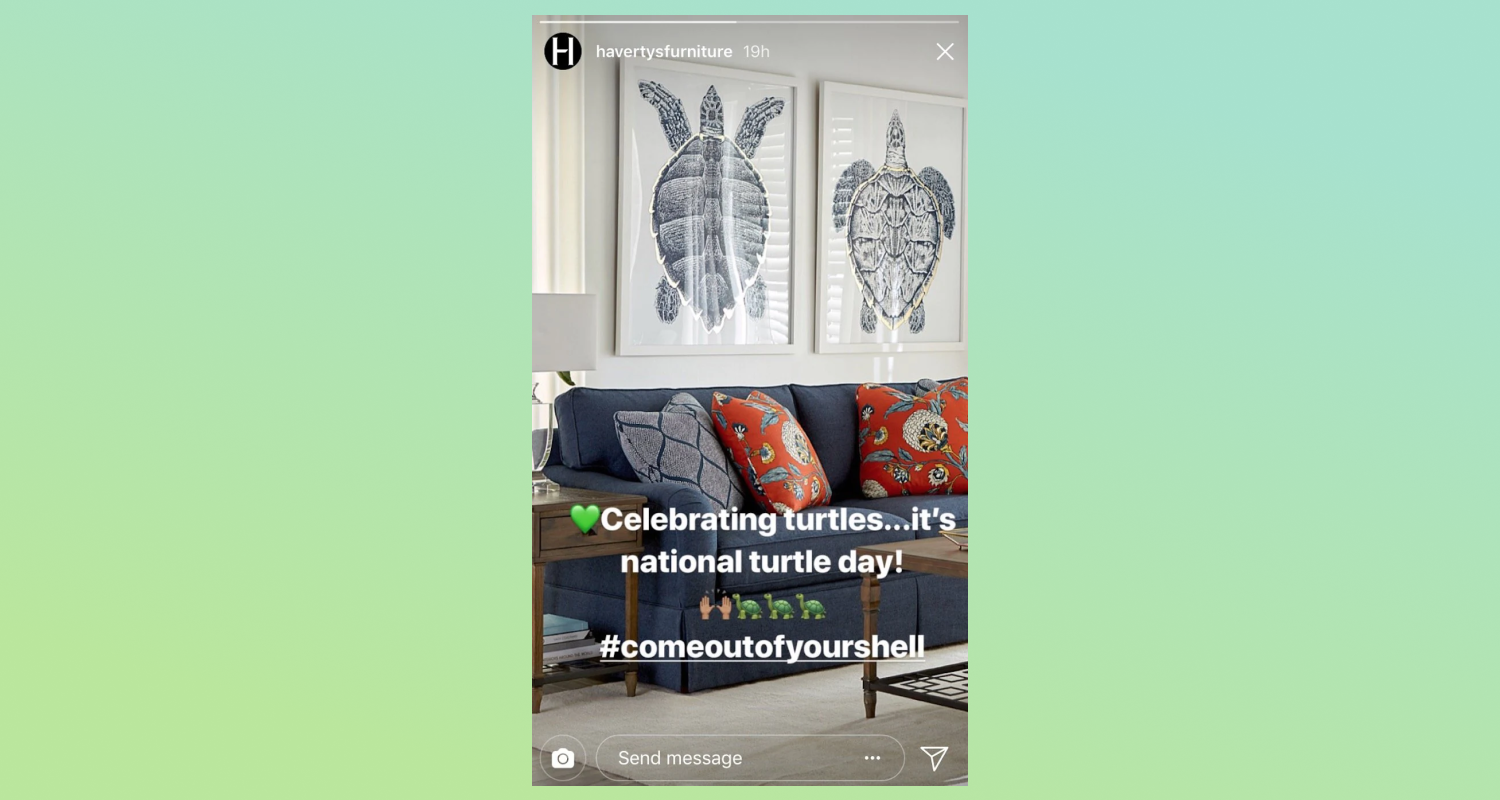
Instagram story with text overlaid on an image of a couch using a hashtag.

Hashtags on Instagram Stories

Instagram Stories has a hashtag sticker, which lets you place working hashtags onto your Stories. Users who click will be taken to the hashtag’s feed, just like they would if they’d clicked on a hashtag in your post.

Hashtags on Instagram Reels

Hashtags work similarly for Reels, helping the Instagram algorithm categorize your content so it shows up in a user’s Explore feed.

Instagram Reel with a caption displaying dozens of hashtags.

Do hashtags still work on Instagram?

Hashtags are still a valid tool to help your Instagram account grow—but the way that Instagram hashtags work has changed slightly.

Basically, the Instagram algorithm will reward engaging content by featuring it more prominently on hashtag pages and explore pages.

That means the best way to use Instagram hashtags is create and tag quality content that keeps people on the Instagram platform. Once that content begins to receive interactions, the algorithm should notice and amplify your post.

So, while adding hashtags to your content won’t automatically mean more views or followers, hashtags are a legitimate way to boost the visibility of content that already performs well.

[embedded content]

Since hashtags are used with an intent to discover content, the right hashtags can put you in front of your target audience, even if they haven’t connected with you before.

Recognizing their importance on the platform, Instagram has expanded the functionality of hashtags. For instance, brands can now add hashtags to the profile section of their Instagram bios.

Harperwilde's Instagram bio includes a hashtag.

💡 Tip: Shopify comes with powerful integrated tools that help you list, promote and sell products on Facebook and Instagram. Create product collections, showcase your brand and products, and make sales on Facebook and Instagram without leaving your Shopify admin.

Top 50 Instagram hashtags for 2024

Here’s how brands are using popular Instagram hashtags in 2024:

  1. #love (2.1B)
  2. #instagood (1.7B)
  3. #instagram (1.2B)
  4. #fashion (1.1B)
  5. #photooftheday (1B)
  6. #photography (1B)
  7. #photo (1B)
  8. #beautiful (833M)
  9. #nature (798M)
  10. #picoftheday (726M)
  11. #travel (717M)
  12. #instadaily (659M)
  13. #style (652M)
  14. #tbt (585M)
  15. #repost (561M)
  16. #followme (557M)
  17. #summer (556M)
  18. #like4like (513M)
  19. #instalike (516M)
  20. #food (515M)
  21. #beauty (538M)
  22. #fitness (530M)
  23. #me (456M)
  24. #music (452M)
  25. #selfie (452M)
  26. #friends (442M)
  27. #smile (439M)
  28. #ootd (433M)
  29. #girl (428M)
  30. #life (445M)
  31. #trending (445M)
  32. #family (441M)
  33. #sunset (328M)
  34. #likeforlike (327M)
  35. #artist (325M)
  36. #model (365M)
  37. #motivation (365M)
  38. #design (362M)
  39. #dogsofinstagram (313M)
  40. #followforfollowback (303M)
  41. #follow (303M)
  42. #foodporn (304M)
  43. #beach (298M)
  44. #amazing (287M)
  45. #nofilter (285M)
  46. #instamood (283M)
  47. #igers (277M)
  48. #makeup (401M)
  49. #trendingreels (164M)
  50. #trend (134M)

Top Instagram hashtags by category for 2024

There is a lot to consider when working with Instagram hashtags.

Below, you’ll find the best Instagram hashtags, sorted by categories like industry or event. Choose a relevant category to start the process of fleshing out your hashtag strategy.

Best hashtags for likes and follows

  1. #likes
  2. #like
  3. #follow
  4. #likeforlikes
  5. #love
  6. #instagood
  7. #instagram
  8. #followforfollowback
  9. #followme
  10. #photooftheday
  11. #fyp
  12. #instalike
  13. #photography
  14. #l
  15. #instadaily
  16. #me
  17. #picoftheday
  18. #beautiful
  19. #myself
  20. #likeforfollow
  21. #fashion
  22. #smile
  23. #followers
  24. #likeforlike
  25. #followback
  26. #f
  27. #followforfollow
  28. #comment
  29. #likesforlikes
  30. #bhfyp

💡 Good to know: No promises on the quality of the followers or likes you’ll receive from these hashtags, as these and other related tags are typically used by new Instagram accounts looking to trade likes and follows.

Best Instagram Reels hashtags

  1. #reels
  2. #reelsvideo
  3. #reelsinstagram
  4. #reelsindia
  5. #holareels
  6. #reelsbrasil
  7. #reelsteady
  8. #instagramreels
  9. #reelsinsta
  10. #instareels
  11. #reelsofinstagram
  12. #k
  13. #music
  14. #bhfyp
  15. #disney
  16. #littlestoriesofmylife
  17. #tiktokindia
  18. #videoftheday
  19. #instareel
  20. #foryoupage
  21. #fyp
  22. #reelsviral

Best fashion and beauty hashtags

  1. #fashion
  2. #beauty
  3. #haul
  4. #style
  5. #shopping
  6. #styleinspo
  7. #ootd
  8. #outfitoftheday
  9. #outfit
  10. #whatiwore
  11. #shoppingaddict
  12. #beautydoesnthavetobepain
  13. #currentlywearing
  14. #instastyle
  15. #lookgoodfeelgood
  16. #hippy
  17. #fashionblogger
  18. #fashionista
  19. #fashionstyle
  20. #fashionable
  21. #fashiongram
  22. #fashionblog
  23. #fashionaddict
  24. #fashionphotography

Best food and beverage hashtags

  1. #food
  2. #foodporn
  3. #foodie
  4. #instafood
  5. #foodphotography
  6. #foodstagram
  7. #yummy
  8. #yum
  9. #instagood
  10. #love
  11. #foodblogger
  12. #foodlover
  13. #delicious
  14. #homemade
  15. #healthyfood
  16. #photooftheday
  17. #picoftheday
  18. #dinner
  19. #foodgasm
  20. #foodies
  21. #tasty
  22. #cooking
  23. #instadaily
  24. #lunch
  25. #bhfyp
  26. #takeout
  27. #restaurant
  28. #healthy

Best travel hashtags

  1. #travel
  2. #nature
  3. #photography
  4. #travelphotography
  5. #photooftheday
  6. #instagood
  7. #travelgram
  8. #picoftheday
  9. #photo
  10. #beautiful
  11. #art
  12. #naturephotography
  13. #wanderlust
  14. #adventure
  15. #instatrave
  16. #travelblogger
  17. #landscape
  18. #summer
  19. #trip
  20. #hike
  21. #explore

Best pet hashtags

  1. #pet
  2. #dog
  3. #pets
  4. #dogsofinstagram
  5. #cute
  6. #petsofinstagram
  7. #dogs
  8. #cat
  9. #love
  10. #puppy
  11. #cats
  12. #petstagram
  13. #animals
  14. #animal
  15. #instadog
  16. #instagram
  17. #dogstagram
  18. #doglover
  19. #of
  20. #catsofinstagram
  21. #dogoftheday
  22. #doglovers
  23. #petlovers
  24. #doglife
  25. #instapet
  26. #catstagram
  27. #instagood
  28. #cachorro
  29. #catlover

Best tech and gadgets hashtags

  1. #techie
  2. #latesttech
  3. #ilovemygadgets
  4. #gadgetsgalore
  5. #apple
  6. #android
  7. #applevsandroid
  8. #wearabletech
  9. #VR
  10. #mobile
  11. #makinglifeeasier
  12. #tech
  13. #technology
  14. #technews
  15. #gadgets
  16. #instatech
  17. #software
  18. #innovation

Best wedding hashtags

  1. #wedding
  2. #bride
  3. #weddingdress
  4. #weddingphotography
  5. #weddingday
  6. #weddinginspiration
  7. #makeup
  8. #weddingplanner
  9. #prewedding
  10. #bridal
  11. #bridetobe
  12. #weddingphotographer
  13. #weddings
  14. #groom
  15. #engagement
  16. #party
  17. #weddingideas
  18. #makeupartist
  19. #indianwedding
  20. #casamento

Best fitness hashtags

  1. #fitness
  2. #gym
  3. #workout
  4. #fitnessmotivation
  5. #motivation
  6. #fit
  7. #bodybuilding
  8. #training
  9. #health
  10. #lifestyle
  11. #fitfam
  12. #healthylifestyle
  13. #sport
  14. #healthy
  15. #gymlife
  16. #life
  17. #crossfit
  18. #personaltrainer
  19. #goals
  20. #exercise
  21. #muscle

Best holiday hashtags

  1. #stockingstuffers
  2. #christmasdecor
  3. #spookyhalloween
  4. #happyhalloween
  5. #thanksgivingtable
  6. #turkeyorham
  7. #valentineformyvalentine
  8. #happyfourth
  9. #newyearseve
  10. #newyearsresolution
  11. #holidaycrazy
  12. #holidayspirit
  13. #kwanza
  14. #hanukkahgift
  15. #underthetree

Best Instagram contest hashtags

  1. #instacontest
  2. #instagiveaway
  3. #giveaway
  4. #sweepstakes
  5. #contestalert
  6. #contestentry
  7. #winit
  8. #freebie
  9. #winitwednesday

Best photography hashtags

  1. #photography
  2. #photooftheday
  3. #photo
  4. #picoftheday
  5. #photographer
  6. #model
  7. #photoshoot
  8. #portrait
  9. #beauty
  10. #travelphotography
  11. #canon
  12. #selfie
  13. #landscape
  14. #sunset
  15. #fotografia
  16. #portraitphotography
  17. #photographylovers
  18. #artist
  19. #nikon

Best B2B hashtags

  1. #business
  2. #businesstips
  3. #marketing
  4. #ecommerce
  5. #socialmedia
  6. #digitalmarketing (28M)
  7. #SEO
  8. #contentmarketing
  9. #marketingstrategy
  10. #consulting
  11. #workplace
  12. #startups
  13. #productivity
  14. #strategy
  15. #sales

Best hashtags for small business

  1. #smallbusiness
  2. #supportsmallbusiness
  3. #handmade
  4. #shoplocal
  5. #shopsmall
  6. #smallbusinessowner
  7. #entrepreneur
  8. #supportlocal
  9. #localbusiness
  10. #businessowner
  11. #blackownedbusiness
  12. #art
  13. #explorepage
  14. #homedecor
  15. #covid
  16. #startup
  17. #entrepreneurship
  18. #womeninbusiness
  19. #motivation
  20. #success
  21. #girlboss
  22. #entrepreneurlife
  23. #handcrafted
  24. #local
  25. #smallbiz
  26. #homemade
  27. #custom
  28. #smallbusinesssupport
  29. #shopsmallbusiness
  30. #handmadewithlove
  31. #supportsmallbusinesses
  32. #supportlocalbusiness

Best music hashtags

  1. #music
  2. #hiphop
  3. #rap
  4. #musician
  5. #singer
  6. #musica
  7. #dj
  8. #rock
  9. #dance
  10. #song
  11. #guitar
  12. #viral
  13. #producer
  14. #newmusic
  15. #musicvideo
  16. #instamusic
  17. #livemusic
  18. #pop
  19. #concert
  20. #trap
  21. #beats

Best art hashtags

  1. #art
  2. #artist
  3. #drawing
  4. #artwork
  5. #painting
  6. #artistsoninstagram
  7. #illustration
  8. #digitalart
  9. #design
  10. #sketch

Best nature hashtags

  1. #nature
  2. #naturephotography
  3. #sunset
  4. #flowers
  5. #wildlife
  6. #mountains
  7. #hiking
  8. #explore
  9. #outdoors
  10. #naturelover
  11. #beach
  12. #forest
[embedded content]

Top Instagram hashtag generators

Whether you’re shooting for six hashtags or 30, it can be time consuming to enter that many characters, especially since autocorrect doesn’t fix hashtag spelling mistakes. Ask any social media manager and they’ll tell you: it’s not their favorite thing in the world.

Fortunately, there are plenty of Instagram hashtag generators and hashtag search engines that can streamline the process. Here are some Instagram tools to consider.

Best-Hashtags

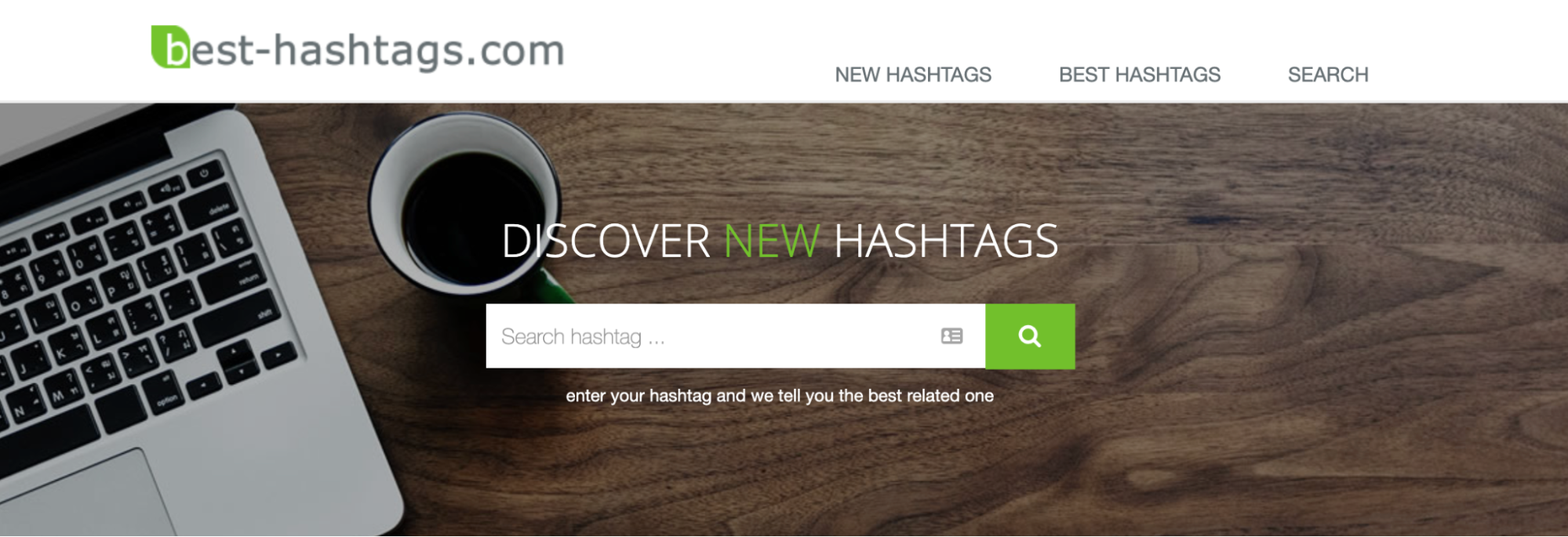
best-hashtags.com hashtag generator search box.

Best-Hashtags is a simple browser-based hashtag research tool. Its algorithm calculates the best Instagram hashtags for your social content based on historical data. Simply type in your desired hashtag and Best-Hashtags will generate a list of hashtags across different categories like:

  • Best related hashtags
  • Top 10 hashtags based on Instagram, Twitter, Facebook, and TikTok popularity
  • Low difficulty hashtags
  • Exact hashtags

You can also discover new hashtags on its New Hashtags and Best Hashtags category pages.

SISTRIX

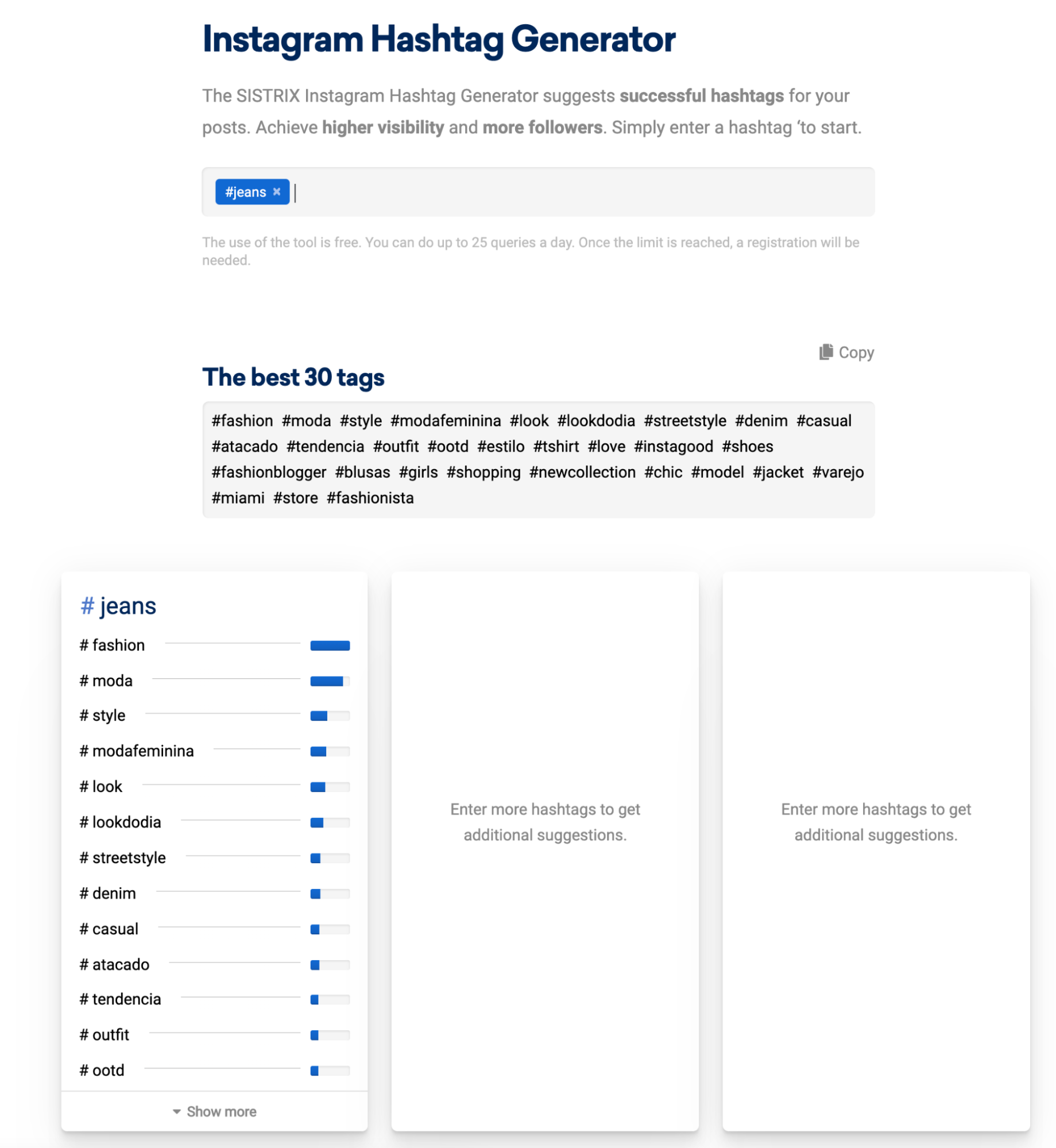
Sistrix Instagram Hashtag Generator lists 30 hashtags to use based on the search of

The SISTRIX Instagram Hashtag Generator is another great tool for finding successful hashtags, fast. Enter a hashtag or topic, and you’ll see the best 30 hashtags to use. Get more recommendations by searching other hashtag variants related to your main search.

The tool is completely free for up to 25 queries each day. If you want more searches, you’ll need to register for a SISTRIX account.

Influencer Marketing Hub

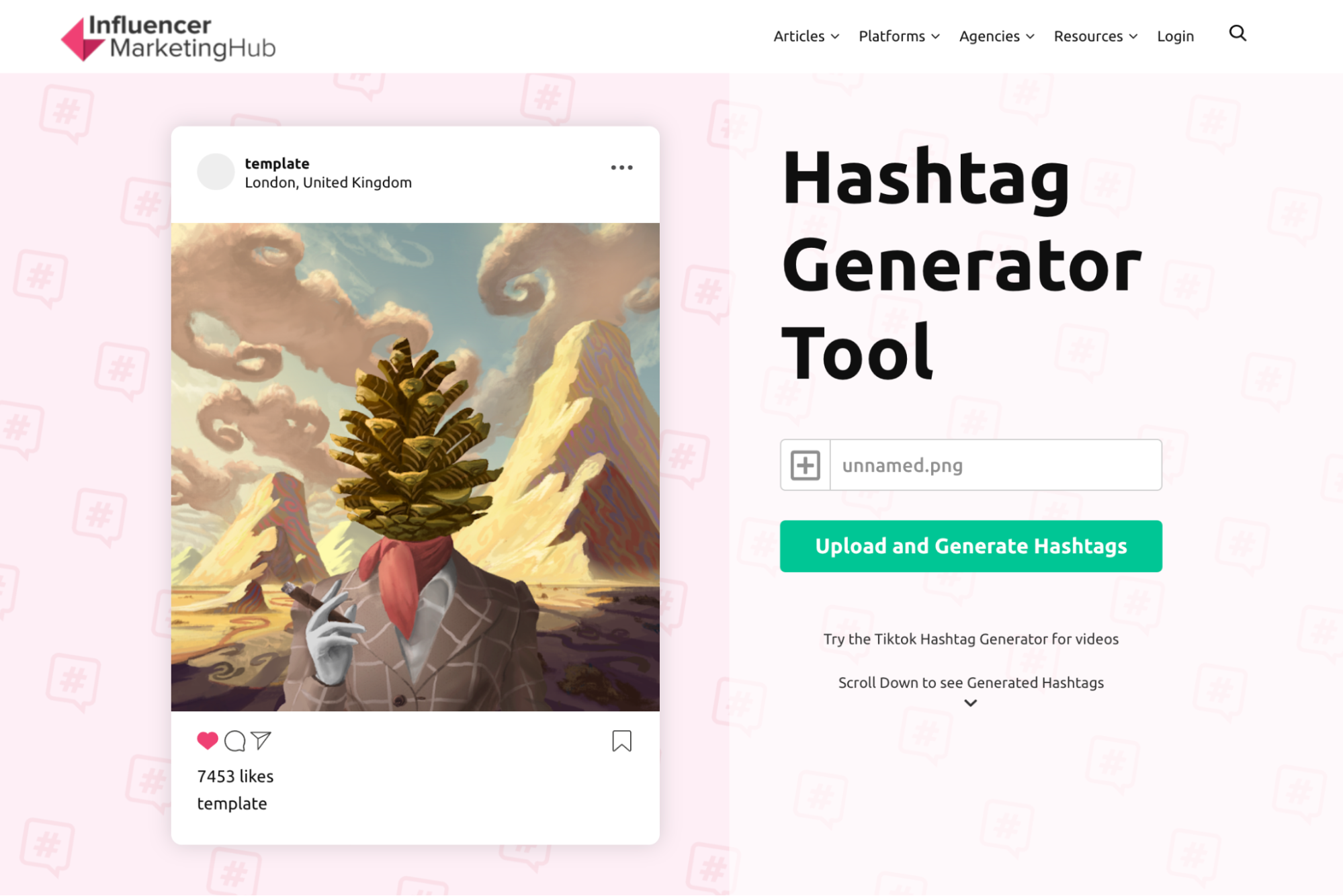
This Instagram hashtag generator is different. Rather than search for hashtags by topic, you upload a photo and the tool suggests hashtags to use. In the following example, we uploaded a surreal artwork to see what hashtags would generate.

Influencer Marketing Hub's hashtag generator along with a sample image that it analyzes.

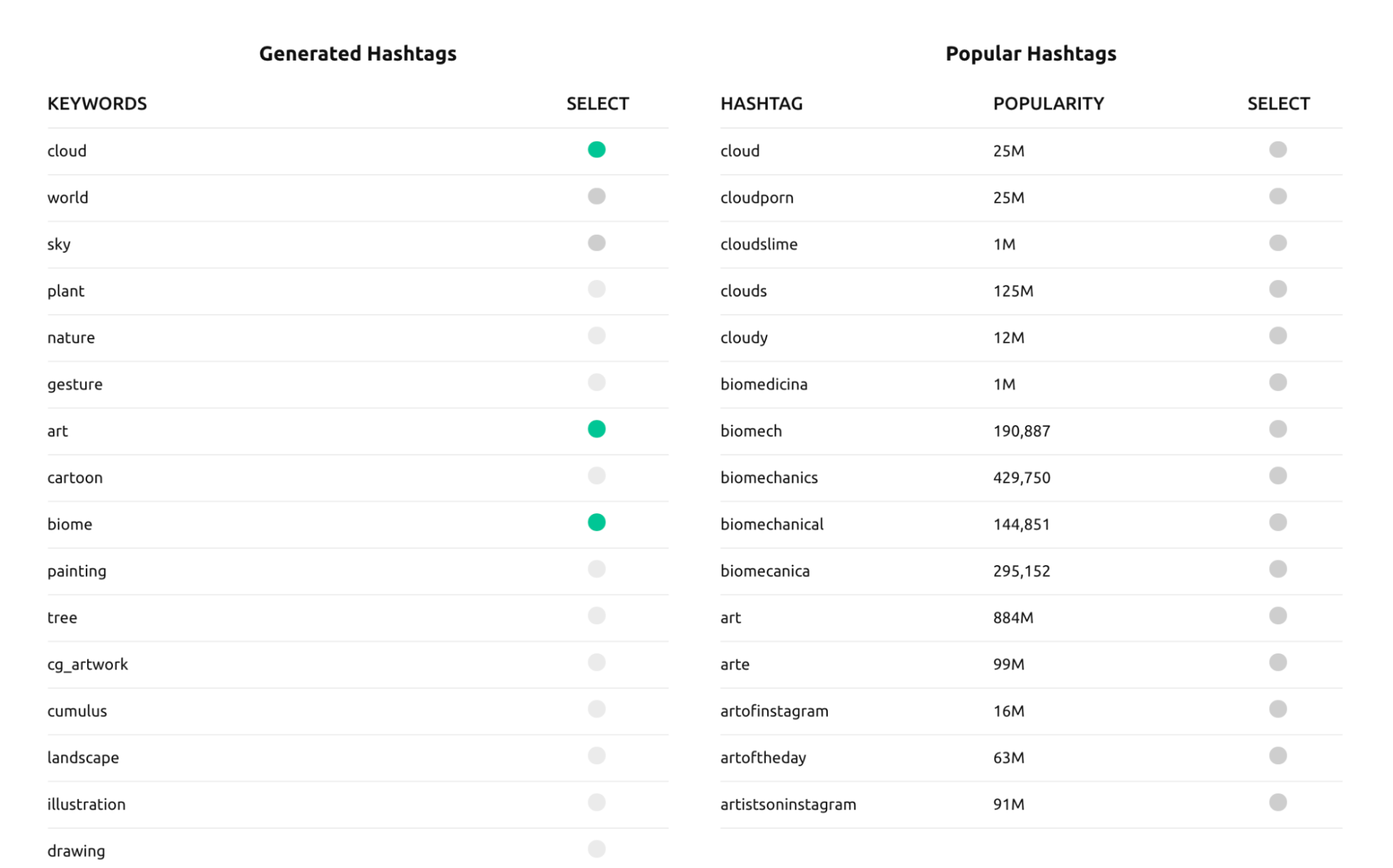
You can select up to five keywords. Once selected, the tool reveals the optimal list of hashtags to use for your post.

A list of keywords and hashtags generated by Influencer Marketing Hub.

Inflact

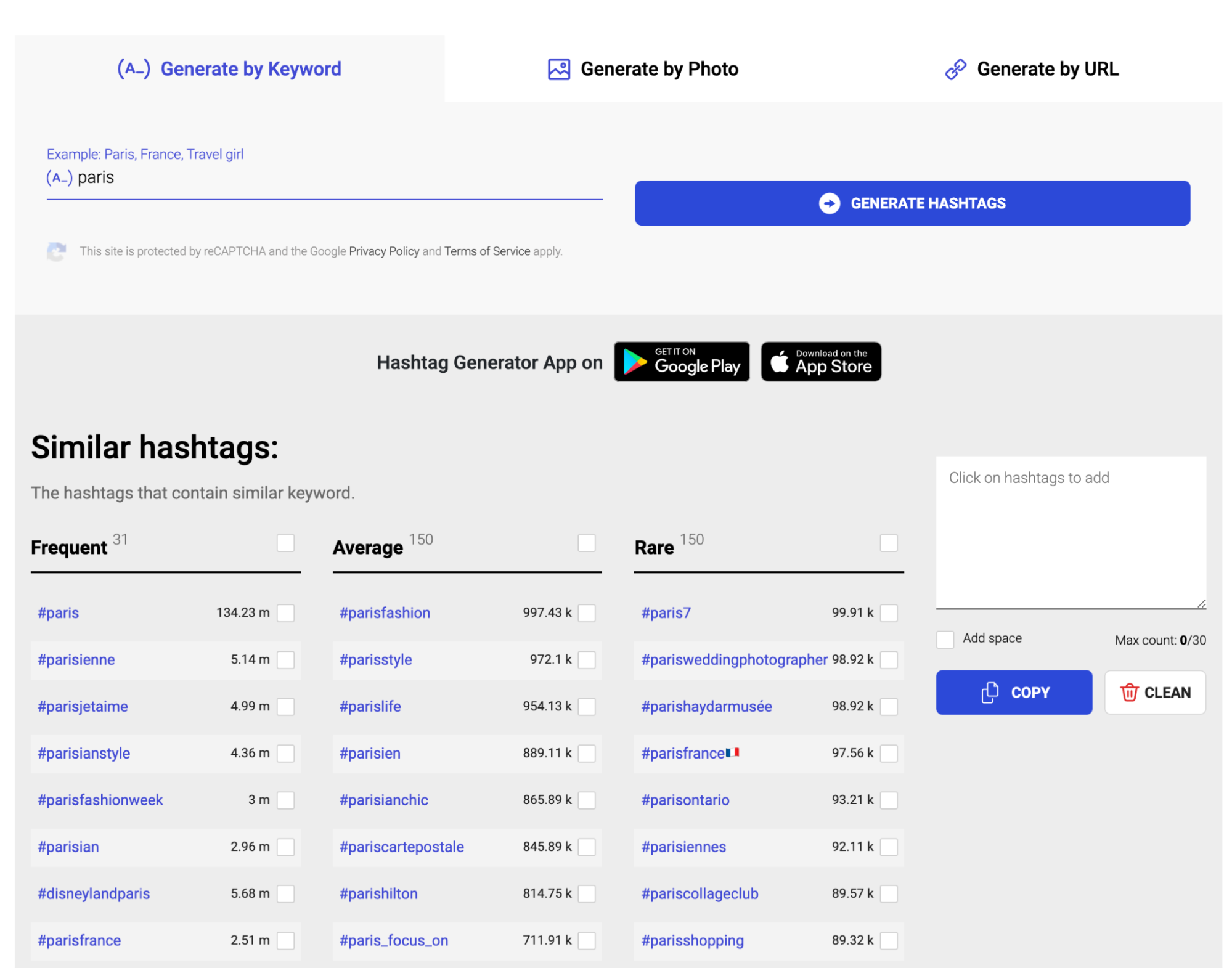
Inflact is another useful Instagram hashtag tool for tagging your posts or researching popular ideas for Stories and Reels. The easiest way to use the tool is through keywords. For example, if you type “Paris” into the generator, it will reveal a handful of different hashtags that contain the keyword. Hashtags are broken down by frequent, average, and rare use cases.

Inflact's search results for hashtags related to

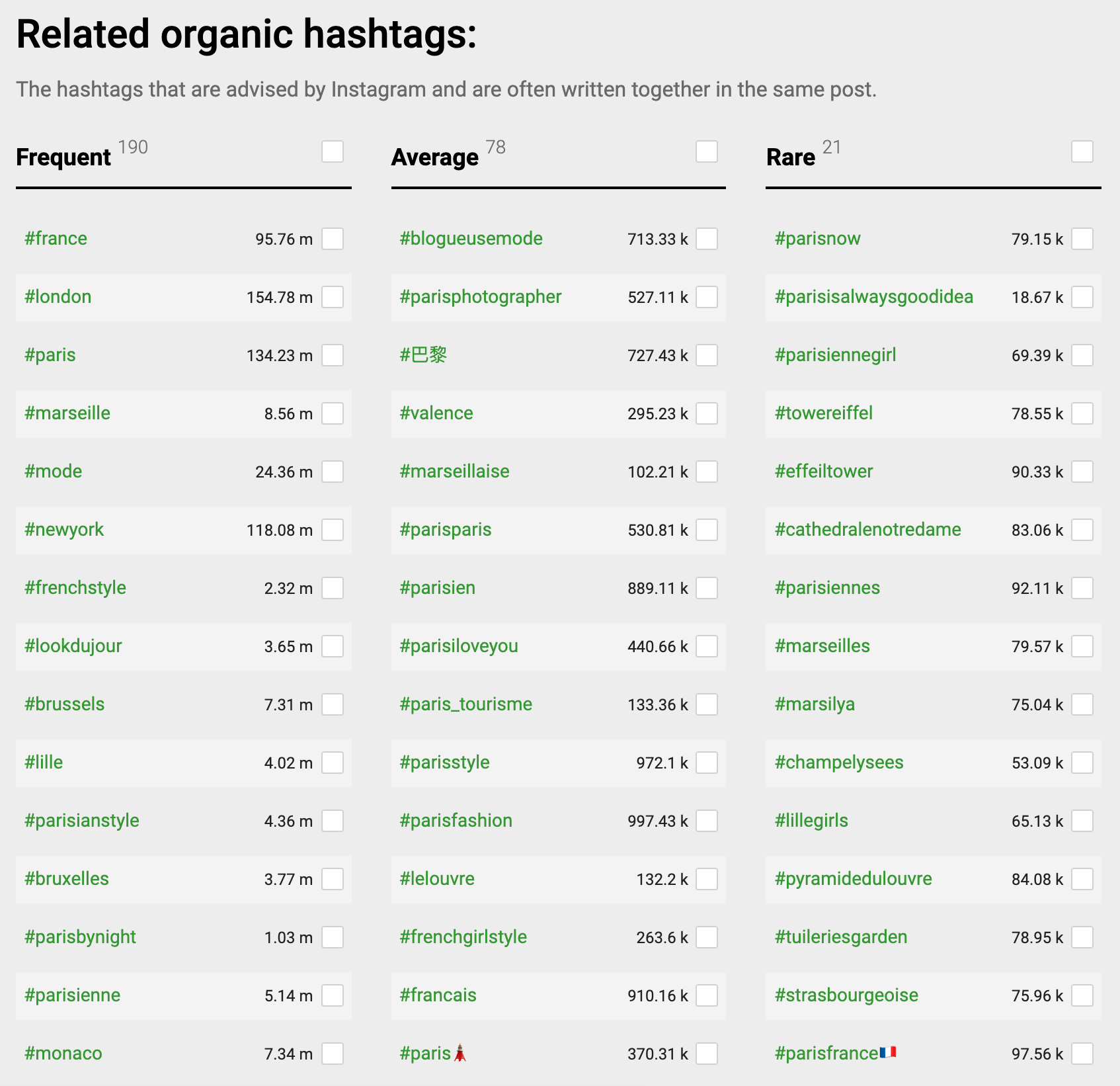
Inflact’s AI search tool also reveals organic hashtags or those that are often written together in the same post.

Inflact AI's results for related organic hashtags and how often each is used.

Keyword Tool

Keyword Tool is a paid tool that helps businesses discover keywords across a variety of platforms, including Instagram hashtags. It has a geolocation feature, so you can pinpoint popular hashtags that are trending in your audiences’ area.

Most Instagram hashtag generators are free. If you aren’t willing to invest in a tool just for this purpose, the more affordable route may be to use a general social media tool. You can keep a document of different hashtags and use social media scheduling software.

You can create the posts on your desktop, copying and pasting hashtags or groups of hashtags to the caption as needed. Since all of these tools can now post directly to Instagram for you, this can save you a few steps.

Types of Instagram hashtags

Understanding which hashtags to use is a crucial part of developing a strong hashtag strategy that maximizes your reach and increases engagement.

Different types of hashtags serve different purposes, and a good strategy incorporates a combination of them. Learn how to get verified on Instagram and use hashtags from your verified account to maximize your reach.

Branded hashtags

These should be listed in your Instagram bio and are exclusive to your specific store. They can be used to build brand awareness, and you can encourage users to share user-generated content employing them. Examples include Harper Wilde’s #LiftUpTheGirls, Shwood Eyewear’s #shwoodshop, and So Worth Loving’s #swlfamily. Use only one or two branded hashtags per post.

Location-based hashtags

Do you use Instagram to sell your products in specific locations? Use hashtags like #FloridaLife or #NewYorkDrinks to target those local audiences. You can also tag posts based on location to reach users in the area.

Community and industry hashtags

The majority of brands and businesses, regardless of their size, use at least one hashtag that symbolizes their product or industry. More often than not, these hashtags are designed to be uncomplicated and memorable.

To find popular community hashtags in your niche, examine popular posts from competitors in your field. Check out the hashtags they’re using.

Daily hashtags

Famous daily hashtags include #MondayMotivation and #ThrowbackThursday. But there are many tags for daily challenges, themes, or common experiences. Find them by checking the tags of posts from specific days, or search the days of the week and see what autofills in the search results.

Entertainment hashtags

These hashtags aren’t meant to grow your audience, but rather to expand on the relationship with the audience you already have. These phrases often have little to do with a brand itself, and more to do with the situation in the specific post.

Mass appeal hashtags

Mass appeal hashtags are general hashtags that can apply to almost any post. They’re frequently used, which means they’re also frequently sought out. They can occasionally give your posts a significant bump in reach, putting them in front of established audiences. Examples of these include #instagood and #lovelife.

Occasion-based hashtags

Maybe you want to remind your followers that it’s OK to have a #caseofthemondays, or to appreciate that #summerrain. Timely hashtags can be related to a certain holiday, time of year, or even time of day. Users love timely content and are likely to seek out holiday and seasonal posts in particular.

Trending hashtags

Trending hashtags are hashtags that for any number of reasons explode in popularity due to current events, advertising campaigns, viral nature, or pop culture. Hashtags go in and out of favor, just like styles of clothing and slang.

Whether Apple has announced a new version of the iPhone, or it’s election day somewhere in the country, trending hashtags won’t give you evergreen results, but they can yield meaningful returns when used correctly.

Niche hashtags

Certain products have audiences with niche interests with corresponding niche hashtags. People who are buying their own virtual reality systems, for example, are likely to be interested in all the latest technology. Customers who are interested in healthy eating may search for phrases like #organic or #eatinggreen. Use niche-specific hashtags to connect with a highly relevant audience.

Bremont does this exceptionally well in the example below. It uses hashtags like #watchstyle and #watchesofinstagram, knowing that these niche hashtags could connect them with their target audience.

Special event hashtags

Sometimes hashtags can act like beacons that alert users to special events going on with your store. Are you about to host a contest? Hashtags like #contestalert and #instagiveaway can help you find an interested audience. Similarly, hashtags like #flashsale and #BOGO can both help you find bargain hunters and signal to followers you’ve got special deals for them online.

If you create a hashtag to promote a new product launch, you could feature that hashtag in your Instagram bio so that when people click through, they’ll find all the posts and stories that were published using that hashtag.

Taylor Loren, in an edited excerpt from the course How to Make Money on Instagram

Which types of hashtags should I use?

Not all ecommerce businesses will benefit from every type of hashtag.

A merchant with national or international reach may not have a reason to use location-based hashtags, for example, and B2B merchants with a strictly professional voice may not use a lot of entertainment-focused hashtags. That’s fine. Adopt the ones that will work best for your brand and your audience.

Benefits of using Instagram Hashtags

Unsure whether you should add a hashtag to your latest post? Here are five reasons why your Instagram content can benefit from a tag or two:

1. Create or join a community

Instagram hashtags allow you to quickly identify active communities within the app. Join them by creating and tagging relevant content.

You can also use a new hashtag to build engagement on a topic that’s related to your account or business.

Promote a unique, accessible hashtag to your followers. Perhaps your tag could speak to a benefit of your product, such as #cozyhome, or cite a common experience amongst your audience, like #momlife.

If the hashtag is catchy, followers may start to use it in their own posts, creating a collection of user-generated content that fosters a sense of community and links back to you.

2. Target people and groups

Hashtags make it easier to put your content in front of a target user. Pick tags that are relevant to your brand as well as your audience’s interests to increase your exposure, and make it more likely that your posts will reach receptive people.

3. Track posts and campaigns

By creating a unique hashtag for a post or collection of content, you can easily monitor its progress. Moreover, you don’t have to limit your use of hashtags to Instagram. Why not create a hashtag for an entire marketing campaign and use it across other social sites, ads, and even in physical marketing materials?

4. Stay informed

Making hashtags a habit is a good way to stay on top of trends within your industry. By following relevant tags, you can see what types of content resonate with your audience, as well as what your competitors are up to.

Maintaining consistent brand messaging is important, but you should also adjust your content strategy in response to shifting trends and interests.

5. Improve post SEO

Adding hashtags to a post’s caption can increase its visibility in Instagram’s internal search engine. By tagging posts with popular or timely search terms, you should gain greater prominence in results, giving your content an extra boost.

According to Instagram, this tactic can be particularly effective for posts that already have significant clicks, likes, or shares.

Tips for using hashtags on Instagram

Be mindful of the number of hashtags you use

You can use up to 30 hashtags on a single Instagram post. Whether you should is another question entirely.

The latest advice from Instagram is to be selective with hashtags and only use three to five per post. However, research suggests that using more hashtags generally leads to higher engagement.

As for precisely how many hashtags work best, the data is inconsistent. Some marketers swear by using just two hashtags, while others use all 30. In reality, the sweet spot for a single post may only be something you can uncover through testing.

Should my Instagram hashtags be visible?

Nobody wants to read through 30 different hashtags, or even six for that matter, just to get to the content. Big blocks of difficult-to-read text also look visually unappealing.

Because of this, many brands opt to hide the bulk of their hashtags by strategically placing them below the “See More” option. Some will even take this a step further, adding significant extra spaces outside of the See More in order to aesthetically remove large chunks of hashtags from the rest of the description. Other brands will add hashtags in a separate comment on the post, but this may cause the hashtags to lose effectiveness.

For most brands, the best option is simply to make sure that your hashtags are separated by at least one line from the caption and are hidden under the See More option. This keeps the focus on your caption, increasing the likelihood that it will be read. It also looks cleaner.

The exception is if you’re using one or two hashtags for branding or entertainment purposes. In this case, leave them above the fold, if necessary, and make sure they’re listed first or written in line in your Instagram caption. That way, users are more likely to read them.

Although you may see others doing it, there’s no reason to use more than one line of separation for hashtags. If users click on See More, you don’t want them to have to scroll forever to get to the comments, because there’s a good chance they won’t continue and leave a comment of their own.

Conduct Instagram hashtag research

Hashtag research is a key part of distribution on Instagram. It can help you identify the most popular hashtags, give you new ideas for hashtags you wouldn’t have thought of on your own, and help you to identify trending hashtags.

There are several different strategies you can use to conduct hashtag research, whether you want to grow your list or find new trending topics. Let’s take a look at each.

Scope out Twitter

If you want to find relevant hashtags that are currently trending, Twitter can give you an edge. It has a trending topics section, where you can see what people are sharing.

Note that hashtag usage on Instagram and Twitter is different, and trending Twitter hashtags are more heavily focused on news. Keep that in mind and use it for research purposes instead of copying and pasting hashtags blindly to Instagram.

Check out your competition

It never hurts to see what your competition’s Instagram marketing strategy looks like, and that includes their hashtag strategy. Look for trends in which hashtags they’re using and you might get a few ideas for phrases you want to add to your roster, too.

Monitor influencers

Influencers—including micro-influencers—are called influencers for a reason: they already have an audience and people actively look to them for advice, inspiration, or expertise. It’s not surprising that these Instagram profiles may have mastered their hashtag game and found the best performing terms out there. Take a look, and don’t be afraid to snag a few that you like.

Template Icon

Free Webinar:

How to Grow and Monetize Your Instagram Account

A free workshop with field-tested Instagram marketing tips. Learn how to grow your Instagram audience and monetize it with an online store.

Avoid banned hashtags

Did you know that there are such things as banned hashtags on Instagram? They aren’t even necessarily swear words or outright obscenities—though those definitely make the list.

Instagram routinely “bans” hashtags that it detects are used frequently alongside some sort of illicit content. Some of these aren’t surprising, like #nasty, but others like #fitnessgirls and #tgif could be used for perfectly innocent reasons. Instagram won’t post new content to a banned hashtag’s feed, if the feed even stays up at all.

Hashtags can be banned permanently or temporarily, and when you use them, your Instagram posts could be shadowbanned. This means that they may not show up in your followers’ feeds, and they may not appear when users search for other hashtags attached to the post. All in all, using a single banned hashtag can unravel all the work you did on a post.

When compiling hashtags that you want to use, check out the full list of hashtags that have been banned on Instagram.

Measure your Instagram hashtag strategy

All marketing efforts should be measured whenever possible, and that goes for hashtag strategies, too.

Hashtags can be much more difficult to evaluate on your own, especially if you have groups of them on posts. This can make it difficult to know which are working and which aren’t pulling their weight. Fortunately, there are several ways to measure the impact of your strategy.

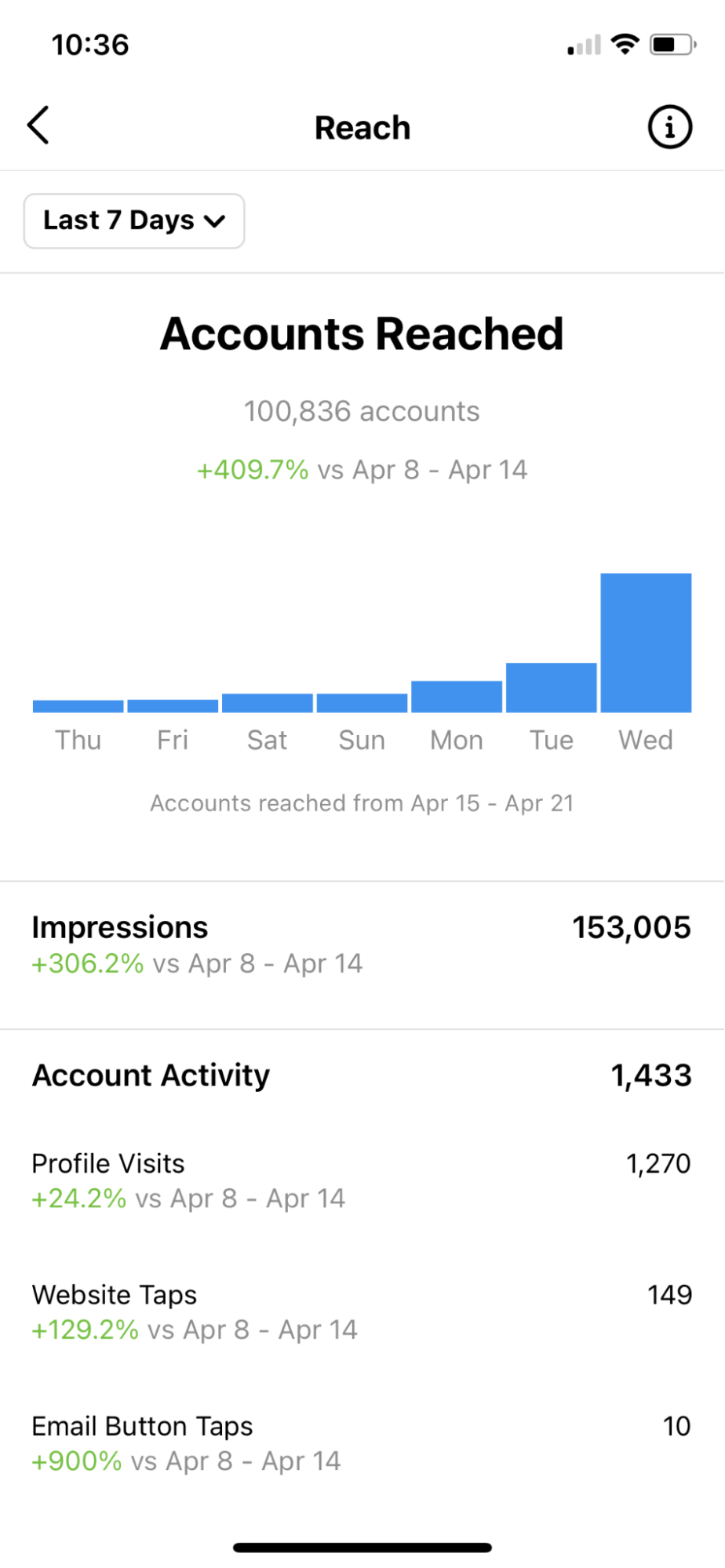
First, take a look at the overall growth of your channel. You can do this with Instagram’s analytics, though many third-party social management platforms will offer more detail.

See if impressions, reach, and likes go up for your profile and posts. How many accounts have you reached through the Discovery channel? Are you seeing big changes as a result of your new strategy? Look for month-to-month increases. If you don’t see them within a couple months, it’s time to try something different.

Instagram's reach statistics page for a seven-day period.

You should also be using hashtag research tools to monitor the hashtags you’re using regularly. Make sure their popularity is trending up over time and not decreasing. You can use tools like Keyhole to track your branded hashtag and to see the reach, impressions, and overall use from other profiles. This can help you evaluate how much your branded hashtag is helping you, and if it’s gaining traction organically.

Finding the best Instagram hashtags

Instagram hashtags are an essential part of Instagram marketing. If you combine your hashtag tactics with a strategy that focuses on getting more followers, you’ll see an immediate lift in likes, comments, and audience.

If you don’t have a strategy in place, your marketing may not be reaching its full potential on the platform. Use the tools and hashtag suggestions detailed in this post to form your own list of high-performing hashtags that will extend your reach and keep your audience engaged, and remember to switch them up based on your analytics tools for best results.

Illustration by Eugenia Mello

Instagram hashtags FAQ

Which Instagram hashtags get the most likes?

  • #likes
  • #like
  • #likeforlikes
  • #instalike
  • likeforlike
  • #comment
  • #likesforlikes

What are the best Instagram hashtags?

  • #love
  • #fashion
  • #photooftheday
  • #beautiful
  • #photography
  • #picoftheday
  • #happy
  • #follow
  • #nature
  • #tbt

How do I use hashtags on Instagram?

Use Instagram hashtags to put your posts, videos, or Stories in front of your target audience, even if they haven’t interacted with your profile before.

Is 30 hashtags too much?

The maximum amount of hashtags you can use in a post is 30. But you may not need to use 30 hashtags for every post. Consider using a maximum of five or six to not look spammy.

TikTok Shopping: Everything You Need To Know To Start Selling (2024)

Software Stack Editor · May 27, 2024 ·

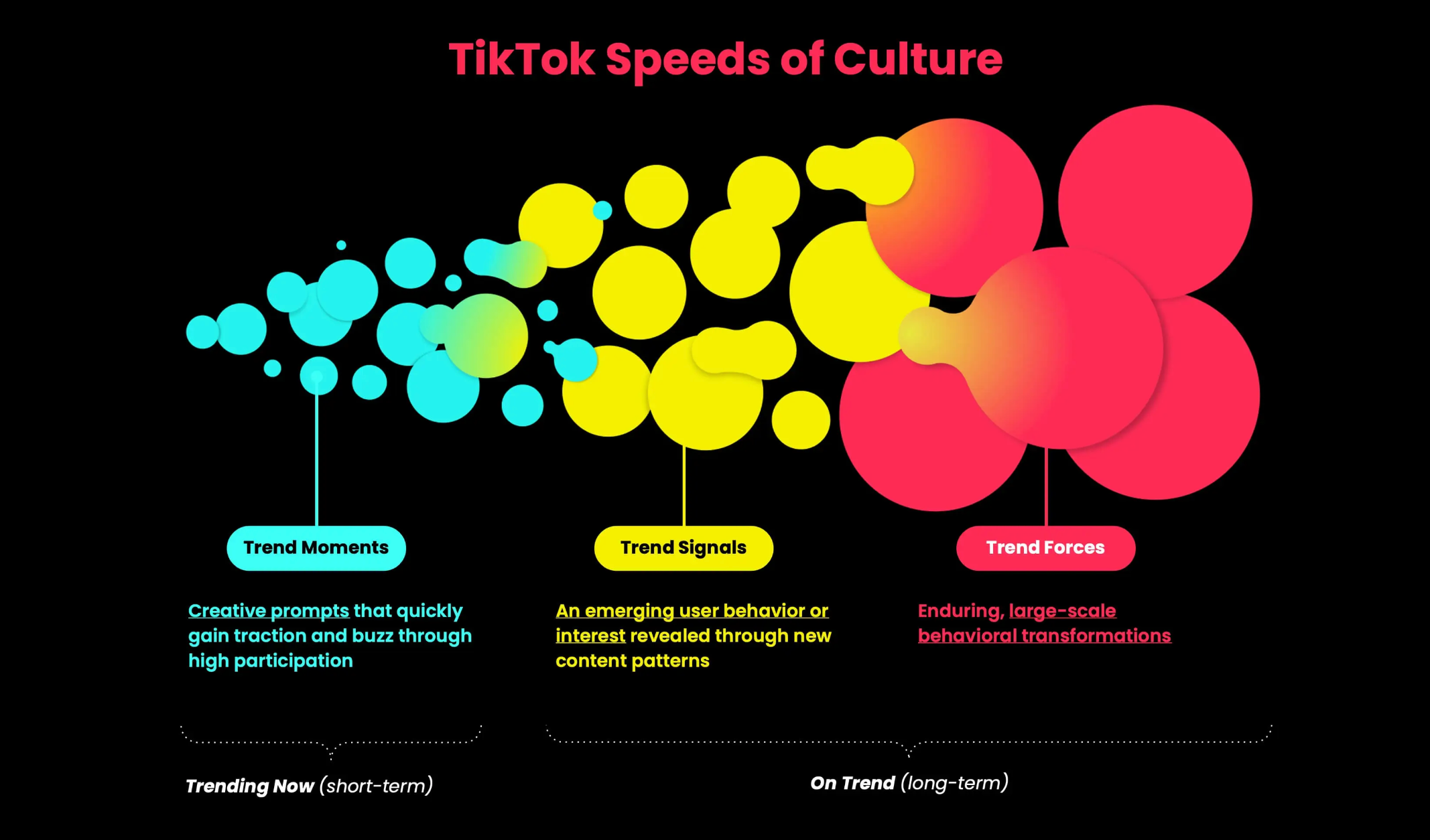
When you’re shopping online or looking for product recommendations, where do you go first? While Google is a common starting point, increasingly, consumers are turning to their favorite social media apps. Chief among them: TikTok. The popular hashtag #TikTokMadeMeBuyIt alone generates one billion views per week globally, according to the social media platform.

Not only has TikTok become a search engine, a source of inspiration and discovery, and a powerhouse product recommender—it’s also a destination for businesses to sell directly to users. TikTok shopping continues to grow in popularity as brands look to reduce friction for the fan-to-customer transition, and its own native shopping features and ecommerce integrations enable brands to sell natively on the platform.

Ahead, learn how to add the social commerce channel, sign up for TikTok Shop, and use these tools to reach TikTok users and potential customers. 

What is TikTok Shop?

TikTok Shop is the social media app’s built-in commerce solution for sellers, creators, and affiliates. It enables TikTok users with business accounts to sell directly on the platform with options like Live Shopping and shoppable videos.

[embedded content]

What are the benefits of TikTok Shop?

TikTok Shop eliminates the extra step to convert your TikTok fans into customers by offering shopping options directly on the platform. With TikTok becoming a go-to for product discovery, especially for Gen Z and Gen Alpha future consumers, brands benefit from showing up in search and offering convenient TikTok shopping options.

TikTok Shop and other shopping integrations allow brands to naturally introduce products into entertaining videos and other content. If you are not eligible for TikTok Shop based on your location, certain integrations such as the TikTok app for Shopify can give you access to shopping features.

Adding TikTok Shop to your available sales channels creates another touchpoint in addition to your online store that supports your potential customers’ online shopping preferences. Other benefits include:

  • Broadcasting to a wide demographic of potential shoppers
  • Partnering with trusted creators and using influencer marketing to increase authenticity
  • Creatively positioning your products in entertaining content
  • Creating a personalized shopping experience based on TikTok user behavior
  • Benefitting from virality with TikTok trends and hashtag challenges

Who is eligible for TikTok shopping?

TikTok Shop is available in select markets, including the US, UK, and China. Check TikTok’s latest information for eligible countries and regions. TikTok Shop is broken down into four categories, with different requirements for each type of commerce user, which includes:

  • Sellers
  • Creators
  • Partners
  • Affiliates

For a seller account, you simply need to reside in one of the supported countries and provide ID, proof of residency, and a business license. Creator accounts have additional criteria, including minimum follower counts. For the purposes of this article, the information will be geared toward the most common type of TikTok Shop user: sellers.

How to set up TikTok Shop

For those eligible for a TikTok Shop seller account based on location and other parameters, follow these simple steps to get set up and enable online shopping features on your account.

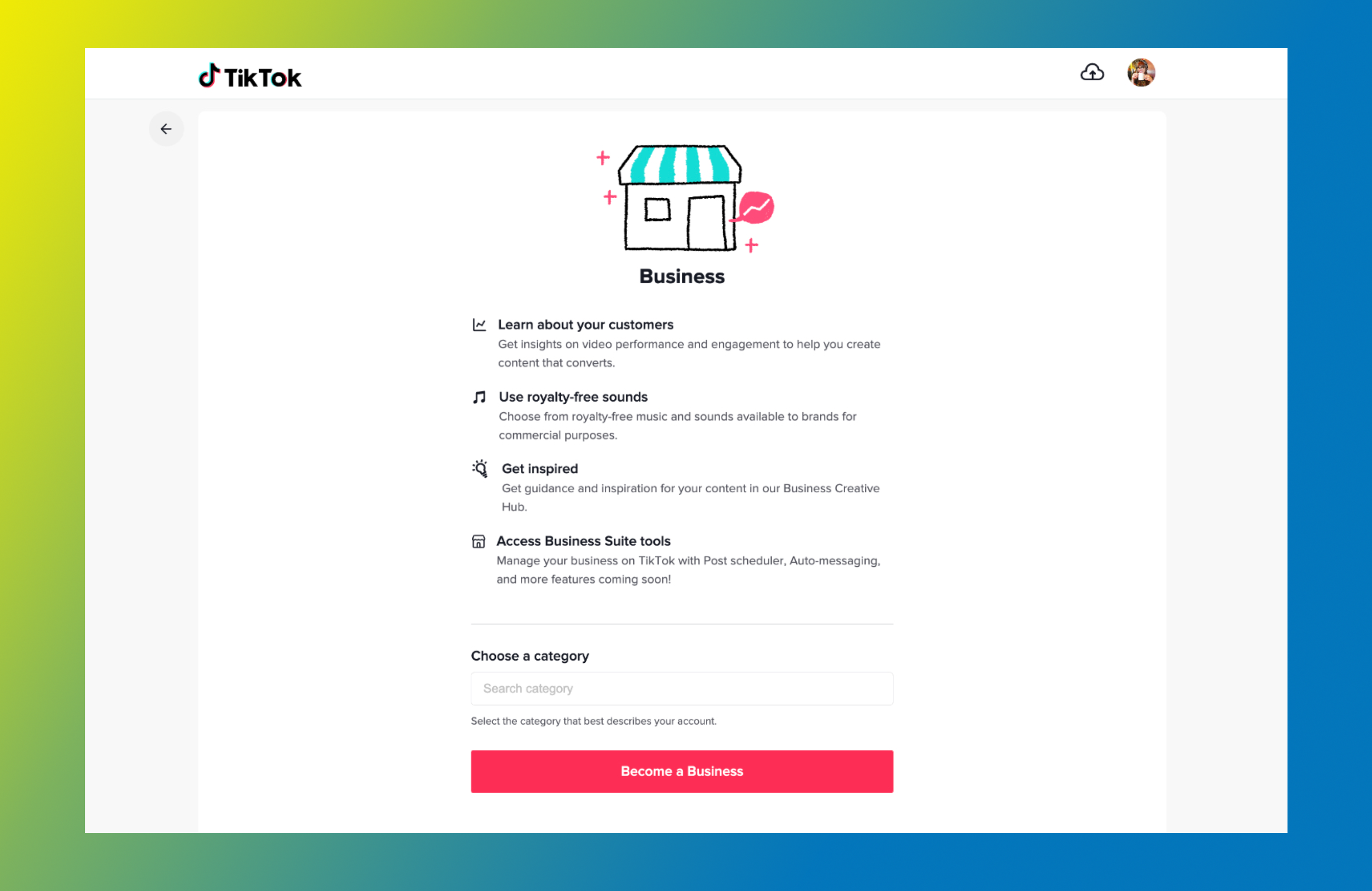
1. Create a business account on TikTok

Creating a business account is simple—and free. Completing this step alone unlocks features not available to other users, such as advanced analytics and access to the TikTok Ads Manager.

TikTok Business Account registration page🎵 Learn more: How To Use TikTok for Business: An 8-Step Guide
2. Register for TikTok Shop

Navigate to the seller registration portal and fill out the application. Upload the required documents, including your ID, proof of residency, and proof of business ownership. 

3. Wait for the results

You will receive an email about your application result in one to two days after applying. Once accepted, you will be able to use TIkTok’s shopping features.

4. Link your account and get selling

Link your TikTok account to your TikTok Shop to start selling on TikTok. You’ll now be able to add products and promote your shop in your bio and content.

How to sell on TikTok with Shopify

If your business is ineligible for TikTok Shop based on your location, you may be able to access the benefits of TikTok shopping and making sales through your content and video marketing.

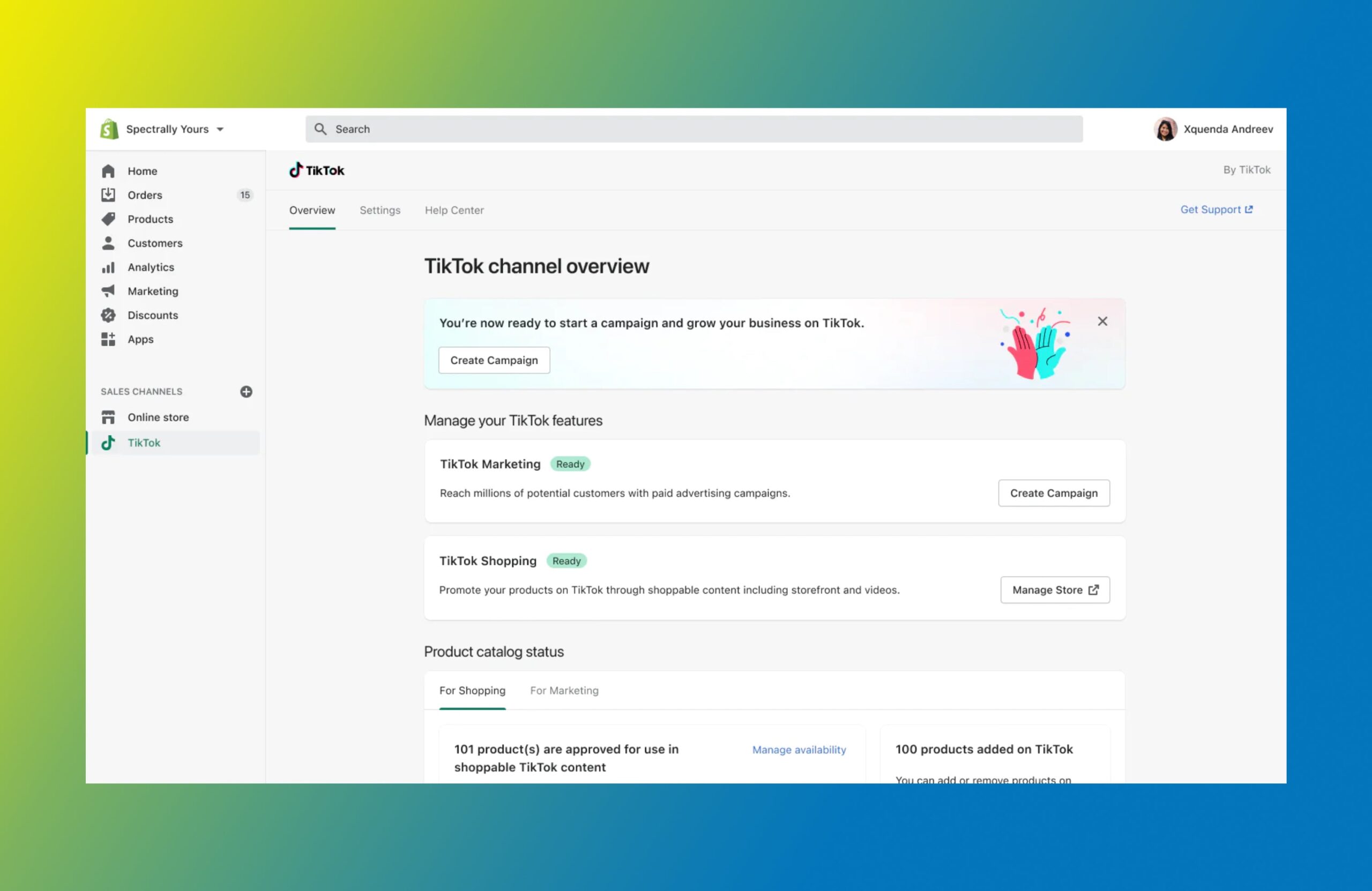
TikTok and Shopify integration app, admin pageFollow these steps for your Shopify store, if the TikTok integration is available in your region:
  1. Set up a Shopify store and create your website.
  2. Create a TikTok business account.
  3. Install the TikTok for Shopify app from the Shopify App Store.
  4. Connect TikTok to your Shopify store within the app.
  5. Start creating ad campaigns using product photos and videos.

Shopify merchants benefit from the TikTok integration for their businesses as they can manage inventory, sales, and advertising across platforms in one place.

5 ways users can shop your products in the TikTok app

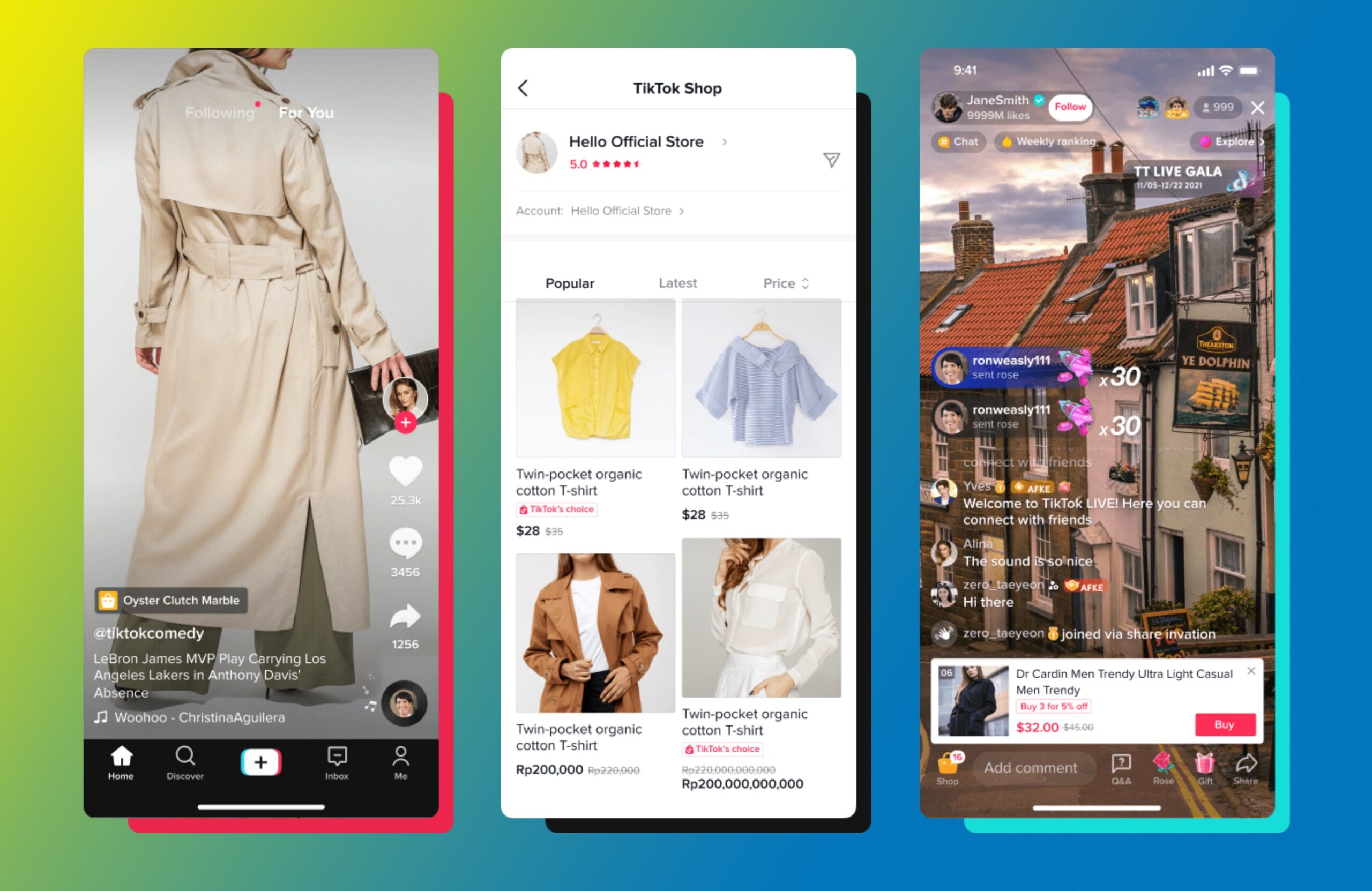
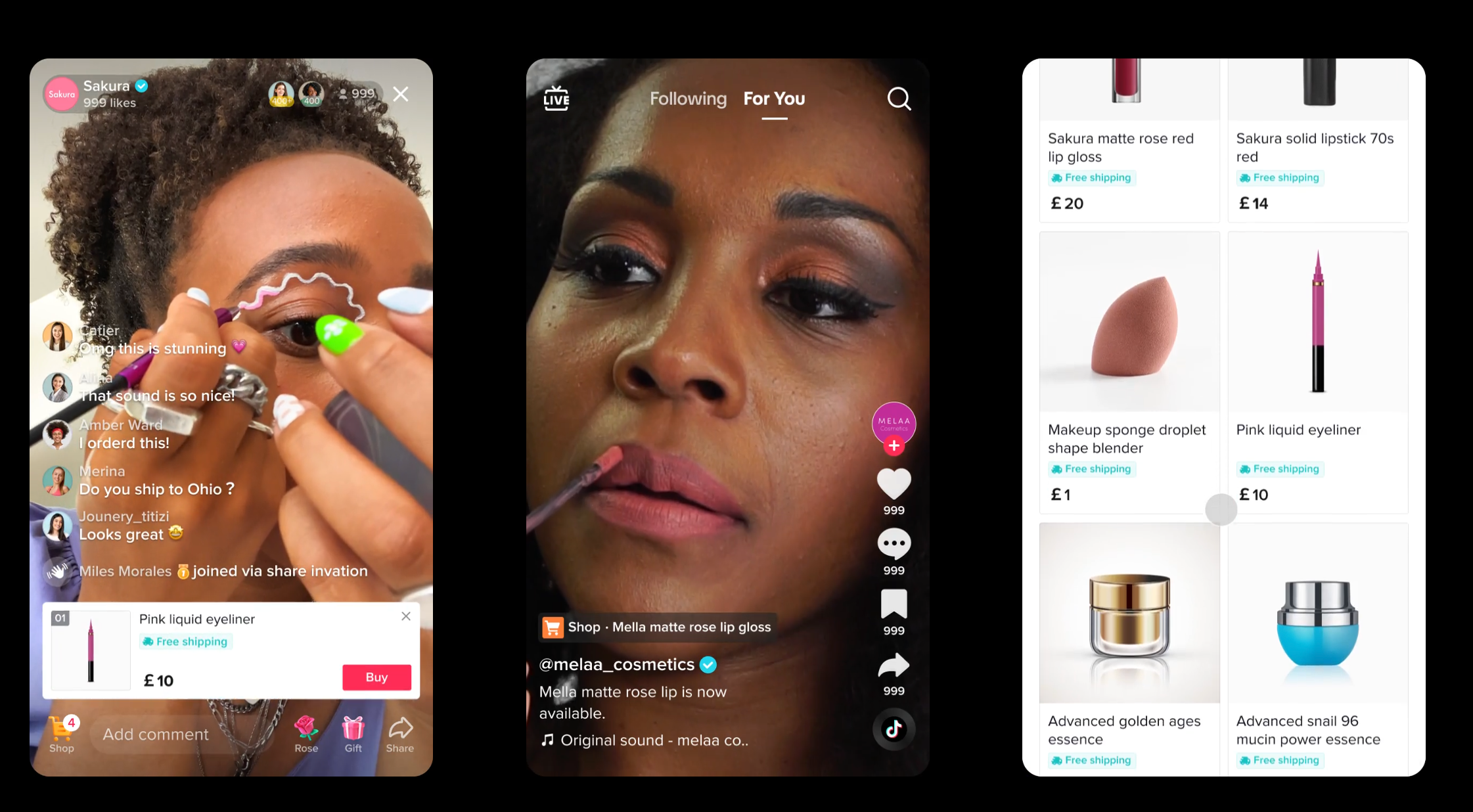
Three panels showing TikTok shop features
TikTok

TikTok shopping options are plentiful for users looking to buy products directly from their favorite businesses on the platform. 

1. Live shopping on TikTok

When your brand goes live, it’s a great opportunity to demo products and answer questions in real time, encouraging fans to purchase those products directly from the app. Items can be added to the user’s cart during the livestream and they can check out instantly or at the end of the broadcast.

2. Shoppable videos

Shoppable videos on TikTok are content with shoppable links that allow users to buy products without leaving the content.

Three panels showing shoppable videos on TikTok mobile

3. Product showcase

On your TikTok account, users can tap the shopping tab (or bag icon) to access a mini storefront where they can check out in a few taps. Some accounts may have a product showcase without a TikTok Shop. These are usually affiliate accounts that do not own the brand or products being sold. 

4. Shoppable ads (powered by Shopify)

Brands ineligible for TikTok Shop can still take advantage of TikTok shopping with the TikTok App for Shopify. By installing the TikTok Shopify app, you can sync your product catalog, build creative videos using products, and create TikTok ad campaigns. Tag products in your content to offer an easy way for users to shop your products.

Connect with shoppers on TikTok

Shopify comes with powerful tools to help you tell your brand story and create TikTok in-feed ads in minutes. Make sales on TikTok and manage all your orders, returns, and payments from Shopify.

Start selling on TikTok

5. Shop Tab

In 2023, TikTok announced its marketplace solution, the Shop Tab. By tapping the icon, TikTok users are taken to a one-stop shop to browse products from multiple creators across multiple categories. Note: this feature currently is available only in select markets.

TikTok shopping best practices

Once your business is set up with shopping features on TikTok, there are a few tips to make the most of selling on TikTok. 

Think like a creator, not a brand

Social platforms all have their own trends and content formats that work best for each audience. It’s a mistake to copy your strategy from other platforms over to TikTok without understanding the content that performs best. On TikTok, authenticity wins. 

Aim for creative content that uses trending TikTok sounds, shares a peek under the hood, jumps on current pop culture conversations, or offers real value to fans through education. Content like this that can incorporate products organically will always perform better than a direct sales pitch.

Partner with creators and influencers 

Influencer marketing is a huge industry, with brands clamoring to work with the hottest self-made internet personalities and influencers looking to monetize their success. This win-win partnership is a great option for brands of all sizes, even those with smaller budgets. In fact, TikTok’s own research found that 72% of survey respondents feel ordinary content creators are more interesting than celebrities. 

Marketing alongside influencers gives your brand and products authenticity, as TikTok users often turn to their favorite creators for trusted recommendations. 

🎵 Learn more: TikTok Marketing: Creating a Successful Strategy

Find influencers to drive sales with Shopify Collabs

Shopify Collabs makes it easy to partner with creators, promote your products, reach new customers, grow your sales, and track affiliate campaign performance all from Shopify admin.

Discover Shopify Collabs

Make the most of social commerce with TikTok Shop

Woman holds three tinted lip balms close to her faceSocial commerce is exploding, with sales projected to reach $79.6 billion in the US alone by 2025. Don’t sleep on this consumer trend—set up your TikTok account with shoppable features and start attracting buyers today.
TikTok shopping FAQ

What do I need to get started with TikTok Shop?

To get started with TikTok Shop, first determine if shopping features are eligible in your region. Then, sign up for a business account and apply through TikTok to get accepted for shopping features like TikTok shopping links in video content. Alternatively, you can connect your Shopify store to TikTok with the TikTok for Shopify app.

How can I promote my products with TikTok Shop?

After you set up your TikTok store, you’ll need to actively promote your products. Some ideas include:

  • Post creative videos that showcase your product and brand.
  • Engage with your followers by responding to comments, answering questions, and hosting AMAs.
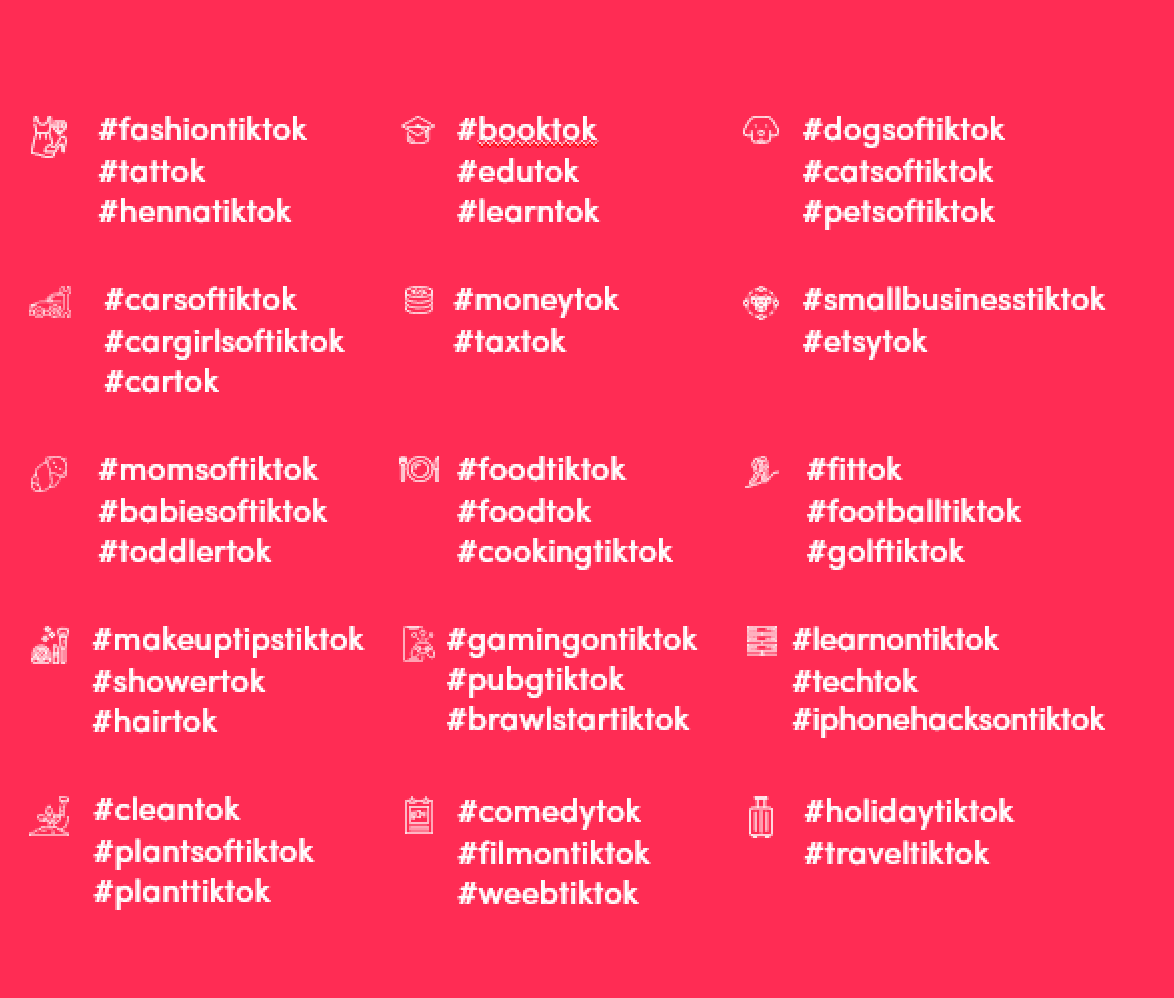
  • Use relevant hashtags to increase visibility.
  • Share user-generated content to demonstrate your product in use.
  • Feature influencers and popular TikTok creators in your videos.
  • Use TikTok ads and run sponsored campaigns.
  • Link to your product page in your bio or in the comments of your videos.

What are the best products to sell on TikTok?

The best products to sell are those that users are looking for and those that are a fit for your brand. If you’re a creator looking to sell products, consider making merch for TikTok. Some popular product types on the platform include:

  • Clothing and accessories
  • Beauty and skin care
  • Phone cases and tech accessories
  • Home décor
  • Health and wellness products
  • Food and beverage
  • Art and craft supplies
  • Toys and games
  • Books and stationery

Is TikTok Shop worth it?

It’s worth it to set up a shop on TikTok because it gives your followers an easy way to buy your products on the platform they already use. It removes friction for TikTok users, allowing them to access your products in fewer steps. TikTok Shop creates opportunities for you to promote products naturally, directly inside content and on your page.

How is TikTok different from other social media apps?

Like other social media apps, TikTok is a place to share, discover, engage, and shop. TikTok is unique because it has a young audience, with Gen Z being the largest demographic on the platform. It’s also one of the biggest drivers of trends in fashion, beauty, food, and pop culture.

How To Sell on Etsy in 6 Easy Steps (2024)

Software Stack Editor · May 27, 2024 ·

Etsy is one of the biggest online marketplaces in the world. With more than five million sellers serving nearly 90 million active buyers, it has the potential to turn a side hustle into a full-time business.

It’s a place where small business owners can meet their ideal customers. Millions of people search the marketplace with a credit card in hand, ready to buy crafts, handmade jewelry, and art.

Wondering how to start an Etsy shop? Here’s a step-by-step guide to set up on Etsy and begin selling.

How to sell on Etsy in 6 steps

  1. Create an Etsy account
  2. Open your Etsy storefront
  3. Upload products
  4. Choose how you’ll get paid
  5. Set up billing
  6. Customize your Etsy storefront

1. Create an Etsy account 

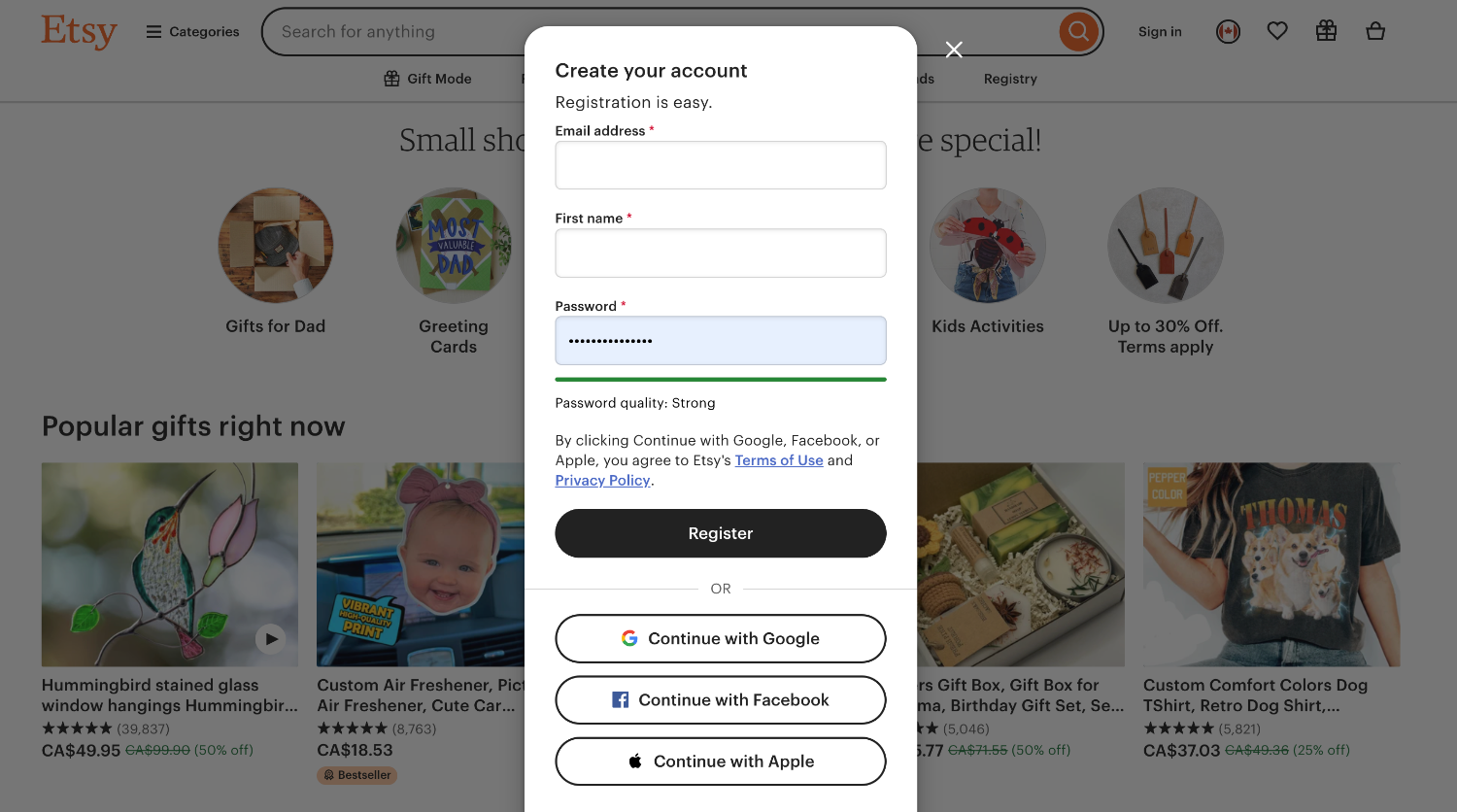
You can create a free account on Etsy to see how it all works. Visit Etsy.com and click Get Started. 

Etsy user interface showing sign up flow

Enter some basic personal information—like your first name and email address—to create an account.

2. Open your Etsy storefront

Once you create an account, use it to open your Etsy shop. Begin by entering your shop preferences, including the language you’ll use to describe your products, the country you’re selling from, and the currency you’ll charge customers in.

Next, enter your shop name. This can be a combination of letters and numbers, without spaces.

Unsure what to call your shop idea? Get some inspiration with a business name generator. Choose one that suits the products you’re selling and isn’t already in use by another Etsy store owner.

3. Upload products

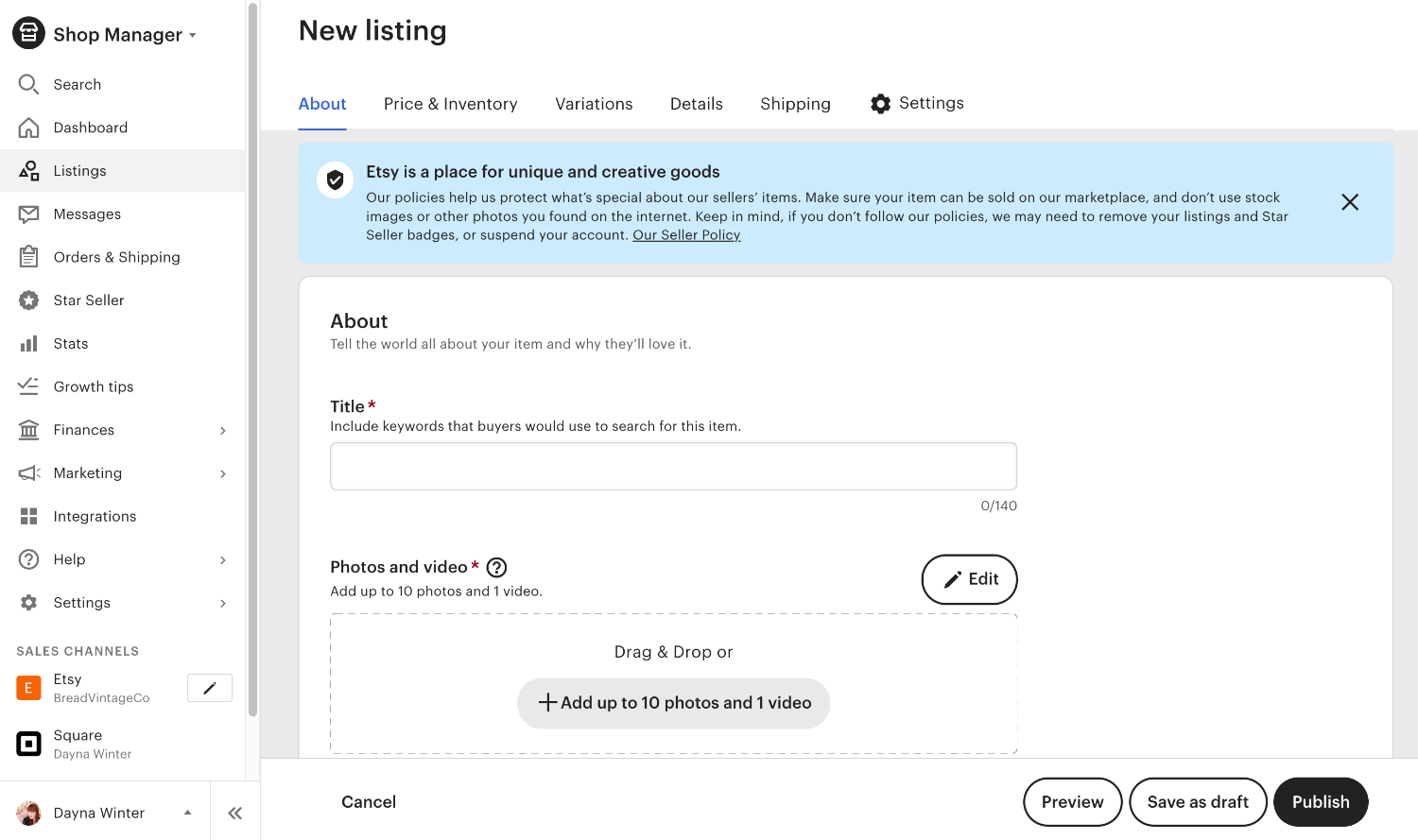
As soon as your new Etsy shop has a store, you’ll be able to start selling items. Create a new listing for each product you’re selling through the marketplace—be it vintage items, handmade goods, or arts and crafts supplies.

The most important factor of each Etsy listing is the images. When shopping online, people buy with their eyes. They can’t touch, smell, or see the item in person, so their decision to buy your Etsy product rides on excellent product photography.

You can add up to 10 high-quality images or one video per listing. Each must be eye-catching enough to stand out against items being sold by other sellers on the marketplace.

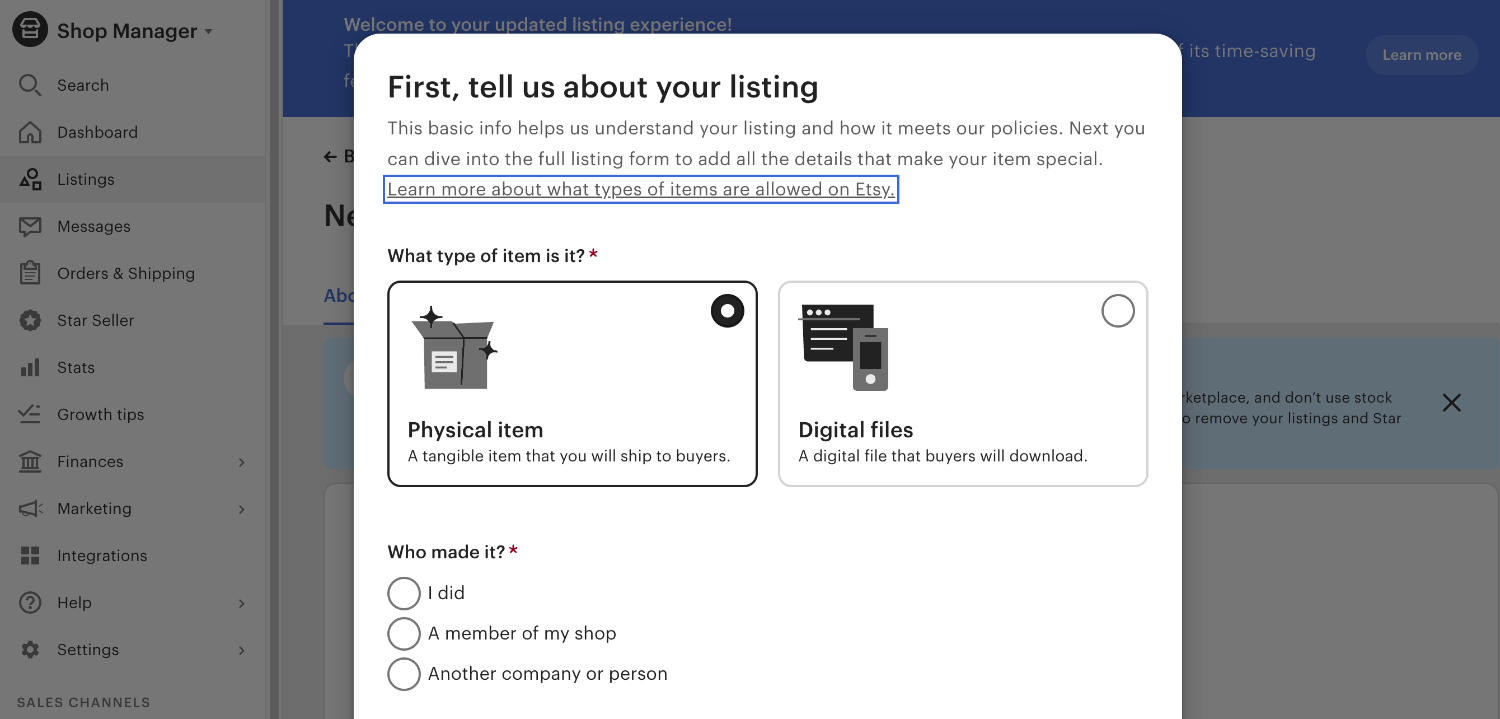
Etsy user interface showing listing creation flow

Scroll down and you’ll see an option to add more information about the product you’re listing. 

This includes:

  • A product title
  • Information about the listing, including who made it and when
  • The product category
  • The listing type (more on this later)
  • Whether it’s a physical or digital product
  • A product description containing your unique selling point (USPs)

Think about search engine optimization (SEO) best practices when optimizing an Etsy listing. Remember: The marketplace is built on a search engine that connects buyers and sellers. Make sure you meet potential customers on the results page by including keywords in your Etsy listing.

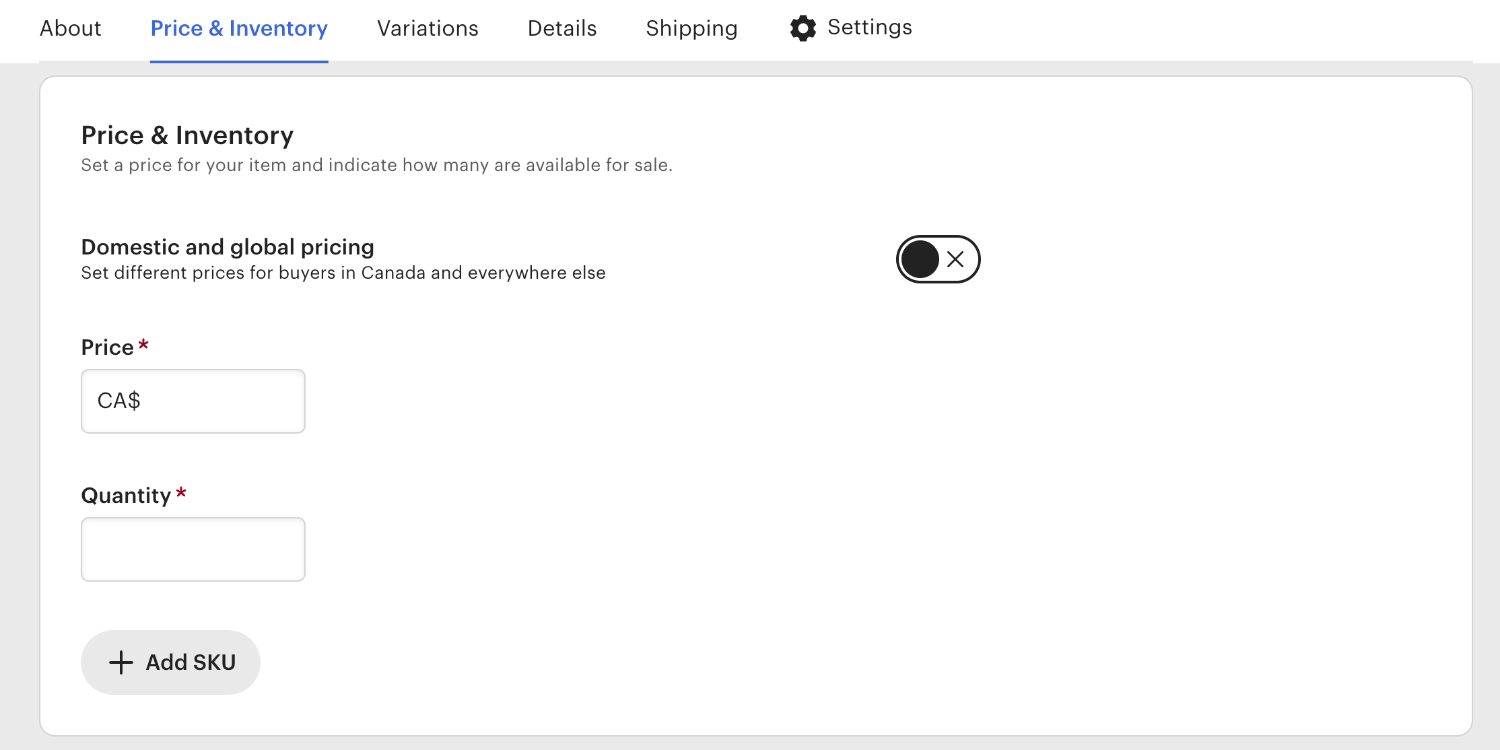
Set the pricing for your product under the Inventory and Pricing section. Enter the amount someone will pay for the item, how many items you have available, and the SKU (if you use them). You can also add variations, such as different sizes or colors.

Etsy listing creation pricing section

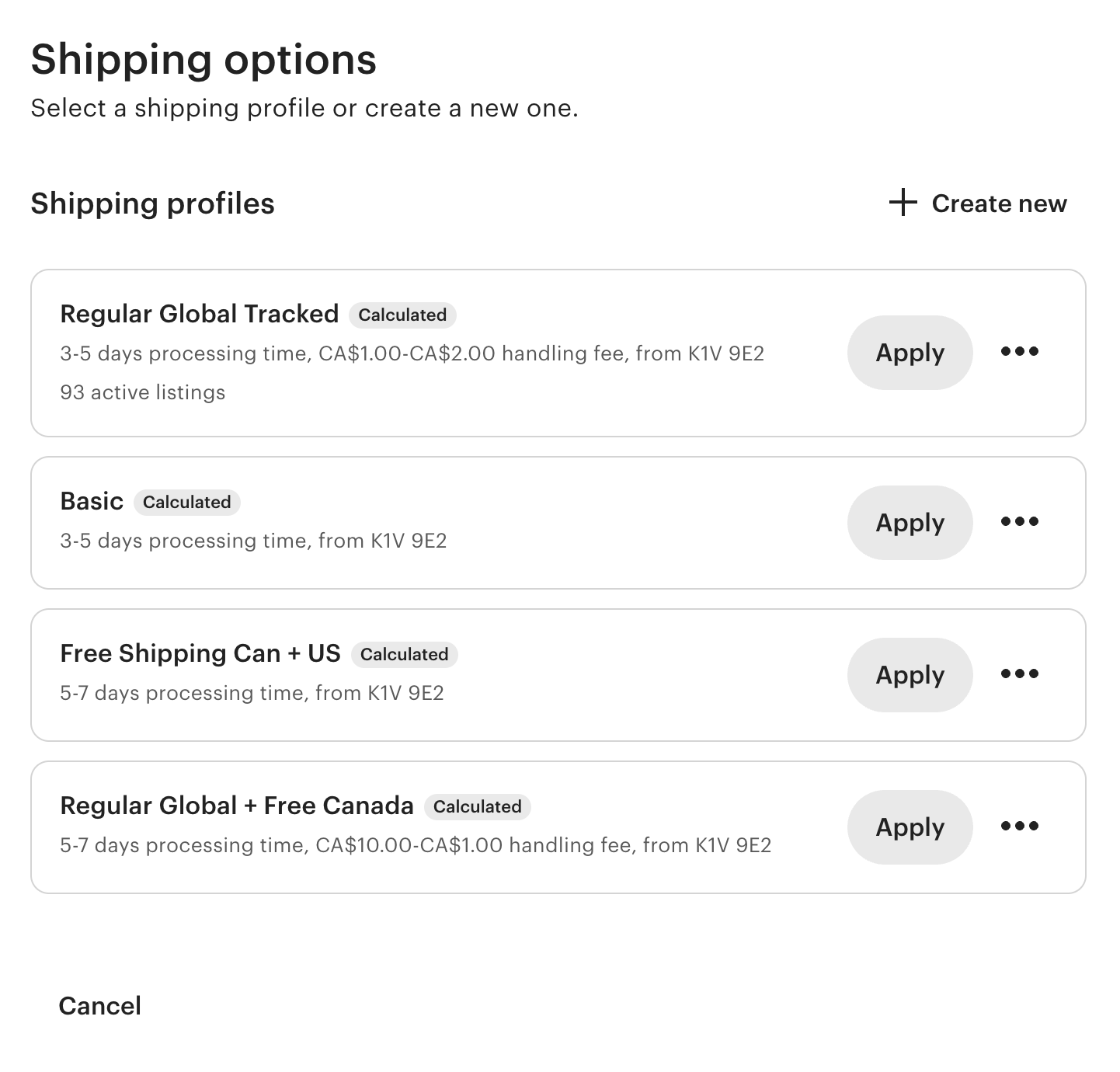
Finally, add the shipping information customers will need to know when buying your product through your Etsy store. Specify where you’re shipping the product from and your average processing time—how long it takes for you to pick, pack, and ship the item once they place an order. 

Choose whether you want to offer fixed postage prices or delivery upgrades. If you’re shipping items to international customers, add a tariff number for customs.

You can set up a number of shipping profiles that you can apply to future listings.

Etsy listing creation shipping section

As a new seller, it’s advised to upload at least 10 listings when you’re opening your Etsy store. Make sure to preview all listings before publishing. You don’t want customers to see mistakes  when they’re viewing your products for the first time.

4. Choose how you’ll get paid

Happy with your inventory? On the next page, you’ll be asked to choose how you want to get paid. 

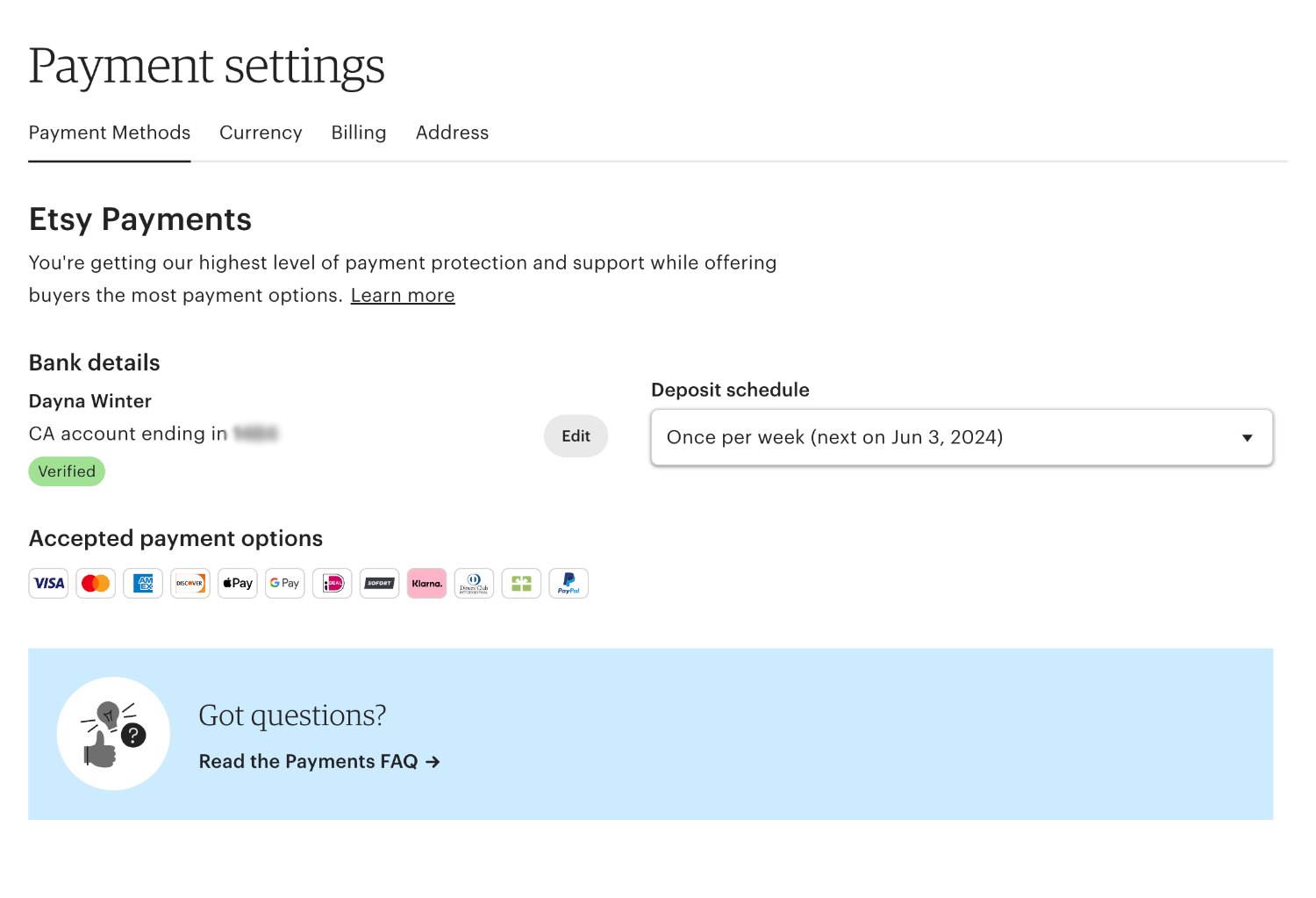
Select whether you’re an individual seller or an incorporated business. Then, enter your personal information, including your name and address. Finally, enter the details of the bank account you want your Etsy revenue paid into.

5. Set up billing

While it’s free to set up an account and buy, it costs money to sell on Etsy. After entering information about how you’d like to receive payments, you’ll be asked to choose a payment method. This is how you’ll pay to publish your listings and open your storefront. 

Etsy payment settings page

6. Customize your Etsy storefront

The final step in opening an Etsy shop is to customize your new storefront—the information potential customers will see when visiting your store profile. To do this:

  • Upload a profile and banner photo. Put yourself, your products, or your business’s logo at the front and center of your Etsy store.
  • Create a user profile. Introduce yourself as the shop manager and put a face to the products you’re selling through the marketplace. Give potential customers confidence a human is on the other side of the screen.
  • Tell people about your new store. What do you sell? Why? How did your store come to life? Give first-time visitors to your new Etsy storefront a bit of background about you and why they should buy your products. 
  • Upload your shop policies. Delivery, payment options, privacy, exchange and return policies are essential. Make the terms of buying from your store clear to avoid any confusion with customers.

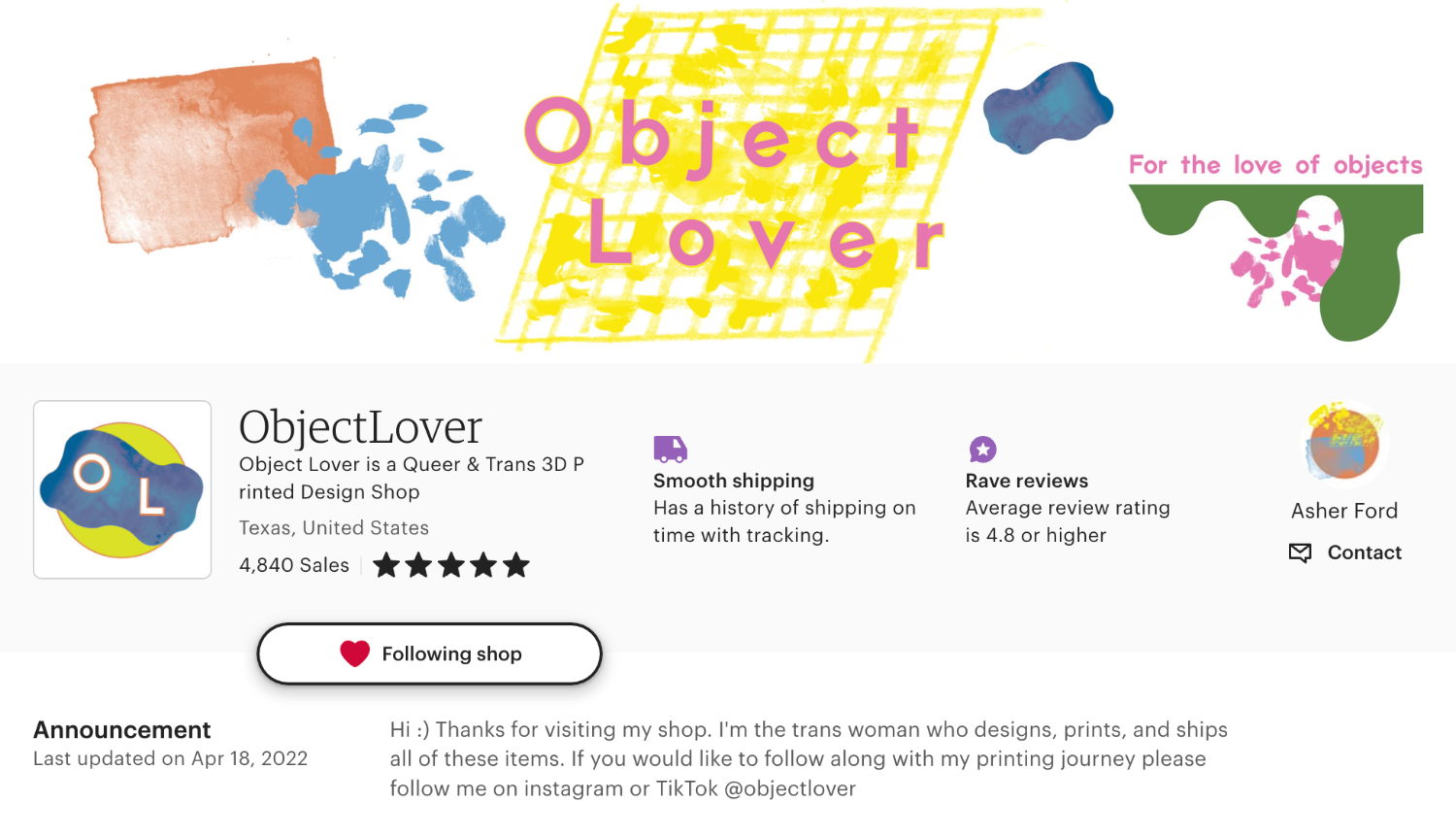
ObjectLover’s Etsy storefront has a custom profile photo, banner, and featured items banner.

Etsy business example showing branded shop page

How much does it cost to sell on Etsy?

There are no upfront costs for selling on Etsy, making it easy to get set up and started. The costs come as soon as you start listing items to sell. Here are the key Etsy selling fees

Listing fees

Listing fees are the most common Etsy seller fees. Sellers are charged 20¢ for every new listing they upload to their store—regardless of whether the listing results in a sale or not.

By default, listings are shown on Etsy’s marketplace for four months (or until the item has been sold). If auto-renew is selected, you’ll be billed the same 20¢ once the four months are up.

Transaction fees

Sold an item through Etsy? You’ll pay a 6.5% transaction fee to the marketplace for facilitating the sale. That’s in conjunction with the postage, shipping, and gift wrap pricing of each listing.

Sellers in the UK, France, Italy, Spain, and Turkey also need to pay a regulatory operating fee on each listing. It’s charged on total revenue—the product price and any shipping fees you’ve charged the customer.

The transaction fees for each country are:

  • United Kingdom: 0.25%
  • France: 0.4%
  • Italy: 0.25%
  • Spain: 0.4%
  • Turkey: 1.1%

Payment processing fees

You’ll have entered your bank information when you set up your Etsy store, which can be used to receive payment. 

Store owners can also use Etsy Payments, where buyers can choose from payment options like PayPal, Apple Pay, Google Pay, and Klarna. Enabling Etsy Payments means being subject to payment processing fees.

Sellers in certain countries—including Mexico, the Philippines, and South Africa—will need to meet minimum payment thresholds before their Etsy revenue is transferred to their bank.

Currency conversion fees

Etsy does all business in US dollars. While you can sell items in other currencies, all of the charges related to selling on Etsy will be billed in USD. The marketplace will convert your funds to your bank account’s currency before the transfer, but note this currency conversion won’t always be the market value.

Etsy may also take a 2.5% currency conversion fee when you’re doing business using a currency other than USD.

Offsite Ads fees

While you can have an optimized product listing that reaches potential customers in the Etsy search engine, the marketplace also offers advertising.

Sellers can opt into Offsite Ads, where their products are shown across Etsy’s own marketing and advertising channels. Business owners can have their products appear in Etsy’s Facebook, Google, and display ads—without having an advertising account on those platforms.

Etsy sellers are billed when their product sells through an Offsite Ad. If your storefront made less than $10,000 through the marketplace within the last year, 15% of the order total will be taken as payment for the Offsite Ad program. Pass the $10,000 threshold and your Offsite Ads fee is reduced to 12%. Your Offsite Ad fees will never exceed $100 per item.

Etsy shipping costs

Sellers in locations that accept Etsy Payments or PayPal can purchase shipping labels through the marketplace, which is deducted from their account. Rates vary depending on the carrier, origin, destination, and size of each package. Additional fees apply for signature confirmation and insurance.

Etsy Plus

Etsy sellers have the choice to opt into Etsy Plus. The $10 per month subscription package has added features for sellers.

Etsy Plus sellers are granted 15 listing credits and a $5 credit in Etsy ads. 

They also get:

  • Customizable shop options
  • Discounts on custom domain names
  • The ability to email shoppers when an item is back in stock

Etsy selling tips to boost your shop’s success

Here are some Etsy selling strategies you can use to help grow your business.  

[embedded content]

Build a strong brand 

Having a strong visual brand will help you stand out in Etsy search results and make it memorable. First impressions are important, but you don’t need to go all out with an expensive, professional design. A simple logo and brand colors are enough. You can use Shopify’s free logo maker and a template tool like Canva for any visual assets you need to go with your branding. 

Etsy business example showing branded shop page

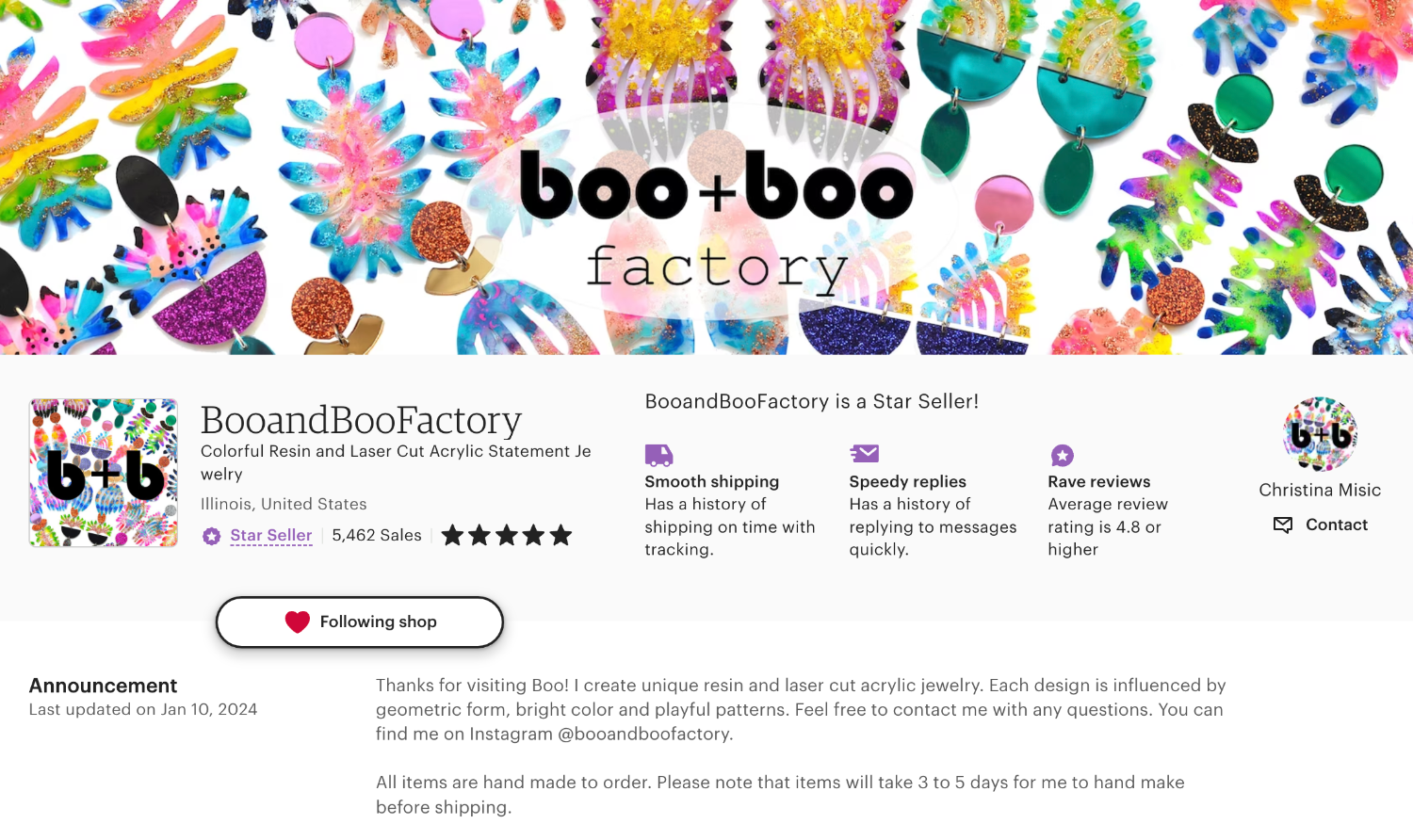
BooandBooFactory uses consistent branding in its profile image and banner, along with a colorful motif of earrings that immediately tells visitors what they’re about.

Optimize your shop

Etsy’s algorithm ties together popular search terms and the products it shows in the search results. 

Using relevant keywords in your product titles and descriptions will help Etsy understand what your products are and when it should show them in the search results. The higher you rank in search results, the more likely shoppers are to see your products and consider purchasing them. 

Here are some ways you can make sure your Etsy SEO is up to scratch: 

  • Use relevant tags and keywords in your product listings.
  • Choose the right attributes when listing a product.
  • Collect and display reviews on your product pages.
  • Keep your storefront updated by regularly adding fresh content.
  • Add as much information as possible to your About Me page. 

The more information you provide about your brand and the more relevant keywords you use, the easier it is for Etsy to understand what you’re selling and make sure the right customers see your products. 

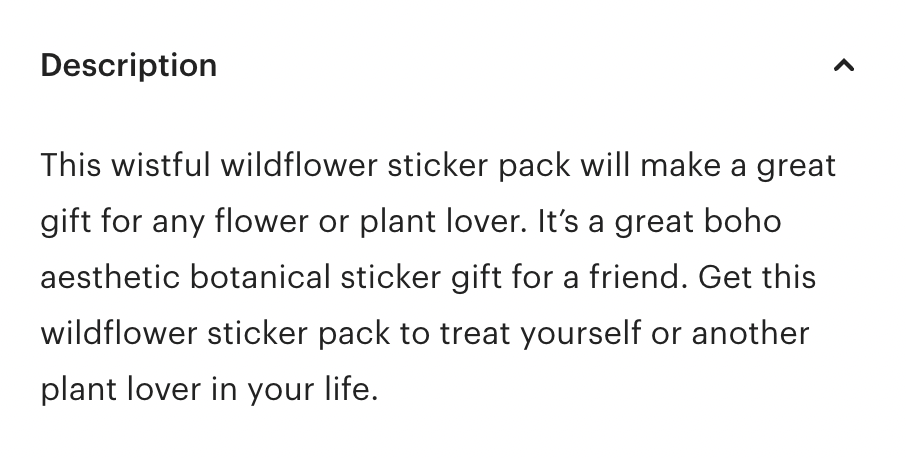
The product description for Love and Olive’s Wistful Wildflower Sticker Pack including keywords.
Love and Olive uses keywords in its product titles and descriptions.

Sticker brand Love and Olive optimizes its product descriptions for Etsy search to ensure its products can easily be found by their customers. For example, their Wistful Wildflower Sticker Pack incorporates key search terms shoppers might use, like “sticker pack” and “botanical sticker gift.”

Promote your shop

The math is simple: More eyeballs on your products equals more sales opportunities. There are plenty of ways you can spread the word about your store.

Here are some ideas to get started: 

  • Share on social media: Use social media platforms like TikTok, Instagram, and Facebook to showcase your products and engage with potential customers.
  • Collaborate with influencers: Partner with bloggers and creators in your niche to reach a wider audience and promote your products.
  • Use Etsy’s marketing tools: Sign up for Promoted Listings or Etsy Ads to get more views on your products. 

Pet accessories brand Bruno Society works with pet-fluencers to reach new audiences and promote their brand.

Offer competitive pricing 

Pricing your products on Etsy can be difficult. Most items are handmade, with a ton of time and effort invested into each piece. To generate sales your prices have to reflect the value of the product and the going market rate.

If a competitor is selling the same thing for half the price, shoppers will wonder why they should pay more for yours. 

Competitive pricing isn’t about making sure you always have the lowest price. That can hurt your bottom line, especially if the cost of creating your products is high. You want to make a healthy profit, after all. 

Follow these tips to competitively price your products: 

  • Research competitors: Look at what other brands are charging for similar products. Look beyond the price to see what other value they’re offering. Is there free shipping? Are they running a discount? 
  • Round down a cent: If most brands are selling the same product for $30, you can stand out by selling for $29.99. This is a popular pricing model that gives the illusion of a cheaper purchase, even if it’s only by one cent. 
  • Add value elsewhere: If you can’t justify going as low as your competitors, consider adding value in other ways. This might be through free shipping, custom packaging, a freebie with every purchase, or a discount code for return shoppers. 
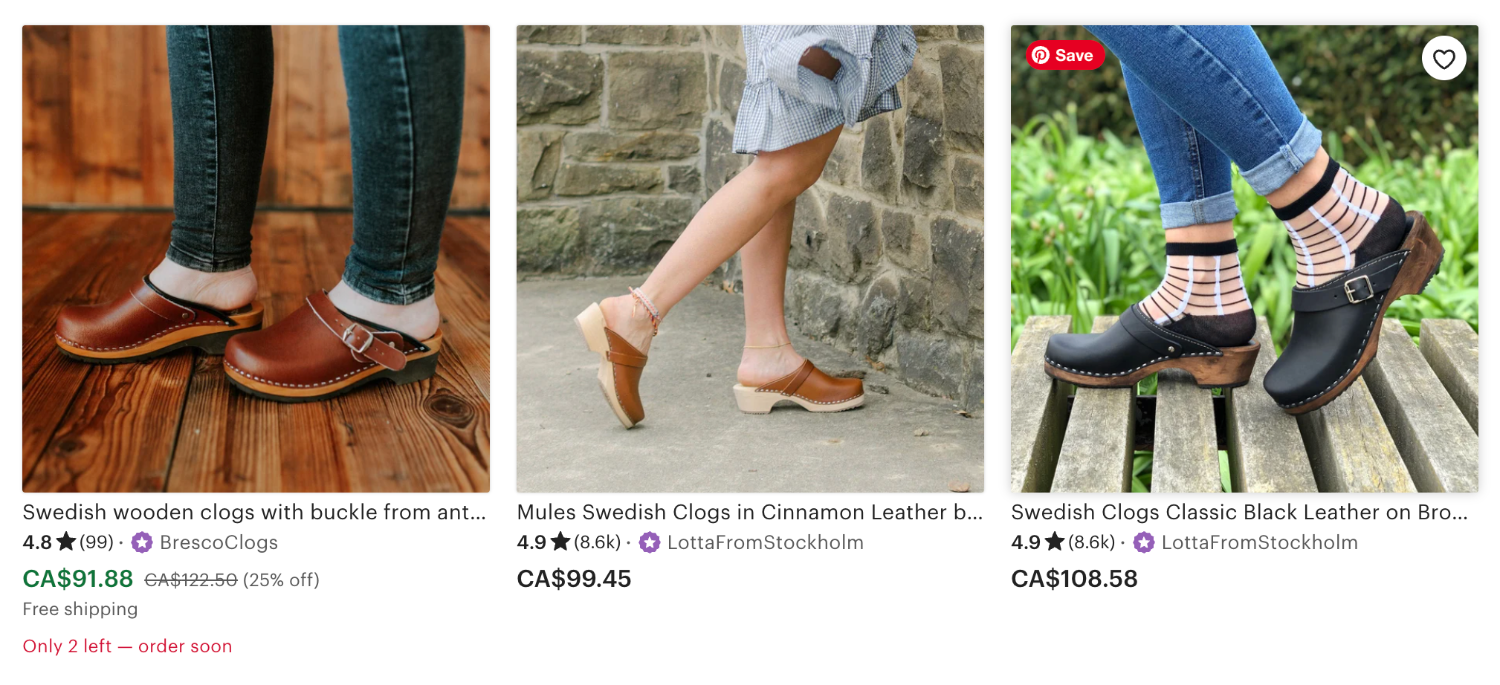
Etsy search results example

The search results for “wooden clogs” include hundred of results. You can stand out, like the example on the left, by running a sale, offering free shipping, and including limited stock quantity information.

Encourage reviews and feedback 

Etsy reviews help your listings stand out by providing social proof and extra keywords. The more reviews you have the more confident new customers will be when purchasing your products.

Encourage customers to share reviews, feedback, and even photos of their products (which Etsy shows on the product page). You can ask via email after a customer has made a purchase and incentivise them by offering a discount code for their next purchase. 

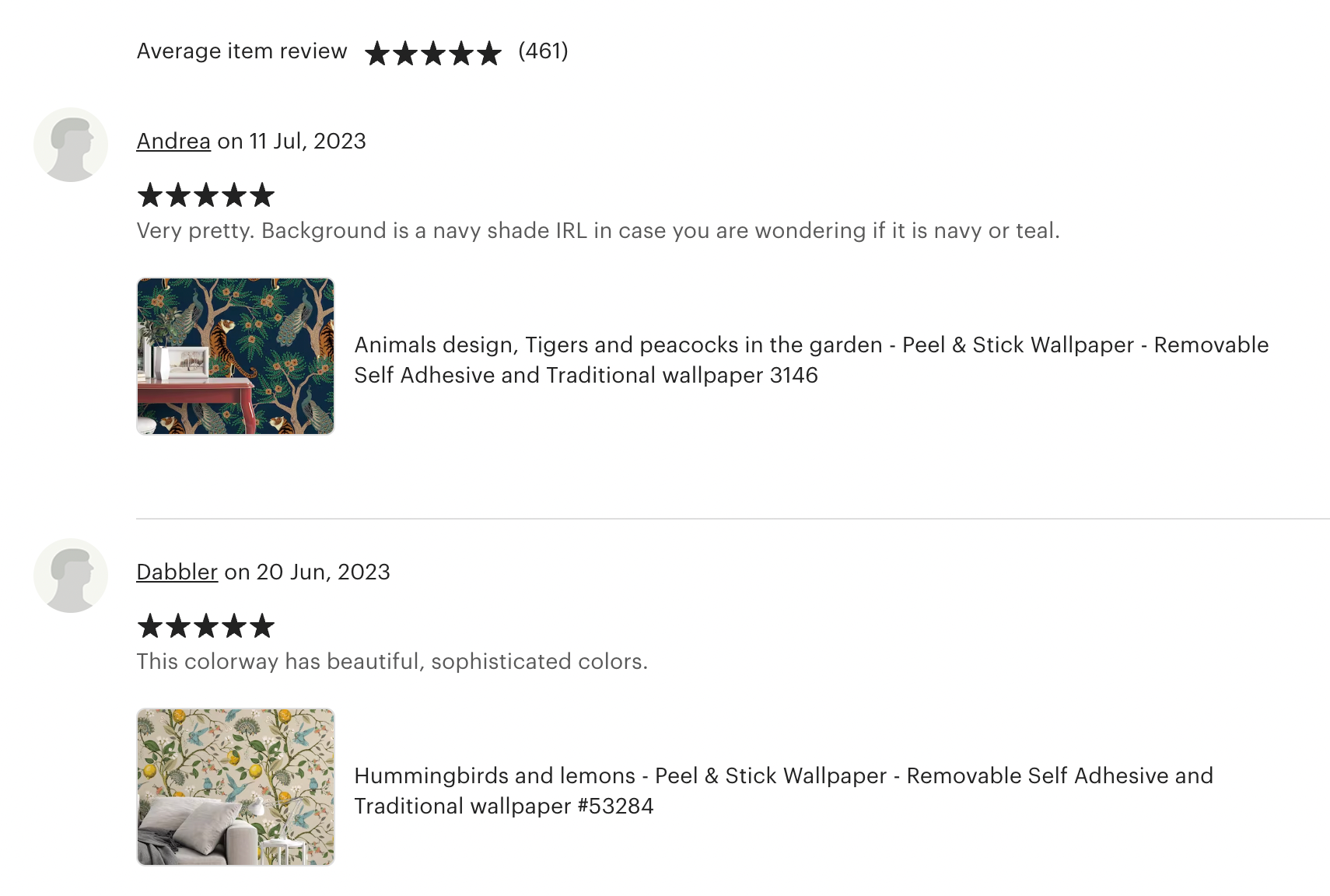
Screenshot of the reviews on Los Angeles Wallpaper’s Etsy page.
Los Angeles Wallpaper has hundreds of customer reviews.

Los Angeles Wallpaper has seen the value of strong reviews. The home décor brand has almost 500 reviews from happy customers. The majority of feedback includes a product photo, which increases social proof and trust from shoppers.

Provide excellent customer service 

Customers are more likely to come back if they have an excellent experience. They might also recommend you to their friends, family, and followers. Etsy’s personal vibe allows for unique selling experiences. 

Here are some ways to provide great customer service:

  • Respond to questions and feedback quickly 
  • Use custom packaging 
  • Add a handwritten thank you note to all orders
  • Extend your return period to give shoppers peace of mind 
  • Give existing customers a discount code for their next purchase
  • Reply to Etsy reviews and thank customers for sharing their experiences
  • Be proactive when communicating delivery delays 

Connect your Shopify and Etsy stores

If you’re trying to decide between selling on Etsy or selling on Shopify, why not try both? By selling on multiple channels, you can reach more potential customers. Plus, with an integration tool, you can sync your sales and inventory when selling on both Shopify and Etsy. 

Start selling on Etsy 

Like Shopify, Etsy is an option for selling your handmade goods. Whether you make intricate necklaces, crocheted animals, or upcycled furniture, you’ll find an audience. It’s free to get set up. Create an account and open your store. Then, list your products for sale. 

Most importantly, create an enjoyable experience for customers so they’ll buy from you again. 

How to sell on Etsy FAQ

How much does it cost to use Etsy to sell?

It costs nothing to open an Etsy storefront, 20¢ to list a product until it sells or for four months, and 6.5% as a transaction fee. International sales are subject to additional fees and currency conversion fees. Payment processing fees vary. 

What can you sell on Etsy?

You can sell a wide range of products on Etsy including:

  • Handmade products
  • Vintage items
  • Crafts and craft supplies
  • Digital products

What is the Etsy transaction fee?

The Etsy transaction fee is 6.5% of the total transaction value. This applies to every sale made on the marketplace.

Is selling on Etsy worth it?

Etsy can be a worthwhile platform for selling handmade or vintage goods, as well as certain types of craft supplies. Sellers can reach an audience of potential customers, manage sales and communicate with buyers. It can be competitive, has fees for listing items, and takes a commission on sales. The success of selling on Etsy depends on various factors, such as the quality of the products, pricing strategy, and marketing efforts.

Can you make money selling on Etsy?

It is possible to make money selling on Etsy if you have a unique and quality product, effective marketing strategies, and good customer service. Etsy provides a platform to reach potential buyers, and sellers can set their own prices and control their profit margins. Competition on Etsy can be high, and success may require time and effort to stand out.

Do you need a business license to sell on Etsy?

No, you do not need a business license to sell on Etsy.

How to Dropship on Shopify (2024)

Software Stack Editor · May 26, 2024 ·

Launching a dropshipping store on Shopify is straightforward for new and established businesses. Shopify tools and apps handle inventory management, freeing you to focus on sales and growing your brand.

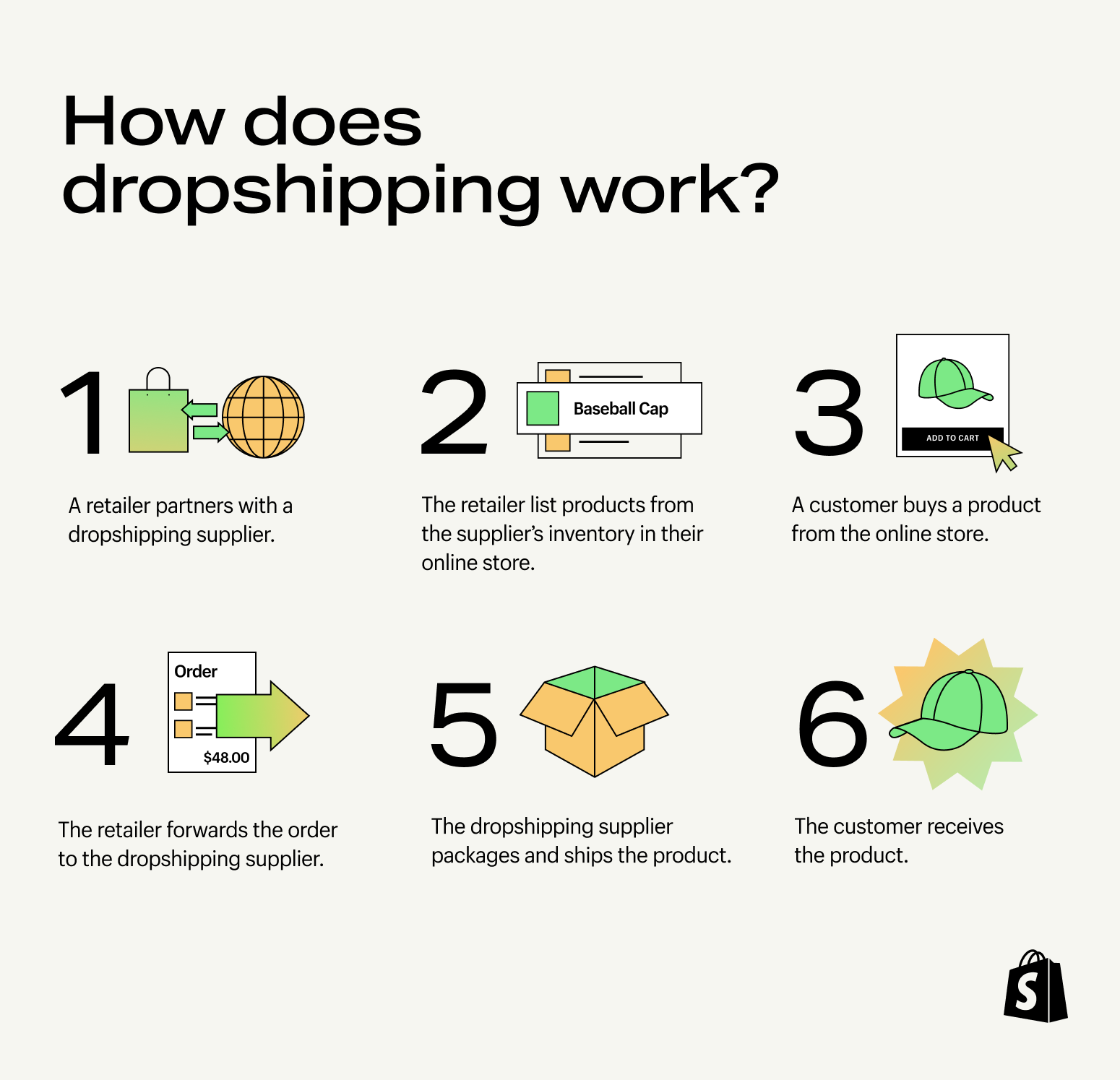
Use one of three methods to start dropshipping on Shopify:

  1. Connect your store to an automated dropshipping app.
  2. Partner directly with a supplier and manage your products using Shopify.
  3. Add items to your existing product line with Shopify Collective.

As you dive into your chosen method, you’ll encounter challenges unique to your business. Remember, how you overcome these obstacles will define your dropshipping journey and shape your success.

[embedded content]

1. How to use dropshipping apps on Shopify

Dropshipping apps designed for Shopify make it simple to start a dropshipping business. These apps connect your Shopify store with a network of suppliers to streamline order management.

Use a dropshipping app to find products, import product details into your store, and send order information to the supplier for packing and shipping.

Most apps include features for monitoring delivery progress to help your provide better customer support.

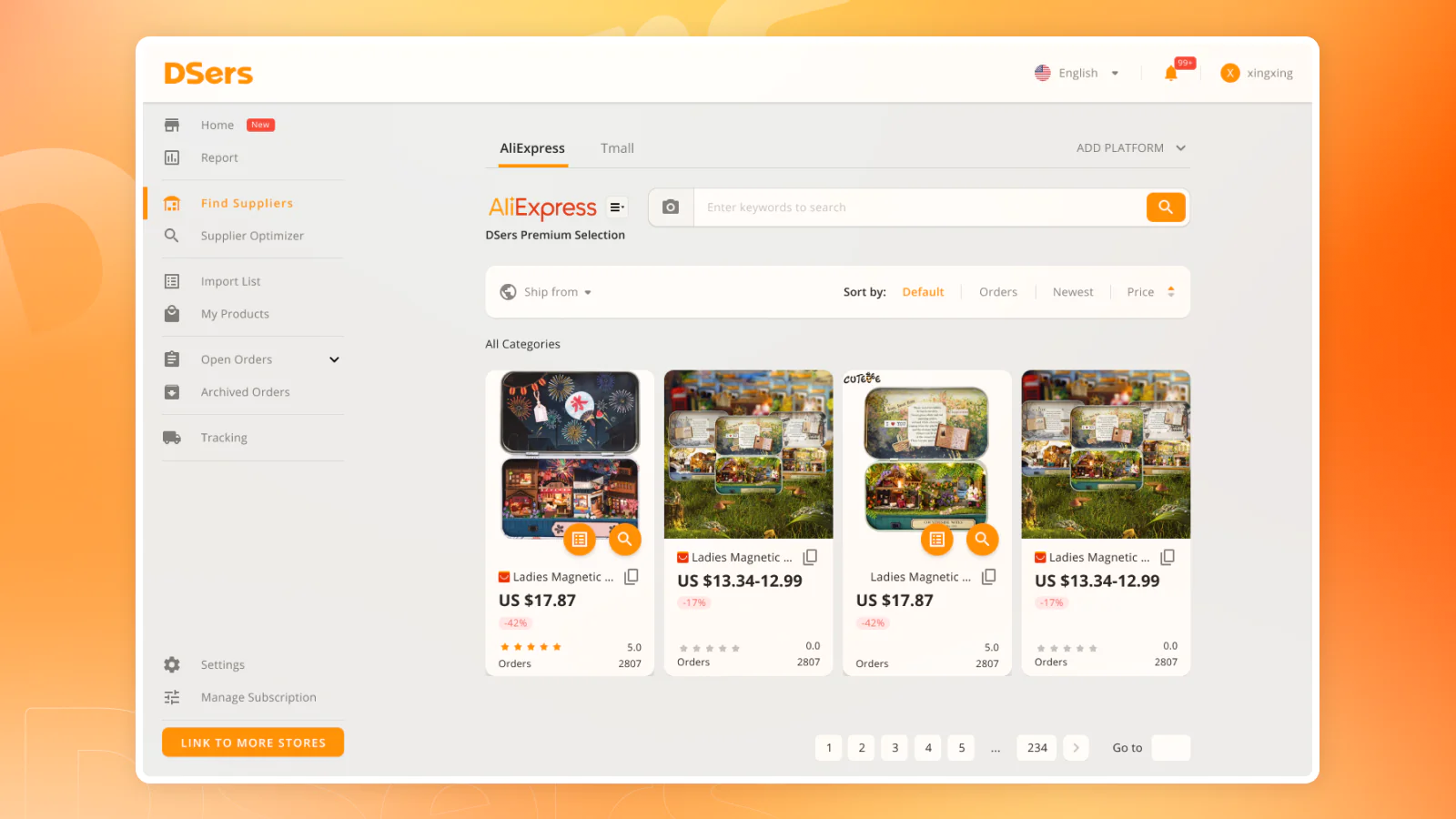
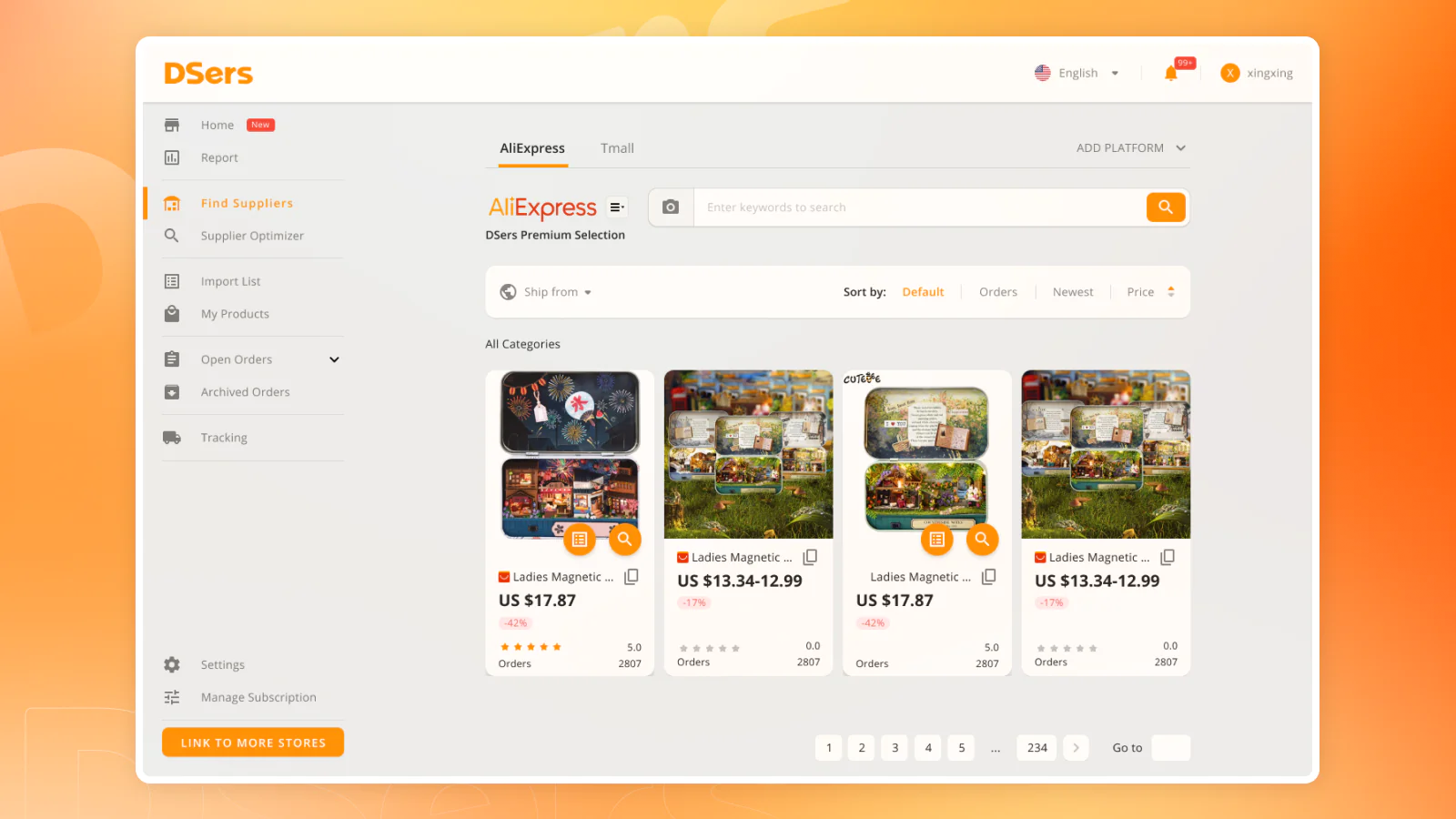
An admin panel shows a selection of fridge magnets available to dropship from AliExpress.
DSers is a popular dropshipping app.

Key points about dropshipping apps

  • Download and connect a dropshipping app to start selling quickly.
  • Automatically import products to your store and send orders to the supplier.
  • Choose from a variety of dropshipping apps.
  • Partner with multiple suppliers to sell a range of products.

Essentially, dropshipping apps make a wide selection of products accessible to sellers who don’t have existing relationships with suppliers.

This accessibility brings benefits and challenges, such as competition from other dropshippers selling the same products.

Many dropshipping apps connect stores to overseas supplier networks such as AliExpress. For sellers, this increases product selection and lowers prices, but also leads to longer shipping times that may impact the customer experience.

How to dropship using an app

Follow these steps to start dropshipping with an app and your Shopify store.

1. Create a store

Start a free trial and create your Shopify store. Follow the onboarding process to set up essential features like a homepage, product pages, and menu navigation.

If you don’t already own a domain address, register a domain that fits your niche and matches your store’s name.

2. Customize your store

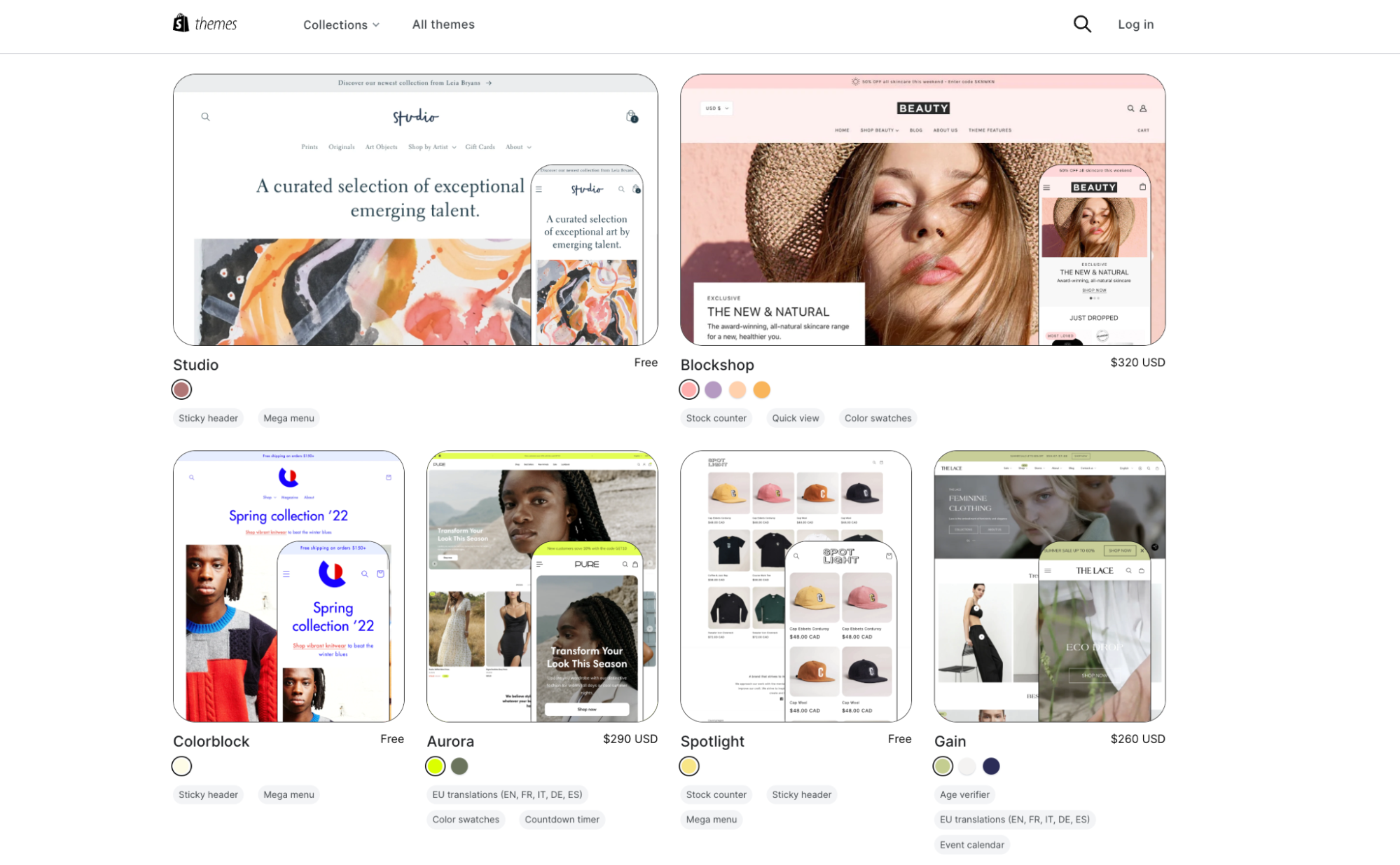
Shopify’s professionally designed themes give you a headstart with store design—many popular themes are free. Select a theme that matches your desired layout.

Brand your website with a color scheme, create a logo, set up your checkout, and populate your pages with basic copy and images.

At this stage, don’t invest too much time in your store’s appearance. When your dropshipping business is up and running, draw inspiration from other stores and learn how to get the most from the website builder.

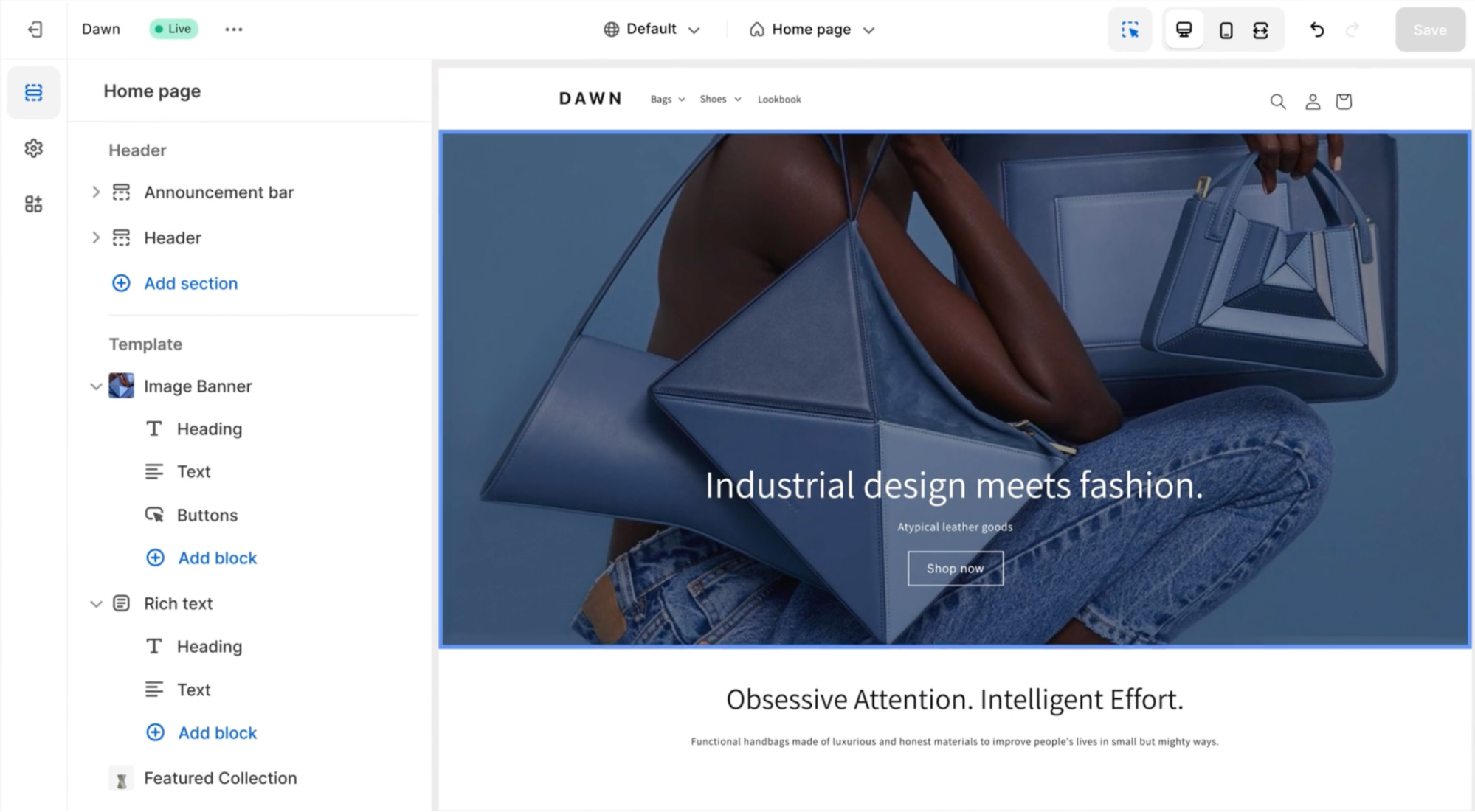
Shopify online store builder admin shows a large header image with a person modeling handbags.
Try the Dawn Theme, a popular free theme for Shopify stores.

3. Download and connect a dropshipping app

Choose a dropshipping app that links your store with suppliers stocking the products you want to sell. To pick an app, consider factors like supplier location, product range, and feedback from other dropshippers.

Your supplier will handle inventory, order processing, and delivery to customers—making your choice of app important. Do thorough research and consider testing a few product samples for quality assurance before making a final decision.

Once you’ve selected an app, download it and connect to your store. 

4. Optimize product pages

As you import products from your dropshipping app, your store will autofill with product details and images.

Don’t rely on the default descriptions and images provided by your supplier. Edit product information in the dashboard to engage shoppers with original content that helps them decide to make a purchase.

Shopify’s built-in AI tools can enhance your product pages. Improve product descriptions with search-engine-friendly content suited to your target audience, and transform product photos through AI-enhanced image editing.

Click the star icon whenever it appears in the store builder to use AI powered by Shopify Magic.

When refining product pages, don’t forget to price your products competitively while ensuring a profit margin for each sale.

Recommended dropshipping apps

Try these apps to dropship products from AliExpress and other supplier networks:

DSers

image
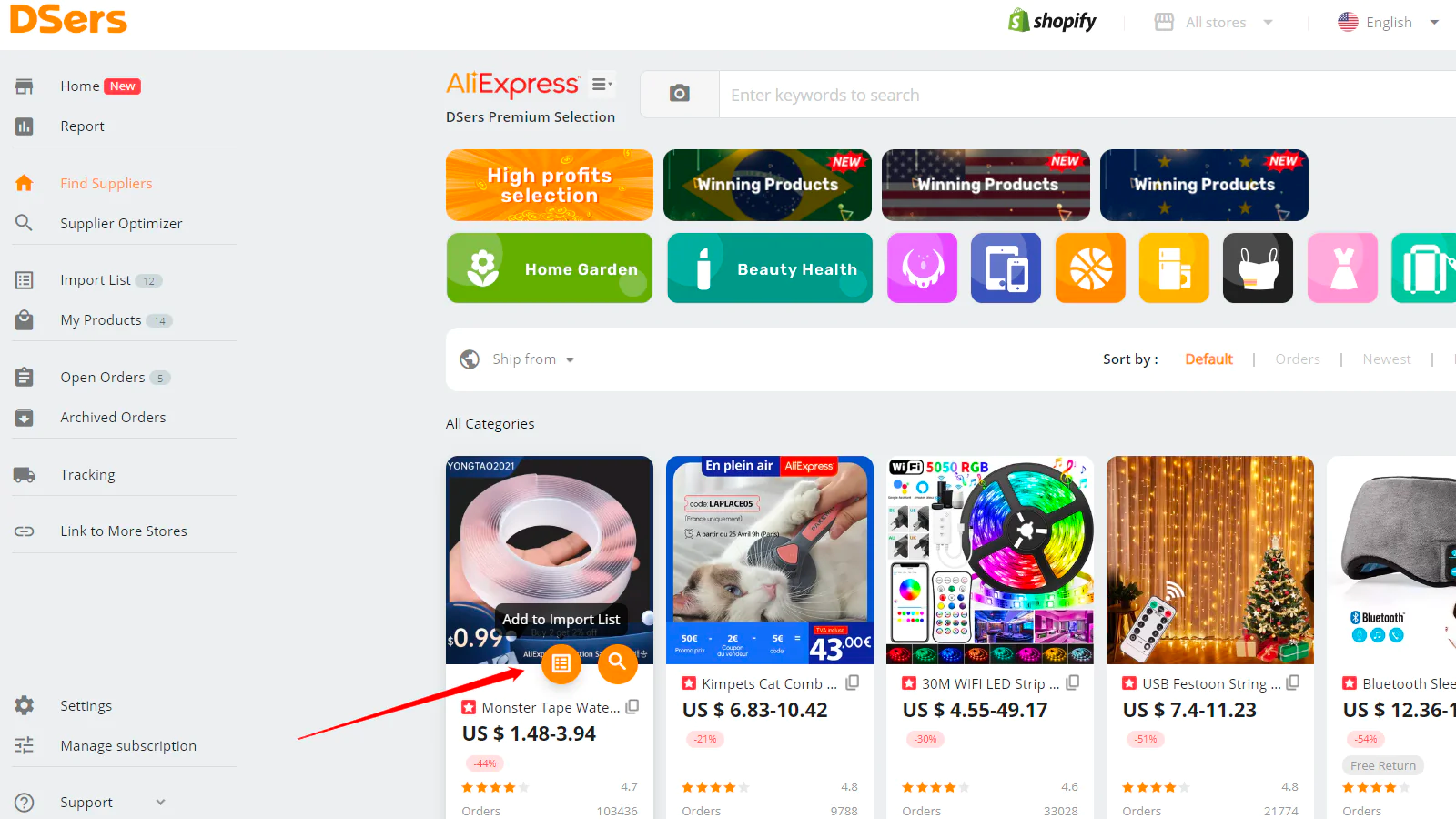
AliExpress webpage showing products including a cat comb, USB string lights, and an LED strip light.

Dropshippers use DSers to source and sell items from global marketplace AliExpress. Helpful features include the Supplier Optimizer, which identifies multiple suppliers for the same product to keep stock levels stable if one supplier faces issues.

Spocket

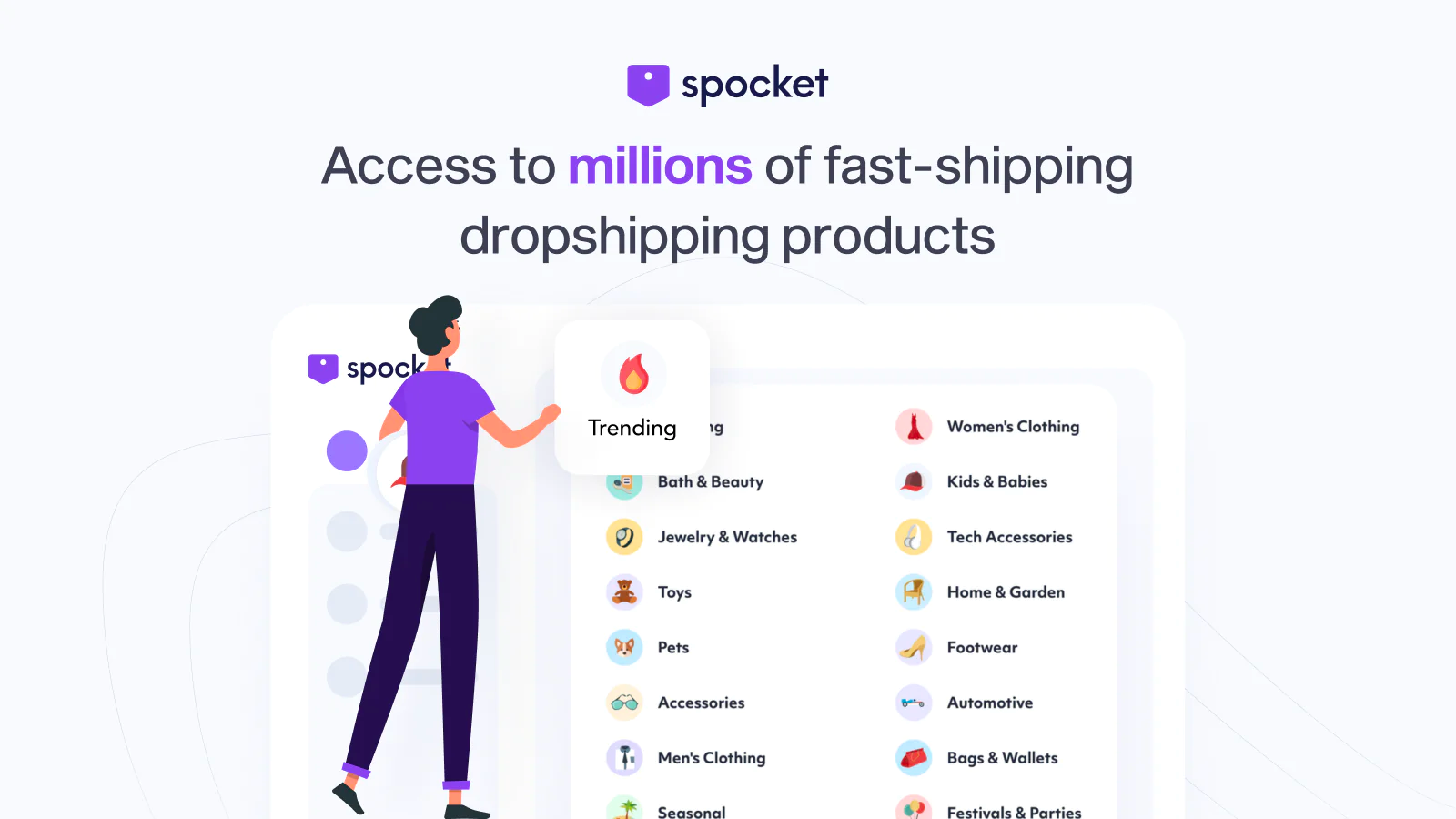
Illustration of a person in a purple t-shirt pressing buttons on a webpage menu.

Use Spocket to source products from US, European, and international suppliers. The app features a large product selection and is an official partner of AliExpress and Alibaba. Sprocket allows you to order product samples to check quality before listing them in your store.

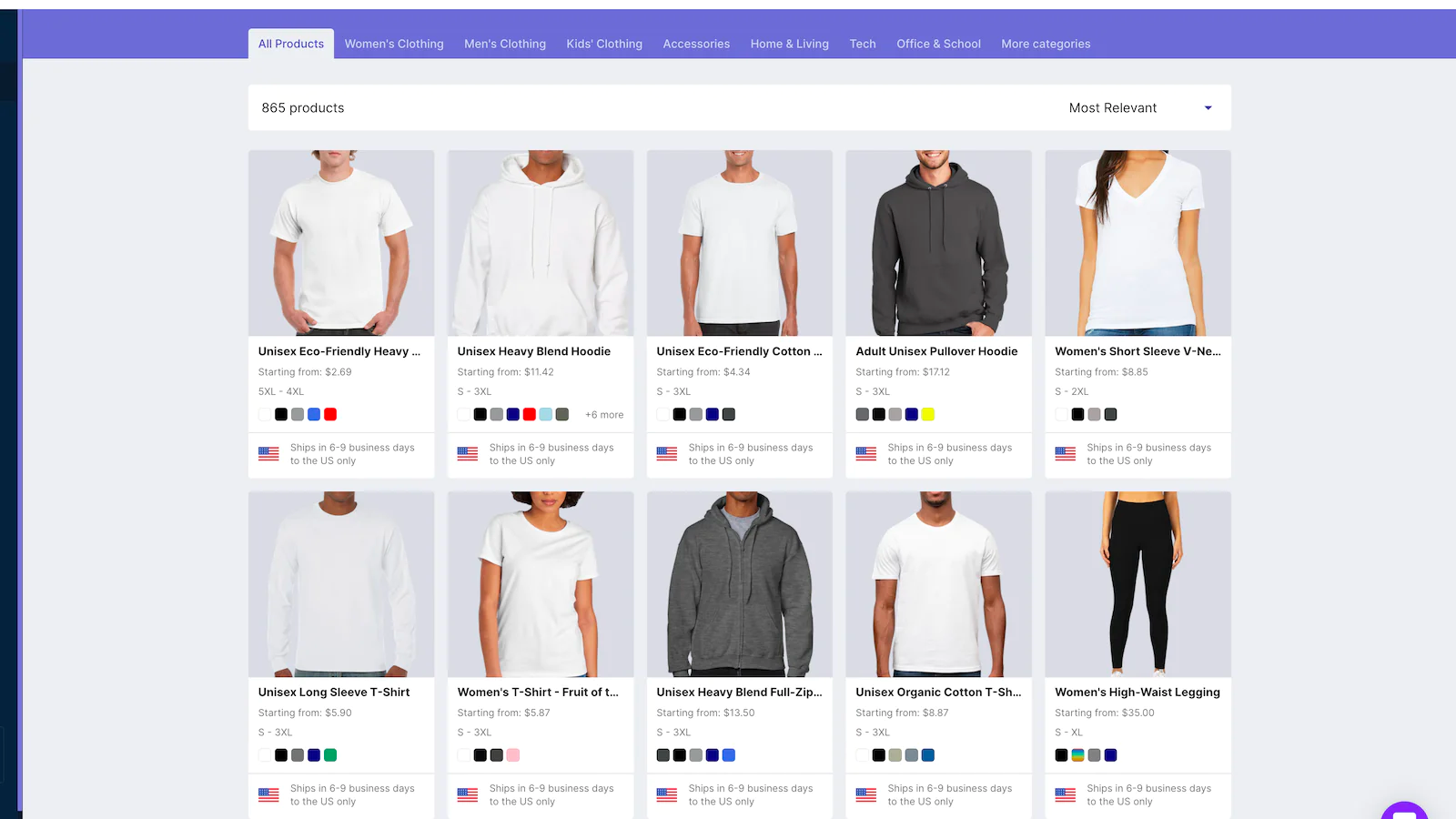
ModalystClothing products ready for dropshipping including t-shirts, hoodies, and leggings

Modalyst offers access to independent manufacturers and high-end brands like Calvin Klein and Dolce & Gabbana, with suppliers from China, Europe, India, and the US.

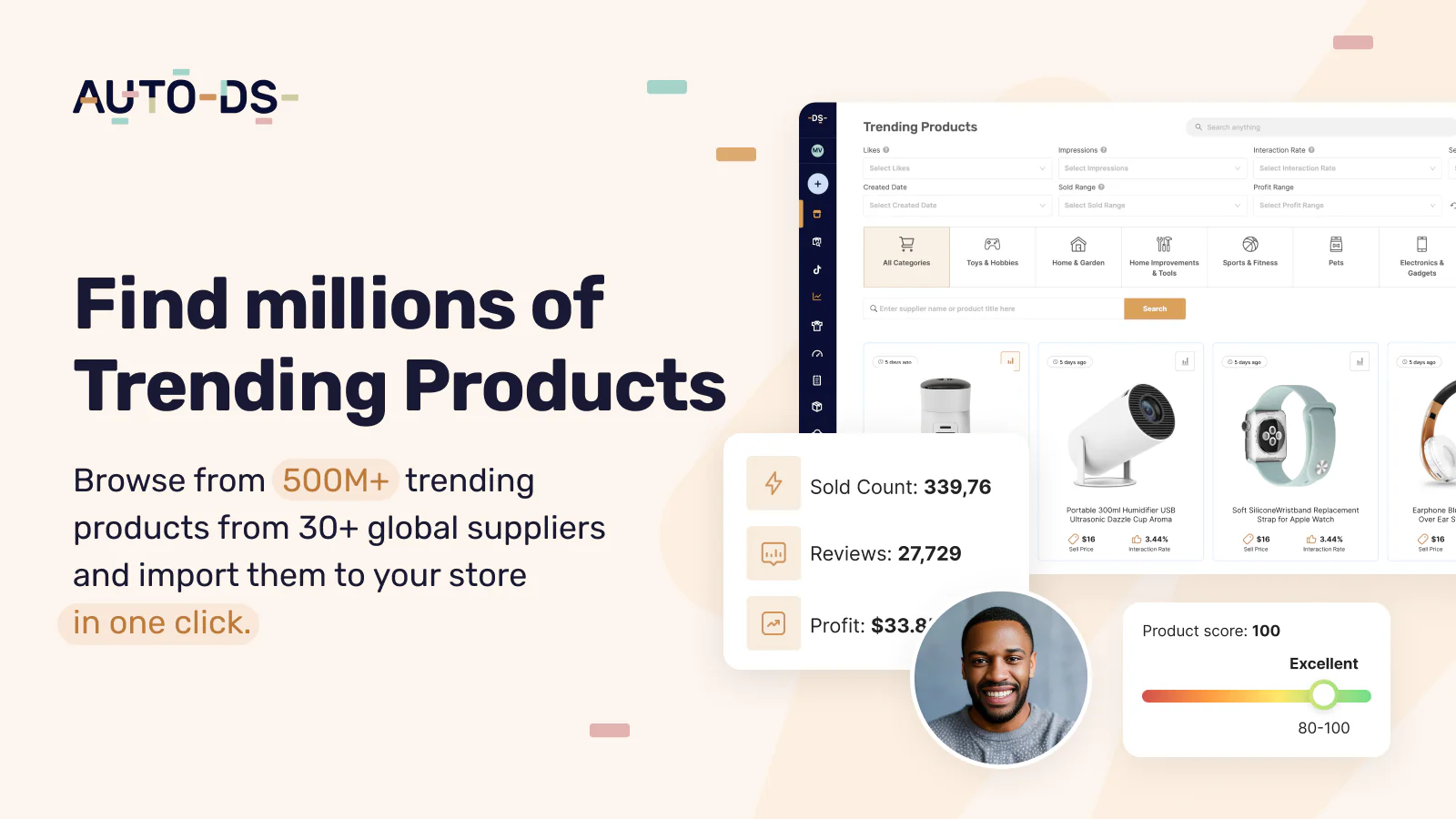
AutoDS

Product listings include an Apple Watch, humidifier, and headphones

AutoDS is an all-in-one dropshipping solution for product selection, customer delivery, and managing returns. Import products from multiple marketplaces including Amazon, Alibaba, CJdropshipping, Walmart, and AliExpress.

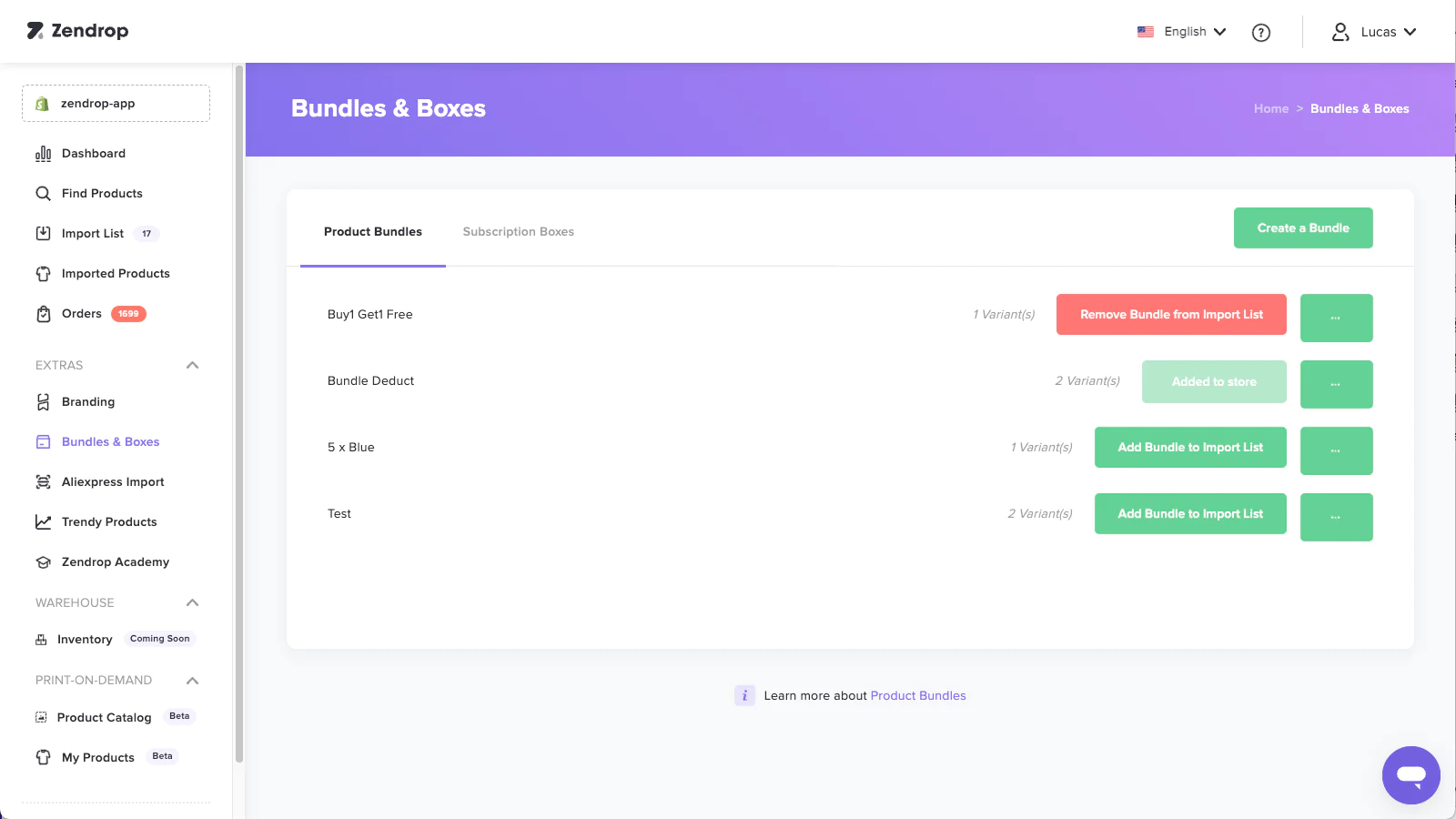
Zendrop

A settings screen for setting up product bundle sales.

Zendrop enhances customer unboxing experiences with options for custom packaging and personalized thank-you cards. The product bundling feature lets you create unique listings by combining multiple products.

2. How to dropship directly from a supplier

Partnering directly with a supplier can offer more control than a dropshipping app. This dropshipping method involves building relationships with suppliers and using Shopify to showcase and sell products.

Each dropshipping supplier has its own operating process. Some provide online platforms where dropshippers can search a product catalog. Others negotiate custom deals with each retail partner.

Key points about partnering with a supplier

  • Build relationships to create opportunities for product customization.
  • Negotiate bespoke pricing and fulfillment agreements.
  • Become a supplier’s preferred or exclusive partner.

As your store gains recognition in your dropshipping niche, suppliers may reach out to establish relationships. This can lead to priority treatment and negotiation opportunities.

At the same time, direct supplier partnerships require more manual coordination. You may encounter complex logistics when routing orders, and will need to source alternative suppliers when one runs out of stock.

How to find a dropshipping supplier

As you research suppliers within your niche, develop criteria for your needs. Delivery speed is a key customer satisfaction factor, so you might prioritize domestic suppliers located near your customers.

Try to work with suppliers that store items near common customer locations for fast order fulfillment. If managing multiple suppliers, use automation rules to route orders to the nearest supplier with items in stock.

Your supplier’s inventory limits the products you can dropship, so invest time to find a reliable partner. Read reviews from other sellers and pay attention to complaints about product availability. Here are some starting points:

When your store grows and order volume increases, invite suppliers to outbid each other and improve your profit margin.

Print-on-demand and private-label dropshipping suppliers

One challenge with traditional dropshipping is that other stores may sell the same products. This can force you to lower prices to stay competitive.

Print-on-demand and private-label dropshipping lets you create unique, branded versions of t-shirts, tote bags, household items, and more.

This approach helps your store avoid direct price competition while keeping the benefits of dropshipping’s no-inventory model.

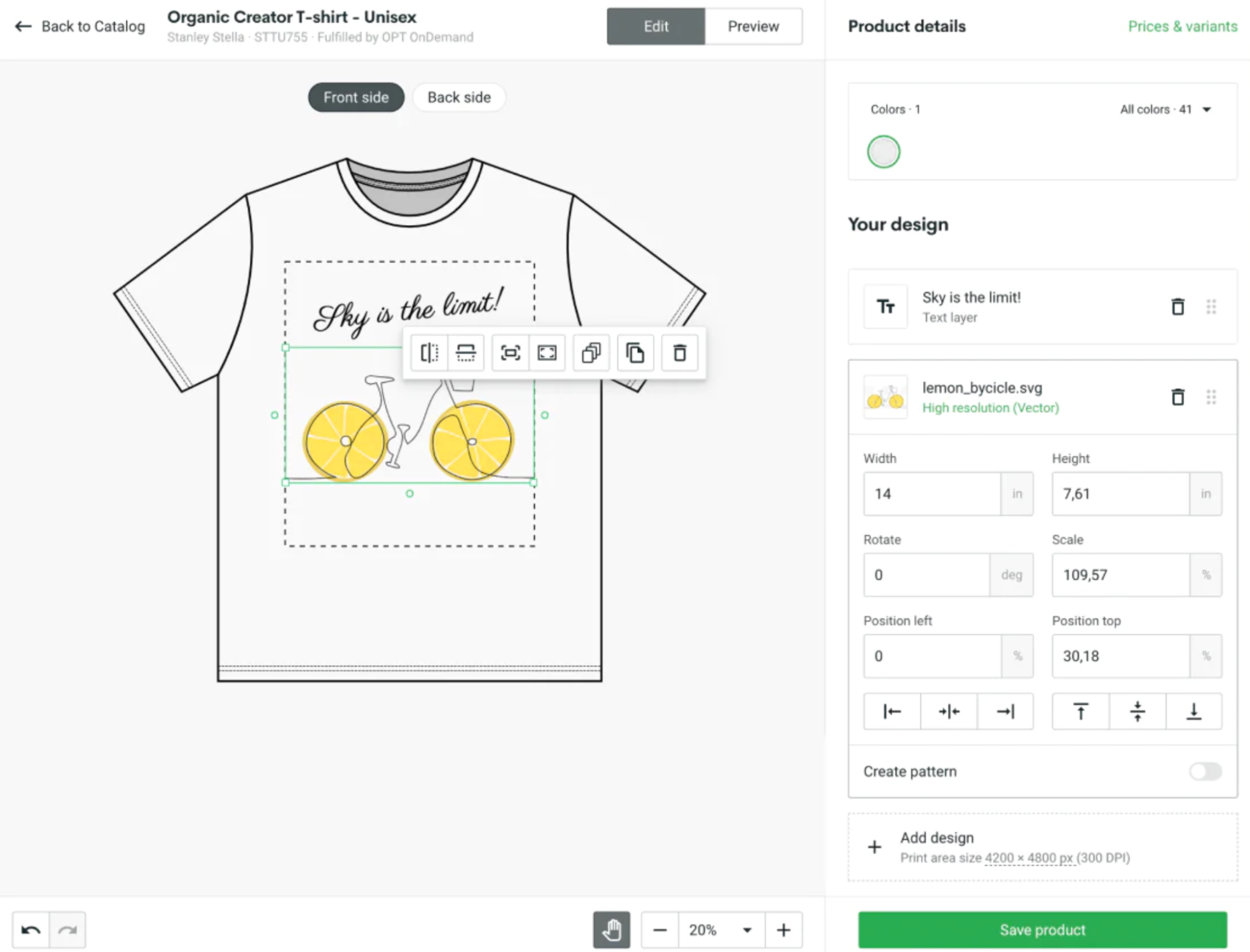
Print-on-demand design screen showing a bicycle graphic applied to a t-shirt.
Add the Printify app to your Shopify store to design and dropship custom products

Print-on-demand apps

If print on demand sounds interesting, check out these print-on-demand companies from the Shopify App Store:

  • Printify: Use the mockup generator to create products with global providers.
  • Printful: Catalog includes home, garden, and sports products.
  • Gooten: Over 50 manufacturers in more than 70 locations.

3. How to dropship with Shopify Collective

[embedded content]

Shopify merchants looking to grow their product range can use Shopify Collective to sell in partnership with other Shopify brands. With Collective, you list and sell products from another Shopify store, while your partner store fulfills orders as they come in.

Key points about Shopify Collective

  • Increase average order value by listing complementary products in your store.
  • Attract new customers by expanding into related product categories without buying stock.
  • Grow your product catalog with no inventory costs or risks.
  • Discover and connect with new brands right in Shopify.

If you combine dropshipping with traditional retail models, you can also use collective to become a supplier and sell your products through like-minded US Shopify stores.

Using Shopify Collective

Eligible merchants can download the Shopify Collective app and start making connections from the Shopify admin. Browse supplier products to discover new partners, or invite your existing partners to connect with you on the platform.

Once connected, suppliers provide product pricing lists for you to review. Selected products are imported directly into your store, complete with product details and inventory information.

Customers can buy products from your store using a single cart powered by Shopify Payments for a fast yet branded checkout experience.

After orders flow through to your partner store, Shopify Collective automatically distributes payments to each store upon fulfillment.

Dropshipping with Shopify Collective

Connect with US-based Shopify brands to easily sell their products. Use Shopify Collective to curate items from like-minded stores and ship them directly to your customers.

Explore Shopify Collective

More Shopify tools for dropshipping

Dropshipping on Shopify doesn’t end with supplier apps and the store builder. Use Shopify’s marketing, support, and data tools to grow your dropshipping business and stay competitive.

Harness customer data

Understanding customers is key to making informed decisions and creating a brand voice that resonates. Shopify analytics offers insights through more than 60 detailed reports on your website’s visitors, sales, and marketing campaigns.

Use the reports to gain clarity on your most popular products and the marketing content that drives people to your store (and persuades them to click Add to Cart).

Refine your understanding of your target audience by using Shopify reports to answer questions like:

  • What types of marketing content engage my audience?
  • Which products keep customers coming back?
  • Where do my site visitors come from and what devices do they use?
  • What product features do my customers care about most?
  • What brands does my audience prefer?

Enhance customer support

While dropshippers don’t handle inventory, they are the primary touchpoint for customer support. Poor handling of customers, especially those with complaints, can lead to negative reviews and high return rates.

Repeated issues with products and delivery may signal the need to find a new supplier. But plan for occasional errors and develop a response that includes:

  • Owning the issue: Apologize to the customer and explain the solution.
  • Compensating the customer: Offer a refund, exchange, or product upgrade.
  • Involving the supplier: A good supplier should cover the cost of mistakes.

Enhance customer support by using Shopify Inbox to create a chat feature for your store. Start conversations with automated greetings, let customers know when you’re available, and easily follow up with issues via email.

Consider adding customer reviews to your product pages with a social proof app. Build trust by letting shoppers see product reviews from third-party suppliers and leave comments.

Reach across channels

In competitive niches, a marketing strategy helps you reach customers before your competitors.

Use multiple marketing channels, such as social media and email, to promote your brand and drive traffic to your store.

Email

When someone signs up for your email newsletter, they’re indicating an interest in your products. Use Shopify Email to nurture that lead with tailored content.

Choose from templates, pull branding and products directly from your store, and automate emails to trigger at the right moment.

Email marketing opens up an ongoing conversation with your customers. Manage your emails within Shopify to see useful metrics and refine your next message.

Social media

Social media marketing is a great way to expand your business. Paid social ads have adjustable budgets to keep costs manageable. Audiences are segmented by interests, online behavior, and the accounts they follow, so you can target users likely to be interested in your products.

Even without an advertising budget, Shopify makes it easy to sell on social media. Install the Facebook and Instagram app to sync inventory and create shoppable posts so customers can buy products directly.

Start dropshipping on Shopify today

Get up and running quickly by creating a Shopify store and connecting dropshipping apps to find suppliers, customize products, and enhance your product pages.

As your dropshipping business grows, use Shopify’s marketing and customer data tools to stay in touch with shoppers and conquer your niche. Click here to start your dropshipping business.

How to dropship on Shopify FAQ

Is Shopify good for dropshipping?

Shopify is a popular ecommerce platform for dropshipping. Dropshipping apps designed for Shopify connect your store to dropshipping suppliers to import products and automate order fulfillment.

How profitable is Shopify dropshipping?

Dropshipping on Shopify can be profitable for individuals and businesses. Because products are only purchased after they are sold to a customer, the risk of overstocking or having unsold inventory is low. Typically, expenses include the cost of a Shopify plan, domain name, and marketing efforts. With effective management, these can be kept in balance to maximize profits.

Where can I find dropshipping suppliers on Shopify?

Can I dropship on Shopify with no inventory?

You don’t need to buy or store inventory when dropshipping on Shopify. Third-party dropshipping partners will manage products and fulfill orders as you send them, shipping items directly to customers.

What Are Digital Products? Sell These 10 Products Online (2024)

Software Stack Editor · May 24, 2024 ·

Many entrepreneurs are building entire businesses around digital products—such as ebooks, online courses, music, or custom templates—due to their popularity and ease of distribution. Other companies are launching them to complement physical items and services.

Learning how to sell digital products offers the potential for passive income, since they can be created once and sold repeatedly to different customers without needing to replenish inventory or deal with order fulfillment. That makes them ideal for creatives, bloggers, educators, and freelancers looking for efficient ways to make money online.

If that’s you, here’s how to create, market, and sell digital products online—including examples of the top digital products.

What are digital products?

Digital products are intangible goods that exist in a digital format. These include ebooks, music, digital art, software, online courses, and virtual goods in video games. They’re typically delivered to customers via download or email, and offer businesses a way to provide value without physical inventory.

Why sell digital products versus physical goods?

There are many advantages to selling digital products, which makes them uniquely attractive to entrepreneurs:

  • Low overhead costs. You don’t have to hold inventory or incur any shipping charges.
  • High profit margins. There’s no recurring cost of goods, so you retain the majority of your sales in profits. Calculate your profit margins ahead of time.
  • Potential to automate. Orders can be delivered instantly with no oversight.
  • Flexible products. You can offer free products to build your email list, monthly paid subscriptions for access to exclusive digital content, or licenses to use your digital products. There are many options for incorporating digital products into your business.
  • E-learning is increasingly popular. Online educators have a massive opportunity to expand their business and impact with e-learning, an industry expected to be worth $840 billion by 2030.

But online digital products also come with specific challenges you’ll need to watch out for:

  • You’re competing with free content. With digital goods, consumers will usually have access to free alternatives to what you’re selling. This necessitates careful thinking about your niche, the types of products you sell, and how to write your product descriptions.
  • You’re susceptible to piracy. You’ll need to reduce the risk of content theft by employing tools to protect your products.

Where to sell digital products

There are three main channels for digital products: self-created online stores, social media, and digital marketplaces.

  • Start an online store using an ecommerce platform like Shopify, then integrate a digital product app for seamless selling and management.
  • Promote your digital products to your audience via social media. Use native shopping features or connect your Shopify store.
  • Create a profile on an established digital marketplace within your niche and access a pre-established audience.

Remember, in exchange for exposure, some marketplaces can take up to 50% commission for every sale. Avoid seller fees by building your own online destination for trending digital products.

💡 Learn more: Trending Products to Sell

[embedded content]

10 best digital products to sell online

  1. Online courses
  2. Ebooks
  3. Licensed digital content
  4. Premium content libraries
  5. Digital templates and tools
  6. Product photography
  7. Music, art, and entertainment
  8. Digital services
  9. Printable digital products
  10. Digital memberships

1. Online courses

The homepage of Shopify Academy, featuring an image of a starship and links to popular course programs.
Shopify Academy

Online courses are the best way to present in-depth content in a monetized digital format. You can create a presentation, record a video walk-through, or develop a course featuring the voices of subject-matter experts.

Once created, your course can be taken by thousands (or hundreds of thousands) of students. You only need to make updates when your content becomes outdated or loses relevancy.

When ideating your course, begin by visualizing learner outcomes: what do you want your learner to know or be able to do when they have completed your content?

Online courses can include quizzes, knowledge checks, and other interactive activities to break-up passive learning content and boost engagement.

💡 Learn more: How To Create an Online Course

2. Ebooks

Product card for a baking ebook with images, a buy button, and a product description.
How to Cake It sells ebooks as an alternative to its physical cookbooks.

If you are the source of knowledge for an online course, you could also package your expertise as an ebook. How to Cake It, for example, sells digital cookbooks alongside their courses for easy scrolling and bookmarking while you bake.

Ebooks are a familiar digital format across audiences and can be accessed via an ereader, computer, or mobile device. You can write an ebook on anything—but before you commit to a topic, research the availability of free content on your subject.

If there’s already an abundance of blog posts or YouTube tutorials that your readers can access for free, you’ll need to differentiate your content with a unique selling proposition (USP).

Your ebook’s USP could be your reputation as an expert or successful person within your niche. Alternatively, your book could promise to delve deeper and further into your topic than existing free online content. Or, position your book as the essential resource for readers hoping to progress within your discipline. 

Also, bear in mind that most ebooks are priced competitively and may include free downloadable sections in the hopes of selling a high number of copies.

3. Licensed digital content

Product page for downloadable films with sections on project details, tech specs, and license pricing.
EditStock sells licenses for students to use its stock footage in their own demo reels.

From stock photos to video footage, music, and sound effects, there’s a global ecosystem of licensable digital assets uploaded by creatives for other creatives to use in their work.

Licensing your content for use by individuals and businesses is a way to generate passive income from your creations. Invest your labor in creating some top-quality video transitions or background music, then receive revenue from their use, for as long as they remain popular.

You can sell licenses from your own store, similar to how EditStock sells licenses for students. Or you can sell through online marketplaces, such as these stock photo sites.

When brainstorming asset ideas, work backward from the needs of your target audience. Start by thinking about what kind of content is in demand—and where existing creators are not fulfilling market needs.

Be sure to protect your digital products with watermarks and other security measures, especially if you’re selling photos online.

4. Premium content libraries

Laptop and smartphone showing video guides to snowboarding.
Snowboard Addiction offers a subscription for premium educational content to complement its physical products for snowboarders.

If you’ve had success selling an online course or ebook, or from licensing content, one way to evolve your offering is to bundle your creations. You can provide full access to your entire catalog of digital products for a monthly or yearly subscription—or a one-time fee.

Snowboard Addiction, for example, is a monetized destination for all things snowboarding. Customers can shop for physical snowboarding gear as well as download tutorials and sign up for live online courses.

One advantage of a subscription-based business model is that it generates a motivated, active community. Your subscribers are your best prospects for any new content you create, and may be a great resource to consult when considering your next move.

Since your library will only be accessible to paying subscribers, you could also consider hosting exclusive content, such as livestreams and AMA sessions.

You can sell digital product subscriptions with Shopify by using a subscription billing app.

5. Digital templates and tools

Illustrator digital product bundles shown at discounted prices.
RetroSupply Co. sells digital tools and assets for designers.

Digital products also come in the form of tools, equipping professionals to do tasks more quickly or competently. You can sell digital solutions to common pain points within a role or common online task, such as video editing.

Tools can be standalone apps or items that combine with other digital software. For example, RetroSupply Co sells brushes, textures, and templates for designers to use in popular programs such as Procreate and Photoshop. (Note how they also offer online courses and ebooks.)

Other digital tools and template products to sell online include:

  • Digital marketing strategy templates for entrepreneurs
  • Resume templates for job-seekers
  • Mobile apps for businesses
  • Graphic design templates for brochures, flyers, posters, etc.
  • Adobe Photoshop filters and plugins for media editors
  • Icons, fonts, or UX Kits for web designers

6. Product photography

A person wearing a towel holds up a pot of body butter in this example of product photography.
Product photography for Miracle Butter Cream by Janzen Designs

If you’re a photographer, selling your services online can be a lucrative business. Thanks to the rise of ecommerce, professional product photos have never been in higher demand.

The best product photographers can identify the features of an item that shoppers are most interested in and use their photos to emphasize those aspects. Other tips for taking high-quality product photos include investing in a good tripod and learning how to construct the right lighting environment.

Like other digital products in this list, you can sell product photos via your own website, with an agency, through a marketplace, or all three (unless you sign an exclusivity agreement). When selling your services, consider offering different packages based on number of photos, types of products, or specific styles and setups.

7. Music, art, and entertainment

Image of an idyllic cabin in the mountains next to product information for digital sheet music.
Materia Collective sells digital sheet music for video game soundtracks.

Digital product ideas don’t have to be purely functional. If you’re a musician, artist, or content creator, chances are you’ve explored these or similar ways to monetize your talents online:

  • Crowdfunding platforms such as Patreon allow fans to support creators in return for exclusive content.
  • For artists, online galleries like Saatchi Art are a good place to find buyers for your work.
  • To build your following, upload or stream content on social media in return for a share of ad revenue, sponsorship deals, and audience tips.

Beyond artistic and entertaining content, there’s a whole world of merchandise and branded digital products. If people enjoy a particular podcast or album, for example, they might be interested in items carrying designs that reference the art.

You can use print on demand companies to create branded merch and sell it on a Shopify store, with no need to pay for manufacturing until you make a sale.

Often, this form of digital product selling works best with niche target markets. For example, Materia Store sells digital sheet music for popular video game soundtracks.

8. Digital services

a person doing a push-up next to some weights in a gym.
Street Parking packages its personal training programs into digital products to sell as a monthly subscription.

Services pair well with digital products. A designer can offer a logo-creation service alongside downloadable templates. A personal trainer might offer live personal training sessions to their workout plan subscribers. Likewise, you can position services—digital or in real life—as add-ons to your online products.

For example, you might sell consultations along with a personalized report or Excel spreadsheet. Or, you could offer a free downloadable product to generate leads for your email marketing list, a tactic that many online businesses employ.

If there are tasks you commonly complete as part of your service business, you can consider separating and productizing them to create additional revenue streams.

9. Printable digital products

Outline illustrations of anthropomorphic fast food items such as a donut and a soda cup.
Downloadable coloring pages for tablet devices are popular for all ages.

This category of digital products spans a wide range of print-at-home possibilities, from personalized wall art, planners, and greeting cards to specialized models for 3D printers. Customers can download and print your designs for personal use or as part of their own craft.

For a younger audience, printable coloring pages and worksheets are an in-demand mix of fun and learning. For example, digital download brand Caravan sells coloring posters as downloadable files or shipped prints.

10. Digital memberships

Illustration of a nautical-themed dive bar with fishing nets, anchors, and buoys
The Bored Ape Yacht Club is a token-gated digital members club.

Digital memberships are golden tickets to an exclusive community centered around your brand or content. Joining your digital club could bestow members with access to premium content, the opportunity to purchase limited-edition merchandise, or tickets to events.

Other digital members clubs grant access to networking benefits. Nomad List, for example, is a global network for digital nomads, offering memberships that connect users with other nomads, as well as providing city data and trip planning features.

As the trend for token-gated projects has shown, however, digital communities needn’t be centered around a tangible item or service. Membership to an open-ended collective can be valuable in itself. Digital projects such as the Bored Ape Yacht Club use blockchain technology to provide proof of membership and grant access to perks without a central raison d’etre.

When crafting your digital membership experience, focus on creating a sense of exclusivity. The goal is to provide continuous value for members—and to make prospective clients feel like they’re missing out.

How to create and sell digital products

1. Find or create a digital product

Find a digital product to sell. You can create your own digital products or become an affiliate partner for an existing creator. Popular digital products include:

  • Entertainment content
  • Music
  • Fonts
  • Design assets
  • Photoshop presets
  • Templates
  • Software and plug-ins
  • E-learning courses
  • And other online services

Product brainstorming

When generating ideas for your digital products, don’t be too critical—the key to brainstorming is to avoid overthinking. If you’re looking for ideas of downloadable products to sell online, here are some questions to ask yourself:

  • Can you teach customers how to use your products? For example, if you sell knitting products, you could offer appointments to teach advanced knitting techniques.
  • Are there things you can help your customers with related to your overall industry? If you sell surfboards, you could create a workout program to help your customers stay in surf shape at home.
  • What are the values you’ve built your business on, and what are topics related to them? For example, if you sell sustainable apparel, you could create a course teaching your customers how to live a more sustainable life. 
  • In what ways could you bring your community of customers together? If you sell kitchen supplies, you could run a virtual guided wine-tasting event.
  • What are you good at? If you’re really great at product photography, you could teach other people how to get better at product photography too.

💡 Learn more: Finding Your Niche: 8 Niche Market Examples to Inspire You.

2. Product validation

Validate your idea before committing too much time to it. The last thing you want to do is invest a lot of time or money in a new venture without knowing it has a good chance to be successful.

Here are some ways to validate your idea as you figure out how to sell digital products: 

  • Keyword research. Use a keyword research tool to see how many people are searching for your topics. This will give you an idea of the opportunity size of each one.
  • Google Trends. Search your topics on Google Trends. Look for topics that are growing in interest. This means the opportunity size will keep growing.
  • Facebook groups. There are Facebook groups dedicated to every niche and audience imaginable, making them a great place to learn what your potential customers care about. 
  • Industry forums. Forums dedicated to hobbies and communities in your industry can help you learn more about what people want and need in your broader industry.
  • Product reviews. Read both the reviews for your products and competitors’ products to get ideas. These could come from the reviews on product pages as well as standalone reviews on blogs and other websites.
  • Start small and iterate. Sometimes, the easiest way to validate an idea is to experiment with a smaller version of the idea with room for growth. The goal is to get something out into the world as soon as possible so you can put your idea to the test and improve it from there. 

No matter what industry you’re in, you have unique strengths and knowledge that would be valuable to your customers and selling digital products. 

💡 Learn more: The 16-Step Guide to Evaluating the Viability of Any Product Idea.

3. Create an online store

Once you validate a digital product idea, you’ll want to get an ecommerce platform to sell on.

Make a website to sell your digital products and get up and running in a few hours. Pick from a catalog of website templates, populate with your logo, copy, and images, and you’re ready to get selling.

Selection of free Shopify themes with example color schemes.
Choose from over 100 templates with built-in features to get your Shopify store set up quickly.

Shopify is the easiest and most reputable way to create an ecommerce store for online digital products. You don’t need any tech skills or a big budget, and you can choose from more than 100 templates with built-in features to get set up quickly.

There are also over 4,000 free Shopify apps you can use for managing your store and selling more digital products online. Apps make the delivery of digital products easier than ever. Browse the App Store to find apps that plug into your store and do everything from hosting course content to delivering PDF purchases.

4. Market your digital products

With a digital product and an online store sorted, it’s time to find your customers. If you’re selling fonts or design templates, build an audience of designers and creators on the social platforms they use most. Also consider influencer marketing, social ads, or lead magnets.

8 apps for selling digital products on Shopify

  1. EDP ‑ Easy Digital Products. EDP is a popular app for selling downloadable files and license keys from your online store
  2. Filemonk. Filemonk is designed to make it as easy as possible for Shopify merchants to brand and sell digital products.
  3. SendOwl. For more complex digital product businesses, SendOwl comes with a variety of automation features.
  4. Courses. This Shopify app lets you create lessons, tutorials, webinars, and manuals and sell them online. 
  5. Single. If you’re a musician selling music, Single bridges the gap between physical and digital music sales.
  6. FetchApp. FetchApp is another digital download delivery app with a free plan available (five megabytes of storage).
  7. Sky Pilot. This app for building a membership program. Sell files and exclusive video streams to customers.
  8. BookThatApp, Tipo, or Sesami. Use these apps to schedule consultations or coaching sessions with customers. All three have a free plan available.

Beyond these digital product delivery systems, there are other Shopify apps to power and protect your digital goods, such as:

  • RecurrinGO!. This is an app for weekly or monthly subscriptions. Use it to automate recurring orders, invoices, and digital subscriptions for online memberships or programs.
  • Disable Right-Click. When your content is your product, this app helps you protect it from theft. You can lock images and text so they can’t be saved or copied without your permission.

Note: When creating digital products in Shopify, be sure to uncheck “This is a physical product.”

Sales and marketing tips for selling digital products

Whether you’re a new business owner or adding online digital products to your existing store, keep these tips in mind:

Create a great digital product

The first criteria for creating digital products is to add value to your customers’ lives. Since you’re competing with free content on the web, invest in building a product people can’t find anywhere else. 

Promote a free lead magnet

Regardless of how much your product costs, create a light version of it for free. A free product can help you build an email list you can sell to in the future. It also opens the door for upselling and retargeting potential customers with different promotions. Free products can build trust between your business and potential customers. 

Start an affiliate program for your product

Affiliates are a huge source of traffic and sales for creators selling digital products. Find influencers who are established and trusted in your industry and offer them a commission for each sale they make. You can create different percentages for different affiliates, so if someone has a large audience, you can give them a higher commission rate to promote more and attract customers.

Collect preorders

A great way to get early sales is by giving a discounted “early bird” price. If you’re releasing a new digital product, you can offer a 50% discount for the first 100 buyers, then 25% for the next 100 buyers, and then release the product at full price after the 25% discount runs out. 

Offer a money-back guarantee

If you’re hesitant about offering a warranty on your products, it makes sense. Some people could buy and use your product then ask for their money back. But it’s all a part of running an online business. The rewards of higher conversion rates outweigh the small percentage of people who may abuse the policy. A money back guarantee shows potential buyers you’re putting the risk on you, not them.

[embedded content]

Creating the best digital products for your business

Without the need to hold inventory or the overhead associated with selling physical products, all types of digital products can be profitable online business ideas. 

There are countless ways you can create the best digital content to sell and resell and incorporate them into your business. With a little ingenuity and upfront investment of time, you can serve up irresistible value that can more than pay for itself over time.

Digital products FAQ

What are some examples of digital products?

  • Online courses and webinars
  • Kindle books
  • Audiobooks
  • Software programs
  • Web elements like Shopify or WordPress themes
  • Printables
  • Membership sites
  • Workbooks
  • PowerPoint templates

How do you create a digital product?

  • Brainstorm digital product ideas.
  • Research buyer pain points. 
  • Validate ideas through keyword and trend research.
  • Produce your digital products.
  • Create a Shopify store. 
  • Build an audience and market your digital products.

What digital products are in demand?

  • Educational products like ebooks and online courses
  • Exclusive membership communities
  • Digital templates and tools 
  • Repurposed music or art
  • Productized services 
  • Licenses to use digital assets

What kind of digital products sell best?

The best-selling digital products include graphic design, templates, downloadable prints, music and audio, stock photography, and print on demand products like custom t-shirts, notebooks, and mugs.

How To Make Money Blogging in 2024

Software Stack Editor · May 23, 2024 ·

Blogging is a small business idea with the potential to make thousands of dollars per month, whether by driving product sales for your own brand, earning commission from affiliate programs, or creating a space for digital ad sales.

This guide shares how you can make money blogging, with 11 revenue streams used by professional bloggers who earn a full-time income through their websites.

How much money can bloggers earn?

Blogging has high potential. Well-established bloggers like Ryan Robinson—who runs a blog about blogging—can make upward of $30,000 per month. Adam Enfroy, who started blogging about the business of blogging as a side hustle, generated $1.5 million from his blog just two years later.

It’s not just monthly revenue that bloggers can cash in on. Marketplaces like Flippa list blogs for sale, many of which come with hefty six-figure price tags. Bloggers cash in when their creative project is acquired. 

Not every blogger however can make millions through their website. The income potential of your blog depends on two factors:

  • Your niche. Do people spend large sums of money on products in your industry? The software industry, for example, can be lucrative, since many companies pay recurring commission. Bloggers can earn small amounts each month, long after the customer made the purchase.
  • Your monetization strategies. Some blog monetization methods are off the table for new bloggers who want to stick to their core values—like not being paid to post content you don’t agree with. This can impact earning potential in the short term.
[embedded content]

How to make money blogging: 11 ideas

  1. Choose a profitable niche
  2. Build an email list
  3. Write sponsored product reviews
  4. Sell advertising placements
  5. Join an affiliate marketing program
  6. Offer services
  7. Sell digital products
  8. Sell physical products
  9. Create a membership community
  10. Monetize YouTube videos
  11. Produce a podcast and get a sponsor

1. Choose a profitable niche

A niche is a specific topic within a broad topic, such as vegan recipes. By choosing one for your blog, readers build an association with your site. They know exactly what they’ll get when visiting, improving your chances of being their first port of call when looking for advice.

“Before monetization, it’s all about quality and expertise if you want to stand out,” says Mushfiq, founder of The Website Flip. “First, figure out what your niche is and why you should be writing about that, and make a persona for yourself to be who you are in that topic. Once that happens, you’ll build a following over time. Monetization follows later.”

Raechel Pilner tweets about the poor quality of SEO content

You’ll find bloggers making money in a wide variety of niches, from business software to pet accessories. Though not all niches are good ones. 

A profitable blog niche meets three criteria:

  1. It’s something you’re skilled at and/or interested in. Blogs need a lot of consistently high-quality content to build an audience and become monetized. Not only will it be more enjoyable to blog about something you have a genuine interest in, but you’ll increase the likelihood of generating money. It’s easier to stick with a hobby we enjoy.
  2. There’s low competition. Popular blogs, brands, or forums in your niche indicate others are making money in it. Similarly, do a Google search to assess keyword ranking difficulty. It’ll be harder to drive organic traffic if big-name brands (with even bigger marketing budgets) are dominating the first page of search results.
  3. There’s clear monetization potential. Look at monetization opportunities for each niche on your shortlist. Do companies in that niche pay to advertise their products on other blogs? Are there many affiliate programs that sell products in that industry? Both are telltale signs of a profitable blog niche. 

2. Build an email list 

To make money from your blog, you need loyal readers who value your recommendations.

One of the best ways to do this is by building an email list for your own blog. When someone opts in to hear from your blog, you’re given permission to reach readers in one place more sacred than all others: their inbox.

“Email marketing is by far the most lucrative sales channel for me. I don’t even really try to sell directly from other channels anymore, instead directing people from social media, collaborations, and SEO to my email list,” says Brittany Berger, founder of Work Brighter.

Encourage blog visitors to sign up to your mailing list using a pop-up box. The goal is to make anyone visiting for the first time opt in to to hearing from you using an incentive, such as:

  • Free checklists
  • Lists of resources or recommended products 
  • Blog content packaged in a PDF (such as printable recipes)

Once they’ve signed up, continue nurturing that relationship with educational or entertaining content. You’ll build an audience ready to buy products off your recommendations.

Take it from Lily Ugbaja, who initially started her blog FindingBalance.Mom “because I wanted to stay home with my son, do something I love, and still make money.”

It took Lily two weeks to make money from her blog: “I used emails to promote my products and relevant affiliate products with tripwires and Facebook groups. You add lead magnets to your site so people sign up after reading your article. Instead of a success page, you share a one-time offer—a low-end product at a super discounted rate, $7 in my case.”

Despite the blog seeing less than 1,000 monthly page views, Lily says she ended her first month earning over $100, which soon became a few thousand.

You can also charge your email list for access to exclusive content. Many bloggers monetize through monthly subscription fees which grant subscribers access to extra content. You can use a platform like Substack to publish directly to your audience and get paid through subscriptions.

Create branded emails in minutes with Shopify Email

With Shopify Email, you can easily create, send, automate, and track email campaigns, all from your Shopify admin—no coding required.

Discover Shopify Email

3. Write sponsored product reviews

All businesses want social proof to show their customers that their products are worth buying. One way for them to collect that is by paying bloggers to publish reviews.

Reach out to your favorite brands and ask if they’re interested in sponsoring a review on your blog. If you use the product outside of the purpose of the review, this tactic essentially costs nothing. You’re simply getting paid to share your opinion of a product you already own.

You need to be across guidelines that pertain to ecommerce merchants and, ultimately, the bloggers they’re paying to write sponsored reviews.

Avoid landing your blog in hot water by:

  • Disclosing whether you’re incentivized to write the review. If you’re being paid to publish a review, for example, include the following disclaimer in the introduction of your article: “I’ve been paid to write this review and may make a commission if you purchase this product.”
  • Being honest. Share the good and the bad to help readers make an informed decision about whether they should purchase the item you’re reviewing. There’s a reason de-influencing has become a trend.

4. Sell advertising placements

Companies are willing to pay bloggers for advertising placements on their websites. Lend them otherwise unused space in exchange for a fee.

There are two routes to building this income stream for your blog:

  1. Negotiate with companies individually. Find companies in your niche and ask if they’d be interested in advertising on your site. This approach is more time-consuming and you’ll need strong negotiating skills, but done well, it can net the most amount of money.
  2. Use an advertising network. Prefer the hands-off approach? Platforms like Google AdSense, Mediavine, and Raptive (formerly AdThrive) claim space on your blog and handle the billing of advertisers. Simply embed the code on your site and get paid to show ads.

For Emily Brookes, a blogger at Emily May, display ads are the most lucrative sales channel. “Some 60% of my blog’s revenue comes from display ads,” she says. “Ads make me money consistently each month, even when I haven’t published any new content.”

To make advertising a substantial revenue stream for your blog, driving website traffic should be a priority.

Ad networks like Google AdSense pay per 1,000 impressions (CPM), with the average CPM for display ads falling around the $1.25 mark. The more people exposed to the adverts on your blog, the more money you’ll make. 

Afoma Umesi runs her book blog, Reading Middle Grade, on the side. “I had no experience and started blogging as a hobby before seriously deciding to monetize the site,” she says.

“I needed something passive, so I chose ads and affiliate links. I don’t want to make or sell digital products or services right now and I’m not a huge fan of sponsored posts, so ads were the perfect fit. All I need is traffic.”

Reading Middle Grade earns around three-quarters of its income from this type of advertising. Afoma says: “Don’t be afraid or ashamed to use ads. They’re inconvenient for some users, but if you provide value and use them reasonably, most users barely notice the ads.”

5. Join an affiliate marketing program 

Affiliate marketing is the process of recommending products to your blog’s audience. You’ll receive commission when they purchase the product using your custom link.

It’s a great revenue opportunity for bloggers, since the content you share will already be influencing their purchase decisions. Make your blog a hub for educational content and you’ll build the know, like, and trust factors needed to make a sale.

The beauty of affiliate marketing is you don’t need to create your own products. Plug into an existing ecommerce business and become a virtual salesperson for them. There’s no need to worry about producing marketing materials, shipping products, or dealing with customer service.

To make money blogging using this method, join an affiliate networks like ShareASale or ClickBank. Browse available programs in your industry, apply to join them, build custom links, and track affiliate revenue through the dashboard.

You can also search for high-ticket affiliate programs from merchants selling expensive products, such as electronics, jewelry, or software. Bloggers earn sizable checks when recommending those items to readers. Shopify Affiliates, for example, earn 100% commission on the first two payments of any subscription plan.

6. Offer services

A natural byproduct of building your audience means more people associate your name with the blog topics you write about. That’s a great way to build authority—something people look for when hiring people to complete a service.

“If you’re in the B2B space like me, consulting is a big revenue generator,” says Mushfiq, founder of The Website Flip. “If you have some expertise and people are genuinely reading your content, what kind of consulting can you do for them? It’s a high revenue, low commitment way to make money blogging.”

While running a service-based business is time consuming, it can be a quick way to make money online. Demand a higher hourly rate, and find high-paying clients, by using your blog content as a way to demonstrate your expertise. 

Examples of services you can sell alongside your blog include:

  • Consulting services
  • Graphic design
  • Freelance writing
  • Virtual assistance 
  • Classes or workshops 

Save time scheduling appointments and taking payments with apps like Acuity and Calendly. Promote your service through the blog—be that a standalone landing page or display ad in your sidebar—and start booking new clients. 

7. Sell digital products 

Digital products are a more scalable way to make money by selling things alongside your blog. Unlike service-based businesses, you don’t exchange time for money. And unlike selling physical products, there’s no shipping or manufacturing costs.

You can create digital products once and sell an infinite number of them via your blog—hence the phrase “build once, sell twice.”

“I decided to add printables—and soon other digital products—to diversify my income and put more control in my own hands,” says Dylan Houlihan, founder of Swift Salary. “So far, I let readers decide how much they’d like to pay for my printables, which is why revenue numbers haven’t been crazy. However, I have clocked over 800 downloads, so I’m quite proud of that.”

Figure out which digital products your audience would buy using a reader survey with the question, “What problem do you need help with that the blog isn’t already solving for you?” Answers can unveil ideas you can package and sell as:

  • Ebooks
  • Printables
  • Workbooks  
  • Online courses 

Benjamin Houy has been running the blog French Together full time for close to 10 years. Part of the blog’s monetization strategy includes digital products—particularly a French course, which drives 90% of the blog’s revenue.

“Ads and affiliate links can be great monetization strategies depending on the niche, but creating a product is both easier and more profitable than most bloggers think,” Benjamin says. “Your product doesn’t have to be the absolute best product ever when you launch it, it just has to be something your audience will find genuinely useful and will be happy to pay for.”

8. Sell physical products

Does your blog have a cult following? Loyal readers of a blog quickly become raving fans, eager to support their favorite influencer. Help them do that—while also generating income for your blog—by selling physical products.

The print-on-demand model works well for small blogging businesses since you only pay manufacturing costs when a reader purchases a product. There’s no excess inventory, storage fees, or high upfront costs when bulk manufacturing products.

Use a service like Printful or Printify to create custom merchandise, such as:

  • Mugs
  • T-shirts
  • Stickers 
  • Posters
  • Tote bags
  • Phone cases 

Prefer something more hands-on? Start your first online store and treat your blog’s audience as your initial customer base.

9. Create a membership community

Give your most engaged readers a VIP experience—one they have to pay a small fee in exchange for. This type of community is an important part of social connection—something especially important in a world becoming increasingly online-first. Not only have communities shown to improve mental health, but 52% of shoppers will spend more on brands (or blogs) with shared values. 

Tweet: community is the new blog

Take it from Michael Keenan, who runs a membership community alongside the Peak Freelance blog: “If you want a consistent revenue stream for your blogging efforts, create a membership program. You can offer exclusive content like handbooks and courses, special offers—even a Slack channel like the one we offer for Peak Freelance members.

“Set up your membership fees on a monthly or yearly basis. Provide a small discount for those who pay yearly. This gives you a nice cash injection you can use to develop new content and products for members.”

10. Monetize YouTube videos

It’s possible to make money on Youtube as an expansion of your blog content.

Add video marketing to your list to maximize affiliate commission. Some 88% of people have been convinced to buy something after watching a branded video. Make that your tutorial, review, or haul and you’ll get rewarded when a viewer purchases off the back of your recommendation. 

Increase the dollars you earn through your blog by treating each piece of content like the foundation of a video script. Record yourself talking about the same topic, then edit the video and upload it to YouTube.

The bloggers behind A Beautiful Mess, for example, published a YouTube video that demonstrates how to create built-in shelves. The video description directs people to the blog write-up, which contains affiliate links to the products used in the tutorial. 

Youtube with blog post

This strategy works for several reasons. First, not everyone enjoys reading online content. Some people prefer to watch videos. You’re potentially alienating thousands of people by only producing written text.

Secondly, Google and YouTube are the two most popular search engines in the world. Sharing content to both platforms increases the likelihood of your target reader finding it—and therefore, purchasing products you’re an affiliate of.

For some queries, Google’s algorithm pulls YouTube videos in the search engine results page (SERP). The first thing you’ll see on the SERP for “how to groom your dog at home,” for example, is a YouTube video on the topic.

Dog grooming video SERP

The best part? An active YouTube channel expands your revenue opportunities.

The platform comes with its own set of monetization features, including the YouTube Partner program, which is available to vloggers with more than 1,000 subscribers and 4,000 watch hours. Once enrolled, YouTube will display advertisements before your video loads. You’ll get paid every time a viewer watches it—a nice way to supplement your blog income.

Read more: YouTube Affiliate Marketing: 7 Pro Tips to Earn Extra Income

11. Produce a podcast and get a sponsor

Podcasts are more popular than ever, with over 100 million US citizens expected to listen to podcasts in 2024. 

But episodes don’t just fill time on morning commutes. Studies show that 70% of listeners will visit a brand’s website after hearing about its products through podcast sponsorships. Another 67% will spark a conversation with a friend about the item in question. Both points make them attractive propositions for brands looking to expand their reach.

Capitalize on your audience’s attention by producing your own podcast. Record yourself talking about a topic in your niche and syndicate each episode to a streaming platform like Apple Podcasts or Spotify.

Reach out to brands in your niche with sponsorship opportunities. Sell ad space and give companies a shortcut to reach their target audience in exchange for a sponsorship fee. 

This podcast revenue calculator shows a blogger with:

  • 10,000 episode downloads 
  • Four new episodes each month
  • Two adverts (one pre-roll) 

…can add upward of $16,000 per year in revenue.

The downside to the podcast approach is it can be costly—both in terms of time and money. It takes time to build a relationship with a new audience. You’ll also need equipment, such as a high-quality microphone and editing software, to produce the podcast itself.

But get it right and there’s the potential to add another lucrative revenue stream to your blogging business.

How long does it take to make money blogging?

While you can technically make money right away from blogging, it typically takes a bit of time.

Some with an entrepreneurial mindset make their first $100 online within a few months—like Brittany Berger, founder of Work Brighter, who started earning money almost instantly. Berger created a simple $20 digital download, which she promoted in her weekly newsletter and her newsletter signup page. “By starting that early on in the blog’s lifetime, I was able to convert a huge portion of the audience,” she says.

“I think waiting to launch something until you have a bigger audience can end up creating more pressure for yourself, so I’m glad I experimented with a small product when my audience was small.” 

Mushfiq Sarkar also started blogging on the side of his full-time job back in 2008. Though Mushfiq had no prior marketing experience, he says, “I left my job in April 2021 to focus on The Website Flip because it was growing significantly and I was more passionate about growing this website and blogging.”

Now, the blog makes significant revenue despite only being a few years old: “A lot of people knew me by name, but not that I was an active blogger or someone who covered the industry. I started earning money fairly quickly—within a month or two.”

Blogging is typically a side hustle people take up with the hopes that, one day, they’ll be able to quit their day jobs. Yet the length of time it takes to generate substantial income varies from blogger to blogger.

Turn your blog into a money maker 

Building a blogging business isn’t a linear process. The best revenue generator depends on your niche, relationship with your audience, and content formats you’re producing. Focus first on building great content and a loyal readership, and then experiment with these monetization tactics.

Making money blogging FAQ

How do beginner bloggers make money?

The quickest way to monetize a blog is through display advertising. You don’t need specialized skills to rent space on your blog to Google AdSense, but you’ll get paid for every 1,000 website visitors that see the advert.

Do you need experience to be a blogger?

You don’t need any professional experience to make money blogging. You’re in total control over your website, which gives you the freedom to build your digital marketing skills through trial and error.

How can I make $100 a month blogging?

Blogging is a great way to make your first $100 online. Start by choosing a profitable niche, building an email list, and recommending products you’re an affiliate for. You can make thousands of dollars per month if people purchase through your recommendation.

What kind of blogs make money?

High earning blogs have one thing in common: a strong relationship with their audience. The more people that visit your blog and trust your recommendations, the more likely you are to make money blogging.

16 Popular TikTok Trends To Watch in 2024

Software Stack Editor · May 23, 2024 ·

As Gen Z’s favorite social network continues to grow in popularity, even among other generations, TikTok continues to be the source for trends that transcend the app. Every day, TikTok users flock to the social platform to see what’s hot in fashion, music, food, and pop culture. TikTok’s straightforward interface and unique algorithm create a revolving cycle of TikTok trends—some that fade quickly and others with staying power. 

For brands, catching the wave of a big TikTok video trend can translate to engagement, brand awareness, and even sales. But jumping on every trend isn’t a sound social media strategy. Getting it right is a tricky balance between catching a trend at its peak and putting a spin on it that’s clever and on brand.

Ahead, explore some of the top TikTok trends for ecommerce brands, with real examples of popular TikTok videos from other successful businesses. This article focuses on trend themes and evergreen hashtags to inspire your content through 2024.

What is a TikTok trend?

A TikTok trend is sound, dance, hashtag, challenge, topic, or video format that goes viral on the platform. This means it catches on among a large number of users during a specific period. A trend spawned by a single video will inspire other users to create content that uses the theme, hashtag, or trending sound with their own spin. Some trends fizzle out after a few weeks, while others become evergreen content formats on the app.

Trends have launched the careers of some of the app’s biggest creators. Being early to a trend can lead to millions of video views and a rise in a creator’s popularity. TikTok is driven by trends, and many of them are born on the platform before making their way onto other social networks and even into everyday life.

Why are trends important on TikTok?

“If I were to start a business now in 2024, I would fully lean into TikTok,” says KraveBeauty founder Liah Yoo. TikTok is the place to be if you’re a brand selling to younger Gen Z audiences. 

These trendsetters use the platform to start and propel the latest trends. Here’s why trends are important on TikTok: 

They signal wider trends in fashion and pop culture

Because of TikTok’s popularity among younger audiences and its focus on fashion, beauty, pop culture, and humor, the app often starts or propels online trends into real world trends. Creators in the DIY sphere drive trends in home décor (think #cottagecore) and popular films getting the TikTok treatment inspire fashion (consider #Barbiecore).

They influence trends on other platforms

Have you ever been scrolling X or Instagram only to see a video with a TikTok logo stamped in the corner? The best videos on TikTok often travel beyond the app, getting reshared on other social media apps. The TikTok format has also influenced how users create content for other platforms, including Instagram Reels. 

They offer opportunities for brands to reach audiences

Trends are a great way to gain exposure for brands. Jump on a trend with timely and relevant content that both understands the trend and ties it back to the brand. Brands that do this right can show the authenticity users on TikTok expect from the brands they love and follow.

How to find new TikTok trends

TikTok can feel random until you learn how to use it. TikTok’s algorithm surfaces video content in the For You page (FYP) based on a mix of trends and content relevant to each user’s habits and preferences. This is a great place to start, but there are other ways to discover what’s trending on TikTok today. 
Keep an eye on your For You page 

As you scroll through the FYP, you’ll see dozens of videos that the algorithm hopes you’ll engage with. The more you watch a video and engage with it (like, comment, follow, etc.), the more the algorithm learns what you like and what it thinks you want to see next.

The best way to discover what’s trending on TikTok is to spend time on the app and cultivate your own unique FYP. It won’t take long for you to see which trends are going viral—especially those that are aligned with your content preferences or industry.

Check out TikTok’s Discover page

TikTok's discover page

One way to find out what’s trending is to head to the Discover page. This page will also be somewhat curated based on the content you’ve interacted with on your For You page. Creators can help boost their content by using the Discover page to look up which hashtags are currently trending and adding them to their videos.

Tap into TikTok’s Creative Center 

TikTok’s Creative Center is a source for all things trending. You can see what’s hot on TikTok across different countries and time periods and filter by hashtags, songs, creators, and videos.

Track trending songs

Sound is key to TikTok, and 88% of TikTok users say that sound is a critical part of the TikTok experience. Sounds and songs are often at the heart of viral memes and trends on the platform. In the Creative Center, toggle to Songs in the trending chart. Click Explore More to see this chart: 

TikTok trending songs dashboard

From here, you can click into the analytics for a specific song to see interest over time:

TikTok trending songs dashboard for a single song

Keep an eye on trending hashtags

Now toggle to Hashtags in the same chart. Here, you can filter by date range and industry (for example, Apparel and Accessories), then drill into a specific hashtag to see its interest over time. In these two examples, #summervibes is a popular hashtag that has been growing steadily over the past three months, whereas #earthday spiked in April, around Earth Day celebrations.

TikTok trending hashtag dashboard

Follow popular creators and influencers 

Popular TikTok creators eventually will appear in your feed, as TikTok promotes popular videos within your For You page. You can also use Creative Center to find and follow users.

TikTok trending videos dashboard

Toggle to Creators or TikTok Videos to discover these users. Following popular creators—especially those with audiences similar to your target customer—will help you identify trends as they emerge.

The TikTok trend cycle

TikTok has its own framework for measuring trends. Within it, the platform has categorized trends under three categories.

Tiktok speeds of culture chart
  • Trend moments refer to short-term trends that gain traction quickly and either fizzle out at the same rate or become trend moments.
  • Trend signals emerge when user behavior and content styles signal a new way to use TikTok, perhaps a format that spans multiple memes and topics. This is a longer-term trend format.
  • Trend forces apply to large scale transformations in the way users behave on TikTok. These may be wider themes that grow steadily on TikTok over time.

3 TikTok trend forces for 2024

Each year, TikTok releases a trend report that captures the year’s top trends as well as its forecast for upcoming trends. For 2024, TikTok identified the following trend forces on the platform:

Curiosity peaked 

This trend force relates to TikTok’s prominence as a discovery tool—for products, trends, and topics. Unlike search engines, where users go to find a specific answer, TikTok is meant for rabbit holes and learning new perspectives. Brands that want to jump on this trend should create video content that sparks curiosity.

Storytelling unhinged

Storytelling is a critical tactic for brands that want to stand out in a crowded market. Consumer trends point to an expectation that brands are authentic and relatable. Storytelling on TikTok is a great way to humanize your brand. But stories are taking on a new life on TikTok, with new formats, diverse voices, and unexpected narrative structures. Get creative with your stories to capture the attention of today’s users.

Bridging the trust gap 

According to TikTok, users will trust a brand 108% more if they see an ad by that brand on the platform. But building trust isn’t just about putting out content. Brands should continue to build trust by engaging directly with customers and treating the platform as a communication channel. Get feedback and listen to your audience to improve your video content and build loyalty.

16 TikTok trends to inspire your next viral video

  1. Get ready with me (GRWM)
  2. #tiktokmademebuyit
  3. Femininity and #coquette
  4. Food challenges and #foodtok
  5. Trending sounds
  6. Self-growth, inner beauty, and #hopecore
  7. Subcultures and communities
  8. Delulu trend signal
  9. TikTok challenges
  10. Dance trends
  11. Memes and pop culture trends
  12. Fit check
  13. ASMR
  14. Nostalgia and retro trends
  15. POV (point of view)
  16. Pack an order with me

Not every TikTok challenge or meme will be a fit for your brand. But there are ways to put your own spin on TikTok trends that will help you make sales, grow your audience, and strengthen your brand’s presence.

TikTok is the birthplace of some of the internet’s most popular memes, style trends, influencers, and even food trends. Here are some of the app’s most evergreen trends to inspire your next TikTok video.

1. Get ready with me (GRWM) trend

This trend is an ongoing phenomenon used by makeup artists, beauty creators, and fashion influencers alike. Anyone can participate in this trend by inviting users into a morning routine or other process of getting ready for the day or an event. 

This is a great trend for beauty brands, especially if you can team up with an influencer to incorporate products into their routines. Here’s how OUAI tried this trend with a creator partner:

Other types of brands can put their spin on the trend, like this example from Yeti:

2. #tiktokmademebuyit 

TikTok is overflowing with creators showcasing products they’ve found and bought thanks to TikTok. Often, this content is tagged with the popular hashtag #tiktokmademebuyit.

Many small businesses use TikTok to advertise, and if a product goes viral through hype or positive product reviews, it can be a game changer. Using the hashtag for product videos can also help provide more visibility for your brand. Products that provide some kind of “life hack” or that strike a chord with Gen Z tend to take off under this trend.

This trend is also a great way to gather user-generated content for your brand as the hashtag often features gushing testimonials from real customers.

3. Femininity and #coquette

Among the broader themes predicted by TikTok in 2024, this trend revolves around femininity. Also known as the #coquette trend, this hashtag returns videos of girly moments featuring bows and pastels. This trend aligns with related fashion trends like the return of the ballet flat. 

Here’s how Knix jumped on the trend, featuring products from its collection:

4. Food challenges and #foodtok

Food challenges have long been a part of the TikTok content mix from the extreme spicy food challenge of 2023 to the more current rock paper scissors food challenge. While these challenges come and go quickly, one thing remains constant: #foodtok is a vibrant subculture of TikTok and users can’t get enough.

As a food brand, consider getting more niche with your hashtags if you can find trends that pertain to your products specifically. Here’s how Olipop used #drinktok to share this educational drink recipe post: 

5. Trending sounds

Sound will always drive memes and trends on TikTok, whether it’s driven by a big album release or Stitched from a trending video. Beat drops, sound clips from films, and popular songs can all go viral on the platform. 

Here are two brand examples using 2024 trending sounds. Sol De Janiero hopped on the #hellosharks trend, a format that used the Shark Tank theme song alongside a plea to the TV show’s hosts and investors. 

And, after the release of Taylor Swift’s latest album, the founder of XXL Scrunchie added her take to a Swiftie trend using the song lyrics, “I cry a lot, but I’m so productive.”

If you’d like to use a trending song or sound in your video content, follow these instructions:

  1. From the mobile app, click into a video that uses the sound.
  2. Tap the circle in the bottom right corner to see the sound.
  3. Tap Add to Favorites to save the song for later or Use this sound to create content now. 

6. Self growth, inner beauty, and #hopecore

This year, TikTok is predicting trends pertaining to inner beauty and inner strength. This trend will see more video content around self growth, wellness, healing, and moments of self-transformation. Among these, the hashtag #hopecore is appearing more frequently. 

This wholesome trend is all about messages of hope and encouragement. Rather than a physical transformation, these focus on a spiritual glow up. Wellness and self-care brands can hop on this trend, featuring products in a genuine way.

7. Subcultures and niche communities

As with other social media platforms and sites like Reddit, TikTok has its own subcultures. Niche trends emerge across hashtags like #booktok, #foodtok, #filmtok, and #anime. 

TikTok trending communities list
TikTok

Celebrities like Oprah are jumping on the #booktok trend, one of the most popular niche communities for 2024. Here’s her #booktok content celebrating LA independent bookstore Lost Books:

8. Delulu trend signal

Delulu, Gen Z slang for delusional, emerged as a mainstream term and trend on TikTok in 2023. And it’s not showing signs of slowing. TikTok identified #delulu as a trend spotlight for 2024. This trend refers to users posting overly optimistic takes on hopeless scenarios. “Delulu is the solulu,” as in “delusion is the solution,” is another term you may see attached to this trend. 

9. TikTok challenges

Challenges have long been part of social media content, inspiring some apps’ most memorable moments. As early as 2014, the ice bucket challenge took hold of Facebook, and YouTube’s controversial Kylie Jenner lip challenge raised safety concerns among parents in 2015. 

From lighthearted to downright dangerous, TikTok challenges pop up every day on the platform. Participating in these as a business means assessing if it’s appropriate for your brand. 

Here’s an example of a company’s take on a TikTok trend that aligns perfectly with the brand. A 2024 trend, sometimes called the Blue Monday trend or the punching trend, is a battle style trend that sees two people “fight” over opposing ideas or preferences. This is how activewear brand All Fenix tried the trend:

10. Dance trends

Dance routines and choreography have been at the core of the app’s video content since the beginning. Top influencers like Charli D’amelio and Addison Rae have built million-dollar careers on viral dance trends. While dances on the app move in and out of fashion quickly, they’re generally easy to participate in and businesses can find creative ways to add a brand spin.

Footwear brand Crocs took this one step further by partnering with Japanese dance troupe Avant Gardey to create dance content for its brand page:

11. Memes and pop culture trends

Pop culture hot takes thrive on TikTok and often become trends as others weigh in on the drama or become memed. Take 2024’s Kendrik Lamar and Drake beef, where users shared their explanations of the artists’ diss tracks. In early May, both #drake and #kendrik lamar topped the hashtag charts. By the next week, however, TikTok drama will move elsewhere.

TikTok trending hashtags dashboard

As a business, using TikTok to stay on top of pop-culture trends can help you stay relevant and understand your audience’s preferences. Remember to only use trends and memes if they are the right tone and topic for your brand. And, be sure the trend is still active lest you appear out of touch.

Here’s how shoe brand Vessi used a popular clip from TV’s I Think You Should Leave to demonstrate product features: 

And in this video from Scrub Daddy, the brand took part in Jojo Siwa mania, using much-memed makeup from her latest album along with Jojo audio:

12. Fit check 

Want to show off your #OOTD (outfit of the day)? Post a fit check! Show off your sense of style and become a fashion inspiration by wearing something unique or putting your spin on what’s trending in the fashion space. This is a perfect trend for designers and clothing brands to reveal new collections. 

Other fashion trends have spun off this one, too. For example, Megababe founder Katie Sturino uses her platform to share outfit ideas and inspiration for plus-size bodies using the hashtag #supersizethelook.

13. ASMR

ASMR (autonomous sensory meridian response) trends continue to be popular on TikTok and other video platforms. This content serves as both entertainment and stress relief for those who find ASMR soothing. 

There are many ways to put a spin on this for your brand. For example, restaurant-quality Asian seasoning brand Omsom shared the satisfying noises of a team member sizzling up some spicy noodles.

Even pet food brands have jumped on the trend, like in this video from Spot & Tango:

14. Nostalgia and retro trends

Nostalgia is huge on TikTok, from recreating ’90s high school aesthetics to Gen Z kids gawking at their parents’ ’80s dance moves. Brands and creators alike share embarrassing or relatable nostalgic content about school days, emo trends, past fashion trends, old school music, and more. If it was popular 10, 20, or 30 years ago, it will definitely find an audience on the app. Decade-specific fashion trends like Y2K or ’60s-inspired makeup looks are also popular.

Here’s how Barbie added its flavor to the 90s blowout trend on TikTok in 2024:

15. POV (point of view) 

This long standing trend on TikTok includes videos that present a point of view that reflects a particular character or situation. For example, you might post a video from the POV of your strict parent, a nervous backseat driver, or a dog on a walk. These are usually humorous takes and can be adapted to any situation, making this trend ideal for brands looking to show personality. 

Here’s how Lululemon used the trend to showcase its new collection:

Bali Body took a humorous approach, even pairing the trend with another trending moment, Met Gala fashion: 

16. Pack an order with me 

TikTok users love watching small business owners pack orders on social media. These videos often have high design aesthetic and even ASMR qualities. Or they humanize a brand with a behind-the-scenes view of a frenzied fulfillment process.

For example, home décor business Tarta Gelatina shares order packing videos that highlight the brand’s attention to design and detail:

How to create a TikTok trend

One of the biggest trends of 2023 was the Grimace shake trend. This TikTok trend was brand-led by McDonald’s during the launch of its newest product: a purple milkshake named for one of its lovable mascots. But trends can be started by any TikTok user.

Starting a trend as a brand begins with understanding your audience. Start with topics they’re already engaging with and envision it through a brand lens. To take off as a trend, your content should have universal appeal and be flexible enough to be memed by anyone. 

TikTok’s own analysis has determined that every trend is made up of four elements: 

  • A trend message
  • Associated hashtags
  • A sonic identity
  • Visual narrative 
TikTok trend anatomy chart

Here are some more tips for going viral on TikTok with your own branded trend:

  • Consider challenges that include a unique branded hashtag and a catchy sound or song with pop culture appeal. 
  • Challenges should be easy for users to participate in, such as an easy dance. Chipotle’s simple #guacdance was one of the most successful brand challenges on TikTok. 
  • Partner with an influencer with an audience similar to your target customer. 
  • Humor goes a long way on the platform. Create a trend that allows users to be silly and showcase their own sense of humor. 
  • Tap into what’s current in popular culture. Can you start a branded trend based on a new album drop or controversial fashion trend?
  • While selling on TikTok gets easier with the app’s own shopping features, your content shouldn’t be salesy—especially if you want it to go viral.
  • Use editing tools to turn an original clip from your camera roll into a punchy video with slick transitions.
  • Keep your video clip short and use text overlay to convey more information, especially if you pair it with a sound clip.

Use TikTok trends to boost views and grow your business

As TikTok trends come and go, pay attention to recurring themes, evergreen trends, and formats that stick around. These are some of the best ways to jump on trends without the risk of missing them altogether.

Staying on top of the latest TikTok trends, viral sounds, and challenges can be valuable as you learn what type of content works on the platform. As you develop your TikTok marketing strategy, continue to monitor how trends in your industry evolve and how your target audience reacts. 

TikTok trends FAQ

What are some popular TikTok trends?

Some of the best TikTok trends on the social media platform include:

  • Get ready with me (GRWM)
  • #tiktokmademebuyit
  • Trending sounds
  • Self-growth and #hopecore
  • TikTok challenges
  • Viral dances
  • Memes and pop culture
  • Fit check
  • ASMR
  • POV (point of view)

Where can I find popular TikTok trends?

Spend time on the social media app and cultivate your own unique For You page (FYP). As you scroll through your FYP, you’ll start to see patterns and identify emerging trends. Businesses can also gain insights from TikTok’s Creative Center, where top trends, hashtags, sounds, users, and videos are ranked and can be filtered by date and region.

What are some consumer TikTok trends for brands?

Aside from the new trends that move in and out of TikTok, brands should pay attention to consumer trends as they pertain to social media use. These include:

  • TikTok is a search engine. Users often turn to the social media platform to discover new products based on the latest trends.
  • Users want meaningful relationships with brands. It’s not enough to “set it and forget it.” Social media is a two-way street. Listen and engage with your audience on TikTok.
  • Relatable content wins. Put real faces at the forefront of your TikTok videos, whether it’s customers, influential TikTok creators, your founder, or staff.

What is a viral challenge?

A viral challenge on TikTok is a trend that involves one user challenging their audience to a specific feat, causing a chain reaction of users jumping on board with their own take. This challenge will usually be accompanied by a hashtag that users add to their videos to make the content searchable.

What To Sell on Shopify: 17 Creative Ideas for 2024

Software Stack Editor · May 23, 2024 ·

When you think of selling online, what initially comes to mind? Probably products like printed t-shirts, handmade jewelry, or pet supplies, right? Creating or curating tangible goods to sell online is a common business model, after all—one that defines many who use Shopify today.
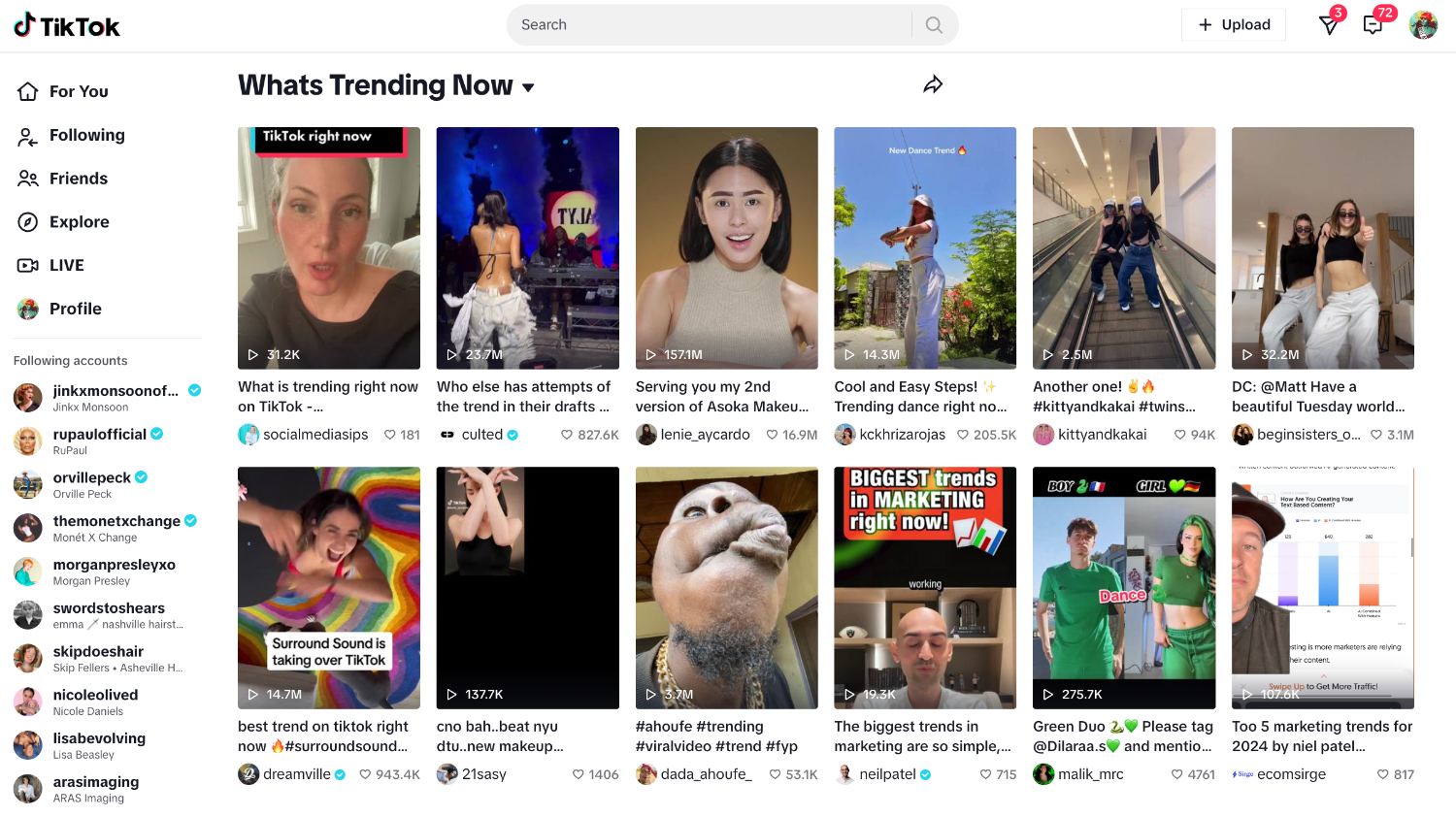
But determining what to sell on Shopify can still be a challenging task. Will you create your own handmade products or dropship for other brands? Will you hop on a trend or invent something entirely new?

Consider also that you can sell more than just things you can touch and feel. Many founders are using Shopify in creative ways to sell pretty much anything and everything. Selling experiences, courses, rentals, and digital goods are just a few of the unique business ideas you’ll find in this guide. Ahead, find a product that excites you and get started selling on Shopify today.
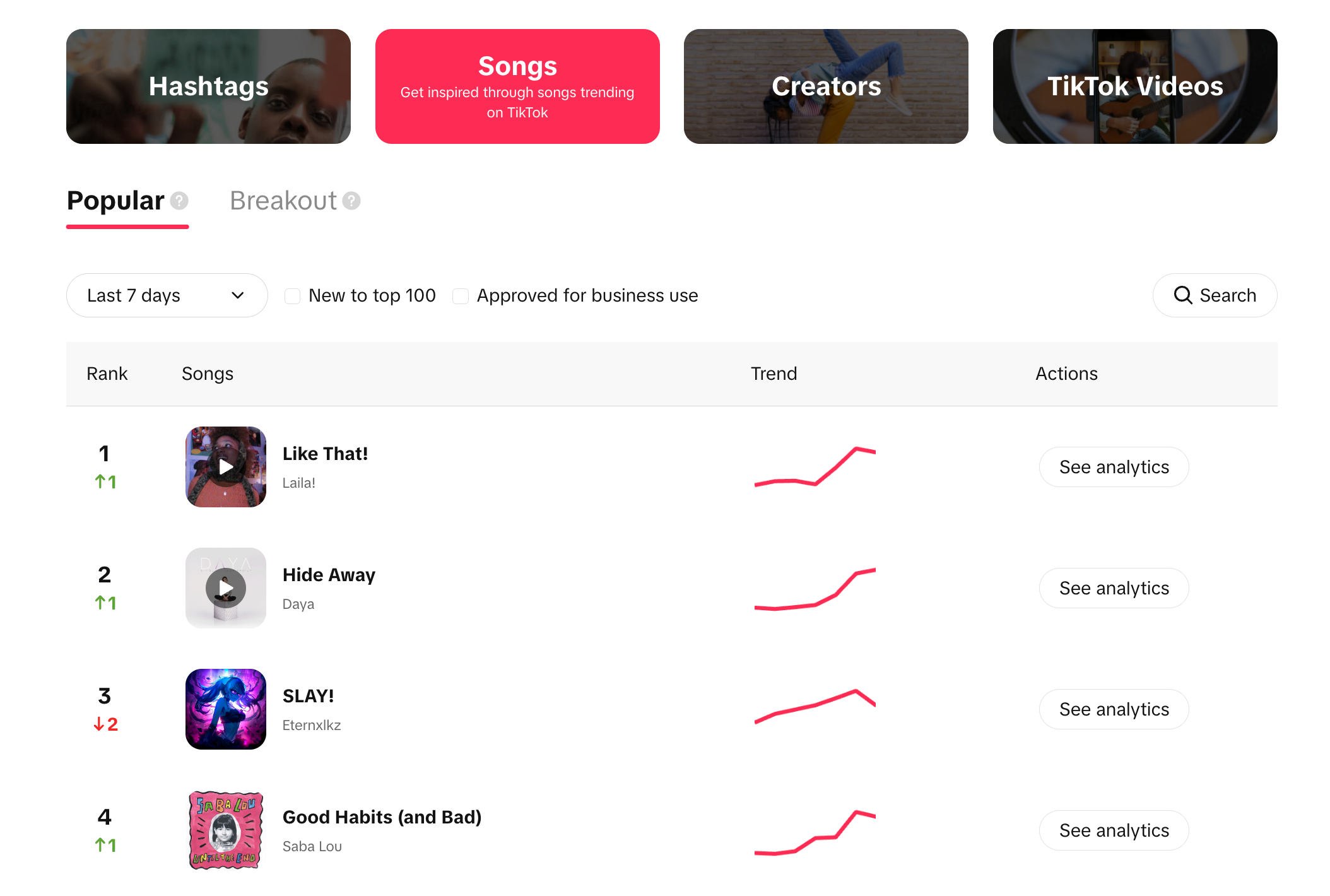
What to sell on Shopify: 17 ideas

  1. Handmade products
  2. Dropshipping products
  3. Print-on-demand products
  4. Merch
  5. Trending products
  6. Curated products
  7. Service appointments
  8. Memberships
  9. Consultations
  10. Digital products
  11. Experiences
  12. Classes and workshops
  13. Rentals
  14. Quotes, estimates, and assessments
  15. Donations
  16. Event tickets
  17. Gift cards
[embedded content]

If you’re embarking on a new entrepreneurial journey, or you’re looking for a change, consider selling products or expanding your brainstorming beyond tangible goods. Here, we’ll explore what you can sell on Shopify, including real store examples, app suggestions, and advice for getting started.

1. Handmade products

Woman cuts fabric on a tableOne of the most common things to sell on Shopify is handmade goods. If you have a hobby like jewelry making or baking, chances are you may be able to monetize it. Turning your hobby into a business means finding an audience, streamlining your production processes, and preparing your products to sell online. 

When stained glass artist Debbie Bean found her calling, she worked side jobs and cut household expenses to grow her new business. She found her start at a local craft show and grew her brand by word of mouth from there. Her work was featured in more than 200 retailers worldwide before she pivoted her business to large-scale art installations.

Tips for getting started

  • Scaling a handmade business is tough, but you eventually can hire staff to help with assembly. In the meantime, try streamlining your process to make products in batches.
  • Consider a made-to-order model that allows you to produce work only when it’s sold. 
  • Brand storytelling is important for maker brands. Take time to craft your own.
  • Consider personalized products like adding monogram embroidery for an extra cost.

2. Dropshipping products

Bust sculpture is wrapped in packaging materialsDropshipping is a great option for ecommerce beginners. It’s a business model that allows you to sell products without holding inventory or dealing with shipping. A dropshipping business is one that sells products online for another company that, in turn, ships those products directly to the customer.

Tan Choudhury discovered dropshipping while struggling with the shipping issues in his first business. Since then, he’s become an expert, helping others sell products this way. His biggest piece of advice? Start with one product. “Trying to merchandise 20 products as a beginner can be pretty overwhelming,” says Tan.

Tips for getting started

  • Find reputable suppliers that can ship products on time.
  • Focus on differentiating your brand from the other dropshipping businesses selling similar products.
  • Look to trending products for inspiration on what to sell.
  • You can dropship almost anything, from clothing and jewelry to books and baby products.

3. Print-on-demand products

Print on demand is another type of business model that requires no inventory or shipping. If you’re a creative, consider using print on demand to apply your designs to t-shirts, smartphone accessories, mugs, and more. 

Maria Qamar, also known by her artist name HATECOPY, found print on demand after her art business took off. “At some point the volume became so much that I couldn’t make time to draw. I was spending all of my days delivering and in transit,” she says. Print on demand now allows her to focus on the creative parts of her business.

Tips for getting started

  • There are a number of print-on-demand companies to choose from. Find one that has the types of products and quality you’re looking for. 
  • Authors too can use print on demand to sell books on Shopify, bypassing the traditional publisher route. 

4. Merch

Person with back to the camera wears a branded shirt from a brewery
Dominion City Brewing Co.

There’s a way to sell products even if your business isn’t about products. Many service businesses and online creators sell merch to diversify income streams and build brand affinity. Influencers can build their own ecommerce store and sell merchandise to fans. This is also a great way to build your email list and own your audience away from social platforms.

Sarah Andersen’s doodles caught the attention of Tumblr users back in 2011. Since then, she’s built those drawings into a comic book empire called Sarah’s Scribbles. Eventually, merch made sense for her brand, and she launched a line of tees, plushies, mugs, and prints alongside her comics.

Tips for getting started

  • Use a print-on-demand service or app from the Shopify App Store to avoid handling inventory. 
  • Use merch as a way to offer lower cost items to your mix. An artist who sells only expensive originals can add merch printed with art to the mix.

5. Trending products

Three women stand front to back wearing matching yoga gear
Organic Basics

When you’re starting from scratch and looking for something to sell on Shopify, consider trending products. If you don’t have a business idea or hobby you can convert into one, this is a great place to start. You already know there is a market for the product—you just need to drive them to your website. 

Google Trends can help you vet your idea’s trend potential. Setting up a successful Shopify store for your trending product is also an important step. There’s likely a ton of competition: How will you stand out? 

Tips for getting started

  • Don’t stop at Google Trends. TikTok Trends, Pinterest Trends, trade publications, consumer magazines, and other online stores can be great places to discover trending products.
  • Remember that trends are fleeting. Have a plan to pivot if interest in your product wanes.

Connect with shoppers on TikTok

Shopify comes with powerful tools to help you tell your brand story and create TikTok in-feed ads in minutes. Make sales on TikTok and manage all your orders, returns, and payments from Shopify.

Start selling on TikTok

6. Curated products

A curated gift basket filled with bath and body goods
Present Day Gifts

If you’re not interested in making products from scratch, try a curated approach to selling on Shopify. Consider your interests: Can you curate the best niche products in that category? What about selling beauty products for a specific skin condition? You can even try becoming a reseller for an existing brand in a new market. 

If you have deep interest in or knowledge of a specific topic, this is a great place to start. Use content marketing to establish yourself as an expert and build trust. Then, curate the best products in the category to sell on Shopify.

Tips for getting started

  • Explore other online stores to get inspiration for yours. How do they curate collections? What makes their store stand out?
  • Consider a subscription box business and try a subscription app from the Shopify App Store to help manage your business.

7. Service appointments

A woman cuts hair with a comb and scissorsIn-person and virtual businesses alike can make appointments more seamless for customers (and staff) by offering self-serve online bookings. Salons, contractors, and music schools can sell virtual consultation time slots and in-person services through an online store.

Stores that typically sell physical products can also benefit from adding services (free or paid) to their websites. Toufie, an online footwear brand that sells handcrafted custom shoes, uses appointments to help nail the fit. “Appointment bookings are one of the integral components to a risk-free customer shopping experience,” says co-founder Meliza Salim.

Tips for getting started

  • Appointment booking Shopify apps offer a dynamic calendar, letting customers book preferred time slots with real-time availability. 
  • Service businesses can also consider branded merch to sell on Shopify alongside appointments.

8. Memberships

A kraft envelope containing cards from the brand Yoto
Yoto

Many non-profit organizations rely on paid memberships as a way to secure ongoing financial support. Memberships can also be used by creators to sell access to exclusive content for their most avid fans. Golf courses, fan clubs, galleries, and educational content producers are more great candidates for selling memberships online, securing long-term commitment from customers rather than selling one-off services. 

The Buffalo Botanical Gardens sells single-visit tickets but encourages visitors to buy memberships that allow year-round access and member-only perks. And kid music brand Yoto sells memberships to its Yoto Club. Members receive Yoto Cards in the mail monthly. 

Tips for getting started

  • Memberships work much like subscription businesses, relying on recurring payment functionality and customer account management tools. Use this model as a guide when setting up your ecommerce store.
  • An app like Bold Memberships allows you to sell one-time or recurring memberships online.

9. Consultations

A flatlay of design materials
Carter Design

Why not sell your expertise online? Everyone from interior designers to fitness trainers can use an online store to book and sell online or in-person consultations. 

The team behind Carter Design uses their Shopify store to sell design consultations to clients worldwide. This allows the duo to expand their services into other markets. 

Brands that specialize in customization or made-to-order products may sell consultations to help customers create the perfect product. Kaikini founder Taryn Rodighiero runs her custom bikini business with the help of online consultations to guide customers through the measuring and ordering process.

Tips for getting started

  • An app like BookedUp lets customers book consultations with you on your website, syncing with Calendly to avoid double-booking.
  • Try Shopify’s invoice generator tool for billing custom services that you sell through consultation. 

10. Digital products

A tablet shows a number of digital designsDigital products can refer to anything you sell that you deliver in a virtual format—course content, music files, fonts, or other design elements are a few examples. (Note: Later in this article, we’ll dive deeper into selling courses, specifically.)

While Thread Theory founders Matt and Morgan Meredith sell physical products like scissors and paper patterns, they also offer a lower-cost option: PDF sewing patterns delivered virtually. Other businesses with printed materials like magazines or journals may opt to offer digital versions to sell on Shopify that customers can print at home.

Tips for getting started

  • Apps like Sky Pilot and Easy Digital Products can instantly deliver files to customers after a purchase, or send a link to where the files can be downloaded.

11. Experiences

A woman climbs the face of a rock
Aspen Expeditions Worldwide

Experience-based businesses can range from travel and adventure providers to winery tastings to kids’ camps. These businesses can improve the customer experience by offering advance ticket purchases and scheduling options online. 

Aspen Expeditions Worldwide sells rock climbing adventures, international guided trips, and camping expeditions through its ecommerce store. Since the product pages for each adventure do a lot of heavy lifting to inform, educate, and persuade potential customers to make big-ticket purchases, Aspen Expeditions organizes the information by adding tabs to the product description. 

Tips for getting started

  • Experience-based businesses may need to collect additional customer information, like medical concerns and emergency contacts. Use Shopify Forms to create robust and customizable forms.
  • Use video to your advantage: Shopify’s free online video maker can help you create marketing videos using footage from real experiences.

12. Classes and workshops

A person bends over a yoga mat holding small hand weightsThe COVID-19 pandemic proved that courses could be easily portable to a virtual format. Yoga studios and boxing gyms alike moved to an online model, letting participants buy class passes and attend online. Consider other types of courses you can sell on Shopify: digital marketing, DIY how-tos, and parenting classes.

If I Made creates original creative course content with industry professionals and delivers programming digitally to students—but it started with in-person learning. “We then took that content and brought it all online to make it more portable and accessible,” says founder Emily Newman. 

Tips for getting started

  • Sell courses in multiple formats like videos, worksheets, booklets, and 1:1 coaching sessions.
  • An app like Courses Plus can turn your Shopify store into a course platform, allowing you to create lessons to sell online. 
  • Create course content using Shopify’s free online video maker and sell it over and over.

13. Rentals

A woman in a sun dress smiles at the camera
The Fitzroy

Rental businesses are services that make physical products available to customers for a predetermined amount of time. Customers pay for the advantage of using an item for a brief period without the associated long-term costs like storage and maintenance.

Mannequin Madness sells retail props to other shops through its online store, but also rents them temporarily. When accidental entrepreneur Judi Henderson-Townsen needed a mannequin, she discovered only one seller in her area. “I bought his entire inventory,” she says. Mannequin Madness uses a contact form to assess customer needs before processing the rental.

Dress rental business The Fitzroy, however, takes a self-serve approach by asking customers to select a rental period using a date selector variant available on its product page to “check out” the item. It relies on a simple app and a clear FAQ page to make the rental and return processes run smoothly.

Tips for getting started

  • IzyRent: Rentals & Bookings is an app designed specifically for stores offering rentals. It allows for one-click rentals on your website.
  • Rentals may require extra information to be collected from customers, and Shopify Forms can help you do just that. 

14. Quotes, estimates, and assessments

Two people work on framing a houseGoGreenSolar sells and installs solar energy solutions for homeowners. Due to the custom nature of the product and the additional work involved in installation, customers can request quotes and expert advice through the contact forms available on the company’s site. Self-serve quote requests save time and staff resources for businesses that provide highly technical services and products.

Quotes are a great marketing tool for a business’s other services. For example, a business that provides home energy upgrades may sell energy audits through a website. The final report would then inform customers how they can recoup the audit cost through energy savings—by buying the business’s upgrades.

Tips for getting started

  • An app like G: Request a Quote can help you gather customer quote requests from your store and convert that quote into a real order.

15. Donations

Two people unload donations from a truckMany charities use Shopify as the merchandise arm of their organization, selling branded goods, with profits supporting the cause. But charities and non-profits can also use an online store to “sell” one-time and recurring donations.

An Act of Dog is a registered charity that sells pet paintings, with proceeds supporting various animal rescue organizations. The company also lets customers donate directly to causes through the same website.

Tips for getting started

16. Event tickets

A person shoots a phone video at a concertOnline ticketing can be employed by a number of businesses, from event spaces to independent theaters to pop-up haunted houses. 

Undertow works with select artists to sell tickets online for music events throughout the US. It uses a paperless delivery method, sending downloadable tickets to customers. Run Across America uses ticketing in a different way, selling access to virtual run challenges that participants complete on their own schedule. Purchases include access to a tracking app and a sweatshirt. 

Tips for getting started

  • Design, sell, and scan event tickets with the Event Ticketing app that syncs with your Shopify store. 
  • A QR code generator can be helpful for creating unique QR codes that customers can present at live events.

17. Gift cards

Three gift cards on a flat surface
The Goods

The simplest of non-tangible goods to add to any website is gift cards. From Shopify, you can enable gift cards for most stores. They’re perfect for any business, allowing recipients to redeem codes online for products or services sold through your website.

Home décor brand Apt2B sells branded gift cards in multiple denominations, redeemable for furniture and décor goods through its online store.

Tips for getting started

  • Offer gift cards in a number of denominations to give customers more options.
  • Push digital gift cards in your marketing efforts after the shipping cutoff for holiday delivery has passed.

Sell (almost) anything on Shopify

If you’re looking for a business idea and aren’t sure what to sell on Shopify, the answer is: almost anything. There are ideas for everyone, even if you’re not creative or don’t plan to make your own products. Don’t limit yourself to selling physical items. You can sell everything on Shopify, from memberships to tickets to digital goods. Develop your brand, set up a Shopify store, and start selling products—and everything else—today.
What to sell on Shopify FAQ

What can I sell on Shopify?

You can sell both products (digital and physical) and services (virtual and in-person) on Shopify. Intangible things to sell on Shopify include memberships, consultations, fonts, installations, event tickets, and digital gift cards. But don’t stop there! Keep looking for your niche—the possibilities are infinite.

What do you need to start selling on Shopify?

Can you sell your own items on Shopify?

Yes, you can make and sell crafts and other handmade items on Shopify. If you’re a maker, you can set up a store to sell your goods directly to your target audience. Also consider selling across multiple sales channels, like online craft marketplaces, to extend your reach. You can also sell vintage finds, secondhand items, digital creations, and more.

Is Shopify good for beginners?

Shopify is a leading ecommerce platform for beginners. With affordable pricing plans for all budgets and an easy-to-use back end, you can build and customize your Shopify online store in minutes. Plus, Shopify has an entire ecosystem of business tools that grow with you.

What Is Payment Security? Importance and Types (2024)

Software Stack Editor · May 23, 2024 ·

image

In the realm of ecommerce, every purchase is more than just a transaction—it’s an exchange of trust. When consumers give up their credit card information to vendors, they expect (and deserve) for it to be handled responsibly and securely. That’s the power of payment security. 

But as online sales rise, so does ecommerce fraud. Juniper Research estimated $48 billion in global ecommerce losses due to fraud in 2023, up from over $41 billion in 2022. This surge not only threatens the financial well-being of businesses but also erodes the trust that the ecommerce industry is built on.

Below, you’ll learn what payment security looks like in ecommerce, how to fortify your defenses, and how Shopify supports sellers in protecting customer data throughout the payment process.

What is payment security?

Payment security refers to a set of protocols, technologies, and practices that protect the integrity of financial transactions within your business. These measures are designed to prevent fraud, theft, and unauthorized access to sensitive customer data, both during and after transactions.

Types of payment security 

There are multiple defense mechanisms your business can use to secure financial transactions and protect customer information. Common methods include: 

Encryption 

Encryption converts data (such as credit card numbers and bank account information) into a coded or scrambled format. Like storing your data in a locked safe, encryption means no one can access the contents inside without the correct combination or key. 

From classified government documents to online payments, encryption protects sensitive data across the internet. The two main types of encryption are symmetric (a single key for locking and unlocking the data) and asymmetric (a public key for encryption and a private key for decryption). Asymmetric encryption is generally considered more secure since the key to unlock information is kept private. 

Businesses use encryption protocols like Secure Sockets Layer (SSL) and Transport Layer Security (TLS) to secure communications over the internet. Actually, TLS has replaced the older SSL protocol. However, the terms TLS and SSL are still used interchangeably. Shopify uses Transport Layer Security (TLS) to secure all connections to your Shopify admin and to your store. 

Tokenization

Tokenization adds an extra layer of security to your payments by replacing sensitive payment information with a unique (yet meaningless) set of characters known as a token. The token serves as a reference to the original data, which is securely stored in a third-party “token vault.”

During the transaction, only the token passes between parties like your ecommerce platform, payment gateway, and the bank. So, even if information gets stolen or falls into the wrong hands, it’s useless. Think of it as having a placeholder concert ticket instead of the actual ticket or listing an alias on your credit card. 

Authentication

Much like the bouncer who checks your ID before letting you into a club, payment authentication verifies the identity of users before authorizing a transaction. The additional layers of security are designed to prevent fraud or unauthorized transactions.

You’re probably already familiar with at least one of the main authentication types, which include:

  • Single-factor authentication (SFA): A user logs in with a username and one form of authentication, such as a password or PIN.
  • Two-factor authentication (2FA): Also referred to as Strong Customer Authentication (SCA), users must provide two forms of verification, such as a password and a one-time code sent to another known device.
  • Multifactor authentication (MFA): MFA adds even more security by requiring two or more forms of identification, such as a password, token, PIN, security questions, and/or biometric data.

PCI DSS

The Payment Card Industry Data Security Standard (PCI DSS) is a set of security standards aimed at improving payment security and consistency worldwide. Established in 2004 by five major credit card companies, PCI DSS compliance helps businesses and consumers avoid payment fraud and data compromise. 

PCI DSS applies contractually to any organization or business that processes, stores, or transmits credit card information. Shopify is certified Level 1 PCI DSS compliant, which by default extends to all stores using the platform. Level 1 is the highest level of compliance, meaning that Shopify uses the strictest compliance standards to protect businesses. 

Secure payment gateways

A secure payment gateway acts as an intermediary between the customer, business, and financial institutions involved in a translation. These gateways provide a secure channel for sharing payment information between parties, which is crucial to protecting customer data against fraud or theft.

Secure payment gateways handle the authentication, encryption, and tokenization of cardholder information throughout payment processing. They adhere to PCI DSS and use protocols, like SSL and TLS, to encrypt sensitive data as it’s being sent. 

Fraud prevention

As a Shopify seller, you have information and tools available to help prevent fraudulent activity: 

  • Fraud analysis: When you enable fraud analysis, you’ll receive a risk assessment of high, medium, or low on every order. Shopify will flag potentially fraudulent orders for your review, and will also list the indicators behind the assessment, so you can decide which orders are safe to fulfill.
  • Shopify Protect: Eligible Shop Pay orders in the US are protected from fraudulent chargebacks. If you experience a fraudulent chargeback on an eligible Shop Pay order, Shopify will automatically reimburse the disputed funds and chargeback fee.
  • Dispute management: If you’re using Shopify Payments, you can streamline the dispute process for chargebacks because the platform automatically submits evidence on your behalf. Shopify also shares transaction details and shipping information with the cardholder’s bank by the due date. If you have additional information to include, you can add evidence to the chargeback response.
  • Dynamic 3D Secure (3DS): All payments through Shopify Payments are automatically authenticated with 3D Secure in markets where Strong Customer Authentication (SCA) is required, which helps prevent fraudulent chargebacks.
  • Shopify Flow: Use Shopify Flow’s workflows to create rules, allow lists, and block lists that control which orders your store accepts.
  • Proxy detection: Shopify can help you detect and flag when customers use a proxy service or IP address.
  • Payment capture control: Set up the payment capture settings that make sense for your business. Automatically or manually charge customers for their order – and choose if the payment is captured at the time of sale or after.
  • Card testing protection: Integrated card testing protection helps to prevent credit card fraud at checkout.
  • Fraud reports: Analyze the fraud trends across your business with detailed reports on your acceptance rate, high-risk orders, fraudulent chargebacks, and more. 

Firewall and network security 

Network security is an orchestrated, strategic approach to defending an organization’s data and resources across its network. It involves a number of technologies, devices, and processes, with firewalls being one of the most important. 

Firewalls act as a shield between your internal network (including your payment systems) and external threats coming from hackers, malware, or other types of cyberattacks. Think of the firewall as a digital burglar alarm, ready to sound at the first hint of a break-in. You can configure a firewall to scan for viruses, filter information and traffic based on certain rules, and prevent unauthorized access or additions to the network.

Other network security measures may include: 

  • Access control
  • Network segmentation
  • Intrusion prevention systems (IPSs)
  • Internet gateway protection
  • Ongoing security assessments and audits
  • Employee training 

Security patches 

Security patches keep your software running at its best by installing updates and addressing bugs or other vulnerabilities. Cybercriminals see out-of-date or weak software as an easy target. So, you should proactively apply security patches and updates to protect your payment systems and customer data against potential threats. Doing so will also improve your systems’ performance and ensure compliance. 

Should you be concerned about payment security?

Sensitive customer information such as home addresses, credit card numbers, or bank details are a goldmine for hackers and other bad actors. As gatekeeper of this type of information, you have an obligation to provide a safe experience, whether that’s online, in-person, or both. 

What’s more, without a secure payment process, customers may not feel safe buying from your business. Research found that 75% of consumers felt ready to sever ties with a brand after a cybersecurity issue. Shopify includes built-in tools and resources, like encryption and PCI compliance, to make payment security easy—but it never hurts to take a proactive approach. Your customers, and your bottom line, will thank you. 

How to ensure payment security

Fighting the threat of payment fraud requires a multi-layered approach. A recent Ekata survey found that 70% of ecommerce companies use three or more tools to balance their fraud prevention efforts with providing a smooth consumer experience. Let’s cover some best practices for payment and ecommerce security:

  • Conduct a risk assessment 
  • Implement security policies 
  • Adopt PCI DSS compliance 
  • Use secure payment gateways
  • Monitor for fraudulent activity 
  • Regularly updates and patch systems
  • Back up your data 
  • Have a response plan 

Conduct a risk assessment

A risk assessment helps you understand what you’re up against and where you can improve. Start by determining what types of sensitive data your business handles and where it’s stored, processed, and transmitted. Then examine your current payment infrastructure, processes, and systems for weaknesses. 

Implement security policies

Based on your risk assessment, set up payment security policies to cover how you will handle sensitive data, access controls, and incident response. Teach employees about account security and employ best practices. Your policy may also include preventative protocols like firewalls, intrusion detection systems, and anti-malware solutions.

Adopt PCI DSS compliance

As mentioned before, all Shopify stores using our platform are automatically PCI-compliant by default. That being said, it’s a good idea to familiarize yourself with the basic guidelines and principles for compliance.

Use secure payment gateways 

Partnering with a trusted payment processor takes much of the work off your shoulders. Shopify Payments, for example, is a PCI-compliant gateway that manages and stores payment data securely. In markets where 3D Secure is required, Shopify automatically prompts customers to provide an additional layer of authentication.

Monitor for fraudulent activity 

Fraudulent transactions can result in chargebacks and lost merchandise, which means lost money for your business. Shopify’s fraud analysis uses machine learning algorithms to help you identify orders that may be fraudulent. You can also use Shopify Flow to set up rules that automatically block, fulfill, and hold orders for your review. 

Get familiar with potential fraud indicators, so you can investigate suspicious orders before they become a problem. You can also download third-party fraud apps in the Shopify App Store.

Regularly update and patch systems 

Make sure you keep your security patches and software up to date. This helps fix any weaknesses that hackers might use to get into your system and grab important information such as credit card details.

Back up your data

If a scammer gets into your system and makes unauthorized transactions, having a backup of the data makes it easier to restore the system and stop more unauthorized transactions. Also, having a backup helps you pinpoint where the problem started and investigate the fraud.

Have a response plan

Make sure everyone knows what to do in the event of a security breach or other incident, including roles and responsibilities, communication strategy, and specific response procedures. Employee training can make it easier for your team to respond quickly and efficiently. Plus, a detailed response plan will help you rebound quickly, minimizing damage and loss to your business. 

Manage payment security with Shopify Payments

It’s easy to build a robust payment security strategy with Shopify. When you use Shopify Payments to process transactions on your store, you get automatic access to a secure environment with the following features: 

  • Account security via two-factor authentication: Using Shopify Payments to accept payments and receive payouts requires you to activate two-step authentication on your Shopify account. That means every time you log in, you’ll need to enter your password as well as another form of verification using your mobile device or a security key. 
  • Fraud protection: When you use Shopify Payments, you’ll get access to tools designed to help you automatically detect and curb fraud. All orders processed through Shopify Payments are screened by fraud analysis which uses machine-learning algorithms to identify suspicious activity. and assess the risk level of the transaction. You can view the indicators used to determine the risk level to help you decide whether to cancel or fulfill the order. 
  • 3D Secure checkout: If you’re using Shopify Payments, then you have access to a 3D Secure checkout flow. This feature provides an additional layer of security by automatically adding an authentication step for online credit and debit card transactions in the markets where it’s required. And when payment is authenticated with 3D secure, the liability for fraudulent chargebacks or disputes is shifted from businesses to card issuers. Note that some card issuers have policies that remove liability shift protection if a business has too many chargebacks.
  • Written return and refund policy: Give your customers confidence when they’re shopping on your site by establishing a clear return policy. You can set up return rules that automatically apply when customers place their orders, including a return window, return shipping costs, and restocking fees.

Start accepting payments fast with Shopify Payments

Skip lengthy third-party activations and go from setup to selling in one click. Shopify Payments comes with your Shopify plan, all you need to do is turn it on.

Discover Shopify Payments

Payment security FAQ

What is payment security on a credit card?

Payment security on a credit card involves protecting the cardholder’s personal and financial information during transactions. This includes fraud prevention measures like data encryption, tokenization, authentication processes (like PIN numbers or biometric scans), strong access controls, complying with industry standards like PCI DSS, and using technologies, such as Europay, Mastercard, and Visa (EMV) chips. The goal is to prevent unauthorized access to cardholder data and reduce the risk of fraudulent transactions.

Why is payment security important?

Given the high incidence of cyberattacks (more than 98 million records impacted worldwide in May 2023 alone), businesses of all types, including ecommerce and brick-and-mortar stores, should prioritize payment security. 

A safe and secure payment process helps protect sensitive information, prevent data breaches, reduce financial fraud, ensure regulatory compliance, build trust with customers, and save your business time, money, and stress.

How do you ensure payment security?

Businesses can take several steps to ensure payment security, including:

    • Conducting a risk assessment to identify holes in their payment infrastructure, processes, and systems
    • Implementing security measures that align with industry standards and regulations, such as PCI DSS
    • Developing security policies and procedures that address payment security, data handling, access controls, incident response, and employee training
    • Implementing security measures such as encryption, tokenization, strong authentication, and robust firewall configurations
    • Choosing secure payment solutions that adhere to industry standards and regulations
    • Continuously monitoring payment systems, networks, and applications for threats and vulnerabilities

How To Sell Art Online: The Complete Guide (2024)

Software Stack Editor · May 23, 2024 ·

Making a living as a career artist is more than creating beautiful art. It involves understanding how to build an audience, how to price art products, and the unique requirements for shipping art. It means thinking like an entrepreneur.

Before ecommerce platforms, artists relied on third-party gallerists, agents, and retailers to distribute work. Today’s creator tools allow independent artists to own their distribution streams, creating and selling their art online—and on their own terms.

This shift has allowed gallerists and curators to represent more artists and expand into selling affordable art prints online to reach wider markets.

Whether you’re a creator or a curator looking to make money online by selling art, this step-by-step guide will teach you how to sell art online, with advice from successful gallerists and painters.

How to sell art online

  1. Choose your business model
  2. Decide what to sell: original art vs. reproductions
  3. Photograph and scan your work
  4. Find a printer to print your art
  5. Build your brand as an artist
  6. Set retail prices for your products
  7. Build an ecommerce store to sell your art online
  8. Discover more channels for selling art
  9. Sell your art offline
  10. Work with galleries to sell your art
  11. License your art 
  12. Market your art brand
  13. Package and ship your art
  14. Understand plagiarism and copyright for artists

In the following sections, we’ll cover the basics of selling art online for beginners and seasoned artists alike. Explore topics for every level including working with printers and dealing with plagiarism.

Portrait of artist Maria Qamar in her studio
Artist Maria Qamar in her studio. Hatecopy

No matter what type of art you’re into—original acrylic paintings, digital art prints, sculpture—this resource has actionable advice for every artist. Hear expert advice from Spoke Art gallerist Ken Harmon, Ferme à Papier owner Cat Seto, and artist Maria Qamar, a.k.a. Hatecopy. From learning how to sell paintings online to reproducing your work as merch, these experts will walk you through every step.

1. Choose your business model: Sell your own art or works by other artists

There are two ways to sell art online: create or curate. Cat built her career both ways, by creating and selling her own work and representing the work of others in her boutique. Which one is right for you?

Create and sell your own art

As an artist, you are the creator, producing original art, reproductions of originals, or digital artwork, and selling directly to your customers or indirectly through a gallery, retail partner, or agent. 

It’s never been easier for artists to sell directly, with emerging creator tools popping up seemingly every day.  If you’re learning how to sell paintings online, galleries can expose your work to new audiences. They may also have access to resources and professionals to help promote, exhibit, handle, and ship artwork.
Curate the works of other artists

A man stands in a modern gallery examining a piece of artIf you’re not personally an artist but you have a great eye and a love of the art world, you can still get into the game of selling art as a curator. 

Some artists may not be into marketing or figuring out how to sell art online and instead rely on gallerists, curators, and retail partners to handle this aspect of the business. As a partner to artists, you make a percentage of the selling price in exchange for your business knowledge and service.

There are several ways to work with artists to sell their art online—be it selling originals or prints, or licensing works to be printed on merchandise or used in publication. 

2. Decide what to sell: original art versus reproductions

The best way to sell your art online will depend on the nature of your art and your chosen medium. You may choose to sell your art, sell reproductions of that work, or both.

Fine artists using classic mediums and selling at high price points may choose to sell only originals, for example, while digital art, which can be reproduced without loss of quality, is great for prints and merch. However, most art created in 2D mediums have multiple options for generating unlimited sales on a single work.

Consider the following formats:

  • Original art: Paintings, drawings, illustrations (Note: you can sell both the original art as well as prints of the same work)
  • Limited- or open-edition prints: Framed, unframed, or prints on canvas)
  • Digital art or digital downloads: Desktop wallpaper, templates, print-at-home art, etc.
  • Custom art: Made to order from a customer request or commissioned by a business.
  • Merchandise: Your art printed on hats, iPhone cases, mugs, t-shirts, enamel pins, greeting cards, stationery, etc.
  • Repeat prints: On fabric, wrapping paper, or wallpaper
  • Licensing: “Renting” work to other brands or publications (great for illustrators and photographers)
  • Collaborations with brands: Limited collection sold through the partner brand’s store

How to sell paintings online

This guide will provide you with everything you need as an artist selling paintings online. With the exception of the section on printing your art, each step applies to online art sales for both original and reproductions.

How to sell prints online

You’ll also find all the information required to sell prints online. This guide will walk you through the steps to make money selling art online by reproducing original artwork to sell over and over again. Pay particular attention to the section on printing your art, as well as how to leverage print on demand products to start making online sales through your digital art in just a few clicks.

Selling other types of art reproductions

Indigenous artist Patrick Hunter creates price-accessible reproductions of his work on goods like greeting cards and apparel.

Webpage featuring products from artist Patrick Hunter's collection

Some mediums, like sculpture, are more difficult to reproduce or use for merchandise applications. But for those impossible to scan and print, there are still ways to generate additional income from a single design. For example, clay works may use the same mold to generate similar pieces, and 3D designs can be created over and over with a 3D printer.

Reproductions of art prints: open edition versus limited edition

Product collection page from artist HATECOPY's website
Hatecopy art adorns merch, apparel, and other goods on Maria’s own website. Hatecopy

Reproducing art on t-shirts or mugs, or as art prints means that a single work can bear fruit indefinitely—or for a limited time. There are two ways to approach selling your art as prints: open edition or limited edition.

What is open edition? 

Open edition means printing and selling an unlimited number of products (reproductions or prints of an original work). With this option, you can continue to profit from a single piece of art indefinitely while there is still demand for it. However, the unlimited availability of your pieces may devalue your work overall.

What is limited edition?

Limited edition means printing only a certain number of prints before they are gone. These are often numbered and signed by the artist to add value and authenticity. The limited availability adds value to the art, meaning you can sell prints at higher price points.
Product page from Spoke gallery's website
This print by Van Orten Design has a limited run of 100 prints available on Spoke’s website. Spoke Art

Spoke often opts for the limited edition strategy. “We work really hard to find things that are very special to sell. Things that are special should be treated like they’re special,” Ken says. 

To help minimize reselling, Spoke will limit quantities of certain prints per customer. “Making sure that the real fans are actually the ones who are able to get the things that we sell is always a priority,” Ken says.

3. Photograph and scan your work

Photographing and representing your products clearly and accurately is important for any online small business. Without the ability to feel a product, potential customers need to get the best sense of what they’re buying through clear and detailed images. 

Selling art online is no exception. “If you have a bad image of your work or the image doesn’t represent the work accurately, you’re going to have a harder time selling it,” says Ken. Or, you’ll be stuck dealing with unhappy customers and processing returns.

Photographing art to sell

Product photography for art is a little trickier than other products, and a basic light setup may still cause glare or color irregularities. Consider hiring a professional to shoot larger works or art with any three-dimensional or glossy elements.

A few illustrated greeting cards arranged on a table with other objects
Lifestyle photos that feature your products or art in a space or scene help to inspire your customers and show scale. Ferme à Papier

If you’re selling merch or other products that feature your art, the general rules of product photography apply. Take clear shots from multiple angles as well as zoomed-in shots to show texture and detail. Lifestyle photos (your product in a scene) are great for your homepage and social media and help to show scale. 

Print-on-demand services often provide mockup images you can use on your product pages in lieu of or in addition to photography. 

Scanning art to sell

For 2D works, Ken recommends scanning as an affordable and effective alternative to photography. “The most cost effective way to do that is to get a desktop scanner and scan the work in parts and stitch it together digitally,” he says. “If you’ve got a piece with a high-gloss coating or a resin, that’s a little tricker, but for the majority of works on canvas or paper, it’s pretty easy.” In the case of more challenging scans, galleries and other printing services can help.

In both cases, you’ll want the final product to represent your work as closely as possible so you can use it in your portfolio or sell the work as prints or digital art.

🎨 Learn more:

4. Find a printer to print your art

A person operates a commercial printerUnderstanding how to sell your prints of your artwork comes down to getting very friendly with a printer, whether that’s your at-home inkjet or a company that handles the task for you. There are multiple options, from DIY to completely hands off, to help you sell art prints and other merchandise to your audience.


DIY printing

It’s possible to start selling your own artwork by creating quality prints yourself with high-quality paper, ink, and an at-home office printer. As a new artist, this method can keep costs low, but may be unsustainable as you scale over time. 

“In the beginning, I would print, package, and deliver by hand every single poster that was ordered,” says Maria. “At some point the volume became so much that I couldn’t make time to draw. I was spending all of my days delivering and in transit.” 

This method is usually limited to selling art prints on paper, but some specialty home printers may allow you to print on canvas paper or fabric designed specifically for this purpose.

[embedded content]

Using a printing company

A local or online printing company can reproduce your work en masse and can even offer bulk discounts if you are printing many of the same piece. This can be the best way to sell art online if you have a small catalog and high sales volume of those pieces. 

With this method, you’ll still be responsible for packaging and shipping the prints you sell online. These companies can often produce high-quality prints due to more advanced printers.

Print on demand services

A selection of art products for sale on an ecommerce site
Ferme à Papier

Print on demand is the most hands-off and versatile option and the easiest way to sell art online—especially if you plan to sell your work printed on merch like t-shirts or caps. 

Print-on-demand services generally integrate with your online store. When an order is placed, the integration triggers that piece to be printed and shipped directly to the customer. This is a great option for selling art on a budget, as there is no need to invest in equipment or inventory. 

When the number of orders exceeded her capacity to print and ship work herself, Maria upgraded to using a print-on-demand company. “All I have to do is upload and let it do the work for me,” she says. “Now I can focus on actually creating the artwork and connecting with people.”

Print-on-demand products don’t just stop at paper prints. Your art can be printed on a number of items to sell, from phone cases to stickers.

💡 Tip: Request samples from the print-on-demand provider so you can inspect the colors and quality of the print. This is especially important if items will be sent directly to your customers.

5. Build your brand as an artist

Unsplash

As an artist learning how to sell your artwork, your brand may evolve as a natural extension of your art. Your chosen style and medium will define you as an artist and you will naturally attract fans and buyers based on this alone. However, there are many decisions you will need to consciously make when you start to think of yourself as a business as well as an artist.

Because art is a personal and sometimes emotional purchase, your brand story as an artist could factor into someone’s decision to buy. And other business assets like packaging and site design should mirror or complement the visual aesthetic of the work itself.

Your branding exercise should answer the following:

  • Do you create and sell art under your own name, a pseudonym, or a brand name?
  • How will you approach brand storytelling? How much of your personal story will you tell?
  • Do you have a mission, values, or a cause that you want to communicate through your brand?
  • Outside of the art itself, what is the visual direction of your brand identity? What’s the tone of your communication?
  • What branding assets do you need? Even without design skills or the budget to hire a graphic designer, you can generate a logo with a logo maker and execute branding design with free and simple tools.

The answer to these questions will help you build a set of brand guidelines that will form the foundation for website design, marketing materials, etc. If you eventually scale your business, these guidelines will help you maintain brand consistency as you delegate tasks to staff or other partners.

Your brand story can surface in multiple places including your social media content, inserts in your packaging, and on an About page on your website, like this one from Australian artist Sarah Migliacco.

An about page on the website of an Australian artist

Many artists build fan bases based on their online personas or personal brands that are closely tied to their art. Tatiana Cardona, also known as Female Alchemy, has chosen to put her face at the center of her social media strategy.

A grid of Instagram photos from a cermaic artist

🎨 Learn more:

6. Set retail prices for your products

An artist stands in her studio in from of white textural art
When setting retail price for art, consider more subjective aspects like value, demand, and popularity of the art or artist. Pexels

How do you sell your art online—and actually make money doing it? Making a living as a working artist is possible if you know how to value and price your work. Pricing art is challenging because it doesn’t necessarily fit neatly into typical pricing strategies. 

Pricing original art

Running any business that will be sustainable in the long term involves being profitable at some point. To achieve this, you will need to price your art accordingly. If you’re just beginning to experiment with selling paintings online and don’t have a widely known name, you can start with a simple formula to price your original art:

Your cost to sell and market the piece + material costs + other expenses + your markup (profit) = retail price

For this method, it’s helpful to factor in the time you spent creating the art. It is typical for artists to undervalue their time and work, especially at the beginning.

Where the formula above fails is that the value of art is subjective and not necessarily dependent on concrete details like material cost or labor hours. Famous and successful artists can fetch exponentially more for a piece that has roughly the same creation costs as that of a new artist. Check the market to compare your pricing to similar artists at similar levels and adjust accordingly. 

💡 Tip: You can work with gallerists, who are experts at valuing and pricing art, to set a price that makes sense for you, the gallery, and the market. Note that the gallery will take a cut of the retail price when selling paintings online and IRL.

Pricing art prints to sell

Selling art prints or other types of reproduction can follow a more simple pricing formula: 

The cost of printing + your cost to sell and market the print + other expenses + your markup (profit) = retail price

Your markup may be on a scale depending on whether you sell open- or limited-edition prints. Other expenses may include office supplies, software or app fees, professional services, studio rent, and more.

“Knowing what your products stand for and what you aren’t willing to compromise are key components in driving decisions about pricing,” says Cat. For her, printing on sustainable paper was a must-have, even though it would drive up material costs and ultimately the retail price. Communicating these decisions to the customer is important, especially if your prices are higher than average.

🎨 Learn more:

7. Build an ecommerce store to sell your art online

The best way to sell your art online is through your own website. You’ve already done a lot of the work if you’ve established brand guidelines, pricing, and business model (originals, prints, or merch)—this part is simply assembly.

Critical pages

Every ecommerce store should have a few key pages that customers expect to see when browsing. These include a homepage, contact page, About page, collection pages, and product pages. Some lesser known but important pages to consider are terms and conditions, FAQ, privacy policy, and shipping policy pages. 

A webpage on artist Tracie Andrews' ecommerce site
Tracie Andrews

For artists, a gallery or portfolio page may also be useful if you plan to license your work, sell through galleries, offer custom art, or attract brand partnerships. 

A portfolio page on artist Alex Garant's website
Alex Garant

Store design and themes

When setting up your online art store, choose a Shopify theme that lets your art breathe—large images and lots of white/negative space. Themes are like templates that you build upon, layering in your own images and copy, and tweaking colors and layout to suit your business.

While Shopify themes are designed to be customized easily with no code, you can adjust your theme even further by hiring a Shopify Expert to help you with design or development work.

Spoke Art's homepage on it ecommerce webiste
Spoke Art’s website uses a simple theme that prioritizes big images and lets the art be the star. Spoke Art

🎨 Learn more:

Apps for art stores

The Shopify App Store is packed with apps that plug directly into your online store to solve specific pain points, add unique features, and help you run your store more effortlessly—allowing you to focus on the creative aspects of the business.

App suggestions to help sell your art online:

  • Print-on-demand apps. If you sell your artwork as prints and merch, apps like Creativehub, Printful, or Printify can sync with your store.
  • Gallery apps. An app like POWRful Photo Gallery can be used to create a portfolio or catalog of your work to share with galleries or brands looking to partner with you.
  • Social marketing apps. Keep site content fresh with an app like Instafeed that pulls Instagram images into a gallery on your site.
  • Product page apps. If you’re offering a specific piece of artwork with overlapping options (size, frame or no frame, paper type, etc.), use an app like Bold Product Options to layer item variants.

🎨 Learn more:

8. Discover more online channels for selling art

What’s the best place to sell your art online? Aside from your own online store, it’s where your ideal customer is already hanging out. If you have amassed a following on a particular social media channel, for example, that might be a great place to start.

Having an omnichannel strategy is important for protecting your independence as a creator. Your own online shop allows you to own the look and feel of your space as well as the audience you build. But layering on other channels can help you access additional markets and build your personal brand as an artist.

Where to sell your art online:

  • A standalone ecommerce site allows you to sell online using an ecommerce platform like Shopify.
  • Online marketplaces like Etsy, Amazon, or eBay can plug directly into your online store, allowing you to sync sales and reach wider audiences.
  • Other art-specific marketplaces help you show up where art lovers congregate (Society 6, Artfinder, Saatchi Art, Fine Art America, etc.).
  • Social selling channels like Facebook and Instagram that integrate with your Shopify store. Sell on TikTok and run TikTok ads to drive fans to your store.
  • Wholesale or consign to other online boutiques and galleries. You can browse wholesale markets to find compatible retailers that want to sell your art.
  • Collaborations with other artists who sell artwork online. Get exposure to their audiences by producing collab work to sell and promote on both your site and theirs.

Cat sells direct to customers and works on custom projects for clients and brands, in addition to her wholesale business. “If I had tried to balance all of these from the onset,” she says. “I believe I would have been overwhelmed.” 

Connect with shoppers on TikTok

Shopify comes with powerful tools to help you tell your brand story and create TikTok in-feed ads in minutes. Make sales on TikTok and manage all your orders, returns, and payments from Shopify.

Start selling on TikTok

9. Sell your art offline: gallery exhibitions, pop-ups, and events

Because Maria works frequently in traditional mediums, much of the impact of the texture and scale of her work gets lost digitally. “It’s actual physical work, so when we do exhibits, you can walk into a gallery and see that I’m a real person who has technical skills and can do paintings and large scale installations,” she says. 

Artists can also connect with fans and find new audiences by selling art offline. You can use in-person experiences to drive people back to your online store.

Consider the following when selling your own artwork IRL:

  • Partner with a gallery to exhibit work and generate buzz.
  • Look into local art markets, art fairs, and events, and set up a one-time or semi-permanent booth.
  • Consign or wholesale with art, gift, or lifestyle retail stores, or set up a small pop-up within an existing store.
  • Open your studio to the public when you launch your website, or keep consistent weekly open-studio hours to invite fans into your process.
  • Run a pop-up shop (partner with other artists to reduce costs).
  • “Lend” or consign work for décor to emerging retail businesses like cafés in exchange for the exposure.

Advances in technology like 3D and AR for online stores and the trend toward digital experiences may mark big changes for the art world in the future. It’s important to follow consumer trends while you learn how to sell your art and grow your business.

10. Work with galleries to sell your art

You can work with galleries to sell your art on your behalf if you are not interested in handling the business side of art, or as an additional channel to complement your own efforts. This partnership can give you access to new audiences, including serious art buyers and art collectors.

Here are a few dos and don’ts when working with galleries:

✅ DO check out the gallery’s social media accounts. “If you have more followers than that gallery does or that gallery doesn’t have a lot of followers, that may give you pause,” says Ken. A gallery should be able to give you a wider exposure than you can get yourself.

❌ DON’T approach a gallery via social media (unless they specifically ask for it). “While social media is a major focus for us, that’s just not a very professional way to come across if you’re an artist,” says Ken.

✅ DO your research and contact only those galleries who represent work in line with your own style. “You can’t sell street art to somebody who collects impressionism,” says Ken.

❌ DON’T sacrifice quality for quantity. “It’s frustrating when an artist who’s hoping to catch our attention tags us and 20 other galleries all in the same post.” Select the top few galleries that you want to work with most and send individual outreach to each.

✅ DO your homework. “Find the name of the director or the curator for the gallery,” says Ken. “Being able to personalize an email is a great first step in that process.”

11. License your art 

Aside from selling physical art—both original and reproductions—there’s another way to make money as an artist: licensing. Licensing your art involves selling permission for a brand, business, institution, agency, stock photography site, or person to use a digital version of your image for a specific use case and timeframe.

A page advertising the services of an artist on Behance
Artists often use sites like Behance to find clients to license illustration or design work. Behance

Licensing contracts vary and may include unlimited use rights or the right to use a digital art image indefinitely, though usually there are limitations in place to protect the artist. Understand what you’re signing before entering into any legal agreement, and be sure you still retain ownership over your image.

💡Tip: Consult a contract lawyer for help in negotiating the terms of your licencing agreements. This is especially important as you gain more cachet or the value of your art increases.

12. Market your art brand

Many artists like Maria started on social media, growing a following first before launching a store and monetizing their work. The channel where you’ve gained the most traction in the beginning is a natural place to spend your energy and marketing dollars first.

Artist Adam Spychala uses Instagram—a platform where he has over 100,000 followers—to promote his work and his print shop.

There are several ways to market your art and drive traffic to your sales channels. Try these marketing strategies for your brand:

  • Paid ads. Run ad campaigns on platforms like Google or Facebook.
  • Invest in organic social content by posting consistently and engaging with fans and art communities frequently. 
  • Run contests or offer exclusive discounts. Use these to help build your email list.
  • Use influencer marketing. Reach out to creators and press when you launch your site or a new collection.
  • Apply SEO. Learn about ecommerce SEO to help improve your store’s discoverability on search engines.
  • Try offline marketing. Participate in art shows and markets or work with a gallery to expand your reach to new, larger audiences.
  • Use content marketing. Leverage your expertise to create content around art, tutorials, behind-the-scenes sneak peeks, etc., either through a blog, TikTok account, YouTube channel, or podcast.

Artist Segun Caezar takes fans behind the scenes with content that demonstrates his process of creating his paintings.

🎨 Learn more:

Market your business with Shopify’s customer marketing tools

Shopify has everything you need to capture more leads, send email campaigns, automate key marketing moments, segment your customers, and analyze your results. Plus, it’s all free for your first 10,000 emails sent per month.

Discover Shopify’s customer marketing tools

13. Package and ship your art

As art is visual, you should pay attention to the smallest details, down to how your art is packaged and shipped. Art that arrives undamaged is the bare minimum—give your customers an experience that matches the quality and care you put into your work. 

As art can be fragile, follow these guidelines for ensuring your work arrives safe and sound.

DIY shipping for art

A person holds a cardboard tube used for shipping art
The Paper Tube Co. sells stock and custom tubes that you can brand to ship your oversized art reproductions professionally. The Paper Tube Co.

If you are shipping original art, or elect to ship prints and canvases yourself, rather than through a print and fulfillment company, take extra precaution with your packing. Larger prints and posters are best shipped in cardboard mailing tubes, and smaller prints in rigid cardboard mailing envelopes. 

Use glassine (a water and grease-resistant paper) or clear cellophane sleeves to protect prints within the packaging. Custom branded packaging like tissue paper or poly envelopes that feature your branding or art can spark delight with customers and improve their experience with your brand.

Many ecommerce platforms integrate with shipping providers and shipping apps to help you find the best shipping rates for each market and package. Determine if you will offer free shipping and roll the shipping cost into the retail price or charge a flat fee to keep shipping transparent.

Shipping expensive and oversized original artwork

Framed works and canvases require additional precautions. Packaging supply shops offer packing and shipping materials like cardboard corners and specialty box sizes designed specifically for art.

If you’re shipping original work to a gallery or art collector, there are ways to cut costs. “Sometimes what we do is unstretch a canvas, roll it in a tube, and ship it that way, which dramatically lowers the freight costs,” says Ken. “Then we can have the canvas stretched locally.”

Shipping art direct with print on demand

The easiest way to sell artwork online is to outsource all of the printing, fulfillment, and shipping to a print-on-demand partner. They are able to access great shipping rates due to volume and partnerships with carriers.

Shipping insurance for fine art

Insurance is important when shipping original works, as a lost or damaged package can’t be replaced. Many standard carriers offer fairly basic insurance on most packages, and if you sell your art you should look into the specific extra coverage costs and limitations of each carrier’s insurance offerings. 

For expensive works, look into using a private freight company or a carrier that specializes in art handling, despite the higher costs.

🎨 Learn more: Shipping & Fulfillment 101: A Step-By-Step Guide for Getting Your Products to Your Customers

14. Understand plagiarism and copyright for artists

Both Maria and Ken say copycats and plagiarism are just an unfortunate reality of doing business. Maria took legal action only once, before shifting her perspective.

Maria takes Hatecopy’s copycats as an indication that she’s onto something.“It’s a sign that I’m inspiring others and that what I’m doing is right, because they wouldn’t copy me otherwise,” she says, “I’m not offended or bothered by it anymore.”

For galleries that represent multiple artists and sell art online, copycat websites are a consistent problem. “It’s part of the way the world works, unfortunately. We do our best, but it happens,” says Ken.

While copycats may be a reality, artists and businesses have legal recourse and should seek the advice of a copyright lawyer to help protect intellectual property before infringement happens.

Today’s the day to start selling art online 

A painter works on art in his studioFor many emerging artists, the best way to learn how to sell your art online is to just get started with what you have at your disposal. Cat started her art business from a spare bedroom. Whether it’s a basement or a kitchen table, it can work as your launch pad. 
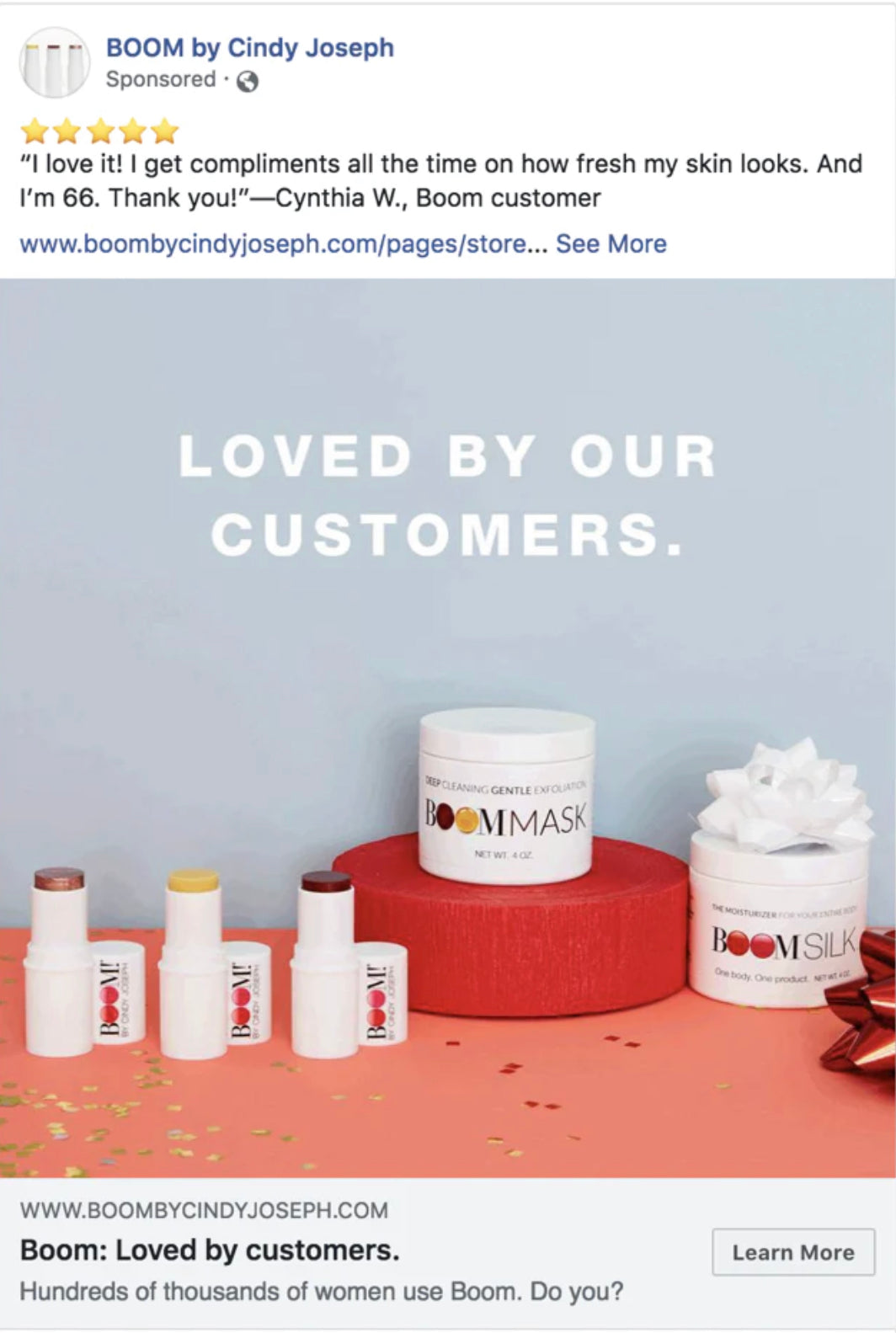
Thinking of yourself as an entrepreneur right from the get-go will be crucial to your path to becoming a successful artist. You may stumble as a creative to learn the business aspects, but they will ultimately help you grow and scale your business selling paintings online. “You could know everything about business and you could know everything about art,” says Maria, “but it’s the combination of both that really makes a successful brand.” 

Feature illustration by Pete Ryan

How to sell art online FAQ

What is the best way to sell my art online?

The best way to sell art online is by building your own branded ecommerce site with a platform like Shopify. You can also sell your work on a crafts and art marketplace like Etsy or on social media platforms like Instagram and Facebook Shops. Understand where your target customers like to shop to find out the best place to sell your art online.

What steps do I need to take to sell my art online?

If you are an artist looking to learn how to sell your art online, you can get up and running in a few simple steps:

  1. Choose your format: originals or reproductions.
  2. Find a printer (for reproductions).
  3. Build your artist brand.
  4. Set up an online store.
  5. Expand your reach by selling through marketplaces or online galleries.
  6. Market your art business.

Is selling art online profitable?

Yes, selling art online can be profitable if you’re intentional about your pricing and marketing strategies. It’s important to understand your costs, including art materials, ecommerce or marketplace selling fees, marketing costs, and other overhead will help you set retail prices that include a profit margin. Once you learn how to sell art online, you can explore the many channels that can help get your art into the hands of fans. Selling on marketplaces will help you reach bigger audiences and make more sales, but be wary of fees that can cut into profits. 

How can I sell my original art online?

Learning how to sell art online starts with understanding your brand and the right channels to find your audience. Often your own online store will be the best place to start selling original art. Price point for original art will be much higher, so it’s important that you build a strong, loyal audience for your work. Diversifying your sales channels, like also working with an online gallery or a site like Fine Art America to sell paintings online, will help you broaden your exposure as an artist. 

What type of art sells the most?

This is a tricky question because art is very broad and subjective. When you sell prints of your work, it can be very profitable because you can continue to generate income from a single piece. Lower price points (versus original art) mean you likely can sell more volume. Curators should follow trends in art and design to help understand what art collectors and potential buyers are buying, then work with artists that have high success potential. As a creator, you should lean into the style that you do best and build a following from there. 

Can you work with galleries to sell your art?

Yes, you can work with galleries to sell your art. Both online and physical galleries are always looking for new talent to represent. They can help with online art sales or promote your original artwork in a gallery exhibition. Many successful artists benefit from showing their work in this way. Reach out with a personalized and professional email with links to your portfolio. Each gallery may have different processes for submissions, so do your homework!

What Is Retargeting & How Do Retargeting Ads Work? (2024)

Software Stack Editor · May 23, 2024 ·

Most people don’t buy your products after their first visit to your site.

Ecommerce stores convert only 5.2% of traffic on average. Without a strategy to gain back website visitors, you’re leaving money on the table. That’s where retargeting comes in. 

Learn how retargeting works, and discover tips and apps for creating ads that keep you top of mind and profitable. 

What is retargeting?

Retargeting is a form of online advertising that targets users who have previously interacted with a brand in some way. This could be visiting the brand’’s website, clicking on a product, or even abandoning a shopping cart.

“Retargeting ads are shown to people who have already visited your website,” says Daniel Patricio, founder of Bull and Cleaver. “These ads are intended to entice them to come back to buy your product.”

Retargeting vs. remarketing

Retargeting and remarketing are often used interchangeably. However, they are distinct strategies with separate goals and channels. 

Retargeting Remarketing
What it does Re-engages people who have visited your website or social profiles. Re-engages past customers who have already done business with you.
Data collected via Cookies Contact forms
Channels Paid ads Email, SMS, messenger
Goals Encouraging conversion (CVR) Increasing customer lifetime value (CLV)

How retargeting ads help

Some 96% of people who come to your website are not ready to buy. Retargeting campaigns are kind of like dating: You don’t meet someone for the first time and fall in love. It usually takes a few interactions before you commit. 

Retargeting ads have a couple advantages: 

  • They’re personalized. Retargeting ads can reference past interactions with your brand. You can remind customers of the products they’ve viewed, liked, or added to their carts. 
  • They’re effective. Precisely segmenting customers by behaviors means you can deliver relevant ads with higher click-through rates (CTR) and conversion rates (CVR). 

How retargeting works

Retargeting works across many different channels, like paid search, email, and social media. There are two common ways to approach retargeting. 

Pixel-based retargeting

This paid advertising technique lets marketers display targeted ads to visitors who already visited their website. They do this by placing a “pixel,” or a piece of code, on the site.

Pixels like these install cookies on a shopper’’s browser, so retargeting platforms like Google Ads, TikTok, and Meta can track their online behavior and show relevant ads as they browse. 

Here’s how it works for shoppers:

  1. They browse your website, scrolling through your bestsellers and maybe even adding products to their cart. 
  2. They leave your website without buying. 
  3. They see your retargeting ads while reading an article, scrolling Facebook, or watching YouTube. 
  4. They remember the awesome stuff you had in your store, return, and purchase.

By showing relevant, targeted ads to interested customers, retargeting raises brand awareness and increases conversions. Moreover, you can automate the ads while you focus on other aspects of your business.

List-based retargeting

A list-based retargeting campaign employs data about potential or existing customers to serve ads. These campaigns require two steps:

  1. Share a list of email addresses with a social platform such as Facebook or LinkedIn.
  2. The platform then finds people with matching emails and serves them advertisements.

List-based retargeting is less common than pixel-based retargeting, but it’’s effective for re-engaging past customers and leads. 

Because the list consists of known contacts, you can create highly targeted, customized ads that convert. If you have a lot of data and can cross-sell or upsell to the potential customers on your list, then this strategy is a good bet.

💡Want to set up email retargeting campaigns for your store? Download the Klaviyo Email Marketing & SMS app today.

Best practices for creating retargeting ads

To make the most of a retargeting campaign, follow these best practices:

1. Use ads to build audiences

It’s tempting to focus on getting that first sale with a new customer, but getting them to opt into your newsletter is more likely to keep them engaged, says Reza Khadjavi, founder of performance marketing agency Shoelace.

“Don’t always feel the need to get somebody to buy something,” Reza advises. “You can use a retargeting campaign to get them to sign up to your email list, because then it’s free for you to reach out to them any time you want.”

2. Think beyond the inbox

Even as your email list grows, it’s not a magic bullet. Reza has seen firsthand that email marketing works best when combined with retargeting campaigns.

“Email is always a great channel,” Reza says, “but even when people have opted into your list, sometimes your emails wind up in the promotions tab, and people won’t see them.

“Even when people get the email and open it, there’’s a lot of value in reinforcing that message through retargeting, because they might see the email, but they’’re on the go and they forget to act on it. If you’re retargeting them, later they might see a video ad on Instagram that has the same messaging as the email and say, ’‘Oh right, I knew I wanted to buy that.’”

Pairing these efforts is what’s known as a multitouch campaign, where you communicate a consistent message to a target customer across different touchpoints. 

3. Start small, and know your margins

Your best source of learning will come from getting some skin in the game and actually running a few ads. That’s why even seasoned pros will start small to test the waters when they’re running new campaigns. Brent Stirling of Growth Crew advises starting with an understanding of your profit margins to make sure you’re not going over budget.

“There are a lot of variables when you run Facebook ads,” he says. “Starting out, be sure to set a small daily or lifetime budget with conversions as the objective. A lot of marketers will also set a bid cap per conversion, but doing this requires knowing what your margins are. 

“If your average cart size is $60, what are you comfortable spending to get that order? This can take a bit of time to figure out the sweet spot—you want to maximize conversions without overspending. Maybe it’’s $10 per conversion, maybe it’’s $20. Each retailer will be different.”

To implement Brent’s advice, examine your business’s budget to determine its profit margins.

4. Capture attention with product page retargeting

Product page retargeting is the simplest way to profit from your advertising efforts. It involves getting people who’ve visited your store and looked at actual products back to buy them. 

These ads work better in shorter windows. For example, if someone visited a specific page in the past three days, they are more likely to buy versus someone who visited in the past 30 days. 

5. Test homepage and collection page retargeting ads

One common retargeting strategy is showing ads to people who’ve visited your homepage or collection page. These ads are different from product page ads because the viewers have never seen a product. 

Don’t focus on product benefits with these ads. Instead, you highlight why you’re a great brand to do business with.

These ads are beneficial because they:

  • Remind potential customers that you exist
  • Build trust by letting potential customers know other customers love buying from you (“social proof”)
  • Make targets feel good about your brand
  • Show off your products and compel click-throughs
  • Have a strong call to action

Look at how BOOM! by Cindy Joseph approaches homepage and collection page ads and demonstrates social proof.

A Facebook retargeting ad from BOOM! By Cindy Joseph showing 5 stars and a product review
BOOM! By Cindy Joseph runs ads to people who viewed its homepage or a collection page. Facebook Ad Library 

How to create retargeting ads

Several platforms offer retargeting ad capabilities. Here’s how to implement retargeting ads on some of the most popular ones:

Facebook & Instagram

Setting up a Facebook retargeting campaign is easy with a Shopify store once you’ve set up Shopify’’s Facebook & Instagram channel and synced your products to Facebook.

steps to build your Facebook retargeting campaign in Shopify

Here’s how to set up Meta campaigns, using Facebook as an example:

  1. In Shopify, go to Marketing.
  2. Click Create campaign.
  3. Click Facebook dynamic retargeting ad.
  4. Enter a name and the ad text for your activity.
  5. Set the budget.
  6. Set a start date and time;You can also set an end date and time, if you choose.
  7. Click Publish activity.

Shopify apps like AdRoll help you run and optimize retargeting ads across Google and other social media platforms. 

TikTok

You can also retarget people with TikTok ads. As with Facebook, you’’ll need to install the TikTok pixel on your website and complete setup on TikTok Ads Manager. TikTok has options for creating custom audiences based on criteria like:

  • Customer file uploads
  • People who have seen or engaged with your content 
  • People who have visited your TikTok Shop
  • People who have visited your website

💡AD TIP: Install the TikTok app on your Shopify store. You can automate ad creation and launch a shopping tab on your TikTok profile in select countries.

LinkedIn

With LinkedIn, you can retarget audiences based on activities like company page visits, lead gen form responses, and LinkedIn event RSVPs. To collect website visitor information, set up the LinkedIn Insight Tag, which gives real-time insights into visitors’’ professional traits and content preferences. 

LinkedIn retargeting is ideal for B2B brands looking to re-engage qualified buyers for their products and services. 

Pinterest

The Pinterest ad platform also supports dynamic retargeting campaigns. Simply upload your catalog and enable the Pinterest tag on your website. 

The tag consists of a base code and an event code, of which there are several types. The base code is unique to your Pinterest account, allowing you to build retargeting campaigns based on site activity.

Event codes are for pages where you want to track things like conversions, carts, and sign-ups. You might add the checkout tag event code to the “Thank you for your order” page to flag the purchase, for example.

Retargeting FAQ

What platforms can be used for retargeting?

  • Google Ads
  • Facebook and Instagram
  • LinkedIn
  • TikTok
  • Pinterest
  • Apps like AdRoll

What is the cost of retargeting?

The average cost per click for Google remarketing ads is between 66¢ and $1.23, depending on bidding strategy, competition, and target audience.

Does retargeting have a good ROI?

Brands that implement a retargeting strategy often see good results. For example, a Google case study found that retargeting ads can increase conversions by up to 161% and improve overall ROI.

How can retargeting be used in marketing?

You can choose to retarget based on what someone has done on your site, including viewing a product page or abandoning their cart. You can use retargeting ads through any stage of the conversion funnel to encourage potential customers to return to your website and take action.

How do I retarget my audience?

To retarget customers on Facebook, follow these steps:

  1. In your Shopify admin, go to Marketing.
  2. Click Create campaign.
  3. Click Facebook dynamic retargeting ad.
  4. Enter a name and the ad text for your activity.
  5. Set the budget.
  6. Set a start date and time. You can also set an end date and time, if you choose.
  7. Click Publish activity.

How To Conduct Product Development Research (2024)

Software Stack Editor · May 22, 2024 ·

image

You’re brainstorming with some colleagues about an idea for a new product. Before you go any further, you need to consider whether the idea even makes any sense. What would it cost to produce? Is it something people would buy? At what price? This is when product development research can help.

What is product development research?

Product development research is the process of collecting and assessing information about a new product or service. It involves both qualitative and quantitative research—everything from surveys to market analysis. Research begins with the initial product idea and continues through the stages of development to product launch.

Doing research helps you identify market trends and which type of customers you expect to reach. You can use this information to forecast product demand so you can plan a marketing strategy and sales strategy. Research also helps you understand which features customers value most and how you can differentiate your product from the competition.

[embedded content]

Types of product development research

New product development research is done in several ways, including:

Market research

Market research starts with scoping out the size of the market for products similar to yours. Among the universe of consumers, who would buy your product? Where would it fit in? Market research is about determining your target audience.

You might start thinking of your target market in geographic terms—for example, you might want to sell nationally, or perhaps just in the Northeast or the West Coast. More likely, you’ll think in demographic terms, such as targeting the 25-to-49 age group, singles versus married couples, or households with an annual income of $100,000 or more. Identifying your target market also involves demand analysis: Would your product attract enough customers to justify the expense of the new product development process?

Market research might also include a review of the general economic and regulatory environment. The health of the economy will influence consumer demand for all products, and the level of regulatory and tax burdens may impede your business goals.

Concept testing

Concept testing involves surveys and focus groups in the target market to assess whether your product idea is appealing, then adjusting the idea and its features as needed.

Concept testing should probe target customers about how they would use your product, and whether the product solves a problem for them. Cofounders of Heyday Canning Co. Kat Kavner and Jaime Lynne Tulley found a niche in the canned foods market by canning beans with sauces and flavorings.

In an interview on the Shopify Masters podcast, Kat explains how they looked at the canned foods on the market and didn’t see anything particularly innovative, exciting, or flavorful. “It got us thinking that there seemed to be an opportunity,” she says. They wanted to combine the convenience and shelf life of canned food with novel flavorings. A typical consumer, Kat says, “doesn’t always have time to cook completely from scratch.”

Competitor research

It’s important to have data about your product’s industry, including the size, value, and number of competitors. Research and analysis of competitors establishes a basis for comparing and differentiating your product, giving you insight into how to promote any unique features that make your product stand out from the competition.

“We had this hypothesis that the canned food category as a whole was ready to be reimagined,” Kat says. “We wanted to validate that and have some good insights and data to back that up.” Her team went out and did a lot of research on the big canned food companies, identifying gaps in the market.

Pricing research

As your product takes shape and you make any modifications after customer feedback, your next research challenge is to figure out an optimal price. Surveys, focus groups and customer interviews will help determine a price customers will accept. Pricing research helps you discover which of your product’s features are valued most. The challenge is to set a price that’s not so low you miss out on sales revenue, and not so high as to deter customers or to cause them to later regret paying such a high price.

User experience

This involves giving potential customers a dry run of the product, letting you observe how they use it, and collecting their feedback via emails, text messages and social media. Do they seem satisfied in handling the product or navigating your website? User experience research should validate the success of your product development. If it doesn’t, you may need to reassess your product development research process as well as the product itself.

Product development research process

  1. Exploration
  2. Evaluation
  3. Iteration

The product development research process has three stages: 

1. Exploration

This is where you toss around ideas, such as how a product might look and feel, and how it would work. You’re also looking for data about your target audience—their buying habits, their preferences, and their desire for a product that solves a problem. In product development, these customer wants and needs are referred to as their pain points.

This stage includes preliminary screening of an idea or ideas. You and your collaborators can accept or reject an idea after weighing its feasibility: Would the product attract a sufficient number of customers? Do you have a budget and the technical resources to make the product? Would it be relatively easy or difficult to enter a market because of high startup costs, tough competition, or regulatory constraints?

2. Evaluation

Once you settle on a product idea and decide to move forward, you begin the evaluation stage. This is a more rigorous assessment of a product’s chance of success. You move beyond internal discussions with your collaborators, to external validation methods, such as surveys and concept testing with consumers. This involves surveying a larger sample of potential customers and collecting more detailed data from their responses.

The evaluation stage can also include further analysis of competition and how your product would fill a market niche. As you progress, you should get a more specific picture of your product and its features, and how it will appeal to customers.

3. Iteration

At this stage, the focus is on getting product details right. Use additional surveys and customer testing to make any final refinements—a process known as product iteration. Customer testing and feedback are important because your product may have changed during development, so you want customers to see the latest iteration. You want as much feedback as possible as the product gets closer to final shape and market launch.At this stage, the focus is on getting product details right. Use additional surveys and customer testing to make any final refinements—a process known as product iteration. Customer testing and feedback are important because your product may have changed during development, so you want customers to see the latest iteration. You want as much feedback as possible as the product gets closer to final shape and market launch.

Tips for product development research

Product development research has many moving parts. Here are a few tips to help keep you on track:

Keep customers involved

Continual feedback through the development process can validate your product while letting you adjust and correct so that the product fulfills user needs, ensuring customer satisfaction. Use concept testing to get user input early in the process.

Learn from mistakes

The research process is meant to let you correct mistakes quickly and get back on track. “We had gotten some complaints about our ecommerce packaging not being durable enough,” Kat says. “So we did a durability test with a new box, throwing it off the roof of my house to see if it was strong enough to withstand all of the pitfalls of shipping.”

Use your experience

Most entrepreneurs don’t step into product development cold. They often have some experience or familiarity with products similar to the one they’re developing. “We both spent about a decade in the natural food consumer packaged goods world,” Kat says of herself and her cofounder, Jaime. “My background has been more on the marketing and innovation strategy side of the industry, and Jamie is trained as a food scientist but has spent most of her career on the manufacturing side.” Leverage your expertise and consider working with a partner who has experience in a relevant field that is unfamiliar to you.

[embedded content]

Product development research FAQ

What is the difference between research and development and product development?

Research and development is how businesses search for new ideas that can lead to new products. It’s the first step in product development, which includes designing, creating, testing, and marketing products.

What is the meaning of product development research?

Product development research means assessing the need for a product, and understanding the pain points of your target audience and how to make adjustments to the product to satisfy customer needs.

Why is it important to conduct product development research?

Research gives a product team information to make decisions in the development process, such as demand analysis, concept testing, and marketing and sales strategy. It ensures that product development is data-driven and not based on assumptions or guesswork.

What Is a Remittance and How Does It Work? (2024)

Software Stack Editor · May 22, 2024 ·

image

It’s important for all types of businesses to know what remittances are and how they work. That’s because remittance is likely to come up at some point in regards to getting paid or moving money from one party to another.

In some cases, a remittance refers to international money transfers, but it can also be used in domestic contexts, such as when one business pays another. In this guide, we’ll break down what a remittance is, how it works, and the most important things to know about sending and receiving remittances.

What is a remittance? 

In simple terms, a remittance is the transfer of money from one party to another. Sometimes a remittance is synonymous with “payment,” but a remittance does not strictly have to be a payment. It can also involve transferring money as a gift, aid, or essentially any other context where one person or organization wants to move money to another individual or entity.

For ecommerce retailers, you might come across a remittance in the context of another business sending you payment for their order, or you might remit money yourself to other businesses, such as when paying suppliers.

A remittance also sometimes refers to international wire transfers, such as if you’re sending money to an overseas supplier for an order. But the term does not have to always apply to overseas transactions. A local customer, for example, might send you a remittance via a domestic wire transfer or other forms of electronic funds transfers.

Remittances can also involve repaying loans or remitting a percentage of your sales under a merchant cash advance. For example, Shopify Capital provides eligible merchants access to offers for funding based on several factors including your sales history within Shopify and your engagement with the Shopify platform. If approved, you receive funding in as quick as two days and automatically make payments as a percentage of your daily sales*. 

How does a remittance work?

A remittance works by sending money from one party to another, typically through the use of a financial intermediary like a bank. A remittance could involve situations like:

Making a bank transfer

Here’s one example: Let’s say a wholesaler purchases from your online store and sends money to your business bank account via ACH transfer in the US, or via an international wire transfer if purchasing from another country.

In these contexts, you might receive remittance advice, which is simply a notification that payment is on its way or has been made for a particular invoice. While not always required, some businesses regularly use remittance advice to inform others that a remittance—i.e., the money transfer—is on its way.

Repaying a loan or Remitting Sales under a Merchant Cash Advance (MCA)

Another situation involves using a financial service (like Shopify Capital) to receive funding under a cash advance or loan.

For a loan, a remittance involves repaying the loan principal plus interest. For an MCA, which is a purchase of future sales, the remittance is the transfer of the percentage of sales agreed upon. 

For example, if Shopify Capital gives you access to a cash advance of 5,000 USD for 5,650 USD paid from your store’s future sales, with a remittance rate of 10%.

The 5,000 USD amount that you receive is transferred to your business bank account, and Shopify Capital receives 10% of your store’s daily sales until the full 5,650 USD total to remit has been remitted. 

Transferring money to others as a gift

For example, some international workers send aid back to family members overseas. In that case, they might use a bank or another type of financial institution equipped to remit—i.e. send—that money abroad, such as via an international wire transfer.

The intermediary that sends money to the other party might be licensed as a sending agent or remittance transfer provider, depending on the rules in your country and how you choose to send the money.

Remittance fees

A remittance does not always involve fees, but it depends on the context and how you send or receive funds. For example, a remittance could be a simple ACH transfer in the US or an Automated Funds Transfer (AFT) in Canada, such as when a business pays a supplier. Doing so in this format usually does not carry a fee.

Sending a remittance as a wire transfer, however, often carries transaction costs, but this varies widely depending on the situation. For example, if a business sends a remittance in the context of an international wire transfer, like a UK business paying a supplier in the US via the SWIFT network, then there could be fees charged by both the bank that sends the money—i.e. the payer’s bank—and the bank that receives the money—i.e., the recipient’s bank.

The exact fees for remittances that are international wire transfers vary, but usually, the sending bank charges around $15-$50. Receiving bank fees can be similar, though it’s not uncommon to find banks that do not charge fees for incoming wire transfers, just outgoing ones.

Domestic wire transfers can also carry fees, but these generally are a bit less than international wire transfer fees. Also, if the transaction involves an intermediary that connects the two financial institutions sending and receiving the remittance, that could be another fee of roughly $15-30.

Other potential types of remittance transaction costs to consider include:

  • Currency conversion fees: If sending or receiving a remittance that transfers funds from one currency to another, you could lose a little bit of money based on the parties involved not providing optimal exchange rates. Or, money transfer operators might charge a small percentage of the overall transaction amount to remit money from one currency to another.
  • Account funding fees: Some remittance services charge a fee, such as a small percentage of the amount you fund your account with, to send money to other entities. This fee could be separate from transfer fees.
  • Account withdrawal fees: Aside from transfer fees for receiving money, some financial institutions or other intermediaries might charge recipients a small fee to withdraw funds, such as if they’re using a debit card linked to a bank or credit union account that receives remittances.

Altogether, remittance fees add up to an average of 6.2% of the total amount sent, according to The World Bank. However, this applies more to individuals remitting money abroad. In the context of business remittance flows, fees can be much smaller, and you might even be able to avoid remittance fees, such as by making certain types of electronic fund transfers like ACH or AFT remittances where possible.

Difference between remittances and payments

All payments are remittances, but not all remittances are payments. No, this is not a riddle. Think of it like this:

  • A payment is the transfer of money from one party to another to complete a purchase or a debt obligation. For example, a customer might make a payment by credit card or bank transfer when checking out on your ecommerce website.
  • A remittance is also the transfer of money from one party to another—which is why all payments are remittances—but the key difference is that a remittance does not have to be tied to a purchase or loan. Remittance is the broader category of money transfers, such as how some remittances involve sending money overseas as a gift to family members. In that case, you’re not really making a payment, since you don’t owe anything. You’re just sending money, i.e. a remittance.

Also, the term remittance is often used in conjunction with remittance advice. Remittance advice is just a notice about a payment, such as how a business might receive a remittance advice letter enclosed with a check from a wholesale customer. The check is the payment method, and the remittance advice letter specifies which purchase order or invoice the check applies to.

In the view of Verena Street co-founder Eric Gantz’s view, “Payment feels more like the final act of settling a debt, while remittance emphasizes more the action of sending money itself.”

How to send a remittance

Figuring out how to send a remittance depends on the context, because businesses sending remittances can be different than when individuals send remittances, particularly when gifting money overseas.

Sending a remittance as a business

For business purchases, sending a remittance typically requires:

  • Figuring out which payment methods the business accepts, such as by looking at the available options on an ecommerce site’s checkout page or asking the merchant if dealing with an offline transaction.
  • Using your preferred payment method that the business accepts, such as by inputting your credit card information on a checkout page.
  • Sending a remittance advice letter if either party requires that, such as if your company has a policy of sending an electronic remittance advice to suppliers to let them know that a payment for a specific purchase order is on its way via electronic funds transfer.

Sometimes, sending a remittance is automatic based on your authorization to automatically debit your bank account, such as how Shopify Capital remittances are automatically debited from your business bank account to repay your capital loan or cash advance based on your store’s daily sales.

Sending a remittance as an individual

For individuals, sending a remittance such as to make a purchase or pay back a loan can be similar to the process businesses follow. But sending a remittance in terms of gifting money to another person, such as migrant workers sending money abroad to family in developing countries, often involves other steps such as:

  • Finding a money transfer service: Your bank might be positioned to send money overseas, so you could ask them what their transfer process looks like. But sometimes you need or want to use another type of service that makes it easier to remit money abroad, such as if you or the recipient doesn’t have a traditional bank account. 
  • Entering the recipient’s information: To complete the remittance, you need to enter the recipient’s information, such as their name and account number if applicable, or how and where you want them to receive the remittance, such as if they’re picking up cash.
  • Funding the remittance: To complete the remittance, you need to fund it. Depending on the provider, you might be able to use funding sources like a credit card or cash, or you might conduct a bank transfer. The fees can vary based on how you fund the remittance.

How to receive a remittance

Receiving a remittance is often more straightforward than sending one. In many cases, the remittance shows up in your account without requiring extra work on your part, such as if the other party—whether that’s a business or individual—makes an electronic funds transfer.

However, not all remittances involve bank transfers or other forms of payments where the money just shows up in your account. Particularly for individuals, the process can sometimes require a few extra steps.

For example, if someone receives a remittance that involves picking up cash, they must go to the location where the recipient sent the cash and provide their ID to complete the transaction.

Pay as you sell with Shopify Capital

Overall, a remittance is all about getting money from Point A to Point B. In some contexts, it’s the same thing as a payment, but it can also be a transfer of funds for other purposes, like gifts or international aid.

Sometimes a payment comes along with a remittance advice, which specifies what the payment is for, though not all companies follow this practice. A remittance can also be an automatic payment, such as how repayments of a Shopify Capital loan or cash advance get remitted based on a percent of your store’s daily sales**.

While this may all sound a little more technical than what you encounter on a daily basis, understanding financial terms like remittance can help you better grasp what’s happening if you are eligible to apply for financing through Shopify Capital or when you receive a remittance from a wholesale customer.

Get funding to run and grow your business through Shopify Capital

Shopify Capital makes it possible to receive funding in as fast as two business days and use it for inventory, marketing, and more. Automatically make payments as a percentage of your daily sales. No compounding interest. No schedules. No surprises.

Explore Shopify Capital

Remittance FAQ

What is an example of a remittance transfer?

An example of a remittance transfer is a business sending money via a bank transfer to a supplier, such as if a grocery store sends a remittance to a beverage company using an electronic funds transfer.

Why do people send remittances?

People send remittance transfers for several reasons, such as to pay for goods and services, settle a debt, or gift money to friends and family. Businesses often use remittances to pay for purchases. Individuals also often use remittance to send gifts or aid. For example, migrant remittances could be used by international workers to send money back to family members in other countries. According to the International Monetary Fund, remittances provide a more even distribution of money to developing countries compared to other methods such as foreign direct investment.

How do you remit cash?

You can remit cash through certain intermediaries, such as certain money transfer services like Western Union or MoneyGram. These transfer services can enable you to pay in cash and/or have your recipient pick up the remittance as cash, such as if you specify that the recipient should pick up the cash at an eligible location that partners with a transfer service. Just be sure you’re using a reputable transfer service, especially if you’re paying in cash, and be aware of any transaction costs.

Is a remittance proof of payment?

A remittance itself is not a proof of payment. Instead, a remittance is the transfer of funds from one party to another. However, a remittance advice is a proof of payment, as a remittance advice provides notice that a specific payment has been made or is in the process of being made, such as with a pending bank transfer.

*Funding may be in the form of a merchant cash advance or loan depending on the region.

**Shopify Capital loans must be paid in full within 18 months, and two minimum payments apply within the first two 6 month periods. Shopify Capital loans must be paid in full within 18 months, and two minimum payments apply within the first two 6 month periods.

This article is focused on industry standards and descriptions are not specific to Shopify’s financial suite of products. To understand the features of Shopify’s lending products, please visit shopify.com/lending.

Available in select countries. Offers to apply do not guarantee financing. All financing through Shopify Lending, including Shopify Capital, is issued by WebBank in the United States.

What Is Dropshipping and How Does It Work? (2024)

Software Stack Editor · May 22, 2024 ·

Dropshipping is a simple, popular way to start an online business. It removes common retail challenges such as buying, storing, and shipping inventory.

When a dropshipping store makes a sale, it forwards the order to a supplier, who handles delivery to the customer. This lets store owners focus on other tasks, like marketing and branding.

Ahead, learn what dropshipping is, how it works, and how to get started as a dropshipper.

What is dropshipping?

Dropshipping is a retail method where an online store doesn’t keep its products in stock. Instead, when a customer makes an order, the store forwards it with payment to a dropshipping supplier. The supplier then ships the product to the customer.

Many business owners prefer dropshipping because it passes the task of order fulfillment to suppliers. This means stores don’t need to invest in warehouse space or risk getting stuck with unsold inventory. As a result, businesses can allocate more resources to other retail activities such as marketing.

It’s estimated that dropshipping generates more than $300 billion in ecommerce sales every year.

[embedded content]

What is a dropshipper?

A dropshipper is the person or business that accepts customer orders and passes them to a supplier for fulfillment.

Dropshippers often run online stores to market and sell products. When a customer buys a product, the dropshipper places a corresponding order with the supplier.

Let’s say you own an online dropshipping store that sells pet products. When a customer purchases a cat collar, you forward the order to your supplier, who has a warehouse of pet goods.

(Confusingly, in some resources, the term “dropshipper” refers to the supplier. This article defines dropshippers as sellers of dropshipped products.)

What are dropshipping suppliers?

Dropshipping suppliers fulfill orders made by retailers on behalf of customers. They store products, package them for shipping, and organize delivery to the customer address.

You might work with an individual supplier or a platform that hosts a directory of suppliers, such as AliExpress. Some manufacturers also operate as dropshipping suppliers.

In the pet store example, the company that receives the order, packages the cat collar, and ships it to the customer is the dropshipping supplier.

What about wholesalers?

Wholesale suppliers are not part of the dropshipping process. Unlike dropshipping suppliers, wholesalers sell bulk quantities of products to retailers, who then sell them to consumers.

If your pet store buys a large quantity of organic dog treats at a discounted price, stores them, and then sells them individually to customers, you are a traditional retailer working with a wholesaler.

Related: How to Dropship on Shopify (2024)

Illustration of a warehouse with packages inside, next to a shopping cart containing a package.Read this article

How does dropshipping work?

Here’s a step-by-step breakdown of how the standard dropshipping process works:

1. Partner with a dropshipping supplier

Find a dropshipping supplier that offers products you want to sell. After signing an agreement, they’ll handle storage, packaging, and shipping of customer purchases.

You could partner with an individual business in your niche. You can also use a dropshipping app to sell products from multiple suppliers.

2. Set up an online store

Next, create your online store. Your store lists products from your supplier for the price that you decide.

Add a dropshipping app to your store to keep product listings updated and automatically forward orders to suppliers:

  • DSers connects Shopify stores to AliExpress.
  • Zendrop has a catalog with more than a million products.
  • Spocket includes dropshipping suppliers in the US, Europe, Brazil, and India.

3. Receive a customer order

When a customer visits your store and places an order, the checkout process happens as normal. The customer pays, receives order confirmation, and awaits delivery.

4. Forward the order to the supplier

Once your customer pays for the order, send the order details to your dropshipping supplier. If you’re using a dropshipping app, this step is automated.

5. Supplier prepares and ships the product

The dropshipping supplier prepares the order and ships it directly to the customer. Many suppliers offer branded invoices and custom packaging to enhance the shopping experience.

6. Customer receives the product

The customer receives their product from the supplier while the store handles any customer service needs.

Six steps of dropshipping, from partnering with a supplier to the customer receiving the product.

Should you start dropshipping?

Trying to decide whether dropshipping is worth it for you? Here are some signs that a dropshipping business model could fit your business:

You’re all about marketing

If you’re skilled in search engine optimization or social media marketing, dropshipping could be a great fit.

The primary goal of dropshippers is to drive traffic to an online store using platforms such as Google, YouTube, TikTok, and Instagram. Dropshippers leverage content marketing skills and an understanding of ranking algorithms to connect potential customers with products.

You’re sales-driven, not brand-focused

If your business strategy is more focused on generating a high volume of sales than on building a distinctive brand, dropshipping could be suitable for you.

In other retail models, sellers add branding to their store, products, packaging, and communications to create a consistent brand experience, building customer loyalty.

Dropshipping offers fewer branding opportunities. Packaging and delivery leave little room for personalization, and dropshipping products are rarely exclusive to a single retailer. This makes it harder to provide a unique experience that resonates with customers and keeps them coming back.

If you’re looking to sell branded products using dropshipping, explore options for private label dropshipping or print-on-demand products.

You prioritize product variety

Dropshipping gives merchants the ability to sell a wide array of products from a global network of suppliers without worrying about inventory.

However, this comes with a trade-off: less control over product quality and consistency. Beyond ordering samples, you may have little influence over the manufacturing process.

You’re comfortable with longer shipping times

In an era of super-fast delivery, most customers expect their purchases to arrive quickly. This presents a challenge for dropshippers who partner with overseas suppliers.

Products sent from international locations, such as China with ePacket, can take significantly longer to arrive, risking customer dissatisfaction.

If you can source domestic suppliers or manage customer expectations around delivery times, dropshipping could be a viable option.

You’re prepared for customer service needs

While dropshippers don’t deal with product fulfillment, they are the primary point of contact for customers. This means they often find themselves addressing customer service issues that are beyond their direct control, such as shipment delays, delivery problems, product defects, and return requests.

If you’re ready to navigate these challenges and manage customer inquiries effectively, dropshipping could be a well-suited business model.

Dropshipping with Shopify Collective

Connect with US-based Shopify brands to easily sell their products. Use Shopify Collective to curate items from like-minded stores and ship them directly to your customers.

Explore Shopify Collective

6 benefits of dropshipping

Here are six reasons why dropshipping has become a popular ecommerce model for businesses:

  1. Low costs
  2. Wide selection of products to sell
  3. Flexible location
  4. Easier to start
  5. Easier to test
  6. Easier to scale

1. Low costs

Because you don’t buy inventory, dropshipping requires minimal upfront investment. Many dropshipping stores are run from home with little more than a laptop, making it an attractive small business idea.

With this benefit, however, comes competition from other dropshipping entrepreneurs. You’ll need to invest your time rather than capital, applying tips from dropshipping experts to make your business work.

2. Wide selection of products to sell

Use dropshipping to offer a wide array of trending products to your customers. With no unsold inventory to worry about, you can change your product catalog at will. If suppliers stock a new item, you can immediately list it for sale.

3. Flexible location

A dropshipping business can be run from just about anywhere with an internet connection. As long as you can communicate with suppliers and provide timely customer support, there are few restrictions on where you live and work.

4. Easier to start

Dropshipping removes many retail hurdles. Running an ecommerce business becomes easier when you don’t have to:

  • Manage or pay for a warehouse
  • Monitor inventory
  • Pack and ship orders
  • Track inventory for accounting
  • Handle returns and inbound shipments

That said, successful dropshippers carefully oversee the fulfillment process and are committed to providing a satisfying customer experience.

5. Easier to test

Dropshipping is a useful fulfillment model for testing customer interest in a new product category. Stores can trial sales of a dropshipped product before committing to buying inventory.

6. Easier to scale

Scaling a traditional retail business takes forward planning. If a large number of orders arrive unexpectedly, it can be challenging to accommodate them, and you may quickly sell out.

Dropshipping businesses tend to scale more efficiently. Plus, you can expand your reach by dropshipping on popular marketplaces like Amazon, eBay, and Etsy.

Dropshipping drawbacks

Like all retail models, dropshipping also has its downsides. Here are four drawbacks to consider:

  1. Lower profit margins
  2. Inventory volatility
  3. Shipping complexities
  4. Supplier errors

1. Lower profit margins

The accessibility of dropshipping can lead to intense competition, resulting in lower profit margins as businesses undercut each other.

The more you reduce prices, the harder it becomes to calculate profit margins that work for your store.

Mitigate this problem by choosing the right products and selecting a dropshipping niche that’s not over-saturated.

2. Inventory volatility

For all its inventory management benefits, dropshipping exposes retailers to sudden changes in product availability.

With suppliers fulfilling orders for multiple retailers, inventory levels can fluctuate unexpectedly—something that’s less of an issue when you stock your own products.

Fortunately, dropshipping apps like DSers give merchants options when a supplier’s stock hits zero. For example, you can automatically unpublish a sold-out product or set a “Sold Out” label.

3. Shipping complexities

Working with multiple suppliers can complicate order fulfillment. If a customer orders three items from three different suppliers, you’ll need to cover separate shipping costs for each. The items may also arrive at different times.

One possible solution is to pass shipping costs on to customers. However, this may make your pricing less competitive.

4. Supplier errors

Even the best suppliers make fulfillment errors. Unfortunately, these mistakes fall on the dropshipper to resolve.

This makes the task of selecting a reliable supplier crucial for minimizing missing items, packing errors, and product quality issues—which harm your business’s reputation.

Dropshipping in 2024

In 2024, dropshipping remains a popular choice for online store owners, side hustlers, and people looking to start a retail business.

Dropshipping with Shopify is easy. Integrate a dropshipping app or use Shopify Collective to dropship products from US-based Shopify brands. Here’s how:

  1. Sign up for a free trial with some basic information about your business.
  2. Personalize your store with a logo, helpful content, and a free theme that fits your brand.
  3. Set up the Dsers app to connect with your Shopify store with your AliExpress account, or choose another dropshipping supplier.
  4. Import products to your store and set prices that ensure a profit margin.
  5. Start selling and marketing your products.

Dropshipping FAQ

How much do I need to invest to start dropshipping?

Starting a dropshipping business requires investing in an online store, including a domain name and an ecommerce website. You may also need to budget for online advertising to reach potential customers.

How do dropshippers make money?

Dropshipping businesses earn money by ensuring a profit margin exists on the products they buy from suppliers and sell to consumers.

Is dropshipping legal?

Dropshipping is a legal and widely used ecommerce fulfillment model that’s become a popular option for ecommerce businesses around the world.

How profitable is dropshipping?

Typical profit margins for dropshipping businesses range between 10% and 15%. By finding the right products to sell and fostering strong supplier relationships, you can build a profitable dropshipping business.

What’s the difference between dropshipping and retail arbitrage?

Unlike dropshipping, retail arbitrage involves buying products from other retailers and reselling them at a higher price.

How do I start a dropshipping business?

  • Choose a dropshipping niche.
  • Partner with a dropshipping supplier.
  • Build an ecommerce store.
  • Market your dropshipping store:
  • Accept customer orders and forward them to the supplier.
  • Analyze and improve your sales strategy.

How To Start a Dropshipping Business: 9-Step Guide (2024)

Software Stack Editor · May 22, 2024 ·

Starting a dropshipping business is an accessible path to entrepreneurship. When a customer orders from your dropshipping store, the supplier ships the product directly, so you don’t need to hold inventory and overhead costs stay low.

Follow these nine steps to get your dropshipping business off the ground.

How to start a dropshipping business

  1. Decide if dropshipping is the right business model
  2. Choose a dropshipping niche
  3. Research competitors
  4. Choose a supplier
  5. Select products and set prices
  6. Build an ecommerce store
  7. Decide on a business structure
  8. Set up finances
  9. Market your dropshipping business

Related: How to Dropship on Shopify (2024)

Illustration of a warehouse with packages inside, next to a shopping cart containing a package.

Discover three easy ways to start dropshipping on Shopify, each suited to different experience levels and business goals.

Read more

1. Decide if dropshipping is the right business model

Dropshipping is just one way to run an online store. Before diving in, take time to ensure it’s the right business model for your goals.

Typically, dropshipping is suited to people with marketing skills who want to run a store with minimal upfront investment. Since you don’t need to stock or handle products, it’s possible to start with just a laptop and an internet connection.

However, this accessibility comes with tradeoffs. Dropshippers tend to have less control over the goods in their catalog, and because other retailers are likely to sell the same products, competition can be tough.

If you plan to focus on marketing and aren’t looking to build your business around a flagship product, then dropshipping could work for you.

2. Choose a dropshipping niche

A niche is a segment of a market. You can target a niche with your store, brand, and product selection.

Selecting a dropshipping niche helps you identify a target audience. With specific customers in mind, it’s easier to search for products to dropship.

There are two general methods for selecting a business niche:

  1. Choose a niche that you’re knowledgeable or passionate about.
  2. Choose a niche based on market demand.

The aim of the second method is to find niches with high customer interest but low competition. Dropshippers assess market demand through keyword and product research.

Finding a niche with keyword research

Keyword research shows you what people are searching for online. Tools like Google Trends, Facebook Audience Insights, and Keywords Everywhere reveal popular product-related searches that your online store might serve.

When assessing search demand, look at historic interest as well as search volume to find a niche with sustained or increasing popularity.

Google trends line graph shows increasing searches for the term “ebike” over the past five years.
Interest in “ebikes” over five years. Google Trends

For example, eBike Generation founder John Murphy used keyword research to build a $3 million dropshipping company, by identifying an underserved niche: ebikes for hunters.

Finding a niche with product research

Product research helps you discover trending products and understand consumer tastes for different product categories.

Dropshipping apps like DSers let you see product order volume on marketplaces such as AliExpress to gauge the potential size of your business.

Use both types of research together to build a full picture of a dropshipping niche. Consumer habits change rapidly, so perform regular check-ins on keyword trends and product popularity.

To align your business with product availability, you could also decide to choose your dropshipping supplier before you select a niche.

3. Research competitors

Competitor analysis helps when starting a dropshipping business. Spend time gathering information about rival stores in your niche.

By observing what your competitors, especially other dropshippers, are offering, you can identify potential products and marketing strategies. Review product pages and social media ads to see what appeals to customers.

Conduct thorough competitor research with these tasks:

  • Run a Google search
  • Use competitor analysis tools
  • Browse social media
  • Check marketplaces

Run a Google search

Start by searching for keywords relevant to your niche to see which businesses appear. For example, if you’re starting a dropshipping business in the pet supplies niche, you might search for “pet toys,” “pet food,” or “pet brushes.”

Look closely to see which businesses consistently show up in the search results. These are likely your main competitors for organic search audiences. For more in-depth insights, try an SEO tool.

You may find top-ranked competitors optimize their content for long-tail keywords, which are longer, more specific phrases that customers are searching for.

Long-tail keywords have less competition, making them a strategic target for smaller dropshipping websites.

For example, your competitor analysis might reveal the keyword “dog collars” is contested by large retailers, while “LED dog collars” has less competition—and “LED dog collars for small dogs” has room for your new business.

Use competitor analysis tools

Competitor analysis tools are another way to find insights into rivals’ strategies. Uncover data by monitoring traffic sources, visitor counts, and social media engagement.

For instance, if you find a competitor relies heavily on paid ads, you could consider a rival campaign, or invest more in SEO content. If they’re active on a social platform you’ve overlooked, starting a channel might be beneficial.

Browse social media

Follow competitors’ social media pages to understand how they engage with followers. Pay attention to the types of posts that generate the most likes, comments, and shares.

For example, if a competitor in your pet supplies niche is going viral with DIY grooming videos, consider creating similar content. Also, watch for any gaps—perhaps there’s underserved demand for content on pet wellness tips.

Check marketplaces

Sellers within your niche on marketplace platforms like eBay, Amazon, and Etsy also offer insights.

Note how many listings exist for similar products. If the market looks saturated, consider how you might differentiate your product listings, either by reducing your prices or offering a premium customer experience that’s not possible through a marketplace.

Track all your competitor research in a spreadsheet to make it easy to search and reference your findings.

4. Choose a supplier

A dropshipping supplier sources and manages inventory, accepts orders and payments, and organizes shipping to customer addresses.

With such core responsibilities, your choice of supplier will have a large impact on the success of your dropshipping business.

Depending on your niche and the products you sell, you might work with a single supplier, or partner with multiple suppliers using a supplier directory.

Popular supplier directory apps and websites automatically connect your store with a large network of dropshipping suppliers.

For example, the DSers app lets Shopify users dropship products from AliExpress, the global marketplace.

An admin panel shows a selection of fridge magnets available to dropship from AliExpress.
DSers

5. Select products and set prices

The products in your store are dictated by your supplier’s inventory. You’ll encounter many of the same products in rival dropshipping stores, so it’s important to curate a selection that resonates with your niche audience.

A well-chosen product catalog creates opportunities for cross-selling and upselling, where shoppers add additional or higher-priced items to their shopping carts.

When picking products from an app or marketplace, study reviews from other sellers, as well as the supplier’s performance history. Once you have a shortlist, order product samples to assess quality and consistency.

If your strategy includes partnering with overseas suppliers, consider choosing products eligible for expedited mailing services such as ePacket shipping from China. This can significantly cut down delivery times.

Pricing your dropshipping products

Whether it’s electronics, clothing, or toys, you will need a pricing strategy that keeps your dropshipping business sustainable and allows you to make a profit from each sale.

No matter the price point, set a profit margin for every product by calculating your costs, including the price paid to the supplier and other operating expenses. Balance this against the price of similar products in the market to ensure your store is competitive.

6. Build an ecommerce store

A sneaker store with large product images and sans-serif font designed using Shopify’s store builder.

Your online store is a hub for your dropshipping business, showcasing your product catalog and giving customers a way to check out. It’s also the destination for traffic from your social media ads.

Beyond product pages, your store can feature content to enhance the customer experience. This includes product reviews, user guides, buying guides, and relevant blog posts. Additional content not only helps customers make decisions, but also improves store visibility in search engine results.

Shopify’s store builder comes with the internet’s best-converting checkout and flexible design options. Customize your store’s appearance with professionally designed themes that fit your brand.

Adding a dropshipping app to your Shopify store simplifies product management and order processing. Popular apps include:

  • DSers, for syncing with AliExpress.
  • Zendrop, featuring more than a million products.
  • Spocket, with suppliers from the US, Europe, Brazil, and India.

Use AI to enhance product pages

AI is built into every Shopify store to help you manage products and sell more effectively. Use AI to enhance product listings with content that goes beyond the basic information provided by your supplier.

Share a few keywords with Shopify Magic to generate product descriptions that outshine competitors, with SEO-friendly language that’s suited to your target audience.

Transform the product photos you receive from a supplier into distinctive, branded images with unique backgrounds, through AI-enhanced image editing. Original visuals differentiate your product pages from competitors.

Click the stars icon whenever it appears in the Shopify Admin to harness the power of Shopify Magic for your dropshipping store.

Dropshipping with Shopify Collective

Connect with US-based Shopify brands to easily sell their products. Use Shopify Collective to curate items from like-minded stores and ship them directly to your customers.

Explore Shopify Collective

7. Decide on a business structure

Writing a business plan and creating a legal entity are key initial steps in setting up your dropshipping business for the long term.

Three common business structures for a dropshipping business are:

  • Sole proprietorship
  • Limited liability company
  • C corporation

Sole proprietorship

A sole proprietorship is run by one person and doesn’t require complex paperwork or additional tax filings. This makes it a popular business structure for dropshippers who want to keep things simple and affordable.

However, sole proprietorships offer no protection of personal assets if the business runs into legal trouble.

Limited liability company (LLC)

Setting up a dropshipping business as a limited liability company keeps personal finances separate from the business, which is not only safer but also makes accounting clear.

Compared to a sole proprietorship, LLCs offer flexible tax benefits, which might help you save money. But you’ll need to comply with additional filing requirements and pay incorporation fees.

C corporation

Many large businesses are set up as C corporations due to the extensive liability protection. C corps are often expensive to incorporate and are subject to double taxation, as income doesn’t pass directly to the shareholders.

Before choosing a business structure, it’s advisable to consult with a lawyer to understand the best fit for your situation.

Apply for an EIN

Most US businesses need an employer identification number (EIN), serving as a Social Security number for your business. An EIN is necessary for filing taxes, applying for wholesale dropshipping accounts, opening a bank account, and other business activities.

Apply for a free EIN online through the IRS.

8. Set up finances

Separating your personal banking from your dropshipping business helps simplify accounting and keeps your business’s financial health visible.

Consider these basic financial tasks:

Open a business checking account

Open a business bank account to deposit revenue. A dedicated account for your dropshipping store makes tracking income and expenses easier and ensures financial transparency.

Apply for a business credit card

Consider getting a business credit card to pay for product orders, software subscriptions, ad fees, and other expenses. This helps keep your personal and business expenses separate and can also earn you rewards if you choose a card with benefits.

Check local business license requirements

Even if you operate from home, your city might require a business license. The requirements can vary, so checking with your local government is essential to ensure you comply with all local laws.

Collect sales tax

Collect sales tax if your business operates in a state that requires it. You generally don’t need to collect sales tax for orders outside your state, though it’s prudent to stay updated on the latest rules.

If your state does charge sales tax, be prepared to collect taxes from eligible customers.

Manage sales tax from Shopify

Shopify Tax puts sales tax insights and collection in your control and makes everything manageable from your Shopify admin.

Explore Shopify Tax

9. Market your dropshipping business

Once your dropshipping store is live, turn your attention to marketing. An active marketing strategy that brings traffic to your store will give your dropshipping business the best chance of success.

Develop a strategy for these marketing channels:

  • Paid ads
  • Influencer marketing
  • Content marketing
  • Communities
  • Mobile marketing
  • Email marketing

Paid ads

Experiment with ads on Facebook, Instagram, TikTok, YouTube, and Google. Social media ads help increase your brand’s reputation among related audiences, while Google Ads target consumers with specific buying intentions.

Testing ads on both platforms can help you determine the most effective approach.

Influencer marketing

Collaborating with influencers on platforms like TikTok and Instagram can help extend your reach and credibility, potentially leading to increased sales.

Use Shopify Collabs to connect with influencers in your niche and pay them using a performance-based affiliate marketing model.

Content marketing

Developing a content marketing strategy can enhance your brand’s visibility. Consider starting a blog, making instructional videos, or launching a podcast related to your niche. Good content can keep customers engaged post purchase.

Communities

Get involved with groups of people who are passionate about your niche. Participating in discussions on platforms like Reddit and Facebook Groups can build trust and foster relationships—as long as you’re not overly sales-focused.

Mobile marketing

If you can generate a list of subscribers, SMS (text message) marketing strategies tend to receive high engagement levels. Consider creating a VIP group chat, offering live chat support, or sending messages with limited-time promo codes.

Email marketing

Email marketing helps maintain relationships with customers after they exit your website. Sending personalized emails with promotions and useful information can encourage repeat business.

Dropshipping mistakes to avoid

Like any retail business, running a dropshipping store comes with challenges. Avoid these common dropshipping pitfalls to keep your business growing:

Ignoring sales data

A common error among new dropshippers is not paying close attention to what their sales data is telling them.

Continually monitor sales, and don’t be afraid to pivot your store to optimize for profit. Regularly check:

  • Which products are selling well and which aren’t.
  • How much money you’re making from ads.
  • Which products are giving you the best profit.
  • How trends in sales are changing over time.
  • Where your customers are coming from and what devices they use.

Skipping SEO

Whether your customers find you via Google or social media, your online visibility is crucial, as it directly influences traffic and sales.

As a result, not working on your website’s search engine optimization can limit your growth. Be sure to focus on:

  • Creating original, helpful content for product pages.
  • Improving your website’s loading speed.
  • Making your website easy to use on mobile devices.

Shopify stores come with fast loading and responsive page design. Use Google Search Console to see how your website performs and find areas for improvement.

Not planning for growth

Not preparing to grow can bottleneck your business. Build your store to accommodate next year’s order volume, not today’s. Avoid limitations such as:

  • Relying on one supplier. Always look for alternatives to mitigate risks and keep products in stock.
  • Manually handling orders. Use a dropshipping app that automates order processing.

A benefit of dropshipping is the ability to accept increasingly large order volumes without significant investment. Have the systems in place to handle more orders when they arrive.

Neglecting unhappy customers

While dropshippers don’t deal with inventory directly, they are the primary touchpoint for customer support. Failing to focus on customers, especially those with complaints, can lead to negative reviews and high return rates.

To enhance your customer experience:

  • Create accurate product descriptions
  • Provide clear contact information
  • Respond to every customer question and concern
  • Manage returns and refunds quickly, before reaching out to the supplier

The latest customer service AI tools and chatbots give you the power to answer customers immediately.

[embedded content]

Start your dropshipping business in 2024

Starting a dropshipping business has never been easier. Whether you’re a side hustler, an entrepreneur, or looking to expand your existing store, Shopify makes dropshipping efficient and low-cost.

Start your free trial today and connect a popular dropshipping app or sell products from known brands with Shopify Collective.

How to start dropshipping FAQ

How do I start a dropshipping business?

  1. Identify a niche: Select a specific market to target.
  2. Research competitors: Analyze what businesses in your niche are successful and why.
  3. Choose a dropshipping supplier: Partner with a reliable supplier that stocks products you want to sell.
  4. Create an online store: Design and build an ecommerce website to showcase your products.
  5. Market your business: Use social media ads and engaging content to attract customers.

How do I find the best products for dropshipping?

To identify the best products for your dropshipping business, start by choosing a niche with high demand but low competition. Research trends and customer interests using tools like Google Trends, and analyze market data to determine profitable products.

Is dropshipping really profitable?

Dropshipping can be a profitable business because sellers are not responsible for shipping or manufacturing. There are many dropshippers who earn more than $100,000 per year. However, because of the accessibility of starting a dropshipping business, competition among dropshippers is often fierce, limiting potential profit margins.

How a Humanitarian Company Found Ecommerce Success (2024)

Software Stack Editor · May 21, 2024 ·

Back in 1994, in collaboration with former U.S. president Jimmy Carter’s foundation, the Carter Center, the humanitarian company Vestergaard created a pipe filter—and later a straw—designed to help filter bacteria and parasites from water. The goal was to make water safer to drink and eliminate Guinea-worm disease in Africa.

In the years that ensued, outdoor enthusiasts became interested in the straw and its possibilities for hiking and camping trips, and customers and retailers started asking where they could buy the LifeStraw. By 2012, LifeStraw entered the consumer space, and business took off. 

As a result of the product’s success, LifeStraw inverted their business model in order to allow their consumer division to help fund their impact work.  “We started to reorient the company towards a retail model that could then help fund the humanitarian work, as opposed to a humanitarian model that then had a little side hustle as a retail business,” LifeStraw’s chief brand officer Tara Lundy says.

Today, ecommerce is the fastest growing side of the business—and the company is still evolving its product line with the debut of the ultra-slim travel Sip straw. Ahead, learn how LifeStraw continues its humanitarian efforts by expanding its ecommerce business.

Tailoring products to home and travel consumers

LifeStraw originally started making consumer products for adventurers and nature lovers who could use water filters if they were drinking from a stream or lake nearby. Developing products for those customers required engineering sophisticated filtration systems that could hold up outside, but weren’t too heavy or took up too much space. “Especially in the outdoor space, you’re always trying to create something that’s smaller and lighter and more packable,” Tara says.

Now, the company also makes products for home users who want to filter their tap water and travelers who want to be careful about the water they are drinking abroad.

LifeStraw’s new Sip straw in a glass of water, with a croissant and plant on the table
LifeStraw’s newest product, which debuted May 17, is a thinner straw, called a Sip straw, so that it would be easier for travelers to take it with them on-the-go. LifeStraw

Tara says LifeStraw wouldn’t have been able to enter these new categories without the data from their ecommerce sales channels. “I think it’s just been really amazing to see who our customers are and how we’ve also been able to evolve them over time because we have transitioned to offering more lifestyle products,” she says.

Managing ecommerce channels

In LifeStraw’s initial foray into consumer products, the company worked with a distributor that managed shipping, logistics and retail relationships. But as that side of the business grew, LifeStraw began to manage some of distributor responsibilities themselves and launched its own Shopify website.

“Shopify has become our second biggest sales channel, which is unusual for a hard goods company like ours,” Tara says. She believes the dedicated customer base comes from the company’s history and commitment to impact, not just through its humanitarian work, but also through its B-Corp certification.

A woman drinks water from a stream through a LifeStraw.
LifeStraw not only makes products for the outdoors, but also makes products that are better for the outdoors. It’s a Climate Neutral Certified Brand, and its reusable straws and bottles help eliminate plastic waste. LifeStraw

Optimizing checkout for donations

By managing their own ecommerce sales channel, LifeStraw gained the ability to customize its website and speak directly to customers. LifeStraw’s top performing product is a checkout cart add-on called “Give Safe Water,” which allows customers to add a monetary donation to safe water projects with their purchase. Plus, a Give Safe Water donation counts toward the minimum spend for free shipping.

LifeStraw received more than 50,000 contributions last year through this checkout add-on. “People see the work that we do, they see that we’re an authentic brand, and they’re willing to kind of contribute just a little bit of extra funding for us to do that impact work,” Tara says. The Give Safe Water donations have helped LifeStraw fund both its long-term projects in countries where safe drinking water is hard to come by and its short-term projects to help regions where natural disasters or war limit the water supply.

Building authenticity through transparency 

Tara says this generation of consumers is savvy. They are quick to call out brands that are jumping on social trends or posting performatively. LifeStraw avoids this by staying focused on its mission to provide clean water, and transparently communicating about its work to customers.  

For example, they segment the customers that make a Give Safe Water contributions and send them emails that provide updates on what the money was used for in recent months.

Whether or not your company started with a humanitarian purpose, Tara says there is always an opportunity to find a mission that matches the company’s values. The key is leaning into the company’s unique value proposition, and incorporating that into social impact efforts.

To learn more about LifeStraw and how it developed consumer products from its humanitarian work, listen to the full interview on Shopify Masters.

Inbound vs. Outbound Marketing: How To Leverage Each for Sales (2024)

Software Stack Editor · May 21, 2024 ·

image

There are countless ways to win customers these days—from billboards to blogs. While these marketing strategies may all sound distinct, they fall into two main categories: inbound marketing and outbound marketing.

Both approaches have distinct characteristics, advantages, and challenges. The choice between inbound and outbound marketing depends on the nature of your product or service, target audience, and budget.

What is outbound marketing?

Outbound marketing is an advertising strategy that targets potential customers by directly delivering promotional messages. Outbound marketing relies on broadcasting these messages to a broad audience with the aim of engaging as many potential buyers as possible.

Outbound marketing examples include television commercials, cold calling, and billboard advertising. This approach proactively introduces your brand to consumers who may not yet realize they need your products or services.

This strategy casts a wide net, increasing the probability of reaching potential buyers who may not be actively searching for products but can be influenced by persuasive advertising. For example, a luggage brand might purchase a television ad slot during a popular travel show to showcase its latest suitcase collection to a large audience.

What is inbound marketing?

Inbound marketing is a marketing strategy that attracts potential customers to your company through valuable content tailored to their needs.

Inbound marketing focuses on establishing your company as a trusted resource within your industry by creating and distributing relevant content that attracts, engages, and delights your audience. By leveraging techniques like search engine optimization (SEO), content marketing, and social media marketing, you can connect with potential customers without making a hard sell.

For example, an ecommerce cookware company might create an informative blog post on essential kitchen tools with an embedded video featuring their pots and pans.

[embedded content]

Inbound vs. outbound marketing

Marketers often debate the merits of inbound versus outbound marketing. Here are some of the characteristics that set these two strategies apart:

Audience targeting

Inbound marketing attracts an audience by tailoring content to their ideal customer. For example, a sustainable fashion brand might create blog posts with eco-friendly fashion tips, targeting environmentally conscious consumers actively seeking ways to reduce their impact. Making content for people with a transactional intent is an effective way to draw in qualified leads, who are more likely to convert.

Outbound marketing efforts cast a wide net, and while they may have lower engagement and conversion rates, they can effectively build brand awareness and reach a large audience quickly. For instance, a luxury watch brand might place a billboard advertisement in a high-traffic city area, hoping to catch a broad audience’s attention.

Get better ad performance with Shopify Audiences

Shopify Audiences helps you find relevant buyers and lower advertising costs with custom audience lists—powered by Shopify’s unique insights from commerce data.

Discover Shopify Audiences

Content strategy

Inbound marketing tactics focus on creating valuable, informative content tailored to the needs and interests of a target audience. Examples include blog posts, ebooks, whitepapers, infographics, and videos. The goal is to educate, entertain, and engage potential customers and establish your brand as a trusted industry authority. By consistently delivering high-quality content, inbound marketing campaigns can attract and nurture leads, guiding them through the sales funnel until they’re ready to purchase.

By contrast, outbound marketing strategies focus on promoting products or services directly to potential customers. Outbound marketing strategy content—like advertisements, direct mail, sales brochures, cold emails, and telemarketing scripts—is often more sales-oriented, highlighting the offering’s features and benefits. The primary objective is to persuade the audience to take immediate action.

Cost and ROI

Inbound marketing focuses on attracting customers through valuable content and organic engagement. It target buyers at various stages of the marketing funnel, and nurtures them until they’re ready to purchase. This may require time and resources upfront but can lead to a steady stream of qualified leads and customers over time, resulting in a higher return on investment (ROI).

Outbound marketing techniques like paid advertising and cold calling typically demand a larger upfront investment and may yield a lower ROI. While this approach can limit opportunities for fostering enduring relationships and securing repeat customers, it can be effective for driving swift sales and boosting brand visibility in competitive markets.

Customer relationships

An inbound marketing strategy fosters long-term customer relationships by providing value and building trust.

A homeware ecommerce store may create informative articles and infographics to inspire customers with interior design ideas and tips for creating a cozy living space. By consistently delivering helpful content, the store can become a trusted resource, fostering loyal customers who are more likely to make repeat purchases and recommend the brand to others. These inbound leads are often more engaged than those generated through outbound marketing efforts.

Outbound marketing often prioritizes short-term transactions. For example, an outerwear store may launch a direct mail campaign, sending catalogs with exclusive discounts to a targeted list of potential customers. Outbound marketing strategies can produce immediate leads and sales. By consistently positioning the brand in front of the public, these tactics boost brand recognition, a foundational element in building trust and loyalty over time.

Market your business with Shopify’s customer marketing tools

Shopify has everything you need to capture more leads, send email campaigns, automate key marketing moments, segment your customers, and analyze your results. Plus, it’s all free for your first 10,000 emails sent per month.

Discover Shopify’s customer marketing tools

Inbound vs. outbound FAQ

What is the difference between inbound and outbound?

Inbound marketing focuses on attracting customers through valuable content, while outbound strategies involve actively reaching out to potential customers through various channels. Outbound marketing relies on pushing a message to a broad audience, whereas inbound marketing aims to draw in the right audience with relevant content.

How do you choose between inbound and outbound marketing?

Choosing between inbound or outbound marketing depends on target audience, budget, and marketing goals. Outbound marketing is effective for quickly reaching a broad audience. Inbound marketing excels at cultivating deeper, long-term relationships with customers. Costs can vary significantly between strategies.

Can you use inbound and outbound marketing at the same time?

Yes, companies can use inbound and outbound marketing simultaneously. A well-rounded marketing strategy often incorporates elements of both approaches, leveraging the strengths of outbound marketing to generate quick results while using inbound marketing to nurture leads and build lasting customer relationships.

AI Affiliate Marketing: How To Earn with Artificial Intelligence (2024)

Software Stack Editor · May 21, 2024 ·

image

Affiliate marketing for AI tools is a way to earn commissions by promoting AI products to your community and followers. It’s the same as affiliate marketing for any product, and it focuses on promoting software or services powered by artificial intelligence. AI affiliate marketing is an opportunity to join a nascent field with many possibilities.

Table of contents

How does affiliate marketing for AI tools work?

Affiliate marketing for AI tools follows the same general principles as affiliate marketing for any product or service. Affiliate marketing is a performance-based advertising strategy in which a business pays publishers (affiliates) a commission for directing traffic to its products and generating sales.

Here’s a general breakdown of the AI affiliate marketing business: As the affiliate, you recommend AI tools that might benefit your audience through blog posts, audio and video files, social media posts, or emails. When someone clicks your unique affiliate link in your content and signs up for the AI tool, you get a commission. The AI tool company tracks sales through your link.

The best traffic generation strategies will vary depending on your niche, audience, and the specific product you’re promoting. Implementing a diverse combination of strategies and tailoring them to your target audience can increase your chances of earning commissions.

Remember to focus on value, but don’t go overboard with the affiliate links. Focus on generating valuable content and insights that establish you as a trusted source of information. Transparency is key: Always disclose that you’re an affiliate and be honest and candid about the products or services you recommend.

Get paid by brands you love with Shopify Collabs

Shopify Collabs makes it easy to find brands that match your vibe, build affiliate relationships, get paid for what you sell, and track everything in one place.

Learn about Shopify Collabs

Best AI affiliate marketing programs

  1. Anyword
  2. Copy.ai
  3. Jasper
  4. LongShot
  5. Notion
  6. Pictory
  7. Rytr
  8. Synthesia
  9. Tailwind
  10. Writesonic
  11. Zebracat

Some AI affiliate programs are more generous than others, but commission structures vary depending on factors such as commission rate (the percentage of the sale affiliate marketers earn for each referred customer), payout model (commissions for subscriptions vs. one-time payouts for purchases), and cookie duration (how long a customer who clicks on your affiliate links is tracked after they visit a given website).

Here are some of the best affiliate programs:

Anyword

Anyword is an AI copywriter platform with a data-driven approach to optimizing marketing copy for conversions. It aims to help businesses optimize their existing marketing materials based on information gleaned from data analysis, such as website traffic, customer surveys, social media interactions, or sales results.

Anyword offers a 40% recurring revenue share for its affiliate program. This means affiliates earn a 40% commission monthly for each paying customer they refer to Anyword for as long as they remain subscribed.

Copy.ai

Copy.ai is an AI writing tool that helps users generate various creative text formats, including blog posts, website and marketing copy, product descriptions, social media posts, scripts, and even song lyrics. 

Copy.ai has a straightforward commission structure. Copy.ai affiliates earn a 45% commission on all payments made through their unique affiliate links, which applies to all Copy.ai products and subscription plans. If someone signs up for Copy.ai’s free trial through your affiliate link and decides to upgrade to a paid plan later, you’ll earn a 45% commission on the entire subscription fee they pay.

Copy.ai also uses a 60-day cookie window, which means if someone clicks on your affiliate link but doesn’t sign up right away, you can still earn a commission if they complete their signup within 60 days.

Jasper

Formerly known as Jarvis, Jasper is an AI-powered writing assistant focusing on long-form content, marketing copy, and creative text formats like scripts and song lyrics.

Jasper uses a tiered commission structure for its affiliate program. Jasper offers a 25% recurring commission for the first 12 months after a referred customer signs up for a Creator or Pro plan (the self-serve plans) through your affiliate link. (The Teams plan is not commissionable because customers must contact Jasper’s sales team to create a custom contract for their companies.)

LongShot

LongShot is an AI writing assistant focused on long-form content generation. It offers features like topic research, outline creation, and plagiarism checks. Its commission structure starts at a 40% commission rate and goes up to 60% for affiliates with 50 or more paid signups.

Notion

Notion AI lives within the Notion project management and note-taking app. Notion’s affiliate program is a good option if your audience already uses project management tools and has an interest in Notion’s features, including its built-in AI capabilities that can brainstorm ideas, summarize existing content, and extract information from databases, as well as enhanced AI search functionality. 

Notion offers a 50% commission for the first 12 months on all payments made by referrals who sign up for a Plus, Business, or AI plan through your affiliate link. Affiliate marketers can earn a monthly commission as long as their referral stays subscribed to a paid Notion plan, up to the first year. And there’s no cap on the commissionaffiliate marketers can earn through the program.

[embedded content]

Pictory

Pictory is a web-based AI video editing tool that lets users quickly transform text (i.e., a blog post, article, script, or email) into a professional-looking, polished video. (This is ideal for affiliates who want to repurpose their existing content into a new format, such as video.) Pictory has predesigned templates and a library of royalty-free images, video clips, and music tracks from which users can customize their videos.

Pictory offers a tiered commission structure for its affiliate program. At the entry-level, affiliates earn a 20% commission on every new subscription generated through their unique affiliate links. They can also receive an additional 10% commission on any sub-affiliates (people who sign up as affiliates under their referral links) they refer.

After referring at least 50 paying customers, affiliates can join the VIP tier for a 30% commission rate on new subscriptions. Those who refer at least 250 paying customers can earn a 40% commission on new subscriptions as super affiliate partners, and the top tier—mega affiliate partner—can earn a 50% commission on new subscriptions after referring at least 500 paying customers.

Rytr

Rytr is anAI writing assistant that can generate content quickly for affiliates. If the affiliate provides Rytr with a starting point—such as a title or topic—the AI tool can draft outlines, write introductions and conclusions, or even generate entire sections of content.

Rytr offers a 30% recurringcommission for every paying customer that an affiliate refers through their unique affiliate link. This means affiliates will earn a monthly commission as long as their referral remains subscribed to Rytr. Rytr also offers a cookie duration of 60 days; if someone clicks an affiliate link but signs up for Rytr up to 60 days later, the affiliate will still earn the commission, extending their earning potential. There is also a free plan with limited access to select features.

Synthesia

Synthesia caters to affiliates looking for AI video creation, offering a solution for those who may not have access to traditional video production resources. Its AI-powered video creation tool lets users create realistic, professional-quality videos with AI-powered avatars (computer-generated characters that look and sound human-like), reducing the need for contractors, studios, or recording equipment.

Synthesia offers a single commission tier for affiliates, meaning everyone earns the same 20% commission rate, regardless of the number of referrals they generate.

Tailwind

Tailwind is an AI-powered social media marketing platform with features like post-scheduling and audience insights. Its SmartLoop feature—a specialized marketing tool for an automated content creation process, optimized for Pinterest sharing—is most interesting to affiliates, as it helps maintain consistent engagement and reach, crucial for maximizing referral traffic and conversions.

Tailwind has a tiered commission structure for its affiliate program. Affiliates earn a 15% recurring commission for every new subscription generated through their unique affiliate link. If an affiliate can hit $2,000 in monthly sales, they’ll see a higher commission rate: 20% recurring commission on all new subscriptions.

Writesonic

Writesonic is a user-friendly AI writing assistant for various content formats like blog posts, website copy, product descriptions, social media posts, ecommerce content, and long-form essays.

Affiliates receive a 30% lifetime recurring commission on subscriptions. This means affiliate marketers earn a commission every time someone signs up for a paid plan through your affiliate link, and potentially continue to earn as long as they remain subscribed.

Zebracat

Zebracat offers various AI tools for creating audio and video files as well as addressing marketing, design, and other creative needs within a single platform. It can generate video content from text prompts, scripts, or design elements like logos, graphics, and mockups using AI suggestions and customizable templates.

Zebracat offers a 30% recurring commission on every new subscriber an affiliate refers through their links. This means an affiliate will earn a monthly commission as long as their referral remains subscribed to a paid Zebracat plan.

AI affiliate marketing FAQ

Is affiliate marketing oversaturated?

Affiliate marketing remains expansive and offers opportunities for new affiliates to earn commissions, especially when you select less saturated niches and uphold high-quality promotion standards. Despite competition, there’s still potential for growth and profitability by providing unique and valuable content.

What are the highest-paying AI affiliate programs?

Copy.ai is a high-paying AI affiliate program with a 45% revenue share for 12 months and a 60-day cookie window. Alternatively, Notion has a recurring commission rate of 50% recurring for 12 months on new plan sales.

How do I generate traffic to my affiliate links?

Leverage social media platforms to grow your audience by sharing engaging content and affiliate links. Incorporate SEO techniques and build an email list to send targeted campaigns. Expand your reach with pay-per-click ads on platforms like Google Ads and niche websites, fostering relationships and enhancing engagement through consistent interaction on social media.

The Tools You Need for Successful Affiliate Marketing Campaigns (2024)

Software Stack Editor · May 21, 2024 ·

image

Affiliate marketing offers brands and individuals opportunities to create mutually beneficial relationships. For example, a fitness blogger can rave about their favorite protein powder and earn a commission for every tub sold through an affiliate web link to the merchant. With affiliate campaigns, the brand gets new customers, the blogger makes money, and the reader finds a great product.

With the right tools, an affiliate marketing program enhances affiliate marketers’ productivity, making it easier to find partnerships, manage links, and share content. Here are some of the top affiliate marketing tools and networks that can empower merchants and publishers to maximize affiliate income and expand their online presence.

What is affiliate marketing?

Affiliate marketing is a strategy in which a business or merchant rewards an individual or publisher, known as an affiliate or affiliate marketer, for promoting their products or services.

In most cases, the business provides unique links to affiliates. The affiliate marketers then promote the merchant’s products or services on their affiliate sites, blogs, newsletters, or social media pages to drive traffic to the merchant’s site. When someone clicks on these affiliate links and makes purchases or performs other desired actions, the affiliate earns a commission.

Affiliate marketing lets businesses expand their market reach and outsource lead generation without upfront marketing expenses. Meanwhile, publishers can monetize their online presence, earning affiliate income by endorsing products or services.

[embedded content]

Types of affiliate marketing tools

A slate of well-designed affiliate tools can help you run a successful affiliate marketing program. Use these tools to manage different aspects of your affiliate campaign, such as optimization, communication, and content creation. Here are the best affiliate marketing tools:

Affiliate networks

Developing and maintaining relationships with affiliates can take a lot of time and effort. Using an affiliate network can help. These networks facilitate many aspects of an affiliate program. They connect brands with affiliates through an affiliate marketing platform where merchants meet publishers and forge partnerships. These networks simplify tracking, reporting, and payments between businesses and affiliates.

Find influencers to drive sales with Shopify Collabs

Shopify Collabs makes it easy to partner with creators, promote your products, reach new customers, grow your sales, and track affiliate campaign performance, all from Shopify admin.

Discover Shopify Collabs

Affiliate link tools

Links are fundamental to affiliate marketing. When someone clicks on a link and makes a purchase, the business gets what it wants, and the affiliate earns a commission. Affiliate link tools allow you to track link clicks (i.e., traffic sources) through unique tracking URLs or cookies assigned to affiliates. You can then use this information to attribute commissions to affiliates.

Affiliate link tools may also provide link cloaking (a.k.a. link masking or URL masking) to modify affiliate links to make them appear shorter, cleaner, and more user-friendly.

Landing page builders

Creating appealing and intuitive landing pages is critical to turning clicks into conversions. Using a landing page builder makes this easy. These great affiliate marketing tools let affiliates design landing pages tailored to their audience without the need for coding skills.

Landing page builders often offer A/B testing capabilities, letting publishers and merchants experiment with different elements and layouts to optimize performance.

SEO tools

SEO tools can help optimize website visibility in search engines, which make them invaluable in affiliate marketing campaigns. They help creators optimize their content for search engines, driving unpaid organic traffic and increasing visibility.

Many of the free tools available include features such as keyword research, competitor analysis, and on-page optimization suggestions, helping affiliates identify relevant keywords and topics with high search volume and low competition. By incorporating these keywords strategically into their content, publishers can improve their search engine rankings and attract more website visitors to their affiliate links.

Email and social media marketing tools

Most affiliate marketers use multiple platforms to attract internet users to their affiliate offers. Social media marketing tools let digital marketers schedule posts, engage with their audiences, and analyze performance metrics across various social platforms.

Email marketing tools automate email marketing campaigns, generate leads, and promote affiliate products through targeted messaging. Together, these tools amplify reach, engagement, and conversion rates in affiliate marketing campaigns.

Create branded emails in minutes with Shopify Email

With Shopify Email, you can easily create, send, automate, and track email campaigns, all from your Shopify admin—no coding required.

Discover Shopify Email

Affiliate marketing tools for marketers

Whether you run a successful online business and are looking to try different campaign strategies or are hoping to become an affiliate, you can benefit from great affiliate marketing tools. Here are some of the top affiliate marketing tools to help you expand your affiliate marketing business:

Shopify Collabs

If you run a Shopify store, Shopify Collabs is the place to connect with affiliate partners. This affiliate network app lets you recruit affiliates through a custom application page, create personalized links and codes, send and track gifts to affiliates (so they can try products and recommend them to their audience), and automatically pay commissions.

Pricing: Shopify Collabs is free for Shopify merchants to use, with a 2.9% payment processing fee on commissions.

ShareASale

ShareASale is an expansive affiliate network with 30,000 merchants and more than one million publishers.

Pricing: ShareAsale charges a one-time $625 setup fee. After that, it’s $35 per month, plus a 20% commission fee.

Bitly

Bitly is an ideal link-shortening and tracking tool for affiliate marketing. It’s easy to use and lets you monitor the success of your affiliate links and analyze performance metrics.

Pricing: For beginner affiliate marketers, Bitly offers a free tool for 10 shortened links per month. However, most affiliate marketers will want to invest in one of its paid plans that includes an affiliate ad tracking tool, custom domains, and data. Plans range from $8 to $199 per month.

EComposer

Built for Shopify, EComposer is a website creation tool for building attractive, high-converting landing pages. Its drag-and-drop templates are easy to use and don’t require any coding knowledge.

Pricing: Plans range from free to $82.50 per month.

SeedProd

SeedProd is a WordPress plug-in that makes building landing pages easy. SeedProd lets you choose from various templates and themes to create a beautiful page adaptable to various screen sizes.

Pricing: Plans run from $79 to $599 per month.

Ahrefs

Ahrefs is a comprehensive SEO tool. Key features include competitor analysis, site auditing, and a free keyword rank checker. One of its best assets is its free keyword research tool, which provides data about search trends and volumes for keywords relevant to your affiliate marketing campaign.

Pricing: Ahrefs offers some of its tools, such as the keyword generator, for free. More comprehensive plans start at $129 per month.

Semrush

Semrush offers a wide variety of SEO tools for affiliate marketers, and it provides some of the most comprehensive SEO features on the market for in-depth data analysis.

Pricing: Semrush’s free options include position tracking for up to 10 keywords, an affiliate site audit for up to 100 URLs, and one free template for an SEO writing assistant. Paid subscription plans, starting at $129.95 per month, offer greater project limits, sharing, and in-depth analytics.

Omnisend

Omnisend is an easy-to-use email marketing tool that can help connect brands, affiliates, and customers. You can choose from more than 250 email templates, create landing pages, and use A/B testing. According to Omnisend, its merchants make $72 for every $1 spent on SMS and email marketing.

Pricing: Omnisend offers a free plan for smaller mailing lists and paid plans starting at $16 monthly for more than 250 contacts or 500 emails per month.

Buffer

Buffer offers a comprehensive social media marketing tool. You can schedule posts in advance, optimize posting times based on audience engagement data, and manage multiple social media accounts from a single dashboard. Detailed analytics provide insights into post-performance, while team collaboration features facilitate seamless content creation and distribution.

Pricing: Buffer offers a free plan and paid plans from $6 to $120 per month.

Linkpop

Linkpop is an excellent tool for affiliate marketers on social media, particularly Instagram or TikTok. Linkpop allows publishers to insert affiliate links into their bios and sell directly from their accounts. You can also customize your landing page and use its analytics to track performance.

Pricing: Linkpop is free.

Affiliate marketing tools FAQ

What is the easiest way to start affiliate marketing?

Beginner affiliate marketers looking to get into the affiliate marketing game can begin by joining an affiliate network (or multiple affiliate networks) to find partnerships that are a good fit for their interests and business goals.

Is there affiliate marketing software for brands?

What are the benefits of affiliate marketing tools?

Affiliate marketing tools can help brands and publishers manage and optimize the various aspects of their partnership and affiliate marketing strategy. Selecting great affiliate marketing tools can significantly increase the ease and efficacy of affiliate marketing efforts.

Is Google Analytics an affiliate marketing tool?

Google Analytics can help you track affiliate link performance, monitor conversion rates, analyze audience characteristics, set up goal tracking for specific actions, and optimize landing pages to enhance the effectiveness of your campaigns. However, it’s not a standalone solution for managing all aspects of your affiliate marketing.

  • « Go to Previous Page
  • Page 1
  • Interim pages omitted …
  • Page 69
  • Page 70
  • Page 71
  • Page 72
  • Page 73
  • Interim pages omitted …
  • Page 75
  • Go to Next Page »

Get your Software Stack together. softwarestack.tech

Software Stack

© 2024–2026 - Software Stack is a trading name of SouthwestCIO Limited ac ompany registered in England & Wales 11319049

  • Knowledgebase
  • Home
  • About Us
  • Contact Us