• Skip to primary navigation
  • Skip to main content
software stack logo

Software Stack

Get your Software Stack together

  • Knowledgebase
    • All Categories
    • Accounting Software
    • Automation & Workflow Software
    • Customer Relationship Management
    • E-Commerce Shopfronts & Payments
    • Marketing Automation
    • Online Courses & Membership
    • Project Management
    • Surveys & Forms
    • Web Hosting
  • Home
  • About Us
  • Contact Us
  • Show Search
Hide Search

Shopping Platforms & Marketplaces

22 Selling Sites and Marketplaces for Selling Things Online (2024)

Software Stack Editor · June 3, 2024 ·

There are hundreds of places to sell things online. Some sites are focused on specific niches, like video games and tech. Others allow retailers to sell anything from clothing to books to furniture and beyond.

While there are benefits to selling online through marketplaces, it’s important to consider factors such as commissions and transaction fees to find the best platform for you.

This article contains some of the best online selling sites, the benefits of starting your own online store, and how using both approaches can boost sales.

Building your own store

Starting an online store can be rewarding and, when done right, bring in more profit than is possible with a marketplace. The drawback of creating a website is that you have to market your business and get people onto your site. Building a brand can also take time. 

When you run your own ecommerce store, you don’t pay fees on each sale or have to abide by third-party rules. If this sounds interesting to you, here’s what you can do to build your own website from scratch. 

Shopify
A laptop with a green store awning over it and a shopping cart symbol on the screen.

Shopify is the easiest way to create your own store. As an ecommerce platform, Shopify allows sellers to get up and running with zero tech skills and low costs. Shopify powers millions of businesses and is known for its affordable prices, professional designs, and useful marketing tools. 

If you want to use a website builder to build a website, you can choose from over 100 templates with built-in features. With Shopify, you get your own website, blog, SSL certifications, abandoned shopping cart recovery, and many other beginner-friendly marketing tools. You can sell stuff on your website, across multiple marketplaces like Amazon or eBay, and create personalized shopping experiences that lead to more sales.

Top websites to sell products online in 2024

  • eBay
  • Bonanza
  • Ruby Lane
  • Etsy
  • Chairish
  • Swappa
  • Poshmark
  • Decluttr
  • Amazon

eBay

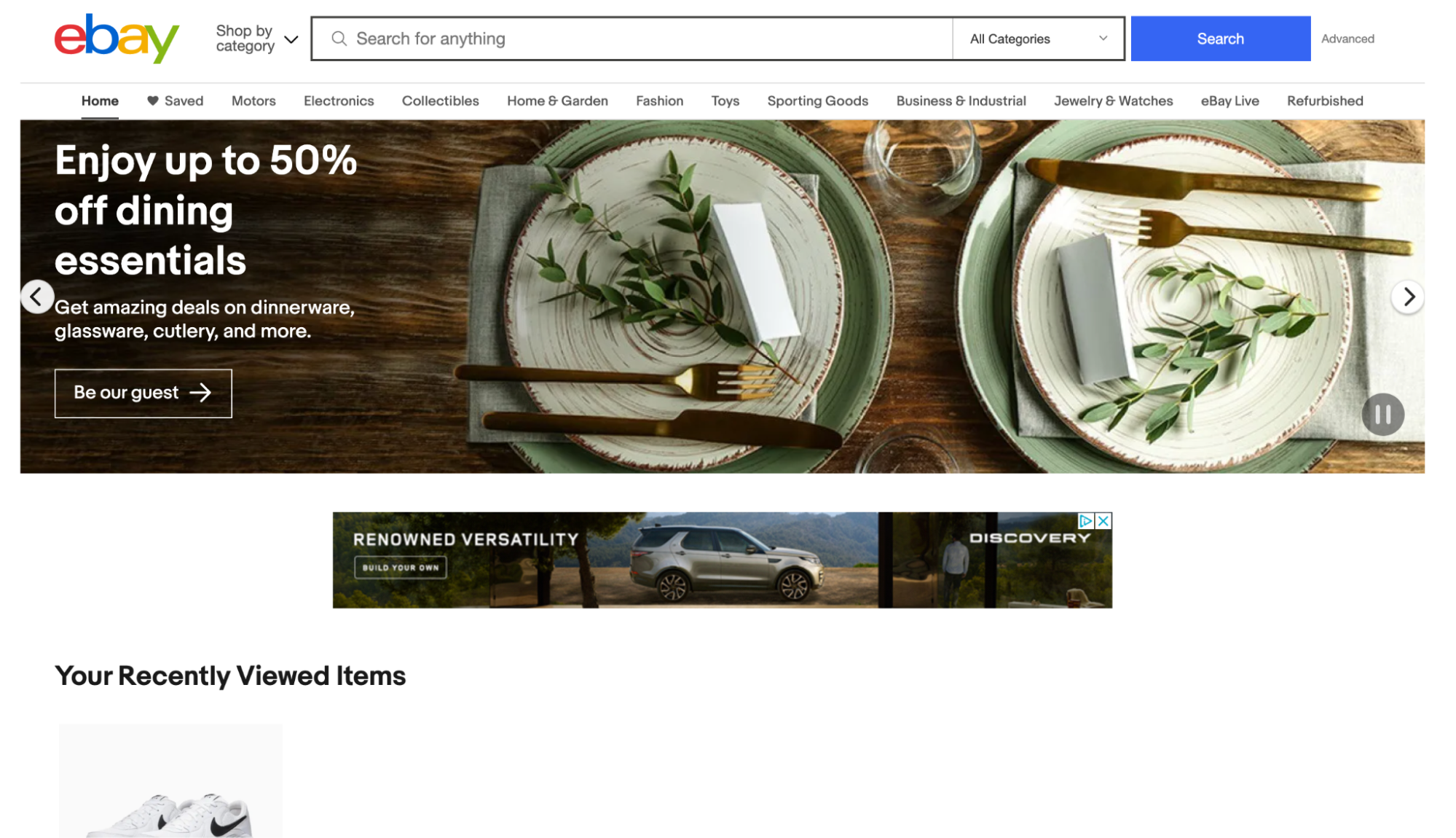
Ebay homepage with banner advertising dining sets, showing gold-rimmed plates, knives, and forks.
eBay introduced online selling to users and continues to lead the market.

eBay is one of the original destinations for people who want to sell merchandise online, having been around since 1995—and it’s still thriving. The marketplace has over 1.7 billion listings and 135 million users worldwide.

You can sell anything on eBay, from everyday items like shoes and watches to weird stuff (yes, that’s a product category) like popcorn-scented pillows, bottles of air, and vintage ’70s giant-hand chairs. There’s a continuous flow of motivated customers and easy ways to integrate eBay as an additional sales channel for your online store. 

eBay fees

If you plan to sell on eBay, take the online selling site’s fees into consideration. It charges a non-refundable listing fee for each product and another insertion fee if you list the same items in two different categories. It also charges a final value fee (usually between 10% and 12%), calculated as a percentage of the total amount of the sale, including any shipping costs and handling charges. 

Bonanza
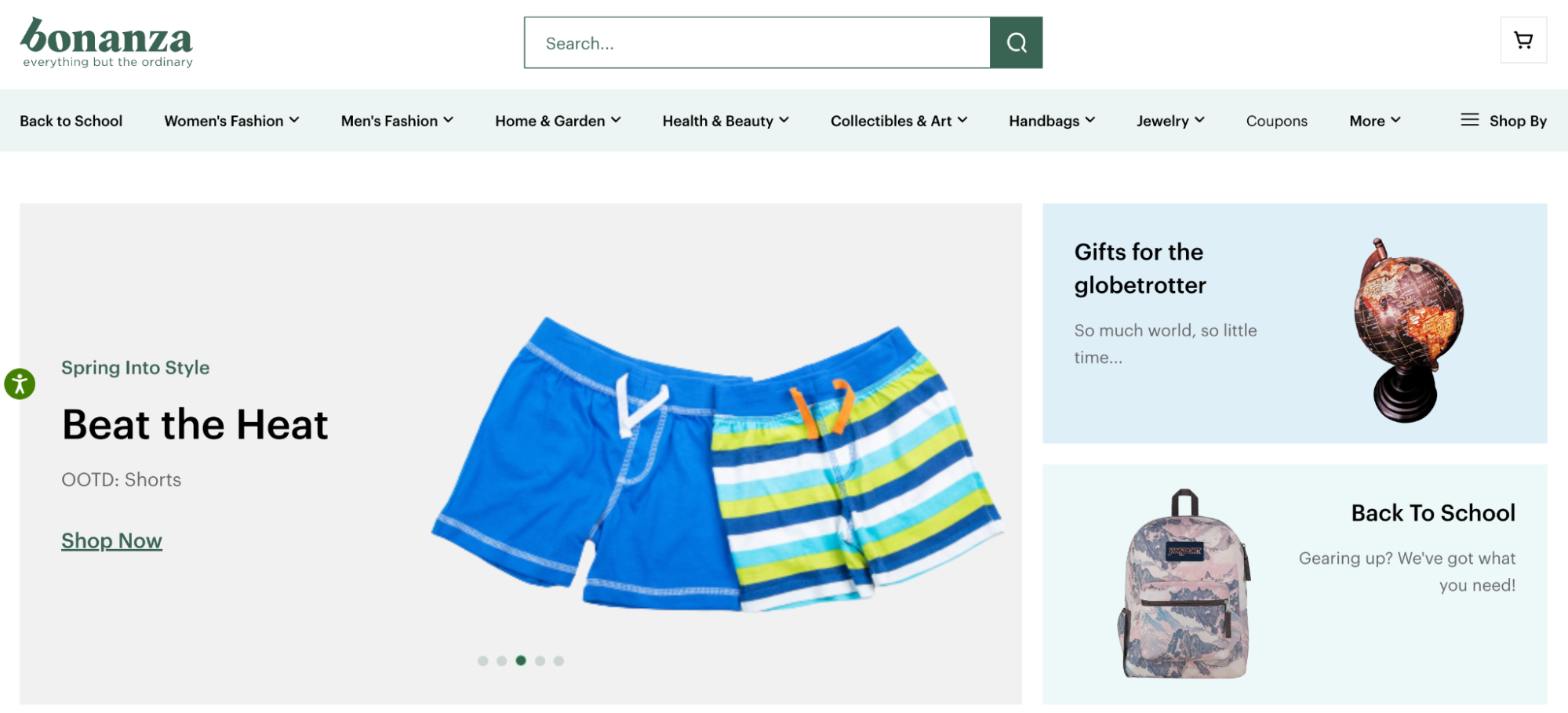
product cards showing swim shorts, a backpack, and a model globe, below a nav bar and menu.
Bonanza is a newer online selling site based out of Seattle. 

Bonanza is an online selling site that’s growing in popularity as an eBay alternative. You can sell pretty much anything on the platform, and it receives nearly two million monthly visits to its website.

Think of Bonanza as the middle ground between the online selling sites Amazon and eBay. There are more unique and handmade items for sale on Bonanza than on eBay, but fewer branded names than on Amazon. For example, you can sell the latest Nike Air Max model or a handmade copper necklace and find active buyers for each. Buyers can add products to their cart for a set price or negotiate an offer with you through the platform.

Bonanza fees

Bonanza charges you nothing to list your products on its site. It takes only a small percentage of your final sale price after you sell. And since many Bonanza sellers also have their own online stores, you can integrate Bonanza with platforms like Shopify to manage and sell products more easily. 

Ruby Lane
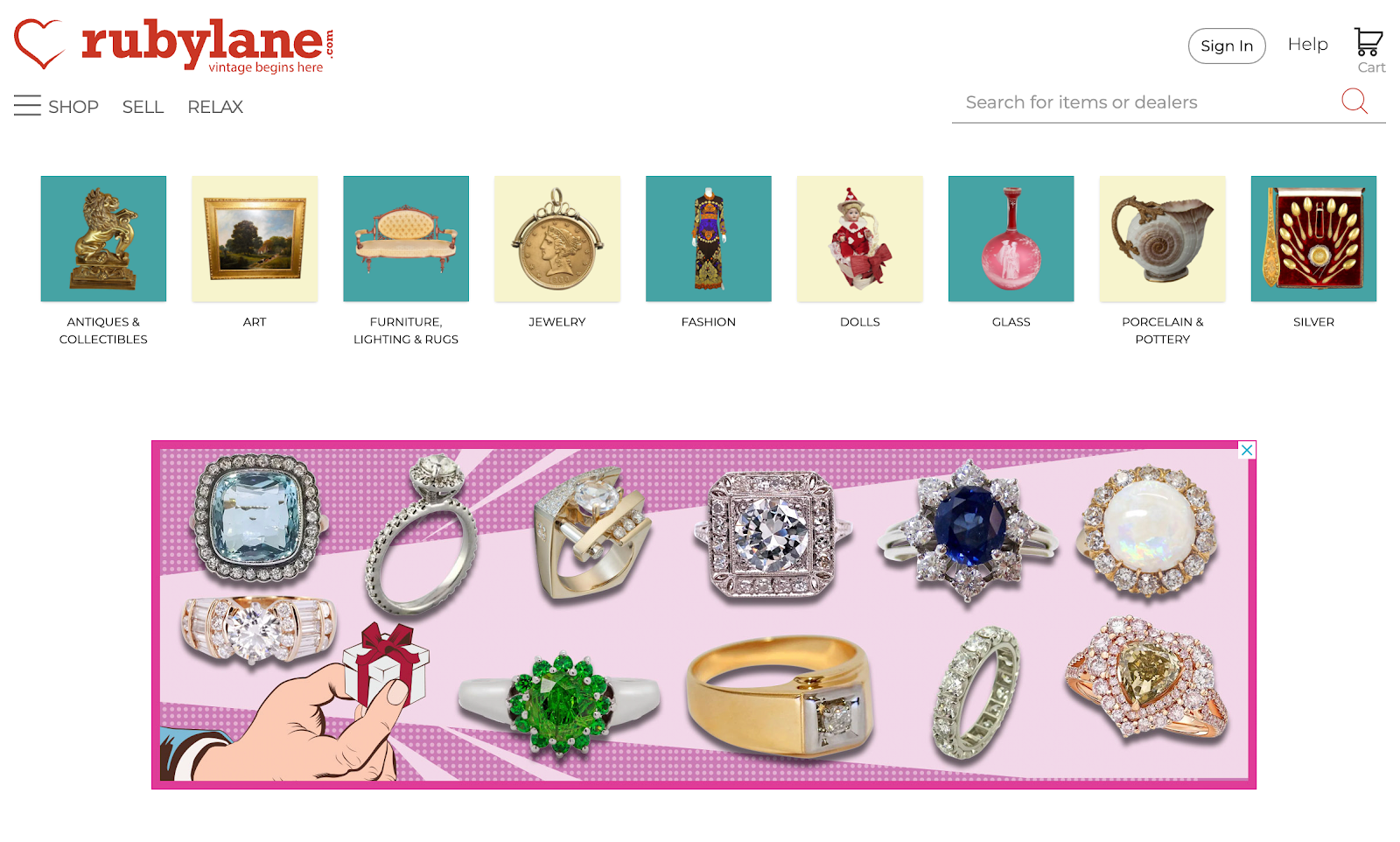
Diamond rings on a pink background. A carousel of antiques categories like art, furniture, and glass.
Ruby Lane is a place to connect with passionate buyers.

Ruby Lane is an online marketplace for vintage and antiques. Selling on Ruby Lane gives you access to highly targeted buyers for categories like antiques and collectibles, vintage and art, dolls, and jewelry.

Whether you’re an antiques and collectibles store owner or just want online selling sites, Ruby Lane is a good place to connect with passionate buyers. 

Ruby Lane fees

Fees and payments for Ruby Lane are straightforward. It’s free to set up and list your products. But you need to pay a monthly maintenance fee of $25. In addition, Ruby Lane charges a 9.9% service fee based on total purchase order, which is capped at $250. 

Etsy
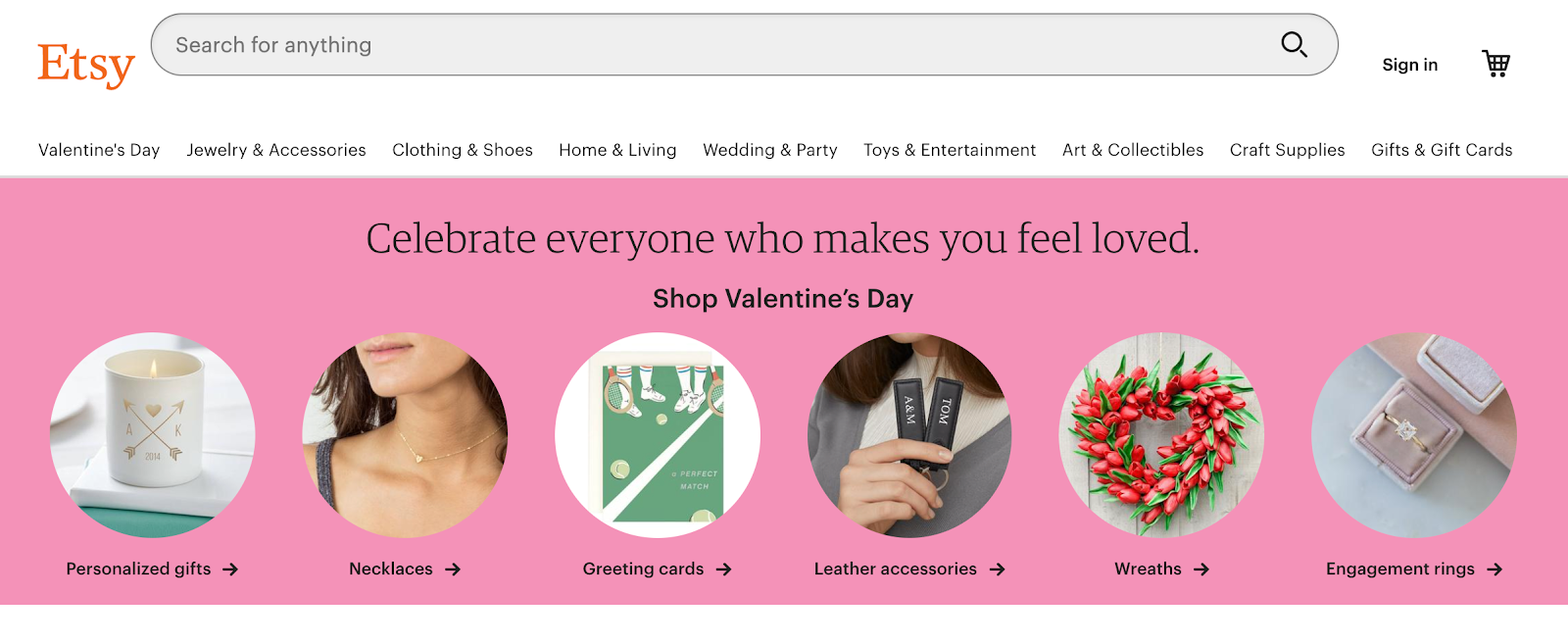
A pink product carousel featuring images of a necklace, candle, ring, key ring, and greeting card.
Etsy includes tools to help market your business on the platform.

Etsy is a selling site for handcrafted and vintage items. In 2015, it began including maker-developed manufactured goods, but only for select accounts on the marketplace. Currently, there are over 95 million active buyers on Etsy, making it a potentially lucrative way to start selling online.

If you’re new to online selling sites, Etsy provides access to an active buyer network, a pop-up storefront, and tools to help market your business on the platform.

Etsy fees

You’ll be charged a $0.20 listing fee for each item you sell on Etsy. Listings expire every four months. So if your item doesn’t sell and you renew the listing, you’ll be charged an additional additional $0.20. When you make a sale, you’ll be charged a transaction fee of 6.5% of the display price, plus the amount you charge for shipping and gift wrapping.

[embedded content]

💡Find out about the most popular Etsy alternatives.

Chairish
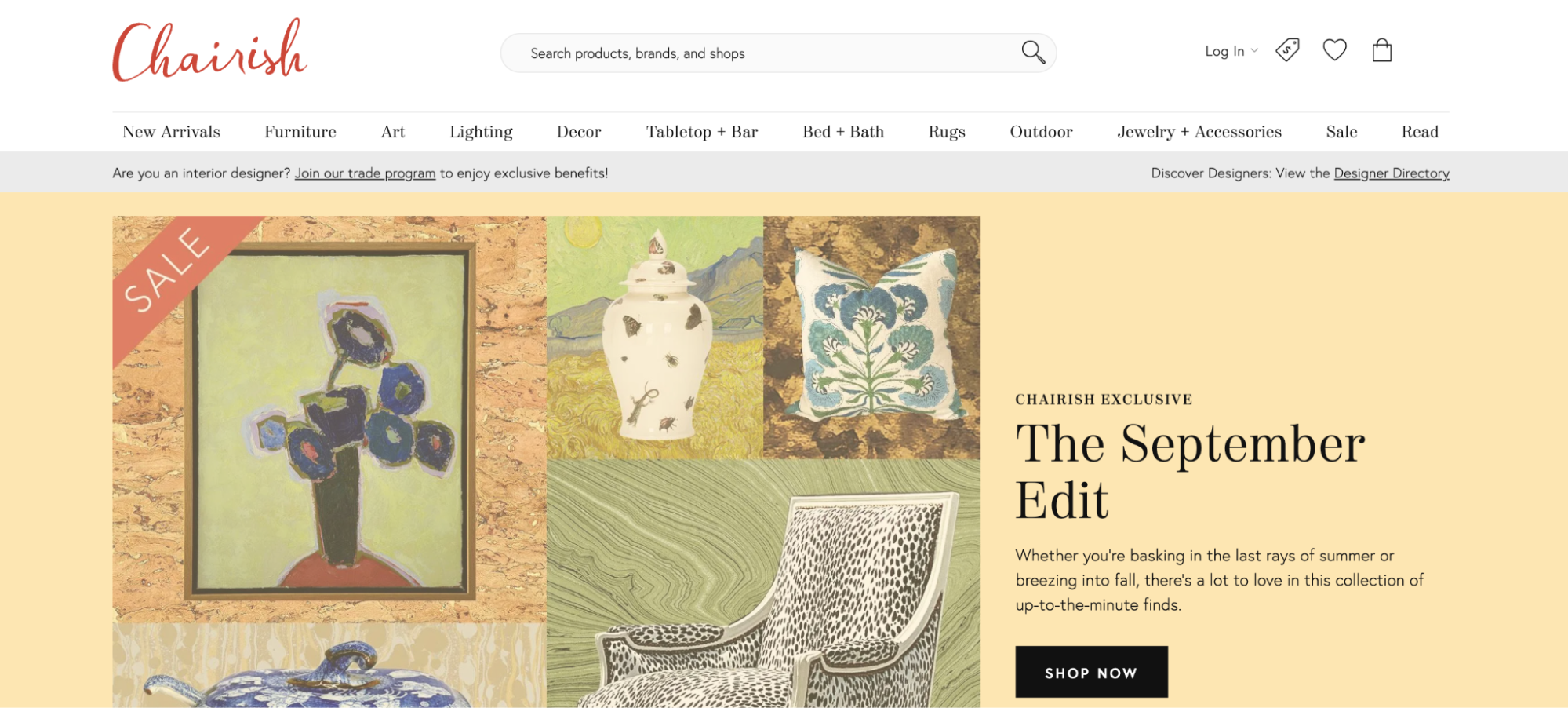
A yellow homepage with illustrations of a boutique chair, throw cushion, ceramic pot, and painting.
Chairish can help you connect with collectors to make more sales online.

Chairish is an online consignment shop made for high-quality home decor and furniture. It takes minutes to list an item (for free), and depending on your seller plan, between 70% and 80% of the selling price goes back to you.

If you have design-oriented furniture or home decor to sell online, this is a relevant online selling site. It can quickly land your business in front of ideal customers.

Chairish fees

Chairish has free and paid plans, with differing commission rates depending on product type and plan tier. When you list your items, Chairish’s curatorial team reviews your listings to ensure they meet the marketplace’s standards. They also handle shipping, so you never have to worry about logistics when selling on Chairish.

Swappa
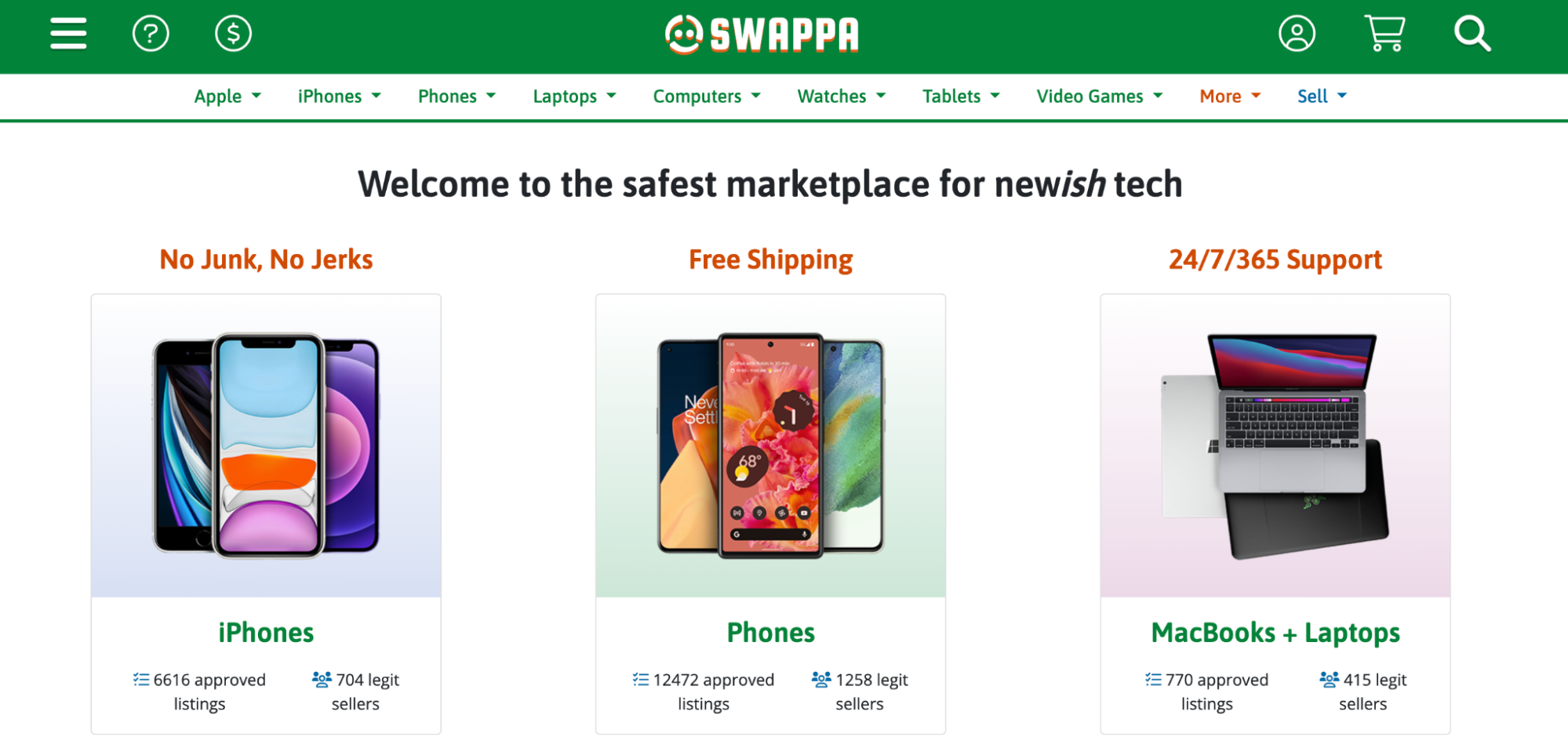
Three products cards with pictures of iPhones, smartphones, and laptops.
Swappa vets all products that get sold on the marketplace.

Got an old iPhone sitting around that you want to get rid of? Or a Nintendo Switch you don’t use much anymore? Turn your tech into cash on Swappa, a buy-and-sell website for phones, laptops, cameras, and more.

Swappa vets all the products that get sold on its marketplace, so everything you submit must be in good working condition. Payments are protected by PayPal. 

Swappa fees

There are no fees to create a listing, but you can choose to have your items featured for $5. When you make a sale, you pay a 3% fee, along with the buyer.

Poshmark
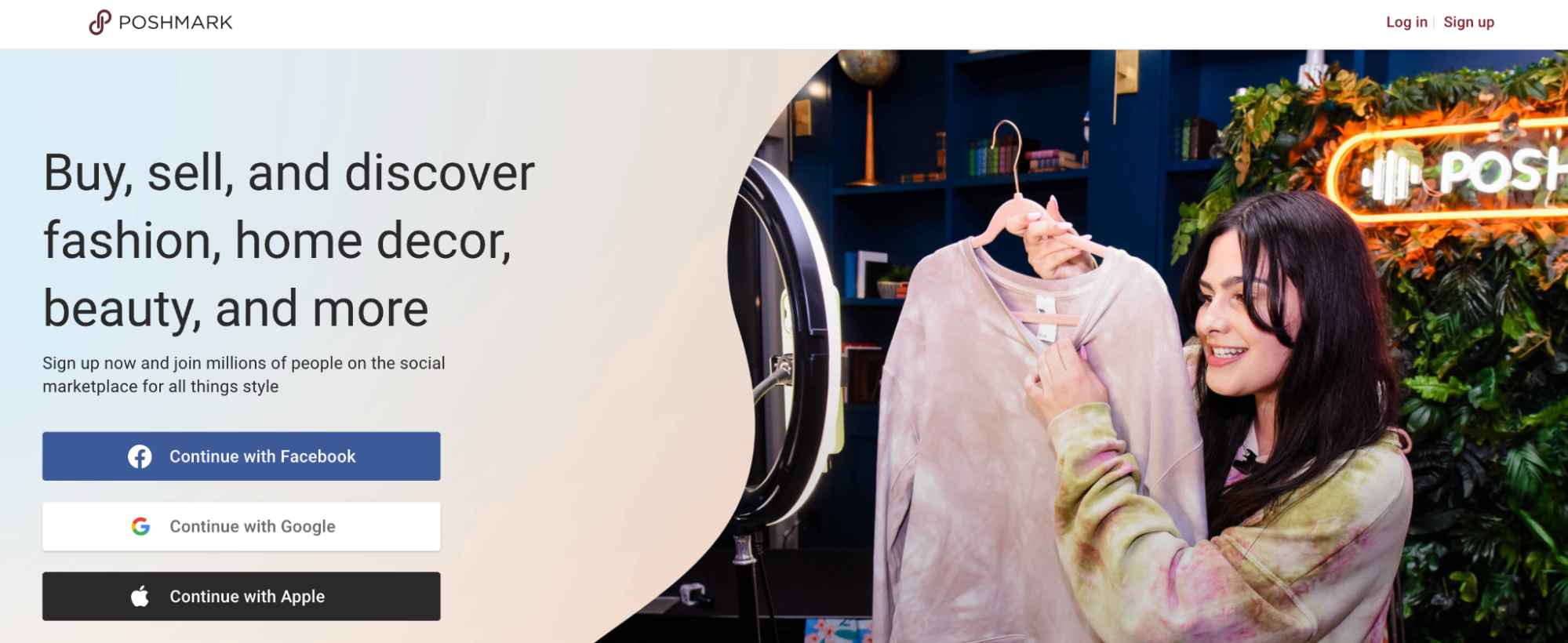
A person presenting a pink tie-dye sweater on a hanger during a live stream filmed on a smartphone.
Poshmark is a popular selling site for clothing.

Launched more than a decade ago, Poshmark is one of the most popular social commerce marketplaces for users who want to sell clothing and lifestyle accessories.

With more than 80 million registered users, sellers on the platform benefit from a large community of eager buyers. Poshmark sellers can also share their items on social media.

Poshmark fees

As stated in its FAQ, sales under $15 accrue a flat commission of $2.95. For sales over $15 Poshmark’s commission is 20%.

Decluttr
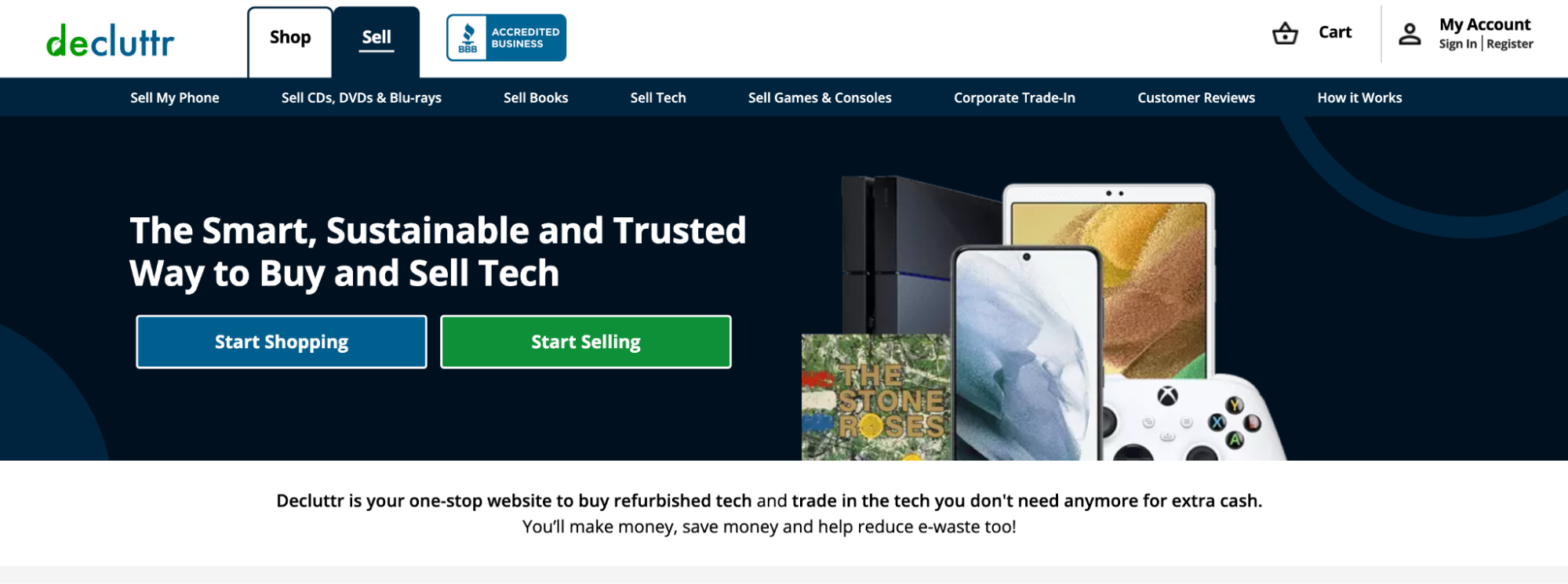
A collage of tech products, including an iPad and an XBox controller.
Declutter is also a tech-focused marketplace.

Decluttr is another platform that focuses on electronics, but it’s also a selling site for books, game consoles, and other home entertainment items.

Decluttr fees

Unlike some of the other marketplaces on this list, Decluttr buys your electronics directly. Using their app, scan the barcode of the items you wish to sell for a quote. Decluttr handles all shipping costs and pays for your items as soon as they’re received. 

Amazon
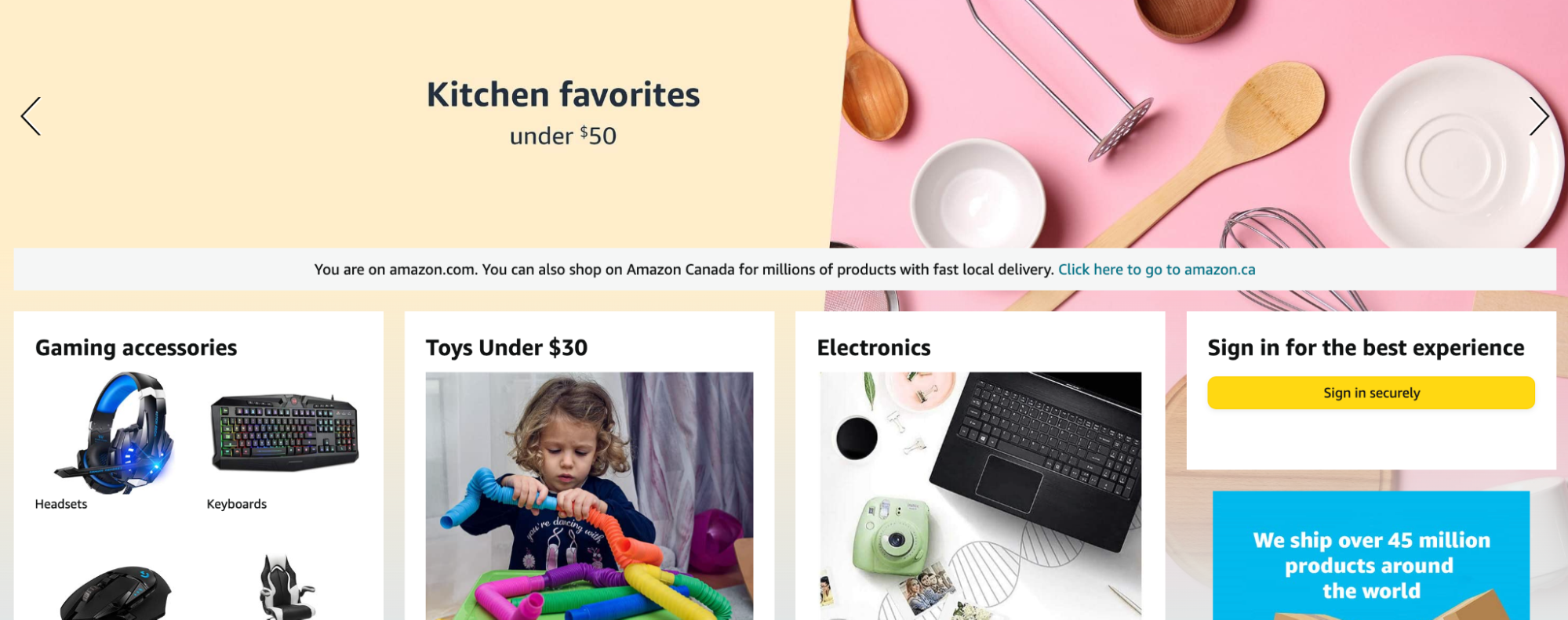
Amazon homepage with banner advertising kitchen products like spoons, bowls, and whisks. Amazon pioneered the concept of online marketplaces and continues to reign supreme.

As global ecommerce sales continue to grow, Amazon remains the go-to selling site for many. It’s reported that Amazon sells over 4,000 products per minute, providing sellers with an active, built-in audience. 

Amazon fees

The cost to sell on Amazon depends on your plan, product category, fulfillment strategy, and other variables. At minimum, you’ll pay $39.99 per month for a Professional Seller plan.

[embedded content]

Local online selling sites

If you plan to sell in your community, here are the top online sites to sell stuff locally for free:

  • Facebook Marketplace
  • Craigslist
  • Nextdoor
  • VarageSale
  • Offerup

Facebook Marketplace

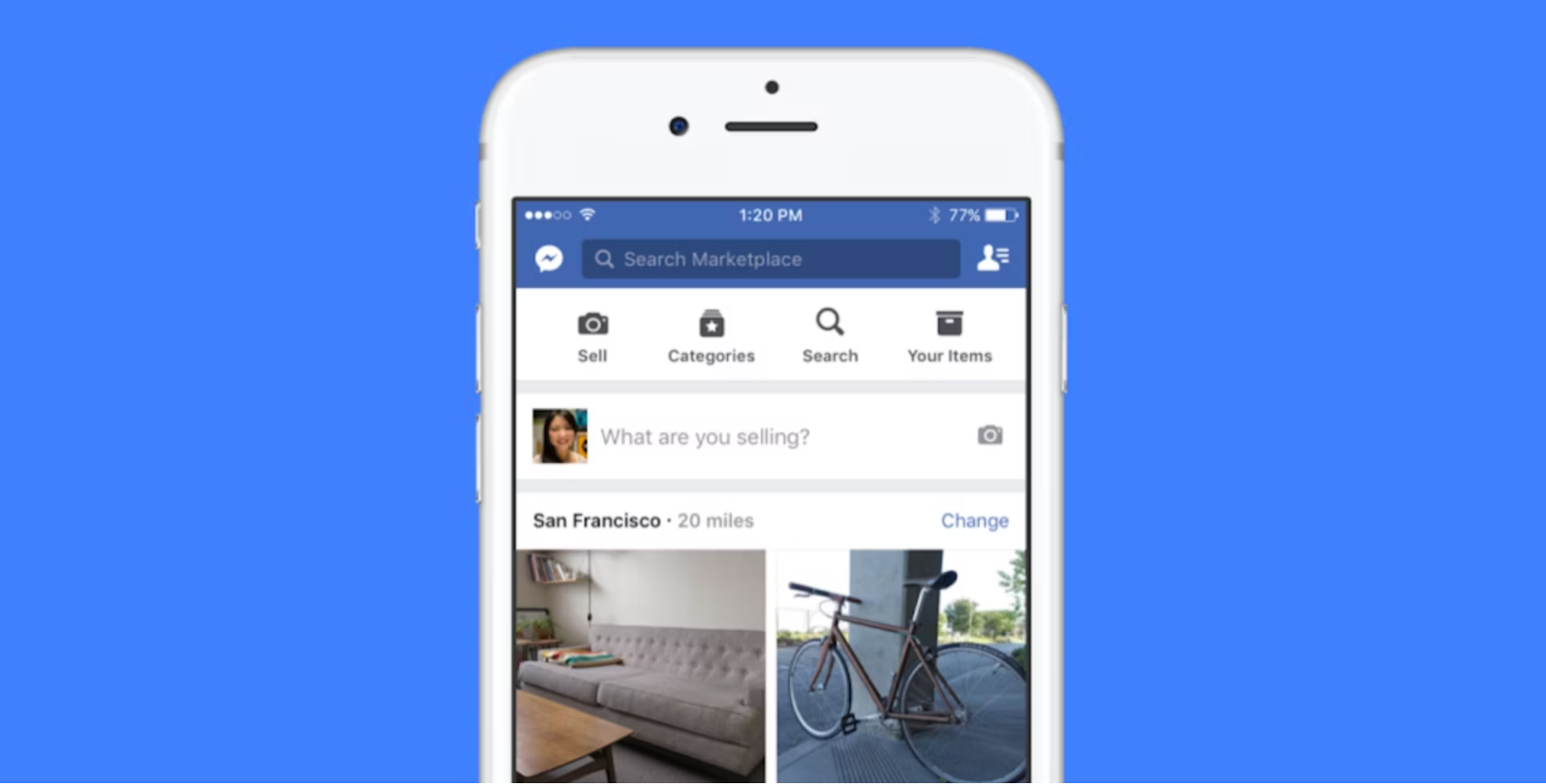
Iphone showing the Facebook Marketplace homepage on a blue background.
Facebook Marketplace can be integrated with Shopify stores.

Facebook Marketplace from Meta is an online selling site where individual people can discover, buy, and sell items on Facebook. More than one in three people in the US use Marketplace each month, offering a huge opportunity for sellers to reach an active audience. It’s free to list and Meta takes no fees, but there are guidelines you need to follow to sell on the platform. 

Meta has also partnered with platforms like Shopify to let merchants show their inventory, advertise items, and find new customers for their business.

[embedded content]

Craigslist

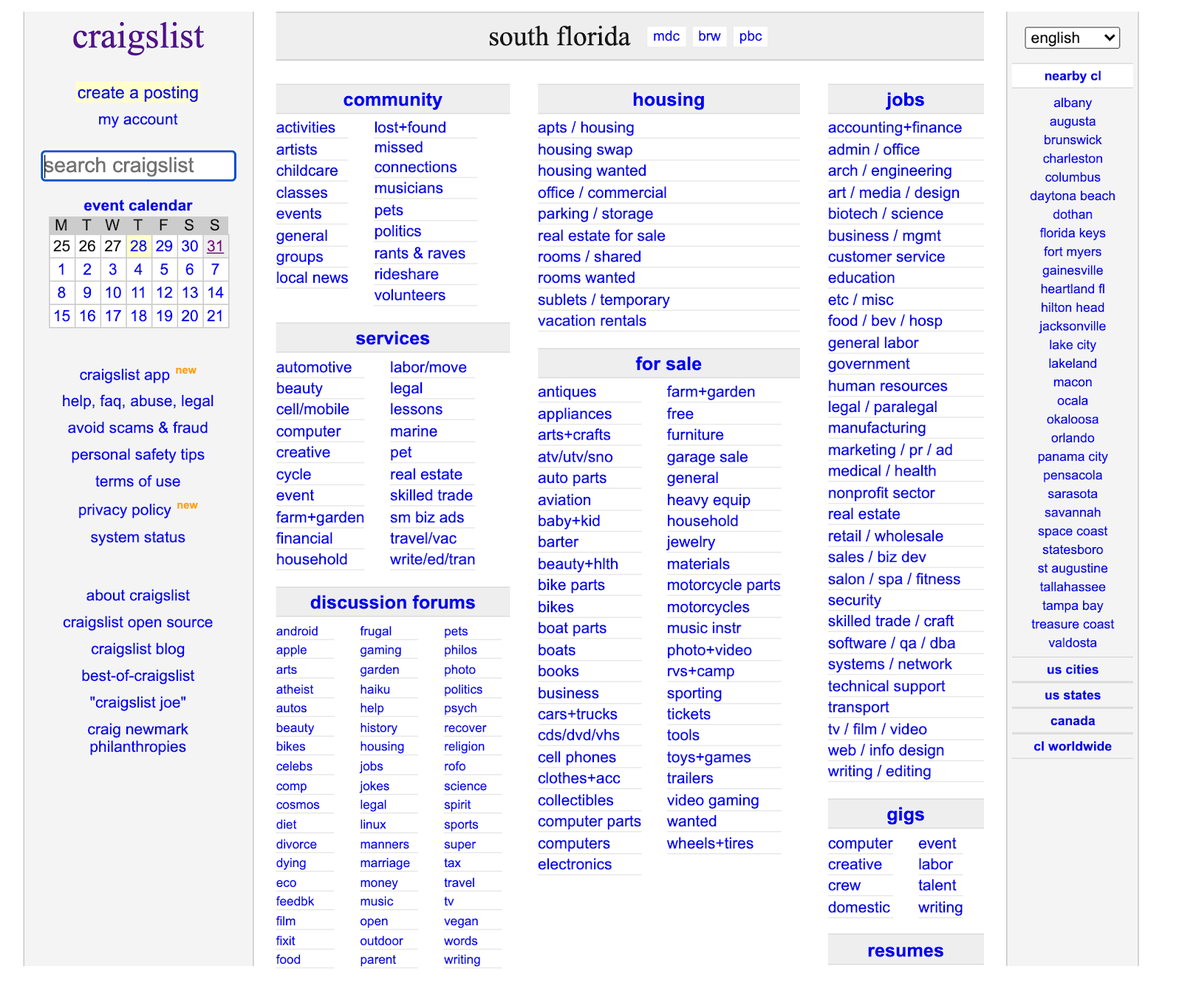
Lists of blue hyperlinked text with gray headings and gray sidebars.
For many, Craigslist is the quintessential selling site, but it’s light on features.

Craigslist is one of the earlier online selling sites. Started in 1995 by Craig Newmark, it began as an email distribution list between friends featuring local events in the San Francisco Bay Area. It quickly became a web-based marketplace and, over the years, expanded into 700 cities across 70 countries. It’s free and pretty basic but definitely not the best online store to sell items at scale. It’s essentially a big local forum with a lot of stuff.

Craigslist is a higher-risk online marketplace. Because of the platform’s “hands-off” approach to buying and selling, scams can happen easily, and if they do, you don’t get any help from the company.

Nextdoor
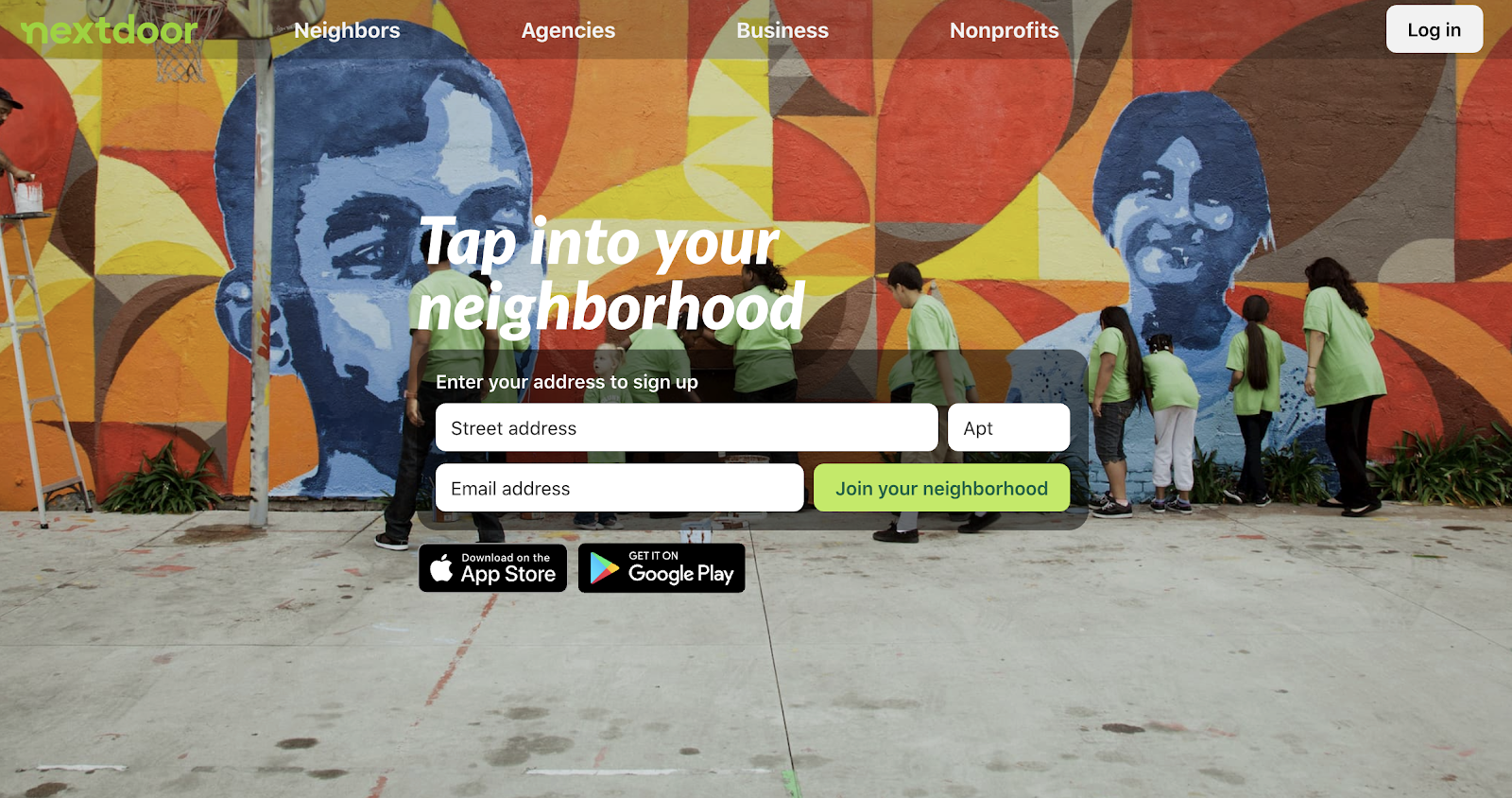
Local selling sites can help you offload large items link furniture or musical instruments.
Nextdoor shares some features with both Facebook and Craigslist.

Nextdoor is similar to Facebook Marketplace and Craigslist in that it’s focused on community selling. Nextdoor also enables the “friendly neighbor” feel by letting people post about what’s going on in their neighborhood—whether it’s traffic delays or restaurant recommendations. It acts as the hub for any given area.

Nextdoor also offers a free forum to sell your items online. It’s similar to Facebook Marketplace: there are no listing fees and you’ll have to meet buyers in person. It feels a little safer too, because you need to make an account before you can access the platform.

VarageSale
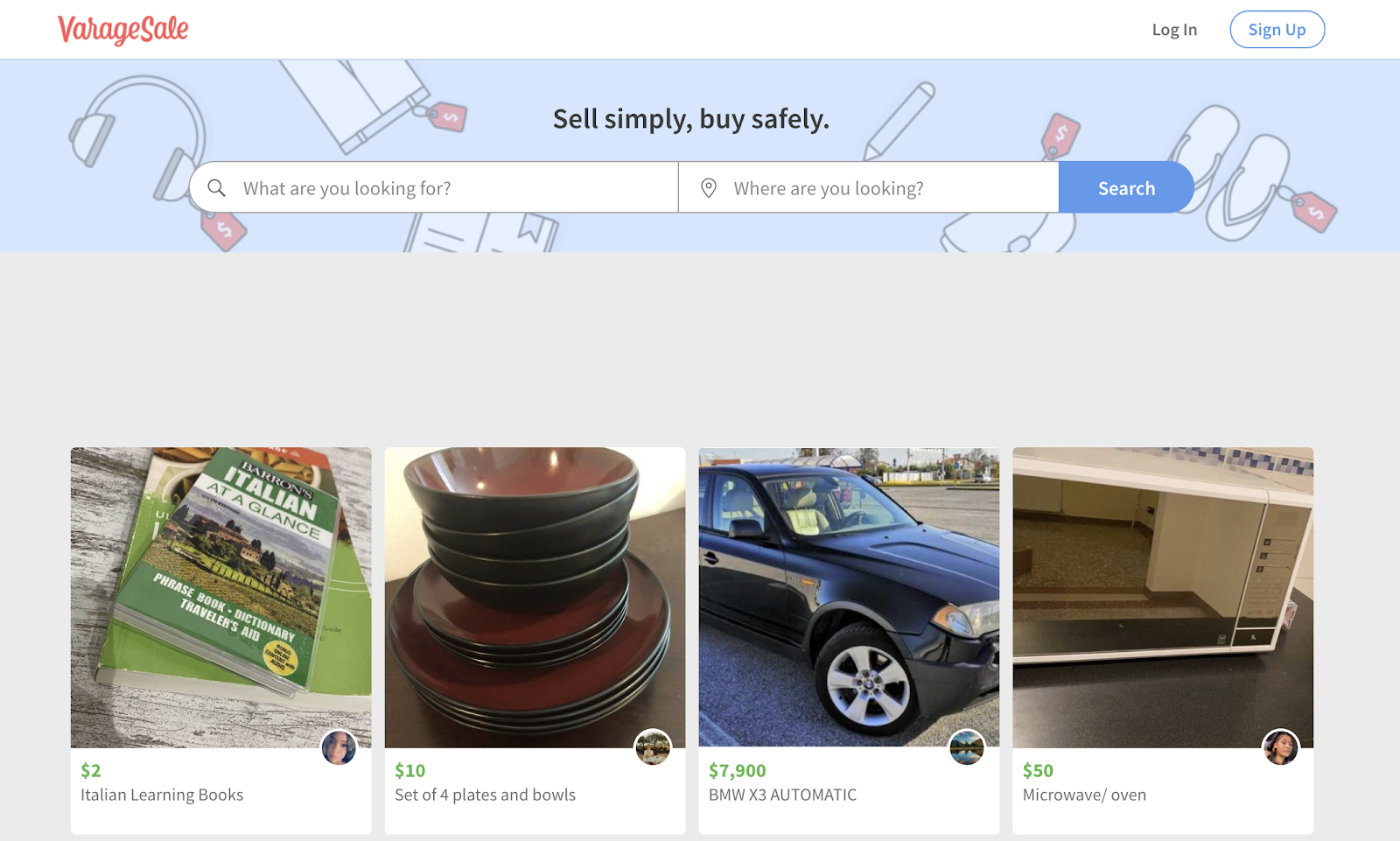
VarageSale’s manual ID confirmation process helps reduce fraud.

VarageSale is a virtual garage sale buy and sell app. It was started in Canada by an ex-elementary school teacher fed up with scams and fake listings on other classified sites. VarageSale user profiles are based on real identities—everyone goes through a manual review process before you’re allowed to buy or sell.

Buyers can browse seller ratings and message sellers to connect before making the sale. They can ask questions and schedule pick-up in the app. People sell everything including furniture, clothing, shoes, and more on VarageSale. It’s also free for members. 

Offerup
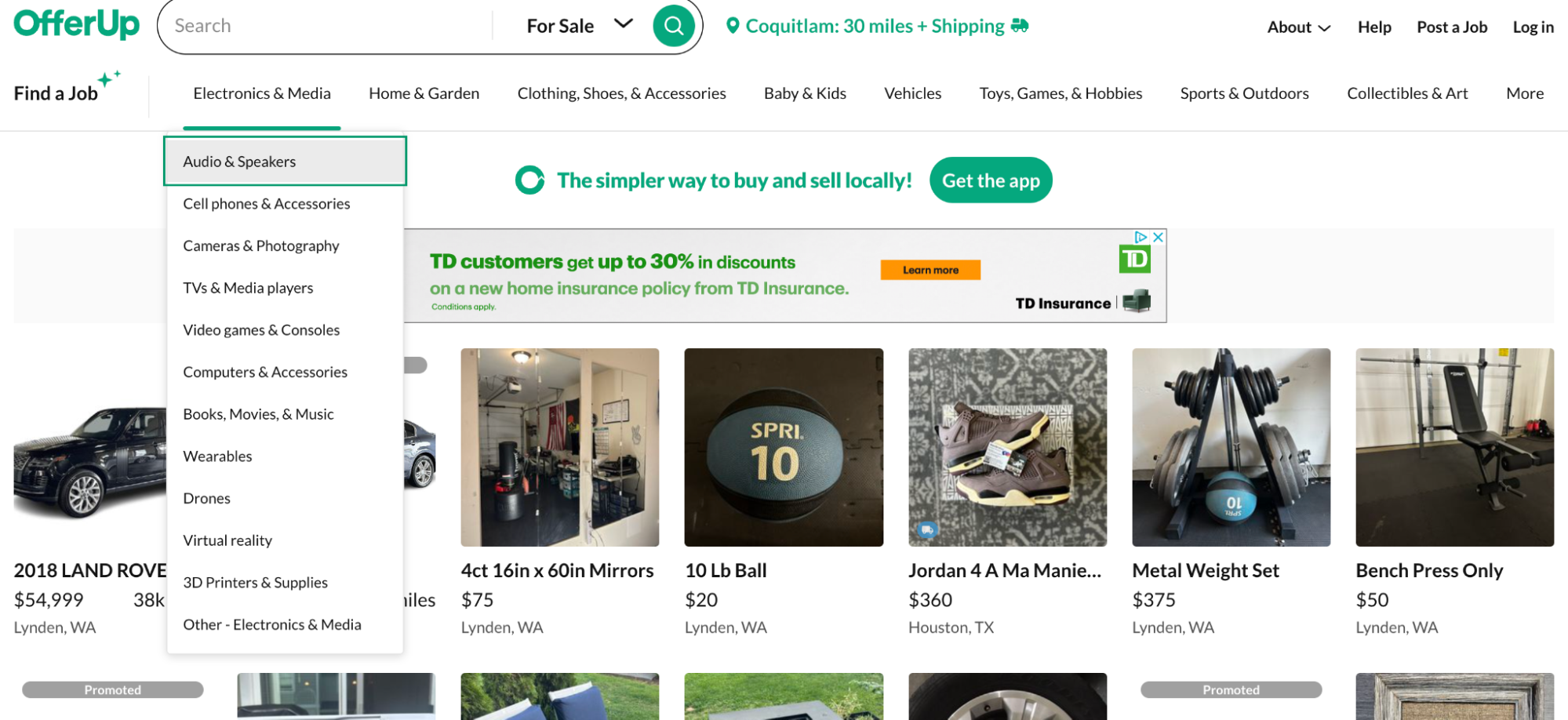
Catalog page for home gym equipment featuring product images and prices.
Using a marketplace like Offerup can help reduce the risks of in-person transactions.

Offerup allows users to browse electronics, clothing, and even automobiles based on ZIP code. Interested buyers can contact sellers through the app to negotiate price and set up a location to meet.

Like VarageSale, Offerup has procedures to ensure the safety of users. Before you agree to meet up, you can browse user profiles and read a seller’s reviews. Offerup uses TruYou to verify identities of their users helping to further increase safety. They also recommend community meetup spots to make the transaction as reassuring as possible.

Best global online selling sites 

Want to sell to an international audience? Here are the best sites to sell online around the world:

  • AliExpress
  • Taobao
  • OTTO
  • Rakuten
  • Mercado Libre
  • Flipkart
  • MyDeal

AliExpress

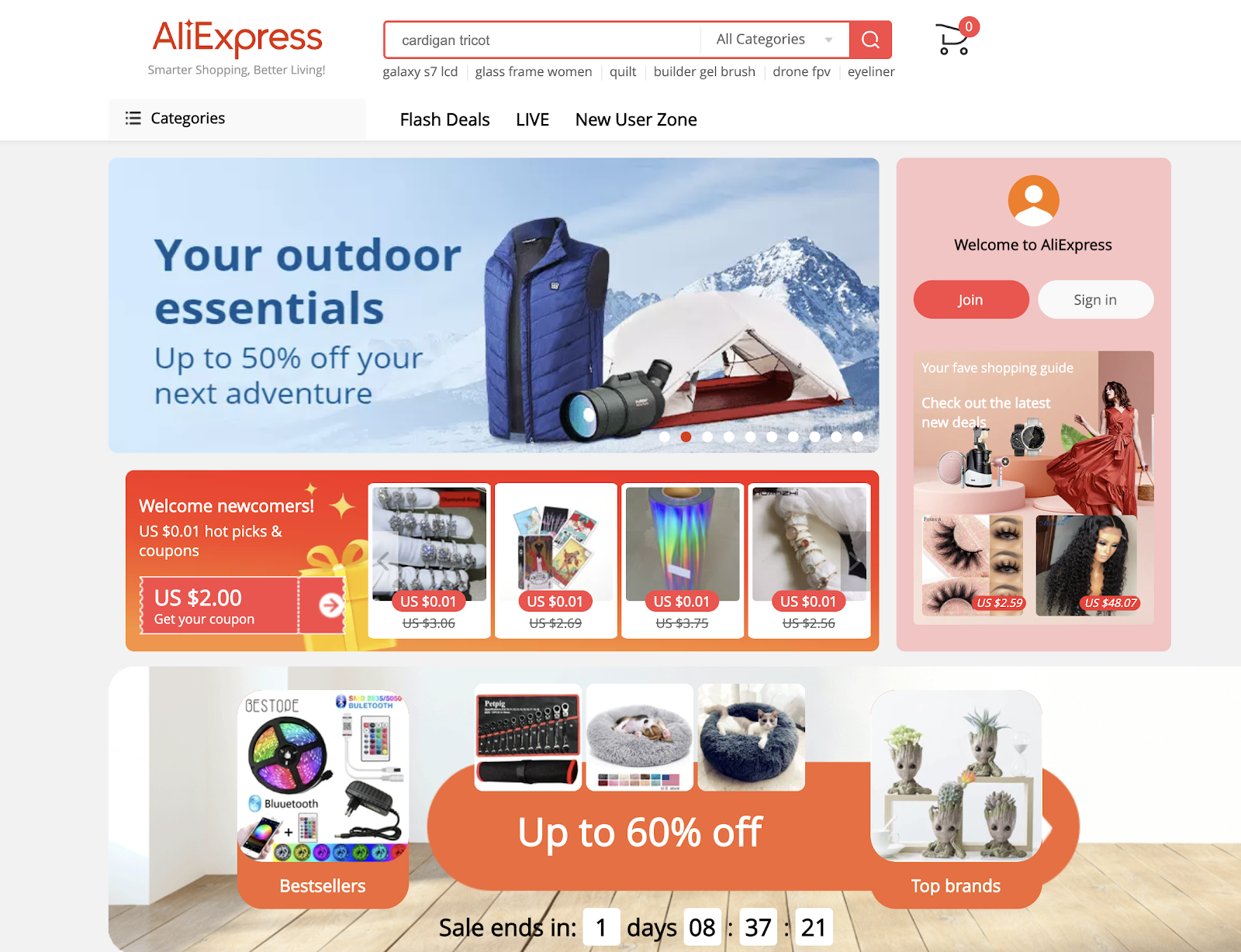
Collage of a vest, text, and torch on a background of blue mountains.
AliExpress is an international selling site with lower seller fees than Amazon.

Founded in 2010, AliExpress is Alibaba’s cross-border ecommerce marketplace, with nearly 20 million daily visitors. Users of the platform can sell to individual people or businesses, whether they are manufacturing products or adding an AliExpress dropshipping model to their online store.

AliExpress takes between 5% and 8% of commission fees for each transaction, depending on your product category. Otherwise, there are no overhead or arrangement fees to sell on the platform.

[embedded content]

Taobao

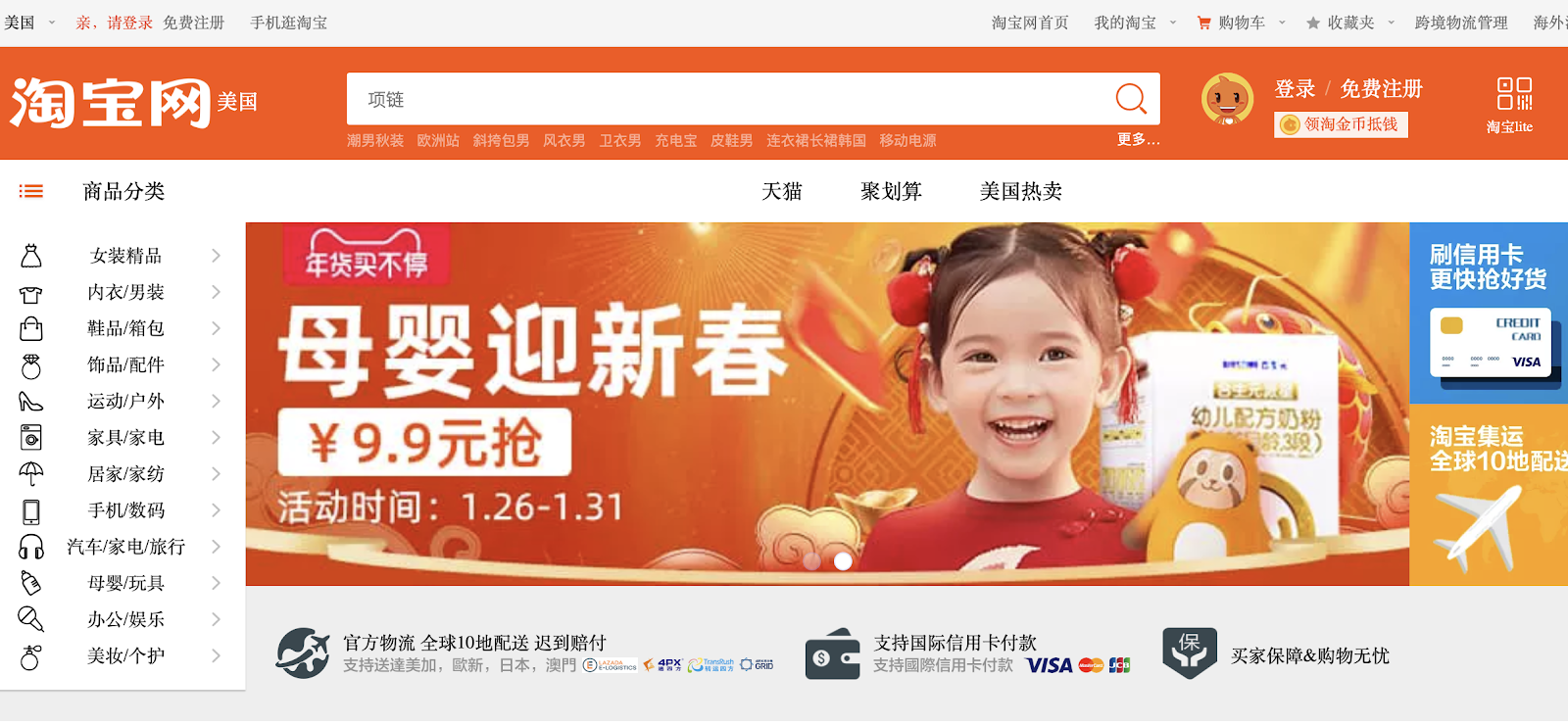
A collage of a smiling child in a red T-shirt, a soft toy, and red carp.
Taobao is a Chinese selling site with a claim to being the largest in the world.

Taobao is an online selling site founded in 2003 that has grown to become the largest online marketplace in the world by gross merchandise value.

OTTO 
Rose gold pendants inscribed with the letters “MK”.
Otto is one of the biggest online selling sites in Germany.

Otto is based in Germany and has a focus on fashion and lifestyle products. It grew from a post-war mail-order company selling shoes to a business with 11 million active customers.

Today, over 90% of OTTO’s products are sold online, including branded products and goods from third-party retailers.

Rakuten
A pleased-looking person beside a webpage displaying a kitchen blender, on a purple background.
Rakuten hosts a wide range of product categories.

Rakuten is a large marketplace based out of Japan that provides ecommerce, banking, communications services, and more. Similar to marketplaces like Amazon, you can sell in endless product categories, including clothing, books, sports, subscription boxes, and more.

Businesses who want to sell on Rakuten need to be registered in the United States or Japan, or use a service partner.

Mercado Libre
Apple AirPods and a Samsung Smartphone on a blue podium.
Mercado Libre sells products to more than 18 countries.

Mercado Libre is the most popular ecommerce marketplace in Latin America, serving over 18 countries. Sellers on the platform sell many types of products from 20 main categories and 123 subcategories.

Flipkart
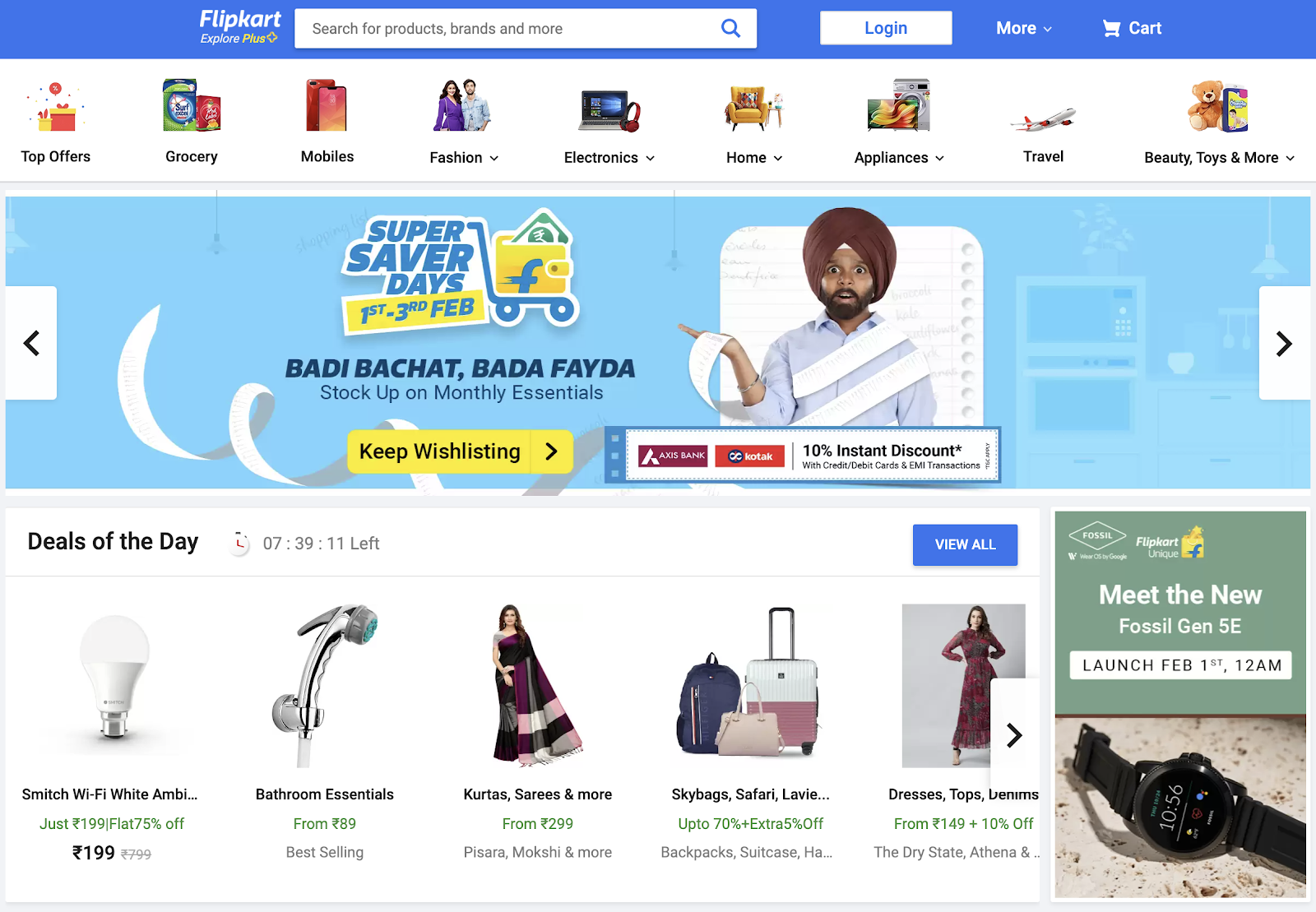
A shocked-looking person wearing a turban and a blue shirt holding a long receipt.
Flipkart is the largest selling site in India.

Flipkart started as an online bookstore in 2007 and has become the largest online selling site in India. Retailers can sell anything on Flipkart, including consumer elections, fashion, home essentials, groceries, and lifestyle products. An Amazon competitor, Walmart-backed Flipkart continues to lead ecommerce market share in India. 

MyDeal 
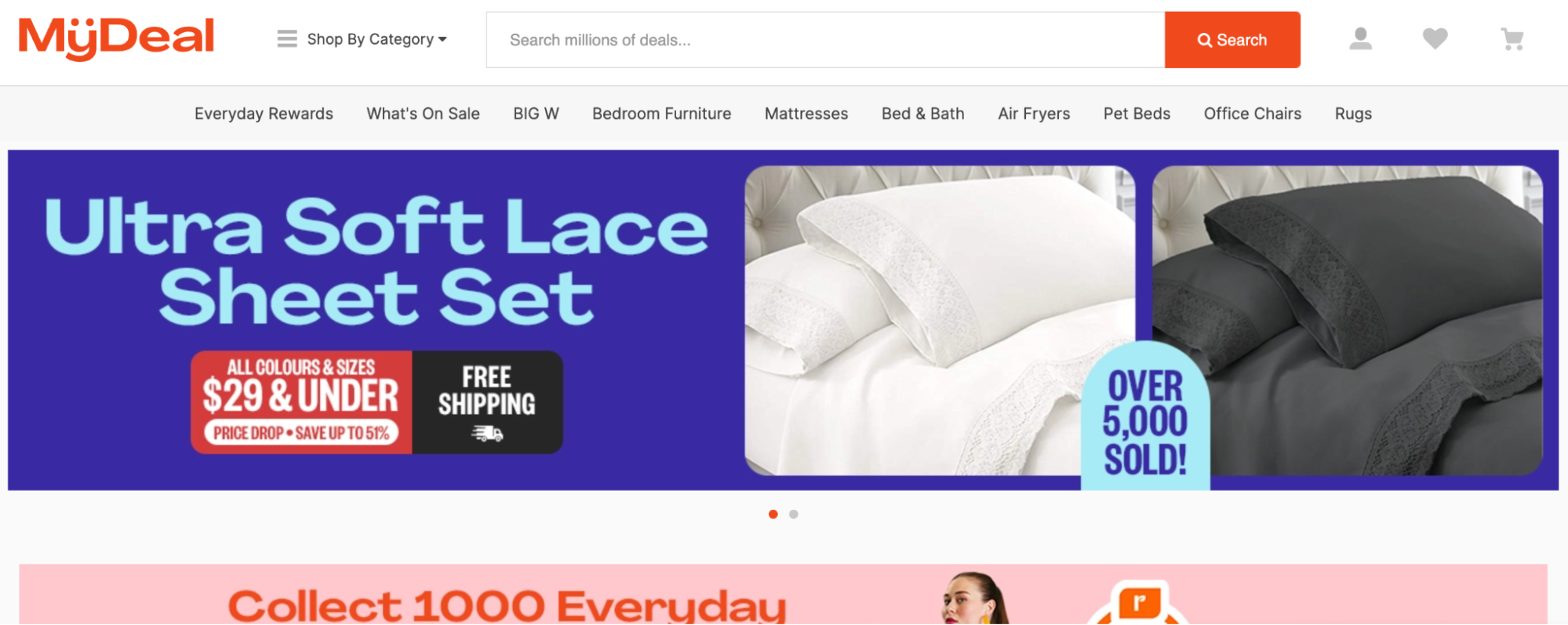
A banner ad for bed sheet sets below a navigation menu and search bar.
Australian marketplace MyDeal attracts millions of monthly users.

MyDeal is an Australian marketplace offering more than one million products across 3,500 categories, welcoming over four million visitors per month. It’s strictly a marketplace, meaning it doesn’t sell products of its own, only those from third-party sellers.

While you can sell products in various categories, the platform tends to focus on furniture, homewares, and other big items. MyDeal doesn’t offer any fulfillment services, so sellers must coordinate their own shipping or use an outside logistics company.

Sell internationally in minutes with Shopify Markets

Shopify Markets helps you sell to multiple countries and scale your business internationally—all from a single Shopify store. Manage store localization, shipping, duties, and compliance all in one place.

Discover Shopify Markets

Find the best online selling site

Every online business owner should explore different online selling sites, regardless of whether you’re running a dropshipping store or selling custom products. Sometimes they can help new businesses get off the ground with a built-in audience of active buyers and marketing opportunities. 

Regardless, it’s important to not rely only on online marketplaces. You’ll want to create your own online store to build your brand, connect with shoppers, and retain more profits. With a digital home base, you’ll stop paying out commissions and fees to each online selling site and grow your business for the long term. After all, the best sites to sell online are the ones you own. 

Illustration by Rachel Tunstall

Selling sites FAQ

How can I start selling online? 

  1. Use an ecommerce platform to create your own online store.
  2. Become an individual seller on existing online selling platforms like Amazon, eBay, or Etsy.
  3. Sell on social media platforms like Facebook and Instagram.
  4. Start a dropshipping business.
  5. Sell old stuff through a resale app like Decluttr or VarageSale.

What are the best websites for selling stuff online?

  • Your own store
  • Amazon
  • eBay
  • Etsy
  • Bonanza
  • Facebook Marketplace
  • Rakuten
  • Faire 
  • Poshmark

Where can I sell my stuff online for free?

  • Facebook Marketplace
  • Nextdoor
  • VarageSale

What is the best site to sell stuff locally?

  • Facebook Marketplace
  • Craigslist
  • Nextdoor
  • VarageSale
  • OfferUp
  • Poshmark
  • eBay
  • Vinted
  • Decluttr 

What Is Shopify and How Does It Work? (2024)

Software Stack Editor · June 3, 2024 ·

[embedded content]

Every day, millions of people use Shopify to power their businesses. From online side hustles and neighborhood shops to global retail giants, Shopify makes commerce better for every store.

So what is Shopify, and how does it work? Ahead, explore Shopify’s store management software and selling tools. Learn how to customize Shopify for your needs, and why it might be the right platform for your next business idea.

What is Shopify?

Shopify is a complete commerce platform that lets anyone start, manage, and grow a business. You can use Shopify to build an online store, manage sales, market to customers, and accept payments in digital and physical locations.

Shopify’s reputation as a commerce leader comes from listening to the experiences of millions of business owners. By supporting solopreneurs and enterprise brands, Shopify has built the features and products that power today’s businesses and will shape the future of commerce.

How does Shopify work?

Shopify bundles commerce activities into a single platform, with one admin to monitor the entire sales process, from receiving an order to post-sale analytics.

With Shopify, business owners can sell in multiple places, including on their website, on marketplaces and social media, and in person through brick-and-mortar locations. Inventory and customer information can be synced across channels for simple management.

Shopify is a secure, cloud-based and hosted platform, which means you can safely access your data from any compatible device with an internet connection. This gives you the flexibility to run your business from anywhere.

Demo ecommerce store using a Shopify theme
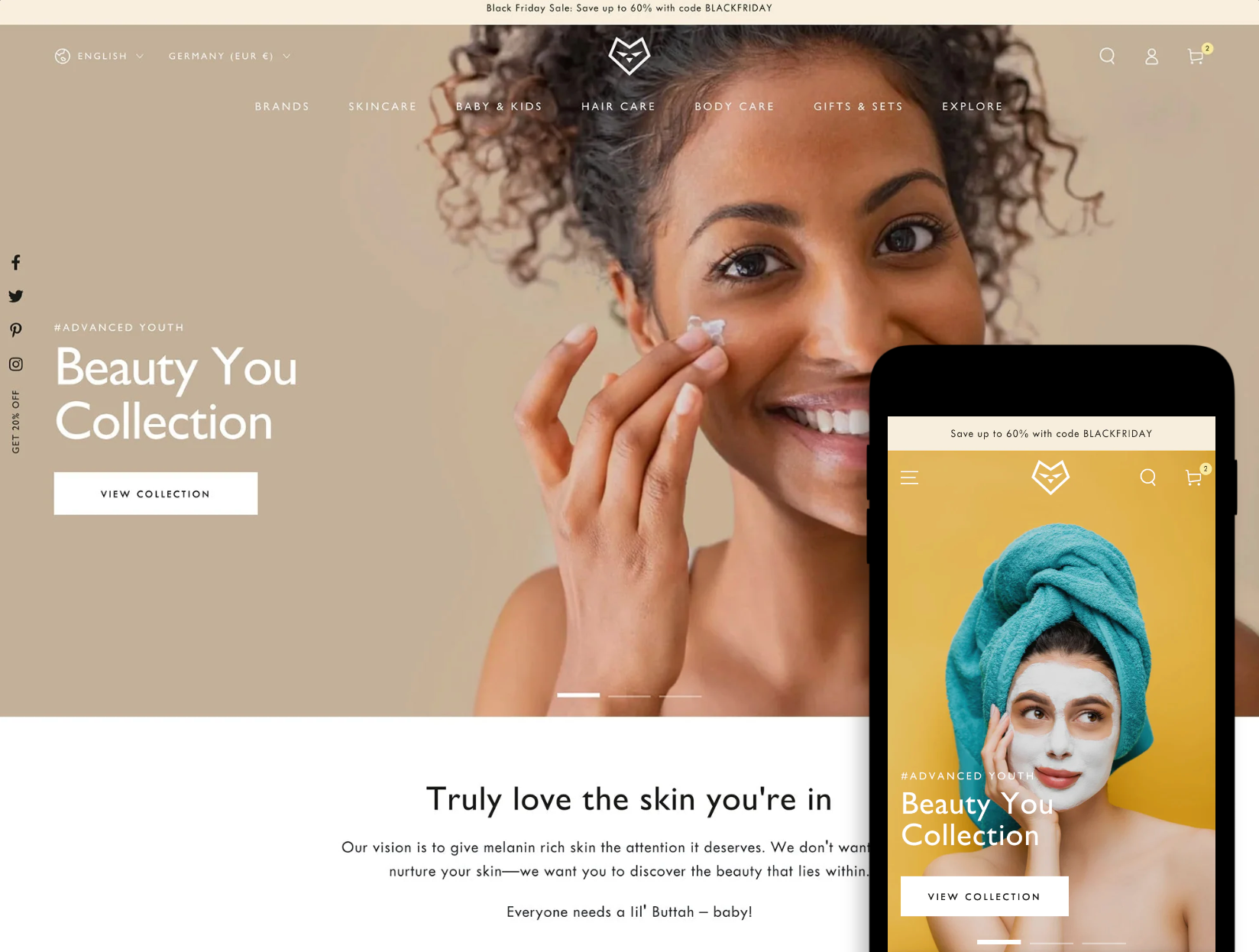
Customizable, responsive online store themes like Be Yours allow your brand to shine across mobile and desktop.

Commerce businesses require an array of tools to manage tasks like inventory management and shipping. Connecting these systems can cost business owners time and money. That’s why Shopify bundles technologies to create a complete picture of your business activity: your Shopify admin.

Related article

How To Start an Online Store in 2024 (Step-by-Step Guide)

Two browser windows stacked illustrating how to start an online store. The top shows an ecommerce store with a hovering cursor

This step-by-step guide walks you through how to set up an ecommerce website and build a profitable online store.

What’s included with Shopify?

Shopify is a buildable product that includes a core offering across several plans. Store owners can stack additional products on that base layer, customizing components and integrating apps to create a personalized experience for their business’s needs.

Base layer: Shopify’s core product

Every Shopify plan* comes with everything you need to turn your idea into a business and start selling: an online store with customizable templates, tools to sell across channels, Shopify’s fast and secure checkout, and built-in marketing features. This is the foundation upon which Shopify’s other products and applications are built.

Here are some of the features included with your Shopify subscription:

  • Customizable themes. Shopify’s free online store themes have built-in support for animations, including dynamic scrolling and hover effects.
  • AI features to help you get more done. Generate on-brand content, set up auto-reply, and write product descriptions with Shopify Magic.
  • Access to millions of mobile shoppers on the Shop app. Personalize your mobile store and extend your brand in a matter of clicks. Shop Stores includes customizable collections, categories, and navigation—just like your online store.
  • The world’s best checkout. Shopify plans come with the world’s highest-converting one-click checkout that’s trusted by the biggest brands.
  • A custom domain on Shopify. Select and host your domain securely with Shopify, with full control and configuration to customize easily.

*The Shopify Starter plan is designed for social selling and may not include some of the base features described above.

🧁 How Stellar Eats Increased Conversions by 3.5%

When baked goods brand Stellar Eats switched to Shopify’s one-page checkout, it reduced friction for customers, lifted conversions by 3.5%, and increased revenue over the next two years.

Read the case study

Layer 2: Shopify’s additional products, plans, and services

Every independent business is unique. And as your store scales, its needs evolve. That’s why Shopify offers powerful upgrades that can be added to your admin—many for no extra cost. Whether it’s access to capital or accelerated payment options, Shopify-exclusive products can be stacked within the admin.

Shopify POS

You can sell in person with Shopify POS, using plans and hardware that let you sell on the go or across multiple brick-and-mortar retail locations. Shopify retail plans include everything you need to sell online, too—and all your retail and ecommerce sales are synced in Shopify.

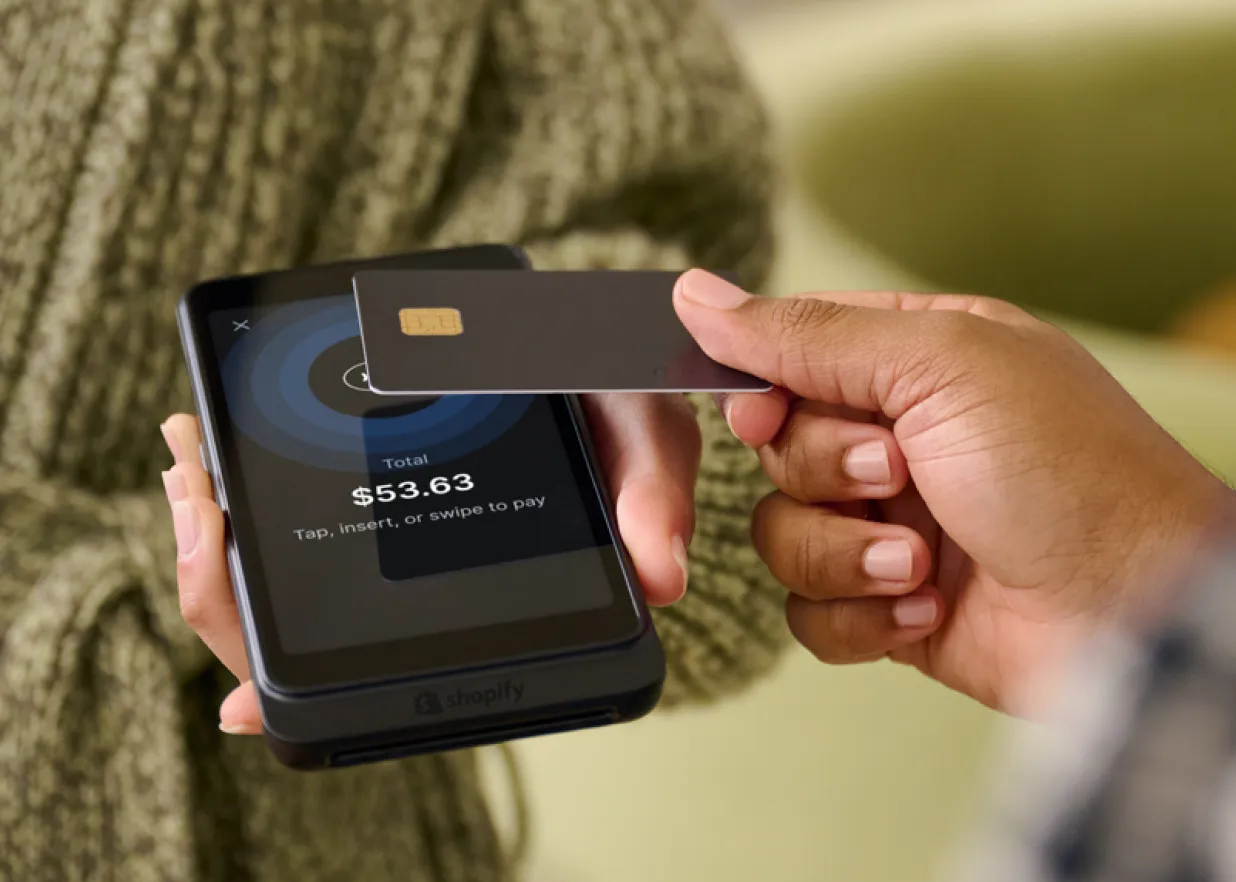
A person taps a credit card on a Shopify POS device
Take payments anywhere using Shopify POS Go.

Shopify Plus

Ready to level up? Shopify Plus is a customizable enterprise solution, featuring a scalable, powerful platform for high-volume businesses. Join some of the world’s best brands, including Ruggable, Knix, and Magnolia and sell everywhere with one platform, packed with powerful insights and automations. Sell more, move faster, and unlock strategic partnerships.

Features exclusive to Shopify Plus include:

  • Customizable checkout with app integrations. Extend your checkout in a way that’s app-based, upgrade-safe, higher converting, and integrated with Shop Pay.
  • B2B process automation. Get more from your existing apps using Shopify Flow.
  • Custom audience lists. Using Shopify Audiences you can fine-tune customer acquisition, thanks to smart algorithms that predict relevant customers.
  • Duties and import taxes calculation. Sell across borders through your online store with Shopify Markets.
  • Plus,24/7 dedicated tech support.

💡 Learn more: Shopify Plus Pricing, Features, and Resources

Commerce Components

Commerce Components by Shopify (CCS) is a modern composable stack for enterprise retail. With this solution, the world’s largest retailers like Mattel and Glossier can integrate components of Shopify with their own systems. CCS provides access to Shopify’s foundational features—like a checkout that converts 72% better than the average checkout—plus flexible APIs to build dynamic customer experiences that integrate seamlessly with preferred back office technologies.

And many more

Other Shopify products available as add-ons for most plans include:

  • Shopify Collabs. Get matched with the best influencers and affiliate marketers to represent your products and push traffic to your online store.
  • Shopify Inbox. Turn online store browsers into buyers with the power of chat marketing.
  • Shopify capital. Access the cash flow you need to scale your business.

See all Shopify products and features.

🧦 Why Bombas Migrated to Shopify Plus After Shark Tank Success

With Shopify Plus, Bombas found that scaling is seamless. The company can perform mass product uploads quickly, across multiple ecommerce channels, using a back-end system that’s clean and easy to operate.

Read the case study

Layer 3: Apps built by trusted partners

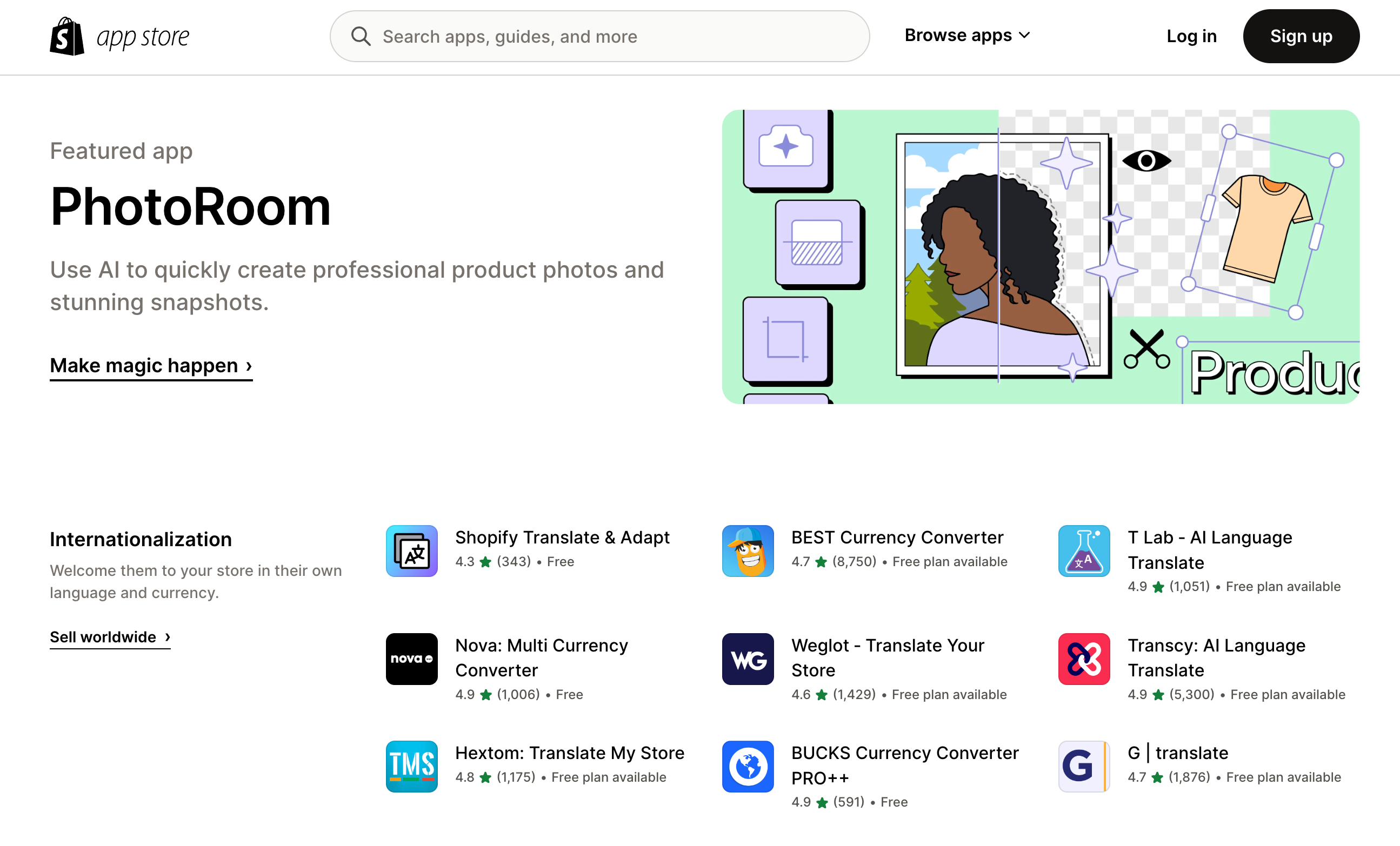
Shopify’s App Store features thousands of apps built by third-party developers to customize your online store.

Need a particular function for your business? There’s likely an app that can help make it a reality. Whether it’s a smart SMS app, custom size charts, online store recommendations powered by AI, or apps to streamline social ads, just check the app store.

A webpage from Shopify's theme store
Browse apps by category and sort by the newest and most popular apps among Shopify store owners.

If you can’t find the app you’re looking for, there’s also a marketplace of Shopify Expert Partners you can hire to build custom solutions for your business.

The fine print: Shopify pricing and plans

Shopify plans range from the Starter plan, perfect for creators selling on social media channels, to Shopify Retail plans for brick-and-mortar, to enterprise solutions for high-volume global brands. These include Basic Shopify and Advanced Shopify plans for every level.

Shopify pricing for plans ranges from $5 per month for the Starter plan to upward of $2,300 per month for Shopify Plus.

Three core Shopify plans for online stores are:

  • Basic Shopify plan: Perfect for small businesses.
  • Shopify plan: Ideal for growing businesses.
  • Advanced Shopify plan: More functionality for medium and large businesses.

There are no transaction fees for stores using Shopify Payments. However, if you choose a third-party payment provider, there will be additional fees.

Shopify plans include a free trial.

Additional plans include:

  • Shopify Starter: Made for creators and those selling through social and messaging apps (without the need for a dedicated online store).
  • Retail Plan: For retail stores and in-person sellers (Shopify POS).
  • Shopify Plus: A solution for enterprise Shopify merchants.

✏️ Note: Check the pricing page specific to your region for accurate pricing information.

7 reasons to choose Shopify

Woman works at a laptop surrounded by books

When starting a business from scratch or looking to migrate to a new commerce partner, there are many solutions on the market. Is Shopify right for your brand?

Consider the unique benefits below, then compare Shopify with other commerce platforms to discover which is right for your business.

1. Shopify supports you across the ecommerce ecosystem

Online, offline, and everywhere in between, Shopify is home to a large, diverse set of entrepreneurs, store owners, developers, and commerce partners.

2. Shopify takes you global

Shopify empowers entrepreneurs around the world to build, connect, and scale their businesses. With businesses in more than 175 countries, Shopify provides entrepreneurs everywhere the platform, building blocks, and tools needed to sell locally and across international borders.

3. Shopify empowers creative expression

Shopify believes there should be diverse voices, stories, and experiences in commerce. That’s why the product is designed with the greatest amount of extensibility, flexibility, customization, and freedom of expression.

4. Shopify lets your brand shine

Your brand is the star. That’s why Shopify works hard in the background of your branded ecommerce website. Tell the story of your brand and products using themes that support customization, video, and other features to bring your store to life for stand-out buyer experiences.

5. Shopify is the most integrated commerce platform out of the box

Shopify not only centralizes entire commerce businesses but also offers access to the widest set of commerce integrations built using a shared technical framework. This ensures Shopify has breadth and depth across themes, apps, channels, products, and experiences.

6. Shopify eliminates unnecessary complexity

Independent business owners wear many hats, especially in the early days of starting a business. That’s why Shopify offers a simple and accessible platform that seamlessly integrates tools and channels in one place. Business owners opt into only what they need, eliminating clutter and streamlining operations.

7. Shopify is built to grow with you

No matter your technical maturity, growth, size, complexity, or location, you will never lack access to technology and features to build your business. Shopify offers plans and products that flex with you as you scale or evolve.

🥄 Old World Kitchen’s Leap From Etsy to Shopify

The Polder family started their handcrafted wooden spoon brand by selling door to door before launching on Etsy. Now, they sell both through the marketplace and a standalone ecommerce store.

Read the success story

Surface your brand everywhere, sell anywhere

A sale card sits in a retail merchandising display

Shopify helps you transform your brand vision into a real commerce experience, so that you can sell to the right customers in the right place—online, offline, and everywhere in between.

Sell through an online store

Sell to customers browsing on desktop or mobile through a dedicated online store, customized with your branding. Personalize the front end of your website with custom storefronts to create a unique, seamless online shopping experience for your customers.

Sell across social sales channels and marketplaces

Promote and sell your products across multiple channels from one centralized place—Shopify. Grow your audience by selling where your potential customers shop, across social media and popular marketplaces including Facebook, Walmart, and more. Integrate sales channels with apps that sync inventory and data.

Sell in the Shop App

Make it easy for customers to quickly check out, track orders and shipment details, and discover your business with Shop App, a digital shopping assistant powered by Shop Pay.

Sell in person with retail tools

Sell in person, backed by data you need to sell online, with Shopify’s all-in-one POS system. Provide customers with a frictionless shopping experience, manage staff, track inventory, and more. From full POS solutions for multi-location brick-and-mortar stores to on-the-go hardware for selling at markets, Shopify has you covered.

Start selling in person with Shopify POS

Shopify POS is the easiest way to start selling in person. Take your brand on the road and accept payments, manage inventory, and sell everywhere your customers are—farmers’ markets, pop-up events, and anywhere in between.

Discover Shopify POS

Make customer connections with Shopify

A demo of Shopify's built-in analytics for store owners
Insights built into Shopify’s admin help you understand your customers to deliver timely and marketing messages.

Insights built into Shopify’s admin help you understand your customers to deliver timely and marketing messages.

Shopify gives business owners opportunities to build and own long-term customer relationships through a suite of built-in features, app integrations, and automations. These include:

  • Shopify Markets. Expand your reach by selling to customers around the world. With Shopify Markets, you can go global and sell to customers anywhere—all through a single online store.
  • Customer engagement and marketing tools. Reach the right person with the right message at the right time using Shopify’s customer engagement and marketing tools. Leverage segmentation, email marketing, automation features, and more to drive relevance and engage your audience.
  • Messaging tools. Talk to customers and manage conversations from anywhere with Shopify Inbox. Create automated messages and get insights to focus on chats that convert.
  • Powerful marketing insights and analytics. Make informed decisions for your business and understand customer behavior using marketing insights and data provided by Shopify’s reports and analytics.
  • B2B on Shopify. Deliver customized experiences your B2B customers will love. With Shopify, you can manage both your B2B and DTC customers, orders, storefronts, and inventory, all from one place.
  • Shopify Forms. Use this free email capture app that works seamlessly with the rest of Shopify—think discounts, Shopify Email, marketing automations, segmentation, and more.
  • Customer segmentation. Group customers based on their unique behaviors and characteristics, such as how much they’ve spent or where they’re located. This lets you personalize your messaging and drive revenue.

The tools you need to grow and thrive

A demo of Shopify Shipping screens
Shopify Shipping and other built-in features streamline your online store operations.

Shopify Shipping and other built-in features streamline your online store operations.

Shopify helps accelerate entrepreneurs’ journey to success through features that help manage inventory, streamline shipping, and achieve business goals. These include:

  • A central admin. Manage your business, orders, and customers across all sales channels and store locations in one place.
  • Shipping and fulfillment tools. Centralize everything required to manage fulfillment, inventory, shipping and more with Shopify. Leverage Shopify Shipping to get preferred carrier rates, print labels, and streamline order management.
  • Financial products. Manage your business financials with Shopify Balance, Capital, Bill Pay, and Credit.
  • Shop Pay. Enable customers to checkout quickly using encryption to save their details and use a fast one-click checkout. Delight your customers by offering flexible payment options like Shop Pay Installments.
  • Mobile app. Use the Shopify app to run your business wherever you are. With it, you can manage your Shopify store on the go, respond to information in real time, check insights, and more.

💡 Shopify offers a suite of free business tools that simplify business tasks. Try the image resizer for product photos or social posts, use the slogan maker to create quick campaigns, or generate refund policies in a snap.

With millions of independent businesses selling every type of product in markets around the world, solving for each of their needs is a tall order. Cramming every possible feature into one platform only makes the product harder to use for the majority of business owners.

Instead, Shopify prioritizes making the platform flexible with the ability to add functionality to address the unique complexities of each business. Optional Shopify products and sales channels can be layered on directly from the Shopify admin. And, developers around the world are invited to build apps, themes, and other integrations specifically for Shopify’s platform.

A flexible commerce platform for any business

A customer talks to a retail employee in a cafe

With millions of independent businesses selling every type of product in markets around the world, solving for each of their needs is a tall order.

Instead of cramming every possible feature into a confusing platform, Shopify prioritizes flexibility. You can add the functionality you need to address the complexities of your business.

Optional products and sales channels can be layered directly from the Shopify admin. Plus, developers around the world are invited to build apps, themes, and other integrations specifically for Shopify.

If you want to dabble with the code yourself, Shopify makes it possible to:

  • Personalize your theme or build a new theme from scratch.
  • Build custom apps for your store using developer tools and Shopify’s APIs.
  • Use APIs to power custom experiences, like selling your products in a video game.

With Shopify, you don’t have to trade ease-of-use for advanced features. Get your store and campaigns up and running quickly, while creating rich experiences that can compete with big brands.

Get started with Shopify today

Shopify is an all-in-one commerce platform and a rich ecosystem that connects sellers, developers, business experts, and shoppers in the shared pursuit of making commerce better for everyone.

Shopify makes entrepreneurship more accessible to anyone seeking independence—from self-made TikTok stars to innovative product developers. Whether you’re a creator looking to monetize your personal brand, a scrappy trailblazer finding your footing, or a heritage brand reaching customers around the world, Shopify is built for you.

Ready to start a business? Getting up and running on Shopify begins with a free trial so you can explore everything the platform has to offer. Build your brand, develop your products, and start reaching customers and making in-person and online sales today.

Feature illustration by Núria Madrid

What is Shopify FAQ

Is Shopify good for beginners?

Shopify is built to support beginners and is easy to use. It’s flexible enough to meet the needs of growing small businesses as well as established enterprise businesses. Create your own online store with drag-and-drop templates with no need to code. Accept payments with Shopify’s own payment processor.

What does Shopify cost?

Shopify has several pricing plans for businesses to choose from, starting at $5 per month. The Shopify Starter plan for creators selling on social channels costs $5 per month, while Shopify’s Basic plan costs $29 per month.

Layering on apps from the Shopify App Store may also carry additional costs. Check the pricing page specific to your region for accurate pricing.

In what countries can I use Shopify?

Shopify powers online stores and retail businesses in 175 countries. You can use Shopify in more than 20 languages and accept Shopify Payments in Australia, Austria, Belgium, Canada, Czechia, Denmark, Finland, France, Germany, Hong Kong, Ireland, Italy, Japan, the Netherlands, New Zealand, Portugal, Romania, Singapore, Spain, Sweden, Switzerland, the United Kingdom, and the United States.

Business owners in countries where Shopify Payments is not available can use Shopify with approved third-party payment gateways.

What can I sell on Shopify?

You can sell a range of products and services on Shopify, including physical products, digital products, memberships and subscriptions, ticketed experiences, and consulting services. Certain products are prohibited from sale on Shopify. Consult the acceptable use policy before you use Shopify to sell your products and services.

Where can I sell with Shopify?

With Shopify, you can sell everywhere your customers are. That includes through an online store, on the Shop App, in person at a retail store or tradeshow event, on marketplaces such as Amazon and eBay, on social media channels like TikTok and Instagram, and through wholesale.

What do I need to start selling online with Shopify?

To begin selling online with Shopify, you need to source or manufacture products and identify a target audience. You can sign up for a free trial on Shopify to explore the platform before you commit to a plan and build your online store. Before you launch, follow this ecommerce launch checklist to be sure you’re ready to start reaching customers and making sales.

How To Write Meta Descriptions: Tips and Examples 2024

Software Stack Editor · June 1, 2024 ·

You’re working hard to market your company. You’re writing your product descriptions, optimizing your images, and mastering most of the other elements of effective search engine optimization (SEO).

Still, if you’re like many business owners, one aspect of ecommerce SEO could be giving you trouble: meta descriptions. This guide covers what meta descriptions are, and how to write compelling meta descriptions and optimize your site for search engines.

What is a meta description?

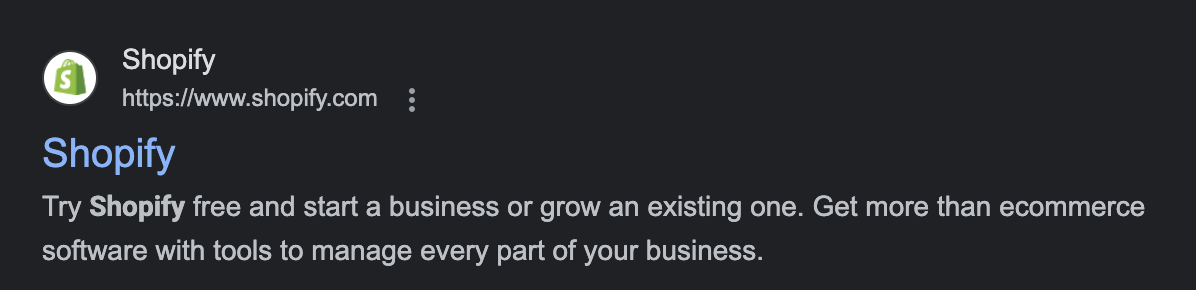
A meta description is an HTML tag that summarizes a webpage’s content. It’s the snippet of text, often around 160 characters long, that appears under your page title in search engine result pages.

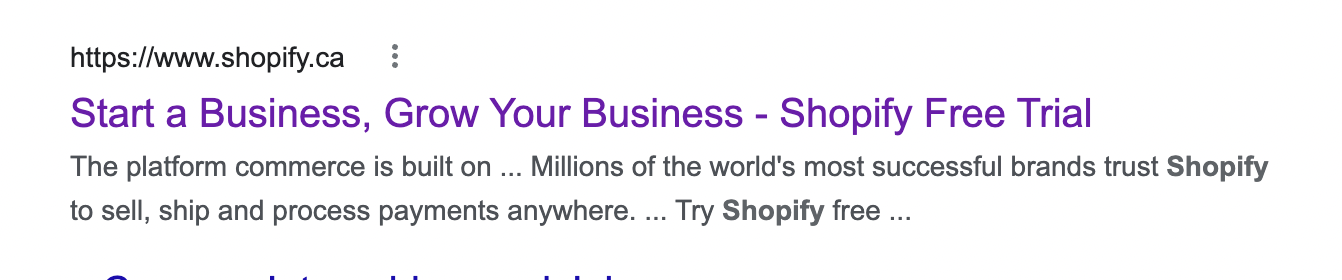
In the screenshot below, the meta description reads “Try Shopify free and start a business or grow an existing one. Get more than ecommerce software with tools to manage every part of your business.”

screenshot of Shopify meta description

[embedded content]

Importance of meta descriptions for SEO

Search engines show it in search results when the meta description also includes the keywords being searched.

Unlike the page title, meta descriptions aren’t an SEO ranking factor, but they do entice search engine users to click through to a page and are part of effective on-page SEO. You’ll see them in a page’s code as .

A meta description is the promise you make to searchers. Among a sea of competing webpages, it calls out to them and says, “This is the page you’re looking for.”

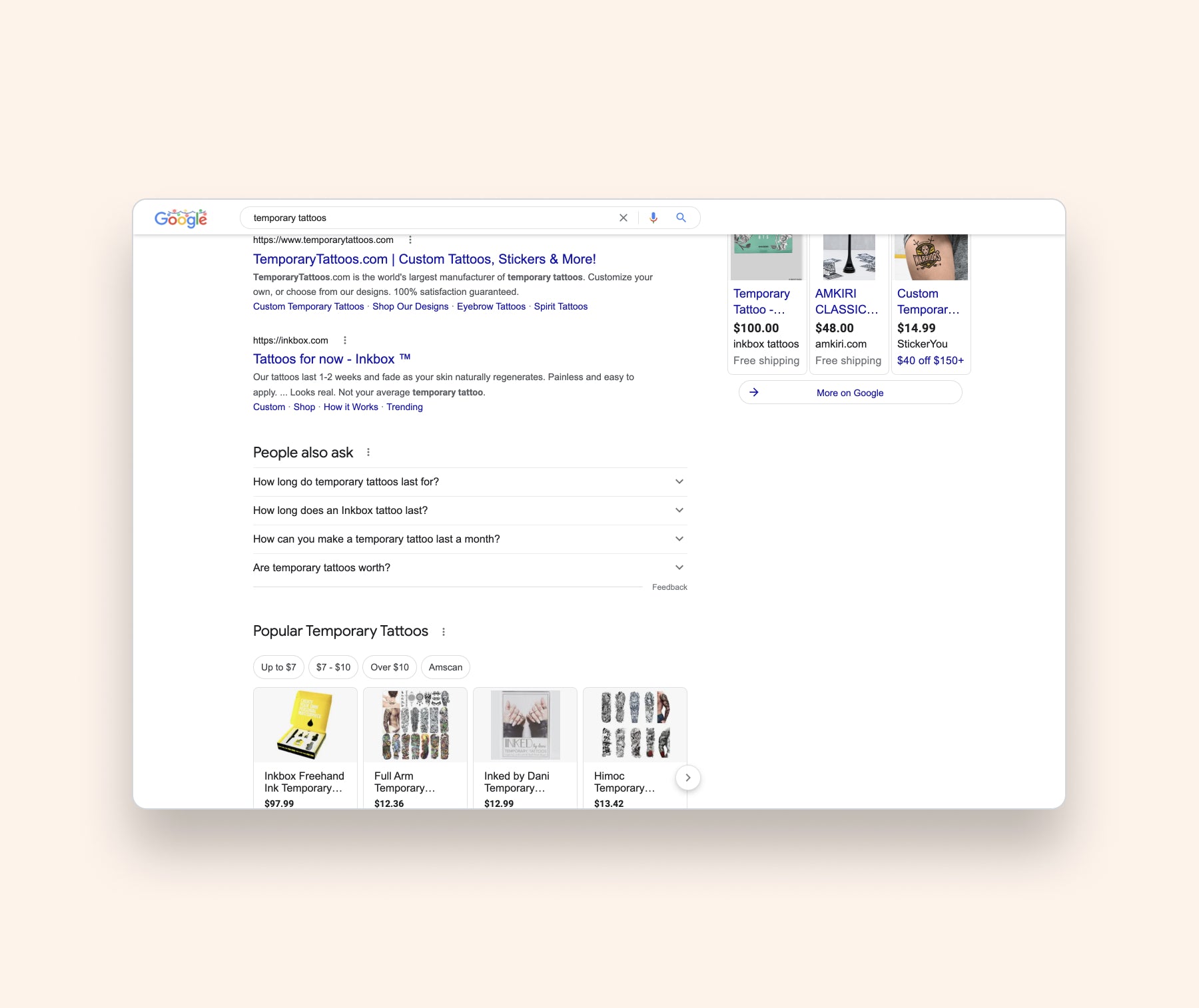
When you type a search query into Google—let’s use “temporary tattoos” as an example—the algorithm displays results on the search engine results page (SERP).

This page is extremely complicated, but for now let’s ignore all the shopping ads, images, and videos in favor of the more traditional organic search results.

meta description example in SERP

The blue words at the top are the “title tag.” They’re the title of the webpage. Below them you’ll see a page description of no more than 155 characters. This is the meta description.  It’s responsible for higher click-through rates to your web page and can indirectly impact your SEO rankings. 

Does Google rewrite meta descriptions?

Yes, Google rewrites meta descriptions. So, why bother writing unique meta descriptions if Google will display whatever it wants anyway?

The ultimate reason is the correlation between higher search volume keywords and lower rewrite rates. Kim Herrington, an SEO & SEM consultant, has particular expertise in writing meta descriptions for ecommerce businesses, as well as with optimizing their stores for search.

Through Kim’s own experience, she’s learned that if stores target high traffic keywords, your original meta description is more likely to appear as you wrote it on your website. “SEO can be time consuming and expensive for ecommerce stores with a high volume of products,” Kim says. “Approaching your meta descriptions knowing they’ll be rewritten can free up resources.”

Much more productive, she suggests, is focusing on writing really good meta descriptions for your highest volume keywords, because Google is more likely to use them: “Focus primarily on your bestsellers and category page meta descriptions rather than every single item you sell.”

Focus on the most trafficked pages. The ones that get organic traffic from search engines. Take your top 20 pages and ask, “Are we really selling the product here, or is there a way we can improve the click-through rate?”

Read more: SEO Is About Humans First, Search Engines Second

Meta description examples

Homepage

Reading other people’s meta descriptions will make the process look deceptively simple, but that simplicity is the very thing that makes it so hard to write. The rough 160-character limit means the meta description should be longer than a sentence or two.

Good descriptions give you a brief overview of what the site is about, as well as a compelling reason to click the title tag. It all happens so quickly and painlessly, many searchers won’t even notice themselves making a decision. They’ll simply click on the link, satisfying their curiosity without having to think about it.

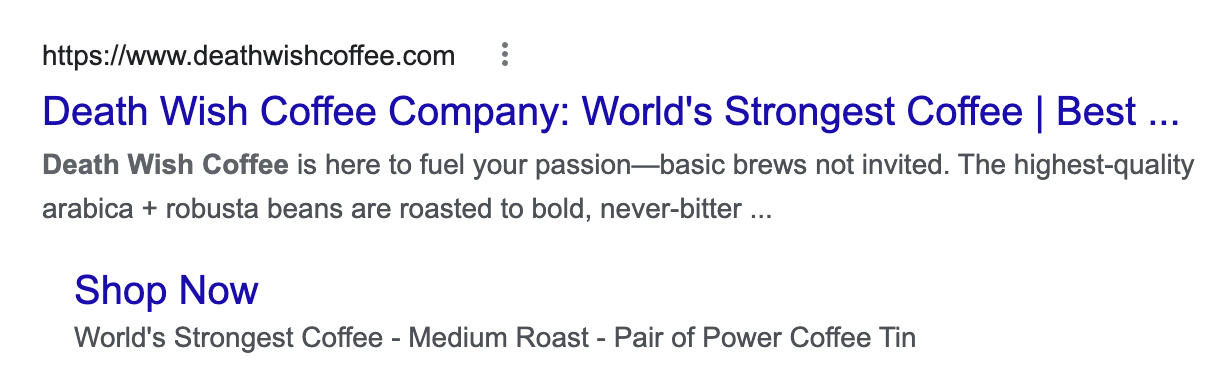
Here’s an example of a relevant meta description:

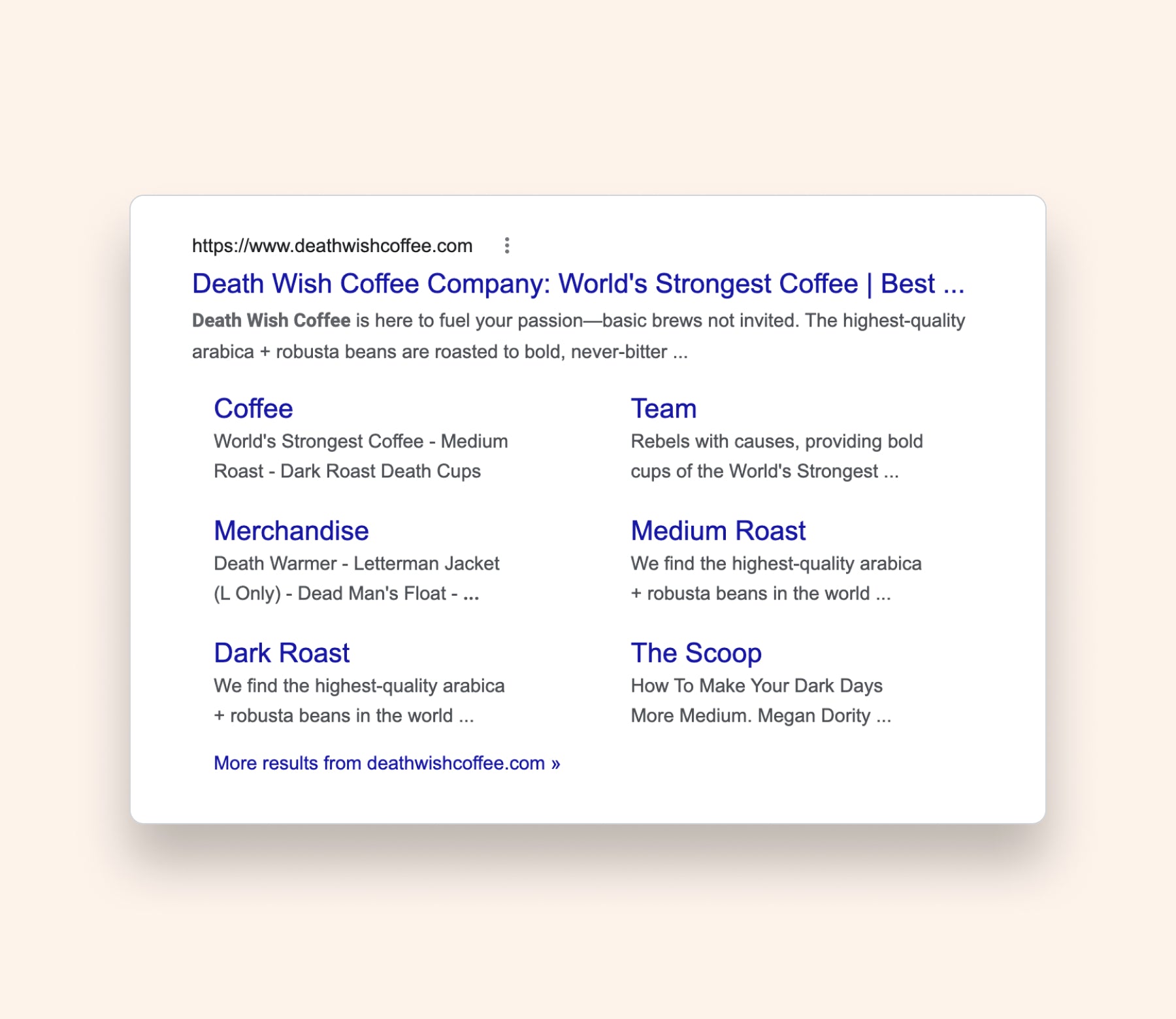
death wish coffee meta description example

Clever naming helps Death Wish Coffee pack a punch here. With the first three words, “Death Wish Coffee,” you already get an idea of what the company sells (coffee) and its defining brand feature (hardcore, but tongue-in-cheek about it).

Death Wish then says it’s “here to fuel your passion.” With these words, it positions itself as motivating. The words “highest quality arabica + robusta” lets readers know the brand sells good coffee products.

Product page

Writing meta descriptions for your product pages is a little easier than writing them for your homepage, because your product pages aren’t supposed to speak for your business as a whole.

Instead, they’re speaking for something that offers a tangible benefit to shoppers:

  • Selling spatulas? Let the reader know that this spatula will make cooking so much easier.
  • Selling lawn mowers? Have the reader imagine a fast and easy journey through the grass.

For a good example of a persuasive meta description, let’s check out the search result for So Worth Loving stickers:

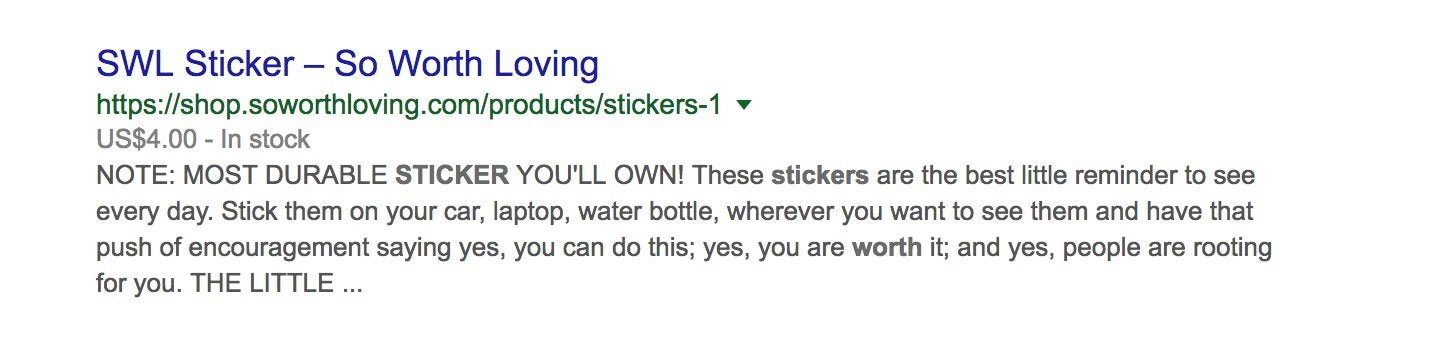
meta example

Immediately, and in all caps, the description makes you realize that a lot of stickers don’t last as long as you want them to. Then, SWL promises its stickers solve that problem.

Capitalizing the meta description is a bold move, and no one would recommend capitalizing the whole thing. But here it works, because the capitalization doesn’t seem like it’s there just to grab attention. It also does the work of separating the note from the rest of the text. After the note, this description works well because it keeps the focus on the reader.

You do need to give some idea of what differentiates the product. So Worth Loving does this by emphasizing durability and by letting its site name suggest its stickers are going to be really, really cool. But after that, it’s all about letting the customer visualize themselves with the product.

The description suggests the joy a buyer might get when they see the sticker as a “best little reminder,” offering various ways the sticker could easily fit into their life: “Stick them on your car, laptop, water bottle, wherever you want to see them.”

The ending, in particular, works beautifully. It starts the sentence by suggesting the product will make you feel some powerful emotion, but then it makes you click the title tag to find out what that emotion actually is.

Though some SEO experts will tell you to make sure your meta descriptions all finish with complete sentences, a half-sentence can do wonders for your click-through rate (CTR).

If you’re going to use this strategy, it’s good to get your meta description as close to the rough 160-character limit as possible.

Category pages

The next meta descriptions to focus on are your category page, or collection page, meta descriptions. The purpose of this page is to group similar products together for customers to browse. Collection pages can show up for broad, high-volume keywords, like “women’s shoes” or “men’s sandals.”

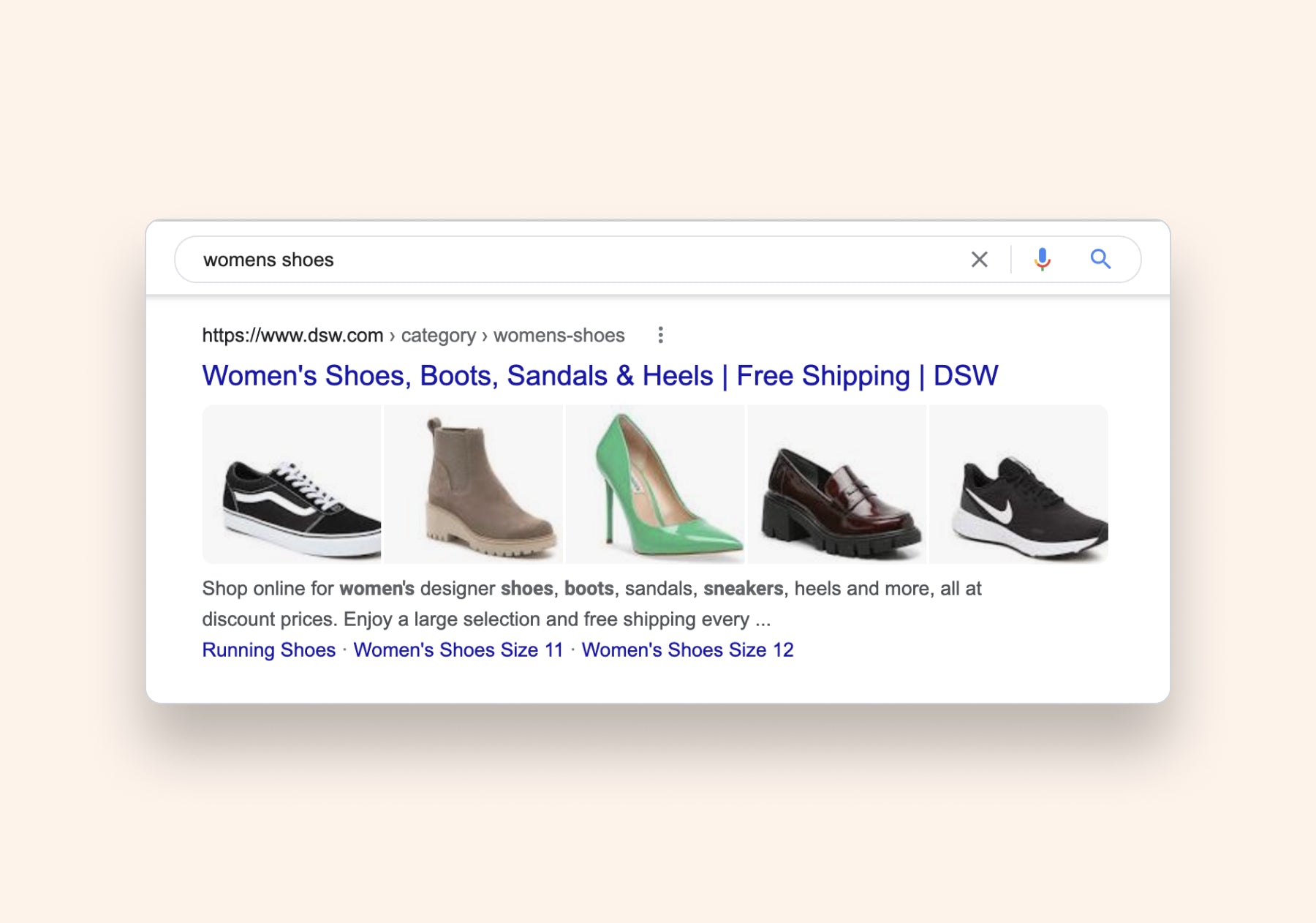
Your category page meta description should draw people in by showing relevant information about the collection, like how DSW lists out the different shoe types in its women’s shoes category.

category page meta description

It also uses simple action phrases like “Shop online for …” and “enjoy a large selection and free shipping …” to encourage clicks from browsers.

If you want to spice up your description, Doug Pierce, director of Hong Kong–based marketing agency Cogney, suggests using emojis. “A trick I like to employ is using check marks (✔️) to call out the sub-collections of products we have if it’s a product collection page,” he says.

Doug also suggests including numbers in the description (where relevant) and using power words like “free” or “exclusive” to grab people’s attention. And if your store is running any special offers—like free shipping, extended warranties, or sales—it can be good to include in a meta description as well.

Social media

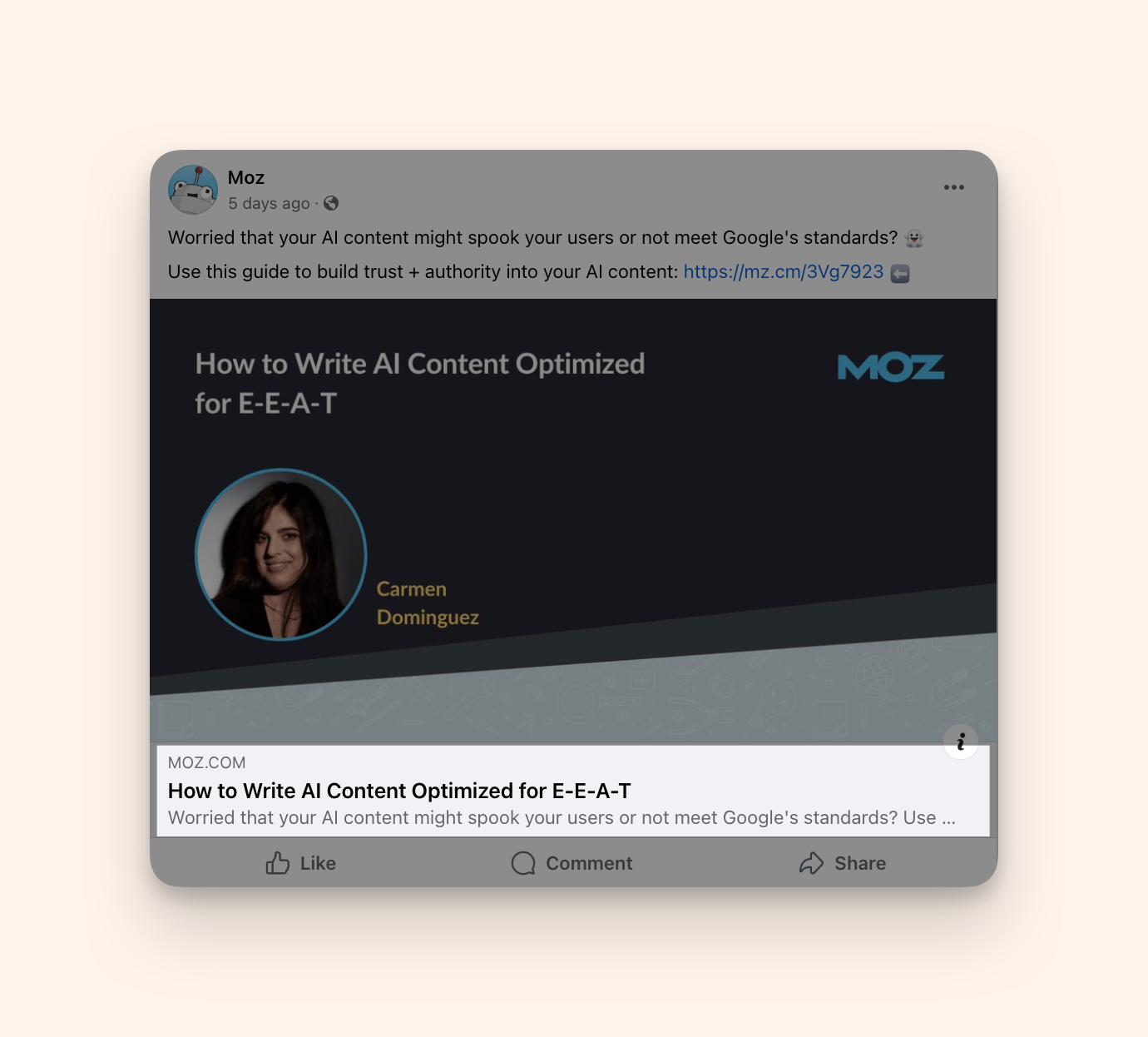
Meta descriptions aren’t just for search engines. The text you use also shows up on social media sites like Facebook. Without your meta description, Facebook will pull whatever text they can find on the page. 

You can see this in a Facebook post from Moz, a software company. It’s Facebook post shows the meta description from the web page’s URL. 

a Facebook post from Moz with the meta description highlighted

How to write a good meta description

Now we have an understanding of meta descriptions, you’re probably wondering: What are the best ways to apply this knowledge?

  1. Consider the customer mindset
  2. Make it unique
  3. Keep it at optimal length
  4. Make it actionable
  5. Add a call to action
  6. Use your target keyword
  7. Try to avoid meta description generators

1. Consider the customer mindset

First, focus on what would compel a searcher to click on your title tag. That requires answering two questions:

  1. What are you offering?
  2. Why should I buy from you?

For product pages, the first query has a simple response: you’re offering your product. The second will be resolved by the simple fact that you’re the one selling the product.

Meta descriptions for your homepage are a little trickier. As we saw in the Death Wish Coffee example, the best thing is to repeatedly emphasize your brand. That’s the one thing your whole store offers, and it’s the reason customers should buy from you.

Meta description exampleImage: courtesy of Google

2. Make it unique

Let readers know what you do, tell them about your unique selling proposition, and convey this information multiple times, because the meta description isn’t a place for subtlety. Struggling to come up with an effective meta description for your homepage is common, so it’s best to be patient and think hard about your brand.

If you’ve been around for a while, what do returning customers say about your business? And if you’re new, what made you think this business would get customers?

The goal of your meta description is to get clicks, but it’s also a chance to show off your brand. “Think of meta descriptions as a continuation of your brand and an opportunity to clearly define your USP [unique selling proposition] using relevant keywords,” says Stephen Light, CMO and co-owner of mattress company Nolah. “They’re little ads and, though the character length can feel constraining, are excellent short bursts of promo.”

Talk to people about your business, formulate the description like you would an elevator pitch. You’ll probably want to go through a couple drafts. It’s important to get things right because this will be the first exposure many customers have to you and your brand. You also don’t want to have duplicate meta descriptions throughout your website, because it could harm your chances of ranking.

Meta description exampleImage: courtesy of Google

3. Keep it at optimal length 

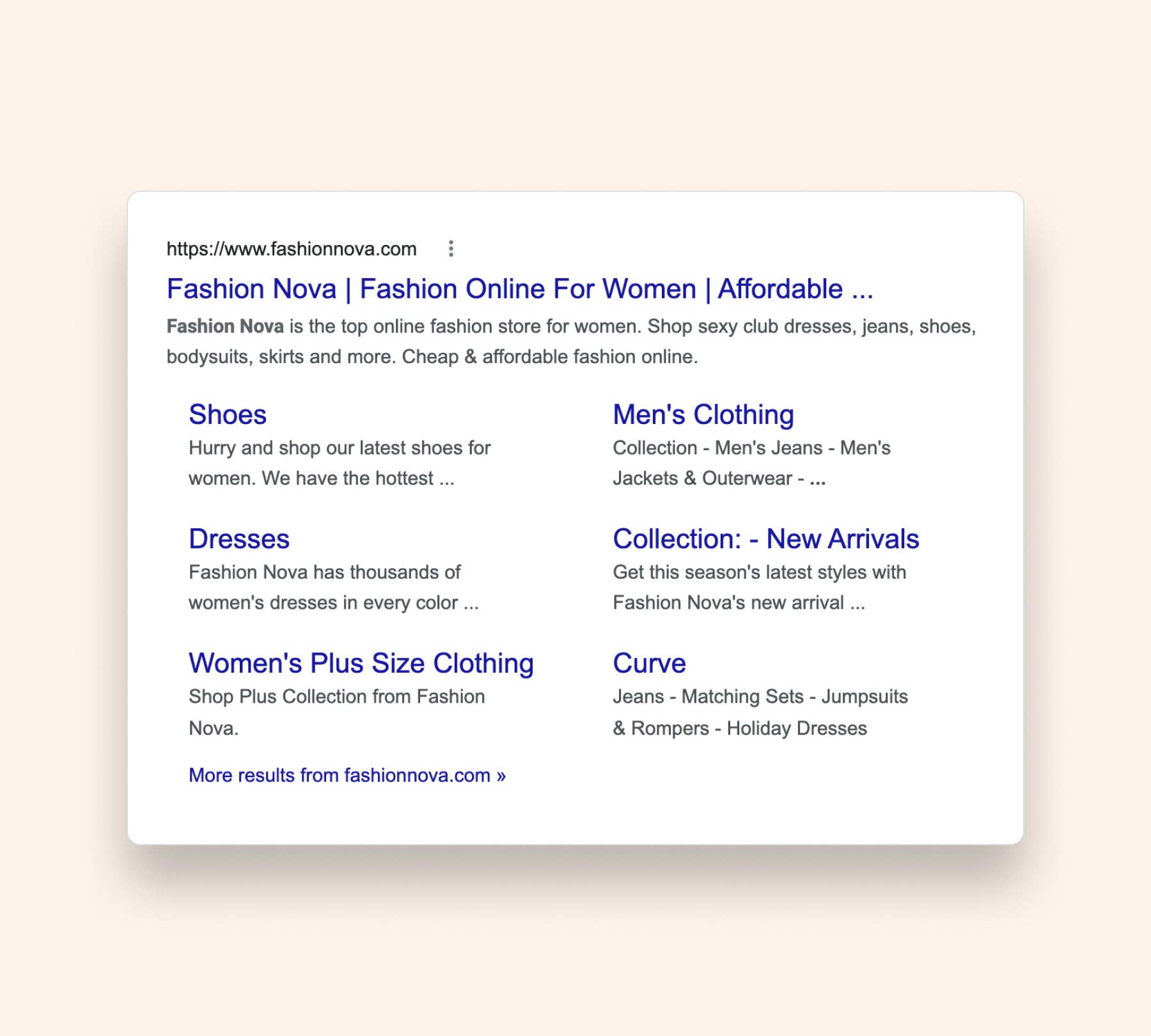
Stay between the 155- to 160-character limit when considering your meta description length. Google will likely cut off any text after that. Put your most important text in the beginning of your description, such as action phrases or a few words about your brand, like Fashion Nova does below. 

fashion nova meta description
Image: courtesy of Google

4. Make it actionable

Think of meta descriptions as the welcome mat to your ecommerce store. Make sure your description is clear, exciting, and actionable. Tell readers what they should expect on your page.

Avoid using too many adjectives or fancy words—while it’s tempting to write “awesome” or “showstopping,” it might detract searchers from clicking through. Using an active voice makes the text more direct and engaging, which can encourage them to click your link. If you do use creative copy, make sure it’s relevant.

This description below from Bonobos is a great example. It’s short and motivating, and it addresses the reader directly. You know you’re going to find a great pair of dress pants by clicking through.

Meta description example

Image: courtesy of Google

5. Add a call to action

A call to action in your meta description will compel people to click through to your page. They help readers understand what you offer and what to expect after clicking. For ecommerce stores, focus on different motivations behind their search.

If someone’s looking for a more broad search term, like women’s shoes, you’ll notice a lot of category pages ranking. People use category pages to browse, versus product pages where they buy. Reflect those intentions in your call to action.

Some call to action examples for ecommerce are:

  • Shop now
  • Explore the collection
  • Discover new trends
  • Browse our products
Meta description exampleImage: courtesy of Google

6. Use your target keyword

Find a way to include your target keyword to help search engines rank your page. Make sure it sounds like a human wrote it. For example, stuffing all your target keywords into a meta description like “Buy Women’s Shoes, Women’s Tennis Shoes, and Women’s Shoes on Sale here!” is not a good look for your brand, because it feels forced and robotic.

Instead, naturally tie the keyword into your description, like the Shoe Carnival example below:

Meta description exampleImage courtesy of: Google 
Be sure to check out the keywords your competitors are targeting as well.

7. Avoid meta description generators

There’s some debate about whether or not to use generators to write meta descriptions. Generators can produce descriptions that seem dull and lack personality. But they can work if you’re a brand with thousands of SKUs and not enough resources to write them.

As a small business, you’re better off writing meta descriptions manually—especially those for pages that get a lot of search traffic. Melanie Bedwell, ecommerce manager at drink brand Olipop, agrees.

“Meta descriptions should be one-of-a-hand. It’s easier to make them unique if you have someone on your team to write them,” she says. “The meta description is one of the best chances for someone to click on your search result. I believe it’s too important to leave up to an automated generator.”

These automated tools are a big reason why Google has started intervening and rewriting descriptions. The search engine is aiming to avoid low-quality boilerplate content that doesn’t satisfy search intent. You could argue it’s better to have no description than a poorly written automatically generated one.

Write your own meta descriptions

Whether you’re a brand new store owner or seasoned ecommerce webmaster, compelling meta descriptions are important to increase website traffic, provide good user experience, and improve conversion rates. By checking the boxes above, you’ll be on the right track to optimizing your pages for the web and will soon see the benefits of more traffic and higher sales.

Meta description FAQ

What should I write in a meta description?

A meta description should include a compelling summary of the page someone is about to click on. It should clearly tell them what they’ll gain by clicking through. Meta descriptions should include a target keyword to help search engines index and rank the page.

Are meta descriptions important for SEO?

Yes. A meta description tag is valuable for both search engines and web browsers. They help browsers understand what your page is about and if your page will answer their query. A unique meta description can increase clicks and visibility in search.

What are the best meta description practices?

  • Consider a browser’s mindset
  • Make it unique
  • Keep it at optimal length
  • Make it actionable
  • Add a call to action
  • Use your target keyword
  • Don’t have the same meta description for multiple pages
  • Avoid meta description generators

What should I do if I don’t have a meta description?

Write one!

Retail Loans: Types, Advantages, and Best Retail Lenders (2024)

Software Stack Editor · May 31, 2024 ·

Operating a retail store requires a lot of money. Whether you’re paying the deposit for a new location or investing inventory that you plan to sell in-store, you don’t have to use your own money to finance the business. A retail loan gives you a chunk of money upfront that you can repay later down the line.

Searching for financing options can feel overwhelming, particularly if you’ve never borrowed money before. This guide shares the different types of retail loans you could consider, plus the top retail lenders you can use to secure financing for your business. 

What is a retail loan?

Retail loans refer to any type of business financing provided by banks, credit unions, or online lenders. Retailers can use them to run and grow their stores, whether that’s by purchasing inventory in bulk, paying the deposit for a new store lease, launching a marketing campaign, or paying staff salaries. 

Types of retail loans 

Personal loans

A personal loan is funding that’s made available to you personally, rather than the business. The interest attached to your personal loan is typically based on your credit score—the higher this is, the more banks will be willing to lend at a lower rate. 

The downside of using a personal loan for your retail store is that you’re personally liable for any repayments. If you’re unable to repay it, personal assets such as your home or car could be at risk of repossession. 

Business term loans

A business term loan is a lump sum of money that’s paid to your business from a financial institution. The lender will add their own interest rate. There are two types to choose from:

  • Secured loans, which require collateral (such as inventory or real estate) that the lender can seize if you fail to make the monthly repayments. 
  • Unsecured loan, which doesn’t have any specific collateral requirements. The lender can choose what to seize if you don’t repay the loan.

If you meet the eligibility criteria for a retail business loan (such as a good business credit score and a history of repaying loans), you’ll have a set repayment schedule of fixed monthly payments. Your payments will include the initial amount you’re borrowing plus interest. 

Credit card loan

Credit cards are a type of credit you can use to grow a retail business. These can either be personal credit cards in your name that you are personally liable for or business credit cards that are dependent on the business’s credit history. 

Credit cards are a good short-term retail loan option. Most lenders don’t charge interest if you pay off the full amount at the end of the grace period. If you need $500 to buy inventory that you’ll sell within the next month, for example, you could use a business credit card to improve cash flow. 

The downside of business credit cards is that interest can quickly rise if you don’t pay off the full amount. And if the card is in your name, you’re personally liable for all repayments. 

Merchant cash advance

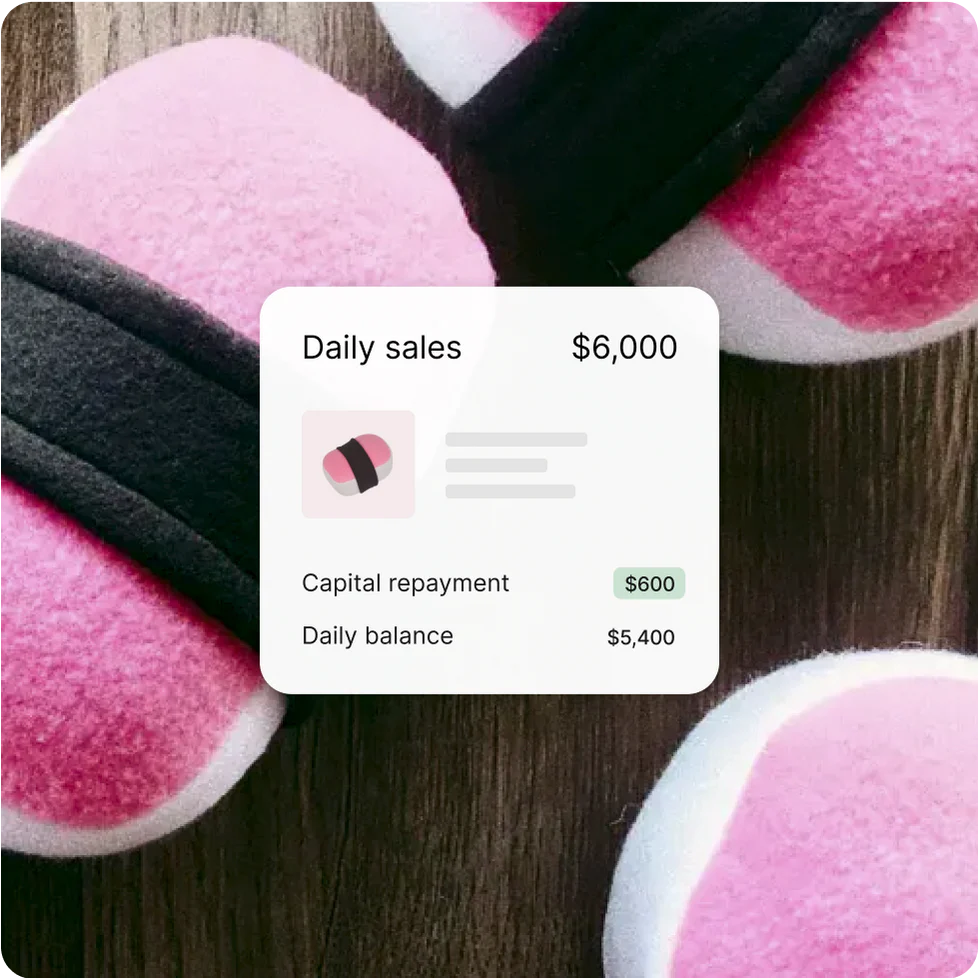
If you need working capital to pay for expenses before you generate sales, a merchant cash advance is worth considering. It’s a type of retail loan that can get paid out quickly to use for retail expenses like salaries, inventory, or rent. You repay the merchant cash advance by automatically deducting a percentage of your sales to give back to the lender.

Screenshot showing a $600 loan repayment for a business that’s made $6,000 in daily sales.
Automatically repay your merchant cash advance with Shopify Capital.

Line of credit

A line of credit is a flexible type of retail loan where you can borrow funds as and when they’re needed. There’s typically a ceiling on a line of credit. If your line of credit goes up to $5,000, for example, you could withdraw $1,000 per month for five months. 

The most attractive part of a line of credit is the fact you’ll only pay interest on what you borrow (instead of the whole credit amount). If you know your retail store will need to borrow a certain amount over the year, you can spread it out and only pay interest when you need to use the money. Most lenders also offer flexible repayment options on a line of credit. 

SBA loan programs

The US Small Business Administration (SBA) is a government agency that lends money to startup companies, including retailers. Popular options include:

  • SBA 7(A) loan. This loan has a maximum amount of $5 million. Interest rates range between 7.5% and 10%, and you’ll need a credit score of at least 680. 
  • CSC/504 loan. This loan is specifically for businesses that want to buy real estate. It’s a good option for retailers. You can borrow up to 50% of the money it’d cost you to buy a retail location. 
  • Disaster loans. If you run into unexpected challenges and need money fast, this is a good one to consider. This type of SBA retail loan can protect you from natural disasters that have officially been declared by the US president, such as earthquakes or tornados that have damaged your retail store and are not covered by insurance.

Equipment financing

Most retailers need equipment to operate their stores or manufacture products. If that’s the case, and you don’t have a lump sum to buy the equipment outright, consider equipment financing.

You won’t own the equipment if you choose this type of retail loan. You’ll simply rent the tools, machinery, or vehicle from the lender and pay a fixed rate over a set period of time to use it. Once the agreement ends, most lenders offer the option of a balloon payment if you want to take ownership of the equipment.

Inventory financing

Inventory financing allows you to get a retail loan by using inventory as collateral. Lenders typically offer up to 80% of your inventory’s value in this type of loan, and if you can’t commit to the repayments, the lender can seize your inventory to claim the money back. 

Inventory loans tend to be riskier because valuations can fluctuate. If the market changes and inventory becomes less in demand, you’re at risk of paying back more money than you’ll make from selling stock. 

Advantages of a retail loan

Many retail store owners turn towards loans as a way to grow their business because it offers the following advantages: 

  • Improve cash flow. When you secure a loan, you’ll have a lump sum upfront that can cover expenses such as rent, utilities, and inventory. This is useful if you’re going through a slow season and can’t generate enough turnover to cover your short-term expenses.
  • Build business credit. Should you ever need to secure a bigger loan further down the line, a smaller retail loan proves you pay back your loans on time. This is evidence you can use to negotiate more favorable terms with future retail lenders. 
  • Keep equity of your retail business. Unlike equity financing, retail loans mean you don’t have to give away equity in your business. You keep total control over your company.

What is a retail lender?

A retail lender is any financial institution that lends money to retail businesses. Unlike traditional lenders that borrow money from people or online stores, a retail lender has strict criteria, requiring only registered businesses with a physical location to secure the loan. 

Retail lenders to consider in 2024

Shopify

Shopify has provided over $5.1 billion of funding to merchants through Shopify Capital. It offers retail funding available to eligible merchants selling on the platform. Through Shopify Capital, eligible businesses can borrow up to $2 million and automatically repay the retail loan as a percentage of their daily sales.* 

Receiving financing through Shopify Capital means you retain complete control of business without giving away equity. The loan application process is simple, and if you’re approved (in as little as two business days), funds will be deposited directly into your account, ready for you to start spending. 

Get access to funding to run and grow your business through Shopify Capital

Shopify Capital makes it possible to receive funding in as fast as two business days, if approved, and use it for inventory, marketing, and more. Automatically make payments as a percentage of your daily sales.1 No compounding interest. No schedules. No surprises.

Explore Shopify Capital

American Express

American Express offers retail loans to business owners. You can open a personal or business credit card with American Express and earn points on your purchases. So long as you pay off the balance in full at the end of each month, there’s no interest to pay.

If you need to borrow more money over a longer term, American Express also has a business line of credit. You’ll need a FICO credit score of at least 660, average monthly revenue of over $3,000, and the business needs to be at least one year old. 

Chase

Chase is one of the more traditional banks that offer retail business loans. Depending on your business credit score, how much you wish to borrow, and what you plan to use the funding for, options include:

Bank of America

Bank of America only offers loans to businesses, but you can choose from any type of retail loan you could think of. That includes:

  • Business credit cards
  • Lines of credit
  • Term loans 
  • Vehicle loans and auto loans
  • Commercial real estate loans
  • Equipment loans 
  • SBA loans

According to Bank of America, You’ll need to have been in business for at least two years and have $100,000+ in annual revenue to apply for most of these retail loans. Most options also have a minimum FICO credit score requirement of 700.

Understanding retail loans for your business

If there’s one thing you should never rush into, it’s agreeing to a business loan. Make sure that you can pay back any money you’re borrowing—including interest. Just one missed payment can damage your credit score and make you less likely to secure funding in the future.

Take your time to compare your options and choose the type of retail loan that best suits your business. If that’s an online lender with a loan that you can repay as a percentage of your daily sales, consider Shopify Capital. 

Retail loan FAQ

What is the meaning of retail lender?

“Retail lender” refers to financial institutions that are willing to lend money to retailers. Examples of retail lenders include banks, credit unions, and many online lenders like Shopify Capital.

What is the difference between retail loan and business loan?

A retail loan is a specific type of business loan that’s only available to retail store owners. You can use these loans to pay for rent, in-person marketing, and inventory that you’ll stock in a brick and mortar store.

What is retail borrowing?

Retail borrowing happens when a customer lends money from a retail store. If someone wants to buy an expensive sofa, for example, they could borrow from the retailer and pay for the item in installments, plus interest.

Is a retail loan secured?

Lenders offer retail loans that can be secured or unsecured. A secured loan uses your property or assets as collateral. Some lenders allow you to borrow more money if the retail loan is secured because the lender can seize whatever you’ve used as collateral if you can’t make timely repayments.

* Shopify Capital loans must be paid in full within 18 months, and two minimum payments apply within the first two 6 month periods.

This article is focused on industry standards and descriptions are not specific to Shopify’s financial suite of products. To understand the features of Shopify’s lending products, please visit shopify.com/lending.

Available in select countries. Offers to apply do not guarantee financing. All financing through Shopify Lending, including Shopify Capital, is issued by WebBank in the United States.

Payment APIs: What They Are and How to Choose One (2024)

Software Stack Editor · May 31, 2024 ·

Imagine if when a customer gets to the checkout page of your ecommerce site, they had to email you their credit card number so you could process the transaction. That wouldn’t be very convenient for either of you. 

But thanks to payment APIs, checkout experiences are much safer and more efficient. A payment API is a more secure, practical interface that allows businesses to accept payments online.

This article explains the different payment APIs available, the factors to consider when choosing the right one, and the top providers in the market.

What is an API?

API, short for Application Programming Interface, is a piece of computer code that helps two software programs exchange information. 

Most commonly, APIs allow one program to work on another. For example, when you see a map of a company’s headquarters on their website, they might be using a Google Maps API to embed that map without you having to exit the site to visit Google Maps. 

Here’s another way to think of an API:

When you order at a restaurant, the kitchen staff is one software program, and you as the customer are the other software program. You don’t directly tell the kitchen staff what you want to eat, and they don’t follow up if you have questions about your order.

The waitstaff acts as the API to get the kitchen your food order and to deliver your food when it’s ready.

What is a payment API?

A payment API is a connection to a payment gateway and/or processor that lets apps and online stores accept and process payments. It helps you manage business transactions, accept various forms of payment, and automate the billing process, such as through subscription APIs. 

A payment API’s core function is to process payments efficiently and securely. Rather than having to visit a separate website to complete the checkout, a payment API can enable customers to safely transmit payment information and lets stores process those payments all within one interface.

A payment API that connects to a payment processor makes it easy for stores to accept multiple payment methods like credit cards, ACH transfers, and digital wallets. They are essential for ecommerce stores and other types of businesses that rely entirely on online payments.

Start accepting payments fast with Shopify Payments

Skip lengthy third-party activations and go from setup to selling in one click. Shopify Payments comes with your Shopify plan, all you need to do is turn it on.

Discover Shopify Payments

How do payment APIs work?

Payment APIs provide a built-in interface on your website to capture customer payment information and transmit it for authorization and settlement, ensuring smooth and secure transaction processing. 

The specifics can differ a bit based on whether the payment API is for a payment gateway, a payment processor, or an integrated solution, but the process generally looks like this:

  • Initial payment request: When customers make a purchase on a website or app, they enter their payment information (like credit card details) into a secure form provided by the payment API.
  • Secure data transmission: The payment API encrypts and securely transmits the customer’s payment information to the payment gateway or payment processor. 
  • Payment authorization: The payment gateway sends the payment details to the payment processor, who then checks with the issuing bank or card network (like Visa or MasterCard) whether there are sufficient funds and no security flags so the payment can be authorized.
  • Transaction response: The payment processor receives a response from the bank or card network whether the transaction was approved or declined and generally passes that information on to the payment gateway.
  • Communicate outcome: The payment API receives the response from the payment gateway and relays it to the website or app that notifies the customer whether the payment was successful.
  • Funds settlement: Upon approval, the bank reserves the money in the customer’s account and then transfers it to the merchant’s account. This process can take a few business days.

Types of payment APIs

Payment APIs come in different shapes and sizes. The following are some common types:

  • Transaction APIs
  • Subscription APIs
  • Tokenization APIs
  • Payout APIs
  • Preauthorization APIs

Transaction APIs

As the name implies, transaction APIs are used to complete payment transactions. They help customers make several payment-related requests, including:

  • Initiating payments
  • Refund requests
  • Canceling payments

Transaction APIs are common for ecommerce payment processing. 

Subscription APIs

Subscription APIs help businesses automatically bill customers at regular intervals. 

The subscription API could initially capture the billing details and approve the subscription. It could then communicate with other types of operational APIs to handle future orders, such as to make sure your inventory reflects the next shipment for that subscription

For companies with recurring payments, subscription APIs are indispensable.

Tokenization APIs

Tokenization is the masking of data to create a disguised version called a token. 

Tokenization APIs disguise sensitive payment data, like credit card numbers, when transmitted to and from payment gateways and processors. A tokenization API can also be included in a transaction API.

Payout APIs

Payout APIs send disbursements to multiple payees at once to efficiently manage bulk payments, like to freelancers, suppliers, or payroll. 

Payout APIs handle the complexities of transferring money to different accounts, in multiple currencies, and in multiple regions while complying with financial regulations and security standards.

Preauthorization APIs

Preauthorization APIs temporarily hold funds on a customer’s card or account to verify a customer’s ability to pay before releasing products or rendering services. 

This is useful in scenarios where the final purchase amount might vary or if you need to verify the payment method is valid before doing work.

How to choose a payment API

Your payment API affects customer experience, cybersecurity, and overall operational efficiency.

Consider these factors when choosing your payment API.

  • Security: APIs are often a common target of cyberattacks. Ensure the payment API complies with the highest security standards, including the PCI DSS (Payment Card Industry Data Security Standard). The API should include encryption, tokenization, and fraud detection to allow for secure payment processing.
  • Payment methods: Look for an API that supports a wide range of online payment methods. If your customers can’t pay with their preferred credit card or digital wallet, for instance, they might abandon their carts, thereby costing you revenue.
  • Ongoing technical support: A payment API should provide ongoing technical support, including dedicated support staff to help with troubleshooting and API updates.
  • Fees and pricing: Understand the fee structure, including transaction fees, monthly subscription fees, and any hidden costs. While you might not want to make your decision on pricing alone, considering the importance of handling payments, you don’t want to overpay either.
  • Integration and compatibility: Consider how well the API integrates with your current ecommerce platform and other systems like inventory management and accounting software. APIs should be convenient for both customers and store owners.
  • Reliable uptime: Payment APIs should have minimal downtime and outages. Otherwise, you could miss out on sales.
  • User experience: Think about how the API will impact your customers. Features like one-click payments, quick checkout processes, and reliability contribute to customer satisfaction.
[embedded content]

Top payment API providers

  1. Stripe
  2. PayPal
  3. Square
  4. Authorize.net

1. Stripe

image of Stripe's Payment API landing page
Stripe

Stripe is another full-service payments provider. While often known for working with ecommerce companies and integrating with hundreds of applications and software, Stripe also offers in-person payment terminals that can be integrated with online sales. 

Top features:

Stripe accepts a vast array of electronic payment methods, such as major credit cards, Apple Pay, Amazon Pay, and multiple buy now, pay later options.

Plus, it was designed with developers in mind. To get the most out of Stripe’s APIs, businesses will need access to a team of developers. However, Stripe also offers no-code options for teams without coding experience and advanced security features, including the use of machine learning to spot fraud.

Pros:

  • Strong international availability
  • Lots of options for customization
  • 24/7 support by phone, email, or live chat

Cons:

  • Chargeback fees
  • International fees
  • Payouts can take longer than some competitors

2. PayPal

paypal developers homepage with tagline
PayPal

PayPal is a household name in online payments. But it’s not just a payment method, it’s also a processor. Through PayPal’s APIs, you can accept payments on your site through PayPal.

It integrates with many popular ecommerce platforms, such as Shopify, and other software like accounting platforms.

Top features:

PayPal supports over 120 currencies and allows merchants to accept PayPal payments alongside credit card payments. 

When PayPal is used as a payment gateway but transactions are processed outside PayPal, the payments company offers a number of other features, like accepting more payment types and offering enhanced security features.

Pros:

  • Strong international availability
  • Accepts crypto
  • Offers option for seller chargeback protection

Cons:

  • Standard transaction fees are higher than some competitors
  • Payouts can take longer than some competitors
  • May charge customer dispute fees

3. Square

square's developer payment API landing page
Square

Square is a payments service that acts as both a payment gateway and processor. The company also provides hardware, including card readers, which can be helpful for online stores that run pop-up locations. 

Top features:

Square offers both pre-built and custom payment APIs. Its APIs integrate with several ecommerce platforms, inventory management systems, and accounting software. 

The company also uses machine learning to help spot fraud and provides software tools for integrating online and offline sales.

Pros:

  • No chargeback fees
  • No direct international fees 
  • Fast payouts

Cons:

  • Limited international use. Currently only supports sellers in the US, Canada, Australia, Japan, the UK, Ireland, France, and Spain
  • Limited alternative payment methods accepted through direct integration

4. Authorize.net

authorize.net landing page for payment api services
Source: Authorize.net

Authorize.net, now owned by Visa, is one of the oldest payment gateways in the ecommerce world. However, the company does not act as a traditional payment processor itself, but it works with others.

Top features:

Some of Authorize.net’s top features include easy support for recurring billing and storage of customer data to facilitate repeat purchases. The company also has a number of advanced fraud protection measures. 

Pros:

  • Long track record
  • Great for recurring billing
  • Flexibility to choose your own payment processor, which could be helpful to some businesses

Cons:

  • May need your own merchant account through another service, depending on the plan
  • Limited international availability for sellers. Currently only available for merchants in the US, Canada, UK, Europe, and Australia.
  • Pricing may not benefit all businesses, depending on the payment processor

Choose the right payment API for your business

APIs simplify payment acceptance and processing for ecommerce companies, ensuring smooth, secure transactions. Some payment APIs are pre-built, but others need to be customized to fit your site, so you need to pick the right one. 

Payment providers to which these APIs connect vary a lot based on things like payment methods accepted, fees, and payout processing speed. Get the right payment API for your ecommerce store that integrates easily, prioritizes security, and fits your budget.

Start accepting payments fast with Shopify Payments

Skip lengthy third-party activations and go from setup to selling in one click. Shopify Payments comes with your Shopify plan, all you need to do is turn it on.

Discover Shopify Payments

Payment API FAQ

What are the benefits of a payment API?

Payment APIs create a minimal-friction checkout experience that integrates directly into websites and apps. They allow businesses to accept a wide range of payment methods securely and at scale.

Are payment APIs free?

Payment APIs are often free in terms of there not being an extra charge for the computer code needed to connect to a payment gateway and/or payment processor. However, payment gateways and payment processors do charge fees, such as a percentage-based transaction fee along with a flat per-transaction fee.

What is the best payment gateway API?

Payment gateway APIs have distinct features and benefits. There is no universal best one. When analyzing your choices, consider your business size and transaction volume, technical expertise, accepted payment methods, and security features.

Is PayPal an API?

PayPal is a payments company that offers a payment processing API to integrate the PayPal checkout experience into other websites and apps.

How do I make a payment API?

Building a payment API from scratch is a complex coding process that typically requires expertise in payment processing, security, etc. However, many payment companies offer pre-built APIs and software developer kits (SDKs) that can be used to create custom APIs.

What Are International Payments? 5 Common Types (2024)

Software Stack Editor · May 31, 2024 ·

image

Are you ready to take your business global? There’s a laundry list of things to do to prepare for cross-border commerce. Arguably, the most important part is your international payment setup: how you’ll get paid from foreign customers or pay international suppliers. 

In this article, you’ll learn how international payments work, how they differ from domestic payments, and how to minimize payment fees.

What are international payments?

International payments are financial transactions where the person sending the cash and the person receiving the cash are in different countries. International payments are also known as cross-border payments.

Businesses use international payments to expand their market reach and manage their global supply chain. That might involve sourcing inventory from Hong Kong or expanding a customer base by selling to customers in Singapore.

International payments often involve the conversion of one country’s currency into another. For example, a US-based ecommerce store that sells in Singapore needs an international payment option that converts the US dollar to the Singapore dollar.

Sell internationally in minutes with Markets Pro

Markets Pro helps you sell in 150+ countries and scale your business internationally—all from a single Shopify store. Make global shipping hassle-free, with tools to manage store localization, collect duties upfront, simplify customs documentation, and get fast transit times.

Discover Markets Pro

Differences between international and domestic payments

Domestic payments and international payments are similar because they both involve the transfer of funds from one party to another. But the similarities end there. Here are some key differences between international payments and domestic payments:

  • Processing time
  • Foreign currency exchange 
  • Foreign exchange risk 
  • Regulatory compliance 
  • Intermediaries 
  • Transaction charges

Processing time

Domestic payments are faster than international payments because they use a simpler infrastructure within a single country’s financial system. You can transact between banks with established relationships, eliminating the need for intermediary banks often used for international money transfers. 

Domestic payments also deal with the same currency, eliminating the need for conversion. This requires less scrutiny for money laundering and illicit transactions. 

Foreign currency exchange

Domestic payments are made in a single currency and don’t involve currency conversion. However, international payments often involve at least two currencies, requiring currency conversions. These currency conversions take time and money. Banks will typically use a real-time mid-market exchange rate and then add on markup for their profit.

Foreign exchange risk

Currency conversion in international payments comes with foreign exchange risk (FX risk). FX risk is the chance of losing money when converting currency because of exchange rate fluctuations.

Suppose your ecommerce company owes a Japanese supplier 1,000 yen for inventory you ordered last month. When you placed the order last month, the exchange rate was $1 = 100 yen. Therefore, you owed $10 (¥1,000 ÷ ¥100) last month.

But instead of paying the supplier last month, you’re paying today. And the exchange rate is $1 = 95 yen. Now you’ll owe $10.53 (¥1,000 ÷ ¥95). Waiting a month to pay your supplier costs you an additional $0.53. 

On the other hand, you could save money with FX risk. Assume that today’s exchange rate was $1 = 110 yen. You would pay $9.09 (¥1,000 ÷ ¥110), saving $0.91.

Regulatory compliance

While local regulations govern domestic payments, international money transfer is governed by the rules of the originating country and the receiving country. 

Countries can have different compliance requirements for:

  • Anti-money laundering 
  • Customer due diligence, also known as Know Your Customer (KYC)
  • Imposed sanctions
  • Tax reporting

Intermediaries

Domestic payments often involve just two banks in the same country: the sending and receiving banks. International payments, however, involve banks from multiple countries that aren’t directly connected. Intermediaries bridge this gap. They include correspondent banks and intermediary banks that ensure recipients receive funds in their local currency. 

The drawback of intermediaries is that they slow down processing times, increase costs, and may lack transparency on exchange rates used and fees charged.

Transaction charges

Domestic payments are often cheaper than international payments. Examples of charges for international payments are:

  • Transaction fee from your bank
  • Intermediary bank fee
  • Foreign exchange fee markup
  • Wire transfer fee

Types of international payments

Wire Transfer Online Payment Platforms Money Orders FX Brokers Cryptocurrency
Cost High fees Fees vary but are lower than wire transfers Currency conversion fee and issuance fee Commission fee and markup on exchange rate Transaction fees vary by currency
Transaction Limitations No fixed upper limit Varies depending on user verification status Lower transaction limits Ranges from a few thousand to millions Limits vary by platform
Speed Often completed the same day or the next Quicker than money orders, but slower than wire transfers Can take several days or even weeks Can be faster than wire transfers Some cryptocurrencies can process transactions in minutes
Special Requirements Recipient’s bank account information Account creation is required, and a bank account or credit card may be linked Must visit a physical location and fill out a form Large transactions may require additional documentation A cryptocurrency wallet and an understanding of cryptocurrency transfers
Security Bank-level encryption Robust security measures, but vigilance is still important Anyone with a money order can cash it Considered secure due to broker regulations Considered high risk

Wire transfers

A wire transfer is an electronic payment that moves money from one bank account to another. Most people prefer wire transfers for sending large amounts of money because they are reliable, fast, and secure. That said, banks tend to offer subpar exchange rates that eat into your profits when converting international payments into your home currency.

Fees may not always be upfront, especially with intermediary banks involved. Exchange rates may also not be the most competitive.

Online payment platforms

Online payment platforms are digital intermediaries that transfer money between buyers and sellers in online transactions. Examples of online payment platforms include PayPal, Stripe, and Shopify Payments—the payment gateway specifically designed to help Shopify merchants process online and in-person payments through a single platform.

Start accepting payments fast with Shopify Payments

Skip lengthy third-party activations and go from setup to selling in one click. Shopify Payments comes with your Shopify plan, all you need to do is turn it on.

Discover Shopify Payments

International money orders

International money orders aren’t electronic and act like checks. With them, cash is withdrawn from the sender’s bank account immediately, not when the recipient eventually cashes the money order.

The downside of international money orders is the lower transaction limits. It can also take several days for money orders to clear, and you’ll need to visit a physical location (such as a bank) to fill out the form.

Foreign exchange brokers

A forex broker (FX) is a financial services company that provides individuals access to the foreign exchange market. 

While banks also convert foreign currency, forex brokers offer more competitive exchange rates when you want to transfer money internationally. They can also handle larger transactions and offer lower fees than traditional wire transfers, but you’ll need to contact an FX broker to assist.

Cryptocurrency transfers

While not accepted in all countries, cryptocurrency transfers are often cheaper and faster than traditional banking systems. Examples of crypto payments include Bitcoin, Ethereum, and Dogecoin.

Payouts for this type of international payment can be extremely fast, depending on the cryptocurrency you’ve chosen. The downsides are that you’ll need a crypto wallet, exchange rates can fluctuate dramatically, and they’re rife for scams.

What can you use international payments for?

A business might use international payments for the following transactions:

  • Buying products and services: International payments are useful when a business wants to buy a product or service from abroad, like purchasing inventory from a German supplier in Euros. 
  • Paying international employees and contractors: International payment methods help businesses pay their international employeesand contractors. 
  • Acquiring assets: A business can buy many assets locally. However, some equipment and assets are better sourced from abroad for reasons that can range from cost to quality. 
  • Paying for travel and expenses: When an employee travels out of the country for business, their company may choose to pay these expenses with an international payment.
  • Making donations: Humans love to lend a helping hand. Your business may want to contribute to a cause it holds dear, whether education, disaster relief, or human rights. If you choose an international charity, your business will need to use an international payment method to donate money.

Challenges in international payments

International payments are efficient for business operations, but they come with challenges. Common challenges associated with international payments include: 

Regulatory hurdles 

Regulatory frameworks, including data privacy laws, are numerous, complex, and sometimes even conflicting. Anti-money laundering laws can be difficult to navigate. Some businesses may consider these hoops needlessly frustrating and dial back on their international payments.

Fraud and security concerns

Because of their complex nature and involvement of multiple parties, international payment platforms are vulnerable to fraud—from theft of customer information to unauthorized transactions and account takeovers. Online payment platforms like Shopify have elaborate fraud prevention measures to combat these risks.

Best practices for managing international payments

Understand local payment preferences

Doing business internationally means you’ll need to understand local payment preferences. 

Aligning with local payment preferences can lead to cost savings and improved business relationships. 

Let’s put that into practice and say you’re buying inventory from suppliers in China. Alipay and WeChat are the most popular payment methods in this country. Combined, they account for 90% of Chinese mobile payments. It’d make sense to create an account with either mobile wallet app and pay in your supplier’s preferred method of payment, rather than forcing them into your way of working. 

Use efficient payment gateways 

A payment gateway is the technology you’ll need to securely collect and transmit payment information through your ecommerce site. Yours should be efficient, secure, and reliable. Evaluate all gateways while considering factors such as transaction costs, speed, and security.

Don’t limit yourself to just one or two options to consider. There are many options, including Shopify Payments, where merchants are not charged third-party transaction fees for orders that are processed through Shop Pay, Shop Pay Installments, and PayPal.

With Shopify Payments, you have the ability to use different payment gateways for different payment types. You can have a payment gateway that accepts credit cards, a PayPal payment gateway, an alternative payment gateway, and a manual payment gateway. If you’re interested, you can set up additional payment gateways by using these instructions.

[embedded content]

Ensure compliance and security

Regulatory requirements differ from country to country. Non-compliance can result in costly fines and damage to your company’s reputation. Stay informed about banking regulations in your markets and partner with a payment processor that has robust compliance procedures.

Optimize for mobile payments

Ensure your website and payment gateway are responsive and mobile-friendly. Consider offering mobile wallets like Apple Pay or Google Pay as payment options for international customers who prefer to pay in their own currency.

Provide transparent pricing and fees

You don’t want your customers to complain about hidden costs or higher-than-expected transaction costs. Hidden fees are the reason behind 47% of abandoned carts, so clearly display the total cost of an order and consider allowing multiple currency options so customers can see the price in their preferred currency. 

Sell internationally in minutes with Markets Pro

Markets Pro helps you sell in 150+ countries and scale your business internationally—all from a single Shopify store. Make global shipping hassle-free, with tools to manage store localization, collect duties upfront, simplify customs documentation, and get fast transit times.
Discover Markets Pro

International payments FAQ

How do I make an international payment?

You can use a bank where you have your checking account to make an international payment. Or, you can open an account with an online payment platform that specializes in money transfers, like Wise or Western Union.

What is the best international payment method?

The best international payment method depends on the countries involved and the type of transaction. There are many options, but the common ones include:

  • Wire transfer
  • Online payment platform
  • Cryptocurrency
  • International money order
  • Foreign exchange broker

How does international pay work?

International pay occurs when the person sending money and the one receiving it are in different countries. It can be a complex process that starts with you making the payment, the financial institution making the currency exchange, and the transaction being settled.

How can I avoid international payment fees?

Avoiding international payment fees starts with choosing the right payment method. For example, if you’re sending money to a friend, a money order might be the cheapest option. If you’re sending a large amount of money, working with an FX broker might be cheaper than a traditional bank.

If you make regular payments, such as for supplier payments or salaries, plan them in advance. Some services offer better rates and lower fees for scheduled transfers compared to last-minute ones.

Domain History: How To Check the History of a Domain Name in 2024

Software Stack Editor · May 31, 2024 ·

Whether you’re an entrepreneur, a business owner, or a casual internet historian, it can be useful to know how to dig into the history of a domain name—something that sounds more complex than it actually is. By typing a domain name into a text field, you can get a lot of insight into a business. Ahead, learn about how it works, and how to find a domain’s history for free.

Note: If you came to this article while trying to figure out what domain names are and what they actually do, we have a guide for that too, as well as one for how to register your own domain.
Why you might want to look up a domain history

The history of a domain name offers a lot of information that can’t be gleaned just from looking at an existing website.

Researching the competition

You can find out a lot about your competition by looking at the history of their domain and website. How long has it been around? Has the domain been sold before? How much was it worth? Answering those questions can give you great insight into the value of a particular domain.

From there, you can begin to formulate your own marketing and SEO strategies, while taking the strengths and weaknesses of the competition into consideration.

Buying an aftermarket domain

Maybe you want to buy a domain for yourself, but you know the one you have in mind is preowned. Looking up that domain’s history can tell you what sort of reputation the domain has with search engines and email services (which can affect your website’s discoverability and your communications, respectively).

Purchasing an existing website

Maybe you’re planning to buy a whole website. Looking into the history of the website that’s up for sale can give you a clear look at its past popularity, the number of times it’s been sold, and whether or not people have had good experiences with that domain in the past.

Contacting the website’s owner

There are times that filling out contact forms on a website results in a lack of response. When you need to make direct contact with a website owner—whether it’s about purchasing the domain or simply just getting information about a product you ordered from them—digging into the history of the domain can help you identify the right contact.

Ensuring security

Looking into the history of a domain name can help to uncover scammers, spammers, and fraudsters. If you’re considering doing business with a company, and have questions about their business practices, look into their domain to see if their website has been tied to any news of scams or overzealous marketing efforts.

How to find domain history with WHOIS

An important domain name history tool is the WHOIS lookup. In short, WHOIS is a system for finding the owner information of any domain name. By default, every domain name is automatically associated with the full name and contact information of the owner.

You can also find out which company the domain is registered with, which can be helpful in resolving domain-related disputes. (Incidentally, if you’re looking to buy a domain after you’re done here, check out this list of the best domain registrars.)

There are two main types of WHOIS lookups: basic lookups for nuts and bolts information, and history lookups, which provide more detailed information. A basic WHOIS lookup will only show you the domain’s current status, where it’s registered, what server it’s pointed at, and other relevant information tied to where it stands currently. A WHOIS history lookup, meanwhile, will show you all of that information, but it will also show you all past registrars, servers, and owners.

Basically, every major change to a domain name gets tracked in the WHOIS history, and you can see it all with the right tools.

How to perform a basic WHOIS lookup

A basic WHOIS lookup will only show you the current status of the domain, but it’s a helpful start. Here’s how to do it:

1. Find a WHOIS search service

You can quickly and easily look up current ownership data on Shopify.

2 Type a domain name into the search field

For this tutorial, we picked manitobah.com, an online store that sells Canadian Indigenous-designed footwear.

Shopify's WHOIS domain history look up tool with a query text box.

3. Check out the results

These results show the current status/registrar of manitobah.com, as well as the creation date of the domain, the name servers it’s connected to, and additional information you can see in the screenshot.

Domain history results for Manitobah.com from the Shopify WHOIS tool.

How to find the WHOIS history of a domain

A WHOIS history lookup requires a similar process. Try using whoisrequest.com for simple searches and Whoxy.com for when you need more advanced information. DomainIQ also provides some great-looking reports.

Note: WhoisRequest.com only offers 10 free lookups per day, but has the simplest UI. Whoxy.com offers unlimited free lookups and only charges if you want to integrate its service into an app of your own.

DomainIQ, unfortunately, offers only one free domain lookup per day. So if you really want a nice-looking report for one particular domain, use domainIQ to make it count.

Here’s the process:

1. Go to the site of your choice

Here are some easy links straight to the history search options:

2. Type in the domain name

DomainIQ webpage with domain history search box.

3. Check out the info

If you don’t have an account with domainIQ, you may have to enter your email address to view the full report.

DomainIQ domain history for Manitobah.com.

This particular domain has only had one owner, so that’s all that shows up here. This screenshot from Whoxy for cars.com, on the other hand, shows a few different owners in the domain history:

Domain ownership history example from Whoxy for Cars.com.

Use the Wayback Machine as an alternative

The Wayback Machine is a project from the Internet Archive. The Internet Archive is, as you might have guessed, an attempt to archive literally everything on the web—including old versions of websites. The Wayback Machine was designed to capture “snapshots” of entire websites at regular intervals. It won’t show you updates from every single day (and some older websites won’t look right at all), but it remains the single best visual history of just about every website.

You can use those old versions of websites to find content that isn’t there anymore, which can include contact information that may still be valid. You can also see if the same people/company were using the domain or if it changed hands a few times over the years.

For example, let’s take that online store, manitobah.com. This is what it looks like at the time of this writing:

Homepage for Manitobah.com featuring product categories and a hero image of a person's face.

And this is what it looked like on November 18, 2018, which is the earliest snapshot of the website that actually works.

How does this help me? Well, I can see that some years ago the exact same business was using the domain. Additionally, there’s some historical information on the old version of the site that isn’t on the new one—or at least it’s not as easy to find, such as the address of the manufacturing headquarters on the Contact page.

How to perform a Wayback Machine search

1. Go to archive.org

Specifically, go to web.archive.org, where you can easily search for the domain you want. You can also manually save pages and sites here as well, to create a record for the future.

2. Search for the domain you want to check out

Wayback Machine homepage with a search box to look up what domains used to look like.

3. Choose a snapshot from the calendar

Calendar view from the Wayback Machine showing dates where snapshots of a domain were taken.

Once you select a snapshot date, you’ll see an old version of the domain you’re interested in learning more about. You can explore what the old site looked like to find relevant information.

Other tools and tips

Short of hiring a dedicated researcher, there are a few easy and (mostly) free things you can do to analyze the history of a domain.

(For beginners, here’s a guide on how to choose a domain name.)

Start with Google (or your favorite equivalent)

You’ll find a lot of the information you need just by Googling (or using your search engine of choice). If the domain has a significant past, you’ll likely find mentions of it in reviews, website comment sections, forums, and anywhere else that people congregate to share their opinions.

Check your social media

You can also search for domains on social media sites like Twitter directly to see what kind of attention the site has gotten and what people think of it. Searching on these sites directly is especially useful because not all of them make users’ posts available to search engines.

Ask around in relevant communities

If the domain you’re looking to buy is part of an industry that lots of people are talking about, there are probably specific communities for that industry. Not all of those will be easily searchable sites, either.

Find a relevant Discord or Slack server and look into in-person and virtual meetups for your industry. Simply ask people what they think of the domain in question and collate their responses.

Search for the domain on Moz Domain Analysis

Moz Domain Analysis is a free tool that ranks domain names based on a number of metrics, including traffic, backlinks, and various SEO checks. It then gives the domain two highly relevant scores: Domain Authority, and Spam Score.

Domain Authority is a general indicator of how likely a website is to rank high on search engines based on the reputation of its content. The higher the score, the better.

The Spam Score is exactly what you think it is—and the lower the score, the better.

”

Last but not least, check the website’s backlinks

Through backlinks, you can find reviews of the website (positive and negative). If most of the backlinks came from social media, that could have implications for your social media marketing strategy and show you what individual customers thought of the company. You can also gauge the SEO potential of the domain by seeing how many of the top links come from search engines.

Two tools that will let you see the top backlinks for any domain or subdomain are the SEO and engagement tracking platforms SEMRush and Ahrefs. (Note: You’ll only get to see the top 100 backlinks or so for free.)

Domain name history knowledge is power

While domain name history research can be time intensive, it yields helpful and important information—usually for free.

Even if you can’t necessarily find contact information for the domain’s current owner, you can assess how popular the site has been, what kind of content it has had over the years, and whether or not it has a good digital or human reputation.

That knowledge is useful whether you’re buying a domain for your business, researching your competitors, or just looking for ways to improve your website.

[embedded content]

Check domain history FAQ

What is domain history?

Domain history (sometimes called WHOIS history or domain ownership history) is a list of a domain’s past and present owners, along with their addresses, contact information, and other registration information.

How can I check my domain history for free?

You can check your domain history for free using Shopify’s WHOIS domain lookup tool. Simply type in the domain you’d like to look up, and click Search.

How do I find my domain history?

  1. Go to the WHOIS lookup service of your choice.
  2. Type in the domain name.
  3. View the domain history.

What is the difference between domain history and WHOIS?

WHOIS is a protocol that’s most commonly used for finding the registered users of a specific resource, usually a domain name. A WHOIS lookup will give you information about a domain’s current owner, whereas the domain history is a record of current and previous owners.

How To Become an Entrepreneur in 7 Simple Steps (2024)

Software Stack Editor · May 31, 2024 ·

Becoming your own boss is the ultimate dream for lots of people. Many crave the creative control, flexible hours, and freedom that comes with being an entrepreneur.

But there’s a lot of work involved behind the scenes, and much of entrepreneurship is about planning, strategy, and dedicated execution. If you’ve always wanted to get into the game but not yet taken the leap, here’s a seven-step guide on how to become an entrepreneur.

[embedded content]

1. Find a profitable business idea

The product category you choose is at the core of your online business and will be one of the most important decisions you’ll make.

Although the “perfect” product may not exist, there are definitely ways to minimize risk by choosing a product and niche that have more working for it than against it. Use the criteria below as a guideline that can help you better understand the pros and cons of the product you’re considering—and hopefully increase your overall chances of success.

Does your product serve a passion or solve a problem?

It’s always an advantage to sell products that serve a passion or solve a problem. An additional benefit is that when you sell products that satisfy one of these requirements, your marketing costs tend to be lower since new customers are actively seeking out a solution as opposed to you having to heavily market your product to find them.

It’s always an advantage to sell products that serve a passion or solve a problem.

Is this a trend, fad, or growing product category?

Riding a fad can be dangerous. A trend can be lucrative. Stable markets are safe and growing markets are ideal. Understanding where your product and niche lay can play a huge role in your success or failure.

To better understand the differences, let’s look at the conceptual growth curves and then go through a real world example for each type.

Graph showing how product categories develop overtime.

Fad

A fad is something that grows in popularity for a very short period of time and fades out just as quickly. A fad can be lucrative if your entry and exit into the target market are timed perfectly, but this can be difficult to predict and a recipe for disaster—it’s better to build your business on a more solid foundation. Remember fidget spinners? The handheld spinning toys were all the rage in 2017, peaked in popularity, and then became irrelevant almost overnight.

Trend

A trend is a longer term direction that the market for a product appears to be taking. It doesn’t grow as quickly as a fad, it lasts longer, and it generally it doesn’t decline nearly as quickly. Trending products can sometimes also develop into long-term growing markets, although this can be difficult to predict.

Stable

A stable market is one that generally is immune to shocks and bumps. It is neither declining nor growing but maintains itself over long periods of time. Tea pots, for example, have maintained a stable level of popularity for the past 15 years.

Growing

A growing market is one that has seen consistent growth and shows signs of a long-term or permanent market shift. The athleisure market is a prime example: strong growth in the 2010s turned into accelerated growth during the COVID-19 pandemic, and the industry is now set to be worth $450 billion by 2028. 

What does the competitive landscape look like?

What does the competitive landscape look like for your selected product and niche? Are you first to market? Are there already a few competitors or is the market saturated with people selling the same product or targeting the same niche?

If you’re first to market, you’ll want to do a lot of market research to determine that there is in fact a market interested in your product. If there are a few competitors already in the space and they seem to be doing relatively well, this could be a good sign that the market has been validated.

If there are many competitors in the market, it’s also a sign that the market has been validated. However, you’ll likely have to determine how you can differentiate your brand and products from the sea of competitors in order to carve out your own spot.

2. Develop a product

Once you decide what you’ll sell, there are several options for product development. You can make your own products by hand, like the artisans at Heath Ceramics. Or you can find a manufacturing partner who will develop your product idea to your specifications, like the team at West Path does for their Mexican blankets.

You can also purchase wholesale products directly from independent brands. With this option, you buy ready-to-sell merchandise in bulk to resell on the retail market. Shopify has partnered with Faire, the leading online wholesale platform, to simplify this buying process, bringing together hundreds of thousands of independent brands and retailers from around the world. You can install the app, Faire: Buy Wholesale, to seamlessly sync products to your Shopify admin.

The hands of a ceramicist pinching an object on a wheel.
Unsplash

If you’d rather not hold inventory, you can look into dropshipping. Dropshipping is when a customer purchases an item from you and you, in turn, buy that item from a third party. The third party then ships the item directly to the customer so you never have to store, handle, or ship any products.

If you create your own designs for t-shirts, art prints, mugs, etc., a similar option is to offer printing on demand. Printing on demand is where you partner with a supplier to print your own designs on white-labeled items that are only created when a customer purchases them. This way you sell only as much inventory as there is demand for and never have to store or ship the products yourself.

[embedded content]

3. Validate your product

The next step is to validate your product idea. This is the process where you figure out if you’re selling products that customers really want. Real product validation happens when you make your first few sales. So, before investing too much money or time into your new product line, it’s helpful to do a few low-cost tests.

You can build a coming soon page to drum up excitement. Or set up pre-orders to see if you get any interest. The owners of Jaswant’s Kitchen, a shop that sells natural Indian spices and cooking kits, validated their products by first selling at in-person shows.

Once you make a few sales, you’ll be better able to validate demand for what you’re selling.

4. Write your business plan

With some much-needed product validation, it’s time to write a business plan. A business plan is a document that outlines essentially everything about your business. Core ideas it will include are: who you can reach and market to, your business model, what you’ll charge for each product, the product lines you’ll start with, and your marketing strategy.

A person handwritten a business plan template.
Unsplash

Though it may seem exciting to start with the fun stuff like setting up your social media accounts or creating your logo, a business plan ensures that you’ll stay on track and that you have a solid, well thought out strategy going forward. Use our free business plan template to guide you through the process. 

5. Secure funding

Businesses cost money, especially if you plan on selling your own product. While you can reinvest early profits back into your business, many businesses need cash flow of some kind. A few popular options include:

  • Self funding. If you have the means, you can fund your own business. Just make sure that you’ll be able to shoulder the cost for a while. While some businesses become profitable quickly, depending on the business, it can take some a few years to see a return on investment.
  • Take out a business loan. Another option is to take out a small business loan. Shopify Capital is an option for those who qualify, and it’s based on your sales.
  • Get money from venture capitalists. Capital investment comes in the form of an angel investor or venture fund. These accredited investors provide funding for startups and early stage companies. In return for their investment, they receive equity ownership or convertible debt, which is a loan that can be converted into equity in the future.
Informational graphic indicated which categories businesses allocated the most money toward.

Shopify research shows that in their first year of business, entrepreneurs spent the most amount of money on product costs (raw materials, inventory, supplier, manufacturing, patents, etc.).

Learn more: How to Write a Compelling Elevator Pitch That Sticks (Plus 3 Templates You Can Steal)

6. Launch your business

Don’t overthink things: you’ll become an entrepreneur through action and hard work. Set up a store launch checklist for opening day. You’ll also want to make sure any launch day marketing activities, like organic social posts, are set up and ready to go. And you should have a plan for customer support or at least an easy way for customers to contact you if they need help.

After that, spend all of your time and energy on getting your first sales. You can expand your acquisition efforts later.

7. Manage the business

You’ll learn more about business by managing a business than you will through any business class. But, successful business owners always become students of entrepreneurship.

The more time you dedicate to learning, especially from those who have blazed the trails before you, the more you’ll be able to avoid costly mistakes and innovate where others haven’t. You might choose to work with a mentor, read books for entrepreneurs, take courses, listen to business podcasts, or even subscribe to email newsletters. Choose whatever method works best for you, but just make sure that you never stop learning.

Where to find entrepreneurial support

The world of entrepreneurship can be tough. But there are resources and groups available to you to get the help, tools, and advice you need.

Resources

  1. Shopify: Many entrepreneurs don’t have a formal education, they took the leap and made it up along the way. This is why it’s important to build intentional learning into your business practices. Shopify offers free entrepreneur resources, including courses and video resources, you can use to build your skills and knowledge and reach your goals.
  2. Small Business Administration: Get information and resources to help start your small business. You can also find SBA-guaranteed loans.
  3. SCORE: SCORE helps you find a mentor so you can get free counseling and advice, in person or online. Its mentors are successful entrepreneurs looking to help other small businesses owners become stronger and more successful.
  4. Small Business Development Centers: Tap into the expert advisers for free at SBDCs to help you with starting and growing your business. Contact your local SBDC for no-cost business consulting and training.
  5. Small Business and Self-Employed Tax Center: Can’t forget about paying taxes! Stay compliant with the IRS with the latest tax news and forms for your business.
  6. FindLaw Small Business Center: Find legal forms, get answers to legal questions, and find small business lawyers on this site.
  7. International Franchise Association: Entrepreneurs don’t always start a business from scratch. The International Franchise Association (IFA) helps you find franchises for sale.
  8. SeedInvest: Find potential investors for your business using SeedInvest. You’ll discover angels who will invest in your business in exchange for equity.

Groups

  1. Entrepreneur’s Organization: The Entrepreneur’s Organization is a global support network with over 14,000 entrepreneurs and leaders. The EO offers mentorship and networking opportunities perfect for new entrepreneurs.
  2. Vistage: Founded in 1957, Vistage is a mentoring membership program for CEOs and business owners. It has 24,000+ members globally and offers coaching and peer advisory services to entrepreneurs.
  3. Startup Grind: Startup Grind is a global community built to educate, inspire, and connect entrepreneurs. The group hosts many events that bring over 3.5 million entrepreneurs together to connect, learn, teach, build, and belong.
  4. Young Entrepreneur Council: This group offers support from vetted entrepreneurs aimed to help overcome challenges and grow your business. While it has tight restrictions to get into the community, it’s a good place to network and find potential business partners.
  5. International Council for Small Business (ICSB): The ICSB was the first non-profit membership program dedicated to small business growth worldwide. It brings together educators, researchers, and practitioners from around the world to share insights through programs, workshops, training sessions, and more.

Becoming the best business owner you can be

Starting a business is not easy. Growing it is even harder. You may feel like you’re not ready to own a business, but if you’ve made it this far, you are. It all starts with an idea, one that you are connected with and passionate about. If you can turn that idea into something that solves real-world problems, you’re on your way to becoming a successful entrepreneur.

Illustration by Gracia Lam

How to become an entrepreneur FAQ

How do I start to become an entrepreneur?

  • Find a profitable business idea.
  • Develop your product.
  • Validate your product.
  • Write a business plan.
  • Get funding. 
  • Launch your business.
  • Become a student of entrepreneurship.

What are the qualities of an entrepreneur?

  • Passion
  • Grit
  • Ambition
  • Drive to solve problems
  • Desire to bring ideas to life

Do entrepreneurs get paid?

According to data from Indeed, the average US entrepreneur gets paid $60,000 per year. That number varies depending on factors like your industry, products, location, and more. Entrepreneurs can earn a salary or pay themselves through owner’s draws, which is when you take funds out of the business for personal use.

Write the Best Website Titles To Improve Your SEO (2024)

Software Stack Editor · May 31, 2024 ·

When it shows up in a list of search results, a website title acts like a mini billboard with one goal: pique viewers’ interest. Clear and descriptive website titles inform users about what to expect when they click on a search result.

Learn more about how a well-crafted website title can drive organic traffic to your website and how to write one that captures a reader’s attention.

What is a website title?

Website titles, or title tags, are the web page titles that show up on search engine results pages (SERPs) to give visitors an idea of what a page is about before they click on it. They’re concise and informative labels of about 60 characters. They serve two critical functions: providing users context and helping search engines rank your site.

Why are website titles important?

Website titles are crucial for search engine optimization (SEO). Search engines like Google use website titles to understand your content and decide how relevant the web page is to a search query. If your site title accurately reflects the content on the page and incorporates relevant keywords, you increase the chances it will rank higher in search results for those keywords. By writing a descriptive title that appeals to both humans and search engines, you can attract more organic traffic to your site.

Where to find a website title

You can find a website title in a few places:

Search engine results page

When a user performs a search, the resulting SERP contains a list of website titles. For example, the website title might be “5 wardrobe essentials: Items you need in your Closet.”

Web browser tab or window

You will usually find the website title at the top of your web browser tab or window, next to the favicon (the image or logo that represents your website). In the examples below, the website titles are “Our Story” and “Shop Bracelets and Anklets.”

Website title for Floof Cotton Candy is listed in the tab of a browser window. Website title for E's Element is listed in the tab of a browser window.

Source code

For a more technical approach, you can find the website title by viewing the website’s source code. Right-click anywhere on the website and look for the words “inspect element” or “view page source.” The text between the opening and closing tags is the website title.

[embedded content]

Tips for writing the best website titles

Here are a few tips for creating a website title that will help you catch the attention of users and search engines:

Be compelling

Craft a title tag that entices users to click. Use strong verbs, action words, or intriguing questions or phrases to pique user interest and encourage them to visit your website over competitors’. For example, if you want to provide makeup tips, you can try: “5 makeup tips anyone (yes, even you!) can follow.” 

Be concise

Aim for a title tag of less than 60 characters. Titles that are too long appear truncated in search results, which can affect the clarity of your text. If your title originally says, “Backpacking tent vs. camping tent: Which tent is better for your camping trip,” you can shorten it to: “Backpacking tent vs. camping tent: Which is right for you?” Use a tool like Moz to ensure you stay within the character limit.

Aim to inform

While keywords are important, prioritize clarity. Your title tag should accurately reflect the website’s content, giving users a clear understanding of what to expect when they click. If you want to show readers how to organize their desk, you can try something like: “Desk organization tips to help you clear clutter fast.” Now a user knows to expect simple tips that can help them quickly regain control of their desks.

Stay relevant

Identify keywords and phrases that users are likely to search for when looking for information related to your website content. Incorporate the keywords that are relevant into your title tag and leave out the ones that don’t because it could hurt your ranking. If your web page explains different candle scents, don’t add keywords that promise to teach a reader how to create their own scents if the text does not cover that information.

Go for something unique

Strive to create unique title tags that stand out from competitors. Avoid generic titles that blend in with search results. A unique and informative title tag can grab user attention and encourage clicks.

Frontload the target keyword

To increase your chances of showing up at the top of SERPs, add the target keyword at the beginning of the title tag. For example, if you are targeting the keyword “waterproof picnic blankets,” a title like “5 waterproof picnic blankets for your family outings” might be more effective than “Make your summer better with these 5 waterproof picnic blankets.”

10 website title examples

1. Beat the heat: 5 must-have cooling products for your home

2. Upgrade your kitchen: Essential appliances for every cook

3. Organization inspiration: Storage solutions for studios

4. Fitness trackers vs. smartwatches: Which is right for you?

5. How to create a productive and comfortable home office

6. Level up with these essential camera accessories

7. Best mattresses for restless sleepers

8. 8 tips to make back-to-school shopping a breeze

9. Travel hacks for pet parents: How to travel by plane

10. Top-rated headphones and speakers for every budget

What is a website title FAQ

How do I choose a website title?

Choosing a website title involves striking a balance between what users find informative and what helps your site rank well in search engines. Use keyword research tools to identify relevant keywords and phrases your target audience might search for when looking for information related to your website’s content.

How do you find the website title?

You can find a website title on a search engine results page, on a web browser tab or window next to the favicon, and in a page’s source code between the and tags.

What are common mistakes to avoid when writing website titles?

When writing website titles, avoid keyword stuffing (overloading the title tag with keywords) or using terms that are not relevant to your content, because search engines can penalize this. You also don’t want to write a long or vague title, as this might confuse users.

How to Organize Retail Products Into Product Categories (2024)

Software Stack Editor · May 31, 2024 ·

image

Most retailers sell a wide range of goods to meet customer needs and preferences. A homeware company, for example, might sell hundreds or even thousands of items ranging from cozy faux fur throws to elegant flute vases. To manage this array of offerings, retailers group goods into product categories.

Product categories help businesses organize their inventory, streamline business operations, and create an easy-to-use shopping experience for customers. Customers, in turn, benefit from a product category system that lets them easily navigate the store or website, quickly finding the items they want. Let’s explore the benefits of product categories, best practices for categorizing products in ecommerce, and strategies for successful product category marketing.

What is a product category?

A product category is a logical grouping of similar products with common functions, features, or intended uses. Product categorization helps businesses operate efficiently while providing customers with a satisfying shopping journey.

In a typical product category hierarchy, top-level categories are the broadest groupings of products, such as “clothing” or “electronics.” Within each top-level category, there are more specific product lines or subcategories; for example, under the “clothing” category, you might find subcategories like “men’s clothing,” “women’s clothing,” and “children’s clothing,” each of which can be further divided into even more specific categories, such as “shirts,” “pants,” or “dresses.”

[embedded content]

Why are product categories important for ecommerce?

Product categorization is an important part of designing a user-friendly ecommerce store. Organizing your products into clear, logical categories and subcategories can help achieve the following benefits:

Improved website navigation

Clear product categories on your ecommerce website improve navigation, making it easier for customers to find the items they need, such as connected products within a specific category.

For example, if a customer is looking for a new yoga mat at a fitness outlet, well-defined categories like “yoga equipment” and “yoga mats” help them quickly find the desired product and compare relevant goods. This reduces friction in the shopping and buying process, increasing the chances of a sale.

Increased offsite product discoverability

Beyond your own website, well-organized product categories can help more customers discover your products through search engines and other online channels, driving traffic to your ecommerce store. When you go through an SEO checklist and optimize your category pages with relevant keywords and descriptions, you increase the chances of your products appearing in search results when customers look for those items.

For example, if a customer searches for “formal wear” on Google, your well-optimized category page for “evening dresses” or “tuxedos” could appear in the search results, attracting potential customers to your site who may not have previously been aware of your brand.

Streamlined inventory management

Product categorization not only benefits your customers but also streamlines inventory management for your ecommerce business. By grouping goods based on product type, you can more easily track stock levels, identify popular items, and make informed decisions about reordering and inventory forecasting.

For example, suppose your company sells cosmetics and you have a foundation category organized by skin tones. In that case, you can quickly assess which shades are selling out faster and need to be restocked more often.

Targeted marketing and promotions

Distinct categories help you to create targeted marketing campaigns and promotions that cater to specific customer segments and their unique interests.

If your company sells outdoor gear, you can create a targeted email campaign featuring camping equipment discounts to increase engagement, drive sales, and ultimately boost brand recognition among your ideal customer base.

Better customer insights and analytics

Analyzing customer behavior and preferences across different product categories gives your ecommerce business valuable insights and analytics. By tracking how consumers interact with various product types and navigate between other products, you can identify trends, popular items, and potential areas for improvement in your product offerings or packaging.

For instance, if you notice that customers who purchase mobile phones frequently also buy accessories like phone cases and screen protectors, you could create a bundled offer or cross-sell these items on the product page, improving the customer experience and increasing average order value.

How to categorize products for ecommerce

  1. Understand your product assortment and customer needs
  2. Define clear and intuitive category hierarchies
  3. Ensure consistent and accurate product data
  4. Implement user-friendly navigation and filters
  5. Continuously monitor and refine based on data insights

Categorizing products for your ecommerce store is a multifaceted process that requires careful consideration and planning. To develop a comprehensive product categorization strategy, follow these steps:

1. Understand your product assortment and customer needs

Start the categorization process by analyzing your product assortment and identifying items to group together based on common characteristics or uses. If you have many products, balance creating enough categories to keep things organized while avoiding an overly complex structure that may overwhelm or confuse shoppers.

2. Define clear and intuitive category hierarchies

Next, consider your target audience and their needs, preferences, and shopping behaviors. This will help determine which categories and subcategories make the most sense for your customer base. Create a clear hierarchy by defining primary categories based on the most important attributes or characteristics, such as product type, gender, or age group. Then, establish sub-categories that further refine these groupings based on more specific attributes like size, color, material, or style, ensuring that the hierarchy is intuitive and easy for customers to navigate.

3. Ensure consistent and accurate product data

Maintain accurate and complete product data to ensure that your goods are categorized correctly and consistently so that customers can filter and search for items within a family of products. By establishing standard naming conventions and attributes across your product catalog, you can ensure that products are properly assigned to the right categories and subcategories.

4. Implement user-friendly navigation and filters

Implement clear and intuitive category labels, breadcrumb navigation, and attribute-based filters that help users easily browse and find the products they want. Let customers refine their search results based on criteria like price range, brand, or other relevant product characteristics. Consider using auto-assigned product tags or keywords to improve search functionality and help customers quickly locate the items they’re looking for, even if they don’t know the exact category or subcategory to explore.

5. Continuously monitor and refine based on data insights

Regularly monitor and analyze your ecommerce site’s performance data, such as search queries, click-through rates, and conversion rates, to identify areas where your product categorization may need improvement. Use these insights to refine your categories and subcategories, aligning them with your customers’ changing needs and preferences. Additionally, keep an eye on your competitors’ product categorization strategies and adapt your own approach to stay competitive and provide the best possible user experience for your customers.

What is product category marketing?

Product category marketing is the practice of promoting and selling a specific group of related products, rather than individual items, to a target audience. For example, a fashion retailer might create a marketing campaign focused on athleisure clothing, highlighting the comfort, versatility, and style of products like leggings, sports bras, and sneakers.

Product category marketing helps you guide customers to find what they’re looking for, whether they’re browsing online or in-store. An ecommerce store selling pet supplies might create a “dog toys” category marketing campaign featuring targeted social media ads to attract dog owners looking for fun and durable playthings for their furry friends. By providing clear, informative content about each category as part of your marketing strategy, you can guide customers toward making a purchase decision and increase sales within that product group.

Product category FAQ

What is an example of a product category?

Home electronics is a product category that might include televisions, soundbars, smart speakers, and streaming devices.

How do you categorize a product?

To categorize a product, consider its primary function, target audience, key features, and how customers would intuitively search for or browse the item on your website or in your store.

What is a common mistake to avoid when categorizing products?

A common mistake to avoid when categorizing products is creating too broad or vague categories that make it difficult for customers to find what they’re looking for, leading them to get frustrated and potentially shop from other brands.

Sales KPI Examples: How To Track Your Business Success (2024)

Software Stack Editor · May 31, 2024 ·

image

In the fast-paced world of sales, where every action (or inaction) counts toward the bottom line, understanding and leveraging key performance indicators (KPIs) is critical for success. Sales KPIs offer invaluable insights into the health of a business’s sales process, enabling sales leaders and teams to make data-driven decisions, optimize performance, and grow revenue.

Whether you’re a sales manager, a seasoned sales rep, or an aspiring entrepreneur, mastering sales KPIs is essential for sustainable business success. Learn about the importance and range of sales KPIs.

Table of contents

What are sales KPIs?

Sales-related key performance indicators, or sales KPIs, are measurable values that gauge how well sales activities reach predefined goals. These metrics provide valuable insights into various aspects of the sales process, from the customer acquisition stage to revenue generation, and help identify areas for improvement. Sales KPIs serve as benchmarks for evaluating performance, setting targets, and aligning sales efforts with business objectives.

Drive your business forward with Shopify’s analytics

Shopify’s user-friendly reports and analytics capabilities help you make better decisions, faster. Choose from pre-built dashboards and reports, or build your own to spot trends, capitalize on opportunities, and supercharge your decision-making.

Explore Shopify’s analytics

Why are sales KPIs important?

By tracking and analyzing relevant sales performance metrics, organizations can:

  • Measure performance. Tracking metrics such as sales revenue, conversion rates, and average deal size can help managers identify top performers, recognize areas for improvement, and allocate resources effectively.
  • Identify opportunities. Through sales KPIs, businesses can uncover market trends and customer preferences, providing a clearer picture of potential opportunities.
  • Optimize processes. Sales KPIs provide actionable sales data on the efficiency of the sales process, enabling organizations to identify bottlenecks, streamline workflows, and improve productivity.
  • Cultivate accountability. By setting clear sales targets and measuring progress against predefined benchmarks, a business can motivate its salesforce to consistently hit and surpass targets.

Sales KPIs to track

Some critical KPIs to track include:

Sales revenue

Sales revenue is the total revenue generated from sales transactions over a specific period. This KPI indicates how much income a sales team generates for the business.

Customer acquisition cost 

Customer acquisition cost (CAC) is the average cost incurred to acquire a new customer, including marketing expenses, sales commissions, and other related costs. Calculate CAC by dividing the business’s total sales and marketing expenses by the number of new customers acquired within a specific period.

Customer lifetime value

Customer lifetime value (CLV) is the predicted net profit attributed to the entire relationship with an individual customer over their lifetime. This helps a business assess the long-term value of acquiring and retaining customers.

To calculate CLV, determine customer value by multiplying a customer’s average purchase value (total revenue divided by the number of orders) by their average purchase frequency rate (number of purchases divided by the number of customers). Then determine the average customer lifespan by dividing the sum of customer life spans by your total number of customers. Finally, multiply customer value by the average customer lifespan to find CLV.

Average sales cycle length

Average sales cycle length is the average duration it takes to convert a lead into a paying customer. This is an indicator of sales-process efficiency in closing deals. To calculate average sales cycle length, add up the total number of days it took for each deal in a given period to close, then divide the total number of days by the total number of deals that closed during that period. 

Monthly sales growth

Also known as month-over-month growth (MoM), monthly sales growth is the percentage increase or decrease in sales revenue compared to the previous month. This KPI reflects the momentum of sales team performance over time.

Calculate monthly sales growth by subtracting the value of the prior month’s sales from the current month’s sales and dividing that number by the prior month’s value.

Average purchase value

Average purchase value, or average order value, is the average amount customers spend in a single transaction. This KPI helps businesses understand buying behavior and identify opportunities for upselling or cross-selling. The formula for average purchase value is dividing total sales revenue by the number of transactions.

Average revenue per customer

Average revenue per customer is the average revenue generated from each customer over a specific period. This KPI indicates the overall spending behavior and value of a business’s customer base. The formula for average revenue per customer is total sales revenue in a given period divided by the total number of customers in that same period.

Sales pipeline velocity

Sales pipeline velocity is the speed at which leads move through the sales pipeline from initial contact to closing, highlighting the effectiveness of sales efforts in driving conversions. Calculate sales pipeline velocity by taking the total value of closed deals in a given period and dividing it by the average number of days it took to close those deals.

Customer churn rate

Customer churn rate is the percentage of customers who stop using a product or a service over a specific period. This KPI can indicate issues with customer satisfaction and retention. To calculate your customer churn rate, subtract the total customers at the end of the month from the customers at the beginning of the month and divide the difference by the customer count at the beginning of the month.

Customer retention rate

Customer retention rate is the percentage of customers retained over a specific period. This KPI reflects the ability of sales teams to foster long-term relationships, build customer loyalty, and minimize churn.

Subtract the number of customers added within a given period from the number of customers at the end of that period, then divide that difference by the number of customers at the start of the same period. Multiply this value by 100 to find the customer retention rate.

Monthly recurring revenue

MRR is the predictable and recurring revenue generated from subscription-based services or products every month. This KPI provides insight into the stability and predictability of the business.

Average profit margin

The average profit margin is the percentage of revenue that represents profit after deducting all costs associated with producing and selling goods or services. This KPI indicates the profitability of sales transactions.

To calculate the average profit margin, divide total profit by total revenue and multiply by 100.

Lead conversion rate

Lead conversion rate is the percentage of leads that become paying customers. Lead conversion rate illustrates the effectiveness of sales efforts in nurturing and closing opportunities.

To calculate your lead conversion rate, divide the number of leads converted to paying customers by the total number of leads generated, and multiply by 100.

Monthly sales bookings

Monthly sales bookings are the value of sales orders or contracts secured within a month. This indicates the future revenue potential of the business.

Upsell and cross-sell revenue

Upsell and cross-sell revenue consists of the additional revenue generated from selling complementary or upgraded products or services to existing customers, maximizing the value of customer relationships.

Qualified leads

Qualified leads are the number of prospects who have demonstrated interest and met certain criteria indicating their potential as valuable customers. This KPI helps sales reps prioritize their efforts and focus on high-value opportunities.

Sales calls

Sales calls consist of the number of outbound calls sales representatives make to leads. This measures the volume and effectiveness of outreach efforts in generating sales opportunities.

Monthly sales

Monthly sales as a KPI consists of the total value of sales transactions completed within a month. This provides a snapshot of sales performance revenue generation on a month-to-month basis.

Sales KPI FAQ

How do you improve your sales KPIs?

Improving sales KPIs requires strategic planning, continuous improvement, and effective execution. Key strategies include setting realistic sales goals, aligning sales efforts with business objectives, providing ongoing training and development for sales teams, leveraging technology and data analytics to identify opportunities and trends, and fostering a culture of accountability and collaboration within the organization.

What do you use to track sales KPIs?

To track KPIs effectively, businesses can use various tools and software, including customer relationship management (CRM) systems, sales analytics platforms, and reporting tools. They provide real-time visibility into sales performance, automate data collection and analysis, and enable sales teams to monitor progress, identify trends, and make informed decisions to drive revenue growth.

Which sales KPI is most important in retail?

While the importance of the right sales KPIs may vary depending on the nature of the retail business, customer lifetime value is one of the most critical measures for retailers. CLV enables retailers to understand the long-term value of their customer relationships, identify high-value customers, and tailor marketing and sales strategies to maximize customer retention and lifetime value. Additionally, sales metrics such as sales revenue, customer acquisition cost, and customer retention rate are also vital for measuring and optimizing retail performance.

What Is Money? How Money Works in the Economy (2024)

Software Stack Editor · May 31, 2024 ·

image

Money has been a central part of human society for thousands of years. It has taken many forms, from sea shells to precious metals, paper bills to digital blips—even giant carved limestone wheels called rai stones. Despite its ubiquity, the definition of money can be a little hard to pin down. Learn more about what money is (and isn’t).

What is money?

Money is anything with a perceived value that can act as a medium of exchange—often in the form of paper money, coin money, or digital money. A medium of exchange is an instrument used to sell and purchase goods and services. Money also serves as a store of value for use in future transactions.

Money is useful for facilitating trade. Unlike a barter system, where goods are exchanged directly (for example, a goat in exchange for a pot of oil), a monetary system allows the exchange of goods for an accepted intermediary item (for example, a goat in exchange for a certain amount of money, which could be spent later on a pot of oil or anything else).

[embedded content]

Characteristics of Money

Money needs to have a widely accepted value for it to function as an exchange for goods. It typically has several other important characteristics, distinguishing the early forms of money from the ones used in a modern economy:

Recognizable

Money must be recognizable for it to be widely accepted. A currency’s purchasing power comes from a consensual value, so it must be consistent and readily identifiable to be generally accepted.

Durable

Throughout history, money has been durable. Whether you’re dealing with gold coins, silver coins, non-precious standardized coins, or even paper currency, physical money must last long enough to continue to represent and store value. If money isn’t durable enough, it could lose value if users are unwilling to hold onto it or accept it as payment.

Fungible

Money is fungible, or interchangeable, allowing the holder of the currency to trade and exchange it for another currency, a physical commodity, or anything with an equal or similar value.

Stable

Money is effective when its valuation is relatively stable. Wide fluctuations in a currency’s value can undermine confidence, reducing its utility as a medium of exchange. This is a major reason cryptocurrencies, which fluctuate widely in valuation, have almost no use in daily commerce.

Portable

Physical money is portable and can be carried from place to place. If money was too heavy or fragile to transport, it wouldn’t be very useful. Digital currencies, which include the electronic representations of money in your online checking account, are effective if they’re accessible in many locations.

Functions of money

Money has three basic functions:

Medium of exchange

Money allows people to purchase goods and services without having to immediately offer an equal good or service in exchange. Instead, they can exchange money in place of physical goods.

Store of value 

Money that maintains its purchasing power over time is a store of value. If you hold a precious metal, for example, you can be fairly certain that it will be worth something in the future, so it functions as a store of value. The same goes for dollars, euros, pesos, or renminbi.

Unit of account

Money is a representation of value or wealth. As a unit of account, it measures the amount of value or wealth a person or business holds. It also can figure in measuring profit and loss, determining a company or asset’s valuation, and facilitating value comparisons between goods and services.

Types of money

As a functional medium of exchange, there are several types of money both in form and underlying systems. Most money falls into one of the four following categories:

Commodity money

Money can be determined by organic economic activity, resulting in a market establishing its own types of money, often based on scarce natural resources. For example, gold and other precious metals have been accepted as valuable in markets and cultures around the world. Valuable objects such as salt, tools, or even cigarettes can become a de facto currency in a market without the support of a government or institution.

Representative money

Representative money—in the form of paper money or physical notes—is money that is backed by a valuable commodity but is not itself valuable.

Under the gold standard, for instance, money was backed by the valuable commodity of gold, so each dollar printed or coin minted would have a corresponding amount of gold held by the government that printed the money. In this system, money is a representation of an existing good. Many countries have abandoned the gold standard, and they now issue fiat money.

Fiat money

Fiat money is another type of government-issued currency, but it isn’t backed by anything of physical value, such as gold or silver. Instead, the value of a fiat currency is backed by the government that issued it. Fiat money’s value is determined by the stability and widespread trust in the government that issued it. Both fiat money and government-issued money backed by a physical asset can be designated as legal tender, which ensures acceptance by all governmental bodies.

Fiduciary money

Have you ever written a check? Then you’ve used a money substitute, or fiduciary money. Money substitutes can be a convenient alternative to carrying a lot of cash. Written checks, for instance, can be accepted as a substitute for money that will change hands later.

The advantages of fiduciary money are convenience and portability; however, it can also be risky, because it is possible to create or receive money substitutes that promise more money than underpins the substitute. For example, you can write a check for more money than you have in your bank account.

How do economists measure the money supply?

Economists use a formalized measurement tool known as monetary aggregates to gauge the amount of money in circulation. These tools help economists understand the health of the economy and let central banks like the Federal Reserve craft monetary policy. In the US, there are three categories of monetary aggregates to help measure the economy’s money supply:

  • M0 (the monetary base). This category refers to all of the circulating currency, including paper and coins, as well as the bank reserves held by the central bank.
  • M1. All of M0 plus traveler’s checks and demand deposits, which are bank deposits that can be withdrawn without notice. Common examples of demand deposits are checking and savings accounts.
  • M2. All of M1 plus demand deposits and money market shares, which is when money from investors is combined to invest safely, typically in short-term government bonds or high-grade corporate debt.

Tracking monetary aggregates like these three measurements offers insight into economic activity, growth, and the risk of inflation.

What is money FAQ

What is a good definition of money?

Money is an intermediary store of value, a medium of exchange, and a unit of account that can be any physical or digital object with widely recognized value. Money lets people trade goods without having a physical commodity that the other party wants, as in a barter system.

Why was money created?

Money was created to act as an intermediary good to facilitate trade and to store value. Unlike commodities or goods, the monetary value of money can be separate from its functional use. In other words, the paper that a dollar, euro, or renminbi is printed on has almost no value other than as a monetary unit.

What are the four types of money?

The four types of money are commodity money, representative money, fiat money, and fiduciary or money substitutes. A possible fifth type of money is cryptocurrency, but due to wide fluctuations in value and relatively rare use as a medium of exchange, there is debate over whether it qualifies as money.

Is money always paper and coins?

No. Money can be anything physical or digital with recognized value. Throughout history, societies have used everything from metal crosses to jewelry and salt as money.

This Founder’s Shower Idea Became a Viral Sensation (2024)

Software Stack Editor · May 30, 2024 ·

>

After selling his first company, Ryan Babenzien set out to find his next venture and create the ideal direct-to-consumer company.

And like many good ideas, this one hit him in the shower. “After using a lot of lotion one winter here in New York, I thought, Maybe there’s something in the water that’s causing my legs to just be more dry than they used to be,” Ryan says.

He did some research, and found that the water in the US is filled with chlorine and other substances that aren’t good for hair and skin. That’s how the idea for Jolie, a company that makes filtered showerheads, was born. In 2023—its second year in business—the company made more than $28 million in revenue. Ahead, Ryan shares his strategies to create and market a viral product.

Creating a framework for the ideal ecommerce company

Ryan used the lessons he learned from his first company, a sneaker brand he eventually sold to Steve Madden, as he started his next project. He says the fashion industry has a lot of challenges with sizing, so he wanted his next brand to involve a one-size-fits-all product.

Ryan also wanted to sell something that people use habitually (every day, if possible) because he says it’s difficult to change consumer behavior. 

The final element of his framework was finding a product that played into his customers’ vanity. “Vanity drives so much of our consumption and consideration of purchasing,” Ryan says.

He found that a filtered showerhead fit the bill for all three requirements—if he marketed it as a beauty product, instead of a plumbing device.

A Jolie showerhead with eucalyptus hung from it
Ryan found through market research that there was a huge market for showerheads—and there were few other recognizable brands in the space. Jolie

Designing a more recognizable showerhead

Jolie worked on making its showerhead not only functional, but aesthetically pleasing. Ryan and his team aimed to create a visually striking product that would be immediately recognizable. “If you go to your friend’s house and you go into the restroom, we wanted a design that was striking enough where you would say, ‘Oh, you have a Jolie,’” Ryan says. He compared it to how the Nest thermostat revolutionized the design of an otherwise mundane home fixture.

A Jolie showerhead next to its packaging and a wrench
Jolie’s packaging is designed to be more premium and sleek than other showerhead branding.

Operating lean with business tech

What sets Jolie apart is its highly efficient operational model. Unlike many startups that amass large teams, Jolie managed to reach eight-figures in revenue with just three full-time employees. 

Ryan attributes this success to the technology available to ecommerce businesses today. “Ten years ago, you needed 20 people to start something, because all the stuff didn’t exist,” Ryan says. “And then along came Shopify and they just leveled the playing field.”

Capitalizing on user-generated content

Instead of relying heavily on paid advertising, Jolie leveraged user-generated content and collaborations with creators. This strategy involved seeding products with creators who could authentically share their experiences. Because of this, the user-generated content generated brand awareness through word-of-mouth marketing.

Ryan says the challenge was building out the system to do this at scale. “When most people think about user-generated content, they’re probably thinking 10 or 20 pieces a month. We’re getting 600 to 700 pieces a month,” Ryan says.

To learn more about Jolie’s smart marketing strategy, listen to the full interview on the Shopify Masters podcast.

How To Buy a Business: The Complete Guide (2024)

Software Stack Editor · May 30, 2024 ·

image

Buying a business is like investing in digital real estate.

And if chosen carefully and maintained correctly, buying an ecommerce business can create an income stream without requiring you to start a business from scratch. And while there are hundreds of thousands of ecommerce stores available to buy, not all of them will be a great investment. Ahead, learn how to find and acquire a business, how to do your due diligence, and how to ensure you’re getting the best deal possible.

Why you should consider buying a business

There are a number of advantages to buying an existing business over starting a new one.

Avoid procrastination

When you buy an online business instead of creating one, you’re less likely to procrastinate.

The hard part of starting an online store is all done for you—there’s no need to worry about the logo not being right, getting stuck on a color scheme, or feeling discouraged by all the little tasks starting a new store requires.

Plus, whether you’ve invested $50 or $1 million in buying a business, you’re committed to making this business a success. Commiting to a financial payment should motivate you to go after your first sale.

Start selling from day one

Buying a business lets you dive right into marketing and selling. You gain a head start over new competitors stuck in the setup phase. And, if you’re lucky, you skip the early stages where a business can fail.

If your store has added products on your website, you can start selling the day you get account access. Alex Yurek, owner of Detour Coffee Roasters, saw the benefits of purchasing an established business. “There was so much opportunity to renovate the brand, increase what we were doing digitally, and really get the organization into a growth mode and use that as a bit of a foundational pillar for all the other things that we were looking to do,” Alex says.

Count on an established customer base

Established businesses may have an existing customer base and proven track record of selling to them. Acquiring this type of company means you can generate your first sale almost instantly.

Rob Weatherhead, freelance digital consultant, says: “By buying an existing business, we acquired an existing customer database, some level of repeat customers, and a level of set up, which meant we could be operational from day one. Had we started everything ourselves, it would have taken us longer to get launched, and longer still to be generating notable revenues, [and] all of the time we would have been incurring overhead.”

How to buy a business in 8 steps

  1. Decide what stage of business to buy.
  2. Browse businesses for sale.
  3. Understand why the business is being sold.
  4. Value the business.
  5. Negotiate price.
  6. Submit a letter of intent.
  7. Review important legal documents.
  8. Close the deal.

1. Decide what stage of business to buy

Buying a business is a big investment, and it can be a daunting decision.

First, determine the type of lifestyle you want. Depending on the size of the business you’re purchasing, your lifestyle might change drastically.

  • Early-stage business: These companies demand longer hours with less guaranteed income as you work to establish the business. But if you enjoy building from the ground up, this might be the right kind of business for you.
  • Established business: If you’re looking to grow a business that’s already established and you’d like to be able to live comfortably off your acquisition’s profits, it’s worth seeking out an existing company with an already solid customer base. If you want to simply maintain a company that’s doing well and diversify your investment portfolio, you may want to look into businesses that have already gone through incorporation.

“My husband and I intentionally searched for an established business that needed a few updates to expand its growth. Existing businesses typically come with a wealth of data, customer loyalty, and have made a dent in earning market share,” says Mona Vaughn, owner of Bean Farm. “Our goal was to find a business that had those qualities and was also primed for a visual branding update and a transition to more efficient/effective digital operations or marketing. We felt this would be the best way to make sure our investment had an immediate return with regular sales and lots of options to get more sales using modern practices.”

Other questions to consider include:

  • What are your skills and strengths? When deciding on a new business venture, figure out what you bring to the table and what you’ll need to learn or improve upon. For example, if building a payroll calendar is not your strength, perhaps stay away from acquiring a new business with many existing employees.
  • What are you interested in? Already having know-how in a certain area can help narrow down the industry you choose to buy into. Being a business owner is already tough and can take up a lot of time, so you might as well buy a business that aligns with your interests.

2. Browse businesses for sale

After you’ve decided what type of business to buy, it’s time to find it. There are a lot of places to find an existing business for sale, and the type of business you want to find determines where you’ll find it.

For example, if you’re looking for something established, business brokers might be your best bet. You can also find businesses listed on Craigslist, in the newspapers, and within your own network of small business owners. Be sure to do plenty of due diligence to verify the legitimacy of the listing. 

However, if you’re the type of person who wants to see all their options in one place, an online business marketplace like BizBuySell or Acquire might be a better option for you.

3. Understand why the business is being sold

Businesses are bought and sold for all sorts of reasons. While an ideal state might be that the business you’re considering is a solid business in good health and the current owner is simply retiring, there’s always the possibility of less straightforward reasons.

If possible, sit down and speak with the previous business owner and ask why they’re selling their company. Ask them questions like:

  • What debts and liabilities does your business have?
  • Can I take a look at the financial track record and/or a cash flow statement for your business?
  • Have you had any supply issues?
  • What is the state of your equipment?
  • What sort of working capital did you start out with?
  • Can I see your business plan and business operations?

Find out everything you can before you make this business purchase—from the selling owners, your own online research, and conversations with existing customers and employees.

Remember: The problems and successes of the business become yours once it’s your company.

4. Value the business

Next, estimate how much the business is worth. This valuation is a good starting point for future negotiations. You don’t want to pay more than you have to, but similarly, you want to negotiate for a good deal.

There are several approaches to completing a business valuation, from income-based to asset-based methods. A business broker can connect you with a certified public accountant (CPA) or accredited senior appraiser (ASA) that will help value the business you’re thinking of acquiring.

“The seller had a figure in mind, but we needed to consider our own version of its value based on best and worst case scenarios,” says Rob Weatherhead of buying his business. “Thankfully, we had a very open dialogue with the seller and so there was no hard bargaining. It was more finding a way we could reach a point both parties were happy with.”

5. Negotiate price

Now that you’ve done your due diligence, it’s time to negotiate on the price you’re willing to pay for the business.

The purchase price listed by the seller is not a fixed price. It can be adjusted based on the valuation you’ve discovered and with the terms of your payment.

Expect that you and the seller will go back and forth in submitting offers and counteroffers to each other. You’ll also begin to figure out the general terms of the sale during this process, like whether you want to purchase the assets of the business or just make it a stock sale.

6. Submit a letter of intent

A letter of intent (LOI) is a document that states you intend to do business with the recipient of the letter. It’s a good idea to submit an LOI so all parties are on the same page before any contracts are hammered out and signed.

LOIs usually include:

  • Who is making the deal (i.e., the parties involved).
  • The general terms of the deal, but not any details. For example, it may just state that Party A desires to purchase Party B’s business.
  • Requirements and restrictions of the deal. A lot of times, that can be the inclusion of a confidentiality agreement or NDA.
  • A timeline of how the deal will be made.

7. Review important legal documents

After both parties have signed the LOI, review any and all legal and important documents. This is another chance to make sure you’re going into this deal with your eyes fully open.

Examples of documents you should look through are:

  • Property documents, like commercial leases or rent rolls
  • Existing contracts and whether they can be transferred over to a new owner
  • Marketing and advertising materials
  • The business tax returns for the past three years
  • Any incorporation documents, certificates, business licenses, etc.
  • Current income statements, payroll, balance sheets, and cash flow statements
  • Business loan/debt information
  • Any legal records, like pending litigation

8. Close the deal

Now that everything has been researched and discussed, it’s time to close the deal. The final purchase agreement is the legally binding contract both you and the seller must agree upon before the ownership of the business is transferred.

It’s a good idea to find a good business attorney to look over the sales agreement, as well as to negotiate on your behalf. That way, you can make sure you’re getting everything you and the seller agreed upon.

Once everyone has agreed to the terms of the purchase agreement and signed it, your lender will put the necessary funds in escrow to hold them for safekeeping until an agreed-upon closing date.

When all the legal documents have been signed and submitted by both parties, the funds will be released from escrow and given to the seller, and you’ll be the new official owner of the business.

Congratulations! After you close the deal, follow up on transferring ownership and applying for the necessary titles and organizational documents for your new business in your name.

[embedded content]

How to buy a business with no money

You’ll need cash to buy the business and fund the first few months of operations. However, you don’t need to use your own money to do so. It’s possible to get funding to acquire a business without any of your own upfront capital.

Popular methods to secure financing to buy a business include:

  • Traditional bank loans. Most banks offer customers an unsecured personal loan. It’s an accessible loan for those with a good credit score buying a new business, though these are smaller values. 
  • Seller financing. Some owners will loan buyers the money to purchase a business, instead of one lump sum. Buyers either pay for their purchase at a later date or in installments.
  • Accounts receivable financing. Obtain financing for your acquisition and pay the loan off as a percentage of sales. Repay the loan as a small percentage of incoming sales.
  • SBA loans. The US Small Business Administration (SBA) offers loans for businesses through its own program or approved private lenders. It’s possible to use an SBA loan as a business acquisition loan.
  • Credit union financing. Credit unions offer loans at lower interest rates than traditional banks. However, these tend only to be available to existing members of the credit union.

The difference between franchising and buying a business

When entrepreneurs buy an existing business, they take complete ownership of the company. This includes their inventory, existing customer base, product lists, and retail partnerships.

Franchising, on the other hand, is a completely different business model. It happens when entrepreneurs purchase the rights to use an existing brand’s likeness, including its logo, name, and products. Entrepreneurs can become a franchisee for McDonald’s and open their own restaurant that sells McDonald’s Big Macs, for example.

The biggest difference between the two is the ownership and level of control. When buying a company outright, you’re at the steering wheel for the entire organization. Franchisees don’t get as much control as decisions related to marketing and product pricing are still at the mercy of the franchiser.

Things to consider before you decide to buy a business

Important things to consider before buying a business include:

Inventory

Existing businesses often have products in stock to sell in the future. Estimate the value of this inventory throughout the purchase process.

Not only does this inform the business’s sale price, it also helps plan the runway after the deal is closed. You’ll have a rough estimation of how long the company will last with its current inventory before investing in new stock.

Rob Weatherhead says: “Most businesses will advertise themselves as ’business + stock at value,’ so you need to be 100% clear what is included in the stock and how much it is. You then need to consider if this stock is suitable and required for the business you want it to become. The cost of stock can be more than the cost of the business in smaller transactions.”

Unify your inventory management with Shopify

Only Shopify helps you manage warehouse, pop-up shop, and retail store inventory from the same back office. Shopify automatically syncs stock quantities as you receive, sell, return, or exchange products online or in-person—no manual reconciling necessary.

Explore inventory management on Shopify

Equipment

If the company you’re thinking of buying needs equipment to function, check whether this is included in the business sale.

A business that manufacturers its own clothing, for example, might have screen printing machines to print its t-shirts. Make sure this machinery is included in the sales agreement—the business can’t survive post-takeover without it.

While you’re doing this, clarify whether the business has full ownership over the equipment. Some companies lease equipment or use financing to spread out the cost of purchasing the equipment. These repayments will become your responsibility once the business is yours.

Legal documents

There are several laws that ecommerce companies must abide by when selling online. Check the business you’re thinking about purchasing follows these regulations by asking for important legal documents.

This includes, but is not limited to:

Consider hiring a legal expert for extra support throughout this process. According to ecommerce consultant Elliot Davidson, “Sellers, even those who are using brokers, only have basic information to share, and you’ll have to dig deep and know what to look for yourself. The one common variable in all of these cases will be not fully knowing your legal costs at the beginning. This will vary based on the amount of communication, and you might need extra legal support throughout the process.”

Tax returns and financial statements

A business’s financial statements give insight into company performance. They can also indicate whether you’re paying too much for a business you’re about to acquire.

Ask the current owner to share the following financial statements from the past five years:

Looking back on her business acquisition, Mona wishes she’d focused more on these financial statements. “I wish I’d had a more solid understanding of profit margins,” she says. “This is easier when there are fewer products, and harder when running a store like ours with over 500 products. Knowing which products have the best margins helps in so many areas: budgeting, purchase orders, advertising and marketing costs, and of course, the bottom line, profit.”

Sales records

Sales records are an important part of due diligence, because they verify how much the company has made. Analyze its business transactions to understand:

Sales records also allow you to understand how much runway you’ll have immediately after taking over the company.

Rob Weatherhead says: “We didn’t allow for enough investment runway post purchase. Things take time to get going, even when you buy an existing business so it is worthwhile keeping some reserves aside for the first six months.”

Debt disclosure

From startup loans to business credit cards, have the seller disclose any business-related debt before you agree to purchase the company. You’ll be liable for this debt once the business becomes yours.

Similarly, run a credit check to see the company’s credit history. If the current owner has late or overdue payments, you might run into difficulties—such as low approval rates or high interest rates—when obtaining credit for the business in future.

How to buy a business: a final thought

Once you’ve found your dream business to acquire, work through this process and do your due diligence. The more you can find out about the business’s inner workings, the less chance there is of unknown surprises throwing your new venture into disarray.

To summarize, take these parting words from George Moulos, CEO of Ecommerce Brokers: “If an acquisition feels too rushed and your intuition and the intuition for a broker or professional also makes you feel like the acquisition isn’t the right one for you, I promise there will be other great deals for you in the future. Don’t rush, take your time, and you’ll know when you need to speed up for an acquisition when it feels right.”

How to buy a business FAQ

How do I take over an existing business?

  1. Decide what type of company to buy.
  2. Browse businesses for sale.
  3. Figure out why the business is being sold.
  4. Value the business.
  5. Negotiate a price.
  6. Submit a letter of intent.
  7. Review legal documents.
  8. Seal the deal.

Is it a good idea to buy an existing business?

Many entrepreneurs find buying an existing business more beneficial than starting their own from scratch. They can hit the ground running and make sales almost instantly by acquiring a business with an existing customer base and product line.

What percentage do you need to buy a business?

There is no minimum percentage you need to buy when purchasing part of a company. However, to acquire the business and transfer ownership, you’d need the majority of shares (e.g., 51%).

How to get money to buy a business?

  • Seller financing
  • SBA loans
  • Unsecured bank loan
  • Accounts receivable loan
  • Credit union financing

How To Build an Email List: 12 Winning Strategies (2024)

Software Stack Editor · May 30, 2024 ·

While email is one of the oldest digital marketing channels out there, it’s also one of the most effective, with strong conversion rates across multiple industries. In fact, the average conversion rate for landing page traffic sent through email is over 7%—a big jump from the standard ecommerce conversion rate of 2%. Email marketing is also cost effective: businesses may earn up to $42 for every dollar spent on email marketing.

Convincing someone to give you their email address during their first visit to your ecommerce site is easier than convincing them to make a purchase: it doesn’t cost them anything, and you can layer on incentives, like discounts or freebies.

Of course, to unlock the potential of email marketing, you first need to build an email list. While your email subscriber list will grow as you begin generating sales, there are steps you can take today to start building your email list before you even sell your first product or subscription.

[embedded content]

What makes a great email list?

Every successful email marketing campaign begins with a high-quality email list. There’s no point building advanced email campaigns with sophisticated design, engaging copy, and special offers if your email list isn’t properly segmented and targeted. 

To build a great email list that generates sales, your three priorities are:

  1. Quality. Get real, complete information from real people—and never buy email lists. Bots, spam accounts, and abandoned email addresses don’t make purchases.
  2. Relevance. It’s hard enough to convert prospects who already want what you’re selling. When building an email list, only target people who are genuinely interested in your products or services. Otherwise, you’ll see leads unsubscribe as quickly as they joined.
  3. Quantity. Once you’ve checked off the first two priorities, you can start focusing on growing your email list and expanding your reach to include new or wider audiences.

    How to build an email list for marketing easily

    1. Add a pop-up offer to your homepage.
    2. Put an opt-in form in your navigation or footer.
    3. Collect emails at your brick-and-mortar or in-person event.
    4. Add a signup button to social media.
    5. Build personalized landing pages.
    6. Include a newsletter signup option at checkout.

    1. Add a pop-up offer to your homepage

    While you shouldn’t train shoppers to wait for or expect discounts, promotional offers can be a powerful tool for converting first-time website visitors before they hit the back button. With homepage pop-up forms, building your email list and saving a potential sale in the process, is easy.

    If the term “pop up” gives you pause, consider that the average conversion rate for pop-up forms is just over 3%. Depending on your overall website traffic, numbers like these can dramatically increase your email signups.

    To begin using pop-up forms to capture emails on your ecommerce site, start with an exit intent pop-up. These will only show if a visitor moves their mouse off the page, which typically means they intend to navigate somewhere else. Using the targeting options in your marketing platform of choice, you can disable these pop-ups for previous customers and visitors who are already on your list. This lets you focus your copy around new customers only.

    Example of an email pop-up from Grovemade offering a 10% off incentive for signing up

    After visiting a “How It’s Made” post from the Grovemade newsletter, the customer receives an offer of 10% off their first purchase.

    Because a visitor lost before their first purchase can be difficult to get back, you should consider including a discount of some kind—so long as the math makes sense. Your product’s overall price, profit margins, and potential offer will all determine how viable various discounts are for your business.

    2. Put an opt-in form in your site’s navigation or footer

    One key to capturing new subscribers for your email list is giving visitors ample chances. That’s why in addition to a homepage or product page pop-up form, you should also consider adding an email signup form across every page on your website. 

    Most website platforms enable you to place opt-in forms in locations where shoppers look for additional information about your business, including the margins, navigation bar, and footer. Because these forms are often subtle and located below the fold, your conversion rate will likely be low overall. However, the contribution they make to building your list can add up over time. 

    To boost your conversion rate, make sure you’re adding a strong CTA about the value of signing up, whether it’s a coupon, exclusive content, or regular news and updates. As a shopper makes their way down to your site’s footer to learn more about your brand, what sorts of offers might catch their attention and encourage them to subscribe?

    A newsletter CTA for Beardbrand focusing on the value of joining the email community. The copy reads Join Now

    Beardbrand describes their newsletter in terms of the value the reader can expect to receive. It’s not just product updates: it’s a place to learn the art of grooming

    3. Collect email addresses at your store or in-person event

    If you are looking for how to start an email list, face-to-face connections are still the most effective tool for converting leads into customers—even if a transaction doesn’t happen in person. Whether you have a brick-and-mortar store, or you’re promoting your business at an event or pop-up shop, your in-person interactions can help you build your email list for marketing, leading to more digital sales.

    Remember, forms often associated with email marketing and lead generation can easily make the transition from URL to IRL. For instance, you can bring a clipboard and ask people to write down their name and email address or, to better sync with your email marketing tool of choice, you can provide an iPad where people can submit their address directly. You can even include a CTA on your business cards to incentivize email signups.

    As with your online forms, make sure you use a strong CTA to incentivize in-person signups. For example, “Sign up for our mailing list for a chance win a $25 gift card,” or “Subscribe to our newsletter for 25% off your first online purchase.” It’s also a good idea to segment these lists by location or event, so that you can send emails tailored to each audience’s needs.

    Learn More: How to Write an Effective Welcome Email

    4. Add a signup button to social media

    People follow brands on social media for many reasons, including to stay up to date on new products. By adding an option on your Facebook, Instagram, and other social media accounts to sign up for email updates, you can give followers another way to stay in the know while pulling them into more personalized email nurturing campaigns. 

    Most social media platforms support buttons or forms, enabling you to add a simple email signup option to your page. For instance, you can include a call-to-action button on your Facebook business page to encourage your followers to sign up for your email list.

    For social platforms that are less link friendly, like Instagram, explore workarounds to drive email signups. For instance, you can use Linkpop to include multiple links in your Instagram bio: one for your ecommerce website, and another to direct visitors to a sign-up form for your email list. You may want to consider separating new subscribers added through Instagram so you can track roughly how well it’s influencing the growth of your list.

    5. Build personalized landing pages

    When it comes to convincing visitors or followers to provide their emails, there’s no one-size-fits-all offer. Depending on where they discovered your online business and where they are in their buyer journey, different prospects will respond to different email signup CTAs. With that in mind, you should plan on creating multiple landing pages with opt-in forms and messaging tailored to a particular segment of your audience. 

    To begin using personalized landing pages, consider your ecommerce website’s traffic sources. What are Facebook users looking for? What about Amazon users, or trade show leads? Whether you’re crafting a landing page for an evergreen audience, or capitalizing on an event or holiday, Be sure that your on-page message and CTA are clear and consistent with the offer that inspired prospects to click over to your site in the first place.

    Shopify’s App Store includes dozens of tools with easy templates to help you quickly design, test, and publish landing pages to generate more email signups. While it will require an up-front investment, creating individualized landing pages will pay off in the long run: research shows personalized calls-to-action have a 42% higher form submission rate than generic CTAs.

    6. Include a newsletter signup option at checkout

    It’s unsurprising that many online business owners neglect their checkout page as a marketing tool—after all, they’ve already secured a customer. Yet the buyer’s journey doesn’t end with a single transaction. Indeed, many customers opt to complete their purchase without creating an account, limiting your future interactions to messages about their transaction. By encouraging users to sign up for your email list at checkout, you can turn a single transaction into a lifelong fan and repeat customer.

    Adding a checkout newsletter signup option can be as simple as including a checkbox under the field customers are using to provide an email for their order confirmation. Be specific about the value buyers will receive, whether it’s email-exclusive discounts, how-to content, or updates about new products. This will not only outline their incentive to opt in, but also ensure you’re in compliance with GDPR and other privacy regulations.

    Apart from a checkbox or text field, you can also take your checkout CTA to the next level with a popup or banner on your purchase confirmation screen. By investing in a more exciting design, you’ll have a better chance of grabbing a customer’s attention and earning an email list signup.

    Create branded emails in minutes with Shopify Email

    With Shopify Email, you can easily create, send, automate, and track email campaigns, all from your Shopify admin—no coding required.

    Discover Shopify Email

    6 advanced strategies to accelerate email list growth

    Once you’ve laid a solid foundation and started adding subscribers to your email list, it’s time to look at more advanced tactics to accelerate the growth of your email list. Here are a few out-of-the-box solutions to help you take your email list building to the next level.

    1. Add chatbots to engage with prospects.
    2. Leverage third-party email list growth tools.
    3. Drive email signups with ad campaigns.
    4. Survey your target audience.
    5. Entice visitors with valuable content.
    6. Run contests or giveaways on social media.

    1. Use a chatbot to engage with prospects

    While it’s still realizing its full potential, chatbot technology already offers a number of effective tools to help you automate your messaging with website visitors. This can help you not only save you valuable time and effort in customer support, but also create unique offers generate email list signups.

    Shopify Inbox (available on all plans) allows you to create automated messages for customers and gain insights to focus on chats that will convert. Messaging is an extremely popular method among consumers for interacting with brands, and may succeed where a standard lead capture form or landing page fails.

    Turn chats into sales with Shopify Inbox

    Shopify Inbox is a free app that lets you chat with shoppers in real-time, see what’s in their cart, share discount codes, create automated messages, and understand how chats influence sales right from your Shopify admin.

    Discover Shopify Inbox

    2. Leverage email list growth tools

    There are lots of easy-to-use apps to help you build your email list, some of which add clever twists to proven approaches. Shopify Forms is a free app that helps you grow your marketing list and convert new leads. Here are a couple of third-party tools to also consider:

    Spin to Win is an app that can be used to collect email addresses on your website Wheel of Fortune–style. In an interesting, well, spin on the usual pop-up offer, by entering their email shoppers can win various prizes (such as discount coupons) that you set. Just be thoughtful and cautious about what it might mean if shoppers “lose” this game and miss out on an offer completely.

    Personizely includes a host of features to help you prompt visitors with a just-in-time pop-up. What makes it interesting for merchants looking to build their newsletter is the built-in capability to use a traditional form or the Facebook Messenger integration, which gives you the chance to contact Messenger users the same way you’d contact a subscriber on an email list.

    Personizely pop up tool example with options to subscribe via email or Messenger

    Many pop-up tools like, such as Personizely, offer a variety of ways to convert passerby readers to subscribers, whether through email or messaging apps.

    3. Drive email signups with ad campaigns

    Since landing pages are usually built with a single outcome or conversion point in mind, they’re often very useful for building your email list. By isolating landing pages to specific campaigns, you can not only craft a clear offer on a distraction-free page, but also measure your results more accurately. Because of this, landing pages are also a great place to send traffic from digital ad campaigns.

    Whether you’re looking at social media, search, or some other advertising channel, there are countless options for driving email list signups with online ads. For instance, you can place banner ads on YouTube videos related to your industry, or run targeted Facebook ads to drive visitors to a downloadable guide that’s related to your product (e.g., a recipe book to pair with your kitchen gadgets.) 

    With the powerful audience targeting tools in Google AdWords and Facebook Ads Manager, you can build an offer with an audience already in mind, then tweak attributes like location, age, gender, profession, interests, and more to reach the right people.

    4. Survey your target audience

    Building an effective digital marketing strategy is all about collecting the right data. With visitor surveys and questionnaires, you can gather valuable information about your audience’s wants, needs, and feedback while capturing their emails for marketing purposes. 

    To use an online survey, start with a specific goal, like market research or even crowdsourced blog content. You can include a field in your survey to capture email addresses, then invite survey takers to opt into your email list at the end. Once you have a goal in mind, there are plenty of lightweight tools and services out there for creating customer surveys, including Google Forms, Typeform, and SurveyMonkey. 

    Send your survey to friends and family, post it in Facebook groups, mention it on social media, and include a special offer for people who fill it out. For example, you could say, “Upon filling out our short questionnaire, you’ll get a special code for 10% off your first online purchase.” You might even consider sending out a questionnaire before your product launches. This is a great way to get your email list started and bring friends, family, and potential customers on your startup journey.

    5. Entice visitors with valuable content

    When building your email list, it’s important to remember that your physical product or subscription is not your only value proposition. You started your online business to solve a problem or address a need, which means you have some valuable ideas and solutions. By sharing those ideas in the form of blogging or downloadable content, you can create a lead magnet that adds value for your target audience and builds trust in your brand, generating more email signups and, eventually, more customers.

    Tortuga backpacks offers a downloadable packing guide for email list subscribers

    Tortuga backpacks offers a free packing list in addition to ongoing tips for travelers, when you sign up for their newsletter.

    Content marketing is a big, complex topic, and there are lots of content options that will inspire prospects to give an email address, including podcasts, webinars, and videos. If you don’t currently have a great understanding of how much the average subscriber is worth to your business, you may want to invest in an initial content marketing offer that has an upfront cost, but no ongoing costs once the offer is complete. 

    A free ebook or guide, usually in the form of how-to content, case studies, or additional tips and tricks in your product category, is the perfect example. After the cost of your time (and yes, your time is very valuable!) or the associated writing and design fees, you can offer a strong incentive to join your email newsletter and you won’t have any recurring costs, aside from hosting the guide itself.

    6. Run contests or giveaways on social media

    Contests and giveaways can help accelerate list growth by turning the act of subscribing into a shareable and winnable event. The added momentum of a contest can be especially valuable in the early days, when your list of subscribers is small and you don’t have existing traffic to leverage.

    One way to amplify this strategy is by partnering with other ecommerce brands who sell to similar customers. With the right partner, your products will complement each other, making the offer more compelling than if you ran the contest alone.

    Another option is to look for influencers who are already reaching your ideal customers on social platforms like Instagram. Since influencers often use giveaways for their own purposes—typically, to break through the noise and grow their following—you may be able to justify the cost of offering your product in exchange for their ability to kickstart your giveaway campaign.

    If you want to create a dedicated landing page for your giveaway so there’s a single destination and traffic is easier to track, you can try solutions like ShortStack or ConvertFlow.

    Marketing tools for managing your email list

    As you grow your email list from a few subscribers to a few thousand, it’s important to invest in tools and platforms to help you manage, organize, and leverage your data. Here are a few email marketing solutions to get you started.

    Shopify Email

    If you need to build an email list for your ecommerce business, look no further than Shopify Email, Shopify’s own email marketing solution. With Shopify Email, you can create, send, and track campaigns to grow your email list, automate key marketing moments using pre-built automation templates, and capture leads for free using Shopify Forms—all from within your existing Shopify account. With your first 10,000 emails free every month, and affordable rates after that, Shopify Email is the perfect tool to help you start putting your email list to work.

    MailChimp

    MailChimp’s offerings start with a free plan that offers basic email template creation, as well as scheduling and automation options. With a paid subscription, you’ll have access to more premium email templates, as well as advanced tools to give you insight on your email list and campaigns.

    Zapier

    One of the most challenging aspects of building and leveraging an email list is figuring out how to seamlessly integrate all of the different platforms and technologies you’re using to run your online business. Zapier allows you to create automated workflows that close the gaps between your tools without the need for a software developer. With Zapier’s workflows, you can automatically pull new email subscribers from social media, landing pages, survey tools, or live events into your email database, eliminating the manual labor of organizing your lists.

    Read more: The Top 11 Email Marketing Software for Online Stores

    Building an email list is just the beginning

    No two businesses are exactly alike, so it’s important to test various strategies for building your email list to find what works best. Once you have a solid collection of targeted, relevant prospects, you can begin refining your email marketing to achieve your specific goals. 

    For ideas and examples of successful email marketing campaigns, check out our guide: Ecommerce Email Marketing Campaigns.

    Email list building FAQ

    How do you build an email list from scratch?

    1. Add a pop-up offer to your homepage.
    2. Put an opt-in form in your navigation or footer.
    3. Collect emails at your brick-and-mortar or in-person event.
    4. Add a signup button to social media.
    5. Build personalized landing pages.
    6. Include a newsletter signup option at checkout.

    How do I make an email list for free?

    There are dozens of email list building and marketing apps out there with free plans or trials to help you get started, including MailChimp, Sendinblue, HubSpot, and Shopify Email.

    How can I create an email list for free without a website?

    Starting an email list can be as simple as capturing leads on social media and adding them to a spreadsheet or your CRM of choice. For best results, however, you should plan on making your ecommerce website the cornerstone of your brand and marketing.

    Pinterest Ads: A Beginner’s Guide (2024)

    Software Stack Editor · May 30, 2024 ·

    Imagine being able to combine the best of search engines and social media advertising. The ability to have your ads shown to users who are actively searching for products like yours, alongside the capability to promote your products to users passively browsing through their feed.

    That’s essentially what you get with ads on Pinterest, formerly known as Pinterest ads.

    Factor in Pinterest’s extraordinary selling power and it’s easy to see why so many big-name brands regularly use the platform to run ad campaigns.

    If you aren’t familiar with ads on Pinterest or how to use them, don’t worry. This beginner’s guide to Pinterest advertising will take you through the process of setting up successful Pinterest ad campaigns.

    Table of contents

    What are the benefits of Pinterest advertising?

    Pinterest is quickly becoming the go-to site for finding new ideas and planning purchases with 518 million monthly users. Ads on Pinterest absolutely can and do work for businesses with products and services that are a good fit for the platform.

    Ads on Pinterest can work in three different ways:

    Your ads can earn you sales

    Keep in mind, however, that even organic content on Pinterest can have a lot of sales potential—when users find products they love, they’re willing to pay 80% more per month than people on other platforms.

    Regarding ads, Pinterest says that retail brands see a two times higher return on ad spend compared to social media. However, your own results will vary depending on your products, your target audience, and how you approach Pinterest advertising.

    Ads on Pinterest generally work best for merchants who run stores in those industries that dominate Pinterest feeds to begin with:

    But this doesn’t mean that only businesses within these verticals can rock Pinterest ad campaigns and see great results. Instead, it may require fine-tuned targeting or a more creative angle. 

    Your ads can be shown to users who are browsing on Pinterest

    In this case, your ad would either be shown to users who are browsing categories that your Pinterest ad belongs to, or in the feeds of users that Pinterest believes would be interested in your product.

    This interest is typically gauged based on past behavior on the platform, including the pins they’ve saved, though advertisers can target specific users based on things like email lists or recent site visits.

    Your Pinterest ads can also appear in search results on Pinterest

    If someone is searching for “handmade vase” and you happen to sell those, your ad could actually appear in their search results.

    As you can imagine, this option lets you promote your products to users who are intentionally seeking them out.

    Read more: How to Sell Your Products on Social Media

    Pinterest ad types

    You can use Pinterest to display a wide variety of ad formats throughout the platform. Here are the types that are currently available. 

    Standard pins

    Pinterest search results showing ads

    Standard pin ads are exactly the same as regular pins, although they say “Promoted by” next to your company name.

    Either a vertical or square static image format, they’re a great opportunity to directly illustrate your brand in Pinterest’s native format. 

    You’ll have the chance to add your logo, a link, and a short text overlay, which is indexed by the search function. You can also add a longer description (500 characters) for the text that appears when someone clicks to expand your pin (make sure to optimize this for readability and search).

    In 2023, Pinterest combined standard pins with idea pins. Now standard pins can be a mix of images, video or both, with a flexible aspect ratio. They can also be edited to add creative elements likes stickers and music.

    They’re one of the more creative, densely packed types of pin, and you can promote them as an ad in the same way you can with other pin types.

    Video pins

    Video pin ads are a particularly eye-catching form of Pinterest ad. Not only do they give you more space for creativity and attention-grabbing visuals, but you can convey more information in them—like a whole range of products rather than just a single one. 

    Pinterest search results page

    The above search results for “carry on luggage” include a video ad from Monos. This stands out among the static pins in the results.

    The recommended length is six to 15 seconds per video, and you can use sound—just remember that not everyone browses with sound enabled, so you’ll need to prioritize the visual side first.

    You can either make a standard format vertical video pin, or go for a wide version. The maximum width ad is four times bigger, making a square that goes over two columns. Your investment in this type will likely be higher, but it could also be more effective. 

    Premiere spotlight

    Pinterest premiere spotlight ad example

    Premiere spotlight is a new video ad product offered by Pinterest. These video ads take up the full width of the experience when users see them on the mobile app. These examples show premiere spotlight ads in search results and the home feed. 

    Pinterest premiere spotlight ad example

    Carousel pins

    Carousel pin ads look the same as standard image pins, but can be swiped or clicked to reveal more images. You can include two to five images per pin, and people can swipe through them. 

    Pinterest search results showing ads

    Above, Cozey’s ad includes three dots below the pin image, indicating that it’s a Pinterest ad that contains a carousel of images.

    Similar to standard pin ads, your company name will appear under a “Promoted by” label to make it clear that it’s a promoted ad, and there’ll be an “x/x” counter to show which part of the carousel is showing. Carousel ads are great for sharing more information about a product range, like different variations of a certain item, different items within a category, or action shots of the product in use.

    Shopping pins

    Image of Shopping pin Pinterest ad promoting a coffee cup and nut cracker

    Shopping pins are pins that users can click through to immediately make a purchase, either from a Buy button that keeps them within the Pinterest app, or via a link that takes them to an ecommerce site. 

    Products can be directly imported from your product catalog (and if you’re a Shopify user, you can do this automatically for existing and new products with the Shopify Pinterest app). 

    According to Pinterest, “advertisers who used both Catalogs and shopping ads saw a 15% increase in their return on ad spend.” So you definitely shouldn’t sleep on this type of product pin if you’re selling online.

    Collections 

    Image of a collection ad on Pinterest

    Collections ads are data-rich pins that appear as one large hero image or video, with three smaller assets below them. They can then be tapped to expand into a full screen display, which then shows up to 24 secondary items. 

    They only appear in the mobile app feed, and can be a really effective way to pique interest with a main image and follow it up with a full gallery. So you can show your most attention-grabbing item as the main image, and expand it into the full product range. Collections ads can be created manually, or by importing data from your catalog, just like with shopping pins. 

    Quiz ads

    Pinterest quiz ad example

    Quiz ads are another new ad type from Pinterest. These are dynamic ads that allow you to poll your audience directly inside the pin. This is a great way to personalize the experience and send users to different pages, depending on the result.

    Showcase ads

    Pinterest showcase ad example

    Showcase ads display multiple Pins in one ad. This ad type allows you to link out to different pages and products on your site in one ad. These are perfect for launching new collections or showing a variety of product types in your store. 

    Learn more: Pinterest Affiliate Marketing: How to Make Money Pinning

    Pinterest ad sizes 

    Each type of ad on Pinterest has a specific optimal size, defined as a ratio between its width and height. By creating your visuals to these specifications, you’ll ensure they look their best, and that there are no parts missing around the edges.

    • Standard ads: 2:3 aspect ratio (1000 pixels x 1500 pixels)
    • Standard video ads: 1:1 (square) or 2:3, 4:5 or 9:16 (vertical)
    • Max width video ads: 1:1 (square) or 16.9 (widescreen)
    • Idea pin ads: 9:16 aspect ratio
    • Carousel pin ads: 1:1 or 2:3 aspect ratio
    • Shopping pin ads: 2:3 aspect ratio 
    • Collection pin ad: 1:1 (square) or 2:3 (vertical) for the static hero image. Square (1:1) or vertical (2:3 or 9:16) for the video.

    When creating your ads, you’ll also have to take into account the layout of your images and the copy text you lay over it. If you have a light part of an image, for example, you’ll need dark text if you want to overlay it.

    How much do Pinterest ads cost?

    Because of the auction system, there’s no set price for a Pinterest ad. You’ll set the maximum price you’re willing to pay for a particular campaign goal (driving engagement, click-throughs to your site, or impressions). And the rate you’ll see depends on the keywords, categories you’re targeting, and types of ad, along with their sizes.

    With CPM, for example, you might expect to pay $2 to $5 per 1,000 impressions. Engagement can run anywhere from 10¢ to $1.50 per engagement, and driving traffic could be between 10¢ to $1.50 per click. But these are wide ranges, and are liable to change depending on multiple factors (including Pinterest’s base pricing model). You can, of course, find out more about pricing during the ad setup process.

    Read more: How to Get More Followers On Pinterest

    How to create a Pinterest ad

    1. Create an automated campaign
    2. Choose your objective
    3. Select or create your pin
    4. Choose your ad location
    5. Choose your budget
    6. Review your ad and publish
    7. Track your results

    In order to create ads on Pinterest, you must have a Pinterest business account. Once you do, you’ll see the “Create ad” button in the upper right corner. Click it to set up your first ad campaign.

    1. Create an automated campaign

    In the dashboard, navigate to the “Ads” drop down menu, click it, then select “Create campaign.”

    Selecting Create Pin for ad to create a Pinterest ad

    On the following screen, choose “Automated Campaign.”

    Choosing automated campaign in Pinterest Business dashboard

    2. Choose your objective

    The very first thing you’ll do is choose your campaign’s objective. This essentially defines what you want to get out of the campaign and how you’ll be charged. Pinterest makes this very simple, with the options to choose “I want to to drive more sales” or “I want people to click on my ad.”

    Choosing a campaign objective for Pinterest ad

    3. Select or create your pin

    The last step is to actually choose your pin. On this screen, you’ll see the option to select a pin from your boards or a paid partnership. Or, you can create a new pin. 

    Once you do, you’ll be able to enter the pin’s name and establish the specific URL you want to send traffic to.

    Choosing a pin to promote as a Pinterest ad

    When it comes to actually choosing a pin and deciding which would be best to promote, there are several strategies you can use to make your choice. These include:

    • Using Pinterest’s analytics to help you decide, finding your top performing pins of all-time or within a set time frame. On this screen, you can actually sort pins by which have been most saved or most clicked on in the past 30 days, giving you an idea of what pins your audience is most responsive to.
    • Strategically create new pins. If you want to, you can get away with being a little more promotional in a Pinterest ad. A great example of this is app installs. If you want to push app installs, you’ll almost definitely need to create new pins for it, because you likely won’t have them already in any of your boards.

    Once you’re all set here, you can move on to the next step, which is pretty simple. You just need to choose if there are any age groups that shouldn’t see your ads. 

    Image of user selecting the option to show Pinterest ads to all age groups.

    4. Choose your ad location

    Next, choose specific areas where you want to show your ad. You can choose “All US locations” by default, or select specific countries, regions, and metros.

    choosing ad targeting location in pinterest

    With the automated setup, Pinterest chooses the advanced audience targeting details to help your ad reach more people. If at any time you want to add more details, or create multiple ad groups, you can choose the “Switch to advanced ad creation” button and choose your own targeting criteria. 

    5. Choose your budget

    In this section, you’ll also name your campaign, establish your budget, and decide whether you want to run ads continuously or on specific dates.

    Choosing a budget for Pinterest ad

    6. Review your ad and publish

    Last but not least, review your campaign details then click “Publish.” And just like that, you created your first Pinterest ad. 

    Image of campaign summary review page for Pinterest advertising

    7. Track your results

    Once you’re running your campaigns, you can monitor their progress and edit them at any time in the Pinterest Ads Manager. You can see which campaigns are running, how much you’re spending, and the results you’ve gotten so far.

    Your ad manager can give you the following information:

    • Number of impressions
    • Number of saves
    • Number of clicks
    • Click-through rate (CTR)
    • Effective CTR
    • Average CPC or CPM
    • Total ad spend

    If you have the conversion tag in place (which Shopify store owners can enable through the Pinterest Sales Channel), you can even track return on ad spend when users convert. This factors in how much the ad cost you, and how much users spent on your site.

    Get better ad performance with Shopify Audiences

    Shopify Audiences helps you find relevant buyers and lower advertising costs with custom audience lists—powered by Shopify’s unique insights from commerce data.

    Discover Shopify Audiences

    Pinterest Ads best practices

    If you want to get the most out of your ads on Pinterest, here are some best practices and strategies you can apply to create pins that will stand out in the feed and make users want to click.

    Test different strategies

    Experimentation will always be your best friend when you’re doing any kind of marketing, and this holds up for ads on Pinterest as well. Ultimately, there’s no telling what your audience will really respond to and what they may be actually searching for, even if you’ve done your homework.

    Because of this, it’s best to test different strategies, pins, and even targeting options like keywords while you figure out what works best.

    Want to run split tests quickly for ads on Pinterest? You can create multiple ads under a single ad group or campaign, and you can duplicate a past Pinterest ad campaign and make some changes. This will allow you to test specific factors and see how they affect your results.

    Make the most out of your description

    Your pin’s image will be what catches the user’s eye, but the description adds a lot of context. It really explains to users what the pin is and why they should click, so it can make all the difference.

    When it comes to Pinterest, it’s better to offer explanations as to why your product is valuable, instead of just stating what the product is.

    Skip the hashtags

    Pinterest is already essentially a giant search engine, so hashtags don’t really have a place, even on organic pins. Users won’t be overwhelmingly tempted to click on hashtags to take them to a new topic when they’ve likely already searched to get where they want.

    Skip the hashtags in your image description and use that valuable copy space for something that will better serve you instead.

    Choose your landing page carefully

    If you’ve run PPC campaigns before on any platform, you know how important the landing page is. You should be sending users directly to the content that they’re expecting to see after they click on your pin—don’t send them to your home page, or to a random lead offer or email subscriber page.

    Instead, send them directly to the pages of the products or content you’re promoting. If you don’t, they’ll get frustrated and click away, even if they were interested in buying before. This will lower the chance of them clicking on your ads again, so you don’t want to blow your opportunity.

    Use video

    You’ll find “use more video” in the best practices of a lot of blogs talking about marketing, and it’s true on Pinterest too. You don’t see a lot of videos on Pinterest and Pinterest ad videos autoplay on mobile devices, so it will automatically help you stand out.

    How-to videos and video content that highlights products briefly both do well on the platform.

    When creating video for Pinterest, it should ideally be:

    • High resolution. Even if the video is small, if it’s even a little blurry, users aren’t going to click and it will reflect poorly on your brand.
    • Short. Pinners are browsing, and they aren’t necessarily ready to sit and watch a 10-minute video in the pin. Instead, it’s better to use the pin as a sort of teaser.
    • Not using sound as a crutch. When videos autoplay, they do so without sound. Users can choose to enable the sound, but you’re going to be better off if you can establish context and really reel them in without it. Use on-video text and subtitles for the best results here.

    Install the conversion tag onto your site

    Pinterest’s tag will give you incredibly valuable information, telling you what actions users take on a site after they’ve clicked on a Pinterest ad. Instead of just measuring the number of clicks, you can actually track how valuable that click was to you.

    The conversion tag also lets you track activity on your site, period, so that you can set up retargeting campaigns.

    The pixel is made up of two different parts: the base code and the event code. The base code is unique to your Pinterest account and it lets you build retargeting campaigns based on site activity.

    Event codes are attached to the base code on pages where you want to track specific events, like conversions, add to carts, and sign-ups. You would add the checkout tag to the “Thank you for your order page,” which might only flag if users purchase, for example.

    Pinterest ads: Boost your marketing efforts

    If you’re still unsure whether or not ads on Pinterest are right for you, it doesn’t hurt to run a few test campaigns and actually find out.

    One important thing to remember is that ads on Pinterest shouldn’t be your sole focus in Pinterest marketing; they’ll be much more effective alongside organic campaigns.

    They can help you gain a lot of traction on the platform, but if you’re able to get users to discover your content because it’s been repinned by others, for example. That’s a long-term benefit that requires no financial investment from you.

    So, for best results, put emphasis on both organic and PPC marketing on Pinterest, just like you would with most other platforms.

    Looking to get started with organic marketing on Pinterest? Check out our guide to useful Pinterest tools.

    Pinterest ads FAQ

    How much do ads cost on Pinterest?

    Pinterest ads vary in price depending on factors like bidding strategy, competition, and targeting criteria; they operate on a bidding system, so there’s no fixed price. Advertising costs can range from pennies to several dollars, depending on the competitiveness and visibility of the ad.

    How do you promote on Pinterest?

    1. Create a Pinterest account
    2. Go to “Create an ad.”
    3. Choose your objective
    4. Set your targeting criteria 
    5. Select your pin
    6. Track your results

      What type of ads do best on Pinterest?

      Pinterest claims that Shopping ads do best on Pinterest, providing a 15% increase in ROI compared to standard pins.

      The YouTube Algorithm: How It Works in 2024

      Software Stack Editor · May 30, 2024 ·

      Many video creators, whether professional YouTubers or brands on YouTube, regard the YouTube algorithm as a complete mystery—a higher power that rules over their view counts, completely outside of their control.

      Much of the discussion about getting views on YouTube focuses on YouTube SEO, social media promotion, and getting subscribers. 

      While these contribute to the discovery of your videos, alone they don’t unlock the lion’s share of views you stand to gain from YouTube’s recommendation engine (via YouTube’s homepage and “Recommended for you” suggestions). In order to increase discovery of your videos, you need to know how the YouTube algorithm works and learn some handy YouTube algorithm hacks.

      Here’s everything you need to know about the YouTube algorithm in order to get your videos trending on the platform. 

      [embedded content]

      What is the YouTube algorithm?

      The YouTube algorithm is a set of computer instructions designed to process videos and associated content such as comments, description, engagements, etc., in order to rank and recommend videos based on relevance and viewer satisfaction.

      How does the YouTube algorithm work in 2024?

      YouTube’s algorithm is all about helping its users find the most relevant content as easily as possible. YouTube’s entire goal is to increase customer retention and keep its users watching videos for as long as they can.

      Since 2015, YouTube has optimized for viewer satisfaction. This is done by actually surveying users as they watch content, to see how they’re really feeling about it, helping the algorithm recommend the most satisfactory content.

      But how does YouTube determine satisfaction?

      • It sends out millions of surveys each month—though users likely see just two to three—asking for feedback on a specific video.
      • It pays attention to when users are clicking the “Not interested” option on videos.
      • It looks at likes, dislikes, and shares on a video.

      The YouTube algorithm is explained more in this research paper, published by Google engineers Paul Covington, Jay Adams, and Emre Sargin. It breaks down additional signals YouTube uses to rank videos for recommendations:

      1. Click-through rate (the likelihood of someone clicking on your video after seeing it)
      2. Watch time (the combined amount of time viewers spend watching your videos)
      3. How many videos the user has watched from your channel
      4. How recently the user watched a video about the same topic
      5. What the user has searched for in the past
      6. The user’s previously watched videos
      7. The user’s demographic information and location

      The first three signals are the only ones you can influence directly. The rest depend on factors outside of your channel in order to personalize the recommendation. 

      These Google engineers even state that their final ranking objective is “generally a simple function of expected watch time per impression. Ranking by click-through rate often promotes deceptive videos that the user does not complete (’clickbait’) whereas watch time better captures engagement.”

      There are two main places YouTube users will see suggested videos: on the homepage and while watching other videos. These recommendations are made using YouTube’s algorithm, but the algorithm works differently for each of these spaces.

      Homepage

      When you head to the YouTube website or open the mobile app, you immediately land on the homepage. Here, YouTube aims to provide the most relevant and personalized video suggestions for each user, pulling them in and trying to keep them on the app for as long as possible.

      Homepage videos are based on two criteria.

      1. Video performance: How well similar viewers seemed to enjoy the video
      2. Personalization: Your specific viewing habits and watch history

      At this point in the process, YouTube doesn’t have information on a viewer’s intent for heading to the video platform. So it has to rely on what it does know, which is based on the types of videos a viewer has enjoyed in the past.

      Suggested video 

      The suggested videos section appears in the right-hand sidebar next to the video you’re currently watching (or below the video you’re currently watching if you’re accessing the mobile app).

      How does the YouTube algorithm work for suggested videos? These videos are based on your viewing history during this session and are recommended based on what the algorithm thinks you’re most likely to watch next. Criteria includes:

      • Videos that tend to be watched together.
      • Videos on a similar topic.
      • Videos that you’ve watched in the past.

      Because YouTube now has some understanding of why you’re accessing its platform at this time, these videos tend to be more tailored to your current session, rather than a general selection of what it thinks you might like.

      Start selling your products on YouTube from Shopify

      Shopify comes with powerful tools that help you promote and sell products on YouTube. Sync your product catalog, tag or pin products in livestreams, and manage all your sales from Shopify.

      Start selling on YouTube

      9 tips to improve your reach on YouTube

      1. Stick to a consistent premise or format for your YouTube videos.
      2. Feed the recommendation engine with other sources.
      3. Create thumbnails that get clicked.
      4. Encourage viewers to stay after they click.
      5. Encourage binge watching on your channel.
      6. Optimize your video for a focus keyword.
      7. Keep an eye on your competitors.
      8. Track metrics.
      9. Create YouTube shorts.

      1. Stick to a consistent premise or format for your YouTube videos

      Most great YouTube channels or series can be summed up in five seconds:

      On the flipside, many YouTube channels and content creators struggle to gain traction, because they treat their YouTube channel as a place to upload all their video content, rather than as a home for a consistent video series.

      Consistency is the foundation for success on YouTube—without it, you might be able to capture attention, but you won’t be able to keep it.

      YouTube creators that find their consistency are able to sustainably grow their subscriptions and viewership because it makes it easier for people to decide to watch more of their content and subscribe to their channel.

      The First We Feast channel embodies the kind of consistency we’re talking about—celebrities eating food—with multiple series that are essentially variations of the same premise. 

      First We Feast YouTube homepage with various shows and episodes

      Below, you can see how this consistency feeds its subscriber growth over time. Whenever a video is lucky enough to go viral, it actually has a better shot at converting each fleeting viewer into a lasting subscriber, because of the stickiness of the premise and the consistency they can find across the rest of the channel’s content. 

      If you want to deviate from your core premise, it’s best to do it on a separate YouTube channel to avoid undermining your own efforts. First We Feast, for example, is owned by Complex, which has a very different focus and target audience. The channels are connected under the Featured Channels tab, but otherwise, they don’t really intersect.

      featured channels on youtube including Complex, Sole Collector and Complex News

      To make posting easier, you can find free video editing software that uploads videos to your channel with one click. You won’t have to waste time uploading and downloading files, and can publish videos quickly and consistently. 

      2. Feed the recommendation engine with other sources

      Newer YouTube channels can’t rely on the recommendation engine to drive all their views. 

      Recommendations, after all, are mostly based on how viewers have viewed and interacted with your videos in the past. YouTube needs data to base the recommendations on, and there’s no data without people watching your videos. So exercise all the usual efforts to promote your videos, such as:

      But above all, focus on YouTube SEO and getting more subscribers, not only to garner video views over the long term, but also because what a user repeatedly consumes on-platform and what a user subscribes to are key signals that the YouTube algorithm uses to make personalized recommendations.

      In the paper, the engineers note that “the most important signals are those that describe a user’s previous interaction with the item itself and other similar items. As an example, consider the user’s past history with the channel that uploaded the video being scored—how many videos has the user watched from this channel? When was the last time the user watched a video on this topic?” 

      If you can get a new user to continue watching more content after clicking through to one of your videos, you can increase the chances of your videos getting recommended to them the next time they open YouTube.

      Read more: Your Starter Guide to YouTube Marketing: Tips, Strategies, and Tools 

      3. Create thumbnails that get clicked

      We’ve established that click-through rate is still important and that YouTube prioritizing watch time is simply a countermeasure against low-quality clickbait.

      So now let’s talk about the elephant in the room—improving your click-through rate—using two great sources of inspiration for clickable thumbnails: YouTube’s trending videos tab and Netflix.

      Have closeups of emotive faces or action shots

      Look around YouTube and you’ll see no shortage of highly expressive faces on video thumbnails.

      According to a landmark study by Netflix about the performance of artwork on the platform, “emotions are an efficient way of conveying complex nuances. It’s well known that humans are hardwired to respond to faces—we have seen this to be consistent across all mediums. But it is important to note that faces with complex emotions outperform stoic or benign expressions.”

      One of the earliest trends also noted by Netflix, which is worth carrying forward to your own thumbnails, is that an image’s tendency to win against others dropped when it contained more than three people.

      Three YouTube channels on Bitcoin in the YouTube feed showing dynamic thumbnails with people, words and graphics

      You can optimize your thumbnails for click-throughs by including one to three faces, wearing expressions that speak louder than words.

      If you don’t have emotive faces in your videos, you can also use thumbnails that convey action to elicit an emotional response, like The Slow Mo Guys. 

      The Slo Mo Guys YouTube channel showing dynamic thumbnails containing fire and animated facial expressions.

      Follow the “rule of thirds” to compose your thumbnail image 

      The rule of thirds is a simplified way of achieving the “golden ratio,” which studies have shown minimizes the amount of time it takes for our brains to process an image.

      This image composition guideline suggests that you position your point of interest not in the center of the image, but in the first or last third of the frame.

      picture of woman sitting cross legged on a rock looking , with two lines horizontal and vertical showing the golden ratio

      While it’s more of a guideline than a hard-and-fast rule, designing your thumbnail in this manner lets you draw the viewer’s eye to the most important “message” in your image.

      Add text to your thumbnails

      Some 90% of YouTube visits worldwide happen on a mobile device. 

      This is what their YouTube experience might look like:

      An example of what YouTube looks like in mobile view

      The prominence of your thumbnail relative to the title makes it almost guaranteed that the user’s eyes will be drawn to the thumbnail of your video first. If they find the image compelling enough, they likely will read the title and click to your video. 

      So why not add some text to the thumbnail to help viewers make up their minds?

      The text can be the title of your video or even just a handful of words that are related to its hook. Whatever you choose, if over a third of your viewers are used to “reading” thumbnails on mobile, make sure your own thumbnails can communicate what your video’s about, even without the title.

      Brand your thumbnails

      If you look at the trending tab on YouTube, you’ll notice many of the trending videos have optimized their “first impression” by using the tactics we’ve outlined above.

      YouTube thumbnails can be very similar, aesthetically, so making it easy for viewers to spot your videos at a glance increases the chances that they’ll be clicked on by people who are already familiar with your content.

      If you have a consistent format for your YouTube channel, consider branding your thumbnails to differentiate them from other recommended videos.

      4. Encourage viewers to stay after they click

      Getting people to view your videos is one thing. Getting them to actually watch a video all the way through is another.

      Luckily, you can improve your video completion rate (and earn more watch time) by building this objective into your video creation process:

      • Start strong and incorporate a “hook” into the introduction of your video.
      • Transcribe your videos so people can watch them muted.
      • Adjust the length of your videos according to your analytics (How far do viewers actually make it before dropping off?).
      • Don’t use the same shot for too long or you may bore the viewer (this is why jump cuts are popular on YouTube).
      • If your video is long, sprinkle in interruptive moments that refocus the viewer’s attention when it starts to wander. 
      • Ask your viewers to click the Subscribe button or check out additional videos in the end screen of each video, or even to turn on notifications for your future videos.
      [embedded content]

      5. Encourage binge watching on your channel

      You can also optimize for watch time at the channel level by employing strategies involving video consumption and consistency.

      Beyond having a focused premise for your YouTube channel—which is arguably the most important factor—some other ways you can make it easier for viewers to watch more of your content include:

      • Using cards and end cards to manually recommend related videos 
      • Linking to videos in playlists whenever you share so that the next video the user watches is always one of your own
      • Developing a consistent format from the thumbnail to the video itself—if viewers enjoy one of your videos, they should be able to rightly assume they’ll enjoy your other videos
      • Incorporating a specific call to action or even scenes from other videos to “pitch” viewers directly to consume more content 

      Cards can be used to lead viewers further down the rabbit hole of your YouTube channel. Another good idea is to turn on subtitles for all of your videos so people can continue to watch even if they can’t have their sound on.

      6. Optimize your video for a focus keyword

      Because YouTube is also a search engine, optimizing your videos around a focus keyword and a few secondary keywords can help your videos pop up more in YouTube search and give the algorithm a better idea of what your content is about, so they know when to recommend it.

      First, you’ll want to do keyword research on the platform to figure out which keyword and video topics are popular and might resonate with your audience. Using a Chrome extension like TubeBuddy can help you pinpoint the best keywords to use.

      All you’ll need to do is type your potential keyword into the search bar and check out TubeBuddy’s stats in the sidebar. Try a few other parallel keywords until you find the best one.

      Tube buddy in action on the right rail of the YouTube page showing related searches and keywords

      Try to find a keyword with an overall “Very Good” or “Excellent” score. However, if your content typically ranks well on YouTube, you can tend to ignore the “Competition” option, as your channel has proven to be a good competitor in itself.

      Then you’ll want to make sure you include the keyword within the video’s title, description, and tags. You can also add a couple of hashtags to the bottom of your video description that help to categorize your video content.

      Read more: YouTube Ads for Beginners: How to Successfully Advertise on YouTube

      7. Keep an eye on your competitors

      Are any of your competitors active on YouTube? If so, keep an eye on the types of content they’re publishing. After all, the last thing you want is one of their videos to be recommended instead of yours.

      Pay attention to things like:

      • Their most popular videos
      • Any playlists/series they create
      • How engaged their audience is
      • How they create their video titles/descriptions/metadata

      Having a better understanding of what your competition is publishing can help to direct your own strategy and make sure that you also cover all of the same topics so your audience can better rely on your YouTube channel.

      8. Track metrics

      YouTube penalizes bait-and-switch tactics—overpromising before the click and delivering disappointing content after it. Click-through rate is still as important as ever. You can’t generate a lot of watch time for YouTube without getting clicks first, after all.

      You can even see these priorities reflected in YouTube Studio by checking out your YouTube analytics dashboard.

      youtube studio analtyics showing graph of channel views

      You can see the following metrics related to organic reach, which together illustrate YouTube’s new emphasis on click-through rate and watch time: 

      • Impressions: How many times your video thumbnails were shown to viewers as a recommended video, on the homepage, or in search results.
      • Traffic sources for impressions: Where on YouTube your video thumbnails were shown to potential viewers.
      • Impressions click-through rate (CTR): How often users watched a video after seeing your thumbnails (based on logged-in impressions).
      • Views from impressions: How often viewers watched your videos after seeing them on YouTube.
      • Watch time from impressions: Watch time that originated from people who saw your videos and clicked them on YouTube.

      9. Create YouTube shorts

      YouTube Shorts are a short-form video format introduced by YouTube to compete with TikTok and Instagram Reels. 

      Shorts are vertical videos designed for mobile viewing and quick consumption. They provide content creators with a new way to connect with their audiences and share concise, entertaining videos.

      Example of youtube shorts showing thumnails and partial titles

      The YouTube Shorts algorithm relies on various factors to determine which Shorts to recommend to viewers. 

      Some of them include:

      • User engagement: The algorithm considers how users engage with the content, such as likes, comments, shares, and watch time. High engagement typically results in better visibility.
      • Personalization: The algorithm takes into account the user’s viewing history and preferences to recommend Shorts that are relevant to their interests.
      • Content relevance: The algorithm evaluates the content of the Shorts and its metadata (title, description, tags, etc.) to determine its relevance to users’ search queries or browsing habits.
      • Creator history: The performance of a creator’s previous content may also influence the visibility of their Shorts. Creators with a consistent history of high-quality content and engagement may receive a boost in the algorithm.

      Use YouTube’s algorithm to grow your business

      YouTube’s algorithm has changed a lot over the years, each time leaving creators and brands scrambling, wondering why the methods they once relied on aren’t working anymore.

      But even as the YouTube algorithm evolves, keep in mind that the platform’s goal remains the same: getting more people watching and engaging with more videos on YouTube. And that goal isn’t all that different from yours.

      At the end of the day, create videos that connect with your YouTube audience. The more engaging videos you make, the more the algorithm will suggest your videos to users. 

      YouTube algorithm FAQ

      What is the algorithm of YouTube?

      The YouTube algorithm works as a recommendation system designed to increase user engagement. It’s built to help you find similar content to what you watch and maximize your satisfaction. The algorithm is a real-time feedback loop that tailors videos to match your interest.

      What triggers the YouTube algorithm?

      The YouTube algorithm changes often. It’s triggered by factors such as video watch time, engagement (likes, comments, and shares), relevance, and user history.

      Who programs the YouTube algorithm?

      The YouTube algorithm is programmed by a team of engineers and developers at YouTube, a subsidiary of Google, who constantly update and refine the system. It follows a complex set of rules that determines the discovery system for viewers.

      How can I increase my YouTube video views?

      To increase your YouTube video views, create high-quality, engaging content that resonates with your target audience, use strategic and relevant keywords in titles and descriptions, and promote your videos on social media platforms. Maintaining a consistent posting schedule and interacting with your viewers can also help boost views.

      18 Profitable Ecommerce Business Ideas for 2024

      Software Stack Editor · May 29, 2024 ·

      Often, the hardest part about running a business is finding the right idea—one that fits in with your day job, allows you to work from home, or monetizes a skill you already have. If you’re an entrepreneur in a creative lull, this guide shares 18 ecommerce business ideas that generate profit fast.

      18 profitable ecommerce business ideas

      1. Start a dropshipping business.
      2. Start a private label beauty products.
      3. Sell handmade items.
      4. Create merchandise.
      5. Sell subscription boxes.
      6. Create online courses.
      7. Start a clothing line.
      8. Flip children’s toys.
      9. Sell on marketplaces.
      10. Sell books.
      11. Sell your photos.
      12. Create organic and natural products.
      13. Sell customized pet products.
      14. Refurbish smart home products.
      15. Sell your services.
      16. Become an affiliate marketer.
      17. Start a 3D-printed accessories store.
      18. Sell VR and AR educational tools.

      1. Start a dropshipping business.

      If you’re looking for a low-investment small business idea, dropshipping can be a safe bet.

      Dropshipping is an order fulfillment method that doesn’t need you to buy, store, or ship inventory. You’ll work with a dropshipping supplier who takes those responsibilities off your plate, meaning you only pay for products once you sell them. 

      Popular products to dropship include:

      To get started, find a dropshipping supplier that stocks the items you want to sell. Apps like DSers, Spocket, and DropCommerce integrate with Shopify stores. Once you sell a product through your ecommerce website, it will automatically route to your supplier to ship to the customer.

      Use Shopify’s Business Name Generator

      Create an AI-generated business name and claim the domain in seconds.

      Find your business name

      2. Start private labeling beauty products.

      Private labeling is a business model in which entrepreneurs work with a manufacturer to produce custom products. Capitalize on the $59.2 million health and personal care industry by private labeling makeup, skin care, and cosmetics. 

      To start a private label beauty business, contact manufacturers that already make the product you want to sell. Work together on a formula, order samples to test their quality, and check reviews left by entrepreneurs already working with them. 

      Once you’ve found a manufacturer, create your online store and upload product listings, then start marketing your new beauty products to spread the word. 

      3. Sell handmade items.

      Do you enjoy making handcrafted items? Turn your hobby into a successful business, and earn additional money on the side, by selling handmade products through your own online store. 

      Popular items to make and sell include:

      Reach extra potential customers by listing your handmade products on marketplaces. Etsy, for example, serves almost 90 million buyers—many of whom use the marketplace to find handmade and/or personalized items. 

      However, it’s worth noting that Etsy takes a cut out of any sale you make. A combination of both Shopify and Etsy gives you the best of both worlds: you tap into an existing customer base looking to buy handmade items, while maintaining strong profit margins on orders made through your ecommerce website. 

      Further Reading: How to Sell on Etsy Successfully

      4. Create merchandise.

      Do you have a following on social media? Whether you’re an artist, musician, or fashionista, monetize your audience by selling fan merchandise. 

      Use a print-on-demand service like Printful to create a custom design, such as your logo or slogan. Then, upload the design to mugs, t-shirts, phone cases—anything your target audience would be interested in—and sell them online.

      Image of graphic showing design tools and mockups available in Printful
      Printful allows entrepreneurs to upload custom designs onto t-shirts.

      Don’t have the passion or time to become an influencer? Take advantage of well-known brands’ existing recognition.

      Household names like Disney offer trademark licensing deals so you can monetize their logos, characters, and slogans through unofficial merchandise. Upload them to mugs, clothes, or home décor and sell the merchandise through your own website.

      5. Sell subscription boxes.

      Subscriptions are worth considering if you want to earn recurring revenue. You’ll bill customers every month (unless they cancel) in exchange for a subscription box.

      Choose an industry where the subscription business model is already popular with customers. According to Statista, those are:

      • Groceries, food, and beverages
      • Personal care products
      • Household products
      • Clothing
      • Toys, games, and books

      Fresh Patch is one business using this model to make money online. The retailer sells grass patches for pets to use the toilet inside. 

      Image of Fresh Patch’s homepage featuring its main product.

      Over 80% of its sales come from subscriptions, with its founder, Andrew Feld, advising people who are thinking of starting a business to “try and find something that is necessary and needs to be replenished.”

      6. Create online courses.

      The online education global market is projected to be worth $848 billion in 2030, at a compounding annual growth rate of 23.6%. Capture the millions of customers who pay for premium education with an online course.

      To nurture inbound leads and launch their digital products, course creators are using Instagram, Facebook, and TikTok. It’s best to curate your offer now before the market becomes overly saturated, as the digital course creation market is expected to grow exponentially with the continuation of remote or online work.

      Monetize your skill by creating an online course around something you have deep knowledge in. From pottery to cooking, there’s bound to be someone looking to get better at whatever you have to share.

      7. Start a clothing line.

      Sell clothes online to claim your share of the $180.5 billion US consumers spend on fashion and apparel each year. 

      While you could maintain high profit margins by handcrafting the clothes yourself, business models with a lower barrier to entry include: 

      • Buying fashion products at wholesale prices and selling them at a higher price
      • Print-on-demand services, where you upload a custom design onto a clothing item and have the manufacturer print, pack, and ship it to your customers

      Sarah Donofrio is one entrepreneur who took this ecommerce business idea and ran with it. She’s a successful designer with her own clothing line, and advises new business owners to follow fashion trends: “Take athleisure. I don’t make tights, I don’t make sports bras, but this cool woven crop would look kind of awesome with tights, so that’s how I would incorporate the trend.”

      Image of products Sarah Donofrio designs and sells through her online store
      Sarah Donofrio sells t-shirts she’s designed through an online store.

      8. Flip children’s toys.

      Global parents and caregivers spend over $107 billion on children’s toys every year. But if you’re looking for a startup business idea with the ability to make money fast, flip broken, faulty, or unloved toys and sell them for a profit.

      To find unloved kids toys:

      • Attend yard sales
      • Ask friends and family
      • Check Facebook Marketplaces for “job lots” of old toys 

      Refine your DIY skills to bring the toys back to life. List them for sale on your ecommerce website, and capture parents looking for new toys without the brand new price tag. 

      Read: Top 24 Achievable Business Ideas for Kids

      9. Sell on marketplaces.

      Marketplaces like Amazon give consumers access to almost everything they’d want to buy online. 

      Look at Amazon’s bestsellers category and see whether you can capitalize on existing interest from shoppers. Chances are, you could source cheaper products in bulk from a wholesaler and list them for sale on Amazon.

      Amazon aside, other popular marketplaces to sell products online include:

      While marketplace selling gives you access to a purchase-ready customer base, it does come with its downsides—notably cuts to your profit margins. There’s also the risk of a marketplace taking down your mini-store and cutting sales overnight.

      Mitigate that risk by operating an online store alongside your marketplace listings. That way, should the worst happen, you’re still able to keep your business afloat.

      Reach customers everywhere they are with Shopify

      Shopify comes with powerful tools that help you promote and sell products on Facebook, Instagram, TikTok, Google, and YouTube from one back office. Make sales on multiple channels and manage everything from Shopify.

      Explore Shopify’s sales channels

      10. Sell books.

      Some 64% of Americans have read at least one print book in the past year. You can monetize your writing skill by self-publishing your own book. Publishing platforms like Kindle Direct Publishing, Lulu, or Reedsy make it easy to sell books online. They print and ship books at the point of sale, meaning you don’t need to keep a stack of unsold books at home.

      Not a great writer? Other business models to sell books include:

      You can curate and sell old and new books, like Old Town Bookshop does through its online store. 

      Old Town Bookshop’s homepage with description of products sold.

      11. Sell your photos. 

      Keen photographer? Grab your camera (a phone can do the trick), snap some images, and sell your photos online to earn extra cash on the side.

      The following sites pay out each time your photo is licenced or downloaded:

      To squeeze more cash out of your budding business, sell photography services on the side. List your photography packages on freelance sites like Fiverr and Upwork, or apply to become a Shopify Partner. You can often charge higher prices for these custom photoshoots.

      [embedded content]

      12. Create organic and natural products.

      The health and wellness industry is always a good sector to start a business. Health-conscious consumers spend over $30 billion per year on natural cosmetics and personal care products. Create and sell your own natural, quality products online, such as:

      “Customers are becoming more interested in natural and organic products as a result of increased consumer awareness of their lifestyle choices,” says Justina Blakeney, founder and owner of NiaWigs. “You can begin selling natural products online to support people living an all-natural and sustainable lifestyle.”

      13. Sell customized pet products.

      Tap into the deep connection people share with their pets by selling customized pet products. Imagine a place where pet owners can find everything from bespoke apparel to personalized toys and accessories, all tailored to their pet’s size, breed, and personality. 

      You can build a Shopify store to showcase your products, and hook your store up to Printful to create truly unique items for shoppers. Use social media to showcase testimonials and pet stories to create a community around your brand. 

      14. Refurbish smart home products.

      We’re a hyperconnected nation—at least with our gadgets. More than 394 million households used smart speaker systems worldwide. Muttering the words “Hey, Alexa” gives them instant access to all the information they’d ever need.

      But smart home products are expensive—not everyone has $100 or more to drop on brand new gadgets. 

      If you’re looking for a part-time business idea, search for smart home products to refurbish. Find old, broken, or faulty versions of:

      • Bluetooth speakers
      • Home security cameras
      • Smart vacuums 
      • Fitness trackers 
      • Climate control portals 

      Then use your DIY skills to bring them back to life. List them for a higher price on your ecommerce site and recoup the profit. 

      15. Sell your services.

      Products don’t need to be the only thing you sell through an online store. Monetize your skills and turn them into a service, such as:

      • Freelance writing
      • Translation
      • Search engine optimization
      • Website design 
      • Photography
      • Personal training

      Michael Keenan is a freelance marketer who uses his SEO skills to sell freelance services online. He says, “I started ghostwriting for companies and made $20 per article on the side of my day job. As I began to refine my service offering and get more experience under my belt, I went full-time and started making six figures per year.”

      16. Become an affiliate marketer.

      No skill to monetize? No interest in manufacturing your own products? Affiliate marketing is an ecommerce business model that doesn’t require either. It happens when you partner with a brand, promote their products or services, and earn commission on any sales you make.

      To drive traffic to your affiliate partners’ website:

      • Grow a following on social media channels 
      • Build an email list 
      • Share product reviews and tutorials on your blog
      • Publish comparison pages 
      • Pay for online advertising that targets your affiliate’s ideal customer 

      The key to success as an affiliate marketer is to diversify your partners within a specific niche. If you’re promoting pet products, for example, partner with brands that sell food, toys, and medication. That way, you’re not left income-less if one brand shuts down its affiliate program or denies your commission.

      Get paid by brands you love with Shopify Collabs

      Shopify Collabs makes it easy to find brands that match your vibe, build affiliate relationships, get paid for what you sell, and track everything in one place.

      Learn about Shopify Collabs

      17. Start a 3D-printed accessories store.

      The 3D-printed wearables market is estimated to reach $10 billion by 2033. A small, but growing sector, an ecommerce store with 3D-printed creations taps into people’s desire for personalized and exciting products. From fashion accessories to home décor, ecommerce businesses can offer a variety of items that stand out with unique designs. 

      18. Sell VR and AR educational tools.

      If you love technology, a store that sells virtual reality and augmented reality products—more specifically, educational products for schools and students—may be the perfect fit. You can sell VR headsets, educational apps, and AR learning kits for anyone intrigued by immersive experiences.

      To start this type of business, source or create high quality VR/AR content. Partner with subject matter experts to guarantee your products are engaging and informative. Sell your tools, as well as tutorials and lesson plans to help educators integrate VR/AR into their curriculum.

      Use these ecommerce business ideas today

      You don’t need a spark of genius to start an online business. As these ecommerce business ideas show, it’s possible to make money online by monetizing your existing skills, hobbies, and interests.

      The best part? Many ecommerce business ideas don’t need upfront cash to start. Business models like dropshipping, print on demand, and self-publishing books take inventory and fulfillment tasks off your plate entirely. That leaves you with more time to do what you do best: create and sell.

      Ecommerce business ideas FAQ

      Which ecommerce business is best?

      Dropshipping is considered one of the best ecommerce business models for new entrepreneurs. You don’t need to hold inventory, handle fulfillment, or ship products to your customer. A dropshipping provider does that automatically when a sale is made through your ecommerce store.

      How much does it cost to start ecommerce?

      Data shows that the cost to start an ecommerce business is around $40,000. However, this varies depending on your business model, marketing budget, and industry. If your budget is tight, open a Shopify store for just $1 for your first month.

      What kind of online stores are most profitable?

      Handmade items often have the highest profit margins of all ecommerce products. Small-business owners can source materials at low cost, and create high-ticket handmade goods that people splurge on.

      Is ecommerce easy?

      It’s easy to open an ecommerce store, but the day-to-day of running an online business can be time consuming. Set aside a few hours each week to source new products, market your store, and connect with existing customers. That effort can compound and result in a profitable online business.

      What Is Remittance Advice and How Does It Work? (2024)

      Software Stack Editor · May 29, 2024 ·

      The bigger your business gets, the more complicated your accounting can become. 

      If you start sending multiple invoices at the same time, you might apply for a loan or cash advance through Shopify Capital to finance an inventory purchase, or start receiving bulk orders from wholesalers, it can get difficult to keep track of money flowing in and out of your accounts.

      These transfers of money are known as remittances—whether they’re for completing a purchase, paying back a loan, or even gifting money to others. Remitting money essentially just means sending funds, but when that money shows up in the recipient’s account, it’s not always clear what that transfer was for.

      This guide explains what remittance advice is, how it works, and some basic tips for managing the remittance advice process.

      What remittance advice means

      Remittance advice might sound like some sage wisdom your parent gives you, but really it just means notice of an impending or already processed money transfer, and it generally notes what the transfer is for. 

      For example, a remittance advice could specify that payment for a particular invoice is on its way via a bank transfer. Or it could be used to let a business know that a credit card payment applies to a specific order. It might help to think of the word advice as an advisory. A remittance advice advises you of a remittance, i.e. a money transfer.

      Do businesses need to send remittance advice?

      Businesses generally do not need to send remittance advice unless company policy requires it—either their own policy or a customer’s policy. There’s not an overarching law that makes businesses send remittance advice, but in certain areas or sectors, there could be related regulations or guidelines on how remittance advice should be used, such as in the healthcare industry. 

      Even when not required, however, remittance advice can be an important part of efficient accounting, especially as a business gets more complex. Remittance advice that companies receive often specify key information beyond just the amount paid, such as the check number, PO number, invoice number, distribution center number, store number, etc.

      Companies can also include remittance advice when making payments to suppliers. While it might seem like overkill to include a notice at the same time as a payment, it can save time in the long run. 

      What a remittance advice slip includes

      A remittance advice slip typically includes key information about the required payment, which in many ways is similar to what’s included on an invoice.

      However, a remittance advice slip can apply to multiple invoices and specifies what a payment is being made for. In other words, an invoice might include information such as the work provided and amount due, but perhaps a vendor sends two invoices to a customer for different orders, and a remittance advice slip might apply to the overarching amount due.

      The remittance advice slip also often refers to a detachable strip of paper that can be sent back with the payment, whereas an invoice is for the customer to keep.That said, some businesses might use the term remittance advice slip to apply to electronic remittance advice, not just paper ones.

      Either way, a remittance advice slip typically includes the following:

      • The payer’s information, e.g., the customer’s name and contact information
      • The recipient’s information, e.g., the supplier’s name and contact information
      • Invoice number(s), which informs both parties what the payment is being applied to
      • The amount due, which could apply to a particular order or be an overarching amount for multiple orders
      • Details of what the payment is for, e.g., a description of the goods or services provided and the dates of the order(s) or work performed
      • Accepted payment methods/instructions, e.g., letting the customer know how they can pay, such as by check, credit card, or electronic funds transfer, along with payment terms, such as due on receipt. 

      With a physical remittance advice slip that can be detached and sent back, such as when paying a doctor for their treatment, the patient might fill in the payment instructions. For instance, they might write out their credit card number for the doctor’s office to then process the payment when they receive the remittance advice slip back.

      Types of remittance advice and examples

      Remittance advice can come in several different formats. The choice can depend on factors such as a company’s technology, such as its use of enterprise resource planning (ERP) software that can facilitate electronic remittance advice. 

      Customer preferences can also dictate choice, such as how a doctor who sends physical bills in the mail to patients might include a remittance advice slip so the office knows what it’s receiving when the patient sends a payment. Some examples include the following:

      EDI remittance advice

      Electronic data interchange (EDI) is essentially a digital language that some businesses use to send documents directly from one system to another. With the right software and/or APIs to integrate systems, you can directly view your customers’ remittance advice or send these notices to your suppliers, such as within an ERP system.

      A sample EDI remittance advice from TrueCommerce, an EDI software provider

      Email remittance advice

      An email remittance advice can be similar to an EDI remittance advice, but rather than going directly from software platform to software platform, an email remittance advice is just sent over email. 

      Sometimes emailed remittance advice is a little less formal though, such as if it’s just used to specify which invoice a payment applies to.

      Example of an email remittance advice
      A sample email remittance advice from Treasury Software, a payments software provider

      Paper remittance advice

      Some businesses send paper remittance advice, which can be similar to electronic remittance advice, just in a physical form. 

      For example, if paying by check in the mail, a business might print and send a paper remittance advice in the same envelope. Or as in the example below, a standard paper remittance advice could be used to specify medical payments.

      Example of a paper remittance advice
      A sample standard paper remittance advice from the Centers for Medicare & Medicaid Services.

      Removable invoice advice

      A removable invoice advice, sometimes called a remittance advice slip, typically refers to a remittance advice form that is attached to an invoice. 

      The form or slip can be removed by the recipient and sent back with the remittance. For example, a patient might receive a removable invoice advice from their doctor that’s connected to a bill. The top portion of the paper might specify what was charged, while the bottom includes an area that can be cut out and mailed back with the payment.

      Example of a removable invoice advice
      A sample removable invoice advice from US Legal Forms, a legal documents provider

      How does remittance advice differ from proof of payment?

      Remittance advice and proof of payment often overlap, but generally these terms differ in the following ways. The key difference is that proof of payment is centered around payment details, while remittance advice often has other information about the relevant orders.

      Here are the main differences:

      Remittance Advice Proof of Payment
      Purpose Specify what a payment or money transfer is being made for. Confirm that a payment has been made.
      Included Information
      • Invoice number
      • PO number
      • Payment details
      • Payment amount
      • Payment date
      • Payment method
      • Payment amount
      Common Use Cases To let a vendor know that payment is on its way when multiple invoices are outstanding. To confirm a payment was made and provide evidence for taxes.

      Common challenges with remittance advice 

      While remittance advice can simplify accounting, they can also introduce some new challenges. Some of the more common ones include:

      • Confusion over remittance advice formats: Because there’s no universally accepted remittance advice format, there can be some confusion if different businesses include different information and terminology in their remittance advice. Don’t be afraid to ask customers or vendors what they prefer so you can avoid this issue.
      • Interoperability issues when receiving remittance advice: Similar to confusion over different formats, there might be technical issues with receiving remittance advice, based on how the payer wants to send them. For example, EDI remittance advice is popular and convenient, but if a company isn’t set up to receive those remittance advice, such as by having the right ERP software, that can be an issue. So, you may need to adjust your tech stack accordingly.
      • Security concerns: Because remittance advice can contain sensitive information, such as bank account numbers, it’s important to consider security measures, much like you would when dealing with actual payments. For example, you might choose an EDI remittance advice software provider that uses encrypted messaging such as via the Secure File Transfer Protocol (SFTP). Or, if sending paper remittance advice, you might minimize the amount of sensitive information included.

      Best way to send remittance advice

      The best way to send business remittance advice is to ask the other party what they prefer. Sending an EDI remittance advice might be the most efficient method, but that doesn’t do much good if your supplier isn’t equipped to receive that format.

      Or, maybe your company is used to sending out paper remittance advice so that feels like the best way, yet that can create risk on your partner’s end, as they then have to manually input the information you sent.

      Remember, a remittance advice is meant to simplify accounting and minimize the amount of back-and-forth needed to reconcile payments. So, the best type of remittance advice is the format that’s easiest for the parties involved.

      Get funding to run and grow your business through Shopify Capital

      Shopify Capital makes it possible to receive funding in as fast as two business days, if approved, and use it for inventory, marketing, and more. Automatically make payments as a percentage of your daily sales.* No compounding interest. No schedules. No surprises.

      Explore Shopify Capital

      Remittance advice FAQ

      What is the meaning of outward remittance advice?

      An outward remittance advice is a document that informs the recipient of a payment made, usually for international transfers. It includes details like the amount transferred, the date the payment was made, and the recipient’s account information.

      Who receives remittance advice?

      The beneficiary or payee receives remittance advice, usually along with the payment notification itself. If you’re sending a business remittance advice, the receiver will likely be accounts receivable.

      Why would I receive a remittance?

      A remittance is a transfer of money made to you for goods or services or for personal reasons such as supporting family financially. It’s a common method of moving money.

      Is remittance advice the same as a receipt?

      Remittance advice isn’t the same as receipts. They’re just a way of informing the recipient about the details of the transaction before the actual money shows up. A receipt confirms the payment.

      This article is focused on industry standards and descriptions are not specific to Shopify’s financial suite of products. To understand the features of Shopify’s lending products, please visit shopify.com/lending.

      Available in select countries. Offers to apply do not guarantee financing. All financing through Shopify Lending, including Shopify Capital, is issued by WebBank in the United States.

      *Shopify Capital loans must be paid in full within 18 months, and two minimum payments apply within the first two 6 month periods.

      This article is focused on industry standards and descriptions are not specific to Shopify’s financial suite of products. To understand the features of Shopify’s lending products, please visit shopify.com/lending.

      Available in select countries. Offers to apply do not guarantee financing. All financing through Shopify Lending, including Shopify Capital, is issued by WebBank in the United States.

      How To Make and Sell Stickers Online (5 Simple Steps 2024)

      Software Stack Editor · May 29, 2024 ·

      Today’s online marketplaces are filled with creative stickers covering all genres and styles. Whether you want to customize your water bottle, personalize your phone case, or easily identify your suitcase at baggage claim, stickers provide an affordable way to transform everyday objects.

      If you’re an artist, turning your illustrations into stickers is a straightforward process. And for entrepreneurs, starting a sticker shop is an easy, accessible, and affordable business idea.

      This post covers the basic steps required to design and print stickers—as well as the most popular ways to sell stickers online.

      It also offers inspiration from two entrepreneurs who have found success with their own sticker businesses.

      How to design stickers to sell

      1. Use software to create stickers.
      2. Choose a sticker finish.
      3. Print your stickers.
      4. Cut your stickers.

      Here are the steps followed by most sticker makers to turn their artwork into high-quality, sellable products:

      1. Use software to create stickers.

      Most stickers are made using illustration apps or graphic design software. You can also draw stickers by hand, then upload high-resolution scans. Or, you can upload physical art to make stickers from your paintings or illustrations.

      The most important thing to keep in mind whenuploading images is resolution.

      Uploaded assets should be the same size or larger than sticker dimensions, and a minimum of 300 dpi (dots per inch). Save your image as a CMYK file to ensure your sticker’s colors are faithfully recreated.

      If you’d prefer to use a computer to design your stickers, here are some popular sticker-design software:

      Procreate

      The brush library is displayed in the illustration app, Procreate.

      Procreate is an illustration program designed for iOS tablets. Using the tactile Apple Pencil, you can draw, color, and add texture to digital images.

      One of Procreate’s most popular features is the ability to upload custom brushes that mimic the look of specific pens, pencils, and other drawing tools. You can also add grain and blemishes to give your stickers a handmade feel.

      Once you’re done, it’s simple to save your art in a high-resolution file format and export it for further editing or printing.

      Adobe Illustrator

      A sticker made using Adobe Illustrator is applied to a Nalgene water bottle.
      Adobe Creative Cloud

      Adobe Illustrator is professional graphic design software. You can create premium stickers and intricate designs using its extensive tools and features.

      With Illustrator, you can create vector-based artwork, add text, apply effects, and export your designs in different formats.

      For a free, entry-level sticker making tool, try Adobe Express. It has pre-made sticker sheets and templates with editable text, colors, and graphics.

      Canva

      Canva’s simple design platform is used to create physical and digital stickers.
      Canva

      Canva is a good option for beginners looking to make stickers to sell. Users can choose from a range of customizable templates tailored for making stickers, or start from a blank page. There’s an extensive library of fonts, images, and shapes to hone your design.

      Canva also offers a sticker printing service, making it easy to get your stickers made.

      💡 For unique sticker shapes that don’t fit inside a square or circle, a clear border is essential. This helps printers detect the edges of your design and make complex cuts successfully.

      [embedded content]

      2. Choose a sticker finish.

      Your choice of sticker material will affect how your creations look and feel. The printing material you use should also match intended use of your stickers. For example, stickers designed for car bumpers need a tough, weather-resistant finish, while notebook stickers are often printed using affordable paper stock. 

      Your choice of adhesive will play a big role in the perceived quality of your stickers. Negative reviews about stickers quickly peeling off can harm your business’s reputation.

      It’s important to find the right balance in stickability to ensure stickers stay in place without causing damage. Use high-tack adhesive when stickers are intended for rough surfaces like wood or plastic, and low-tack adhesive for removable decals.

      Read reviews of your chosen printing material from other sticker manufacturers to ensure adhesive quality.

      Here are some of the most common types of sticker finishes and their use cases. It’s a good idea to experiment with different finishes before committing.

      Vinyl

      Vinyl stickers have a smooth, glossy finish. Vinyl is one of the most popular printing materials for stickers thanks to its durability and weather resistance.

      Compared to paper stickers, vinyl can withstand increased exposure to moisture, making it suitable for stickers on water bottles, lunchboxes, or outdoor items like phone cases.

      Matte

      Another popular printing option is matte paper. Along with lower costs, matte finishes are known for their ability to showcase fine details, as the lack of reflection allows for better clarity.

      If you are printing stickers on matte paper but want a glossy finish, you can apply a sheet of self-adhering laminate to the matte sticker. This creates shine and provides an extra layer of protection.

      Holographic and prismatic

      Holographic stickers are made from a material that refracts light to create a shifting rainbow-like effect.

      Similarly, prismatic stickers have a multifaceted surface that reflects light in various directions to produce sparkles.

      Mirrored

      Mirrored stickers have a reflective surface, usually made from a metallic or chrome material. They’re attention-grabbing and unique, making them popular for creative and promotional purposes.

      Clear

      Clear stickers are made from a transparent material, such as clear vinyl or polyester, providing a seamless appearance when applied to surfaces. They are commonly used for window decals, as well as items that require washing or exposure to the elements, such as water bottles and outdoor equipment.

      3. Print your stickers.

      Close up shot of a printer with two SD cards arranged on its lid.

      There are several sticker printing methods. Some people do everything themselves at home using a regular printer and cutting machine. Others send their sticker filers to a professional sticker printer. A third option is online dropshipping and print-on-demand companies, which will print your stickers before sending them directly to customers.

      How to print stickers at home

      To print stickers at home, you’ll need adhesive sticker paper. You can find this paper at craft stores, office supply stores, or online retailers. Make sure the paper you choose is compatible with your printer, whether it’s inkjet or laser.

      After printing, use a cutting machine like a Cricut or Silhouette to cut around the stickers and create the final product.

      Printing at home lets you create custom stickers whenever you need them, without keeping a large inventory. This gives you flexibility to offer more designs in your store.

      The downside of running your business from home is that it can take some trial and error to get the printing and cutting process right, consuming time and materials.

      [embedded content]

      Professional sticker printing

      Another option is to pay a company to print your stickers for you. Online services like StickerApp, Sticker Mule, and Sticker Giant are popular and generally well-reviewed. You also can use local printers that may provide faster service.

      After you’ve uploaded your design and selected materials and finish, the company takes care of printing, cutting, and mailing the stickers to you. 

      This option is especially useful if you have a high volume of orders and don’t have the time or equipment to print them at home. However, keep in mind that you won’t see the final product until it arrives.

      Additionally, you’ll need to pay for batches of stickers upfront. The cost per sticker decreases as you order more, so you’ll have to decide whether to order a large quantity at a lower cost per sticker or pay more for a smaller quantity.

      If you’re interested in using a printing company, check if they offer a sample pack so you can compare their different sticker types.

      Dropshipping stickers

      A third option for printing stickers is using a dropshipping service. Upload your design to a Shopify app like Printful or Printify and let them take care of the rest, from printing and cutting to sending orders directly to your customer.

      Using a dropshipping service saves you a lot of work, but also means you have less control over the production process. If you choose this option, make sure to order a sample so you can review the finished product before offering it to your customers.

      4. Cut your stickers.

      a selection of Halloween-themed cartoon cat stickers.
      Milkteanco

      When it comes to cutting stickers, there are two main methods: die cut and kiss cut.

      Die cut

      A die-cutting machine uses a blade to cut stickers according to a programmed pathway, set using software. These machines can cut precise shapes out of paper and other materials, cutting both the sticker and its backing.

      Die cutting allows stickers to be cut to conform exactly to the shape of your design, whether it’s a simple circle or square, or the delicate leaves of an illustrated plant.

      Two of the most popular die-cutting machines for sticker production are the Cricut Maker and the Silhouette Cameo.

      Kiss cut

      Kiss cutting is a technique where the cut is made through the top sticker layer, but not the paper backing. When the sticker is removed, the backing and border remain intact. This method is often used to create sticker sheets containing multiple designs.

      How to sell stickers online

      1. Platforms to sell stickers
      2. Pricing stickers
      3. Marketing stickers
      4. Shipping stickers

      When you’re ready to set up shop, there are a few ways to sell your stickers. You can build your own online store or use a dropshipping marketplace like Redbubble.

      Whichever platform you choose, you’ll also need to price your stickers and market them. Here are the steps to follow:

      1. Platforms to sell stickers

      Sell your stickers online using your own store or by creating an account with an established marketplace.

      Shopify

      If you want to create a brand to promote your stickers and have the opportunity to expand your product range later on, the best choice is to start an online store.

      With Shopify, it’s simple to find a domain name, create a professional-looking storefront, and make use of Shopify’s leading checkout.

      You can also link your store to sales and marketing channels. For instance, you can connect your store to Facebook and Instagram, allowing you to run ads in the feeds of potential customers and letting people shop directly from their favorite social media platforms.

      💡 If you’re making the switch from Etsy to Shopify, you can migrate your products, sales information, and customer database.

      Reach customers everywhere they are with Shopify

      Shopify comes with powerful tools that help you promote and sell products on Facebook, Instagram, TikTok, Google, and YouTube from one back office. Make sales on multiple channels and manage everything from Shopify.

      Explore Shopify’s sales channels

      Etsy

      Etsy is a marketplace for crafters and resellers. It’s one of the most popular places to sell stickers online. 

      Many sticker creators use Shopify and Etsy to sell their stickers across locations and get the benefits of both platforms.

      When you sign up for Etsy, you get a basic storefront where you can list your stickers on the platform’s marketplace.

      Whether you’re using Etsy or Shopify, you’ll need to optimize your product descriptions and product photography so that people searching for stickers can find you—either through Etsy or Google search results.

      Etsy comes with fierce competition and fees. There’s a $0.20 listing fee for each new product listing, and a 6.5% commission fee on sales. When you’re selling stickers that may only cost a few dollars, those fees can cut into your profits.

      Etsy also has few customization options, which can make it challenging for your storefront to stand out.

      Selling stickers on and off Etsy:

      Dropshipping marketplaces

      Websites like Redbubble and Society6 handle the printing and shipping of stickers whenever a customer places an order. It’s a hassle-free way to sell sticker designs without much admin work.

      The downside is that you have limited control over the production process. This may make sense if you’re creating stickers to sell them as a side hustle, but the potential for profit is also lower.

      Because the website takes care of production and shipping, you only receive a fraction of the sale price, which means your profit per sticker may be cents rather than dollars.

      Dropshipping marketplaces can be a good way to test out your stickers to see if they generate interest. When you’re ready to scale your business, you can build your own website.

      💡 Many sticker creators use multiple sales channels to reach as many customers as possible.

      2. Pricing stickers

      A one dollar bill is held up for the camera.

      It can be challenging to put a price on your art, but finding a profitable price for your stickers is a necessary step.

      Stickers sold online typically range from $2 to $7, but can be sold at higher prices for larger or more complex designs. It’s a good idea to look at other sticker shops to compare their prices with your own and get a general idea of competitor pricing.

      Remember to factor in the cost of materials, labor, and packaging to ensure a strong profit margin. 

      Also, consider your experience and artistic talent. If you’re new to selling stickers, you might want to sell them at a discount while your reputation grows.

      3. Marketing stickers

      To get your stickers noticed by your target audience, you’ll need to market them effectively. 

      Social media platforms like Instagram, Facebook, and TikTok likely will be your first port of call for showcasing your sticker designs.

      Here are some simple social media marketing strategies to consider:

      • Post eye-catching content that references your products.
      • Engage with your followers through likes and replies.
      • Use paid ads to increase your account’s visibility.
      • Partner with popular influencers who have an audience that aligns with your target market.
      • Organize giveaways and encourage participants to tag their friends for a chance to win.
      • Team up with other artists and businesses to create joint sticker packs and promote each other’s products.

      4. Shipping stickers

      A plain envelope that could be used to ship stickers.

      One of the best things about selling stickers is the ease of shipping. For an average order, all you’ll need is a stamp—which also keeps costs low for customers.

      To ensure your stickers arrive in good condition, use rigid mailers or envelopes with sturdy cardstock inside. Some sellers add a “Do Not Bend” sticker on the envelope for extra protection.

      Sticker shops are known for creating fun packaging that makes receiving your order feel like getting a heartfelt gift. It’s common to include a short, handwritten thank you card or a branded sticker with each order.

      Some sellers also get creative with packaging, using materials like branded tissue paper. But remember to keep your overhead costs in check. There’s no point in beautiful packaging that eats up your profits.

      Finding sticker inspiration

      Figuring out what your stickers should look like can be a challenge. With countless possibilities, your first task is to narrow down a brand and style, so that your designs have a recognizable identity and personality.

      Find your sticker style by diving into:

      • Hobbies and interests. Use your knowledge of sports, animals, or music to create detailed designs that will satisfy fans.
      • Artistic styles. Explore minimalistic, hand-drawn, or retro stickers to find inspiration for your own designs.
      • Niches. Identify niche markets that are passionate about their cause, such as gamers, gardeners, or dog owners.

      Learn from successful sticker sellers

      With so many sticker creators out there, finding a unique idea is a must. Here’s how two entrepreneurs made a success from selling stickers.

      Milkteanco

      a selection of cute cartoon cat stickers including cats on laptops and in coffee cups.
      Milkteanco

      Ilona Lin found inspiration for her sticker and stationery brand, Milkteanco, in her cat, Milkie. Initially, she created a cute cartoon version of him to apply to stickers and other small items. Later, she remixed her design into a range of decals and branded products.

      Created by Christine

      a sticker of a rainbow behind the words “trust the process.”
      Created By Christine

      Christine Lee is the owner of Created by Christine. She chose to create stickers full of positive vibes and inspirational quotes. Christine found inspiration from her day job as a first grade teacher, and counts many educators among her customers.

      “Positivity is a big thing about me, and it’s like my center of gravity in my classroom. So I’m always pulling out positive quotes,” she says.

      How do they sell their stickers?

      Both Christine and Ilona started out with Etsy before growing their sales by opening additional Shopify stores.

      “Etsy would be an option to start for beginners who are maybe having a small amount of listings, or are just kind of feeling it out,” says Christine.

      The two creators take different approaches to manufacturing their custom vinyl stickers. Ilona tried outsourcing production to a printer and supplier, but didn’t like having less control over quality.

      Christine, on the other hand, started her business by printing at home, but now uses a variety of third-party printers to print large quantities of stickers.

      “In the beginning, when I received an order, I could just make it,” she says. “The business grew over time, and it was getting a little bit hard to manage all that, so I slowly made the transition.”

      Ilona packages all of her orders with custom wrapping and extra stickers. This makes her deliveries memorable and special, but she also orders supplies in bulk to keep costs down. She keeps a budget sheet to make sure she’s not overspending.

      💡 To find inspiration and understand your competitors, be sure to browse as many competitor websites as possible. But be careful to never copy someone else’s work.

      Make your brand sticky

      Stickers can help you celebrate a passion, tell your story, or promote your business. Whatever your stickers look like, try to develop a distinctive style. Creating products with a strong visual identity will make your brand recognizable and help it stick in people’s minds.

      Making and selling stickers FAQ

      What are common sticker design challenges?

      Common sticker design challenges include coming up with unique and appealing illustrations, creating stickers that resonate with your target audience, and ensuring manufacturing materials are high quality.

      How do I make stickers with a Cricut?

      1. Print your sticker designs on sticker paper using a regular printer.
      2. Use the Cricut design software to import your designs and define the cut lines for your stickers.
      3. Load the sticker paper onto the Cricut cutting mat and insert it into the machine.
      4. Follow the instructions on the Cricut software to cut out the individual sticker shapes.
      5. Once the cutting is complete, carefully remove the stickers from the cutting mat.

        How do I make vinyl stickers?

        To make vinyl stickers, you will need adhesive vinyl sheets, a cutting machine like a Cricut or Silhouette, and transfer tape.

        How do I make stickers at home?

        To make stickers at home:

        1. Design your stickers using graphic design software, or find printable sticker designs online.
        2. Print your designs on sticker paper using a color printer. Make sure to use sticker paper suitable for your printer.
        3. Cut out the individual sticker shapes using scissors, a craft knife, or a cutting machine like a Cricut or Silhouette.
          • « Go to Previous Page
          • Page 1
          • Interim pages omitted …
          • Page 68
          • Page 69
          • Page 70
          • Page 71
          • Page 72
          • Interim pages omitted …
          • Page 75
          • Go to Next Page »

          Get your Software Stack together. softwarestack.tech

          Software Stack

          © 2024–2026 - Software Stack is a trading name of SouthwestCIO Limited ac ompany registered in England & Wales 11319049

          • Knowledgebase
          • Home
          • About Us
          • Contact Us