• Skip to primary navigation
  • Skip to main content
software stack logo

Software Stack

Get your Software Stack together

  • Knowledgebase
    • All Categories
    • Accounting Software
    • Automation & Workflow Software
    • Customer Relationship Management
    • E-Commerce Shopfronts & Payments
    • Marketing Automation
    • Online Courses & Membership
    • Project Management
    • Surveys & Forms
    • Web Hosting
  • Home
  • About Us
  • Contact Us
  • Show Search
Hide Search

Teachable

Zoom vs Meets 2024: Here are the Differences, Pros and Cons

Software Stack Editor · May 17, 2024 ·

The video conferencing market has shown significant growth in recent years. For instance, in 2023, North America had a substantial share of the video conferencing market thanks to giants like Google Meet and Zoom.

Of course, the choice of video conferencing software can make a significant difference in the success of live courses and webinars—but which one reigns supreme for your educational needs? 

In this comprehensive article, we’ll explore the nuanced differences between Google Meet and Zoom, focusing on features that matter most for live instruction and interaction. From user interface and accessibility to unique functionalities for educators, we’ll guide you through each platform’s offerings to help you make an informed decision.

{{tableofcontents-component=”/blog-shortcodes/table-of-contents”}}

How to choose video conferencing software
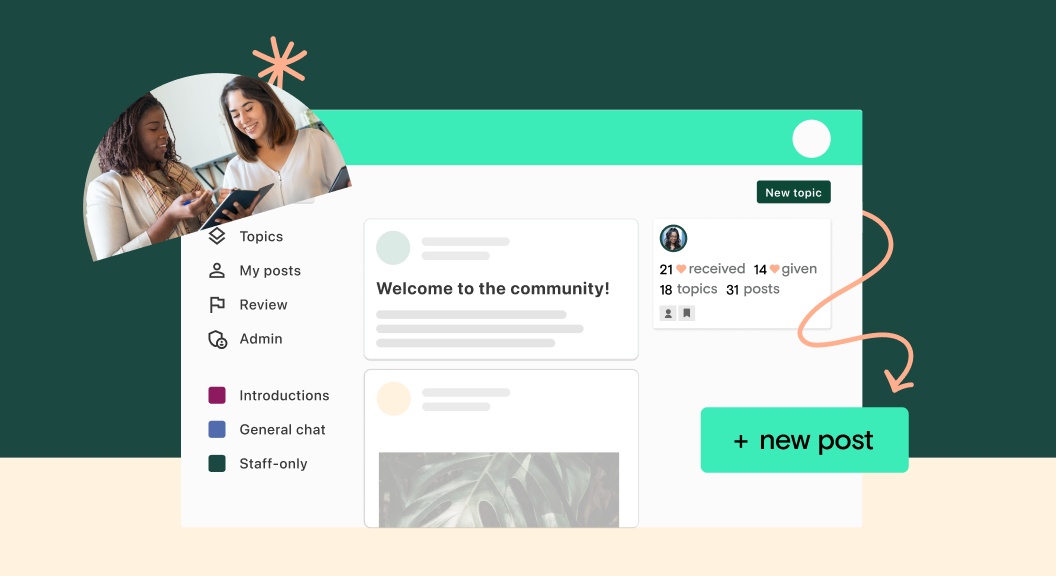
When selecting video conferencing software for hosting live courses and webinars, it’s important to prioritize features that enhance interactivity, reliability, and user engagement. Look for platforms offering robust video and audio quality to ensure clear communication. High-definition video support and superior sound clarity can significantly impact the participant’s experience.

Interactivity tools such as live polling, Q&A features, and even breakout rooms are all essential for engaging participants and fostering interaction in educational settings. You should also consider the software’s scalability, and it should accommodate your expected audience size without compromising performance.

Key features of Google Meet
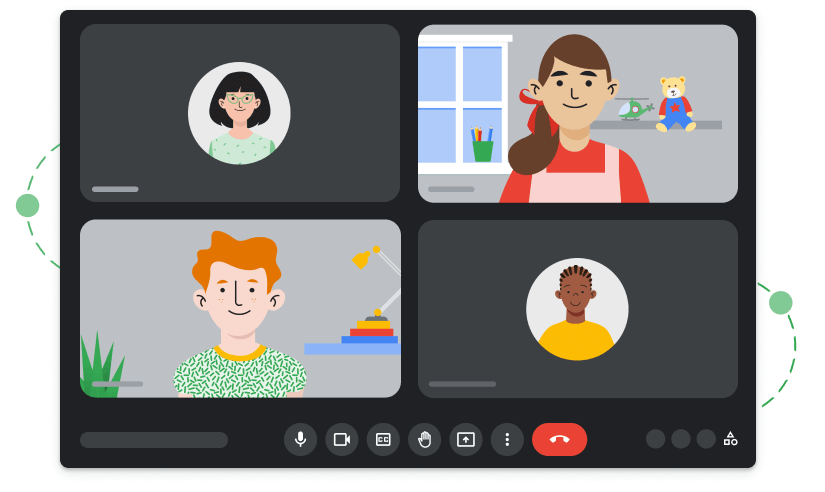
Google Meet offers a suite of features tailored to facilitate effective online courses and webinars, ensuring a seamless and interactive experience for both hosts and participants.

  • High-Quality Video and Audio: Google Meet provides high-definition video and audio conferencing, which is essential for clear communication and engagement. Its adaptive layout automatically adjusts to accommodate multiple participants efficiently.
  • Screen Sharing and Presentation: Instructors can share their screens or present slides, documents, and videos, making it easier to convey complex information or demonstrate processes live.
  • Real-Time Captioning: Utilizing Google’s speech recognition technology, Meet offers real-time captioning, enhancing accessibility for participants with hearing impairments and aiding comprehension in noisy environments.
  • Breakout Rooms: This feature allows hosts to split participants into smaller groups for discussions or workshops, fostering collaboration and deeper engagement in the course material.
  • Polls and Q&A: Engage participants with live polls and Q&A sessions, enabling real-time feedback and interaction, which is crucial for dynamic learning environments.
  • Integration with Educational Tools: Google Meet integrates seamlessly with various educational platforms and tools, including Google Classroom and G Suite, providing a cohesive ecosystem for managing courses, materials, and communication.
  • Recording and Replay: Hosts can record sessions for later review or for participants who couldn’t attend live, ensuring that the educational content is accessible anytime.
  • Adjustable Layouts: Participants can choose their viewing layout, focusing on the presenter, a specific document, or a gallery view of all participants, tailoring the experience to their learning preferences.
  • Security Features: With robust security measures in place, including encryption and meeting controls, educators can maintain a safe and secure learning environment.

Key features of Zoom

Zoom has emerged as a powerful tool for virtual learning and webinars, offering an array of features that cater to the needs of educators and hosts.

‍

  • HD Video and Audio: Zoom for webinars provides high-definition video and audio conferencing, which is essential for maintaining clear and effective communication. This clarity is crucial for keeping participants engaged and ensuring that content is delivered successfully.
  • Interactive Breakout Rooms: A standout feature for education and training, breakout rooms allow hosts to divide larger groups into smaller, focused discussions or learning groups, enhancing engagement and collaboration.
  • Webinar Tools: Zoom’s webinar functionality is robust, supporting large audiences with features like attendee registration, polling, and Q&A sessions, enabling real-time interaction and feedback.
  • Screen Sharing and Whiteboard: Presenters can share their screens with ease, facilitating detailed demonstrations and presentations. The whiteboard feature allows for real-time collaboration and illustration of concepts.
  • Recording and Transcription: Sessions can be recorded for later review or for those who cannot attend live. Automatic transcriptions help provide an accessible text version of the content discussed.
  • Virtual Backgrounds and Touch-up Features: These features help presenters maintain a professional appearance and minimize distractions in their background.
  • Integration Capabilities: Zoom integrates with numerous educational and productivity tools to streamline the workflow and enhance the overall learning experience.
  • Polling and Hand Raising: Engage participants with interactive polls and allow them to signal when they have questions or comments, fostering a dynamic and interactive learning environment.
  • End-to-end Encryption: With enhanced security features, including end-to-end encryption, hosts can ensure that their sessions are secure and private.

{{checkplans-component=”/blog-shortcodes/call-to-action”}}

User experience: Google Meet vs Zoom

The user experience of Google Meet and Zoom directly reflects their design philosophies and target audiences, with each platform offering distinct features and interfaces that cater to various user preferences and requirements.

Ease of Use

Google Meet is renowned for its simplicity and integration with Google’s ecosystem. Its interface is straightforward, allowing users, especially those already familiar with Google products, to navigate and utilize its features effortlessly. Meeting setup is quick, and joining a meeting is intuitive, requiring just a few clicks, which is particularly beneficial for users with varying levels of tech-savviness.

In contrast, Zoom offers a more feature-rich interface that, while slightly more complex, provides quick access to a broad range of functionalities. Its user interface might require a bit of a learning curve compared to Google Meet, but it allows for more flexibility and customization by catering to users who may require more advanced features.

Features and Interactivity

Zoom takes the lead in terms of interactive features, such as breakout rooms, virtual hand raising, polling, and a wider range of reactions, which all enhance and improve participant engagement. These features make Zoom particularly suited for dynamic and interactive webinars or classes.

Google Meet, while more limited in interactive features compared to Zoom, offers a clean and uncluttered interface, focusing on simplicity and ease of use. Its recent updates have introduced more interactive options, such as hand raising and polling, but it still maintains a focus on straightforward, no-fuss functionality.

Google Meet also has better image quality, which can be great for video presentations and especially for people who are joining via smartphone and want to view things like images or documents in a React app more clearly. Designers and other visual creators should definitely prioritize this.

Performance and reliability comparison

When comparing the performance and reliability of Google Meet and Zoom, it’s crucial to consider various factors like stability, video/audio quality, and scalability to gauge which platform offers the most dependable experience.

  • Stability and Uptime: Both Google Meet and Zoom are known for their high uptime and stability. However, Zoom has carved out a reputation for robust performance, even under heavy loads, which is vital for hosting large webinars or meetings without interruption. Google Meet also offers reliable performance, particularly benefiting from its deep integration with Google’s infrastructure, ensuring a stable service for users.
  • Video and Audio Quality: Zoom provides superior video and audio quality, which remains consistent even with larger participant numbers. Its ability to deliver high-definition video and clear audio without significant lag is a key strength. Google Meet also offers high-quality video and audio, though some users report slightly lower consistency in quality during large or extended meetings compared to Zoom.
  • Scalability: Zoom stands out for its scalability by effectively accommodating a large number of participants without a drop in performance. This capability is particularly important for webinars or large classes. Google Meet has improved its scalability, but Zoom still leads, especially in handling large-scale and complex meetings.
  • Technical Support and Reliability: Both platforms offer substantial support, but Zoom’s extensive support resources and rapid response can be crucial for troubleshooting during important sessions. Google Meet benefits from Google’s overall infrastructure and support but may not match Zoom’s specialized attention in every scenario.

Integrations with online course platforms

The integration of video conferencing tools like Google Meet and Zoom with online course platforms significantly enhances the digital learning experience, providing seamless interaction and content delivery. Here’s how each platform fares in terms of integration with popular educational platforms.

Google Meet’s Integrations

As part of Google Workspace, Google Meet offers natural and straightforward integration with Google Classroom and other Google apps, facilitating a unified educational environment. Teachers can schedule and start Meet sessions directly from Google Classroom, streamlining the process and enhancing the user experience.

Zoom’s Integrations

Zoom offers more extensive integration capabilities with a range of learning management and educational platforms, including:

  • Canvas
  • Teachable
  • Moodle
  • Blackboard
  • Google Classroom

These integrations allow educators to schedule and launch Zoom meetings directly from within the course management system, providing a seamless transition for students. Moreover, Zoom’s features, like attendance tracking, recording storage, and in-depth analytics, all add value to its integration, offering educators enhanced tools for monitoring and engagement.

Both platforms facilitate easy access to video conferencing within course platforms, making it easy for Teachable course creators to present their content the way they imagined it. 

However, Zoom’s broad integration capabilities and additional features give it an edge, particularly for institutions using a variety of learning management systems. In contrast, Google Meet’s advantage lies in its deep integration with Google Workspace, ideal for educators and institutions already embedded in Google’s ecosystem.

{{checkplans-component=”/blog-shortcodes/call-to-action”}}

Pricing and plans

The pricing structures of Google Meet and Zoom are designed to cater to a range of needs, from casual users to large enterprises, with specific considerations for those hosting webinars and courses.

In comparing overall value for money, Zoom typically offers more flexible pricing, especially if you require specific webinar features without needing a broader suite of business tools. Google Meet, on the other hand, provides better value if you’re already using or plan to use the Google Workspace suite extensively. 

Google Meet

Initially free for basic use, Google Meet’s more advanced features, which are particularly relevant for hosting courses and webinars, require a subscription to Google Workspace. 

The Workspace plans start with a Business Standard tier, which provides meeting recordings and larger participant capacities, and scale up to Enterprise levels, offering advanced control and security features. It’s perfect for those who don’t like long-term subscriptions and want to escape vendor lock-in that’s often the result of longer-term software purchases. 

Pricing for Google Workspace begins at $12 per user per month for the Business Standard plan, escalating to higher tiers for more extensive needs.

Zoom

Zoom provides a free Basic plan, suitable for smaller, more informal meetings. However, for hosting larger webinars and courses, their paid plans are necessary. The Pro plan starts at $14.99 per month per host and supports up to 100 participants with meeting durations longer than 40 minutes.

For webinars and larger meetings, Zoom offers specific add-ons; the Webinar plan can accommodate up to 10,000 view-only attendees. Zoom’s pricing escalates with the number of participants and additional features, like increased cloud recording storage.

Because of this, you shouldn’t overburden your small business savings account with Zoom’s higher-tier plans if your primary need isn’t for large webinars or extensive meeting durations. Overinvestment in such specific features can lead to unnecessary financial strain, especially if your business doesn’t frequently host large-scale events. 

Security and privacy: which is safer?

When evaluating the security and privacy of Google Meet and Zoom, it’s essential to consider the measures each platform employs to protect users and data.

  • Google Meet: Built on Google’s secure infrastructure, Google Meet benefits from the same robust security measures that safeguard other Google services. This includes things like two-factor authentication, encryption in transit and at rest, and advanced protection against phishing and malware. Google Meet automatically encrypts all data, and meetings are given unique, encrypted IDs to help prevent unauthorized access. Google’s commitment to user privacy ensures that Meet does not use customer data for advertising and complies with stringent global compliance certifications.
  • Zoom: Following some initial security concerns, Zoom has significantly strengthened its security features. It now offers end-to-end encryption for all users, password protection for meetings, and waiting rooms to control access. Zoom’s role-based user security, meeting locks, and watermarks add layers of security, especially for sensitive communications. Furthermore, Zoom complies with a range of compliance certifications and conducts regular third-party security audits.

Both platforms are continuously updating their security measures to address evolving threats and maintain user trust. However, the choice between them might depend on specific security needs or organizational compliance requirements. 

For instance, organizations deeply integrated into the Google ecosystem might prefer Google Meet for its seamless integration and uniform security policies. At the same time, those requiring detailed user access controls and customization might lean towards Zoom. 

​​Likewise, one has to imagine how both platforms will be vulnerable to things like employment identity theft down the road—AI deepfakes are on the rise, and we all know how trusting everyone is to a colleague’s smiling face on video.

Pros and cons of Google Meet

Pros of Google Meet

  • Integration: Meet seamlessly integrates with Google Workspace, enhancing productivity and collaboration through shared calendars, documents, and more.
  • Simplicity: Known for its user-friendly interface that makes it accessible for users of all skill levels.
  • Accessibility: Offers real-time captioning and is accessible on various devices, promoting a greater degree of accessibility and inclusivity.
  • Security: Benefits from Google’s robust security infrastructure to ensure a high level of data protection and meeting privacy.

Cons of Google Meet

  • Features: Lacks some of the advanced interactive features and customization options available in other platforms like Zoom.
  • Scalability: While suitable for a range of meeting sizes, it may not perform as smoothly as competitors in very large webinars or events.
  • Dependency: It’s best leveraged within the Google ecosystem, which might limit its appeal for users or organizations not fully invested in Google’s suite of products.

Pros and cons of Zoom

Pros of Zoom

  • Feature-rich: It offers extensive interactive tools like breakout rooms, polls, and virtual hand-raising, enhancing engagement in webinars and courses of all kinds.
  • Scalability: Excellently handles large numbers of participants without compromising on performance, ideal for big webinars.
  • Customization: Provides numerous settings and options to customize meetings and webinars to suit specific needs.
  • Integration: Integrates with a variety of educational tools and platforms, offering flexibility across different learning environments.

Cons of Zoom

  • Security: Despite improvements over the years, early security concerns have left a lasting impression on some users’ perceptions of its safety.
  • Complexity: The wide array of features can be overwhelming for new users, requiring a steeper learning curve compared to more straightforward platforms.
  • Pricing: While it offers a free tier, access to advanced features necessary for larger webinars comes at a higher cost compared to some competitors.

Making the decision: which is right for your needs?

At the end of the day, choosing between Google Meet and Zoom hinges on your specific needs and preferences. If you prioritize a user-friendly interface and seamless integration with Google Workspace tools, Google Meet is the optimal choice. It’s particularly beneficial for those already embedded in the Google ecosystem, offering a straightforward, secure experience.

If you require a platform with advanced interactive features and customization options to engage participants actively, Zoom is more suitable. Its ability to handle large webinars, extensive integration capabilities, and detailed control over user interactions make it ideal for dynamic and large-scale events. 

Learn more about Teachable’s Zoom integration

Check out these resources:

‍

Embracing creative authenticity: Whitney Freya’s formula for increased income and impact

Software Stack Editor · May 14, 2024 ·

I​​n the vast landscape of online education, few stories are as compelling and transformative as that of Whitney Freya. A self-proclaimed “wannabe artist” turned influential creator, Whitney has carved a unique niche in the art world by intertwining the essence of personal growth with artistic expression. 

Her journey from door-to-door book sales to establishing a pioneering online platform is not just about teaching art—it’s about fostering a life-art synthesis that empowers individuals to create the life of their dreams.

We recently interviewed Whitney to hear more about her journey and her top tips for growing creators. Plus, discover how her transition to online teaching via Teachable allowed her to expand her reach beyond physical borders, touching the lives of thousands globally with her innovative approach​​.

In this post, we’ll discuss…

  • How Whitney’s early experiences and personal challenges shape her courses
  • Key obstacles Whitney faced in her transition to teaching online and how she overcame them
  • How Whitney uses Teachable to create transformations in her students
  • Practical advice from Whitney for other creators looking to make more income and impact 
  • What Whitney believes is coming next for creators and education business owners

How Whitney’s challenges shaped her courses

‍

Whitney Freya wasn’t always the artist she is today. Initially, she was just someone who longed to create but felt sidelined by early discouragement. Like many of us, Whitney was harshly critiqued by an art teacher growing up. She never really saw herself as an artist until she read the book Zen and the Art of Making a Living, which profoundly shifted her perspective. 

The book’s message, quoting Nietzsche, posited that “the proper task of life is art,” suggesting that everyone has the potential to craft their life with the creativity of an artist. This message resonated with Whitney at a time when she was searching for direction, having been discouraged from pursuing art in her youth due to a negative early experience with an art teacher. Her realization that art and life are inseparable was pivotal. 

“The quickest way to having an overall holistically successful and abundant career is to absolutely be yourself first and foremost, be as authentic as possible” – Whitney Freya

Various early setbacks, coupled with the inspiration from her readings, led her to create a space where others could also explore their creative identities without judgment — which is why she founded the Creative Fitness Center. 

This center was a place to exercise the creative muscles that everyone possesses, proving that skill or technique was secondary to awakening the artist within.

Whitney’s approach is fundamentally shaped by her belief that overcoming personal challenges through creativity allows individuals to see life’s obstacles differently. 

This inclusive and holistic approach to art education, inspired by Whitney’s early challenges and breakthroughs, ensures that her teachings are accessible, relatable, and profoundly impactful, making art a means of navigating and enhancing one’s life journey.

Key obstacles Whitney faced in her transition to teaching online and how she overcame them

Transitioning to online teaching wasn’t a walk in the park for Whitney. 

Starting in 2009, she faced the significant challenge of moving her vibrant, hands-on art classes into the digital realm—a space that was quite primitive in terms of interactive online learning platforms at the time.

“It was just step-by-step photos back then; we didn’t even have video capabilities that were feasible for what we needed. It felt like we were building the plane while flying it.” – Whitney Freya

One of the main hurdles was the lack of direct interaction, which had been a cornerstone of her physical workshops. To overcome this, Whitney pioneered creative ways to engage her online students, ensuring her teachings remained interactive and personal. She introduced structured creative prompts and began using emerging tools to simulate a classroom experience as closely as possible.

Another challenge was the technical aspect of running an online platform. Whitney had to navigate various online tools and platforms before settling on Teachable, which provided the streamlined functionality she needed. She appreciated how Teachable handled much of the backend work, allowing her to focus more on her art and students.

“The opportunity to reach people globally, regardless of where they lived, was something I couldn’t pass up. Despite the challenges, the potential to share and grow was too compelling.” – Whitney Freya

By embracing these challenges and leveraging the right tools, Whitney successfully transformed her teaching approach to thrive in an online environment, proving that with creativity and resilience, barriers can turn into gateways for growth.

How Whitney uses Teachable to create transformations in her students

Using Teachable has changed the way that Whitney approaches teaching and engaging with her students. Teachable empowered Whitney to extend her reach globally while giving her everything she needed to connect and impact her students’ lives.

“I use Teachable as space for me. It’s creating space. I love to create space. I love to create a structure within which people can experience things.” – Whitney Freya

Whitney utilizes Teachable’s versatile features to create a dynamic and interactive learning environment. Her courses are designed to engage students in a holistic journey of personal growth and creative expression. Her courses include video tutorials, live Q&A sessions, and community challenges that encourage active participation and personal exploration.

One of Whitney’s core beliefs is that feedback and community support are pivotal in the learning process. Through Teachable, she has set up a system where students can submit their artwork and receive personalized feedback. 

Whitney harnesses the power of multimedia to enrich her teaching. Teachable’s ability to support various media types allows her to incorporate videos, podcasts, and downloadable resources seamlessly. This multimedia approach caters to different learning styles, ensuring that all students can engage with the material in ways that resonate most deeply with them.

Whitney continuously adapts her courses based on student feedback and emerging educational trends. Teachable’s analytics tools help her monitor course engagement and effectiveness, allowing her to refine her approach and content to better meet her students’ needs.

“Teachable’s been amazing and has grown along with me like I’ve seen a lot of the new offerings and it keeps coming and it’s fabulous.” – Whitney Freya

Whitney’s practice advice for creators

Whitney encourages creators to dig deep into what truly excites them and share that passion openly. This genuine approach not only attracts attention but builds lasting connections with your audience.

Don’t just stick to one platform; spread your presence across the digital world. From Instagram stories to YouTube videos, your audience is everywhere. Whitney advises using every tool at your disposal to share your journey and engage with your community.

Stay curious and responsive. Pay attention to what resonates with your audience and what falls flat. This feedback is invaluable for refining your approach and staying relevant.

“Whatever is lighting you up about your business, you want to share from that place… if you’re not passionate about what you’re offering and sharing that energy, people don’t remember exactly the words you say, but they remember the feeling of watching you on their computer or their phone.” – Whitney Freya

Actionable steps for authentic creators:

‍

  • Embrace your unique story: Dive into what genuinely excites you and share that enthusiasm without reservation.
  • Engage on all fronts: Utilize multiple platforms to share your work—Instagram, YouTube, blogs, and more. Each platform can help you reach different segments of your audience.
  • Learn, adapt, and grow: Continuously gather feedback, observe which efforts resonate with your audience, and adjust your strategies accordingly.
  • Consistency is key: Regularly update your content and stay engaged with your community. Consistency helps build trust and keeps your audience coming back.

What Whitney believes is coming next for creators and education business owners

Whitney Freya envisions a future where creativity transcends traditional boundaries and permeates every aspect of our lives. As we shift towards a more interconnected and digitally enhanced world, Whitney predicts that creators will play a pivotal role in shaping new ways of thinking, learning, and interacting. 

Here are her key predictions and insights for the future of creators and education business owners:

  • Integration of self-discovery and creativity: Whitney believes that the future of creation will increasingly involve a spiritual component, where creating becomes a holistic practice that impacts all areas of life.
  • Empowerment through online teaching: She emphasizes the role of digital platforms in democratizing education and allowing creators to reach a global audience, transforming how knowledge and creativity are shared.
  • Emphasis on authenticity: In a world saturated with content, Whitney predicts that authenticity will become the currency of trust and impact. Creators who share their true selves and are passionate about their offerings will forge deeper connections and have a more substantial impact.
  • Greater creative freedom: The future holds a promise of greater creative freedom where creators can seamlessly blend different mediums and disciplines. This cross-pollination of ideas will lead to richer, more diverse creative expressions.
  • Community and collaboration: Whitney foresees a stronger emphasis on community and collaborative efforts among creators. The collective energy of a community will not only enhance personal growth but also lead to significant societal transformations.

“The creativity and the artistry was taken away from us to give us an opportunity to be like, ‘Oh, that’s what the world is like without owning how powerfully creative we are.’ And now we get to take it back.” – Whitney Freya

Begin creating greater income and impact with Teachable

Want to grow your business authentically while selling more without selling out?

We have something just for you. Teachable offers the tools, technology, and support needed to turn your passion into a profitable endeavor. From comprehensive course-building tools to integrated payment systems, 

Teachable makes it simpler to reach and teach your audience effectively—no matter where they are in the world.

Join thousands of successful creators like Whitney and start your journey on Teachable today. Unleash your potential, inspire people around the world, and build a business that speaks to your authentic story.

Sign up now and start making a difference with Teachable!

Should You Rebrand Your Business for Growth?

Software Stack Editor · May 8, 2024 ·

Rebranding your business is a normal part of business evolution. Even 74% of S&P 100 companies have rebranded within their first seven years of operation. When done right, a rebrand can completely transform your business. Not only can rebranding improve your brand’s value, but it can also attract new audiences and bring in more business. 

While rebranding is inevitable at some point for many businesses, it can still be a long and challenging process. If your business is considering a rebrand, then you’ve come to the right place. Below, you will find a comprehensive step-by-step guide on how to rebrand your business.

{{tableofcontents-component=”/blog-shortcodes/table-of-contents”}}

The decision to rebrand: When and why

First, we need to talk about why you want to take your business through the rebranding process. Intention for your rebrand is important to ensure that you are successful in your efforts. Here are a few valid reasons to consider a business rebrand:

Update brand identity

According to a survey from Bynder, the most common reason why businesses choose to rebrand is to update the brand identity. It’s normal for your business to change and evolve, and to keep up with the changing world and consumer needs, an up-to-date brand is key for success.

Market positioning

The second most popular reason why even 45% of businesses rebrand is to reposition the business in the market. Your brand is what connects your business to your customers. If you are looking to reposition your business in the market by targeting new locations and offering new products or services, then a rebrand is a smart choice.

Change target audience

41% of businesses undergo a rebrand because they want to change the audiences they target. When you want to attract new customers and reach an untapped market, you want to ensure that your brand will catch their eye. 

Brand equity

Brand equity is the value of your brand to your business. If you see that your current brand is not working as well as you would like it to, then a rebrand could be a solution. By making strategic changes to your brand identity, visuals and even mission and vision, you can improve your brand equity. 

Mergers

If your business was bought by another business or if you have acquired a new business, it makes sense to rebrand. A rebrand will allow you to merge the two (or more) businesses and ensure that all businesses are aligned. 

Defining your new brand identity

Customer perception

Understanding how your current customers see your brand can be very helpful in crafting a new brand identity. Tap into your audience through social channels, email, and online surveys to learn as much as you can about customer’s perceptions.

Visual identity

Visual identity is the first thing your audience notices. It’s the first impression of your brand, and it’s extremely important. Visual identity includes things like:

  • Logo
  • Color palette
  • Typography
  • Visual assets like shapes and icons 

So, when you are building a new brand identity, you want to make sure that all of your visual identity assets are on-brand, consistent, and professional.

Brand guidelines

Most successful brands have brand guidelines. Essentially, it’s a document that holds all of your brand’s visual assets, information on your brand’s tone of voice, and even the mission and vision. It’s not something you share with your audience, but it’s essential for internal use. Being consistent with your new branding will help your business, and that’s the key to success—consistent branding increases sales by 10-20%. 

Brand storytelling

55% of people are more inclined to buy from a business if they like the brand’s story. Brand storytelling is an essential part of your brand’s identity, and you want to make sure that your brand’s story and tone of voice are compelling. It will help you connect with your audience and build trust with your new brand. 

The rebranding roadmap

Here’s a simple and easy step-by-step roadmap you can follow when you are ready to rebrand your business: 

Step 1: Brand management

Brand management involves analyzing your current brand’s performance. It’s an essential first step in rebranding your business. Do market research to find out how your competitors are doing and how you could improve your business with the new rebrand.

Before you can create a new brand, you must understand how your current brand is performing. Analyze your current and new target audiences and what type of brand you need to create to appeal to them. Once you have a full analysis, you can proceed to the next step of your rebrand. 

Step 2: Brand positioning

Brand positioning is the key step in a rebrand. It describes the unique value your brand presents to customers. In other words, it defines your unique value proposition—what does your new brand have to offer customers, and why should they choose your brand over other brands?

Nailing down your unique value proposition will allow you to build a successful rebrand strategy. It will make it easy for you to create the brand’s story, determine the tone of voice, and even create new offers for your customers. 

Step 3: Visual brand identity

Your visual brand identity is probably the most important part of your business rebrand. It’s also the most challenging part to update and one that will take the longest. On average, it takes marketers around seven months to update a brand’s visual assets after a rebrand. Create a step-by-step plan for how you will implement the changes for your visual brand identity you and your team can follow. 

Step 4: Corporate identity

A rebrand affects your business internally just as much as it affects it externally. If your brand mission and vision change with the rebrand, it will impact the company culture, too. So, the first step will be to align with your team on the new direction of your business, and the new vision of your brand. 

You might want to create an in-house presentation with the Q&A session so you can fully translate the new strategy moving forward to your team and help them familiarize themselves with the new corporate identity and company culture. 

Step 5: Organizational change

To ensure a smooth and successful rebrand, you want to have a detailed plan for how your company will transition into the new brand. Whether you are a small business or a medium-sized business, there are many moving parts. So, make a detailed plan for internal and external changes and assign the tasks to teams or people who will need to execute the changes. 

Step 6: Digital marketing strategies

The last step, of course, is to overhaul your digital marketing strategies to fit your new brand. You want to make sure that your marketing efforts align with your new brand and that you have a solid plan for launching your rebrand and marketing the new brand after the launch. 

Step 7: Market differentiation

After the rebrand, you might need to change your marketing strategy to target both your old and your new audiences. It will require you to understand both segments of customers well and create custom marketing strategies for each angle. While it requires more effort than targeting one audience only, this strategy can help you maximize the success of your new brand. 

Communicating your rebrand to your audience

Creating a communication plan is essential for a successful rebrand. Work with your team to devise a strategy for conveying the most important message to your audience about the change and why you are rebranding in the first place.

Depending on the size of your brand, you might only use your own communication channels like your blog, email and socials to announce the rebrand to your audience. Or, you might send out official PR releases to the media and try to get the coverage of different media outlets (national or local) to help spread the word about the change. 

Leveraging online platforms for your rebrand

Your online platforms will play a key role in the success of your rebrand. So, make sure you create a plan and utilize them.

Marketing strategy

Create a solid marketing strategy for your rebrand launch! Consider sending our email newsletters, hosting Instagram or Facebook Live Q&A sessions, and posting on all of your social channels on the official day of the launch.

Invest in paid media and advertising to announce the rebrand to as many people as possible. A strategic marketing plan for launching your rebranded business will communicate the change to your current audience and will catch the attention of a new audience.

Audience engagement 

Invest the time to engage with your audience online. Answer all the emails, comments, and DMs. Encourage people to share your posts. To do that, you have to create content that’s engaging and incites people to share and talk about it. Remember, all social platforms reward high engagement, so the more excitement from your audience you can generate, the more chances you will have to reach a broader audience.

Case studies: Company rebrands 

Now that you have a clear roadmap for a successful rebrand let’s examine some of the most successful rebrand examples from other brands. Analyzing them can offer inspiration and show you the right way to rebrand your business. 

Dunkin’

‍

Everyone knows Dunkin’. Before January 2019, they were known as Dunkin Donuts. After some testing, the company decided to drop the “Donuts” from its name so it could be known for more than its original product—donuts. 

With over 60% of their sales coming from their beverages and not the donuts, it was a smart choice. They have positioned themselves as the key player and the go-to place for people to get a coffee and breakfast, not only a donut.  

‍

Weight Watchers 

‍

Even a company as big and influential as Weight Watchers needs a rebrand once in a while. To keep up with the changing climate in the health and wellness space and to reposition their product as more than simply a weight-loss product, they rebranded as “WW” back in 2018. 

This rebrand allowed the brand to target a new audience and position itself as a company that focuses on health and wellness, which is an industry that’s been growing rapidly in the last decade. 

‍

IHOP


IHOP, or International House of Pancakes, has been known as the best place to get pancakes for years. In 2018, they announced that from now on, they want to be known for their new product launch–burgers. So, they rebranded from IHOP to IHOB for the launch of the burger, and that got people talking. 

While IHOP kept its new IHOB name and logo for a while, eventually, the brand announced that the rebrand was only a ploy to get people’s attention and get them talking, and it would be switching back to IHOP. It’s definitely a risky strategy to employ, but it worked brilliantly for IHOP. 

Measuring the success of your rebrand

So, once you have finalized your rebrand, the next step is to measure the success of your rebranding efforts. How can you do it? There are a few key metrics that you want to pay attention to:

Consumer behavior 

Your audience will let you know whether or not your rebrand efforts were successful. So, pay attention to your customer behavior. If people are engaging with your new brand, and you see better growth and increased sales, you can rest assured that your rebrand was a success.

Brand loyalty

Brand loyalty means that people buy from you repeatedly. Tracking how loyal your customers are can indicate success or failure. If you notice that after a rebrand, people come back to purchase from you more than once, it means you are doing the right job. It means your new branding efforts are capturing their attention and building trust. 

Digital metrics

Tracking analytics across all of your platforms will also show you whether or not your rebrand has been successful. Keep an eye on things like:

  • Website traffic (how many visits and how long people spend on your website)
  • Social media followers, comments, and mentions
  • Paid advertisement clicks and conversions
  • Email newsletter sign-ups 
  • Google ranking 

Brand awareness

Brand awareness is a key performance indicator to pay attention to after a rebrand. It means tracking mentions across social media to see whether people are talking about your brand and if they are interested in sharing it with their social circles. Your social media analytics allow you to see your reach and how well people are interacting with your brand. 

Next Steps

Now that you understand what goes into rebranding your business, are you ready to take the next step? Whether you are only doing a small brand refresh or a complete brand overhaul, it can take your business to a new level and skyrocket your growth. 

{{joinfree-component=”/blog-shortcodes/call-to-action”}}

‍

Business rebranding FAQs

Now, let’s answer some of the most popular questions people have about how to rebrand a business. 

What are the signs that my small business needs a rebrand?

You should consider a rebrand for your small business if you are considering targeting new audiences with new products and services. Or, if you want to target a new location, for example, expanding internationally. 

Also, if you notice that your current brand is not speaking to your audience, meaning it does not bring in the sales you desire, or your marketing ROI is not as good as it should be, it could also be a sign that you might need a rebrand. 

How do I develop a new brand identity?

To build your brand identity, you need to:

  • Know your target audience: To build a strong brand, you need to know who you are trying to attract. So, make sure you put together your ideal customer avatar. 
  • Define your brand’s mission statement: Your brand mission statement will be the key element of your brand. It can be short and simple, but it must clearly explain to people what your brand is about, what your values are, and how you can help them.
  • Craft a compelling brand story: Storytelling is the way to connect with your audience. It moves people and helps build trust. So, ensure your brand story is compelling, honest, and authentic. 
  • Have a strong visual identity: When crafting your brand identity, you must consider how your brand appears visually. You want to have a consistent visual identity and ensure that people can easily recognize your brand. 

What if my rebrand fails?

Rebranding is a complex process, which makes it very easy for brands to do it wrong. The first mistake brands make when they are rebranding is doing it for the wrong reasons. If you are trying to cover up an internal business issue with a new brand, it will not work. 

The second pitfall is not communicating the rebrand with your audience. A rebrand should not be a surprise because people might not understand it and connect with it, which can result in people leaving and losing interest.  

The third common pitfall is not being strategic with the rebrand. To ensure that the rebrand is successful, you want to do the research beforehand and create a clear plan you will follow. A chaotic rebrand can do more harm than good, and without a clear direction, it might not bring the results you were looking for. 

How can I ensure my audience embraces our new brand?

Simple—communicate with your audience about the changes. You have to be comfortable with the idea that not all of your current audience will embrace the change. If your rebrand is extreme, you might lose some of your customers. But if you communicate about the rebrand and are clear about the new direction, you will minimize the losses.

{{joinfree-component=”/blog-shortcodes/call-to-action”}}

‍

Make vs Zapier 2024: What’s the Difference

Software Stack Editor · May 3, 2024 ·

The business process automation market is projected to reach $19.6 billion by 2026, up from $8 billion in 2020. This growth is accompanied by an acceleration in process automation, with about 80% of businesses increasing their focus in this area. Moreover, a substantial portion of businesses, 50%, are planning to automate all repetitive tasks going forward.

In the quest to find the best automation tool to help streamline your business processes, you’ve probably come across two big names: Make and Zapier. Both tools promise to simplify your life by automating routine tasks, but picking the right one for your business isn’t as straightforward as it seems. That’s why we’re taking a closer look at what Make and Zapier bring to the table. 

We’ll break down the differences, weigh the pros against the cons, and help you figure out which tool aligns best with your business goals. Whether you’re managing a startup, freelancing, or steering a larger enterprise, understanding these tools can really revolutionize your workflow.

{{tableofcontents-component=”/blog-shortcodes/table-of-contents”}}

Overview of Make and Zapier

Make, formerly known as Integromat, and Zapier are two leading automation platforms that empower users to optimize workflows by connecting various apps and services. 

Both tools serve the primary function of automating tasks across different online applications without the need for extensive programming knowledge, catering to a broad audience ranging from individual users to large enterprises.

Make offers a visually intuitive platform that allows users to create automation “operations” through a drag-and-drop interface. It stands out for its depth of customization and the ability to handle complex workflows, appealing particularly to users who need detailed control over their automation processes. Its rebranding from Integromat to Make symbolized a step towards broader capabilities and a more expansive vision in the automation market.

‍

Zapier, on the other hand, is renowned for its vast library of app integrations and ease of use, making it a go-to solution for individuals and businesses looking to automate routine tasks efficiently. With a straightforward approach to creating Zaps, or automated workflows, Zapier emphasizes speed and user-friendliness, allowing even non-technical users to set up and deploy automations quickly.

Key features: Make vs Zapier

When comparing the key features of Make and Zapier, it’s clear that both platforms offer robust cloud-based automation capabilities, yet they each have distinct strengths that set them apart.

Make distinguishes itself with its visual scenario builder, which offers a comprehensive and detailed view of automation workflows. 

Users can design complex automation sequences using a series of modules connected on a virtual canvas, providing a high degree of granularity and control over each step of the process. This allows for intricate workflows that can handle conditional logic, multiple operations, and data transformations within a single scenario. Make’s HTTP/SOAP and JSON modules further enable advanced users to perform custom operations that go beyond standard integrations.

Zapier, in contrast, excels in user-friendliness and accessibility. While it may not offer the same level of depth in customization as Make, Zapier provides a vast array of pre-built app integrations, facilitating quick and straightforward automation setups. 

Zapier’s user interface is intuitive, making it easy for users of all technical backgrounds to create and manage automations. Its built-in apps, like Formatter by Zapier and Webhooks by Zapier, add versatile functionality to workflows without complicating the user experience.

While Make offers more robust options for users who need complex, detailed automation workflows, Zapier caters to a broader audience by prioritizing ease of use and rapid deployment of automations.

User interface and experience

The user interface and overall experience of Make and Zapier significantly influence how users interact with these platforms, impacting their overall satisfaction and productivity.

Make offers a visually engaging and detailed interface where users can design and visualize their automation workflows as scenarios. The platform’s approach to automation, with a focus on a graphical representation of workflows, allows users to see the entire process at a glance, from triggers to actions. 

While this detailed visualization is a boon for crafting complex automations, it may present a steeper learning curve for new users who are not accustomed to such a granular level of control and visualization.

On the other hand, Zapier’s interface is renowned for its simplicity and clarity, making it incredibly approachable for users of all skill levels. The clean, straightforward design actively guides users through the process of creating Zaps with minimal complexity, thereby emphasizing a more linear and less cluttered workflow.

Integration capabilities

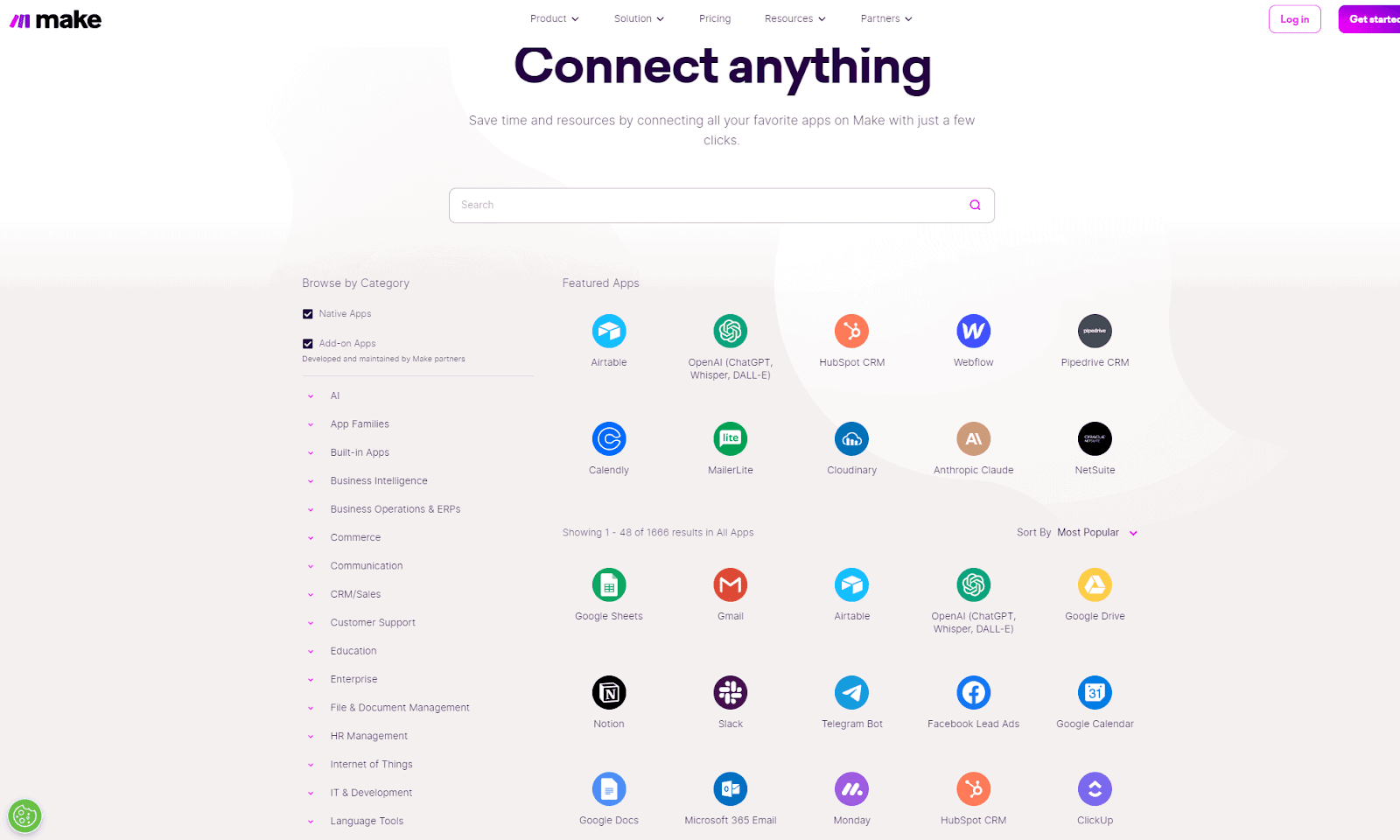
The integration capabilities of Make and Zapier are pivotal features that define their effectiveness and appeal. Both platforms support a vast range of applications, including learning management platforms like Teachable, but they approach integrations with different philosophies and strengths.

Make offers a unique integration environment that is highly customizable and versatile. It provides users with the ability to connect a wide array of apps, not only through pre-built integrations but by allowing for custom, in-depth connections as well. 

This process enables the creation of more tailored and nuanced automations that can cater to specific needs, which is especially beneficial for users who require advanced integration functionality beyond standard offerings. 

Make’s focus is on the depth of integration platforms, offering detailed control over the data you exchange between apps and the ability to handle complex data transformations and logic within its scenarios. 

Zapier, in contrast, emphasizes the breadth of its integration capabilities. With thousands of apps in its library, Zapier boasts one of the most extensive collections of pre-built integration templates available, making it exceptionally easy for users to find and connect the apps they use. 

In addition, Zapier shines with analytics-based integrations, as marketing teams can, for instance, automate notifications when someone uses a QR registration feature in their app and then further store the data in a Google Sheet/ClickUp list. 

So while Zapier’s integrations may not offer the same level of depth and customization as Make’s, they are designed to be incredibly user-friendly, allowing users to set up automations quickly without needing technical expertise. Zapier’s strength lies in its ability to provide a vast array of simple, effective, and easy-to-implement integrations, making task automation accessible to a broader audience.

Make pricing vs Zapier pricing

The pricing models of Make and Zapier are essential factors for users to consider when deciding between the two platforms. 

Both offer tiered pricing structures designed to accommodate a range of users, from individuals and small businesses to large enterprises, but they differ in specifics and value propositions. As far as which is cheaper? Well, it really all depends on your specific situations and needs.

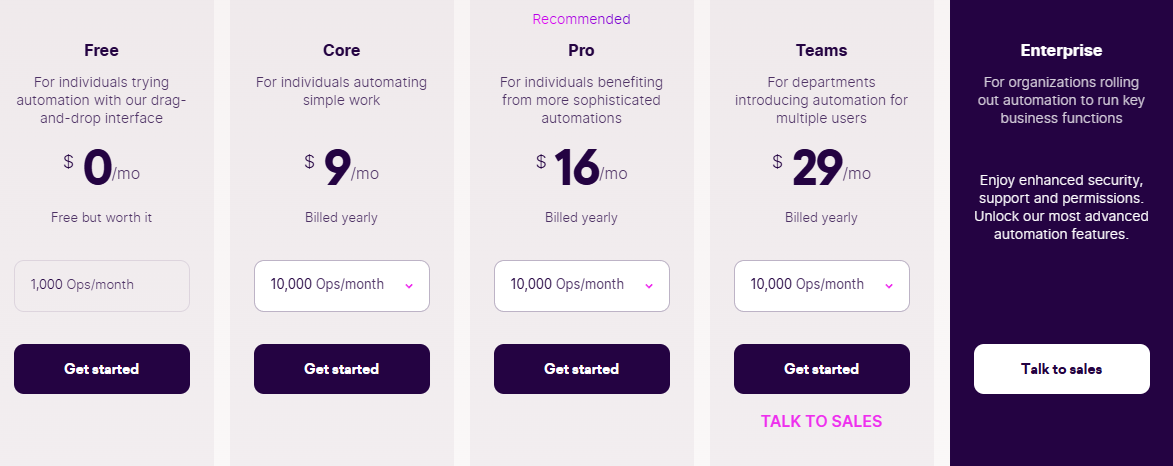
Make provides a free tier, which is particularly generous in terms of the number of operations and data transfer it offers, albeit with some limitations on the complexity of the workflows and the frequency of operations. 

The paid plans increase in cost based on the number of operations, execution speed, and access to premium features like advanced error handling and logs. The higher-tier plans cater to businesses with extensive automation needs, offering more operations, faster execution times, and priority support.

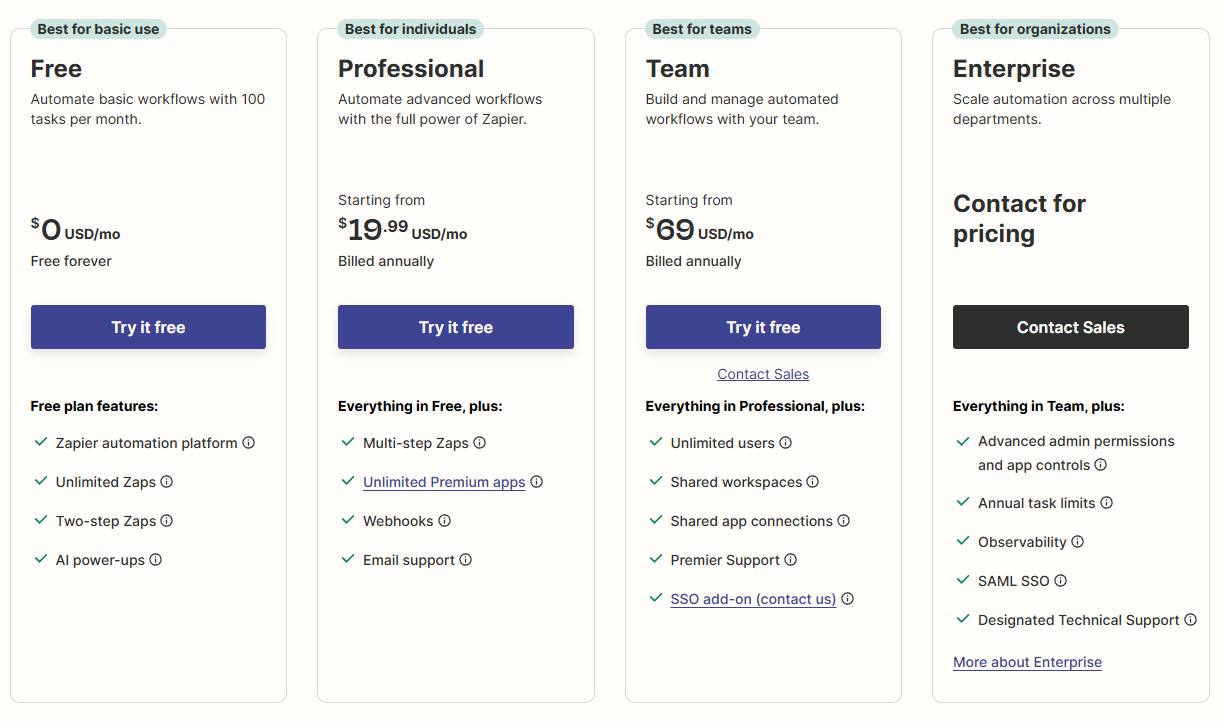
Zapier’s pricing model also starts with a free plan, which allows users to create a limited number of simple Zaps with a restricted number of steps. 

As for their paid subscriptions, they scale up from the basic tier, adding more Zaps, steps per Zap, and faster update times, as well as additional features like conditional logic and support. Higher tiers are aimed at teams and companies, offering collaboration tools and higher limits to accommodate their greater needs.

Pros and cons of Make

Pros of Make

  • Comprehensive Customization: Make excels in offering deep customization options, enabling users to tailor their automation workflows extensively and handle complex logic and data processing.
  • Powerful Visual Programming: The platform’s visual approach to creating workflows allows users to design and tweak their automations with a high degree of precision, making it easier to map out and understand intricate processes.
  • Extensive Integration Capabilities: Make supports a wide array of integrations, including the ability to create custom connections. This allows for a broad range of applications and services to be automated.
  • Strong Community and Support: Make has cultivated a strong community and offers substantial support resources. Users benefit from a wealth of shared knowledge, templates, and a responsive support team.

Cons of Make

  • Learning Curve: The platform’s advanced capabilities come with a learning curve. New users or those with limited technical experience may find it challenging to fully leverage Make’s potential initially.
  • Pricing Structure: While Make provides a robust free tier, its more advanced features, and higher usage limits are gated behind premium plans, which can be expensive for power users or businesses with extensive needs.
  • Resource Intensity: Complex scenarios in Make can be resource-intensive, potentially leading to slower execution times compared to simpler, more streamlined automation tools.

Pros and cons of Zapier

Pros of Zapier

  • Ease of Use: Zapier is highly intuitive, making it easy for users of all technical backgrounds to create and manage automations. Its simple, clear interface reduces the learning curve significantly.
  • Extensive Integration Library: With thousands of apps in its integration library, Zapier offers unparalleled breadth, enabling users to automate tasks across a vast array of services and platforms.
  • Quick Automation Setup: Users can quickly set up automations without delving into complex programming, thanks to Zapier’s straightforward ‘Zap’ creation process.
  • Reliability: Zapier is known for its consistent performance and reliability, ensuring that automations run smoothly with minimal downtime or errors.

Cons of Zapier

  • Limited Customization: Compared to platforms like Make, Zapier offers less depth in customization, which might not suffice for users with highly specific or more complex automation needs.
  • Pricing: While Zapier provides a free tier, its more advanced features and higher task limits require premium plans, which can get expensive for heavy users or larger businesses.
  • Complexity with Advanced Features: While basic usage is straightforward, leveraging Zapier’s more advanced features and creating multi-step zaps can introduce complexity, and the same goes for slightly more complex tasks, such as merging PDF files or even altering the code of a particular app. 

Real-world use cases and success stories

Taking a closer look at some real-world use cases and success stories of automation tools like Zapier and Makehelps highlights their practical value in all kinds of different business scenarios. 

For instance, a company can use Zapier to automatically sync sales data from a CRM platform to a database, which is then analyzed using business analytics tools to generate insights on sales trends, customer behavior, and product performance. 

Similarly, Make can orchestrate a workflow optimization where it pulls data from social media interactions, email marketing platforms, and online sales, compiling it into a comprehensive dashboard that reflects real-time marketing campaign performance and ROI.

There are also some more direct examples that help directly highlight how these automation tools are actively helping businesses streamline their operations today.

One compelling example involves Volcanica Coffee, which utilized AdRoll and Zapier to boost its digital marketing efforts, demonstrating a significant impact on growth and operational efficiency. 

In another example, a knowledge repository was created using Airtable, Zapier, and Slack to aggregate and organize shared links and information, improving accessibility and knowledge sharing within a team.

There aren’t many specific case studies or success stories about Make, but the platform is well-known for its robust capabilities in automating a wide array of tasks, being used by the likes of Meta, Spotify, and Personio. Plus, it’s always getting a steady amount of praise on forums like Reddit and StackOverflow. 

Similar to the examples for Zapier, Make enables businesses to streamline their operations by connecting various applications and automating workflows. From marketing to project management and customer service, Make offers a plethora of automation opportunities that enhance efficiency, reduce manual effort, and optimize business processes. 

How to choose the right tool for your needs

Selecting the right automation tool between Make and Zapier should be a decision informed by a thorough understanding of your specific requirements and how each platform’s strengths and limitations align with those needs.

Nature and complexity of automations

If your automation needs are complex, involving detailed workflows with conditional logic, multi-step integrations and processes, and data transformation, Make’s granular control and customization capabilities might be more beneficial. Its ability to create intricate and highly tailored automation can be vital for users with specific and more advanced requirements.

Conversely, if your automation requirements are more straightforward or if you prefer a quick and easy setup for connecting various apps and services, Zapier’s user-friendly design and extensive library of pre-built ‘Zaps’ would likely be more suitable. Its straightforward approach helps users automate tasks with minimal setup time and less need for technical depth.

It’s still unclear how Zapier would perform during multi-chain integrations that are all but a must during complex instances of Workday staff augmentation, updating internal databases, or dumping old code. 

However, considering Zapier’s ongoing efforts to enhance its integration capabilities and introduce more advanced automation features, it’s plausible to expect developments in this area as part of its commitment to meet the evolving needs of its user base.

Integration ecosystem

Make sure to take the time to carefully evaluate the range and type of apps you need to integrate. 

Zapier boasts a vast integration library, making it likely that the apps you use are already part of its ecosystem to facilitate quick and easy automation setups. This extensive range can be particularly valuable if you rely on less common or niche apps. However, we also should note that Zapier typically works best with something like a simple WordPress platform, as its code integration and more advanced features can be hit or miss most of the time. 

Make, while offering a robust set of integrations, shines in its ability to provide deeper and more customizable integration options. If your conditional logic workflows require interacting with APIs or API connectivity, performing complex data parsing, or integrating with custom or in-house applications, Make’s advanced capabilities might be more appropriate.

Pricing and value for money

Consider your budget and how each platform’s pricing structure aligns with your usage intensity and desired features. Zapier’s pricing plans are straightforward and scale with the number of tasks and complexity of the Zaps but may become costly for high-volume users or those needing advanced features.

Make’s pricing also scales with usage but provides a different value proposition, especially if you need advanced features that are only available in its higher-tier plans. Ensure that the cost aligns with the depth of functionality you require.

Support and Community

Access to support and a user community can be invaluable, especially when dealing with more complex automations. 

With this in mind, make sure to carefully consider the level of support offered by each platform and the vibrancy of its user community, which can provide insights, templates, and troubleshooting assistance.

The future of automation tools

As we look ahead, the trajectory and future of automation tools like Make and Zapier are pretty exciting. 

Make is set to further innovate with more complex automations, potentially incorporating cutting-edge AI to give users even more control and customization options. It’s all about empowering users to craft even more nuanced and intelligent workflows.

Zapier, known for its user-friendliness and expansive app connections, isn’t likely to rest on its laurels either. We can anticipate it broadening its integration spectrum and possibly weaving in AI elements to make automation creation not just easier, but almost instinctive. Try to think of Zapier becoming even more of a mind reader—predicting just what you need to be automated next.

‍

Best AI tools for creator workflows in 2024

Software Stack Editor · May 2, 2024 ·

AI is rapidly transforming the creative process across industries like art, writing, music, and more. In fact, more than 86% of professional creators agree that AI has contributed positively to their work processes. 

While early AI tools focused on optimizing workflow, the latest wave of AI goes far beyond productivity hacks. We now have models that can do most of the heavy lifting, giving you more time to do what you do best — create.

Hence, his article will discuss some of the best AI tools that are currently available for creators and how you can use them for maximum productivity. 

{{tableofcontents-component=”/blog-shortcodes/table-of-contents”}}

What is generative AI

Generative AI is the proper term for the technology used to create the content most creators use – text, video, art, and music. This content is ‘generated’ by machine learning models called  large language models, or LLM’s. These models, like ChatGPT, Claude, Gemini, Perplexity, and Mistral AI, to name a few, use vast amounts of data to generate human-like content. Most generative AI-driven companies today, use one of these LLM’s application programming interfaces, or API, to help create the tools we will discuss in this article.

GPT = Generative Pre-trained Transformers

The rise of generative AI in content creation

AI is completely changing the game of how content is created across industries. The global generative AI market is expected to reach $66 billion by the end of 2024. From writing and visuals to music and filmmaking, AI tools are augmenting and accelerating the creative process in unprecedented ways.

AI language models like GPT-4 can assist with ideation, structuring, editing, and even generating images. This means that authors, journalists, scriptwriters, poets, and course creators alike, are incorporating AI writing aids into their workflows to overcome writer’s block, refine prose, and explore new creative avenues.

For visual artists, state-of-the-art image generators like DALL-E 3 are also making work efficient in many ways, while models like Midjourney and Stable Diffusion, which even has video generation features, have also thrown their hats in the ring. 

AI tools aren’t just accelerating content creation; they’re evolving into collaborators that enhance the creative process. Even some of the most popular WordPress plugins have begun adding AI features. For instance, Yoast SEO, which has more than 13 million downloads, has added an AI feature allowing creators to quickly generate SEO-optimized titles and meta descriptions for their work.

As AI capabilities grow, creators who strategically combine these tools with their own skills and vision will be best positioned for success.

How AI tools empower creators

AI allows creators to focus on high-level creative work. Surprisingly, even insurance companies and banks are using AI for insurance risk assessment, which means creators can flip the script and use AI in most of their processes, including managing their finances, gauging offers and packages, and generally, managing and analyzing all business-related data.

That said, here’s how AI tools are empowering creators:

Better creator workflows

AI streamlines the creative process by handling monotonous and time-intensive tasks, significantly enhancing efficiency. This acceleration in workflow empowers creators to rapidly refine their work and generate more content within shorter periods. 

AI also does the heavy lifting, like setting up a document generation system for analytics reports, analyzing the numbers, and offering tips on what to fix or improve. This means creators can spend more time on creative aspects of their job, such as creating quizzes, and less on the tedious, administrative tasks.

Idea generation

Creators often struggle with creative blocks. To speed up the process, AI can analyze existing works, identify new connections, and generate totally novel ideas outside of an individual’s life experiences. This sparks creativity and helps creators receive exposure to concepts that they wouldn’t have otherwise run into spontaneously.

Personalization at scale

Using AI, creators can cost-effectively customize their creations for individual viewers, listeners, or readers. AI optimizes creative works for personal preferences, but only if it’s been trained on the right dataset. You can feed an AI tool info about your learners, and create a custom curriculum that fits their particular needs. 

Expanded possibilities 

AI algorithms can produce outputs that would be extremely difficult or impossible for humans to manually create from scratch. For example, commercially available LLMs will soon be able to make a website in its entirety, foregoing the need to hire a front-end developer. This expands creativity and allows creators to bring even their most wildly imaginative visions to life.

Top 11 AI tools and generators for creators

Beautiful.AI

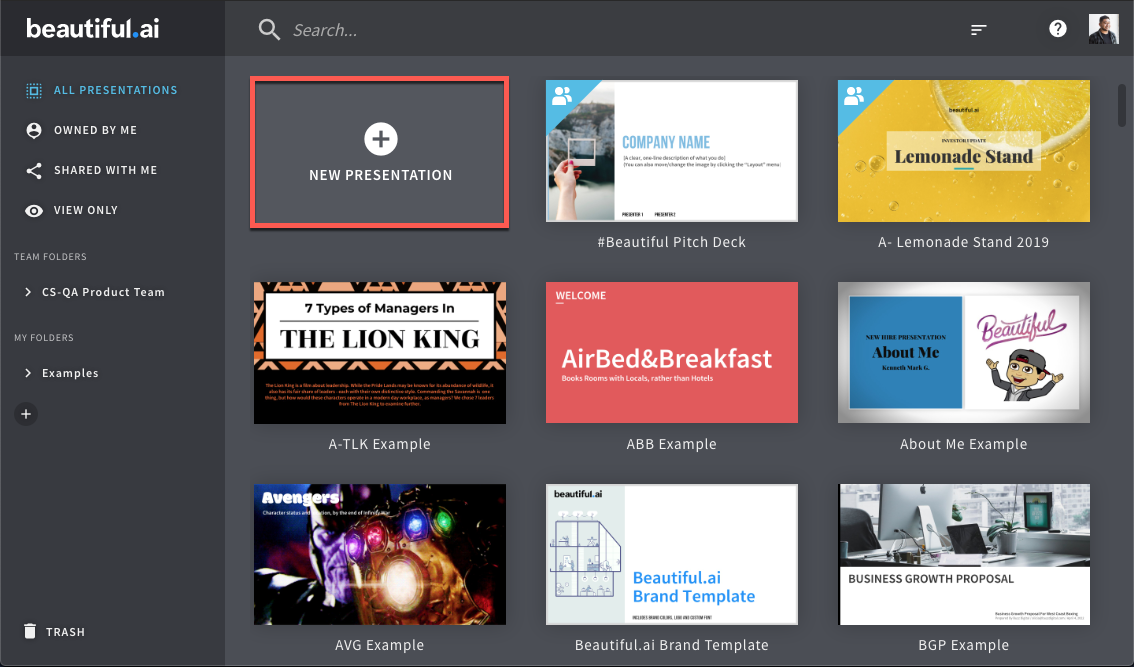
A presentation tool designed to simplify and speed up the process of creating visually appealing presentations, Beautiful.AI offers a wide range of smart templates across various categories such as startups, business, marketing, sales, and more. Users can easily edit slides, add animations, and even include audio. 

The platform provides an intuitive interface that automatically adjusts and formats your content to ensure professional-looking presentations. Features include the ability to create presentations from a text prompt, extensive slide editing options, and various export formats including JPEG and PPTX​​​​​​.

ChatGPT

Although OpenAI is now pivoting towards enterprise solutions, ChatGPT still remains the best and most accessible AI tool for content creation. Initially meant for just text and code generation, it has been since updated with the full suite of OpenAI products, including DALL-E 3, custom chatbots trained on specific data, and much more. 

The GPT-3.5 model is free and specializes in speed and efficiency, while GPT-4 is the true pinnacle of modern-day AI-assisted content generation, despite requiring a monthly subscription. 

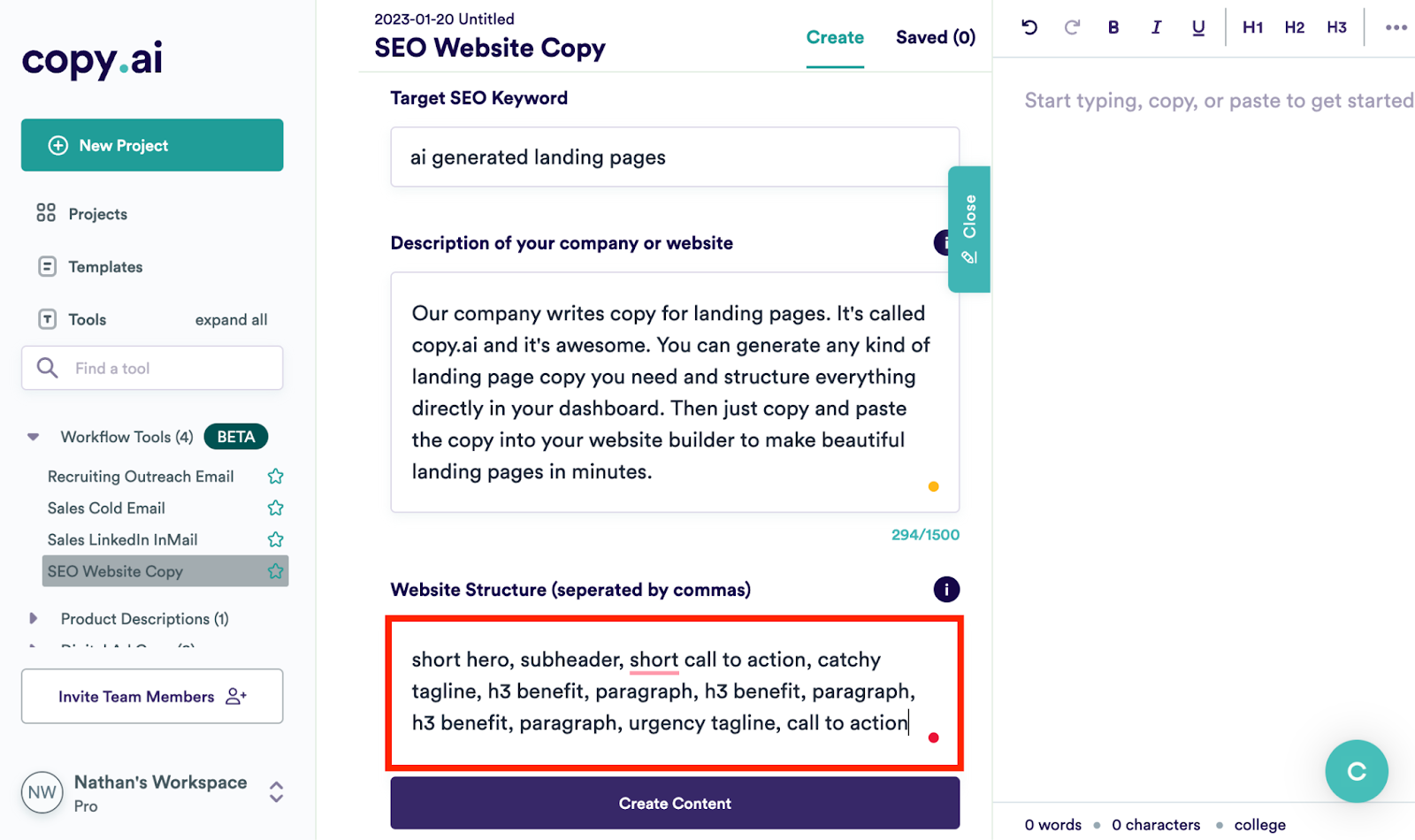
Copy.AI

An AI-driven writing tool designed to help you generate human-like text, Copy.AI is useful for creating various types of content, including headlines, email subject lines, meta descriptions, blog intros, and more. 

The platform is celebrated for its ability to produce compelling copy, assisting business owners, marketers, and copywriters in turbo-charging their creativity. In terms of long-form content, AI models like GPT-4 and Claude Opus blow it out of the water, though. 

Midjourney

Midjourney is an AI system that creates detailed images from text descriptions. It was developed by researchers and uses machine learning to understand written prompts and generate corresponding pictures. 

Midjourney is popular among artists and designers because it can make beautiful, imaginative, and conceptual artwork across many styles and topics. With its easy-to-use interface and improving abilities, Midjourney has made AI-generated art more accessible and expanded what’s possible with this technology.

Soundraw

Soundraw is an AI-powered tool designed for content creators who require unique, royalty-free music. With Soundraw, you can generate an unlimited number of songs tailored to your specific needs, including YouTube videos, social media content, corporate videos, web ads, and more. 

The platform operates on a freemium model, allowing free generation of music with advanced features available for paying customers​​, which is tailor-made for course creators. 

Podcastle

Podcastle is one of the versatile and accessible platforms tailored for podcast creators of all levels. It simplifies the podcasting process by integrating recording, editing, and enhancing features into one user-friendly interface. 

With Podcastle, all you have to do is upload your content, and the AI will produce a professional-sounding edited version in a snap. As such, it serves a 

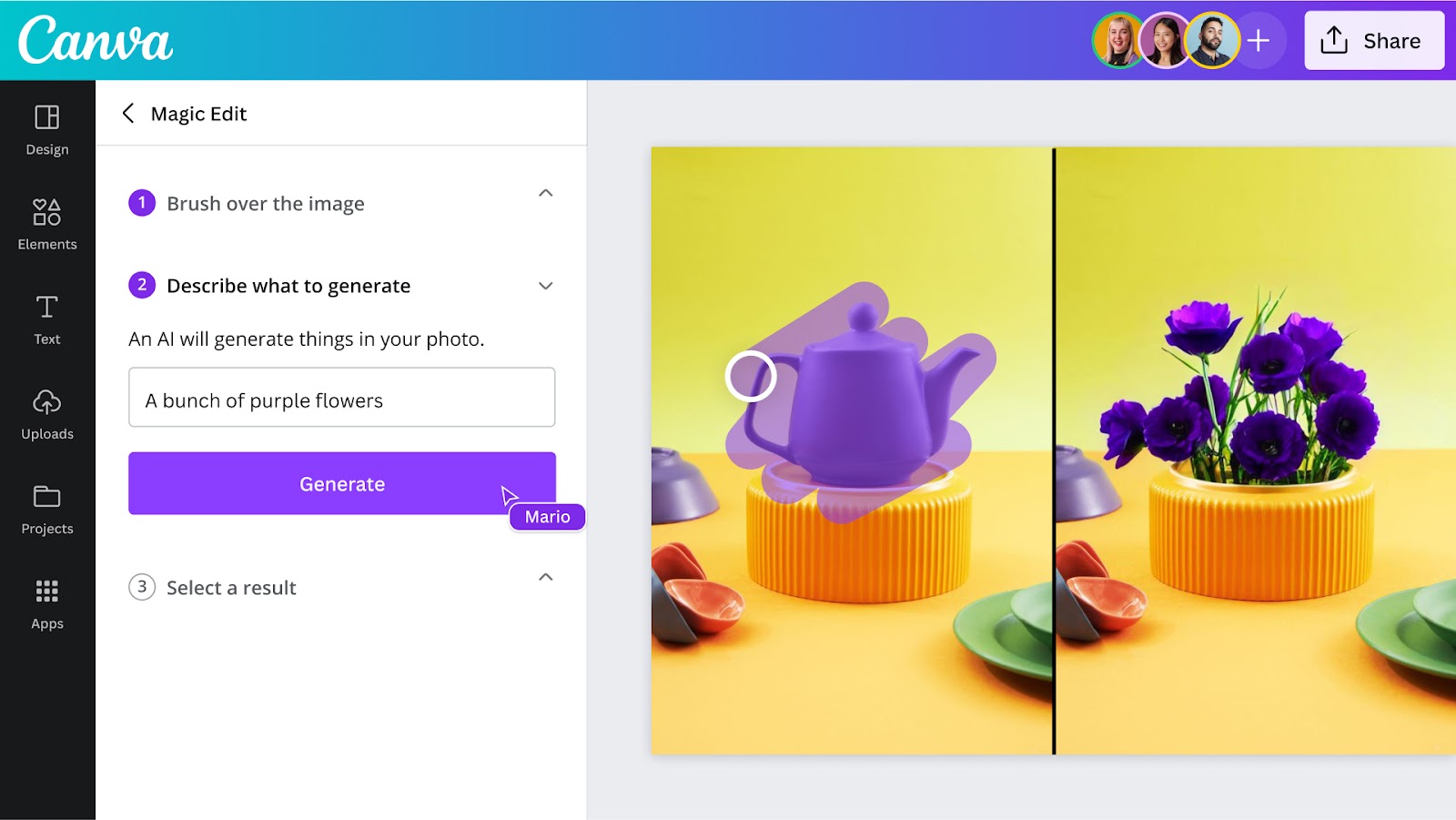
Canva

Canva, known as a go-to tool for graphic design, also includes AI content generation. With a simple drag-and-drop interface and a wide range of customizable templates, Canva empowers users to design professional-looking graphics, presentations, posters, and more without any design experience. 

Whether you’re a student, small business owner, or social media influencer, Canva offers a variety of tools and features to bring your ideas to life. Plus, it’s accessible both on desktop and mobile devices, making it convenient for users to design on the go.

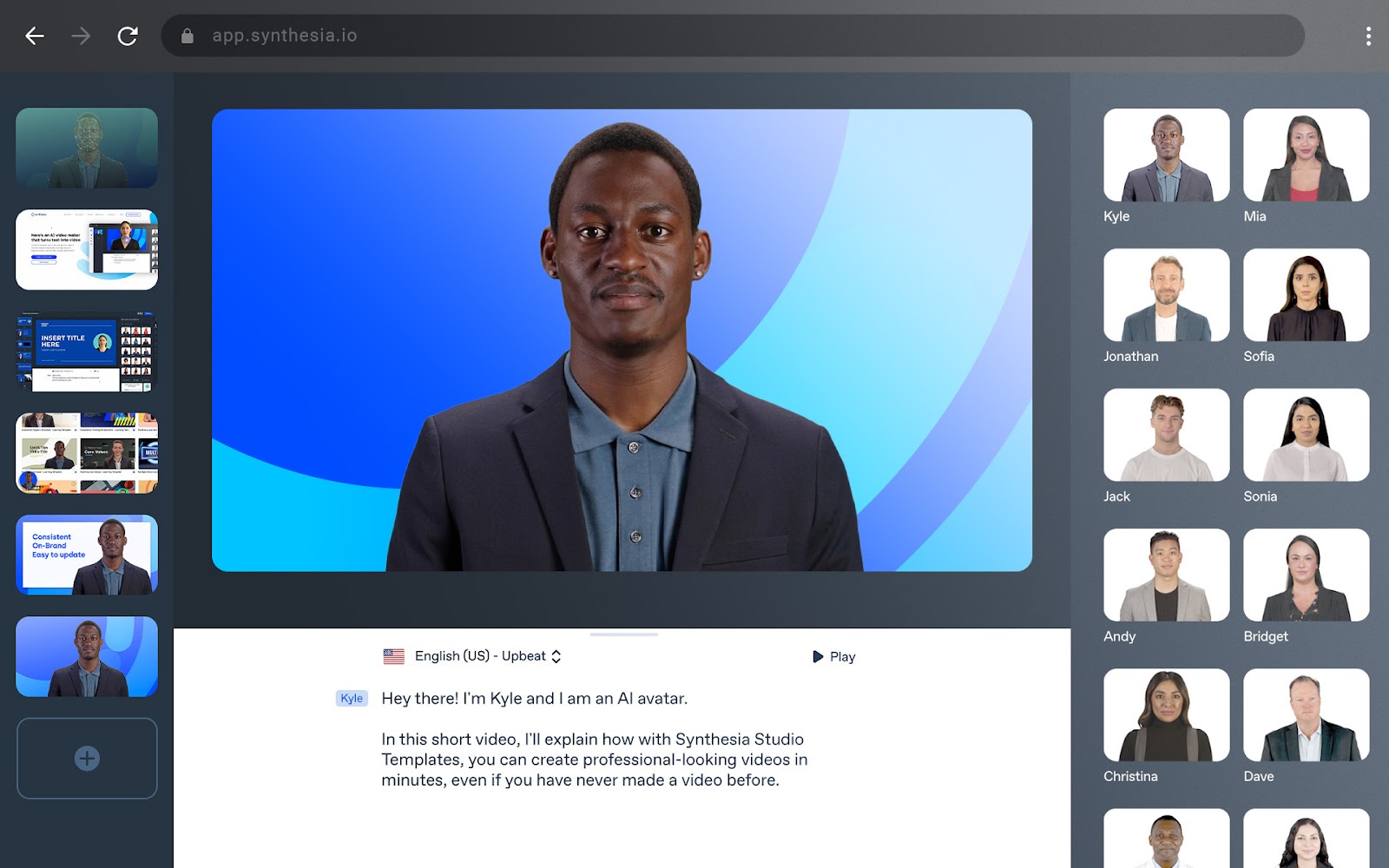
Synthesia

As an AI-powered video creation platform that simplifies the production of professional videos, Synthesia leverages over 160 AI avatars and supports customization for a personal touch.

It enables script generation and voice cloning and integrates seamlessly with various languages across 130 voice options. 

PlaygroundAI

PlaygroundAI is an artificial intelligence system that can generate images, videos, and other media from text prompts. It uses advanced machine learning models to understand the words you give it and then creates visuals to match your description. 

You can use PlaygroundAI to make art, design products, create scenes for movies or games, and more. It allows anyone to produce AI-generated media easily by just typing in what they want to see.

Runway

Runway is a creative tool that uses AI to empower artists, designers, and creators. It offers a user-friendly platform where you can explore and experiment with AI-generated content. 

With Runway, you can generate realistic images, videos, and interactive experiences using cutting-edge AI algorithms. The platform provides accessible tools for unleashing your creativity and pushing the boundaries of what’s possible in art and design.

Krisp

Krisp is an AI tool that improves audio quality by filtering out background noise during calls and recordings, making it ideal for remote work and professional recordings. Its noise-canceling technology ensures clear communication, free from disruptions caused by external sounds. 

Krisp is designed to boost productivity and enhance the audio experience in virtual meetings, podcasts, and any scenario requiring clear audio. 

How to effectively integrate AI into your creative process

Integrating AI into your creative process can significantly enhance efficiency and creativity. Here’s how you can effectively incorporate AI tools into your workflow:

  1. Identify your needs. First, identify areas in your creative process where AI can assist. Whether it’s generating ideas, improving content quality, or automating repetitive tasks, understanding your specific needs will guide you in selecting the right AI tools.
  2. Research AI tools. Explore available AI tools tailored to your requirements. Look for platforms that offer features such as content generation, image and video editing, and data analysis. Consider factors like user-friendliness, customization options, and integration capabilities with your existing tools.
  3. Experiment and learn. Once you’ve chosen AI tools, take the time to experiment with them. Familiarize yourself with their functionalities and explore how they can streamline your creative process. Don’t be afraid to try new approaches and learn from your experiences.
  4. Integrate AI seamlessly. Integrate AI tools seamlessly into your workflow to maximize their benefits. This may involve customizing settings, setting up automation processes, or incorporating AI-generated content into your projects. Ensure that AI complements your creative vision rather than overshadowing it.
  5. Collaborate with AI. Treat AI as a creative partner rather than just a tool. Collaborate with AI in brainstorming sessions, idea generation, and content creation. Leverage AI’s capabilities to explore new perspectives, overcome creative blocks, and enhance your creative output. Never release AI content into the world without giving it a firm human touch.
  6. Evaluate and iterate. Regularly evaluate the impact of AI on your creative process. Monitor metrics such as productivity, content quality, and audience engagement to assess the effectiveness of AI integration. Iterate your approach based on feedback and continuously optimize your workflow.

The future of AI in creativity

The future of AI in creativity looks promising. The tools will change how we create and enjoy content and will become essential partners, helping with ideas, content creation, and design. This means more people, even those without technical skills, can express themselves creatively.

To stand out among the competition, creators need to embrace and understand how each AI tool works for their respective industries. 

As a creator, you should also consider educating your followers about the perils of AI, such as how to tell if a website is fake and how to recognize AI-generated videos/images. This can result in you becoming a foremost authority in this new niche, further increasing the trustworthiness surrounding your personal brand.

In the future, AI will not just help us. It will reshape how we think about creativity, leading to exciting new possibilities for everyone.

Best AI tools for content creators FAQs

What are the best AI tools for content creators?

The best AI tools for content creators include:

  • ChatGPT for versatile text generation
  • Claude 3 for text generation
  • DALL-E 3 for innovative image creation
  • Copy.AI for effective copywriting
  • Jasper for comprehensive content creation 
  • Grammarly for writing enhancement
  • Krisp for noise cancellation in audio recordings

These tools cater to a wide range of needs, from writing and design to audio editing and SEO optimization, making them essential for content creators looking to streamline their workflow and improve their content quality​​​​​​.

How can AI generators enhance my creative work?

AI generators can significantly enhance your creative work by offering fresh perspectives and ideas, speeding up the content creation process, and providing tools for unique content generation across various mediums. 

Are AI content tools worth the investment for creators?

Yes, AI content tools are worth it for creators. They streamline content creation, saving time and effort. AI enhances creativity, aiding in ideation and generating quality content, and improves efficiency, enabling creators to produce more content in less time. 

How does AI impact the digital content creation process?

AI streamlines content creation by automating tasks like writing, editing, and generating visuals. It speeds up production, improves accuracy, and enhances creativity. With AI, creators can analyze data to understand audience preferences and trends, tailor content accordingly, and optimize for better engagement. 

‍

Biden signs TikTok ban bill – what comes next for creators?

Software Stack Editor · April 24, 2024 ·

image

TikTok has grown far beyond its origins as a platform for viral dances and lip-syncing challenges. Today, it’s a crucial space for creators sharing everything from how-to guides to personal stories, commanding the attention of millions worldwide. 

But for the past few months, TikTok has been on shaky ground—caught in the crosshairs of U.S. lawmakers over serious privacy and national security concerns.

What is the new bill that President Biden signed?

The crux of the matter is a new bill signed by President Joe Biden, inside a hefty $95 billion aid package aimed at supporting U.S. allies. The national security package includes a directive that could force TikTok’s Chinese parent company, ByteDance, to sell its stakes within a year or face a possible ban in the States.

Thanks to the law, TikTok might have to pack up its U.S. bags unless its Chinese parent company ByteDance cuts the cord within a year.

This isn’t just about government oversight. There’s a deep unease about TikTok’s links to China, with fears that ByteDance might share sensitive data on American users with the Chinese government. The stakes are incredibly high for both TikTok and its vast user base.

How should creators respond to the new bill?

For creators who’ve built their audiences and livelihoods on TikTok, the potential ban is more than an inconvenience—it’s a threat to their financial and professional stability, as TikTok creates an estimated $24 billion annually in the U.S. market.

With the clock ticking on a nine-month deadline for ByteDance to sell (extendable by three months), TikTok users and creators are left in a state of suspense. Should they start scouting out alternative platforms or double down and hope for the best?

Meanwhile, TikTok isn’t taking this lying down. They’ve rallied the troops, urging users to speak out against the ban, hoping to turn their massive user base into a political lobbying force. 

But can a bunch of viral video makers sway the powers in Washington? Only time will tell.

What happens if TikTok actually gets banned?

If TikTok goes dark, the ripple effects will be huge. Think about it: platforms like Instagram and Facebook could see a tsunami of TikTok creators looking for a new place to post.

And here’s the kicker: TikTok is gearing up to fight this ban in the courts, claiming it’s a free speech issue. This battle could set a precedent for how foreign tech companies operate in the U.S., which is big news for everyone in the digital space.

So, what should creators do? Keeping all your eggs in TikTok’s basket might not be wise. Now’s the time to diversify your social media portfolio, maybe beef up your presence on other platforms, or even explore newer ones. Staying informed and nimble is your best bet as this drama unfolds.

In a nutshell, TikTok’s situation is more than just a regulatory headache—it could reshape the social media landscape and redefine what it means to be a digital creator in the U.S. Whether TikTok can dance its way out of this tight spot remains to be seen, but one thing’s for sure: creators need to stay sharp, adaptable, and ready to pivot. After all, in the fast-paced world of social media, change is just another day at the office.

Related post: Everything for creators to know about a potential TikTok ban

‍

Is X still a valid platform for creators?

Software Stack Editor · April 23, 2024 ·

image

Social platforms regularly face a slew of government regulations, creator backlash, and data usage debates, but X (formerly known as Twitter), may be taking the word ‘controversy’ to a whole new level.

The platform has seen major changes since Elon Musk bought it for $44 billion in April 2022. Not everyone is thrilled with these changes, to say the least.

Here’s just a handful of the headline-worthy changes X has recently faced…

  • A new pay-to-tweet model that allegedly comes as a solution to “curb the relentless onslaught of bots” 
  • Platform restrictions in Brazil, Pakistan, and Australia for unhinged content and user accounts
  • Misreported brand-safety ratings from DoubleVerify
  • Over 30% decrease in market value and billions lost since Musk’s takeover
  • Advertisers rapidly leaving or decreasing spending on the platform
  • Elon is being sued for more than $500 million in unpaid severance after laying off over 1,000 employees.

For Creators, the stakes are high as they face a new reality where visibility comes with a price tag—both to their wallets and their reputations.

So does that mean that creators should avoid X at all costs? Well, maybe. One thing is for sure: Creators need to be in the know and leverage the changes to stay ahead.

In this article, we’ll unpack some of the most vital changes and challenges X has been facing and explain what you need to know about growing your audience on X.

A brief overview of the X-travaganza

Here’s what you need to know about the significant shifts that are reshaping X and what they mean for you as a creator.

You may need to pay to Tweet

Elon has been floating around the idea of requiring users to pay to Tweet for several months, but a recent rise in bot accounts has pushed him to take action. New users on X will need to pay $1 per year to post, reply, like, and bookmark Tweets.

While the fee is almost minor for most users, it marks a significant departure from the traditionally free access that social media users are accustomed to. 

This move might deter new creators and casual users from joining X, potentially reducing the diversity of voices and content. 

For you, this could mean less competition and a more select type of audience that agrees with—or at least tolerates—the changes on the platform.

X is in the middle of several government regulation challenges

On top of the new fees, X is facing legal and regulatory challenges in several countries. 

Recent bans and restrictions Pakistan, Brazil, and Australia are particularly troublesome if you’ve cultivated a following in these regions. 

These bans not only restrict your content’s reach but also complicate engagement with a segment of your global audience. 

Adapting might mean finding new ways to connect with these followers outside X or using other platforms to maintain your presence in these areas.

Advertisers are spending less on X

The financial health of X has been rocked not just by a declining user base but also by a significant retreat of advertisers. 

After misreported brand-safety metrics by DoubleVerify came to light, showing a lower safety rate than actual, many advertisers reduced their spending or left the platform entirely. 

This reduction affects the platform’s revenue and could lead to fewer resources for creator support and innovation. 

A steep decline in market value by over 30% signals a lack of confidence in X’s direction and management under Musk’s leadership. 

For creators, this volatility suggests that investing heavily in X might come with risks, including reduced platform support and potential instability. 

Diversifying your social media presence can help lower these risks, ensuring that changes at X have less impact on your overall online presence and income.

Next steps: Strategies for savvy creators

X’s latest changes don’t have to be doom-and-gloom for you as a creator. 

Here are a few ideas for you if you already have an audience on X or if you’re just starting out:

For creators who are already using X

Get more cozy with your audience: You’ve worked hard to build your audience; now it’s time to deepen those connections. Consider more direct communication methods, like newsletters or exclusive content on other platforms that your audience can follow without interruption.

Monetize creatively: With ad revenues potentially dwindling, look to diversify your income. Think about direct sponsorships, launching paid subscription models, or using X to drive traffic to monetizable platforms like Teachable, where you can sell courses directly related to your X content. Learn how you can create a new stream of income by creating and selling an online course on X.

Check out the latest features: Despite its issues, X continues to roll out features to enhance user and creator experiences. If you qualify, tap into free premium features that could help expand your reach and refine your audience engagement.

For creators who are new to X

Evaluate the cost-to-benefit ratio: Given the new pay-to-tweet model, it is crucial to decide if potential reach and engagement on X justify the cost. Start small, test the waters with minimal investment, and track your ROI closely. Consider testing out similar platforms like Threads.

Build your audience across multiple platforms: Don’t put all your eggs in the X basket. Establish your presence on multiple platforms to safeguard against sudden policy changes or platform instability. Exploring rising platforms like LinkedIn can be beneficial.

Check out our article on the recent growth of LinkedIn as a creator platform.

Capitalize on niches: X’s shifting landscape might deter broader audiences, but niche communities may become more vibrant. Tailor your content to these specific groups to build a dedicated follower base quickly.

As we watch how X evolves, remember that the core of your strategy should focus on audience engagement and content value, which are pivotal regardless of platform changes.

So, what’s the verdict? Is X still a valid platform for creators? The answer isn’t as straightforward as a simple yes or no. 

As with any platform change, creators need to keep a keen eye, a steady hand, and perhaps a bit more courage than before. But where there is change, there is an opportunity to grow your impact and income.

Start by identifying the audience that you’re excited to serve with this free worksheet.

‍

Digital Product Creation Tools and Resources

Software Stack Editor · April 23, 2024 ·

We’re a big fan of digital products – and for good reason. As we’ve explored in depth, digital products, such as digital downloads, are a low-risk way to generate passive income with minimal investment necessary. Meanwhile, they offer convenience and support to your audience, not to mention are here to stay. Deloitte’s ConsumerSignals recently found that “US adults surveyed estimate spending from $120 to $130 per month across 12 digital goods and service categories” and that, as a spending category, digital products and services measured comparably to traditional everyday categories, such as apparel and electronics.

We’ve covered what digital products are, the numerous types to consider, and why to sell them, but when it comes to getting started, it can be easy to get overwhelmed or stuck somewhere along the way. Whether you’re in the ideation, design, marketing, or selling phase, we’ve rounded up everything you need to get them up and running – and working for you. Here are digital product creation tools to help you execute with ease. 

‍

Starting your journey: Idea generation and market research

For many digital product creators, coming up with an idea is the easy part. In fact, creators may have so many great ideas that they can’t commit to or follow through with any of them. Fortunately, there are resources to help you flesh out an idea, so that it can move forward into being executed. 

Basic and traditional software, such as Microsoft Office and Google Drive, is helpful but limited, in the sense that capabilities are linear in scope. Fortunately, there are innovative brainstorming apps and mind-mapping tools to make collaborating more effective. 

‍

Brainstorming and mind-mapping resources

MindMeister 

With MindMeister, you can visualize ideas with different mind map layouts to choose from, collaborate with your team, and manage tasks – all in one place. On the free plan, you can create up to three mind maps with unlimited collaborators. Paid plans are under $20/month per user but require a 6 or 12-month commitment. 

Coggle 

Similarly, Coggle is a web application that allows you to create branching diagrams and collaborate with others. While it doesn’t have as many bells or whistles as MindMeister, let alone the capabilities of Miro or Stormboard, it’s a simple, easy-to-use, and effective resource for organizing thoughts and collaborating with others. With the free plan, you get three diagrams. Paid plans are under $10/month per user. 

Miro 

Miro is also a collaboration app with a much wider range of templates and integrations. It facilitates visual project management, making it ideal for team communication. Comparably priced to other mind-mapping software, Miro is ideal if you’re looking for versatility and enhanced capabilities over basic functionality. 

Stormboard 

Finally, Stormboard has a more corporate look and feel, helping teams stay on track. Like the others, it offers many interactive features. In addition to collaborative templates, you can hold meetings, manage projects, and facilitate structured brainstorming sessions. While it is trusted by many corporate organizations, the business plan for digital product creators and small-business owners is under $10/month. 

‍

Market research resources

Once you have some potential product ideas, you can test them out using simple market research tools. Even if you’re not a researcher or marketer, these simple resources can help you get into the mind of your customer: 

Google Trends

Google Trends is helpful for identifying topics that are trending, as well as keywords for content planning and search-engine optimization (SEO). It gives you insight into what people are searching for generally, and you can utilize this free service to discover what people are interested in – what there is already a demand for – and brainstorm product ideas accordingly. In addition to seasonal trends, you can also take note of trends by location and analyze competition. 

AnswerThePublic

AnswerThePublic is similar to Google Trends, only it expands on topics, so you can get even deeper into the minds of your audience to see exactly what they’re asking about them. Hello, editorial calendar cheat sheet! You can also see analytics and similar search terms to help with SEO efforts. With the free version, which you simply need to create an account to use, you get three searches a day. Upgrading to the $11/month plan gets you 100 free searches a day. 

Google Forms 

Create an easy-to-use form with various fields, including short and long answers, multiple choice, checkbox, and dropdown, to ask your audience simple questions and gain valuable data about their preferences. Market researchers and public relations specialists use surveys to get feedback directly from their audiences about their likes and dislikes, pain points, experiences, etc. to create a product, service, or experience tailored to them. Google Forms allows you to customize fields and appearance, while collecting, organizing, and analyzing responses that can also be easily transferred onto a Google Sheet or exported. 

(Pro tip: Squarespace and Wix users can also create forms connected to your website. You can get notified when new responses come in via email and sync your Google Drive to collect responses in a Google Sheet. Depending on what kind of survey you’re creating, having it live on your website, rather than linking away to a Google Form, might be a better user experience for your audience – and keeps them engaged on your site.) 

‍

Section 2: Bringing your ideas to life – easy design and creation tools

Graphic design resources

You don’t need to be a graphic designer or artist to have visually-appealing, attention-grabbing graphics. In fact, with the resources in this section, people will think you have an amazing graphic designer on your team. 

Canva

Canva is by far the best for beginners, with endless templates, sorted by asset type (i.e. Instagram post – square, YouTube thumbnail, etc.), and even an expansive library of stock photos to choose from. Beyond social media assets, Canva also offers templates for presentations, resumes, whiteboards (similar to the digital product creation tools mentioned in Section 1), and more – all quick and easy to create, especially with their new free AI image generator. Additionally, Canva has the functionality to collaborate with other team members. There is a free version, but the $15/mo paid plan is well-worth the investment, thanks to the high value and endless features for digital product creators.

Adobe Spark

Adobe Spark, on the other hand, offers more advanced design and professional-level features. You might choose this platform if you’re working on more complex customization projects. While it is ideal for intermediate designers, newly-introduced AI features can accomplish advanced-level tasks. If you’re an Adobe Creative Cloud user, Adobe Spark is an obvious choice for seamless integration.  

‍

Website resources

Once you have a product to sell, as well as design assets to promote said product, it’s time to showcase your products on a website. Selling products on your website can come with an additional monthly cost (which is why we’re a bit biased that Teachable truly is an all-in-one solution). Nevertheless, these website-building platforms are great for offering digital products: 

WordPress

Ideal for tech-savvy creators, this classic website builder boasts endless themes and plugins to work with. Be mindful, though, that there are two WordPress routes you can take: 

  • WordPress.com takes care of hosting, security, and maintenance for you, but has limitations on customization and plugins. 
  • WordPress.org requires you to find your own hosting provider and take care of security and maintenance, but allows for full customization and plugin installation.

Wix

With Wix, you can stay connected to third-party apps you know and love, as well as utilize its business-essential tools, such as email and SEO. With many templates to choose from, it’s on the intermediate side but still easy to use with many support features, including AI plus community of Wix users. 

Squarespace

Squarespace has similar features to Wix, but is even more user friendly with simplistic functionality, such as a drag-and-drop builder, and aesthetically-pleasing templates that are easy to customize. 

Course creation resources 

Teachable 

Of course, if you don’t want to go through the trouble of website maintenance, you can lean on us. Teachable is a one-stop shop for creating, hosting, and selling digital products and online courses. We even have built-in AI features to support you in the process! 

Video creation resources

Whether it’s essential to your digital products or not, video content is a great skill to have and addition to either your offering, marketing strategy, or both. Fortunately, it’s even easier than ever to create quality videos with the help of these reliable resources. 

VideoAsk

VideoAsk is a beginner-friendly platform that’s great if you’re dipping your toes into video creation. It allows you to add interactive elements, such as polls and questions, to your videos. As with all video resources in this section, there are various pricing tiers tailored to experimenting (with the free plan), individuals ($30/month or 20% less with annual subscription), and businesses ($50/month or 20% less when you pay annually).

Descript

Descript, on the other hand, offers advanced editing features, ideal if you’re already somewhat familiar with creating and have content to edit. These features are ideal for fine-tuning and include transcribing and collaborating tools. 

AI options 

You can even leverage AI for video content creation. While we firmly believe AI is not a substitute for human creativity or originality, it can support you in the complex content creation process. Here’s how: 

  • ChatGPT is ideal for creative writing, so you might consider using it during the initial brainstorming process, as well as for scriptwriting. It can also lend a hand for research, summarizing, and curating your content. 
  • Powered by Google, Gemini is also a great resource for brainstorming and scriptwriting, especially if you want to factor in trending news and information, plus SEO optimization. ‍
  • Claude AI is best for ethically-sourced information, so consider when you need credible sources, fact-checking, and to explain complex material.

‍

Section 3: Getting the word out – marketing for beginners

Once you have a home for them, it’s time to spread the word and promote your digital products by sharing the link with your audience. Social media platforms, including Instagram, TikTok, X (formerly Twitter), and Facebook, are an obvious place to start. And if it doesn’t feel that obvious or simply feels unnatural, know that you have to talk about your digital products, so that your audience can know they exist. Engaging on these platforms also helps your audience grow by allowing your ideal customers to find you! 

Social media resources 

Streamline your social media communications with the help of beginner-friendly social media scheduling tools: 

Meta Business Suite

You don’t have to look far for help scheduling social media posts; you can schedule Facebook and Instagram posts all from Facebook’s creator hub, Meta Business Suite. All you need to take advantage of the professional dashboard is a page or business account, which is free. In addition to scheduling, you can also create ads, see analytics on post engagement, and more.  

Buffer 

If you’re looking for a simple, streamlined service for scheduling posts and reviewing analytics, Buffer is your best bet. 

Hootsuite

If your social media strategy is a bit more complex and nuanced, Hootsuite is a great go-to, as you can manage multiple accounts and collaborate with team members. 

‍

Email marketing resources 

Email marketing is essential for communicating with your audience through newsletters or email blasts. Many website builders, including Wix and Squarespace, now have email marketing features. While you don’t need a website to sell digital products, if you do have one, utilizing built-in email marketing is great for branding and cohesion, as well as keeping everything in one place. If you don’t have a website your products live on, a newsletter provider can help you stay in touch with your audience and communicate how they can find your products and offerings. 

There are many email marketing platforms to choose from with comparable pricing (including effective free plans) and features. Here are some options we recommend and why you might lean toward them: 

SEO resources 

As we’ve touched on, SEO stands for search-engine optimization, and it refers to how easily your product can be found when people are searching for something similar on the web. Fortunately, there are easy-to-implement tools, so SEO can be one less thing you have to stress over. 

Yoast SEO for WordPress

Yoast SEO is a WordPress plug-in that will scan and rate the copy on your web pages. It offers recommendations for how to improve SEO, making it a must-have for WordPress users. 

Google Keyword Planner

If you’re not a WordPress user, you can turn to Google Keyword Planner, which is a free tool to help research, identify, and assess relevant keywords you can incorporate on the front and back-end of your website and product page. 

‍

Section 4: Understanding your audience – feedback and analytics tools

Analytics resources 

Reviewing website visitor behavior is valuable information to understand what is and isn’t resonating. One way to do this is with heatmap tools, which offer color-coded maps of where users click, spend their time and for how long, etc. Understanding user engagement can help with ways to improve and optimize. 

Google Analytics is a great resource for overall analytics, while Hotjar and Crazy Egg have advanced heatmap capabilities to increase conversion. It’s always a good idea to start with the essentials and work your way up to diving deeper as you grow and learn. 

Customer feedback resources 

Similar to creating forms for market research and analyzing initial ideas, you can also utilize simple surveys to get feedback about your current product offerings. By tracking product performance, you can gain more valuable insight on ways you can improve or what more customers might be willing (and eager!) to buy from you. As mentioned above, this is a technique many public relations specialists utilize to understand the public even better. 

Google Forms

As mentioned above, this is a convenient option that is already connected to your Google Drive. It’s easy to customize and helps organize and store the data you collect. 

SurveyMonkey‍

A third party app that can easily be integrated into other web platforms, SurveyMonkey is a tried-and-true survey app that allows you to go deeper with your survey needs. Whether you’re requesting simple feedback or complex research, SurveyMonkey has a vast collection of templates and question types, plus analytics and reporting features. It also comes in the form of a third-party integration, so it’s most likely compatible with your other digital product creation tools. 

Typeform 

Typeform offers an engaging user experience, beyond a basic survey. With its interactive interface, aesthetically-pleasing themes you can customize, and conversational functionality, it’s great for engaging with your audience. 

Website Forms

Again, most website-building platforms, including Wix and Squarespace, have forms that can be directly embedded onto your website. Not only can you collect information at any time if it’s always available, it’s also a lead magnet opportunity – to capture site visitor information, so that you can connect with them in the future, build a relationship, and market your digital products to them. 

‍

Section 5: Continuous learning and support

Digital product creation comes with a learning curve. Technology is constantly evolving and adapting to offer more intuitive tools and features. It’s important to stay up to date with industry trends. Fortunately, we have many opportunities to support your continued learning, including our blog, podcast, teachable:u (mini courses), teachable:hq (online community) educational events, and more. 

Even if you don’t tap our resources, there are many creators and experts with their own platforms for sharing digital product creation and selling information, not to mention other online communities and forums, such as Facebook groups or Reddit subreddits, to connect with other digital product creators and learn from their experiences. Research your niche or topics that resonate with you to find some individuals or groups to follow and connect with. 

‍

Conclusion

Every digital product creator will have different tools in their toolkit. While there are seemingly endless resources to consider, it’s a good idea to consider and weigh your specific wants and needs before committing to all of them. The key to success is to start with simple-yet-effective, multipurpose resources that are compatible, and gradually build up your tool kit as you scale your offerings and business. (Pro tip: When considering some of these third-party resources, research to see if there are integrations or plug-ins for what you already know and use.) 

Embrace the learning process by being open to trial and error. You have all you need to take action and create your first digital product today. 

Behind the scenes: Carrie Brummer’s blueprint for building a community

Software Stack Editor · April 19, 2024 ·

After a decade dedicated to teaching teenagers, Carrie Brummer pivoted to focus exclusively on adults, many of whom are self-taught artists grappling with the nuances of their craft. 

This shift led to the creation of Artist Strong, an online school and community that has become a sanctuary for artists seeking to refine their skills and express themselves more confidently through their art. Through Artist Strong, Carrie leverages her extensive experience in the art world, including her active engagement in solo and group exhibitions. 

Carrie wanted to provide “a more asynchronous experience where people don’t feel this like rush that they have to respond right away to things.”

For years, Carrie struggled to find a platform—outside the confines of social media platforms—to host her growing community of artists. That’s when she turned to Teachable.

We recently interviewed Carrie to learn how she is building an impactful community on Teachable, balancing running a community with growing her existing course business, and how you can craft a community for your students.

Here’s what we’ll cover in this post…

  • Why is creating a community important for impact-focused creators?
  • What were some challenges that Carrie faced when building her community?
  • How is Carrie currently using a community to serve her students?
  • How can you start using Teachable to build a community?

“I always wanted a community component…I had a lot of people who would constantly email me, telling me that they don’t want to be on social media all the time.” -Carrie Brummer

Why is creating a community important for impact-focused creators?

‍

For impact-focused creators like Carrie Brummer, building a community is essential for educational purposes and fostering a supportive network that enhances the transformative impact of their teachings. 

This shift was also motivated by the need for a focused space that was free from the distractions of social media, “They don’t like that it sucks them into other things and that they’d be distracted.”

By fostering a community, Carrie aims to provide a platform where artists can “fill in their learning gaps” and develop a strong voice in their artwork, away from the fast-paced and often superficial interactions on social media. 

What were some challenges that Carrie faced when building her community?

One of the primary hurdles was managing multiple platforms, which often confused and frustrated her students due to different logins and interfaces. Carrie discusses her students’ difficulties with technology, noting, “People complain about having multiple logins; they don’t like having to keep track of all of the passwords and how they sign into things.” 

There were also numerous technical integration problems across platforms: “But we still had endless tech issues where people couldn’t still use the single sign-on to get into the other platform.”

Carrie also faced the logistical challenge of making sure that her students could easily access and utilize the community space without feeling overwhelmed: “And my students were constantly saying they tried to show up and they couldn’t, and they’d give up because they were tired of trying.” 

The frustration from these complications led her to search for a better solution, which she found in Teachable’s community feature. This feature allowed her to consolidate her educational content and community interactions in one place, greatly simplifying the user experience for her students.

‍“It’s so much easier that they can go into the course, work on something in the program, and if it’s not pertinent to the direct comments of that lesson, they can still hop on over to the community and post their art or get feedback or ask questions.” -Carrie Brummer

The switch to Teachable also addressed the problem of student engagement and retention in the community.

By integrating the courses and community into a single platform, Carrie not only streamlined the process but also enhanced the interactive aspect of her teaching, thereby alleviating some of the major challenges she initially faced.

How is Carrie currently using a community to serve her students?

Carrie Brummer uses her Teachable community to enhance the learning experience by providing a structured, supportive environment where students can engage deeply with content, receive personalized feedback, and interact with peers. 

Carrie explains: “I have one signature program. It’s called self-taught to self-confident. And that’s where I spend most of my time.” She structures this community around several vital activities:

  1. Weekly Check-Ins: “So one is called the weekly check-in… they need to post their questions and artwork before Monday because they have a call with me every Monday.” This regular interaction ensures that students remain engaged and receive timely feedback that helps them progress.
  2. Art Sharing and Feedback: “Then I also wanted them to have a space where they could just post things like accountability… I don’t really need feedback on them, but I wanted to show you guys I’m showing up.” Carrie encourages continuous sharing to foster a habit of regular practice and community support.
  3. Celebrating Wins: “And the third category for self-taught to self-confident is actually a wins category. I’m trying to make sure they’re actually promoting and celebrating their strengths.” Highlighting successes is crucial for building confidence and motivating students.

By facilitating these structured interactions, Carrie’s community goes beyond typical course offerings, providing a space where students can grow their skills and develop their artistic voices in a supportive, interactive environment.

Start building your community on Teachable

Are you looking for a place to host your growing community? Teachable offers the tools and support you need to create an engaging and supportive environment, much like Carrie Brummer has with her community.

 By leveraging Teachable’s integrated features, you can facilitate meaningful discussions, share resources more efficiently, and encourage peer-to-peer support among your students.

When you set up your community on Teachable, you’ll get access to…

  • Structured Interaction: Organize your community into categories that promote ease of use and enhance member interaction.
  • Seamless Course Integration: Connect your courses directly to community discussions to provide a comprehensive learning experience.
  • Active Engagement: Keep your community lively with multimedia posts, regular challenges, and celebratory milestones to encourage continuous participation.
  • Supportive Environment: Foster a welcoming space that encourages new members to participate and existing members to thrive.

Teachable simplifies the management of your courses and community and amplifies the impact of your educational content. With all the tools in one place, you can focus more on teaching and less on tech challenges.

Ready to start your community? Click here to use Teachable to set up and manage your courses and community.

A common Thread for creators: Meta might have a cash bonus with your name on it

Software Stack Editor · April 10, 2024 ·

image

Has the golden era of earning cold-hard cash from social media platforms finally returned?

We’re staking it at a solid maybe.

Meta recently announced the launch of a new performance-based payout campaign on Threads and Instagram. This move comes off the back of a wider Meta initiative to help creators monetize across their platforms that goes beyond limited ad revenue sharing.

At its core, Meta’s latest updates aim to simplify and amplify the way creators earn money online. With the introduction of performance-based bonuses, creators can earn based on the engagement and performance of their content—think views, likes, shares, and overall virality.

But before you start counting your digital dollars, you need to read the fine print of these new updates. 

Find out how much content creators actually make on different platforms—plus their monetization strategies.

What are the new performance bonus programs?

Meta just introduced new performance bonus programs across Threads and Instagram. These innovative initiatives mark a significant departure from traditional ad revenue-sharing models, focusing instead on rewarding creators for the engagement and performance of their content. 

Here’s what sets these programs apart:

Performance-based cash bonuses: Unlike previous models that paid creators based on ad placements within their content, these new programs allocate bonuses based on content performance metrics such as views, likes, and shares. This shift prioritizes content quality and audience engagement over mere ad visibility.

We’ve had a long-standing belief that a creator’s value lies in the work they produce and the audience they cultivate. So for many Teachable creators who already thrive in this environment, this will be a welcome move.

No monthly earning limits: In a bold move, Meta has removed the cap on how much creators can earn per month through these programs. This unlimited earning potential is designed to motivate creators to produce more engaging and high-quality content.

Threads bonus program: This program rewards creators for engaging content based on performance metrics or the volume of posts. It’s a move that incentivizes creativity and consistent engagement with the audience.

Instagram bonus program: This initiative targets Reels, photo carousels, and single-image posts, offering bonuses for content that captures audience engagement and adheres to Meta’s content standards.

Will you be eligible for Meta’s performance bonus programs?

So, you’re probably wondering, “Am I going to be one of the lucky ones getting those sweet, sweet Meta bucks?” Well, it depends. Meta is hand-picking creators for the programs before opening performance bonus-earning opportunities for a wider variety of creators.

If you’re aiming to get noticed and considered for the Threads and Instagram performance bonus programs, here are a few ways you can stand out…

Get familiar with Meta’s monetization policies: Make sure you’re aligned with Meta’s community standards, residing in an eligible country, and staying clear of hate speech, violence, and sexualized content.

Promote authentic, organic content: Meta has made it clear that they value natural and real audience interactions. That means artificially boosted followers or views and paid engagement strategies may disqualify creators from performance bonuses.

Post and engage consistently: Building and growing an established presence on Instagram and Threads is important for securing cash bonuses. This includes having a significant follower base and a history of regular, consistent content that resonates with your audience.

Make sure your content is 100% accurate: Content flagged as misinformation or false news may make you ineligible for monetization. 

There are plenty of lucrative ways for creators to monetize outside of platforms. Check out how everyday creators made their first online sales, without going viral or having millions of followers.

What should you do next?

Savvy creators will see the new Meta performance bonuses programs as a way to supplement their income, not as their main income source.

The truth is, you can’t rely on Meta to keep its word on what program rollouts will look like. Meta has changed the terms and conditions of its program—or even canceled program plans entirely—with little for creators. Which is why it’s important to diversify your income sources

While getting a nice cash bonus is great, full-time creators need to gain full control over their income. That’s where selling your own products like digital downloads, courses, and community membership comes into play.

Read this article to find out how you can create and sell your products from scratch and start owning your income and impact.

‍

7 Simple Steps To Build A Personal Brand In 90 Days

Software Stack Editor · April 9, 2024 ·

image

In the world of clicks and pixels, personal branding is your golden ticket to breaking the internet, in the best way possible. Ronne Brown is a living, breathing testament to the power of personal branding. From starting her entrepreneurial journey in her home, making beauty products to becoming a branding maestro and financial freedom fighter, Ronne’s story is nothing short of cinematic.

And now, she’s ready to share her playbook with you.

In this post we’ll be breaking down Ronne’s expert insights, gleaned from her climb from mopping floors to banking millions, we’re diving deep into actionable steps that promise to elevate your brand. 

But first, let’s get to know Ronne Brown

Meet Ronne Brown: From zero to seven-figure hero

Ronne Brown’s journey from the humble beginnings of making beauty products in her home to becoming a renowned branding maestro and a champion of financial freedom is a narrative sure to keep you at the edge of your seat. We asked Ronne to share her biggest wins—and losses—with us. Here’s what she had to say…

‍Have you always had an entrepreneurial mindset?

“Yes, I started my first business in 2009 making beauty products in my home and selling them online.”

Tell us about your first sale? What did that mean to you?

“My first sale gave me reassurance and it lit the fire under me. This was confirmation that I could do it. It’s something about that first sale that makes you feel like you can accomplish anything.” 

When did you first realize you could become a creator full time?

‘After taking people on the journey with me and allowing them to see the process of my business/brand I hit six figures and shortly after hit seven figures. While the financial accomplishments were great my audience loved being able to see me go from 0 to 7 figures. It was the process of seeing my journey that excited them the most. That’s when I realized that being a creator was possible and that people love behind the scenes more than anything.”

When you feel imposter syndrome creeping in, what do you do?

“The first thing I do is remember that God has a bigger purpose for my life and that I was called to be great. I practice positive affirmations speaking success and abundance over myself constantly. I remind myself that nothing will happen in my comfort zone and from there I take the leap.”

What is your favorite part about what you do?

“My favorite part about what I do is that I get to help people experience financial freedom. With financial freedom it gives people more options and time to spend with their families.”

What has been your biggest win or proudest moment in business—so far? 

“My biggest accomplishment has been retiring from Corporate America,  becoming the first seven figure earner in my family, retiring my mom and being able to be home with my children.”

When was a time where you failed miserably but learned a valuable lesson?

“Right before the pandemic I had a Girl CEO in-person conference planned; however, I had to pivot to an online conference. I was crushed because we sold over 400 tickets but I felt like I failed miserably! What I learned in that moment was the power of pivoting. We decided to make the event virtual and it ended up being a success. Today we are gearing up for our 2024 Girl CEO Conference and I’m so excited.”

As a branding expert, why is branding so important for a business/creator?

“Branding is extremely important because it is how your customers connect with you beyond your product or service.”

What is a business or creative goal you’ve set for yourself for the year? 

“Outside of teaching entrepreneurs how to grow their businesses online I started a passion project to empower women on the go to prioritize self-care again through plant based skincare and feminine care products. The name of the brand is Herlistic and my goal is for the mission and the product to touch women all over the globe.”

What advice do you have for someone just starting their creator journey? 

“Think about the problem you are going to solve. Ask your audience what they want to see from you and be sure to post that type of content consistently. Over time you will grow a community that loves, shares, and always remembers your brand.”

7 simple steps to kickstarting your personal brand in 90 days

2024 is buzzing with talk about personal branding, and it’s clear why. 

Standing out in your field, establishing credibility, and snagging those opportunities doesn’t come by accident. It’s all about strategy, and, let’s be real, a bit of elbow grease. 

Ronne Brown knows a thing or two about this. She didn’t just wake up one day with a million followers. It took sweat, tears, and a heck of a lot of savvy moves. 

So, buckle up, because we’re about to dive into Ronne’s secret sauce for personal branding.

Step 1: Identify your Unique Value Proposition (UVP)

Kick things off by figuring out what makes you, well, you. What’s your secret ingredient? Ronne’s was her authentic journey from homemade beauty concoctions to a beauty empire. Yours could be your unique perspective, unparalleled skills, or even your personal story. Pinpoint what sets you apart and own it. This isn’t just about standing out; it’s about being unforgettable.

Step 2: Show up as yourself

Your online persona is your digital handshake — make it count. Ronne didn’t just show up online; she showed off, sharing her journey, her wins, and even her setbacks. Choose your platforms wisely and make sure they’re where your audience likes to hang. Then, fill them with content that’s so uniquely you, your followers can’t help but hit “like.”

Step 3: Engaging with Your Audience

This is where the magic happens. Engagement is more than just a buzzword for Ronne; it’s the cornerstone of her brand. Share your journey, ask for input, and genuinely interact with your followers. This isn’t just about building a brand; it’s about building a community. Your audience isn’t just a group of followers; they’re your future brand ambassadors.

Step 4: Stay consistent with your content

If there’s one thing Ronne nails every time, it’s consistency. Your followers should know what to expect and when to expect it. Whether it’s your posting schedule, your content themes, or your visual style, keep it consistent. This creates a sense of reliability and trust — essential ingredients for a strong personal brand.

Step 5: Leverage your story

Your story is your strongest marketing tool. Ronne’s narrative of transformation and triumph is at the heart of her brand. Share your journey, the highs, the lows, and everything in between. This vulnerability isn’t just relatable; it’s compelling. It transforms followers into fans, and skeptics into supporters.

Step 6: Expand your reach

Don’t put all your eggs in one basket. Ronne expanded her brand across multiple platforms and ventures, from social media to skincare. Explore collaborations, guest posts, or even start a podcast. Each new platform is a new opportunity to share your voice and your vision.

Step 7: Invest in continual learning

The digital landscape is always changing, and so should you. Ronne’s commitment to growth — both personal and professional — is a big part of her success. Stay curious, stay learning, and stay ahead of the curve. Whether it’s a new social media platform or a trend in your industry, keep your knowledge fresh and your skills sharp.

How to access more of Ronne Brown’s branding secrets

You’ve journeyed through the blueprint of transforming your personal brand, but why stop here? 

The realm of personal branding is vast and nuanced, and Ronne Brown has more wisdom to share. If you’re ready to delve deeper and truly elevate your personal brand, there’s an unparalleled opportunity waiting for you.

We’ve partnered up with Ronne Brown to give you a deeper look at personal branding with an exclusive course on Teachable called, “Becoming the Brand with Ronne Brown”.

When you sign up for a free plan on Teachable today, you’ll get access to the course at no additional cost!

You can learn to…

Create a magnetic personal brand: Articulate your unique value with a compelling personal brand statement.

Foster deeper connections with your audience: Master the art of building genuine relationships with your audience.

Sustainably grow your community: Acquire practical tips for nurturing and expanding your community.

So if you’re ready to build a personal brand that truly stands out, connects, and cuts through the noise, sign up for a Teachable free plan today and gain immediate access to “Becoming the Brand with Ronne Brown” today!

Three-day guide to creating and publishing your course with AI

Software Stack Editor · April 5, 2024 ·

You’ve spent years honing your skills, creating valuable content, and building a loyal following. Whether you’re a YouTuber, blogger, or industry expert, you have a wealth of knowledge that others are eager to learn from. But how do you package that knowledge into a profitable online course that’s immune to algorithm changes—and do so without spending months on creation and development?

Enter Teachable’s AI-powered course creation tools. With our intuitive platform, you can transform your existing content and knowledge into a polished online course in just three days. No more procrastinating or an overwhelming course creation process. Just a straight-forward, achievable plan to help you monetize your skills and reach a wider audience.

In this step-by-step guide, we’ll walk you through the process of:

1. Harnessing AI to quickly generate a course outline and structure

2. Refining your content to create an engaging learning experience

3. Launching your course with confidence and promoting it to your target audience

If you prefer a more visual learning experience, be sure to check out our step-by-step video tutorial on YouTube. 

[embedded content]

Whether you choose to follow the written guide or the video tutorial, you’ll have all the tools and knowledge you need to create and launch a successful online course. 

{{tableofcontents-component=”/blog-shortcodes/table-of-contents”}}

Day 1: Sign up for Teachable and use AI to create your course draft (for free)

Today, we’ll be focusing on setting up a strong foundation for your online course using Teachable’s AI course curriculum generator. By the end of day one, you’ll have a well-structured course outline and a clear roadmap for the content you’ll be creating.

The most important thing about starting an online course is to organize it in a way that’s easily digestible and engaging for your students.

As you work through today’s steps, keep your target audience in mind. 

  • What are their pain points? 
  • What knowledge and skills do they need to succeed? 
  • What supplemental materials might they need?

By keeping your students at the forefront, you’ll be able to create a course that not only delivers value but also resonates with their needs and preferences.

Remember, today is all about laying the groundwork. Don’t get caught up in perfecting every detail or creating all your content just yet. Trust the process and let our AI tools guide you in creating a solid structure for your course.

After completing these initial steps, you’ll be well on your way to turning your knowledge into a marketable online course. Here are your action steps:

Step 1: Sign up for a free Teachable plan

To get started, sign up for a free Teachable plan. This will give you access to all the tools you need to create your course.

Step 2: Name your course

Don’t overthink this step. You can always change it later.

Step 3: Use the AI Curriculum Generator 

The AI Curriculum Generator uses artificial intelligence to help jump-start your course outline and content based on your topic and target audience.

Example AI Prompts

Prompt Template

 I want to create a course titled “___” about [subject] for a [beginner/intermediate/advanced] audience of [profession/hobby/etc.] that will help them [action] in [time frame]

Example I

I want to create a course titled “Mastering the Art of Short Story Writing” about the craft of writing compelling short stories for an intermediate audience of aspiring fiction writers that will help them develop a polished short story collection in 90 days.

Example II

I want to create a course titled “From Debt to Financial Freedom: A Step-by-Step Guide” about managing personal finances and getting out of debt for a beginner audience of young professionals that will help them achieve financial independence in 12 months.

What’s Next?

  1. The AI generates a suggested course outline and content
  2. You will customize and edit the outline to fit your specific goals 

Now you should have a solid course draft, complete with an outline and content, created using Teachable’s AI tools.

{{curriculumgenerator-component=”/blog-shortcodes/call-to-action”}}

Day 2: Edit Your Course Draft Using Existing Expertise and Content

Now that you have a course draft generated, it’s time to refine it and make it truly your own. This is where your expertise and existing content come into play.

Step 1: Review and refine your AI-generated course outline

Now that you have a solid foundation for your course, it’s time to take a closer look at the outline generated by Teachable’s AI tools. During this step, you’ll review the structure and content of your course, ensuring that it aligns with your goals and your students’ needs. Make any necessary adjustments to create a clear, logical flow that will keep your learners engaged and on track.

Consider the following:

  1. Does the outline cover all the key topics you want to address?
  2. Is the content organized in a logical, easy-to-follow manner?
  3. Are there any gaps or redundancies in the content? 

Step 2: Incorporate your existing content

One of the advantages of using AI-generated course drafts is that you don’t have to start from scratch. However, it’s essential to infuse your unique perspective and knowledge into the course. 

Here’s how:

  • Identify relevant blog posts, videos, podcasts, or other content you’ve created that can be repurposed for the course
  • Look for opportunities to add personal anecdotes, case studies, or examples that illustrate key concepts
  • Include any proprietary frameworks, strategies, or techniques that set your course apart

By incorporating your existing expertise and content, you’ll create a more engaging and impactful student experience.

Step 3: Create additional content as needed

While repurposing existing content is a great way to streamline your course creation process, there may be gaps that require the development of new material. During this step, you’ll assess your course outline and existing content to determine what additional resources are needed to fully support your students’ learning objectives. 

This may include:

  • Recording video lectures or demonstrations
  • Designing worksheets, checklists, or other downloadable resources
  • Developing assignments or projects for students to apply their learning

Step 4: Polish your course content

Before moving on to the launch phase, it’s essential to ensure that your course content is polished, professional, and error-free. In this step, you’ll review your course materials with a critical eye, checking for clarity, consistency, and accuracy. You’ll also take the time to:

  • Proofread your content
  • Test any multimedia elements and links
  • Ensure that all resources are properly organized and easy to access

Now you should have a well-refined course draft that reflects your unique expertise and incorporates your best content.

{{everythingteach-component=”/blog-shortcodes/call-to-action”}}

Day 3: Launch Your Course and Start Promoting

Congratulations on making it to Day 3! Your course is now ready to be shared with the world. Here’s how to launch your course and start attracting students.

Step 1: Set up your course landing page

Your course landing page is the first thing potential students will see, so it’s crucial to make a great first impression. Teachable offers customizable landing page templates that make it easy to create a professional, engaging page. When setting up your landing page, be sure to:

  • Write a compelling headline that communicates the key benefit of your course
  • Include a detailed course description highlighting the main topics and learning outcomes
  • Use visuals, such as images or videos, to break up text and make the page more engaging
  • Incorporate testimonials or social proof if available
  • Make the “Enroll Now” button prominent and easy to find

Step 2: Determine your pricing and enrollment strategy

Before launching your course, decide on your pricing and enrollment strategy. Consider factors such as:

  • The value your course provides to students
  • Your target audience and their ability and willingness to pay
  • Your overall business goals and revenue targets

You may choose to offer your course at a one-time price, create a payment plan, or use a membership model. Experiment with different strategies to find what works best for your audience.

Step 3: Promote your course launch

Now it’s time to spread the word about your new course! Use a variety of marketing channels to reach your target audience, such as:

  • Email marketing: Announce your course launch to your email list and share the benefits of enrolling
  • Social media: Promote your course on your social media profiles and relevant groups or communities
  • Blogging: Write blog posts related to your course topic and include a call-to-action to enroll
  • Partnerships: Reach out to influencers, bloggers, or other course creators in your niche for potential collaborations or cross-promotions
  • Paid advertising: Consider using paid ads on platforms like Facebook, Instagram, or Google to reach a wider audience

Step 4: Engage with your students and gather feedback

As students start enrolling in your course, make sure to engage with them and provide support. Respond to questions, participate in discussion forums, and offer guidance as needed. 

Additionally, gather feedback from your students to help improve your course over time. Use surveys, course evaluations, or one-on-one conversations to learn what’s working well and what could be enhanced.

Your course should now be live and actively promoted to your target audience. Remember, launching your course is just the beginning – continue to monitor your progress, engage with students, and make improvements based on feedback.

Congratulations on completing the 3-day course creation challenge!

Let’s recap what you’ve accomplished

  • Day 1: You signed up for a free Teachable plan and used AI-powered tools to generate a course draft
  • Day 2: You refined your course content using your existing expertise and resources
  • Day 3: You launched your course and started promoting it to your target audience

You  laid a solid foundation for your online course business. However, your journey doesn’t end here. To continue growing and succeeding in the world of online courses, consider these next steps:

  1. Continuously improve your course: Gather feedback from students and use it to enhance your course content, structure, and delivery. Stay up-to-date with industry trends and best practices to ensure your course remains relevant and valuable.
  2. Expand your course offerings: Once you’ve found success with your first course, consider creating additional courses on related topics. This will help you build a strong brand, attract new students, and increase your revenue potential.
  3. Build a community around your courses: Foster a sense of community among your students by creating a private Facebook group, hosting live Q&A sessions, or offering group coaching. Engaged students are more likely to complete your courses and recommend them to others.
  4. Explore advanced marketing strategies: As you grow your online course business, invest in more advanced marketing techniques, such as webinars, affiliate partnerships, or digital advertising. Continuously test and refine your marketing efforts to maximize your reach and enrollment.
  5. Use Teachable’s features and resources: Take full advantage of Teachable’s powerful features, such as course certificates, student progress tracking, and advanced pricing options. Stay informed about new features and updates that can help you streamline your course creation and management processes.
By implementing these strategies and staying committed to your online course journey, you’ll be well on your way to building a thriving e-learning business. Remember, success as a creator educator world takes time, effort, and continuous learning. Embrace the challenges, celebrate your victories, and never stop growing.

Start your next course creation project today, and watch your impact and income grow. The world is waiting for your expertise – share it with confidence!

{{teachanything-component=”/blog-shortcodes/call-to-action”}}

FAQs

What if I don’t have any existing content to work with? Can I still create a course in 3 days? 

Absolutely! While having existing content can certainly speed up the process, it’s not a requirement. If you don’t have any existing content, focus on creating a clear outline and script for your course on Day 1. Then, on Day 2, you can create new content from scratch using Teachable’s course authoring tools. The key is to break down the process into manageable steps and stay focused on delivering value to your students.

Do I need to be an expert in my topic to create a successful course? 

Not necessarily. While it certainly helps to have expertise in your course topic, the most important thing is that you have valuable knowledge and insights to share with your students. Focus on teaching what you know and providing practical, actionable advice that helps your students achieve their goals. Remember, your course doesn’t need to be comprehensive or perfect – it just needs to deliver real value to your students.

How much should I charge for my course? 

Pricing your course can be tricky, but there are a few key factors to consider. First, think about the value your course provides to your students. How much time and money will they save by taking your course? What results or transformations will they achieve? Use this to inform your pricing strategy. Additionally, consider your target audience and what they’re willing and able to pay. You may want to start with a lower price point to attract more students and then gradually increase your prices as you build your reputation and audience.

What if I’m not happy with my course after the 3-day challenge? Can I make changes and improvements? 

Of course! The 3-day challenge is designed to help you create a solid foundation for your course, but it’s just the beginning. Once you launch your course and start getting feedback from students, you can absolutely make changes and improvements over time. In fact, the most successful course creators are constantly iterating and updating their courses based on student feedback and changing industry trends. Don’t be afraid to experiment, try new things, and continue refining your course over time. The beauty of online courses is that they’re always a work in progress!

‍

Separate personal and business finances as a new creator

Software Stack Editor · March 28, 2024 ·

image

When you first started your small business, chances are you were excited to plan things. Spreading the word about your big launch, perfecting your offer, and even solidifying your branding colors are all part of the fun of entrepreneurship. On the other hand, you may have skipped over things such as separating personal and business finances. Even if your business is thriving, you might struggle to keep track of the money coming in and going out.

Even if finances may not be your area of expertise, it’s an important part of running a business. To analyze how your business is doing, set goals, and plan for scaling, you need to keep accurate, up-to-date records of your business cash flow. And, there are two main reasons why separating your personal and business finances is essential. We’ll explain them both as well as the steps you can take to keep your finances separate.

{{tableofcontents-component=”/blog-shortcodes/table-of-contents”}}

Taxes and personal asset protection

Although there are a number of reasons you might need a separate account for your business’s finances, there are two main ones that are important to keep in mind: taxes and personal asset protection.

Taxes

This is arguably the most important reason. Separating personal and business finances help simplify filing when tax season rolls around. When your personal and business finances are intertwined, you run the risk of issues. These can show up as missed deductions and improperly reporting income, which may lead to financial trouble further down the road.

Personal asset protection

In the case of litigation or financial trouble with a vendor or creditor, you put your personal assets (i.e., your home, savings, retirement, etc.) at risk when you haven’t fully separated your business finances from your personal assets.

Getting a hold of your business finances may seem like a daunting task. Still, it’s important for your overall financial health. And it all starts with simply separating your personal finances from your business finances.

Know the difference between personal and business finance

As the name suggests, personal finances encompass everything that pertains to your personal life and well-being. Everything from that trip you’re planning for your birthday to your cost of living is considered personal items. According to Investopedia, personal finance is “about meeting personal financial goals, whether it’s having enough for short-term financial needs, planning for retirement, or saving for your child’s college education. It all depends on your income, expenses, living requirements, and individual goals and desires—and coming up with a plan to fulfill those needs within your financial constraints.”

On the other hand, business finances refer to things required to run and grow a business. From revenue from your online course to money you may be spending on advertising. To put it more plainly: “Corporate finance involves managing assets, liabilities, revenues, and debts for a business.”

Steps to separating business and personal finances

Step 1. Save all receipts and track spending

If you haven’t made it to a place where you set up your business as an entity and can open separate accounts, start small. Begin by tracking your business’s expenses and income. A simple budgeting sheet or tracker is all you need to record every dollar you spend on your business and every dollar coming in.

On your budgeting sheet, you can keep track of everything from subscriptions you may use to run your business (i.e., Canva, G-Suite, Teachable paid plan, etc.) to money spent on props for a business-related photoshoot.

When tracking receipts, try taking photos and screenshots of your receipts and creating a folder on your computer or your favorite cloud-based service to have them all in one place. Keep in mind that physical receipts tend to fade, so this is especially important.

Step 2: Determine when you’re using personal items for your business needs

As much as you may love to find an office and open up a business phone line on day one, that’s not feasible. In the beginning, your personal items (i.e. home office, phone, car, etc.) may help run your business. Do your best to track how often you use personal items for business purposes so you can properly report these items as potential deductions comes tax season.

Step 3: Make it official

Before you can create a business bank account or open a business credit card (more on that later), you must first set up your business as an entity (LLC, S-corp, etc.). Once your business is structured, you can apply for an Employer Identification Number. Like a social security number, an EIN is a unique nine-digit number that identifies your business. Once the government recognizes your business as “official” on paper, you can put your best foot forward to separate your personal and business finances once and for all.

Step 4: How to open a business bank account

To really separate church and state, aka business and personal expenses, you must create “separate houses” or bank accounts. Having a designated account for your business makes keeping track of personal vs. business transactions simpler.

Once you have an EIN issued, you can look into banks that suit the needs of your business. Similar to a personal bank account, there are some things you may want to consider when looking for a bank for your business. These include:

  • minimum daily balances requirements
  • transaction fees
  • transaction limitations

Make sure all business-related expenses or income are managed through this specific account and no longer your personal account.

Step 5: Consider a business credit card

Before you think to yourself, “I don’t need another credit card,” keep in mind that a credit card linked to your business doesn’t affect your personal credit. Additionally, a business credit card should be used responsibly to cover expenses and purchases that can help your business grow and nothing more than that.

Generally speaking, business credit cards have very attractive introductory and spending rewards, higher credit limits, and purchase protection for damaged or stolen items purchased with your credit card.

One of the biggest reasons to consider getting a business credit card is to start building a business credit history. This may come in handy if you’re ever searching for a business loan or funding. Establishing a solid credit history early in the game can make or break your ability to find funding when you need it most.

Step 6: Find an accounting system

When it comes to tracking finances, it can be as simple as just creating a spreadsheet. On the other hand, when your business finances become more robust, you can opt to use accounting software. One beginner-friendly option is Quickbooks, which allows you to link your bank accounts to import transactions with a few clicks. Accounting for your business doesn’t have to be overly complicated at all.

And remember, never be afraid to speak to a financial expert who can give you specific advice about your business financial situation.

{{yourjourney-component=”/blog-shortcodes/call-to-action”}}

Editor’s note: This is not financial advice. Please consult your accountant or financial advisor on any financial decisions regarding your business or personal finances. Teachable does not provide financial advice and this should not be taken as such. This article is for informational purposes only and does not provide any legal or tax advice.

Affiliate Marketing vs. Influencer Marketing: Full Comparison

Software Stack Editor · March 28, 2024 ·

Understanding the difference between affiliate marketing vs. influencer marketing is key to maximizing your success. After all, every brand only has a limited amount of resources. Using those resources effectively is crucial to reaching your target audience and improving your return on your investment.

Affiliate marketing and influencer marketing are similar and highly effective marketing strategies. But depending on your brand and your goals, one might be better for your needs than the other. Let’s break down affiliate marketing and influencer marketing in detail. By the end, you’ll know which is the best choice for your business and its goals.

{{tableofcontents-component=”/blog-shortcodes/table-of-contents”}}

How to become an influencer

What is affiliate marketing?

Affiliate marketing is when one party promotes another’s product or service in exchange for a commission or for marketing. Think of it as cooperative marketing between two sellers or brands.

For example, affiliate marketing might include writing a blog post that highlights the benefits of a partner’s product. In exchange, that partner might also write a blog post outlining the benefits and advantages of your products. In doing this, both brands’ audiences are exposed to the other brand. This is a great way to promote audience growth.

You’ve probably seen posts on social media where someone says they are sharing an affiliate link. That affiliate link is how the brand determines how many new people came to their brand or made a purchase thanks to someone posting about it. This is common with influencers who agree to shout out certain products on social or in “best of” lists on their blog or in their newsletter. In exchange, they either get a flat payment rate or a commission for each sale their affiliate marketing results in.

Affiliate marketing can also happen on a broader scale. Many bloggers and entrepreneurs practice affiliate marketing by marketing products they don’t own, then making a profit on each purchase they cause. As an example, a customer may read a blog post about the best running shoes. If that customer clicks on the affiliate marketer’s link and makes a purchase, the affiliate marketer gets a cut of the profits.

What is influencer marketing?

Influencer marketing is exactly what it sounds like: marketing with the assistance of influencers in your niche or industry. Influencers are essentially social media marketers and brand ambassadors. They advertise products to their followers and cultivate social media images that inspire followers to purchase the same products and adopt the same lifestyle habits.

For example, clothing influencers often buy and highlight products from different brands. They make videos or take photos, then show those social media materials to their followers on YouTube, Instagram, TikTok, and other platforms. In exchange for advertising for those brands, the clothing brands give the influencers a commission or some other type of fee. Most influencers will charge $0.03 for a YouTube to Instagram view and $0.01 for a TikTok view.

Influencer marketing is highly effective and very popular. Millions of people use social media platforms every day and that number is expected to rise in the future. However, brands have to be careful in choosing and partnering with influencers who match their:

  • Brand identities
  • Brand invoices
  • Target audiences

In most cases, influencer marketing is most effective if your target audience is heavily online and spends a lot of time-consuming social media content. If your target audience isn’t on social media platforms influencer marketing won’t be very effective.

entrepreneur on phone working

The benefits of affiliate marketing

Affiliate marketing has several distinct benefits that make it a stellar marketing strategy. This is particularly true for heavily online brands or ecommerce companies.

Easy to start

Affiliate marketing is easy to start and implement. You don’t need a lot of resources to get affiliate programs going.

In addition, the raw material requirements for affiliate marketing are low. All you have to do is use plug-ins or widgets to make unique URLs for the affiliate links on your site. Then you’ll track conversions from each sale. In essence, this is a stellar and quick way to boost traffic to your website through a network of affiliate marketers.

Cost-effective

In keeping with the above, affiliate marketing is highly cost-effective. Since you only pay when an affiliate marketer brings a customer to your store and that customer makes a sale, you only pay for successful marketing.

You don’t pay for impressions, clicks, or any other results. Therefore, if you want to spend your marketing cash on something that leads to direct sales or more revenue in your business bank account, affiliate marketing could be just the ticket.

Fast way to boost traffic to a website

Perhaps most importantly, affiliate marketing is phenomenal for boosting traffic to your website. That’s its primary purpose. More than anything else, affiliate marketing brings newcomers to your website. They’ll browse your products, check out your content, and more.

However, affiliate marketing is much better at converting people from brands that are in the same field as yours. In this way, you can curate a larger audience base over time.

The benefits of influencer marketing

Influencer marketing also has various key benefits and advantages to keep in mind.

Enhances trust and increases brand awareness

Influencer marketing is highly useful for boosting trust and credibility in your brand. If you partner with the right influencer, and that influencer’s audience trusts their recommendations and opinions, you can get that same audience to trust your brand by extension.

This is an invaluable marketing benefit in the earliest days of your business. And it can be a big help when you are trying to boost brand awareness and get people to trust you.

Focuses marketing on a target audience

In addition, influencer marketing can be effective if you want to focus your marketing cash on a target audience. Rather than marketing to the general public or anyone who happens to visit your site from Google, you can market specifically to the people most likely to buy from your brand in the first place.

This targeted marketing is oftentimes better in terms of ROI. It means every marketing dollar you spend will theoretically have a higher chance of generating revenue.

Highly controlled

Influencer marketing is highly controllable because you get to decide which influencers you partner with. That’s invaluable if you wish to avoid accidentally tarnishing your brand’s reputation or identity. Since you get to pick out your influencer partners, you can vet them and make sure that they suit your overall goals, your brand voice, your aesthetic, etc. This step can form an important part of your go-to-market strategy for a new product or brand initiative.

Potential for big results

In the long run, influencer marketing can lead to big marketing results, including higher revenue, many more customers, and more. The more you use influencer marketing, the better the results often become. That’s because influencer marketing is a positive feedback loop. It causes more and more people to become aware of your brand.

Furthermore, if your initial influencer marketing is successful, you can graduate to pricier and more worthwhile influencers who have even bigger audiences. So the more money you put into influencer marketing the more money you eventually make.

What are the key differences between affiliate marketing and influencer marketing?

The most important differences between affiliate marketing and influencer marketing are:

  • Affiliate marketing only requires you to pay each time you get a sale from the marketing effort. For instance, if you partner with an affiliate marketer, you’ll only pay that marketer a commission or fee each time their advertising causes someone to buy from your brand. In contrast, influencer marketing usually involves paying the influencers upfront.
  • Affiliate marketing is about driving traffic to your website. The purpose is to complete transactions. In contrast, influencer marketing can be about multiple different things, including driving transactions. You can pursue influencer marketing to boost brand awareness, build up an audience, increase trust, and establish long-term key performance indicators.

Because of these differences, influencer and affiliate marketing should be used for different goals or marketing purposes.

affiliate marketing

Affiliate marketing vs. influencer marketing: Which is right for you?

Overall, affiliate marketing is best if you wish to drive traffic to your site. It’s also great if you want to maximize the bang for your buck with a limited marketing budget. Through affiliate marketing, you’ll passively boost brand awareness, but more importantly, you’ll bring new customers to your site.

If your site is well-designed and your products are attractive by themselves, this could result in a boost in your revenue. Remember, with affiliate marketing, you don’t have to pay for any marketing that doesn’t result in a sale.

However, an influencer marketing campaign might be better if you wish to focus on things other than revenue. For brand awareness or audience loyalty, this might be the way to go instead. Through influencer marketing, you can build up a longer-term loyal audience.

Furthermore, influencer marketing has a greater potential for long-term profit thanks to these effects. Influencer marketing could be ideal as your brand starts to scale and you have a bit bigger marketing budget to attract worthwhile influencers. It can be ideal for long-term lead generation, too.

Wrap up

As you can see, affiliate marketing and influencer marketing are both great marketing strategies. However, you should decide which marketing strategy to focus on. The odds are you’ll only have enough resources to plan and enact a complete campaign for one or the other.

Keep the above tips in mind and you’ll make the best decision for your business going forward.

FAQs

Do you have to be an influencer to do affiliate marketing?

You don’t need to be an influencer to do affiliate marketing. But, you do need an audience to leverage for affiliate marketing, though. You can purchase affiliate marketing services from other brands, partners, and influencers to start building your audience.

That said, it’s oftentimes easier to be successful with affiliate marketing if you are also already an influencer. That’s because you’ll have a built-in audience ready to read and absorb your content, which you can use to plug products and services from other brands.

Can an influencer be an affiliate?

An influencer can be an affiliate marketer. Many influencers practice affiliate marketing in conjunction with influencer marketing. For example, an influencer might highlight products and brands on their primary social media profiles and pages. They may additionally have several different agreements with multiple brands to maximize their income.

However, that same influencer may also have a blog or personal website. On that blog, they could practice affiliate marketing by highlighting and shouting out products that they love or have personally used. This then helps those brands make more money and acquire more customers.

How much do influencers make from affiliate marketing?

Influencer earnings from affiliate marketing can vary significantly. Influencers with big audiences and time-tested marketing strategies generally earn more than new influencers. Influencer earnings can range from as little as $50 per month to well over $20,000 per month, according to certain sources.

Remember, most influencers don’t “make it big.” They might earn enough to make a living as an influencer, but they don’t become rich. Therefore, most influencers earn several hundred to several thousand dollars per month from their affiliate marketing efforts.

‍

How to Price an Order Bump for Your Online Course

Software Stack Editor · March 28, 2024 ·

image

Nailing your pricing strategy for your online course is hard enough. Toss in other components like a pre-sale and building a sales funnel, and the entire “money” part of running a small business can feel like a mountain to climb. But, it doesn’t have to. With the release of our latest feature, order bumps, you have more control than ever over how you make money on Teachable. To take even more of the guesswork out of pricing, we’re sharing six strategies to help you learn how to price an order bump and maximize sales.

{{tableofcontents-component=”/blog-shortcodes/table-of-contents”}}

Less may be more: Price order bumps accordingly

Don’t discredit the cliche saying when it comes to how to price an order bump. Order bumps should be quick-win moments for you to increase your average order value. And, more importantly, they should be no-brainers for customers at checkout.

Reminder: Order bumps are products that complement your main product and are offered at checkout to customers as last-minute add-ons that add both value and increase your average order value.

One of the best ways to accomplish both of these goals is to keep the price of your order bump low. “If a product is under $100, your order bump should be less than $100,” explains Julie Stoian, digital marketing expert, coach, and creator of Funnel Gorgeous.

“In general, you want your order bump to be either the same price or slightly less than what you are selling. So for example, if you are selling a product for $37, maybe your order bump is $24,” she adds.

Satisfied shopping

Keep in mind that you want your order bump to be the equivalent of a magazine or candy bar at the grocery store checkout: cheap enough not to be a second thought but still valuable and satisfying enough to buy.  A good rule to follow is to price your order bump so that it feels like a deal. If your product is $100 or less, consider lower prices like $27 and $37. (Julie shares some in-depth examples of order bumps and sales funnels on her podcast “Create Your Laptop Life”. Listen to the episode and read the transcript here.)

If your product is more than $100, you have a bit of wiggle room. Julie says, “So for example, if you are selling a $500 course, your order bump could be $100. There’s no set price, but I would say for products less than $100, you definitely want it to be a little bit less than what you’re selling—and the higher the price gets, the bigger that gap gets.”

Bottom line: When it comes to how to price your order bump offer, less is more.

No room for maybe: Deliver value and price to sell

We already mentioned that your order bump should be priced at a lower, more affordable price. But that doesn’t mean that you should skimp on value. When customers buy candy bars at the grocery store checkout line, part of the reason is because the candy is affordable but a big part is that the candy bar satisfies a need.

Your order bump should be the same way. The offer should be so packed with value for the price that it seems like that much more of a bargain.

This could mean if you teach a class on beginners vinyasa yoga, you offer an order bump of a PDF worksheet on meditation strategy, a one-time coaching session with you, or even a mini course on creating your at-home yoga studio. Each of these options is valuable on its own and when priced affordably, seem that much more valuable.

Types of high value order bumps include:

  • templates
  • worksheets
  • ebooks
  • mini courses
  • coaching session(s)
  • an additional course
  • access to an exclusive community or membership

You can see how the above examples work in more detail in our post here. But remember: If you deliver value and price to sell, you leave no room for maybe.

“If I was going to give one strategy it would be this: You don’t want to make an order bump that makes the customer pause and say, ‘Wait I thought that was in the course. What am I actually getting?’,” says Julie. “An order bump is something that clearly shouldn’t be covered in the course and wouldn’t be covered in the course but is a nice add-on. You can add an order bump on higher ticket offers, but typically order bumps are easier to use when the product is a little bit less expensive.”

A way with words: Copy converts

The whole point of your order bump is to increase your average order value and convert to sales. But what should you be aiming for exactly? This will differ from creator to creator, of course, but according to Julie, you want to see an order bump convert at a rate of 30% or higher.  

Order bump not getting you the conversion rates you want? Re-read your offer. Literally.

“If your order bump is converting at less than 30%, the biggest reason is the copy,” reveals Julie. What you offer matters, but what you write about your product matters just as much for converting customers.

Order bumps are a split-second decision. f your copy doesn’t help customers make that split-second decision or they don’t understand why they would want your order bump in relation to the offer, you’ve already lost out. “The copy is the single greatest way to change that average order value,” she adds.

And although copy is key, occasionally changing how you price an order bump will affect your conversion rate.” Let’s say that your offer is $100 and your order bump is $49, and it’s pushing them right to that $150 mark,” posits Julie. “Maybe there’s a physiological idea that they don’t want to spend up to $150, you can lower your order bump to $30 that may help.”

Conversely, if you notice that you’re converting at a high rate, reflect this time on your price not copy. Julie says if your conversion rate is super high, say over 70%, you actually may need to raise the price of your order bump a bit. “That’s a sign that it’s so juicy that you can probably raise the price and not lose too much conversion,” she explains.

Raise the bar: Provide high-value content

But beyond mastering how to price an order bump in terms of numbers, there are other strategies that go into pricing. We already spoke about how your offer should be a no-brainer and have a lower price point, but most importantly, it should also up level your total offering.

For example, consider offering an order bump that connects you with customers in a new way and reiterates your expertise on the subject matter.

Julie reflects upon a customer she once helped who was a dog trainer: The trainer built a $200 course for puppy training and offered an order bump of “Text the Expert,” in which customers were able to tack on an extra product of essentially one-on-one coaching and support via text.

“This is something that clearly shouldn’t be in the main course, but it’s such a high value add that someone would easily say, ‘Oh yes! I want to text the expert.’ So strategies that offer a high-touch component that let them reach out to you in a different way make great order bumps,” explains Julie.

Tailor made: Customize your offerings

Another strategy that helps you to price your order bump effectively is to customize the experience you’re offering.

If you have a series of courses offered through your school, be strategic with the types of order bumps you offer on each one. Don’t only offer one order bump across the board. Consider the audience of each course and tailor your one-click offer to be specific to those students in those cohorts.

Offering a beginners course on sourdough baking? Create an order bump of a PDF download of a baker’s must-haves checklist. For your more advanced courses, switch up your order bump. Consider tacking on an offer of a one-on-one coaching session on how to score sourdough loaves. Both of these order bumps create a custom, richer experience for the customer based on their purchasing needs.

Julie notes that you should ask yourself: Is there something about your course that you could add a custom experience to such as setting up a call or customizing a calendar with all your homework based on the date of purchase? Remember: The more custom your offer, the higher you can price your order bump.

Think one step ahead: Anticipate need

Lastly, consider your order bump as a stepping stone. At point of purchase, you’ve already convinced your customer to purchase one product. But what will they need next? Anticipate what your customers will want to purchase next and provide a solution with your order bump.

What questions will students in your course ask after completing it? Once they’ve undergone your transformation, what will they look to next? Have your order bump provide an answer.

Julie herself uses this strategy with a course her team sells. Her course is about “creating an offer”, so her associated order bump is a set of logo templates. Julie anticipates that students who go through the course on how to create a digital offer and launch a business will also need logo support, so she provides just that.

This particular strategy delivers a complementary product that’s priced reasonably and fulfills a need. Consider it the perfect formula for an order bump.

At the end of the day, learning how to price an order bump takes time. Craft your order bump offer strategically from the beginning, utilize some of the pricing techniques Julie shared, and don’t be afraid to iterate if you’re not seeing the conversion rates you want. What’s more, look around at the order bumps that tempt you in your everyday life.

“My biggest piece of advice is to just look at order bumps in the wild, and you can see what types of things make great order bumps,” Julie adds.

‍

Online learning benefits and advantages

Software Stack Editor · March 28, 2024 ·

Here at Teachable, we strongly believe in the benefits of online learning. Education is arguably one of the most important facets of society and for that reason people are willing to spend their life savings, or even go into debt to further their education.

In fact, “The in-state public college budget for the 2023-2024 academic year averaged $28,840. A moderate budget at a private college averaged $46,730.” Pair that with the fact that an estimated 19 million students attended a US college in the fall of 2021 and you can see just how serious people are about getting an education.

But in recent years, there has been a shift in how people are viewing education. In the past, it was cut and dry; you either had a nifty diploma hanging in the wall of your office, or you didn’t. Now, though, people are acquiring their education in a multitude of ways, taking the traditional route and attending a 4-year university, forgoing college and getting on the job training, or, more recently, pursuing an online education.

The EdTech industry has been booming. And it makes sense: a lot of people don’t have the time (or money) to spend at a four year university where they’ll be forced to take classes that aren’t relevant to them and still have to job hunt after graduation (with a new sense of urgency coming from the debt they likely incurred in school.)

With online courses and EdTech, people are able to really take control of their education. They can take classes between working at their day job and get trained in the exact skills they need to succeed without having to invest time into anything else.

In that realm, online education is clearly superior to traditional teaching, but a lot of people worry whether or not it’s as effective. It’s a legitimate concern given how new the online education industry is, especially compared to the American Higher Education System, where the first college was established in 1636.

From our research, online education is just as effective as in-person classrooms, and depending on the goals of the students can be the best option.

{{tableofcontents-component=”/blog-shortcodes/table-of-contents”}}

How do online courses work?

Online courses contain all of the same information that an in-person class would; the only difference is that all instruction takes place via the internet. The instructors have a lot of control over the online course experience, but a sample scenario would look like this:

An instructor would open their online course for enrollment and students would sign up. This instructor has opted to “drip” their content, meaning that each week their students would get a set amount of lesson material for the duration of the course. There are interactive comment pages, quizzes, and even a Facebook group where the students can go to connect and find support. Every Tuesday the instructor goes live for an hour hosting a Q&A so students can get their most pressing questions answered.

The online structure parallels that of a classroom, but takes the physical requirement out of education making the class more accessible for everyone. When teaching a physical class you may be able to reach a handful of people – in some cases a few hundred, in rarer cases a few thousands. When you’re teaching an online class, though, your lessons can reach anyone anywhere in the world.

Online learning benefits

Quality education

People are always going to be skeptical of change. Looking toward the future of online education might make people feel apprehensive. Switching things up from the tried and true method of physical classrooms and courses means we need to readjust and redefine what exactly education is.

And most importantly? We need to make sure that we aren’t losing out on the quality of the course. Many people argue that EdTech champions the educator, but really it champions the education. Chalk it up to bias, but after taking a look at both in person education and online education, online education comes up the clear winner.

Yet, it isn’t all about the academics’ perception. How do the outcomes of digital learning compare to traditional face-to-face education?

According to a report by the United States Department of Education, “learning outcomes for students who engaged in online learning exceeded those of students receiving face-to-face instruction.” Look around any college lecture hall and you’re going to see a third of students on Facebook, the other third texting, and a fraction of the final third actually paying attention.

It’s a sad reality, but when you put someone in a classroom at a designated time every week they are going to have 100 other places they’d rather be and a dozen people they’d rather see and those “better options” are where their minds are going to be wandering to.

In online education, the students largely have control over when they’re going to listen to their lesson material. Instead of taking them out of the action midday, they have the option to listen to the material before bed when all other distractions have been eliminated. When online students are engaging with your content it’s because they want to be there and they are actively learning as opposed to traditional classrooms where they are there because they have to be every week at the same time.

So what it comes down to is the fact that the quality of the material remains the same, but with students who are more focused and engaged the education they are actually getting is superior. When they are able to attend class and learn the materials on their own terms students can center their entire focus on the course.

Engagement and support

Another common worry is that students aren’t going to get the same attention that they would in a physical classroom. Especially when you consider that online courses can accommodate significantly more students, which in theory might spread the instructor fairly thin.

According to research, though, the exact opposite is true. The National Survey of Student Engagement found, “Course management and interactive technologies were positively related to student engagement, self-reported learning outcomes, and deep approaches to learning. Course management technology was most strongly related to student-faculty interaction and self-reported gains in personal and social development.”

Online classes give instructors more time to truly interact and engage with their students. In a classroom setting they are put on the spot when a student has a question, in EdTech they are able to take their time in their interactions ensuring that each exchange is a positive one.

Furthermore, in an online setting, if a student asks a question on a public forum and the instructor answers, everyone in the course can see the exchange and refer back to the Q&A eliminating the threat of a dozen students asking the same question giving the instructor more time to focus on more pressing questions.

Self-paced learning

One of the fatal flaws of traditional classrooms is that professors will oftentimes hold questions for the end of the period, and if you’ve missed a critical piece of information or got lost midway through, the professor will be unlikely to accommodate you as going back and reviewing what was just said would negatively impact the rest of the class.

In college, a professor of mine tried to sue a well-intentioned (but ill-informed) student for recording her lectures. The student wasn’t redistributing or publishing the lectures for others to see, she was simply watching them after class to catch up on anything she missed as the lecture was too large for her to raise her hand and be helped every time something wasn’t clicking for her.

In some cases, the professor will notice when the class isn’t following along or is confused and they can regroup and adjust their lecture, but that’s only effective when everyone in the class is confused; if only a handful is lost, they are often out of luck in a traditional classroom.

Online, though?

You can pause, rewind, and rewatch. An online learning environment can support various media formats that support different learning styles, which can get overlooked in traditional, in-person lectures.

When you are able to watch the lecture over and over again, you can really take control of your education. Confused about something? You can pause and rewind in real time and get caught up before moving forward.

Flexible schedules

This is another worry that people have. As inconvenient as traditional classes can be, the set schedule can help keep students accountable. When you sign up to be somewhere twice a week, you show up.

But in online education, it’s often up to you to complete the learning materials you signed up for. While that presents an opportunity for strengthening time management skills, it can be intimidating for a lot of people. So long as you treat this material the same way you would a physical class, you should be set.

Commit to sitting down twice a week, the way you would in a traditional classroom, and completing the material. The only difference is that now you can sit down at whichever time is the most convenient for you. During your lunch break? Fabulous. At two in the morning when everyone else is finally asleep? Perfect.

In the end, you have control of managing your time and can consume the class at your convenience. Meanwhile, pursuing an online degree typically means you don’t have to be a full time student.

Affordability

Money is another issue that people worry about. When you’re paying your college tuition, you’re going through the same (expensive) rite of passage that millions of other people have validated for you. It’s what’s normal and what’s expected therefore it feels a lot less risky than investing in an online course where you’ll be the only person you know taking it.

With that said, when you’re looking at education as the end goal, 99 times out of 100 the online route is going to be the more cost efficient route to take.

Most online courses are only a few hundred dollars—a fraction of the cost you’d take to take the equivalent course at a university, and you’re getting the same information. If you’re in it for the education rather than degree, online courses will come out on top every time. In addition to being able to save money on tuition, course materials are oftentimes provided in online courses via worksheets, presentations, videos, etc.

Variety of topics

In college, you more or less have to take the classes that are offered to you; there might be independent learning programs or partnerships with junior colleges with extra classes, but oftentimes you are limited. While this might not be a problem at a huge state university, it’s something that can be limiting at a smaller school.

In EdTech, though, there is no limit to what type of course you can take. Here at Teachable, we have successful instructors teaching everything from dog walking to yoga for bros. When you choose an online education you can hand mold your education to fit exactly what you want to take.

No more sleeping your way through general education classes that are irrelevant to what you really want to do or signing up for a class that might sort of cover what you’re actually interested in learning about.

If you want to learn about something or are interested in career advancement, chances are that there is already someone out there who has created a course on it.

User-friendly platform

The most intimidating part of online education for some people? The illusion that you might need technical skills to be successful. Luckily, the skillset required for being successful in an online course doesn’t go far beyond signing in and clicking your mouse.

If you’ve navigated your way to this blog post, congratulations! You have the skills required to not only take an online course, but also to excel at online learning.

The final verdict on online learning advantages?

Many experts will agree that online education is superior to traditional classrooms. Between the ability to cater your education to your schedule and the control the student has over how the course is consumed students are able to be more engaged and focused.

FAQs for the benefits of online learning

What is virtual learning?

Online courses contain all of the same information that an in-person class would; the only difference is that all instruction takes place via the internet. The online structure parallels that of a classroom, but takes the physical requirement out of education making the class more accessible for everyone. When teaching a physical class you may be able to reach a handful of people – in some cases a few hundred, in rarer cases a few thousands. When you’re teaching an online class, though, your lessons can reach anyone anywhere in the world.

What are some advantages of online classes?

There are many benefits of online learning, including quality education for an affordable price, enhanced engagement and support, flexibility and self-paced learning, convenience, and more. Many experts will agree that online education is superior to traditional classrooms. Between the ability to cater your education to your schedule and the control the student has over how the course is consumed students are able to be more engaged and focused.

‍

‍

Sell Your Online Course with a Blog

Software Stack Editor · March 27, 2024 ·

There are just about a million different ways to make money online and a million different people trying to convince you that their way is the best way. YouTubers, course creators, and bloggers are all vying for that top spot. While blogging isn’t the most effective way to make money online, it’s a great way to grow your audience and market your online course. That’s why we’ll share the best tips to not only grow your blog audience, but also how to then convert that audience into paying students. Keep reading to learn how to sell your online course with a blog.

Sell your online course with blog

Blogs can help you gain influence, grow your audience and find students for your online course. Blogging keeps you involved in your business. It ensures that you’re constantly learning and staying on top of your niche. This helps in establishing yourself as an authority and creating future courses.

The benefits to running your blog are endless, but here are a few of the greatest perks:

1. Establish yourself as an authority

Blogs are one of the top ways to establish yourself as an authority on any given subject. If you blog in a narrow niche, you can quickly become one of the top names in your area by consistently providing value. Not only will your audience see you as an authority, but search engines will, too. If you have a well maintained blog that you update regularly, your pages will begin to show up on Google.

2. Build SEO

Blogs help you rank well within search engines. If you’re selling an online course about vegetable gardening, there’s a slim chance that a stand alone sales page will rank on Google on its own.

But, if you’re consistently blogging about vegetable gardening and organically linking to your sales page in the blog posts, then you’ll begin to gain backlinks. This will increase the chances of your sales page showing up.

Search engine optimization is all about consistently creating valuable content with targeted keywords. No matter how top-notch your sales page is, if you’re in a saturated niche there is going to be too much competition to rank on Google’s front page without a blog.

3. Helps build a community

Email lists and social media help build community around you business. But, if you’ve got open comments on your blog, then your readers can build community with each other. Encourage comments and discussions in the copy of your blog posts. Before you know it, your audience will not only be engaging with you, but they’ll also engage with each other, too.

This community will have people coming back to your blog, sharing your posts and inviting their audience to check you out.

4. Create landing pages

Your blog is a central location where you can direct people. No matter if people find you on social media, on another blog, or out in the real world, it’s super easy to give out your URL and send someone to a blog.

If your site is well organized, it will be easy for your audience to find what they are looking for. The top navigation bar on your blog should direct to your top offerings, for example: Blog Posts, Courses, Coaching, About Me, and Contact Me.

Melyssa Griffin’s navigation bar is a great example.

5. Create shareability

Because the content on your blog isn’t gated, it’s easy to share. If you write high-quality and actionable posts, your audience will be likely to share your posts with their followers, helping you passively see growth. The more people who are sharing your blog post, the quicker you’ll grow, so it’s even better if you make sharing your posts easy on your audience.

6. Offer extra monetization

You can make a bit of passive income through your site. Adding in ads or affiliate links can help you make enough money each month to offset hosting costs and maybe invest in a premium plug-in or two.

7. Serve as a creative outlet

Aside from everything else, blogs are a great creative outlet. If you’ve got a lot to say but not a lot of people willing to listen to your ramble on about your inner musings, blogs can help you get those thoughts out to an audience that will be eager to hear what you’ve got to say.

Driving traffic to your blog

Unfortunately blogging isn’t an “if you build it they will come” type deal. Instead you need to be purposeful and strategic about driving traffic to your blog. This means writing with intention and creating a consistent presence on social media. Luckily, a lot of this can be done passively. You can set up systems once that will work for you for months to come.

1. Prioritize SEO

Search engine optimization (or SEO) is a long game. But it’s well worth it. SEO is how Google and other search engines will find your blog and decide where to rank it within its pages.

Unfortunately, you won’t see results instantaneously. By implementing a strategic and consistent social media strategy, you can build a lot of traction. This will serve you in the long run as you slowly rise through the Google ranks and see your referral traffic soar.

2. Choose a niche

A set niche helps you establish your expertise in one area. It gives you plenty of opportunity to add links to related posts within your blog. If you’re writing consistently only about vegetable gardening, Google sees you know what you’re talking about and ranks you higher for vegetable gardening inquiries.

On the other hand, if you’re blogging about vegetable gardening, your puppy Milo, and your visit to the Wisconsin Dells, Google will have no clue what the purpose of your blog is or how to rank you.

3. Use keywords

Keywords are the words or phrases you want to rank for on Google. It’s important to use the keywords organically, though. If you “keyword stuff” that will actually hurt your Google ranking and your blog’s standing as a whole.

4. Post consistently

Blogging consistently isn’t easy by any means. Yet it goes a long way in gaining favor with Google. You don’t have to post every single day, but if you can manage once or twice a week, you’ll see a boost in SEO. Search engines reward websites that are consistently posting quality content.

5. Write long-form content

Writing posts that are at least 1,000 words in length will give your SEO a welcomed boost. In a sea of blogs that are posting 300 word posts once a week, writing long form content is a great way to stand out. This not only gives you the opportunity to pack a ton of value into your content, but it also give you the space to add more keywords without “keyword stuffing” or coming across as inauthentic.

Marketing Experiments actually ran a test comparing the conversion rates of long form content to shorter pieces and found that long-form content came out on top each time.

6. Use SEO by Yoast

If you’re on a WordPress, you should utilize the SEO by Yoast plug-in. It’s free and super valuable. After you write your post, you put in the keyword you’re trying to rank for and Yoast will tell you what changes you should make.

7. Use Google Adwords

If you’re not sure what keywords to use, Google Adwords can help. Creating an account is a bit intimidating because it asks for a credit card number, but so long as you never activate an account you won’t be charged.

Google Adwords shows you what people are searching for and how high the competition is for each search term. You’ll want to strike the sweet spot of using terms that have a good number of people searching, but not so much competition that you’ll never rank.

If you want to dive more into this, we have a great tutorial on how to perform on-page SEO.

8. Don’t forget social media

This is where you really get to put yourself out there and start attracting readers. Being active on social media will help build a community around your blog and your business while driving more people to your website.

Different niches will excel on different platforms, but most people find that these four classics are a great place to start.

Top social media platforms to promote your blog and course

Pinterest

Most bloggers will agree that Pinterest is king. We’ve seen bloggers go from getting a few hundred page views a month to nearly a hundred thousand a month all thanks to Pinterest.

Pinterest is great because you can pin a picture from your blog once and the Pinterest community takes it from there. Every time someone re-pins something from your blog, that person’s entire audience is now exposed to your content.

Instagram

Instagram is a great way to grow your following quickly. By posting consistently, adding links to Stories, and utilizing targeted hashtags you can reach your target audience with minimal effort.

If you’re using Instagram for your blog and business, make sure your content is catered towards your niche. If you’re talking about vegetable gardening, you can post pretty produce pics along with veggie recipes, garden decor, and quote images with gardening tips.

Your audience will begin to know you for the content you share. And everything you post will serve to either strengthen or weaken your brand.

teachable instagram

Although it’s hard to automate Instagram because they don’t allow direct schedulers, you can use a service like Later. Here, you can set up your schedule once a month, and they will send push notifications to your phone so all you have to do is open the picture and paste your caption.

Twitter

Twitter is a great place to really engage with your audience and build a strong network. Instead of constantly tweeting self-promo links, consider using your Twitter to post content (yours and others) relevant to your audience. This could be links to articles, quotes, graphics, pictures, and video links.

teachable twitter

If you’re only tweeting links to your blog posts, people won’t want to follow you. However, if you’re interesting and engaging, you’ll amass an audience quickly. Plus, if you want to automate your Twitter, that’s easy, too. You can use a program like Edgar or HootSuite to schedule out tweets so you don’t have to think about them.

You can also use Twitter Chats to grow your following and drive traffic to your blog. Whether you’re hosting your own or taking part in somebody else’s they are a great way to network with other bloggers and make connections.

Facebook

There are two different ways you can use Facebook for your blog and business. Both come with their share of pros and cons.

1. Creating a Facebook Page for your blog

Facebook pages act as another Facebook account where people “like” your page (similar to adding a person’s account as a friend). They’ll see updates from you in their timeline when you post. On your Facebook page, you should be updating anywhere from 1-6 times a day to make sure people are seeing your content.

When you post a new blog post, you should share it to your Facebook page. But, make sure to share other’s content too.

The downside to using a Facebook page is the dreaded algorithm. If you’re a blogger, you already know all about this. But Facebook uses an algorithm to try and get page owners to pay to boost a post. What this means is that everything you share is only going to be seen by a small fraction of your audience unless you pay to boost the post or it gets a lot of engagement.

The way to beat this is to create an engagement group with friends.

Find four or five other bloggers in your niche, friend them on Facebook and create a group chat where you alert each other when you post a new blog post to Facebook. The idea is you’ll all engage with each other’s post boosting the reach.

2. Create a Facebook group for your community

Instead of creating a page for your blog, you’d create a group for your community. Rather than having people like your page, they can join your group, which will serve as a community. You can have daily threads where people can drop links to their latest posts or ask for help from other members in the group.

Bloggers like Melyssa Griffin and Caitlin Bacher have done a great job building active and thriving communities through their Facebook groups. In the process, they’ve gained followers and fans who trust and respect them.

Facebook pages are less about driving traffic to your blog and more about establishing yourself as an authority in the space. This will in turn spark people to check your blog out because they like and respect you. The downside to Facebook communities is that they can take a lot of time and energy to maintain.

To combat this, you can either schedule updates or hire a VA to act as a community manager. If you use a scheduler you can automate the posting of your daily threads to save you time. If you hire a community manager, you will no longer have to moderate the group or delete spammy users or posts.

Turning readers into customers

Getting thousands of visitors each month is an accomplishment in itself. But visitors don’t pay the bills. If you’re looking to make money from your influence and sell your online course to your blog audience, you’ll need to savvily sell to them.

Your email list

Building an email list is so essential to selling your online course. While your blog readers might be interested in you, your email list is full of people who are fans and will be more likely to buy from you. Having a blog makes growing your email list  easier because you’ve got all of your content in one place.  You can add a call to action and content upgrade to each post.

If you’re stuck on how to get started building your email list, consider these methods:

Build a list like a pro

  • Simply ask people to subscribe. This is called a “Call to Action” and is surprisingly effective. Calls to action are the most basic way to get people to subscribe and while they do work, you’re best off pairing this with other strategies.
  • Create content upgrades (also known as lead magnets). These incentivize your readers to subscribe by offering them something in return. Your content upgrade could be an ebook, guide, resource list, or anything else you can dream up.
  • Offer email list exclusives. By offering content just for your email list, that’s another incentive for your audience. Your exclusives could be a weekly blog post, motivational newsletters, or interviews you share only with your email audience. Whatever you decide to advertise, make sure it’s high value enough to draw people in.
  • Install HelloBar. If you’re not ready or willing to use a big pop-up or landing mat for your blog, consider using HelloBar instead. It’s more discreet than the other options, and it takes up so little space that your readers don’t have to click away from it to enjoy your content. It isn’t the highest converting method, but you should catch a few emails from it.
  • Keep your list warm. Show them you care about them by checking in consistently. Send them emails every week or so either offering them updates or providing them with exclusive content.
  • Show your list what you’re capable of. If you want your audience to trust that they are going to get a ton of value from purchasing your online course, consider creating a free email course to use as a content upgrade and offer to your current subscribers.
  • Sell using our eight-day email launch strategy. Once your course is created, you’ve built a list and they are all warmed towards you, you’re ready to sell!

Involve your audience

One way to make sure that your blog audience is excited about your online course is by including them in its creation.

Mention in a post that your course is a work in progress and ask them to comment what they’d like to see. By giving them the opportunity to have a say in what goes into your course, they’ll feel more inclined to buy it as parts of it are directly catered to them.

From there, keep your audience updated. If you’re excited about the course you’re creating and letting your audience know about your progress, your enthusiasm will rub off on them.

‍

‍

Keep Monetizing Your Course After You Launch

Software Stack Editor · March 27, 2024 ·

So you’ve launched your first course. And it’s converted well. Congrats! What now?

Wait for a few months, then “launch” again? That’s what everyone from Frank Kern to Ramit Sethi does, right?

But those guys have six-figures lists, four-figure courses, and multiple brands. (Sethi has enough courses that he could open one-a-month and never repeat the same course within a year.)

What if there was a way to earn money from your course every day?

It turns out there is: evergreen launch sequences, which give every new subscriber to your list an opportunity to enroll in your course a fixed amount of time after they subscribe, instead of forcing them to wait until you open enrollment manually.

Even if you’re selling an expensive course to a big list, there are reasons you might want to add an evergreen launch sequence – which admits new students to your course on a rolling basis, under its own power once you set it up – to your arsenal.

First, if your course has an optimal sales cycle—the average amount of time it takes a prospective customer to go from not knowing you to ready to buy – an evergreen sequence can catch everybody when they’re most primed to buy, instead of too early or too late.

If your sales cycle is 3 weeks, you can pitch your course to every new subscriber after 3 weeks, whereas if you only do periodic launches, some people will have waited months, whereas others may be too new to your list.

Second, you should probably be making continuous improvements to your course for at least the first year, especially if you’re selling it for more than $100.

Continuously improving your course gives your students a more valuable experience and allows you to raise the price. And an evergreen launch sequence gives you continuous feedback since people are enrolling in your course every day, allowing you to test improvements right away instead of waiting for the next launch cohort.

Finally, you don’t want to wait months to get paid again. An evergreen sequence gives you continual cash flow, so you’re not stuck waiting for the next launch and hoping you earn as much as you predict.

Email contact list

And an evergreen launch sequence doesn’t preclude the opportunity of doing a few launches every year to your whole list. It’s just extra income.

So just put up a sales page and let every new subscriber know you’ve got a course for sale, right?

Not so simple.

I know a lot of ways to get evergreen launches wrong because I personally messed them up. After I launched a successful course, I spent the next year eliminating the “kinks from the hose”. The result: a 4x increase in monthly earnings directly attributable to improvements in conversion rate.

I’m going to show you how to do an evergreen sequence right, by telling you what I got wrong, and what I did to fix it.

Don’t Make Your Course Permanently Available

When I first launched my course, I didn’t simply put it up for sale and send an announcement email. I spent weeks building expectation, then I opened the doors, but only for five days.

The result was over 50% of my sales on the last day of the launch. So I knew that scarcity, or giving people a limited time or quantity to buy, was a key element in the success of my launch.

But how would I duplicate that experience for new subscribers without doing manual launches?

  • I’d used a countdown timer during the manual launch, but how would I ensure it started fresh for each new visitor to the sales page during an evergreen sequence?
  • I’d sent multiple reminders to members of the first launch cohort, but how would I automate those emails without getting out-of-sync, so that when a new subscriber received the “last day” email and clicked through to the sales page, the timer actually displayed the correct amount of time left?
  • Finally, how would I explain the limited opportunity to buy to my customers without being dishonest, which could both cost me long term brand equity and also keep me up at night?

It turned out the same timer app I was using at the time also allowed evergreen timers, triggered by a potential customer’s first visit to my sales page. That way, everyone would have four days to buy, from the time they first clicked. (Currently, I recommend plugins like Page Expiration Robot, which integrates seamlessly into WordPress, and can also be embedded via HTML on Teachable’s sales pages.)

Sales page timer

That left the problem of reminder emails. Recall that more than 50% of my sales came on the last day of my first launch. But you can’t just plug your live launch-week emails into an autoresponder: if a recipient waits until the “last day reminder” to click to the sales page, he’ll still see a timer with four days left, since the first click  starts the timer.

Luckily it turns out your email provider has a smarter way: the same click that starts the timer on the sales page can also start a new automation sequence in most email services.

If you’re using a “high end” program like Infusionsoft, you can get fancy, allowing the first click on any of multiple links in multiple emails to trigger the reminder sequence – but even Mailchimp has basic automation features that will allow you reap most of the benefits of reminder sequences.

Just set up a second automation workflow triggered by the first link click to your sales page, and put your reminders there. Bottom line, your customers will receive an email that says “last day”, and they’ll click to the sales page and see less than a day left. Mission accomplished.

Email automation workflows

Technology solves the problem of making a limited opportunity to buy evergreen, but how do you convey that urgency to your subscribers?

Some marketers are outright dishonest – “I’m launching the course next week for the second time ever” – but I prefer honesty. I just tell people my course is only open occasionally, and that I’ll tell them when I open it. The exact language I use in the emails is along these lines:
“Next week I’m opening the course, to a very select group.” [This is true: people only receive this email if they’ve taken very specific actions in my funnel, and it’s a small subset of my overall subscribers.]

“I’ll open the course for four days. Once I close it, I can’t guarantee the price will be this low again.” [Also completely true. I’ve been raising the price gradually, so while it’s possible someone might get two opportunities to buy at the same price, it’s far-from-guaranteed.]

I don’t want to underplay the significance of raising your price gradually. There are a few reasons this is a great idea:

  1. It allows you to launch earlier, while the course is still in “beta”, but compensate with a low introductory price, relative to the course’s eventual price.
  2. As you improve the value of your course, you’ll also get better testimonials and more satisfied customers, and you can raise the price accordingly.
  3. It’s an extremely powerful element of scarcity: it’s often not enough to tell potential customers they have a limited time to buy, because some will figure they’ll just catch it the next time around. You need to be able to claim honestly that the price probably won’t be this low ever again.

Oh, and don’t do sales or discounts. They train people to buy only during a “sale”, and erode the perceived value of your course. (If it were really $497, you wouldn’t be charging $27 for it.) Besides, with the scarcity tools I’ve discussed, they’re unnecessary.

Big takeaways from this section:

  1. Don’t make your course permanently available to new subscribers. Use automation tools to give each participant a limited time to buy.
  2. Don’t lie, but be clear that the price might never be this low again. Then, raise it! At least occasionally.

Boost Student Dopamine Levels

My work with End of Jobs author Taylor Pearson launching his Teachable course drove home a lesson I thought I’d already learned: you can have the best copy and best automation tech on earth, and translate into sales if potential customers haven’t felt your teaching work for them.

Here’s why that might not be obvious if you’re taking a one-off launch and making it evergreen. You’ve just launched to a “warm” list (a group with a lot of positive experience with your teaching). Now you’re turning around and trying to sell the same thing to “cold” traffic (people who are interested in what you teach, but who don’t yet know you from Adam). But “warming up” your new subscribers can be the difference between a course that sells like gangbusters and one that hardly sells at all.

My own course helps mediocre drummers become great by showing them the critical few things to focus on so they stop wasting their energy and focus.  

By the time a subscriber sees my sales page for the first time, he’s already felt my teaching methods work for him; probably more-than-once, since most of my traffic comes from my free drum videos on YouTube.

Not surprisingly, then, when Taylor and I were testing his course, we found it converted great to the people who had already read the essay the course was based on, and downloaded a weekly planning template to improve their productivity, then were surprised when it didn’t do so well when we turned around and launched it to a “colder” cohort of his list.

“Where did we go wrong?” we asked, scratching our proverbial heads…  

  • Same sales page copy for both cohorts…
  • Same email copy…
  • Stronger – if anything – positioning in the second launch than the first…  

OH – that’s right! The first cohort had all downloaded the template. They’d all felt the method work for them: gotten what Taylor called the “dopamine rush”.

Urgency timer

This accomplished 3 things:

  1. It let people feel his method working: the dopamine.
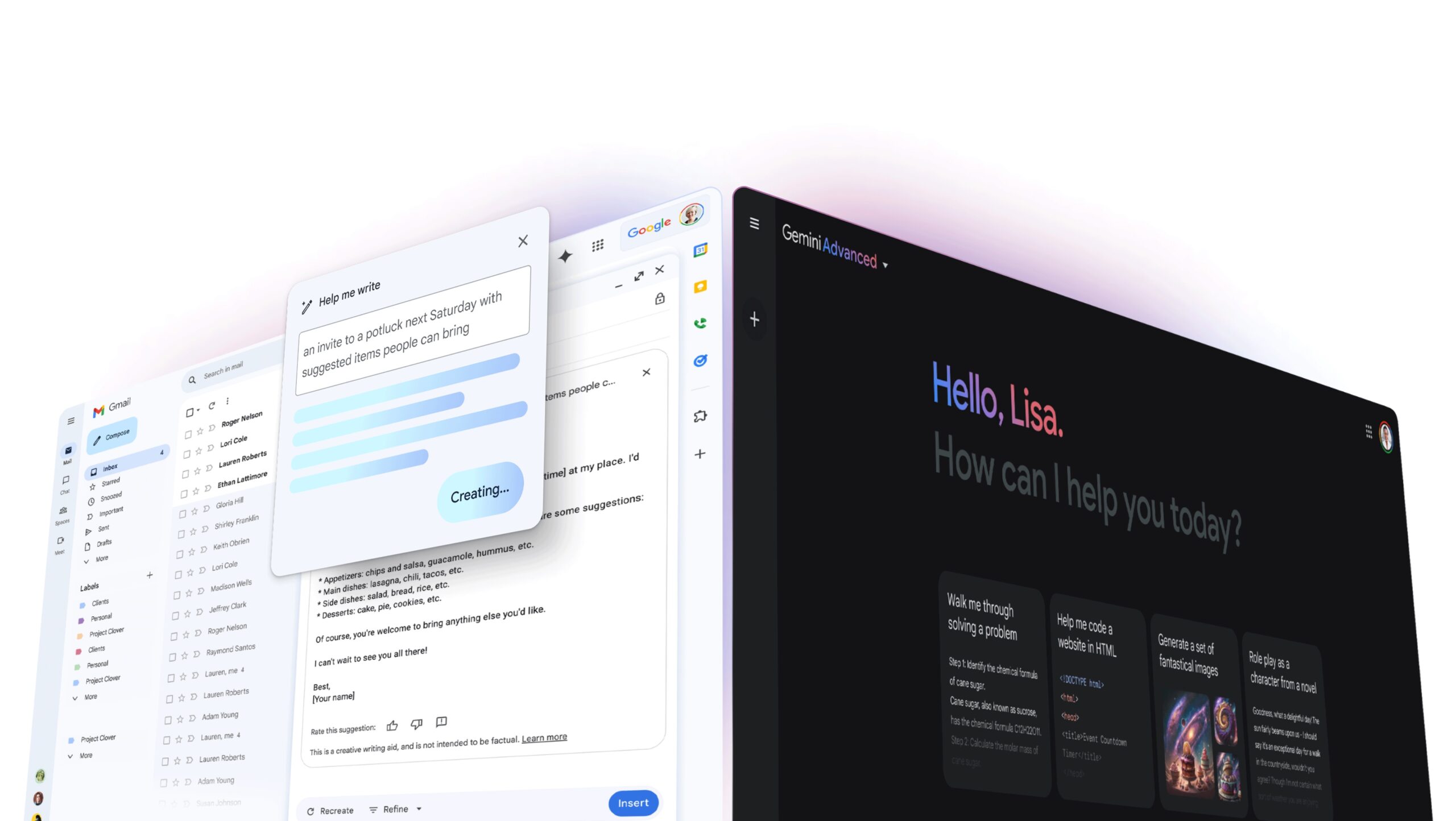
  2. Those who took the action of “opting in” had made what psychologist and author Robert Chialdini calls a micro-commitment: by taking a small action to express interest in the course they were psychologically more likely to take a bigger action than if we’d just hit them cold with a sales pitch.
  3. It allowed us to sell enthusiastically to those who had opted in, because “they signed up for it”.

I now use Taylor’s “dopamine bootcamp” for all my clients, whether they’re launching a course for the first time, or making the launch sequence evergreen.

In its evergreen incarnation, the “dopamine bootcamp” can be an autoresponder. It can even be a lead magnet (an “ethical bribe”) to attract new subscribers to your list. (Your opt-in call-to-action could say “sign up for my Free bootcamp to improve your productivity in just a week”, and require an email address in order to register.)

Course sales number

If I were making the “dopamine week” part of an onboarding sequence (a series of emails a new subscriber receives to acquaint her with your teaching before you hit her up with a sales pitch), I’d send an email like this at the end:

“You’ve felt the system work for you. But you know it’s only scratching the surface. If you’re ready to discover what the complete course can do for you, just click here.”

Finally, I’ve found from selling my own course that including extra “value” emails between and among launch-announcements increased my conversions still more. You can/should experiment with the content and timing of these emails, and it doesn’t hurt if the “value” you’re giving is related to the problem your flagship course solves.

Big takeaways from this section:

  1. Give new subscribers as much experience with your teaching (of the type you’ll cover in your course) as possible before pitching the course to them.
  2. Consider asking subscribers to make a micro-commitment just to get access to your course pitch email sequence.

Ask

I struggled over which tip to include as my third in this essay. I thought it important to mention that automating more than one launch to new subscribers nearly doubled my earnings.

So do that: for everyone who doesn’t buy at his/her first opportunity, give 3-4 weeks of valuable content, then launch again. After two opportunities, subscribers can be tagged as “seasonal launch”, and you can live-launch to them a few times per year. (You’ll need a second sales page since the timer on the first will have expired.)

But more important is the process I used to arrive at revelations like the above. And Taylor’s launch drove it home: when you’re taking a course and making it evergreen, certain things that worked in the live launch are not going to work anymore.

After Taylor and I converted launched successfully to his “warm” cohorts, we suffered a disappointing result when we tried to roll the course out to a wider audience. Eventually, we identified two primary culprits: the “dopamine” issue I discussed above, and a premature price-rise.

But whatever their cause, you need a quick-and-dirty way to identify the culprits of a low-converting course, and split testing takes time and huge data sets. A reliable-but-underutilized way to discover why people aren’t buying is to ask them.

Taylor and I used three staples that worked wonders for me in selling my own course, and which I now use with all my clients: the “why didn’t you buy” email, the “why did you buy” email, and the “why haven’t you bought yet” email.

In an evergreen sequence, you can automate the former to send a day-or-two after the cart close, to people who haven’t bought. I like to use simple, personal language:

Subject: “Can I ask you something?”

Body: “Hey Nate I noticed you checked out my course but decided not to pull the trigger. Just have to ask, was it me? 😉 In all seriousness, I don’t want anybody to join if it’s not a good fit, but I’m curious – why did you decide not to join this time around?”

Here are the responses you’re looking for:

  • I couldn’t understand exactly what was involved/I had unanswered questions. [This hints that your copy and positioning aren’t clear.]
  • I wasn’t sure it was a fit for my particular problem.
  • I never got xyz email, I couldn’t find the link to the sales page or the “buy now” button. [There will be some basic “is it plugged in” logistic issues when you’re first making a launch sequence evergreen.]

Here’s the type of response you should dig deeper on:

  • You were too “salesy”, you did something wrong from a marketing standpoint. [Dig deeper by asking if you improve the messaging if the person plans to enroll in the future – otherwise it’s likely he/she was never going to buy under any circumstances.]

And here’s the one I always regard with skepticism:

  • It was too expensive. [It’s far better to determine pricing with split tests – or just by asking for a certain price and seeing if people will pay – than with surveys. People with zero intention of buying will often cite price as an excuse.]

Noticing a theme? It’s easy to get pulled off course by responses from people who would never buy. You’re looking for responses from potential customers whom you didn’t convince, not non-customers.

No less valuable is the “why did you buy” survey. I like to ask variations of the following questions:

  • If you were on the fence, what finally convinced you it was a good fit? [Do more of this.]
  • Was there anything in the messaging that dissuaded you from buying, or made it a harder decision? [Do less of this.]

I also ask questions related to improving the product, like “If I had to remove 80% of this course and still charge the same amount, what should I take away”, and “if I had to double the price by adding just one more feature, what would it be?” Responses to these questions will help you increase the value you’re delivering, so you can raise your prices.

Finally, a wasted opportunity in an evergreen launch is a “why haven’t you bought yet” email, especially during the first few months. This accomplishes the same thing as the above emails – revealing problems with positioning/copy/proof/logistics/unanswered objections – but allows you to address them in real time, potentially salvaging a sale before it’s too late.

If you’re willing, offer to get on the phone with people, a move that both earns trust and gives you invaluable insight into how your pitch is going over.

Big takeaways from this section:

  1. Instead of guessing which elements of an evergreen funnel aren’t working, ask your subscribers, in 3 emails: “why didn’t you buy”, “why did you buy”, and “why haven’t you bought yet”.
  2. Beware of following the advice of people who were never going to buy. Instead, look for problems with positioning, proof your solution works, logistic snafus, and unanswered questions or objections.
  3. Be willing to get on the phone with your potential customers, especially early in the process.

You can make your course sales evergreen, but the tech is the easy part. The key going in is to understand that it’s going to be an inherently sloppy process of trial-and-error. You’ll have some weeks or months when you’re not sure it’s working. But keep executing on the strategies:

  • Give people time to warm up to you, and hits of “dopamine” – so they can feel your teaching working – before hitting them with a sales pitch.
  • Ask people why they bought, and why they didn’t buy, and incorporate the results into your pitch and product.
  • As your course improves, raise your prices gradually, and be honest with your subscribers that you’re raising it, to make scarcity work for you fully.

The payoff will be huge. My current course is silently earning-in-the-background, paying my bills and giving me a chance to focus on deploying what I’ve learned to help other entrepreneurs.

‍

Writing Engagement Copy for Online Communities

Software Stack Editor · January 16, 2024 ·

image

If you’ve ever been to a party where you didn’t know anyone, you’ve probably experienced the awkwardness of standing on the sidelines. Usually, what determines if you end up heading home early or sticking around is simple: whether or not someone makes an effort to invite you into the conversation. Online communities are no different. Read on for tips on how to write engagement copy for your online community.

Inviting community members into the conversation

When your members first join, they’re similar to that lone guest at a party—except sometimes, none of them know each other. As the community builder, or “host,” you can help your members get situated by being that friendly face who invites them into the fold.

This is usually done through prompts: short-form engagement copy posted by the online community builder to help set the tone and invite new voices into the conversation. There’s a bit of an art to writing engagement prompts, and in this article, we’ll break down some of the core elements that make great ones.

Use a genuine, casual tone

The tone you use when writing your blog or newsletter for your business versus texting your friends is different. Just like any medium, writing prompts will require you to hone a particular tone you’ll use when writing in that channel. This can vary depending on the context of the community, but usually a casual, conversational, and positive tone is appropriate.

If you’re an experienced writer, you may find it easy to switch between writing in different tones. If not, it can be challenging to spot the elements of writing that influence tone. Here are a couple of examples of how you can keep your writing friendly and conversational:

  • Use contractions when possible: replace “I am” with “I’m,” etc.
  • Use simple, straightforward language: replace “commence” with “start”; “utilize” with “use”
  • Write to “one person”: replace things like “I wanted to let our community members know…” with “I wanted to let you know…”

With practice, you’ll get the hang of writing in this style, and it’ll start to feel natural. Remember—this writing style should feel approachable and inviting but not immature. Avoid leaning on things like excessive emojis, exclamation marks, or informal acronyms.

Give context

Short-form engagement copy for your online community should always include some context to help members get situated before they respond. This can also help members who aren’t up to speed. Think of this as if you were chatting to someone new, and you wanted to ask them a question about a TV show you were watching. You’d first ask them if they’d seen the show. If not, you’d probably explain the plot before moving on with the conversation.

Giving context can be as simple as providing a couple of sentences of information in your own words before asking a question, or it can mean linking to a short article or video that members should look at before responding. Just remember to keep the context short—they should be able to read the post and be ready to respond within a minute or two.

Linking to long or complicated context, or introducing totally new ideas in your prompts may cause members to get lost or confused. If you find yourself wanting to do this, that could mean it’s a great candidate for a workshop or guest speaker within your community.

Include a “call to connection”

You’ve probably heard of a “CTA” or “call to action”—the button on a page or email that asks readers to take some action (like subscribing to your newsletter or buying your product) after providing valuable information. The best community engagement posts have this, but we refer to them as a “call to connection.” Basically, a call to connection is just a question you ask members to invite them into the conversation. A call to connection should specify how you would like members to respond (i.e., by commenting, creating a post, or registering for an event).

As a rule of thumb, community posts usually have a single call to connection. Many community builders make the mistake of asking members a long list of related questions in a single post. This will usually overwhelm members and cause them to lose interest. Try to pick the most relevant or engaging question, and save the others for future posts (Pro tip: Keep a spreadsheet of questions or topics you’d like to post about that you add to continuously).

Lead with value

Your goal with any engagement copy for your online community is to draw people into a conversation. But, don’t forget that the goal of engagement is to create value for your members and your business. Don’t try to to garner engagement for engagement’s sake. Many community builders accidentally fall into the trap of “stirring the pot” in their communities. Or they create controversial, “click-bait-y” prompts that may be designed to get lots of interaction, but don’t deliver actual value.

A good way to avoid this is to imagine what the thread you’re starting would look like if only five people respond. Is there enough to discuss with a small number of people? Does the prompt leave room for responses that are relevant enough that a member who doesn’t respond might find value from reading them? Using open-ended questions (like “what do you think about x?” or “how would you approach y?”) are more effective than closed questions with single answers.

{{customizecommunity-component=”/blog-shortcodes/call-to-action”}}

Annotated example

Now that we’ve explored some best practices for creating engagement prompts for your community members, let’s take a look at an example prompt for Teachable’s own community, teachable:hq. In this example, we’ll imagine the community manager is trying to start a conversation around email marketing.

Hey, teachable:hq! Happy Friday. I wanted to start a conversation about something I hear you talking about a lot here: email marketing. Email marketing is a really important way to build an audience for your online course and help them get to know you before you try to sell anything, but it can be hard to get subscribers.

A strategy I know a lot of you use is lead magnets (or, giving something valuable away for free in exchange for an email address). Today I wanted to ask you to share your most popular lead magnet in the comments (plus, why you think it’s so successful). Excited to read through these and see what patterns emerge!  

Let’s break down this example a bit:

  • Casual tone, simple language, contractions where possible, and addresses a single reader
  • Shares context that explains what “email marketing” and “lead magnets” are to any readers who may not know
  • Clearly invites members into the conversation, and gives them one single action to take (share their most popular lead magnet and explain why they think it worked), and explains where/how (in the comments)
  • Valuable even to those who don’t respond. It’s easy to imagine some readers may not yet have a lead magnet or email list, but they’ll still gain value from reading the responses of those who do.

Final thoughts

Now that we’ve walked through how to create effective engagement copy for your online community, you may be wondering how often you should be posting things like this. The answer is a bit flexible—it depends on how frequently you want members to visit your community. Usually, especially near the inception of a new community, your posting cadence should mirror the habit you want your new members to build.

However, before you assume that every community wants members to visit daily, return to what we learned about leading with value. Don’t just focus on garnering a high volume of engagement for its own sake. Instead, think about what type of engagement style will add the most value.

There are many scenarios where a community’s membership may be extremely busy. In this case, it might be helpful to assume they’ll visit the community once a week. On the other hand, some communities require daily practice of a new skill, where you might expect members to visit more often.

Engage with intention

Overall, it may be helpful to keep in mind that it’s absolutely OK to take breaks from your posting schedule. Most communities display noticeable seasonality in their engagement patterns. For example, they’ll tend to slow down during the summer or around the holidays.

As a community leader, letting your members know you’re taking a break to recharge with your family, and encouraging them to do the same can actually be a powerful way to build trust and a genuine connection with them. “Always on” isn’t realistic for anyone, and our communities should reflect that.

Lastly, it’s important to keep in mind that every prompt you create is a small test that can help you learn more about what resonate with your community. If you do these multiple times a week, you can learn a lot. In addition to these practices, you’ll also be testing what topics interest them. This could give you some great, pre-validated ideas for your next course launch. Good luck, and happy engaging!

Different Types of Online Communities & Strategies

Software Stack Editor · January 16, 2024 ·

There are many different types of online communities to consider to support your business. We believe in the value of community so much at Teachable that we just launched an online community option to incorporate into your business. And established companies like Atlassian, Salesforce, and ConvertKit have long invested in popular online communities, too.

While online communities supporting businesses are hardly new, in recent years, factors like cultural fatigue from traditional broadcast marketing, more businesses focused on mirco-niches, and yes, a global pandemic, have ushered in a renewed focus on building online communities for brands big and small. Especially in the creator economy space, communities have gone from a nice-to-have add on to a central part of many businesses.

That’s exactly why we’ve built a new way to create meaningful connections between your students (and them with you) with our community product. Now you can build an online community for your students alongside your courses, coaching, digital downloads, and memberships and support your business in a brand new way.

{{buildconnection-component=”/blog-shortcodes/call-to-action”}}

A community for all

Communities show up in a number of different ways. And each can be different depending on the outcome, audience, and goal. One might look like professional communities that connect people by industry or offer networking opportunities. One could also be a social community to encourage connection and widen social networks. Meanwhile, a customer community or brand community unites people through a shared emotional connection to a brand identity.

Creating a community keeps your audience engaged in between launches. It offers a sounding board for testing new ideas and offerings and adds value to existing offerings by helping your students find solutions with community leaders or members.

Creating a sense of community can be achieved within social media platforms by starting a group and posting engaging content. Before you create a community, it’s essential to find the right community platform that works for you and is accessible for your students.

Because of the potential size and breadth of a new community project, for creators considering starting one, it’s helpful to choose a specific strategy you can rely on to maintain focus and optimize your results. Here, we’ll be walking you through four different types of online communities that are effective for business owners operating in the creator economy space.

Online communities: From buzz-word to big reward

Before we dive into strategies, let’s establish some common language. Community can mean a lot of things. We can use it to talk about our neighborhood, our hobbies or common interests, and our identities. Brands use this word in multiple ways, too—especially lately, as it’s become a buzzier topic.

Sometimes when brands talk about “their community,” they’re talking about something concrete, and sometimes they’re referring to their audience more broadly. Neither is exactly right nor wrong (and there’s a lot that’s already been said on this topic), but for now, let’s just say: When we talk about communities, we’re talking about a concrete space you create for your members to interact with each other. (If you’re interested in digging deeper into this topic, The Community Club’s Capital C Framework for communities is helpful).

Getting specific about language is important not because it draws lines around what is and isn’t a “real” community, but because it lets us choose the right strategies to suit our use case. But, getting tactical enables us to measure things. Measuring things allows us to optimize our efforts. And optimizing our efforts is what ultimately yields rewards.

Different types of communities

In the community world, experts break down different types of communities in a couple of ways. First, they look at if a community enhances a product (i.e., community members get access by being a customer or audience member) or if a community is the product (i.e., customers pay to access the community, and it’s where the core value lives).

Next, they often look at purpose—what communities offer. A popular way to break this down is to compare a support or product community (i.e., a place where members can ask an expert questions) to a community of practice (i.e., a place where members build skills together).

For the creator economy space, most communities are going to be a variation on the community as a product model. They’ll become a part of your core offering—a part of the value you charge for when you sell information. Similarly, most creator economy communities will also be communities of practice. We’ll dive a bit deeper into the different types of online communities than these two dichotomies to give you four examples of some of the most popular kinds of community within the space.

Communities that let students practice skills and get feedback

Many creators report that while students join their courses with the best of intentions to learn a new skill, it can be challenging to maintain the dedication to actually practice. What’s more, even with the best instructional content, students can sometimes get stuck and need personalized feedback to progress.

This poses a couple of challenges for course creators. First, because feedback requires personalized attention to a unique problem versus broad advice on common problems, it’s really hard to scale. This type of community structure—one that’s optimized to allow students to practice skills and get feedback from one another—can address this challenge.

Second, many business owners find they’re able to build a more sustainable business when they build multiple things for the same small group of people (like an introductory course and then a more advanced course) versus relying on bringing in new customers in order to grow.

With a community of feedback and practice, you can ensure that your students are successful enough that they’re primed to continue learning. Try bringing in other experts in your focus area for feedback residencies or set up a mentorship program to connect advanced students with beginners.

Who it’s for:

  • Creators who teach physical or creative skills (like art, music, or writing) that are usually developed through practice in social settings
  • Those who want to create and sell multiple “levels” of courses to a small audience
  • Creators who want to scale “feedback” as they grow

Who’s doing it well:

  • Tomlin Leckie of tomlinharmonicalessons.com
  • No-code product development community Makerpad (This is an example of community as standalone product—they were recently acquired by automations tool Zapier.)

What to measure: Look for increased course completions and repeat purchases from the same customers at multiple levels

Communities that give real-time structure to a self-paced experience

Suppose you have a really awesome, evergreen course. But, you find students simply have a better experience going through it (and are more likely to finish) when you help hold them accountable.

Building a community element into your course is a great way to instantly transform it from a self-paced, evergreen course to a cohort-based-course.

Try simple things like posting progress checks-in the community, doing an end-of-week live Q&A, or starting feedback threads for independent work to add a sense of structure to an otherwise pre-recorded course.

As a bonus: Cohort-based courses have a higher perceived price point than do self-paced courses, so this is a great opportunity to update your prices accordingly.

Who it’s for:

  • Creators who want to raise the value of an existing evergreen course
  • Creators who want to increase the likelihood their students will finish courses

Who’s doing it well:

What to measure: Increased course completions; the ability to charge at a higher price point. Note: We recommend doing some user research before launching your new price to hone in on perceived value by adding a community.

Communities that let you access an expert

While some of the previous community examples we looked at may be beneficial for a creator’s entire student base, some creators also use communities as a way to create exclusive, “inner circle” access to a specific expert. This is especially true for businesses that center around a specific person more than a specific subject matter.

In these scenarios, creators may be looking to scale their ability to have close relationships with students, while still maintaining community as a top tier, exclusive offering that expands possible price points above and beyond what’s possible for a single, standalone course purchase. Try running mastermind calls or other real-time offerings that expand access to the expert.

Who it’s for:

  • Consultants or any creators whose main value prop is direct access to their expertise
  • Creators who are interested in offering multiple access tiers or adding community as a private, exclusive-access add-on to a course

Who’s doing it well:

  • The Smart Passive Income (SPI) Community

What to measure: Conversions to a higher access tier; monthly recurring revenue between stand-alone course purchases (if using a subscription model)

Communities that add value between launches

There’s no feeling like running a successful launch for a new course or product. Especially for full-time creators relying on course sales as a stable course of income, the launch paradigm can make it hard to predict your income between launches. But, that doesn’t mean you have nothing to offer your students in between major new course launches.

Some creators use an additional subscription to their community to continuously provide value to their students in between major drops of new content—and to provide themselves with a steadier source of income.

Try using your community as a testing ground for new content as you develop your next big product. Monthly workshops, exclusive guides, or challenges are great content styles to test out.

Who it’s for:

  • Those looking to create a more stable source of income in between major launches
  • Creators who are trying to transition from just one or two courses to a membership or marketplace model with lots of courses
  • Creators who want a place to test and validate content before devoting time to developing a whole course

Who’s doing it well:

What to measure: Monthly recurring revenue, the effectiveness and popularity of content you launch in community as you develop new courses

And as always remember: A strong community strategy can help take your online course business to new heights.

FAQs

What are examples of online communities?

Some examples of online communities include a professional community that connects people by industry and/or offers networking opportunities; a social community to encourage connection and widen social networks; and a customer community or brand community that unites people through a shared emotional connection to a brand identity.

What are the best online communities?

The best online communities help their members find solutions and meet the needs of the community. Communities add value to your existing offerings, while keeping your audience engaged in between launches.

How do you find online communities?

While online communities supporting businesses are hardly new, in recent years, factors like cultural fatigue from traditional broadcast marketing, more businesses focused on mirco-niches, and yes, a global pandemic, have ushered in a renewed focus on building online communities for brands big and small. Especially in the creator economy space, communities have gone from a nice-to-have add on to a central part of many businesses. This means you can find them on social media, hosted by some of your favorite brands or leaders, professional associations, and more.

Want more on community? Whatever model you do choose, if you’re looking to create a customized community launch framework (everything from choosing software to activating your members), Noele has got you covered there, too. Her lean community launch framework is a great way to strategize for a new community, even if you have a small team—or even a team of one.

  • « Go to Previous Page
  • Page 1
  • Interim pages omitted …
  • Page 5
  • Page 6
  • Page 7
  • Page 8
  • Go to Next Page »

Get your Software Stack together. softwarestack.tech

Software Stack

© 2024–2026 - Software Stack is a trading name of SouthwestCIO Limited ac ompany registered in England & Wales 11319049

  • Knowledgebase
  • Home
  • About Us
  • Contact Us