• Skip to primary navigation
  • Skip to main content
software stack logo

Software Stack

Get your Software Stack together

  • Knowledgebase
    • All Categories
    • Accounting Software
    • Automation & Workflow Software
    • Customer Relationship Management
    • E-Commerce Shopfronts & Payments
    • Marketing Automation
    • Online Courses & Membership
    • Project Management
    • Surveys & Forms
    • Web Hosting
  • Home
  • About Us
  • Contact Us
  • Show Search
Hide Search

Teachable

Top AI video editing tools for content creators in 2025

Software Stack Editor · October 16, 2024 ·

It’s been interesting to watch AI change the video editing industry over the last year. With video content demand growing and it being the most popular and in-demand type of content across many different platforms, optimizing your video creation and editing process has never been more crucial. That’s where AI and AI video tools come in handy.

From speeding up the editing process to helping you produce high-quality videos with less effort and smaller budgets, AI video editing tools can be a huge help. Automating time-consuming tasks like cutting clips, color correcting, and adding subtitles with AI leaves much more time and capacity for you to focus on the bigger picture and the creative part of video creation.

Whether you’re a video editing novice or a seasoned pro, integrating AI video editing tools into your workflow can offer great benefits and help elevate your video creation game to the next level. So, let’s talk about the best AI tools for creators and how to utilize them to enhance your content creation.

AI in video editing

So, what exactly are AI video editing tools, and how does AI come into play when it comes to editing videos? Well, AI video editing involves using machine learning in video production to make the whole process easier, faster, and, in some cases, more affordable. Instead of doing all the video enhancing and tweaking by yourself, you outsource it to AI to do the heavy lifting.

While AI is not yet advanced enough to do the whole video editing process for you, it still has plenty of useful tools to make the video editing process easier. For example, auto-cutting can help trim unnecessary footage, saving you hours of time. Another feature is color correction, where AI balances the color, lighting, shadow, and other visual aspects of the video so it looks consistent overall. But that’s not all – you can use AI for transcription, removing video backgrounds, adding transitions, and much more.

Using AI in your video editing workflow has some major perks. It can save you hours of time, speed up repetitive tasks, and help your videos look more professional and high quality. Also, certain AI video editors have features like adding captions or even offering video translations, which can elevate your video content and help add more value to your content at no extra cost.

Top AI video editing tools for content creators

If you’re looking for the best AI video editor to help you enhance your video editing workflow, here are five tools you want to check out:

1. Descript
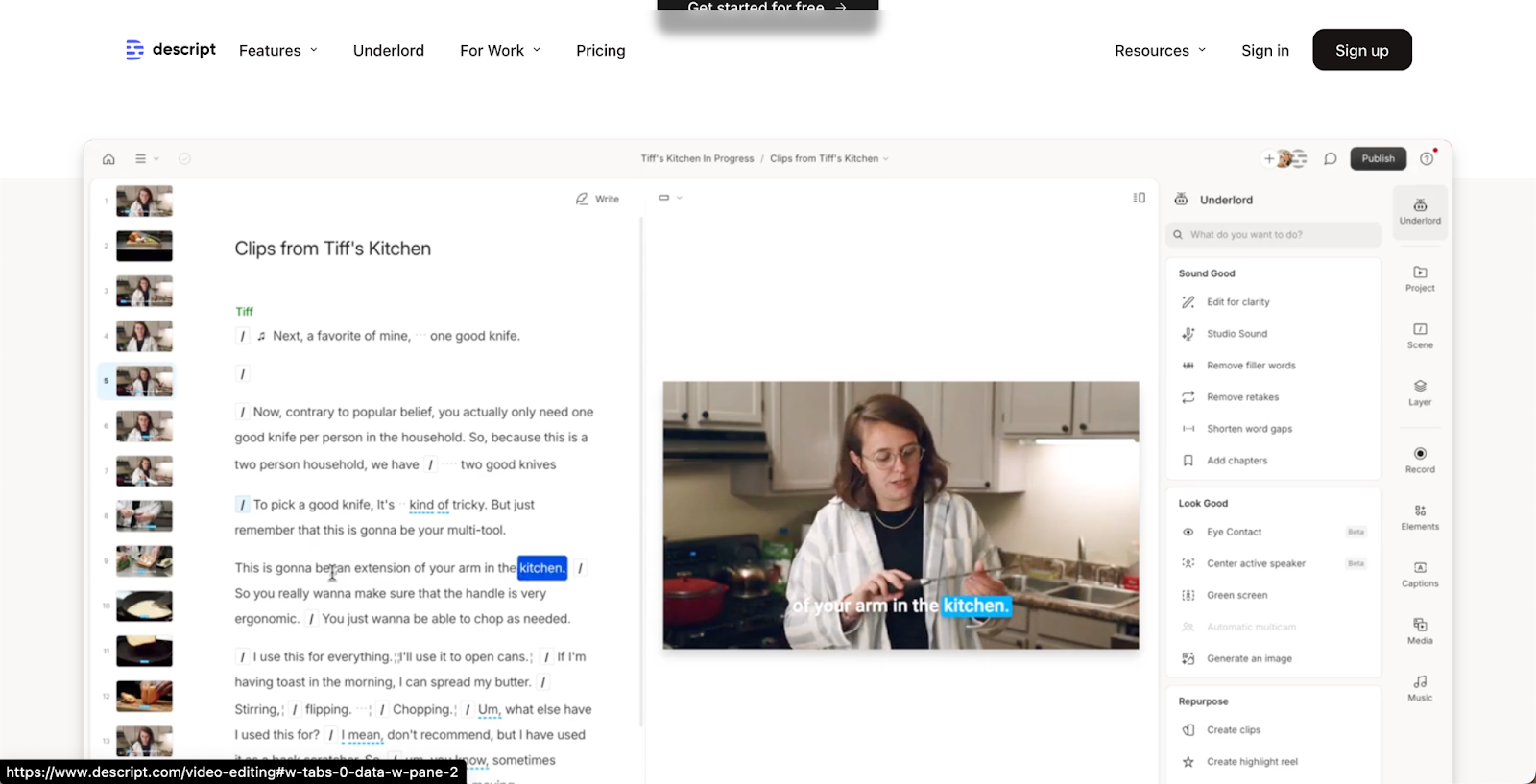
Visual of Descript AI video tool webpage

‍

Best for: Automated editing and content repurposing.

Key features:

  • Text-based editing: One of the most unique and best video SEO optimization tools that Descript has is text-based video editing. You can edit the video by editing the transcript, which allows you to work efficiently, even if you’re a beginner. Plus, it’s much easier to leave important keywords inside the video if you aim to optimize for SEO.
  • Overdub: The editor has advanced video content analysis, which allows you to generate a text-to-speech version of your voice so you can add or replace audio without having to re-record it.
  • Automated video resizing: You can change the size of your video automatically to fit different platforms.
  • Multi-track editing: This enables you to edit multiple audio and video tracks simultaneously, which is great for more complex projects.

Pricing:

  • Free Plan: The basic plan offers some of the features for free but has watermarks on exports.
  • Creator Plan: $15/month if billed annually. Otherwise $20/month for 10 hours of video.
  • Pro Plan: $30 per month if billed annually. Otherwise $40/month for 30 hours of video.

2. Runway ML

Best for: Enhancing video quality and effects.

Key features:

  • Motion tracking: One of the most advanced video editing AI technology that automatically detects and tracks objects in videos.
  • Text-to-image: AI-assisted video storytelling has never been easier because you can easily add missing creative videos with written AI prompts.
  • Green screen: One of the most useful AI-generated video effects for online course creators that allows them to remove the background and change it without needing the physical green screen during recording.
  • Integrated asset library: You have access to high-quality stock images, videos, and other creative assets that can be easily integrated into your projects.

Pricing:

  • Free Plan: You get three projects per month with limited access to video editing tools and an asset library for free.
  • Pro Plan: $28 per month (billed annually) / $35 monthly for unlimited projects and full access to all video editing tools and asset library.

3. Fliki
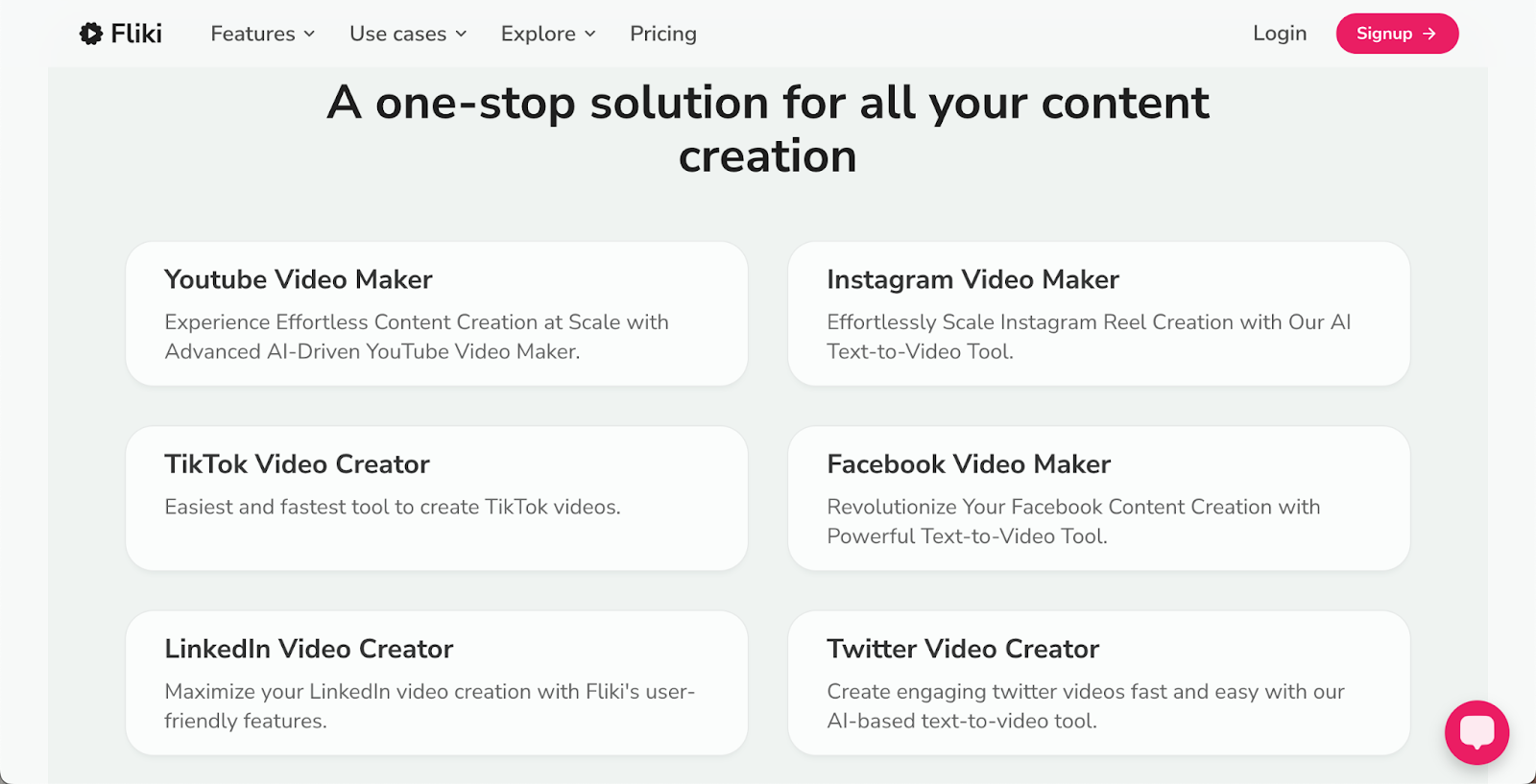
Best for: Social media video creation.

Key features:

  • Text-to-video: One of the most versatile video content repurposing tools that allows you to convert blog posts, scripts, and any other text into engaging videos.
  • AI-powered voiceovers: Select from over 900 realistic AI voices in more than 75 languages when doing voiceovers for your videos.
  • Script-based editing: You can edit videos by editing the text script, which is great for quick trims and SEO optimization.
  • Customizable visuals: With the asset library, you can create engaging videos for different social media platforms with just a few clicks.

Pricing:

  • Free Plan: You get 5 minutes of content creation per month with limited video editing tools for free.
  • Basic Plan: For $6/month, you get 120 minutes of content creation and access to some video editing tools.
  • Standard Plan: For $21/month, you get 300 minutes of content creation and access to all the features.
  • Premium Plan: For $66/month, you get 1200 minutes of content creation and access to all features.

4. Wondershare Filmora
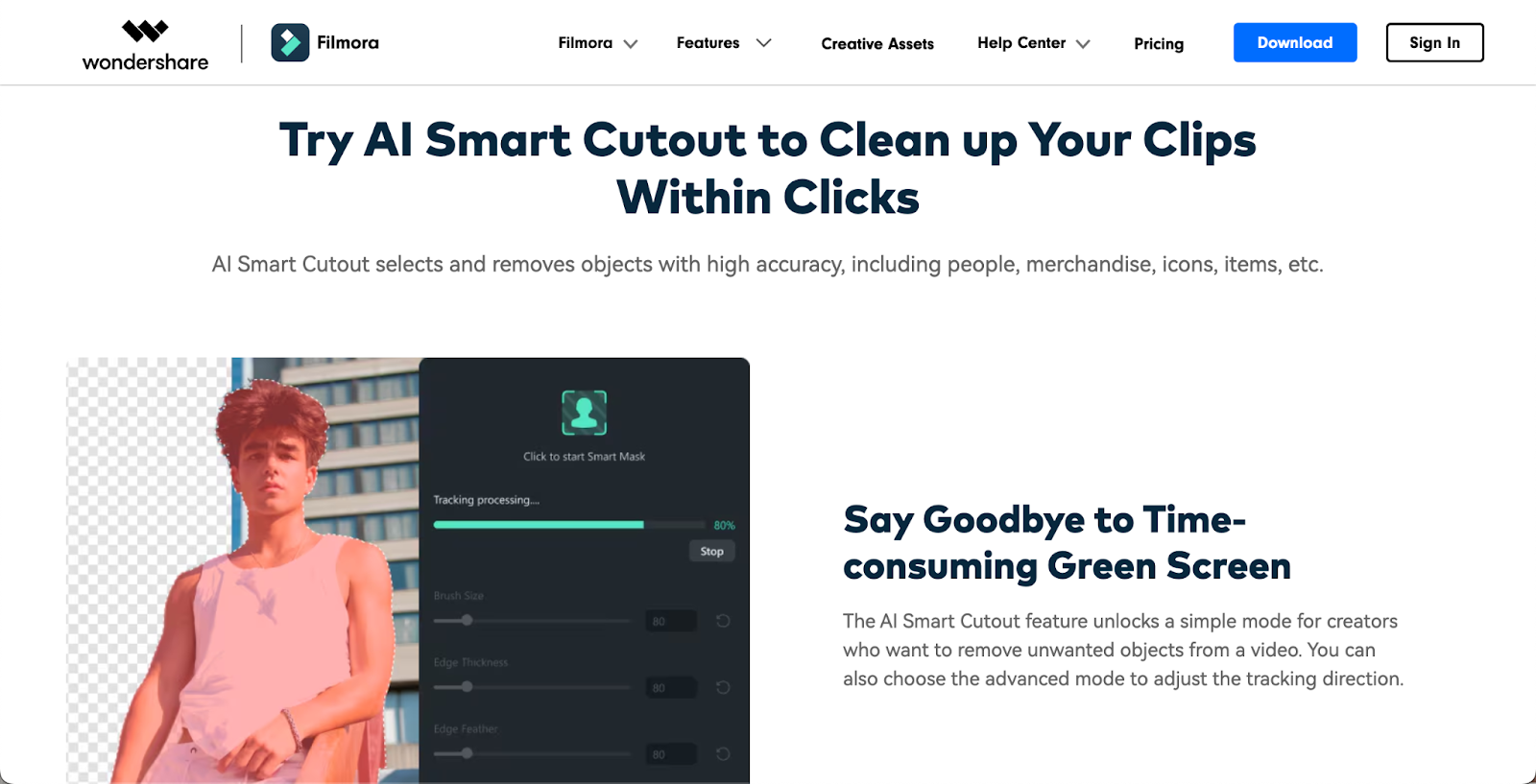
Best for: Long-form video content and courses.

Key features:

  • Automated video editing: Offers intuitive drag-and-drop interface to make video editing as simple and automated as possible, which is perfect for beginners.
  • Automated video thumbnail creation: The AI-powered feature allows you to generate an engaging thumbnail for your videos with just a few clicks.
  • AI Portrait: With facial recognition in video editing, this feature automatically detects and removes backgrounds without needing a green screen.
  • Built-in effects library: You can access a wide range of automated video transitions, filters, overlays, and other assets to enhance your videos.

Pricing:

  • Free Plan: You get access to all video editing features for free, but exported videos have watermarks.
  • Annual Plan: For $49.99/ year, you get access to all video editing features, and exported videos have no watermarks.
  • Perpetual Plan: One-time payment of $79.99 gives you access to all video editing tools and asset library without access to future upgrades.

5. VEED.IO
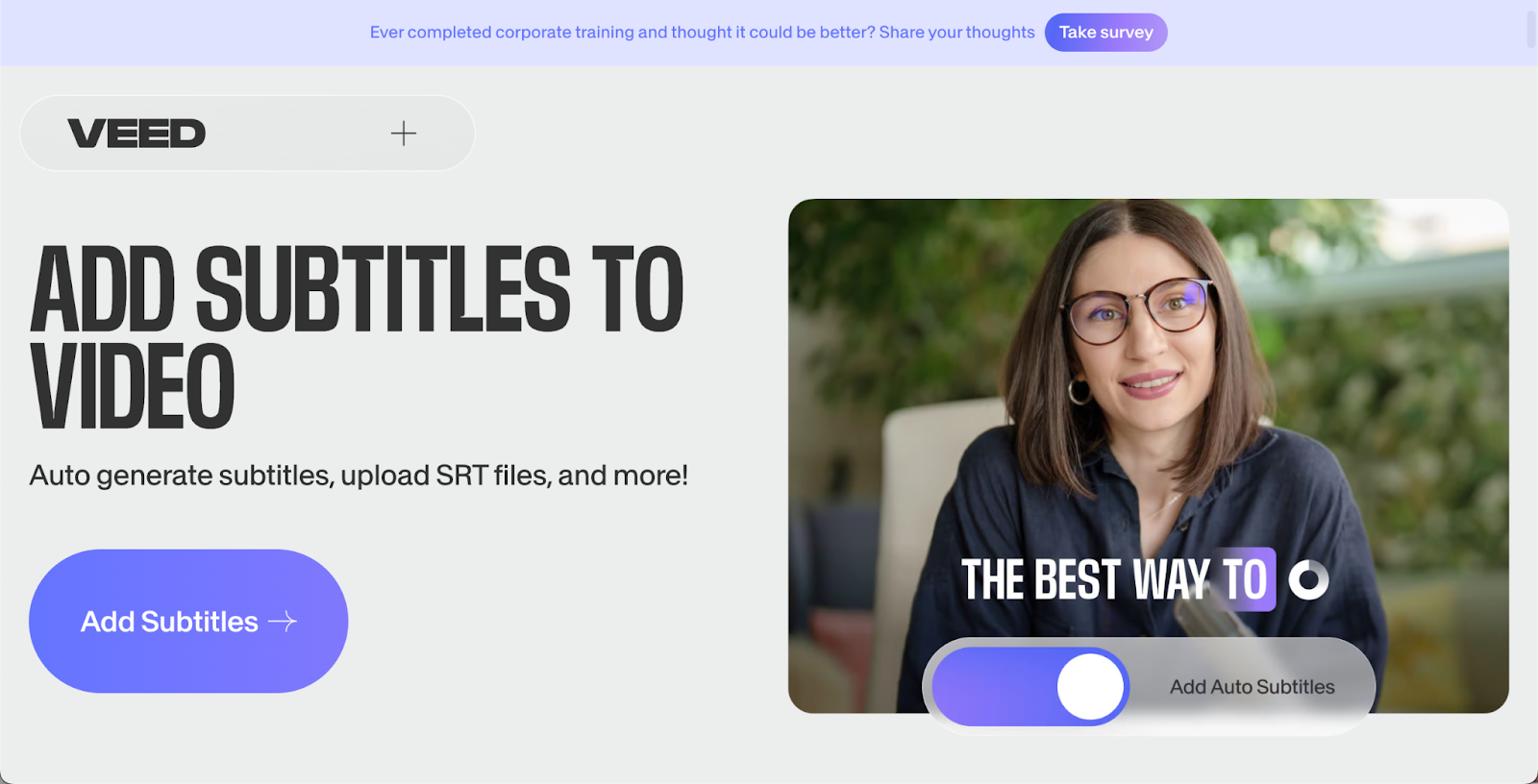
Best for: Subtitle generation and localization.

Key features:

  • Online editing: No need to download an app, you can edit your videos directly in your browser.
  • Auto-subtitle generation: You can automatically generate subtitles for your videos.
  • Video translation: You can easily translate your subtitles into multiple languages.
  • Chapters: Add chapters to your videos which can be useful for long-form content.
  • AI-powered audio enhancement: Features like background noise removal, automatic captioning, and more help you greatly improve the quality of the videos while editing.

Pricing:

  • Free Plan: You get 10 minutes of video export per month and limited access to editing tools for free.
  • Basic Plan: For $18/month, you get 25 minutes of video exports and access to some editing tools.
  • Pro Plan: For $30/month, you get 2 hours of video expert per month and full access to premium editing tools.
  • Business Plan: For $59/month, you get unlimited video exports and full access to premium editing tools.

AI video editing tools for specific needs

If you’re looking for an AI-powered video editing tool to fit your specific needs, look no further:

AI tools for mobile video editing: CapCut
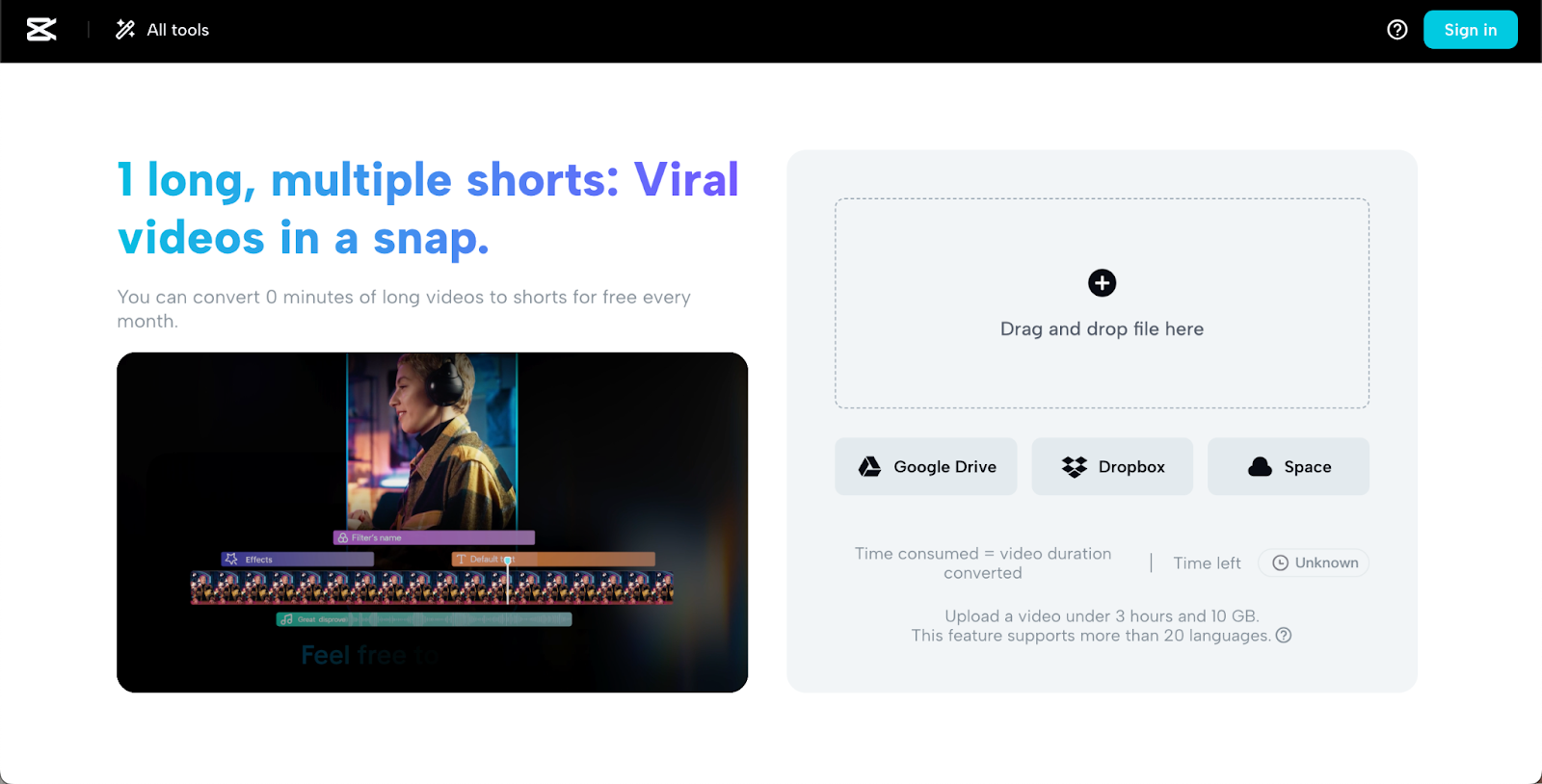
Key features:

  • AI video enhancement: Choose from a variety of automatic tools to visually enhance your videos with transitions, special effects, and other creative visuals.
  • AI video stabilization: Easily turn a shaky video into a stable one with an AI-powered automatic feature to enhance the quality.
  • AI scene detection: You can automatically apply a preset to your videos that correct the footage.
  • Multi-platform support: You can edit your videos not only on your phone but on your computer, too.

Pricing:

  • Free Plan: You get full access to all basic features for free.
  • Pro Plan: For $7.99/month, you get access to all premium features and unlimited cloud storage.

Cloud-based AI video editing platforms: WeVideo
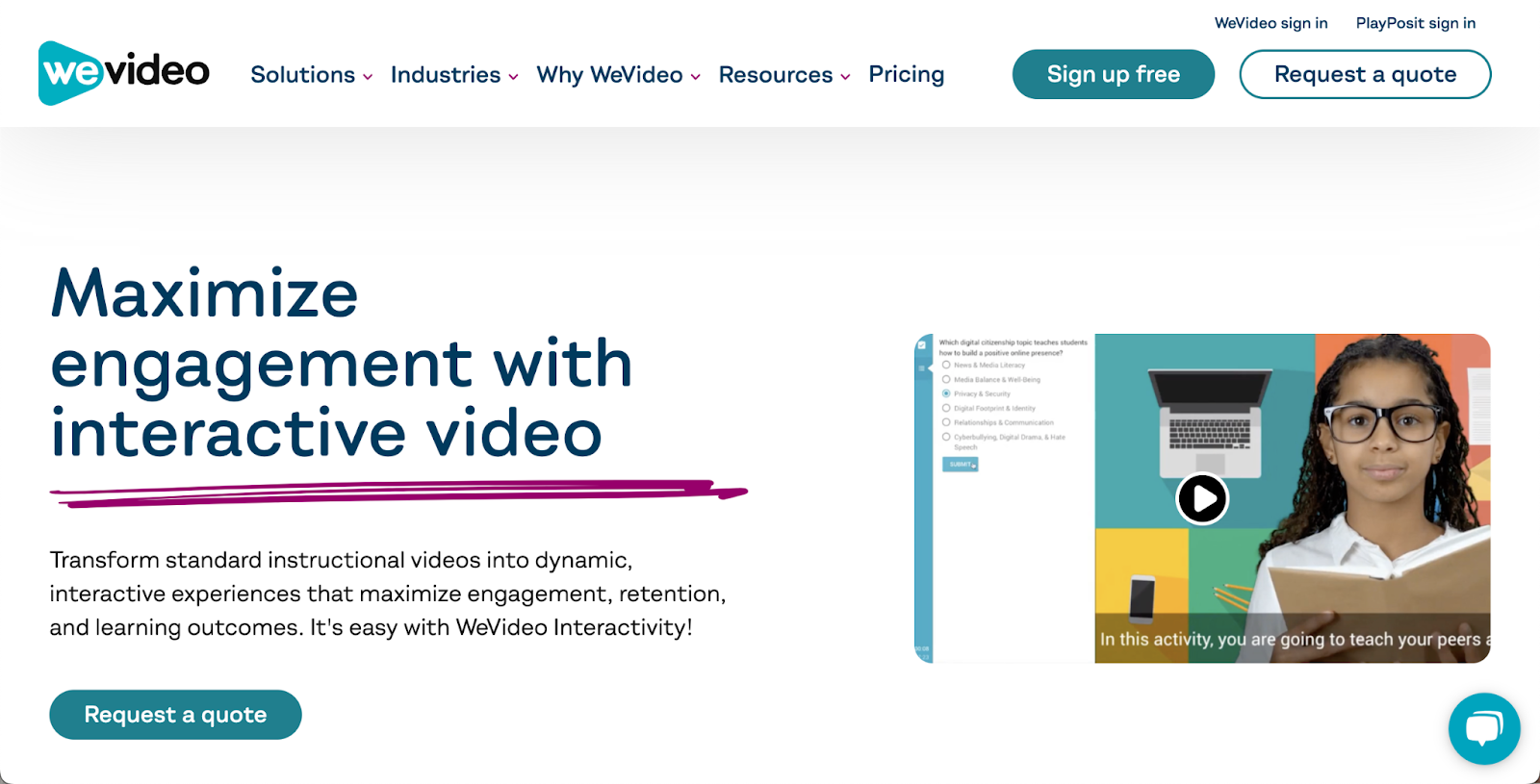
Key features:

  • Cloud-based editing: You can edit videos from anywhere, making it easy to collaborate on projects or works across different devices without losing progress.
  • User-friendly interface: With the easy drag-and-drop editor, users of all experience levels can easily edit videos.
  • Multi-track editing: You can edit multiple video and audio tracks simultaneously, which is great for more complex projects.
  • Green screen: Automatically remove backgrounds and remove them with custom images.

Pricing:

  • Free Plan: You get 1 GB of cloud storage and limited access to editing tools for free.
  • Premium plans start at $4.99/month.

AI video editors for beginners: Clipchamp

Key features:

  • Browser-based: You can edit from your browser directly; no need to download an app or software.
  • Automated subtitles and captions: Easily generate subtitles for your videos to make your videos more accessible to people.
  • AI video templates: You can access a variety of templates for social media, business, and other types of projects, which makes it one of the best automated video editing software.

Pricing:

  • Free Plan: You get unlimited exports and access to basic video editing tools.
  • Essentials Plan: For $11.99/month, you get unlimited experts and access to premium editing tools and an asset library.  

Professional-grade AI video editing software: Adobe Premiere Pro with Adobe Sensei AI
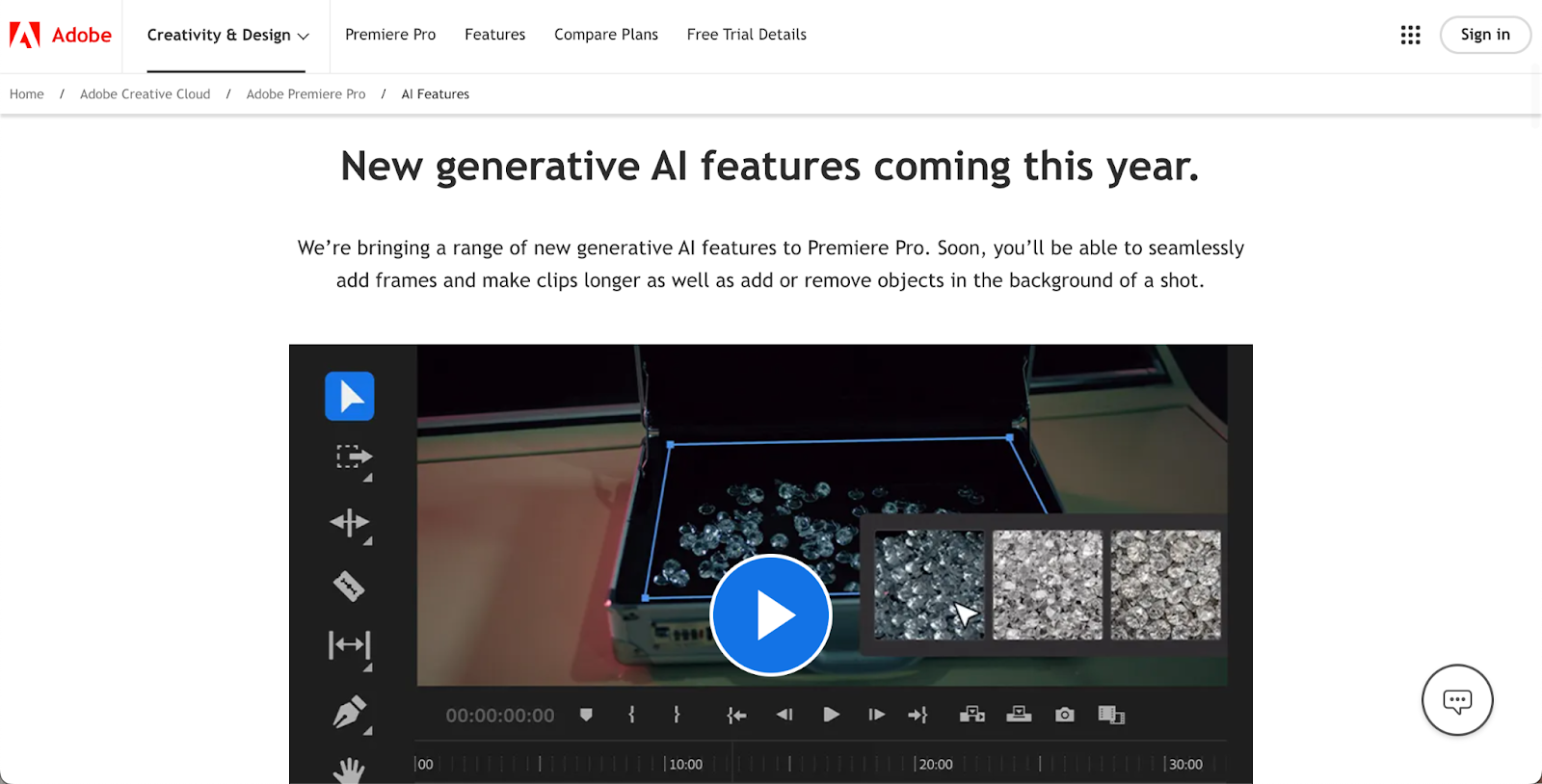
Key features:

  • Advanced video editing: If you’re a seasoned pro, this software will offer the best video editing tools to allow you to create complex, professional videos.
  • AI-powered color correction: AI helps to match the color of different clips to ensure an overall cohesive look.
  • Intelligent video cropping: Allows you to reframe the videos for different aspect ratios.

Pricing:

  • No Free Plan is available.
  • Premium Plans start at $19.99/month.

Integrating AI video editing tools into your workflow

While AI-powered video editing tools can be a real powerhouse, it might take some time for you to find the best way to integrate it into your workflow so it complements your creative process. So, how can you do it in the most efficient way?

The first thing you want to do is review your current process and see which areas and tasks could be outsourced to AI. For example, you might want to automate video production tasks like auto-cutting, color correction, adding subtitles, transcribing videos, and adding voiceovers. These are important manual tasks that don’t require much creative input from you.

Once you know what video editing tasks you want to offload to the AI tool, start small. First, start by automating one or two similar tasks with the AI video tool of your choice and see if you like it. If it works, then move on to the next task until you have your whole new video editing flow in place.

It’s important to balance your creative vision with AI. You want your content and videos to still have your unique style and flair. At the end of the day, that’s what makes your content different from other content out there and why your audience chooses to support you and not other content creators.

How do you maintain the balance? It’s pretty simple. Outsource boring, manual tasks to AI to help you speed up the process while you take on the role of a “Creative Director,” review the video at the end, and manually fine-tune the details to add a personal touch.

Overcoming common challenges with AI video editing

If you’re worried about using AI video tools to help you edit your videos, know that you’re not alone. One of the most common concerns creators have is losing creative control over their videos or feeling like their videos might lack originality if they rely on AI video editing tools too much.

It’s very easy to avoid this if you view AI as a helpful assistant in your work rather than your replacement. You’re the one in control of your video creation process at the end of the day, and as long as you infuse the videos with your unique ideas, they will be original.

Another common obstacle creators face is consistent branding across their videos. You always want your videos to be on brand and aligned with the rest of your content. So, to ensure the AI video editing doesn’t interfere with that always set the parameters within the AI tools to help you be consistent.

For example, you can create custom presets for color grading and correction so that every video uses the same color palette. The same goes for fonts or sounds you use in your videos. Even video enhancements like transitions from one clip to another can be set so that such small details in your videos are always consistent.

To ensure you’re always up to date with the never-ending changes in AI technology, always keep an eye out for new features and tutorials on how to integrate them into your workflow. While not every new feature will be useful for you, it’s good to keep an open mind.

The future of AI in video production

The future of AI-powered video production is exciting and evolving rapidly. We see emerging trends of advanced science generation where AI video editing tools can create entire video scenes from text prompts or AI video personalization where you can tailor each video to individual viewers. They’re game-changing, and it’s only the beginning.

There is no doubt that with all the advancements, AI will make video content creation at the highest quality much faster and more accessible to everyone, from small indie creators to professional video production studios.

While you might see many doomsday predictions that say that AI will soon completely replace humans in video editing, that’s the accurate representation of reality. With all the new advancements, we’ll see more collaboration between human creativity and AI capabilities to create outstanding videos. So, if you want to be ahead of the game, keep your eyes and mind open for all the new, exciting changes that are coming in the near future.

Leveraging AI video editing tools for course creation on Teachable

If you’re a content creator with an online course business, then you’ll want to leverage AI video editing tools to help you deliver professional, engaging content with less effort and faster. AI video editing tools can help you create more engaging video learning material for your students that will help them learn better.

Because you, as an online course creator, wear many hats, using AI to help you speed up your video editing process is invaluable. By saving time on video production, you can have more time to work on other parts of your business. The same goes for marketing. AI-assisted video marketing can be a lifesaver because it helps you create marketing material for your online course faster without losing quality.

Use AI video editing tools to help maintain consistent quality across your courses. Create presets for your brand’s colors, fonts, sounds, and subtitles, and use these whenever you edit a course learning material video. This way, every video will be consistent, professional, and cohesive.

Conclusion

AI video editing tools can offer so many great benefits to every content course creator. From saving you tons of time on repetitive tasks to helping you create interactive, engaging videos that your students absolutely love, AI can be a trusty assistant in your creative workflow.

With many different tools available offering a variety of features tailored for content creators, entrepreneurs, and seasoned video editing pros, it might require some time and experimentation for you to find the tool and the workflow that works the best. So, keep an open mind and be patient. It’ll be worth it in the end.

Always remember that AI tools are only there to help and assist with repetitive, manual tasks. The heart of every video you create is your unique style and creative mind. Combining both and finding balance is the key to mastering AI video editing tools to help you enhance your online course business. 

How to Use Analytics to Increase Your Course Sales

Software Stack Editor · September 16, 2024 ·

image

When it comes to running an online course, the key to sales success isn’t just about having incredible content and a website packed with all the bells and whistles. It’s about making smart, data-driven decisions that actually impact your bottom line. 

The best way to do that is to start understanding your analytics, because every click and scroll that your audience is making (both on your website and in the search for your topic) is packed with information that you can use. 

And this information is definitely valuable; in fact, the market for predictive analytics software was valued at $5.29 billion USD in 2020… and is forecasted to grow to $41.52 billion USD by 2028. 🤯 Predictive analytics are used to analyze consumer behavior, meaning these analytics are literally the way to peer into how and why consumers buy what they buy. 

This data could mean the difference between an online course that’s struggling to connect with their target market, and one that’s deluged with buyers like a traveler standing underneath a waterfall in Bali. Not utilizing analytics data to the fullest could mean tons of missed opportunities to tailor your marketing strategies and course content in a way that resonates with your target audience. 

If you’re using Teachable to host your online course, you’ve got access to a suite of analytics tools that can convert data into insights you can take action on. But even if you aren’t using Teachable, there are still tons of ways you can leverage analytics data. So in this guide, we’re going to show you how to use analytics to connect with prospective students and add a jolt of analytical energy to your course marketing strategy.⚡

Understanding the analytics that matter for course sales

First things first, let’s talk metrics. Not all numbers are created equal; for example, there are vanity metrics that look nice on paper, and then there are the actionable metrics that can really help move the needle. Actionable metrics directly affect your strategic decisions (like adjustments in marketing or course content), while vanity metrics might look impressive but offer less insight into how to improve performance.

You’ll get the most bang for your buck by focusing on the metrics that directly impact your business outcomes. Key performance indicators (KPIs) like conversion rates, student engagement, and course completion rates provide a quantifiable measure of your course’s performance, and can help you pinpoint what attracts students, what keeps them engaged, and where improvements can be made. 

For instance, Teachable’s analytics dashboard tracks real-time data on how your courses are performing. Which videos are being replayed? Where are your students dropping off? What videos elicit more student questions than others? You can see it all in the easy-to-use (and easy-to-understand) dashboard, giving you streamlined insight on sales trends, student progress, engagement, and more. 

Related: Google Analytics for beginners: How to use it for your business

Essential metrics to track for course sales optimization

Okay, so, you’ve got data… now what? Let’s break down the metrics that you should be watching so you can optimize your courses for better sales performance:

  • Conversion rates: The percentage of visitors who turn into paying students; high conversion rates mean your marketing and course landing pages are effective. 
  • Customer acquisition cost: Track how much it costs to attract each student, so you can optimize marketing spend and strategy, and maintain an accurate budget.
  • Student engagement rates: Are your students just clicking through, or are they really learning? High engagement often translates to higher satisfaction, better reviews, and upselling opportunities.
  • Completion rates: Measures the percentage of students who finish your courses, a direct indicator of course effectiveness and student satisfaction.
  • Revenue per student: Understanding revenue per student can help tailor marketing strategies to increase this value over time.
  • Churn rate: The rate at which students stop engaging with your courses, providing insights into the long-term value of your offerings.

These metrics should be your foundation for strategic decision-making. By analyzing trends and patterns, you can make informed choices about which parts of your course need improvement, or changes to make in your marketing, or how to price your products. A data-driven approach can improve both your students’ experience as well as your profitability.

Related: How to create a great landing page (with 17+ examples)

Deep dive into Teachable’s analytics tools

Teachable’s analytics tools go beyond basic metrics and provide detailed insights into both your sales and revenue streams. You can track which courses are performing best, understand seasonal trends, and gauge the effectiveness of your marketing campaigns, which helps your strategic planning as well as forecasting future revenue. 

Teachable’s analytics dashboard can provide:

  • Sales reports and revenue analytics: These tools help you track revenue trends and understand how different courses contribute to your income. 
  • Student insights and engagement metrics: It’s not all about the money; student engagement tells a story, too. Use analytics to see which parts of your course are most engaging, where students drop off, and how they interact with the content. 
  • Custom reports and data exports: For advanced analysis, you can export data for further examination or integrate it with other tools like Excel or Google Sheets.

Related: How to analyze your online course launch

Interpreting your Teachable analytics data

So here’s where it gets interesting: you’ve got the data, now you’ve got to start interpreting that data into actions. 

Spot trends and make tweaks

Pay attention; are you noticing that sales spike in January? If so, maybe it’s time to launch your next big course after New Year’s. Are you noticing a drop in activity in your community discussions? Maybe your students need a little nudge or a prompt to re-engage. Look for patterns over time and take note of the story they’re telling. 

Identifying trends in enrollment, engagement, and feedback can lead to big improvements in course content and structure. For instance, if the data is showing you that students frequently drop out at a specific module, it may indicate that the content is either too challenging or not engaging enough. So use insights from your analytics to make small tweaks that can lead to big results.

Benchmark your performance

Don’t forget about the big picture. How does your course stack up against the competition? Knowing how your courses perform relative to industry benchmarks can provide valuable insights. Teachable offers tools to compare your courses against similar offerings in the market, giving you a clear picture of where you stand and where you can improve.

Recognizing red flags and areas for improvement

Definitely don’t ignore red flags! Even though it may be hard to swallow, be sure to analyze dropout points and low engagement sections of your course, so you can assess what’s going on; perhaps there’s content that may need revising or updating.

Related: Engaging your online course community with purpose 

Data-driven strategies to boost course sales

When you start using data to make informed decisions, you’re not just guessing what’ll work; you’re actually implementing strategies that have real backing.

If you’re wondering how to use data to bring in more money, here are a few ways:

  • Optimize pricing: Use data on what your students are willing to pay to adjust course prices.
  • Enhance content: Refine your course based on engagement data so that it contains all the appealing and effective bits, and jettisons the bits that don’t serve the goal.
  • Improve sales funnel: Use conversion data to fine-tune each step of the sales funnel, so that you can turn the maximum amount of prospects into paying students.

Related: The marketing funnel: How to build one that grows your business

Leveraging data for effective marketing campaigns

Effective marketing is a combination of two main things: your effort and your dollars. And you definitely want to take the time to make sure that both of those elements are spent on the RIGHT things. 

“Right” is defined as what succeeds in connecting you with your target market. So let’s talk about a couple of ways you can use data to make your marketing campaigns consistently effective at amassing sales. 

Get personal with your marketing

With data, marketing becomes less about guesswork and more of a science. For example: have you ever wondered why those personalized ads that you see all over search and social media are so effective? They speak directly to you, right? That’s the power of data-driven marketing. 

So segment your audience based on their behavior and preferences, and send them content that resonates, offers that tempt, and reminders that feel like they’re coming from a friend. 💯

Spend smarter, not harder

And when it comes to ads, data can tell you where to put your money. Are Facebook ads bringing in more students? Double down on that. Is your Instagram content falling flat? It might be time to pivot.

That’s the benefit of effective data analysis; it allows you to identify which marketing channels and content types yield the best ROI. By reallocating resources to the most effective channels, you can make the most out of your marketing budget, so that every dollar you spend is a smarter investment and brings more students to your course.

Related: Using social media platform analytics to grow your business

Improving student retention through data analysis

Did you know that data can stop the bleeding? Well, maybe not in a Grey’s Anatomy sense, but it can definitely help you identify students who are struggling with your products! 

Analyzing engagement data will highlight students who may be at risk of dropping out, and give you the chance to intervene with personalized communication and support in order to keep them onboard. 

Advanced analytics techniques for course creators

Okay, so maybe you want to go beyond the basics and start tapping into a few advanced analytics techniques. If so, here are a few that will provide deeper insights into your course and help you make even stronger data-driven decisions:

Predictive analytics:

  • Student performance prediction: Use historical data on student interactions and progress to predict future performance and course completion rates. This can help in identifying students who might need additional support to prevent dropouts.
  • Demand forecasting: Analyze past enrollment trends to predict future demand for courses (it’s like knowing the best time to sell ice cream is during summer!). Look at past trends to guess when people might want to sign up for your courses.

Segmentation analysis:

  • Behavioral segmentation: Split your students into groups based on how they act in your course. Some might be super active, and others might just be cruising through. Knowing this can help you figure out how to talk to them differently to keep them interested.
  • Demographic segmentation: See how different groups (like teens versus adults) interact with your course. This can help you tweak your content to better suit everyone.

Cohort analysis:

  • Time-based cohorts: Track the behavior and performance of students based on their enrollment date. This can reveal insights into how course updates and changes in marketing strategies have impacted student outcomes over time.
  • Activity-based cohorts: Group students by specific actions, such as completion of a key assignment or participation in forums. It’s a good way to see what activities are really helping them out.

Churn prediction:

  • Use machine learning models to identify factors that contribute to students dropping out or not enrolling in further courses. This information can be used to make proactive changes in course content or student engagement strategies to reduce churn.

A/B testing:

  • Course content testing: Try out different versions of your course material to see what students like more. Maybe they prefer fun videos to long readings. It’s all about finding what clicks.
  • Marketing message testing: Experiment with different marketing messages and see what makes people want to sign up more. This helps in optimizing your marketing efforts to attract more students.

Basket analysis:

  • See what courses or other products that customers buy together. It’s like noticing a lot of people who buy pencils also buy notebooks; this can help you create bundles that sell well.

Sentiment analysis:

  • Use tools to understand how students feel about your course based on their comments, reviews, or emails. This can help identify strengths and areas for improvement that may not be evident through quantitative data alone.

Heatmaps:

  • Use heatmaps to visually analyze how students interact with your course platform, including which parts of a video they watch most, where they click on a page, and how they navigate through the course. Insights from heatmaps can show you what needs tweaking in your user interface and course design, so that the learning experience is the best it can be.

By using techniques that are a bit beyond the usual approach, you can really get to know your course’s strengths and weaknesses, allow you to make targeted improvements, as well as get to know your students better.

Integrating Teachable analytics with other tools

Linking Teachable with tools like Google Analytics, CRM systems, and marketing automation platforms can provide an even more comprehensive view of your students’ journeys, from first contact to course completion and beyond. This kind of integration enables a seamless flow of information across platforms, which can all work together to help you make informed decisions.

Ensuring data privacy and ethical use of analytics

Never forget: it is imperative to adhere to data protection regulations such as GDPR and CCPA. Always prioritize your students’ privacy and use their data responsibly, taking data handling seriously and maintaining transparency and security.

Related: GDPR update: Teachable’s commitment to personal data privacy

Overcoming common challenges in course data analysis

Analyzing data for online courses can sometimes feel like you’re navigating a maze: interesting stuff, but more than a bit tricky at times. Here are three common challenges that course creators often face, along with some practical ways to overcome them:

Common challenge #1: small sample sizes

When you’re just starting out or offering a niche course, you might not have enough data to make reliable conclusions. This can make it tough to draw meaningful insights about your course’s effectiveness or student preferences.

How to overcome it:

  • Aggregate data over time: Instead of relying on a short span, extend the period of data collection. This can help smooth out anomalies and provide a clearer picture.
  • Use qualitative data: Supplement quantitative data with qualitative insights. Feedback forms, interviews, and open-ended survey questions can provide deeper insights into student experiences and needs.
  • Apply Bayesian methods: These statistical methods can be useful for making inferences from small datasets, as they allow for prior knowledge or expert opinion to be formally incorporated into the data analysis.

Common challenge #2: analysis paralysis

With so much data available, it’s easy to get overwhelmed and struggle to make any decisions. This can lead to endless tweaking and second-guessing, which stalls progress and can keep you from implementing needed changes.

How to overcome it:

  • Focus on key metrics: Define a handful of key performance indicators (KPIs) that align with your course goals (like completion rates, engagement scores, and feedback ratings); focus your analysis primarily on these metrics.
  • Set clear objectives: Before diving into the data, set clear objectives for what you want to learn or decide from the analysis. This helps to keep your data exploration on-target and efficient.
  • Iterative approach: Accept that not all decisions need to be perfect. Opt for an iterative approach where you make the best decision possible with the information available, implement changes, and continue to refine as more data comes in.

Common challenge #3: data quality issues

Poor data quality can lead to incorrect conclusions. This might be due to errors in data collection, inconsistent data entry, or outdated information

How to overcome it:

  • Establish data standards: Define clear standards for how data should be collected and processed. This might involve training staff on data entry or automating data collection through reliable software tools to reduce human error.
  • Regular data cleaning: Schedule regular reviews of your data to identify and correct inaccuracies. Look for outliers, missing values, and duplicate entries.
  • Validate data inputs: Implement validation rules in your data collection tools. For example, use drop-down menus instead of free-form fields where appropriate to ensure data uniformity.

By tackling these challenges head-on, you can make your course data analysis more manageable and productive, leading to sharper insights and better decisions for your online courses.

Future trends in e-Learning analytics

If there’s one thing that’ll always be true about e-learning, it’s that this field is continuously evolving, with analytics playing a huge role in shaping its future. Here are three trends in e-learning analytics that we’ve noticed are likely to become more prominent in the near future:

Artificial Intelligence and machine learning integration

AI and machine learning technologies are increasingly being integrated into e-learning platforms to analyze tons of data generated by students. These technologies can predict student performance, personalize learning experiences, and identify at-risk students before they fall behind. So as AI models become more sophisticated, they will provide deeper, more nuanced insights and automate more aspects of the learning process. For instance, AI could dynamically adjust course content based on a student’s progress or preferences, offering a highly tailored learning journey.

Learning experience platforms (LXPs)

LXPs are emerging as a new category of e-learning tools that focus on delivering a personalized learning experience. Unlike traditional learning management systems (LMS), LXPs use analytics to offer recommendations for courses, content, and learning paths based on the user’s behavior, needs, and learning history. So LXPs are set to evolve how people engage with educational content; they’ll use analytics to curate and recommend content that not only aligns with the student’s professional goals but also accommodates their personal learning styles and paces.

Real-time analytics

Real-time analytics involve the immediate processing and analysis of data as it is generated. So in the context of e-learning, real-time feedback will allow educators and course developers to instantly see how students are interacting with materials. This immediate insight can be used to adjust content on the fly, provide real-time support to students who might be struggling, and enhance overall course effectiveness. It also opens up possibilities for more dynamic assessments and adaptive learning environments where the difficulty level adjusts to match the learner’s capability.

Data is poised to evolve the e-learning field towards a more personalized, adaptive, and dynamic environment. And as these technologies further develop, they’ll likely play a promising role in creating win-win scenarios for both you and your students.

Turning data into your competitive advantage

Alright, so by now, you’ve got the tools, the techniques, and the tricks of the trade. Now it’s time to dive in and start using analytics to drive your course sales through the roof. 📈 By embracing a data-driven approach, you can ensure that your course not only meets but exceeds the expectations of your students, leading to higher satisfaction, better sales, and an online presence that brings your ideal audience right to you.

Remember, the data you need is right at your fingertips, and it’s waiting to be explored — especially if you’re using a dashboard like Teachable’s! So go ahead: make those data-driven decisions, and watch as your online course starts bringing in slam dunk after slam dunk (sales!).

Best times to post on Reddit for maximum engagement in 2024

Software Stack Editor · September 13, 2024 ·

Knowing the best time to post on social media platforms like Instagram and TikTok can be essential for growth, and Reddit is no different. Over 73 million people visit Reddit daily to find answers to their questions, share their experiences with other Reddit users, or simply browse while they’re bored. Posting at just the right time on the platform can greatly increase your chances of being seen and discovered.

If Reddit is a platform you’re targeting with your marketing efforts to maximize the growth of your business, let’s discuss the best times to post on Reddit.

{{socialmediagame-component=”/blog-shortcodes/popups2″}}

Why timing matters on Reddit

According to Backlinko, there were over 460 million Reddit posts published on the platform in 2023. The number of posts published in 2024 should surpass 500 million. That’s over 1.3 million posts published per day, on average. That’s a lot of competition for brands and business owners wanting to stand out on the platform.

One of the best ways to ensure you’re reaching people first is to know exactly when your ideal audience is ready to engage with your posts. When you increase your chances of being seen first, you’ll also increase your chances of having higher engagement. The more people engage with your post at the start, the higher the chances that the post will continue to trend and perform well on the platform throughout the day and maybe even a week.

Many people who post on Reddit and target audiences in the United States are mindful of the timing of riding the wave from the East Coast to the West Coast throughout the day. When you post at the right time for the East Coast, people engage with the post, boosting it. Then, once the Central and Mountain time zones wake up, they get to see the post already trending, further fueling the engagement until the Pacific time zone wakes up and sees the trending post and engages with it.

Best times to post on Reddit: general insights

In most cases, the best times to post on Reddit will depend on different communities on the platform and when they’re most active. These times might vary significantly. However, it’s good to know general Reddit post timings, too. So, here are the best general times to post on the platform:

  • Monday: 6 am to 8 am EST
  • Tuesday: 5 am to 9 am EST
  • Wednesday: 8 am to 10 am EST
  • Thursday: 5 am to 9 am EST and at 2 pm EST
  • Friday: 6 am to 8 am EST
  • Saturday: 5 am to 9 am EST
  • Sunday: 8 am to 10 am EST

If you’re just getting started, it might be smart to run some tests to see how your posts perform when you post at different times. This experiment will allow you to find the best times to post on Reddit for you and your audience.

Subreddit-specific posting times

If you have a good understanding of your audience and which Subreddit they hang out on, then you want to optimize your posting times to target individual Subreddits. Here are some of the most popular Subreddits in different niches and the best posting times:

Best times to post on r/gaming

Overall, the best time to post in this Subreddit is 10 am EST on Fridays.

  • Monday: 8 am and 4 pm EST
  • Tuesday: 12 am and 8 am EST
  • Wednesday: 4 pm EST
  • Thursday: 11 am EST and 3 pm EST
  • Friday: 10 am EST
  • Saturday: 5 am EST
  • Sunday: 11 am EST

Top Redditors in r/gaming: u/BloodAria, u/SirHomoLiberus, u/boredelon.

Best times to post on r/worldnews

Overall, the best times to post on this Subreddit are 9 am EST on Fridays and 6 am EST on Saturdays.

  • Monday: 8 am and 11 am EST
  • Tuesday: 2 pm EST
  • Wednesday: 10 am and 2 pm EST
  • Thursday: 2 pm EST
  • Friday: 9 am and 3 to 4 pm EST
  • Saturday: 6 am EST
  • Sunday: 9 am EST

Top Redditors in r/worldnews: u/Silly-avocatoe, u/Shrike79, u/mark000.

Best times to post on r/Music

Overall, the best time to post on this Subreddit is 6 pm EST on Wednesdays.

  • Monday: 11 pm EST
  • Tuesday: 12 pm EST
  • Wednesday: 6 pm EST
  • Thursday: 11 am EST
  • Friday: 11 am EST
  • Saturday: 4 pm and 6 pm EST
  • Sunday: 9 am EST

Top Redditors in r/Music: u/ceaguila84, u/Repulsive-Finger-945, u/Ornery-Honeydewer.

Best times to post on r/science

Overall, the best time to post on this Subreddit is 5 am EST on Sundays.

  • Monday: 11 am EST
  • Tuesday: 6 am EST
  • Wednesday: 5 am EST
  • Thursday: 6 am EST
  • Friday: 6 am EST
  • Saturday: 5 am EST
  • Sunday: 5 am EST

Top Redditors in r/science: u/mvea, u/chrisdh79, u/sciencealert.  

Best times to post on r/DIY

Overall, the best time to post on this Subreddit is 9 am EST on Sundays.

  • Monday: 10 am EST
  • Tuesday: 10 am and 6 pm EST
  • Wednesday: 10 am EST
  • Thursday: 12 pm EST
  • Friday: 3 pm EST
  • Saturday: 2 pm and 4 pm
  • Sunday: 9 am EST

Top Redditors in r/DIY: u/Timmy_Chonga_, u/witcher252, u/shifterak.

Best times to post on r/food

Overall, the best time to post on this Subreddit is 7 pm EST on Fridays.

  • Monday: 6 pm EST
  • Tuesday: 8 pm EST
  • Wednesday: 11 am EST
  • Thursday: 7 am, 5 pm, and 6 pm EST
  • Friday: 7 pm EST EST
  • Saturday: 8 am EST
  • Sunday: 7 am EST

Top Redditors in r/food: u/archiecone, u/MrHaze100, u/Beardsman805. 

Best times to post on r/gadgets

Overall, the best time to post on this Subreddit is 9 am EST on Mondays.

  • Monday: 9 am EST
  • Tuesday: 8 am EST
  • Wednesday: 10 am EST
  • Thursday: 9 am and 11 am EST
  • Friday: 9 am EST
  • Saturday: 10 am EST
  • Sunday: 9 am EST

Top Redditors in r/gadgets: u/chrisdh79, u/jb45rd6, u/kbgames360. 

Best times to post on r/sports

Overall, the best time to post on this Subreddit is 5 pm EST on Mondays.

  • Monday: 5 pm EST
  • Tuesday: 2 pm EST
  • Wednesday: 10 am EST
  • Thursday: 4 pm EST
  • Friday: 3 pm EST
  • Saturday: 2 pm EST
  • Sunday: 2 pm EST

Top Redditors in r/sports: u/G24all2read, u/PrincessBananas85, u/Oldtimer_2. 

Best times to post on r/Art

Overall, the best time to post on this Subreddit is 6 am EST on Sundays.

  • Monday: 9 am and 10 am EST
  • Tuesday: 9 am and 11 am EST
  • Wednesday: 9 am EST
  • Thursday: 8 am EST
  • Friday: 9 am EST
  • Saturday: 2 pm EST
  • Sunday: 6 am EST

Top Redditors in r/Art: u/PrincipleGallery, u/SxDayz, u/KetoPixie. 

Best times to post on r/personalfinance

Overall, the best time to post on this Subreddit is 7 pm EST on Wednesdays.

  • Monday: 1 pm EST
  • Tuesday: 9 am EST
  • Wednesday: 7 pm EST
  • Thursday: 9 am EST
  • Friday: 11 am EST
  • Saturday: 9 am EST
  • Sunday: 12 pm EST

Top Redditors in r/personalfinance: u/jbmoonchild.

{{besocial-component=”/blog-shortcodes/popups”}}

Tools to determine the best posting times

As we discussed, the best times to post on Reddit will depend on when people are most active in different Subreddits. Not only that, but the best times when people are active might change for various reasons, such as seasons and trends. So, you might want to use analytic tools to keep up to date with the optimal Reddit posting times.

SocialRise

SocialRise has a Subreddit Analysis Tool that’s free to use for anyone to find the best posting times on Reddit.

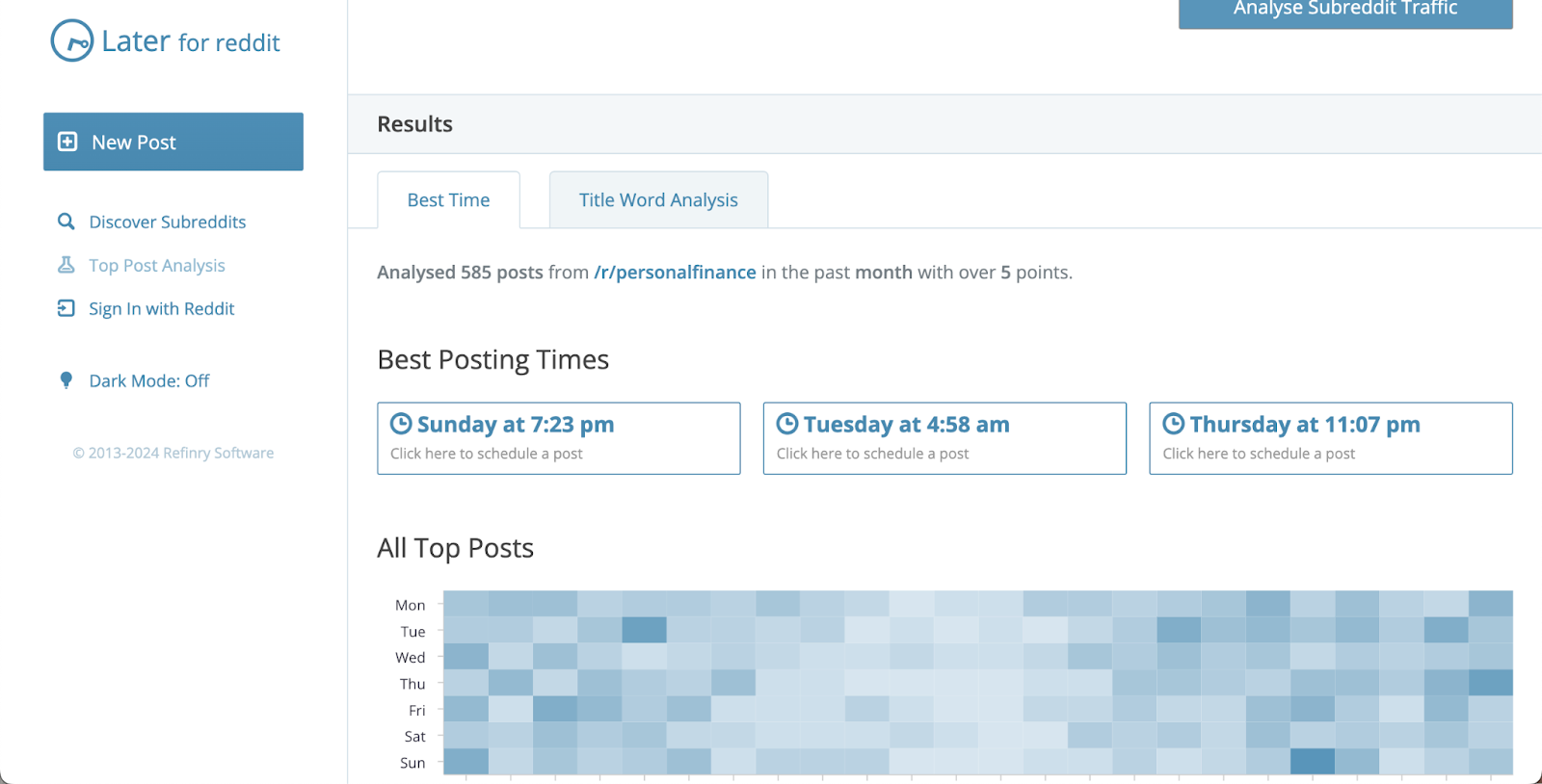
Later for Reddit

Later for Reddit offers not only the best times to post on the Subreddits but also a more in-depth look at the analytics of what posts are performing so you can optimize your Reddit posts to maximize your chances of getting higher engagement.

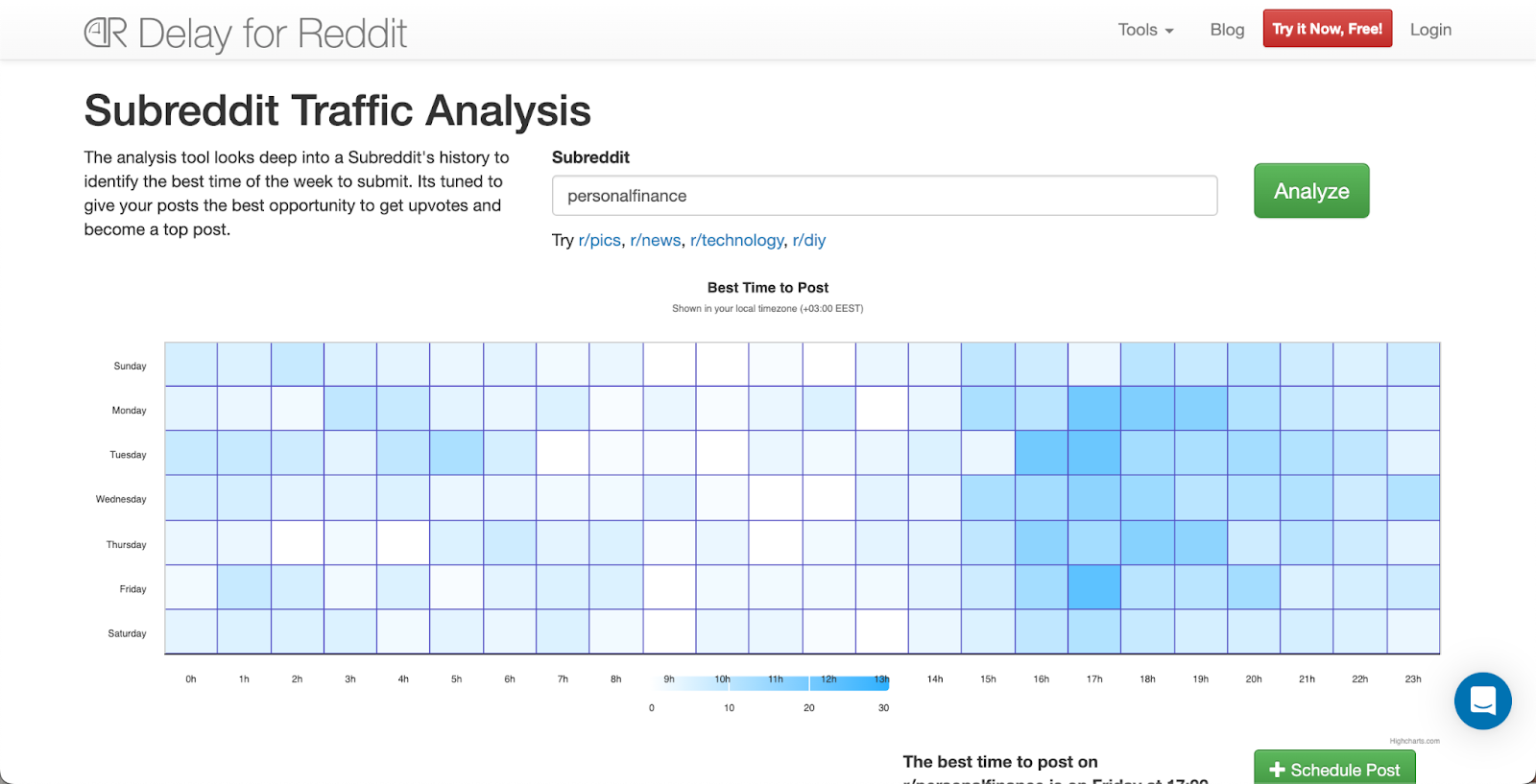
Delay for Reddit

Delay for Reddit is a very simple tool that allows you to see the best posting times for different Subreddits.

Tips for maximizing engagement on Reddit

What type of posts will perform the best will greatly depend not only on the time you post but also on what you post. Here are some of our Reddit engagement tips to help you create the best Reddit strategy to grow your business:

Research well

Before you create posts on Reddit, be diligent with your research. Read what other people are posting and see what posts and comments get the most engagement. Are those posts funny or informative? How can you create something similar to promote your business or services and get people talking?

Quality over quantity

It’s better to focus on producing fewer posts but hone in on making them the best you can. Because there is an abundance of content available on the platform, the best way to stand out in the crowd is to provide high-quality value for people.

Encourage engagement

Reddit is a community-based platform where people can engage with other like-minded individuals. So, always keep that in mind when you craft your posts. You want to provide value, be engaging, and always ask questions or encourage another form of engagement in your posts. Overly promotional posts might not do as well as posts that are genuine and valuable, either by being informative or entertaining.

Be consistent

Just like with any other aspect of your business, being consistent is key to seeing results on Reddit. So, make sure you have a posting schedule you can keep up with and stick with it for at least 30 days before you choose to make an adjustment or change your Reddit strategy.

Conclusion

Reddit is often overlooked when it comes to social media platforms, but it can be just as beneficial for your business as Instagram or TikTok. Knowing the best times to post for your community is key to growth, so make sure you do your research and optimize your Reddit strategy to see the best growth results.

FAQs

Now, let’s answer some of the best frequently asked questions.

How do I post on Reddit?

Posting on Reddit is super easy. Log into your Reddit account and click the “Create a Post” button that shows up on your screen. Then, click “Choose a community” to select the right Subreddit for your post. You’ll have a few selections for what type of post you want to create: Post, Images & Video, Link, or Poll. Select one, add your details and tags, and click “Post.” Voila, your Reddit post is live!

What is Reddit used for?

Reddit is a social media platform where people often stay up to date with the news and the latest tips and tricks on various topics and find entertainment like memes and funny videos.

What time is Reddit most active?

At what time Reddit is the most active will depend on your location and times zone, as well as what community you want to engage with on Reddit. Generally, most people will be on Reddit in the mornings, during their lunch breaks, and in the evenings after work.

When should I upload on Reddit?

When you should upload on Reddit will depend on when your audience is the most active. However, here are the general best times to post on Reddit if you want to maximize your chances of getting high engagement:

  • Monday: 6 am to 8 am EST
  • Tuesday: 5 am to 9 am EST
  • Wednesday: 8 am to 10 am EST
  • Thursday: 5 am to 9 am EST and at 2 pm EST
  • Friday: 6 am to 8 am EST
  • Saturday: 5 am to 9 am EST
  • Sunday: 8 am to 10 am EST

Is now a good time to post on Reddit?

If this is your first time posting on Reddit, now is as good time as ever. It’s better to post than not to post at all. However, if you want to optimize your Reddit strategy and try to find the best times to post for your audience, consider using analytic tools to help you find the most optimal time.

Is 3 a good time to post?

The best time to post on Reddit will depend on when your target audience is the most active. That might vary greatly depending on different Subreddits, so you want to do your research to find the best times for you and your audience. 

How to monetize your newsletter: Advanced strategies for creators in 2024

Software Stack Editor · September 13, 2024 ·

image

As creators evolve beyond the confines of social media, newsletters have emerged not only as a personal engagement tool but as a substantial revenue generator. In 2024, newsletters are at the forefront of the creator economy, with platforms like beehiiv and Substack leading the charge. But how do you go beyond building a list of subscribers and turn your newsletter into a monetized, scalable business? Here’s how.

Why every creator should have a newsletter

With social platforms continuing to shuffle algorithms and policies, creators are turning to newsletters as a more reliable way to build sustainable income streams. The shift is undeniable. Beehiiv raised $15 million in funding and attracted creators like Colin & Samir, Arnold Schwarzenegger, and Robin Arzón to its platform. In fact, Arzón’s The Pivot newsletter hit 40,000 subscribers within two months and boasted an impressive 71.4% open rate, demonstrating the untapped potential of newsletters as a direct revenue source.

Platforms like beehiiv, which don’t take a cut of newsletter revenue, offer creators a level of autonomy and income potential that’s hard to match on social media platforms. And as Katherine Rundell, beehiiv’s VP of Creators, stated, “Email isn’t going anywhere, and being able to capture that data and contact info from followings is crucial for creators thinking about long-term business plans.”

So, if you’re ready to elevate your newsletter into a serious revenue-generating asset, here are advanced strategies to make it happen.

{{emailwithguide-component=”/blog-shortcodes/popups3″}}

1. Leverage a multi-tier monetization model

Monetizing a newsletter goes beyond relying on a single revenue stream. The most successful creators build multi-tier models that cater to different audience segments.

Ads and Sponsorships:

Start by integrating relevant, non-intrusive ads into your newsletter. Beehiiv’s ad network makes this easy by connecting creators with brands that align with their niche. For example, advertisers using beehiiv have reported a 12x return on investment compared to traditional paid channels, highlighting the value of well-targeted ads.

Paid Subscriptions:

Consider offering exclusive content behind a paywall for your most dedicated fans. Platforms like Substack popularized this model, but beehiiv has also simplified the process with creator-friendly tools that allow you to launch paid tiers with just a few clicks. This model works particularly well for creators offering deep insights, tutorials, or exclusive interviews.

Affiliate Marketing:

Affiliate marketing within your newsletter allows you to recommend products you already use and trust, earning a commission for each sale generated. This works exceptionally well if your audience looks to you for expert opinions or curated product recommendations.

By layering these different revenue streams, you can create a robust, diverse income model that grows alongside your audience.

Related: How to create a high converting newsletter

2. Curate premium content for paid subscribers

To maximize the value of your paid tiers, offer your subscribers something they can’t get anywhere else. Whether it’s in-depth industry analysis, exclusive access to interviews, or even behind-the-scenes looks into your creative process, the key is exclusivity.

Take the Milk Road newsletter as a case study. In just one year, it grew to 250,000 subscribers by offering in-depth, exclusive insights on crypto and blockchain topics that were unavailable in mainstream media. This premium content helped them land an acquisition deal in under a year.

Think about what kind of high-value content you can provide that aligns with your audience’s specific interests. Do they crave expert commentary? Insider tips? Access to tools or templates? Offering this type of exclusive content is what drives your subscribers to pay for more.

3. Utilize data to optimize and personalize

One of the biggest advantages of newsletters is the wealth of data at your disposal—data that can help you continually optimize your content and maximize monetization.

Segmentation:

Segment your audience based on behavior, preferences, and engagement. Tools like beehiiv and Substack allow you to track open rates, click-through rates, and subscriber preferences, enabling you to tailor content and offers. For example, you can create special campaigns for high-engagement readers who are more likely to purchase your premium subscriptions or click on affiliate links.

A/B Testing:

Experiment with subject lines, content formats, and call-to-actions to see what drives the highest engagement. If one subject line consistently gets more opens, apply those insights to future newsletters to boost engagement—and by extension, revenue.

Monetization Testing:

If you’re monetizing through ads, sponsored content, or affiliate marketing, run A/B tests to determine which offers resonate best with your audience. For instance, you might find that readers respond better to affiliate recommendations in the context of a story, rather than a straight-up product review.

4. Monetize your back catalog

Once you’ve built a substantial library of high-quality content, don’t let it gather dust. Instead, find ways to monetize your newsletter archives and past content. Consider creating an exclusive members-only archive where paid subscribers can access all of your past newsletters, premium articles, or case studies.

For instance, the Morning Brew newsletter archives its most popular newsletters behind a paywall, giving subscribers access to a treasure trove of valuable content. You can take this further by offering an annual subscription package that includes both future content and access to your entire backlog.

Related: 9 newsletter ideas for content creators

5. Collaborate with other creators and brands

Partnerships with other creators and brands can exponentially increase your reach—and your income. Collaborating with brands for sponsored content or with fellow creators for co-authored newsletters is an excellent way to provide additional value to your audience while creating new revenue opportunities.

Colin & Samir’s Publish Press newsletter exemplifies this model. They teamed up with brands that align with their creator-focused content, securing lucrative sponsorship deals. Similarly, you can co-author newsletters with other creators in your niche, cross-promote each other’s newsletters, or even host collaborative paid webinars for your subscribers.

6. Launch paid products or services via your newsletter

Your newsletter is the perfect platform for launching and selling your own products or services. Whether it’s digital products, like online courses or templates, or even physical goods, your newsletter audience is your warmest audience and will be the most likely to convert.

Robin Arzón has shown how creators can leverage newsletters to launch paid products. After building a loyal subscriber base with The Pivot, she could easily introduce new product lines or services directly to an already engaged audience.

7. The long-term vision: build your ecosystem

The key to monetizing your newsletter is thinking long-term. While monetization through ads, subscriptions, and affiliate marketing may bring immediate revenue, your newsletter also allows you to build a more comprehensive ecosystem.

Start thinking of your newsletter as a launching pad for future projects. Collect email data, track audience preferences, and engage deeply with your subscribers. Over time, this allows you to not only sell products and services but to launch entire businesses based on the data and insights you collect through your newsletter. It’s how The Milk Road built an entire business—and eventual acquisition—in less than a year.

Related: These are the 15 newsletters every creator should subscribe to

Conclusion

In 2024, newsletters aren’t just an afterthought—they’re a core part of the creator monetization strategy. With the right approach, your newsletter can become a significant revenue stream, from multi-tiered monetization models to launching premium content and paid products.

The most successful creators know that a well-monetized newsletter goes beyond engagement—it’s about building sustainable, long-term revenue streams. Start using these advanced strategies today to maximize the potential of your newsletter and turn it into a thriving business asset.

What creators need to know about YouTube and Amazon’s budding new partnerships

Software Stack Editor · September 13, 2024 ·

image

Staying on top of industry trends is key to growing your audience and income. Recently, major platforms have teamed up—YouTube with Shopify, and Amazon with TikTok and Pinterest—to offer new ways for creators to monetize their content and reach wider audiences. Here’s what you need to know about these developments and how you can make the most of them.

The rise of social commerce

Before we get into the details, it’s important to understand the bigger picture: social media platforms are becoming shopping destinations. Platforms that were once just for sharing content are now places where audiences can discover, engage with, and buy products without leaving the app. This blending of content and commerce opens up great opportunities for creators to earn money from their influence.

YouTube and Shopify: A powerful combination

What’s new?

YouTube has expanded its partnership with Shopify, allowing all eligible Shopify Plus and Advanced merchants in the U.S. to join YouTube Shopping’s affiliate program. This means creators now have access to thousands of new brands to feature in their videos, significantly increasing the options available.

Why it matters for creators

  • More products to promote: With a wider range of brands, you can feature products that better align with your content and audience interests.
  • Easier integration: The partnership makes it simpler to tag products directly in your videos, streamlining the process.
  • Increased earning potential: More products mean more opportunities to earn through affiliate commissions.

New tools to help you

  • Chrome extension: YouTube has introduced a new Chrome extension for creators in the affiliate program. This tool lets you save products while browsing a brand or retailer’s site, making it easy to tag them in your videos later. You can also see how much you might earn from tagging the product without leaving the site.

How to get started

  1. Join the affiliate program: If you’re not already part of YouTube Shopping’s affiliate program, consider applying through YouTube Studio.
  2. Connect with Shopify brands: Explore the new brands available and find those that fit your niche and audience.
  3. Use the Chrome extension: Download the extension to simplify your workflow.

Amazon partners with TikTok and Pinterest

What’s new?

Amazon has teamed up with TikTok and Pinterest to let users make purchases directly from these platforms without leaving the app. By linking their Amazon accounts, users can see real-time pricing, Prime eligibility, delivery estimates, and product details on select Amazon ads within TikTok and Pinterest.

Why it matters for creators

  • Better shopping experience for followers: This integration makes it smoother for your audience to buy products you recommend.
  • Opportunity for affiliate earnings: You can potentially earn commissions by promoting Amazon products on TikTok and Pinterest.
  • Access to Amazon’s vast product range: With Amazon’s extensive inventory, you can find products that match your content and audience preferences.

How to take advantage

  1. Link your accounts: If you’re active on TikTok or Pinterest, connect your Amazon Influencer or Associate account.
  2. Create shoppable content: Start incorporating Amazon products into your TikTok videos or Pinterest pins.
  3. Monitor your performance: Use Amazon’s reporting tools to track clicks, conversions, and earnings.

{{tiktoknewbie-component=”/blog-shortcodes/popups4″}}

Tips for success

1. Align products with your niche

Authenticity is key. Make sure the products you promote are relevant to your content and valuable to your audience. This builds trust and increases the likelihood of engagement and sales.

2. Focus on content quality

Monetization opportunities are growing, but you should still focus on maintaining high-quality content. Use these new tools to improve your content, not distract from it.

3. Use analytics

Both YouTube and Amazon offer analytics tools to track how your affiliate links and product tags are performing. Regularly review this data to understand what works best for your audience and adjust your strategy accordingly.

4. Engage with your audience

Interact with your followers by responding to comments and asking for feedback. This helps build a community around your content and increases engagement.

Potential challenges and how to overcome them

Audience skepticism

Some viewers might be cautious about content that seems too promotional. Be transparent about your affiliations and focus on providing genuine value to your audience.

Keeping up with platform changes

Social media platforms frequently update their features. Stay informed about the latest changes so you can adapt your strategies and make the most of new opportunities.

Balancing monetization and content

It’s important to strike the right balance between monetized content and regular posts. Not every piece of content needs to be sales-focused. Mixing in non-promotional content keeps your audience engaged and prevents them from feeling overwhelmed by constant marketing.

Looking ahead

The blending of e-commerce and social media is set to continue growing. By embracing these new partnerships and tools, you can diversify your income streams and engage your audience in new ways. Start exploring these opportunities now to stay ahead in the dynamic world of content creation.

Final thoughts

As a creator, you’re at the forefront of an exciting and changing digital landscape. The partnerships between YouTube-Shopify and Amazon-TikTok-Pinterest offer new ways to monetize your content and connect with your audience. By understanding these developments and adjusting your approach, you can unlock new possibilities for growth.

Next steps:

  • Check your eligibility: See if you can join YouTube’s Shopping affiliate program or Amazon’s influencer programs.
  • Update your tools: Install the new Chrome extension and make sure your apps are up to date to access the latest features.
  • Plan your content: Think about how you can naturally include product promotions in your upcoming videos or posts.
  • Experiment and engage: Try different types of shoppable content and interact with your audience to see what resonates best.

Embrace these changes to enrich your journey as a creator, build stronger connections with your audience, and grow your business.

What is YouTube automation?

Software Stack Editor · September 13, 2024 ·

YouTube creator burnout is a significant issue affecting many content creators on the platform. Almost 50% of creators on YouTube have reported having experienced symptoms of burnout at one point in their careers. 

The pressure to stay relevant, engage with the audience, and continuously adapt to platform changes makes it hard for creators to take breaks without fearing a drop in views and subscribers. This can lead to chronic exhaustion, mental fatigue, and a sense of disillusionment.

Automation can help alleviate some of this stress. YouTube creators can use automation to maintain consistent content production and scale faster without being involved in every step of the process.

This article will explain YouTube automation and how it can benefit YouTube content creators. It will also offer a step-by-step guide on starting an automated YouTube channel.

{{freesocialssales-component=”/blog-shortcodes/popups4″}}

What is YouTube Automation

YouTube automation is the use of tools and methods to manage and grow a YouTube channel with minimal manual work. It involves automating repetitive tasks like video creation, editing, uploading, and promotion.

The rise in popularity of YouTube automation is driven by its ability to help creators scale their channels more efficiently. Automation can help reduce the manual workload while ensuring consistent content output. 

It allows creators to focus more on strategy and creativity rather than being bogged down by routine tasks.

Creators can use tools to automate various parts of their processes. For instance, advanced AI tools can automate content creation processes, such as generating video scripts or editing videos. Machine learning algorithms can also analyze viewer behavior to suggest the best times to upload videos or identify trending topics.

What is a YouTube Automation Channel? 

As explained above, a YouTube automation channel is a type of channel where the content creation and management processes are largely automated with very minimal manual intervention. 

This means that tasks such as video editing, scriptwriting, thumbnail creation, and even uploading can be handled by software tools. This reduces or removes the channel owner’s need for direct involvement. 

The goal of a YouTube automation channel is to streamline operations so you can focus on strategy and growth rather than routine tasks. This approach can be particularly beneficial if you’’re looking to scale your content production and maintain consistency without sacrificing quality.

Related: 21 Most Profitable YouTube Niches

Benefits of YouTube Automation Channels 

YouTube automation can save you time, streamline your processes, and allow you to scale much faster. Plus, the insights provided through automation tools analytics can help creators make data-driven decisions to optimize their content strategy.

1. Time Efficiency

Without manual involvement in every step, creators can streamline workflows and reduce time spent on repetitive tasks. This frees up time for more strategic activities, such as brainstorming new video ideas or engaging with the audience. 

Automated processes also ensure that content is consistently produced and published without delays, leading to improved productivity. This efficiency allows creators to maintain an active presence on YouTube while balancing other responsibilities​.

2. Scalability

Automation allows for the production and management of more content in less time, making it easier to expand the channel’s reach without increasing workload. Creators can explore multiple niches or diversify content types without being personally involved in every task. 

This scalability means that creators can focus on producing more content or diversifying their offerings, such as launching new channels or exploring different niches, without being overwhelmed by the operational demands of a growing audience.

3. Enhanced Audience Engagement

Automated tools manage comment moderation, responses, and community interactions across platforms, ensuring that viewers feel acknowledged even when the creator isn’t actively involved. 

This consistency in engagement encourages a sense of connection and loyalty among the audience. Keeping communication channels open and active encourages viewers to participate more, creating a strong community. Increased audience interaction leads to higher retention rates and sustained channel growth without overwhelming the creator with manual tasks​.

Reduced Burnout

Automation helps reduce the risk of creator burnout by offloading many of the time-consuming tasks involved in running a channel. With repetitive tasks managed by software or outsourced, creators can focus on what they enjoy — content creation — without being overwhelmed by the channel’s day-to-day operations​. 

This balance between automation and creativity helps in sustaining long-term growth without sacrificing mental well-being.

{{aboutsocialmedia-component=”/blog-shortcodes/popups2″}}

How to Start a YouTube Automation Channel 

Starting a YouTube automation channel involves strategically using tools and processes to reduce manual effort, allowing you to focus on content creation and channel growth. Here’s a step-by-step guide to help you get started:

Step 1. Choose a Niche

Select a profitable niche with high audience demand but manageable competition. Researching keywords and analyzing the performance of other channels can help identify content gaps where you can provide value. 

Popular niches include tech reviews, tutorials, or “faceless” content like animated explainers or listicles. The key is to choose a niche with consistent demand and content that can be easily automated or outsourced.

Analyze successful channels in your chosen niche to understand what works. Look at their content format, video length, and posting frequency to identify patterns you can replicate.

Step 2. Set Up the Channel

To set up your YouTube Automation channel, start by creating a Google account, then sign in to YouTube and create your channel.  

Once signed in, create your channel and choose a unique, niche-specific name that’s both memorable and optimized for search. Your channel name should reflect your content’s focus and appeal to your target audience.

Next, customize your channel by uploading a high-quality profile picture and an eye-catching banner. These visuals should be consistent with your brand and niche, making your channel instantly recognizable.

Once you start uploading content, ensure to oganize your channel layout by creating playlists and sections that group related content together. This will make it easier for viewers to find and binge-watch your videos.

Step 3. Identify Tasks That Can Be Automated and Pick Your Tools

Begin by identifying which tasks on your YouTube channel that are repetitive and time-consuming, such as video scheduling, keyword research, and YouTube analytics tracking. These could also include other backend processes like email marketing campaigns, tracking affiliate links, and even income and invoice management.

Once you’ve pinpointed these tasks, select automation tools that fit your experience level and budget. Ensure these tools integrate smoothly with your existing workflow to improve efficiency without sacrificing quality. 

Obviously, things will also be easier if you also automate invoice generation or use generative AI for your content or promotional material. Additionally, choose tools that support content repurposing, allowing you to maximize the reach of your videos by adapting them for different formats and platforms.

Also, ensure to regularly review the performance of these tools to make necessary adjustments and stay compliant with YouTube’s guidelines. This strategic setup will free up time, enabling you to focus on content creation and audience engagement.

Step 4. Develop a Content Calendar

Consistency is crucial. Create a content calendar to schedule regular uploads. Break down broad themes into subtopics to maintain a steady flow of ideas. 

Start by choosing a few core themes or categories that align with your niche, then break them down into specific video topics. 

Ensure a good mix of content types, such as tutorials, reviews, or listicles, to keep the audience engaged. You can prioritize topics based on audience interest, search trends, and keyword research. Automation tools can help schedule posts to ensure timely uploads without manual effort.

Step 5. Promote Your Videos

Automating social media promotion ensures your videos reach a wider audience. Start by sharing your videos on social media platforms like Twitter, Facebook, and Instagram. 

You can set up systems to automatically distribute your content in online communities, such as forums and groups related to your niche, to attract a targeted audience. Additionally, automate your email marketing efforts to send out video updates to your subscribers regularly, keeping them engaged without requiring manual updates.

Lastly, set up automated responses to engage with your viewers in the comments. This helps build a sense of community while reducing the need for constant manual interaction.

Step 6. Monitor Performance and Optimize

Leverage analytics tools to track performance metrics like watch time, click-through rates, and audience demographics. These insights can guide adjustments to your content strategy, ensuring that future videos resonate better with your audience.

You can start by using YouTube’s built-in analytics tools, which offer data on viewer behavior, traffic sources, and engagement. You can also leverage external tools can further enhance your analysis. 

Platforms like TubeBuddy and VidIQ provide detailed insights into keyword performance, helping you optimize search rankings.

Step 8. Monetize the Channel

Once your YouTube channel meets the eligibility requirements (1,000 subscribers and 4,000 watch hours within the last 12 months), you can apply for the YouTube Partner Program (YPP). 

This allows you to earn revenue from ads displayed on your videos, with YouTube sharing a portion of the ad revenue with you. To maximize earnings, ensure your content aligns with YouTube’s advertiser-friendly guidelines, as this affects the types of ads displayed.

You can also explore other monetization options like affiliate marketing, sponsorships, or selling digital products.

Related: How much does YouTube pay? A creator guide

Essential Tools for YouTube Automation (AI tools)

There are many AI tools available that can help automate various tasks on YouTube, saving you time and improving your productivity.

1. TubeBuddy

TubeBuddy is a browser extension that integrates with YouTube to help creators optimize their content for better search rankings and engagement. Its AI-powered features focus on improving titles, descriptions, tags, and SEO. 

TubeBuddy provides keyword suggestions and performance analytics, enabling creators to make data-driven decisions. It also assists with video scheduling, bulk processing, and A/B testing for thumbnails. 

The tool is also invaluable for automating repetitive tasks like tagging videos and tracking rankings across multiple videos.

Key features

  • SEO optimization for titles, tags, and descriptions
  • Advanced keyword research tools
  • Competitor analysis and insights
  • Bulk processing for video management

2. VidIQ

VidIQ focuses on video optimization by offering tools to enhance visibility and engagement on YouTube. It provides detailed analytics, keyword insights, and competitor tracking. VidIQ helps you identify high-ranking keywords and tailors recommendations based on video performance. 

It also monitors channel growth and performance metrics, helping you understand what resonates with your audience and where to improve.

Key Features:

  • Real-time video analytics and performance tracking.
  • Keyword and tag recommendations for SEO.
  • Competitor analysis to understand successful tactics.
  • Audience insights and content suggestions based on viewer behavior.

3. Wondershare Filmora

Filmora is a versatile video editing tool with integrated AI features that simplify the editing process. It provides advanced AI capabilities like automatic background removal, AI portrait editing, and text-to-image generation. 

Filmora’s user-friendly interface allows creators to edit videos efficiently, even if they’re beginners. The AI-powered tools also make it easy to add effects, transitions, and enhance videos with just a few clicks.

Key Features

  • AI portrait editing and background removal.
  • Smart cutout tool for isolating subjects.
  • Speech-to-text and text-to-image AI capabilities.
  • Built-in templates and effects to enhance videos.

4. Synthesia.io

Synthesia.io is an AI tool that allows creators to generate lifelike avatars to deliver scripts on video. It’s especially useful for faceless YouTube channels, explainer videos, or instructional content where the creator doesn’t want to appear on camera. 

The platform offers over 100 avatars and supports more than 120 languages, making it a versatile tool for multilingual content. Synthesia.io enables you to create professional-grade videos without needing human actors or voiceovers​ (Niche Pursuits)​ (Digital Fodder).

Key Features

  • AI avatars to deliver video scripts in multiple languages.
  • High-quality, customizable avatars and backgrounds.
  • Professional video templates to create content quickly.
  • Perfect for faceless channels or global audiences.

5. InVideo

InVideo is a comprehensive AI-powered video creation platform. It offers over 5,000 templates, stock footage, and an AI talking avatar feature, which helps creators quickly produce professional-looking videos. InVideo is ideal for those who want to create high-quality videos without in-depth editing skills. The AI features allow for automatic generation of video elements, making it a go-to platform for creating quick, polished videos​ (Digital Fodder)​ (Shotstack).

Key Features:

  • Over 5,000 video templates for fast content creation.
  • AI-powered avatars for faceless content.
  • A vast library of stock footage and music.
  • Multilingual support for diverse audiences.

6. Shotstack

Shotstack is an advanced video editing API that automates video creation by allowing users to programmatically build videos from text prompts, images, and audio. It’s perfect for creators who need to generate large volumes of content and want full control over the editing process. 

It’s AI features help automate transitions, sequencing, and lower-thirds text, making it a highly flexible solution for automating video production at scale​ (Shotstack)​ (Niche Pursuits).

Key Features:

  • AI-driven video editing and asset generation.
  • Programmatic video creation via API.
  • Automated transitions and overlays.
  • Supports bulk video editing and rendering.

Tips for Successful YouTube Automation 

Automating your YouTube tasks can save time and improve your efficiency. Follow these simple tips to help you get started with YouTube automation:

1. Balance Automation with Authenticity

Not all automation tools offer the same level of impact. For example, using generative AI for content creation can have a much greater effect on your channel than simply automating basic document management tasks.

Thoroughly research and select tools that match your specific needs and integrate smoothly with your workflow. 

Whether you need tools for converting PDFs to editable formats, editing and speeding up voice recordings, or generating thumbnails, the YouTube community has a wide range of solutions to enhance your channel’s efficiency. Just make sure your YouTube automation tech stack isn’t too difficult or too expensive to maintain. 

However, remember that while automation can streamline many tasks, it’s important to maintain a personal touch. For instance, automated replies might seem impersonal, which can hurt audience engagement. Striking this balance helps build trust with your audience.

2. Schedule Content Consistently

Using content scheduling tools allows you to maintain a consistent posting schedule, which is essential for audience retention and growth. 

Plan and automate your uploads to ensure that videos are posted at optimal times, even when you’re not available. This helps you stay engaged with your audience while freeing up time for other tasks.

Related: The best time to post YouTube Shorts

3. Leverage Data for Optimization

Regularly monitor your video performance using analytics tools to track engagement metrics, such as watch time and click-through rates. Use this data to continually refine and optimize your content strategy. 

For example, if you notice certain videos have higher click-through rates, analyze what made those titles and thumbnails more effective and apply those insights to future content. This can help you know how to adjust your keywords, titles, and thumbnails based on viewer behavior and search trends to improve visibility and performance.

This ongoing process of analysis and refinement is crucial for long-term success on YouTube.

4. Automate Repetitive Tasks

Focus your automation on time-consuming tasks like video editing, SEO optimization, and social media promotion. Tools can automatically generate video metadata, optimize descriptions, and even optimizing descriptions for better search visibility. 

With the technical details handled by automation, you can engage more deeply with your audience — responding to comments personally, fostering a loyal community, and building meaningful connections with your viewers.

This strategic use of automation not only boosts your channel’s efficiency but also allows you to maintain the authenticity and personal touch that sets your content apart.

5. Test and Tweak Regularly

Automation doesn’t mean set it and forget it. Periodically review your automated processes to ensure they’re running smoothly. 

Run A/B tests on thumbnails and titles to see what resonates best with your audience. Based on the analytics and testing results, adjust your strategies as needed.

6. Stay Compliant with YouTube’s Policies

Before implementing any automation tools, it’s crucial to ensure they align with YouTube’s policies. Using tools that violate these guidelines can lead to severe consequences, including penalties or even channel suspension.

Always stay informed about YouTube’s latest guidelines, particularly those related to the use of bots or automation for engagement purposes. For example, activities like generating fake interactions, such as artificial likes, comments, or subscribers, are strictly prohibited and can result in significant damage to your channel’s reputation and standing.

Regularly review the terms of service to ensure your automation practices remain within the allowed parameters

YouTube Automation Channel Examples 

1. WatchMojo

Niche: Top 10 Lists, Pop Culture

‍

WatchMojo is a powerhouse in the YouTube automation space, known for its consistent and engaging “Top 10” lists across a variety of pop culture topics, including movies, TV shows, music, and video games. While it may seem like a traditional content channel, WatchMojo automates much of its content production process. 

They rely on a large team of writers, researchers, and voiceover artists who follow a standardized template for creating these videos. This means they can produce multiple videos daily by streamlining tasks such as scripting, voiceover recording, and video editing.

Why It’s Successful

The appeal of WatchMojo lies in its ability to produce content on trending topics consistently. The channel remains a favorite due to its easily digestible format, which appeals to a broad audience. 

Automation allows them to keep up with the fast pace of pop culture while maintaining the high volume needed to engage millions of subscribers effectively.

2. 5-Minute Crafts

Niche: DIY, Life Hacks

Known for its viral life hack and DIY videos, 5-Minute Crafts automates a significant portion of its production process. Filming life hack content is often batched, capturing several related hacks in one session, which can then be edited into multiple videos. 

This method reduces manual input while maximizing the number of videos created.

The team standardizes scripts, idea generation, and some filming processes to ensure efficient content creation. Editing teams manage video post-production, adhering to strict templates that maintain uniformity across videos. This approach allows the channel to release multiple videos daily without requiring constant manual oversight.

Why It’s Successful

The simple, repeatable format of 5-Minute Crafts appeals to a wide audience and makes it ideal for automation. Viewers love the quick, practical solutions provided in short videos, making the content highly shareable. 

The streamlined process allows for high content volume, ensuring the channel remains one of the most-watched on YouTube.

Related: How to make YouTube Shorts: An in-depth guide

3. TheRichest

Niche: Wealth, Celebrities, and Luxury

‍

TheRichest produces videos that highlight the extravagant lifestyles of the rich and famous, along with insights into luxury items and wealth. 

Much of the video creation process is automated, with research, scripting, and voiceovers outsourced. Stock footage and images, along with a standardized editing template, reduce the need for manual production work.

Videos often follow list-based formats like “10 Richest People in [Industry]” or “5 Most Expensive [Items],” which allows for efficient content creation. Automated keyword research and SEO optimization tools ensure that each video targets the right audience and ranks well in search results.

Why It’s Successful 

TheRichest attracts viewers interested in wealth and luxury, a niche with consistent audience appeal. Automation allows the channel to release frequent, high-quality content without requiring extensive manual input. 

The use of standard video formats ensures efficiency, while targeting trending topics keeps the content relevant and engaging.

4. Brainy Dose

Niche: Self-Improvement, Psychology

‍

Brainy Dose delivers videos on mental health and personal development through a highly automated process. The channel primarily uses stock footage, text-based research, and voiceovers that are either outsourced or created with text-to-speech software. 

This reduces the need for custom video production and allows for quicker turnaround times.

The video content consists mainly of visuals such as stock clips, simple animations, or graphics, requiring minimal manual editing. 

Brainy Dose covers evergreen topics, such as improving mental health and increasing productivity. The team creates scripts and video content in bulk and schedules them using platforms like TubeBuddy for automated uploads.

Why It’s Successful

Brainy Dose succeeds because it offers valuable, easily understandable content on self-improvement. Automating voiceovers and video production helps maintain low costs while delivering high-quality information to viewers. 

The evergreen nature of the topics ensures consistent audience interest, and the automated processes allow the channel to release content regularly, keeping subscribers engaged.

Conclusion 

Ready to dive into YouTube automation? 

With the right approach, you can create a steady stream of content that reaches and engages viewers while freeing up your time for bigger creative projects.

The tools and resources to get started are more accessible than ever. Many are free or low-cost, allowing you to experiment without a big upfront investment. As your channel grows, you can reinvest in more advanced automation tools.

So why wait? 

Take that first step today. Set up your channel, plan your content, and start exploring automation tools. Your future self will thank you for starting this journey now. Who knows? Your automated YouTube channel could be the next big success story. The only way to find out is to begin.

New data-driven Teachable reporting tools for creators

Software Stack Editor · September 12, 2024 ·

Having the right tools to understand and grow your business is crucial. We’re excited to introduce powerful new enhancements to our reporting features designed to empower creators like you by making it easier to take your business to the next level. These updates are not just about data, they’re also about giving you the insights you need to make informed decisions, tailor your content, and ultimately transform your students’ experiences while fueling your business’s growth.

What’s New: Enhanced Reporting Features

Our latest reporting enhancements are built with one goal in mind: to help you succeed. Whether you’re focused on increasing student engagement or analyzing your business’s financial health, these tools offer a range of benefits.

Improve learning outcomes

Understanding your students means understanding your business. Gain comprehensive insight into your students’ learning journeys all in one place, and transform the way you teach. With enhanced course analytics, you can:

  • Boost Student Engagement Like Never Before: Engagement is key to successful online learning. By gaining a granular view of student engagement, you can create a more personalized and effective learning journey that keeps students motivated and on track and encourages engaged students to purchase new content. For example, you can view the leaderboard to see which students have made the least progress, then reach out to encourage them or offer support.
  • Transform Student Experiences: Understanding how and when students interact with your courses allows you to adjust your content strategy to better meet their needs, leading to higher satisfaction and completion rates. With our latest reporting enhancements, you can tailor your student interactions, content, and teaching techniques based on detailed analytics to ensure every student has the opportunity to succeed.

Explore course reporting on Teachable

Note: Course reporting is available on Professional and Business plans.

Fuel Revenue Growth

In addition to improving educational outcomes, our new features are designed to help you grow and assess your business’s financial health through detailed data reports complete with visualizations. With enhanced sales analytics, you can:

  • Deeply understand your students’ purchase behavior: Optimize sales strategies and increase student lifetime value (LTV) by gaining insights into buying patterns and preferences.
  • Improve subscription retention: Get a detailed breakdown of Monthly Recurring Revenue (MRR), student churn, and failed payments to identify areas for improvement and ensure a steady revenue stream.
  • Track earnings, fees, and payouts with precision: Closely monitor your financial performance from earnings and fees to payouts directly from Teachable to your bank account.

Our powerful tools will enable you to make informed, real-time decisions that can shape the future of your business. [Check out a sample CSV here.]

Explore business reporting

Note: The sales analytics dashboard is only available for Paid plans and will be rolling out in phases through October 2024. 

Take advantage of our new reporting features today to empower your business with data-driven decisions. Get ready to transform the way you educate and enhance your students’ experiences to increase engagement.

__

More Like This:

The ultimate guide to recurring revenue for creators

Checklist: 9 ways to update your school in 60 minutes or less

How To Grow Organically On TikTok

Software Stack Editor · September 11, 2024 ·

If you want to grow your TikTok account this year and beyond, you need a solid TikTok strategy. Since its rise to popularity, TikTok has changed a lot. However, it still remains one of the best apps for growing your account and building a solid audience to promote your business, product, and services as long as you have a strong TikTok marketing strategy.

So, if you want to learn the best TikTok growth tips and figure out how to improve your strategy, read on.

Understanding TikTok’s algorithm

When TikTok first became popular, one of the things that made the app so attractive to people was its algorithm. The app seemed to read everyone’s mind and soon adapted to showcase the videos that you want to see on your For You page.

TikTok is unique because each new video you post has a chance to be pushed in front of a lot of people and even go viral. While it’s hard to predict which video will go viral, the chance is there every time, and it makes it very lucrative.

TikTok confirmed that there are three things that matter when it comes to getting a video on the For You page:

  • User engagement: how many likes, shares, comments, and other forms of engagement the video has.
  • Video information: what are the hashtags, what sounds are used in the video, and what  information is conveyed in the video.
  • Device and account settings: the location, language, and device type.

Creating engaging, relevant content, using trending sounds and the right hashtags, and making sure you have captions enabled are all essential to cracking the algorithm and increasing your chances of showing up on your target audience’s For You pages.

[embedded content]

Key elements of a successful TikTok strategy

A solid TikTok strategy can help you reach more people and grow faster. Here are a few things you want to consider when you’re creating your marketing strategy for TikTok:

Take advantage of TikTok tools

TikTok seems to be a platform that wants the creators to succeed. After all, if creators post engaging content, more and more people will want to stick around. So, take advantage of all the creator tools available to you on TikTok to create better content.

For example, their TikTok Studio gives you a chance to research and see what’s trending on the app currently. You can even choose countries and topics. This tool can be very useful if you want to be in the loop with the latest trend.

‍

Know your audience

TikTok’s unique algorithm helps relevant content to show up on people’s For You page. That means that you have to be very intentional with how you speak to your audience, and what type of content they are looking for.

Before you create content, do lots of research to understand what type of content your audience is consuming on the app. That includes trends, sounds, even what language they use, and what other people and brands they follow. All of that will help you create content that gets sorted by the algorithm to reach your people.

Quality or quantity? Both.

When it comes to TikTok, quality of content doesn’t always win over quantity. However, quantity isn’t always better than quality either. With TikTok, both things matter – you want your videos to be of good enough quality so people want to engage with the video, but you also want to produce more videos to increase your chances of being seen rather than posting less but better quality videos. You might need to experiment and find what works for you.

Make promoting your products seamless

While TikTok can be a lucrative place to promote your products, for the promotion to be effective, it has to feel organic. A great example is Courtney Steeves and her promotional video on her new clothing line for fall. It looks like a simple, aesthetic fashion video showcasing beautiful clothing for fall and works like a charm to get people interested in where to get all the pieces.

Engage with your audience

To maximize your engagement, you want to make sure you are engaging with your audience. If someone comments on your videos, always make an effort to respond. If someone asks a question, or want to know more about something you mentioned in the video, be thoughtful and give your audience all the answers. Not only people will appreciate your kindness, but also the algorithm will love the extra engagement.

Engage with other users

To maximize your reach, actively engage with other people on their videos. Repost, comment, share, and find other ways to engage. Bonus points if you engage with people in your niche. That will help TikTok’s algorithm to assign your content to the niche and show your videos to relevant people.

Creating engaging content

Once you have your strategy nailed down, the next step will be refining your content. To increase your chances of appealing to the algorithm, you want to create the best quality videos people will love and want to engage with. Here are a few tips that can help you create engaging content:

Use humor

Using humor is always a good idea when creating TikTok videos. If a video makes people laugh or smile, they will be more inclined to engage with it and even share it with their loved ones.

A great example is Signs of the Times, a second-hand designer reseller who created a very simple yet effective funny video promoting their second-hand Hermes bags. They showcase the product in an organic yet effective way without being too sale-sy.

Hook people in immediately

On TikTok, people are scrolling fast. So, you always want to make sure you grab their attention immediately. A great example is Dr. Joe Damiani, DPT, and his videos on exercise and health. He wastes no time and hooks you with unique angles each time.

Get to the point

While you can create videos up to 30 minutes on the app, most people still prefer quick and snappy videos. This means you have no time to waste – try to get straight to the point with your video. A great example is HealthyFitnessMeals, an account with plenty of healthy recipes. The moment you land on their video, they show you what you need and how to make a recipe at home.

Make it a series

If you notice that one video did well, consider making it into a series. A fashion creator from Kim & Tess did a video on her Megan Ryan Fall where she walked people through how to channel the Megan Ryan vibes this upcoming fall. Once the video got plenty of engagement, she turned it into a series, showing people how to channel the Megan Ryan Fall vibe in all areas of their lives.

{{guidetiktok-component=”/blog-shortcodes/popups”}}

Leveraging trends and hashtags

There are two more things you want to consider to increase organic growth on TikTok – trends and hashtags.

Riding the trendy wave

While it’s possible to grow your TikTok account without participating in fast changing trends, if you do leverage trends, your growth will be much faster. TikTok rewards content that drives engagement. And video trends, where people create their own version of a trending video or meme, are very engaging content people love.

So, make sure you’re in the loop with all the trends that are happening on the app. Once you notice a trend coming up, jump in on it sooner rather than later so that you can take advantage as soon as possible and maximize your results.

How to use hashtags on TikTok

So, hashtags used to be much more important to use on TikTok in the past than they are right now. That doesn’t mean they don’t matter anymore, though.

Using hashtags can still be very helpful when you want your content to rank in certain categories. However, for that, you only need to use 3-4 hashtags per post. Consider hashtags as part of your SEO strategy because optimizing for TikTok’s search engine is crucial right now and moving forward.  

Consistency is key

Consistency is key on all social media platforms, and TikTok is no exception. If you are committed to growing on this platform, you want to be committed to showing up and posting regularly. The app rewards those creators who create the most engagement, and being consistent with your posting schedule can help you increase your chances of attracting more people.

Being consistent doesn’t mean posting multiple times per day, every day. If your schedule allows, and you can commit the time and resources to post that often, then go ahead. However, even staying consistent with posting a couple of times per week, at the best times for you is more than enough.

To make it easier to stay consistent with your content, you might want to create a TikTok content calendar. You can plan content in advance, so you know exactly what you need to post and when. Also, once you know your content calendar, you can plan your filming and content creation days easier.

Engaging with your audience

As we already touched on, engagement is key for successful growth on TikTok. Apart from answering all the comments under your videos and engaging with other users on their videos, here are a few things you can do to improve your TikTok engagement:

Include CTAs

CTAs (Call-to-actions) are just as effective on TikTok as they are on all the other platforms and mediums. So, make sure you sprinkle them in every video you create, offering more ways for your audience to engage with your videos. If you encourage them with a question or a prompt, they’ll be much more inclined to offer their thoughts or ask questions.

Be a tease

Another way to encourage engagement subtly is to pique people’s curiosity. How can you do that? Well, by giving them a sneak peek or a teaser, without giving them the full information.

It’s a tactic that’s frequent in music artists, as well as recipe creators on TikTok. Musicians will often share a teaser of a son they’re working on, which prompts people to ask questions about what is the song, and when it’ll be available.

Recipe creators share a teaser of a new recipe they made without giving their audience the recipe. Once the audience sees the beautiful food, they want to know how to make it, so they ask for a recipe, driving engagement to the video.

Utilize videos

Another effective way to drive engagement to a series of your videos is to answer comments under your videos with another video. It’s a very common tactic that many creators utilize. This way, you can add hashtags to the answer video, and the commenter gets notified. Plus, you can add trending sounds to the answer video, which can help boost the video too.

Example: When Personal trainer Ilmee Mintz posted her banana bread on her account, she got a lot of requests from her audience to share the recipe with them. She responded to one of the recipe request comments with a recipe video.

Analyzing performance and adjusting strategy

The best way to find out whether your TikTok strategy is working or if you might need to change something is by analyzing your analytics. The good news is, TikTok makes it super easy to do for everyone. Their Analytics tool has evolved throughout the years, and as it is right now, it tells you everything you need to know about how to grow faster and create better content.

TikTok Analytics have a few different sections, and each section offers different breakdowns of the analytics. At first glance, it can be overwhelming. But it’s pretty easy to navigate once you familiarize yourself. So, let’s look at some of the most important Analytic metrics to look out for and how to use them for your advantage.

Overview

When you first open your TikTok Analytics, you’ll see the Overview section. Here, you can see a few key metrics right off the bat. While it’s good to see these things, the most important information you’ll find if you scroll down to the “Traffic Source” and “Search Queries” sections.

By analyzing where the traffic to your account comes from, you can better understand which strategies work for you (optimizing hashtags, focusing on trends, etc.).

The “Search Queries” section shows you what people searched in the Search bar that led them to your video. You can use that information to search for those keywords, analyze what type of content other people create, and gain some insights on how to improve your content.

Content

In the “Content” section, you are able to see your top-performing posts by views or likes.

By analyzing your best-performing posts, you can see what content resonates with your audience the most. Once you know that, you can create more content that performs well.

Viewers

In the “Viewers” section, you can see lots of key metrics about people who view your content, such as their age, location, and total views. However, the most important metric to track here is the “Most active times.”

TikTok shows you what times of day, and which days of the week your viewers were the most active and engaged with your content. This is such a useful information to know because it allows you to better schedule your posts and know exactly when to post during the week and day to reach the most amount of people.

Followers

The “Followers” section allows you to get a glimse into people who follow you. While TikTok is unique because followers don’t matter as much as content itself does, it can still be a useful thing to analyse, especially the “Follower insights” section.

Here you can see the gender, age and the location of your followers. By analyzing the location and other metrics, you can see if you are reaching your target audience with your content. If you notice that these metrics don’t align with your ideal customer avatar, you’ll know that you might need to shift your content strategy to attract the right people.

Conclusion

TikTok is an amazing platform for creators and business owners to grow and reach their target audiences. Organic growth on TikTok is still possible, as long as you understand the way algorithm works, and invest your time and effort in creating high quality, engaging content your audience wants to see. Combine that with being consisitent with your posting schedule, and chances are you’ll start seeing results in no time.

Is Affiliate Marketing Still Valid in 2024? Trends and PredictionsIs

Software Stack Editor · September 11, 2024 ·

The digital marketing industry is rapidly changing. To stay relevant, brands must quickly adapt to new technologies and shifting consumer behaviors. Nowadays, brands use advanced analytics, AI, and social media for more personal and effective audience engagement.

Despite these changes, affiliate marketing continues to be a key strategy for many companies. Recent surveys indicate that at least 80% of brands have affiliate marketing programs, with 80% of them allocating over 10% of their marketing budgets to these efforts.

Nevertheless, this doesn’t answer the question—is affiliate marketing still going to be relevant in 2024 and beyond?

That’s why we’ll use this blog as an opportunity to examine the future of affiliate marketing and how you can position yourself for success in this new era.

The Current State of Affiliate Marketing 

Affiliate marketing is still a dynamic and thriving industry that is an integral part of digital marketing strategies.

The industry was valued at over $17 billion in the first half of 2024 and is projected to reach $27.78 billion by 2027, with a compound annual growth rate (CAGR) of 9.89%. 

Some of the factors that drive this growth include:

  • Increased online shopping
  • Growing trust in influencers
  • Technological advancement
  • Consumer behavior shift

One of the key trends shaping the industry is, of course, the proliferation of AI, which is transforming how affiliate marketing campaigns are managed and optimized. AI tools help enhance personalization, improve content creation, and optimize audience targeting. But most importantly, they reduce costs and emphasize the value of versatile affiliate marketing experts.

Likewise, the growth of social media, such as TikTok, as a marketing tool has profoundly influenced the industry. Affiliate marketers have tapped into the vast user base on these platforms, which has led to broader reach and higher sales figures. It’s all about riding the algorithm wave at the right time. 

Last but not least, let’s not forget about the rise of social media influencers and the growing importance of authentic, humanized content influencing how brands engage with consumers. In a world of AI, consumers want real recommendations from real people. 

Related: 31 best high ticket affiliate marketing programs to maximize earnings

5 Key Trends in Affiliate Marketing for 2024 

Affiliate marketing is undergoing significant transformations. These trends show that in 2024, it will become more sophisticated, data-driven, and focused on delivering personalized, relevant experiences to consumers.

1. AI and Machine Learning Integration

Artificial intelligence and machine learning are revolutionizing affiliate marketing. These technologies can analyze consumer data, optimize campaigns, and personalize marketing strategies with unprecedented precision. 

AI tools are helping marketers streamline operations, predict consumer behavior, and automate campaign optimization. For example, AI-powered chatbots enhance user experiences and improve conversion rates. 

2. Mobile-First Approach

Most people now use their smartphones for online activities, including shopping. Data shows that mobile e-commerce hit a whopping $2.2 Trillion in 2023 alone and is projected to rise to $3.4 trillion by 2027.

To take advantage of this trend, marketers need to optimize their content, websites, and affiliate links for mobile users. 

This means ensuring fast loading times, responsive designs, and easy navigation. More elaborate solutions like a content delivery network (CDN) can reduce latency and improve load times. 

However, once an affiliate site reaches a certain traffic volume, owners often opt for dedicated server hosting is an excellent option for marketers seeking to ensure top performance and reliability to keep mobile users engaged.

Additionally, using mobile-friendly content like short videos and social media posts can effectively engage users. In-app affiliate marketing is also becoming popular, allowing brands to promote products directly within popular apps.

3. Voice Search Optimization

People are increasingly using voice-activated devices like smart speakers and smartphones to search online. In fact, 71% of internet users now prefer voice search over typing.

Unlike traditional typing, voice searches are more conversational and often involve longer phrases. 

To stay competitive in 2024, affiliate marketers must optimize their content for these natural language queries by focusing on long-tail keywords and creating content that answers specific questions directly. 

This approach helps ensure that your content appears in voice search results, which are becoming a key entry point for consumers looking for products and services. 

Adapting to this shift not only enhances visibility but also improves user engagement by delivering more relevant and accessible information.

4. Growth of Micro and Nano-Influencers

The growth of micro and nano-influencers is reshaping affiliate marketing. Unlike mega-influencers, micro (10,000–100,000 followers) and nano-influencers (1,000–10,000 followers) have smaller but highly engaged audiences. 

Their followers often see them as more relatable and trustworthy, which makes their recommendations more effective. Brands are increasingly partnering with these influencers to reach niche markets with greater authenticity. 

This approach is not only more cost-effective but also drives higher engagement and conversion rates. 

As consumers continue to value genuine connections, the influence of micro and nano-influencers is expected to grow, making them a key part of successful affiliate marketing strategies in 2024​.

5. Metaverse Market Entry

The metaverse is rapidly growing and offers new avenues for marketing and commerce, including affiliate marketing. 

As more people engage in these immersive virtual environments, affiliate marketers have the opportunity to reach new audiences by promoting virtual products, experiences, and even digital real estate. 

To succeed in the metaverse, marketers will need to adjust their traditional strategies to fit this digital landscape. This will involve emphasizing interactive and engaging content that connects with users in the virtual world.

Being an early adopter in the metaverse could provide a competitive edge as this market continues to expand.

Predictions for Affiliate Marketing in 2024 

These predictions show how affiliate marketing is changing in 2024. To succeed, marketers must stay ahead of these trends.

1. Localization and Global Expansion

Localization and global expansion are increasingly important in affiliate marketing. As brands target international markets, they must adapt content to local languages, cultural nuances, and regional preferences. 

This approach helps in creating stronger connections with local audiences, leading to higher engagement and conversion rates. 

Global expansion offers brands the opportunity to enter untapped markets, providing new avenues for growth. The effectiveness of affiliate campaigns in 2024 will rely heavily on how well companies tailor their strategies to fit the specific needs of diverse markets. 

This ensures that their messaging and offerings resonate authentically with local consumers​.

2. Blockchain and Transparency

Blockchain technology is transforming transparency in affiliate marketing. Transactions are recorded on a decentralized ledger, making them secure, visible, and verifiable by all parties. 

This ensures that every click, sale, and commission is accurately tracked, reducing the risk of fraud and disputes. Transparency builds trust between affiliates and advertisers, which is essential for long-term partnerships. As concerns over data integrity and fraud increase, blockchain provides a reliable solution for verifying transactions in real time. 

In 2024, more companies are expected to adopt blockchain in their affiliate programs. This solidifies its role in ensuring honest and transparent operations across the industry​

3. Shift Towards First-Party Data Usage

As privacy regulations tighten and third-party cookies phase out, first-party data usage is becoming crucial. Companies are increasingly relying on data collected directly from their own customers to create more personalized and compliant marketing strategies. 

‍

First-party data, such as purchase history and website interactions, offers more accurate insights into customer behavior. This will allow for better targeting and improved campaign effectiveness, which will play a critical role in increasing sales and achieving overall business sustainability. 

This approach not only enhances data privacy but also strengthens customer trust. As third-party data becomes less accessible, the ability to effectively collect, analyze, and use first-party data will be crucial for maintaining a competitive edge in 2024

4. Expansion of Affiliate Types and Niches

Affiliates are no longer limited to traditional areas like tech and fashion. Emerging sectors such as health and wellness, sustainability, and niche hobbies are seeing increased affiliate activity. 

This diversification allows marketers to tap into highly specific audiences with tailored content, resulting in more effective campaigns. Additionally, newer affiliate types, like micro-influencers and niche bloggers, are gaining prominence due to their ability to connect deeply with targeted audiences. 

The growing variety in affiliate types and niches is enhancing the adaptability and reach of affiliate marketing, making it more versatile and impactful in 2024

5. Focus on Ethical Marketing

Consumers are growing more conscious of the social and environmental impact of their purchases. This means that brands are expected to promote products that align with ethical standards, such as sustainability, fair trade, and social responsibility. 

This focus on ethics helps build trust and long-term loyalty with consumers who prioritize these values. Affiliates who promote ethical products not only differentiate themselves in a crowded market but also contribute to positive change. 

In 2024, the emphasis on ethical marketing will likely intensify, with more brands and affiliates aligning their strategies with ethical principles to meet consumer demand for transparency and integrity in the marketplace​. 

Related: Affiliate marketing vs. influencer marketing: Which strategy will boost your brand?

Is Affiliate Marketing Still Valid? 

Are you still wondering if affiliate marketing still holds the same value it once did?

Well, you’re not alone. 

The truth is, the topic is still hotly debated in the digital marketing world. Some argue that affiliate marketing is losing relevance as technology advances, while others believe it’s simply evolving and adapting to new trends and innovations.

That said, let’s explore some of the pros and cons of modern affiliate marketing:

Pros 

Cost-Effective Marketing

Affiliate marketing remains one of the most cost-effective ways to drive sales and leads. Brands only pay for actual results, such as conversions or sales, making it a low-risk investment. 

This performance-based model allows companies to allocate their marketing budgets more efficiently, focusing on campaigns that deliver tangible returns.

Scalability

One significant advantage of affiliate marketing is its scalability. Businesses can easily expand their affiliate programs by partnering with a wide range of affiliates, from influencers to content creators. 

This scalability allows brands to reach broader audiences without the need for significant upfront investment.

Access to Targeted Audiences

Affiliate marketers often have niche audiences that trust their recommendations. Partnering with affiliates who align with a brand’s target market enables companies to reach potential customers who are more likely to convert. 

This targeted approach enhances the effectiveness of marketing efforts and can lead to higher conversion rates.

Diverse Marketing Channels

Affiliate marketing is not limited to one specific channel. Affiliates can promote products and services through blogs, social media, email marketing, video content, and more. 

This diversity in marketing channels provides brands with multiple touchpoints to engage with potential customers, increasing the chances of conversions.

Cons

Increased Competition

As affiliate marketing has grown in popularity, the market has become increasingly saturated. This saturation has led to fierce competition among affiliates, making it harder for new or smaller affiliates to gain traction. 

For brands, this means that standing out in a crowded space requires more effort, resources, and potentially higher commission rates to attract top-performing affiliates.

Regulatory Challenges

The digital marketing landscape is facing increased scrutiny from regulatory bodies, particularly concerning data privacy and transparency. Affiliates and brands must navigate complex regulations, such as GDPR and CCPA, which can complicate marketing efforts. 

Failure to comply with these regulations can result in significant fines and damage to a brand’s reputation.

Attribution and Tracking Difficulties

Accurately tracking and attributing conversions to the correct affiliates can be complex, especially with the rise of multi-channel marketing. 

Cookie deprecation and the use of ad blockers further complicate tracking efforts. Without precise attribution, brands may find it difficult to determine the true ROI of their affiliate marketing campaigns.

Quality Control Issues

Maintaining quality control can be challenging in affiliate marketing. Brands may struggle to monitor how their products or services are being promoted, leading to potential issues with misrepresentation or false advertising. 

Poor-quality content or misleading promotions by affiliates can harm a brand’s reputation and lead to customer dissatisfaction.

Related: How affiliate marketing can help drive more sales to your online courses

Strategies for Success in 2024 

Achieving success in affiliate marketing requires more than just signing up for a program and sharing links. It requires a combination of strategic planning, ongoing learning, and consistent execution.

If you’re looking to start a career in affiliate marketing, each of these strategies can help you build a sustainable and profitable business. 
1. Choose the Right Niche

Selecting the right niche is crucial to your success. A well-defined niche allows you to target a specific audience that is more likely to engage with your content and convert it into sales. 

Instead of spreading yourself too thin across multiple topics, focus on a niche where you have expertise or genuine interest. This will help you create more valuable and authentic content that resonates better with your audience.

2. Build Trust and Authority

Establishing trust with your audience is essential. If people see you as an authority in your niche, they are more likely to follow your recommendations. To build trust, create high-quality content that provides real value. 

Be transparent about your affiliate relationships and avoid promoting products or services you don’t believe in. Consistency in delivering valuable content will strengthen your credibility and lead to long-term success.

3. Diversify Your Traffic Sources

Relying on a single traffic source can be risky. Changes in algorithms, policies, or user behavior can significantly impact your traffic and earnings. To mitigate this risk, diversify your traffic sources. 

Use a mix of SEO, social media, email marketing, and paid advertising to drive traffic to your affiliate offers. This approach will help you maintain a steady flow of potential customers and reduce dependency on any single platform.

4. Optimize for Mobile

With the growing use of mobile devices, ensuring that your content is mobile-friendly is more important than ever. Mobile users now account for a significant portion of online traffic, so you must optimize your website, emails, and other content for mobile viewing.

5. Leverage Data and Analytics

Data-driven decisions are key to improving your affiliate marketing performance. Use analytics tools to track your campaigns, identify what’s working, and uncover areas for improvement. Pay attention to metrics like click-through rates, conversion rates, and average order value. 

These insights can help you refine your strategies, optimize your content, and increase your overall ROI.

6. Focus on Content Quality

Quality content is the backbone of successful affiliate marketing. High-quality content not only attracts visitors but also keeps them engaged and encourages them to take action. It also makes content monetization easy. 

Focus on creating informative, engaging, and relevant content that addresses the needs and interests of your target audience. 

Whether it’s blog posts, videos, or social media updates, make sure your content provides value and supports your affiliate offers naturally.

7. Keep Up with Industry Trends

Affiliate marketing is a dynamic field that’s constantly evolving. Staying updated on industry trends, tools, and best practices is essential for long-term success. Join affiliate marketing communities, attend webinars, and follow industry blogs to stay informed. 

Understanding emerging trends, such as AI-driven marketing, voice search optimization, and changes in consumer behavior, will give you an edge over competitors and help you adapt your strategies effectively.

Related: How to use Pinterest for affiliate marketing

Successful Affiliate Marketing Examples 

Understanding what makes an affiliate marketing campaign successful is crucial for anyone looking to thrive in this space. These successful campaigns provide valuable insights into what works, what doesn’t, and how to adapt strategies to maximize returns.

Amazon Associates Program

Amazon’s affiliate program, Amazon Associates, is one of the most well-known and widely used in the world. This program allows affiliates to earn commissions by promoting Amazon products. A successful campaign within this program often involves affiliates creating niche websites focused on specific product categories, such as electronics, books, or home goods. 

One notable example is the website “The Wirecutter,” which began as a small blog and evolved into a major tech product review site before being acquired by The New York Times.

Lessons Learned:

  • Niche focus. Success often comes from focusing on a specific niche where the affiliate can become an authority. “The Wirecutter” focused on in-depth product reviews, which built trust with its audience.
  • High-quality content. Detailed, honest reviews that provide real value to readers are key. This not only drives traffic but also increases conversion rates as readers are more likely to trust the recommendations.
  • SEO optimization. Optimizing content for search engines helped drive organic traffic to the site, which is crucial for long-term success in affiliate marketing.

YouTube Product Reviews by Marques Brownlee (MKBHD)

YouTube has become a powerful platform for affiliate marketing, especially through product reviews. Marques Brownlee, known as MKBHD, is a prominent tech YouTuber who reviews the latest gadgets and technology. 

His channel, with millions of subscribers, features detailed reviews, where he often includes affiliate links in the video descriptions.

Lessons Learned:

  • Video content. Videos are a highly engaging way to showcase products. Marques’ in-depth and visually appealing reviews help viewers make informed decisions, increasing the likelihood of using affiliate links.
  • Authenticity. MKBHD’s honest and thorough reviews build trust with his audience, making them more likely to click on affiliate links.
  • Engagement. Engaging with viewers through comments and social media helps build a loyal community, which is key to successful affiliate marketing on platforms like YouTube.

NerdWallet’s Financial Affiliate Success

NerdWallet is a personal finance website that generates significant revenue through affiliate marketing. The site offers in-depth comparisons of financial products, such as credit cards, loans, and insurance policies. 

‍

NerdWallet’s success stems from its ability to provide valuable, easy-to-understand content that helps consumers make informed financial decisions.

Lessons Learned:

  • Value-driven content. Providing content that helps users make informed decisions builds trust and drives conversions. NerdWallet’s content is educational and focused on helping its audience, which enhances credibility.
  • Comprehensive comparisons. Offering detailed comparisons of products and services gives users all the information they need in one place. This increases the likelihood that they will use the affiliate links provided.
  • Strong SEO practices. NerdWallet’s emphasis on SEO ensures that their content ranks well in search engine results, driving consistent, targeted traffic to their site.

Influencer Campaigns on Instagram by Joe Wicks

Joe Wicks, a fitness influencer and entrepreneur, has successfully leveraged his Instagram following to promote various fitness-related products through affiliate marketing. 

‍

He often shares workout routines, fitness gear, and health products, seamlessly integrating affiliate links into her posts and stories.

Lessons Learned

  • Visual appeal. Instagram’s visual nature makes it an ideal platform for showcasing products. High-quality images and videos help capture attention and increase engagement with affiliate content.
  • Storytelling. Joe Wicks’s ability to tell a story around the products he promotes — how they fit into his fitness routine, for example — makes the affiliate content more relatable and effective.

Conclusion 

Overall, affiliate marketing remains a highly effective channel for driving sales and building brand awareness.

The key to success lies in adaptability and innovation. Marketers who embrace emerging technologies, prioritize authentic relationships, and stay ahead of regulatory changes will find abundant opportunities.

What worked before might not work now, but new strategies and tools are keeping it viable. In the end, whether affiliate marketing still has value depends on how well marketers can adapt and take advantage of these changes.

Guide to cohort analysis: How to use it to reduce customer churn

Software Stack Editor · September 11, 2024 ·

image

Reducing customer churn is critical because it directly affects a company’s profitability and long-term success. In fact, data shows that a mere 5% increase in customer retention can boost profits by 25% to 95%. 

In this context, cohort analysis is one of the best tools to tackle churn. It gives businesses a clearer view of customer behavior, allowing them to see how different groups of customers interact over time.

This way, it’s easier to address the specific needs of different customer groups, which not only reduces churn but also improves brand affinity and customer satisfaction.

Why cohort analysis is essential for customer retention 

Cohort analysis is a data segmentation method that groups customers based on shared characteristics or behaviors over a specific time period. Instead of analyzing all customers as one entity, cohort analysis focuses on smaller, more defined groups to uncover behavioral patterns. 

This approach offers a deeper and more actionable perspective on customer retention and churn. It also comes with several critical benefits that contribute to improved customer retention.

1. Identifying trends over time

Cohort analysis enables businesses to monitor customer behavior across specific time periods, revealing trends that are often missed with broader analytics. Cohorts can highlight how engagement changes during critical periods, such as the first 30 or 90 days after a customer signs up. 

These insights reveal moments in the customer lifecycle where satisfaction may drop or loyalty increases, allowing companies to take timely action. This detailed understanding helps improve customer experience at key touchpoints, reducing churn and enhancing retention rates in a targeted, effective manner.

2. Pinpointing churn causes

Segmenting customers into cohorts allows businesses to uncover the root causes of churn specific to each group. Traditional analytics often show overall churn rates but fail to reveal why customers are leaving. 

Cohort analysis digs deeper, identifying particular reasons, such as poor onboarding or unmet expectations for certain groups. With this knowledge, companies can develop targeted solutions to address the factors driving churn. 

This can be through product improvements, customer support enhancements, or refining their communication strategies to better align with customer expectations.

3. Customizing retention strategies

Every customer group has distinct behaviors and needs, and cohort analysis helps businesses tailor retention strategies to match these differences. 

New customers might require more educational content or a refined onboarding process, while long-term users may respond better to loyalty rewards or personalized offers. 

With insights from cohort analysis, you can create targeted approaches that resonate with each group, improving their chances of keeping customers engaged and loyal over time. This personalization leads to stronger customer relationships and a better overall retention rate.

4. Enhancing customer lifetime value (CLV)

Cohort analysis contributes to an increase in CLV by enabling businesses to reduce churn and extend the duration of customer engagement. When companies understand the reasons behind churn for specific cohorts, they can implement strategies that encourage customers to stay longer, resulting in a higher CLV. 

Additionally, retaining existing customers tends to be more cost-effective than acquiring new ones. This makes cohort analysis a valuable tool for boosting profitability by enhancing customer loyalty and reducing the costs associated with acquiring new customers.

6. Making data-driven decisions

Cohort analysis empowers businesses with clear, actionable insights that facilitate informed, data-driven decisions. Instead of relying on assumptions or general trends, this method allows companies to see exactly how different customer groups respond to various strategies and changes. 

For instance, offering discounts might increase retention for one cohort but have no effect on another. These insights help businesses focus resources on strategies that are proven to work, refining their approach to customer retention in an efficient and effective manner.

How to perform cohort analysis

Cohort analysis can be a powerful tool to help reduce customer churn, but to get the most out of it, you need a clear, step-by-step approach.

Step 1: Define your cohorts

The first step in cohort analysis is to decide how you want to group your customers. Cohorts are typically based on specific characteristics or behaviors. The two most common types are:

  • Acquisition cohorts. Customers are grouped based on when they first started using your product or service (e.g., by month or quarter).
  • Behavioral cohorts. Customers are grouped based on a shared action or event, like making a purchase or signing up for a service.

To use an example, if you run a subscription service, you might group customers based on their signup date or their first interaction with a new feature. Defining cohorts clearly is critical for accurate analysis.

Step 2: Collect and organize your data

Once you’ve defined your cohorts, gather the relevant customer data. This data can come from various sources, such as your CRM, analytics tools, or customer databases. Key data points to collect include:

  • Customer acquisition date.
  • Customer actions (e.g., purchases, logins).
  • Churn indicators (e.g., subscription cancellations, inactivity).

Structure your data properly in a format that can be analyzed easily, and organize data by customer group and the actions they take over time. Once you’ve gathered the relevant customer data, you can even generate report documents to summarize and present this information effectively or to conduct regular assessments. 

This way, you can clearly visualize trends, share insights with your team, and make informed decisions on how to address churn and improve customer retention strategies.

Step 3: Choose what metrics to analyze

Next, decide which metrics are most important to your churn reduction efforts. Common metrics in cohort analysis include:

  • Retention rate. The percentage of customers who stay active over a specific time period.
  • Churn rate. The percentage of customers who leave or become inactive.
  • Customer lifetime value (CLV). The total revenue generated by a customer during their time with your business.

Step 4: Visualize the data

Visualizing your cohort data is a crucial step in making it actionable. Most analytics platforms, like Google Analytics, Mixpanel, or Amplitude, offer cohort analysis features that allow you to visualize trends over time.

You should create a cohort retention chart that shows how many customers from each cohort are still active after a certain number of days, weeks, or months. These visualizations help spot patterns, such as whether churn tends to spike at certain points, like the first 30 or 60 days after signup.

Step 5: Identify churn patterns

With your cohort data visualized, start looking for patterns in customer behavior that lead to churn. For example, you might discover that customers who fail to complete the onboarding process are more likely to churn, or that users who don’t engage with a specific feature leave after a short time.

Identifying these patterns allows you to pinpoint exactly where and why churn is happening for specific customer groups. This information will then guide the next steps in your retention strategy.

Step 6: Implement targeted retention strategies

Once you’ve identified the factors driving churn, it’s time to take action. Develop targeted strategies to address the issues specific to each cohort. 

If churn is high within the first 30 days, focus on improving onboarding. This might be a catalyst for introducing new features, such as implementing a QR code generator instead of referral codes to simplify access to onboarding materials, enhancing video tutorials, or offering a personalized dashboard that highlights key features based on user behavior

If long-term customers are churning after 6 months, consider implementing strategies that reinforce their ongoing value, like loyalty programs that reward sustained engagement, offering personalized content or recommendations based on their usage patterns, or rolling out exclusive features or premium support options that cater to their advanced needs. 

Step 7: Monitor and adjust

Cohort analysis is an ongoing process. After implementing retention strategies, continue monitoring your cohorts to see if the changes are reducing churn. Track key metrics over time and adjust your strategies based on new data and trends.

If a new onboarding process reduces churn for a specific cohort, you can apply it across the board. If a particular strategy isn’t working, tweak it or try a different approach. Regular analysis ensures that your retention efforts are constantly evolving and improving.

Step 8: Automate the process

Many tools allow you to automate cohort analysis, streamlining the continuous monitoring of customer behavior without the need for manual data crunching.

Platforms like Google Analytics, Amplitude, and Mixpanel offer automated reports and real-time dashboards to track cohorts and key metrics effortlessly. Automating the process not only saves time but also ensures a quick response to emerging churn patterns. 

Additionally, joining cohort analysis communities can help you learn new tricks and stay updated on best practices, allowing you to refine your strategies even further.

Tools for cohort analysis 

Now that we’ve gone through how the process works, let’s take a look at a couple of tools that can provide you with everything you need to perform cohort analysis. Try them all out before settling on a single one, as each has its own set of unique features. 

1. Mixpanel

Mixpanel is a powerful tool focused on product and user behavior analytics. It offers advanced cohort analysis features, allowing you to group users based on actions they take, such as signing up, making a purchase, or using a specific feature. 

Mixpanel provides real-time insights into customer behavior, and its intuitive dashboard makes it easy to visualize trends. You can also track how changes in your product impact different user cohorts over time, making it ideal for product managers and growth teams.

Best for: Detailed behavioral cohort analysis for apps and digital products.

2. Google Analytics

Google Analytics is a popular tool for cohort analysis, especially for websites and apps. Its Cohort Analysis Report allows you to track user behavior based on their acquisition date and see how different groups interact with your site over time. 

You can monitor metrics like retention rates, sessions, and goal completions. While basic, it’s a great starting point for businesses already using Google Analytics for other purposes, and it’s free, making it accessible to small businesses and startups.

Best for: Simple cohort analysis for websites and apps.

3. Amplitude

Amplitude is another advanced tool designed for in-depth cohort analysis, especially for product and growth teams. It helps you track user behavior across digital platforms and provides predictive insights using machine learning. 

With Amplitude, you can create behavioral cohorts, segment users by activity, and track how product features or updates impact customer retention. It also integrates seamlessly with other tools like CRM systems, making it easier to use in broader marketing and product strategies.

Best for: Large-scale businesses needing predictive insights and detailed user behavior tracking.

Case studies and examples 

1. Batelco

Batelco, a telecom provider in Bahrain, utilized MoEngage’s platform to enhance user engagement across channels like push notifications, SMS, and email. This data-driven approach allowed Batelco to create personalized, event-triggered campaigns, significantly boosting app usage by 35% and increasing monthly active users by 77%. 

Targeted, relevant messaging based on customer behavior and location contributed to reducing churn and improving overall user retention.

2. DocuSign

DocuSign leveraged Mixpanel’s Funnels to monitor how free users interacted with premium features, resulting in a 5% increase in upgrade conversions among their 130,000 daily new users. A/B testing with Mixpanel helped boost new Signer account creation by 15%, as users were encouraged to sign up after completing documents. 

Additionally, by analyzing where users dropped off after signing up, DocuSign implemented a guided onboarding process, leading to a 10% increase in conversions from Signer to Sender. This optimized user engagement and improved conversions effectively.

3. Probely

Probely used Chargebee to reduce churn by streamlining its subscription management and improving customer flexibility. With automated billing, invoicing, and VAT management, Probely addressed pain points in the customer journey that contributed to churn. 

Chargebee’s integration with tools like HubSpot and Intercom allowed Probely to gain real-time insights into customer behavior, enabling targeted retention efforts and improved customer engagement. 

This approach helped optimize their pricing strategy and fostered better subscription experiences, leading to reduced churn.

Conclusion 

Cohort analysis allows businesses to proactively identify points where customer interest wanes and take corrective action before churn occurs. Tools designed for cohort analysis make it easier to track and visualize these patterns over time, helping businesses build stronger customer loyalty and drive long-term growth. 

Ultimately, a well-executed cohort analysis not only reacts to churn but works to prevent it, ensuring both retention and sustainable success.

How to delete a Facebook Group and manage your online community

Software Stack Editor · September 11, 2024 ·

image

Since 2010, thousands of course creators have chosen Facebook Groups as the platform to host online communities for their students.

The rationale makes perfect sense, because Facebook Groups check off tons of boxes: it’s free, hosted on a familiar brand, and offers the chance for real-time interaction, peer support, and community engagement among course participants. 

And since Facebook has over three billion monthly active users as of January 2024 (🤯), it’s quite likely that students already have a Facebook account, so starting a group on that platform is a no-brainer. 

However, there may come a time when a course creator might consider deleting their Facebook Group.

This could be due to a variety of reasons, like decreased engagement, moderation issues, a shift in business strategy, or the desire to move to a different platform.

So in this guide, we’ll explore the steps to delete a Facebook Group, examine the reasons why you might consider doing so, and discuss alternative options for managing online communities. Let’s dig in!

Reasons course creators might consider deleting a Facebook Group

As we touched on before, there may be several reasons why you might want to delete your Facebook Group.

Maybe engagement within the Facebook Group is down, and your posts are echoing into the void. Perhaps your course strategy has shifted, and the Facebook Group no longer aligns with your goals.

Or maybe a greener pasture is calling your name, and you’ve spotted another platform that offers features that better align with the needs of your community. 

Whatever the reason, for many course creators, the decision to delete a Facebook Group is not made lightly. Before you hit that delete button, consider a few of these factors:

  • Community impact: Understand how deleting the group will affect your students; will it remove a vital support network for them?
  • Content preservation: Consider downloading or archiving important content shared within the group to make sure no valuable information is lost.
  • Member notification: It’s imperative to inform your group members about the decision well in advance, providing clear reasons and outlining next steps.
  • Alternatives to deletion: Sometimes, archiving the group or repurposing it for different content can be a better choice than outright deletion.
  • Legal and ethical considerations: Make sure that deleting the group complies with any legal requirements and ethical standards, particularly concerning data privacy and user communication.

Step-by-step guide to deleting a Facebook Group

Okay, so if you’re ready to delete your Facebook Group, pulling the plug is relatively straightforward. Follow these steps to get it done without a hitch.

Step #1: Access group settings

Log into Facebook, navigate to your Facebook Group, and access the settings.

Step #2: Navigate to group management

Find the option for managing or editing the group

Step #3: Select “delete group”

You may need to ensure that all members are removed before this option becomes available.

Step #4: Confirm deletion

Once all members are removed, you can confirm the deletion of the group.

Step #5: Update your members

Your members were already informed that the Facebook Group was planned to be deleted, but let them know that the deletion is complete and guide them to the alternative platform or group that you’ve set up for them.

What happens after you delete a Facebook Group

Let’s expand on that last point a little bit more, because once you delete the Facebook Group, it’s gone for good. Like, “poof” and it’s vanished! 💨

So you’ll want to consider the aftermath. How will this affect your course students? Make sure you’ve got a backup plan in place where you can transition any valuable content or ongoing discussions that were happening. Members may feel disconnected temporarily, so be sure that you’ve provided viable alternatives.

It’s also a good time to reflect on what this change means for your digital strategy moving forward. Maybe it’s a fresh start, or maybe it’s a lesson in what not to do next time!

Alternatives to deleting your course’s Facebook Group

Just remember that deleting isn’t your only option! You actually have the option to archive the Facebook Group, keeping all the content intact but stopping new activity. 

Or why not repurpose the group to align with new goals? You could shift the focus or theme to re-energize engagement. 

If you’re not interested in being the admin anymore, consider transferring ownership to a trusted member who could take over the community and keep its spirit alive. 

If you’re not ready to delete your Facebook Group, these options can provide continuity for your members and possibly a better transition strategy.

Migrating your course community to a new platform

If you’ve made the decision to move your community to a different platform than Facebook Groups, the next step is to pick the right platform to move to. 

Think about what didn’t work for you when you used Facebook Groups, and do some research to find platforms that have features that align better with your needs. Maybe you want more moderation tools specifically designed for course creators, or perhaps a platform that integrates better with how you deliver your course. Maybe you seek full integration, where students can find your course and the community for that course all in the same place. 

Research the platforms that are available and consider features, engagement tools, and ease of use. When you find the right one, set up the new platform to create a welcoming and engaging new home for your community.

Related: How to build an online community

Integrating your course community with Teachable

Did you know that Teachable isn’t just for hosting courses? It’s true; Teachable is also a comprehensive community-building and membership platform. With features that help you seamlessly engage with the students in your course and contribute to their success, it’s a great option to consider if hosting your community on an external social media platform (or another platform that you have to pay for) is less appealing to you.

As a dedicated space for students in your Teachable school to share, discuss, and exchange experiences, our community experience includes:

  • A dedicated space for you and students to foster connections
  • The ability to categorize sections of your community into different topics
  • Tools to moderate content within your community
  • Analytics to monitor community health and engagement

And so much more! 😉 With our tools, you can create a learning environment that dovetails your course with your community with ease.

Related: Engaging your online course community with purpose

Best practices for course creators managing online communities

So now that you’ve found your ideal platform and got your community set up, it’s now time to manage it like a pro, to make sure that it’s a success and that your students are able to really learn and engage with the content and each other. 

Here are a few best practices for managing online communities:

  1. Set clear expectations: Start strong by establishing clear guidelines and expectations for your community. These rules should cover acceptable behaviors, posting guidelines, and the types of interactions encouraged within the group. Having a well-defined set of rules helps prevent misunderstandings and makes sure that the community remains a positive space for all members. 
  2. Create opportunities for engagement: Keep the conversation flowing; pose questions, initiate discussions, and create prompts that inspire thoughtful responses. Encourage your members to chat, ask questions, and share ideas with each other. 
  3. Share content that provides value: Regularly share content that is exclusive to the community, like bonus materials, extra resources, behind-the-scenes insights, or advanced notice about upcoming courses or events. This special content makes members feel valued and keeps them engaged.
  4. Listen to community feedback: Pay attention to the feedback you get from your community, whether it’s praise, questions, or critiques. This feedback can help you improve your courses and content, inspire future offerings, and help you understand your audience better, so encourage members to share their experiences and suggestions. 
  5. Recognize active members: Show some love to your most active participants. Acknowledge their contributions with shout-outs, featured posts, or however else you’d like to do it; a little recognition goes a long way in motivating everyone to get more involved.
  6. Use tools for management and automation: Take advantage of community management tools to make it easier to keep your group on track. Automation can help with scheduling posts, moderating discussions, and keeping an eye on engagement, freeing you up to focus on more creative aspects.
  7. Promote a culture of learning: Keep the learning vibe alive by regularly sharing educational tips, updates, and resources. This not only enhances the community experience but also keeps everyone informed, inspired, and eager to learn more.
  8. Monitor and moderate: Keep an eye on the community to ensure everything runs smoothly and remains positive and constructive. Step in when necessary to handle conflicts or toxic behaviors that undermine the community’s value.
  9. Encourage peer-to-peer interaction: You community members can learn from each other, as well as from you. Set up group projects, discussion threads, or peer review sessions to create opportunities for collaborative learning and build a sense of camaraderie among members. 
  10. Stay consistent: Keep your presence active and your communications regular to help keep the community active and prevent members from losing interest. Make sure that you yourself are present and visible in the community; as leader of the group, your involvement holds sway in overall engagement. 

Give these best practices a try as you create your new online community!

Related: Running an online community: 7 key pillars to success

Leveraging your community for course success

A well-managed community can be a goldmine for insights and improvements:

Now that your new online community is up and thriving, make sure these three things are in place so the community provides value for your course as well:

  • Feedback loop: Pay attention to community feedback, and incorporate insights from your students to continuously improve your course.
  • Support networks: Get subject-matter support or community moderation help, so that students feel supported and get answers to their questions quickly.
  • Testimonials: Ask your community members for their testimonials and success stories; share them inside the community to motivate others, or add them to your marketing materials. 

Future trends in online course communities

Online course communities are set to evolve in exciting ways, thanks to technological innovation and changing learner demands. Here are three trends we’ve spotted that will influence online communities in the coming years:

Expansion of gamification

Gamification, which uses game design elements in non-game contexts, is proving really effective in increasing learner engagement. Future online communities might integrate more gamified elements like leaderboards, badges, role play, and challenges to motivate learners and make the learning process more fun and memorable.

Growth in mobile learning

Smartphones have changed everything, including the way that we learn. Future online course platforms are likely to be designed with a mobile-first approach, providing learning experiences that are accessible from anywhere at any time.

Increased personalization

Advancements in AI and machine learning are making it possible to make the learning experience more personalized. This means that course platforms can tailor content, recommendations, and interactions based on individual learner behaviors and preferences, enhancing engagement and effectiveness.

Create the online community of your dreams

So, there you have it! Deleting a Facebook Group is a significant decision that impacts your online course community; before taking this step, consider alternatives that might better serve the needs of your community. If deletion is indeed the best option, follow the steps we talked about in this guide to make the transition as smooth and successful as possible. 

Remember, the goal is to create a community that students love participating in and that improves their learning experience, as well as contributes to the success of your course. You can definitely make that happen… and Teachable’s community features can definitely help! Check out our tools designed to help you build and manage an engaged online community that creates wins-wins for you and your students.

How to Build a High-Value Email List

Software Stack Editor · August 23, 2024 ·

image

Growing an email list from a few hundred to 25,000 subscribers in just over a year is an impressive feat, especially when done with intention and creativity. Lauren Kay, an accomplished author and digital strategist, managed to achieve this by focusing on what truly matters: connecting with her audience and delivering valuable content.

Lauren’s approach is both practical and inspiring. She built her strategy around understanding her audience’s needs, providing real value, and consistently engaging with them. Her journey offers valuable lessons for anyone looking to expand their online presence and create meaningful relationships with their followers. Today, Lauren shares her methods, offering actionable insights for anyone eager to grow their audience and build a successful digital platform.

{{tableofcontents-component=”/blog-shortcodes/table-of-contents”}}

{{effectiveemaillist-component=”/blog-shortcodes/popups3″}}

[embedded content]

The importance of email lists

With algorithms in constant flux, email remains one of the most reliable ways to connect with your audience. Lauren emphasizes the stability that email provides in maintaining direct communication.

“Your email list is where you actually get to do what you love and make a living from it.” -Lauren Kay 

Social media can help build awareness, but email is where deeper, more meaningful connections are nurtured. Lauren points out that even with a large following on social media, it can be difficult to get engagement on promotional posts: “Even if you have a gigantic following, a promotional post is not going to get a lot of engagement.”

Crafting effective lead magnets

Creating a lead magnet is about delivering something of real value that resonates with your audience. Lauren learned this through her experience: “People are really savvy and they’re not just going to sign up for a freebie just because it’s free.” Her success came from understanding what her audience truly needed and creating resources that provided significant value.

Lauren’s approach to lead magnets is guided by three principles:

  • Deliver genuine value: The content you offer should be valuable enough to make a lasting impression. As Lauren puts it, “If I’m making a freebie, I want to make sure that that freebie is providing at least a hundred, if not a few hundred dollars of value.”
  • Know your audience: Engaging with your audience is crucial for understanding their needs. “You want to speak and listen to your audience. If you have a social media presence, read through and engage with all of the comments that people have left on your videos.”
  • Iterate and improve: Success often requires refinement. “You’re not necessarily going to hit a home run the first time… you want to continuously test, test, test.”

Lauren’s focus on aligning her lead magnets with her audience’s interests, such as her highly successful Scrivener guide, enabled her to attract thousands of new subscribers.

Amplifying efforts through social media

Social platforms still play a critical role in driving traffic to your lead magnets—even if they aren’t great for direct promotion. 

“When you’re trying to promote something on social media, even if you have a big following, they’re just not going to see when you have something to promote.” -Lauren Kay

Instead of using social media solely for promotion, Lauren leverages it to build awareness and guide her followers toward joining her email list. Her strategy involves addressing common problems her audience faces and presenting her lead magnets as practical solutions. “If you present a common problem that people have… and then show your resource in a visual way, these types of Reels plus lead magnet combos have really, really been effective.”

This approach helps turn social media engagement into meaningful connections on her email list, where she can continue the conversation on a deeper level.

Leveraging SEO for growth

SEO is a powerful tool for creators looking to expand their reach, and Lauren discovered its impact firsthand through her content creation process: “Once I had that piece on Scrivener, I was like, how do I find my other scenarios? How do I find other topics that I could rank highly on?”

By using tools like SEMrush to identify keywords with high search volume and low competition, Lauren was able to create content that consistently attracted new subscribers. Her success with SEO demonstrates that well-optimized content can perform well across multiple platforms, driving visibility and email signups.

“If I have a piece of content that performs really well on Instagram, it will also perform really well on YouTube and on Google,” Lauren notes, underscoring the importance of quality and consistency in content creation.

Practical tips for creators

Lauren offers several actionable tips for creators looking to build their email lists:

  • Start simple: Your lead magnet doesn’t need to be overly complex. Lauren’s first attempt was straightforward yet effective: “My first try with my lead magnet actually wasn’t that bad… it was a good start.”
  • Engage with your audience: Understanding your audience’s needs is key. “You really want to talk to your audience and learn what kind of information they are looking for.”
  • Focus on sustainability: It’s important to create content that you can maintain over the long term. “Whatever the frequency is, however much where you can still do the rest of your life… it’s about sustainability.”

Lauren Kay’s journey in growing her email list illustrates the power of intentionality and genuine connection. By focusing on providing real value, understanding her audience, and leveraging SEO, she built a thriving community of engaged subscribers.

If you’re looking to build a more resilient relationship with your audience, check out our guide: How to Take Back Control of Your Content. This resource outlines seven steps to reliably grow your audience and stay ahead of unpredictable platform changes, helping you maintain control and continue growing, no matter what challenges come your way.

{{emaillaunchstrategy-component=”/blog-shortcodes/popups3″}}

How To Make The Most of LinkedIn For Creators

Software Stack Editor · August 23, 2024 ·

image

LinkedIn has evolved far beyond its roots as a job-seeking and corporate networking platform. It’s now a powerful tool for creators looking to connect with professionals and establish a strong online presence. While platforms like TikTok and Instagram often dominate the spotlight, LinkedIn offers unique opportunities for those who know how to use it effectively.

AJ Eckstein, founder of Creator Match, has firsthand experience in transforming LinkedIn into a platform that connects creators with brands, helping them monetize their content in ways that stand out from other social networks.

In this post, we’ll dive into AJ’s insights on making LinkedIn work for creators. Whether you’re looking to find the right audience or craft content that resonates with key decision-makers, AJ’s tips will help you make LinkedIn a valuable part of your creator strategy.

{{tableofcontents-component=”/blog-shortcodes/table-of-contents”}}

{{linkedinbanner-component=”/blog-shortcodes/popups”}}

[embedded content]

Why LinkedIn is worth your attention

LinkedIn often flies under the radar in discussions about the creator economy, but AJ Eckstein sees it as a platform full of untapped potential. Unlike other social media sites, LinkedIn’s audience consists of professionals, decision-makers, and individuals with higher disposable income. This makes it particularly valuable for creators focused on B2B marketing and high-ticket sales.

“Audiences on LinkedIn are worth more than, let’s say, on TikTok… one LinkedIn follower is more valuable than one TikTok follower.” -AJ Eckstein.

The platform’s users are more engaged, informed, and often hold influence within their industries. This creates opportunities for creators to connect with an audience that doesn’t just consume content but actively makes decisions that could lead to significant opportunities.

LinkedIn’s professional environment fosters a different kind of interaction compared to platforms like Instagram or Twitter. Here, the focus is on building relationships that can lead to long-term partnerships rather than fleeting viral moments. As AJ points out, “LinkedIn has more wealth, more income, more educated, and it’s more decision-makers.” For creators, engaging with such an audience offers substantial value.

For more insights, read How to generate sales on LinkedIn for your creative business.

The untapped potential of LinkedIn

While many creators flock to platforms like TikTok and Instagram, LinkedIn remains underutilized. AJ anticipates this will shift as more advertising dollars move to LinkedIn. “I think the money is going to shift from other platforms… more brand and ad dollars will move to LinkedIn,” he predicts. This could encourage more creators to explore LinkedIn as a viable platform for monetizing their work.

Despite its potential, LinkedIn presents certain challenges. Many brands and marketers are still unfamiliar with the platform’s dynamics, making it harder for creators to secure brand deals. AJ’s work at Creator Match often involves educating brands about these opportunities, as he explains, “A lot of my job is chatting with brand marketers and teams to educate them on the opportunity.”

Yet, AJ remains optimistic about the platform’s future. As LinkedIn continues to develop, the platform is expected to become more accessible to creators, reducing the need for education over time. “My job right now is education… it will get to the point where there’s no education needed because the opportunity is so obvious,” AJ observes. For creators, being prepared to seize these opportunities as they arise is key.

Want to build a solid strategy? Check out How to create a LinkedIn strategy as a creator.

Building a personal brand on LinkedIn

Establishing a personal brand on LinkedIn requires consistency and authenticity. AJ emphasizes the need to regularly engage with your audience and share content that reflects your true self. “You have to consistently show up for your audience… your audience will show up for you,” AJ advises. Maintaining an ongoing presence helps build trust and keeps you relevant to your connections.

Finding your voice on LinkedIn is crucial, and it’s okay to share personal and even vulnerable stories. AJ encourages creators to discuss their experiences, especially those involving challenges or setbacks.

‍“You need to find your voice. It’s okay to be vulnerable… the best types of posts are the ones where you talk about your own personal story or a failure.” -AJ Eckstein

On LinkedIn, balancing professionalism with personal storytelling can make your content more engaging and relatable. For more tips on crafting impactful posts, explore The Anatomy of a Good LinkedIn Post.

The future of LinkedIn

As LinkedIn evolves, AJ foresees significant changes. The platform is expected to become more personal, moving away from purely formal content and becoming more relatable, while maintaining a professional tone. “I think the platform will change like crazy over the next few years… it will always have utility to find jobs,” AJ predicts.

One shift might involve how ads are presented. AJ anticipates a move towards ads featuring creators’ faces and names rather than just brand logos. “You’ll start to see actual humans and their names as ads versus just the brand running ads through their ads account,” he notes. This could open new monetization opportunities for creators, allowing them to benefit more directly from their content.

LinkedIn’s content landscape is likely to change as more creators recognize its potential. “LinkedIn is a content-deficient platform, meaning that people are engaging with content versus creating content,” AJ explains. This gives creators an opportunity to stand out and establish themselves as thought leaders.

Practical tips for LinkedIn creators

AJ offers several actionable tips for creators aiming to succeed on LinkedIn. First, focus on building a strong personal brand through consistent, valuable content. “One view on LinkedIn is worth more than one view on other platforms,” AJ says, highlighting the importance of quality engagement over quantity.

Next, approach your content strategically. Consider how each post fits into a larger plan, whether it’s to build awareness or convert followers into clients. “Think about your content like a marketing funnel… some content is going to be more top of funnel, more brand awareness,” AJ advises.

Finally, don’t hesitate to experiment and learn along the way. If your content resonates with just one person, it’s worth sharing.

‍“If at least one person can find value from this piece of content, I click post… you never know what could happen.” -AJ Eckstein.

The goal is to start now, build momentum, and let your personal brand grow over time.

Ready to boost your LinkedIn presence? We’ve put together a resource that can help. Download our guide on the 6 LinkedIn Profile Hacks for Growth-Focused Creators, and discover strategies to make your profile stand out. These hacks can help increase visibility, attract the right audience, and grow your brand on LinkedIn.

5 Free Apps Every Side Hustler Needs to Know About

Software Stack Editor · August 22, 2024 ·

image

So you’ve chosen to take on a side hustle to pursue a passion and/or make some extra cash? Great! Deciding to move forward is half the battle. 

Now that you’ve mustered the enthusiasm and a base level of commitment, you’ll need the tools to take your business and/or services to the next level.

Keep in mind that life is all about balance and you don’t want your new gig to take up *too* much of your precious time. (It’s called a side hustle and not a main hustle, after all.)

To get your started, here are five completely free apps to consider as you embark on this new, yet exciting journey. Each is aimed to make your calendar more organized and streamlined so that you can also manage personal interests, the responsibilities of your day job, as well as this endeavor.

{{joinfree-component=”/blog-shortcodes/call-to-action”}}

1. For Side Hustle Opportunities: Upwork

If the idea of taking on additional work sounds appealing, but you’ve yet to land said work, an app such as Upwork helps to connect freelancers to remote job opportunities from around the country. Users can search, save, and apply for gigs, as well as limit all communication with employers to the app itself. This means that the ability to chat,  save files, share progress, and even receive payments can be carried out in one place, all without having to rely on a portfolio of other apps. Another highlight includes the ability to bid on temporary projects without the awkwardness of negotiating either over the phone or via email. 

2. For Organization: Trello

Life can be overwhelming while managing a full-time job, personal responsibilities, and a side hustle. An app like Trello is essential to organize every aspect of your daily itinerary with cards, checklists, and boards that help to identify and prioritize important tasks. You can assign due dates, rearrange priorities, and highlight assignments that require extra attention. It’s completely customizable and designed to cater to individual organizational preferences. Turn on notifications for looming deadline reminders and even add locations so that you can plan ahead for events that require off-site attendance. 

3. For Scheduling: Calendly

Should you run a side hustle that requires clients to book their own appointments, there is no scheduling app better than Calendly. Not only will you be able to view upcoming meeting details, but you can also set very specific guidelines on availability and communication preferences. The app also allows invitees to video call directly from the app so that you’re not relying on other services to step in and assist. Ultimately, if you’re looking for peak productivity without having to give a second thought to behind-the-scenes operations, Calendly acts as the executive assistant we all could benefit from having in our careers. 

4. For Invoicing and Financial Planning: Wave

While side hustle income may be supplemental, it’s still important to monitor payments for personal and tax purposes. Wave allows users to send invoices, upload receipts, monitor business expenses, and add optional credit card and banking information to track deposits from clients. This also makes a wonderful app for any person who simply wants to put more of an effort into their finances so that they can save up for major purchases or investments. Consider it adulting 101, but presented in a manner that’s simple, easy, and even educational for the self-proclaimed money-saving newb. 

5. For Mindfulness and Meditation  Insight Timer

Your work is only as good as your mental health. Take a break, set intentions, or simply clear your mind with the most-used meditation app in the world (which also happens to be free!). Guided meditations and talks are led by experts, neuroscientists, psychologists, and teachers from institutions such as Stanford and Harvard. There are also thousands of music tracks provided by major artists to help “​​calm the mind, reduce anxiety, manage stress, sleep deeply, and improve happiness.” In addition to a built-in timer to accommodate your specific needs, there are also thousands of discussion groups and community features so that you can post about pain points and successes with a like-minded, wellness-forward community.

{{freeplan-component=”/blog-shortcodes/call-to-action”}}

Top 26 side hustle ideas for content creators

Software Stack Editor · August 22, 2024 ·

Looking for some ways to make extra money that also let you use your creative side? There are a number of creative side hustle ideas that you can get started with.

In fact, we’ve got 26 side hustles below, plus some examples of what these might look like. Learn more about some of the options you have depending on your skills—or the type of creativity you enjoy—and how you can get started.

{{tableofcontents-component=”/blog-shortcodes/table-of-contents”}}

{{startsidea-component=”/blog-shortcodes/popups”}}

1. Sell handmade goods

Do you like to create things with your hands? This can be anything from pots or jewelry to crocheted blankets or resin art. Selling handmade items is a great side hustle to consider.

If you’re interested in this, first you need to decide what you want to make, then start making a lot of it. Your first rendition probably isn’t going to be shelf worthy, but as you practice, you’ll start making better products that you can easily start selling.

There are a few ways you can start selling your new products:

  • Create an online store using a tool like Shopify
  • Use an online handmade item marketplace like Etsy
  • Use social media platforms like Instagram and TikTok to sell your products
  • List your products on Facebook Marketplace
  • Sign up as a vendor for local markets

Here’s an example of what an Etsy store’s product listings can look like:

Source

Getting your products in front of interested customers will be the hardest part—but with the right promotion and being in the right place, you should be able to start making some sales.

2. Sell virtual designs

Similarly, you might like to create things, but using a different medium—graphic design. If you like to create virtual designs, you can sell those just as easily. This includes things like phone or computer wallpapers, wall art users can print off on their own, calendars, and the like.

If printing and shipping is more than you want to deal with, simply selling the digital file with a print license is a perfectly easy way to sell your virtual designs.

Here’s an example of an Etsy shop that sells virtual designs:

Source

Another option is to put your virtual designs on a site like Redbubble or Society6 where people can purchase physical items with your art on them (like throw pillows, phone cases, canvases, etc.) without you having to worry about actually creating or shipping the physical item.

3. Create an online course

Do you have a certain skill and want to share it with others? Creating an online course can be a fun and creative way to share that skill—and make a bit of money while doing so.

You can easily create a step-by-step online course using software like Teachable. Here’s an example of a Teachable online course that shows its students how to create mixed media collages:

Source

You can build out your own online course, then set the price you think it’s worth. For example, the above course costs $79 and is fully self-guided, so anyone joining can immediately dive into the lessons and start learning.

Set your pricing based on how valuable the educational content is, plus if there are any additional perks you offer. You could create a coaching aspect where people who pay a certain monthly fee also get access to a forum where they can ask you and other students questions to learn even more.

4. Become a freelance writer

Want to get paid to write? Become a freelance writer! While you might have to start small, making just pennies to the word, experienced freelance writers can make upwards of a dollar per word working for certain publications.

Platforms like Upwork, Freelance.com, Guru, and Fiverr can be great marketplaces for finding your first set of clients. As you grow from there, create a portfolio with your work and try to find a niche that you enjoy—like insurance, law, marketing, real estate, ecommerce, etc.

{{creatoreconomy-component=”/blog-shortcodes/popups”}}

5. Take photography

Do you enjoy photography? Consider becoming a photographer or even taking photos to sell as stock photography.

Stock photo platforms like Pexels, Unsplash, Adobe Stock, and pretty much any other stock photo site you might have in mind have to source their photos from somewhere, and most have the option to contribute your photos on their websites.

While you’ll only get paid if someone downloads your photo, this can be a great way to get started making some money from your photography.

Or, you can choose a niche—wedding, lifestyle, family, newborn, etc.—and become a professional photographer that books clients and takes photos for different milestones and events.

6. Design websites

Website design can be another creative outlet for bringing in some extra money. You can start small, by creating drag-and-drop Squarespace or Wix websites for people and small businesses. But as you learn more, you can start creating WordPress and other self-hosted websites for thousands of dollars apiece.

7. Start a YouTube channel

If you have some interest in taking and editing videos, maybe starting a YouTube channel is the best side hustle for you. You can create daily vlogs, or center your channel around a certain topic that interests you.

Some YouTube channel niches include:

  • Lifestyle
  • Gaming
  • Productivity
  • Book reviews
  • Product reviews
  • Food
  • Fitness
  • Beauty
  • DIY
  • Travel

But you can choose or create any niche that interests you. Then, as you start creating video content, you can verify your YouTube channel and start generating ad revenue as your videos get more views.

8. Offer music lessons

Are you well-versed in music or can play a musical instrument? You might consider offering music lessons in your area to help teach others! You can promote your lessons in local Facebook groups, on Craigslist, on Nextdoor, and other areas.

Or, again, you could consider creating an online course to reach an even wider audience.

9. Start a podcast

Got a hot topic you wanna talk about? Starting a podcast can be a great way to do this. While it may take some time for your podcast to grow, many people have turned podcasts into a profitable side hustle and even a full-time job through ad revenue, merchandise, and in-person shows.

Popular paranormal/true crime podcast And That’s Why We Drink recently published a book to offer more fun content for their listeners and to generate more revenue:

Source

Their revenue sources currently include:

  • Podcast ads/sponsorships
  • Tour tickets
  • Books
  • Patreon members
  • Merch

As your podcast grows, you can also make good money through different outlets like this.

10. Create a clothing line

If you have an eye for fashion, you might consider creating your own clothing line. You could sew some of your own designs, create crochet clothing, sell tie-dyed shirts, or even develop a fully-fledged new line.

The first few are a bit easier—all you need to do is create your products and set up an online shop. If you choose the latter, you’ll need to design your clothing, source or create everything, then find a place to sell. An online store might work upfront, but you could also consider pitching to boutiques, opening your own retail store, and more.

11. Proofread books

Find writers who need their books to be proofread before they self-publish them. Or, become an editor for freelance writers for other types of content. Everyone needs a good proofreader before their content is available for general consumption, and this can be a great job for an avid reader and grammar nerd.

12. Become a voice actor

Have a face for voice acting? (Just kidding.) If you have a soothing voice that bodes well for public speaking, you might consider becoming a voice actor.

Voice actors can narrate animated films or TV shows, or also narrate audiobooks. If you know how to animate, you could even create your own YouTube show that you narrate.

13. Edit videos

If you like to edit videos, but don’t actually want to be center stage on YouTube, you could consider editing videos for other YouTubers or small businesses. Again, start off by looking on job marketplace sites like Upwork or Guru to find clients that need video editing help.

14. Design greeting cards

Designing greeting cards could be another fun way to bring in some extra cash. There are a couple of ways you can do this. First, you might consider just designing digital greeting cards that people can print on their own.

Or, you could create handmade greeting cards that you sell physical copies of. Here’s a great example of what some of those cards could look like:

Create an online store, sell them on your local neighborhood groups, or even reach out to local paper, craft, or consignment stores to see if they can sell your products for you.

15. Write a blog

Blogging is another way—though it can be a slow burn—to make money via a creative side hustle. You can create your own blog through a website like WordPress, Squarespace, or Wix, then regularly write and publish your own posts.

Promote them through social media and interact with other bloggers to grow. Then, you can start selling ad space and making money through sponsorships, affiliate marketing, and other avenues.

16. Teach art classes

Consider teaching art classes. You could offer your services at the local community center, teach classes or workshops online, or find other relevant stores who’d be willing to host you for some art classes.

17. Self-publish ebooks

If you love to write, consider self-publishing your own ebooks. Although you could also aim for the traditional publishing route of finding an agent, those looking for a basic side hustle might be more interested in self-publishing.

You can easily write your own story, get it proofread or edited, then publish it as an ebook via Amazon’s Kindle Direct Publishing. Create your own author profile on Goodreads and other reading platforms to help spread the word about your book(s).

18. Illustrate children’s books

If you’re an artist, you might consider illustrating children’s books. Check job boards to see if anyone is looking for an illustrator for their self-publishing journey, or even consider reaching out to publishers to offer your services.

19. Decorate cakes and cookies

If you enjoy baking and want to get a bit more creative with it, consider selling decorated cakes and/or cookies for different events. You can promote your baked goods in local neighborhood groups, or even make shipping and long-distance orders possible.

Here’s an example of the types of decorated baked goods you could offer via an online shop:

Source

20. Become a makeup artist

If you’re big into doing makeup, consider doing makeup for other people. You can do makeup for small events or even become a wedding makeup artist. Take photos of the makeup you’ve done in the past so you can share your work and expertise.

21. Stage houses

Staging houses or any type of interior decorating can be another fun side hustle. House staging can be a great way to help homes sell as it helps buyers visualize themselves living in the home. You can use the existing furniture, or stock up on furniture that you can move into and out of each home that you stage.

22. Paint pet portraits

If you’re good at painting, people love commissioning painters for portraits of their pets! You may be able to offer this as a service on Etsy or your own website and social media, or you can look for companies that offer custom pet portraits to see if they’re looking for artists to add to their team.

23. Paint murals

A more local option for artists, consider painting murals for businesses and homeowners as a way to earn some extra income.

Girls Who Paint Murals is a team of three women who promote their mural services on Instagram, as well as showcase some of their work.‍

This can be a great way to get the word out about your skills and services so you can find some mural clients.

24. Create a subscription box

Subscription boxes are monthly or quarterly subscriptions based around a specific theme. For example, if you love crafting, you could put together a subscription box filled with craft items each month. If you love beauty products, you could offer a monthly subscription box with beauty product testers.

Many companies with this business model exist, but it can take awhile to build up a solid customer base to take this full time, making it a great side hustle until it makes enough of an income to cover everything.

25. Paint faces

Another option for those talented in the painting department, consider finding local events that need face painters. Carnivals, festivals, farmer’s markets, and more, can benefit from having face painters to help keep kids and families entertained.

26. Flip furniture

Find furniture that others are throwing away or selling for super cheap, take it home with you, and fix it up a bit. You’ll find that someone’s trash can easily be another person’s treasure once it’s been fully upcycled and had new life breathed into it.

You can then sell the furniture on Facebook Marketplace, Craigslist, and other local marketplaces unless you want to look into creating an online store and shipping it out.

Find the right creative side hustle for you

Let your hobbies or skills shine through your side hustle. At least one of these 26 creative side hustles should fit the bill perfectly. Or, if you simply want to teach others how to do your hobby, let Teachable help you put together an online course.

{{likefree-component=”/blog-shortcodes/call-to-action”}}

11 Ways To Promote Your Side Hustle

Software Stack Editor · August 22, 2024 ·

If you’ve recently jumped into a new side hustle, you’re probably hoping to bring in a bit more income. To do that, you need to learn how to promote your side hustle. 

Even if you’re not a seasoned marketer, there are ways you can start promoting your new side hustle or creative business, finding new clients or customers, and bringing in a solid side income. 

Follow along with our guide below to start marketing your new side hustle like a pro. 

{{tableofcontents-component=”/blog-shortcodes/table-of-contents”}}

{{onlineentrepreneur-component=”/blog-shortcodes/popups”}}

1. Tell family and friends

When you first venture out into a new side hustle, let those in your immediate network know. They might have their own connections they can hook you up with as some of your first clients or customers. 

For example, if you’re starting to offer piano lessons, your local friends and family members might know of a few people that are interested in learning or signing their kids up for lessons. If you’re writing and self-publishing a book, you can let friends and family know so they can support you if they’re interested in the genre you’re writing. Or, if you’re starting a YouTube channel or Instagram account, you can let people know so they can start following you. 

To tell your family and friends about your new venture, you can:

  • Send a text or social media message announcing the news
  • Share the news next time you see them in person
  • Call people individually to see if they know anyone who may be interested

2. Share on your personal social media profiles

Let people in your personal network know about your new side hustle. Share a post on your personal Facebook or a story on your personal Instagram that lets people know what kind of new product or service you’re offering.

This can be a great way to find some of your first customers. You don’t want to be pushy and turn your personal social media profiles into a marketing platform—but a quick announcement and a link to your new website can be a great way to spread the word.

3. Create a website

With that in mind, you will want to create a website. Don’t worry—this doesn’t have to be a complex, expensive endeavor where you need to learn website development overnight. There are a number of tools you can use to easily create your own side hustle website.

Some of these include:

  • Squarespace for visually appealing, artsy websites
  • Wix for basic, informational side hustle websites
  • Teachable for side hustles selling online courses and digital downloads
  • Shopify for online stores

Each of the above tools allows you to create a drag-and-drop website that requires zero web development skills. Find a template you love, customize it, and you’ve got yourself a website.

You’ll want to share all key information that your side hustle clients or customers would need to know—what you’re offering, how they can get it, how much it costs, etc. Then, you can also share your website URL easily online and with other people to further your reach.

Here’s a Squarespace template that provides a great example of what a basic website could look like for your side hustle. This example is for a soap-making business:

You could turn your website into an online store or you could simply let people know what it is you have to offer if they show up at any market you physically sell at.

4. Get business cards printed

Having business cards on hand that you can easily pass out anytime you mention your side hustle is another great way to spread the word. You can use a service like Moo or VistaPrint to quickly design and print your business cards at a reasonable price.

Here’s an example of what your business cards could look like:

Start with a template like the above options from Moo, add a relevant image or design to the back of your card, then include contact information to the front, like:

  • Your name
  • What you do/offer
  • Email address
  • Phone number
  • Website URL
  • Address/PO box, if applicable

You can then keep a stack of business cards on hand at all times so that you can hand one out if anyone you talk to seems interested in what you have to offer.

5. Create business social media profiles

Even if you’re not a marketer, it’s easy enough to create social media accounts for your new side hustle so that you can share photos and content about your business. You don’t need to create a profile on every available social media platform out there—that’s a quick road to overwhelm and burnout.
However, choosing 1-2 platforms to start on (i.e., Instagram and TikTok) can be a great way to build an even wider audience for your new side hustle. Start by sharing photos of what you do or make, interact with other creators or small business owners, and generate your own online audience.

6. Browse similar accounts to get content ideas

If you’re not sure how you should be using social media in order to promote your new side hustle (which is not an issue—after all, you’re new to this marketing thing), look at social media accounts of people who are offering similar products or services as you.

What kinds of content are they sharing? Can you do something similar with your own twist? Who do they follow? How can you emulate their success so you can grow your own business?

This is called a competitor analysis in the marketing world, and is a great way to understand how other businesses like yours are performing well. You don’t want to copy them, but drawing inspiration—and putting your own spin on it—is absolutely encouraged.

7. Use small business/side hustle-related sound bytes

Short-form video platforms like TikTok, Instagram Reels, and YouTube Shorts allow you to use trending sound bytes in your own content. Many small business owners have created their own audio clips to help promote their businesses—and you can piggyback on those as well.

Here’s an example of a popular sound clip that many side hustlers or creative business owners use to show off their products on TikTok:

You can also simply browse the keyword “small business” to get ideas about what other sound clips people are using or content ideas they have that you can jump on.

8. Take photos and videos of your product/service

If you want to spread the word about your new side hustle, you have to showcase your work to help build trust and prove your expertise. The best way to do this is through photos and videos of your products or services so that you can share them on your website and social media sites.

9. Share in local Facebook groups

Are you in a local Facebook group? There are often Facebook groups specific to neighborhoods, towns, and even counties. Join a few so that you can share your side hustle with those who live nearby.

Search through the Facebook groups to see how others in your area tend to promote themselves. You’ll likely see a number of posts offering services like lawn care, babysitting, pet sitting, and more, so sharing your side hustle shouldn’t be a problem. Just make sure you read the group rules first.

10. Sell products on Facebook Marketplace

Creating products but don’t want to deal with shipping or building out an online store? Create listings on Facebook Marketplace so you can meet up with local buyers in order to sell your products.

11. Look for local markets and vendor events

Or, another great local option is to look around for local markets and vendor events. Farmer’s markets, block parties, festivals, and more are often looking for vendors to set up tents and sell their products to attract a bigger audience and keep them engaged at the event.

Start promoting your side hustle today

Ready to start making money through your new side hustle? Use these tactics to help. And if you’re creating a more informational side hustle, like an online course or digital templates, Teachable’s sales and marketing tools can be a great asset for any small business.
{{inspiredshare-component=”/blog-shortcodes/popups2″}}

5 Things I Wish I Knew Before Starting My Side Hustle

Software Stack Editor · August 22, 2024 ·

image

Before I dove head-first into the world of editorial to become a full-time food and travel writer, I was an entertainment publicist for TLC. After launching hit shows such as Here Comes Honey Boo Boo and My Crazy Obsession, I rose up in the company ranks quite quickly and followed a very linear, corporate-esque path to “success.” 

But for a 20-something who accomplished so much in so little time, I felt like there was a significant void in my day-to-day life. Did I enjoy what I was doing? Sometimes. Did it tap into my primary interest in writing? Not so much. 

So in a desperate attempt to pivot careers, I knew that I would have to take on a side hustle that could evolve into something bigger. This started as various blogging gigs for websites that ranged from entertainment to finance. I even wrote under an alias to avoid an inevitable phone call from H.R (since I was likely in violation of my company employment contract).  

This commitment to change eventually morphed into the job I have today, of which I am extremely grateful. But it didn’t come without hard work, sacrifice, and lessons learned along the way. Here are five things I wish I knew before delving into taking on additional, yet more rewarding work.

{{guideeconomy-component=”/blog-shortcodes/popups”}}

1. Exercise patience

Should this side hustle be the job you aspire to have full-time, a transition may not happen overnight. There must be a willingness and openness to know that the process takes time and you’ll likely experience setbacks along the way. In my situation, I begrudgingly accepted work that didn’t directly appeal to me or my interests. This meant copywriting for banks and healthcare companies, both of which were the keyboard tapping equivalent to watching paint dry.

 That said, I knew these opportunities would allow me to hone in on my skills so that I could eventually write about the things I enjoyed and write about them well. Don’t just treat a side hustle as a gateway to an end goal. Use it as a unique chance to learn and grow as you await your first big break. 

2. Surround yourself with mentors

It is important to surround yourself with people who not only inspire, but are happy to teach you the ins and outs of the industry you’re hoping to excel in. Find mentors who are not only willing to take you under their wing, but also motivate you into absorbing as much knowledge from the path they’ve already forged. This is something you can pay forward once you’ve garnered years of experience and your own career wisdom, because nothing makes the journey more worthwhile than the affirmation you receive from someone you respect and admire. 

3. Don’t be afraid to ask for favors 

I got my first on-air TV segment by reminding an executive producer of a local show that I booked her a handful of A-level talent at TLC. A simple nudge and request can go a long way, especially because smart business professionals never want to burn bridges. Not only did she agree to put me on air, but she also allowed me to continue monthly so that I could develop this talent for communicating and become an asset to the show. 

There will be times when people ask the same of you, as with the aforementioned mentorship, and it’s simply good karma to put into the universe what you expect in return. But don’t get greedy and make sure you’re entirely self-aware: There is a fine line between asking and begging and nobody appreciates the latter. 

4. Establish some financial security

When I was offered my first full-time editorial gig, I took a $23,000 pay cut. This lifestyle change would not have been possible if I hadn’t spent a few years establishing a foundation of financial security. Through your side hustle, you may be required to take on projects for free, but if it’s something you’re ultra passionate about and it doesn’t *feel* like work, these temporary monetary hardships will be entirely worth it (and you’ll soon be rewarded tenfold!). 

If you’re putting out an actual product, keep scale in mind. You don’t want to invest too much money too soon and find yourself in ruin if things don’t work out. This will turn the passion into a source of disdain, which defeats the entire purpose of pursuing a dream. Be smart about the money you invest and consider hiring a financial advisor to weigh in during every step of the way. 

5. Take as many risks as possible

The beauty of a side hustle is that you have the opportunity to fail and sometimes fail miserably. Since it’s not your primary source of income, taking risks won’t affect your bottom line. In fact, they may just pay off well enough to make that jump from point A to point B so that you can quit your current job and have your outside work become your daily focus. 

Put yourself in uncomfortable positions (such as taking a night class, accepting part-time work, asking a CEO for coffee, or writing for a bank, wink wink) that will help you develop a deeper understanding of not only your chosen career field, but the obstacles you may face along the way (and how you overcame them!). It’s better to suffer and experience defeat and frustration in the beginning phases because this will shed light on whether or not the ultimate objective is worth the struggle. You may need to change directions, put a pause altogether, or (fingers crossed) feel even more motivated to get over these temporary humps and become the best version of yourself. But you’ll never know unless you step out of your routine and challenge your norm.

{{ultimateguidegoals-component=”/blog-shortcodes/popups2″}}

9 Ways To Stay Organized As A Creator

Software Stack Editor · August 22, 2024 ·

image

Working on your side hustle alongside your full time job? It can be difficult to balance both—which is why you’re here. You’re looking for ways to stay organized and on top of your creative work, without letting your full time responsibilities fall to the wayside.

In this guide, we’ve got useful tips and tricks for staying organized as a part time creator so that you don’t neglect your side business or your full time gig.

Let’s get started.

{{tableofcontents-component=”/blog-shortcodes/table-of-contents”}}

{{gettingorganized-component=”/blog-shortcodes/popups2″}}

1. Use a planner

Use available tools to your advantage—like a planner or a digital planning tool. This will enable you to properly split up your tasks, create lists, and keep your day-to-day work roles organized.

You can consider the use of a paper planner for organizing your day, like how we see the Day Designer use.

However, there are also a number of online planning tools that can help. Some of these include:

Actively keeping a planner can help you keep up with your side hustle and full time job tasks.

2. Create and stick to a to-do list

Now, use your planner each day to create a to-do list that entails all of the tasks you need to do—both for your side business and for your full time job. 

You can either end each day by creating your task list for the next day or do so at the very beginning of your day. Make sure you’re creating a realistic task list for your day so that you’re able to stick with it and not keep pushing things off.

3. Set specific time blocks for working on your side hustle

Time blocking is a great productivity strategy, but it can also help you find the time each day—or at least a few times a week—to dedicate solely to your side business.

You might choose to get up early on certain days, work on your lunch break, or set aside some evenings purely for your side hustle. Maybe you choose to work on the side business every Saturday after working your full time gig all week.

4. Give yourself extra time to complete projects

There’s always a chance that things will come up that throw your blocks of time off. If you’re completing work for clients/customers, always give yourself just a bit of extra time in order to account for potential delays.

This way, you won’t be missing deadlines or sending products out later than you initially promised. It’s important to stay timely for your customers, so building extra time into your schedule can help—especially as a part time creator.

{{wantgetorganized-component=”/blog-shortcodes/popups3″}}

5. Create spreadsheets and workflows

Spreadsheets can be a huge organizational tool for any business, especially a side hustle that needs to keep things in order. Anything you need to be able to find at a glance should exist in a spreadsheet.

Luckily, if you’re not well versed in tools like Microsoft Excel or Google Sheets, there are a number of templates available online for nearly any type of spreadsheet you might be looking for. Conduct a quick Google search to find a starting point.

You can also use a tool like Notion that allows you to create custom dashboards that can help you run your side business.

Many online software can also help you to create workflows and automate minor tasks that need to be completed for your side hustle, further helping you save time and stay organized. 

7. Create an idea bank

One of the worst things that can happen when you have limited time to work on your business is a creative block. It can make you feel stuck and like you’re wasting those precious time blocks you’ve set aside. 

In an effort to combat this, consider creating an idea bank. This will look different based on what your side hustle is, but it could include things like:

  • Product ideas
  • Video topics
  • Social media content ideas
  • Article ideas
  • Ideas for expanding your business
  • New sections for your online course
  • Digital download ideas

The list can go on and on depending on what you do and how you market your side hustle. But having a list of pre-written ideas to pull from when you’re struggling to come up with something can be a huge help to keep up the momentum. 

8. Develop templates

Creating templates or starting points can also be a great way to streamline your side business. 

For example, if you’re a photographer, creating a template or preset you can use for photo editing can help streamline the process and ensure you have a signature look and feel for all of your photos.

Or, if you create and sell digital downloads, having a set starting point (or at the very least documentation with the fonts, colors, and other design details you use) can be a great way to make the product creation process go faster.

Another way to do this is by creating templates for your blog posts, YouTube videos, or social media posts. By having a set starting point, you can more easily create your content.

Consider some of the processes that you have to repeat over and over again—whether they’re related to admin, marketing, or actively working in your business—and see if you can create templates or starting points that can help make the entire process go much more smoothly.

9. Consider outsourcing

If you’re only a part time creator, you’re likely not making enough to turn your side business into a full time business. So hiring an employee certainly wouldn’t be in the cards.

However, that doesn’t mean you can’t set aside some of your income to outsource certain tasks. For example, you may consider working with a virtual assistant to help with some of your admin tasks or communication.

Or, you might enlist the help of a part time video editor, especially if you’re working on increasing the cadence of your marketing videos and you need help to do so.

Outsourcing can be a great way to keep up with the core pieces of your business while also enlisting some professional help with other aspects. Just make sure you’re still bringing in more than enough to cover their expenses.

Stay organized with these tips

Working as a part time creator and balancing everything you need to do for your side business alongside a full-time job can be overwhelming. But these nine tips should help you stay organized and keep up with everything you have going on.

Teachable also has a number of support services and resources to help our creators stay afloat and grow their businesses as best they can.

{{organizationguide-component=”/blog-shortcodes/popups3″}}

5 Video Creation Tools For Part-Time Creators

Software Stack Editor · August 21, 2024 ·

image

Whether you’re promoting yourself, a brand, or business on social media, one thing’s for certain: Video content moves the needle. TikTok has turned into a nearly 100 billion dollar industry and Instagram has made it abundantly clear that it’s prioritizing users who create Reels. And then there’s good ol’ YouTube, of course — the pioneer of vlogging with contributors who have amassed millions of followers (and dollars) over the years. 

Luckily, it doesn’t take much equipment or money to amp up your video presence across all major platforms. Check out these five essential tools to jump start your foray into capturing the moving image.

{{videostudio-component=”/blog-shortcodes/popups2″}}

1. A camera or phone‍

It probably goes without saying, but a device to record video is the single-most important item to own. The beauty of updated iPhone and Android models is that they’re already equipped with high-tech cameras that not only shoot horizontally and vertically (the former is best for traditional YouTube and the latter is best for TikTok and Instagram), but also offer adjustments in image clarity and overall specs. Should you partake in interviews, remember to also invest in an external microphone that can be held, clipped, or part of a boom. This will ensure that dialogue is crystal-clear and not muffled or interrupted. 

2. A sturdy tripod ‍

If you plan to speak directly to camera, you’ll want a sturdy tripod that keeps your phone or camera in place. This Amazon collection also comes with a selfie stick for “walk and talks,” as  well as a remote control so that you can snap photos or press record without having to step out of frame. Stepping out of frame can also cause your recording device to lose its focus and there’s no fixing a constant blur! ‍

3. A simple backdrop‍

As you record your first batch of videos, the focus should be on you and you only. A distracting background will divert attention away from whatever you’re trying to promote and may even be the subject of ridicule or jokes (take town that Live, Laugh, Love poster ASAP). While a simple, plain wall and modern, sleek decor will totally suffice, there are many companies that sell green screens under $40 — complete with a supporting stand — so that you can build, use, and take down at a moment’s notice. This will also allow you to superimpose whatever background or graphics you’d like to include during post-production. 

4. Decent lighting‍

While you can certainly rely on natural lighting to keep your recording space bright, it will be inconsistent depending on the time of day and weather. Your best bet is to invest in more professional options, ranging from something as simple as these adjustable illuminators for smaller sets and as large as these oversized kits for more elaborate and intense seating areas. Either way, lighting is crucial and not just for vanity purposes. You don’t want your viewers to have a difficult time seeing you or anything you’re hoping to showcase on camera. 

5. A good video editing app‍

Once your content has been shot (and remember to always film various takes for safety and backup purposes), it’s time to edit it in a way that makes sense for you and your brand. Different apps suit different types of people, but there are a bevy of standard free options to kick off your content creation journey. A personal favorite of mine is InShot — it’s idiot-proof and perfect for base-level editing such as adding text and music, slowing down tracks, as well as cutting and splicing different sections. Remember to also experiment with the editing tools within social media apps — companies tend to favor those who use their platform, which ups your chances of a video going viral.

{{recordgreatvideo-component=”/blog-shortcodes/popups4″}}

10 Tools Every Side Hustler Should Use

Software Stack Editor · August 21, 2024 ·

image

Landing a side hustle means you owe it to yourself to invest in the tools and products necessary to do your job and do it well. After all, a workspace wired for productivity is a recipe for success. And with so many other moving parts and daily responsibilities, such as a primary career, a family, and much-needed personal time, it’s important to surround yourself with the things that allow you to operate more efficiently and effectively. 

We’ve rounded up 10 of our all-time favorite tools for anyone who’s decided to pursue a passion and/or make a little cash on the side. These aren’t the standard tech gadgets such as laptops, cell phones, and noise-canceling headphones that any ol’ freelancer already possesses. Instead, we’ve thought a bit outside of the box so that you can arm yourself with items you’ve likely never thought of before.

{{likefree-component=”/blog-shortcodes/call-to-action”}}

We’d be remiss to not include Teachable on this list. If you’re an expert in your field and want to share your knowledge with the masses, the best thing you can do is utilize our no-code platform to build courses, coaching programs, and digital downloads. You are also in complete control of your materials and can get direct access to our other Creators whose content you admire. 

While the majority of your work may be done on the computer, a good pen is still a necessity for scribbling notes, signing contracts, and addressing envelopes. An engraved pen is even better, notifying others in your household that the fancy writing instrument is meant to be used by you and you only. Selfish? No — not everything needs to be shared it’s time you treat yourself, especially if you’re caught in a stage of doing so much for other people. 

The early 2000s called to remind us all that digital cameras are having another moment. But these high-tech gadgets aren’t just used to snap photos and selfies — they’re multi-purpose content-capturing machines (like this 4K option from Amazon) that are designed specifically for shooting YouTube videos, field reporting, and recording special events and conferences. 

A sweet-smelling workspace is a productive workspace. Choose your favorite essential oils and blends and allow the odors to calm, invigorate, or simply mask the deskside leftovers you consumed for lunch. Aroma360 is a certified leader in this industry with ultra-modern, wired and wireless diffuser models suited for homes and rooms of any size. They also offer an extensive line of fragrances inspired by the familiar scents from iconic hotel lobbies and designer beauty brands, allowing you to bring a little slice of vacation into your  home office to manifest peak productivity and relaxation.

Research suggests that live plants not only liven up your living space, but also your overall mood. It doesn’t take a green thumb to keep the almighty succulent alive, so a box of the sturdy cacti, aloe, and more makes a wonderful addition to any desktop as a happiness-enhancer and beautiful piece of carbon-capturing and oxygen-producing decor. 

You can be the best at what you do, but if your mental health suffers, no side hustle will be worth the time, effort, and energy. Set aside moments to journal so that you can get your thoughts on paper, reflect, and, most importantly, take a break from the noise of everyday life. This simple practice can help you become more in tune with your emotions so that you can make clearer, more well-informed decisions that will ultimately better yourself. 

Keep all of your desktop belongings organized and compact with this monitor stand, complete with a wireless charging station and USB ports. Not only will it provide an easy way to prevent desk disarray and build-up, but it will also raise your monitor or laptop higher to reduce the tension you’re placing on your eyes and shoulders. 

Managing multiple responsibilities at once calls for constant caffeine to get through a typical day. But nothing is more off-putting for the palate than cold coffee or tea. This smart beverage heating plate will remedy the common beverage offense by keeping liquids piping hot…and automatically! Simply set it to the desired temperature and let it do all of the work without any second-guessing or manually turning on and off. 

Once you’ve purchased an Amazon Kindle (a freelance necessity to download e-books and draw inspiration from others), download Michelle Goodman’s thoughtful guide to taking on freelance work (especially as a woman). The subtitle of How to Survive and Thrive as a Creative Professional for Hire could not be more true with her expert tips, advice, and how-tos on leaving the corporate world behind and investing in yourself and your unique skills and talents. It may just be the motivation you need to turn that side hustle into a full-time gig. 

Extra work typically means extra long hours. When the work day is over, the last thing you’ll want to do is cook dinner, especially if you have multiple mouths to feed. Fear not! Subscriptions to meal kit companies such as Factor make evenings a breeze with health-minded, pre-made, and dietitian-designed entrees such as smoky gouda chicken, garlic filet mignon, and ancho lime salmon that can accommodate practically any dietary restriction or preference. They also arrive fresh and never frozen so that you know that each and every bite is chock-full of the protein, vitamins, and minerals you’d expect from a home-cooked recipe.

{{freeplan-component=”/blog-shortcodes/call-to-action”}}

  • « Go to Previous Page
  • Page 1
  • Page 2
  • Page 3
  • Page 4
  • Page 5
  • Page 6
  • Interim pages omitted …
  • Page 8
  • Go to Next Page »

Get your Software Stack together. softwarestack.tech

Software Stack

© 2024–2025 - Software Stack is a trading name of SouthwestCIO Limited ac ompany registered in England & Wales 11319049

  • Knowledgebase
  • Home
  • About Us
  • Contact Us