• Skip to primary navigation
  • Skip to main content
software stack logo

Software Stack

Get your Software Stack together

  • Knowledgebase
    • All Categories
    • Accounting Software
    • Automation & Workflow Software
    • Customer Relationship Management
    • E-Commerce Shopfronts & Payments
    • Marketing Automation
    • Online Courses & Membership
    • Project Management
    • Surveys & Forms
    • Web Hosting
  • Home
  • About Us
  • Contact Us
  • Show Search
Hide Search

Memberspace

New feature: Easier member signup

Software Stack Editor · April 25, 2024 ·

We’ve made it easier for your customers to sign up for your membership and purchase digital products with MemberSpace!

Customers can now sign up using their Google account, which means fewer steps to convert website visitors into paying customers. We’ve also made a few enhancements to your signup and login forms to support easier member signup.

Let’s take a look at what’s new!

Sign up with Google social sign-on

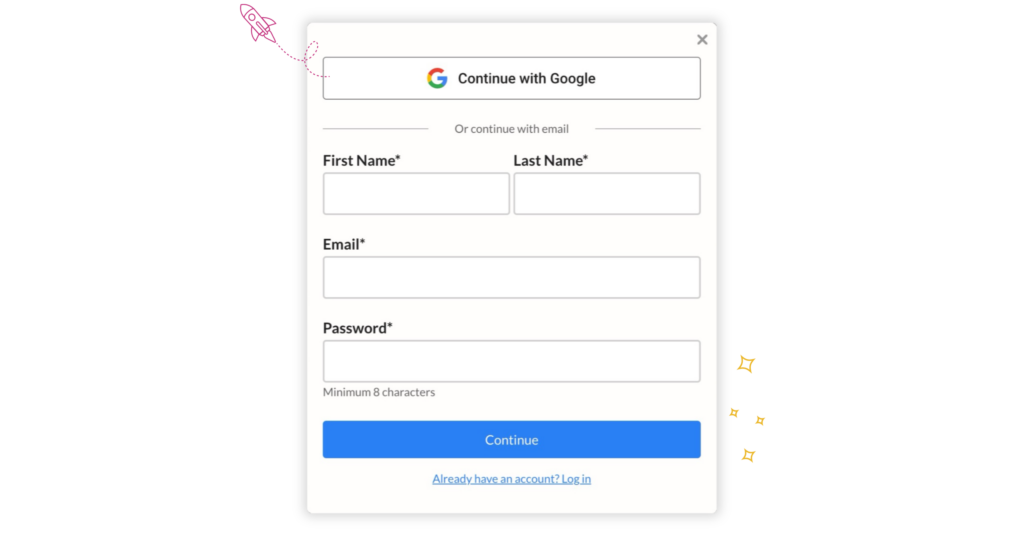
Customers no longer need to create a new account to sign up for your membership or purchase your digital products. Instead, your signup form now gives them the option to continue with Google.

Sign up with Google SSO

After authenticating with Google, their MemberSpace account will automatically be created. If you’ve created any custom signup fields to be completed during signup, those will still show after Google authentication. Otherwise, customers will then be prompted to join a specific plan or choose any of your public plans (depending on the signup link they used).

Enabling and disabling Google SSO

Google social sign-on (SSO) will automatically be enabled for new sites connected to MemberSpace starting April 30th, 2024.

If you connected your site before that date and want to enable Google SSO, or if you want to disable it, you can manage this feature in the Look & Feel editor within your MemberSpace admin.
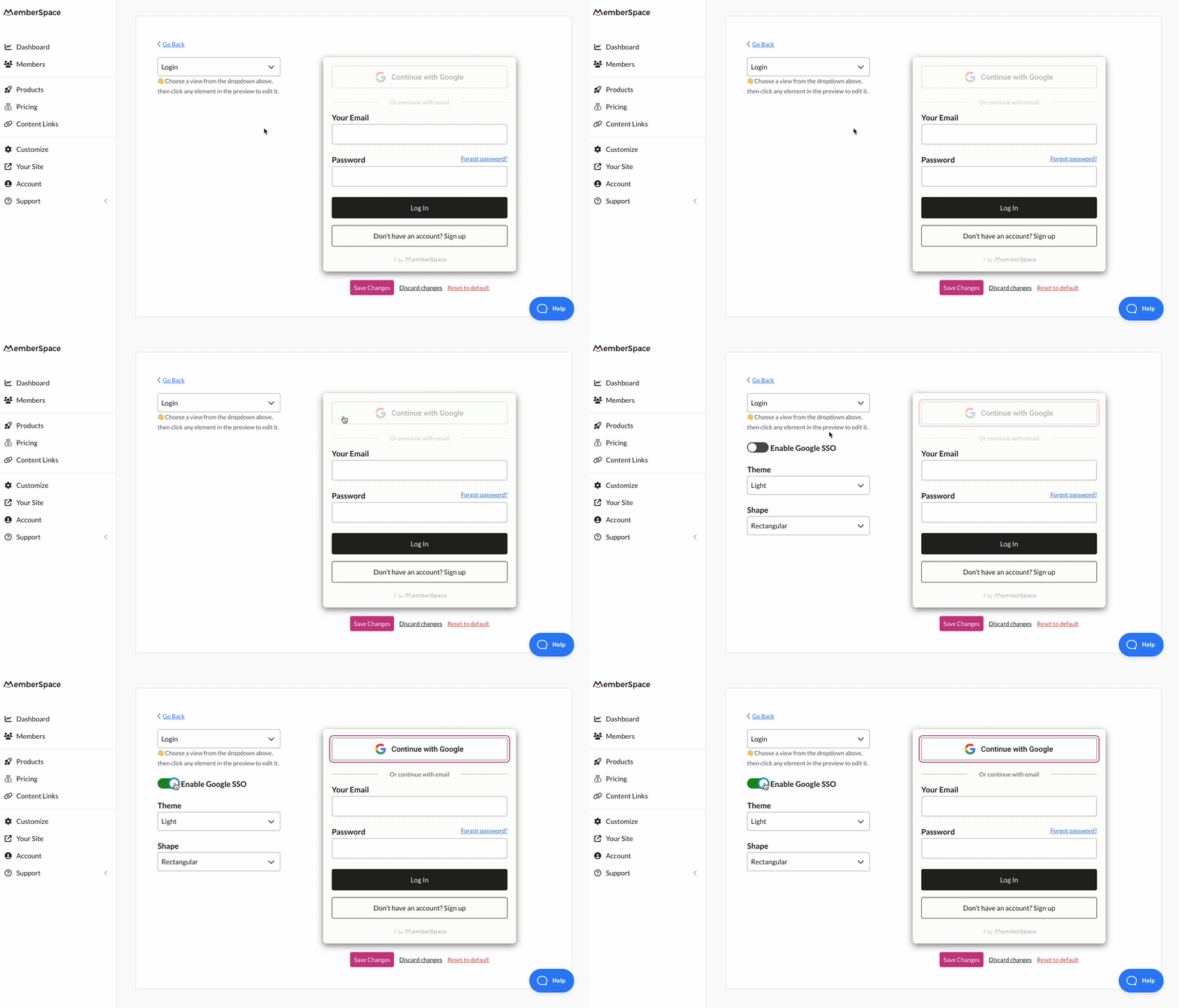
Enable Google single sign-on for customers to sign up


Enable Google SSO

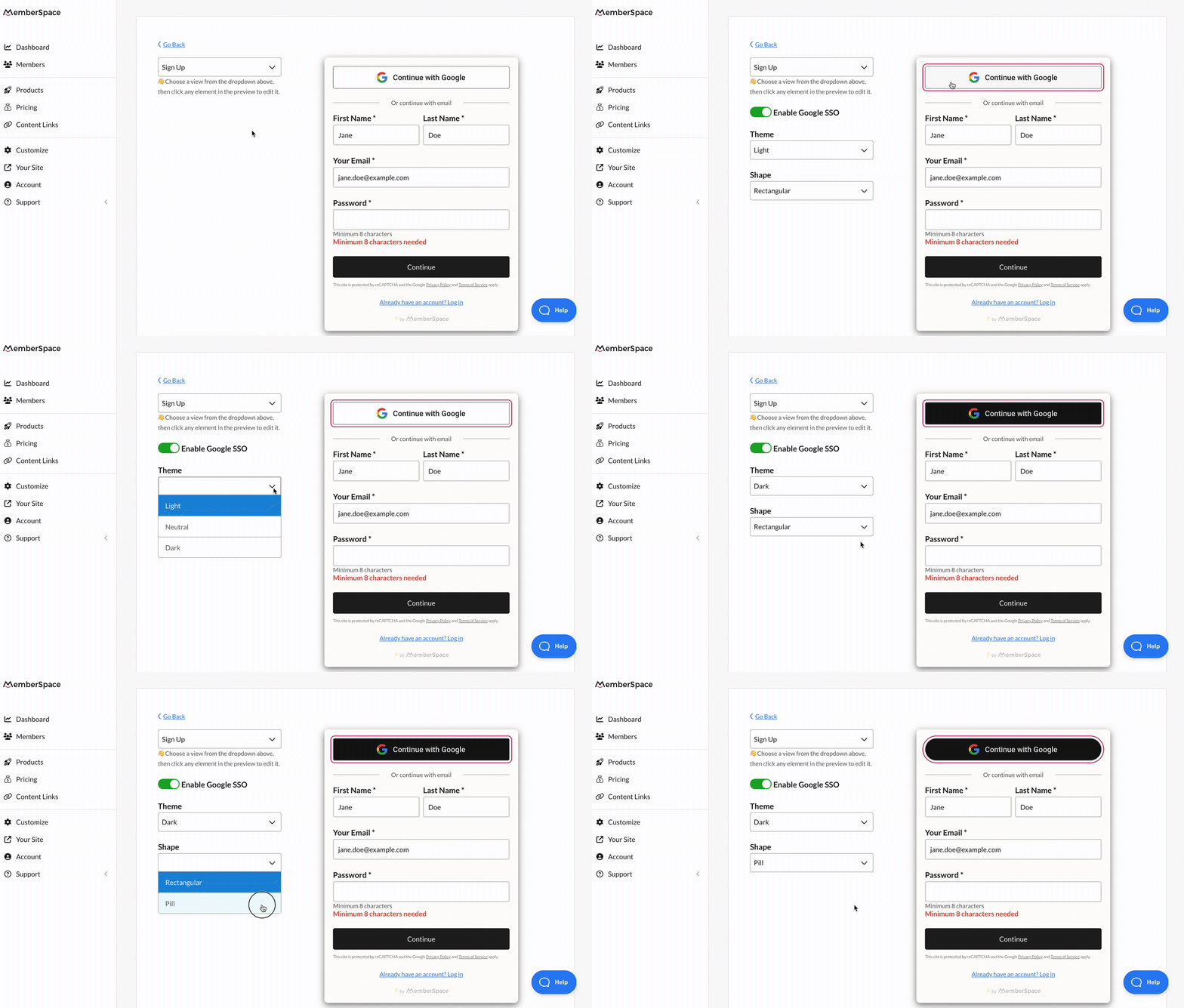
Customizing the Google SSO button

You can also customize how the Google SSO option appears on your signup and login forms within the Look & Feel editor. Change the button theme and shape to seamlessly fit your brand.
Signup/login form enhancements

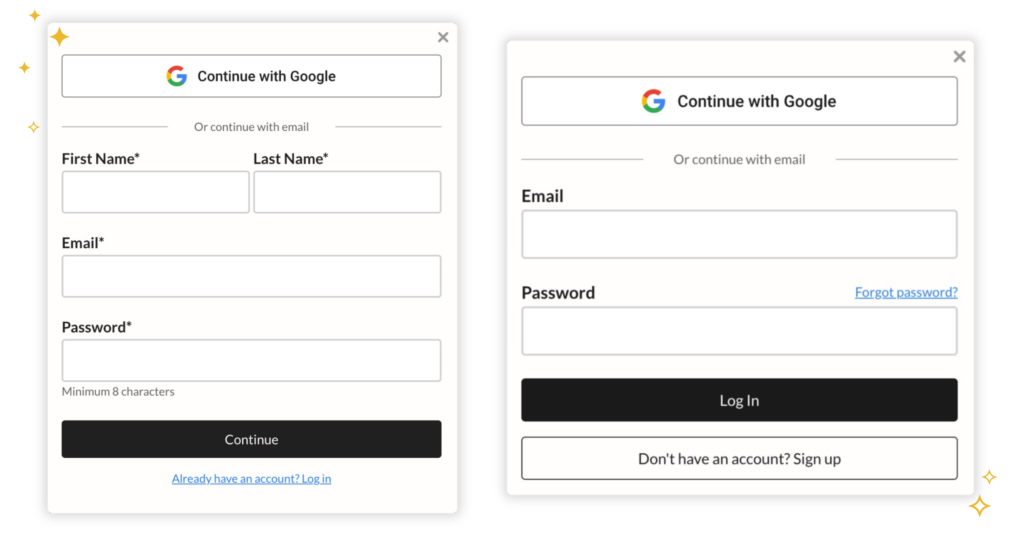
In addition to adding Google SSO, we made a few other changes to your signup and login forms to improve your member experience.

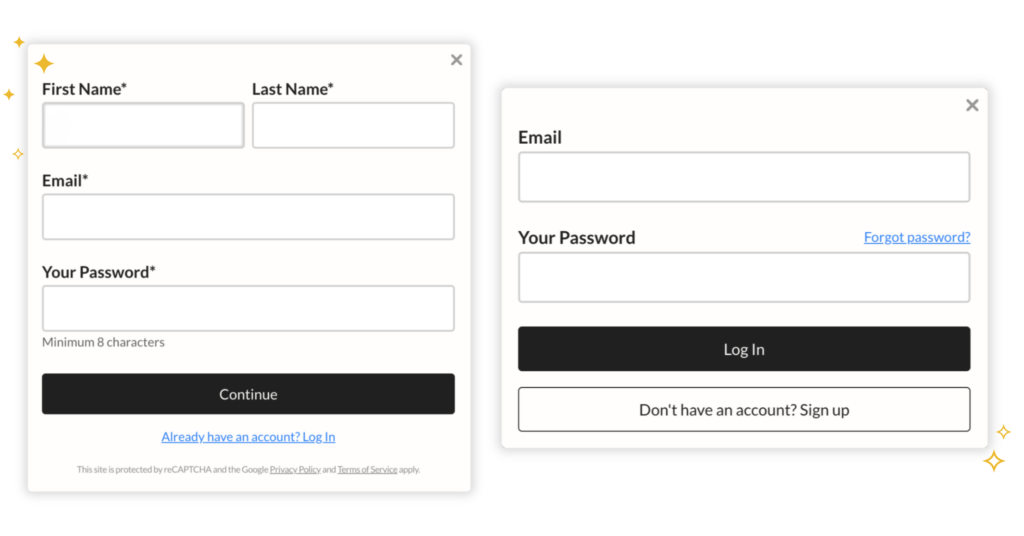
When creating an account from scratch, your customers are no longer asked to confirm their email address, which means fewer signup fields to help improve conversion rates.

Additionally, the Create Account and login buttons are now full-width, and we’ve removed the “forgot email?” link to minimize confusion (though, members can still get help logging in to their accounts via the “forgot password?” link!). 

Improvements to the signup and login forms

The default text for your Create Account button has also changed, though this doesn’t affect any customizations you may have made to your Create Account button in your MemberSpace admin.

Improve conversions with after signup fields

To further improve your customer signup experience (and facilitate conversions!), we recommend saving all of your custom signup fields until after signup. Keeping signup fields to a minimum is a proven way to turn more website visitors into customers.

Once a customer has created an account (or continued with Google SSO) and has officially joined one of your plans, they’ll be asked to provide any additional information.

If your after signup fields are required, customers won’t be able to close the popup until they’ve completed the form. And now, if a customer refreshes the page, the popup will continue to reappear (regardless of the page they visit on your website) until the signup fields are completed!

Coming soon!

reCAPTCHA is being replaced

You asked, we listened…

reCAPTCHA will be soon replaced by an alternative security system that works in the background and is not noticeable by your members 99%+ of the time. This should lead to a faster and smoother signup process among other things. No more confusing bus pictures or sidewalks to click! 😅

If you still prefer to use reCAPTCHA on your site, you’ll have the option to turn it back on within your Look & Feel editor. 


Enable Google SSO

The post New feature: Easier member signup appeared first on .

How to Create an Online Course with WordPress

Software Stack Editor · April 25, 2024 ·

Haiden Hibbert

Haiden Hibbert

I’m a Content Manager at MemberSpace helping entrepreneurs and creators sell digital products.

Creating an online course is an exciting way to share your knowledge and expertise with a wider audience. While there are many course platforms available, they often come with limitations that can hinder your ability to create a truly unique and customized learning experience. If you want complete control over your course content, design, and pricing, the best solution is to build your course directly on your own WordPress website using the MemberSpace plugin.

With WordPress and MemberSpace, you have the freedom and flexibility to structure your course exactly how you want, with no restrictions on layout, branding, or functionality. Plus, by keeping your course under the same umbrella as your blog and other digital products, you can provide a seamless experience for your audience. In this guide, we’ll walk you through the simple process of creating a professional online course with WordPress and MemberSpace, no tech expertise required!

Create an online course with WordPress!

The easiest way to accept membership payments or one-time charges for digital products like online courses, communities, content libraries, and more — all from your own website!


Start selling now

Get started for free! 5 minutes to set up.

Table of Contents

Step 1: Create your online course pages

The first step in creating your online course with WordPress is to add your course materials to pages on your website, including sections for: 

  • Modules
  • Lessons
  • Free downloads
  • Quizzes 
  • Certifications
  • Navigation menu

Module pages

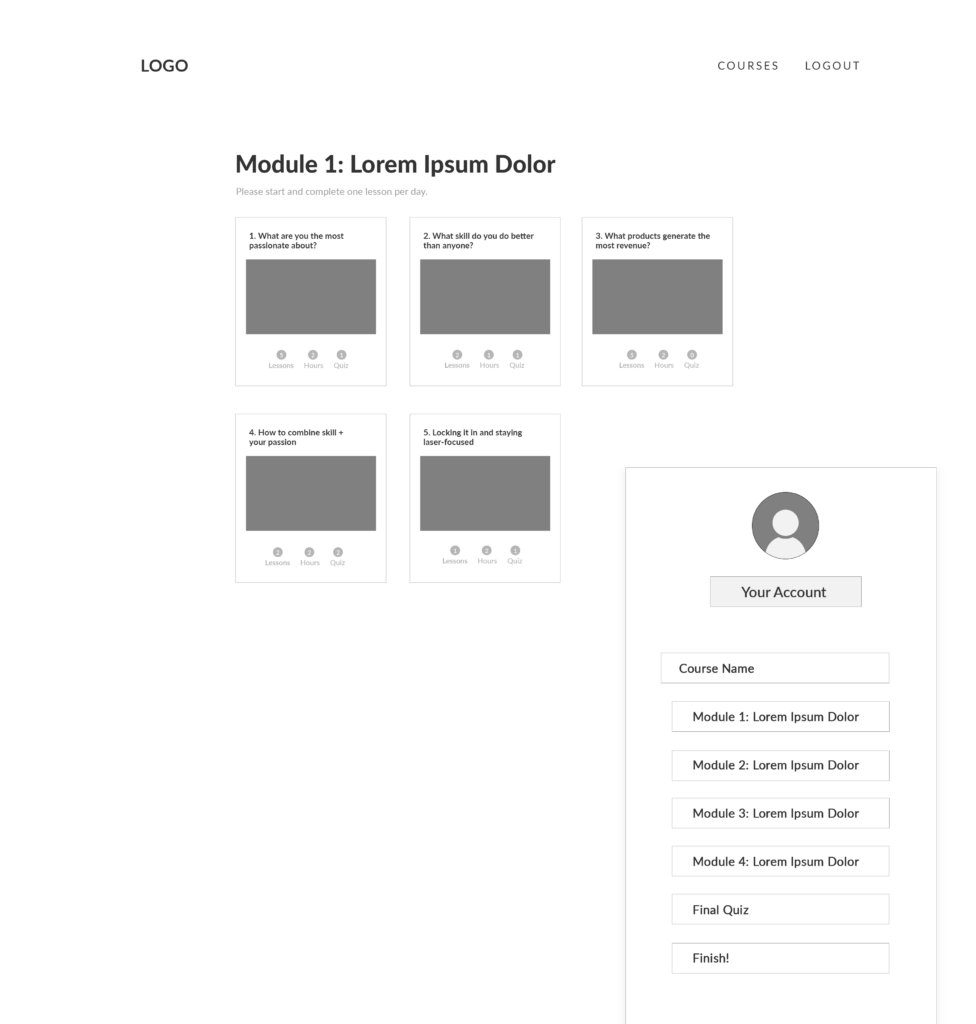
Module pages should include a preview of all of the lessons within each module. You can display all of the lesson videos on the page, or link a preview of each lesson to its own page. 

✨ Online Course Tip: If you’re not including modules in your course, simply create one hub page previewing all the lessons. 
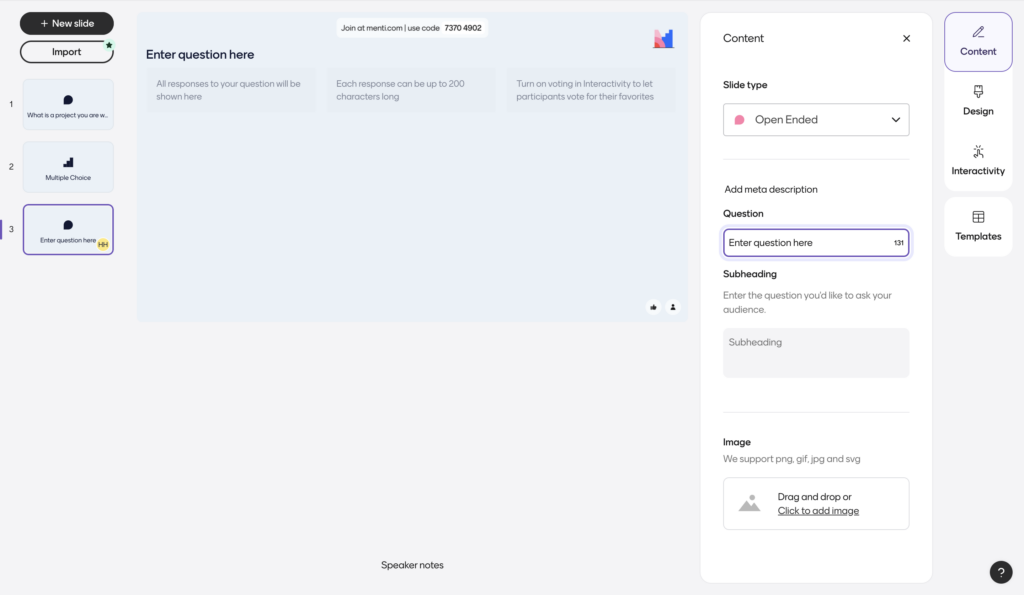
WordPress online course module example
Each course module can have its own page that showcases lessons, as well as a navigation menu to make it easy for students to move onto other parts of the course.

Lesson pages

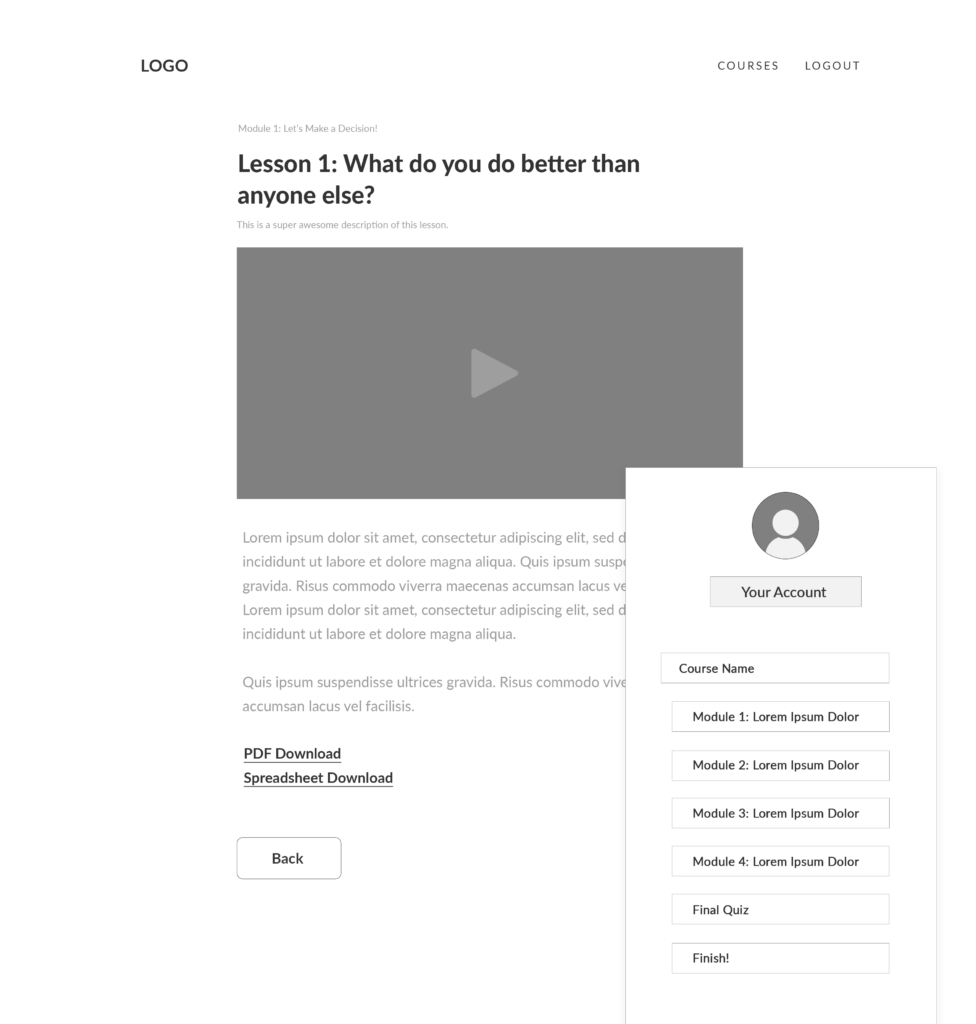
If you plan to use individual lesson pages, they should include the information you’re providing students for that specific lesson, such as a video, written guide, or free download. Don’t forget to include “Back” and “Next” buttons that link to the previous and following lessons, making it easy for students to navigate your course.

wordpress online course lesson page
To display lessons, you can either have individual lesson pages with your video, free downloads, and other course materials, or simply display all your lesson videos on one page.

Free downloads

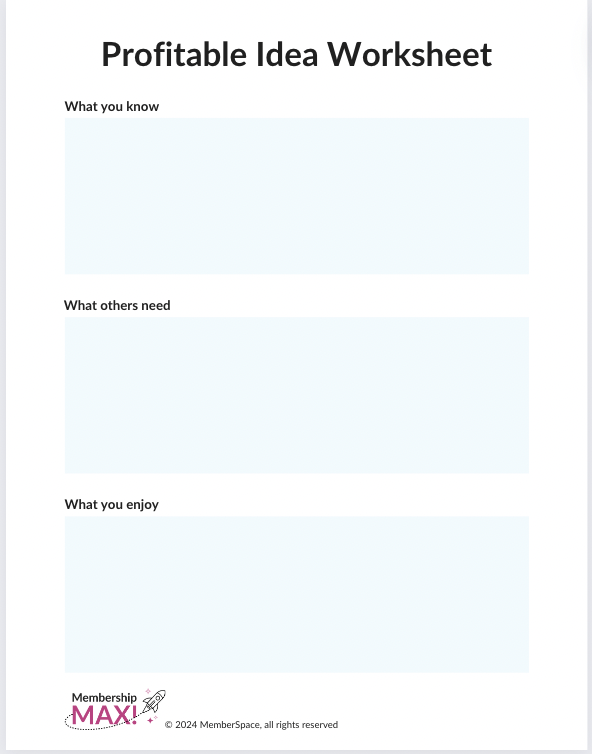
Using free downloads, like templates, wireframes, and worksheets, within your online course is a great way to keep students engaged and increase the value of your teaching. 

WordPress online course worksheet
An example free download from our Membership MAX course.

Quizzes

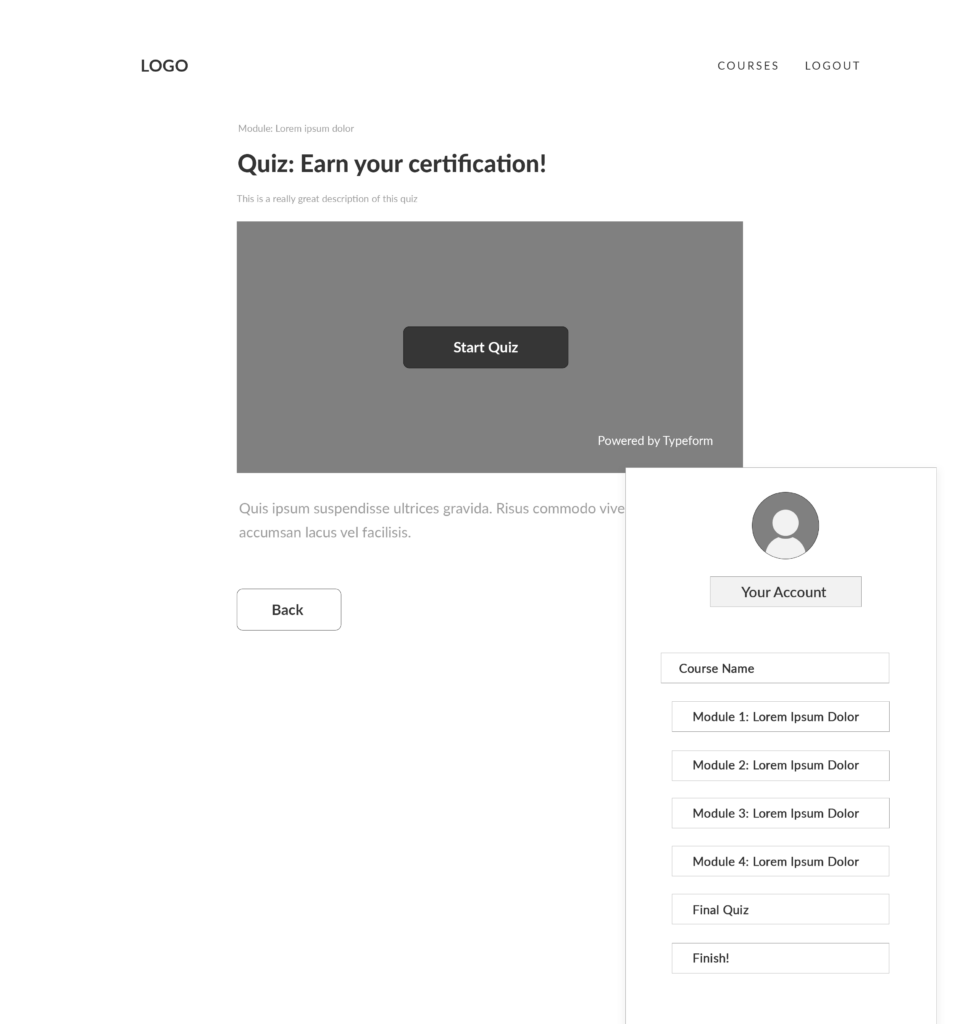
If you plan to include quizzes in your online course, display them after the course material you’re covering in the assessment. For example, if you want to do a brief quiz after each lesson, create a page for each quiz and link to it from the corresponding lesson. 

If you plan to do a quiz after each module, link the quiz on the last lesson page of each module. For a final assessment that covers the entire course, add a link to the quiz on the very last lesson page. You can either embed the quiz on a web page or simply link to the quiz tool that you used to build it. 

wordpress online course quiz
Quizzes are usually placed after the last quiz in a module, or after the entire course has been completed.

Certifications

Offering a formal certification program or certificate of completion as a part of your online course is a great way to increase student engagement and completion rates, as well as attract more potential students to your course! There are several free certification generators that make the process of designing your certificate really simple. 

WordPress online course certificate
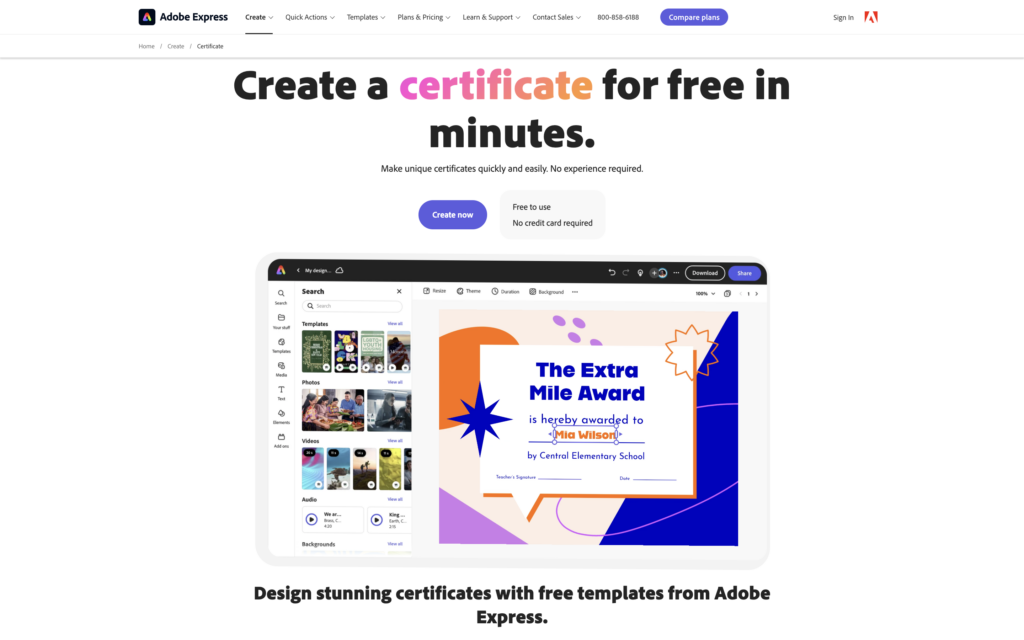
Create a digital certificate for your WordPress online course with tools like Canva, Adobe Express, and Bannerbear.

Navigation menu

You have two options for your navigation menu:

  1. MemberSpace Member Menu (recommended): The Member Menu is the easiest way to help your students seamlessly navigate your online course. Logged-in students can locate the Member Menu in the floating button in the bottom right corner. In the next section, we’ll go over how to add your online course content to your Member Menu.
  2. Custom Menu (for experienced web designers): Since your online course is built on your website, you have the freedom and flexibility to build it however you’d like. Although more time-consuming and requiring more web design skills, you can create a custom navigation menu for your online course if you prefer. In our wireframe above, we have an example of how you might set this up: a sidebar that displays on all course pages and allows students to navigate to any page by clicking on the module, lesson, or quiz.

Using MemberSpaces’ Member Menu feature is the easiest way to add navigation to your WordPress online course.

Step 2: Install MemberSpace to protect your online course pages

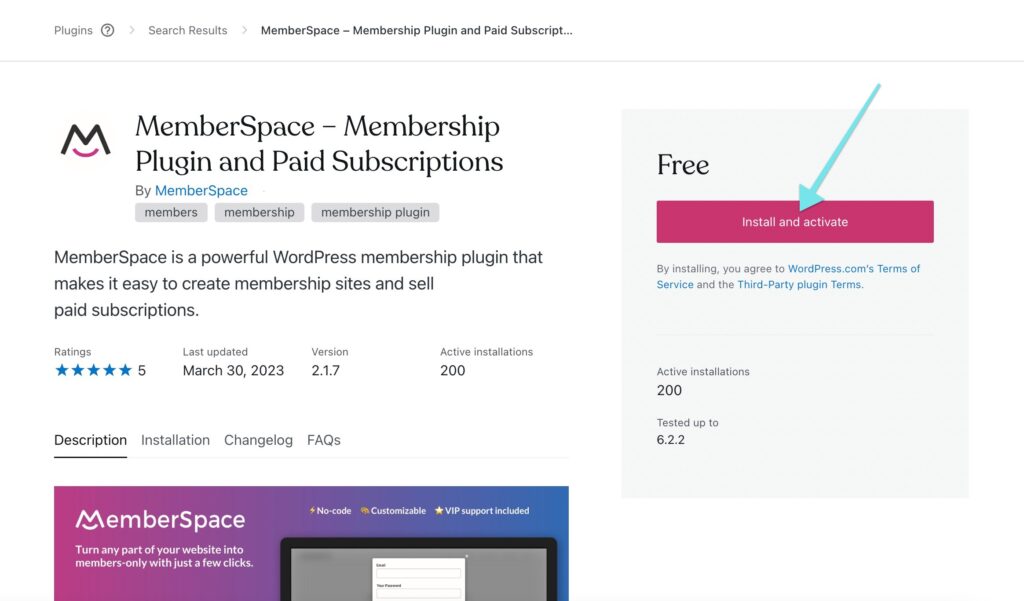
After setting up your online course pages on your website, head to the backend of your WordPress site and the install MemberSpace online course plugin. This only takes a few minutes. With MemberSpace, you can:

  • Password protect your online course pages
  • Accept payments on your website
  • Sell access to other digital products
  • Access revenue growth features!

Install the WordPress online course plugin, MemberSpace to gate access to your online course content and accept payments.

Then, go to your MemberSpace account to restrict access to those pages, ensuring only paying students can view them.

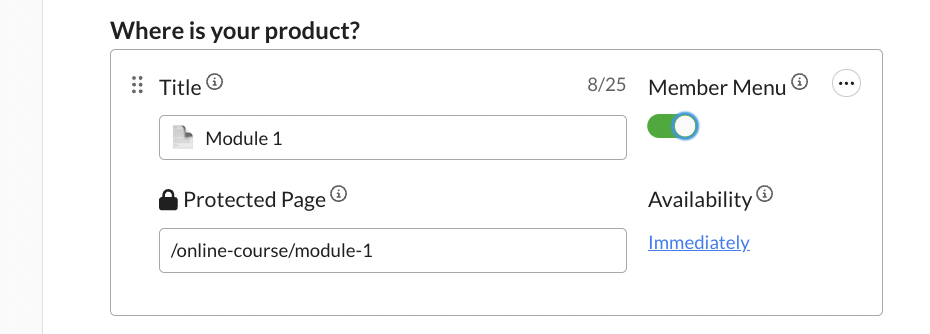
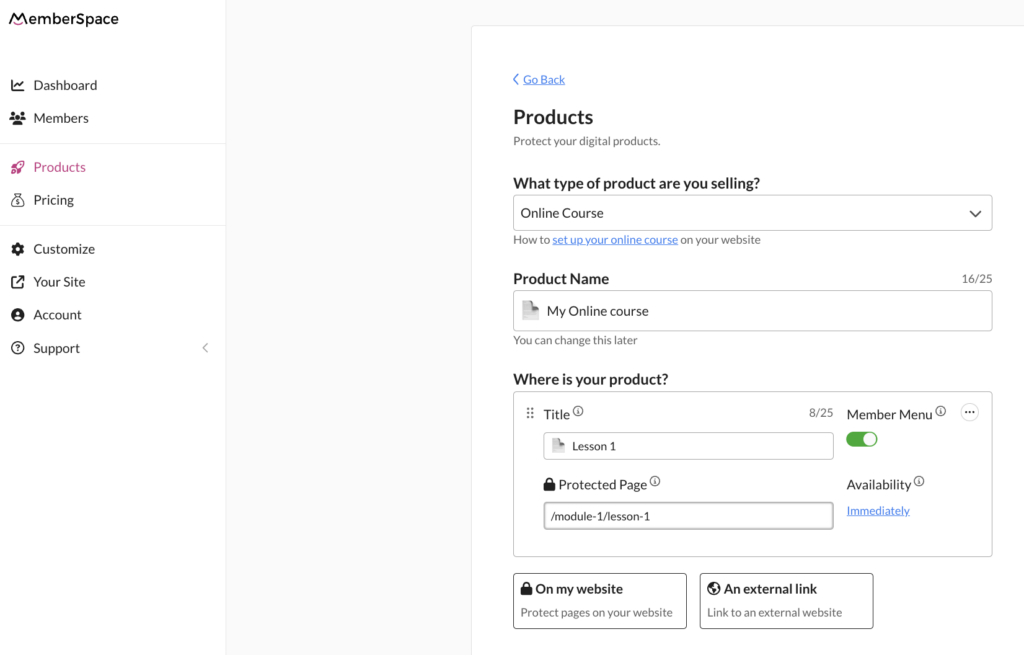
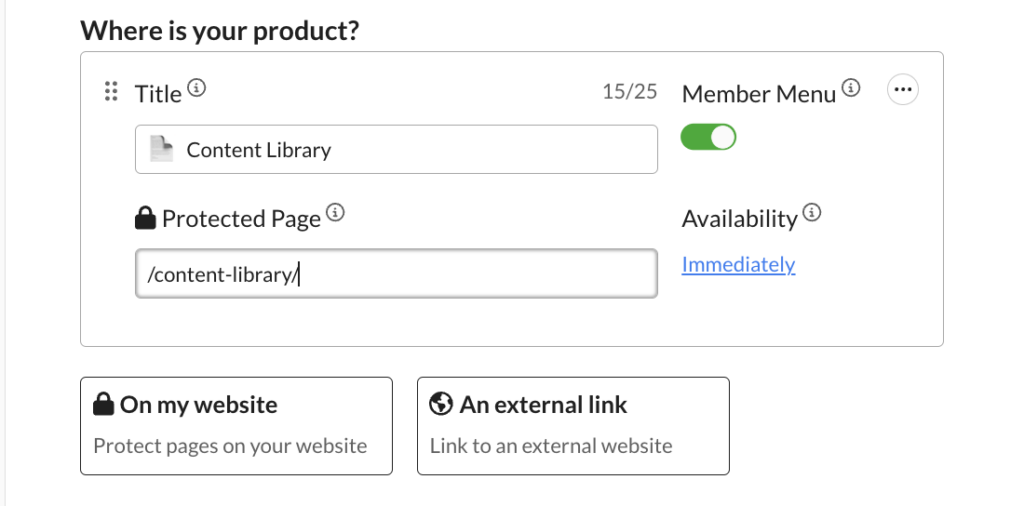
To do this, go to Products > Add product > What type of product are you selling? > Online Course. Then, fill in the name of your course and the URLs you want to protect. This is also where you would activate the Member Menu.

online course member menu
MemberSpace makes it easy to restrict access to your online course pages. Simply add the course URLs under Protected Page.

It’s also important to have a clear and organized URL structure for your online course pages. Here are some best practices:

Structure your online course the way you would a blog (i.e., yoursite.com/blog/category/post-name). For your online course, it might look something like this:

  • yourwebsite.com/courses
  • yourwebsite.com/courses/module-name/
  • yourwebsite.com/courses/module-name/lesson-name

With MemberSpace, you can also protect pages en masse. For example, protecting /courses/* will protect all pages that begin with /courses/, which in the example above would include all module and lesson pages. 

Step 3: Set a price for your online course

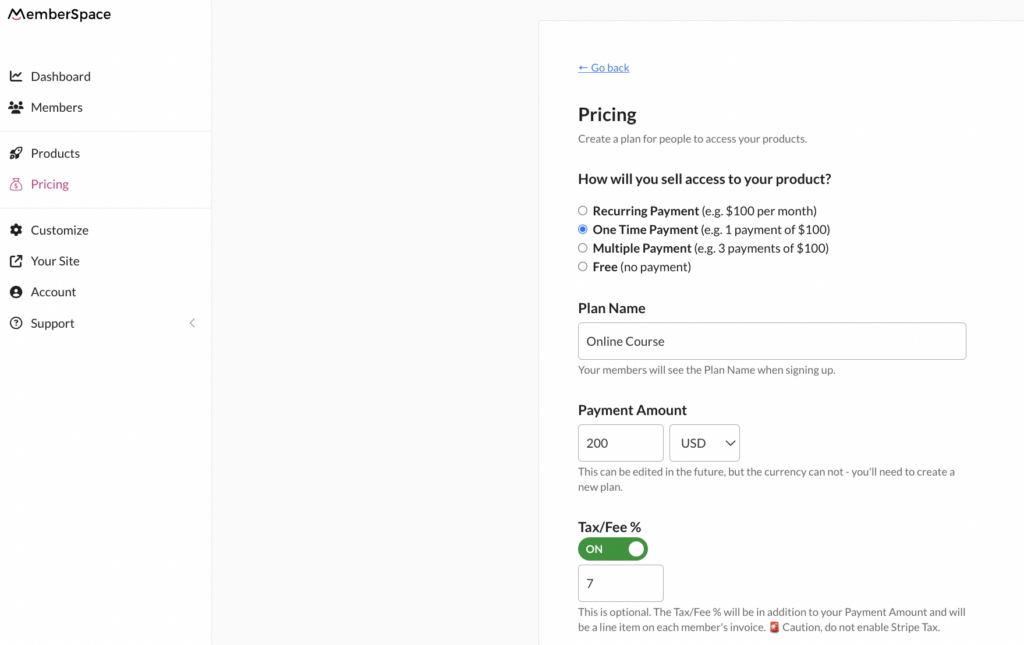
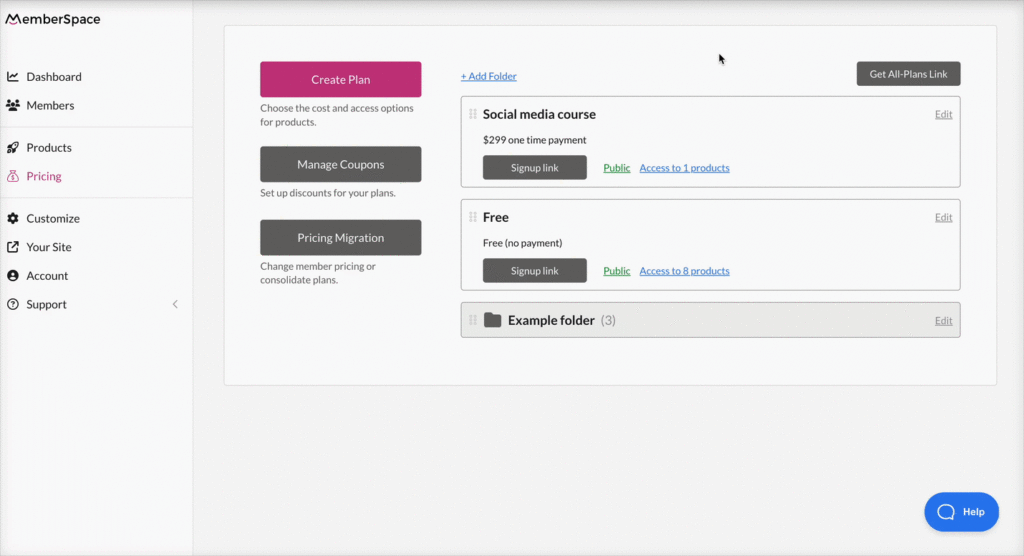
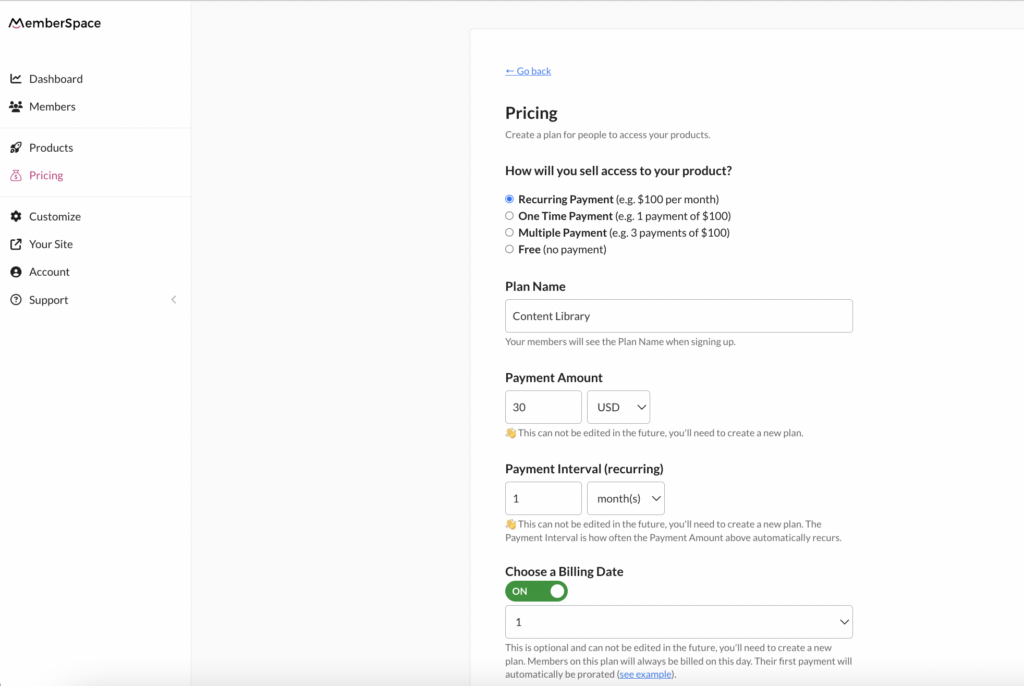
You can choose from one-time, multiple, or recurring payments, or even offer your course for free. MemberSpace has a built-in Stripe integration that makes it easy to securely and quickly accept payments on your website via credit card, Apple Pay, and Google Pay. 

WordPress online course pricing
MemberSpace provides a lot of pricing flexibility for your online course. Choose from recurring payment, one-time payment, multiple payment, and free.

Step 4: Add signup links or buttons to your website

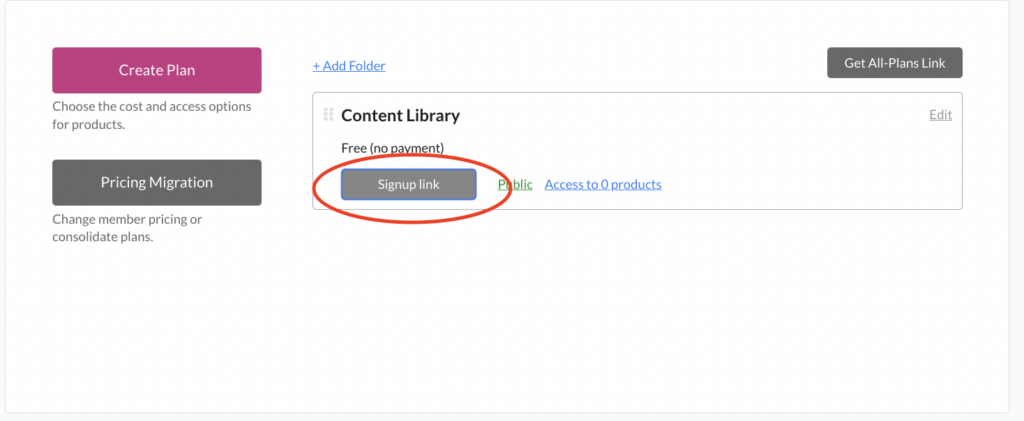
MemberSpace will generate a unique signup link that you can add to a sales page on your website, emails, social media, and anywhere else you want to sell your online course. The link opens up a signup form, allowing students to create an account and pay for access.

Online course signup link
Add your signup link to buttons on your website, as well as anywhere else you’d like to promote your online course.

Final Thoughts

By following the steps outlined in this post – setting up your course pages, protecting them with MemberSpace, setting your price, and adding signup links – you’ll be able to launch a professional online course that provides a great experience for your students. Online courses are only growing in popularity, so there’s never been a better time to package your expertise into a digital product! For more tips and strategies on scaling your business, check out MemberSpace University. 

Need help with your online course?

Connect with our friendly team, weekdays 10am – 6pm ET.

Let’s chat!

The post How to Create an Online Course with WordPress appeared first on .

How to Turn Your Videos into an Online Course – Monetize Your YouTube Channel in 5 Steps

Software Stack Editor · April 24, 2024 ·

Haiden Hibbert

Haiden Hibbert

I’m a Content Manager at MemberSpace helping entrepreneurs and creators sell digital products.

If you’ve invested time and effort into producing educational and informative videos for your YouTube subscribers, you may be wondering how to take the next step and monetize your content. Turning your videos into an online course is a simple way to repurpose the content you’ve already created and start making some passive income! In this blog post, we’ll guide you through the process of transforming your videos into a structured, engaging, and profitable online course.

Launch an online course!

The easiest way to accept membership payments or one-time charges for digital products like online courses, communities, content libraries, and more — all from your own website!


Start selling now

Get started for free! 5 minutes to set up.

Table of Contents

How to know if your videos would make a good online course

Before diving into the course creation process, it’s important to do some prep work to determine if your videos make sense for an online course. Consider the following: 

  1. You’ve created multiple videos relating to the same topic or contributing to a common goal (like teaching different ways to use a sourdough starter, or teaching foundational elements of ballet).
  2. Your videos are inherently educational and informative (not just entertaining).
  3. You have lots of free video content on YouTube and want to start monetizing it.

If you meet these criteria, you’re ready to start building your online course!

Step 1: Pick a course topic

Based on the types of videos you have, you’ll want to start by identifying the overarching goal of your course. Your videos don’t have to be a step-by-step process that works toward this goal, but they all need to at least contribute to the same goal. Consider the main theme or skill your videos address and use that as the foundation for your course topic.

Step 2: Organize your videos into lessons and/or modules

Once you have your course topic, it’s time to break it down into smaller, digestible chunks. If you have 10 or more videos, consider grouping them into modules to create subsections within your course. Then, include at least 2-3 videos in each module as lessons. This structure will help your students navigate the course content easily.

WordPress online course module example
Add a page to your website for each module that you plan on including in your online course. These pages should showcase all the lessons within each module.

Step 3: Set up your online course on your website

Now that you have your course structure in place, it’s time to create a home for your course on your website. Here’s an idea of what you might want to include: 

  1. Course pages – Create a page for each module and lesson and embed your YouTube videos on the pages. If you’re not using modules and only have lessons, you’ll only need one hub page for all your videos.  We’ll talk about the best way to protect your videos in the next step. 
  2. Free downloads – If you have worksheets, templates, or other resources that complement your course content, these can be added directly to your module and lesson pages. 
  3. Quizzes – Incorporate quizzes to test your students’ knowledge and reinforce their learning. You can embed quizzes directly onto pages on your website, or link to a quiz tool from your module or lesson pages. 
  4. Certificates – Consider creating digital certificates and offering them to students to motivate them to complete your course. 
  5. Navigation menu – Enable MemberSpace’s Member Menu to create a clear navigation menu for students (see next step for how to do this).

wordpress online course lesson page
Lesson pages can showcase your videos, as well as free downloads and quizzes.

Step 4: Protect your course videos with MemberSpace

To ensure that only paying students can access your course content, you’ll need to set up a MemberSpace account. MemberSpace seamlessly integrates with your website, allowing you to protect your videos and accept payments for your online course. 

Here’s how it works:

1. Create an account for free.
2. Protect your online course content by adding the URLs for your course pages to MemberSpace. This will restrict access to them so students have to sign up and pay to view them. This is also where you will enable the Member Menu. 

Online course MemberSpace
When someone goes to view a protected page, they will be required to login or signup and pay for your course before they get access.

 3. Connect to Stripe to handle payments securely. If you don’t already have a Stripe account, it takes just a few minutes to create one.

4. Set a price for your online course. You can choose between one-time, recurring, or multiple payments, as well as free. 

WordPress online course pricing
With MemberSpace, you have flexibility when it comes to how you charge customers for your online course. Choose from recurring payment, one-time payment, multiple payment, and free.

5. Add a snippet of code to your website to enable MemberSpace functionality (this also only takes a few minutes, and simple instructions are provided, so no tech expertise needed!). 

✨ Video Tip: As an added layer of security, we recommend uploading your YouTube videos (Vimeo or Wistia works, too) to MemberSpace as Content Links.  This will create a secure link that you can use to embed your videos on your web pages, ensuring only students who have signed up and paid for your course can view them. 

Step 5: Launch and promote your online course

With your course set up and protected, it’s time to launch and promote it to your target audience. Share the news about your course through your email list, social media channels, and other platforms where your audience engages with you. Consider offering a special launch price or bonus content to encourage early sign-ups and generate buzz.

Final Thoughts

Turning your videos into an online course is a great way to share your expertise, help your audience, and monetize your content. By following these five steps, you’ll be well on your way to creating a valuable and profitable online course that showcases your knowledge and skills. To get started, sign up for a free MemberSpace trial today. 

Need help with your online course?

Connect with our friendly team, weekdays 10am – 6pm ET.

Let’s chat!

The post How to Turn Your Videos into an Online Course – Monetize Your YouTube Channel in 5 Steps appeared first on .

How to Create a Digital Certificate – 4 Best Certificate Generators for Your Online Course

Software Stack Editor · April 17, 2024 ·

Haiden Hibbert

Haiden Hibbert

I’m a Content Manager at MemberSpace helping entrepreneurs and creators sell digital products.

Offering a certification program or a certificate of completion can be a game-changer for your online course. Not only does it provide a sense of accomplishment for your students, but it also enhances the credibility of your course and likelihood that your students will share about it online. You don’t need design skills or an accredited program to offer a certificate to your students – all you need is a certificate generator! We’ve narrowed down the top four tools to help you create a digital certificate that your students will be proud to display.

Launch an online course!

The easiest way to accept membership payments or one-time charges for digital products like online courses, communities, content libraries, and more — all from your own website!


Start selling now

Get started for free! 5 minutes to set up.

Table of Contents

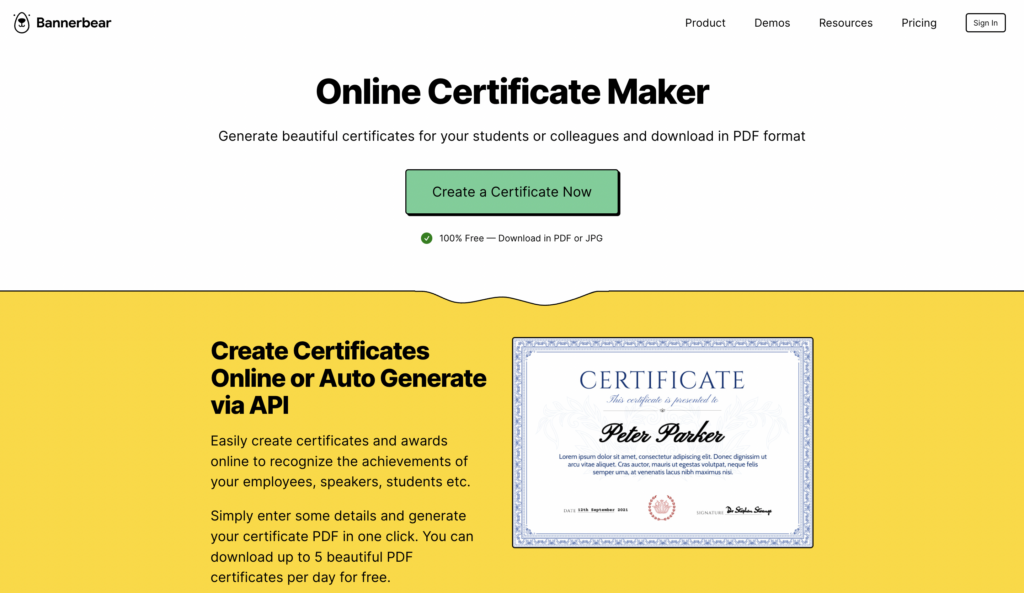
1. Bannerbear

First up, we have Bannerbear. This user-friendly certificate generator lets you whip up professional-looking certificates in one click. You can create up to five PDF certificates per day for free, which include the student’s name, a subtitle, a date, and signature.

Price: Free

Key features:

  • Auto resizing (i.e. if someone has a long last name, the tool will resize it on the certificate for you)
  • No design skills needed
  • Integrations with Zapier, Airtable, Integromat and more
  • Can produce certifications in bulk through their API

Bannerbear certificate generator
Bannerbear is a free certificate generator and marketing tool that helps creators and businesses auto-generate designs.

2. Canva

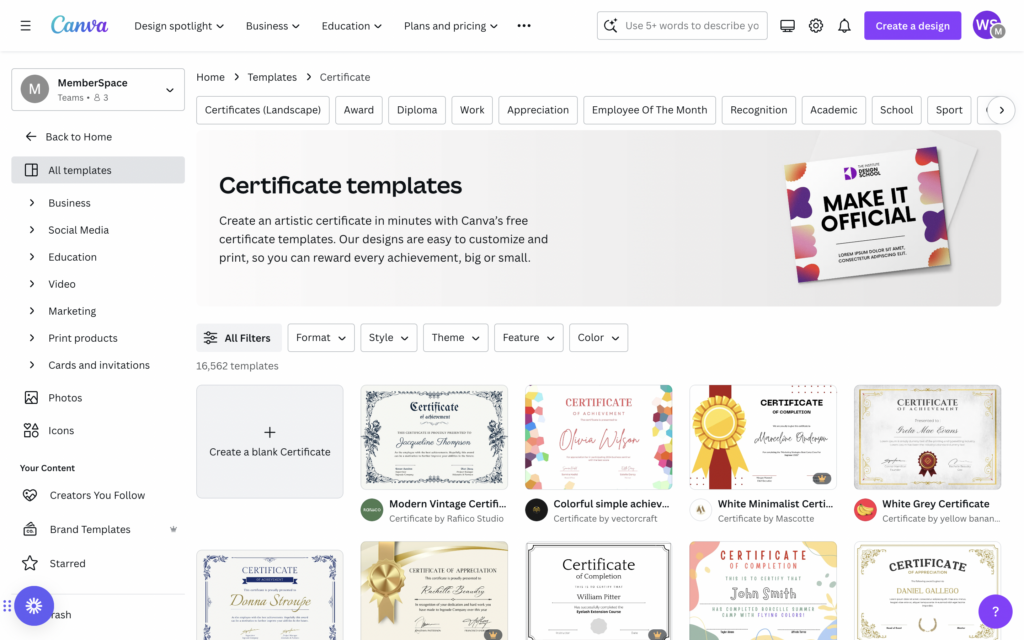
Canva is definitely the most flexible, feature-rich certificate generator on our list! This popular design tool has thousands of certificate templates to choose from, and the drag-and-drop editor makes customizing your designs super easy. 

Price: Free plan, Paid plans starting at $15/month

Key features:

  • Easy drag-and-drop editor
  • Thousands of templates
  • Over 3 million free stock photos and graphics
  • Simple to share and download certificates in any format
  • Design printing and delivery (if you want to send physical certificate copies)
  • Create your own templates

Canva certificate generator
Canva’s free plan allows course creators to choose from and customize thousands of certificate templates.

3. Adobe Express

Adobe Express is another certificate generator and design tool that’s similar to Canva, making it easy for non-designers to create professional certificates with their templates and drag-and-drop editor. While it’s not free forever, you can test it out at no charge for 30 days. 

Price: Free trial, then $9.99/month

Key features:

  • Free certificate templates
  • Drag-and-drop editor
  • More than 25,000 Adobe Fonts to choose from
  • Resize in one-click to share across social media channels
  • Create your own templates

Adobe Express is another easy-to-use certificate generator with a drag-and-drop editor and free certificate templates.

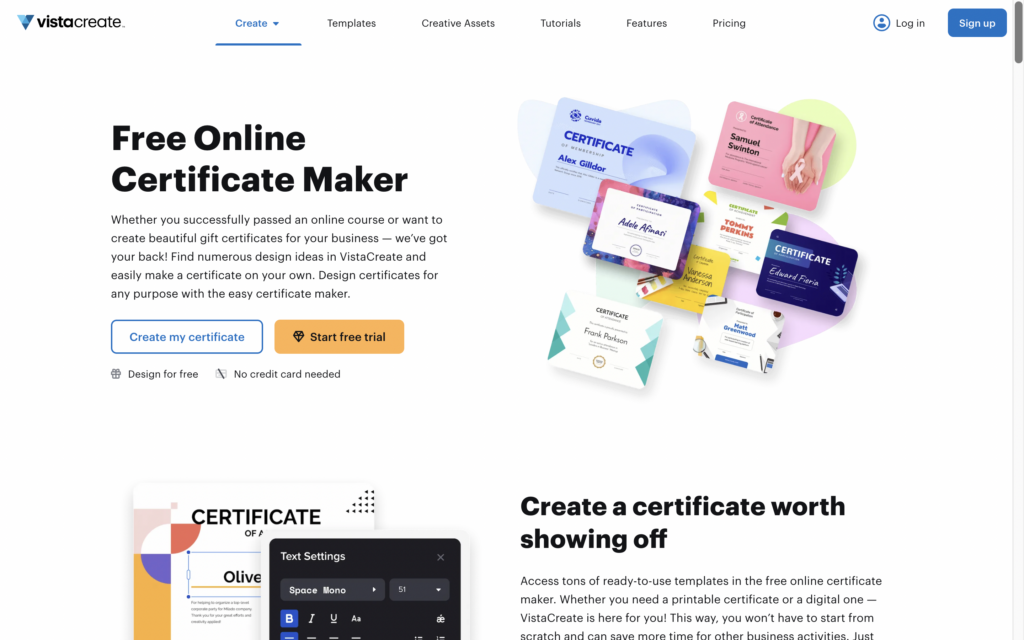
4. VistaCreate

Last but not least, VistaCreate is another user-friendly design platform with a variety of certificate templates. With its huge library of design elements and simple interface, you can create professional-looking certificates quickly.

Price: Free plan, Pro $10/month

Key features:

  • More than 100,000 free design templates
  • Over 1 million photos, videos, and vectors
  • Brand Kit with colors, logos, and fonts
  • Sticker maker
  • HD download

Vista Create Certificate Maker
VistaCreate is another design tool that makes crafting certificates, posters, and other marketing materials easier than ever.

How to create a digital certificate

In addition to using a certificate generator, there are a few other steps to consider when adding a certificate to your online course. 

  1. Decide what to include on the certificate, such as:
    • Course name and description
    • Student name
    • Date of completion
    • Your signature and logo
    • Any additional relevant information. Depending on your course or certification program, you may want to include additional details such as the student’s score, the duration of the course, or any special achievements.
  2. Give your students instructions on how to claim their certificates.
    Communicate what students need to do to earn their certificates, whether that’s completing the course, taking a final exam, or something else. Consider using a survey or quiz tool to collect student info, like how they want their name displayed on the certificate. 
  3. Send the certificate to your students.
    Once your student has met the requirements for earning the certificate,  let them know they will receive it via email within a certain number of days!

Why add a certification to your online course?

It’s more than just a piece of (digital) paper! Offering certificates to your online course students comes with many benefits, including: 

  • Increased perceived value. Offering a certificate of completion or a certification program enhances the perceived value of your course. It demonstrates that your course provides tangible outcomes and skills that students can showcase to potential employers, clients, etc.
  • Improved student engagement and completion rates. The prospect of earning a certificate can motivate students to stay engaged and complete your course.
  • Enhanced credibility and trust. Providing certificates from a reputable source (i.e., your course or business) enhances your credibility as an educator and expert in your field.
  • Sense of accomplishment for students. Earning a certificate gives your students a sense of achievement and pride and acknowledges all of the effort and time they put into your course. 
  • Competitive advantage. Offering a certification program can differentiate your course from competitors in your niche. It adds an extra layer of value and can attract students who are looking for credentials to boost their skills and/or career opportunities.

Final Thoughts

Creating a digital certificate program for your online course can be a powerful way to add value, recognize your students’ achievements, and enhance your brand’s credibility. By choosing the right certificate generator and following the steps outlined in this blog post, you can design professional certificates that your students will be eager to earn and proudly share with others.

For more tips and strategies on online courses, check out MemberSpace University. 

Need help with your online course?

Connect with our friendly team, weekdays 10am – 6pm ET.

Let’s chat!

The post How to Create a Digital Certificate – 4 Best Certificate Generators for Your Online Course appeared first on .

5 Best Quiz Tools for Your Online Course

Software Stack Editor · April 17, 2024 ·

Haiden Hibbert

Haiden Hibbert

I’m a Content Manager at MemberSpace helping entrepreneurs and creators sell digital products.

You’ve put in the hard work to create an online course that shares your knowledge and expertise with your audience. But how can you ensure that your students are truly engaging with and retaining the information you’re teaching? One of the most effective strategies is incorporating quizzes into your course!  In this blog post, we’ll take a look at the best quiz tools available, as well as some best practices around crafting engaging quiz questions. 

Launch an online course!

The easiest way to accept membership payments or one-time charges for digital products like online courses, communities, content libraries, and more — all from your own website!


Start selling now

Get started for free! 5 minutes to set up.

Table of Contents

Best quiz tools for your online course

Creating an online course can be a huge undertaking, so it’s important to find a tool that makes crafting quizzes quick and easy. We’ve narrowed down the best five options for course creators of all experience levels, and yes, they all have free plans or trials! 

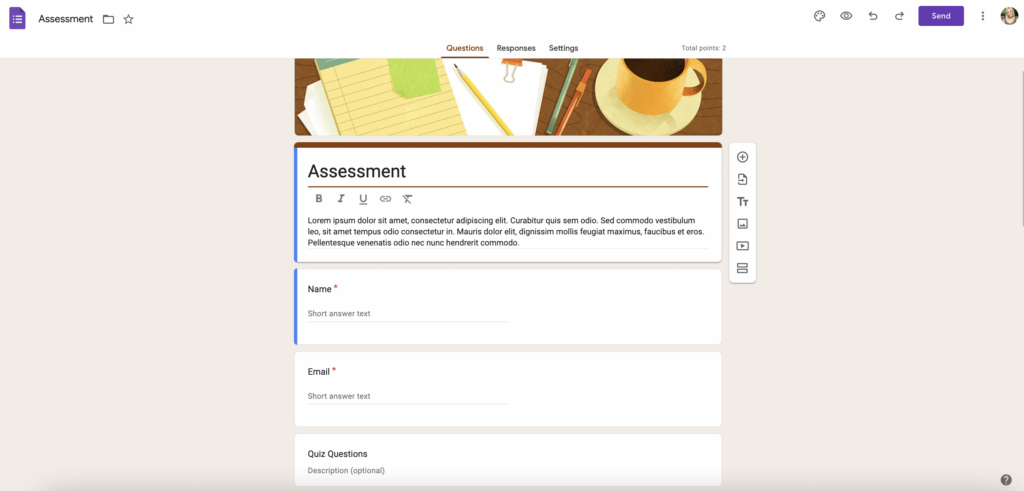
1. Google Forms

If you’re looking for a free quiz tool with basic features, Google Forms might be the perfect option for your online course. You can create custom quizzes and surveys that include any type of question and easily embed them on your website. 

Price: Always free!

Key Features: 

  • Assign point values, set answers, and automatically provide feedback
  • Add collaborators
  • Manage how responses are collected
  • Show a progress bar
  • Customize a confirmation message
  • Share results summary/analytics with students

Google Forms is a great option for beginner course creators and offers the basic features you need to launch quizzes quickly.

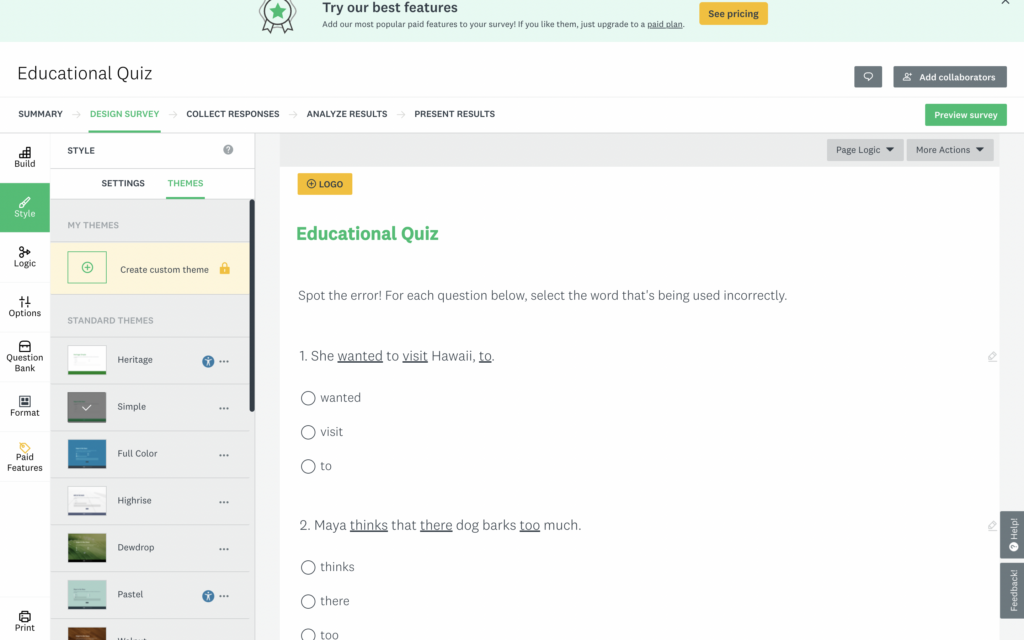
2. Survey Monkey

If you’re looking for another free, beginner-friendly option that offers more features than Google Forms, Survey Monkey is a great choice.  With the free plan, you can create unlimited quizzes with up to 10 questions each. 

Price: Free plan, Premium plans starting at $25/month

Key Features:

  • Start from scratch, use a template, or build with AI
  • Use free themes to create a professionally-designed quiz
  • Customize the look by adding your logo, changing the font, colors (paid account)
  • Question bank
  • Progress bar
  • Embed your quizzes on your website or share a link

Survey Monkey is a user-friendly quiz tool that makes it quick and easy to generate assessments and embed them into your online course.

3. Typeform

For a sleeker-looking quiz with a modern design, check out Typeform. The free plan is a bit more limited than Google Forms and Survey Monkey (you can create quizzes and collect up to 10 responses before upgrading), but if you want a nicer aesthetic with the same user-friendliness of the other tools, the cost is worth it. 

Price: Free plan, Paid plans starting at $25/month

Key Features:

  • Unlimited number of quizzes
  • Quiz templates
  • Design flexibility
  • Branching and calculations, scores, and variables (allows you to show your students different questions based on their answers)
  • Custom Ending screens to show any message you’d like, depending on the outcome of the quiz
  • Export quiz results

Online Quiz Tools typeform
Typeform is the best all-in-one quiz tool for course creators of all experience levels. It’s easy to use and generates clean, visually-appealing assessments that can be embedded on any site.

4. Quiz Maker

Quiz Maker is a dedicated quiz creation tool that offers a free 7-day trial. The tool offers AI-generated quizzes and feedback, a wide range of question types, tons of integrations, and design flexibility. If you want a more robust quiz tool with lots of features and integrations, QuizMaker is a great option. 

Price: Free trial, paid plans starting at $28/month

Key Features:

  • Ability to assign grades and certificates
  • Auto-grading option
  • Leaderboards and timers
  • Customizable look and feel
  • AI based feedback platform
  • Multi-language translations

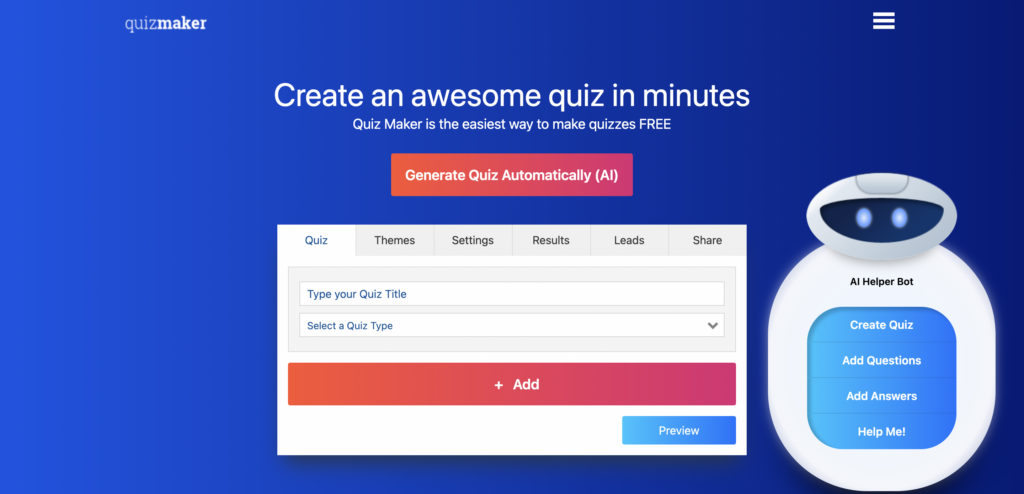
Quizmaker online quiz tool
Quizmaker is a great assessment option if you want to create multiple quizzes for your students. It offers tons of design flexibility, integrations, and features.

5. Mentimeter

Mentimeter is a presentation tool that also allows you to create quizzes. This is a great option if you want your quizzes to be visually appealing and offer a more engaging, interactive experience. They have lots of templates you can choose from, and the free plan includes up to 50 quiz takers per month. 

Price: Free plan, paid plans starting at $9/month

Key features:

  • Add your own company logo and branding
  •  Word clouds, polls, quizzes, and slides 
  • Export results to Excel
  • Flexible branding and customization 

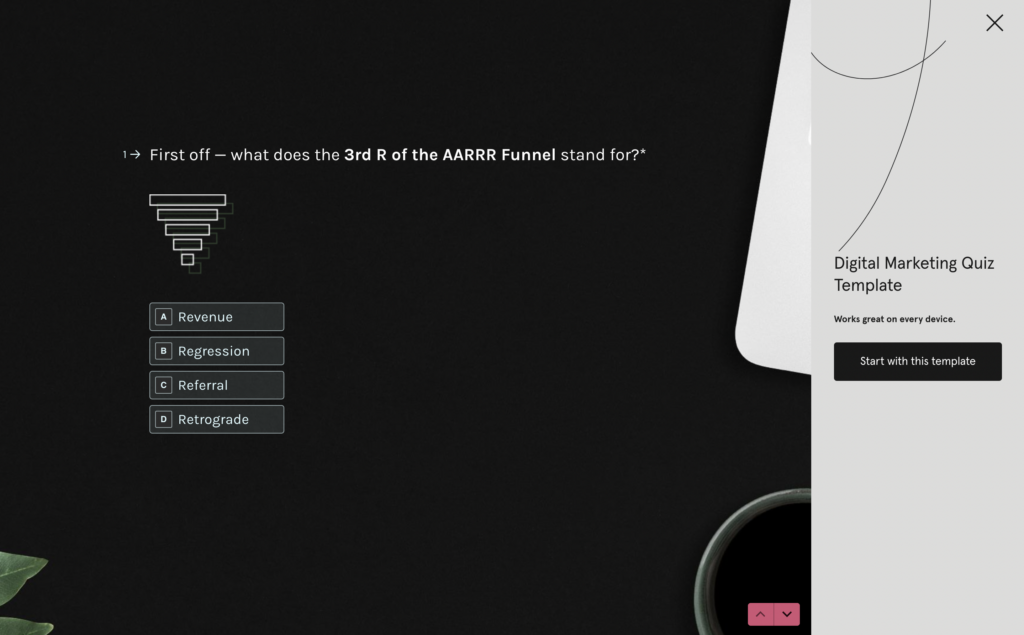
Online quiz tool Mentimeter
Mentimeter is a quiz generator tool that allows you to create live, interactive, and beautiful-looking assessments for your online course.

How to add quizzes to your online course

Now that you know about some of the best quiz tools available, let’s talk about how you can incorporate quizzes into your online course. Here are three options to consider:

  • At the end of each lesson – A simple way to keep your students engaged is by adding a brief quiz (around 1-3 questions) at the end of each lesson. This serves as a quick check-in to ensure they’ve understood the key concepts covered in the lesson.
  • At the end of each module – If your course is divided into modules, consider adding a slightly longer quiz (around 3-5 questions) at the end of each module. This allows you to assess your students’ understanding of the topics covered throughout the module and give students the chance to recap topics before moving onto the next section.
  • At the end of the entire course – For a more comprehensive assessment, you can create a longer quiz that covers the content of the entire course (no more than 10 questions). This quiz can serve as a final step for students to complete the course or even earn a certification.

When you create an online course with MemberSpace, you have the flexibility to embed your quizzes or share links to them anywhere within your course! 

Why add a quiz to your online course?

As a course creator, quizzes can be one of the most effective tools you have to gain a clearer picture of what’s working well in your course and what areas might need improvement. 

Adding quizzes to your online course can also: 

  • Help students retain information better by reinforcing key concepts
  • Allow students to assess their own understanding of the course material, identifying areas where they may need to focus more attention
  • Serve as milestones, motivating students to complete the course 
  • Be used to control the pacing of your course, ensuring students have a solid grasp of each section before moving on to the next
  • Help you create personalized learning paths, directing students to additional resources or lessons based on their individual needs and performance (Typeform allows you to create custom End screens based on quiz performance, so you could add in those resources there)
  • Be used as requirements for earning course certificates or completing the course

Best practices for writing quizzes

Don’t worry if you’re not an expert quiz creator – these best practices are easy to implement and will help you design assessments that help your students get the most out of your course. 

  • First, start by thinking about what you want your students to take away from each lesson or module. Jot down the key concepts, skills, or ideas that you want to reinforce. These will serve as the foundation for your quiz questions.
  • Next, consider the types of questions you want to include. Mixing things up with multiple choice, true/false, fill-in-the-blank, and short answer questions. 
  • Aim for questions that are clear and concise. No trick questions!
  • When it comes to the length of your quizzes, keep them focused and manageable. For a quick check-in after a lesson, 1-3 questions should suffice. For an end-of-module assessment, 3-5 questions is a good target. And for a comprehensive end-of-course quiz, you can go a bit longer (10 questions max), but make sure your students can complete it in one sitting.
  • Finally, before launching your quiz, give it a thorough review. If possible, have a friend take the quiz to ensure it functions smoothly and provides a positive user experience.

Final Thoughts

Incorporating quizzes into your online course is a powerful way to ensure your students are getting the most out of your teaching. By using a quiz tool like Google Forms, Survey Monkey, or Typeform, and integrating it into your course using MemberSpace, you can easily create and add quizzes to your online course. Get started for free today!

Need help with your online course?

Connect with our friendly team, weekdays 10am – 6pm ET.

Let’s chat!

The post 5 Best Quiz Tools for Your Online Course appeared first on .

How to Create a WordPress Content Library – Sell Resources and Documents on Your Website!

Software Stack Editor · April 12, 2024 ·

Haiden Hibbert

Haiden Hibbert

I’m a Content Manager at MemberSpace helping entrepreneurs and creators sell digital products.

As a small business owner or entrepreneur, you may have a wealth of digital content, documents, and resources that you want to share with your audience. By creating a content library on your WordPress website, you can monetize your valuable assets and provide your customers with easy access to the information they need. In this blog post, we’ll explore what a content library is, how to choose the right plugin for your needs, and step-by-step instructions on how to create your own WordPress resource library.

Launch a WordPress content library!

The easiest way to accept membership payments or one-time charges for digital products like content libraries, online courses, communities, and more — all from your own website!


Start selling now

Get started for free! 5 minutes to set up.

Table of Contents

What is a WordPress content library?

A content library, also known as a resource or document library, is a collection of digital content like videos, online courses, PDFs, and templates, that you can offer to your audience. Some business owners and creators choose to offer free content libraries, while others use it as an opportunity to add a new revenue channel and earn passive income. 

Types of content to include in your resource library

Your resource library can be anything you want it to be! Here are some popular content types to consider including:

  • Ebooks
  • PDF guides
  • Online courses
  • Videos 
  • Templates
  • Stock photos and videos 
  • Ready-to-use social media posts

How to set up your WordPress resource library [FREE TEMPLATE]

To help you organize your resources on your website, we created a free content library wireframe that you can use as a guide. Download the template here. 

The following section will walk you through how we recommend structuring your website pages, with example URL structures in the captions! 

Content library template
This free content library wireframe includes layout ideas for a sales page, members-only homepage, category pages, and product pages.

Step 1: Add your content library pages to your website

Your WordPress resource library should include four types of pages: 
 
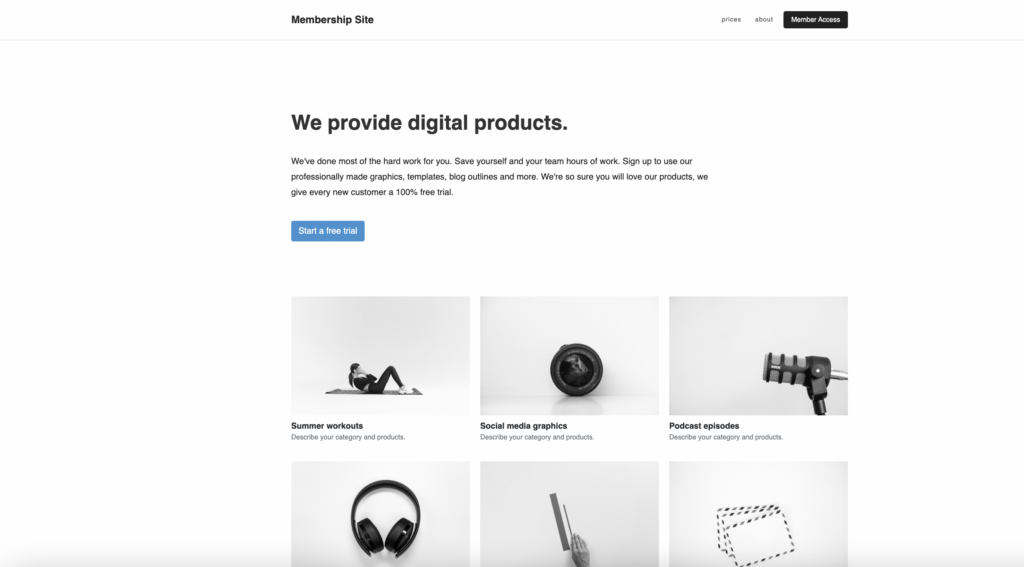
  •  A sales page to advertise your content. Share information about what’s included in the resource library, pricing, and clear call-to-action buttons.

WordPress document library template
Content library sales page, yoursite.com/content-library/

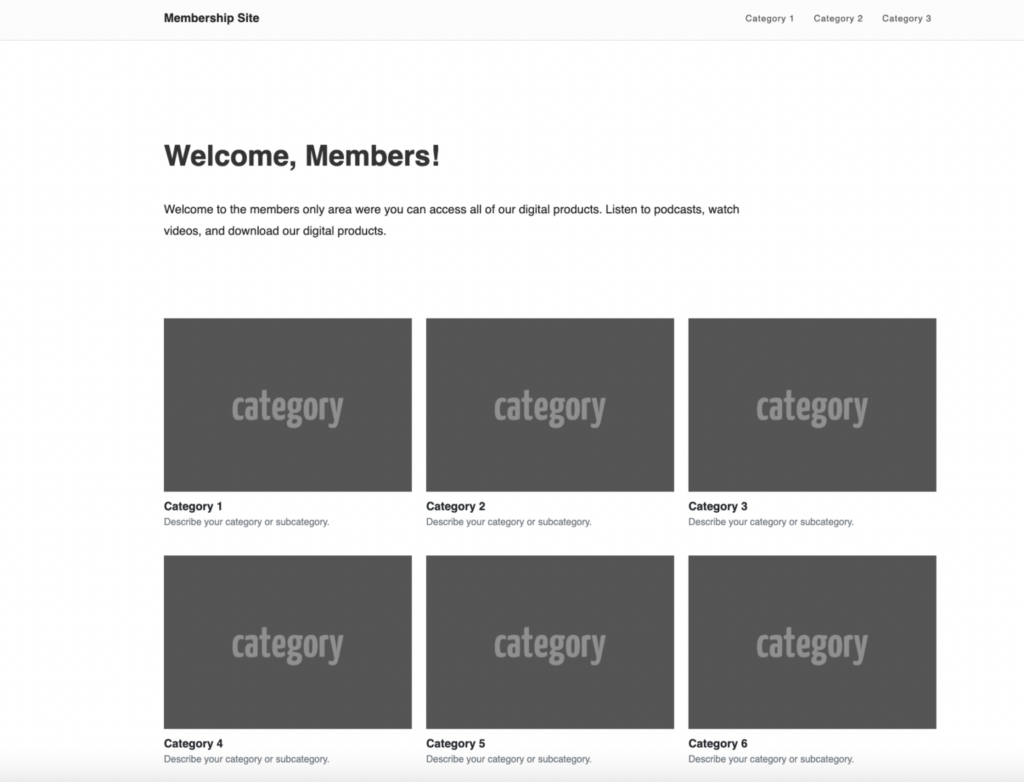
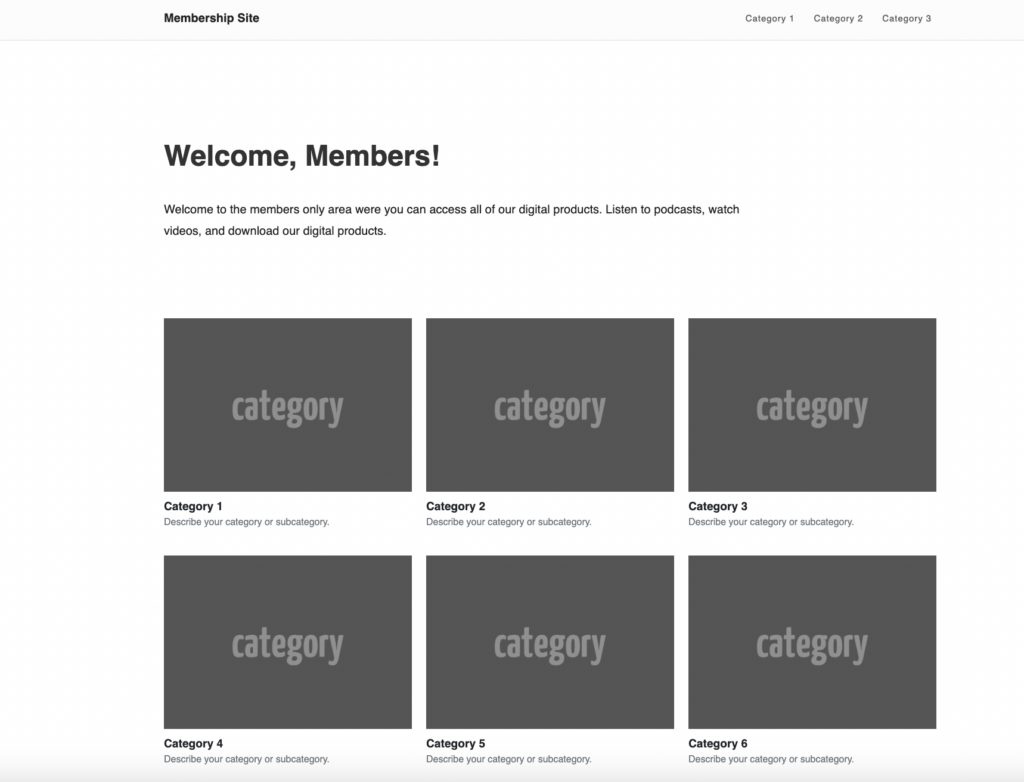
  • A members-only homepage, which should be the first page customers see after they pay to access your resources. Show a preview of your documents by category and link each category to its own page.

WordPress resource library template
Members-only homepage, yoursite.com/content-library/welcome/

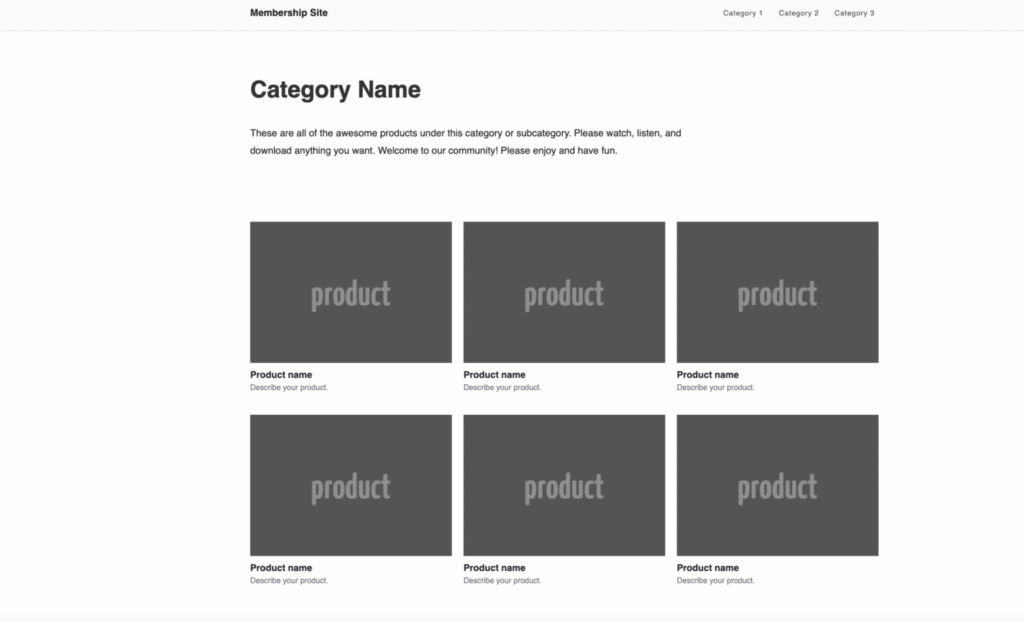
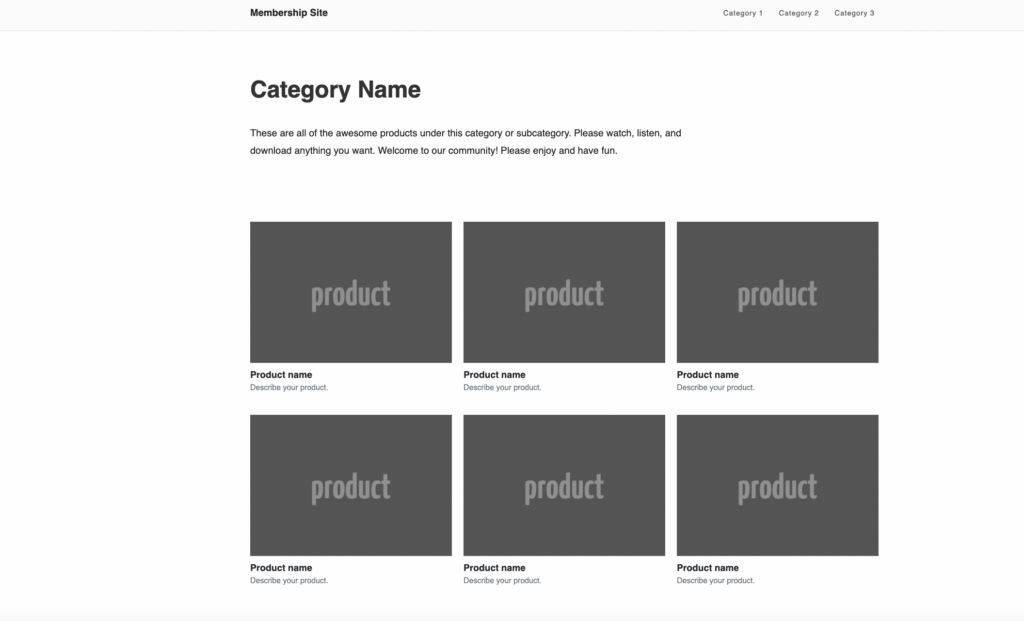
  • Category pages that should display all the content, documents, and resources within a particular category. Link each resource to its own page for members to download or view the content.

WordPress content library template
Category page, yoursite.com/content-library/videos/

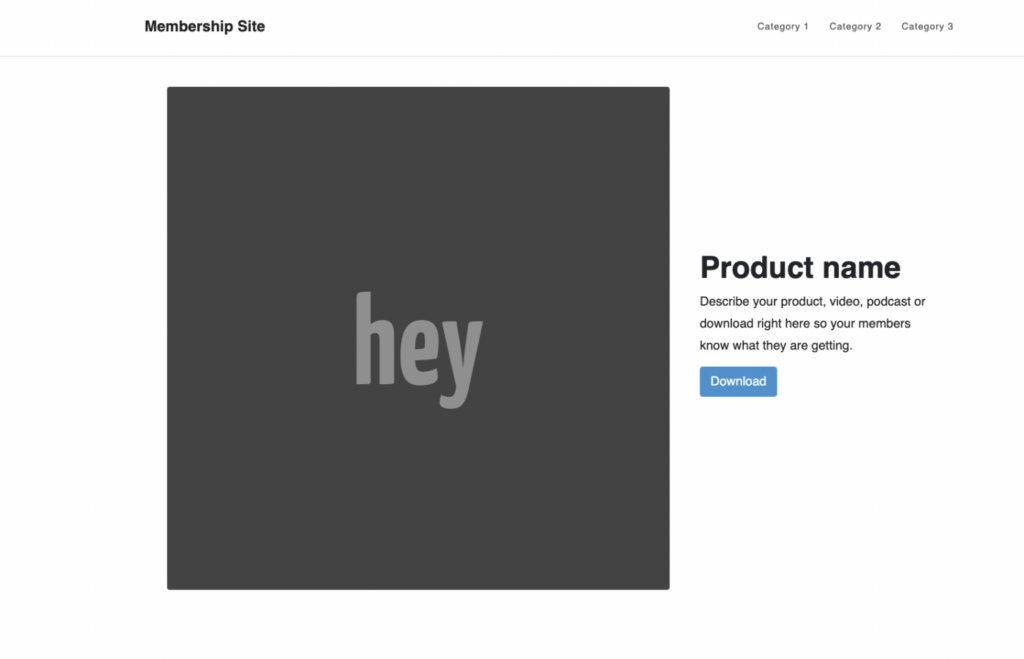
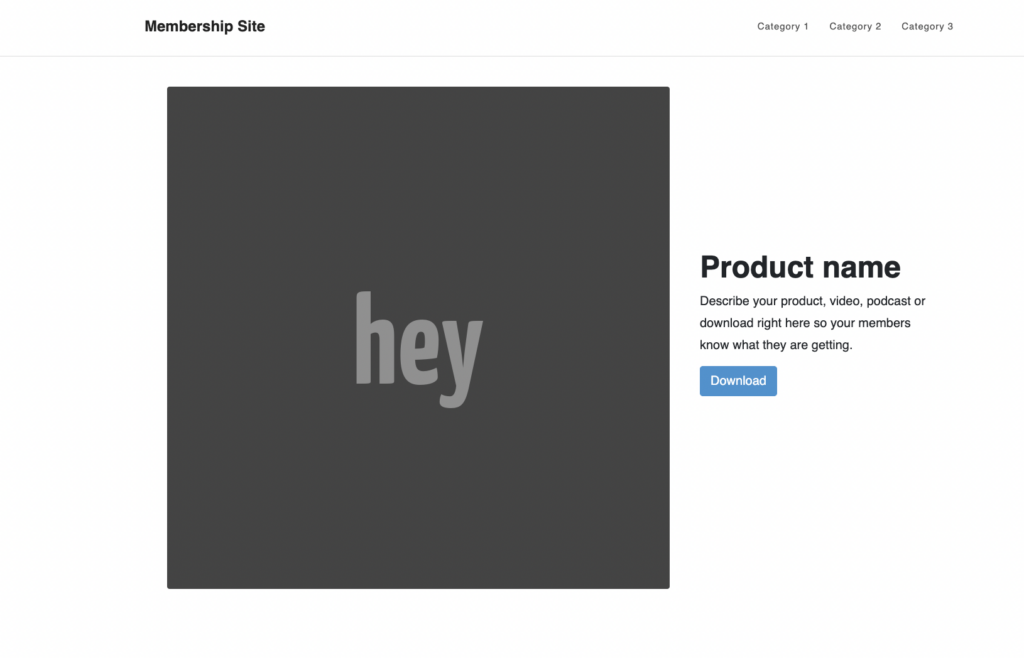
  • Content pages that will house a single resource, such as a template, video, or PDF.

WordPress content library wireframe
Individual content/product pages, yoursite.com/content-library/videos/video-1/

Step 2: Install the WordPress document plugin, MemberSpace, to password protect your pages

It takes just a few minutes to install the WordPress plugin, MemberSpace. 

  1. Log into your WordPress admin site and click Plugins on the lefthand side. Keep in mind, you’ll need to be subscribed to their Creator plan or higher to install MemberSpace.
  2. Then, search for MemberSpace and select the plugin. 
  3. Click Install and Activate. 
  4. Select Manage Plugin.
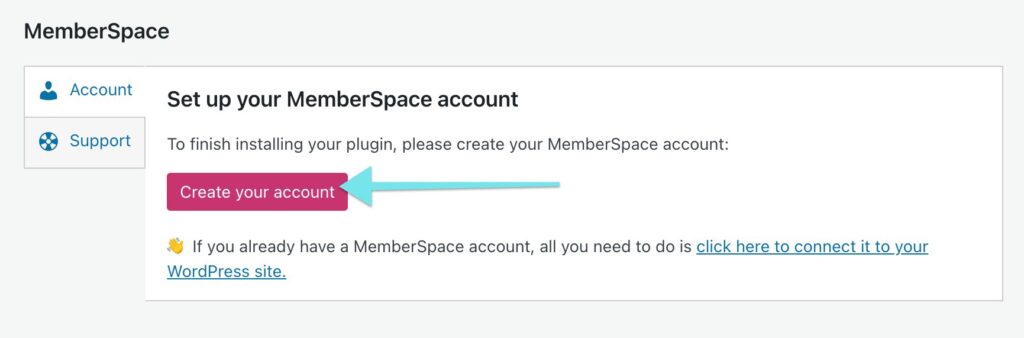
  5. Click Configure Settings > Create your account.

Create MemberSpace account

Once you’ve installed MemberSpace and created your account, it’s time to connect your website, protect your content library pages, and set up your pricing! 

Here’s how it works: 

1. Add your content library to MemberSpace and protect your members-only pages. You’ll simply add the URLs for your documents and resources, and MemberSpace will restrict access to them, requiring members to sign up and pay to view them.

Content library
To protect your content library pages, add the URL(s) to MemberSpace.

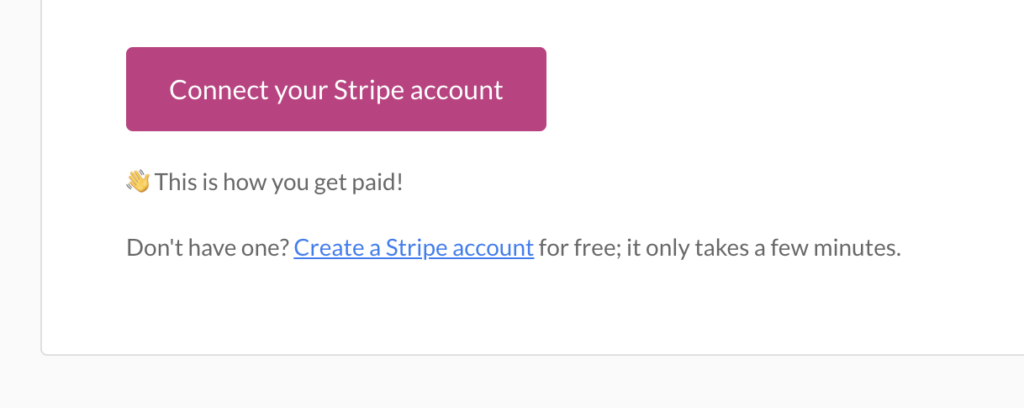
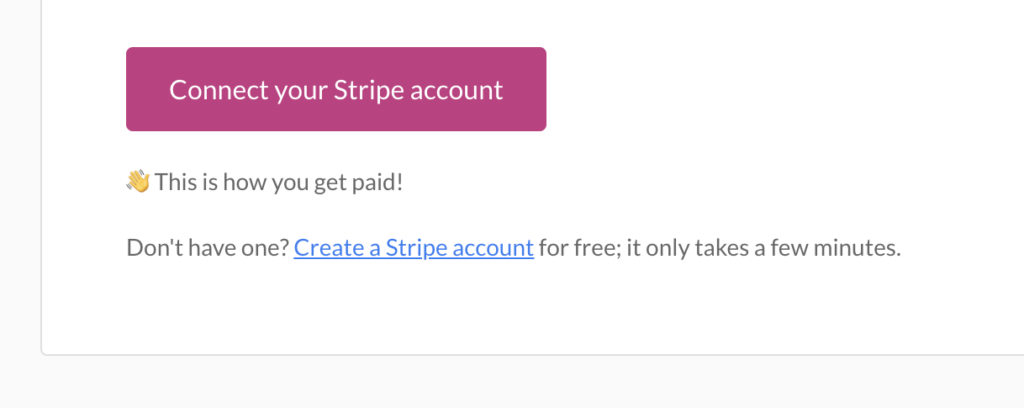
2. Connect to Stripe to handle payments securely. If you don’t have a Stripe account, it only takes a few minutes to set one up.

Stripe MemberSpace integration for fitness business

3. Set a price for your content library. MemberSpace offers flexible pricing options, including one-time, recurring, or multiple payments, as well as a free tier. However, recurring payments are the most popular option for content library memberships.

4. Click Verify Install.

Now people can visit your website and join your plans to get access to your content library resources!

WordPress Content Library Tutorial

For more help on creating a WordPress resource or document library, check out our video tutorial. 

Step 3: Promote your WordPress resource library

Once your content library is set up, it’s time to promote it to your target audience! Here are some ideas to get you started:

  • Share previews of your resources on social media to generate interest and drive traffic to your sales page.
  • Write blog posts that highlight the value of your content library and include calls-to-action to encourage readers to sign up.
  • Offer a limited-time discount or a free trial to incentivize potential members to join.
  • Reach out to influencers or bloggers in your niche and offer them complimentary access in exchange for a review or promotion.
  • Include information about your content library in your email newsletter and encourage subscribers to sign up.

Final Thoughts

Creating a content library on WordPress is a fantastic way for business owners, entrepreneurs, and creators to add a new income stream to their existing business, monetize their specialized knowledge, and grow their online community.

Continue to add valuable resources over time and engage with your audience! This is the best way to steadily grow your membership business. For more resources and guidance on scaling your membership, be sure to check out MemberSpace University.

Need help with your WordPress content library?

Connect with our friendly team, weekdays 10am – 6pm ET.

Let’s chat!

The post How to Create a WordPress Content Library – Sell Resources and Documents on Your Website! appeared first on .

How to Create a Paid Members-Only Real Estate Marketing Content Library

Software Stack Editor · April 5, 2024 ·

Haiden Hibbert

Haiden Hibbert

I’m a Content Manager at MemberSpace helping entrepreneurs and creators sell digital products.

If you’re a pro at real estate marketing and social media, you can turn your skills into a profitable members-only content library for other realtors. By offering ready-to-use social media and marketing materials like templates, guides, and online courses, you can teach other real estate professionals how to market their businesses and earn recurring revenue while you’re at it. 

In this post, we’ll walk through each step of how to launch a real estate marketing content library, from figuring out your niche to deciding on content types to launching your membership.

Launch a real estate marketing content library!

The easiest way to accept membership payments or one-time charges for digital products like content libraries, online courses, communities, and more — all from your own website!


Start selling now

Get started for free! 5 minutes to set up.

Table of Contents

Figure out your target audience

Before you start creating your content library, it’s important to understand who your target audience is. Targeting all real estate agents is a bit too general, so think about what area of the industry you specialize in and what unique insights you can offer. Consider what your customers’ goals, challenges, and needs are, and what kind of content they’ll be willing to pay for. This will help you create a content library that really speaks to your target audience and provides them with the tools and knowledge they need to succeed in their marketing efforts.

Types of content to include

Your content library should have a variety of materials to cater to different needs, such as:

  • Templates for marketing listings (like flyers and brochures)
  • Social media templates and post ideas
  • Website templates
  • Stock photos
  • Online courses
  • Buyer and seller guides

✨ Content Tip: Start small! You don’t have to have hundreds of templates or a comprehensive online course to launch your content library. You can start with a few types of content and add more resources overtime. 
How to create your real estate marketing content library

Once you’ve figured out your niche and the type of content you’ll create, it’s time to add your exclusive resources to your website! Here’s a simple, three-step process to launch your content library with MemberSpace.  

Step 1: Set Up Your Website Pages

Your content library website should have three main pages:

  1. A sales page that showcases what content you offer, prices, testimonials, and clear call-to-action buttons. This page is super important because it’s where you’ll convince potential members to sign up for your content library. Make sure to highlight the benefits of your membership and how it can help them improve their real estate marketing efforts.

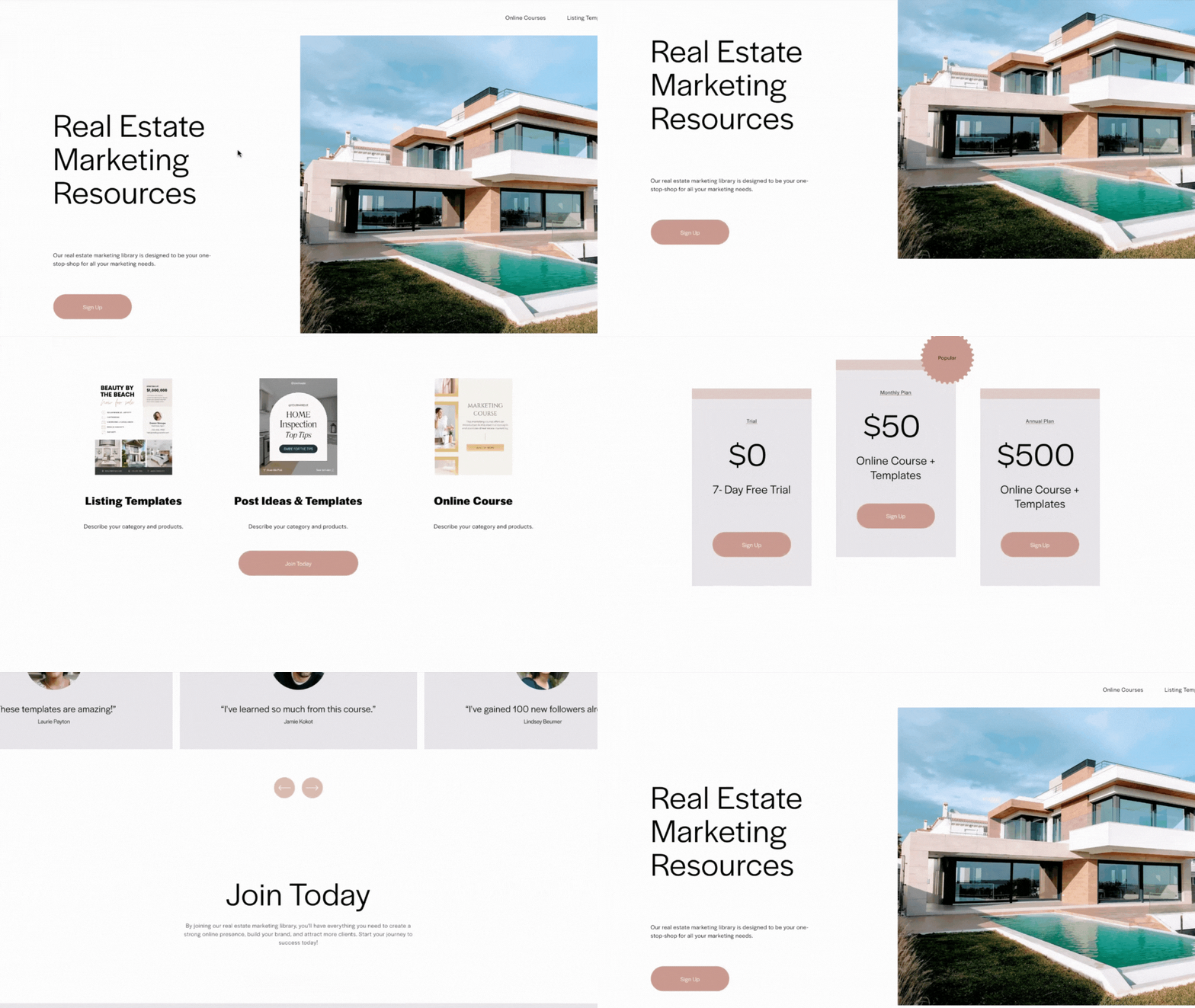
Real Estate marketing content library
Use this example real estate marketing content library website as inspiration for your own!

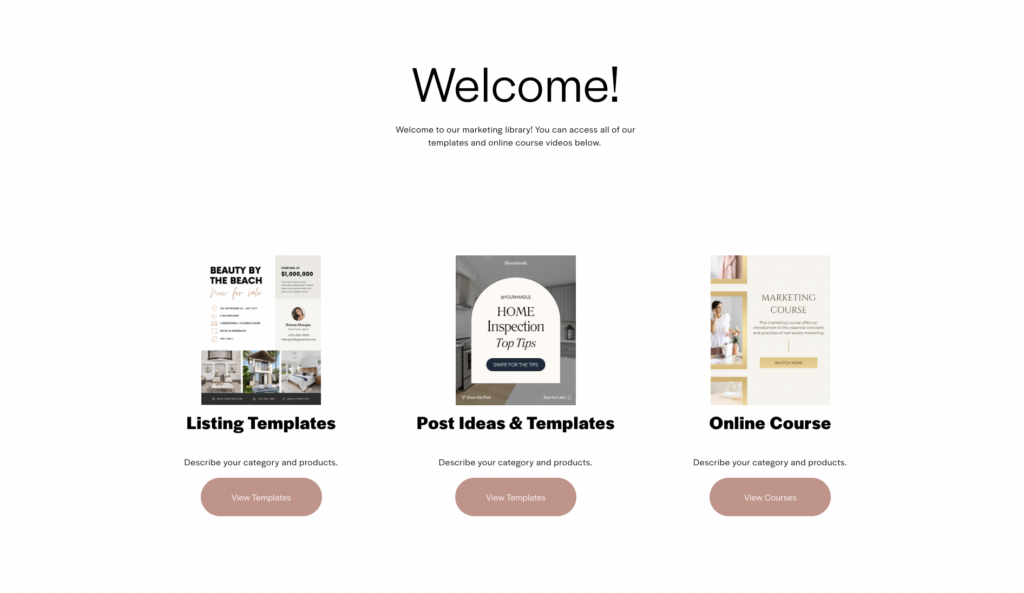
2. A welcome page that your customers see first when they buy access to your membership, giving them a sneak peek of all the content they can use. This page should be engaging and exciting, making your new members feel like they’ve made a great decision by signing up.

A members-only welcome page serves as your members’ home base when they sign up or log in, making it easy to find and access all of your marketing resources.

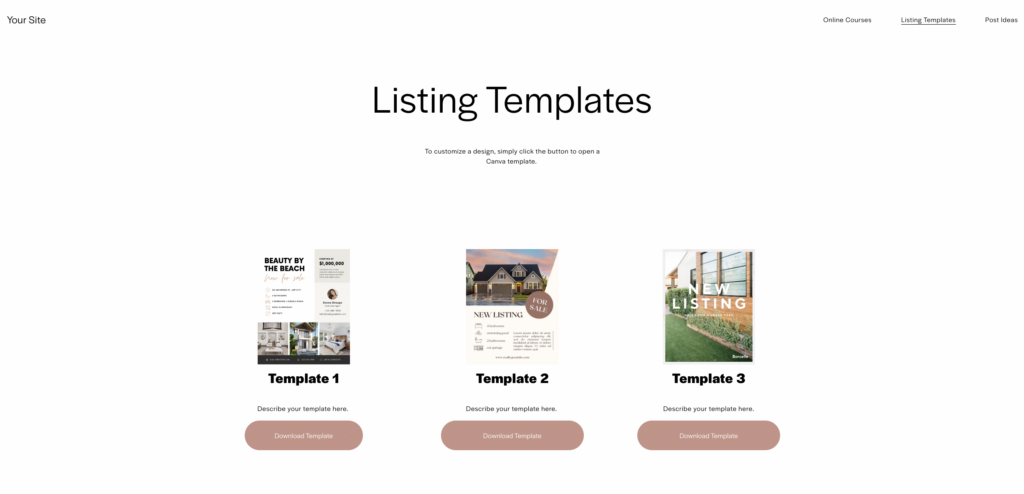
3. Category pages that display all the products in each category, like templates or guides, with download buttons linking to Canva templates or other pages on your site that house your products. These pages should be easy to navigate and well-organized, so your members can quickly find the content they need.

Real estate social media templates
Organizing your content by category is another way to make your marketing content library easy to navigate.

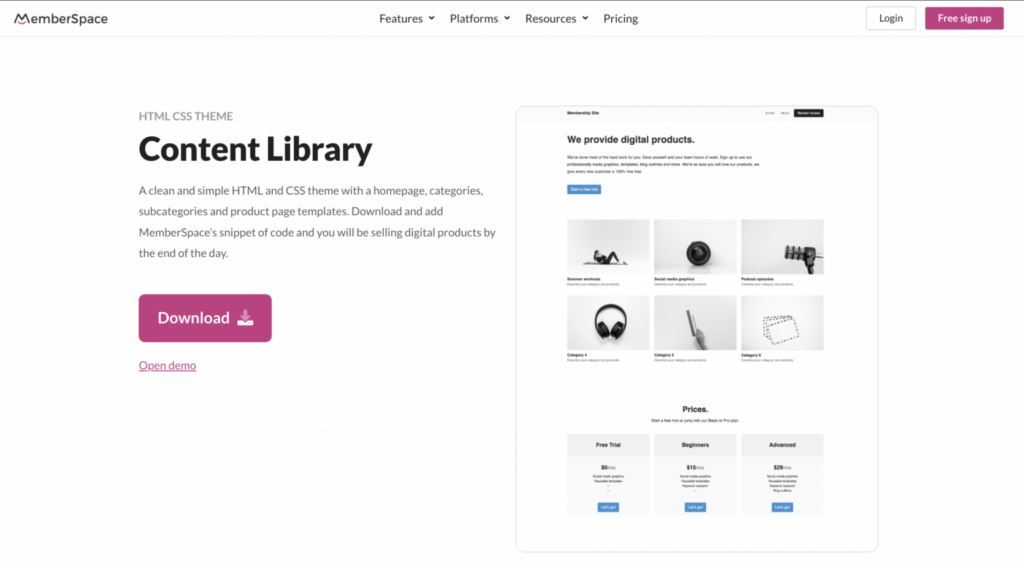
To make launching your content library website easier, you can download our free content library template that includes pre-made category and sub-category pages, as well as individual product pages to help you organize your content. This template will save you time and ensure that your content library looks professional and is easy to navigate.

content library template
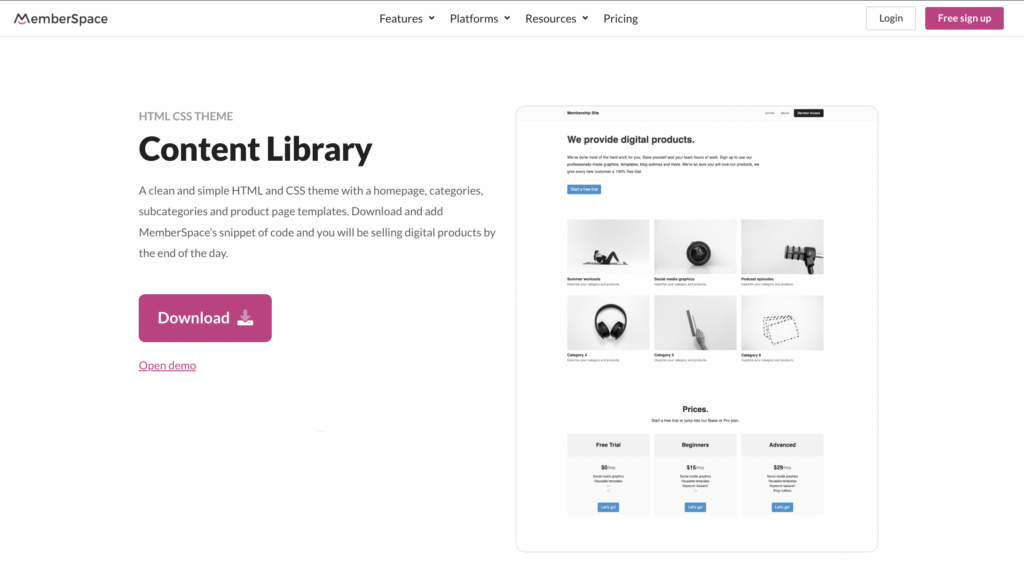
If you need some help creating your content library, use our free HTML template.

Also, make sure your content library pages have a clear and organized URL structure. For example:

  • www.yourwebsite.com/content-library
  • www.yourwebsite.com/content-library/welcome
  • www.yourwebsite.com/content-library/templates/template-1

Most website builders let you turn off things like pagination and recommended posts, so your content pages look clean and focused. This will make it easier for your members to find what they’re looking for and navigate your content library with ease.

Step 2: Install MemberSpace

MemberSpace is a powerful tool that helps you protect your exclusive marketing resources and accept payments easily on your website. 

To set it up:

  1. Create an account for free. 
  2. Add your content library to MemberSpace and protect your members-only pages. You’ll simply add the URLs for your marketing resources, and MemberSpace will restrict access to them so members have to sign up and pay to view them. 
  3.  Connect to Stripe to handle payments securely. If you don’t already have a Stripe account, it takes just a few minutes to set one up. 
  4. Set a price for your marketing content library. You can choose between one-time, recurring, or multiple payments, as well as free. (Recurring payment is the most popular option for content library memberships.) 
  5. Add the install code to your website to enable MemberSpace functionality (this also only takes a few minutes!).

And just like that, you’re ready to start selling your content library to real estate professionals!

Check out our video tutorial to see how this all works on a live website: 

Step 3: Promote your content library

Once your real estate marketing content library is ready to go, it’s time to let your target audience know about it. Here are a few ways you can promote your website:

  • Use your social media channels to showcase your content library and share snippets of what’s inside. This will give potential members a taste of what they can expect and encourage them to sign up.
  • Create blog content about real estate marketing tips and strategies. Then, add a call-to-action to sign up for your content library membership for more resources. 
  • Partner with other real estate professionals to cross-promote your resources. 
  • Offer limited-time discounts or free trials to bring in new members. This is a great way to get people in the door and show them the value of your content library.
  • Use email marketing to reach potential customers and highlight the benefits of your content library. Send out targeted emails to your list, showcasing specific pieces of content and explaining how they can help improve their real estate marketing efforts.
  • Host a webinar or live Q&A session to give potential members a behind-the-scenes look at your content library and answer any questions they may have.

Final Thoughts

Creating a members-only content library for real estate marketing is a great way to share your knowledge, help other realtors succeed, and make some passive income. By understanding your target audience, offering a range of valuable content, and using tools like MemberSpace to protect and sell your resources, you can build a successful content library that makes you a go-to expert in real estate marketing.

Remember, your content library is a living, breathing thing. Don’t be afraid to update and add to it regularly based on feedback from your members and changes in the industry. The more value you provide, the more loyal your members will be, and the more successful your content library will become. 

To get started, create a MemberSpace account for free and let us know if you have any questions!

Need help with your real estate marketing content library?

Connect with our friendly team, weekdays 10am – 6pm ET.

Let’s chat!

The post How to Create a Paid Members-Only Real Estate Marketing Content Library appeared first on .

MemberSpace News: Spring 2024

Software Stack Editor · April 1, 2024 ·

🎉 New Features

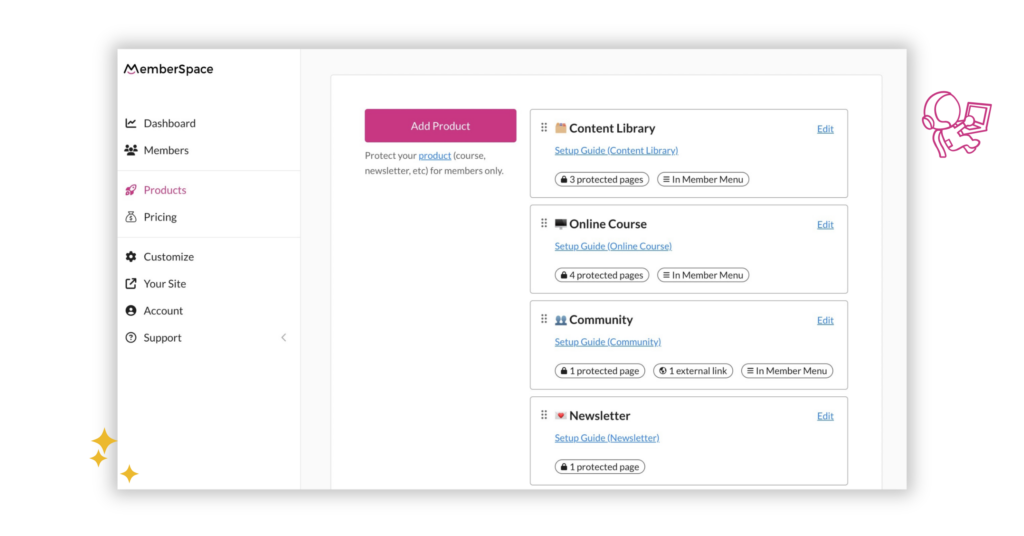
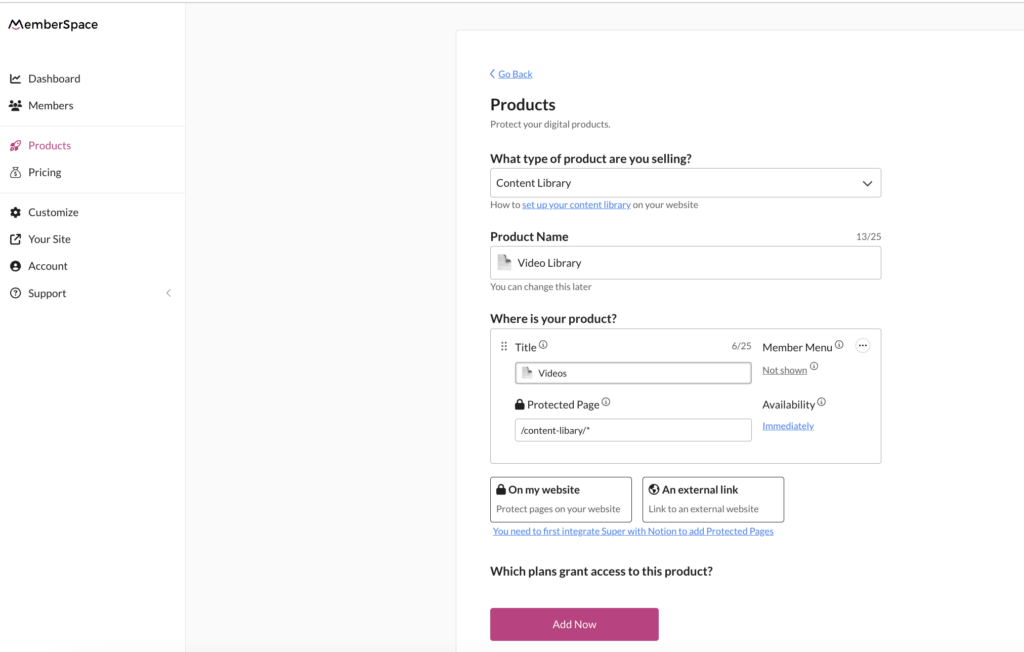
Organize pages as products

The MemberSpace admin is now structured around products, which are comprised of specific protected pages on your website, or links on other websites (like a private social media group, a Zoom event link, or a template in another software, like Canva or Google Sheets).

Grouping multiple protected pages or links into a single product makes it easier to manage and sell your digital content.

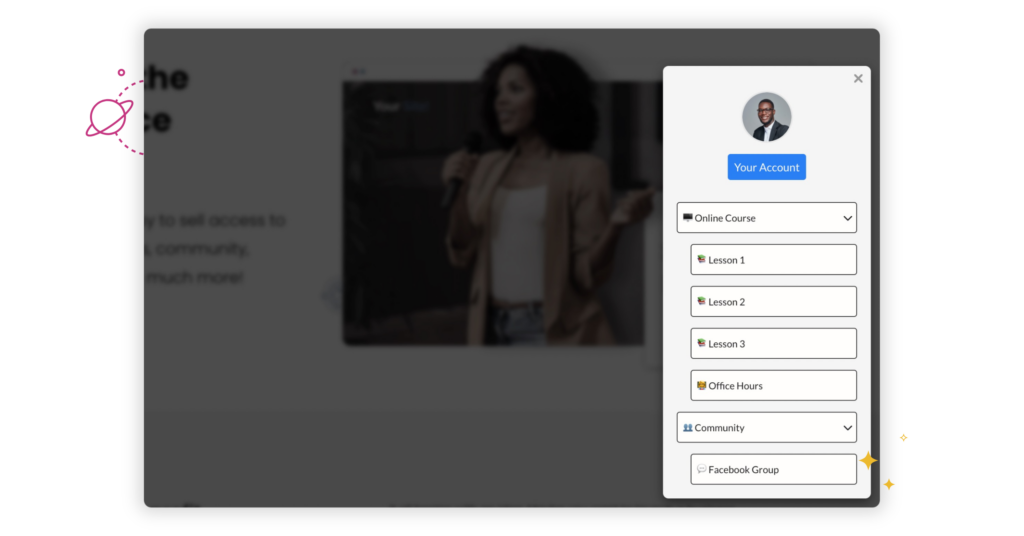
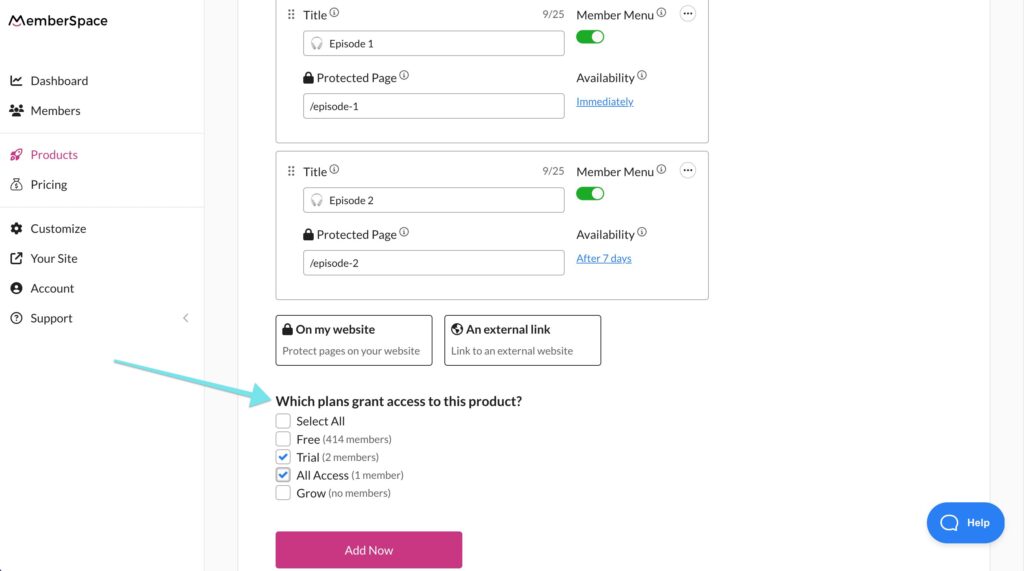
Add external links to your Member Menu

With the introduction of products, you can now include external links in your Member Menu, helping you streamline your content navigation for your members. 

Add external links to other websites in your Member Menu

💪 Enhancements

Member Button mobile enhancements

We made a few behind-the-scenes improvements to your floating Member Button. On mobile, your Member Button will now maintain the same width as desktop and the same position you set in your Look & Feel editor. This helps to prevent any other floating buttons or beacons on your website from being covered.

Signup and login form updates

We’ve made a few changes to improve your signup and login forms. Your customers are no longer asked to confirm their email address, which means fewer signup fields to help improve conversion rates. Additionally, the Create Account and login buttons are now full-width, and we’ve removed the “forgot email?” link to minimize confusion (though, members can still get help logging in to their accounts via the “forgot password?” link!). 

Improvements to the signup and login forms

📚 Membership business resources
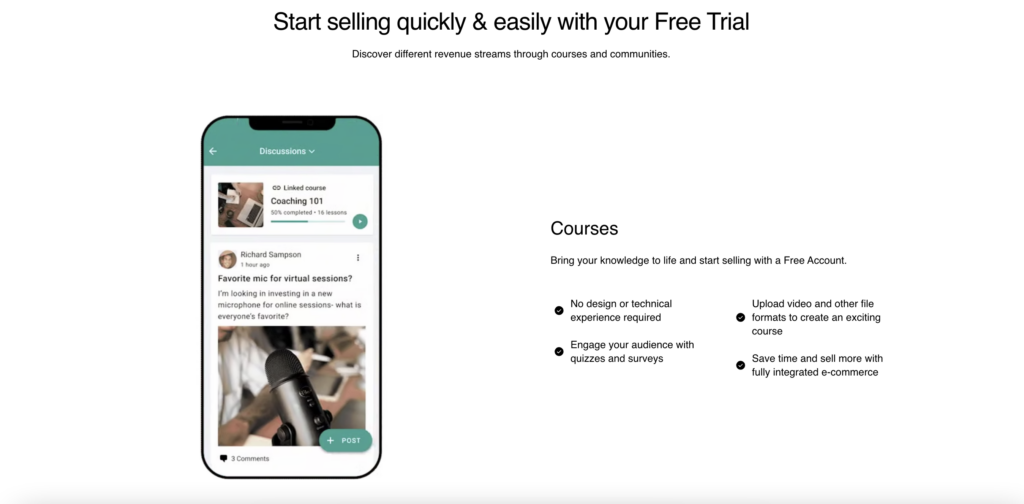
Inspiration from thriving membership businesses

Meet three MemberSpace customers making an impact with digital products:

  • Jenni shares her proven movement techniques through virtual yoga classes and an online course.
  • Abagail helps small business owners become financially free and gain control of their personal lives.
  • The team at Birthing from Within provides support through educational resources for new and experienced birthing professionals.

Check out the interviews for their secrets to success!

Creative ways to earn money online

MemberSpace customers monetize their expertise with digital products in many ways! Learn how to start a paid book club, publish serial fiction, sell Canva templates, teach music lessons online, or start an online running club.

MemberSpace blog

Hoping to get more customers opening your newsletter? We’ve got a few recommendations for the best day and time to send a newsletter.

Looking for ways to keep customers around longer? Check out 11 cost-effective membership retention strategies for creators.

Catch up on the latest MemberSpace news, membership marketing advice, and more on our blog.

The post MemberSpace News: Spring 2024 appeared first on .

How to Become a Digital Entrepreneur – 6 Steps to Launch Your Digital Business Today

Software Stack Editor · March 29, 2024 ·

Haiden Hibbert

Haiden Hibbert

I’m a Content Manager at MemberSpace helping entrepreneurs and creators sell digital products.

Google searches for “how to start a business” are nearly six times greater than “how to get a job.” Translation? There’s an increasing desire to be an entrepreneur. But you don’t need to be the next Steve Jobs to start your own business. In fact, the only requirement to starting a digital company is that you have a computer and some kind of knowledge to share with the world! 

In this post, we’ll walk through six simple steps on how to become a digital entrepreneur and start earning income online. 

Become a digital entrepreneur!

The easiest way to accept membership payments or one-time charges for digital products like online courses, communities, content libraries, and more — all from your own website!


Start selling now

Get started for free! 5 minutes to set up.

Table of Contents

Step 1: Pick your niche

The first step in becoming a digital entrepreneur is to identify your niche. What knowledge or skills do you have that others would find valuable? The more specific you can be, the easier it will be to target your ideal customer.

Some examples of specific niches include:

  • Social media marketing for small businesses
  • Mindfulness techniques for moms
  • DIY renovation tips for homeowners on a budget

Take some time to brainstorm your unique expertise and how it can benefit a specific group of people.

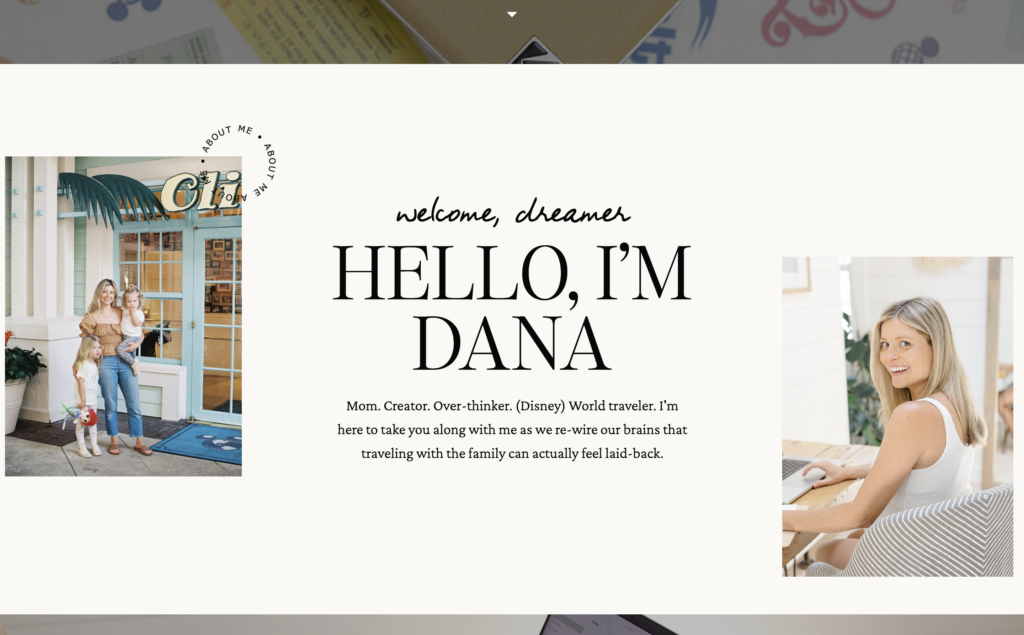
Take Dana from Somewhere Worthwhile, for example. Her brand is focused on a super specific niche – moms planning a family trip to Disney World.  She offers digital products like guides, toolkits, and members-only community access and uses targeted language on her website that speaks directly to her target audience:

I believe that planning for Disney can be thoughtful, laid-back, and even inspiring.

Dana, Somewhere Worthwhile

How to become a digital entrepreneur Somewhere Worthwhile
Dana is a digital entrepreneur and founder of Somewhere Worthwhile, a resource for moms planning trips to Disney World.

Step 2: Decide what you’ll sell and how

Once you’ve identified your niche, it’s time to decide how you’ll package and sell your knowledge. As a digital entrepreneur, you have a variety of options:

  • Passive income products – Create content like e-books, online courses, or templates that customers can purchase and use on their own time.
  • 1:1 or group services – Offer personalized coaching sessions, live webinars, or group classes where you work directly with clients.
  • Memberships – Provide ongoing access to exclusive content, community support, and resources for a recurring fee.
 

✨ Business Tip: The beauty of starting a digital business is that you can develop your products and services around what works best for your lifestyle. If you’re a busy parent or have another job, passive income products might suit you well. Maybe you’re an aspiring coach with a flexible schedule, and video calls make perfect sense for you. It’s your call!  

Step 3: Create a website

Your website is your digital storefront, where you’ll showcase your products and services, share free resources, and attract new customers. Choose a user-friendly platform like WordPress or Squarespace, and pick out a website template that complements your brand and niche.

Some elements to consider including on your website are:

  • A clear description of what you offer and who it’s for
  • Testimonials or case studies from satisfied customers
  • An “About” page that shares your story and credentials
  • A blog or resource library with valuable free content
  • Easy-to-find links to your products and services
For visual inspiration, check out these websites from digital entrepreneurs who use MemberSpace.  

Previous
Next

Step 4: Set up your payment gateway

To sell your digital products and services, you’ll need a reliable payment gateway. This is where MemberSpace comes in. MemberSpace is a powerful tool for digital entrepreneurs that allows you to sell access to anything on your website and accept payments easily through the built-in Stripe integration.

With MemberSpace, you can restrict access to your digital product pages, requiring payment before customers can view them. This means you can securely sell e-books, courses, webinars, and more, all from your own website.

become a digital entrepreneur
With MemberSpace, digital entrepreneurs can start accepting payments on their websites in a matter of minutes. Simply signup, Connect to your Stripe account, and start selling your products.

Step 5: Price your products

Coming up with a pricing strategy for your digital products can be tricky, but MemberSpace gives you plenty of flexibility. You can offer one-time payments, recurring memberships, installments, or even free lead magnets to attract new customers.

When setting your prices, consider:

  • The value you’re providing to your customers
  • The time and resources you’ve invested in creating your products
  • Your target audience and what they’re willing to pay
  • Your overall business goals and revenue targets

Remember, you can always adjust your prices over time as you learn more about your market and your own value.

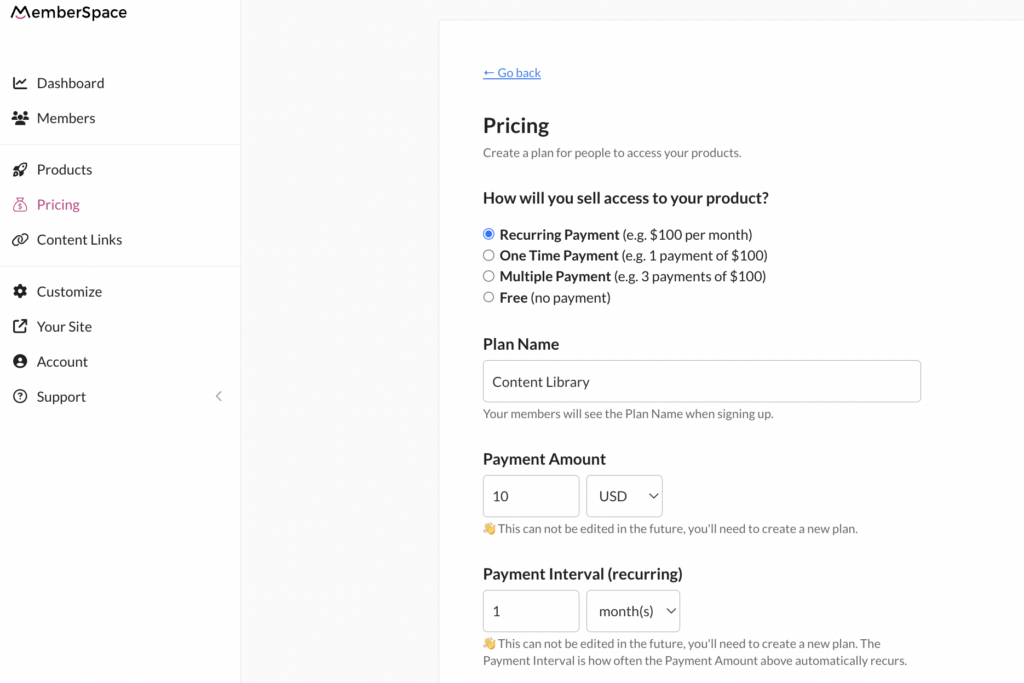
Pricing for content library
MemberSpace makes it easy for digital entrepreneurs to set pricing models that work for them. Choose between recurring, one-time, and multiple payments. Or, offer digital products for free.

Step 6: Promote your business

Once your digital products and services are ready to go, it’s time to spread the word! There are countless ways to promote your new digital business, both online and offline:

  • Share your website and offerings on social media
  • Reach out to bloggers or podcasters in your niche for interviews or collaborations
  • Attend networking events or expos related to your industry
  • Offer free webinars or workshops to showcase your expertise
  • Partner with complementary businesses to cross-promote your products
  • Invest in online advertising, such as Facebook or Google ads

The key is to be consistent, authentic, and generous with your knowledge and resources up front. As you build relationships and provide value to your audience, your business should naturally grow.
Best Practices for Digital Entrepreneurs

Here are a few best practices to help you  position yourself online as a digital entrepreneur.


Refine your message

To best position your brand in front of the right people, it’s essential to have a clear and refined message.

Ask yourself: What is the one thing you want your audience to know about what you do? This can be as simple as, “I want to simplify complex processes” or “I want to inspire people to start their own business.”

Once you know what drives you and what you want people to take away from interacting with you online, it’s easier to determine what your strategy will be, such as which platforms you want to be on and who your target audience is.


Know your audience

Once you’ve defined your key message, it’s important to hone in on who that message is for. Every type of entrepreneur has an ideal customer. If you want to position yourself in front of the right audience, then it’s essential to know how to reach and communicate with that customer.

If you’re not quite sure where your ideal audience hangs out online, research your customers or clients. Figure out which platforms they spend the most time on, whether that’s LinkedIn, Instagram, or even email, and focus on one platform at first.

Next, determine how best to communicate with your audience. Do they prefer to read long-form content like e-books? Or would they rather watch a short video clip? Does your audience enjoy inspirational messages or do they want to stay informed? Knowing all of this will help you find your audience and speak to them in a way that resonates with them.


Build a community


Whether you sell software or offer private coaching, building an online community is essential for every type of entrepreneur.

Building a community around your business is key to creating relationships with your target customer, building trust, and ultimately increasing brand loyalty (which often translates to sales).

A couple ways to build community online is through a newsletter or social media platforms. These outlets are a good way to communicate with a large number of people in a shared space.

But if you want to take the idea of community one step further, it may be worth it to start a membership site. Not only do membership sites act as a resource for your community, but they give people a chance to connect on a more personal level than they could on social media platforms.

Final Thoughts

With the right niche, digital products, and tools like MemberSpace, you can turn your passion and expertise into a profitable digital business.

If you’re ready to take the leap and become a digital entrepreneur, MemberSpace is here to help. With our easy-to-use platform and revenue-generating features, you can start selling your products and services in no time. 

For additional resources on marketing and selling digital products and memberships with MemberSpace, check out MemberSpace University, your one-stop resource hub full of step-by-step guides, educational videos, helpful tips and tricks, and more.
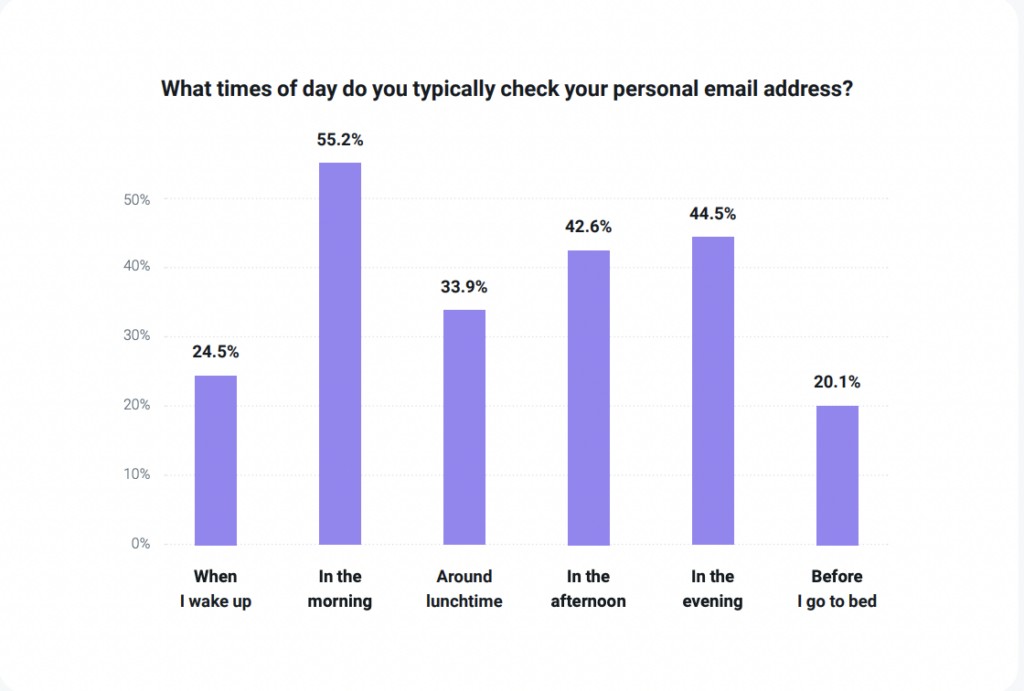
Need help with your digital business?

Connect with our friendly team, weekdays 10am – 6pm ET.

Let’s chat!

The post How to Become a Digital Entrepreneur – 6 Steps to Launch Your Digital Business Today appeared first on .

How to Create and Sell a Content Library – The Ultimate Guide to Monetizing Your Expertise

Software Stack Editor · March 29, 2024 ·

Haiden Hibbert

Haiden Hibbert

I’m a Content Manager at MemberSpace helping entrepreneurs and creators sell digital products.

If you have a lot of knowledge to share with the world but aren’t sure what to do with it, creating a content library can be a smart (and profitable!) business move. By curating a collection of digital resources like templates, online courses, videos, and guides, you can offer customers a one-stop-shop for the information and tools they need to learn, grow, and meet their goals. 
Maybe you’re a real estate agent with tons of knowledge around social media marketing. You could create a resource library of post templates, images, captions, and tutorials. Or, maybe you’re a fitness coach with a collection of workout videos to share. You could create a content library with your fitness programs, nutrition guides, and healthy recipes. 

No matter your niche, you can create a sustainable income stream while providing ongoing value to your customers. So, where do you start? In this guide, we’ll walk you through everything you need to know about how to create and sell a content library. 

Launch a content library!

The easiest way to accept membership payments or one-time charges for digital products like online courses, communities, content libraries, and more — all from your own website!


Start selling now

Get started for free! 5 minutes to set up.

Table of Contents

What is a content library?

Before we get into the steps of how to create one, let’s talk about what a content library is! A content library, also known as a media or resource library,  is a collection of digital resources that businesses, creators, and entrepreneurs can create and sell to their target audience. It’s a way to package your expertise into helpful, valuable content that others are willing to pay for.
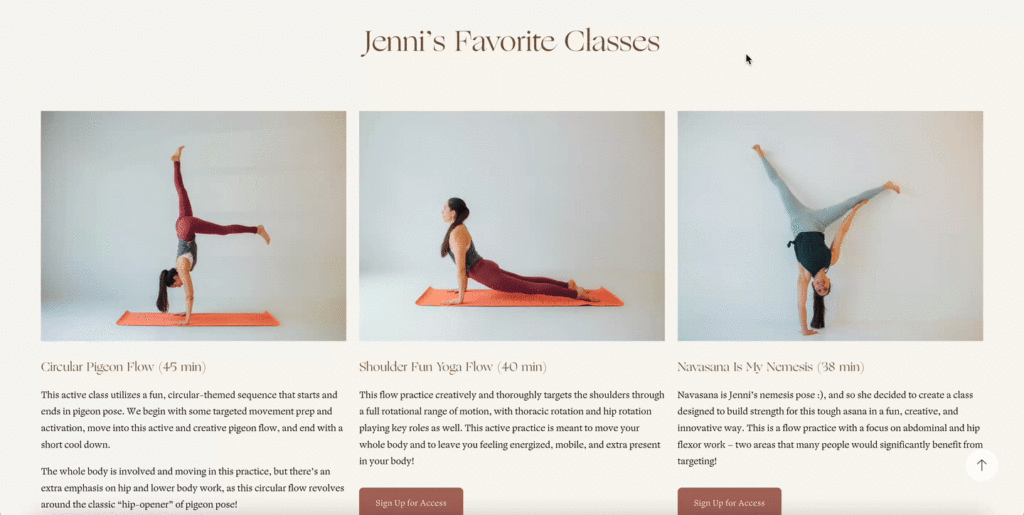
content library with on-demand yoga classes

Jenni Rawlings offers a content library with yoga class videos, a members-only discussion forum, and online courses.

Who should create one? 

Anyone can create a content library! You don’t need to have years of content creation experience or any formal training, but we tend to see the most success from people who meet at least one of these criteria:

  • You’re already selling individual digital products and want to shift to earning recurring revenue instead of (or in addition to) one-off sales
  • You have specialized knowledge that can help others
  • You’ve built an online community, whether that’s social media followers, email list subscribers, blog readers, podcast listeners, etc. 
  • You’re an entrepreneur or small business owner looking for a new income stream

Benefits of creating a content library membership

According to our State of Membership survey, the top reason people start selling digital resources is to help others and make more of an impact in the world. Providing a high-quality content library allows you to do just that by helping people overcome challenges, reach their goals, and streamline processes. There are tons of other benefits, including:

1. Passive income and recurring revenue

Creating a content library membership allows you to generate passive income and recurring revenue by offering access to your digital resources on a subscription basis. This model provides a steady income stream without requiring you to constantly be creating new products. As you add more value to your library over time, you can also increase your prices, leading to higher revenue potential!

2. Scalability

While creating the resources for your media library is a heavier lift up front, it ends up being a highly scalable way to serve a large number of customers. Once that initial investment is complete, maintaining a content library requires far less time and resources than services like 1:1 consultations, and the growth potential is unlimited. 

3. Profit from your passion

For many digital entrepreneurs, money isn’t the only motivation. Being able to monetize your passion while helping others by sharing your knowledge and expertise can be fulfilling and lucrative. 

 4. Establish yourself as a thought leader

By creating a high-quality resource library, you are positioning yourself as an expert in your industry. Don’t be surprised if this attracts new opportunities and expands your reach and influence!

Choosing a niche for your library

Before you dive into creating your content and adding it to your website, you’ll want to do some planning around your ideal target audience. What topic or industry do you specialize in? Who are your customers and what are their goals, challenges, and needs? What kind of content will they be willing to pay for? 

Start by doing some research around other creators and businesses in your niche, as well as thinking through what kind of unique value you can provide. The more specific you can get, the better! This will make content creation and marketing much easier, as you’ll know exactly who you’re speaking to. 

Some examples of content library niches include: 

  • Resources for wedding planners who need help with client management and event design, including digital downloads like vendor contract templates, client questionnaires, expense tracking spreadsheets, and tutorials on marketing and growing a wedding planning business
  • A content library for artists with drawing and painting tutorials, sketchbook prompts, guides on developing artistic style, portfolio templates, and resources on pricing and selling art
  • A personal finance content library with budgeting templates, investment guides, financial goal-setting worksheets, and resources on building passive income streams.

Types of content to include

Once you’ve honed in on your niche, you’ll want to think through the kind of content that would be helpful for your ideal customer. Based on what you know about their needs, challenges, and goals, what document types and formats would they be looking for? 

Here are some popular types of content to add to your library: 

  • Videos
  • Tutorials
  • Templates
  • Images
  • Downloadable guides
  • Printable worksheets 
  • Ebooks
  • Podcasts or audio lessons
  • Webinar recordings and live workshop replays
  • Stock photos and illustrations 

Best practices for creating high-quality content

As you work on curating your content library, start by focusing on quality over quantity. You can always add to it overtime; in fact, you should add to it in order to retain your members. While you’re in the beginning stages of content creation, consider these best practices for creating high-quality content:

1. Know your audience.

Before diving into content creation, take a step back and really get to know your target audience. What makes them tick? What are their pain points, goals, and preferences? The more you understand your audience, the easier it will be to create content that resonates with them. Once you’re up and running, don’t be afraid to engage with your audience and ask for their feedback – it’s a great way to ensure your content stays on track and provides real value.

2. Provide actionable insights, tips, and strategies.

When it comes to creating content, it’s not enough to just scratch the surface. Dive deep and provide concrete, actionable advice that your members can put into practice right away. 

3. Consistency is key!

When it comes to building a strong brand and creating a cohesive content library, it’s important to develop a consistent brand voice, visual style, and content format. Consistency helps build trust with your audience and reinforces your expertise in your niche.

4. Offer unique value.

To make your resource library stand out, focus on sharing your real-world experiences and turning them into practical advice. Instead of just repeating generic tips, tap into your own unique journey and the lessons you’ve learned along the way.

 5. Update and expand your library regularly.

Keep your content library fresh and relevant by consistently adding new resources and updating existing ones. Pay attention to member engagement and feedback to identify areas for improvement. Regularly updating your library shows your commitment to providing ongoing value and encourages members to stick around for the long haul.

 6. Utilize the right software and tools.

You don’t need to be a design or writing pro to create polished, professional content.  Use platforms like Canva to create eye-catching graphics and templates and Grammarly to ensure your writing is error-free and easy to read. If you’re creating video, you might consider using tools like Veed or iMovie. 

Choosing a content library tool

To sell your media library, you’ll need a platform to host it and handle payments and member access. Look for software that offers features like:

  • Secure and easy payment processing. Your content library tool should integrate with a reliable payment gateway and allow you to easily accept payments from your members.
  • Content access management and restriction. You’ll also need a platform that allows you to set up different access levels, such as free or premium access and easily manage member permissions. 
  • Membership tiers. If you plan to offer different levels of content access or want to create a sense of exclusivity, choose a tool that supports the creation of membership tiers. 
  • Flexible content sharing. Your content library tool should allow you to share any kind of content or document type, whether it’s downloadable PDFs, videos, or audio files. 
  • Customizable design – Look for a tool that offers customizable design options, allowing you to create a content library that aligns with your brand aesthetic. 
In the next section, we’ll talk about why MemberSpace might be the ideal option for your content library! It’s an all-in-one software that makes it easy to add member-only content to any website, charge for access, and manage your members.

Launch a content library!

The easiest way to accept membership payments or one-time charges for digital products like content libraries, online courses, communities, and more — all from your own website!


Start selling now

Get started for free! 5 minutes to set up.

Setting up your content library with MemberSpace [FREE TEMPLATE]

Once you’ve done some planning around your niche and mapped out what content you will include in your resource library, all you need to get started is a live website and a MemberSpace account. 

 Step 1: Use our free template to add a content library to your website. 

The easiest and quickest way to launch your content library is to start with our free template. The template includes category and sub-category pages, as well as individual product pages to make it simple for your to organize all of your content. 

Use MemberSpaces’ free content library template, complete with category, sub-category, and product pages.

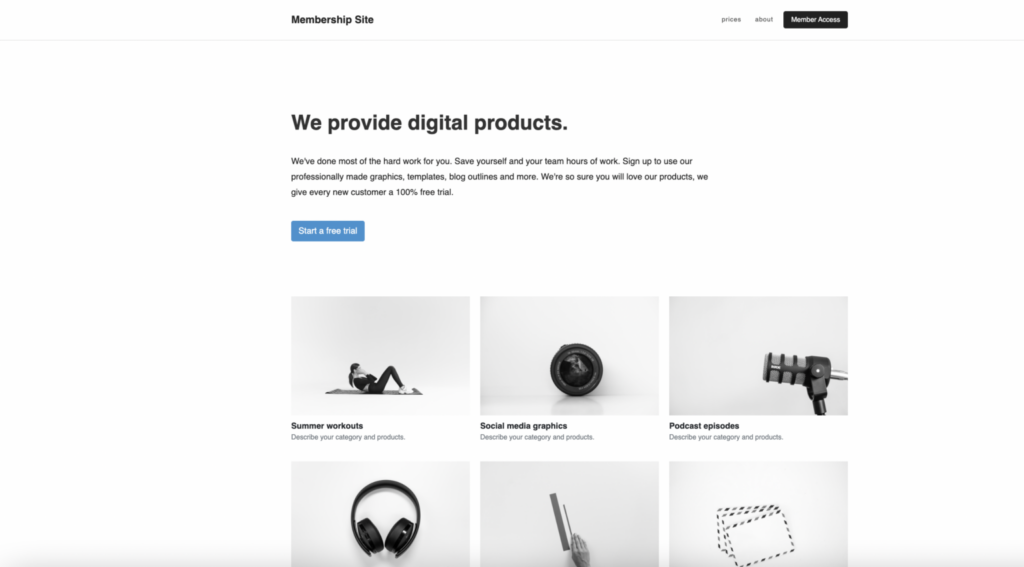
Now, let’s walk through each section of the template to give you a better idea of how you’ll want to structure your content. First, provide a preview of your content library on a sales page or your homepage with a call-to-action to sign up or get started with a free trial. This allows interested customers to learn more about your content and what you have to offer before committing to sign up. 


Content Library template homepage
Previewing your resource library on a landing page or your homepage gives people a chance to see everything they will get access to when they purchase a membership.

Then, you’ll add a Member Homepage that will display all of the types of content and resources you’re offering. How you decide to organize your categories is totally up to you. You might have content broken up by document type/format (videos, downloadable PDFs, and templates), by goal, or by topic. 

Content library template
Our free content library template gives you a clean, easy-to-navigate layout for your website, including a home page, category, sub-category, and individual product pages.

Next, you’ll need to create Category Pages that display the resources within each category – your tutorials, templates, videos, etc. This is the beauty of a content library – your members get immediate access to tons of tools and resources so they can decide if they want to binge watch all your videos or fit in your online courses when they have some extra time. 

Showcase each product within a category so your members can easily browse your resources and find what they are looking for.

And finally, you’ll create a Product Page for each individual resource. When a member selects the product that they want to use, they’ll navigate to the dedicated page for it and be able to view it or download it, depending on how you’ve set up your pages. 

Content library template product page
Each resource should have its own page that allows members to view or download the full document or file.

It’s also important to have a clear and organized URL structure for your content library pages. Here are some best practices:
  • It often makes sense to structure your content library the way you would a blog (i.e. yoursite.com/blog/category/post-name). For your content library, it might look something like this:
    • www.yourwebsite.com/content-library
    • www.yourwebsite.com/content-library/videos
    • www.yourwebsite.com/content-library/videos/video-1
  • If you use a blog to structure your content library, most CMS platforms will allow you to turn off features like pagination and recommended posts, so that does not appear on your content pages.
  • With MemberSpace, you can protect pages en masse. For example, protecting /content-library/* will protect all pages that begin with /content-library/, which in the example above, would include all category and content pages.

Step 2: Create your content library in MemberSpace

Once you’ve gotten your content library pages set up on your website, it’s time to head to your MemberSpace account to protect those pages, so only paying members can access them. First, you’ll go to Products > Add Product > What type of product are you selling? > Content Library. Then, fill in the name of your content library and the URL(s) that you want to protect. 

Create new content library
MemberSpace allows you to create and protect any type of digital product, from content libraries to newsletters to online courses.

Step 3: Set a price for your content library.

Now that you’ve protected your content library pages, you’ll need to set a price for your resources. MemberSpace allows you to charge customers however you’d like, including one-time fees for lifetime access to your resources, recurring subscription fees, multiple installments, or even free access. 

To set pricing, you’ll go to the Pricing tab in the left menu and select Create Plan. From there, you’ll select how you want to accept payments and add in all your billing details. 

MemberSpace offers lots of billing flexibility, allowing you to choose a price, billing date, payment intervals, and more.

✨ Pricing Tip:  We recommend a recurring payment model as this allows you to increase prices over time as you continue to add value to your content library.

Step 4: Add signup links or buttons to your website so people can easily pay for access.

Finally, you’ll take the Signup link that MemberSpace generates for you and add it to your website! The link will take customers to a signup form that will require them to quickly create an account and pay for access to your content library. The built-in Stripe integration makes this process quick and easy and allows customers to pay securely via credit card, Apple Pay, or Google Pay.

content library signup
You can add the signup link to call-to-action buttons throughout your website, on your homepage, a sales page promoting your resources, etc.

Content library examples

Want to see some content libraries in action for inspiration? Check out these examples from MemberSpace customers:

Ladies of Real Estate

Ladies of Real Estate Canva templates

Ladies of Real Estate is a content library for female realtors, helping them grow their brand, sell more of their listings, and master marketing. They offer coaching, social media tools and templates, and business building content.  New resources are added frequently to provide even more value for the community.

Meeteor

Meeteor content library

Meeteor is a resource center focused helping transform how people and organizations collaborate and manage meetings. By subscribing to the Meeteor Resource Center, members gets access to: 

  • Webinars and online trainings
  • Podcasts, webcasts, and keynotes from the Founder & CEO
  • A private Facebook community
  • Regularly added new content 

The Social Broker


The Social Broker is a content library membership empowering real estate agents to build a polished & thriving online brand. They provide monthly content plans with daily post ideas, images, graphics, and captions. There’s a curated library of photos along with editable templates. There’s also a hashtag guide and social media tips to drive engagement along with complimentary coaching and training via a private Facebook group.

Withsara

Withsara fitness business

Withsara is a health and fitness content library for women, designed to improve their health and happiness by giving them the best at-home classes available. The membership offers on-demand classes, weekly schedules, challenges, and 1-to-1 coaching sessions. 

Ben and Jay

Ben and Jay resource library

Ben and Jay is a faith-based resource library offering video series on different topics as well as guest interviews and discussion guides. Their target audience is anyone from pastors to youth ministry leaders to church attendees. 

 Pop UK

Pop UK is a content library and song bank for primary schools. Their mission is to “to provide schools with free easy-to-use songs & resources that can be used by staff of all levels of musical ability.” 

EK Stock Shop

Ek Stock Shop Monetize a newsletter

EK Stock Shop is a media library that sells membership access to stock photos and videos for business owners. Members can browse media by industry, brand aesthetic, and holiday/seasonal content. If members don’t see the images or videos they’re looking for, they can also submit a request to the team. 

 Seaward Surf Training

Seaward surf training content library

Seaward Surf Training is a content library that provides four surf fitness programs covering HIIT, strength, stretch, and swim lessons. For a monthly fee, members get access to all programs, as well as the option to book additional support through a custom consultation. 

Marketing and promotion

Once your content library is ready to go, it’s time to promote it and attract paying members. Marketing should be an ongoing priority, but here are a few ideas to get you started:

  • Share your media library with your email list and in your newsletters, highlighting the benefits and value it provides. Share snippets of your latest content and encourage subscribers to join.
  • Promote your resources on social media by sharing engaging posts that showcase the unique features and benefits of your library, and encourage your followers to check it out. 
  • Create blog content related to the topics covered in your content library. Provide valuable insights, tips, or strategies that demonstrate your expertise and “tease” your paid resources. At the end of each post, pitch your content library as the go-to resource for those looking to dive deeper into the subject matter.
  • Create a free content library that provides a taste of your paid resources. This could include a limited selection of articles, templates, or videos that showcase the quality and value of your full library. Using MemberSpace, you can easily set up a free content library and then upsell your full paid library to those who engage with your free content.
  • Provide a free trial. Allow potential members to test out your content library for a short period, such as 3-7 days. This gives them a chance to explore your resources and experience the value firsthand. Make sure to highlight the benefits of full membership and provide a simple upgrade process.

Engaging and retaining members, students, and customers

Getting the initial sale is just the beginning. To retain members long-term, focus on continuing to deliver value so they stay engaged with your content. Here are some membership retention strategies:

  • Keep your library fresh and relevant by consistently adding new, high-quality resources. This shows your commitment to providing ongoing value and gives members a reason to stay subscribed. Consider creating a content calendar to ensure a steady output of new material.

  • Make it easy to find what your members are looking for. Ensure that your content library is simple to navigate and use, with a clear, intuitive interface. Consider creating an onboarding email sequence that walks them through all of the resources, how to best utilize them, and how to get help from you as needed. 

  • Build excitement and anticipation by sharing sneak peeks or behind-the-scenes glimpses of upcoming content. This could include exclusive previews, hints about future topics, or collaborations with industry experts. By giving your members something to look forward to, you’ll keep them engaged and excited to see what’s next.

  • When members feel connected to a community, they’re more likely to remain engaged and loyal, so it can be great idea to create some kind of community space when you’re ready. This could be a forum or private social media group where you facilitate discussions, host Q&As, or encourage networking. 

  • Offer cancellation alternatives. Sometimes, customers aren’t cancelling because they don’t like your resources. It could be for financial reasons or life circumstances that are pulling them away. A great way to retain customers is to offer them a way to pause their subscription or offer a discounted price to accommodate them. 

FAQ

Still have questions about creating a content library? Here are some common ones:

What is a content library?

A content library is a collection of digital resources, such as templates, courses, ebooks, videos, or worksheets, that businesses, creators, and entrepreneurs can create and sell to their target audience. It’s a way to package your expertise into valuable content that others are willing to pay for.

What are the different types of content libraries?

There are several types of content libraries, including:

  • Digital video libraries and video course archives
  • Template and resource libraries (social media templates, checklists, worksheets, etc.)
  • E-learning and online course libraries
  • Stock photo and video libraries
  • Printables and worksheet packs
  • Ebook or audiobook libraries

How do I create a content library? 

To create a content library, you’ll need to add your digital content to your website and use MemberSpace to restrict access to that content. Then, when someone goes to access it, they will need to sign up and pay you first. 

What types of content should I include?

This will depend on your niche, audience, and goals. Consider what format and information will be most helpful. Some options are templates, worksheets, stock content, courses, videos, ebooks, audio, etc. You can also include a mix of different content types.

How much should I charge for my content library?

Pricing depends on the value you’re providing. Aim to price based on the outcome you help customers achieve, not just the format. Look at similar offerings in your niche to get a sense of the market rate. Many content libraries charge anywhere from $10-100 per month. You can also offer different price tiers.

What’s the best platform for hosting a content library?

MemberSpace is the best content library tool. It’s easy to use, works with any website, and has all the features you need like paywalls, member management, content protection, and more.

How do I protect my content and prevent unauthorized sharing?

Choosing a secure platform like MemberSpace helps protect your content. For any pages and content you want to protect, MemberSpace has three security options.

Final Thoughts

Building a content library is a powerful way to repurpose and monetize your expertise. By providing helpful content that solves your audience’s problems and helps them achieve their goals, you can make a real difference in people’s lives while also generating income for your business.
 
Whether you’re already selling digital products or your content library will be your first online resource, you can start selling quickly and easily with MemberSpace. Simply sign up for an account for free, check out our University for more tips and strategies, and let us know if you have any questions! 

Need help with your content library?

Connect with our friendly team, weekdays 10am – 6pm ET.

Let’s chat!

The post How to Create and Sell a Content Library – The Ultimate Guide to Monetizing Your Expertise appeared first on .

How to Monetize a Newsletter – 23 Strategies for Creators

Software Stack Editor · March 15, 2024 ·

Haiden Hibbert

Haiden Hibbert

I’m a Content Manager at MemberSpace helping entrepreneurs and creators sell digital products.

If you have newsletter subscribers, you’ve already done the hard work of attracting your target market. Now, it’s time to turn those subscribers into paying customers. Whether you simply want to convert your free newsletter into a paid subscription, or build another valuable resource like an online course and sell it to your readers, there are tons of strategies you can use to monetize a newsletter. Use this list for inspiration!

Table of Contents

Monetize a newsletter!

The easiest way to accept membership payments or one-time charges for digital products like newsletters, online courses, communities, and more — all from your own website!


Start selling now

Get started for free! 5 minutes to set up.

1. Charge a monthly fee for your newsletter 

If you’re already providing valuable content in your newsletter, the next natural step is turning your free subscription into a paid one. Not everyone will upgrade, but that’s okay. Those who do are invested in you and your brand and will be easier to sell additional offerings to in the future. 

You can use a tool like MemberSpace to easily set up a paid newsletter subscription and start accepting payments on your website. 

Good News Newsletter

Goodnewspaper offers a paid subscription for their digital newsletter, as well as a print version and a community membership.

2. Convert your blog into a paid newsletter

Another way to monetize your existing audience is to add a paywall to your blog, similar to what the New York Times does. When someone goes to read one of your posts, a pop-up will appear requiring them to subscribe and pay before they get access.

You can also leave some of your blog posts available to the public if you’d like and promote your paid subscription from them. 

Monetize a newsletter paid blog
Use MemberSpace to add a paywall to your blog and restrict access to the public. When someone goes to view your blog posts, they will see a pop-up like this.

3. Write an eBook

Drafting an eBook is one of the best ways to repurpose the knowledge you’re already sharing with your newsletter subscribers. Pull together all of the research you’ve already done, interviews you’ve conducted, or whatever other high-value content you’ve created and consolidate it into a PDF guide to sell to your email list. 

4. Sell access to a private social media group 

Chances are, if you have an email list of subscribers interested in your niche, they’d be interested in chatting with other likeminded people about the same topic. Creating a private social media group or account for your email list or is a natural next step to building your online community. 

✨ Check out this guide to learn how to create a private social media community with MemberSpace.

5. Host a private podcast for your subscribers 

This one may be a heavier lift, but if you have a dedicated following or strong list of newsletter subscribers, offering them a private podcast might be a perfect way to build your online community and earn some recurring revenue. 

Simply set up a paid podcast with MemberSpace and promote it to your email list. 

6. Add a forum to your website 

If you’d prefer to use your own website for discussions, consider adding a private forum and selling access to it. You can set this up easily with MemberSpace and Circle. 

Monetizing a newsletter forum
Use MemberSpace’s Circle integration to add a forum and community functionality to your website.

7. Bundle your digital products and sell them as a content library

If you’ve created multiple digital products, one of the most effective ways to monetize them is bundling them as a content library. For example, this could include access to your newsletter, templates, and videos for a monthly fee. 

8. Host a paid webinar

Webinars are a great way to share your expertise and engage with your audience. To host a successful paid webinar, choose a topic that aligns with your newsletter. If you run a newsletter about personal finance, for example, you could host a webinar on “10 Proven Strategies to Eliminate Debt and Build Wealth” and sell access to your subscribers. 

9. Sell templates, checklists, or workbooks

Another way to repurpose your existing ideas is to create and sell digital downloads tailored to your audience’s needs. For example, if you have a newsletter for real estate agents, you could create social media or website templates that help realtors market their businesses, like the Ladies of Real Estate example below. 

Monetize a newsletter with templates

Ladies of Real Estate offers a library of templates for a monthly fee.

10. Offer 1:1 coaching or consulting sessions

If you have a wealth of knowledge and experience in your niche, offering one-on-one coaching or consulting sessions can be a profitable way to monetize your newsletter. If you run a newsletter about health and wellness, you could offer personalized nutrition coaching or fitness consultations. 

11. Host a group coaching program

If you don’t have the bandwidth or interest in taking 1:1 clients, hosting a group coaching program of some kind is another great option to monetize your expertise and guidance to your newsletter subscribers.

12. Create a course or workshop

Courses and workshops are a great way to package your expertise into a convenient and affordable format. To create an online course, break down your topic into bite-sized lessons and include things like videos, quizzes, and worksheets. 

13. Sell stock photos, graphics, or illustrations

If you have a talent for photography or graphic design consider creating a series of  assets that your subscribers can purchase and use in their own projects. If you run a newsletter about social media marketing, you could create a bundle of Instagram post graphics or Twitter header graphics.

Ek Stock Shop Monetize a newsletter
The EK Stock Shop sells stock photos and videos for a monthly fee.

14. Offer a done-for-you service, like social media management

Many of your subscribers may be interested in outsourcing tasks related to your niche. To offer a done-for-you service, create a simple service package that outlines your offerings and pricing. For example, if you run a newsletter about entrepreneurship, you could offer a social media management package that includes content creation, scheduling, and engagement for a monthly fee. 

The Social Broker Monetize a Newsletter

The Social Broker offers social media management services.

15. Teach a live virtual class

Sharing your expertise by teaching a live virtual class is a fun and interactive way to connect with your subscribers and potentially earn some extra income. Start by offering a free class to gauge interest, and if it’s a hit, consider selling tickets to future sessions.

16. Share industry reports and analysis

If you’re an expert in your field, sharing industry reports and analysis can be a valuable way to monetize your newsletter. Take inspiration from successful platforms like Worth Charting, which offers stock reports and analysis to its subscribers for a monthly fee. 

Worth Charting monetize a newsletter

Worth Charting is a paid newsletter that offers stock market advice.

17. Share a daily digest

Most newsletters are weekly at most, but if you’re in the entertainment or leisure industry, providing daily updates might be exactly what your subscribers are looking for. 

Check out The Richmond Experience below. They send subscribers multiple emails each week with a roundup of local events, news, and giveaways. 

The Richmond Experience Newsletter

The Richmond Experience is a paid newsletter that shares a roundup of local events and happenings in Richmond, Virginia.

18. Sell on-demand videos

On-demand videos are a popular and convenient way for your subscribers to learn new skills at their own pace. If you run a newsletter about cooking, you could create a series of on-demand videos that teach viewers how to master specific cooking techniques or recipes. 

19.  Create a lead magnet to get free subscribers

While this one is a precursor to monetizing your newsletter, it’s a super effective strategy for attracting the right subscribers. Create a simple guide, eBook, or mini course that targets your ideal customer and give it away for free as a lead magnet. Then, start promoting your paid offerings to those who sign up.

Monetize a newsletter lead magnet

Isabella Lankester Yoga offers a free eBook as a lead magnet when someone signs up on her website.

20. Add a virtual tip jar to your newsletter

While this one probably won’t pay for your bills, it is a fun strategy to engage with your community that’s been gaining popularity recently. Creators offer their followers the chance to buy them a coffee or leave them a tip with a link to donate a small amount of money to them, usually around $5 or $10. 

21. Offer sponsored content opportunities 

As your newsletter grows in popularity, you may attract the attention of brands or businesses looking to reach your audience. Offering sponsored content opportunities is a great way to monetize your newsletter. Just be sure to only partner with brands that align with your values and provide genuine value to your subscribers!

22. Sell merchandise to your subscribers

It seems like every creator has merch these days, and for good reason! If you have an established brand and loyal followers, creating and selling merchandise can be one of the most fun and rewarding ways to monetize your community of subscribers. You can start by doing a giveaway to gain attention around your branded products, then open up the opportunity for everyone to purchase. 

23. Explore affiliate opportunities

If you have a decent-sized email list or following on social media, you should be seriously considering affiliate partnerships as a way to monetize your newsletter. By partnering with brands you love, you can promote links to their products in your newsletters, blogs, and other content. Then, when your subscribers use your affiliate code or link, you’ll get a cut of the profit. 

Final Thoughts

No matter what your newsletter is about, there are tons of ways to start selling to your subscribers. To streamline the process of creating a paid newsletter or selling access to your digital products, consider using MemberSpace. With MemberSpace, you can easily set up paywalls, manage subscriptions, and deliver exclusive content to your paying subscribers. Try it free today!

Need help with your newsletter?

Connect with our friendly team, weekdays 10am – 6pm ET.

Let’s chat!

The post How to Monetize a Newsletter – 23 Strategies for Creators appeared first on .

6 Best Platforms to Create and Sell Online Courses

Software Stack Editor · March 14, 2024 ·

Haiden Hibbert

Haiden Hibbert

I’m a Content Manager at MemberSpace helping entrepreneurs and creators sell digital products.

Whether it’s flipping houses, traveling on a budget, or crafting five-minute meals for your family, everyone’s an expert at something. And in most cases, there are people out there willing to pay to learn about the exact hobby, hack, or ideology you know all about – no matter how unique or unpopular it might seem. This is why creating an online course can be one of the best ways to earn income and cultivate a community around your passion. 

So, where do you begin? You’ll first need a software to set up your lessons, accept payments, and manage student access. There are tons of them out there, so we’ve put together a list of the best online course platforms to help you narrow down your search. Let’s get started!

Table of Contents

MemberSpace

MemberSpace best online course platforms
MemberSpace is the best online course platform for creators and entrepreneurs who want to build their courses on their own website and access revenue-generating features.

MemberSpace has everything you need to earn income from your online course. Because it integrates directly with your website, you have the greatest amount flexibility to curate your lessons however you want, as well as access to tons of features to help you generate more revenue, including: 

  • Flexibility of billing options
  • Content access options 
  • Revenue recovery features
  • Design flexibility
  • Dozens of integrations
  • Ability to sell access to courses bundled with other digital products (like coaching sessions and podcasts) and memberships
  • VIP, real human support
  • An online university to help you scale your business

Another benefit of MemberSpace is that there is only one plan tier: all access. For $39/month you get full access to all features, without needing to upgrade to higher tiers like some other online course platforms require.

For some visual inspiration, check out these online course websites built by MemberSpace customers: 
 

Previous
Next

Sell your online course!

The easiest way to accept membership payments or one-time charges for digital products like online courses, communities, content libraries, and more — all from your own website!


Start selling now

Get started for free! 5 minutes to set up.

Teachable

Teachable best online course platforms
Teachable is an online course platform with a drag-and-drop editor that makes it easy to build any type of curriculum.

Teachable is a popular online course platform that helps creators build and manage their curriculum, as well as sell digital downloads and coaching products. With a drag-and-drop course editor, Teachable makes it simple to create any kind of online course. Customers also get access to a few website templates, marketing tools, and AI features. 

There is a free plan, but it limits you to launching one course with only 10 students. Upgrade to a paid plan, and you’ll be charged $59/month +5% transaction fee for Basic, $150/month for Pro, and $249/month for Pro+. 

Kajabi

Kajabi best online course platforms
Kajabi is an online course platform with a suite of marketing tools to help creators promote their content.

Kajabi is another well-known platform where creators can launch and sell their online courses. Similar to Teachable, Kajabi has a suite of marketing and AI tools, like templates,  stock images and videos, and social media scheduling as a part of their Creator Studio. In addition to online courses, Kajbai allows you to sell memberships, communities, podcasts, and coaching products. 

It is a bit more expensive than other platforms on our list, starting at $150/month for the Basic plan, $199/month for Growth, and $399/month for Pro. 

Thinkific

Thinkific Best online course platforms
Thinkific is an online course platform that offers pre-designed templates to make course building easier and faster.

Thinkific is a solid option for creators who want pre-designed templates for their courses. Upon signing up, customers get access to templates for pre-sale, mini-courses, flagship courses, webinar replays, and membership resource libraries. You can add things like quizzes, downloads, and surveys to your online course. There’s also a “Communities” feature that allows for peer-to-peer discussion. 

Thinkific’s Basic plan is $49/month, the Start plan is $99/month, and the Grow plan is $199/month. 

Udemy

Udemy is an online course marketplace where teachers can publish their curriculum.

If you’re looking to add your online course to a marketplace with an existing audience, Udemy might be the right option for you.

To earn money from your online course, you’ll have to be a premium instructor and meet their course requirements, including a minimum of 30 minutes of video content and five lectures. Instructors can also add quizzes, discussions, and assignments to the courses. 

Because everything is hosted and sold on their platform, there is a revenue-sharing model used when courses are sold. According to Udemy’s website, “instructors receive 97% of the revenue when the student purchases their content using an instructor’s coupon or referral link. Instructors receive 37% of the revenue for any Udemy sales where no instructor coupon or course referral link was used.”

Skillshare

Skillshare best online course platforms
Skillshare is an online course marketplace for creatives.

Similar to Udemy, Skillshare is another online course marketplace that instructors can use to share their content. The content on Skillshare is primarily focused on creative skills, so it may be a good option for photographers, artists, musicians, or marketers. 

To start teaching on Skillshare, you have to apply first. Once you’ve been accepted, you’ll film your course and publish it on their platform. They have New Teacher Programs to help you get started and do payouts monthly. Income is based off of minutes watched and engagement. 

Final Thoughts

There are several great online course platforms available to help you share your expertise and earn income from your knowledge, whether you’re looking for flexibility, lots of features, or great support. 

If you want the most control over your online course, revenue-generating features, and top-notch human support, adding MemberSpace to your website is a great place to start. It’s free to get started and only takes a few minutes to install. If you have any questions, let us know! Our support team is happy to help. 

Need help with your online course?

Connect with our friendly team, weekdays 10am – 6pm ET.

Let’s chat!

The post 6 Best Platforms to Create and Sell Online Courses appeared first on .

The Best Day and Time to Send a Newsletter – Best Practices to Increase Your Open Rate

Software Stack Editor · March 13, 2024 ·

Haiden Hibbert

Haiden Hibbert

I’m a Content Manager at MemberSpace helping entrepreneurs and creators sell digital products.

75% of consumers prefer to hear from brands via email over any other form of communication, according to a recent report. What does this mean? 

Newsletters are not dead, after all! Quite the opposite.

Sending emails and newsletters to your subscribers continues to be a great way to keep your audience engaged and grow your digital business. But to stand out and ensure your emails actually get opened, it’s important to hit send at the right time. 

So, when are people most likely to check their emails? Let’s take a look at the best time to send a newsletter, as well as a few other things that can influence your open rates. 

Table of Contents

When is the best time to send your newsletter?

Figuring out the best time to send your newsletter can be tricky, as it largely depends on your specific audience and their email engagement habits. However, several industry studies provide valuable insights into general email engagement trends that can help guide your decision: 

  • Mailerlite suggests sending newsletters between 11am and 12pm, or 6pm and 7pm.
  • The 2024 Email Engagement Survey from Mailjet found that 55.2% of consumers check their email at some point during the morning hours (just not first thing in the morning).
  • HubSpot‘s research resulted in a bigger range early on in the day –  between 9am and 12pm.
  • GetResponse, on the other hand, recommends sending two emails in a day to increase the change of subscribers seeing and opening them – one between  4am and 6am and another between 5pm and 7pm.

Best time to send newsletter Email Engagement Survey

Mailjet’s Email Engagement Survey asked thousands of consumers about their email communication habits and preferences.

✨ Newsletter tip: As you can see, the research is across the board for the best time to send your newsletter, so don’t be afraid to experiment with timing. Make sure to pay attention to open and click rates when you test out something new. Most email marketing tools also have A/B testing capabilities or optimal send time features that make this easy.

What about the best day to send?

Industry experts, including Mailerlite, Mailjet, and Wordstream, suggest that Tuesday, Wednesday, or Thursday are the optimal days to send newsletters. This makes sense when you consider the typical work week:

  • On Mondays, people are often gearing up for the week ahead and may not want to be bothered with non-essential emails.
  • By Friday, many people are winding down and looking forward to the weekend, making them less likely to engage with newsletters.
  • Weekends tend to be busy with leisure activities, so newsletter engagement may be lower.

What influences the best sending time?

To help you determine the best time to send your newsletter, you’ll want to consider a few things about your subscribers first, including:

  • Your business’ niche – Different industries have different peak times for email engagement. For example, B2B companies may find better success sending emails during business hours, while B2C companies might see better results outside 9-5.
  • The demographic of your audience – Your target audience’s age, occupation, and lifestyle can influence when they are most likely to check their emails. 
  • The content of your newsletter – Consider what your newsletter is about and how it relates to your audience’s daily routine. For example, informational, news-driven content may do better in the morning when people are starting their day, while recreational or hobby-related newsletters might have higher engagement in the evening. 

Other best practices 

While sending your newsletter at the right time may improve open rates, it’s not the only factor to consider. Other best practices include:

  • Crafting creative and compelling subject lines to grab your subscribers’ attention
  • Optimizing your email frequency to avoid overwhelming your audience
  • Providing engaging, valuable content that resonates with your subscribers
  • Segmenting your email list to deliver targeted, relevant messages
  • Ensuring your emails are mobile-friendly, as many people check their emails on their smartphones
  • Analyzing your email metrics regularly to identify areas for improvement
  • Offering exclusive content via a paid newsletter to your most-engaged subscribers 

Launch a paid newsletter!

The easiest way to accept membership payments or one-time charges for digital products like newsletters, online courses, communities, content libraries, and more — all from your own website!


Start selling now

Get started for free! 5 minutes to set up.

Final Thoughts

While there are general guidelines, such as sending newsletters in the morning or evening on Tuesdays, Wednesdays, or Thursdays, the best timing for your specific audience may vary, and it’s best to experiment to find the sweet spot for your subscribers. 

And remember – email timing is just one piece of the puzzle! To truly engage your subscribers and build a loyal following, focus on creating valuable, relevant content and continuously refining your email strategy based on your unique audience’s preferences and behaviors.

If you’re interested in monetizing your newsletter, check out our guide on How to Create a Paid Newsletter with MemberSpace. 

The post The Best Day and Time to Send a Newsletter – Best Practices to Increase Your Open Rate appeared first on .

Membership Success Story: Boss Project

Software Stack Editor · March 12, 2024 ·

Membership type: Content library, Online course, Community, Digital downloads
Built with: Squarespace + MemberSpace
Established: 2015

Boss Project was designed to help individuals launch and grow a thriving business through coaching services and their all-inclusive membership.

Boss Project started their membership, the Co-op, to help people launch and grow an online business. Through virtual resources like a content library, online course, community, and digital downloads, members of the Co-op learn how to create a sustainable and scalable business, all while freeing up time for their personal lives.

Boss Project helps small businesses through various digital products and a membership
Boss Project helps small businesses thrive through their membership, the Co-op.

membership grants access to all digital resources
Instead of buying each product separately, the Co-op grants members unlimited access to all resources.

Meet the owner

Abagail Pumphrey is the co-founder and CEO of Boss Project and the Co-op membership. After a layoff, Abagail started her now 7-figure work-from-home business!

Her goal is to help small business owners gain financial freedom while maintaining control of their personal lives.

Membership

Q & A

What is the pain point you solve for your customers?

Our membership is designed to grow your revenue and save you time. We focus on offering a mix of solutions — some are easy to implement (we’re talking a minute or less strategies), and others are more long-term focuses that help people turn their business into an asset that fuels their financial future.

What were you doing before your membership business?

Prior to launching the Co-op, we sold primarily courses. Rolling out the membership meant we could now focus on not just growing recurring revenue, but also providing opportunities for one-off sales to the products available INSIDE our membership.

💡 Membership Tip
In addition to an all-inclusive membership, consider selling individual pieces of your membership as one-off digital products.

What challenges did you have in the early stages of your business? How did you solve those challenges?

Challenges aren’t just something you experience in the early stages of your business. New things pop up all the time. I like to think of them as opportunities. I ask “How can we tackle this new problem like an experiment and try and test things?” rather than thinking about it as a linear problem and solution.

In the early stages, we pretty cold-turkey let go of our 1:1 clients to pursue educating our audience through courses. While this was very effective and grew rapidly, it also meant we were only bringing in one-time purchases. To create more sustainability and ultimately build the team we wanted, we needed a guaranteed base to start from. Growing a membership allowed us to not have to start from $0 at the beginning of every month, even though it presented its own set of unexpected challenges.

Challenges aren’t just something you experience in the early stages of your business. New things pop up all the time. I like to think of them as opportunities.

Abagail Pumphrey, Boss Project

Were there any keys to success, or big “a-ha!” moments that really elevated the growth of your business?

There were many, but one that really sticks out was unraveling my self identity with that of the business. Ultimately having my worth tied into the success or failure of the business meant I was on a whiplash-inducing rollercoaster. One minute I felt on top of the world, and the next felt like I crashed into a brick wall. Until I could really pull back and see myself as independent from my work, I had a ceiling on my potential. Fueled by both the intimidation of actual success AND the larger risks that came with managing a larger company.

At this point I know enough about business that I can see what levers to pull. My mindset and focus play a much bigger part in outcomes at this stage.

Did you have a social media following or large email list before you started your membership? Which platform(s) was your audience on, and how did you initially grow your audience there?

Yes. Initial audience growth was from blogging and Instagram.

How do you market your membership and find new members?

Our membership is on what I like to think of as a launch loop. We drop new templates and resources inside our membership once monthly. This gives us a natural opportunity to promote what’s new to our existing audience and spark a little FOMO. A few times a year we will do a larger promotion, sometimes accompanied by a sale, to add a bit of urgency since our membership is always open.

the Co-op membership offers various pricing tiers with MemberSpace
Each of the Co-op’s pricing tiers is linked to a plan-specific signup link powered by MemberSpace.

Do you spend any money on paid advertisements? Which platform(s) do you advertise on, and how helpful is this in finding new members?

We ran ads significantly in the past, however, we are not currently running any ads to the Co-op.

Facebook/Instagram — with the rising cost of acquisition, we turned off ads for a significant period of time and are just now re-experimenting with them.

Have you done anything to focus on retention and reduce canceled members?

Retention (i.e. minimizing churn) is a massive focus for us internally. While I don’t think there is a prescriptive way that always works (sometimes you try something that worked before, it may not work again), one of my favorite approaches is really taking a pulse on our members.
 
We consistently poll, survey, and listen to our customers to understand their current challenges, what they are facing in the market, as well as current trends we might want to capture. This fall, we actually did a pretty massive overhaul and moved from exclusively templates to including both the tools and strategies. We rolled out the inclusion of many of our most popular courses. This both was an effective way to attract members and also keep them staying around.
 

💡 Membership Tip
Surveying and listening to customers is an important way to maintain awareness of their current needs and help you better serve (and retain!) them.

What are some of your favorite online tools for running your business?

Adobe, ManyChat, Slack, Instagram, Fellow, Squarespace

members log in with a MemberSpace-powered signup link
Abagail linked to the login form in her top navigation so members have easy access to protected content.

Do you have a team helping with your membership business? What does your team help with? Are they full-time, or independent contractors?

Yes, we have a lean team of 4 full-time staff.

Jen is our Operations Assistant. She handles customer service, keeps our project management systems running and manages the production of our podcast.

Caitlin is our Program Manager. She assists with curriculum development, ascension planning, program maintenance, and works to understand the needs of our clients and students. AND handles a ton of design work behind the scenes.

Jared is our Marketing Manager and resident encyclopedia. He can recall just about any resource our team has on hand to help a customer in need. He also handles email communication, tech setup, payroll and benefits management.

I’m the owner & CEO. I write nearly all our content. Handle sales strategy. Focus on vision for the company. Host our podcast. And consult with our clients both in group and 1:1 settings.

What’s your source of inspiration?

My inspiration is a bit of a moving target. Sometimes it’s a walk in my neighborhood. Other times it’s cooking a new recipe. Maybe a podcast that sparks an idea. Or someone I just see totally crushing it. I constantly look for what is bringing me joy and motivating me to show up.

If you could give your younger self any advice, what would it be?

Don’t make it so complicated. Once you commit to something and consistently show up there. It’s hard to set things down. Simple is scalable. No need to chase all the sparkly squirrels that come your way.

Simple is scalable.

Abagail Pumphrey, Boss Project

What’s next for your business?

Just watch out. 2024 is about to be our most wild year yet. We have a lot of top-secret projects on the docket.

Membership Business Takeaways

  • Selling individual components of your membership as one-off products can be a great way to grow your revenue, as well as introduce new customers to the value of your membership.
  • Try to see your business challenges as opportunities to experiment, learn new things, and continuously improve!
  • Staying tuned in to your customers’ current needs can provide valuable insights to inform your membership content and improve retention.
  • Simple is scalable. Starting small is much better than not starting at all! You can always add additional value as you go.

Need help getting started?

Connect with our friendly team, weekdays 10am – 6pm ET.

Let’s chat!

MemberSpace makes it easy to sell digital products and memberships. It all starts with a simple idea and the willingness to develop customer-centric solutions to challenges your audience is facing.

For additional resources on marketing and selling digital products and memberships, check out MemberSpace University, our hub of step-by-step guides, educational videos, technical and strategy tips, and more.

The post Membership Success Story: Boss Project appeared first on .

How to Sell Digital Files and Downloads Online

Software Stack Editor · March 12, 2024 ·

Haiden Hibbert

Haiden Hibbert

I’m a Content Manager at MemberSpace helping entrepreneurs and creators sell digital products.

Selling digital files online is a great opportunity for anyone looking to create a passive income stream. It doesn’t matter if you’re a writer, designer, photographer, musician, or something else – there’s a product out there for every type of digital entrepreneur. 

The best part? Once you create your digital download, you can sell it over and over again without any additional expenses. This means you can focus on marketing your products to the right audience and growing your business. But before we get into any of that, let’s talk about how to get started selling digital files online in five simple steps. 

Sell digital files online!

The easiest way to accept membership payments or one-time charges for digital products like content libraries, online courses, eBooks, and more — all from your own website!


Start selling now

Get started for free! 5 minutes to set up.

Table of Contents

Types of digital files you can sell online

There are countless creators and entrepreneurs who have built successful businesses around selling digital files. From design templates to e-books to online courses, business owners have found ways to package their expertise into downloadable products that people are willing to pay for.

So, what kinds of digital files can you sell? Here are just a few ideas to get you started:

  • eBooks and guides
  • Templates and printables
  • Graphics and illustrations
  • Photos and stock images
  • Audio files and music
  • Video content and courses
  • Software and apps

✨ Business Tip: To maximize your reach and appeal to a wider audience, consider repurposing your digital files into multiple formats. For example, you can turn your eBook into an audiobook by recording yourself reading it, or create a video series walking through the content. This way, you cater to customers who prefer different learning styles and mediums.

How and where to sell digital files

When it comes to selling digital files, you have a few options. You could use a third-party platform like Etsy or Creative Market, but there are some drawbacks, like file size limits, which can be restrictive if you’re selling large files like large templates, videos, or high-resolution images. Plus, when you sell on someone else’s platform, you’re subject to their rules and fees.

That’s why we recommend selling digital files on your own website using MemberSpace, an easy-to-use tool that helps entrepreneurs earn income from their memberships and digital products. With MemberSpace, you have complete control over your products, and there are no file size limits. You also have the opportunity to create a professional, branded experience for your customers on your own website. 

And if you don’t have a website already, don’t worry! Setting one up to sell your files doesn’t have to be a complicated, time-consuming process. Check out the steps below to get started. 

Step 1: Pick a website template from the platform of your choice

If you don’t have web design experience, we recommend starting with a no-code website builder, like Squarespace. This makes it easy for creators and business owners of all experience levels to get a digital product site up and running quickly. 

If you need some inspiration, check out these free membership site templates for digital entrepreneurs. 

Bloom free Squarespace membership template
Website templates like this one from Squarespace streamline the process of launching a professional-looking, functional website to sell your digital files.

Step 2: Upload your digital files to pages on your website

Once you have a live site, the next step will be to add each digital file that you plan on selling to its own page on your website. If you’re selling digital files from another platform, like a Canva template, you can also add the links to those files on your pages. You’ll also want to include a clear description and any necessary instructions on how to download or use the files. 

Step 3: Restrict access to those pages with MemberSpace

Next, open your new MemberSpace account and add the URLs of the digital product pages you want to protect. When someone goes to view your files, they will have to fill out a payment form before gaining access.

Selling digital files online ebook
Add the URL to your digital file pages to MemberSpace to instantly restrict access to them.

Step 4: Set a price for each product

MemberSpace makes it easy to securely accept payments via credit card, Apple Pay, and Google Pay for your digital files through the built-in Stripe integration. You are able to to charge customers one-time, multiple, or recurring payments – whatever works best for your business! You can also make products free. 

how to sell digital files online pricing
Choose how you will charge customers for your digital files, such as recurring, one time, or multiple payments.

Protected digital files
Once your digital files are protected by MemberSpace, this is what customers will see when they go to access them. They’ll have to sign up and pay or login before they can view the files.

Step 5: Sell and promote your digital files

Once you’ve got your digital files added to your site and protected with MemberSpace, it’s time to start promoting them and making some sales! Here are a few ideas to get you started: 

  • Provide free samples or previews, like sharing a chapter of your eBook, offering a few pages of your template, or giving away a short clip of your videos
  • Create bundle deals for multiple products
  •  If you have an email list, send out a regular newsletter with valuable content and promotions linking to your digital products
  • Experiment with Google Ads, Facebook Ads, or Instagram Ads
  • Create a blog where you write about popular topics in your industry/niche, and include a call-to-action to download your digital files

FAQs about selling digital files

How do I sell files and digital downloads online?

To sell files and digital downloads online, you’ll first need to create a website and add your files to pages. Then, use MemberSpace to restrict access to those pages and set up payment forms. When customers purchase, they’ll automatically get access to the files. It’s a simple, streamlined process for both you and your customers.

What are the alternatives to emailing large files?

One common challenge when selling digital files is figuring out how to deliver them to customers. Email might seem like an obvious choice, but there are often barriers, like file size limits and attachment restrictions.

The best alternative is to host the large files on your website. With MemberSpace, you can restrict access to these files so they’re not available to the general public. Customers can easily download the files from your site or get continuous access by logging in. And the best part? There are no file size limits with MemberSpace, so you can host even the largest videos, graphics, or templates.

How can I send a large video file?

To send a large video file, add the video to a page on your website and use MemberSpace to lock the page and ensure it’s not public. You can also privately upload it to YouTube and then embed the video on your web page. Then, either sell access or make it free – customers will just need to quickly create an account to log in and view the video.

How do I sell large digital files on Etsy?

Selling large digital files on Etsy can be tricky due to their file size limits. We recommend using MemberSpace to sell your large files on your website instead. With MemberSpace, there are no file size limits.  Plus, you’ll have more control over your products and your customer experience.

What types of files can I sell online?

You can sell a variety of digital file types online, including:

  • PDF (eBooks, printables, templates)
  • MP3 (music, podcasts, audio courses)
  • SVG (vector graphics, illustrations, icons)
  • PSD (Photoshop files, templates, mockups)
  • AI (Adobe Illustrator files, vector art)
  • DOCX (Word documents, templates)
  • XLSX (Excel spreadsheets, templates)
  • JPG/PNG (images, graphics, photos)
  • MP4 (videos, courses, tutorials)

Final Thoughts

You can start selling digital downloads online in just a few steps with MemberSpace, no matter how large the files are! All you have to do to get started is launch a simple website, upload your files to pages on your site, and use your new MemberSpace account to add a paywall to those pages. You can get started for free today!

For more guides and tips to building your online business, check out MemberSpace University. 

Need help with your digital files?

Connect with our friendly team, weekdays 10am – 6pm ET.

Let’s chat!

The post How to Sell Digital Files and Downloads Online appeared first on .

11 Cost-Effective Membership Retention Strategies for Creators

Software Stack Editor · March 8, 2024 ·

Haiden Hibbert

Haiden Hibbert

I’m a Content Manager at MemberSpace helping entrepreneurs and creators sell digital products.

As a creator or professional running a membership website, you know that retaining your members is just as important as acquiring new ones (and even more cost-effective, too!)  But how do you ensure that your members stick around? From providing ongoing value to putting cancelation alternatives in place, there are several easy-to-implement tactics. 

In this post, we’ll walk through 11 of the best membership retention strategies. Let’s get started!

Launch your membership site!

The easiest way to accept membership payments or one-time charges for digital products like online courses, communities, content libraries, and more — all from your own website!


Start selling now

Get started for free! 5 minutes to set up.

Table of Contents

1. Keep your content fresh

One of the most effective membership retention strategies is to consistently add new content to your site. Whether it’s a new course, a series of blog posts, or a set of downloadable resources, fresh content gives your members a reason to keep coming back for more. Make sure to communicate these updates to your members regularly, so they know what’s new.

Membership retention strategies new content
You can use MemberSpace’s email feature to alert your members when you add new resources to your membership site.

2. Give a sneak peek into the future

While delivering new content is crucial, it’s also important to build anticipation for what’s to come. Share your content roadmap with your members, highlighting the exciting things you have in store for them. This not only keeps them engaged but also helps them see the long-term value of their membership.

Take Letter Lore for example. This membership site releases a new chapter to its readers every week, so they have a reason to stick around. 

Letter Lore Membership retention strategies
Letter Lore shares new chapters weekly with its members, which is a great retention strategy that keeps readers engaged and excited for new content.

3. Provide a seamless onboarding experience

First impressions matter, and that’s especially true when it comes to your membership site. Create a smooth and welcoming onboarding email sequence for new members, guiding them through your site’s features and resources. This helps them feel confident and comfortable navigating your site, making them more likely to stick around.

4. Learn from those who leave

While it’s never fun to see members go, it’s important to understand why they’re leaving. Implement an exit survey to gather insights into what led to their decision to cancel. This valuable feedback can help you identify areas for improvement and make necessary changes to prevent future cancellations.

 5. Monitor member activity

Another one of the best membership retention strategies is to keep a close eye on your members’ activity levels. Are they logging in regularly? Engaging with your content? Participating in your community? By tracking active vs. inactive members, you can identify those who may be at risk of canceling and take proactive steps to re-engage them.

✨ Business Tip:  With MemberSpace, you can check which of your product pages are most visited by your members. This helps you determine what they’re finding valuable and what you should be updating/creating more of. 

6. Conduct live customer interviews

One of the best ways to improve your membership site is by talking directly to your members. Conduct live customer interviews to gather their thoughts, opinions, and suggestions. This not only helps you better understand their needs but also makes them feel valued and heard.

7. Foster a sense of community among members

Your membership site is more than just a collection of content – it’s a community of like-minded individuals. Encourage interaction and engagement among your members by creating forums, private social media groups,  and other opportunities for them to connect with one another. 

Create a private community forum or directory for your membership business
MemberSpace offers a direct integration with Circle, a tool that allows you to add a forum and other community functionality to your website.

8. Host regular member events

Consider hosting regular member events, such as Q&A sessions, workshops, or webinars. These events not only provide additional value to your members but also foster a sense of community and belonging.

9. Offer a pause option

Life happens, and sometimes members may need to take a break from your site. Instead of forcing them to cancel their membership entirely, offer a pause option. This allows them to temporarily suspend their membership, with the intention of coming back when they’re ready.

10. Implement failed charge recovery

Payment failures are a common reason for membership cancellations, but they don’t have to be permanent. You can use MemberSpace to implement failed charge recovery and automatically notifies members when their payment method needs updating. By proactively addressing payment issues, you can prevent unintentional cancellations and retain more members.

Failed charge recovery membership retention strategy
MemberSpace automates failed payment emails and allows you to customize the wording however you’d like.

11. Offer a discount when members go to cancel

When a customer goes to cancel their plan, consider offering them a discount as an alternative. This can be an effective way to retain members who may be canceling due to financial reasons or temporary dissatisfaction. By providing a discount, you show that you value their membership and are willing to work with them to find a solution that meets their needs. You can easily set this up in MemberSpace. 

Membership retention strategies discount
With MemberSpace, you can offer members a discount when they go to cancel.

Final Thoughts

Retaining your members is an ongoing process that requires consistent effort and attention. By implementing these 11 membership retention strategies, you’ll be well on your way to creating a thriving, engaged community! 

If you’re looking for more tips on scaling your membership site, check out MemberSpace University, your one-stop resource hub full of step-by-step guides, educational videos, helpful tips and tricks, and more.

Need help with your membership business?

Connect with our friendly team, weekdays 10am – 6pm ET.

Let’s chat!

The post 11 Cost-Effective Membership Retention Strategies for Creators appeared first on .

New Feature: Organize Pages as Products

Software Stack Editor · March 1, 2024 ·

We’ve made it easier to protect and sell your digital products with MemberSpace!

The MemberSpace admin is now structured around products, which are comprised of specific protected pages on your website.

Grouping multiple protected pages into a single product makes it easier to manage and sell your digital content. And, products can now also grant access to links on other websites (like a private social media group, a Zoom event link, or a template in another software, like Canva or Google Sheets).

This exciting enhancement is now live in MemberSpace!

But first…

What are digital products?

Digital products are simply pieces or collections of your digital content. 

Some popular examples are:

  • Content Library — A collection of digital content like videos, tutorials, templates, images, downloadable guides, printable worksheets, and more.
  • Online Course — Organize your expertise into sequential lessons or modules.
  • Community — An interactive virtual space for your customers to communicate and connect.
  • Paid Newsletter — Share updates and exclusive content with paying subscribers.
  • Private Podcast — Broadcast your expertise privately to paying customers only.
  • Event — Host a digital or in-person event like a webinar, workshop, or meetup. 
  • eBook — Sell your eBook, drip chapters or excerpts of it, or bundle a series of eBooks.
  • Video Conferencing — Sell access to a video conferencing event like a coaching session or 1:1 call.
  • Other — Protect and sell access to any webpage or digital content piece!

💡 MemberSpace Tip
Membership businesses can offer various types of digital products! For example, if your membership includes a private community, that community is a digital product. Or if you send a recurring newsletter only to your members, that’s also a digital product.

Organizing protected pages into products

In MemberSpace, your existing protected pages can now be organized into multi-page products. 

This means that instead of managing a long list of webpages in your MemberSpace admin, all protected pages will be neatly nested within a product.

For example, let’s say you’re selling a content library, and you previously protected 3 separate pages:

  • /videos
  • /images
  • /templates

Now, instead of treating each page as a separate piece of digital content, you’ll compile them all within one digital product — your Content Library. From there, you can create one or more plans to grant access to that product (more on plans and pricing below!).

Another important new feature of products:

Easily share external links with your members!

You asked, we listened. We’ve added the option to include external links (like a private social media group, a virtual meeting link, etc.) within your products. 

That means any product you create can be comprised of protected pages on your connected website and/or external links on other sites. And yes, those external links can be included in your Member Menu!


Organize your pages as products

Already have existing protected pages in your MemberSpace? We’ll walk you through how to organize your pages into products.

Setting the price for your products

Not much has changed with how you price your digital content. You’ll still create plans to set the pricing for your products. But instead of plans granting access to individual pages, they now grant access to your products.

Create as many different plans and pricing tiers as you need. Each plan can grant access to one or more products, and any given product can be assigned to unlimited plans.

No need to change your existing plans (unless you want to) — just add access to any new products you’d like those plans to have.

Adding value with new products

In addition to helping organize your existing content, this update also makes it easier to add more value to your membership with new products!

Perhaps you currently sell a content library, and would like to offer a more advanced, guided experience with an online course. Or maybe you have a private podcast or newsletter following and your subscribers would like to interact with you and each other in a members-only community.

Structuring your pages as products means you can easily add new products and grant access to those products across different plans or tiers of membership.

How to add a new product to MemberSpace

Once you’ve finished creating your digital content and are ready to share it with the world, you can easily add it to MemberSpace.

Simply visit Products in your left navigation and add a new product.

create your digital products and add them to MemberSpace

Select the type of digital product you’d like to sell and give it a name. Then, add protected pages (from your own website) or external links (link to an external website). Next, choose whether it will be included in your Member Menu, and determine when the product should be available to customers (e.g. immediately, or dripped after X days).

Adjust the settings for when customers are able to access your digital product

If you previously set up the plan(s) that will grant access to this product, you can select them before clicking Add Now at the bottom. Otherwise, skip this step and simply add your product. Then, you can set the pricing for your product.

choose the plans and pricing for your digital products

Need help creating and selling products?

If you need help creating and selling digital products, we’ve got you covered. 

Check out our detailed product guides, which walk through the steps to start monetizing your expertise with different types of digital products.


Product guides

The post New Feature: Organize Pages as Products appeared first on .

9 Best Free WordPress Plugins to Help You Scale Your Membership Site

Software Stack Editor · February 15, 2024 ·

Haiden Hibbert

Haiden Hibbert

I’m a Content Manager at MemberSpace helping entrepreneurs and creators sell digital products.

As a membership site owner, you know that choosing the right WordPress plugins can have a big impact on your ability to build, manage, and grow your membership community. The good news is that there are some fantastic free plugins out there that can help take your site to the next level!

In this post, we’ll be covering 9 of the best WordPress plugins and tools with freemium plans or free trials to help you scale your membership site.  

Table of Contents

1. Elementor

Elementor is a free drag-and-drop website builder for WordPress. It makes it simple to create a professional-looking membership site.

Elementor is a free WordPress website builder that makes it easy for anyone to quickly a create beautiful membership site.

With Elementor, you can easily craft landing pages, blog layouts, contact pages, and more without having to write a single line of code. The page builder allows you to drag and drop elements like text, images, buttons, videos, and other pre-built widgets right onto your page.

There are also hundreds of free and paid templates and plugins that add even more features like pop-ups, slides, counters, and other optimizations to boost conversions. 

2. MemberSpace

MemberSpace is a WordPress membership plugin that helps entrepreneurs and creators quickly and easily build membership sites and sell digital products.

MemberSpace is an all-in-one WordPress membership plugin that allows you to quickly and easily turn your existing WordPress site into a fully-functional membership community.

With MemberSpace, you can protect members-only content behind a paywall, create unlimited membership levels, integrate with Stripe to collect monthly/annual fees, and so much more. Everything you need to manage members and access is in one place.

The plugin is very intuitive and easy to use even for beginners. And if you do get stuck, MemberSpace offers stellar customer support. It’s totally free for 30 days. 

Install our WordPress membership plugin

The easiest way to accept membership payments or one-time charges for digital products like online courses, communities, content libraries, and more — all from your own website!


Start selling now

Get started for free! 5 minutes to set up.

3. Ninja Forms

Ninja forms free WordPress plugin
Ninja Forms is a free WordPress plugin that allows you to easily and quickly build contact forms for your membership website.

As a membership site owner, you want to make it as easy as possible for potential new members to contact you with any questions they might have about your membership. Embeddding a contact form on key pages like your homepage and pricing page using Ninja Forms makes this a breeze.

This free WordPress plugin allows you to build unlimited contact forms using a drag-and-drop editor. You can then embed these forms onto any page or post in seconds.

The free version of Ninja Forms comes with tons of great features like unlimited forms and submissions, templates, anti-spam features, email notifications, and more.

4. Yoast SEO

Yoast SEO free WordPress plugin
Yoast SEO is a free WordPress plugin that helps membership site owners optimize their website pages and attract more organic traffic.

When it comes to the best free WordPress plugins, Yoast SEO is one of the most popular and highly-rated free options available. This plugin makes it easy to optimize your website pages and posts so you have a better chance of ranking high in search engines like Google.

Yoast SEO analyzes your content and gives you specific tips on how to improve your SEO including how to incorporate your target keyphrases, how to effectively structure copy, how to improve meta descriptions, and so much more. This helps you attract more organic traffic from people searching for what your membership offers.

The free version is plenty to get started, but you can upgrade for even more features if SEO is important for your membership site growth strategy.

5. Smash Balloon

If you have an existing social media community like a private Facebook group or engaged following on Instagram or Twitter that you want to leverage, check out Smash Balloon.

This handy free WordPress plugin makes it incredibly easy to pull in and display your social media feeds on your membership website. This allows you to bridge the gap between your external social communities and website to strengthen your brand authority and reach.

For example, you can use Smash Balloon to showcase your private Facebook group activity right on your homepage. This social proof and transparency into the discussions happening there can encourage prospective members to join.

While the free version is a bit limited, it’s a still a great option to use while you’re growing your membership

6. Nudgify

Nudgify free WordPress plugin
Nudgify is a social proof plugin for WordPress that allows you to display pop ups on your membership site when someone has recently joined.

Sticking with the theme of social proof, another great plugin to install is Nudgify. This plugin allows you to configure popups that display when a new member signs up or purchases one of your digital products. 

These social proof popups show a message like “Jane S. from Tampa, Florida just signed up” or “12 people have signed up in the last 2 hours.” You can customize the messaging and styling so it matches your brand.

Displaying these real-time pop-ups when users join your membership creates FOMO and social validation. When visitors see that others are actively signing up it encourages them to follow suit so they can be part of the community, too. 

While Nudgify doesn’t have a freemium plan, you can test it out totally free for seven days and then sign up for one of their affordable plans (starting at just $9/month). 

7. Calendly

Calendly free WordPress plugin
Calendly is a free WordPress tool that helps you embed your calender/scheduler directly onto your membership site pages.

For certain types of memberships, like coaching businesses, the ability for clients or members to book calls or sessions directly with you can come in handy. 

Calendly is a free tool that allows you to display a calendar with your availability on your membership site. The self-scheduling functionality saves you tons of time and makes it a breeze for your clients or members to claim times that work for their schedule. 

While there isn’t a Calendly WordPress plugin you need to install, all you need to do is sign up for a free account and follow a few simple steps to embed a calendar on your site.  

8. Real Testimonials

Real Testimonies free WordPress plugin
Real Testimonials is a free WordPress plugin that helps membership business owners collect and share their members’ testimonials on their website.

Once you have an established business with loyal members, collecting testimonials can be one of the most effective strategies for taking your membership to the next level. Real Testimonials is a free WordPress plugin that helps you do just that. The plugin has features to help you gather new testimonials from your members, as well as functionality to create and display beautiful review sections on your website to attract new members. 

9. Pretty Links

Pretty Links free WordPress plugin
Pretty Links is a free WordPress plugin that helps you manage and shorten your affiliate links.

Many membership sites promote discount codes or special offers to various third party products and services as an added perk to members. Pretty Links is a free WordPress plugin that helps you shorten, beautify, and manage those external affiliate links.

The plugin also makes it easy to track link clicks so you can see which affiliate offerings are actually resonating with your audience and delivering conversions.

Final Thoughts

These nine best free WordPress plugins all offer free trials or freemium versions that can help scale your membership site! By implementing even just a few of these, you’ll likely see improvements in your ability to build your site, convert visitors, and manage your members.

As your community continues to scale, many of these plugins also offer paid upgrades with even more features to grow your business.

If you’re looking to further develop your membership site strategy, be sure to check out the resources available on MemberSpace University. You can access free tutorials, inspiration, and tips on growing a profitable membership!

Need help with your WordPresss membership site?

Connect with our friendly team, weekdays 10am – 6pm ET.

Let’s chat!

The post 9 Best Free WordPress Plugins to Help You Scale Your Membership Site appeared first on .

  • « Go to Previous Page
  • Page 1
  • Interim pages omitted …
  • Page 4
  • Page 5
  • Page 6

Get your Software Stack together. softwarestack.tech

Software Stack

© 2024–2026 - Software Stack is a trading name of SouthwestCIO Limited ac ompany registered in England & Wales 11319049

  • Knowledgebase
  • Home
  • About Us
  • Contact Us