• Skip to primary navigation
  • Skip to main content
software stack logo

Software Stack

Get your Software Stack together

  • Knowledgebase
    • All Categories
    • Accounting Software
    • Automation & Workflow Software
    • Customer Relationship Management
    • E-Commerce Shopfronts & Payments
    • Marketing Automation
    • Online Courses & Membership
    • Project Management
    • Surveys & Forms
    • Web Hosting
  • Home
  • About Us
  • Contact Us
  • Show Search
Hide Search

Memberspace

How to Sell Events on Squarespace – Host Classes, Workshops, Webinars, and More

Software Stack Editor · December 5, 2024 ·

Picture of Haiden Hibbert

Haiden Hibbert

I’m a Content Manager at MemberSpace helping entrepreneurs and creators sell digital products.

You’ve built your Squarespace website to grow your business, but now you want to sell access to an event—whether it’s a virtual workshop or an in-person class. The question is, how do you set up events on Squarespace without a ton of extra work?

The answer: keep it simple. With Squarespace and MemberSpace, you can create a streamlined way to sell tickets, share details, and focus on delivering a great experience. This guide will walk you through the process step by step.

Sell events on Squarespace!

The easiest way to accept event registration payments or one-time charges for digital products like podcasts, online courses, communities, content libraries, and more — all from your own website!


Start selling now

Get started for free! 5 minutes to set up.

Step 1: Build Your Public Event Page

Think of this page as your pitch. It’s the first thing potential attendees see, so make it count! This is where you’ll answer the big questions:

  • What’s in it for them? Focus on the transformation or outcome your event delivers. Will they leave inspired, skilled, or with fresh ideas?
  • The must-know details: Include the date, time, location (for in-person events), or platform (for virtual ones).
  • The price tag: Are there multiple ticket options, like general admission and VIP? List them here.
  • How to sign up: Add a bold button with a clear call-to-action, like “Save My Spot” or “Register Now”. (Don’t worry, we’ll link this to your registration form in a minute!)
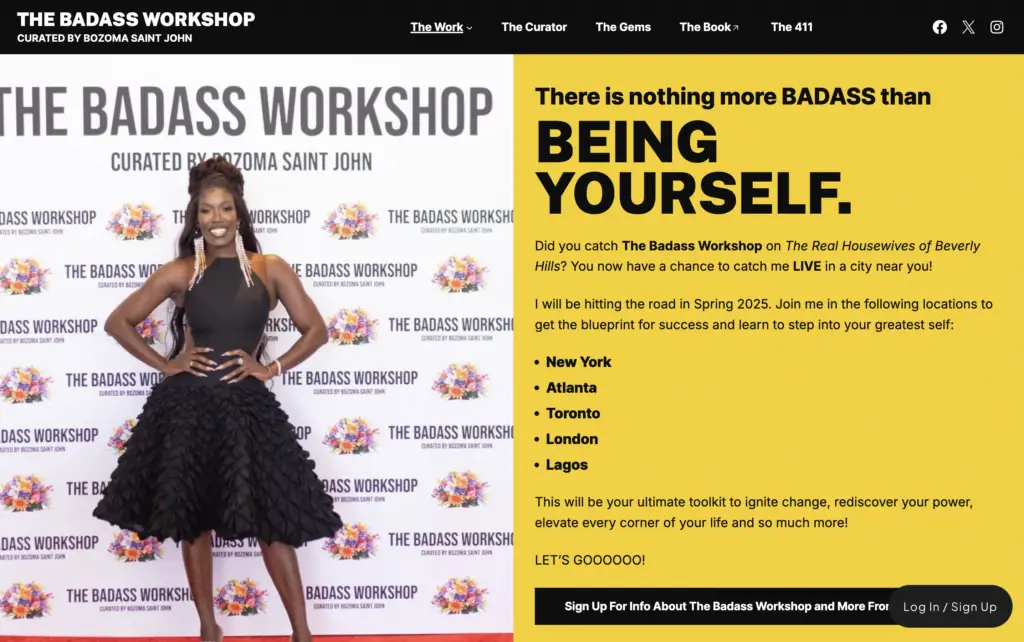
Squarespace event example

An event page example by MemberSpace customer, Bozoma Saint John from The Badass Workshop

Step 2: Create a Private Event Page

Once someone signs up for your event, they’ll need a place to access all the essential info, like the Zoom link and password for virtual events or venue address and parking instructions for in-person gatherings. 

Create a simple page on your Squarespace site to house all of these details, and we’ll lock access to it in the next step so only registered attendees can see it. 

Step 3: Lock Your Private Event Page

To lock access to your private event page, you’ll need to use a tool like MemberSpace. All you have to do is add your private page URL, and a paywall will be added to that page, ensuring your attendees have registered for your event before they get access to the details. 
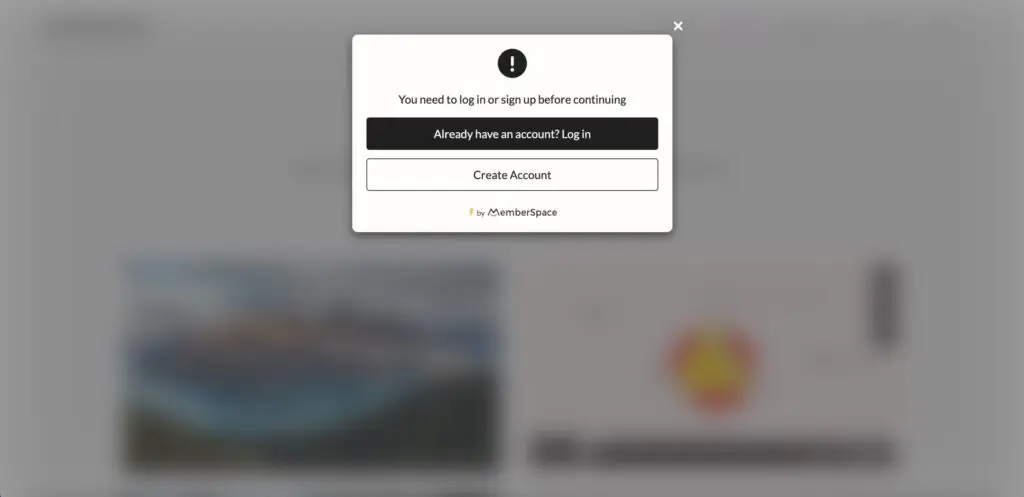
Content paywall with MemberSpace
When someone goes to access your private event page, they will see a pop-up like this requiring them to log in or register and pay before they get access.

Step 4: Set Up Your Pricing

Now for the fun part: deciding how to charge for your event. MemberSpace gives you options, so you can pick what works best for your attendees:

  • One-time payments: Perfect for standalone events like a single workshop.
  • Recurring payments: Ideal if the event is part of a membership or series.
  • Installments: Great for higher-priced events, like retreats, where attendees can pay in chunks.
  • Free events: Want to host a freebie? You can still use MemberSpace to collect attendee info and get people registered.
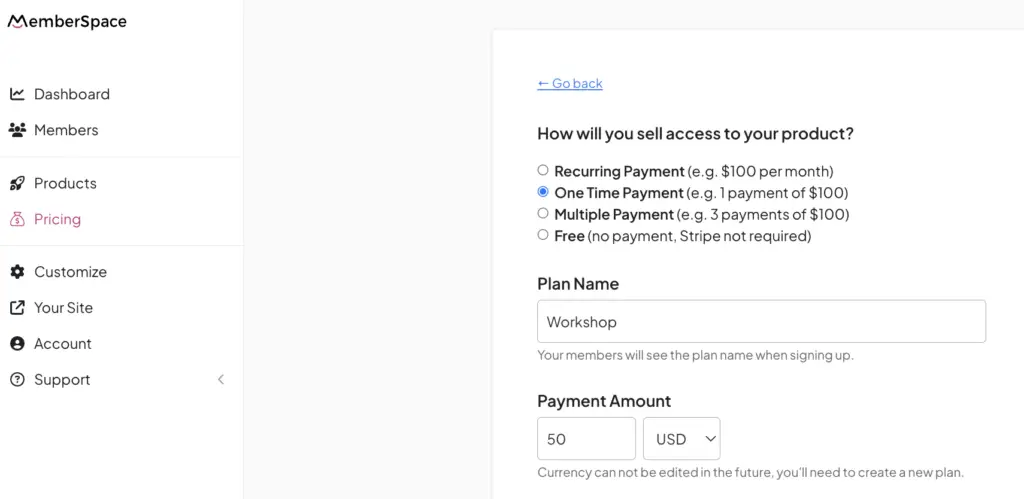
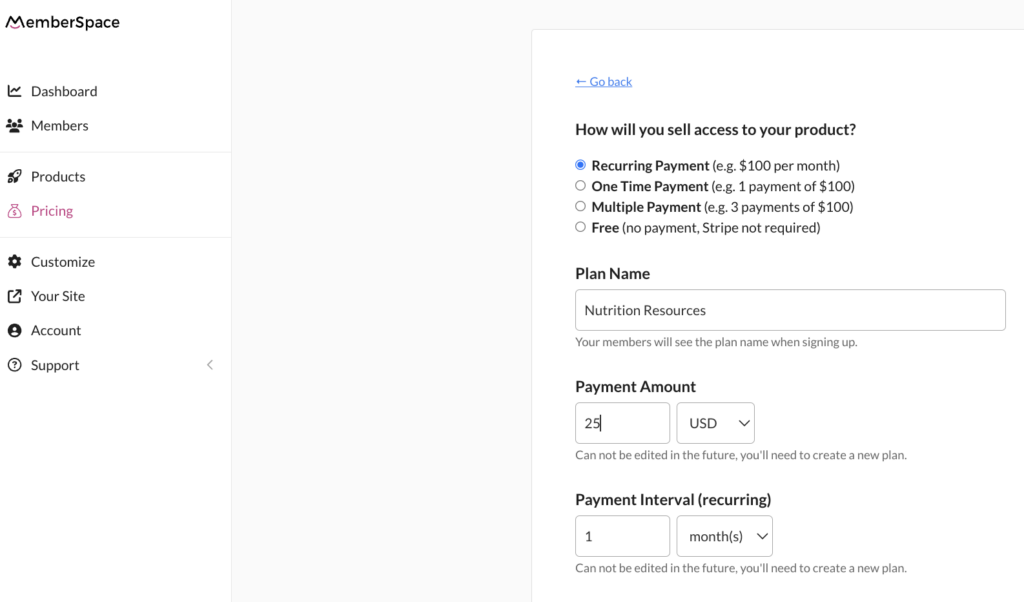
Squarespace event pricing
MemberSpace has a built-in Stripe integration, making payment processing simple and secure for your customers.

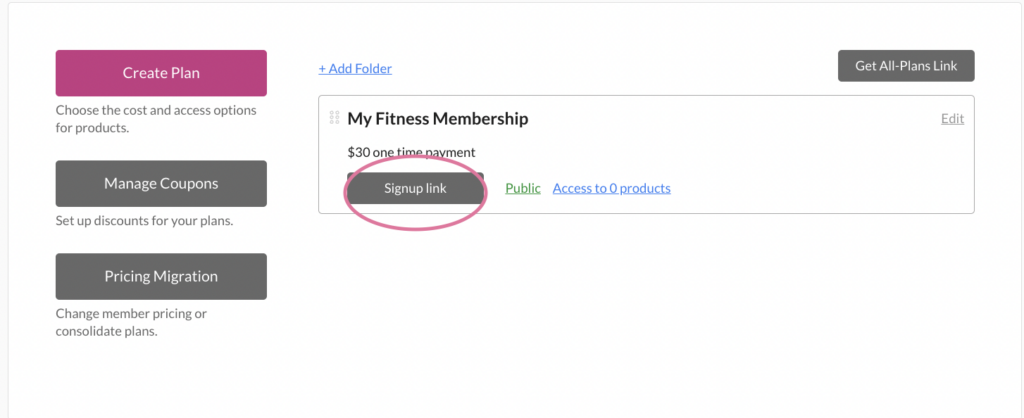
Once your pricing is set, grab your signup link from MemberSpace and drop it into the call-to-action button on your public event page. When someone clicks the link, they’ll be prompted to fill out a signup and payment form, granting them access to your private event page. 

 You can even customize your signup form to match your branding and collect attendee details like dietary preferences (hello, retreat planning!) or webinar questions.
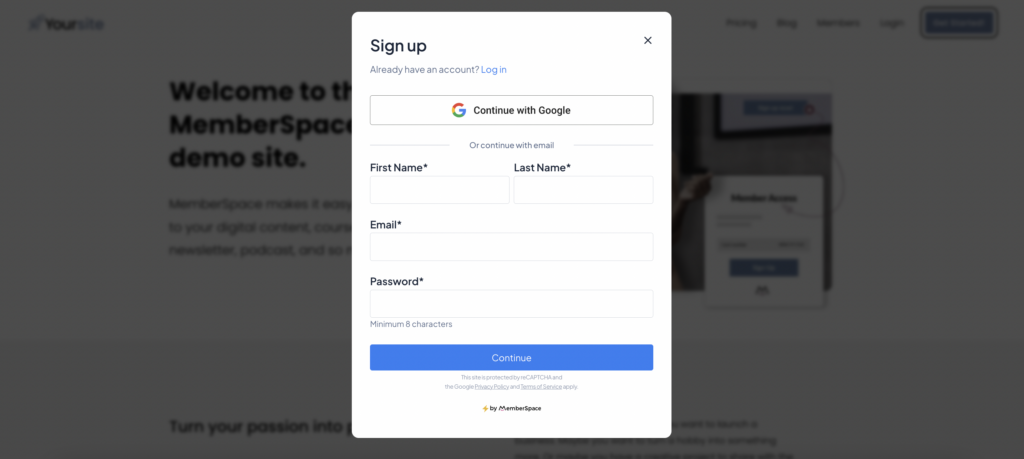
✨ Quick Tip: Offering different ticket options? Use MemberSpace to create multiple pricing tiers. You could have a VIP ticket that includes perks like a private Q&A session, access to an online course, or exclusive breakout groups.

Step 5: Maximize Your Event’s Potential 

When you’re selling event access, the right tools can make all the difference. MemberSpace doesn’t just help you sell tickets on Squarespace—it gives you more features to maximize your event’s impact and make the entire process smoother for you and your attendees.

Here’s how you can make the most of your event with MemberSpace:

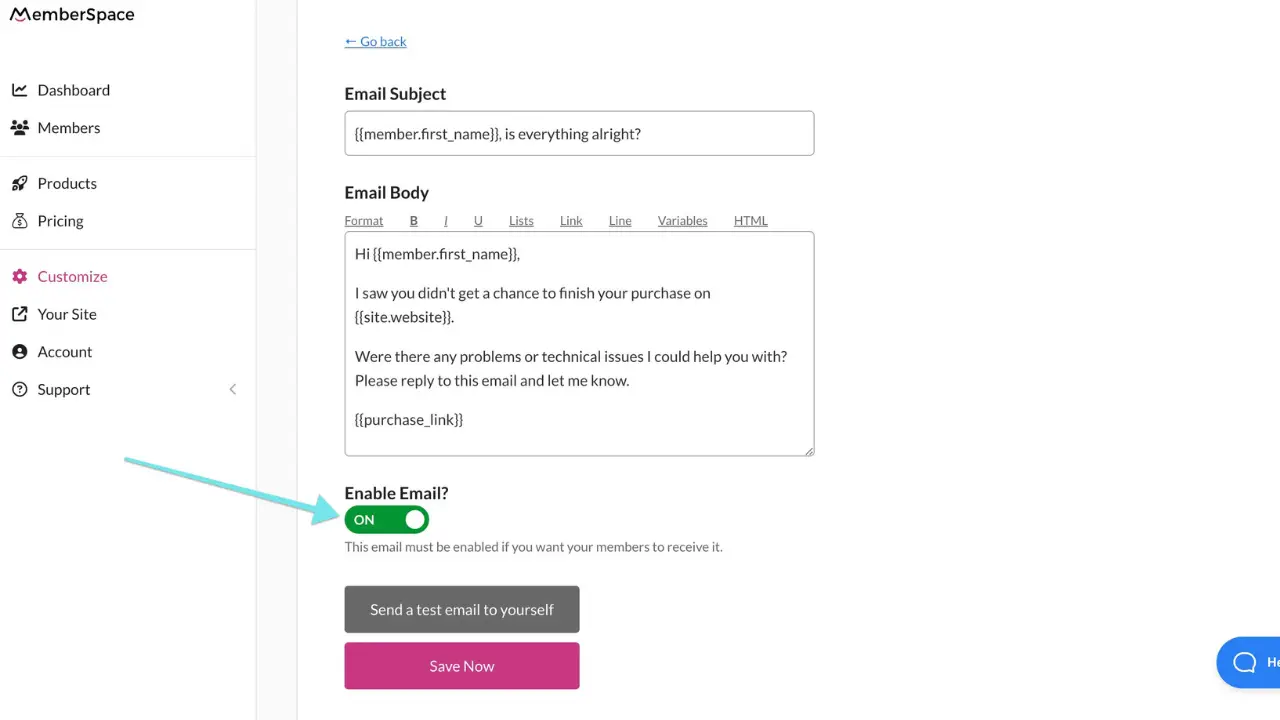
  • Abandoned signup reminders: Recover lost sales by automatically following up with people via email who started signing up but didn’t finish. 
  • Custom email notifications: Welcome attendees, share event details, or build excitement with countdowns. You can even use these emails to upsell VIP options or future events.
  • Flexible ticket options: Create multiple pricing tiers like general admission, VIP packages, or early bird specials to appeal to different audiences.
  • Upsell opportunities: Use your event page to promote your other digital products, like a related course, exclusive content, or your next event.
  • Streamlined payments: Let attendees pay with one click using Google or Apple Pay—no need for them to dig out their wallet.

Many business owners find Squarespace’s native selling features to be limited, but  MemberSpace lets you fully customize your event experience. Whether you’re sharing event details on a locked page, through an email, or even in a private online group, you have the flexibility to set things up your way.

Final Thoughts

Hosting events is an amazing way to connect with your audience, share your expertise, and grow your business. Whether it’s a virtual workshop, a webinar, or an in-person retreat, having a clear process for selling tickets and managing access makes everything so much easier.

With Squarespace and MemberSpace, you have the flexibility to customize your setup to fit your event’s needs. From handling payments to sharing details securely, you’re in control of the experience from start to finish. This means less stress for you and a polished, seamless experience for your attendees. Let us know if you have any questions, and good luck! 

Sell events on Squarespace!

The easiest way to accept event registration payments or one-time charges for digital products like podcasts, online courses, communities, content libraries, and more — all from your own website!


Start selling now

Get started for free! 5 minutes to set up.
How to Sell Meal Plans Online: 5 Simple Steps to Turn Your Nutrition Expertise Into Income

Software Stack Editor · December 4, 2024 ·

Picture of Haiden Hibbert

Haiden Hibbert

I’m a Content Manager at MemberSpace helping entrepreneurs and creators sell digital products.

Imagine waking up to a notification that someone just purchased one of your meal plans—while you were still asleep. Selling meal plans online can turn your passion for healthy living into a steady passive income stream. 

Yes, the nutrition coaching market is crowded—but that’s not necessarily a bad thing. It means people are actively looking for solutions like yours. The key is finding your unique angle, and with the right strategy, you can do exactly that. In this post, I’ll show you how to focus on what sets you apart, package your meal plans, and launch your products in just five simple steps.

By the end, you’ll have a clear plan to confidently sell your meal plans and grow your business. Let’s get started!

Start selling meal plans!

The easiest way to accept membership payments or one-time charges for digital products like online courses, communities, content libraries, and more — all from your own website!


Start selling now

Get started for free! 5 minutes to set up.
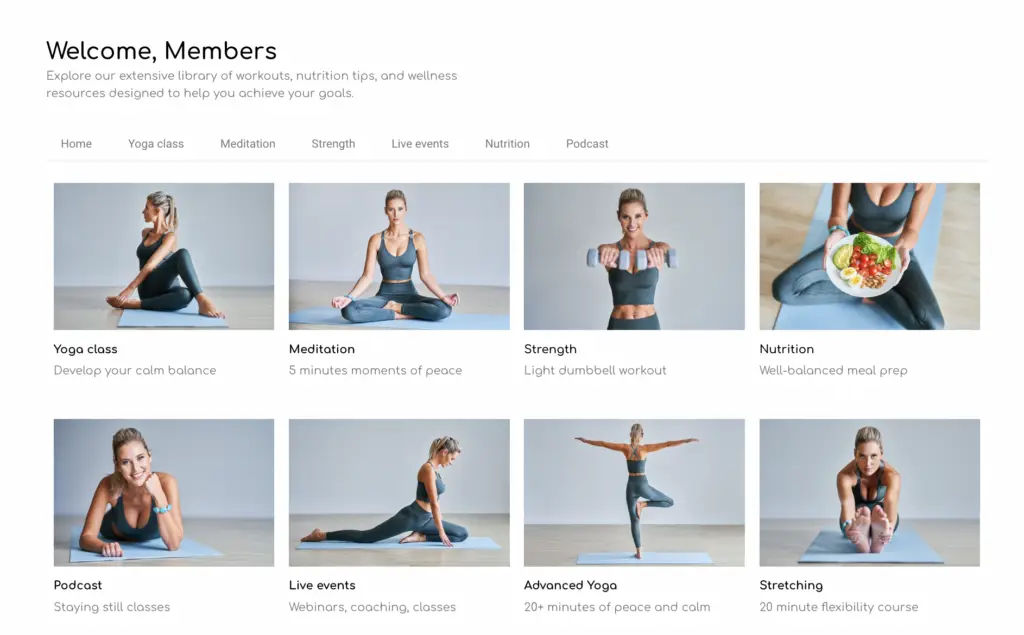
Table of Contents

Step 1: Find Your Niche

Here’s the truth: if you try to sell your meal plans to everyone, you’ll sell them to no one. The secret to standing out in a crowded market is to get super clear on who you’re helping and what makes your plans unique.

Think about your ideal customer. Are your meal plans for:

  • Busy Professionals who barely have time to cook?
  • Postpartum Moms juggling sleepless nights and self-care?
  • Special Dieters like vegans or people with food allergies?
  • Athletes who want meal plans to fuel their training and recovery?

The more specific you are, the easier it is to connect with your audience.

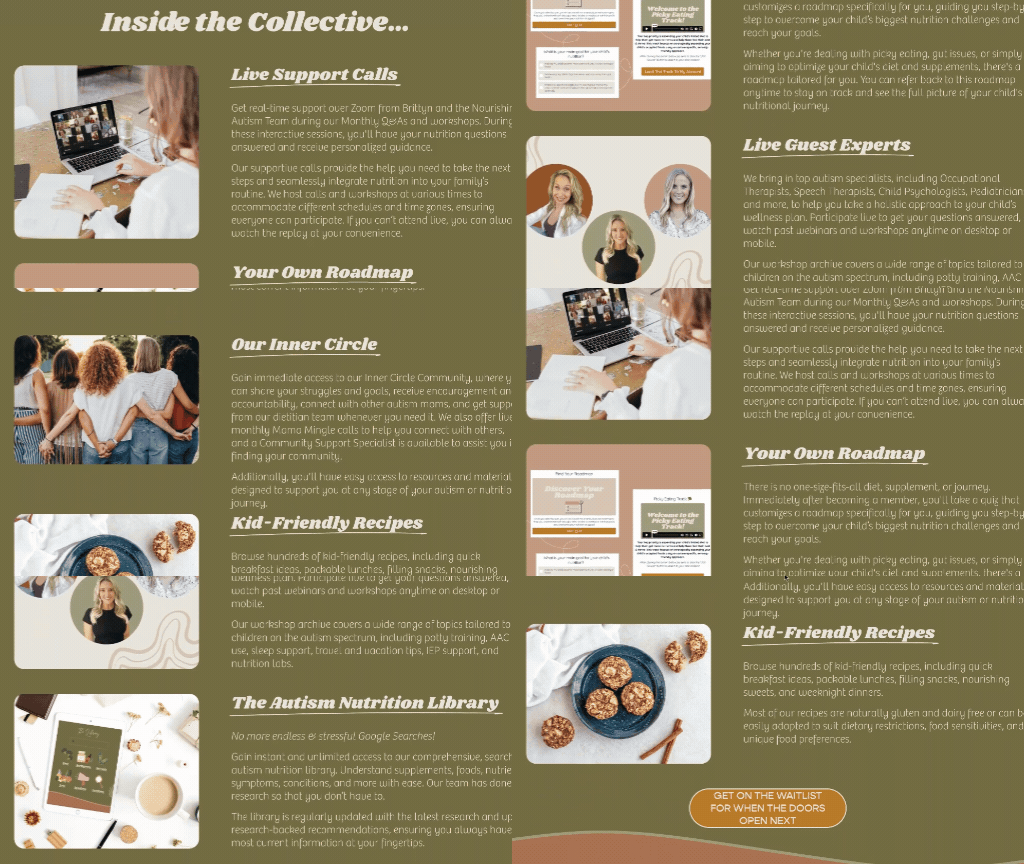
Here’s an example. Brittyn from the Nourishing Autism Collective started her meal planning and nutrition membership to help parents of children on the autism spectrum make meaningful changes to their diets. Growing up with an autistic brother gave her a unique perspective, which shaped the way she serves families through her business. By focusing on this specific audience, she’s built a supportive community and profitable membership.

Nourishing Autism Membership

✨ Quick Tip: Don’t overcomplicate this! Your niche can simply be solving a problem you’ve faced yourself. Chances are, there’s a whole group of people out there dealing with the same thing.

Step 2: Package your Meal Plans

Now that you know who you’re helping, it’s time to figure out how to deliver your meal plans in a way that works for your audience. Whether it’s a simple download or a full membership, the goal is to make your content feel easy to use and valuable.

Here are a few ways you could package your plans:

  • eBooks or guides: Perfect for one-time purchases like a 7-day plan or recipe collection.
  • Programs: A structured 6- or 12-week plan to help clients hit a specific goal, like better meal prep or weight loss.
  • Content Libraries: Think of this as a membership where clients get ongoing access to your recipes, meal plans, and resources.
  • Personalized Plans: Custom plans paired with 1:1 coaching or feedback for those who want more hands-on support.

You can also offer multiple tiers to give your customers options and reach more people. For example:

  • Basic Tier: Access to pre-made meal plans for the DIY crowd.
  • Middle Tier: Everything in the basic tier, plus extras like group coaching or live workshops.
  • Premium Tier: Adds personalized membership plans, 1:1 coaching, or other premium services for those who want a little extra.

Tiers are a win-win—they let you cater to different budgets and needs while making it easy for customers to upgrade as they see the value in what you offer.

Step 3: Add Your Meal Plans to Your Website

Now that you know what you’re selling, it’s time to add your meal plans to pages on your website. If you don’t have a website yet, platforms like Squarespace make it easy to set one up with customizable templates.

Create dedicated pages for your meal plans, recipes, and any additional resources. These will be the pages your customers access after signing up. Keep it simple and organized—you can structure these pages however works best for your content and audience.

In the next step, we’ll make these pages accessible only to paying customers by locking them behind a paywall.

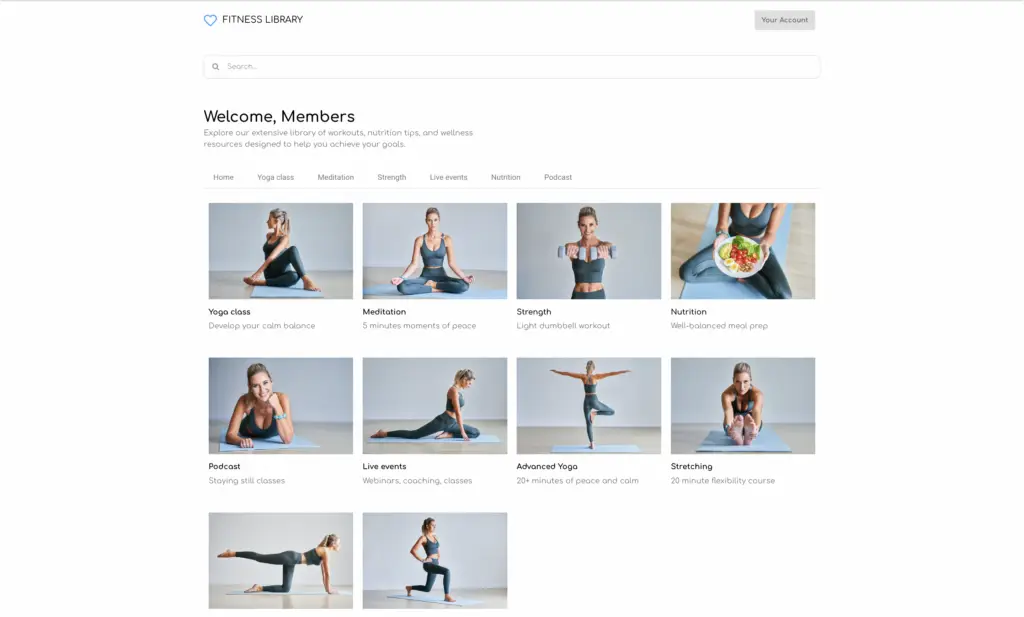
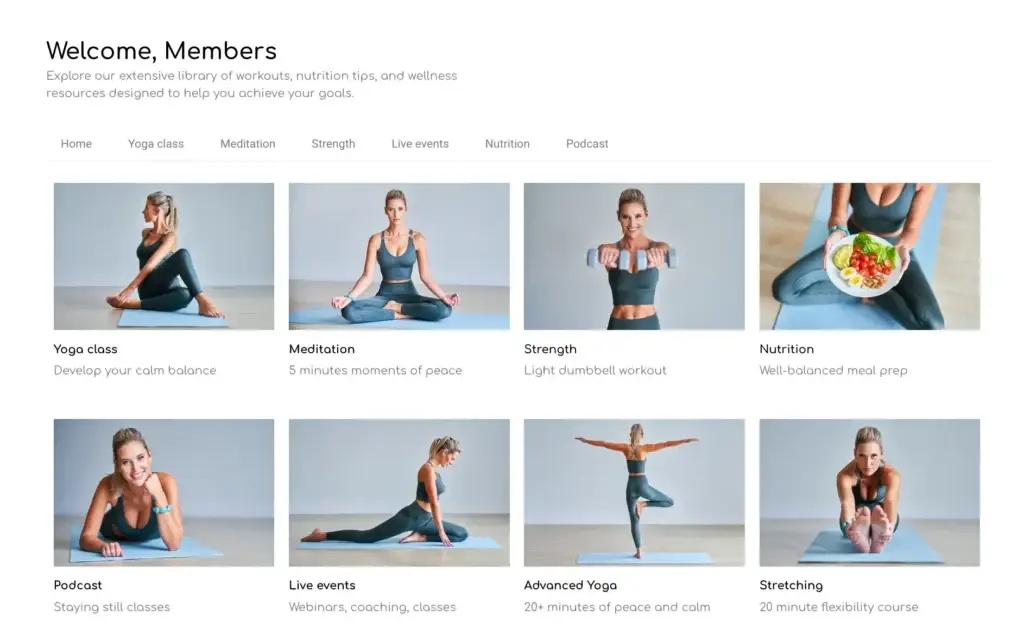
squarespace content library
An example content library with categories customers can click on to view specific resources

Step 4: Lock Your Pages for Clients Only

Once your content is uploaded, it’s time to make sure only paying customers can access it. Using MemberSpace, you can lock the pages you created so they’re protected behind a paywall.

Selling meal plans with MemberSpace
Add your meal plan page URLs to MemberSpace to lock them, so only paying customers can access them

When someone tries to view a locked page, they’ll be prompted to sign up and pay first. MemberSpace automatically creates a signup and payment form for you, which you can customize to match your branding for a seamless experience.

meal planning signup form example
An example of a custom signup form from The Autism Dietitian

Step 5: Set Up Your Pricing

Now that your website pages are locked, it’s time to set up pricing with MemberSpace. Here’s how it works:

  1. Create your pricing plans. MemberSpace lets you set up one-time payments, subscriptions, free trials, and even installment options for higher-priced plans.
  2. Grab your signup links. Once your plans are set, MemberSpace automatically generates unique signup links for each one.
  3. Add the links to your site. Drop these links into your website buttons—like “Get Started” or “Access Now”—so customers can easily sign up and pay.

And just like that, your site is ready to take payments and give customers instant access to your meal plans. It’s straightforward, seamless, and saves you a ton of time.

Pricing meal plans

✨Quick Tip: When setting your prices, start simple. Look at what others in your niche charge, test a few options, and adjust as you grow. The most important thing is to start somewhere—perfection can wait.

Frequently Asked Questions


Can you make money selling meal plans?

Absolutely! Selling meal plans is a great way to earn passive income. Once you’ve created your plans, they can sell over and over again with minimal additional effort. By pairing your expertise with the right pricing and tools like MemberSpace, you can scale your business and create consistent revenue.


How much should I charge for a nutrition plan?

It depends on the value you’re offering and your audience. Basic meal plans often sell for $25–$50, while more personalized plans or packages with coaching can range from $100–$500 or more. It’s always a good idea to research what others in your niche are charging and adjust based on your experience level and the uniqueness of your offering.


Can I sell meal plans without being a licensed nutritionist?

Yes, but it’s important to be mindful of your local regulations. If you’re not a licensed dietitian or nutritionist, focus on general wellness plans that emphasize balanced eating and healthy habits.


How do I sell nutrition coaching?

Combine your meal plans with personalized coaching sessions to provide extra value. You can offer packages that include 1:1 guidance, meal plan adjustments, and ongoing support. MemberSpace makes it easy to lock exclusive coaching materials behind a paywall and set up subscription plans for ongoing services.

Final Thoughts

Selling meal plans online is a great way to share your knowledge and help people make meaningful changes while building a flexible business. You don’t need to have all the answers upfront—start with what you know, keep it simple, and let tools like MemberSpace handle the technical side so you can focus on your content and customers.

The best part is, you can adapt as you go! Start small, experiment with what works, and let your business grow with you. 

If you’re ready to dive in, check out our free workshop to learn how to set up your website, protect your content, and start selling.

Start selling meal plans!

The easiest way to accept membership payments or one-time charges for digital products like online courses, communities, content libraries, and more — all from your own website!


Start selling now

Get started for free! 5 minutes to set up.
How to Sell Business Coaching Packages in 6 Simple Steps (Free Workshop Inside!)

Software Stack Editor · November 20, 2024 ·

Picture of Haiden Hibbert

Haiden Hibbert

I’m a Content Manager at MemberSpace helping entrepreneurs and creators sell digital products.

So, you’ve taken the leap into selling business coaching packages—congrats! The good news? There’s plenty of room for you to carve out your niche and make a real impact, even if the coaching world feels a little crowded. The tricky part? Figuring out how to actually build and launch coaching packages that work for both you and your clients.

In this post, we’ll walk through the exact steps to create coaching packages that feel personal, professional, and totally manageable. And if you’re looking for more hands-on guidance, check out our free 1:1 Personalized Memberships Workshop, where we’ll teach you how to create packages that deliver real value and make managing your coaching business easier. Whether you’re just getting started or refining what you already offer, you’ll leave with a clear plan to make it happen.

Join our free 1:1 personalized memberships workshop!

Learn how successful business coaches work one-on-one with clients using MemberSpace. We’ll walk you through the process step-by-step.


Sign up

Table of Contents

Step 1: Determine Your Niche and Audience

Before you do anything else, figure out who you want to help and how. The more specific you can be, the better. Instead of “I’m a business coach,” get clear on your niche:

  • Are you helping first-time entrepreneurs launch their businesses?
  • Are you working with established founders to scale their revenue?
  • Do you focus on a particular industry or challenge, like creative businesses or marketing strategy?

The clearer you are about your audience, the easier it will be to create packages that speak to their needs and attract the right clients. Remember, trying to coach everyone will only make your job harder!

Step 2: Map Out Your Business Coaching Packages

Now it’s time to figure out what you’ll include in your coaching packages. Do you want to offer one package or multiple tiers? Here’s the thing: people love options. With tools like MemberSpace, you can easily sell your content across multiple tiers to fit different needs and budgets.

Here’s an example of how you could structure your tiers:

  • Basic Tier: Includes downloadable templates, guides, and access to a private community of other entrepreneurs 
  • Middle Tier: Everything in the Basic Tier, plus monthly live workshops for deeper dives.
  • Premium Tier: Everything in the Middle Tier, plus personalized weekly action plans, progress reports, and video recordings of 1:1 coaching sessions.

✨ Want to learn how to set up business coaching packages like these? Join our free 1:1 Personalized Memberships Workshop, where we break it all down step by step. You’ll leave with the tools to create coaching packages that feel totally custom (but are easy to manage).

Step 3: Add Your Coaching Content to Your Website

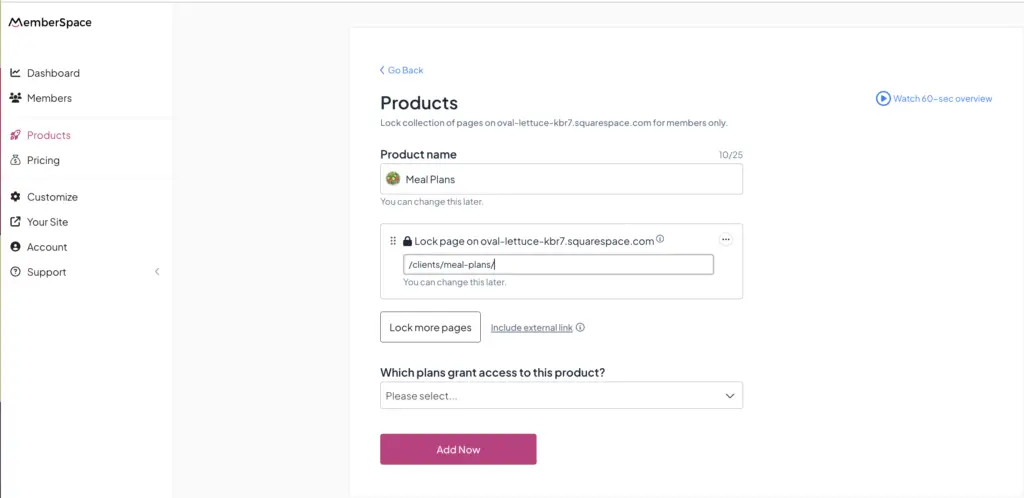
Once you’ve mapped out your packages, it’s time to get your content online. Add each of your resources to pages on your website, so your clients can easily access them. For example, you might put all of your templates on a page like yoursite.com/clients/templates and all of your workshops on a page like yoursite.com/clients/workshops. 

If you’re offering personalized content to your clients, like weekly action plans, progress reports, or coaching session notes, you’ll need to create individual pages for each of those clients.  Those URLs might look something like this: yoursite.com/clients/john-doe.

 Don’t stress about who gets access to each page just yet—we’ll handle that next.

An example of a personalized coaching membership page

 Step 4: Lock Your Pages with MemberSpace

Now that your content is ready, it’s time to make sure only the right clients can access it. MemberSpace makes this super simple.

All you have to do is:

  1. Create a new Product for each of your coaching resource pages. If you’re offering personalized content, you’ll create a new Product for each client and name it after them. 
  2. Add the URLs of your client-only pages to your MemberSpace account (i.e. yoursite.com/clients/templates, yoursite.com/clients/workshops, yoursite.com/clients/john-doe/, etc). This will lock them so clients will need to sign up and login to access your content. 

business coaching package

Next, we’ll create plans for each coaching package, as well as for personalized memberships, which will allow clients to get access to the right content!

Step 5: Create Pricing Plans

Your coaching pricing needs to work for both your clients and  your business. MemberSpace gives you the flexibility to create as many plans as you want, so you can tailor them to your coaching offers.

Here are some options to consider:

  • Recurring Subscriptions: Perfect for ongoing coaching relationships.
  • One-Time Payments: Great for standalone services, like a single strategy session or audit.
  • Installment Plans: Ideal for high-ticket packages, letting clients pay over time.
  • Free Plans: A clever way to let potential clients try your services before committing.

If you’re offering personalized content in one of your tiers, you’ll need to create individual plans for those clients to ensure they’re paying for access to their personalized coaching materials. 

Selling coaching services

Step 6: Add signup links to your website for each of your packages 

Once you set up your coaching plans, you’ll get signup links that you can add to CTA buttons on your website (your homepage, a sales page, etc).  When someone clicks the link, they will be prompted to signup and pay for that tier, and will instantly be granted access to the corresponding content!

If you’re offering personalized content to any of your clients, you’ll need to send them an email with their personalized signup link. This will ensure only they are able to signup for the plan that grants access to their unique client page. 

Tips for Launching and Maintaining Your Business Coaching Packages

  1. Start Simple and Launch Quickly
    Don’t overthink it—focus on your core offer and get it out there. You can always add more products or features later, like group coaching or a content library, as your business grows.

  2. Gather Feedback to Improve
    Early clients are invaluable for refining your packages. Ask them what’s working, what’s missing, and how you can improve. If you notice recurring challenges, create resources or tools to address them for future clients.

  3. Balance Personalization with Efficiency

    Personalized coaching is powerful but time-consuming. Simplify your process by creating reusable templates that you can customize for each client, like goal-setting trackers or progress reports.

  4. Keep Experimenting
    Stay flexible and open to trying new ideas. Test what resonates most with your clients and refine your offerings based on what delivers the most value.

  5. Scale Over Time

    As your business grows, consider adding generalized content or group options to serve more clients without overloading yourself. Think resource libraries, newsletters, or live group sessions to complement your 1:1 coaching.

Final Thoughts

By following these steps—and using tools like MemberSpace—you can create packages that feel personal, professional, and easy to manage.

Want to dive deeper into creating personalized memberships for your coaching business? Sign up for our free workshop to learn everything you need to know to set up 1:1 memberships that wow your clients and help you grow your business.

Join our free 1:1 personalized memberships workshop!

Learn how successful business coaches work one-on-one with clients using MemberSpace. We’ll walk you through the process step-by-step.


Sign up

Free Personalized Memberships Workshop – Create Tailored Plans for Your Clients!

Software Stack Editor · November 19, 2024 ·

Picture of Haiden Hibbert

Haiden Hibbert

I’m a Content Manager at MemberSpace helping entrepreneurs and creators sell digital products.

If you’re offering one-on-one coaching, creating custom plans for clients, or providing personalized resources, a personalized membership is the perfect way to streamline your process and add value for your customers. Whether you’re a coach, instructor, or service provider, 1:1 personalized memberships let you connect directly with your audience while creating a scalable revenue stream.

In this post, we’ll share details about our free workshop designed to help you set up your own personalized memberships with MemberSpace. From planning your content to scaling your membership, this workshop covers everything you need to know to get started and start earning.

Join our free personalized memberships workshop!

Learn how successful creators and entrepreneurs work one-on-one with customers using MemberSpace. We’ll walk you through the process step-by-step.


Sign up now

Table of Contents

What is a 1:1 Personalized Membership?

A personalized membership allows you to create and sell one-on-one access to your expertise, tailored specifically to each customer. Think of it as a private space for your members to access their unique content or services, such as:

  • Custom training plans for fitness coaches
  • Personalized meal plans for nutritionists
  • Individualized itineraries for travel agents
  • Tailored lesson plans or resources for educators

Each customer gets their own dedicated page where they can access their personalized content, ensuring an exclusive and organized experience. Personalized memberships are not only flexible but also scalable—you can offer them as a standalone service or as part of a premium membership tier. 

personalized membership website
An example of a customer’s individualized travel itinerary.

What’s Covered in the Workshop?

This workshop will walk you through everything you need to set up and launch 1:1 personalized memberships with MemberSpace, including:

Benefits of Using MemberSpace to Sell Personalized Membership Content
Discover why MemberSpace is perfect for creating personalized memberships. You’ll learn how its flexibility lets you design your membership to fit your business, create a seamless branded experience, and even repurpose content across different pricing tiers.

Planning Your Personalized Membership [Interactive Exercise!]
Define the structure of your personalized membership, map out the type of content you’ll provide, and decide on pricing plans. This interactive exercise will help you create a clear plan for your membership.

Personalized Membership Website Setup Walkthrough [Demo]
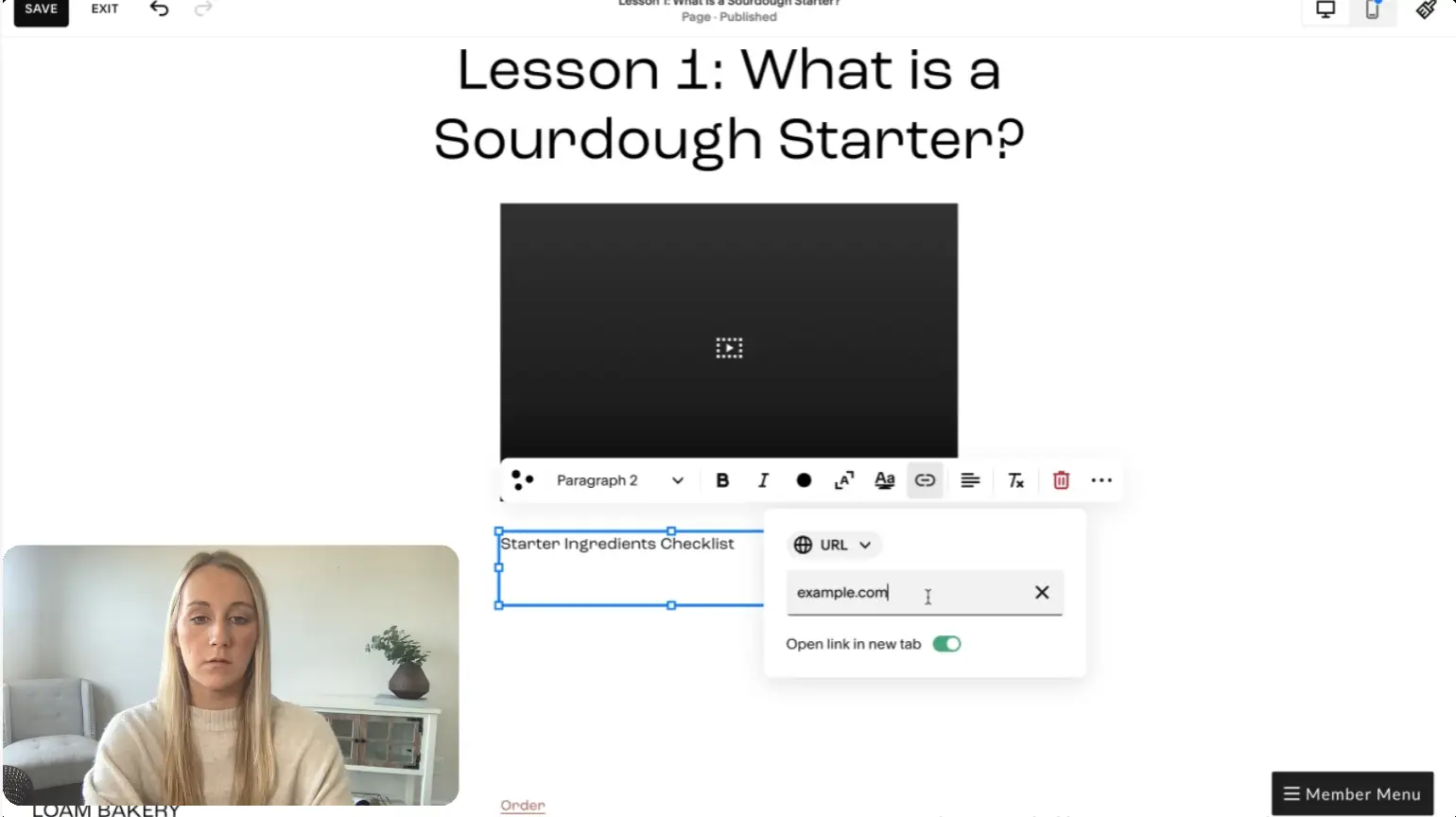
See how to create customer-specific pages on your website. You’ll get tips on structuring your content, organizing navigation, and designing pages that are easy to manage and deliver value to your members.

Setting It Up in MemberSpace
Learn how to lock your customer-specific pages, create pricing plans, and set up the Member Menu for easy navigation. This section covers everything you need to make your membership secure and accessible to paying members.

Going Live
Get actionable tips for launching your personalized membership smoothly and keeping it running efficiently. We’ll share strategies for maintaining your content, gathering feedback, and scaling your membership over time.

Next Steps and Additional Resources
Access helpful guides, templates, and workshops to continue building and improving your personalized membership. Plus, learn how to get support whenever you need it.

personalized membership workshop

FAQs

1. Who is this workshop for?
This workshop is perfect for anyone offering one-on-one services or personalized content, such as coaches, instructors, travel planners, or educators.

2. Do I need a website to set up a personalized membership?
Yes! You’ll need a website to create customer-specific pages. MemberSpace integrates with popular platforms like Squarespace, WordPress, and Wix to make the process easy.

3. Do I have to use MemberSpace for my personalized membership?
While you don’t have to use MemberSpace, it’s designed to make managing personalized memberships simple and flexible. You’ll have full control over your layout and branding while protecting your content with gated access.

4. What if I already have other membership offerings?
That’s great! Personalized memberships can be added as a premium option or standalone offering alongside your existing memberships. MemberSpace makes it easy to manage multiple products.

5. How long is the workshop?
The workshop is about one hour and includes actionable steps, live examples, and planning exercises to get you started right away.

Final Thoughts

Personalized memberships are an incredible way to connect directly with your audience and add value to your business. With the tools and strategies shared in this workshop, you’ll be able to create one-on-one memberships that are both flexible and scalable.

Ready to start offering personalized memberships? Sign up for the free workshop and take the first step toward building a membership your customers will love!

Join our free personalized memberships workshop!

Learn how successful creators and entrepreneurs work one-on-one with customers using MemberSpace. We’ll walk you through the process step-by-step.


Sign up now

Free Content Library Wireframes: Your Blueprint for a Successful Membership Site

Software Stack Editor · November 15, 2024 ·

Picture of Haiden Hibbert

Haiden Hibbert

I’m a Content Manager at MemberSpace helping entrepreneurs and creators sell digital products.

Setting up a content library from scratch can feel overwhelming. How do you structure it? Where do you even begin? That’s where our free content library wireframes come in. These wireframes are like blueprints for your membership site, helping you map out the layout and structure of your content library without the guesswork. Whether you’re working with a designer or building the site yourself, these wireframes make it easy to get started while giving you the flexibility to create a site that works for your business.

Download free content library wireframes!

Give your web design team blueprints for your membership website.


Download now

What’s a Wireframe and How Do You Use It?

A wireframe is a simple visual guide that outlines the structure and layout of your membership site. Think of it as a starting point—a blueprint to help you see the big picture before diving into the details.

With these free wireframes, you can:

  • Plan the structure of your content library before building it.
  • Give direction to a designer so they know exactly how to bring your vision to life.
  • Use it as a reference if you’re building the site yourself, ensuring everything is organized and easy for members to navigate.

The best part? You’re not locked into any specific layout. These wireframes give you a solid starting point while leaving room for you to customize your site however you want. Whether your content library is packed with videos, templates, or downloadable guides, you can tweak the layout to fit your business and audience.

What’s Included in the Wireframes?

A preview of the content library wireframes you will receive when you download them!

These wireframes cover all the essential pages your content library needs, giving you a clear roadmap to follow:

  • Sales Landing Page
    A public-facing page designed to attract new members. Here’s where you can showcase previews of your content library, highlight key resources, explain your pricing, and add a clear CTA for people to sign up. It’s all about making a great first impression and converting visitors into paying members.

  • Members-Only Homepage
    Once members log in, they’ll land on an exclusive homepage. This page acts as the central hub, displaying all your content categories and resources for easy navigation.

  • Category Pages
    Organize similar resources together by creating category pages. For example, you might have one category for videos and another for downloadable guides, helping members find what they need faster.

  • Sub-Category Pages
    If your content library is on the larger side, sub-category pages can add an extra layer of organization. For example, within a “Videos” category, you could have sub-categories like “Beginner Tutorials” or “Expert Interviews.”

  • Product Pages
    Dedicated pages for each individual resource. Whether it’s a template, a video, or a downloadable guide, these pages let members access specific items quickly and easily.


Download

How to Lock Your Content Library Pages

Once you’ve used the wireframes to help you set up your website, you’ll want to make sure your content library pages are locked with a tool like MemberSpace, so you can start charging members for access. Here’s how:

  1. Add MemberSpace to Your Website
    Simply copy and paste our snippet of code into your website. It works with any platform like Squarespace, WordPress, and Wix.

  2. Gate Your Members-Only Pages
    Use MemberSpace to lock the web pages containing your digital products, courses, or resources. This creates a paywall, so only paying members can access your content.

  3. Start Charging for Access
    Set up pricing plans to start earning from your content library. MemberSpace also includes revenue-boosting features like trials, tiered memberships, and one-click signups and payments to help grow your business.

FAQs About the Content Library Wireframes

1. Who are these wireframes for?
They’re perfect for anyone setting up a content library as part of their membership site. Whether you’re a fitness coach, designer, or educator, these wireframes give you a clear starting point to organize and share your resources.

2. Do I need to be a designer to use these?
Not at all! The wireframes are simple to follow and easy to use, even if you’re building your website yourself.

3. Can I customize the wireframes?
Absolutely. Think of the wireframes as best practices/recommendations. You do’t have to follow them exactly how they are, so you can adapt them to fit your content, brand, and business needs!

4. Are the wireframes platform-specific?
Nope! These wireframes can be used on any website platform, whether you’re on Squarespace, WordPress, Wix, or something else.

Final Thoughts

These free wireframes should give you a solid starting point to plan your site and create a great experience for your members. Whether you’re starting from scratch or improving what you already have, they’ll help you stay organized and make things easier for you and your audience. Good luck, and let us know if you have any questions!

Download free content library wireframes!

Give your web design team blueprints for your membership website.


Download now

Free Content Library Workshop! Learn How to Build, Launch, and Scale Your Membership Business

Software Stack Editor · November 15, 2024 ·

Picture of Haiden Hibbert

Haiden Hibbert

I’m a Content Manager at MemberSpace helping entrepreneurs and creators sell digital products.

Nearly 70% of membership business owners have a content library. Why? Because it’s hands down one of the best ways to keep members happy, engaged, and subscribed! Whether you’re offering videos, templates, or guides, a content library gives your members something valuable they can access anytime.

In this post, we’ll share the details of our free workshop that’ll show you exactly how to set up a profitable content library that serves as a passive income stream for your business. 

Join our free content library workshop!

Learn how top revenue generators set up their content library and sell access using MemberSpace. We’ll walk you through the process step-by-step.


Sign up now

What is a Content Library?

A content library is a collection of valuable resources—like videos, templates, and guides—that you offer exclusively to your paying members. It’s an organized hub where members can easily find what they need, all in one place.
 

What’s great about a content library is that it’s flexible and grows with your business. You can add new content, update existing resources, and keep things fresh over time. Plus, because it’s gated, it feels exclusive, giving your members something valuable that’s worth subscribing to!

Content library membership site template

What’s Covered in the Content Library Workshop?

Our free workshop is designed to guide you through every step of building a content library that engages your members and grows your business. Here’s what we’ll cover:

Content Library Overview – We’ll start by breaking down what a content library is and why it’s such a valuable addition to your membership business. You’ll learn how it can help you generate recurring revenue while keeping your members engaged. Plus, we’ll show you how MemberSpace plays a key role in setting up and managing your content library, giving you the tools and flexibility to make it your own.

Live Example – Next, we’ll take you on a walkthrough of a live demo site with a fully functioning content library. This example will show you how to organize your pages, set up your URLs, and structure your content so everything is easy to navigate for your members. It’s a real-life look at how a well-organized library works.

Planning Your Content Library (Interactive Exercise) – This hands-on section will help you map out your content library’s structure. You’ll define your categories and subcategories, making it easier to organize your content. We’ll also guide you through deciding on pricing—what type of plan to offer, how much to charge, and how often you want to collect payments. By the end of this exercise, you’ll have a clear plan for your content library.

Setting Up Your Content Library in MemberSpace – Now it’s time to bring your plan to life. We’ll walk you through setting up your content library in MemberSpace, including adding a paywall to protect your content, creating pricing plans, and ensuring everything is ready for your members.

Going Live – Launching your content library is a big milestone, and we’ll share tips to make it as smooth as possible. You’ll learn best practices for promoting your launch, keeping your content fresh, and scaling over time to grow your business.

Next Steps and Additional Resources – Finally, we’ll wrap up with resources to support you as you build and grow your content library. From VIP support to additional workshops and guides, you’ll leave with everything you need to succeed. We’re here to help every step of the way!

A look at one of the interactive exercises from this session!

FAQs

1. How long is the workshop?
The workshop lasts approximately 45 minutes, packed with actionable steps and examples to help you get started quickly.

2. Do I have to use MemberSpace to benefit from the workshop?
While we’ll showcase how to set up your content library using MemberSpace, the tips on structuring and managing your content library can be valuable for anyone looking to offer exclusive content, regardless of platform.

3. Who is the workshop best for?
This workshop is ideal for membership business owners, creators, and entrepreneurs who want to offer gated digital resources, from fitness videos to coaching guides, and are looking for a streamlined, effective setup process.

4. Can I start with just a few pieces of content and add more later?
Absolutely! Many successful content libraries start small and grow over time as new content is added.

5. Is MemberSpace beginner-friendly?
Yes, MemberSpace is designed to be intuitive and easy to use, even if you’re new to creating member-only content. Our workshop guides you through each step to make setup simple.

6. What types of businesses benefit most from a content library?
Content libraries work well for any business offering exclusive resources to a niche audience. Fitness trainers, coaches, educators, and content creators can all use a content library to engage members and generate revenue.

Final Thoughts

A content library is one of the most effective ways to offer value to your members while generating consistent revenue. With the right structure, tools, and plan in place, it can become a cornerstone of your membership business.

Our workshop is here to guide you every step of the way—from planning your content library to setting it up and going live. Plus, with MemberSpace’s flexibility and support, you’ll have everything you need to succeed.

Ready to create a content library your members will love? Sign up for the free workshop and get started today!

Join our free content library workshop!

Learn how top revenue generators set up their content library and sell access using MemberSpace. We’ll walk you through the process step-by-step.


Sign up now


Download Now


Download Now

How to Create an Online Course – Join Our Free Workshop!

Software Stack Editor · November 13, 2024 ·

Picture of Haiden Hibbert

Haiden Hibbert

I’m a Content Manager at MemberSpace helping entrepreneurs and creators sell digital products.

Creating a successful course doesn’t have to be complicated, but knowing where to start and how to structure everything is key. That’s why we’re offering a free workshop to guide you through each step of the process and teach you the exact strategies our top course creators use to earn revenue with MemberSpace.

Curious about what’s covered? Here’s a sneak peek!

Join our free online course workshop

Learn how our top online course creators earn revenue using MemberSpace. We’ll walk you through the process step-by-step.


Join Now

What’s Covered in the Workshop

Our free online course workshop is designed to walk you through each stage of creating a successful course. Here’s what you’ll learn:

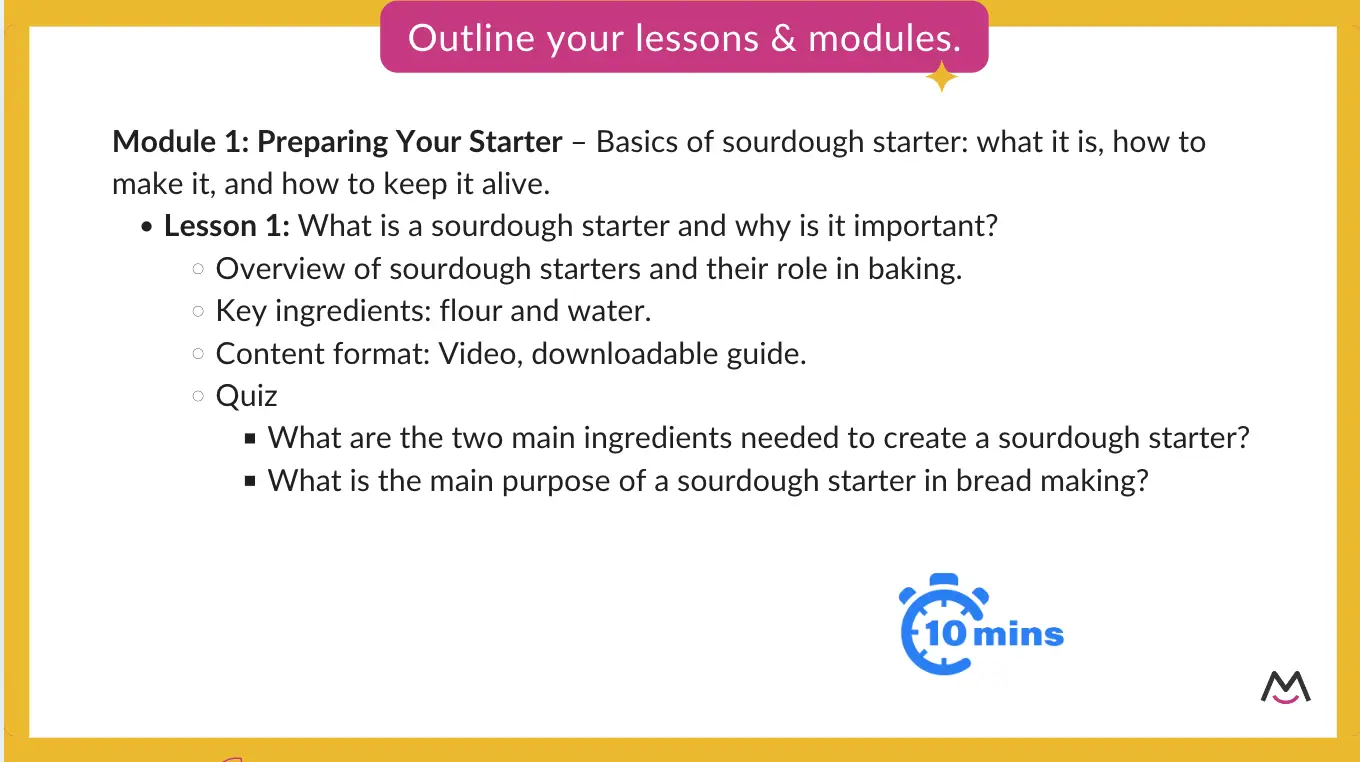
  • How to plan and organize your content: We’ll guide you through setting clear goals and objectives, structuring your course into modules and lessons, and deciding what types of content to include—like videos, quizzes, and downloadable resources. Plus, we’ll do an interactive exercise to help you outline your course right there in the session.

  • How to set it all up on your website: See exactly how to build your course directly on your website. We’ll use a demo site to walk you through setting up module and lesson pages, creating quizzes and certifications, and locking each page so only paying members can access your content.

  • Tips for going live: Learn how to make your launch smooth and successful, with strategies like setting a clear launch date, offering limited-time promotions, and building excitement among your audience.

  • Keeping your course fresh & engaging: Discover ways to keep students engaged long-term by adding new content, holding live Q&A sessions, or offering updates to keep your course relevant.

  • Additional resources and support: We’ll share extra resources and ongoing support options to make sure you feel confident in your course journey, from launch to growth.

Creating an online course

✨ By the end of the workshop, you’ll know exactly how to plan, build, and launch your online course—along with tips to keep it growing and thriving. Join now!

Who This Workshop Is For

Wondering if this workshop is right for you? Here’s who will benefit most:

  • Aspiring course creators: Have an idea for a course but unsure how to bring it to life? This workshop will guide you through the essentials, helping you take those first steps with confidence.

  • Entrepreneurs and small business owners: Looking to add a new revenue stream or deepen connections with your audience? We’ll show you how to design and launch a course that builds on your expertise and brings real value to your business.

  • Existing course creators: Already have a course but want more control, flexibility, and options for growth? This workshop covers how to expand your course offerings, maximize engagement, and use MemberSpace’s revenue-boosting features to reach your goals.

Why Use MemberSpace for Your Online Course?

With so many online course platforms to choose from, why go with MemberSpace? 

  • Total flexibility: Build your course exactly how you want on your own website, without any platform or design restrictions. 
  • Sell across tiers or individually: Offer your course as a standalone product, bundle it with other resources, or create tiered pricing to attract a range of audiences.
  • Ability to change your CMS: If you ever switch your website platform, MemberSpace moves with you, so you never lose your members.
  • More features: MemberSpace offers one-click signups, abandoned sign-up reminders to recover lost leads, one-click payments to simplify conversions, and many more revenue-boosting tools.
  • VIP support: Get top-notch customer support whenever you need it, making setup and management easy.
  • Ability to add and sell additional products: With MemberSpace, you’re not limited to courses—you can sell content libraries, newsletters, community access, paid podcasts, and more.

FAQ

Here are answers to a few common questions about the workshop:

  • Is this workshop beginner-friendly?
    Absolutely! We’ll walk you through each step, making it easy to follow along even if you’re new to online course creation. By the end, you’ll have a solid plan and clear next steps.

  • Do I need to use MemberSpace to benefit?
    While we’ll showcase some MemberSpace features, the foundational strategies apply to anyone looking to create an online course. You’ll gain valuable insights regardless of which tools you currently use.

  • How long will the workshop take?
    Our workshop runs about 45 minutes, and you’ll leave with a clear course structure, setup plan, and actionable steps to launch your course.

  • What should I bring?
    Bring something to take notes with and your course idea! We’ll do some exercises to help you outline your course, so having your idea in mind will be helpful.

Join our free daily workshop to help you set up and launch your online course.

Learn how our top online course creators earn revenue using MemberSpace. We’ll walk you through the process step-by-step.


Join Now

Attract More Subscribers with This Free WordPress Newsletter Template

Software Stack Editor · November 6, 2024 ·

Picture of Haiden Hibbert

Haiden Hibbert

I’m a Content Manager at MemberSpace helping entrepreneurs and creators sell digital products.

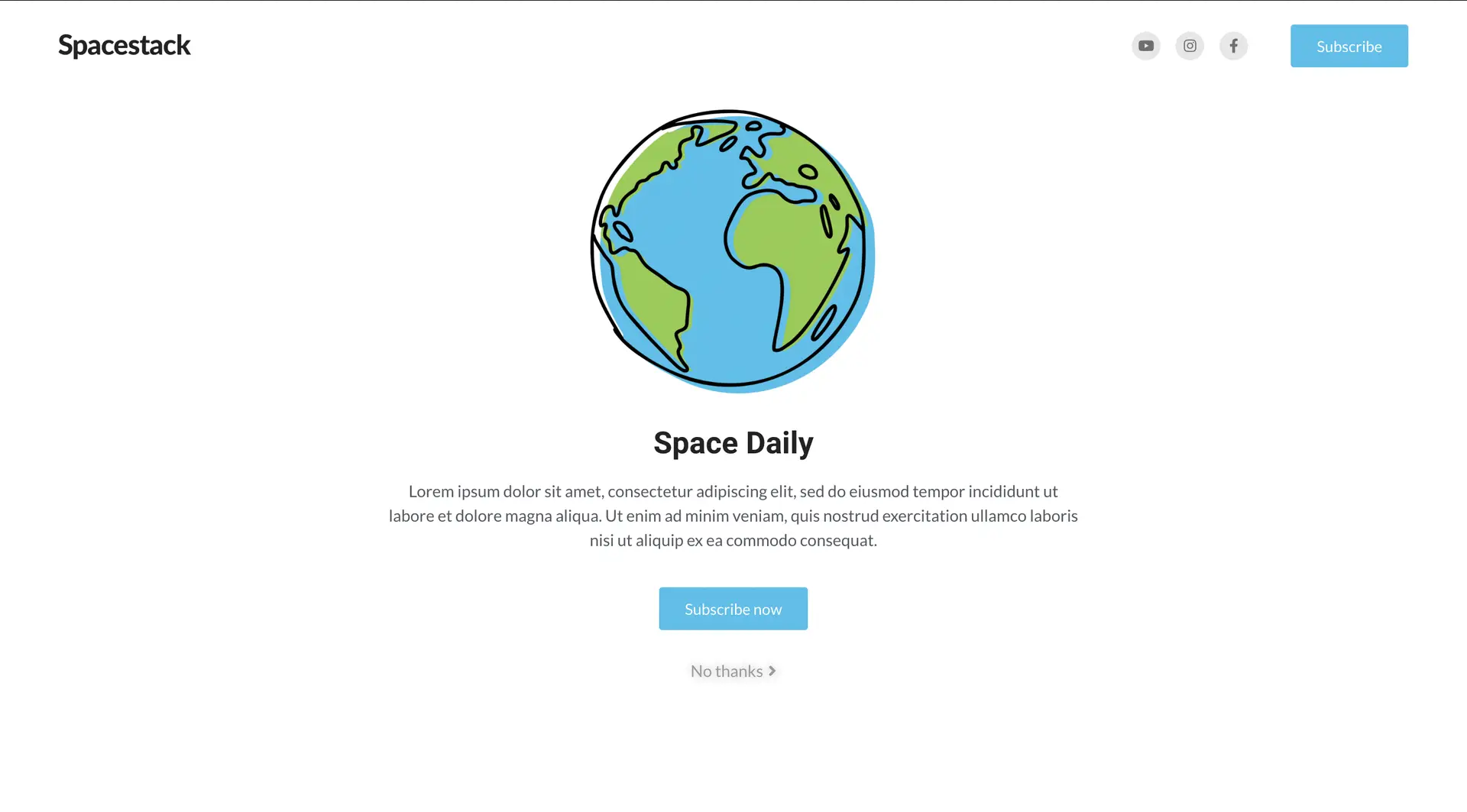
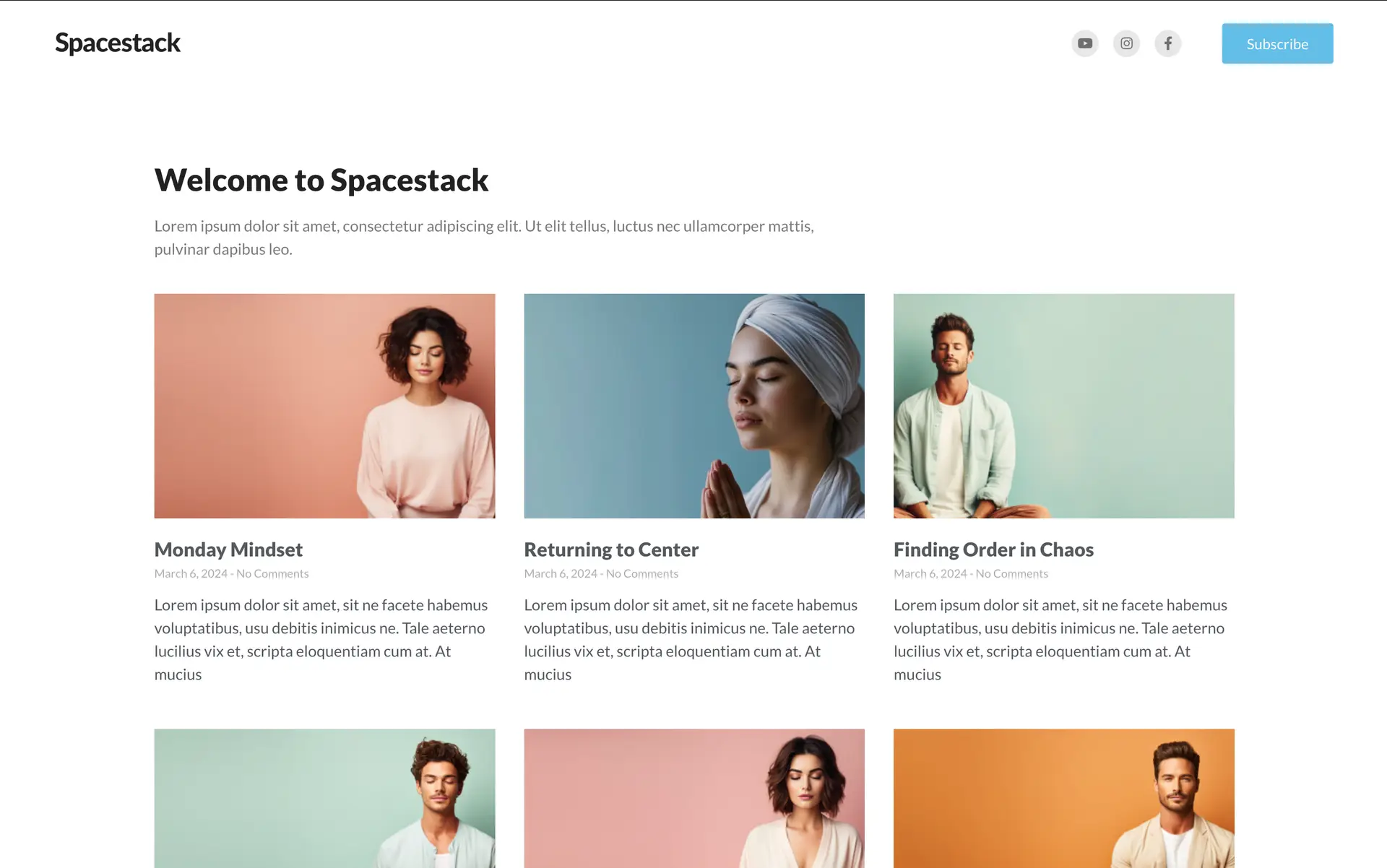
If you’re ready to launch a newsletter, we’ve created Spacestack, a free WordPress newsletter template designed to help you get your website up and running by the end of the day. It’s clean, customizable, and has all the essential elements of a successful newsletter site built in, so you can focus on what really matters – creating your content and growing your subscribers!

Download Spacestack, a free WordPress newsletter template

Ready to grow your newsletter? Download this free WordPress  newsletter template and start building your subscriber base today!


Download now

Table of Contents

Why Choose Spacestack—and What’s Inside

This free WordPress newsletter template is all about making things simple for you and your subscribers. It’s clean, organized, and designed to make it easy for readers to find all your content in one place—perfect for letting them browse and enjoy past newsletters whenever they want.

Here’s what you’ll find inside Spacestack:

  • A homepage with an easy “Subscribe” button: The homepage is set up to let visitors know exactly what makes your newsletter worth joining. With space to highlight what you offer and a clear subscribe button, signing up is quick and easy.
  • A preview page to highlight your latest newsletters: This page lets potential subscribers get a feel for your topics and style, so they know what to expect. It’s like a mini library of recent posts, helping them connect with your content before they sign up. And when they do signup, they can freely click on and read any of the posts. 
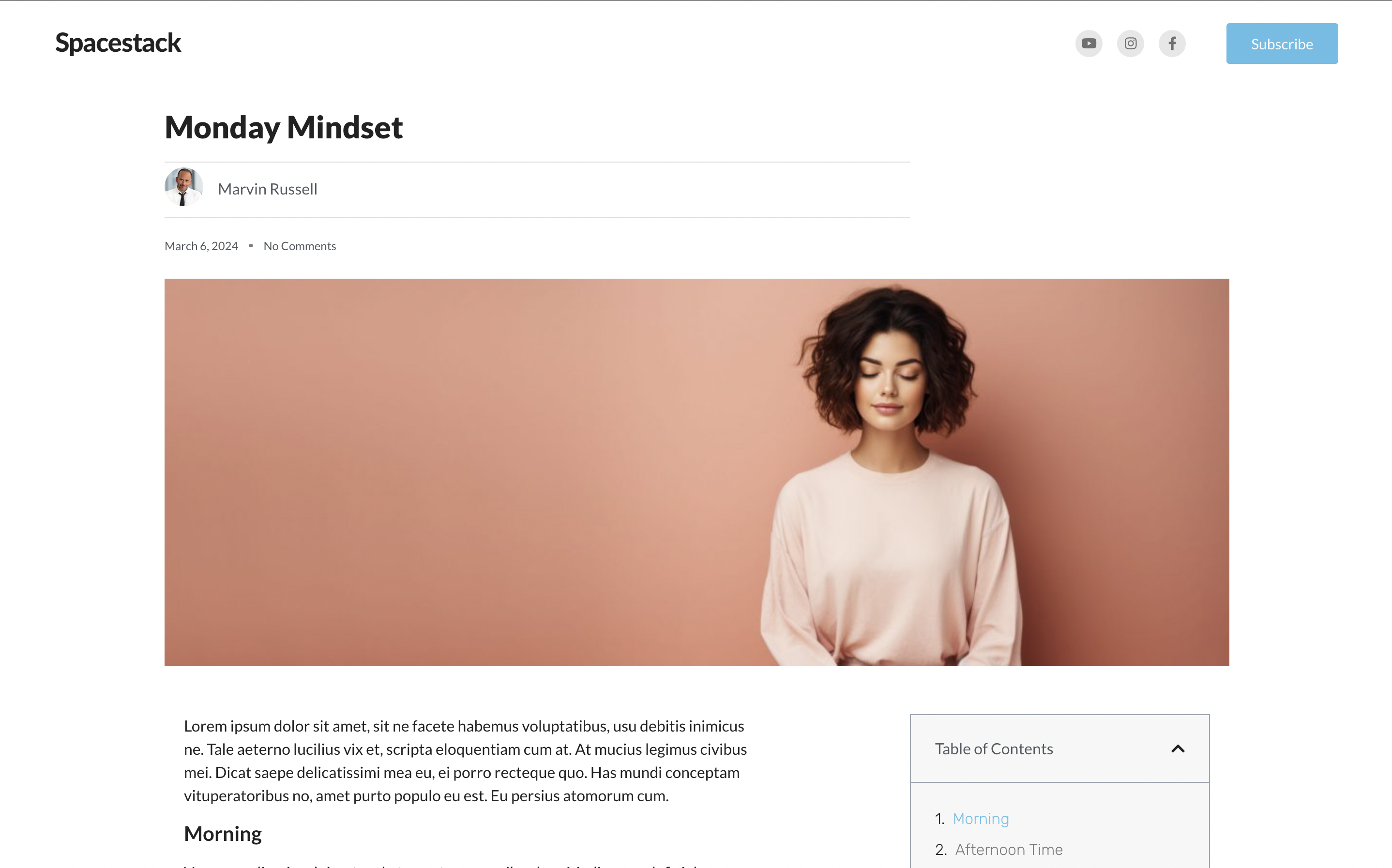
  • Individual pages for each newsletter: Every newsletter has its own page, so your subscribers can easily go back and read past issues anytime. These pages also include a comments section for subscribers to engage with your newsletter, as well as social share buttons to make it simple for them to post about your content. 

Each page also includes a subscribe button in the top right to make it easy for visitors to signup, whether your newsletter is free for subscribers or just for paying members! 

WordPress newsletter homepage
wordpress newsletter website theme
Wordpress newsletter template

How to Install the Template

Getting started with your newsletter template is quick and easy. Follow these steps to install it on your WordPress site and start adding in your content!

  1. First, download the theme file here. 
  2. Head to your WordPress site and log into your admin area.
  3. In the left-hand menu, go to Appearance > Themes.
  4. Click on Add New at the top of the page, then select Upload Theme. Choose the zip file you downloaded and click Install Now.
  5. Once installed, click Activate to make it live on your website.
  6. If you’re using Elementor, open each page (Homepage, Preview, and Newsletter Pages) in the Elementor editor. From there, you can adjust colors, fonts, layouts, and more to match your brand.

And that’s it! With just a few steps, your theme is live and ready for you to start adding content and attracting subscribers.


Download the template

How to Lock Your Newsletter Pages for Subscribers Only

Want to make sure only your subscribers can access your newsletter content? With a tool like MemberSpace, you can easily lock specific pages on your website and offer free or paid subscriptions. Here’s how it works:

  1. Add your content to your website: Create your newsletter posts on your website, just as you normally would.

  2. Install MemberSpace: In just a few minutes, you can install MemberSpace, which allows you to lock any pages you choose.

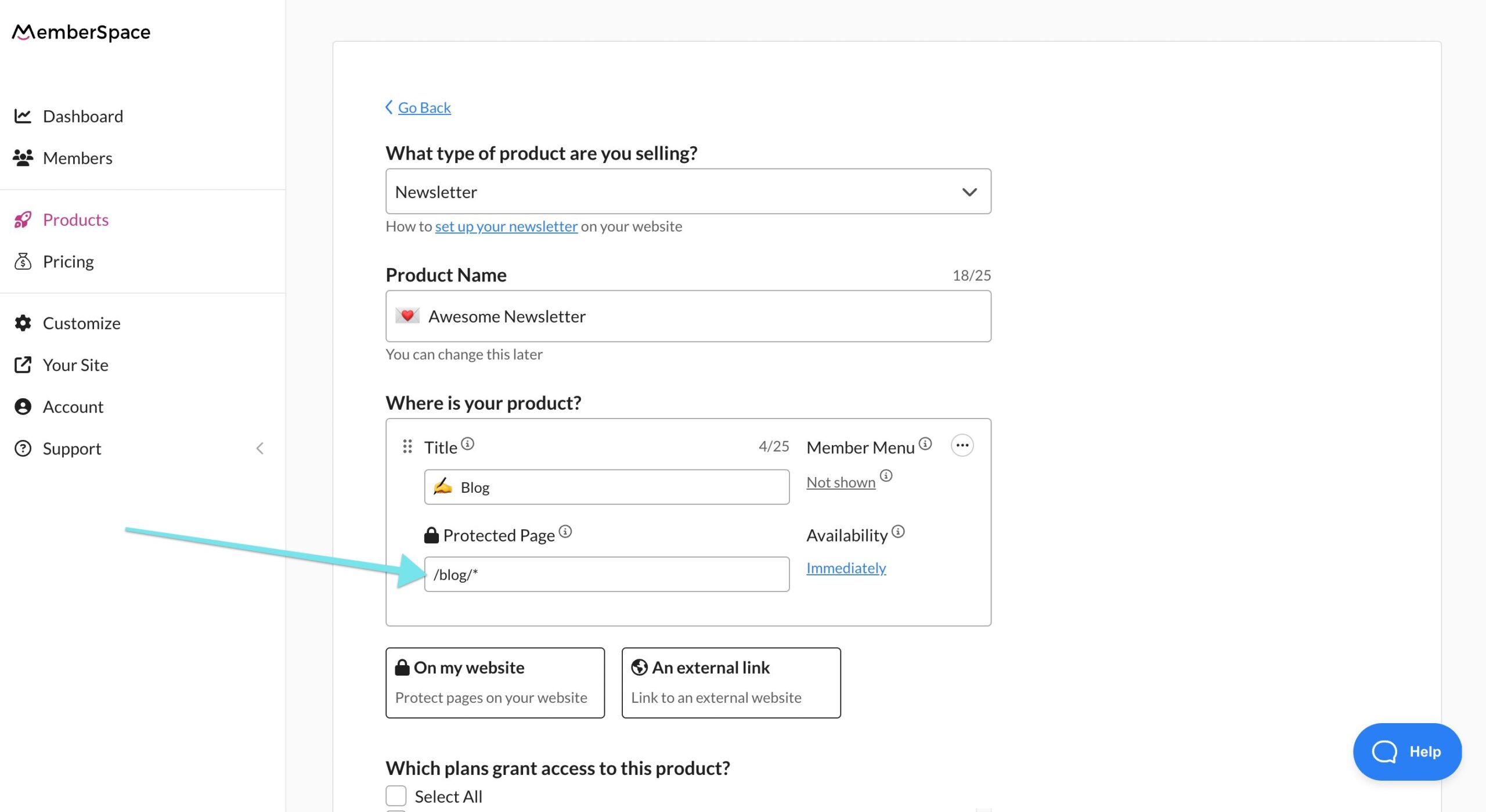
  3. Lock your newsletter pages: In MemberSpace, add the URLs of your newsletter posts to protect them. To automatically lock all current and future newsletters, you can mass protect pages under a parent URL—like yoursite.com/blog/*. Adding the asterisk at the end will lock all existing and future newsletter pages.

protect wordpress newsletter page

4. Set a price for your newsletter: Decide whether your newsletter will be free for subscribers or if you want to set up a recurring subscription payment. MemberSpace makes it easy to create either option.

5. Add your signup link: Copy your signup link from MemberSpace and add it to your subscribe buttons, so new visitors can easily signup and gain access.

Now, whenever someone tries to access your newsletter content, they’ll be prompted to log in or subscribe to view it. 

Final Thoughts

Whether you’re starting a newsletter from scratch or upgrading your existing setup, this free WordPress newsletter template is here to make your job easier. With pages designed to convert visitors into subscribers and the flexibility to create a members-only newsletter, it’s the perfect theme to attract more subscribers and build your brand.

Download Spacestack, a free WordPress newsletter template

Ready to grow your newsletter? Download this free WordPress template and start building your subscriber base today!


Download now

Unlock the Ultimate Content Library with This Free, Membership Website Template

Software Stack Editor · October 29, 2024 ·

Picture of Haiden Hibbert

Haiden Hibbert

I’m a Content Manager at MemberSpace helping entrepreneurs and creators sell digital products.

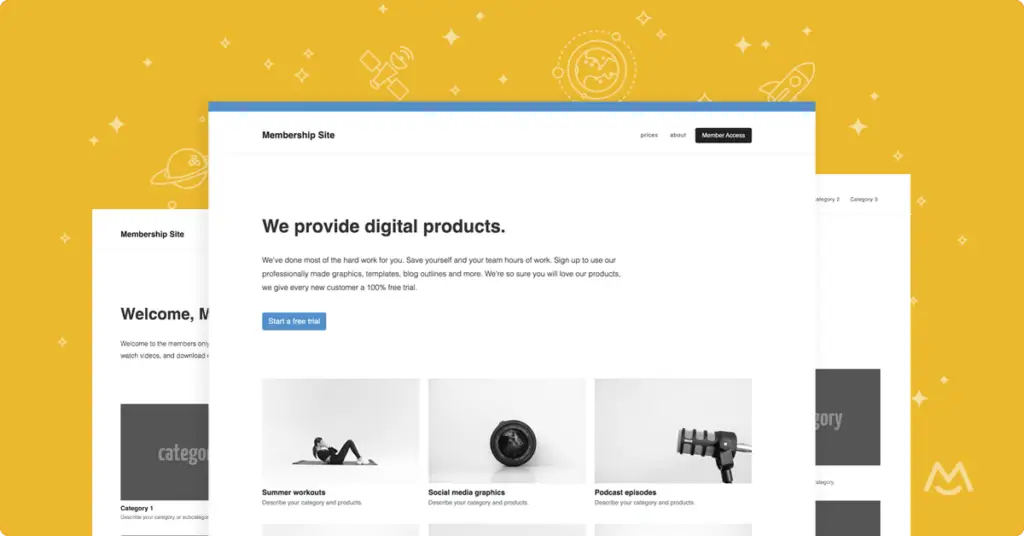
If you’re building a membership site, having a well-organized content library can make all the difference. A well-structured content library lets you display digital downloads, videos, tutorials, and more in a clean, easy-to-navigate layout. Our free membership website template is designed to do just that, providing you with a professional, customizable starting point that’s simple to set up. Just download, customize, and add MemberSpace’s snippet of code, and you’ll be selling digital products by the end of the day.

Whether you’re offering PDFs, templates, or online courses, this HTML and CSS template includes essential pages—like category and sub-category pages and individual product pages—making it easy to organize and showcase your content to members.

Download our free membership site template!

Get started with your own content library today! Download this free, ready-to-use HTML and CSS template to build a streamlined, professional membership site.


Download Now

Table of Contents

Why You Need a Content Library on Your Membership Site

For most membership website owners, a content library is more than a resource—it’s the main attraction. In fact, 70% of our customers offer one inside their membership. A content library offers members instant access to a wide range of valuable content, whether it’s educational resources, industry insights, or practical tools. This kind of access keeps members engaged, increases the perceived value of your membership, and can even improve retention. 

Content library membership site template

What’s Inside the Membership Website Template

Creating a content library from scratch can be overwhelming, especially when it comes to setting up pages and structuring navigation. That’s where our free HTML and CSS membership website template comes in. It simplifies the process, so you can launch your content library quickly and effectively without extensive coding knowledge.

This theme includes:

  • Sales Landing Page: A public-facing page where potential members can learn about your content library and sign up. Showcase previews, highlight key resources, and add a clear CTA for joining.
  • Members-Only Homepage: Once members are logged in, they’ll access this exclusive homepage displaying all content categories and resources, making it a central hub for easy navigation.
  • Category Pages: Keep similar resources grouped together, so members can browse by type or topic.
  • Sub-Category Pages: Add another layer of organization for large collections, ensuring a smooth user experience.
  • Product Pages: Dedicated pages for each resource, whether it’s a downloadable file, video, or template, allowing members to easily access individual items.

This template is designed to be simple to customize and update, making it easy to manage your growing content library as you introduce new resources.


Download the template

The Benefits of Using a Membership Website Template

content library html css theme and template

Using this membership website template gives you a head start, making the setup process much easier and faster. Here’s how it can streamline your content library:

  • Ready-to-Use Design: This template is fully designed, so all you need to do is add your content and copy—far simpler than building a site from scratch.
  • Inspired by Leading Membership Sites: We created this theme using the structure and layout proven to work for the most successful membership sites, so the research and planning are already done for you.
  • Easy to Customize and Update: As your content library grows, this template’s flexible layout allows for quick updates and seamless customization.
  • Optimized Member Experience: With intuitive navigation and clear layouts, this template helps members find what they need quickly, keeping them engaged and boosting the value of your membership.

Using this template provides a polished, user-friendly foundation for your content library that makes attracting and retaining members a breeze.

✨ Want to see it in action? Check out a live membership site example on our Demo or join our free Content Library Workshop!

Locking Your Membership Site Content

After setting up your membership site and building out your content library, the next step is to lock your pages to make them members-only. With a tool like MemberSpace, you can add a paywall and lock your content in just a few minutes. Plus, MemberSpace offers other revenue-boosting features, like:

  • Sell across tiers and plans
  • 1-click subscription payments and signups
  • Abandoned signup reminders
  • Free trials for members

These features not only secure your content but also make it easy to manage and scale a thriving membership site.

Final Thoughts

Creating a professional content library doesn’t have to be complicated. With our free HTML and CSS membership website template, you get a structured, easy-to-use layout that allows you to launch quickly. Your members will appreciate the organized, user-friendly design, and you’ll save time setting up each page.

Take advantage of this template to create a high-quality content library that keeps members engaged, adds real value, and helps you grow a sustainable membership site.

Download our free membership site template!

Get started with your own content library today! Download this free, ready-to-use HTML and CSS template to build a streamlined, professional membership site.


Download Now

Unlock the Ultimate Content Library with This Free, Membership Website Template

Software Stack Editor · October 29, 2024 ·

Picture of Haiden Hibbert

Haiden Hibbert

I’m a Content Manager at MemberSpace helping entrepreneurs and creators sell digital products.

If you’re building a membership site, having a well-organized content library can make all the difference. A well-structured content library lets you display digital downloads, videos, tutorials, and more in a clean, easy-to-navigate layout. Our free membership website template is designed to do just that, providing you with a professional, customizable starting point that’s simple to set up. Just download, customize, and add MemberSpace’s snippet of code, and you’ll be selling digital products by the end of the day.

Whether you’re offering PDFs, templates, or online courses, this HTML and CSS template includes essential pages—like category and sub-category pages and individual product pages—making it easy to organize and showcase your content to members.

Download our free membership site template!

Get started with your own content library today! Download this free, ready-to-use HTML and CSS template to build a streamlined, professional membership site.


Download Now

Table of Contents

Why You Need a Content Library on Your Membership Site

For most membership website owners, a content library is more than a resource—it’s the main attraction. In fact, 70% of our customers offer one inside their membership. A content library offers members instant access to a wide range of valuable content, whether it’s educational resources, industry insights, or practical tools. This kind of access keeps members engaged, increases the perceived value of your membership, and can even improve retention. 

Content library membership site template

What’s Inside the Membership Website Template

Creating a content library from scratch can be overwhelming, especially when it comes to setting up pages and structuring navigation. That’s where our free HTML and CSS membership website template comes in. It simplifies the process, so you can launch your content library quickly and effectively without extensive coding knowledge.

This theme includes:

  • Sales Landing Page: A public-facing page where potential members can learn about your content library and sign up. Showcase previews, highlight key resources, and add a clear CTA for joining.
  • Members-Only Homepage: Once members are logged in, they’ll access this exclusive homepage displaying all content categories and resources, making it a central hub for easy navigation.
  • Category Pages: Keep similar resources grouped together, so members can browse by type or topic.
  • Sub-Category Pages: Add another layer of organization for large collections, ensuring a smooth user experience.
  • Product Pages: Dedicated pages for each resource, whether it’s a downloadable file, video, or template, allowing members to easily access individual items.

This template is designed to be simple to customize and update, making it easy to manage your growing content library as you introduce new resources.


Download the template

The Benefits of Using a Membership Website Template

content library html css theme and template

Using this membership website template gives you a head start, making the setup process much easier and faster. Here’s how it can streamline your content library:

  • Ready-to-Use Design: This template is fully designed, so all you need to do is add your content and copy—far simpler than building a site from scratch.
  • Inspired by Leading Membership Sites: We created this theme using the structure and layout proven to work for the most successful membership sites, so the research and planning are already done for you.
  • Easy to Customize and Update: As your content library grows, this template’s flexible layout allows for quick updates and seamless customization.
  • Optimized Member Experience: With intuitive navigation and clear layouts, this template helps members find what they need quickly, keeping them engaged and boosting the value of your membership.

Using this template provides a polished, user-friendly foundation for your content library that makes attracting and retaining members a breeze.

✨ Want to see it in action? Check out a live membership site example on our Demo or join our free Content Library Workshop!

Locking Your Membership Site Content

After setting up your membership site and building out your content library, the next step is to lock your pages to make them members-only. With a tool like MemberSpace, you can add a paywall and lock your content in just a few minutes. Plus, MemberSpace offers other revenue-boosting features, like:

  • Sell across tiers and plans
  • 1-click subscription payments and signups
  • Abandoned signup reminders
  • Free trials for members

These features not only secure your content but also make it easy to manage and scale a thriving membership site.

Final Thoughts

Creating a professional content library doesn’t have to be complicated. With our free HTML and CSS membership website template, you get a structured, easy-to-use layout that allows you to launch quickly. Your members will appreciate the organized, user-friendly design, and you’ll save time setting up each page.

Take advantage of this template to create a high-quality content library that keeps members engaged, adds real value, and helps you grow a sustainable membership site.

Download our free membership site template!

Get started with your own content library today! Download this free, ready-to-use HTML and CSS template to build a streamlined, professional membership site.


Download Now

How these Entrepreneurs Gained 20,000 Subscribers with Free Content

Software Stack Editor · October 24, 2024 ·

Picture of Haiden Hibbert

Haiden Hibbert

I’m a Content Manager at MemberSpace helping entrepreneurs and creators sell digital products.

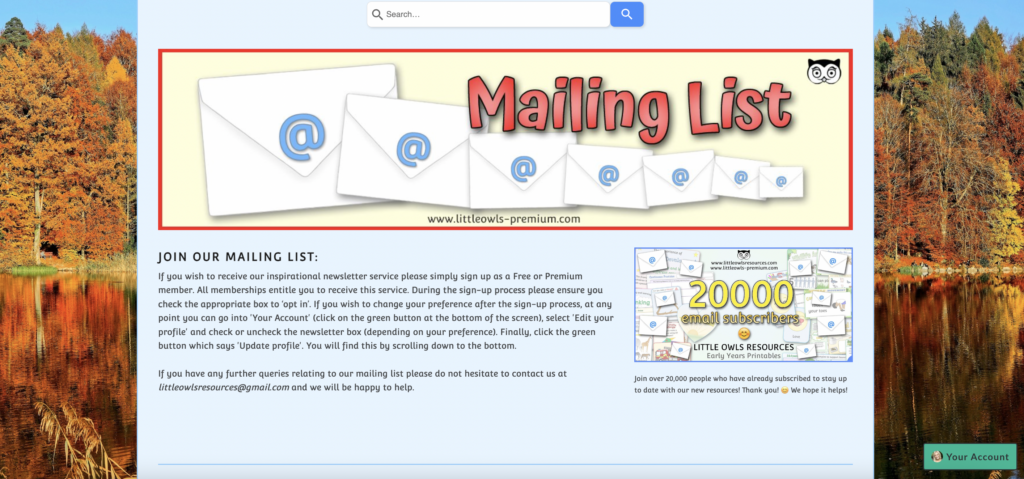
Building a successful membership business from scratch isn’t easy, but for Sara and Stu from Little Owls Resources, their decision to give away free content helped them grow their subscriber base to 20,000 members. It all started with a simple strategy: offering valuable free resources to attract new members and build trust.

Their journey to scaling their business involved automating tasks, expanding their content library, and finding the right tool to grow with them. Let’s dive into how they achieved it.

Launch a members-only content library!

The easiest way to accept membership payments or one-time charges for digital products like podcasts, online courses, communities, content libraries, and more — all from your own website!


Start selling now

Get started for free! 5 minutes to set up.
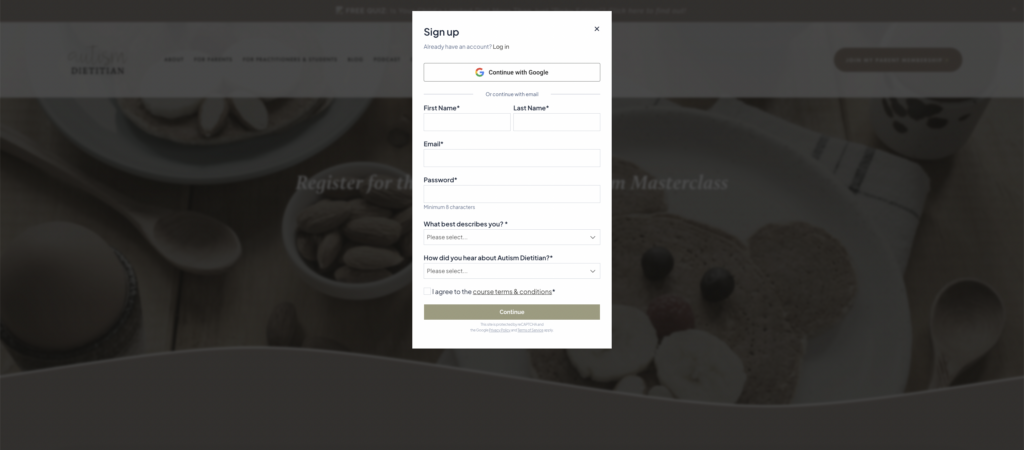
Table of Contents

Offering Free Content to Attract Subscribers

Sara and Stu knew that in order to grow their membership business, they needed a way to consistently attract new subscribers. Their solution? Offer valuable content for free to bring people in and build a connection before asking them to pay for premium access.

Here’s how they did it:

  • Free resources: They created high-quality, useful resources that anyone could access at no cost. This made it easier to get people interested and spread the word about their site.
  • Lead magnets: By offering free downloads and guides, they could capture contact information and keep new leads engaged.
  • Trust-building: Free content allowed them to build credibility and trust with their audience, making people more likely to upgrade to paid tiers later.

This strategy paid off quickly as their free resources started to gain attention. Their subscriber count grew steadily as word spread through organic search and referrals.

Little Owls Content

Automating Tasks to Handle Growth

With a flood of new subscribers coming in, managing the membership site manually wasn’t sustainable. That’s when Sara and Stu turned to MemberSpace, which allowed them to automate tasks and focus on growing their content library instead of getting bogged down in day-to-day operations.

With automation, they could:

  • Process payments seamlessly for premium members.
  • Manage member access without needing to manually update who could see what.
  • Handle content updates more efficiently, freeing up their time to create more valuable resources.

By automating these tasks, Sara and Stu were able to scale their membership site much faster without spending all their time on administration.

Using a Free-to-Paid Funnel to Increase Conversions

Their strategy didn’t stop at free content. Sara and Stu also implemented a free-to-paid funnel that encouraged free members to upgrade to paid subscriptions over time.

Here’s what their funnel looked like:

  • Start with free resources: They drew people in with valuable free content, which helped establish trust and credibility.
  • Introduce premium content: Over time, they introduced premium content tiers with exclusive resources and deeper materials.
  • Upsell with targeted offers: For subscribers who engaged with their free content, Sara and Stu used email marketing to offer special discounts and incentives to upgrade to paid plans.

This funnel allowed them to consistently convert free members into paying subscribers, helping them generate more revenue while still providing value to their community.

SEO and Organic Traffic Fueled Their Growth

Sara and Stu’s free content strategy worked hand-in-hand with SEO to drive traffic. By optimizing their free resources for search engines, they were able to attract a steady stream of new visitors without relying on paid advertising.

They focused on:

  • SEO-friendly content: They created content that answered questions their target audience was searching for, helping them rank higher in search engine results.
  • Consistency: They regularly updated their content library to keep it fresh, ensuring they continued to rank well and attract organic traffic.
  • Lead generation: As their traffic grew, so did their list of free members, which in turn fed their free-to-paid funnel.

This approach helped them scale to 20,000 subscribers without needing a huge marketing budget.

Building a Community to Keep Subscribers Engaged

Beyond offering free content and driving traffic, Sara and Stu understood the importance of community. They worked hard to keep their subscribers engaged by regularly updating their content library, sending newsletters, and staying active on social media.

Here’s how they kept their community involved:

  • Regular content updates: They made sure to consistently add new resources to keep members engaged and coming back.
  • Newsletters: Regular emails helped them maintain a relationship with their subscribers, keeping them informed and offering sneak peeks of upcoming premium content.
  • Social media engagement: They shared free resources and community updates across their social media platforms to keep their audience engaged and spread the word about their membership.

By staying active and engaged, Sara and Stu were able to turn their subscribers into a loyal community that continues to grow.

Little Owls Email List

Final Thoughts

Sara and Stu’s journey shows that offering free content can be one of the most effective ways to grow a membership business. By focusing on building trust, automating their workflow, and creating a strategic funnel from free to paid content, they were able to gain 20,000 subscribers and scale their business.

Need help setting up your content library?

Connect with our friendly team, weekdays 10am – 6pm ET.

Let’s chat!

3 Conversion Tips for Membership Growth

Software Stack Editor · October 23, 2024 ·

Picture of Haiden Hibbert

Haiden Hibbert

I’m a Content Manager at MemberSpace helping entrepreneurs and creators sell digital products.

Successful membership sites all have one thing in common: they know how to turn leads into paying members. If you’re wondering how to increase membership conversion rates, you’re in the right place. Today, we’re going to break down three effective strategies used by top membership sites to boost conversions and keep memberships growing.

Launch your membership site!

The easiest way to accept membership payments or one-time charges for digital products like online courses, communities, content libraries, and more — all from your own website!


Start selling now

Get started for free! 5 minutes to set up.
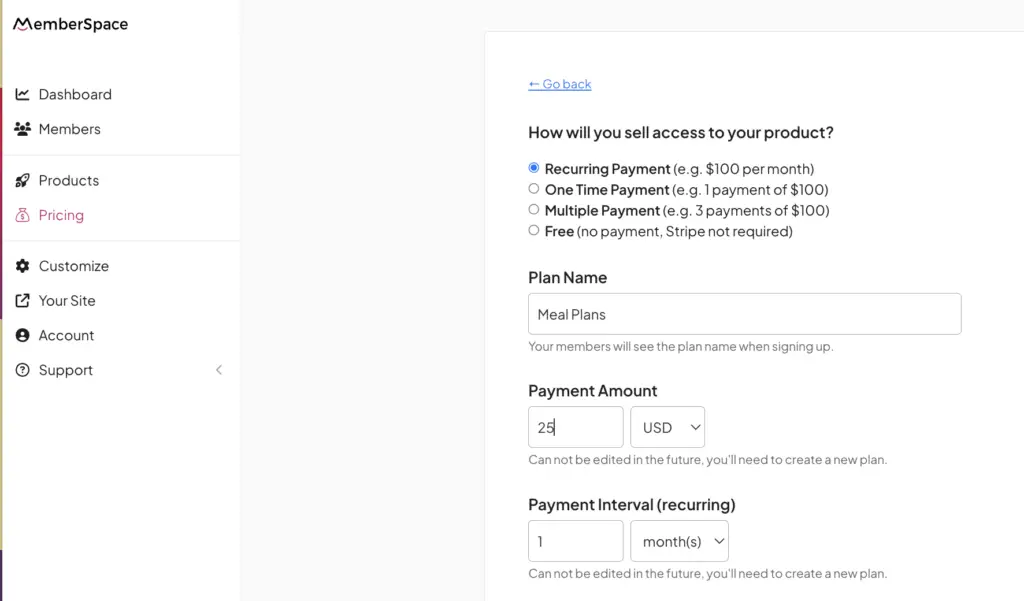
Table of Contents

Offer a Free Trial

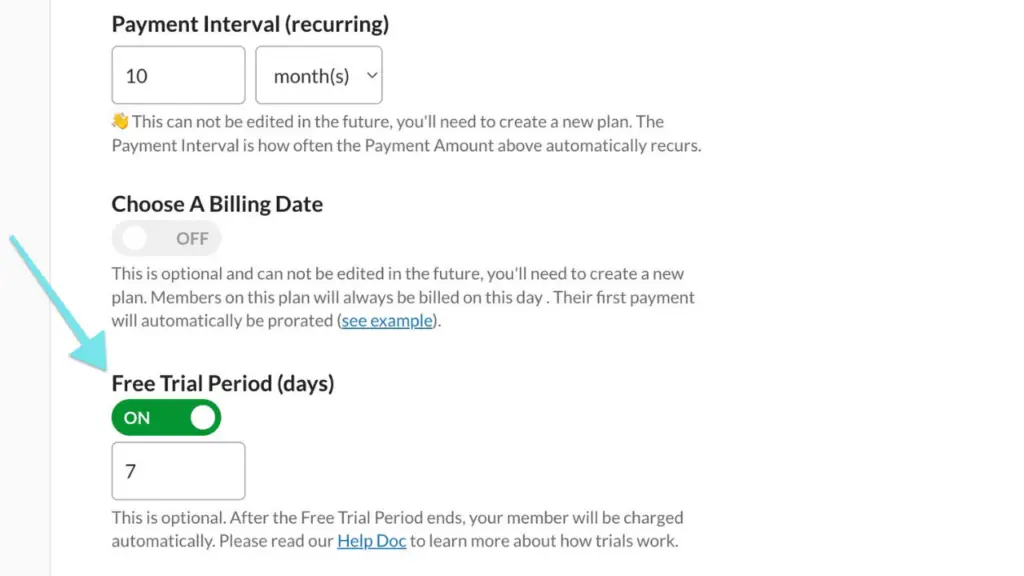
One of the simplest yet most effective ways to increase membership conversion rates is to offer a free trial. People love the opportunity to try something before they commit, and a free trial gives potential members the chance to experience the value of your membership without any upfront cost.

A common example of this is offering a 7-day free trial, which allows people to test out the features and resources your membership provides. You don’t have to do anything extra, and it works as a low-pressure way to attract new signups.

Not only does it give people time to explore, but it also builds trust in your offering. Free trials are especially effective when followed up with a clear and engaging onboarding process that helps guide new users through your site, showing them exactly what they’ll be missing out on if they don’t sign up.

Free trial membership conversion rates

Why Free Trials Work

  • People prefer to experience the product risk-free before making a decision.
  • It helps build trust and credibility for your membership.
  • It’s a low-effort way to attract new signups without adding extra work.

Use Abandoned Signup Reminders

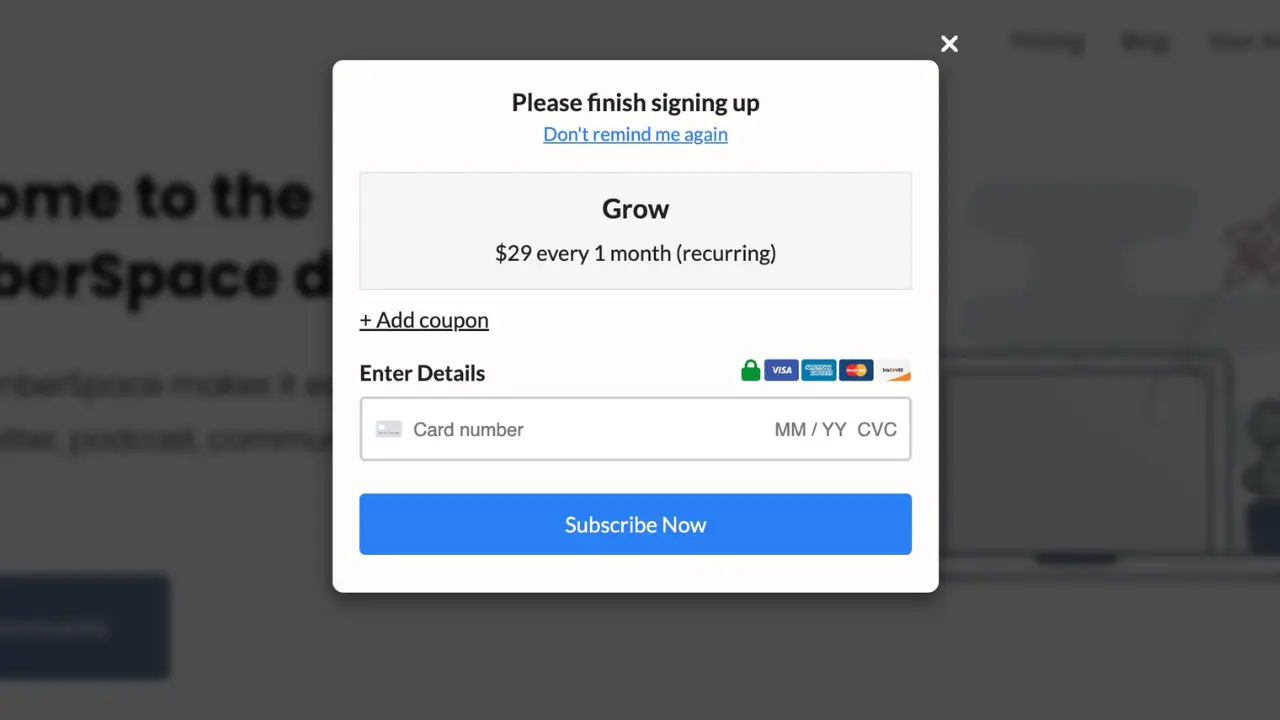
Did you know that many potential members start the signup process but never complete it? A simple but effective strategy to capture these leads is to send abandoned signup reminders.

Once someone shows interest by entering their email but doesn’t complete the purchase, you can automatically send them an email reminder. A good tactic here is to offer an additional incentive, like a limited-time discount. For example, the Goodnewspaper uses this strategy by sending emails with a link and discount code to remind people to complete their signups.

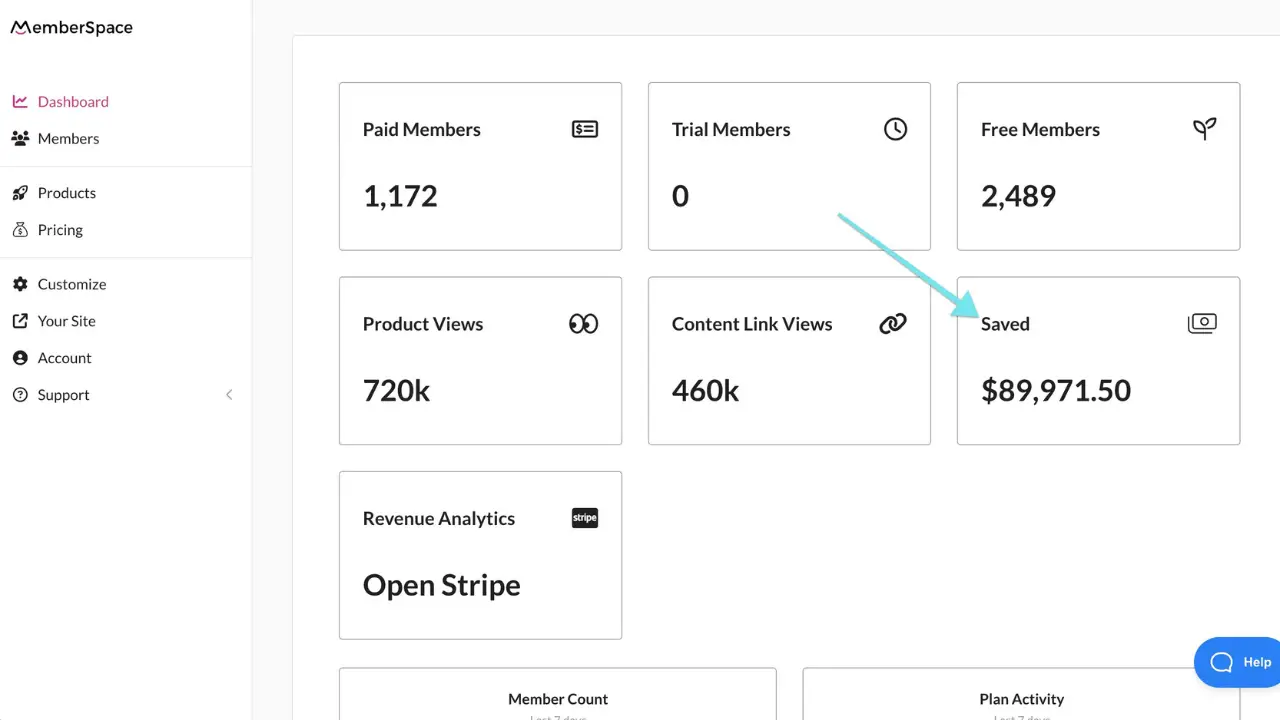
In addition, on your MemberSpace dashboard, you can see the total revenue that these abandoned signup reminders have helped save. This is a great way to track how much potential income you’re recovering by reminding people to join your membership.

abandoned signup reminder

Key Benefits of Abandoned Signup Reminders

  • Helps recover lost leads and potential revenue.
  • Adding a discount or bonus offer increases the likelihood of signups.
  • Keeps your membership top of mind for people who were interested but didn’t convert immediately.

Simplify the Signup Process

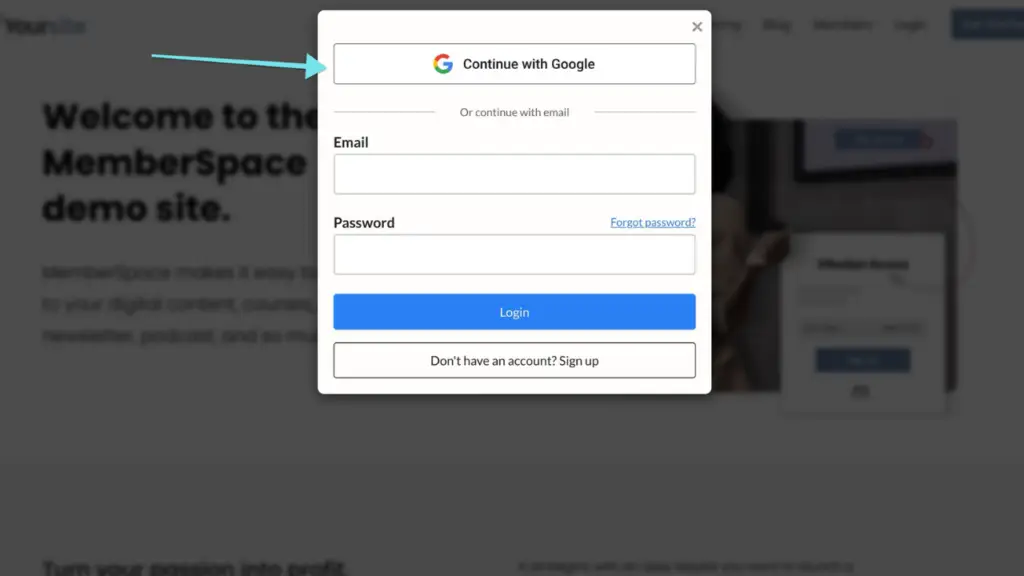
The easier it is for people to sign up, the more likely they’ll become paying members. One of the best ways to simplify the process is by offering one-click signups and one-click payments. With tools like Google single sign-on, your potential members won’t have to create yet another username and password—they can simply sign in with their existing Google account.

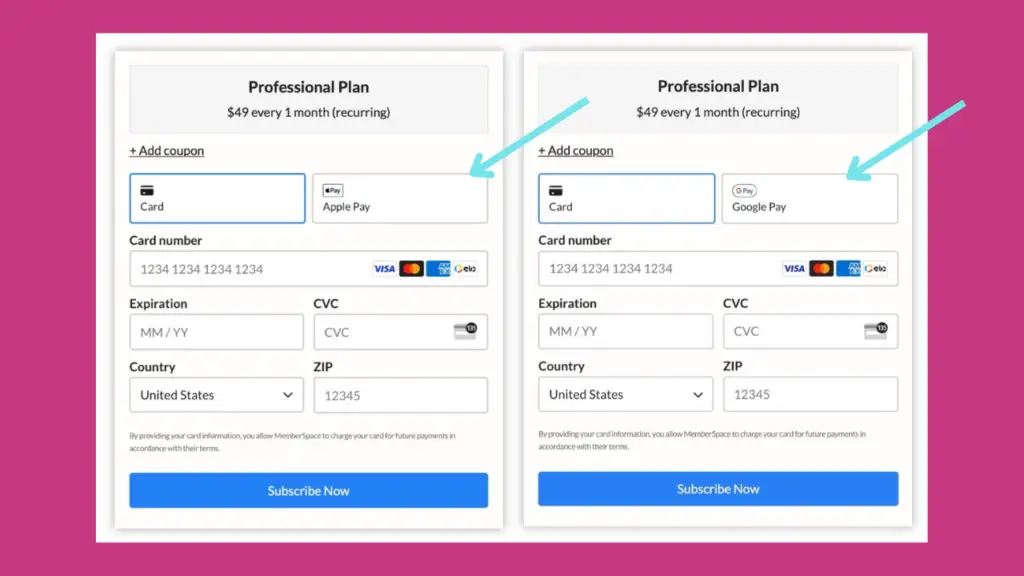
What’s more, one-click payments with Google Pay or Apple Pay eliminate the need for people to dig out their wallets and enter credit card details. These seamless payment options can drastically reduce friction, making it as easy as possible for someone to become a paying member.

Tip: Avoid lengthy forms and make sure the entire process can be completed in just a few clicks. The more you reduce the effort required, the higher your conversion rates will be.

one click payments

Benefits of Simplifying the Signup Process

  • Faster signups with fewer steps mean less chance of drop-off.
  • One-click options remove friction, making the experience smoother for your members.
  • Eliminates the need for manual data entry or searching for credit cards.

Final Thoughts

By implementing these three strategies—offering free trials, using abandoned signup reminders, and simplifying the signup process—you’ll be well on your way to increasing your membership conversion rates. Remember, the key is to reduce friction and give potential members the opportunity to see the value of your offering before making a commitment.

Need help setting up your membership site?

Connect with our friendly team, weekdays 10am – 6pm ET.

Let’s chat!

How Branden Harvey Started a Members-Only Newsletter and Grew 357k Instagram Followers

Software Stack Editor · October 11, 2024 ·

Picture of Haiden Hibbert

Haiden Hibbert

I’m a Content Manager at MemberSpace helping entrepreneurs and creators sell digital products.

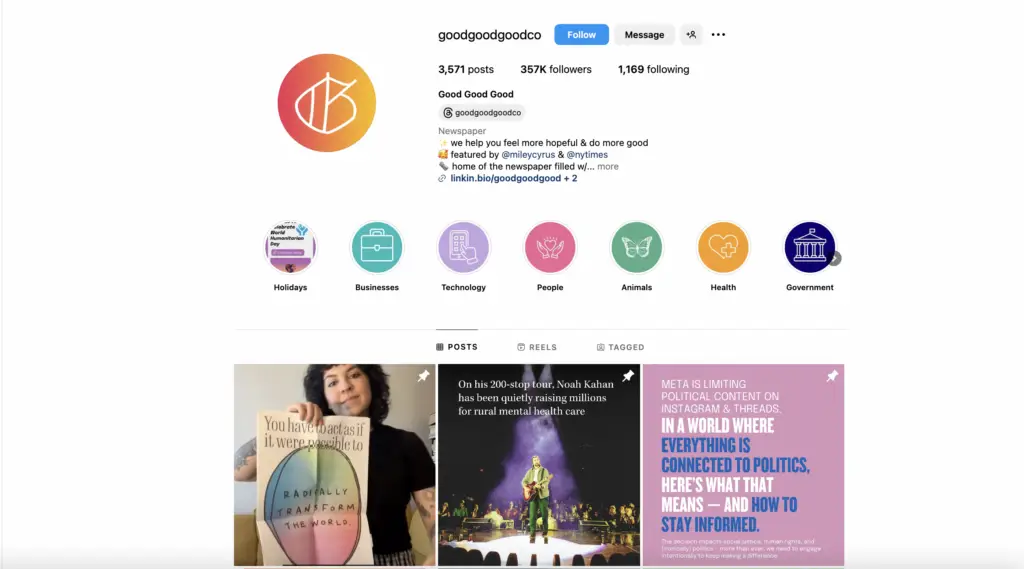
Building a members-only newsletter can be a powerful way to generate revenue while offering your audience valuable, exclusive content. Branden Harvey, the founder of Good Good Good, successfully launched his members-only newsletter and has grown a loyal subscriber base. His brand’s 357,000 Instagram followers serve as proof of his widespread impact, but the real story is how he turned that attention into paying members through smart strategies.

Sell a members-only newsletter!

The easiest way to accept membership payments or one-time charges for digital products like online courses, communities, content libraries, and more — all from your own website!


Start selling now

Get started for free! 5 minutes to set up.
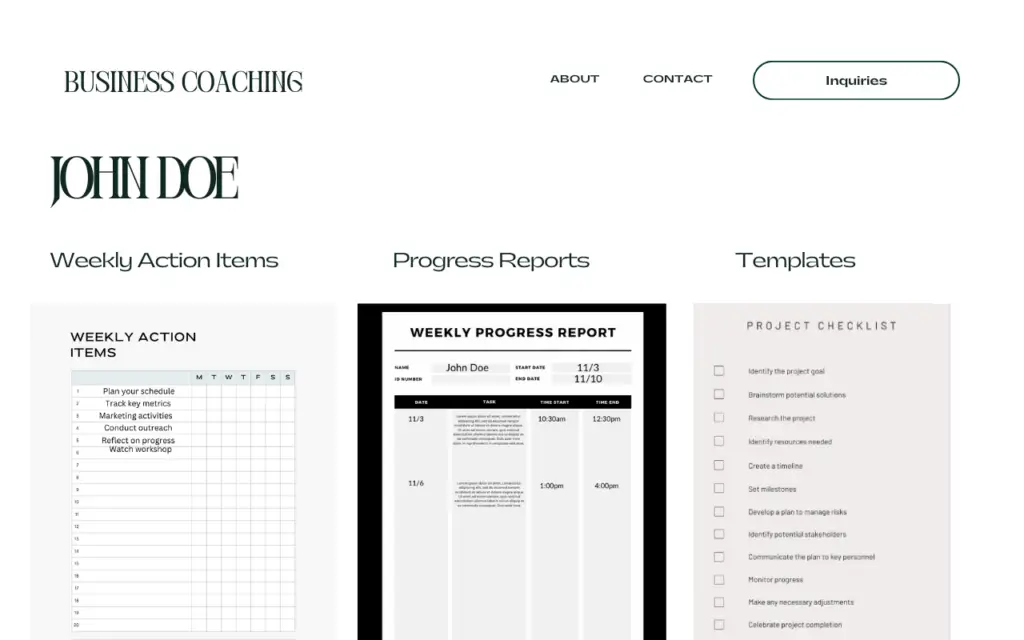
Table of Contents

Meet Branden Harvey and Good Good Good

Branden Harvey founded Good Good Good, a media company focused on amplifying positive news from around the world. His mission is to inspire people to “feel more hopeful and do more good.”  While Branden’s Instagram account, boasting 357,000 followers, helped spread his message, the key to his business success lies in his members-only newsletter. 

Branden Harvey GoodGoodGood

Building the Members-Only Newsletter

Creating a paid members-only newsletter requires more than just followers—it requires strategy, value, and ease of use. Here’s how Branden and his team built his:

  • Multiple Membership Tiers: Branden implemented a tiered pricing model for his newsletter, giving subscribers different options based on how much value they wanted to access. This not only provided flexibility for his audience but also maximized his revenue potential.

  • Exclusive, High-Value Content: Subscribers to Good Good Good’s newsletter enjoy curated positive news stories, inspiring actions, and practical resources to help them make a difference in their own lives and communities. By offering this exclusive content only to paying members, Branden created a clear incentive for his audience to join.

  • One-Click Sign-Up Process: Branden made it incredibly easy for his followers to subscribe with a one-click sign-up process. This frictionless experience helped him convert more casual visitors into paid members, reducing the chances of potential members dropping off.

members only newsletter Goodnewspaper

Why Membership Tiers Matter

Offering multiple membership tiers was is smart move, as it provides flexibility and increased the likelihood of subscribers upgrading over time. Here’s why tiered memberships work:

  1. Appeal to Different Budgets: Offering a range of pricing options lets people join at a level that fits their financial situation.
  2. More Revenue from Higher Tiers: Higher-tier members get access to more content, perks, or exclusive material, which motivates them to pay more.
  3. Scalable Growth: As your community grows, you can upsell lower-tier members into higher tiers, increasing overall revenue.

Pro Tip: If you’re launching your own members-only newsletter, offering at least two or three membership tiers is a great way to appeal to different segments of your audience.

Simplifying the Subscriber Experience

Branden and his team’s success isn’t just about content; it’s also about how easy they made it to sign up and engage with the newsletter. They implemented a one-click signup process to streamline the experience, making it quick and convenient for their followers to subscribe. This simplicity helped reduce friction, boosting the number of paid subscribers.

One click google signup

The Role of Social Proof

While this post focuses on the members-only newsletter, the brand’s Instagram following of 357,000 plays an essential role in establishing credibility. GoodGoodGood’s large, engaged audience shows that people trust their content, which helped convert casual visitors into paying subscribers.

GoodGoodGood Instagram

Leveraging Press Coverage for Growth

Beyond social media, the newsletter gained attention from major media outlets like The Washington Post, The New York Times, and even Miley Cyrus. This press coverage further boosted his credibility and helped him reach new audiences, driving more newsletter sign-ups.

Getting featured in high-profile publications positioned Branden as a thought leader and made his newsletter more appealing to potential subscribers.

Final Thoughts

Branden Harvey’s journey shows that building a successful members-only newsletter takes more than just followers—it takes smart strategies like tiered memberships, easy signups, and offering exclusive content.  If you’re looking to grow your own members-only newsletter, take a page from Branden’s playbook and use these strategies to build a thriving community.

The Key to Growing Your Membership? Sell Content Across Tiers

Software Stack Editor · October 10, 2024 ·

Picture of Haiden Hibbert

Haiden Hibbert

I’m a Content Manager at MemberSpace helping entrepreneurs and creators sell digital products.

Selling your content across membership tiers is one of the smartest strategies to grow your membership site. Why? Because it opens up new revenue opportunities, allows you to reach more people, and gives you a way to make higher-priced offers for premium content.

When you have multiple tiers, you’re offering more flexibility, which can attract a variety of members—those just starting out and those ready to dive into more advanced content. Plus, you can upsell to existing members who might be ready to move up to a higher tier.

In this post, we’ll walk through why selling across membership tiers works and how you can implement it.

Sell content across tiers!

The easiest way to accept membership payments or one-time charges for digital products like podcasts, online courses, communities, content libraries, and more — all from your own website!


Start selling now

Get started for free! 5 minutes to set up.
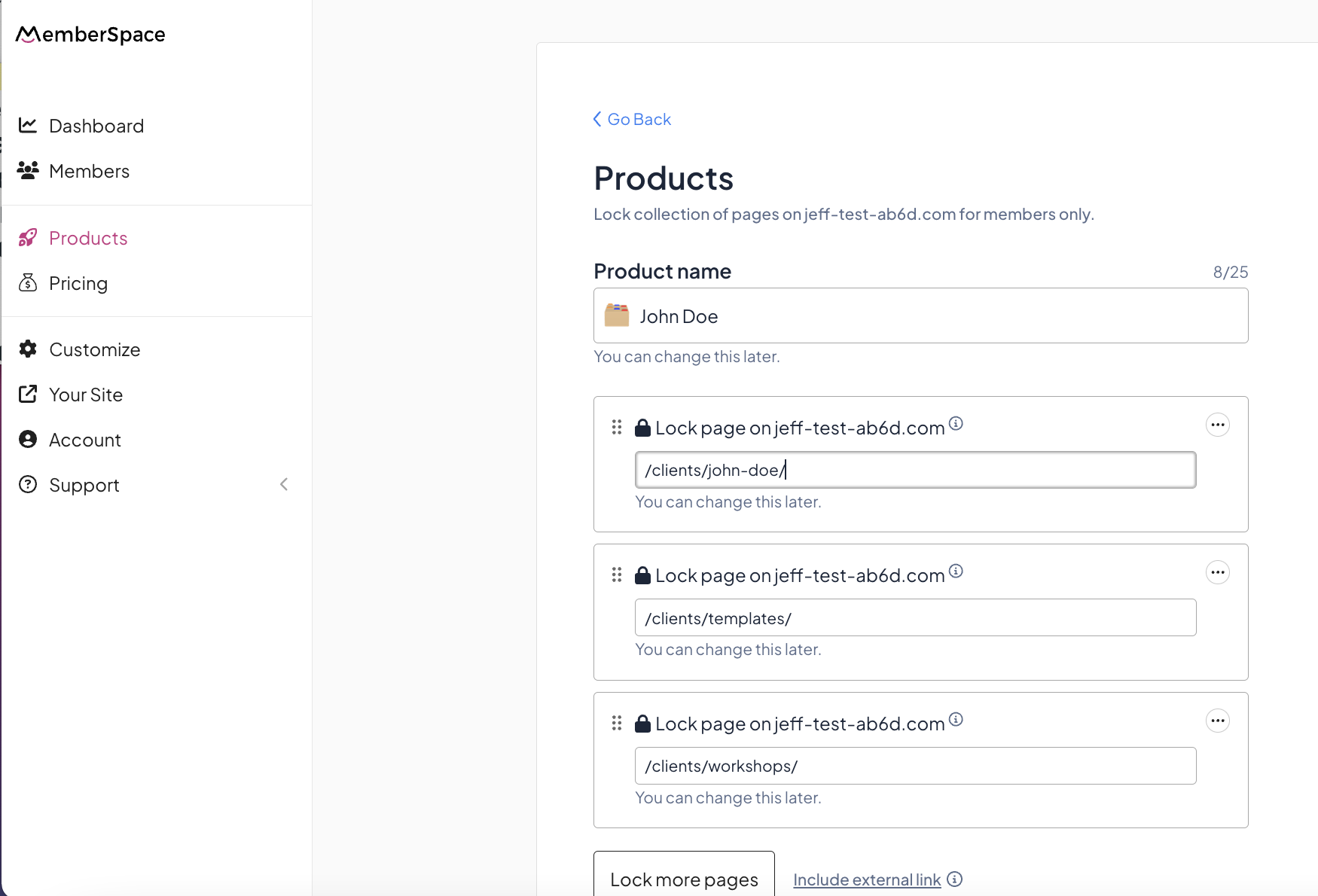
Table of Contents


Why Sell Content Across Membership Tiers?

Offering different tiers of content has some serious advantages. Here’s why this strategy should be part of your membership site:

  1. Reach a wider audience: Not everyone will be ready to purchase your premium content right away. Some people are just starting and might prefer a more affordable entry point. By offering multiple tiers, you cater to those at various stages of their journey, whether they’re beginners or more advanced.

  2. Upsell opportunities: Members might start at a lower-priced tier, but as they see the value in your content, they’ll be more inclined to upgrade to a higher tier. This lets you continually add value to your business without needing to constantly find new members.

  3. More value for your audience: Higher tiers give you the chance to provide exclusive content that isn’t available to everyone. This creates a sense of exclusivity and gives your members a reason to stick around longer.

  4. Increase your revenue: By offering multiple pricing options, you’re able to meet different customer needs and budgets. The higher your tiers, the more you can earn, especially when you bundle more advanced content or services into premium tiers.

How to Set Up Membership Tiers

Ready to sell your content across multiple membership tiers? Here’s how to make it happen:

  1. Decide on your tier structure: Think about how you want to structure your tiers. Will you have two tiers, three, or even more? Each tier should offer something different to your members, with higher tiers providing more value. For example, you might offer basic content at the lowest tier, intermediate content at a mid-tier, and premium, advanced content or coaching at the highest tier.

  2. Make each tier more valuable: The key to successful tiers is that each higher tier offers more value than the previous one. You could do this by:

    • Offering exclusive video content or courses.
    • Providing 1-on-1 coaching sessions for top-tier members.
    • Giving access to a private community or live webinars.

    These extra perks make higher-tier members feel special and keep them engaged.

  3. Use a tool like MemberSpace: When setting up membership tiers, it’s important to choose a platform that makes this process easy. MemberSpace, for example, allows you to set up exclusive content, lock pages with paywalls, and assign access to specific pricing plans. You won’t have to worry about duplicating pages for each tier—a huge time-saver compared to some other platforms.

The Co-Op Membership Tiers
The Co-Op membership offers four different tiers that include more value as the price point increases.

How to Make Higher Tiers More Valuable

Creating value for your higher tiers is crucial to keeping your members engaged and happy. Here are some strategies to make those premium tiers irresistible:

  • Offer exclusive content: Whether it’s advanced courses, in-depth guides, or private Q&A sessions, your higher-tier members should feel like they’re getting something they couldn’t access anywhere else.

  • Provide personalized support: Many people are willing to pay more for 1-on-1 attention. Offer coaching calls or personalized feedback as part of your premium tiers.

  • Create a members-only community: Private communities can provide networking opportunities, support, and deeper engagement. Members

Upselling from Lower Tiers

One of the great things about membership tiers is that they allow you to upsell from lower tiers to higher ones. Here’s how to do it effectively:

  • Show the value of the next tier: Regularly highlight the benefits of upgrading. You could send emails or offer a sneak peek of the exclusive content available in the higher tier.

  • Offer a limited-time discount: Encourage members to upgrade by offering a discount for a limited time. This creates a sense of urgency and increases the likelihood that they’ll move up.

  • Bundle content or services: If members at a lower tier are engaging with your content, offer them a bundle at the next tier. It could include advanced lessons, coaching, or access to a private group—all for a higher price.

Setting Up Tiers in MemberSpace

Setting up membership tiers with MemberSpace is straightforward. Here’s a quick guide to get you started:

  1. Create your pricing plans: In MemberSpace, you can easily set up different pricing plans. For each plan, decide what content or benefits will be exclusive to that tier.

  2. Lock your content: Use MemberSpace’s paywall feature to lock pages or pieces of content. Only members who belong to the correct tier can access them. This is a big advantage over some platforms, where you’d have to duplicate pages or content.

  3. Assign access to each tier: As you create your content, assign which pricing plan grants access to each piece. This ensures that your members only get the content they’ve paid for.

Final Thoughts

Selling content across membership tiers is one of the best ways to maximize your revenue, attract a wider range of members, and offer more value to your audience. By structuring your tiers thoughtfully and using a platform like MemberSpace, you can scale your membership and give your business the flexibility to grow.

5 Proven Strategies to Market your Membership site

Software Stack Editor · October 2, 2024 ·

Picture of Haiden Hibbert

Haiden Hibbert

I’m a Content Manager at MemberSpace helping entrepreneurs and creators sell digital products.

Marketing your membership site doesn’t have to be complicated or expensive. By focusing on strategies that build trust and engage potential members, you can grow your audience and convert visitors into paying subscribers. In this post, we’ll cover five easy ways to market your membership site that you can start implementing today.

Launch a membership site!

The easiest way to accept membership payments or one-time charges for digital products like online courses, communities, content libraries, and more — all from your own website!


Start selling now

Get started for free! 5 minutes to set up.
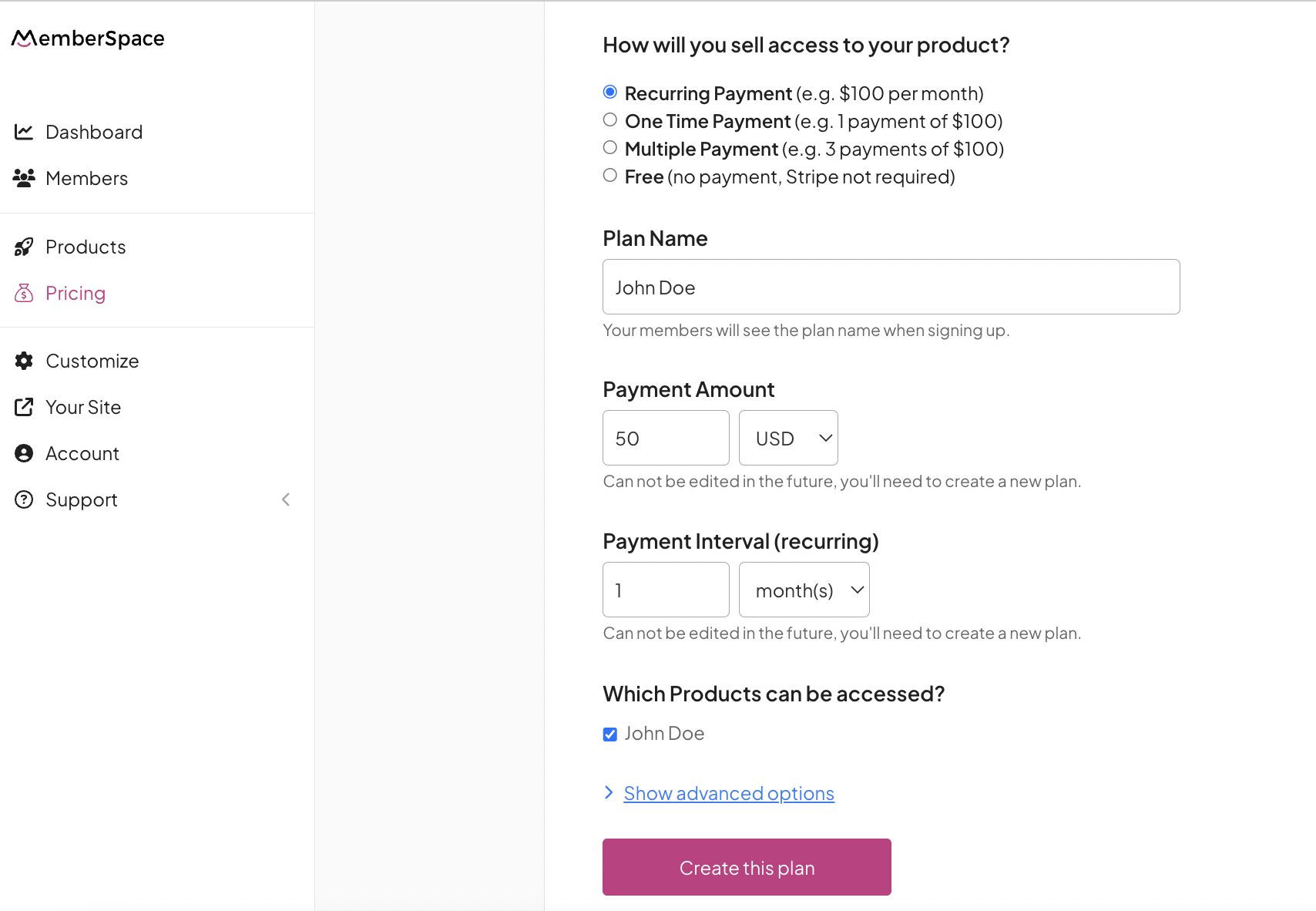
Table of Contents

1. Give Away Free Content

One of the best ways to attract attention to your membership site is by offering something valuable for free. This could be a guide, an eBook, a webinar, or even free tips shared on Instagram. People are more likely to trust you and consider purchasing a membership when they feel like they’ve already benefited from your knowledge.

Giving away a portion of your knowledge for free helps build relationships. It shows potential members that you’re not just trying to sell them something—you’re offering real value. By giving a taste of what you offer inside your membership, you’ll naturally encourage more people to sign up for the full experience.

<i? Jenni Rawlings Yoga gives away a free guide to students interested in learning more about yoga transitions.

2. Use a Free Newsletter

If you’re wondering how to market a membership site in a way that builds a lasting connection with your audience, a free newsletter is a must. Newsletters are currently one of the most popular marketing tools for creators. With a free version, you can deliver valuable content directly to people’s inboxes and keep them engaged over time.

Make your newsletter full of helpful tips, updates, and sneak peeks of what paying members get. You can include links to your membership site in each newsletter, gently reminding your readers that they can get even more value by becoming a member.

3. Leverage a Blog for SEO and Repurposed Content

A blog is still a fantastic way to market your membership site and attract organic traffic. Blogs help you showcase your expertise and rank for keywords relevant to your membership’s niche. Plus, if you already have content—whether it’s a newsletter, video, or social media post—you can repurpose that content into blog posts. This saves you time while allowing you to reach new audiences through search engines.

In your blog posts, don’t forget to mention your membership site naturally throughout the content. This subtle promotion can nudge visitors toward becoming paid members.

4. Create a Video Trailer for Your Membership

People love video content—it’s engaging and easy to consume. So why not create a video trailer for your membership site? A short video that gives viewers a preview of the value inside your membership can make a big impact. Highlight what members will get and give them a visual experience of what’s waiting for them once they sign up.

A video trailer also gives you a great piece of content to share on social media or include in your email marketing campaigns. It’s a quick and powerful way to show people why your membership is worth joining.

Abagail from Boss Project shares what her members will receive after they sign up in this video trailer.

5. Offer a Free Trial

One of the easiest ways to market your membership site is by offering a free trial. People are much more likely to sign up for something if they can try it before committing. A seven-day free trial, for example, allows potential members to explore everything your site has to offer. They can experience the benefits firsthand, which makes the decision to become a paying member much easier.

Free trials work because they lower the barrier to entry and give potential members confidence in their choice to subscribe.

Final Thoughts

Marketing your membership site doesn’t have to be overwhelming. By giving away free content, leveraging newsletters and blogs, creating engaging videos, and offering free trials, you can attract more potential members and grow your community. Remember, the key is to consistently provide value and make it easy for people to see the benefits of joining your membership.

Need help setting up your membership site?

Connect with our friendly team, weekdays 10am – 6pm ET.

Let’s chat!

How to Set Up Revenue Attribution for Your Website

Software Stack Editor · September 25, 2024 ·

Picture of Marvin Russell

Marvin Russell

One of the biggest challenges for membership site owners and SaaS companies is understanding where your paying customers come from. This is called revenue attribution. While tracking your website traffic is relatively easy, things can get tricky when that traffic converts into paying customers. You might not know whether they originally found you through Google, TikTok, or another platform. Today, we’ll walk through how you can solve this problem and set up revenue attribution for your website.

Table of Contents

Why Aren’t Analytics Tools Enough?

First, let’s talk about why tools like Google Analytics don’t always solve this problem. There are two main reasons:

  1. Data privacy laws: Tools are becoming less effective at tracking user behavior accurately because of these laws. You’ve probably noticed all the “Accept Cookies” buttons on websites. When users opt out, their traffic often appears as “direct,” meaning you can’t tell where they came from.

  2. Limited tracking abilities: Most third-party tools like Google Analytics struggle to connect traffic sources with actions taken after someone signs in. For example, if a visitor starts a free trial and later becomes a paying customer, these tools can’t always track which marketing source led to that conversion.

As a result, you might know where your website traffic comes from, but you have no clue which sources actually drive paying customers. Without that, it’s hard to know where to focus your marketing efforts.

Steps to Set Up Revenue Attribution

So, what’s the solution? Don’t worry, setting up revenue attribution is easier than you might think. Here are the steps to make it happen.

Step 1: Ask “How Did You Hear About Us?”

First, you need to add a mandatory “How did you hear about us?” question for all new sign-ups. This is critical for gathering direct feedback from your customers. Make sure the question includes all your marketing channels, like TikTok, Instagram, or Google. This gives you an immediate sense of where your paying customers first discovered you.

revenue attribution survey

Step 2: Use a User Behavior Tool

Next, you’ll want to connect that feedback to a user behavior tool like Mixpanel or Amplitude. These tools assign a unique user ID to each new customer and track their actions throughout their journey on your site. By doing this, you can tie their feedback (from Step 1) to specific actions, like signing up for a membership or making a payment.

This is where it gets powerful. Once you track key events like payments, you can see exactly how much revenue came from each marketing source. Over time, you’ll understand which platforms bring in the most paying customers, allowing you to invest your marketing budget where it will make the most impact.

Benefits of Revenue Attribution

Setting up revenue attribution comes with several key benefits:

  • Better marketing decisions: You’ll know where to allocate your marketing dollars and efforts.
  • Improved ROI: By focusing on platforms that bring in actual paying customers, you’ll get a higher return on investment.
  • Customer insights: Understand your customer journey better and optimize it based on real data.

Common Tools for Revenue Attribution

Here are some tools that can help you track revenue attribution effectively:

  • Mixpanel: Great for tracking customer actions and tying them to revenue.
  • Amplitude: Offers a robust platform for tracking user journeys and behavior.
  • Google Analytics: While limited in some aspects, it’s still useful for tracking traffic and some conversion data.

Using these tools in combination can give you a clearer picture of what’s working for your business.

Final Thoughts

Revenue attribution is the key to understanding where your paying customers come from and how to allocate your marketing efforts. By setting up simple tools like a “How did you hear about us?” form and connecting it with user behavior tracking software, you’ll be able to see the full picture of your marketing performance.

This simple setup can make a huge difference in helping you grow your business, improve your return on investment, and make smarter decisions. If you’re not tracking revenue attribution yet, now is the perfect time to start!

Launch a membership site!

The easiest way to accept membership payments or one-time charges for digital products like podcasts, online courses, communities, content libraries, and more — all from your own website!


Start selling now

Get started for free! 5 minutes to set up.
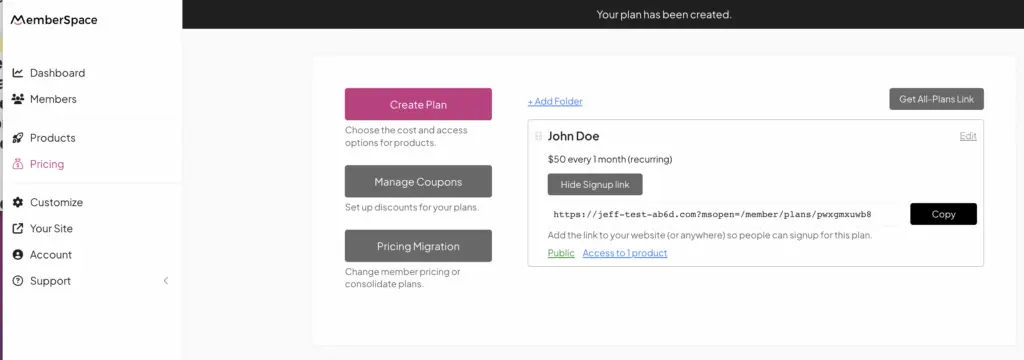
How to Make Money in the Fitness Industry Online: 5 Proven Ways

Software Stack Editor · September 23, 2024 ·

Picture of Haiden Hibbert

Haiden Hibbert

I’m a Content Manager at MemberSpace helping entrepreneurs and creators sell digital products.

As a fitness instructor, you have a unique opportunity to share your expertise and passion for health while earning money online. With the growing popularity of virtual fitness services, now is the perfect time to explore different ways to monetize your skills and knowledge. In this post, I’ll share five effective ways fitness instructors are making money online that you can start implementing right away.

Launch an online fitness business!

The easiest way to accept membership payments or one-time charges for digital products like podcasts, online courses, communities, content libraries, and more — all from your own website!


Start selling now

Get started for free! 5 minutes to set up.
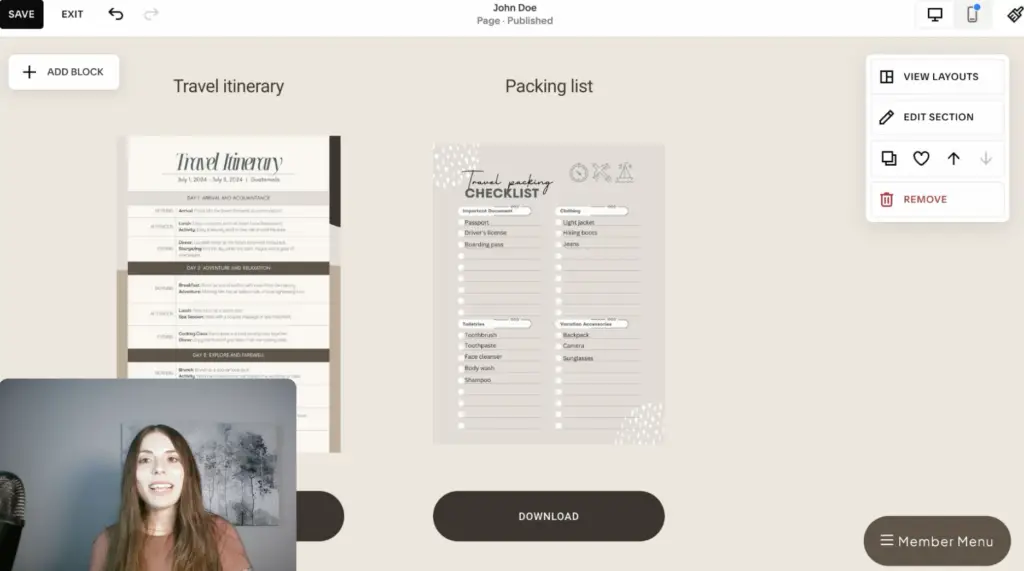
Table of Contents

1. Build a Workout Video Library

One of the best ways to make money online as a fitness instructor is to build a collection of workout videos that your clients can access anytime. This allows your clients to work out at their convenience, whether at home, the gym, or even while traveling. It also creates a steady stream of income for you. You can sell monthly or yearly subscriptions to this video library, offering ongoing value while ensuring recurring revenue.

Many successful fitness professionals combine these workout videos with other online content, such as nutrition guides, to provide a full-service experience for their clients.

Make money with fitness content library

2. Offer Personalized Nutrition Plans

Nutrition plays a huge role in helping clients achieve their fitness goals, which is why offering personalized nutrition plans can be a valuable service that complements your fitness training. This not only helps your clients succeed faster but also gives you an additional revenue stream. Whether you create custom meal plans or provide ongoing nutritional advice, clients will appreciate the holistic support, which can lead to higher satisfaction and long-term memberships.

To get started, you can offer your meal plans as part of a package with your workout videos, or as a separate service for clients who want both fitness and nutrition guidance.

3. Write an eBook

If you enjoy sharing your fitness knowledge, writing an eBook is an easy way to make money in the fitness industry online. You could compile your best workout routines, fitness tips, or meal plans into a resource that clients can purchase and download. It’s a fantastic way to share your expertise while offering your audience something tangible they can refer to anytime.

The great part about eBooks is that they require a one-time effort to create but can generate passive income for years.

4. Offer 1:1 or Group Coaching

One-on-one coaching or group sessions offer clients personalized guidance, helping them achieve their goals more efficiently. These coaching sessions can be conducted online via video calls, which makes them accessible to clients from anywhere in the world. Not only does this allow for more personalized instruction, but it also deepens your relationship with clients, leading to better retention rates.

Group coaching is another fantastic option for instructors who want to build a community and offer more affordable options for their clients.

5. Host Live Virtual Classes

Finally, consider hosting live fitness classes that clients can join from anywhere. These live classes allow you to recreate the experience of a studio class, but in the comfort of your own space. Clients love the real-time interaction and the energy that comes with working out in a group, even if it’s virtual.

Hosting live classes also helps you build a loyal community of participants who enjoy the accountability and engagement that comes with showing up live.

Final Thoughts

Making money in the fitness industry online doesn’t have to be complicated. By offering workout videos, nutrition plans, eBooks, coaching, and live classes, you can create multiple streams of income while reaching more clients than ever before. These strategies not only help you grow your business but also provide immense value to your clients, helping them reach their fitness goals more effectively.

Need help setting up your fitness website?

Connect with our friendly team, weekdays 10am – 6pm ET.

Let’s chat!

How to Pick a North Star Metric for Your Business

Software Stack Editor · September 18, 2024 ·

Picture of Marvin Russell

Marvin Russell

When it comes to driving growth for your business, focusing solely on revenue can leave you feeling stuck. Revenue is important, of course, but it’s a lagging indicator—it’s the result of other actions you take. That’s why the concept of a North Star metric is so powerful. It’s a measurable, actionable target that you and your team can directly influence. And when your North Star metric grows, so does your revenue. But how do you pick the right North Star metric for your business? Let’s dive in.

Table of Contents

What Is a North Star Metric?

A North Star metric is a single, measurable KPI (Key Performance Indicator) that has the most significant impact on your business’s growth. It’s called the North Star because, like the actual star, it guides the direction of your business. Your North Star metric should be something your entire team can focus on and influence through their efforts. This metric directly correlates to long-term success and, when done right, leads to an increase in revenue.

For example, Dropbox uses the number of files uploaded as their North Star metric. The more files users upload, the more they rely on the platform, leading to higher retention and upgrades to paid plans. Netflix, on the other hand, focuses on the number of hours of content watched. The more content people watch, the more likely they are to stick around and keep paying for the service. Both of these companies chose metrics that directly influence revenue over time, without focusing on the revenue itself.

Why Not Focus Directly on Revenue?

At first glance, it might seem like focusing on revenue should be your top priority. However, revenue is a lagging indicator, meaning it reflects actions that have already taken place. Staring at your bank account isn’t going to make it grow. You need to focus on the activities that will lead to more revenue. These are called leading indicators. Your North Star metric is the most important of these leading indicators because it’s the one thing that most influences your overall business growth.

How to Identify Your North Star Metric

Choosing the right North Star metric requires looking at the actions or behaviors that lead to your business’s success. Ask yourself the following questions:

  • What action do customers take that most aligns with their success and satisfaction?
  • Which behaviors or activities predict long-term customer retention?
  • What data points are most consistently tied to revenue growth?

Your North Star metric should represent the key activity that drives your product or service’s value to your customers. Let’s say you run an online course business. Your North Star might be the number of lessons completed or the percentage of users who finish a course. The idea is to track the activity that directly increases the value your product provides.

Make Sure Your Team Can Influence It

One key characteristic of a strong North Star metric is that it needs to be something you can actively influence. Revenue itself is a result, not something you can directly control. But actions like increasing product usage or improving customer engagement are things your team can work on daily. For example, Netflix’s metric—hours watched—can be influenced by improving content recommendations or optimizing the user interface to make content easier to find.

At MemberSpace, our North Star metric is helping our customers earn their first dollar online. This metric is tied to customer success because when someone earns their first dollar, they’re more likely to continue using our platform. By focusing on this metric, we ensure that our efforts lead to happy, long-term customers.

Communicating Your North Star Metric to Your Team

Once you’ve identified your North Star metric, it’s crucial to communicate it clearly to your entire team. Growth is a team effort, and everyone needs to understand what the company is striving toward. When everyone is aligned around the same goal, it’s easier to make decisions and measure progress.

Break down how each department or team member contributes to the North Star metric. For example, if you’re Dropbox and your metric is files uploaded, one team might focus on making it easier to upload files, while another team works on integrating with third-party platforms. Each small action contributes to the larger goal.

Final Thoughts

Choosing the right North Star metric can feel daunting, but it’s one of the most important decisions you can make for your business. It’s the one metric that will keep your team focused, your business growing, and your customers happy. By identifying and tracking this key metric, you’ll naturally see your revenue grow over time, without having to obsess over it directly.

Need help setting up membership site?

Connect with our friendly team, weekdays 10am – 6pm ET.

Let’s chat!

How to Create an Online Course with Squarespace

Software Stack Editor · September 16, 2024 ·

Picture of Haiden Hibbert

Haiden Hibbert

I’m a Content Manager at MemberSpace helping entrepreneurs and creators sell digital products.

Creating and selling your own online course can be a great way to share your knowledge and build a revenue stream. With the right tools, you can build a course that looks professional, is easy to navigate, and can generate income from the very start. In this guide, we’ll walk through how to use Squarespace and MemberSpace to create and sell an online course, step by step.

Sell digital products on Squarespace!

The easiest way to accept membership payments or one-time charges for digital products like online courses, communities, content libraries, and more — all from your own website!


Start selling now

Get started for free! 5 minutes to set up.
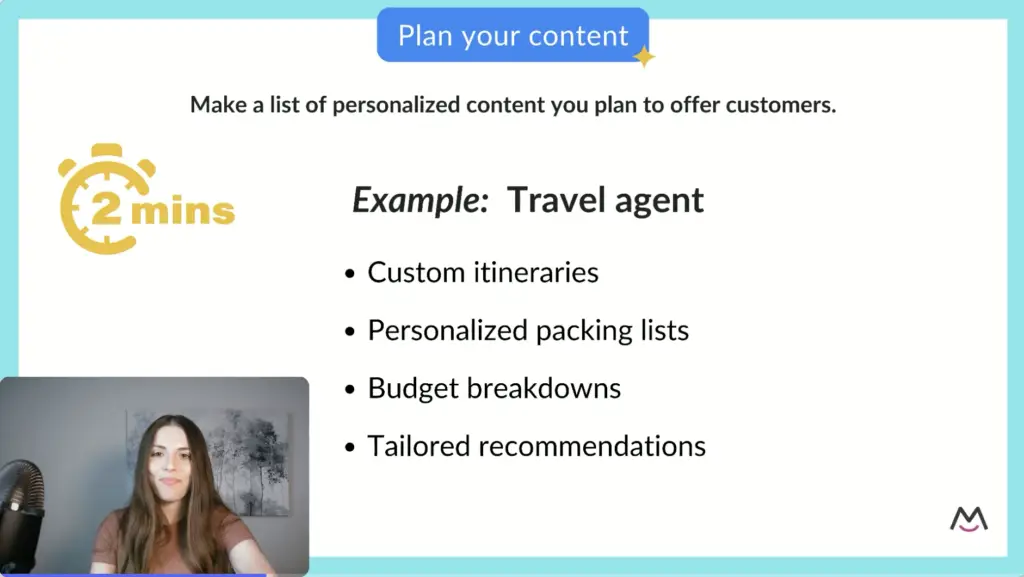
Table of Contents

Step 1: Develop Your Course Content

The first step in creating an online course is to plan out your content. Start by outlining the main topics you’ll cover. Once you have those, break them down into manageable modules or sections.

Each module can include:

  • Video lessons
  • Downloadable materials like PDFs or worksheets
  • Quizzes to test your students’ knowledge
  • Certifications, if applicable

Take your time with this step. The better you organize your content, the easier it will be for your students to follow along, and the more professional your course will look.

Step 2: Set Up Your Course Pages in Squarespace

Once your course content is ready, it’s time to add it to your Squarespace website. One of the best things about using Squarespace is that you have total control over how your course looks and feels.

Here’s a simple structure to follow:

  1. Create a page for each module – This page will act as a hub for all the lessons in that module.
  2. Add individual lesson pages – Each lesson should have its own page, with the video at the top, a brief description, and any downloadable materials or quizzes.
  3. Include navigation buttons – Make it easy for your students to move between lessons by adding “Next” and “Back” buttons on each lesson page.

By keeping everything organized and easy to navigate, your students will have a smooth learning experience, which helps them stay engaged with your course.

Organize Your URLs

A clear, logical URL structure is important for both you and your students. You want to keep things tidy and easy to navigate, especially as your course grows over time.

Here’s an example of a clean URL structure:

  • YourSite.com/members/module1
  • YourSite.com/members/module2
  • And so on…

This not only helps with course organization, but it also makes it easier for your students to find specific content if they need to revisit it later.

Step 3: Protect Your Course with MemberSpace

Now that your course pages are set up, you need to protect your content with a tool like MemberSpace. MemberSpace adds advanced membership features to your Squarespace site to help you generate more revenue, and it and allows you to lock specific content pages, so only those who signup can view your online course content.

Step 4: Set Up Your Pricing Options

Deciding how to price your course can be tricky, but there are a few common options to consider:

  • One-time payment – Great if you’re selling the course as a standalone product.
  • Subscription model – Ideal if your course is part of a larger membership or if you plan to offer ongoing content.
  • Payment plans – Perfect for higher-ticket courses that might be out of reach for some students as a lump sum.

Another popular strategy is to offer the first lesson or two for free. This gives potential students a taste of your course and might encourage them to purchase the full version.

Once you’ve decided on pricing, you’ll receive a sign-up link from MemberSpace. Add this link to a “Purchase” button on your website,. When someone clicks the link, they’ll be prompted to sign up and pay.

Squarespace online course pricing

Step 5: Promote Your Course and Start Selling

With everything set up, you’re ready to start promoting your course. Use social media, your email list, and even blog posts to drive traffic to your course landing page.

Remember, this is just the beginning. As you gather feedback from students, you can improve your course by adding new content, offering additional digital products, or even raising your prices as the value of your course grows.

Here are a few ways to keep your course competitive:

  • Add a student forum for discussions.
  • Host live Q&A sessions to engage with students.
  • Include expert interviews as bonus content.
  • Build a library of supporting materials like additional readings or case studies.

By continually adding value to your course, you’ll keep your students engaged and increase the lifetime value of each customer.

Final Thoughts

Building and selling an online course on Squarespace is not only doable, it’s a powerful way to grow your business. With the help of MemberSpace, you can easily lock your content behind a paywall, ensuring that only paying students get access. As you grow, you can continue to enhance your course and boost its value, creating a long-term revenue stream for your business.

Need help setting up your online course?

Connect with our friendly team, weekdays 10am – 6pm ET.

Let’s chat!

How to Create and Sell a Content Library on Squarespace

Software Stack Editor · September 11, 2024 ·

Picture of Haiden Hibbert

Haiden Hibbert

I’m a Content Manager at MemberSpace helping entrepreneurs and creators sell digital products.

If you’re looking for a way to monetize your digital resources, creating a content library on Squarespace might be the perfect solution. A well-organized content library can transform your website into a source of recurring revenue, whether you’re offering videos, templates, or any other digital resource. In this post, we’ll walk you through the steps on how to sell a content library on Squarespace. 

Launch a content library on Squarespace!

The easiest way to accept membership payments or one-time charges for digital products like content libraries, online courses, communities, and more — all from your own website!


Start selling now

Get started for free! 5 minutes to set up.

Table of Contents

Why Create a Content Library on Squarespace?

Creating a content library is a great way to build passive income and add value to your online business. If you’re already creating digital products such as videos, educational resources, or design templates, selling them in an organized library can help you scale your business and earn recurring revenue. Tools like Squarespace and MemberSpace make this process simple, even if you’re not a web design expert.

Step 1: Create and Organize Your Digital Products

The first step to building a content library is deciding what digital products you want to include. Think about what your audience needs and values the most. Some ideas for digital content include:

  • Fitness videos for different skill levels or fitness goals
  • Design templates for professionals or creatives
  • Educational podcasts or how-to guides

The key to a successful content library is high-quality, valuable content. Your audience should feel that they’re getting something exclusive and useful.

Once you have your content, it’s time to organize it. A well-structured content library helps users easily find what they’re looking for. Here are some ways you can organize:

  • By media type: separate videos, podcasts, templates, and other resources
  • By themes: fitness topics (yoga, strength training), creative themes (branding, photography), or educational subjects

Tip: Make navigation as intuitive as possible so users can quickly locate the content they need.

Step 2: Add Your Content to Your Squarespace Website

Now that you’ve organized your content, it’s time to add it to your Squarespace website. Squarespace is perfect for this because of its drag-and-drop interface, which makes it easy to customize even if you don’t have much technical experience.

Here’s how to structure your content on Squarespace:

  1. Create a members-only homepage where visitors can browse your content categories.
  2. Add hub pages for each category, like videos, design templates, or educational podcasts.
  3. Create individual pages for each piece of content (e.g., individual workout videos or specific templates).

Squarespace offers a variety of customizable templates to display your content exactly how you want.

squarespace content library

Step 3: Add a Paywall with MemberSpace

To monetize your content library, you’ll need to set up a paywall so that only paying members can access it. One of the best tools for this is MemberSpace. MemberSpace adds advanced membership features to your Squarespace site to help you generate more revenue, and it and allows you to lock specific content pages, so only those who subscribe can view your content.

With MemberSpace, you can decide which content is free and which is exclusive to paying members. This way, you can give potential subscribers a taste of your content while encouraging them to pay for full access.

Lock squarespace content library pages

Step 4: Set Your Pricing Model

Choosing the right pricing model for your content library is important. A common model for content libraries is a recurring payment plan. This allows your subscribers to pay on a monthly or annual basis (or however often you choose) for ongoing access to your resources. Here are some pricing models to consider:

  • Monthly subscription: A great option for content that you update regularly.
  • Annual subscription: Offer a discount for customers who commit to a year of access.
  • One-time payment: Ideal for static content libraries that won’t require frequent updates.

Make sure to consider your audience’s needs when choosing a pricing model.

Squarespace content library pricing

Step 5: Add a Sign-Up Link to Your Site

Once your pricing is set, you’ll need to make sure your sign-up process is clear and easy for potential members. This means adding a sign-up link to call-to-action buttons on your website. The easier it is for visitors to find and access your content library, the better your chances of converting them into paying members.

Here are some places to add your sign-up CTA:

  • On your homepage
  • In your website’s navigation menu
  • On multiple pages throughout your site

Fitness membership site signup

Keeping Your Content Library Fresh

After launching your content library, it’s important to continue adding new content and updating older material. This not only keeps your existing members engaged but also justifies a higher price over time as the library grows. Subscribers will appreciate fresh, high-quality content, which can lead to longer membership retention.

Here are a few ways to keep your content library fresh:

  • Regularly upload new resources, such as videos, templates, or guides
  • Update existing content to keep it relevant
  • Offer exclusive bonus materials to paying members

Final Thoughts

Selling a content library on Squarespace is a fantastic way to monetize your digital products and grow your online business. With the right tools and strategy, you can create a seamless experience for your audience while generating recurring revenue.

Remember, success comes down to three main things: creating high-quality content, organizing it well, and making it easy for people to pay for access. If you’re ready to turn your digital content into a profitable library, follow the steps outlined above to get started today.

Need help setting up your content library?

Connect with our friendly team, weekdays 10am – 6pm ET.

Let’s chat!

  • « Go to Previous Page
  • Page 1
  • Page 2
  • Page 3
  • Page 4
  • Page 5
  • Page 6
  • Go to Next Page »

Get your Software Stack together. softwarestack.tech

Software Stack

© 2024–2025 - Software Stack is a trading name of SouthwestCIO Limited ac ompany registered in England & Wales 11319049

  • Knowledgebase
  • Home
  • About Us
  • Contact Us