• Skip to primary navigation
  • Skip to main content
software stack logo

Software Stack

Get your Software Stack together

  • Knowledgebase
    • All Categories
    • Accounting Software
    • Automation & Workflow Software
    • Customer Relationship Management
    • E-Commerce Shopfronts & Payments
    • Marketing Automation
    • Online Courses & Membership
    • Project Management
    • Surveys & Forms
    • Web Hosting
  • Home
  • About Us
  • Contact Us
  • Show Search
Hide Search

Memberspace

Creating and Monetizing an Online Community: Your Step-by-Step Creator Playbook

Software Stack Editor · September 9, 2025 ·

Picture of Haiden Hibbert

Haiden Hibbert

I’m a Content Manager at MemberSpace helping entrepreneurs and creators sell digital products.

Likes and comments are great, but building an online community isn’t about chasing vanity metrics. It’s about creating a space where your audience feels connected, supported, and excited to engage. And when you’ve already grown a loyal following—whether that’s on Instagram, through your newsletter, TikTok, or elsewhere—you’re sitting on an incredible opportunity to monetize that community.

With the right setup, your audience can become more than just followers. They can become paying members who support your work month after month. That’s where tools like MemberSpace make the process simple and sustainable.

In this playbook, we’ll cover:

  • How to plan and set up your community
  • Ways to keep engagement high
  • Monetization strategies that actually work
  • How MemberSpace can help you turn any audience into a thriving membership business

Why Creators Should Monetize Their Communities

Social platforms are great for discovery, but they’re unpredictable. Algorithms shift, features disappear, and your reach can change overnight.

Monetizing your community gives you stability. Instead of relying on ad revenue or brand deals, you create direct income streams from the people who already value what you do. And because they’ve chosen to pay, engagement tends to run deeper.

Tools like MemberSpace make this transition simple by helping you build a private home base for your community—no complicated tech, no coding required.

How to Define the Purpose of Your Online Community

Every thriving community starts with a clear purpose and niche. Ask yourself:

  • What’s the main reason people will join?
  • What problem are you solving for them?
  • What kind of experience do you want to create?

Your purpose acts like a lighthouse. It attracts the right members and sets expectations for how they’ll show up. Keep it simple—something you can summarize in a sentence or two.

Understanding Your Audience Before You Monetize

The better you know your audience, the easier it is to create offers they’ll pay for. Look at:

  • Demographics (age, interests, stage of life)
  • Pain points and challenges
  • Habits (where they hang out online, how they consume content)

Use polls, surveys, or Instagram Q&As to gather feedback. This insight shapes everything from pricing to the type of content you’ll lock behind a paywall.

Types of Online Communities

Online communities come in all shapes and sizes. Knowing which type you’re building helps you choose the right strategy—and the right way to monetize.

  • Interest-based communities: These bring people together around a shared passion. For example, many MemberSpace customers run fitness memberships with on-demand workout libraries or recipe hubs.

  • Support communities: Spaces designed to help and encourage members. We’ve seen customers create safe spaces for parents of children with autism, or groups that provide ongoing accountability for entrepreneurs.

  • Learning communities: Perfect for creators teaching a skill or subject. Think online course creators, educators, or coaches who sell structured lesson modules and resource libraries through MemberSpace.

  • Brand communities: Fans and followers who want to connect more deeply with you or your product. For instance, some MemberSpace customers run exclusive memberships for their podcast listeners or newsletter subscribers, offering bonus content and behind-the-scenes access.

Here are a few examples of online communities set up with MemberSpace. 
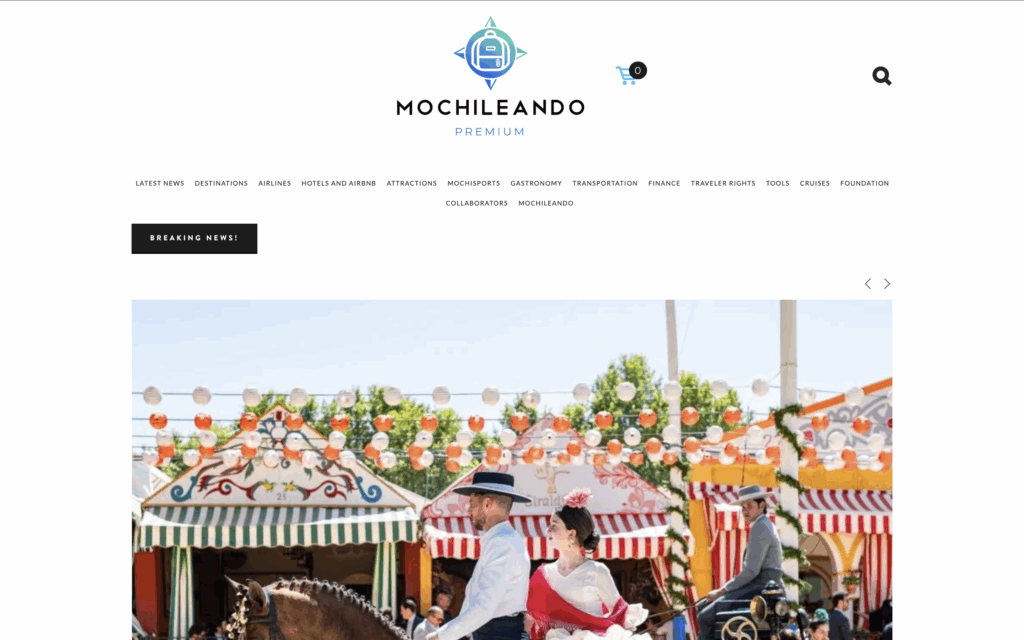
online community example
Mochileando is an online travel community

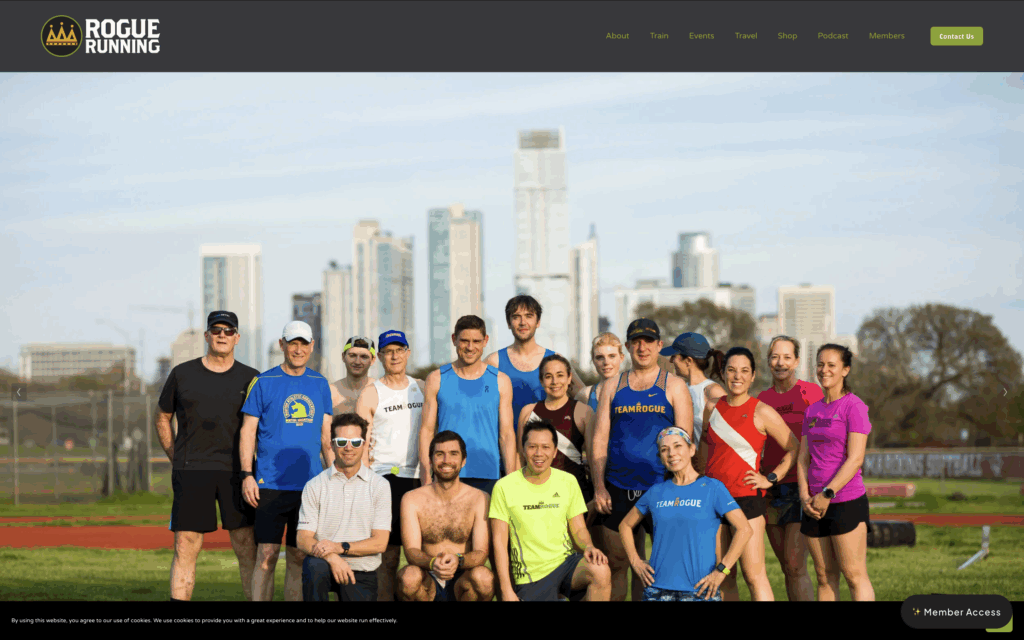
Rogue Running online community
Rogue Running is an online running club/community

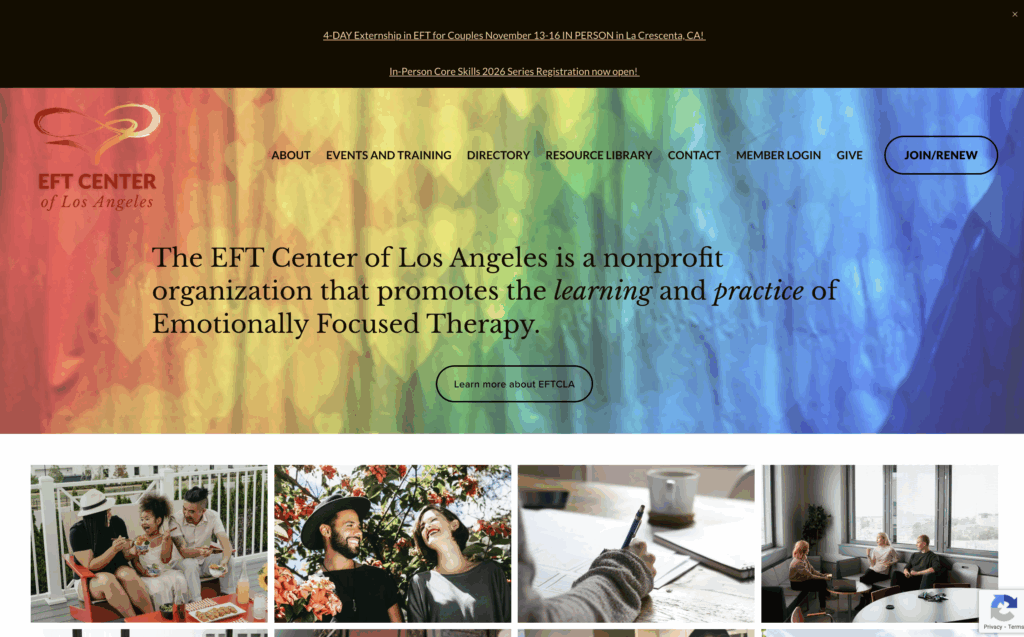
EFT Center of Los Angeles is an online community, directory, and resource library

Choosing the Best Platform for Your Community

Picking the right platform is one of the most important decisions you’ll make. Where your community lives shapes how people engage, what kind of content you can share, and—most importantly—how you can monetize.

Social media groups (like a private Facebook group or Discord server) can be great for getting started. They’re familiar, easy to set up, and free. But they also come with big drawbacks:

  • You don’t own the platform. Algorithms and policies change overnight.
  • Monetization options are limited or clunky.
  • Your brand feels tied to another company’s rules and design.

If you’re serious about turning your community into a business, you need a platform you control. That usually means creating a dedicated community hub on your own website.

A website gives you:

  • Ownership – You’re not at the mercy of shifting algorithms.
  • Professionalism – Members see your brand front and center, not Facebook’s or Discord’s.
  • Flexibility – You choose what to offer: memberships, content libraries, coaching, courses, or a mix.

That’s where MemberSpace comes in.

How to Use MemberSpace to Monetize Your Community

MemberSpace makes it simple to take your existing audience—whether they follow you on Instagram, TikTok, YouTube, or through your newsletter—and give them a private space they can pay to access.

Here’s how it works:

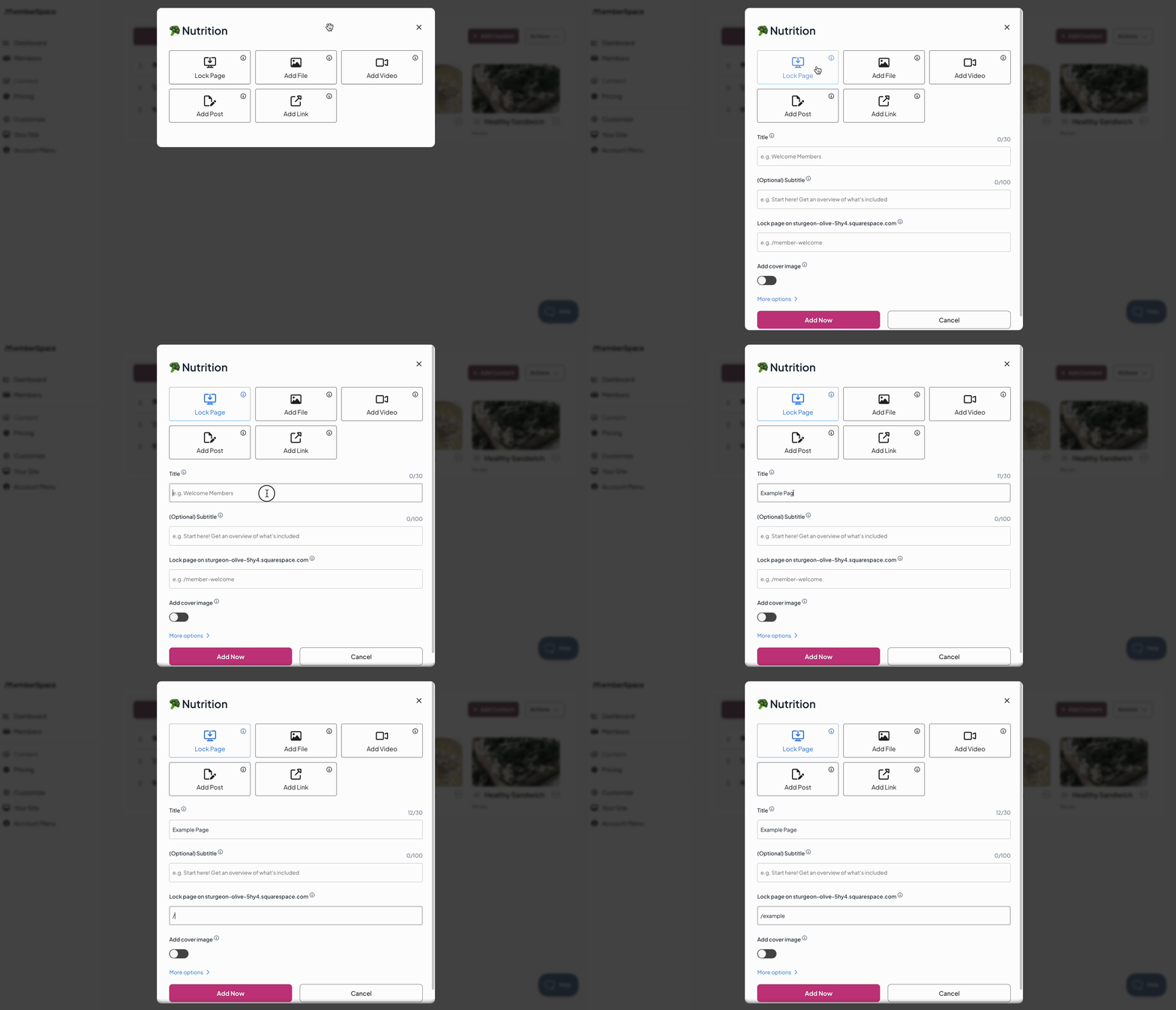
1. Create your community hub

  • Add MemberSpace to your current site or launch a free, customizable site right inside MemberSpace if you don’t already have one.

2. Add exclusive content and features

  • Upload digital content like online courses, videos, templates, guides, or checklists.
  • Protect videos, articles, courses, or entire pages behind a paywall
  • Even lock discussion forums or member directories.

3. Set up flexible pricing

  • Offer monthly, yearly, or one-time payments.
  • Create tiered plans (great for offering a “basic” vs. “premium” membership).
  • Run free trials to boost signups and show off your value.

4. Invite your audience in

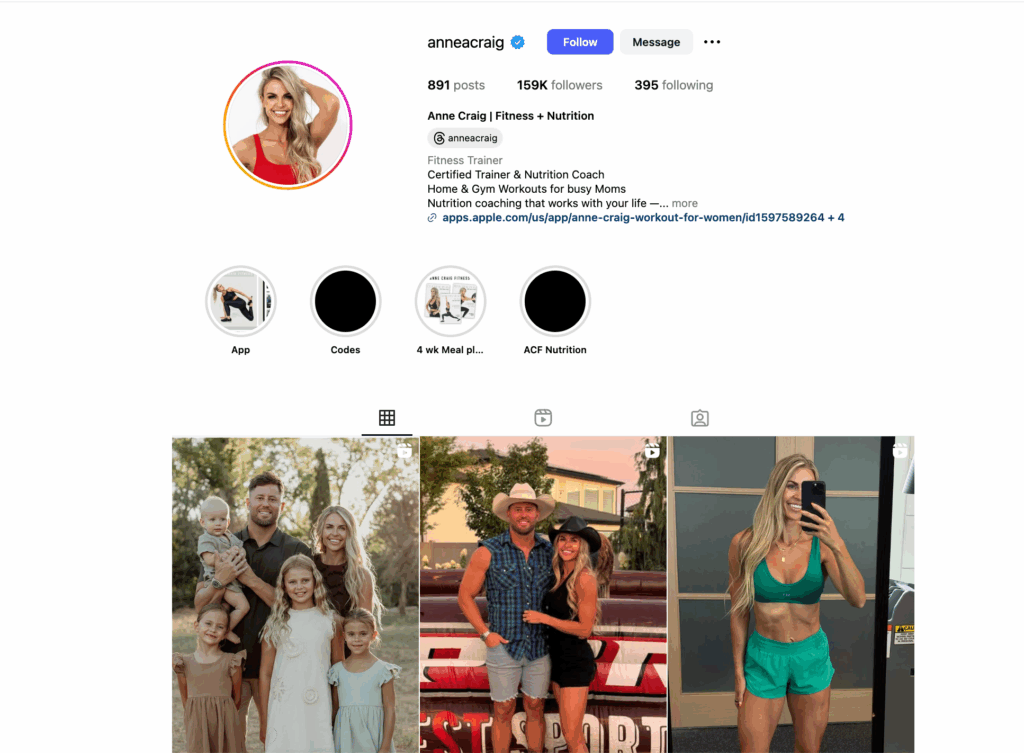
  • Share your signup link in your Instagram bio, newsletter, or TikTok profile.
  • Let followers join in one click—without complicated tech or clunky processes.

MemberSpace handles payments, logins, and member access automatically, so you don’t have to stress about backend setup. It feels seamless for your members and keeps you focused on the creative, high-value work only you can do.

In short: social platforms are great for building an audience, but your community deserves a permanent home you control. With MemberSpace, you can create that home, monetize it, and scale it into a sustainable business.

How to Keep Community Members Engaged

Getting people to join your community is one thing—keeping them active and excited is where the real work (and magic) happens. If you’ve already built a following on Instagram, TikTok, or through your newsletter, you know how quickly attention can drift. That’s why engagement has to be intentional.

The good news? With the right structure and tools, you can keep your community buzzing.

Create a Space People Actually Want to Come Back To

Think about your own online habits—would you keep showing up if a space felt messy, overwhelming, or unwelcoming? Probably not. Set clear but friendly guidelines, and keep the vibe positive. When people feel safe to share, they open up more, which leads to stronger connections.

Give Members a Reason to Log In

People join communities for your content, but they stay for the value they get week after week. That could look like:

  • Weekly tips or behind-the-scenes updates they can’t get anywhere else
  • A new video tutorial or resource drop every month
  • Member-only Q&A sessions where you answer their burning questions

With MemberSpace, you can easily release new content on a schedule and lock it behind your paywall, so members know they’re getting exclusive access for supporting you.

Celebrate and Spotlight Your Members

This part gets overlooked, but it’s huge. Shout out member wins, highlight their stories, and let them feel seen. A quick spotlight in your newsletter or a pinned post in your members-only area goes a long way.

Keep Interaction Flowing

Don’t let your community feel like a one-way broadcast. Use polls, challenges, or even quick prompts to spark conversations. Some creators host small monthly challenges (like a 7-day photo challenge or a “reset week” for wellness communities) to give people something to rally around.


Monetization Strategies for Online Communities

If you already have a community, you’ve done the hardest part—building trust and showing up consistently. Monetization isn’t about “selling out.” It’s about giving your people more of what they already want, in ways that also support your work.

Here are a few proven approaches that creators use every day:

Membership and Subscription Plans

This is one of the most reliable ways to generate recurring income. You can create a simple membership with core resources or offer tiered levels that include perks like workshops, coaching calls, or early access to new content.

The key is making sure each level feels valuable enough to justify the price. Free trials or limited-time offers are a great way to encourage signups and let people see the benefits firsthand.

Sell Premium Content

Some members may not want an ongoing subscription but would happily pay for something specific—like a workshop replay, a bundle of templates, or a mini-course. Offering one-off products alongside your membership gives people more ways to support your work.

Coaching, Events, or Challenges

Interactive experiences often spark the most engagement. Hosting a group coaching session, running a 10-day accountability challenge, or leading a live workshop creates urgency and builds community momentum. These can be included in your membership or sold separately as a premium option.

Partnerships and Sponsorships

Once your community is thriving, brands and collaborators may want to get involved. A well-aligned sponsorship or partnership can bring in additional income without putting pressure on your members. The key is staying true to your community’s values so partnerships feel like a natural fit.

The big takeaway: your monetization strategy should feel like an extension of the community you’ve already built—not a sales pitch. Your audience trusts you, and when you provide options that genuinely add value, they’ll be excited to support you. Tools like MemberSpace can help handle the logistics in the background, but the real driver of success is how well you know and serve your members.

Tracking What Works and Optimizing for Growth

Once your community is up and running, don’t just set it and forget it. The best way to keep growing is to pay attention to what’s working—and what’s not.

Start by tracking:

  • Engagement – Are people commenting, showing up to events, downloading resources?
  • Conversions – Which offers (free trial, membership tiers, premium content) bring in the most signups?
  • Retention – How long are members sticking around before they cancel?
  • Use this data to make small, intentional tweaks. If engagement drops, test new formats like polls or challenges. If a pricing tier isn’t converting, adjust the offer or benefits.

Think of it as an ongoing cycle: measure → adjust → repeat. The more you fine-tune, the more your community becomes both valuable for members and sustainable for you.

Frequently Asked Questions

How do I start an online community?
Define your purpose, choose a platform you control (like your own website), and invite your existing audience to join.

What is the best way to monetize an online community?
Memberships and subscriptions are the most reliable, but you can also sell premium content, host events, or offer coaching.

Can I monetize a community on Instagram or TikTok?
Yes, but the easiest way is to move your audience to a private hub you own where you can offer memberships, resources, and exclusive content.

Do I need a big audience to make money from my community?
No—a small, engaged group often converts better than a large, passive following. Focus on serving your members deeply.

What tools can help me monetize my community?
Platforms like MemberSpace make it easy to sell access to digital content, set up memberships, and manage payments directly on your website.

Final Thoughts

Whether you already have an active community or you’re still building one, the opportunity is the same: people gather around your work because they see value in it. Monetization is simply a way to deepen that relationship.

If your community is established, now’s the time to give members a clear next step—exclusive content, events, or a membership that lets them invest in what you’re creating. If you’re still growing, focus on building trust and consistency first, then introduce paid options when your audience is ready.

The path looks a little different depending on where you are, but the end goal is the same: a thriving community that supports your members and supports you. With the right systems in place, you can turn followers into committed members and build something sustainable for the long run.

✨ Want some inspiration on what to offer your community? Grab our free guide with 40 digital product ideas you can start selling today. It’s packed with examples you can adapt to your niche.
Selling Information Products Online: 12 Profitable Examples for Creators

Software Stack Editor · September 5, 2025 ·

If you’ve got knowledge people turn to you for—whether that’s fitness advice, business tips, or travel hacks—there’s a good chance you can turn it into an information product and get paid for it.

The great thing about info products is how flexible they are. You can package what you know into an ebook, a template, a video course, or even a full membership library. These products provide so much value to customers by delivering expertise and solutions directly to their needs. Once it’s created, you can sell it again and again.

They’re also one of the best ways for creators to monetize an audience. Instead of relying only on ads or sponsorships, you’re selling directly to people who already trust you. Plus, there’s high market demand for quality information products. That means recurring revenue, more control, and less stress about changing social media algorithms.

MemberSpace gives you an easy way to sell info products on your own site and keep everything organized in one spot. In this guide, we’ll break down everything you need to know to launch your first product.

What are information products?

So what exactly counts as an information product? At their core, an information product (also known as a digital product) is anything delivered in a digital format that help people solve a problem or reach a goal. These online products can be sold repeatedly to different customers, making them highly scalable and profitable. Information products include a wide range of digital downloads and resources.

And because they can take so many forms, you’ve got options to choose from depending on your audience:

  • Digital book (eBook) or guides – practical and straightforward, easy to download.
  • Templates – plug-and-play frameworks, designs, or scripts.
  • Cheat sheets – condensed, easy-to-use guides for quick reference.
  • Courses, business courses, or online course – a series of lessons with videos, worksheets, and resources that provide valuable content and educational content.
  • Video courses – instructional content delivered in video format for visual engagement.
  • Video series – a sequence of related videos offering in-depth coverage of a topic.
  • Workshops or masterclasses – live or recorded training sessions.
  • Live event recordings – digital recordings of live performances or events for ongoing access.
  • Live event recaps – summarized versions of events highlighting key moments and insights.
  • Membership content – ongoing access to a library of resources.
  • Case studies or reports – deep-dive insights packaged for a specific audience.
  • Digital downloads – files such as PDFs, templates, or resources delivered electronically.

This flexibility is what makes them so appealing. No matter your niche, there’s a format that will fit.

Creating information products

Once you know the possibilities, the next step is creating something that fits your audience. Don’t overthink it—start with these three basics:

  • Defining your niche and audience → Who do you serve, and what problem are you helping them solve? Identify a clear market need and understand your target audience’s preferences, challenges, and budget. For example, a health coach might create info products like meal plans or video courses specifically for women over 40 seeking weight loss or healthy eating guidance.
  • Choosing your product format → Does your audience want a quick solution (like a template), a deep dive (like a course), or ongoing support (like a membership)? Brainstorm product ideas based on your own experience and expertise to ensure your offering is both valuable and authentic. Then, match the format to the outcome.
  • Creating your product → Use simple tools you already know—Google Docs, Canva, Loom, or Zoom—and start small. You can always polish and expand later. Most digital products have a simple, clean format and design, so no need to overthink this part.

And once your product is ready, it’s time to think about how you’ll actually sell it. That’s where MemberSpace comes in.

How to Sell Information Products and Membership Sites with MemberSpace

Here’s where your idea becomes a real product people can buy. MemberSpace is a platform for creators to sell access to digital products and membership sites on your own website. Here’s how it works.

Step 1: Install MemberSpace on your site

MemberSpace works on any website, no coding required. And if you don’t have a site yet, we will create a free, customizable one for you with your own domain.

This gives you the ability to sell member-only access to a clean, organized library of digital content and even lock down exclusive pages of your site.

Step 2: Add content to MemberSpace

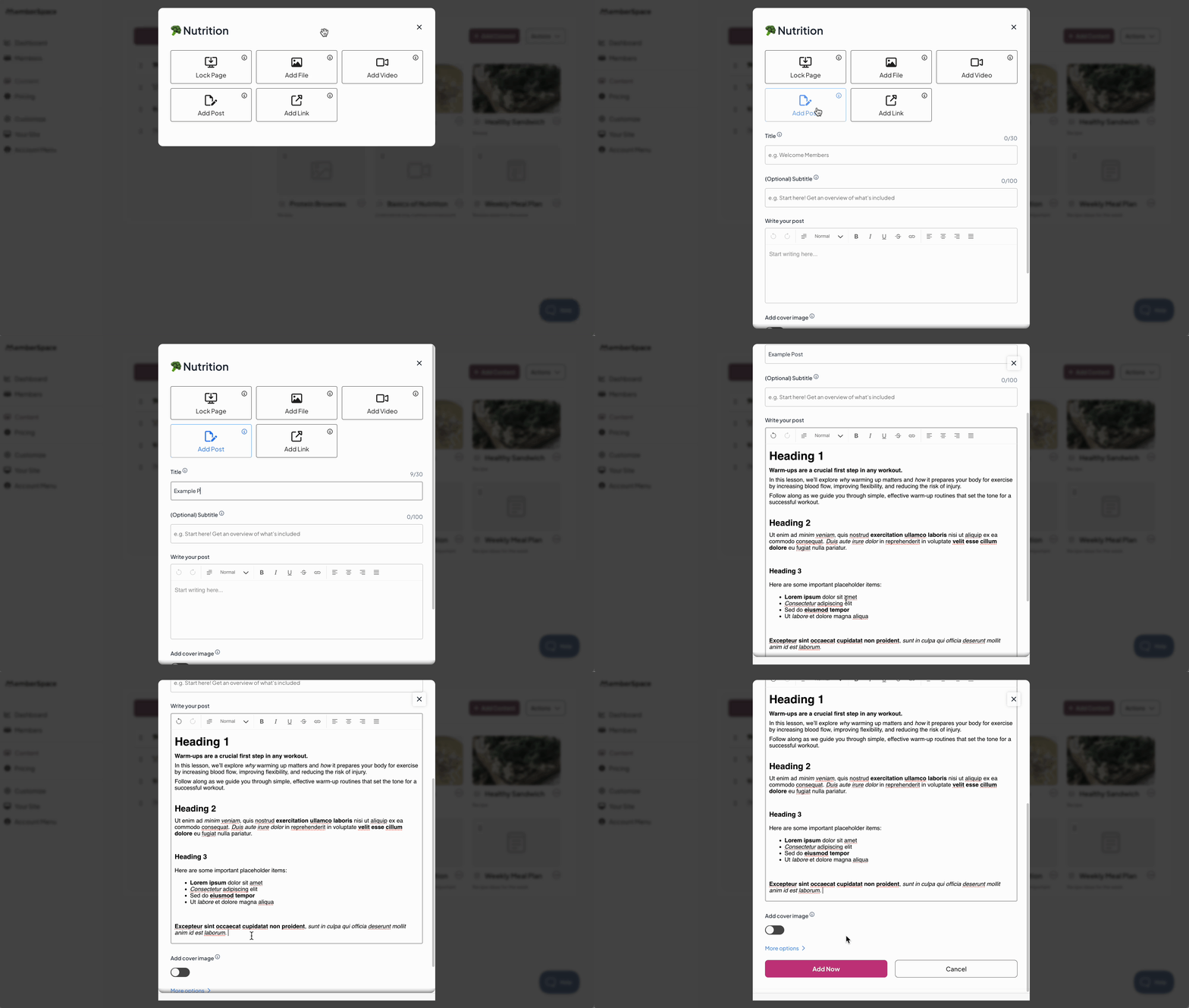
After you’ve got MemberSpace installed on your site, it’s time to upload your content. Add any type of files (PDFs, images, MP3s), embed videos directly from YouTube, Vimeo, Wistia, or publish posts directly inside your content hub. You can also offer exclusive content and other resources, such as templates, live sessions, or community access, to enhance the member experience.

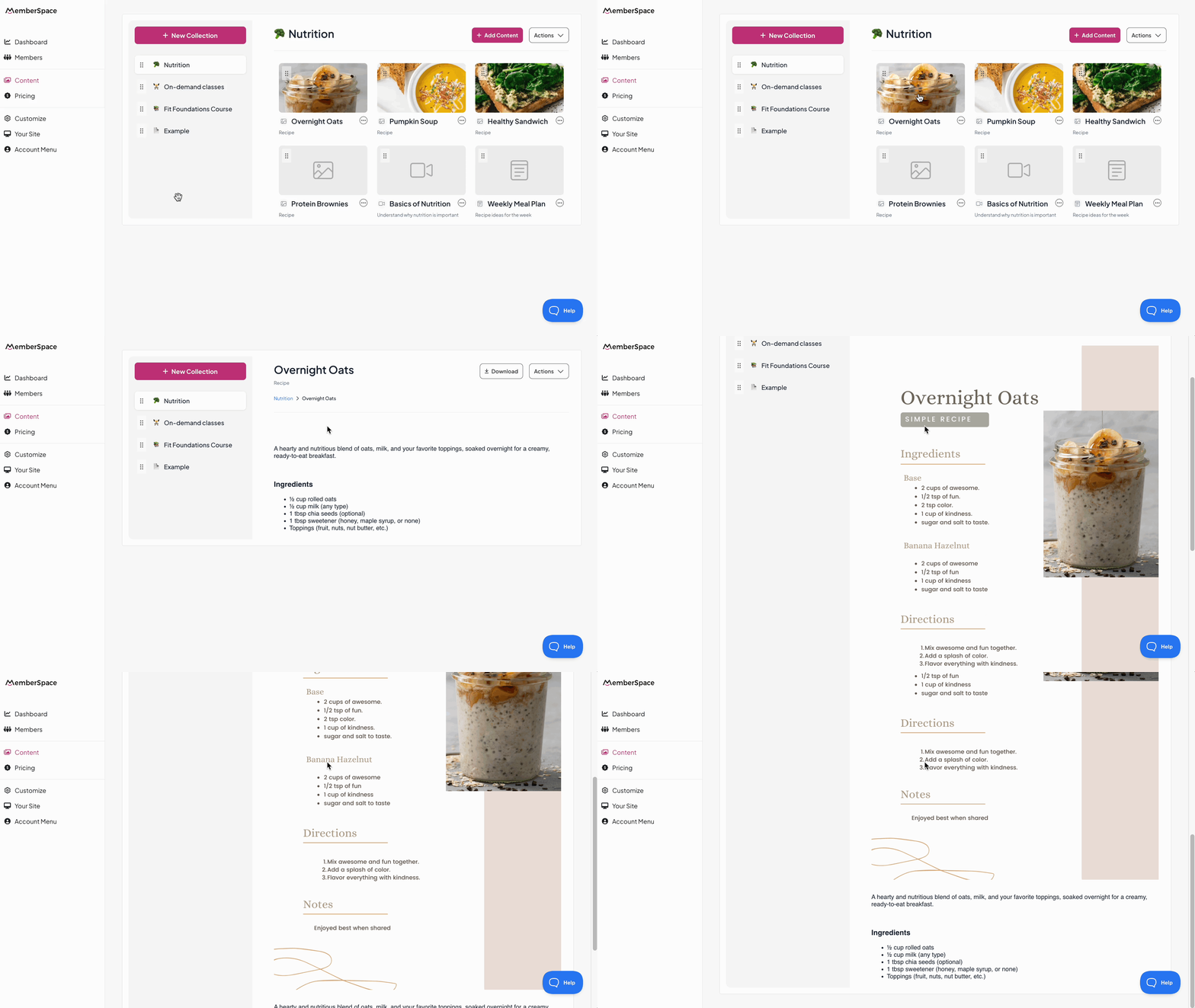
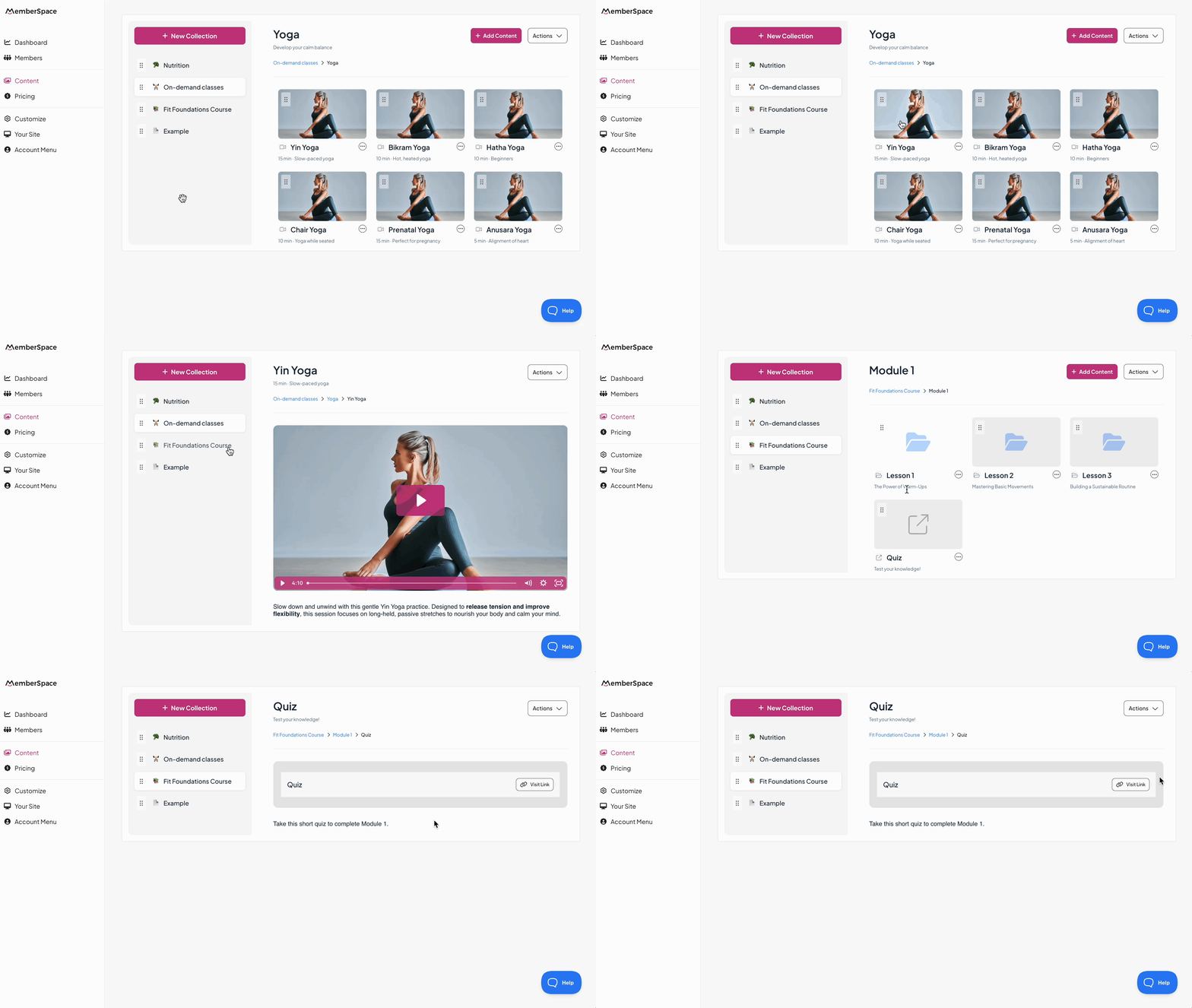
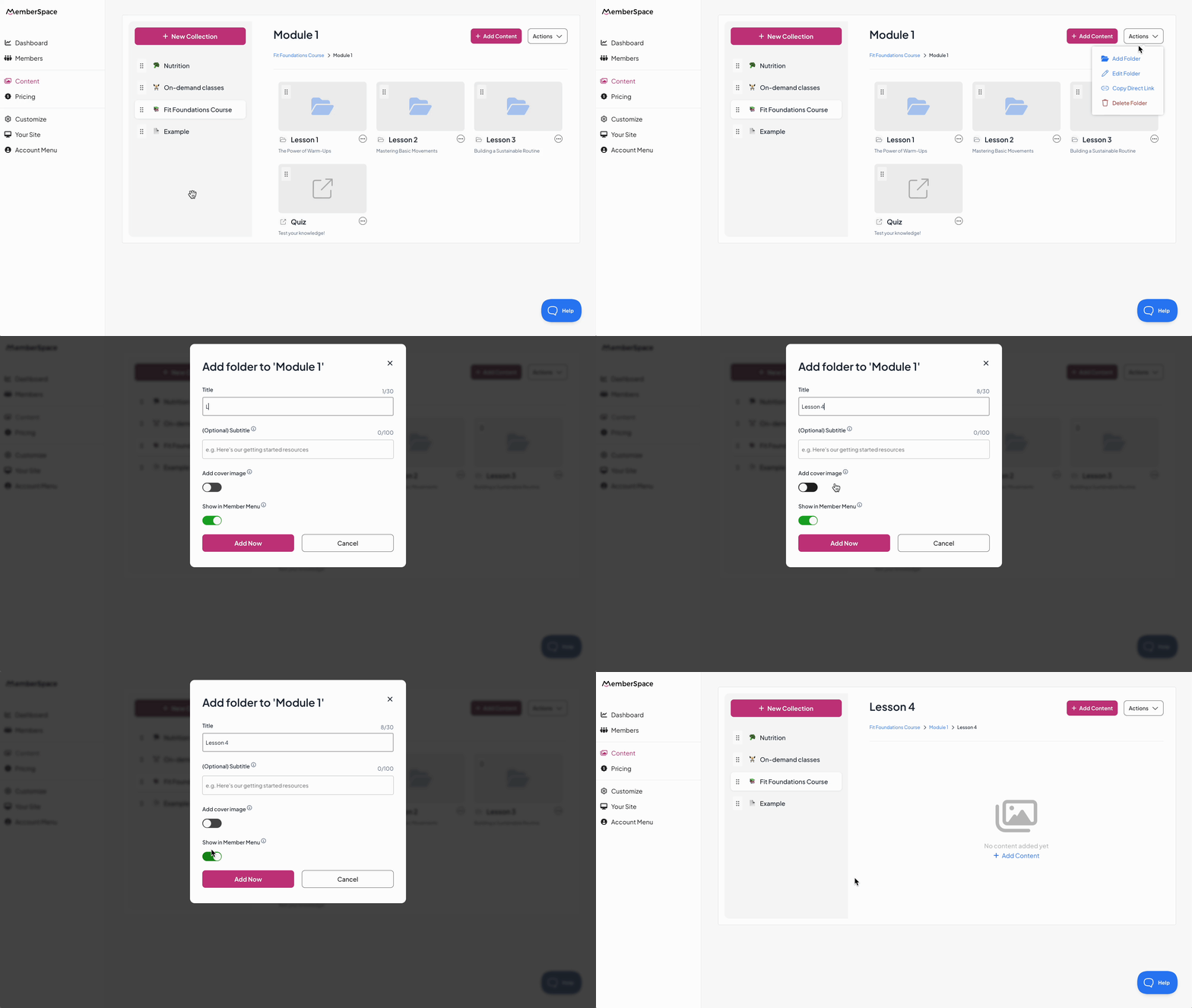
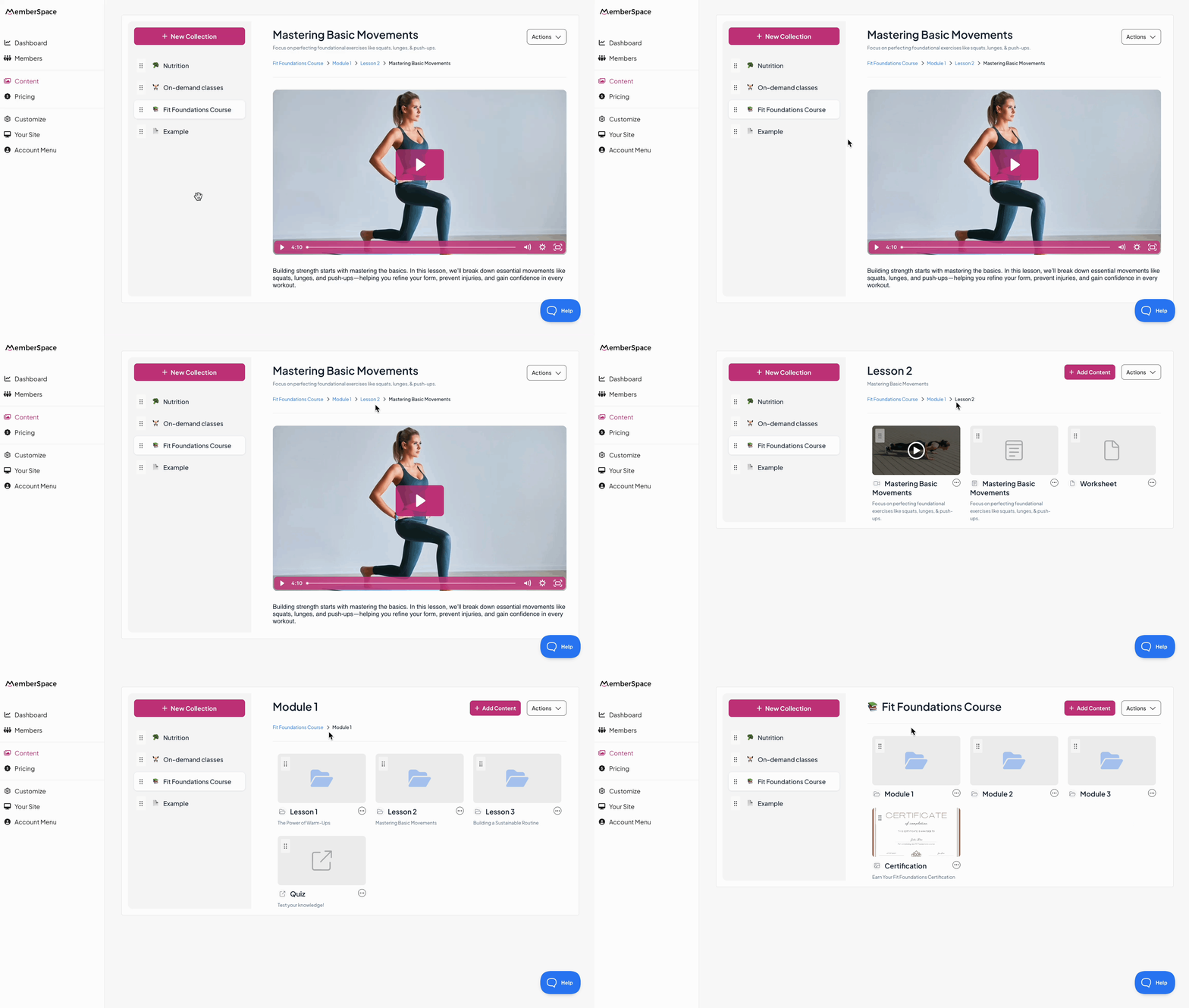
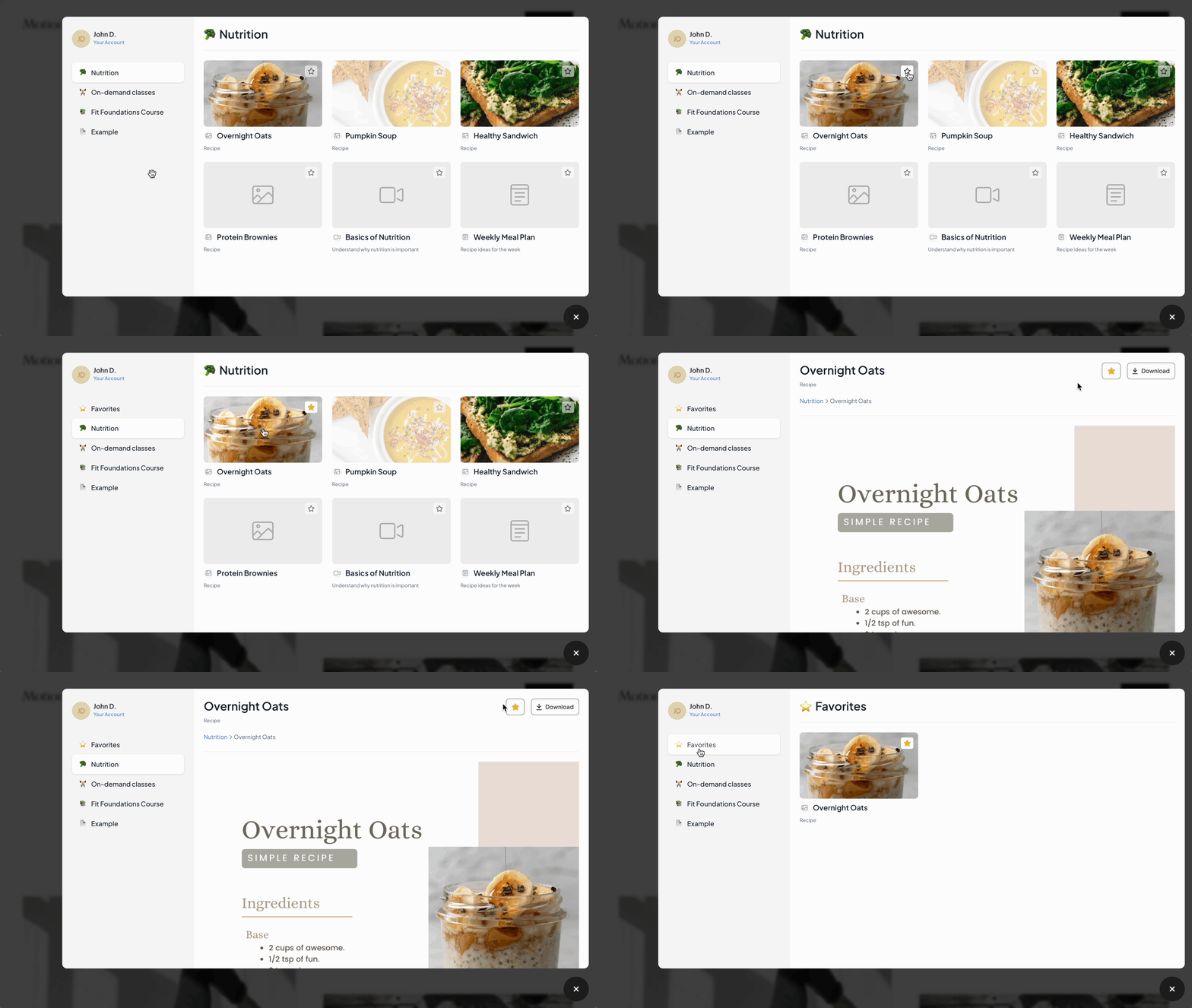
You can organize everything with drag-and-drop into Collections and folders. Members can even “favorite” what matters most to them, which creates a personalized experience inside your hub.

Step 3: Set your pricing

Next comes pricing. MemberSpace gives you four options:

  • One-time payment – perfect for a single ebook, guide, or workshop.
  • Recurring subscription – ideal if you’ve got a library of products you’re updating regularly.
  • Multiple payments – works well for bigger ticket products like a course or masterclass.
  • Free – offer a resource at no cost to build trust and grow your audience.

To increase value and sales, consider offering add ons such as coaching sessions or exclusive content, or bundle complementary products together as a package deal.

For example, if you’ve built a collection of templates and video lessons, you could turn it into a membership where people pay monthly or yearly to access everything.

Step 4: Share your content with the world

And finally—the fun part. Once everything’s ready, you can share a link to information products!

Drop the link in your newsletter, share it on social, or add it to your podcast notes. You can also repurpose your content into a blog post to reach a wider audience. Don’t forget to include social proof, such as testimonials or reviews, to build trust and credibility with your audience. However you connect with your audience, MemberSpace gives you a simple way to get your info products in front of them.

Examples of creators selling information products and online courses

If you’re wondering what this looks like in real life, here are some creators who’ve built businesses around info products:

  • Jillian Turecki – Jillian is a relationship coach who helps people navigate singleness, divorce, and relationships. She sells courses and blueprints packed with tools, tips, and scripts so her audience feels more confident in their relationships.
  • Dana from Somewhere Worthwhile – Dana created Laidback Magic, an ebook guide that helps families navigate DisneyWorld without stress. It’s niche, practical, and solves a real problem for a specific audience.
  • Stephen from SLP Stephen – Stephen sells online courses for speech pathologists, parents, and people who stutter. By focusing on his area of expertise, he’s built a resource library that serves both professionals and families. If you’re an instructor building an online teaching business, check out this Yoga Creator ToolKit – 19 Essential Tools to Launch Your Online Yoga Studio to discover helpful resources for launching and growing your virtual studio.
  • Sarah Andrews – Sarah runs The Hosting Masterclass, which teaches people how to succeed with Airbnb and short-term rentals. It’s become a gold-standard program, offered both online and in person.
  • The Creative Template Shop (Abagail) – Abagail built a digital store full of easy-to-use templates and strategies for small business owners. Her customers save time and get practical tools they can apply right away.
  • Business Chicks – This global community for women in business sells access to an online video library packed with exclusive interviews and resources. They also use Facebook groups to foster a supportive community, drive engagement, and boost sales.
  • Brandon Harvey (Good Good Good) – Brandon publishes The Good Newspaper, a members-only newsletter focused on positive news stories. Members pay for uplifting, well-curated content they can’t find anywhere else.
  • Caryn Dugan (Center for Plant-Based Living) – Caryn turned her expertise into online classes and recipe collections, helping people cook and enjoy plant-based meals.
  • Blue Harbinger – This membership newsletter offers premium investment research and analysis, giving subscribers insights they wouldn’t get on free finance blogs.
  • Kayla Itsines (Sweat) – Kayla started with fitness ebooks, then grew her business into a membership app with workout libraries and meal plans. It’s a great example of scaling an info product into a bigger platform.
  • Pat Flynn (Smart Passive Income) – Pat sells courses and playbooks that teach entrepreneurs how to build online businesses. His products grew out of the same strategies he used to grow his own brand.
  • Emily Mills (Sketchnote Academy) – Emily teaches people how to visualize ideas through sketchnotes. She sells courses and guides that make the skill approachable and fun.
  • Matt Giovanisci (Podcaster & Event Host) – Matt records live events, such as podcasting conferences and workshops, and sells the live event recordings and live event recaps as digital products. Customers can easily access these resources online, making it simple to catch up on key insights and moments from each live event.

Different formats, different audiences—but the same core idea: package up what you know and make it easy for people to buy.

FAQ: How to Sell Information Products

What’s the easiest way to sell information products online?
Use a platform like MemberSpace. You can upload your content, set your pricing, and protect access—all from your own website.

How do I price information products?
Think about the value to your customer. A checklist might be $20, while a full course could be $200+. MemberSpace lets you sell with one-time payments, recurring subscriptions, multiple payments, or even for free.

Do I need a website to sell information products?
No. MemberSpace gives you a free customizable site with your own domain if you don’t have one yet.

Can I sell multiple information products at once?
Yes. You can create Collections, bundle products together, or set up a membership where people pay to access everything in your library.

What’s the best information product to start with?
Start small with a guide, checklist, or template. They’re quick to create, easy to sell, and a great way to see what your audience responds to.

Final thoughts

Selling information products is one of the easiest ways to turn your knowledge into a business. It doesn’t matter if you’re starting with a single guide or building a full membership library—you can start small and grow from there.

With MemberSpace, you’ve got a simple way to sell ebooks, templates, courses, newsletters, or any combination of products, all from your own site.

The best approach? Create one product, share it with your audience, and see how it goes. Over time, you’ll have a library of resources that not only helps people but also brings in consistent revenue.

How to Monetize a Facebook Page: 5 Ways for Creators

Software Stack Editor · September 4, 2025 ·

Introduction to Facebook Monetization

Facebook might feel a little old-school compared to TikTok or Instagram, but it’s still one of the most powerful platforms for creators. With more than 2.9 billion monthly active users, there’s no shortage of people to reach. And yes, many creators are still using Facebook as their main traffic engine and income stream! 

When it comes to Facebook monetization, you have two main paths:

  • Sell your own content—products, memberships, or services—using your Page as the marketing channel.
  • Tap into Facebook’s built-in monetization tools like in-stream ads, Stars, and Subscriptions.

To use Facebook’s official features, you’ll need to meet their partner monetization requirements. For example, in-stream ads require at least 10,000 followers, while Stars unlock at 1,000. Each tool comes with its own set of rules, so you’ll want to check the latest eligibility guidelines before applying.

But here’s the good news: you don’t have to wait until you hit those numbers. You can start earning right away by selling your own content directly to your audience.

Building a Quality Facebook Page

Before you can start earning, make sure your Page looks polished and professional. A high-quality Page makes it easier to attract followers, build trust, and convert fans into paying customers.

withsara facebook page monetization
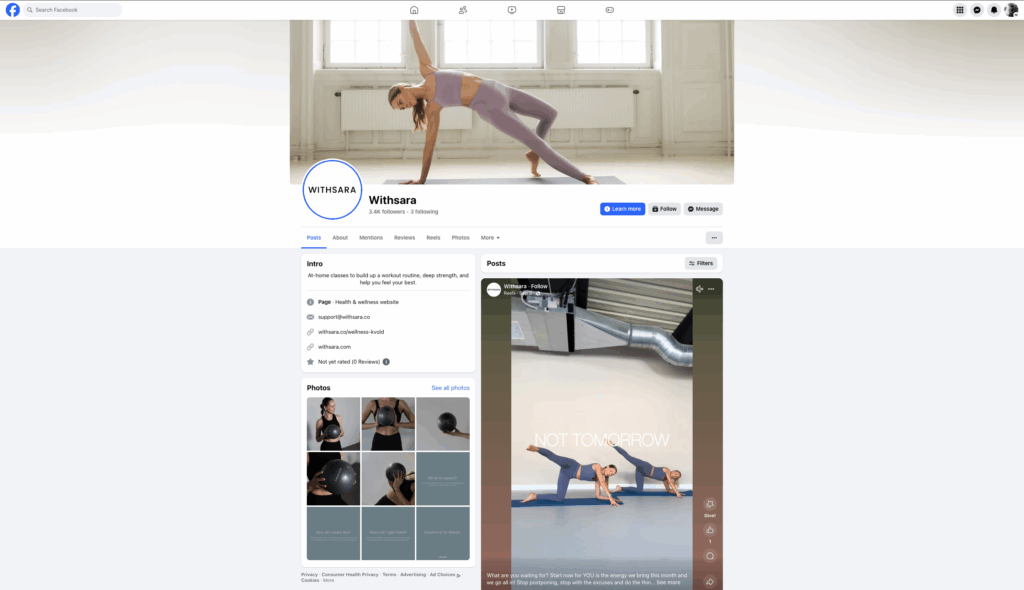
Fitness membership site, Withsara uses a Facebook page to promote her digital content to followers.

Here are the essentials:

  • Strong branding – Use a clear profile photo, a branded cover image, and a consistent style across your posts.
  • Engaging content – Mix up formats: videos, Reels, Lives, and images. See what clicks with your audience.
  • Active community management – Reply to comments, ask questions, run polls. The more you engage, the more Facebook rewards you with reach.
  • Professional tools – Use Meta Business Suite to schedule posts and track analytics, and Meta Brand Collabs Manager if you plan to work with sponsors.

5 Ways to Monetize Your Own Content on Facebook

Now, let’s talk about the fun part—how to monetize a Facebook Page directly through your own offers. These strategies work whether you have 1,000 fans or 100,000.

1. Sell Digital Products

Digital products are a low-barrier way to start making money. They’re inexpensive to create, easy to deliver, and endlessly scalable.

Examples:

  • Ebooks or guides (meal plans, photography tips).
  • Templates (social media calendars, resume layouts).
  • Short workshops or video tutorials.

How to promote them on Facebook:

  • Share sneak peeks or a single tip from your guide.
  • Post customer testimonials.
  • Run a Live training, then link to your product.

👉 Need ideas? Download 40 Digital Product Ideas to Fit Any Niche.
2. Offer Paid Memberships or Communities

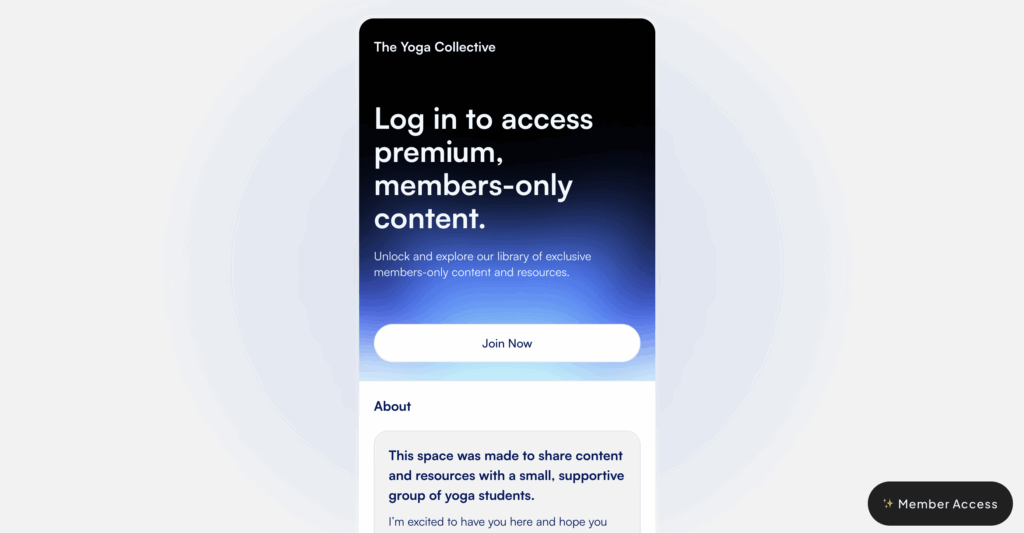
Facebook Groups are great for community, but the payment side should live on your website. That way you can create paid Facebook groups and manage access, payments, and member experience directly.

  • Collect payments securely.
  • Offer tiered access for different price points.
  • Control who gets access without relying on Facebook’s rules.

Example: A wellness coach runs a private Facebook Group where paying members get exclusive resources, weekly Q&As, and a supportive peer community. Payments happen off-platform, but the group is the hub.

3. Sell Online Courses

Courses can be one of the most profitable offers you create.

On Facebook, you can:

  • Share short lessons or tips as free content.
  • Post student success stories.
  • Run a free mini training via Facebook Live, then pitch your paid course or turn your videos into an online course.

The beauty of courses? You build them once and sell them repeatedly.

4. Run Paid Events or Workshops

Events are powerful because they create urgency.

Ideas:

  • A one-time fitness class.
  • A live coaching Q&A.
  • A themed workshop (e.g., “Meal Prep for Busy Parents”).

Promote through a Facebook Event page, post regular updates, and sell tickets through your site. Delivery can happen on Zoom, Crowdcast, or whatever platform works best for you.

5. Grow and Monetize an Email Newsletter

One of the smartest ways to use Facebook is as a funnel into your email list.

Offer a freebie—like a checklist, guide, free membership website templates, or video training—to get sign-ups. Then you can:

  • Monetize a newsletter by selling a paid newsletter subscription.
  • Use your list to promote courses, memberships, or digital products.
  • Drive traffic back to your site whenever you want.

Email gives you direct access to your audience—no algorithm required.

Monetizing Your Facebook Audience with MemberSpace

Promoting your offers on Facebook is a great start, but the real monetization happens when you bring people back to your own space. That’s exactly what MemberSpace helps you do.

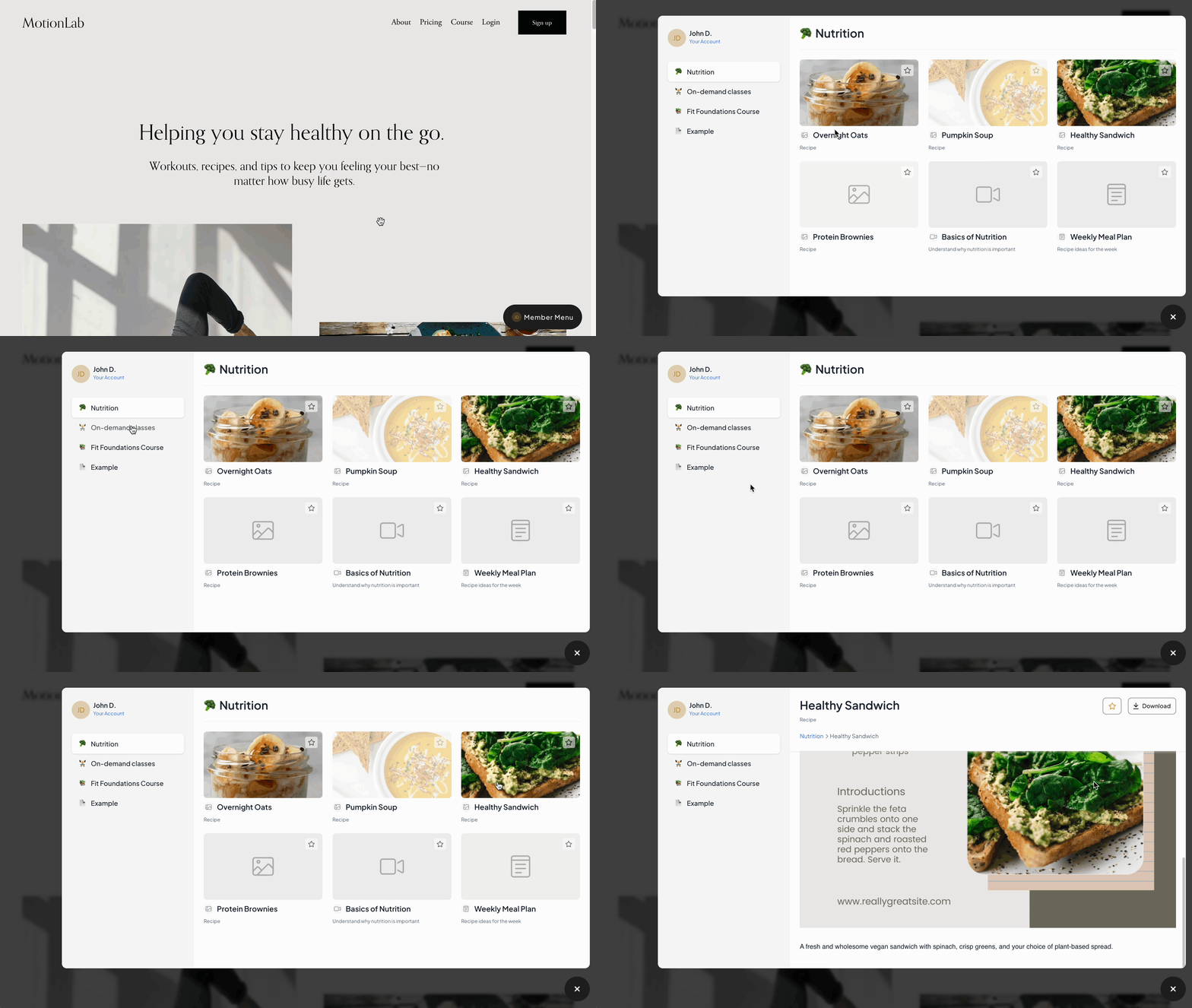
With MemberSpace, you can sell access to any digital content or membership by adding a content hub to your website. This hub becomes the central place where fans can log in and access your products, courses, communities, or resource libraries.

membership site products
Add your content to MemberSpace’s content hub to sell a library of digital resources to your Facebook followers.

And if you don’t have a website yet? No problem—MemberSpace will create a free customizable site for you so you can start selling right away.

Here’s how this connects with your Facebook strategy:

  • Promote on Facebook – Share your digital products, memberships, or events with your audience.
  • Sell through your content hub – Direct followers to your MemberSpace hub where they can sign up, pay, and get access instantly.
  • Grow at your own pace – Add new products, bundle content into tiers, or expand into memberships without needing new tools.

This way, Facebook becomes your marketing engine, while MemberSpace helps you secure sales, deliver content, and fully own your business model.

Facebook Page Monetization Features

Beyond selling your own content, here are Facebook’s built-in monetization options:

  • In-stream ads & banner ads – Earn from ads that play during your videos.
  • Stars – Fans send tips during livestreams.
  • Subscriptions – Fans pay monthly for exclusive perks.
  • Branded Content – Partner with brands through Meta Brand Collabs Manager.
  • Facebook Shops – Sell products directly from your Page.

Remember: these features are nice extras, but Facebook controls the rules. Your own offers—like courses and memberships—will always give you more stability.

You can track your eligibility and earnings in Meta Business Suite. Think of it as your dashboard for everything—from content performance to payouts. Staying compliant not only keeps you in good standing but also unlocks more ways to earn.

Monetization Eligibility and Requirements

If you’re aiming to use Facebook’s built-in monetization features, eligibility matters.

Here’s the baseline:

  • At least 500 followers.
  • Be 18 or older.
  • A Page that’s 90+ days old.
  • Located in an eligible country.
  • Following Facebook’s Community Standards, Partner Monetization Policies, and Content Monetization Policies.

If you’re also interested in earning revenue from other platforms, check out this guide on how to monetize a LinkedIn Group in 5 steps.

Content Monetization Policies and Guidelines

This part isn’t glamorous, but it’s important. If you want to monetize on Facebook, you need to follow their policies.

That means:

  • Respecting data privacy.
  • Avoiding copyright violations.
  • Steering clear of spammy content, misleading claims, or restricted goods/services.

Following the rules keeps your Page safe and builds trust with your audience. And trust is the foundation of any long-term monetization strategy.

Tools like Meta Brand Collabs Manager make it easier to connect with brands that align with your audience, so your sponsored content feels authentic—not forced.

Growing Your Audience

The more engaged your audience, the easier monetization becomes. Here are some ways to grow your Facebook page:

  • Go live often—Q&As, tutorials, behind-the-scenes sessions.
  • Use Reels—Facebook is pushing short-form video hard.
  • Create a free group—it can act as a funnel to your paid offers.
  • Collaborate—team up with other creators or brands for exposure.

But always remember: direct people back to something you own, like your website or email list. That’s what keeps your business safe from algorithm changes.

Common Mistakes to Avoid

  • Ignoring eligibility requirements if you’re banking on ads or Stars.
  • Relying only on ads instead of building your own offers.
  • Posting inconsistent or low-quality content.
  • Not tracking results with tools like Creator Studio or analytics.

Final Thoughts

Monetizing a Facebook Page doesn’t have to mean waiting for ad revenue. The fastest way to earn is by selling your own products, courses, memberships, and newsletters—then using Facebook as the engine to reach your audience.

Once you have that foundation, layer in Facebook’s built-in monetization features as bonus revenue. This way, you’re not dependent on one platform—you’re building a business you truly own.

Facebook Page Monetization FAQ

Do I need Facebook monetization approval to make money?
No. You can sell your own offers right away.

What’s the easiest way to start?
Digital products or a small paid community are usually the fastest.

How do Facebook Stars work?
Fans buy Stars and send them during your livestreams. Each Star is worth $0.01.

Should I focus on Facebook’s tools or my own products?
Use both, but prioritize your own products for stability and recurring revenue.

How to Create a Membership Site in 5 Minutes

Software Stack Editor · September 2, 2025 ·

Picture of Haiden Hibbert

Haiden Hibbert

I’m a Content Manager at MemberSpace helping entrepreneurs and creators sell digital products.

Learning how to create a membership site is one of the most profitable steps you can take as a creator or business owner. Instead of relying only on one-time sales, you can package your expertise into products people pay to access again and again. That could be a course, a video library, a set of templates, or even a single workshop replay.

The best part? Building a membership site doesn’t have to be a major project. You don’t need a big budget, a design team, or months of prep. With the right setup, you can have a professional-looking site live in minutes, ready to start taking payments and welcoming members.

In this post, we’ll walk through how to:

  • Set up your membership website with MemberSpace in just a few minutes (yes, really!)
  • Upload and organize your digital products for members
  • Choose flexible pricing options (one-time, recurring, multiple payments, or free)
  • Share your membership site link with your audience
  • Create a smooth, professional experience for your members once they log in
  • Plan your first 30 days after launch to keep momentum going

By the end, you’ll know exactly how to create a membership site that works for you and your audience—without the stress.

Step 1: Set up your website with MemberSpace

how to create a membership site with memberspace

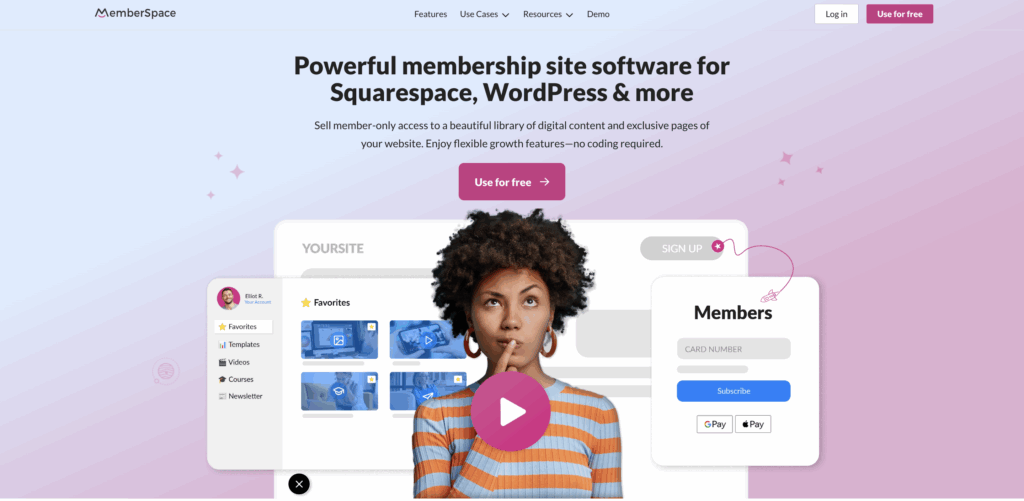
The first step is to get your website live. You’ll start by signing up for a MemberSpace account for free. 

Once you’re in, click Create a simple MemberSpace site for me automatically. Our Pop Site integration will start building your membership site in the background right away. 

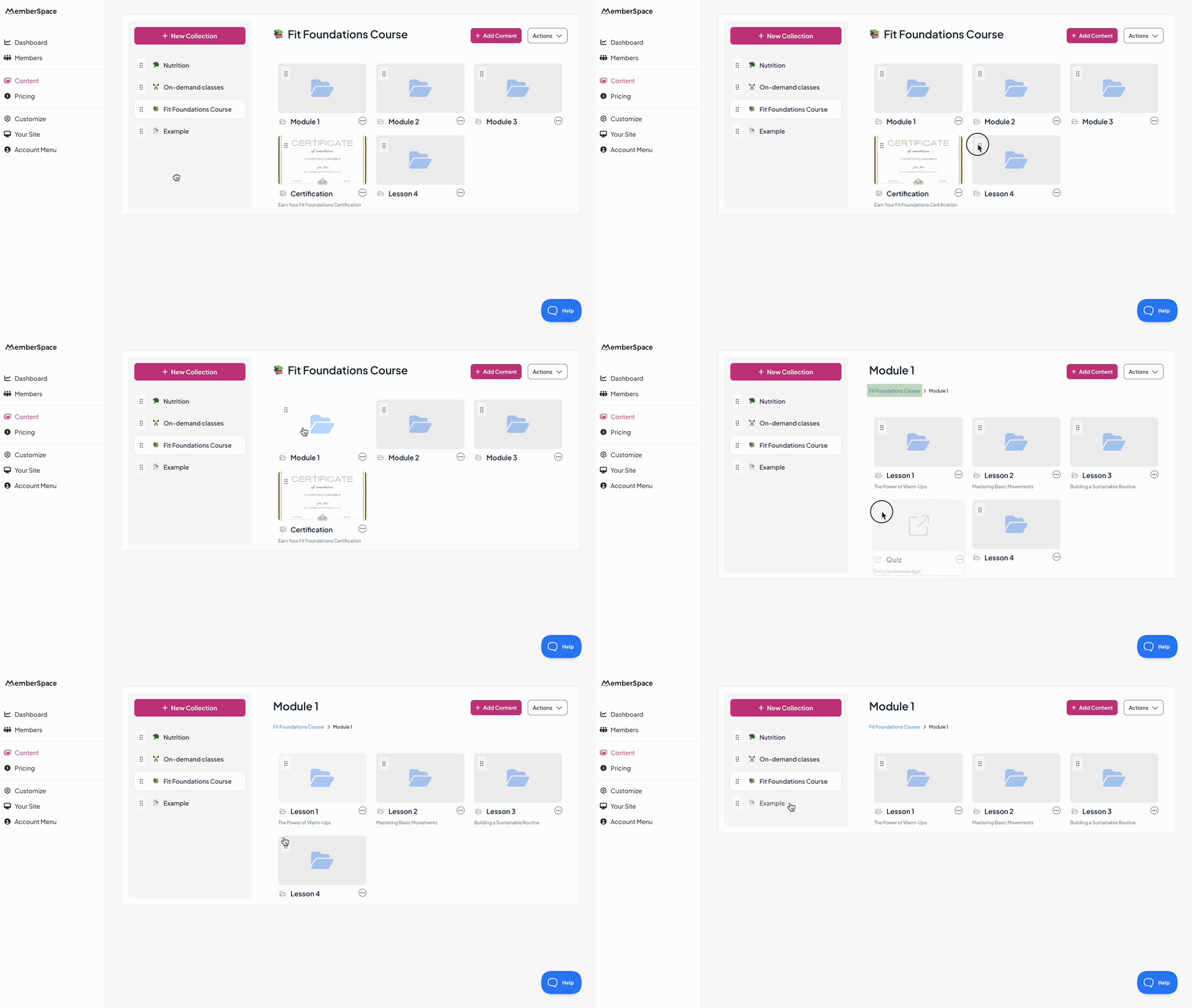
That’s it. No plugins, no coding, no design overwhelm. You start with a site that looks clean and works right out of the gate. Here’s a peek at what your site will look like (before you get to customizing the look and feel, of course!). 

This matters because the number one thing that slows creators down is trying to build the “perfect” site before they ever launch. By starting with a functional foundation, you can focus on what actually brings in revenue—your content.

Step 2: Add your content

Now comes the fun part—uploading the products you want to sell. Your membership site can host pretty much any kind of digital content:

  • Courses or mini-courses
  • Video libraries or tutorials
  • Templates, checklists, or toolkits
  • Live or recorded workshops

Each product needs three things: a title, a description, and a cover image. That’s what your members see when they log in.

add content to membership site

Keep the titles straightforward. Something like “Beginner Sourdough Course” is much stronger than “Bread-Making Mastery Experience.” Your description should explain who it’s for and what they’ll get in a couple of sentences. And your cover image doesn’t have to be fancy—just on-brand and consistent with your style.

If you only have one product right now, don’t overthink it. Many successful membership sites start with a single offer and grow over time. Done is better than perfect!

Step 3: Set your pricing

With your content in place, it’s time to decide how people will pay. MemberSpace gives you flexible options:

  • One-time payment — perfect for courses, template packs, or standalone products.
  • Recurring subscription — best for ongoing content libraries, communities, or resources you keep updating.
  • Multiple payments — a good fit for higher-priced products where a payment plan lowers the barrier.
  • Free access — ideal for lead magnets, free trials, or growing your email list.

The right choice depends on your product and your audience. A one-off replay of a live workshop makes sense as a single payment. But if you’re releasing new resources every month, a recurring subscription creates a predictable income stream.

Step 4: Share your membership site

Once your product is ready, it’s time to get it in front of people. You can share your main membership site URL, link to a product collection, or promote a single product directly.

Here are a few smart places to start:

  • Add the link to your Instagram bio and Stories.
  • Share it in your email newsletter.
  • Pin it to the top of your Twitter/X profile.
  • Drop it in your YouTube video descriptions.
  • Add it to your website navigation.

Your launch doesn’t need to be complicated. Even a simple message like “New video library is live—join today and start watching” gets the ball rolling.

Step 5: Understand the member experience

Here’s where you step into your members’ shoes. After someone signs up, what happens next?

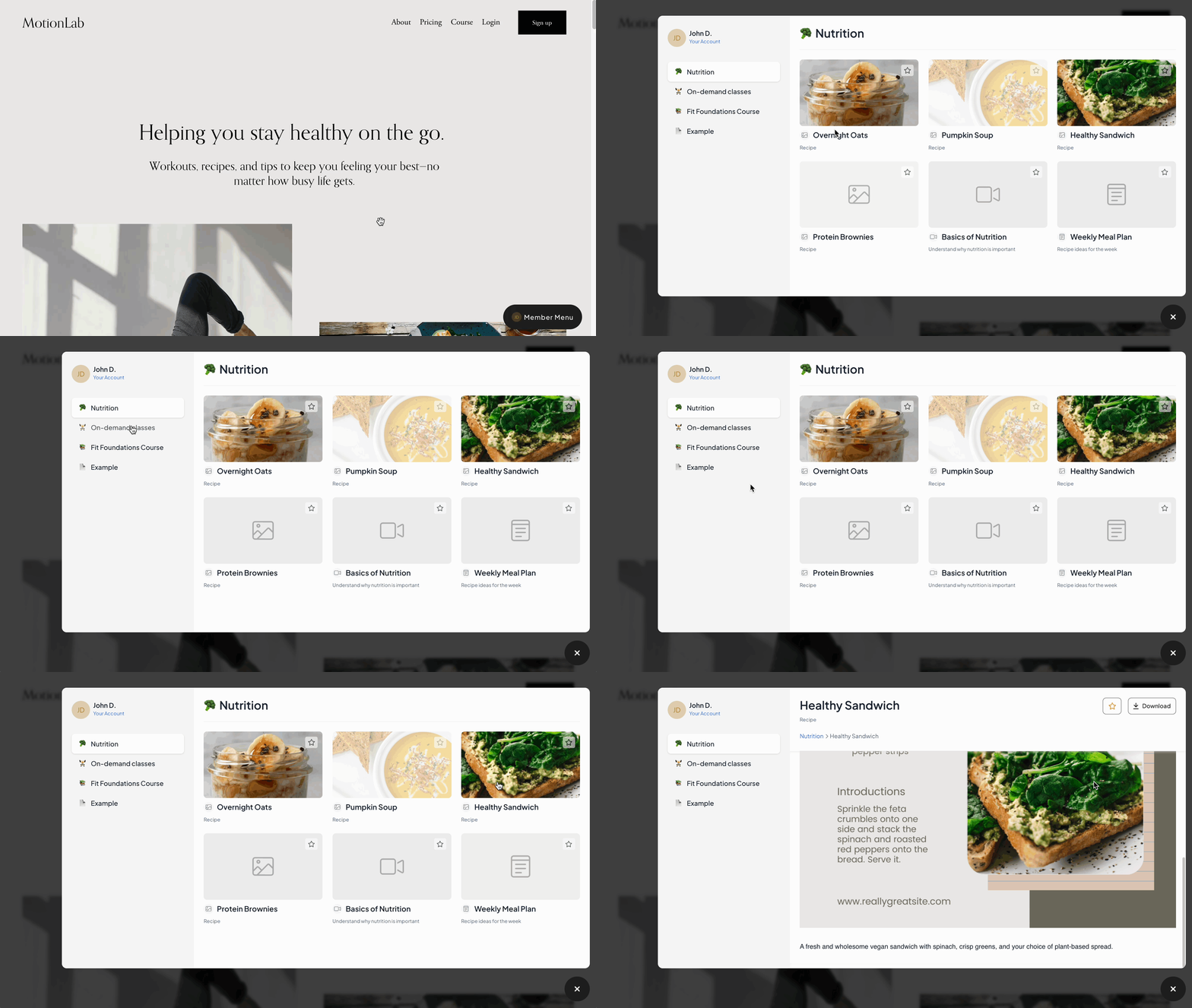
They log in and can access a content hub with all the products they’ve purchased. Each product shows its cover image, title, and description, so it’s easy to see what’s available. From there, they click and immediately dive into the content.

membership site products

It’s simple—and that’s exactly why it works. Members don’t have to hunt around or wait for an email with access details. Everything is right there the moment they log in.

This smooth experience makes a big difference. Happy members stick around longer, send fewer support questions, and are more likely to recommend your site.

Pro tip: Add a short welcome video or “Start Here” note at the top of your first product. It sets the tone and helps new members feel at home.

Choosing your first product

A common hang-up is thinking you need a massive library before you launch. Not true. One good product is enough.

That might be a:

  • Short course with a clear takeaway
  • Workshop recording from an event you’ve already run
  • Bundle of checklists or templates
  • Video mini-series you’ve filmed

If you’ve got content sitting on your laptop, that’s your starting point. Package it, upload it, and put it behind your paywall. You’ll learn more from your first paying members than from waiting months to “get it perfect.”

👉 Need more inspiration? Grab this free resource: 40 Digital Product Ideas to Fit Any Niche. It’s packed with examples to spark ideas for your own membership site.
Your first month after launch

Launching is just the beginning. Here’s a simple plan to keep momentum going in your first 30 days:

  • Week 1: Share your site with your audience. Collect feedback from early sign-ups.
  • Week 2: Add a small bonus—like a quick checklist or tip sheet—to surprise and delight members.
  • Week 3: Collect two short testimonials and update your product page with them.
  • Week 4: Announce your next update or upcoming product so members know more value is on the way.

This rhythm keeps your membership active and shows people you’re committed to delivering value.

Why this approach works

The process of creating a membership site can feel overwhelming—but not when you keep it simple. With MemberSpace and Pop Site, you get:

  • A fast launch (your site is live in minutes).
  • Flexible pricing (subscriptions, one-time payments, or free offers).
  • A smooth member experience (everything in one place).
  • Room to grow (start with one product, expand into a library).

This lets you focus on what matters most: serving your audience and growing your business.

FAQ: How to Create a Membership Site

What kinds of content can I sell?
Anything digital—courses, workshops, videos, templates, or entire content libraries. You can also include physical products or perks for members if it fits your business.

Can I start with just one product?
Absolutely. Many memberships launch with just one course, one download, or one podcast archive. You can add more content as your membership grows.

How do people pay me?
You can offer one-time payments, recurring subscriptions, multiple payments, or even free access. Flexibility is built in so you can match your pricing to your audience.

What is a membership platform and why do I need one?
A membership platform powers your site. It handles payments, gated content, analytics, and member management so you don’t have to juggle multiple tools.

How do membership plugins help with a WordPress site?
If you’re on WordPress, plugins add membership features like content restrictions, recurring billing, and automated member management.

How do membership sites work, and what can I offer?
They give paying customers access to exclusive content or community features. You can offer courses, downloads, coaching, or even physical products.

How can I use my membership site for professional development, selling courses, or offering resources?
Package your expertise into courses, workshops, or bonus materials like eBooks and podcasts. A private community adds even more value.

How can memberships help grow my business?
Memberships create recurring revenue and build loyal communities. Instead of one-off sales, you get a steady income stream.

How can I track performance?
Integrate Google Analytics to track visits, sign-ups, and traffic sources. Use the data to refine your strategy and grow.

What customization options do I have?
Most platforms let you customize layouts, colors, and member dashboards so your site feels like your brand.

What makes a membership site successful?
Successful sites focus on a clear purpose, serve a specific audience, and deliver consistent value. Add in community and retention strategies, and you’ve got a model built to last.

👉 Ready to try it yourself? Sign up for MemberSpace and launch your membership site today.

How to Monetize a Small Audience: Proven Strategies for Success

Software Stack Editor · August 29, 2025 ·

A small audience can be more valuable than you think. While lots of creators believe that only bigger audiences lead to success, many mistakenly think a high follower count is necessary for monetization. Focusing on vanity metrics like followers, likes, and views doesn’t always translate to more money, as these numbers can be misleading indicators of true engagement or income. The reality is that attracting more people or simply growing your audience size doesn’t always result in better monetization—quality engagement matters more than numbers. 

This guide walks you through proven strategies for turning a small audience into real income—and how MemberSpace makes it possible.

Why a Small Audience Can Be More Valuable

It’s easy to get caught up chasing big follower numbers. But what matters most is engagement. Smaller audiences often:

  • Interact more often
  • Trust creators on a deeper level
  • Convert into paying customers or clients at higher rates

Many creators reach six figures in income—or even higher—by monetizing a small, dedicated audience. 

From Followers to True Fans

Not every follower will turn into a customer—and that’s normal. What really matters is focusing on your most engaged supporters.

These are your true fans: the people who open every email, reply to your posts, and consistently find value in what you share. They’re also the ones most likely to support you financially. Building trust and cultivating deeper relationships with these true fans is essential, as it leads to better monetization and long-term loyalty.

This idea comes from Kevin Kelly’s 1,000 True Fans model, later updated by Li Jin with the 100 True Fans version. The concept is simple: you don’t need a massive following to make a living online. By targeting a specific audience and building a niche community, you reduce competition and better serve your customers. A smaller group of dedicated fans can be enough to sustain your business if you give them meaningful ways to support you. Offering a paid product early is crucial—delaying this step can hurt your ability to monetize and may lead to audience fatigue. 

100 true fans

The model also emphasizes the importance of each fan spending the same amount, or at least a predictable amount, which can be achieved through offering multiple tiers of pricing strategies to maximize your total income from different segments of your audience. There are many real-world examples of creators using this approach, such as selling digital products, hosting webinars, or offering coaching calls.

For example, even 100 people paying you $20 a month is $2,000 in recurring revenue. That’s the power of focusing on true fans over chasing thousands of casual followers.

The takeaway: prioritize the people who already care about your work, serve them well, and let your business grow from there.

How to Build Trust With Your Audience

So, what are some practical ways you can turn your followers into true fans? Well, people buy from creators they believe in. It’s essential to find ways to connect with your audience to foster genuine relationships.

Here are a few ways to build it:

  • Be consistent. Post regularly, keep your promises, and show your audience they can rely on you.
  • Be transparent. Share your process, your wins, and even your challenges—it makes you relatable.
  • Share behind-the-scenes content. Give your audience a look at your daily operations or creative process to foster transparency and a deeper connection.
  • Prioritize value. Make sure your content actually helps, teaches, or entertains in a meaningful way.
  • Engage directly. Respond to comments, answer questions, and start conversations.
  • Show social proof. Testimonials, reviews, or even sharing audience feedback builds credibility.
  • Use storytelling. Share your story and experiences to connect with your audience on a deeper level.
  • Create valuable content for your niche. Focus on creating blog posts, videos, podcasts, or social media content that delivers real insights, solutions, or entertainment tailored to your audience’s interests. By honing in on a specific niche, you position yourself as an expert and build trust with your followers—making them more likely to support your work financially.

Over time, by creating content and taking these actions, you start building genuine relationships that turn casual followers into loyal fans and advocates who are more likely to support your business financially.

Ways to Monetize a Small Audience

Profitable Ways to Monetize a Small Audience

You don’t need endless options to succeed—just the right ones that fit your audience and your strengths. Here are some of the most effective paths small creators are using today:

  • Digital products: ebooks, templates, guides, courses, or even niche tools like productivity systems.
  • Private communities: spaces where members can connect, share, and learn.
  • Memberships: recurring access to exclusive content that delivers ongoing value.
  • Content libraries: video collections, resource hubs, or archives locked behind a paywall.
  • Group coaching or workshops: paid access to live sessions, recordings, or training series.
  • Exclusive newsletters: premium written content available only to paying subscribers.

Each of these can start small and scale as your audience experiences growth. For more on how to monetize a small audience, check out our latest YouTube video!

Common Mistakes to Avoid

  • Chasing followers instead of engagement. Big numbers don’t equal sales. Focus on talking with your audience—genuine engagement and building relationships matter more than follower count.
  • Ignoring feedback. Your audience will tell you what they need if you listen.
  • Not talking directly to your audience. If you don’t talk to your audience, you miss the chance to understand their needs and create meaningful connections.
  • Waiting too long to monetize. Even a small membership can generate income and give you insights to grow.

How MemberSpace Helps Creators With Small Audiences

MemberSpace makes it easy to turn your website into a membership business. You can sell any type of digital product or membership—without touching a line of code. If you don’t have a site yet, MemberSpace can even help you get one set up.

The best part? You don’t have to wait until you have thousands of followers to start. Even with just 20 or 50 members, you can generate meaningful recurring revenue.

Here’s why it works so well for small audiences:

  • Flexible pricing: Create different membership tiers and bundle products however you want, maximizing your revenue potential by offering options at various price points.
  • Start small, grow big: Launch with just a few paying members and scale as your audience grows.
  • Full control: You own the relationship with your customers—it’s your site, your content, and your revenue.

With MemberSpace, you’re not just building a following—you’re building a business around the fans who already value your work.

Frequently Asked Questions

Do I need a massive audience to make money? Not at all. With MemberSpace, you can start earning from a small group of engaged people. Even a few dozen paying members can create steady recurring revenue.

What is the ‘100 True Fans’ model? It’s the idea that a small group of dedicated fans can sustain your business. For example, 100 people paying you $20 a month adds up to $2,000 in recurring income. MemberSpace makes it easy to give those true fans access to the content, community, or products they value most.

What are the best ways to monetize a small audience? Digital products, memberships, content libraries, private communities, group coaching, and paid newsletters are all great options. You can use different platforms and tools to implement these strategies. MemberSpace lets you offer all of these directly from your website.

How do I start monetizing with MemberSpace? It’s simple: install MemberSpace on your site, choose what content you want to sell, and set your price. You decide who gets access and at what price. MemberSpace also provides tools to help you manage your audience and monetize your content efficiently.

Final Thoughts

Monetizing a small audience comes down to connection, consistency, and the right setup. When you focus on your true fans, deliver value, and give them opportunities to support you, you don’t need a massive following to succeed.

With MemberSpace, you can sell digital products, launch memberships, run private communities, and more—directly from your own website. Start small, give your audience something valuable, and use these strategies to grow your business as your revenue grows alongside your community.

Top 22 Most Profitable Instagram Niches in 2025

Software Stack Editor · August 27, 2025 ·

Instagram is massive. With more than two billion people scrolling every month, it’s one of the best platforms for creators to grow. The average Instagram user spends a significant amount of time on the platform, highlighting its popularity and high engagement.

But here’s the challenge: it’s also one of the most crowded. Instagram users are constantly seeking new, engaging content, making it essential to stand out. Instagram started as a photo sharing app and has evolved into a leading visual platform for creators and brands.

Every niche you can imagine already has thousands of creators posting daily. If you’re a new or growing creator, standing out isn’t about posting more often—it’s about finding your specific angle.

The creators who thrive in 2025 aren’t trying to appeal to everyone. They’re carving out specific, narrowed-down niches that make them memorable, credible, and easier to monetize.

This guide will walk you through:

  • The top Instagram niches in 2025 (quick overview)
  • Why narrowing down is essential to stand out
  • A case study of Brittyn from Autism Dietitian
  • A step-by-step process to narrow your own niche
  • How to monetize any niche, including sustainable strategies with MemberSpace
  • How to keep up with Instagram trends to maximize your reach

By the end, you’ll understand the most profitable Instagram niches and how to identify profitable Instagram niches for 2025.

The Most Profitable Instagram Niches in 2025

Here are the niches pulling in revenue right now!

1. Beauty Industry

The beauty niche is one of the most popular and profitable segments on Instagram. The rapid growth of the beauty industry and the influence of leading beauty brands have played a major role in shaping trends and consumer preferences. Makeup tutorials, skincare routines, and product reviews dominate, with beauty products frequently promoted by influencers and beauty brands using Instagram reels and digital marketing strategies. Audiences love practical advice, before-and-after transformations, and beauty hacks, which are widely shared to drive user engagement. Successful beauty brands leverage user engagement and digital marketing to grow their audience and boost sales.

2. Fashion Niche

The fashion niche is a highly profitable and competitive area on Instagram, with fashion brands leveraging the social media platform to promote their products, collaborate with influencers, and increase brand visibility. Styling tips, thrift flips, and capsule wardrobes perform well, especially as fashion brands use features like shoppable tags to drive sales within the fashion niche. Creators often partner with brands or sell styling services.

Fashion editors play a key role in shaping fashion trends, collaborating with wonder brands, and using platforms like Instagram to share insights and promote new styles. Staying updated with the latest fashion trends is crucial for success in the fashion niche, as consumer preferences and social media engagement are constantly evolving.

3. Health & Fitness

The fitness niche has seen booming growth and offers significant opportunities for monetization on Instagram. The fitness industry’s expansion has created a strong demand for content creation, allowing creators to promote products, services, and referral programs related to health and fitness. Home workouts, transformation journeys, and mobility tips are engaging and easy to monetize through programs or memberships. Creating content such as workout videos and fitness tips is essential for building user engagement and establishing authority in the fitness niche.

4. Food & Cooking

The food niche is one of the most engaging and profitable categories on Instagram. Recipes, meal prep hacks, and cultural dishes never go out of style. Creating content that is visually appealing and engaging is essential to attract followers and boost interaction. Many food creators focus on producing engaging content such as inspiring quotes, interactive challenges, and step-by-step recipes to drive audience participation. Additionally, it’s common for food creators to launch an online store to sell products, recipes, or meal plans. Food creators also branch into ebooks, courses, and cooking clubs.

5. Travel

The travel niche is a top performer on Instagram, thanks to its strong visual appeal on this visual platform. The travel industry is also one of the world’s largest industries, making it a lucrative niche for content creators. Destination guides, budget itineraries, and unique experiences thrive. Many monetize through guides or brand partnerships.

6. Personal Finance

Personal finance is a popular business niche on Instagram. Creators in this space often share business tips and strategies for making money and earning money online, helping their followers navigate budgeting, investing, and credit hacks. Many successful businesses and entrepreneurs use Instagram to share their journeys and advice. Digital templates and workshops are common monetization paths.

7. Tech & Gadgets

Tech creators often cover digital trends and the latest innovations. Unboxings, reviews, and tutorials attract curious audiences. Digital marketing and a strong content strategy are essential for tech creators to grow their audience, ensuring their content aligns with niche interests and adapts to evolving online patterns. Affiliate sales and premium courses bring consistent revenue.

8. Parenting & Family

The parenting niche is a highly engaged and profitable segment on Instagram. Honest parenting stories, routines, and hacks resonate, as audiences are often interested in other people’s lives and daily routines. Sharing parenting tips and useful tips helps creators connect with their audience, establish authority, and foster trust. Paid communities or newsletters often grow from this niche.

9. Education & Online Learning

Education creators often cover topics like online business and startup ideas. Teaching skills like languages, study methods, or software tips is huge. Courses and resource libraries perform well here. Sharing practical advice and business tips can help attract an entrepreneurial audience interested in launching new ventures.

10. Lifestyle & Wellness

The lifestyle niche is a broad and versatile category on Instagram, encompassing daily life, passions, and interests, and often overlapping with travel, fitness, or fashion. Self-care routines, meditation, and balanced living are timeless. Creators in the lifestyle niche often build a loyal following by sharing relatable content from their own and other people’s lives. Coaching and memberships work well.

11. Home & DIY

Decorating tips, renovations, and organization ideas thrive. DIY plans and design workshops make for strong offers.

12. Art & Creativity

Painters, designers, and photographers build audiences by showing their process. Tutorials and communities help them monetize.

13. Gaming & Esports

Gameplay highlights and reviews attract loyal fans. Monetization comes from coaching, memberships, and exclusive content.

14. Sustainability & Eco Living

Eco-friendly swaps, low-waste living, and sustainable fashion are trending. Guides and courses monetize best.

15. Pets & Animals

The pet niche is a profitable and growing segment on Instagram, attracting a large audience of animal lovers. The pet industry itself is massive and continues to expand, with animal clothing, pet accessories, and treats becoming increasingly popular among pet owners. Cute pets and training hacks always perform well. Pet creators often promote products such as pet insurance and other affiliate products, leveraging their influence to drive sales. Promoting affiliate products is a common monetization strategy in the pet niche, allowing creators to earn revenue while recommending useful items to their followers. Pet creators sell memberships, products, or digital resources.

16. Motivation & Personal Development

Quotes, habits, and productivity tips inspire audiences. Coaching and programs are natural fits.

17. Hobbies & Niche Sports

Cycling, gardening, photography, and more—these sub-niches build highly engaged communities.

18. Career & Professional Growth

Resume tips, job-hunting advice, and workplace hacks are popular. Paid newsletters and workshops convert well.

19. Music & Performance

The music niche is a popular and profitable segment on Instagram, attracting musicians and music-related content creators who leverage the platform to grow their audience and generate income. The growth of the music industry on social media has opened up new opportunities for musicians to monetize their content, promote their products, and build a personal brand.

Tutorials, covers, and songwriting advice gain traction. Courses and sheet-music libraries are great products here.

20. Spirituality & Faith

Meditation, devotionals, or astrology thrive on IG. Workshops and private communities are strong offers.

21. Books & Reading

Reviews, TBR lists, and annotations bring book lovers together. Reading clubs with guides and chats monetize well.

22. Photography & Video

Instagram’s status as a visual platform makes it ideal for photography and video creators. Editing tips, presets, and tutorials remain strong. Preset packs and structured courses are easy offers.

Why Narrowing Your Niche Matters

Choosing a focused niche or business niche helps creators stand out and attract their target audience. Selecting the right niche is crucial, as it reduces competition and increases brand loyalty. Identifying the right niche and refining your content strategy can lead to greater authority and monetization.

Here’s why it matters:

  • Broad = forgettable. A “fitness” account gets lost in the sea.
  • Specific = memorable. “Strength training for new moms” feels personal.

A focused niche helps you better serve your target audience and differentiate yourself from competitors. Specificity builds trust and authority. When someone feels like your content speaks directly to them, they stick around—and they’re more likely to buy from you.

Narrowing down also makes monetization easier. Instead of guessing what to sell, your niche points you to the products your audience already needs.

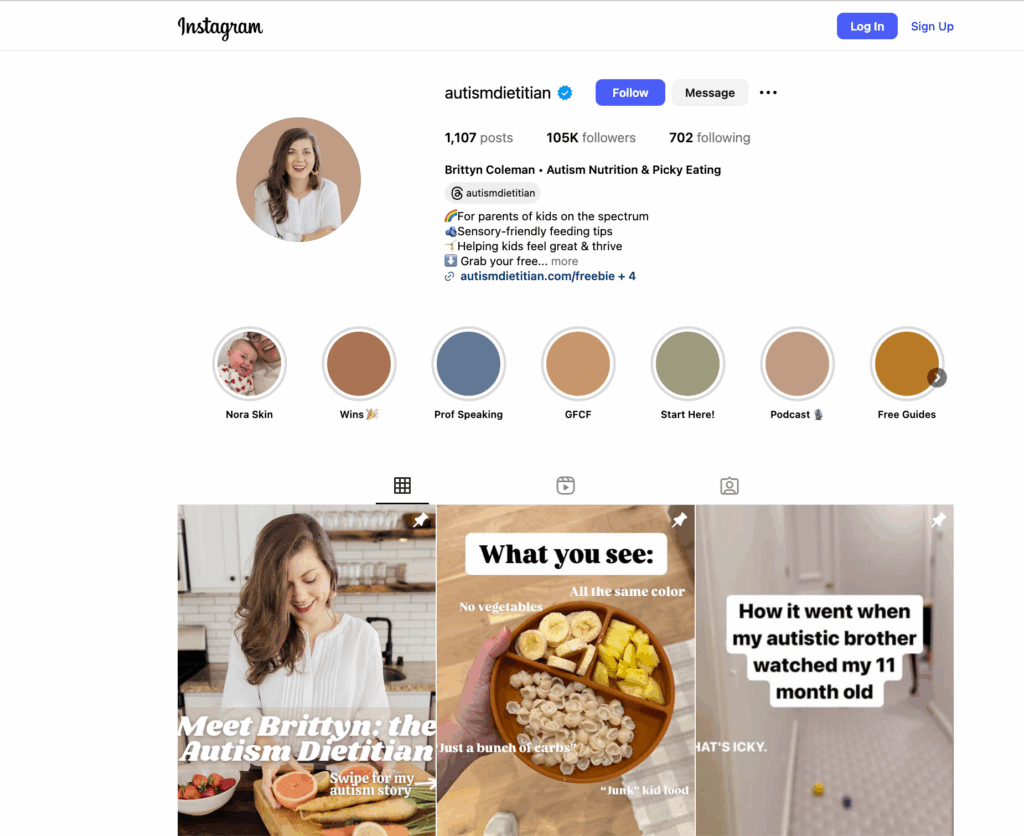
Case Study: Brittyn from Autism Dietitian

One of the best examples of this is Brittyn from Autism Dietitian.

Brittyn is a registered dietitian. She could have stayed broad—talking about general nutrition like thousands of others. But instead, she went ultra-specific:

“I help parents confidently nourish their kids on the autism spectrum by taking a sensory-friendly approach to nutrition”

This focus wasn’t random. Brittyn has personal experience—her brother has autism. That connection makes her content relatable and credible in a way broad nutrition advice never could.

Because of her niche, Brittyn:

  • Attracts a loyal, engaged audience
  • Stands out in the crowded nutrition space
  • Monetizes effectively through specialized resources

Her success proves that narrowing your niche doesn’t shrink your opportunities—it multiplies them.

Step-by-Step: How to Narrow Down Your Niche

Here’s a simple framework to find your lane.

Start by brainstorming niche ideas and ensuring your niche aligns with your interests and skills. This is the first step to building a strong foundation for your Instagram presence.

Step 1: List your interests and expertise.
Write down everything you’re passionate about or have experience in. This could be travel, fitness, entrepreneurship, or anything else.

Step 2: Narrow it down.
From your list, pick a few areas that excite you most. Make sure your chosen niche aligns with your skills and content creation strengths, such as photography, video editing, or storytelling.

Step 3: Research the competition.
Look at other accounts in your potential niches. See what’s working for them and what’s missing. Researching startup ideas and business tips can help you identify gaps in the market and unique angles to explore.

Step 4: Test and refine.
State your niche in one clear sentence:
“I help [audience] with [problem] so they can [result].”

This clarity guides your content and future offers.

Then, start posting content in your chosen niche. Track engagement and feedback. Try different content strategies to see what resonates with your audience and adjust your approach as needed.

How to Monetize Your Content (No Matter Your Niche)

No matter which niche you choose, there are many ways to make money on Instagram and earn money online. Monetization is the next step. Creators can promote products and affiliate products as part of their monetization strategy, using Instagram marketing and digital marketing techniques to maximize revenue. Promoting affiliate products is an effective way to generate income, alongside sponsored posts and selling your own products. Making money on Instagram often requires a combination of these strategies. Let’s look at your options.

Instagram’s Built-In Monetization

Monetizing your Instagram account can be done through several built-in features:

  • Sponsored posts & brand deals – Brands pay for exposure on your Instagram account.
  • Affiliate marketing – You earn commissions by promoting affiliate products.
  • Subscriptions – Followers pay for exclusive content.
  • Badges & gifts – Fans support you during Lives.
  • Instagram Shop – Sell physical products directly or promote products to your audience.

These can add revenue streams—but they aren’t the whole business.

Why Instagram Alone Isn’t Enough

Here’s the issue:

  • Instagram takes a cut.
  • Features change or disappear.
  • Algorithms control reach.

That makes income unpredictable. Which is why top creators treat Instagram as the funnel, not the business.

Monetizing With MemberSpace

The real business happens when you move followers to your website. That’s where MemberSpace comes in.MemberSpace


With MemberSpace, you can:

  • Add digital content or products into the platform
  • Sell access directly from your site (Squarespace, WordPress, Wix, Webflow, etc.)
  • Offer unlimited pricing tiers (monthly, annual, bundles)
  • Accept secure payments
  • Manage members easily

It’s simple, flexible, and sustainable.

What You Can Sell Access To

Here are just a few ideas:

  • Online courses – fitness programs, photography lessons, marketing skills
  • Video libraries – workout collections, cooking tutorials, art classes
  • Paid newsletters – premium insights, templates, or deep dives
  • Private podcasts – bonus episodes, extended interviews, Q&As
  • Digital downloads – guides, workbooks, templates, recipes
  • Coaching or consulting – 1:1 sessions or group programs
  • Membership communities – private spaces where your fans connect
  • Challenges & workshops – 30-day challenges, live classes, or replays

With MemberSpace, your niche determines the offer—and your website becomes the hub.

FAQ: Niches and Monetization

What’s the most profitable niche on Instagram?
Beauty, fashion, fitness, and finance tend to dominate, but the best Instagram niche and most profitable Instagram niches depend on your audience and content. Profitable Instagram niches and most profitable niches are often those that solve specific problems and attract loyal followers. Smaller, highly specific niches can also be just as profitable.

Can I make money in a small niche?
Yes. Choosing the right niche and a focused niche helps you build a loyal following. Small niches often convert better because audiences are more loyal and targeted.

How many followers do I need to monetize?
You can start with as few as 100 engaged followers. Having a perfect niche and loyal followers is more important than follower count. Engagement matters most.

Is it better to focus on brand deals or selling my own products?
Brand deals are fine, but selling your own content gives you stability and recurring revenue. A niche helps you identify the best monetization strategy for your audience.

How does MemberSpace help creators?
It lets you add digital content, set pricing, and sell access directly from your website—making monetization simple and sustainable. Having a focused niche and content strategy makes it easier to monetize.

Conclusion

Instagram is one of the best places to grow in 2025—but growth alone doesn’t guarantee revenue.

The creators who succeed this year are the ones who:

  • Narrow their focus to the right niche and a focused niche to stand out in a crowded space
  • Build authority and trust with specific audiences by developing a strong content strategy to grow a loyal following
  • Monetize sustainably by selling digital products and memberships from their own website

Instagram is the funnel. Your website is the business. And MemberSpace is the tool that helps you turn followers into paying customers—no matter your focused niche. Remember, a focused niche and a solid content strategy are essential for long-term success.

14 Ways Creators Are Making Money on Instagram in 2025

Software Stack Editor · August 25, 2025 ·

Instagram is one of the best places to grow an audience right now. With over two billion active users, it’s a massive stage for creators, entrepreneurs, and small businesses to share their work. But here’s the truth: you don’t actually own your Instagram audience.

You’re building on rented land. Algorithms shift. Features disappear. Your account can be flagged or throttled without warning.

That’s why the smartest creators in 2025 are treating their Instagram page as a funnel—a place to get discovered and build community—but moving followers to owned platforms like your website, newsletter, or membership.

That shift is what separates creators who make some quick money on Instagram from those who build a long-term, sustainable business. Your follower count can directly impact your monetization opportunities and the types of partnerships you attract.

In this guide, I’ll show you:

  • Why moving your Instagram audience to an owned platform is essential.
  • The best strategies for turning followers into paying members (newsletter, podcast, membership, coaching, video library, and more).
  • How tools like MemberSpace make it easy to monetize your audience once they land on your website.
  • Additional ways to make money on Instagram directly, so you can layer on multiple income streams.

Let’s jump in.

Why You Shouldn’t Rely Only on Instagram

It’s tempting to think Instagram alone is enough to build a business. But here are the risks:

  • Algorithms change: Your reach today might vanish tomorrow.
  • No ownership: You don’t control your follower list. Instagram does.
  • Revenue limits: Instagram’s monetization tools can change overnight, and fees can eat into your earnings.

On the other hand, when you move your audience to platforms you own:

  • You control the experience.
  • You can set your own pricing, packages, and perks.
  • You build a business that lasts, even if Instagram disappears tomorrow.

Think of Instagram as the front porch where people stop by—but your website is the home where the real value lives.

Regularly reviewing your account settings is also important to maintain eligibility for Instagram’s monetization features.

Step One: Optimize Your Instagram Profile for Funnel Traffic

Before you can move followers, you need to point them somewhere.

That starts with your profile:

  • Use a clear profile photo (your face if you’re a creator, your logo if it’s a brand).
  • Write a bio that quickly says who you help and how.
  • Add a strong CTA that pushes people off Instagram and onto your next step (newsletter, free guide, membership waitlist, etc.). You can use a trackable link in your bio to measure conversions from Instagram.

Example:

Helping busy parents eat healthier with simple recipes ⬇ Grab my free 5-day meal plan
That free meal plan is hosted on your website, and once people sign up, they’re in your ecosystem—not just on Instagram’s. You can also sell meal plans online and share promo codes in your bio or posts to incentivize signups and track sales.

Growing Your Audience

The foundation of making money on instagram is a loyal and engaged audience. To grow your instagram followers, focus on creating content that speaks directly to your target audience. Share high-quality photos and videos, and use relevant hashtags to boost the visibility of your posts. Engage with your followers by responding to comments and direct messages—building real relationships is key to long-term success.

Collaborate with other creators or brands in your niche to reach new audiences and expand your community. Take advantage of instagram stories to share behind the scenes content, sneak peeks, and exclusive offers that make your followers feel like insiders. Running a contest or giveaway is another great way to encourage engagement and attract new followers who are interested in what you offer.

Remember, the more you connect with your audience and provide value, the more likely they are to stick around—and support you as you start making money on instagram.

Content Creation and Strategy

A strong content creation strategy is essential for making money on instagram. Start by identifying your niche and the type of instagram content your audience loves. Focus on creating content that showcases your expertise, entertains, or solves a problem for your followers. Use high-quality visuals and write captions that spark conversation and include relevant keywords and hashtags.

Diversify your content by using instagram reels, stories, and even user generated content to keep your feed fresh and engaging. Sharing user generated content not only builds trust but also encourages your followers to interact with your brand. Consider planning your posts with a content calendar to ensure consistency and save time.

By prioritizing content creation and consistently delivering value, you’ll keep your audience engaged and set yourself up for making money on instagram through various monetization strategies.

Strategies to Turn Instagram Followers Into Paying Members

Here’s where the magic happens. Instagram creators who consistently create content and encourage followers to take action are best positioned to monetize their audience. Having a dedicated Instagram or dedicated Instagram page for your niche or business can help streamline your monetization efforts. These are the proven ways creators move followers from Instagram into owned spaces and monetize them.

1. Launch a Paid Newsletter

Newsletters are one of the best bridges from Instagram to owned space.

  • Use IG posts and Stories to share free, bite-sized tips.
  • Drive people to sign up for your free newsletter.
  • Offer a paid tier with exclusive content—weekly deep dives, templates, bonus resources, or access to an exclusive online course.

Example: A career coach shares quick job interview tips on IG but reserves her full prep guides, templates, and access to an exclusive online course for paying newsletter subscribers. You can also act as an affiliate marketer by recommending products in your newsletter and earning commissions from sales.

2. Offer a Podcast Subscription

Podcasts are perfect for nurturing followers outside Instagram.

  • Keep your main podcast free and share clips on Reels.
  • Add a members-only feed with bonus episodes, live Q&As, or extended interviews—ideal for your most loyal fans who want to support their favorite creators. If you’re looking for a step-by-step guide on how to make a podcast on Canva (and monetize it!), this resource can help you get started.
  • Your subscription feed can be primarily post content focused, offering unique value to paying subscribers.
  • Tease these exclusives on Instagram to drive signups.

Example: A marketing creator runs a free podcast on growth strategies. The premium subscription includes monthly coaching calls and extra case studies.

3. Build a Video Library

This one’s a game-changer, especially for fitness coaches, educators, or creators with repeatable lessons.

  • Post short teaser clips on IG.
  • Drive followers to your site where the full video library lives.
  • Charge a monthly fee for unlimited access.
  • Use your video library to demonstrate and sell products directly to your audience.

Ideas for a video library:

  • Workout programs
  • Cooking tutorials
  • Art classes
  • Business workshops
  • Tutorials on how to take high-quality product images

4. Sell Group Coaching or Online Workshops

Instagram is great for showing expertise, but people will pay for direct access.

  • Share free tips on IG.
  • Funnel followers into a group coaching program or a paid workshop series. You can also collaborate with brands through brand partnerships to co-host workshops, creating ongoing promotional opportunities and building trust with your audience.
  • Add recordings and resources to your members-only area for replay access. Influencer marketing strategies can be taught or leveraged within your coaching programs to help participants grow and monetize their own platforms.

Example: A social media manager runs a 4-week Instagram bootcamp. She promotes it on IG Stories, but the actual signups and content delivery happen on her site.

5. Create a Membership Community

At the end of the day, people don’t just want content—they want connection. Building a membership community can also strengthen your personal brand, as it allows you to showcase your unique identity and values while deepening engagement with your audience.

  • Use Instagram to spark conversations and test interest.
  • Invite followers into a paid community where they connect with like-minded people, get access to you, and enjoy exclusive perks.
  • Think: book clubs, masterminds, niche hobby groups.

Example: A book influencer builds a private community where members get reading guides, monthly live chats, and early access to her book reviews. Many Instagram influencers have successfully built paid communities around their content, leveraging their personal brand to offer exclusive experiences and foster loyal audiences.

Building the Funnel: How to Move People From Instagram to Your Website

Here’s a simple funnel to follow:

  1. Attract on Instagram
    Post valuable, shareable content (Reels, Stories, carousels, and single image posts) in your instagram feed to attract and engage followers.
  2. Offer a Freebie
    Example: free guide, mini-course, or checklist.
  3. Capture Emails
    Drive followers to your website to grab the freebie.
  4. Nurture with Content
    Deliver consistent value via email, podcast, or community.
  5. Convert to Paid
    Introduce your paid newsletter, membership, or library. You can also use instagram shop selling to facilitate selling products directly from your feed, and promote your own products as part of your funnel strategy.

With MemberSpace, the entire paid step is seamless: you create plans, add a paywall, and let your audience unlock premium access in one click.

Other Ways to Make Money on Instagram

Once your funnel is set, you can layer in direct Instagram monetization. These are great add-ons, but they shouldn’t replace owned platforms.

  • Instagram pay – Instagram offers monetization programs that allow creators to earn money directly through features like bonuses, badges, and gifts.
  • Sponsored posts – Partner with brands that align with your niche. Create a media kit to showcase your audience and attract brand partnerships, and always use the paid partnership label for transparency.
  • Affiliate marketing – As an affiliate marketer, promote products you actually use and earn commissions through trackable links or a unique promo code. Build affiliate relationships for long-term, performance-based collaborations.
  • Instagram Shop – Sell physical products or merch directly in the app. You can design and sell merchandise to your followers, integrating with eCommerce platforms for easy fulfillment.
  • Reels bonuses & gifts – Instagram bonuses are invite-only programs that reward creators for high-performing content. Instagram gifts and virtual gifts allow followers to purchase and send support during Reels or eligible posts.
  • Live badges – Let followers “tip” you during live streams with purchase badges and instagram live badges, which are features that allow fans to support creators in real time.
  • Crowdfunding – Promote Kickstarter or GoFundMe campaigns.
  • Instagram gifts & virtual gifts – Followers can purchase and send virtual gifts or Instagram gifts (like Stars) to support creators during live videos or on eligible posts.
  • Paid advertising – Use paid advertising to promote your business, reach new audiences, and increase engagement on Instagram and other social media platforms.Each of these can bring in revenue, but remember: they’re controlled by Instagram. Your own platform gives you freedom.

Setting Up Your Instagram Account for Monetization

If you want to start making money on Instagram, the first step is to set up your instagram account for monetization. This means switching to a professional account—either a Creator or Business account—so you can unlock powerful features like the professional dashboard, Instagram Insights, and access to monetization tools. With a professional account, you can add a call-to-action button to your profile, making it easy for followers to visit your online store or website.

To get started, open the instagram app, go to your profile, tap “Settings,” then “Account,” and select “Switch to Professional Account.” Choose the business category that best fits your brand, whether you’re a content creator, coach, or running an online store. You’ll also need to connect your instagram account to a facebook page to access all of Instagram’s monetization tools, including sponsored posts and Instagram Shopping.

Setting up your account this way not only helps you earn money, but also gives you access to valuable analytics and features that make managing and growing your business on Instagram much easier. With the right setup, you’ll be ready to start making money on instagram and take advantage of every opportunity the platform offers.

FAQ: How to Make Money on Instagram

Instagram FAQ: Common Questions About Making Money on the Platform

How can I start making money on Instagram? Set up a business or creator account, post consistently, and use Instagram as a funnel to move followers to your website. Make sure to optimize your Instagram page for monetization by showcasing your products, building your personal brand, and highlighting collaborations or sponsored content. From there, monetize through newsletters, memberships, courses, or digital products.

Why should I move followers off Instagram? Because you don’t own your Instagram audience. Algorithms and features change constantly. Owned platforms give you stability and long-term control.

What can I sell to my Instagram audience? Popular options include memberships, paid newsletters, group coaching, online courses, video libraries, and even private podcast feeds.

How does MemberSpace help? MemberSpace lets you lock content on your website, manage memberships, and accept payments—all without needing a complex setup. It’s the easiest way to turn Instagram followers into paying members.

Final Thoughts

If you’re serious about learning how to make money on Instagram in 2025, remember this: Instagram is not the business—it’s the gateway.

The real money is in moving followers from rented platforms to owned spaces like your website, newsletter, membership, or coaching programs. That’s where you control the experience, pricing, and community.

Use Instagram to grow awareness. Then, funnel your followers into your own ecosystem with MemberSpace. That’s how you build recurring revenue and a business that lasts—no matter what happens to the algorithm.

How to Make Money on Instagram in 2025 (A Creator’s Guide)

Software Stack Editor · August 25, 2025 ·

Instagram is one of the best places to grow an audience right now. With over two billion active users, it’s a massive stage for creators, entrepreneurs, and small businesses to share their work. But here’s the truth: you don’t actually own your Instagram audience.

You’re building on rented land. Algorithms shift. Features disappear. Your account can be flagged or throttled without warning.

That’s why the smartest creators in 2025 are treating their Instagram page as a funnel—a place to get discovered and build community—but moving followers to owned platforms like your website, newsletter, or membership.

That shift is what separates creators who make some quick money on Instagram from those who build a long-term, sustainable business. Your follower count can directly impact your monetization opportunities and the types of partnerships you attract.

In this guide, I’ll show you:

  • Why moving your Instagram audience to an owned platform is essential.
  • The best strategies for turning followers into paying members (newsletter, podcast, membership, coaching, video library, and more).
  • How tools like MemberSpace make it easy to monetize your audience once they land on your website.
  • Additional ways to make money on Instagram directly, so you can layer on multiple income streams.

Let’s jump in.

Why You Shouldn’t Rely Only on Instagram

It’s tempting to think Instagram alone is enough to build a business. But here are the risks:

  • Algorithms change: Your reach today might vanish tomorrow.
  • No ownership: You don’t control your follower list. Instagram does.
  • Revenue limits: Instagram’s monetization tools can change overnight, and fees can eat into your earnings.

On the other hand, when you move your audience to platforms you own:

  • You control the experience.
  • You can set your own pricing, packages, and perks.
  • You build a business that lasts, even if Instagram disappears tomorrow.

Think of Instagram as the front porch where people stop by—but your website is the home where the real value lives.

Optimizing Your Instagram Profile

Before you can move followers, you need to point them somewhere.

That starts with your profile:

  • Use a clear profile photo (your face if you’re a creator, your logo if it’s a brand).
  • Write a bio that quickly says who you help and how.
  • Add a strong CTA that pushes people off Instagram and onto your next step (newsletter, free guide, membership waitlist, etc.). You can use a trackable link in your bio to measure conversions from Instagram.

Here’s an example of an effective bio from fitness membership site owner and Instagram creator, Anne Craig:

Monetize fitness classes on instagram

Growing Your Audience

The foundation of making money on Instagram is a loyal and engaged audience. To grow your Instagram followers, focus on creating content that speaks directly to your target audience. Share high-quality photos and videos, and use relevant hashtags to boost the visibility of your posts. Engage with your followers by responding to comments and direct messages—building real relationships is key to long-term success.

Collaborate with other creators or brands in your niche to reach new audiences and expand your community. Take advantage of Instagram stories to share behind the scenes content, sneak peeks, and exclusive offers that make your followers feel like insiders. Running a contest or giveaway is another great way to encourage engagement and attract new followers who are interested in what you offer.

Remember, the more you connect with your audience and provide value, the more likely they are to stick around—and support you as you start making money on Instagram.

Content Creation and Strategy

A strong content creation strategy is essential for making money on Instagram. Start by identifying your niche and the type of instagram content your audience loves. Focus on creating content that showcases your expertise, entertains, or solves a problem for your followers. Use high-quality visuals and write captions that spark conversation and include relevant keywords and hashtags.

Diversify your content by using Instagram reels, stories, and even user generated content to keep your feed fresh and engaging. Sharing user generated content not only builds trust but also encourages your followers to interact with your brand. Consider planning your posts with a content calendar to ensure consistency and save time.

By prioritizing content creation and consistently delivering value, you’ll keep your audience engaged and set yourself up for making money on Instagram through various monetization strategies.

Strategies to Turn Instagram Followers Into Paying Members

Here’s where the magic happens. Instagram creators who consistently create content and encourage followers to take action are best positioned to monetize their audience. Having a dedicated Instagram page for your niche or business can help streamline your monetization efforts. These are the proven ways creators move followers from Instagram into owned spaces and monetize them.

1. Launch a Paid Newsletter

Newsletters are one of the best bridges from Instagram to owned space.

  • Use IG posts and Stories to share free, bite-sized tips.
  • Drive people to sign up for your free newsletter.
  • Offer a paid tier with exclusive content—weekly deep dives, templates, bonus resources, or access to an exclusive online course.

Example: A career coach shares quick job interview tips on IG but reserves her full prep guides, templates, and access to an exclusive online course for paying newsletter subscribers. You can also act as an affiliate marketer by recommending products in your newsletter and earning commissions from sales.

2. Offer a Podcast Subscription

Podcasts are perfect for nurturing followers outside Instagram.

  • Keep your main podcast free and share clips on Reels.
  • Add a members-only feed with bonus episodes, live Q&As, or extended interviews—ideal for your most loyal fans who want to support their favorite creators. If you’re looking for a step-by-step guide on how to make a podcast on Canva (and monetize it!), this resource can help you get started.
  • Your subscription feed can be primarily post content focused, offering unique value to paying subscribers.
  • Tease these exclusives on Instagram to drive signups.

Example: A marketing creator runs a free podcast on growth strategies. The premium subscription includes monthly coaching calls and extra case studies.

3. Build a Video Library

This one’s a game-changer, especially for fitness coaches, educators, or creators with repeatable lessons.

  • Post short teaser clips on IG.
  • Drive followers to your site where the full video library lives.
  • Charge a monthly fee for unlimited access.
  • Use your video library to demonstrate and sell products directly to your audience.

Ideas for a video library:

  • Workout programs
  • Cooking tutorials
  • Art classes
  • Business workshops
  • Tutorials on how to take high-quality product images

4. Sell Group Coaching or Online Workshops

Instagram is great for showing expertise, but people will pay for direct access.

  • Share free tips on IG.
  • Funnel followers into a group coaching program or a paid workshop series. You can also collaborate with brands through brand partnerships to co-host workshops, creating ongoing promotional opportunities and building trust with your audience.
  • Add recordings and resources to your members-only area for replay access. Influencer marketing strategies can be taught or leveraged within your coaching programs to help participants grow and monetize their own platforms.

Example: A social media manager runs a 4-week Instagram bootcamp. She promotes it on IG Stories, but the actual signups and content delivery happen on her site.

5. Create a Membership Community

At the end of the day, people don’t just want content—they want connection. Building a membership community can also strengthen your personal brand, as it allows you to showcase your unique identity and values while deepening engagement with your audience.

  • Use Instagram to spark conversations and test interest.
  • Invite followers into a paid community where they connect with like-minded people, get access to you, and enjoy exclusive perks.
  • Think: book clubs, masterminds, niche hobby groups.

Example: A book influencer builds a private community where members get reading guides, monthly live chats, and early access to her book reviews. Many Instagram influencers have successfully built paid communities around their content, leveraging their personal brand to offer exclusive experiences and foster loyal audiences.

Building the Funnel: How to Move People From Instagram to Your Website

Here’s a simple funnel to follow:

  1. Attract on Instagram
    Post valuable, shareable content (Reels, Stories, carousels, and single image posts) in your instagram feed to attract and engage followers.
  2. Offer a Freebie
    Example: free guide, mini-course, or checklist.
  3. Capture Emails
    Drive followers to your website to grab the freebie.
  4. Nurture with Content
    Deliver consistent value via email, podcast, or community.
  5. Convert to Paid
    Introduce your paid newsletter, membership, or library. You manage memberships and accept payments for your exclusive digital content with a tool like MemberSpace. 

Other Ways to Make Money on Instagram

Once your funnel is set, you can layer in direct Instagram monetization. These are great add-ons, but they shouldn’t replace owned platforms.

  • Instagram pay – Instagram offers monetization programs that allow creators to earn money directly through features like bonuses, badges, and gifts.
  • Sponsored posts – Partner with brands that align with your niche. Create a media kit to showcase your audience and attract brand partnerships, and always use the paid partnership label for transparency.
  • Affiliate marketing – As an affiliate marketer, promote products you actually use and earn commissions through trackable links or a unique promo code. Build affiliate relationships for long-term, performance-based collaborations.
  • Instagram Shop – Sell physical products or merch directly in the app. You can design and sell merchandise to your followers, integrating with eCommerce platforms for easy fulfillment.
  • Reels bonuses & gifts – Instagram bonuses are invite-only programs that reward creators for high-performing content. Instagram gifts and virtual gifts allow followers to purchase and send support during Reels or eligible posts.
  • Live badges – Let followers “tip” you during live streams with purchase badges and instagram live badges, which are features that allow fans to support creators in real time.
  • Crowdfunding – Promote Kickstarter or GoFundMe campaigns.
  • Instagram gifts & virtual gifts – Followers can purchase and send virtual gifts or Instagram gifts (like Stars) to support creators during live videos or on eligible posts.
  • Paid advertising – Use paid advertising to promote your business, reach new audiences, and increase engagement on Instagram and other social media platforms.Each of these can bring in revenue, but remember: they’re controlled by Instagram. Your own platform gives you freedom.

Setting Up Your Instagram Account for Monetization

If you want to start making money on Instagram, the first step is to set up your instagram account for monetization. This means switching to a professional account—either a Creator or Business account—so you can unlock powerful features like the professional dashboard, Instagram Insights, and access to monetization tools. With a professional account, you can add a call-to-action button to your profile, making it easy for followers to visit your online store or website.

To get started, open the instagram app, go to your profile, tap “Settings,” then “Account,” and select “Switch to Professional Account.” Choose the business category that best fits your brand, whether you’re a content creator, coach, or running an online store. You’ll also need to connect your instagram account to a facebook page to access all of Instagram’s monetization tools, including sponsored posts and Instagram Shopping.

Setting up your account this way not only helps you earn money, but also gives you access to valuable analytics and features that make managing and growing your business on Instagram much easier. With the right setup, you’ll be ready to start making money on instagram and take advantage of every opportunity the platform offers.

FAQ: How to Make Money on Instagram

How can I start making money on Instagram? Set up a business or creator account, post consistently, and use Instagram as a funnel to move followers to your website. Make sure to optimize your Instagram page for monetization by showcasing your products, building your personal brand, and highlighting collaborations or sponsored content. From there, monetize through newsletters, memberships, courses, or digital products.

Why should I move followers off Instagram? Because you don’t own your Instagram audience. Algorithms and features change constantly. Owned platforms give you stability and long-term control.

What can I sell to my Instagram audience? Popular options include memberships, paid newsletters, group coaching, online courses, video libraries, and even private podcast feeds.

How does MemberSpace help? MemberSpace lets you lock content on your website, manage memberships, and accept payments—all without needing a complex setup. It’s the easiest way to turn Instagram followers into paying members.

Final Thoughts

If you’re serious about learning how to make money on Instagram in 2025, remember this: Instagram is not the business—it’s the gateway.

The real money is in moving followers from rented platforms to owned spaces like your website, newsletter, membership, or coaching programs. That’s where you control the experience, pricing, and community.

Use Instagram to grow awareness. Then, funnel your followers onto your own website with MemberSpace. That’s how you build recurring revenue and a business that lasts—no matter what happens to the algorithm.

10 Totally Free Community Platforms for Membership Businesses

Software Stack Editor · July 29, 2025 ·

Hey there, fellow creators and entrepreneurs! Ever dreamt of building a thriving, engaged community around your passion or business, but felt daunted by the hefty price tags of dedicated community platforms? You’re not alone. Many believe that a premium community experience requires a premium platform, but what if I told you there’s a smarter, more accessible way to cultivate and monetize your true fans?

This article is your friendly guide to leveraging the power of free community platforms, transforming them into valuable assets for your membership site. We’ll explore how these readily available tools, combined with a robust membership solution like Memberspace, can help you build a loyal following and generate recurring revenue without breaking the bank. Get ready to unlock new possibilities for your online business!

The Untapped Potential of Free Community Platforms

In a world where every tool seems to come with a subscription fee, it’s easy to overlook the incredible power of platforms that are, well, free! These aren’t just casual chat spaces; they’re fertile ground for building genuine connections, fostering engagement, and ultimately, creating a foundation for monetization.

Why Go Free?

  • Low Barrier to Entry: For you, the creator, there’s no upfront cost. For your members, it’s often a platform they already use, making adoption seamless.

  • Existing User Base: Platforms like Facebook or WhatsApp already have billions of users. Tapping into this familiarity can make it easier to onboard new members.

  • Flexibility and Familiarity: Most free platforms offer robust communication features, from text and voice to file sharing and events, all within an interface many people are already comfortable with.

  • Focus on Content, Not Platform Costs: By saving on community platform fees, you can reinvest those resources into creating even more valuable content or improving your core offerings.

“The best community is one where members feel at home. Often, that home is a platform they already know and love, even if it’s ‘free’.”

It’s a common misconception that “free” equates to “low value.” In reality, the value comes from the community itself – the interactions, the shared knowledge, the exclusive content you provide. The platform is merely the vessel. By strategically using free platforms, you can build a highly engaged audience that’s ready to invest in what you offer.

Top 10 Free Community Platforms for Manual Management

When we talk about free community platforms, we’re looking for tools that allow you to create private spaces and, crucially, manually add or remove members. This control is essential when you’re selling access. Here are 10 fantastic options:

  1. Facebook Groups: Still a powerhouse for community building. You can create private or secret groups, manage members, post rich content, and host live videos. Ideal for broad appeal and easy member onboarding.

  2. Slack: Perfect for more professional or niche communities. Its free tier allows for unlimited members, 10k message history, and 10 app integrations. Great for focused discussions, channels, and direct messaging.

  3. WhatsApp Groups: Excellent for mobile-first communities, especially those focused on quick updates, direct communication, and smaller, more intimate groups. Easy to manage members directly from your phone.

  4. LinkedIn Groups: Ideal for professional networking, industry-specific discussions, and B2B communities. While less feature-rich than others, it leverages LinkedIn’s professional network.

  5. Discord: Originally for gamers, Discord has evolved into a robust platform for all types of communities. Offers voice channels, text channels, roles, and bots. Highly customizable and great for active, real-time interaction.

  6. Telegram Groups: Similar to WhatsApp but often preferred for its enhanced privacy features, larger group limits (up to 200,000 members), and channel broadcasting capabilities. Good for content delivery and discussion.

  7. Reddit (Private Subreddits): You can create a private subreddit that only approved members can view and post in. It’s a unique forum-style community with a strong emphasis on user-generated content and upvoting.

  8. Google Groups: A classic for email-list-style communities. Members can post via email, and discussions are archived. Simple, effective for text-based communication and announcements.

  9. Band: A popular app, especially in Asia, but gaining global traction. It’s designed specifically for groups, offering features like calendars, polls, photo albums, and chat rooms. Very user-friendly for diverse activities.

  10. Signal Groups: For communities where privacy and security are paramount. Signal offers end-to-end encrypted group chats, making it a strong choice for sensitive discussions or exclusive content.

Each of these platforms offers a unique flavor, so consider your audience and the type of interaction you want to foster when making your choice.

The Memberspace Advantage: Monetizing Your Free Community

Now, here’s where the magic happens! While these platforms are fantastic for hosting your community, they don’t handle payments, subscriptions, or automated access control. That’s precisely where Memberspace steps in.

Memberspace allows you to convert any website into a membership site. It acts as the gatekeeper, managing your members, processing payments, and granting access to your exclusive content – including the invite link to your private free community.

How it Works:

  1. Set Up Your Membership on Your Website: Use Memberspace to create a members-only section on your existing website. This section will contain the exclusive invite link or instructions for joining your private Facebook Group, Slack channel, Discord server, or any other free platform you choose.

  2. Define Your Membership Tiers: Decide what you want to charge and what benefits each tier offers. Maybe one tier gets access to your private WhatsApp group, while a higher tier gets access to a premium Slack channel and exclusive content on your website.

  3. Members Join & Pay: A potential member visits your website, sees your membership offerings, signs up through Memberspace, and makes their payment.

  4. Automated Access: Once payment is confirmed, Memberspace automatically grants them access to the protected page on your website where they’ll find the secret link or instructions to join your private community on the free platform.

  5. Manual Management (When Needed): While Memberspace handles the payment and initial access, you’ll still manually add or approve members within the free community platform itself. This gives you ultimate control and ensures only paying members are inside.

Example: Imagine you run a fitness blog. You could use Memberspace to sell a “Premium Workout Community” membership. Once someone pays, they get access to a protected page on your site with the invite link to your private Facebook Group, where you share daily workout videos, nutrition tips, and host live Q&As. Memberspace handles the subscription, and you manage the Facebook Group.

This powerful combination allows you to leverage the familiarity and features of free platforms while maintaining full control over your monetization strategy and member management through your own website.

What Can You Sell to a Community?

The beauty of having a dedicated community, even on a free platform, is the myriad of ways you can monetize their engagement. Your community members are your most loyal fans, often eager to invest in more of what you offer. Here are some ideas for products and services you can sell:

  • Exclusive Community Access: The most straightforward option! Sell access to the private group itself, positioning it as a premium space for networking, support, or exclusive content.

  • Premium Digital Content: Offer members-only eBooks, templates, checklists, resource libraries, or in-depth guides that aren’t available to the public.

  • Online Courses & Workshops: Develop comprehensive courses or shorter workshops on topics relevant to your community, accessible only to paying members.

  • Paid Newsletters: Deliver a more in-depth, exclusive newsletter directly to your paying members, perhaps with behind-the-scenes insights or advanced strategies.

  • Live Events & Webinars: Host members-only live Q&A sessions, masterclasses, or virtual meetups. You can even sell recordings of these events.

  • Digital Downloads: Sell unique digital assets like stock photos, presets, custom fonts, software tools, or design elements.

  • Coaching & Consulting Packages: Offer personalized coaching, group coaching, or consulting services exclusively to your community members at a premium rate.

  • Early Access & Beta Programs: Give your paying members early access to new products, services, or beta versions of software, making them feel truly valued.

  • Exclusive Merchandise: If applicable, offer members-only merchandise like t-shirts, mugs, or stickers.

  • Private Q&A Sessions: Host dedicated sessions where members can ask you anything, either in a group setting or one-on-one.

The key is to understand what your community values most and then package that value into compelling, exclusive offerings.

Frequently Asked Questions (FAQs)

Q1: How do I manage members across Memberspace and the free platform?

A1: Memberspace handles the payment and initial access to a protected page on your website. On that page, you’ll provide the invite link to your private community. You will then manually approve or add members within the free platform (e.g., Facebook Group, Slack). If a member cancels their subscription via Memberspace, you’ll need to manually remove them from the free community platform as well. Many creators set up a weekly or monthly check to sync their member lists.

Q2: Is it really “free” if I’m using Memberspace?

A2: The community platform itself is free (e.g., Facebook, Slack). Memberspace is a paid service that enables you to monetize access to your website content and, by extension, your free community. So, while the community space is free, the system that allows you to charge for access to it is a paid tool, which is a smart investment for generating revenue.

Q3: What if I want to switch community platforms later?

A3: One of the benefits of this approach is flexibility! Since Memberspace links to a page on your website, you can easily update that page with a new invite link if you decide to move your community from, say, Facebook to Discord. You’ll just need to communicate the change to your existing members and guide them to the new platform.

Q4: How do I ensure my content is secure within a free community platform?

A4: While free platforms offer privacy settings (e.g., private groups), they are not designed for robust content protection like DRM. For highly sensitive or proprietary content, it’s best to host it directly on your Memberspace-protected website pages. Use the free community platform for discussion, interaction, and sharing less sensitive, but still valuable, content.

Q5: Can I offer different tiers of access to different free communities?

A5: Absolutely! With Memberspace, you can create multiple membership plans. For example, a “Basic” plan might grant access to your private Facebook Group, while a “Premium” plan could include access to a more exclusive Slack channel and a members-only section on your website with advanced resources. Memberspace makes it easy to manage these different access levels.

Conclusion

Building a thriving, monetized community doesn’t have to be an expensive endeavor. By strategically combining the accessibility and familiarity of free community platforms with the powerful monetization capabilities of Memberspace, you can create a sustainable revenue stream while fostering deep connections with your audience.

Remember, your community’s value isn’t in the platform’s price tag, but in the unique content, support, and interaction you provide. So, go ahead, pick your favorite free platform, integrate it with Memberspace, and start building the engaged, profitable community you’ve always dreamed of. Your true fans are waiting!

Easier branding and site-wide translations

Software Stack Editor · July 28, 2025 ·

We’ve rolled out a few new updates that’ll help you save time, improve your members’ experience, and give you more control over your branding.
Here’s what’s new:

A better, faster look & feel editor

Customizing your member experience just got a whole lot easier!

The updated look & feel editor helps you make changes faster so everything your members see fits seamlessly with your brand in just a few clicks.

Global customization options

Before, customizing your branding meant switching between previews like log in, checkout, or account to find all of your different options. Now, your design tools stay consistent no matter what you’re viewing.

With a simplified set of global options, it’s easier to make updates that apply across the entire member experience—without digging through endless settings.

Description of GIF

Here’s what each option affects:
  • Brand: Buttons, Member Button, free trial indicator (appears in plan selection & checkout views), alert icons
  • Window: All window backgrounds (login/signup forms, Member Menu, member account areas, etc.)
  • Text: All text (including headers and body)
  • Link: Your Account, member profile links, forgot password, etc.
  • Error: Messages such as “Invalid email or password.”
  • Success: E.g., “Active” tags for a member’s plan status
You still have full control over your look and feel: set your brand colors, font, and more—all in one place! Plus, a streamlined sidebar gives you more space to preview your changes.

Heads-up! All previous styling choices have been migrated to the new simplified look & feel editor. You may notice some differences, so we recommend taking a look and making adjustments as needed.

In MemberSpace, go to: Customize > Look & Feel

New preview option

With the addition of the Plan Selection preview, you can now see how your customizations affect the plan selection grid your members use to choose a pricing plan.

customize branding of plan selection window

Simply select Plan Selection preview from the dropdown to check it out.

Change your Member Menu background color

You asked, we listened. You can now change the background color of your Member Menu! The “Window” color setting applies to all windows and forms, including your Member Menu content hub.

Description of GIF

Custom wording is now in look & feel

You’ll now access your custom wording settings from within the look & feel editor, making it easier to manage all of your brand-related customization options from one place.

Description of GIF

NEW

Language translations

Need your membership site in a language other than English or Spanish? The days of manually updating every single custom wording option are gone.

Now, you can translate your entire member experience in just a few clicks!

Here’s how it works:
  • In your custom wording settings, pick a single site-wide language from 25+ options—including French, German, Portuguese, Chinese, Arabic, Japanese, and more.
  • All default member-facing text (like login forms, checkout screens, and your members’ account areas) will automatically update to your selected language.

Description of GIF

Once you choose your preferred language, it’s a good idea to quickly review the translations to make sure everything looks just right for your members.

Description of GIF

Want to fine-tune something? You can still manually customize select individual words or phrases for specific wording or tone.

Description of GIF

You’ll also notice that the custom wording area got a refresh—it’s now easier to look through and manage all member-facing text, whether you’re translating the entire experience or making small edits.

These updates are live! 🎉
 
Customize your design and speak directly to your audience in their language in fewer clicks.
 
It’s a simpler, smarter way to manage your membership site—so you can spend less time tweaking small details and more time creating value for your members.

Need help marketing your membership business? Sign up for our free newsletter, The Membership Blast, for actionable growth tips delivered every other week.


Subscribe for free

Link in Bio: A Creator’s Guide to Monetizing Your Audience

Software Stack Editor · July 18, 2025 ·

Ever wondered how some creators seem to effortlessly turn their social media followers into paying customers? The secret often lies in one tiny, yet mighty, piece of digital real estate: your “link in bio.” It’s more than just a clickable URL; it’s your digital storefront, your lead magnet, and your direct line to monetization. If you have a website or an audience (or both!), mastering your link in bio strategy is crucial for selling digital products, courses, newsletters, events, or paid subscriptions.

This comprehensive guide will walk you through everything you need to know to transform your link in bio from a simple click to a powerful conversion engine. Get ready to unlock new revenue streams and build a thriving online business!

The Power of Your Link in Bio: Fundamentals & Strategy

Your link in bio is the single clickable link allowed on many social media profiles (like Instagram, TikTok, and X). While it might seem restrictive, it’s actually an incredible opportunity to funnel your audience to your most important offers and content. Think of it as the gateway from casual browsing to committed engagement and, ultimately, conversion.

What is a “Link in Bio”?

At its core, a link in bio is just that, a link on your bio or profile page to landing page or website where you can host memberships and digital products

It’s a bridge. It connects your social media presence, where attention is fleeting, to a dedicated destination where you can capture leads, sell products, and build deeper relationships. For creators, this means:

  • Direct Sales: Selling digital products, courses, or memberships without relying on third-party platforms.

  • Lead Generation: Collecting email addresses for newsletters or future promotions.

  • Audience Nurturing: Directing followers to valuable content, podcasts, or YouTube channels.

  • Brand Building: Showcasing your diverse offerings and establishing your authority.

“Your link in bio isn’t just a link; it’s a strategic funnel designed to convert curiosity into cash.” – A modern creator’s mantra

Anatomy of a High-Converting Link-in-Bio Page

A successful link-in-bio page isn’t just a list of links. It’s a thoughtfully designed landing page that guides your visitor. Key elements include:

  • Clear Call-to-Action (CTA): What do you want people to do first?

  • Visual Appeal: Your branding, a professional photo, and easy-to-read text.

  • Prioritized Links: Your most important offers should be at the top.

  • Concise Descriptions: A brief, benefit-driven line for each link.

  • Mobile Responsiveness: Most clicks will come from mobile devices.

Mistakes Creators Make with Their Link in Bio (and How to Avoid Them)

Even seasoned creators can stumble. Here are common pitfalls and how to sidestep them:

  • Too Many Options: Overwhelming visitors with a dozen links. Solution: Focus on 3-5 key offers.

  • Outdated Links: Promoting expired offers or broken pages. Solution: Regularly audit and update your links.

  • Generic CTAs: “Click here” doesn’t inspire. *Solution: Use benefit-driven language like “Unlock Exclusive Content” or “Join Our Community.”

  • Lack of Context: Visitors don’t know what they’re clicking on. Solution: Add a short, compelling description to each link.

How to Structure Your Link in Bio for Clarity and Conversion

Think of your link-in-bio page as a mini-website. Structure it logically:

  1. Your #1 Offer: This should be front and center. Is it your flagship course? Your premium membership?

  2. Lead Magnet/Freebie: Something valuable in exchange for an email address.

  3. Core Content Hub: Your blog, podcast, or YouTube channel.

  4. Community/Social: Links to other platforms or private groups.

  5. About/Contact: For those who want to learn more about you.

Audience Targeting and Positioning

Not all followers are created equal. Your link in bio can be a powerful tool for segmenting your audience and tailoring your offers.

  • Who are you trying to reach? Are they cold followers just discovering you, or warm superfans ready to buy?

  • Cold vs. Warm Audiences: For cold audiences, lead magnets (free guides, mini-courses) work best. For warm audiences, direct sales pages for memberships or premium products are ideal.

  • Positioning Your Offer: Frame your membership or digital product as the solution to their pain points or the key to their desires. Use language that resonates with your target segment.

  • Segmenting Traffic: Use different links or landing pages for specific campaigns (e.g., a link for a TikTok challenge vs. an Instagram story promotion) to track and personalize experiences.

Building Your Bio Link Hub: Tools, Offers & Optimization

Now that you understand the strategy, let’s talk about the practicalities of setting up your link-in-bio destination and optimizing your offers.

Link-in-Bio Tools & Setup

There’s a plethora of tools available, each with its own strengths. Popular options include Pop.Site, Linktree, Beacons, and Koji. 

  • Using MemberSpace Directly as Your Link-in-Bio Destination: Instead of just a list of links, imagine your link in bio leading directly to a beautifully designed page where you can sell memberships, courses, and digital products. MemberSpace allows you to convert any website (Squarespace, Wix, WordPress, etc.) into a membership site. This means your link in bio can point directly to your MemberSpace-powered sales page, a curated list of your paid offerings, or even a free content hub that leads to paid tiers.

    Pro Tip: If you don’t have a website yet, or want a dedicated landing page for your MemberSpace products, check out our partnership with Pop.Site, a free website creator designed to host MemberSpace products and memberships. Learn more and get started at memberspace.com/free-website-creator. This allows you to quickly set up a professional, conversion-focused destination for your bio link.

  • Embedding Sales Pages, Videos, and Opt-ins: With a platform like MemberSpace, your link-in-bio destination isn’t just a static page. You can embed sales videos, testimonials, opt-in forms for your newsletter, and even full sales pages directly on your site, creating a seamless user experience that drives conversions.

Offer Strategy for Memberships & Digital Products

Your link in bio is only as good as the offers it promotes. Here’s how to craft irresistible offers:

  • Bundling Memberships with Digital Products: Offer a premium membership that includes access to all your courses, exclusive content, and a private community. This increases perceived value and average order value.

  • Creating Limited-Time or Evergreen Offers: Use urgency for special launches (e.g., “Enrollment closes Friday!”) or evergreen offers that are always available but perhaps include a bonus for immediate action.

  • Freebies, Lead Magnets, and Tripwires: Offer a valuable freebie (e.g., a mini-guide, a template) in exchange for an email. Once they’re on your list, you can introduce a low-cost “tripwire” offer (e.g., a $7 mini-course) to convert them into paying customers, paving the way for higher-ticket items.

  • Highlighting “What’s Inside” (Benefits, Outcomes, Value): Don’t just list features. Tell people what they’ll gain. Instead of “10 video lessons,” say “Transform your skills with 10 actionable video lessons that guarantee results.”

Conversion Optimization

Getting clicks is one thing; turning them into customers is another. Optimize your link-in-bio destination for conversions:

  • A/B Testing: Experiment with different headlines, button colors, link order, and even the descriptions of your offers. Tools like Google Optimize (though sunsetting, alternatives exist) or built-in analytics can help.

  • Urgency and Scarcity: Use countdown timers for limited-time offers, mention limited spots for a coaching program, or offer bonuses for early birds. This creates a fear of missing out (FOMO).

  • Visual Design Tips: Use high-quality images, clear fonts, and a clean layout. Ensure your branding is consistent with your social media presence.

  • Mobile-First Design: Over 80% of social media usage is on mobile. Your link-in-bio page must look and function perfectly on smartphones.

Driving Traffic & Sustaining Growth: Analytics, Promotion & Lifecycle

Your link in bio isn’t a set-it-and-forget-it tool. It requires ongoing promotion, tracking, and nurturing.

Analytics & Optimization

Data is your best friend. Track everything to understand what’s working and what’s not:

  • Tracking Clicks and Conversions: Most link-in-bio tools offer basic analytics. For deeper insights, use Google Analytics on your website or MemberSpace’s built-in analytics to track sign-ups and purchases.

  • Measuring Performance by Source: Is your TikTok audience more likely to convert than your Instagram followers? Use UTM parameters in your links to track traffic from specific social platforms.

  • Retargeting Link-in-Bio Traffic: Install a Facebook Pixel or Google Ads tag on your link-in-bio destination. This allows you to retarget visitors who clicked but didn’t convert with specific ads, bringing them back to your offers.

Promotion & Traffic Generation

Don’t just put the link there; tell people to click it!

  • Strategic CTAs: In your social media captions, stories, and videos, explicitly tell your audience to “Click the link in bio to get your free guide!” or “Join my exclusive community via the link in bio!”

  • Visual Cues: Use arrows, text overlays, or even your finger pointing to your bio in videos.

  • Cross-Platform Promotion: Include your bio link in email footers, podcast show notes, YouTube descriptions, and even physical marketing materials.

  • Collaborations: Partner with other creators and ask them to shout out your link in bio during joint promotions.

Lifecycle Marketing

What happens after someone clicks your link and perhaps even signs up? The journey doesn’t end there.

  • Email Onboarding: If they signed up for a freebie, immediately send a welcome email sequence that delivers the freebie and introduces your paid offers.

  • Access Flow: For paid members, ensure a smooth onboarding process to access their content. MemberSpace handles this seamlessly, providing secure access to your protected content.

  • Upsells and Cross-sells: Once someone is a member, use your link-in-bio destination to promote higher-tier memberships, complementary digital products, or exclusive events.

  • Drip Campaigns: Trigger email sequences based on their actions (e.g., if they clicked a course link but didn’t buy, send a follow-up email with testimonials or a limited-time discount).

Real-World Success & Psychological Triggers

Let’s look at how successful creators leverage their link in bio and the psychology behind effective conversion.

Creator Case Studies & Examples

Many creators use their link in bio to great effect. For instance:

  • The Fitness Coach: Uses their link in bio to promote a 7-day free workout challenge (lead magnet), which then funnels into their paid membership for personalized coaching and meal plans.

  • The Digital Artist: Showcases their portfolio and offers a free brush pack (lead magnet), leading to their premium brush sets and online courses on digital painting.

  • The Newsletter Guru: Directs followers to a landing page offering a free sample of their premium newsletter, with an immediate upsell to a paid annual subscription.

MemberSpace users often see success by creating a dedicated “Hub” page on their website, powered by MemberSpace, that serves as their link-in-bio destination. This hub can feature a mix of free resources, testimonials, and direct links to their various paid memberships and digital products, all under one branded roof.

Psychology & Behavior Triggers

Subtly nudge your audience towards conversion using these psychological principles:

  • Social Proof: Include testimonials, subscriber counts, or “As Seen On” logos on your link-in-bio destination. “Join 10,000 happy members!”

  • FOMO (Fear of Missing Out): Emphasize limited-time offers, exclusive access, or the unique benefits of joining now.

  • Framing Your Offer: Position your membership as an investment in themselves, a solution to a pressing problem, or a shortcut to their goals.

  • Speaking to Pain Points and Desires: Use language that directly addresses what your audience struggles with or what they aspire to achieve. “Tired of inconsistent income? Learn how to build a predictable revenue stream.”

Frequently Asked Questions (FAQs)

Q1: What’s the best link-in-bio tool for selling memberships?

A1: While tools like Linktree or Beacons are good for simple links, for selling memberships and digital products, using your own website powered by a platform like MemberSpace is ideal. It gives you full control over branding, analytics, and the sales funnel. If you don’t have a website, consider using Pop.Site with MemberSpace via memberspace.com/free-website-creator.

Q2: How often should I change my link in bio?

A2: You don’t necessarily need to change the link itself often, but you should frequently update the content on the page your link points to. This means refreshing your top offers, promoting new products, or highlighting seasonal campaigns. Aim to update your offers at least weekly or whenever you have a new promotion.

Q3: Can I use my link in bio to promote affiliate products?

A3: Yes, absolutely! Your link in bio can be a great place to promote affiliate products, as long as you clearly disclose that they are affiliate links, as per FTC guidelines. Just ensure these promotions align with your brand and don’t overshadow your own core offerings.

Q4: How do I track if my link in bio is actually working?

A4: Use UTM parameters in your links to track clicks from specific social platforms in Google Analytics. Additionally, monitor conversion rates (sign-ups, purchases) on the landing page your link points to. MemberSpace provides analytics for your protected content and sales, giving you clear insights into what’s converting.

Conclusion

Your link in bio is far more than a simple URL; it’s a dynamic, powerful asset in your creator toolkit. By strategically designing your link-in-bio destination, crafting compelling offers, and continuously optimizing based on data, you can transform casual followers into loyal customers and build a sustainable, thriving online business. Remember, the goal isn’t just to get clicks, but to convert those clicks into meaningful engagement and revenue. So, go forth, optimize your link in bio, and start monetizing your incredible audience today!

5 TikTok Live Ideas: How Creators Turn Streams into Cash

Software Stack Editor · July 15, 2025 ·

Ever wondered how some creators seem to effortlessly turn their TikTok Live streams into a steady income stream? It’s not magic, it’s strategy! TikTok Live isn’t just for viral dances or funny skits anymore; it’s a powerful, interactive platform where creators, businesses, and experts can connect directly with their audience, build community, and, most importantly, monetize their passion. Imagine taking those engaged viewers and guiding them to your own exclusive corner of the internet – a membership website where they can dive deeper, learn more, and become loyal, paying members. This guide will walk you through creative TikTok Live ideas to make money and show you how to leverage that live energy to build a thriving membership business.

Understanding TikTok Live Monetization Basics

Before we dive into specific ideas, let’s quickly cover the main ways creators typically earn on TikTok Live. Knowing these mechanisms will help you strategize your content.

How TikTok Live Payouts Work

  • Gifts (Diamonds): Viewers can purchase virtual ‘Gifts’ (like roses, lions, or even TikTok Universes) using TikTok Coins and send them to creators during a Live stream. These Gifts are converted into ‘Diamonds’ by TikTok, which can then be cashed out for real money. It’s essentially a direct tip from your audience.

  • LIVE Subscriptions: For eligible creators, TikTok offers a LIVE Subscription feature, allowing viewers to pay a monthly fee for exclusive perks like subscriber-only chats, badges, and custom emotes. This provides a recurring income stream.

  • Brand Partnerships & Sponsored Lives: As your audience grows, brands might pay you to feature their products or services during your Live streams. This is a direct sponsorship deal.

  • Promoting Your Own Products/Services: This is where the real long-term potential lies, especially when combined with a membership website. You can use your Live stream to showcase your digital products, courses, exclusive content, or paid communities, then direct viewers to your website to purchase or subscribe.

“TikTok Live is a direct line to your most engaged fans. It’s not just about entertainment; it’s about building relationships that can convert into loyal customers and members.” – A seasoned TikTok creator

Creative TikTok Live Ideas to Make Money

Ready to turn your live streams into a revenue-generating machine? Here are some actionable ideas, complete with examples and how they can feed into your membership site.

1. Interactive Q&A Sessions & Expert Consultations

Idea: Host a live Q&A session where you answer audience questions related to your niche. If you’re an expert, you can offer mini-consultations or quick advice.

  • Example: A fitness coach could do live form checks for exercises, a financial advisor could answer general budgeting questions, or a tech expert could troubleshoot common software issues.

  • Monetization: Viewers can send Gifts to get their questions prioritized or to thank you for valuable advice. You can also tease more in-depth, personalized consultations or exclusive Q&A archives available only on your membership website. For instance, “For a full hour of personalized advice, check out my premium coaching sessions available exclusively to members on my site!“

2. Behind-the-Scenes & Process Reveals

Idea: Take your audience behind the curtain. Show them how you create, build, or prepare something. People love seeing the process.

  • Example: An artist painting a new piece, a chef preparing a complex dish, a musician composing, a developer coding a new feature, or a crafter making a handmade item.

  • Monetization: Viewers can send Gifts to encourage you or request specific steps. You can also use this to promote exclusive tutorials, blueprints, or advanced techniques available as digital products or courses on your membership site. Imagine saying, “Want to learn the full technique for this painting? My step-by-step course is available now for members!“

3. Interactive Workshops & Mini-Classes

Idea: Teach a short, actionable skill or concept live. This provides immediate value and showcases your expertise.

  • Example: A language tutor teaching 5 essential phrases, a DIY expert demonstrating a quick home repair, a digital marketer sharing a quick SEO tip, or a yoga instructor leading a 15-minute stretch session.

  • Monetization: Viewers can send Gifts as a ‘thank you’ for the free lesson. Crucially, you can promote your full-length courses, comprehensive workshops, or exclusive learning materials that are part of your membership offering. “This was just a taste! For the complete 8-week course on mastering this skill, join my membership community today!“

4. Product Demos & Live Shopping Experiences

Idea: If you sell physical or digital products, use Live to demonstrate them, answer questions, and create a sense of urgency.

  • Example: A beauty influencer demonstrating makeup application with specific products, a small business owner showcasing handmade jewelry, or a software developer walking through a new app feature.

  • Monetization: Direct sales during the Live (if TikTok Shop is integrated in your region) or, more powerfully, driving traffic to your e-commerce store or exclusive product drops for members on your website. You can offer Live-only discounts or early access codes for your membership site. “This exclusive bundle is only available for the next 24 hours to my website members! Link in bio!“

5. Gaming, Entertainment & Performance Streams

Idea: If you’re a gamer, musician, comedian, or performer, simply doing what you do best can be highly engaging.

  • Example: A gamer playing a popular game and interacting with chat, a musician performing requests, a comedian trying out new material, or a storyteller sharing captivating tales.

  • Monetization: Gifts are a primary income source here. You can also offer exclusive content like behind-the-scenes footage, unreleased tracks, game guides, or bonus episodes to subscribers on your membership website. “Loved that song? Get the full album and exclusive bonus tracks by joining my fan club on my website!“

Maximizing Your TikTok Live Earnings & Engagement

It’s not just about what you do, but how you do it. Here are some tips to boost your Live success:

  • Consistency is Key: Schedule regular Live streams so your audience knows when to find you. This builds anticipation and habit.

  • Promote Your Live: Don’t just go Live spontaneously. Announce your Live stream on your TikTok feed, Instagram, and other social media channels beforehand.

  • Engage, Engage, Engage: Respond to comments, thank people for Gifts, ask questions, and make your audience feel seen and heard. The more interactive you are, the longer people stay.

  • Clear Calls to Action (CTAs): Tell people what you want them to do! “Tap the link in my bio to join my membership!” or “Send a Gift if you want me to answer your question next!“

  • Collaborate: Go Live with other creators in your niche. This exposes you to new audiences and can be a lot of fun.

  • Optimize Your Bio Link: Your TikTok bio is prime real estate. Use a link-in-bio tool to direct viewers to your membership site, specific digital products, or a landing page designed for Live viewers.

Seamlessly Integrating TikTok Live with Your Membership Website

This is where the magic happens for long-term, sustainable income. TikTok Live is fantastic for discovery and engagement, but your membership website is where you build true community, offer premium value, and secure recurring revenue.

The Bridge: From Viewer to Member

Think of TikTok Live as your storefront window. You’re showcasing your best wares, giving free samples, and building excitement. Your membership website is the actual store, where customers can make purchases, subscribe, and become part of your exclusive community.

  • Offer Free Value on Live, Tease Premium on Site: Give away great tips, mini-lessons, or entertaining content on Live. Then, mention that for deeper dives, exclusive access, or personalized support, they need to join your membership.

  • Use Your Bio Link Effectively: Your TikTok bio is the primary way to direct traffic off-platform. Make sure your link goes directly to your membership sign-up page, a specific product page, or a curated landing page for TikTok viewers.

  • Create Specific Landing Pages: If you’re promoting a specific course or subscription tier on Live, create a dedicated landing page on your website for that offer. This makes the transition seamless and trackable.

  • Exclusive Live Perks for Members: Announce that members of your website get special access to certain Live streams (e.g., private Q&As, early access to product reveals, or bonus content during a public Live). This incentivizes sign-ups.

This is where a tool that lets you convert any website to a membership website becomes incredibly powerful. You can easily set up paid subscriptions, sell digital products, or offer exclusive access to courses, newsletters, and events that you tease and promote on TikTok Live. It’s about owning your audience and your revenue, rather than relying solely on platform algorithms.

Frequently Asked Questions (FAQs)

1. How many followers do I need to go Live on TikTok?

Generally, you need at least 1,000 followers to unlock the TikTok Live feature. However, TikTok’s requirements can change, so always check their official guidelines.

2. What are TikTok Gifts and how do they work?

TikTok Gifts are virtual items viewers purchase with TikTok Coins and send to creators during Live streams as a form of appreciation or tipping. These Gifts are converted into ‘Diamonds’ by TikTok, which creators can then redeem for real money.

3. Can I sell physical products directly on TikTok Live?

Yes, if TikTok Shop is available in your region and you meet the eligibility requirements, you can integrate your e-commerce store and sell physical products directly during your Live streams. Even without TikTok Shop, you can still showcase products and direct viewers to your website.

4. How do I get people from my TikTok Live to my membership site?

The most effective way is to use a clear call to action during your Live stream, directing viewers to the link in your TikTok bio. Ensure your bio link leads directly to your membership sign-up page or a relevant landing page on your website.

5. What’s the best time to go Live on TikTok?

The best time varies by your audience’s demographics and location. Generally, evenings and weekends tend to see higher engagement. Experiment with different times and use TikTok’s analytics to see when your audience is most active.

Conclusion

TikTok Live offers an incredible opportunity for creators and businesses to connect with a massive audience, build a loyal following, and generate income. By combining engaging, value-driven Live content with a strategic approach to directing viewers to your own membership website, you can transform fleeting views into sustainable revenue and a thriving community. Don’t just entertain; educate, inspire, and convert. Start experimenting with these ideas, refine your approach, and watch your TikTok Live streams become a powerful engine for your membership business. The stage is set, the audience is waiting – it’s time to go Live and make some money!

16 Real Examples— How to Make Money as an Influencer

Software Stack Editor · July 11, 2025 ·

Ever scrolled through your social media feed and wondered how influencers make money?  Sure, they have engaging content and loyal followers, but do they actually make a living? It’s a question many aspiring influencers ask, and the answer is far more diverse and exciting than just ‘getting paid for posts.’ Becoming an influencer isn’t just about popularity; it’s about building a brand, fostering a community, and strategically monetizing your unique value. If you have a website or an audience (or both!), you’re already halfway there. This guide will patiently walk you through the myriad of ways influencers turn their passion into profit, from traditional brand deals to innovative membership models, and how you can build a sustainable income stream.

The Influencer’s Playground: Understanding Your Value

Before diving into the money-making methods, it’s crucial to understand what makes an influencer valuable. It’s not just about follower count anymore; it’s about influence – your ability to impact your audience’s decisions, opinions, and purchases. This influence stems from several key factors:

  • Niche Expertise: Are you the go-to person for sustainable fashion, obscure indie games, or gourmet vegan cooking? A clear niche attracts a dedicated audience and relevant brands.

  • Authenticity & Trust: Your audience follows you because they trust you. Maintaining authenticity is paramount for long-term success and monetization.

  • Engagement: Likes are nice, but comments, shares, saves, and direct messages are gold. High engagement signals an active, loyal community that brands want to reach.

  • Audience Demographics: Knowing who your audience is (age, location, interests) helps you attract the right brands and create content that resonates.

““To be a successful creator, you don’t need millions of customers… You need only 1,000 true fans.”” – Kevin kelly

16 Proven Ways Influencers Make Money

Ready to turn your influence into income? Here are 16 powerful ways creators are monetizing their platforms, complete with examples and insights:

  1. Brand Sponsorships & Collaborations: This is often the first thing people think of. Brands pay influencers to promote their products or services. This can involve dedicated posts, stories, reels, or even long-term ambassadorships.

    • Example: A beauty influencer creating a tutorial featuring a new makeup line.

    • Stat: The influencer marketing industry is projected to reach $21.1 billion in 2023, up from $1.7 billion in 2016, showing massive growth in brand investment. (Source: Influencer Marketing Hub)

  2. Affiliate Marketing: You promote a product or service using a unique link or code, and earn a commission on every sale or lead generated through your referral. This is a performance-based model.

    • Example: A tech reviewer linking to the gadgets they review on Amazon or a specific e-commerce site.

  3. Selling Digital Products: Create and sell your own digital goods like e-books, presets (for photos/videos), templates (for social media, resumes), digital art, or printable guides. These have high-profit margins as there’s no physical inventory.

    • Actionable Insight: A membership website is perfect for hosting and selling these, offering exclusive bundles or early access to members.

  4. Selling Physical Merchandise: Design and sell branded merchandise such as t-shirts, mugs, phone cases, or custom art prints. This helps solidify your brand identity and provides a tangible connection for your fans.

    • Example: A gaming influencer selling custom-designed hoodies with their logo.

  5. Paid Memberships & Subscriptions: This is a game-changer for recurring revenue. Offer exclusive content, early access, or special perks to subscribers who pay a recurring fee. This is where converting your website into a membership website truly shines.

    • Example: A fitness coach offering premium workout plans, exclusive recipes, and a private community forum to paying members.

    • Product Integration: Our product allows you to easily convert any website into a membership site, enabling you to sell paid subscription access to digital products, courses, newsletters, events, and more.

  6. Online Courses & Workshops: Package your expertise into comprehensive online courses or live workshops. This allows you to teach your audience valuable skills and generate significant income.

    • Example: A photographer teaching an advanced course on lighting techniques.

    • Actionable Insight: These courses can be hosted and gated behind a paywall on your membership website.

  7. Ad Revenue (YouTube, Blogs, Podcasts): If you create long-form content, you can earn money from ads displayed on your YouTube videos, blog posts, or podcast episodes. This is often a passive income stream that grows with your audience.

    • Example: A travel vlogger earning from pre-roll and mid-roll ads on their YouTube videos.

  8. Speaking Engagements & Appearances: As your influence grows, you might be invited to speak at conferences, industry events, or make personal appearances. These opportunities can be highly lucrative.

    • Example: A financial influencer giving a keynote speech on personal finance at a summit.

  9. Coaching & Consulting: Leverage your expertise to offer one-on-one or group coaching sessions. This is a high-value service for those seeking personalized guidance.

    • Example: A social media strategist offering consulting calls to small businesses.

  10. Tips & Donations (Patreon, Ko-fi): Platforms like Patreon or Ko-fi allow your most dedicated fans to support you directly through recurring donations or one-time tips. In return, you can offer exclusive content or early access.

    • Example: A podcaster offering bonus episodes to their Patreon supporters.

  11. Licensing Content: If you create high-quality photos, videos, or music, you can license your content to brands, media outlets, or stock agencies for a fee.

    • Example: A travel photographer licensing their landscape photos to a tourism board.

  12. TikTok Shop & In-App Monetization: TikTok offers various ways to earn, including the Creator Fund (based on views), Live Gifting (virtual gifts from viewers during live streams), and the new TikTok Shop, allowing creators to sell products directly within the app.

    • Stat: TikTok’s Creator Fund has paid out over $1 billion to creators since its inception. (Source: TikTok)

  13. Private Communities: Create exclusive online communities (e.g., on Discord, Slack, or a dedicated forum) where members can interact with you and each other. These foster deeper connections and can be a premium offering.

    • Product Integration: A membership website can gate access to these private communities, ensuring only paying members can join.

  14. Content Libraries: Curate and offer access to an exclusive library of premium content – think behind-the-scenes footage, unreleased tracks, extended tutorials, or archived masterclasses. This is a fantastic value proposition for a subscription model.

    • Product Integration: This is a perfect fit for a membership website, allowing you to organize and sell access to your valuable content archives.

  15. Brand Ambassador Programs: Beyond one-off sponsorships, some brands seek long-term ambassadors who consistently promote their products over months or even years, often with a retainer fee.

    • Example: A fitness influencer becoming a long-term ambassador for a sports nutrition brand.

  16. Event Hosting/Ticket Sales: Organize and host your own online or offline events, workshops, or meet-ups, and sell tickets for admission. This can range from virtual Q&As to in-person fan conventions.

    • Actionable Insight: Your membership website can handle ticket sales and provide exclusive access codes for members.

Building Your Monetization Machine: The Power of a Membership Website

While diversifying your income streams is crucial, managing them across various platforms can be a headache. This is where the power of a membership website comes in. Imagine having one central hub where you can:

  • Sell Digital Products: Host your e-books, presets, and templates directly.

  • Offer Paid Subscriptions: Provide exclusive access to premium content, private communities, or content libraries.

  • Host Online Courses: Deliver your educational content in a structured, members-only environment.

  • Manage Event Tickets: Sell and manage access to your virtual or in-person events.

By converting your existing website into a membership site, you gain unparalleled control over your content, pricing, and audience relationships. It allows you to build a predictable, recurring revenue stream, reduce reliance on volatile ad revenue or one-off brand deals, and foster a deeper, more engaged community. It’s about owning your audience and your business, rather than being at the mercy of third-party platforms.

Key Strategies for Sustainable Influencer Income

Making money as an influencer isn’t just about picking a method; it’s about strategic execution and long-term vision. Here are some tips for building a sustainable income:

  • Diversify, Diversify, Diversify: Never put all your eggs in one basket. Relying on a single income stream (like brand deals) makes you vulnerable to market shifts or platform changes. Combine several methods for stability.

  • Prioritize Audience Engagement: Your audience is your most valuable asset. Consistently engage with them, listen to their feedback, and create content that genuinely serves their needs and interests.

  • Be Transparent & Authentic: Your credibility is your currency. Always disclose sponsored content and stay true to your brand and values. Audiences can spot inauthenticity a mile away.

  • Invest in Your Brand: Professional branding, high-quality content, and a user-friendly website (especially a membership site!) elevate your perceived value and attract better opportunities.

  • Understand Your Analytics: Data is your friend. Track what content performs best, who your audience is, and where your income is coming from. Use these insights to refine your strategy.

  • Legal & Financial Savvy: Understand contracts, taxes, and intellectual property. Consider consulting with a lawyer or accountant as your income grows.

FAQs

How much do average influencers make?

This varies wildly based on niche, platform, engagement, and follower count. There’s no single “average,” but here’s a general breakdown:

  • Nano-influencers (1k-10k followers): Can earn $10-$100 per post, often through affiliate marketing or gifting.

  • Micro-influencers (10k-100k followers): Typically earn $100-$500 per post, and can make $1,000-$5,000+ per month through a mix of brand deals, affiliate sales, and digital products. They often have high engagement rates.

  • Mid-tier influencers (100k-500k followers): Can command $500-$5,000 per post, with monthly incomes ranging from $5,000-$20,000+.

  • Macro-influencers (500k-1M followers): May earn $5,000-$10,000+ per post, with monthly incomes potentially reaching $50,000 or more.

  • Mega-influencers (1M+ followers): Can earn $10,000 to $1M+ per post, depending on their reach and celebrity status. (Source: Business Insider, Influencer Marketing Hub)

How many followers do you need to make money?

Surprisingly, not as many as you might think! While large follower counts can attract big brands, engagement and niche relevance are far more important. Many micro-influencers (1,000-100,000 followers) are highly sought after because their audiences are often more engaged and trusting. You can start making money with just a few thousand highly engaged followers through affiliate marketing, selling digital products, or even small brand collaborations. The key is to have an audience that truly values your content and recommendations.

Is it too late to become an influencer?

Absolutely not! The creator economy is constantly evolving, with new platforms, niches, and content formats emerging all the time. While the landscape is competitive, there’s always room for authentic voices who provide unique value. Focus on finding your specific niche, building a genuine connection with your audience, and consistently delivering high-quality content. Authenticity and consistent value creation will always stand out.

Conclusion

The world of influencer monetization is vast and full of exciting opportunities. From traditional brand partnerships to innovative membership models, the path to turning your influence into a sustainable income is clearer than ever. By understanding your value, diversifying your income streams, and strategically leveraging tools like a membership website to centralize your offerings, you can build a thriving creator business. Remember, it’s not just about chasing trends; it’s about building a genuine connection with your audience and consistently delivering value. So, go forth, create, connect, and monetize your unique influence! The digital world is your oyster, and with the right tools, you can truly make it your own. Good luck, and have fun building your empire!

How to Monetize TikTok in 2025 — 10 Proven Strategies

Software Stack Editor · July 10, 2025 ·

Ever scroll through TikTok and think, “Wow, there’s so much potential here”? You’re not wrong. While it’s famous for viral dances and hilarious skits, TikTok has quietly become a powerhouse for entrepreneurs and content creators looking to monetize their skills or expertise. If you’ve got a website or an audience (or both!), you’re sitting on a goldmine, and TikTok can be the shovel.

This isn’t just about getting views; it’s about converting those views into loyal customers who buy your digital products. We’re talking about everything from mini-courses and premium guides to exclusive templates, paid workshops, private coaching, or even a paid newsletter, all accessible via a membership or one-time purchase on your own site. Ready to transform your TikTok presence into a thriving digital business? Let’s dive in!

Why TikTok is Your Next Digital Product Goldmine

TikTok isn’t just another social media platform; it’s a discovery engine. Its unique algorithm and short-form video format make it incredibly effective for reaching new audiences and building a highly engaged community. This makes it an ideal launchpad for your digital products.

Unmatched Reach & Engagement

Unlike other platforms where you might struggle to get your content seen, TikTok’s algorithm is designed for discovery. Even with a small following, a well-crafted video can go viral, putting your expertise in front of millions. This organic reach is a dream come true for anyone looking to expand their audience and find potential customers.

  • Rapid Audience Growth: Go from zero to thousands (or millions!) of followers faster than almost any other platform.

  • High Engagement Rates: Short, punchy videos encourage likes, comments, shares, and saves, building a strong connection with your audience.

  • Direct Connection: The informal nature of TikTok allows you to build rapport and trust quickly, which is crucial for selling.

Building Trust & Authority

TikTok allows you to showcase your personality and expertise in an authentic, digestible way. By consistently providing value, answering questions, and demonstrating your skills, you naturally build authority in your niche. People buy from those they know, like, and trust, and TikTok accelerates this process.

“Your authenticity on TikTok is your biggest asset. It’s what turns casual viewers into dedicated fans, and eventually, paying customers.”

Top Digital Products to Sell from Your TikTok Audience

The beauty of digital products is their versatility and scalability. Once created, they can be sold repeatedly without additional inventory costs. Here are some fantastic ideas that resonate well with a TikTok audience:

Mini-Courses & Workshops

TikTok is perfect for teasing valuable information. Use short videos to teach a quick tip, then direct viewers to a more comprehensive mini-course or workshop on your website. These can be pre-recorded or live, offering deep dives into specific skills or topics.

  • Example: A fitness creator could offer a “5-Day Core Strength Challenge” mini-course. A graphic designer might sell a “Canva Pro Masterclass” workshop.

  • Actionable Insight: Break down complex topics into bite-sized, actionable steps that your audience can implement immediately.

Premium Guides & Templates

People love resources that save them time and effort. If you’re an expert in organization, design, marketing, or anything else, create downloadable guides, checklists, or templates.

  • Example: A productivity coach could sell an “Ultimate Notion Template Pack.” A social media manager might offer “50 Viral Hook Templates for TikTok.”

  • Tip: Show snippets of your templates or guide content in your TikTok videos to pique interest.

Exclusive Content & Newsletters

For your most dedicated fans, offer exclusive content behind a paywall. This could be deeper insights, behind-the-scenes access, or a premium newsletter with curated tips and trends.

  • Example: A financial advisor could offer a paid weekly newsletter with exclusive market analysis. A musician might share unreleased demos or songwriting processes.

Private Coaching & Community Access

High-ticket offerings like private coaching or access to an exclusive community can be incredibly lucrative. Use TikTok to establish your expertise and then funnel interested individuals to a more personalized offering.

  • Example: A business coach could offer 1:1 strategy sessions. A niche hobbyist could create a private Discord or Slack community for members to connect and learn.

Smart Membership Models & Subscriptions

This is where the magic of recurring revenue happens. Instead of one-off sales, offer ongoing access to content, community, or resources through a subscription model. This is perfect for newsletters, exclusive content libraries, or private communities.

  • Tiered Pricing: Offer different levels of access (e.g., Basic, Premium, VIP) to cater to various budgets and needs.

  • Product Bundling: Combine multiple digital products into a single, higher-value package. For example, a mini-course + a template pack + a month of community access.

One-Time Purchases & Product Bundling

For simpler offerings, a one-time purchase is straightforward and effective. You can also bundle related products to increase the average order value.

  • Example: Sell a single e-book, or bundle it with a workbook and a video tutorial for a higher price.

  • Strategy: Use limited-time offers or scarcity tactics (e.g., “Only 50 bundles available!”) to encourage immediate purchases.

Crafting a High-Converting Web Page for TikTok Traffic

Your sales page is where the conversion happens. TikTok users are fast-paced, so your sales page needs to be clear, concise, and compelling.

Keep it Simple & Mobile-Friendly

Most TikTok users will click your link from their phone. Ensure your sales page loads quickly, looks great on mobile, and has a clear, prominent call-to-action.

  • Minimal Distractions: Avoid cluttered layouts. Focus on the core message and the purchase button.

  • Above the Fold: Put your most compelling headline, a brief description, and the CTA button visible without scrolling.

Highlight Benefits, Not Just Features

People don’t buy products; they buy solutions to their problems or desires. Focus on the transformation your digital product offers.

  • Feature: “Includes 10 video lessons.” Benefit: “Learn how to master video editing in just 10 easy-to-follow lessons, saving you hours of frustration.”

  • Use Storytelling: Briefly explain the problem your audience faces and how your product is the perfect solution.

Social Proof & Urgency

Build trust and encourage immediate action.

  • Testimonials: Feature glowing reviews from satisfied customers. Video testimonials are even better!

  • Scarcity/Urgency: Limited-time discounts, bonuses for early birds, or countdown timers can create a sense of urgency.

Clear Pricing & FAQs

Be transparent about your pricing and address common questions upfront to remove any friction points.

  • No Hidden Fees: Clearly state the total cost.

  • Money-Back Guarantee: If applicable, offer a guarantee to reduce perceived risk.

  • FAQ Section: Answer questions about access, refunds, what’s included, and who the product is for.

Setting Up Your Digital Product Hub: Your Own Website

This is where the rubber meets the road. While TikTok is fantastic for discovery, you need a dedicated space to host, sell, and deliver your digital products. This is where you take full control of your business, your brand, and your customer relationships.

This is precisely where a powerful tool comes in: a platform that lets you convert any website into a membership website. Imagine selling digital products or paid subscription access to courses, newsletters, events, and more, all from your own domain. No more relying solely on third-party marketplaces that take a huge cut or limit your branding.

Why Your Own Site?

  • Full Control: You own the customer data, the branding, and the entire experience. No platform can shut you down or change their rules overnight.

  • Higher Profit Margins: Avoid hefty marketplace fees, keeping more of your hard-earned money.

  • Brand Building: Your website is your digital storefront, reinforcing your brand identity and professionalism.

  • Direct Customer Relationships: Build email lists, offer personalized support, and foster a direct connection with your audience.

Seamless Integration

With the right platform, setting up your digital product sales is surprisingly easy. You can integrate payment gateways, manage member access, and deliver content seamlessly. Your TikTok link in bio becomes the gateway to your very own digital empire.

Conclusion

TikTok is more than just entertainment; it’s a vibrant marketplace brimming with potential customers eager for valuable content and solutions. By strategically leveraging its massive reach and engagement, you can effectively drive traffic to your own website, where you can sell a diverse range of digital products and build a sustainable, recurring revenue stream through memberships.

Remember, the key is to provide immense value on TikTok, build trust, and then guide your audience to your dedicated platform where they can invest in your expertise. With the ability to convert any website into a membership site, you have all the tools you need to turn your TikTok fame into lasting financial freedom. So, go forth, create, connect, and convert! Your digital product empire awaits.

60 Top Membership Website Ideas — Broken Down by Industry

Software Stack Editor · June 18, 2025 ·

Looking for ideas to start a successful membership website? In this article, we will explore various membership website ideas tailored for different industries. From fitness to education, you’ll find practical and actionable suggestions to help you create a thriving online community.

What do Membership Sites give access to?

Membership sites can offer a wide range of benefits and content to their members. One common membership offering is online courses, which can provide in-depth knowledge on a particular subject. These courses often come with video libraries, downloadable content, and even certification upon completion, adding significant value to the membership through online training. Additionally, exploring various membership site examples can inspire new ideas for content and structure. Other popular membership features include:

  • Content libraries, which may include articles, PDFs, and other downloadable resources. These libraries serve as a treasure trove of information that includes members only content, making the membership highly valuable.
  • Private podcasts, live workshops, and webinars that engage members and provide ongoing education and support.
  • Community forums or groups that offer a space for members to connect, share experiences, and support each other.
  • Accountability groups, mastermind sessions, and personalized support from experts in an active forum and interactive forums, fostering an online community.

The combination of exclusive content and a supportive loyal community makes profitable membership sites a powerful tool for building a loyal following.

60 Membership Site Ideas Broken down by Industry

Now that we’ve covered the basics of what membership sites are and what they can offer, let’s dive into specific industry ideas. The subscription e-commerce market is booming, projected to grow dramatically in the coming years. This presents a golden opportunity for those looking to create a membership site.

We’ll explore 60 unique ideas across various industries, each tailored to meet specific business model needs and interests.

Health and Wellness

  • Premium fitness or yoga video library with weekly live classes and challenges
  • Meal planning and recipe club with downloadable PDFs and shopping lists
  • Personalized meal plans tailored to dietary needs
  • Wellness coaching subscriptions for stress reduction, mindfulness, or sleep improvement
  • Private health-focused community with expert Q&A sessions

Sports and Recreation

  • Training drills and workout plans tailored to specific sports like soccer, baseball, or running
  • Video tutorials and progress tracking
  • Personalized coaching tips
  • Behind-the-scenes coaching breakdowns of gameplay and strategy
  • Community for hobbyists like cyclists, hikers, or pickleball players
  • Early access to local exclusive events or tournament registrations

Arts and Entertainment

  • Digital art or music lessons with community feedback circles
  • Behind-the-scenes content from artists, musicians, or performers
  • Patron-style access to unreleased work or experimental projects
  • Monthly challenges or creative prompts with peer feedback and recognition

Coaching and Education

  • Tiered access to coaching curriculums for different skill levels
  • Live coaching calls and replays
  • Downloadable tools for enhanced learning
  • Group accountability programs or mastermind-style cohorts
  • Certifications or badges for module completion

News and Media

  • Ad-free newsletter membership with exclusive articles
  • Behind-the-headlines briefings or journalist Q&As
  • Access to audio versions or early releases of investigative content
  • Curated topic-specific feeds (local politics, global tech, education)

Photography and Videography

  • Preset pack subscriptions including Lightroom presets and LUTs with tutorial videos
  • Client management and social media marketing advice hub
  • Private critique groups or editing live streams
  • Exclusive stock photo or video drops for members

Parenting and Family

  • Parenting guides and monthly expert sessions on child development and discipline
  • Community support groups by child age or parenting challenges
  • Printable activity bundles for toddlers and kids
  • Online playgroups or parent workshops with certified facilitators

Real Estate and Home

  • Weekly market updates or local investing tips
  • DIY home improvement tutorials and supply lists
  • Exclusive content for agents (scripts, templates, prospecting plans)
  • Private community for real estate investors with deal analysis sessions

Writing

  • Writing prompts and critique circles with submission deadlines
  • Member-only workshops or webinars with authors or editors
  • Access to query letter reviews and publishing advice
  • Serialized fiction or member-contributed publications

Medical Services

  • Concierge-style patient education memberships for chronic conditions
  • Mental health resources including guides, meditations, and expert videos
  • Private Q&A groups with medical professionals
  • Monthly virtual check-ins or screenings

DIY and Crafts

  • Monthly project kits or patterns with video instructions
  • Done-for-you materials and inspiration for creativity
  • Live crafting sessions and community show-and-tell events
  • Library of skill-building tutorials (sewing, woodworking, resin art)
  • Digital downloads like SVGs, stencils, or planner pages

Counseling and Therapy

  • Self-guided mental health workshops and journals
  • Private support communities moderated by licensed therapists
  • Monthly guided meditations or therapy topic deep-dives
  • Access to psychoeducation resources and therapist office hours

Finance and Investment

  • Exclusive financial playbooks (FIRE strategy, real estate, crypto)
  • Monthly portfolio reviews or Q&A calls with finance professionals
  • Private groups for accountability (budgeting and saving challenges)
  • Downloadable tools (calculators, templates, checklists, investment guides)

Animals and Wildlife

  • Animal care guides with expert Q&A sessions
  • Pet training video libraries with step-by-step guidance
  • Adoption follow-up memberships with behavior support and check-ins
  • Wildlife photography or conservation communities with mission-based membership tiers
  • Membership communities centered around animal care with expert Q&A and training resources

How to Launch a Membership Site

Launching your own membership site can be straightforward if you follow a few essential steps:

  1. Create a Website Quickly
    Start by creating any website to get your presence online. Don’t spend too much time perfecting it initially—focus on getting something up and running. You can use popular content management systems (CMS) like WordPress, Squarespace, Wix, or even Notion depending on your comfort level and needs.
  2. Add Quality Membership Software
    Integrate reliable and flexible membership software such as MemberSpace.com. This type of software will manage crucial aspects like payment processing, content locking, membership churn, and other features essential to scaling your paid member community effectively.
  3. Add Gated Content for Paid Members
    Upload your exclusive content behind gated or locked sections accessible only to paying members. This ensures that your premium content remains exclusive, encouraging prospective members to subscribe and providing value to your loyal and engaged community.

Following these steps will help you set up a great membership site that offers exclusive access to valuable content while providing a seamless experience for both you and your members.

Understanding Membership Websites

Membership websites are platforms that require users to log in, often involving a membership fee to access exclusive content, products, or services. These sites provide numerous benefits, including recurring revenue, which helps stabilize your financial forecast and allows for better long-term planning. Imagine knowing exactly how much income you’ll have each month – it’s a game-changer for any existing membership sites, own membership website, paid membership site, or online business. Creating a membership site can enhance your overall strategy and success.

Bonus: 10 Launch Tips to Get Started with Your Membership Site

Launching a membership site can be exciting but also challenging. To help you start strong and attract your first members, here are 10 practical tips that can set you up for success from day one.

  • Offer Something for Free: Give potential members a taste of your content by offering free resources, mini-courses, or trial memberships to build trust and showcase your value.
  • Host Webinars: Live webinars are a great way to engage your audience, answer questions in real-time, and introduce your membership offerings.
  • Leverage Your Existing Network: Reach out to your current followers, email subscribers, or social media contacts to invite them to join your new membership site.
  • Create a Pre-Launch Waitlist: Build anticipation by collecting emails of interested people before your official launch, so you have a ready audience to notify.
  • Use Social Media Marketing: Promote your membership site through targeted posts, stories, and ads to reach more members and create buzz.
  • Collaborate with Influencers or Partners: Partner with others in your niche to cross-promote your membership site and tap into their audiences.
  • Provide Early Bird Discounts: Encourage sign-ups by offering special pricing or bonuses for the first group of members.
  • Share Testimonials and Social Proof: If possible, showcase endorsements or feedback from beta testers or early users to build credibility.
  • Create Engaging Onboarding Content: Help new members feel welcome and get started quickly with clear guidance and introductory materials.
  • Maintain Consistent Communication: Keep your audience informed and excited through emails, updates, and reminders about your membership site benefits and launch milestones.

Key Takeaways

  • Membership websites offer exclusive content and build loyal communities, driving member retention and providing stable recurring revenue.
  • Successful membership sites can cater to diverse industries, offering unique content like online courses, community support, and specialized resources.
  • Choosing the right niche aligned with your interests and market demand is crucial for creating a profitable membership site; effective pricing strategies and trial offers can enhance engagement.

Conclusion

Selecting a niche for your membership site should align with your passion and expertise. Consider market demand, audience interests, and effective pricing strategies to ensure your membership site is successful. Conducting research, such as using Google Trends and observing social media, can provide valuable insights into what your target members and potential members are interested in.

Offering trial memberships or free community access can help build initial engagement and validate your membership idea before a full launch. Effective pricing strategies, such as setting competitive prices and offering trial periods, can significantly enhance member engagement and retention.

Focusing on creating valuable content and a supportive community enables you, as a content creator, to build a successful membership site that resonates with your audience.

Summary

In summary, membership sites offer incredible opportunities to build a thriving online community while generating a predictable income stream. By providing exclusive content, personalized support, and a sense of belonging, you can create a membership site that not only attracts but also retains members. Whether you’re in the health and wellness industry, arts and entertainment, or finance and investment, there’s a membership site idea that can turn your passion into a profitable venture.

Remember, the key to a successful membership site lies in offering valuable content and fostering a loyal community. Take the time to research your niche, understand your audience, and develop a pricing strategy that reflects the value you provide. With dedication and creativity, you can build a membership site that stands out and thrives in the competitive online market.

Frequently Asked Questions

What are the benefits of creating a membership website?

Creating a membership website is a smart move because it offers recurring revenue and fosters strong community engagement around exclusive content. This not only stabilizes your income but also builds a loyal following.

What types of content can I offer on my membership site?

You can really make your membership site shine by offering online courses, content libraries, private podcasts, and live workshops. The goal is to create exclusive and valuable content that keeps your members engaged and coming back for more!

How do I choose a niche for my membership site?

To choose a niche for your membership site, pick something that excites you and that you’re knowledgeable about. Use tools like Google Trends to gauge interest and consider trial memberships to test your idea before going all in.

What pricing strategies work best for membership sites?

Offering trial periods, competitive pricing, and aligning your prices with the value of your content are great strategies for membership sites. It’s all about standing out and making your offer appealing to potential members!

How can I ensure member retention for my membership site?

To boost member retention, focus on delivering consistent value with exclusive content and personalized support. Engage your community through regular updates and interactive events that keep them involved and invested.

Can I offer different membership levels on my site?

Yes! Offering multiple membership levels allows you to cater to different needs and budgets. You can provide tiered access to content, perks, and community features, giving your members options that best fit their preferences.

How important is community engagement for a membership site?

Community engagement is crucial for a successful membership site. It fosters a sense of belonging among members, encourages interaction, and increases member retention by making the experience more rewarding and social.

What CMS platforms can I use to build a membership site?

MemberSpace works with any CMS or website builder, so you’re never locked into one platform. Whether you’re using WordPress, Squarespace, Wix, Webflow, Weebly, Duda, Ghost, Drupal, Joomla, HubSpot CMS, or custom HTML, you can easily install MemberSpace in just a few minutes. You can even use it with less common platforms or a completely custom-built site — as long as you can add a code snippet, MemberSpace will work.

The reimagined Member Menu: Your new content hub

Software Stack Editor · May 6, 2025 ·

The Member Menu has officially leveled up.

What was once a simple list of links to locked members-only pages and external tools is now a powerful, flexible content hub. This reimagined Member Menu lets you deliver a beautifully organized, dynamic experience to your members—no extra website setup required.

At the core of this update is the enhanced Collections feature (formerly called Products), which now supports a wide range of content types, visual organization, and new member-focused functionality.
 

Collections still allow you to lock your existing website pages and link to external tools like Google Docs or Zoom. But now, you can do so much more:

Add content directly in MemberSpace

Upload files (PDFs, images, MP3s), embed videos (YouTube, Vimeo, Wistia), or create posts (like newsletters or blog articles) right in MemberSpace—no need to touch your website.

Organize everything your way

Use drag-and-drop to reorder content within a Collection, move it between Collections, and create unlimited folders—including nested folders within folders.

Let members favorite what matters most

Members can favorite any folder or piece of content to add it to a dedicated Favorites Collection—a personalized area that appears automatically for easy access.

How Collections and content work

Collections are groups of members-only content assigned to pricing plans. A Collection can belong to unlimited pricing plans and be sold individually or bundled with others.

When creating a Collection, you’ll give it a title, choose which pricing plans grant access, and decide whether or not to include it in the Member Menu.
 
You can drag-and-drop to reorder your Collections, and include unlimited content in each one. Here’s what you can include:

Locked Pages

Lock any page on your existing website using MemberSpace, just like before. The Member Menu makes it easy for members to find and access those locked pages.

Links

Link to any external URL—Zoom, Google Docs, Calendly, social media, etc. When members click the link, it opens directly in a new tab for a seamless experience.

NEW

Files

Upload PDFs, images, audio files, and more directly to MemberSpace. Members can view and download them right from the Member Menu.

NEW

Videos

Embed YouTube, Vimeo, or Wistia videos that play directly within the Member Menu. Keep members on your site and minimize distractions. Learn more about video security.

NEW

Posts

Create members-only newsletters, lessons, or blog posts directly in MemberSpace using simple formatting tools—no need to publish them on your website or send them via email.

Customizing each content item

For each piece of content, you can:
  • Set availability: Make it available immediately, a specific number of days after someone joins a plan that grants access to the Collection, or schedule a start and/or end date and time (great for limited-time access).
  • Add a title, along with an optional subtitle, cover image, and description
  • Choose whether to display it in the Member Menu or keep it hidden but accessible via direct link
Content appears in a grid view, using your cover image (or a default icon) along with the title and optional subtitle. Clicking a content item opens a dedicated content page with the full experience.

When opening a content page, you’ll see the title, optional subtitle, and, if selected, the cover image displayed on the page. Here’s how the content behaves based on type:
  • Files, Videos, and Posts appear directly within the content page
  • Locked Pages and Links display a button that opens the destination URL in a new tab
  • The optional description appears below the content or button on the content page
  • If no description is included for a locked page or link, members who click the item in the grid view will skip the content page entirely and be taken directly to the URL—saving them a click (admins will still see the content page as usual)

Organizing content with folders

If your Collection has a lot of content, use folders to keep things clean and navigable. You can:
  • Create unlimited folders (and folders within folders)
  • Add optional subtitles and cover images
  • Choose visibility for each folder in the Member Menu

Use drag-and-drop to:
  • Move content into folders
  • Nest folders inside other folders
  • Move folders and content across Collections

Description of GIF

A breadcrumb trail automatically appears to help members track where they are within a Collection and navigate back easily.

Anything excluded from the Member Menu—Collections, folders, or content—will appear semi-transparent in your MemberSpace admin and remain hidden from members. You can still share these hidden items via direct links.

When you share a direct link to a Collection, folder, or specific piece of content, any member with access to the Collection will be able to view it. If the link is to a folder or content nested within other folders, members will also see all related parent and child folders and content.

What members see

Members access the Member Menu via the familiar default floating Member Button as well as any Member Link options on your website. From there, they’ll see:
  • Their account area (no changes here)
  • A list of Collections included in their pricing plan(s)
Clicking into a Collection reveals its folders and content in a visual grid view. Content-type icons display alongside titles, and clicking a content item opens a dedicated content page.

Members can favorite content or folders by clicking the star icon (in the grid view or on content pages). Favorited items can then be found in a new Favorites Collection that appears automatically above all other Collections once at least one item is favorited—making it easy to revisit frequently viewed or personally valuable content.

Collections, folders, and content hidden from the Member Menu will not be visible at all to members.

When a member visits a direct link, the Member Menu opens automatically and jumps to the correct Collection, folder, or content item.

What happens to my existing products?

No action is needed—your existing setup will still work seamlessly.
  • Products are now Collections: Find all of your previous Products within the Content view
  • Any existing locked pages or external links you had in a Product will now appear as separate content items inside a Collection
  • Your Member Menu settings and visibility options remain unchanged

Look & Feel customization options

The updated Member Menu styling options give you control over how your Collections, folders, and content appear to members—helping you create a cohesive, on-brand experience.

Menu Window

Adjust the rounding of the entire popup window to better match your site’s design.

Typography settings

Customize fonts, font weights, and colors for:
  • Headlines — Used for Collection, folder, and content titles
  • Body Text — Applies to the Collections list, content titles in the grid view, content descriptions, and post content
  • Description Text — Used for subtitles
  • Link text — Applies to breadcrumb links and the “Your Account” link

MemberSpace Branding

Enable or disable MemberSpace branding within the Member Menu.

Typography and branding settings also apply to other MemberSpace forms and popups—ensuring a consistent look and feel across your entire member experience.

Improved analytics: Product views → Content views

We’ve updated the Product Views section of your admin dashboard—it’s now called Content Views to reflect the expanded range of content types available in the new Member Menu.

The experience will feel familiar, but with a few improvements:
  • When clicking “View more,” you’ll now see a list of content titles along with helpful details (such as the link URL, file name, or other identifiers)
  • Clicking on a specific view record shows the same detailed breakdown as before—including which members viewed the content and when (with date and time)
  • You can continue to filter this data by pre-set time periods, just like before

This update ensures your analytics align with the new content structure while keeping your workflow consistent.

Marketing your gated content

To promote a specific Collection or piece of content, you can create a public landing page on your website. This gives you the opportunity to showcase what’s inside—whether through screenshots, quick video previews, or a compelling description that helps visitors understand the value of what they’ll get. It’s a great way to build interest and encourage signups.

On your landing page, be sure to include a way for visitors to gain access. You can either:
  • Link to a specific pricing plan that unlocks the content
  • Or link directly to a Collection, folder, or individual content item—anyone who clicks will be prompted to join a public plan that includes access

This approach keeps you in full control of how your content is marketed and experienced, while MemberSpace handles access behind the scenes.

✨ If you ever switch to a different website platform, all content you’ve added to the Member Menu will move with you—just like your members, their logins, and their billing info.


With the reimagined Member Menu, it’s easier than ever to organize and deliver digital content—no complicated setup or extra tools required.

Whether you’re already using MemberSpace or just exploring your options, this new experience gives you the flexibility to create a clean, branded hub your members will love.

Need help marketing your membership business? Sign up for our free newsletter, The Membership Blast, for actionable growth tips delivered every other week.


Subscribe for free

How to Create a High-Converting Landing Page – 6 Keys to Getting More Sales

Software Stack Editor · April 22, 2025 ·

Picture of Haiden Hibbert

Haiden Hibbert

I’m a Content Manager at MemberSpace helping entrepreneurs and creators sell digital products.

If you’re launching a new membership or digital product, one of the most important pieces of the puzzle is your landing page.

This is the page that does the heavy lifting. It’s where people decide if your offer is worth their time, their email address — or their credit card. You’ve got a few seconds to show the value, earn some trust, and spark that “yep, I’m in” moment.

In this post, we’re walking through the six key elements of a high-converting landing page that gets more sales. 

Table of Contents

1. Start With a Headline That Captures Attention

We all know attention spans are getting shorter and shorter these days. Like, “scrolling TikTok for 30 minutes without realizing it” short. So your headline is everything. It’s your one shot to tell people what your product or membership is all about before they click the back button.

A great headline should be clear, value-focused (what’s in it for them?), and keyword-optimized (we’ll chat more about SEO in a minute). 

Take Withsara’s headline, for example:

“Achieve your goals with workouts that deliver results. Just 30 minutes a day, anywhere, anytime — Feel the difference in one week! ” 

Landing page headlien

2. Add a Clear Description That Highlights the Value

Underneath your headline, you need a short description that connects the dots. Why should someone care? What transformation or results can they expect?

Focus on who your product or membership is for, what it helps them do, and why it’s worth signing up. 

Just keep it short, simple, and straight to the point, like this example from the Social Broker:

“You’re a real estate agent who wants to focus on helping your clients land their dream homes, and you know a strong social media presence is one of the best ways to build relationships with your clients, but who has the time. We do! And we’re here to help.”

landing page description

3. Use a Clear, Bold Call to Action (CTA)

One of the most common mistakes we see from membership business owners? Burying the signup button or making people scroll endlessly to find it.

Another key to creating a high-converting landing page is adding a call to action that’s impossible to miss. Think bold colors, large text, and simple, actionable language, like:

  • Try it free today
  • Join the community
  • Start your 7-day trial
  • Get instant access

✨ Landing Page Tip: Place your CTA above the fold and throughout the page.  People scroll, skim, and sometimes get distracted mid-scroll, so give them multiple chances to say yes. 

4. Add Visuals That Show the Value

Nobody wants to read a wall of text. If someone’s thinking about signing up, help them see what they’re getting.

Include visuals that give a real sense of your product or membership. This makes everything feel more tangible and helps build trust, especially if you can show real people or real results.

Visual ideas that convert:

  • A screenshot of your membership dashboard or course platform
  • A quick video clip of you teaching or coaching
  • A behind-the-scenes shot of a community Zoom call
  • A mockup of your downloadable resources
  • A preview of your workout video, podcast, or template pack

This helps people visualize themselves using your product or being part of your community! Here’s a great example from The Co-Op membership, showcasing the founder of the membership, the member dashboard, and customizable templates that members get access to when they join. 

5. Build Trust With Social Proof

People trust people more than they trust sales copy. That’s where social proof comes in.

Whether it’s a glowing quote from a customer or a stat showing how many members you’ve helped — don’t underestimate the power of a good testimonial.

Try adding:

  • Short quotes with names and photos, if possible
  • Quick video testimonials
  • Logos of businesses you’ve worked with
  • Stats like “Over 10,000 members and counting” or “Rated 4.9 stars by 500+ customers”

Even one solid piece of social proof can tip someone from “hmm maybe later” to “okay, I’m in.”

6. Optimize With Basic SEO

You’ve built a beautiful landing page that clearly explains your offer — but now it needs to be findable on Google.

Enter: SEO. You don’t need to be an expert. Just focus on the fundamentals, like keyword research, using your target keyphrase in your headline, and adding a clear meta title and description. 

If you want more help, tools like Ahrefs, Semrush, and Moz can give you deep insights — but honestly, just knowing what your audience is searching for and naturally using those phrases goes a long way.

We’ve also created a free SEO checklist for membership sites, so be sure to use that to ensure you’re properly optimizing your landing page. 

Final Thoughts

If you’re working toward a high-converting landing page for your next launch, just remember — it doesn’t have to be perfect. Try to focus on helping people understand the value of your membership or digital product, and make it easy for them to say yes.

And if you want more tips like this delivered straight to your inbox, subscribe to The Membership Blast — our must-read membership marketing newsletter. Every other week, we’ll send you actionable growth tips and real strategies that are working right now for successful membership businesses.

How to Create a Lead Magnet that Converts – A 4-Step Strategy

Software Stack Editor · April 16, 2025 ·

Picture of Haiden Hibbert

Haiden Hibbert

I’m a Content Manager at MemberSpace helping entrepreneurs and creators sell digital products.

If you want more people to join your membership, it all starts with this: A free resource that actually attracts the right people and gets them excited to sign up.

In this post, I’ll walk you through a simple, step-by-step strategy on how to create a lead magnet that grows your email list and converts subscribers into paying members.

Launch your membership site!

The easiest way to accept membership payments or one-time charges for digital products like online courses, communities, content libraries, and more — all from your own website!


Start selling now

Get started for free! 5 minutes to set up.

Table of Contents

Step 1: Know Your Target Audience

The goal isn’t just to grow your email list. It’s to attract people who are the perfect fit for your membership.

So ask yourself: What does your ideal member really want help with right now?

If you’re not sure, start by doing a little research:

  • Look at your most popular blog posts, videos, or Instagram content
  • Check your DMs and emails — what questions are people asking over and over again?
  • Run a quick poll or ask your audience directly

You can even ask current members what they were struggling with before they joined. That insight will be super helpful when figuring out what type of lead magnet to create.

Step 2: Pick the Right Format

Once you understand what your audience wants, choose a lead magnet format that makes sense for them — and ties directly into your membership.

Some classic lead magnet types include:

  • A downloadable checklist or template
  • A short eBook or guide
  • A free video training or webinar
  • A 5-day email course
  • A limited-time discount or free trial

Think about what would feel natural for your audience.

If your membership is video-based, a short teaser video could be perfect.

If you offer downloadable resources, you might share a sample template.

If you run a coaching program, try a mini guide or email course.

Also — this part’s important — don’t hold back on the value just because it’s free. Your lead magnet is often someone’s first impression of your business. If it’s genuinely helpful, they’ll trust that your paid content will be even better!

💡 Need help coming up with a freebie?  Here are 30 lead magnet ideas specifically for membership sites. 

Step 3: Make It Lead to Your Membership

Your lead magnet shouldn’t be completely separate from your membership — it should naturally lead into it.

Think of it like a sneak peek. You’re giving people a small win, and if they find it helpful, they’ll want more.

Here’s a real life example from a MemberSpace customer.

Brittyn Coleman is a registered dietitian and runs a membership called Autism Dietitian for parents of children on the autism spectrum. One of her main lead magnets is a free 10-page guide called “6 Things to Know About Nutrition After an Autism Diagnosis.”

It helps parents get started with nutrition that meets their child’s health needs and sensory preferences. It works extremely well because:

  • It speaks to a specific challenge her audience is facing
  • It provides real, practical value right away
  • And it directly connects to her membership, where she offers ongoing support like meal plans, recipes, and trainings

Step 4: Nurture and Convert with Email

Once someone downloads your lead magnet, your job’s not done — it’s just beginning. Now you need to guide them from curious subscriber to paying member, and the best way to do that is with a short email sequence, like this: 

Email 1: Welcome Email

This is where you deliver the lead magnet, introduce yourself, and let them know what to expect from your content. Keep it friendly, helpful, and low-pressure. You’re just making a good first impression.

Email 2: Value Email

Next, send a value-packed email that builds on the freebie you gave them. Share a bonus tip, a related resource, or a quick insight they can apply right away. This shows them that you’re not just collecting their email — you’re here to help!

Email 3: Behind-the-Scenes

Then, give them a little peek behind the curtain. In your third email, show them what’s inside your membership. You can include a screenshot, a quick video, or just describe what members get access to. If you have a member success story or a short testimonial, this is a great place to share it.

Email 4: Invite to Join

After that, it’s time to invite them to join. Let them know how they can sign up, and consider offering a bonus, a limited-time discount, or even a free trial. 

Email 5: Reminder Email

Remind them what’s waiting for them inside the membership, and if you’ve offered a bonus or deal, give them a heads-up before it expires.

Keep the tone casual, helpful, and focused on them — what they’re struggling with and how your membership can make their life easier. When you approach it that way, these emails won’t feel like a sales pitch. They’ll feel like a natural next step.

Final Thoughts

By now, you’ve built a lead magnet that speaks directly to your ideal audience, delivers real value, and sets them up to take the next step — joining your membership.

It’s a simple but powerful strategy that not only grows your email list, but attracts the right people — the ones who are most likely to convert into loyal members.

Want more strategies like this? Sign up for The Membership Blast — our must-read membership marketing newsletter. Every other week, you’ll get actionable growth tips and real-world insights that are working right now for successful membership businesses.

How to Prompt ChatGPT – 4 Ways to Use AI to Grow Your Membership Site

Software Stack Editor · April 3, 2025 ·

Picture of Haiden Hibbert

Haiden Hibbert

I’m a Content Manager at MemberSpace helping entrepreneurs and creators sell digital products.

If you’re running a membership site, chances are you’re juggling a lot—creating content, doing the marketing, building community, managing members, answering emails… the list goes on.

And if you’re feeling stretched thin, this post is for you.

Let’s walk through some real-world ways to prompt ChatGPT to save time, boost creativity, and grow your membership business.

Launch your membership site!

The easiest way to accept membership payments or one-time charges for digital products like online courses, communities, content libraries, and more — all from your own website!


Start selling now

Get started for free! 5 minutes to set up.

Table of Contents

How to Prompt ChatGPT

Before we get into the fun stuff, we need to talk about how to actually use ChatGPT in a way that gets you helpful results.

Prompting chatgpt

Because if you just type something like “Write a blog post,” you’ll probably get something super generic.

The trick is giving ChatGPT the right context — things like:

  • Who your audience is
  • What you want the content to do
  • How you want it to sound

It’s kind of like giving direction to a new team member. The clearer you are, the better the output. Don’t be afraid to be specific.

Prompting Cheat Sheet

Whenever you write a prompt, try to include:

prompting chatgpt cheatsheet

Optional extras:

  • Add word count 
  • Include example content or links for reference
  • Ask for multiple variations to choose from

Use ChatGPT for Market Research

Before you launch anything new — like an online course, a bonus, or even just a blog post — you need to understand what your audience wants.

ChatGPT can be super helpful here.

It won’t give you live data like a survey would, but it can help you brainstorm:

  • Common pain points
  • Big goals or desires
  • Reasons people might hesitate to join your membership or purchase your product
  • Language your audience actually uses
  • Ways to position your offer more clearly

Try this prompt:

“Act as a market researcher. I run a membership for new online coaches. What are the top 10 challenges they might have when starting out, and how could a membership help with each one?”

You can even follow up and ask for ideas on how to position your membership to match those struggles and goals.

Brainstorm Fresh Content Ideas

Once you understand what your audience wants, the next step is figuring out what to actually create for them.

That could mean:

  • A new piece of content for your content library
  • A themed challenge for next month
  • A lead magnet to grow your email list
  • A bonus resource for a higher-priced tier
  • Or even an entire new membership tier

The good news? You don’t have to come up with everything from scratch.

How to Prompt ChatGPT for New Content Ideas

Here are a few real examples of how you might prompt ChatGPT to generate helpful, usable ideas fast:

→ Idea: Plan a new monthly content drop

“I run a membership for freelance designers. Give me 5 new content drop ideas I could create this month. Include the title, content type (e.g. tutorial, template, guide), and one-sentence description for each.”

→ Idea: Break up content by skill level

“Group these 12 content topics into beginner, intermediate, and advanced categories for a membership that helps health coaches grow their business.”

→ Idea: Refresh a topic you’ve already covered

“I’ve already taught a lesson on building a client onboarding process. What are 5 new angles or formats I could use to revisit that topic in a fresh way?”

→ Idea: Get help organizing your content into a learning path

“Act like a curriculum designer. I run a membership that teaches watercolor painting. Create a content roadmap that introduces members to beginner techniques, then builds into more advanced lessons.”

→ Idea: Turn scattered ideas into something cohesive

If you’ve got a bunch of content ideas floating around in your head (or sitting in a messy Google Doc), just paste them into ChatGPT and say:

“Organize these into a content plan for the next 3 months. Suggest a theme for each month, and group the content ideas accordingly.”

Create eBooks and Downloadable Guides

Writing long-form content like an ebook or downloadable guide can take forever.

But ChatGPT makes the process way easier.

Start by asking it to outline the sections based on your topic. Once you like the structure, you can have it draft each section one by one.

Here’s an example of how to prompt ChatGPT for this use case:

“Outline a five-section ebook called ‘How to Build a Consistent Content Plan for Your Membership Site,’ then write the full copy for section one.”

This is great for lead magnets, paid downloads, or member-only resources. And you can always tweak the language afterward to match your tone and voice.

You can even give it a blog post or course module and ask it to turn that into a polished guide.

Repurpose Content You Already Have

This might be my favorite way to use ChatGPT — turning old content into new content.

If you’ve already got:

  • Blog posts
  • Recorded workshops
  • Course lessons
  • Long newsletters
  • Instagram captions

…you can feed that into ChatGPT and ask it to repurpose it into all kinds of formats.

Some ideas:

  • Turn a blog post into 3 Instagram captions
  • Turn a workshop into a downloadable PDF
  • Break up a long lesson into short emails
  • Turn a podcast transcript into a blog post
  • Convert your FAQs into a helpful resource page

Prompt example:

“Turn this blog post into 5 Instagram carousel ideas with short captions and engaging hooks.”

This helps you squeeze more value out of the content you’ve already created — without reinventing the wheel.

Final Thoughts

The goal here isn’t to hand over your business to a robot. It’s to get support where you need it most, save time, and focus more on serving your members.

And don’t forget to save that prompting cheat sheet!

For more growth tips, sign up for our free newsletter, The Membership Blast. You’ll get actionable growth tips and insights that are working right now for membership businesses. 

How to Monetize a Facebook Group – Turn Members into Paying Subscribers

Software Stack Editor · March 18, 2025 ·

Picture of Haiden Hibbert

Haiden Hibbert

I’m a Content Manager at MemberSpace helping entrepreneurs and creators sell digital products.

You’ve spent months (or years) growing your Facebook group, pouring time into answering questions, sharing valuable content, and fostering a real community. But what if that group could do more than just build engagement? What if it could actually generate real revenue?

With the right strategy, you can monetize your Facebook group and turn it into a profitable membership that brings in consistent income.

In this post, I’ll share a step-by-step strategy, inspired by Facebook group turned thriving membership community, Ladies of Real Estate. 

Monetize a Facebook Group!

The easiest way to accept membership payments or one-time charges for digital products like communities, content libraries, online courses, and more — all from your own website!


Start selling now

Get started for free! 5 minutes to set up.

Table of Contents

Step 1: Build a Niche Community

The most successful Facebook groups are built around a specific niche. The more defined your audience, the easier it will be to attract the right people and make your group feel like a must-join space.

Ask yourself:

  • What topic or industry do you focus on?
  • Is there a gap in the market that your community can fill?
  • How can you make it feel exclusive and valuable?

But here’s the thing — simply creating a group isn’t enough. You need to actively grow it and get people excited to join. One of the fastest ways to do that is through referral incentives. Offering a freebie for inviting others to join — like a downloadable resource, a discount, or access to exclusive content — can encourage your existing members to spread the word about your group. This not only helps your group grow faster, but it also attracts engaged members who are genuinely interested in what you’re building.

Private Facebook group
Ladies of Real Estate is a private Facebook Group helping women in the industry with marketing resources.

Step 2: Provide Value with Free Content

Growing your group is great, but keeping members engaged is equally as important. If your group feels inactive or stale, people will stop checking in and forget about you. 

So, what kind of content keeps people engaged? Think useful, easy-to-digest, and actionable. Here are a few ideas:

  • Downloadable templates and checklists
  • Quick video tutorials or how-to guides
  • Industry insights or expert tips
  • Behind-the-scenes content or case studies

But don’t just post content randomly. Create a schedule so members know when to expect new content. Maybe you drop a fresh resource every Monday or host a live Q&A once a month. When people know they’ll consistently get value, they’re more likely to stay engaged — and more likely to be interested when you introduce your paid membership.

Step 3: Launch Your Paid Membership

Once your group is active and engaged, it’s time to introduce your paid membership. But don’t just drop a link and hope people sign up — you want to make it a natural progression that feels like the natural next step.

Here’s how to set it up for success:

  • Pick the right platform for managing your membership – The best option is to build your membership on your own website using a tool like MemberSpace. This gives you full control over your pricing, content, and membership options, making it the most flexible and scalable choice in the long run.
  • Make it clear what’s free and what’s paid – Your free Facebook group should provide value, but your paid membership site should offer exclusive content, deeper insights, or premium perks.
  • Set a price that makes sense – Many memberships start in the $20–$50/month range, making it an easy “yes” for members who already love your free content.

Want to make signups even easier? Offer a limited-time deal to your most engaged members first. This creates urgency while also giving you the chance to refine your membership before opening it up to a larger audience.

Ladies of Real Estate is a paid community that offers members a library of marketing resources like pre-made websites, social media graphics, email templates, and more.

Step 4: Keep Members Engaged & Scale

Getting members to sign up is one thing — keeping them around is another. The key to long-term success is making sure your membership stays valuable and relevant.

Here’s how to keep engagement high:

  • Keep adding fresh content – Members should always have something new to explore.
  • Stay ahead of trends – Make sure your content stays relevant so people see it as a must-have.
  • Foster community – A thriving membership isn’t just about content — it’s about connection. Encourage discussions, host live Q&As, and recognize your most engaged members.

The goal is to make your membership feel like an indispensable part of your members’ lives. If they feel like they’re getting ongoing value, they’ll stick around month after month.

Example: How Linda Turned a Free Facebook Group into a Profitable Membership

Let’s talk about someone who’s actually done this successfully. Linda started Ladies of Real Estate because she saw a gap in the industry — while 65% of real estate agents were women, most resources were geared toward men. So, she created a Facebook group just for female agents to connect, learn, and get marketing support.

But she didn’t just sit back and wait for people to join — she made things happen. Here’s what she did:

  • She offered a free Facebook cover design to members who invited 50 friends. This one really paid off. Some people ended up inviting way more than 50!
  • She consistently posted valuable, free social media graphics to keep engagement high.
  • She used the free group as a funnel to promote her paid membership, which provided even more exclusive content.

And the result? Within a week of launching her paid membership, she had hundreds of paying members. Today, her group is the largest community of women in the real estate industry and continues to grow, proving that a well-structured Facebook group can turn into a serious business.

monetizing a facebook group
Ladies of Real Estate is a Facebook group turned paid community managed with MemberSpace.

Final Thoughts

If you’re still growing your Facebook group, keep focusing on engagement and value — strong communities don’t *usually* happen overnight. And if you’re thinking about monetizing your group, start with a simple paid offer and see how your members respond.

There’s no magic moment when you’ll feel “ready” — you just have to take that first step. Whether that means launching your website or just planning for the future, the important thing is to start somewhere. If you have any questions, just let us know — we’ve helped thousands of creators and business owners monetize their exclusive content and communities. Best of luck!

Need help monetizing your Facebook group?

Connect with our friendly team, weekdays 10am – 6pm ET.

Let’s chat!

  • « Go to Previous Page
  • Page 1
  • Page 2
  • Page 3
  • Page 4
  • Interim pages omitted …
  • Page 6
  • Go to Next Page »

Get your Software Stack together. softwarestack.tech

Software Stack

© 2024–2025 - Software Stack is a trading name of SouthwestCIO Limited ac ompany registered in England & Wales 11319049

  • Knowledgebase
  • Home
  • About Us
  • Contact Us