• Skip to primary navigation
  • Skip to main content
software stack logo

Software Stack

Get your Software Stack together

  • Knowledgebase
    • All Categories
    • Accounting Software
    • Automation & Workflow Software
    • Customer Relationship Management
    • E-Commerce Shopfronts & Payments
    • Marketing Automation
    • Online Courses & Membership
    • Project Management
    • Surveys & Forms
    • Web Hosting
  • Home
  • About Us
  • Contact Us
  • Show Search
Hide Search

Memberspace

What Is the Best Platform to Sell Online for Beginners?

Software Stack Editor · October 29, 2025 ·

Picture of Haiden Hibbert

Haiden Hibbert

I’m a Content Manager at MemberSpace helping entrepreneurs and creators sell digital products.

If you’re a creator or small business owner, you already know that selling your products isn’t the hardest part. The real challenge? Finding a platform that actually fits what you need — and can grow with you.

You want something simple enough to get started today, but strong enough that you won’t have to rebuild everything once your business takes off. Because switching platforms later? Total headache.

So let’s talk about what really matters when choosing where to sell — and why MemberSpace might be the best place to start (and stay).

Launch your online business in 5 minutes!

The easiest way to accept membership payments or one-time charges for digital products like podcasts, online courses, communities, content libraries, and more — all from your own website!


Start selling now

Get started for free! 5 minutes to set up.

What to Look for in an Online Selling Platform

There are a million tools out there promising to help you sell online. But not all of them are built with beginners in mind — or with the kind of flexibility you’ll need later.

Here’s what I’d look for if I were starting fresh today:

1. Easy Setup

If it takes more than an afternoon to get your first product live, that’s too long. You should be able to upload, set a price, and share your link — all without touching code or watching hours of tutorials.

2. Growth Features

The best platforms have flexible, yet powerful growth features. You’ll want:

  • Secure payments
  • Email integrations
  • Customer management
  • Analytics

Basically, everything you need to sell — without juggling five different apps.

3. Real, Helpful Support

This one’s huge. When you’re new, you will have questions. And when you do, you want to hear from a real person who gets it — not an AI bot or a copy-pasted help article.

MemberSpace’s support team is known for being fast, friendly, and genuinely helpful. (Seriously — it’s one of the biggest reasons people stick around.)

4. Room to Grow

You might start with one digital product today, but what about later? Maybe you’ll add a membership, a course, or a private community. Choose a platform that can handle all of that, so you’re not stuck starting over.

5. Freedom to Sell Any Type of Product

Courses, downloads, memberships, exclusive content — whatever you’re building, make sure your platform doesn’t box you in.

Why MemberSpace Is the Best Platform to Sell Online for Beginners

If you want something easy to use, flexible enough to grow with you, and backed by real support — MemberSpace is a solid choice.

It’s built for creators and business owners who want to sell digital products, courses, or memberships — all from one place. You can use it as a standalone site (it takes minutes to set up), or connect it to your existing website on Squarespace, Wix, WordPress, and more.

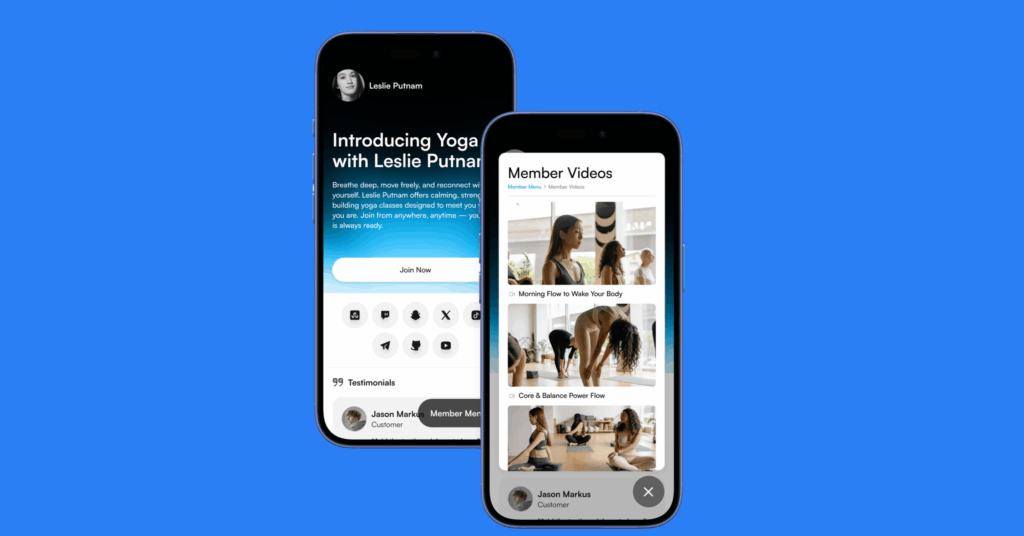
sell online as a beginner with memberpsace

How to Get Started with MemberSpace (Step-by-Step)

Here’s how to start selling online with MemberSpace — even if you’ve never sold anything before.

1. Sign Up for MemberSpace

Head to memberspace.com and create an account for free. This is where you’ll host your digital products and manage your members, plans, and content — all in one place. Connect it to your existing website, or let us build a free, customizable site for you in minutes. 

2. Add Your Content

Upload files (PDFs, images, MP3s), embed videos (YouTube, Vimeo, Wistia), or create posts (like newsletters or blog articles) right inside MemberSpace. 

3. Organize Everything Your Way

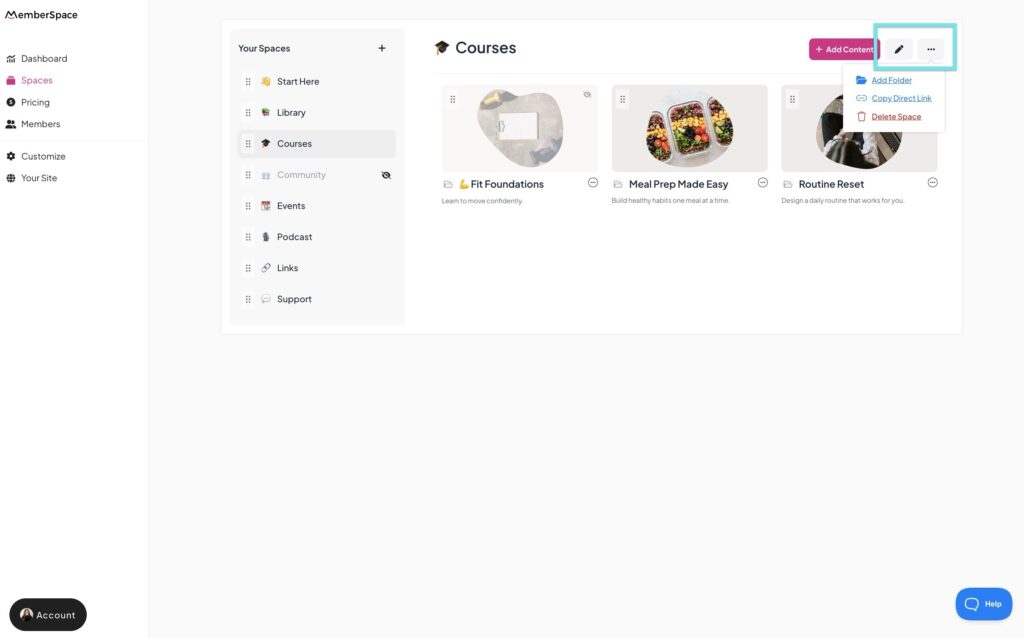
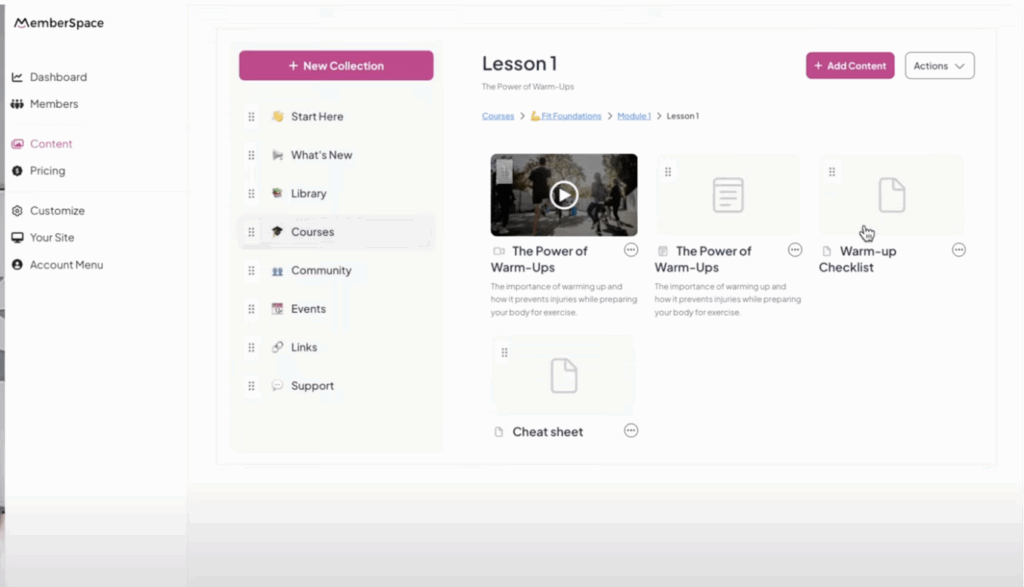
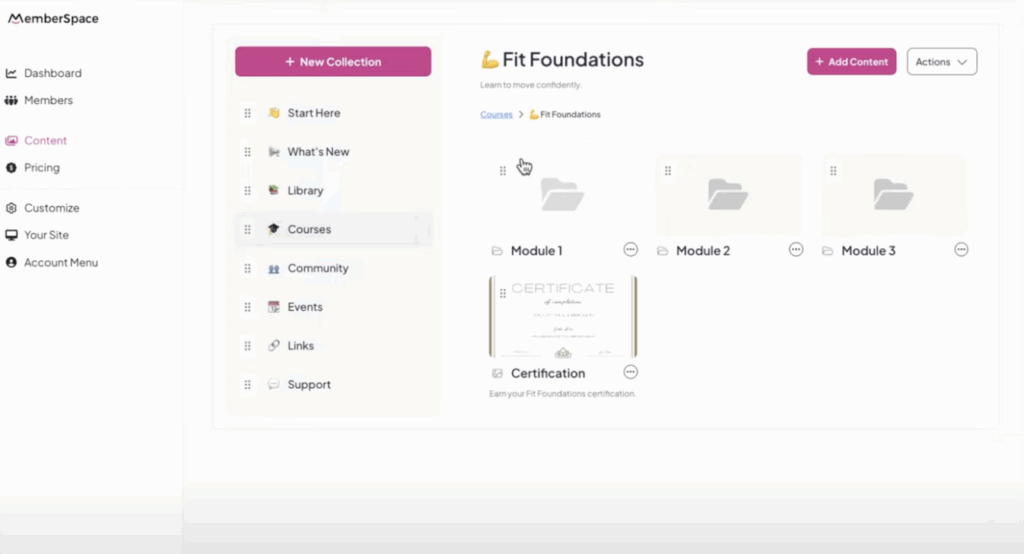
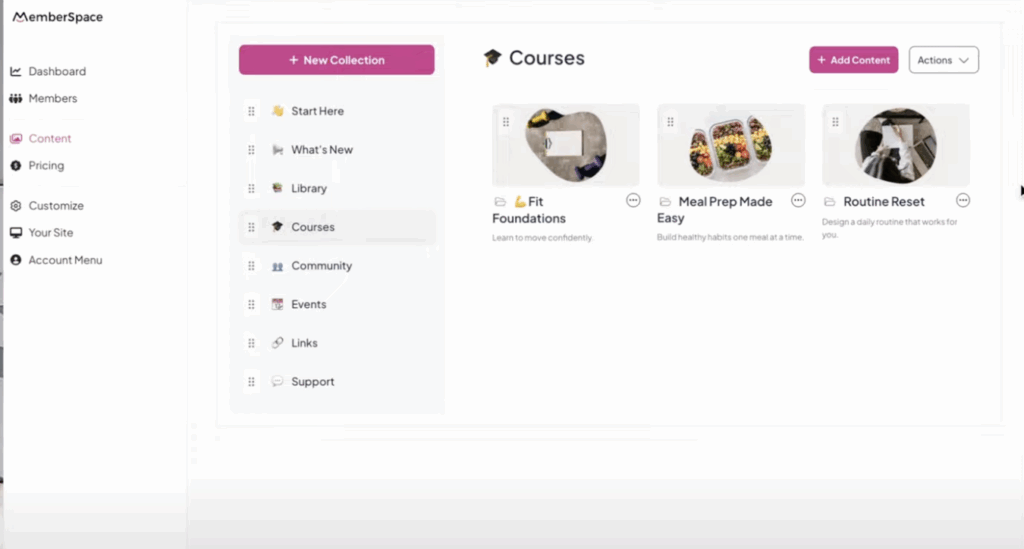
Use drag-and-drop to reorder your content, move things between Spaces, and create unlimited folders — even nested ones. It’s flexible, clean, and easy to manage as you grow.
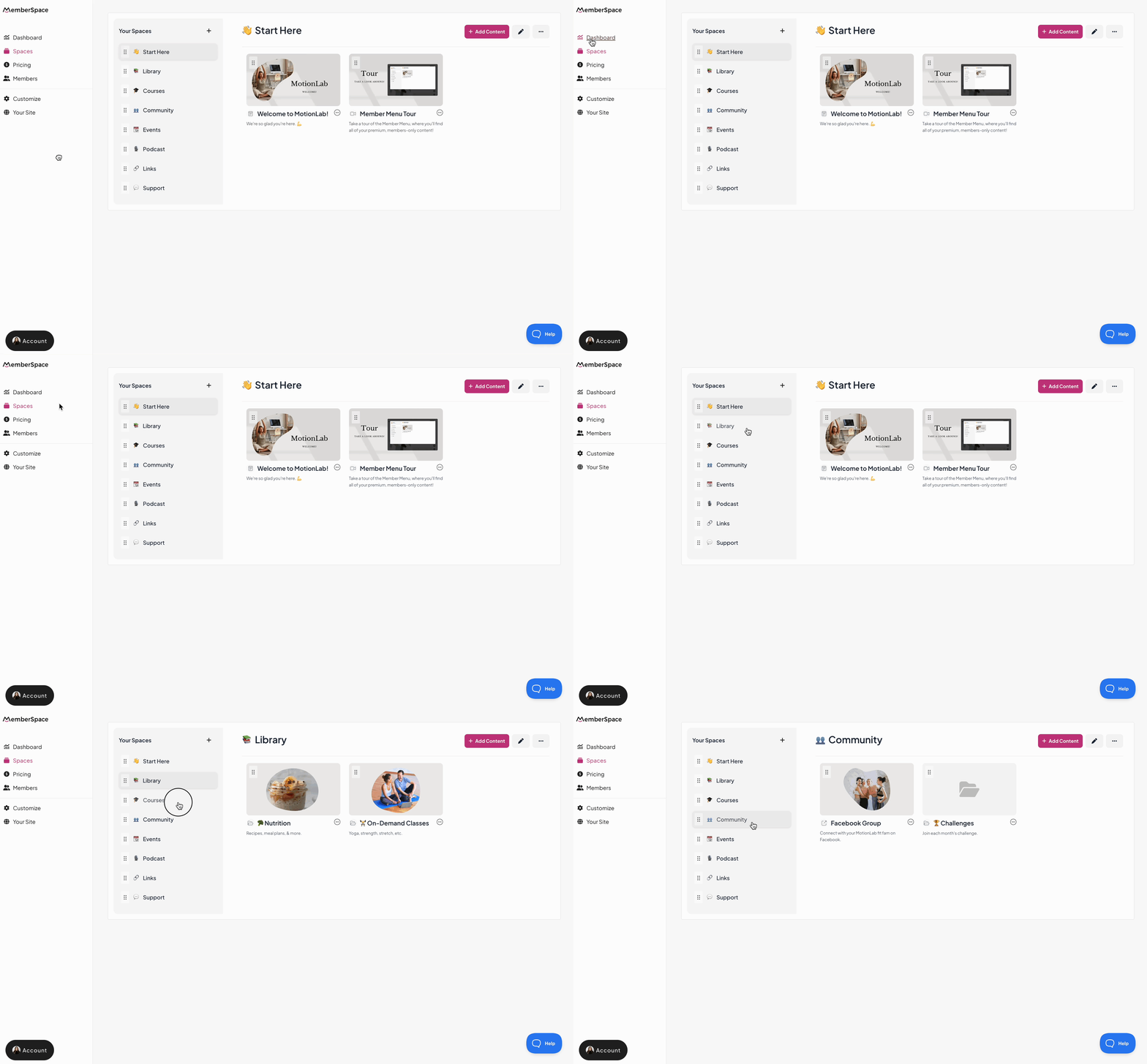
how to sell online as a beginner with memberspace

4. Let Members Bookmark Their Favorites

Members can bookmark any folder or piece of content to save it in their own personal “bookmarks” area. It’s a small touch that makes their experience smoother and keeps them coming back.

5. Share Your Link Anywhere

Once your Space is ready, share the link in your bio, email newsletter, or anywhere your audience hangs out. People can instantly buy your products or join your membership — no website required.

To see how it works in action, check out this tutorial.
Tips for Selling Online as a Beginner

Starting to sell online can feel overwhelming, but it doesn’t have to be. Here are a few simple tips that make a big difference early on:

1. Start Small (and Simple)

You don’t need a dozen products right away. Start with one great offer — something that solves a clear problem or gives your audience quick value. Once it’s working, build from there.

2. Focus on Clarity Over Fancy Design

Your audience cares more about what they’ll get than how your sales page looks. Keep your copy clear, your pricing simple, and your next step obvious.

3. Talk About Your Offer Often

Don’t be shy about promoting your product. Mention it in your content, your emails, your social posts — people need to see something multiple times before they buy.

4. Listen to Feedback

Your first customers will teach you a lot. Pay attention to their questions and suggestions — they’ll help you improve your product and your messaging.

5. Keep Learning

Selling online is a skill. The more you experiment, the better you’ll get. Don’t aim for perfect — aim for progress.

FAQ: Selling Online for Beginners

  1. Do I need a website to sell online with MemberSpace?

    Nope! You can create a free MemberSpace site in minutes and start selling right away. If you already have a website, you can connect it directly.

  1. What kinds of products can I sell?

    Pretty much anything digital — downloads, courses, memberships, or exclusive content. You can even combine them into bundles or tiers.

  1. How does payment processing work?

    MemberSpace integrates with Stripe, so you can securely accept payments from anywhere in the world.

  1. Is MemberSpace beginner-friendly?

    Absolutely. You don’t need to know code or have any tech background. The setup is simple, and the support team is there if you ever get stuck.

  1. Can I grow my business on MemberSpace long-term?

    Yes! You can start small and scale as you go — add new products, memberships, or even build an entire community without switching platforms.

Final Thoughts

If you’re wondering what is the best platform to sell online for beginners, the truth is — it depends on what kind of business you want to build.

But if you want something that’s easy to use, flexible enough to grow with you, and backed by a team that actually has your back, MemberSpace is a great place to start.

You can create your account for free, upload your first product, and start selling today — no tech overwhelm, no complicated setup, and no need to switch later.

Launch your online business in 5 minutes!

The easiest way to accept membership payments or one-time charges for digital products like podcasts, online courses, communities, content libraries, and more — all from your own website!


Start selling now

Get started for free! 5 minutes to set up.

5 Linktree Alternatives: Better Options for Creators and Business Owners

Software Stack Editor · October 27, 2025 ·

Picture of Haiden Hibbert

Haiden Hibbert

I’m a Content Manager at MemberSpace helping entrepreneurs and creators sell digital products.

If you’re a creator or business owner with any kind of online following, you already know how important that single link in your bio can be. It’s your one shot to send people somewhere that actually converts — whether that’s selling a product, promoting a course, or growing your membership.

For years, Linktree has been the go-to option. But these days, there are plenty of Linktree alternatives that give you more control, better integrations, and fewer fees. Let’s look at why you might want to explore other options — and how tools like MemberSpace can help you build something that actually fits your business.

Launch a membership site in 5 minutes!

The easiest way to accept membership payments or one-time charges for digital products like online courses, communities, content libraries, and more — all from your own website!


Start selling now

Get started for free! 5 minutes to set up.

Why Choose a Linktree Alternative?

Linktree is simple and familiar, which is why so many creators start there. You can spin up a quick landing page with your links, customize the look a bit, and get something live in minutes.

But once you start selling products or memberships, some limitations show up fast.

The Pros

  • Easy to set up — no tech skills needed
  • Free plan available
  • Integrates with a bunch of social platforms

The Cons

  • The Pro plan takes a 9% transaction fee on sales made through Linktree Commerce, which can eat into your margins fast.
  • Limited website integration. Linktree doesn’t directly integrate with your existing website — it’s a separate hosted page. So if you want everything under one roof (your brand, your content, your sales), you’ll hit some walls.
  • Customization is still pretty basic — you can change colors and fonts, but not much beyond that.

So if you’re serious about building a brand or selling directly from your bio, it might be time to look at Linktree alternatives that give you more flexibility and ownership.

MemberSpace: A Powerful Linktree Alternative

MemberSpace lets you create a free, mobile-friendly website in minutes — no coding required. You can add your bio link to this new site and start selling memberships, digital products, courses, or any other kind of gated content right away.

It’s a great fit if you want your link-in-bio to do more than just list links. Instead, it becomes a destination that actually sells for you.

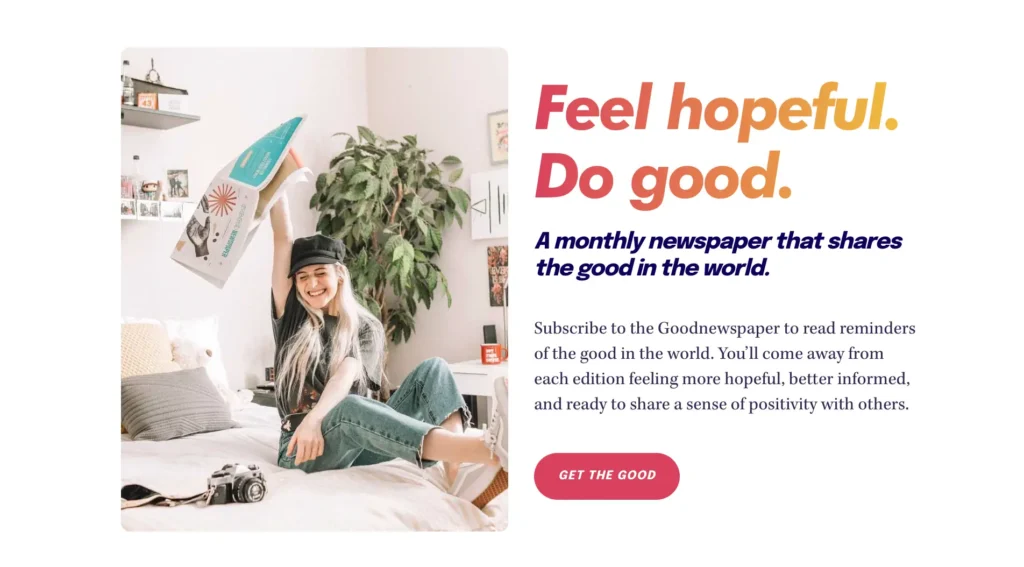
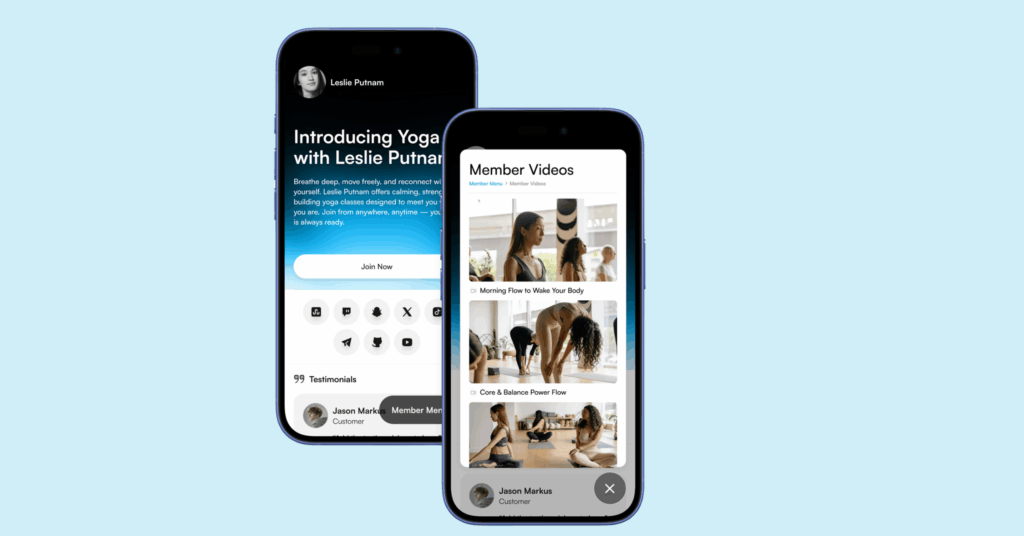
memberspace linktree alternative

How It Works

  1. Create your free MemberSpace site. Instantly generate a simple, mobile-friendly site.
  2. Add your products or memberships. Upload digital downloads, set up pricing, and organize your offerings.
  3. Add your link in bio. Share it on Instagram, TikTok, or anywhere else — and start sending people to a page that converts.

If you already have a website, you can skip the extra landing page altogether.

Using MemberSpace Directly as Your Link-in-Bio Destination

If you’ve already built your site on Squarespace, Wix, WordPress, or another platform, you can use MemberSpace to turn that site into a full membership business.

Instead of a static list of links, your bio link can send visitors straight to:

  • A sales page for your memberships or digital products
  • A curated hub of your paid offerings
  • A free content area that naturally leads into your paid tiers

This approach keeps everything under your own brand and domain — no bouncing between platforms or sending people to a generic Linktree page.

Pro Tip:

If you don’t have a website yet, or just want a separate landing page for your MemberSpace products, check out our partnership with Pop.Site. It’s a free website builder made to host MemberSpace products and memberships. You can set up a clean, professional site in minutes — perfect for your bio link. To learn more, check out a tutorial on YouTube. 

Other Linktree Alternatives to Consider

If MemberSpace isn’t quite what you need, there are plenty of other solid Linktree competitors out there. Here are a few worth checking out:

1. Beacon

A simple, design-focused link-in-bio tool that lets you create mini landing pages with links, videos, and embeds. Great for creators who want something visual and quick to set up.

2. Koji

A more interactive option that lets you add mini-apps to your bio page — things like tip jars, quizzes, or storefronts. It’s fun and flexible, though it can feel a bit busy if you just want something clean.

3. Campsite

A straightforward, customizable link-in-bio tool with analytics and branding options. It’s easy to use and doesn’t take a cut of your sales.

4. Bio.fm

Lets you build a more content-focused bio page with blocks for videos, tweets, and links. It’s more about storytelling than selling, but still a good fit for creators.

FAQ About Linktree Alternatives

  1. Is Linktree still worth using?
    If you just need a quick, free page for links — sure. But if you’re selling products or memberships, the 9% fee and limited customization make it less ideal long-term.
  1. Can I use MemberSpace without a website?
    Yes. You can create a free standalone site through MemberSpace in minutes. No coding, no hosting setup required.
  1. What if I already have a Squarespace or Wix site?
    You can add MemberSpace directly to your existing site. That way, your link in bio can lead straight to your branded membership or product page.
  1. Do I need to pay to start with MemberSpace?
    You can start with a free two-week trial and upgrade to the plan that works best for you.

Final Thoughts

Your link in bio is more than a list of links — it’s a chance to guide your audience exactly where you want them to go.

Whether you use MemberSpace to sell directly from your own site or try another Linktree alternative like Beacon or Koji, the goal is the same: keep your brand consistent and make it easy for people to buy from you.

The simpler your setup, the more likely people are to take action.

Launch a membership site in 5 minutes!

The easiest way to accept membership payments or one-time charges for digital products like online courses, communities, content libraries, and more — all from your own website!


Start selling now

Get started for free! 5 minutes to set up.

10 Simple Service-Based Business Ideas for Online Entrepreneurs

Software Stack Editor · October 24, 2025 ·

Picture of Haiden Hibbert

Haiden Hibbert

I’m a Content Manager at MemberSpace helping entrepreneurs and creators sell digital products.

Most of us don’t start our businesses dreaming about client work. We picture freedom. Flexibility. Maybe a calendar full of creative projects and a steady stream of Stripe notifications from passive income products. 

But here’s the truth: services are often the most reliable (and fastest) way to build income and momentum online.

Whether you’re a coach, creator, or running a membership, offering services helps you reach your target audience, build your reputation, and get paid while you figure everything else out. 

So if you’re stuck wondering what to offer next (or how to make your business feel a little more stable), let’s talk about some service-based business ideas that actually work — and how to sell them in a way that fits your business.

In this post, you’ll learn:

  • Real examples of service-based business ideas that work for online entrepreneurs
  • Simple ways to sell your services with MemberSpace
  • How creators like Kate from The Socialite Vault combine digital content with hands-on services
  • Tips for getting started — even if you don’t have a big audience yet

Launch a service-based membership business!

The easiest way to accept membership payments or one-time charges for digital products like podcasts, online courses, communities, content libraries, and more — all from your own website!


Start selling now

Get started for free! 5 minutes to set up.

Why Start With Services

Services are simple. You don’t need a big audience, a fancy funnel, or a full-blown course. You just need a skill people value and a clear way to deliver it.

They’re also flexible. You can start small, refine your offer, and later turn what you’ve learned into digital products, memberships, or group programs.

It’s the most straight-forward way to build real experience and steady income — without spending hours and hours on a 50-page PDF guide that no one ends up buying.

10 Service-Based Business Ideas for Online Entrepreneurs

Here are a few ideas to get your wheels turning. You don’t have to do all of them — just find one that fits what you’re already good at.

1. Coaching

Help people get from point A to point B. This could be business coaching, mindset coaching, health coaching, or even niche areas like productivity or creative direction.

2. Consulting

Offer strategic advice to help people solve problems faster. Think marketing consulting, membership strategy, or brand positioning.

3. Social Media Management

Run social accounts for other creators, coaches, or small businesses. Create content, schedule posts, and manage engagement.

service based business social media management
Social Broker is a membership business that also offers social media management as a service

4. Copywriting & Content Creation

Write website copy, email sequences, or blog posts for busy entrepreneurs. Or create content templates and repurposing systems.

5. Design Services

Brand design, web design, or even template customization. You can package these as one-off projects or ongoing retainers.

6. Tech Setup & Automation

Help people set up their tech stack — email tools, websites, membership platforms, or workflows. 

7. Podcast or Video Production

Edit, publish, and promote podcast episodes or YouTube videos for creators who want to stay consistent but don’t have time for the tech.

8. Virtual Assistance

Offer general business support — inbox management, scheduling, data entry, or client onboarding.

9. Community Management

Moderate a membership or online community, host events, and keep members engaged.

10. Done-With-You Programs

Blend teaching with hands-on help. For example: a “Launch Sprint” where you coach clients through their first product launch — together.

How to Sell Your Services with MemberSpace

Once you’ve decided what to offer, you’ll need a simple way to sell it — and keep everything in one place.

That’s what MemberSpace does. It lets you sell services, digital products, and memberships directly from your own website. You can take payments, control access, and deliver your content — all under your brand, no extra platforms needed.

Here’s how it works in practice:

  • Create a page on your site that explains your offer (coaching, consulting, done-for-you work — whatever it is).
  • Use MemberSpace to set up payment options
  • Give your clients private access to anything that supports your service, like videos, templates, or guides.

You can also offer different levels of support if that makes sense for your business — for example, one plan for coaching calls and another that includes extra resources or community access.

Service-Based Business Example

service based business example

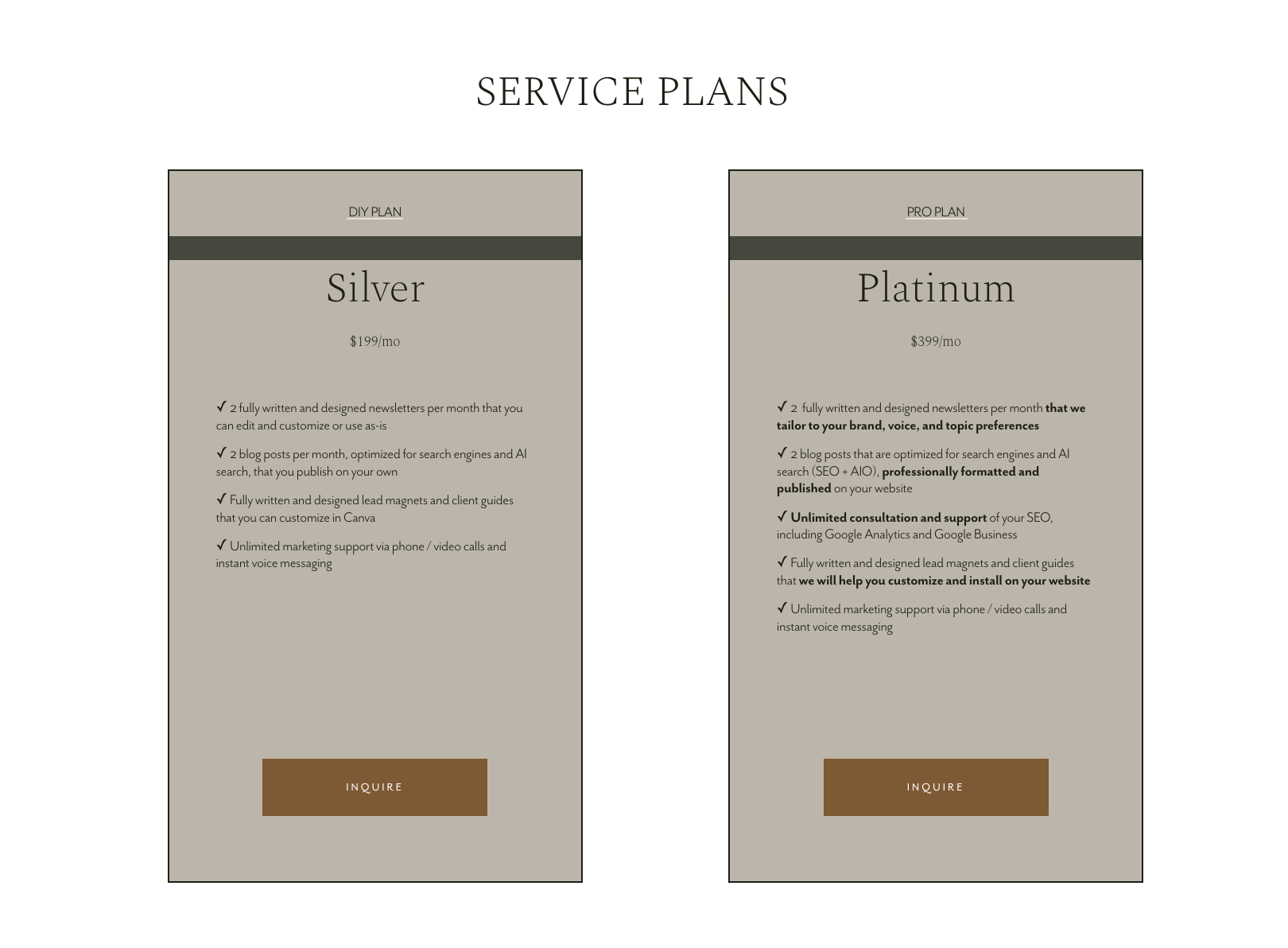
A great example of this in action is Kate from The Socialite Vault. She runs a membership that blends digital content and hands-on services. 

service based business example tiers

Her members get access to a full library of marketing materials, and in her Platinum tier, she adds personalized support like:

  • Unlimited SEO and Google Analytics help
  • Custom lead magnets and client guides (written, designed, and installed for members)
  • Ongoing marketing support via calls and voice messages

Kate’s business shows what’s possible when you use MemberSpace — you can sell your services, share your resources, and manage it all from your own website without relying on outside platforms. 

Learn more about her story in our recent YouTube video!

How to Get Started

  1. Pick one service idea from the list above.
  2. Define the result you help people achieve.
  3. Create a simple offer page on your website.
  4. Use MemberSpace to add payment and member access.
  5. Share it with your audience — even if it’s small.

You don’t need to be “ready.” You just need to start with one clear offer and real people who need it.

FAQs

Q: Do I need a big audience to sell services?
Nope. Services work even if you only have a handful of followers. Focus on building relationships and solving real problems — referrals will do the rest.

Q: How much should I charge?
Start with what feels fair for the time and value you’re providing. Then raise your rates as your confidence and demand grow.

Q: Can I mix services with my membership or digital products?
Absolutely. In fact, that’s one of the best ways to grow sustainably. You can offer your membership as a lower-tier option, then upsell services for people who want more support.

Q: What if I don’t know what to offer yet?
Start by helping one person for free or at a low rate. Pay attention to what they ask for, what comes naturally to you, and what results they get. That’s your offer.

Final Thoughts

Starting with services isn’t a step backward — it’s a smart foundation.

It gives you cash flow, clarity, and confidence. You learn what people actually want before you build products, courses, or memberships around it.

So instead of overcomplicating your next move, ask yourself:
What can I help someone with right now — and get paid for?

That’s your first (or next) service.

And when you’re ready to sell it on your own terms, MemberSpace makes it easy to do it all from your website! You can test it out free for two weeks. 

Launch a service-based membership business!

The easiest way to accept membership payments or one-time charges for digital products like podcasts, online courses, communities, content libraries, and more — all from your own website!


Start selling now

Get started for free! 5 minutes to set up.

How to Make Money on YouTube Channel – Turn Subscribers to Paid Members

Software Stack Editor · October 22, 2025 ·

Picture of Haiden Hibbert

Haiden Hibbert

I’m a Content Manager at MemberSpace helping entrepreneurs and creators sell digital products.

If you’re growing a YouTube channel, you’ve probably thought about how to turn it into something that pays consistently. Ads and sponsorships can help, but they’re unpredictable. One month might look great, and the next… not so much.

If you want something sustainable — something that can actually grow with you — the key is to move beyond YouTube’s built-in monetization tools and start building a business you own.

That means turning your subscribers into paying members — people who pay you directly for access to your best content, courses, or community.

In this post, we’ll talk about how to make money by creating a YouTube channel and how to turn that audience into a scalable, stable business using MemberSpace.

Turn YouTube Subscribers to Paid Members!

The easiest way to accept membership payments or one-time charges for digital products like podcasts, online courses, communities, content libraries, and more — all from your own website!


Start selling now

Get started for free! 5 minutes to set up.

Step 1: Grow a Channel People Actually Care About

Before you can earn from your audience, you need to build one that trusts you.

You don’t need fancy gear or a big production setup — you just need to show up consistently and create content that’s genuinely useful or inspiring.

Here’s what helps:

  • Pick a niche you can stick with. You don’t have to be the first or the best — just consistent.
  • Make content that solves problems. Tutorials, honest advice, behind-the-scenes videos — whatever fits your style.
  • Keep it simple. Good lighting, clear audio, and a bit of personality go a long way.
  • Engage with your viewers. Reply to comments, ask for input, and make your audience feel like part of the process.

Once people start showing up for you, not just your videos, you’ll have the foundation for a business that can grow beyond YouTube.

monetizing youtube channel example
Mark from ThirdShotSports built a niche YouTube channel around pickleball that has over 16,000 loyal subscribers

Step 2: Know What YouTube Offers

YouTube gives creators a few ways to earn once their channel starts gaining traction:

  • Ad revenue through the Partner Program
  • Channel memberships for loyal fans
  • Brand sponsorships
  • Affiliate marketing

These can absolutely bring in income — especially as your audience grows. But they all share one big limitation: you don’t fully control them.

Ad rates change. Algorithms shift. Sponsors pause campaigns. Even if your effort stays the same, your income might not.

If you’re trying to build something stable — something you can count on — you’ll need a way to earn that isn’t tied to YouTube’s policies or payout cycles. That’s where creating your own membership site comes in.

YouTube monetization

Step 3: Turn Your YouTube Audience Into Paying Members

Once your channel starts growing, the next step is turning that audience into income.

That’s where MemberSpace comes in.

MemberSpace is simple membership software that lets you sell member-only access to your best content and exclusive pages on your website. If you don’t have a website yet, MemberSpace can even set one up for you — free and customizable.

It’s the easiest way to move beyond ad revenue or affiliate links and build recurring income from your most engaged followers.

You can use MemberSpace to:

  • Offer exclusive trainings, templates, or resources
  • Create a paid community for your audience or clients
  • Host private workshops or group coaching sessions
  • Sell digital products or course libraries

No coding. No complicated setup. Just a straightforward way to turn your YouTube subscribers into paying members.

YoutTube subscribers to paid members

Step 4: Share Your Membership Site With Your Followers

Once your membership site is ready, start inviting your YouTube audience to join!

Think of YouTube as your discovery platform — the place where people find you — and your website as where they go when they’re ready to go deeper.

Here are a few ways to make that transition natural:

  • Tease your premium content. Post shortened versions of your tutorials or lessons on YouTube, and let viewers know they can access the full version on your membership site.
    Example: A fitness creator might upload a 10-minute workout on YouTube and invite viewers to access the full 45-minute class inside their membership.

  • Talk about your digital products. Mention your templates, guides, or resources in your videos and link to them in the description.
    Example: A designer could share a free logo tutorial on YouTube, then offer a full brand kit to members on their site.

  • Offer something exclusive. Maybe it’s a private workshop, a live Q&A, or a members-only community. Mention it naturally in your videos — not as a sales pitch, but as part of what you do.

  • Make it easy to find your site. Add your website link in video descriptions, your channel banner, and your “About” section.

The goal isn’t to push people off YouTube — it’s to give your most engaged viewers a clear next step. Over time, they’ll start to see your membership site as the real home of your business.

FAQ

How can you make money on YouTube?

You can earn through ads, sponsorships, affiliate links, or channel memberships. But the most reliable way is to move your audience off YouTube and onto your own site using MemberSpace, where you can sell memberships, courses, or exclusive content directly.

How do I make money by creating a YouTube channel if I’m just starting out?

Start small. Create helpful videos, stay consistent, and focus on building trust. Once people start following your work, invite them to join your membership site for deeper access — even a small, loyal audience can generate steady income.

Do I need a website to use MemberSpace?

No. If you don’t have one yet, MemberSpace can create a free, customizable site for you. You can upload your content, set your pricing, and start earning right away.

How many subscribers do I need to start making money?

You can start with a few hundred engaged followers. YouTube’s Partner Program requires 1,000 subscribers, but with MemberSpace, you can monetize anytime — even with a small but loyal audience.

Why not just use YouTube memberships?

YouTube memberships are tied to the platform. MemberSpace gives you control — over your pricing, your content, and your community. Plus, you keep more of what you earn.


Final Thoughts

If you’re serious about building a long-term business as a content creator, don’t stop at YouTube’s monetization tools. Use your channel to attract people — then use your membership site to keep them around.

With MemberSpace, you can turn your subscribers into paying members, build recurring income, and create something that grows with you.

Start your free trial with MemberSpace today and see how it feels to own your audience — and your income!

Turn YouTube Subscribers to Paid Members!

The easiest way to accept membership payments or one-time charges for digital products like podcasts, online courses, communities, content libraries, and more — all from your own website!


Start selling now

Get started for free! 5 minutes to set up.

20 YouTube Niches That Actually Convert: A Guide for Online Business Owners

Software Stack Editor · October 20, 2025 ·

Picture of Haiden Hibbert

Haiden Hibbert

I’m a Content Manager at MemberSpace helping entrepreneurs and creators sell digital products.

When someone hits “subscribe” on YouTube, it’s not a casual follow — it’s a commitment. They’re saying, “I want to keep learning from you.”

That’s what makes YouTube so powerful for creators and online business owners. It’s not about chasing trends or quick hits — it’s about showing up consistently, building authority, and turning that attention into something sustainable.

Unlike short-form platforms, YouTube rewards depth. Your videos can keep attracting new viewers for months, even years, through search and recommendations. That means every upload has long-term potential — if you’re in the right niche.

In this post, you’ll learn:

  • The most popular and profitable YouTube niches in 2025
  • Why some niches grow faster (and monetize easier) than others
  • How to choose a niche that fits your skills and business goals
  • How to turn your YouTube audience into paying members with MemberSpace

Let’s explore 20+ YouTube niches that are growing fast — and helping creators turn their channels into real, profitable businesses.

Turn YouTube Subscribers to Paid Members!

The easiest way to accept membership payments or one-time charges for digital products like podcasts, online courses, communities, content libraries, and more — all from your own website!


Start selling now

Get started for free! 5 minutes to set up.

20+ YouTube Niches That Are Growing Fast (and Making Money) in 2025

These niches thrive on YouTube’s strengths — long-form storytelling, searchability, and community. They’re where creators are building loyal audiences and turning views into income.

1. Educational “How-To” Videos

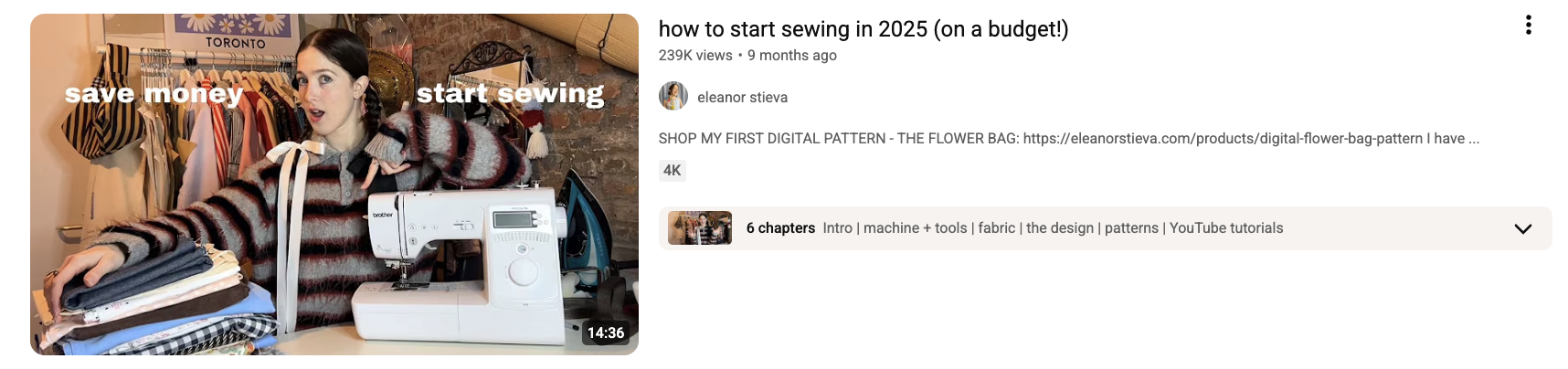
YouTube is still the internet’s favorite classroom. Creators and entrepreneurs who teach a specific skill — from Excel to watercolor painting — build authority fast. Tutorials and explainer videos perform well in search and can easily lead to paid courses or memberships.

youtube niche video example

2. Personal Development & Mindset

Motivational and self-improvement content works beautifully on YouTube because viewers come looking for depth, not just quick inspiration. Creators who share their growth journey or practical mindset tips often build highly engaged communities.

3. Health, Fitness & Wellness

Workout routines, nutrition advice, and wellness education thrive on YouTube’s long-form format. Creators can mix tutorials, personal stories, and client transformations to build trust and naturally lead viewers to coaching or programs.

4. Tech Reviews & Tutorials

Tech creators dominate YouTube because viewers love detailed breakdowns and honest opinions. From app walkthroughs to gear reviews, this niche is perfect for affiliate income, product sales, or paid tech communities.

5. Productivity & Tools

Video creators who share systems, apps, and time-management strategies attract ambitious audiences. Long-form tutorials and “day in the life” videos perform well, especially when they show real workflows that viewers can replicate.

6. Creative Skills & Design

Artists, photographers, and designers thrive by showing their process. YouTube’s longer format lets creators share tutorials, portfolio breakdowns, and behind-the-scenes content that builds authority and sells digital products or templates.

7. Finance & Side Hustles

Viewers love content creators who make money topics feel approachable. From budgeting to freelancing to investing, this niche works well because it’s built on trust — and trust translates directly into paid offers and memberships.

youtube niche example

8. Lifestyle & Vlogs

YouTube vlogs are less about perfection and more about connection. Creators who share authentic stories, routines, or lessons from their lives attract loyal audiences who feel personally invested in their journey.

9. Food & Cooking

Recipe videos, kitchen hacks, and “what I eat in a day” content perform consistently well. YouTube’s algorithm loves satisfying, repeatable formats — and food creators can easily expand into cookbooks, classes, or memberships.

10. Travel & Remote Work

Longer travel vlogs and “day in the life” videos allow creators to tell stories instead of just showing destinations. This niche is perfect for building a brand around freedom, adventure, and entrepreneurship.

11. Fashion & Style

Outfit breakdowns, capsule wardrobe videos, and thrift hauls do especially well on YouTube because viewers want visual inspiration and practical advice. The best creators build communities around style, not just trends.

12. Beauty & Skincare

Unlike short-form platforms, YouTube allows for detailed tutorials and product reviews. Creators who are transparent about what works (and what doesn’t) build loyal audiences that trust their recommendations.

13. Home, DIY & Organization

Transformation videos — from room makeovers to decluttering challenges — perform incredibly well. These creators mix education and entertainment, giving viewers both inspiration and step-by-step guidance.

14. BookTube & Learning

Book reviews, reading vlogs, and study content have dedicated audiences on YouTube. Creators who combine education with personality build strong communities that are easy to monetize through memberships or digital resources.

15. Gaming & Commentary

Gaming creators thrive when they focus on storytelling and community. Let’s Plays, reviews, and reaction videos create loyal audiences who often support through memberships or exclusive content.

16. Sustainable Living & Minimalism

Creators who share realistic, intentional living tips are gaining traction. This niche resonates with viewers who want to make small, meaningful changes — and that authenticity drives long-term engagement.

17. Music & Performance

Musicians who share behind-the-scenes content — songwriting sessions, practice routines, or stripped-down performances — build strong fan relationships. YouTube’s long-form format lets them show the full creative process.

18. Parenting & Family Life

Honest, relatable family content performs well when it focuses on connection, not perfection. Creators can blend humor, advice, and storytelling to build trust and community.

family vlog youtube niche

19. Language Learning

YouTube is full of creators teaching languages through short lessons, pronunciation tips, and cultural insights. These videos are evergreen and attract global audiences eager to keep learning.

20. Career & Skill Development

Creators who teach professional skills — from communication to leadership to freelancing — are building authority fast. These audiences are highly motivated and often invest in courses or memberships for deeper learning.

21. Niche Hobbies & Micro-Communities

Some of the most successful YouTubers live in small corners of the platform — woodworking, journaling, gardening, even fountain pens. The smaller the niche, the stronger the loyalty — and the easier it is to monetize through memberships or digital products.

How Entrepreneurs Use MemberSpace to Monetize Their YouTube Audience

Once your YouTube channel starts growing, the next step is turning that audience into income. That’s where MemberSpace comes in.

MemberSpace is membership site software that lets you sell member-only access to a library of digital content and exclusive pages of your website. If you don’t have a website yet, we’ll even create a free, customizable one for you.

For entrepreneurs, it’s the simplest way to go beyond ad revenue or affiliate links and build something sustainable — recurring income from your most engaged audience.

You can use MemberSpace to:

  • Offer exclusive trainings, templates, or resources
  • Create a paid community for your audience or clients
  • Host private workshops or group coaching sessions
  • Sell digital products or course libraries

No coding, no complicated setup — just a straightforward way to turn your YouTube subscribers into paying members!

YouTube Monetization FAQ

Do I need a big channel to make money?
Not at all. Even a few hundred loyal subscribers can turn into paying members if you’re solving a real problem.

What kind of content converts best into memberships?
Educational, how-to, and behind-the-scenes content that helps people take action or build a skill.

Can I use MemberSpace if I don’t have a website yet?
Yes. MemberSpace can create a free, customizable website for you so you can start selling your content right away.

How is this different from YouTube memberships or Patreon?
With MemberSpace, you own the experience — your pricing, your content, your audience. No platform cuts, no limitations.

Final Thoughts

YouTube isn’t just a platform for creators — it’s one of the most powerful growth tools for entrepreneurs. Every subscriber is a potential customer, every video a chance to build trust and authority.

If you’ve been thinking about starting or scaling your YouTube channel for your business, now’s the time.

You don’t need millions of views — just the right message, the right niche, and a system that turns attention into income.

👉 Try MemberSpace free for two weeks and start turning your YouTube subscribers into paying members today.

Turn YouTube Subscribers to Paid Members!

The easiest way to accept membership payments or one-time charges for digital products like podcasts, online courses, communities, content libraries, and more — all from your own website!


Start selling now

Get started for free! 5 minutes to set up.

20+ TikTok Niches You Can Monetize in 2025

Software Stack Editor · October 14, 2025 ·

Picture of Haiden Hibbert

Haiden Hibbert

I’m a Content Manager at MemberSpace helping entrepreneurs and creators sell digital products.

It feels like everyone’s a TikTok creator these days. Your cousin’s dog has a following. Your accountant is giving tax tips. Even your favorite coffee shop probably has a “day in the life” video that somehow got 200,000 views.

If you’ve been thinking, “There’s no room left for me,” you’re not alone. A lot of business owners and creators feel that way — like they missed the window.

But here’s the truth: TikTok isn’t oversaturated. It’s just organized into thousands of little communities — each one full of people who care deeply about something specific. You don’t need millions of followers. You just need the right ones.

And once you’ve found your niche, you can absolutely turn that attention into income. Let’s walk through 20+ TikTok niches that are thriving right now — and how you can start growing (and monetizing) yours.

Turn TikTok Followers into Paid Members!

The easiest way to accept membership payments or one-time charges for digital products like online courses, communities, content libraries, and more — all from your own website!


Start selling now

Get started for free! 5 minutes to set up.

20+ Profitable TikTok Niches 

You’ll notice a theme here: the most successful TikTok creators aren’t chasing trends — they’re building trust. Here are the niches where that trust is turning into real businesses.

1. Personal Finance & Side Hustles

People love creators who make money talk feel simple and doable. From budgeting tips to side hustle stories, this niche is full of everyday experts helping others take control of their finances. The more transparent you are, the more trust you build — and trust is what turns followers into paying supporters.

2. Health & Wellness

Wellness on TikTok isn’t about perfection anymore — it’s about honesty. Creators who share their real workouts, mental health journeys, or simple habits are connecting deeply with audiences who want to feel better, not just look better.

3. Educational “Edutainment”

Short, useful videos that teach something new will always have a place on TikTok. Whether it’s a quick grammar trick or a Photoshop shortcut, people love learning from creators who make it easy and fun.

4. Food & Recipes

Food creators have mastered the art of comfort and curiosity. Quick recipes, meal prep ideas, and “what I eat in a day” videos make viewers feel like they’re right there in your kitchen — and that connection keeps them coming back.

5. Beauty & Skincare

Audiences are tired of filters and flawless routines. They want real people sharing what actually works. Creators who keep it honest — with both wins and fails — are building loyal communities that trust their recommendations.

6. Travel & Digital Nomad Life

This niche is all about freedom and curiosity. Even if your viewers aren’t hopping on planes every week, they love seeing how others explore the world, live remotely, and make it work.

7. Parenting & Family Life

Parenting creators are proof that relatability beats polish every time. The messy, funny, and honest moments are what people connect with most — and those moments often lead to conversations that go far beyond the comments section.

8. BookTok & Creative Writing

BookTok has turned reading into a full-blown community. Whether you’re sharing reviews, writing tips, or your own creative process, this space thrives on passion and storytelling — two things that naturally attract long-term fans.

9. DIY & Home Projects

There’s something addictive about watching a space transform. DIY creators who share the process — even the mistakes — create a sense of “I could do that too,” which keeps viewers invested and inspired.

10. Sustainable Living

This niche isn’t just about being eco-friendly — it’s about being intentional. People want small, realistic ways to live better, and creators who make sustainability approachable are building loyal, like-minded audiences.

11. PetTok

Pets have always ruled the internet, but TikTok has made it personal. Training tips, daily routines, and funny moments give followers a glimpse into real life with animals — and those connections often lead to strong, supportive communities.

12. Fashion & Thrifting

Fashion on TikTok isn’t about luxury — it’s about creativity. Thrift hauls, outfit breakdowns, and styling tips feel authentic because they show personality, not just clothes. The best creators make fashion feel accessible and fun.

13. Tech & Productivity

People love creators who help them make life a little smoother. Whether it’s app recommendations, workflow tips, or simple time-saving habits, this niche is full of creators who turn everyday challenges into easy wins.

14. Art & Design

Watching an artist create from start to finish never gets old. TikTok has given artists a way to share their process, personality, and inspiration — and in doing so, turn casual viewers into genuine supporters of their work.

15. Music & Performance

Musicians on TikTok are thriving by pulling back the curtain. Sharing snippets of songwriting, behind-the-scenes moments, or raw performances helps fans feel part of the journey — not just the final product.

16. Gaming & Esports

Gaming creators have built some of the most loyal audiences on TikTok. Whether it’s funny commentary, tutorials, or live reactions, the best ones focus on community and shared enthusiasm more than just gameplay.

17. Career & Professional Growth

Creators who talk about work — from job hunting to entrepreneurship — are helping people navigate real-life challenges. Honest advice and personal stories resonate deeply, especially when they come from lived experience.

18. Language Learning

Language creators make education feel human again. Sharing quick lessons, cultural insights, and personal stories about learning or teaching a language keeps audiences engaged and inspired to keep learning.

19. Relationships & Dating Advice

This niche thrives on honesty and humor. People connect with creators who talk about love, heartbreak, and communication in a way that feels real — not rehearsed.

20. Mindset & Personal Development

Motivation hits differently when it comes from someone who’s been through it. Creators who share their growth journeys, daily habits, and small mindset shifts are building communities that stick around for the long haul.

21. Micro-Niches Worth Exploring

Some of the most successful TikTok creators are thriving in tiny corners of the platform. Think cottagecore lifestyles, van life, astrology, ASMR, or comedy skits. These micro-niches might seem small, but the audiences are fiercely loyal — and that’s exactly what makes them powerful.

How to Monetize Any TikTok Niche with MemberSpace

Once you’ve built an audience, the next step is figuring out how to turn that attention into income — without relying on brand deals or ads.

That’s where MemberSpace comes in.

MemberSpace is membership site software that lets you sell member-only access to a beautiful library of digital content and exclusive pages of your website. Think of it as your all-in-one home for your most loyal followers — a place where they can go deeper with you.

If you already have a website, you can add MemberSpace to it in minutes. If you don’t, we’ll create a free, customizable website for you to get started.

Creators use MemberSpace to:

  • Share exclusive content — tutorials, videos, or resources that go beyond what’s on TikTok.
  • Build paid communities — spaces for your followers to connect, learn, and grow together.
  • Sell digital products — templates, guides, or eBooks that support your niche.
  • Host online courses or workshops — teach what you know in a structured, easy way.

No coding, no complicated setup — just a simple way to turn your audience into paying members. To learn more about how it works, check out this TikTok creator’s story!

TikTok Monetization FAQ

Do I need a big following to make money on TikTok?
Nope. You just need a focused niche and engaged followers. Even a few hundred loyal fans can support your business.

What kind of content works best for building a paying community?
Educational or personal content that solves a problem or helps people feel seen.

Can I use MemberSpace if I don’t have a website yet?
Yes. MemberSpace can create a free, customizable website for you — so you can start building your membership right away.

How do I decide what to offer my followers?
Start with what they already ask you for. The best offers come from real conversations.

How is this different from brand deals?
Brand deals are one-time payments. Memberships are recurring income — you own the relationship.

Final Thoughts

TikTok isn’t too crowded — it’s just full of opportunity. The creators winning right now aren’t chasing trends; they’re building trust and community.

If you’ve been waiting for the “right time” to start, this is it.

You’ve already built the audience.
Now it’s time to build your business.

Try MemberSpace free for two weeks and start turning your TikTok followers into paying members today!

Turn TikTok Followers into Paid Members!

The easiest way to accept membership payments or one-time charges for digital products like online courses, communities, content libraries, and more — all from your own website!


Start selling now

Get started for free! 5 minutes to set up.

Where to Sell Digital Products – 4 Options For Every Entreprenuer

Software Stack Editor · October 10, 2025 ·

Picture of Haiden Hibbert

Haiden Hibbert

I’m a Content Manager at MemberSpace helping entrepreneurs and creators sell digital products.

If you’re a creator or entrepreneur with digital products to sell — whether that’s an eBook, course, template, or video series — one of the first questions you’ll ask is: where should I sell them?

There are plenty of online marketplaces that make it easy to list and sell your digital products, but there’s also a strong case for selling them on your own website.

In this post, we’ll cover:

  • The most popular places to sell digital products (and the pros and cons of each)
  • Why selling on your own website gives you more control and long-term growth
  • A step-by-step guide on how to create a website to sell digital products using MemberSpace
  • Tips and tools to help you launch and start earning quickly

By the end, you’ll know exactly where to start — whether you want to list your products on existing marketplaces or sell them on your own website. 

Where to Sell Digital Products

There’s no shortage of places to sell digital products online. Here are some of the most popular options — and what to consider for each.

1. Creative Marketplaces

If you create design assets, templates, or creative tools, marketplaces like Creative Market or Envato Elements can be great options. They already have a built-in audience looking for digital resources, so you can get exposure quickly.

Pros:

  • Instant access to a large audience
  • Easy setup and listing process

Cons:

  • High competition
  • Platform fees and commissions
  • Limited control over pricing and branding

2. Online Learning Marketplaces

If your digital products are educational — like video lessons, workshops, or tutorials — you can sell them on online learning marketplaces such as Udemy or Skillshare. These platforms already have large audiences looking for courses, so they can be a great way to reach new students quickly.

Pros:

  • Access to a built-in audience of learners
  • Simple setup and course publishing tools
  • Great for exposure when you’re starting out

Cons:

  • Platform fees and revenue sharing
  • Limited control over pricing and branding
  • You don’t own your student data or audience

While marketplaces like Udemy or Skillshare can help you get discovered, the tradeoff is control. You’re building your business on someone else’s platform — with their rules, pricing limits, and algorithms.

That’s why many creators eventually move to selling on their own website, where they can keep more profit, customize the experience, and own their audience.

3. Stock or Niche Marketplaces

If you sell specific types of content (like photos, music, or fonts), you might consider niche marketplaces such as Etsy (for digital downloads) or Pond5 (for media).

Pros:

  • Customers already searching for your type of product
  • Streamlined selling process

Cons:

  • You’re bound by the platform’s rules and algorithms
  • Harder to build your own brand presence

4. Your Own Website

Finally — and most importantly — you can sell your digital products on your own website.

This gives you complete control over your brand, your customer experience, and your profits. You set the rules, prices, and design. Plus, you own your customer data and audience — which is key for long-term growth.

Why sell digital products on your own website?

  • Full control: You decide how everything looks and works.
  • Keep more profit: No marketplace commissions or fees.
  • Own your audience: Build direct relationships with your customers.
  • Brand consistency: Everything lives under your own domain and design.

If you’re serious about building a sustainable digital product business, selling on your own site is the way to go. And the best part? It’s easier than you might think.

How to Create a Website to Sell Digital Products

You don’t need to be a web developer or designer to create a professional website to sell your digital products. With the right tools, you can have everything up and running in just a few steps.

Here’s how to do it:

Step 1: Set Up A Simple Website

Start by choosing a website platform that fits your comfort level and style. Popular options include:

  • Squarespace – Great for creators who want beautiful, ready-made templates.
  • WordPress – Ideal if you want full flexibility and customization.
  • Webflow, Wix, or Notion – Other great options depending on your needs.

Once you’ve chosen your platform, create a few core pages to give your site structure and credibility:

  • Home Page: Introduce who you are and what you offer.
  • About Page: Share your story and build trust with your audience.
  • Contact Page: Give visitors an easy way to reach you.
  • Products or Members Page: Where visitors can browse your digital products.

Your site doesn’t need to be complicated — a clean, simple design is all you need to start selling. The goal is to create a professional home base for your digital products that reflects your brand and makes it easy for customers to learn more about you.

✨ If you don’t want to build a website, you can have a free, customizable site created for you when you join MemberSpace! Just create an account and select the Create a simple MemberSpace site for me automatically during onboarding. 
Step 2: Install MemberSpace on Your Site

Now for the fun part — turning your website into a place where people can actually buy your digital products.

MemberSpace integrates seamlessly with any website platform (including Squarespace, WordPress, Webflow, and more). Installation only takes a few minutes, and you don’t need any coding experience.

Once MemberSpace is connected, you’ll be able to:

  • Sell access to a library of digital content and exclusive pages of your site
  • Accept secure payments
  • Manage members and subscriptions automatically

This is what transforms your regular website into a fully functional digital product store.

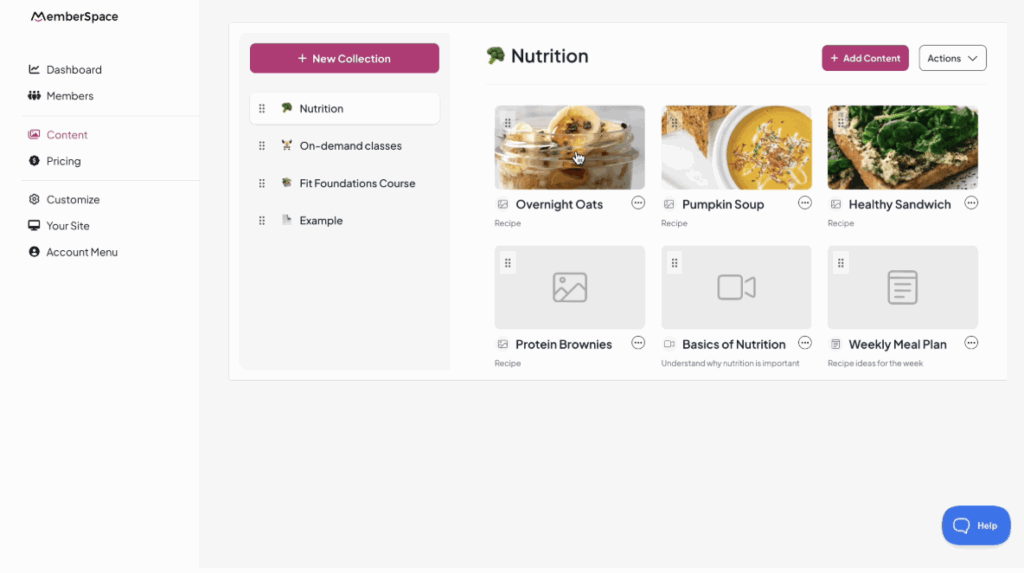
Step 3: Add and Organize Your Digital Products in MemberSpace

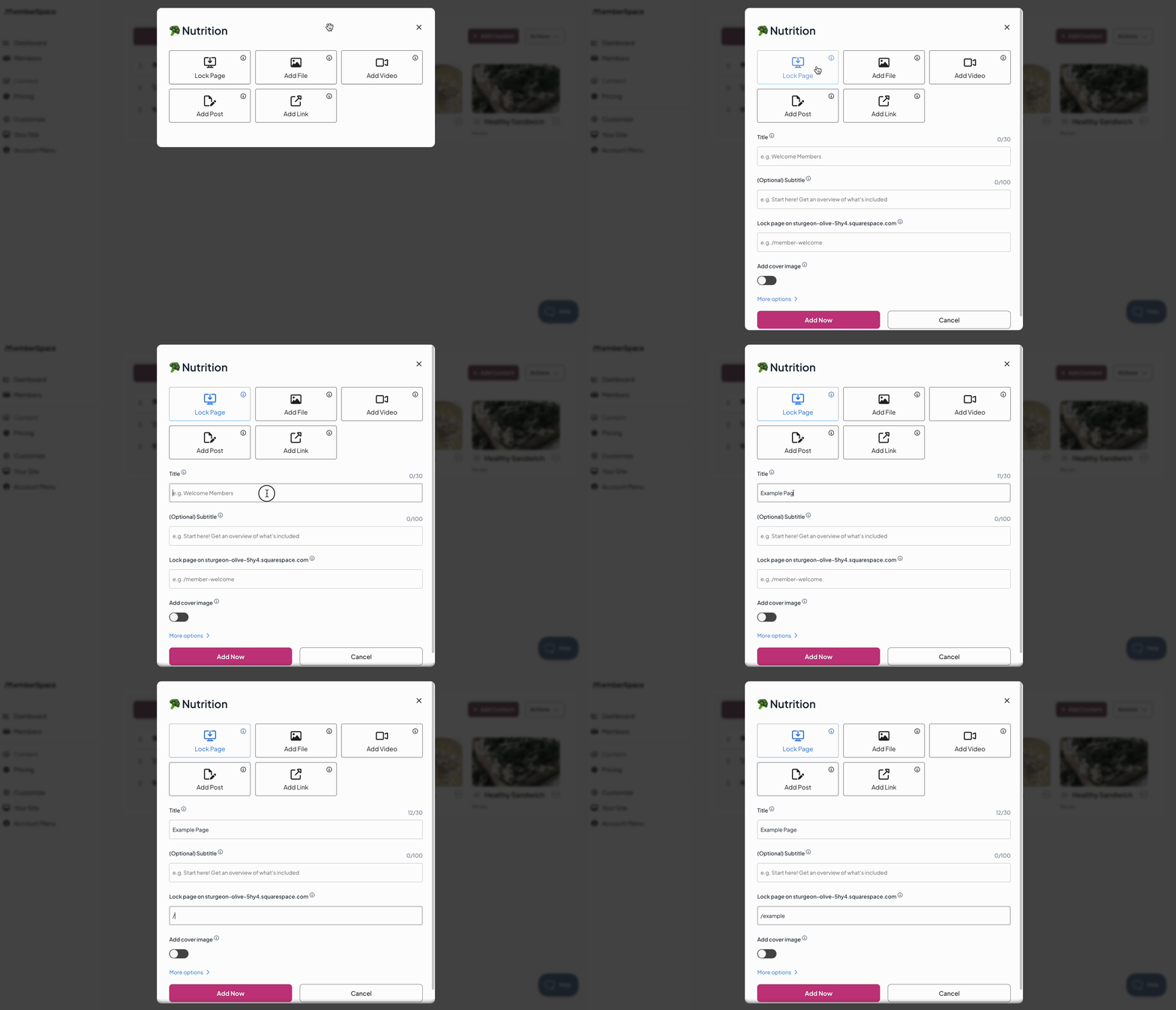
Once MemberSpace is installed, you can easily upload and manage your digital products directly inside your account — no need to edit your website. You can upload files, embed videos, or even create posts like newsletters or articles.

MemberSpace also makes it simple to organize your content however you like using drag-and-drop and folders. Your customers can even mark their favorite content for quick access later, creating a clean and personalized experience for them.

From your customers’ perspective, the process is seamless — they can sign up, pay, and get instant access to your entire library of digital products right after checkout.

add content to membership site

Step 4: Set Your Pricing

MemberSpace gives you flexible pricing options so you can sell your digital products however you like:

  • One-time payments for single downloads
  • Subscriptions for ongoing access or memberships
  • Installment plans for higher-ticket offers
  • Free access for lead magnets or bonus content

You’re in full control of how your products are priced and delivered.

Step 5: Share Your Product Links

Once your products are live, it’s time to promote them! MemberSpace provides shareable links for each product, so you can post them anywhere your audience hangs out:

  • Social media bios and posts
  • Email newsletters
  • YouTube descriptions
  • Chat groups or communities

When someone clicks the link, they’ll be taken directly to a signup/checkout form where they can create an account and pay for access — all within your website.

Final Thoughts

There are plenty of places to sell digital products online, but building your own website gives you something marketplaces can’t — ownership and control. You decide how your business runs, how your products are presented, and how your customers experience your brand.

With MemberSpace, you can easily turn any website into a digital product store in minutes — no coding, plugins, or complicated setup required.

👉 Ready to create your own website to sell digital products? Sign up for MemberSpace and start building your digital business today.

How to Sell Digital Products Without a Website – Step-by-Step Guide

Software Stack Editor · October 8, 2025 ·

Picture of Haiden Hibbert

Haiden Hibbert

I’m a Content Manager at MemberSpace helping entrepreneurs and creators sell digital products.

For many creators and entrepreneurs, setting up a website feels like one of the biggest hurdles to getting started online. You might not have the time, tech skills, or desire to manage yet another thing on your plate — and that’s completely understandable.

The good news? You don’t need a full-blown website to start selling your digital products. Whether you’re a coach, designer, educator, or content creator, you can start earning from your digital products today — no coding or complicated setup required.

In this post, we’ll walk you through exactly how to sell digital products without a website using MemberSpace. You’ll learn how to create a simple, professional setup that lets customers purchase your content directly — and you can share your products anywhere online.

Why Skip the Website?

Before we dive into the how-to, let’s be honest: building and maintaining a website can be a project in itself.

Between choosing a platform, designing pages, setting up payment systems, and keeping everything updated, it’s no wonder so many entrepreneurs delay launching their digital products.

But the truth is, you don’t need a big website to start making money online. What you do need is a simple way to:

  • Upload your digital content
  • Accept secure payments
  • Give customers instant access

That’s exactly what MemberSpace helps you do — in just a few steps.


Step 1: Create a Free MemberSpace Account

Start by signing up for a MemberSpace account for free. During setup, you’ll see an option to “Create a simple MemberSpace website for me automatically.”

Selecting this will instantly generate a simple, customizable website for you — no design experience required. This site comes with MemberSpace already installed, so you can focus on your content instead of technical setup.

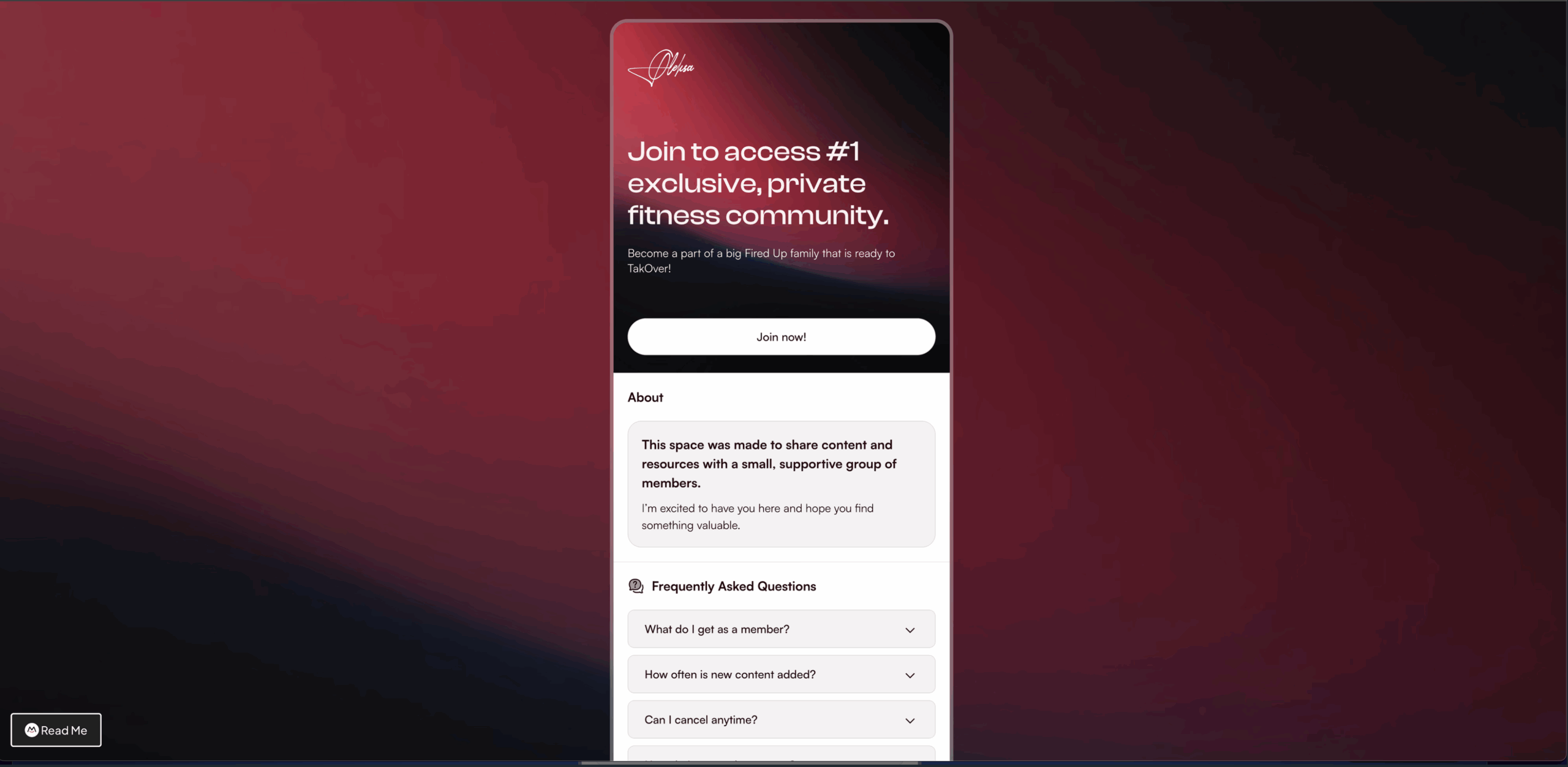
Here’s an example of what your site will look like: 

selling digital products without a website

You’ll be able to:

  • Customize the look and feel of your site
  • Add your logo, colors, and text
  • Showcase all your digital products

It’s a quick way to get a professional online presence without the stress of building a full website from scratch.

Step 2: Upload Your Digital Products

Once your MemberSpace site is ready, it’s time to upload your digital products.

You can create a library of content by adding:

  • Videos
  • Audio files
  • PDFs or eBooks
  • Images
  • Links to external resources

Each item you upload can be turned into a sellable digital product. MemberSpace will automatically make this content available for purchase on your new site.

This setup works perfectly for creators selling things like online courses, templates, guides, or exclusive content — all without needing a separate website or complicated integrations.

Step 3: Set a Price for Your Content

Next, decide how you want to sell access to your digital products. MemberSpace gives you flexible pricing options to fit your business model:

  • One-time payments: Great for standalone products like eBooks or templates.
  • Subscriptions: Perfect if you want to offer ongoing access to new content or updates.
  • Installments: Let customers pay over time for higher-priced products.
  • Free access: Ideal for lead magnets or freebies that help grow your audience.

Once you’ve set your pricing, your digital products are ready to go live. When someone visits your MemberSpace site, they can purchase access instantly.

Step 4: Share Your Product Links Anywhere

Here’s where the magic happens — you don’t need to rely on website traffic or SEO to make sales.

MemberSpace gives you direct links to each of your products, which you can share anywhere you already connect with your audience:

  • Social media platforms (Instagram, TikTok, LinkedIn, X, etc.)
  • Email newsletters
  • YouTube descriptions
  • Podcast show notes
  • Direct messages or chat groups

When someone clicks your link, they’ll be taken to a simple sign-up and checkout form where they can create an account and pay for access.

It’s seamless for your customers and effortless for you — no extra tools or tech setup required.

Step 5: Deliver Your Digital Products Automatically

After purchase, MemberSpace automatically grants access to your digital content. You don’t have to manually send files or track who’s paid — everything happens behind the scenes.

Your customers can log in anytime to access their purchases, and you can easily manage memberships, payments, and content updates from your MemberSpace dashboard.

This means you can spend less time on admin work and more time creating new products or growing your audience.

Frequently Asked Questions

Do I really not need a website?
That’s right! MemberSpace automatically creates a simple, hosted site for you — no need for WordPress, Squarespace, or any other platform.

Can I connect my own domain later?
Absolutely. If you decide you want a custom domain (like yourname.com), you can easily add it later.

What types of digital products can I sell?
Pretty much anything you can upload or link to — courses, downloadable files, templates, videos, and more.

How do I get paid?
MemberSpace integrates with Stripe, so you’ll receive payments directly to your bank account.

Final Thoughts

Selling digital products doesn’t have to start with building a complicated website. With MemberSpace, you can set up a simple, professional, and automated system to sell your work — all in a matter of minutes.

Whether you’re just starting out or looking to simplify your current setup, this is one of the easiest ways to get your digital products in front of paying customers.

👉 Ready to start selling your digital products without a website? Sign up for MemberSpace today and launch your first product in minutes.

10 Digital Products To Sell: High-Profit Ideas That Generate Passive Income in 2025

Software Stack Editor · October 6, 2025 ·

Let’s be honest — “making money online” can sound like one of those overhyped internet promises. But in 2025, digital products are still one of the smartest (and most sustainable) ways to earn real income.

The truth is, not every digital product idea works anymore. The market’s evolved, and buyers are pickier. But the good news? A handful of digital products continue to bring in serious profit for creators, freelancers, and small business owners—without massive startup costs or complicated tech.

In this guide, we’ll break down 10 of the most profitable digital products to sell in 2025—the ones that are actually making money this year. Whether you’re a total beginner or looking to grow your side hustle, these ideas will help you build reliable, passive income from products people already want to buy.

1. Online courses

Online courses remain one of the most profitable digital products to sell in 2025—and for good reason. People are still willing to pay for structured, high-quality learning experiences that save them time.

You can teach almost anything: business, art, fitness, tech, or even creative hobbies. All you need is a camera or a screen recorder like Loom or Camtasia.

Platforms like MemberSpace make setup simple, handling payments, content organization, and student access so you can focus on teaching.

Start by outlining your course and breaking it into short, clear lessons. Update it once or twice a year to keep it relevant.

Most courses sell for $50–$500 depending on depth and extras like certificates or coaching. Remember: students pay for clarity and results, not just information.

If you’re not sure what to teach, look at what your audience struggles with most—and build a course that solves that problem.

2. Ebooks

Ebooks are still a top choice for creators who want a low-cost, high-profit digital product. You write it once, and it can keep selling for years.

Pick a topic you know well—anything from business tips and recipes to mindset or personal growth. Most first-time authors finish an ebook in just a few weeks.

Use Google Docs or Word to write, then design it in Canva using their free templates for a polished look.

You don’t need to be a professional writer—just focus on solving a real problem. Clear, actionable content always beats fancy language.

Start with a price between $9 and $29 to test interest. Once it’s live, you rarely need to update it unless your topic changes quickly. It’s one of the easiest ways to build long-term passive income!

3. Canva templates

Canva templates continue to be one of the fastest ways to earn passive income online. You design once, and people can buy and reuse your work endlessly.

There’s constant demand—business owners, influencers, and students all want eye-catching designs without spending hours creating them.

You can make templates for social media, business cards, planners, or workbooks. Popular categories include Instagram templates, printable planners, and brand kits.

Each design might take just a few hours, and Canva’s drag-and-drop tools make it super beginner-friendly.

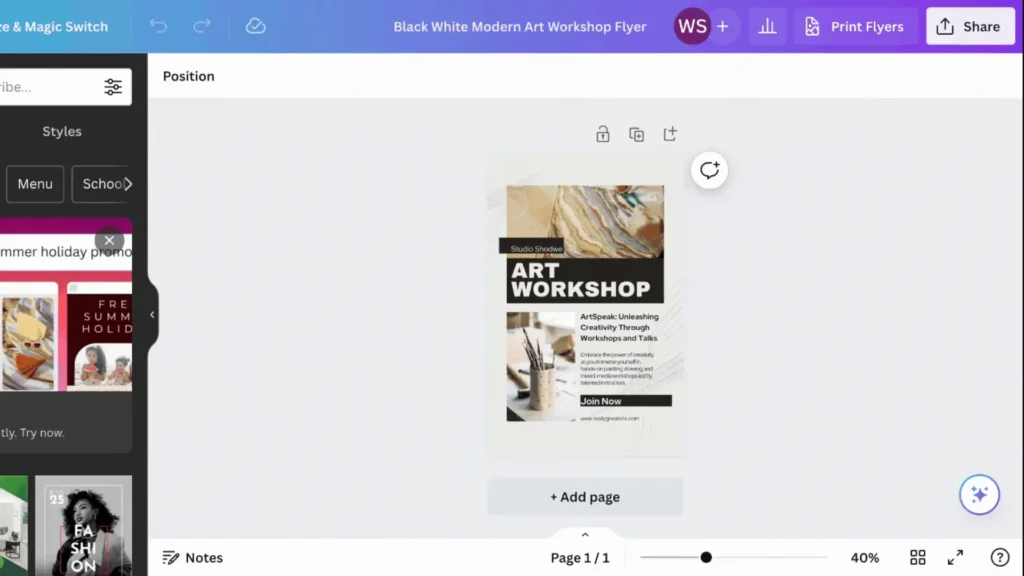
You can sell your templates on your own website, and once you’ve built a few, you can bundle them or update them for quick repeat sales. 

Canva template digital product

4. Notion planners

Notion planners are having a major moment in 2025. As more people use Notion to organize their lives, the demand for pre-built templates keeps growing.

You can create planners for meal planning, budgeting, project management, or goal tracking. All you need is a free Notion account and a few hours to build something useful.

Test your planner before selling it, and include simple instructions so buyers know how to use it.

You can even release seasonal versions like a “New Year Reset” or “Back-to-School” planner to keep your shop fresh.

5. Printable wall art

Printable wall art is one of the simplest digital products to start with—and it’s still selling strong in 2025. People love affordable, instant decor they can print at home.

Design once, sell forever. You can create minimalist quote prints in under an hour or spend a few hours on more detailed art.

Popular styles include motivational quotes, nature scenes, and abstract designs. Stick to trending colors and offer multiple sizes so buyers can print what fits their space.

Once your designs are up, you don’t need to update them much—just add new seasonal or themed art now and then.

If you’re new to design, start with simple text-based prints. They’re quick to make and often sell surprisingly well.

6. Stock photography packs

If you’re a photographer, stock photo packs are a smart way to earn from your existing images.

Bundle similar photos into themed collections—like “wellness,” “remote work,” or “coffee shop vibes.” Businesses, bloggers, and marketers are always looking for fresh, high-quality visuals.

Edit your photos in Lightroom, organize them into packs of 10–50 images, and price them between $15 and $75.

7. Social media content calendars

Social media content calendars are a lifesaver for busy entrepreneurs and creators. They help people plan posts, stay consistent, and avoid content burnout.

You can make them in Canva, Google Sheets, or Notion—usually in just a few hours.

Include monthly themes, daily prompts, and hashtags. Add caption templates or content ideas for extra value.

Focus on specific niches like fitness, food, or beauty. Tailor each calendar for different platforms since Instagram, TikTok, and LinkedIn all have unique styles.


8. Mobile app templates

Mobile app templates let you tap into the app economy without building custom apps from scratch.

Small businesses want apps but can’t always afford developers. Templates save them time and money—and earn you steady income.

Create templates for restaurants, fitness programs, or e-commerce stores. You can use React Native, Flutter, or no-code tools like Adalo.

Plan on spending a few weeks making a polished, well-documented template. Update it every 6–12 months for new OS versions and design trends.

Prices range from $50 to $500 depending on features. Once built, these can generate consistent income with minimal upkeep.

9. Email newsletter subscriptions

Paid newsletters are a great way to build recurring income from your expertise.

Subscribers pay for curated, valuable insights that save them time or help them make smarter decisions.

Pick a niche you know well—like small business tips, investing, or creative inspiration. The more specific your topic, the easier it is to attract loyal readers.

Start with free content to grow your list. Once you have a few hundred subscribers, offer a paid tier with exclusive content or deeper analysis.

Most paid newsletters charge between $5 and $50 per month depending on the niche.

10. Audio meditation tracks

The wellness market keeps growing, and meditation tracks are still a profitable evergreen product.

You can record at home with a decent mic and free software like Audacity. Focus on themes like sleep, stress relief, or morning motivation.

Keep each track between 10 and 45 minutes. Once recorded, you can bundle related meditations—like a “Better Sleep” pack—for higher prices.

How to Sell Digital Products with MemberSpace

MemberSpace makes selling digital products incredibly easy—it takes just a few minutes to get started. Here’s a quick look at how you can starting selling your products with MemberSpace:

  1. Install MemberSpace on any website—WordPress, Squarespace, Wix, or others. No website? No problem. We’ll create a free, customizable site for you.
  2. Upload your digital products to create a beautiful library of content—ebooks, courses, templates, anything. 
  3. Decide how customers pay. You can choose from one-time purchases, subscriptions for ongoing access, multiple installments, or free downloads. 

4. Share your product link(s) on social media, email, or your blog.

Most people launch their first product in under 30 minutes. Once it’s live, it basically runs itself.

Frequently Asked Questions

Where can I sell digital products?

The best place to sell digital products is on your own website with a tool like MemberSpace?

How does MemberSpace help me sell digital products?

MemberSpace allows you to sell access to a library of digital content and exclusive pages on your own website. All you need to do is install it on your website, which takes just a few minutes. 

What types of digital products are most profitable to sell online?

Online courses and ebooks still bring in the highest profit margins. Canva templates, Notion planners, and printable wall art are also consistent earners.

How can I identify trending digital products for online sales?

Use Pinterest Trends and Google Trends to see what’s gaining traction. Look for rising interest in productivity, home decor, and business tools.

Where can I find resources or marketplaces to purchase digital products for reselling?

Check Creative Market, Etsy, and Gumroad for products with commercial or resale rights. Always double-check the license before buying.

Can you sell digital products on multiple marketplaces?

Absolutely. Listing your products on multiple platforms—like Etsy, Amazon, and your own site—helps you reach more buyers with minimal extra effort.

Final Thoughts

The digital product space might feel crowded, but it’s far from over. The key is focusing on what’s actually profitable right now—products that solve real problems and deliver real value.

You don’t need a huge following or fancy tech setup to succeed. Start with one idea, keep it simple, and focus on helping your audience. Once your product is live, it can keep earning for you long after launch day.

Whether you’re selling ebooks, courses, templates, or planners, the creators who win in 2025 are the ones who stay consistent, keep learning, and keep creating.

And if you want a no-fuss way to sell your digital products, MemberSpace makes it easy to set up, get paid, and grow—all without touching a single line of code.

Your first sale might be closer than you think. Good luck!

Notifications, search, bookmarks, and more

Software Stack Editor · October 6, 2025 ·

Your Member Menu has a new name and some exciting upgrades. We’ve rolled out improvements that make navigation smoother, content easier to manage, and the overall experience better for both you and your members.

Want the full walkthrough? Watch our quick overview video below:

Wording changes you’ll notice

Let’s start with a few wording changes to make sure we’re on the same page before diving into the new features and updates.

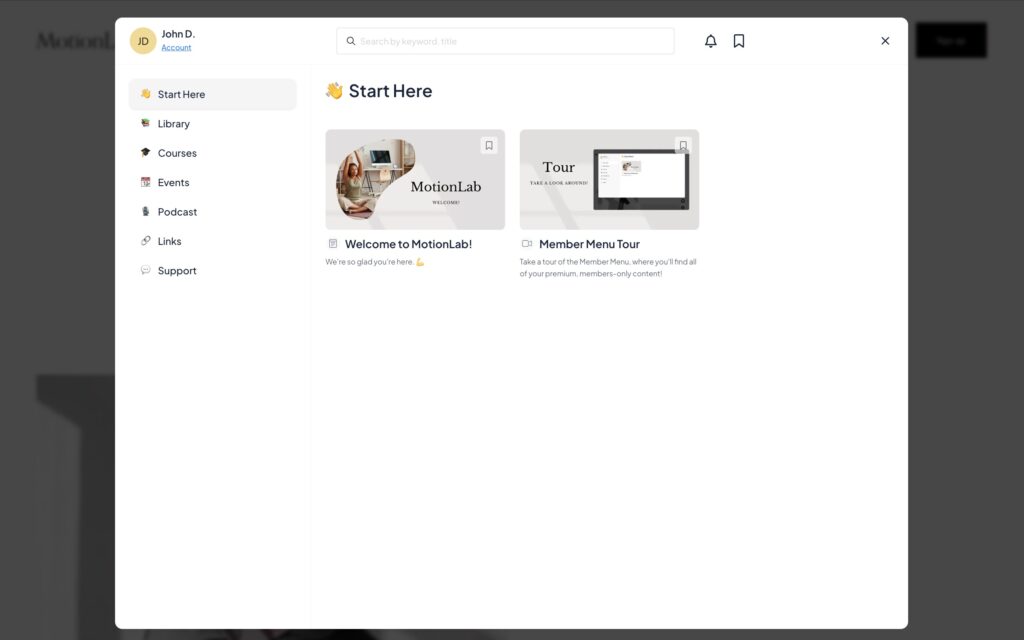
“Member Menu” → MemberSpace

Your Member Menu has grown into more than just a list of links. It’s a central hub where your members can access and interact with all of your exclusive content, as well as manage their accounts, all in one place.

Renaming it to your MemberSpace more accurately reflects all the new updates it’s received over the past few months. Plus, it leaves room for endless possibilities as we continually work to improve MemberSpace.

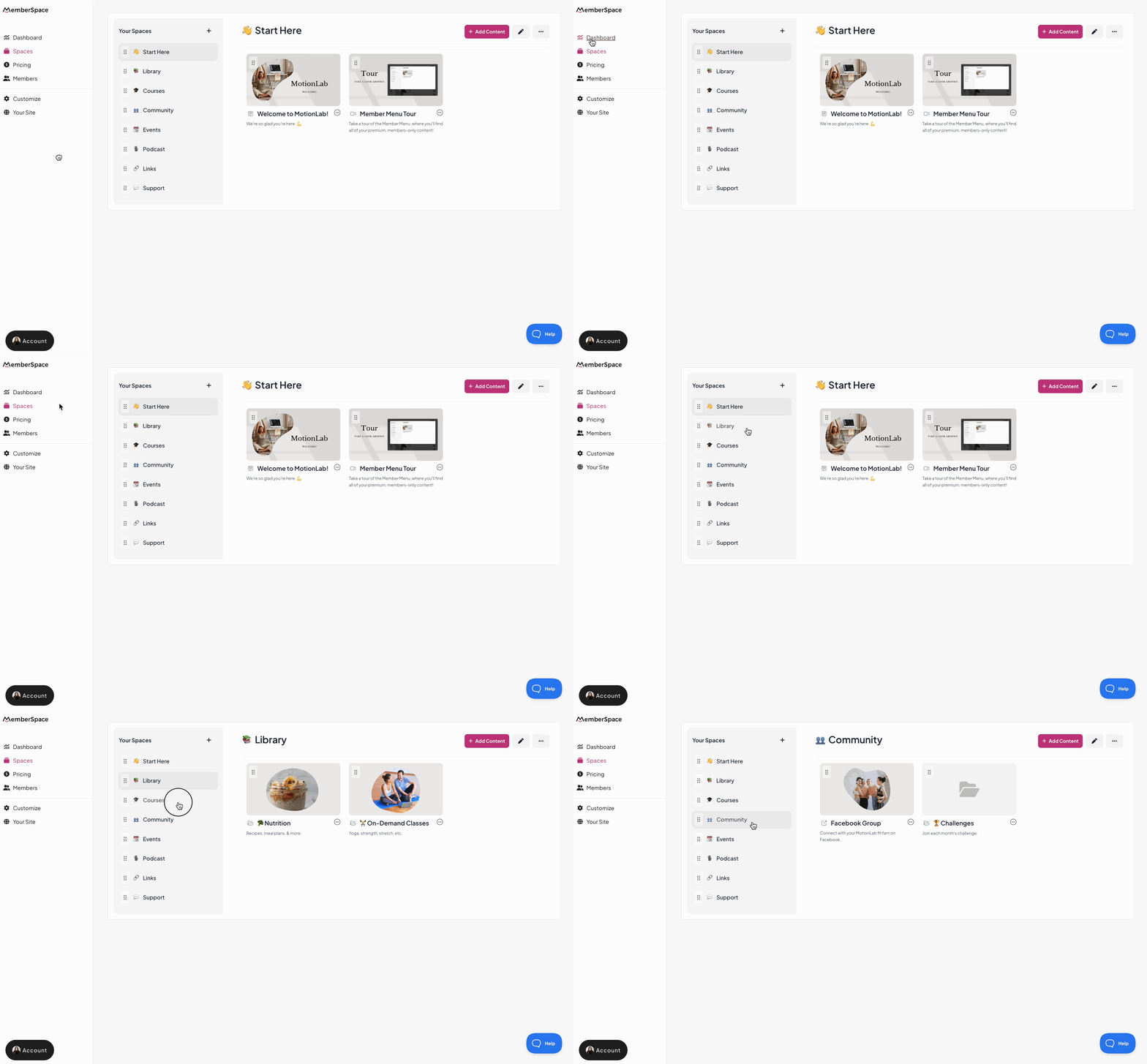
“Collections” → Spaces

Your MemberSpace is comprised of various Spaces (formerly “Collections”), which contain videos, files, links, and other exclusive content. The functionality is the same, but the new name is more inclusive and allows for continued growth in the future.

Description of GIF

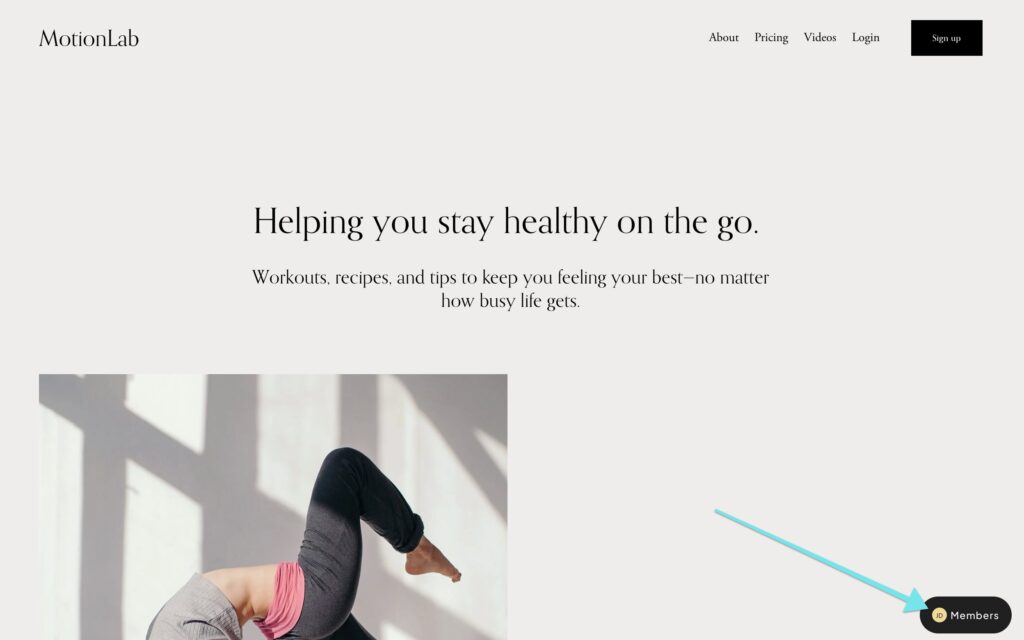
MemberSpace button default text

The floating button that appears in one of the four corners of your website—where members can sign up, log in, and access your MemberSpace—now has updated default wording.
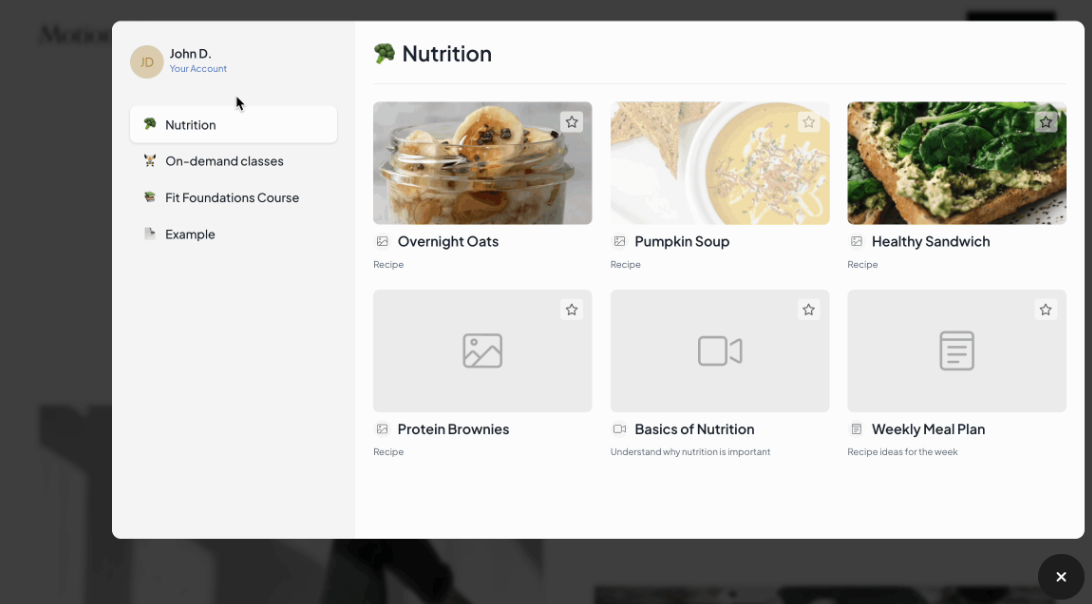
By default, the button simply says Members, whether someone is logged in or not. (It previously said “Member Access” when logged out and “Member Menu” when logged in.)

As always, you can customize this wording to fit your brand’s tone.

👉 Important: These are wording changes only. Aside from a few improvements and new features (explained below), nothing about how you or your members currently use MemberSpace has changed.

New features & other enhancements

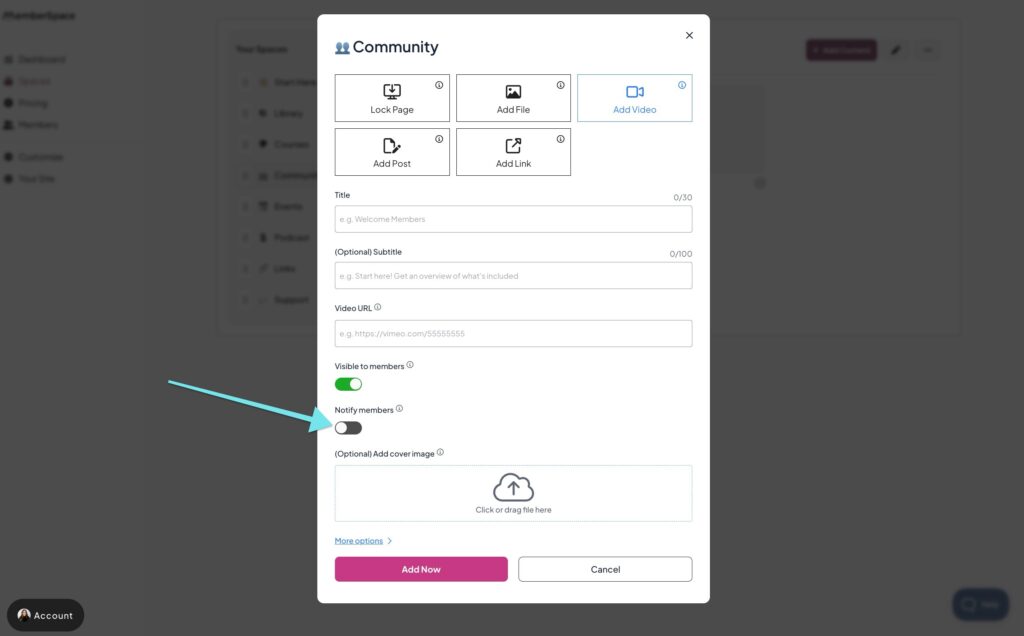
Notify members of new content

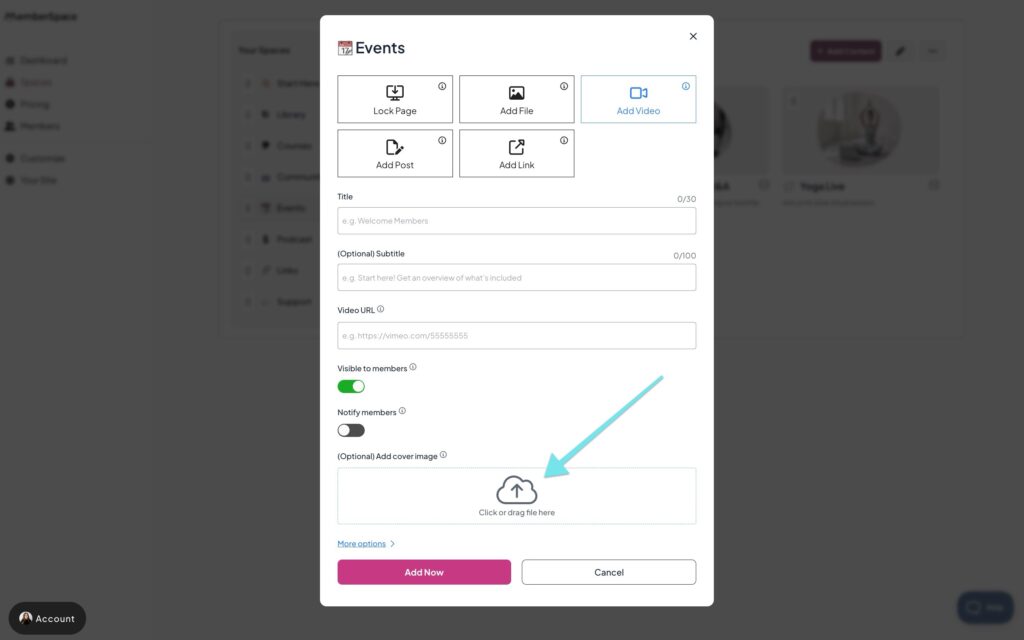
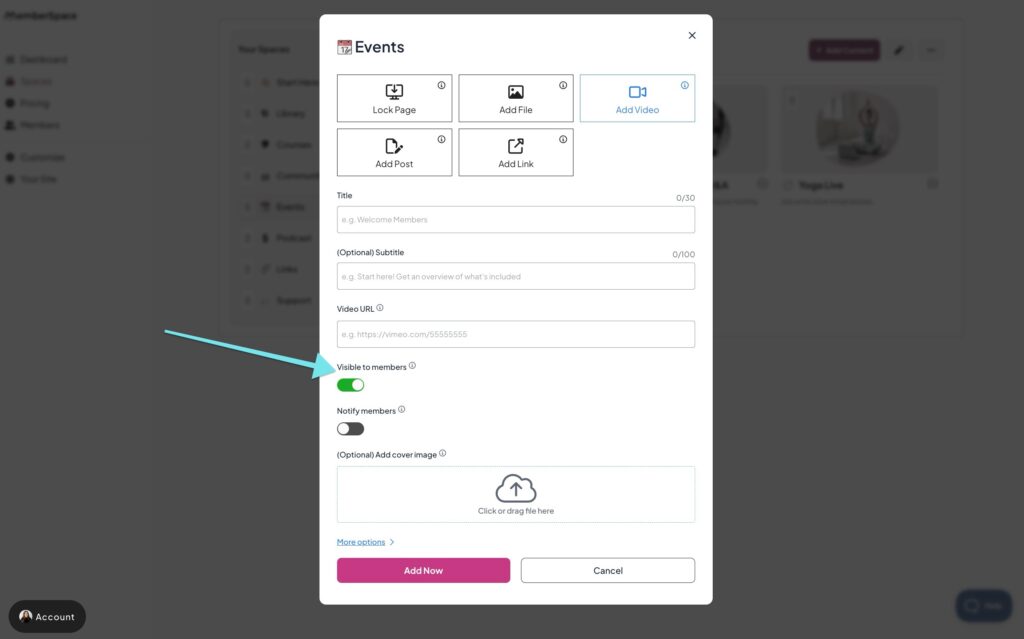
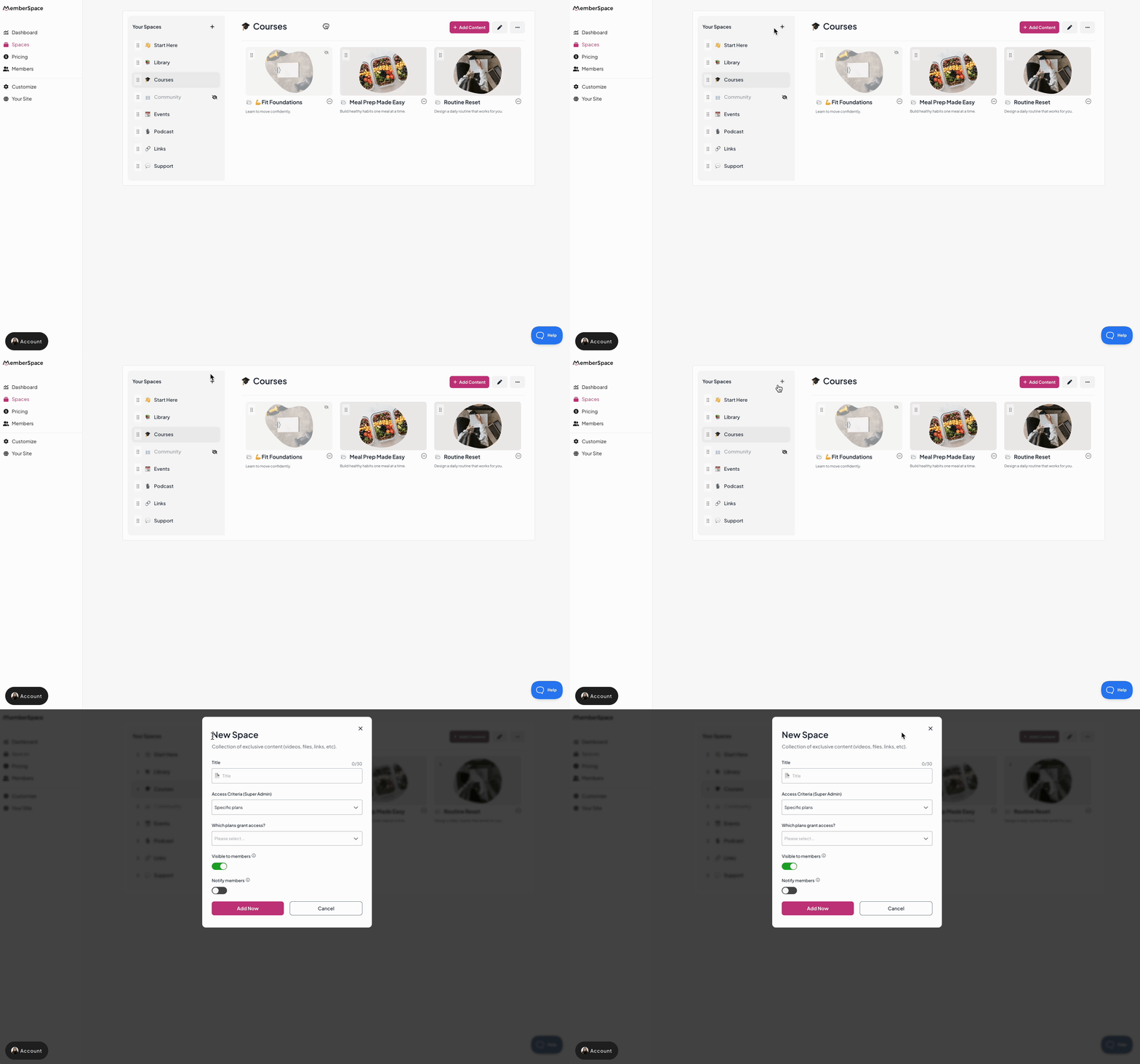
When you add a new Space, folder, or piece of content, you’ll see a “Notify members” toggle (off by default).

Turn it on, and the new item will appear in the “What’s New” feed in your MemberSpace, marked with a bell icon at the top.
 
Members will also see a small notification icon on the MemberSpace button if there’s something new to check out.

Description of GIF

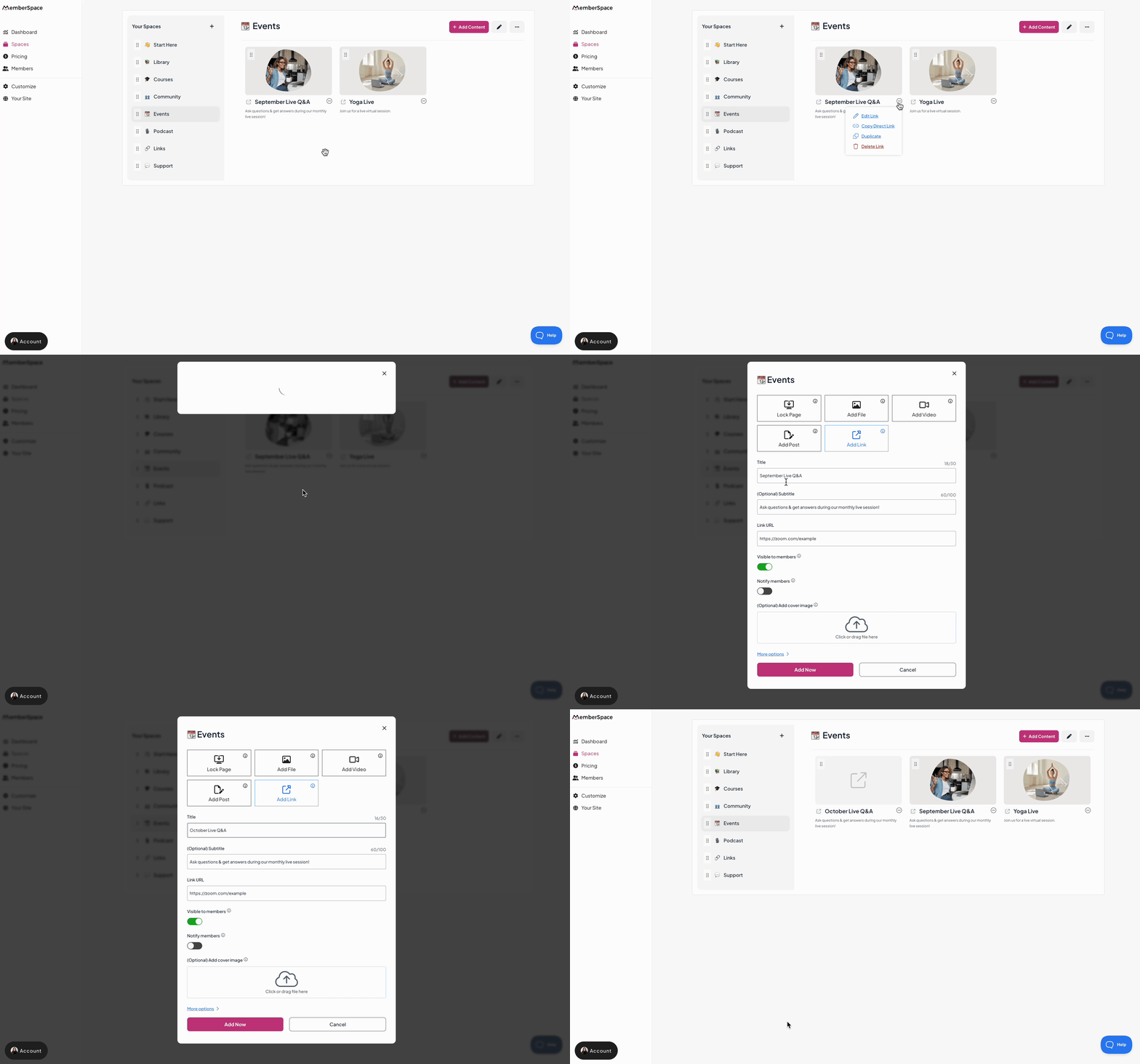
Duplicate existing content

Need to reuse or repurpose content quickly? You can now duplicate posts, videos, links, and locked pages with just a few clicks.

This makes it easy to copy an existing item instead of starting from scratch.

Description of GIF

A new search bar for members

Members can now find exactly what they’re looking for with the new search bar at the top of your MemberSpace.

Search works across folders and content titles and subtitles, making it much easier for members to navigate and access what they need.

Description of GIF

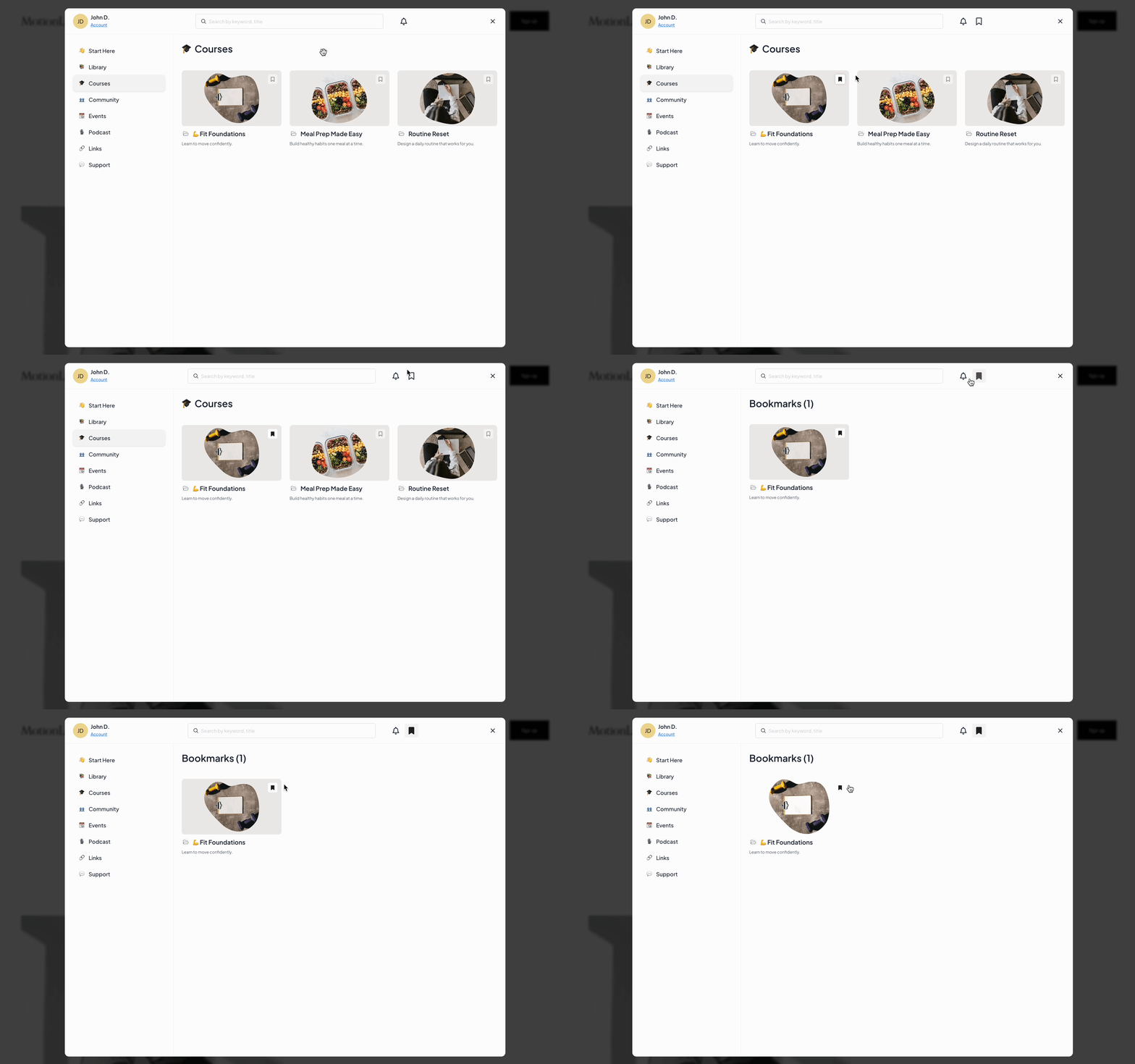
Bookmarks replace Favorites

The old “Favorites” feature has been replaced with Bookmarks.

Members can bookmark any folder or content item. Once they do, a bookmarks icon appears at the top of your MemberSpace, right next to the What’s New notifications bell.

Description of GIF

Everything they’ve saved is collected in one easy-to-access spot.

Other helpful updates

We’ve also made a few smaller improvements that make managing your content clearer and faster.

The cover image upload area now appears automatically when adding folders or content (still optional).

The toggle for showing content in your MemberSpace is now labeled “Visible to members” for easier understanding.
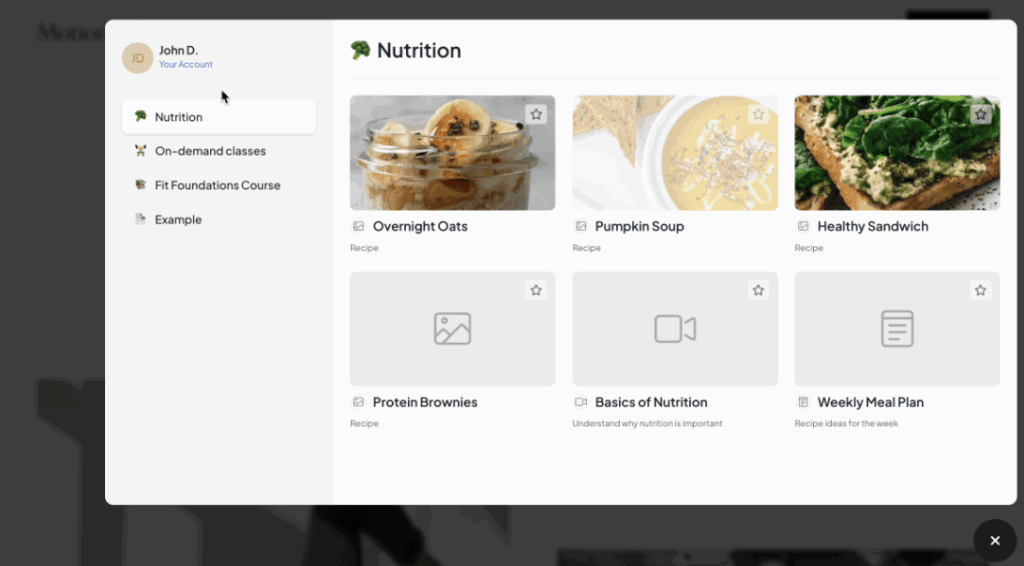
Any hidden Spaces, folders, or content now displays an eye-slash icon in your MemberSpace dashboard.

The former “+ New Collection” button has been replaced with a simple plus (+) icon, which you can use to add new Spaces to your MemberSpace.

Description of GIF

Editing takes just one click with a new pencil icon. Other actions, like delete or copy link, are in a streamlined three-dot dropdown menu.

That’s all for now 🎉
 

Make your MemberSpace a place your members love to return to.

With better navigation, helpful notifications, and simple tools for managing content, you can keep things running smoothly while giving your members a better experience every time they log in.

Haven’t launched a membership yet? Check out our free demo to see how easy it is to build a membership business on your website!


Watch a free demo

4 Steps to Create a Profitable Online Course

Software Stack Editor · October 2, 2025 ·

If you’ve built an audience online—whether it’s through Instagram, YouTube, a podcast, or your newsletter—you already know the hardest part: earning people’s trust. They show up for your content, they value your perspective, and they look to you for guidance.

That trust is gold. And one of the best ways to honor it—while also building a new income stream—is by creating an online course.

The beauty of a course is that it lets you package your expertise into something structured and actionable. Instead of answering the same questions in your DMs or repeating advice in your content, you can guide your audience step by step through a proven process… and get paid for it.

Let’s break down how to do it without overcomplicating things.

Step 1: Create Your Online Course Content

The most important part of any course is the content itself. This is where you’ll take what you know and break it down into a clear, structured learning experience.

Think of your course as a journey for your students. They’re starting at point A (where they are now) and want to get to point B (the transformation or outcome you’re promising). Your job is to guide them along that path in a way that’s simple, motivating, and actionable.

Break Your Course Into Modules and Lessons

A typical course is divided into modules (big-picture topics) and lessons (specific steps or ideas within those topics). For example:

  • Module 1: Getting Started
    • Lesson 1: Introduction & Goal Setting
    • Lesson 2: Tools You’ll Need
  • Module 2: Core Skills
    • Lesson 1: Fundamentals
    • Lesson 2: Practice Exercises

This structure helps learners feel a sense of progress and makes your content easier to digest.

Mix Up Your Content Formats

Not everyone learns the same way. To keep your course engaging, consider mixing different types of content:

  • Video lessons – Perfect for explaining concepts, demonstrating processes, or presenting slides.
  • Written guides – Great for summaries, detailed explanations, or step-by-step instructions.
  • Audio files – Useful for learners who like to listen on the go.
  • Downloadable resources – Checklists, worksheets, templates, or PDFs that help students apply what they’ve learned.

Even if you’re starting small, aim for at least two different content formats. For example, record a short video and include a downloadable worksheet to go with it.

Step 2: Set Up Your Course With MemberSpace

Once your content is ready, the next step is putting it all together in a place where your students can access it. That’s where MemberSpace comes in.

Instead of juggling multiple complicated tools, MemberSpace gives you a simple way to upload, organize, and sell your course content — all in a beautifully designed content hub.

If you already have a website, you can install MemberSpace directly onto it. If you don’t, no problem — MemberSpace can create a free customizable site for you. This way, you’ll have a professional home for your course without needing to hire a web designer or learn code.

Upload and Organize Your Content

Inside MemberSpace, you can upload all your videos, PDFs, audio files, and other resources. From there, you’ll use the drag-and-drop editor to organize your modules and lessons in whatever order makes sense.

The best part? You can edit, update, or add new content anytime. If you want to launch quickly with just a few lessons and then add more later, you can.

Add Extras Like Quizzes and Certificates

To make your course more interactive, MemberSpace lets you add quizzes to check student understanding and certificates to reward completion. These little touches can make your course feel more professional and keep learners motivated.


Screenshot 2025-09-29 at 3.24.06 PM
Screenshot 2025-09-29 at 3.23.53 PM
Screenshot 2025-09-29 at 3.23.43 PM

Sell More Than Just Courses

One bonus of using MemberSpace is that you’re not limited to courses. You can also sell:

  • Digital downloads (like ebooks or templates).
  • Access to private communities.
  • Coaching sessions or workshops.

This means you can start with a course and expand into other revenue streams over time.

Step 3: Set Course Pricing

Now it’s time to decide how people will access your course. MemberSpace gives you several flexible options:

  • One‑time payment for lifetime access
  • Recurring subscription if you’ll be adding new content or want ongoing revenue
  • Free trial to encourage sign‑ups
  • Completely free if your goal is audience growth or lead generation

Think about your goals: Do you want to build recurring income? Offer a one‑time product? Or use your course as a free resource to attract new clients? MemberSpace supports all of these approaches.

Step 4: Share With Your Audience!

Once your course is set up and priced, it’s time to share it with the world.

MemberSpace gives you a direct link to your course. You can:

  • Share it on social media.
  • Add it to your email newsletter.
  • Post it in your community groups.
  • Link it on your website or blog.

The sign-up process is seamless — people click your link, pay (if it’s a paid course), and immediately get access.

Best Practices for Creating an Online Course

To make your course as engaging and successful as possible, here are some proven tips:

  • Repurpose existing content. If you’ve already made YouTube videos, blog posts, or podcasts, you can repackage them into a structured course.
  • Add community access. Consider including a private group or forum where students can connect, ask questions, and support each other.
  • Use quizzes and certificates. These increase engagement and give learners a sense of accomplishment.
  • Keep lessons short. Aim for 5–15 minutes per video to maintain attention.
  • Focus on outcomes. Always tie your lessons back to the transformation your students want.
  • Gather feedback. Ask your first students what they liked, what was confusing, and what they’d like more of.

Frequently Asked Questions about Creating Online Courses

1. Do I need a website to use MemberSpace for my course?
No—you can host your course directly in MemberSpace’s Content Hub and share the link with your audience. If you already have a website, you can integrate your course there too.

2. What types of content can I upload?
You can add videos, audio files, PDFs, slides, links, or any combination of formats. MemberSpace is flexible, so you can build your course in the way that works best for you.

3. Can I update my course after it’s live?
Yes. You can add new lessons, reorder modules, or update files at any time. Your learners will always see the latest version.

4. How do I decide on pricing?
It depends on your goals. A one‑time payment works well for standalone courses. A subscription makes sense if you’ll add content regularly. And if your aim is to grow your audience, offering the course for free can be a great strategy.

5. What if I want to add extras like quizzes or certificates?
You can! Quizzes can be created with tools like Google Forms or Typeform and linked directly in your course. Certificates can be designed in Canva and emailed to learners who complete the course. These are optional, but they can add value.

Final Thoughts

Creating an online course is one of the smartest ways to share your knowledge, help your audience, and build a sustainable income stream. Thanks to tools like MemberSpace, the process is no longer overwhelming — you don’t need coding skills, a huge budget, or months of setup.

Here’s a quick recap:

  1. Create your content – Break it into modules and lessons with a mix of formats.
  2. Set up your course with MemberSpace – Upload, organize, and customize your content hub.
  3. Choose your pricing model – One-time fee, subscription, payment plan, or free.
  4. Share it with your audience – Use your direct link to promote on social media, newsletters, and more.

Remember, your first course doesn’t have to be perfect. Start small, launch quickly, and improve as you go. The most important step is simply getting started.

If you’ve been sitting on an idea for a course, now’s the time to bring it to life. Your audience is waiting — and your future self will thank you.

7 Types of Online Communities (And How to Monetize Them)

Software Stack Editor · September 29, 2025 ·

If you’re a creator or entrepreneur, you already know how important it is to have an audience. But here’s the truth a lot of people miss: an audience alone isn’t enough.

Followers can scroll past. Algorithms can change. Email open rates can dip.

What really lasts is a community.

And I don’t mean that in some fluffy “community is everything” way. I mean it literally: building an online community is the foundation of a sustainable business. Whether you’re growing around a podcast, a newsletter, a membership, or even a social media page, the real long-term value comes from turning casual followers into people who feel connected — not just to you, but to each other.

That’s when you shift from “I have an audience” to “I have a business.”

In this post, we’ll break down the main types of online communities, share real-world examples, and talk through how you can monetize whichever type feels right for you.

What Exactly Is an Online Community?

Let’s get clear on this before we dive in.

An audience is one-way. You create content, they consume it. That’s your Instagram followers, your podcast listeners, your newsletter subscribers.

A community is two-way (and sometimes three-way). People don’t just tune in to you — they connect with each other. They share experiences, ask questions, cheer each other on, and feel like they belong.

That shift is powerful. It’s what turns your work from “content” into connection. And it’s also what makes your business more resilient, because communities stick around long after algorithms or platforms change.

The Main Types of Online Communities

There’s no one-size-fits-all here. The best type of community for you depends on your content, your audience, and your goals. Let’s walk through the most common types, with examples of how creators are making them work.

1. Interest-Based Communities

Some of the most vibrant online spaces are built around a shared passion or lifestyle. Fitness. Photography. Gaming. Wellness. The list goes on.
The beauty of these communities is simple: people aren’t just showing up for information — they’re showing up because they want to connect with others who get it.

Take Sam’s Micro Squad. It’s a fitness membership that includes a private Discord server. Sure, members join because they want workout plans and training tips. But what keeps them coming back week after week is the camaraderie — the accountability partners, the cheerleaders, the friends who know exactly what it feels like to push through that last rep.

types of community example


And that’s the magic of interest-based communities: they turn something as personal as a fitness journey (or a hobby, or a lifestyle) into a shared experience.

If you’re a creator, here’s where the opportunity lies:

  • Share exclusive content like training plans, recipes, or tutorials.
  • Run group challenges that keep people motivated.
  • Offer premium coaching or small group sessions for those who want extra support.

You don’t need thousands of people to make this work. Even a small, tight-knit group can become the foundation of a thriving membership.

2. Content-Driven Communities 

This one’s especially relevant if you’re a podcaster, newsletter writer, or blogger. Your content already attracts a loyal audience. With the right setup, you can turn that audience into a thriving community.

Take The Confessionals Podcast. It explores true stories of unexplained phenomena. But they didn’t stop at publishing episodes. They built The Confessionals Social Network — a private membership app where fans can:

  • Create their own profile
  • Join groups
  • Engage in chat rooms
  • Send private messages
  • Unlock exclusive member-only episodes

content based community example

That’s a textbook example of moving from “listeners” to “community members.”

And the monetization opportunities are endless: paid subscriber tiers, bonus content, behind-the-scenes access, private chats, live Q&As.


3. Professional & Networking Communities

These communities are all about career growth, small business support, or industry networking. They’re especially powerful for entrepreneurs, freelancers, and creators who often work solo.

Take Abagail’s The Co-Op. It’s a membership for small business owners, including a private Slack community. Inside, members connect with peers, share resources, and learn from each other’s wins (and mistakes).

The Co-Op Community
Boss Project helps small businesses thrive through their membership, the Co-op.

The real value here isn’t just the content — it’s the access. Members get to be part of a group of like-minded professionals they wouldn’t otherwise meet. That kind of peer support is priceless when you’re building a business.

And from a monetization perspective, professional communities are gold. You can:

  • Host masterminds or roundtable discussions.
  • Run workshops with guest experts.
  • Offer exclusive job boards, templates, or business tools.

When done well, these communities become the go-to space for industry insiders — and that’s something people are willing to pay for.

4. Educational & Skill-Building Communities

If you’re teaching something — marketing, photography, coding, cooking — an educational community might be your sweet spot.

For example, The Social Broker built a membership that includes a private Facebook group. Members get access to coaching, guest speakers, customizable templates, and workshops. It’s part community, part classroom, part resource library.

The Social Broker community

People don’t just learn from you — they learn from each other. And that creates a much stickier experience than a standalone course.

Monetization options are wide open:

  • Tiered memberships (basic vs. all-access).
  • Bundled resources (courses, templates, guides).
  • Live training sessions or office hours.

If you’ve ever thought, “I don’t just want to teach, I want to build something ongoing,” this is the model for you.

5. Support Communities

Not every community is about learning or networking. Some are about support.

These are the safe spaces where people come together around a shared challenge or life stage. Think wellness groups, parenting communities, or accountability spaces for mindset and personal growth.

The value here isn’t in the content — it’s in the connection. Members join because they want to feel understood and supported by people walking the same path.

And while support communities can feel less “business-y,” they’re still highly monetizable. You might:

  • Offer group coaching or facilitated sessions.
  • Create private forums or chat spaces.
  • Run accountability programs or progress-tracking tools.

For many members, that sense of belonging is worth far more than another course or PDF.

6. Product & Brand Communities

Some communities form around a product or service itself. These are especially common in SaaS, e-commerce, or consumer products.

Think of Apple’s user forums or Notion’s online community. Customers come together to share tips, provide feedback, and help each other get more out of the product.

If you run a business like this, creating a community can:

  • Cut down on support tickets (because members help each other).
  • Build loyalty (because people feel invested in your product).
  • Create upsell opportunities (premium support, early access, exclusive events).

In other words: your product might be the hook, but the community is what keeps people sticking around.

7. Hybrid Communities

Most thriving communities are hybrids.

A fitness creator might combine interest-based content (workouts) with educational resources (nutrition guides) and support (accountability groups). A podcaster might mix content-driven discussions with networking opportunities.

Hybrids allow you to serve your members in multiple ways — and they give you flexibility to grow.

Monetization here often looks like:

  • Membership tiers (basic, premium, VIP).
  • Bundled offers (community + courses + events).
  • “All-access passes” for members who want everything.

How to Choose the Right Type for Your Audience

So which type should you build?

Start with a few simple questions:

  • What do your followers already come to you for?
  • Do they crave connection, learning, accountability, or support?
  • Where do they already spend their time (Slack, Discord, Facebook, etc.)?

And here’s the good news: you don’t have to get it perfect from day one. Many creators start small — maybe with a private chat group — and expand into a hybrid model as their community grows.

Think of it as an experiment. You’ll learn what your people truly want by building alongside them.

How to Monetize Any Community with MemberSpace

No matter which type of community you choose, the key is making it sustainable. That’s where MemberSpace comes in.

With MemberSpace, you can:

  • Sell access to private spaces (Discord, Slack, Facebook, or even your own website).
  • Offer different membership tiers to fit different budgets.
  • Bundle perks like workshops, coaching, templates, or bonus content.

And the best part? You don’t need to be a tech wizard. MemberSpace handles the heavy lifting so you can focus on what you do best — serving your community.

Just look at the examples we covered:

  • Sam’s Micro Squad (fitness + Discord).
  • Abagail’s The Co-Op (small business + Slack).
  • The Social Broker (education + Facebook group).
  • The Confessionals Podcast (content-driven + private app).

Each one uses a different type of community, but the common thread is this: they’ve figured out how to monetize their audience while delivering real value.

Final Thoughts

Online communities come in all shapes and sizes. Some are built around passions, others around professions, and others around content. The right one for you depends on your audience and your goals.

But here’s what’s true across the board: you don’t need a massive following to start. You just need clarity on the type of community you want to build — and the right tools to make it happen.

Want more strategies like these? Sign up for Membership Blast, our free newsletter, and we’ll send you biweekly tips to help you grow and monetize your online community.

16 Creator Monetization Strategies

Software Stack Editor · September 26, 2025 ·

You’ve built an audience. Now it’s time to turn that attention into income.

The smartest way to monetize isn’t by relying on social platforms or third‑party apps. It’s by selling directly on your own website. That way you:

  • Keep more of the revenue
  • Own your customer relationships
  • Build a business that lasts

Not sure what to sell? Here are 16 proven strategies creators use every day to monetize their content online.

1. Launch a Membership Program for Recurring Revenue

Memberships give you predictable income and create a sense of community. Even with just a few dozen members, monthly payments can add up fast.

What to include:

  • Exclusive content drops
  • Access to a private forum or group
  • Monthly Q&A calls
  • Discounts on other products

Start with one simple perk and expand as you go. 

Take The Socialite Agency, for example. Kate runs a marketing membership for luxury interior designers. Her members get exclusive access to things like web design and brand messaging, Google & ChatGPT search optimization, and email and blogging services. 

creator monetization example


2. Package Your Knowledge Into an Online Course

Courses are one of the most powerful creator products because they offer structure and transformation. Instead of scattered tips, you’re giving your audience a clear roadmap.

Examples:

  • A 7‑day crash course on photo editing
  • A 4‑week program on podcasting
  • A self‑paced course on building a portfolio

Pro tip: frame your course around the result students will achieve, not just the lessons.

3. Sell a Paid Newsletter With Exclusive Insights

Email is still the most reliable channel. A paid newsletter works when you deliver insights, stories, or curated resources people can’t get elsewhere.

This is a great fit if you:

  • Already write a free newsletter
  • Prefer writing over video or audio
  • Want a low‑overhead product

Position it as a time‑saver: “I’ll filter the noise and send you only what matters.”

4. Write and Sell an Ebook That Solves a Problem

Ebooks are affordable for your audience and quick for you to create. They also position you as an authority in your niche.

Tips for success:

  • Focus on solving one clear problem
  • Keep it concise (30–60 pages is plenty)
  • Add extras like checklists or templates

A short, practical ebook often sells better than a massive “ultimate guide.”

5. Build a Digital Content Library

Think of this as a vault of resources your audience can access anytime.

Ideas for your library:

  • Templates and swipe files
  • Video tutorials
  • Resource lists
  • Worksheets

You can sell access as a one‑time purchase or bundle it into your membership program. Abagail from Boss Project is a great example. She runs a membership for small business owners and provides them with a library of templates and tons of other resources they would need to scale. 

Boss Project helps small businesses through various digital products and a membership
Boss Project helps small businesses thrive through their membership, the Co-op.

6. Run Live Workshops for Hands‑On Learning

Workshops are interactive, time‑bound, and create urgency. People love the chance to learn directly from you in real time.

Always record your workshops—you can resell the replay or add it to your digital library.

7. Host Webinars That Teach and Sell

Webinars are part education, part sales funnel. They’re shorter than workshops and often end with a paid offer.

A simple structure:

  1. Teach something useful (30–40 minutes)
  2. Share success stories or case studies
  3. Invite attendees to your course, membership, or bundle

Done right, webinars build trust and drive conversions.

8. Offer Coaching or Consulting for Premium Clients

Some followers want more than content—they want your direct guidance. Coaching is high‑touch, meaning you can charge premium pricing.

Ways to structure it:

  • Single sessions
  • Multi‑session packages
  • Group coaching for scalability

Even a handful of clients can generate meaningful income.

9. Create a Mastermind Group for High‑Level Learners

Masterminds combine coaching, community, and accountability. You bring together a small group (6–10 people) who meet regularly to learn from you and each other.

Because masterminds are intimate and exclusive, they can be priced at a premium.

10. Sell Digital Templates and Tools That Save Time

Templates are evergreen products people love because they save time.

Examples include:

  • Canva graphics
  • Budget spreadsheets
  • Copywriting swipe files
  • Website themes

You make them once and sell them forever.

11. Share Premium Video Tutorials

Not everything belongs on YouTube. Save your most detailed tutorials for paying customers.

Ideas:

  • Step‑by‑step software walkthroughs
  • Advanced techniques in your niche
  • Full project breakdowns

Sell them individually, bundle them, or release them monthly as part of a subscription.

12. Offer Stock Photos or Media Packs

If you’re a photographer, videographer, or designer, sell your creative assets directly. Other creators and businesses are always looking for high‑quality visuals.

You can:

  • Sell individual packs
  • Release new collections monthly
  • Bundle them into a subscription

13. Create a Private Community Forum

Sometimes the product isn’t content—it’s connection. A private forum or chat space gives your audience a place to connect with each other and with you.

You can charge for access alone or combine it with other perks like monthly AMAs.

14. Host Paid Challenges to Drive Action

Challenges add accountability and fun. A 7‑day writing sprint, a 30‑day fitness challenge, or a month‑long creative push all work well.

People pay because challenges give them structure and momentum they wouldn’t have on their own.

15. Offer Resource Bundles for Instant Value

Bundle your best checklists, guides, and swipe files into one package.

This makes for a great mid‑priced product: easy to sell, easy to deliver, and instantly useful.

16. Sell Event Replays for Evergreen Income

Don’t let your live events disappear. Record them, package them, and sell them as replays.

One event can generate income long after it’s over. You can even bundle multiple replays into a “vault” for extra value.

Final Thoughts

You don’t need to launch all 16 strategies at once. Pick one or two that feel natural, test them, and build from there. Over time, you can stack them—maybe a membership paired with a course, or a newsletter paired with templates.

The bottom line: when you sell directly on your website, you’re not just monetizing your content—you’re building a business you actually own. And that’s the kind of income that lasts.

10 Ways to Boost Community Engagement (and Actually Keep Members Around)

Software Stack Editor · September 24, 2025 ·

If you’ve built an online community—whether that’s a buzzing Instagram following, a loyal newsletter list, or a private membership site—you already know the hardest part isn’t getting people in the door. It’s keeping them engaged once they’re there.

Because let’s be real: a “community” without engagement is basically just… an audience that occasionally lurks. And you deserve better than that.

The good news? Boosting engagement doesn’t have to feel like pulling teeth. With the right strategies (and a little consistency), you can spark conversations, deepen connections, and turn casual followers into superfans who stick around for the long haul.

So let’s dive in. Here are 10 ways to boost community engagement that you can start trying today.

1. Ask Better Questions (and Actually Listen to the Answers)

Engagement starts with conversation. But if your go-to question is “What’s everyone up to this weekend?” …well, you might get crickets.

Instead, ask specific questions that invite thoughtful responses:

  • A fitness coach might ask: “What’s your go-to snack when you’re short on time but still want something healthy?”
  • A podcaster could try: “If you could hear me interview anyone—living or dead—who would it be?”
  • A business coach might ask: “What’s one client win you’re celebrating this week?”

The key is to show you actually care about the answers. Reply, follow up, and maybe even highlight some responses in your next post or email. People feel more invested when they know their voice matters.


2. Create Exclusive Spaces for Your True Fans

Not everyone in your audience is going to engage at the same level—and that’s okay. But your most engaged people? They deserve a special place to hang out.

That could look like:

  • A members-only Slack or Circle community
  • A private podcast feed
  • A paid newsletter with behind-the-scenes updates

When people feel like they’re part of something exclusive, they’re more likely to show up, contribute, and stick around. Plus, exclusivity naturally creates a sense of belonging—which is basically the secret sauce of community.

Pro Tip: If you’re using MemberSpace, you can easily gate access to any kind of community space and all the resources you provide your members—like a Slack channel, a social media community, or even a private forum. That way, only your paying members get access.

Take The Micro Squad, for example. Sam runs a fitness membership, and one of her exclusive perks is a private Discord server where her members can find support and connection. 

community engagement example

3. Host Live Events (Even Tiny Ones)

There’s something about real-time connection that prerecorded content just can’t replicate. Hosting live events—whether that’s a Zoom Q&A, a casual coworking session, or a monthly workshop—can massively boost engagement.

And no, these don’t have to be huge productions. In fact, smaller, more intimate events often feel more valuable because people actually get the chance to interact.

Pro Tip: You can use MemberSpace to sell access to your live events, so only paying members or subscribers get the invite link.

4. Celebrate Your Members (Spotlight, Shoutouts, Wins)

Want people to engage more? Shine the spotlight on them.

Highlighting your members’ wins, stories, or contributions does two things:

  1. It makes the person you spotlight feel amazing (and more likely to keep participating).
  2. It shows the rest of your community that engagement gets noticed—which encourages them to jump in too.

It doesn’t have to be fancy—just consistent. A simple “Member of the Month” post or a quick shoutout in your newsletter can go a long way.

5. Mix Up Your Content Formats

If your community is only getting one type of content from you (say, long-form blog posts), some people will naturally tune out. Different people engage in different ways—so mixing it up keeps things fresh.

Try experimenting with:

  • Short videos or audio notes
  • Polls and quizzes
  • Templates or swipe files
  • Behind-the-scenes photos

For example, SLP Stephen, a membership for speech language pathologists and parents of kids who stutter, offers assessments, videos, worksheets, downloadable PDFs and more. 

community engagement content

Pro Tip: If you’re using MemberSpace, you can easily organize different types of content into a members-only library.

6. Create Rituals and Routines

One-off posts are fine, but rituals are what keep people coming back. People love recurring traditions because they create consistency and anticipation.

Some ideas:

  • Weekly prompts (e.g. “Win Wednesday” or “Feedback Friday”)
  • Monthly challenges (like a 30-day yoga flow or a writing sprint)
  • Seasonal events (a summer book club, a holiday recipe swap)

When members know what to expect, they’re more likely to show up regularly. And over time, those small touchpoints add up to a much deeper sense of community.

7. Encourage Peer-to-Peer Connection

If all engagement flows between you and your community, you’ll eventually burn out. The real magic happens when members start connecting with each other.

You can encourage this by:

  • Creating themed discussion threads where members can share resources
  • Pairing people up for accountability partnerships
  • Hosting breakout rooms during live calls so members can chat in smaller groups

For example, Clarissa (who runs a membership for creative entrepreneurs) noticed her community really took off once she set up peer mastermind groups. Suddenly, members weren’t just showing up for her—they were showing up for each other.

And that’s when engagement becomes self-sustaining.

8. Make It Easy to Participate

Sometimes people don’t engage simply because… it feels like too much work. If your community space is overwhelming, confusing, or hard to navigate, people will quietly slip away.

So ask yourself:

  • Is it clear where members should go to participate?
  • Are you asking for bite-sized contributions (like a quick poll) instead of always requiring long posts?
  • Do you have clear onboarding so new members know how to jump in?

The easier you make it, the more people will engage.

9. Share Behind-the-Scenes Content

People join communities because they want connection—not just polished content. Showing behind-the-scenes glimpses of your process, your workspace, or even your messy “work in progress” moments makes you more relatable.

For example:

  • A musician could share a rough demo before the final track drops.
  • A food blogger might post a kitchen experiment that didn’t quite work out (because who hasn’t burned a batch of cookies?).
  • A business coach could give a peek at the tools or systems they use to stay organized.

This kind of content invites conversation because it feels authentic. Members will often chime in with their own stories, tips, or “same here!” moments.

10. Ask for (and Act on) Feedback

Want to know what will get your community more engaged? Ask them directly.

Surveys, polls, or even a casual “What do you want more of?” post can give you valuable insights. And here’s the kicker: when you actually act on that feedback, people feel heard—and they’re much more likely to stick around.

For instance, if your members say they’d love shorter video lessons instead of long workshops, try it out. Then circle back and say, “You asked for this, so here it is!” That simple loop of asking, listening, and delivering builds massive trust.

Final Thoughts

Boosting community engagement isn’t about chasing likes or forcing people to comment. It’s about creating spaces where people feel connected, valued, and excited to participate.

You don’t need to implement all of these at once. Pick one or two that feel doable, test them out, and build from there. Engagement is a long game, but the payoff is huge: a thriving, connected community that supports you and each other.

And if you’re serious about taking your community to the next level, MemberSpace can help. From gating exclusive content to hosting private podcasts and member-only events, it’s built to make running your membership simple—so you can focus on building real connections.

Because at the end of the day, engagement isn’t just about getting people to click or comment. It’s about creating a space they want to come back to—again and again.

12 Smart Ways to Sell to Your Social Media Audience (Without Feeling Salesy)

Software Stack Editor · September 22, 2025 ·

You’ve put in the work to grow your audience. People are liking, sharing, and engaging with your posts — but when it comes to turning that attention into actual sales, things can feel a little uncomfortable.

Here’s the shift that makes all the difference: selling isn’t about pushing something on people or annoying your followers. It’s about offering them something that genuinely makes their lives easier. If you’ve created a solid product you believe in — whether that’s a membership, a course, or a library of templates that saves small business owners hours of work — then sharing it isn’t selfish. It’s service.

That’s why learning how to sell to your social media audience doesn’t mean becoming pushy. It means showing up with confidence, building trust, and making it clear how your offer can help.

Here are 12 strategies that make selling feel more natural and a lot less stressful.

1. Tell Stories That Sell

Stories create connection. Instead of leading with a sales pitch, share the real-life experiences behind your offer — your own journey, a client’s transformation, or the challenges your community faces. A simple structure works well: the problem, the turning point, and the outcome. When people see themselves in the story, your offer feels like the natural next step.

Here’s an example from Instagram creator, Stephen. He has an online business called SLP Stephen where he helps people who stutter learn to speak more confidently. On his Instagram page, he shares personal stories about his own stuttering journey to connect with his audience, like this one: “When I was 17, I searched ‘help for stuttering’ on Google.”

selling on social media example

2. Use Content That Educates and Teases

Your audience follows you because they want to learn. Share practical tips, frameworks, or insights that give them a quick win. But don’t feel like you have to give away everything. Teach the “what” and the “why,” then position your course or membership as the place to learn the full “how.” When you believe your offer will actually make their work or life easier, inviting them to learn more feels natural.

3. Create Exclusive Offers for Followers

People love to feel like insiders. Offering follower-only bonuses, early access, or time-sensitive discounts makes your audience feel special and encourages them to act sooner rather than later. For example, you might announce a bonus resource available only to those who sign up through your Instagram bio this week.

4. Leverage Social Proof

Seeing others succeed builds confidence. Share testimonials, screenshots of positive feedback, or short video clips from happy clients. You could even dedicate one day a week to highlighting a customer story. These moments show your audience that your program works in real life, not just in theory.

5. Go Live and Sell in Real Time

Live video builds trust because it’s unpolished and personal. Use it to answer questions, teach a short lesson, or share behind-the-scenes insights. At the end, explain how your offer provides deeper support. If you know your product solves a real problem, going live is simply giving people a chance to see that in action.

6. Add Clear Calls-to-Action (CTAs)

Great content is wasted if people don’t know what to do next. Be clear and specific: “Click the link in my bio to join,” or “Send me a DM with the word START and I’ll share the details.” Consistency is key here. The clearer you are, the easier it is for your audience to take action — and if your offer truly helps, you’re doing them a favor by pointing the way.

7. Offer Free Mini-Experiences

Sometimes people need to try before they buy. Hosting a short challenge, webinar, or workshop lets your audience experience your teaching style and see the value you provide. At the end, invite them to continue the journey inside your paid program. If you know your product makes their lives easier, this is just giving them a taste before they dive in.

8. Use DMs to Build Relationships

Social media comments are great, but direct messages create real connection. Use polls or question stickers in your stories to spark conversations, then follow up personally. Ask about their goals, listen to their challenges, and share your offer if it’s a good fit. Done thoughtfully, this feels like a genuine conversation rather than a sales pitch

9. Repurpose Testimonials Into Content

Testimonials don’t have to stay tucked away on your website. Turn them into engaging posts, reels, or carousels that highlight your clients’ results. Even a short quote or a screenshot of a happy message can be powerful. Every story you share reinforces that your offer is valuable and worth investing in.

10. Create a Sense of Urgency

Without a reason to act now, people tend to wait. Deadlines, limited spots, or expiring bonuses encourage quicker decisions. If your enrollment closes on Friday, remind your audience with countdown stickers, pinned posts, and story updates. You’re not being pushy — you’re helping people stop procrastinating and start benefiting from something that can truly help them.

11. Share Behind-the-Scenes Content

Transparency builds trust. Show your audience what goes into creating your course, how you prepare for coaching calls, or what your community looks like on the inside. A short video tour or a candid snapshot can make your offer feel more tangible and approachable.

Take Emily Tyson’s post for example. She teaches in-person and virtual fitness classes and shares behind-the-scenes glimpses into her sessions. 

12. Make the Buying Process Frictionless

Even the best sales strategy won’t work if checkout is confusing. Test your own process on mobile — if it takes more than a couple of clicks, simplify it. Tools like MemberSpace make it easy to create smooth, mobile-friendly signups and instant access to your membership or digital products. The easier it is to buy, the faster people can start experiencing the value you’ve created for them.

Final Thoughts

Selling on social media doesn’t have to feel uncomfortable. When you view it as sharing something valuable that truly makes people’s lives easier, sales stop feeling like pressure and start feeling like service.

Learning how to sell to your social media audience is about showing up consistently, sharing stories, and inviting people into something you know will help them. Do that, and you’ll not only grow your business — you’ll also build a stronger, more connected community.

How to Grow on Social Media as a Membership Business Owner

Software Stack Editor · September 19, 2025 ·

Picture of Haiden Hibbert

Haiden Hibbert

I’m a Content Manager at MemberSpace helping entrepreneurs and creators sell digital products.

Every successful creator and membership business owner has one thing in common: an audience. Without people paying attention to your work, it’s tough to grow your business — no matter how great your content or community might be. And for most creators today, that audience lives on social media.

The tricky part? Social media can feel like a maze. There are endless platforms, constant algorithm changes, and so much noise competing for attention.

Here’s the good news: you don’t need millions of followers to build a thriving membership. What you do need is a thoughtful approach to growing the right audience — the people who are genuinely interested in what you offer. In this post, we’ll share simple, practical ways to grow your audience on social media and start turning those followers into members.

Why You Don’t Need a Huge Following to Grow on Social Media

A common myth is that you need tens of thousands of followers before you can start making money from your membership. The truth is, you don’t need massive numbers — you just need the right people.

Smaller audiences often convert better because the connection feels more personal. A fitness coach with 800 engaged Instagram followers who converts even 5% into paying members could earn more than someone with 10,000 disengaged followers.

If you’d like to dive deeper into this idea, check out our posts on Nano Influencers and Micro Influencers. Both show how creators with modest followings can build sustainable businesses by focusing on trust, not vanity metrics.

How to Choose the Best Social Media Platforms for Your Membership

Not every platform is right for every creator. Instead of spreading yourself thin, pick one or two places where your ideal members already spend time.

For example:

  • A career coach working with professionals may find LinkedIn more effective than TikTok.
  • A craft teacher might thrive on Instagram or Pinterest, where visuals are the focus.

The simplest way to decide? Ask your audience. A quick poll in your email newsletter or community can reveal where people actually hang out online.

Once you’ve chosen your platforms, make sure there’s a clear path from your social profile to your membership. With a tool like MemberSpace, you can link directly to gated content, courses, or a private community — giving followers an easy next step when they’re ready to go deeper.

What to Post on Social Media to Attract the Right Audience

One of the biggest mistakes creators make is treating social media like a billboard.

They post announcements, promotions, or random updates — and then wonder why nobody’s engaging. The truth is, people don’t follow you for ads. They follow you for connection.

Think of your content as a mix of value and personality.

For example, if you run an online yoga membership like Jenni Rawlings, you might share a quick breathing exercise (value) alongside a story about how you discovered it during a stressful week (personality).

how to grow on social media example
For inspiration on how to use social media to grow your membership site, check out @jenni_rawlings on Instagram

That combination gives your audience something useful and reminds them there’s a real person behind the post.

Another simple way to build trust is by highlighting your members. Share a photo of someone in your community who’s made progress, or repost a testimonial. Not only does this celebrate them, but it also shows potential members what’s possible if they join.

The goal isn’t to post more often — it’s to post in a way that makes followers feel like they belong.

How to Stay Consistent on Social Media Without Burning Out

Consistency builds trust, and trust is what turns followers into members.

But posting every single day isn’t realistic for most creators. The key is finding a rhythm you can actually sustain.

One way to do this is by batching content. For instance, set aside one afternoon a week to create and schedule a few posts.

You might also create recurring themes — like Tip Tuesday or Behind‑the‑Scenes Friday — so you’re never starting from scratch.

And remember, not everything has to be public. With MemberSpace, you can share exclusive content with your paying members while keeping your social feed active with shorter previews or highlights.

Turn Followers Into Members

Social media is a great way to get people’s attention — but attention alone doesn’t pay the bills. To build a thriving membership business, you need to guide your followers from simply liking your posts to actually joining your community.

Here are a few ways to make that transition smoother:

  • Use simple calls-to-action. Instead of just posting content, invite people to take the next step. That might mean “Join my free email list,” “Grab this free resource,” or “Check out my membership community.”
  • Show what’s inside. Share sneak peeks of your membership — like behind‑the‑scenes content, member success stories, or a look at your community space — so followers can picture themselves as part of it.
  • Make it easy to join. Don’t bury your links. Keep your membership link in your bio, highlight it in Stories, or pin it to the top of your profile.

With MemberSpace, you can take the next step by selling access to a content hub directly on your website. That hub might include:

  • Digital resources like guides, templates, or downloads
  • Video lessons or past workshop replays
  • A library of exclusive blog posts or tutorials

Because everything lives on your site, your followers don’t have to jump between different platforms. MemberSpace handles the payment and access side, so you can focus on creating valuable resources that keep your members engaged.

Think of social media as the “front door,” and your content hub as the place where followers settle in and become long‑term members.

To learn more about how to turn followers to paid members, check out our video on Sam from The Micro Squad. 

Simple Social Media Strategies to Grow Your Membership

Growing on social media doesn’t have to mean chasing trends or posting 24/7.

It’s about building the right audience, showing up consistently, and inviting people into your membership.

Start small: pick one strategy from this post and put it into practice this week. Over time, those small steps will compound into real audience growth — and more members for your business.

How to Make Money as a Micro Influencer (Beyond Brand Deals)

Software Stack Editor · September 17, 2025 ·

Picture of Haiden Hibbert

Haiden Hibbert

I’m a Content Manager at MemberSpace helping entrepreneurs and creators sell digital products.

Hitting 10,000 followers is a milestone. At that point, you’re considered a micro influencer — usually defined as someone with 10k–100k followers.

It’s an interesting stage. You’re big enough to get noticed by brands, but small enough that people still see you as approachable. The challenge? Figuring out how to turn that audience into steady income.

This guide will walk you through:

  • What being a micro influencer means
  • How micros differ from nanos
  • How much you can realistically earn
  • What it takes to grow into this role
  • The best ways to monetize (beyond brand deals)
  • Real examples of creators doing it well

What Is a Micro Influencer?

Think of micro influencers as the middle ground between your friend with 2,000 followers and the mega‑influencer with a million. 

They typically have around 10,000–100,000, are approachable and  relatable, and have strong engagement from their followers. 

micro influencer example
Emily Tyson is a fitness micro influencer with 44,000 followers

Micro influencers pop up in every niche:

  • A travel blogger with 60k Instagram followers posting city guides.
  • A fitness coach with 25k TikTok fans sharing daily workouts.
  • A productivity nerd with 40k YouTube subs teaching Notion hacks.
  • A finance creator with 15k newsletter readers breaking down money tips.

The magic isn’t just the numbers — it’s the trust.

The Difference Between Nano and Micro Influencers

Nano and micro influencers are often grouped together, but there are some key differences worth noting:

Type Follower Range Strengths Challenges
Nano Influencers 1k–10k Extremely high engagement, close community feel, very personal Smaller reach, slower scaling
Micro Influencers 10k–100k Balance of reach + authenticity, strong niche authority, attractive to brands More competition, need to maintain engagement as they grow
  • Nano influencers thrive on intimacy — their audiences often feel like friends.
  • Micro influencers have more reach, but still maintain relatability compared to macro or mega influencers.
  • Both groups can monetize effectively with digital products and memberships — the strategies just scale differently.

👉 Want to learn more about nano influencers? Check out our full guide: How to Make Money as a Nano Influencer

How Much Do Micro Influencers Make?

Earnings for micro influencers vary widely depending on niche, engagement, and monetization strategy.

  • Brand deals: On average, micro influencers can earn anywhere from $100–$500 per sponsored post at the lower end, to $1,000+ per post at the higher end of the range.
  • Affiliate marketing: Commissions can add up, especially in niches like fashion, beauty, and tech.
  • Digital products & memberships: This is where income becomes scalable. With 10k+ followers, even a small percentage of conversions can generate thousands in recurring revenue.

For example, if just 2% of a 20k audience buys a $50 product, that’s $20,000 in revenue.

How to Become a Micro Influencer

If you’re not there yet, here’s what helps most creators grow into the micro range:

  1. Get specific with your niche. Broad “lifestyle” content is harder to grow. Narrower niches (like “budget travel in Europe” or “strength training for new moms”) build faster.
  2. Show your personality. People connect with people, not just polished posts. Share parts of your life that make you relatable.
  3. Create something recurring. A weekly series, a Q&A day, or a format your audience comes to expect. Consistency builds recognition.
  4. Collaborate. Partner with other small creators for lives, challenges, or joint content. It’s a simple way to reach new audiences.
  5. Engage intentionally. Reply to comments, ask questions, and talk to your followers. It’s slow work, but it’s what builds community.
  6. Take the long view. Growth is usually steady, not explosive. Focus on building trust and engagement instead of chasing viral spikes.

How to Make Money as a Micro Influencer

There are several ways to monetize once you’ve built a micro‑sized audience:

  • Sponsored posts and brand partnerships — The most common route, but not always reliable.
  • Affiliate marketing — Share products you genuinely use and earn commissions.
  • Consulting or speaking — Leverage your authority in your niche.
  • Digital products and memberships — The most scalable, reliable option.

Why Digital Products and Memberships Work for Micro Influencers

With 10k–100k followers, you have both reach and trust. That means you can:

  • Sell courses, templates, or guides to help your audience solve problems.
  • Offer memberships or communities for deeper access and recurring income.
  • Launch higher‑ticket offers like coaching or group programs thanks to your niche authority.

This approach puts you in control. Instead of waiting for a brand to cut a check, you’re building your own business around your expertise.

How MemberSpace Helps Micro Influencers

Once you’ve built an audience, the smartest next step is creating a home base — a place where your followers can find your best content, buy your products, and become paying members. That’s exactly what MemberSpace gives you.

With MemberSpace, you can add a beautiful content hub right to your website. Think of it as your own private library where you can:

  • Upload courses, videos, guides, templates, or any digital resource
  • Organize everything into a clean, easy‑to‑navigate library
  • Decide what’s free and what’s paid
  • Sell access with one‑time payments, subscriptions, or bundles

And here’s the best part:

  • Already have a website? You can add your content hub in minutes — no redesign required.
  • Don’t have a website yet? We’ll create one for you, free. It’s fully customizable, so you can make it look and feel like your brand.

This way, instead of sending people off to random platforms, you’re keeping everything in one place — your place. Your audience doesn’t just follow you on social media; they know exactly where to go when they want to go deeper, buy your products, or join your community.


FAQs

What is a micro influencer?
A creator with 10,000–100,000 followers.

How much do micro influencers earn?
Anywhere from a few hundred dollars per sponsored post to thousands per month with digital products and memberships.

How do you become a micro influencer?
Pick a niche, create consistent content, engage with your audience, and grow steadily.

Can micro influencers earn a full‑time income?
Yes. Many do, especially when they build their own products or memberships.

Becoming a micro influencer isn’t just about hitting a follower milestone — it’s about using the audience you’ve built in a way that actually supports your life and work. Brand deals can be part of that, but the real stability comes when you own the relationship with your followers and create something they can come back to again and again.

That’s where a content hub makes all the difference. Instead of relying on social platforms that change their rules every week, you can have a space that’s yours — a library of your best work, packaged in a way that people are happy to pay for.

If you’re ready to take that step, MemberSpace makes it simple. You can add a content hub to your existing site or we’ll give you a free customizable website to get started. Either way, you’ll have everything you need to sell digital products, memberships, or courses directly to your audience.

👉 Sign up for MemberSpace today and start turning your micro influence into steady, reliable income.

How to Make Money as a Nano Influencer

Software Stack Editor · September 15, 2025 ·

Picture of Haiden Hibbert

Haiden Hibbert

I’m a Content Manager at MemberSpace helping entrepreneurs and creators sell digital products.

Big follower counts get all the attention. But if you’re a nano influencer — with 1,000 to 10,000 followers — you’re in a powerful position to build a real business.

Why? Because smaller audiences often mean higher engagement, stronger trust, and more authentic connections. And those qualities are exactly what people pay for when you package your expertise into digital products and memberships.

Let’s break down how this works (and how you can start).

What Is a Nano Influencer?

Not everyone who creates online thinks of themselves as an “influencer.” Maybe you share recipes, post about your fitness journey, or teach people how to care for plants. If you’ve built a small but loyal community online, you may already be a nano influencer — even if you’ve never used the term.

Nano influencer example

A nano influencer is generally defined as someone with 1,000 to 10,000 followers on a social media platform. But follower count is only part of the story. What really sets nano influencers apart is:

  • High engagement: A larger percentage of your audience actually comments, likes, and interacts with your content.
  • Authenticity: Followers often feel like they know you personally.
  • Niche focus: Instead of appealing to everyone, you serve a specific community or interest.

A nano-influencer could be:  

  • A home baker with 3,500 Instagram followers sharing sourdough tutorials.
  • A student with 6,000 TikTok followers posting productivity hacks.
  • A craft creator with 2,000 YouTube subscribers uploading DIY tutorials.
  • A finance enthusiast with 4,000 followers on Xsharing budgeting tips.
  • A writer with 1,200 email subscribers sending weekly essays.

If you have an engaged audience in this range, you’re in a sweet spot: small enough to stay personal, but big enough to start monetizing.

Why Being a Nano Influencer is an Advantage

A lot of people assume bigger is always better when it comes to audience size. But here’s the thing: brands, businesses, and followers are starting to realize that smaller can actually mean stronger.

Here’s why:

1. Higher engagement rates
Nano influencers often see much higher engagement than macro influencers. According to Influencer Marketing Hub, nano influencers can have engagement rates up to 4x higher than larger accounts. Why? Because your followers aren’t just numbers — they’re real people who feel connected to you.

2. Authenticity and trust
People follow you because they like you, not because you’re a celebrity. That authenticity builds trust, and trust is what makes someone more likely to buy a product you recommend or sign up for something you’re offering.

3. Niche expertise
Nano influencers often serve a specific niche — whether that’s fitness for new moms, productivity hacks for freelancers, or watercolor tutorials for beginners. That focus makes your recommendations even more valuable to your audience.

4. Better conversions
You don’t need tens of thousands of followers to make sales. If you have 1,000 followers and even 5% purchase a $20 product, that’s $1,000 in revenue. A small but loyal audience can outperform a large, passive one. If you want to dig deeper into this idea, check out our post on how to monetize a small audience.

So instead of worrying about “not being big enough,” lean into the advantages you already have. Your size is actually part of your strength.


The Best Ways Nano Influencers Can Make Money

There are a lot of ways to monetize as an influencer, but not all of them make sense when you’re just starting out with a smaller audience. Let’s break down the main options — starting with the ones that usually work best for nano influencers.

1. Sell Your Own Digital Products

This is one of the smartest (and fastest) ways to start earning. Digital products are things you create once and sell over and over again — no shipping, no inventory, no middleman.

Examples include:

  • eBooks or guides (meal plans, travel itineraries, how-to tutorials).
  • Templates (social media graphics, spreadsheets, design files).
  • Online courses or workshops (pre-recorded or live).

The benefit? You’re in full control of the product, the pricing, and the customer relationship. Plus, it positions you as an expert in your niche.

👉 Want to see how this works in practice? Check out our guide on how to sell digital products.

2. Offer Memberships

Memberships are powerful because they create recurring revenue. Instead of selling a one-time product, you’re building an ongoing relationship with your audience.

Memberships can include things like:

  • Exclusive content (bonus tutorials, behind-the-scenes videos).
  • A private community where members connect with you and each other.
  • Group coaching calls or Q&A sessions.
  • Resource libraries that you update regularly.

Even a small membership can add up quickly. For example, 50 members paying $10/month is $500 in recurring income.

👉 If you’re curious about this model, we’ve got a full post on how to monetize a community.

3. Sponsored Content & Brand Deals

This is usually the first thing people think of when they hear “influencer.” And yes, brands do work with nano influencers — especially if you’re in a niche they care about. You might get paid to post about a product, create a video, or share a review.

The challenge? It can take time to land deals, and you don’t have much control over when or how often they come in. That’s why it’s smart to treat this as a bonus, not your main income stream.

4. Affiliate Marketing

Affiliate marketing means you earn a commission when someone buys a product through your unique link. It’s a low-barrier way to start monetizing, and it works best when you’re recommending products you already use and love.

For example, if you’re a productivity influencer, you might share your favorite project management tool and earn a percentage of each sale.

Want to learn more? Here’s a solid affiliate marketing guide from Shopify.

The takeaway: while sponsored content and affiliate links can be nice, your real power as a nano influencer comes from selling your own products and memberships. That’s where you’ll see the most control, the most stability, and the most growth potential.

Why Digital Products & Memberships Are the Smartest Route

By now, you’ve seen there are a handful of ways to make money as a nano influencer. But if you want something sustainable, digital products and memberships are where things really click. Here’s why they stand out from the rest:

1. You own the relationship
With brand deals or affiliate marketing, you’re essentially renting your audience to someone else. When you sell your own products or memberships, you’re in control of the pricing, the messaging, and the customer experience. No middleman, no waiting for approval.

2. Predictable income
Sponsored posts might come and go. Affiliate sales can spike one month and drop the next. But with memberships, you’ve got recurring revenue you can count on. Even a small base of loyal members gives you stability.

3. Scalable effort
Creating a digital product takes upfront work, but once it’s done, you can sell it as many times as you want. Compare that to brand deals, where you’re constantly creating new content for someone else’s campaign.

4. Perfect fit for small audiences
You don’t need thousands of buyers to make this work. For example:

  • 30 people buying a $30 eBook = $900.
  • 75 members paying $15/month = $1,125 in recurring income.
    That’s achievable with a small, engaged following.

5. Long-term growth
Digital products and memberships grow with you. As your audience expands, you can add new products, raise prices, or create different membership tiers. You’re building an asset, not just chasing the next deal.

If you’re curious how this plays out in real life, we’ve got a full guide on how to monetize a small audience that digs into this exact idea.

How to Get Started with Digital Products & Memberships

Okay, so digital products and memberships sound great in theory — but how do you actually get started? The good news is you don’t need a huge budget, fancy tech, or months of prep. A simple, steady approach works best.

Here’s a step-by-step way to think about it:

Step 1: Listen to your audience
Pay attention to the questions people ask in your comments, DMs, or emails. Those are clues to what they’d happily pay for. For example, if you’re a food blogger and people constantly ask for your grocery lists, that’s a product idea right there.

Step 2: Choose a simple format
Your first product doesn’t need to be a massive course or a 100-page guide. Start small:

  • A PDF checklist
  • A short video tutorial
  • A template or swipe file
  • A small membership with monthly resources

Simple is easier to launch — and easier for your audience to say yes to.

Step 3: Pick a platform that makes it easy
This is where a lot of people get stuck. They try to stitch together payment processors, file-sharing tools, and community platforms. Instead, look for a tool that handles everything in one place. (We’ll talk about how MemberSpace does this in the next section.)

Step 4: Launch small, then refine
You don’t have to get it perfect on day one. Launch to a handful of your most engaged followers, collect feedback, and improve as you go. The earlier you start, the faster you’ll learn what works.

The goal isn’t to create the “perfect” product right away — it’s to start building momentum. Once you’ve got your first few sales or members, you can expand from there.

How MemberSpace Helps Nano Influencers Make Money

By now, you’ve seen why digital products and memberships are such a strong option for nano influencers. The next step is finding a tool that makes it easy to set everything up — without juggling multiple platforms or complicated tech.

That’s where MemberSpace comes in.

memberspace content library

Everything in one place
MemberSpace lets you turn your existing website into a membership business without coding or extra plugins. You can sell digital products, create gated content, and manage recurring subscriptions — all from a single dashboard.

A home for your content
You can add a clean, organized content hub to your site where members access files, links, videos, or posts. If you don’t have a website yet, MemberSpace can provide a free, customizable site so you can get started right away.

You can also share a direct link to your content hub anywhere you connect with your audience — in your social media bios, posts, stories, or email newsletters. That way, your followers have an easy path to sign up and access your products or membership.

Options for how you sell
Whether it’s a one-time eBook, a monthly membership, or both, MemberSpace gives you the flexibility to offer different kinds of products under one roof.

Simple payments
With Stripe integration, you can accept payments securely from anywhere in the world — no chasing invoices or piecing together multiple tools.

Stay in control
Your content and branding remain yours. Your audience engages directly with you, not a third-party platform.

Room to grow
Start with one product or membership, then expand into tiers, bundles, or new offerings as your business grows.

In short: MemberSpace handles the tech so you can focus on creating value for your audience.

Frequently Asked Questions

What is a nano influencer?
A nano influencer is someone with 1,000–10,000 followers on social media who has a highly engaged, loyal audience. They often serve a niche community and build strong trust with their followers.

How to become a nano influencer?
Start by choosing a niche you’re passionate about, consistently creating valuable content, and engaging with your audience. Growth in the nano range is less about going viral and more about building authentic connections.

How many followers do nano influencers have?
Nano influencers typically have between 1,000 and 10,000 followers.

What are the 4 types of influencers?
The influencer world is usually broken down into:

  • Nano influencers: 1k–10k followers
  • Micro influencers: 10k–100k followers
  • Macro influencers: 100k–1M followers
  • Mega influencers: 1M+ followers

How much do nano influencers make?
It varies widely. Some earn a few hundred dollars a month from brand deals, while others make thousands through digital products, memberships, or coaching. Because engagement is high, nano influencers can often charge more per follower than larger creators.

Do you need a niche to be a nano influencer?
Yes — having a clear niche makes it easier to attract the right audience and create products they’ll actually buy.

Can you be a nano influencer without Instagram?
Absolutely. TikTok, YouTube, newsletters, and even LinkedIn can all support nano influencers. The key is having an engaged audience, not just the platform.

Final Thoughts

Being a nano influencer isn’t a limitation — it’s an advantage. Smaller audiences often mean stronger trust, higher engagement, and better conversions. And when you pair that with the right monetization strategy, you don’t need tens of thousands of followers to build a real business.

Digital products and memberships give you control, flexibility, and the chance to grow at your own pace. And with a tool like MemberSpace, you don’t have to worry about tech headaches — you can set up a content hub, share it directly with your audience, and start earning from the community you’ve already built.

👉 Ready to take the next step? Try MemberSpace for free and see how easy it can be to turn your influence into income.

The Best Tools for Creators in 2025 (That Actually Work Together)

Software Stack Editor · September 12, 2025 ·

Picture of Haiden Hibbert

Haiden Hibbert

I’m a Content Manager at MemberSpace helping entrepreneurs and creators sell digital products.

If you’re a creator, you probably know the feeling: you’re the writer, designer, marketer, editor, accountant, and customer support team — all rolled into one. Until your audience grows enough to hire help, it’s usually a one-person show.

The good news? You don’t need a giant budget or a 10-person team to run a successful creator business. The right tools can save you hours, keep you organized, and — most importantly — help you actually earn from your work.

At MemberSpace, we’ve helped creators and entrepreneurs earn over $300 million. Along the way, we’ve seen which tools are worth your time and money. This isn’t a giant list of “every tool under the sun.” Instead, it’s a curated stack of affordable, practical options that play nicely together — no competing, no overwhelm.

Let’s dive in!

1. Monetization Tools

MemberSpace
Pricing: Starts at $49/month.
MemberSpace is the foundation of a sustainable creator business. It allows you to turn your audience into paying supporters by offering memberships, gated content, paid communities, or courses. Unlike most tools that cost you money, MemberSpace is designed to help you make money — often with just one or two paying members covering the monthly fee. If you’re serious about monetizing your work, this is the tool to start with.

2. Content Creation Tools

Canva
Pricing: Free plan available; Pro is $14.99/month.
Canva makes design accessible to everyone. Whether you’re putting together social media graphics, course materials, or a YouTube thumbnail, Canva’s drag-and-drop editor lets you create polished visuals in minutes. The free version is surprisingly robust, and the Pro plan unlocks brand kits, premium templates, and time-saving features like background remover.

Descript
Pricing: Free plan available; Creator plan $12/month.
Descript is a game-changer for video and audio editing. Instead of wrestling with complicated timelines, you edit your content as if you’re working in a Word doc — just delete words from the transcript and the video/audio updates automatically. It’s perfect for podcasters, YouTubers, or anyone who wants to repurpose long-form content into shorter clips without a steep learning curve.

Free alternatives: GIMP (for design) and Audacity (for audio editing). They’re not as sleek, but they’ll do the job if you’re on a zero-dollar budget.

3. AI Tools

KoalaChat (or ChatGPT)
Pricing: Free plan available; Pro is around $20/month.
Think of this as your brainstorming partner. Whether you’re drafting a blog post, brainstorming video ideas, or simplifying research, AI tools like KoalaChat can save you hours. They’re not a replacement for your unique voice, but they’re excellent for breaking through creative blocks or speeding up the “blank page” stage.

Notion AI
Pricing: $10/month add-on.
If you already use Notion to organize your projects, Notion AI is like an assistant living inside your workspace. It can summarize notes, outline content, or even suggest ways to structure your ideas. For solo creators juggling multiple projects, it’s a quiet but powerful productivity boost.

4. Social Media Marketing Tools

Buffer
Pricing: Free plan for 3 channels; Essentials $6/month/channel.
Buffer makes it easy to stay consistent on social media without being glued to your phone. You can draft, schedule, and analyze posts across multiple platforms in one place. The interface is clean and beginner-friendly, and the free plan is generous enough to get you started.

Later
Pricing: Free plan available; Starter plan $25/month.
Later shines when it comes to visual platforms like Instagram, TikTok, and Pinterest. You can plan your content calendar, preview your feed, and make sure your branding looks consistent before anything goes live. If you’re a visual creator, this tool can save you a lot of second-guessing.

Free alternative: Meta Business Suite (for Facebook and Instagram scheduling). It’s not as flexible, but it’s free if you’re just starting out.

5. Analytics & Insights Tools

Fathom Analytics
Pricing: Starts at $15/month.
Fathom is the simple, privacy-friendly alternative to Google Analytics. It gives you the key insights you need — like traffic, top content, and referrers — without drowning you in data or requiring a degree to set up. If you want clarity without complexity, this is worth the small monthly fee.

Google Analytics 4
Pricing: Free.
Google Analytics is the industry standard for tracking website traffic and user behavior. It’s powerful, but it does come with a learning curve. If you’re willing to spend a little time learning, it’s a free way to gather deep insights about your audience.

6. Productivity & Workflow Tools

Trello
Pricing: Free plan available; Standard $5/month/user.
Trello is like a digital whiteboard for your projects. You can organize tasks into boards, lists, and cards — perfect for planning content calendars or tracking client work. The free version is enough for most solo creators, and the paid plan adds automation and collaboration features if you need them.

Zapier
Pricing: Free plan available; Starter plan $19.99/month.
Zapier connects your favorite apps and automates repetitive tasks. For example, you could set it up so that when someone joins your MemberSpace, their info automatically gets added to a Google Sheet or email list. It’s like having a personal assistant quietly handling the busywork in the background.

Free alternative: IFTTT, which offers basic automations at no cost.

7. Financial & Business Tools

Wave
Pricing: Free for accounting and invoicing; paid add-ons for payments/payroll.
Wave is a fantastic option for creators who need to keep track of income and expenses without paying for expensive accounting software. You can send invoices, track payments, and get a clear picture of your finances — all for free.

QuickBooks Self-Employed
Pricing: Starts at $15/month.
If you want something a little more robust, QuickBooks Self-Employed helps you track expenses, mileage, and taxes. It’s especially useful if you’re juggling multiple income streams and want to stay organized come tax season.

8. Inspiration & Learning Tools

Skillshare
Pricing: $32/month or $168/year.
Skillshare gives you unlimited access to thousands of classes on topics like design, marketing, business, and creativity. It’s a great way to level up your skills without investing in expensive one-off courses. Many creators use it to pick up new techniques quickly and apply them right away in their projects.

Readwise
Pricing: Starts at $4.49/month.
Readwise helps you capture and revisit the best ideas from books, articles, and podcasts. Instead of letting highlights and notes disappear into the void, Readwise resurfaces them so you can actually use what you’ve learned. It’s like a personal knowledge library that keeps your creativity fueled.

Free alternative: YouTube University — there’s a free tutorial for almost anything if you’re willing to dig, though the quality can vary.

Final Thoughts

Being a creator often means being a one-person team — but that doesn’t mean you have to do everything the hard way. The right tools can save you time, keep you organized, and even help you earn more.

Here’s the big takeaway:

  • MemberSpace is your monetization anchor — it’s what turns your audience into a business.
  • From there, you can add tools that help you create (Canva, Descript), market (Buffer, Later), analyze (Fathom, Google Analytics), stay productive (Trello, Zapier), manage your money (Wave, QuickBooks), and keep learning (Skillshare, Readwise).
  • Many of these tools have free plans or affordable entry points, so you can start small and scale up as your income grows.

Your toolkit should feel like a supportive co-pilot, not a burden. With the right setup, you’ll free up more energy for what you love most: creating.

How to Make Money on Social Media: Turn Followers into Paying Subscribers

Software Stack Editor · September 10, 2025 ·

Picture of Haiden Hibbert

Haiden Hibbert

I’m a Content Manager at MemberSpace helping entrepreneurs and creators sell digital products.

If you’re a creator, you’ve probably been told a hundred times: “You should monetize your social media!”

And sure, social platforms are incredible for building an audience. But here’s the catch: you don’t actually own your followers.

They belong to the platform.

One algorithm change, one account suspension, or one platform shut down (RIP Vine) — and poof, your audience could vanish overnight. That’s why relying only on social media for income is like building a house on rented land.

The real key to making money on social media? Move your followers onto your own website. That means creating a space you control — like a newsletter, private community, or paid membership.

And the good news? With MemberSpace, you can set this up in just a few minutes.

Here’s what we’ll cover in this post:

  • Why social media followers are “rented”
  • The power of owning your audience
  • How to move followers from social to owned spaces
  • How MemberSpace makes it simple
  • Real examples of what you can sell
  • Tips for driving followers to your membership
  • Other ways to monetize your social media followers
  • FAQs

Why Social Media Followers Are “Rented”

Think about it: you don’t have your followers’ phone numbers or emails. You can’t directly reach them without the platform’s permission.

And platforms change the rules all the time. One day your posts are reaching thousands, the next day your engagement tanks because of a new algorithm.

It’s frustrating, right?

That’s because your followers live on rented land. The platform is the landlord, and they can change the terms of your lease whenever they want.

The Power of Owning Your Audience

When you own your audience, no one can take it away.

That means building an email list, creating a membership, or starting a private community. These are spaces you control.

The benefits are huge:

  • Stability: Your income doesn’t disappear with the next algorithm update.
  • Recurring revenue: Memberships and subscriptions give you predictable monthly income.
  • Direct connection: You can email your community whenever you want — no algorithm gatekeeping.

Here’s the difference:

  • A follower on Instagram might see your post once in a while.
  • A paid subscriber on your site? They’re invested in your work and excited to hear from you.

How to Convert Followers from Social to Paid Members

So how do you actually get people off Instagram, TikTok, or YouTube and into your owned space?

Here’s a simple process:

  1. Create a content hub with MemberSpace — By adding MemberSpace to your site, you can sell member-only access to a library of digital content and exclusive pages of your website.
  2. Offer value — Give people something worth joining for: exclusive content, behind-the-scenes access, resources, or a private forum.
  3. Promote it on social — Tease your premium content, mention it in posts, and always add the link to your content hub in your bio.

memberspace content library
Add any kind of digital content and resources to your content hub on MemberSpace and instantly sell access on your own website

How MemberSpace Makes This Simple

With MemberSpace, you can set up your own membership site in just a few minutes. 

  • Get a free, fully customizable website (or connect your existing one).
  • Lock content, resources, or a community behind a paywall.
  • Sell digital products, courses, or one-off downloads.
  • Build recurring income with paid memberships.

And the best part? You don’t need to have tech experience. You can be up and running in minutes without any coding. Here’s a quick tutorial on how to set things up.

Realistic Examples of What You Can Sell

Not sure what to offer? Here are some ideas:

  • Exclusive tutorials or mini-courses.
  • Members-only podcast episodes or videos.
  • Resource libraries (templates, guides, downloads).
  • A private community or forum.
  • A member directory for networking.

And remember: you don’t need a massive audience. Even 100 people paying you $10/month is $1,000 in recurring income.

The Micro Squad sells digital fitness programs as a part of their membership site

Tips for Driving Followers to Your Membership

Think of social media as the top of your funnel — not the end goal.

Here are some ways to encourage people to join your membership:

  • Share sneak peeks of your premium content.
  • Highlight member wins or testimonials.
  • Make joining feel like being part of an exclusive club.
  • Remind people regularly (not just once).

The more you show the value of your community, the more curious your followers will be.

Other Ways to Monetize Your Social Media Followers

Owning your audience is the foundation. But it’s also smart to diversify your income streams.

Most platforms now offer built-in monetization options, like:

  • Instagram & TikTok: Creator funds, brand partnerships, live gifts.
  • YouTube: Ad revenue, channel memberships, Super Chats.
  • Facebook: In-stream ads, fan subscriptions.
  • LinkedIn: Paid newsletters, coaching leads.

These can be great supplements to your membership site income.

Diversify for a Stronger Business

The best way to earn a great living as a creator is to mix both approaches.

Think of it like this:

  • Social media = reach and discovery.
  • Membership site = stability and recurring income.
  • Platform monetization = extra revenue streams.

Together, they create a business that can weather the ups and downs of the creator economy.

FAQs about How to Make Money on Social Media

Do I need a big audience to make money?
Nope. Even a small, loyal audience can generate recurring income.

What should I charge for my membership?
The average membership site cost is $25-$50 per month, but you can charge whatever you think is a reflection of the value your membership offers. 

What if I don’t have a website?
No worries. MemberSpace gives you a free, customizable site. No tech skills needed.

Can I still use my social media?
Absolutely! Social media is your funnel. The goal is to guide people from following to subscribing.

What if I just want to sell one product, not a membership?
That works too. You can sell digital downloads, courses, or one-off resources with MemberSpace.

Final Thoughts

Social media is powerful, but it’s rented land. Algorithms change, accounts get flagged, and platforms come and go. If your income depends only on them, it’s always at risk.

The real stability comes from owning your audience — giving your biggest fans a space you control, where they can support you directly through memberships, communities, or paid content.

You don’t need thousands of followers to start. Even a small group of loyal fans can create meaningful recurring income.

With MemberSpace, you can set up your own content hub in minutes and start turning followers into paying subscribers.

Try it free today and take the first step toward building income you truly own!

  • Page 1
  • Page 2
  • Page 3
  • Interim pages omitted …
  • Page 6
  • Go to Next Page »

Get your Software Stack together. softwarestack.tech

Software Stack

© 2024–2025 - Software Stack is a trading name of SouthwestCIO Limited ac ompany registered in England & Wales 11319049

  • Knowledgebase
  • Home
  • About Us
  • Contact Us