• Skip to primary navigation
  • Skip to main content
software stack logo

Software Stack

Get your Software Stack together

  • Knowledgebase
    • All Categories
    • Accounting Software
    • Automation & Workflow Software
    • Customer Relationship Management
    • E-Commerce Shopfronts & Payments
    • Marketing Automation
    • Online Courses & Membership
    • Project Management
    • Surveys & Forms
    • Web Hosting
  • Home
  • About Us
  • Contact Us
  • Show Search
Hide Search

Pipedrive

Best Brand Collaborations | What Is a Brand Partnership?

Software Stack Editor · August 11, 2025 ·

Brand collaborations are a smart way for your small-to-medium-sized business to challenge larger competitors. They help you tap into new markets, share marketing costs and build credibility by association.

In this guide, you’ll learn about the most effective types of company collaboration, see seven successful brand partnership examples and learn practical steps to launch your joint ventures.

What is a brand collaboration?

A brand collaboration occurs when two or more companies collaborate to achieve mutual or separate business goals. It can involve joint marketing campaigns, product launches, sponsorships or any other initiative that benefits all parties.

The best brand partnerships see companies combine their strengths and resources to create something more valuable than they could achieve alone.

For example, English fashion brand Wales Bonner began collaborating with sportswear company Adidas on limited-edition products in 2014.
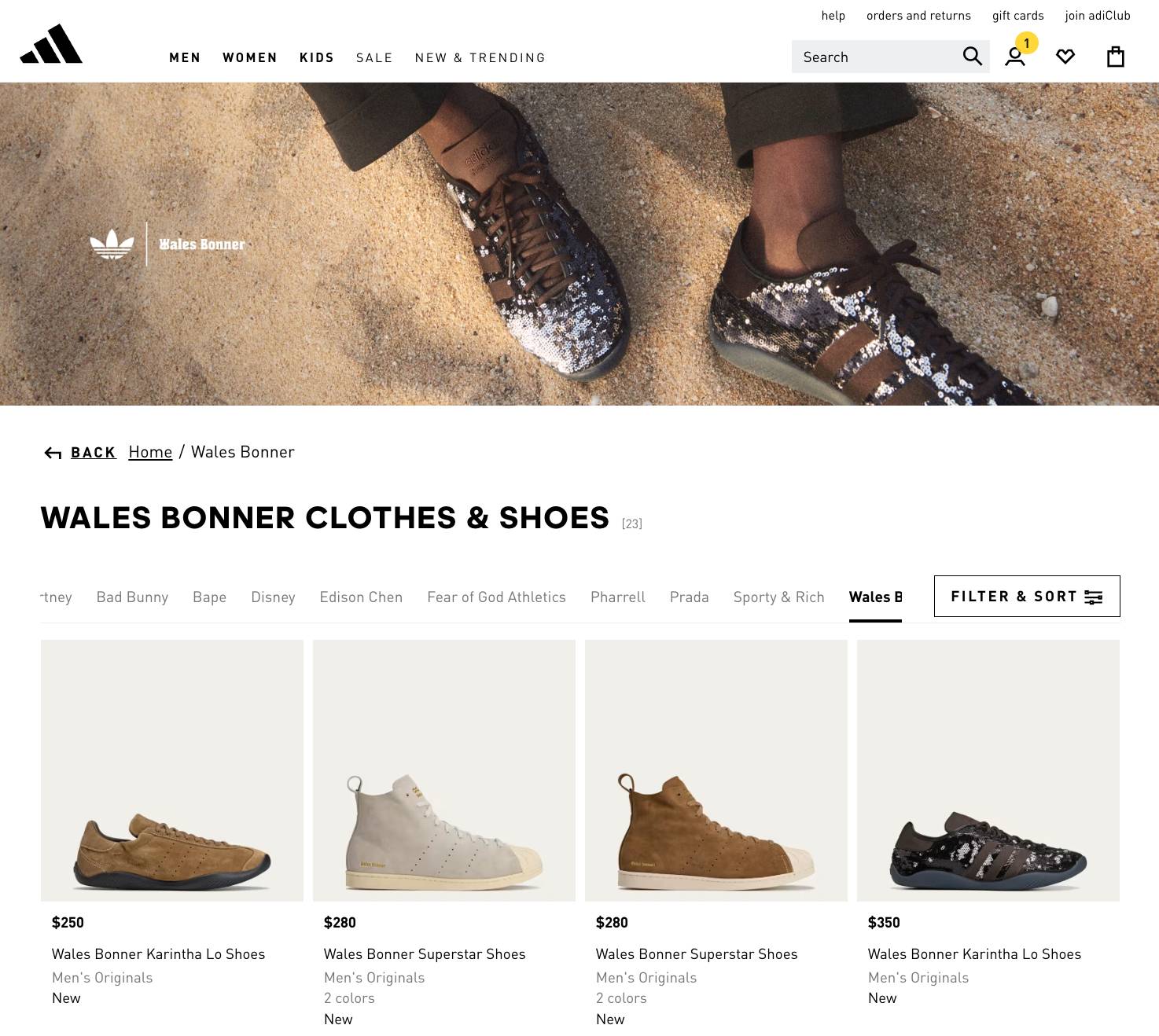
Brand collaboration Adidas Wales Bonner product range

Wales Bonner, a relatively niche clothing brand, grows awareness through Adidas’ larger platform. Adidas generates hype by working with an emerging designer. It’s a win-win situation.

An example of a business-to-business (B2B) brand partnership is how software firms work together to integrate their products and improve customer experiences, like Pipedrive and Slack synchronizing to speed up users’ workflows.

Here are the main types of brand collaboration that startups and small businesses benefit from:

Brand collaboration type

How it works

Influencer partnerships

Brands work with content creators to reach new audiences

Cross-promotional campaigns

Companies market each other’s products through cross-promotion

Affiliate marketing programs

Partners earn commission for driving sales or leads

Content collaboration

Brands create joint content like co-hosted webinars or guides

Product co-creation

Companies develop new products or features together

Technology integrations

Software platforms connect to improve user experiences

The terms “brand collaboration” and “co-branding” overlap a lot. However, brand collaboration is generally the broad umbrella for all forms of joint ventures, while co-branding means openly creating new products together (like the Wales Bonner x Adidas example).

Note: “Brand collaboration”, “brand partnership” and “brand collab” are interchangeable terms.

The 3 main benefits of brand partnerships for SMBs

Companies willing to share resources and audiences can make marketing more cost-effective and expand customer bases fast.

Here are the most significant benefits of brand collaborations in more detail.

1. Reach new audiences cost-effectively

Brand collabs open the door to your partners’ audience, letting you access customer demographics or volumes you can’t reach through your website or social media platforms.

For example, as part of its Open for Business Fund, Wells Fargo promotes small business partners to over 140,000 Instagram followers.

This post features Cold Mountain Consulting, which has fewer than 500 followers on its account:

Brand collaboration Wells Fargo Instagram post

Sharing campaign costs makes ambitious marketing strategy ideas more feasible without stretching individual budgets. It could pull a television ad within budget, for example.

2. Build credibility through association

Trust transfer is the idea that buyers are more likely to trust your brand if another endorses it that they already know and respect. It helps enter new industries.

For instance, when action camera brand GoPro partnered with the US motorsports series, it gained trust from those organizations’ fan bases despite being in a different sector.

Trust transfer also helps startups. With the correct associations, young businesses can overcome early skepticism while building brand awareness.

Download Your Sales and Marketing Strategy Guide

Grow your business with our step-by-step guide (and template) for a combined sales and marketing strategy.

3. Drive sales through shared expertise

Working with complementary brands also benefits you from new skills, whether they’re abilities you don’t need long-term or haven’t had time to learn.

For example:

  • Coffee shops partner with local bakeries to serve high-quality food and drink together

  • Web design firms team up with hosting services to help clients get online faster

  • Accountants and legal professionals join to give SMB clients more complete support

Other borrowed skills small businesses find valuable include content creation, digital marketing and podcast production.

By pooling this knowledge, you can create better offers and more innovative campaigns. You’ll create smoother customer experiences, leading to more sales and loyalty.

Recommended reading

https://www-cms.pipedriveassets.com/Small-Business-Lead-Generation.png

Small business lead generation: top techniques to fill your pipeline

7 successful brand collaboration examples (and why they work)

One of the best ways to generate ideas for new brand collaborations is to see how other companies succeeded.

Here are seven examples of brand partnerships that helped B2B and B2C businesses, large and small, to grow audiences and revenue.

1. Pipedrive x Zapier: versatile automation without the hassle

Pipedrive and Zapier have combined forces to streamline users’ sales and general business workflows.

Teams with both tools can sync Pipedrive sales data across more than 5,000 popular apps, such as Gmail, Slack and Google Sheets. This unlocks the ability to trigger follow-ups or update deals from outside the customer relationship management (CRM) system interface.

This collaboration turns Pipedrive into a more comprehensive business hub.

Instead of constantly bouncing between sales tools and others, users can build Zaps to eliminate manual steps, like recording new events as activities or turning social media ad leads into Pipedrive contacts automatically.

Brand collaboration Pipedrive Zapier automations

This partnership lets salespeople focus on nurturing deals instead of switching tools or finding information. According to Gartner, 47% of digital workers struggle to find the information they need to perform their jobs. By sharing data, Pipedrive and Zapier solve that issue.

Why it works: The collaboration solves a common sales pain point where app-switching and manual data entry hinder productivity, negatively impacting deals.

Key SMB takeaway: List functions that your primary audience needs but that you can’t reasonably offer. Partner with providers of tools that fill those gaps simply and reliably.

2. Xero x Shopify: SaaS integration for e-commerce

Xero and Shopify created a software integration to connect their accounting and e-commerce functions. It allows business owners to automatically sync orders, track inventory and create financial reports from one interface.

Brand collaboration Xero Shopify illustration

This partnership is all about removing administrative friction for busy founders and managers. HBR researchers found the average digital worker loses four hours a week toggling tools. Xero and Shopify help them regain some of that time.

Why it works: Individually, these brands solve different problems for the same target audience of business owners. Together, their integration addresses a real shared challenge – manual data entry between systems.

Key SMB takeaway: Look for partnerships that solve genuine customer pain points rather than just expanding your reach. Sharing an audience is a great starting point.

3. HostGator: affiliate and reseller programs for web hosting

HostGator’s affiliate program lets content creators – like business owners and micro-influencers – earn commission for promoting its web hosting services to their networks.

The company’s reseller scheme goes deeper, letting IT consultants and agencies sell its services with a markup as their branded solutions (i.e., white-labelling).

Brand collaboration HostGator affiliate scheme

Other industries that suit affiliate and reseller programs are insurance, where independent brokers sell major providers’ policies, and travel, where agencies repackage flights and accommodation.

Why it works: This model helps HostGator find new customers through trusted local partners who already have niche audiences or strong client relationships. Its partners generate revenue without needing to spend big on hosting infrastructure.

Key SMB takeaway: Look for potential partners who serve your target audience on a smaller scale, such as freelancers, consultants, influencers or service providers.

Give them simple ways to integrate your services into their work and promote them effectively. That might mean an affiliate link with commission, or a white-labeled version of your service that they can bundle into what they already do.

Better understand your customers with our Buyer Persona Templates

Use these templates to ensure your solution always aligns with your customers’ interests and needs

4. Nike x Tiffany & Co: sportswear meets luxury

Nike and Tiffany & Co. launched a limited-edition product collaboration merging streetwear with high-end jewelry. They created exclusive sneakers and accessories targeting their target audiences’ (relatively small) cross-section.

Brand collaboration Nike and Tiffany announcement

This successful partnership generated massive hype across social media, with users rushing to discuss the unexpected collab and share imagery (the post above generated over 1.4 million likes). The products sold out quickly, raising both brands’ profiles.

Why it works: Both brand partners share premium positioning and lifestyle appeal but serve different demographics. The collaboration created exclusivity and novelty, and people didn’t need to buy to join the conversation.

Key SMB takeaway: Don’t restrict yourself to obvious industry matches. Shared brand values and target audience overlap matter more than direct product similarities.

5. McDonald’s x BTS: celebrity brand collaboration

McDonald’s partnered with the K-pop music group BTS to create a global campaign around a special meal combination: the “BTS Meal”.

Promoted heavily across TikTok and other social channels, the collaboration drove viral engagement, introducing younger consumers (i.e., BTS fans) to a legacy brand’s products.

Brand collaboration McDonalds and BTS promotion

Such a collaboration is a large-scale example of influencer marketing, with two established brands combining huge audiences to grow each other’s relevance further and reach.

Why it works: BTS’s massive, devoted fan base gave McDonald’s instant reach and engagement. The partnership felt authentic because it tied into both parties’ brand values around fun, energy and community.

Key SMB takeaway: Ensure influencer marketing collabs align naturally with both partners’ existing brand personalities. Look for overlaps in how you present in marketing content (e.g., tone of voice, visual style).

6. GoPro x Red Bull: long-term content marketing partnership

GoPro and Red Bull created a multi-year partnership yielding co-branded marketing campaigns, sponsorship deals, co-hosted events and more.

Both brands are deeply connected to adventure and action sports (thanks to previous marketing efforts and collaborations). They’ve consistently used that shared identity to engage audiences through high-energy, visually compelling content.

Here’s an example:

Brand collaboration GoPro Red Bull promotion

The brands’ products and branding often appear together (e.g., the action shot above), blurring the line between where one brand ends and the other begins. That level of overlap takes perfect alignment and close collaboration, but it pays off in cultural relevance and customer loyalty.

Why it works: Each brand plays a vital role in the other’s ongoing brand story. They consistently show up together, reinforcing shared values to make each feel more authentic to their action-sport-minded audience.

Key SMB takeaway: Explore ways of working with like-minded businesses beyond just one-off campaigns. With time and consistency, ongoing content collaboration can strengthen both brands in the audiences’ minds.

7. Pip Organic x Double Dutch x Little Moons: female business collective

Pip Organic, Double Dutch and Little Moons are three independent, women-led food-and-drink brands that ran a collaborative giveaway campaign during Women’s Month (March).

With backing from Buy Women Built, the growing brands offered a “mocktail bundle” of products in exchange for new followers, likes and shares on social media.

Brand collaboration Pip Organic Instagram post

Combining audiences was a low-cost, high-reach tactic to increase engagement fast, highlighting shared values around female entrepreneurship (i.e., strengthening their individual brand stories).

Why it works: These brands share an audience and a message: female-led, high-quality food retailers with a values-driven USP. Teaming up expanded their reach while building credibility through association.

Key SMB takeaway: Use your shared values to forge relationships with like-minded business owners. People love discussing their passions, and genuine connections can lead to helpful partnerships.

Recommended reading

https://www-cms.pipedriveassets.com/Women-in-Marketing.png

Women in marketing: 13 inspiring stories from female leaders

How to find and execute successful brand collaborations

Forming effective partnerships takes careful organization. Make the process manageable by breaking it into three simple stages: identifying collaborators, structuring the partnership and managing your relationship.

Here’s what to do at each step.

Step 1: Identify and contact potential collaboration partners

Start by mapping complementary brands that share your target audience but sell different products.

Look for companies where partnerships could create value for both sets of customers, rather than confusion in the marketplace (i.e., avoid working with direct competitors).

Prioritize these criteria:

  • Audience alignment and shared values. Your ideal collaborators serve the same customers in different ways. For example, an accounting software firm might partner with a document management app because they help management professionals but don’t compete for the same new users.

  • Complementary products. Do your products naturally work well together? Pipedrive’s CRM system integrates with Gmail because that’s how many salespeople communicate. Combining the two tools makes users’ lives easier.

  • Brand reputation and credibility. Choose brands whose reputations you’re happy to associate with, as distrust transfers like trust. Their negative press could easily hurt your business. Lots of poor reviews and confrontational social posts are clear red flags.

Reach out to the best candidate with a clear value proposition. Tell them why you think working together makes sense and what both parties will gain from a relationship.

If you both agree in principle, move to the next step. If not, contact the next name on your shortlist and go again.

Step 2: Structure your partnership

Set clear expectations to avoid misunderstandings. Define what you want to achieve so that you can both measure success once the collaboration’s underway.

Here’s what strong alignment looks like:

  • Clear goals and key performance indicators (KPIs). What does success look like? You may both want brand awareness or more leads, while your collaborator needs direct sales. Use these objectives to pick specific metrics to track, like website traffic or deals closed.

  • Communication expectations. Choose how you’ll communicate and share resources. Which channels work best, and how often will you use them? Will you pool audience research, or is that too sensitive? Schedule necessary meetings to give everyone notice.

  • Meeting the team. If the work involves others, get them together for an informal kick-off meeting. A team that knows each other will feel more comfortable raising issues and pitching ideas. A dedicated Slack or MS Teams channel will help.

Just like customer relationships, strong partnerships depend on clarity and trust. Start early so everyone stays on the same page as things progress.

Step 3: Manage and measure the relationship (with tech)

When the partnership goes live, treat it like any other valuable relationship: track, manage and keep working on it.

More specifically, use your CRM and project management systems to:

  • Log activity and monitor progress. Record key touchpoints, shared campaigns and any agreed milestones. It’ll help you stay aligned and avoid duplicate tasks.

  • Track results. Monitor performance using your agreed-upon KPIs (business-specific and shared). Most CRMs have dashboards for tracking conversions, deal value, etc.

  • Find opportunities (and issues). Check in regularly to share improvement ideas and discuss challenges. Both parties will have unique perspectives from which the other can learn.

  • Keep the relationship warm. The best brand collaborations don’t stop after a single campaign. Use your CRM to remind you of upcoming opportunities and stay in regular contact.

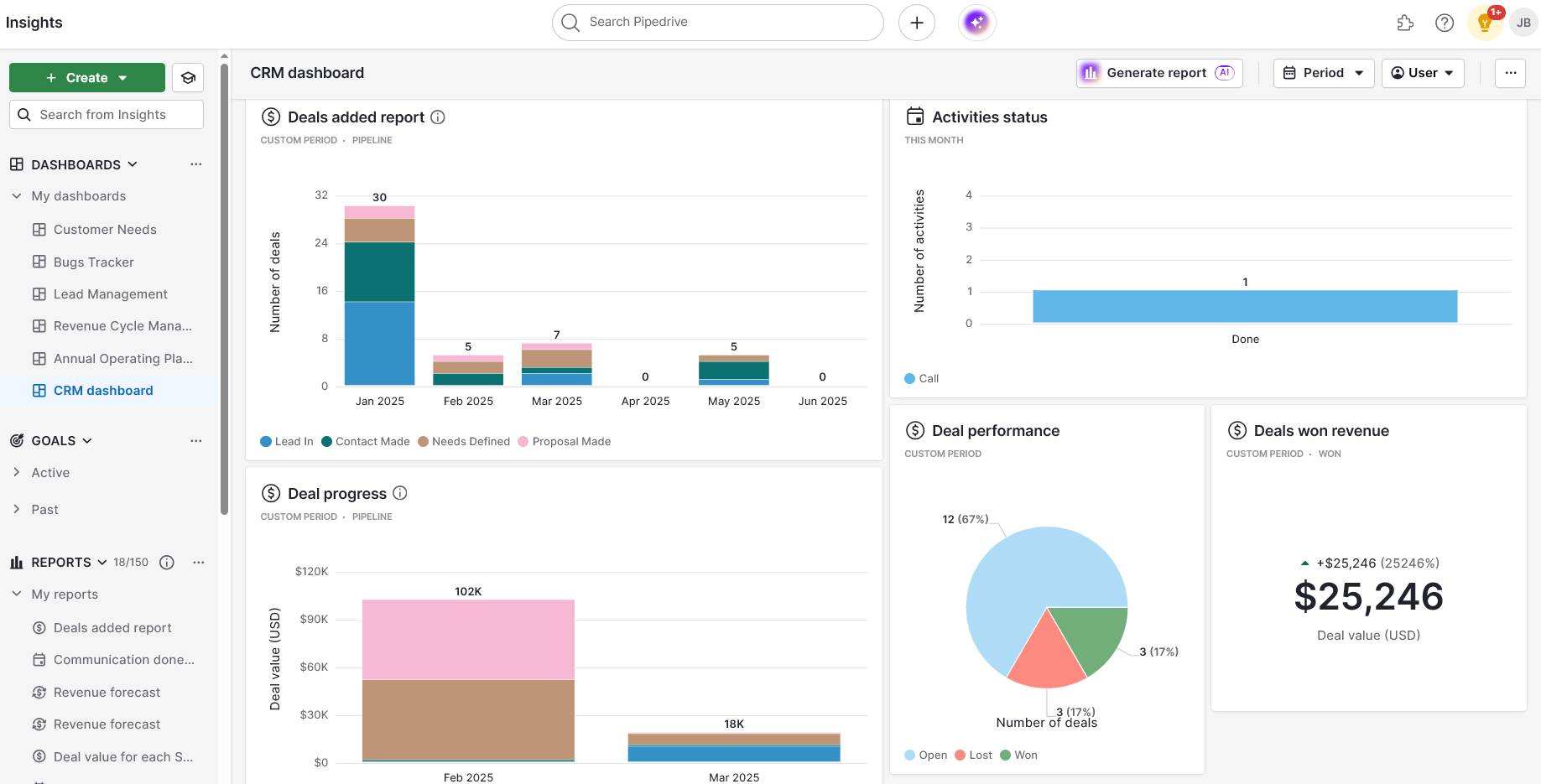
What’s a brand partnership without a clear view of its effectiveness? Pipedrive’s custom dashboards turn raw data from your collaborations into easily digestible, visual insights, like this
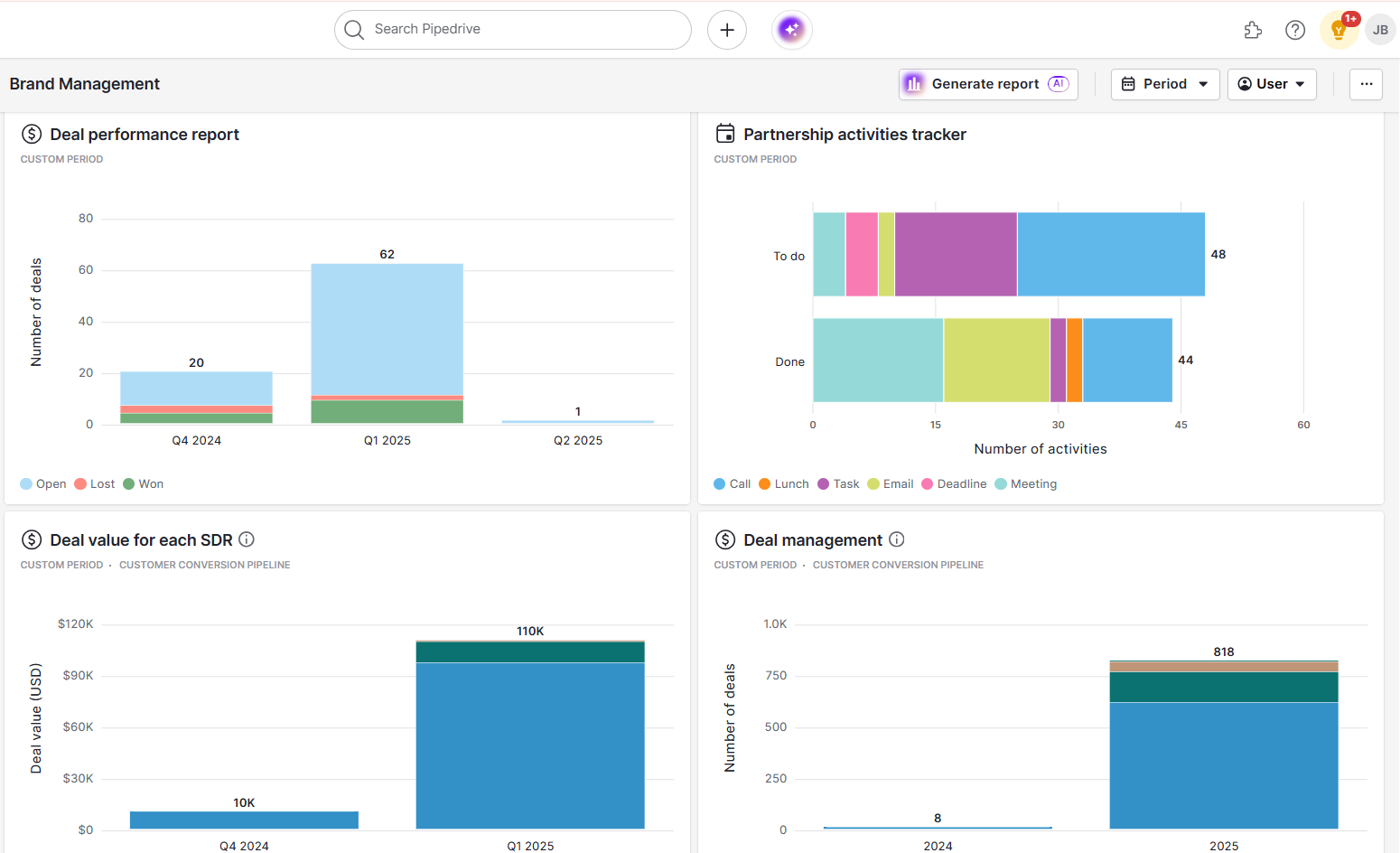
Brand collaboration Pipedrive brand management dashboard

Finally, recognize when a partnership doesn’t go smoothly. Even with the best intentions, a great plan can fall flat. The most helpful response is to reflect on what went well and learn from what didn’t.

Recommended reading

https://www-cms.pipedriveassets.com/Affiliate-Management-Software.png

Affiliate management software: features, benefits and 12 top tools

Brand collaboration FAQs

  • Successful partnerships depend more than anything else on compatibility and value.

    All parties should align on messaging and intention, have products that complement one another, and commit to improving customers’ lives.

    In a practical sense, success takes clear communication, carefully planned goals and the right supporting tools.

  • Brand collaborations involve multiple businesses, while influencer marketing pairs one business with an independent content creator.

    However, the two categories often overlap, especially in cases where one brand borrows the trust and reach of another (e.g., BTS influencing its fans to visit McDonald’s).

  • Treat brand collaborations like other formal business relationships, even based on friendship.

    Document partnership agreements clearly, with signatures from both parties. Include details on:

    Also, consider how business and customer data will be stored and shared between partners. A non-disclosure agreement (NDA) may be necessary if you’re sharing sensitive company information.

Final thoughts

Small businesses often focus so heavily on outperforming competitors that they forget there’s power in teaming up.

Brand partnerships are so much more than just opportunities to share audiences. They enable you to combine strengths. They help you solve customer problems effectively. Ultimately, they help you grow faster than you could solo.

Start by looking for overlapping customers and a straightforward way to add value. As your partnerships develop, CRM systems like Pipedrive can help you manage these relationships systematically, tracking partnership performance and nurturing long-term collaborations.

With the right approach, one small collaboration can open the door to significant opportunities.

Ultimate Logistics CRM Software Guide

Software Stack Editor · August 8, 2025 ·

Businesses that ship products handle hundreds of orders, customers and suppliers daily. With so much activity, it’s easy to lose track of shipments and miss deadlines.

A logistics CRM changes that by storing customer information and shipment details in one place. Your team can find the data they need for faster responses, better shipment tracking and smoother coordination between sales and operations.

This article shows you how a logistics CRM speeds up operations, the features that matter most and how to pick a system that supports your business as it grows.

What is CRM in logistics?

A logistics CRM is customer relationship management software designed for businesses that move goods. It helps companies streamline shipping operations while maintaining strong relationships throughout delivery.

Regular CRMs focus on sales conversations and deal tracking. Logistics CRMs are more specialized. They connect customer data with shipment info, delivery schedules and carrier details. You get the complete picture from order to delivery.

The main types of logistics CRM systems include:

Logistics CRM software

Key features and ideal users

All-in-one CRM systems

Includes sales tracking, basic shipping and customer management.

Best for: Small to medium-sized businesses, like an online retailer managing orders and deliveries

Specialized freight CRMs

Has freight-focused features like load planning, carrier management and customs tracking.

Best for: Freight brokers coordinating international shipments, like third-party service providers (3PLs)

E-commerce logistics CRMs

Focuses on online retail and return management and integrates with shopping and payment solutions.

Best for: Online stores like fashion brands tracking orders from multiple sales channels

Industry-specific CRM solutions

Has unique features depending on the niche, like compliance tools to meet regulations.

Best for: Transport industries for specialized companies that have particular requirements

Most logistics teams use these systems to answer customer questions faster, making it easier to spot problems before they happen and fix them quickly.

Note: Pipedrive is an all-in-one CRM system for small and medium businesses. It’s simple to set up and scale, covering everything from customer lifecycle management to deal tracking and basic logistics – without the extra cost of complex freight tools you’re unlikely to need.

5 ways a logistics CRM boosts your bottom line

A CRM for logistics companies cuts costs and increases revenue in ways you might not expect. Here’s how it directly impacts your profits and operational efficiency:

  • Faster customer service reduces complaints and refunds. When customers call about their shipment, you find their information instantly.

  • Automated follow-ups increase repeat orders. The system reminds you to contact customers after delivery, leading to more bookings and higher customer lifetime value.

  • Better inventory tracking prevents overstocking. You see which products move fastest and adjust orders accordingly. Better decision-making means better margins.

  • Route optimization saves fuel and time. Smart scheduling reduces delivery costs and gets products to customers faster.

  • Data insights reveal profitable opportunities. You see which customers spend the most and forecast demand. Then, you can focus your efforts where they pay off best.

Case study: Container Team (which provides mobile refrigeration and storage) uses Pipedrive to manage its logistics operations across two brands.

Pipedrive tracks stakeholder inquiries and routes leads so nothing falls through the cracks. Since switching to Pipedrive, Container Team has seen 18% revenue growth year-on-year and a 34% net profit increase.

Recommended reading

https://www-cms.pipedriveassets.com/Sales-Territory-Management-Tools.png

8 sales territory management tools to evaluate in 2025

Key features to look for in a logistics CRM system

The right logistics CRM should handle your day-to-day operations and customer interactions. Here are some features to look for:

Real-time shipment tracking and visibility

Real-time tracking connects your sales CRM to carrier systems like FedEx, UPS or local couriers. The system automatically pulls these carriers’ location updates and delivery status into one centralized dashboard.

You see where each package is without logging into different websites. A retailer can tell customers their order left this morning, preventing phone calls about missing deliveries.

Carrier management and rate comparison

Carrier management stores all your shipping partners’ contact details, service levels and pricing metrics in one database. Instead of calling different companies for quotes, the system shows you carrier rates side by side.

You can book the fastest or most cost-effective option with just a click. It’s a simple way for small businesses to compare overnight rates from carriers in seconds and save money by choosing the best deal.

Automated customer notifications

Email automation sends pre-written messages to customers when specific events happen. You can create templates for order confirmations, shipping alerts and delivery notifications. The CRM then triggers these emails when the tracking status changes.

For instance, here’s what it looks like to build email automations in Pipedrive:

Logistics CRM Pipedrive email automation

With this feature, a logistics business can automate notifications to keep customers informed on shipping and delivery status, reducing the volume of order-related support calls.

Proof of delivery and documentation management

Digital proof of delivery captures signatures and photos when drivers deliver packages. The system stores these files and links them to each order.

If a customer claims they didn’t receive their items, you can quickly access the delivery confirmation. Requiring signatures and photos helps protect your business from false claims and ensures accountability at the last mile.

Route optimization and planning tools

Route planning software calculates the most efficient driving paths for deliveries. You input delivery addresses, and the system considers traffic and delivery windows to create the shortest route.

With this feature, drivers follow GPS directions that save fuel and time. Businesses handling local deliveries can plan smarter routes, reduce driving time and complete more daily deliveries.

Customer portal access

Customer portals are secure websites where clients log in to view their order history, track shipments and download sales invoices.

Instead of contacting customer service, customers get a direct link to check their order status anytime, saving time on both sides.

Integration with logistics tools and warehousing systems

Integration connects your CRM to existing tools like accounting software, warehouse management systems (WMS) or enterprise resource planning (ERP) solutions.

When an order ships in your warehouse system, inventory levels update and customer notifications are sent. This automated process helps you manage orders, track inventory and generate invoices without manual data entry.

Mobile access for drivers and field teams

Mobile apps let drivers use smartphones or tablets to get digital signatures and photograph completed deliveries.

All information syncs instantly with your CRM system, so office staff see real-time updates. As ​​soon as a delivery is marked complete, your business can confirm it internally and automatically notify the customer.

Lead and opportunity management

While tailored for logistics, a CRM’s core strength remains managing sales and lead generation. For logistics companies, this means tracking potential clients and managing sales opportunities for new contracts.

Lead management tools help you follow potential customers through each stage of the sales process, showing you which prospects are most likely to convert and when deals are expected to close.

For example, a logistics company can track inquiries from manufacturers looking for shipping services and manage follow-ups, quotes and contract negotiations all in one place.

Download five free sales order templates

Use these free sales order templates to track deals, payments and orders from your customers and clients.

How to use Pipedrive as a logistics CRM

Pipedrive’s CRM is sales-focused, but its flexible features can be adapted to meet many logistics and supply chain management needs.

To fully grasp the CRM meaning in logistics, it’s essential to see how companies use this software to track shipments and keep customers satisfied.

Here’s how to set up and use Pipedrive effectively for logistics and supply chain operations.

1. Track customer orders and delivery requests

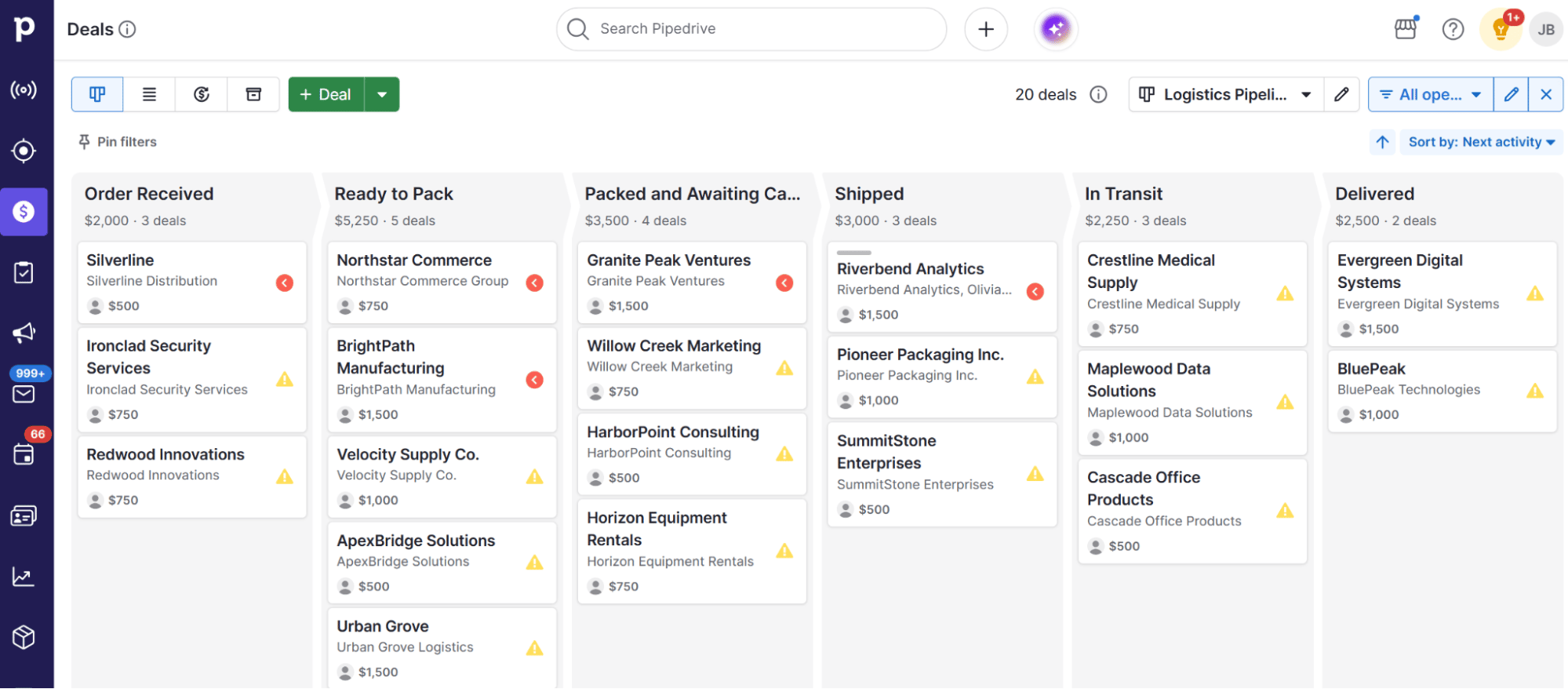
The foundation of logistics management is knowing where every order is at any given moment. Pipedrive’s visual pipeline is perfect for this.

Instead of tracking leads, you track shipments. First, create a new pipeline that mirrors your shipping process. You can name it “Order fulfillment” or “Shipping”.

Then, customize the stages to match your workflow, which could look something like this:

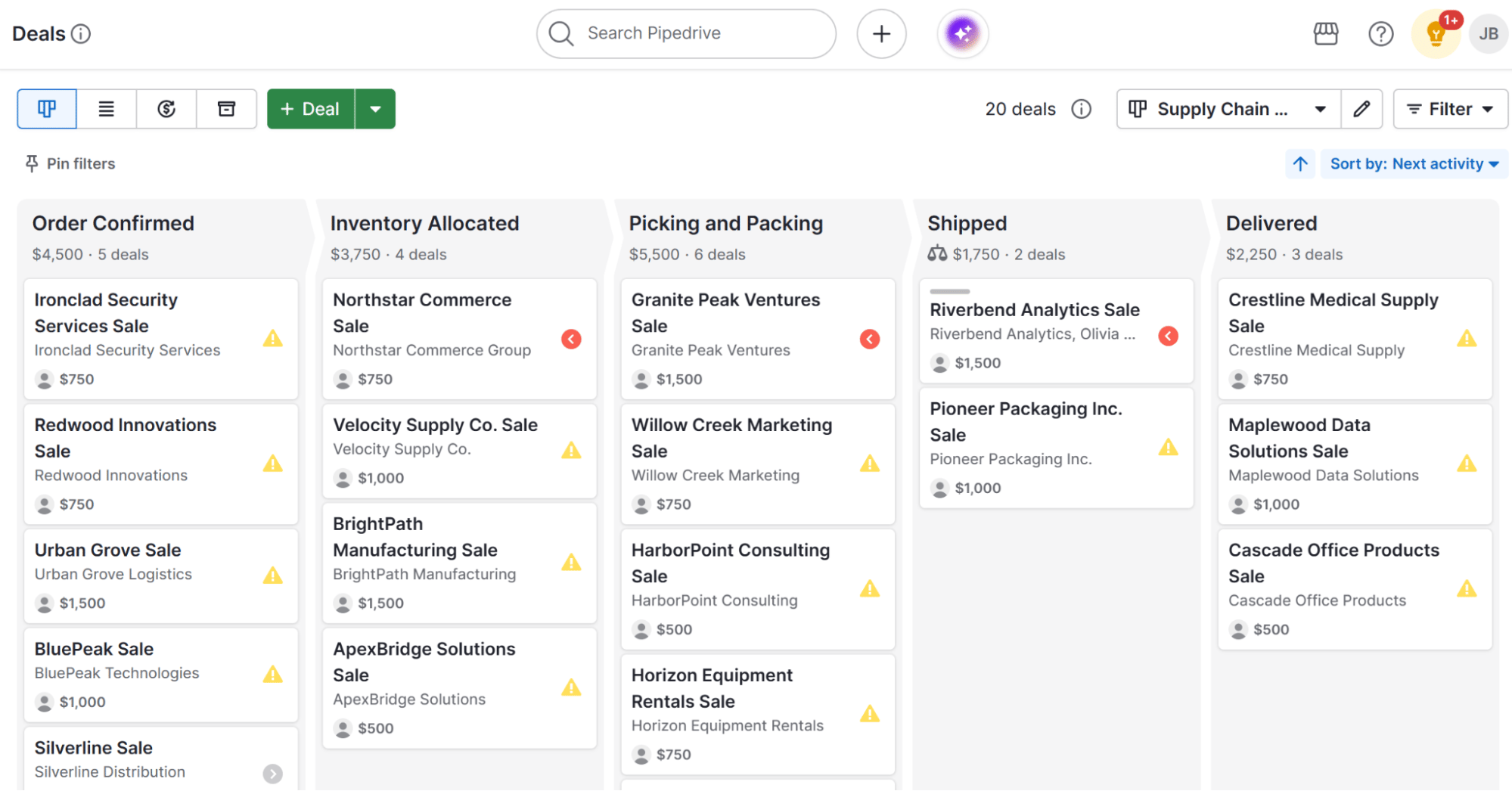
Each customer order becomes a “deal” that you move through this pipeline. When a new order comes in, you create a deal and place it in the “Order Received” stage.

From there, you can move it through each step of your logistics process to track and update its progress.

Logistics CRM Pipedrive visual pipeline

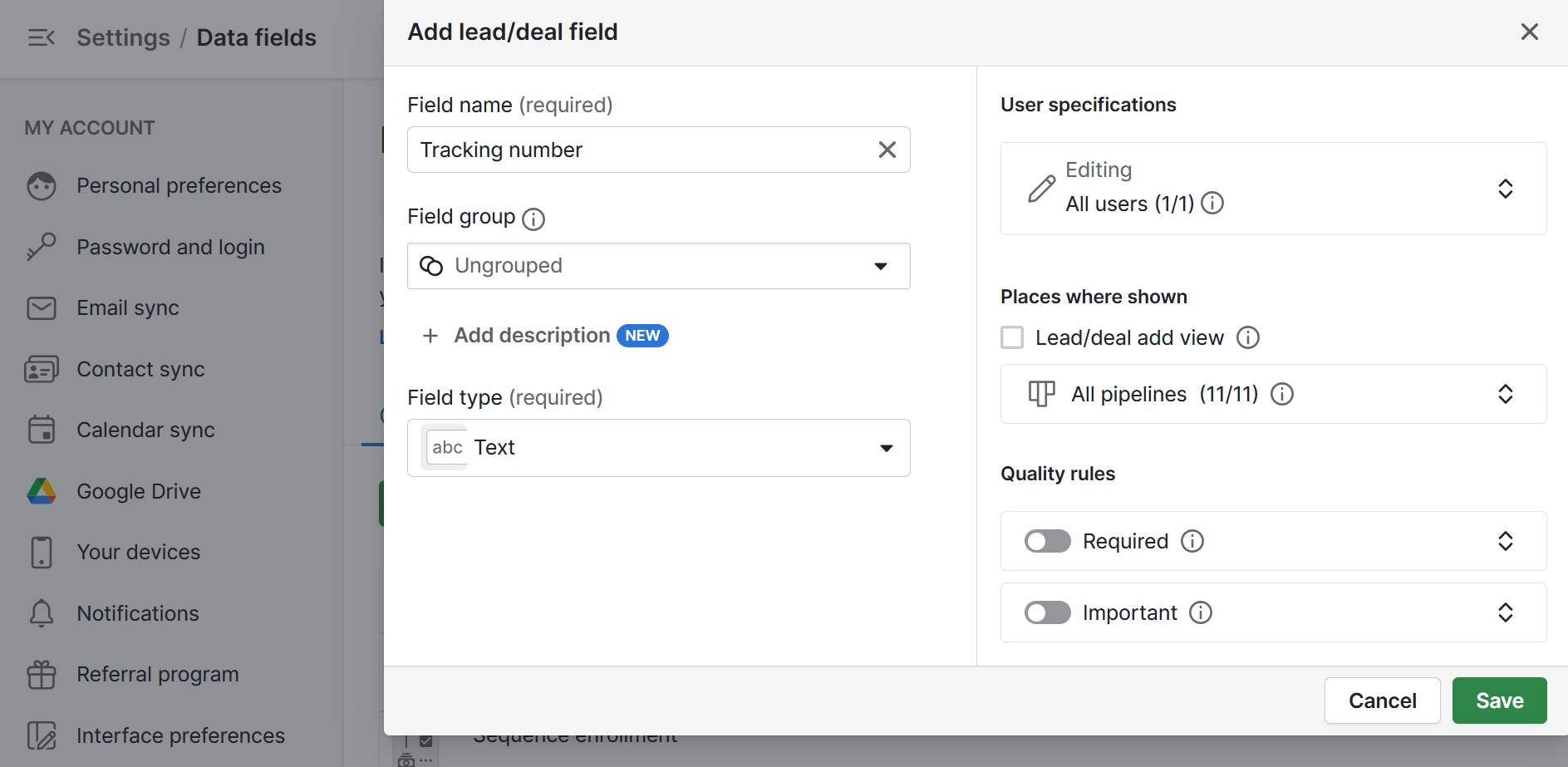
Next, use custom fields to store shipping information within the deal. Go to “Settings” > “Data fields” > “Add custom field” and create fields such as:

  • Tracking number (text field)

  • Shipping carrier (single option field)

  • Shipping address (address field)

  • Expected delivery date (date field)

  • Order ID (text field)

When someone calls about their package, your team can open the deal and share the information the customer needs.

Logistics CRM Pipedrive organization field

As the shipment progresses, drag and drop the deal to the next stage. Your team now has a real-time overview of all active orders.

2. Store carrier information in your database

Managing shipping partners is just as crucial as maintaining strong customer relationships. Pipedrive helps you handle both of them with ease.

Add each of your shipping partners as an “Organization” in Pipedrive. Inside each Organization, include key contacts from each organization as “Person” records.

Logistics CRM Pipedrive organizations

When you need to ship an order to a new location, you can filter your organizations to see which carriers service that area.

You can also use Pipedrive’s “Notes” feature to build a performance history. After each shipment, add a quick note to the carrier’s profile, like “July 29: Order #5678 delivered a day early” or “July 28: Order $5672 arrived damaged”.

Logistics CRM Pipedrive customer notes

Over time, you’ll have an invaluable record of reliability from each carrier.

3. Send automated shipping updates

Manually emailing customers at every step is time-consuming. Pipedrive’s workflow automation allows you to send automatic updates at key stages, seamlessly keeping customers informed.

First, create your library of shipping emails using Pipedrive’s built-in template system.

Write each template in the drag-and-drop email builder, then press “Save draft as template…” to store that template forever.

Logistics CRM Pipedrive email templates

You’ll want templates for all of your common scenarios, such as:

Pipedrive’s “merge fields” feature makes this even easier. These placeholders automatically pull details from your deal or contact records, saving time and reducing errors.

For example, instead of manually typing a tracking number, add [First Name] and [Deal Order ID] fields by pressing “Insert field”.

Logistics CRM Pipedrive insert field

When you send an email, Pipedrive automatically fills in the customer’s name and order ID from the custom fields you created in the last step.

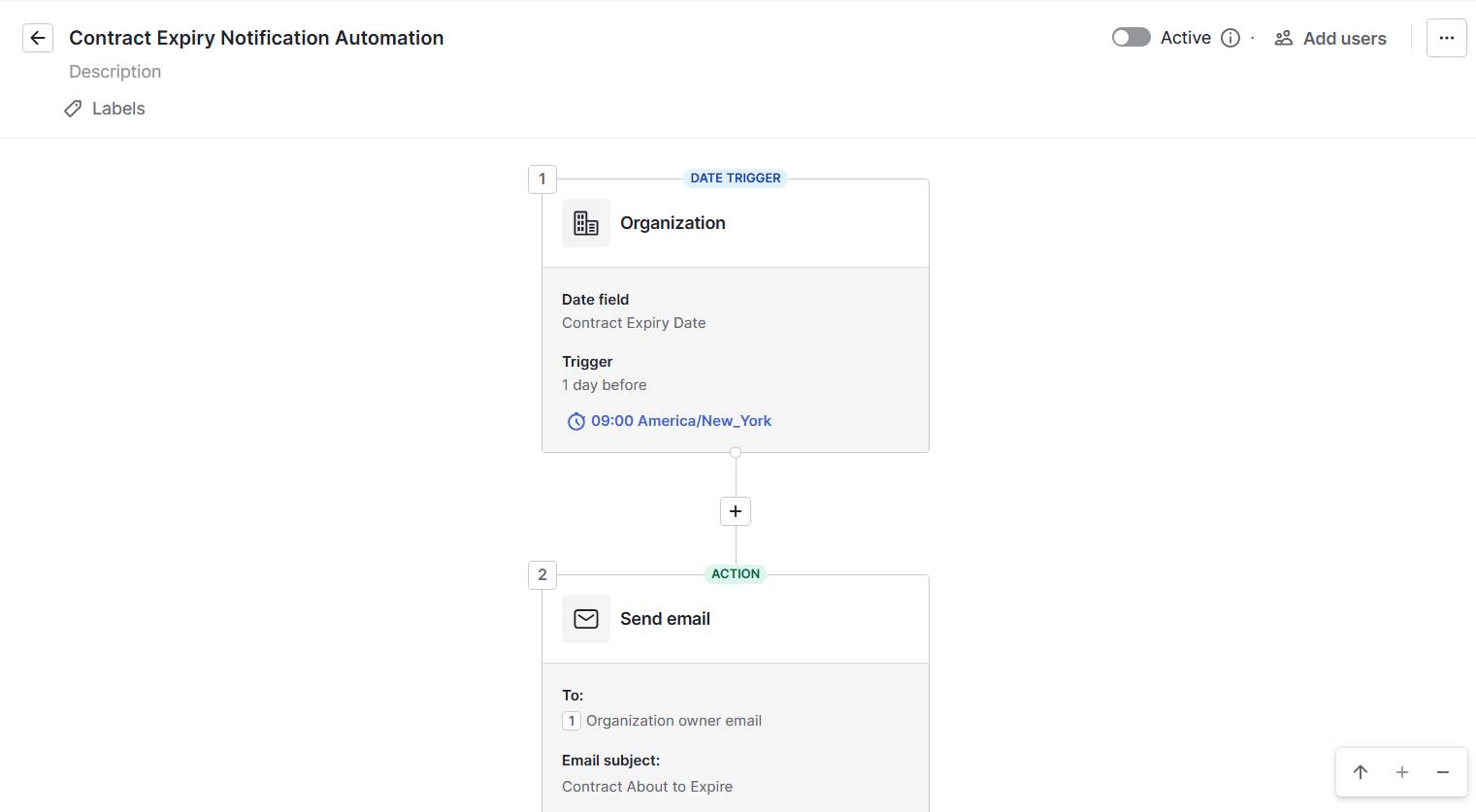
Once your templates are ready, build simple automated workflows using triggers and actions. For example:

  • Trigger: A deal moves to the “Delivered” stage

  • Action: Send the “Delivery confirmation” email template to the customer

Logistics CRM workflow automation builder

This automation will save your sales team time and boost customer satisfaction with timely updates.

Note: If you need to write emails outside your standard templates, Pipedrive’s AI Email Writer helps you move even faster. Give it a simple prompt, like “write a polite email apologizing for the delay”. It’ll instantly create a draft you can review, edit and send.

4. Connect Pipedrive with shipping platforms and tools

Pipedrive becomes a powerful logistics hub when connected to the rest of your tech stack. By integrating it with your inventory, accounting and fulfillment systems, you extend its capabilities far beyond CRM.

Many essential tools offer direct, one-click integrations through the Pipedrive Marketplace, making setup fast and simple.

Key Pipedrive integrations for logistics include:

Third-party logistics app

Why it’s useful

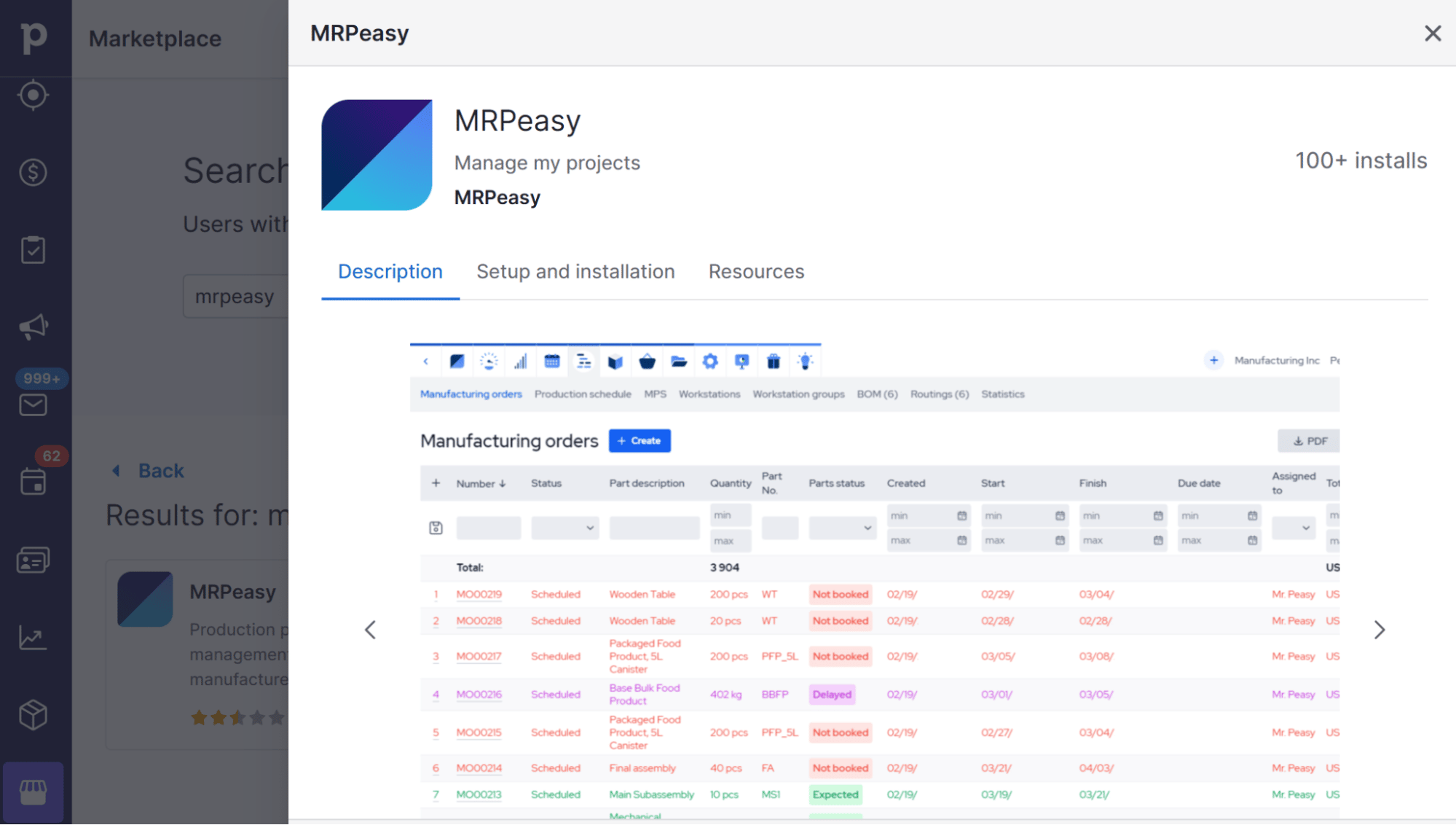
MRPeasy: for small manufacturers

Connects production and inventory management to the Pipedrive pipeline.

Sync stock levels, create orders from deals and give your fulfillment team a bird’s-eye view.

Beeline Routes: for delivery fleets

Plan and optimize multi-stop delivery routes within Pipedrive.

Save fuel, time and money with your drivers.

Xero or QuickBooks: for accounting services

Create invoices when a deal moves to the “Delivered” stage.

Eliminate manual data entry and streamline your finances.

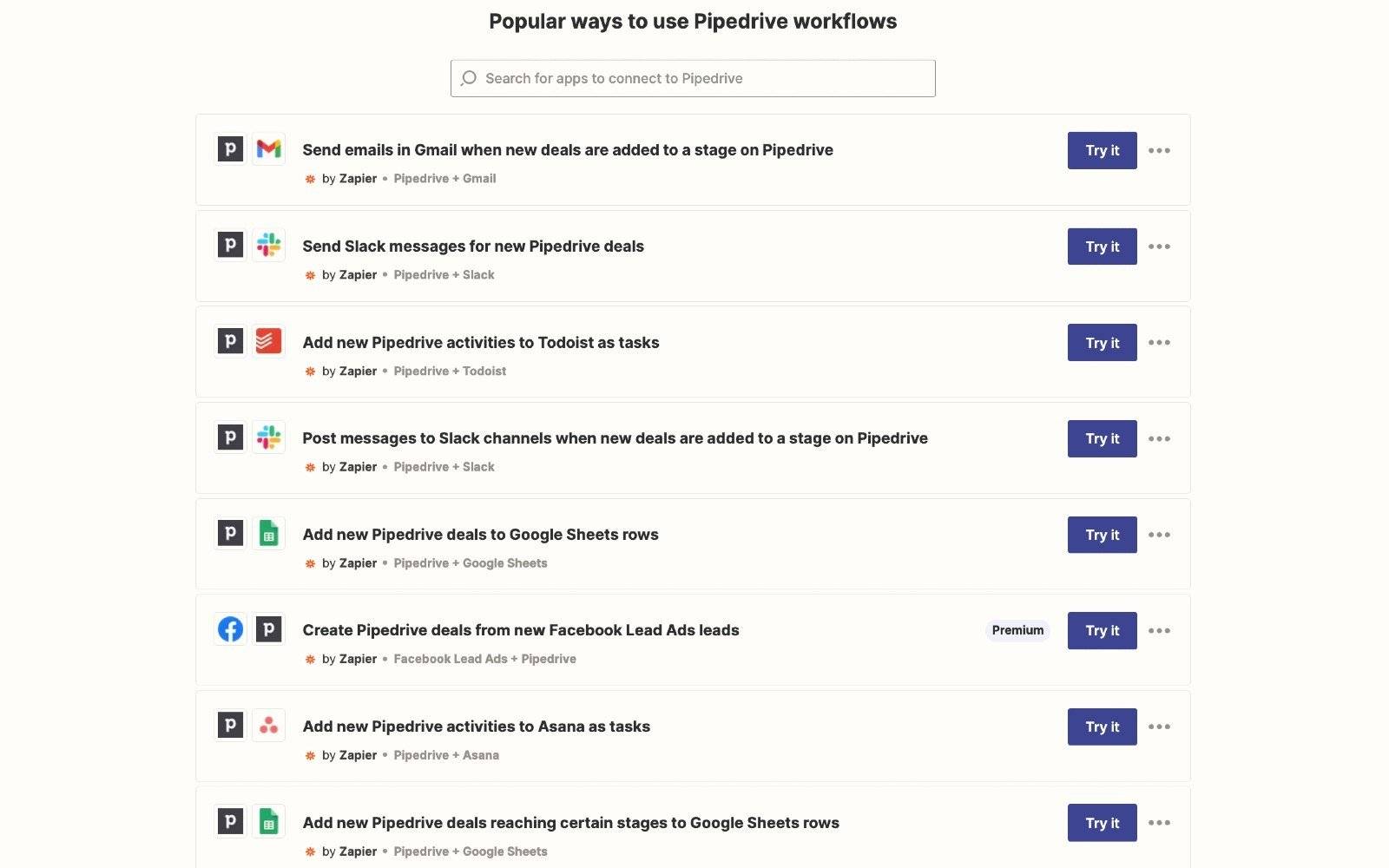
For tools not on the Marketplace, Zapier connects Pipedrive to thousands of other web apps without code.

For example, you can set up a Zap to automatically create a shipping order in ShipStation, a favorite among logistics companies, as soon as you drag a deal into the “Ready to Ship” stage. It’ll send the customer’s name and address to your shipping station, ready for a label.

Logistics CRM Pipedrive and Zapier workflows

E-commerce brands often integrate Pipedrive with Shopify to streamline operations.

When a customer places an order on Shopify, Zapier sends that data to Pipedrive, which creates a new deal in your sales pipeline. Your fulfillment team can see the new order and begin packing.

For more advanced or custom business needs, Pipedrive offers a well-documented application programming interface (API) that fully integrates with your internal systems.

Think of the API as a toolkit your developers can use to build custom connections. It allows you to sync Pipedrive with custom ERPs and anything else your workflow needs.

This level of control ensures Pipedrive easily scales with your business, no matter how complex your logistics operations become.

5. Manage customer relationships during shipping

When a customer completes a purchase, it’s only the beginning of their experience with your brand. The delivery phase is an opportunity to build trust and customer retention.

Pipedrive’s core functionality turns shipping into a world-class customer experience.

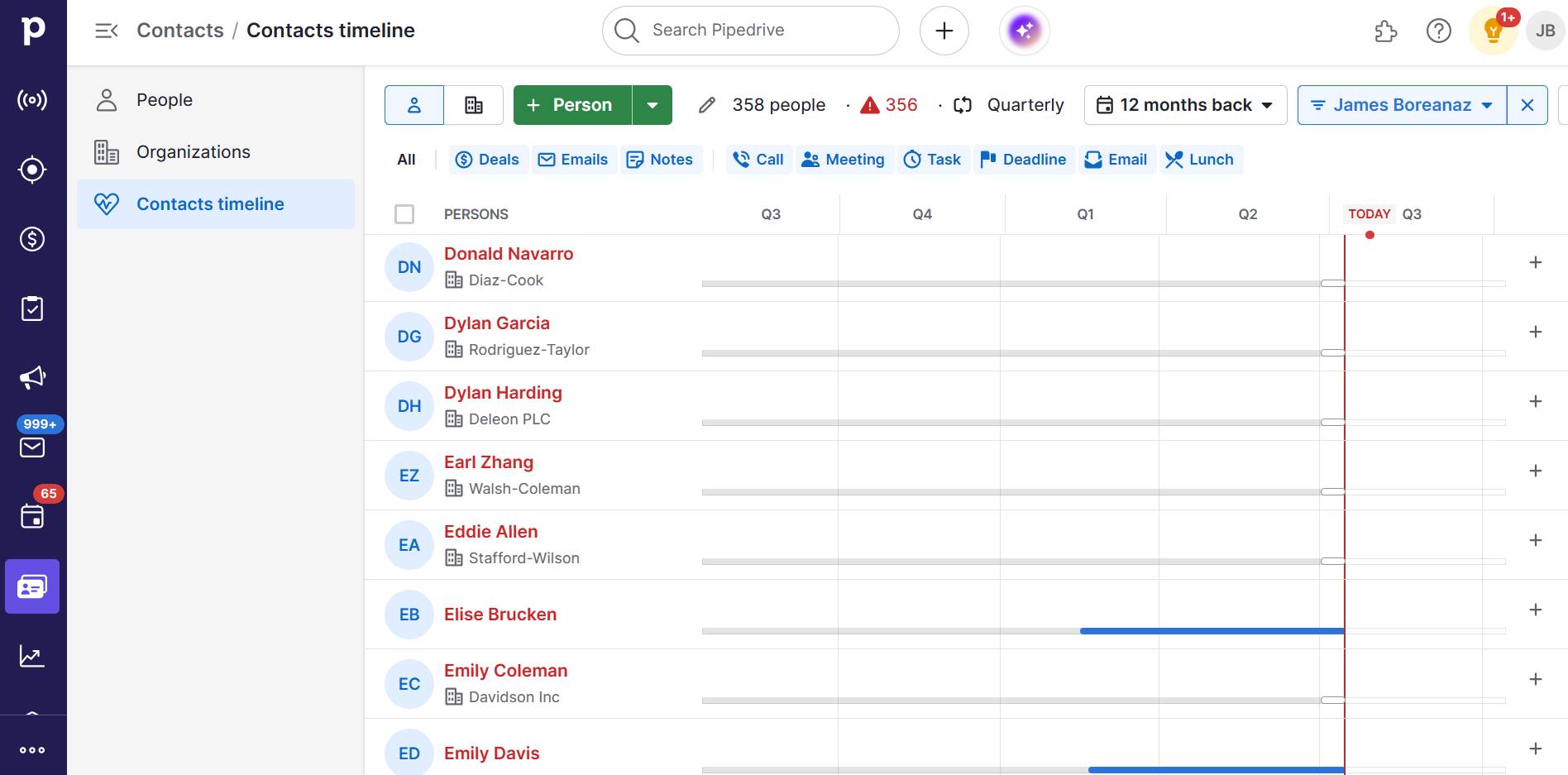
When a customer contacts you about their order, you need context. Pipedrive shows each customer’s contact timeline – every email, phone call, note and upcoming activity.

Logistics CRM Pipedrive contacts timeline

Imagine a customer calls for an update. Instead of putting them on hold and looking for information in different systems, your team will instantly see everything they need to respond quickly, confidently and professionally.

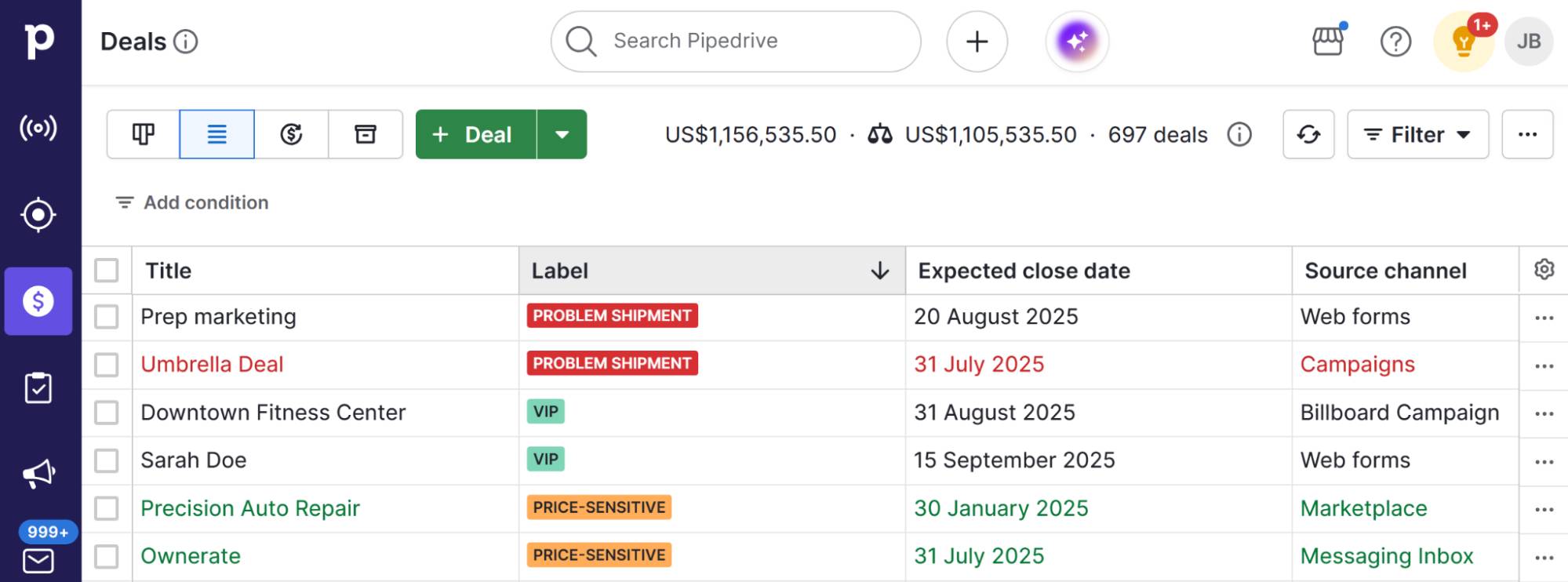
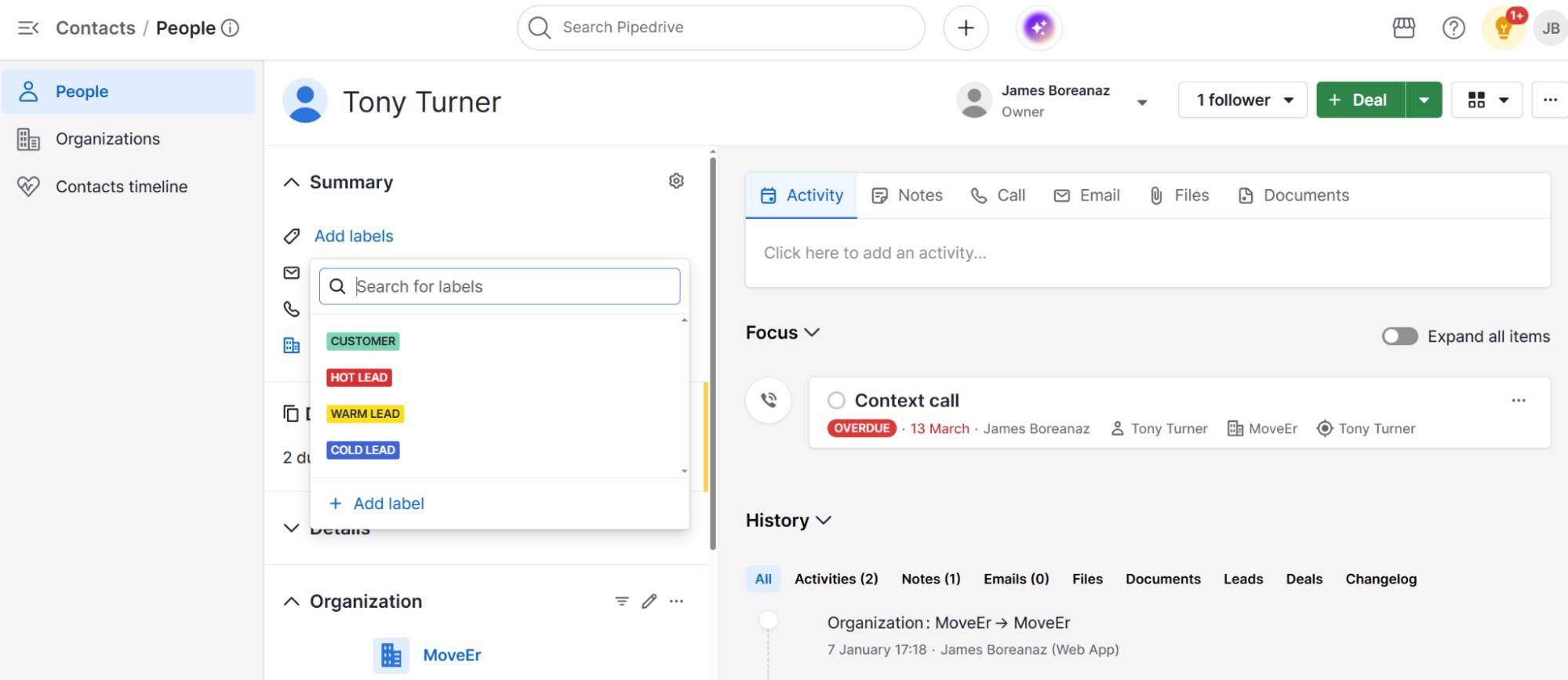
Use Pipedrive’s “Labels” to categorize your deals for even more clarity. For example, apply a red “Problem shipment” label to orders with issues or a green “VIP” label for high-value B2B clients.

Logistics CRM Pipedrive deal labels

These labels mean you can filter your pipeline and focus your attention where it is needed most.

Case study: Sendify (a digital freight forwarder) uses Pipedrive’s Leads Inbox to track customer engagement.

It set up custom pipelines for different sales approaches, which helped them see which methods worked best. The result was faster customer service and a more efficient sales cycle.

Recommended reading

https://www-cms.pipedriveassets.com/Inventory-sales-metrics-for-your-business.png

The ultimate guide to inventory sales metrics and why they’re important

How to choose the right logistics CRM for your business

The right CRM becomes the backbone of your logistics operations.

Here’s a simple guide to help you choose a system that fits your needs today and supports your business as it grows.

1. Start with your biggest bottleneck

Before you look at any software solutions, map out your current sales process. Where do things slow down? Which repetitive tasks frustrate your team most?

Here are three industry examples:

Logistics industry

Things to consider

E-commerce stores

Is your main challenge keeping customers informed?

Prioritize email automation and template features to set up automatic shipping notifications.

Small manufacturers

Is your biggest problem aligning production management with dispatch?

Look for a tool that integrates with your inventory management or manufacturing software.

Local transportation companies

Are your drivers using too much time and fuel?

You need a transport management system (TMS) with route planning or strong integration with a routing app.

Find out what type of software will solve your main problem to narrow your options.

If you’re using a platform like Pipedrive, you can create customizable pipelines to match your exact fulfillment process and spot bottlenecks early. For example, if orders get stuck at a particular stage, you’ll see them pile up, giving your team a chance to act before customers call.

2. Choose a system that will grow with you

The tool you choose needs to work for you now and when your order volume doubles next year. Find a flexible system rather than locking you into a single working method.

Can you easily add, remove or rename stages in your fulfillment pipeline? Can you create unlimited custom data fields to track the information that matters to your business?

Pipedrive lets you do all this without needing developer support. As your logistics operations expand from local to national shipping, you can add unlimited custom fields, pipeline stages and automation rules to reflect your new workflow.

Most growing businesses thrive with an adaptable CRM that they can mold to their evolving processes, rather than expensive enterprise software that needs consultants for every change.

3. Prioritize simplicity and team adoption

The best CRM for the logistics industry is the one your team will get maximum efficiency from. That’s why simplicity and usability should be top priorities.

Look for a platform with a free trial and give your team simple tests. For instance, can they create a new order and move it through the pipeline? Tools like Pipedrive include a visual drag-and-drop interface to make it easy for teams to move orders through stages, view real-time updates and stay aligned.

A clean interface signifies a well-designed system focusing on the user experience. High adoption means cleaner data, fewer mistakes and a better return on your investment.

4. Look beyond the monthly subscription price

When comparing logistics CRMs, the subscription is only part of the story. Be sure to factor in the total cost of ownership (TCO), including setup, data migration, team onboarding and ongoing support.

Some tools may seem affordable upfront but come with hidden costs, like hiring consultants for basic setup or customization. The most cost-effective solution is an intuitive platform that your team can set up and manage themselves.

For example, Pipedrive offers user-friendly setup guides, responsive support and a comprehensive knowledge base. Small businesses can quickly create a functional pipeline and implement automations without technical expertise. It keeps your costs and onboarding time low – without compromising on power.

Final thoughts

The right logistics CRM transforms your disorganized processes into a streamlined operation.

Start with the problem that takes up the most of your time each week. Focus on scalable systems that grow with your business without needing consultation whenever you want to make a change.

Start a 14-day free trial with Pipedrive and see how much easier it is to track every order and keep customers happy.

Essential GE McKinsey Matrix Guide

Software Stack Editor · August 7, 2025 ·

When your business offers several products or services, it’s crucial to decide where to focus your time and money. A framework for comparing different parts of your business brings the clarity you need to make confident decisions.

In this article, you’ll learn how the GE McKinsey Matrix helps. You’ll get a step-by-step guide to building your own matrix and see how it points you toward the best areas to invest, maintain or rethink.

What is the GE McKinsey Matrix?

The GE McKinsey Matrix is a framework for helping companies decide where to invest their money and effort.

McKinsey & Company, a global management consulting firm, developed the matrix for General Electric (GE). Today, hundreds of companies use this systematic approach to evaluate strategic business units (SBUs) like services, customer segments, regions or product lines.

The end goal is to figure out which ones have the best chance to succeed and which are doing well right now. The matrix uses a grid with nine boxes, like this:

GE McKinsey Matrix Pipedrive

To use the matrix, rate each business unit along two axes, giving it a ranking of low, medium or high. Here’s what the two axes mean:

Y-axis (vertical axis): industry attractiveness

X-axis (horizontal axis): competitive business unit strength

This asks:

This asks:

The two axes combine to help guide strategic business decisions:

  • If a business unit sits in a high industry attractiveness and high competitive strength position, it’s best to invest and grow. These areas have the most potential and are where the company is well-positioned to succeed.

  • If it lands somewhere in the middle, such as a strong competitive position in an unattractive industry, it needs careful judgment. Sometimes it’s worth maintaining one’s position, sometimes it’s worth trying to strengthen the business.

  • If a business unit is in a low industry attractiveness and low competitive strength position, it’s usually best to divest or exit. These areas have limited opportunities for business growth or improvement.

While the GE McKinsey Matrix helps business owners clarify where to focus their efforts, it may not suit every business. In the next section, you’ll decide if it makes sense for you.

Recommended reading

https://www-cms.pipedriveassets.com/Essential-competitive-analysis-guide.png

The essential guide to competitive analysis (including template)

Does your business need the GE McKinsey Matrix?

McKinsey originally designed the GE McKinsey Matrix for large corporations. However, in the right situation, it can be just as useful for small and medium-sized businesses (SMBs).

Use the table below to see if the matrix can support your small company:

The GE McKinsey Matrix is a good fit if…

It might not be the best fit if…

You have multiple distinct products, services or business lines.

You only offer one or two products or services.

You want to allocate resources strategically across different areas.

You don’t need to make big choices about where to focus at the moment.

You’re planning for growth or diversification and want to spot sales opportunities.

You lack market research or reliable data on your competitive position.

You need a structured, visual approach to compare markets and business strength.

You prefer to make strategic decisions based on simpler methods or financial reports.

You’re looking for a clear overview to guide strategic planning.

The matrix feels quite complex or time-consuming for your team right now.

If the matrix seems like a strong match for your business, here are some of the benefits you’ll reap:

  • It helps you manage limited resources. When time or money are tight, the matrix shows where to focus first so you don’t spread yourself too thin.

  • It promotes better decision-making. Instead of guessing, you look at real data to figure out which parts of the business deserve more attention.

  • It gets everyone on the same page. The matrix gives leaders a shared view of what matters most, making it easier to agree on the next best actions.

  • It breaks down complex decisions. If you offer different products or work in different markets, the matrix helps turn that complexity into clear, practical choices.

Once you’re confident the GE McKinsey Matrix is right for your business, create one of your own.

Note: The Boston Consulting Group (BCG) Matrix (or the Growth-Share Matrix) is another strategic planning tool you could consider. It focuses on market growth and market share to help you prioritize investment decisions and manage cash flow.

Step-by-step: how to build a GE McKinsey Matrix

While creating a GE McKinsey Matrix requires some preparation, it’s straightforward once you break it down. Follow these five steps to put it into practice.

1. Define your business units or product lines to get a clear picture

Before you can use the GE McKinsey Matrix, you need to get clear on which parts of your business you’re evaluating. For SMBs, this usually includes product lines, services, customer segments and regions.

Look at how you currently organize your business activities. For example:

If so, these are distinct areas of your business that you can use as business units. The key is that each unit should operate somewhat independently and could, in theory, succeed or struggle without directly impacting the others.

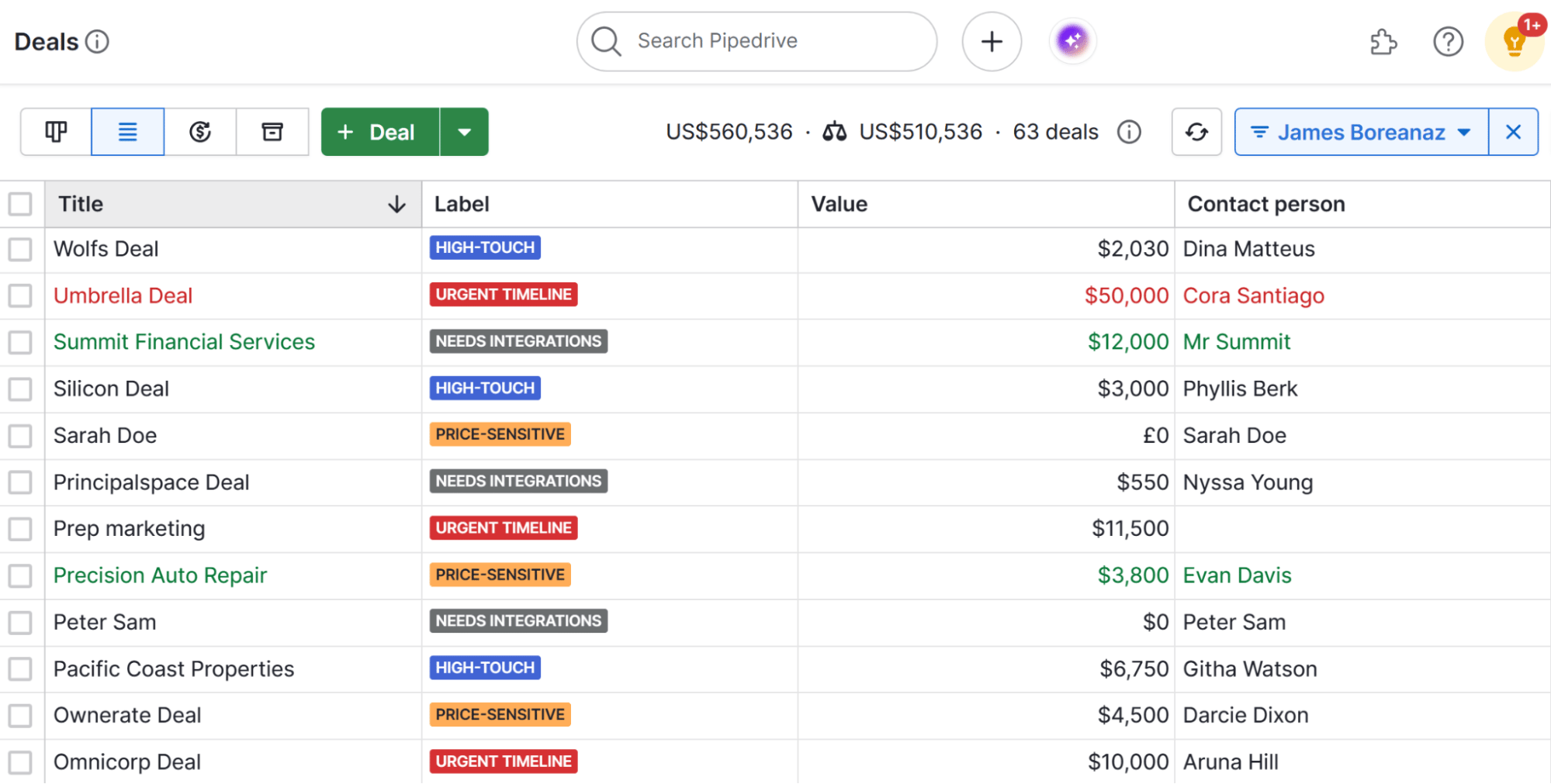
A customer relationship management (CRM) tool like Pipedrive makes this process clearer. Pipedrive’s deal labels feature lets you assign color-coded labels to each deal, so you can group and filter your deals by different categories.

GE McKinsey Matrix Pipedrive deal labels

The labels give you a quick visual overview of where your sales come from. It makes it easier to identify distinct business units to evaluate in the matrix, without having to guess or rely on messy spreadsheets.

Example: A B2B commercial furniture manufacturing company might label sales for different product lines like “Office Furniture for Corporates”, “Home Office Chairs” and “Workplace Accessories for Resellers”. Labels provide a simple, structured way to view product lines as business units within the matrix.

2. Assess industry attractiveness to see where there’s room to grow

Now that you’ve defined your business units, it’s time to assess how attractive each unit is in the market (where it sits on the Y-axis).

This doesn’t mean how well that unit is doing in your business. Rather, it’s about whether the market itself offers good potential for growth and profit.

For each business unit you identified, answer these questions to assess market attractiveness:

  • How big is the market? Look for industry reports or market research to estimate the total market size and potential.

  • Is the market growing, shrinking or staying the same? Check sales forecasts and recent trends in your sales data. A steady stream of new leads might suggest growth.

  • What’s the average profitability for businesses in this space? Look at industry benchmarks and your own revenue reporting to judge typical profit margins.

  • How competitive is it? Look at the number and strength of competitors and market share data. Check if competitors are fighting for share through heavy discounts or pricing promotions.

  • How easy is it for new competitors to enter? Consider barriers like regulation or cost. Gather customer feedback to show if buyers are open to switching providers.

Besides looking at the data, talk with your sales and marketing teams. They often have a good sense of which business units are thriving and which feel stagnant.

Download Your Sales and Marketing Strategy Guide

Grow your business with our step-by-step guide (and template) for a combined sales and marketing strategy.

Pipedrive’s Insights feature helps you create reports on how different products or services are performing. Here’s what reporting looks like in the CRM:

GE McKinsey Matrix Pipedrive Insights reports

Pipedrive’s insights and reporting functionality lets you see sales volume, total contract value and revenue trends at a glance.

Example: The furniture manufacturer uses Pipedrive Insights to find that home office chairs have increased sales to retail chains and driven good profit margins from bulk orders. Using this data, plus customer feedback and market research, it determines that home office chairs rank high on the attractive industry axis.

3. Gauge competitive strength to understand your position in the market

Now, it’s time to assess the competitive strength of each business unit (where it will sit on the X-axis).

In step two, you analyzed external market conditions affecting your business units. Now, use that same data to determine how well-positioned your company is to support each business unit’s success.

Answer:

  • How strong your brand equity? Use customer surveys and repeat purchase rates to gauge satisfaction. Ask your sales team if customers accept your prices or frequently ask for discounts – showing how much value customers place on your brand.

  • How loyal are your customers? Measure customer retention rates and how often people make repeat purchases. Customer loyalty suggests solid brand strength and may signal a sustainable competitive advantage.

  • What is your estimated market share? Compare your sales volume against industry reports or total market size estimates to approximate your share.

  • How efficient are your operations? Review profit margins to see how efficiently you manage costs and pricing. Higher margins often mean you operate efficiently or have pricing power, supporting a stronger competitive position.

  • How well does your sales team perform? Look at deal win rates and conversion rates to understand how effectively you close sales compared to past performance or targets.

Pipedrive’s deal conversion report provides detailed insights into how your deals progress through the sales pipeline.

GE McKinsey Matrix Pipedrive deal conversion report

The report helps you spot strengths and weaknesses in your sales process, giving a clearer picture of your business unit’s competitive position.

Example: The furniture brand uses Pipedrive’s Deal Conversion report to see that home office chairs frequently exceed wholesale sales objectives. Feedback from resellers also indicates strong demand for this product line. Using this data, the company concludes that home office chairs rank as high on the competitive strength axis.

4. Plot each business unit on the matrix to visualize your findings

Next, place each business unit on the matrix according to your scores for industry attractiveness and competitive strength. This visual helps you quickly see the strength of a business unit and which units need attention.

In the furniture company example, the manufacturer ranked home office chairs high in each category, so this business unit goes in the top left grid.

Say it has also assessed office accessories, ranking it as medium for industry attractiveness but low for competitive strength. This business unit would go in the middle grid on the right column.

GE McKinsey Matrix Pipedrive B2B example

It’s fine if multiple business units land in the same grid. Just label them clearly so it’s easy to see what’s what. To keep your matrix easy to understand and avoid crowding, it’s best to create separate grids for different types of business units.

Example: If the furniture manufacturer also wants to look at customer segments, it can set up an additional matrix rather than try to add to the product line grid.

5. Analyze placement and prioritize your next actions

After plotting your business units on the matrix, it’s time to interpret their positions and strategic implications. Here’s what each area generally means for your business strategy:

  • Top-left (high industry attractiveness, high competitive strength) units are your best opportunities. Focus investment here to grow and strengthen your market position.

  • Bottom-right (low industry attractiveness, low competitive strength) units usually drain resources with little chance to improve. Consider divesting or exiting these areas.

  • Middle or mixed position. For units that fall between extremes, carefully evaluate whether to maintain, improve or selectively invest depending on your goals and resources.

Example: To capitalize on home office chairs’ high ranking on both axes, the furniture firm invests in co-branded marketing campaigns with resellers targeting remote teams. It expands its product portfolio with new designs to capture more market share and grow profitability.

Office accessories fall in the middle zone: medium industry attractiveness but low competitive strength. The manufacturer focuses on improving product quality and customer support for resellers.

Whatever your plan of action, the ultimate measure of success is how these units perform in the market. Pipedrive’s pipeline view shows how well your sales strategy translates into customer actions.

GE McKinsey Matrix Pipedrive pipeline view

Using deal labels to tag business units lets you filter the pipeline by those specific units, helping you monitor sales progress related to each priority area from your matrix.

Real-time visibility shows you when to adjust tactics if sales don’t align with expectations, keeping your strategic plan grounded in real results.

Recommended reading

https://www-cms.pipedriveassets.com/blog-assets/sales-effectiveness.png

What is sales effectiveness? Metrics and improvement strategies

Pitfalls to avoid with the GE McKinsey Matrix

Even with a clear process, there are common pitfalls that can make your GE McKinsey Matrix less useful. Here’s what to watch for and how to avoid wasting time or making poor decisions:

Pitfall

How to avoid it

Overcomplicating the criteria

  • Don’t feel you need data to back up every single conclusion. Use what you have, and draw the most logical conclusion.

  • Focus on the key questions: Is this worth pursuing? Are we competitive here?

  • Whatever your approach to ranking, keep it consistent across all business units.

Using poor or subjective data

  • Use reliable sources where possible. Think sales reports, forecasts and market research.

  • Validate your assumptions with team insights, not just opinion.

  • Use Pipedrive’s dashboards and reports to pull data from your sales activity to give you an accurate, up-to-date view of your performance.

Failing to update the matrix

  • Revisit your matrix regularly. Think quarterly or when you launch new products, enter new markets or spot shifts in performance.

  • Use Pipedrive’s activity tracking and reporting tools to spot changes in deal progress and pipeline health early.

Assuming the matrix gives perfect answers

  • Use the matrix as a starting point for strategic conversations, not a rigid playbook.

  • Combine it with financial data, customer sentiment and broader strategy reviews to get the complete picture.

By overcoming these risks, your GE McKinsey Matrix can act as a strategic tool that makes reaching your business goals easier, not more complex.

Note: No single framework can perfectly cover every angle. To strengthen your portfolio analysis, consider using others such as Porter’s Five Forces, PESTEL and value chain analysis to get a fuller picture of your company’s core competencies.

Final thoughts

The GE McKinsey Matrix gives you a clear, structured approach to portfolio management and resource allocation. It helps you balance factors like market growth rate, industry profitability and competitive intensity so you can focus on the areas most likely to strengthen your business portfolio.

Planning is just the first step. Pipedrive helps you put those plans into action by giving you visibility over your sales pipeline and helping you track company progress. Start your free 14-day trial to set your road to success in motion.

A Simple SMB Guide to Neuromarketing

Software Stack Editor · August 6, 2025 ·

Imagine knowing what triggers your prospects to say “yes” before they even realize it themselves, and how that would help your conversion rate.

That’s the promise of neuromarketing. It combines neuroscience with marketing strategies to learn how buyer behavior works, beyond what people claim in surveys and focus groups.

This guide explores neuromarketing from an SMB perspective, making it more accessible than ever. You’ll find a simple neuromarketing definition and practical ways to improve every interaction.

What is neuromarketing and how does it work?

Neuromarketing means learning how sales prospects make buying decisions by studying brain responses to marketing stimuli, then using those consumer preference insights to boost sales.

While traditional marketing research relies on self-reported data (e.g., customer surveys and focus groups), neuromarketing research goes deeper by using biometric tools to measure how the brain responds in real time. It’s more definitive and accurate as it gauges human brain activity that even buyers are unaware of.

Here are the most common neuromarketing techniques for SMB sales and what they assess:

Research method

What it measures and how marketers use it

Eye tracking

Measures: visual attention patterns, pupil dilation.

Use it to: optimize page layouts, ad placement and product packaging.

EEG (electroencephalography)

Measures: brainwave patterns and electrical activity between neurons (i.e., neural activity).

Use it to: track attention levels, emotional engagement and memory formation.

fMRI (functional magnetic resonance imaging) – i.e., brain imaging

Measures: blood flow changes in specific parts of the brain.

Use it to: identify areas activated by different marketing messages.

Facial coding

Measures: micro-expressions and facial movements.

Use it to: measure emotional responses to video content and commercials.

Heart rate monitoring

Measures: cardiovascular responses to stimuli (e.g., increased or decreased BPM).

Use it to: assess stress, excitement or calm triggered by marketing materials or sales tactics.

Galvanic skin response

Measures: changes in skin conductance.

Use it to: detect emotional intensity and subconscious reactions relating to marketing efforts.

For example, if eye tracking shows that people spot red “Buy Now” buttons faster than other colors, you could use that color to speed up purchases.

If facial coding reveals that your ideal customers smile more during product demos, you could move those scenes to the start of a video to boost engagement.

How neuromarketing works: the science of consumer decisions

Modern neuroscience recognizes that consumer decision-making happens across three distinct brain systems: neocortex, limbic and reptilian.

Neuromarketing brain area illustration

The systems work together via networks of neurons to determine whether someone is ready to buy a product (or complete another action). Each one requires a different marketing approach:

  • The neocortex is rational. It handles logical evaluation and conscious decision-making. Target this area using detailed product specs, competitor or item comparisons and logical arguments tied to your value proposition.

  • The limbic system is emotional. It processes feelings, relationships and social connections. To trigger this system, focus on brand storytelling and emotional benefits. Build customer relations instead of highlighting features.

  • The reptilian system is instinctive. It makes fast decisions about safety, security and other immediate needs. Cater to it with urgency and exclusivity, and offer clear visual cues pointing to trustworthiness or risk as a reason to buy.

Strong neuromarketing campaigns address all three brain systems at the same time.

For example, a social media video ad might tell a heartfelt story (limbic), promote a limited-time offer (reptilian) and show clear product benefits. When all brain areas agree, people are more likely to buy.

Want to Learn How to Influence Your Prospect’s Buying Decisions?

Get inside the head of your customers and take advantage of consumer psychology with this Psychological Selling Guide.

Why neuromarketing matters for marketers and sales teams

Studying brain activity shows you which ads, headlines, product designs or prices trigger emotional reactions that contribute to conversions.

This insight matters for marketers and sales teams because up to 95% of buying decisions happen subconsciously, according to Harvard Business School Professor Gerald Zaltman.

However, emotion-led marketing does more than drive one-off purchases. It also helps build lasting customer connections.

Marigold marketing strategist Simon Jeffs explained in a DMA article how those emotional connections translate to long-term value for your business:

Traditional loyalty is normally focused on keeping customers coming back through discount codes, vouchers and early access to launches, and so on. This is still something brands need to be good at. But if they step it up to the next level and form really meaningful connections with consumers, that’s when you start to build emotional loyalty.

The window that neuromarketing gives you into consumer behavior helps you engage, nurture and sell more effectively than competitors who don’t use it. Ironically, that makes it a no-brainer if you have the right tools and methodologies.

Recommended reading

https://www-cms.pipedriveassets.com/Sales-EQ.jpg

A guide to sales EQ: How to use emotional intelligence in sales

3 practical ways to apply neuromarketing (no lab coat needed)

Not a neuroscientist? Not a problem. You can still apply some basic consumer neuroscience principles to future marketing campaigns.

Here are three simple ways to strengthen your decision-making process.

1. A/B testing for emotional framing

Split testing is an easy way to simulate neuromarketing insights. If a particular headline or image triggers more engagement, it probably resonates more emotionally, even if users can’t say why.

To take that idea further, frame one variation around logic and another around emotion. For example, try these taglines for a campaign promoting cybersecurity products:

Logical tagline

“Save 25% with annual billing”

Emotional tagline

“Feel secure with year-round protection”

Then, use your website analytics software to track which version drives more clicks or customer conversions and apply what you learn to future messaging.

In a sales CRM like Pipedrive, you can tag leads by campaign or message type to see which emotional framing converts best. The Campaigns and Smart Docs features help you tailor follow-ups based on those insights.

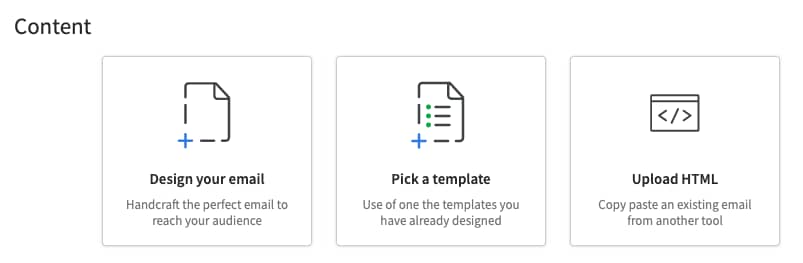
Campaigns makes it easy to craft the perfect follow-up emails. Design your own content, pick a template or upload HTML from another tool:

Neuromarketing Pipedrive Campaigns email options

If your audience responds better to logic, use more product specs and tangible data in your content. If emotional variations emerge on top, focus on building and telling your brand story.

Alternatively, pitch a formal-looking font against a more playful one to see which gets the most clicks.

Top tip: As an intro to this type of marketing experimentation, check out our guide on AI A/B testing. You’ll find a simple step-by-step process for running your first tests along with a high-level definition.

2. Established eye-tracking principles for page layouts

Professional eye-tracking equipment costs thousands, but you can still apply established findings to improve your web page layouts.

Nielsen Norman Group research found that people often scan web pages in F-patterns or Z-patterns, focusing on upper-left areas first. Here are the results from one of its eye-tracking studies:

Neuromarketing eye-tracking examples

With that knowledge in mind, place key elements like headlines, CTAs and product visuals where customers’ attention naturally falls. Here’s how Contractbook’s homepage does it:

Neuromarketing Contractbook homepage

Notice the heading’s subtle alignment to the left, framed by a value proposition and two CTAs. The average visitor’s attention is most likely to go there, so Contractbook puts the most important elements right in front of them to increase engagement.

3. Facial expression analysis tools

Facial expression analysis helps marketing professionals understand how people react to content in real time, and it’s generally more accessible than other neurological research techniques.

Tools in this category use artificial intelligence (AI) to spot tiny changes in facial muscles that signal emotional responses. They can spot joy, surprise, confusion, frustration and most other reactions.

Use facial expression analyses to:

  • See how viewers respond to different ad concepts and roll out the most impactful version

  • Find confusing moments in your sales demos, so you can simplify them to reduce friction

  • Choose the most emotionally engaging thumbnail for your video content to boost views

For example, a sales webinar attendee raising their eyebrow could be showing interest. Another person curling their lip might show discomfort. Neither has to say a word because the software – trained on thousands of facial patterns to read emotions accurately – captures it all.

Popular facial coding tools include MorphCast, Realeyes, iMotions and Entropik, alongside many others. Here’s an example of MorphCast working in a Zoom call:

Neuromarketing Morphcast Zoom call

Accessible tech like the above empowers you to apply some of the same tactics as large, well-known brands, helping you achieve similar results without big-budget resources.

Recommended reading

https://www-cms.pipedriveassets.com/blog-assets/cognitive-bias-sales_200512_180202.png

What is cognitive bias? 7 biases that can make or break your sales

Real-world neuromarketing examples and studies

Many leading companies use neuromarketing techniques to test designs and make more fruitful business decisions. Here are three standout neuromarketing research examples to show what’s possible.

1. Coca-Cola vs. Pepsi: brand power on display

In one of the most famous neuromarketing studies, researchers used fMRI tech to measure consumers’ emotional reactions to samples of Coca-Cola and Pepsi.

The first test used unlabeled samples. Pepsi triggered stronger activity in the brain’s reward center, suggesting it was the favored brand.

In a second test using labeled samples, Coca-Cola activated the memory and emotion regions more intensely. Participants overwhelmingly preferred it.

These outcomes prove the value of a strong brand image. Brand associations live deep in the brain and can even override a product’s taste.

2. Hyundai: testing emotions with neuroimaging

Hyundai ran a neuromarketing study for its IONIQ 5 N vehicle to understand how people really feel about high-performance driving.

Drivers saw clips of the car in action while researchers tracked EEG brainwaves and heart rate data, looking for the moments triggering the most excitement.

Neuromarketing Hyundai EEG research form

The findings ultimately helped the automotive company’s marketers fine-tune their product content, emphasizing the sounds, speeds and sensations that sparked the strongest brain responses.

The neuromarketing campaign coincided with a 42% year-on-year spike in Hyundai’s US electric vehicle sales, hinting at the potential value of emotionally resonant marketing.

3. Alpitour: tailoring travel content to emotional reactions

In a trial titled “Ragione vs. Emozione” (Reason vs. Emotion), travel brand Alpitour used MorphCast’s facial coding tech to learn how people respond to different vacation offers.

Neuromarketing Alpitour facial coding demo

Participants viewed destination ads on a web page while their facial expressions were analyzed through their standard webcam. The goal was to detect emotions like happiness, surprise or disinterest without needing any verbal feedback.

When viewers showed stronger emotional responses to specific destinations (like a beach scene or mountain view), the platform adjusted the content they saw to match the sentiment.

The experiment helped the travel agency personalize the holiday experience from the very first interaction. By observing natural emotional reactions, the company made it easier for customers to discover trips they truly connected with and were more likely to book.

Note: Experience Alpitour’s neuromarketing trial using this MorphCast demo. It’s in Italian by default, but you can change the language with Google Chrome’s translation feature.

Ethical considerations: how to use neuromarketing responsibly

The powerful field of neuromarketing raises important questions about consumer privacy and free will.

Some critics argue that accessing subconscious responses gives marketers unfair advantages over consumers’ rational decision-making processes. The truth is, it depends on how you apply it.

Responsible neuromarketing provides​​ the data and sales outcomes you need without damaging trust. It focuses on accurately understanding customer needs, not exploiting psychological vulnerabilities.

The ultimate goal should be creating products and messages that genuinely serve people’s interests, not tricking them into unwanted purchases. It also means being transparent with customers about your neuromarketing methods and intentions.

For example:

Ethical neuromarketing

Unethical neuromarketing

Using emotional insights to improve clarity, relevance and genuine engagement.

Using emotional triggers to manipulate people into buying things they don’t need.

Being transparent about data use and getting clear permission before analysis.

Hiding data collection methods or tracking people without consent.

Highlighting actual value and positive outcomes to support informed decisions.

Exploiting fear or insecurity to increase conversions.

Avoiding tactics that take advantage of mental or emotional vulnerability.

Targeting vulnerable groups with high-pressure messaging (e.g., children, people in distress, etc.).

That Hyundai IONIC 5 N study is a solid example of ethical neuromarketing.

With full consent, the brand used brainwave and heart rate data to learn what people found most exciting so it could better meet their needs.

Crucially, it made the methodology and outcomes public. It had nothing to hide.

A transparent, insight-led approach shows how neuromarketing methods can improve customer experiences without compromising trust or sparking a backlash. Learn all about neuromarketing best practices in the next section.

Recommended reading

https://www-cms.pipedriveassets.com/Value-Selling_2023-01-06-174451_ltup.png

How to grow revenue with value selling (plus real brand examples)

Key takeaways: 3 simple neuromarketing tips for getting started

Neuromarketing doesn’t need to be complex or expensive. Here are some low-cost, high-impact ways to get started.

1. For fast wins with minimal investment: lean on existing neuromarketing research

Neuroscientists have spent years laying the groundwork that you can tap into cheaply or for free.

Use reputable studies to inform your first neuromarketing campaigns. A few early results, even small ones, should build your confidence and show what’s possible.

Nielsen’s eye-tracking research is a strong starting point, as you can apply it to all forms of content design. Pay for a comprehensive report covering three studies across 13 years ($98 for an individual license at the time of writing) or check out the group’s blog posts for helpful summaries.

2. For a deeper understanding without drowning in jargon: read neuromarketing books

The best books on neuromarketing make a complex topic feel accessible – just like this Pipedrive guide, but with more depth.

Look out for titles offering lots of real examples and practical methods. They’ll help you understand and apply the psychology behind sales and marketing decisions without needing a degree.

Well-reviewed options to sound out first include Neuromarketing by Leon Zurawicki, Buyology by Martin Lindstrom and The Buying Brain by A.K. Pradeep.

3. For neuromarketing on a small-business budget: choose free neuromarketing tools

Try marketing tools with neuromarketing features to build knowledge and get quick results. All of the following offer free plans, trials or both:

  • Hotjar. Track where people click and scroll on your site using heatmaps and session recordings. This tool is great for seeing where layout issues cause friction in the buyer journey. A free tier lets you track up to 35 daily sessions.

  • CoolTool. Test ad concepts, packaging designs and more on real viewers with easy-to-use eye-tracking, facial coding and survey functions. Reviewers describe a limited free tier, alongside paid plans for more advanced features.

  • MorphCast. Analyze emotional engagement through standard webcams when viewers watch videos or visit landing pages. A “Freepium” model offers full-feature access for limited periods.

For deeper insights, use Pipedrive’s Web Visitors add-on or connect tools like Hotjar to Pipedrive. Match webpage behavior with CRM activity to see what leads do before and after converting.

Here’s how Web Visitors presents recent site traffic:

Neuromarketing Pipedrive Web Visitors interface

Once you’ve earned a few data-informed wins, you’ll have a strong case for investing in more advanced neuromarketing technology.

Recommended reading

https://www-cms.pipedriveassets.com/blog-assets/best-sales-book.png

The 28 best sales books every salesperson should read in 2025

Final thoughts

The sooner you understand how your audience thinks, feels and decides, the sooner you can stop guessing and start truly connecting.

Neuromarketing provides that understanding, and as this guide shows, it doesn’t have to be complex or costly. With the latest tech and a little creativity, you can win more business with science – just like the Coca-Colas and Hyundais of this world.

Tools like Pipedrive make it easy to turn neuromarketing insights into action. Start tracking behavior, optimizing your messaging and aligning lead gen and nurturing with real sales results for meaningful impact.

Download Your Sales and Marketing Strategy Guide

Grow your business with our step-by-step guide (and template) for a combined sales and marketing strategy.

Experiential Marketing Guide for Small Businesses

Software Stack Editor · August 6, 2025 ·

TV

Thomas VerneyContent Manager, Pipedrive

It’s hard to stand out when you and your competitors use the same traditional marketing tactics. Experiential marketing gives small businesses another way to get noticed: by creating real interactions that people remember.

In this article, we’ll define experiential marketing, and you’ll learn how to use it to drive engagement and generate leads, even on a small budget. With practical ideas and tips on connecting campaigns to your customer relationship management (CRM) tool, you’ll leave with a clear plan you can act on.

What is experiential marketing (and why does it matter for small businesses)?

Experiential marketing definition: Experiential marketing is a way to connect with potential customers through in-person or interactive experiences.

Memorable experiences spark word of mouth and create a more personal connection with your company. When planned well, they can generate leads and open the door to future sales conversations.

These experiences (sometimes called brand activations) can be big and flashy. For example, take Red Bull’s “Stratos” space jump, in which a skydiver broke the sound barrier while millions watched in real time.

Experiential Marketing Red Bull Space Jump

Effective experiences can be smaller and more understated, like when Lipton offered shoppers a spray of water mist to cool down in a busy Auckland shopping mall.

For small businesses, engagement marketing is a way to differentiate themselves from competitors who only use traditional marketing, such as banner ads or social media posts.

Download Your Sales and Marketing Strategy Guide

Grow your business with our step-by-step guide (and template) for a combined sales and marketing strategy.

Practical experiential marketing ideas for small businesses

Experiential marketing doesn’t have to mean big budgets or complex productions.

Here are some affordable, actionable examples of experiential marketing tailored to SMBs, with tips to help maximize impact and keep costs low.

Type of experiential marketing

Tips to maximize your marketing efforts

Host a product or feature demo as a live virtual event

  • Focus on solving real customer pain points, not just showing features

  • Keep it interactive with a workshop element or a Q&A

  • Follow up with a replyreplay and tailored call-to-action (e.g., “book a call” or “upgrade your plan”) to increase customer engagement

Set up a pop-up shop or booth at a relevant community event

  • Choose locations where your ideal customers already are

  • Keep setup simple (e.g., use a branded tablecloth, offer samples and have a QR code to a landing page)

  • Optimize lead tracking by capturing emails on the spot with a giveaway or signup offer

Partner with a complementary tool or brand to co-host a short challenge or learning series

  • Pick a clear, simple outcome (e.g., “Grow your list in 5 days”)

  • Use email and social media to deliver daily prompts

  • Share leads or co-create content that lives on after the event

Launch a social media series where customers take over your Instagram or LinkedIn for a day

  • Pick loyal customers or relevant influencers and brief them clearly

  • Use a branded hashtag and reshare widely to reach different demographics

  • Highlight the most engaging stories in your newsletter or blog

Run a “build in public” week where you show real work behind the scenes

  • Share a mix of live marketing and recorded content

  • Frame it as transparent and customer-first

  • End with a CTA to give feedback or join a beta/test group

Offer a live office hours session where people can drop in for advice or help

  • Promote it as casual and helpful, not a sales pitch

  • Record and share useful snippets later, and use follow-up emails to move qualified leads into your pipeline

Create a simple virtual reality (VR) or augmented reality (AR) brand experience

  • Use low-cost tools like Mozilla Hubs or 360° video to create a virtual space that reflects your brand’s values

  • Let the customer experience it on their own device or with a headset

  • Keep it short and interactive, then follow up with a tailored offer or invite based on how people engaged

Surprise loyal customers with a thank-you note or small gift tied to a milestone

  • Use tools like Sendoso or postal mail to make it feel more personal

  • Tailor messaging to the recipient (e.g., “You’ve been with us one year”)

  • Include a scannable link to a bonus offer or content for brand ambassadors

These experiential marketing examples are flexible and don’t require large budgets – just creativity and a clear focus on the customer.

Note: In-person events may require more upfront investment but offer unique experiences. They create stronger emotional connections by letting people experience your brand with all their senses.

When planning, think beyond just the event itself. Consider how to extend the customer experience before and after, like sharing stories on social media or following up personally.

How to plan the best experiential marketing campaigns on a budget

Planning an immersive experience on a budget starts with knowing where to focus your time and resources. Follow these steps to keep costs low while making your campaign as effective as possible.

1. Set specific, measurable goals aligned with sales and marketing objectives

Deciding the outcome you want at the start of the process makes planning easier. Involve the sales team early so you can agree on a goal supporting marketing and sales priorities.

Get clear on what success looks like. For a product launch, is the goal to collect demo requests? Build hype and brand awareness? Drive email signups ahead of release?

Then define success in a measurable way. For example:

  • If you’re launching a new product, success might mean 50 demo bookings or 200 new email signups

  • If you’re reactivating dormant accounts, it might be reopening 10 deals currently marked as “stalled”

  • If you’re aiming for brand awareness, set metrics like social engagement or new contacts added to your CRM

Defining the outcome you want helps you design the experience to support it.

2. Identify and target the right audience using CRM data

Use your goal to determine how to segment your audience to align with that outcome. The more specific your targeting, the easier it is to tailor your campaign to those customers’ needs and interests, and the more effective your event marketing will be.

If your goal is to collect demo requests, focus on leads who have previously shown interest but haven’t booked. If you want to build brand awareness, your target audience might be broader, aimed at new contacts, inactive leads or colder segments who haven’t engaged much.

In Pipedrive, contact labels are a simple way to organize your audience into meaningful groups like “Warm Lead”, “Cold Lead”, “High-touch” or “Price-sensitive”. You can add and customize labels when creating or editing a contact.

Experiential marketing Pipedrive labels

Once your segments are labeled, you can:

  • Build automated workflows to follow up with each group

  • Export lists for outreach or event invites

  • Track campaign performance across different segments

Segments let you tailor your traditional advertising and outreach efforts so your campaign messages reach the right people at the right time.

3. Choose the right experiential format for your audience and goal

Now that you’ve defined your goal and selected a segment, choose a campaign format that suits both. The type of experience you offer should reflect what your audience needs at this moment and what will best move them toward your goal.

For example, cybersecurity company SentinelOne offers an interactive product demo that lets prospective buyers customize their exploration by use case. Different paths and interactive elements tailor the tour to the user’s needs and demonstrate the product’s range of functionality.

Experiential marketing SentinelOne demo

Here’s how different target audiences and goals can align with event formats:

  • Reaching cold leads to build brand awareness? Go with something easy to join and talk about, like a pop-up experience or a social media challenge.

  • Warming up mid-funnel leads? Try hands-on formats like live Q&As or interactive demos to help prospects see the value without a hard sell.

  • Converting hot leads or reactivating stalled deals? Make it personal. Offer invite-only workshops or strategy sessions that directly address prospects’ pain points.

Matching the type of experience to the prospect’s customer journey stage makes them more likely to engage. Once you decide on your goal, segments and format, you can use a laser-focused approach to minimize wasted resources.

4. Budget wisely by prioritizing high-impact, low-cost activities and exploring partnerships

Small budgets don’t have to limit your creativity, but require more focus. Start by listing all potential activities and breaking down the costs involved.

Consider not only direct expenses like venue rental and materials, but also indirect costs such as:

  • Promotion (like social media ads or billboards)

  • Technology (like software licenses or equipment rentals)

  • Time spent by your team planning and executing

Look for sponsorship or partnership opportunities to reduce costs. For example, a social media scheduling tool might partner with a photography studio to host a virtual or real-life workshop on content creation, split promotion costs and share audience reach.

You can use community spaces, like co-working hubs or local events, instead of paying for venues. Alternatively, set up your marketing experience at a trade show you’re already attending to maximize your return on investment (ROI).

Set spending limits for each activity, but keep some flexibility to adjust if opportunities arise or costs are higher than expected. Flexibility helps you focus resources where they’ll have the greatest impact without overspending.

Note: If your team is small or stretched thin, consider outsourcing tasks like event setup or content creation. Freelancers can help you access expertise and scale your brand experience without hiring full-time staff.

5. Prepare for execution with clear roles and simple promotional plans

Once your campaign plan is in place, focus on organizing the people and tasks needed to bring it to life. Start by assigning clear roles so everyone knows exactly what they’re responsible for.

For example:

  • The campaign lead should manage the overall timeline and make sure all parts stay on track

  • The creative lead should produce any handouts or presentation materials

  • The promotion owner should build and schedule outreach

  • The follow-up owner should be responsible for logging leads and triggering the right CRM workflows after the event

Build a simple campaign timeline. Include key dates for asset creation, email sends, internal reviews, the live event or activation and follow-up tasks. Allow enough time for promotion to build interest before the campaign goes live.

How Pipedrive can help

For outreach, Pipedrive’s Campaigns makes sending targeted emails to labeled segments easy. Draft a short series of messages that clearly explain the experience, who it’s for and how to join or attend.

You can track open and click-through rates directly in the tool and follow up with warm leads right from your CRM.

Experiential marketing Pipedrive campaign insights

A successful experiential marketing event doesn’t require a large team. It only requires a clear plan and a way to track and adjust as you go.

6. Plan post-event follow-up to capture leads and nurture relationships through CRM automation

Following up quickly is what turns an engaging experience into real results. Have a clear process to log any new contacts or engaged leads into your CRM as soon as the campaign wraps.

If you’re running a virtual event, use the webinar platform’s attendance report. If your event is in person, set up a QR code sign-in or a digital check-in sheet to get details in real time. Make sure every attendee and interaction is logged in your CRM.

How Pipedrive can help

In Pipedrive, you can tag leads based on their activity during the campaign and trigger automated email follow-ups.

Experiential marketing Pipedrive follow-up automations

For example, you might:

  • Tag attendees as “Engaged” and automatically send a thank-you email with next steps or a related offer

  • Tag no-shows and follow up with a replay or recap

  • Add a task for a sales rep to reach out personally if someone asks a specific question or requests more info

You can also use custom fields to capture details like the event name or digital marketing session attended, then build filters to track outcomes.

The more structured your follow-up, the easier it is to keep momentum going, turn interest into sales and increase customer loyalty.

Recommended reading

https://www-cms.pipedriveassets.com/Business-goals-frameworks.png

How to set and achieve business goals in 2025

Connecting experiential marketing to CRM and sales for measurable results

To get real business value from experiential marketing, track what happens after the follow-up. With Pipedrive, every new lead can be logged directly into your sales pipeline and segmented based on how they engaged.

Using custom fields like “Campaign Source” or “Event Name”, you can tag contacts with the specific campaign they responded to, making it easy to filter and monitor performance across different events.

Experiential marketing Pipedrive custom fields

This segmentation helps you automate personalized follow-ups and prioritize outreach based on engagement level. Additionally, tracking deals related to these campaigns reveals whether they have generated new business or reactivated stalled opportunities.

Connecting your experiential marketing to your CRM gives your team a clear process for effectively following up and measuring success based on data-driven insights.

Recommended reading

https://www-cms.pipedriveassets.com/Event-planner-CRM-guide.png

From chaos to control: an event planner’s guide to CRM

Final thoughts

For small and medium-sized businesses, experiential marketing is a way to make a lasting impression without needing a huge budget or complex resources.

Even simple digital experiences can lead to better brand loyalty and more qualified leads when done thoughtfully. You can turn those moments into real business growth by focusing on your customers’ needs and using smart tools to organize and follow up.

Ready to bring your experiential marketing strategies to life and measure their impact? Try Pipedrive free for 14 days and see how it can help you manage your leads and nurture those valuable connections.

7 Best Email Generators

Software Stack Editor · August 5, 2025 ·

Many marketers use email generators to keep up with demand for instant outreach messages and replies.

The latest AI tech and other tools can help you speed up email creation and improve the customer experience. However, as with any tool, you must understand how it works and how to use email generators properly for the best results.

In this article, we’ll explore the latest email generator technology and how you can employ it to scale your email marketing efforts effectively.

What is an AI email generator?

An AI email generator utilizes artificial intelligence to compose, personalize and optimize messages in less time.

The user provides a prompt with specific information like tone and length, and then the AI software creates drafts. Marketers can segment emails to particular demographics using the AI-generated email as a blueprint (more on that later).

Note: Third-party AI systems aren’t entirely secure. The tools use data to “learn”, and you don’t want company or customer information to leak. Avoid inputting sensitive data into your prompts as you develop emails.

Marketing automation software and email templates also help users improve their outreach. Email marketers and salespeople can combine established email marketing tools with AI technology to increase engagement and conversion rates.

Recommended reading

https://www-cms.pipedriveassets.com/blog-assets/email-lead-nurturing.png

How to Create an Automated Lead Nurturing Workflow that Converts Visitors

How email generators can help marketers and salespeople

AI email generators speed up the process of creating content, allowing marketers and salespeople to scale their workflows.

These tools can assist with every email marketing stage, from planning your campaign to optimizing existing emails.

Here are three ways an AI email generator can help.

1. Using AI to generate email campaigns

AI email generators can create entire emails with only a few prompts.

Marketers and salespeople input basic details like the type of email they want to send, key points to include and tone of voice. AI generators then use machine learning algorithms to generate relevant content, such as subject lines, body text and calls to action (CTAs).

Here’s an example of a promotional email from AI writing assistant Rytr:

AI email generator Rytr

Some AI tools go further. For example, ChatGPT can help you plan and draft entire email campaigns. Once you input relevant prompts, the tool suggests the content of each message.

AI email generator ChatGPT

These resources enable email marketers and salespeople to free up resources and focus on other, more strategic aspects of the business.

2. Using AI for email content personalization

When used correctly, AI can help you create messages that personalize every element, from the greeting to the email signature.

For example, segmentation has always been vital in email marketing. Dividing your audience based on specific characteristics such as demographics, interests and behavior lets you send them more relevant content. AI can help you create highly targeted and dynamic segments.

One of AI’s biggest strengths is its ability to process and analyze large amounts of data. Using it to assess customer behavior and interests allows marketers to segment their audience more precisely and effectively.

AI can also help you personalize by using predictive text. For example, Google’s Smart Compose offers suggestions tailored to your writing style as you type new emails.

Similarly, Gmail accounts offer Smart Reply, which uses machine learning to improve your email responses.

The latest email generators allow you to predict what will resonate with a specific audience and generate personalized content accordingly. AI can also create dynamic messages, changing the copy in existing emails based on individual customer behavior and interests.

A dynamic email might show different product recommendations based on a customer’s previous purchases or browsing behavior.

For example, Amazon keeps prospects engaged by recommending products specific to their browsing histories. The company analyzes past views and purchases and proposes similar items or titles for review.

Email generator Amazon dynamic email

Creating highly personalized emails helps marketers stand out in a crowded inbox and leads to higher conversion rates.

3. Using AI for email content optimization

AI email generators can also help marketers optimize existing emails, improving their effectiveness and driving better results.

Spelling and grammar assistants are among the most familiar uses of AI. Although these checks may seem basic, they help you create professional and effective emails.

A standard, old-school spell check isn’t going to find a correctly spelled word that’s misused.

AI tools analyze the context of your email to automatically correct spelling and grammar issues, ensuring your emails are error-free and polished.

For example, here’s AI writing assistant Grammarly in action:

Grammarly

AI can also help optimize after you hit send by analyzing data on open rates, click-through rates and other email engagement metrics. The results identify patterns you can use to improve email content and performance.

Insights may include the best time to send emails, which cold email subject lines are most effective and which types of content resonate with the target audience.

Real-time optimization can also improve current campaigns. For example, if open rates are lower than usual, AI might adjust the subject line or send time to enhance engagement.

AI helps email marketers achieve better results and drive business success by making it easier to identify and correct errors, improve content quality and optimize performance.

Heat up your cold emails with 25 customizable email templates

These cold email templates sourced from Pipedrive sales experts will help you scale your prospecting, drive more replies and stay out of those trash folders.

What about email address generators?

There are other types of email generators you should know about that create temporary or one-time email addresses.

Many people hesitate to give out their real email addresses, worrying they’ll get spam or unwanted notifications. As a result, if they’re signing up for a new service or trying to download a gated resource through a pop-up, they may use an address generator to create a random email address.

Some popular temporary email address generator tools include:

  • TrashMail

  • 10MinuteMail

  • YOPmail

  • Temp Mail

  • FakeMail

While features vary, each tool provides users with a temporary email address that’s automatically deleted after a specific period.

Marketers and salespeople may not use these tools themselves, but knowing whether your prospects use a fake email address generator is helpful. Messages sent to temporary or deleted email accounts may bounce, hurting conversion rates, damaging domain authority and potentially leading to emails being flagged as spam.

Keep your email deliverability high by periodically validating any emails on your list and blocklisting known temporary address domain names and email services. Dedicated tools like MailerCheck and ZeroBounce regularly check your list and flag “burner” emails before they do any damage.

Recommended reading

https://www-cms.pipedriveassets.com/blog-assets/email-list-hygiene.png

Why email hygiene matters plus 4 tips to keeping a clean list

How to use AI email generators effectively

AI isn’t a replacement for human creativity. Email content generators can’t write engaging copy without human input.

For example, in its blog post introducing the tool, OpenAI discussed ChatGPT’s limitations, including factually incorrect or wordy content.

To prevent potential issues from undermining your campaigns, always fact-check your emails and edit them to match your company’s tone of voice.

Remember that the results you get will largely depend on your input. Asking an AI tool to “write a sales email” without more information will generate a generic message.

Include details in your prompt, such as:

  • The email recipient

  • The purpose of your email

  • Relevant information about your product or service

  • The tone of voice

  • Any style and formatting preferences

These specifications will help prevent robotic-sounding emails and ensure your message stands out in the customer’s inbox.

AI tools still require effort and skill to achieve the best results, but email generators can help marketers and salespeople write first drafts and give them more time to fine-tune the content

Recommended reading

https://www-cms.pipedriveassets.com/Sales-Copy.jpg

From good to great: how to write sales copy that sells

7 top tools for email generation

Many tools are available to help marketers create high-quality emails that resonate with their target audience. Here are seven of the top options available now.

1. Pipedrive AI Email Writer

Ideal for integrating email generation with your CRM

Pipedrive AI email writer

Effective personalization involves more than using the recipient’s name. It means sending a relevant email that references the customer’s current situation.

Pipedrive’s AI email writer turns user prompts into high-quality sales emails, building valuable connections in less time.

Write a prompt for the type of content you want to produce, then choose the email’s tone, style and length. Finally, edit the results and hit send. This efficient process helps you engage prospects and keep the sales cycle moving.

In addition, Pipedrive offers an AI email summarizer that recaps conversations and keeps teams updated so you can send the perfect response to convert prospects faster.

Both tools allow you to leverage data from your existing customer relationship management (CRM) system for an efficient all-in-one solution that integrates with popular email clients like Gmail.com and Mailchimp.

2. ChatGPT

For versatile content generation

Chat GPT Email Generator tool

ChatGPT can generate emails and outline campaigns through its Chrome extension. Here’s how ChatGPT responds when asked how to use its technology for generating emails:

The ideal use case for using ChatGPT for email generation would be in situations where time is a critical factor and a personalized touch is not required. For example, ChatGPT could be used to generate form emails for customer service inquiries or automated responses to job applications. However, for more personal or nuanced communications, it may be better to rely on human input and editing to ensure the message is appropriate and effective.

Note that ChatGPT has downsides. The free tier of GPT-4o has usage rate limits that cap how many prompts you can try in a set time frame.

3. Grammarly

For sending out emails that match your brand

AI email generator Grammarly

Grammarly analyzes content using AI techniques like machine learning, deep learning and natural language processing.

One notable feature is the tone detector, which analyzes an email’s language and style. The app determines how the email will come across by examining word choice, phrasing, punctuation and capitalization.

For example, it may detect that the email sounds too formal, casual or potentially offensive. Use this information to make adjustments that ensure each email matches the company’s tone of voice.

4. Rytr

For generating emails and other content

AI email generator Rytr

Rytr is a straightforward email generator that allows users to create all kinds of AI-based content.

After confirming the use case, language, tone of voice and creativity level, type in the email’s purpose and any keywords to include.

5. Reply

For generating sales emails

AI email generator Reply

Reply is a sales engagement platform that enables teams to automate cold outreach across multiple channels.

Its AI Email Assistant includes many templates to get users started, along with access to the GPT-3 model to expand on ideas. As you edit the email, use the email quality check to calculate the likelihood of a response.

Reply’s AI agent Jason also promises personalization, with features like multi-channel automation, real-time B2B data and a deliverability toolkit.

6. Writer

For enterprises that need a specialized AI writing tool for the entire organization

AI email generator Writer

Writer is an AI tool that helps enterprise teams create company-specific writing. It “reads” through company content, facts and style guide to customize an AI model for the business.

Its features include an internal style guide and a library of approved snippets.

Writer integrates with standard writing tools like Google Docs, Outlook, Chrome and Word. Because the software is for enterprise use, it also complies with PCI-DSS, SOC 2 Type 2 and HIPAA.

7. Hyperise

For generating personalized images and videos

AI email generator Hyperise

Prospects and customers often see basic personalization in email text, meaning salespeople and marketers must go further to make an impact. One way to achieve this goal is to add original images and videos to emails.

Hyperise promises users “hyper-personalization”, meaning users can add dynamic text to an image or video. For example, send a photo of the company president holding a coffee cup with the potential customer’s name on it or link to a video with the business company logo on a whiteboard. Add interactive buttons and text-to-speech for increased personalization.

Recommended reading

https://www-cms.pipedriveassets.com/AI-Email-Management.png

AI email management: organize your inbox and reclaim time

Final thoughts

Writing sales and marketing emails is often complicated and time-consuming, but the right email generator software can speed up the process. However, these tools aren’t a replacement for creative thinking and strategic planning. They still need human input and oversight.

Explore the features and functionality of any email generator tools you use and set up proper guidelines for data security. Test the tools on a small scale before incorporating them into your larger email marketing campaigns to engage your audience and optimize results.

8 Effective CRM Supply Chain Management Tips for SMBs

Software Stack Editor · August 5, 2025 ·

When you run a small business, managing your supply chain feels overwhelming. You’ve got vendor contracts in one folder, inventory levels in a spreadsheet and delivery dates scattered in your emails.

A customer relationship management (CRM) system for supply chain management puts all this data in one place. You see your entire supply chain from a single dashboard.

In this guide, you’ll learn how CRMs help small and medium-sized businesses manage their supply chains. You’ll find the essential features to look for and see how Pipedrive keeps your operational efficiency on point.

What is CRM in supply chain management (SCM)?

Customer data is a powerful tool for supply chain management. Your CRM already tracks which products customers want, when they buy and how much they typically order.

With this data, you can figure out what to stock, when to reorder and which suppliers matter most to your business.

Here’s how your CRM software helps create a more customer-centric supply chain:

  • Use sales data to predict inventory needs. Your CRM collects valuable information about past purchases, customer preferences and sales trends. If you sold 200 units last quarter, you’ll probably need to stock similar levels next quarter.

  • Connect your sales pipeline to purchasing. CRMs generate sales forecasts that can guide inventory sales planning. When you link your forecasts with inventory management, you can stock the right products and prevent overstocking and stockouts.

  • Track which products your customers want. Understanding customer demand means you can tell suppliers what you’ll need. Because you both see what is coming, you can negotiate better deals and build stronger customer relations.

You can use a traditional CRM to gather data and improve supply chain operations. Some CRMs go even further, integrating with your supply chain software to keep everything together.

Traditional CRM vs. supply chain CRM

Here’s a comparison of how a traditional small business CRM supports your supply chain versus a CRM that integrates with other software:

Type

How it supports your supply chain

Traditional CRM

Export your sales data and manually update your inventory system.

Check customer demand in your CRM, then switch to a separate tool to place supplier orders.

Integrated supply chain CRM

Everything connects automatically.

When a customer places a large order, your system checks current stock levels and triggers reorder alerts if inventory runs low.

Traditional CRM focuses on lead generation, sales and marketing campaigns. A supply chain-integrated CRM uses the same data for purchasing, production and inventory. It gives you both CRM and supply chain management in one logistics system.

Pipedrive falls between these approaches. It’s a sales CRM that excels at tracking customer relationships and sales data and integrates with popular inventory management and e-commerce platforms.

You get the insights you need to improve your supply chain and you can connect with specialized tools to manage operations.

Recommended reading

https://www-cms.pipedriveassets.com/What-is-JIT-management.png

What JIT Management is and how to make it work

4 key benefits of using CRM for supply chain management

Small businesses struggle with SCM because their information lives on different platforms. A supply chain CRM system brings everything together, giving you a competitive advantage and improving profitability through:

  1. Better supplier relationships. Your CRM tracks every supplier. You see which ones always deliver on time and which ones cause problems. Then, you can build relationships with the good ones and find backups for when things go wrong.

  2. Smarter inventory planning. Instead of guessing what to order, you can see which products sell best and predict your needs. Better inventory planning means less cash tied up in slow-moving stock, which is critical when managing tight cash flows.

  3. Faster customer service. With everything in one system, you can answer inquiries quickly. If someone asks about an order, you can check stock, see delivery dates and give them accurate information immediately. Better service improves customer retention.

  4. Reduced costs and admin work. Automated processes do time-consuming work for you. Your CRM reminds you about supplier contracts that need renewing and creates sales reports instantly. You get more time to sell and grow your business.

Lowlander Beer is a powerful business success story using CRM. Because its sales data was not organized, the company had difficulty predicting demand and managing inventory.

To solve this, they moved everything into Pipedrive and cut the time to close sales by 75%. They even use Pipedrive to track point-of-sale materials like fridges and coasters per account, aligning marketing efforts with their overall supply chain.

The biggest challenge was that we were keeping our sales and revenue in different Excel sheets instead of tracking them in Pipedrive. We didn’t have clear insights into how much we sold weekly or which account managers were driving the most revenue.

Sam SierinkInside Sales Specialist

These benefits sound great in theory, but you need the right tools to make them happen. The good news is you don’t need enterprise software to start.

8 essential features for a CRM for supply chain management

When choosing a CRM platform to help with your supply chain, look for these functions:

Supply chain CRM feature

What it is and why it matters

1. Contact management

This feature stores suppliers and key contacts in an accessible place, so you always know who to reach out to

2. Communication tracking

A CRM logs every email, sales call and meeting with your suppliers so you can maintain strong relationships

3. Custom fields

Custom fields let you add specific data unique to your supply chain, beyond standard CRM fields

4. Reporting and analytics

Robust reporting tools mean you pull insights from your sales and customer interactions to forecast demand in real-time

5. Workflow automation

Automation streamlines repetitive tasks to save you time and prevent mistakes from manual data entry

6. Integration capabilities

A strong CRM syncs with other essential business software to avoid data silos and save you even more time

7. Activity management

Activity management lets you schedule and track supply chain-related tasks, preventing them from slipping through the cracks

8. Document management

Storing documents within your CRM means you can attach contracts and product specifications to the relevant records

These eight features will ensure your CRM can handle most SCM tasks. In the next section, you’ll learn how to use Pipedrive as an intuitive small business SCM system.

Download five free sales order templates

Use these free sales order templates to track deals, payments and orders from your customers and clients.

How to use Pipedrive’s CRM for supply chain management

Pipedrive’s CRM is a valuable tool for small businesses looking to manage their supply chain effectively.

Here’s how to set up Pipedrive as a supply chain command center.

1. Track supplier contact information and communication history

Keeping accurate supplier records helps your small business run smoothly. Pipedrive centralizes key supplier information so your supply chain is clear and easy to manage.

Start by creating an organization record for each supplier company you work with. Think of this like a digital profile for each vendor. Add these by pressing the “+ Organization” button from the list view of your people tab.

CRM in supply chain management Pipedrive organizations

Add “Person” records for your primary contacts, like their sales representative or account manager, inside each supplier’s record. This way, your team always knows exactly who to reach out to.

CRM for supply chain management Pipedrive contact

Your communication history with suppliers and distributors is as essential as their contact details. Every time you communicate with a supplier, log it in their Pipedrive record (even if it’s just a LinkedIn message).

CRM in supply chain management Pipedrive communication history

You’ll build a complete history of your conversations over time. Suppose you must recall a specific detail about a past order or a negotiation. In that case, you can quickly find it in the supplier’s profile.

2. Set up deal stages that reflect your order fulfillment process

Pipedrive’s visual pipelines are a powerful tool for tracking sales processes. You can extend this power beyond sales by creating a new pipeline that mirrors your product’s journey from a closed sale to delivery.

Start by creating a new pipeline in Pipedrive, separate from your main sales one. Name it something like “Order fulfillment” or “Product delivery”.

Create a series of deal stages within this new pipeline for each step your product takes after a customer buys it. Think about the actual physical or digital journey your product makes.

Your stages could look something like this:

  • Order Confirmed: the sale is final and the order details are ready

  • Inventory Allocated: you have confirmed the product’s availability from your stock

  • Picking and Packing: your team is gathering the items and preparing them for shipment

  • Shipped: the product has left your product warehouse or supplier and is on its way

  • Delivered: the customer has received their order

Drag and drop each deal (now representing a customer order) from one stage to the next as it progresses.

CRM in supply chain management Pipedrive visual pipeline

Every stakeholder will see where each order stands. They quickly spot bottlenecks and give customers accurate delivery updates when they ask.

Note: Don’t overlook supply risk management. Small businesses are vulnerable to supplier disruptions. Use your CRM to track backup suppliers for critical items. The goal is to spot issues before they affect business continuity.

3. Monitor supplier performance and delivery schedules

Knowing which suppliers consistently deliver on time is essential. Late deliveries upset your customers and damage your business’s reputation.

Pipedrive helps you track the performance of each supplier over time,. This allowings you to spot patterns and know which suppliers to rely on for important orders.

For example, you might track component lead times from overseas suppliers. One supplier might consistently deliver in 14 days, while another often takes over a month.

Create custom fields in your supplier records to track key sales metrics, such as average delivery time and quality rating. Update these fields after each order to clearly see each supplier’s reliability.

Use Pipedrive’s Activities feature to monitor delivery schedules. When you order, create an activity for the expected delivery date. Set a reminder to check on the order if the due date approaches.

CRM in supply chain management Pipedrive Activities

You can also record delivery delays or issues by using notes within activities or the supplier’s profile.

CRM in supply chain management Pipedrive contact notes

Use the data you collect in Pipedrive to identify your most reliable suppliers. Over time, these insights help you strengthen your supply chain with dependable partnerships.

4. Use sales pipeline data to forecast inventory needs

You can use insights from the sales pipeline you build to make data-driven decisions about ordering.

If your sales forecasting software predicts more demand for an item, you’ll know to place a larger order with your supplier. If forecasts show a drop in sales for another product, you can reduce orders to avoid overstocking.

Pipedrive’s pipeline view shows you all your active sales deals and their expected close dates. Use this data to predict what finished products and raw materials you need and when.

Look at deals in your later stages. These deals will likely close, so you should prepare inventory for them. Seeing many deals in the last stages for a specific product is a good sign that you’ll need more soon.

CRM in supply chain management Pipedrive expected close date

Set up weighted forecasts using Pipedrive’s deal probability settings. Press “Set deal probability” and add one to each pipeline stage.

CRM in supply chain management Pipedrive deal probability

Start with something like 25% for “Initial contact”, 50% for “Proposal sent” and 75% for “Negotiation”.

Then, create a report for “Deal weighted value” to get a forecast that considers these probabilities.

CRM in supply chain management Pipedrive deal weighted value

This approach helps you avoid running out of popular items, which can lead to lost sales and unhappy customers. It also enables you to avoid having too much stock, which can tie up your cash and take up valuable storage space.

5. Set automated follow-ups for supplier contract renewals

Missing a renewal can mean higher prices or a break in your supply. Pipedrive helps you automate reminders so you never miss a critical date.

First, you need to track the contract end date for each supplier. In Pipedrive, go to your supplier’s organization record. Create a custom field called “Contract expiry date” and enter the date their agreement ends.

CRM in supply chain management Pipedrive custom fields

Once you’ve added the custom field, you’ll see it in each organization’s profile. Manually enter the contract end date for each supplier. You can also use filters to find suppliers with contracts ending soon.

CRM in supply chain management Pipedrive organizations filter

Finally, use Pipedrive’s workflow automation builder to get a notification via email one day before the contract expiry date.

CRM in supply chain management Pipedrive notification automation

To set Pipedrive up so you get notifications when activities are due, press the light bulb icon, then gear icon and choose “Manage notifications”.

CRM in supply chain management Pipedrive notifications

You can also use Pipedrive’s Activity Calendar for contract reviews. If your contract expires in December, schedule activities for October to start renewal discussions early.

For essential contracts, set multiple reminders. Create one activity 90 days before expiry to start discussions. Add another reminder at the 60–day mark for formal negotiations and a final one at 30 days to finalize terms.

Pipedrive’s reminders ensure you have plenty of time to review the contract, negotiate better terms or explore other suppliers. This feature helps you maintain favorable terms and avoid disruptions.

6. Track inventory levels and product information

While Pipedrive isn’t a full inventory system, its Products feature allows you to track stock and product details.

To use this functionality for product management, go to “Tools and apps” > “Products”.

CRM in supply chain management Pipedrive Products feature

Once enabled, select the “Products” icon on the main navigation bar. Press “+ Product” to add a new product, then include all the necessary details.

CRM in supply chain management Pipedrive Product details

Add custom categories for unique information that you want to store. Consider details that help your team handle the product, such as dimensions, weight or special instructions.

A useful field to add is “minimum reorder quantity”, which tells you how much stock you need before ordering more. You might also add “supplier SKU” to match the product code.

These custom fields help find crucial product information. Your sales team will know if an item is in stock before promising a delivery, and your operations team will also have all the information they need for packing and shipping.

7. Integrate with inventory management and e-commerce platforms

While its main strength is managing your sales pipeline, Pipedrive becomes even more powerful when you connect it with your other business systems.

The platform offers built-in integrations with relevant tools on the application Marketplace.

For example, it connects directly with MRPeasy, a cloud-based enterprise resource planning (ERP) solution that helps small manufacturers control production and scheduling.

CRM in supply chain management MRPeasy

You can also connect Pipedrive with e-commerce platforms like Shopify and WooCommerce.

When a new order comes in from an online sale, Pipedrive creates a new deal. It pushes customer and order details into your pipeline, helping your team see new sales and follow up with customers.

For many small businesses, Zapier is also an effective way to connect Pipedrive to other tools. It acts like a digital bridge, letting different apps “talk” to each other without coding.

Set up workflows (called Zaps) between Pipedrive and your inventory system. When you mark a deal “Won” in Pipedrive, a Zap can automatically trigger an action in an inventory management system like MRPeasy.

Note: Pipedrive offers a powerful Application Programming Interface (API) for businesses with specific needs. If you work with a developer, you can build custom connections between Pipedrive and nearly any other software.

8. Generate reports on customer demand patterns

Effective supply chain management depends on understanding what customers want and when they want it. With Pipedrive, you can spot customer behavior trends and optimize procurement.

Pipedrive offers robust reporting capabilities to understand customer purchasing habits. The Insights feature lets you create custom reports that show you how customers are buying. Pipedrive’s AI report generator can produce any desired report using a written prompt.

Click on the “Insights” tab in Pipedrive’s sidebar to build reports and see which products sell the most over a specific period.

These reports reveal customer demand patterns. You might discover that certain items sell better in summer, or that a particular product is popular with customers in a specific region.

This information is crucial for your supply chain because it helps you:

  • Plan purchases more accurately. If a report shows a product’s demand doubles in October, order extra stock in September.

  • Optimize production schedules. Manufacturers use this data to ramp up production of high-demand items at the right time.

  • Improve product development. Seeing what customers are buying guides decisions about new products to offer.

Regularly checking these reports helps you align your supply chain activities with what your customers are asking for. You’re more likely to have the right products available at the right time, improving customer satisfaction.

Recommended reading

https://www-cms.pipedriveassets.com/Essential-guide-to-operations-management.png

What is operations management and how can it help your business?

5 best practices for managing small business supply chains

Getting started with supply chain CRM can feel overwhelming, but you don’t need to do everything simultaneously.

Focus on the basics first, then build from there as your team gets comfortable with the system:

  1. Start with critical suppliers. Focus early efforts on the vendors you deal with the most. Experiment with your CRM’s tools and develop a manageable supply process before expanding to every supplier.

  2. Set up key performance indicators (KPIs). Define clear supply chain goals, such as on-time delivery percentage (aim for 95%+) and average order fulfillment time (target under 48 hours). Check these numbers often to see what’s working and what needs improvement.

  3. Train your team. Make sure everyone who needs to use your CRM knows how. Provide CRM onboarding for your sales team, operations staff and anyone involved in purchasing. Document each process so your staff uses the system more effectively.

  4. Prioritize data quality and audits. A CRM is only as good as the data in it. Regularly review your supplier and product portfolio. Update outdated information (like old contact details) and create a consistent process for how your team enters data.

  5. Gather customer feedback. Use your CRM to track feedback on product quality and customer experiences. Look for everyday customer needs (like faster delivery options) to boost customer loyalty and attract new customers.

As your needs evolve, remember that your supply chain is constantly changing. Regularly review your data, reports and workflows. Are your forecasts still accurate? Are your automated reminders effective? Is supplier performance improving or declining?

Be prepared to adjust your business processes and even your supplier relationships based on the insights you gain.

Recommended reading

https://www-cms.pipedriveassets.com/Production-management.png

What is production management? The definitive guide for business owners and prospective managers

Final thoughts

Using CRM for supply chain management helps small businesses avoid stockouts and strengthen supplier relationships.

Start with the customer data you already have. Over time, you’ll see improvements in inventory, ordering and deliveries.

Outbound Sales Calls & Script Examples

Software Stack Editor · August 4, 2025 ·

Outbound sales calls continue to drive B2B growth by giving teams direct access to potential buyers. Unlike passive marketing channels, outbound sales calls open real conversations that can qualify interest, uncover pain points and speed up deal cycles. The best results come not from sheer volume, but from timely outreach, relevant messaging and consistent follow-up.

This outbound sales guide breaks down what makes outbound calling effective. It includes practical script examples, tips for increasing connection rates and a look at how AI can scale personalized outreach without losing the human touch.

What are outbound sales calls

Outbound sales calls are direct calls made to potential customers who haven`t reached out first. Unlike inbound leads that come through referrals or sign-ups, outbound calls initiate contact, often using lead lists or targeted outreach based on company size, role or industry.

The goal of an outbound call is to spark interest, qualify the lead and move them toward the next step, such as booking a demo, sending a proposal or scheduling a follow-up. Effective sales reps do more than pitch. They listen carefully, tailor their message and focus on building long-term relationships.

Outbound calls remain one of the most direct ways for fast-moving sales teams to generate a suitable pipeline. Backed by structured customer relationship management (CRM) and a clear targeting strategy, they help businesses reach new markets, test messaging in real time and gather immediate feedback from prospects.

Recommended reading

https://www-cms.pipedriveassets.com/blog-assets/2400x1261-1_180618_204038.jpg

Perfect your sales calls with 3 simple time-saving tactics

Pick up the phone and call your dream client. Not only will it improve your results, but it will speed them along

– Anthony Iannarino, sales writer

Why outbound sales calls matter

Outbound sales calls let teams proactively drive pipeline growth rather than wait for leads to come in. They create opportunities to reach high-potential prospects early, often before competitors are even on the radar.

Being able to move swiftly is a significant benefit. Acting promptly after acquiring a lead creates a sense of progress, establishes a positive tone and improves the likelihood of a successful discussion.

In industries with long sales cycles or niche audiences, outbound calls also fill the gaps left by inconsistent inbound flow. Done right, they build awareness, create opportunities and put your brand top of mind before the buyer even starts searching.

As Mark Hunter notes, calls exchange more information than emails and build trust faster, making them especially effective for high-value conversations.

According to Trellus (2024), 57% of C-level executives prefer phone communication and 82% of business buyers are open to meetings with cold callers.

Recommended reading

https://www-cms.pipedriveassets.com/blog-assets/sales-call-planning.png

7 simple, effective pre-call planning tips for successful sales calls

How do you craft outreach scripts that convert?

Strong outbound sales scripts combine structure with a natural tone. Instead of sounding scripted, they feel timely and relevant. Referencing the prospect’s role, company activity or recent engagement shows the outreach is tailored – not a generic cold call.

The goal is to guide the conversation toward an easy next step. Open your script with a brief and applicable introduction. Acknowledge a recent initiative taken by the company or a prevalent obstacle in their field to establish a connection.

Next, provide a concise overview of how your solution can assist and the reasons why it is valuable for them to invest their time. Conclude with a straightforward call to action (CTA), such as arranging a consultation or reserving a demonstration.

That said, success rates are declining for teams relying on volume alone. According to Cognism, the average cold-calling success rate in 2025 is just 2.3%, nearly half the 2024 average of 4.82%. The shift highlights the importance of thoughtful outreach – where timing, relevance and personalization are key to breaking through.

Recommended reading

https://www-cms.pipedriveassets.com/blog-assets/New_Blog_PDAircall.jpg

Aircall’s 7 most important sales calling soft skills

How to increase outbound sales calls

Increasing outbound call volume begins with smarter lead management, not just faster dialing. Focus on leads who’ve recently interacted with your content, like downloading a guide or visiting high-intent pages. Reaching out within minutes of that activity significantly boosts your chances of connecting and qualifying the lead.

Equip teams with tools that remove friction. A CRM like Pipedrive can automate call lists, schedule reminders and provide contact context, reducing time spent on prep work. Integrations with click-to-call tools also eliminate manual dialing, helping reps maintain momentum throughout the day.

Use adaptable call scripts that respond to how the conversation unfolds. Adjusting your sales pitch based on a prospect’s reactions makes the call more relevant and improves your chances of securing a follow-up. As you gather insights, you can fine-tune scripts to better fit different buyer types or industries.

AI outbound sales calls: smarter, scalable outreach

Sales AI is reshaping outbound sales by making prospecting faster, more consistent and highly targeted. Smart dialers can prioritize high-intent leads, personalize openers using CRM insights and even book meetings automatically. The result is faster outreach and less friction during the critical early stages of the sales process.

AI tools now offer features like voicemail drops, sentiment analysis and sales follow-ups. These create more relevant conversations and reduce manual effort. Real-time optimization helps sales teams focus on what drives real results.

When used effectively, AI can boost outbound call performance by reducing manual tasks and helping reps focus on high-value conversations. Paired with a CR, AI supports a unified, data-driven sales approach.

Outbound sales call script breakdown

The table serves as a basic template and can be adapted according to vertical or customer persona.

Script element

Purpose

Opening line

Grab attention with relevant context, such as a recent download, industry trend or their specific role. A personalized opener shows the call is intentional.

Value proposition

Clearly state the core benefit your product or service offers, whether it’s saving time, reducing costs or improving efficiency. Keep it concise and aligned with their business goals.

Objection handling

Anticipate common objections, like timing or budget and respond confidently without being pushy. The goal is to lower resistance and keep the conversation moving forward.

Clear call to action

End with a low-friction ask, like scheduling a quick demo or sending over more details. A clear CTA gives the prospect a reason to continue the conversation.

Sample outbound call scripts

These examples show how script elements work together in real conversations. Each one can be tailored to your target industry, buyer persona or stage in the sales journey.

Warm inbound lead:

“Hi [Name], this is [Your Name] from [Company]. I saw you downloaded our [resource], were you looking to [solve X]?

We’ve helped teams in [their industry] reduce [pain point] by [benefit]. Would a 15-minute call next week work to explore this?”

Cold prospect in B2B SaaS:

“Hi [Name], I’m with [Company]. We help [industry] teams reduce response times and close more deals. I noticed your sales team is expanding; this might be a good fit.

Can I send over a quick overview and schedule a short intro call?”

Post-event or webinar attendee:

“Hi [Name], I saw you attended our session on [topic], glad you joined. Just wanted to check if [challenge] is something you’re working on right now.

If so, I’d love to share a few client results and see if it’s worth connecting.”

Each script maps naturally to the core components in the table above and can be refined through testing, feedback and personalization.

Recommended reading

https://www-cms.pipedriveassets.com/Cold-calling-script-templates.png

25 cold calling script templates and cold calling tips

Compliance note for AI calls

AI outbound calls offer efficiency and scalability, but they also face strict legal and ethical boundaries.

In regions like the US, laws such as the Telephone Consumer Protection Act (TCPA) regulate the use of automated voices, predictive dialers and AI messaging. Similar regulations exist globally, including General Data Protection Regulation (GDPR) in Europe and the Canadian Radio‑television and Telecommunications Commission (CRTC) rules in Canada. Failure to follow these rules can lead to significant fines and reputational damage.

Key risk areas include voice cloning, predictive dialers and calls made without documented consent. Even AI messages that sound human may be considered “artificial voice” under the TCPA if the recipient has not explicitly opted in.

To stay compliant, businesses should verify calling lists, honor national Do‑Not‑Call registries, include clear opt-out prompts and routinely audit AI scripts and workflows. Pairing automation with human review, especially for high-value contacts, adds an extra layer of protection while preserving outreach efficiency.

Recommended reading

https://www-cms.pipedriveassets.com/AI-Risk-Management.png

AI and risk management: understanding the benefits and best practices

Why Pipedrive for outbound sales calls

Pipedrive is built for outbound sales teams that need to manage high volumes with precision. Its visual pipelines, custom stages and intuitive contact tools help reps stay organized, focus their outreach and keep every lead on track.

With lead status, call results and activity history all in one place, teams can respond quickly and follow up with confidence.

Pipedrive’s automation tools reduce admin time and keep reps focused on selling. Tasks like scheduling follow-ups, logging calls or triggering emails can be automated based on pipeline movement or deal activity. The result is consistent outreach without added friction, especially valuable when reps are managing dozens of calls a day.

Recommended reading

https://www-cms.pipedriveassets.com/Sales-Calls-for-SMBs.png

A small business guide to AI for sales calls: top tools and best practices

AI automation delivers real-time suggestions based on deal activity. It surfaces stalled opportunities, recommends next steps and prompts timely follow-ups. For outbound teams aiming to scale while staying personal, Pipedrive keeps momentum high and the pipeline clear.

Final thoughts

Utilizing quickness, appropriateness and individualization in outbound sales calls continues to yield successful outcomes. Equipping representatives with adaptable scripts, enhanced by AI for more strategic targeting and follow-ups, enables them to make a stronger impact while maintaining a personal connection.

When combined with immediate data and analysis, each phone call presents a chance to learn. That ongoing cycle of feedback transforms outbound efforts into a scalable, data-driven asset for B2B and SaaS growth.

5 Essential Sales Agreement Tips for SMBs

Software Stack Editor · August 1, 2025 ·

Clear, well-structured sales agreements build stronger client relationships and help small and medium-sized businesses accelerate deal closures.

A watertight contract is essential for SMBs, where every sale counts. Clearly defined scopes and payment terms create more room for trust, support smoother collaboration and ensure timely transactions across every customer account.

In this article, you’ll learn how to write an effective sales agreement tailored to your small business. Explore what key elements to include and the different types of sales contracts, then use the customizable template to create your own.

What is a sales agreement?

Relying on verbal promises or vague documentation can lead to customer complaints, lost revenue and broken client trust. A sales agreement solves this problem by defining what each party expects. It protects both sides legally and provides a fallback if things go wrong.

This document typically outlines the terms and conditions of a sale between a buyer and a seller. Without it, you’re operating on guesswork.

Free sales agreement template for SMBs

Download Pipedrive’s customizable sales agreement template to create professional, reliable agreements easily.

The contract template includes key details like scope, payment terms and timelines. It covers all the necessary information for a smooth and transparent sales process.

Create professional sales contracts easily with Pipedrive’s sales agreement template

Download your free template

Why SMBs need solid sales agreements

With limited time and resources, SMBs can’t afford to leave sales agreements to chance. Clearly defined terms reduce miscommunication, delayed payments, legal disputes and lost revenue.

Take a closer look at some of the benefits of having a sales agreement in place.

Set clear expectations

Verbal agreements or vague email confirmations often lead to mismatched expectations. If a client says, “I thought that was included” and there’s no written scope, it’s hard to prove otherwise.

A sales agreement details exactly what you’re selling and when deliverables are due.

Clarity keeps everyone on the same page, meaning clients know what to expect and SMBs can spend time and resources on relevant tasks.

Setting expectations also builds trust. When clients see that your business is transparent and professional, they’re more likely to stick around, refer others and pay on time.

Keep your cash flow healthy

If a client delays payment or doesn’t settle, they derail your ability to manage payroll, do business with suppliers or fund other projects. A solid sales agreement states payment terms in black and white, ensuring clients pay invoices on time and keeping your cash flowing.

For example, the agreement spells out deposit requirements, milestone payments (partial payment on completion of a project stage), due dates and late penalties. As a result, clients can see upcoming payments and know when to issue the money.

Protect your business

Every business relationship starts with good intentions, but things don’t always go smoothly. A sales agreement acts as a safeguard when projects stall, clients go silent or expectations change.

If a client suddenly requests work outside the original scope, the agreement clarifies what it includes and whether you need a new quote to cover additional activity.

This process sets clear boundaries, ensuring your business doesn’t waste time and resources on extra, unpaid work.

Business sales agreements also clarify your liability. If something goes wrong with the product or service, the agreement defines what you’re responsible for.

For business owners of small companies without in-house legal teams, these built-in protections are a crucial layer of defense against costly legal disputes and damage to brand reputation.

Recommended reading

https://www-cms.pipedriveassets.com/Customer-Service-management.jpg

Everything you need to know about customer service management

What should a sales agreement include?

A strong sales agreement covers all the key details that protect your business and keep projects running smoothly. These details provide clarity for customers, prevent delays and keep your deals moving forward smoothly.

Here’s a breakdown of the essential components:

Parties involved

Full legal names and addresses of both the buyer and the seller.

SMB tip: Avoid confusion by using consistent business names across documents and systems.

Description of goods or services

An overview of the service or product you sell, including quantity, service scope and other specifications.

SMB tip: Be specific with your description. “Web development” is vague, but “five-page WordPress site with mobile optimization” is clear.

Pricing and payment terms

The total cost that your customers owe. Terms include deposits, payment schedules, accepted payment methods and late payment penalties.

SMB tip: Outline milestone payments for longer projects to improve cash flow.

Delivery terms or timeline

A breakdown of when and how you’ll deliver your product or service, including lead times, shipping terms (if applicable) and service start/end dates.

SMB tip: Add internal buffers for delivery delays and clarify who monitors overdue tasks.

Warranties and guarantees

An outline of what you guarantee (in terms of quality, functionality and performance) and for how long.

SMB tip: Keep warranties realistic. For example, offering a lifetime guarantee may not be sustainable.

Termination and cancellation clauses

Explain when and how either party can end the agreement. Specify written notice periods, refund rules and obligations upon termination.

SMB tip: Add protection for partial work completed if a client cancels mid-project.

Confidentiality and intellectual property (optional but important)

Clarify who owns intellectual property (like content, data or designs) once the deal is complete. Include a basic confidentiality clause to protect sensitive sales data and business information.

SMB tip: If you work with contractors or creatives, include clear ownership clauses that define who retains rights to the work, especially for logos, designs, copy or software.

Dispute resolution and legal jurisdiction

Define how your business handles disputes. For example, you might start with a mediation before proceeding to court (if necessary).

SMB tip: Choose your local jurisdiction to handle legal matters to avoid extra costs.

Sales agreements contain many moving parts, and staying on top of every edit and update can quickly overwhelm busy sales teams. A clear system helps minimize errors, keep information current and move deals forward without delays.

Pipedrive’s Smart Docs feature streamlines the entire process. Your team can create, send and track professional sales documents (like proposals and contracts) within the CRM.

Here’s an overview of how Smart Docs works:

The Smart Docs add-on ensures everyone works from the most up-to-date version for easy collaboration. It even lets customers sign documents electronically with eSignatures. That means fewer errors, faster turnaround times and a smoother path from proposal to closed deal.

How to write a sales agreement: 5 tips for SMBs

A well-crafted sales agreement is clear, comprehensive and legally sound, preventing scope creep and future legal headaches.

Here are five practical tips to help you draft sales agreements that protect your business, set the right expectations and build stronger client relationships.

Disclaimer: Pipedrive isn’t a legal services provider, and this content doesn’t constitute legal advice. Consider consulting a qualified professional to help you create a legally binding contract.

1. Ensure total clarity

Total clarity in a sales agreement means you and your client understand what you’re selling, what the product or service includes or excludes and when delivery will happen.

There’s no room for guesswork or assumptions, making it easier to keep projects on track and protect your working relationship.

Here’s how to build that clarity into every sales agreement:

  • Use precise language. Avoid vague terms and spell out what your product or services include. Instead of “Provide website support as needed”, say, “Provide up to 10 hours of website maintenance per month, including plugin updates and security checks”.

  • List exclusions explicitly. Define what you’re not responsible for to manage expectations and protect your time. For a web development project, you might say, “This agreement doesn’t include e-commerce functionality, ongoing SEO services or third-party content creation”.

  • Break down deliverables and deadlines. Use clear milestones, deadlines and delivery stages to reduce misunderstandings and keep everyone accountable. Instead of “Launch in July”, specify “Final delivery by July 25 after draft approval by July 10”.

Clear agreements also prevent scope creep, making it easier to enforce sales agreement terms and conditions if a dispute arises.

Note: Scope creep happens when a project grows beyond its original goals (often through extra tasks, last-minute changes or added requests) without an explicit agreement or additional payment. It can strain budgets, timelines and team capacity.

Imagine you’re halfway through delivering a website build and the client suddenly asks for an integration you didn’t discuss.

With a sales agreement, you can point to the agreed terms, explain the need for a change order and keep the project (and your margins) on track.

2. Use a customizable template

A customizable sales agreement template saves time, ensures consistency and helps you avoid errors from writing each contract from scratch.

For example, instead of rewriting your payment terms every time, you can start with a standard clause like “50% deposit due upfront, with the remaining 50% payable upon project completion”.

This process speeds up your workflow, reduces the chance of leaving out critical terms and gives every client a clear, professional agreement that aligns with your business standards.

Start with a strong base agreement that includes all the key sections (like scope, payment terms and timelines), then adjust the details for each client or project. This approach keeps your contracts professional and consistent while allowing flexibility for different deals.

Here’s how to make the most of your template:

  • Use clear formatting. Structure your template with clear section headings, bullet points and consistent language so it’s easy to navigate and edit. This simple formatting helps you work faster and makes your agreement easier for clients to digest.

  • Get your master template reviewed once. Hiring a lawyer for every contract isn’t realistic for most SMBs. Investing in a legal review of your master template can catch red flags and prevent costly mistakes down the line.

  • Create a version control system. Track edits to your template across different projects or clients. Monitoring these variations ensures you use the most up-to-date version and gives you a reliable paper trail if questions ever arise.

To manage your templates effectively, use tools like Pipedrive to store and organize your sales agreement templates directly in your client relationship management (CRM) system. That way, your entire sales team can quickly access contracts to speed up the process.

Here’s how Pipedrive’s CRM stores templates:

Sales agreement Pipedrive templates

The CRM also allows sales reps to record all sent and signed documents in a central place. They can keep tabs on which leads in the sales pipeline are ready to sign a sales agreement and which need more nurturing before closing the deal.

Download your free sales invoice templates here

Use these invoice templates for Google and Microsoft to get started

3. Write the agreement to fit your business

Your sales agreement should reflect how your business operates. When your contract mirrors your day-to-day operations, it’s easier to uphold, simpler for clients to understand and less likely to lead to disputes.

Imagine a small creative agency using a 15-page legal contract for a short-term branding project. The agreement includes clauses on data warehousing, arbitration across jurisdictions and complex indemnity language.

Clients feel overwhelmed, the sales funnel slows down and trust erodes before the work begins.

Here are some of the ways to ensure your agreement aligns with your business:

  • Match your delivery process. Describe your products or services to reflect how you deliver them. For example, if you offer ongoing support rather than one-time fixes, include terms that cover response times and scope for that support.

  • Use language your clients understand. Avoid overly technical or legalistic terms that could confuse clients. Use clear, simple language that sets realistic expectations and fosters transparency.

  • Include essential legal terms. Some clauses are must-haves to protect both parties, such as the terms of the sale, cancellation policies, liability limits and confidentiality agreements. Including these shows you take the business relationship seriously.

Remember: While it’s essential to tailor your sales agreement to your business, having a law firm review it ensures a legally binding document. This step can save you from costly disputes or loopholes later on.

4. Link customer payments to key milestones

Linking payments to milestones means aligning your income with tangible progress. The process gives you better cash flow control and reduces the risk of late or missed payments.

Instead of waiting until the end of a project to get paid in full, you receive smaller payments as you hit agreed-upon checkpoints.

For example, a B2B IT services provider might structure payments as:

  • 25% due upon contract signing

  • 35% due after system setup and initial testing

  • The remaining 40% due after final deployment and client approval

This milestone-based approach helps cover business costs along the way (like payroll and suppliers) and ensures the client stays engaged throughout the project. When client engagement is high, you get quicker feedback, faster sign-off and a smoother path to delivery.

Here are some tips for tying customer payments to key milestones:

  • Define clear, achievable milestones. Break the project into phases and link each to a payment. Each milestone should represent real progress that both you and the client can verify. For example, in a product management project, phases might include design approval, first draft or prototype delivery.

  • Be specific about payment timing. Use clear timelines like “50% due within five business days of signed approval on draft two”. This clarity removes confusion and helps keep the project on track.

  • Include penalties or late fees if needed. If late payments have caused issues in the past, include late fee terms to encourage customers to settle sales invoices on time. Even a small deterrent can keep things moving smoothly.

Centralizing payment information and client activity makes it easier to monitor milestones and payments. With everything in one place, you stay ahead of delays, follow up faster and maintain a healthy cash flow.

Stay organized by using Pipedrive’s CRM to track deals, attach key documents like signed agreements and monitor progress toward each milestone.

Here’s an example of how an invoice attachment appears in Pipedrive:

Sales agreement Pipedrive invoice attachment

Pipedrive’s invoicing feature also allows you to create, send and track invoices directly from the CRM. Invoice statuses update automatically under your deals, so you can instantly see upcoming or overdue payments.

To use the invoicing feature in Pipedrive, download the QuickBooks app directly from any deal:

sales agreement Pipedrive QuickBooks download

You can also add custom fields to view payment statuses and keep tabs on billed, due and overdue amounts.

Here’s an overview of how to add custom fields in Pipedrive:

With a complete view of every client’s status, you can manage timelines and invoicing without switching tools or losing visibility.

5. Plan for challenges and hurdles

Building clear procedures for delays, scope changes or breakdowns in sales communication helps you create a smoother path forward when things don’t go to plan. This preparation protects your time, preserves client relationships and reduces stress when unexpected issues arise.

Say that a new client goes quiet during a key review phase. Your agreement states that you pause project work after 10 business days of no response, with delivery dates and payment schedules adjusted accordingly.

With this contingency plan in your sales agreement, you’re not stuck waiting indefinitely or rushing to make up for lost time – both of which put pressure on your time and resources.

Here’s how to prepare for common challenges in your sales agreement:

  • Define what happens if timelines shift. Include a clause that outlines how to handle deadline extensions, whether that’s an agreed-upon notice period, revised delivery dates or additional fees if delays are client-driven.

  • Create a simple change request process. Outline how clients can request additional work, what information they need to provide and how you’ll price and schedule changes. This clarity prevents informal requests from derailing your scope.

  • Add buffer time around deadlines. Account for potential delays by building in realistic time frames for customer feedback, sign-off and delivery – keeping expectations in check and reducing pressure on your team.

Documenting these risks in your agreement reduces strain on your time and resources if challenges occur.

Recommended reading

https://www-cms.pipedriveassets.com/Risk-Management.png

Risk management: Definition, classifications, action plan for SMBs

3 types of sales agreements (plus samples)

Different business models need specific types of sales contracts. Choosing the right agreement helps you set clear expectations, protect your interests and close deals smoothly.

Here’s a breakdown of three common types, along with sales agreement contract PDF examples to show how each one works.

1. Product sales agreement

Use when selling physical goods. The contract covers the product description, quantity, price, delivery terms and warranties.

It’s ideal for SMBs selling inventory, retail items or manufactured goods.

Product sales agreement example: Georgia Tech Applied Research Corporation

2. Service sales agreement

This agreement is for selling services (like consulting, design, marketing or IT support) to customers. The contract outlines your work, when it’s due and how much you’ll get paid.

It’s best for consultants, freelancers, agencies or any business providing expertise or labor.

Service sales agreement sample: Career Step, LLC

3. Subscription or recurring sales agreement

Send a recurring revenue contract for ongoing services or products, like software subscriptions, maintenance or memberships. The agreement covers recurring billing terms, renewal policies, cancellation rights and service levels.

It suits businesses with repeat customers or ongoing offerings, such as SaaS companies.

Subscription or recurring sales agreement example: DealHub

Whether you’re selling products, services or subscriptions, choosing the right type of contract sets the foundation for successful relationships and faster sales.

Sales agreement FAQs

  • Here are some additional sections you can add to your SMB sales agreement if needed:

    • The entire agreement clause states that everything agreed upon is in the contract. Nothing outside the document is legally binding.

    • Any relevant governing laws that specify which state or country’s laws apply if there’s a dispute.

    • Severability to ensure the agreement stays valid even if one part is found unenforceable.

    • Addenda to add or update terms without rewriting the whole agreement.

  • A sales agreement generally focuses on the sale of goods and outlines the seller’s responsibilities, while a purchase agreement emphasizes the buyer’s obligations.

    A service agreement also covers services rather than goods. Both may include earnest money as a deposit to secure the deal.

  • A real estate sales agreement is a contract that details the purchase price, closing date and terms of a real estate transaction.

    This document outlines responsibilities for closing costs and the sale conditions. It legally binds the buyer and seller, ensuring clarity on property transfer terms, contingencies and obligations before the transaction closes.

  • A sales agreement is essential in real estate because it legally outlines the terms of the transaction, including the sale price, total purchase price and closing date.

    It also manages risk of loss, protecting both parties by outlining escrow arrangements and clarifying responsibility for liens or title issues.

Final thoughts

A well-crafted sales agreement sets clear expectations, protects your business, improves cash flow and builds client trust.

Get started with Pipedrive’s customizable sales agreement template to craft contracts that reflect your operations and ensure smooth deal execution.

Then, streamline the whole process using a CRM like Pipedrive. Store templates, track approvals and link sales documents to deals in one location, so sales reps can stay on top of timelines and keep deals moving forward.

SaaS Sales | What Is SaaS Sales

Software Stack Editor · July 31, 2025 ·

The software as a service (SaaS) market requires a specific approach to attract leads and nurture them into loyal customers.

If you’re just getting started in this competitive and deeply technological space, you might feel like you’re in over your head. To be successful, you need to understand the unique sales process, strategies and challenges of SaaS sales.

In this article, you’ll learn all you need to know about sales in the SaaS field. We’ll explain SaaS sales, meaning what it is and what the sales process looks like. We’ll also provide strategies to help boost conversions.

What is SaaS sales?

Software as a service refers to web-based software accessed and managed via the internet. SaaS vendors host their software on the cloud, and customers can use it on a subscription basis. SaaS sales is the process of selling this software.

Examples of SaaS apps include:

Researching SaaS sales examples can help new sales reps understand how successful deals are structured, including how features are positioned and pain points are addressed.

SaaS sales reps are responsible for finding prospective customers, understanding their needs and demonstrating how their product solves their problems.

Typically, sales professionals in the SaaS industry work closely with customer success and marketing teams to nurture relationships and ensure customer satisfaction. The exact process depends on the product, target audience and whether the brand sells to individual customers (B2C) or enterprise clients (B2B).

Key takeaways from this SaaS sales article

What makes software as a service sales different: Unlike other industries, SaaS focuses on recurring revenue and customer lifetime value. Sales reps must prioritize post-sales relationships and stay updated on product changes.

SaaS sales process and models: Choose between a low-touch self-service model for simpler products and a high-touch enterprise model for complex, high-priced software. Effective demos and ongoing customer support are crucial.

How do SaaS sales differ from other industries?

The SaaS industry is unique. With cloud- and subscription-based services, SaaS sales reps need targeted strategies to convince customers to make a purchase.

Here are a few key things that differentiate SaaS sales from other industries:

  • Subscription-based models. Where other industries focus on one-time sales, SaaS relies on monthly or yearly subscriptions. For this reason, monthly recurring revenue (MRR) is one of the most important metrics for SaaS companies to track.

  • Emphasis on customer relationships and after-sales success. SaaS sales teams must prioritize post-sales relationships, ensuring clients achieve their desired outcomes and renew their subscriptions. This relationship focus is why SaaS sales reps typically use a solution-selling methodology.

  • Importance of onboarding and free trials. The SaaS industry requires a great new-customer onboarding experience to maintain positive customer relationships. The better the onboarding, the more likely a customer is to stick with a company and get the most out of your product.

  • Constant iterations and updates. SaaS products are often under continuous development. The product teams constantly add new features and fix glitches. Sales reps must stay up-to-date on product changes to sell more effectively.

  • Focus on customer lifetime value (CLTV). In industries that focus on one-time sales, CLTV isn’t that important. For SaaS, it’s vital. With a unified approach to product development, customer support, sales and marketing, companies can retain customers for decades, causing CLTV to skyrocket.

Recommended reading

https://www-cms.pipedriveassets.com/Sales-Acronym.png

78 sales acronyms you need to know in 2025

Understanding the SaaS sales process

At a glance, the SaaS sales cycle looks similar to other industries. Sales reps need to find and qualify leads and then convince them to purchase their product. However, the unique nature of SaaS products means there are important differences.

The following five-step SaaS sales process template incorporates the most popular SaaS sales methodology and explains each stage in detail.

1. Prospecting and lead generation

The first step in any sales process is attracting potential customers, known as sales leads. These are people who have expressed interest in your software but aren’t yet convinced that it’s the right choice for them.

There are two main ways to get leads: inbound lead generation and prospecting.

Inbound lead generation includes methods that help interested customers find your company or product on their own. Examples include content marketing, advertising, social media marketing and referrals.

The goal is to create content that shows your target audience how your product will solve their pain points. By providing value to potential customers from their first interaction, you encourage them to move down the sales funnel.

Outbound prospecting is when sales reps identify leads based on their own research.

For example, a software sales team selling a project management platform might research all the companies in their area that commonly use the software, like product marketing agencies. Once they find the right prospects, sales development representatives (SDRs) can contact them using outreach tactics such as cold calls or cold emails.

Four Steps to Finding the Right Leads Fast

Make instant improvements to your lead qualification process with this four-step guide full of actionable sales advice.

How Pipedrive can help

Pipedrive’s Prospector feature can streamline outbound prospecting. Based on your ideal customer persona, it searches a database of over 400 million business profiles and 10 million companies to provide your team with data and contact info for your most likely prospects.

SaaS Sales Pipedrive Prospector

2. Lead qualification

The next step in the SaaS sales process is sales qualification. Not all leads are good fits for your company. Lead qualification helps you determine which ones fit your SaaS product and are sales-ready.

Often, organizations qualify leads according to the BANT framework, which stands for budget, authority, needs and timing.

Some questions you might ask include:

  • Do they have the required budget for your product?

  • Does your product meet their needs and solve their pain points?

  • Do you have access to decision-makers at their organization?

  • What is your prospect’s timeline for buying?

If a prospect meets at least three of these criteria, they’re likely a good fit for your company.

Depending on how specialized your product is, lead qualification might take more groundwork. For example, some organizations also perform needs analysis. At this stage, the sales team interacts with their prospects to fully understand their requirements, challenges and goals.

Usually, a SaaS sales rep conducts a discovery call with their prospect. During the phone call, they ask questions about their current processes and pain points. With this information, the rep can create a tailored sales pitch and demonstrate what their product can do.

How Pipedrive can helpPipedrive’s Leads Inbox provides a centralized hub for collecting and managing incoming leads before they enter the sales pipeline.

SaaS sales teams can customize leads with labels such as “cold”, “warm” and “hot” to tailor communication and prioritize leads most likely to convert.

Here’s an example of how the feature looks in action:

SaaS sales Pipedrive Leads Inbox

3. Product demonstration

Once you understand a prospect’s needs, it’s time to provide a detailed demo of your product’s features and functionality. Specifically, you want to show the prospect how it can help solve their problems.

There are two main ways SaaS companies demonstrate their products:

  • Live demonstrations. Salespeople meet with prospects either in person or virtually. For example, they might schedule a screen-sharing session to walk a prospect through the software, highlighting key features they find important.

  • Free trial periods. Many SaaS companies offer free trials so potential customers can get a feel for the software before buying. This strategy is effective because it allows customers to navigate the sales funnel. However, it’s often most effective when paired with great customer support.

Providing the perfect sales demo takes practice. Each sales demo should target a si​​ngle customer and leave room for questions, allowing you to showcase the product’s features in the context of the prospect’s pain points.

How Pipedrive can help

SaaS sales reps can use Pipedrive’s scheduling tools and app integrations to book live demos directly from the CRM. Pipedrive can also automate follow-ups to ensure prospects and active deals stay engaged.

Saas sales Pipedrive follow-up email automations

4. Closing deals

If the lead wants to move forward, it’s time to close the deal. This part of the sales process can differ depending on your product and target audience.

For B2C sales, customers will often take a free trial and then subscribe to the product on their own. Since they only need one subscription, the process is relatively straightforward.

However, the process can be much more complicated for B2B SaaS sales. In these cases, the sales team will usually prepare a sales proposal that outlines the pricing and terms and conditions of the subscription. The sales team then negotiates with the customer to find a mutually agreeable solution.

For example, the sales representative may present different pricing tiers and discuss contract length options based on the prospect’s budget and requirements.

The bigger the company, the longer this step will take. The sales team might have to convince multiple people or provide additional services, like large-scale onboarding or dedicated customer service agents.

The sales team will then secure the customer’s commitment. This final step involves finalizing the agreement, getting the necessary signatures and processing the payment.

How Pipedrive can help

Pipedrive’s Smart Docs can help seal the deal by centralizing the documentation process. The feature lets SaaS sales teams request signatures, get status updates and manage documents in one place.

5. After-sales service

In the SaaS industry, providing ongoing support after a sale is crucial. After closing a sale, many SaaS companies provide onboarding services. During this process, the company trains the customer to use their product effectively.

Training might involve:

  • Personalized onboarding sessions

  • Access to training materials, such as an in-depth knowledge base

  • Assistance with data migration from another service

Once the customer is actively using the SaaS product, the sales team might collaborate with customer success to reduce the churn rate. For example, they might make regular check-ins, address concerns and provide guidance to maximize the software’s value.

The sales team also plays a role in helping customers renew their subscriptions when the initial term is coming to an end. They might contact the customers, collect feedback and discuss options for renewing the current subscription.

How Pipedrive can help

Pipedrive’s sales reporting software makes it easy to monitor customer satisfaction, flag at-risk accounts and plan follow-up strategies. The feature presents key sales metrics in easy-to-view charts and tables and allows salespeople to generate real-time reports using custom fields and filters.

The two main SaaS sales models

There are two main sales models for SaaS companies: low-touch self-service and high-touch enterprise sales. The most suitable approach depends on the price of your product and your ideal customer.

While some of the bigger SaaS companies go for something in between, we recommend focusing on a single approach if you’re new to the scene. Read on for a quick explanation of each model to help you choose.

Note: You may have heard the term “transactional sales” in relation to SaaS selling. Transactional sales is another sales model that falls between the two mentioned here. It involves a short sales cycle and providing customers with quick onboarding, as well as a higher sales price, interactions with the company and some level of support.

Customer self-service

In a self-service sales model, customers discover, evaluate and purchase your product independently. The sales experience is mostly automated, and pricing, features and product information are available on your company website.

This sales model often includes support resources such as knowledge bases, FAQs and tutorials to help customers make a decision. In addition to this, customer support agents might be available to answer questions and resolve issues.

When to use a self-serve model

A self-serve sales model is best for low-cost products that are easy to learn and use. Customers need to understand whether or not your product fits their needs without personalized help from a sales rep.

Likewise, self-service models are better suited to target markets of either small companies or individual users. Larger companies will have more complex needs and more user seats, meaning a longer sales cycle and detailed negotiations.

Download our customer journey map template

Start mapping your customer journey with our free customer journey template.

Enterprise sales

The enterprise sales model focuses on selling to large companies with complex needs. It usually involves a more personalized and consultative selling approach. The sales process is also longer and often involves multiple decision-makers and stakeholders.

Under the enterprise sales model, companies typically have dedicated account executives or sales managers who engage with prospective customers. To guide these prospects through the SaaS sales funnel, they’ll conduct detailed needs analyses, provide custom demos and address specific needs and concerns.

Another key difference between enterprise sales and self-service is pricing. Under enterprise sales, pricing is based on the number of users, customized features and additional services. For this reason, it’s often not set in stone; instead, agreements are negotiated for each customer.

When to use an enterprise sales model

This sales model is most effective for software that is more specialized, complex and sold at a higher price. The more personalized approach helps convince prospects to make a purchase. It’s also necessary for them to get the most out of the product in the long term.

An enterprise sales model is also more effective for a target market of medium to large-sized companies where self-service isn’t an option.

Recommended reading

https://softwarestack.tech/wp-content/uploads/2025/03/SaaS-Sales.png

11 most effective B2B SaaS lead generation strategies for small businesses

6 high-level tips for boosting SaaS sales

If you’re new to SaaS sales, it’s crucial to develop a sales process that can scale with your business. Here are six key tips that will help streamline your sales efforts:

1. Know your product

When selling to new customers, you need to understand your product inside and out. Only then can you effectively communicate its value proposition, features and benefits.

The better you know your product, the more you’ll be able to:

  • Generate credibility and trust. In-depth product knowledge helps you answer questions confidently and address concerns. Customers will see this and see you as a credible source of information.

  • Tailor SaaS solutions to each prospect. Knowing your product will help you identify the most relevant solutions and features to highlight for each customer. You can then explain key capabilities and use cases that address each customer’s challenges and goals. You’ll also be able to find cross-sell and upsell opportunities.

  • Differentiate your products from competitors. The better you know your products, the more you can highlight their unique selling points. When a customer has an objection or mentions a competitor, you can easily position your product as the superior choice.

Many organizations provide sales training to keep their salesforce updated on products and provide reps with talking points. Salespeople can also study the specs and test the product to gain a working knowledge for reference.

2. Provide a transparent pricing model

Transparent pricing is crucial for several reasons. Firstly, when you provide a clear pricing model upfront, you build trust. Unclear pricing can imply hidden costs down the line, which can cause some customers to second-guess your offerings.

Secondly, transparent pricing helps align customer expectations with your offerings. It gives them a clear understanding of how much they’ll pay and what features they’ll get with their subscription.

Finally, a clear pricing model minimizes barriers to entry, which is especially important for a self-service sales model. When pricing is clearly communicated, customers can easily tell how affordable and feasible the product is, leading to a greater likelihood of conversion.

3. Monitor key SaaS sales metrics

Understanding and tracking key sales metrics can help you develop benchmarks and optimize your sales process. Here are three crucial examples for the SaaS industry.

Customer acquisition cost (CAC) is the amount of money it costs you, on average, to acquire a new customer. It includes all expenses from marketing, advertising and sales activities. To calculate CAC, you divide the total expenditure by the number of new customers.

For example, say you acquired 10 new customers in July and spent $1,000 on marketing and sales activities. Your customer acquisition cost is $1,000/10 = $100.

Customer lifetime value (CLTV) refers to how much revenue you can expect to generate from a single customer over their entire relationship with you. For SaaS businesses, CLTV takes into account the expected retention period and the cost of their subscription.

To calculate CLTV, you must multiply the average subscription value by the average customer lifespan. Say most customers stick with you for five years on your mid-tier plan, which costs $500 per year, your CLTV will be $500 x 5 = $2,500.

Bonus tip: By comparing your CLTV with your CAC, you can determine your efforts’ return on investment (ROI). In this case, the ROI will be $2,500 – $100, or $2,400.

Monthly recurring revenue (MRR), like annual recurring revenue (ARR), estimates the predictable revenue you can expect from your subscription-based customers. To calculate MRR, you need to multiply your number of active users by the average monthly revenue generated by each customer.

For example, say your monthly average revenue per customer is $50, and you have 1,000 active users. Your MRR will be $50 x 1,000 = $50,000.

4. Offer effective trial periods that convince prospects to invest

In the SaaS industry, it’s common for prospective customers to take a free trial but not purchase the paid plan. To address this challenge, SaaS companies must provide more effective trial periods followed by paid plans offering excellent value.

One strategy is to provide free trials with limited but meaningful access. This way, potential customers can get a feel for the software and access the core features without overwhelming them with too many options.

Likewise, providing personalized assistance during the free trial is important. The better a prospect gets to know your software, the more likely they’ll subscribe. For example, you could provide live chat support, onboarding calls and extensive user resources.

5. Provide personalized demos that convert leads into customers

To convince a prospect to buy your software, you must demonstrate its value. The best way to do this is with an interactive, personalized and impactful product demo.

Here are some tips to get the most out of your product demos:

  • Tailor the content to your prospect. Take time to research and understand your prospects’ needs so that you can position your product optimally. Collect case studies and SaaS sales examples illustrating how your software has helped similar customers.

  • Address key concerns. If you try to avoid concerns and objections, you’ll likely lose the sale. Instead, start the demo by addressing any key problems your prospect mentioned beforehand.

  • Provide time for questions. If you haven’t had a discovery call with your prospect, try incorporating some discovery questions to get to know them better. Likewise, leave time at the end of the demo to address any questions they have in return.

6. Use CRM software to nurture your customers

As mentioned above, customer relationship management software is crucial for managing customer data, prioritizing leads and optimizing sales activities.

Powerful CRM solutions like Pipedrive offer a suite of products and features that help you drive sales and maintain SaaS sales performance. These features include:

  • A centralized customer database. With Pipedrive, you can store and manage all existing customer data under one roof. Track and manage contact details, communication history and other notes, then use this information to make data-driven decisions.

  • Sales pipeline management. CRM systems like Pipedrive help you track leads and deals at various stages. You can also assign tasks, use workflow automations and set follow-up reminders, ensuring that no opportunities slip through the gaps.

  • Sales performance analysis. CRM solutions provide valuable insights and analytics on sales performance and other key metrics. For example, you can use Pipedrive to generate insights and reports and get visibility into conversion rates, recurring revenue and other key performance indicators (KPI).

Recommended reading

https://www-cms.pipedriveassets.com/SaaS-Account-Management.jpg

A complete guide to SaaS account management

Final thoughts

Selling software can be a challenge, and this is especially true when selling SaaS products. Between customer preferences, technology and increasing competition, the SaaS landscape is constantly changing.

Sales reps can use the tips outlined in this guide to build an effective SaaS sales strategy and maintain a competitive advantage.

Pipedrive’s CRM tools streamline customer data management, sales pipeline tracking and performance analysis. These tools help SaaS sales teams nurture leads and boost conversions with a centralized customer database. Try Pipedrive free for 14 days.

8 Best AI Prospecting Tools for B2B Sales

Software Stack Editor · July 31, 2025 ·

AI prospecting tools help small sales teams identify potential customers and reach out to them more effectively.

If you want to scale your team’s prospecting efforts, this guide will help you choose the right AI-powered solution.

You’ll discover eight top tools, learn about their standout features and find out how to get the best results from your chosen solution.

What AI prospecting tools do (and how they work)

AI prospecting tools use artificial intelligence to streamline outbound sales activities and help reps work smarter.

Think of using AI for sales prospecting like having a dedicated sales assistant for your team.

The software helps reps scale their outreach efforts and find the right prospects to target.

Here are some key functions the tools perform in startups and small sales teams.

Automate manual tasks across the sales process

AI prospecting tools deliver AI sales automation to eliminate the time-consuming, repetitive tasks associated with outreach sales.

Using machine learning and data enrichment, AI-powered sales prospecting tools can:

Some solutions go further by pulling in accurate, high-value information about your prospects from external sources. This data includes job titles, company details and verified contact details.

Improve lead generation with AI-powered insights

Another common use case for AI prospecting tools is helping sales reps identify better leads who match their product’s ideal customer profile (ICP).

The software measures intent signals using sales intelligence and third-party datasets to identify prospects who are most likely to engage.

Some platforms use predictive analytics to rank potential leads or highlight the best converting segments. These insights boost sales by allowing small teams to spend more time on high-quality prospects and less time pursuing cold leads.

Support sales reps with AI assistants, agents and chatbots

AI prospecting tools can support sales reps during outreach by acting as real-time assistants. Features like AI agents and chatbots help reps generate talking points. AI assistants can also recommend follow-ups based on previous interactions.

During live sales calls, AI agents can surface real-time insights – like buyer intent signals – to help reps personalize their approach. This support can help improve customer conversion rates and move salespeople closer to closing deals.

Recommended reading

https://www-cms.pipedriveassets.com/Pipedrive-Sales-strategy-13.jpg

How to build a winning sales strategy (examples, definitions and more)

8 top AI prospecting tools to try in 2025

Here are the eight best AI prospecting tools for sales teams and a summary of their standout features.

App

Standout features

Pipedrive

  • CRM-first approach with AI-assisted lead enrichment

  • Automated sales outreach and campaign management

  • Scalable solution ideal for small teams

Apollo.io

  • AI-powered lead scoring and real-time contact enrichment

  • Personalized email sequences with detailed analytics

  • Integrates smoothly with Pipedrive’s sales CRM

Seamless.AI

  • Live contact data with real-time intent signals

  • Accurate lead lists are updated continuously

  • Integrates smoothly with Pipedrive

Cognism

  • B2B lead generation and data enrichment

  • Verified contact info, including emails and phone numbers

  • Focus on compliant global outreach for enterprise sales teams

Clay

  • Flexible data enrichment tailored for SDRs

  • Automated workflows to improve productivity

  • No-code setup allows reps to get started quickly

Lavender

  • AI email assistant providing real-time feedback

  • Optimizes cold email subject lines and email content for better response rates

  • Integrates with Gmail and Outlook for smooth email workflows

LinkedIn Sales Navigator

  • AI-guided prospecting powered by LinkedIn data

  • Helps reps identify and target B2B decision-makers

  • Integrates with Pipedrive via Zapier

ChatGPT

  • Generates personalized messages and follow-up templates quickly

  • Creates SDR scripts and outreach cadences tailored to target audiences

  • Flexible AI tool adaptable to many prospecting scenarios

Now that you have some insight into the best AI prospecting tools, let’s look at each in greater detail.

1. Pipedrive

Pipedrive’s AI CRM offers a CRM-first AI prospecting solution for small teams aiming to scale their sales workflows.

Prospector is a unique AI-powered database that’s part of Pipedrive’s LeadBooster add-on. It makes prospecting faster and more effective, using verified contact details for over 400 million profiles and 10 million companies.

You can narrow large lists down in seconds using filters like job title, location and industry.

AI prospecting tools Pipedrive Prospector list filte

LeadBooster is available in the Premium and Ultimate Pipedrive plans.

Campaigns, Pipedrive’s AI-assisted email marketing software, enables users to create tailored email sequences directly within the CRM.

The AI email management tool uses lead data and previous interactions to suggest personalized email content. Automation handles follow-ups and tracks engagement, so reps know when to reach out next.

Once enabled, Pipedrive’s AI email writer is available in any email composer within the software. Simply open the composer and select “Write my email”

AI prospecting tools Pipedrive AI email write

The software will display a prompt with fields for content, tone and length.

AI prospecting tools Pipedrive Generate email

Select “Generate email”, and an AI-generated content suggestion will be ready to review after just a few moments.

Pipedrive is a powerful AI prospecting tool for small sales teams that value speed and simplicity. The all-in-one CRM combines AI-driven lead generation, data enrichment and email automation in a single, intuitive platform.

2. Apollo.io

Apollo.io combines AI-powered lead scoring with contact enrichment. This functionality allows sales teams to focus their efforts on prospects who are most likely to convert.

The platform continuously updates lead profiles with fresh data such as company size, role changes and intent signals.

AI prospecting tools Apollo.io lead scoring

As a result, reps can be confident their outreach is timely and relevant.

Apollo integrates with Pipedrive for seamless data flow and unified sales pipeline management.

The integration can automatically push records from Apollo.io into Pipedrive based on a specific deal stage. For example, you can instruct the AI to add Apollo.io contacts to Pipedrive once reps categorize them as qualified leads.

3. Seamless.AI

Seamless.AI combines real-time contact data with intent signals to help sales teams identify potential buyers and prioritize high-quality leads.

The platform’s algorithms scan the web in real time to enrich and verify your lead lists. Seamless.AI integrates with Pipedrive to display this data in your CRM.

AI prospecting tools Pipedrive Seamless.AI integration

Seamless.AI uses intel from social media platforms and integrated CRMs to signal prospects’ buying intent. Sales leaders can choose from thousands of intent signals to create tailored insights for their teams.

Crush your manual admin with this sales automation guide

Learn how to take advantage of new sales automation tech so you can spend more time selling

4. Cognism

Cognism is a lead generation platform that helps B2B sales teams find verified contact data, including phone numbers and emails.

Its AI-powered lead enrichment and real-time data verification tools reduce bounce rates and improve outreach performance.

Cognism’s intent score feature highlights prospects who show active buying signals. This insight helps sales teams prioritize leads more effectively.

AI prospecting tools Cognism intent score

Cognism provides accurate, up-to-date prospect profiles for better customer segmentation and personalized outreach.

5. Clay

Clay offers flexible data enrichment combined with automated sales tasks for sales development reps (SDRs). It merges multiple data sources to segment prospects by company size, role and customer behavior.

Clay sends bundled Slack messages summarizing customer signal activity, helping reps stay informed.

AI prospecting tools Clay signals digest

The platform’s automation features support tailored outreach based on lead actions or timelines, keeping communication timely and relevant.

Clay’s no-code setup and intuitive interface enable small teams to get started quickly.

6. Lavender

Lavender functions as an AI-powered email assistant for sales teams. The platform analyzes email drafts to provide real-time feedback on areas like tone and clarity.

Using past data, Lavender scores emails by forecasting the likelihood of a response. The tool also offers actionable suggestions on subject lines, phrasing and message length.

AI prospecting tools Lavender suggestions

This feedback helps salespeople optimize their outreach messages before pressing send.

Lavender also integrates with Gmail and Outlook. This integration allows reps to draft and refine emails directly within their existing workflows.

7. LinkedIn Sales Navigator

LinkedIn Sales Navigator is an AI-powered sales engagement tool. It supports social selling by helping reps find and engage with the right decision-makers.

The tool uses AI and intent data to surface high-fit leads. It offers advanced search filters and real-time alerts on prospect activity.

AI prospecting tools LinkedIn Sales Navigator

Sales teams can use LinkedIn Sales Navigator to:

  • Build and manage lead lists

  • Track prospects’ job changes

  • Engage directly with leads via InMail, LinkedIn’s instant messaging platform

Integrating LinkedIn Sales Navigator with your CRM allows you to save accounts as new contacts with a single click. You can use Zapier to connect the tool to Pipedrive.

8. ChatGPT

Sales professionals can use ChatGPT for sales. The tool can generate cold emails, LinkedIn messages and SDR scripts in seconds.

The generative AI behind ChatGPT helps reps personalize their outreach and prepare for conversations with prospects.

Here are some examples of ChatGPT prompts to use for sales outreach:

1. “Write a compelling cold email template for introducing our [product/service].”

2. “Generate a LinkedIn message for [insert profile] to engage this potential customer.”

3. “Create a script for a cold call to a prospect in [specific sector].”

4. “Suggest subject lines for an email campaign targeting [target audience].”

5. “Draft a follow-up email for prospects who have shown interest in our [product/service].”

6. “Provide tips for crafting a personalized Instagram message to connect with this potential client: [add link].”

ChatGPT is a flexible, accessible tool for sales teams looking to improve the quality and efficiency of their outreach.

Recommended reading

https://www-cms.pipedriveassets.com/Manage-sales-team.jpg

How to manage a sales team effectively: A complete guide

How to choose the right AI prospecting tool for your sales team

If you’re unsure which AI prospecting tool would best fit your sales function, consider the following factors and key features as you weigh your options:

What to evaluate

Why it matters

Time-saving functionality

Use sales data to identify time-draining tasks in your sales process, like lead qualification or email writing. Choose AI sales tools that automate those steps while surfacing actionable insights.

CRM compatibility

Look for tools that sync with your CRM. This integration will reduce manual data entry, keeping your pipeline clean and sales reporting accurate.

Ease of use for small teams

Prioritize platforms with intuitive UX and minimal setup. Look for ready-to-use features like templates and automation triggers.

Potential ROI

Evaluate pricing based on team size and outreach volume. Choose tools that save time and scale with your sales efforts.

Now that you know how to identify the right AI prospecting tool, let’s explore how to use the software to its fullest potential in your sales process.

Spend More Minutes Selling With These Time Saving Sales Hacks

Take control of your workday with these time saving sales tactics that will focus your meetings and calls, and help you tackle admin tasks.

4 best practices for using AI in sales prospecting

Here are four best practices for getting maximum value from your AI prospecting tool.

1. Remember that personalization needs the human touch

AI can quickly draft cold emails or message templates, but email personalization is often what gets replies.

After generating a message with AI, add one to two specific details that show you’ve done your homework, like referencing a recent funding round, product launch or industry shift.

For example:

Instead of sending:

“Hi Sarah, I help companies like yours optimize their tech stack.”

Try:

“Hi Sarah, I saw your team just rolled out a new analytics platform – congrats! I help scaling fintech teams streamline their tools without losing visibility.”

A relevant, timely message feels human, builds trust and is more likely to start a real conversation.

2. Maintain accurate lead data with AI enrichment features

Most AI prospecting tools use real-time data enrichment to keep contact details, job titles and company info current. Ensure your tool is integrated with your CRM correctly, with the enrichment features switched on. That way, you can be sure your team always works with the freshest data.

These steps reduce the risk of emails bouncing and promote positive customer interactions during prospecting activities.

For example, a contact’s job title might change from “Head of Marketing” to “CMO”. In this scenario, a sales rep could open a conversation by congratulating the contact on their new role.

3. Align AI tools with your outreach cadence

AI prospecting tools work best when they follow the rhythm of your sales cycle. Start by mapping out your typical outreach sequence, including when your team:

Then configure your AI tool to match that cadence.

For example, you might use automation to send timely follow-ups and support manual outreach when required.

Schedule an AI-generated “just checking in” email three days after no reply. If there’s still no response by day five, set a reminder for a rep to follow up with a LinkedIn voice note or phone call.

4. Track the tool’s performance and iterate

AI prospecting tools give you access to sales performance data that can help reps move customers through the sales funnel.

Monitor sales metrics like open and reply rates, conversion rates and pipeline value. Use this data to refine your targeting, test different messaging and double down on what’s working.

For example, you might compare how value-driven messages perform against pain-point-driven communication as follows:

“Cut project delivery times in half with our all-in-one platform.”

Vs.

“Tired of missing deadlines and juggling multiple tools?”

If the first type of message gets more replies from your target customer persona, place more emphasis on your product’s value proposition in your future outreach.

While following best practices is important, knowing how to avoid common mistakes is equally critical.

Recommended reading

https://www-cms.pipedriveassets.com/AI-for-small-business-guide.png

AI for small business guide: how to work smarter

Common pitfalls to avoid when adopting AI prospecting tools

The same mistakes frequently prevent sales teams from making the most of AI prospecting software. Here are the most common missteps and how to avoid them:

Pitfall

How to avoid it

Choosing tools with no CRM integration

Verify the tool supports seamless CRM integration to ensure customer data syncs automatically, preventing manual updates and keeping your pipeline accurate.

Failing to consider setup time

Prioritize solutions with fast onboarding, clear documentation and ready-to-use templates to minimise delays in getting started.

Investing in unnecessary features

Select platforms that allow you to tailor your subscription so you pay only for features aligned with your sales goals.

Overlooking GDPR and data compliance

Confirm your preferred AI prospecting tool is GDPR compliant and follows all relevant data privacy regulations when handling customer data.

Relying too heavily on automation

Use AI to draft and scale outreach, but always review and personalize your messages to maintain relevance and trust.

Avoiding these common pitfalls helps your team remain efficient and compliant as they use AI prospecting tools.

Download Your Guide to Preventing 5 Common Sales Mistakes

Always say the right thing with this guide to avoiding the frequently-made sales conversation mistakes.

Final thoughts

AI prospecting tools can give small sales teams a powerful edge when identifying and reaching out to potential customers.

Choosing the right solution for your sales team can make prospecting a key driver of revenue growth in a startup or a scaling small business.

Ultimate Digital Sales Guide for SMBs

Software Stack Editor · July 30, 2025 ·

Selling has moved online, and many small business owners worry they’re falling behind. Traditional sales methods still work, but they’re no longer enough on their own.

A digital sales strategy helps you find buyers, build relationships and close more deals online. You keep doing what you’re good at, but technology enables you to reach more people and work more efficiently.

In this article, you’ll learn what digital sales means and how to build a winning strategy. You’ll also see how Pipedrive helps you transition and boost your sales outcomes.

What is digital sales?

Digital sales means using the internet and online tools to find and sell to customers. Instead of phone calls or sales meetings, you use websites, social media, email and software to make sales.

These tools handle repetitive tasks, organize customer information and help you stay in touch with sales prospects.

The main components of digital sales include:

How you use these tools depends on whether you sell to individual customers or other businesses.

Businesses selling to customers (B2C sales) use digital tools for quick sales, while companies selling to other businesses (B2B sales) use them to build long-term relationships with decision-makers.

These parts work together as your digital sales system. Combining them will make you grow your business faster than using in-person methods alone.

Recommended reading

https://www-cms.pipedriveassets.com/blog-assets/sales-trends-decade.jpg

12 sales trends to track over the next decade

5 key benefits of a digital sales strategy

Digital sales make you more effective by giving you better information about your customers and more ways to reach them.

Here are five ways a digital sales enablement strategy benefits your business.

1. Reach more customers, faster

Digital sales break down geographical barriers. You connect with potential customers beyond your local area without travelling or opening new physical locations.

With a broader reach, your sales organization can find more opportunities.

Pipedrive in action: Ari Motors used Pipedrive’s automations and lead generation features to bring its electric cars to customers all over Europe. With Pipedrive, Ari Motors could handle more customers and quickly increased sales by 10 times.

Instead of limiting yourself to walk-in customers, you serve clients and sell products through digital platforms. Think of a consulting firm that now works with clients via video calls and digital contracts.

Geographic limitations no longer constrain your sales potential.

2. Understand your customers and provide better solutions

Simple marketing metrics like email clicks and website visits help you understand your customers’ buying habits and what content they respond to. This information helps your team offer customers the right solutions.

An e-commerce retailer, for example, can track popular product pages and send targeted offers for those items.

Pipedrive in action: Leni, Leon & die Luchse overhauled its workflow with Pipedrive to better manage leads and customer data. With centralized information, its sales reps had clearer insights into customer needs and could tailor outreach more effectively.

Every click, view and interaction tells you something valuable about your prospects, revealing patterns in customer behavior that were previously invisible.

3. Boost sales team productivity

For small teams, every minute counts. Digital sales tools automate day-to-day tasks, freeing up your time for higher-value activities.

An automated email series nurtures leads while your team focuses on closing sales. CRMs remind you when to follow up, ensuring no opportunity falls through the cracks.

A real estate agent might use automated scheduling software to book property viewings, while marketing automation sends updates about new listings to interested buyers.

Pipedrive in action: Hanse Mondial could process twice as many leads without needing more staff. Its sales team could work five times faster thanks to Pipedrive’s automations and smart integrations.

Smart tool investments pay for themselves through eliminated overhead costs. When technology handles repetitive work, your team can focus on closing deals.

4. Reduce sales costs (and increase profitability)

Tools require an initial investment, but a good digital selling plan saves you money in the long run.

Small businesses save expenses on travel, printing marketing materials and maintaining physical office spaces.

For example, you can showcase your product portfolio online instead of printing brochures. Likewise, you can use video calls for client meetings rather than travelling across town for every consultation.

Pipedrive in action: Visionair Media saved 75% in CRM costs by switching to Pipedrive. Its transition during the COVID-19 pandemic helped streamline operations and reduce overall costs, showing how the right tools can boost profitability.

Digital operations eliminate many traditional overhead expenses that drain profit margins. The financial benefits extend far beyond the initial tool investment.

5. Improve the customer experience

Digital shopping is often faster, more convenient and more consistent than in-person shopping. Customers can reach you easily through their preferred channels and get quick responses.

Online booking systems let customers schedule appointments outside business hours. Live chat on your website answers questions instantly instead of making people wait for phone calls.

This convenience builds customer loyalty.

Pipedrive in action: DashThis used Pipedrive to create an unbeatable customer experience (CX). With a clear view of its sales pipeline, DashThis could provide better service and reduce customer churn rates.

Modern customers expect convenience and instant responses across all touchpoints.

Rather than forcing customers to call during business hours or wait days for responses, you provide immediate assistance and 24/7 access to your services.

How to transition to digital sales (and how Pipedrive helps)

Moving to digital sales can seem like a massive project, but it’s achievable when you break it down into clear steps.

Follow this roadmap to build a powerful digital sales system for your small business.

1. Map your starting point and pick a target

Before building something new, you need a blueprint of what you already have. A quick check-up helps you see what’s working, where you get stuck and what tasks take the most time.

Start by mapping out your entire customer journey, from when a person first hears about your company to the final sale. Ask yourself:

  • Where do your leads come from now?

  • What’s your average sales cycle?

  • Where do deals tend to fall through?

  • Which tasks take up the most time?

Next, examine digital sales data and check metrics like your conversion rate, time-to-close and win/loss ratio. If you’re not tracking these, now’s the time to start.

Once you understand your baseline, you can set meaningful goals, which might include:

Sales goals

What you want to achieve

Goal #1

Shorten the sales cycle by automating lead follow-up

Goal #2

Improve response time using live chat or email sequences

Goal #3

Increase conversion rates through better lead qualification

Goal #4

Grow total sales by expanding into new online channels

Use the SMART framework to make your sales goals specific, measurable, achievable, relevant and time-bound.

How Pipedrive helps

Pipedrive’s visual pipelines help you map your current sales process. Create stages matching the steps you take to close a deal and get a quick workflow overview.

Digital sales Pipedrive visual pipelines

You can create a new pipeline to test your digital sales ideas and see how they compare to your old methods.

Pipedrive also helps you set and track goals. With Pipedrive’s Activities and Goals feature, you can measure team performance on activities, revenue, deals won and more.

Set a goal like “close 10 deals from social media leads per month” and Pipedrive will automatically update you on your progress, so you know how close you are to hitting the target.

2. Choose the proper digital channels

You don’t need to be on every social media platform or run ads everywhere. The key is to be present on the channels where your ideal customers spend their time.

First, define your buyer persona by thinking about your best customers:

  • Where do they go to research solutions? (e.g., Google, YouTube, LinkedIn)

  • What kind of content do they engage with? (e.g., short videos, detailed blog posts, podcasts)

  • How do they prefer to communicate? (e.g., email, chat, texting apps)

When you have a solid understanding, match your channels to customer behavior:

Digital channel

What it’s best for

Email

Nurturing leads, re-engaging past prospects and follow-ups

Social media

Building brand awareness, sharing content and engaging with customers directly

Live chat and messaging apps

Providing instant customer support and answering pre-sale questions

Search engine optimization (SEO)

Attracting web traffic and educating leads about your offerings

Video and webinars

Demonstrating expertise and building trust for high-value sales

You can pick more than one, but you should prioritize based on your audience and goals.

For example, a B2B digital sales firm might focus on LinkedIn and email nurture sequences, while a direct-to-consumer product brand might focus on Instagram, TikTok and website chat.

Start with one or two channels you’re confident your audience uses. Build a presence, test your messaging and track your results.

Once you’re seeing consistent engagement, consider adding more.

How Pipedrive helps

Pipedrive helps you capture leads from the channels you choose. Add Pipedrive’s LeadBooster feature to your plan and engage visitors from multiple digital entry points:

  • Chatbot. Greet website visitors, qualify them and capture lead info.

  • Web Chat. Let your team answer questions in real time.

  • Web Forms. Add lead-capturing forms to landing pages or blog posts.

  • Prospector. Discover and contact verified outbound leads based on ideal criteria.

You can also integrate your CRM with popular tools like Facebook Ads and LinkedIn forms to pull leads straight into Pipedrive.

3. Build your digital sales toolkit

Your tools are the engine of your digital sales strategy. A well-chosen toolkit supports the core activities your team performs every day.

Here’s a breakdown of what you’ll need to do and the tools that can help at each step:

Sales task

Tools that integrate with Pipedrive

Capturing and qualifying leads

  • Capture leads through chat and web forms with LeadBooster

  • Sync marketing forms and track submissions with Jotform

Tracking interactions and deals

  • Manage deals and contacts with Pipedrive’s CRM

  • Track tasks and to-dos by syncing with Trello or Asana

  • Get real-time sales updates in Slack or Microsoft Teams channels

Communicating with prospects

Automating follow-ups

  • Trigger emails and tasks with Pipedrive’s automations

  • Connect apps and workflows with Zapier

Generating quotes and proposals

Analyzing performance

Start small and focus on tools that reduce manual work, talk to each other and scale with your team.

How Pipedrive helps

Pipedrive is the central hub of your digital sales toolkit. A lot of what you need is already built in or available as add-ons.

If you rely on other tools, you can easily connect them. Pipedrive integrates with hundreds of apps on the Pipedrive Marketplace, so they sync data without adding to your team’s workload.

Digital sales Pipedrive app marketplace

For example, say a lead fills out a form on your website. The form sends this info to Pipedrive, which creates a deal and sends your team a notification – no manual data entry required.

Pipedrive brings your sales stack together so you spend less time switching tools. This approach keeps your system lean.

Recommended reading

https://www-cms.pipedriveassets.com/Best-AI-sales-tools-and-techniques.png

AI sales tools and techniques you need to know in 2025

4. Create content that sells for you

Good content draws customers in. Instead of cold calling, you offer help first and build trust.

By sharing your expertise, you stay top of mind until they’re ready to take the next step and make a purchase.

Start by answering your customers’ most common questions:

  • Create short blog posts or how-to guides

  • Record simple videos explaining how your product or service solves a specific problem

  • Develop a customer story or testimonial showing how you helped another customer succeed

  • Offer a downloadable checklist or template in exchange for an email address

If you’re a service business, you might attract leads with a blog post and follow up with an email series that leads to a consultation. If you sell products, you might guide people from a how-to video to a sales demo or call.

Share this content on the digital channels you chose in step two. The goal is to be helpful and earn your target audience’s attention.

How Pipedrive helps

Pipedrive manages the leads your marketing content generates. You track what content a lead has seen by adding it to their notes or using custom fields.

If someone downloads your pricing guide, that’s a sign they’re considering buying. Your sales team sees that in the lead’s profile and follows up accordingly.

Digital sales Pipedrive customer notes

You can also build simple email flows that send helpful content to new leads over time.

For example, after someone fills out a form on your site, you can send them a case study. A few days later, you send a short “how it works” video, then a reminder to book a call.

5. Mix your digital and traditional sales strategies

As you move into digital sales, don’t overlook your offline sales. Your best results come when digital tools support the relationships your team already has.

Think about how digital and traditional sales tactics work together:

  • Use email to warm up a lead before you make a phone call

  • Use a scheduling tool to let prospects book a meeting without back-and-forth emails

  • Follow up a face-to-face meeting with a digital summary and relevant resources

Make sure your customer data flows between digital and traditional channels. When information is scattered, customers end up repeating themselves, which hurts trust.

How Pipedrive helps

Pipedrive gives you a 360-degree view of every contact. You can sync your email to track conversations and log notes in each deal or contact profile.

You can also use the built-in Scheduler feature to let prospects book meetings in your calendar. It creates an activity for the meeting and links it to the correct contact and deal, bridging your digital and traditional sales efforts.

Digital sales Pipedrive Scheduler tool

With Pipedrive’s mobile app, your team can update deals and customer info in real time, even when visiting clients or at events.

6. Put repetitive tasks on autopilot

Automation is your secret weapon for scaling your small business. It handles the time-consuming admin work, freeing your sales professionals to focus on building relationships.

Beyond just saving time, automation creates a more consistent customer experience. You can handle more leads with the same team, making your business more profitable.

To start, look for patterns in your daily work, using these two components:

  • Triggers. An event that kicks off an automated process, like adding a new lead or moving a deal to a new stage.

  • Actions. What you want to happen after a trigger occurs, like sending a notification or creating a task for a team member.

Start by automating simple tasks like sending a welcome email to every new lead from your website – then build more automations as you need them.

How Pipedrive helps

Pipedrive’s Automations feature lets you build trigger-and-action rules without coding.

Digital sales Pipedrive workflow automation

One everyday use case is preventing deals from going cold. Create a rule that says, “If a deal has had no new activity for 10 days, create a high-priority task for the deal owner to check in.” That salesperson will get a notification, preventing deals from slipping away.

This feature can automate nearly any task in your sales cycle, such as lead assignment, email sequences and deal stage updates.

7. Use data to make smarter sales decisions

Tracking your results helps you make smart business decisions and focus on what works.

Start with a few key performance indicators (KPIs) that give you a high-level view:

Digital sales KPIs

Questions to ask

Deal metrics

What is your average win rate and sales velocity? What is the average size of a won deal?

Activity metrics

How many calls, emails or meetings does it take to win a deal? Is your team putting in enough effort?

Lead source performance

Which of your sales channels are generating the most valuable leads?

Look for trends and find reasons for them. The answers will highlight your most significant sales opportunities.

For example, say deals are stalling at the proposal stage and you think a better proposal template and follow-up will help.

Implement the change, then go back to step one and measure the impact. The goal is to create a continuous improvement loop: measure, analyze and optimize.

How Pipedrive helps

Pipedrive’s Insights and Reports dashboards help you optimize sales performance. You can move beyond simple data and get actionable insights.

Use the main dashboard to see your win rate, loss rate and deal velocity. Filter by different periods to identify trends and spot where deals are stuck in your pipeline.

Digital sales Pipedrive Insights dashboard

Create reports to see the volume of activities your team is completing. Compare activity metrics (e.g., calls made) with performance metrics (e.g., deals won) to see which activities lead to the best results.

You can also use reports to analyze lead source performance. If you see that leads from Google Ads have a 25% conversion rate, while trade show leads only have a 5% rate, you know to focus on Google next time.

Get organized with your free sales pipeline excel template

Looking for a more streamlined way to manage your sales? Download this free sales pipeline template and test it out now.

Digital sales FAQs

  • It varies, but businesses can often see early wins within the first month.

    Building a fully optimized system that generates sales often takes a few months of consistent effort.

  • Absolutely! Many digital sales strategies are cost-effective.

    Tools like Pipedrive have affordable plans for small businesses, ensuring you have a professional toolkit without a significant upfront investment.

  • A CRM system is the most essential tool for digital sales. It acts as the brain of your entire operation, storing customer details, tracking leads and automating communication.

    Everything connects back to your CRM.

Final thoughts

A strong digital sales strategy transforms how you do business. It helps you reach more customers, understand their needs and save valuable time.

Start small, stay organized and build momentum from there.

See how Pipedrive brings your entire digital sales process together in one place. Start your free 14-day trial to find more leads, streamline your workflows and close deals faster.

The Essential Sales Enablement Guide

Software Stack Editor · July 30, 2025 ·

Effective sales enablement doesn’t require a big budget or a large team. In fact, aligning your SMB is easier than you might think.

In this post, you’ll learn how to create a five-step sales enablement strategy that helps you close more deals with less effort. You’ll also get tips on hiring the right sales enablement manager for your company.

What is sales enablement?

Sales enablement involves creating and gathering content and tools that help your company sell products effectively.

These resources include pitch decks, how-to guides, onboarding documents, sales training cheat sheets, digital tools and more.

For example, Pipedrive’s website features case studies that explain how real-world companies use its customer relationship management (CRM) platform:

Pipedrive Case Studies

The sales team can search keywords and send specific links to companies that want to see how others have successfully improved win rates and shortened buying cycles.

Usually, marketing and sales create a mix of internal and customer-facing assets to move leads closer to a purchase.

Typical types of assets include:

You don’t need to create all of these assets at once. Many SMBs start with a few core items (like a playbook, case study and a one-pager) and build from there.

Let’s say one of your reps finishes a sales demo with an interested prospect. On the call, the prospect asked how similar companies use your product and how they’d integrate it into their systems.

With a sales enablement strategy, salespeople can access a shared knowledge base full of marketing content.

Within five minutes, the rep can pull three or four relevant case studies and email them, along with a PDF explaining how to integrate the product using an API.

Recommended reading

https://www-cms.pipedriveassets.com/B2B-sales-enablement.png

The SMB guide to effective B2B sales enablement

What are the data-backed benefits of sales enablement?

Creating a structured sales enablement strategy improves customer experience (CX) and drives real business results.

SMBs use the strategy to close deals faster, offer consistent messaging and make the most of limited resources.

Here are three of the top data-backed benefits.

1. Faster deal cycles

Sales enablement streamlines access to content, tools and data so reps can respond faster and keep deals moving.

Speed is everything for lean SMB teams, and the right technology makes that speed possible. According to recent Highspot research, 72% of executives agree that AI-powered enablement improves performance and sales productivity.

Let’s say a small software company uses AI to analyze buyer personas and create personalized sales pitches.

Reps spend less time digging for relevant materials, and buyers get what they need faster to make quicker decisions. This technology cuts the average sales cycle duration from 30 to 18 days.

2. Higher win rates

When all sales materials, training and insights live in one place, reps stay aligned and focused on what works.

That consistency means fewer missed opportunities and more repeatable success. According to Highspot’s research, companies using a unified sales enablement platform are 80% more likely to increase win rates.

Imagine a logistics firm rolls out a centralized content management system (CMS). As all reps now refer to the same top-performing messaging, prospects hear clearer, more consistent value propositions across the board.

That consistency builds trust and reduces confusion, so buyers feel more confident and close rates increase by 15% in a quarter.

3. Consistent sales performance

Sales enablement ensures that new and experienced reps follow proven playbooks and get continual training.

When onboarding is faster, sales professionals will hit their stride sooner. The study cited above shows that data-driven sales enablement training (which uses real performance metrics like call outcomes or content usage to tailor coaching) makes companies 36% more likely to decrease sales rep ramp-up time.

For example, say a cybersecurity startup cuts new hire onboarding from 90 to 60 days by giving reps access to recorded calls, objection-handling guides and live shadowing tools. These strategic materials streamline the learning process and build competence quickly.

Recommended reading

https://www-cms.pipedriveassets.com/Performance-Objectives.png

How to use performance objectives to achieve business success

How to create a sales enablement strategy: 5 best practices

Effective sales enablement relies on giving your team every tool and asset they need to close a deal.

There’s no one-size-fits-all approach to developing a strategy. It’ll look different depending on your product, company and industry. However, there are some common steps every brand can follow.

Here are five sales enablement best practices to create a formula that drives more sales.

1. Audit your current sales funnel

Before you improve your sales enablement, it’s important to understand what’s working and what’s not across your funnel. A quick audit helps you spot gaps, remove friction and focus your efforts.

At the heart of every sales enablement strategy is optimizing your customer journey – the buying process people go through (from discovery to retention) when interacting with your brand.

Most companies split the customer journey into three stages of a marketing funnel: awareness (top of funnel), consideration (middle of funnel) and decision (bottom of funnel).

Sales enablement Pipedrive funnel

By analyzing what resources your team has, you’ll get a better understanding of what sales tools or content your enablement efforts need at each stage.

For example, you may be tracking deals in a spreadsheet. Adding a robust CRM platform to your tech stack centralizes sales data, improves visibility and helps reps prioritize the right opportunities:

Sales enablement Pipedrive suite of tools

Audit your entire buyer’s journey and sales funnel to identify weak points. For example, if your team is booking enough demos but your close rate is low, you need to find out why.

A low close rate may indicate a lack of assets, insufficient training or lackluster demos.

To audit your own sales funnel, follow these steps:

  • Map your full funnel. Outline each stage from lead generation to closed deals. Use your CRM or even a whiteboard to visualize the journey.

  • Review customer conversions at each stage. Identify where leads are dropping off or deals are stalling.

  • Evaluate current content and tools. Note the assets reps use at each stage and if they’re relevant, up-to-date and easy to find.

  • Talk to your sales team. Ask what slows them down, what content they rely on and where they feel unsupported.

  • Look at onboarding and training. Work out how long it takes for new reps to ramp up and if they follow a consistent sales enablement process.

  • Check for tech gaps or silos. Create a plan for integrating systems. Multiple disconnected tools slow things down.

  • Analyze top-performing reps. Find out what they’re doing differently and what you can standardize across the team.

A funnel audit gives you a clear picture of what to fix, optimize or support with better enablement tools and content.

2. Align sales and marketing teams

When your sales and marketing teams share goals, messaging and feedback, you’ll move leads through the funnel more effectively.

Alignment ensures every effort supports revenue, so you create impactful content and spend time and resources on the right prospects.

According to Pipedrive’s 2024 State of Sales and Marketing Report, one in three sales teams is investing more in aligning sales and marketing.

Sales enablement Pipedrive sales survey

Both teams can benefit from each other’s insights. Marketing can use sales data to decide which assets to develop next, while that content helps reps win over potential customers.

Say your marketers regularly check in with sales and learn reps need more bottom-of-funnel (BOFU) content. By creating new case studies and demo videos, the marketing team provides materials that help purchases spike.

The handoff between teams also runs more smoothly. Marketing qualified leads (MQLs) are better informed and more confident because the content they’ve seen speaks directly to their needs.

Sales reps can then seamlessly pick up the conversation, using the same language and stories potential buyers have already engaged with.

Here’s how to align both departments:

  • Define shared goals. Ensure both teams are aiming for the same outcomes (e.g., qualified leads or revenue targets).

  • Agree on lead definitions. To avoid confusion, clarify what makes a lead “marketing-qualified” or “sales-ready”.

  • Set up regular check-ins. Weekly or bi-weekly syncs help surface feedback, content gaps and campaign ideas.

  • Create a shared content hub. Store decks, case studies, templates and messaging guides in one central place.

  • Use feedback loops. Sales must share what content drives purchases, while marketing improves based on real buyer conversations.

  • Celebrate wins together. Recognize when a coordinated effort leads to a closed deal or strong campaign.

When sales and marketing move in sync, messaging stays consistent and you make better use of every resource. Even one regular meeting or shared doc can make a big difference.

Download Your Sales and Marketing Strategy Guide

Grow your business with our step-by-step guide (and template) for a combined sales and marketing strategy.

3. Create buyer-centric content

Create content that speaks directly to your customer’s pain points, goals and objections at each sales funnel stage.

With limited time and budget, every piece of content needs to pull its weight. Buyer-centric content shortens sales cycles, builds trust and gives reps what they need to move deals forward.

Picture an HR tech company that notices potential customers keep asking about data security. By creating a simple one-pager answering common questions, sales can address these concerns up front and move prospects to the demo stage faster.

Here are some typical types of sales enablement content and why it’s effective:

Type of sales enablement content

Why it works

One-pager

Quickly explains your product or service, key benefits and use cases.

Example: A SaaS company creates a one-pager outlining integrations and time-saving features for mid-funnel buyers comparing options.

Case study

Builds trust by showing real customer success stories.

Example: An IT services firm shares a case study about helping a hospital cut system downtime by 40%, giving reps proof points during sales calls.

Demo video

Lets buyers see the product in action, even before a live demo.

Example: A manufacturing company sends a three-minute demo video to prospects who want a quick look before booking a call.

Battlecard

Equips reps to handle objections and position against competitors.

Example: A startup selling HR tools creates a battle card comparing its key features to a top competitor’s for late-stage calls.

Email template

Speeds up outreach and follow-ups with clear, tested messaging.

Example: A logistics firm gives reps email templates for cold outreach, post-demo follow-ups and pricing discussions.

Incorporate any relevant content your marketing team generates that helps answer a question or reinforce value during sales conversations.

Here’s how to create the right type of content to convert your buyers:

  • Survey your sales team. Find out what questions buyers ask, where they get stuck and what content reps wish they had.

  • Map content to the funnel. Make sure you have the right mix of awareness (e.g., blog posts), consideration (e.g., case studies) and decision-stage content (e.g., ROI calculators).

  • Focus on real problems. Address the pain points your buyers care about, not just what you want to sell.

  • Use buyer language. Mirror the words and phrases your audience uses in conversations or emails.

  • Test and refine. Track which content each team uses to close deals and update based on what’s working.

Creating content that answers real questions and clears up doubts empowers your reps and builds trust with prospects at every step.

4. Equip your team with the right sales enablement software

Sales enablement technology helps your team organize content, track deals and automate repetitive tasks. With everything under one roof, reps can spend more time selling and less time searching or updating spreadsheets.

For example, a CRM like Pipedrive gives you structure without complexity. You can easily scale your efforts and use reports to gain visibility into the parts of your sales strategy that are working.

Sales enablement Pipedrive conversion report

You can make sales enablement more actionable without overwhelming your team by using your CRM system to:

  • Build your sales pipeline. Set up deal stages that reflect your actual sales process (e.g., “Qualified > Demo > Proposal > Closed”).

  • Add custom fields. Capture the details that matter most to your business, like lead source or industry.

  • Centralize content. Upload one-pagers, case studies and templates so reps can easily access what they need.

  • Automate follow-ups. Use workflow automation to trigger reminders, emails or task assignments at the right time based on deal movement.

  • Integrate tools. Use integrations to connect your email, calendar apps and marketing tools so everything lives in one place.

A tool like Pipedrive also includes built-in sales reporting dashboards to help you monitor pipeline health, rep activity and conversion rates.

Tracking the right key performance indicators (KPIs) gives you insight into how your team is performing and where to improve. Look at real-time metrics like:

  • Average deal size

  • Sales cycle length

  • Lead-to-opportunity conversion rate

  • Opportunity-to-close rate

  • Sales rep activity (e.g., emails sent, calls made, follow-ups)

  • Marketing and sales content usage (i.e., which assets are helping close deals)

Sales enablement tools remove friction and give your team a repeatable, data-driven way to sell. The right software lets you move fast, stay organized and enable sales every day.

5. Train and coach reps continuously

Ongoing sales coaching and training ensure rep performance improves over time. It’s about reinforcing what works, sharpening skills and adapting to changing buyer needs.

In a small team, one top-performing rep can make a huge impact. Consistent sales training ensures they don’t plateau. It also helps other team members learn from successful tactics.

According to RAIN research, salespeople with effective managers and regular coaching are 63% more likely to be top performers.

Imagine a cybersecurity firm reviews its CRM data and notices one rep consistently closes faster than the rest.

Sales enablement Pipedrive win rate report

By turning that rep’s process into a quick training module and weekly call review sessions, they lift the entire team’s performance within a quarter.

Here’s how to train and coach your team effectively as a sales leader:

  • Make sure each rep knows what great performance looks like, and keep them updated on new products or version releases

  • Review sales call recordings to highlight wins, spot missteps and reinforce best practices

  • Create short training sessions and focus on one sales skill at a time (e.g., objection handling or demo delivery)

  • Have top performers share what’s working in short team huddles or playbooks

  • Arrange guest speakers or webinars with enablement leaders and offer sales courses for certifications

  • Use your CRM to monitor close rates, time-to-close and follow-up activity

Sales coaching isn’t just for big companies. Even short, focused sessions can help SMB reps level up fast.

Your team stays sharp and confident when training becomes part of your weekly rhythm.

Recommended reading

https://www-cms.pipedriveassets.com/AI-Sales-Enablement.png

5 straightforward AI sales enablement tools

How to hire a sales enablement manager

A sales enablement manager bridges the gap between sales, marketing and operations. They ensure reps have the right content, tools, training and data to sell effectively and consistently.

When your company is growing fast, processes can get messy. A strong hire brings structure to your sales enablement team and can improve rep performance.

A manager’s role and responsibilities will differ depending on the size of your company and the team’s requirements. Before posting a job listing, map out your current enablement needs and future goals.

When hiring, look for someone who can confidently take on tasks like:

  • Sourcing and storing content creation from marketing, customer success and sales operations

  • Acting as a bridge between the sales organization, different departments and stakeholders

  • Understanding how assets fit into the sales team’s funnel and pinpointing content to fill gaps

  • Implementing new sales enablement platforms, coaching initiatives and processes

  • Tracking and analyzing which resources and assets are most effective in the sales enablement program

An ideal candidate for most brands will have a strong sales background and excellent communication skills. They’ll also be comfortable researching and implementing cross-departmental strategies.

To determine whether a candidate has the right experience, ask questions like:

  • “Has there been a time when you improved rep performance through content or training?”

  • “How have you helped align sales and marketing efforts in previous roles?”

  • “What metrics do you track to measure the success of a sales enablement program?”

Finally, compensation can vary based on experience and company size, so budget for the right hire.

A typical sales enablement leader’s salary is around $95,000 a year, while senior managers make an average of $130,000 annually.

Sales enablement FAQs

  • Sales enablement equips the sales team with tools, content and training to close deals.

    Revenue enablement is broader. It supports all customer-facing teams to drive growth across the entire buyer journey.

  • Marketing content can support sales, especially when it highlights customer wins, addresses objections or showcases product benefits.

    For example:

    Sales reps can reshare or reference these to build credibility and trust.

  • The best sales enablement platform depends on your team size, goals and existing systems.

    For example, Pipedrive is great for SMB-friendly CRM and automation, while Highspot focuses more on content management and rep training at scale.

Final thoughts

A structured sales enablement strategy aligns your teams, builds credibility and lets customer stories convince prospects that your product will work for them.

Investing in the right platform is crucial to track every new initiative’s impact.

3 Top Fixes for CRM Challenges, Issues and Problems

Software Stack Editor · July 29, 2025 ·

An efficient customer relationship management (CRM) system is essential for small and medium-sized businesses to manage customer relationships, streamline sales and support growth. Yet many struggle with common challenges like low user adoption, poor data quality and disconnected tools.

This article explores the most common CRM problems and solutions to help SMBs overcome hurdles and strengthen customer connections.

You’ll learn how to increase adoption, improve data accuracy, integrate your tech stack and choose a CRM vendor that scales with your business – so your team can sell smarter and grow faster.

1. Low user adoption

Low CRM adoption occurs when team members use the system inconsistently to log sales activity or update deals. Low usage leads to missed sales opportunities, poor communication and inaccurate reporting.

Imagine a sales rep who doesn’t regularly update the CRM with deal communications. Without these updates, other reps don’t have the full history of customer interactions and repeatedly contact the same lead.

These multiple outreach efforts risk confusing the customer, harming the relationship and wasting the team’s valuable time.

Failing to update and track deal statuses also means sales leaders can’t forecast revenue accurately or identify stalled opportunities. Managers then struggle to allocate resources effectively, plan sales strategies or set realistic targets.

For SMB sales operations with limited staff and tight budgets, low user adoption means missed revenue goals and inefficient time use. All these issues directly impact growth, cash flow and customer satisfaction with undesired effects.

How to increase user adoption

Overcoming CRM adoption challenges involves adopting tactics such as these:

  • Provide hands-on training. Practical training builds confidence and shows your team how the CRM supports daily work. Employees who see the benefits are more likely to use it consistently.
    Involve sales team members in the setup process. Gathering input from sales reps helps you create CRM processes that align with real workflows. When the system mirrors these processes, reps are more likely to trust and use it consistently.

  • Choose a user-friendly CRM. Salespeople are more likely to use a CRM that’s intuitive and fast. Select a system that offers a clean interface with simple navigation and avoids unnecessary features (like multi-level approval workflows for complex business processes).

To see a simple customer relationship management system in action, check Pipedrive out. The cloud-based CRM software lets sales reps track and manage deals without needing hours of training.

Users can move deals between stages with a simple drag-and-drop, log sales calls in seconds and view progress without digging through menus.

Here’s how deals appear in the sales pipeline:

CRM challenges issues and problems Pipedrive sales pipeline

For SMBs that need a straightforward tool without the complexity of enterprise systems, Pipedrive keeps things focused, fast and easy to use.

2. Poor data quality

Poor data quality results from outdated, incomplete or duplicated customer records. This inaccurate data leads to miscommunication, wasted time and broken customer trust.

Say your CRM has three versions of the same client, each showing different points of contact and deal statuses. When it’s time to invoice, follow up or renew the sales contract, confusion ensues.

One person may reach out too late, while another contacts the wrong person entirely. This miscommunication can damage your brand reputation.

How to improve CRM data quality

Ensuring data integrity comes down to the following:

  • Define clear data entry standards. Consistent standards reduce confusion and create cleaner records across the team. Set clear rules for which fields team members must complete, how to format names and how to log updates to stay on the same page.

  • Schedule regular data reviews. For small teams, lightweight reviews ensure CRM accuracy without adding unnecessary admin. Assign someone to audit the CRM monthly or after major campaigns to remove outdated contacts, fix errors and catch gaps in the data.

  • Use CRM tools that prevent bad data. Built-in validation and automation means spending less time fixing mistakes and more time closing deals. Choose a customer relationship management system that automatically flags duplicate entries and enforces formatting rules.

Pipedrive has a merge duplicates feature that allows admin users to identify and remove duplicate data. Here’s an overview of how it works:

Sales leaders can automatically flag and merge potential duplicates with a few clicks. As a result, you know that your CRM data is clean, improving communication and making reporting more reliable.

3. Lack of integration with other tools

A lack of CRM integrations can lead to manual data entry, disconnected workflows and time wasted switching platforms. This disconnect slows operations and increases the risk of errors, making it harder to get a clear view of your sales and customer data.

Consider an IT service company managing projects in one system and tracking leads in another. The lack of visibility creates silos between the two teams.

Sales reps miss a delay in project progress because the systems aren’t connected. As a result, they can’t proactively communicate updates or adjust sales proposals based on the changing timeline.

Integrating tools ensures all teams have a complete view of projects and sales activity in one location. Reps and project managers can collaborate efficiently and deliver a seamless experience that drives growth.

How to ensure integration with your CRM

Smooth integrations prevent small teams from wasting hours on manual data entry and risk missing essential customer signals. Here’s how:

  • Choose a CRM that integrates with your existing tools. Select a system with native, pre-built integrations for the apps you already use. Integrations that fit your workflow reduce errors, speed up processes and help you maintain strong relationships with clients.

  • Look for API (application programming interface) capabilities. When native integrations don’t cover everything, API access lets you connect third-party tools through automation platforms like Zapier. This flexibility helps SMBs connect platforms without costly custom development.

Pipedrive offers native integrations with many popular business tools, including Mailchimp, Zendesk and QuickBooks. These integrations streamline workflows across departments, ensuring teams are always up to speed on the latest customer activity.

Here’s how integrated tools appear in Pipedrive’s interface:

CRM challenges issues and problems Pipedrive integrations

If you use specialized apps, Pipedrive and Zapier integrations make custom connections simple. SMBs can connect niche tools or tailor workflows without expensive development or complex IT support.

In the Developers’ Corner, businesses can use Pipedrive’s API to create a private integration (or submit a public app to the Pipedrive Marketplace).

Whether syncing data with internal systems, automating repetitive tasks or connecting with industry-specific tools, developers can use Pipedrive to build the perfect application.

Here’s a breakdown of how it works:

Using these integration options ensures your CRM aligns with your unique business processes, helping your team work smarter, respond faster and deliver exceptional customer experiences as you grow.

Recommended reading

https://www-cms.pipedriveassets.com/Best-Practice-CRM.jpg

Best practice CRM: How to maximize your CRM investment

4. Inadequate reporting

Generic or incomplete CRM reports make it hard for SMBs to know what’s working. For instance, a company might rely on a default pipeline view that shows deal value but not deal progress.

As a result, it’s impossible to tell which leads are stuck or which reps need sales coaching.

Failing to tailor reports means sales managers cannot identify business bottlenecks and adjust strategies quickly for the best results.

On the other hand, with total oversight of key data, sales managers can spot exactly where deals stall and which sales activities drive results. They can prioritize coaching for reps who need support and reallocate resources to high-potential, hot leads.

How to ensure effective CRM reporting

Effective CRM reporting gives you clear insights about sales performance, providing data you can trust for smart business decision-making.

Here are three ways to create accurate reports and dashboards in your CRM:

  • Ensure consistent, accurate data entry. Train your team to update deals, contacts and activities regularly so reports reflect the true sales situation. Set clear data management guidelines and provide hands-on training with real sales scenarios.

  • Track relevant data in reports. Choose a system that lets you build reports focused on key sales metrics such as average time to close, deals by source and revenue by rep. These insights help you monitor performance in ways that matter most to your business.

  • Use a CRM with customizable dashboards. Tailor your dashboard to display real-time data that aligns with your sales process, such as pipeline stages and sales forecasts. Use these dashboards to spot trends, prioritize high-value opportunities and make informed business decisions.

Pipedrive makes creating custom sales dashboards easy for SMBs. Use the Insights feature to choose which metrics to display (like lead sources, deal stages or individual rep performance) to help your team focus on what drives your business.

Here’s an example of a custom dashboard in Pipedrive:

CRM challenges issues and problems Pipedrive dashboard

Pipedrive’s Insights feature also creates detailed reports. Here you can track sales activities, deal progress and revenue performance all in one place.

Here’s an example of a lead performance report:

CRM challenges issues and problems Pipedrive lead performance report

With proper reporting, you gain control over your pipeline and identify high-impact opportunities quickly.

5. Scalability concerns

As SMBs grow, one of the key issues in CRM platforms is the ability to adapt to more users, automation and advanced reporting.

For instance, a small consulting firm uses a basic customer relationship management system to track deals. As the team expands and client demands increase, it needs custom workflows, sales forecasting and automated reminders.

Without these features, the firm faces duplicated effort, missed follow-ups and unclear ownership of leads.

A scalable CRM supports this necessary growth, ensuring teams operate efficiently as they evolve.

How to ensure your CRM scales with your business growth

A CRM that expands alongside your business keeps your sales process running smoothly. Here are some scalable features to look for:

  • Select a CRM with flexible user plans. Flexible user management lets you adapt your CRM to your business size without disruption. Find a system that adds or removes users quickly without incurring extra costs.

  • Prioritize automation capabilities. Workflow automation supports consistent follow-ups and accurate forecasts, which are critical as your sales volume increases. Look for systems with automated reminders, task assignments and sales forecasting to reduce the time spent on manual tasks.

  • Ensure customizable workflows. Custom workflows prevent duplicated efforts and confusion, aligning your team’s work as business operations become more complex. Choose a CRM that tailors pipelines, deal stages and processes to fit your evolving business.

Consider Pipedrive if you’re looking for a CRM with all these growth-ready features. The software has flexible pricing plans, powerful automation and customizable workflows that scale with your team.

For example, you can add custom fields to your CRM workflows, allowing you to tailor deal stages to match your business.

Here’s an example of a custom workflow for CRM project management:

CRM challenges issues and problems Pipedrive custom workflow

As your business evolves, you can easily update these fields, adjust pipelines and create new automations to reflect your updated sales process.

Pipedrive also offers a range of add-ons, such as Smart Docs (for document management and eSignatures), LeadBooster (a suite of lead generation tools) and Campaigns (for email marketing automation).

These tools help businesses scale by streamlining key processes – like generating leads, closing deals faster and staying connected with prospects – without needing separate platforms.

Recommended reading

https://www-cms.pipedriveassets.com/blog-assets/crm-avantages.png

The benefits of CRM for your business and team

6. A complex CRM interface

Overly complex CRMs slow teams down and can lead to low employee engagement.

Think about a sales department at a small startup. It might struggle with a complex CRM that requires five clicks to log a meeting or navigate a cluttered dashboard. These features lead to frustration, preventing team members from using the system to its full potential.

With a simple and intuitive system, the team can focus on selling instead of wrestling with software. Easy navigation, clear fields and streamlined workflows make it faster to log activity, track progress and nurture the best leads.

How to simplify CRM usage

Simplifying your CRM software boosts adoption, saves time and helps your reps focus on selling. Here’s how to streamline CRM usage for better results:

  • Remove unnecessary fields. Strip out any CRM features your team doesn’t use, like overly complex deal stages. Keeping the essentials helps users focus on core activities without distraction.

  • Create streamlined workflows. Set up automation for repetitive tasks like follow-up emails or status changes. These automations simplify CRM usage by reducing manual data entry, creating consistent processes and ensuring nothing slips through the cracks.

  • Tailor views for different roles. Customize dashboards and pipeline views so each team member sees only what’s relevant to their deals. This adaptation reduces overwhelm and helps everyone act faster on the data that matters to them.

Pipedrive is built with simplicity and usability in mind, making it ideal for small and growing teams. You can easily remove or hide unused fields, simplify your pipeline stages and tailor views by role.

Here’s an overview of Pipedrive’s user management, permissions and visibility features:

These features give you complete control over what each team member can view or edit. As a result, you reduce clutter and make it easier for sales reps to focus on relevant tasks.

All the above solutions mean you’re well-equipped to optimize your CRM usage. Next, it’s time to consider practical strategies that ensure your chosen CRM delivers real, lasting results.

3 ways to overcome common CRM issues and challenges

Many CRM problems (like poor adoption, messy data or clunky workflows) stem from poor planning or the wrong tools. To get real value, here are three effective ways to solve the most common problems in CRM implementation.

1. Choose a new CRM that’s right for your SMB

The right CRM sets your business up for long-term success by aligning with your workflow and providing clear insights into your sales pipeline. As a result, you improve adoption and support meaningful business growth.

Here’s how to find a customer relationship management solution that fits your SMB needs:

  • Identify CRMs for small businesses. Look for platforms built with SMBs in mind (like Pipedrive). These platforms reduce the learning curve and let your team start using the CRM productively from day one.

  • Prioritize your must-have features. Identify the functionality your sales team needs to do their jobs successfully, such as lead tracking or reporting dashboards. Focus on these essentials to choose a CRM that directly supports your business goals.

  • Ensure it connects to your existing tools. A CRM should work seamlessly with your tech stack. These integrations ensure a smooth workflow and help your team stay in sync across departments.

The right CRM actively supports how your team sells, communicates and grows.

2. Create a CRM strategy

A CRM strategy is a plan that aligns your sales and customer relationship goals with how you use your CRM. Starting with a clear plan helps your team avoid confusion, reduce wasted effort and ensure the CRM drives real outcomes.

Here are some tips for creating a customer relationship management strategy for your SMB:

  • Define your CRM objectives. Clear goals guide what features, reports and workflows to prioritize when implementing CRM systems. Examples include improving response times, increasing deal win rates or boosting customer retention.

  • Map your sales and customer service workflows. Mapping workflows ensures that your CRM mirrors your real-world processes, so it’s easier for sales teams to use it. Outline each step of your sales and customer support process, then identify who does what at each stage.

  • Assign clear ownership. Appoint someone (or a small team) to oversee CRM implementation, gather feedback and make ongoing updates. This responsibility keeps the system clean, relevant and aligned with changing business needs.

  • Set measurable KPIs. Use KPIs to track your CRM’s effectiveness and identify areas for improvement. Choose metrics that connect directly to your business and sales goals. For example, if you want faster follow-ups, track average time to first response.

With a solid strategic approach, your CRM becomes more than a contact database. It’s a powerful tool that helps your team work smarter, track what matters and consistently move deals forward.

Download Your Guide to Sales Performance Measurement

The must-read guide for any sales manager trying to track, forecast and minimize risk. Learn how to scale sales with data-backed decisions.

3. Review and refine your CRM setup regularly

Reviewing and updating your CRM consistently aligns it with your changing business needs. This proactive approach ensures your CRM is efficient and continues to support your growth goals.

Follow these steps to match your CRM processes with your specific needs:

  • Schedule regular reviews. Regular check-ins help you catch inefficiencies early and adapt quickly as your sales processes or customer interactions change. Set aside time monthly or quarterly to assess your CRM’s workflows, data fields and automations.

  • Gather feedback from end users. Understanding the employee experience helps prioritize improvements that boost adoption and productivity. Use surveys or face-to-face discussions to gather input from your team about which features they find valuable.

  • Use insights to optimize your CRM. Using real CRM data (like sales velocity and customer conversion rates) helps you identify ways to improve it. If reports show deals frequently stall at a specific stage, you can adjust workflows to keep prospects moving.

Even with a great tool and strategic planning, many SMBs treat their CRM setup as a one-and-done task. Ensure your CRM can evolve with your business to remain valuable and relevant.

CRM challenges, issues and problems FAQs

  • CRM implementation involves setting up a customer relationship management system to support your sales, marketing and service goals. The process includes:

    A well-planned rollout prevents CRM implementation issues like low adoption and ensures the CRM supports real business outcomes.

  • Research shows that CRM adoption is fairly high, though CRM initiatives fail to meet expectations. Overall, organizations’ satisfaction with their current CRM solution is low, yet the majority of organizations plan to stick with their current vendor.

    To increase employee satisfaction, talk to your team and gather regular feedback. Adjust the setup as needed to improve their experience, or consider switching to a new system that’s a better fit.

    A CRM like Pipedrive, which scales with your growing needs, helps maintain satisfaction as your business evolves.

  • For SMBs, a CRM organizes customer data, prevents missed sales and improves team communication by centralizing key deal information.

    The software also improves data accuracy and forecasting, streamlines sales and boosts collaboration, helping small teams grow efficiently without extra overhead.

  • Common CRM privacy issues include unauthorized data access, weak password protection and inadequate data encryption, which risks customer information leaks.

    Use a CRM with robust privacy policies to reduce these data security issues. Look for solutions with strict access controls, strong encryption and regularly updated software.

  • CRMs often feel complicated when they include too many features or aren’t tailored to how a team works.

    Choosing the right CRM for your business helps reduce complexity. For example, customize pipelines to match your process and simplify views so each team member sees only what’s relevant to their role.

Final thoughts

Overcoming CRM challenges requires clear strategies, user-friendly tools and regular upkeep for a smooth and efficient sales process. With the right approach, your CRM can be a powerful ally that boosts growth and team collaboration.

Pipedrive simplifies processes for SMBs with an intuitive, flexible platform that adapts as your business evolves. Sign up for a free 14-day trial to build stronger relationships and close more deals without unnecessary complexity.

What Is a Marketing Professional? And How to Become One

Software Stack Editor · July 28, 2025 ·

Marketing professionals are the experts behind brand growth. From launching digital campaigns to analyzing results, they improve what works. Marketers combine creativity and strategy to attract, convert and retain customers – whether working in-house or at an agency.

In this guide, you’ll learn what a marketing professional does. You’ll explore common career paths and get actionable tips to start or grow your career in marketing.

What is a marketing professional?

A marketing professional helps businesses reach and engage their target audience. Using research on ideal customer needs, behaviors and preferences, they develop campaigns to promote the right product to the right people at the right time.

Marketing has many specializations because customers interact with businesses through many channels. Channels are spaces where people discover and engage with brands.

For example, an SEO specialist ensures people find your company through Google searches. A social media manager gets you followers on platforms like Instagram and LinkedIn.

Whatever the channel, marketing professionals share a common goal: to attract potential customers and prepare them for sales conversations.

To do this, they guide people through the marketing funnel. Every specialist – whether SEO, social media or PR – creates content for the different funnel stages:

marketing professional funnel stages

Each stage needs different tactics and messaging.

In the awareness stage, you attract many people at the top, where you educate them about problems they face. During the consideration stage, fewer people stay engaged as you showcase your solution. In the decision stage, you’re left with the most interested sales prospects.

Without a marketing professional, you’re guessing who your customers are and hoping they find you. With one, you strategically find and convert your ideal customers.

Keep in mind that the marketing funnel is a simplified version of the customer journey. Real buying decisions take longer and involve more steps, especially for expensive products or business purchases.

Download our customer journey map template

Start mapping your customer journey with our free customer journey template.

Traditional vs. digital marketing: what’s the difference?

The main difference between traditional and digital marketing is the channels they use. Simply put:

  • Traditional marketing uses offline channels (e.g., TV, radio, print ads, billboards)

  • Digital marketing uses online channels (e.g., websites, social media, email)

Depending on the type of business, marketing professionals may lean toward traditional or digital channels – sometimes a mix of both.

For example, personal injury law firms often succeed with billboards and TV ads. People who need immediate legal help may recall the giant sign they pass by every day.

B2B SaaS businesses that sell marketing management tools work differently. They create helpful blog content about B2B marketing or marketing abbreviations to educate potential users.

When their ideal customer signs up for their email newsletter, they send weekly emails with tips and offer free trials, keeping companies nurturing leads in long sales cycles (e.g., where buying decisions take weeks or months).

A commercial real estate CRM company could take a hybrid approach, running print ads in trade magazines alongside LinkedIn ads, digital lead magnets and email nurturing sequences. This combined strategy helps build authority faster in a niche market.

Not all marketing professionals use content or email marketing strategies – it all depends on the business’s specialization and target audience.

Next, take a look at some career paths you could follow in the marketing space.

Marketing professional career paths

Marketing is a broad field with dozens of careers, each focusing on different channels. Once you choose a path, you can build skills and increase your value as a professional.

Below are some entry-level specializations you can explore.

SEO specialist

A search engine optimization (SEO) specialist improves the chances of people finding your website over competitors. They understand how search engines like Google work and optimize your website using best practices.

For example, say a person types “how to write promotional emails” on Google. Since you sell email marketing software, you’ll want your website to appear at the top of the search results for this query.

With an SEO lead generation approach, you satisfy your customer base’s intent while also showcasing your product.

Some SEO skills you need include:

  • Google’s quality guidelines knowledge to avoid website penalties

  • On-page, off-page and technical SEO to boost website visibility

  • Keyword research to target the terms customers search for

  • Google Analytics 4 (GA4) and Google Search Console (GSC) to track website performance

SEO works across all search engines (e.g., Bing, Yahoo, YouTube). However, Google dominates 52.87% of search traffic in the US, as shown below. This dominance is why most specialists focus on Google’s guidelines and algorithm updates.

marketing professional search engines

An SEO specialist makes $65k+ per year on average in the US. They can become marketing managers, a director of SEO or a VP of digital marketing.

Content marketer

A content marketer creates content that attracts and converts customers. The content is in different formats, including blog posts, marketing videos, podcasts, infographics, email campaigns and social media.

Most content marketers start as generalists as they learn their strengths. Later on, they can specialize in what excites them the most. For example, you may discover you like writing marketing emails, so you go on to become an email copywriter.

According to leading digital marketing tool Semrush, here are the most common roles within the content marketing industry:

marketing professional content marketer

While content marketers specialize in different formats, they all need core skills that apply across every type of content:

A content marketer makes an average of $91k per year in the US. However, salaries change based on experience and specialization. People in this role can advance to marketing coordinator, head of content or content marketing director.

Digital advertising specialist

Digital advertising specialists buy ad space on Google, Facebook, LinkedIn and other social media platforms where your customers spend time.

For example, say you sell office management software. A digital advertising specialist sets up campaigns targeting this query and its audience. They write ads highlighting your free trial or pricing, set a $100 daily budget and track every click.

On Facebook, these ads appear in the feed of office managers or business owners, based on job title. On Google, your ad appears at the top of the results, and you only pay when customers click on it.

Some digital advertising skills you need include:

  • Platform knowledge (e.g., Google Ads, Meta Ads, LinkedIn Ads) to maximize ad performance across channels

  • Budget management and bid optimization to get more results per dollar

  • A/B testing and conversion tracking to know what drives sales

  • Analytics and ROI measurement to prove campaign success

A digital advertising specialist makes around $56k per year in the US. They can advance to PPC manager, director of paid media or VP of performance marketing.

Social media specialist

Social media marketing specialists manage your company’s online presence across social platforms. They create content, attract followers and engage with them to turn them into buyers.

Social media has become essential for tracking customer sentiment around your brand. As you can see below, 60% of companies review social media analytics daily. This data helps you watch out for industry trends, customer complaints and opportunities to connect with your audience.

marketing professional social data

Some social media skills you need include:

A social media specialist makes $54k+ per year in the US. They can advance to social media manager, director of social media or VP of digital marketing.

PR/Communications coordinator

Public relations (PR) specialists secure media coverage without incurring ad costs. Featuring your company in a major publication builds more trust than dozens of ads.

The PR specialist’s job is to know which reporter at which publication would care about your brand story. If your company launches a new product, PR specialists write press releases about it. They also pitch reporters at online publications like Forbes or TechCrunch.

When journalists need expert quotes, PR specialists position your marketing executives as the go-to source, securing partnerships with media outlets.

PR specialists work across many channels:

  • Traditional media (newspapers, TV, radio)

  • Online publications and blogs

  • Podcasts and YouTube channels

  • Speaking opportunities at conferences

The core skill for a PR specialist is media relations. You’ll need to understand the media landscape and build genuine relationships with journalists.

A PR assistant makes $52k+ per year on average in the US. They can advance to PR manager, director of marketing communications or VP of public relations.

Brand marketing specialist

Brand marketing specialists shape how people perceive your company while building brand awareness. They define your brand’s purpose, personality and promise across every customer experience.

Brand specialists often use Simon Sinek’s Golden Circle to grow strong brands. First, they define your “why” (the purpose that drives your company), your “how” (what makes you different) and your “what” (the products you sell).

marketing professional golden circle

The brand specialist’s job is to make sure every piece of content reflects the same core purpose and values. Some brand marketing skills you need include:

  • Brand strategy and positioning to differentiate your business from competitors

  • Market research and consumer behavior to understand customers’ motivations

  • Visual identity and design principles so potential buyers remember you

  • Cross-functional leadership to align teams around brand goals

A brand specialist typically makes $73k+ per year in the US. They can advance to brand manager, product marketing manager, director of brand or chief brand officer.

Beyond choosing a specific path, it’s important to recognize the qualities that make a great marketer. Below, you can explore a few core skills.

Recommended reading

https://www-cms.pipedriveassets.com/Key-marketing-team-roles.png

The essential guide to marketing team roles and responsibilities

What makes a successful marketing professional?

The most successful marketing professionals are T-shaped, with a combination of soft skills. They have broad knowledge across marketing and specialist skills in one field.

marketing professional marketer skills

The above diagram fits the abilities of a T-shaped marketer into three categories.

Base knowledge includes general business skills that help in any marketing role. You’ll need to do your marketing research to understand psychological selling, storytelling and work with data.

Marketing foundation covers the core skills you’ll use across all channels. The basics apply whether you work in social media, email or any other area.

Channel expertise happens when you master one specific way to reach customers. You delve deep into SEO, paid ads, content or whichever path you choose.

While these technical skills get your foot in the door, the soft skills below shape how far you’ll go:

  • Critical thinking. Digital marketing professionals face conflicting information daily. You could get campaign results showing 1,000 clicks, but only 10 conversions. Critical thinking helps you check data, question assumptions and find the real issue. Maybe your landing page loads slowly, or your message doesn’t match the ad.

  • Problem solving. Not all marketing campaigns go as planned. With platforms like Google changing their algorithms regularly, marketing professionals need to find creative solutions and turn obstacles into opportunities.

  • Communication skills. Marketing professionals need to excel at two-way communication. They need to listen to customer feedback and process market trends. From this, they create marketing strategies with messaging that connects with audiences.

  • Customer centricity. The best marketing comes from understanding what customers actually want, not what you think they need. Customer-centric marketers research pain points, read customer surveys and interact with real users.

  • Results-oriented approach. Results-driven marketers set marketing OKRs and clear business goals while also tracking key marketing metrics. They improve faster because they know exactly what works and what doesn’t.

Many marketers focus on developing technical knowledge. However, professionals who combine technical knowledge with these soft skills stay valuable no matter how the industry changes.

Now that you understand the skills and career paths you could take, it’s your time to flourish into a true marketing professional.

Recommended reading

https://www-cms.pipedriveassets.com/blog-assets/sharpen-your-soft-skills.png

88% of salespeople regularly work on soft skills: Here’s how to sharpen yours

How to become a marketing professional

Breaking into marketing is easier than most people think. You start by building knowledge, then work on your own projects, test the outcomes and repeat.

Here are five steps you can follow to launch your professional marketing career.

Step 1: choose your marketing specialization

Start by choosing a marketing channel that interests you, keeping your existing skillset and strengths in mind. Building on your strengths means you’ll learn faster and gain a competitive edge.

If you love writing, consider a career in content marketing or copywriting. If you enjoy analyzing data, try SEO or paid advertising.

You can then test your commitment for a few days. Do research on the specific role or field you chose. Watch YouTube tutorials or read marketing blogs to learn more.

Note: Your first choice isn’t permanent. Many content marketers become SEO specialists. Social media managers can move into paid advertising. Whether you work in an in-house marketing department or a small agency, the key is to pick one direction and get started.

Step 2: build foundational knowledge

Most of what you need to know about marketing is already available for free online. To build consistency, begin by signing up for free marketing courses on Coursera.

You can find digital marketing courses for every knowledge level (from beginner to expert) in many languages.

marketing professional online courses

Pipedrive Academy also offers free courses focused on sales and marketing alignment.

Commit to 15–30 minutes daily of study. Once you finish your first course, consider switching to another field (if you don’t like it) or continue to deepen your knowledge.

To build up your marketing know-how:

  • Follow industry leaders – find experts in your specialty on LinkedIn and learn from them (e.g., Neil Patel for SEO)

  • Read marketing blogs – bookmark digital marketing guides or blogs and read one post daily or regularly (e.g., Semrush Blog, Content Marketing Institute)

  • Subscribe to newsletters – sign up for Morning Brew and one specialty newsletter (e.g., Pipedrive’s newsletter for email)

  • Join specialized communities – pick communities on Reddit, LinkedIn or even a Slack group to actively take part in (e.g., r/marketing on Reddit)

Improve your chances of retaining information and learning by taking notes and writing key takeaways. Question everything by asking yourself why a tactic works and whether it applies to your situation.

You can also test your understanding of a topic by explaining concepts to others. Write LinkedIn posts summarizing what you learned or answer questions in marketing communities. Teaching forces you to clarify fuzzy concepts.

Step 3: gain hands-on experience

While theoretical knowledge is important, nothing beats real-world experience. You can start with small projects that show your understanding of the concepts.

Here are some ideas you can work on:

Project

Skills and roles

Build a blog with 10 quality posts and track their performance

  • Shows content marketing strategy and SEO skills

  • Tests your keyword research and writing abilities

  • Gives you hands-on experience in content management system (CMS) usability

  • Use GA4 to track traffic and GSC to check rankings to prove that your posts actually perform

Roles: content marketing and SEO specialists

Email newsletter for local business

  • Proves you can use email marketing best practices

  • You can send out a newsletter every month or every two weeks and track email open rates or clicks

  • Showcase your email copywriting and analytic abilities as you iterate to get better results

Roles: continent marketing specialist and copywriter

Grow Instagram to 1,000 followers

  • Demonstrates your social media management capabilities

  • Creating a social media account from scratch and attracting followers also proves content creation and community management skills

Role: social media and brand specialist

$50 Google Ads campaign

  • Shows paid advertising basics

  • With a Google Ads campaign, you hone keyword research, ad copywriting and budget management skills

Role: digital advertising specialist

Besides working on your own marketing projects, you can also reach out to non-profits to exercise what you’re best at. Catchafire is a space where you can volunteer your marketing skills to causes you believe in.

Step 4: build a portfolio

A good portfolio may dictate whether you get interviews or not. There are many platforms where you can put up your projects at no cost (e.g., LinkedIn, Authory.com, Medium).

For example, on LinkedIn, you can write blog posts highlighting your projects. Document everything from failures to successes, and make sure to include screenshots as well as statistics.

This approach works for any of your projects. If you have a social media account, take screenshots of posts that performed well and their metrics. Explain your thinking and the strategies you employed.

Step 5: prepare for interviews

Apply to marketing jobs directly from company websites and practice how to answer common interview questions.

You’ll likely get questions about marketing concepts or on your projects. Interviewers may ask, “How would you improve our SEO?”, “Tell me about a campaign that didn’t work” or “Talk to me about [project]”.

Practice the STAR method (Situation, Task, Action, Result) and answer with honesty. Focus on what you learned from each experience, especially failures.

Before you send your first application, make sure you have these three nailed down:

  • Optimized LinkedIn profile with keywords from your target roles

  • One-page resume highlighting marketing projects and results

  • Robust portfolio showcasing projects with clear outcomes

Remember to include percentage improvements in these. “Increased Instagram engagement by 45%” beats “managed social media account”. Specificity will help interviewers understand how you measure success, not just that you can complete tasks.

Marketing professional FAQs

  • No, many successful marketing professionals don’t have degrees. Employers care more about your portfolio and proven results than formal education.

    However, becoming a certified marketing professional from Google or the American Marketing Association (AMA) is widely accepted as proof of competency and helps build credibility.

  • It depends on many factors. For example, your background can decide if you have existing skills or if you’ll need to learn them from scratch.

    Time can also affect how quickly you transition. If you’re just starting out, you’ll need more time to build foundational knowledge.

  • Hire a small business marketing professional if you’re only relying on word of mouth to make sales. Other signs include competitors consistently outranking you online and not getting traffic to your website.

Final thoughts

Marketing professionals drive business growth by connecting companies with their ideal customers through strategic campaigns and data-driven decisions.

Whether you choose SEO, content marketing, social media or another specialty, success as a marketer comes from combining technical and soft skills.

To kick-start a career in marketing, pick a specialization that matches your strengths, learn through free resources and create projects that prove real impact. With focused effort and the roadmap in this guide, you’ll be ready for your first marketing role within months.

Time to start learning? Check out Pipedrive Academy’s free marketing courses to fuel your marketing journey.

Top 5 Ways to Support Sales Professionals in Your SMB

Software Stack Editor · July 28, 2025 ·

Building skilled sales professionals directly impacts your company’s bottom line. A solid sales team drives consistent revenue growth, improves customer retention and helps your SMB outpace competitors.

In this article, you’ll learn the essential skills sales professionals need to do their jobs effectively. Discover how to support their development to see your business succeed with targeted training, regular feedback and effective sales technology.

What is a sales professional and what are they responsible for?

A sales professional generates revenue by guiding potential customers through the buying process. They’re responsible for identifying prospects, understanding customer needs, closing deals and maintaining customer relationships.

The exact duties of a sales professional vary based on company size and structure. In a small business, a sales professional might handle the entire sales cycle – from finding leads to customer support.

In a large enterprise, specialized roles (like sales representatives and customer service reps) might split these tasks between them.

Responsibilities also vary depending on the type of sales professional. Here are some typical roles that sit within the “sales professional” umbrella:

Each role is critical to a company’s client-getting system and its broader sales process. Together, they help businesses attract, convert and retain customers.

Recommended reading

https://www-cms.pipedriveassets.com/Building-a-Sales-Team.png

Building a sales team: How to set your group up for success

The must-have skills of successful sales professionals

A high-performing sales team needs a core set of skills. Strong communication, relationship-building and problem-solving help sales reps drive consistent revenue.

Take a look at these key skills (and others) in more detail:

  • Communication skills and active listening. Sales reps must clearly explain how a product or service solves a customer’s pain point. They also need to listen to understand what the problem is. Active listening helps reps uncover needs, develop trust and tailor sales pitches accordingly.

  • Relationship building. Strong relationships lead to trust, which drives sales. Building relationships also reduces churn and boosts customer retention – crucial for smaller businesses with limited budgets.

  • Problem-solving and adaptability. Sales professionals must think on their feet to handle objections, adjust their approach and offer tailored solutions. This flexibility increases the chances of closing deals and prevents potential clients from leaving the pipeline when challenges arise.

  • Time management and self-motivation. Good time management ensures no opportunities slip through the cracks, while self-motivation keeps momentum going during long sales cycles or quieter periods. These traits help sales professionals stay productive and consistently hit their targets.

  • Tech-savviness (or ability to learn). Sales technology like CRM systems help sales professionals manage pipelines, monitor deals and track customer interactions from a central location. Reps who can quickly learn and adapt to these tools work more efficiently and close sales deals faster.

To boost sales tool adoption, choose simple customer relationship management software that’s intuitive and quick for your team to learn.

Pipedrive, for example, prioritizes ease of use. Its clean interface allows users to navigate the platform without technical expertise.

For instance, use the drag-and-drop feature to move leads through the pipeline. Or create simple automations to progress them to different deal stages based on actions like email opens, form submissions and completed tasks.

Here’s an example of how a sales pipeline looks in Pipedrive:

Sales professionals Pipedrive sales pipeline

This level of visibility helps teams organize leads, spot business bottlenecks and focus their efforts on the deals that are most likely to succeed.

Recommended reading

https://www-cms.pipedriveassets.com/Lead-Management_2022-11-03-174020_nmhd.png

Best ways to use a CRM for lead management

5 ways to support sales professionals and maximize their potential

Sales professionals perform best with the right encouragement, tools and environment to succeed. From training and technology to goal setting and feedback, here are five practical ways to help your team consistently close more sales.

1. Invest in professional qualifications

Formal sales certifications are structured training programs that teach proven sales methodologies. These qualifications boost confidence and performance by giving sales reps the tools to handle pipelines, objections and deals more effectively.

Here are a few popular sales certifications worth considering:

Certified Professional Sales Person (CPSP)

Focus: Mindset, communication techniques and sales psychology.

Components: Daily video lessons, practical assignments and peer feedback over a six-week online program.

Ideal for:

  • New professionals at the beginning of their sales career

  • Mid-level sales associates looking to master core selling skills and improve emotional intelligence in customer interactions

Metrics, Economic Buyer, Decision Criteria, Decision Process, Identify Pain and Champion (MEDDIC)

Focus: Lead qualification in complex B2B sales environments.

Components: In-depth training sessions (online or in-person), case studies and interactive coaching.

Ideal for:

Challenger Sales Certification

Focus: Tailoring messaging and leading high-stakes sales conversations using the Challenger approach.

Components: Interactive workshops, online learning modules and real-world application exercises.

Ideal for:

These certifications are helpful when onboarding new hires or leveling up experienced reps. However, many SMBs don’t have the budget or time to enroll sales teams in formal programs.

The good news is that there are cost-effective alternatives (outlined in the following sections) that can boost sales performance.

Note: Formal certifications don’t guarantee success on the sales floor. When hiring or evaluating sales talent, it’s equally important to consider personality traits like resilience, curiosity and empathy, as well as actual sales experience.

2. Use on-the-job learning and shadowing

An effective (and budget-friendly) way to develop sales talent is through on-the-job learning. Practical experience helps sales reps build confidence, refine skills and adopt best practices from real-world situations.

SMBs can foster a strong learning culture by building sales mentorship, shadowing and hands-on experiences into everyday workflows. Here are some actionable ways to do this:

  • Set up regular shadowing sessions. Let junior reps observe top performers on sales jobs like discovery calls, sales demos and negotiations. Rotate who they shadow to expose them to different sales styles.

  • Encourage side-by-side calling. Pair reps to make live sales calls together, alternating who leads and who listens. Afterward, discuss what worked and what to improve.

  • Run weekly deal reviews. Host short sessions where reps walk through real pipeline opportunities, share challenges and get feedback. Use these reviews to reinforce good habits and identify improvements on stuck deals.

  • Assign mentors to new hires. Match new reps with experienced mentors for informal coaching and ongoing support. Encourage regular check-ins to answer questions and build confidence early on.

  • Use call recordings as training tools. Review past calls together to highlight good practices or areas for improvement. Focus on structure, objection handling, tone and how reps guide conversations.

  • Create a “win library”. Store examples of successful emails, pitches and recorded calls in a shared folder. Make it easy for reps to access and learn from top-performing content whenever they need inspiration or guidance.

Building these processes into daily workflows helps new and developing reps gain real insight into what works at each stage of the sales cycle – without needing a large learning and development (L&D) budget.

Note: Pipedrive’s CRM for salespeople makes it easy to store and organize successful sales documents. Use the Smart Docs add-on to centralize a shared drive directly in the CRM, allowing sales pros to access and review winning sales records.

3. Create a simple but consistent feedback loop

Consistent employee feedback gives sales professionals timely insights into what they’re doing well and where they need to adjust. The process reduces the chances of small mistakes becoming long-term habits.

For example, if a sales rep regularly loses leads during negotiation, reviewing their recent calls might reveal they’re not handling objections confidently.

With weekly coaching focused on objection handling, they refine their approach, practice responses and start winning more customers.

4 free sales feedback templates

Use these sales feedback templates to measure employee performance and gauge morale.

Here’s how sales leaders and business owners can build regular evaluations into business operations:

  • Schedule regular 1:1 check-ins. Block out 15–30 minutes each week to discuss wins and challenges with each rep. Regular touchpoints build trust and keep development top of mind, making feedback a natural part of your team’s weekly rhythm.

  • Use deal reviews to drive learning. Pick a live opportunity from each rep’s pipeline and walk through them together. Reviewing deals grounds critique in real situations, helping reps course-correct quickly and apply lessons immediately.

  • Focus on one skill at a time. Identify a key area (like deal closing or sales discovery) and center feedback around it for a few weeks. Narrowing the focus helps both manager and rep track progress more clearly, making suggestions more actionable and less overwhelming.

  • Give input immediately after key interactions. Use quick post-call debriefs or instant messages to highlight strengths and small areas for improvement. Timely input reinforces good habits and corrects issues before they become patterns.

When building a consistent feedback loop, it’s essential to have clear visibility into your team’s activity. This visibility ensures you base feedback on real, up-to-date performance data.

Pipedrive makes it easy to track sales activity in real time. Managers can access every rep’s live sales dashboards, activity logs and deal progress, allowing them to deliver targeted, timely coaching.

Here’s an example of a sales dashboard in Pipedrive, which you can filter by user to view individual rep performance:

Sales professionals Pipedrive dashboard

You can also schedule recurring 1:1s with each rep in Pipedrive. The calendar sync feature adds external calendar activities directly to your CRM.

As a result, business leaders and sales professionals don’t have to manually find the best time to meet. The system automatically schedules meetings on their behalf.

Here’s how these meetings appear in Pipedrive:

Sales professionals Pipedrive recurring meeting

These Pipedrive features help you create a consistent feedback loop, giving your sales team the skills and confidence to close more deals.

4. Tap into free or affordable resources

Sales training doesn’t have to carry a hefty price tag. There are high-quality, free (or low-cost) tools available for sales leaders and business owners to learn more about sales and sharpen their teams’ skills.

Here are some ways to make the most of free resources:

  • Start a dedicated learning channel. Make channels in your communication platform (like Slack or Microsoft Teams) to share bite-sized insights, videos or blog posts with valuable sales information. These messages keep development front of mind without overwhelming reps.

  • Encourage free course enrollments. Platforms like Coursera and LinkedIn Learning offer free sales fundamentals and CRM training. These online sales courses provide structured content from industry experts, helping sales professionals strengthen core skills.

  • Attend live (or recorded) webinars. Sign up for sessions from reputable sales sources on different sales topics. Pipedrive, for example, hosts regular sales and CRM webinars on topics like “The hidden science behind every ‘yes’: Influencing secrets for salespeople”.

  • Create a shared learning hub. Use a document storage system for useful sources and information. Organize them by skill area to make them easy to find, including objection handling, sales prospecting and closing techniques.

Use Pipedrive’s document management features to create a central hub for your resources. Upload PDFs, share article links or embed video libraries in one place. Integrate with Google Drive to organize these documents directly in the CRM.

Here’s an example of Pipedrive documents in Google Drive:

Sales professionals Pipedrive Google Drive documents

With everything centralized, sales teams can easily keep learning without switching platforms.

5. Use the right CRM to support skill development

A good CRM reinforces strong sales habits, supports coaching and helps reps learn from their activity. When salespeople can see their progress, they’re more likely to improve performance and close deals consistently.

Here’s how sales leaders can choose (and use) CRM providers that actively support development:

  • Allow reps to learn from their data. Look for systems with dashboards and deal histories that are easy to filter and analyze. These insights help reps spot what works and where they’re falling short, turning performance data into actionable next steps.

  • Use built-in automation. Find a CRM that uses automation to reduce manual work. When you automate repetitive tasks (like data entry or follow-up emails), sales professionals can dedicate more time to learning through live interactions, refining their techniques and analyzing what works.

  • Customize your sales process. Choose a CRM that lets you tailor the pipeline to match your sales process. When the CRM reflects your team’s exact steps, sales professionals can develop consistent habits and better understand each stage.

Pipedrive makes it easy to customize your pipeline to fit your sales process. You can create, rename or reorder deal stages, so the system mirrors how leads move through your sales funnel.

Here’s an example of a custom sales pipeline in Pipedrive:

Sales professionals Pipedrive custom sales pipeline

You can also use Pipedrive automation to speed up the sales pipeline. For example, instantly assign new leads to specific team members based on custom criteria like deal value, location or product interest.

Here’s an automatic assignment in Pipedrive based on currency:

Sales professionals Pipedrive automatic assignment

This automation keeps the pipeline flowing smoothly, so reps focus on more crucial tasks like nurturing leads and growing their sales skills.

Sales professionals FAQs

  • Typical skills for new sales roles include strong communication, relationship-building, adaptability, time management and the ability to use sales tools.

    The ideal skill set depends on the specific role. For example, inbound sales reps need strong listening and qualification skills, while outbound reps should be confident, persistent and good at cold outreach.

    Try to match skills to role responsibilities to hire the right sales professional for the position.

  • Ask for real-world examples that show how candidates handle objections, build customer relationships or close sales.

    Focus questions on scenarios relevant to your business goals, and explore how their approach aligns with your sales process.

    If hiring for an entry-level role, focus on soft skills like communication, coachability and resilience. Look for candidates who are curious, willing to learn and able to connect with others.

  • Sales roles don’t require formal qualifications, although some may have a Bachelor’s Degree in business-related fields. Sales certifications (like CPSP) can also strengthen core skills.

    Real-world experience, emotional intelligence and role-specific performance can be just as valuable when assessing a candidate’s potential.

Final thoughts

Sales professionals succeed through ongoing training, regular feedback and opportunities for practical learning. Tools like Pipedrive sharpen their skills while helping them stay focused on what matters most: closing deals and growing business opportunities.

Use Pipedrive to simplify pipeline management, automate repetitive tasks and give reps clear visibility into their performance. Sign up for a free 14-day trial to uncover exactly where your team can improve to land more deals.

7 Powerful Ways to Improve Customer Satisfaction

Software Stack Editor · July 25, 2025 ·

If you’re seeing fewer repeat purchases, declining customer lifetime value or lower retention rates, it might be time to improve customer satisfaction.

When customers feel valued, heard and well-served, they come back, spend more and become powerful brand advocates. Improving their satisfaction doesn’t just improve the customer experience – it drives real business growth.

In this article, you’ll learn what customer satisfaction means and why it matters to small business owners. We’ll also cover how you can measure satisfaction and seven proven strategies you can use to create happy customers.

Customer satisfaction definition: what is customer satisfaction?

Customer satisfaction (or CSAT) measures how happy customers are with your business.

High customer satisfaction levels indicate that you exceed customer expectations. Low satisfaction levels suggest that you aren’t fulfilling customer needs.

You can measure customer satisfaction in several ways, including:

For small businesses, maintaining high levels of satisfaction is key to acquiring loyal customers and increasing profitability.

The table below shows the different forms of high and low customer satisfaction scores:

High customer satisfaction

Low customer satisfaction

  • Negative feedback

  • Customer complaints

  • Loss of customers

Now you know how you would define customer satisfaction, learn why it’s so crucial for these business owners.

Recommended reading

https://www-cms.pipedriveassets.com/Types-of-Customer.jpg

7 types of customers all sales reps meet (and how to sell to them)

Why customer satisfaction matters

Brands can differentiate themselves in today’s market by delivering exceptional customer experiences. For small and medium businesses (SMBs), keeping existing customers happy is even more critical for the following reasons:

Now more than ever, SMBs have a real opportunity to stand out. Research shows that customer experience quality among US brands is at an all-time low after declining for a third year in a row. Forrester’s customer experience index rankings for 2024 show an average US score of 69.3 out of 100 – the biggest drop on record.

Customer satisfaction Forrester research

Worse still, bad customer experiences could cost organizations around the world $3.7 trillion every year. That’s a risk most small businesses can’t afford.

Just because other companies struggle to delight customers doesn’t mean yours should settle for subpar customer experiences. There’s room to better meet market needs and stay top of mind in the process.

To improve your customer satisfaction levels, you need to understand customer sentiment. Below, you’ll learn six ways to measure customer satisfaction and grow loyalty.

Recommended reading

https://www-cms.pipedriveassets.com/blog-assets/sales-tips-customers-love-your-product.png

How to get people to fall in love with your product

How to measure customer satisfaction

Measuring customer satisfaction levels highlights how happy customers are, what’s working and how you can make improvements. It creates a continuous feedback loop you can use to boost the customer experience over time.

Here are the most common methods and how they work, as well as how you can implement them:

Customer satisfaction (CSAT) score

  • Asks customers to rate their experience on a scale, usually from one to five

  • Delivers quick feedback after interactions or purchases to identify immediate satisfaction levels

Tip: Conduct post-interaction surveys with a tool like Nicereply.

Net promoter score (NPS)

  • Measures customer loyalty by asking how likely customers are to recommend your brand

  • Gives an overall view of customer satisfaction and loyalty

Tip: Survey customers on a zero to 10 scale with software such as SmileBack.

Customer effort score (CES)

Tip: Assess customers with SurveySparrow or a similar tool.

Customer satisfaction index

  • A composite index combining multiple satisfaction metrics about a company’s products and services into a single score

  • Tracks overall customer satisfaction over time, making it useful for benchmarking and trend analysis

Tip: Use a platform like Questback that aggregates survey responses across various areas to calculate an average.

Customer satisfaction surveys

  • Surveys that capture customer feedback about products, services and interactions

  • Provides actionable insights into customer perceptions and areas for improvement

Tip: Send structured questionnaires via email or in-app with SurveyMonkey or similar.

Customer churn rate

Tip: Calculate churn rate and customer retention by integrating bookkeeping software like QuickBooks into a platform like Pipedrive.

Customer lifetime value (CLV)

  • Measures the total revenue customers generate on average during their relationship with your company

  • Shows the financial impact of customer satisfaction on loyalty, repeat purchases and your bottom line

Tip: Calculate CLV using an e-commerce platform like Shopify.

Once you’ve got customer satisfaction measurements, the next step is to improve them. Below, you’ll learn seven proven steps to do just that.

Download our customer journey map template

Start mapping your customer journey with our free customer journey template.

How to improve customer satisfaction with examples

Increasing customer satisfaction levels means exceeding your client’s expectations. That sounds difficult at first, but several proven ways exist to enhance their experiences throughout the customer journey.

Here are seven ways to improve customer satisfaction, along with examples.

1. Use AI to increase customer service speed

Artificial intelligence is one of the most effective ways small businesses can deliver faster, more consistent customer service without expanding their team or overburdening existing workers.

You can’t underestimate the importance of speed when improving customer satisfaction levels. Two-thirds of customers say speed is as important as price.

AI reduces wait times, personalizes interactions and ensures that customers get what they need quickly and effortlessly. For example, AI-powered customer care agents:

  • Answer frequently asked questions

  • Provide order status updates

  • Reset passwords and other account issues

  • Direct customers to helpful content

  • Connect users to a human customer service rep

The impact of AI chatbots can be huge.

Hilton’s AI chatbot, Xiao Xi, offers travel advice and support to Hilton Honors members and guests. It has achieved 94% customer satisfaction while saving the company $1 million annually in service costs.

Implementing a single AI customer service agent is like hiring a dozen more reps for small businesses. Bots handle inquiries around the clock, letting you deliver 24/7 customer service while freeing human agents to focus on more complex issues.

2. Implement a customer service quality assurance program

A customer service quality assurance program helps you deliver a consistent, high-quality service that exceeds customer expectations.

It is a structured process that involves reviewing customer interactions, scoring them against pre-defined criteria and using those insights for call center training.

Here’s how to create your program step-by-step:

  • Define your customer service goals and key metrics based on what matters most to your customers and business

  • Create a simple QA scorecard with clear criteria to evaluate interactions

  • Select a mix of calls, chats and emails to review, focusing on high-impact or problem areas for deeper insights

  • Use AI tools to automate scoring, analyze sentiment and identify trends to speed up improvements and spot risks

  • Regularly review and refine your QA process and encourage a culture of continuous learning and improvement

Once you find problems, implement a customer training support program to improve customer service skills. You can do this by hiring a dedicated customer service manager or using a training platform like Hiring Branch to automate ongoing training.

3. Personalize the customer experience

Personalizing customer interactions creates more relevant and meaningful experiences that build deeper connections, foster loyalty and boost satisfaction.

Nearly half (49%) of consumers say they would become repeat retail customers after a personalized shopping experience.

Rather than sending bland one-size-fits-all messages, give customers insightful communication tailored to their goals and challenges. Doing so proves you understand the customer and are committed to solving their unique needs.

There are plenty of ways you can personalize customer interactions across the customer journey, including:

  • Addressing customers by name and referencing their goals in sales messages

  • Providing personalized product recommendations on e-commerce sites

  • Customizing onboarding workflows based on the customer’s challenges and needs

  • Tailoring customer service using purchase and contact history

AI-powered tools can handle much of the heavy lifting here, tailoring experiences using past customer behavior and preferences.

For example, Pipedrive’s AI email writer uses customer relationship management (CRM) data to let sales and customer service reps create highly relevant messages from a single prompt.

Customer satisfaction Pipedrive AI email writer

Pipedrive’s SmartApps is another example of AI-powered personalization. It suggests the most relevant third-party tools integrations based on your company’s size, industry and the apps you’ve already integrated.

Customer satisfaction Pipedrive SmartApps

With the right tool fit, small businesses can deliver highly personalized and memorable experiences that foster loyalty and differentiate their brand.

4. Serve your customers where they are

Customers expect to connect with businesses on their terms, whenever and wherever it’s most convenient for them.

Research shows that customer satisfaction scores reach 67% when omnichannel support is seamless, compared to just 28% for disconnected multichannel support.

Implementing an omnichannel customer support strategy means providing support on every channel your customers use, including:

For example, a SaaS company might support customers via in-app live chat during business hours, email for in-depth technical support, WhatsApp for fast collaboration and curate a robust self-service portal.

A CRM is vital when delivering omnichannel support. It serves as a central hub for customer support, ensuring a consistent and high-quality experience regardless of how customers contact you.

Customers can use a CRM’s information to personalize support by referencing previous interactions. In Pipedrive, for instance, the contact timeline lets each rep see who interacted with a customer and the conversation details:

customer satisfy Pipedrive contacts timeline

It ensures customers receive a consistent experience and don’t waste time explaining their issue every time they speak to a new rep.

By serving customers where they are through omnichannel support, small businesses can create convenient, responsive and connected experiences that drive lasting satisfaction.

5. Make it easy for customers to self-serve

Modern customers have a can-do attitude and aren’t afraid of searching for a solution to their problem.

Make the process easy by creating educational resources like:

For example, Pipedrive has an extensive knowledge base, an academy, a blog, webinars and e-books.

Here’s what the Knowledge Base looks like:

Customer satisfaction Pipedrive Knowledge Base

Making your self-serve content accessible is key. Pipedrive’s clearly categorized Knowledge Base lets customers quickly find relevant topics. The articles use simple language with simple step-by-step instructions, visuals and links to related information.

When creating your self-serve resources, avoid jargon so that even first-time customers with no experience of your brand can use them.

6. Create a customer loyalty program

Customer loyalty programs are a proven strategy to improve overall satisfaction by rewarding repeat purchases, encouraging brand engagement and strengthening emotional connections.

These programs are more critical than ever, with Forrester predicting a 25% decline in brand loyalty but an increase in customer loyalty program use.

Customer loyalty programs like the one below from HP work by giving customers a tangible reason to return, making them feel appreciated and collecting valuable data to personalize sales and marketing efforts.

Customer satisfaction loyalty program

When creating your loyalty scheme, make it as attractive as possible using the following features:

  • Points-based rewards – let customers earn points for every purchase and redeem them for discounts, free products and exclusive perks

  • Tiered membership – motivate repeat purchases with programs that unlock higher-value rewards and exclusive experiences as customers spend

  • Referral bonuses – grow your loyalty scheme by rewarding users when they refer new customers

  • Community-building – create customer communities that encourage customer-to-customer interaction and brand engagement.

  • Mission-driven incentives – reward customers for participating in sustainability initiatives like HP, or let them donate points to good causes

An effective loyalty program means small businesses can increase brand advocacy and customer satisfaction while maximizing limited marketing budgets.

7. Take suggestions from customers

Collecting customer feedback is vital to understanding your customers’ needs, determining pain points and improving your product and service management.

It’s even better if you use feedback to upgrade your offering. Respondents love it when they feel heard and products evolve with their needs.

Offering multi-channel customer support will make it easy for customers to complain. Make it even easier by asking for feedback through the following methods:

  • CSAT surveys

  • Automated feedback request emails from sales and support teams

  • One-on-one interviews and focus groups

  • Feedback widgets and forms on your website

Keep track of customer feedback in your CRM or dedicated customer support tool. Pipedrive customers, for example, could create a custom pipeline like the one below:

Customer satisfaction Pipedrive feedback pipeline

Tracking feedback in this way makes monitoring complaints and prioritizing issues easier, according to frequency or customer impact.

Once you make product or service improvements, make sure customers know about them using the following methods:

  • Send regular product update email announcements that let customers know what you’ve improved and how

  • Keep a development blog that covers new functions in detail

  • Send in-app notifications that alert users to new updates

  • Create automated product guides that teach customers how to start using a new feature

Here’s an example of a product update email from project management software provider ClickUp:

Customer satisfaction ClickUp

The company sends regular emails to customers showing how it’s improved the product. These emails improve the level of satisfaction by keeping customers informed and demonstrating continuous improvement.

Recommended reading

https://www-cms.pipedriveassets.com/Customer-Trust.jpg

Customer trust: definition and 6 strategies for building it

5 essential customer satisfaction tools

The right technology tool can boost customer satisfaction levels by streamlining customer interactions, automating positive experiences and gathering actionable feedback.

Here are the five essential SMB categories of customer satisfaction tools every business owner should use:

1. A CRM

A CRM system centralizes customer information and interactions into one platform, allowing you to deliver personalized and relevant experiences at every touchpoint.

Alerts and automation features enable sales and support teams to stay on top of sales activities, track account health and monitor customer success.

AI functionality further drives your relationship-building forward with efficient features. For instance, the AI-powered Sales Assistant by Pipedrive delivers smart suggestions about what sales-driven action to take next:

Customer satisfaction Pipedrive Sales Assistant

AI also lets you personalize messages and accelerate customer service responses to exceed client expectations and improve satisfaction.

For example, reps can use Pipedrive’s AI summarizer and email writer to assess customer sentiment and intent for quick, tailored responses.

Here’s what a summarized email thread looks like in Pipedrive:

Customer satisfaction Pipedrive AI email summarizer

These tools are a cost-effective way to deliver exceptional customer experiences. You don’t need huge sales teams to improve the customer journey when using an AI-powered CRM with automated workflows.

2. Helpdesks

Helpdesk software and ticket systems let small businesses efficiently manage and resolve requests across multiple channels.

It acts as the backbone of your customer support operation:

  • Centralizing customer inquiries from email, chat, phone, social channels and web forms into a centralized database so nothing slips through the cracks

  • Automating ticket assignment and prioritization, so customers get answers quickly

  • Giving agents context and history so they can personalize interactions

  • Facilitating cross-team collaboration using internal notes and real-time updates

  • Reporting on customer support performance and uncovering customer satisfaction trends

Many helpdesk platforms use AI and automated workflows to let teams deliver support even faster.

For example, BoldDesk streamlines repetitive tasks by automatically assigning, prioritizing or escalating tickets based on custom triggers. Customer success teams can use generative AI to summarize conversations and automate responses.

Customer satisfaction helpdesk software

Integrating helpdesk software into your CRM can make it even more powerful. Platforms like BoldDesk, Herodesk and Re:amaze connect to Pipedrive, letting your teams access complete customer profiles when administering support.

3. Chatbots, live chat and web forms

Chatbots, live chat, web forms and other customer communication tools enable easy and fast communication between you and your customers.

These tools improve customer satisfaction by offering immediate assistance, reducing friction and facilitating personalized conversations. Your customer base gets a quick way to ask questions or find support without waiting on hold.

You can access all of these tools through Pipedrive’s LeadBooster add-on.

The chatbot helps website visitors as soon as they land on your site. You can program it to answer common questions, point users toward helpful resources, book meetings or collect information for a support ticket.

If human support is necessary, the Live Chat feature hands the conversation over to a customer service rep.

Customer satisfaction Pipedrive Live Chat

Add LeadBooster to any Pipedrive CRM plan for $32.50 per company per month when billed annually. It’s included with Premium and Ultimate plans.

4. Social listening tools

Social listening tools monitor conversations, mentions and sentiment across social media platforms to capture unfiltered customer feedback.

Clients won’t immediately flag every issue to your support or sales teams, so social listening tools are a great way to quickly find and fix problems without relying on them.

For example, Mention notifies you immediately whenever the conversation about your company changes dramatically. Here’s what it looks like:

Customer satisfaction social listening tool

Other social listening tools are available, including Hootsuite and Brand24.

Look for the following features when choosing a solution:

  • Omnichannel coverage. Pick a tool that covers every channel your customers use. Bonus points if it can cover forums and aggregation sites like Reddit.

  • AI-driven insights. Look for features like AI-powered sentiment analysis and trend detection to accurately understand the context of customer conversations.

  • Competitive benchmarking. Compare your brand’s performance against competitors to add context to satisfaction levels and find ways to improve.

  • Reporting and dashboards. Use real-time analysis and visualization tools to make customer satisfaction reporting accessible to every employee.

Social listening software helps SMBs offset limited marketing budgets and gain valuable insights where costly PR expertise is not an option. With early warnings and engagement opportunity alerts, brands can act fast to protect their reputation while meeting customer wants and needs.

5. Customer survey tools

Customer survey software makes it easy to design, distribute and analyze online questionnaires that measure CSAT scores and other customer satisfaction metrics.

These dedicated tools automate the process of measuring customer satisfaction, so you keep track of happiness levels while showing clients that their opinion matters.

Choose a tool that lets you send surveys on multiple channels. By meeting customers where they are, you’ll increase the feedback you collect.

With SurveySparrow, for example, you can share surveys via email, SMS and WhatsApp.

Customer satisfaction customer survey tool

Other customer survey tools include:

  • SurveyMonkey

  • Hotjar

  • Zonka Feedback

Integrating survey tools with your CRM allows you to align questionnaires with pipeline stages. For example, Pipedrive links up with tools like Trustmary, Nicereply and Simplesat, letting you trigger questionnaires after specific activities like a product demo or onboarding.

Final thoughts

Improving customer satisfaction doesn’t require a massive budget or a large team. With the right strategy and tools, small businesses can deliver fast, personalized, high-quality interactions that exceed expectations.

Start enhancing your customer relationships with Pipedrive. Sign up for a 14-day free trial to see how the CRM, AI features and automated workflows can fulfill customer needs and make your business more customer-centric.

State of Sales and Marketing 2025

Software Stack Editor · July 25, 2025 ·

Each year, we speak with salespeople, marketers, founders and business experts around the world to understand their wins, challenges and what’s changing in their industries.

In this year’s State of Sales and Marketing report, we explore how shifting work models, AI adoption and evolving employee expectations are reshaping the profession – and why flexibility, smart tech and well-being matter more than ever.

Download the State of Sales and Marketing Report for 2024/2025

Get your report

Economic pressures are making it harder to hit targets

Rising global economic challenges are gradually making it more challenging for sales professionals to meet their goals. In 2024, 57% of salespeople reached their personal sales targets – the lowest rate in five years.

State of Sales and Marketing 2025 sales goals

Smaller companies are suffering the most, with just 48% of salespeople from micro-sized businesses (1–10 employees) meeting their performance goals. Of those businesses, only 54% typically meet their regular sales quota.

Fully remote work may slightly hinder sales performance. Only 40% of remote reps who feel more productive in the office meet their sales targets, compared to 53% of those who feel productive working remotely.

Being surrounded by supportive colleagues can play a key role in helping sales professionals perform at their best.

Longer hours aren’t leading to better performance

More sales and marketing professionals are clocking longer hours, but the extra time isn’t translating into better results.

In 2024, 75% of respondents worked more weekly hours than planned. Some logged over 20 extra hours, resulting in 12-hour workdays.

Yet, those putting in overtime are actually less likely to hit their sales goals. 63% of respondents who don’t do any overtime achieve their targets, compared with 55% of those who do.

This growing workload is damaging employees’ work-life balance.

While most respondents still rate their work-life balance as good or very good, this number has dipped slightly from 64% to 61%. Meanwhile, one in 10 feel overwhelmed and unbalanced – a stable figure that continues to concern employers.

Despite advancements, working additional hours is widespread, and it’s not necessarily leading to better results. This highlights a deeper truth: technology alone can’t fix burnout. It’s up to leaders to create a work culture that protects well-being, prioritizes work-life balance and ensures that progress doesn’t come at the cost of people.

Tanya ChanningPipedrive CPCO

Age also plays a role in how overtime affects work-life balance. For example, 30% of 26–35-year-olds aren’t doing any overtime at all, compared with 18% of 51–65-year-olds. They appear to prioritize free time more and are better at maintaining boundaries.

These findings raise critical questions about the root causes of overtime.

Is it due to too many manual tasks, lack of automation, unrealistic targets or deeper cultural expectations?

Whatever the reason, the current trend is unsustainable, and it’s clear that more hours don’t guarantee better performance.

Hybrid work wins on satisfaction

The hybrid model remains the most popular work setup, with 57% of respondents saying their company offers it (20% work fully remotely and 23% work entirely on-site).

Workplace satisfaction closely relates to the flexibility of workplace arrangements. Employees who are fully or mostly remote are about twice as likely to be very satisfied with their work model as those employed fully on-site.

The evolution of work models is ultimately a reflection of trust. When people are given the autonomy to work in ways that suit them best, they tend to be more engaged, more productive and more satisfied. It’s not about where people are, but how empowered they feel to do great work.

Tanya ChanningPipedrive CPCO

However, 5% of companies have taken the opposite route, asking staff to return to the office. This trend is more common in large businesses, with 8% implementing return-to-office policies – double the rate seen in micro-companies.

46% of marketing and sales professionals also work mainly or entirely in the office, while only 39% work mainly or fully remotely.

Productivity perceptions often align with current work setups. Remote workers feel more productive at home, while on-site staff believe they work best in the office.

However, one in five on-site workers think they’d perform better remotely – double the number of remote workers who say the opposite.

The four-day workweek is also gaining ground, albeit slowly. The most favored setup combines a hybrid work model with a four-day workweek.

Most companies still follow the five-day format, but 18% now offer a four-day week to at least some staff. Only 8% of marketing and sales employees are able to take advantage.

Pipedrive State of Sales and Marketing 4 day week

69% of those working a four-day week say it improves their productivity. These employees also report better work-life balance and are more likely to reach their goals.

Feeling valued matters more than ever

Soft factors like appreciation, open communication and strong leadership now outweigh traditional perks in determining how employees feel about their employers.

The most influential drivers of satisfaction include feeling valued, having a transparent work environment, strong leadership and clear career growth. While most companies perform well in these areas, career development opportunities still lag behind.

Base salary and bonus structures also receive lower satisfaction scores, especially among sales professionals. When choosing a new role, professionals seek fair compensation, a solid bonus structure and work-life balance.

Most sales and marketing professionals are satisfied with their employer. 84% say they’re either rather or very satisfied with their employer, with 43% reporting very high satisfaction.

However, satisfaction levels vary slightly across different groups.

Younger employees (under 35) tend to be more satisfied overall, while those aged 36–50 are more critical. Satisfaction also drops in companies that recently changed their working setup, such as closing offices or asking staff to return on-site.

Marketers also place more emphasis on remote work options, while sales professionals prioritize bonuses and career advancement opportunities.

AI adoption is solid – and growing

Most sales and marketing teams have embraced AI or plan to adopt it.

37% of sales professionals and 41% of marketing professionals have integrated AI into their workflows. Of those who haven’t, 80% are considering adopting it.

Medium-sized companies are leading AI adoption, with 44% implementing it into their sales processes. Large enterprises are the slowest adopters (30%), likely due to complex systems, strict permission processes and data rules and regulations challenges.

Meanwhile, smaller and mid-sized companies tend to be more agile, with simpler structures and faster decision-making, giving them a clear advantage when it comes to experimenting with and integrating AI into their workflows.

Viktoria RuubelCPO, Pipedrive

Marketing professionals report the greatest success with AI tools (especially for creating new content). Marketers also estimate higher time savings than their sales counterparts. Time efficiency is proving to be one of AI’s core benefits.

36% of respondents save up to two hours per week, while another third report saving between three and five hours.

State of Sales and Marketing 2025 AI adoption

Customer support is another area where AI adoption is growing fast. Around 23% of companies already use AI tools (like chatbots) to support or partially replace human representatives. These tools bring efficiency and cost benefits, but the impact on the customer experience is mixed.

Half of the companies using AI in customer service report no noticeable issues, while the other half have seen more customer frustration and disengagement.

A hybrid approach (where AI handles simple queries and humans take on complex or emotional cases) often appears as the most effective setup.

The real value lies in using AI to enhance – not to replace – the human side of sales and in building processes that help teams sell smarter and faster.

Sean EversPipedrive VP of Sales and Partner

AI-powered communication is also popular with sales and marketing teams.

Most workers who implement AI into their sales process use it mainly for communication-related tasks like content creation (74%), summarizing existing content (56%) and preparing sales materials (46%).

On the other hand, fewer than one in four respondents use AI for data-driven tasks like pattern analysis, predictive analytics and forecasting. This highlights AI’s untapped potential, which may develop as users become more familiar with its capabilities.

Concerns around AI adoption

Despite AI growing in popularity and showing no signs of slowing down, there are still concerns around using it. Of those using AI, 13% worry about job displacement, but only 6% have actually seen their team size shrink because of AI.

Other AI doubts include data privacy, the reliability of AI outputs and security. Trust in human judgment remains higher.

Pipedrive State of Sales and Marketing 2025 trust and safety uncertainty around AI

17% of sales professionals don’t plan to adopt AI, mainly due to limited knowledge and uncertainty about how to integrate it with their current systems.

Younger sales professionals are far more open to AI adoption, with employees between 18–25 being twice as likely to use AI tools as those aged 65 and over.

However, younger employees also tend to be more anxious about AI – especially given the evolving job market.

To address AI-related fears, companies need to educate their workforce. Over half of those concerned about AI-driven job loss (53%) say training and upskilling are the most effective ways to reduce anxiety.

Leadership also plays a key role. Transparency about future plans for AI can ease uncertainty and build support.

As AI adoption continues to grow, clear communication and accessible training become critical for helping teams navigate the changes.

Final thoughts

The sales and marketing landscape is changing fast, fueled by flexible work models, smarter AI tools and a renewed focus on employee well-being.

While challenges like economic pressure and heavier workloads remain, teams that embrace the right tech and prioritize clear communication are thriving.

For deeper insights and the latest trends shaping sales and marketing, download The State of Sales and Marketing 2025 report today.

Download the State of Sales and Marketing Report for 2024/2025

Get your report

Complete Startup Incubator Guide for Small Businesses

Software Stack Editor · July 24, 2025 ·

Startup incubators offer early-stage founders the resources, mentorship and structure they need to launch their businesses.

Have you wondered what a startup incubator involves and whether joining one could be right for your small business?

In this article, you’ll learn who startup incubators are for, how to choose the right program for your business and what it takes to prepare a standout application.

What is a startup incubator?

A startup incubator is a program that helps founders of early-stage – or “pre-seed” – startups get their businesses off the ground.

Incubators provide founders with helpful resources and hands-on support, including:

  • Mentorship and training

  • Access to professional networks

  • Support with business development

  • Access to a workspace and other shared resources

Many programs focus on specific industries or regions and operate with flexible timelines to meet the needs of each startup.

Examples of popular startup incubators around the world include:

Startup incubators focus on businesses at the very beginning of their journey.

The programs offer founders a structured environment to test assumptions, build early traction and lay the groundwork for sustainable growth.

What’s the difference between a startup incubator and a business accelerator?

Startup incubators help early-stage founders develop their ideas and launch their businesses. The programs offer long-term, flexible support in areas such as:

By contrast, business accelerators help founders of more established startups scale. For example, Y Combinator is a well-known accelerator in the US focused on tech startups.

Accelerators are typically intensive, time-limited programs that include mentorship and investor access. In some cases, they also include seed funding.

Startup incubator

Business accelerator

  • For brand-new companies

  • Offers long-term, flexible support

  • Provides support for getting a new business off the ground

  • For established businesses

  • Offers structured support in a time-limited program

  • Provides support for scaling, including scaling a business globally

Startup incubators and accelerator programs both aim to drive business growth. Each one serves a different stage of the startup journey.

How does a startup business incubator work?

The best startup incubators provide a supportive environment for early-stage founders to develop their ideas into viable businesses. The programs often include:

  • Mentorship. Guidance from industry experts on how to be an entrepreneur and make good business decisions.

  • Shared resources. Access to office space, technology and administrative support to reduce business costs and support progress.

  • Business development help. Training on marketing, operations and building a customer base helps build a strong foundation to grow your business.

  • Funding connections and pitch practice. Incubators often introduce startups to investors. The programs prepare founders to pitch their ideas with confidence.

These features create a structured setting for accelerated learning and entrepreneurial growth.

Recommended reading

https://www-cms.pipedriveassets.com/Pipedrive-Bootstrapping-31_2022-09-13-142043_zfyo.png

What is bootstrapping? Definition and strategies

Who should consider joining a startup incubator?

Startup incubators are for founders looking to move beyond the initial idea stage of their venture.

The programs are ideal for entrepreneurs who want structured guidance and access to networking opportunities. Incubators are also a good fit for founders who want to grow their startups in a collaborative environment.

The programs are a particularly good match for:

  • Small business owners with a strong idea to validate or take to the next level

  • Solo founders or small teams of co-founders seeking structure or mentorship

  • Entrepreneurs who have started a business with scalable potential

These programs offer a valuable boost for those ready to build a solid foundation and prepare for the next steps in their startup journey.

Many of today’s most successful companies are “graduates” of startup incubators. Notable examples include eSIM store Airalo and B2B buy now, pay later platform Two (Antler) and fintech company Wise (Seedcamp).

5 key benefits of joining a startup incubator

Here are the main benefits that startup incubators offer entrepreneurs and founders:

1. Structured mentorship

One of the biggest advantages of startup incubation is receiving expert advice and guidance. This structured mentorship helps founders make informed decisions and refine their business strategies.

For example, some programs pair each startup with a lead mentor and a rotating group of experts. Together, these advisors provide guidance on everything from product validation to growth strategy. This 1:1 support sometimes continues after the program ends.

2. Access to funding networks

The best startup incubators connect founders with investment and funding opportunities.

The programs sometimes offer pitch practice to help entrepreneurs improve how they present their ideas to increase their chances of securing early-stage capital.

Some programs host “demo” days, which hundreds of investors attend. Guests often include:

  • Venture capital firms (or “VCs”) – Specialist investment firms that provide funding to promising startups in exchange for equity

  • “Angel investors” – High-net-worth individuals who invest their own money in early-stage startups in exchange for a stake in the business

During demo days, startups deliver well-prepared, concise sales pitches to these investors in a bid to secure funding.

3. Built-in networking ecosystem

Startup incubation creates a community of peers, mentors and partners. The programs foster collaboration and knowledge sharing among those involved.

Being part of this ecosystem helps startup founders build valuable relationships. Entrepreneurs also gain insights from others walking a similar path in business.

For example, a fintech founder in an incubator might connect with a compliance tooling startup. In the future, this relationship may lead to an integration between the two products.

These peer-to-peer connections often lead to productive collaborations. Sometimes these relationships even result in joint fundraising efforts.

4. Business plan and go-to-market support

Incubators help founders refine business plans and develop effective go-to-market (GTM) strategies. This type of support can be particularly valuable when launching a product or starting customer acquisition efforts.

In tech startup incubators, founders receive focused guidance on product management. This support includes help with:

  • Establishing an ideal customer profile

  • Building the early stages of a product roadmap

  • Testing prototypes and improving the user experience

  • Iterating toward product-market fit and commercialization (i.e., a state where early concepts have become revenue-generating products that meet a genuine market need)

For example, some incubators host workshops to help founders fine-tune their go-to-market plans. Business owners receive live feedback from marketers, product managers and growth advisors.

These sessions can surface new opportunities to explore a startup’s brand positioning and customer segmentation approaches.

5. Clarity and accountability

Joining an incubator brings structure, focus and support to the traditional chaos of early-stage startup life.

The programs often include regular check-ins, milestones and deadlines to provide accountability and help founders maintain momentum.

For example, many startup incubators include monthly progress updates. Founders check in with their mentor and receive feedback on their performance.

Recommended reading

https://www-cms.pipedriveassets.com/Corporate-finance.png

Corporate finance made simple: tips every SMB should know

Do incubator programs for startups involve any risks?

While startup incubators provide valuable resources and support, founders should be aware of a few risks.

If you’re thinking about joining a startup incubator, here are some potential downsides to consider:

Rigid programming

A structured schedule and curriculum of activities may not align with your startup’s pace or business goals.

Time and energy commitment

Participating in incubator activities can take time away from sales and business development.

The price of participation

Some incubators require founders to give up a portion of ownership in exchange for support, while others charge a participation fee.

If any of these options are particularly concerning, seek clarification from the program organizers when evaluating your options.

For example, if you’re concerned about the price of participation, clarify the exact terms and consider whether the investment is worth making. If the programming feels too rigid, ask whether there’s room to tailor the experience to your startup’s goals.

With this information, you can judge whether joining an incubator is the right path for your startup and which program best meets your needs as a founder.

Factors to consider when choosing an incubator for your startup

Selecting the best startup incubator for your business can significantly impact its growth trajectory. To find the right fit, consider the following key factors.

Sector focus

Many incubators specialize in specific industries such as technology, healthcare, life sciences or social entrepreneurship.

For example, a tech startup incubator focuses on early-stage technology. It provides sector-specific resources, investor connections and tailored mentorship on relevant topics like SaaS sales.

Choosing an incubator aligned with your startup’s industry focus means you’ll receive support for the market’s unique challenges and opportunities. A non-profit startup, for instance, may benefit more from a sustainability-focused incubator than a generalist program.
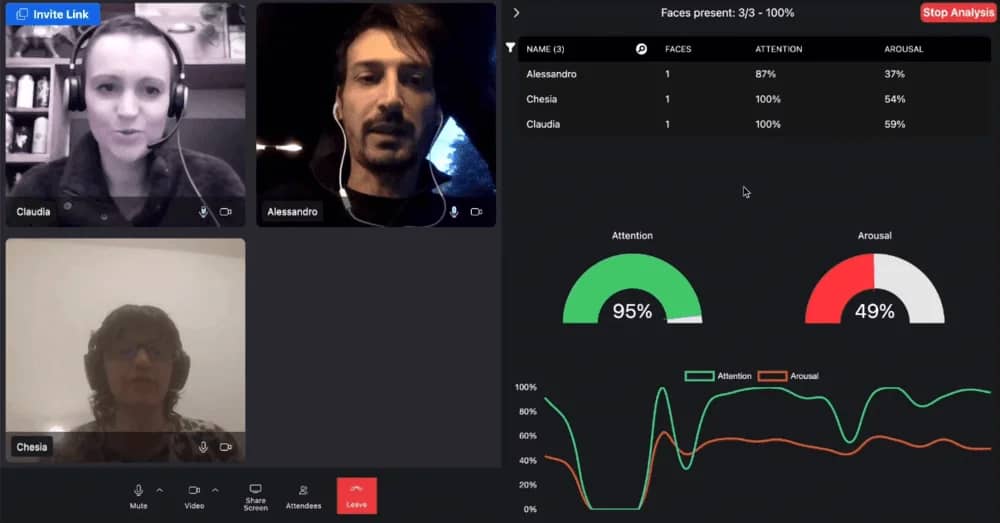
Stage alignment

Incubators vary in the startup stages they serve. Some focus on idea-stage founders still validating their concepts, while others target startups with a minimum viable product (MVP).

To get the most effective support, make sure the focus of the incubator you choose matches your business’s startup stage.

Download your free business continuity plan template

Prepare your own business continuity plan using this free spreadsheet

Track record

As part of your research, look for startup incubators with a proven track record of success.

Review the testimonials and success stories from founders who have already completed the program (known as “alumni”) on the incubator’s website.

Keep a close eye out for the outcomes they have gone on to achieve, such as:

  • Funding raised

  • Business growth

  • Product launch success

These insights can help you gauge the program’s real-world impact and evaluate whether it could help your startup achieve its objectives.

Location and accessibility

Consider whether a local, in-person program or a remote or hybrid incubator would best suit your requirements.

In-person incubators offer direct access to workspace and face-to-face networking events. Remote programs, on the other hand, offer flexibility and can broaden your access to global expertise.

When evaluating the options, focus on the resources your startup needs and your preferred working style.

Program design

Startup incubators offer various packages with different support, resources and benefits.

For example, some programs provide office space, shared services and administrative support. Other startup incubators focus on mentorship, business development support and funding introductions.

Prioritize the benefits that align with your most pressing needs and your business growth plans.

Application criteria and timelines

Finally, review the application requirements for each startup incubator carefully. Some programs have strict criteria on industry, business model or founder experience, and many only accept applications once or twice a year.

Understanding the selection process early helps you focus your efforts on incubators that match your availability and offer the best chance of success.

We’ll explore this important topic in further detail later in the article.

Recommended reading

https://www-cms.pipedriveassets.com/AI-for-Entrepreneurs.png

AI for entrepreneurs: a guide to the best tools and strategies

5 steps to navigate the startup incubator application process

Applying to a startup incubator takes time, focus and effort. Follow these five steps to avoid overwhelm and navigate the application process with confidence and clarity:

1. Understand the application timeline

Most incubators have a structured application cycle that runs once or twice a year.

The full application timeline usually spans several weeks. It starts with an online application form, followed by interviews and/or pitch sessions for shortlisted candidates.

It’s essential to plan ahead and allow enough time to prepare for each stage of the application process.

2. Prepare your application materials

To assess a startup’s eligibility, most incubators require funders to submit the following supporting information as part of the application process:

A compelling business plan

Incubators want to see that you understand your market and have a viable path to scaling. Your business plan should clearly explain your product or service, target market and competitor analysis results.

Founder bios and co-founder information

Incubators look for capable, committed founders and management teams. Your bio(s) should highlight relevant skills, experience and strengths that show you’re equipped to execute your vision and adapt as you grow.

Progress metrics

Incubators value evidence of momentum. Share any early traction to demonstrate that your business resonates with customers and is moving in the right direction. You might include data like pre-orders, pilot results or early sales metrics.

Clarity on your business model

Incubators expect a clear explanation of how your business creates and captures value. Outline your revenue streams, pricing and customer conversion strategy.

Gathering this information will also help you in the later stages of the application process. You’ll need it to prepare for your pitches and interviews.

3. Craft a standout pitch and interview game plan

The next stage of the application process usually involves pitches and interviews, during which you present your business idea and its potential.

Focus on clarifying:

  • Your value proposition

  • The problem you’re solving

  • Your target market size

  • Your competitive advantage

Present relevant data (e.g., sales or marketing metrics) and use storytelling to make your pitch engaging and memorable.

For example, if your business idea came from a specific challenge you encountered in daily life, describe the scenario in detail and how your solution solves the problem.

Practice answering the questions that decision-makers will likely ask after your pitch or during your interview. Seek feedback from a colleague or trusted friend to improve your performance.

Free ebook: How to tell your brand story

Get our ebook outlining the five steps to developing your brand’s unique story

4. Demonstrate the qualities incubators seek in founders

Beyond the business idea’s potential, incubators assess founders on their characteristics. They value qualities such as:

  • Adaptability

  • Resilience

  • A collaborative mindset

Startup incubators look for founders ready to engage with mentorship and peer learning.

For example, say you tweaked your idea following user testing or changed direction in light of market research. Being prepared to pivot in this way shows adaptability and a growth mindset.

Focus on ways to demonstrate these qualities as you craft your online application and prepare for your pitches and interviews.

5. Avoid making common application mistakes

There are several common mistakes that trip founders up when they apply to join startup incubators. Be sure to avoid:

  • Submitting a generic or unpolished business plan

  • Failing to explain your unique value proposition

  • Ignoring the challenges you face in bringing your idea to market

  • Neglecting to tailor your application to the incubator’s sector or stage focus

Following these five steps will put you in a strong position to navigate the application process confidently and improve your chances of joining the right program.

How Pipedrive can help you prepare for a startup incubator

When it comes to applying to a startup incubator, success will often come down to how well you can present your business and its sales performance to date.

Here’s how Pipedrive’s CRM for startups gives you the clarity you need to prepare an application that gets results.

Tracking leads and investor conversations

Incubators want to see traction and relationship-building in motion. Pipedrive’s deal management and contact management features let you track every investor conversation, partnership lead or early sales opportunity in one place.

Startup incubator Pipedrive deal tracking

You can also create a custom field to flag an investor’s status and record meeting outcomes or notes for follow-up conversations.

Startup incubator Pipedrive custom fields

Organizing your sales pipeline

If your startup has begun selling a new product, Pipedrive’s sales pipeline also gives you a clear, customizable view to track each deal’s progress:

Startup incubator Pipedrive custom pipeline

Pipedrive’s sales pipeline helps you demonstrate to program decision-makers that you have momentum in sales and a repeatable process. These are both key signals that a startup is ready to join an incubator program.

Running early customer outreach campaigns

Using Campaigns, Pipedrive’s email management software, you can send targeted email campaigns to prospects and early users.

Startup incubator Pipedrive email campaign performance

From there, you can monitor performance and fine-tune your messaging.

This activity allows you to validate demand while showing incubators that you’re actively engaging with your market.

Forecasting sales with confidence

Presenting sales forecasts is a great way to indicate your business’s growth potential to incubators.

Gathering and sharing these figures as part of the application process also demonstrates that you think ahead and approach your business with a long-term view.

Pipedrive’s Insights deal revenue forecast report allows you to estimate your future revenue.

Startup incubator Pipedrive insights and forecasting

You can understand how much revenue you have in closed deals and how much to expect from deals yet to close.

Final thoughts

Startup incubators can offer a strong advantage to founders at the right stage of their journey. The programs provide expert guidance, funding opportunities and access to helpful shared resources.

Choosing the right program and putting effort into your application can set your business up for long-term growth.

The Ultimate Sales Support Guide for SMBs

Software Stack Editor · July 23, 2025 ·

ND

Natashy DuarteSenior SEO Content Manager, Pipedrive

Your sales team is your company’s engine for growth, but reps spend significant time on data entry and content creation.

Sales support puts a dedicated team behind the scenes to handle these administrative tasks, freeing up your reps to focus on what matters most: closing deals.

In this article, you’ll learn how to create a sales support system that boosts productivity. You’ll discover key sales support roles and learn how to build an effective team. You’ll also see how tools like Pipedrive streamline the entire process.

What is sales support (and why does it matter)?

Sales support includes all the roles, tasks and tools that help your sales team sell more efficiently. Think of it as the pit crew for your sales reps. The work in the background equips your reps to perform at their best.

For small businesses with limited resources, having a sales support system is crucial:

These are the main reasons why sales support matters. Now, let’s look at what a sales support team does.

Crush your manual admin with this sales automation guide

Learn how to take advantage of new sales automation tech so you can spend more time selling

6 key sales support functions for small businesses

Sales support covers many roles that keep your sales team running smoothly. Here are the six main areas where this approach makes the most significant impact.

1. Lead generation and qualification

Sales support handles inbound sales leads from your website, ads and marketing campaigns. They sort through these leads, find the good ones and pass them to your sales reps.

What sales support does:

Why it matters: Every conversation counts when working with a smaller sales team. Sales support specialists filter out the bad leads so your team only talks to people likely to become customers. This process means more closed deals and less wasted effort.

2. Data management and CRM maintenance

Sales support keeps your customer database clean, accurate and current. They ensure all customer information is organized and accessible.

What sales support does:

Why it matters: Clean data means your sales team can find what they need quickly. When customer information is accurate and organized, reps can personalize their approach and avoid mistakes like calling the wrong person or company.

3. Sales collateral and content creation

Sales support creates and manages the materials your sales team uses to sell. Collateral includes brochures, case studies, presentations and email templates.

What sales support does:

Why it matters: Professional-looking materials build credibility with prospects, but your small company competes against businesses with dedicated marketing teams. When your sales team has quality content, they can respond faster and look more prepared than competitors.

4. Proposal and quote generation

Sales support creates detailed sales proposals and quotes that your sales reps send to potential customers. They handle the writing, formatting and approval process.

What sales support does:

  • Write custom proposals based on customer needs

  • Calculate pricing and create accurate quotes

  • Design professional-looking documents

  • Track proposal status and follow-up deadlines

  • Update proposal templates and pricing sheets

Why it matters: Proposals often determine whether you win a deal. Sales support ensures every proposal looks professional, has accurate pricing and is delivered on time. This consistency helps close more deals and reduces errors that cost you sales.

5. Customer communications

Sales support handles routine communication with prospects and customers. It helps you maintain constant touchpoints while your reps pursue new opportunities.

What sales support does:

Why it matters: Consistent communication keeps deals moving forward. When prospects hear from you regularly, they’re more likely to stay engaged and eventually buy. Sales support ensures that every interaction feels professional.

6. Sales process optimization

Sales support analyzes how your sales process works and finds ways to improve it. They look for bottlenecks, inefficiencies and areas for improvement.

What sales support does:

  • Track how long deals take to close

  • Identify where sales prospects drop out of the sales process

  • Test different approaches to see what works best

  • Train new sales team members on processes

  • Suggest improvements to sales tools and systems

Why it matters: A smooth sales process means more deals close faster. Sales support spots problems before they grow and helps your team work more efficiently. Constant improvement leads to higher conversion rates and consistent business growth.

How to build an effective sales support team

Building a sales support team requires careful planning and straightforward steps. Here’s how to create a team that improves your company’s sales performance.

1. Assess your straightforward sales process

Before hiring anyone, find out what your sales team does daily. Track how your reps spend their time on hiring. You’ll probably find they spend most of their day on non-selling tasks.

Create a simple time-tracking sheet with dedicated categories:

Sales activity

Time spent and impact on sales

CRM updates and data entry

___ hours

Prospect research

___ hours

Proposal creation

___ hours

Appointment scheduling

___ hours

Follow-up emails

___ hours

Product demos

___ hours

Discovery calls

___ hours

Send this sheet to each rep on Monday morning and ask them to fill it out daily for one week. Ask them to include notes about which sales activities they think have the most significant impact on sales and which ones they find frustrating.

Add up the hours at the end of the week and identify the biggest time drains.

Look for tasks that take lots of time, don’t affect sales and that reps don’t like performing. These tasks are your best candidates for sales support.

2. Define roles and responsibilities

Once you know where your reps spend their time, split what tasks sales support will handle and what will remain with the salespeople. Here’s what to do:

  • Create a comprehensive list of every task in your sales funnel

  • Go through the list and categorize each task as either “Core selling”, “Administrative tasks” or “Research and preparation”

  • Decide which team will own each task

Here’s an example of splitting core selling and sales enablement tasks between the two teams:

Task category

Who is responsible (and why)

Lead qualification

Responsible team: both sales reps and sales support

Why: support does initial screening to save rep time, while an experienced rep handles the final qualification

CRM data entry

Responsible team: sales support

Why: easy admin task, no customer interaction needed

Prospect research

Responsible team: sales support

Why: time-consuming, standardized process

Discovery calls

Responsible team: sales reps

Why: requires relationship building and expertise

Proposal writing

Responsible team: sales support

Why: simple job creating basic templates and formatting with a rep’s feedback

Product demos

Responsible team: sales reps

Why: requires product expertise and persuasion skills

Follow-up emails

Responsible team: sales support

Why: routine communication, uses templates

Contract negotiation

Responsible team: sales reps

Why: requires decision-making authority

Print this table and discuss it with your sales team. Adjust the assignments based on your team’s preferences and skills. Create a final version that everyone agrees on.

Once you’ve hired a technical sales support team, share it with them to keep everyone on the same page. Start with just 3 or 4 tasks for sales support. Once the initial functions are working smoothly, add more responsibilities.

3. Choose your team structure

Next, you must choose a structure that fits your budget and workload. Your two options are hiring an in-house sales support associate or outsourcing the work.

Here are the benefits and drawbacks of each option:

In-house sales support

Outsourced sales support

Pros: cultural fit and deeper product knowledge (with time). You get direct control, and it’s easier for your sales team to collaborate.

Pros: more cost-effective and scalable than hiring sales teams.

Drawbacks: an in-house team has higher overhead (salary, benefits and space) and a longer hiring process.

Drawbacks: you get less control and potential communication barriers between your sales reps and the support team.

Best for: growing businesses with complex sales tactics that need long-term support.

Best for: small businesses with a very limited budget that need someone to complete standardized tasks (like data entry).

A good trick is to minimize your workload from the first step. If you have fewer than 20 hours per week of sales support tasks, start with a part-time sales support hire. If you have more than that, consider full-time or outsourced options.

4. Hire and train the right people

When hiring new sales support representatives, evaluate each candidate based on your everyday work. Here’s a short checklist of essential and nice-to-have skills to include in your sales support job description:

Sales support skill

Essential or nice to have

Written communication

Essential

How to test: ask for writing samples, send a test email

CRM experience

Essential

How to test: give a practical CRM task during the interview

Research abilities

Essential

How to test: ask them to research your competitor

Organization and problem-solving skills

Essential

How to test: request examples of systems they’ve created in previous roles

Customer service mindset

Essential

How to test: roleplay a customer interaction to test interpersonal skills

Prior experience in sales

Nice to have

How to test: find out about their sales acumen and how many years of experience they have

Bachelor’s degree in a relevant area

Nice to have

How to test: ask to see proof of education in a field like business management, marketing or sales

Industry knowledge

Nice to have

How to test: discuss your market and customers

While you go through the hiring process, create a training timeline.

It’s essential not just to throw the new hire into your sales process. Plan to provide structured onboarding for:

After a few weeks, your new sales support professionals should be able to complete most tasks without supervision.

5. Establish clear processes and workflows

A straightforward step-by-step process for each role will help your sales support team provide valuable assistance. Here’s an example process for sales support doing lead qualification:

  • A new web visitor lead comes in through your website or marketing

  • Check the sales lead against your ideal customer profile

  • Research company size, industry and decision-makers

  • Score lead from 1–10 based on fit and urgency

  • Schedule initial sales call for leads scoring 7+ within 24 hours

  • Send a nurturing email template sequence to leads scoring 4–6

  • Disqualify leads scoring 1–3 with a polite email

Document your top three processes first. Use a simple format: trigger, steps, responsible person, timeline. Add more processes once these are working.

6. Measure success and demonstrate ROI

Your sales support team is an investment that needs to show returns. The key is tracking the right metrics before and after implementation to prove their value to your business.

Before the sales support team starts, establish your baseline metrics. This sales data will serve as a benchmark against which you can measure improvements.

Focus on metrics that directly tie to revenue and rep productivity, such as:

Sales metrics

How to measure

Sales rep productivity improvement

Track how many hours they spend on each task as your sales support team takes some of their workload.

Lead response speed

Measure how long it takes your reps to send the first response. Start timing from when a lead comes in until a salesperson makes contact.

Proposal and quote turnaround

Track how long it takes from when a rep requests a proposal until they deliver it to the prospect.

Sales cycle length

Calculate the average number of days from first contact to closed deal.

Conversion rates

Monitor what percentage of leads become customers.

Rep satisfaction and retention

Survey your sales team about their job satisfaction and stress levels. Ask whether they feel supported and productive.

If sales support saves each rep two hours per day and your rep closes $500 worth of deals per productive hour, that’s $1,000 extra value per rep daily.

You don’t need expensive software to track these metrics. Create a simple spreadsheet using Microsoft Excel or Google Sheets. Include tabs for each metric and update them weekly.

For time tracking, have reps use simple stopwatch apps on their phones. The key is consistency. Pick a method everyone will use and stick with it.

7. Address common challenges and improve your system

Building an effective sales support team is an ongoing process. You’ll encounter challenges, but refining your approach will help you overcome them.

Here are some of the main challenges businesses face when adding a sales support team:

  • Resistance from sales reps. Some reps might resist delegating tasks for fear of losing control. To overcome this resistance, show them how the support team will make their lives easier (more selling time, higher commissions).

  • Unrealistic expectations. Be realistic about what sales support can achieve. It’s a support system, not a magic bullet. The sales staff will still have plenty of work, and streamlining the system will take a while.

  • Quality issues. If your processes are unclear, your sales support team might not produce work that meets your standards. Create detailed checklists for each process and hold regular meetings to keep everyone aligned.

  • Scope creep. Sales reps might ask the support team to handle complex tasks, or support team members might take on responsibilities outside their expertise. Document responsibilities for each role and share these with both teams.

These challenges are especially intense when working with smaller teams, where every misstep has a bigger impact on overall performance.

To overcome these problems, schedule monthly and annual reviews with your sales department. Use the first 15 minutes to discuss issues and the last 15 minutes to plan improvements.

Track the same metrics you used to justify the sales support investment.

Figure out if response times are improving or rep productivity is increasing. If any metrics plateau, find the root causes and make adjustments.

Remember that building an effective sales support system is a step-by-step process. What works well for your business today might need adjustment as you grow or change your sales approach.

Stay flexible and refine your sales strategies based on results and feedback from your team.

Recommended reading

https://www-cms.pipedriveassets.com/AI-Sales-Enablement.png

5 straightforward AI sales enablement tools

How to improve your sales support system with Pipedrive

Creating a sales support team is much easier with the proper tools. For small businesses where the sales team is stretched thin, the right CRM helps keep everyone on the same page.

Here’s how Pipedrive’s CRM features can enhance each step of building your sales support system.

1. Create and qualify new leads automatically

When someone shows interest in your services, quickly getting their information into your system is key.

With Pipedrive’s LeadBooster feature or custom API integrations, new leads flow directly into your Leads Inbox in Pipedrive.

Sales support Pipedrive Lead Inbox feature

Once a lead arrives, Pipedrive automates the following tasks to keep things moving. For example, you can set up a workflow to instantly assign that lead to the right sales representative.

Sales support Pipedrive workflow automation

Set up automated sequences for common scenarios like lead nurturing, appointment scheduling and sending follow-ups. It’s like having a virtual assistant for your sales support team, taking care of routine tasks so they can stay focused on higher-value work.

Note: If you’re not using LeadBooster or API connections, you can still add leads to Pipedrive manually or import them from a spreadsheet. Regardless of how they enter, Pipedrive manages the next steps for you, helping your team stay responsive.

2. Centralize sales data and collateral

Pipedrive acts as a central hub for all your sales data and essential documents. Your sales support team can access and update contact, organization and deal information within Pipedrive.

Pipedrive’s visual pipelines help both sales and sales support teams see exactly where each deal stands. Sales support can easily update deal progress, ensuring sales reps always have the most current information without needing constant check-ins.

Sales support Pipedrive visual pipeline

Pipedrive also lets you attach files directly to deals or contacts. Your sales support team can quickly find and use product sheets, pricing guides or case studies.
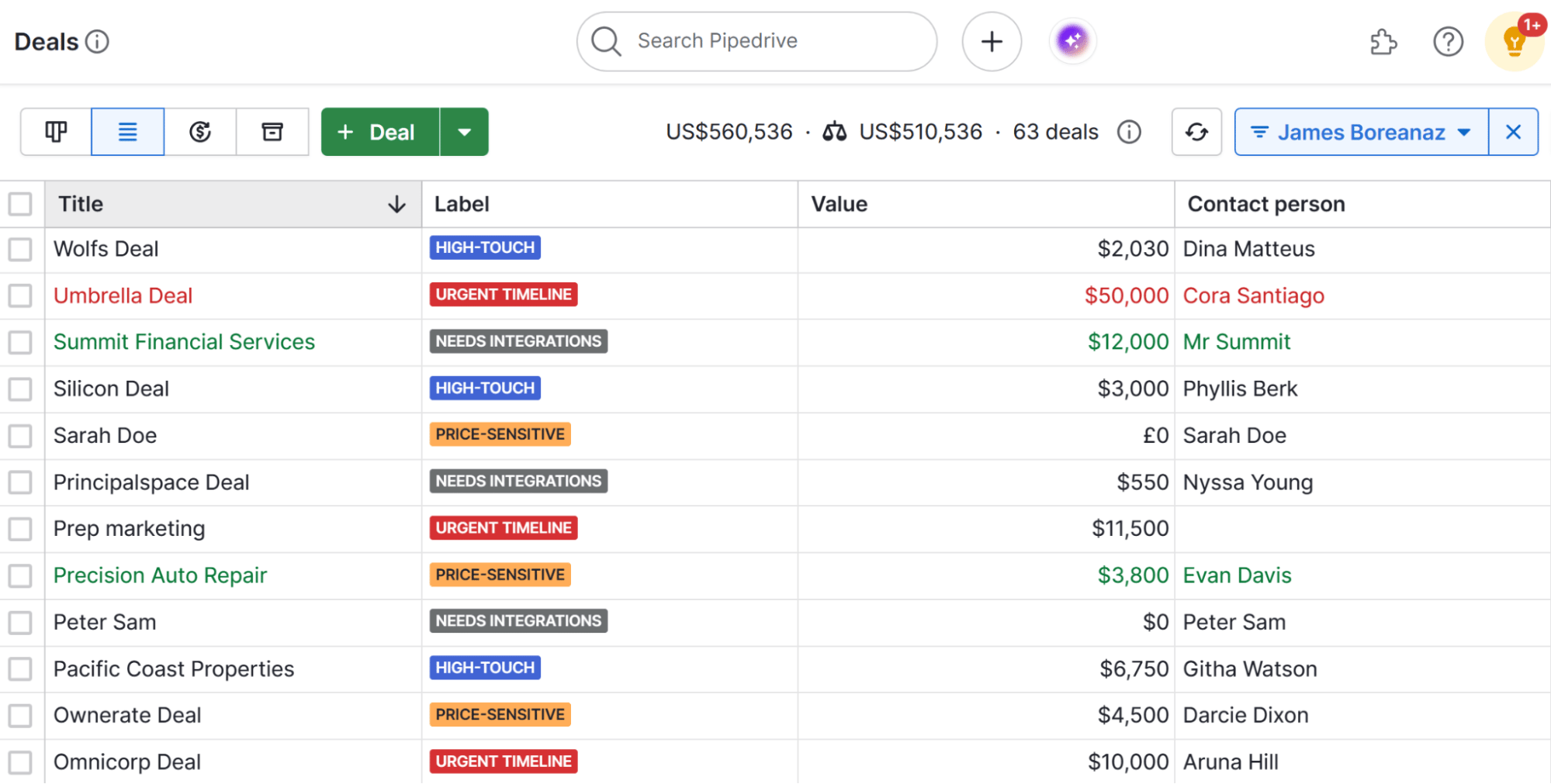
3. Get AI-powered sales support

Pipedrive’s AI Notifications feature is an always-on layer of sales support. It acts like a sales assistant, analyzing your sales activities and offering advice.

It learns from your team’s successes and spots patterns in how deals progress. Based on this, it sends you the next best actions for each deal or lead, giving your reps quick tips on prioritizing leads.

Sales support Pipedrive AI Notifications

The AI Notifications tool also spots sales opportunities and problems before they grow. If a deal hasn’t had activity in a while, the AI flags it and suggests ways to reenter the conversation.

4. Set up role-based access for your team

Pipedrive’s permissions and visibility settings let you define which team members can see what data and access which features. Your sales support staff can update lead information and log activities without having access to sensitive deal negotiations or financial data.
Sales support Pipedrive users and access roles

This structure protects your pipeline data while giving support staff access to do their jobs effectively.

5. Measure results with custom dashboards

Pipedrive’s CRM dashboard lets you monitor your teams and track critical KPIs. You can set up dashboards that show key metrics like lead response time, conversion rates and sales velocity.
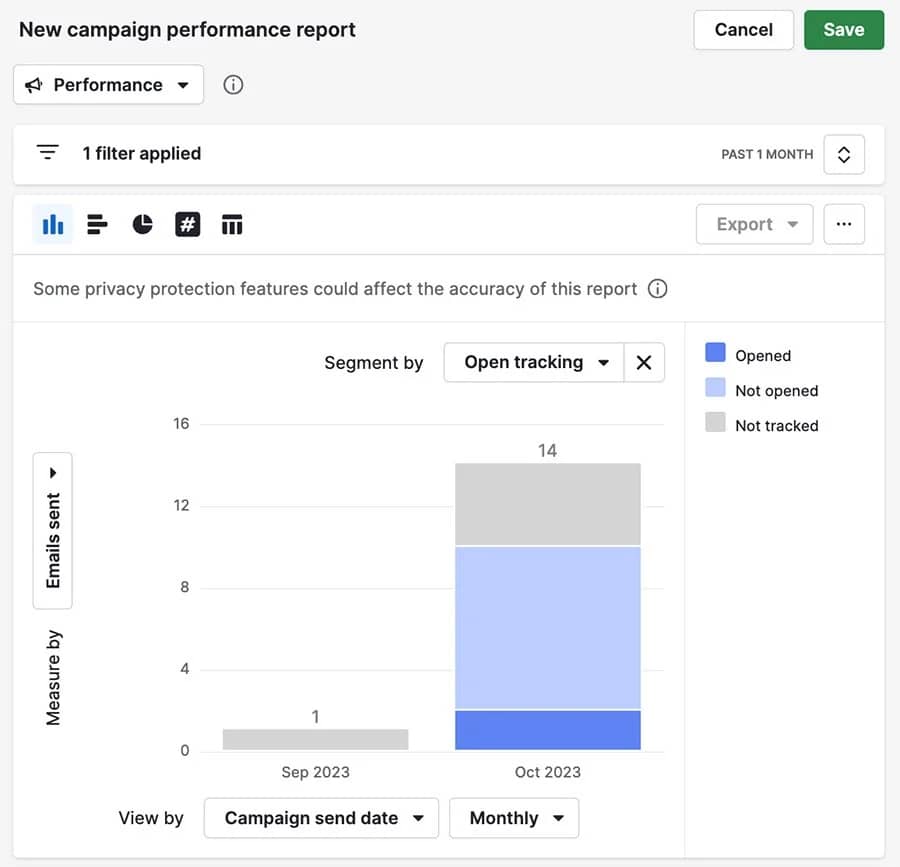
Use Pipedrive’s Insights tool to generate custom reports on these metrics.

Sales support Pipedrive custom dashboard

You can also use the AI-powered reporting feature to generate sales reports. Ask it to create a report on your chosen metric, which will help you demonstrate ROI from your sales support investment.
Recommended reading

https://www-cms.pipedriveassets.com/B2B-sales-enablement.png

The SMB guide to effective B2B sales enablement

Final thoughts

For small and medium-sized businesses, every minute salespeople spend on paperwork is money left on the table. Determine what’s taking up too much of their time, then get support staff to handle it.

A great CRM makes this whole process easier. Pipedrive helps you organize leads, automate follow-up sequences and create reports that show whether your support staff is helping close more deals.

  • « Go to Previous Page
  • Page 1
  • Interim pages omitted …
  • Page 3
  • Page 4
  • Page 5
  • Page 6
  • Page 7
  • Interim pages omitted …
  • Page 28
  • Go to Next Page »

Get your Software Stack together. softwarestack.tech

Software Stack

© 2024–2025 - Software Stack is a trading name of SouthwestCIO Limited ac ompany registered in England & Wales 11319049

  • Knowledgebase
  • Home
  • About Us
  • Contact Us