• Skip to primary navigation
  • Skip to main content
software stack logo

Software Stack

Get your Software Stack together

  • Knowledgebase
    • All Categories
    • Accounting Software
    • Automation & Workflow Software
    • Customer Relationship Management
    • E-Commerce Shopfronts & Payments
    • Marketing Automation
    • Online Courses & Membership
    • Project Management
    • Surveys & Forms
    • Web Hosting
  • Home
  • About Us
  • Contact Us
  • Show Search
Hide Search

Pipedrive

The Psychology-Backed Customer Profiling Guide for SMBs

Software Stack Editor · August 29, 2025 ·

Rich, data-driven customer profiling shows you precisely what drives your best buyers’ decisions and how to reach them with more precision. If your current profiles are too vague or based on guesswork, updating them is an easier fix than you’d think.

In this article, you’ll learn the psychology behind customer profiles and how to use them to refine your message, connect more deeply with your audience and close sales faster.

Key takeaways from customer profiling

  • Customer profiling means organizing buyer data into clear profiles that show who they are and what drives their decisions.

  • Successful customer profiles sharpen your marketing and sales efforts, while vague templates risk stereotypes or wasted effort.

  • Profiles are most effective when you base them on real customer data and refresh them regularly.

  • Pipedrive captures, segments and visualizes customer information so you can build stronger profiles and sell more effortlessly – try it free for 14 days.

What is customer profiling?

Customer profiling builds a clear picture of your ideal buyer by grouping shared traits like demographics, behavior, motivations and needs.

Different types of profiles help you understand specific elements, like who you’re selling to and why those people buy.

Small and medium-sized businesses (SMBs) use profiles to make data-driven decisions about marketing, sales and product development without wasting limited resources.

Customer profiling’s meaning is the same for business-to-business (B2B) and business-to-consumer (B2C) companies.

However, the information within them often differs:

  • B2B sales profiles focus on company-level traits (firmographics, budgets or buying committees)

  • B2C profiles focus on individual consumers (lifestyle, demographics, education level and personal buying patterns)

For example, here’s an ideal customer profile (ICP) template for a fictional B2B cybersecurity company:
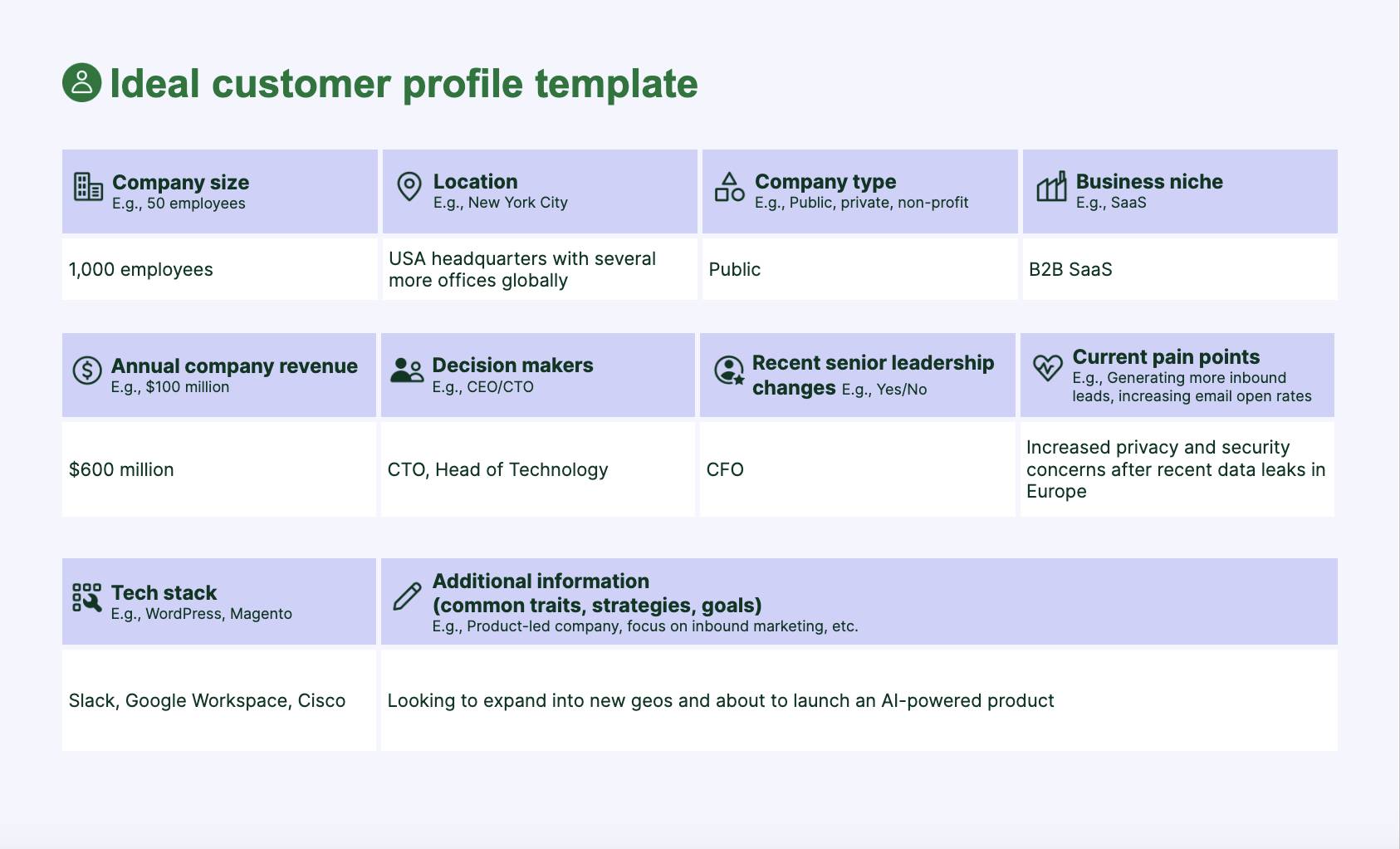
Customer profiling ICP template

This ICP shows who the best-fit customer is, what challenges drive urgency and who makes buying decisions at a glance.

With that information, the cybersecurity firm can focus sales and marketing on customers most likely to convert, rather than spreading time and budget across everyone.

Profiling helps SMBs:

Customer profiles give business owners clarity. Instead of casting a wide net and hoping, you can focus on the right people, solve their real problems and grow faster.

In fact, McKinsey research suggests that targeted offers – based on rich profiles in the background – convince 65% of customers to buy.

Next, you’ll explore the different types of profiles you’ll need to consider.

Recommended reading

https://www-cms.pipedriveassets.com/What-are-the-Keys-to-Customer-Observation.jpg

What are the keys to customer observation?

6 crucial types of customer profiles and what they teach you

Each type of customer profile looks at buyers from a different angle, including behavior, motivations or business context. By layering these insights, you understand who to target and why they’ll care.

Here are six of the most typical customer profiles and what you learn from them:

Type of customer profile

What it teaches you

Demographic profile

Helps you understand who your buyers are at a basic level.

Examples: Age, gender, income and education.

Geographic profile

Shows where your customers live or operate and how these factors influence demand.

Examples: Location, climate and urban vs. rural settings.

Behavioral profile

Reveals how buyers interact with your product and what drives repeat purchases.

Examples: Buying habits, product usage and brand loyalty.

Psychographic profile

Tells you what customers care about and why they choose you over competitors.

Examples: Values, lifestyle, interests and motivations.

Firmographic profile

Identifies which types of businesses are the best fit for your solution.

Examples: Company size, industry and revenue.

Needs-based profile

Shows the pain points that spark urgency and purchase decisions.

Examples: Specific problems or needs customers want you to solve.

Think of these six profiles as ingredients. You can use them individually to learn about customers, but combining them gives you more powerful tools.

Imagine you run a small software company that sells workflow automation tools:

  • A firmographic profile shows your best customers are mid-sized agencies with 50–200 employees

  • A behavioral profile suggests these customers adopt new tools quickly if there’s a clear return on investment (ROI)

  • A needs-based profile indicates their biggest frustration is wasting time on manual sales reporting

These combined insights allow you to create specific, relevant resources to connect deeply with buyer segments and drive purchases.

Beyond merging profiles, you can transform raw profiles into two powerful formats that SMBs use every day:

  • ICPs. A description of the perfect-fit company (in B2B) that’s most likely to buy and get value from your product. More factual and criteria-based.

  • Buyer personas. Semi-fictional characters representing your ideal customer, complete with goals, challenges and behaviors. More human and story-driven.

Buyer personas and ICPs take the raw customer data from the six profile types and turn it into useful information for marketing, sales and product design.

Here’s why customer profiling resonates with buyers.

Recommended reading

https://www-cms.pipedriveassets.com/Audience-Profile.jpg

How to create an audience profile for your SMB (+ free template)

The psychological principles behind creating customer profiles

Customer profiling works because it taps into core human psychology. By aligning with how people pay attention, build trust and make decisions, you’ll connect with them far more effortlessly and improve the customer experience (CX).

Here are some of the most typical psychological principles behind customer profiles.

Selective attention theory: relevance and personalization

Selective attention theory: Our brains filter out most information and only process what feels relevant in the moment.

We’re bombarded with marketing every day, so only the messages that feel designed for us manage to cut through.

Profiles help you craft messages that mirror a customer’s real situation, so they notice you instead of tuning out.

Example: A small HR software company uses behavioral and firmographic profiles to send an email about automating onboarding to “fast-growing startups with under 200 employees”.

The message speaks directly to their size and pain point, so a startup founder notices it in her busy inbox. Instead of dismissing the offering as generic software, she sees a solution built for her team’s exact challenges.

That positioning increases response rates, shortens the sales cycle and makes startups far more likely to choose the consultancy over competitors.

Similar-to-me effect: trust-building

Similar-to-me effect: People naturally gravitate toward others they perceive as sharing their experiences, values or struggles

We’re more likely to trust (and buy from) people and brands who seem like us or show they understand our needs and challenges.

Understanding customer pain points shows empathy, which builds credibility. When your profile-based messaging mirrors people’s struggles, it creates a sense of shared experience.

Example: A consultancy uses needs-based and psychographic profiles to frame a new automated marketing campaign around “protecting small healthcare clinics from compliance headaches”.

A risk-averse clinic director immediately relates because it feels like the agency has worked with people like him.

Instead of another non-specific pitch, he sees a trusted partner who understands his need for compliance management and is far more likely to engage in a sales conversation.

Paradox of choice: decision simplification

Paradox of choice: More options increase anxiety, delay decisions and reduce satisfaction with the final selection.

The paradox of choice suggests that many options or vague information makes decision-making harder, to the point where we may not choose anything.

Our brains are wired to avoid overload. Customer profiles narrow your focus, letting you speak clearly to a defined group and reduce overwhelm for you and your target audience.

Example: A marketing firm uses firmographic and needs-based profiles to target “local restaurants needing online ordering systems”. A restaurant owner instantly knows the service is meant for them, making the decision far easier.

That clarity speeds up adoption, reduces price resistance and makes the firm the obvious choice over less tailored competitors.

Recommended reading

https://www-cms.pipedriveassets.com/blog-assets/4_Sales-Motivation.jpeg

6 ways to hack sales psychology and sell better

5 steps to build effective customer profiles that drive sales

Customer profiles are most useful when you base them on real data. When you zero in on the right target customers and speak to their actual needs, you encourage more purchases.

For example, if you pinpoint that your fastest-closing deals come from 10–50-employee financial institutions with compliance challenges, you can focus your outreach on that exact segment.

This specificity results in shorter sales cycles, higher conversion rates and less money burned on broad, unfocused marketing.

Here’s a step-by-step process SMBs can follow to build profiles that move the needle.

1. Gather customer profile data using the right tools

Pull together insights from buyer surveys, sales history, web analytics and social media to spot patterns in your customers’ journey. This process gives you the “raw ingredients” to build accurate, actionable profiles.

Instead of assuming who your best customers are, you’ll know based on their actual behavior and traits.

Typical customer profiling methods include tools like:

Customer profiling software like Pipedrive helps you automatically capture data from leads, deals and interactions to build a clear picture of your best buyers.

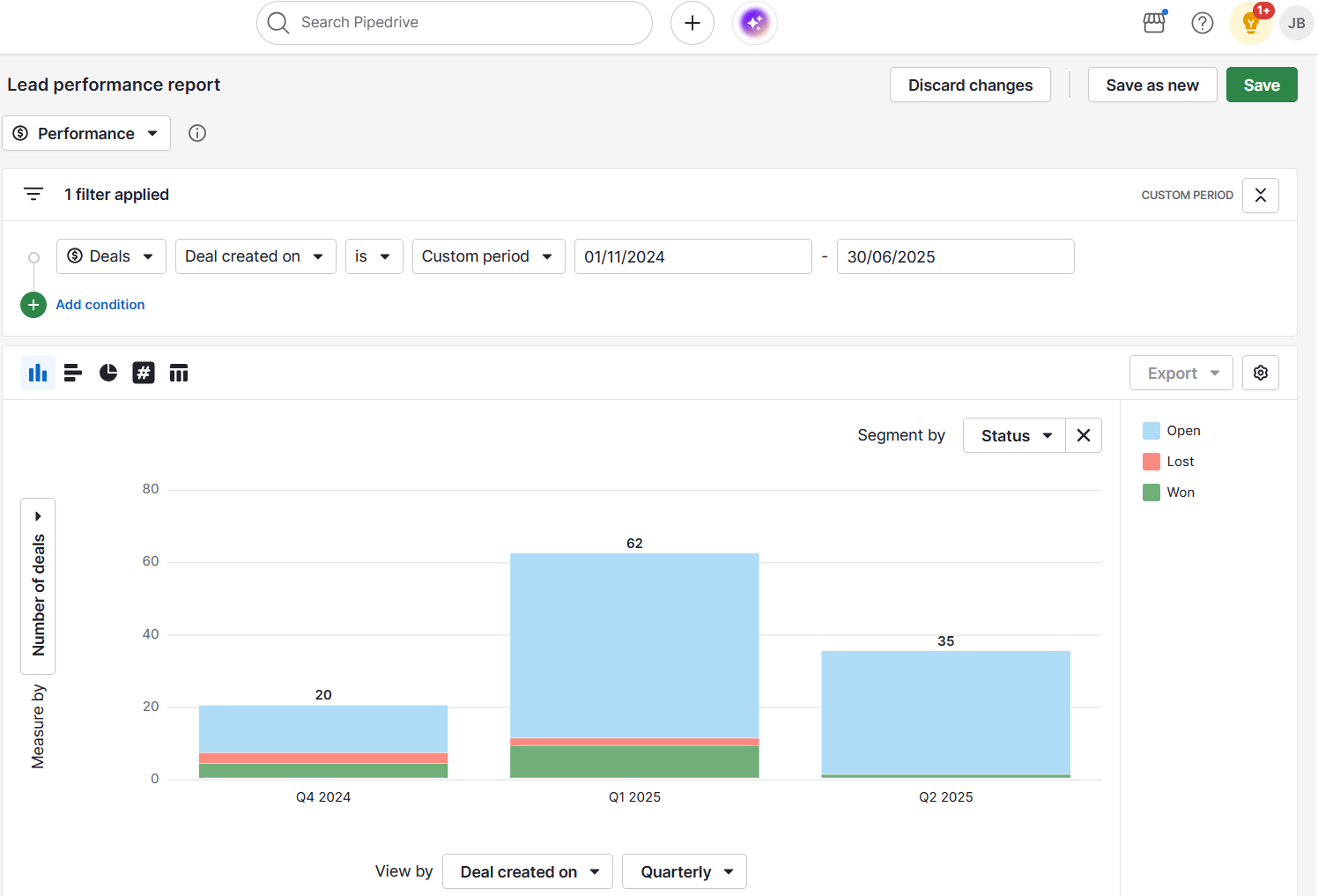
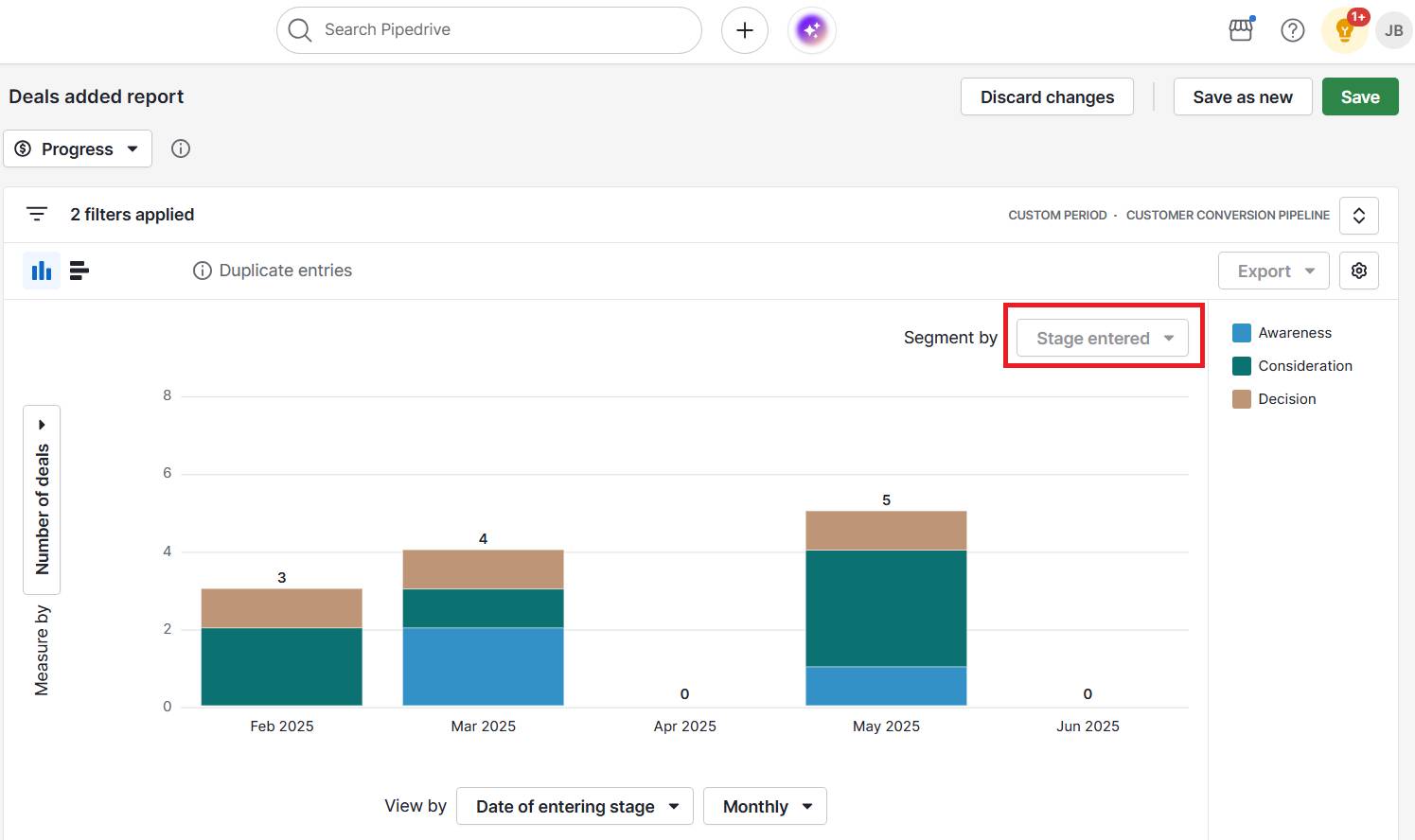
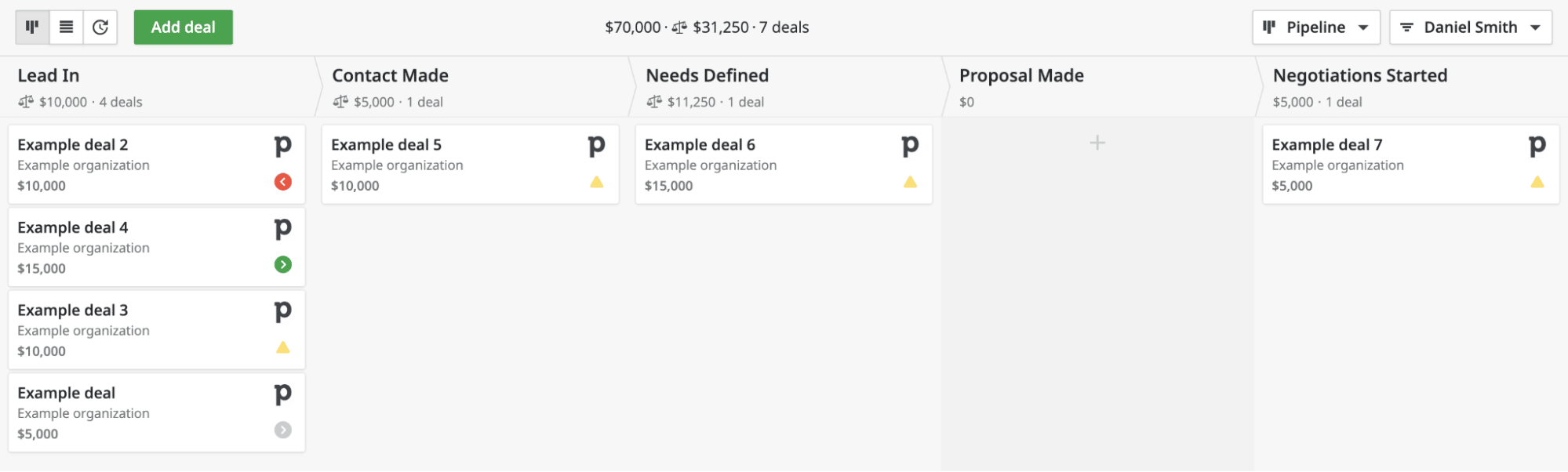
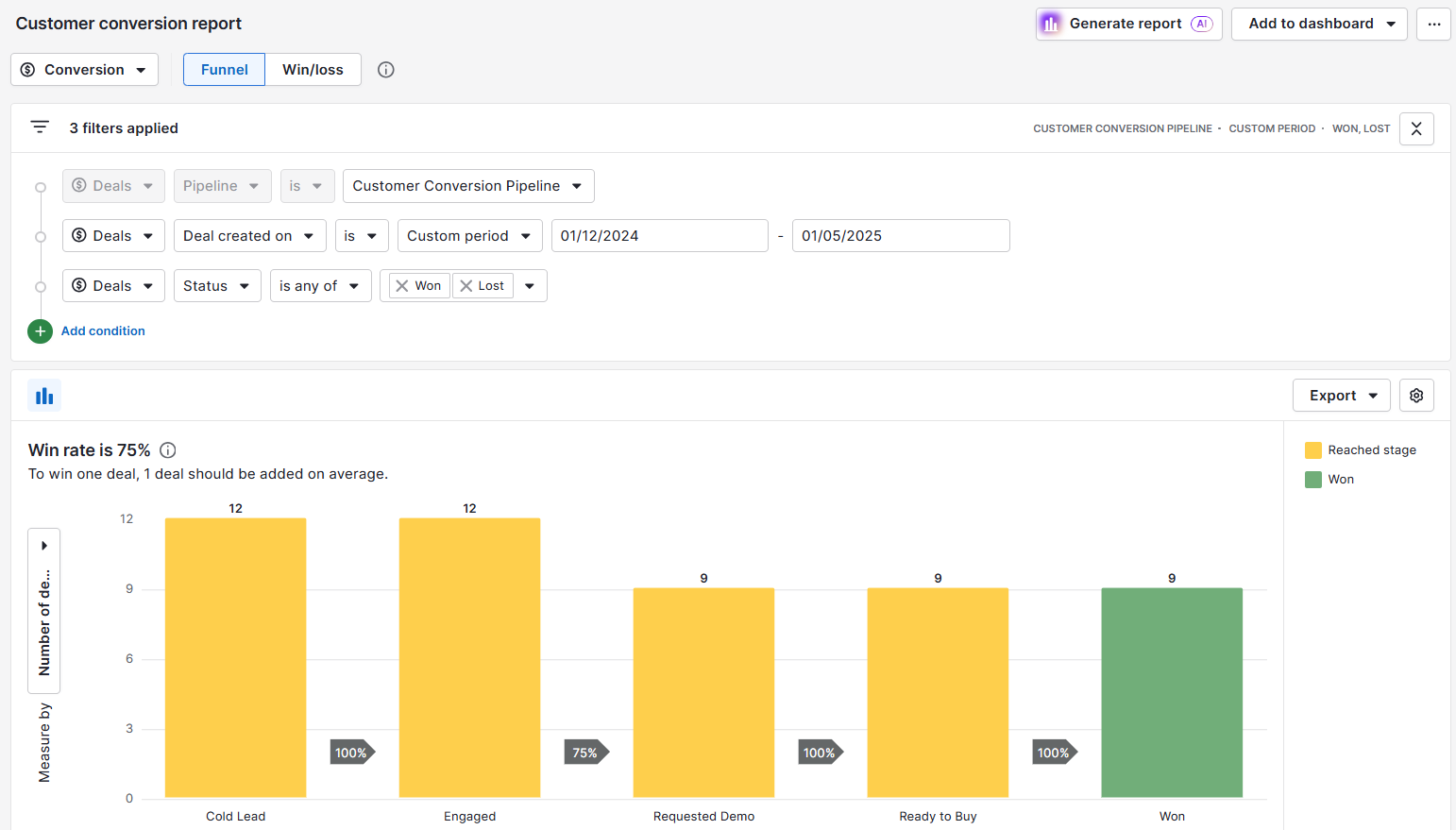
Real-time activity tracking lets you create reports to see how contact groups move through deal stages:

Customer profiling Pipedrive deal progress

If specific segments often stall, you know you need to improve touchpoints somewhere along their buying journey.

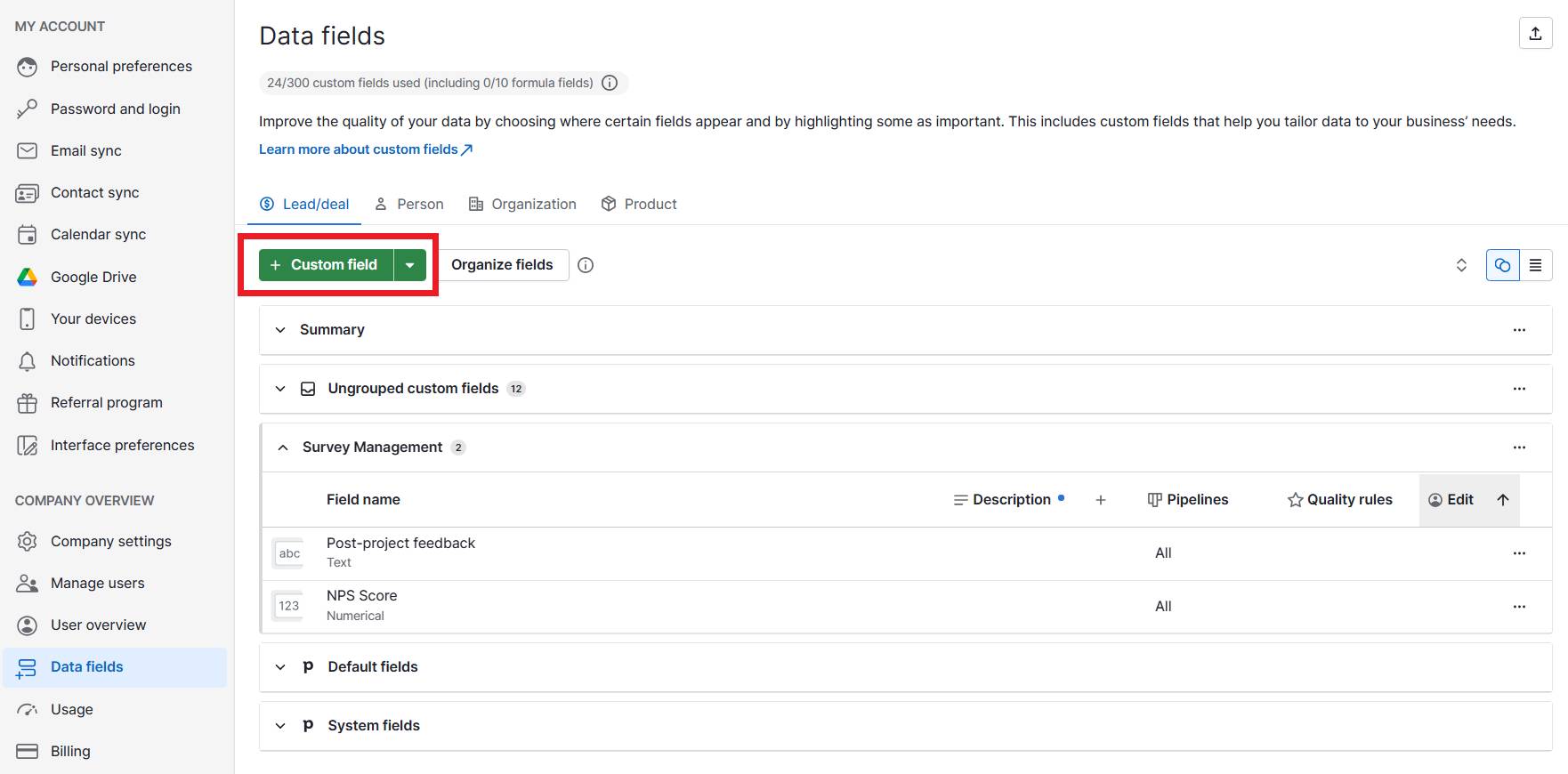
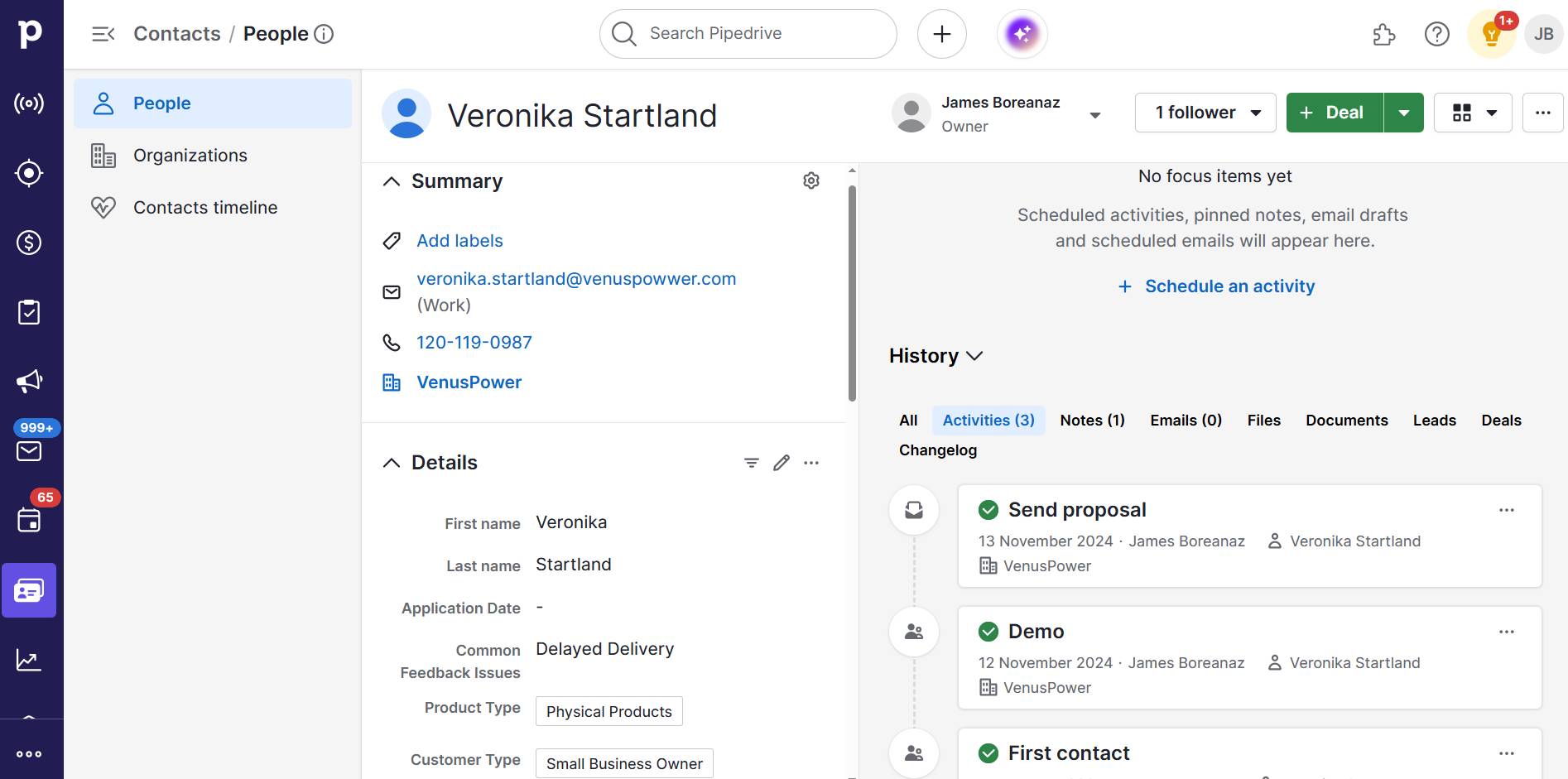
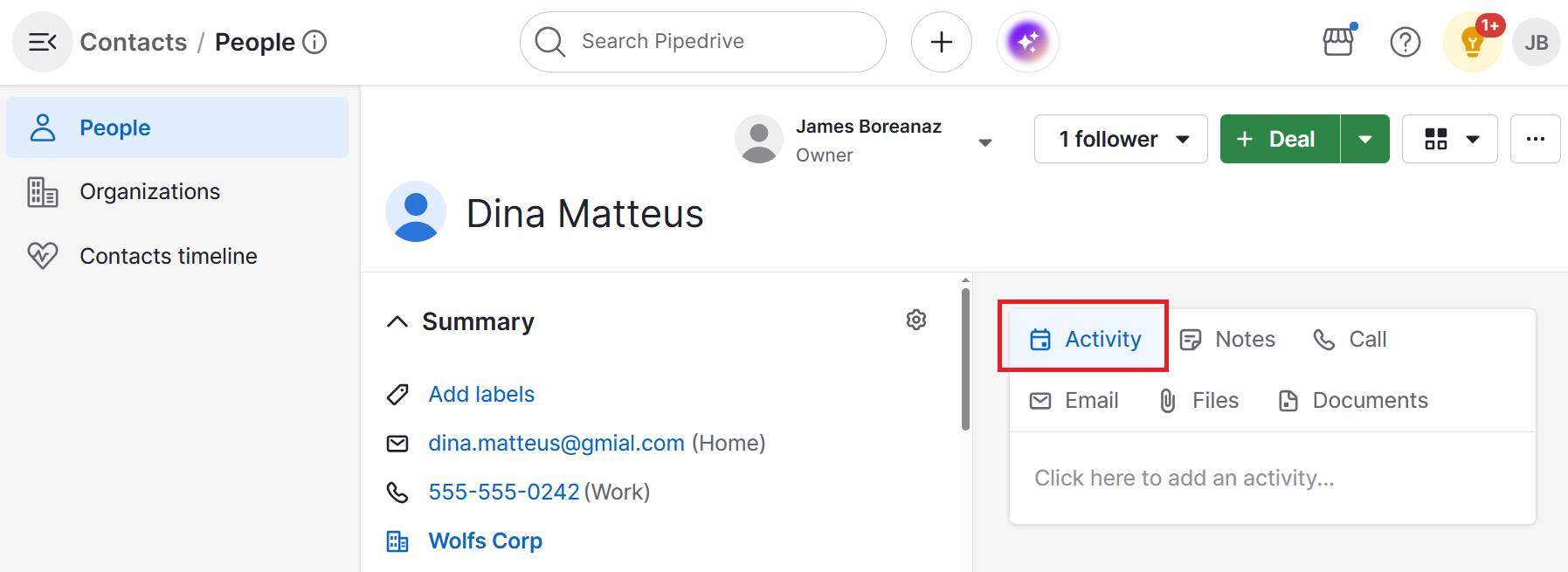
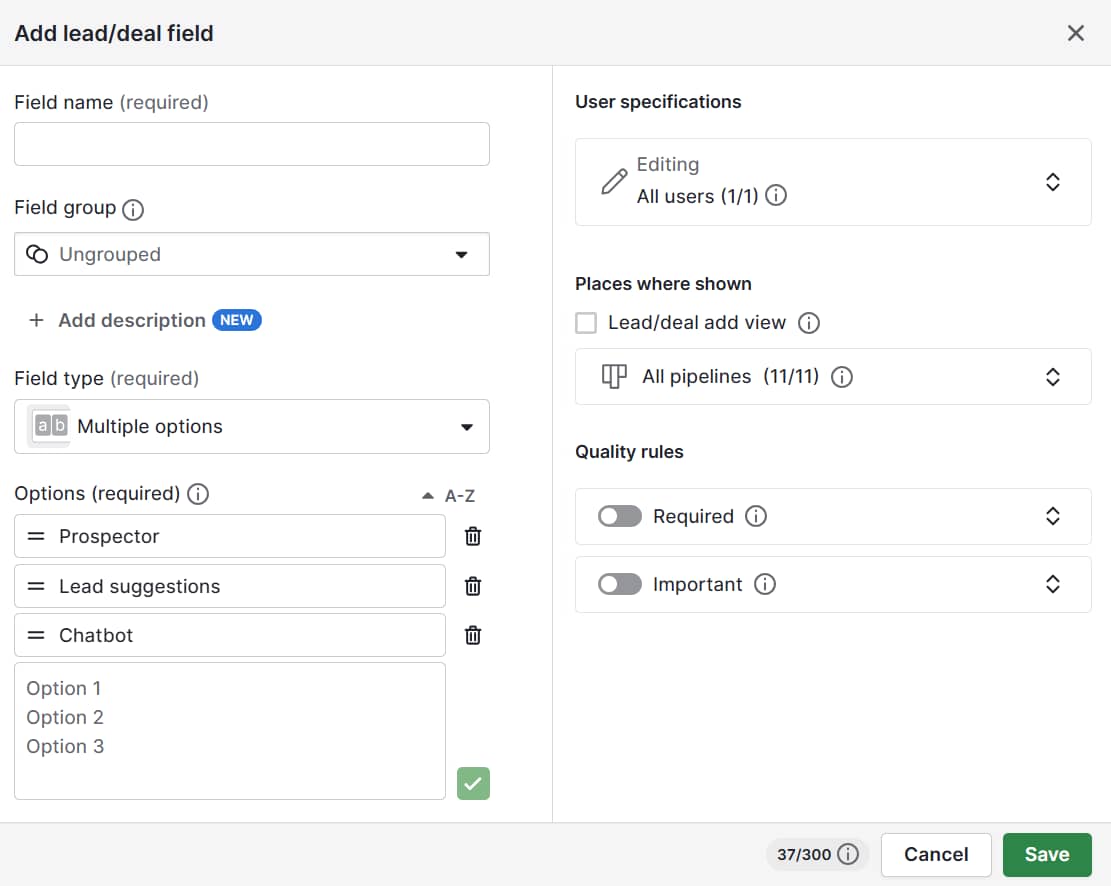
Adding custom fields that you fill in after sales calls or meetings (e.g., “Pain points mentioned”, “Decision-makers involved” or “Budget considerations”) stores crucial details on contact records.

Here’s where you add custom fields in Pipedrive:

These details help you remember context and spot patterns by tracking which types of customers move fastest through the stages of your sales pipeline.

Data grounds your depictions in reality. By managing customer profiling in CRM tools like Pipedrive, you base templates on real behaviors, conversations and results.

2. Segment your audience

Customer segmentation divides your audience into smaller groups based on shared traits like roles, needs or behaviors. Instead of treating all customers the same, you create meaningful clusters that reflect how they actually buy.

By tailoring your sales and marketing efforts to each group, you increase relevance, personalize outreach and improve conversion rates. Without it, your messaging risks being too generic to resonate.

Imagine a translation platform that segments its customers into life sciences clinics and manufacturers. The clinics care most about compliance and data security, while the manufacturing companies want to save time.

By sending each group different messaging, the company doubles response and open rates compared to its old, one-size-fits-all approach.

You can segment customers for customer profiling by:

  • Demographics (e.g., age, income, role)

  • Firmographics (e.g., industry, company size, revenue)

  • Behavior (e.g., purchase frequency, deal velocity, product usage)

  • Needs (e.g., compliance-driven buyers vs. growth-driven buyers)

  • Buying stage (e.g., new lead, engaged sales prospect, repeat customer)

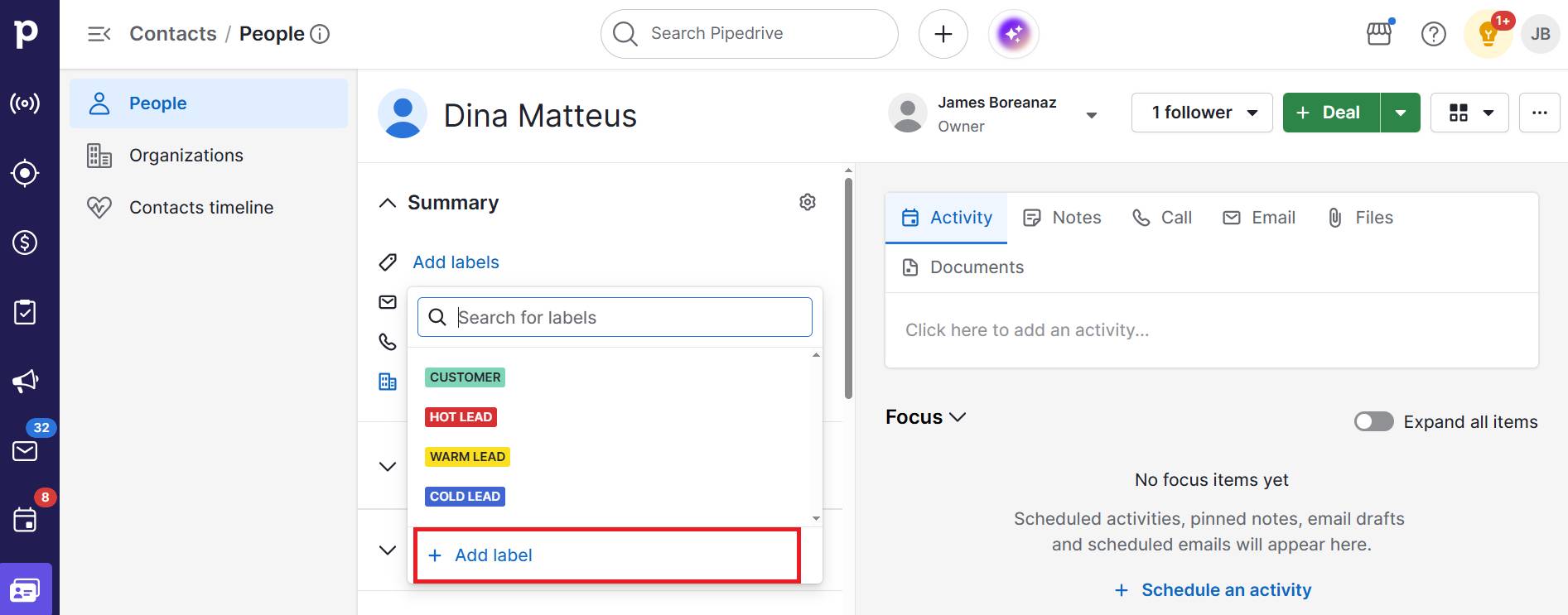
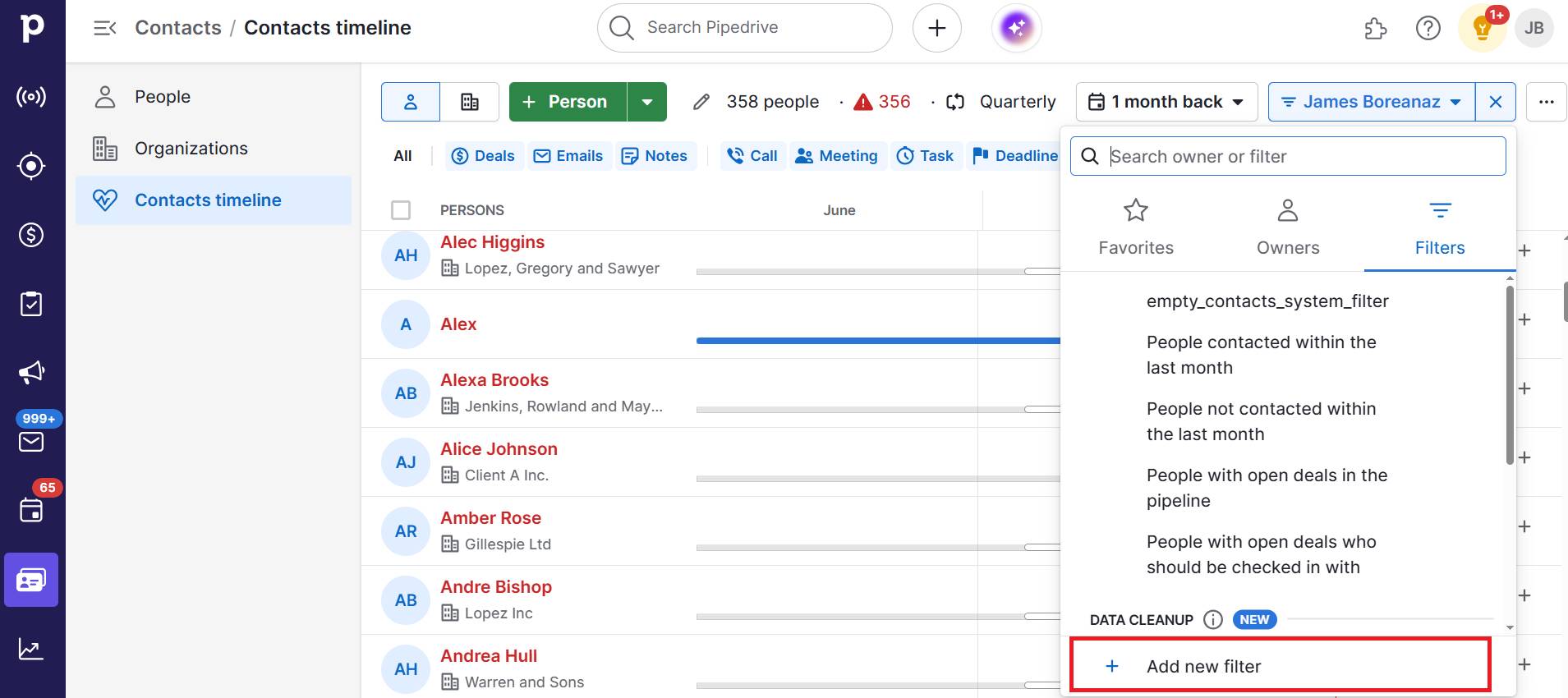
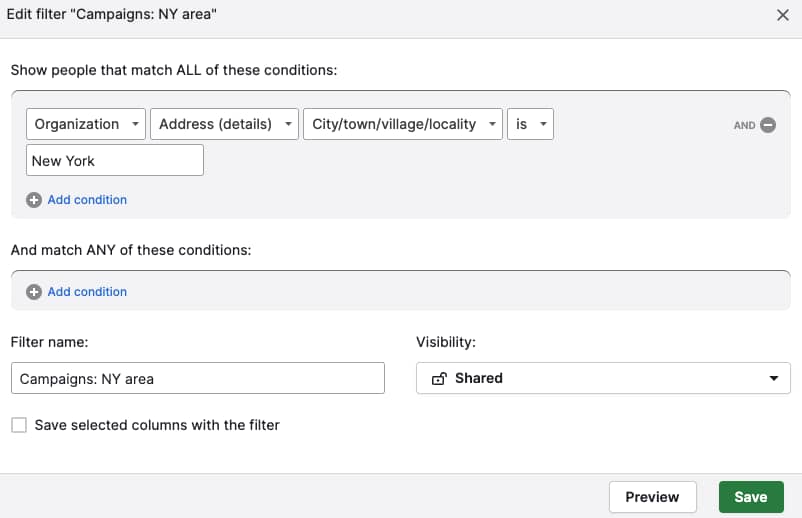
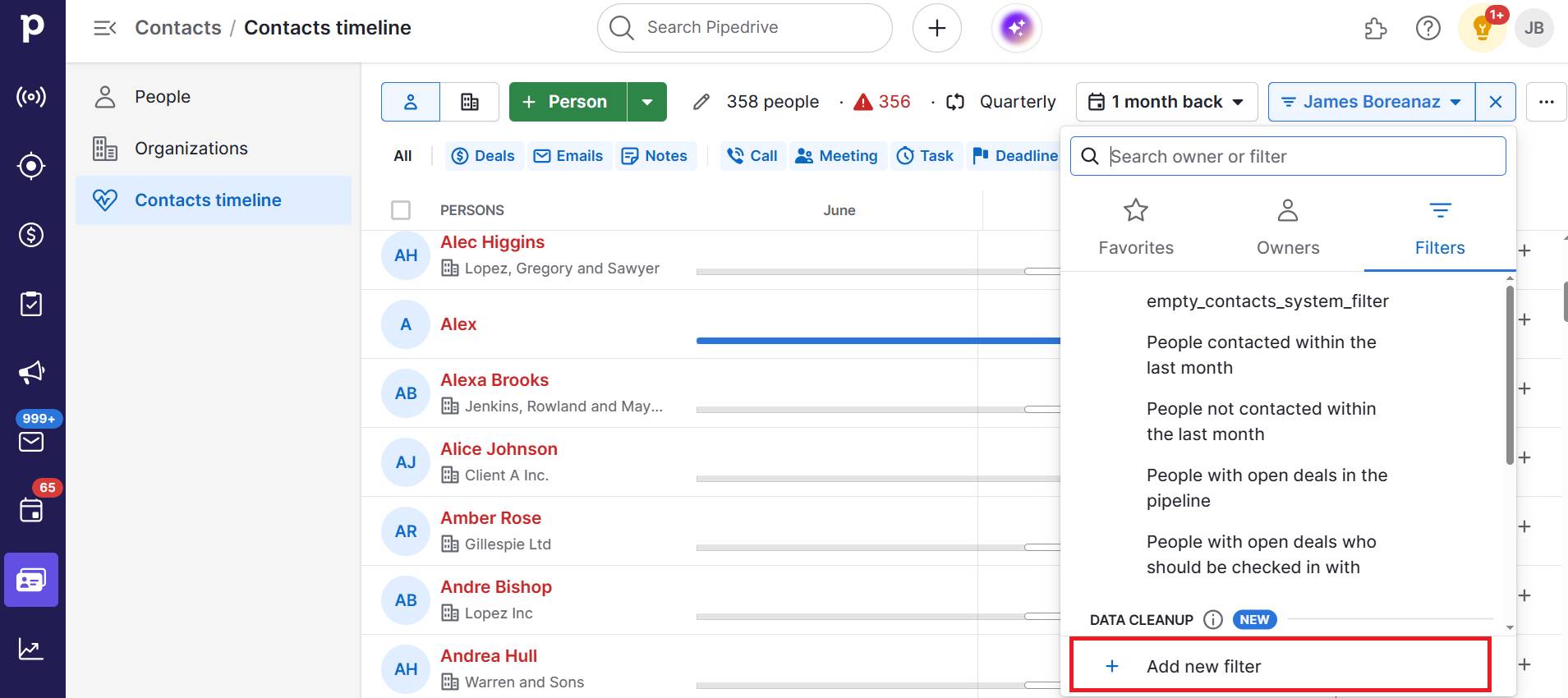
For example, you can segment easily within Pipdrive by applying tags and filters like industry, company size or buying stage:

Use these features to quickly pull up all leads that fit a particular profile and customize your approach.

Turning raw data into actionable groups sends the right message to prospects most likely to buy your product.

Pipedrive in action: Travel booking software provider TrekkSoft used Pipedrive to create targeted segments and personalize outreach. By understanding its audience and sending them tailored messages, TrekkSoft doubled sign-ups and quadrupled productivity.

3. Interview past and current customers

Customer interviews enrich your profiles by helping you understand the “why” behind data collection (i.e., motivations, frustrations and challenges that don’t appear in analytics).

Speaking to existing customers and past buyers uncovers emotional drivers and context behind buying decisions.

Using the language from interviews in your sales and marketing makes your messaging and offers far more persuasive.

For example, an employee management platform learns through Zoom calls that startups aren’t just buying tools to speed up processes. They’re stressed about losing new hires due to “clunky onboarding”.

That insight shapes future sales pitches from “automate HR tasks” to “avoid clunky onboarding and keep new hires engaged from day one”, which resonates much more strongly.

Here are some examples of interview questions that help you develop your profiles:
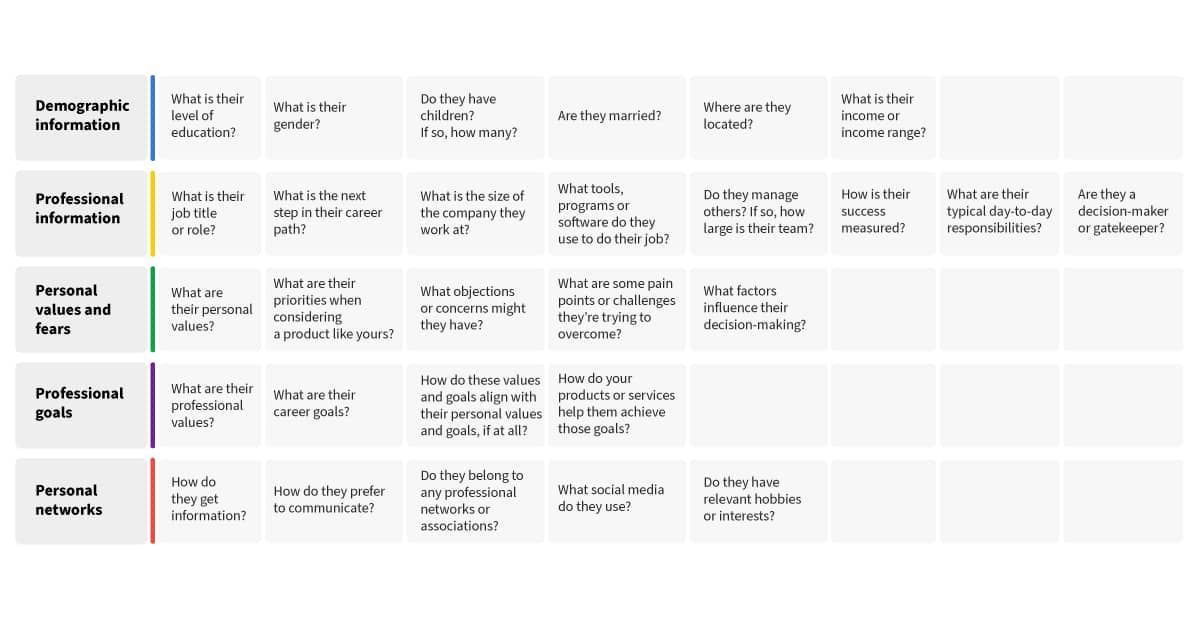
Customer profiling interview questions

If you’re interviewing for the first or the hundredth time, here’s how to get the most insightful customer feedback:

  • Pinpoint a mix of loyal customers and churned ones to interview for a range of opinions

  • Reach out to offer interviews in person, virtually and in group settings so people feel comfortable enough to share experiences

  • Ask open-ended questions about goals, pain points and what drove their decision to buy or unsubscribe

  • Listen for repeated themes like “too expensive”, “too complex” or “easy to use”

  • Note exact words and phrases customers use, as these can be gold for your marketing copy

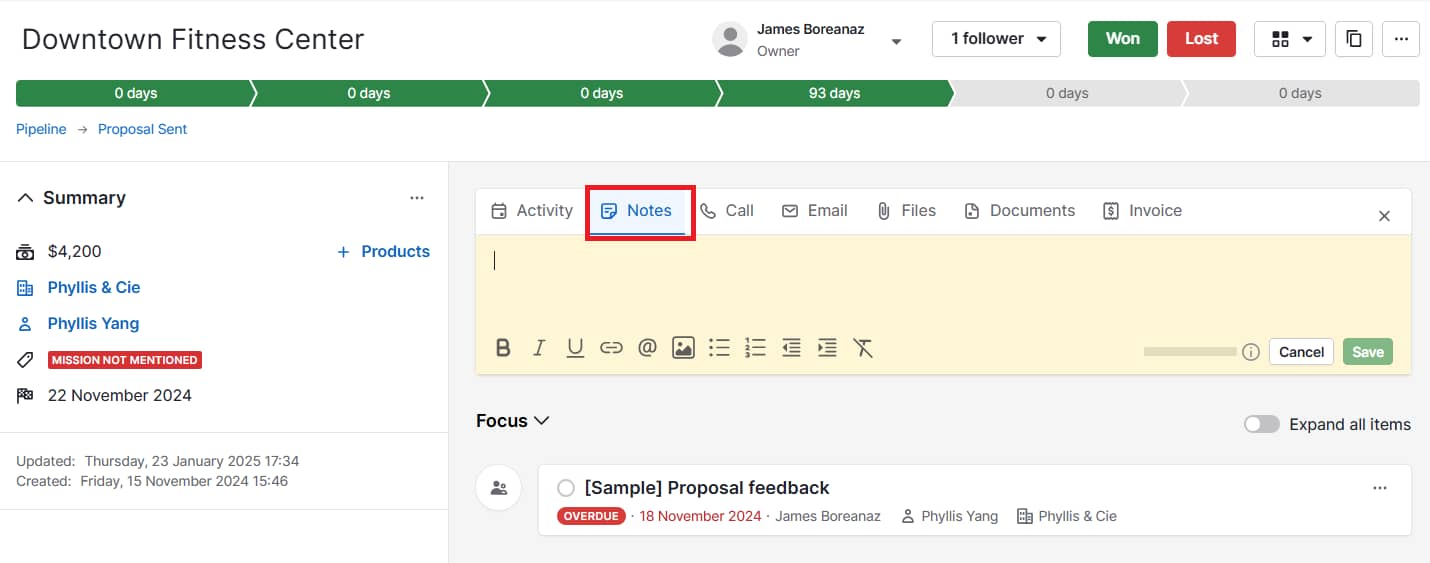
After each interview, add notes directly to the customer’s contact record in Pipedrive:
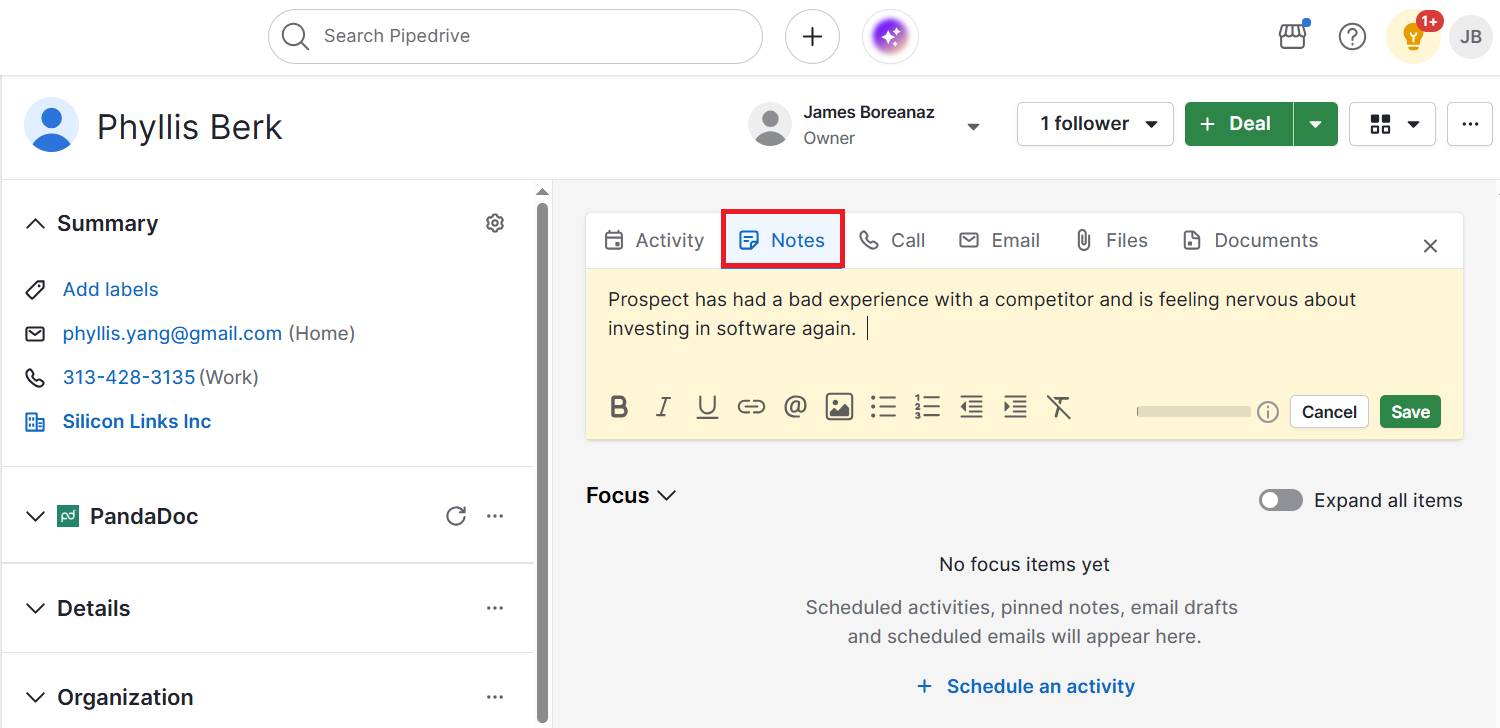
Customer profiling Pipedrive notes

Over time, you’ll create a searchable library of real-world motivations to refine your ICPs or buyer personas.

4. Identify key pain points and goals

Map out the specific problems your segments face and the outcomes they’re chasing. Pain points show what’s frustrating buyers right now. Goals reveal what success looks like in their eyes.

When you understand and include both in your profiles, you can position your product as the bridge between the two. Instead of selling features, you promise far more compelling outcomes.

Imagine an IT services firm that learns small law offices are frustrated by frequent downtime (pain) and want smoother client communication (goal).

They decide to create new targeted marketing strategies around the message:

“Keeping your systems reliable 24/7 so you never miss a client call”

By speaking directly to what matters most, the firm wins attention and aligns its internal processes around reliability. This focus improves both marketing impact and customer satisfaction.

Here’s how to collect and act on these valuable insights:

  • Review interview notes for recurring complaints and frustrations

  • Look at churn surveys or support tickets to spot what drives dissatisfaction

  • Ask customers directly, “What does success look like for you six months from now?”

  • Create a simple table for each segment that outlines the pain point, goal and how you’ll fit it

Knowing your customers’ struggles and ambitions makes your sales team’s approach feel more like selling a solution than a pitch.

By clearly identifying which pains are most urgent across your sales pipeline, you can adjust messaging accurately, prioritize features and refine your ICP.

5. Create accurate customer profiles

Bring your insights from data and interviews into a clear profile that your team can refer to. Each one should read like a snapshot of a real customer segment.

A well-crafted profile keeps sales, marketing and product aligned on who you’re serving, what they need and how to reach them. Without it, small teams risk making decisions based on assumptions or scattered anecdotes.

Profiles can be as in-depth or as brief as you like. However, the insights must be specific to be useful.

Note: While limited profiles (e.g., geographic or firmographic) are crucial for gathering specific insights, combining them into ICPs or buyer personas gives you a well-rounded picture of each customer group.

For instance, a software-as-a-service (SaaS) startup may create a profile called “Growth-Minded Operations Manager” that includes:

  • Background – works at a mid-size logistics company and manages a team of 10

  • Needs – wants to automate manual reporting to save time

  • Objections – worries about high implementation costs

  • Preferred communication channels – responds best to LinkedIn content and webinars

With this customer information, the startup’s sales reps have a clear playbook for outreach and tailoring conversations, while the marketing team knows which channels to double down on.

Here’s how to create and use customer profiles effectively:

  • Give each profile a memorable name for seamless searching (e.g., “Budget-Focused Owner” or “Scaling Startup CTO”)

  • Add background details (e.g., job title, company size, demographics or firmographics)

  • List the top challenges, goals and likely objections to buying

  • Include preferred communication channels to make customer outreach easier

  • Keep it concise to understand notes at a glance (one page per profile is usually enough)

  • Review and update quarterly as you gather new data points

To make things even simpler, download Pipedrive’s customer profile template to structure your profiles.

Fill in each ICP using data from your CRM, interviews and notes.

Download your ideal customer profile template

Download the ideal customer profile template to help your teams sell to the right people

As you refine your profiles over time, update the documents and share them across teams to keep everyone aligned.

Test your assumptions, refresh them with new insights and let them evolve with your customer base.

Fictional B2B customer profile examples to inspire your own

If you haven’t created a customer profile before, fictional examples can help to inspire the phrasing and level of detail to include.

The information will differ depending on the type and relevant factors. For instance, demographic profiles tell you buyer basics like age or income, while psychographic versions reveal attitudes and values.

Here are four examples to help visualize what yours could look like.

Ideal customer profile (ICP) example

An ICP zooms out to the company level, showing which organizations are the best overall fit for your product.

It captures traits like size, industry and business growth stage so you can determine where to focus sales and marketing energy.

For instance, a scaling B2B SaaS company that just raised funding has very different needs than a mature enterprise. An ICP helps you identify which of those contexts is the “sweet spot” for your solution.

Here are the details you could include in yours:

Profile name

Scaling SaaS Startup CTO

Industry

Human resources

Company size

Approximately 50–200 employees

Key needs

Automating employee onboarding and reducing churn

Buying triggers

The company has just raised Series A and is hiring rapidly

Preferred channels

LinkedIn, SaaS founder Slack groups and B2B podcasts

Buyer persona profile example

A buyer persona drills down to the human level (i.e., the individual decision-maker or user inside the company).

While the ICP tells you which business, the fictional persona explains who exactly you need to persuade and how.

For example, the needs and objections of a budget-conscious clinic director will look very different from those of a tech-savvy operations manager.

Use this persona example to tailor messaging to motivations, fears and daily challenges:

Profile name

The Cost-Conscious Clinic Director

Background

Runs a small women’s health clinic

Goals

Keep operations compliant and manage budget tightly

Challenges

Limited staff with a high admin burden

Objections

Concerned about software costs and staff adoption

Preferred channels

Vendor email newsletters and compliance webinars

Download this buyer persona template from Pipedrive to get started creating your own:

Better understand your customers with our Buyer Persona Templates

Use these templates to ensure your solution always aligns with your customers’ interests and needs

Geographic profile example

A geographic profile isn’t just about the pin on the map. It’s about the context of location and how that shapes customer needs.

For example, a rural manufacturer in the Midwest may need reliable logistics and equipment servicing because suppliers are hours away. On the other hand, an urban startup in NYC cares more about office space cost and tech talent competition.

Here are some of the factors to consider:

Region

Pacific Northwest (US)

Urban vs. rural

Rural – towns under 10,000 people

Climate

Rain-heavy, mild winters

Local economy

Agriculture and light manufacturing

Infrastructure

Limited broadband and high shipping costs

Implication

Marketing needs to stress reliable offline support and affordable logistics solutions

Behavioral profile example

A behavioral profile looks past who the customer is and focuses on what they do. It highlights buying habits, product usage and loyalty patterns that reveal how people interact with your business over time.

For SMBs, this often means studying the end user’s behaviors (like repeat purchases, trial-to-paid conversion or churn triggers) rather than just the organization’s processes.

These insights help you predict future actions and design interventions that keep customers engaged:

Purchase frequency

Buys marketing software once every 2 years

Usage patterns

Logs into the platform daily, but only uses reporting dashboards weekly

Decision triggers

Upgrades when the current software limits team productivity

Buying journey

Always researches reviews on G2 and watches YouTube demos before contacting sales

Brand loyalty

Tends to stick with vendors if customer service is responsive

Purchase drivers

Discounts, referrals from peers and strong customer support

Each type of profile captures different dimensions of your audience, from where they’re based and how they behave to what they value most.

Choose a mix that gives you the clearest picture of who buys from you and why. Start simple, then refine over time as you gather more data and insights.

Customer profiling FAQs

  • Customer profiling is creating detailed descriptions of your buyers (e.g., their traits, buying behaviors, needs and challenges) so you can market to similar groups more effectively.

  • While segmentation divides your audience into groups, profiling goes deeper to describe what each group looks like, wants and struggles with.

    Together, these processes help you optimize touchpoints and target the right people to close more deals.

  • Market segmentation splits a broad audience into smaller groups based on shared traits like demographic data, purchase history or location.

    This tactic makes consumer profiling and marketing more relevant and effective.

Final thoughts

Customer profiling gives SMBs the clarity to focus on people most likely to buy, cut wasted spend and design offers that actually resonate.

The key to a successful strategy is having the right technology to automatically collect data and keep it accurate and actionable.

Annual Work Plan Template | Employee Free Work Example

Software Stack Editor · August 28, 2025 ·

An annual work plan template helps teams set clear goals, align on priorities and stay focused throughout the year.

Whether you’re managing a small business or scaling a department, a structured template brings clarity by organizing initiatives, deadlines and ownership in one centralized view.

This annual work plan template outlines what to include in your annual work plan, why it’s a critical tool for strategic execution and how to tailor a free template to match your team’s specific goals and workflows.

Key takeaways from the annual work plan template

  • An annual work plan helps teams break strategic goals into actionable steps with clear owners and timelines.

  • Planning improves focus, accountability and makes progress easier to track and communicate.

  • A template removes guesswork and speeds up alignment for individuals and departments.

  • Explore how Pipedrive connects work plans to real-time visibility and automation so teams stay aligned with a 14 day free trial.

What is an annual work plan?

An annual work plan is a strategic document that outlines your key goals, deliverables and milestones for the year ahead.

It serves as a bridge between high-level performance objectives and the daily work required to achieve them.

Setting expectations early gives teams clarity on priorities and helps them understand how their work supports broader business goals.

A strong annual work plan clearly outlines the goals to be achieved, assigns responsibility for each objective and defines measurable indicators of success.

These elements create structure, promote accountability and reduce ambiguity as projects move forward.

With well-documented priorities and ownership, teams can focus their efforts and contribute with greater clarity and confidence.

The annual Work Plan contains the main activities to be developed within each program component, the estimated allocation of available resources and the expected results.

– UNICEF, 2023

An annual work plan helps teams stay flexible. While the plan provides structure, it should be easy to adjust as priorities shift.

Regular check-ins make it easier to update deadlines, reassign tasks or change direction when needed. The balance between planning and adaptability helps teams stay focused while staying responsive to change.

Why do teams need an annual work plan to stay aligned?

A structured work plan reduces guesswork, aligns stakeholders and improves accountability.

It also encourages teams to forecast resources, risks and timelines in advance. According to Gallup (2025), only 46% of employees clearly know what’s expected of them at work.

An annual plan closes that clarity gap by spelling out priorities, owners and timelines.

Without a plan, teams often fall into reactive mode, jumping between tasks with no clear direction. A reusable template gives you a practical starting point that can be refined year after year.

For managers, a shared work plan is also a valuable communication tool. When it’s tied to business goals or employee development, it builds transparency and trust across the team.

Recommended reading

https://www-cms.pipedriveassets.com/Action-Plan-Template.png

The ultimate guide to creating an action plan template (with examples)

What should I include in an employee’s annual work plan template

The best templates are simple but detailed enough to support planning across functions. Whether you’re using it for an individual contributor or a whole team, include these key sections:

Section

Description

Objectives

Define 3–5 high-level goals aligned with the company or team strategy. These goals should provide focus and direction for the upcoming year.

Key results

List measurable outcomes tied to each objective, such as new product launches or revenue targets. These help quantify success and show whether progress is on track.

Initiatives or tasks

Break objectives down into major projects, campaigns or deliverables. The section should outline the core work required to hit each key result.

Owners

Assign responsibility to specific individuals or teams. Clear ownership ensures accountability and follow-through.

Timeline

Include target deadlines and break down the year by quarters or months. It should help teams pace their efforts and prioritize effectively.

Status

Track the progress of each item: planned, in progress or completed. A quick status check makes it easier to monitor momentum and adjust as needed.

Metrics or key performance indicator (KPIs)

Identify specific metrics or KPIs used to evaluate progress. Ensuring consistency in how success is measured across initiatives.

Dependencies or risks

Note any external factors, blockers or critical dependencies that could delay progress. Highlighting these early helps with proactive planning.

Review dates

Set scheduled check-ins (e.g., quarterly) to revisit the plan. Making the plan dynamic and aligned with changing priorities.

Notes or comments

Use this for updates, stakeholder feedback or context during execution – especially useful during review meetings or cross-functional collaboration.

How often should an annual work plan be reviewed and updated?

An effective annual work plan should be a living document. While it sets direction for the year, quarterly reviews are essential for keeping it relevant and responsive to changing priorities.

As McKinsey’s Sven Smit notes, “a once-a-year strategy review is poorly suited to the dynamic nature of today’s business environment.”

Use these regular check-ins to evaluate progress against key deliverables, uncover potential blockers and adjust resource allocation where necessary.

They’re also an opportunity to reflect on lessons learned and correct before small issues become larger setbacks.

Make the work plan visible and collaborative. Embed it into your customer relationship management (CRM) tool, project management tool or knowledge management software so stakeholders can access it easily.

Schedule recurring team reviews to walk through updates and surface risks early.

Regular plan reviews strengthen accountability and foster adaptability, helping to keep teams aligned through periods of growth or change.

Recommended reading

https://www-cms.pipedriveassets.com/blog-assets/image1_2025-07-23-122438_gxrs.png

8 steps to conducting an annual sales review

Note: In Asana’s State of Work Innovation 2024 report, workers spend 53% of their time on busywork, such as status chasing, searching for information and coordination. Keeping your annual plan centralized and visible helps cut that busywork, so more time goes to strategic execution.

How can I get stakeholder buy-in and keep our annual work plan on track

A plan only works if the team is behind it. Involve team members early so they have a hand in shaping objectives, helping build ownership and surface practical input that top-down planning might miss.

Once underway, maintain momentum with regular check-ins. These can be short monthly or bi-weekly updates tied to key milestones. Use them to track progress, adjust timelines and celebrate small wins.

Make progress visible. Share updates through dashboards or team tools and highlight achievements in leadership or all-hands meetings.

When plans are collaborative, visible and regularly reviewed, they become strategic tools for ongoing progress.

Recommended reading

https://www-cms.pipedriveassets.com/Sales-Professionals.jpg

How to build a winning team of great sales professionals

How Pipedrive supports annual work planning

Annual work plans often live in static docs, making it hard to track ownership, progress or results.

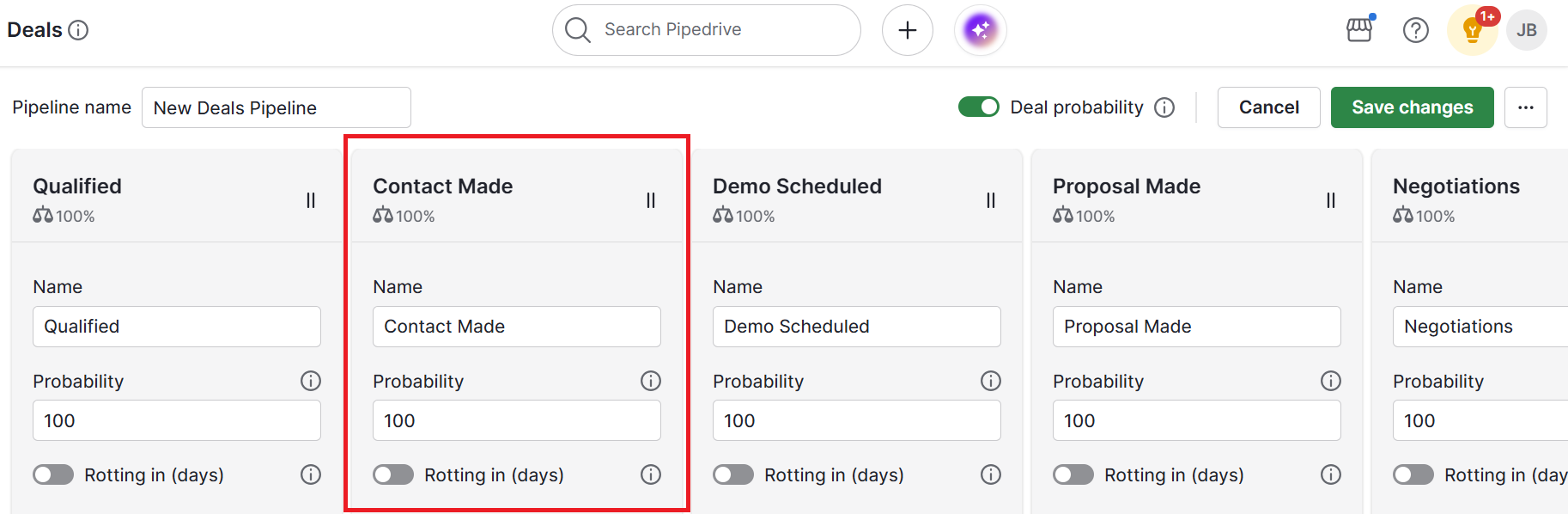
Pipedrive helps teams bring those plans to life by turning strategic goals into visual, trackable workflows. With customizable pipelines, users can map out initiatives, assign owners and define key milestones across the year.

Each stage in a pipeline report can represent parts of the annual plan, like planning, execution or review.

At the same time, custom fields track metrics, deadlines and responsibilities, making it easier to stay aligned and ensure nothing falls through the cracks.

You can assign owners, set reminders and use workflow automation to trigger updates as milestones are reached.

Dashboards and reports offer visibility into what’s working, where blockers exist and how teams are progressing across the year.

  • An annual work plan template is a structured document that outlines an organization’s or individual’s key objectives, tasks, timelines and responsibilities for the year.

  • Using a template streamlines planning, increases accountability and makes it easier to monitor progress.

  • Key components include objectives, key results, specific tasks or initiatives, assigned owners, timelines and status tracking.

Final thoughts

An annual work plan is a tool that brings clarity, structure and alignment to your team’s efforts.

When created thoughtfully, it helps employees prioritize meaningful work, track progress throughout the year and understand how their contributions tie back to company goals.

The most effective plans aren’t static. Revisit them often, adjust as priorities shift and use them to foster transparency across your team.

With a flexible template and a disciplined planning rhythm, you’ll drive momentum, maintain accountability and support stronger business outcomes.

Scoring in Pipedrive: Prioritize the right deals faster

Software Stack Editor · August 28, 2025 ·

Tired of guessing which deals deserve your attention? With custom scoring in Pipedrive, you can prioritize the opportunities most likely to close, based on rules you define.

No more manual workarounds – just a clear, data-backed way to keep your pipeline moving. Custom scoring is available on Premium and Ultimate plans.

Key takeaways for custom scoring

  • With custom scoring, you can define the rules that highlight high-potential opportunities, so your team spends less time guessing and more time closing.

  • Scores update automatically as deal data changes, giving you a clear, always-fresh view of your pipeline without manual effort.

  • Custom scoring works alongside the Pulse toolkit to give you a complete system for smarter prospecting and deal management.

  • Start your 14-day free trial and experience how custom scoring helps you close more deals, faster.

What is CRM scoring in Pipedrive?

Custom CRM scoring is a built-in feature that helps sales teams evaluate the likelihood of closing deals.

Instead of spreading your time thin across every opportunity, you can assign points to the factors that matter most to your business, such as deal size, stage, activity history or engagement. The higher the score, the stronger the deal.

Why use scoring in your CRM?

Why is Piepdrive the best CRM for scoring high-potential deal opportunities

When your pipeline is full, it’s easy to get distracted by volume instead of value. Without a clear way to prioritize, salespeople often waste hours chasing deals that won’t convert, while high-potential opportunities slip through the cracks.

Scoring helps solve this problem by turning your CRM into a smarter decision-making tool.

With custom scoring in Pipedrive, you can:

  • Spot best-fit deals instantly. No more relying on gut feeling. Scores surface the opportunities that meet your ideal customer profile, so you can zero in on deals that are most likely to close.

  • Stay productive and focused. Instead of spreading your attention across every deal, you can cut through the noise and dedicate your time to the opportunities that truly matter. That means fewer dead ends and a more streamlined sales cycle.

  • Boost win rates and revenue. By consistently prioritizing the right deals, you reduce wasted effort and increase the likelihood of hitting your targets. Over time, this creates a more predictable and scalable sales process.

  • Keep your pipeline lean and healthy. Scoring doesn’t just help with individual deals – it also helps teams manage the big picture. By filtering out low-potential deals early, your pipeline stays clean, clear and focused on opportunities that move.

Scoring turns your CRM from a passive database into an active guide that shows you where to spend your time for maximum impact.

How does Pipedrive’s scoring work?

Scores are fully customizable to your sales process. You can:

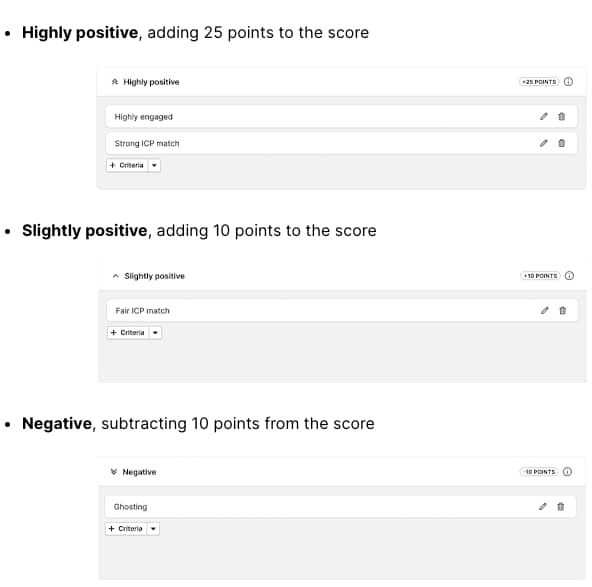
  • Define criteria (positive or negative) that reflect your business.

  • Combine conditions using AND/OR logic to mirror real-life sales scenarios.

  • Preview scores instantly to see how each rule impacts deal priority.

Once activated, scores update automatically as deal data changes – giving you an always-fresh view of your pipeline.

How to set up criteria using Pipedrive's Scoring feature

How to start using Scores

Getting started is simple:

  1. Head to Pulse > Scores

  2. Create a new score for your pipeline

  3. Set up criteria, test it on a sample deal and activate

From there, your team can view scores in deal lists and detail views – with full transparency on how each score was calculated.

Scoring as part of the Pulse toolkit

Scoring is part of Pipedrive’s Pulse toolkit, a set of features designed to help you focus on the right opportunities and work more efficiently. Together, these tools give you a smarter way to prospect, qualify and close deals.

The Pulse toolkit includes:

  • Feed – a real-time workspace where you can manage all your deal-related tasks in one place

  • Data enrichment – instantly complete missing company and contact details, making it easier to qualify leads and move them forward

  • Custom Scoring – rank deals based on the criteria that matter most for your business

  • Sequences – keep follow-ups consistent and timely without added complexity

Recommended reading

https://www-cms.pipedriveassets.com/Pipedrive-Pulse-Feed.jpg

Pulse Feed: The smart sales workspace built into Pipedrive

Unlock efficiency and close more deals

With custom scoring in Pipedrive, you don’t just manage your pipeline – you optimize it.

By focusing on the right deals at the right time, your team can shorten sales cycles, boost revenue and eliminate guesswork from decision-making.

Want to go deeper? Visit our Knowledge Base to learn more about setting up and using custom scoring in Pipedrive

The Truth About “The Customer is Always Right”

Software Stack Editor · August 27, 2025 ·

“The customer is always right” sounds good in theory. Putting buyers’ needs first generates trust, loyalty and repeat sales.

However, taking the idea literally can do more harm than good. It fuels unrealistic expectations and strains support teams, hurting your company in the long run.

This guide explores who said “the customer is always right” first, why it still matters for customer satisfaction and how you can balance excellent service with team morale and healthy profits.

Key takeaways for the “customer is always right”

  • The phrase “the customer is always right” began as a 1900s retail slogan emphasizing the importance of listening to buyers. It was never meant to be taken literally in every circumstance.

  • Following the phrase unthinkingly can damage staff morale, increase costs and reward unreasonable behavior, so your team needs clear boundaries.

  • The idea still has value when used as a reminder to prioritize the customer experience, but it should be tempered with fair policies that protect your team and profit margins.

  • A CRM like Pipedrive helps strike that balance by capturing feedback, spotting complaint patterns and more effectively managing customer expectations. Start your free 14-day trial to see how Pipedrive supports healthy customer service.

The origin of “the customer is always right”

The history of “the customer is always right” is murky. The quote has a few possible originators.

The most cited is Harry Gordon Selfridge, who founded Selfridge’s department store in the early 20th century. He used it as a training and advertising slogan to ensure staff took customer complaints seriously and shoppers felt valued.

It’s thought that US business owners Marshall Field and John Wanamaker had similar slogans around the same time, potentially before Harry Selfridge.

Swiss hotelier Cesar Ritz (of the Ritz Carlton) also championed a French version to capture luxury hospitality: “Le client n’a jamais tort” translates to “The customer is never wrong”.

Modern claims that the full quote was “The customer is always right in matters of taste” are unproven, although these extra words give the meaning an interesting twist.

Whatever the true origins, the catchy phrase has stuck for over a century – for better or worse.

Note: The “customer is always right” quote has many spin-offs, like “no questions asked” return policies and “satisfaction guaranteed”. They sound different, but all aim to make customers confident about buying products.

Is the customer always right? Why you shouldn’t take the adage literally

Treating “the customer is always right” full quote as an unbreakable rule can backfire.

Some buyers have unrealistic expectations, while others exploit lenient policies. Over time, giving in to every customer’s request for a discount or freebie erodes margins and wears teams down.

A Deakin University study found that unreasonable customer demands lower job satisfaction and emotionally exhaust employees. Stressed teams are less likely to deliver excellent service, and poor service affects customer retention.

Both business-to-business (B2B) and business-to-consumer (B2C) salespeople face unreasonable demands.

For example, software development clients often push for constant “small” scope changes without adjusting budgets or timelines. This slow drain on resources hurts profitability.

In hospitality, UK chef Andrew Sheridan told the Guardian about one diner who expected him to pay a driving fine they’d picked up traveling to his restaurant and another who wanted a free meal because a structural pillar had “blocked” her view.

These are strong cases for letting some unhappy customers stay unhappy.

Note: “Caveat emptor” is Latin for “let the buyer beware”. It means customers are responsible for making informed decisions, and not all accountability lies with the seller. The modern equivalent, “buyer beware”, still comes up in sales agreements, especially for real estate deals.

The small case for “the customer is always right”

The customer isn’t always right. However, the phrase’s core principle is valuable as it promotes customer-centricity.

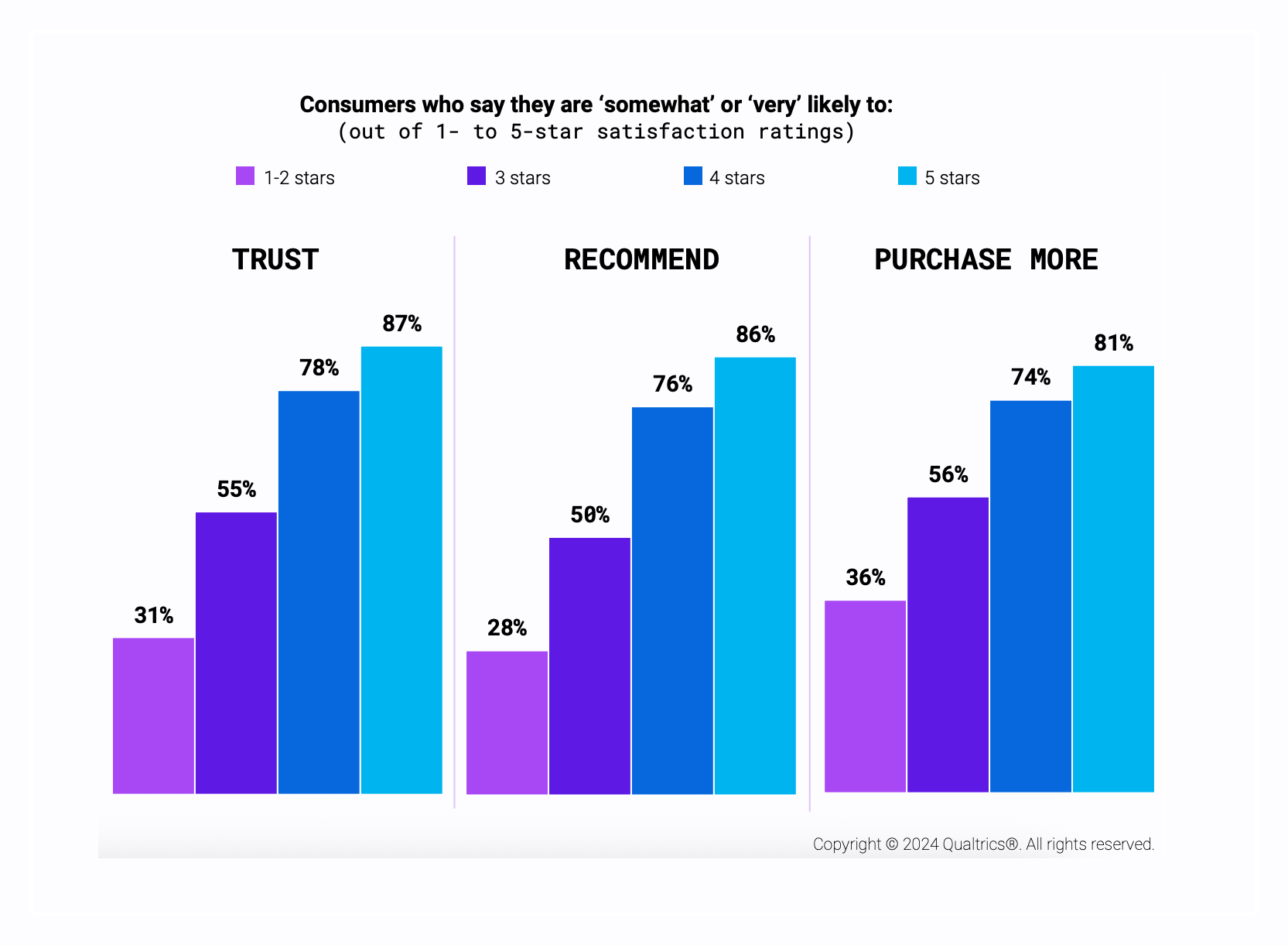
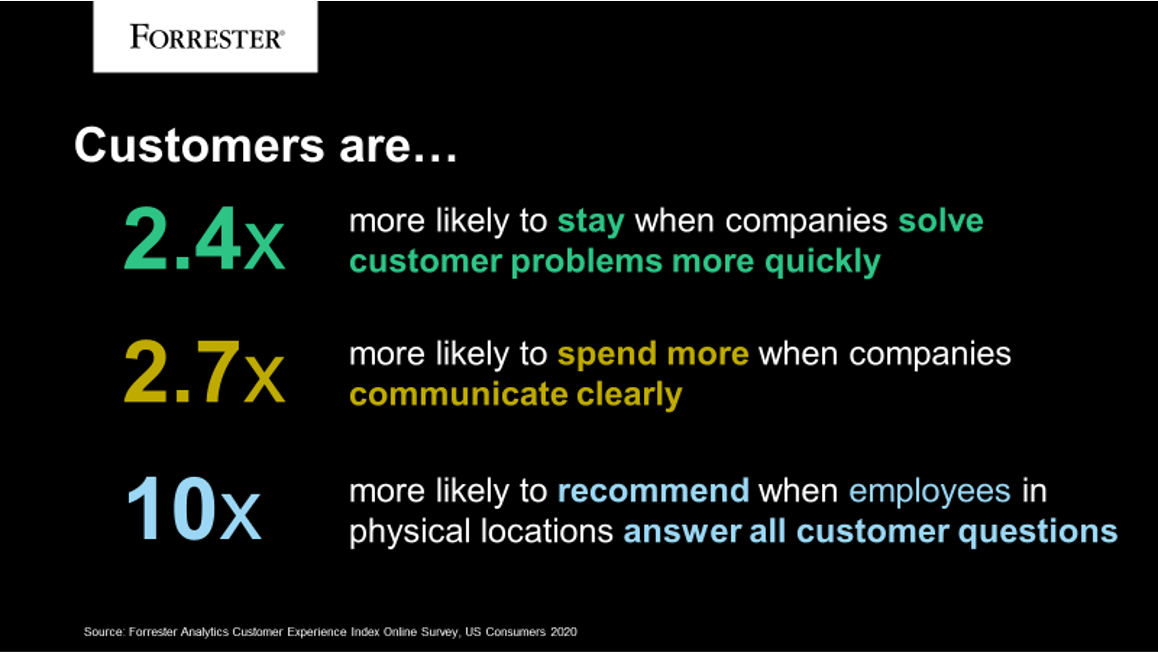
A 2024 Qualtrics study found that customers with excellent customer service experiences (i.e., five-star) were around three times more likely to recommend and trust a brand than those who rated their experience 1–2 stars. They were also twice as likely to buy more.

Customer is always right Qualtrics CX graph

In other words, you don’t have to agree with every buyer every time, but seeing things from their perspective whenever possible is a reliable way of driving customer loyalty.

For example, a customer who receives the wrong product is bound to be frustrated. Even if you don’t yet understand how the error occurred, own the mistake and respond with an apology and goodwill gesture to regain their trust.

Recommended reading

https://www-cms.pipedriveassets.com/Delight-the-Customer.jpg

10 reliable ways to delight the customer and amplify customer loyalty

When to stand your ground with customers (and how to do it well)

Even the most customer-centric companies have limits.

Standing your ground doesn’t mean ignoring complaints or being inflexible. It’s knowing when a request crosses the line and handling it fairly and professionally.

Here are some situations that always call for a firm “no”:

Issue type

What it looks like

Unreasonable demands

The customer requests free products, heavy discounts or services outside your agreed scope without extra payment

Abusive behavior

The customer is aggressive or threatening toward your team and may use discriminatory language in the process

Policy abuse

The customer tries to exploit your policies, returning used products for a full refund or creating multiple accounts to get new customer perks

Repeated late payments

The customer regularly misses payment deadlines without valid reasons, forcing you to chase sales invoices or take legal action

Fraudulent activity

The customer provides false information or attempts to scam your business (e.g., with stolen payment details)

When these situations happen, keep the customer experience constructive. Otherwise, you could start collecting negative reviews that affect your reputation.

CX expert Michael Podolski offered this advice in a Forbes article:

Aim to resolve customer complaints quickly and effectively, and always strive to leave the customer feeling satisfied and valued. This can involve going above and beyond to find a solution that meets the customer’s needs

Here’s how to handle those tough customer interactions:

  • Listen first, then make a plan. Let the customer fully explain their concern before you respond. They may not articulate their issue well enough at first.

  • Be clear and consistent. Explain why you can’t meet your customer’s request. Reference a company policy or contractual terms, or simply point out that if you bend the rules for one person, you’ll have to do the same for everyone.

  • Suggest alternatives. Offer solutions that meet the customer’s needs, like a compromise. It could be a partial refund, store credit or payment deadline extension.

Most importantly, ensure internal policies empower team members to say “no” when necessary, without fear of pushback. Communicate your guidelines via regular training and be clear that you’ll back your team up if they follow them.

Doing what you can for reasonable customers while setting boundaries protects margins and team morale, keeping your business healthy. It also ensures that when you or your reps say “yes”, it’s for the right reasons.

Note: In a survey of 4,000 US and UK consumers, 68% said retailers make it easy to abuse flexible return policies. Over half (58%) said companies make it easy to take advantage of promotions by opening multiple accounts.

6 essential tools and tactics for healthy customer service

Balancing great customer experiences and clear boundaries is much easier with the right systems and processes.

The following tools and tactics make it simple for your team to consistently deliver excellent service to reasonable customers and handle unreasonable situations.

1. A user-friendly CRM system

Centralize every customer preference, interaction and order in a customer relationship management (CRM) system to give your team the full context.

For example, a loyal customer’s long purchase history might persuade a support agent to approve an exception to the returns policy. It’s a reasonable bending of the rules to protect a valuable relationship.

In contrast, seeing that a new customer wants a refund six months after a one-time, minor purchase gives the agent grounds to say “no” confidently.

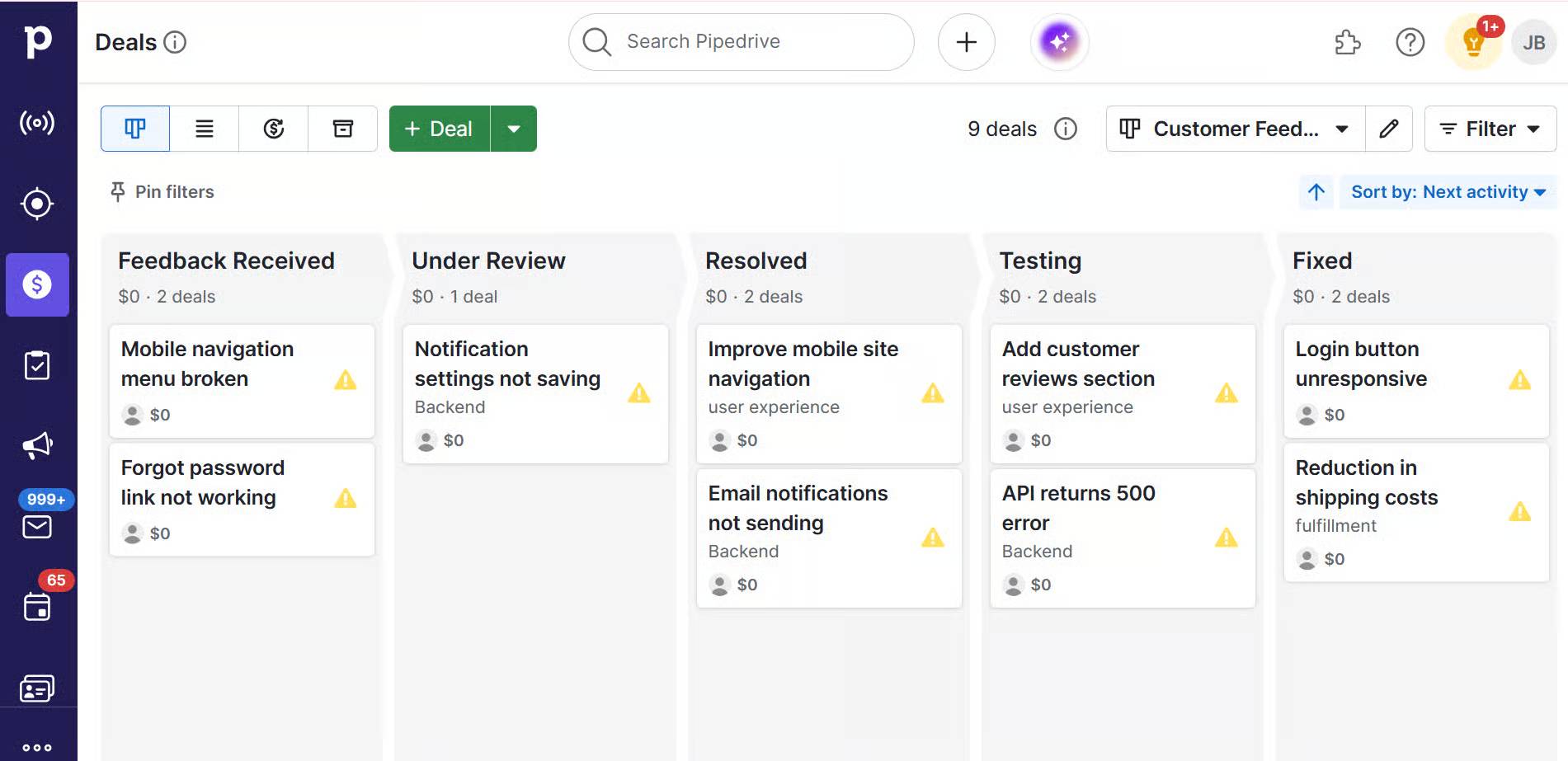
Pipedrive allows you to log every touchpoint, tag high-value accounts and use deal histories to guide fair, consistent decisions. Here’s the software’s deal detail view:

Customer is always right Pipedrive deal history screen

Making this data accessible to every customer-facing team ensures everyone can make decisions based on the same accurate information.

Download our Customer Journey Map Template

Start mapping your customer journey with our free customer journey template.

2. A detailed knowledge base and FAQs content

Help customers solve everyday problems on their own with a well-maintained knowledge base. It’ll reduce misunderstandings, making people less likely to make unreasonable demands.

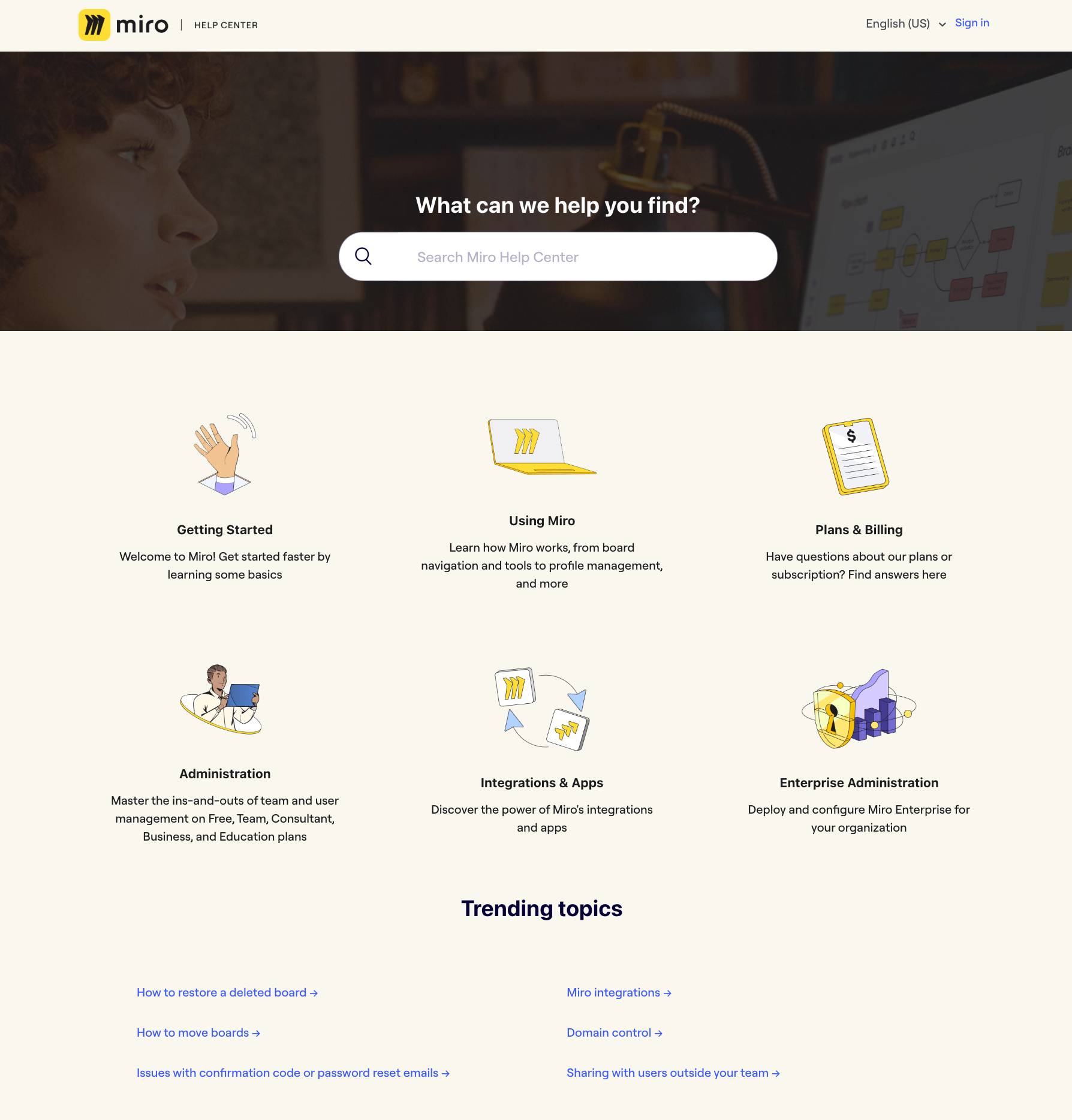
Take Miro’s simple Help Center, for example. Users can search for answers to specific problems, choose a category or explore trending topics:

Customer is always right Miro help center

Further down the page is a frequently-asked questions (FAQs) section covering common queries on account management, billing, functionality and pricing:

Customer is always right Miro FAQs

If Miro users see why they have unexpected charges (one of the earlier FAQs), they’re much less likely to demand a refund or discount. Even better, if the content helps them avoid those charges entirely, the customer experience improves from the start.

Every answer users get by themselves is another call your customer support team doesn’t have to take.

Let sales conversations and help desk data guide what you include in your FAQs. For instance, if support staff say they spend the most time providing basic billing information, put these queries near the top of your page.

3. Reliable customer feedback loops

Collect customer feedback regularly to find and fix problems before they escalate.

Post-purchase surveys, social media monitoring and online review tracking all feed valuable insights into your customer service strategy.

CSAT surveys help too. Send them at key points in the buyer journey to uncover issues hiding behind happy customers. You can create these in tools like Nicereply and even distribute them through Gmail:

Customer is always right Nicereply CSAT email

Sales demos, orders, returns and support interactions are all ideal moments to collect CSAT data, as buyers are most likely to assess their experience of your brand during these times.

For example, a sudden drop in CSAT scores for delivery speed (i.e., after orders) could indicate that a courier partner failed to meet their SLA. If you know about it, that’s an easy issue to fix.

Dedicated CSAT tools make it easy to collect consistent data over time, or you can ask for feedback informally via email and social media.

4. Internal policy guides and regular training

Create clear internal guides that give staff the confidence to handle tricky sales and support situations.

Your policies should define what’s reasonable, what isn’t and how to respond. For example, a customer being blunt when they don’t get what they want is normal, but your staff should feel able to end abusive interactions.

Clear guidelines aren’t the same as a long list of rigid rules. If you’ve done a good job recruiting agents, you should trust their judgment.

Nordstrom famously took this trust to the extreme with a one-line customer service handbook reading: “Our only rule: Use good judgment in all situations.”

Customer is always right Nordstrom handbook quote

That unwavering trust empowers teams to do the right thing in the moment and learn from mistakes.

Pair guidelines with roleplay exercises to prepare your team for real-world scenarios where customers expect more than they’re entitled to. Practice responding to an abusive customer professionally yet firmly, for instance, or countering a refund request with a goodwill gesture.

5. Smooth automation for routine tasks

Workflow automation of repetitive, low-value tasks keeps customers informed and frees your team to focus on more complex or high-value interactions.

You certainly won’t be alone: 92% of sales and marketing professionals already use at least one automation tool in their workflow.

Customer is always right Pipedrive automation usage graph

With the right tools, you can set up payment reminders, order notifications, post-purchase follow-ups and contract updates — all without adding to your team’s workload.

Regular, proactive communication means customers know what to expect, making them less likely to feel neglected or raise grievances.

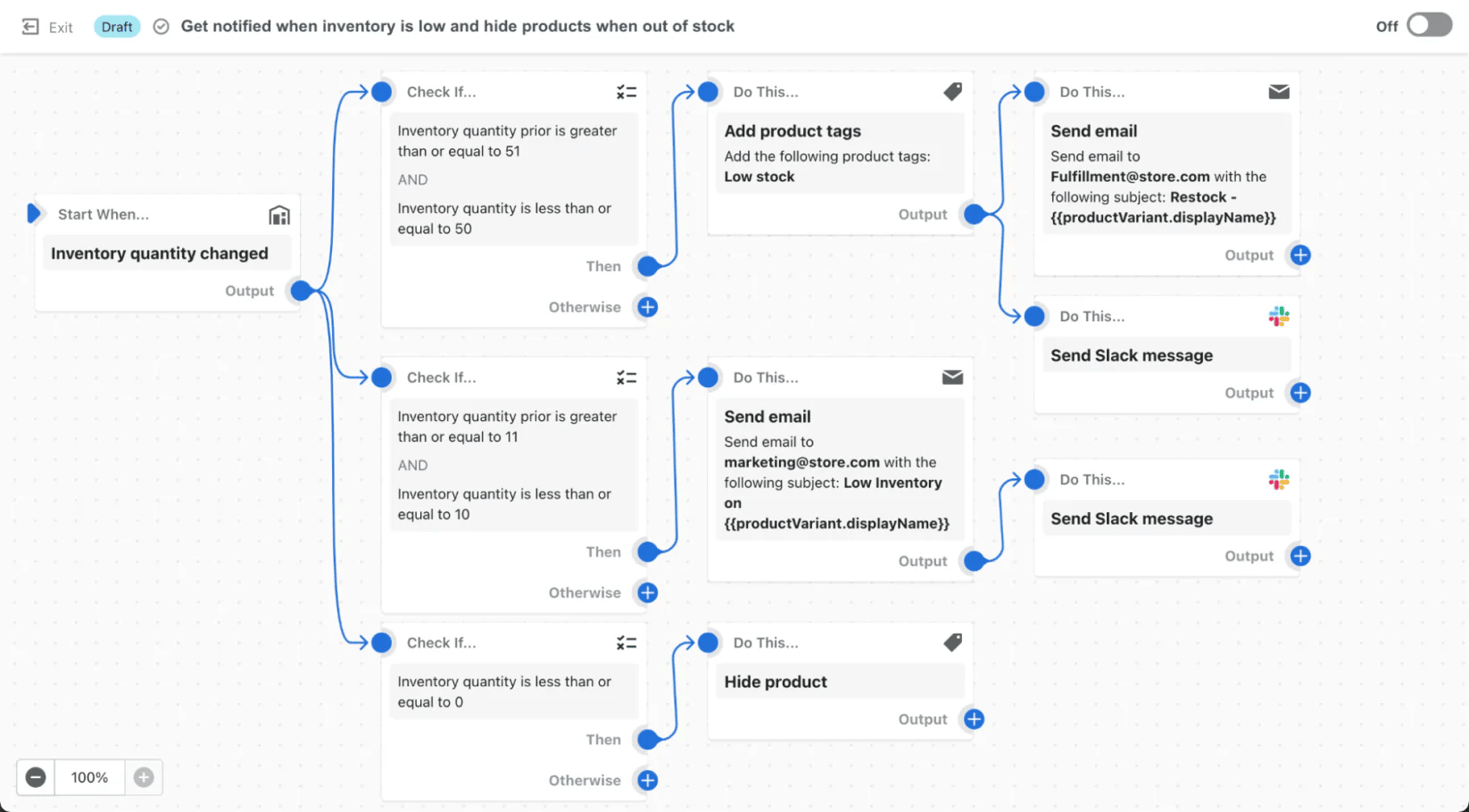
For example, Shopify store owners can automatically send order status updates and back-in-stock alerts, keeping customers in the loop and reducing inbound queries. The feature, called Shopify Flow, looks like this:

Customer is always right Shopify Flow interface

Pipedrive also allows you to automate follow-up emails, task assignments and status updates based on deal stage changes, so you never miss a customer touchpoint.

You get to keep buyers’ experiences consistent while creating time for more detailed interactions.

Crush your manual admin with this sales automation guide

Learn how to take advantage of new sales automation tech so you can spend more time selling

6. A willingness to apologize

Teach your team how to apologize well – owning the mistake, explaining what happened and offering a fair fix. The trick is to match the remedy to the severity of the problem.

Create a guide that spells out when to give refunds, discounts or freebies so that staff respond the same way every time. This resource will prevent overpaying for minor issues while solving bigger problems.

For example, if a package is late, upgrade shipping for free. If a product doesn’t work, replace it and add a small bonus. Clear rules like these keep teams from making costly promises on the spot.

Track apology outcomes in Pipedrive to see what engages customers. Add custom fields to log the complaint type, resolution and CSAT score. You’ve got 16 custom field types at your disposal to make it easy to record how any customer feels.

Customer is always right Pipedrive custom data fields

This precise customer data shows which apology methods work best over time and help your team stay consistent when similar issues arise.

Recommended reading

https://www-cms.pipedriveassets.com/How-to-write-an-apology.png

How to write an apology for an email sent in error

Final thoughts

“The customer is always right” is a catchy phrase that no salesperson, support agent or business leader should take literally.

That said, putting customers at the center of your business inspires empathy and raises service standards. It protects relationships with loyal customers and keeps your business healthy by limiting unreasonable demands.

Give your team clear policies, the right tools and the confidence to act in the company’s best interests. That way, you can deliver outstanding customer experiences without letting the phrase become a burden.

12 Essential Customer Engagement Metrics for SMBs

Software Stack Editor · August 26, 2025 ·

Many businesses track vanity metrics like social media followers or website traffic without asking whether those numbers actually reflect how customers feel or act.

While these figures can look impressive on a report, they don’t show if people are truly connecting with your brand or moving closer to becoming loyal customers.

The solution is focusing on customer engagement metrics that measure meaningful interactions and their impact on business outcomes.

In this article, you’ll learn what customer engagement metrics are, why they matter and which ones to track across marketing, sales and support. You’ll also discover how to measure and optimize them using practical tools and proven strategies.

Key takeaways from customer engagement metrics

  • Customer engagement metrics show how actively and meaningfully people connect with your brand across touchpoints.

  • They offer insights into customer behavior, campaign effectiveness and areas for improvement in the customer experience.

  • Optimize customer engagement metrics to optimize customer satisfaction, increase retention and drive revenue growth.

  • Use Pipedrive’s CRM to track and visualize key metrics in customizable dashboards – sign up for a free trial today.

What are customer engagement metrics?

Customer engagement metrics measure how people interact with your business across different touchpoints.

They go beyond counting clicks or followers, showing the quality of those interactions and how they contribute to business goals like customer retention, loyalty and conversions.

For example, if someone opens your marketing emails but never clicks through, that’s activity, but not engagement.

A better metric might be click-through rate (CTR) paired with follow-up completion rate in your CRM, showing whether those leads turn into conversations and ultimately deals.

What is customer engagement? It’s the process of building ongoing, meaningful relationships by providing value and interacting regularly with customers. Tracking the right metrics helps boost engagement.

Why tracking customer engagement matters

Customer engagement metrics offer early signals of how customers perceive your business. In 2025, those signals are more critical than ever.

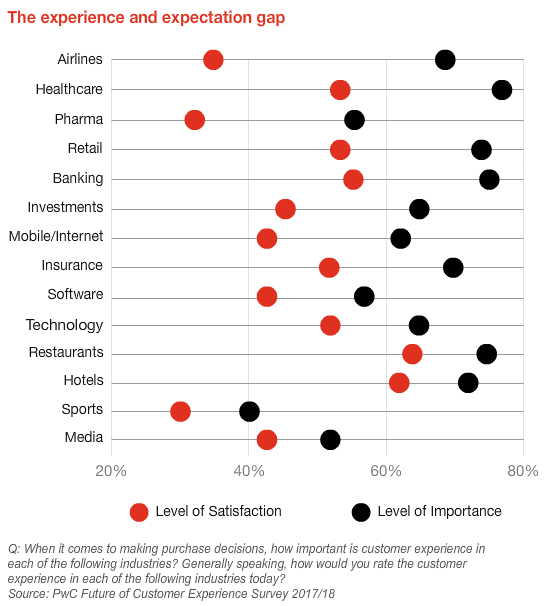
According to KPMG’s Global Customer Experience Excellence Report, customer experience scores dropped by 3% in 2024, with empathy and expectations falling by 4%.

This decline shows a growing disconnect between what businesses deliver and what customers expect.

In this climate, tracking engagement with the help of customer engagement platforms is essential. It’s how you detect dissatisfaction, optimize interactions and keep engaged customers loyal before they quietly walk away.

Engagement metrics help you:

  • Spot friction before it affects retention. Metrics like customer effort score (CES) and product adoption rate reveal where customers struggle and when they disengage.

  • Prioritize actions with real impact. Unlike vanity metrics, engagement KPIs tie directly to outcomes like renewals, upsells and customer lifetime value.

  • Create connected customer journeys. Shared engagement data gives marketing, sales and support teams a unified view of where to intervene.

  • Act in real time. Monitoring engagement trends as they happen allows teams to respond quickly, re-engaging customers before interest drops or churn risk increases.

  • Align strategy with customer expectations. Engagement insights show whether your campaigns, processes and interactions match customers’ wants.

Customer engagement metrics allow teams to improve experiences and build lasting customer relationships when tracked consistently.

Did you know? Pipedrive’s AI Engagement Score (currently in beta) is one way to measure customer engagement across your CRM.

It evaluates customer interactions in real time, helping sales and customer success teams see which customers are most engaged and which need re-engagement strategies.

Understanding these aspects of customer engagement makes it easier to align marketing strategies, sales efforts and customer experience improvements toward a common goal.

Core customer engagement metrics to track

Customer engagement happens throughout the journey, from first touch to long-term loyalty.

Tracking key customer engagement metrics with the right customer engagement tools helps you understand whether people are interacting with your brand and whether those interactions are creating value for your business and your customers.

Over a given lifecycle or period of time, these metrics reveal the percentage of customers moving from brand awareness to advocacy.

The following metrics give insight into how well you build relationships, deliver on expectations and drive outcomes like retention and satisfaction.

Use them to evaluate what’s working, where engagement drops off and how to improve across marketing, sales and support.

Download our customer journey map template

Start mapping your customer journey with our free customer journey template.

Net Promoter Score (NPS): measuring brand advocacy

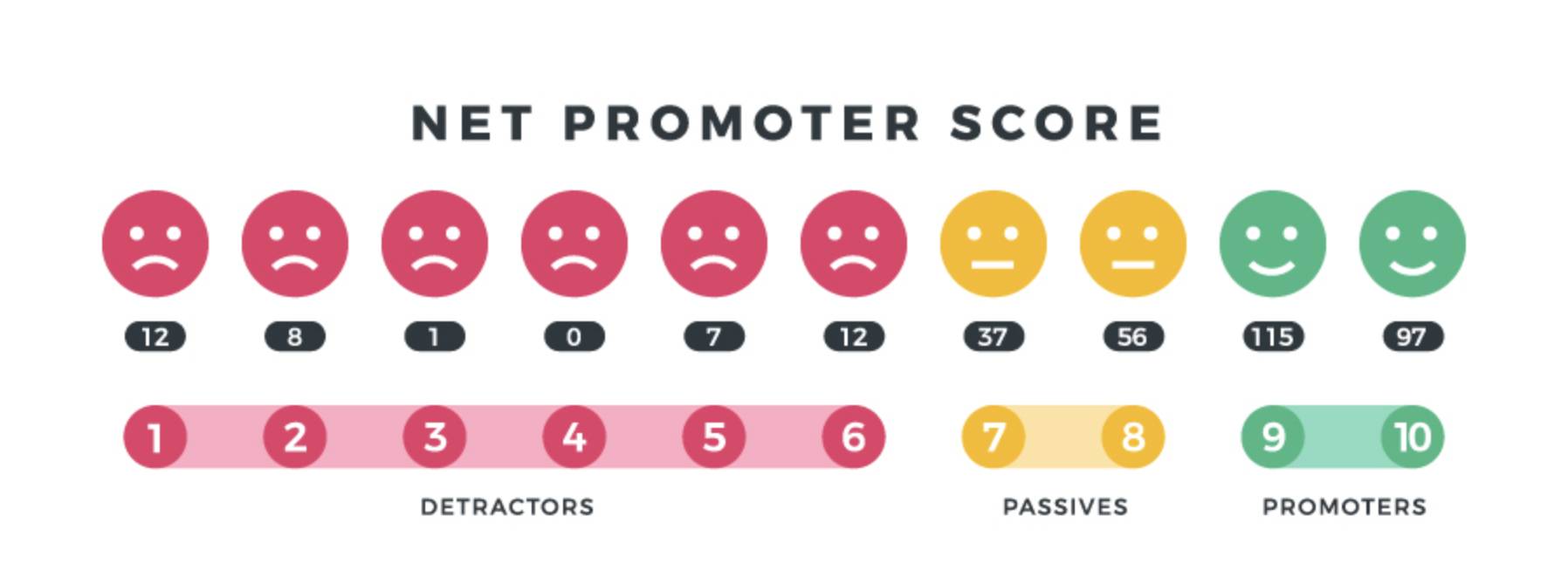
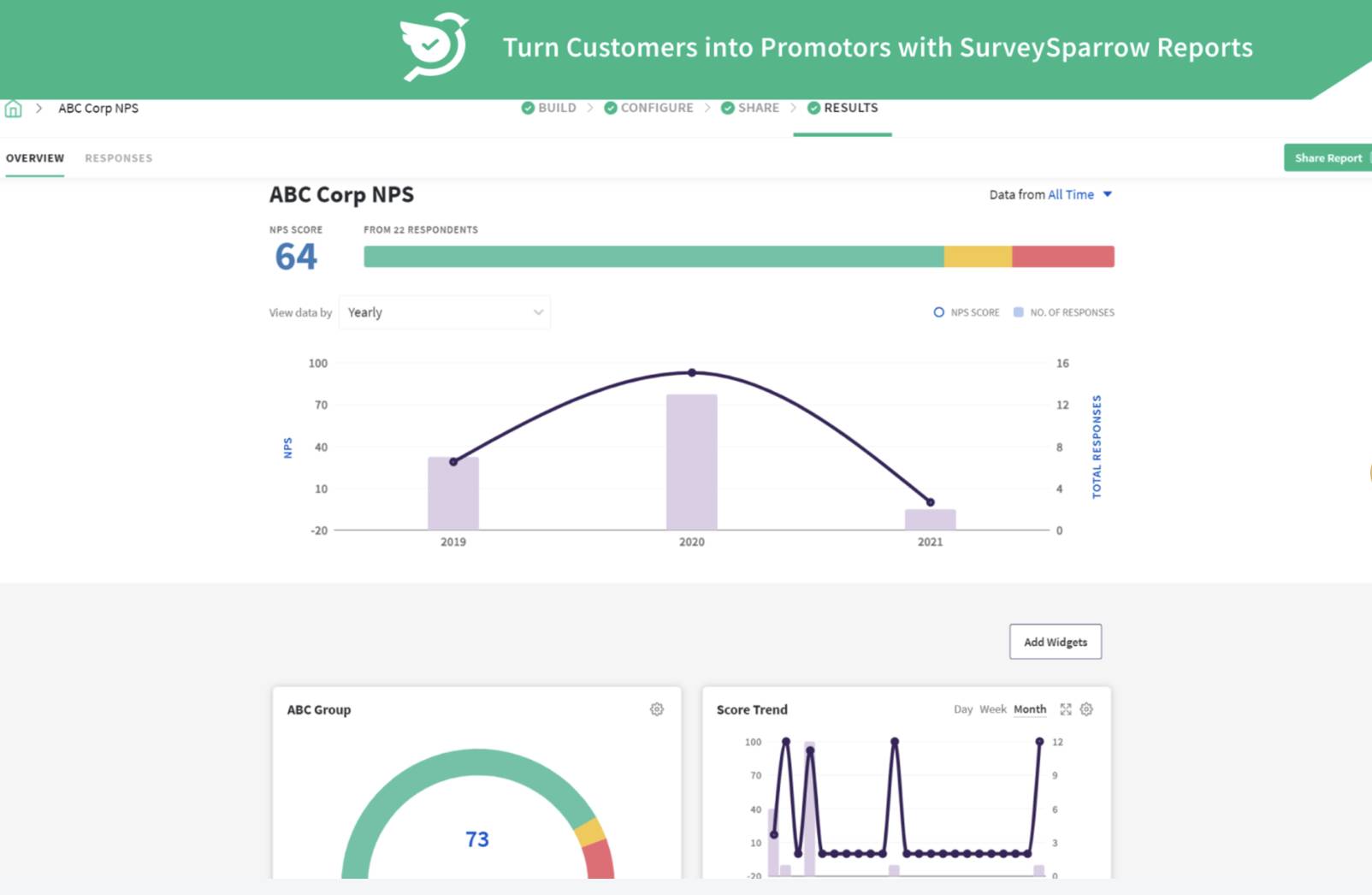
Net Promoter Score (NPS) is a widely used customer engagement metric that measures how likely customers are to recommend your business to others.

It’s based on a single survey question: “How likely are you to recommend us to a friend or colleague?” rated on a scale from 0 to 10.

  • Promoters (9–10): Loyal customers who are enthusiastic and likely to refer others

  • Passives (7–8): Satisfied but unenthusiastic customers who may switch to a competitor

  • Detractors (0–6): Unhappy customers who can damage your brand through negative word-of-mouth

Customer engagement metrics net promoter score

Your NPS is calculated by subtracting the percentage of detractors from the percentage of promoters. The score ranges from −100 to +100.

  • A score above 0 is considered good

  • Above 30 is strong

  • Anything over 50 is excellent

  • A negative score signals serious issues in customer satisfaction and loyalty

You can gather NPS data through email, in-app surveys and post-interaction feedback tracking and integrate it into your CRM to identify patterns and inform your customer engagement strategies.

Customer Satisfaction Score (CSAT): gauging service quality

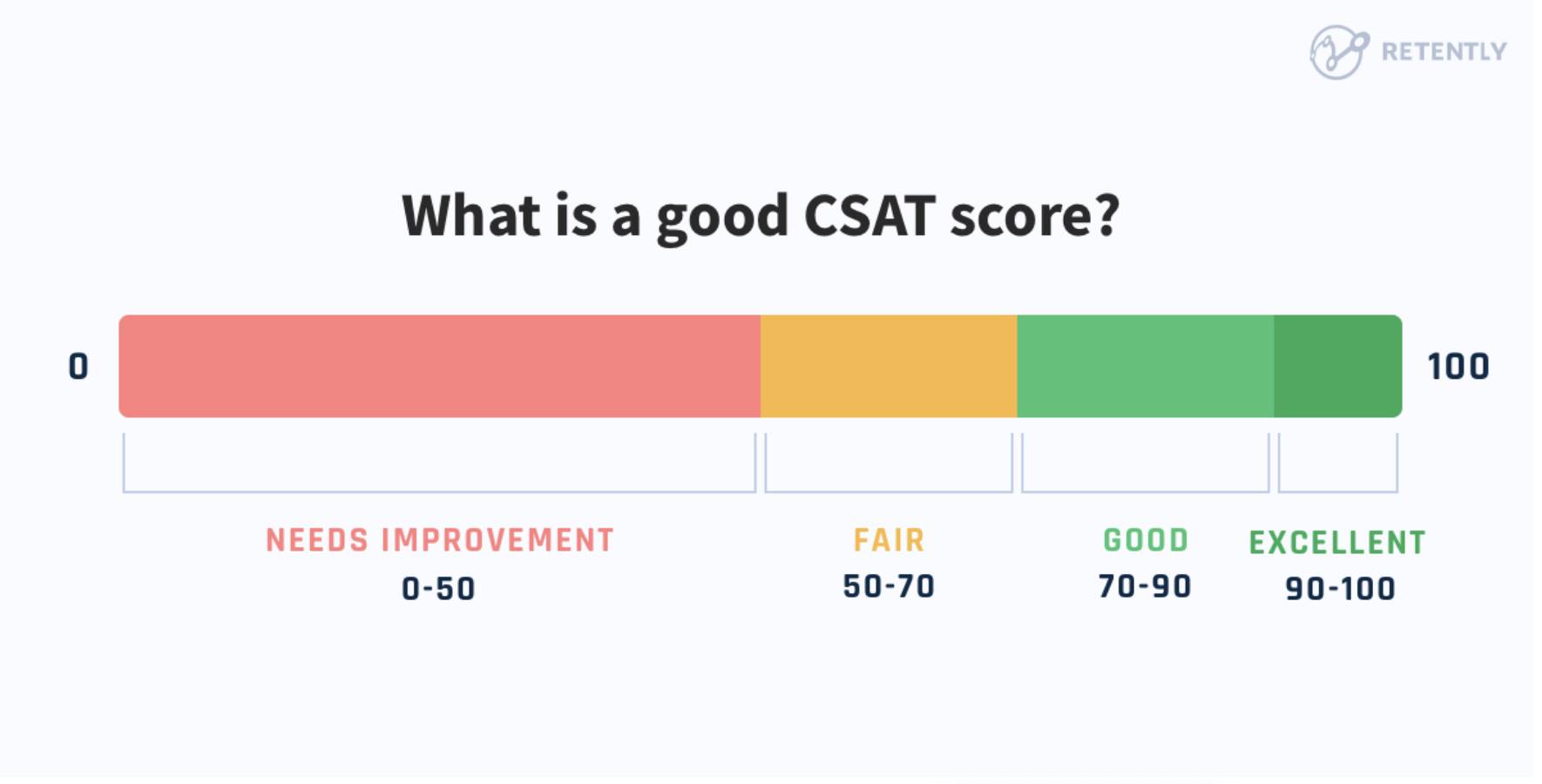
Customer Satisfaction Score (CSAT) measures how satisfied customers are with a specific interaction, product or experience. It’s one of the most straightforward ways to assess customer experience quality at key touchpoints like onboarding, support or post-purchase.

customer engagement metrics CSAT score

CSAT is typically collected by asking a simple question, such as: “How satisfied were you with your experience?”

Respondents rate their satisfaction on a scale from 1 to 5, where:

  • 1 = Very dissatisfied

  • 5 = Very satisfied

Your CSAT score is calculated by dividing the number of satisfied customers (those who select 4 or 5) by the total number of responses, then multiplying by 100 to get a percentage:

CSAT = (Number of satisfied customers ÷ Total responses) × 100

Let’s say after closing a support ticket, a SaaS company sends a short customer survey asking users to rate their satisfaction with the resolution.

If 80 out of 100 respondents select 4 or 5, the CSAT score would be 80%. If that score drops below 65% over a specific time period, it may signal a need to retrain reps or streamline response times.

Note: It’s important to track trends over time. Look for drops that align with onboarding, pricing and service delivery changes to help you understand what events affect customer satisfaction.

Customer Effort Score (CES): understanding ease of interaction

Customer Effort Score (CES) measures how easy or difficult it is for a customer to complete a specific task, such as resolving a support issue or navigating your website.

CES is a strong predictor of customer loyalty, as low effort often leads to higher customer retention and reduced churn rate.

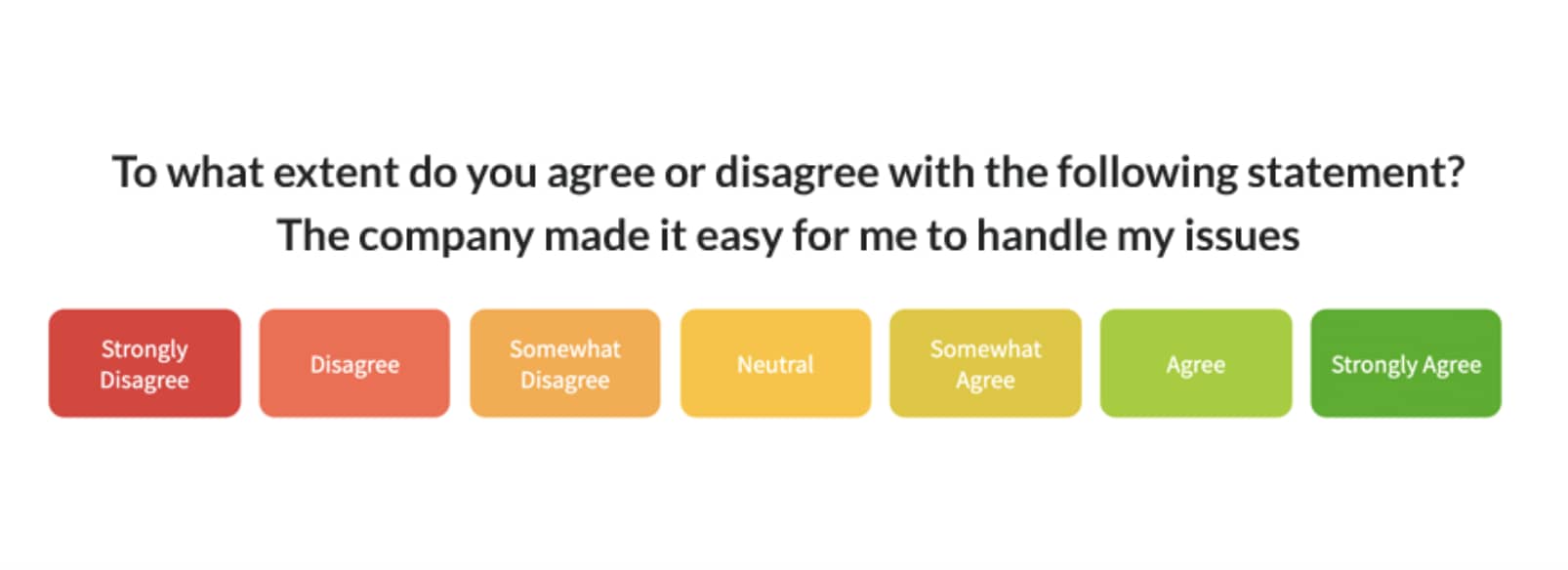
Customers typically respond to a question like the example below.

customer engagement metrics customer effort score CES

Customers rate their experience on a scale from 1 (very difficult) to 7 (very easy), though some companies use a 5-point or 10-point scale.

The score is usually reported as an average:

CES = Total score from all respondents ÷ Total number of responses

Low scores suggest friction in the process that could impact satisfaction and customer behavior.

For example, an e-commerce brand may send a CES survey after a customer completes a return. If customers consistently rate the process 3 or 4 out of 7, the business may need to simplify the returns page or reduce the required steps.

CES is most useful when analyzed alongside CSAT, NPS and qualitative customer feedback, helping you identify and remove barriers in the customer journey that affect conversion rate and user experience.

Content interaction metrics: measure pageviews, time-on-page and scroll depth

Content interaction metrics show how effectively your content keeps users engaged. These user engagement metrics help you understand whether people find value, stick around or drop off too quickly.

Common metrics include:

  • Pageviews. The total number of times a piece of content is loaded.

  • Average session duration. How long a user stays on your site or page during a visit.

  • Scroll depth. How far a user scrolls down the page (measured in percentages or pixels).

  • Bounce rate. The percentage of users who leave without taking action.

These metrics are typically tracked using tools like Google Analytics or in-app analytics platforms. They help marketing teams evaluate whether content aligns with user intent, supports marketing campaigns and improves the overall user experience.

For example, suppose a landing page for a SaaS product has a high pageview count but low scroll depth and average session duration. The disparity likely means the company’s target audience isn’t finding what they need, with user behavior indicating a mismatch in intent.

These numbers give more context than just the number of users, helping you understand user behavior and whether people consume your content as intended.

Channel performance metrics: track email open rates, CTR and social engagement

Channel performance metrics measure how effectively your marketing strategies attract new customers, nurture existing customers and drive conversion rate improvements.

These metrics focus on how audiences engage across key channels like email, social media and paid campaigns – providing insights into reach and relevance.

Key metrics to track include:

  • Email open rate. The percentage of recipients who open your email.

  • Click-through rate (CTR). The percentage of recipients who click a link in your message.

  • Social media engagement. Includes likes, shares, comments and clicks. High engagement suggests your content is resonating and building customer relationships.

With Campaigns, Pipedrive’s email marketing software, you can create, send and track email campaigns directly within your CRM. No third-party integrations needed.

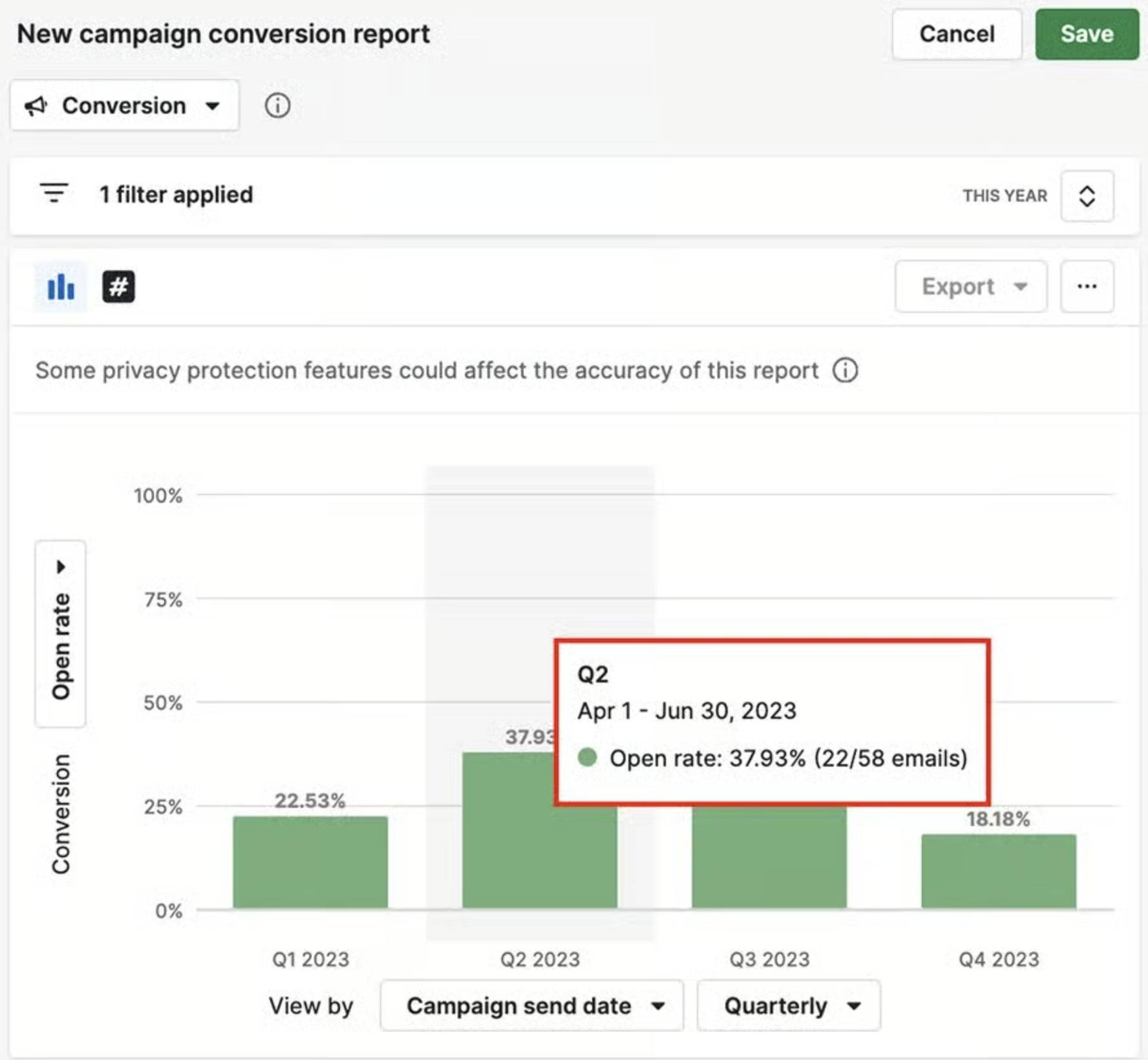
For example, you can run a campaign report to see a top-level view of performance over time.

customer engagement metrics Campaigns by Pipedrive report

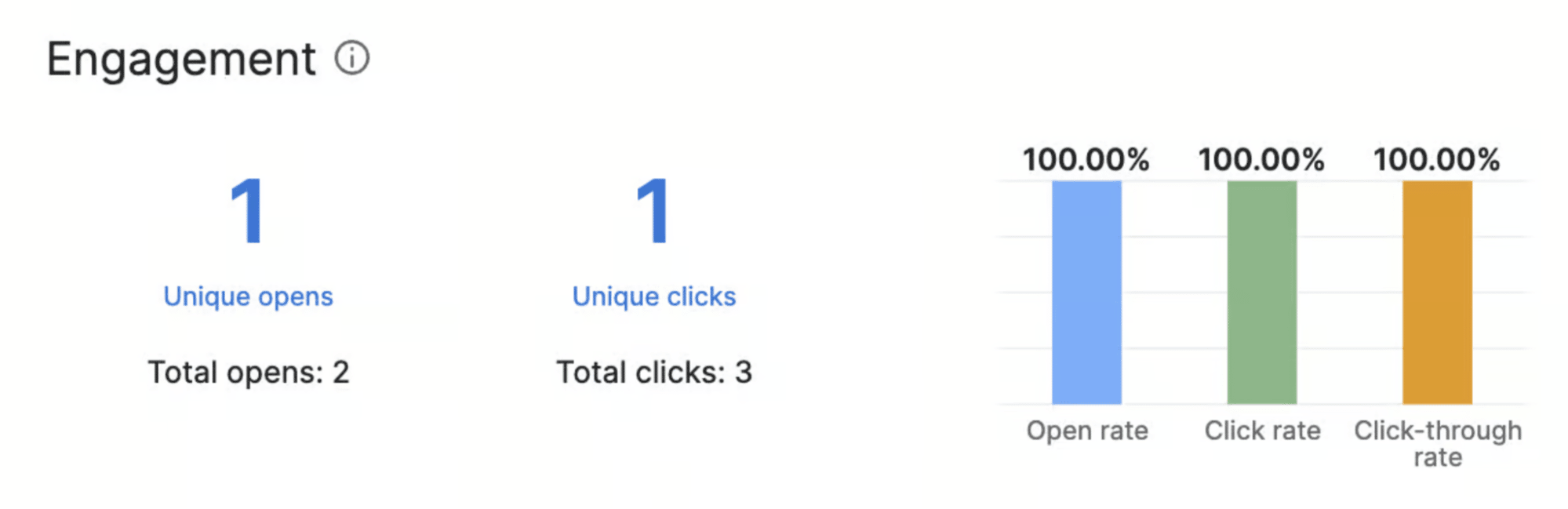
You can also get more granular by running reports on engagement to see unique/total opens, unique/total clicks and click-through rate.

customer engagement metrics Campaigns by Pipedrive engagement report

This level of detail makes it easy to see which messages resonate with new and existing customers, helping you decide how to increase customer engagement through personalized campaigns.

Recommended reading

https://www-cms.pipedriveassets.com/Customer-Service-management.jpg

Everything you need to know about customer service management

Important sales engagement metrics worth monitoring

Tracking customer engagement metrics is just one part of the equation. Just as important is tracking relevant sales engagement metrics.

Sales engagement metrics show where deals gain momentum and where they stall. Sales metrics also show which actions impact conversion rate, customer retention rate and long-term customer engagement management goals.

Luckily, Pipedrive makes it easy to track these sales metrics in one place. From monitoring lead response times to scoring engagement levels, you can see which activities drive results and adjust your approach in real time.

Lead response time

Lead response time is the average time your sales team takes to follow up with a new lead. The faster your team responds, the higher your chances of conversion. Research consistently shows that delays can sharply reduce the likelihood of making contact and qualifying leads.

One study from Lead Response Management found that companies responding within five minutes were 21 times more likely to convert leads than those waiting 30 minutes or longer.

customer engagement metrics lead response time

If two reps receive similar leads but one responds in 10 minutes and the other takes two days, the faster responder is far more likely to convert.

Especially in SaaS and e-commerce, where buyers expect immediate attention, being first to respond can be the difference between winning or losing a deal and increasing your number of customers over time.

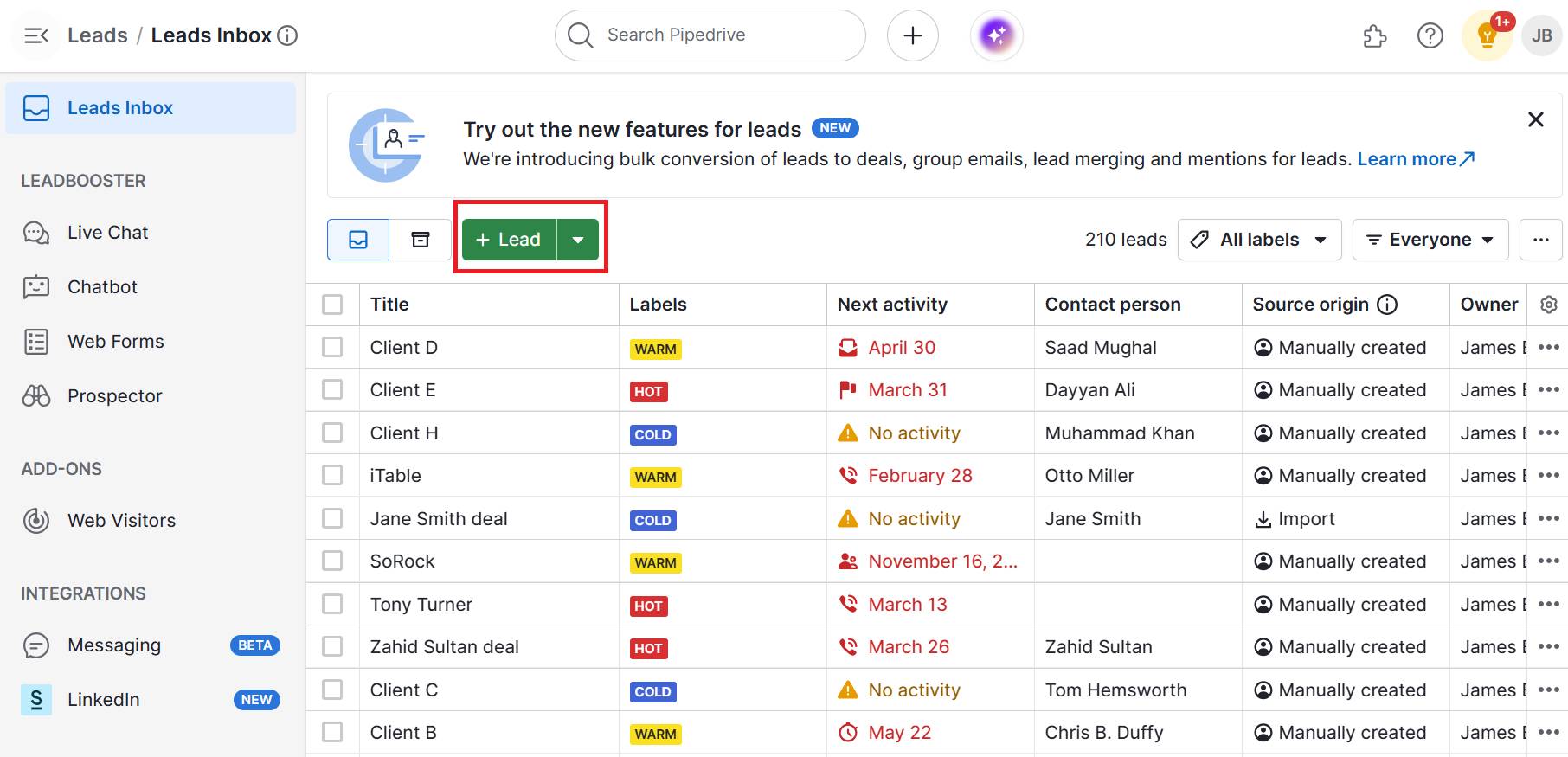
With Pipedrive’s Leads Inbox feature, incoming leads are automatically captured, organized and visible in one place.

customer engagement metrics Pipedrive's Lead Inbox

Keeping leads in one place enables your team to act on them quickly, keeping you within that crucial response window and maximizing your chance to convert.

Pipedrive in action: The Pitch (a UK-based design competition run by Inkwell) used Pipedrive’s Leads Inbox to cut response times dramatically and stay on top of thousands of entrepreneur applications. By centralizing leads, the team reduced admin work, improved follow-up consistency and ensured no opportunity slipped through the cracks.

Deal-to-close conversion rate

Deal-to-close conversion rate measures the percentage of deals in your pipeline that result in a successful close over a given period. It’s one of the most direct indicators of how effectively your team turns engaged prospects into paying customers.

A healthy conversion rate often means your engagement efforts (like timely follow-ups, personalized outreach and relevant content) resonate with prospects and guide them through the customer journey.

A low rate may suggest issues in sales messaging, qualification and later-stage engagement.

With Pipedrive’s pipeline management feature, you can see how many deals move from creation to closed-won, broken down by sales stage, rep or time period.

customer engagement metrics Pipedrive's pipeline management

Filtering by deal source also reveals which customer engagement marketing channels deliver the most engaged and highest-converting leads. Knowing this data will help you focus on areas that will reduce customer churn.

For example, if you created 80 deals last quarter and closed 20, your conversion rate is 25%.

Pipedrive in action: Wilderness International, a nonprofit dedicated to rainforest conservation, used Pipedrive’s pipeline management to improve visibility into its donor relationships and track every stage of the funding process. As Johann‑Georg Cyffka, Cooperation Lead, said:

“Thanks to Pipedrive, we no longer waste time trying to bring order to the chaos, but can seamlessly pick up where we left off with negotiations or the evolution of a partnership. This allows us to manage twice as many partnerships as before we started using Pipedrive. With the program, one team member can do the work of two – in the same amount of time!”

Using Pipedrive’s stage-by-stage reports, you might see that most drop-offs occur during the proposal stage, signaling a need to refine pricing discussions or follow-up timing.

Follow-up completion rate

Follow-up completion rate measures the percentage of scheduled outreach activities (e.g., calls, emails, meetings) that your sales team actually completes.

A strong follow-up rate helps maintain customer relationships, reinforce trust and move opportunities through the pipeline.

Missed follow-ups can lead to lower conversion rates, higher churn risk for existing customers and wasted marketing investment on leads that never get nurtured.

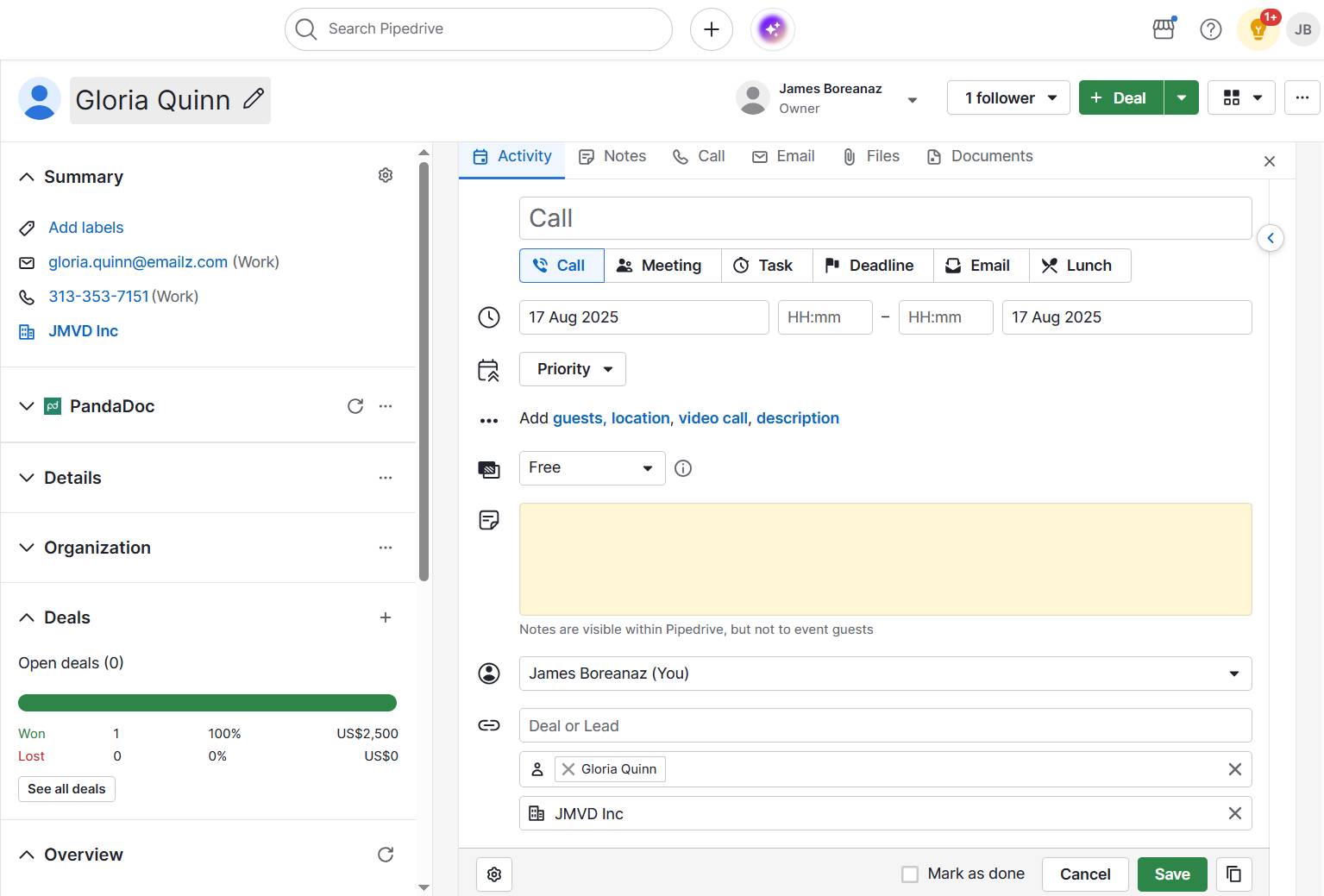
Pipedrive’s Activities feature lets you schedule, assign and track all sales communications in one place.

customer engagement metrics Pipedrive's Activities

With built-in reminders, reps know exactly when to make that next call or send a follow-up email.

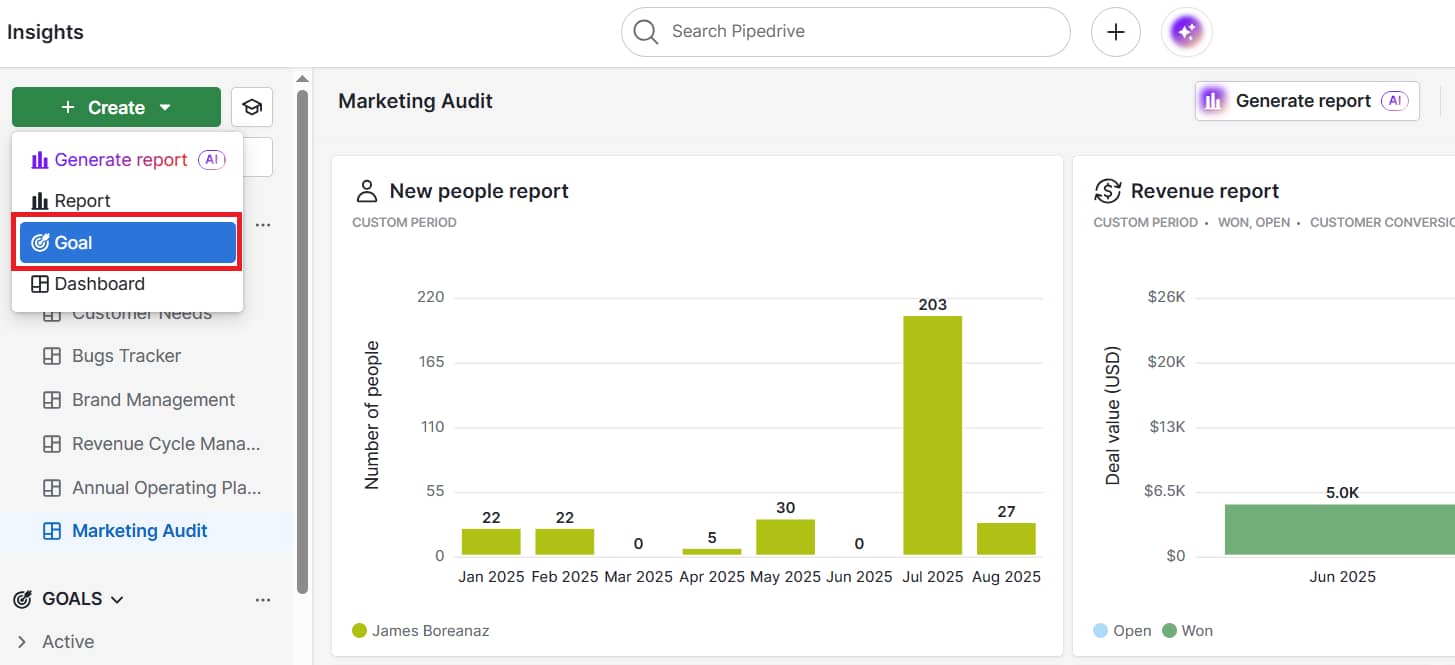
The Goals feature adds another layer by allowing managers to set completion targets and see real-time progress, ensuring follow-ups aren’t just planned, but completed.

customer engagement metrics Pipedrive creating goals

By consistently tracking these sales engagement metrics, you can see how well interest turns into action and where to fine-tune your approach.

How to measure and analyze customer engagement

Measuring customer engagement metrics is only valuable if you turn the data into action.

The goal is to link your KPIs to specific improvements across marketing, sales and customer success so every team works toward the same outcomes: better retention, higher satisfaction and stronger customer relationships.

Below is a streamlined process you can follow:

Step

What to do

1. Define clear objectives

Decide what to improve (e.g., retention, churn rate, referrals) and pick metrics that track it (NPS, CSAT, adoption rate).

2. Collect data from all touchpoints

Pull insights from web analytics, email CTR, in-app behavior and support logs into one CRM view.

3. Segment customers

Group by engagement level: promoters, passives or detractors. Tailor strategies for each.

4. Analyze trends vs. benchmarks

Compare current and historical metrics to spot drops in engagement, spikes in bounce rate and declines in repeat purchases.

5. Act on insights in real time

Make targeted changes, then monitor KPIs over time to see if they work.

Following this process keeps engagement tracking actionable, ensuring every metric you collect feeds into a customer engagement strategy that improves customer experience and drives long-term growth.

Best customer engagement software

Using the right tools ensures you can track, analyze and act on customer engagement data without guesswork. The most effective solutions combine marketing, sales and support insights so teams can see the full customer journey in one place.

CRM platforms: a central hub for customer data

A customer relationship management (CRM) platform is the foundation for tracking customer engagement metrics across interactions.

It stores every interaction in one record, from the first marketing email to post-sale support. This unified view makes measuring metrics like engagement rate, churn rate and customer lifetime value (CLV) easier.

Pipedrive, for example, offers built-in CRM features that let you monitor customer behavior in real time.

customer engagement metrics Pipedrive

You can organize leads, track calls and emails, schedule follow-ups and monitor deal progress in real time.

This approach removes silos and ensures your KPIs reflect the entire customer journey.

Analytics tools: measuring website and app interactions

Analytics tools measure user engagement metrics on your website or in-app environment. They track activity like page views, average session duration, scroll depth and click-through rate (CTR).

These insights help you understand which content or features keep customers engaged and which cause high bounce rates.

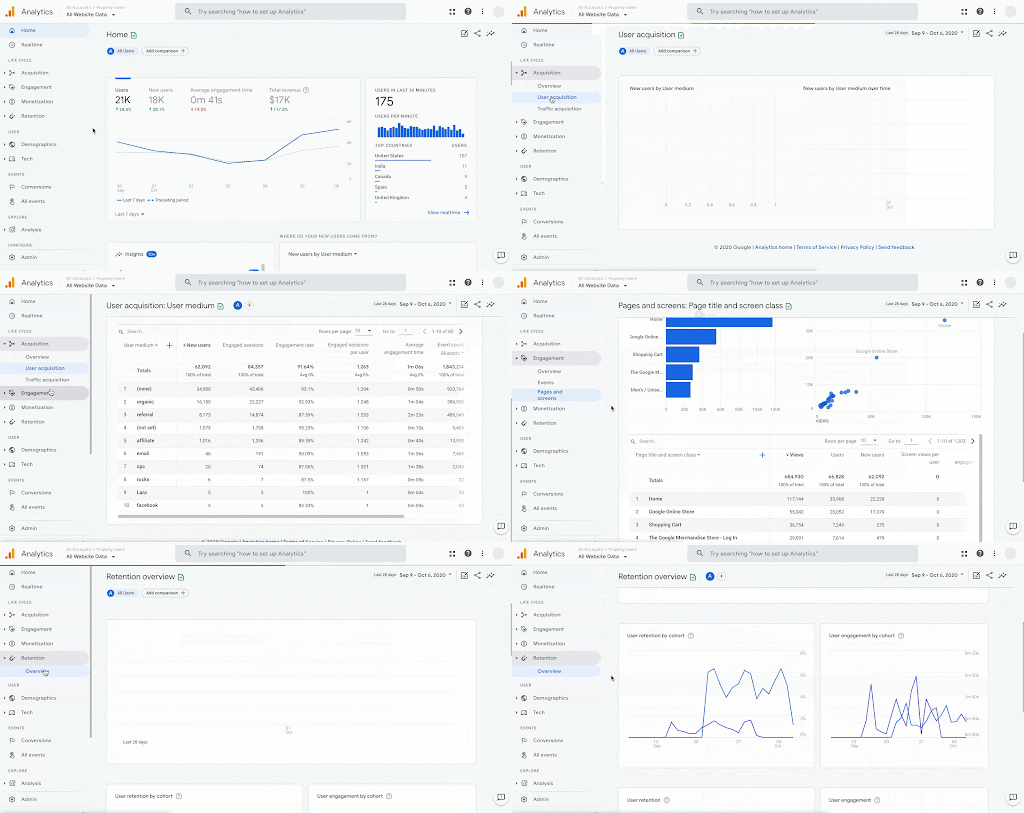
Google Analytics remains a leading choice, especially when paired with sales analytics to connect marketing activity with conversions.

Google analytics

For SaaS companies, tools like Mixpanel provide event-level tracking to see adoption rate over a specific period, helping you optimize product stickiness and reduce churn.

Survey and feedback tools: capturing sentiment directly

While behavioral data shows what customers do, survey tools reveal why they do it.

Platforms like Jotform and SurveySparrow, which both integrate with Pipedrive, allow you to measure NPS, CSAT and customer effort score (CES) with minimal friction.

customer engagement metrics SurveySparrow

Consistently gathering customer feedback uncovers hidden issues in user experience and validates your engagement strategies.

Linking survey results to your CRM ensures responses are tied to each customer record. You can compare sentiment metrics against performance indicators like repeat purchases or upsell rates.

Final thoughts

Tracking customer engagement metrics is about understanding what drives loyalty, satisfaction and long-term growth.

By measuring the right KPIs, you can spot trends early, act on insights in real time and create experiences that keep customers coming back.

The Essential Guide to Empathic Communication

Software Stack Editor · August 25, 2025 ·

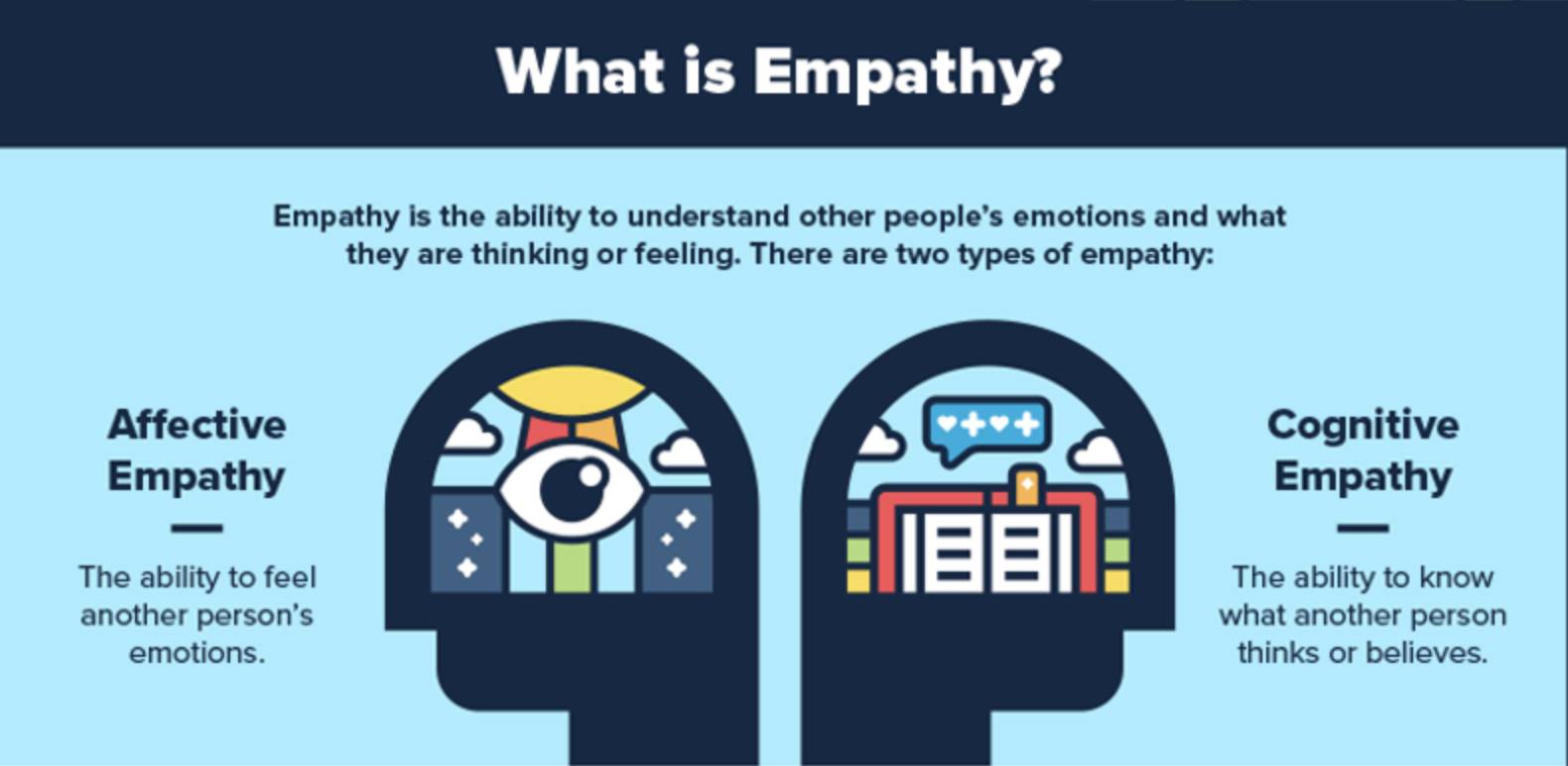
Empathic communication fosters trust, strengthens relationships and improves professional outcomes. If you want to connect with others more meaningfully in a professional setting, this guide will help.

You’ll discover what empathic communication means and why it matters. You’ll also learn practical strategies for communicating with empathy.

Key takeaways for empathic communication

  • Empathic communication involves actively listening to understand others’ feelings and unique perspectives.

  • It’s beneficial to effective communication in professional settings, helping you avoid misunderstandings, make strong decisions and build team relationships.

  • Take four steps to build your skills in empathic listening in the workplace.

  • Pipedrive centralizes data from customer communication to team performance to give you context for thoughtful workplace conversations – try it free today.

What is empathic communication?

Empathic communication is about understanding different perspectives and acknowledging other people’s feelings during interactions.

If you’ve ever wondered, “What is empathy in communication?”, think of it as recognizing and responding to another person’s feelings while staying mindful of your own.

Empathic communication combines several important skills to show genuine care in your customer interactions. These skills include:

  • Using clear, purposeful language

  • Listening actively

  • Having emotional awareness

Empathy is the cornerstone of effective communication in professional settings. It creates confidence, supports teamwork and strengthens relationships.

Empathic communication links closely to two core skills: emotional intelligence and self-awareness.

Note: Emotional awareness involves recognizing and understanding your emotions and those of others. Self-awareness is noticing your response to different situations and adapting your communication style for the best outcome.

Two types of empathy shape how we communicate:

  • Cognitive empathy involves understanding another person’s thoughts, perspective or reasoning. Cognitive empathy helps you grasp what someone is trying to achieve or explain, even if you don’t agree.

  • Emotional empathy involves appreciating how another person might be feeling in an interaction. Understanding a customer, colleague or patient’s emotions can help you build trust and rapport as the conversation unfolds.

What is Empathy? Cognitive empathy and emotional empathy

In practice, effective empathic communication blends cognitive and emotional empathy. It’s about recognizing what the other person is thinking and feeling and responding with kindness and clarity.

Note: Empathic communication is sometimes called “empathetic communication”. You can use the phrases interchangeably. In this article, we’ll use “empathic communication”.

How communicating with empathy improves professional outcomes

Communicating with empathy influences three core business areas:

  1. Sales results and customer relationships. When people feel seen and heard, they want to work with you. By helping you understand your customers and patients, empathic communication lays the foundation for lasting relationships, supporting customer retention, sales referrals and customer loyalty.

  2. Internal well-being and culture. Treating employees with empathy can support their work-life balance and, in turn, their mental health. Team members feel able to share their concerns and ask for help. This sense of psychological safety can lead to faster problem-solving and higher levels of employee engagement.

  3. Strategic decision-making. High-pressure interactions can benefit from empathic communication. Fostering compassion and clarity helps build mutual understanding in these high-stakes moments. As a result, you can reach well-informed decisions that improve long-term outcomes.

We’ve explored how empathic communication can shape relationships, performance and future success. Now let’s see what communicating with empathy looks like in professional settings.

Recommended reading

https://www-cms.pipedriveassets.com/Emotional-Selling.png

How to build stronger connections with emotional selling

Examples of empathic communication in action

Business settings offer countless opportunities to communicate with empathy, whether in person, over the phone or online. Here are some of the most common scenarios, along with some phrases to try in your interactions.

In conversations with customers or patients

Empathy is a powerful tool for uncovering needs, easing concerns and building a sense of partnership with customers or patients.

A sales rep could acknowledge a prospect’s frustration about price and highlight how a product would address their pain points. As a result, the prospect may feel more confident in moving to the next stage of the sales process.

A clinician could listen to a patient’s concerns and propose a care plan that reflects their perspective. By respecting the patient’s feelings, the clinician may encourage them to engage more in their treatment.

Helpful phrases might include:

“I understand this price feels higher than you expected. Let’s review what’s included so you can judge the value”.

“It sounds like we didn’t address your concerns last time. I want to make sure your perspective guides our next step”.

“From your point of view, what would make this consultation feel more useful today?”

With empathic communication, moments of doubt or frustration become opportunities to strengthen relationships.

Want to Learn How to Influence Your Prospect’s Buying Decisions?

Get inside the head of your customers and take advantage of consumer psychology with this Psychological Selling Guide.

In team management settings

Empathy also plays a crucial role in managing people and supporting team performance.

It allows managers to deliver constructive feedback without hurting team morale. As a result, reps are more likely to remain motivated and committed to meeting their targets.

A leader could address tensions with colleagues by acknowledging shared challenges and suggesting collaborative solutions. As a result, the team may work together more effectively and maintain consistent customer service.

Helpful phrases might include:

“You’ve put in real effort. Let’s look at what worked and where we can adjust next week”.

“I hear there’s strain on the team right now. Let’s agree on one change we can try first”.

“It sounds like this situation is weighing on you. What support would help you show up at your best?”

When you approach tough management situations with empathy, you can strengthen relationships and keep teams engaged.

In leadership and C-suite settings

The importance of empathy extends to the highest levels of an organization.

A sales leader could show they understand each team’s strategic business goals when discussing budget priorities. Their peers may be more willing to compromise and align on the final allocation.

A clinician in a leadership role could connect a funding request to organizational values. Decision-makers may be more likely to approve the proposal as a result.

Helpful phrases might include:

“I understand this change feels risky. Let’s compare the benefits and tradeoffs before we decide”.

“It sounds like other priorities are pressing. How can we align this request with the strategy we set last quarter?”

“From the patient’s perspective, a small investment here could remove a big barrier to care”.

Now that we’ve seen what empathic communication looks like, let’s examine a practical framework for approaching it.

Recommended reading

https://www-cms.pipedriveassets.com/Sales-EQ.jpg

A guide to sales EQ: How to use emotional intelligence in sales

Empathic communication: a 4-step framework

While there are many ways to communicate with empathy, this four-step approach can help you stay consistent.

1. Listen with full attention

Fully focus and reflect to understand the different perspectives and build a connection.

2. Validate the other person’s feelings

Acknowledge the other person’s emotions respectfully.

3. Express empathy through words and tone

Use sincere language and a tone that aligns with the other person’s feelings.

4. Respond with clarity and care

Balance empathy with realistic solutions; be transparent to strengthen patient and customer trust.

These communication strategies work across customer and patient interactions, team discussions and leadership settings, both in person and online. Let’s examine each step of the framework in detail.

1. Listen with full attention

Giving someone your full attention paves the way for an open and honest conversation. It means focusing on what they’re saying, how they’re saying it and what they may be leaving unsaid.

Examples:

In small business sales, a salesperson hears a prospect say, “The tool is fine”, but they pause before “fine”. The sales rep follows up with, “It sounds like there might be something that’s not working as well as you’d like. What’s on your mind?”

In healthcare, a clinician hears a patient downplay their pain but notices them wince when they move their joint. The clinician says, “I noticed that movement seemed uncomfortable. Can you tell me more about where it hurts?”

Once you’ve listened fully, you can move on to validating the other person’s feelings to show you understand and respect their perspective.

2. Validate the other person’s feelings

Treating the other person as a human being is central to empathic communication. An important part of this is validation – acknowledging someone’s experience and emotions, even if you disagree with their point of view.

Validation involves showing that you understand the other person’s feelings and why they might feel that way. You can tie your response to their emotions, their perspective or areas of common ground.

Examples:

A project manager notices a team member feeling overwhelmed by deadlines and says, “It makes sense you’re feeling stressed with so many moving parts right now”.

A sales rep hears a prospect express concern about switching software and says, “I understand this is a big shift for your team after years on the same system”.

Once the other person feels understood, you can focus on expressing that empathy clearly in your words and tone.

3. Express empathy through words and tone

How you say something is just as important as what you say. Using both language and tone to reflect your understanding can help build trust and strengthen connections.

Choose words that show you’re listening and avoid language that could sound dismissive or rushed. For example, instead of saying, “You should just go with this product”, you could say, “Let me walk you through how this solution could meet your needs so you can make the best decision”.

Your tone of voice should match your message and be calm, measured and friendly. Non-verbal cues, like nodding or leaning in slightly, can help reinforce your words and tone.

Adjust your communication style to each person and situation. You might need to be formal in a board meeting or more relaxed in a conversation with a long-term colleague.

Examples:

While discussing a project, a manager notices a team member looking frustrated and says, in a warm tone, “It seems like this project has been challenging for you. I’d like to hear more about your experience”.

A sales rep notices a prospect’s hesitation during a demo and says, in a calm tone, “It seems like you might have some concerns about this feature. I’d like to understand those better”.

This email from the mental app Headspace demonstrates how a company can express empathy through its language and tone.

Empathic communication Headspace email example

Although the primary purpose of the communication is to promote a webinar, the company takes the time to acknowledge how customers might feel when they open the email. As a result, readers feel heard, seen and valued and may be more likely to take action.

After expressing empathy through words and tone, the next step in the framework is to turn the understanding you’ve demonstrated into a constructive, clear response.

4. Respond with clarity and care

Empathy is most effective when paired with a clear plan or next step. Aim to balance compassion with problem-solving by offering realistic and achievable solutions.

To set clear expectations and prevent misunderstanding, be transparent about what you can and can’t do. Make it clear that you’ve listened and understood, and now you’re taking action that respects their needs.

Explain how the plan supports the other person’s goals. For example:

  • In sales communication, link the plan to the outcome the customer cares about most

  • In project management, connect it to meeting deadlines and keeping the team on track

  • In customer service management, link the plan to resolving the client’s issue efficiently while delivering a positive experience

  • In social media management, connect it to the other person’s concern and clearly explain the steps you’ll take to resolve their issue online

In healthcare, link the plan to the delivery of patient care or to creating a positive patient experience.

Examples:

A sales rep learns a prospect is worried about the onboarding process and says, “Our team can provide hands-on support during the first month, so your staff will feel confident quickly”.

After hearing that team members have concerns about workload, a team lead says, “Here’s how we can redistribute tasks to make the deadlines more manageable while still meeting our goals”.

Moving through these four steps can help you strengthen customer, colleague or patient relationships in every interaction.

How to develop your empathic communication skills

Communicating with empathy consistently takes intentional effort and practice. These tips will help you develop your skills over time.

Listen carefully and ask thoughtful questions

Listening and questioning are at the heart of empathic communication. By listening carefully and asking thoughtful questions, you can show you value the other person’s perspective.

Two main types of listening skills support empathic communication:

  1. Active listening means focusing fully on the speaker. Avoid interrupting or preparing your response while they’re still talking.

  2. Reflective listening involves repeating key points in your own words to show you understand.

Active and reflective listening both show the other person you’re genuinely engaged in the conversation. This reassurance makes them more likely to share important details, which helps you respond in a way that meets their needs.

Asking thoughtful questions encourages deeper sharing and helps you uncover the real issues or needs. Ask clarifying questions that demonstrate genuine care and interest.

For example, instead of saying “I know how you feel”, try “That sounds frustrating. Tell me more”. This approach shows you care without making assumptions about their experience.

Seal More Deals With Your Free Sales Communication Handbook

Learn to master your sales conversations with this 25 page ebook. Expect expert advice to help you level-up your soft skills and pump up your conversion rates.

Pay attention to non-verbal cues

Non-verbal communication, like body language, often reveals far more than words alone. Noticing these signs provides another opportunity to show you care about the other person’s perspective.

Important non-verbal cues can differ depending on the nature of the interaction:

In face-to-face conversations

Look for changes in facial expression, posture, gestures or eye contact.

In remote or virtual interactions

Notice tone of voice, pauses before speaking or shifts in facial expression on video.

In written communication

Look for changes in tone, unusually short or abrupt responses or a lack of the usual warmth.

Some of these cues may signal that the other person is unhappy, frustrated, worried or doubtful. Sometimes it’s enough to notice them and adjust your approach, such as slowing the pace of the conversation or giving the customer or patient more space to respond.

If you’re confident the cues indicate something is wrong, consider acknowledging this verbally. For example, you could say, “It sounds like this is a tough spot for you”.

Taking this step can help identify issues before they grow into problems. It can also strengthen trust by showing you’re not just paying attention to the other person’s words.

Validate emotions before solving problems

Jumping straight into solutions can make people feel overlooked. Exploring their perspective and validating their emotions builds the trust you need to move forward together.

Before offering solutions, name what you see and hear without judgment. For example, “It sounds like you’re disappointed” acknowledges feelings openly. Taking this step often helps people feel heard and respected.

With their feelings validated, the other person is more likely to be open to collaborating with you on problem-solving strategies for the rest of the discussion.

Note: Validating another person’s perspective doesn’t mean you agree with it. Validation means recognizing their perspective and emotions respectfully and compassionately.

Practice self-awareness

Self-awareness helps you use empathy more consistently. It means noticing how your words, tone and reactions affect others during and after a conversation.

After each interaction, take a few minutes to think about what happened:

  • Did you listen carefully or rush to fix the problem?

  • Did the other person feel understood?

  • Was there anything you said or did that might have been taken in a way you did not intend?

As you consider these questions, pay attention to your emotional “triggers”. These are situations or behaviors that make you more likely to react quickly or lose patience.

For example, if you feel annoyed when someone questions your expertise, you might respond abruptly or defensively. Noticing this pattern allows you to pause, take a breath and respond more constructively next time.

The more you understand your reactions, the easier it is to adjust in the moment. Being able to adapt can make your conversations more positive and help others see you as open, respectful and willing to adapt.

Recommended reading

https://www-cms.pipedriveassets.com/Building-a-Sales-Team.png

Building a sales team: How to set your group up for success

How Pipedrive supports empathic communication in professional settings

In any business setting, success often depends on communicating with empathy. Here’s how Pipedrive’s CRM can make a difference.

Helping sales teams communicate with customers

Pipedrive allows sales teams to infuse their business development activities with the human touch – a core component of empathic communication.

In Pipedrive’s sales CRM, salespeople can quickly access the customer data they need during a call or meeting. Instant data retrieval helps them respond in ways that reflect the customer’s unique context, providing a positive customer experience.

Reps can also use the Notes feature to share key details from a sales call with colleagues. This activity informs the team about customer preferences and pain points, allowing everyone to communicate empathically and close more deals.

Empathic communication Pipedrive Notes feature

Pipedrive’s integrated prospecting tools pull in useful data about customers, like job changes or leadership shifts, helping reps show empathy when approaching conversations with prospects.

For example, if a prospect has recently changed jobs, a rep can open with congratulations before discussing business needs. This approach demonstrates they see the other person as a human being, not just another prospect.

Download Your Guide to Sales Performance Measurement

The must-read guide for any sales manager trying to track, forecast and minimize risk. Learn how to scale sales with data-backed decisions.

Helping sales leaders coach reps and manage performance

Pipedrive offers features to help leaders take an empathic approach to managing sales teams and improving sales performance.

The software’s reports and insights functionality provides custom reports and dashboards highlighting where reps excel and where they may need extra support, like sales coaching. This data-driven approach empowers managers to model empathy as a core sales skill.

Empathic communication Pipedrive Insights report

Pipedrive’s Teams and team goal-setting features make it simple for managers to set clear expectations and recognize progress, creating a supportive performance management culture in which reps feel valued.

Supporting healthcare workflow automation

Pipedrive’s healthcare workflow automation keeps small clinics organized, freeing more time for meaningful patient communication.

By automating lead capture, referral tracking and outreach, providers can respond promptly to new opportunities, maintain regular contact with partners and follow up consistently with patients.

Pipedrive in action: In Europe, Eye Hospital Denmark used Pipedrive’s custom automations to improve patient services and halve the number of appointment no-shows.

Meanwhile, Italian health tech company Serenis used Pipedrive to build a single recruitment pipeline, saving three hours a week.

Automation in healthcare can create more space for meaningful conversations, helping providers focus on understanding and supporting patients. By reducing admin work, clinics can invest more time in building trust and delivering care with empathy.

Disclaimer: In the US, handling protected health information requires HIPAA compliance. Pipedrive isn’t a healthcare CRM and is not HIPAA compliant. You shouldn’t put patient names, medical history or other sensitive data into the system.

Final thoughts

Communicating with empathy can lead to better outcomes in any professional setting. Empathic communication strengthens relationships with customers and patients. It also improves team collaboration and supports effective performance management.

A CRM like Pipedrive gives managers, reps and clinicians the context they need to communicate with both empathy and clarity. Start your free 14-day trial of Pipedrive today.

Influencer Marketing Guide | Guide to SaaS Influencer Marketing

Software Stack Editor · August 25, 2025 ·

Influencer marketing continues to evolve as one of the most impactful strategies for brand visibility, social proof and revenue growth. For startups and SaaS companies especially, it offers a powerful way to build trust, enter new markets and engage niche audiences without the upfront costs of traditional advertising.

This influencer marketing guide provides comprehensive information for small businesses and SaaS brands, including tips on finding suitable influencers, setting up collaborations and evaluating return on investment.

Key takeaways from the influencer marketing guide

  • Influencer marketing builds trust and boosts brand visibility through relatable content, such as tutorials, reviews or demos that feel authentic to the audience.

  • Smaller creators often drive stronger engagement, especially in niche or B2B segments.

  • SaaS brands benefit from in-depth demos and use case content that explains the real value of the product.

  • Pipedrive helps you track influencer outreach, manage campaigns and measure impact. Find out how Pipedrive can streamline your strategy with a free 14-day trial.

What is influencer marketing?

Influencer marketing is when brands partner with individuals who have built trust and reach in a specific niche. These influencers, from creators to industry experts, promote a product or service through content like tutorials, reviews, testimonials or co-branded posts.

Unlike conventional advertising, influencer marketing leverages trust and relatability. Audiences view influencers as peers or authorities, making their endorsements more authentic and persuasive.

For SaaS companies, influencer marketing can take the form of demo videos, feature reviews, tutorials or platform walkthroughs. For businesses selling a product, it often involves product placements, unboxings or lifestyle posts that naturally fit into the influencer’s content stream.

Note: According to Linqia’s 2025 State of Influencer Marketing Report, for 35% of respondents, influencer marketing makes up more than 25% of their total marketing budgets, underscoring its growing role in driving both revenue and sales.

How Pipedrive’s affiliate team uses automations to reduce manual tasks and improve efficiency

Pipedrive’s affiliate team streamlined its programme by automating workflows and integrating PartnerStack, resulting in an 80% reduction in repetitive administrative work.

These automations allowed the team to focus on what matters most – building and managing stronger affiliate relationships at scale. Additionally, CRM automations helped create a seamless onboarding and communication process.

As a result, monthly affiliate applications increased from around 40 to nearly 90, without the need to add extra headcount. Pipedrive’s integration capabilities also enabled the team to centralise communication and track performance with ease, making it simpler to measure ROI and act on insights promptly.

Recommended reading

ROI Calculator | Return on Investment Calculator

Read the full Pipedrive affiliate case study to see how the team achieved sustainable growth without expanding the team.

Why is influencer marketing important

Influencer marketing delivers results across the funnel, from raising awareness to driving revenue.

According to Influencer Marketing Hub’s 2024 Benchmark Report, the industry is projected to reach a market value of $32.55 billion by the end of 2025, up from $24 billion in 2024. This demonstrates explosive growth and businesses’ growing confidence in the channel.

Influencer marketing works because influencers earn trust from their followers. Rather than sharing advertisements, their suggestions feel real and convincing because they share content regularly.

Marketers need to build digital relationships and reputation before closing a sale.

Chris BroganCEO, Owner Media Group

Smaller influencers, who have followers with specific interests, can help reach local or niche markets. This is particularly beneficial for businesses that sell specialized software or B2B tools.

In the world of SaaS, influencers can make even the most intricate platforms relatable by showcasing practical uses, effectively connecting the dots between features and benefits.

Recommended reading

https://www-cms.pipedriveassets.com/Email-Marketing-Bloggers.png

15 email marketing bloggers to follow to boost your campaigns

How to get started with influencer marketing

An effective influencer strategy begins with clear objectives, the right partnerships and a way to measure performance. Here are five steps to guide you in the right direction.

1. Define goals and audience

To begin with, establish a definitive campaign objective, such as lead generation, brand recognition, app acquisition or enhancing onboarding processes. The objective will dictate the selection of suitable influencers, the type of content they produce and the performance metrics that will be prioritized.

Defining your target audience is a crucial step in achieving success. It is imperative to carefully consider their media consumption habits and online preferences.

Additionally, identifying influencers who already possess a strong presence within these communities is highly advantageous.

For SaaS brands, creators specializing in technology, productivity or industry-specific verticals have been proven to yield particularly impactful results.

According to Sprout Social’s Pulse Survey 2024, 92% of marketers say creator-led content outperforms content posted on brand-owned channels, with 83% linking it directly to stronger conversions, highlighting its strategic value for SaaS.

Recommended reading

https://www-cms.pipedriveassets.com/Best-KPI-software-to-track-performance-in-2025.png

13 best KPI software and reporting tools (and how to choose the right one)

2. Identify the right influencers

Not all influencers deliver the same value. Prioritize relevance and engagement over pure follower count. Look for influencers who consistently interact with their audience and whose tone aligns with your brand.

Micro-influencers (10–50k followers) and nano-influencers (under 10k) regularly outperform larger creators on both engagement and cost.

On TikTok, for example, Grin reports that nano-influencers achieve engagement rates of around 18%, showcasing just how powerful smaller voices can be in short-form video campaigns.

For SaaS brands, B2B creators and LinkedIn influencers can provide more credibility and reach within the right professional circles.

3. Choose the right platform

Consider your audience’s habits when determining where to focus your influencer efforts. If your product relies heavily on captivating visuals or appeals to a particular lifestyle, Instagram would be a great platform to utilize.

For SaaS or tools that benefit from explanation, YouTube is ideal for tutorials, demos and in-depth reviews. TikTok, with its short and fast-paced content, is best for building brand awareness and showcasing creative narratives.

LinkedIn is especially valuable for thought leadership and professional reach. Meanwhile, podcasts and newsletters offer more in-depth opportunities to build trust, ideal for long-form storytelling or niche audiences.

4. Create a compelling offer

To attract and keep great influencers, offer genuine value. Offers might include affiliate commissions, fixed payments, early access to your product, special features or the chance to collaborate on branded content.

Provide a clear brief, creative assets and usage guidelines to make it easy to collaborate, but leave room for the creator’s voice. Content that feels natural and personal tends to perform best.

Recommended reading

https://www-cms.pipedriveassets.com/Creative-brief-guide.png

How to write an effective creative brief (with free template)

5. Track and measure results

To understand what’s working, implement tracking from the start. Use UTM parameters, custom landing pages or promo codes to connect influencer content to real outcomes. For SaaS campaigns, focus on performance metrics like sign-ups, demo requests, qualified leads and revenue.

Use tools or even UTM tracking within Pipedrive to monitor campaign performance, manage relationships and scale what’s working.

When influencer campaigns are tracked and aligned with business outcomes, they become repeatable growth drivers.

How is influencer marketing different from traditional marketing?

Influencer marketing in SaaS goes beyond awareness. It’s about explaining value, building trust and helping potential buyers understand how a tool fits into their workflow.

Successful SaaS influencers understand the tools they’re promoting. They can explain how a product works, why it matters and how it solves real pain points for specific industries or roles.

The ability to translate features into outcomes builds credibility with professional buyers who are making considered decisions based on return on investment (ROI), efficiency and product fit.

Content that works in this space tends to focus on real-world applications. Influencers walk through products in detail, show how they use them in their own workflows and share insights from founders or users to strengthen credibility. Some go further, comparing platforms to alternatives to help audiences evaluate their options.

SaaS purchases often involve longer sales cycles, the kind of influencer content plays a critical role in guiding research and building trust. It’s most effective when the creator is already immersed in conversations around productivity, industry tools or business strategy.

Tools to help run influencer campaigns

These tools can help manage influencer outreach, compliance and performance tracking.

Tool

Primary Features

Pipedrive

Track influencer outreach in a visual pipeline, set tasks, automate follow-ups and monitor conversions with campaign tags or deals.

Aspire

Influencer discovery, outreach templates, campaign tracking and reporting.

BuzzSumo

Identifies top content and authors in your industry, useful for finding topic influencers.

Refersion

Great for affiliate-based influencer models. Provides link tracking and payout tools.

Core key performance indicators (KPIs) for influencer marketing

To understand what’s working, influencer marketing efforts should be measured against clear performance goals. Here are some key metrics worth tracking:

  • Engagement rate. Shows how much the audience is interacting with influencer content: likes, shares and comments. It’s a strong indicator of relevance and connection, especially when working with smaller creators. Engagement score metrics help businesses measure how involved and committed leads and customers are.

  • Click-through rate (CTR). CTR reflects the percentage of viewers who clicked a link in the influencer’s post. It’s useful for measuring interest and intent, especially in SaaS campaigns that drive traffic to a demo or signup page.

  • Conversion rate. Tracks how many people complete a desired action after clicking, such as creating an account, starting a free trial or booking a call. It’s key for evaluating bottom-of-funnel performance.

  • Return on Investment (ROI). Return on investment compares the revenue generated to the cost of the campaign. For SaaS, this might include monthly recurring revenue (MRR) or annual recurring revenue (ARR) from trial signups attributed to influencer activity.

  • Audience sentiment. Qualitative feedback, like comments or replies, helps gauge tone and trust. It’s especially valuable for assessing how well your message landed.

Why use Pipedrive for influencer marketing?

Influencer campaigns often involve multiple conversations, negotiation steps and follow-ups. Pipedrive’s visual customer relationship management (CRM) helps teams stay organized, tracking outreach, onboarding steps and deal outcomes in one place.

You can tag influencer deals by campaign or content type, use workflow automation to trigger follow-ups and set up reminders for contract deadlines or content reviews.

Notes, messages and contact history stay connected to each influencer, making collaboration easy across teams. With integrations for email sync, Web Forms and tools like Google Analytics, Pipedrive acts as a central workspace for managing influencer outreach and tracking performance.

For SaaS brands in particular, custom fields allow you to track referral codes, trial signups or demo bookings tied to individual influencers.

FAQ

  • Smaller creators, such as nano- and micro-influencers, often deliver stronger engagement and better cost efficiency for niche audiences than influencers with a large following.

  • Focus on engagement quality, referral traffic, repeat sales, customer lifetime value and share of voice over time.

  • User-generated content feels more authentic and relatable, which builds trust and drives higher engagement, especially on platforms like TikTok and Instagram Reels.

Final thoughts

Influencer marketing gives SaaS companies and small businesses a trusted, high-impact way to grow. When built on clear goals, strong content and the right partners, it can drive real revenue.

Whether you’re partnering with a tech YouTuber or a local micro-influencer, treat the collaboration as a long-term relationship. With the right tools and strategy, influencer marketing can boost credibility, reach and results.

Easily track your influencer outreach, measure results and optimize future campaigns – all in one place. Start your Pipedrive free 14-day trial today.

The Data-Backed Sales Potential Guide for SMBs

Software Stack Editor · August 22, 2025 ·

Chasing every lead is a fast way to burn time and budget. Knowing your sales potential helps you focus on buyers most likely to convert, set achievable revenue targets and invest where it counts.

In this article, you’ll learn data-backed reasons why it’s crucial for SMBs to calculate sales potential, plus a simple three-step method for measuring it to grow profitably.

Key takeaways from sales potential

  • Sales potential is the total revenue your business or product can realistically earn within a set timeframe

  • Knowing your company or product’s sales potential helps you set achievable targets, while ignoring it can lead to chasing unlikely deals or inflated projections

  • Supporting metrics like average deal size, win rate and pipeline fit make your sales potential more accurate

  • Pipedrive helps you calculate, segment and track your sales potential using filters, custom fields and reports – try it free for 14 days

What is sales potential?

Sales potential is the total revenue your business or a specific product can realistically expect to earn within a certain timeframe.

Small businesses measure it to set company-wide targets, launch new products, plan campaigns or target niche market segments.

Sales potential sits within a hierarchy of market opportunities:

  • Total market (all hypothetical customers)

  • Market potential (buyers with genuine need and intent)

  • Sales potential (customers you can realistically reach and convert)

  • Actual sales (what you’ll likely achieve based on your current capabilities)

Here’s what that nested relationship looks like:

Sales potential diagram

The basic sales potential calculation includes multiplying the number of potential customers available by the price of your product or service:

Potential customers × unit price = sales potential

When calculating potential for your entire business, include your total customer base and average revenue per customer. For a single product, input its price and target customers.

Note: While sales potential estimates the total realistic revenue opportunity available, sales forecasting predicts actual future sales based on the current pipeline and trends.

Measuring potential allows your small to medium-sized business (SMB) to focus on the right customers, allocate sales and marketing spend effectively and set achievable goals.

Instead of the “dream number”, sales potential is the sensible ceiling that factors in market demand, buyer readiness and your ability to deliver.

Imagine that your software-as-a-service (SaaS) company offers a project management tool for $2,000 per year. Your total market includes 5,000 companies in your target market, and your market potential might be 2,000 companies actively seeking solutions. However, only 20% (1,000 customers) meet your ideal customer profile (ICP) and have the budget.

Your sales potential works out as:

1,000 potential customers × $2,000 = $2,000,000

With this data, you can prioritize marketing and sales efforts toward the 1,000 high-fit prospects to focus resources where they’re most likely to convert.

While this is a basic calculation, many other factors influence sales potential for SMBs. For example:

  • Buyer needs and budget. Determines if your target audience has both the desire and funds to purchase.

  • Market size and sales trends. A growing market expands your potential for total sales, while a shrinking one limits it.

  • Competitor positioning. Strong competitors may capture more market share and reduce your sales potential.

  • Product-market fit. The closer your product matches market needs, the higher your customer conversion potential will be.

  • Internal capacity to fulfill demand. Even if demand is high, production and delivery limits cap your sales potential.

  • Sales team skills and outreach capacity. A skilled sales force with the right tools can capture a larger share of the available market.

These factors show market trends, buyer readiness, competition and your team’s capacity all influence your sales potential.

Smart SMB owners consider them alongside to set realistic growth goals, prioritize hot leads and make data-driven business decisions.

Recommended reading

https://www-cms.pipedriveassets.com/Sales-Efficiency.png

What is sales efficiency? Definition, metrics and strategies

What does the latest data say about measuring sales potential?

In 2025, SMBs face tighter budgets, shifting customer priorities and more competition than ever.

On average, leaders manage just four hours a week on growth initiatives, while losing three times as much to multitasking and distractions.

sales potential business leader weekly focus

In the current climate, considering these specific market conditions is essential to spot the most profitable opportunities and avoid wasting resources.

When you calculate accurately, you’ll focus on what’s achievable instead of chasing every possible deal.

Here’s what the latest data says that helps SMBs understand the importance of sales potential.

Customers are redefining what value means to them

Changing buyer priorities and purchasing capacity can shrink or expand your sales potential overnight. By cutting spending in one area, today’s buyers invest more in what matters most.

According to McKinsey research, increasing prices are the top concern for global consumers in 2025.

Sales potential McKinsey study

While over a third say they’ve “traded down” in one category, they still plan to “splurge” in another.

Salespeople are feeling the impact of these rapidly changing markets. Gong Labs research suggests that only 27% of teams are highly confident that they understand their customers’ needs.

However, learning where your product sits in your buyer’s priority list is crucial for accurately estimating your sales potential.

Let’s say your marketing automation company targets mid-sized retailers. Many potential customers have cut ad budgets but are doubling down on retaining tactics.

If you recognize this shift early, you can focus your upselling and marketing strategies on your customer retention features rather than chasing low-priority ad automation deals.

Many sellers rely on gut feeling instead of data

When reps rely on hunches instead of measurable indicators, they can inflate sales potential projections and risk win rates.

Conversely, sellers who use data-driven decision-making are more likely to invest time in best-fit buyers and high-probability sales deals to hit targets.

Gut instincts can be valuable, but they’re inconsistent. Despite this, Salesloft findings indicate that 40% of sellers often deviate from set sales processes.

Sales potential Salesloft report

Some 43% of salespeople in the same study prioritize which potential buyers to engage with based on personal judgment. However, this approach can backfire.

For example, a SaaS startup’s sales team may spend three weeks courting a big-name lead that “seems interested” but ignores a smaller account actively asking for a sales proposal. While the big lead never buys, the smaller one eventually signs with a competitor.

By focusing on accounts that show real buying intent in the future, the team turns a missed opportunity into more closed deals that boost overall sales performance.

Download our sales pipeline course e-book

In the Sales Pipeline Course, Timo Rein, co-founder of Pipedrive, teaches you how to make more sales with exclusive advice and insights in 11 valuable lessons.

You can’t improve what you don’t measure

If you don’t track why deals are won or lost, you can’t spot patterns that would help you capture more of your true potential.

According to Clari, 98% of companies consistently fail to measure those reasons. It’s no wonder Ebsta research suggests that 56% are trying to counter this lack of insight by shifting to full-cycle sales models and better aligning sales and marketing.

A full-cycle approach is when one team manages and measures the entire sales process, from prospecting to post-purchase follow-up:

Sales potential full-cycle process

Understanding why you lose or close deals allows you to adjust your tactics to capture more of your true sales potential. You’ll reveal trends and scale more easily without guesswork.

Imagine an IT services firm that wins several manufacturing clients and records “industry” as a data point in their customer relationship management (CRM) software.

As a result, leaders realize that the manufacturing sector has a much higher close rate (and overall potential) and launch a new sales strategy to target similar accounts.

Recommended reading

https://www-cms.pipedriveassets.com/blog-assets/crm-training-illustration.png

CRM training: How to get the most out of your CRM

7 crucial metrics that help with understanding sales potential

The most basic sales potential formula takes the number of potential customers available and multiplies it by your unit price. However, different pricing tiers and uneven buying readiness all impact the real number.

The calculation is a good starting point, but it’s rarely that simple. Not every lead will be ready to buy now, and not all will be a great fit for your offer.

Here are seven supporting metrics that refine your sales potential calculation:

Sales metric

Why it’s important

Total addressable market (TAM)

Defines the maximum possible customer base in your market.

ICP fit score

Filters TAM down to high-probability buyers – your realistic customer base.

Lead engagement score

Helps identify which potential customers are actively in-market.

Average deal size

One-half of the core formula, which estimates sales revenue per customer.

Close rate by segment

Adds realism by factoring in the likelihood of converting potential customers.

Sales cycle length

Indicates how much of your sales potential is reachable within a given time period.

Sales velocity

Combines deal size, win rate and speed to forecast potential over time.

Let’s say you’re a business-to-business (B2B) company selling accounting software with three monthly pricing plans: $50, $100 and $200.

Multiplying all potential customers by your highest-tier price would result in a wildly inflated figure. Instead, calculating your average deal size (weighted by the number of customers who typically choose each plan) helps you set more realistic targets and forecast cash flow more accurately.

For example, if 75% of your customers pick the $100 plan, your projections should reflect that.

You can calculate these metrics using a comprehensive CRM system like Pipedrive and its third-party integrations via Marketplace.

So, while the basic sales potential formula gives you a theoretical ceiling, working out the relevant benchmarks keeps your targets ambitious but achievable.

Recommended reading

https://www-cms.pipedriveassets.com/blog-assets/sales-effectiveness.png

What is sales effectiveness? Metrics and improvement strategies

How to calculate sales potential and close deals using Pipedrive

Pipedrive is ideal for calculating and applying sales potential, giving you a complete overview of your product, team and pipeline management and deal performance in one platform.

Use it to size your market, prioritize opportunities and track how much of that potential you’re actually capturing.

Here are three steps to doing so successfully.

Note: You can run these calculations for your entire business or a single product or service. Adjust your filters (e.g., product category, deal type, etc.) in Pipedrive so you only count relevant opportunities.

1. Understand your target market through research

Market research helps you learn about your target customers – including buyer demographics and behavior – and competitors to determine sales potential more accurately.

Gathering this information helps narrow your focus to your realistic customer base. In other words, you home in on the portion of the market that:

For example, your sales potential will likely be higher if you have a unique product with few competitors and customers with strong purchasing power.

Here’s an ICP template for reference to start building out your own:

Sales potential ICP template

Filling this in will help you quickly spot your best-fit buyers, size your realistic market and focus on the opportunities most likely to drive revenue.

A robust market research strategy includes tactics like:

  • Customer surveys and questionnaires. Gather insights on buyer needs, budget and decision-making criteria.

  • Interviews and focus groups. Understand motivations, customer pain points and purchasing triggers.

  • Industry reports and whitepapers. Identify market size, growth trends and demand shifts to evaluate your full potential.

  • Internal data assessment. Spot high-value customer segments and past win patterns.

  • Competitive analysis. Map competitor offerings, positioning and pricing.

With those refined numbers, you have enough information to estimate sales potential in Pipedrive and start spotting opportunities.

2. Calculate your sales potential in Pipedrive

There are two main ways to estimate sales potential in Pipedrive, based on your entire market or active pipeline.

Both approaches build on the basic formula but adjust for scope and deal readiness based on your sales goals.

  1. Entire market – ideal for setting company-wide revenue targets and improving long-term business growth rates

  2. Active pipeline – best for prioritizing current deals and short-term sales efforts

Let’s say you want a big-picture view of your market. Start by using filters and lists to find every potential customer who fits your ICP.

For example, you can filter by industry, company size or geography. Here’s where you’d find these filtering options in Pipedrive:

Multiply that count by your average deal size (not your highest-tier price) to get a realistic, top-down estimate of total potential.

For instance:

1,200 ICP-fit accounts × $8,000 average deal size = $9.6M sales potential

For a pipeline-focused view, apply similar filters, but only to deals already in play. Filter deals with the same criteria (e.g., deal size > $10K or industry = SaaS) and use custom fields to tag leads with ICP fit or engagement scores.

Here’s how you add custom fields in Pipedrive:

Segment your pipeline by deal stage and likelihood to close to understand the number of high-fit deals.

Once you have these insights, use this formula:

(Number of high-fit deals) × (average deal size) × (win rate)

This equation gives you a reachable revenue figure, based on the portion of your overall potential that’s in motion and winnable within your current sales cycle.
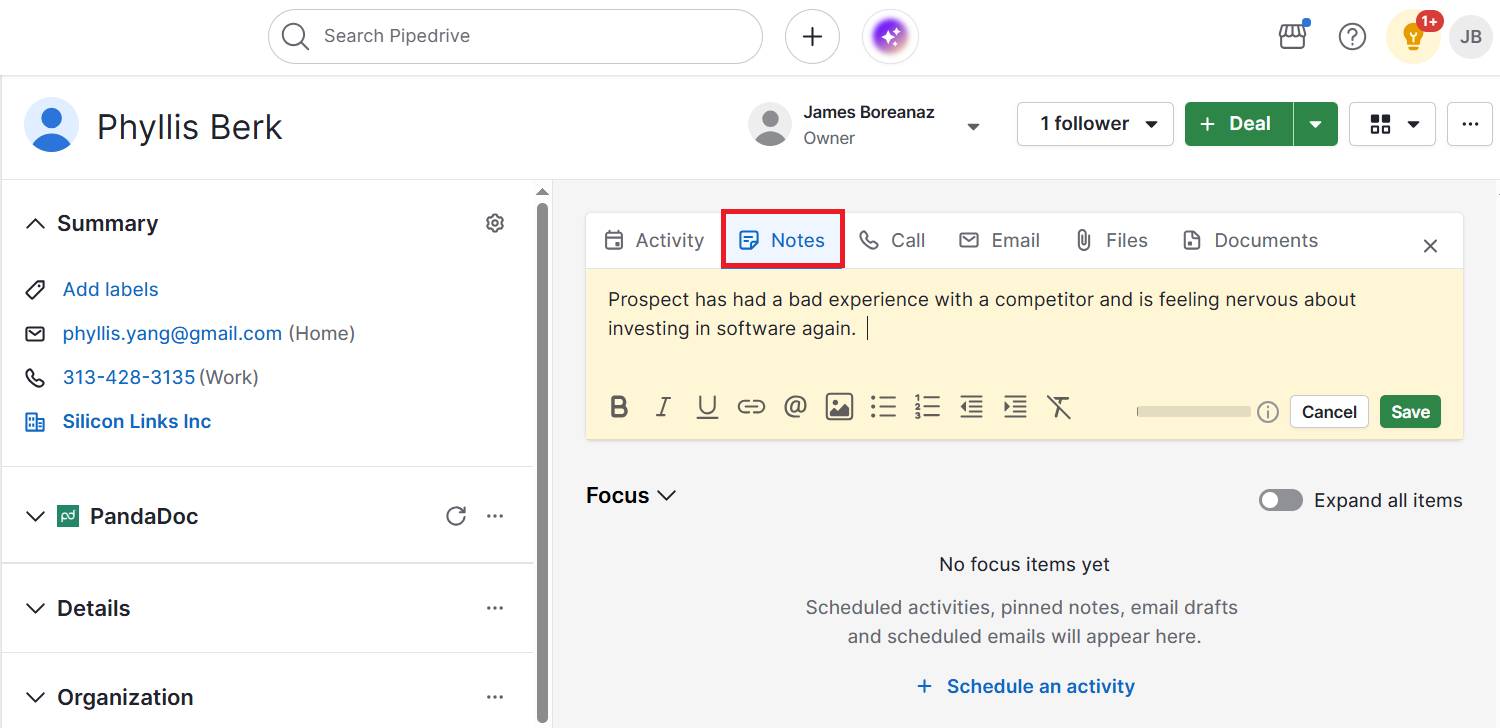
It’s essentially the same as the basic sales potential formula, but weighted by how near you are to closing and the probability of success.

3. Apply your sales potential insights to hit targets

Turning a single calculation into ongoing action makes sales potential the foundation for hitting your business goals.

This clarity makes it easier to decide where to invest resources and chase opportunities that will likely result in future sales.

Imagine an analytics platform with a four-person team discovers that most revenue comes from mid-sized B2B clients. Focusing sales and marketing on tailored demos and personalized outreach increases conversion rates by 25% and drives significant revenue growth from that segment.

Pipedrive in action: By using Pipedrive to track potential sales, the family-run McKeon Group grew annual revenue by 186% over four years. The CRM helped the construction company identify high-value opportunities early on and leverage sales potential insights to allocate resources effectively.

Here’s where you can view relevant insights within Pipedrive’s sales reports:

Sales potential Pipedrive lead report

Use these insights to track sales performance progress and see how much of your market potential you’re capturing over time.
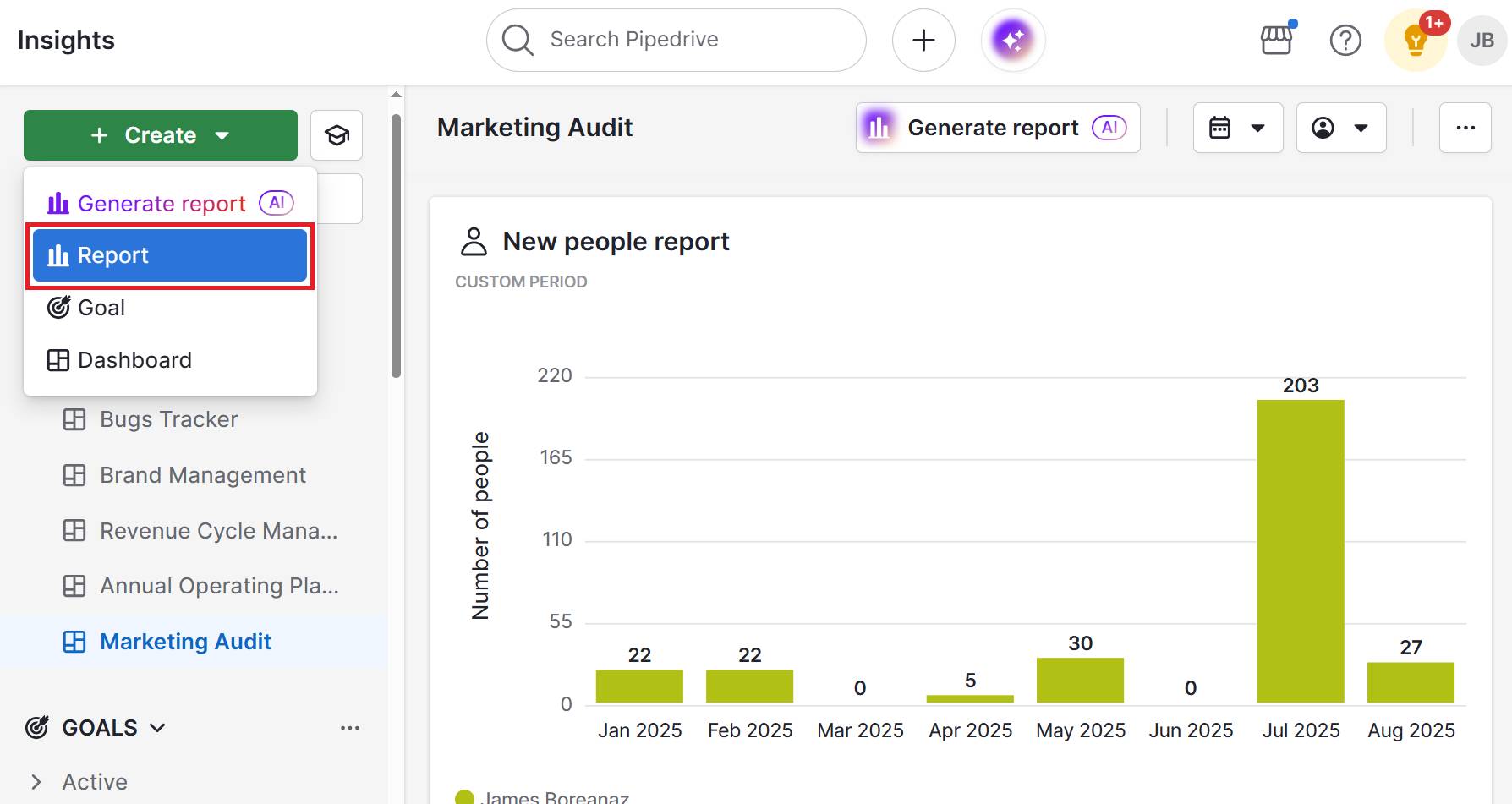
Note: You can create reports manually or by using natural language prompts through Pipedrive’s AI report generator.

Here are some ways to apply your new findings about your company’s sales potential.

  • Set realistic revenue targets: Use the figure to shape company-wide or product-specific goals to increase profitability.

  • Allocate resources: Decide where to invest time, budget and staffing based on the most significant opportunities.

  • Prioritize pipeline deals: Focus sales efforts on high-fit, high-value prospects most likely to convert.

  • Plan marketing campaigns: Match spend and messaging to segments with the highest potential.

Knowing and applying your sales potential transforms vague goals into clear, actionable targets. It empowers your team to focus efforts where they matter most – maximizing return on investment (ROI) and accelerating growth.

By aligning resources with your highest-value opportunities, you build a more predictable and scalable sales engine.

Sales potential FAQs

  • Untapping your sales potential means identifying and acting on missed opportunities (e.g., new markets, high-fit prospects or underutilized channels).

    By doing so, you’ll grow revenue beyond current results.

  • Typical tools for assessing company sales potential include:

    • CRM platforms like Pipedrive

    • Analytics tools like Google Analytics

    • Market research sources (e.g., industry reports or survey platforms)

    Each type helps you size your market, score leads and track progress.

  • Market penetration shows how much of your total potential market you’ve already captured.

    It’s a way for business owners and sales leaders to measure progress toward full revenue potential.

Final thoughts

Calculating sales potential gives you a clear picture of your genuine revenue opportunity. Use it to set realistic goals, focus on the right prospects and allocate resources where they’ll have the biggest impact.

Accurately measuring sales potential depends on having the right tools. You need CRM software that gives you an overview of your buyers’ and pipeline performance in one place.

Try Pipedrive free for 14 days to show precisely how much of your sales potential you’re capturing and where to focus your efforts next to boost profitability.

How to Whitelist an Email

Software Stack Editor · August 22, 2025 ·

Learning how to whitelist an email is one of the most underrated strategies to improve email deliverability. When prospects whitelist your emails, your chances of bypassing spam filters and landing in inboxes increase significantly.

In this article, you’ll learn how to whitelist an email from major email providers and effective strategies to encourage prospects to whitelist you. You’ll also discover how to use Pipedrive to optimize your email deliverability.

Key takeaways from how to whitelist an email

  • Whitelisting increases the chances of sales and marketing emails reaching inboxes instead of disappearing into spam folders.

  • Most prospects will whitelist you if you simply ask them to add your email to their contacts in your welcome email or high-value content.

  • Pipedrive’s Campaigns provides sender authentication, professional templates and analytics to improve your email deliverability.

  • New to Pipedrive’s CRM? Try it free for 14 days, and start organizing your email contacts to turn prospects into customers.

What is email whitelisting?

Email whitelisting is when you mark a specific sender as “trusted” in your email provider.

When a recipient whitelists you, the chances of your emails ending up in their inbox increase. More subscribers see your campaigns, leading to higher open and click-through rates – with less wasted effort on undelivered messages.

Every newsletter campaign or promotional email you send goes through many checkpoints before reaching an inbox. Gmail, Outlook or Yahoo use anti-spam filters to protect users from phishing attempts and unwanted emails before determining delivery.

The actual process goes like this:

how to whitelist an email authentication process
  1. Your email hits the recipient’s email server first

  2. The server checks your sender reputation (domain, IP address and sending history)

  3. Spam filters scan your message content (subject line, email preheaders, body text and attachments)

  4. The email provider verifies that you’re who you claim to be (proper DNS protocols)

  5. Your email appears in the recipient’s inbox, ends up in the spam folder or gets rejected

Someone whitelisting your email address signals trust to their email provider. Your messages still pass through the regular checks, but since the recipient vouches for you, the potential for consistent inbox placement grows.

Whitelisting vs. blacklisting: Blacklisting or blocklisting an email is the opposite of whitelisting. While whitelisting improves delivery to an inbox, blacklisting blocks or rejects emails.

How do you get your emails blacklisted? You get blacklisted through consistent bad email practices, such as when recipients mark you as spam because they never agreed to receive your emails.

If you send messages to invalid recipients from email lists you bought, the server rejects them. This practice increases your bounce rates, which flags to email providers that you bought random lists without considering consent or accuracy.

Getting your emails in a spam folder is different from blacklisting. Your emails still get delivered, just not to the inbox.

Suspicious content is a common trigger that lands your emails in the spam folder. Say you launch an email campaign in a new domain. You email blast thousands of cold emails in one day while using phrases in the copy like “URGENT” or “ACT NOW”.

Since recipients don’t recognize you, they won’t open your emails or will mark you as spam, which hurts your sender reputation and engagement.

Heat up your cold emails with 25 customizable email templates

These cold email templates sourced from Pipedrive sales experts will help you scale your prospecting, drive more replies and stay out of those trash folders.

Next, you’ll learn the steps involved in ensuring email whitelisting success.

How to whitelist an email address

Your sales and marketing success depends on whether your emails reach your recipients’ inboxes.

You can have the most compelling email copy or appealing sales follow-up emails, but if your ideal customer doesn’t have access to it, you miss the sale.

According to Mailgun’s State of Email Deliverability report, 48% of senders say staying out of spam folders is their top challenge. Whitelisting becomes an important step to have a direct path to inboxes.

We’ve picked four of the most popular email service providers to show you how to whitelist email addresses. Copy these instructions and share them with your subscribers.

How to whitelist an email in Gmail

There are two main ways to whitelist senders in Gmail:

  1. Add them as contacts (easiest)

  2. Create a custom filter

Adding someone as a contact works best for individual senders. Since it’s the easiest option and takes less than 30 seconds, you can suggest it to subscribers.

Creating a custom filter would work better if you want to whitelist multiple addresses simultaneously. This method would be helpful for vendors or business partners.

Here are both methods in more detail.

1. Add contacts in Gmail

To email whitelist on Gmail, open an email from the sender you want to whitelist. Next, hover over the sender’s picture. You’ll see a small window appear with your sender’s name, email address and other options.

Click on the icon to add new contacts.

how to whitelist an email gmail contacts

Gmail treats emails in your contact list as trusted senders, so all future emails from this sender will go to your primary inbox.

2. Create a custom field in Gmail

Click on the “Search options” icon in the search bar at the top of Gmail’s interface to create a new filter.

how to whitelist an email gmail search

You’ll see a window where you can enter your search criteria. In the “From” field, add addresses you want to whitelist or the domain name of the group of senders.

For example, if the emails are [email protected], [email protected] and [email protected], the domain would be “company.com”.

Next, click “Create filter”.

how to whitelist an email create filter

Check the box for “Never send it to Spam” and click on “Create filter” again to finish.

how to whitelist an email gmail filters

Your Gmail account will apply this filter to all future emails from this domain.

How to whitelist an email in Outlook

To add senders to your Outlook.com safe sender list, you also have two options:

  1. Add them to your safe sender’s list directly from an email

  2. Through the settings menu

The first option works best for individual email addresses. You can suggest it to prospects to reduce friction when whitelisting you. The settings method gives you more control if you need to whitelist multiple addresses or entire domains at once.

Here’s how to do each in detail.

1. Add from your email list

Right-click on any email from the sender you want to whitelist. You’ll see a drop-down menu with multiple options.

Go to “Block > Never block sender”.

how to whitelist an email outlook list

Now, all future emails from this sender will reach your inbox. Microsoft Outlook remembers this setting permanently unless you manually remove it later.

2. Add through settings

Click the gear icon in Outlook’s top right corner to open settings. Next, select the “Junk email” tab and scroll down to a section called “Senders”.

In the “Safe senders and domains” tab, type a specific email address or domain of the company you want to keep getting emails from.

how to whitelist an email outlook settings

Click “OK” to save each sender, and the emails will stop going to the junk folder.

How to whitelist an email in Apple Mail

As Apple Mail doesn’t have traditional whitelisting methods, an effective method to direct emails to your inbox is to add the sender to your VIP contacts.

Start by clicking on the sender’s name or email address at the top of the email message or thread. You’ll see a drop-down menu appear with several options.

Click on “Add to VIPs” from the menu.

how to whitelist an email vips apple

Apple Mail treats VIP senders as high-priority, so all future emails from this sender will land in your inbox and appear in a special VIP mailbox.

VIP emails also get special notification settings if you choose to enable them.

How to whitelist an email in Yahoo

To whitelist an email on the Yahoo platform, add the sender to your contact list.

Open one of the emails from the sender you want to whitelist. Hover over their name, and when the pop-up appears with their information, click “Add to contacts”.

how to whitelist an email yahoo contacts

On the right side of Yahoo Mail, you’ll see a form asking you to complete the contact’s information. You’ll need to provide at least one name.

how to whitelist an email sender info

Click on “Save” to complete the process.

Remember that Yahoo doesn’t guarantee inbox delivery, not even for contacts. Their spam filters can still flag emails from your contacts list.

Recommended reading

https://www-cms.pipedriveassets.com/blog-assets/third-party-email-lists.png

Email list rental vs. buying third-party lists

How to get subscribers to whitelist your emails

Getting subscribers to whitelist your email addresses or domain is simple: ask them directly. Make it easier for them by including whitelisting instructions at the bottom of welcome emails or linking to a support page on your site.

Most marketing teams don’t ask their recipients to whitelist them. They may not know it’s an option, nor realize the lost sales opportunities that come with not doing it. Since “whitelist” sounds too technical, many senders assume busy sales prospects won’t comply.

Keep in mind that your subscribers won’t risk missing important emails that offer them real value, such as:

For instance, sales professionals may whitelist industry newsletters that help them close deals. A business owner will likely whitelist emails about tools that save them money.

Start by including simple instructions for major email providers in your email footer. Add a simple line like “Add us to your address book to never miss an update”.

For example, Marketing Brew uses a friendly whitelist approach with non-technical language:

how to whitelist an email marketing brew

You can even phrase your message in a way that’s more beneficial to your subscriber. For example, “Keep getting our sales tips delivered straight to your primary inbox” or “Get our important updates about [specific topic/s they care about]”.

For subscribers who use email clients with more complex whitelisting processes (like Outlook desktop, Thunderbird or enterprise email systems), add a link to instructions in a blog post. If you want to go further, create a simple help page on your website with a step-by-step whitelisting guide.

For example, the research, technology, communication and education association ABRF has a dedicated page for whitelisting:

how to whitelist an email whitelisting instructions

Besides including whitelisting instructions in welcome email sequences, you can also add gentle reminders in your highest-value emails.

Tip: Emails with industry reports, new feature announcements or educational content are a great place to start. Your subscribers will be more engaged when reading these messages because they find them valuable. They’ll feel positive about your brand, making it a good time to remind them to whitelist you.

Recommended reading

https://www-cms.pipedriveassets.com/blog-assets/email-list-management.png

How to manage your email list right: A step-by-step guide

Improve email deliverability with Pipedrive’s Campaigns

While Pipedrive is a customer relationship management (CRM) software, its Campaigns tool lets you automate email campaigns, engage with recipients and manage their data from one place.

Here’s how to optimize email deliverability using Pipedrive’s Campaigns features.

Set up sender authentication

Pipedrive lets you leverage its trusted sender reputation for your campaign efforts. First, you must authenticate your business domain in the Campaigns add-on.

Note: Campaigns requires your business domain email to protect deliverability, which means you can’t use free email providers like Gmail or Yahoo.

To achieve domain authentication, add your DNS (Domain Name System) records in Campaigns:

  • Sender Policy Framework (SPF) tells email servers which computers and IP addresses can send emails from your domain. If emails come from an unauthorized source, servers could reject them.

  • DomainKeys Identified Mail (DKIM) adds a digital signature to your emails, proving they came from your domain and didn’t change during delivery. Email providers check this signature to verify authenticity.

  • Domain-based Message Authentication, Reporting and Conformance (DMARC) acts like security instructions for email providers. It tells them what to do when emails fail SPF or DKIM checks (e.g., deliver, reject or quarantine them).

When you properly configure all three records, email providers will be confident that your sales team’s messages are legitimate.

Check this short video to learn how to add DNS records in Pipedrive:

Start by going to Campaigns > Settings > Domain authentication and click “+ Domain”.

You’ll get a pop-up window to enter your domain name. Avoid including “www:”, “http://” or “https://” prefixes. For example, “pipedrive.com” would be the correct format.

how to whitelist an email pipedrive domain authentication

Next, click on “Get DNS records”.

Back in the domain authentication tab, you can see the domain you’ve added. You can also check the CNAME and TXT records under them. Add them to the DNS records list on your domain registrar’s website (e.g., GoDaddy, NameCheap, Wix).

The records enable SPF, DKIM and DMARC validation by signaling to email providers that Pipedrive has permission to send emails on behalf of your domain.

how to whitelist an email pipedrive dns records

After entering the relevant information, wait at least 48 hours for the servers to update the records. Then, check by clicking “Refresh status” in the domain authentication tab until the status changes to “Authenticated.”

You can add multiple sender addresses from your authenticated domain – for instance, [email protected], [email protected] and [email protected]. Each email account will receive individual verification through a confirmation email.

Create deliverability-friendly email templates

Pipedrive’s email template builder makes it easy to design professional campaigns that avoid spam filters and reach inboxes successfully. The drag-and-drop editor gives you control over layout, images and email content.

To start using the email editor, go to Campaigns > Email campaigns and select “+ Email Campaign”.

Next, click on “Design your email”. Choose an existing template or create one from scratch.

how to whitelist an email pipedrive design emails

You’ll have the option to edit:

  • Content blocks (text, images, buttons, titles, etc.)

  • Rows (to customize email layout)

  • Settings (width of the design area, background color, default font, etc.)

When customizing your email, you want a healthy text-to-image ratio. Spam filters can get suspicious if your emails are mostly visuals, as spammers often hide text in images to avoid detection.

As you can see below, Pipedrive’s editor makes visualizing the image-to-text ratio seamless.

how to whitelist an email pipedrive email editor

You can visually check whether your email feels text-heavy or image-heavy when adding content blocks. If you add a large product image, balance it with several paragraphs of descriptive text.

Your call-to-action buttons should be easy to find but not overwhelming. One button per email works best. When you give subscribers multiple CTAs, they must decide which one to choose. With a single CTA, they only need to decide whether to take that specific action.

To write your content, avoid phrases that sound like sales pitches. For instance, spam words like “Free” or “Limited time offer!!!” can trigger filters because scammers overuse them.

Instead, focus on specific benefits and conversational language, like “Here’s how [tool] helps your sales team close more deals” or “Get early access to our new feature”. The difference lies in being specific rather than vague.

Tip: Pipedrive’s email builder includes an “unsubscribe” footer at the end of every email template. The unsubscribe option ensures GDPR compliance and builds your delivery reputation. You can include unsubscribe links or text in this section (like whitelisting instructions).

Track delivery rates and other engagement metrics

With Pipedrive’s email analytics, you can track crucial email engagement metrics for deliverability.

In your Campaigns dashboard, you can see reports showing delivery, open rates and clicks. To access these metrics, you can go to Insights, select “+ > Report > Campaign” and create a report from scratch.

You can also simply go to Campaigns > Email Campaigns and click on your specific campaign name to see metrics.

how to whitelist an email pipedrive email metrics

For delivery rates specifically, you can check if emails resulted in the following statuses:

Pay particular attention to your open rates and click rates over time. If they start declining, it may be a sign that your sender reputation is suffering.

When someone opens your email, clicks a link or replies to your messages, it sends positive signals to email providers. On the other hand, when recipients immediately delete your emails without opening them, mark them as spam or ignore them, it sends negative signals.

To protect your sender reputation, clean your contact list. Remove subscribers who haven’t opened your emails in the last months. Their inactivity may be dragging down your engagement metrics.

You could send a re-engagement email for those subscribers as an option. Deliver a simple message asking if they still want to receive your emails, with clear options to stay subscribed or unsubscribe.

In the meantime, check your email content to identify what might be causing the decline. Maybe your subject lines are becoming too promotional, or your content is no longer relevant to your audience’s needs.

Pipedrive in action: The Australian agency Spark Interact shows why smart tracking matters. Before Pipedrive, it lacked end-to-end sales pipeline visibility and wasn’t sure which marketing efforts drove revenue.

By adopting Pipedrive and the Campaigns add-on, Spark Interact gained clear performance insights that helped it refine its strategy and boost annual revenue by 12% without growing its sales team.

Leverage consistent sending patterns

Pipedrive’s scheduling tool within Campaigns helps you maintain predictable sending patterns that email providers trust. Consistent timing builds credibility, which improves your deliverability.

To schedule a campaign, go to the campaigns editor form. In the sending time section, select the “Schedule a specific time” option.

how to whitelist an email pipedrive scheduling tool

Enter the date and time you want to deliver your emails and click “Schedule”.

You can return to the email campaigns list to check if the campaign got scheduled successfully.

how to whitelist an email pipedrive email campaigns

Your sending frequency should match recipient expectations, too. If someone subscribes expecting weekly updates, don’t bombard them with daily emails or disappear for months. Consistent communication keeps engagement rates healthy.

Recommended reading

https://www-cms.pipedriveassets.com/blog-assets/email-marketing-mistakes.png

11 common email marketing mistakes (and how to avoid making them)

Email whitelisting FAQs

  • The difference comes down to scope and permanence.

    Marking an email as “not spam” is a one-time action that moves that specific message to the inbox. Whitelisting is a permanent setting that affects all future messages from that sender.

  • Yes, email allowlisting and whitelisting refer to the same practice of marking a sender as trustworthy. “Allowlist” is a more modern term that organizations prefer for political neutrality.

  • Whitelisting lasts indefinitely unless the recipient manually removes you. Some email systems could reset preferences during major updates.

  • There’s no direct way to see if specific people have whitelisted you. However, you can look for indirect signs, such as consistently high open rates from certain contacts.

Final thoughts

Email whitelisting can transform your sales success by helping your emails reach decision-makers’ inboxes. Just ask prospects directly and provide easy-to-follow instructions.

Whitelisting works best when combined with smart email strategy techniques. Proper sender authentication, deliverability-friendly templates, engagement tracking and consistent sending patterns all contribute to long-term credibility. Campaigns by Pipedrive has all the tools you need to make it happen.

If you’re new to the CRM, check Pipedrive’s free email campaign template to start improving your email deliverability today

Start planning your email marketing campaign now

Click the button to receive a free email marketing campaign planner ebook

Pipedrive Data Enrichment: Fill in CRM gaps instantly

Software Stack Editor · August 22, 2025 ·

Missing contact details can stall your sales process. With Pipedrive’s new Data Enrichment feature, you can now uncover missing organization and people details with a single click – no manual research required.

Whether you’re qualifying leads, building target lists or segmenting for outreach, enriched data helps you act faster and smarter.

Available on Premium and Ultimate plans, this is a new feature and will continue to evolve as we gather feedback and enhance its capabilities.

Discover everything you need to know automatically

The Data Enrichment feature looks up publicly available information based on your contact’s email domain, website or LinkedIn profile.

It then auto-populates your CRM with key details like company size, revenue, phone number, location and more. No more digging through Google or LinkedIn tabs.

By enriching your contact data, you’ll unlock better lead scoring, segmentation, ICP matching and personalized outreach, all without breaking your flow.

See what’s missing and take action

Pipedrive where to find Data Enrichment feature

Data Enrichment works directly in the deal and contact detail views. If there are fields that can be populated, you’ll see an option to enrich them – either inline or by clicking “Enrich data” next to the field.

You’ll always get a summary of the data before confirming, and only empty fields will be enriched. Existing data is never overwritten, giving you full control.

What can you enrich?

You can enrich both organizations and people in your CRM:

Organization fields:

To enrich an organization, you’ll need:

  • A correct organization name, and at least one of the following:

  • A linked person with a work email

  • A website URL

  • A LinkedIn profile

Person fields:

  • Phone number

  • Email address

To enrich a person, make sure their name is filled in, and:

Cut the noise in your prospecting flow

Pipedrive Pulse toolkit Data enrichment

Data Enrichment is part of Pipedrive’s Pulse toolkit, which helps you prioritize and nurture the right leads. It allows you to instantly complete missing company and contact details, making it easier to qualify leads and move them forward.

The Pulse toolkit also includes:

  • Feed – a real-time workspace where you can manage all your deal-related tasks in one place

  • Custom Scoring – rank leads based on the criteria that matter most for your business

  • Sequences – keep follow-ups consistent and timely without added complexity

Recommended reading

https://www-cms.pipedriveassets.com/Pipedrive-Pulse-Feed.jpg

Pulse Feed: The smart sales workspace built into Pipedrive

Built with compliance in mind

Data Enrichment is powered by RightBound, a trusted sales prospecting platform that sources only publicly available information.

No existing data is overwritten, and you retain full transparency and control.

Why choose Pipedrive Data Enrichment

Other tools offer enrichment, but few are this effortless. Pipedrive’s Data Enrichment is built directly into your sales workflow, so you never have to leave the deal or contact view to complete your records. It’s fast, contextual and fully integrated.

Here are some of the main benefits of Pipedrive’s Data Enrichment:

  • Stay in control – Only empty fields are enriched, and you confirm every change.

  • Act faster – No need to research contacts manually or toggle between tools.

  • Improve targeting – Use enriched data to score leads, match ICPs and segment effectively.

  • Level up your workflows – Use enriched fields in your Automations or to build insights reports.

It’s enrichment that works the way you do – focused, fast and sales-ready.

5 Fast Ways to Achieve Customer Orientation Right Now

Software Stack Editor · August 21, 2025 ·

Imagine turning every customer interaction into a moment of delight and a driver of growth. That’s what happens when you put your customers’ needs before your own.

While many companies claim they focus on their buyers, customer-oriented ones make it happen, standing head and shoulders above the competition.

In this article, you’ll discover what customer orientation means and why it’s crucial for small businesses. You’ll also learn how to take action through a five-step roadmap for becoming customer-oriented in 90 days or less.

What is customer orientation?

Instead of focusing on sales principles, companies build products, services and experiences around customer pain points.

For example, a software company that embraces the customer-oriented meaning and mindset solicits requests from clients rather than guessing what customers want. It incorporates the best ideas into its product roadmap and works with users to perfect the features.

There are various ways a business can showcase its customer orientation competency, such as:

  • Basing all decision-making around customer needs

  • Automated feedback systems that collect customer opinions

  • Consistent and personalized touchpoints

  • Marketing campaigns centered around customers

Customer orientation enables companies to shift from competing solely on pricing strategy or product features to the overall customer experience (CX). It’s a particularly clever strategy for small businesses that lack the resources or market capture to offer the lowest retainer or most comprehensive product.

It’s also a sensible approach for organizations that rely on repeat business. The more customer-oriented you are, the easier it is to delight your audience by creating memorable experiences that increase customer loyalty.

At this point, you may wonder what distinguishes customer orientation from customer centricity. You’ll learn about that next.

Recommended reading

https://www-cms.pipedriveassets.com/Customer-research-management.png

Customer resource management: a practical guide for growing businesses

What’s the difference between customer centricity and customer orientation?

Some guides define customer orientation and customer centricity differently. They argue that customer orientation focuses on meeting immediate customer needs primarily through exceptional customer service, while customer centricity is more holistic.

Such a distinction places too much emphasis on customer service orientation that goes the extra mile.

While customer service skills like problem-solving, active listening, adaptability and effective communication are essential, your customer orientation efforts should span the entire company.

There are plenty of opportunities to prove you’re customer-oriented before people pick up the phone to call one of your sales reps or fill in your contact form.

So, rather than getting bogged down in semantics, take actionable steps to focus more on your customers’ needs. It will yield all of the business benefits this article explores next.

Download our customer journey map template

Start mapping your customer journey with our free customer journey template.

What are the benefits of customer orientation?

Homing in on your customers’ preferences, needs and goals is one of the fastest ways to transform the customer experience. You can expect a better brand reputation, higher retention rates and more revenue as a result.

Here are more details on the benefits that customer-oriented companies can reap.

Stand out from competitors

Creating a customer-oriented culture helps your brand develop a competitive moat that rivals will struggle to cross.

While other companies can offer similar price points and features, they can’t replicate what it’s like to use your product or speak to your customer service team. It’s why the majority (80%) of organizations expect to compete mainly on CX moving forward.

This customer-led approach allows small businesses to compete against much larger brands. You might not have the resources to offer the lowest prices, but nothing stops you from providing the best experience.

Exceed customer expectations

Obsessing about your customers lets you solve their needs quickly and effectively, delivering a customer experience (CX) that exceeds their expectations.

A standout customer experience can mean the difference between winning and losing business. 73% of customers say it’s the third most crucial purchasing decision factor behind price and product quality.

CX is beneficial in healthcare settings, as well as in consumer retail and finance sectors:

Customer orientation PwC study

Customer orientation also helps you close the customer experience gap – the difference between what brands think they deliver and what buyers experience.

While over half (51%) of marketers feel they provide an excellent customer experience, only 26% of consumers agree. With customer-oriented services, you ensure you’re in the competitive minority of brands that give people what they want.

Boost customer retention rates

Long-term customer loyalty and retention rates increase when your buyer base believes your business genuinely cares about them.

Research by Forrester says customers are 2.4 times more likely to stick with a brand that solves their pain points quickly. If you exceed customer expectations, fix their problems and help them achieve their goals, they’ll have no reason to go elsewhere.

Customer orientation Forrester research

Additional research from Forrester’s 2024 US Customer Experience Index found that customer-obsessed organizations have 51% higher customer retention rates than their peers.

Solid customer orientation means more frequent repeat purchases for e-commerce stores, lower churn rates for SaaS brands and higher customer lifetime values (CLV) overall. It also means bigger profits, all things being equal.

Drive higher profits

Loyal customers purchase more products, resulting in increased revenue and higher profits. According to a Gladly survey, 72% will spend more with brands that ensure excellent customer experiences.

Customer orientation Gladly study

Forrester’s 2024 Customer Experience Index also found that 41% of customer-obsessed companies achieved at least 10% revenue growth in their last fiscal year, compared to just 10% of less mature companies.

Word-of-mouth marketing is a major contributor to revenue growth, with research showing it’s the main factor behind 20% to 50% of all purchasing decisions. Satisfied customers are more likely to tell their friends and contacts about a brand, meaning you get sales referrals and higher retention rates.

Far from hurting your company’s bottom line, focusing on customers instead of sales can increase long-term profitability.

Recommended reading

https://www-cms.pipedriveassets.com/blog-assets/how-to-scale-a-business-globally.png

6 key lessons for scaling your business globally (and quickly)

How to become a customer-oriented company in 90 days or less

Becoming a customer-oriented business requires company-wide buy-in, a dedicated strategy and hard work. The good news is that it can happen faster than most think.

Below are five steps to become much more customer-focused this quarter.

1. Start by discovering what your customers think

A customer-oriented approach starts with knowing what your customer base thinks and wants. Build a voice of the customer program to learn what’s important to them and how you can improve your product or service.

A voice of the customer program is a structured way to collect and act on customer complaints and feedback. It stops you from making assumptions, fixing problems that don’t exist and falling short of customer expectations.

There are various ways to collect customer feedback, including:

If you gather feedback using multiple methods, you’ll want to store it in one place for easy access. Your customer relationship management (CRM) software is a handy option as it lets you track responses alongside other customer interactions.

Here’s what a customer feedback tracker looks like in Pipedrive:

Customer orientation Pipedrive feedback tracker

Once you centralize all feedback, review it regularly to find ways to make your product or service more customer-focused. Prioritize ideas according to ease and impact, then implement them one at a time.

Note: Gather customer feedback monthly or quarterly to monitor the impact of your customer orientation strategies. Use historical data to benchmark your performance, looking for improvements in customer service report metrics like CSAT, NPS, CES and retention rates.

2. Use a CRM to centralize customer data

Creating a single source of truth for customer data makes it easy to track customer sentiment, spot trends and use data to improve the experience – whether informing a product roadmap or creating a new support channel.

A CRM is the ideal customer data management tool. It helps you store, analyze and leverage customer information, including contact details and interactions with your sales team.

A CRM platform provides a 360-degree view of every customer. Here’s what that visibility looks like in Pipedrive:

Customer orientation Pipedrive contact detail

For instance, the knowledge base software company Document360 uses Pipedrive to centralize information from every customer interaction, increasing knowledge flow and eliminating silos.

As Saravana Kumar, CEO of the parent company Kovai.co, explains:

Pipedrive has helped us to streamline and automate our sales process to serve a huge volume of prospects and respond to customers’ queries for better customer service.

A good CRM will hold more than just contact information. For example, Pipedrive stores purchase history, feedback notes, preferences and support tickets. For small businesses, where teams wear many hats, this centralization saves time and reduces costly miscommunication.

Solar panel installer Sun4power combines Pipedrive Projects and several integrations to automate the flow of customer information and make updates as soon as anything changes. It allows a small team to serve hundreds of customers without letting service levels slip.

Here’s how founder Paul de Bruyne sums up Pipedrive’s customer-oriented functionality:

We have to plan so many technical visits and so many installations, but Pipedrive, Projects and Synchroteam make it a walk in the park.

Use pre-built integrations to automate importing customer data from various tools. Search Pipedrive’s Marketplace to find connections with the following tools and more:

You can use Pipedrive as your all-in-one CRM solution for $14 per user, per month when billed annually. If you want to consider alternatives, make sure you look for a CRM with the following core features:

CRM feature

What to look for

Contact management

Robust tools for managing contacts, scoring leads and tracking interactions will help you centralize customer information.

Sales pipeline management

Customizable pipelines that visualize deal progress and help teams manage follow-ups.

Automation and AI

Automated workflows, lead assignments and email triggers that save time on repetitive tasks and enhance personalization efforts.

Integrations

Seamless connections with other business applications to centralize data.

User experience

An intuitive and accessible interface that improves adoption, reduces training time and boosts user productivity.

Support and training

A wide range of vendor support options, training resources and implementation assistance to facilitate smooth onboarding and rapid adoption.

Reporting and analytics

Custom reports and forecasting tools that enable data-driven decisions and continuous improvement.

Ensure that everyone in your organization can access whichever CRM you choose. The goal is to create a complete customer journey history so that every team member contributes – from marketing to frontline support.

3. Use AI to personalize every interaction

Customers have come to expect personalized experiences, so leverage artificial intelligence (AI) to deliver meaningful, relevant interactions at every stage of the sales cycle.

Imagine a customer receiving a welcome email referencing a specific feature they mentioned during a sales call. Or consider a support message that proactively includes a tutorial based on their usage history. These touches show customers that your business sees them as individuals.

Incorporating generative AI into your messaging is an easy way to personalize interactions at scale. For example, Pipedrive’s AI email writer uses CRM data to create relevant, professional emails from short prompts:

Customer orientation AI email writer

Use the tool to respond to an initial query, create a follow-up email addressing specific pain points mentioned in a previous call or summarize the customer’s needs ahead of closing a deal.

You can choose the tone and length of the email yourself or use Pipedrive’s recommendations to ensure that every email aligns with your brand voice.

Using artificial intelligence in this way helps small businesses level the playing field with larger competitors. You don’t need to hire more salespeople or support staff to deliver a personalized experience when you can harness AI power instead.

4. Improve the hand-off between sales and support

Customers hate repeating themselves, so eliminate frustration by improving handovers between sales and support. A strong handover process removes departmental silos and provides each team with the necessary information to personalize the customer experience and follow up efficiently.

A handover management checklist makes sure nothing gets missed. Include the following key details:

  • Customer profile and contact information

  • Goals and expectations

  • Challenges and previous solutions

  • Preferred product features

  • Open questions and unresolved issues

  • Agreed upon next steps

A solid handover means customers find value faster. Support can focus on the use cases that your audience cares about, increasing customer satisfaction, engagement and retention.

5. Implement self-service customer support

Self-service support tools give existing customers the freedom to resolve their own problems without speaking to a customer service rep.

By providing easy-to-use self-service tools like knowledge bases and customer portals, you empower people who want to self-serve while freeing up your support team to focus on more complex queries.

For example, Pipedrive has an in-depth knowledge base, webinars, video tutorials and a blog that helps users find answers to their questions and learn how to operate the software.

The knowledge base has a clear, scannable format with a search bar that helps customers quickly find answers.

Customer orientation Pipedrive Knowledge Base

Chatbots are another self-service tool you can add to your website to meet customer needs and expectations. For instance, Pipedrive’s Chatbot can:

  • Handle common inquiries immediately

  • Point customers in the direction of relevant resources

  • Route more complex issues to live agents

Customize the tool to meet specific customer needs. If people visit your website to book appointments, use the following template to make it happen with a few clicks.

Customer orientation Pipedrive chatbot

Because the chatbot connects to the broader Pipedrive ecosystem, it automatically adds contact details and interaction information to your CRM, ensuring you keep the right customer data in one place.

Chatbot is a feature of Pipedrive’s LeadBooster add-on, available on any plan from $32.50 per company per month, billed annually.

Recommended reading

https://www-cms.pipedriveassets.com/Customer-service-quality-assurance.png

5 steps to an effective customer service quality assurance program

3 customer orientation examples

To see what customer orientation looks like in practice, it helps to study companies that have built their brands by putting customers first.

Everyone knows about famous customer-obsessed brands like Amazon and Zappos, but what about smaller operations? Here are three examples of customer orientation in software and startup companies.

1. ClickUp

ClickUp is a project management software provider that takes a customer-oriented approach to product development. It collects feature requests from customers and lets other users vote on them.

Here’s what the feature requests functionality looks like:

Customer orientation ClickUp feedback

The SaaS tool also publicly shares its product roadmap so users can track the company’s progress.

Customer orientation ClickUp roadmap

By making customers co-creators, ClickUp fosters a sense of community ownership that deepens loyalty and ensures it continues meeting customer needs.

The brand also does a great job of announcing product launches and updates through email and social media. Here’s an example:

Regular communication reassures every customer that ClickUp really listens and incorporates all feedback to improve its product in line with their needs.

2. HeyTaco

HeyTaco is a peer-to-peer recognition platform that has maintained a clear customer focus since its inception. It creates consistent, meaningful experiences at every touchpoint, celebrating and sustaining team engagement through a gamified leaderboard:

Customer orientation HeyTaco leaderboard

Here are a few ways the company puts customers first, according to founder and CEO Doug Dosberg:

  • Fast customer service response times, with an autoresponder that lets senders know they’ve received their request

  • Being transparent about who they are and why the company exists

  • Following up at regular intervals, when activity drops and they release new features

  • Using a CRM system to keep track of everything they learn about customers

Sending handwritten thank-you cards to every new customer

customer orientation HeyTaco

HeyTaco’s philosophy proves many successful ways a company can deliver customer value by building genuine human connections throughout the buyer’s journey.

3. DashThis

At DashThis, a company that provides reporting dashboards for marketers and agencies, delivering an outstanding experience starts with account management.

customer orientation DashThis

As founder Stéphane Guérin explains:

The team is always on hand to give expert advice and teach best practices for digital marketing reporting to help clients maximize their performance. These additional tasks are critical. By increasing client satisfaction with these value-adds, we are able to boost retention rates and build another barrier against churn

When it became hard for account managers to stay organized as the company grew, the team adopted Pipedrive’s CRM.

The CRM’s customized workflows make it easy for account managers to complete tasks and ensure no leads are left behind.

As Gabriel, a DashThis account manager, explains:

Pipedrive really ensures that I keep up the pace when trying to close a deal. With their very nice workflows, I see what actions I need to take in order to sign up a client, and I never forget to follow up with them. No leads are left behind! We have to give thanks to Pipedrive for helping us so much with this

It also increases communication between account managers, letting them share information so that every customer gets the same great experience.

Recommended reading

https://www-cms.pipedriveassets.com/After-Sales-Tips.png

9 after-sales service tips to keep new customers happy

Final Thoughts

Customer orientation can happen much faster than you think. While making your entire company customer-centric may take time, you can immediately start putting buyers at the center of your decisions.

A tool like Pipedrive accelerates the process by centralizing customer data and delivering AI-powered personalization.

Start your 14-day free trial to create exceptional customer experiences without overloading your team.

The Value-Packed Customer Obsession Guide for SMBs

Software Stack Editor · August 20, 2025 ·

Being known as “customer-obsessed” isn’t only possible for huge companies with big budgets. SMBs can reap the same rewards by tuning in to buyers’ changing needs and acting on them.

In this article, you’ll learn how to build a customer obsession strategy that drives retention, loyalty and long-term growth without enterprise-level resources.

Key takeaways from customer obsession

  • Customer obsession means always acting in your buyers’ best interest, from product design to support

  • It drives retention, loyalty and growth but requires consistent effort – not just one-off gestures

  • To be successfully customer-obsessed, align teams, map the buying journey, gather feedback and empower employees

Use Pipedrive’s pipelines, automations and reporting to manage and scale your customer obsession strategy – try it free for 14 days

What is customer obsession?

Customer obsession means putting your buyers at the center of every business decision.

It can take many forms, from rapidly reworking your onboarding flow based on user feedback to weekly founder Q&As. However, it always involves acting in your customers’ best interest – even when inconvenient.

Where “customer-centricity” refers to prioritizing buyers when making decisions, obsession means constantly and proactively acting on their needs.

Note: The term “customer obsession” is most closely associated with Amazon founder Jeff Bezos, who popularized it as a core business philosophy.

While SMB owners may not have the budget to outspend competitors, they can be faster, more personal and invest additional time in each relationship.

For example, Userlist obsesses over ensuring customers succeed using its email automation tools. Every new sign-up gets a free 60-minute roadmapping call to build a custom setup plan, plus access to done-for-you services if time is tight.

Customer obsession Userlist onboarding

Engineers directly handle support, so even small product teams get high-quality help from day one.

Two-thirds of the most valuable global brands are considered highly “meaningful and different” to consumers. Building this emotional connection only happens when you consistently consider your customer base and become “obsessed” with the service you provide them.

Customer obsession strategies take many different forms for SMBs, including:

It’s one of the most powerful ways to stand out without spending big on flashy campaigns. However, customer obsession must become a long-term business strategy to be successful.

Recommended reading

https://www-cms.pipedriveassets.com/After-Sales-Tips.png

9 after-sales service tips to keep new customers happy

What are the data-backed benefits of customer obsession?

Obsessing over your customers is a proven driver of growth, loyalty and operational efficiency that can directly impact your bottom line.

According to McKinsey research, one of the top proven sales strategies for business-to-business (B2B) leaders is creating exciting, customer-first buying journeys.

Here are three of the top data-backed benefits.

Customer experience (CX) drives brand choice

Being customer-obsessed and promoting that fact can give you a competitive advantage that lands sales. 70% of consumers now choose brands based on the expectation of a good customer experience (CX).

Great CX is a key differentiator for smaller businesses in crowded markets. Buyers want to feel supported, respected and understood, and they’ll gravitate toward companies they hear will deliver.

Example: Imagine an accounting software firm known for offering hands-on training and fast, human support. Sales prospects choose them over bigger names because they trust the experience will be better.

Higher retention and customer lifetime value (CLV)

Customer-obsessed companies focus on long-term relations, leading to improved loyalty, renewals and customer lifetime value (CLV).

This additional effort offers a crucial edge for SMBs that rely on repeat customers. One study suggests that delighting customers significantly impacts brand loyalty and customer retention.

Example: Say a project management tool targets creative agencies. Instead of promoting features, the sales team checks in quarterly, helps customers optimize their workflows and sends small gifts at key milestones.

Clients stick around longer and often upgrade because they feel supported and valued.

Faster revenue growth

Companies that prioritize customer needs tend to outperform their peers financially. Forrester research indicates that customer-obsessed organizations report 41% faster revenue gains and 49% faster profit growth.

When budgets are tight, this momentum and value proposition can be the difference between surviving and scaling.

Example: A small HR tech startup may invite customers into early product betas, co-create features based on real use cases and publicly credit users for their input. That level of involvement creates loyal advocates who refer others and expand their accounts, driving sales revenue and sustainable success.

Your small business can achieve similar results with the proper strategic steps and some inspiring examples, which you’ll explore next.

How to build a customer-obsessed culture as an SMB: step-by-step

Becoming a customer-obsessed company means being clear about your business goals, staying consistent and creating small habits that compound over time.

While larger companies must spend time consulting with multiple stakeholders, SMBs can take a more direct approach.

Here are five practical steps any small business can take to build a customer-obsessed culture.

1. Align your team around a shared customer mission

Define what “great customer experience” means to your business and ensure everyone understands how their roles impact it.

Without alignment, leadership might push for short-term growth, while frontline staff focus on solving individual issues. A shared target connects everyone to the same goal.

Start by crafting a one-line mission statement that reflects how you’ll implement customer obsession.

For example, yours could be:

“We make our users feel supported, seen and valued every time they interact with us.”

In practice, that includes replying to all support tickets within an hour and proactively checking in with new customers after their first week.

This simple alignment creates consistency across your business. It gives executives and customer-facing teams a shared language for making decisions, solving problems and prioritizing tactics that matter most.

Once your mission is in place, here’s how to bring it to life:

  • Share real customer stories in team meetings to keep the mission top of mind

  • Make this promised impact part of onboarding for every new hire

  • Reinforce the mission regularly (not just once a year in a slide deck)

  • Celebrate behaviors that reflect the mission, like above-and-beyond support or thoughtful product feedback

True customer obsession starts with clarity and employee engagement. When everyone works toward the same vision, you create more consistent, meaningful experiences and a stronger bottom line.

2. Map your full customer journey to create more delightful experiences

Identify all the moments that shape a customer’s experience with your brand (from first contact to renewal or repeat purchase) so you can improve them.

The customer journey includes five key stages:

  1. Awareness. A potential customer first hears about your product or service.

  2. Consideration. They research and compare options to solve their problem.

  3. Decision. They choose to buy and complete the onboarding process.

  4. Retention. They continue using your product or service over time.

  5. Advocacy. They become loyal fans who refer others or leave reviews.

Each person moves through these stages at their own pace and sometimes in a non-linear way. Mapping this customer journey reveals pain points, missed opportunities and ways to shift from reactive support to proactive experience design.

Start by building a simple, visual map of your customer lifecycle. For example, yours might include touchpoints like gated website content, social media marketing ads or re-engagement email campaigns.

To find this data, use tools like Google Analytics to analyze your website, customer surveys and platforms that give you real-time user behavior insights (e.g., Fullstory or Hotjar).

Add notes to this simple template to ensure you don’t miss anything:

Customer obsession Pipedrive journey map

Download the template using the link below and fill in each section.

Download our customer journey map template

Start mapping your customer journey with our free customer journey template.

Once you’ve mapped the journey, here’s how to take action and improve it:

  • Highlight points where customers often get stuck or drop off

  • Identify handoff moments (e.g., sales to onboarding) and tighten the transitions

  • Look for easy ways to add delight, like a welcome email or check-in video

  • Share the map internally so every team sees where they fit into the customer’s path

A clear customer journey helps your team spot weak links, create smoother experiences and focus on what drives retention and loyalty.

3. Build feedback into everyday workflows to continually improve

Bake feedback into where your team already interacts with customers (e.g., support tickets, sales calls and onboarding check-ins). Use the insights to spot patterns and guide improvements.

Customer obsession isn’t about sending one big survey annually. It’s about listening consistently in the moments that matter most.

For example, build lightweight feedback loops into daily touchpoints with:

Collecting insights regularly makes you more likely to catch early warning signs of unmet needs and spot easy wins.

Imagine a SaaS company that uses its customer relationship management (CRM) software to share feedback from every support conversation.

Here’s where it would add those notes in Pipedrive:

Customer obsession Pipedrive notes

Sales and support teams review trends weekly, flag recurring issues and share fixes in a cross-functional Slack channel. This simple loop helps them improve faster and keeps customers happy.

Here’s how to make gathering feedback part of your company’s routine:

  • Choose 1–2 moments in your current workflow where feedback fits naturally

  • Use short, simple questions (e.g., “Was this helpful?” or “What could we do better?”)

  • Tag and organize feedback by theme so it’s easy to review

  • Share customer insights in team meetings to turn responses into action

Every suggestion is a chance to improve your product, messaging or service. When customers feel heard and see their input leads to change, they’re far more likely to stick around.

4. Empower employees to act in the customer’s best interest

Give your team the tools and flexibility to offer a quick discount, escalate a fix or flag a broken process. Even if it means going off-script, trust and flexibility drive experiences that clients and users appreciate.

Customers remember how you treat them in moments of need. When you empower employees, they can bend the rules slightly to drive new business or retain high-value accounts.

Confident teams also turn frustrating situations into loyalty-building wins. Connecting with people like this is even more crucial for B2B companies with longer sales cycles and multiple stakeholders to win over.

Trust and personal ownership of issues matter more in these situations than canned responses or rigid processes.

However, it’s crucial to align on what that empowerment actually looks like to prevent gaps. EY research suggests that while 77% of employers believe team members feel trusted and empowered, only 57% of employees agree.

For instance, say a video conferencing platform trains its team to build long-term relationships instead of pitching features. Sales reps deeply understand each prospect’s use case and suggest tailored solutions, even if it means recommending a lower-tier plan or a third-party integration.

This relationship selling builds trust, which leads to better conversations, stronger customer fit and a greater chance of referrals from prospects for whom the product wasn’t right.

Here’s how to empower your team to promote customer obsession:

  • Create guardrails (like discount limits or escalation rules) so employees can adapt to each customer without needing a script

  • Train teams to make decisions based on company values and customer outcomes, not just step-by-step procedures

  • Encourage proactive thinking, like “What’s best for the customer long-term?”

  • Recognize and reward team members who go above and beyond

Empowered, engaged employees are far more likely to deliver the kind of service that keeps customers coming back.

5. Track and share customer-focused metrics

To build a truly customer-obsessed culture, you need to monitor metrics that reflect how well you’re serving and retaining buyers.

Net Promoter Score (NPS) is usually a popular suggestion as it offers a quick sentiment overview. However, only 40.7% of contact centers rate NPS as “very important” anymore because it often misses real-time, actionable insight.

AI-generated visual using the report graphic but showing just the Net Promoter Score (NPS) line

Instead, focus on operational and behavioral metrics that actually show how your customers experience your business daily.

Here are some of the most useful key performance indicators (KPIs) for SMBs to measure:

Customer obsession metric

Why it’s important

Customer retention rate

Spot how many buyers stick around over time to identify customer loyalty trends and catch early signs of churn.

Where to track: A CRM like Pipedrive or subscription tools (e.g., Stripe or Paddle).

Repeat purchase rate

See how often existing customers return to gauge trust and product-market fit.

Where to track: E-commerce platforms (e.g., Shopify or WooCommerce) or tagged deal data in your CRM.

Time to first value (TTFV)

Measure how long it takes for a new customer to see real value so you can reduce drop-off during onboarding.

Where to track: CRM milestones and product analytics tools (e.g., Mixpanel or Amplitude).

Support resolution time

Find out how quickly you resolve issues to improve satisfaction and reduce frustration.

Where to track: Help desk tools (e.g., Help Scout or Intercom) or via custom fields in Pipedrive.

Customer satisfaction (CSAT) score

Gather feedback after key customer interactions to improve support and spot service gaps in real time.

Where to track: Customer support tools (e.g., Intercom or Help Scout), feedback platforms (e.g., Typeform or Contentsquare) or follow-up emails.

Customer churn reasons

Collect insights into why customers cancel or downgrade to fix root causes, not just symptoms.

Where to track: Cancellation surveys, tagged notes in a CRM system or feedback platforms.

Tracking this customer data is just the first step. The real value comes from sharing these insights across your team so everyone feels connected to the CX.

Here’s how you put these metrics to use:

  • Celebrate positive trends and wins in Slack or team meetings

  • Highlight one “valuable insight of the week” to keep attention on your impact

  • Use Pipedrive’s sales reporting features that surface trends automatically

  • Tie team goals to at least one customer-obsessed metric (e.g., reducing resolution time)

Use Pipedrive’s reporting dashboards to track additional KPIs like time in stage (e.g., how long onboarding takes) to tell you if you’re improving your experience.

Here’s where you’d track deal duration and add columns like “stage entered”:

Customer obsession Pipedrive deal duration

When everyone sees the link between their work and customer engagement, they’re more likely to stay motivated to keep improving – that’s what customer obsession is all about.

Recommended reading

https://www-cms.pipedriveassets.com/Engagement-score-guide.png

What are Engagement Scores? How to Calculate it?

4 examples of customer-obsessed companies on a smaller scale

Giant corporations like Disney can afford meticulous attention to detail in their customer obsession tactics to create magical guest experiences. Most SMBs don’t have the same budget, headcount or brand power, but can still deliver incredible CXs by being intentional, fast-moving and deeply focused on user needs.

Here are four examples of customer obsession from SMBs doing it right:

Customer-obsessed company

Notable qualities

Teamed

(HR and hiring support for remote teams)

  • Offers highly personalized support

  • Treats clients like partners

  • Moves fast to solve real business needs

  • Focuses on relationships, not just transactions

SavvyCal

(calendar scheduling tool)

Fathom Analytics

(privacy-focused website analytics)

  • Built to be simple, transparent and privacy-first

  • Ships customer-requested features quickly

  • Communicates updates with clarity and care

  • A four-person team that doesn’t answer to investors

Clarityflow

(async coaching and messaging platform)

  • Responsive support

  • Active listening to customer needs

  • A product that evolves based on real-world feedback from coaches and educators

  • Personal video messages when onboarding

These customer obsession examples show that you don’t need a massive team or budget. Success just takes focus, consistency and care.

SMBs win by being responsive, transparent and deeply tuned in to their customers’ daily challenges. The right tools can support their buyer-focused efforts all the way.

Recommended reading

https://www-cms.pipedriveassets.com/How-to-improve-the-B2B-client-experience-for-SMBs.png

How SMBs can enhance the B2B client experience in 6 steps

How to optimize your customer obsession strategy using Pipedrive

Pipedrive’s suite of features helps you plan, deliver and improve your new customer obsession strategy. Use it to align your team, automate routine tasks and make data-backed decisions that put customers first.

Start by creating custom pipelines for onboarding, support resolution or sales expansion opportunities. These visual representations help you see where each customer is in their journey and quickly identify friction points:

Customer obsession Pipedrive custom pipelines

For example, you could build a post-sale onboarding pipeline to track new customers from contract signed to “first value”, pinpointing stalled deals to trigger check-ins.

Custom fields and notes capture feedback during calls, demos and support touchpoints. Tag common themes (e.g., “UI confusion” or “pricing objection”) so your team can review patterns regularly.

Learn all about custom fields in this short video:

Say you log multiple “setup concerns” from early-stage leads. Marketing then creates a short video walkthrough to ease those concerns in future outreach.

Workflow automations help you create moments of delight. For instance, you can trigger alerts for birthdays, contract anniversaries or long-term inactivity.

Here’s where automations live in Pipedrive:

Customer obsession Pipedrive workflow automations

If a customer hasn’t logged in for 30 days, set up a notification to send a personalized check-in email offering help.

Finally, integrating Pipedrive with your support, marketing and product tools through Marketplace ensures no siloed information:

Customer obsession Pipedrive Marketplace

Say a customer submits a bug via your help desk. The integration ensures that the issue auto-tags in their Pipedrive record, delaying renewal outreach from the account manager until you resolve it.

For example, entertainment company Pro Arts uses Pipedrive to personalize all correspondence and exceed customer expectations:

We really love that we can customize the tabs in our Pipedrive interface. That allows us to clearly see where our clients are and be able to cater our correspondence with them to where they’re at in our individual sales pipeline

When used strategically, Pipedrive becomes more than a sales tool. It turns into a visibility layer for customer obsession, helping you stay proactive, consistent and personal at every stage.

Customer obsession FAQs

  • Here are three quotes from well-known business leaders who championed customer-first thinking:

    • “We’re not competitor-obsessed, we’re customer-obsessed” – Jeff Bezos (Amazon founder)

    • “Customer service shouldn’t be a department; it should be the entire company” – Tony Hsieh (former Zappos CEO)

    • “Your most unhappy customers are your greatest source of learning” – Bill Gates (Microsoft co-founder)

  • Customer obsession is a long-term mindset that focuses every decision around what’s best for the customer.

    On the other hand, customer delight is about creating memorable, above-and-beyond moments.

    While you can delight customers without being truly obsessed, obsession means consistently doing what’s right for them.

  • Customer expectations have shifted. Today’s buyers want fast, personal and respectful experiences.

    In fact, 70% of customers choose brands based on the expectation of a great CX.

    Even smaller businesses must now show they care deeply about their customers’ wants and needs.

Final thoughts

Being truly obsessed about your customers leads to better experiences, higher retention and faster, sustainable growth.

To make it stick, you need the right tools to plan, track and improve every step of the journey. A robust CRM helps you stay organized, spot trends and act on real customer insights without slowing your team down.

Try Pipedrive free for 14 days to develop a strategy that drives sales, builds stronger relationships with loyal customers and puts your SMB on the map.

4 Top Customer Connection Tips Every SMB Needs to Know

Software Stack Editor · August 19, 2025 ·

Solid customer connections drive loyalty, encourage referrals and help small and medium businesses (SMBs) stand out against larger competitors. Yet limited time and resources often make consistent, meaningful engagement challenging for smaller businesses.

This article breaks down key obstacles SMBs face when building customer relationships. By the end, you’ll know how to connect with customers and nurture relationships that fuel sustainable growth.

Key takeaways from customer connections

  • Customer connection means building strong, trust-based relationships that lead to loyalty, referrals and repeat business

  • Strong connections help SMBs boost revenue, collect better feedback, reduce churn and stand out against larger competitors

  • Limited resources and data can make it harder for SMBs to maintain customer connections

Use Pipedrive to automate communication, centralize customer data and prioritize high-impact interaction – sign up for a free trial

Why is customer connection important for SMBs?

For SMBs managing fewer resources than larger competitors, customer connection is critical to business success. Building these relationships can create a steady revenue stream through increased customer loyalty, repeat business and word-of-mouth referrals.

Take a look at these and other benefits in more detail:

Boost loyalty to drive repeat business

Challenge: SMBs have smaller sales and marketing budgets than large companies, making it hard to drive growth.

Solution: Focus on developing customer trust and emotional loyalty with existing buyers.

Outcomes: More repeat purchases, longer relationships and higher customer lifetime value.

Differentiate yourself from larger competitors

Challenge: SMBs struggle to compete with larger companies’ resources and brand awareness.

Solution: Deliver personalized, authentic experiences and faster, more human customer interactions. Research shows that 64% of buyers want brands to connect with them.

Outcomes: Differentiation from bigger competitors and stronger emotional customer ties.

Develop strong word-of-mouth referrals

Challenge: Limited advertising budgets make acquiring new customers difficult in SMB sales.

Solution: Build meaningful customer relationships that encourage word-of-mouth referrals.

Outcomes: Satisfied customers become brand advocates, generating new leads at low cost.

Get better customer feedback

Challenge: SMBs lack the time and resources to collect actionable customer feedback.

Solution: Strengthen customer connections to promote open, two-way communication.

Outcomes: More valuable insights that support ongoing improvement in meeting customer needs and ensuring satisfaction.

Meaningful connections help SMBs deliver personalized experiences, differentiate themselves from larger competitors and sustain long-term success.

Next, explore the issues to factor in when forging customer connections and ways to overcome them successfully.

Top challenges in building customer connections and how to solve them

Limited resources, inconsistent communication and competing priorities can make it difficult for SMBs to build lasting customer connections. Addressing these challenges reduces customer churn and secures steady sales revenue.

Limited time and resources

For SMBs, repeat customers play a key role in boosting sales. With sufficient time and resources, businesses can develop connections that lead to loyal customers.

However, limited time and budgets make it difficult for SMBs to maintain relationships. Day-to-day operations often take priority, leaving little time and capacity to prioritize relationship-building.

Follow these three tips to overcome budget and bandwidth issues:

  • Automate routine communication. Use automation to send timely follow-up emails, freeing up time for SMB sales to connect with your ideal prospects and leads. For example, automate a welcome email immediately after sign-up and schedule a follow-up check-in a week later.

  • Prioritize high-impact moments. Focus your efforts on key activities like thank-you notes, feedback requests and post-purchase check-ins. Concentrating on high-impact moments ensures your SMB strengthens relationships at points that matter most to customers.

  • Use communication templates. Prepare email templates to save time while keeping communication tailored. For instance, personalize an email with the customer’s name and product details before sending.

Implementing these strategies can be challenging without the right tools. A customer relationship management (CRM) platform like Pipedrive can automate communications and streamline messaging to sustain your connections.

You can create and store email templates in the system or use the AI email writer to generate personalized emails with a single click.

Customer connection Pipedrive AI email writer

Pipedrive also helps SMBs prioritize high-impact interactions like thank-you notes and feedback requests. Create activity priority labels to assign task urgencies, so sales reps can easily spot the most critical follow-ups for nurturing customer relationships and closing deals.

Customer connection Pipedrive activity priority labels

These features help SMBs maximize limited time and resources to forge stronger, more meaningful customer connections.

Lack of customer data or insights

Access to accurate data is essential for understanding customer behavior, preferences and needs. These insights help businesses improve customer satisfaction and make informed decisions that drive growth and retention.

SMBs can often lack the resources and efficient tools to collect and analyze information that sheds light on customer concerns and preferences.

Here are some of the ways to address these limitations:

  • Implement a CRM system. Use a simple CRM like Pipedrive to centralize customer data and track interactions, purchases and preferences. This software creates a clear, organized view of each customer, making it easier to personalize communication and anticipate needs.

  • Analyze data patterns. Review customer data (like survey results or buying behavior) to identify sales trends and tailor offers and messaging accordingly. Delivering relevant and timely experiences increases engagement and strengthens customer relationships.

These strategies help SMBs transform customer data into actionable insights that foster stronger connections to support business growth.

Delivering inconsistent communication

Consistent communication keeps your brand top of mind, reinforces trust and demonstrates commitment to customer needs. As a result, you build strong relationships with customers and encourage repeat business without a large marketing budget.

It’s not always easy for SMBs to uphold steady communication. Limited time and resources mean outreach tends to happen in bursts (such as during product launches or promotions) rather than as an ongoing conversation.

Here’s how to deliver consistent communication without overextending your resources:

Create a communication calendar

Example: Send educational content during the awareness stage, product demos or testimonials during consideration and follow-up messages after purchase to boost customer retention.

Repurpose content across channels

  • Adapt content for email, social media platforms and websites to save time while maintaining a unified brand voice.

Example: Turn a detailed blog entry into a short, engaging social media post. Keep the key points, but adjust the tone and format to suit each channel.

Use customer segmentation

  • Collect customer preferences, behavior and purchase history data to create segments for different types of communications.

  • Tailor your messaging to each segment’s specific needs and interests.

Example: Send exclusive offers to connected customers while sharing educational content with newly generated leads to guide them through the sales process.

Maintaining consistent and relevant communication helps SMBs deepen genuine links with prospects, leads and existing customers.

Recommended reading

https://www-cms.pipedriveassets.com/blog-assets/behavioral-segmentation-marketing.png

Behavioral segmentation: What is it and how can it drive engagement and loyalty

4 ways to build lasting customer connections as an SMB

Strong customer relationships sustain SMB growth without extensive resources. Using AI to personalize outreach, creating a customer-first culture and delivering ongoing value are all strategies you can leverage to establish meaningful ties that drive brand loyalty and help your business thrive.

Here are four effective SMB practices for fostering meaningful bonds with your customer base.

1. Use AI tools to do more with less

AI tools enable SMBs to deliver personalized customer experiences, even with limited staff and resources. AI can automate routine tasks, anticipate customer needs and tailor communications, freeing teams to focus on higher-value interactions like nurturing leads.

Crush your manual admin with this sales automation guide

Learn how to take advantage of new sales automation tech so you can spend more time selling

A SaaS company, for example, might use an AI chatbot to answer questions about onboarding or feature usage. These responses reduce workload and provide fast customer support, improving user satisfaction.

Find out more about using AI chatbots and other AI tools below:

  • Operate a free or low-cost AI chatbot. Automate answers to common questions to provide instant customer support and reduce rep workload. Customers can use your self-service chat to get quick responses when your team is busy and can’t reply in person. While not AI-powered, Pipedrive’s built-in chatbot also captures leads and provides immediate replies to user queries.

  • Set up AI-driven email campaigns. Use AI to tailor email content based on customer preferences, such as sending product recommendations triggered by recent purchases. This personalized approach builds stronger connections by delivering timely, meaningful messages.

  • Try an AI-powered CRM. Look for a CRM with AI features to track customer interactions, analyze data and predict needs. These insights help SMBs anticipate customer expectations, enabling more effective relationship management.

Pipedrive’s AI CRM lets you track and monitor key customer data to inform you on how best to build relationships with different types of clients.

For example, run the AI-powered reporting feature (found within Insights) to generate reports. These sales reports pull the data you need to make informed decisions about the overall customer experience.

This is how report generation appears in Pipedrive:

Customer connection Pipedrive AI reports

Pipedrive AI also generates notifications that remind sales teams when to follow up or check in with customers. These timely nudges help SMBs maintain consistent communication, ensuring no opportunity slips through the cracks and strengthening customer relationships over time.

Pipedrive in action: Spark Interact, for example, used Pipedrive’s AI‑driven prompts to reduce workload and deliver a top-quality customer experience. Since choosing Pipedrive’s CRM, the company has grown revenue by 12% year-on-year without expanding its sales team.

Watch this video for a full breakdown of how Pipedrive’s AI features work:

With AI tools for startups and SMBs, you not only save time but also interact in a smarter way that ensures lasting customer loyalty and sustainable growth.

2. Train your team to be customer-first

When sales teams prioritize customer needs over quick sales, they build trust and rapport. This approach encourages loyalty and repeat business – key factors for SMB sales growth.

Say that a small consulting firm trains its sales team to focus on understanding each client’s unique challenges rather than pushing standard service packages. This shift helps the team build deeper connections, leading to extended contracts and more client referrals.

Or look at Patagonia, a real example of how a customer-centric company thrives by putting the consumers at the heart of the business.

The company prioritizes long-term relationships over short-term sales, offering lifetime repairs through their Worn Wear program, using a transparent supply chain and aligning products with customers’ environmental and ethical values.

Customer connection Patagonia responsible purchasing website page

Every interaction reinforces loyalty and shared purpose, turning transactions into long-lived, trust-based relationships.

Here are ways to cultivate a customer-first culture in your team:

  • Create simple playbooks or checklists. Clear, easy-to-follow guides help salespeople remember key customer-focused behaviors during every interaction. Outline each stage of the sales process with specific actions, examples and tips for putting the customer first.

  • Deliver sales training in short sessions. Frequent, bite-sized learning keeps customer-first principles fresh without overwhelming your team. Use quick role-plays, real customer scenarios or short video modules to reinforce skills in under 15 minutes.

  • Reinforce and reward the right behavior. Recognize team members who demonstrate excellent customer care to encourage ongoing commitment. Use public shout-outs, sales incentives or performance-based bonuses to highlight and celebrate employee performance.

Sales teams that embrace this customer-obsessed mindset create brand advocates who buy again and refer others. For SMBs, this can be the difference between steady growth and stagnation.

3. Provide additional customer value

Customers are more likely to stay loyal when they gain genuine value beyond the transaction. Helping them achieve their goals, solve problems or discover new ways to use your product or service strengthens the relationship and makes your brand part of their success story.

Take Relay as an example. The business banking app hosts webinars and forums that help potential and existing customers improve their financial management skills – linke this webinar held in partnership with Jobber:

Customer connection Relay Instagram post

Consider some other effective ways to deliver extra customer value:

  • Send short, useful tips via email or socials. Share practical advice to help customers get more value from your product or service. For example, a manufacturing B2B supplier could share quick tips with clients on using CRM data to accurately forecast demand.

  • Offer behind-the-scenes content. Showing customers how your team works, develops products or solves problems builds transparency and trust, making customers feel more confident in choosing you. For instance, an IT services company might share videos online of its support team setting up new client systems.

  • Invite customers to share feedback or stories. Ask for customer input to show that you listen to their perspective, which deepens the emotional connection. For instance, a financial services firm could invite clients to post online about how its advice or tools helped them increase profitability.

Consistently providing additional value helps SMBs turn one-time buyers into long-term partners.

4. Show customer appreciation

Recognizing customers in genuine, personal ways shows that you value them beyond their purchases. When clients feel valued, they’re more emotionally invested in your business and likely to buy from you again.

For example, sending a buyer a personalized thank-you email immediately after a purchase reinforces their importance to your business and encourages them to return.

Here’s how this email might look:

Hi [customer name],

I just wanted to personally thank you for choosing [insert company name]. Your support means a lot to our small team, and we truly appreciate having you as part of our community.

If there’s ever anything we can do to make your experience better, please let us know.

Thanks again!

[Your name]

SMBs also have an advantage when showing customer appreciation. They can build genuine, human connections that large brands might struggle to achieve because of their size.

Here are some of the ways SMBs can show customer appreciation to ensure long-lasting relationship selling:

  • Celebrate customer anniversaries or birthdays. Celebrate customer anniversaries or birthdays to create meaningful, personal connections beyond business transactions. For example, consider sending a small gift or a personalized discount.

  • Create loyalty programs. Develop programs that reward repeat customers with points, discounts or exclusive offers. These incentives show appreciation for their loyalty and encourage ongoing engagement.

  • Highlight loyal customers. Share customer success stories on social media or via email to foster a sense of belonging and customer community. Public recognition encourages deeper customer engagement and loyalty to your brand.

Look at Marwick Marketing to see customer appreciation in action. The digital marketing agency has an entire highlight reel of customer success stories, publicly praising clients for achieving their goals while showcasing its services.

Customer connection Marwick Marketing highlight reel

Showing appreciation helps your SMB create real emotional selling bonds with customers. Your efforts will potentially increase repeat purchases and word-of-mouth referrals and develop a positive brand perception.

Customer connection FAQs

  • Strengthen customer connections by personalizing communication, following up promptly and offering value beyond the sale. Small gestures like thank-you messages or exclusive tips help customers connect with your brand.

    Use customer data to anticipate needs and pain points and tailor your approach accordingly.

    Example: An IT services company might analyze clients’ past project timelines and service requests to offer upgrades or maintenance before issues arise.

  • Examples include sending personalized emails, sharing behind-the-scenes updates, hosting webinars to solve customer problems and offering loyalty rewards.

    These actions build trust, encourage repeat business and keep your brand top of mind.

  • The best way to measure customer connection depends on your business, its goals and the customer demographics you want to reach.

    Common metrics include repeat purchase rate, customer lifetime value and referral frequency. Pair these with qualitative feedback from surveys or direct conversations to see how customers feel about your brand and where you can strengthen relationships.

Recommended reading

https://www-cms.pipedriveassets.com/Customer-Obsession.png

How to implement customer obsession as an SMB to drive revenue and retention

Final thoughts

Building strong customer connections drives loyalty, encourages referrals and helps SMBs differentiate themselves from larger competitors.

Use a CRM like Pipedrive to streamline outreach, manage customer data and prioritize high-impact interactions. Help your team save time while deepening customer connections to boost long-term success.

The Ultimate SMB Guide to B2B Market Research

Software Stack Editor · August 19, 2025 ·

Missed revenue targets, weak marketing strategies, failed product launches – all of these classic disappointments have one common cause: guessing what drives customers instead of knowing.

Business-to-business (B2B) market research tells you what buyers want, enabling you to build stronger sales and marketing strategies and more profitable customer relationships.

This guide shows how small- to mid-sized B2B companies can conduct in-depth market research quickly, simply and with limited resources.

What is B2B market research (and how is it different from B2C)?

B2B market research means gathering and analyzing customer data, industry trends, competitors and market dynamics. It equips sales, marketing, product and customer success teams to make informed decisions that lead to more deals and repeat business.

Thoughtful market research helps you achieve four things:

  1. Understand your audience so you can tailor offers and user experiences

  2. Spot market gaps and emerging trends to launch new products that meet real needs

  3. Track competitors so you can position your brand clearly

  4. Measure demand to plan resources, validate ideas and set realistic sales goals

B2B market research and B2C market research focus on different customer types: buying groups for the former and individuals for the latter. That means they sometimes need different tactics and tools.

For example, B2B purchases usually involve complex sales cycles and more stakeholders, so research focuses on quality over quantity. In-depth interviews are better at capturing those decision-making nuances than large-scale customer surveys.

Interviews and surveys are just two of many market research techniques. Getting valuable insights requires choosing the right ones, and often combining multiple.

Recommended reading

https://www-cms.pipedriveassets.com/Market-Research-Report.png

The market research report guide for small business owners

What kind of market research should small businesses use?

A well-rounded strategy usually blends different types of research. Start by understanding these two main categories.

Primary research vs. secondary research

One way to group market research is by where the data comes from, whether you collect it yourself (primary) or use what others have already gathered (secondary).

Here’s a more detailed look:

B2B research type

Example techniques

Primary research is first-hand data collection, straight from your target audience

  • In-depth interviews with decision-makers

  • Detailed questionnaires

  • B2B customer focus groups

  • Surveys distributed by email marketing or social media

  • Observational research studies

Secondary research means analyzing data that other people have collected

  • Analyst reports (e.g., Forester, Gartner)

  • Academic journals and thought-leadership content

  • LinkedIn polls or discussion threads

  • Industry benchmarks and customer satisfaction (CSAT) data

  • Competitor content and reviews

Secondary research helps shape hypotheses and unearth benchmarks, while primary research validates and enhances those insights.

While it sounds counterintuitive, it’s often more helpful at an SMB level to start with someone else’s research and dig deeper via your own.

For example, let’s say you sell online sales courses.

You learn from Pipedrive’s State of Sales and Marketing Report that only 48% of salespeople in micro companies hit their sales goals in 2024, compared to 57% across all company sizes. That’s secondary research because Pipedrive collected the data.

Then, you follow up by interviewing your sales team and others from your clients’ businesses. You ask detailed questions about goal-setting and confirm whether Pipedrive’s findings apply to your B2B audience. That’s primary research because you collected the data.

If you need more specific ideas for collecting data, here are some low-cost, high-impact research methods that work well for SMBs:

Method

Effort and value

Customer interviews

Effort: Medium, high value

Best for: understanding pain points

Survey tools

Low effort, medium value

Best for: quantitative insights

Competitor analysis

Medium effort, high value

Best for: brand positioning

Social media polls

Low effort, medium value

Best for: quick audience validation

Social media monitoring

Low effort (with the right tools), medium value

Best for: sentiment analysis

Industry reports

Low effort, high value

Best for: understanding market trends

Don’t ignore informal market research sources. Reddit threads, Quora discussions and industry forums have helpful first-hand insights on customer pain points and preferences.

Look for patterns in complaints and feature requests that you can use to improve product marketing. For example, this project management software founder asked Reddit users what they value most in their apps:

B2B market research Reddit thread

People share opinions more openly in these spaces because they feel more natural. They’re not set up for research purposes.

Note: Enlisting a B2B market research agency is an expensive way to learn about your customers, but it may make sense if you need access to hard-to-reach respondents. Start small with informal sources and simple tools if your budget’s tight. You’ll be surprised how much clarity you can get from honest conversations and comments.

Quantitative research vs. qualitative research

Another way to categorize market research is by the type of data it gives you.

Quantitative research gives you complex numbers you can count, compare and use to spot trends across a broad sample. It’s ideal when you want to measure how common something is or track changes over time.

Qualitative research investigates the “why” behind people’s decisions. It reveals motivations, opinions and pain points that don’t always appear in charts or spreadsheets.

Here’s a breakdown from one of the bigger B2B market research companies, Qualtrics:

B2B market research Qualtrics qualitative vs. quantitative graphic

For example, an online survey with scaled responses (e.g., 1–10 scores) gives quantitative data for directly comparing and spotting trends.

An online survey with open-ended questions generates qualitative data. People explain their thoughts in more detail, but measuring or comparing them directly is more difficult.

Recommended reading

https://www-cms.pipedriveassets.com/Best-B2B-marketing-trends-that-can-help-SMBs-grow.png

8 B2B marketing trends to guide your SMB strategy in 2025 and beyond

How to do B2B market research: a step-by-step guide

You don’t need endless amounts of time and money to conduct impactful research, just a clear roadmap and the right tools.

Before we get to the tech, here’s how to run a simple B2B market research project and unlock better business decisions fast.

Step 1: Set an overarching research goal

Before collecting data, choose what you want to learn. This’ll shape the questions you ask, the methods you use and the people you contact.

Your goal should lead to market insights that help you create better user experiences, sell more – or both.

The following focused research goals are helpful to most B2B companies:

  • Validate messaging for our new product feature

  • Understand why prospects choose competitors over us

  • Identify the most significant operational challenges in our target market

  • Test pricing strategies with potential customers

If you want to learn something specific to your target customers or sector, sharpen your focus by making your research goal SMART: specific, measurable, attainable and time-bound.

B2B market research Pipedrive SMART goals

For example, saying, “We want to learn about B2B buyers’ attitudes to buying new tech” is too vague. It doesn’t help you focus on your audience or choose a helpful methodology and questions.

It’s better to say, “We’ll speak to 10 startup decision-makers in the next 30 days to learn what they prioritize and avoid when choosing new digital marketing software”. These insights will help the sales team focus on essential features to close deals faster.

A strong research goal keeps you focused and ensures the results are helpful.

Step 2: Get even more specific about your target audience

Once you know what you want to learn, you must be clear about who you’ll learn it from.

Start by identifying the decision-makers, influencers or users to engage. Depending on your research goal, this could include:

  • C-level buyers (e.g., CFOs, CIOs, CMOs)

  • Department managers (e.g., heads of HR or sales)

  • End users (e.g., customer support reps or SDRs)

  • Procurement or IT gatekeepers

You don’t need a massive sample to validate your assumptions, just the right one. For example, if you’re testing pricing sensitivity for a software-as-a-service (SaaS) add-on, product users won’t have the insight you need, but finance or procurement teams will, as they make the buying decisions.

Here’s a simple template you can use to define your B2B audience:

Job title

[e.g., procurement manager]

Industry or vertical

[e.g., corporate travel]

Company size (headcount or revenue)

[e.g., 500+ employees]

Geographic market (if relevant)

[e.g., North America]

Role in the decision-making process

[e.g., has the final say]

If you’ve already built buyer personas in your customer relationship management (CRM) or marketing software, now’s the time to use them.

Tools like Pipedrive, LinkedIn Sales Navigator and email segmentation platforms can help you quickly narrow down the right list of contacts to research.

Better understand your customers with our Buyer Persona Templates

Use these templates to ensure your solution always aligns with your customers’ interests and needs

Step 3: Choose your B2B market research method

You know the “what” and the “who”. Now figure out the “how”, starting with your research method.

The right choice or combination for your research project depends on a few factors:

  • What you’re trying to learn

  • How detailed your insight needs to be

  • How much time and budget you have

For example, if you need detailed feedback to learn about real buyers’ intricate purchasing habits and aren’t in a rush, one-on-one interviews let you ask complex questions and go on tangents.

Surveys uncover patterns faster if you’re in a rush to measure something’s prevalence (e.g., cart abandonment reasons).

If you’re curious how people talk when no one’s asking questions, just observe. Forums, reviews, social media and even podcasts are all goldmines for honest customer feedback if you target influential decision-makers.

For example, here’s a tech company CEO discussing CRM preferences on LinkedIn:

I recently started using Pipedrive CRM for Fleet Defender, Inc. and have been incredibly happy with it so far. […] I usually don’t post reviews about software but, after my previous experience with Hubspot being so terrible and my current experience with Pipedrive being fantastic, I think it needed to be said. Highly recommend you check out Pipedrive if you’re a small or mid-size company looking for a solid CRM option.

You can combine methods to build a clearer picture, if time allows.

For instance, you might interview individual buyers about pain points, use surveys to test assumptions on a large sample and browse Reddit and Quora for unfiltered opinions. That way, you’re collecting both qualitative and quantitative data to analyze.

Step 4: Plan and ask the right questions

Thoughtful, well-crafted questions prompt clear, helpful answers. They help you find out how your audience feels, what they care about and how they make decisions.

In short, those questions give you insights you can act on.

You’ll tailor your questions to company-specific goals, but most B2B market research services explore topics like:

  • Priorities and frustrations in the buyer journey

  • Decision-making processes

  • Perceptions of a product, brand, category or competitor

  • Experiences around specific touchpoints (e.g., checking out, onboarding processes or getting support)

Understanding these topics better is how you’ll create better customer experiences that drive more deals.

As with your goals, be specific and purposeful. Match your question style to the type of data you need.

For qualitative research methods, ask open-ended questions that give respondents space to explain their thinking. For example:

  • “Do you like our new user interface (UI)?” has only two possible answers, telling you very little

  • “How would you describe your experience using the interface?” reveals emotions and friction points. It helps you choose practical next steps

For quantitative research methods, avoid binary yes/no questions for quantitative research methods. Scaled responses provide richer detail and make it easier to spot meaningful trends.

For example, “On a scale of 1-10, how easy was our new interface to use?” gives you measurable data while capturing some nuance. You can always add a comments box to get more information.

Step 5: Collect your data and prep for analysis

Treat your data collection process like its own mini-customer journey. The easier and more relevant it is to your users, the more likely they are to “check out” and provide what you need.

Keep questionnaires and surveys short so they don’t waste respondents’ time too much.

SurveyMonkey found that surveys with five questions or fewer have an 85% completion rate, while those with more than 30 questions drop below 20%. That’s a big gap and a great reason to keep things focused.

Personalization is vital for interviews and other more intimate research methods. Tailor questions to individuals or small groups and be clear why you’re asking. Tell people what you’ll do with the information and how their responses will contribute to better experiences for everyone involved.

Once you have responses, your mission is to turn raw feedback into something your team can use. That means looking for patterns and the most relevant quotes.

Some B2B market research tools have built-in data analysis features to make this part faster – like Pipedrive does with its insight reports and AI-powered Sales Assistant.

B2B market research Pipedrive insights report

These types of sales insights help you track win rates by industry or average deal duration, which is helpful if you’re researching customer behavior across segments.

Note: Exactly how you collect customer insights depends on many factors, like which tools you have, your budget for new tech, your social media standing and brand authority. This topic needs a guide of its own, so we created one: learn how to capture the voice of the customer.

Where and how to apply your market research findings

Research is only helpful if it leads to action. Once you’ve gathered insights, apply them across your business to improve performance, reduce risk and better serve your B2B audience.

Here are three practical ways to turn research into action, organized by team.

Product team: build what customers want

If every other customer mentions the same friction or feature gap, it’s a signal that you need to address it. The same goes for positive feedback on popular functions.

Feeding both positive and critical insights into your product roadmap helps you focus on essential features.

For example, if customer research reveals that mid-sized healthcare providers struggle with workflow integrations, their product team can prioritize an API update and track results in the CRM to optimize future product development.

Marketing team: clearer messaging, smarter content

Use real customer language to update web pages, social media content and other inbound marketing efforts. If buyers keep mentioning speed or simplicity, for instance, emphasize those aspects when describing products.

You could also build case studies around the same themes to provide compelling social proof.

If interviews show buyers don’t understand how your platform differs from competitors, you can create a go-to-market (GTM) campaign focused on clarity and backed by competitive intelligence from your research process.

Sales team: tighter outreach, stronger pitches

Pass insights on to your business’s front line so salespeople can speak more directly to specific customer needs in cold calls, pitches and sales proposals.

The more reps understand what matters to buyers, the better they can position your offer and the more deals they’ll close.

For instance, if feedback from customer interviews shows decision-makers in large firms care most about forecasting accuracy, reps can adjust their pitch to highlight relevant metrics and use CRM data to tailor follow-ups by market segment.

Recommended reading

https://www-cms.pipedriveassets.com/blog-assets/sales-funnel-image.png

Sales funnels: definition, process, stages, template and examples

5 tools to make research easier for lean teams

You don’t need a B2B market research agency to collect valuable insights.

These five tools are lightweight, intuitive and affordable, making them ideal for small B2B teams with limited resources.

Tool

What it excels at

Pipedrive sales CRM

Segmenting contacts, tracking responses and surfacing key insights during the research process.

With strong reporting and dashboard features, it’s also the best option for seeing how market research impacts sales performance.

Typeform

Creating clean, mobile-friendly surveys with logic branching and the option to add comments.

Dovetail

Organizing interview notes and tagging qualitative data to spot patterns faster.

Google Trends

Tracking keyword interest over time and spotting early shifts in demand or interest (i.e., helpful secondary research to inform your investigations).

LinkedIn

Finding and filtering respondents by role, industry or company size for better filtering. Connect it to your CRM if your research targets existing customers.

An honorable mention goes to the generative AI tools that help you write research questions and outreach messages.

For example, tell ChatGPT your research goals and target audience to get a list of relevant question ideas. You don’t have to use all its recommendations, but they should spark some ideas to build on.

When you’re ready to contact participants, have Pipedrive’s AI Email Writer craft a compelling invite. This feature eliminates writer’s block and improves how you communicate with prospects and customers, increasing your chances of getting a positive response.

Here’s what the interface looks like:

B2B market research Pipedrive AI suggested reply

All you need to do to use the AI Email Writer is type a conversational prompt and choose your message’s tone and length. Click “Copy to email”, polish the content to your liking and hit “send”.

Recommended reading

https://www-cms.pipedriveassets.com/Best-AI-marketing-tools-for-SMBs.png

20 best AI marketing tools for small businesses in 2025

Final thoughts

With a clear goal, the right questions and a few lightweight tools, even the smallest B2B team can collect insights that make sales easier and customer relationships stronger.

Start with the software you already use. Your CRM is one of the most helpful, as it already holds valuable customer data you can use to segment audiences and personalize outreach.

From there, add others only where they fill a real gap in your tech stack. Before long, you’ll have a well-rounded toolkit for keeping tabs on your audience’s wants and needs.

Lastly, don’t treat research as a one-and-done task. Keep asking, testing and refining. The more current your knowledge, the faster your market share can grow.

Download our customer journey map template

Start mapping your customer journey with our free customer journey template.

Effective Customer Empowerment Strategies

Software Stack Editor · August 18, 2025 ·

Customer empowerment helps customers take control of their own experience. When buyers can get the information they need without jumping through hoops, they build a stronger relationship with your business.

In this article, you’ll learn how to put customer empowerment into practice so people feel informed at every stage. You’ll get six actionable steps you can apply in any small to mid-sized business, along with examples, tools and metrics to track your results.

Key takeaways from customer empowerment

  • Customer empowerment gives buyers the info, tools and choices to make confident decisions.

  • Clear communication and accessible resources ensure customers feel informed and confident throughout their journey.

  • Empowerment builds trust, loyalty and retention, leading to higher customer lifetime value, repeat purchases and brand advocacy.

  • Pipedrive helps businesses track client engagement, act on feedback and measure empowerment success. Try it free for 14 days.

What is customer empowerment?

Customer empowerment means giving customers the information they need they need to take action and make informed decisions, including:

  • Transparent pricing so sales prospects don’t need to speak to reps to find out what they’ll pay

  • Detailed product comparisons so new customers have the details they need to choose the right solution

  • Multiple support options so customers can choose email, chat or phone depending on their preference

  • Self-service account portals where customers can update their information, track orders or manage subscriptions when they want

Reducing human touchpoints may seem counterintuitive, but when empowered customers can get what they need on their terms, they’re more likely to trust your business and recommend it to others – boosting your conversion potential.

Recommended reading

https://www-cms.pipedriveassets.com/Customer-Trust.jpg

Customer trust: definition and 6 strategies for building it

The benefits of customer empowerment

When customers feel informed and in control, they respond in measurable ways. The table below shows the main benefits and how empowerment drives each one.

Benefit

Why empowerment helps

Higher customer satisfaction

Customers get accurate information before they buy and quick solutions when problems arise. Preventing frustration and removing uncertainty raises satisfaction scores.

Better customer retention

Buyers who can solve issues quickly and get clear answers are more likely to trust the company and purchase again. Customer empowerment strategies reduce the risk of them looking elsewhere.

More loyal customers

People recommend businesses that listen to them and act on their feedback. Public examples of customer input leading to real changes increase word-of-mouth referrals.

A competitive advantage

Clear, transparent communication and responsive support make it harder for competitors to lure customers away, even with lower prices. Empowerment becomes a differentiator.

A business can only see these benefits if empowerment is part of everyday operations, not just a one-off project. The following section explains six practical ways to make that happen.

How to achieve customer empowerment in 6 steps

Customer empowerment doesn’t happen overnight. The good news is that you can make meaningful progress with these six strategic changes that build on each other over time.

1. Provide clear, transparent information to build a customer-centric experience

Transparency shows customers they’re a priority, whether researching, buying or using your product. You respect their time by not making them wait or work harder than necessary for information.

Create comprehensive, customer-centered resources like:

  • Product guides or documentation. Help customers check if your product is compatible with their systems before they buy.

  • In-product onboarding tours. Make it easy for new customers to understand how to use your product with guided tours and tooltips.

  • Step-by-step tutorials. Include screenshots or short videos that walk through common tasks like exporting data or setting up integrations.

  • FAQs. Answer real customer questions like “How do I cancel?” or “Do you charge for setup?” AdEspresso does a great job of thinking beyond its service and answering more general questions its customers might have.

Customer empowerment AdEspresso FAQs

Any resources you make should be easy to scan and use plain language. Avoid technical terms unless you know they’re terms your audience uses.

Outdated or vague information erodes trust. Keep all resources up to date by setting a review schedule (for example, every quarter). Assign a person or team to check each page and remove or update anything inaccurate.

Customer success or support teams are usually a good pick as they regularly interact with customers and understand their pain points.

2. Offer self-service solutions to speed up problem-solving

Self-service options let customers solve problems immediately instead of waiting for customer support to respond. Reducing friction goes a long way in improving the customer experience, so it’s no wonder 81% of consumers want more self-service options.

Customer empowerment self-service chart

Effective self-service options might include:

  • Chatbots. Set up answers to basic questions, so customers can get information without leaving the home page.

  • Account management features. Make it possible for customers to change plans or cancel subscriptions themselves.

  • A searchable knowledge base or community forum. Let customers find their own answers by typing in keywords. For instance, Canva features a search box and preset questions.

Customer empowerment Canva searchable knowledge base

Check the tickets your customer service team receives monthly to keep your content current. Look for questions that come up repeatedly and turn them into help articles.

3. Actively collect and act on customer feedback to show you’re listening

Customer feedback is essential for improving your services, but it’s even more powerful when you show customers how their input led to real changes.

Responding to the voice of the customer feedback closes the loop and proves you’re listening, which builds stronger brand loyalty over time.

Gather feedback through multiple channels:

  • Post-purchase customer surveys. Ask specific questions like “Did you find all the information you needed before buying?” or “How easy was it to complete your purchase?”

  • During support calls. Have your support team log issues during calls or account check-ins directly in the customer’s profile for reference.

  • Feedback widgets. Insert widgets on your website or within your product to allow customers to instantly report issues or suggest improvements.

  • Net Promoter Score (NPS) surveys. Ask customers how likely they are to recommend you with quarterly surveys to track customer loyalty trends over time. Pipedrive’s CRM has a free integration with WeHelp, so that you can connect your sales and customer data with NPS surveys.

Customer empowerment Pipedrive WeHelp NPS survey integration

If a specific customer’s feedback leads to a change, contact them to say thank you and explain what you updated because of their input. A personalized email shows you listen and value their opinion.

For changes based on general feedback, announce improvements in your email newsletters or social media channels. Explain how the updates address common issues or requests.

You can also mention these changes during support calls or your customer onboarding process. When customers hear that their voice shapes your service, it builds trust and strengthens their connection with your business.

Note: Remember to celebrate positive feedback, too. When customers share kind words or success stories, ask if you can feature their comments as testimonials on your website or social media. Customer empowerment in marketing shows buyers you appreciate their opinions and inspires others to engage with your brand.

4. Create opportunities for flexibility and choice that match your customer needs

Flexibility shows customers you understand that one size doesn’t fit all. When you offer multiple options for how customers engage with your business, you remove barriers that might force them to look elsewhere.

Give customers control over their experience through:

  • Customizable service levels. Let customers choose basic self-service support or pay extra for dedicated account management.

  • Multiple delivery options. E-commerce businesses can offer standard shipping, express delivery or local pickup for physical products.

  • Adjustable communication preferences. Let customers choose how often they hear from you and through which channels.

  • Flexible payment terms. Offer monthly and annual billing, or the ability to pause subscriptions instead of canceling, like sports media company Dazn.

Customer empowerment Dazn pause subscription

The goal is to remove “take it or leave it” situations that frustrate customers. When someone can tweak your service to fit their customer needs, they’re less likely to look elsewhere.

That kind of flexibility means having systems that can handle different preferences without creating a mess. Focus first on the options your customers care about most (usually things like pricing strategy and how you communicate), then build from there.

Note: Being flexible also means knowing when to make exceptions. Give your team the freedom to bend the rules when it makes sense for the customer relationship.

5. Reward customer advocacy and loyalty to show you value their support

Rewarding advocacy and loyalty is a key part of customer empowerment. It shows customers that their active role and support truly matter to your business.

Saying “thank you” is a great start, but adding small rewards makes customers feel even more valued. Start simple:

  • Public recognition. Share case studies or customer success stories on your website, LinkedIn or other social media. Include quotes and photos to show real results and build community trust.

  • Early access. Invite loyal customers to try new products and features or give access to sales promotions before anyone else. Make them part of the product development process.

  • Exclusive events or webinars. Host small online sessions where advocates can learn more about your product and give feedback directly to turn customers into co-creators.

  • Referral programs. Give the referrer and the new customer a discount or credit – similar to what hospitality giant Airbnb offers.

customer empowerment Airbnb referral program

77% of customers feel that brands could do more to earn loyalty. Small, personal touches are an effective way to do that.

Reply to positive customer reviews and mention customers by name when you share their feedback. You could even send a handwritten thank you for big referrals.

You don’t need a fancy rewards program right away. Start by keeping track of who refers or helps you. Then, thank them personally. As you see who your most loyal fans are, you can add a more structured rewards system with exclusive perks.

Note: The most important part of acknowledging loyalty is consistency. Customers notice when you remember their support again and again. Regular thanks can bring in more referrals than big discounts.

6. Connect customer empowerment initiatives to sales and retention metrics

Tracking the results from customer empowerment helps you see the connection between your efforts through tangible metrics. It shows you which approaches work best, so you can use data-backed insights to improve the customer journey.

Track sales metrics like:

  • Customer retention rate. The percentage of customers who renew or continue purchasing.

  • Customer lifetime value. The total revenue per customer over their entire relationship with your business.

  • Repeat purchase frequency. How often do existing customers buy again from you.

By monitoring these numbers regularly, you can respond to changes in consumer behavior and prove the value of your initiatives.

Download Your Guide to Sales Performance Measurement

The must-read guide for any sales manager trying to track, forecast and minimize risk. Learn how to scale sales with data-backed decisions.

Pipedrive is a customer relationship management (CRM) tool that helps you organize customer information and act on business insights. Use it to track the results of your empowerment efforts and better understand your empowered customers.

Start by creating labels for your customers based on their engagement with your empowerment programs.

Customer empowerment Pipedrive add label

For example, mark people who joined your loyalty program as “Loyalty Member”.

Set up custom pipeline stages like “Brand Advocate”. When a customer refers someone, gives positive feedback or reaches a set number of purchases, move their deal or contact into that stage in Pipedrive.

Customer empowerment Pipedrive add pipeline stage

Use Pipedrive’s Insights to build simple reports and CRM dashboards. For example, track sales and deals by customer labels to determine which groups buy more often or bring higher revenue.

The deal progress report shows how many customers move into stages like “Brand Advocate” over time. Create one to easily spot which empowerment efforts have the greatest impact and where to focus next.

Customer empowerment Pipedrive deal progress report

Finally, automate follow-ups. If a customer gives you feedback, note it in their contact profile.

Then, set a reminder (called an activity) to follow up with them later. It’s a simple but effective way to keep the feedback loop active.

Customer empowerment Pipedrive deal activity

Using Pipedrive to organize and track these actions, you stay engaged with satisfied customers and understand which customer empowerment efforts drive growth.

The CRM system also offers additional functionality and integrations that directly support customer empowerment.

For instance, tech firm Instyle Solar integrated Pipedrive with Ortto’s automation tool to deliver timely, personalized follow-ups. This automation setup results in faster conversion of high-quality leads.

Our four-year partnership with Pipedrive has been a critical driver of growth for the business. The automation power of Ortto has improved the level and quality of communication our company has with customers.

Karl BrownFounder and CEO, Instyle Solar

Travel company SurfaWhile uses Pipedrive’s LeadBooster features to give customers instant answers and pre-trip information. It now enjoys 40% faster sales cycles and more positive online reviews.

Recommended reading

https://www-cms.pipedriveassets.com/Delight-the-Customer.jpg

10 reliable ways to delight the customer and amplify customer loyalty

Common customer empowerment pitfalls (and how to avoid them)

Building a strong customer empowerment program can take some trial and error. Here are some common challenges to watch for and simple ways to handle them.

Treating empowerment as self-service only

Self-service options are a great addition to any business, but real empowerment gives customers choices in how they get their information. Relying on self-service alone can make the experience feel one-size-fits-all and miss chances for personal connection.

It can also strip away the human touch that customers value, especially for complex or sensitive issues.

Example: A SaaS customer gets charged three times for a tool subscription. They find they can only interact with a chatbot that tells them to check the FAQs.

Empowerment should give customers more ways to interact, not limit them to one. To avoid this, mix self-service options with other choices and let customers choose how to interact with you.

Pipedrive’s help center offers customers the option of contacting support or using the knowledge base.

Customer empowerment Pipedrive help menu

Users can get in touch via live chat or phone, making sure there’s a suitable option for everyone.

Collecting feedback without acting on it

When you ask for feedback, customers expect you to consider it. If people share ideas or report problems but never hear how you acted on them, it hurts trust and makes them less likely to give feedback again.

Close the loop every time by emailing buyers to tell them what you did with their input. Customers appreciate knowing that a business listens to their feedback, as this example from email marketing company Omnisend shows.

Customer empowerment Omnisend closing feedback loop

Even if you can’t use the customer’s exact idea, explain why and share what you’re doing instead.

Overwhelming customers with too many options

Choice is vital to customer empowerment, but too many options slow decision-making. Large numbers of product variations, complex pricing or long technical descriptions can confuse people and make them give up.

Start with what most customers need to make a purchase decision and add extra options over time. Test your setup with real customers to see if it helps or confuses them. Use a “show more if needed” approach: display the basics first, and let people dig into details only if they want to.

For example, Pipedrive’s pricing page gives an overview of each plan, with an option to see detailed comparisons.

Customer empowerment Pipedrive pricing page

Creating inconsistent experiences across channels

Customers expect the same experience whether they visit your website, call support or visit in person. If the experience changes depending on the channel, it creates frustration and can weaken the customer experience.

Example: An automotive customer might see a special service package advertised on your car dealership’s website, only for a sales rep to tell them over the phone that it isn’t valid for their vehicle model.

Check each customer touchpoint to ensure the same help and information are available everywhere. Train your team to follow the same principles so customers get the same clear and helpful experience no matter how they reach you.

Underestimating customer expectations

As customers become more empowered, their expectations rise. If you don’t keep pace, they may feel disappointed and look elsewhere.

Example: If a competing retail operation offers real-time order tracking and you only send a shipping confirmation, customers may see your service as outdated.

Review competitor offerings regularly and gather customer feedback to spot where expectations are shifting. Stay ahead of market trends through industry newsletters or communities to meet customer expectations.

Lack of measurement and iteration

Without tracking the results of your empowerment initiatives, you can’t tell what’s working or improve what isn’t.

Example: Your insurance company launches a self-service knowledge base on your website. If the website team never checks whether customers find the answers they need there, you might never know that clients still call support to troubleshoot issues.

Set clear metrics for success, like bounce rate (the percentage of website visitors who leave after only viewing one page) or time on page. Review your metrics often and update your approach based on the data.

Recommended reading

https://www-cms.pipedriveassets.com/Engagement-score-guide.png

What are Engagement Scores? How to Calculate it?

Final thoughts

Empowered customers are more engaged. Giving buyers options and valuable information throughout the customer journey builds trust and creates smooth experiences that lead to higher conversions.

A customer-centric approach creates loyalty naturally, and feedback becomes a tool for continuous improvement.

7 Proven FOMO Marketing Strategies for SMBs

Software Stack Editor · August 18, 2025 ·

Customers take time to make buying decisions. They research options, compare prices and put off purchasing until later.

The fear of missing out (FOMO) speeds up this process. It creates urgency that encourages faster decision-making by highlighting limited availability or time-sensitive offers.

In this guide, you’ll find seven FOMO marketing strategies that work for small businesses. You’ll see examples from successful brands and learn how to use each approach to increase sales.

Key takeaways from FOMO marketing

  • Fear of missing out (FOMO) marketing drives immediate customer action through urgency and scarcity.

  • Successful FOMO campaigns accelerate the sales cycle with rapid engagement and demand.

  • Pipedrive’s Campaigns, Automations, Products and Activities help deliver and track FOMO-driven offers. Don’t miss out yourself – unlock Pipedrive with a free 14-day trial.

What is FOMO marketing and why does it matter?

FOMO marketing uses the fear of missing out to motivate customers to take immediate action and make more impulsive purchases.

It leverages psychological triggers like scarcity, urgency and social proof to make people feel like they might miss an opportunity if they don’t act quickly.

This emotional selling works because humans naturally want what they can’t have or might lose. When you tell customers an offer expires soon, their brain switches to active decision-making.

Using FOMO marketing drives three key consumer behaviors:

  1. It shortens the sales cycle by nudging customers to act faster

  2. It increases conversion rates by giving hesitant prospects a reason to act

  3. It creates buzz and engagement as customers share time-sensitive deals

The strategy works across industries and business sizes. Software companies use limited-time discounts, consulting firms offer exclusive workshops and restaurant owners promote special menus.

The key is to match the FOMO marketing technique to your audience and goals. For example, B2B buyers might respond better to early access opportunities, while B2C companies succeed more with flash promotions.

When you use it intentionally, FOMO marketing builds momentum and drives action.

It’s especially valuable for SMB sales, where creating urgency can help compete against larger players with bigger marketing budgets.

Recommended reading

https://www-cms.pipedriveassets.com/blog-assets/4_Sales-Motivation.jpeg

6 ways to hack sales psychology and sell better

7 FOMO marketing strategies your SMB can use to drive sales

These seven small business marketing strategies tap into different parts of FOMO psychology. Each approach creates a sense of urgency in its own way, giving you multiple options to test with your audience.

1. Create urgency with limited-time offers

Limited offers create urgency by putting a deadline on your deal. Customers know they need to act before the offer expires or they’ll pay full price.

This strategy gives procrastinators a clear reason to buy now. Instead of adding your product to their mental ‘maybe later’ list, they face a concrete deadline that forces a decision.

Example: McDonald’s McRib campaign drives massive demand

McDonald’s uses limited availability to create massive demand for the McRib sandwich. The company brings it back for short periods, never announcing when it’ll return or how long it’ll stay.

This approach turns a simple pork sandwich into a cultural phenomenon. Customers track locations on social media and drive long distances to find one before it disappears again.

The limited time makes people value it more than if it were always available.
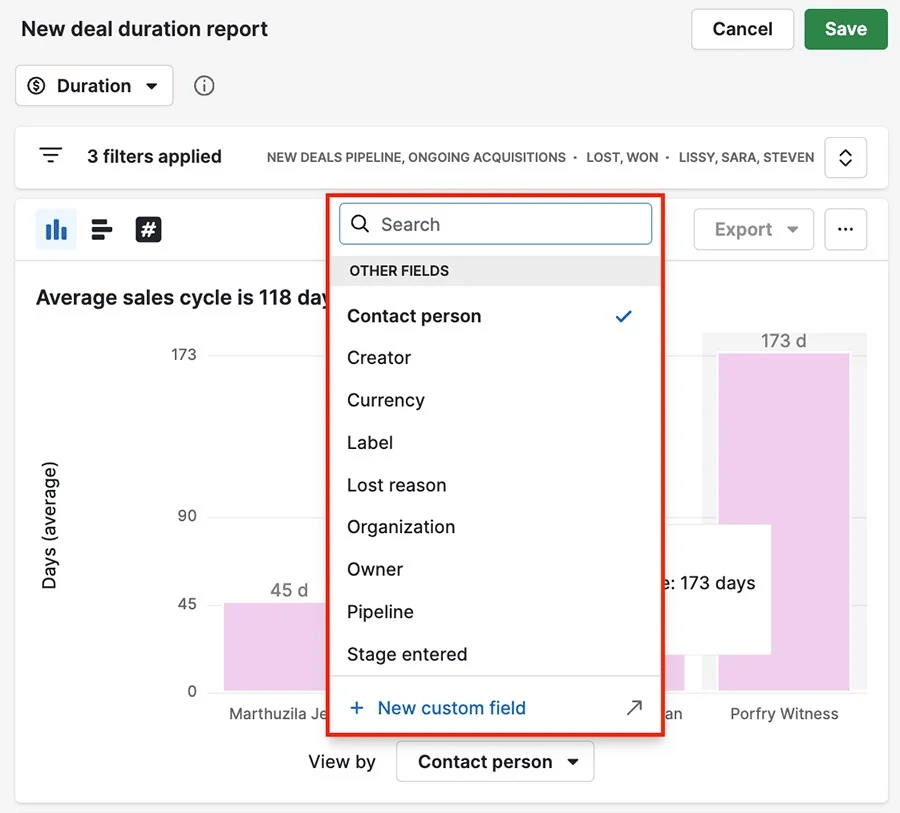
How to use limited-time offers in your marketing

First, choose a product or service for which you can offer a discount. Set the sale price, choose a deadline and prepare all marketing content before you launch.

When you have an offering in mind, apply these best practices to drive customer engagement:

Limited-time offer best practices

Why it works

Choose offers that feel valuable but don’t hurt your margins

A 20% discount on a high-margin service works better than 50% off a low-margin product.

Set deadlines between 24 hours and a week

Flash sales (24 to 48 hours) create maximum urgency. Week-long sales give customers time to think while still feeling pressure.

Create specific deadlines like ‘ends 11:59 PM Tuesday’ rather than ‘ends soon’

Exact deadlines feel more real and push people to act. If it says ‘ends soon’, they might think there’s no pressure to act.

Make the regular price visible next to the sale price

Show customers what they’re saving with crossed-out original prices.

Have a clear reason for the deadline

Make the time limit feel natural, like an end-of-quarter sale or ‘anniversary weekend only’ sales promotion.

You can leverage a customer relationship management (CRM) system like Pipedrive to manage and automate your sales processes, including FOMO offers.

With Pipedrive’s Campaigns add-on, you can set up automated email sequences for limited-time offers. Build your sequence with three key messages:

  1. The initial offer announcement

  2. A mid-point reminder highlighting the discount amount

  3. A final ‘last chance’ email with urgent language

In the campaign builder, each email appears as a separate step that you can customize with subject lines, content and call-to-action (CTA) buttons.

Use the “Schedule for a specific time” feature to time these messages. After your initial email, delay for one or two days and send your reminder email. Add another delay for the final day.

2. Drive demand with scarcity tactics

Scarcity tactics work by restricting availability instead of time. You tell customers there are only so many items or spots available, showing them they’ll miss out if they don’t act.

When people think something might become unavailable, they value it higher and move faster to get it before someone else does. This strategy is particularly useful for e-commerce sites like Amazon, which show real-time stock levels on their stores.

Example: Clubhouse’s invite-only strategy

The audio-only social platform Clubhouse used an invite-only model to drive demand during its rise. New users could only join if an existing user sent an invite. The app was also only available on iOS, further limiting access.

FOMO marketing Clubhouse invite-only scarcity

The invite-only policy created a massive sense of FOMO. It made people feel like they were missing out on a new, important business networking opportunity. The scarcity of access drove Clubhouse’s early growth and helped it become a hot topic.

How to use scarcity tactics in your marketing

Find a product you can genuinely limit. The scarcity must be real to maintain your brand’s reputation.

Once you’ve chosen what to limit, use these tricks to drive demand:

Scarcity tactic best practices

Why it works

Show specific quantities like ‘7 left in stock’

Exact numbers feel more believable than vague phrases like ‘almost sold out’.

Limit access to premium services or consultation spots

Capping monthly client intake means service-based businesses can also drive scarcity.

Create product bundles available for short periods

Bundling slow-moving items with popular ones helps sell inventory while creating urgency.

Use geographic scarcity for local businesses

Making a product or service only available in one place makes it feel exclusive, especially for restaurants and local events.

Set enrolment caps for courses and programs

Educational content feels more valuable when spots are limited.

Pipedrive’s Products feature helps you manage scarcity campaigns.

First, navigate to the “Products” section and click “+ Product”. Enter the product name and set the total available quantity.

Add the scarcity limit to the name (e.g., ‘15 spots only’) so your team always sees the maximum number of sales.

Add your regular price in the main price field.

FOMO marketing Pipedrive Products feature

In the product detail view, click “+ Add variation” and name it something like ‘Early Bird Discount’. Set the discounted price here.

FOMO marketing Pipedrive price variation

In the product description, include all relevant details so your sales team can answer questions quickly.

When a salesperson creates a new deal for someone interested in your limited offering, they add the product.

FOMO marketing Pipedrive Products feature

The deal value automatically reflects the sale price, making it easy to track revenue from your scarcity campaign against its regular pricing.

FOMO marketing Pipedrive Products prices

Track remaining spots by manually updating the unit quantity field each time you close a sale. If you started with 15 spots, change the quantity to 14 after your first booking, and so on.

Download Your Sales and Marketing Strategy Guide

Grow your business with our step-by-step guide (and template) for a combined sales and marketing strategy.

3. Build trust and desire with social proof

Social proof shows your customer base that others have already bought and benefited from your product. People who see positive testimonials and reviews feel more confident making the same purchasing decision.

This approach alleviates anxiety by showing that your offering is worth it. People naturally follow others, especially when they’re uncertain.

It’s useful for customer demographics that are more active on social media, like Gen Z and millennials.

Example: Booking.com drives urgency with real-time social proof

Booking.com uses multiple types of social proof to push travelers to book. The site shows each location’s rating and how many people viewed a hotel in a prominent place.

FOMO marketing booking.com example

It also displays messages like ‘3 other people are looking at this hotel right now’ and ‘only 2 rooms left at this price’.

These real-time updates create urgency by indicating active demand from other customers.

How to use social proof in your marketing

Start by collecting examples of sales success. Get testimonials, create customer stories and find usage statistics to showcase in your marketing.

Once you have social proof content, use these FOMO marketing tactics to drive action:

Social proof best practices

Why it works

Display specific customer numbers

Exact figures like ‘trusted by 3,000 businesses’ feel more credible than a vague ‘thousands of customers’.

Show recent customer activity

Real-time social proof highlights the level of demand you’re getting, showing customers they might miss out if they don’t act.

Feature testimonials from people who match your ideal customer profile

Customers trust recommendations from people with similar needs.

Include photo testimonials and video reviews

Visual proof feels more authentic than text-only testimonials.

Highlight social media mentions and user-generated content

Photos and videos from real customers are more relatable than polished content marketing.

Showcase endorsements or industry awards

A stamp of approval from a respected influencer or organization makes your brand look more legitimate.

Pipedrive’s Activities feature helps you track and collect social proof. After successful deals close, create activities to follow up and gather customer feedback.

Look for contacts with high email open rates, multiple purchases or frequent interactions with your team. Engaged customers like this are often more willing to share positive experiences.

Set up automated reminders to reach out to satisfied customers after a month or so. When you follow up, record any successful case studies in the “Notes” section of each customer’s contact record.

4. Offer exclusivity for high-value engagement

Exclusivity makes customers feel special. It gives them access to products and offers that aren’t available to everyone, creating a sense of belonging.

When you create an exclusive deal, you turn your brand into a desirable community that customers want to join.

Example: Sephora’s Beauty Insider program

Sephora’s Beauty Insider program is a tiered loyalty system that rewards customers with exclusive perks. Members get points for purchases, but exclusive access is the real draw.

FOMO marketing Sephora example

Higher tiers unlock access to special events, new products and unique gifts, making top customers feel valued and encouraging others to spend more to reach the next level. This exclusivity creates loyal customers who keep purchasing from you.

How to offer exclusivity in your marketing

Find a suitable customer segment to target, like repeat customers or high spenders. Then, create an offer that recognizes and rewards them.

Common VIP criteria include:

  • Customers with a total lifetime value above a certain amount (e.g., over $1,000)

  • Clients who have bought from you multiple times (e.g., have more than three won deals)

  • Long-term customers who have been with you for more than a year

Once you’ve defined your VIP customers, use these tactics to create exclusive offers:

Exclusivity best practices

Why it works

Create a VIP loyalty program with tiered benefits

Rewards your best customers and incentivizes everyone to engage more and unlock better perks.

Grant early access to new products or sales

Makes members feel like insiders, creating urgency to buy before sales open to general customers.

Provide access to exclusive content or communities

Private forums and members-only content add value and strengthen your community.

Invite top customers to private events

Offers a unique experience that builds deep brand loyalty and advocacy.

Create limited-edition products for members only

Boost sales by combining exclusivity with scarcity, making the product a coveted status symbol.

Pipedrive’s Campaigns feature gives you the tools to find your most valuable customers and share exclusive experiences with them.

First, go to your contacts list and create a new filter.

FOMO marketing Pipedrive Campaigns filters

Set the conditions based on the criteria you chose for your VIPs. For example, you could find high spenders by setting the filter condition to the “Total value of won deals”.

FOMO marketing Pipedrive Campaigns filter edits

Once you apply the filter, Pipedrive will show you who meets your criteria. Save this filter and give it a name, like ‘VIP Customer List’.

Create a new campaign and choose your VIP filter as the recipient. Use Pipedrive’s AI email writer to speed up this process. The email will only go out to that group when you hit send.

5. Use countdown timers and expiring content

Countdown timers create visual urgency. When people see the time literally ticking away, it triggers their fear of missing out and makes the time pressure impossible to ignore.

Expiring content, like Instagram Stories, leverages the same principle. Viewers know the content won’t be around forever, so they’re more likely to watch it right away.

Example: Best Buy’s “deal of the day” drives quick purchases

Best Buy is one of the best FOMO marketing examples. It has prominent daily countdown timers for deals, showing when each offer expires.

When the deal ends, Best Buy removes it entirely. Customers know that when the timer hits zero, the discount disappears forever.

FOMO marketing Best Buy example

The timer element drives customers to make quick decisions rather than bookmarking deals for later.

How to use countdowns in your digital marketing

Come up with a few promotions and create deadlines you can stick to, then use these best practices to make the most of your countdowns:

Countdown timer best practices

Why it works

Add a banner timer to your website during a sale

The constantly clicking clock reminds customers that the opportunity is slipping away.

Embed a countdown timer in your promotional emails

It brings urgency to the customer’s inbox and makes your ‘last chance’ emails more effective.

Use Instagram or Facebook Stories for flash sales

The 24-hour lifespan of Stories is perfect for deals that only last one day and encourage daily check-ins.

Set an expiration timer on a customer’s shopping cart

Reduces cart abandonment by letting customers know their items will become a missed opportunity if they wait too long.

Use an exit-intent pop-up deal to convince customers to buy

Gives website visitors a reason to buy (like freebies or cheap shipping) if they stay on your store and complete their purchase.

Pipedrive’s workflow automation lets you trigger time-sensitive emails without lifting a finger. You can set up workflow triggers that send countdown emails based on deal stages or dates.

When someone shows interest in your offer, create a deal and let automatic workflows handle the follow-up sequence. Pipedrive will send your initial email, then trigger reminder messages at your chosen intervals.

Pipedrive’s Campaigns feature lets you build emails with HTML blocks for countdown timers. Simply copy and paste the HTML code from your third-party email marketing tool into Pipedrive’s HTML block.

6. Create anticipation with pre-launch waitlists

A pre-launch waitlist builds demand for a product before it’s even available. When you ask potential customers to sign up for a waitlist, you create a buzz.

This strategy’s bonus is that it gives you a ready-made email list of warm leads to market to on day one.

Example: Nintendo Switch generates massive pre-launch demand

Nintendo announced the new Switch console months before release and opened pre-orders with limited stock quantities. It built anticipation with carefully timed reveals and exclusive events leading up to launch.

FOMO marketing Nintendo Switch example

Customer interactions in the lead-up also gave Nintendo valuable data about expected sales volumes, which helped plan production and marketing budgets.

How to use pre-launch waitlists in your marketing

Plan your waitlist campaign well before your product is ready. The goal is to build momentum so you can launch with a bang.

Use these sales tactics to build effective waitlists:

Pre-launch waitlist best practices

Why it works

Create a simple landing page with a clear value proposition

Clearly explains what exciting thing is coming and focuses on the single action of signing up.

Offer an incentive for joining the waitlist

Give customers a launch-day discount or limited beta access to encourage sign-ups.

Keep your waitlist engaged with regular updates

Send periodic emails and progress updates to keep your future product top-of-mind.

Pipedrive’s LeadBooster feature includes Web Forms, which lets you build customizable pages that sync with your CRM system.

Use Web Forms to add signup fields to your product pages or send them directly to customers via email or social media.

Set up custom fields in your forms to gather key information about your customers’ needs and preferences. Ask questions like ‘Which features are you excited about?’ to find out what your target audience wants most.

When a prospect submits a form, Pipedrive will automatically create a contact and send you an email notification.

You’ll be able to see their responses in real time, which will give you insights to guide your launch strategy and product management.

Recommended reading

https://www-cms.pipedriveassets.com/blog-assets/product-launch-emails.png

7 product launch email campaigns to start selling

7. Spark engagement with FOMO-driven contests and giveaways

Contests and giveaways tap into the fear of missing out on a valuable prize. As there are only a limited number of winners and a fixed time to enter, participants feel a strong urge to act quickly.

This strategy helps grow your audience, build brand awareness and generate leads – all while providing a fun customer experience.

Example: Glossier’s limited-edition giveaways

Glossier runs regular Instagram contests for exclusive products that customers can’t get elsewhere. To extend the contest’s reach, it sets entry requirements, such as sharing posts.

OMO marketing Glossier example

Glossier then announces winners publicly and showcases their prizes, which helps keep participation rates high in future giveaways.

How to use contests and giveaways in your marketing

Find something your audience wants but can’t get elsewhere. Custom or unique products create more FOMO than generic prizes like gift cards.

Once you’ve got a compelling prize, use these strategies to maximize engagement:

Contest and giveaway best practices

Why it works

Set clear entry deadlines

A limited entry time creates urgency and prevents people from forgetting your contest.

Require actions that expand your reach

Tagging friends and sharing posts grows your audience organically.

Announce winners publicly

Social proof shows the contest is legitimate and builds excitement for the next giveaway.

Create multiple ways to earn entries

Bonus entries for extra actions (like subscribing to your email newsletter) increase engagement.

Pipedrive’s Insights and Reports lets you build custom dashboards to track your giveaway results.

To enable tracking, go to “Company Settings” > “Data fields” and set up a custom source channel.

FOMO marketing Pipedrive source channel

Add a specific value like ‘Giveaway contest 19th July’. When you add new contacts from the giveaway, select this source channel so you know where they came from.

After you launch your giveaway, create a custom report to see how many leads came from your giveaway. Go to “Insights” and hit “+ Create” > “Report”.

In the report builder, find the “Filters” section and add a filter for your customer source channel.

When a sales rep creates a new deal from a contest entrant, the dashboard will update your charts.

FOMO marketing Pipedrive insights report

You’ll see the financial impact of your giveaway at a glance, giving you concrete data to prove the value of your marketing campaigns.

Recommended reading

https://www-cms.pipedriveassets.com/Psychographics-in-Marketing.png

Psychographics in marketing: the secret to messages that resonate

Final thoughts

Effective FOMO marketing helps customers make decisions when an offer genuinely benefits them. When you understand the psychology of urgency, you convert browsers into buyers.

Begin with one or two strategies that fit your audience, then measure the impact and refine your approach.

When you’re ready to put the power of FOMO marketing into action, use Pipedrive to bring your sales process together.

Start your 14-day free trial to see how it helps you capture leads and streamline FOMO marketing campaigns.

How to Say No to a Customer

Software Stack Editor · August 18, 2025 ·

Saying “no” to a customer can feel risky, but it’s a vital sales skill. Whether it’s a feature request, pricing pushback or timeline that’s out of scope, knowing how to decline while keeping the relationship intact is what separates good sales reps from great ones.

This guide explores when and how to say “no” in a way that builds credibility, avoids misalignment and earns long-term respect. It covers tactical phrasing tips, example scenarios, common missteps to avoid and how the right tools can support early expectation management.

Key Takeaways for how to say no to a customer

  • Saying “no” in sales sets boundaries, protects deal integrity and keeps solutions aligned with customer needs.

  • Handled well, it builds trust, prevents overpromising and focuses resources on the right opportunities.

  • Pipedrive helps by giving full deal visibility, tracking requests and spotting red flags early.

  • Equip your team to handle tough conversations – start your free 14-day trial of Pipedrive.

What does it mean to say no in sales?

Saying “no” in sales helps maintain alignment and protect the integrity of the deal, ensuring both sides stay focused on what truly adds value. It’s all about setting clear boundaries and managing expectations early, before they lead to churn, scope creep or unmet deliverables.

Often, it means pushing back on requests that compromise value or feasibility. That might include declining heavy discount demands, flagging timeline issues or explaining why a custom feature isn’t viable. It can also involve reframing the conversation to keep the solution aligned with the customer’s actual needs.

Handled with care, these moments build trust rather than tension. When sales reps combine transparency with empathy and suggest credible alternatives, they position themselves as long-term partners, not just vendors trying to close a deal.

When should you say no to a customer?

Knowing when to say “no” is just as important as knowing how. Not every deal is a good deal, and forcing alignment where there is none can lead to wider issues. Recognizing red flags early helps sales teams protect resources, maintain credibility and stay focused on opportunities.

There are several signs that suggest it may be time to pause or rethink a deal. One of the most common is when a customer asks for features that fall outside the product’s scope. Other red flags include vague or incompatible use cases, significant discount demands without long-term commitment or expectations that don’t match your standard offering.

Recognizing these patterns early helps sales teams avoid overpromising and protect resources for larger opportunities.

Agreeing can result in poor onboarding experiences, churn or resource strain that undermines profitability. Frameworks like BANT (budget, authority, need and timeline) or MEDDIC (metrics, economic buyer, decision criteria, decision process, identify pain and champion) help uncover misalignment early.

These frameworks give salespeople the confidence to say “no” when needed and focus on deals that are more likely to succeed.

The most important persuasion tool you have in your entire arsenal is integrity

– Zig Ziglar, sales trainer

Setting boundaries without damaging relationships

Saying “no” sets boundaries that preserve mutual value and support a healthier, more sustainable customer relationship.. Customers often respect a clear “no” more than a forced “yes”.

Keep it collaborative, not confrontational. Rather, be honest about what’s not possible and why. Provide a simple explanation, like focusing on core stability over new features, builds understanding and keeps trust intact.

As Spotio notes, 76% of B2B buyers expect personalized attention and solutions. Being honest about limitations strengthens credibility.

Recommended reading

https://www-cms.pipedriveassets.com/Overcoming-Sales-Objections.png

Overcoming Sales Objections: Plan, Persist, and Convert

Saying no to a customer: tips and best practices

Saying “no” in sales requires strategic skill – combining empathy, timing and clear communication to guide deals in the right direction. While it might feel uncomfortable at first, especially in a culture that rewards “yes”, knowing when and how to say “no” is critical for sustainable business growth.

Saying “no” is essential to building trust, protecting your team’s working capacity and ensuring customer satisfaction. It also helps qualify opportunities more effectively, preventing time spent on deals that are unlikely to convert or scale.

When handled effectively, saying “no” doesn’t harm relationships – it reinforces them by building credibility and setting clear expectations. It positions you as a credible partner who prioritises long-term outcomes over short-term wins and shows customers that you’re honest about what’s possible, that you care about setting them up for success and that you’re committed to delivering value, not just closing a deal.

In fast-moving sales cycles, clear boundaries often lead to clearer outcomes.

The art of leadership is saying no, not yes. It is very easy to say yes.”

– Sir Anthony Charles Lynton Blair, former United Kingdom Prime Minister and Executive Chairman of the Tony Blair Institute for Global Change

Frameworks for common pushbacks

Preparing for common objections helps reps respond with clarity and confidence. Instead of vague reassurances, a structured approach shows professionalism and builds trust.

These responses also create consistency across the team, making it easier to coach, track patterns and improve deal outcomes over time.

Customer Objection

Response Approach

Feature request outside of scope

Acknowledge the request, clarify current capabilities and suggest an alternative solution or workaround.

Request for pricing concessions

Reinforce the value behind pricing, explain the structure and redirect focus to long-term outcomes.

Compressed implementation timeline

Set clear expectations on delivery standards and outline a realistic schedule with defined milestones.

Misaligned or unsupported use case

Clarify intended use cases, highlight proven outcomes and recommend solutions better suited to their need.

Request to bypass standard process

Explain the process’s importance in ensuring quality and reliability. If possible, offer a flexible but compliant alternative.

Recommended reading

https://www-cms.pipedriveassets.com/Framework-CRM.png

How to build a framework for CRM success

Why saying no actually builds trust

Agreeing to every request can raise red flags. Buyers may start to doubt your promises or question whether your team can realistically deliver. Overcommitting early often leads to missed expectations later.

A well-timed “no” communicates confidence and credibility. It shows that you understand the limits of your product or service, respect the customer’s objectives and are focused on delivering real outcomes.

According to TrustPilot, millennial B2B buyers, who now make up 60% of tech purchasing decisions, specifically seek transparency from vendors. Buyers seek honesty more than a polished sales pitch.

When to escalate and when to walk away

Not every “no” needs to be final. When a valued customer requests a feature or adjustment, it may be worth escalating internally for review. A strategic response that leaves room for follow-up highlights you’re taking the request seriously while remaining transparent about current limitations.

Escalation is appropriate when the request aligns with the broader product vision, has revenue potential or represents an opportunity to strengthen a key account.

According to Prezentor’s The State of B2B Sales in 2023, 48% of sellers struggle to clearly communicate value to customers. Saying “no”, when used thoughtfully, helps sharpen the value conversation, focusing on what matters most and strengthening buyer trust.

However, if the request goes against core product fit, undermines your pricing model or involves behavior that strains your team, it may be best to walk away.

Respectfully declining protects your team’s resources and long-term credibility. The goal isn’t to close every deal, but to close the right ones.

How Pipedrive helps you say no more effectively

Saying “no” with confidence starts with having a clear picture of the deal. Pipedrive gives sales teams the visibility needed to assess fit early.

Pipedrive CRM enables tracking deal stages, stakeholders, objections and activity history in one central place. Documenting every conversation and request makes it easier to spot red flags before they escalate.

Pipedrive’s structure supports consistency. Sales reps can log feature requests, track scope changes and flag misalignment using custom fields. It creates a shared understanding across teams, helping avoid miscommunication during handoffs or renewals.

Features like activity tracking and goal-setting help automate reminders and keep everyone aligned.

With AI-powered insights and prioritization tools, reps can focus their time on the right opportunities. By identifying what aligns with product fit and business goals, teams are better equipped to protect their time, maintain trust and say “no” when it’s the right thing to do.

FAQ

  • Be honest and empathetic. Clearly explain why something isn’t possible and, when possible you can, offer an alternative. This shows transparency and reinforces your role as a trusted advisor.

  • If the fit isn’t right, communicate respectfully and stay solution-focused. Set boundaries, explain your reasons and suggest alternatives when appropriate to preserve trust.

Final thoughts

In sales, the ability to say “no” reflects confidence, experience and a commitment to long-term success. Setting boundaries clearly and confidently leads to more customer satisfaction and healthier deal pipelines. Reps who handle pushback effectively help customers stay focused on the right solutions and outcomes throughout the sales process.

The most respected sales professionals know when to push forward and when to pause. They don’t shy away from difficult conversations. Striking the right balance between empathy and decisiveness protects your business model while reinforcing your role as a trusted advisor.

With the right systems and culture in place, saying “no” becomes a strategic advantage. In a competitive market, teams that lead with clarity and integrity stand out.

Optimize CRM Notes: Key Features and Benefits

Software Stack Editor · August 13, 2025 ·

Understanding the essential features that enhance customer relationship management (CRM) note-taking can help businesses optimize their processes and improve client interactions.

An effective CRM note system allows salespeople to quickly access the data they need and collaborate effortlessly.

In this guide, we’ll explore the key features of CRM note optimization, discuss the benefits of effective note management and help you choose the best note-taking CRM for your needs.

Key takeaways for CRM notes

  • CRM notes record customer and prospect interactions, keeping teams aligned and communication consistent

  • Optimized notes improve collaboration, speed onboarding and make follow-ups more effective

  • Pipedrive’s CRM notes link to deals and contacts, offer quick search and keep teams informed

  • See the difference for yourself – try Pipedrive’s CRM notes free for 14 days and elevate your sales process

What are CRM notes

CRM notes are a core function of customer relationship management (CRM) tools that enable users to document and store information about customer and prospect interactions. CRM notes also help ensure that every team member is informed and aligned, leading to more personalized, consistent and efficient customer service.

However, CRM notes do more than just record information. By keeping detailed records of each exchange, businesses can track the progress of customer engagements, anticipate future needs and respond more effectively to inquiries.

This level of attention to detail fosters customer trust and customer loyalty, ultimately contributing to higher customer satisfaction and retention rates.

Key features of CRM notes

Optimizing CRM notes involves key features that enhance the overall customer relationship management process, making it easier for sales teams to capture, access and utilize customer information.

The best CRM note features allow for automated data entry, meaning CRM tools can pull relevant data into notes automatically, saving time and reducing manual errors. Customizable templates also play a significant role, ensuring consistency in recorded details tailored to specific contact types.

By connecting notes to customer profiles, deals or appointments, contextual linking offers immediate context for a comprehensive view of interactions. This feature ensures that every piece of information is interconnected, giving sales teams a clearer understanding of all types of customers and engagements.

The ability to collaborate and share notes within the CRM fosters teamwork and ensures everyone is on the same page. Advanced search and filter functions make it easy to retrieve notes quickly based on keywords, dates or associated deals, improving overall efficiency.

By integrating these features, CRM notes become a powerful tool that drives efficiency and deepens customer intelligence, leading to improved performance across the board.

Note: According to a survey by Resco, 74% of companies say CRM technology gives better access to customer data, and 64% believe it improves relationship management.

Benefits of optimizing CRM notes

Optimizing CRM notes like those in Pipedrive can significantly boost sales teams’ productivity and efficiency. By meticulously curating these notes, teams ensure every customer interaction is logged with maximum detail and relevance. This thorough approach enables a deep understanding of customer behavior and preferences over time.

A key benefit is the advanced knowledge sharing that clear, concise best notes facilitate. Teams can seamlessly exchange insights about customers, fostering better collaboration. Detailed notes also pave the way for improved follow-ups, allowing sales representatives to tailor their communications more effectively, which can increase success rates.

Additionally, new team members can quickly get up to speed by reviewing the comprehensive historical notes for faster onboarding and integration.

The best notes CRM elevates customer assistance excellence. With a complete history of client meetings readily available, customer service teams can deliver more cohesive and personalized experiences. This rich historical context guarantees that future exchanges are informed by past engagements, making customers feel valued and understood.

Ultimately, Ultimately, effective CRM notes equip sales and customer success teams with the critical information they need for informed decision-making, leading to improved efficiency and business growth.

Recommended reading

https://www-cms.pipedriveassets.com/blog-assets/measure-and-track-entire-team_blog.jpg

How to measure and track your entire sales team’s performance

Best practices for CRM note management

Efficient CRM note management is exemplified by a sales team that consistently captures and accesses crucial customer information with ease.

Consistency is key. When every team member follows a standardized format for notes, it ensures clarity and easy retrieval. Clear documentation captures interaction trends and action items, enabling personalized and meaningful engagements.

Accessibility allows authorized team members to quickly access notes, ensuring a seamless customer experience. Timeliness in updating notes right after exchanges preserves accurate details, preventing any information from being lost.

Prioritizing urgent issues or follow-up actions in notes ensures that pressing customer needs are promptly addressed, showcasing your team’s responsiveness. Regular reviews keep data current and relevant, preventing outdated information from affecting customer connections.

By embracing these best practices, CRM notes become a powerful tool for nurturing customer relations and driving sustained growth and success.

Choosing the right CRM for note optimization

Selecting the right CRM solution to enhance note-taking efficiency is vital for business owners looking to keep organized and actionable customer records.

When considering CRM options, it’s essential to look for features that support effective note management. Pipedrive truly shines in this aspect, offering a user-friendly structure that allows thorough records for each contact to be added and retrieved easily.

Pipedrive supports seamless tracking of customer habits and historical communications, providing a comprehensive view of each customer. Its customizable fields enable businesses to tailor notes to specific needs, enhancing the information’s relevance and usability. The CRM system’s rich text capabilities ensure detailed and readily available notes.

Pipedrive also offers immediate visibility into past notes, helping teams maintain a cohesive and informed approach to customer service.

Choosing a CRM like Pipedrive, which blends intuitive note-taking features with robust customer management tools, can be critical in supporting business success for organizational progress.

Why Pipedrive’s CRM notes stand out

Pipedrive emerges as a highly effective tool for businesses prioritizing sales success. Pipedrive stands out for its clean, intuitive note interface, which is built for sales productivity.

The CRM’s notes system intelligently integrates with the sales pipeline, linking rich customer insights directly to deals and contacts. More than passive storage, the system contributes directly to pipeline visibility.

Pipedrive’s CRM notes are powerful tools for recording customers’ preferences and engagements, providing unparalleled access to their history. This access is vital for businesses that foster long-term client connections and provide consistent, high-quality interactions.

Moreover, Pipedrive CRM notes keep sales teams consistent and informed, nurturing a unified approach to customer service.

Feature

Benefit

Detailed notes

Enables recording comprehensive information.

Direct link to deals/contacts

Simplifies tracking of client history.

Enhances team alignment

Ensures a cohesive customer service approach.

Streamlines sales process

Assists in prioritizing next steps.

Pipedrive’s CRM notes equip business owners and sales professionals with the arsenal required for business growth, grounding every sales pitch in a well-documented context of customer data visibility.

Future trends in CRM note-taking

The future of CRM note-taking is intricately linked with advancements in AI technology. As AI algorithms become more proficient at understanding natural language, CRM tools will likely see a surge in predictive note-taking features.

These intelligent systems will be capable of preempting the needs of sales teams, suggesting note details and automating the entry of customer preferences. Consequently, sales representatives can focus more on personalized communications rather than manual data entry.

AI will also enable CRM platforms to analyze customer communication patterns to suggest future action items. Integrating AI in CRM note-taking saves time and provides deeper insights into customer data management, which can be used to refine business strategies.

More unified networking can reshape customer support teams, streamlining communications. Such improvements will also foster better revenue increases through a better understanding of customer records and history, paving the way for more intelligent and proactive customer service approaches.

Recommended reading

https://www-cms.pipedriveassets.com/AI-vs.-IA.png

AI vs. IA: How to tell the difference

Next steps for business growth

Growing businesses are always chasing progress. After establishing the groundwork, the following steps are crucial for sustained growth and success.

Here’s a concise guide to propelling your business forward:

  • Develop a strategic plan. A well-crafted sales strategy sets the stage for future endeavors. It involves setting clear objectives, outlining the path to achieving them and allocating resources efficiently.

  • Enhance customer relationships. Utilizing CRM systems like Pipedrive helps maintain detailed notes and track client needs. This ensures a personalized approach and fosters long-term loyalty.

  • Optimize operations. Evaluate internal processes and identify areas for improvement. Simplifying operations can increase sales efficiency and reduce costs.

  • Invest in marketing. Expand your reach through targeted and automated marketing campaigns. Understand your audience and adapt your sales pitch to resonate with them.

  • Pivot as needed. Stay on top of market trends and be ready to pivot. Offering new products or services can capture new market segments and drive innovation.

  • Measure and analyze. Consistently measure performance against your strategic plan. Use data to refine sales tactics and inform decision-making.

Following these steps helps to construct a robust foundation for future growth and adaptability.

Final thoughts

Pipedrive’s seamless integration with various aspects of customer relationship management speaks directly to the evolving needs of businesses and their customers. It provides a structured yet flexible framework that aligns with every client’s unique sales journey.

As CRM notes become increasingly pivotal in curating personalized experiences, leveraging intelligent tools like the ones Pipedrive offers becomes a business imperative. The platform’s intuitive design supports an enhanced approach to customer service, propelling business development.

The Best Traditional Marketing Methods for SMBs in 2025

Software Stack Editor · August 12, 2025 ·

Digital marketing might feel like the smart, cost-effective choice. But how do you stand out when every small business uses the same online tactics?

One of the main reasons traditional marketing methods are still so powerful is that so many companies overlook them in favor of newer tools, giving users a competitive advantage.

In this guide, you’ll learn which offline techniques still grab attention, how they support digital efforts and how to ensure you and your stakeholders see real sales results fast.

What is traditional marketing (and how does it differ from digital)?

Traditional marketing is any form of offline communication that aims to promote a business, brand or product. It includes classic methods that have persuaded buyers for decades, like:

  • TV ads

  • Billboards

  • Direct mail

  • Radio spots

  • Flyers

  • Cold calling

  • Promotional events

All these tactics push messages out to broad groups, most without expecting immediate feedback.

Many businesses still use traditional marketing channels because they’re familiar and tangible. Add some creativity and they can be memorable, too.

Take the Intuit TV commercial below. The software brand uses a relatable pain point (falling behind on admin), surreal imagery (computer-generated chickens) and a snappy tagline (“Get peace of mind. Get QuickBooks”) to stick in small business owners’ minds.

This traditional ad complements Intuit’s digital efforts. It’s part of a broader marketing strategy alongside social media, search engine optimization (SEO) and blog content.

Traditional vs. digital marketing: the key differences

While it’s unhelpful to treat traditional and digital marketing as competitors, knowing their key differences can help you understand how they complement one another so perfectly.

Here’s a speedy comparison based on cost, targeting, speed and measurement:

Aspect

Traditional marketing

Digital marketing

Cost

While usually more expensive upfront, it offers better value when scaled.

Cheaper to start with, followed by cost spikes in competitive markets.

Targeting

Works well for geographic or age-based targeting, though less precise overall.

Highly specific targeting, depending on platform rules and data access.

Speed

Slower to plan and produce, then runs with minimal input once live.

Quicker to launch, but often needs constant tweaking and updates.

Measurement

Tracks brand recall and responses, although data usually comes in after the fact.

Shows real-time performance through clicks, opens and other live marketing metrics.

So, while digital offers fast turnaround and precise targeting, traditional channels of marketing bring something different. The customer’s brand experience is often more memorable, and that kind of impact still matters in a crowded digital space.

When inboxes are full and social media timelines scroll endlessly, a well-designed brochure or a radio spot with personality can cut through. These and other traditional marketing examples give people a reason to pause and your brand space to stand out in today’s digital age.

Recommended reading

https://www-cms.pipedriveassets.com/Creative-brief-guide.png

How to write an effective creative brief (with free template)

Why traditional marketing tactics still matter in 2025

Offline marketing methods continue delivering strong results for clever, strategically-minded businesses. Rather than disappearing like many predicted, they’ve evolved to work alongside digital media and create more comprehensive marketing plans.

Here are the biggest reasons to invest in your traditional marketing strategy.

It provides a different kind of reach and trust

Traditional marketing techniques are familiar, visible and more trustworthy for some target audiences.

For example, a radio ad or flyer doesn’t rely on algorithms to be visible, and a printed handout can’t get buried in inbox spam.

These tangible formats carry weight, especially with customer demographics who value clear, direct communication. For example, Media Logic reports that over half of adults aged 65 to 73 read print newspapers or a combination of print and digital, and 83% listen to AM/FM radio.

This circumstantial effectiveness explains why over a third of small business leaders plan to keep traditional marketing spending steady, and 45.8% will budget for more.

Traditional marketing methods investment survey

The same companies are spending more on digital tactics, too. At the same time, they know that dropping traditional methods altogether would cut their reach in an instant.

Four Steps to Finding the Right Leads Fast

Make instant improvements to your lead qualification process with this four-step guide full of actionable sales advice.

It works hand in hand with digital channels

Many digital tactics evolved from traditional ones. TV inspired display ads. Direct mail led to email marketing. Cold calling became social selling. It’s all connected, which is why old and new often work well together.

Smart marketing professionals and salespeople already use these links effectively. For example:

Combining traditional and digital like this creates smoother, more coherent customer journeys. It helps brands meet buyers wherever they are, online or off, reducing friction.

For example, MDL Marinas Group captured 900 email sign-ups in three weeks by adding QR codes to membership brochures. This simple method created a clear feedback loop: print → scan → digital nurture → measurable leads.

The director of sales and marketing, Tim Mayer, explained:

Within these packs, [the code] gives members access to a benefits area where they can find things like discounts on boat listings and brokerage. QR codes bridged the gap between traditional media and new ways of delivering information.

Not every tactic pairs perfectly. For example, a TV ad asking viewers to click a link will fall flat because there’s no way to interact. That’s why matching the channel to the message and goal is key.

Pro tip: Want to explore traditional channels without losing momentum on your digital efforts? Start with a small test campaign. Track the results, refine what works, then scale up with confidence.

6 traditional marketing methods that remain powerful

The following six marketing methods have proven their staying power by adapting to modern customer behaviors and integrating well with digital strategies. Here’s what each offers and how to use it well.

1. Print advertisements and promotional content

Putting your brand directly in customers’ hands, print is still one of the simplest ways to reach a local audience. Print mostly entails newspapers, magazines, flyers and brochures here, although more niche options – i.e., differentiators – include:

While digital ads are easily blocked or scrolled past, print ads and materials demand physical interaction and often stick around for longer. Distribute them in person at events, in-store or through the mail (see the next section for more information).

You can even get creative and weave digital tech directly into print media. Here’s an example of a building solutions firm using video postcards:

Traditional marketing methods REHAU video postcards

Being more expensive and larger than standard printed materials, these video postcards better suit smaller-scale campaigns and in-person delivery. Still, they’ll certainly help you stand out at a busy trade show.

Top tip: Use a QR code or short URL to link print to digital – they help monitor response rates and show what’s working. Pipedrive’s CRM lets you track where leads came from, even if the journey started with a flyer or brochure. Just tag the source and watch how those contacts move through your pipeline.

2. Direct mail marketing

Direct mail takes targeted messages straight to potential customers’ mailboxes. It can use any of those print materials just discussed, although some formats suit physical delivery more than others.

  • Postcards are lightweight, making them easy to store and cheap to send en masse. They’re also easily customizable using print companies like Vistaprint, MOO Print and even FedEx.

  • Brochures cost more to ship due to their size and weight, but are still highly customizable and can carry lots of information. Use them to nurture smaller pools of qualified leads, or even to help individual deals along.

  • Coupon books can quickly grow foot traffic, especially if you’re new to an area. Bulk-send welcome offers to grow brand awareness and entice new customers, then wow them into returning. Use off-peak discounts as part of flash sales to fill slow periods.

Your Golf Travel sent brochures to “tens of thousands” of golfers to generate interest in its trips and services. This marketing asset straddles traditional and digital, as it’s also available on the Your Golf Travel website.

Users who give their details can read this and various other guides in full, with a convenient live chat link in the bottom left corner to capture leads’ details:

Traditional marketing methods Your Golf Travel digital brochures

Delivered straight to golfers’ mailboxes, the physical brochures are hard to ignore. The digital versions give more info in a convenient, shareable format, viewable on a range of devices.

Top tip: Pay attention to what comes through your own door, at home or at work, because your audience will likely receive similar marketing material. What stands out? What makes you take mail straight to the trash? Use what you learn to craft something fresh and exciting with a super-clear message.

3. TV and radio advertising

You won’t beat TV and radio ads for reach. A place on the right channel at the right time puts your brand in front of thousands or even millions of prospective customers.

Precise targeting isn’t a strong point here, but you can still choose placement based on the likely audience. Here are a few examples:

  • Toy brands target families by advertising on kids’ TV

  • Hardware stores book morning slots on local radio to reach listeners planning their weekends

  • Retail banks advertise during weekday news bulletins, targeting working professionals who are interested in the economy

  • Car dealerships choose drive-time slots when commuters are listening

Worried about the cost of TV advertising? One Reddit user from a video production company told this reassuring story:

Traditional marketing methods SMB TV ads Reddit post

This case shows that even if you’ve always assumed TV was out of reach, support from the right production company could make it feasible.

Top tip: Keep messages short and consistent. Name your brand more than once to build familiarity without forcing it into every line – you’ll just put the audience off. Finish on a memorable call to action (CTA) that supports your digital marketing efforts, like “find us at [short URL]” or “follow us on [social media profile]”.

4. Billboards and outdoor advertising

Billboards and outdoor signs create unavoidable brand impressions for drivers and pedestrians.

Most companies build awareness with these large-format ads, and it works. However, you can also reinforce the messaging people see elsewhere, like on your website or social profiles.

For example, Canva cleverly uses the limits of outdoor ad space to promote its beginner-friendly design software:

Traditional marketing methods Canva billboard

The ad’s unusual layout grabs attention, and its playful messaging shows off a key benefit: helping non-designers get content into the right aspect ratios. It doesn’t give everything away, but just enough to make anyone with design tasks think, “Hey, I have that issue, too”.

Top tip: Be bold and brief. Boldness catches eyes and sharp messaging gets your point across in minimal time. Stick to one simple idea for each outdoor ad, as passers-by will only have seconds to absorb it. The aim is to intrigue rather than force an entire sales pitch into one small space.

5. Face-to-face marketing

Face-to-face marketing generally happens at trade shows, networking events, in-store sales demos and community meet-ups. It can involve one-on-one conversations or speaking to a group.

Marketing to people in person allows them to read your body language and tone in real time, so they can decide whether to trust you much faster.

This immediacy can work for or against you. A great impression builds confidence, while a bad one lingers. That’s why it’s vital to focus on helping, not always selling – just like you would in a well-balanced content marketing strategy.

Let’s say you’re a cybersecurity sales consultant going to this networking event:

Traditional marketing methods CyberConnect meeting information

You have two options: pitch your latest package to everyone you meet or drop practical tips into informal chats.

The first option puts people off talking to you because buying isn’t what they came for. The second builds trust without the pressure. It may take weeks to forge a strong connection, though the impact lasts longer.

Top tip: Ask questions, share useful ideas and leave people with something to remember you by. While they may not need your service today, you’ll be front of mind when the right moment comes along. Log those interactions in your customer relationship management system straight after each event, so you can follow up with the right message at the right time.

Do you know one of the best ways to be memorable? Give out thoughtful business cards.

6. Business cards

Business cards still matter for networking because they create lasting connections beyond initial meetings. Well-designed cards with clear contact info make it easy for prospects to remember you and act later.

Below is the card Josie Ryan uses for her business Word Matters. It’s straight to the point, stating who she is, what the brand’s called and what it provides – all in simple dark text on a white background, subtly symbolic of a copywriter’s product.

Traditional marketing methods Josie Ryan business card

The QR code takes you straight to Josie’s website, which elaborates on all her services. The more this marketing tool is shared, the more traffic it can generate.

Traffic and interactions aren’t the only way to harness QR codes on business cards. Belton Construction is a small business that uses them to generate reviews from its customers:

Traditional marketing methods Belton Construction business card

It’s easier than ever to design your own business cards like these. Printing costs are also affordable for most small business owners and freelancers. Canva, Zazzle and Adobe are a few providers with intuitive design tools and integrated printing services.

Top tip: Make your card work harder by adding a QR code that serves a specific purpose. It could be driving website traffic, collecting reviews or booking meetings. Keep the design clean and professional while ensuring that the QR code has enough contrast and size to scan easily. Test it with a smartphone before printing.

4 easy ways to make traditional marketing more measurable

The biggest challenge of traditional advertising and marketing has always been tracking results, although modern tools make measurement much simpler than before.

Here are a few ideas for measuring traditional marketing approaches:

Tracking method

How it works and recommendations

QR codes and custom URLs

Create unique landing pages for each type of marketing campaign to see which tactics drive the most engagement. For example, use “yoursite.com/radio” for radio ads and “yoursite.com/postcard” for direct mail. Then, track visits, conversions and lead quality by source in a website analytics tool.

Unique phone numbers

Use different extensions or dedicated lines for radio and TV ads to identify which campaigns generate calls. Call tracking software can assign unique numbers to different campaigns automatically and provide detailed analytics.

In-person and promotion-specific tracking

Train your team to ask “How did you hear about us?” and log responses in your sales CRM. Use unique discount codes for different materials, like “RADIO15” for radio listeners or “CARD20” for business card recipients.

CRM integration

Track lead sources from first contact through final sale to see which traditional methods generate the highest-value customers. Modern CRMs make it easy to tag leads by source and follow their complete journey, showing true ROI by channel.

With the right tools and habits, you can track offline campaigns almost as confidently as digital ones. Just remember that the goal isn’t to get perfect outcomes every time. It’s far more important to get enough data to see what’s working, so you can keep improving the next round.

For example, if Pipedrive’s sales pipeline view (below) shows that leads from a printed brochure tend to drop off after visiting your site or contacting a sales rep, that’s a signal.

Traditional marketing methods Pipedrive pipeline view

Maybe the messaging doesn’t connect. Maybe the follow-up steps aren’t strong enough. Your CRM system helps you spot and fix those gaps before you overspend on the same mistakes.

Other ways you can use a CRM like Pipedrive to strengthen traditional marketing efforts are:

The more you connect your offline marketing efforts to your online sales software, the easier it is to double down on what gets the best results.

Recommended reading

https://www-cms.pipedriveassets.com/blog-assets/1164x609-1.jpg

How to track, measure and improve your team’s sales performance

Final thoughts

The key to successfully using traditional and online marketing is to think hybrid, not either-or.

Rely on traditional marketing campaigns to drive awareness and build trust. Then, guide prospects to digital touchpoints where you can nurture the relationships and track engagement.

This best-of-both-worlds approach delivers fantastic ROI by standing out and creating memorable brand experiences that stick with prospects longer.

Download Your Sales and Marketing Strategy Guide

Grow your business with our step-by-step guide (and template) for a combined sales and marketing strategy.

The SMB Cause-Based Marketing Guide

Software Stack Editor · August 11, 2025 ·

Small businesses often want to support causes but worry about having enough budget or time to make a real impact.

A cause-based marketing strategy offers a solution by helping you connect purposefully with your audience in ways that fit your company’s size and values.

In this post, you’ll learn a five-step guide to building campaigns that fuel business growth while making a broader positive impact.

What is cause-based marketing?

Cause-based marketing means your business supports a social or environmental cause as part of your brand strategy.

This approach typically involves your for-profit business partnering with a nonprofit or supporting a cause you care about (e.g., sustainability, mental health or education).

Cause-based marketing is usually part of a broader corporate social responsibility (CSR) approach, where you aim to positively impact beyond profit by contributing to communities, industries or the planet.

For small and medium-sized businesses (SMBs), it’s a way to show what you stand for and build deeper customer trust (when done right) without a huge budget.

For example, software-as-a-service (SaaS) company Freemius ran a fundraiser for the nonprofit “Girls Who Code” for its 10th anniversary:

For 24 hours, the platform and participating members of its community donated 100% of revenue share to the nonprofit.

The campaign naturally fits Freemius’s mission to help more women enter tech and give back to the community.

As CEO, Vova Feldman, put it:

Supporting Girls Who Code aligns perfectly with our vision of a more diverse and innovative tech landscape. We believe diverse perspectives lead to better innovation, stronger companies and more impactful solutions.

Here are a few typical ways SMBs implement cause marketing:

  • Donate a portion of sales to a local nonprofit. Tie a product, day or campaign to a giving effort (e.g., “This month, 5% of sales go to [Nonprofit name]”.

  • Sponsor or host community events. Help fund or organize local events for causes that matter to your team or customers.

  • Launch limited-time products tied to a cause. Create a special item where proceeds benefit a mission (e.g., a welcome offer where all revenue goes to charity).

  • Run awareness campaigns on social issues. Use your content marketing or social media efforts to educate and spread awareness around topics your audience cares about.

  • Offer volunteer days and share the story. Let your team volunteer during work hours and highlight their impact publicly to humanize your brand and inspire others.

Authenticity is key, whether you partner with a nonprofit or champion a cause alone. Your efforts should always reflect your core values, not just follow trends.

Recommended reading

https://www-cms.pipedriveassets.com/Small-Business-Marketing.jpg

The ultimate guide to small business marketing: Strategies to boost your brand

Why is cause-related marketing so effective for SMBs?

Cause marketing works exceptionally well for small business owners because it feels personal and value-driven – qualities that buyers care deeply about today.

Most SMBs don’t focus on dominating a market. They’re trying to make a difference. Whether you’re helping local communities or pushing for more inclusion in your industry, customers notice and remember.

Here are three key reasons why it’s so powerful.

Builds trust and emotional loyalty

When your company genuinely supports a cause, it signals that you care about more than just profit. That consistency builds trust and customer loyalty.

However, it’s essential to be thoughtful. Buyers often flip-flop between wanting brands to speak out about social and political issues or remain quiet.

Research from Sprout Social in 2019 found that 70% of consumers wanted brands to speak publicly about important causes. More recent Gallup research indicates that only 38% of Americans now want companies to do so.

Let’s say you offer bookkeeping software. You may donate to local adult education programs and share free budgeting tips online.

Choose causes like these that align with your mission statement or community, and avoid getting involved in polarizing issues unless you’re truly committed. For SMBs, missteps can have a bigger impact and make it harder to rebuild their brand reputation.

Creates differentiation without needing a huge budget

Supporting a cause helps you stand out in a crowded market by showing what your business genuinely cares about.

Features and pricing often look the same in competitive business-to-business (B2B) markets. Cause-based marketing allows you to stand out, not by outspending, but by standing for something.

That positioning is compelling for small businesses competing with bigger, more established players.

Imagine a small HR software company that builds a cause campaign around fair hiring. They donate software to nonprofit organizations that help people from poorer communities enter the workforce.

This initiative sets them apart from larger competitors and positions them as a values-aligned partner for a new customer.

Download Your Sales and Marketing Strategy Guide

Grow your business with our step-by-step guide (and template) for a combined sales and marketing strategy.

Fuels organic marketing and word-of-mouth

Tying your brand to a meaningful cause fuels organic word-of-mouth and social sharing, positively impacting your bottom line.

Cause-based marketing creates a deeper story around your company, giving people additional reasons to talk about it.

This kind of attention is often more powerful (and affordable) for small businesses than paid ads. It can also earn media attention for extra exposure.

Take a small consultancy that runs a campaign during Pride Month, offering free audits to LGBTQ+ nonprofits.

The campaign sparks LinkedIn engagement, earns a few niche media mentions and brings in four inbound leads through community goodwill.

Recommended reading

https://www-cms.pipedriveassets.com/Delight-the-Customer.jpg

10 reliable ways to delight the customer and amplify customer loyalty

5 real-world examples of B2B cause marketing campaigns

B2B cause-based marketing examples align with broader brand values like sustainability or workforce development.

As B2B buying decisions often involve multiple stakeholders, they’re usually more strategic and relationship-driven. Campaigns frequently support long-term brand positioning, talent attraction and partnerships.

On the other hand, business-to-consumer (B2C) campaigns often become quick, emotional buying decisions.

A fashion brand might launch a limited-edition collection supporting breast cancer research, which prompts impulse purchases.

Here are five B2B cause marketing examples and what they support:

B2B company

Cause-related marketing campaign

Pipedrive

The Small Business Week spotlights SMBs driving sustainable growth to amplify the community and share real-world success stories.

Deloitte

The WorldClass Initiative aims to impact 100 million futures by 2030 by providing job skills, education and opportunities through pro bono work and partnerships.

Buffer

Transparent salaries support wage equality and fair pay, aligned with the brand’s honesty and openness values.

Cisco

The Networking Academy offers free tech training and certifications to underserved communities worldwide.

SAP

The neuroinclusion initiative creates targeted hiring and support programs for individuals on the autism spectrum.

Though these B2B cause-related marketing examples are from bigger companies, they’re all about long-term alignment. SMBs can still learn from them.

Choose a cause that reinforces your company’s mission, deepens customer trust and builds a brand that stands for more than just software or services.

Recommended reading

https://www-cms.pipedriveassets.com/B2B-Report-Guide-and-Best-Practices.png

The ultimate guide to B2B reporting: basics to best practices

How to create your own cause marketing strategy: step-by-step

Cause-based marketing doesn’t have to be overwhelming. By breaking it down into simple, actionable steps, you’ll build a campaign that truly resonates with your customers and drives results.

From choosing the right cause to tracking your impact, here are five steps to creating your strategy.

1. Identify a cause that aligns with your brand and values

The more aligned your cause is with your mission, product, team or customers, the more authentic and compelling your campaign will be.

Partner with a specific nonprofit or support a broader issue independently. What matters most is that it feels like a natural fit. Today’s buyers spot performative marketing a mile away.

When your cause aligns with your company’s identity, it builds trust and loyalty. Choose something that makes sense for your business.

A cybersecurity firm might support digital literacy programs for underserved students. Meanwhile, a coffee supplier might back reforestation efforts in coffee-growing regions or invest in fair-trade certification programs to support ethical farming.

Shaving brand Gillette has a long-standing partnership with men’s mental health nonprofit Movember:

Cause-based marketing Gillette Movember

Every November, men stop shaving and grow moustaches to raise awareness and drive donations for the charity.

Here’s how to choose the social causes that reflect your values and industry:

  • Look inward. What does your company care about beyond profit? Ask your team what causes they support personally.

  • Look outward. What issues matter to your community? Find out using a customer survey. There may already be a way your product indirectly supports a bigger mission.

  • Scan your history. Have you donated, volunteered or partnered with a cause in the past? Check if any charitable organizations have contacted you to suggest working together.

  • Check for overlap. Aim for a cause where your team’s passion and your business’s relevance meet (that’s your sweet spot).

Act with intention (not impulse) and support an issue that reflects your brand image.

2. Set clear goals and metrics

Successful cause marketing campaigns start with a goal that shapes everything, from messaging to channels and metrics.

Once you’ve chosen a good cause, decide what success looks like. For instance, you may want to raise brand awareness, drive donations or increase engagement. Without a clear objective, it’s easy for cause marketing initiatives to feel scattered or symbolic.

Let’s say a software company partners with a nonprofit to offer developer bootcamps for veterans.

The goal is to fund scholarships through a limited-time revenue share and encourage at least 10% of its customer base to participate.

Your primary goal could be to:

  • Raise awareness of an issue using LinkedIn and Instagram

  • Generate donations (from your business, customers or both) through a fundraising event

  • Drive sign-ups, trials or engagement tied to a point-of-sale campaign

  • Strengthen internal culture and employee morale with volunteering opportunities

  • Deepen advocacy or customer retention through sponsorship

Once you have a goal, define what success looks like in numbers. The same software company may measure success for its developer bootcamps by funds raised and engagement rates across email and social media.

Your goal metrics could include:

  • Raising $5,000 for a nonprofit

  • Reaching 1,000 people with an educational campaign

  • Logging 200 employee volunteer hours

  • Increasing social engagement by 20% during the campaign period

Measurable goals keep campaigns focused and help you evaluate real impact on your company and the charitable cause.

3. Involve your customers

Involvement builds a sense of shared purpose, whether letting customers vote on a cause, matching donations or highlighting their stories.

When people help shape your initiative or see themselves reflected in it, they’ll be more invested and likely to share it.

Imagine a fundraising customer relationship management (CRM) platform that asks users to vote on which of three education nonprofits will receive a year-end donation.

The provider also matches all user contributions for the top-voted organization, sharing impact stats along the way.

Customers feel seen and proud to support a brand that listens and gives back. This involvement drives positive word-of-mouth and long-term retention.

Graphic design platform Canva takes customer involvement even further by offering nonprofit users free access to its Pro plan:

Cause-based marketing Canva free nonprofits

Meaningful support like this builds goodwill and turns customers into loyal advocates for your brand.

Here are four ways to involve your customers:

  • Let them choose. Run a poll to select the nonprofit or cause your campaign supports.

  • Match their donations. Encourage giving by offering to match contributions dollar-for-dollar during a campaign period.

  • Share their stories. Invite people to submit experiences or testimonials related to the cause, then feature those customer stories in your marketing.

  • Create incentives. Tie donations or impact to customer actions (e.g., “For every sign-up, we donate $10 to [Nonprofit name]”).

Customer involvement boosts participation and turns your campaign into a two-way conversation, not just a company announcement.

4. Be transparent and specific

Specificity about your cause marketing efforts builds credibility and shows it’s not just a PR move.

Vague claims like “a portion of proceeds goes to charity” can feel performative. Being specific builds trust with your audience.

If you’re going to publicly support a cause, make sure people know how exactly. Let’s say you run a three-month campaign in which 5% of all annual plan sales go to a nonprofit supporting refugee job training.

Each month, you publish a short update on a dedicated landing page about how much you’ve raised and what those funds are going toward.

You increase trust and buy-in by sharing your impact, building brand loyalty.

Here’s how to stay transparent throughout your campaign:

  • Name the organization. Always state who you support or where the money goes to broader causes.

  • Quantify the impact. Share how much you’re donating, what percentage of sales or how the nonprofit uses the money.

  • Update regularly on results. Report back after the campaign with outcomes (e.g., funds raised, hours volunteered or people helped).

  • Avoid exaggeration. Stay honest instead of overstating your impact, even when the numbers are small.

Open communication holds you accountable while keeping your team and customers informed and invested.

5. Promote, measure and adjust your strategy

Even the most meaningful campaigns won’t drive impact if no one hears about them. Promotion helps you rally support, while reporting ensures your efforts achieve tangible outcomes.

Use clear, honest messaging to share:

Tracking results also allows you to refine your approach based on what works and doesn’t.

Imagine you’re a project management tool. You launch a corporate giving campaign to support remote learning nonprofits, promoting it with a homepage banner and weekly posts on your LinkedIn account with a unique hashtag.

Your goal metric is “total funds raised,” so when you reach it, you share a summary blog post with photos from your nonprofit partner.

Here are some typical ways to promote your campaign:

  • Email your audience to share the story behind the campaign, what you’re aiming to achieve and how they can help

  • Add a homepage feature to your website or an in-app message that explains the campaign

  • Use your social media platforms to post regular updates, behind-the-scenes stories or customer spotlights

  • Pitch local media (even small campaigns can still earn coverage, especially if there’s a strong human interest angle)

If things aren’t going as planned (maybe engagement is low or the message isn’t landing), don’t be afraid to pivot.

Adjust your messaging, clarify the impact or involve your audience in another way. A small shift mid-campaign can still make a big difference.

Recommended reading

https://www-cms.pipedriveassets.com/Marketing-Reporting.png

Marketing reporting: how to create reports that inform decisions

How to use Pipedrive to streamline cause-based marketing

Pipedrive’s powerful CRM system helps you plan, track and amplify your cause-based marketing efforts all from one place.

Start by tracking relationships with nonprofit partners as you would with key accounts. Use your CRM database to log meetings, assign tasks to your team and never miss a follow-up.

A CRM helps you see the big picture of cause-based marketing, from preparation to impact reporting.

Create custom pipelines to manage campaigns and track key milestones:

Cause-based marketing Pipedrive custom pipelines

For example, you could have stages like “Planning”, “Launched”, “Measuring impact” and “Complete”. This strategy keeps everyone aligned and helps avoid last-minute scrambles.

You don’t need to email every donor or supporter manually. Use Pipedrive’s Automations to inform and engage your audience without adding manual work:

Cause-based marketing Pipedrive workflow automations

Set up automated workflows to:

Use tags or custom fields to group contacts based on interest. For example, you might segment customers by who clicked on a sustainability campaign or donated to a specific initiative:

Cause-based marketing Pipedrive segmentation filter

By tailoring communications to those who engage in specific causes, you can personalize future messages or campaigns based on what matters to them.

Pipedrive’s reporting tools also show how your campaign affects engagement, referrals or sales.

Track whether email open rates spiked after the campaign or new leads came in through referrals and see them instantly reflected within user-friendly dashboards:

Cause-based marketing Pipedrive custom reporting

Measuring impact helps refine your strategy and prove the business case for doing good to stakeholders.

Whether you’re planning a donation drive or awareness push, use Pipedrive to run your mission-driven campaigns with the same care and structure as your core business.

Cause-based marketing FAQs

  • Cause-related advertising examples include campaigns where brands promote a social or environmental cause alongside their product or service.

    For example:

    Ads like these can be a win-win when the cause aligns closely with the brand’s values and actions.

  • Yes, you can select a corporate partner for cause marketing.

    Partnering with another purpose-driven business can amplify your impact, expand your reach and share resources like funding or audiences.

    For a successful partnership, ensure it feels authentic and benefits both the cause and your brand.

  • One of the first significant examples of cause marketing was a 1983 partnership between American Express and the Statue of Liberty Restoration project in New York City.

    Whenever customers used their AmEx card at checkout, the company donated a small amount to the cause.

    By boosting card usage and raising millions, this case study showed brands how to support causes and drive business simultaneously.

Final thoughts

For SMBs, cause-based marketing is one of the most potent ways to build trust, stand out and inspire word-of-mouth – all while supporting something that matters.

The most effective efforts start with an issue that aligns with your values and the right behind-the-scenes tools. With a CRM like Pipedrive, you’re not just managing campaigns. You’re building a reputation that sticks.

  • « Go to Previous Page
  • Page 1
  • Page 2
  • Page 3
  • Page 4
  • Page 5
  • Page 6
  • Interim pages omitted …
  • Page 28
  • Go to Next Page »

Get your Software Stack together. softwarestack.tech

Software Stack

© 2024–2026 - Software Stack is a trading name of SouthwestCIO Limited ac ompany registered in England & Wales 11319049

  • Knowledgebase
  • Home
  • About Us
  • Contact Us