• Skip to primary navigation
  • Skip to main content
software stack logo

Software Stack

Get your Software Stack together

  • Knowledgebase
    • All Categories
    • Accounting Software
    • Automation & Workflow Software
    • Customer Relationship Management
    • E-Commerce Shopfronts & Payments
    • Marketing Automation
    • Online Courses & Membership
    • Project Management
    • Surveys & Forms
    • Web Hosting
  • Home
  • About Us
  • Contact Us
  • Show Search
Hide Search

Pipedrive

What Is a Sales Advisor?

Software Stack Editor · May 23, 2024 ·

The sales advisor role can take various forms depending on the company and industry. While some employees stick to in-store activities, others guide prospects through remote processes and convert them into customers.

Whether you’re looking to start a career as a sales advisor or hire one, there are specific skills and steps you should know.

This article will cover what a sales advisor is and what they do. You’ll also learn three critical stages, whether you’re getting an interview or hiring for the role.

What is a sales advisor?

“Sales advisor” is a job title for employees who facilitate sales by advising customers on the most suitable product or service for their needs.

The role encompasses a range of responsibilities depending on the company and industry. Here are two top results for Indeed sales advisor job ads.
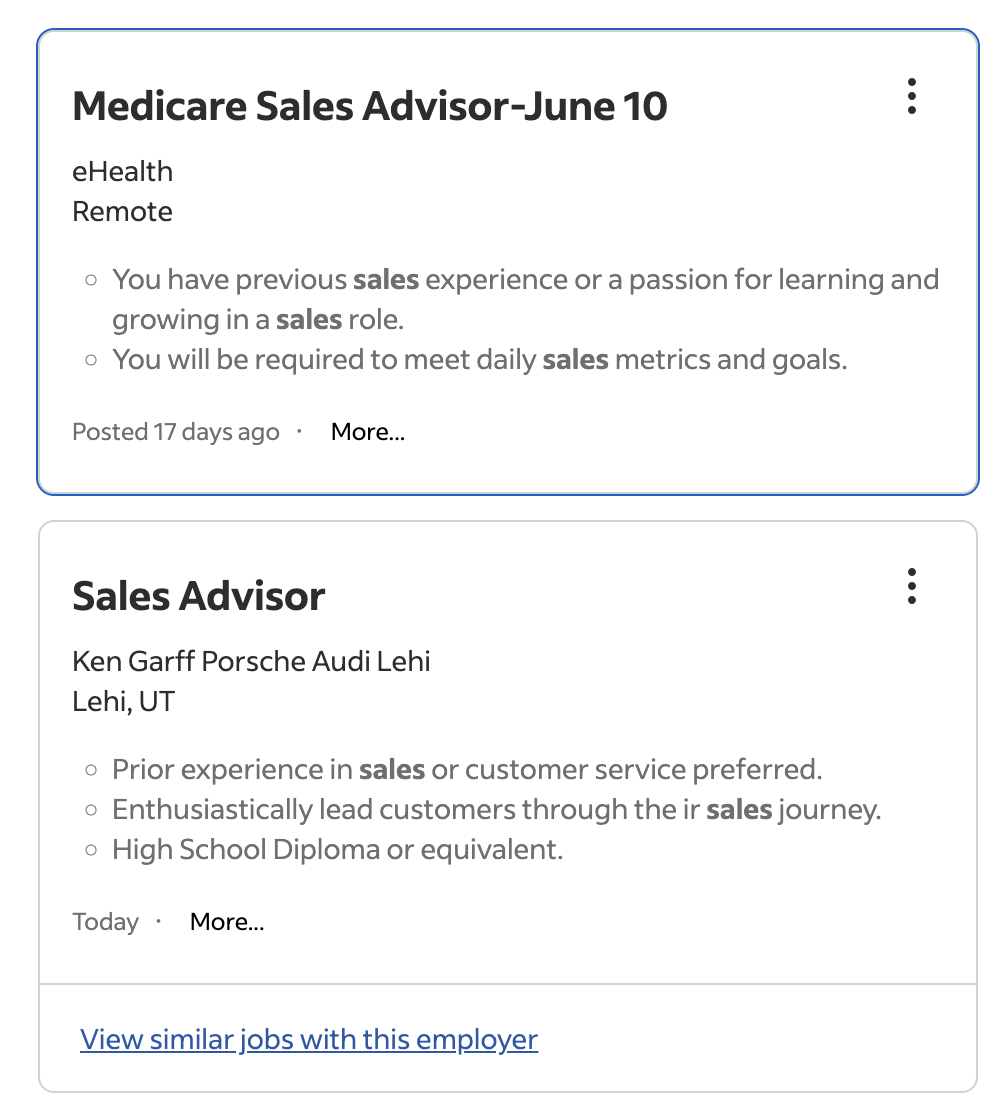
Job ads representing how a sales advisor can have different responsibilities depending on the industry and company.

One role is a remote position for an online health marketplace, while the other involves working for a brick-and-mortar automotive store. Both share the same job title. However, the two have different day-to-day responsibilities.

Companies use various titles to represent the same role because there are many types of sales jobs, products and industries.

Here are a few of the most popular titles for salespeople and their typical definitions:

  • Sales representatives. Sales reps interact with potential customers to sell products or services. Business development reps (BDR) and sales development reps (SDR) handle distinct parts of the sales cycle.

  • Sales associates. Sales associates sell goods and services in physical stores.

  • Sales assistant. Sales assistants often work behind the cash register in a store, handling stock and assisting customers with questions.

  • Sales consultant. Sales consultants work with companies to devise sales strategies.

  • B2B sales advisor. B2B sales advisors sell products or services in the business-to-business industry (e.g., a company that sells accounting software).

  • B2C sales advisor. B2C sales advisors sell products or services in the business-to-consumer industry (e.g., grocery stores).

  • Account manager. Account managers have a post-sales role, focusing on building relationships with customers.

However, you should take these definitions with a grain of salt. Different companies may use the terms “sales representative”, “sales assistant” or “sales advisor” to refer to the same role.

Recommended reading

https://www-cms.pipedriveassets.com/blog-assets/Inside-vs-outside-sales.png

Inside sales vs. outside sales representatives

What does a sales advisor do?

The responsibilities of a sales advisor depend on the company and industry. Let’s examine the two Indeed job listings mentioned above.

The remote Medicare role involves guiding prospective customers through choosing health insurance coverage. Since it’s a remote position, the call center environment requires confidence in walking people through software virtually.

However, the automotive role involves working in a Utah dealership. Advisors here will sell physical vehicles, so face-to-face communication skills will be crucial.

Here’s another list of responsibilities for a sales advisor at a luxury fitness company.
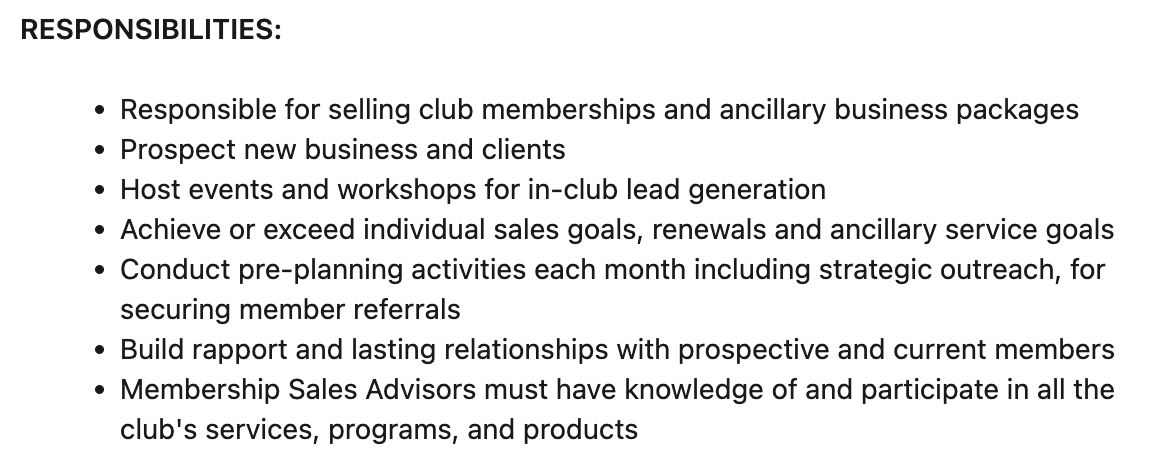
Job ad, explaining sales advisor responsibilities at a luxury fitness company

Event and workshop hosting experience is crucial for this role, as it will help build relationships with members that lead to customer retention.

While sales advisors have various responsibilities, here are some of the typical daily tasks:

  • Interacting with prospects, leads and customers in person or through various channels (phone calls, emails or social media messaging)

  • Advising potential customers on the services and products that best fit their needs

  • Providing top-tier customer service before, during and after sales

  • Processing sales transactions

  • Conducting sales demos or product presentations

  • Following up to ensure customer satisfaction

  • Monitoring inventory levels (e.g., restocking shelves or ordering products)

  • Participating in sales training and workshops to improve skills and product knowledge

It’s important to note that not all sales advisors will do all these tasks for their companies. It depends on the scope of the role.

Seal More Deals With Your Free Sales Communication Handbook

Learn to master your sales conversations with this 25 page ebook. Expect expert advice to help you level-up your soft skills and pump up your conversion rates.

5 skills to succeed as a sales advisor

While customer service experience is a bonus for all sales advisor roles, it isn’t always necessary.

Prospective advisors can get soft and hard skills through training and life experiences to succeed in customer-facing roles.

Here are five skills successful sales advisors possess.

1. Interpersonal skills

Successful advisors must communicate effectively with their sales team and customers to build rapport and sell products. However, interpersonal soft skills involve more than speaking confidently.

An advisor practicing active listening (an interpersonal skill) may detect a prospect’s concern that their video calling service isn’t a good fit for financial institutions.

With this information, the advisor redirects their sales pitch to cover the security features that hide sensitive data automatically when screen sharing.

Solid communication (i.e., being able to listen and share ideas without misinterpretation) helps advisors:

  • Understand someone’s needs and sell the best product

  • Explain product benefits clearly and persuasively

  • Handle sales objections and concerns confidently

  • Guide prospects through the sales process

  • Provide ongoing customer support

Communicating effectively with others is a crucial customer service skill that advisors can use to ensure everyone feels understood and satisfied.

How to build interpersonal skills: Practice active listening with friends and family so the technique becomes second nature. Watch communication coaching videos and observe how people with strong interpersonal skills guide conversations.

2. Problem-solving skills

The sales process often involves multiple obstacles and objections from potential customers. Advisors must navigate these issues through creative problem-solving and adapt their approach to close deals.

For example, an advisor may struggle to move prospects along the buying cycle after a demo. They can create a problem tree to diagnose potential reasons why.
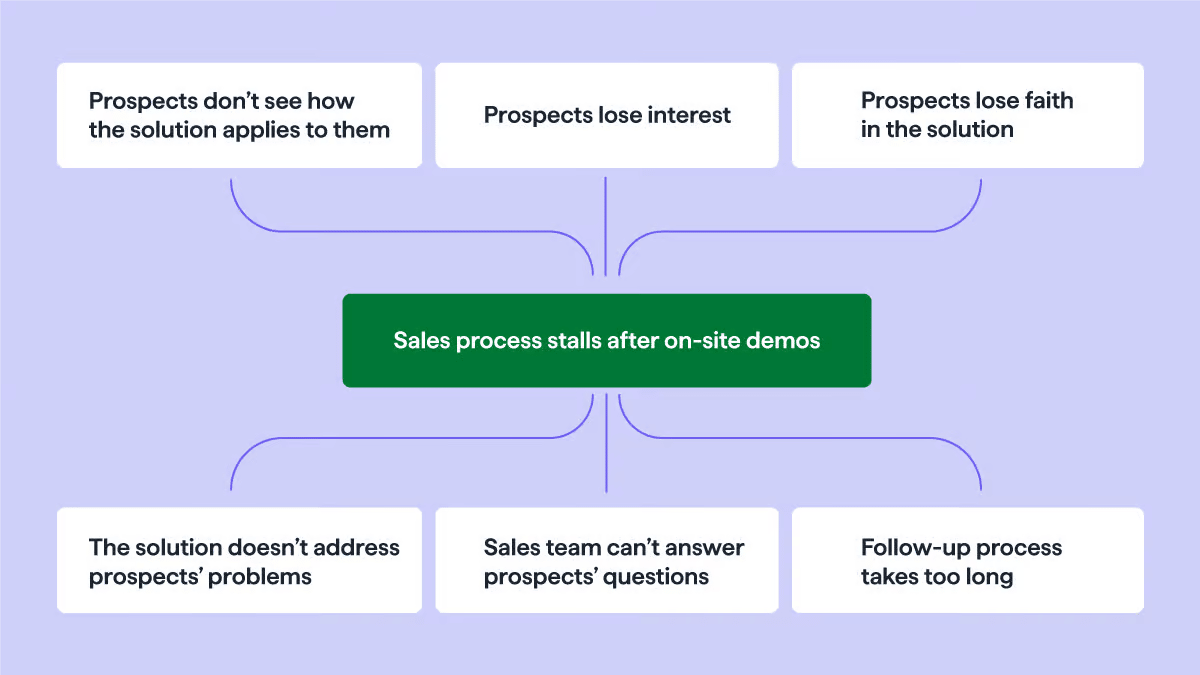
Sales advisor: Pain points within the buying cycle after a demo.

Visualizing root causes and replacing them with solutions helps the advisor figure out how to fix the problem. For example, organize sales team training to better answer prospects’ questions.

Other problem-solving strategies include:

  • Creating a list of possible solutions and using trial and error to test them (e.g., lowering prices)

  • Using the “5 Whys” (i.e., asking “Why” continually until you get to the root cause)

  • Implementing SWOT analysis (identifying strengths, weaknesses, opportunities and threats for each possible solution)

Each method can help the advisor solve complex problems without firsthand experience or expert help.

How to build problem-solving skills: Practice using the above methods to break down complex problems into smaller chunks and analyze them to find solutions.

3. Time management skills

Successful advisors must manage time effectively to nurture leads and follow up to boost sales. These time-saving skills help advisors understand which high-value activities they should prioritize to maximize productivity.

A company’s sales advisor can have diverse responsibilities, including administrative tasks, lead generation, relationship building and after-sales service.

Without a strategic plan, an advisor could spend hours on admin and leave limited time for meaningful activities. However, someone with excellent time management skills will ensure they focus on the tasks that help them close sales.

Sales advisors can implement time blocking to break down their workdays into shorter, more manageable segments. For example, they might split eight hours into one-hour or half-hour blocks and assign activities like “Send follow-up emails” or “Prospect on social media” to each.

Effective schedule management gives advisors enough time to provide excellent customer service and consistently hit sales targets. It also helps ensure salespeople don’t burn out or get overwhelmed.

How to build time management skills: Prioritize tasks based on importance and tackle them in set blocks of time to maintain focus and productivity. Research time management strategies like “Eat the Frog” and “Pomodoro” to reduce procrastination.

4. Proficiency with CRM or POS software

Sales advisors for online products must know how to use customer relationship management (CRM) software to manage contacts, relationships and deals. However, retail advisors will more likely have to work with a point of sale (POS) system.

An advisor gets a job with a graphic design software-as-a-service (SaaS) company, for example, and part of the role includes upselling the Premium plan to current customers.

The advisor needs accurate information to determine which customers are on the Basic plan and whether they will upgrade.

The SaaS company uses Pipedrive to separate sales pipelines, putting all won deals in a “Customers” pipeline. Within that pipeline, custom fields show which features the customer signed up for.

The advisor can use the software to prioritize communication and manage time effectively by reviewing previous outreach. For example, someone who declined an upgrade in the past likely isn’t worth pursuing again.

How to build CRM and POS experience: To gain experience using a CRM, sign up for Pipedrive’s free trial. Explore product videos to learn how different POS systems work, or volunteer at thrift stores for hands-on experience.

5. In-depth product knowledge

Sales advisors must know the product they’re selling to pinpoint prospects that fit ideal customer profiles (ICPs) and buyer personas. While ICPs allow you to group your target audience into segments, buyer personas help you communicate better with individuals in those groups.

New sales advisors will undergo company onboarding and training to learn about the product or service they’re selling. While the hiring process is detailed, the advisor should engage in additional self-learning to fill in knowledge gaps or learn about new products.

Head to the company’s site and read blog articles or customer stories from different industries.

For example, a salesperson who wants to stay current with how our product helps people can read our recent case studies to learn how customers in the construction, transportation and media industries use our CRM system.
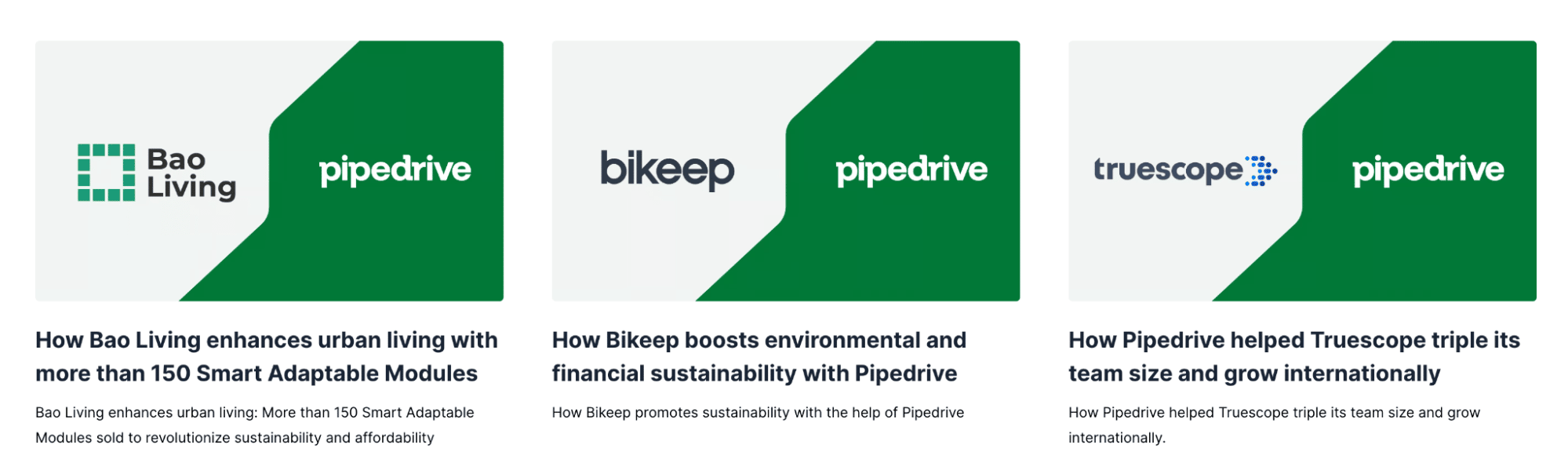
Pipedrive case studies

Keeping up with product knowledge helps advisors learn how different customer groups use their products and why they buy. That way, they can sell better to similar prospects and handle objections more confidently.

How to build product knowledge: While onboarding for a new role, read the company’s content and knowledge base to accelerate learning. Ensure you can navigate the product like a user, recommend best-fit features and read negative reviews to craft responses in advance.

How to get an interview as a sales advisor

If you’re confident you have the skills to be a sales advisor, you may wonder what experience you need. A positive attitude and willingness to learn are crucial, but some industries require formal education or sales certifications.

Here are three steps for getting your first interview as a sales advisor.

Get the relevant education or related job experience

While some sales advisor roles don’t require a certain level of education, some in more technical fields like healthcare or engineering do.

You’ll likely know the industry in which you want to work. If not, visit job posting sites and review the requirements.

For example, prospective hires need the following to work as an advisor for electric vehicle manufacturer Rivian:

  • A minimum of six years of sales, retail, customer service or hospitality experience at a premium brand

  • Proven experience in a sales cycle-focused, commission-based environment

  • CRM experience

  • Working knowledge of Microsoft software

Advisors need one year of experience and a bachelor’s degree to work for the commercial property marketplace LoopNet.
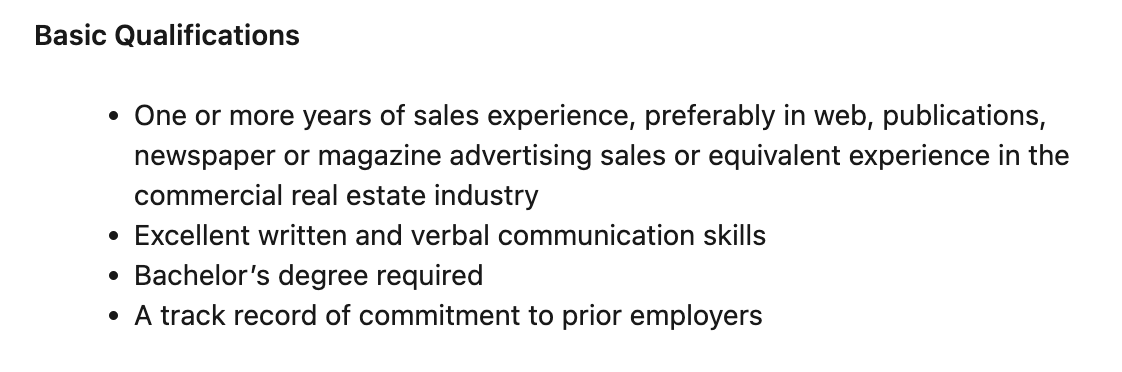
Sales advisor basic qualifications for a position at LoopNet commercial property marketplace.

Research your chosen niche and consider applying for the necessary courses or certifications. Otherwise, you may need to start with entry-level positions at other companies where you can build experience.

Study your chosen niche in depth

Prospective advisors need in-depth industry knowledge before applying for roles so they can answer interview questions effectively.

For example, an interviewer may ask how you’d handle the recent legislation that impacts cold email. If you haven’t followed industry news, you could lose out to someone who has.

Research your niche to learn about and stay updated on the industry. You can use methods like:

Even if you’ve completed formal education, this step is essential to know what’s new in your market and keep up with its evolution.

Note: When you get to the interview stage, research each company’s product and customer base in depth to give relevant and targeted answers.

Apply for sales advisor positions

With deep industry understanding, relevant education and years of experience under your belt, you’re ready to apply for roles. Search job posting sites and local job boards, or contact a recruiter to find and apply for sales advisor positions within your chosen niche.

Let’s say you want a position in the financial services industry. You may search “financial sales advisor” and find these roles on Glassdoor.
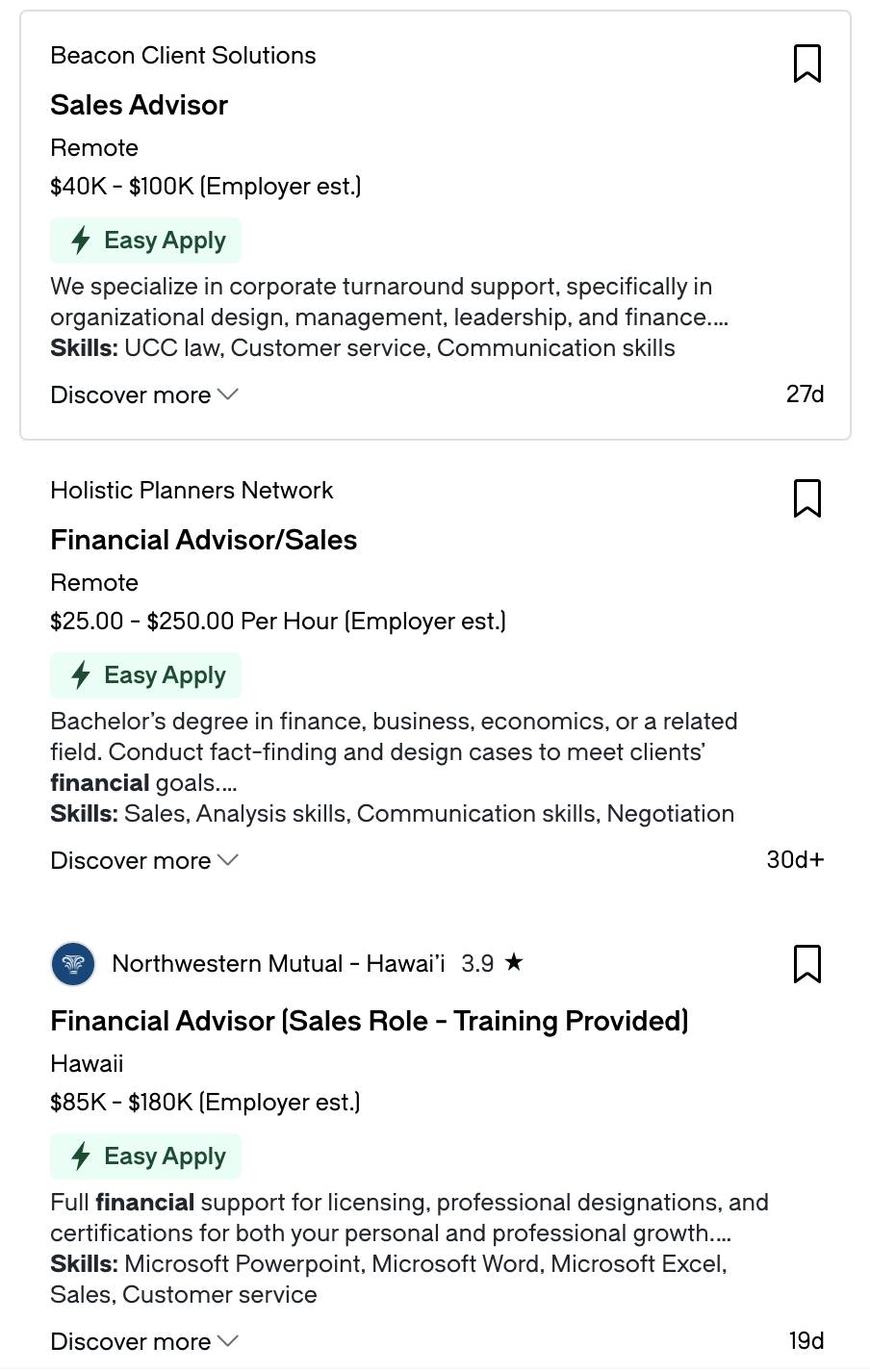
Sales advisor job ads in the financial services industry.

Register those that sound interesting and gather a list to compare salary, expectations and location before progressing.

Remember, the sales advisor role falls under a variety of job titles. A sales representative role with an enticing job description could also be a good fit.

How to hire a sales advisor

If you’re looking to hire a new advisor, narrowing down the experience, education and qualities you want candidates to have is essential.

Wherever you post your ad, remember to make it detailed and consistent, so all prospective hires have the information they need before applying.

Here are three tips for hiring the best-fit sales advisor for your team.

Figure out the type of sales advisor you need

Since the role specifications depend on the company, hiring managers must know the tasks they want to assign before advertising.

Let’s say you have both a brick-and-mortar and e-commerce store where you sell headphones. In that case, you must pinpoint where potential customers most need help.

Perhaps your in-store experience is already seamless, with assistants able to answer product questions and handle transactions. However, your customer surveys suggest some online users need help understanding the differences between models.

In that case, you may need remote sales advisors specializing in electronics who you can train to become product experts.

Advisors could hold video chats with potential customers to determine why they want to buy headphones (e.g., workouts or commuting) and which product fits their needs.

By adding additional qualifiers in the job title (e.g., remote technical sales advisor), you can narrow down your search to the most suitable prospective hires.

Create a sales advisor job description template

Your job description must be accurate and consistent across all sites.

You can use the information in this post and company-specific details to create a template with the correct requirements listed. As a baseline, you should include qualifications, responsibilities and benefits.
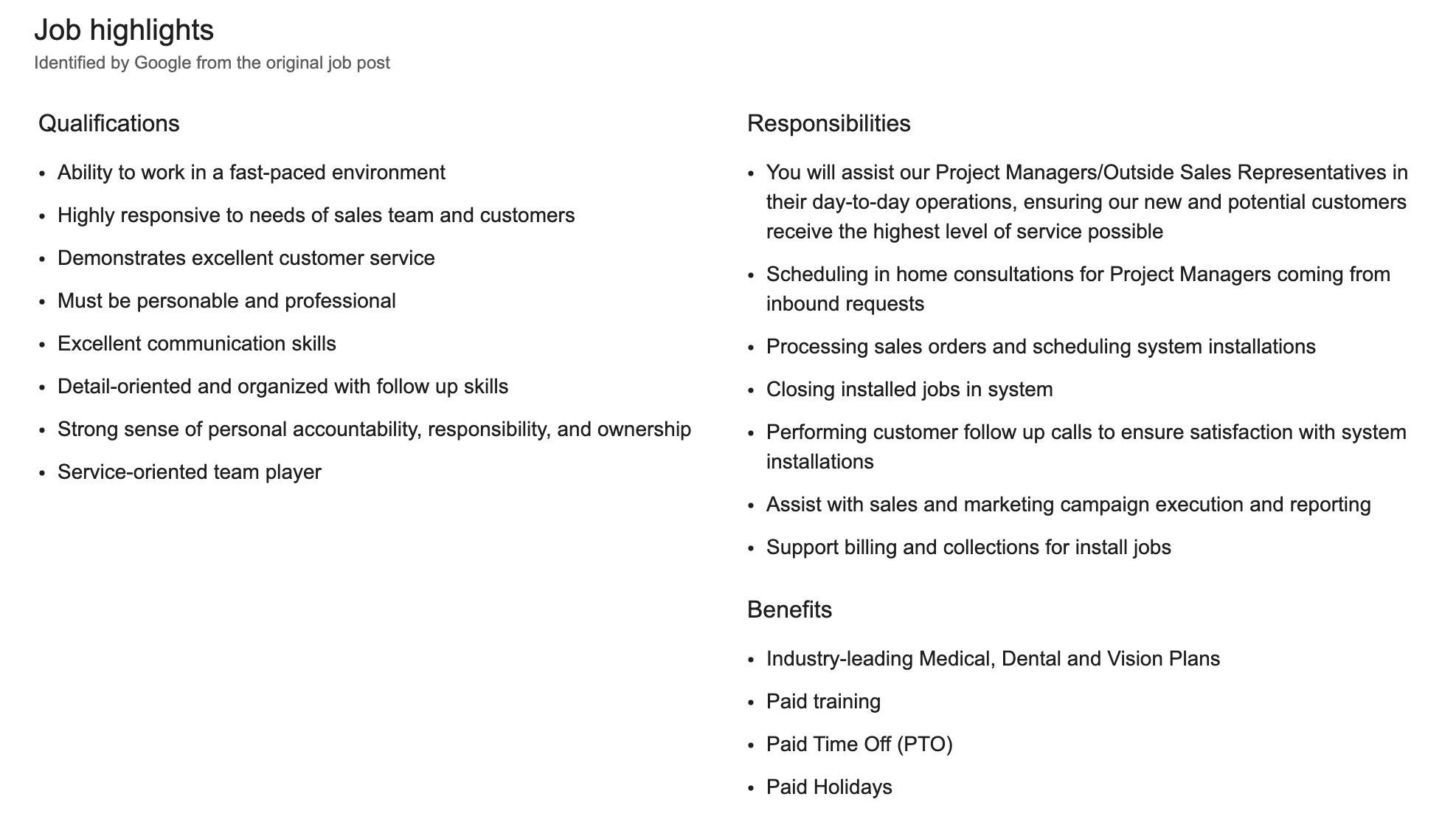
Sales advisor job description template, with company overview and job requirements.

However, you can also include a company overview and job description to offer more details.

Let’s say you sell accounting software called Balance Buddy. Your sales advisor job template may look like this:

Job title: Sales Advisor

Company Overview:

Join the Balance Buddy team as we streamline accounting for businesses of all sizes. We want to simplify how companies manage their finances with innovative tools and unparalleled customer support.

Job Description:

As a sales advisor, you’ll drive revenue growth by identifying prospective clients, understanding their unique business needs and communicating how we can help. You’ll be responsible for building lasting relationships and providing expert guidance throughout the sales cycle.

Responsibilities:

1. Prospect potential leads through cold outreach, networking and referrals

2. Conduct thorough lead qualification to understand client financial processes and pain points

3. Present software demos and articulate our solution’s value

4. Develop tailored proposals and negotiate contracts to close deals

5. Collaborate with internal teams to ensure smooth onboarding

6. Keep up with industry trends and competitor offerings to stay ahead of the game

7. Meet and exceed sales quotas and key performance indicators (KPIs)

Required qualifications and skills:

1. High school diploma essential

2. Bachelor’s degree in Business Administration, Marketing, Finance or related field a bonus

3. Experience in B2B sales, preferably in the finance or technology industry

4. Strong understanding of accounting principles and financial processes

5. Excellent communication and sales presentation skills

6. Proven track record of building and maintaining customer relations

7. Ability to work independently and collaboratively with team members

Benefits:

1. Remote role with flexible working hours

2. Competitive compensation plan with uncapped commission structure

3. Comprehensive health benefits package, including medical and dental coverage

4. Generous vacation and paid time off policy

5. Dynamic and supportive work environment with opportunities for career advancement

6. Employee discounts on company products and services

If you don’t need prospective hires to meet every requirement, state that early so you have a varied pool of applicants.

Ask the right interview questions to find the ideal candidate

Once you have a list of potential candidates, you must narrow down your selection with the right interview questions.

These queries allow you to examine each person’s resume in detail to determine whether they’d be a good fit for your company and the role.

Here are a few interview questions the hiring manager of Balance Buddy might ask:

  • “Tell me about a time you aced a sales pitch. How did you find potential clients and convince them to seal the deal?”

  • “How do you keep up with trends in the accounting industry?”

  • “What problems do startups usually face when implementing new accounting software? How do you handle those objections?”

  • “Have you ever faced a tough question from a client during a sales demo? How did you turn it around to close the deal?”

  • “I see you’ve been through financial advisor sales training. What’s one of the most interesting things you learned?”

Notice each question is open-ended and doesn’t allow a “yes” or “no” answer. Structuring interviews in this way encourages candidates to discuss detailed experiences and offer specific examples that help you assess them quickly.

Final thoughts

While each sales advisor’s responsibilities and qualifications vary, all should possess specific sales skills, such as communication, problem-solving and time management.

When hiring for the role, consider that those with CRM or POS experience and in-depth product knowledge will take less time to train.

If you want to become proficient in a widely used CRM or upgrade your organization’s contact management, sign up for Pipedrive’s free trial today.

Download Your Guide to Preventing 5 Common Sales Mistakes

Always say the right thing with this guide to avoiding the frequently-made sales conversation mistakes.
State of Sales and Marketing Blog 2024

Software Stack Editor · May 21, 2024 ·

Each year, we survey salespeople, marketers, business owners and their colleagues to understand what matters to them.

In the fifth edition of Pipedrive’s The state of sales and marketing report, we discovered what sales professionals really think about AI, how vital maintaining a work-life balance is and what benefits people are getting from remote working.

The state of sales and marketing 2024

Discover key statistics about sales and marketing

Salespeople are hitting their quotas

The headline statistic from this year’s report is that 71% of respondents said that they hit their sales quota either usually or always, up from 52% last year.

In fact, only 3% said that they rarely or never hit their sales quota, compared to 14% last year.

There was also a slight uplift in the number of people hitting their annual personal sales targets, up from 60% in 2022 to 61%. Sales professionals at larger companies are hitting these targets more regularly than those at smaller businesses: 67% of individuals from companies with more than 100 employees reached their goals.

In today’s business world, sales success is directly tied to the implementation of digital tools. Staying on top of everything, especially productivity and follow-ups, is crucial.

Sean EversVP Sales, Pipedrive

How technology is affecting sales and marketing

There is a clear association between companies effectively using technology and achieving success.

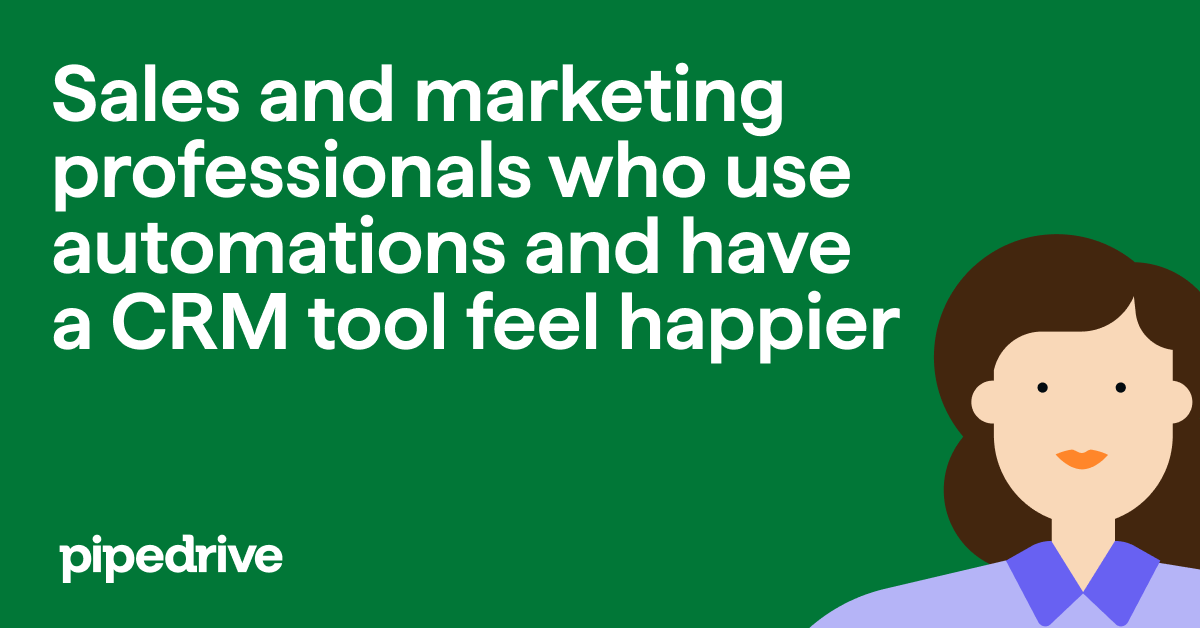
82% of respondents who are “very satisfied” with the tools available to them are likely to hit their sales quotas. By comparison, 62% of unsatisfied respondents are hitting quotas.

State of Sales and Marketing 2024 happier salespeople and marketers

Sales and marketing professionals are using automation tools to be more productive and efficient, with 81% already using customer relationship management (CRM) software with automation.

In total, 87% of respondents use a CRM tool, meaning that only around 7% of them aren’t taking advantage of the CRM automation features available.

AI is already having a big impact

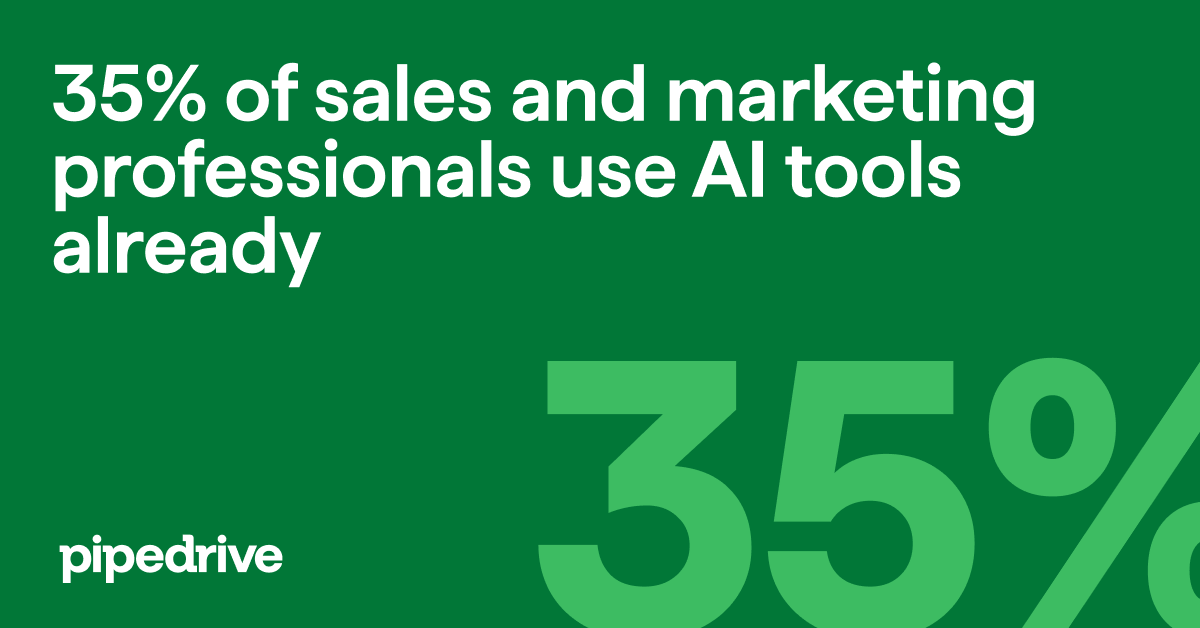
A third of sales and marketing professionals are already using AI in their work days.

State of Sales and Marketing 2024 AI tool use

AI isn’t the only new trend professionals are using to succeed: 83% of respondents have implemented at least one new approach or technology in their sales process in the last couple of years.

These approaches and technology include:

  • Hybrid sales (remote and in-person selling): 41% of respondents

  • Value-based selling: 41% of respondents

  • Social selling: 36% of respondents

  • Remote selling: 35% of respondents

  • Smarketing: 29% of respondents

  • Influencer and affiliate relationships: 20% of respondents

  • Multi- and omnichannel: 14% of respondents

  • IoT (Internet of Things): 5% of respondents

  • AR/VR (Augmented reality/Virtual reality): 2% of respondents

  • Blockchain: 1% of respondents

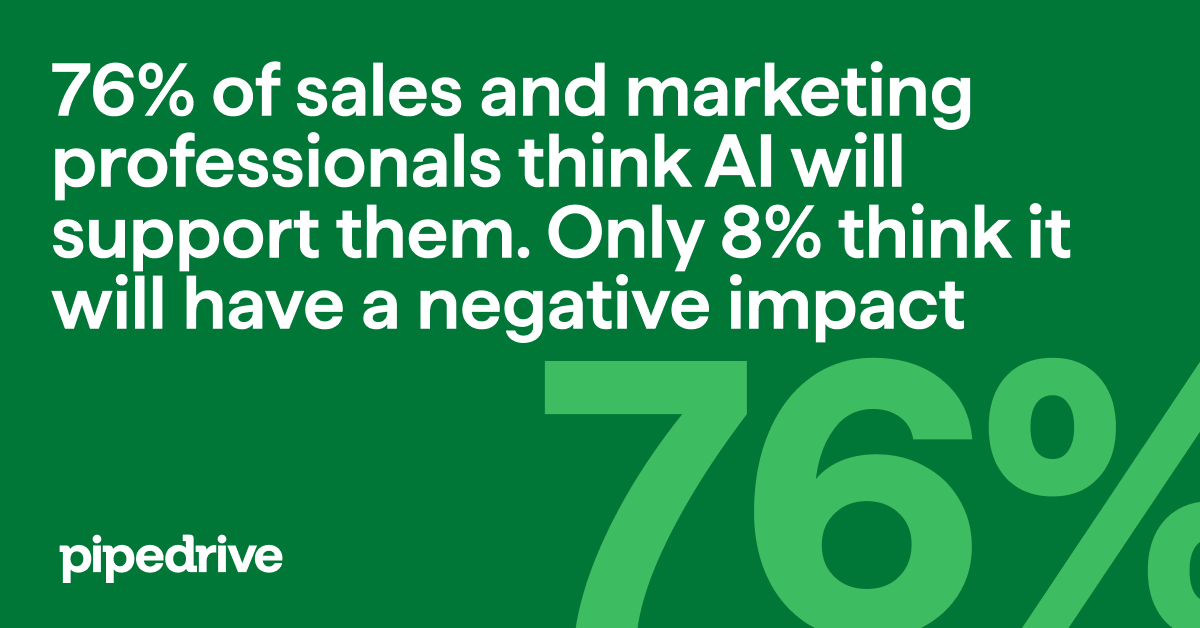
Overall, respondents are very positive about the impact AI is likely to have on their work.

State of Sales and Marketing 2024 AI tool positivity
Using digital tools not only helps to automate repetitive tasks but also allows for increasingly smart sales processes.
Sean EversVP of Sales & Partner at Pipedrive

Employees benefit from support and a work-life balance

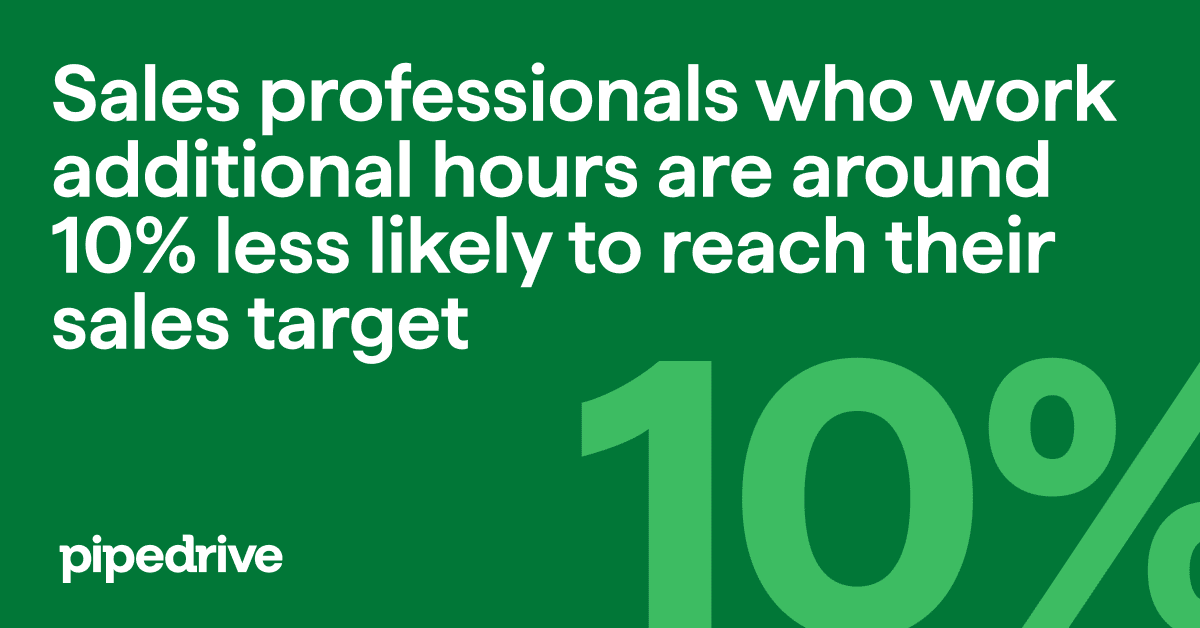
Technology isn’t the only factor in employee work satisfaction and success. For example, respondents who are able to maintain a good work-life balance are more likely to hit their sales target.

State of Sales and Marketing 2024 work hours

Thankfully, almost two-thirds of respondents (64%), rate their work-life balance good or even very good.

However, only 31% of respondents said that they don’t work additional hours, while 16% work over 10 additional hours a week.

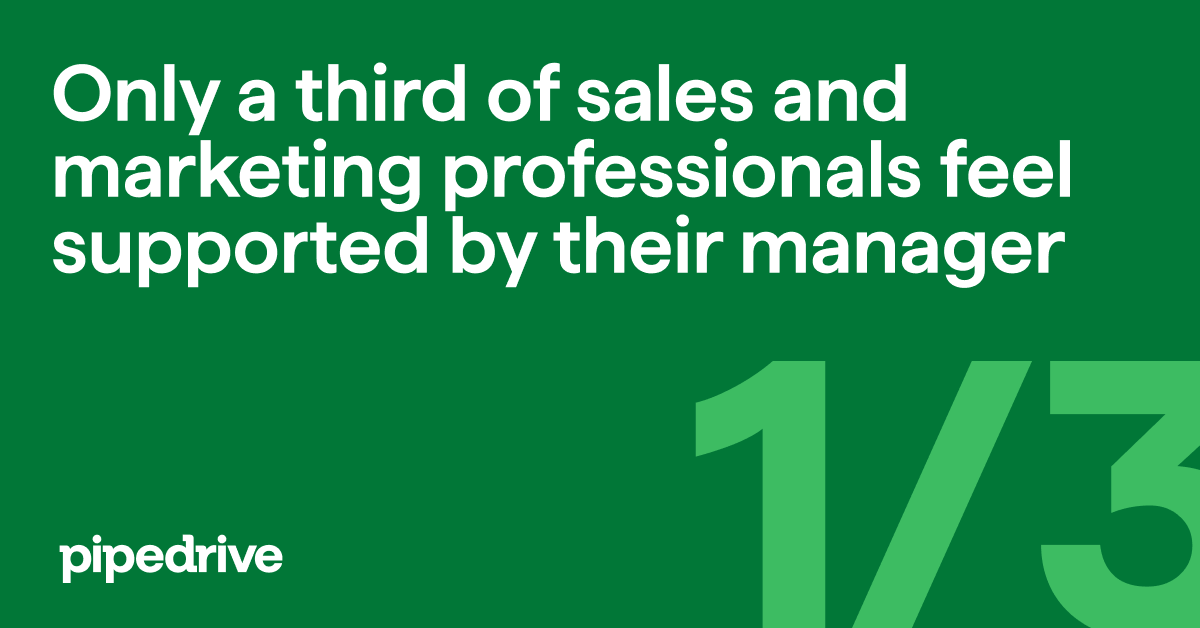
The amount of support you receive from your colleagues and managers can also have an impact on your success. However, less than half (45%) said that their colleagues and only a third (33%) said that their managers were among those who supported them the most in their professional lives in 2023.

State of Sales and Marketing 2024 manager support

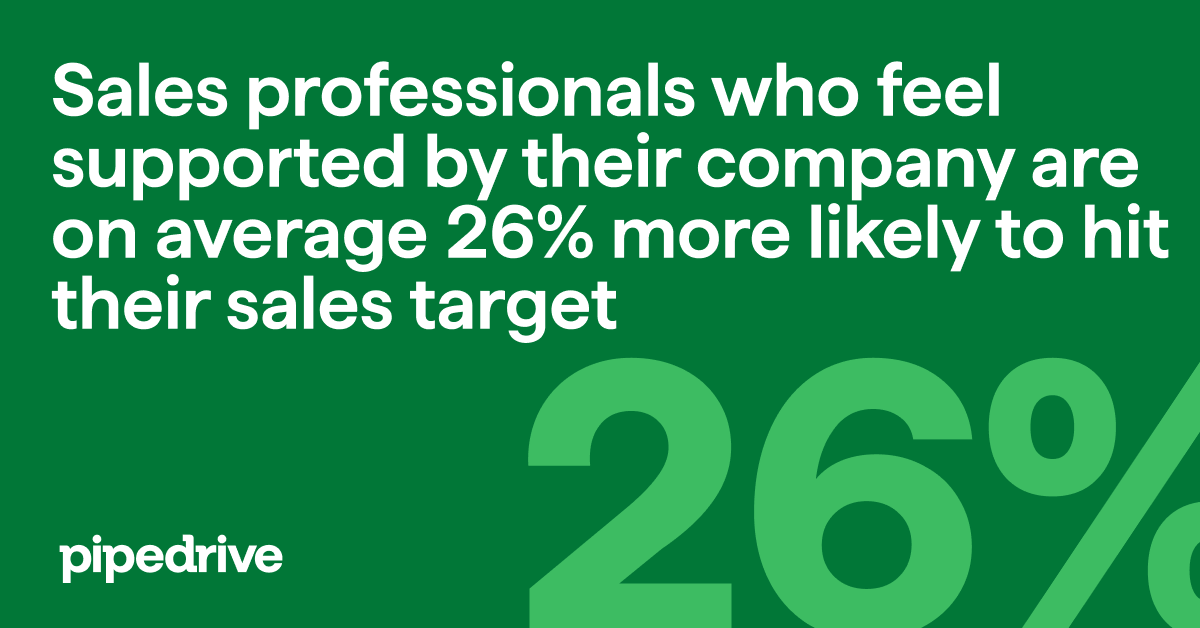
The results of our survey show that providing this support has a direct impact on success.

Those who feel supported by managers and colleagues find it easier to meet their annual goals and sales quotas, while their overall satisfaction with their employer is higher.

State of Sales and Marketing 2024 company support

Final thoughts

Thanks to the extra time and data provided by the right tools, sales and marketing professionals are able to make the right decisions to move deals forward.

Being well-informed about the things that matter and making decisions in the right order enables prioritization of leads, identification of the best times and formats for follow-ups and management of every deal in your pipeline. As a result, sales professionals have more capacity for building invaluable personal relationships and effectively closing deals. This is an essential facet of a great CRM, and Pipedrive excels at this.

Sean EversSean Evers, VP of Sales & Partner at Pipedrive

For more key statistics and analysis of the last year for sales and marketing professionals, and the businesses they work for, download The state of sales and marketing 2023/24 report now.

The state of sales and marketing 2024

Discover key statistics about sales and marketing

Surfe Integration Free Trial

Software Stack Editor · May 20, 2024 ·

image

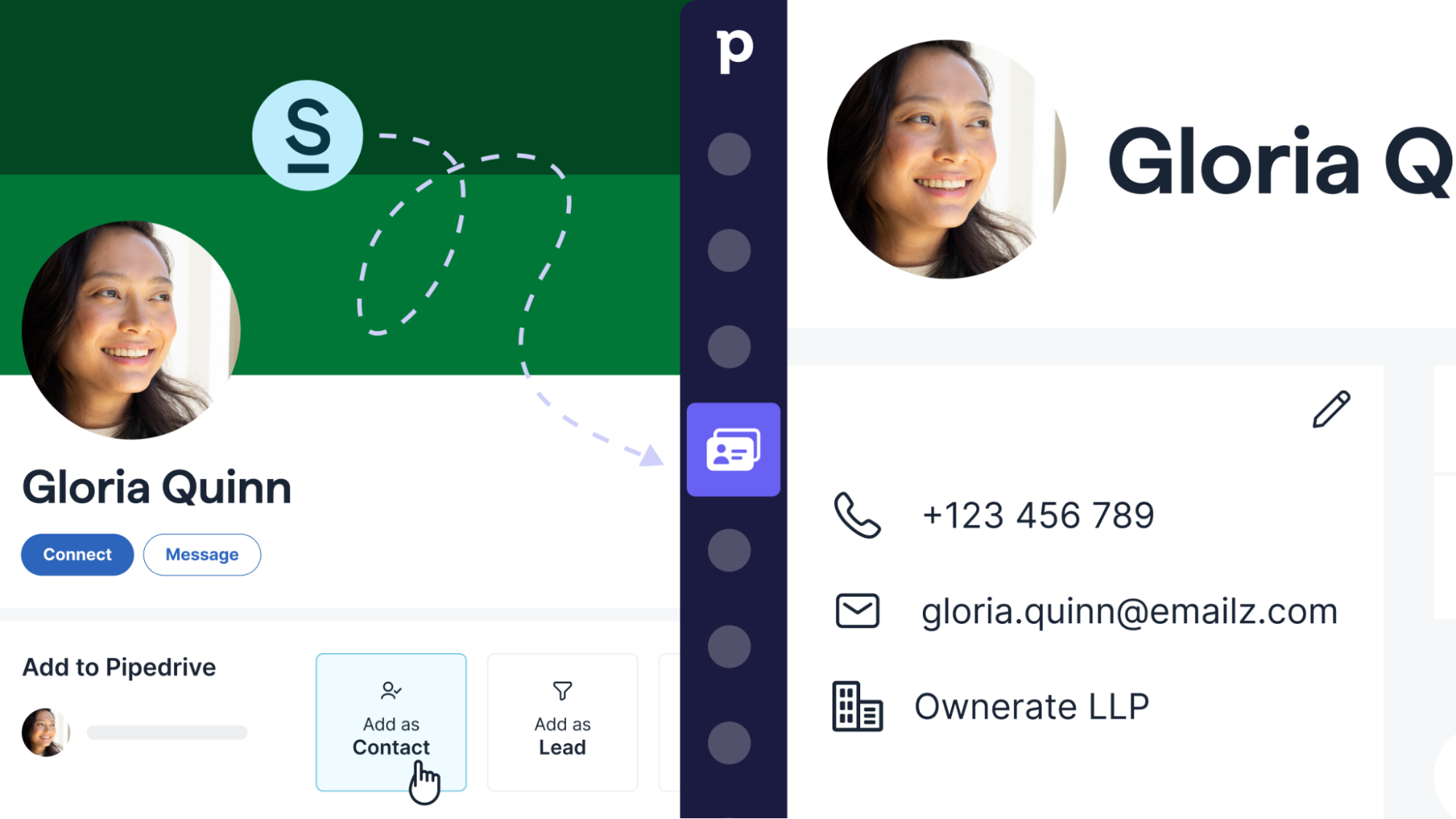
Capturing LinkedIn contact data in your CRM should be easy. That’s why we’re offering all our customers a two-month free trial of Surfe – a Pipedrive integration that enables you to bring your contact’s LinkedIn data into the CRM with a click.

What is Surfe?

Surfe is a powerful LinkedIn prospecting tool that seamlessly integrates with Pipedrive. The app enables users to add contact information from LinkedIn to their CRM with one click and keep that data fresh.

You can integrate in just a couple of steps, after visiting this sign-up page.

Surfe has a number of powerful features that can help you qualify, manage and convert leads:

  • Effortlessly enrich sales data – find your prospects’ business emails and phone numbers in seconds.

  • Get the latest contact information – keep your contact data fresh by updating it based on their LinkedIn profile through Surfe

  • Auto-sync LinkedIn chats – log all your prospecting conversations in Pipedrive.

  • Enhance outreach to drive conversions – create personalized message templates and analyze which performs best.

Who can get a free trial and how do I apply?

We’ve teamed up with Surfe to offer a free two-month trial of the app to all our users who haven’t used Surfe before, so they can integrate it with Pipedrive.

If you’re interested in trying Surfe for free, visit this sign-up page and start your trial today.

7 Useful CRM Examples

Software Stack Editor · May 16, 2024 ·

Sales leaders at startups and growing companies know that proper data management is essential for a business to run smoothly and efficiently.

CRM systems are useful to any sales operation looking to handle data effectively. Many CRM tools are available on the market, offering different solutions, each varying in what they do best.

So, how do you choose the right one for your specific needs?

In this article, we explore some top CRM examples to help you understand what your company can achieve with the software. You’ll also learn about seven key CRM features that simplify your daily workflows so you can focus on growth.

What can a CRM platform do for your business?

CRMs streamline your customer and prospect data for improved decision-making. With easier access to the right information, your team can clearly see what steps to take next – providing a better experience during the pre-sale and post-sale stages of the customer lifecycle.

More specifically, automated workflows in your CRM can enhance efficiency, productivity and sales success.

Pipedrive’s State of Sales and Marketing 2021–22 report found that businesses with automated sales and marketing tasks are more likely to hit their sales targets and revenue goals.

Companies using CRM technology witnessed 15% more revenue growth than those lacking CRM software.

Compared to last year my company

Companies that use a CRM software to track sales.
Companies that do not use a CRM to track sales.
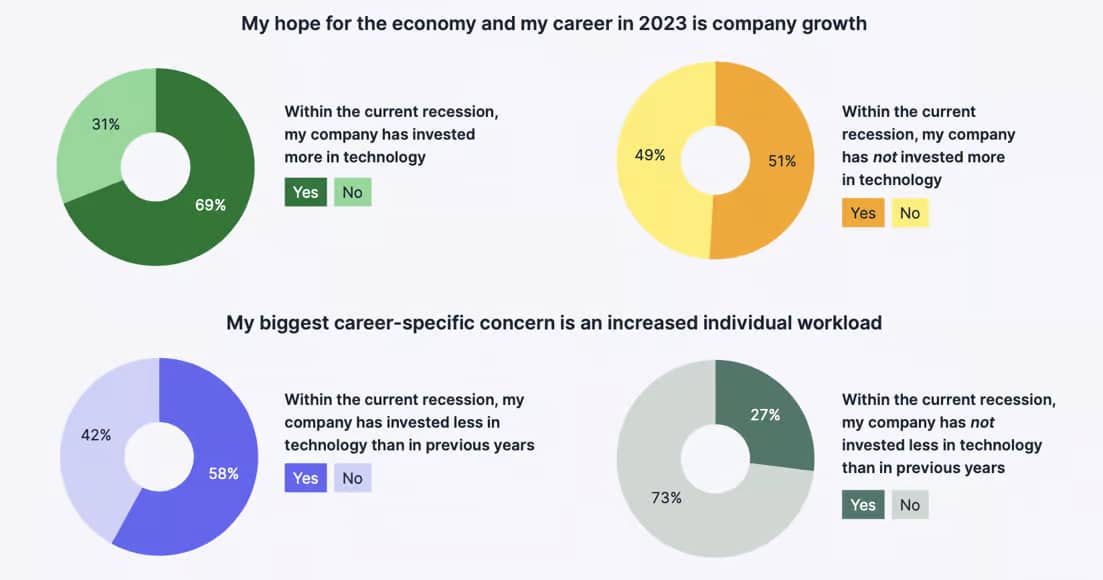
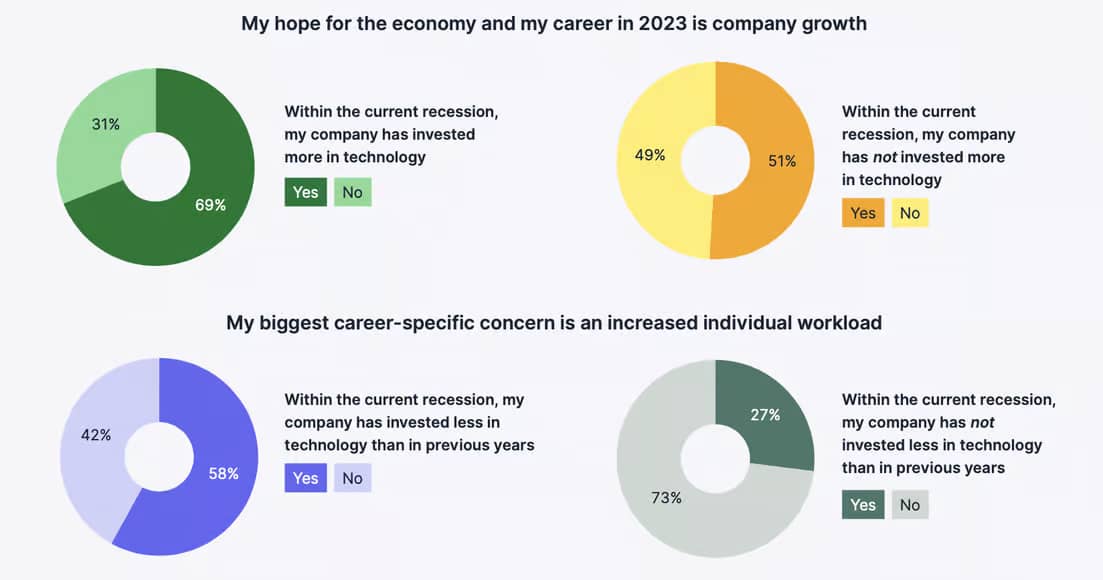
Also, Pipedrive’s State of Sales and Marketing 2022–23 surveyed employees of companies that invested in technology. They were less concerned about their individual workloads and more optimistic about the company’s future.
CRM examples of how technology can shape the future of your company

Beyond boosting sales, revenue and employee satisfaction, there are other ways CRM software can support your company – particularly your relationships with customers. Key aspects include:

  • Enhanced customer satisfaction by centralizing communication across channels, including email, Zoom, LinkedIn and other social media networks

Having covered the all-encompassing advantages of CRM technology, let’s explore some common CRM features and how they help you reap those benefits.

7 examples of CRM tool features, functionality and use cases

CRM tools offer different features and functionality, so picking the right one will depend on your team’s goals, needs and budget.

Below, we outline the seven top features of most CRM platforms, providing CRM software examples and use cases to help you determine your company’s priorities.

1. Centralizing lead and customer data

An integrated CRM gathers all your customer and prospect data so you can efficiently process and communicate information with your team members.

Pipedrive data shows that salespeople can be more efficient and effective when all information is accessible in one convenient location. 2021–22 survey respondents from workplaces with automated systems for maintaining sales data and customer notes were 11% more likely to hit their sales quota.

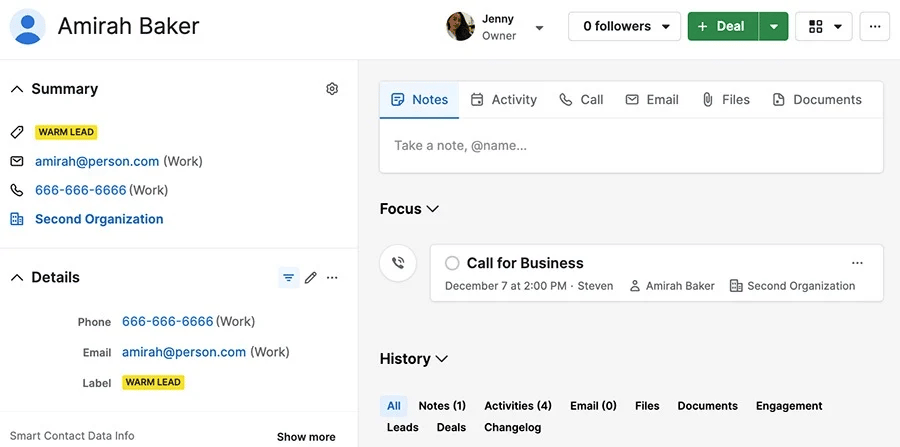
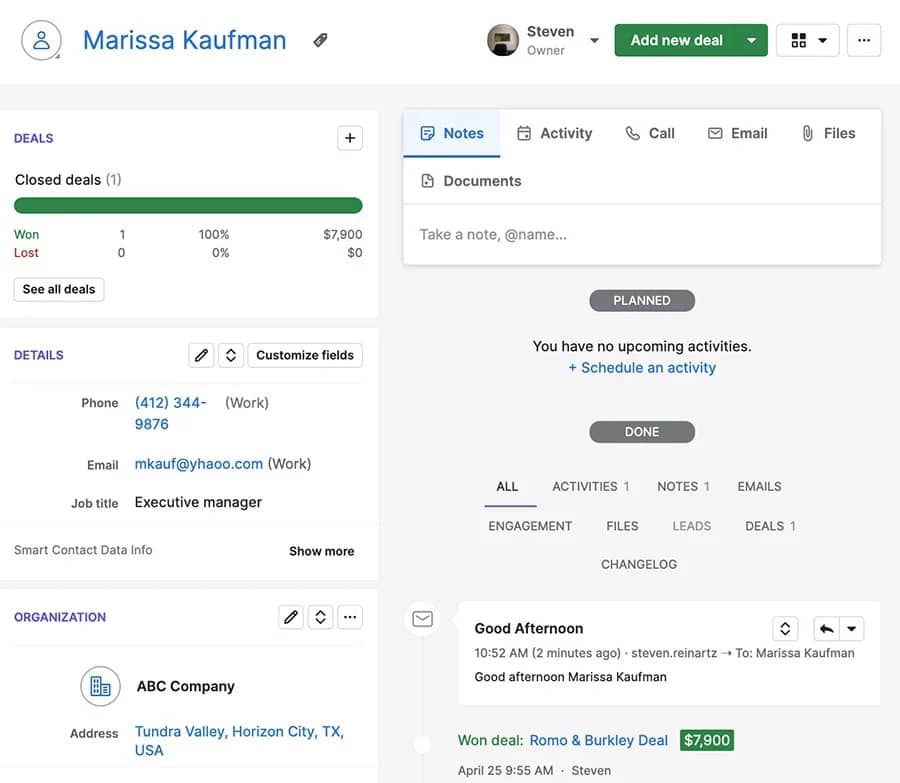
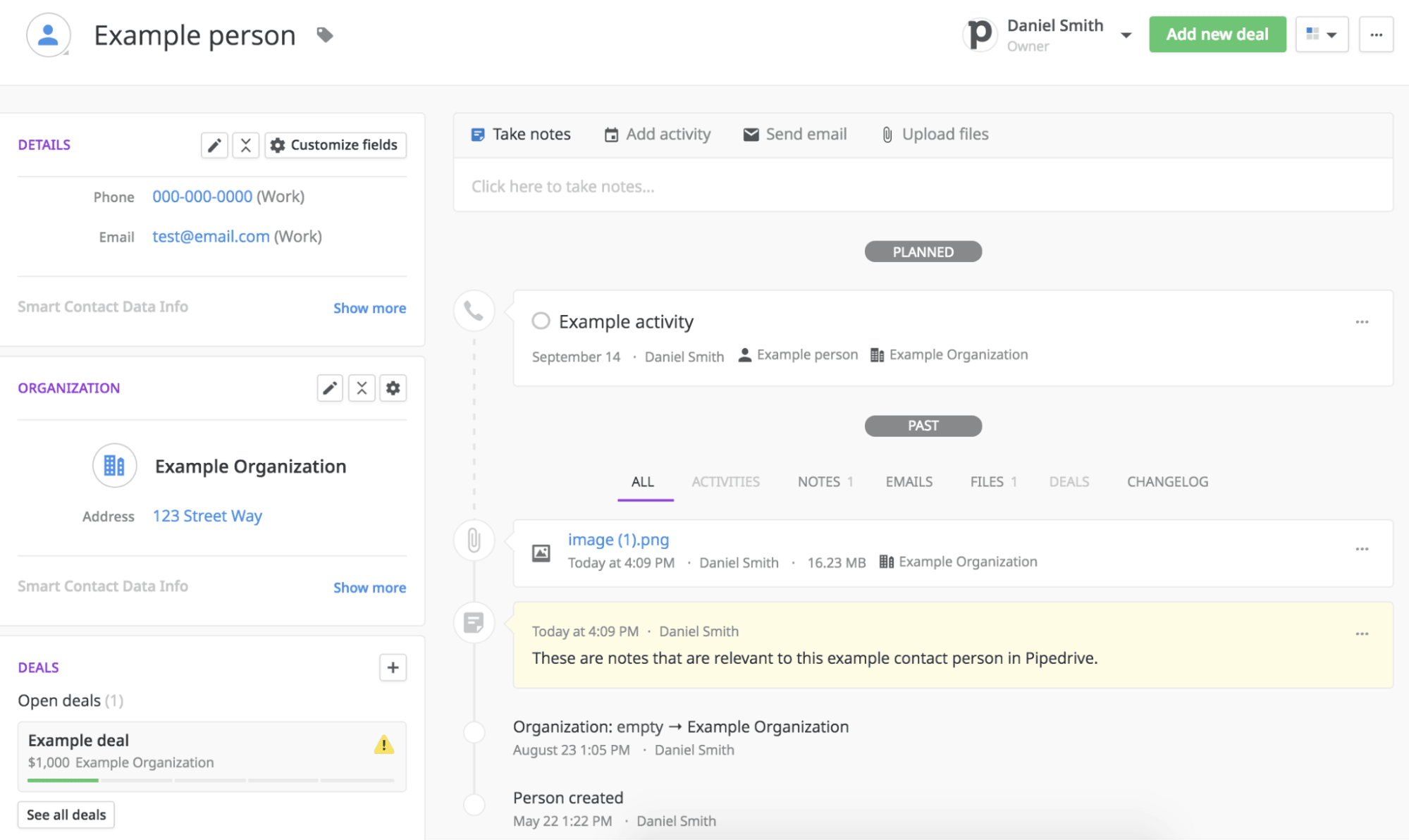
Take Pipedrive’s contact detail view. Any sales rep can make notes, upload files, create new activities or reach out to prospects with support from email and phone call integrations.

CRM examples: how having relevant information in one place helps you sell more

Team members have full visibility of every contact’s communication history to prepare for the next follow-up call.

How one company benefited from centralizing its data

In the early days, Ari Motors, an electric vehicle manufacturer, used simple spreadsheets and tables. Managing its customer data with manual tools became increasingly difficult as demand for electric vehicles within B2B increased.

By switching to Pipedrive, all customer information, current buying processes and buying history are now accessible in one central location.

Pipedrive serves as an information hub available to all team members at all times, equipping them with the most up-to-date data on new leads and their positions along the customer journey.

Thomas Kuwatsch, CFO at Ari Motors, says:

Everything in one place – that is the main advantage in our daily dealings with CRM.

Read the Ari Motors case study to learn how Pipedrive helped company sales increase tenfold.

2. Managing sales pipelines

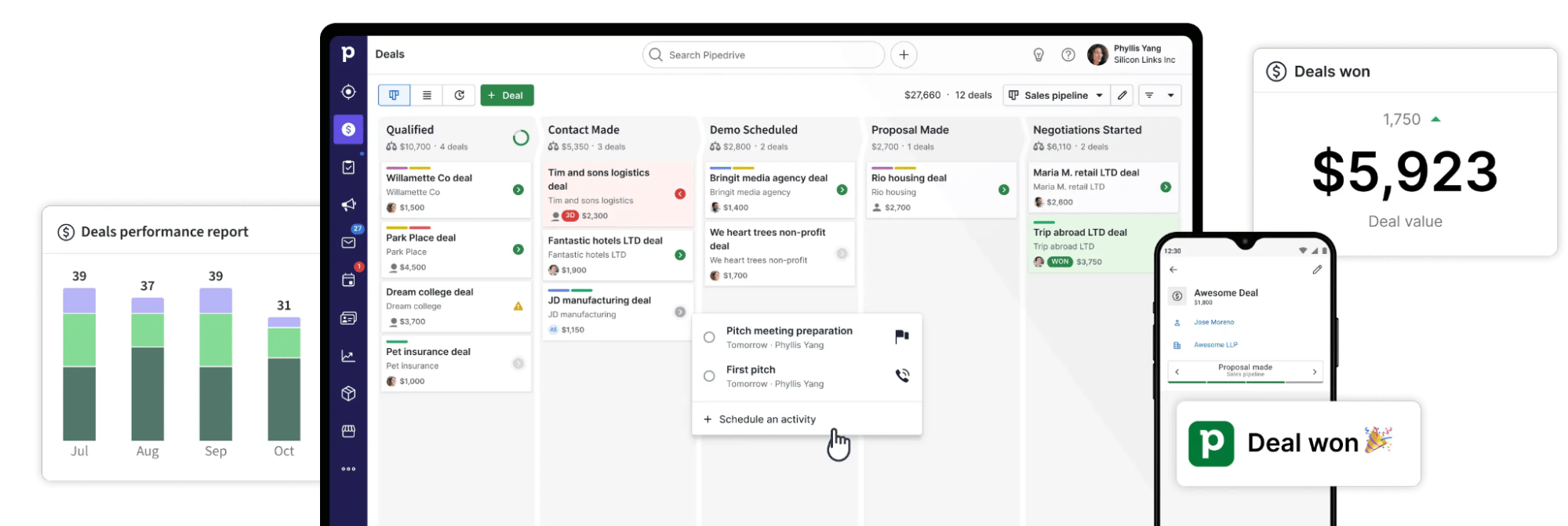
A sales pipeline is a visual tracking system that shows the progression of potential customers through the various phases of your sales cycle.

Sales-focused CRM software tools offer pipeline features to help salespeople know how close they are to closing the deal.

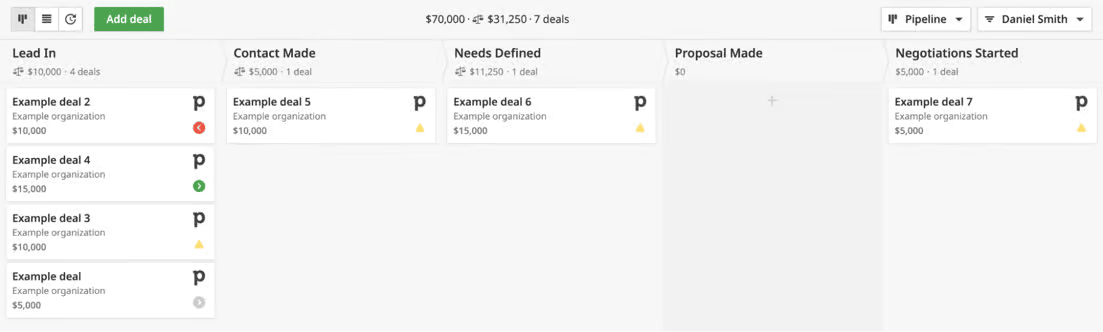
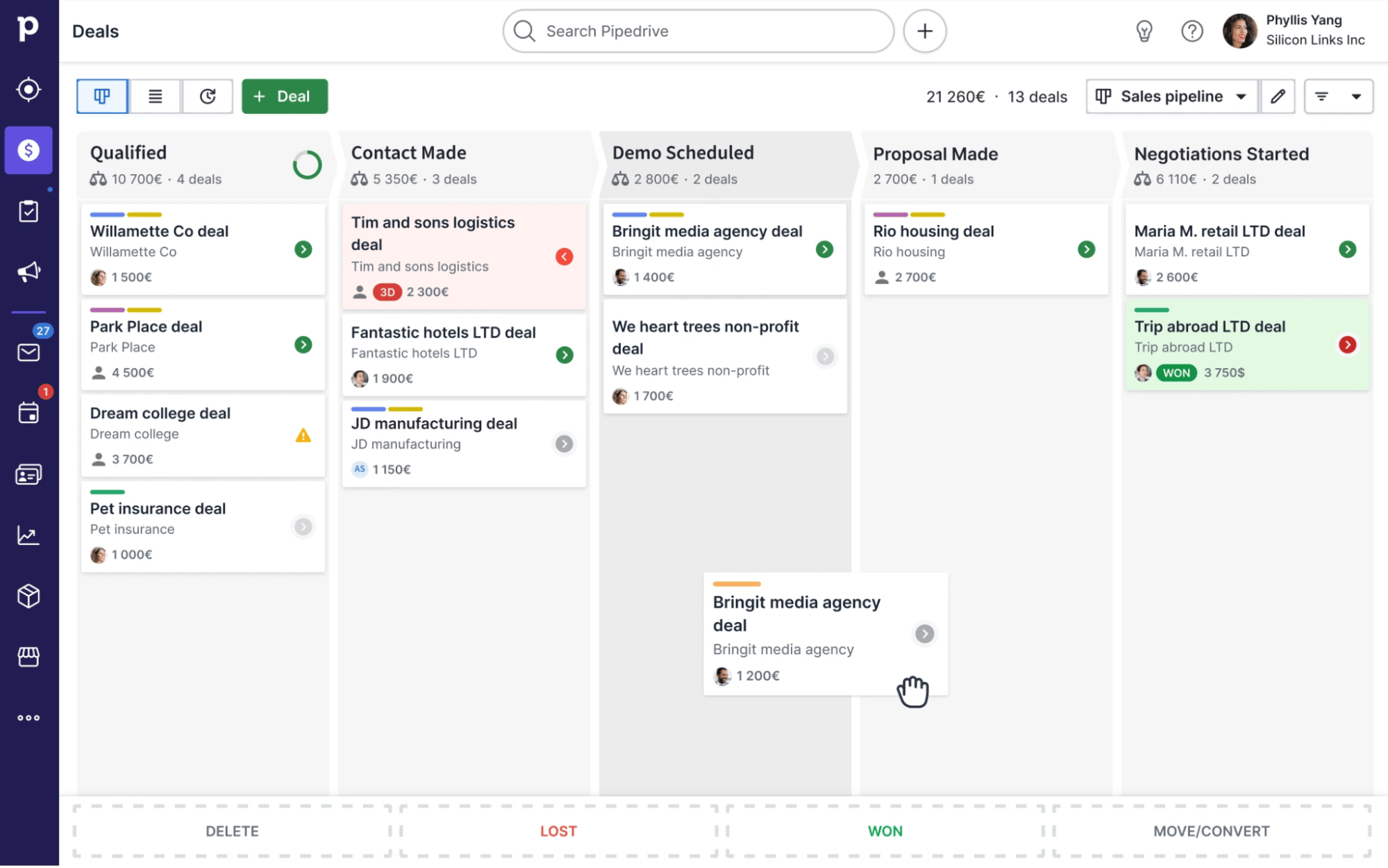
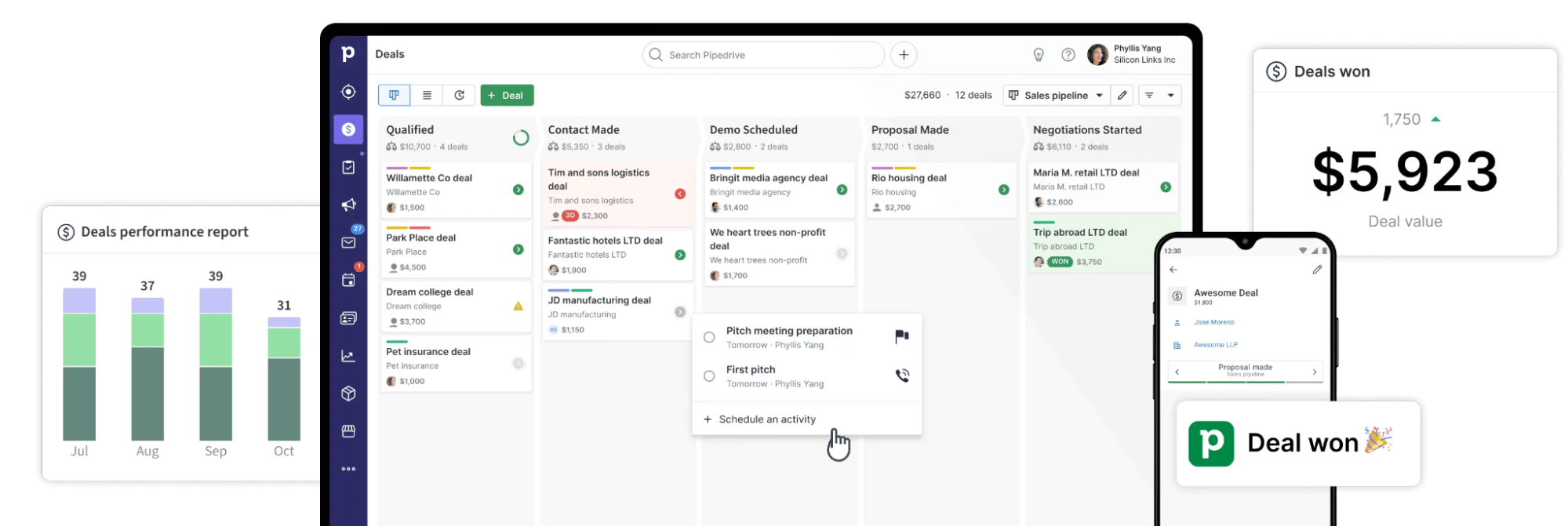
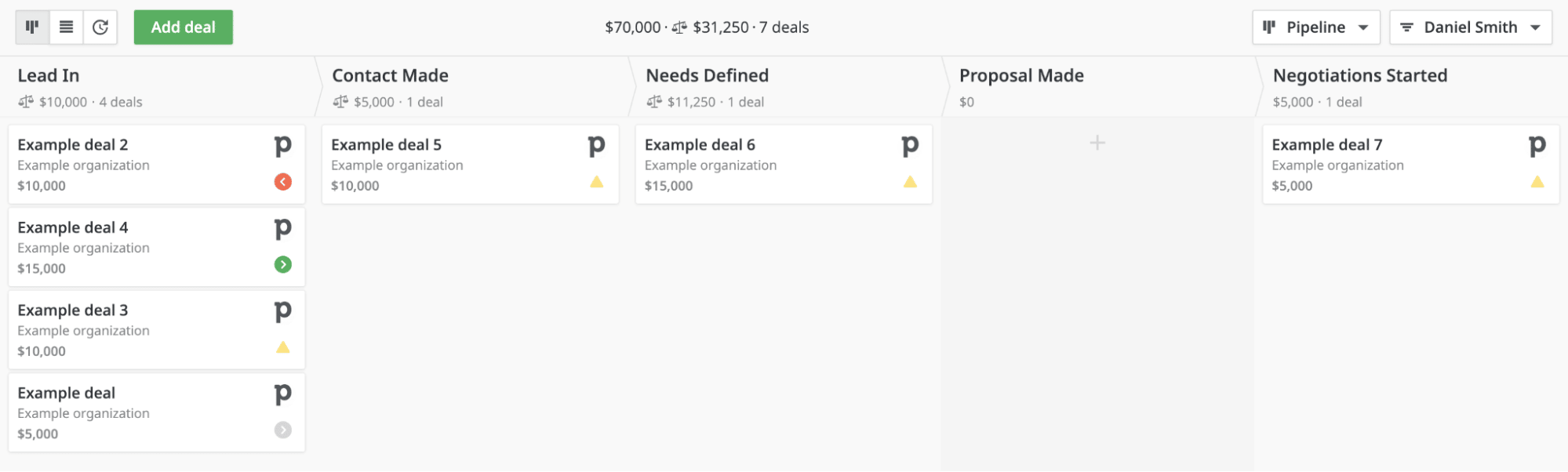
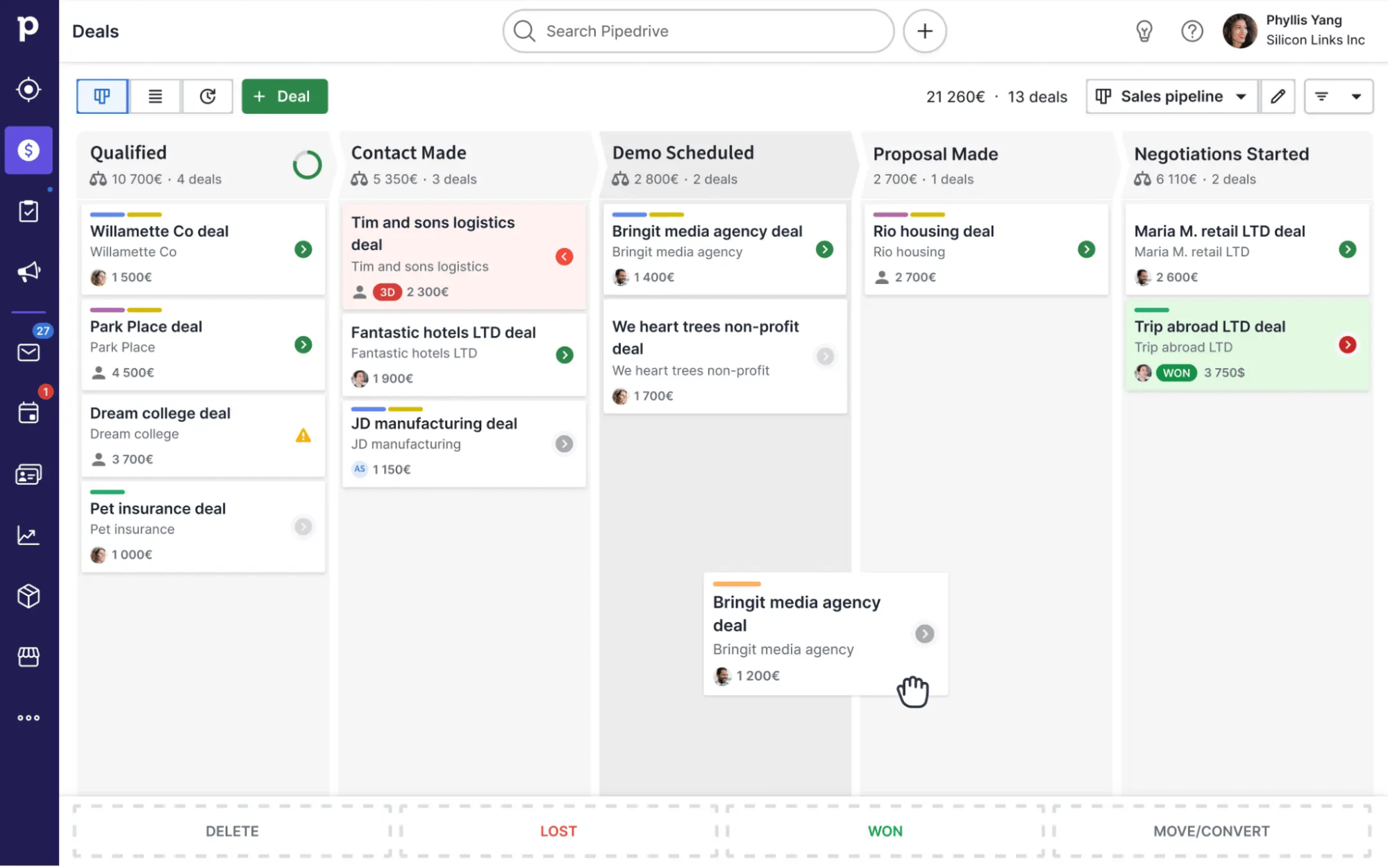
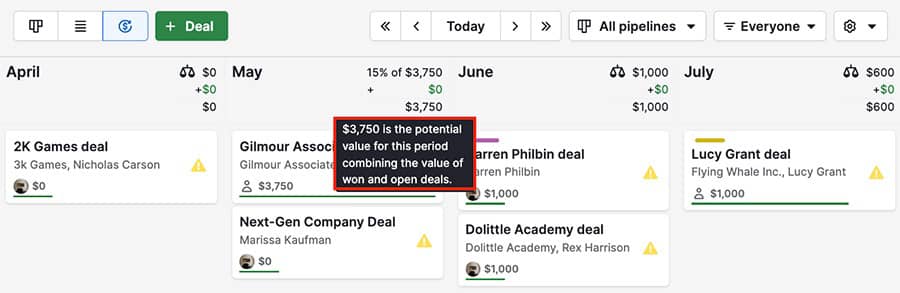
For example, Pipedrive’s pipeline view lets users visualize where each deal is at and what needs to happen next.

CRM examples: How Pipedrive helps you keep track of your deal progress.

With this high-level view, salespeople can quickly see everyone’s deals and track the company’s overall progress.

Here’s how one company benefited from sales pipeline technology

AppAgent, a mobile marketing agency, struggled to manage its active deals and pipeline before implementing a sales CRM into its business processes.

Pipedrive’s intuitive sales pipeline allows the AppAgent team to see each deal’s position within the sales funnel. By integrating contact and deal information, there are no silos or conflicting information.

Read the AppAgent case study to see how it doubled its team and improved revenue after introducing Pipedrive.

3. Marketing automation

Marketing automation means using software to build systematic workflows that reduce manual and repetitive tasks across your marketing campaigns.

By using segmentation and marketing automation tools in a CRM, companies can provide personalized outreach based on the prospect’s stage in the sales process.

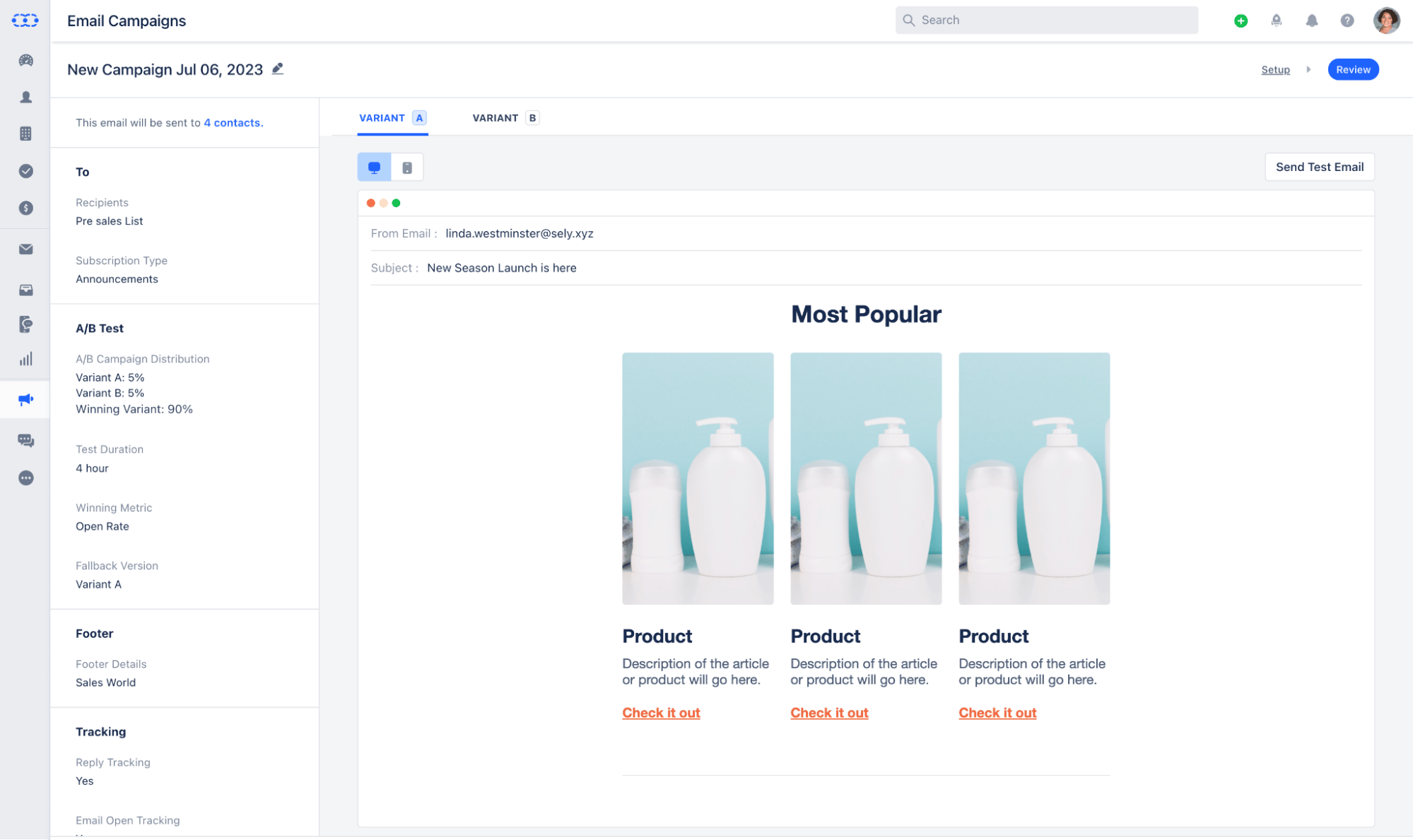
Campaigns by Pipedrive, an email marketing automation add-on, supports your marketing efforts by automatically transferring data between all aspects of CRM software.

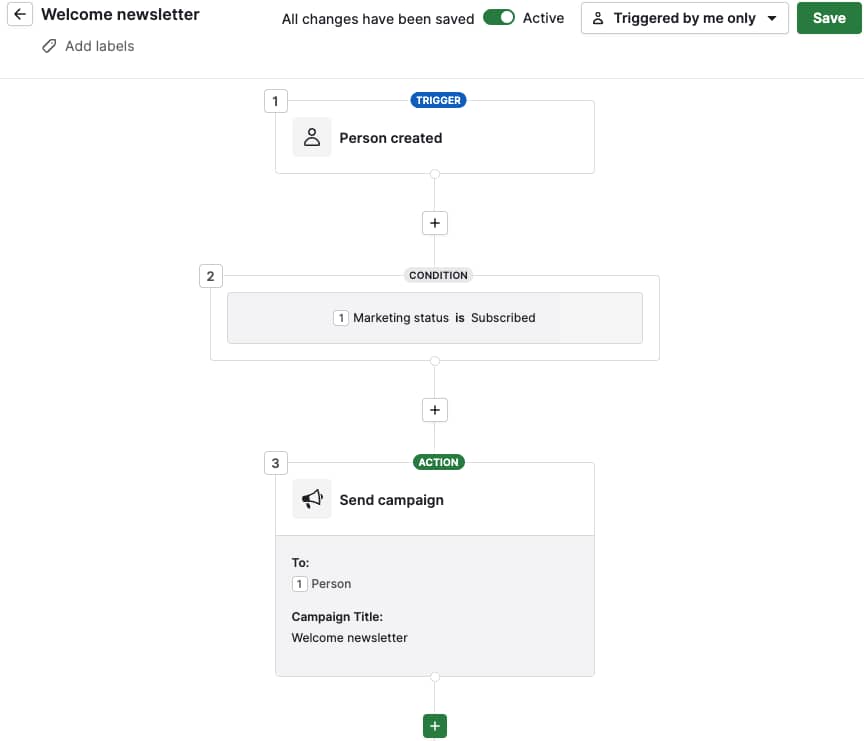
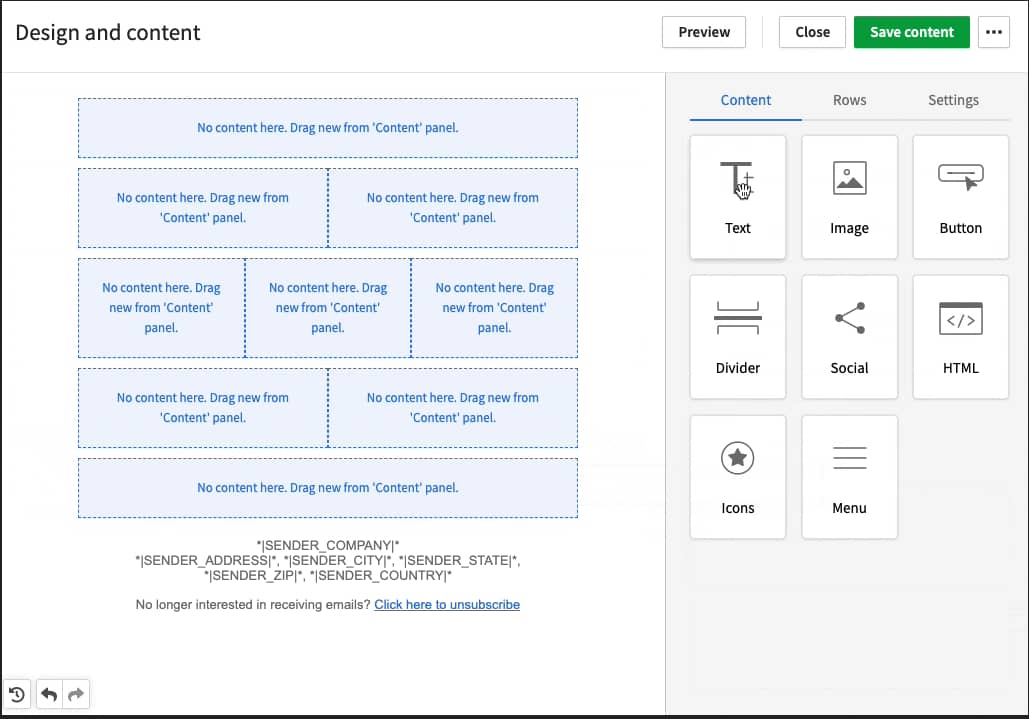
The easy drag-and-drop editor lets you build email campaigns from templates or design them from scratch. You can also set up workflows that spark actions in response to triggered events.

CRM examples: How Pipedrive makes it simple to automate your marketing campaigns.

When a potential customer downloads a resource from your SaaS website, you can send a targeted email with additional relevant information or a sales demo invitation.

When all of this happens from within your CRM, there’s no need for data to travel between platforms.

Here’s how one company benefited from integrated sales and marketing automation

Latvian corporate education company Trainify found that using email marketing functions in the Pipedrive CRM aligned its sales and marketing teams.

Viktors Pedčenko, CEO at Trainify, says:

I used another email marketing tool in the past, but now I’m drowning in a list of tools I use, so it is important for me to have a better functionality; more tools in one toolbox. Having CRM and email marketing in one tool has accelerated the preparation of campaigns, as there is no extra data export/import necessary.

Read the Trainify case study to learn how Campaigns saves the company two hours per week.

4. Automation

More than just marketing functions, sales CRMs offer automation capabilities, such as workflow automation, that reduce the manual work required to move prospects through your sales funnel.

When not trapped under the weight of repetitive work, your team can focus on higher-impact sales activities.

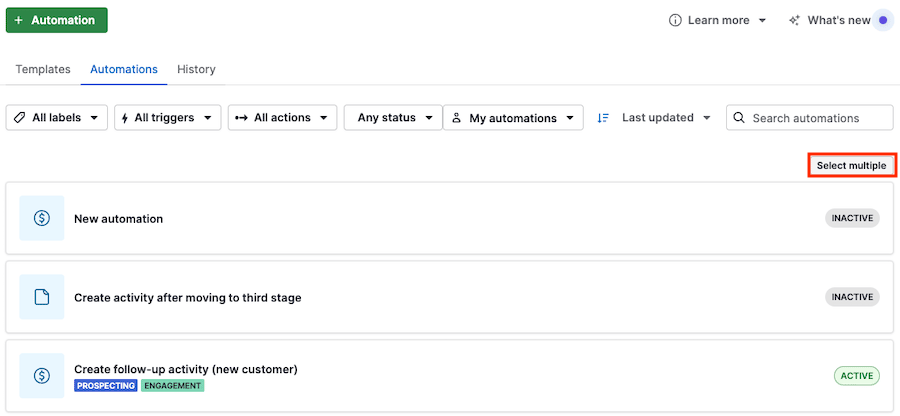
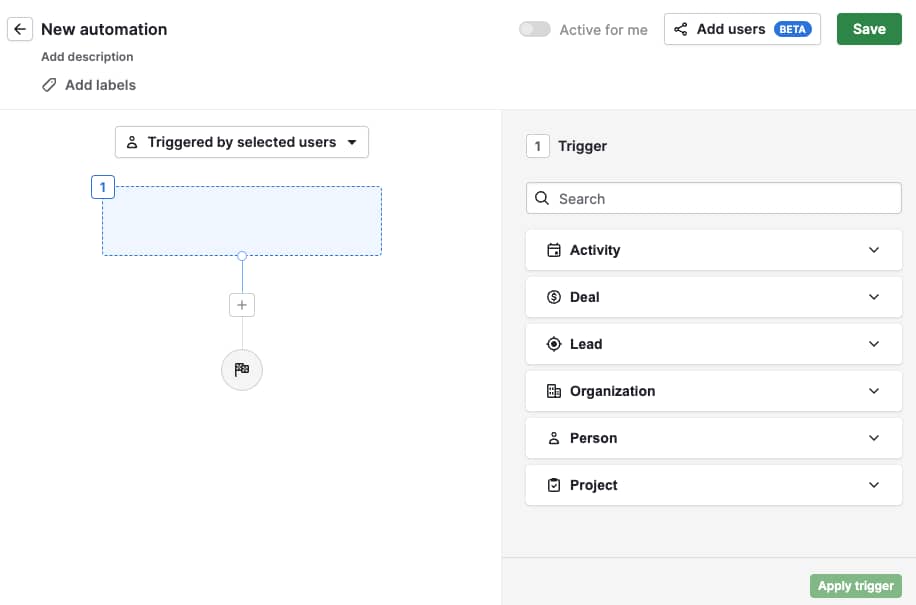
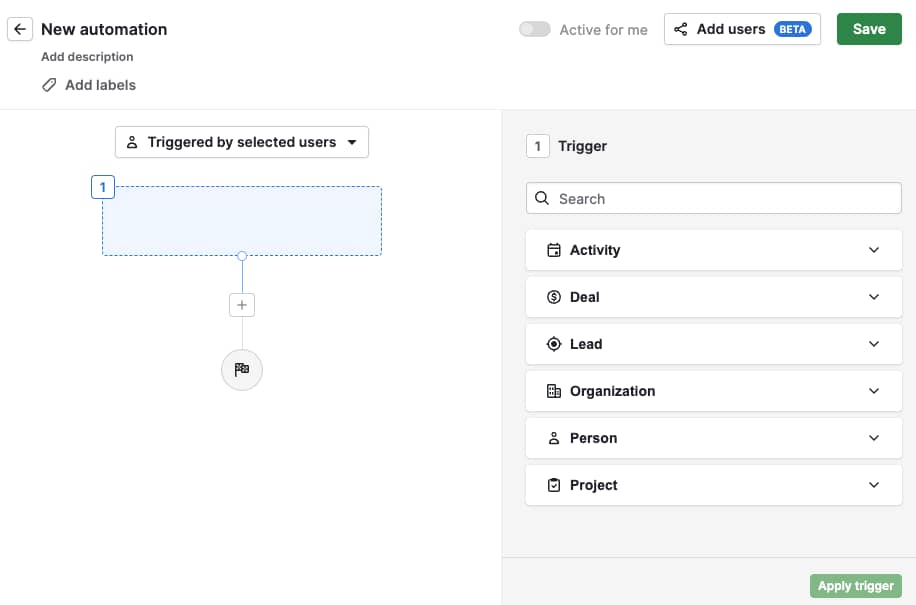
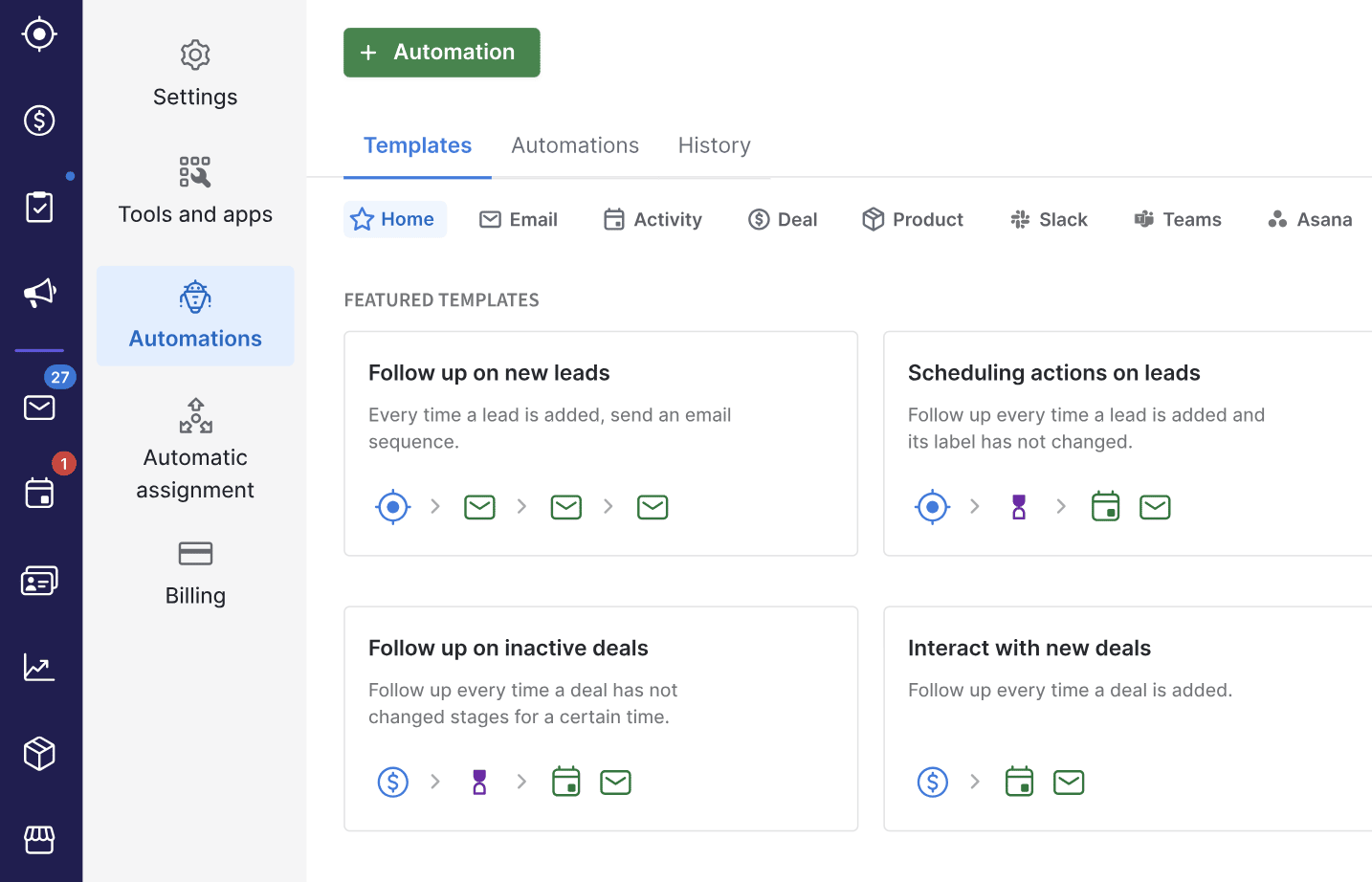
For example, sales automation with Pipedrive’s Automations feature pushes deals forward by auto-generating a new deal after a rep enters a qualified lead. It can also schedule new activities like following up and sending demos as deals move further down the pipeline.

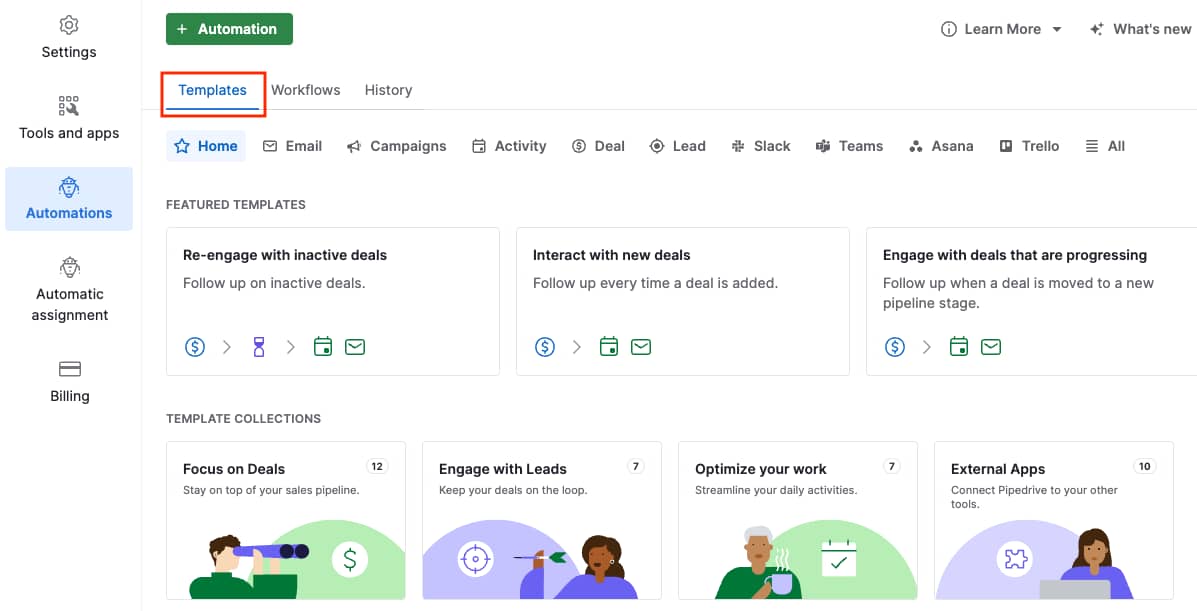
CRM examples: How Pipedrive’s Automations feature reduces manual admin so you can focus on sales.

You can transfer deal ownership to different reps at specific stages and set up workflows to minimize user error.

Here’s how one company benefits from Automations

Key Search, a boutique executive search firm, needed an alternative to its outdated, unintiuitive applicant tracking system.

After implementing over 100 Pipedrive automations, the company’s workflow is faster.

Franziska Palumbo-Seidel, Key Search founder and CEO, says:

Pipedrive helps us with repetitive work. It gives us a little nudge and reminders on what to do. When we made the switch to Pipedrive, the time saving was immediately there, for sure, and revenue is up as well due to increased productivity.

Discover how the firm achieved a 40% faster workflow in this Key Search case study.

Recommended reading

https://www-cms.pipedriveassets.com/blog-assets/automate-sales-task.png

Which sales tasks should you automate?

5. Reporting and sales forecasting

Data in your CRM can clarify aspects of your sales process, identify future opportunities and predict what’s ahead.

Sales dashboards and sales reporting functionality help you uncover trends and gain insights, enabling you to make more informed decisions about growing your business and increasing profits.

With access to real-time reports, you’ll see which sales tactics drive the most sales. Your team can then focus on the activities that work and spend less time on those that don’t.

Get organized with your free sales pipeline excel template

Looking for a more streamlined way to manage your sales? Download this free sales pipeline template and test it out now.

Pipedrive’s Forecasting software lets company leaders track sales performance to predict future revenue. Managers who monitor sales performance can more easily pinpoint how and where to step in to support team members who may need help catching up.

Here’s how one company benefits from sales reporting tools

Before Pipedrive, the Kovai.co sales team used Microsoft Dynamics to manage leads. The tool was complex, lacking essential features like sales pipelines and forecasting capabilities.

When the team implemented Pipedrive, sales management found the sales insights they were looking for. Sales reps are now able to engage leads quickly and more effectively.

Saravana Kumar, CEO at Kovai.co, says:

Pipedrive has given the whole process a clarity we did not enjoy with other CRMs, so much so that management can now see what is likely to be achieved in a sales quarter and plan accordingly.

See the Kovai.co case study for details of how the software company grew its Document360 sales team by 50%.

6. Project management

Sales-focused CRMs streamline project management around sales activities that help managers divide work evenly amongst their sales teams to ensure nothing slips through the cracks.

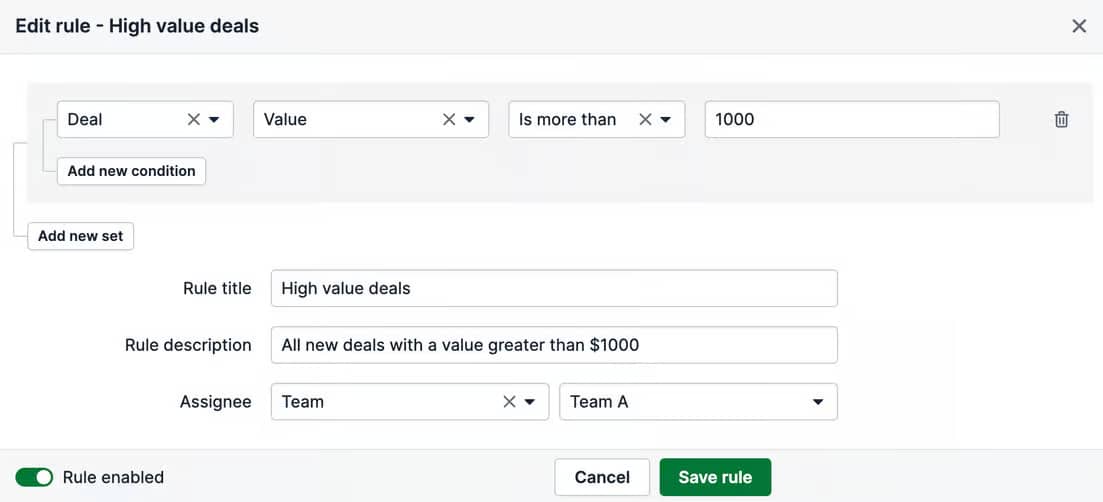
Pipedrive’s automatic assignment feature allows you to set rules to qualify and assign deals to a particular team or rep.

For example, a location-based rule could ensure reps get matched with prospects in the same time zone. If you want a specific team to handle higher-value deals, your rule could route deals above a certain threshold to those team members.

CRM examples: How Pipedrive’s automatic assignment feature helps you get the right team on the right deals.

Pipedrive’s Projects software also supports project management for teams outside sales.

Here’s how one company benefited from streamlining project management

Mobility service provider and charge point operator Blulinc was among the first businesses to adopt Pipedrive’s dedicated project management solution into their workflow.

Pipedrive’s Projects add-on has since helped Blulinc deliver timely solutions to clients and even forecast issues to further increase efficiency.

Cihan Kranda, founder of Blulinc, shares his experience:

Pipedrive gives us better separation between our sales pipeline and our projects pipeline. Our support people that are managing all the installations and our after-sales don’t need to be nosing around in deals anymore. It’s easier to follow up and it’s quicker to do what we need to do for both teams.

Read the Blulinc case study to learn how the project management team reclaimed 30% of their time.

7. Mobile CRM

CRMs with mobile capabilities deliver desktop CRM features to smartphones and other web-enabled devices, like tablets.

Mobile CRM functionality can be particularly useful for companies with field agents, often away from their desks meeting prospects in person.

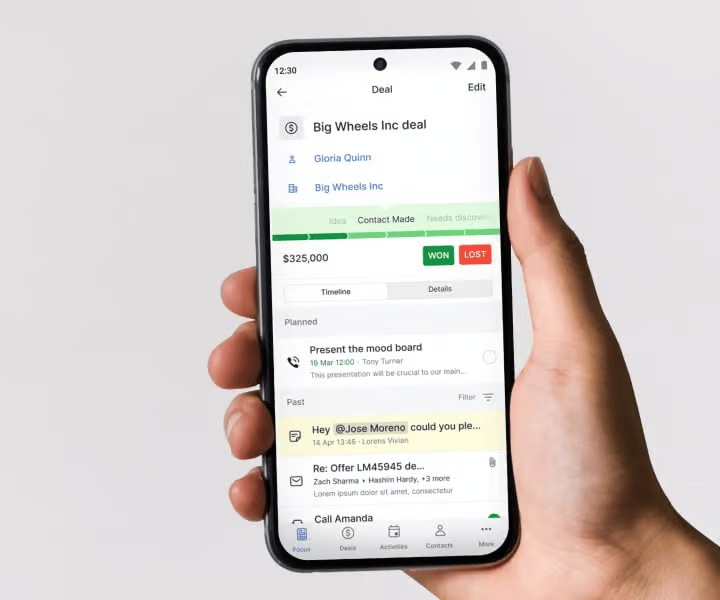
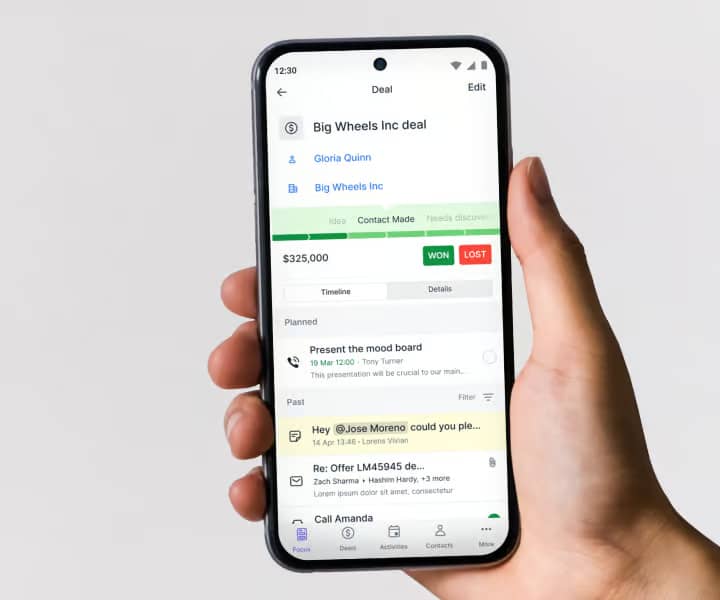
Pipedrive’s mobile CRM helps you track calls, make quick notes, prep for meetings and stay focused.

Pipedrive’s mobile CRM reflects all web app customizations across iOS and Android devices, giving sales teams a seamless experience.

Here’s how one company benefits from mobile CRM functionality

While on the road, the sales team at Planet42, a South African vehicle financing company, uses Pipedrive’s mobile CRM app to log information into Pipedrive using their cell phones.

Samantha Speedy, Projects and Operations Coordinator at Planet42, shares:

“The call tracking app is phenomenal! Especially the record call and messages feature. When you’re on the road and you get so many calls, you forget who you’ve spoken to and what you spoke about. So just having that pop up after the call is so helpful.

The other feature that I believe is quite nice is Pipedrive’s ability to link to your cell phone. Other CRM systems in South Africa don’t have this feature, which is especially important for us salespeople because we live off our cell phones.”

The Planet42 case study explains how the company uses Pipedrive to manage its sales and equity pipelines.

3 CRM platforms for different needs

Whether your company is just starting or scaling up, you’ll find various CRM tools for different purposes.

To help you navigate your options, we’ve shortlisted three popular CRM examples to suit specific needs.

Best CRM for growing your business: Pipedrive

If you want to expand your sales team or increase revenue, you need a dedicated, powerful sales CRM tool like Pipedrive.

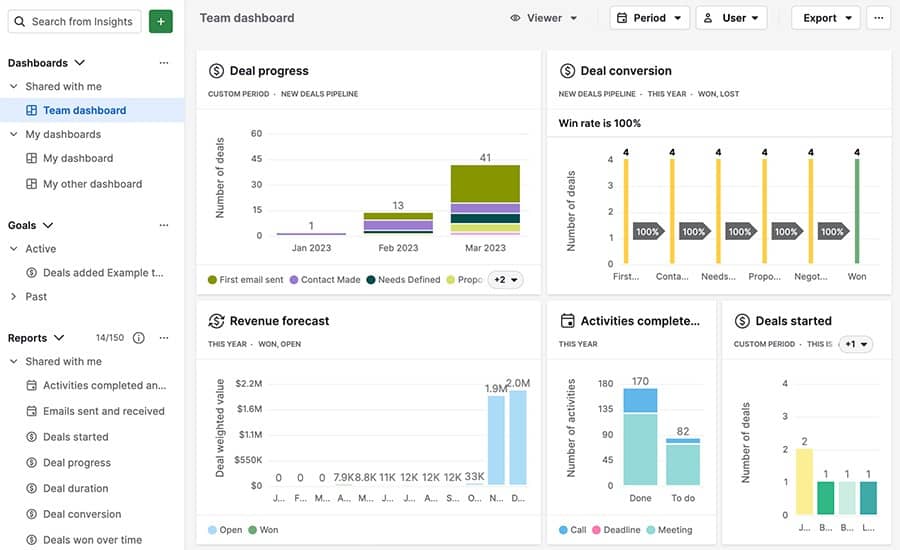
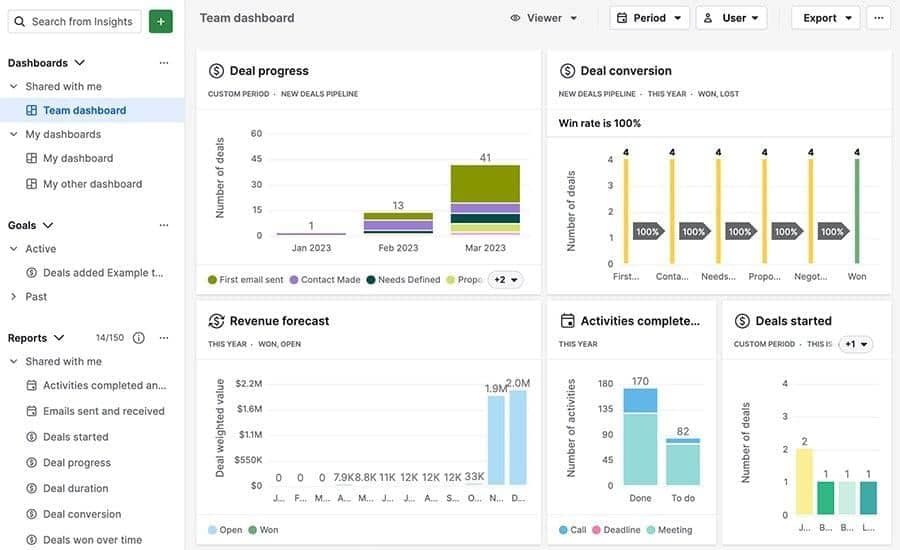
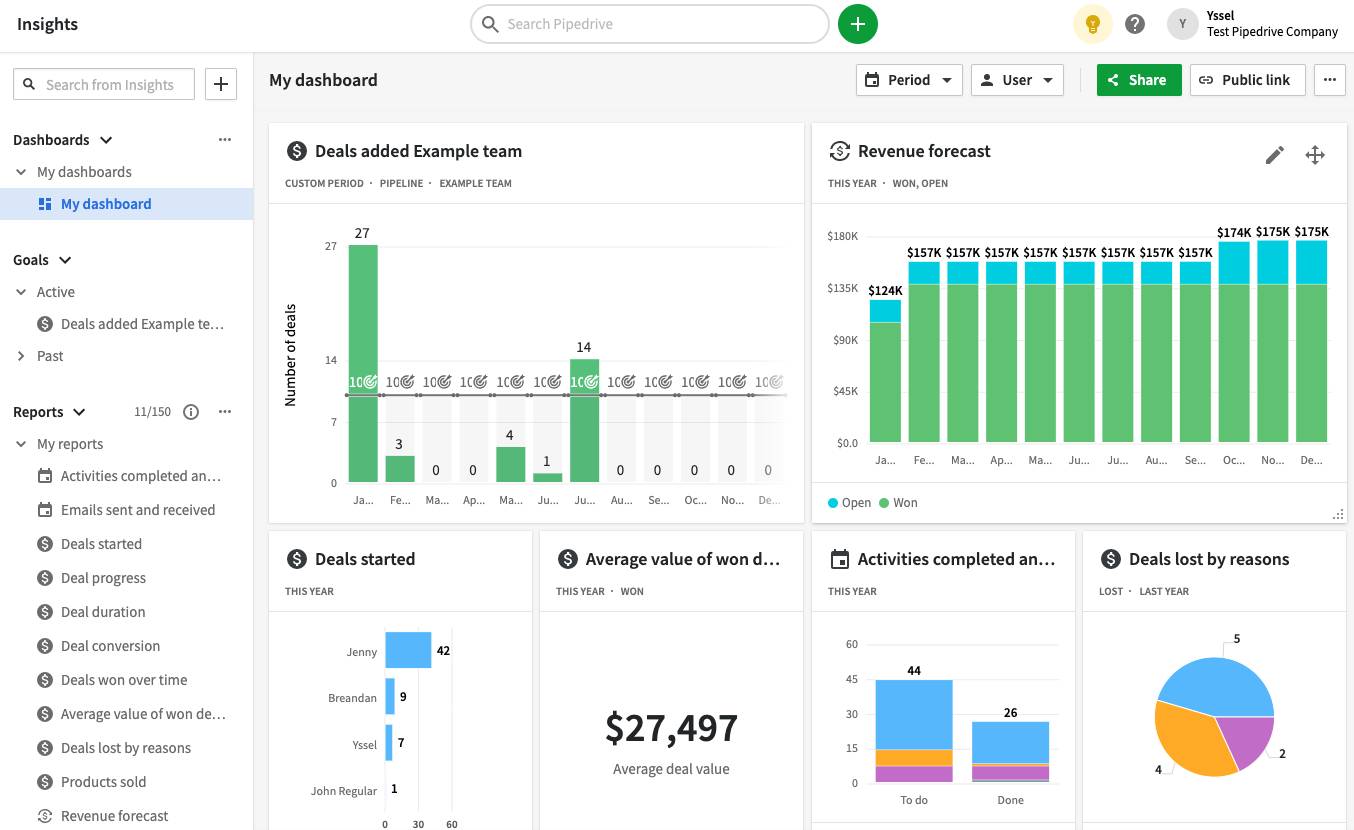
Pipedrive’s interactive dashboards make it easy to visualize your team’s KPIs and build a data-driven sales strategy.

CRM examples: Pipedrive is easy to use and allows many app integrations to make your life easier.

Named the “Easiest to Use” CRM software by The Motley Fool, Pipedrive provides an intuitive user experience featuring many app integrations for added flexibility.

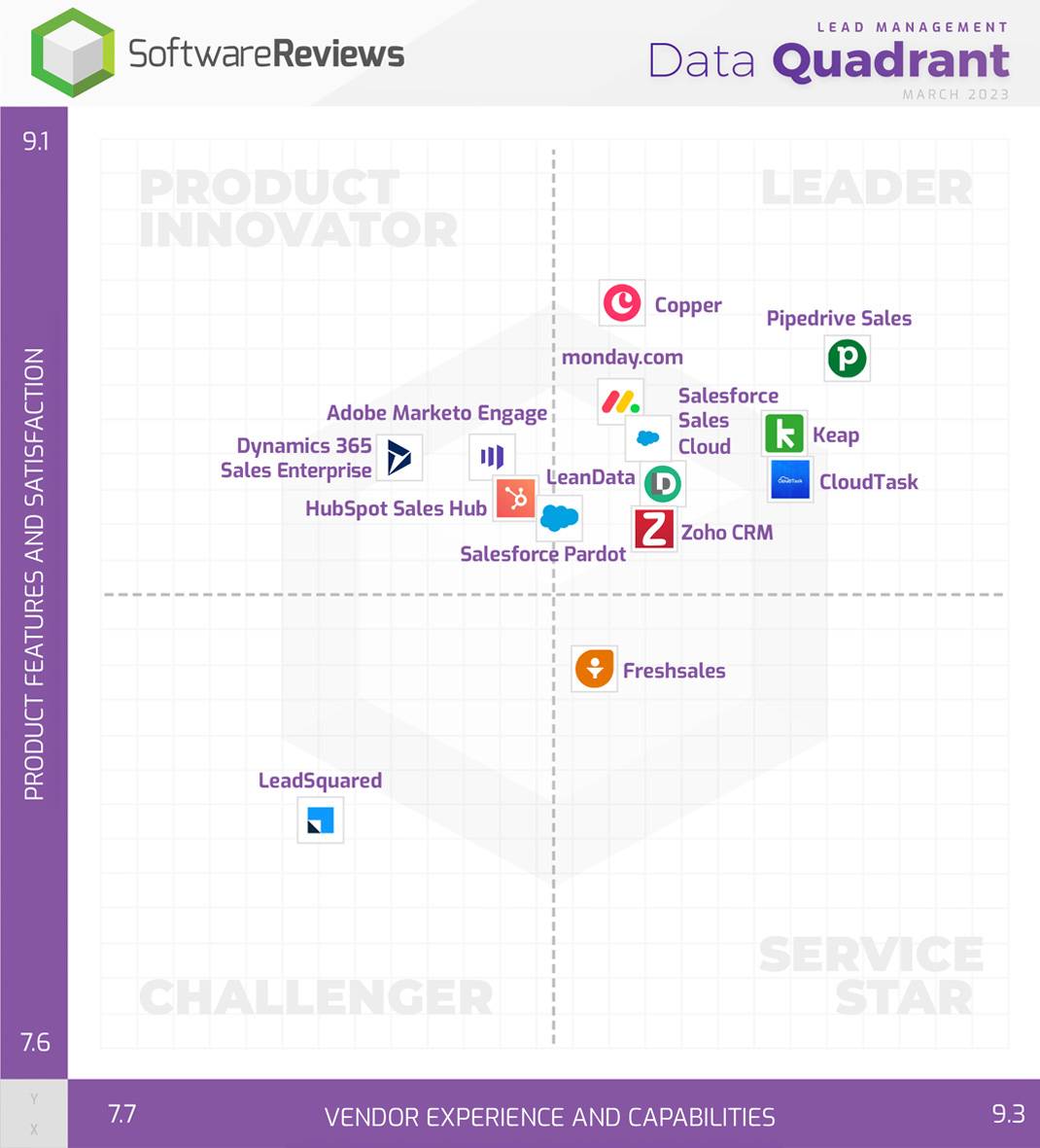
Pipedrive also ranked first in the SoftwareReviews’ 2023 Lead Management Data Quadrant for its top scores across ease of data integration, customization, implementation and IT administration, as well as quality of product features.

CRM examples: Start and scale effortlessly with Pipedrive, one of the highest-rated and feature-packed CRMs.

Whether you’re a startup or enterprise, Pipedrive’s affordable tiered plans make it easy to start and scale when your team needs more functionality.

Here’s what Nirmal Gyanwali, Managing Director at boutique web design agency Nirmal Web Studio, thinks:

Pipedrive is the best tool I’ve ever found! From email tracking to workflow automations and game-changing integrations, Pipedrive has plenty of features that help us go beyond our sales targets.

Learn more about Pipedrive with the best CRM software deep dive.

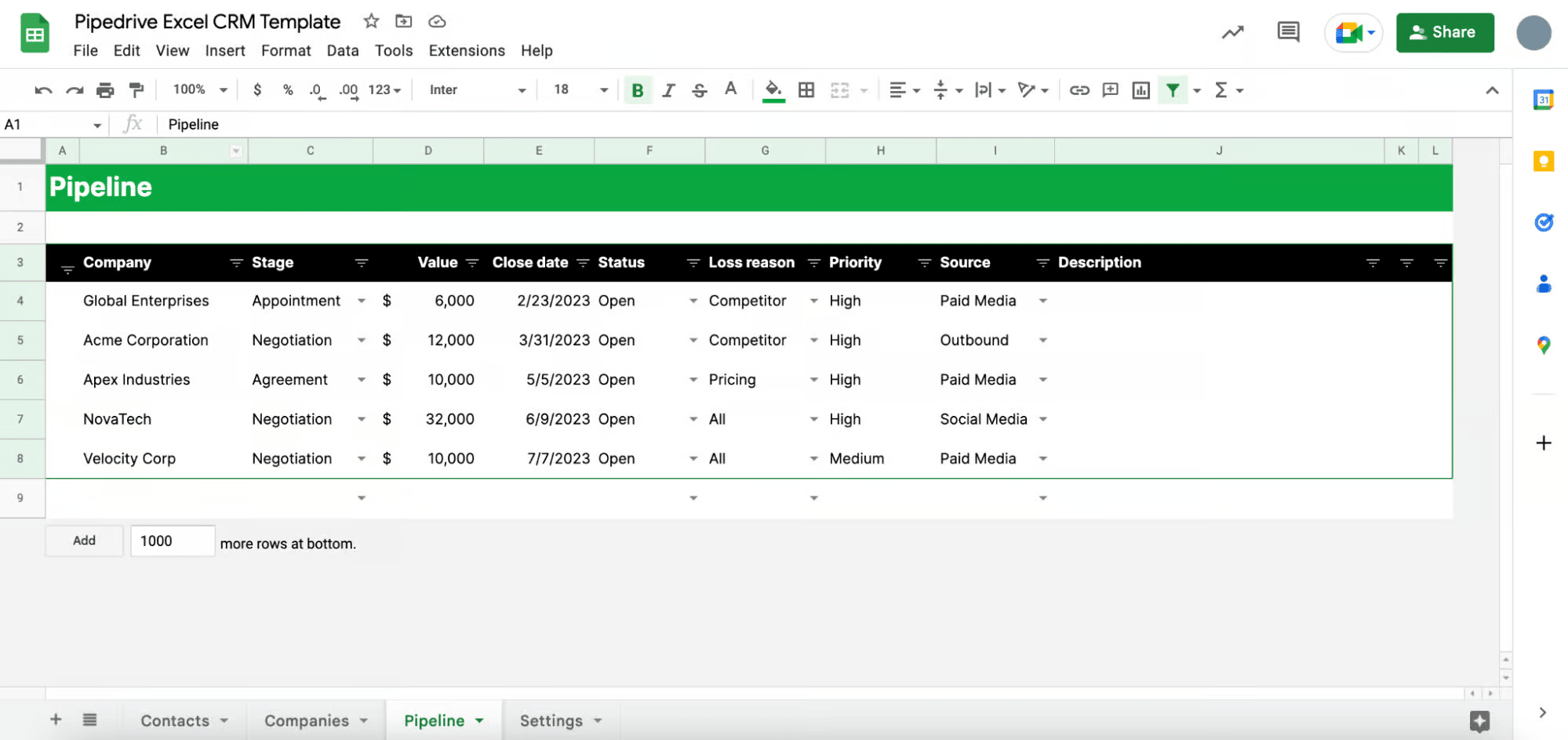
Best free CRM: Excel

Small businesses concerned about pricing and looking for a barebones way to store contact information may find that an Excel CRM works for them.

CRM examples: How Excel can help small businesses keep track of their contacts.

You won’t have access to sales pipelines, dashboards or project management tools. So if you don’t need that functionality immediately, Excel can be a straightforward way to organize your contacts.

When you’re ready to scale, you can easily import data from your Excel spreadsheet into a dedicated CRM like Pipedrive.

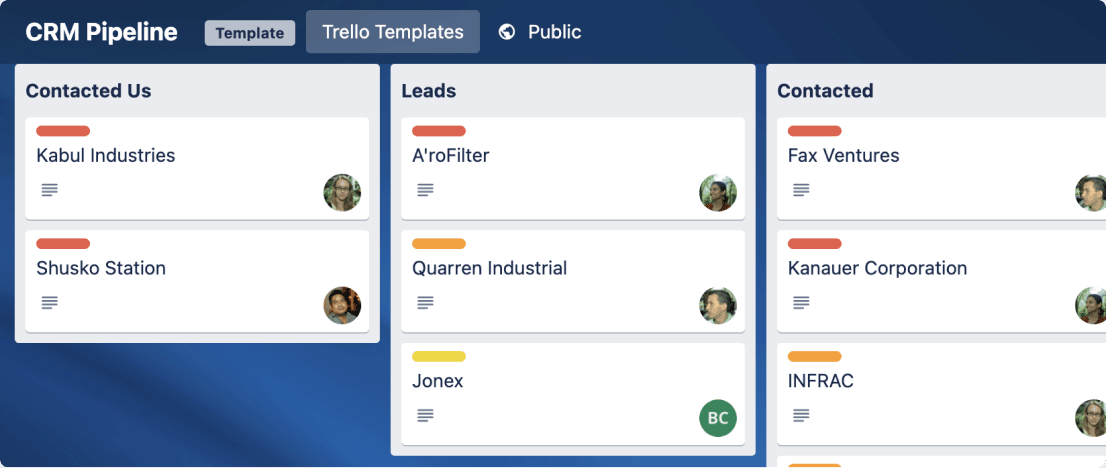
Best CRM for single-person teams: Trello

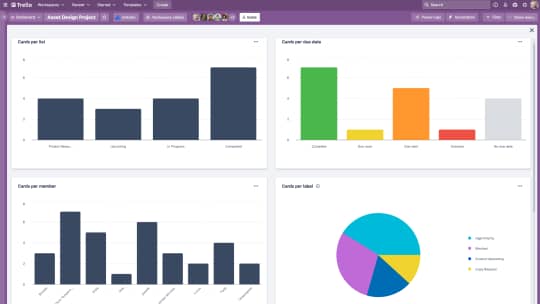
Trello is a visual Kanban-style project management tool that can serve several basic CRM functions.

Users create boards filled with task cards and then move them to different lists to monitor their progress.

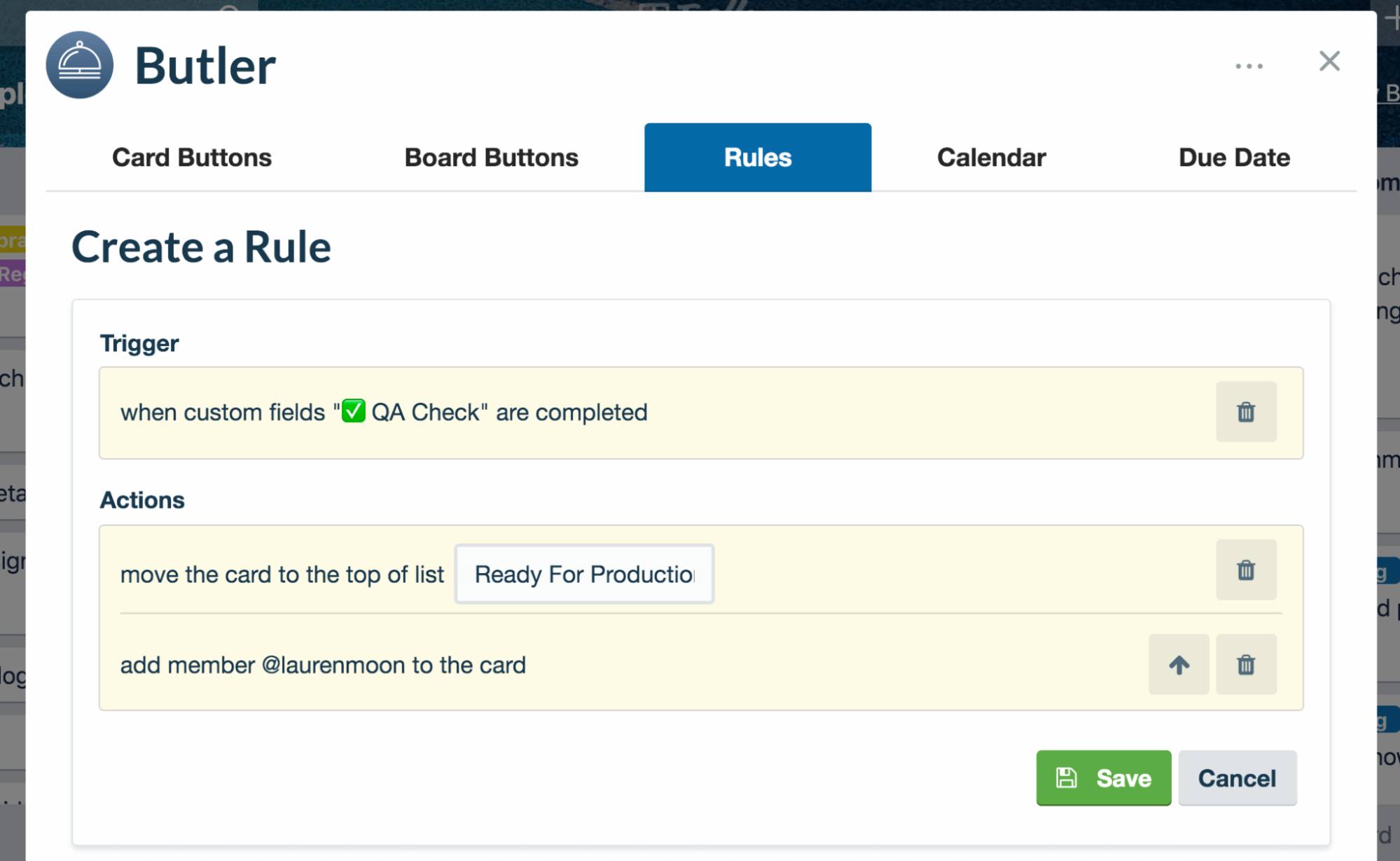
Butler, Trello’s built-in automation feature, broadly assists with task management and project workflows rather than sales-specific activities. You can add templates to your Trello boards to mimic a basic sales pipeline layout.

CRM examples: How Trello can be useful for single-person teams looking for a simple project management tool.

Trello premium users can build custom dashboards without advanced reporting or analytics functions to visualize project workflows.

As Trello lacks typical CRM contact management features, you can add contact information to individual cards instead.

To learn how Trello stacks up against Pipedrive, check out this Pipedrive vs. Trello comparison.

How to choose the right CRM for your company

The right CRM solution makes your business more efficient, productive and successful. Follow these steps to research and choose the best CRM for your team’s needs.

  • Evaluate your current customer data system and consider what you need most from a CRM system. Identify the non-negotiable features and the nice-to-haves.

  • Evaluate your current customer data system and consider what you need most from a CRM system. Identify the non-negotiable features and the nice-to-haves.

  • Make a list of the tools offering the features you need. Do standard online research, compare reviews, test out free trials and consult industry experts willing to share their recommendations.

  • Beyond feature availability, consider the tool’s intuitiveness, customizations and scalability in your CRM evaluations. Selecting an easy-to-set-up and user-friendly CRM will help your team quickly get off the ground. Some CRMs also integrate with other tools and apps to offer more capabilities from one location.

Finally, if your goal is to boost sales or revenue, choose a sales CRM with features like pipeline management and sales activity automation – the quickest way to set your sales team up for more success.

CRM examples FAQs

  • No team wants to pay for CRM features they know they don’t need and won’t use.

    The best CRM for your company is the one that suits all your unique business needs.

    Start by deciding which features matter most to your business goals, such as email marketing or an AI sales assistant. Then compare the tools offering those features and consider their flexibility and adaptability as you scale.

    Tools with add-ons, for example, make it easier for companies to add features when needed rather than complicating the process at the start.

  • There are three primary types of CRM systems:

    • Collaborative CRMs improve collaboration between marketing, sales and support teams

    • Analytical CRMs use AI to help teams understand customer data and gain sales insights

    • Operational CRMs help companies manage their staff and customers through integrations, automation and visualization

    The best CRM tool offers a wide variety of functions and features across these categories, giving you ample room to customize your processes.

  • Customer relationship management is an umbrella term encompassing all systems for managing client relationships.

    Customer relationship management examples range from back-end storage of contact details and purchase history to front-of-house customer support functions.

    CIM is an aspect of CRM focused on providing an excellent customer experience across all communication channels to drive satisfaction and loyalty.

    Responding promptly to customer behaviors, like answering questions sent through your Chatbot, would be an example of a CIM strategy that drives customer retention.

Final thoughts

The benefits of CRMs are far-reaching for companies and businesses of all sizes.

While disparate data collection and lead management slow down your sales process, integrated software makes it easier to close new business, build customer loyalty and scale operations.

Pipedrive is a simple but powerful CRM solution for streamlining prospect data and increasing sales success.

Pipedrive vs. Infusionsoft (Keap) Comparison Guide

Software Stack Editor · May 14, 2024 ·

With plenty of products vying for your attention, finding the right customer relationship management (CRM) software for your sales team can be challenging. Pipedrive and Keap (previously known as Infusionsoft) are popular CRMs designed to help businesses track sales and grow revenue.

Both solutions have the features you’d expect in a CRM system but they also possess unique functions and strengths that make them ideal for different users.

This Pipedrive vs. Infusionsoft (Keap) comparison guide will look at the most popular features of both solutions so you can choose the right CRM for your business.

What is Pipedrive?

Pipedrive is a CRM solution designed to help you track the sales pipeline, manage leads and automate your sales process. The software is suitable for companies of all sizes, with plans available for small businesses, enterprise clients and everything in between.

Pipedrive vs. Infusionsoft (Keap)

Pipedrive’s key features include:

You can also expand Pipedrive’s functionality with add-ons and third-party integrations (more on this later).

What is Infusionsoft (Keap)?

Keap is a sales and marketing automation platform designed for small businesses and startups. In 2019, Infusionsoft rebranded as Keap.

The company launched two new versions, Keap Pro and Keap Max, to make the software more user-friendly. The original Infusionsoft software was renamed Keap Ultimate.

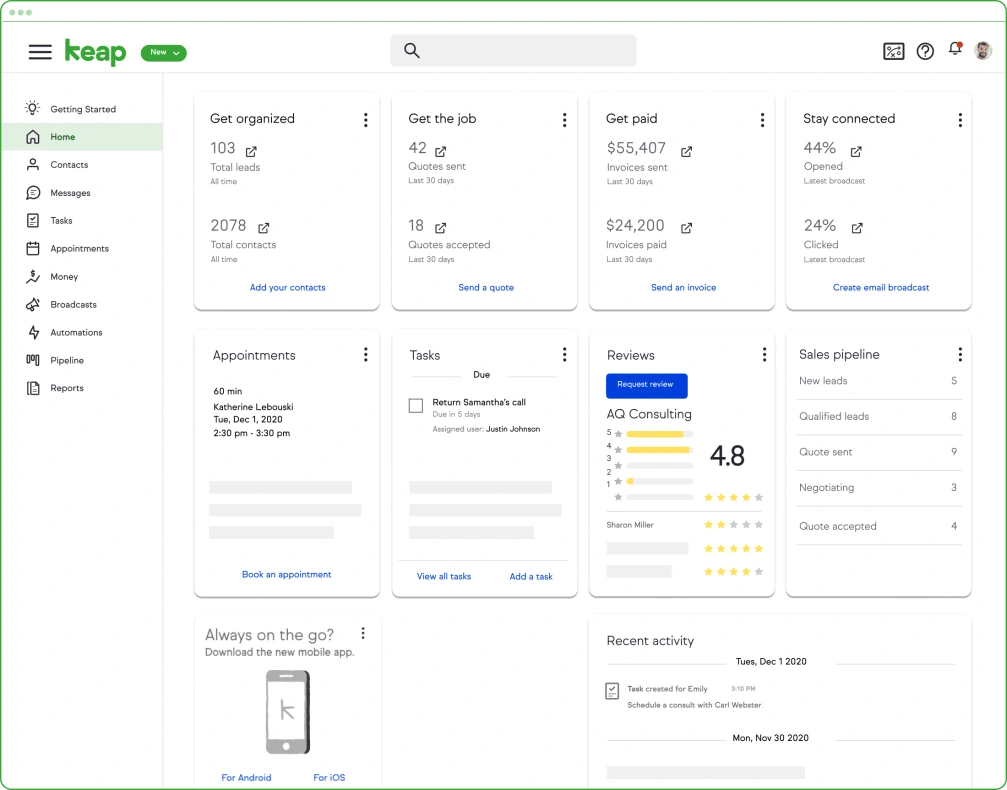
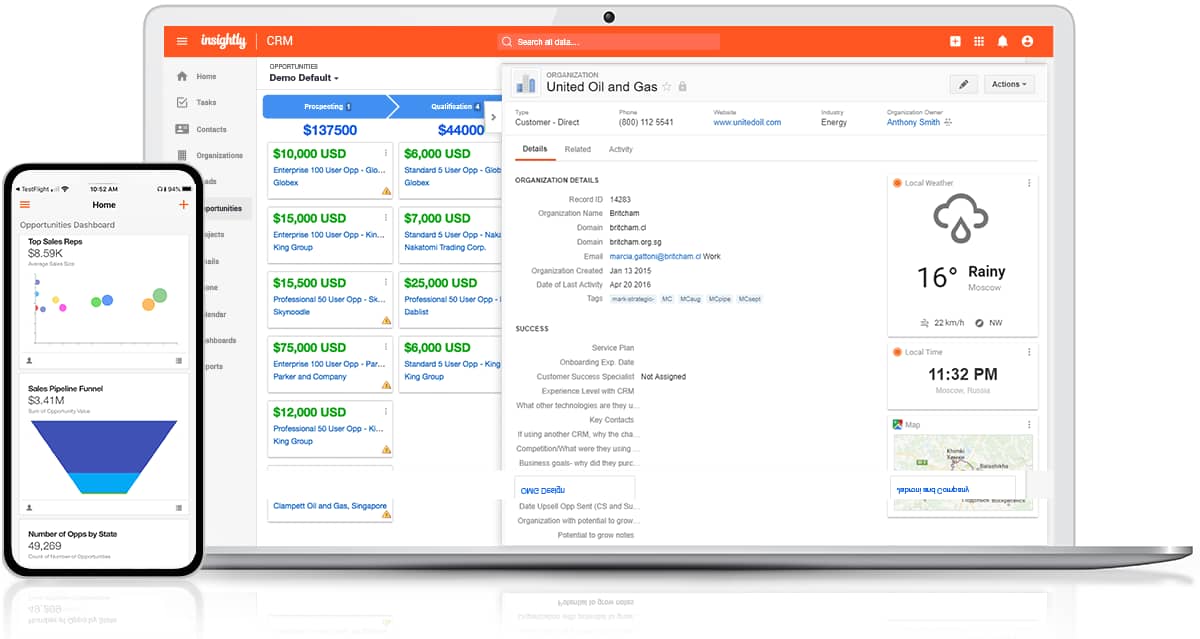
Pipedrive vs. Keap Dashboard

Keap’s core features include:

Pipedrive vs. Infusionsoft (Keap): at a glance

There are a lot of elements to consider when choosing between Pipedrive and Keap. Here’s how the two solutions measure up.

Pipedrive

Infusionsoft (Keap)
Free trial Yes Yes
Free version No No
Price range (per month, billed annually) $14 – $99 (per user) $159-$229 (inc. 2-3 users)
Capterra user reviews score 4.5 4.1
Sales pipelines Yes, unlimited Yes, unlimited
Lead management Yes, all plans Yes, all plans
Workflow automation Yes, all plans Yes, all plans
Reports Yes, unlimited Yes (advanced reports available on Pro and Max plans)
Conversational bot Yes (through LeadBooster add-on) No
Calendar sync Yes, all plans Yes (Pro and Max plans)
Products Yes, all plans Yes, all plans
Data storage Yes, all plans Yes, all plans
Integrations 400+ apps 29 apps
Implementation Free for users >$400 MRR One-time fee
Open API Yes, all plans Yes, all plans

Recommended reading

CRM Comparison | CRM Software & Tool Alternatives

Pipedrive vs. Infusionsoft (Keap): key features

Every CRM includes a core set of features that manage customer relations. Here’s how Pipedrive and Keap stack up in these critical areas.

Contact management

Pipedrive

Infusionsoft (Keap)

Comprehensive profiles with contact information, organization details, activity history, attachments and a change log for tracking updates.

Profiles for client activity, contact details and communication history, with action buttons for common interactions.

Sales teams need to access lead information to do their job effectively. A CRM provides your reps with a centralized database to store and review important customer data.

Pipedrive’s contact management gives you a comprehensive view of leads and customers, with all the information you need to nurture business relationships in one place.

Along with the standard details and contact information, you can also see past activity, planned activity and connected deals.

Pipedrive view vs. Infusionsoft (Keap)

You can link individuals to organizations to better understand business structure while using the search function to find other details. A changelog tracks profile updates and ensures you always work with the latest information.

Pipedrive enables you to capture unique details with custom fields and contact labels so you can tailor each contact page to fit specific business needs. You can then use these details to create segmented lists for targeted campaigns.

Keap also comes with contact management features to store client data and activity. You can see whether a contact is a lead or client, view their contact info and review all recent activity. Keap uses tags instead of custom labels, allowing you to categorize and organize records.

Keap’s Pro plan includes 1,500 contacts, increasing the price for additional contacts. Pipedrive offers unlimited contacts on all plans.

Sales pipeline management

Pipedrive

Infusionsoft (Keap)

Fully customizable Kanban pipelines with a clear overview of deal progress and user-friendly drag-and-drop functionality. Kanban view of the sales process with the ability to create automations directly from the pipeline.

The best CRMs offer more than a way to manage your contacts. They help your sales team visualize and manage potential customers as they move through the sales process.

Pipeline management enables you to track deal progress, forecast future sales and identify potential bottlenecks.

Pipedrive’s primary view is the pipeline, which gives your reps a complete view of every deal’s status and the next steps needed. The pipeline view helps you stay organized and focused on your most important deals, even when navigating a complex sales process.

You can assign tasks to each pipeline stage, creating a blueprint for your sales reps to follow. Move deals forward or trigger actions that occur at a certain stage. Combine that functionality with Pipedrive’s automation features (more on those later).

Pipedrive pipeline vs. Infusionsoft (Keap)

Pipedrive’s sales pipeline analysis lets you review the most important metrics like:

  • Number of deals in your pipeline

  • Average size and value of the deals in your pipeline

  • Average percentage of deals won

  • Sales velocity

Analyzing pipeline performance helps you identify gaps or obstacles and improve the conversion rate across different stages.

Keap also offers tools for sales pipeline management. You get a visual overview of the pipeline that allows you to change deal stages using a drag-and-drop menu. You can also create custom pipelines and trigger automated tasks.

Download our sales pipeline course e-book

In the Sales Pipeline Course, Timo Rein, co-founder of Pipedrive, teaches you how to make more sales with exclusive advice and insights in 11 valuable lessons.

Mobile access

Pipedrive

Infusionsoft (Keap)

Android and iOS apps to access key information, take notes, make calls and plan your day. iOS and Android apps to add and access customer details, tasks and notes.

Accessing your sales CRM from a mobile device is essential to retrieve and update customer information on the go.

Pipedrive’s app delivers a full mobile CRM, giving you access to all the information you need while taking advantage of mobile functionality.

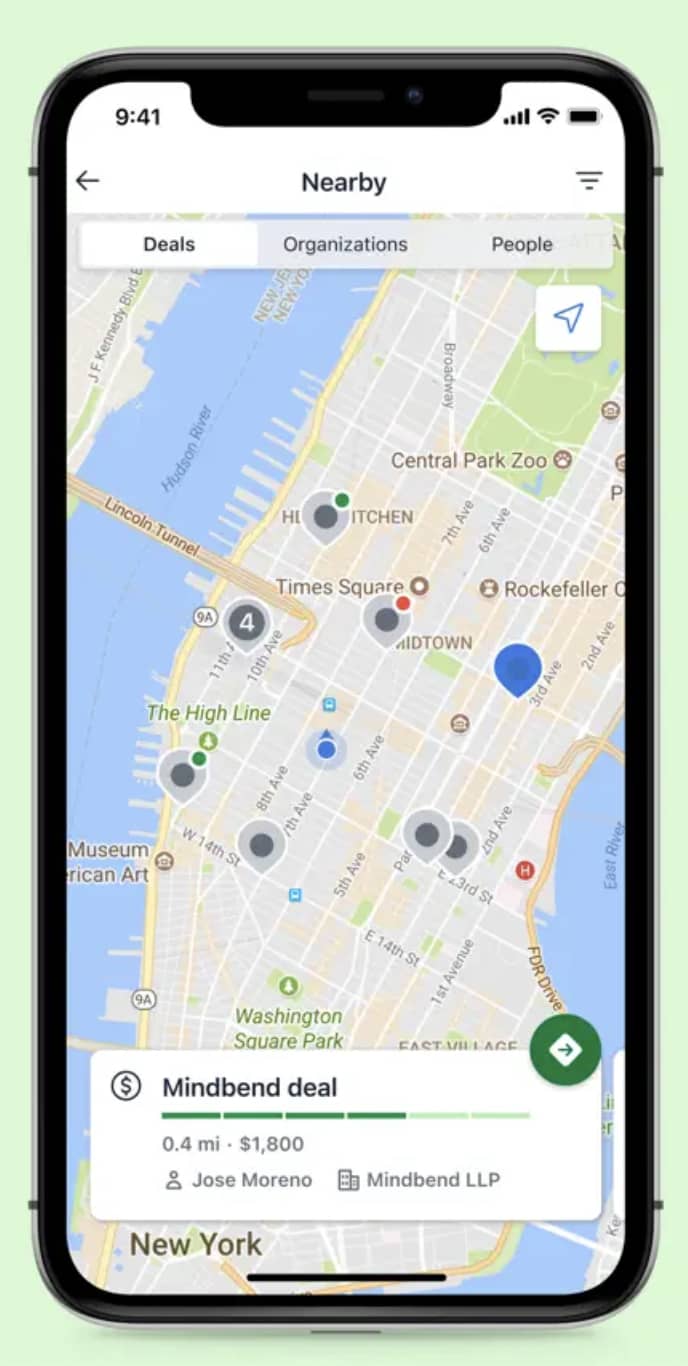
For example, you can see if an incoming call relates to a deal or link outgoing calls to contacts and activities. Take photos with your phone and add them directly to deals or contacts or use the “Nearby” feature to see which customers are in your vicinity.

Pipedrive app vs. Infusionsoft (Keap)

If you’re about to walk into a customer meeting, you can review their information (including contact history and deal timelines) to ensure you make a good impression.

With Pipedrive’s mobile app, you have an entire CRM system with you at all times. Even when you’re offline, you can schedule activities and access the sales information you need.

Keap also has a mobile app that lets you add customer information, tasks and notes on the go. You can send appointment links and invoices to customers or receive reminders and alerts for upcoming events.

Both Pipedrive and Keap apps are available for iOS and Android devices.

Customization

Pipedrive

Infusionsoft (Keap)

Customizable pipeline views, reports, dashboards and data fields, with support for different languages and multiple currencies.

Custom pipelines, custom data fields and personalized dashboards.

The best CRMs don’t force you into a set way of selling but flex to fit your specific processes and workflows.

Pipedrive is a highly customizable CRM that lets you manage the sales process your way. You get default sales pipeline stages initially but you can adjust them to match your business.

Add custom fields to deals, contacts or products and capture the information you need to ensure a seamless sales process.

Pipedrive’s custom reports and real-time sales dashboards enable you to focus on the sales metrics and key performance indicators (KPIs) that matter most to you.

Pipedrive is ideal for global sales teams. It’s available in 22 languages and supports multiple custom currencies.

Keap also offers customization features. You can create sales pipelines with custom fields or personalize dashboards to see relevant information.

Onboarding and importing

Pipedrive

Infusionsoft (Keap)

Import existing data from spreadsheets or previous CRMs, with assisted onboarding services available.

Import contacts from apps or CSV, XLSX and XLS files, with 15 hours of migration included as part of the required implementation services.

Effective onboarding ensures your team can adapt to and adopt a new CRM system quickly. Seamless importing capabilities allow for a smooth transfer of essential customer data.

Pipedrive makes it easy to import your existing data in any format. The system checks for duplicates and incomplete entries automatically, so you can get your CRM journey off to the best possible start.

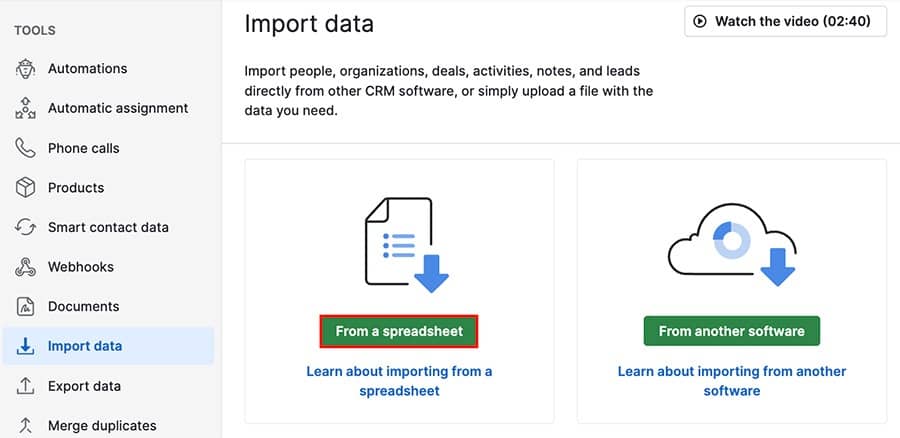
Pipedrive uses a combined import flow, so you only need one session to move all your data. Its third-party partner, Import2, also helps you transfer existing data from another CRM.

Pipedrive data vs. Infusionsoft (Keap)

If you need help getting started, Pipedrive offers a range of services depending on your plan and monthly payment. From one-time onboarding to long-term strategic planning, you get the help you need.

Keap also provides data import services for certain apps, spreadsheets and CSV files.

As part of the mandatory paid implementation, new customers receive up to 15 hours of free migration services, along with one-on-one coaching, an automation assessment and a sales and marketing playbook.

Pipedrive vs. Infusionsoft (Keap): productivity and automation

Pipedrive

Infusionsoft (Keap)

Automates sales activities like lead nurturing, task creation, data entry and email marketing.

Offers automation for marketing and sales tasks with a drag-and-drop automation builder.

Today’s sales teams often have many responsibilities. According to our State of Sales and Marketing report, only 54% of respondents spend most of their workday selling. However, respondents who adopted technology and automated their sales and marketing tasks were 16% more likely to hit their sales targets.

Automations within a CRM system enhance productivity by eliminating repetitive tasks, freeing up your team to focus on more strategic activities.

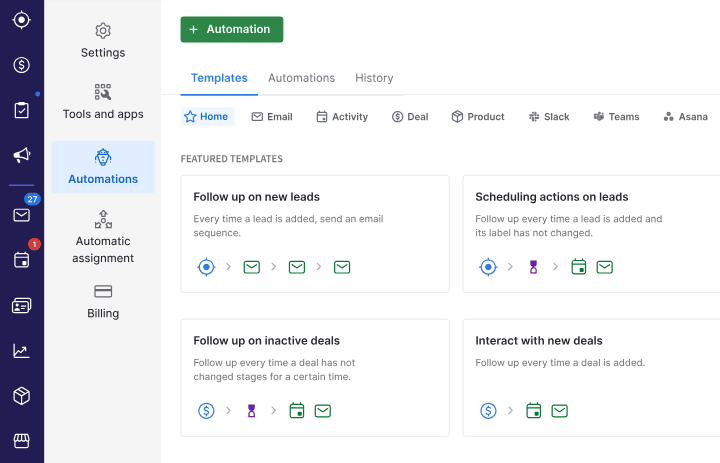
Pipedrive users on the Advanced tier can automate many of the steps in the sales process, like sending personalized follow-up emails or moving deals to the next stage in the pipeline.

By automating lead allocation, you can ensure every deal gets the attention it needs while freeing up time to focus on high-priority sales tasks.

Pipedrive automation vs. Infusionsoft (Keap)

Pipedrive’s automated AI Sales Assistant (available on Professional plans and above) offers performance tips, recommends features and reminds sales reps of any opportunities that need more attention.

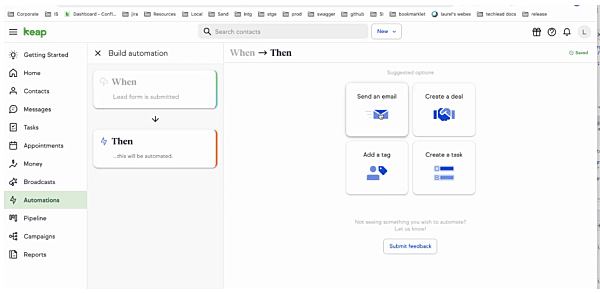
Keap also positions itself as a sales and marketing automation platform. Automations streamline activities like lead capture and appointment reminders, while the builder enables you to create nurture sequences.

Pipedrive vs Infusionsoft (Keap) automations

Keap’s AI content assistant can also generate landing pages, sales emails and text messages.

Recommended reading

https://www-cms.pipedriveassets.com/Pipedrive-AI-is-here.png

AI CRM | Pipedrive AI

Pipedrive vs. Infusionsoft (Keap): integrations and add-ons

Pipedrive

Infusionsoft (Keap)

400+ third-party integrations available on all tiers through the Pipedrive Marketplace, plus Zapier and Make automations and optional add-ons for expanded functionality.

29 specialized integrations that connect to e-commerce tools, form builders and email providers, with additional connections available through Zapier.

Integrations and add-ons extend the functionality of the core CRM system. By connecting your CRM software to other business tools, data can flow seamlessly across systems and teams can access it as needed.

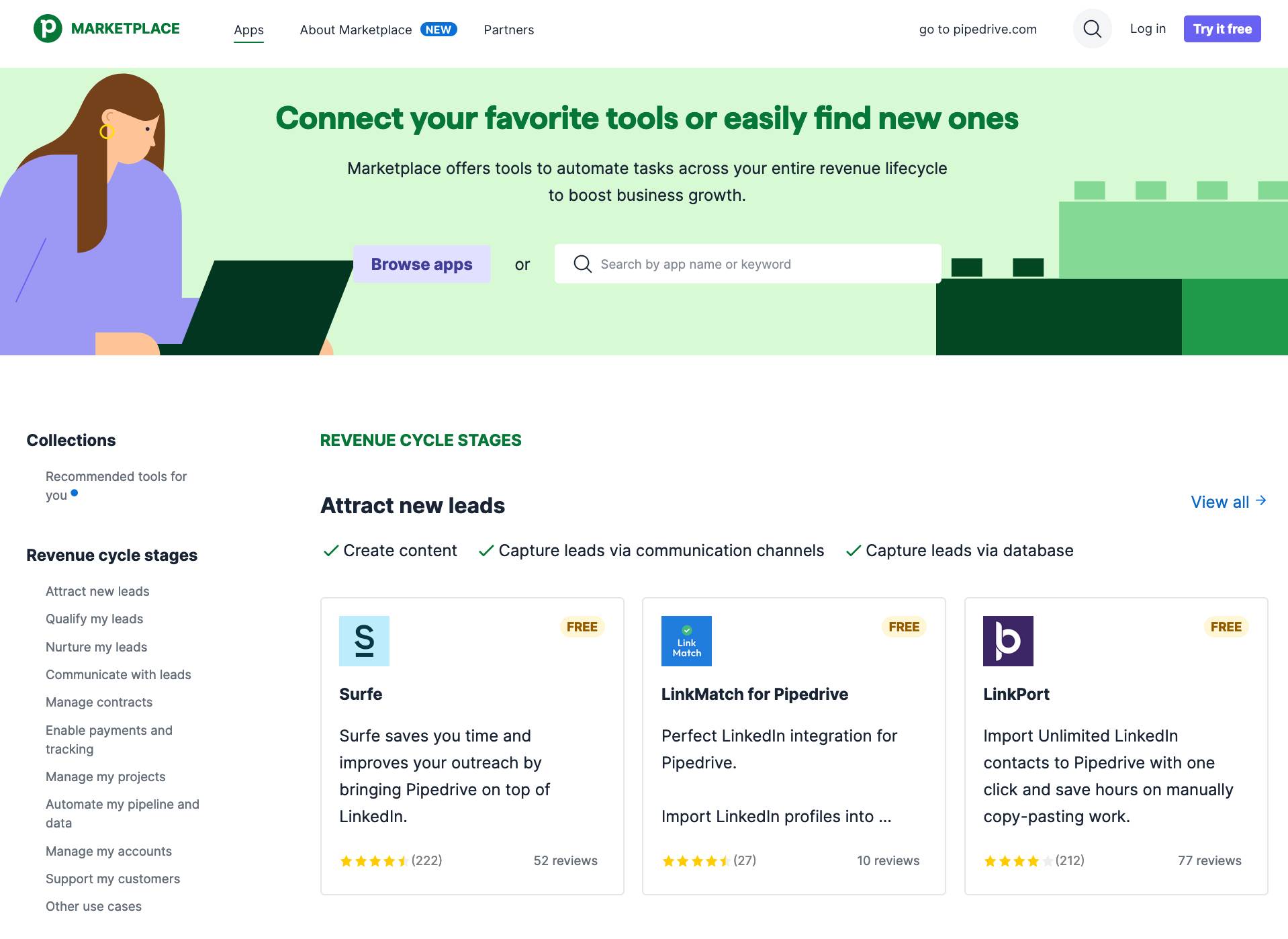
Pipedrive has a marketplace of over 400 apps, with more added all the time. It categorizes these tools based on revenue cycle stages, including:

  • Attracting new leads

  • Nurturing leads

  • Managing contracts

  • Invoicing payments

For example, the Google Meet integration lets you schedule, manage and launch calls directly from Pipedrive. You can jump on a call with prospects and see relevant context without having to switch between apps.

Meanwhile, email sync with popular providers like Gmail and Outlook means you can access the latest conversations directly from your CRM.

As part of Pipedrive’s AI CRM features, AI Smart App can recommend integrations to enhance efficiency and ensure you use the best tools for the job. The intelligent search function employs natural language processing to find apps that best meet your needs.

Pipedrive also offers native add-ons for extra functionality, allowing you to pick the features you want without paying for ones you don’t need. Current add-ons include:

Keap primarily offers integrations through Zapier. It also supports landing page builders, membership portals and appointment scheduling.

Rather than offering separate add-ons, Keap positions itself as an all-in-one sales platform with built-in tools for email marketing, newsletters, invoicing and subscription management.

Pipedrive vs. Infusionsoft (Keap): reporting and dashboards

Pipedrive

Infusionsoft (Keap)

Interactive real-time dashboards and custom reports to track key metrics for both individual reps and teams.

Marketing reports, sales dashboards and automation reporting to measure performance and identify opportunities.

Data-driven decision-making is at the heart of modern business strategies. A CRM with robust reporting and dashboards can turn data into actionable insights that grow your business.

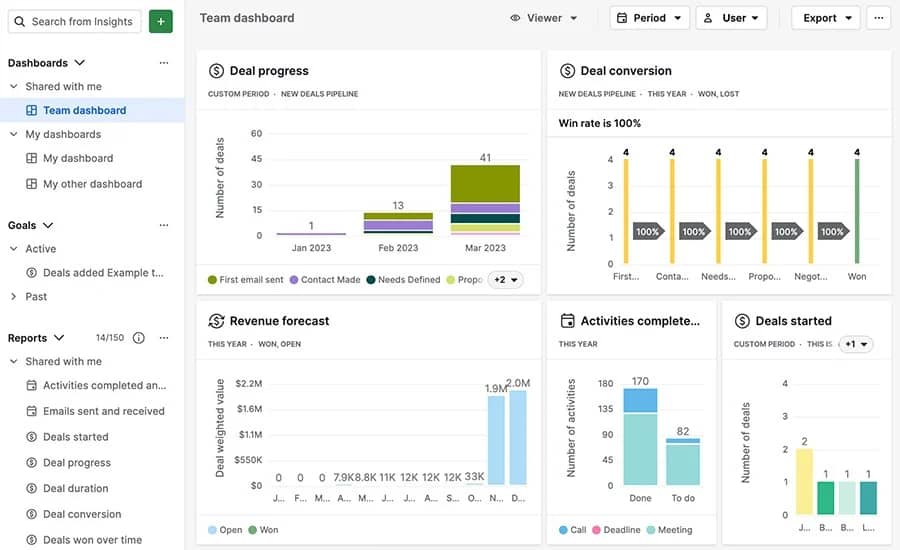
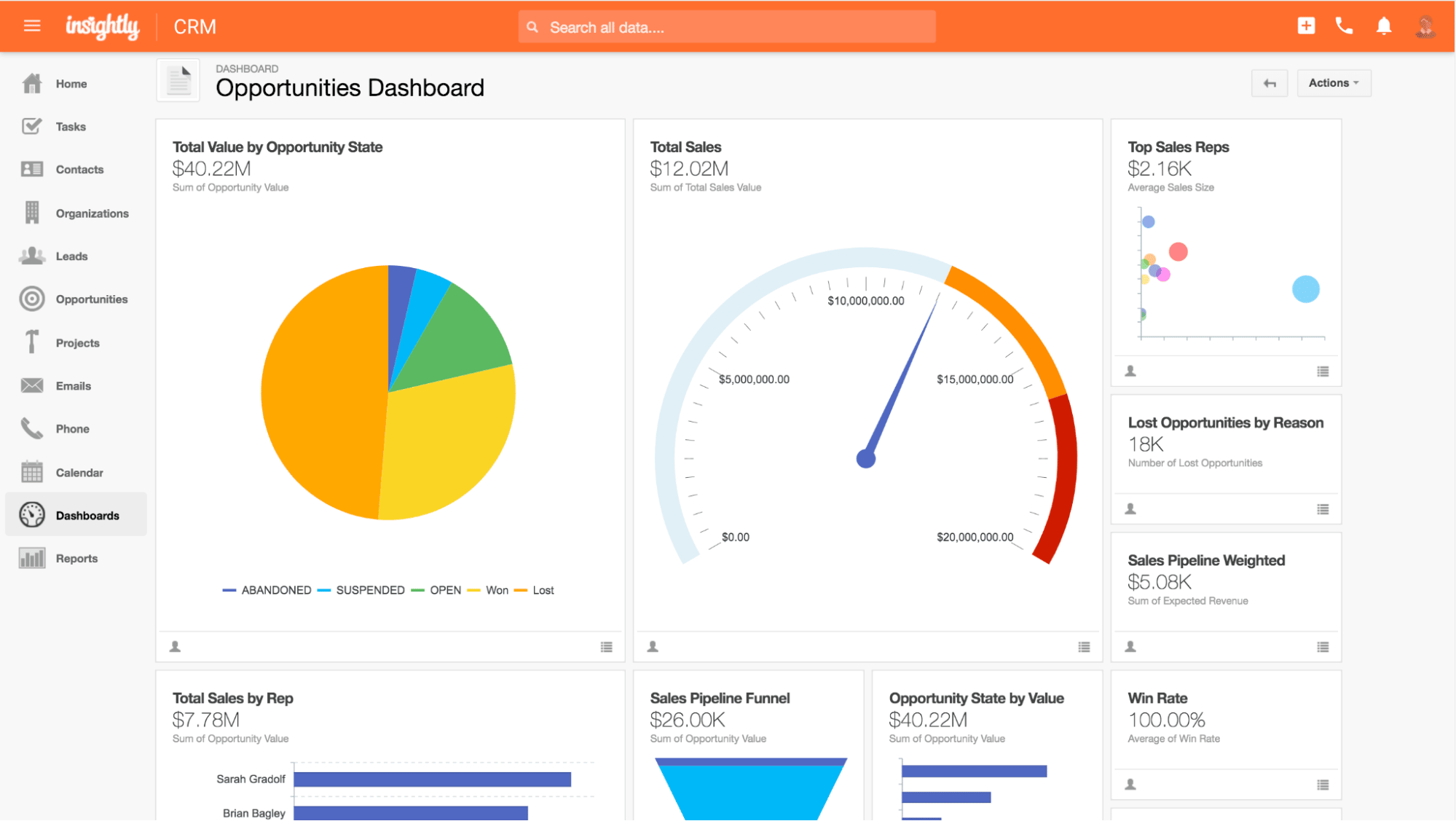
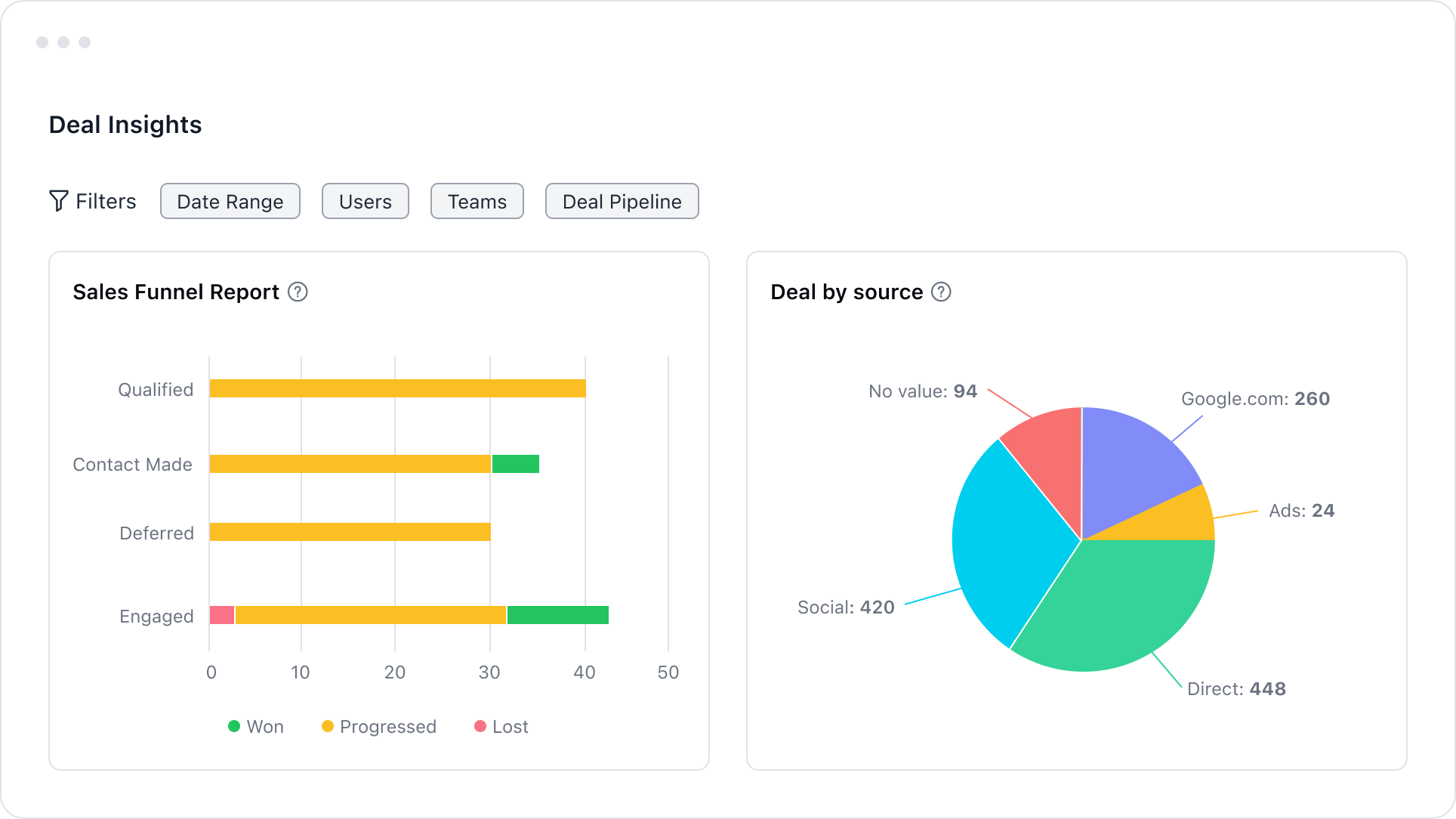
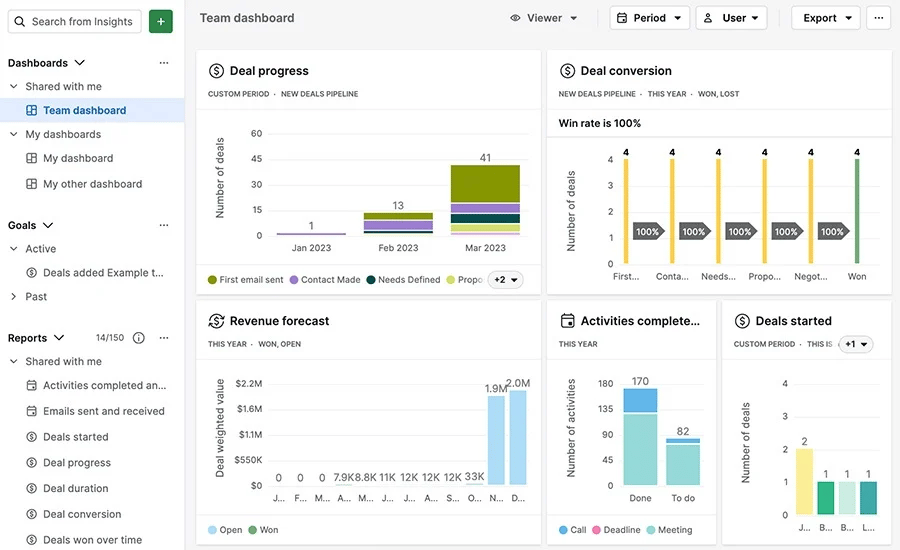
Pipedrive’s insights and reports feature helps sales reps use dashboards to recognize winning patterns. Customizable sales reports let you track default criteria like new deals and recurring revenue alongside metrics specific to your business.

Pipedrive reporting vs. Infusionsoft (Keap) automations

With easy-to-understand visuals, get a quick overview of your sales performance, forecast projected revenue and make smarter decisions. You can dive deeper into different metrics and individual performance to identify potential issues and sales training opportunities.

Keap offers a variety of pre-built marketing, sales and automation reports. For example, you can review your conversion rate by audience segment, sales stage and email clicks. Track sales by day, week or month and compare them to previous periods to measure performance.

Keap Max and Ultimate open up more advanced reporting features like return on investment (ROI) tracking and the ability to search across reports. You can also use the Graphly integration to add data visualization to your reports (available from $30/month).

Pipedrive vs. Infusionsoft (Keap): customer support

Pipedrive

Infusionsoft (Keap)

Comprehensive knowledge base with live chat and phone support for selected plans, available around the clock in multiple languages. Assigned customer success managers, 24/7 chat support through the app and US-based phone support

Considering how critical a CRM is to your daily business, reliable support is essential. Quality customer support helps resolve issues quickly, minimizing disruption and ensuring you get the best results.

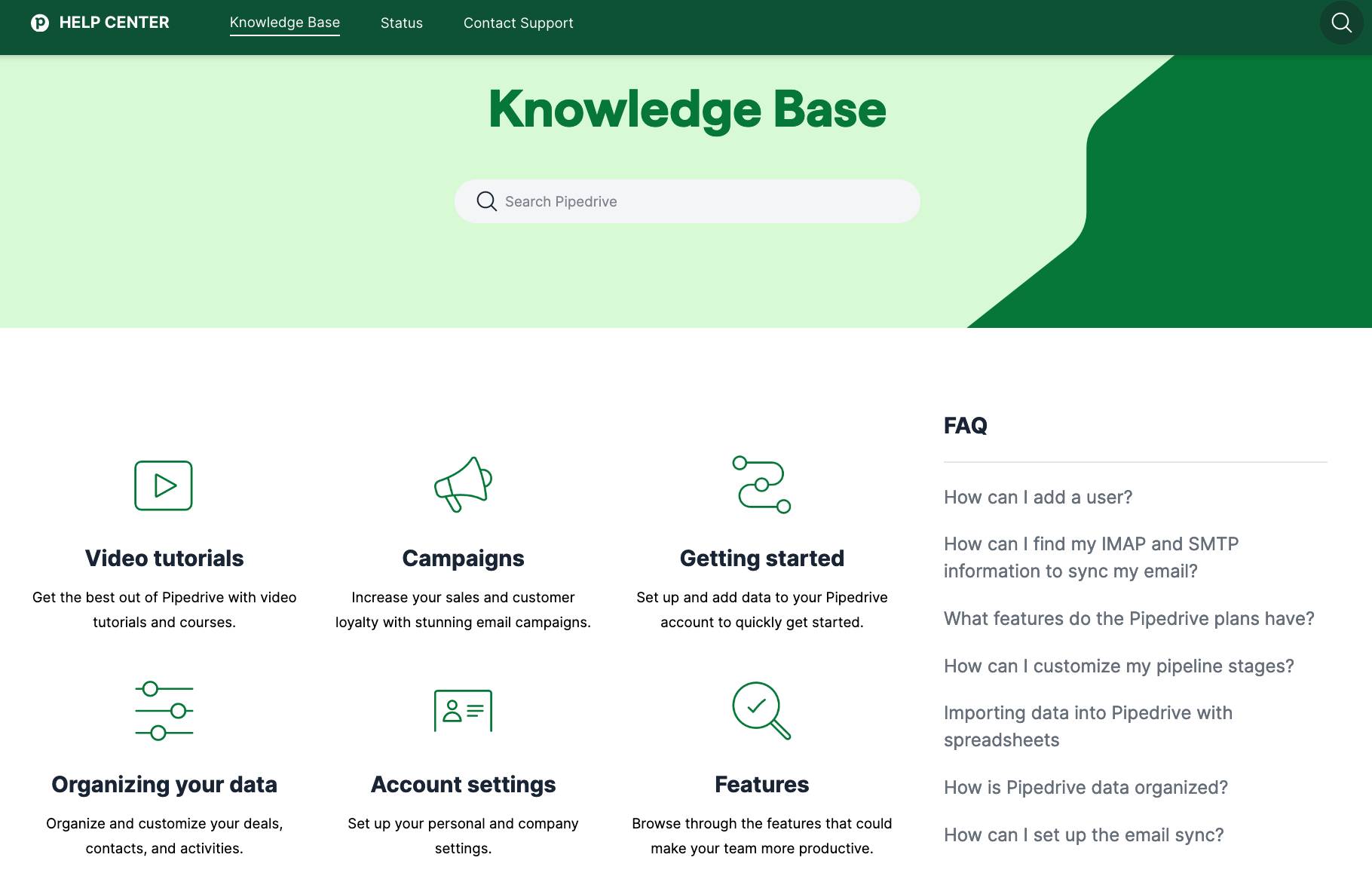
Pipedrive comes with a thorough knowledge base, including feature guides, advice on getting started and guidance on troubleshooting issues.

There’s an active online community where you can get advice and ideas from other users. Pipedrive Learn also offers useful courses, video tutorials and webinars.

Pipedrive’s support team can answer questions via live chat, email and phone, with over 130 support staff based around the world. Help is available in multiple languages, with English and Portuguese support available 24/7 or French, German and Spanish support available during business hours.

As a result, verified reviewers on Software Advice awarded Pipedrive the 2023 Best Customer Support recognition.

Pipedrive best customer support

Keap offers US-based phone support and 24/7 chat support through the app. Users also have access to a customer success manager to get the most out of the platform.

Pipedrive vs. Infusionsoft (Keap): pricing

Pipedrive’s pricing plans are based primarily on the number of users, while Keap is based on both number of users and contacts.

Pipedrive pricing:

Plan Summary
Essential – $14 per user per month, billed annually

All the core CRM features you need to get started, including contact management, pipeline management, personalized onboarding and integrations.

Advanced – $29 per user per month, billed annually All of the above plus full email sync, automation builder, scheduling features and live chat support.
Professional – $49 per user per month, billed annually All of the above plus AI Sales Assistant, streamlined team management, document management, sales forecasting and custom field reporting.
Power – $64 per user per month, billed annually All of the above plus 24/7 live chat support, phone support, scalable account permissions and project tracking.
Enterprise – $99 per user per month, billed annually All of the above plus enhanced security, increased automation capabilities and unlimited reports and customizations.

Pipedrive’s add-ons:

Add-on Summary
LeadBooster – from $32.50 per company per month Access powerful, easy-to-use lead-generation tools, including Chatbot, Live Chat, Prospector and Web Forms.
Web Visitors – from $41 per company per month

Discover which organizations are visiting your website, how they found you and what they engage with.

Campaigns – from $13.33 per company per month

Create custom email campaigns with professional email templates and a user-friendly drag-and-drop interface, then measure performance with email analytics.

Smart Docs – from $32.50 per company per month (free with Professional and Enterprise subscriptions)

Send trackable quotes, proposals and contracts from within Pipedrive, get notified when they’re opened and request e-signatures to close the deal.

Projects – from $6.70 per user per month

Create to-do lists, track progress and map out complex projects with simple kanban boards.

Infusionsoft (Keap) pricing:

Plan Summary
Pro – $159 per month, includes 1,500 contacts and two users (additional users are $29 each) Designed to automate basic sales, marketing and business processes like landing pages, lead management, pipelines and invoicing.

Max – $229 per month, includes 2,500 contacts and three users (additional users are $29 each)

Made for growing teams that need advanced lead optimization, enhanced landing pages, e-commerce tools and improved reporting.

Ultimate – $229 per month, includes 2,500 contacts and three users (additional users are $29 each) Built for larger salesforces with more complex workflows, custom user access controls, affiliate management and advanced reporting.

Keap costs shown above do not include the one-time fee for the required implementation service.

Final thoughts

Pipedrive and Keap both offer comprehensive CRM functionality to track, manage and grow customer relationships. The best choice for you will depend on your business goals, existing tech and budget.

Keap is an all-in-one solution out of the box but you’ll need the resources to handle the learning curve and be willing to pay the additional costs.

If you want an intuitive CRM built for sales with the ability to add-on features as you need them, Pipedrive can help you grow your business at an affordable price.

7 Best Sales Planning Software & Tools

Software Stack Editor · May 13, 2024 ·

From prospecting tools to data analysis solutions, there’s no shortage of sales planning software designed to make your company’s sales strategies more effective.

The sheer number of tools available can make it hard to know which one best meets your needs. So, we’ve put together the ultimate guide to sales planning software to help you.

In this article, we’ll explain what sales planning software is and how it can benefit your business. We’ll also outline key tool features to look for and share a list of seven top options worth investing in.

What is sales planning software?

Sales planning software includes tools for planning, implementing and managing your company’s sales processes.

Sales planning software may consist of an all-in-one solution with multiple sales planning features. For example, you’ll find customer relationship management (CRM) platforms with sales forecasting, budgeting, goal setting, resource allocation and performance tracking functions.

Then, there are single-purpose tools that specialize in a specific activity or outcome. For instance, a scheduling tool lets your sales prospects set up meetings directly. A data analysis platform can uncover valuable insights from your sales data.

Finding the right tool, or combination of tools, can help your sales team organize operations and optimize strategies effectively. Let’s look at some benefits of using sales planning software that is relevant to you.

6 benefits of sales planning software

Businesses have moved on from planning their sales strategies, operations and supply chains using spreadsheets. Today’s more dynamic solutions offer a better way to manage your activities and get more out of your data.

Here’s how sales planning software can enhance your team’s sales processes:

1. Align your sales strategies with your business goals

Sales planning software lets you align your day-to-day sales strategies with your company’s long-term objectives. The right tools can consolidate marketing, operations and customer support data to give you a full picture that informs your strategic planning.

You can also ensure your entire sales team works toward the same goals by setting KPIs or targets within your sales planning software. Aligning these metrics with your overall business objectives will help you turn your strategic goals into actionable sales plans.

2. Create effective, data-driven sales strategies

Analytics tools within your sales planning solutions can help you identify sales trends and track your team’s performance. These insights enable you to make more informed strategic decisions. For instance, you might apply specific targeting tactics for different customer segments, optimize your pricing models or allocate resources to team members who need it most.

Say you want to break into new markets. You use a sales planning tool to observe current sales trends and customer preferences. The data helps you craft relevant sales strategies to convert prospects more effectively in those markets.

3. Predict future sales more accurately

Take advantage of your sales planning tool’s advanced data analysis capabilities to collect historical sales data, identify trends and create reliable sales forecasts.

For instance, analyze things like seasonal fluctuations, the success of previous marketing campaigns and changes in customer behavior to make predictions about future sales. More accurate predictions mean better supply planning, budget preparation and targeted sales activities.

4. Get more out of your other sales tools

Many sales planning solutions integrate with other systems – like your CRM or email platform. Combining tools helps break down data silos and improves communication between departments.

For example, incorporating sales and marketing tools into your sales planning software gives you more data on customer behavior and marketing engagement, allowing you to create more detailed customer profiles.

With better buyer profiles, the marketing team can craft more effective campaigns while the sales team can tailor their interactions with prospects.

5. Manage territories and quotas more effectively

Using sales planning tools to analyze geographical sales data and demographics can streamline your sales territory allocation and quota planning. This way, you’ll maximize your market coverage and avoid doubling up on sales efforts.

Balancing workloads through quota and sales territory management will render your reps more efficient and boost team productivity.

6. Get real-time sales opportunity updates

Real-time data can help you make quick sales tactic adjustments in the dynamic sales landscape.

As prospects move through the sales funnel, your sales planning software can track any changes and alert your staff. This capability ensures that your sales team can react swiftly to new sales opportunities.

What to look for in a sales planning solution

There’s no one-size-fits-all solution when it comes to sales planning software. The right features for your sales team to function efficiently depend on your existing tools, budget and business goals.

With that said, here are a few foundational sales planning features you’ll need to get started.

Essential features of sales planning software

User-friendly interface

Your sales planning software should be easy for your sales team to adopt and use effectively without extensive training.

Integration with your CRM and other tools

Integrating sales planning software with your existing tools keeps your customer data synchronized. Making information accessible to everyone ensures all your teams are on the same page.

Forecasting capabilities

Advanced forecasting tools help predict sales trends using historical data. The more accurate the forecasting, the more efficient your financial planning and business performance.

Customizable reporting

Custom reports tracking relevant sales metrics allow you to analyze performance and make informed decisions.

Mobile optimization

A mobile app lets your sales team access data, update customer information and communicate on the go.

Pipeline management

Seek effective pipeline management tools to track your deals from first contact to closure. They’ll help identify bottlenecks and opportunities in your sales process.

Collaboration tools

Some sales planning software lets you communicate, share documents and update team members in real time. Collaboration features enable better coordination and faster decision-making.

Scalability Your sales planning software should scale up as your business grows so you can easily add support for more users, data and additional features.

Work out which sales planning solution features are indispensable for your business and the nice-to-haves. You’ll be able to identify the right sales planning software – or a combination of suitable sales tools – that fits your budget and gives you what you need.

9 steps to creating the perfect sales strategy (with free template)

In this handbook, we’ll walk you through what your sales strategy needs, plus there’s a free strategy template to get you started!

7 best sales planning tools

To help you get started, we’ve compiled a list of seven top-rated sales planning solutions. We made our selections based on key tool features and honest customer reviews.

1. Pipedrive CRM

Pipedrive is a cloud-based sales CRM that lets you manage leads, communicate with customers and track deals and customer interactions quickly and easily.

How to customize Pipedrive’s sales planning software to enhance sales

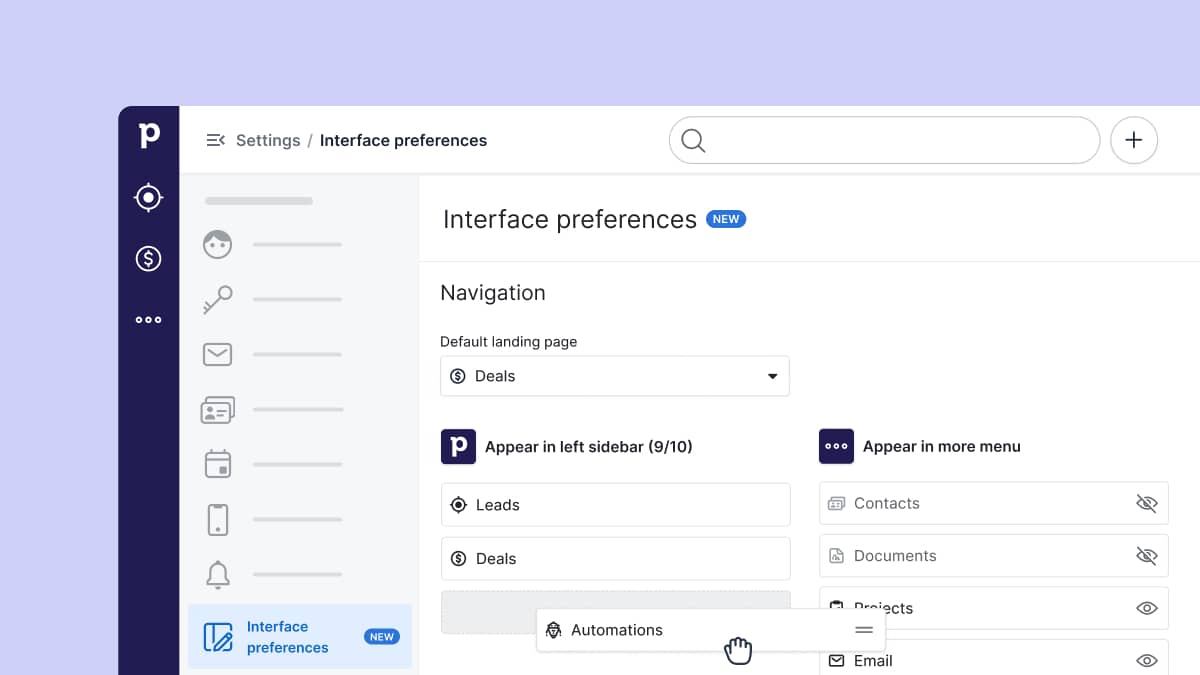
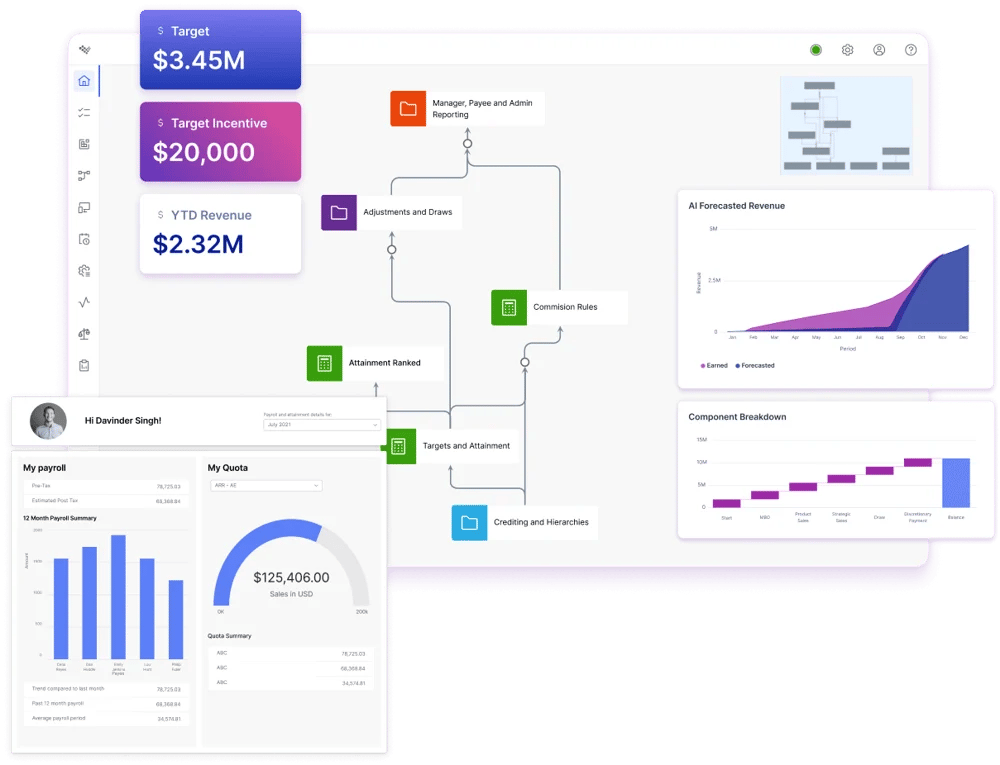
The platform works to enhance sales actions and outcomes. You can customize Pipedrive’s intuitive dashboard to different sales processes, while automated features save you time so you can focus on closing sales.

Pipedrive offers a host of features that enhance sales planning, including:

  • Visual sales pipeline. See your entire sales process at a glance and easily identify sales bottlenecks with intuitive, customizable pipeline management tools. Drag-and-drop deals along funnel stages to organize processes your way.

  • Customizable reporting. Pipedrive’s robust Insights feature helps you analyze sales data and generate reports to understand key metrics like win rates, average deal size and sales cycle length.

  • Sales forecasting. Anticipate future sales and revenue with Pipedrive’s sales forecasting tools, enabling more strategic planning and resource allocation.

  • Activity and goal setting. Schedule sales activities like calls, sales meetings and follow-up emails directly into each deal. Set activities and goals for individual sales reps or the entire team to focus on actionable, measurable targets.

  • Workflow automation. Pipedrive’s Automations feature allows you to streamline routine actions like follow-ups and admin tasks.

  • Pipedrive AI. The AI CRM analyzes sales data and suggests deals with higher win probabilities, guiding reps toward the most promising opportunities and improving resource allocation.

  • Lead management and prospecting. Use Pipedrive to capture, track and nurture leads until they’re ready to enter the sales pipeline. Support your lead generation efforts with the LeadBooster add-on’s conversational Chatbot, prospecting tools and Live Chat.

  • Integrations. Expand your CRM’s functionality with apps from Pipedrive’s marketplace. The platform integrates with over 400 powerful tools so all your favorite sales planning tools can work together.

Pipedrive offers a stack of complementary tools, including a scheduling tool, mobile app and email integration. These make it a great all-in-one solution for enhancing and executing your sales strategies and processes.

Recommended reading

https://www-cms.pipedriveassets.com/CRM-Evaluations.png

CRM evaluations: How to choose the perfect system

2. Gong

Gong is a revenue intelligence and business planning platform that uses AI to analyze customer interactions across phone, email and web. Sales teams can apply that data to plan and close deals more effectively.

How integrating AI in sales planning software can help close more deals

Gong also aligns your sales and marketing efforts by sharing real-time customer feedback for a more customer-centric approach.

The main features of the Gong platform are:

  • Conversation intelligence. Gong records, transcribes and analyzes customer interactions, identifying patterns and creating AI-driven insights to help teams refine their sales pitches, techniques and strategies.

  • Deal intelligence. The tool tracks deals through the pipeline and, based on interaction data, lets you identify risks and opportunities.

  • 360-degree visibility. The dashboard gives sales teams full visibility into interactions across all channels for a complete view of the customer journey.

  • Collaborative tools for feedback and coaching. The platform integrates with other tools to provide real-time feedback and coaching. Sales leaders can note key parts of sales calls and give direct feedback to sales reps.

3. DeepLoop

DeepLoop is a sales automation platform that uses AI to enhance sales teams’ effectiveness, letting sales reps focus on essential activities like engaging with prospects.

A standout feature is DeepLoop’s ability to analyze past customer interactions and tweak its models based on real-time results. This adaptive learning helps teams refine their sales strategies and planning and can lead to improved sales outcomes over time.

How to leverage sales planning software to enable data-driven decision-making

Here are some of DeepLoop’s other features:

  • Automated data capture. Organize data from sales interactions and reduce the need for manual data entry. This DeepLoop feature ensures your CRM system is always up-to-date and reduces human error.

  • AI-driven lead scoring. DeepLoop uses machine learning algorithms to evaluate and score leads based on the likelihood of conversion, helping sales teams prioritize their efforts.

  • Intelligent workflow automation. Automate routine activities like follow-up emails and scheduling based on predefined rules for smoother sales planning.

  • Real-time insights and analytics. Gain insights into sales performance, customer behaviors, and market trends as they happen in order to make data-driven decisions.

  • Personalized recommendations. Get personalized recommendations on the next best actions for sales reps to take and make your sales process more efficient.

4. Anaplan

Anaplan is a sales planning tool that lets you apply adaptable strategies to optimize your sales team’s performance. The software gives you real-time visibility into your sales operations.

How a sales planning software with real-time data can improve sales performance

Features like quota planning, territory management and sales compensation planning help you streamline your sales process, get more accurate forecasts and motivate your sales team to reach their targets.

Anaplan’s main features include:

  • Predictive customer segmentation. Anaplan uses your data and market signals to target customers with the highest likelihood of converting. It can match each account with the ideal sales rep for that customer, improving the chances of a sale.

  • Territory planning. The Anaplan solution helps you with sales territory management based on your business needs. You can adjust plans and create territories based on geography, industry, products or customers.

  • Quota planning. Design effective quotas that motivate your sales reps. Model individual sales quotas using a range of data like account size, rep history and pipeline needs.

  • Sales capacity planning. Calculate your sales capacity and create effective ways to optimize win rates, conversion rates and more. The software helps you ensure there are no gaps in your strategy to increase the chances of hitting your sales targets.

5. Xactly

Xactly provides a comprehensive suite of cloud-based sales performance management (SPM) tools. The suite includes Xactly’s sales planning software to enable a more strategic and data-driven sales planning process.

Sales planning software as a way to strategize sales processes with accurate data

Xactly’s key features include:

  • Incentive compensation management. Manage and optimize your sales incentive plans to align rep activities with sales targets and company goals.

  • Territory and quota planning. Xactly’s AI-led territory management tool helps you plan, design and manage sales territories and quotas across teams and regions. The goal is to maximize revenue potential and boost sales performance.

  • Advanced analytics and forecasting. Get deeper insights into your sales data and performance metrics to forecast sales outcomes and set realistic targets. Break down silos between your marketing, sales and product teams to optimize planning.

  • Performance monitoring. Track your sales reps’ performance and initiatives in real time against pre-set sales goals. A dynamic dashboard provides a clear picture of sales progress and areas that need adjustment.

  • AI-powered recommendations. Xactly uses AI to offer strategic suggestions you can use to base your decisions on predictive analytics.

6. Workday Adaptive Planning

Workday Adaptive Planning is a tool sales teams can use to create more agile, effective plans based on real-time sales data and analytics.

How a sales planning software with comprehensive analytics can help your team plan better

Here’s what else you can do with Workday:

  • Sales quota management. Use quota planning models to set fair quotas across your organization and reward high-performing salespeople.

  • Sales territory management. Use geographic, industry and account data to set up balanced territories that produce better results. You can also score, segment and assign new accounts based on core metrics.

  • Capacity and operations planning. The tool helps you deploy the right sales reps to the right territories. It also makes it easier to close any gaps in coverage, plan for expenses and reach your revenue targets.

  • Analytics and forecasting. Analyze your sales data in various ways to uncover actionable sales forecasts. Get 360-degree visibility into your sales pipeline and see changes in real time so you can make better decisions that maximize sales efficiency.

7. Varicent Sales Planning

Varicent Sales Planning helps you design and implement effective go-to-market strategies. The tool suite lets you optimize market coverage and track performance to adapt to changing conditions in real time.

How a sales planning software is the foundation for better go-to-market strategy

Core features of Varicent Sales Planning include:

  • Unified territory and quota planning. Work with your sales team to create effective sales territories and quota allocations. You’ll align teams with corporate objectives and budgets so they can adapt to changes quickly.

  • Visualized sales territories and plans. Use plan visualization and analytics to develop strong go-to-market plans. The tool suite helps you avoid gaps in your approach and create a strategy that balances company objectives with your sales reps’ abilities.

  • Predictive intelligence and scoring. Use the platform’s advanced analytics to predict market shifts and uncover new opportunities. Focus your teams on the prospects with the highest likelihood to buy so you can minimize customer churn.

  • Powerful security measures. Keep your data safe with industry-leading security frameworks and ongoing tool support.

Varicent Sales Planning also provides hundreds of how-to videos and courses through its helpful and detailed knowledge base.

Final thoughts

Sales planning solutions are powerful tools that business stakeholders can leverage to improve their sales strategy.

When researching your options, identify what can help you manage your customer relations, forecast future sales and analyze sales performance for missed opportunities.

Among the leading sales planning software available on the market, Pipedrive offers a highly comprehensive solution. Thanks to robust sales CRM functionality plus additional features and integrations, Pipedrive can support your team’s processes and sales targets, increase profitability and more.

5 Best CRM Ticket System Solutions

Software Stack Editor · May 9, 2024 ·

In today’s customer-focused landscape, businesses must handle customer data efficiently and quickly address concerns to keep things running smoothly.

But how do you stay on top of both processes?

A coordinated CRM ticketing solution can help by merging customer relationship management (CRM) capabilities with sophisticated customer service tools. Having both functionalities in one place lets you streamline your operations – from tracking interactions to tackling complex customer issues.

You can take one of two effective approaches: opt for a combined CRM and ticketing system or integrate two dedicated solutions.

In this article, we’ll dive into what a CRM ticket system offers and what features you should look for in a solution. We’ll then explore which approach may be best for your business.

What is a CRM ticket system?

A CRM ticket system is a platform that combines a CRM with a help desk ticketing tool. It lets you manage customer information and access your customer service tickets in one place.

Merging the two tools gives support agents a comprehensive view of customer interactions, increasing efficiency. It also links ticket information to contact and lead information so salespeople are always in the loop.

Keeping customer service and sales teams on the same page helps you enhance the customer experience and streamline processes.

How does a CRM ticket system work?

When you use two separate solutions for CRM and ticketing, you have to switch between them to deal with customer requests.

Say a new support ticket pops up in your ticketing system. The support agent can read it there. They’ll then have to pull up the customer profile in the CRM to find the relevant customer information to deal with the inquiry.

Here’s where a combined CRM ticket system can speed things up.

A combined CRM ticket system makes customer data available within the ticket. Agents and salespeople won’t need to search for information elsewhere or ask other team members to clarify things.

What are the benefits of a combined CRM ticketing solution?

Merging CRM and ticketing functions helps you build and maintain strong customer relationships. Here’s how:

Main benefits of a combined CRM ticketing solution

Central customer data storage

All customer information – including sales data, communication history, customer feedback and support tickets – live in one place. That means salespeople and customer service agents are always up to date and working off of the same information.

Improved customer service response times

Easy access to complete customer profiles allows customer support teams to address issues more quickly. Faster response means reduced resolution time, keeping customers happy throughout their lifecycles.

Better customer service experience

Access to detailed customer profiles enables support teams and sales reps to provide more personalized and effective solutions.

More helpful insights from your data

Merging data from sales and customer service gives you deeper insights into your customers’ behavior. Knowing what your customers want helps you improve decision-making and tailor interactions to their preferences.

Having outlined the clear benefits of a combined CRM ticketing solution, we move on to our next question: what’s the best way to merge them?

Do you need a combined CRM ticket system?

If you want to simplify your tech stack and lower operational costs, a combined CRM and help desk ticketing system offers an all-in-one solution. That said, combined CRM ticketing solutions often lack the robust functionality of dedicated solutions.

If you need comprehensive customer and sales pipeline management, a dedicated CRM with an integrated ticket system may be your best bet. Key reasons to consider this option include:

Main benefits of CRM-ticketing integration

More robust features

Combined solutions don’t always offer in-depth functionality. Integrating dedicated systems ensures you get the best of both worlds with elements like deeper sales and marketing features (e.g., campaign management) or advanced ticketing workflows.

Customization and scalability

Dedicated tools are flexible. They let you customize and scale features to fit your processes. For instance, you can tailor a CRM to intricate sales cycles and modify your ticketing systems to fit different support structures.

Easy integration of your favorite tools

Advances in integrations and API technology have made it easy to seamlessly align CRM and ticketing solutions. They let you combine the software you know meets your requirements.

Better innovation

Specialized CRM and ticketing systems hone in on specific needs. The innovation and product development teams behind each solution can focus on adding the latest proprietary technologies and features – rather than spreading out resources between toolsets.

Regardless of which path you take, ensure you can implement all the CRM and ticketing features you need.

Recommended reading

https://www-cms.pipedriveassets.com/CRM-Evaluations.png

CRM evaluations: How to choose the perfect system

What to look for in a CRM ticket system

Each company’s needs are unique to its specific processes. Where do you start when researching CRM and ticket system requirements?

Here are some core features and functions to consider in your search for an effective combined system for your business.

Key CRM features

Here are the most important elements of a CRM system.

  • Contact management: Store, track and manage customer information with ease. Contact management capabilities of a CRM may include cloud-based access, customizability and automatic syncing with other tools and data sources.

  • Sales pipeline management: A CRM should act as sales management software. It helps you track the stages of your sales process through the customer journey, from initial contact to sale. It also lets you optimize your sales pipelines with custom fields and forecast sales accurately.

  • Lead management: Your CRM enables you to track leads and nurture them from prospect to paying customer. For example, it might offer tools for generating leads (e.g., web forms) and keeping up communication (e.g., a website chatbot or live chat tool).

  • Workflow automation: A good CRM system can automate repetitive tasks like data entry and follow-up email messaging. Workflow automation saves time and reduces the risk of data entry and management errors.

  • Reporting and analytics: Your CRM should generate reports and analyze your performance data and metrics. Automated reports and insights can help you improve your processes and guide strategic decision-making.

Depending on your needs, you may also want a CRM that includes a mobile CRM app, a high level of customizability, marketing automation tools and email integration.

Key ticketing system features

Below, we list the most vital features of a ticketing system.

  • Ticket management: Ticketing systems primarily enable support teams to create, track, manage and resolve customer support tickets. The best ones let you categorize tickets, prioritize the most important ones and assign tickets to specific team members.

  • Multi-channel support: Your ticketing software should handle tickets from various channels including email, social media, SMS and live chat.

  • Knowledge base integration: Some ticketing solutions have built-in knowledge base and FAQ capabilities. These self-service features can speed up support times by helping customers resolve issues on their own.

Other important features of a ticketing system might include a user-friendly interface, security and compliance features and integration capabilities.

Crush Your Manual Admin With This Sales Automation Guide

Learn how to take advantage of new sales automation tech so you can spend more time selling

The top 5 CRM ticket system solutions

In this section, we list the best five CRM and ticketing system software solutions you can use to maximize your team’s efficiency.

Before we delve into our four top picks for dedicated ticketing systems, let’s consider a smart alternative that maximizes all-around functionality with minimal feature loss.

1. All-in-one CRM ticket system with Pipedrive integrations

If you want to link your sales and customer service efforts without losing important features, your best choice is a powerful CRM like Pipedrive with the right ticketing system integrations.

Pipedrive’s cloud-based sales CRM conveniently integrates with many popular tools – including top helpdesk and ticketing solutions like Zoho Desk, Freshdesk, HappyFox, Help Scout and SupportBee.

Opting for Pipedrive and its integrations gives you a sales CRM and ticketing solution that can adapt to your unique business processes. The combination lets you:

  • Streamline sales management with Pipedrive. The CRM’s intuitive, visual sales pipeline gives your sales reps a clear overview of deal positions so they can prioritize tasks accordingly

  • Enhance customer support through integrations. Integrating Pipedrive with helpdesk software lets you manage support tickets directly within the CRM interface. You get access to the robust customer data relevant to each request, ensuring there are no silos across sales and support data.

  • Customize your platform to meet your needs. Pipedrive’s highly customizable platform lets you add custom fields, pipeline stages and specific workflows. You can also access a growing collection of over 300 tools to personalize features and functionality.

  • Scale your CRM ticketing system with your company. Pipedrive and its integrations offer scalability, letting you upgrade your plan or add functionality as your business grows

Combining Pipedrive with a powerful ticket management tool can be a flexible, scalable and effective way to enhance customer interactions and streamline your business processes.

Recommended reading

https://www-cms.pipedriveassets.com/Framework-CRM.png

How to build a framework for CRM success

2. Help Scout

Help Scout is a customer support solution that streamlines customer interactions, with features including powerful ticketing functionality. The tool also comes with light CRM capabilities.

CRM ticket system Pipedrive vs. Help Scout

Help Scout enables support teams to manage customer inquiries, feedback and service requests from one centralized platform for smoother communication.

Key features

  • Shared inboxes for collaborative customer support

  • Automated workflows for ticket routing and assignment

  • Robust reporting and analytics tools for tracking key metrics

  • Conversation threads to provide context to customer inquiries

  • Detailed customer profiles with a history of interactions

  • Many integrations to enhance CRM functionality

Pricing

Help Scout has three plans with per-user pricing.

  • Standard: $20 per user per month with two shared inboxes, one knowledge base, automated workflows and more.

  • Plus: $40 per user per month with everything in Standard, plus more shared inboxes, knowledge bases and advanced features.

  • Pro: $65 per user per month. Includes everything in Plus as well as added security and scalable features for large teams.

Who is Help Scout best for?

Help Scout primarily suits small and medium-sized businesses in need of improving their customer service processes. The software also integrates with Pipedrive to sync customer support data with a more powerful sales CRM.

3. Freshdesk

Freshdesk is a versatile cloud-based software with robust help desk features. It can also function as a simple CRM platform.

CRM ticket system Pipedrive vs. Freshdesk

Freshdesk caters to businesses of all sizes that want to streamline their customer support operations but don’t specifically need a sales CRM.

Key features

  • Omnichannel shared inbox for team collaboration on support requests

  • 360-degree customer view

  • Ticket routing and assignment capabilities

  • Customizable workflows to streamline customer service processes

  • Automation tools for setting up predefined workflows to resolve tickets faster

  • Reporting and analytics to track support metrics and team performance

Pricing

Freshdesk’s customer service platform has four plans.

  • Free: provides integrated ticketing and ticket dispatch, analytics and collaboration tools

  • Growth: $15 per user per month. Includes everything in the free plan plus automation, integrations and more customer support functionality

  • Pro: $49 per user per month. Has all Growth features plus advanced automation, round-robin ticket routing and segmentation

  • Enterprise: $79 per user per month. Comes with full Enterprise offerings as well as unlimited products, remote work capabilities and more

Who is Freshdesk best for?

Freshdesk caters to small and medium-sized companies that want to enhance their customer support, especially after-sales service. The software’s strengths lie in effective ticketing and support features more than its basic CRM functionality, so sales teams might prefer an all-out sales CRM.

Note: Freshdesk integrates with Pipedrive, meaning you can sync customer data between both platforms to get the most out of your sales CRM and ticketing solutions.

4. Bitrix24

Bitrix24 is an all-in-one platform that combines tools for CRM, ticket management, project management, communication and team collaboration.

CRM ticket system Pipedrive vs. Bitrix

The tool replaces all your SaaS solutions with a single hub for managing tasks, customers and projects all at once.

Key features

  • Comprehensive CRM components including lead management and pipeline visualization

  • Automated routing for customer inquiries

  • Project and task management features like shared calendars, Gantt charts and Kanban boards

  • Internal and external communication tools across chat, email, social media and more

Pricing

Bitrix24 offers four plans, each at a flat monthly fee.

  • Basic: $49 per month for up to five users. Carries most collaboration and project management features within a light CRM toolset.

  • Standard: $99 per month for up to 50 users. Includes everything in the Basic plan together with marketing and online documentation features.

  • Professional: $199 per month for up to 100 users. Has everything in the Standard plan plus added CRM, automation and HR functionality.

  • Enterprise: $399 per month for up to 250 users. Includes the maximum features for CRM, project management and collaboration – with support for multiple branches.

Who is Bitrix24 best for?

Bitrix24 is suitable for small and medium-sized businesses in search of a single solution to manage diverse business processes. While the tool is adaptable to many industries, smaller organizations that require basic ticketing and CRM features may want to consider something simpler.

5. LiveAgent

LiveAgent is an omnichannel customer support platform with basic CRM capabilities. The system works to manage customer interactions more efficiently.

CRM ticket system Pipedrive vs. LiveAgent

LiveAgent combines real-time communication tools with a traditional ticketing system in one platform.

Key features

  • A universal inbox that combines email, phone calls, social media messages, knowledge base tickets and real-time live chat messages in one place

  • Robust ticket management system for distribution, updates and tagging

  • Automations for ticket routing, escalation and other workflow processes

  • Full customer profiles that store all customer information, interactions and preferences

  • Customizable knowledge base to provide self-service for customers

  • Detailed reports and analytics to get insights into performance, customer loyalty and customer retention

Pricing

LiveAgent offers four pricing tiers.

  • Small business: $9 per user per month. Provides three email accounts, ten departments, one knowledge base and customer service features.

  • Medium business: $29 per user per month. Includes everything in the Small business plan plus additional accounts, call center support and SLA rules.

  • Large business: $49 per user per month. Includes everything in the Medium business plan with increased account and rule limits.

  • Enterprise: $69 per user per agent. Provides everything LiveAgent offers including enterprise-focused features, priority support and a senior account manager.

Who is LiveAgent best for?

LiveAgent meets the needs of companies looking for a feature-rich service tool that can handle high ticket volumes across multiple channels. It provides basic CRM functionality, so companies wanting more powerful CRM features may need to integrate another platform.

Final thoughts

CRM ticket systems blend customer relationship management with ticketing support, helping you improve your customer service. While these systems offer convenience, integrating specialized CRM and ticketing solutions can provide more robust features to address specific needs.

To find the best option for your business, consider what features you can’t do without.

Ultimately, a complete CRM integrated with top ticketing tools can give you the best of both worlds: building an efficient customer platform tailored to you.

Perfect Email Cadence | Email Cadence Best Practices

Software Stack Editor · May 7, 2024 ·

Even the most captivating email marketing content can fall flat if it reaches your audience at the wrong times.

Finding the perfect email cadence is a crucial ingredient of email marketing success. It’s essential for engaging buyers, forging long-term connections and closing more deals.

In this article, you’ll learn what email cadence is, why it matters and how to find the right cadence for your next marketing campaign.

What is email cadence?

Email cadence refers to the frequency and timing of marketing emails you send to prospects and customers.

For example, imagine you email your US-based newsletter subscribers at the start of every week. The cadence is one per week (frequency) at 2:00 PM EST on Mondays (timing), which you could also present in a list or template like the one below.

  • Day 1 (Monday, 2:00 PM EST): Weekly newsletter 1

  • Day 8 (Monday, 2:00 PM EST): Weekly newsletter 2

  • Day 15 (Monday, 2:00 PM EST): Weekly newsletter 3

  • Day 22 (Monday, 2:00 PM EST): Weekly newsletter 4

The right email cadence maximizes engagement, maintains interest and avoids audience fatigue. It also improves open and click-through rates, making campaigns more effective.

Email cadence vs. email frequency: what’s the difference?

Email cadence covers timing and sequence. Email frequency is how often a marketer or sales rep sends emails.

In other words, email frequency only determines the number of emails subscribers get in a given period. It doesn’t involve when they arrive.

Email cadence

Email frequency

The frequency and timing of marketing emails The number of marketing emails subscribers receive in a given period

Another related term is sales cadence, which describes the planned sequence and timing of all interactions between a salesperson and prospect, not just emails. It includes phone calls, social media contact, meetings and sales demos.

A more detailed email cadence example

We used a simple newsletter as a basic email cadence example earlier but cadence also applies to more complex email campaigns.

Let’s say an e-commerce company wants to promote a new product by sending five emails to all existing customers on its US email list.

Inspired by engagement levels in previous email marketing campaigns (e.g., open rates are highest on weekday mornings, avoiding Fridays), it settles on the following email cadence.

  • Day 1 (Tuesday, 10:00 AM PT): Send a promotional email announcing the new product to all existing customers on the subscriber list.

  • Day 3 (Thursday, 10:00 AM PT): Follow up with a reminder email highlighting the key features and benefits of the new product.

  • Day 7 (Monday, 10:00 AM PT): Send a customer testimonial email showcasing how the new product has benefited existing customers.

  • Day 10 (Thursday, 10:00 AM PT): Send a limited-time offer email with a discount code for the new product.

  • Day 14 (Monday, 10:00 AM PT): Send a final reminder email about the limited-time offer before it expires.

An email cadence like this ensures the audience gets relevant product information at appropriate intervals, maximizing engagement and increasing the likelihood of conversions.

Note: A Databox survey of email marketers at 75 companies found that emails sent on Tuesday get the most engagement, followed by Monday, Wednesday and Thursday. Engagement drops significantly between Friday and Sunday.

Why does email cadence matter?

Email marketing is about getting your brand and product messages to resonate with potential customers.

Unless you consider cadence part of your email marketing strategy, you risk reaching out to prospects too often, not enough or when they’re unlikely to see or want to read your messages.

Smart Insights data shows that timing and frequency affect engagement, with open rates typically peaking early in the morning and early-mid evening before tailing off late at night.

Email Cadence Graph

Email cadence impacts more than just open rates. Choosing your cadence carefully helps you optimize these key email marketing metrics, too:

  • Click-through rates. The more people who see and read your email content, the more traffic you’ll get to your website – as long as you include internal links and enticing calls to action.

  • Unsubscribe rates. Not overwhelming subscribers with too much content and just providing helpful information when needed means you’ll keep people interested in your brand for longer.

  • Conversion rates. When you provide valuable information at the perfect moments in the buyer journey, prospects are more likely to convert, allowing your sales team to close more deals.

Ultimately, finding the right cadence for each campaign improves your email marketing ROI and makes your business more profitable.

Free ebook: How to build a great email list

Click the button to receive 18 tips on ramping up your email list building

7 email cadence best practices: how to strike the perfect balance

Finding the correct email cadence almost always involves some trial and error. The more campaigns you run, the greater your understanding of what each subscriber segment expects and responds to will be.

Some techniques and tactics still benefit all marketers as they experiment with email cadence. Here are seven email cadence best practices to help you hit your marketing goals sooner.

1. Choose clear objectives

Start by determining what you want to achieve from your email marketing campaign, as different objectives suit different cadences.

For example, if your goal is to build authority in your industry, a regular newsletter packed with valuable updates and thought-leadership content is ideal.

Consistency helps newsletters become a familiar part of recipients’ weeks, so sending weekly emails at the same times on the same days is a logical cadence to encourage prospects through your sales funnel.

If you aim to build hype and drive website traffic around an imminent product launch, sending daily emails over a much shorter period (i.e., less than a week) may help you close deals. For a higher sending frequency like this, vary the types of content you send to keep your list engaged.

2. Segment your audience

Segmenting your audience allows you to apply different cadences to the same email campaign to increase effectiveness.

Segmenting means breaking your email list into smaller groups based on factors like demographics, behaviors and location.

Email Cadence Segmentation

There’s little reason to vary the frequency of your emails across two similar audience segments (because you’ll likely still want to get the same message across), but you can tweak the timing to suit people in different time zones.

Alternatively, if your target is an international audience, you could segment your customers by location and adjust the sequence to avoid one location’s public holiday (when engagement could be lower).

3. Put content quality and engagement first

Frequency and timing become irrelevant if your email subject lines and content don’t interest your audience enough to entice opens and clicks, which is why email personalization and content quality are precursors to finding a successful cadence.

If people won’t open or read your messages, regardless of when you send them, one or both of the following will happen:

The simplest and most effective way to make email content more engaging is to personalize it. Make recipients feel like your messages are for them so they’re more likely to open and value your efforts. You can then confidently work on the cadence.

Here are a few ways to personalize your emails:

Personalization is another reason to segment your audience with an email marketing tool. The right software will make sending relevant content to the right people much easier and faster, maximizing engagement. Manually achieving the same level of personalization can eat up hours every week.

4. Experiment with different content formats

The types of emails you send subscribers will also influence whether a cadence works.

For example, if you send three similar plain text emails every week to the same subscriber group, recipients may get bored and start ignoring some messages. Worse still, they could unsubscribe or report your content as spam, damaging your email deliverability.

Gartner found that “repetitive and redundant” emails are the second biggest driver of unsubscriptions after “too many emails”.

Email Cadence Bar Chart

Alternatively, you could use the same cadence but vary your content formats to include:

Your audience will likely stay engaged for longer with a variety of content hitting their inboxes. It also allows you to keep a higher cadence (i.e., staying at the front of buyers’ minds) without losing subscribers or interest.

Like cadence, choosing the right content types involves trial and error. Experiment with a few of the following formats to see which delivers the best results:

  • Welcome emails

  • Testimonials and user reviews

  • How-to guides and tutorials

  • Case studies and customer stories

  • Seasonal sales promotions

  • Event invitations and reminders

  • Event and transaction follow-up emails

  • Company and product updates

  • Curated industry news roundups

  • Behind-the-scenes content

5. A/B test a range of cadences

A/B testing (or split testing) involves comparing two versions of something to see which performs better, like two different email cadences. It’s a definitive way to determine which timings, frequencies and content formats maximize engagement and minimize unsubscribes.

Note: When split testing cadences, focus on comparing your experiment results to your own baseline and performance rather than going by standard industry guides. Your strategy will be unique to your goals and audience.

Zapier AB Testing

A/B testing takes some careful configuration at first but you can use specialist email marketing tools to help.

Here’s a basic A/B testing process to get you up and running:

  1. Identify the test variable. Decide what aspect of your email cadence to test (e.g., weekly versus bi-weekly).

  2. Create variations. Develop two versions of your email campaign, differing only in the email cadence (e.g., weekly and bi-weekly).

  3. Segment your audience. Divide your email list into two random but equal segments.

  4. Send the emails. Send version A (weekly) to one segment and version B (bi-weekly) to the other.

  5. Monitor and analyze. Track open, click-through and unsubscribe rates for each segment.

  6. Choose the winner. Identify the cadence that performed better based on your predefined metrics.

  7. Implement changes. Adjust your email cadence according to the results of the A/B test, and continue to optimize over time.

The more A/B tests you run, the better you’ll understand what your audience wants from your marketing campaigns and when they want it. Speed up the process by building a library of trusted email templates for testing.

6. Let subscribers choose email frequency (and unsubscribe)

Giving subscribers control over their email cadence can stop them from opting out of your mailing list if they enjoy your content but feel they receive too many emails.

Let’s say most of your audience is happy to receive two emails per week but some feel that’s too often.

Without a frequency setting, their only options are to:

  • Keep receiving too many messages and ignoring or deleting those they don’t want to read

  • Unsubscribe and end their relationship with your brand (44% of respondents to a Zero Bounce survey cited receiving too many messages as the main reason they unsubscribe from email lists)

However, adding a third option – to switch to weekly emails – encourages people to stay subscribed (and connected to your brand) on their terms.

It involves adding a link at the bottom of every message with text reading something like “manage my email preferences”, like in the example from a Livestorm webinar invite below. Direct this to a page where subscribers can change settings regarding what they receive and how often.

Email Cadence Livestorm Example

Some email marketing and email cadence software can automate the process of letting subscribers change their frequency settings.

Even if yours doesn’t, give recipients a form to express their opinions. You can then change their settings manually and gauge consensus across your email list.

7. Invest in intuitive email marketing tools for support

The best email marketing software can remove the stress from running campaigns so you can focus on finer details like finding the right frequency and timing.

For example, here are four ways Pipedrive’s Campaigns add-on helps users find the perfect email cadences:

  • Campaign automation. Eliminate campaign admin to spend more time tweaking and testing email cadences.

  • Drag-and-drop email builder. Create a library of email templates to test cadences faster.

  • Email segmentation. Split audiences and tailor email cadence to each group based on engagement levels, preferences and behaviors.

  • Email marketing analytics. Track open, click-through and unsubscribe rates to see when email cadence changes affect engagement.

An email marketing tool that connects to your customer relationship management (CRM) software lets you unify sales and marketing data. You can source prospects’ information when building campaigns and effortlessly funnel your most engaged subscribers into your sales pipeline.

For example, you could use your CRM to spot patterns between email cadence and sentiment. If you increase your cadence of after-sales emails and CRM data suggests new customers are becoming happier, you’ll know they value the extra information you provide. If sentiment suffers, it’s time to revisit your cadence.

Email Cadence FAQs

  • No. Email cadence is the timing and sequence of emails, while email frequency refers only to how often you send emails.

    Email frequency only determines the number of emails subscribers receive in a given period.

    For example, you could send your email newsletter using a cadence of one per week at 3:00 PM on Thursdays.

    The email frequency here is one per week or 4/5 per month

  • Email cadence means the timing and sequence of emails sent to subscribers or prospects.

    Sales cadence involves the planned sequence and timing of all interactions between a salesperson and a prospect. It includes outreach emails, calls and meetings.

  • To set up email cadence, follow these high-level steps:

    • Define your target audience

    • Find the optimal timing and frequency of emails (based on industry benchmarks and previous campaigns)

    • Plan, write and design the content for each email

    Use an email automation platform to schedule and send emails

  • Email marketing software with automation and analytics capabilities can help you choose the right email cadence.

    For example, Campaigns by Pipedrive lets you track campaign performance to learn when your audience is most likely to engage with your content.

    You can also segment your audience for easier personalization and automate email sequences to your chosen cadence.

Final thoughts

Cadence is up there with content quality as one of the most critical factors in your email marketing success.

There’s no one-size-fits-all approach to email cadence. However, continual testing and tweaking will help you learn what your audience responds to. As a result, you can build winning campaigns faster and more consistently.

Follow the email cadence best practices in this guide and keep refining your strategy to improve your email marketing results this year and beyond.

Start planning your email marketing campaign now

Click the button to receive a free email marketing campaign planner ebook

A Complete Comparison of Pipedrive vs. Insightly

Software Stack Editor · May 3, 2024 ·

Pipedrive and Insightly are cloud-based customer relationship management (CRM) solutions designed to make your sales, marketing and leadership teams more efficient and effective.

While some features overlap, both tools have unique strengths that may suit specific business needs better than the others.

Choosing the right CRM can prove a real challenge, so we created this Pipedrive vs. Insightly comparison guide to help you reap the benefits of an excellent sales app quickly. Learn how each tool performs in areas like core CRM functionality, user-friendliness and customization.

Pipedrive vs. Insightly: at a glance

Pipedrive is an award-winning CRM that helps sales teams manage their pipelines and grow revenue.

Suitable for businesses of all sizes, Pipedrive lets you track leads, organize deals, monitor sales performance and automate various sales activities.

Pipedrive dashboard vs. Insightly

Pipedrive’s key features include contact management, automation, deal tracking and sales reporting.

Users can also expand the cloud-based software’s capabilities with add-ons and third-party integrations – ideal for a growing company.

Insightly is a cloud-based CRM platform that lets businesses manage their sales, projects and customer interactions. Small and medium-sized enterprises can leverage its tools for lead and contact management, opportunity tracking, basic project management and workflow automation.

Pipedrive vs. Insightly dashboard

Insightly’s CRM features include customizable pipelines, task and calendar management, collaboration tools and sales reporting. Like Pipedrive, it integrates with a range of popular business applications.

Note: Insightly isn’t a dedicated CRM provider. Its CRM is part of a product range that includes Insightly Marketing, Insightly Service and Insightly AppConnect. Packaged as Insightly All-in-One, these tools cost between $349 and $2,599 monthly. In this guide, we’ll focus on the standalone Insightly CRM.

Pipedrive vs. Insightly: key features

Features that all CRM solutions must have to effectively support modern sales forces include contact and pipeline management, automation, reporting and mobile app access.

Here’s how Pipedrive and Insightly compare when it comes to core CRM functionality.

Contact management

Pipedrive

Insightly

Detailed view of every contact linked to organizations with activity history, attachments and a profile changelog. Store and organize information about leads, clients and partners with activity timelines and document attachments.

Any worthwhile CRM lets teams store, organize and quickly access data on their leads, customers, employees and partners.

Pipedrive simplifies contact management with a straightforward, centralized view of every contact’s interactions, preferences and support tickets.

The Pipedrive CRM gives you a “detail view” of every deal, person and company whose data you store. Each view contains clear information on deals, contact methods, interactions and planned sales activities.

Pipedrive contacts vs. insightly

Link people to organizations and search for records easily in Pipedrive. There’s also a changelog for tracking profile updates, giving sales reps a single up-to-date source for making informed decisions across the customer journey.

Insightly also offers contact management functionality to store and organize information about leads, clients and partners. The contact records can contain contact details, communication histories, activity timelines and relevant documents.

The maximum number of contacts you can store with Insightly varies by pricing plan. The lowest-paid Plus tier allows up to 100,000 records. Pipedrive has no usage limits for contacts.

Pipeline visibility

Pipedrive

Insightly

Clear and fully customizable Kanban pipeline view on all tiers, letting you map your unique sales process in detail, forecast revenue and automate buyer interactions.

Kanban pipeline view for real-time visibility of each deal, along with probability-based revenue forecasting.

A CRM’s sales pipeline view visually represents the selling process in distinct stages (e.g., lead in, contact made and sales demo scheduled).

Complete pipeline visibility is a key Pipedrive offering. You can see where your money, deals and other sales efforts are so you can hold salespeople accountable, fix bottlenecks and refine your sales strategy.

Pipedrive’s pipeline view is fully customizable even with the lowest-tier Essential plan, meaning you can tailor fields and stages to reflect your unique sales cycle. You can either create a new pipeline or use a template with common stages.

Pipedrive pipeline vs. Insightly

While many CRMs have pipeline views, Pipedrive goes further to help you streamline your sales.

Through automation, you can trigger actions when deals reach certain stages, like sending a follow-up email or scheduling a call. The Rotting feature notifies you when deals sit idle for too long so you can keep them moving or direct your team’s efforts elsewhere.

Download our sales pipeline course e-book

In the Sales Pipeline Course, Timo Rein, co-founder of Pipedrive, teaches you how to make more sales with exclusive advice and insights in 11 valuable lessons.

Insightly also gives users a visual overview of their sales process and the ability to track opportunities as they progress through each stage. Like Pipedrive, it uses a Kanban view. You can customize this view to suit your sales process, set up probability-based revenue forecasting and monitor key performance indicators (KPIs).

Automation

Pipedrive

Insightly

Automate various sales activities from the Advanced tier and up, such as lead nurturing and allocation, task creation, data entry and email marketing – all plans come with an AI Sales Assistant and integrations.

High-level pipeline and project management automation on all accounts and more advanced workflow automation with top-tier subscriptions.

The best CRM systems let you automate repetitive sales activities to save time, shorten the sales cycle and increase revenue. According to our State of Sales and Marketing report, people who automate tasks are 16% more likely to hit their targets.

Pipedrive users on the Advanced plan ($29 per user per month, billed annually) can automate a wide range of repetitive admin tasks to free time, including:

For example, you can trigger personalized emails following a new deal creation. The automation keeps your leads and prospects warm while you focus on high-priority tasks.

Pipedrive’s integrations unlock further automation opportunities on all plans. For instance, Pipedrive can automatically update the tasks in your project management software to reflect deal status changes. It can even deliver updates to your team’s favorite messaging apps.

The automated AI Sales Assistant smartly adapts to your needs and helps optimize your workflow with timely notifications, reports, tips and insights.

Insightly offers three automation methods across its pricing tiers.

All accounts include pipeline and activity sets (i.e., high-level pipeline and project management automations).

Basic workflow automation is available with top-tier plans, while advanced workflow automation – through the Recipes feature – comes with an AppConnect subscription. AppConnect plans range from $249 to $3,499 per account per month, depending on the number of automated tasks you run.

Recommended reading

https://www-cms.pipedriveassets.com/Project-Management-Tools.png

Project management tools: How to choose the right one (and 4 we recommend)

Sales reporting

Pipedrive

Insightly

Interactive, shareable dashboards make CRM data accessible to all users and stakeholders, with customizability for tracking KPIs and other more niche sales metrics. Customizable, configurable report and built-in intelligence dashboards – real-time sales insights available on higher pricing tiers.

Sales reporting tools enable teams and leaders to track sales performance, find new deal opportunities and make data-driven decisions.

Pipedrive’s highly intuitive interactive dashboard makes spotting winning patterns and preempting issues easy. Your team can tweak your workflows to close more deals and keep customers coming back.

Pipedrive reports vs. Insightly

Pipedrive’s Insights dashboard lets you:

  • Add and sort your reports for customization

  • Share the dashboard in Pipedrive and with others outside of it

  • Show and share different reporting data in a single window

As a sales manager or business owner, you can use Pipedrive’s reporting features to monitor team performance. See who’s hitting targets and falling short, then reallocate, reward or train your staff accordingly.

Insightly’s performance-tracking features let you use any data you capture in the platform to generate dashboards and reports to monitor your strategy and team’s progress.

Pipedrive vs. Insightly reports

Every Insightly account includes a set of “standard dashboards” – non-editable Insightly-built reports showing high-level sales data. Dashboard customization is available on Insightly’s advanced plans.

Mobile CRM

Pipedrive

Insightly

Android and iOS mobile apps offering tracked calls, focused day organizer and convenient note-taking.

Android and iOS companion app to the web app with a built-in dialer available at an extra cost.

Mobile CRMs let users access and manage their customer data on the move, allowing them to stay up-to-date and productive from any location.

Pipedrive’s mobile app closely matches the desktop CRM experience while being easy to use on a smaller screen.

Pipedrive mobile vs. Insightly

Available for iOS and Android devices, the app offers:

  • Call tracking and caller ID

  • Super search to enable seamless follow-ups

  • A focused day organizer

  • Quick notes and meeting prep functionality

The mobile version reflects your web app customizations, such as tailored reports, data fields and automation.

Pipedrive’s other mobile CRM features include voice-to-text for easy note-taking, web-to-mobile calling and offline access. There are also integrations for key mobile apps such as Google Maps and Outlook.

Insightly’s Apple and Android mobile apps give users access to contact data from anywhere. The app is a companion to the software’s web version and includes most of the same features.

Insightly’s mobile app has the Insightly Voice inbuilt dialer, which is available to Professional and Enterprise users in the US and Canada for an additional $35 per user per month.

Which is better for key CRM features?

Pipedrive and Insightly have everything a business needs to organize customer data and manage deals effectively. The main difference is the potential cost of their core features.

While Insightly offers some core basic features on its permanently free plan (limited to two users), most teams will need to pay at least $29 per user per month to map out their pipelines, build reports and access data on the go. Pipedrive offers the same functionality and more at the lowest tier – costing $14 per user per month, billed annually.

Verdict: Pipedrive offers key CRM features starting from its lowest plan.

Pipedrive vs. Insightly: user-friendliness

User-friendly CRM software enables a more efficient and streamlined sales process for your team.

Here’s how Pipedrive and Insightly stack up in three key areas of user-friendliness: onboarding, ease of use and customer support.

Onboarding

Pipedrive

Insightly

Out-of-the-box user-friendliness with three tiers of expert onboarding support available on request

Free online guide for DIY onboarding and access to a Guided Onboarding package for $1,500

CRM onboarding is the process of setting up a new CRM tool. It involves configuring the system, importing user data and training people to use the software.

Pipedrive is straightforward enough for any sales team to use immediately. Pipedrive Learn, a comprehensive knowledge base filled with helpful articles and tutorials, makes it easier for small businesses to transition from other tools or methods.

Larger teams can get started straight away, while those with more complex sales processes may benefit from one of Pipedrive’s onboarding support products:

  • One-time onboarding: Meet with an onboarding specialist to learn best practices and strategies based on your business needs

  • Extended onboarding: Get one-to-one support from a customer success specialist in your first 45 days with Pipedrive

  • Personalized onboarding: Work with a dedicated customer success manager to create a tailored onboarding plan

Learning from Pipedrive experts will help you maximize the value of your CRM.

Insightly takes a similar approach with tailored onboarding assistance, available as a paid add-on. The Guided Onboarding package costs $1,500 and you can extend it with an ongoing Premier Support and Success Plan.

Those who prefer to set up their CRM unaided can use Insightly’s online onboarding guide.

Ease of use

Pipedrive

Insightly

Award-winning intuitive interface with clear menus, simple customization, easy search and the ability to switch features on and off. Simple user interface with intuitive menus and a handy search function for finding features and records.

An intuitive interface drives smooth CRM adoption and enables teams to manage their sales and customer data quickly and efficiently.

Pipedrive is a simple CRM that doesn’t compromise on versatility or features. It has clear menus for speedy navigation, accessible reports and visual pipelines.

Pipedrive visuals vs. Insightly

You can customize the pipeline view to reflect your exact process and then easily drag and drop deals to the right stages.

It’s not just Pipedrive’s users who find the tool practical. The Motley Fool named it the “easiest to use” CRM for small businesses.

Pipedrive Motley Fool Award

Insightly meanwhile pitches itself as “the CRM software your teams will love”.

Like Pipedrive, it has a straightforward interface that most end users will learn to navigate quickly. However, PCMag reports that the software’s “admin-level options aren’t particularly intuitive, so you may need to tap Insightly’s support team”.

Support

Pipedrive

Insightly

A comprehensive knowledge base with community, chat, email and phone options for further advice – available around the clock in multiple languages.

Online knowledge base with customer webinars and videos, backed by email and phone support on all packages.

Reliable and responsive customer support is vital for troubleshooting issues, addressing user questions and maximizing the value of a CRM platform.

Pipedrive’s comprehensive learning section contains a knowledge base with written guides to all features, a resourceful FAQ section and helpful video tutorials and courses.

Pipedrive knowledge base vs. Insightly

Pipedrive’s active online community provides a space to get more details, advice and ideas from other users. Pipedrive’s support team is on hand to answer questions via live chat, email and phone, with the best method to get in touch depending on your plan.

Insightly’s Help Center features informative articles on configuring and navigating the software. The knowledge base is slightly more complex to navigate but has a search bar for finding specific topics.

Insightly users looking for additional help can contact the company via email and wait up to 24 hours or phone the support team during US office hours. The Premier Support and Success Plan reduces email response times to four hours on weekdays and expands phone support to 24 hours five days a week.

Which CRM software is better for user-friendliness?

Pipedrive and Insightly are both user-friendly CRMs that most teams will quickly adapt to. Onboarding for either tool should be equally straightforward and you can access additional expert onboarding support.

A range of assistance channels and languages available around the clock provide all Pipedrive user levels with timely help to minimize disruption.

Verdict: Pipedrive has the edge thanks to more comprehensive support available on certain tiers.

Pipedrive vs. Insightly: add-ons and integrations

Pipedrive

Insightly

Over 400 third-party integrations available to users on all tiers offer various Pipedrive-built add-ons for expanding the CRM’s capabilities.

2,000+ third-party integrations are fully accessible with a paid ConnectApp subscription.

CRM integrations let you squeeze more value from your data and expand your system’s capabilities as your business grows. Add-ons are proprietary software plug-ins that offer similar benefits and are sometimes even more powerful.

Pipedrive slots straight into users’ tech stacks with a library of more than 400 third-party apps and integrations.

The Pipedrive CRM has connectivity for a wide range of business software types, including:

  • Project management

  • Customer support

  • Lead generation

  • Lead management

  • Marketing automation

  • Team collaboration

Take the Pipedrive–Microsoft Teams integration, for example. You get Pipedrive updates in Teams, schedule Teams calls from Pipedrive and see deal information in the meeting interface.

Pipedrive’s integrations live in an intuitive Marketplace where you can browse by revenue cycle stage (e.g., attract new leads or manage contracts) or search using keywords. The AI Sales Assistant can recommend integrations to fit your team’s needs.

Pipedrive Marketplace vs. Insightly

Pipedrive also offers native add-ons that expand its project management, lead generation, email marketing and document management capabilities. Most carry a charge per company rather than per user – more on Pipedrive’s add-ons in the pricing table below.

Insightly has integrations for popular business tools, including Google apps, Evernote, Microsoft 365, PandaDoc, Zapier and Xero. You can get full access to a more advanced library of over 2,000 apps with an AppConnect subscription starting at $249 per account per month.

Which is better for add-ons and integrations?

Pipedrive and Insightly connect to many of the most popular business apps, so you should have no difficulty slotting either into your tech stack.

Pipedrive’s connectivity is more accessible, as only a few add-ons cost extra. Insightly users require a ConnectApp paid subscription to get the most out of the software’s integrations.

If you want to connect your CRM to more niche tools, you may have more luck with Insightly, but it’s worth searching both libraries to see what’s available before signing up. Remember that Pipedrive’s API lets you build custom integrations for lesser-known business applications – which we’ll detail in the next section.

Verdict: While both CRMs connect to key business apps, Pipedrive has a wider selection of free tool integrations.

Pipedrive vs. Insightly: customization

Pipedrive

Insightly

Highly customizable pipeline views, reports, dashboards and data fields – along with 400+ integrations and API access for heavier tailoring.

Customize data fields, pipeline stages, page layouts and reporting with personalized dashboards available on higher tiers.

Customizable CRMs let you add or tweak functions to better fit your business’s evolving needs.

Pipedrive is a highly customizable CRM that allows you to tailor pipeline stages, add custom fields and work in multiple currencies and languages.

Other customization options include:

  • Insights and reports: Generate reports based on custom fields you set up for specific teams, products and industries

  • Permissions: Choose what users at different levels can do in Pipedrive with variable user permissions

  • Open CRM API: Build bespoke integrations for your favorite business tools using Pipedrive’s Developer Platform

Pipedrive users can turn off any features they don’t use to streamline the interface further. Seeing only the functions you need helps to increase productivity.

In Insightly, you can customize data fields, pipeline stages, page layouts and reporting to fit your workflows and goals. Some tweaks – like personalized dashboards – require a higher-tier subscription.

Insightly also offers custom objects for collecting and tracking data that doesn’t fit the tool’s standard categories (like leads or opportunities).

Recommended reading

https://www-cms.pipedriveassets.com/Interface-Preferences.png

Customize your Pipedrive navigation sidebar

Which is better for customization?

Insightly’s customization options are helpful but Pipedrive offers more personalization potential at a lower price point. As a result, Pipedrive makes it easier for startups and small businesses on tight budgets to build the systems they need.

Pipedrive’s comprehensive developer toolset is another bonus for more advanced users.

Verdict: Pipedrive has higher CRM customization to suit different budgets and requirements.

How much do Pipedrive and Insightly cost?

Pipedrive and Insightly’s pricing models reflect their feature sets. Both offer multiple tiers, so you can scale up or down as your business evolves.

Pipedrive pricing:

Plan

Summary

Essential – $14 per user per month, billed annually

All the core CRM features you need to get started, such as deal, pipeline and contact management, CRM onboarding and around-the-clock chatbot customer support.

Advanced – $29 per user per month, billed annually

Everything in the Essential plan, as well as automation, call-scheduling features and two-way email sync

Professional – $49 per user per month, billed annually

Adds Live Chat support, lead routing, forecasting, document management and extra customization options to the Advanced tier

Power – $64 per user per month, billed annually

Everything above plus 24/7 live chat support, phone support, scalable account permissions, project tracking and more

Enterprise – $99 per user per month, billed annually

Includes the Power plan and extra features for large-business use, such as enhanced security, increased automation capabilities and unlimited reports and customizations

Pipedrive’s add-ons:

Add-on

Summary

LeadBooster – from $32.50 per company per month

Powerful, easy-to-use lead-generation tool set, including Chatbot, Live Chat, Web Forms and Prospector.

Web Visitors – from $41 per company per month

See which organizations browse your website, how they found you, what they engage with and how long they stay.

Campaigns – from $13.33 per company per month

Build and manage customizable email campaigns with professional templates, drag-and-drop design and performance reporting

Smart Docs – from $32.50 per company per month (free with Professional and Enterprise subscriptions)

Centralize the documentation process by sending trackable quotes, proposals and contracts from within Pipedrive

Projects – from $6.70 per user per month

Map out projects and manage tasks and customers in a single, accessible location. Includes project templates, automations and notes.

Insightly CRM pricing:

Plan

Summary

Plus – $29 per user per month, billed annually

Contains the core CRM features for getting started, like basic lead and pipeline management, contact and organization management and real-time performance insights

Professional – $49 per user per month, billed annually

Adds lead assignment and routing, email scheduling, workflow automation, increased contact record storage (250,000 rather than 100,000) and more

Enterprise – $99 per user per month, billed annually

Includes everything in the Plus and Professional plans, along with advanced customization options, higher record limits (up to 500,000 contacts) and more file storage

Insightly offers a free CRM plan limited to two users and 2,500 contact records. Pipedrive’s entry point for paid plans is considerably lower and includes more functionality.

Final thoughts

Pipedrive and Insightly both offer plenty for sales and marketing teams. Ultimately, the right choice of CRM software depends on your business needs and goals.

If you’re looking for a small business-friendly CRM that’s part of a broader, slightly more expensive business package that also includes marketing and customer service, Insightly might be an option.

If you want more bang for your CRM buck with a dedicated sales application built by sales experts, Pipedrive is the way to go.

Pipedrive AI CRM

Software Stack Editor · April 30, 2024 ·

image

Accelerate your company’s sales growth with Pipedrive’s purpose-built AI CRM features.

Five AI features to power up your processes

Three features are available to users on Professional plan and above.

Two features are available to all users.

Smart integration recommendations

Get tailored AI app recommendations for the unique needs of your business to:

AI-powered marketplace search

Powered by OpenAI, our intelligent search tool enables you and your salespeople to:

  • Use natural language processing to find relevant third-party tools in our marketplace

  • Integrate these apps with Pipedrive to streamline your team’s sales processes, save time and boost revenue

9 Expert Sales Hacks for Immediate Results

Software Stack Editor · April 29, 2024 ·

Learning tips and tactics from real experts can give salespeople a significant advantage. Experienced, successful salespeople can provide practical insights and strategies that are proven to work.

In such a competitive industry, firsthand knowledge is invaluable for cutting through the noise, improving sales processes and getting results.

We built the following list of top sales hacks from real experts so you can enhance your decision-making, sell more and hit your quotas sooner.

Sales hack 1: personalize your bulk email introductions

It’s a well-known fact that email personalization boosts sales performance. In a 2023 Twilio study, over half of consumers said personalized experiences encourage them to become repeat customers.

Over half (56%) of customers say they will become repeat buyers after a personalized experience, a 7% increase year-over-year.

Likewise, salespeople know that sending bulk emails is more time- and cost-effective than writing numerous individual messages.

How do you reconcile personalizing emails with saving time and sending emails in bulk? A personalized introduction is often all it takes to get buyers to read your content.

GTMfund founder Max Altschuler described his email personalization approach in a Medium post:

When I’m emailing a group of fewer than 20 people, sometimes I like to add a personal note as the first sentence. I’ll usually add a column to the spreadsheet I’m uploading with the group I’m about to email called Personal. In the cell for each person, I can write my custom personal line for each email. When I upload the sheet, I map it to a custom field {personal} and then dynamically add it to my template.

Segmenting your audience using email marketing software makes this personalization even smoother.

Pipedrive’s Campaigns email builder lets you filter your email list based on customer relationship management (CRM) data. For instance, here’s how you’d group contacts who opened and clicked a link in your “Welcome newsletter” campaign:

Pipedrive Campaigns email builder sales hack

Once you’ve created your email segment, send recipients a personalized message like:

“Hey [First Name]! I noticed you’ve read our welcome newsletter. I’d love to introduce you to our [product/service] and its features. Do you have time for a quick intro chat this week? Best regards, [Sales Rep]”

Sales hack 2: always read the room

The better you read your prospect’s body language, the easier it will be to tailor your sales pitches for better outcomes.

People communicate with more than just speech. Paying attention to physical responses is a form of active listening many salespeople overlook, so you can use it to get ahead.

Sales coach and FDTC University founder Mor Assouline suggests tracking people’s reactions during sales demos:

Are they nodding? Are they tilting their head slightly, looking confused? These are all non-verbal cues that your prospect doesn’t even realize they’re doing – but calling them out can help you extract valuable information.

This tactic recently helped Mor further a sales conversation. He explains:

The prospect was slowly nodding as I was explaining the value proposition. I said, ‘David, I’m seeing you nod as I’m talking through this, so I assume it resonates… I’m curious to get your thoughts.’ The prospect then promptly opened up about their problems and goals.

As Mor’s example proves, sometimes people need a prompt to give up information. Look for prompting opportunities to give you insights to further your sales conversations.

Recommended reading

https://www-cms.pipedriveassets.com/14-Sales-Presentations_-Templates-Examples-Ideas-on-How-to-Present-Like-a-Pro-_-Pipedrive.png

Sales presentations: templates, examples and ideas on how to present like a pro

Sales hack 3: prepare to meet different customer types

Adapting your sales approach to different customer types helps you overcome objections and close more deals. Customer groups have unique priorities you must speak to even if they’re interested in the same products.

For example, impulse buyers typically value social proof of a product’s value over specifications and features. Needs-based customers tend to research products in depth before speaking to salespeople and prefer fast transactions.

Vladislav Podolyako, founder of email deliverability tool Folderly, wrote about anticipating customer types and their pain points on Quora:

“It’s really important to find out, before starting the sales process, what type of stereotypes you can encounter and be prepared on how to counter their negative replies.

That way, you can prepare for what the customer might say upfront and you can understand what they need so you can adjust your approach in order to solve their own individual problem.”

Our guide to common types of customers is a great starting point. However, you should also consider your buyers’ specific motivations at the point of contact.

Say you sell high-volume office supplies. One of your strategies could be cold-calling busy office managers who value fast pitches. Another could be approaching office managers at a trade show with some company merchandise and a friendly chat.

Different types of car buyers also have distinct priorities. A needs-based customer looking for a family car will likely want to hear about safety features, while a price-oriented tradesperson may value fuel economy and warranty details more.

Sales hack 4: mirror your prospects

Mirroring is the act of imitating the gestures, behavior and expressions of other people. It’s useful in sales because of a cognitive bias called the similar-to-me effect. Also known as the affinity bias, it describes the human tendency to prefer people who act like us.

Entrepreneur Peter Daisyme believes this cognitive bias can help salespeople communicate more effectively with prospects. He explained in a Business 2 Community post:

If your prospect talks loudly, then you would do the same. When done correctly, mirroring can build rapport and ultimately increase sales.

For mirroring to be effective, you need to be authentic. That’s why Peter advises sellers to:

  • Build basic connections first by giving prospects your complete attention, including strong eye contact

  • Start mirroring by following the other person’s pace and volume of speech

  • Expand by identifying and subtly imitating their “punctuator” (a subtle movement to make a point – like an eyebrow raise or hand gesture)

Mirroring in sales requires tact and restraint. Repeating everything a prospect says will make you appear insincere, so imitate smaller mannerisms and behaviors rather than actual phrases.

Recommended reading

https://www-cms.pipedriveassets.com/blog-assets/psychological-selling-guide_200512_175315.png

Psychological selling guide: How to better understand your leads

Sales hack 5: collect short, authentic testimonial videos

Heavily edited customer testimonial videos may send the wrong signals to increasingly savvy buyers. A polished video will likely have been through several rounds of editing to portray the company in the best light possible.

Sales professionals can leverage simpler, self-made customer clips to reassure hesitant prospects. This short, unpolished content works because buyers typically trust other customers more than brands.

In a Forrester survey of B2B buyers, over 90% of respondents said they completely or somewhat trust peers in their industry compared to 29% who said the same about salespeople.

Sales coach and author Amanda Abella described her experience of recording customer stories in a Due article:

“Another strategy that has significantly increased my sales is interviewing some of my clients in five-minute videos. This alone accounted for an almost immediate sale for my digital program which is almost $2000.

The secret to these videos is to make them seem real. There’s no need to make a production here. Just let your clients tell their story of how you improved their lives.”

Use real videos as social proof to show potential customers how similar people benefit from your product.

There are two easy ways to create authentic video testimonial content:

  • Add five minutes to your next call with a happy client and get permission to record them answering your questions

  • Ask a satisfied client to record themselves talking about their experience with your product

AI customer communication platform JustCall stores a library of customer stories on YouTube that includes short user-generated testimonials.

Justcall Pipedrive sales hack

The highly believable reviews and ratings provide sales reps with a valuable and accessible resource for cementing prospects’ trust late in the customer journey.

You may need to ask multiple happy customers to get a single testimonial clip, but here are some ways you can increase your chances:

  • Send a dedicated email rather than burying your request in other unrelated information. Pipedrive can automate your marketing efforts by triggering templated messages at relevant stages of the buyer journey (e.g., after the onboarding process).

  • Include bullet points on what the clip should include (e.g., the client’s name, industry and initial challenge) to help you get the content you need. Your guidance will also encourage customers who aren’t naturally confident speaking on camera.

  • Offer an incentive like a small discount or a free trial for another product

Note: In a 2024 Wyzowl study, 91% of companies reported using video content to promote brands and products – up from 61% in 2016. The top use case was client testimonials.

Sales hack 6: position yourself as the hero and helper

A simple shift of perspective can make prospects respond more positively to your cold calls and sales pitches, according to GTMfund’s Max Altschuler.

In a Medium post on sales hacks, Max explained how experimenting with different phrasing in both written and verbal communication can yield better outcomes:

“Too often I see people asking for favors in a manner that presents them as, well… asking for favors.

Instead of saying: ‘I just left my company. Do you know anyone who is hiring?, you say: ‘I just left my company. If you know anyone looking for a killer BD [business development] rep, do them a favor and introduce them to me’. It completely flips the script. That’s my favorite example, but keep this in mind when trying to sell something.”

Once you’ve earned a potential customer’s interest, prioritize your relationship over pushing products. It’s an approach called consultative selling that involves three simple actions:

  • Ask questions

  • Listen to the prospect’s needs

  • Tailor your product recommendations to their pain points

These broad steps can keep you on track as you build and strengthen valuable customer relationships.

Recommended reading

https://www-cms.pipedriveassets.com/blog-assets/sales-vocabulary-1.png

8 powerful words to include in your sales vocabulary

Sales hack 7: rein in your demos

Demonstrations are a key part of the sales process for many sales teams – especially at software-as-a-service (SaaS) companies. When it comes to demos, presentation quality should always come before depth or quantity.

The key to effective demos is to target prospects’ “jobs-to-be-done” (JTBD) – specific tasks or goals buyers seek to achieve.

For example, a small business owner looking to reduce late payments will value an accounting tool’s payment reminder function. An enterprise-level finance director who needs to keep multiple stakeholders up to date will be interested in how the software handles report sharing.

Mor Assouline, who also hosts the SaaS Talks podcast, recommends simplifying your demos even if it means less time pitching:

“Don’t demo every cool feature your product has – just those that solve your prospect’s most important problems. In most cases, that means you should be demoing less of your product, not more.

I train account executives to always talk about the pain first and then the feature that solves it. For example: ‘You mentioned that [pain]… so here’s how to solve it…’ [*show feature*]’.”

Mor adds that demos could last as little as five or 10 minutes as long as you’re remedying your buyers’ pain.

Sales hack 8: humanize your cold email campaigns

Your ideal customers likely receive hundreds of cold emails – many of which will be generic, untailored bulk messages. You can stand out by humanizing your pitch, including finding some common ground as an ice-breaker.

Pave the way for a more personal connection. You’ll encourage recipients to take you more seriously than your competitors.

Candice D’Angelo, founder of The Selling Lab, recommends referencing relevant content that resonated with you recently. She spoke on the Evolve Pipedrive Podcast:

Make sure you’re hyperlinking either a relevant post that resonated with you or something about [the prospect’s] business that you read online – or pull something from their website. Hyperlink to that in your email, then let them know who you are. Keep that email short and get to the point because they get a lot of pitches all day.

This way of linking shows interest in the prospect’s business and industry, not just their money.

Let’s say an executive at your prospect’s company recently presented an insightful TED Talk or hosted a webinar you found valuable. You might link to the content and write something like this:

“I just watched [exec’s name’s] talk on [subject] and found it so useful that we’re going to implement some of their ideas in our business. I’d love to talk more about how those tactics are helping your team and whether there are any [product area]-related challenges you’re still facing…”

Heat up your cold emails with 25 customizable email templates

These cold email templates sourced from Pipedrive sales experts will help you scale your prospecting, drive more replies and stay out of those trash folders.

Recommended reading

https://www-cms.pipedriveassets.com/blog-assets/5_Sales-Psychology_1200-628.png

6 ways to hack sales psychology and sell better

Sales hack 9: use social media polls as ice-breakers

Social selling is a great way to find, engage and nurture potential buyers without cold pitching.

Rather than you making the first move, Candice D’Angelo advises using polls to invite people to have conversations with you. You can then follow up with a personal message and hopefully get them into your sales pipeline.

Shifting the sales dynamic can make prospects more receptive to your pitch. It enables more natural conversations from the start, even if you don’t know the person you’re reaching out to.

In her podcast episode, Candice said:

Whoever answers your polls, you can send a voice note or video note along the lines of ‘Thank you so much for answering my poll, I was surprised to hear from you but I’m so glad’, then go into your pitch.

Keep your polls simple and audience-relevant to draw responses from your ideal customers.

In the poll example below, Candice asks a short question that her followers likely have opinions on. She uses casual language in the responses to make the topic even more relatable.

LinkedIn Sales Hack

Every poll vote you get is an ice-breaker for your first sales call or message to that prospect, helping you build connections quicker. Just make sure respondents fit your ideal customer profile (ICP) before getting in touch.

Recommended reading

https://www-cms.pipedriveassets.com/sales-video-letter.jpg

How to create a sales video letter that converts

Final thoughts

Every sales career involves a learning curve. However, the process can be far smoother when you absorb sales tips and advice from top sales mentors.

Apply the above sales hacks and techniques to your process and see which ones best impact your productivity and performance.

Finally, share the results internally to motivate your sales team and ensure everyone benefits from the successes and insights gained.

Green Growth in Small Business

Software Stack Editor · April 29, 2024 ·

image

Small Business Week is just around the corner, so it’s a good time to reflect upon and celebrate the resilience and innovation that small businesses bring to the table.

Small businesses are the lifeblood of economies worldwide. In the United States, over 33.2 million small businesses employ almost half of the American workforce, accounting for 43.5 percent of GDP.

It’s also a highly competitive space that brings its challenges – building brand recognition and earning consumer trust while also competing for market share, funding and employees means that over 20% of small businesses fail in their first year, 50% fail within five years and around 65% don’t make it to ten.

So what sets the 35% that make it to their tenth anniversary apart? There’s no magic formula, but anticipating and adapting to the consumer mindset as well as implementation speed are often key markers.

The title of Jason Jennings and Laurence Haughton’s bestseller says it all: It’s Not the Big That Eat the Small… It’s the Fast That Eat the SlowIn the book, Jennings and Laurence challenge the conventional wisdom that large companies are unbeatable through their superior resources. They argue that resources are great, but speed is key – and this is where larger companies can’t so easily compete. They’re generally slower to react and respond to emerging trends and shifts in the consumer landscape and can be more conservative in their approach. After all, it’s harder to turn around an oil tanker than it is a canoe.

The shift toward sustainability

One of the most significant shifts in recent years is the move toward sustainability. Consumers have made up their minds that sustainability is a key aspect of their decision-making process when purchasing products. In PwC’s recent Global Consumer Insights Pulse Survey, over 70% of respondents said they would pay more for sustainably produced goods “to some or a great extent.”

Drilling further down in a subsequent survey, 40% of respondents said they’d pay 10% above the average. Millennials and Gen Z were the most open to spending more for the sake of sustainability, indicating that this is a trend that’s here to stay.

That’s why small businesses need to take action on sustainability if they haven’t already, and for those businesses who’ve already started to continue along that path.

The greatest areas of opportunity may differ from industry to industry, but an underleveraged area across them all is the CRM space.

Three ways CRM tools boost sustainability efforts

At first glance, a CRM tool might not have much in common with a move towards more sustainable practices, but the relationship between the two is closely intertwined. From a business perspective, both CRM tools and sustainability focus on the same key areas: increasing efficiency, reducing waste and long-lasting customer relationships based on shared values and goals.

1. Resource allocation

This is one of the fundamental ways in which CRM tools increase sustainability. Cloud-based CRM solutions reduce the need for paper documentation and physical storage space. Digitizing customer interactions and invoices reduces the carbon footprint and boosts operational efficiency.

CRM analytics can also highlight problem areas for a business, including inefficient, wasteful practices. For example, Pipedrive and other CRM tools use automation to eliminate manual, repetitive tasks such as lead nurturing and follow-up communications. The saved time can be better directed towards high-impact, strategic activities around sustainable practices. One of the biggest roadblocks for companies looking to become more sustainable is finding the time and resources to do so.

2. Customer engagement

The true measure of a CRM tool is whether it helps a business to develop stronger relationships with customers. The stronger the relationships, the more effective the CRM tool and, subsequently, the more sustainable a company becomes.

Businesses can segment their customers more effectively by using required, important and custom fields in a CRM tool, allowing them to develop market campaigns accordingly. By sending the right messages to the right customers at the right time, small businesses can minimize unnecessary marketing spend and reduce the environmental impact that often comes with mass advertising.

Moreover, CRM tools are also there to facilitate better communication and feedback loops with customers. This allows businesses to quickly gather insights, address concerns and continuously improve their product and service offerings for their customer base. This iterative approach enhances customer satisfaction and better anticipates customer needs but also helps reduce product returns and waste, ensuring a business model that’s focused on sustainability.

3. Supply chain transparency

Sustainable business practices are built on efficient, collaborative and transparent supply chains. CRM tools help support businesses in tracking product lifecycles as well as greater visibility and accountability across the supply chain. The immediate knock-on effect of optimization here is minimizing waste, reducing carbon emissions and ensuring ethical sourcing practices.

By enhancing the transparency of the supply chain, there’s also the opportunity to work more closely with suppliers, partners and even customers to drive collaborative sustainability initiatives. By leveraging collective expertise and resources, businesses can implement innovative solutions, such as sustainable packaging, renewable energy sourcing and waste reduction programs that benefit the environment and the bottom line.

The move toward a greener future

In a world where sustainability is no longer a nice-to-have but a need-to-have, small businesses must leverage every available tool to drive positive change. Through optimizing resource allocation, enhancing customer engagement and promoting supply chain transparency, CRM tools can drive business growth while positively impacting the environment. By championing both sustainability and the value of CRM tools, we can inspire small businesses and customers alike to strive toward an even greener future.

A Complete Pipedrive vs. Salesmate Comparison

Software Stack Editor · April 23, 2024 ·

The right customer relationship management (CRM) system is crucial for nurturing leads and closing deals. Pipedrive and Salesmate are two sales-focused CRMs that stand out among the competition.

Both platforms have features that streamline sales processes and boost productivity. Despite the tools’ similarities, choosing between them largely depends on your specific business needs.

In this article, we’ll provide a detailed comparison of Pipedrive and Salesmate and examine their features, advantages and limitations. Read on to find out which CRM is the best choice for your sales team.

Pipedrive vs. Salesmate: at a glance

Pipedrive and Salesmate are cloud-based CRM tools for streamlining sales activities. Both offer valuable solutions that automate sales processes, track customer interactions and generate detailed sales reports based on your customer data.

Salesmate is a simple CRM system that focuses on small businesses like startups. Its platform enables various automations and email campaign personalization.

Pipedrive has a strong reputation as a user-friendly sales CRM. While ideal for small and medium-sized businesses that want to manage their sales pipelines intuitively, the tool is also suitable for companies of different sizes and growing businesses.

Pipedrive stands out for its navigational ease, balancing comprehensive features and usability.

Pipedrive vs. Salesmate: features

Both Pipedrive and Salesmate come with useful functionality for sales teams. Let’s take a look at how the CRMs compare when it comes to key features.

Contact management

Powerful CRM systems need robust contact management features to help companies store contact information and better understand customers.

Pipedrive enables straightforward contact and lead management. Each customer profile provides a clear view of contact information with all linked notes, activities, calls, emails and files.

Pipedrive vs. Salesmate Pipedrive Contacts

You can add custom fields to your contact profiles to collect different types of information.

Pipedrive also provides sales automation features that streamline follow-up emails and contact updates to reduce manual data entry. For example, you can set up automation rules that trigger actions following changes in contact status or specific interactions.

Salesmate takes a similar approach to contact management, with customizable fields and views that show customer information.

You can segment your contacts using different “Types” and “Tags” filtering options.

Pipedrive vs. Salesmate Contacts

Like Pipedrive, Salesmate offers sales task automations to help you keep up with changes to contacts.

Summary: both Pipedrive and Salesmate have strong contact management capabilities. Each platform provides an intuitive contact interface with all key details. Each is also equipped with automations that help you keep your contacts updated and organized.

Workflow automation

Workflow automation increases team efficiency and ensures that key tasks don’t slip through the cracks. Pipedrive and Salesmate both offer workflow management features with a few differences.

Pipedrive’s Automations feature makes workflow automation accessible to all without a need for technical expertise. Setting up automation rules is simple thanks to a visual editor that guides you through the process.

Take a look at Pipedrive’s intuitive automation creator.

Pipedrive vs. Salesmate Pipedrive automations

Pipedrive focuses on streamlining sales processes and eliminating manual work. Its automation features include follow-ups, moving deals across stages and auto-assigning tasks to team members.

The CRM can send personalized emails based on specific triggers, like when a customer reaches a certain deal stage. Pipedrive also integrates with numerous third-party tools through Zapier for more complex automations.

Crush Your Manual Admin With This Sales Automation Guide

Learn how to take advantage of new sales automation tech so you can spend more time selling

Salesmate also provides built-in automation. The Starter plan includes basic features while the Automation Journeys paid add-on gives users a visual drag-and-drop builder.

Salesmate’s basic workflow feature, while less intuitive than Pipedrive’s, is useful for automating pipeline management and email campaigns.

Summary: both platforms provide workflow automation, though Salesmate requires a paid add-on to build your own automations.

Pipeline management

Pipeline management gives you a visual overview of where your prospects are in the sales pipeline. Both Pipedrive and Salesmate include tools with different designs for managing your pipeline.

Pipedrive’s interface gives a clear, customizable drag-and-drop pipeline view that lets you manage deals easily.

Pipedrive vs. Salesmate Pipedrive pipeline

You can create multiple pipelines with customized stages to reflect different sales processes or offerings. This deep level of customization makes Pipedrive adaptable to different types of sales workflows, industries and use cases.

Pipedrive tools prioritize sales efficiency to help sales teams close deals faster. You can get a detailed overview of each deal, set up activities, track performance against sales targets and forecast sales.

Like Pipedrive, Salesmate lets you customize sales pipelines with a less intuitive drag-and-drop interface. The visual pipeline design is also similar, with cards for each deal and lists per stage.

Summary: Pipedrive and Salesmate have similar pipeline management processes, with Pipedrive being more intuitive.

Email marketing

Effective email campaign management tools can help you grow your customer base and scale your business efficiently. Pipedrive and Salesmate’s email functionalities help you manage your sales and marketing efforts directly from within the system.

Pipedrive integrates email communication smoothly into the sales process. The tool allows salespeople to send and receive emails in the CRM, automatically linking communications to the appropriate contacts and deals.

A drag-and-drop email builder in the Campaigns by Pipedrive add-on makes it easy to create custom emails.

Pipedirve vs. Salesmate Pipedrive campaigns

You can run Campaigns by Pipedrive to…

  • Sync your emails with your CRM and trigger emails based on changes in your sales pipeline

  • Use and customize email templates to ensure consistency

  • Segment your contact list and send personalized emails

  • Track emails and get insights into whether the recipient opens the email or clicks links

Salesmate includes email marketing campaign creation features as part of the Automation Journeys add-on. Here’s what the email builder looks like.

Pipedrive vs. Salesmate email

Salesmate lets you…

  • Create and send email campaigns using customizable email templates

  • A/B test your emails to determine winning variants

  • Track email engagement metrics

  • Personalize email content based on information in the CRM

Summary: both Pipedrive and Salesmate offer a stack of email marketing features. Salesmate’s email builder has built-in A/B testing while Pipedrive’s drag-and-drop functionality enhances ease of use and customizability.

Insights and reports

No CRM tool is complete without the ability to provide insights and reports on sales data. Both Pipedrive and Salesmate give you valuable information on your sales performance, customer engagement and other key sales metrics.

Pipedrive focuses on readability with easy-to-digest visual reporting tools. The Insights feature lets you drag and drop up to 25 reports and goals into custom dashboards.

For instance, the team dashboard below shows several report types including deal progress, deal conversion, revenue forecast and activities completed.

Pipedrive vs. Salesmate Pipedrive reporting

You can export your data into various formats for deeper analysis or presentation outside the CRM. This flexibility is useful for businesses that use additional tools for analytics or reporting.

In Salesmate, you can also set up personalized dashboards to generate custom reports. Available metrics include deal by source, campaign effectiveness and call outcomes. Like Pipedrive, Salesmate displays data in easy-to-understand graphs and charts.

Pipedrive vs. Salesmate insights

Unlike Pipedrive’s drag-and-drop functionality, in Salesmate you scan through a list of reports and add them from a menu. You are limited to a maximum of 10 reports to display at once.

Summary: Each platform provides substantial reporting capabilities, with Pipedrive’s user-friendly design able to display more data.

Communication and collaboration

Sales-focused CRM software should make it easier for sales teams to communicate with customers and work together effectively. Collaboration features ensure team members receive timely updates and alerts so they’re always on the same page.

Pipedrive and Salesmate feature a number of communication and collaboration tools.

Pipedrive Salesmate

Email and communication tracking: seamless integration with email lets you centralize all customer communications

Integrated communication tools: built-in calling and SMS features allow you to communicate with contacts from the CRM

Chat functionality: the LeadBooster add-on has a Live Chat feature so you can speak directly to customers via the CRM

Internal chat feature: company salespeople can communicate with each other in real time

Activity and calendar sync: schedule, track and sync activities so everyone is aware of deadlines, meetings and tasks – improving team organization

Shared team inbox: team members are able to access and manage customer emails together

Custom pipelines and pipeline management: customize pipelines to match your company’s process. Team members can stay informed on deal progress plus comment on deals and contacts.

Deal management on the go: drag and drop deals across pipeline stages, with the possibility to track and update progress on mobile

Both platforms are built with sales teams in mind and have tools to make sharing information and updates easier.

Summary: Pipedrive features help sales teams keep up with customers and coordinate their sales activities. Salesmate includes internal chat functionality useful for remote teams.

Pipedrive vs. Salesmate: onboarding and ease of use

A CRM with all the features in the world may still prove hard to set up and use. The best CRM systems make it easy to get started.

Ease of use and onboarding

We’ve established that a Pipedrive highlight is its ease of use. Behind its simple interface is the idea that sales software should assist sales teams without requiring significant time to learn.

When you first set up Pipedrive, sample data and views will show you how everything works. New and existing users can access extensive resources to get the most out of the platform. They include a deep knowledge base, video tutorials, written guides and personalized onboarding for qualifying customers.

Salesmate has a steeper learning curve. Understanding how to use it effectively might require more dedicated onboarding and training sessions. The platform has comprehensive online materials and walkthroughs available to help.

Summary: Pipedrive and Salesmate provide in-depth tutorials, how-to videos and knowledge bases to help you use each platform. Pipedrive has additional pre-built views and sample data that streamline onboarding.

User interface (UI)

Pipedrive built its pipeline view around a visual sales pipeline. The design follows the progression of deals through stages so you can easily track progress and identify bottlenecks. You can even customize the pipeline stages. The clean interface minimizes distractions and helps you focus on sales activities.

Pipedrive also lets you see data in a list view. Here, deals occupy rows while each column displays relevant information.

Salesmate’s board view (similar to Pipedrive’s pipeline view) and list view are similar in design and visual appeal.

Summary: Pipedrive and Salesmate both prioritize pipeline management and intuitive navigation. Finding your way around each highly customizable CRM is simple. With either system, it’s easy to modify pipelines.

Support and community

Pipedrive has live chat and email customer support. Users on Enterprise and Power plans have access to quick help phone support. Pipedrive also offers educational resources and webinars alongside a growing user community with an active forum to help users make the most of the CRM.

Salesmate offers chat and email support, adding priority support for those subscribed to the custom plan. The scale and engagement level of its user community aren’t as extensive as Pipedrive’s.

Summary: Support accessibility per platform varies by plan, as premium plans offer more direct or faster support options. Pipedrive provides comprehensive support services alongside a highly engaged community.

Pipedrive vs. Salesmate: add-ons and integrations

Pipedrive and Salesmate offer many integration options as well as paid add-ons that provide extra functionality to your CRM. Here’s how the two platforms compare.

Add-ons

Pipedrive and Salesmate each comprise a range of add-ons that extend the features of their core CRM platform. Below are a few primary ones for both platforms.

Pipedrive Salesmate

LeadBooster: a lead generation and qualification add-on that helps you capture and nurture leads more effectively. It includes an automated Chatbot, Live Chat, Web Forms and Prospector, which grants access to a huge database of potential leads.

Automated journeys: provide high-level workflow automation for sales and marketing

Web Visitors: provides insights into visitor behavior and interests. It can identify companies that visit your websites, track which pages specific visitors look at and alert you when key visitors perform certain actions (like visiting a pricing page).

Conversation inbox: lets you chat with web visitors and customers via different social media messaging platforms like Facebook and WhatsApp

Campaigns: gives access to email tracking in Pipedrive, bridging the gap between your sales and marketing efforts. You can create, send and track email campaigns without needing a separate email marketing tool.

Sandy AI: an AI-powered copilot currently available only via invite (Pipedrive’s AI Sales Assistant is available to all its users)

Scheduler: streamlines meetings by letting prospects book times into your calendar. It reduces back-and-forth emails and missed connection opportunities.

Extra sequences, workflows and calling credits: Salesmate provides limited sequences, workflows and calls, so you’ll need to buy more credits for each

Integrations

Pipedrive hosts an expansive marketplace featuring over 400 third-party applications and integrations for marketing automation, customer support, finance management, document signing, project management and more.

Even more integrations are possible through Zapier. There’s also API support for building your own app to integrate with Pipedrive.

Salesmate offers hundreds of integrations and an API platform to develop your own apps.

Recommended reading

https://www-cms.pipedriveassets.com/blog-assets/integration_blog-compressor.png

Top 10 Pipedrive integrations to boost productivity

Pipedrive vs. Salesmate: pricing

Both platforms offer tiered pricing plans to cater to different business needs and sizes. The specific features and cost per user differ between the two CRMs.

Pipedrive Salesmate

Essential: $14 per user per month, billed annually. Includes fundamental CRM features as well as contact management, deal management, pipeline management and customer service.

Basic: $23 per user per month. Includes basic features like contacts, deals, email sync, multiple pipeline management, workflow automation, web forms and standard reports.

Advanced: $29 per user per month, billed annually. Has additional automations, call scheduling and email marketing features.

Professional: $49 per user per month, billed annually. Adds document management, forecasting, lead routing and advanced customization choices.

Pro: $39 per user per month. Includes all basic features, product management, a team inbox, field-based permissions plus custom dashboards and reports.

Power: $64 per user per month, billed annually. Includes project tracking, personalized CRM onboarding, scalable account permissions and more.

Business: $63 per user per month. Includes all Pro features, team management, custom module, more layouts and increased workflow and sequence limits.

Enterprise: $99 per user per month, billed annually. Adds enterprise features like enhanced security, customizations, automation and unlimited reports.

Enterprise: Contact Salesmate for a customized quote. Includes all business features along with a dedicated account manager, personalized onboarding, priority support, unlimited dashboards and advanced permissions.

Final thoughts

Pipedrive and Salesmate offer compelling CRM features focused on streamlining and enhancing sales processes. The choice between the two platforms depends on your business’s unique needs and preferences.

While Salesmate stands out for its integrated communication tools, Pipedrive shines bright with its user-friendly approach, minimalist design and simplified processes.

Inside vs Outside Sales Reps: Which Do You Need?

Software Stack Editor · April 15, 2024 ·

Both inside and outside sales are important components of any sales strategy. However, companies don’t always need both for a thriving business.

To be sure you’re not missing out on potential opportunities, it’s crucial to fully understand how both roles work.

In this guide, we’re diving deep into inside sales vs. outside sales and why one might be more valuable for your company’s specific goals over the other. We also cover hiring both types of reps, structuring your sales team and much more.

What is outside sales?

Outside sales involves selling products and services in person through face-to-face meetings. It can happen at industry events, trade shows, the sales prospect’s office, a restaurant or simply going from door to door.

The location depends on what reps are selling, industry norms and each company’s strategy.

You can also refer to outside sales as field sales. Although these types of sales reps do sometimes have an office as their base, they spend most of their time in the field.

Unlike inside sales representatives who may close hundreds of sales without seeing their prospect’s face, the success of outside salespeople depends on their ability to build and maintain in-person relationships.

A solid outside sales strategy can lead to:

  • Deeper customer relationships thanks to the primary focus on building connections

  • Higher close rates (as reps focus on a smaller number of leads and spend more time in person with each)

  • Greater awareness of industry trends and new sales opportunities thanks to more candid insights from face-to-face interactions

  • More motivated sales reps due to higher commissions or compensation plans

Outside sales aims to build trust through the power of in-person interactions, body language and deeper human connection. Reps’ proximity to the client means hiring the right kind of people is crucial (we’ll touch more on that later).

Seal More Deals With Your Free Sales Communication Handbook

Learn to master your sales conversations with this 25 page ebook. Expect expert advice to help you level-up your soft skills and pump up your conversion rates.

What is inside sales?

Inside sales is the process of selling products and services remotely (as opposed to face-to-face). Inside sales professionals use phone calls, cold emails, video conferencing and more to maintain relationships with their leads, prospects and customers.

You can also define inside sales as virtual sales or remote sales. It usually takes place from behind a desk, so inside sales representatives can sell to anyone, regardless of how far away they are.

Thanks to its virtual nature, it’s common for software as a service (SaaS) companies with digital products and business-to-business (B2B) companies that sell to multiple decision-makers to use an inside sales model.

In the 1980s, “inside sales” differentiated telemarketing from high-value phone sales that were typical for B2B and business-to-consumer (B2C) practices.

By the early 2000s, inside sales came to mean sales conducted from an office or fully remotely rather than in the field or territory.

An inside sales strategy offers a lot of efficiencies. For instance:

  • Reps follow a well-defined, strategic sales process

  • Not having to travel for in-person meetings can mean a shorter sales cycle. Reps have more time to focus on selling (instead of meeting admin and travel)

  • With less travel, inside sales reps can quickly switch focus from one sales funnel stage to another.

  • When a lead goes cold, a rep can immediately pick up the next rather than spending time and resources to physically meet with them.

Automated outreach (e.g., outbound emails and social media messages) poses an opportunity to scale. It allows reps to communicate with dozens of leads daily.

Recommended reading

https://www-cms.pipedriveassets.com/blog-assets/Outreach-sales.png

Three top outreach software tools and how to use them

What does an outside sales representative do?

An outside sales job description would start by mentioning a rep will be on the go often. They meet potential customers out in the field or at events (e.g., conferences and trade shows).

Often, an outside representative will have a sales territory where they meet clients in their own offices or places of business. Account managers or account executives usually work as outside reps to build personal connections with customers.

Other opportunities for a sale might be outside of a work setting, such as at a golf course or restaurant. It could also involve visiting businesses in a target market that matches current buyer personas or ideal customer profiles (ICPs).

Unlike inside sales, outside sales reps often set their own schedules (depending on the industry) and work more autonomously. Their working hours may differ from the standard 9 to 5, depending on the types of meetings they arrange.

Like inside sales, outside sales follows set processes and thrives on activity-based selling. On top of standard sales tools (e.g., CRM software and a calendar) and channels (e.g., email, phone calls and text messages), reps also use tools to map their physical sales territories and routes.

For example, here’s what the Nearby feature in Pipedrive’s mobile CRM app looks like for reps on the go:

Pipedrive Nearby Feature

The technology maps all of a rep’s nearby contacts, making it easier to personalize sales. They may use it to coordinate planned meetings or just drop by when they happen to be in the area.

Outside sales reps invest a lot of time into each lead they choose to meet, especially when there are several decision-makers involved.

Correctly qualifying leads (and breaking up with prospects who aren’t a fit for their offer) helps reps make the most of their time in the field. In other words, they focus on quality deals over quantity.

What does an inside sales representative do?

Inside sales reps work from their home or office, spending most of their day cold calling, emailing or reaching out in various ways to generate new leads for their team.

Since inside salespeople don’t meet with their prospects in person (thanks to remote selling), they need reliable tools to connect with potential customers.

They have to be able to take a cold lead and turn it into a paying customer without leaving their desk. To do so, they need a stable internet connection and a way to conduct phone calls with quality audio.

The channels reps use for inside sales processes are similar to those used by outside sales. However, inside sales teams can typically handle activities in these channels at a much higher volume. Channels include:

  • Phone calls

  • Emails

  • Video conferencing

  • Live chat

  • Text messages

Inside sales reps also need specific soft skills like picking up verbal and audible cues in sales conversations because they usually don’t meet clients face-to-face. Without these types of communication skills, reps will struggle to move their deals forward.

Jaakko Paalanen, former Chief Revenue Officer at Leadfeeder says:

The critical skills for inside sales reps include listening and rapport building over the phone or in video calls. Organization skills are crucial, too, since they’re probably handling a higher volume of accounts.

Inside sales also offer a more predictable schedule. Based on conversations, reps can quickly identify their prospect’s position in the sales funnel and plan their daily and weekly activities accordingly.

Let’s say a rep’s goal is to close 10 sales this month. The ideal pipeline might include 200 incoming leads for this period.

The rep knows they qualify about half of all leads, which brings them 100 good leads to work with. If they usually close 10% of all their qualified leads, there’s a good chance they’ll hit their goal.

Understanding these benchmarks and what a qualified lead looks like can help them stay on track to meet sales quotas. If leaders empower reps with CRM software to measure their efforts, they’ll tip the scales in their favor.

Salary inside outside sales reps

The salary of inside and outside sales reps

If you’re building a team of inside or outside sales reps, you want to make sure you’re offering compensation that will attract top performers. If you’re looking for a job in such a team or are already in a similar sales role, you want to make sure you get what you’re worth.

Let’s look at the average salary for sales jobs in several countries (accurate as of April 2024).

Note: Salaries listed below are rep averages. Outside and inside sales executive salaries will be much higher.

Inside sales vs. outside sales salary: United States

  • Inside sales representative salary (US, Glassdoor): $62,990 per year

  • Inside sales representative salary (US, PayScale): $49,795 per year

  • Outside sales representative salary (US, Glassdoor): $85,926 per year

  • Outside sales representative salary (US, PayScale): $55,203 per year

Inside sales vs. outside sales salary: United Kingdom

  • Inside sales representative salary (UK, PayScale): £25,769 per year

  • Outside sales representative salary (UK, PayScale): £25,789 per year

Inside sales vs. outside sales salary: Ireland

Inside sales vs. outside sales salary: Australia

Inside sales vs. outside sales salary: Canada

Inside sales vs. outside sales salary: South Africa

General salary differences between inside and outside sales

Note that salaries depend on the specific country, its standard of living and market fluctuations. These situations call for and value the two types of sales representatives differently.

Consider these differences when hiring for either outside or inside sales roles in specific countries. Use the above numbers as a baseline, noticing that outside sales professionals tend to be paid slightly more than inside reps.

Here’s the case for a higher salary for outside sales representatives:

  • Outside sales reps are likely to have a higher close rate (thanks to fewer leads and deeper relationships with each)

  • Deals closed through outside sales are often larger or higher value than inside sales

  • Field reps often have more years of sales experience

Being out in the field also requires adaptability from a sales rep’s perspective. The more experienced they are, the easier it is to handle any curveballs and unforeseen circumstances.

Outside sales vs. inside sales commissions seem to reflect this, too. For example:

In the US, inside reps get an average of $12,000 yearly commission, while outside reps get an average of $22,560 commission

While benchmarks are helpful, salaries and commissions should reflect the value of each rep’s skillset, talent and the results they create for their team.

Scalability Inside Outside Sales Reps

The cost and scalability of inside and outside sales

In addition to the salaries associated with hiring inside and outside sales reps, you should also consider commission costs and growth potential for these roles.

The cost and scalability of an inside sales team

With an inside sales team, your budget can go a long way. Reps simply need a computer, a solid internet connection and tools including a CRM system to help them stay on track.

As you add more inside reps to your team, the cost of running your sales operations doesn’t skyrocket. New costs include a new hire’s salary, an additional CRM seat and sales training.

Potential for growth offsets those costs. With a bigger team that operates from your office (or even their own home if they work remotely), you can now reach more prospects and upscale your sales. On top of that, with a great CRM tool like Pipedrive, your inside sales team will be able to:

For instance, Pipedrive’s customizable Leads Inbox can help focus efforts as reps move deals through the pipeline.

Leads inbox

This separate inbox can help them track prequalified leads before they become deals. Tools like these can help your inside sales team multiply results at a lower cost, with minimum risk.

The cost and scalability of an outside sales team

Growing your outside sales team will usually cost you more than salaries and CRM seats – it’ll include things like travel, lunch meetings and event tickets. However, depending on your industry, product and stage of your business, the cost might be well worth it.

Your field reps rely on the quality of their in-person meetings. For every new rep, you must ensure you can meet the budget for flights, dinners, meeting rooms, accommodation, a company car and more.

On top of that, you can’t automate face-to-face conversations. Your rep can’t have the same discussion with more than one lead at the same time. These conversations also last longer than a typical phone call or an email exchange.

In other words, an outside sales representative may only be able to manage a single relationship and close one deal at a time. They also spend significantly more time switching (i.e., traveling) between two leads than an inside sales rep does.

However, if you’re selling high-ticket products or services, investing in outside sales reps can yield returns for many years to come. Jaakko Paalanen suggests the following:

Match your offering’s lifetime value to the customer acquisition cost and make sure it’s over three times higher. If you can accomplish that ratio with a repeatable process, outside sales could work for you.

Deeper customer relationships are often behind higher customer lifetime value and loyalty.

Steven Benson, the founder and CEO of route-planner app Badger Maps, describes a trick to maximize outside sales performance despite the scalability challenge:

Identify the skills that a rep needs to be successful on your team and figure out who has the deepest expertise in each of those skills. Then, prepare your top reps to ‘clone’ themselves – in other words, transfer those skills to the rest of the team. Group sessions are a great way to get everyone on the same page. Top-performing reps can show the rest of the team how to utilize their techniques as part of weekly or monthly training sessions. Make learning an ongoing part of the job and maximize knowledge retention. With the right cloning strategy, your entire outside sales team will start closing more deals.

Outside sales can be trickier to scale because of the higher costs of hiring more experienced reps. However, the investment still seems to pay off. Despite the recent recession, our research suggests that companies are still hiring and investing in their businesses.

Within the current recession my company has:

Investing in more in-person customer relationships is a smart approach when you’re aiming for slower, long-term growth. However, inside sales may be a cost-effective initial focus when you need to grow faster.

The sales experience requirements for outside sales vs. inside sales

What should you look for in inside and outside salespeople? Keep in mind that all high-performing sales reps are great communicators driven by understanding their prospects and focused on results.

That said, the way they’ll have to use these sales skills in an inside sales model compared to the outside environment is quite different. Let’s look into both.

Inside sales experience requirements

When reviewing CVs for inside sales representative jobs, here’s what you’ll want to look for and ask about in your interviews:

  • Process-driven selling skills. Inside sales’ well-defined funnel and clear sales activities move deals from one stage to the other, often quickly. A sales rep who can show you how and why a CRM drives their daily and weekly action items is a valuable one.

  • Genuine excitement about working in a team. Unless it’s a remote role, inside sales jobs involve spending 40 hours a week in an office. The more comfortable, driven and energized your reps are around a team, the better their results will be.

  • The ability to communicate clearly in writing and over the phone. Inside reps have a limited window to deliver their message to the decision-maker. Whether sales conversations occur over email, social selling, live chat or web conferencing, reps must articulate their messages well.

  • Readiness for fast-paced selling and openness to change. A shorter sales cycle can mean frequent switching between funnel stages, leads and tools. As the team shifts priorities, reps need to be open to swift changes in quotas or strategies.

Outside sales experience requirements

On the other hand, here’s what to look for when hiring a high-performing field sales rep:

  • A self-starter who enjoys solo work on the go. A great field sales rep will thrive working independently, focusing on one relationship at a time.

  • Efficient time management and appointment setting. Outside reps arrange their own meetings, routes and goals for the day in the field. Look for candidates with confident prospecting skills who optimize their time and energy.

  • Openness to new environments, people and challenges. No two days are the same in outside sales. Every person, meeting and location is unique, so look for a rep who will make the most out of every situation (e.g., a delayed flight or last-minute cancellation).

  • Charisma and confidence building in-person rapport. Look for a candidate who can make their leads feel good after speaking with them in person. Making instant connections should come easy, as well as active listening and reading non-verbal cues, facial expressions and tone of voice.

Inside sales vs. outside sales: key differences between roles

If you’re looking for long-term, large-scale growth and can afford it, outside sales representatives might be the way to go. If you need fast results that fit into a smaller budget, you may need to focus on inside sales only.

Throughout their sales process, both inside and outside sales reps:

  1. Establish a personal connection with their leads

  2. Listen to their challenges and pain points

  3. Present solutions relevant to these pain points

  4. Address objections

  5. Close deals by asking for business

The difference is that outside sales representatives often combine all these steps during meetings with their prospective clients. Inside sales reps usually split these activities between dozens of email, text and phone call touchpoints.

Thanks to a hands-on process, outside sales naturally result in a longer sales cycle that’s built around standing relationships with clients.

These in-person relationships can’t be scaled or automated. However, by working with fewer leads at once and focusing on each person’s individual needs, outside sales reps are likely to close a higher percentage of deals in their pipeline.

Here’s a high-level look at the key differences between the two types of sales teams:

Inside sales

Outside sales

Sales conversations Remote In person
Sales cycle Shorter Longer
Scalability Easy Difficult
Close rate Lower Higher
Average salary (US) $50,000/year $55,000/year
Average commission (US.) $12,000/year $22,560/year

Different types of sales organizations also choose to prioritize each at different times. Jonathon Ilett, VP of Global Sales at Cognism, details his approach:

For us at Cognism, inside sales is our predominant approach, due to the locations we target and our relatively small deal size, so we build trust online. However, outside sales is beneficial for larger deal sizes and we actively promote face-to-face engagement for these deals, so the sales team are actually doing a hybrid role: for more transactional deals, our reps use the phone or give remote demos (inside); for complex solution sales we encourage face-to-face engagement (outside).

Structuring an inside and outside sales team

While the pandemic forced outside sales teams to adapt to inside technologies and processes, companies are now back to business as usual.

However, LinkedIn’s report that 31% of sellers close deals over $500,000 without meeting the buyer face to face indicates that some typically “inside” processes are likely here to stay.

There’s also no one-size-fits-all solution to structuring your sales team; it will always depend on your market, company goals, industry and many other factors.

Here are three popular ways you can approach structuring your team.

1. Separate inside and outside sales reps

In this setup, there’s no real overlap between your inside and field reps. Everyone works on their own leads and each team has separate daily, weekly and monthly quotas.

Sales leaders enable everyone to do their best work without depending on the other team. You can assign leads to inside or outside reps based on company size, which is a typical approach in B2B sales.

For example, small and medium-sized companies may be better leads for the inside sales team. These deals tend to move through the pipeline faster and fit the nature of remote sales processes.

On the other hand, you can hand over large companies (with potentially more complex deals) to field reps who can invest more time into building relationships that require face-to-face interactions.

2. Encourage inside and outside sales teams to work together

In this approach, each group still focuses on its specialty. All reps stick to inside or outside sales but they collaborate and help each other move leads forward and close deals.

For example, your inside team can work with leads located far from your office before outside reps visit them for an in-person sales pitch.

Inside sales reps have refined processes to identify specific pain points and potential objections which can help your field reps prepare – or save them a trip – if the lead turns out to be unqualified.

3. Hire hybrid sales reps who work on both inside and outside sales

You may choose to employ a hybrid sales team that sells from their desk part-time and in the field for the rest.

When they’re in the office, hybrid sales reps make the most of their time by:

  • Keeping an eye on their pipeline and following up promptly

  • Monitoring inbound sales leads and prioritizing reaching out to the hottest ones

  • Automating repetitive sales tasks and streamlining their process to free up time for outside sales

When reps head out, they focus on the leads of highest value. They’re well prepared based on the pain points they uncovered when qualifying these leads and have a plan for approaching them.

Successful hybrid reps also track their activities in the field in the same way they do in the office – with a dependable CRM.

Here’s what a customizable tracking process looks like using Pipedrive:

inside sales versus outside sales Pipedrive custom CRM

Reps use it to represent any scheduled action they take on the journey to closing deals (e.g., phone calls, meetings or emails).

Brian Forrester, the co-founder of SEO and digital marketing agency Workshop Digital, describes the company’s hybrid approach to inside and outside sales:

“We don’t need dedicated inside sales reps and we don’t need dedicated outside sales reps, so consolidating the responsibilities allows us to operate a very lean sales team and still hit our sales goals. For our small business, this hybrid model is more cost-effective. Our internal sales are scalable as we close them entirely over the phone or via web conferencing, and we do this for about 80% of our new business prospects.

However, certain key accounts, as well as local businesses near Richmond, VA, require outside sales functions, including more in-depth and personalized strategies and face-to-face meetings. While we aren’t ‘pounding the pavement’ and knocking on doors to generate prospects, some of the prospects do require an outside sales approach. We’ve become more adept at assessing those needs and layering on the right approach over time.”

The tools to empower your inside and outside sales reps

Whichever team structure you decide is right for you, you need tools and sales technology that allow your reps to work at their optimal level and collaborate efficiently.

As Stan Masseueras, former VP of Business Development and Partnerships at Intercom, explains:

“The democratization of productivity and communication tools has been extraordinary over the past five to seven years. It has never been easier and cheaper to sell to, manage and support your customers wherever they are and connect with them at a deeper level

We’ve evolved toward a world where inside sales reps travel to meet customers strategically and field reps are boosting their productivity by making the most out of modern communication solutions.”

Here’s a list of tool suggestions that cover four crucial elements of sales:

  • CRM. With Pipedrive’s sales software, teams can work from a visual sales dashboard that enables everyone to keep track of their work, metrics and goals. (There’s even a mobile CRM for offline use.)

  • Lead generation. LeadBooster enables sales reps to react quickly to the warmest prospects (those who visit key pages on your website) and make the most of their outreach.

  • Sales calls. Reps can streamline call workflows easily with JustCall and Pipedrive’s CRM email tracking and communications feature. It helps them avoid busywork and focus on engaging with customers.

  • Email marketing and automation. Pipedrive’s email marketing software, lets reps design and build customizable templates and layouts to win prospects’ attention, deliver personalized messages and close more deals.

Inside sales vs. outside sales FAQs

  • What is the difference between inside and outside sales?

    The key difference between outside and inside sales is how you connect with leads, prospects and customers.

    Outside sales reps often meet potential customers face to face, sometimes traveling to a prospect’s office. Salespeople usually conduct inside sales from an office or remotely, either on the phone, over video calls or by email.

    For many people involved in sales, “inside vs. outside sales” isn’t a consideration, as both aspects will be part of their role.

    However, some reps are dedicated to “field sales” (not outside sales), meaning there is some difference between inside and outside responsibilities.

  • What’s a field sales CRM?

    A field sales CRM is customer relationship management software that’s designed for outside sales reps.

    These tools may have route-planning capabilities or a Google Maps integration that inside reps don’t need.

Final thoughts

Use this guide to identify the budget and skills you need to build a high-performing sales team that fits your current business needs.

If you’re low on budget and want to scale or have a shorter sales cycle, consider hiring inside salespeople. On the other hand, if you sell a product or service that would benefit from face-to-face engagement with prospects, consider hiring a team of well-qualified outside sales representatives.

Perhaps you would benefit from the best of both worlds, with a hybrid sales team able to charm equally over cold calls or with potential clients in person.

The important thing is that you focus on the most valuable goals for your company, choose a sales strategy to support them and track it all with a user-friendly CRM like Pipedrive.

Seal more deals with your free sales communication handbook

Learn to master your sales conversations with this 25-page e-book. Expect expert advice to help you level up your soft skills and boost your conversion rates.

5 Effective Sales Copy Examples

Software Stack Editor · April 9, 2024 ·

Crafting compelling sales copy is the key to turning a browser into a customer. It’s like having a conversation with your potential buyer where you understand their needs and present your product as the solution.

Effective sales copy should grab your audience’s attention and convince them to buy. Getting this right involves many components, from understanding your audience to storytelling.

In this article, we’ll explore the art and science of writing effective sales copy. We’ll provide actionable tips and real-world examples that spotlight this crucial skill.

What is sales copy (and what makes it effective)?

Sales copy is content written to persuade readers to take a specific action, like purchasing a product or service. It’s an important part of any marketing campaign.

Business owners and marketers use it on websites, landing pages, ads, emails and for social media selling.

Effective sales copy communicates the benefits and unique selling points of your product or service. It also encourages prospective customers to choose your offering over alternatives.

To accomplish these goals, great sales copy often:

  • Grabs attention with a captivating headline

  • Identifies the audience’s problem or need

  • Presents the product or service as the solution

  • Highlights key benefits and features

  • Includes social proof, like testimonials or endorsements, to build trust

  • Has a clear and persuasive call to action (CTA) that urges the reader to take the next step

Writing sales copy requires a deep understanding of the target audience, including their needs, desires and potential objections. The goal is to craft a message that resonates with them.

Good sales copy is clear, concise and focused. It avoids generic claims in favor of specific, relatable benefits (more on this later).

How to write sales copy in five steps (with examples)

Writing effective sales copy is a blend of art and science. It requires an understanding of the target audience, clear knowledge of the product or service and the ability to persuade through words. Here are the steps for crafting compelling sales copy:

1. Understand your target audience and offerings

The first step is to understand exactly who your audience is. What are their needs, pain points, desires and behaviors?

The answers help you visualize your ideal customer and tailor your messaging to them.

Learn your audience inside and out

To understand your audience better, analyze who’s likely to benefit from your offerings the most. Here’s what the process looks like:

  • Research. Collect data through techniques like surveys, focus groups and by analyzing customer feedback. Look into demographics (age, gender, location), psychographics (interests, values) and behaviors (purchasing habits, online activity). Perform market research to understand your competition.

  • Create buyer personas. Create detailed profiles for your ideal customers. For example, say you’re marketing a productivity app. You could have personas like “Startup Susan”, a tech entrepreneur in her 30s looking to optimize her team’s workflow, and “Freelancer Frank”, a self-employed writer seeking better time management tools.

  • Identify pain points and desires. Understand what challenges your personas face and what they want to achieve. Shaun might want to reduce project delivery times without overworking his team. Frank might want to find more time for creative writing while juggling administrative tasks.

  • Match your offering to these needs. Tailor your sales copy to explain how your product or service addresses the pain points and fulfills the desires of your buyer personas.

Better understand your customers with our Buyer Persona Templates

Use these templates to ensure your solution always aligns with your customers’ interests and needs

Define your unique selling proposition

To define your unique selling proposition (USP), identify what makes your product or service unique compared to competitors. Your sales copy should highlight the benefits and features that set you apart.

Here are a few tips for defining your USP:

  • Analyze your competitors. Understand your direct and indirect competitors. Evaluate their offerings and how they compare with yours. List their strengths, weaknesses, pricing models and marketing strategies.

  • Find gaps. Look for areas where your competitors’ offerings are weak or absent, as these gaps are opportunities for you to fill.

  • Identify your strengths and weaknesses. Focus on what you do best, whether that’s unique product features, exceptional customer service or expertise in a particular area. Be realistic about how your offerings might compete.

  • Outline your value proposition. Based on your new understanding, define the core value that you offer. Your value proposition should be specific and clear.

Dropbox has a compelling value proposition: “Get to all your files from anywhere, on any device, and share them with anyone.”

It informs customers about Dropbox’s capabilities, focusing on benefits like accessibility, convenience and sharing capabilities. It also addresses a key pain point: users’ inability to access files from different devices or places.

Recommended reading

https://www-cms.pipedriveassets.com/Brand-Positioning.png

What is brand positioning: The ultimate guide with 4 examples

2. Craft compelling headlines

Your headline is often the first thing people see, so it needs to grab their attention and make them want to read more. Headlines should address a need, offer a solution or invoke curiosity.

Here are a few strategies to achieve this:

  • Use numbers and lists. Numbers grab attention because they promise something specific and quantifiable. Lists are easy to digest. A list-based headline could be: “7 Life-Changing Cleaning Products to Make Your Home Sparkle”.

  • Ask questions. Questions provoke curiosity or challenge existing beliefs. If your headline poses an interesting question to your audience, they’ll read on to find the answer. For instance, the headline “Are You Making These SEO Mistakes?” could make your article compelling to content marketers.

  • Be specific. The more specific your headlines are, the more credible and compelling your offer appears. For example, instead of saying “Lose Weight Fast” you could write “Lose 10 Pounds in 30 Days With Our Proven Plan”.

  • Use strong adjectives and verbs. Using words that trigger emotional responses or convey strong actions can make your sales copy more persuasive and memorable. The headline “Discover the Secret to Unstoppable Energy” uses the power word “unstoppable” to spark intrigue and excitement.

  • Highlight the benefit. Start your headline by clearly stating your value proposition. Grab attention immediately by proposing a solution to a problem. Dollar Shave Club’s famous line, “Shave Time. Shave Money” clearly communicates the dual benefits of cost and time savings.

  • Create urgency. Craft headlines that create a sense of urgency to encourage quick action. Do this by using time-sensitive language. Booking.com often uses this strategy with headers like, “Only 2 rooms left at this price!” to encourage fast bookings.

  • Invoke curiosity. Tease your readers into wanting to know more without giving everything away. For instance, in the ad for the US School of Music below, the headline, “They Laughed When I Sat Down at the Piano But When I Started To Play!” compels the reader to find out what happens next.

Sales Copy US School of Music

The above strategies create headlines that draw attention and convince your target audience to read on. Your next step? Create persuasive body copy that seals the deal.

3. Write persuasive body copy

Once you’ve written your headlines, you need to write body copy that captivates your readers. The goal of a headline is to draw your audience in, and the goal of body copy is to convince them to purchase.

Here are some tricks that skilled copywriters use to improve their body copy on sales pages.

Speak directly to the reader

Refer to your audience as “you” to make it feel like you’re having a one-on-one conversation. A personal touch like this can make the reader feel seen and understood, increasing the persuasive power of your message.

For instance, in this example ad, Trello addresses its target audience of project managers.

Sales Copy Trello

It talks about how the tool affects “your tasks, teammates, and tools”, making it personal.

Identify benefits, not just features

Features matter in product descriptions, but the benefits are what sell. Features describe what your product or service does.

Benefits explain how the product makes the customer’s life better, easier or more enjoyable. On product pages, focus on how the features will positively impact them.

Example: A feature might be “our vacuum cleaner has a HEPA filter”, but the benefit is that users can “breathe easier with cleaner air in your home, thanks to our advanced HEPA filter technology”.

Use storytelling

Stories connect on an emotional level. Incorporate customer stories or hypothetical scenarios that show potential customers how your offerings solve a problem or improve a situation.

For instance, this website copy comes from a company that makes sustainable juice drinks. Instead of describing its products, the company tells a story about its history.

Sales copy innocent

Using this story helps them connect to people with similar values and may increase the likelihood of those who share said values becoming repeat customers.

Address the audience’s pain points

Speak directly to the problems or issues your target audience faces. Empathize with their situation, then show how your product or service solves their problem(s).

Consider this copy from the meditation app Headspace. It highlights some of the problems people want to address with meditation and mindfulness, like mental health, stress reduction and sleep quality.

Sales copy Headspace

Highlighting why people use the app shows new audience members how Headspace could help them and makes them more likely to convert.

Address objections proactively

Try to overcome sales objections before they arise. If you can think of anything your customers might see as a problem, include the solution in your sales copy. Doing so builds trust and can remove barriers to purchase.

Example: One objection to new tech is that it’s hard to get working. Your copy could address this by saying, “Worried about setup? Our plug-and-play solution gets you up and running in minutes, no tech expertise required”.

Incorporate social proof

Knowing that others have had a positive experience with your product or service can be incredibly persuasive and reassuring. To capitalize on this, include testimonials, reviews, endorsements or case studies in your sales copy to build trust and credibility.

Take a look at these endorsements from the Copyhackers website:

Sales copy Copyhackers

Testimonials from top thought leaders in the copywriting industry give the company credibility.

Keep it clear and simplify complex information

Avoid jargon and keep your language simple. Long-winded sentences can lose your reader’s attention. Ensure your message is easy to understand and follow. Be direct and to the point.

For instance, cloud services can be confusing. Dropbox, therefore, simplifies its message.

Sales copy Dropbox

Dropbox’s copy clearly explains that you can easily organize and securely access files.

Use these copywriting tips to improve readability

To go along with the strategies above, here are a few small but effective things to make your copy stand out:

  • Use short sentences and paragraphs

  • Stick with conversational language

  • Include subheadings, bullet points and lists to break up the text

  • Use active voice

  • Leverage white space and avoid clutter

  • Highlight key points with bold or italic text

  • Use a logical flow of ideas

  • Conduct readability tests using tools like Grammarly or Hemingway Editor

Recommended reading

https://www-cms.pipedriveassets.com/How-to-Increase-Sales.png

How to increase online sales: 14 proven techniques

4. Close with powerful calls to action (CTAs)

Your sales copy should lead to a specific action you want the reader to take, like “Buy Now”, “Sign Up” or “Learn More” – this is the call to action, one of the most important parts of sales copy and digital marketing.

A CTA guides the reader to the next steps. It might encourage them to purchase, sign up for more information or contact your business. Without this direction, even interested readers may not take any action.

Here’s how to make an irresistible CTA:

  • Use action-oriented verbs. Start your CTA with a verb that demands action. For example, “Buy”, “Download”, “Subscribe” or “Start”. A clear directive like this is the first step toward converting readers.

  • Create a sense of urgency. Doubling down on a sense of urgency can improve your CTA effectiveness. Words that signal urgency or scarcity like “Now” or “Today” can encourage readers to act immediately.

  • Reiterate the benefit. Restate the benefits of the solution mentioned in your headline and body copy in the CTA. You could say, “Download Now to Simplify Your Workflow”, for example.

  • Make it stand out. Use visuals to make your CTA pop, like bright or contrasting colors and a placement that draws the reader’s eye. Designing the CTA as a button can help, as they’re harder to miss.

  • Personalize where possible. Increase the relevance of a CTA by tailoring it to the reader’s experience. One way to do this is to make the CTA fit the page’s context or the reader’s place in the customer journey. For example, use “Start Your Free Trial” instead of a generic “Click Here”.

  • Offer assurance. If applicable, include phrases that reduce the buyer’s perceived risk. Examples include “No credit card required” or “Unsubscribe at any time”. Sentences like these help alleviate fears and make taking the next step feel like less of a commitment.

  • Ensure mobile-friendliness. Make your CTA easy to click (or tap) and visible on smaller screens. Responsive website design is vital to making your CTA accessible to everyone. The same applies to your email campaigns.

  • Keep it above the fold. Place your most important CTA where readers can see it without scrolling. A visible primary CTA that immediately captures attention means that readers who aren’t going to scroll down may still click.

  • Give something away to encourage action. Offer something of value to make your readers more inclined to do something in return. You could offer helpful information, a free sample or a no-strings-attached trial.

Now that you have all the pieces, it’s time to test and refine your copy to get the most out of it.

Next, we’ll look at how to optimize your sales copy.

5. Test and tweak your sales copy for success

Like all content, the first draft of your sales copy will probably need tweaking before it’s fully effective – that’s where testing and optimization strategies come in. You can get an idea of what works and what doesn’t, then improve your sales copy.

Here are some ways to test and optimize your sales copy, as well as a few creative ideas to try out with your audience:

Use A/B testing

A/B testing, or split testing, is a powerful way to improve all types of copy, including content marketing, email marketing, ads and more.

To perform A/B testing, create two versions of your sales copy (A and B) that differ in one way. The difference might be the headline, call to action (CTA) or the placement of customer testimonials.

Then, randomly present these versions to your audience and analyze which performs better.

Track KPIs like conversions, clicks or other relevant metrics. Gather feedback and be prepared to tweak your copy based on the responses and conversion rates you see.

A/B testing should be a part of any solid marketing campaign.

When it comes to your email marketing strategy, test different subject lines, body copy, or CTA placements to see which versions achieve better open and click-through rates.

Perform search engine optimization (SEO)

If your sales copy is online, ensure it’s optimized for search engines so your target audience can find it. SEO and web design have many aspects and the rules change constantly.

It’s worth reading a few in-depth SEO guides to understand current best practices. Google’s SEO starter guide is a good place to begin.

Here are a few tips to get you started:

  • Research and use relevant keywords in your copy

  • Create high-quality and relevant content that answers important questions

  • Perform on-page optimization with title tags, meta descriptions and header tags within the content

  • Optimize for mobile screens and have an easy-to-navigate site structure

  • Ensure that your web pages load quickly and seamlessly on any device

Make use of heatmaps and conversion paths

To optimize the sales copy on your website, utilize heatmap tools. These show where your users click on your pages, how far they scroll and what they focus on. Using this data, you can see what elements attract attention and what parts readers ignore. You can optimize your copy and layout based on your findings.

Use website visitor tracking to see how users navigate your website and reach your sales copy. By analyzing these pathways, you may identify places where users drop off or paths that lead to high conversion rates.

For instance, they might follow a link on your home page to a dead end and then leave your site.

If this were the case, you could then remove that link or optimize the page it leads to. The optimized page could include sales copy and a CTA that drives the visitor further down the buyer’s journey.

Incorporate visual elements

Visual aids can help explain complex information and make a lasting impression. Where possible, include images, charts, videos or infographics to complement your content and highlight the benefits of your product.

One example is before-and-after images. These are used in adverts to show the efficacy of a given solution. For example, they could show the effectiveness of a cleaning product before and after use, like the image below.

cleaning sales copy

Collect customer feedback

Seeking direct customer feedback is a great way to determine how people view your content. You can collect feedback with customer surveys or by asking for a review. Try to understand what they liked, what convinced them and what they found confusing or unappealing.

Once you have these details, you can refine your messaging to make it resonate more with your target audience.

Final thoughts

The key to successful sales copy lies not just in what you say but also in how you say it. Using these strategies when writing copy can help you create more persuasive, engaging and compelling content. It will resonate with your audience, address their needs and guide them toward purchasing.

3 Key Pipedrive vs. Trello Differences

Software Stack Editor · April 4, 2024 ·

The right tools can enhance customer relationships and streamline project management for your business. Pipedrive and Trello are two popular options that help companies manage their workflows effectively and maximize sales.

Both platforms come with diverse features and deciding between them can be challenging. That said, while Pipedrive and Trello serve common functions, they essentially fulfill distinct use cases.

In this article, we’ll take a deep dive into the main differences and similarities between Pipedrive and Trello. We’ll explore the features, strengths and weaknesses of each tool so that you know which is best for your team.

What is Pipedrive?

Pipedrive is a customer relationship management (CRM) software designed primarily for managing sales processes and customer engagement. The tool suits businesses of all sizes, from startups to large companies.

Pipedrive helps sales teams track leads, contacts and deals through the sales pipeline. Its key features include contact management, deal tracking, email marketing integration, sales reporting and workflow automation capabilities.

Pipedrive has also developed the Projects add-on, which adds several core project management features to the CRM’s interface. Projects has a built-in task manager with an intuitive Kanban-style view, custom fields and collaboration tools. We’ll cover this add-on in more detail later.

Recommended reading

https://www-cms.pipedriveassets.com/blog-assets/kpi-email-marketing.jpg

Nine key email marketing metrics and what they tell you about your campaigns

What is Trello?

Trello is a project management tool that helps teams organize tasks and collaborate on projects through visual Kanban-style boards. Teams can create boards filled with cards for each task, then move these cards to different lists to track progress.

Trello provides a simple and effective way to manage tasks and projects. It’s suitable for small-business project managers, freelancers and small teams who need to get organized.

Some of Trello’s main features are customizable boards, task assignments, due dates, file attachments, checklists and several popular integrations.

Let’s look at how Pipedrive and Trello compare in their CRM software functions.

Pipedrive vs. Trello: customer relationship management

CRM software must offer some foundational features to be effective. They include sales automation, contact management, reporting, analytics, sales forecasting and pipeline management.

A good sales CRM essentially allows you to track relationships without having to fill in the blanks with third-party integrations.

Here’s how Pipedrive and Trello compare when it comes to CRM essentials.

Sales automation

Sales automation tools help sales teams work more efficiently by streamlining processes. For instance, CRM software can automatically move leads through the sales pipeline based on certain criteria, saving precious time.

With Pipedrive, you can automate just about any repetitive sales task, including:

  • Updating deal stages based on specific triggers

  • Lead assignment and data entry

  • Sending follow-up emails

  • Setting reminders for important actions

  • Assigning tasks to team members

Turn Maybe Into Yes With These Killer Follow Up Email Templates

These customizable follow up email templates will help you boost your chances of breaking through to your busiest prospects.

Pipedrive also includes an AI-powered Sales Assistant to give you performance tips, recommended features and other useful information.

Trello’s built-in automation feature, Butler, focuses on task management and project workflows instead of sales-specific tasks. The tool’s core functionality excludes native sales automation features.

Contact management

Contact management involves gathering, organizing and storing information about people your company interacts with. That information can include contact details, communication histories and other relevant data for the relationship.

Pipedrive helps salespeople connect with and keep track of leads and customers throughout the sales process. Its contact management features let you:

Pipedrive Contacts View

Trello offers limited contact management functionality. While it has no specific contact management features, you can add relevant contact information to cards.

Dashboards

CRM tool dashboards let you manage tasks, visualize sales data and see vital information in real time.

Pipedrive’s customizable sales dashboard provides a detailed view of your sales pipeline, performance metrics and key activities. You can select the sales data you want to see, helping you spot relevant sales trends and make informed decisions.

Pipedrive Sales Dashboard

Trello also lets you create easy-to-understand custom dashboards (available to Premium users). Trello’s dashboard reports help you visualize project workflows, without the advanced analytics and reporting capabilities of dedicated CRM platforms like Pipedrive.

Pipedrive vs. Trello dashboards

Reporting and analytics

What makes a good CRM system stand out is how well it helps you understand your data. A CRM’s reporting and analytics features will provide valuable insights into your sales performance and team productivity.

Pipedrive’s Insights and Reports feature allows you to generate customizable reports based on sales metrics like deal progress or conversion rates. These reports give a clear overview to help you identify winning patterns or obstacles.

Trello’s few native reporting and analytics features are available to Premium users for creating basic time-tracking and project management reports. You can rely on integrations (known as Power-Ups) to enhance the tool’s limited reporting functionality.

Note: You can tap into Pipedrive Learn, the CRM’s in-depth knowledge base with video tutorials, how-tos and tips, online courses and self-service support.

Sales forecasting

In sales forecasting, you look at historical sales data and market trends to predict your business’s future performance. Forecasting helps sales teams improve planning and budgeting and sales managers evaluate team performance.

Pipedrive’s advanced sales forecasting capabilities can predict revenue and identify sales trends.

You can create sales forecasts based on metrics including deal stage, lead source, win rates and more. You’ll then be able to track sales projections, set targets and adjust your sales strategies to meet new revenue goals more effectively.

Pipedrive forecasting view

Trello lets you track progress on sales tasks. You can create forecasts by integrating third-party tools at an additional cost since Trello does not have built-in forecasting features.

Pipeline management

An effective CRM gives you complete visibility over your sales pipeline so you can see what stage each deal is at.

Pipedrive places a strong focus on user-friendly sales pipeline management. Its fully customizable deal pipeline provides a clear visual representation to quickly and easily track deal progress, prioritize tasks and identify bottlenecks.

Trello mainly covers project management workflows but works well for pipeline management, too.

You can quickly apply various templates to your Trello board for a basic sales pipeline layout. Essential features normally available with a native CRM like Pipedrive (like contact management) are missing from Trello’s pipeline capabilities.

Which is better for CRM?

Pipedrive is ideal for sales teams looking for a specialized CRM platform to manage leads and deals. It specifically meets CRM functions, providing tools to track interactions and increase sales.

Trello is first and foremost a project management tool. Its versatile platform offers a basic CRM option for salespeople who don’t need the advanced features of dedicated CRMs.

Pipedrive vs. Trello: project management

Project management software requires features like time tracking, task management and collaboration tools. These components make it easier to track activities, especially when managing multiple projects at once.

Below, we’ll explore what crucial project management features Pipedrive and Trello offer.

Note: Pipedrive’s all-in-one Projects add-on is available with Pipedrive’s Power and Enterprise plans or as a paid add-on for Professional accounts and lower.

Workflow automation

Workflow automation can save sales teams a lot of time by handling basic repetitive tasks.

Trello’s Butler feature lets you create custom automation rules using a simple rule builder. You can set up triggers and actions that will automatically complete repetitive tasks.

For example, you can automatically move cards between lists, assign due dates and send notifications to team members.

Pipedrive vs. Trello Butler

Pipedrive’s Automations feature offers advanced workflow functionality designed specifically for sales teams. For instance, Pipedrive can progress deals and send emails automatically based on specific triggers.

Pipedrive workflow automation

Pipedrive’s tools primarily help teams streamline sales processes and drive better results. Trello offers more generalized automation capabilities to boost ease of use when working on a range of projects.

Task management

Pipedrive and Trello have a similar approach to task management. Both platforms have the option to create tasks as cards displayed on a drag-and-drop Kanban board. You can then customize the cards as spaces for notes, customer details and more.

Pipedrive’s task management features mainly focus on sales activities and customer interactions. You add relevant information to your cards, then move them through the pipeline as your deals progress. It’s possible to schedule sales activities, set reminders and get notifications when it’s time to perform the next task.

The Projects add-on in Pipedrive also has task management functionality. You can create tasks and subtasks within each project plus set owners and due dates per task to simplify project workflows.

Trello provides similarly visual and highly customizable task management features. You can create boards for projects, lists for task categories and cards for individual tasks. To streamline collaboration, you can attach information and assignments, due dates, checklists and files to tasks.

Both Trello and Pipedrive options are intuitive, flexible and easy to use when it comes to task management.

Views

Pipedrive’s and Trello’s interfaces offer a range of views to visualize tasks and find information quickly. Below is a comparison of their different view options.

Pipedrive

Trello

List view: visualize your leads, deals, contacts, activities, projects or products in a list

Table view: displays your projects as a list with all relevant details under separate columns

Calendar view: lets you track all your scheduled activities in a calendar format

Calendar view: shows your tasks in a calendar to easily keep track of deadlines

Pipeline view: Pipedrive’s main Kanban-style view lets you see deal details based on what pipeline stage they’re in

Board view: the traditional Kanban board view displays your cards in rows and columns

Contacts timeline view: monitors your interactions with your contacts. The included follow-up frequency feature lets you customize your customer outreach efforts.

Timeline view: know which team member is working on what and each task’s expected completion date

Automations list view: here you can see and organize all the automations you’ve set up

Map view: see locations for each of your cards as dots on a map

Detail view: see all information related to a single item, like a deal, person or organization

Contextual view: displays the details of a lead or activity, letting you move between tasks without opening separate windows

Forecast view: a visualization of your revenue projection based on a deal’s expected close date

Leads Inbox: a separate inbox containing your prequalified leads. You add these directly to your pipeline once you convert them to deals.

Focus view: get the most pressing daily notifications in your mobile app, including overdue activities and deals

Time tracking

Pipedrive integrations like Timely provide functionality for automatically tracking time spent on tasks. Trello also integrates with third-party apps and browser extensions for this same purpose. Neither platform has built-in time-tracking features.

Collaboration

Sharing key ideas, updates and information with team members is essential for effective project management. Pipedrive and Trello take a slightly different approach here.

Pipedrive has features that mainly target internal communication, helping the sales team work together on closing deals, task assignments and sharing and tracking important information in the CRM.

You can leave comments, ask questions and work remotely using Pipedrive’s cloud-based desktop or mobile CRM app.

Trello enables comments in easy-to-read threads and team member mentions in the cards. Likewise, it’s possible to track tasks, assign responsibilities and update team members on a project’s progress.

Customization

Customization in project management tools helps you adjust the software to your specific needs. It can involve creating custom fields, changing layouts and setting up rules for automated tasks.

Pipedrive’s customizable CRM lets you adapt its sales pipelines, stages, deal fields and automation rules. You can create custom fields and tailor workflows and sales processes. You can also integrate Pipedrive with numerous apps to further customize and extend its functionality.

Trello offers a level of customization when creating boards, lists, cards and labels for your projects. You can change the backgrounds, colors and cover images, while Trello’s broad range of Power-Ups extend its feature set. For example, you can set custom fields, templates and automation rules when using Butler.

Which is better for project management?

Pipedrive and Trello are both sophisticated project management solutions. Trello enables teams to collaborate on a wide range of projects across different departments and industries. Pipedrive offers robust project management features on top of a powerful sales CRM platform.

Pipedrive’s capabilities facilitate project planning and execution within a sales framework. Trello may be more suitable in a traditional project management setting.

Pipedrive vs. Trello: pricing

The pricing models for Pipedrive and Trello reflect their feature sets. Pipedrive offers affordable plans for a popular CRM platform. Trello has lower pricing for what is primarily a project management app without most of Pipedrive’s CRM features.

Pipedrive pricing

  • Essential: $14 per user per month, billed annually. Includes all key CRM features you need to get started, including contact, deal and pipeline management, CRM onboarding and 24/7 customer service via chatbot.

  • Advanced: $29 per user per month, billed annually. Includes everything in the Essential plan, plus two-way email sync, automations and call scheduling features.

  • Professional: $49 per user per month, billed annually. Includes everything in Advanced as well as lead routing, 24/5 Live Chat support, document management, forecasting and additional customization options.

  • Power: $64 per user per month, billed annually. Adds project tracking, 24/7 Live Chat support, phone support, scalable account permissions and more.

  • Enterprise: $99 per user per month, billed annually. Includes the Power plan plus additional features for enterprises, like enhanced security, unlimited reports and customizations and maximum automation capabilities.

Trello pricing

  • Free: includes unlimited cards and storage, 10 boards per Workspace and basic project management capabilities

  • Standard: $5 per user per month, billed annually. Provides unlimited boards, advanced checklists, custom fields and up to 1,000 Workspace command runs per month.

  • Premium: $10 per Trello user per month, billed annually. Includes everything in Standard plus customizable views, unlimited Workspace command runs and advanced security features.

  • Enterprise: $17.50 per user per month, billed annually. Adds unlimited Workspaces, enterprise-level permissions tools, public board management and more.

Recommended reading

https://www-cms.pipedriveassets.com/blog-assets/1_Tools-Tech_1200-628.png

Free CRM software: Beware of the hidden costs

Pipedrive vs. Trello: why not both?

Pipedrive and Trello can combine to allow data syncing between the two platforms. The Pipedrive-Trello integration lets you create Trello cards from the Pipedrive dashboard and vice versa.

If your business uses Pipedrive for sales management and Trello for project management, integrating the two apps is a great way to reduce team silos and improve collaboration. It can also reduce the risk of data entry errors when transferring information manually.

If you need just one app to do both jobs, we recommend Pipedrive for its full suite of CRM features with project management capabilities available as an add-on.

Final thoughts

When comparing Pipedrive and Trello, consider what you need most – CRM functionality, project management or both.

Keep in mind that Trello is a versatile project management tool without deep CRM features. Meanwhile, Pipedrive is a more comprehensive option for both your CRM and project management requirements.

9 Essential Customer Service Skills

Software Stack Editor · April 4, 2024 ·

Customer service is often thought of as post-sale customer support. However, every team member, including those involved before the sale, contributes to your brand’s customer experience (CX).

When sales reps improve their customer service skills, they serve leads better and build deeper relationships.

In this article, you’ll learn the top customer service skills your team members need, plus tips on how to help all front-line workers grow these skills.

What are the key principles of great customer service?

The key principles of customer service (CS) are foundational guidelines that help businesses provide outstanding customer support and care.

Understanding and implementing these principles can significantly enhance the customer experience, leading to higher satisfaction, increased loyalty and positive word-of-mouth.

Here are some of the core principles of great customer service:

  • Effective communication. Sales and customer service reps must be confident speakers and active listeners, as this will build strong relationships with prospects and customers.

  • Provide personalized service. Prospects and customers have more ways than ever to contact sales and customer service representatives. They must be ready to meet users where they want to communicate.

  • Give timely responses. Customers and prospects are busy. Supplying quick answers helps your audience solve their problems faster.

  • Offer proactive help. Customer support team members who anticipate needs will resolve issues faster and reduce the strain on call centers. When sales reps do the same, it reduces the interactions needed to close their deals.

  • Display product expertise. When customers and prospects have questions, reps must have the product knowledge and technical skills to help them and make the best recommendations.

To foster trust and improve customer relationships, nurture both the hard and soft skills that enable these principles.

Recommended reading

https://www-cms.pipedriveassets.com/Customer-Service-management.jpg

Mastering the art of customer service management

9 important customer service skills and attributes of successful teams

For customer-facing teams to be successful, each individual should develop certain skills that help them deliver consistently outstanding service.

Prioritize these interpersonal skills in hiring and training to help your team provide excellent customer service no matter where customers are in their buying journey.

Aim to build a team with these essential customer service skills.

Recommended reading

https://www-cms.pipedriveassets.com/Types-of-Customer-Service.jpg

9 Types of customer service: Pros, cons and when to choose each one

1. Communication skills

Good communication skills help sales and support reps share information effectively, like explaining your product’s value and how it can meet the customers’ needs.

Clear communication plays a critical role in the customer experience, with many willing to leave brands when there’s too much of a disconnect. In fact, a Khoros study found that 65% of customers had switched to a different brand because of poor customer service.

On the other hand, the same survey found that 85% of consumers feel more loyal to brands that respond to and resolve their complaints.

Customer service skills reduce churn

Excellent customer communication is about more than just one-on-one interactions, though.

Businesses with good communication provide detailed information for users to make the best decisions, like listing accurate self-serve pricing details on the website and letting customers know how trial periods work upfront.

The book summary app Blinkist does this second example well, using automations to communicate with customers in the trial stage.

Blinkist’s in-app notification reminds users when the trial ends, reducing frustrations from automatic upgrade changes for users who forgot to cancel.

Customer Service Skills Blinkist

After implementing this change in user communications, Blinkist saw 4% fewer cancellations for the app and decreased complaints by 55%.

For non-app products, your team can use email automation to follow up with prospects. You can do this easily inside Pipedrive with the email marketing software add-on.

Here are some more ways to improve your sales team’s communication skills:

  • Record sales calls and give feedback, such as improving explanations or reducing pauses and filler words.

  • Provide teams with plenty of sales enablement material, so they have key information to hand when they need it.

  • Train reps on the psychology of persuasive language, such as learning to use positive language when dealing with customer questions (we’ll discuss this later).

Teach reps how to analyze tone of voice over written text to optimize responses and minimize frustration.

Recommended reading

https://www-cms.pipedriveassets.com/Delight-the-Customer.jpg

10 reliable ways to delight the customer and amplify customer loyalty

2. Active listening skills

Active listening skills show speakers you’re engaged in the conversation and understand what they’re saying. Good active listening skills help reps recognize customers’ needs and personalize their service.

Body language expert Albert Mehrabian said in his book Nonverbal Communication:

When there are inconsistencies between attitudes communicated verbally and posturally, the postural component should dominate in determining the total attitude that is inferred.

Essentially, when it comes to in-person or on-camera communication, body language plays a key role in understanding what’s being said. Active listening skills are essential for noticing these body language cues.

Sales interview questions

Being an active listener combines reading verbal and non-verbal factors (such as tone and facial expressions) so that reps can better grasp customers’ wants and needs.

Adobe found that one of the top three reasons people stop engaging with a brand is that they don’t feel listened to, indicating that listening to and understanding customer needs is key for customer retention.

Teaching your team to become better listeners ensures customers feel heard when interacting with your business.

Here are some active listening techniques for your reps to master:

  • Allowing speakers to complete their thoughts before responding

  • Paying attention to their body language and tone of voice

  • Summarizing what the customer said and asking relevant follow-up questions

  • Asking open-ended questions to gather more information and resolve queries faster

Following these tips can reduce the chances of miscommunication and improve the quality of your customer service interactions.

3. Problem-solving skills

Sales and customer service agents must fully understand a prospect or customer’s problem but customers don’t always know how to articulate what’s wrong.

Problem-solving skills help sales reps identify the problem, empathize with the customer and develop a solution that satisfies their requirements.

Effective problem-solving strategies support reps in asking the right initial and follow-up questions to find the issue’s cause.

Customer service skills problem solving

Even though “problem” is part of the term, customer service problem-solving skills can be applied in many situations, not just when addressing complaints. For example, problem-solving skills are involved when:

  • Listening to prospects and customers

  • Asking the right questions to get more information

  • Identifying a sales objection or hurdle

  • Determining which resources would be most helpful for the prospect

  • Anticipating future needs for customers to get ahead of issues before they come up

Let’s say a customer is in their trial period with your software. They’ve experienced an issue on the download page and contacted their sales representative for assistance.

The sales rep can use their problem-solving skills to resolve the issue quickly and painlessly by gathering the necessary information, analyzing the issue, offering solutions and following up to ensure the problem is resolved.

Here’s how to help your reps develop their problem-solving skills:

  • Thorough training and education to build their product knowledge

  • Practice scenario-based role-play

  • Learn how to problem-solve from mentors and shadowing other reps

  • Engage in critical thinking exercises, such as analyzing case studies and brainstorming solutions to common problems

Part of being a salesperson involves solving business-related and customer-related problems. Effective problem-solving skills ensure reps can find the best solutions to whatever happens.

Recommended reading

https://www-cms.pipedriveassets.com/Hiring-salespeople.png

Hiring Salespeople: How to Create the Perfect Sales Recruitment Strategy

4. Conflict resolution skills

Sometimes, customers can let their emotions get the best of them, or be otherwise challenging. It’s inevitable that every customer-facing team member will experience a difference of opinion or extreme expectations.

Conflict resolution skills mean salespeople can handle the customer’s needs to find mutually agreeable solutions to the problem, complaint or query.

Customer service skills practice

All the skills we’ve discussed so far are necessary components of conflict resolution.

Conflict resolution is closely tied to emotional intelligence (which we cover next) as it requires reps to keep their emotions in check, even when customer interactions are strained.

Soft skills and leadership consultant Richard Trevino II advises:

Make sure that one group doesn’t interrupt the other, reserving comments during this phase. This presentation of ideas isn’t about establishing whose argument is better, but about carefully listening to each side. Perhaps these seemingly opposing ideas can be combined for a more effective outcome – but you and your team won’t know it unless everyone learns to listen carefully to each other.

Here are some more ways you can nurture your team’s conflict-resolution skills:

  • Approach conflict with collaboration in mind so you’re working with the customer, not against them

  • External de-escalation training can be very useful for teams where conflict is a frequent issue

  • Practicing mindfulness or offering mindfulness app stipends can help your team learn to regulate their emotions

  • Analyze recorded customer calls or email responses and practice how to handle difficult situations in a safe environment

Conflict is a likely scenario for all customer service professionals at some point. Training team members on the best course of action for various situations can help preserve your customer experience and brand perception.

Recommended reading

https://www-cms.pipedriveassets.com/How-to-write-an-apology.png

How to write an apology for an email sent in error

5. Emotional intelligence

Emotional intelligence (EQ) involves being able to process and regulate your emotions and includes accurately interpreting others’ emotions.

Having a high EQ ensures that when times get tough, sales reps can keep their emotions in check and not let their feelings cloud their decision-making skills.

According to TalentSmartEQ, emotional intelligence is one of the strongest predictors of job performance. It found that 90% of top performers have a strong EQ and only 20% of low performers have strong EQs.

Sales and customer service reps with high EQs can better handle customer criticisms and complaints and de-escalate contentious situations.

A 2023 Journal of Propulsion Technology study found that 92% of sales executives and managers viewed emotionally intelligent salespeople as more likely to meet or exceed customer expectations.

Salespeople with high EQs can use empathy to upsell products or services to help the customer.

Here’s how to grow sales EQ at your company:

  • Teach your team how to give and receive feedback

  • Create a psychologically safe work environment where accountability and understanding are rewarded

  • Encourage reps to show genuine interest in their prospect’s needs to build positive first impressions

  • Help reps look for the deeper reasons why deals go cold or conflicts arise so they can be prevented in the future

Recommended reading

https://www-cms.pipedriveassets.com/blog-assets/psychological-selling-guide_200512_175315.png

Psychological selling guide: How to better understand your leads

6. Using positive language

The ability to use positive language is an interpersonal skill that involves changing your words to communicate the same information with a positive spin.

How a sales rep frames what they say can impact how a customer or prospect feels during and after the interaction. Using positive language can change how a customer feels.

For example, how reps frame information can make a deal or a product more or less attractive depending on where they focus. Our brains are averse to loss. Positive language taps into our desires to avoid loss (“loss aversion”) since this is more important to our brains than getting a perceived gain.

Positive framing also taps into our brain’s autopilot features. “Heuristics” or mental shortcuts mean our brains prefer information that’s easy to understand.

We may also favor information that triggers an emotional response, which is called the affect heuristic.

Even if a sales rep or customer service agent doesn’t inherently have a positive attitude or mindset, you can teach them to use positive language when responding to customer issues.

For example, if a prospect asks if your product has a feature, avoid saying, “No, our tool can’t do that.”

Instead, your rep can answer honestly while framing the answer positively: “While our tool doesn’t have that feature yet, it’s helpful to know you’d find it useful. I’ll pass your message on to the product team and we can see about adding it in the future.”

In this example, you keep the conversation positive while showing them your team values their feedback and is working to improve the product based on customer needs.

Here’s how you can encourage positive language in your team:

  • Practice spinning negative phrases in a positive light

  • Include common positive phrases in your bank of sales enablement material

  • Be open to reps asking questions about the best way to talk about a common customer hurdle or objection

  • Brainstorm some key phrases that work in different situations

7. Time management skills

Time management means effectively planning how you use your time to ensure you can complete your work. It’s a crucial skill for CS reps when consumers care more about customer service speed than ever.

In fact, 64% of customers believe speed and responsiveness are as important as price when deciding where to purchase.

Khoros research echoes these findings, reporting almost two-thirds of US adults think brands that provide a stellar CX prioritize valuing customers’ time.

Sales and customer service representatives must manage their time effectively to ensure everyone receives accurate responses and information promptly. Otherwise, potential customers may look elsewhere.

When interacting with customers who need help, agents must identify when they’re best suited to the task or whether they should escalate the question to another team member. Consistently getting this right means agents will optimize both their time and the customer’s.

Sales automation tools can reduce the manual work behind planning your schedule and following up with prospects.

For example, here are four of Pipedrive’s Automation templates. These templates help users follow up on new leads and inactive deals, schedule lead action and interact with new deals.

Customer service skills Pipedrive automations

Equipping your team’s customer relationship management (CRM) software with automation tools can help them stay focused while completing as many sales tasks as possible.

Here’s how your team can manage their time better:

  • Prioritize the tasks that need to get done today to result in more sales

  • Implement time-blocking solutions to reduce task switching (e.g., block out a particular time each day to check emails or restrict meetings to certain days)

  • Try “day theming” to focus the day on one type of task (e.g., follow-ups on Tuesdays, cold outreach on Wednesdays, etc.)

  • Minimize tools and physical distractions to increase the ability to concentrate

8. Product knowledge

Product knowledge means your team deeply understands how the product works and solves customers’ problems. It gives sales and customer service reps the technical expertise to answer relevant questions, make recommendations and resolve issues.

Imagine your product involves an application programming interface (API). Your sales reps need to understand what APIs are and how they work before they can sell to decision-makers at technology companies.

Demonstrating product knowledge in any customer service role gives prospects and customers confidence that your team knows what they’re doing, which can improve brand trust and loyalty.

Hard skills like these also make better customer service representatives who can upsell to boost revenue by confidently suggesting the best product or service combination.

Technical knowledge can also help reps answer questions quickly and accurately without asking someone else. At-the-ready product knowledge like this is crucial, with Khoros finding that 79% of consumers want a quick response after contacting a brand.

Customers can experience significant delays when reps have to search through multiple resources or ask others to answer questions. The faster a customer service representative can respond to a problem, the happier your customers will be.

How to boost your team’s product knowledge:

  • Incorporate product knowledge training in customer service team members’ onboarding (including the problem it solves, who it’s for and any other additional information)

  • Include customer service and sales reps in pre-launch discussions to gain insights and use this knowledge to sell the product as soon as it’s ready

  • Set up a demo account for experimenting to experience the product like a user

  • Arrange one-off training sessions to communicate product updates and changes

Recommended reading

https://www-cms.pipedriveassets.com/blog-assets/develop-train-sales-team.png

How to Develop and Train Your Sales Team

9. Adaptability

Adaptability means being able to pivot when plans change or new circumstances arise. It’s an essential skill for customer service and sales reps because customer needs and the overall business landscape change constantly.

Traditionally, companies addressed complaints and queries through phone calls. Nowadays, customers use a mix of channels when contacting a company’s customer service department.

According to Hyken research, phone calls, email and live chat are the most popular contact methods. However, a small number of customers prefer texting, brand apps and social media.

Customer Service Skills Bar Chart

Modern communication requires reps to develop beyond call center skills, switching between channels and adapting to the styles of each platform.

Some of the skills we’ve already discussed, such as communication and emotional intelligence, are beneficial for improving the adaptability of customer service agents. When reps are self-aware and can regulate their emotions, they can pivot faster and better.

How to improve your team’s adaptability:

  • Offer team members growth and development opportunities to upskill

  • Encourage reps to embrace new challenges and workplace changes to push them out of their comfort zones

  • Use role-play and mock calls to teach reps how to think on the spot and handle unexpected situations

Arrange problem-solving training sessions to practice facing unique challenges

Why does great customer service matter for businesses?

While improving customer service and optimizing the customer experience sound buzzworthy, these actions are not without merit.

For starters, company leaders who invest in exceptional customer service can keep customers longer and sell more. Businesses that prioritize their CX see an up to 23% increase in new customer acquisition and 12% repeat business.

Well-trained reps on the frontlines can also help to create these personalized, positive moments that build customer loyalty and increase retention.

It’s well-known throughout sales that even a slight increase in retention can positively impact your company’s bottom line. However, only if you track it consistently and effectively.

A 2022 McKinsey report found that:

Players with strong customer analytics are 1.5 times more likely to grow fast, and can drive increases in earnings upwards of 15–25 percent.

The increase in revenue may depend on your industry, company size and other factors but studies suggest companies can charge a premium for a better customer experience. Gladly found that 72% of shoppers will pay more for a positive CX, indicating the relationship between the experience and a growing bottom line still holds.

When companies invest in CS across the entire customer journey, they can create loyal fans who bring in even more revenue when they share their experiences with friends and family.

The role of technology in providing better customer service

CRM systems streamline prospect and customer data to support sales and CS reps who need to find information quickly to best help users.

By investing in technology, companies can increase response times and boost positive thinking among their team members.

Technology enhances team efficiency

Team members who aren’t buried in spreadsheets and data can provide better customer service. CRM automation gives team members back crucial time to focus on more complex requests.

Pipedrive’s 2023 State of Sales and Marketing report found employees at companies that haven’t invested in technology were twice as likely to worry about their workloads.

Customer service skills tech workload

Let technology take the brunt of repetitive, low-importance tasks for reps and let them focus on providing a stellar customer experience.

Technology improves workplace positivity

Knowing that a positive mindset is crucial for all customer-facing representatives, companies can practice what they preach by giving employees the tools they need to succeed.

Download the State of Sales and Marketing report

Discover key statistics about sales and marketing success

For example, Pipedrive’s report also found that employees at companies with relevant technology display 18% higher hopes for company growth.

Customer Service Skills Pie Charts

Team members who are happy in their roles and optimistic about the company’s future find it easier to implement skills like positive thinking and active listening, which translate into positive customer experiences.

Note: If you’d like more information about how a CRM improves customer service, check out our CRM services guide.

Customer Service Skills FAQs

  • What customer service skills are most valuable?

    The most valuable customer service skills are:

    • Communication

    • Active listening

    • Problem-solving

    • Conflict resolution

    • Emotional intelligence

    • Positive language

    • Time management

    • Adaptability

    • Product knowledge

  • Can customer service skills be taught?

    Some customer service skills may seem more like personality traits than hard skills but most can be taught and improved.

    As the company leader, you can use customer response templates, webinars and in-person workshops to help your team sharpen their soft skills.

  • How do you train good customer service skills?

    To equip your team with excellent customer service skills, build training programs that target customer service tenets like active listening and conflict resolution.

    Through simulations and role-playing, you can support your team in practicing these skills and prepare them for the realities of working with prospects and customers.

    You can also record your team and give them feedback on improving their interactions.

    You can even make a customer service certification part of your new team member onboarding process.

  • How do you evaluate customer service skills?

    Customer surveys can help you understand customer satisfaction levels, evaluate your team’s skills and uncover improvement areas.

    You can evaluate efficacy in sales and customer service jobs through on-call or video-call monitoring. Be sure to give your team adequate feedback and resources to help them grow their skills.

Final thoughts

Encouraging all front-facing roles to develop strong customer service skills can lead to better business outcomes, whether you’re a sales or customer service leader or the company CEO.

Beyond customer service training, developing sales skills and providing relevant sales training helps teams provide better services to prospects and means they can sell more.

AI vs. IA | What Are IA and AI?

Software Stack Editor · March 28, 2024 ·

Artificial intelligence and intelligent automation (AI and IA) are closely related terms that overlap in many ways.

Understanding the subtle yet important differences will help you use these powerful technologies effectively in your business. You’ll also be able to have more productive conversations with peers, colleagues and clients.

In this article, you’ll find simple definitions for artificial intelligence, intelligent automation and another closely related, often-confused term: intelligence augmentation.

We’ll compare AI vs. IA and explore six helpful sales applications so you can improve and streamline your operations.

What is AI?

Artificial intelligence (AI) simulates human intelligence. AI technology uses machine learning algorithms to perform tasks that typically demand human thought – like learning, problem-solving and decision-making.

AI essentially enables computers to mimic thinking. Machines learn and adapt from data input without needing direct programming for each task (a process called “deep learning”).

For example, AI tools can analyze large volumes of customer data to find patterns and trends far quicker and more accurately than a human being. In this instance, the customer data is the input.

AI is a broad technological concept that encompasses various elements, including the following:

  • Conversational AI enables machines to engage in natural language conversations with users, often through chatbots or virtual assistants (e.g., Amazon’s Alexa or Apple’s Siri)

  • Generative AI can create new content, like text, audio or images, based on patterns learned from existing data

  • Computer vision uses algorithms to interpret and analyze visual information from images or videos (e.g., facial recognition and object detection)

  • Machine learning is when computers learn from data and make decisions or predictions without human programming (e.g., personalized recommendations)

  • Natural language processing (NLP) allows computers to understand, interpret and generate human language. Applications include speech recognition, language translation and text summarization

Each subset of AI technology offers unique capabilities and applications we’re still learning about. Collectively, they’re driving growth and digital transformation for businesses across industries, including in sales and marketing.

Research supports AI’s growing impact on businesses. In 2023, 90% of commercial leaders reportedly anticipated using generative AI solutions “often” in the following two years.

In other words, companies that don’t get on board with AI now risk falling behind their competitors.

Recommended reading

https://www-cms.pipedriveassets.com/blog-assets/bots-people-sales-process.png

A simple guide to sales bots (and how to use them effectively)

What is IA?

Intelligent automation (IA) combines AI with automation technologies to enhance business processes and decision-making.

Using AI algorithms to automate workflows and routine tasks reduces manual effort and boosts productivity. The results are more time spent with customers (potentially leading to sales growth) and improved operational efficiency (i.e., more profit).

In sales, AI-driven tools can automate administrative tasks such as:

For example, Pipedrive’s website AI Chatbot (part of the LeadBooster add-on) can collect information from website visitors and pass it on to your customer relationship management (CRM) system – all without human intervention.

AI vs. IA ChatBot

Thanks to this intelligently automated data sourcing, your sales reps can focus on more nuanced tasks like building sales strategies and personalizing customer experiences.

Crush Your Manual Admin With This Sales Automation Guide

Learn how to take advantage of new sales automation tech so you can spend more time selling

AI vs. IA: What’s the difference?

The main differences between AI and IA are their focuses and capabilities. Essentially:

  • AI systems mimic human intelligence to perform tasks autonomously

  • IA systems combine AI and automation technologies to enhance human performance, improve efficiency and facilitate decision-making

In sales, an AI tool like ChatGPT can analyze customer datasets to predict buying behaviors. IA could automate lead qualification processes to let sales professionals prioritize their efforts more effectively.

Here’s a simple AI vs. IA comparison chart showing the key differences.

Artificial intelligence (AI)

Intelligent automation (IA)

Focus:
Replicating human-like intelligence

Focus:
Augmenting human capabilities

Objective:
Mimic human cognition and decision-making

Objective:

Streamline processes and enhance efficiency

Functionality:
Performs tasks autonomously without human intervention

Functionality:
Automates routine tasks and assists human decision-making

Examples:
Natural language processing, predictive analytics

Examples:
Robotic process automation, lead-generation chatbots

Goal:
Replace human effort in certain tasks

Goal:
Enhance human productivity and decision-making

A quick word on intelligence augmentation

To add further confusion, some people use IA to mean intelligence augmentation rather than intelligent automation.

While the two terms are similar, intelligence augmentation has a broader meaning. It describes any use of technology to enhance human intelligence and capabilities, not just artificial intelligence.

That said, intelligence augmentation still focuses on using technology to improve decision-making processes and optimize task performance – just like intelligent automation.

Pipedrive’s reports and dashboards are examples of augmented intelligence. They use computing power to turn sales performance data into usable insights.

AI vs. IA reporting

In other words, these reports and dashboards complement (i.e., augment) human users’ cognitive functions (i.e., intelligence).

AI and IA in sales: 6 helpful use cases

Both AI and intelligence automation are proven to make sales organizations more successful.

  • McKinsey found that companies that invest in AI are seeing a 3–15% revenue growth and a 10–20% boost in sales ROI.

  • Per Pipedrive’s State of Sales report 2021/22, sales leaders who adopted technology and automated tasks were 16% more likely to hit their sales targets.

Here are six straightforward ways to use AI and IA in sales to reap similar rewards.

1. AI Sales Assistant

Pipedrive’s Sales Assistant analyzes your contacts, emails and deals using AI. It then provides recommendations to help you:

For instance, sales leaders and departments can track email opens to learn about campaign performance. The Assistant also provides sales activity reminders and personalized productivity tips.

Here’s an example of AI Sales Assistant forecasting the chance of closing a deal and suggesting productive next steps.

AI vs. IA AI sales assistant

Here, the tool uses what it learned from patterns in existing data to recommend prospect email outreach. It means the sales rep has less thinking to do and can move on with progressing the deal.

Sales Assistant’s application of AI ultimately helps busy salespeople stay on track, focusing on the activities most likely to improve team performance.

2. Lead nurturing with chatbots

Chatbots using conversational AI can engage website visitors in real time without human intervention.

They enable busy sales teams to nurture leads, even outside of regular working hours, by automatically:

As a result, salespeople can quickly identify high-potential leads and have more time to follow up on them. Meanwhile, prospects receive valuable information and support at all buyer journey stages, even when a rep isn’t available.

Here’s an example of Reliability Maintenance Solutions (RMS) using Pipedrive’s Chatbot feature to nurture leads.

AI vs. IA RMS ChatBot

Visitors to the RMS website can interact with the business at any time and move closer to purchasing by scheduling a meeting – all without the involvement of RMS sales reps. Chatbot enables a smoother, more satisfying customer journey with minimal effort.

3. Super-fast content creation

Sales teams can use generative AI tools to speed up content creation.

With the right prompts, tools like Gemini and Claude will generate ideas, outlines and copy for sales enablement assets such as:

Salespeople can use the above materials throughout the sales cycle to deliver helpful information, build trust and manage leads toward conversion.

We asked Google’s Gemini to provide a simple cold email template for a healthcare equipment provider. It gave the following response.

AI vs. IA email template

While the result isn’t perfect, the AI-generated text provides a helpful foundation that any salesperson could easily tweak. Google even offers recommendations, such as featuring relevant equipment and a success story.

Note: Generative AI tools rely on algorithms and historical data (e.g., existing websites), so their content can be unoriginal or even inaccurate. To avoid wasting time or risking your business’s reputation, give detailed prompts and edit outputs thoroughly before using them in your sales efforts.

4. General workflow automation

Intelligent workflow automation solutions perform repetitive and laborious tasks to take the strain off salespeople. Sales teams can then focus on more intensive or creative work instead.

Aside from streamlining workflows to boost team productivity, automation tools also minimize human error across the sales process.

Take data entry, a critical sales workflow for most businesses, as an example.

If you manually record data in a spreadsheet, the process is slow and you could easily mistype a lead’s name or contact details.

However, using a CRM with workflow automation capabilities to collect and log data into customer profiles helps you speed things up and eliminate errors.

Workflow automation tools can help with many daily sales tasks, including:

Pipedrive’s Automations feature lets you set up flows and triggered events, but not only. You can even automate email campaigns, lead scoring and assignment, revenue forecasting and more.

Eliminating manual work across the sales process ultimately helps your team get more done in less time, shortening the sales cycle and increasing revenue.

5. Turning data into actionable insights

Intelligent automation tools can pull your sales performance data into intuitive reports, dashboards and pipeline visualizations – turning raw numbers into actionable insights.

With your most valuable sales metrics (i.e., key performance indicators or KPIs) clearly presented with minimal effort, your team can make informed decisions faster.

Take Pipedrive’s Insights feature as an IA example.

AI vs. IA funnel conversion

If, say, your end-of-month report shows that leads are going cold late in the sales cycle, you’ll know to work on the team’s negotiation skills. Alternatively, you could start a sales promotion to boost wins.

However, reporting isn’t all about reflection.

Pipedrive’s intelligent sales forecasting features help you accurately predict incoming revenue so you can prioritize deals and allocate resources to hit your sales goals.

Recommended reading

https://www-cms.pipedriveassets.com/sales-dashboard-templates.png

Sales dashboard: How to monitor team performance (with free excel template)

6. Smoother email campaigns

IA tools can simplify email marketing by automating list segmentation, scheduling and personalization.

For example, some CRMs and email marketing software can analyze customer data to organize email lists based on demographics, interests or past behavior. They can then automatically send personalized email messages to each segment at the right time for maximum engagement.

Email automation’s growing popularity is a sign of its effectiveness.

A 2023 Litmus paper found that 55% of survey respondents are automating onboarding and post-chase emails. Around one-third use automation for re-engagement (32%) and reactivation (31%). Plus, 48% of respondents want to automate more of their email program in the next year.

What are your marketing priorities in the next 12 months?

Source: The 2023 state of email workflows report.

By automating email campaigns, sales teams can also target audiences more effectively, deliver relevant content and nurture leads. The results are higher open and click-through rates, engagement and conversions.

IA vs. AI FAQs

  • What IA and AI tools does my business need?

    AI and IA tools can help with sales, marketing and general business processes.

    You can adopt multiple solutions or implement a single piece of software to consolidate your tech stack.

    For example, Pipedrive is a sales CRM that uses AI and can automate sales admin, email marketing campaigns, reporting and more.

  • What is AI-optimized IA?

    AI-optimized IA is a complex way to describe an automation solution that uses artificial intelligence to deliver valuable results.

    Beyond sales, it can also refer to using artificial intelligence to manage information architecture (i.e., the organization of websites and databases).

  • Will AI replace salespeople?

    AI won’t replace salespeople entirely.

    Instead, it will augment their capabilities and streamline processes so they can focus on nurturing relationships with and personalizing services for customers.

Final thoughts

As artificial intelligence and intelligent automation expand and evolve, their advantages will only improve.

With a history of leveraging AI and IA to eliminate admin, Pipedrive continues to help sales teams capitalize on both technologies.

The 3 Main Types of Machine Learning

Software Stack Editor · March 25, 2024 ·

The 3 Main Types of Machine Learning | Pipedrive

Types of Machine Learning
Topics

What is machine learning?

Predicting outcomes with supervised learning

Uncovering patterns with unsupervised learning

Make smarter decisions with reinforcement learning

Getting started with machine learning in sales

The future of machine learning in sales

Final thoughts

Today, sales teams have access to more data than ever, enabling them to understand their market on a whole new level.

While it can be challenging for sales managers to effectively harness all of that information, machine learning offers a potential solution.

The technology might sound like a complex algorithm but it’s quickly becoming popular among sales teams for transforming large amounts of complex data into actionable insights.

In this article, we’ll look at the three types of machine learning currently in use and how they can improve your sales process.

What is machine learning?

Machine learning (ML) is a subset of artificial intelligence (AI). ML models can learn from data, identify patterns and make decisions with minimal human intervention. As the models analyze more data, they improve their performance over time.

People are already using ML in various industries to solve real-world problems and optimize existing processes.

A common use case for ML in healthcare is analyzing patient records to improve medical diagnoses. In finance, institutions use ML to improve fraud detection systems and combat crime.

From Netflix recommendations and Amazon Alexa to self-driving cars and your photo app’s image recognition, ML is rapidly becoming part of our daily lives.

Machine learning in marketing can help you better understand customers for tailored campaigns. In sales, ML can predict consumer behavior and personalize the customer experience at scale.

ML broadly comprises three categories:

  • Supervised learning, using labeled data

  • Unsupervised learning, using unlabeled data

  • Reinforcement learning, using trial and error

Types of machine learning chart

Within these categories, there’s a wide range of algorithms, such as K-means clustering, support vector machines and artificial neural networks.

Each algorithm uses a different approach that makes it suitable for different tasks, from simple classification to complex pattern recognition.

For detailed information on ML, read our guide on deep learning vs. machine learning.

Predicting outcomes with supervised learning

Supervised learning involves training an algorithm on a dataset where you already know the correct answers. Over time the model can work out the patterns between the input data and the outcomes, enabling it to predict the results for new, unseen data.

For example, a simple supervised learning algorithm could analyze images of cars, each labeled with the make and model. Eventually, the model would be able to work out the type of car in images it’s never seen before.

Common supervised learning algorithms include:

  • Linear regression algorithms for outcomes that vary across a range (e.g., height, weight, temperature)

  • Logistic regression for binary outcomes (e.g., yes/no, win/lose, true/false)

  • Decision trees for modeling the outcome of a series of steps or decisions

  • Random forests, combining multiple decision trees for improved accuracy

The more high-quality labeled datasets you have, the higher the accuracy. Keep in mind that getting hold of labeled data can be time-consuming and costly.

Types of machine learning: supervised learning

Using supervised learning in sales

Supervised machine learning is helpful when you already understand how your input variables (e.g., specific customer information) relate to the desired outcome (e.g., whether they’ll buy a product).

You can use this known relationship to teach the model what to look for during its training process.

For example, by showing the model examples of past customers who bought (or didn’t), the model learns to predict future buying behavior. You can then apply the model to sales activities like lead scoring, customer segmentation and sales forecasting optimization.

The right training data is crucial when using supervised learning models in your sales process. Decide your performance objectives and determine what kind of data will help you meet those goals.

Once you’ve identified your data sources, you’ll also need to ensure the data is clean and properly labeled.

Uncovering patterns with unsupervised learning

Unsupervised learning is a type of machine learning method that finds underlying patterns in data without needing any answers upfront.

Unlike supervised learning, where you give the model all the right answers, unsupervised learning explores data on its own. The model can then identify natural groupings or relationships to uncover fresh insights.

Types of machine learning: unsupervised learning

Popular unsupervised learning techniques include:

  • Clustering, used to find natural groupings within your data

  • Association, used to identify items that frequently go together

The power of unsupervised learning lies in its ability to reveal trends and patterns you might not have even thought to look for. The patterns or groups it identifies can be hard to understand right away, so it might take a bit more digging to make sense of the insights.

Using unsupervised learning in sales

Unsupervised machine learning is most useful for exploring data without a specific outcome in mind. Use it to uncover hidden patterns or relationships in your customer information or sales data.

For instance, clustering algorithms can classify your customers based on their demographics, interests or purchasing behaviors without your instructions on how to categorize them.

These naturally formed groups can reveal surprising insights into different types of customers. You can then tailor your marketing strategies and sales pitches so they’re more effective.

These associations can help your sales team spot the relationships between products customers frequently buy together. By understanding customer buying habits, you can improve cross-selling and upselling performance.

To use unsupervised learning algorithms, you’ll need a comprehensive dataset of customer transactions, interactions or behaviors. The data may not be labeled, but you still need clean, comprehensive datasets.

Note: Ensure you choose the right technique for what you’re trying to achieve. If you want to understand your customer base better, consider clustering. If you want to enhance your cross-sell strategies, use association.

After running the data analysis, you’ll have groups or associations. Work with your team to understand these insights. Ask questions like:

As your business and customer base evolve, regularly update your models with new data to capture the latest sales trends and patterns.

Semi-supervised learning

Semi-supervised learning combines the guidance of supervised learning and the exploration of unsupervised learning. You have some labeled data with the correct answers, but you mostly use unlabeled data.

A semi-supervised approach is useful when you have substantial customer data but labeling it all would be too time-consuming or costly.

ypes of machine learning: semi-supervised learning

To illustrate how semi-supervised learning works, imagine you’re teaching a new rep to overcome sales objections. If you only have a few examples to show them (labeled data), they’ll likely struggle when dealing with new objections.

However, if you also let them read through many previous customer interactions on their own (unlabeled data), they’ll start to notice patterns. The sales rep can then apply what they learn from the few examples across a much broader set.

Semi-supervised learning works in a similar way. You use a small amount of labeled data to guide the learning process while also letting the model draw insights from a larger pool of unlabeled data.

Make smarter decisions with reinforcement learning

Reinforcement learning teaches the ML model to make better decisions by rewarding it for correct actions. Interaction and feedback, rather than existing data categorizations, drive the learning process.

Models learn to achieve a goal in an uncertain, potentially complex environment by trying different actions. This trial and error helps them understand which actions get the best results.

Types of machine learning: reinforcement learning

In sales, the environment could be the market. The actions might include different customer interactions. If a particular sequence results in a sale, the model gets a reward encouraging it to repeat those actions.

The model’s strategy evolves and becomes more sophisticated as it learns from each interaction.

Setting up a reinforcement learning system can be more complex compared to other types of machine learning. The model requires a comprehensive understanding of the environment and a clear definition of rewards. The process also requires a lot of trial and error, which might only suit certain sales tasks.

Despite these challenges, the ability to adapt to changing environments makes reinforcement learning algorithms powerful tools for sales and marketing.

Using reinforcement learning in sales

Reinforcement learning works best for tasks involving sequential decision-making. The model is also ideal for dynamic environments where strategies change regularly.

For instance, you can use reinforcement learning to automatically adjust pricing based on customer behavior and market conditions.

Similarly, a reinforcement learning model can optimize your communication strategies. The algorithm could determine the best times and channels to contact potential leads based on the likelihood of a positive response.

To benefit from reinforcement learning, you need a clearly defined environment where sales-related actions – such as sending a sales follow-up email – lead to feedback signals – like a sale, no response or a negative response.

With the right feedback, the model can learn which actions are most likely to lead to your desired outcome, continuously refining its strategies.

If you want to use reinforcement learning in your sales process, focus on defining your goals and their value. Goals can range from short-term targets like increasing click-through rates on sales campaigns, to long-term objectives like enhancing customer lifetime value.

Continuously monitor the model’s performance and adjust your environment definitions, your goals, your reward signals or even the model itself to improve outcomes.

Getting started with machine learning in sales

The idea of using AI and ML in your sales processes might seem overwhelming at first, but it doesn’t have to be.

Here’s a straightforward guide to getting started.

1. Identify your top opportunities for improvement

Think about what you want to achieve and review your current sales process to identify improvement opportunities. Are there any areas that could benefit from ML, such as lead qualification, customer segmentation or sales forecasting?

Understand where ML can make the biggest impact to help you prioritize your efforts.

Include your sales team in this process from the start. They may be feeling apprehensive about using ML in their work or dismissive about its potential. Offer them access to resources and training on ML basics to demystify the technology and increase the chances of a successful outcome.

2. Prepare your data

Data is the foundation of any ML project. Compile historical sales data, customer interaction logs, market research and any other relevant information related to your objectives.

Ensure your data is accurate, organized and consistent.

For instance, you might need to remove duplicate entries, correct errors or standardize your data points so they’re all in the same format. Clean data is essential for developing accurate ML models.

3. Choose the right tools and technologies

There’s a wide range of ML tools available, from sophisticated platforms requiring data science expertise to more user-friendly software with pre-built models.

Customer relationship management (CRM) software with built-in AI capabilities or cloud-based ML platforms are great starting points.

For example, Pipedrive’s AI sales assistant looks through your sales data to draw valuable insights. It then suggests ways that can significantly improve your sales success.

Types of machine learning sales assistant

Unless you have in-house data science expertise, consider partnering with ML experts or vendors. Professional help from a data scientist will make it easier to choose the best model for the task and tailor your ML solution to your needs.

4. Start small

A good pilot project should be manageable in scope, have a clear objective and offer measurable outcomes. This way, you can quickly gauge ML’s effectiveness and impact on your sales.

For example, rather than attempting to fully automate your customer interactions across all channels, choose a simpler project – such as improving your lead scoring or sales forecasting accuracy.

Continuously monitor your ML model’s performance using sales metrics relevant to your goals.

Based on the learnings and outcomes from your pilot, you can evaluate success and refine your approach. Then, gradually scale your ML initiatives to other areas.

5. Keep learning

Keeping abreast of the latest developments in the rapidly evolving fields of AI and ML can provide new opportunities to enhance your sales processes.

Online platforms like edX, Coursera and Khan Academy offer tutorials in ML and computer science fundamentals. Many courses are tailored to beginners, so they’re a good starting point for sales teams.

There are also many online groups, like the Pipedrive community, where you can connect with other sales professionals to help you in your journey.

The future of machine learning in sales

ML has quickly evolved from a niche topic to an intrinsic part of everyday life, including businesses and sales organizations.

As we look toward the future, several advancements will likely further redefine how sales teams manage operations and engage with customers.

Enhanced predictive analytics

The rise of big data means businesses can access more information about their sales, customer behaviors and market activities.

Going beyond current datasets and traditional metrics, ML models will use a broader range of data sources, including real-time market trends, social media sentiment and global economic indicators.

As a result, sales prediction using machine learning will become more accurate over time. Sales teams will be able to use models trained on the latest data to anticipate market shifts with greater precision and agility.

Advanced personalization

The demand for personalized customer experiences is growing, driven by both consumer expectations and the competitive advantages it offers sales teams.

With the ability to analyze detailed data on customer preferences and behaviors, deep machine learning algorithms are evolving to enable highly tailored interactions.

As ML models become more sophisticated, they’ll enable sales and marketing teams to craft hyper-personalized communication using conversational AI and individually tailored offers.

For example, recommendations will go from the surface level (e.g., which batteries go with a customer’s new electrical device) to far more personalized suggestions (e.g., clothing ideas based on previous purchases and personal interests).

Automation and efficiency

Sales reps often spend hours on repetitive admin tasks each day. In Pipedrive’s State of Sales and Marketing 2021/22, only 54% of respondents said they spent most of their working day selling. A significant 19% reported spending the most time on admin support.

Managers are already using sales automation to help their teams reduce their time on low-value tasks.

Types of machine learning sales templates

Related technologies such as natural language processing (NLP) are further extending the range of tasks you can automate.

For example, sales managers and reps can use AI to analyze hours of sales calls in minutes and quickly identify winning patterns. They can then include those patterns in sales training and coaching to improve sales performance.

Chatbots can handle basic initial inquiries, while sales reps can use generative AI to create the first draft of sales collateral for each prospect.

By easily handling these kinds of tasks, ML models will increasingly enable sales professionals to concentrate on more high-value activities.

Spend More Minutes Selling With These Time Saving Sales Hacks

Take control of your workday with these time saving sales tactics that will focus your meetings and calls, and help you tackle admin tasks.

Augmented decision-making

While some salespeople are concerned about AI and ML replacing them, it’s likely that the technologies will assist human teams and work alongside them.

In the future, ML’s capacity to swiftly analyze complex datasets and simulate potential outcomes could empower businesses of all sizes to quickly make informed decisions at strategic levels. The insights uncovered by ML models will help inform product development, sales strategies and more.

Humans will remain an indispensable part of the process, using their expertise to review insights, decide on the best course of action and execute it effectively.

Ethical and responsible use of ML

There’s an expected increased focus on ethics as ML becomes more ingrained in sales processes. Companies will need to verify that any algorithms are fair, transparent and unbiased.

Ethical practices cover more than just compliance. They’re about building trust and ensuring long-term sustainability in the use of ML and other AI technologies.

UNESCO has already produced a global standard on AI ethics offering guidelines for the safe use of AI and privacy protection. Meanwhile, companies like Microsoft and Apple are facing requests for more transparency on AI’s potential risks.

Developments in explainable AI (XAI) and regulations like GDPR indicate that the ethical use of ML will become a more important trend in the future.

Recommended reading

https://www-cms.pipedriveassets.com/blog-assets/sales-ethics.png

Sales Ethics: Is There a Code of Ethics for Marketing and Sales?

Final thoughts

The impact of AI and machine learning technologies is only going to grow. For businesses and sales teams, embracing the potential of ML is no longer an option – it’s a necessity.

Integrating ML into your sales processes helps you uncover unexpected insights into your customers, better personalize their experiences and streamline your operations more efficiently.

By continuing to learn about the different types of ML and their optimized applications, you can drive innovation and gain a significant competitive advantage in your sales strategies.

Driving business growth

Recommended

Top Sales Skills for Your Resume

Software Stack Editor · March 25, 2024 ·

image

You’re not going to win by being the maker of stuff – you’re going to win by being the creator of stories. Those stories won’t work on everyone, but if they help us [buyers] feel seen. If they help us feel safe, if they raise our status, then you can help people on the journey they want to go on.

  • « Go to Previous Page
  • Page 1
  • Interim pages omitted …
  • Page 24
  • Page 25
  • Page 26
  • Page 27
  • Page 28
  • Go to Next Page »

Get your Software Stack together. softwarestack.tech

Software Stack

© 2024–2026 - Software Stack is a trading name of SouthwestCIO Limited ac ompany registered in England & Wales 11319049

  • Knowledgebase
  • Home
  • About Us
  • Contact Us