• Skip to primary navigation
  • Skip to main content
software stack logo

Software Stack

Get your Software Stack together

  • Knowledgebase
    • All Categories
    • Accounting Software
    • Automation & Workflow Software
    • Customer Relationship Management
    • E-Commerce Shopfronts & Payments
    • Marketing Automation
    • Online Courses & Membership
    • Project Management
    • Surveys & Forms
    • Web Hosting
  • Home
  • About Us
  • Contact Us
  • Show Search
Hide Search

Pipedrive

Essential Crowdfunding Guide

Software Stack Editor · January 29, 2025 ·

Securing funding can be challenging for new entrepreneurs. Bank loans often require collateral or proof of revenue that many startups lack, while venture capital is competitive and can demand significant control over a company.

Crowdfunding offers a viable alternative to traditional financing. It enables business owners to raise money from a large audience and build a community of loyal supporters.

This article will answer the question: “What is crowdfunding?” You’ll learn about the different fundraising models and discover top crowdfunding platforms for funding your business. Finally, you’ll get five tips for creating an effective campaign.

What is crowdfunding?

Crowdfunding definition: Crowdfunding is a way to fund a project, business or cause by raising small amounts of money from a large number of people.

Some business owners use crowdfunding to secure capital for a startup, while others aim to launch new products or expand their existing services. Crowdfunding is also popular with creators looking to fund their art and individuals raising money for personal or social causes.

Traditional financing methods, such as bank loans, grants or venture capital, don’t work for every business. In these cases, business owners may turn to crowdfunding, meaning they take a community approach.

Anyone interested in your venture can contribute money to support it. In return, backers often receive a return on investment.

For example, kid-safe tool design startup ChompShop used crowdfunding platform Kickstarter to fund its ChompSaw power tool.

What is crowdfunding Kickstarter campaign

Backers were offered rewards like VIP discounts and product bundles in return for supporting the campaign.

Combining an in-demand product, an informative campaign page and community building via email marketing and social media led to success. These factors helped ChompShop reach its $50,000 goal in 23 minutes. By close, the company had raised $1,175,102 from over 5,000 backers.

Crowdfunding platforms and effective marketing have made crowdfunding a popular way for startups to bring ideas to life.

More than 270,000 projects have been successfully funded on Kickstarter alone. Statista research predicts crowdfunding transactions will reach $1.27 billion by 2028.

What is crowdfunding projected value

Before we look at the different crowdfunding approaches, let’s explore some of the benefits that a large group of backers offers beyond raising capital.

The benefits of crowdfunding your business idea

While traditional financial backing provides the funds to achieve your goal, crowdfunding’s strength is in community building. Engaging your network helps you earn loyal supporters who can champion your idea, shape your project and empower long-term success.

Beyond monetary support, here are some of the benefits of crowdfunding your venture:

  • Validating your idea. Crowdfunding helps you gauge market interest. A successful campaign can also demonstrate proof of concept to future stakeholders and investors, helping you secure funding that might previously have been unavailable.

  • Generating brand awareness. Crowdfunding platforms put your brand and project in front of audiences who may not have found you otherwise. Successful campaigns can also attract attention from media outlets, helping you generate publicity, build recognition and create word-of-mouth buzz that increases your reach.

  • Building an audience. Backers become your earliest supporters and brand advocates who help spread your message. Engaging them with campaign updates and rewards helps you build a loyal following and a ready-made customer base come launch time.

  • Gathering feedback. Publicly sharing your idea lets you collect feedback to iron out issues before launch. For example, backers might share ideas for improvements or additional features to help you go to market with a more complete solution.

Recommended reading

https://www-cms.pipedriveassets.com/Customer-Trust.jpg

Customer trust: definition and 6 strategies for building it

3 popular types of crowdfunding

The right crowdfunding model depends on your project and the return on investment (if any) you want to offer backers.

Here are the three main types of crowdfunding and their best use cases.

1. Donation-based crowdfunding

Donation-based crowdfunding uses social good as a return on investment. It’s a funding model commonly used by nonprofits and social enterprises, allowing backers to donate money because they believe in the cause.

For example, Mulatto Meadows used crowdfunding to give underprivileged and marginalized communities access to horses.

What is crowdfunding community campaign

Each donation went toward program costs, operations, fees and upkeep.

Donation-based crowdfunding means you don’t have to worry about rewarding, repaying or giving away shares to backers.

However, without a product or service to sell, campaigns rely solely on the project’s emotional appeal. Therefore, this model is best for charitable, community and social causes.

2. Reward-based crowdfunding

Reward-based crowdfunding involves backers contributing to your goal in exchange for a reward. It’s a popular model for creative startup companies and new product launches.

For example, to crowdfund its 3-in-1 camping system, Space Acacia offered supporters early access to different versions of its product. The higher the pledge, the more feature-heavy the product:
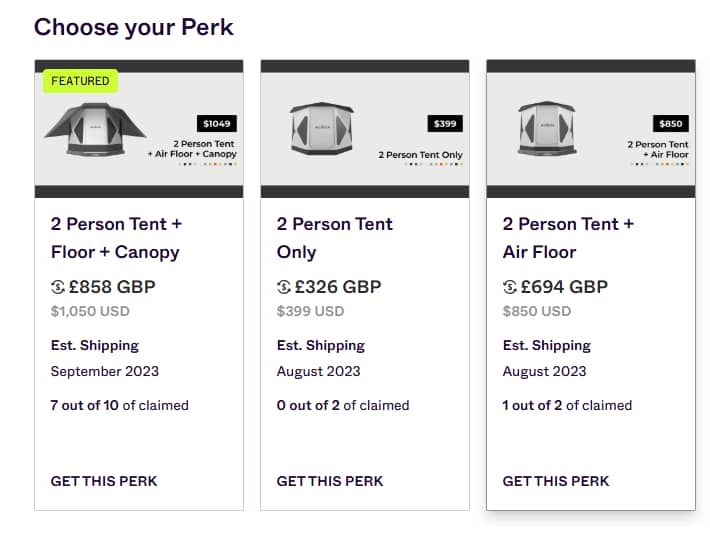
What is crowdfunding rewards

With the right incentives, reward crowdfunding is an effective way for entrepreneurs to assess market interest and engage backers. It also acts as a pre-sale to build an early customer base before a full launch.

3. Equity-based crowdfunding

Equity-based crowdfunding involves giving backers shares in your company. It’s an effective model for startups with high-growth potential, allowing them to raise a large amount of capital.

Attracting equity investors also enables you to build long-term relationships to grow your business.

Investors are committed to your company’s success. They offer expertise and connections to help you improve your offering and reach new markets.

However, giving up equity can mean sharing control with investors and increasing your commitment to stakeholders through reporting and financial returns. It’s important to choose investors who fit your brand’s purpose and mission.

Note: If you want access to investor expertise without giving up shares in your company, you can also consider peer-to-peer lending (also called P2P lending). P2P lending lets you crowdfund capital from a small group of individual investors. You repay lenders over time, usually with interest. Popular P2P online platforms include LendingClub and Funding Circle.

Here’s a summary of the most common crowdfunding models and their best use cases:

Crowdfunding model

Best use cases

Donation-based

(Individuals contribute without expecting a physical, digital or financial reward in return)

  • Charities

  • Community projects

  • Social enterprises

Reward-based

(Backers receive perks in exchange for investment)

  • Startups

  • Creators

  • New product launches

Equity-based

(Backers receive shares in exchange for investment)

7 crowdfunding platforms for your fundraising campaign

Crowdfunding platforms help you raise awareness, receive money and engage your community.

While features and user bases differ, most sites work the same: you submit your new project with a fundraising target and deadline, then campaign for support.

In exchange for hosting your campaign, the crowdfunding site charges you fees. Depending on the site, these might be platform, payment processing or transaction fees.

We’ve included fees in the list below so you can consider them when choosing the best platform for your goals and budget.

1. Kickstarter

Kickstarter is one of the most popular crowdfunding platforms around. Since 2009, the site has helped startups raise over $8.5 billion in pledges.

What is crowdfunding Kickstarter

Kickstarter is a reward-based platform, so it’s best suited to products or services.

In exchange for their pledge, backers are protected by an all-or-nothing guarantee. Meet a goal, and users will receive their funds. Fall short, and backers keep their money.

Successful Kickstarter campaigns often focus on innovative or creative projects. The more novel the project or service, the better the chances of grabbing the attention of reporters and early adopters.

Fees: 5% platform fee and transaction fees of 3% plus $0.30 per pledge for successful projects. Pledges under $10 have a micro-pledge fee of 5% plus $0.08 per pledge.

2. Indiegogo

Like Kickstarter, Indiegogo is a rewards-based crowdfunding site geared toward entrepreneurs and creators. However, it also welcomes nonprofit organizations, allowing you to raise money for charitable causes.
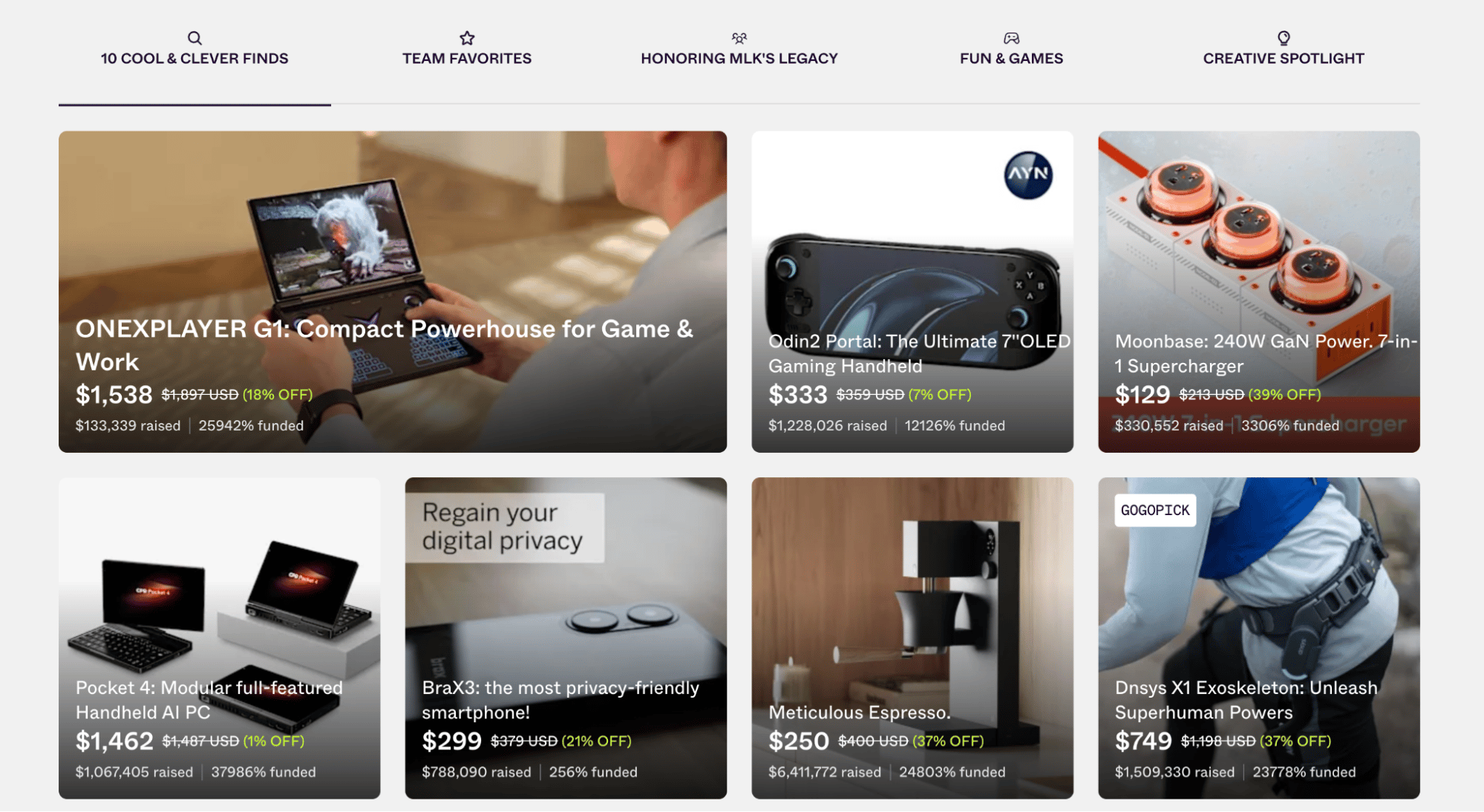
What is crowdfunding Indiegogo

A key benefit of Indiegogo is the ability to choose between flexible or fixed-funding goals. With flexible funding, users keep their money even if they don’t hit 100% of their goal – meaning startups have funds to work on their idea, so long as they fulfill perks.

Indiegogo’s InDemand feature also lets users continue raising money after a fundraising campaign ends. It’s an effective way to build momentum and use crowdfunding to increase production or improve products.

Fees: 5% fee on all funds raised and a transaction fee of 3% plus $0.20.

3. Fundable

Fundable is a crowdfunding website aimed at startups and small businesses.
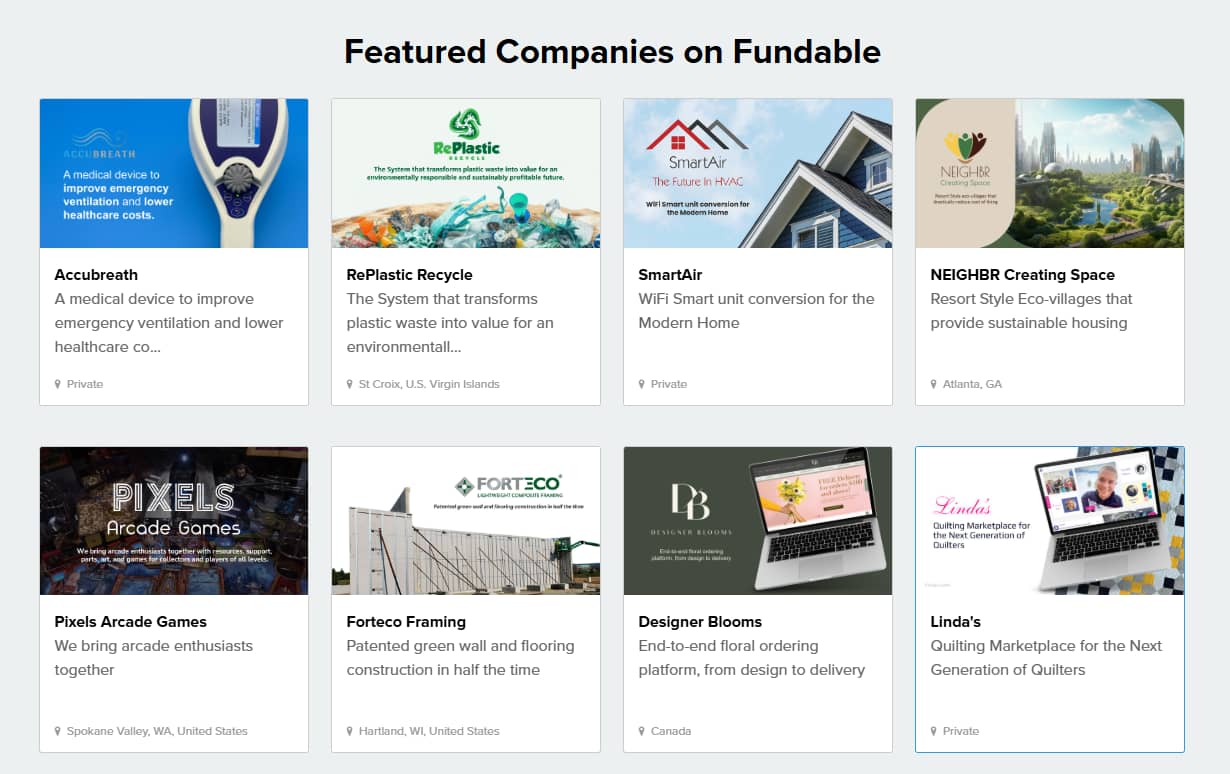
What is crowdfunding Fundable

The platform lets users raise funds in exchange for rewards or equity in two ways:

  • Self-Managed. Use Fundable’s platform to run a crowdfunding project and collect pledges.

  • Guided Fundraise. The Fundable team creates a pitch deck, researches potential angel investors and venture capitalists and helps users manage fundraising through email outreach and presentation coaching.

If you lack an existing network or the resources to market your idea, Guided Fundraise can introduce your business to willing investors, maximizing your chance of reaching your goal.

Fees: From $179 per month to fundraise.

4. StartEngine

StartEngine is an equity-based crowdfunding website for high-growth startups.
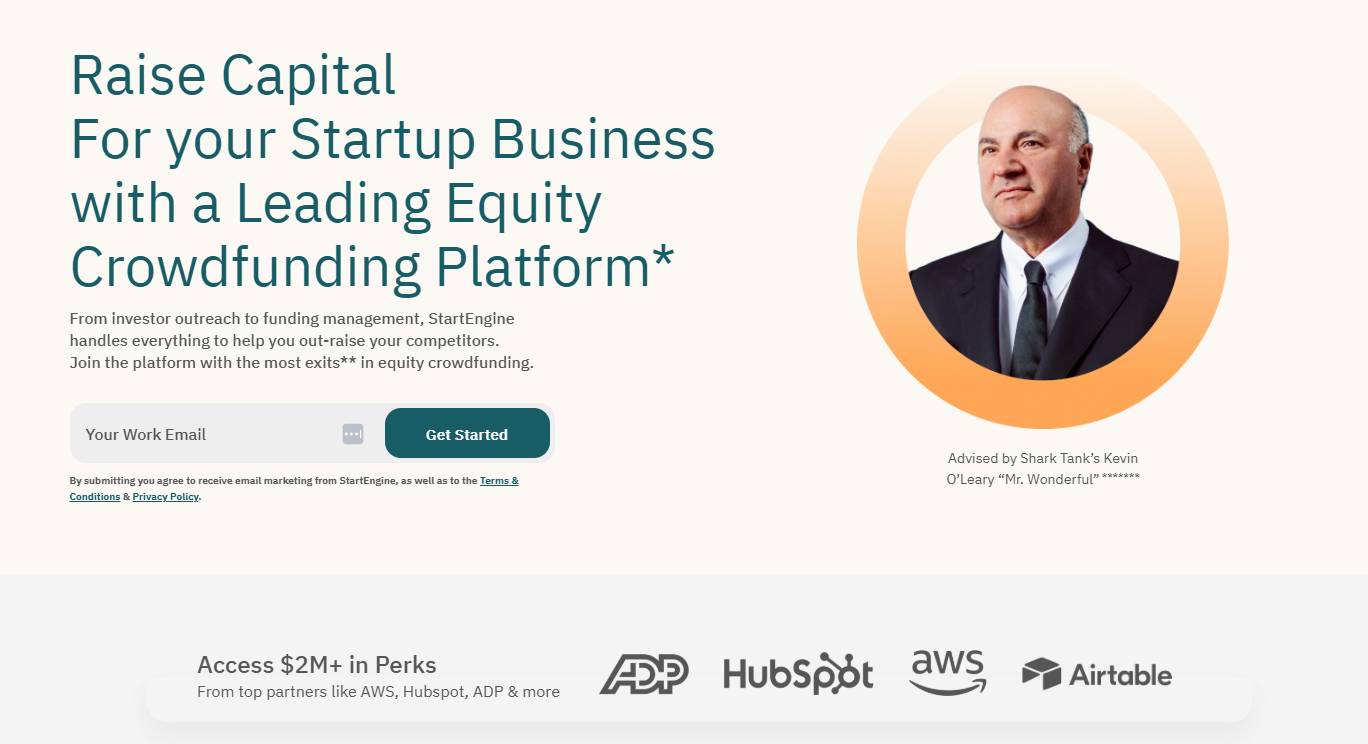
What is crowdfunding StartEngine

The platform offers two paths:

  • Regulation Crowdfunding (Reg CF). Best for new startups that want to raise up to $5 million a year and launch quickly with low upfront costs.

  • Regulation A+ (Reg A+). Best for large businesses that want to raise up to $75 million with a registered broker.

Users get access to StartEngine’s community of 1.8 million investors, investment data and a dedicated team to help set up and manage campaigns.

StartEngine has the tools to help secure multi-million dollar investments for businesses with growth potential and significant funds to invest in campaigning.

Fees: 5%-13% commission on closing

5. CrowdStreet

CrowdStreet is a real-estate crowdfunding platform that lets businesses fund construction or commercial property projects.

What is crowdfunding CrowdStreet

CrowdStreet’s process is fully managed. If its investment team determines your project is a good fit for its marketplace, you get access to a network of accredited investors to raise passive capital.

Users also receive support from CrowdStreet’s marketing team to help create a webpage and digital marketing plan that reaches target investors.

Additionally, post-investment support helps facilitate communication between users and investors for the duration of the deal.

Fees: Structure varies depending on the deal. Crowdstreet levies a management fee on funds, plus additional fees for servicing, acquisition, marketing and performance.

6. GoFundMe

GoFundMe is a donation-based crowdfunding website for individuals, community initiatives and charitable projects.

What is crowdfunding GoFundMe

GoFundMe is a popular crowdfunding site for personal fundraising because of its simplicity. From memorial tributes to medical emergencies and overcoming financial difficulties, the platform’s tools make it easy to campaign for yourself or others.

However, the platform isn’t built for commercial projects. If you’re launching a new business or product, another platform in this list is likely a better choice.

Fees: 2.9% transaction fee, plus $.030 on payments.

7. Patreon

Patreon is a crowdfunding platform for digital creators such as podcasters, musicians, writers and artists.

What is crowdfunding Patreon

Unlike other crowdfunding websites, Patreon is subscription-based, allowing you to generate recurring revenue for your project.

Its tools let you create paid membership plans, giving fans exclusive perks.

For example, a podcaster might create bonus episodes or behind-the-scenes content for Patreon subscribers.

Creators can upload videos, create forums, publish newsletters or host livestreams for members.

By providing gated content, users can incentivize membership and reward fans for their support while raising funds to manage your project. At the same time, they can build an engaged community that helps grow their brand.

Fees: 5%, 8% or 12% of your income, depending on the plan, plus processing fees that vary depending on the payment method (e.g., PayPal, Mastercard or American Express).

Choosing a crowdfunding website

Your project and crowdfunding model choice will help steer you toward the right platform for your goals.

Before committing, evaluate each option to ensure it has what you need to run a successful campaign.

Here are some questions to ask when choosing a crowdfunding website:

  • Does the platform attract the right type of backers to support my project?

  • Does it have positive reviews and a good track record of successful campaigns?

  • Are the fees affordable?

  • Does it have tools for campaign creation (e.g., page templates)?

  • Can I track campaign performance and referral sources?

  • Does it integrate with social media and email marketing platforms for sharing?

  • What level of customer support is available?

  • Does it include self-support resources (e.g., user guides and a community forum)?

The solution that matches your objectives, resources and audience will give you the best chance of reaching your fundraising target.

5 tips for effective crowdfunding

The right crowdfunding website provides the platform to promote your crowdfunding. However, the key to success is to connect with and engage the right people.

Here are five tips to help you sell your project and hit your funding target.

1. Set a clear, achievable goal

Start by setting a clear goal for your crowdfunding campaign. There are two important questions to answer here:

A goal that addresses both questions will show potential donors (and, in some cases, platforms) you have a realistic plan.

It also ensures you ask for the right amount of money. Asking for too much might prove daunting for backers while asking for too little can leave you with less than you need to fulfill promises.

When estimating your costs, include all project expenses. For example:

Accurate costs will help you set a clear fundraising target to bring your project to life.

Keep your target achievable by focusing on the amount you need for a minimal-viable product (MVP). You can raise additional funds for enhancements through stretch goals (unofficial goals beyond your project target).

For example, say you need $20,000 to create your final complete product with additional colors, styles and accessories. However, you only need $10,000 to launch the basic version. Setting your campaign goal for $10,000 gives you a realistic objective to aim for.

2. Build awareness before launch

Most of the work for your crowdfunding campaigns happens pre-launch. According to Indiegogo, campaigns that reach 30% of their goal in the first two days are more likely to exceed their crowdfunding goal.

Rallying fans before launch day allows you to build momentum early and create social proof, giving potential backers confidence that your idea is on track for success.

Find early supporters by tapping into your network. Think about potential backers as separate groups.

Keeping groups separate early on helps you tailor your messaging strategy to personalize outreach.

For example, an email sales pitch to a friend might focus on your personal relationship. However, an overly familiar approach might not work with a stranger who wants to know how your project improves their lives.

Create an email list for each group and develop a plan to contact them before launch. Here’s how your pre-launch sequence might look:

Email marketing software like Campaigns by Pipedrive can help you segment your list so each group receives the right message.
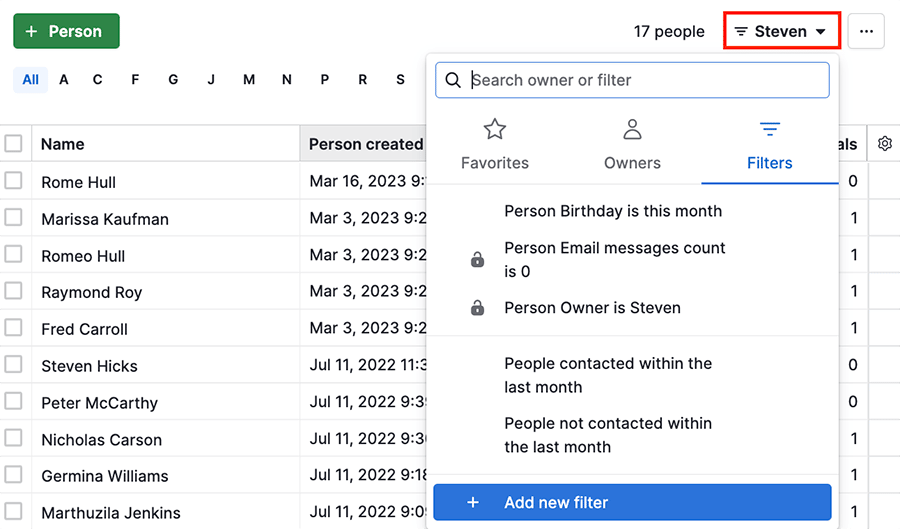
What is crowdfunding Campaigns Pipedrive

It also lets you build segments by engagement. For example, you can group people by how often they open your emails and click your links. Over time, this can help you build a list of top supporters who can help spread your crowdfunding campaign.

Free ebook: How to build a great email list

Click the button to receive 18 tips on ramping up your email list building

3. Craft a compelling campaign story

Facts and figures are essential for showing potential investors you have a viable product, but storytelling is what brings your project to life.

As the old saying goes, facts tell, but stories sell.

Creating a pitch that connects with backers on a human level communicates value, triggers emotion and inspires action.

Develop a story about your brand and project that answers the why and how of your fundraiser.

Take Unistellar’s Fundable pitch for its consumer telescope:

What is crowdfunding storytelling

Unistellar makes potential backers care about its product by highlighting flaws in the competition: “Optical telescopes are not powerful enough to observe the many objects of the sky, such as galaxies, nebulae, and comets.” “They are also very complicated to set up, install and use.”

They also turn features into benefits, helping readers see how the product can fit into their lives: “The integrated hardware and image processing software allows users to enjoy 200 times more targets without being an expert.”

What is crowdfunding storytelling pitch

Research how successful crowdfunding campaigns use storytelling to grab attention as inspiration for your own narrative.

Focus on creating a story that is:

  • Relevant to your audience’s pain points and emotional triggers

  • Unique to your business or product

  • Clear and honest (don’t be afraid to talk about challenges and mistakes)

Combine compelling copy with eye-catching images and video to make your story shareable. A story worth retelling will help spread your message and reach audiences beyond your network.

Tip: Create a frequently asked questions (FAQ) section alongside your story. Getting ahead of objections gives your story more credibility, increasing trust in your project.

4. Create meaningful incentives

If you want people to back your crowdfunding campaign, it helps to give them something of value in return.

Perks and rewards give potential funders a tangible reason to contribute. Additionally, they’re an effective way to engage and attract an audience.

For example, HappyWorks rewarded customers for backing its crowdfunding campaign early by offering its Thermometer at tiered early bird prices.

Making a limited number available incentivized backers to act quickly to avoid missing out on a big discount.

What is crowdfunding perks

Keep rewards relevant to your project. For example, a podcaster might offer exclusive bonus or extended episodes. Alternatively, a startup might invite a small number of backers to its launch party.

Consider co-creating perks with your pre-launch supporters. For instance, animal sanctuary Edgar’s Mission ran a workshop with supporters before its crowdfunding campaign.

The workshop helped the non-profit design rewards to appeal to a wide range of donors, including special recognition for small donors and paddocks named after high-tier backers.

What is crowdfunding reward tiers

Offering perks at different levels (e.g., $10 to $100) makes your project accessible to more people, allowing you to make steady progress toward your goal.

5. Keep your audience engaged at every stage

A well-managed backer experience is crucial to maintaining momentum and reaching new audiences. Backers are your biggest advocates, so it’s crucial to keep them engaged.

Regular updates on progress, milestones and challenges (as well as swift answers to questions) keep fans invested. You can also share updates on social media and encourage backers to spread the word with their networks to grow your audience.

As with your pre-launch build, email is one of the most effective ways to keep people in the loop.

As your audience grows, consider using a customer relationship management (CRM) platform to streamline engagement.

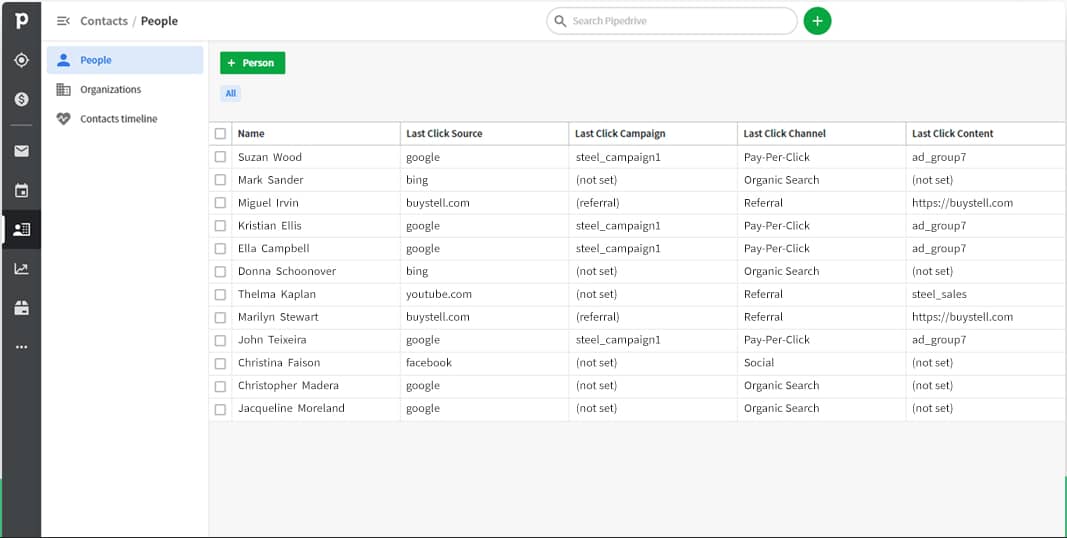
A tool like Pipedrive’s CRM stores all your contact data in one place and lets you split customers into groups (e.g., backers and potential backers) to effectively target your marketing.
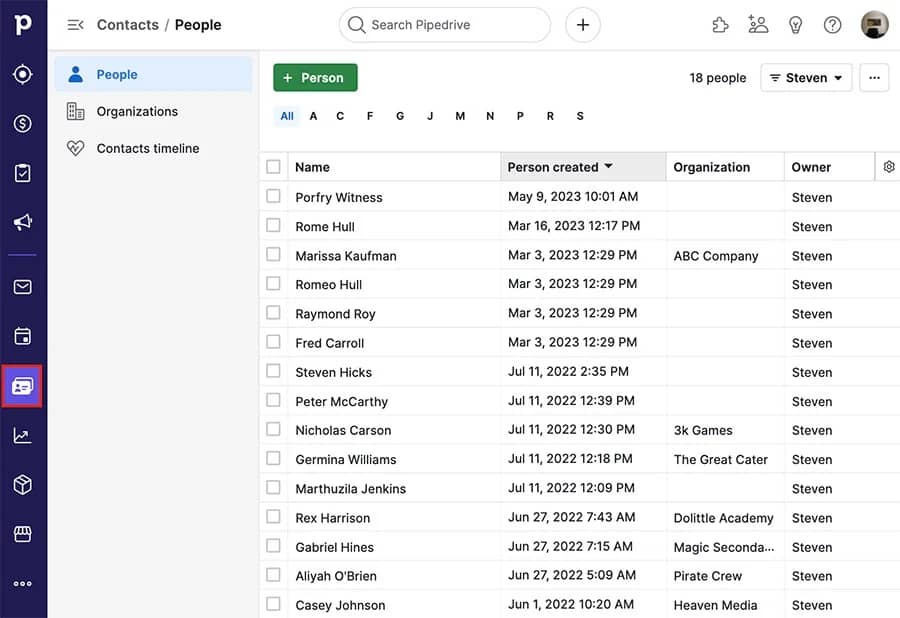
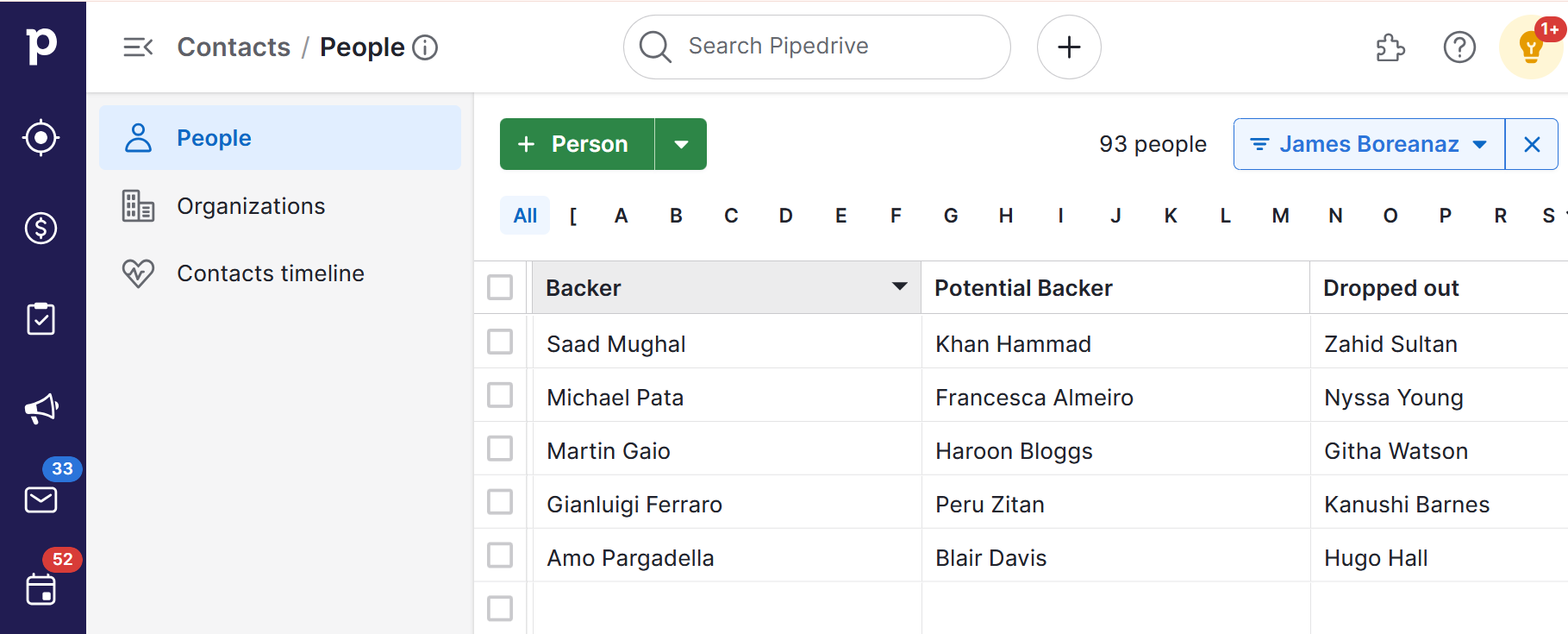
What is crowdfunding Pipedrive contacts
What is crowdfunding Pipedrive contacts list

By tracking their activity across your campaign, you can send relevant content at every stage.

Pipedrive’s automated email tools simplify this task, allowing you to send emails automatically whenever you reach a significant milestone.

You can also set up notifications to alert you to specific events (e.g., receiving a large donation or inquiry) so you can respond personally and build relationships with your audience.

Maintain contact with backers even after your crowdfunding campaign ends. Sharing updates on product development and your business journey will help you build a loyal customer base to support your next project.

Recommended reading

https://www-cms.pipedriveassets.com/How-to-Love-Your-Job.jpg

What is customer engagement? The definitive guide

Final thoughts

Crowdfunding is an effective way to start or grow your business. With a strong campaign, you can raise the funds you need to get your idea off the ground and establish an engaged community to empower future success.

Use Pipedrive’s powerful tools to personalize marketing and manage relationships during your crowdfunding campaign and beyond. Try it today with a 14-day free trial.

Step-By-Step Mission Statement Guide + Examples

Software Stack Editor · January 29, 2025 ·

Why does your business exist? Crafting a clear, meaningful answer to this question challenges even experienced business owners.

In this article, you’ll see real mission statement examples from companies like yours. You’ll also learn a step-by-step process for creating an effective mission statement and discover practical ways to implement it.

What is a mission statement?

A mission statement is a concise statement that explains your business’s purpose and objectives, usually in just one or two sentences.

Your mission statement is your company’s North Star, whether it appears on your website, in your business plan or on your office wall. The short text is a guiding principle that helps your teams stay focused on what you do and why you do it.

Big companies like Nike, Ikea or Amazon often have broad, aspirational mission statements because their scale and resources allow it. Take Starbucks’s mission: “To be the premier purveyor of the finest coffee in the world, inspiring and nurturing the human spirit – one person, one cup and one neighborhood at a time”.

Mission Statement Starbucks example

While inspiring, this statement isn’t practical for smaller businesses or startups. It lacks the specificity and practical focus to guide your team.

The best mission statements often combine these elements:

  1. Your core purpose. What specific pain points you address, or what value you create.

  2. Your approach. How you deliver that value differently from competitors.

  3. Your impact. Who benefits, and why it matters to them.

For example, an IT services provider’s mission might be “To help small businesses grow through reliable technology support and straightforward solutions”. This statement works because it defines the company’s purpose (enabling business growth), approach (reliable, straightforward service) and impact (helping small businesses succeed) in concrete terms.

Note: Mission statement vs. vision statement. A mission statement explains what your business does and why, focusing on the present. A vision statement describes where you want your business to be in the future. Our IT provider’s vision statement might be “To become the most trusted technology partner for small businesses in Seattle.”

Why every small business needs a great mission statement

A mission statement isn’t just a business document. It’s a practical tool that can strengthen internal operations and brand positioning.

Whether you’re a nonprofit addressing social challenges, a healthcare provider focused on improving patient outcomes or a small IT business offering reliable technology support, the right mission statement delivers tangible value.

Here are some of the main benefits of a great mission statement:

It aligns your team around shared goals and core values

The best mission statements help teams understand how their roles contribute to the business’s success.

For example, when customer service staff know the mission emphasizes “straightforward solutions”, they feel empowered to explain complex issues in simple terms.

Say your sales team understands you’re focused on “helping businesses grow”. They’ll spend more time understanding prospects’ long-term goals rather than pushing quick deals.

This shared understanding transforms daily work from task completion to purpose-driven action.

It makes decision-making clearer and more consistent

Entrepreneurs face constant choices about resources, opportunities and priorities. The best mission statements help you evaluate options quickly and consistently.

For example, the IT company’s mission statement emphasizes “reliable technology support”. This clarity might lead it to prioritize hiring an experienced technician over investing in automated support tools. Similarly, it can assess new service offerings by whether they align with “straightforward solutions” or add complexity for customers.

This clarity becomes especially valuable when you face unexpected challenges or opportunities. Your mission statement provides a stable framework for choosing the path that best serves your core purpose.

It helps attract ideal customers who share your brand values

Your company’s mission statement acts as a magnet for customers who value what you offer most. For example, the aforementioned IT company whose mission emphasizes “straightforward solutions” will attract business owners who want clear communication and practical guidance. Those who prioritize cutting-edge technology over simplicity might look elsewhere.

This natural filtering helps you focus on customers whose needs more closely align with your product. In the long term, this alignment can lead to greater customer satisfaction and lower customer churn.

It sets you apart from competitors

Your mission statement helps you stand out by highlighting what makes your business special. Instead of competing solely on price or features, you’re showing customers why your approach matters.

For instance, when our IT company emphasizes “reliable support”, prospects know that dependability matters more than having the latest technology.

This differentiation helps you build stronger relationships with customers who value your way of working. Instead of trying to appeal to everyone, you attract customers who appreciate – and will pay for – your distinct approach.

Recommended reading

https://www-cms.pipedriveassets.com/Customer-Trust.jpg

Customer trust: definition and 6 strategies for building it

3 mission statement examples from B2B businesses

When brainstorming your company’s mission statement, looking at how other businesses articulate their purpose can provide valuable inspiration.. These three B2B companies’ mission statement examples show different approaches to crafting statements that guide their teams and resonate with their ideal customer profile.

1. Pipedrive

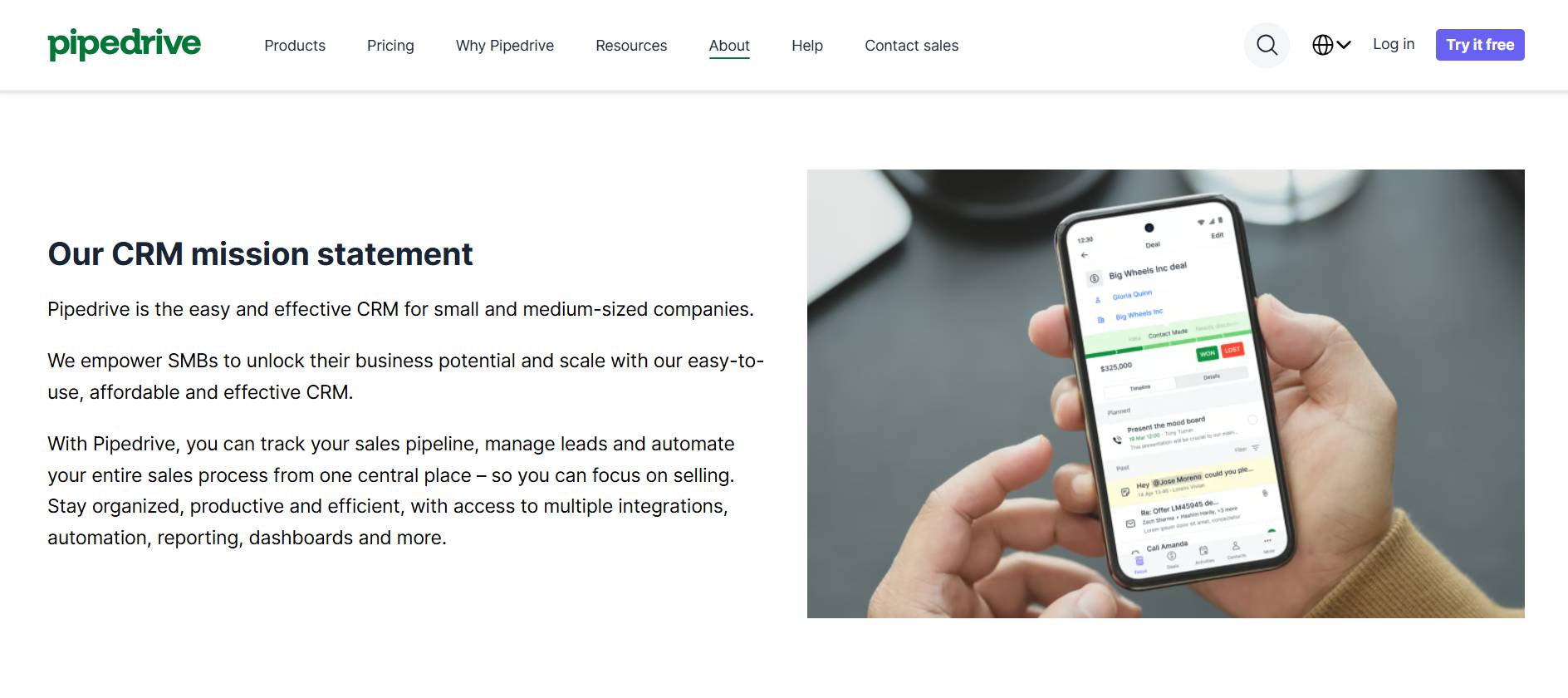
Pipedrive’s mission is to “empower SMBs to unlock their business potential and scale with our easy-to-use, affordable and effective CRM”.

mission statement Pipedrive mission

This statement addresses the three key elements of an effective mission:

  • Purpose (empowering SMBs)

  • Approach (easy-to-use, affordable, effective solutions)

  • Impact (helping businesses unlock potential and scale)

Pipedrive’s mission statement focuses specifically on what matters to SMBs. It acknowledges their constraints (needing affordable, easy-to-use solutions) and their ambitions (wanting to scale and reach their potential).

You can take a similar approach to your mission statement by identifying what holds your target customers back. Build your mission around how you remove those obstacles while also supporting their growth goals.

2. TalentLMS

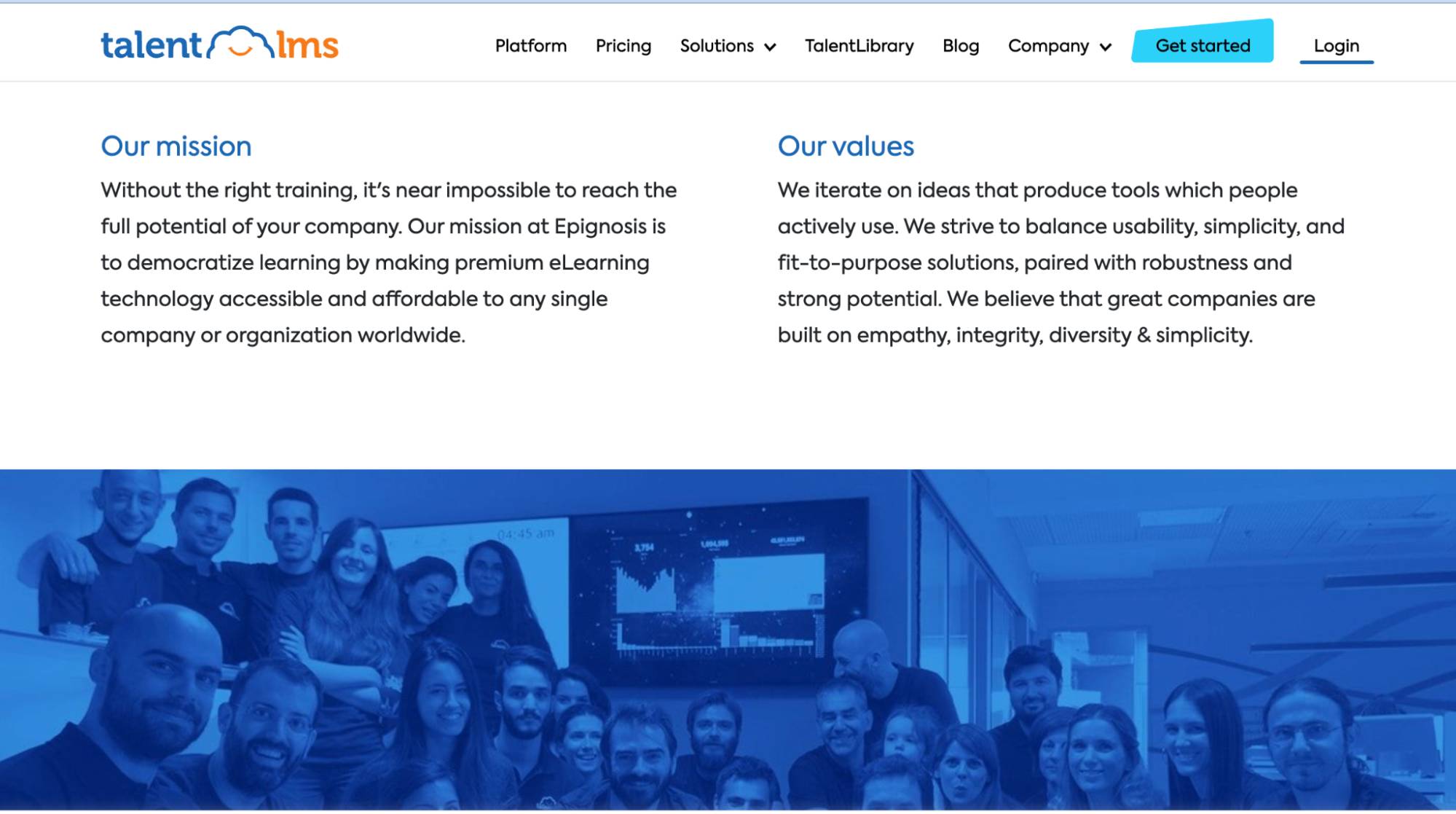
TalentLMS offers an intuitive online learning platform. It shares its parent company Epignosis’s mission statement: “to democratize learning by making premium eLearning technology accessible and affordable to any single company or organization worldwide”.

mission statement TalentLMS mission

This great mission statement also addresses the three key elements we discussed:

  • Purpose (democratize learning)

  • Approach (making premium eLearning technology accessible and affordable)

  • Impact (every company worldwide can reach their potential)

TalentLMS’s mission focuses on the business outcome of better learning opportunities. You can take this approach by identifying the core transformation your product or service creates. Instead of listing technical capabilities or features, focus on how you improve your customers’ work or lives.

3. Shopkeep

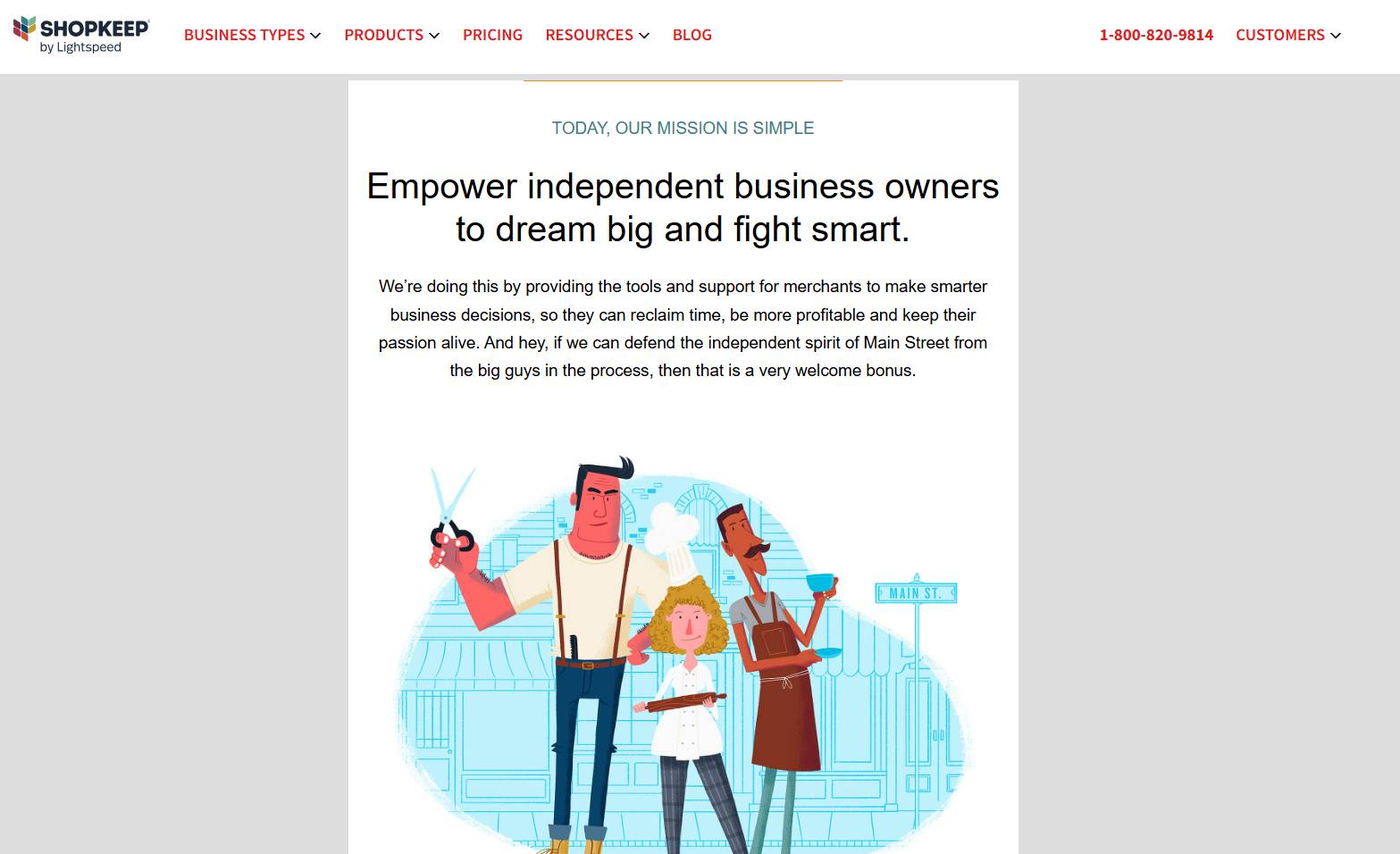
Shopkeep creates point-of-sale (POS) software for independent retailers. Shopkeep’s mission statement is “to empower independent business owners to dream big and fight smart”.

mission statement Shopkeep mission

The three elements of a good mission statement are also present here:

  • Purpose (empowering independent businesses)

  • Approach (combining aspiration with practical solutions)

  • Impact (helping business owners succeed on their own terms)

Shopkeep’s mission statement speaks to its customers’ entrepreneurial spirit and positions itself as an ally in the fight against big retail.

You can take a similar approach by identifying the deeper motivation driving your customers. Build your mission around supporting their ambitions while acknowledging their real challenges rather than just describing your product or service.

Recommended reading

https://www-cms.pipedriveassets.com/Customer-Survey.png

Customer surveys: Best practices for sales and marketing teams

How to write a mission statement: a step-by-step template

Crafting a great mission statement requires a structured approach that goes beyond simple brainstorming. Follow this step-by-step template to turn your insights into a powerful, concrete statement.

1. Define your company’s purpose by focusing on customer impact

Pinning down why your business exists starts with your customers. Schedule a meeting that includes stakeholders and customer-facing staff. These team members witness your business impact firsthand and can provide valuable insights about why customers choose and stay with you.

Using a physical whiteboard or a digital whiteboard like Miro, answer two key questions:

Examine last quarter’s customer service reports, recent testimonials, sales call notes and project outcomes. As you review your insights, have team members add specific examples to the relevant sections of the board.

Remember our IT company example? Say they had a customer testimonial about how their service saved them “hours of troubleshooting”. This statement would go under “What specific problem do we solve?”

You don’t have to choose a single statement at this stage. Review the insights in these areas and identify the clearest, most recurring ideas. Then, use this framework to turn the ideas into concrete sentences:

We exist to [solve this problem] so that [target audience] can [experience this transformation]

Our IT company might draft several versions based on its findings, including:

  • “We exist to [simplify technical problems] so that [small businesses] can [focus on running their business]”

  • “We exist to [provide reliable IT support] so that [small businesses] can [grow with confidence]”

  • “We exist to [remove technology barriers] so that [small businesses] can [scale]”

Review your draft purpose statements with your team. Choose the one that appears most consistently in your evidence, best captures the transformation you create and feels authentic to what your business does.

Say our IT company finds that its purpose statement about helping businesses grow through technology support is mentioned most often in customer feedback and team discussions.

Free ebook: How to tell your brand story

Get our ebook outlining the five steps to developing your brand’s unique story

2. Identify brand values that shape how you work

After identifying your business’s purpose, define how you achieve it.

During your team meeting, explore how your core values affect how you work:

  • What standards do we never compromise on?

  • How do we want customers to describe their experience with us?

  • What makes our approach different from others?

Use this framework to turn your values into actionable brand value statements:

We provide [core service/product] in a [value 1] and [value 2] way

Use these insights to refine your purpose into a statement that captures what you do and how you do it.

In our IT company example, the team identifies that being straightforward and reliable is crucial to how they help businesses grow. These aren’t just nice-to-have qualities. They‘re fundamental to their approach. Customers consistently mention appreciation for the company’s clear communication and dependable support.

The company’s statement might evolve from “helping small businesses grow” to “helping small businesses grow through reliable technology support and straightforward solutions”.

Adding “reliable” and “straightforward” shows its values in action, not just as abstract concepts.

3. Tailor your mission to speak to customers and team members

Your mission statement must resonate with different groups while maintaining a clear focus. Review your team meeting notes and customer evidence to understand each audience’s perspective.

Complete this template for each of your core values:

Being [value] means we [specific team action] which helps customers [specific benefit]

For example, our IT company might map its values as follows:

  • “Being straightforward means we explain complex issues simply, which helps customers understand their technology better”

  • “Being reliable means we maintain consistent service standards, which helps customers focus on their business with confidence”

Does each value guide your team’s work and speak to customer needs?

Our IT company’s mission, “to help small businesses grow through reliable technology support and straightforward solutions”, works because it shows employees how to work (reliably, simply) and tells customers what to expect (growth, clear communication).

4. Draft, test and refine your mission statement with stakeholders

By now, you have all the pieces for your mission statement: your core purpose, key values and target audience. Getting these elements to flow together naturally might take a few attempts.

Try these different formats to see which best fits what your business does:

– To help [target audience] [achieve outcome] through [your approach]

– We empower [target audience] to [transformation] by [unique method]

– [Target audience] trust us to [core purpose] with [value-driven approach]

– We partner with [target audience] to [solve problem] through [key strengths]

For example, our IT company might try several versions before finding the right flow.

It starts with “We help businesses with technology” – too vague. “We provide reliable IT support to small businesses” is better, but missing the impact. Finally, the company arrives at “To help small businesses grow through reliable technology support and straightforward solutions”.

Present your draft to your team and run through some real scenarios.

  • When hiring: Would this help us identify the right cultural fit?

  • For a new project: Does this help us decide if we should take it on?

  • During sales demos: Can we explain how this guides our approach?

Refine your statement until it consistently guides these kinds of real-world decisions. Once your mission statement passes these tests, you’ll have a clear compass to direct your business, unite your team members and show customers what makes you different.

Common mission statement mistakes to avoid

Even with a clear process, it’s easy to fall into common mission statement traps. Here are the key pitfalls to watch out for and how to avoid them.

  • Being too vague or generic. Statements like “to provide quality service” or “to be the best” say nothing about what makes your business special. Instead, be specific about your unique value proposition.

  • Confusing mission with vision. Don’t mix up your mission statement (what you do now) with your vision statement (future aspirations). Your mission should focus on current values and approaches, not long-term dreams.

  • Making it too long. If your mission statement takes more than 10 seconds to read, it’s too long. Complex, multi-sentence statements lose impact. They’re harder for teams to remember and act on.

  • Copying larger competitors. The aspirational language that works for companies like Microsoft, LinkedIn or Tesla doesn’t work for startups or small businesses. Instead of “being the best X in America” or “the most customer-centric X on earth”, focus on the concrete value you provide your specific market.

  • Not involving your team. Writing your mission statement alone means missing valuable insights from those interacting with customers daily. Your team’s input ensures the mission reflects reality and creates genuine buy-in from stakeholders.

  • Failing to make it actionable. A mission statement should guide daily business decisions. If your team can’t use it to answer “Should we do X or Y?” it’s not specific enough to be useful.

How to put your mission statement into action

A mission statement can only reach its full potential if it actively shapes how your business operates. Here’s how to empower every person on your team to connect with your mission and bring it to life.

Bring your mission into daily operations

Regular team discussions keep your mission active and relevant. During meetings, highlight specific examples of team actions supporting your mission. For example, our IT company might recognize when support staff documented complex solutions simply. This acknowledgment reinforces their commitment to “straightforward solutions”.

When evaluating new tools, systems or partnerships, assess how they align with your core purpose. The IT company we’ve been using as an example might choose a simpler ticketing system over one with advanced features because it better supports their focus on reliable, accessible support.

Make your mission concrete for new employees by showing how it shapes their roles. Instead of just sharing the statement, provide examples of how it guides daily initiatives.

Download your guide to managing teams and scaling sales

The blueprint you need to find a team of superstars and build a strong foundation for lasting sales success

Connect your mission to customer touchpoints

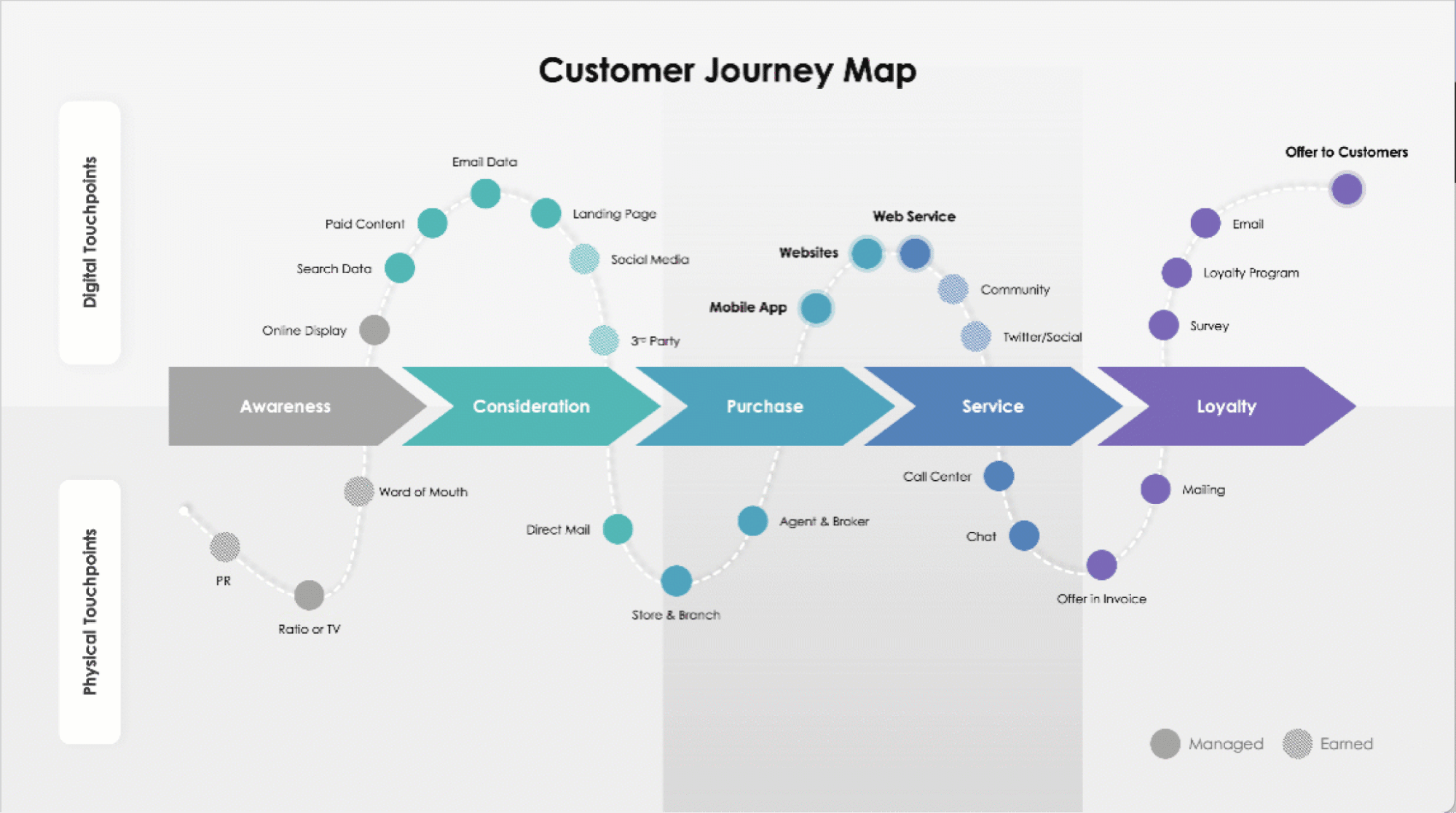
Your mission should shape every stage of the customer journey, from first contact to ongoing support. Create a simple customer journey map and identify how your mission guides each interaction.

mission statement B2B customer journey

For our IT company, this means demonstrating “straightforward solutions” at every step.

  • Initial contact: Clear, jargon-free explanations of services

  • Sales process: Transparent pricing and honest assessments of client needs

  • Project delivery: Regular updates in accessible language

  • Ongoing support: Simple documentation and practical guidance

Your marketing materials should showcase real examples of your mission in action. Instead of claiming “reliable support”, share specific cases where your team solved problems efficiently. Use customer testimonials highlighting how your approach made a difference to their business.

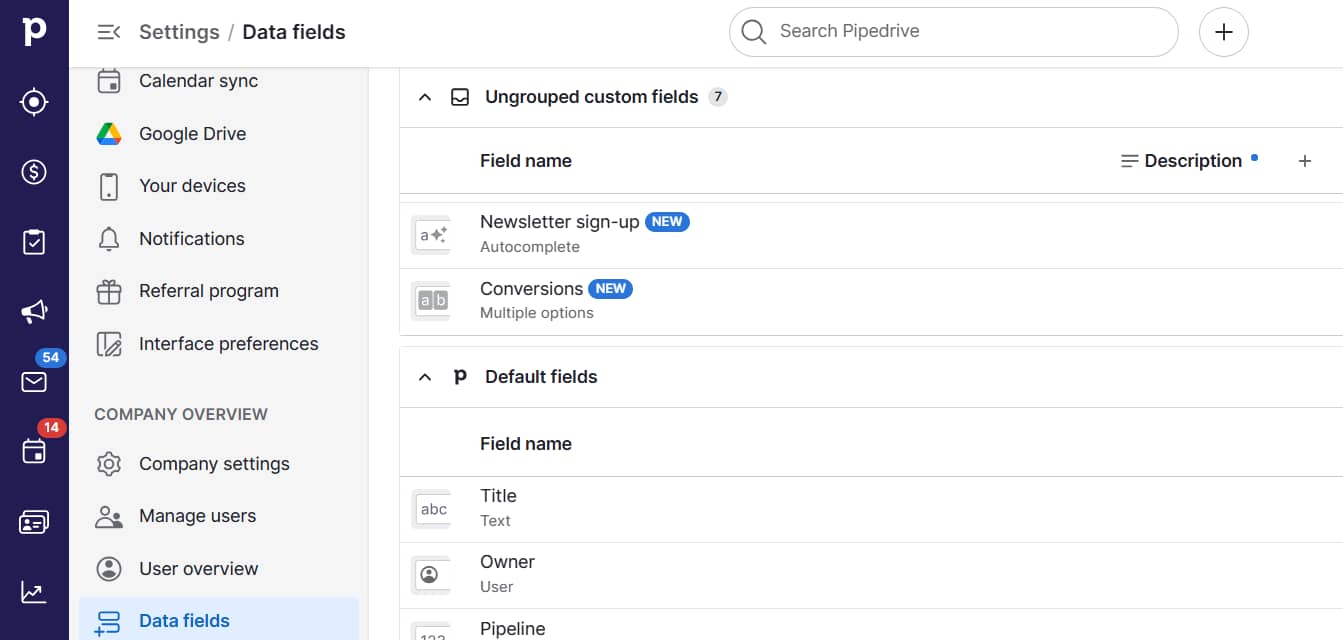
Track your company’s mission statement impact with Pipedrive

Use Pipedrive to measure how your mission resonates with customers. Create custom fields tracking when prospects respond to specific elements of your mission during sales conversations or customer interactions.

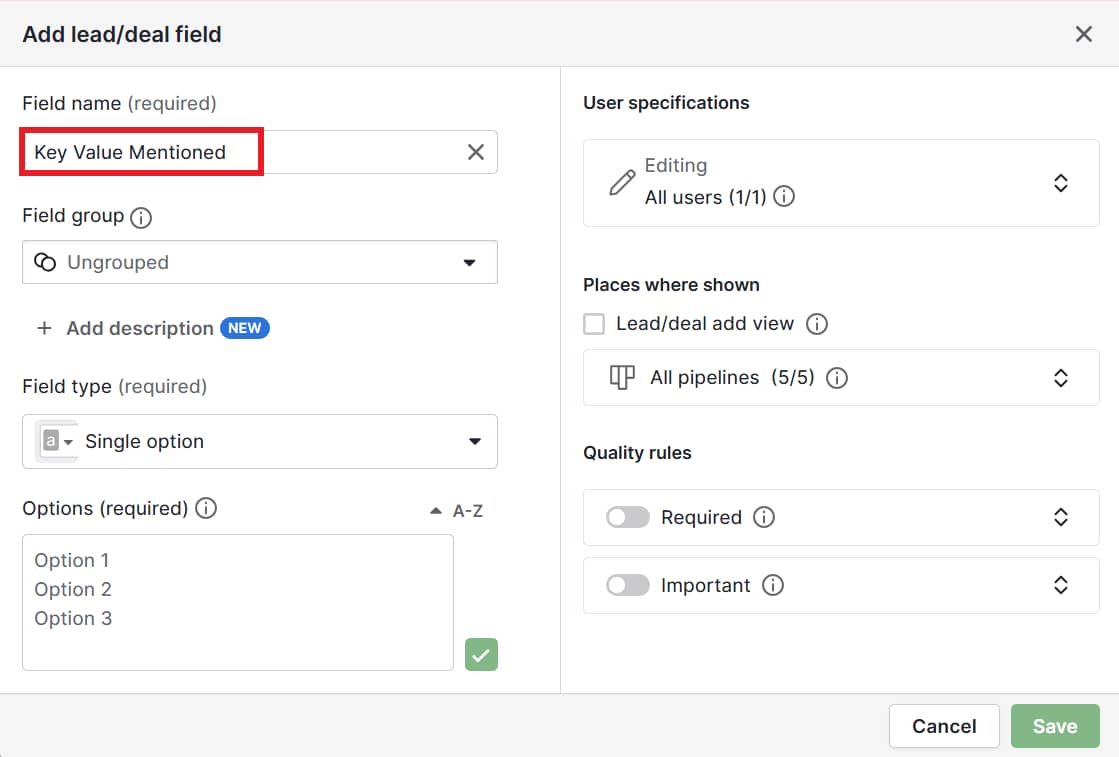
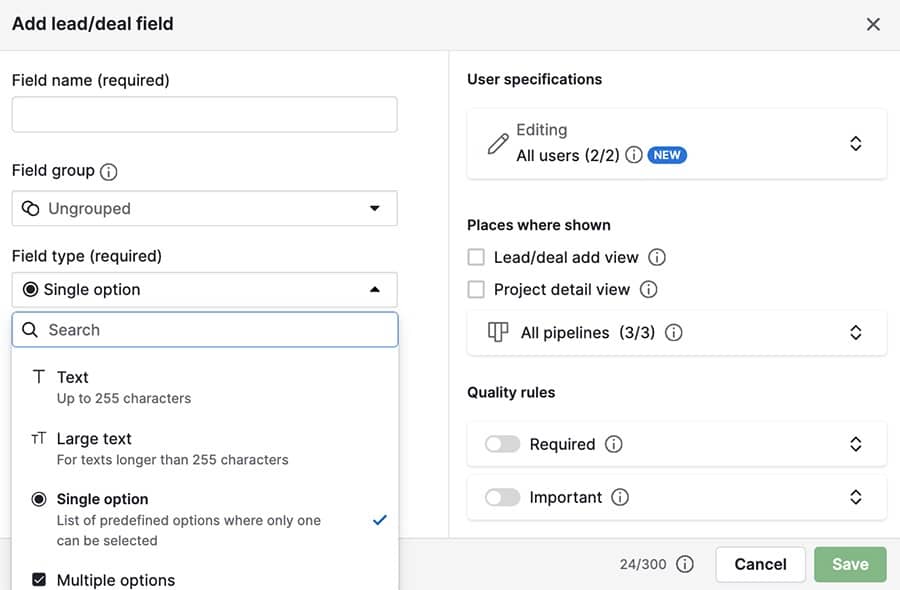
Our IT company might set this up in Pipedrive by adding a custom field for “Key Value Mentioned” (e.g., reliable, straightforward, growth-focused).

mission statement Pipedrive custom fields

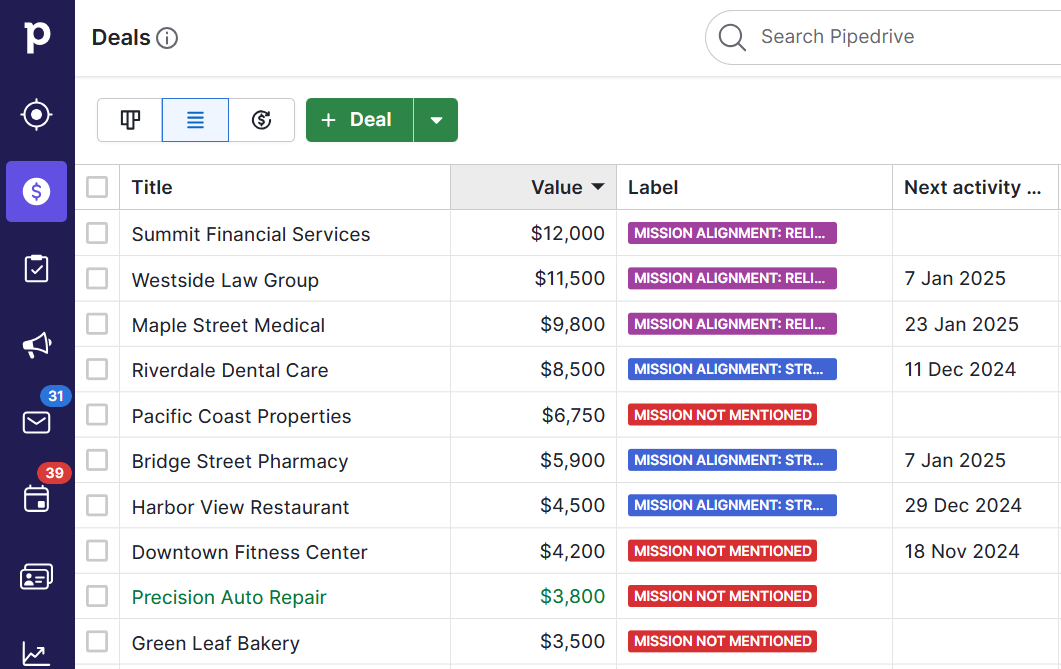
The team can then create a deal label to mark deals where mission alignment influenced the decision.

mission statement Pipedrive deal labels

This data helps refine strategic planning for your sales team. For example, if prospects consistently mention appreciating your “straightforward solutions”, emphasize this aspect in early sales conversations.

If certain mission elements rarely come up, consider whether they truly reflect your value to customers.

9 steps to creating the perfect sales strategy (with free template)

In this handbook, we’ll walk you through what your sales strategy needs, plus there’s a free strategy template to get you started!

Final thoughts

Distilling a mission statement into a single sentence or short statement can be challenging, but it’s well worth the effort. A great mission statement guides strategic planning, aligns stakeholders and helps build a customer-centric culture.

When done right, your mission statement will become a practical tool that helps your business reach its full potential and stay focused on what matters most.

Use Pipedrive to track your mission statement’s business impact and refine your strategy based on real customer insights. Sign up today for your 14-day free trial.
Sales Funnel Video | Strategies for Marketing Success

Software Stack Editor · January 29, 2025 ·

image

What is a sales funnel (video)?

Watch our sales funnel video to learn about sales funnels, which are a visual representation of the journey from your prospect’s first contact with you until they complete a purchase, and how to push leads through your funnel. All your qualified leads start at the widest point of the funnel, which narrows as unsuitable leads go cold and drop out.

The funnel can be sorted into three parts: top, middle and bottom. You can use content to engage suitable leads and drive them from one part of your funnel to the next.

At the top is the awareness and discovery stage. At this stage, the prospect is identifying a challenge they face. They may not know the problem, only the symptoms. Create insightful blogs and digestible videos to help them define and discuss their challenges, guiding them toward a potential solution. By using video marketing, sales funnels you set up can be more impactful, as engaging visual content will play a pivotal role in nurturing leads.

In the middle is the researching solution stage. The prospect’s diving deeper into the problem. They might not necessarily be evaluating specific companies and their products as solutions. Instead, they’re looking for the types of solutions available to them and deciding which is the right fit. Content such as in-depth guides, comparison style checklists and case studies serve your leads best at this stage, facilitating their journey through the sales funnel.

At the bottom of the funnel is the stage where prospects make an educated purchasing decision. When they arrive here, prospects are ready to select the solution and most importantly, the provider. Help them see your solution as a fit for their problem with helpful content like FAQ pages, product feature videos, live demos and side-by-side competitive analysis. An effective content strategy is crucial when deploying an effective sales funnel.

This is just an introductory sales funnel video, showing how you can use content at each stage to cultivate a potent prospect-to-customer journey. To find out more and to see a breakdown of real examples, click on the link at the end of this video and article.

6 Powerful SEO Lead Generation Strategies

Software Stack Editor · January 28, 2025 ·

SEO is a vital lead-generation tactic that every business must use. It improves visibility in search results, attracting high-quality leads ready to engage.

In this article, you’ll learn what SEO is, how it can improve lead generation and six strategies to elevate your SEO efforts.

What is SEO (and how does it work)?

Search engine optimization (SEO) makes your website more attractive to search engines like Google. It helps them understand your website and which people should visit it.

The goal of SEO is to rank as the first page in search results, increasing how much website traffic you attract. SEO is about making your website speak the search engine’s language while prioritizing your human audience.

Here are the critical factors of SEO:

SEO factor

How it works

Keywords

Keywords are specific words or phrases that people type into search engines.

A significant part of SEO is determining the keywords your potential customers use and including them naturally in your content.

Content quality

Search engine algorithms love relevant, fresh and valuable content like blog posts, product descriptions or videos.

High-quality content answers user questions and meets their needs so they stay on your site longer.

On-page SEO

On-page SEO involves optimizing individual pages on your site, like using keywords in titles and headers.

It’s also about ensuring your site loads quickly, is easy to navigate and works well on mobile devices.

Off-page SEO

Off-page SEO includes activities outside your site that improve your search rankings, like building backlinks.

When reputable pages link to your website, it tells search engines your site is worth ranking.

Technical SEO

Think of technical SEO as behind-the-scenes work. It involves making sure your website’s structure is sound.

It includes sitemaps, making your site responsive, ensuring security (using HTTPS) and fixing errors.

User experience (UX)

SEO goes hand-in-hand with providing a great customer experience.

A good UX means your site is easy to use, visually appealing and intuitive so visitors can find what they want.

How SEO can improve lead generation

Lead generation involves attracting potential customers and turning them into leads. It’s about sparking interest and building relationships with people likely to use your products or services.

SEO can boost lead generation efforts by increasing your website’s visibility on search engine results pages (SERPs). When more people see your site, there’s a better chance they’ll visit it. The more website visitors you have, the more opportunities you get to push them through the marketing funnel.

Quality SEO means more potential customers will find you organically, as opposed to you having to attract them. Once they’re on your website, you can collect their contact information and establish a relationship.

SEO also enhances credibility by positioning your website as an authority in your industry. Customers who trust your brand are more likely to engage with it.

Recommended reading

https://www-cms.pipedriveassets.com/Marketing-Abbreviations.png

A beginner’s guide to common marketing abbreviations

6 essential SEO lead generation strategies

Here are six SEO strategies you can use to generate more leads:

1. Create high-quality and relevant content

Content marketing involves sharing valuable and engaging content to attract and keep your audience. Instead of pitching your products or services, you provide helpful information that solves problems or answers your audiences’ questions.

High-quality and relevant content is the backbone of SEO lead generation. When your content educates, informs and solves problems, it aligns with what users and search engines want.

Plus, informative content naturally uses the keywords people are searching for, improving the chance your pages will appear in search results.

Quality content establishes your site as a trusted authority, encourages websites to link to your pages and boosts your SEO rankings.

Here are some actionable tips for creating high-quality content:

  • Know your audience. Understand your audience and their interests. Use tools like Google Analytics and social media insights to gather data on your audience’s preferences and behaviors.

  • Address pain points. Identify common problems or questions your audience has and create content that provides solutions or answers. This content might include how-to guides, tutorials or in-depth articles.

  • Use clear and compelling headlines. Start with an engaging headline that captures readers’ attention and accurately represents your content.

  • Incorporate keywords. Use relevant keywords and phrases naturally throughout your content. Avoid keyword stuffing, as this can harm readability and SEO.

  • Add value with visuals. Enhance your content with images, videos, infographics or charts that aid understanding and break up text, making your content more engaging and digestible.

  • Keep content up-to-date. Update your content regularly to keep it pertinent and accurate. Up-to-date content shows search engines your site is active and trustworthy.

  • Encourage engagement. Include calls to action (CTAs), prompting readers to leave their contact details so you can target them with email marketing strategies.

Recommended reading

https://www-cms.pipedriveassets.com/Content-Marketing-Automation.png

Content marketing automation: Which tasks should I automate?

2. Identify high-intent keywords

To identify high-intent keywords, you need to pinpoint the terms your target audience uses when they’re ready to act. These keywords attract visitors later in the buying journey, making them more likely to convert into leads or customers. For example, if they’re ready to purchase, they might search for “buy running shoes online”.

Understanding search intent and keyword types

Search intent (or user intent) refers to the reason someone made a search query. Knowing why someone typed that phrase into a search engine helps you tailor your content to user needs and expectations.

There are four types of search intent:

  • Informational intent. Users are looking for information. Examples include “how to brew coffee” or “history of the internet”.

  • Navigational intent. Users want to find a specific website, such as “Facebook login” or “Amazon homepage”.

  • Transactional intent. Users are ready to make a purchase. Examples include “buy curtains” or “premium Spotify subscription”.

  • Commercial investigation. Users are considering a purchase and doing research. Examples include “best smartphones 2023” or “top-rated blenders”.

Similarly, there are two main types of keywords:

Keyword type

Example

Short-tail keywords

Broad, general terms like “coffee” or “running shoes”.

They have high search volumes but are competitive.

Long-tail keywords

Specific phrases with three or more words like “best coffee makers for home use” or “comfortable women’s running shoes”.

They have lower search volumes but are less competitive and more targeted, making them perfect for high-intent users.

Effective keyword research techniques

To find high-intent keywords, you need to conduct in-depth research. This process helps you understand the phrases your target audience uses so you can optimize your content to meet their intent.

Here are some tools and techniques you can use to research high-intent keywords:

  • Google Keyword Planner. This tool provides search volume data, keyword suggestions and competition levels. Enter seed terms or competitor URLs to generate a list of potential target keywords.

  • Google Trends. Analyze the popularity of search queries over time. Submit a keyword to highlight seasonal trends, regional interests and related topics. Use this information to create timely and location-specific content for your audience.

  • Competitor analysis. Research competitor sites to reveal the keywords and topics they highlight. Use comprehensive SEO services like Semrush and Ahrefs to find organic search data, competitor analysis and keyword gaps.

  • Insights into context. Use customer feedback, forums and social media discussions to inform your digital marketing strategy. These insights will uncover search terms that reflect the target audience’s problems and questions.

Catch more hot leads before they bounce

Want piping hot leads delivered 24/7? You need this Guide to Automating Lead Generation.

3. Focus on product-led content

Product-led content integrates your products or services into your content’s narrative. It demonstrates value by addressing problems your products solve rather than promoting them.

This approach keeps your audience engaged and interested, letting them see the connection between your content and how it meets their needs.

Create value-driven content

Once you’re familiar with your audience’s challenges, you can craft content that resonates with them and shows your product is a solution. Here’s how:

  1. Identify pain points. Find a common pain point that your audience encounters. For example, a company that offers a time management app might target the pain point of juggling tasks and staying organized.

  2. Align topics with solutions. Choose a topic that addresses the pain point and fits your product as part of the solution. For instance, the company mentioned above could create a blog post titled “How to Improve Time Management” with actionable advice for readers.

  3. Show product value. Use practical examples to show your product solves problems. For example, the company can introduce its time-tracking tool in the blog post and explain how it addresses the reader’s issue.

This content might include how-to guides and tutorials that walk users through specific tasks or challenges and show how your product can help.

Use case studies and testimonials

Case studies and testimonials provide real-world evidence of your product’s effectiveness. They showcase proven results through customer stories, building trust and credibility.

To use case studies and testimonials effectively, select the ones that align closely with the pain points you’re addressing in your content. Focus on how your product solved that problem, using data where possible.

It’s also essential to spotlight customer voices in testimonials because authenticity goes a long way toward building trust.

Integrate products subtly

While your content should lead to your products, avoid being overly promotional. Embed callouts, sidebars or insights into the content naturally rather than interrupting the reader’s experience with aggressive sales tactics.

Imagine you’re writing a blog post about boosting productivity. One of your tips is to leverage customer relationship management (CRM) software to streamline operations.

At the end of the section, you could include a subtle callout box highlighting relevant features like workflow automation. This way, you introduce your product’s benefits without disrupting the article’s flow.

Use visual content to highlight use cases

Visual elements break down complex concepts and showcase your product’s features in an engaging format. To make the most of them, add images, product demos and explainer videos where you mention your product.

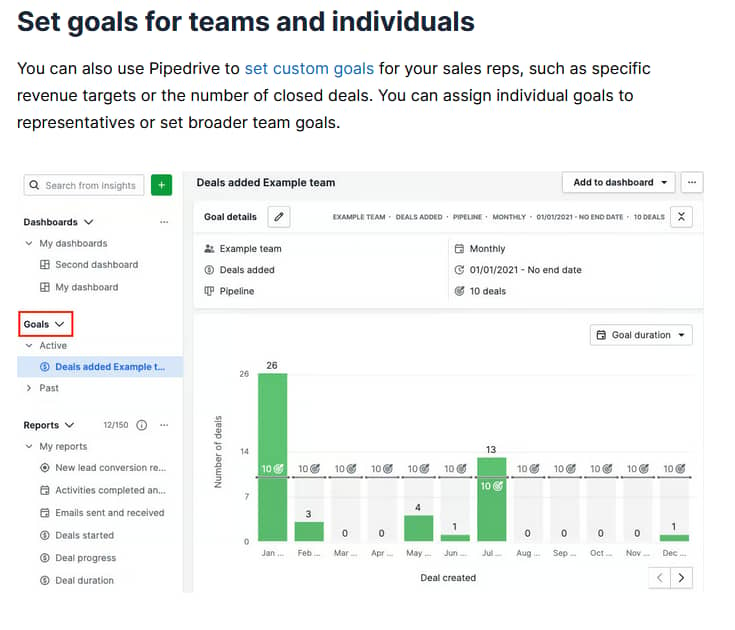
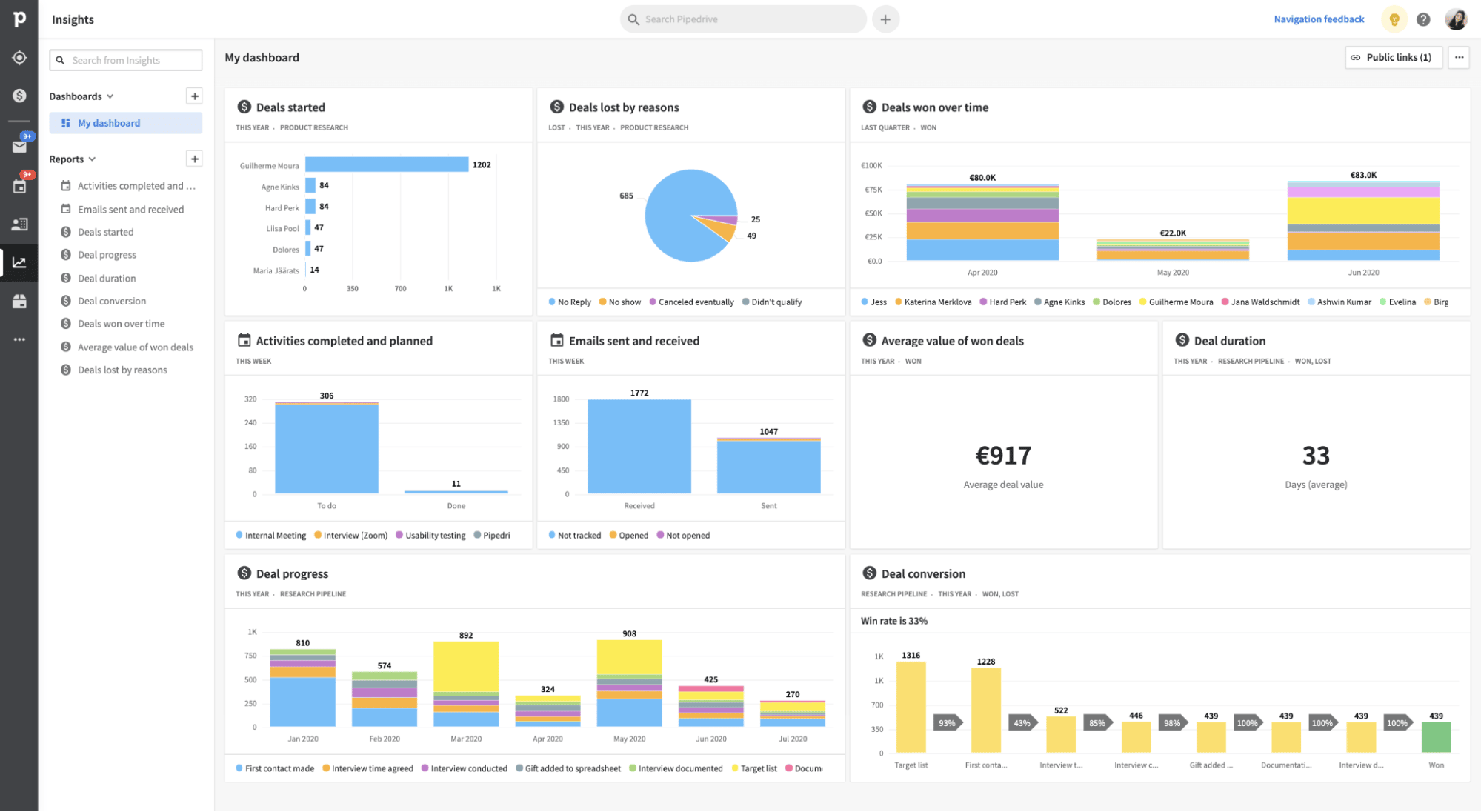
Here’s an example from a Pipedrive article about performance management:

SEO lead generation Pipedrive example

The image shows readers that Pipedrive can set team goals, track activities and manage performance metrics. It also gives them an example of these features in practice.

Align your content with buying stages

Aligning your content with buying stages is crucial when creating product-led content. It involves tailoring your landing pages, ads and articles to meet your audience’s specific needs at different points in the buying journey.

Consider these types of content to use at each stage:

Buying stage

Objectives and examples

Awareness stage

Goal: Provide general information and education about the problems your product solves

Example: Create a blog post titled “Top Five Challenges in Project Management and How to Overcome Them”

Consideration stage

Goal: Engage your audience and encourage them to consider your product a potential solution

Example: Publish a guide like “How ProjectMaster Compares to Other Project Management Providers”

Decision stage

Goal: Persuade potential customers that your product is the best choice and prompt them to take action

Example: Share a case study showing how a company increased productivity by 30% after using your software

4. Understand on-page SEO

Understanding on-page SEO helps optimize web pages to get relevant, organic traffic. On-page SEO focuses on the elements you control directly within your website.

Here are some key factors to focus on:

  • Meta tags. Title tags appear in search engine results. They should include target keywords, be compelling and describe the page’s content. They’re the first impression users get of your page.

  • Meta descriptions. Well-crafted meta descriptions boost click-through rates by summarizing content and tempting users to check it out. They should be concise and include relevant keywords.

  • Headings. The H1 tag is your page’s main heading and should define its topic. Use subheadings to break content into manageable sections, include secondary keywords and improve readability.

  • Internal linking. Connect related content within your site to improve navigation and help search engines index the pages.

  • Images and alt text. Use high-quality images and ensure they’re compressed for faster loading times. Employ alt text to add keywords, improve accessibility and help search engines understand image content.

  • URL structure. Keep URLs short, readable and keyword-rich. A clean URL structure improves user understanding and improves SEO performance.

Recommended reading

https://www-cms.pipedriveassets.com/Lead-funnel_2023-01-04-082808_dago.png

What is inbound marketing? Definition, examples and strategies

5. Use technical SEO practices

Technical SEO helps search engines index your site while providing a seamless user experience. It lays the foundation for on-page and off-page SEO efforts, improving visibility and driving search traffic.

Here are some critical technical SEO factors to consider:

Technical SEO factor

Explanation

Mobile-friendliness

Ensure your website is responsive and functions well on mobile devices. Google prioritizes mobile-first indexing, so a mobile-friendly site is essential to rank well.

Fast load times

Optimize your website to load quickly by compressing images, minimizing code and using browser caching. Speed enhances user experience and is a known ranking factor.

Regular publishing

Keep your website updated with fresh, valuable content. Publishing content regularly signals to search engines that your site is active and relevant.

Website structure

Organize your website with an intuitive structure. Use sitemaps to guide search engines and ensure your site’s hierarchy is logical.

Backlinks

To boost authority, focus on earning high-quality backlinks from highly authoritative sites. Healthy link-building contributes to higher search rankings.

Indexing

Use SEO lead generation tools like Google Search Console to monitor how search engines index your site. Ensure all pages are discoverable and error-free.

HTTPS

Secure your site with HTTPS to protect customer data. It’s also a ranking factor, making it essential for both security and SEO.

Voice search optimization

Optimize content for voice queries by using natural language and question-based keywords.

Schema markup

Schema markup is structured data you can add to your website’s HTML that helps search engines better understand your content.

6. Generate local leads with SEO

Local SEO is essential for attracting customers in your geographic area. It helps your business stand out in local search results and reach potential customers nearby who are likely to visit. Here’s how to generate local leads through a targeted SEO campaign:

  • Use Google My Business (GMB). Create and verify your Google My Business listing so your business appears in local searches and Google Maps. Provide detailed, accurate information about your business, including address, phone number, hours and services.

  • Incorporate local keywords. Identify keywords that include local terms like city names, neighborhoods or regions. Incorporate them into your website’s meta tags, descriptions and content to improve visibility in local searches.

  • Consider business directories. List your business on popular online directories, such as Yelp, Yellow Pages and industry-specific sites. Keep your name, address and phone number consistent across all listings.

  • Encourage reviews. Ask satisfied customers to leave positive reviews on platforms like Google or Facebook. Reviews enhance your online reputation and influence decisions.

  • Build local backlinks. Partner with local businesses or organizations for events or sponsorships. These collaborations earn valuable local backlinks from authoritative sources, boosting your local SEO.

Recommended reading

https://www-cms.pipedriveassets.com/blog-assets/lead-generation-software.png

Lead generation software: When to use it and when to avoid it

SEO lead generation FAQs

  • Backlinks are links coming from another website to yours. High-quality backlinks (from credible websites) boost a site’s authority and improve its search engine rankings.

  • Schema markup is code you add to your website to help search engines understand the content better. It provides users with detailed information like reviews, events or product data.

  • A sitemap is a file that lists all the pages on a website, helping search engines crawl and index the site more effectively.

  • HTTPS (HyperText Transfer Protocol Secure) is an internet communication protocol that encrypts data between a user’s browser and a website.

  • Indexing is the process search engines use to organize and store information from web pages. Once indexed, they can retrieve relevant results for user queries.

Final thoughts

SEO for lead generation boosts online visibility and helps capture potential leads. Using the above strategies, you can generate more qualified leads, improve your conversion rate and drive revenue.

To boost your lead generation efforts, use Pipedrive’s CRM. It streamlines sales lead generation and helps you convert leads more effectively. Start a free trial today to see how Pipedrive can transform your lead generation strategy.

19 Actionable Content Marketing Metrics for Conversion

Software Stack Editor · January 28, 2025 ·

Content marketing is more than creating engaging material – it’s about understanding what works and what doesn’t. Tracking content marketing metrics lets you gain valuable insights to make informed decisions and optimize your marketing strategies.

Taking a data-driven approach and analyzing key metrics can improve engagement, conversion rates and your business’s bottom line.

In this article, you’ll learn about the 19 most important content marketing metrics and how to use them to ensure that every piece of content drives measurable success.

What are content marketing metrics (and why are they useful)?

Content marketing success metrics track the performance and effectiveness of your content marketing strategies. They help you understand whether your content is hitting marketing goals, providing insights into engagement, conversion rates and overall impact.

Tracking content marketing metrics brings several benefits, including:

  • Data-driven decision making. Metrics provide objective data to make informed decisions about content strategies. By seeing what’s working and what isn’t, you can adjust your approach for better results to reach your business goals.

  • Better resource allocation. Understanding which content performs best enables you to manage resources better. You can direct efforts toward your most impactful content types and channels.

  • Stronger audience insights. Metrics reveal audience preferences and customer behavior, helping you tailor and personalize content to your target demographics. For example, Gen Z customers spend most of their time streaming online video.

  • Enhanced ROI. Tracking metrics can improve your return on investment for content marketing efforts. With better, more targeted strategies, you’ll bring increased revenue from your content.

Imagine a mid-sized e-commerce company that’s struggling to boost its online presence. Shifting gears, it implements a data-driven content strategy focused on audience impact and conversions.

Discovering that sustainable fashion posts get the most engagement and that its Gen Z audience shows the highest interest, it creates informative video marketing content tailored to these customers. As a result, it sees a 30% increase in conversion rates.

Recommended reading

https://www-cms.pipedriveassets.com/blog-assets/email-engagement-metrics.png

15 email engagement metrics to know and how to improve them

19 essential content marketing metrics

This section explores 19 vital content marketing metrics divided into operational, traffic, engagement, conversion and keyword categories.

Operational metrics to track productivity

Operational metrics measure the efficiency and productivity of your content creation process. They help you identify bottlenecks and streamline operations to maximize output and impact.

Let’s explore three essential operational metrics together with applicable workplace scenarios.

1. Content production rate

Content production rate measures the volume of content produced daily, weekly or monthly. It provides a snapshot of your content team’s output. Tracking the production rate helps you see if it meets demand or if you need to increase efforts or streamline processes to get more content out.

Count the number of content pieces (articles, blog posts, videos, etc.) completed within the chosen timeframe to track your content production rate.

Example: your marketing team sets a monthly goal of 40 blog posts to boost your online presence. They only complete 30 posts and realize inefficient processes slow down content approvals.

Action: streamline the review process with detailed checklists and see whether it improves the production rate.

2. Content turnaround time

Turnaround time is the time it takes to finish each project. The metric highlights the efficiency of your content creation process from ideation to publication. Knowing the typical turnaround time for each content type can help you plan better, increase output and manage deadlines.

Record the dates when each content creation phase begins and ends to track turnaround time. Find the average time for each content type to determine the typical timeframe. Break this up into drafting, editing, approval and publication to get more granular insights into which phases slow down production.

Example: your team aims for a one-week turnaround on blog posts, but analysis shows an average turnaround of 10 days. Looking deeper into the data, you realize the bottleneck occurs in the design phase.

Action: to improve efficiency, invest in design templates and speed up the process.

3. Resource utilization

Resource utilization metrics track how effectively you manage personnel, budget and tools throughout the content creation process. The data helps you optimize resource use, optimize workloads and prevent workplace stress or burnout.

To track resource utilization, monitor the time and budget each team member spends on various tasks. At the end of each project, closely analyze the data to see whether you’re underutilizing or overworking certain employees or spending too much on particular tasks.

Time-tracking or project management software makes resource tracking much more straightforward – you assign tasks and the software automatically measures how much time your team spends and where.

Example: you’re concerned that some of your content team is taking on too much work. You implement time-tracking processes to see how long each task takes, looking for signs of heavy or light workloads, bottlenecks and other problems.

Action: to balance bandwidth, reassign duties to members with lighter loads.

Traffic metrics to track audience engagement

Traffic metrics help you understand how many people visit your content, how they interact with it and where they come from. They enable you to see how effectively your content attracts and engages an audience.

Let’s look at the main metrics with some actionable examples.

4. Pageviews

Pageviews measure the number of times web visitors load or reload a page on your site, reflecting the overall traffic volume. High pageviews indicate effective content that attracts audiences, while low pageviews suggest your content doesn’t resonate with viewers.

Use a tool like Google Analytics or manually analyze your web server logs to track pageview data. Google Analytics is the easiest to set up and use, breaking down pageviews by page. Web server logs give you raw data for your website, but analyzing them requires technical expertise.

Many content management systems (CMS) platforms, like WordPress, have plugins that track pageviews from a dashboard. While these simplify metrics monitoring, more complex analytics tools like Google Analytics can provide more insights.

Example: your content marketing team produces sales and marketing content, including guides, explainers and listicles. They track pageviews in Google Analytics and find that guides with actionable advice have significantly higher pageviews than other content types.

Action:prioritize topics that offer practical, step-by-step advice for marketing challenges.

5. Unique visitors

Unique visitors track the number of different visitors to your site within a given timeframe, regardless of how many times they visit. Tracking unique visitors shows you what types of content attract new visitors, helping you improve content strategies.

For instance, knowledge base articles might have high pageviews but low unique visitors since most are existing customers learning how to use your product. In contrast, informative blog posts might have much higher unique visitors because they attract organic search traffic.

To track unique visitors, use an analytics tool like Google Analytics that can differentiate between new and returning visitors.

Example: you discover that you had 50,000 unique visitors last month – a 25% increase from the previous month. Beginner-friendly guides attracted the most visitors, appealing to fresh audiences. Many of your new visitors also came from organic search, which suggests successful search engine optimization (SEO).

Action: plan a series of similar pieces to build on your success.

6. Bounce rate

The bounce rate measures how many visitors leave your site after viewing only one page. A high bounce rate suggests visitors aren’t finding what they’re looking for on your site. That can indicate problems like poor content relevance, slow loading times or a confusing user experience.

Analyzing bounce rates across pages can help you spot patterns and problematic areas. For example, if a landing page has a high bounce rate, you might need to adjust the content or site navigation to make it more relevant and responsive for visitors.

You’ll need analytics tools to track bounce rates unless you have the technical expertise to manually analyze your website’s logs.

Example: you examine bounce rates for your entire website and find higher bounce rates on pages with shorter content, suggesting visitors are looking for more detailed information.

Action: prioritize long-form content and integrate more internal links to relevant guides within your shorter articles, making it easier for visitors to navigate to helpful content.

7. Traffic sources

Traffic sources identify where your site’s visitors are coming from, whether from search engines, direct visits, referral sites or social media. Knowing which channels drive the most traffic lets you understand and focus your marketing efforts in the right places.

Use reporting tools to categorize your traffic into different sources, such as organic search, direct, referral and social. Analyze these over time to see which channels attract traffic and how they change with new marketing strategies.
Example: you examine traffic sources and find that 50% of your traffic comes from social media, while referral traffic from backlinks (visitors arriving via external site links) accounts for only 10%. This data suggests that your social media strategy is strong, but there’s an opportunity to boost visibility through collaborations.

Action: focus on link building to boost your site’s visibility and enhance referral traffic.

Engagement metrics to track interaction and impact

Engagement metrics help you understand how users experience your content. Tracking the engagement rate gives you insight into user behavior and preferences. It shows you what visitors are most interested in and how effectively your content creates meaningful customer relationships.

Let’s explore use cases for three core engagement metrics.

8. Time on page

Time on page measures the time users spend on a specific page. It indicates how engaging or informative your content is to visitors. A longer time suggests visitors find your content helpful and engaging enough to read it thoroughly, while a shorter time shows that your content may be missing the mark.

To track time on page, use Google Analytics or a similar platform and head to the “Behavior” metrics. You’ll see time on page and other content metrics for each webpage on your site. Note the pages that aren’t performing as expected and look for patterns that might explain what’s going wrong.

Example: you explore time on page for your sales blog and notice that visitors spend less time on brief sales tips than detailed sales methodology guides.

Action: create comprehensive how-to guides for strategic sales tactics and enrich shorter posts with detailed examples and step-by-step instructions.

9. Social shares and likes

Social shares and likes measure the number of times people share or like your content on social media platforms. Tracking these metrics helps you analyze and improve your social selling strategy. High numbers indicate that your content resonates with audiences, while low numbers show that viewers scroll straight past without interacting.

To measure shares and likes, tap into social media analytics tools. Most platforms, like Facebook, Instagram and TikTok, have built-in dashboards that help you track important metrics. You could also invest in a CMS with plugins to analyze these metrics directly from the tool.

Example: after checking your social media analytics, you see that punchy video posts outperform text and static images in likes and shares.

Action: change your social strategy to prioritize video content and add animated graphics and interactive elements to your static image posts to boost engagement.

10. Comments and interactivity

Comments show how many people interact with your content and their customer sentiment. Analyzing your comments lets you understand what types of content drive discussions and your audience’s opinions and questions.

You can monitor comments through your website’s CMS or social media engagement dashboards. Look for quantitative (the number of comments) and qualitative insights (audience perspectives, questions and opinions).

Other forms of interactivity to track include how much users engage with your polls, quizzes and clickable elements. Social media platforms track these interactions, telling you how often your viewers click on particular elements.

Example: you find posts prompting discussions about industry developments receive more comments than standard updates, suggesting your audience likes to engage in conversations.

Action: craft more posts with open-ended questions, hold live Q&A sessions and respond promptly to comments, driving real-time interactions and retention.

Conversion metrics to track performance and ROI

Conversion metrics help you see how effectively your marketing efforts turn leads into customers. They show how well different strategies and content drive profits, shedding light on the effectiveness of your customer journey. These conversion insights allow you to optimize your sales funnels and improve your overall marketing performance.

Here are four critical conversion metrics to track.

11. Click-through rate (CTR)

CTR measures the percentage of people who click a link, ad or email content compared to the total number of viewers or recipients. It helps you gauge the overall effectiveness of your calls-to-action (CTAs) and content.

A higher CTR suggests that your ads or content is engaging and motivates users to take the next step. Tracking CTR across content types and CTA strategies helps you identify which ones attract more attention.

To calculate CTR, divide the number of clicks by the number of impressions (or emails sent), then multiply by 100 to get a percentage.

Use this formula:

CTR = (clicks / impressions) x 100

So, if you got 30 clicks out of 100 impressions, your CTR would be 30%.

Example: you review the CTR for a recent post titled “10 innovative email marketing strategies”. Noticing a low CTR of 1.5%, compared with 3% for similar posts, you suspect the headline and visual content aren’t compelling enough.

Action: revise the headline to “Unlock success with 10 cutting-edge marketing tactics” and add an eye-catching, relevant graphic.

12. Lead generation

Lead generation tracks the number of potential customers acquired over a given period. Leads are potential clients who have shown interest in your offerings, usually by providing contact information through forms or downloads.

Lead management is crucial for building a prospective customer pipeline and ensuring a steady flow of sales opportunities. Understanding lead sources helps you refine strategies to attract, nurture and convert sales prospects.

The easiest way to track leads is through a customer relationship management (CRM) system like Pipedrive. Here are some steps for using Pipedrive tools to support your lead-tracking efforts:

Lead tracking steps

How to do it

Step 1: Create lead capture forms

Use lead capture forms or landing pages to automatically push new leads into Pipedrive when they follow a CTA or send you their contact details.

Step 2: Organize and track leads

Use Pipedrive’s Lead Inbox to gather incoming leads. Customize pipeline stages to fit your sales process – from new lead to qualified lead – and track progression.

Step 3: Analyze lead performance

Leverage Pipedrive’s reporting software to analyze lead generation efforts. Track key metrics like new leads and the time taken to qualify leads.

Step 4: Adjust your strategies

Use data insights from Pipedrive to refine your lead generation strategies. Focus on sources and tactics that yield high-quality leads.

13. Lead conversion rate

Conversion rate is the percentage of viewers who complete a desired action, like making a purchase or signing up for a service. Tracking the conversion rate helps you optimize your marketing tactics and content elements to improve profitability. The higher your conversion rate, the more effective your marketing efforts and CTAs are at leading visitors through the sales funnel.

Here’s how you calculate your conversion rate:

Conversion rate = (conversions / number of leads) x 100

Divide the number of conversions by the total number of leads, then multiply by 100 to get a percentage.

Example: last quarter, you published a whitepaper, shared it on LinkedIn and created a landing page, resulting in 1,000 downloads. Of these 1,000 leads, the sales team converted 100 into paying clients – a conversion rate of 10%.

Action: capitalize on this success with another whitepaper alongside automated follow-ups to boost your conversion rate even higher.

14. Cost per acquisition (CPA)

CPA measures the cost it takes to generate one conversion. It helps you assess the financial effectiveness of your marketing campaigns. If your CPA is too high, it can cut into your profitability.

Tracking CPA helps you manage your budget, ensuring you spend your marketing budget more effectively.

To calculate CPA, divide your total marketing spend by the conversions you achieved.

Look for high-performing campaigns that maximize your content marketing ROI. To reduce a high CPA, look for areas where you can trim costs without sacrificing the effectiveness of your campaign.

Example: you spend $5,000 on quality content creation to drive traffic to a specific product page, resulting in 200 directly attributable purchases at a CPA of $25. Your target CPA was $20.

Action: optimize your landing page with a more straightforward CTA and offer guest checkout options to facilitate buying.

Keyword metrics for enhanced SEO

Keyword metrics evaluate how specific keywords perform in your digital marketing and SEO efforts. SEO focuses on improving your online content to better meet searchers’ needs, helping your site rank higher on search engine results pages (SERPs) and drive more organic traffic.

Tracking keyword metrics helps you find relevant keywords and align your content with what your target audience is actively searching for online.

Here are some major keyword metrics to focus on and how to monitor them:

Keyword metric

Tracking tools

15. Search volume: the average number of times users search that keyword monthly.

Use tools like Google Keyword Planner, Ubersuggest or Semrush to identify high-volume keywords relevant to your market.

16. Keyword difficulty: how challenging it is to rank for a particular keyword based on existing competition.

Tools like Moz, Ahrefs and Semrush can provide difficulty scores, helping you choose keywords that are easier to rank for.

17. Organic traffic: traffic that reaches your website from search engine results without direct marketing.

Google Search Console can track organic traffic, helping you analyze keyword performance and website visibility.

18. Keyword rankings: pages on your website that rank highest for specific keywords in search engine results.

Tools like Ahrefs and Semrush highlight which pages perform best, guiding your content optimization efforts.

19. Cost per click (CPC): while not a direct SEO metric, CPC calculates the average cost you’ll pay search engines for each click on an advertisement linked to a keyword.

Platforms like Google Ads provide CPC insights that can guide your paid search campaigns and inform your SEO strategy by highlighting high-value keywords with strong commercial intent.

Analyzing these keyword metrics helps you align your content with high-search-volume and low-competition keywords, raising your SERP-ranking potential.

Similarly, understanding what keywords your audience searches for helps create content that addresses and solves their pain points, improving your likelihood of attracting relevant visitors.

Some metrics – like traffic volume – can be vanity metrics unless you consider them in context. Tracking traffic alone says nothing about how effectively you drive sales. To get the most insight, compare it with the other metrics listed above.

Recommended reading

https://www-cms.pipedriveassets.com/Marketing-Abbreviations.png

A beginner’s guide to common marketing abbreviations

Tracking content marketing metrics in Pipedrive

Pipedrive is primarily a sales CRM tool, but you can creatively leverage it to track small-scale content marketing efforts like weekly blog articles and social media posts. Here’s how.

Step 1: Set up a content pipeline

Content marketing metrics Pipedrive content pipeline

Create a pipeline to visualize the stages of content creation and performance tracking.

For example, you might use ideation, drafting, editing and publishing stages. You can then move each piece of content through the pipeline to monitor its progress.

Step 2: Manage tasks and activities

Content marketing metrics Pipedrive activities feature

Use Pipedrive’s activities feature to schedule and manage content creation tasks. Set deadlines and assign tasks for drafting, editing and publishing articles or posts.

Step 3: Create custom fields for metrics

Content marketing metrics Pipedrive custom fields

Pipedrive’s custom fields can capture key performance indicators (KPIs) like traffic, conversions, engagement and cost.

For example, you could set a custom field to log leads or sign-ups for a specific blog article or social media campaign. When your content results in a new lead, you can update the field and see which content pieces are most successful.
Step 4: Integrate analytics tools

Content marketing metrics Pipedrive Google Analytics

Pipedrive integrates with platforms like Google Analytics to automatically pull in content performance data. You can set up automatic triggers to update metrics in Pipedrive when you receive new website traffic or leads from specific campaigns.
Pipedrive also integrates with Zapier to automate workflows between apps, helping you populate custom fields and track content performance within Pipedrive with less manual work.

Step 5: Create dashboards and reports

Content marketing metrics Pipedrive analytics

While Pipedrive doesn’t offer direct content analytics, you can use it to generate reports on tasks and customer interactions driven by content marketing.

This indirect method helps gauge which content formats or topics drive the highest engagement.

Download Your Sales and Marketing Strategy Guide

Grow your business with our step-by-step guide (and template) for a combined sales and marketing strategy.

Final thoughts

Tracking content marketing success through the above key metrics can provide valuable insights into your strategies’ effectiveness. With this knowledge, you can optimize your content for better ROI and audience alignment.

Pipedrive tools can streamline your content tracking processes and help you assess your content marketing performance. Explore Pipedrive’s features with a free 14-day trial to see how you can boost conversions.

15 Essential Email Marketing KPIs to Boost Sales

Software Stack Editor · January 27, 2025 ·

To get the best results from your email marketing efforts, it’s essential to understand what campaigns are working well and where there’s room for improvement.

That’s where email marketing KPIs come in. The right KPIs give you the necessary insights to create engaging messages that resonate with your audience and stand out in busy inboxes.

In this article, you’ll learn about 15 of the most valuable email KPIs, why they’re important and how to use them to improve your marketing performance. You’ll also discover four ways to monitor and track your email marketing KPIs in Pipedrive.

What are email marketing KPIs?

Email marketing key performance indicators (KPIs) measure the success of your campaigns individually and over time. They show how well you engage with buyers and sales prospects and how accurate your email list is.

KPIs for email marketing fall into five main groups, each focusing on a different part of your process:

  • Delivery metrics. Discover how many of your emails reach recipients’ mail servers and inboxes.

  • Engagement metrics. Track how people interact with your emails and click through to your website.

  • Conversion metrics. See how many people take the action you want – like making a purchase, signing up for a newsletter or requesting a sales demo.

  • List health metrics. Assess the quality of your email list so that your messages reach decision-makers’ inboxes, not their spam folders.

  • Campaign metrics. Find out how your current email campaigns perform compared to previous ones.

Start by setting your KPIs to match industry benchmarks. You can find these in marketing blogs and publications, email marketing platform articles and industry research reports – like the Global Data and Marketing Alliance (GDMA)’s International Email Benchmark study.

For example, your competitors get a 20% open rate for email, and you get 15%. First, target 20% to match them, then aim even higher to gain a competitive edge. An increased open rate will reduce your customer acquisition cost because you reach more potential customers without spending more on extra marketing.

Tracking your KPIs shows what works for your business and where to improve. Keep a close eye on your performance so you can fine-tune your campaigns to boost profitability and drive more sales with every email you send.

Next, you’ll discover 15 key metrics you should track to improve your email marketing results. These are grouped under the five core areas explored above.

Email marketing KPIs to track

Recommended reading

https://www-cms.pipedriveassets.com/email-marketing-benefits.png

Top 13 benefits of using email marketing

Email marketing delivery KPIs

Delivery metrics matter because they tell you how many people on your list see your email. The more decision-makers you reach, the more sales opportunities your salespeople have to follow up.

Your “sender reputation” or “sender score” is key to your delivery metrics. A strong reputation and score mean more emails will reach your intended audience.

Note: Sender reputation is the level of trust email service providers place in your domain/IP address based on how closely you follow email-sending best practices. Email service providers use it to decide whether to let your email get through to the recipient. Sender score is a rating from third-party email trust services like Return Path that assigns a score to your sending behavior.

Below, you’ll learn the three KPIs you need to focus on to improve your sender reputation and get the best delivery rates:

1. Delivery rate

Your email delivery rate is the percentage of emails you send that email service providers allow through. 90% is the industry benchmark. Hitting this target shows that email service providers trust your sending practices and the quality of your email list.

Follow these four steps to boost your email deliverability:

  • Keep your list clean. If an email address bounces, returning as invalid or dormant, remove it from your list immediately.

  • Use double opt-in sign-up. When someone signs up, send them a confirmation email asking for permission again. The double opt-in approach helps weed out fake or mistyped addresses.

  • Authenticate your email address. Set up Sender Policy Framework (SPF), DomainKeys Identified Mail (DKIM) and Domain-based Message Authentication Reporting and Conformance (DMARC) to add your sender address to your domain’s DNS records. These three email protocols tell email servers you’re sending from your domain instead – which is crucial because spammers tend to use third-party servers.

  • Monitor spam services. Find out if your domain or IP is on a blocklist like Spamhaus or Barracuda. If it is, contact the blocklist provider and ask to be removed.

2. Inbox placement rate

The inbox placement rate is the percentage of emails you send that successfully land in recipients’ inboxes. Sometimes, an email server’s filter may send your message to a spam, update or promotions folder.

While the delivery rate shows how many email filters you successfully passed, it doesn’t guarantee that your email reached the inbox. Response rates plummet if your email ends up in the wrong folder.

Around 85% of emails get through to the inbox, so make that figure your initial inbox placement rate benchmark. The higher your inbox placement rate, the more decision-makers see your offers, improving your chances of boosting sales.

Try these approaches to do better with this critical metric:

  • Be interesting. Your audience expects information and offers on specific products and services, so give them what they want. Share updates, promotions and tips that solve their problems or offer new insights to keep their attention.

  • Segment your audience. Send more frequently to people who interact with your emails most and less often to less active subscribers. This approach means you stay in touch with everyone while maximizing customer engagement.

  • Avoid spam triggers. Certain words like “free” or the use of too much punctuation, such as exclamation marks, can trigger spam filters. So can complex, cluttered emails with images that look more like catalog pages.

  • Run a small pre-send test. Set up 10 or 20 Gmail addresses and email each one before running your campaign. Keep tweaking your subject line, sender names, content and formatting until the email appears in more of your dummy inboxes.

3. Email address validation rates

The email address validation rate measures the percentage of your email list that consists of valid, real and active inboxes. This KPI is useful to track so you can avoid sending emails to invalid addresses, which harms your sender reputation and reduces your campaigns’ reach.

Use an email validation service to check that your addresses are still active. Avoid repeatedly sending to invalid addresses, as this will damage your sender score.

A 100% validation rate is impossible because people start new jobs, switch companies and move homes, meaning data changes constantly. Still, your aim should be to get as close as possible to 100%.

To keep your email list as clean as possible, follow these four steps:

  • Use reputable validation services. Run all your email addresses and new sign-ups through established services like ZeroBounce, NeverBounce, Kickbox and Verifalia.

  • Require new sign-up confirmation. Send a welcome email asking subscribers to confirm their address. If they don’t follow through, remove them from your list.

  • Review your sources regularly. Switch email list suppliers if your current provider sells you cold email addresses that regularly get low validation scores.

  • Schedule routine clean-ups. Run validation checks quarterly or monthly, removing addresses that fail to maintain and improve your sender score.

Focus on the above three email metrics to increase the number of people seeing your emails. This creates more opportunities for lead generation, successfully closing deals and building brand awareness.

Next, it’s time to turn your attention to making your marketing emails more engaging.

Recommended reading

https://www-cms.pipedriveassets.com/blog-assets/cold-email-templates.png

Write the perfect cold email with these tips and cold email templates

Email marketing engagement KPIs

Engaging email content draws in new leads and drives sales. Higher levels of email interaction mean people value the information and offers you’re sharing as part of your marketing strategy.

Below, find three of the most valuable email engagement metrics and how to track them.

4. Open rate

Your email open rate is the percentage of recipients who open your email. The GDMA report puts the average open rate at around 33.89%, meaning if you send a message to 10,000 people, 3,389 will open it and see the contents. Aim to reach this level first, then find ways to build on it.

Results 2023

Increase email open rates with these four approaches:

  • Use clear, concise subject lines. Make the subject line and email preheader compelling so readers feel immediately curious to achieve a good email open rate.

  • Test sending times. Experiment with different days and hours to see when most people open your emails. Send your future campaigns at the times users interact the most.

  • Keep a familiar sender name. Use your company name in the “From” field, so recipients recognize who you are and feel confident about opening your emails.

  • Send personalized emails. Include small personal details like the recipient’s first name in the subject line so your email feels directly addressed to them.

5. Time spent reading

Time spent reading measures how long recipients engage with your content after opening your email. This metric helps you understand how well your content captures and keeps your audience’s attention. The longer they read your email, the more relevant your messaging is.

Include a tracking pixel in your email campaigns to measure the length of time people spend reading your content. The latest industry read rate benchmark is nine seconds.

Read rate in seconds

Four ways to improve on this core email marketing metric are:

  • Get to the value fast. Shorten or eliminate any preamble so you get straight to the value proposition. For example, instead of starting an email with how pleased you are to announce a new service and why you’re introducing it, tell recipients about the tool straight away.

  • Tell a coherent story. Your sales copy should have a clear narrative packed with valuable information, explaining jargon in simple, easy-to-understand terms.

  • Break up long text. Avoid “walls of text”, particularly on mobiles, by using shorter sentences, paragraphs, headings and bullet points for easier scanning.

  • Add relevant visuals. Adding images, diagrams and charts can greatly improve storytelling and make your email more engaging.

6. Click-through rate

The click-through rate (CTR) measures how many people who receive your email click through to your website. According to the GMDA, the average click-through rate is 3.53%.

Four ways to get more people to your site include:

  • Using a single, standout call-to-action (CTA). Place one clear, visually distinctive button or link, ideally near the top of the email. This way, you’ll also reach those readers who are unlikely to scroll.

  • Matching your CTA to the subject line. Ensure your CTA delivers on the promise you include in the subject line. For example, if your subject line says ‘Get 25% off today only’, your CTA should direct readers to the discount, stating ‘Click here to save 25%’.

  • Teasing the reader. Preview just enough information to spark curiosity and ask customers to click the link to reward them with the desired answer.

  • Using the Problem-Agitation-Solution formula. One of the most successful copywriting techniques is highlighting a common problem, stirring up why it’s an issue and then promising a solution via your link.

Consider engagement the second step in the sales process after reaching prospects’ inboxes. Once you’ve got a buyer’s attention, you can guide them towards a sale or inquiry. The following section focuses on this point.

Note: The click-to-open rate (CTOR) measures clicks as a percentage of opened emails rather than sent emails, as in CTR. Some digital marketing experts prefer CTOR as a more accurate reflection of how well content connects with people who actually open emails.

Email marketing conversion KPIs

Conversions are when recipients take the action you want, such as subscribing to an email newsletter, booking a webinar or leaving their details for a follow-up email or call.

Conversion metrics can track the tangible results of your email marketing efforts. Here are three KPIs you can use to monitor and boost your email marketing conversion rate.

7. Conversion rate

Your conversion rate is how many recipients complete your desired action out of every 100 recipients.

According to figures from Bloomreach, different industries have different conversion rates. For example, B2B manufacturers see a 2.18% conversion rate (218 out of 10,000), while fintech firms see 5.8%.

Here are four ways to get more leads and inquiries from your email marketing campaigns:

  • Keep your landing pages focused. If your email content promises a 20% discount on an order, highlight it prominently on your landing page.

  • Declutter the customer journey. Place sign-up forms and “Buy Now” buttons on your landing pages where visitors can’t miss them. Don’t make them hard to spot.

  • Sell on value. Give solid reasons to “do it now”. For instance, remind visitors why your free white paper download will be valuable to them.

  • A/B testing. A/B testing compares the results you get from two versions of an ad layout, offer or product description to see which drives more conversions. If you find that one ad outperforms the other, use it in future campaigns.

8. Revenue per recipient (RPR)

Revenue per recipient (RPR) shows how much revenue the average recipient brings on a campaign. To calculate email RPR, divide the total sales value from a campaign by the total number of emails sent.

Klaviyo reports an average email RPR of $0.11, with the top 10% of email campaigns reaching $0.95. A higher RPR means your emails connect well with your audience, increasing purchases or orders.

Four tips to raise your email RPR ratio to improve your campaign’s success are:

  • Focus on targeting enthusiastic customers. To boost average revenue, create a VIP list of high-spenders who engage heavily with your campaigns.

  • Promote the most popular products/services. Examine your sales data to see which products and services sell the most and promote them more in future campaigns.

  • Personalize your recommendations. Improve the customer experience by suggesting products based on individuals’ browsing or purchase history.

  • Stop or restrict campaigns to low-spenders. Lower email open rates drag down your RPR and sender reputation, so stop emailing these recipients or do it less frequently.

9. Revenue per click (RPC)

Revenue-per-click (RPC) shows how much revenue you generate from each link in your email. This metric benefits businesses like e-commerce companies that send email marketing messages with links to multiple products.

Here are four ways to drive up your RPC:

  • Link directly to high-conversion products or pages. Skip the homepage and send recipients straight through to transactional pages (where your visitors purchase your products and services) that already convert well.

  • Improve your site experience. Optimize your site for quicker loading and streamline your checkout procedure to simplify buying.

  • Feature clear pricing and offers. Transparency builds trust, so show clear pricing in your email and on the web pages you link to. When customers know exactly what they’re paying for, they’re more likely to complete a purchase.

  • Analyse which links perform the best. Regularly check your analytics and focus future campaigns on the links that get the most revenue.

By now, you’ve optimized every stage of the email marketing process – delivery, engagement and conversion. You’ve maximized your chances of increasing sales, leads and positive client interactions with each campaign.

The next two sets of metrics – email list health and campaign performance – help you maintain a high-quality email list and track how well your campaigns achieve your goals over time.

Email marketing list health KPIs

Good list health boosts your sender reputation. So does regularly reassessing what email recipients want from you. By understanding them better, you create more engaging content that prospective customers want to read.

Here are three ways to keep your email lists hygienic.

10. Bounce rate

Your bounce rate measures how often your emails fail to reach a recipient’s mailbox.

There are two main types of email bounces:

According to the GDMA, the average hard bounce rate is 0.6%. So, for every 10,000 emails you send out, 60 will hard bounce. Soft bounces happen at a rate of 0.4%.

Here are four top tips to reduce email bounces:

  • Remove hard bounces immediately. Hard bounces don’t fix themselves, so delete these addresses from your database immediately.

  • Remove soft bounces after the third attempt. After three soft bounces, remove an address from your email list to protect your sender score.

  • Contact your recipients. If an email isn’t getting through, contact the person by phone or LinkedIn and ask for their new address. Make sure they double opt-in for added security.

  • Slim down your email. Assume recipients have limits on the size of emails they can receive, so try to keep yours as concise and as light as possible.

11. Unsubscribe rate

The unsubscribe rate is the percentage of recipients who choose to stop receiving your emails. It shows you whether subscribers still find your emails valuable. If many people unsubscribe, you should examine your content or sending frequency to find clues as to why.

To retain existing subscribers and keep new subscribers on board for longer, follow these four tips:

  • Don’t bombard recipients. Try reducing your email cadence to see if that affects the number of opt-outs.

  • Run different types of newsletters. Let subscribers pick what kind of emails they want. Offer multiple newsletters, each with different themes and focuses.

  • Don’t always be selling. Don’t flood each newsletter with sales pitches; instead, deliver the content you promised at sign-up.

  • Failing to offer incentives to stay. At the same time, remember to reward recipients. Exclusive offers or discounts can give them a financial reason to stay subscribed.

12. Spam/complaint rate

The spam or complaint rate measures the percentage of people who receive your email and mark it as spam or report it as spam to their internet service provider (ISP).

People who send spam complaints to your ISP about your emails can badly damage your sender reputation.

The GDMA reports that the average global spam complaint rate is 0.01%. So, your sender reputation may be at risk if you receive three or more complaints for every 1,000 emails you send.

Here are four ways to reduce spam complaints:

  • Make unsubscribing easy. Many people file spam complaints when they can’t easily find a prominent unsubscribe option in an email.

  • Get recipient feedback. Send a customer survey to identify why unsubscribed individuals are leaving and learn from the feedback they give you.

  • Use honest subject lines. Don’t trick readers into opening emails by making false promises or misleading statements.

  • Streamline newsletter option selection. If you send multiple newsletters, make it easier to choose or drop individual editions.

Good email list health results in lower bounce rates, fewer unsubscribes and minimal spam complaints. A healthy list is key to a strong sender score and getting into decision-makers’ inboxes.

Recommended reading

https://www-cms.pipedriveassets.com/blog-assets/collect-email-addresses.png

How to collect email addresses and turn visitors into subscribers

Email campaign performance KPIs

Never base your entire email marketing strategy on the results of one campaign, whether good or bad. Review your performance metrics over time to see what works best with your audience.

Here are three KPIs you can use to judge how well your campaigns are performing overall.

13. Subscriber list growth rate

The subscriber list growth rate measures the increase in the number of people subscribing to your emails over a specific period. This metric reflects how effectively you target new subscribers and retain existing ones.

Try these four tips to grow your subscriber list for campaign success:

  • Place clear sign-up forms in key spots. Add simple sign-up web forms to your homepage, blog posts and product pages. Reduce friction by only asking for an email address.

  • Offer an incentive to join. For example, offer discounts, free downloads or early access to new products to encourage visitors to sign up instantly.

  • Promote via social media channels. Promise exclusive updates, insights or deals for subscribers you don’t offer anywhere else.

  • Add exit intent email pop-ups to your site. Ask visitors to join your newsletter with a pop-up that catches their attention before they leave your site.

14. Subscriber lifetime value

Subscriber lifetime value (SLTV) measures how much revenue an average subscriber generates over the entire time they remain on your list. A high SLTV means your email marketing creates long-term relationships where customers order from you repeatedly.

Lifecycle email marketing means sending subscribers emails that reflect their current stage in the customer journey. These stages range from finding out about your products to making a purchase and beyond.

Follow these four suggestions to maximize your SLTV ratio:

  • Provide great customer support. Make it easy for people to contact you and build a knowledge base on your site so customers can help themselves.

  • Celebrate milestones. Send congratulations on a recipient’s birthday or the anniversary of their first purchase to show you value them as individuals.

  • Set up email automations. Send sequenced emails to welcome new sign-ups or a re-engagement campaign to customers who haven’t ordered from you for a while.

  • Launch a loyalty program. To boost sales, offer perks, discounts or new-product early access to your most engaged and high-spending customers.

15. Forwarding rate

The forwarding rate shows how often subscribers share your emails with others. When people forward your messages, they find your content compelling and trustworthy. Industry benchmarks for this metric range from 0.5% to 2%, so aim for this range as a starting goal for your campaigns.

Here are four ways you can improve the sharability of your email content:

  • Invite recipients to share. Add a “Share with a friend” link or button to your emails and test different placements or designs to see what encourages more forwards.

  • Look for trending content. Monitor apps like BuzzSumo and threads on X and Reddit to find popular topics in your industry. Share your views and start a conversation.

  • Incentivize sharing. Offer rewards to subscribers who forward your messages the most. Track their efforts by asking them to include your address when they forward your email.

  • Experiment with different formats. Study which content people share the most (like short tips, in-email videos and easy-to-scan summaries) and produce more of it in the future.

While email open rates are valuable, business owners should remember that the real goal of email marketing is to create a reliable and profitable route to market. Use each metric to continually improve and maximize the return on your email list costs.

Recommended reading

https://www-cms.pipedriveassets.com/blog-assets/ecommerce-email-marketing.png

11 effective ecommerce email marketing tips

4 ways Pipedrive enhances email campaign performance

Pipedrive’s sales CRM contains powerful email marketing software you can use to create, send and track campaigns. It also has several sales email templates you can easily edit to suit your campaign needs.

From the platform, you can monitor KPIs like delivery, engagement and conversion rates to fine-tune your approach and improve your email marketing results.

Here are four ways Pipedrive can help you monitor and improve your email marketing KPIs.

1. Run an email campaign report in Pipedrive

In Campaigns by Pipedrive, you can create and view single campaign reports and reports over time.

email marketing KPIs Pipedrive campaign conversion report

To run an engagement report for a previous campaign, go to the “Email campaigns” tab.

This will take you to the campaign overview. There, you can run these reports on engagement: “total/unique opens”, “open rate”, “total/unique clicks”, “click rate” and “click-through rate”.

email marketing KPIs Pipedrive engagement report

Run a report in the “Delivery” section to see how many emails were “successfully delivered (the inbox placement rate), “bounces”, “unsubscribes” and “reported as spam”.

email marketing KPIs Pipedrive delivery stats

Dig deeper to discover email addresses that produced hard bounces, soft bounces, temporary bounces and blocked bounces.

Check how many people clicked on links in your email.

email marketing KPIs Pipedrive links performance

It can take a number of days for the results of an email campaign to filter in.

Click on “Performance over time” to see which days and times your campaign got the most opens and clicks to help you plan the most effective times for future campaigns.

Email marketing KPIs Pipedrive opens and clicks

Pipedrive’s Campaigns reporting functionality gives you a clear snapshot of delivery, open and click rates, plus bounces and unsubscribes, all in one place. Benchmark each campaign against your longer-term performance metrics to determine the success of each campaign.

2. Lead enrichment based on email activity in Pipedrive

Every time a contact interacts with one of your emails, Pipedrive records it in its customer history.

email marketing KPIs Pipedrive client engagement history

Click on a contact’s detail view to see every specific campaign in which a contact has engaged with actions like a click-through, download or inquiry.

This type of enriched sales data is particularly useful for sales teams because it helps them spot their most engaged leads. With these insights, they can focus their follow-ups on those most likely to convert – saving time, boosting productivity and getting more deals over the line.

3. Email campaign reporting over time in Pipedrive

You can view the performance of your email campaigns over periods you choose with Pipedrive’s Insights for Campaigns.

Email marketing KPIs Pipedrive Campaigns Insights

Go to Insights and click “+”> “Report” > “Activity” > “Emails performance”.

Select what you want to measure from “open rate”, “click-through rate”, “spam report rate”, “unsubscribe rate”, “delivery rate”, “click rate” and “bounce rate”.

Then, choose the time scale you want to track to generate visual and database reports.

email marketing KPIs Pipedrive campaign performance report

This information helps your marketing team identify long-term trends in email performance. By spotting what works best at different times of the year, they can adjust campaigns to boost results and maximize return on investment.

4. Segmenting your customers in Pipedrive

Pipedrive’s Campaigns email segmentation tool allows you to filter your contact list according to various criteria, including:

  • By person. Segments built on information stored in your Pipedrive sales CRM, such as deals, activities, products, demographics, job titles and company size.

  • By campaign. Segments based on how recipients interacted with previous campaigns. For instance, you can target those who opened your last email but didn’t click any links or those who consistently engage with your content.

email marketing KPIs Pipedrive segmentation tool

Combine person and campaign filtering to create highly targeted specialized audiences.

Pipedrive’s segmenting benefits your sales and marketing teams by helping them send messages that are more likely to connect with individual decision-makers. This will improve engagement, increase conversions and lead to more meaningful customer relationships.

Start planning your email marketing campaign now

Click the button to receive a free email marketing campaign planner ebook

Final thoughts

Not every email campaign lands, even when you’re confident it will. By tracking email marketing KPIs, you can see how well your emails match your audience’s expectations and make changes to get closer to increased conversion for long-term success.

With Pipedrive’s powerful email marketing software, you can manage your campaigns, analyze every detail of their performance and improve your strategy for even better results. Over time, these insights can help you build stronger, more profitable relationships with your buyers.

Take a 14-day free Pipedrive trial to elevate your company’s email marketing efforts.

What is product portfolio management?

Software Stack Editor · January 27, 2025 ·

Aligning your product offerings with market demands and strategic goals leads to high profitability, improved market position and sustained growth.

Product portfolio management is the key to this alignment. It organizes your inventory and tells you when to allocate resources and when to retire a product.

In this article, you’ll learn about the key benefits and principles of product portfolio management to make smarter product decisions and stay ahead of the competition.

What is product portfolio management?

Product portfolio management (PPM) is about strategically managing your company’s product line. It involves understanding how well each product serves customer needs while meeting larger business objectives like profitability and risk mitigation.

PPM also involves examining the external environment, such as market trends or competitor products, to guide product decisions. Analyzing this data helps you maximize your portfolio’s value by creating better strategies, such as developing new products, investing more in your best-sellers or phasing out specific offerings.

Without PPM, companies risk funneling resources into products that don’t contribute to the bottom line – a waste of time, budget and workforce skills.

Apple, for example, continually assesses and optimizes its product portfolio. Here’s a timeline of their product innovations in the past two decades.

Product portfolio management Apple innovation timeline

PPM helps Apple decide when to refresh existing products (e.g., the iPhone), introduce innovations (e.g., Vision Pro) and discontinue older products (e.g., the iPod) so that their product line always stays relevant and profitable.

Without PPM, Apple might not be the giant it is today. It might’ve remained focused on the iPod while competitors like Android released new products. If it hadn’t had proper resource allocation, it might have invested too much in laptops while the innovative iPad struggled.

Who is responsible for product portfolio management?

Product portfolio managers oversee a company’s product portfolio. Their tasks include strategic planning, tracking product performance, managing resources and balancing risks across new and existing products.

They typically rely on input from other team members and stakeholders for guidance.

For example, product managers and marketing or sales teams can provide insights on individual products, customer feedback and market trends, which can help business leaders make informed portfolio decisions.

In smaller companies, founders and CEOs often handle PPM directly.

Product portfolio management vs. product management

Product portfolio management (PPM) focuses on a company’s entire product line.

Portfolio managers analyze product performance, decide which products to grow, retire or invest in and ensure the portfolio stays competitive and profitable.

Product management focuses on individual products. A product manager is responsible for one product’s development, performance and success, ensuring it meets customer needs.

One of the main objectives of product portfolio management is strategic alignment. While product managers fine-tune specific products to boost customer satisfaction, portfolio managers ensure that all products work together to achieve long-term business growth.

Product portfolio management

Product management

Focus: Entire product line

Focus: Individual product

Goal: Strategic alignment

Goal: Customer satisfaction

Key decisions: Resource prioritization across products

Key decisions: Product feature planning

Risk management: Balance risk across portfolio

Risk management: Manage product-specific risks

Responsibility: Portfolio managers or leadership

Responsibility: Product managers

Why is product portfolio management important?

Portfolio management gives you a holistic view of your products and helps you align each offering with customer needs and your company’s strategic goals.

Here are the top benefits of product portfolio management for your business.

Maximizes profitability

Product portfolio management helps you focus resources on the most promising products and markets, which can drastically improve your bottom line.

Measuring sales performance across the board helps your business prioritize high-revenue products and cut underperformers.

For example, an online clothing store might notice that festive sweaters and dresses sell more during the holiday season. To maximize ROI, they could increase inventory for these top-selling items in the lead-up to Christmas and phase out slower-moving lighter apparel.

Manages and mitigates risk

Diversifying your portfolio helps you spread risk across different products (e.g., at varying lifecycle stages or targeting different segments). Balancing risk lets you build a resilient business that is less vulnerable to individual product failures or market disruptions.

For example, P&G focused heavily on products like hand sanitizers, face shields and sanitizing sprays during COVID-19 when demand for non-essential consumer goods (e.g., cosmetics and fragrances) was down.

Product portfolio management P&G sanitizing sprays during COVID-19

Doubling down on cleaning and personal hygiene products helped the company stabilize during the pandemic.

Simplify the sales process

Research shows that customers often struggle to make decisions when faced with too many choices. Streamlining your product mix, such as retiring old products or merging similar ones into a single one, reduces the risk of “overchoice”, which helps you drive more sales.

Overchoice, also called choice overload, happens when the complexity of the decision-making process overpowers the benefits of diversity.

Companies with well-optimized portfolios enjoy higher conversion rates since sales reps can focus on a few high-impact products with clear value propositions, making the buying process easier and faster for customers.

Stay ahead of the competition

Portfolio management helps your company stay agile and competitive by quickly adapting to market trends and capitalizing on new opportunities. You can also build innovative products by allocating more resources to market research and product development.

Typeform, for example, has managed to stay competitive against big-name brands like SurveyMonkey and Google Forms. It used PPM to keep its product easy to use and agile, particularly as the world shifted to remote work in 2020 and focus groups were more difficult to organize.

The survey company has also launched a new VideoAsk product to expand its capabilities while remaining accessible to its market.

product portfolio management typeform videoask

Encourage data-driven decision-making

Using product portfolio management tools, your business can track (and centralize) data such as sales trends, demand patterns, profitability and product lifecycle stages. Giving teams across your organization access to this data helps them make informed decisions at every step.

For example, your sales team can analyze product performance data to upsell the most profitable subscription tiers. Marketing can examine demand patterns to adjust campaigns and promote features that drive more leads. Product development can use customer feedback and lifecycle data to plan updates and new feature rollouts.

5 key elements of product portfolio management

Product portfolio management is a data-driven, analytical and cyclical process. It involves regular product reviews (e.g., monthly or quarterly), quick pivots to adapt to market movements and strategic resource allocation to stay ahead of the competition.

In this section, we’ll break down five components of successful PPM, from in-depth analysis to strategic alignment to resource allocation.

1. Market analysis

Market analysis involves studying customers, competitors and market conditions to understand the larger environment in which your business operates.

This “big picture” perspective helps you identify gaps in the market, forecast demand and differentiate your offerings. Ultimately, it allows you to make strategic decisions about developing, maintaining, upgrading or retiring products.

Here are some ways to conduct a thorough market analysis as part of your PPM strategy:

  • SWOT analysis. Analyze your company’s internal strengths and weaknesses as well as external opportunities and threats.

  • Competitor analysis. Know the products, features and value your competitors offer and measure how you stack up against them.

  • Customer feedback analysis. Understand customer preferences, habits and frustrations by analyzing direct and indirect feedback.

For example, initial market analysis might determine that AI features are gaining traction in your productivity software market. Using this information, you run SWOT and competitor analyses and find that your competitors have put AI features on their roadmap.

You interview some of your loyal customers and collaborate with customer support to learn that an AI-generated project summary is highly requested. With this information, you plan to include AI in the tool’s next major update.

2. Inventory analysis and categorization

Inventory analysis (or portfolio analysis) involves assessing the performance and growth potential of each product you offer to see how it contributes to your company’s success.

It lets you identify which products drive growth, which provide steady revenue and which might be draining your resources. Evaluating your product line helps you with strategic planning and resource allocation later.

Consider and categorize each product according to its value to the company. There are many ways to do this, but many portfolio managers use the Boston Consulting Group (BCG) matrix.

The BCG matrix is a simple tool that lets you categorize your products into four quadrants:

  • Stars. High growth, high market share

  • Cash cows. Low growth, high market share

  • Question marks. High growth, low market share

  • Dogs. Low growth, low market share

Product portfolio management BCG matrix

Visualizing your entire portfolio using the BCG matrix helps you plan your investments. For example, you might want to:

  • Pour more resources into the “Star” to maintain its growth

  • Milk the “Cash Cow” for short-term profits

  • Carefully nurture the “Question Mark” to capture a higher market share

  • Reposition or phase out the “Dog” to avoid draining resources

Also, analyze the distribution of your products across the matrix. Look for imbalances, such as having too many products in one category. This could indicate a need for diversification or new product innovation to avoid the risk of overreliance on particular product types.

For example, our fictional productivity software company might learn from the BCG exercise that its unique reporting add-on tool is gaining popularity with Enterprise clients and is a “Star” product.

Based on this, it decided to allocate more resources to its development and target its marketing toward big companies.

Note: Regular portfolio analyses are essential, as products can move between categories over time. Doing so ensures your portfolio of products remains balanced and aligned with your business goals, customer needs and market conditions.

3. Product life cycle and pricing analysis

Knowing where each product is in its lifecycle helps you predict changes in sales, adjust your pricing and marketing, and plan for future growth.

It also lets you balance your portfolio with products at different stages so you get the most out of your limited resources. For example, you might consider retiring products past their prime to invest more in products at the introduction or growth stage.

In 1965, economist and professor Theodore Levitt wrote an article in the Harvard Business Review outlining four distinct stages a typical product goes through throughout its life: introduction, growth, maturity and decline.

Product portfolio management product life cycle

Since then, product managers have used the lifecycle to determine everything from pricing strategies, feature updates, retirement and more.

Understanding where each product is in its lifecycle helps maximize profitability, maintain competitiveness and extend its relevance in the market.

Here are those lifecycle stages in more detail:

  • Introduction (or market development). When a new product is introduced into the market, sales and demand are relatively low. Companies often benefit from spending more on marketing and building brand awareness.

  • Growth. When demand for the product starts to take off and sales increase, the goal should be to expand your market share and build brand loyalty rapidly.

  • Maturity. When the product is more mature, demand levels off and sales grow with the population. Competition increases, and so does the need to fine-tune the product and retain market share. Brands often start finding new markets or cutting costs to survive.

  • Decline. In product decline, sales begin to taper off as customers lose interest. Companies consider how to get the most value from the product before discontinuing.

Returning to our productivity software example, they may determine that several competitors also offer a whiteboard feature, which the company currently includes in its additional paid-for tools. When surveyed, their customers no longer include this among their must-have features.

As this feature has passed its peak demand, the company decides to absorb it into its base product rather than require additional payment for the tool. This appeases current customers while tempting new customers with added functionality.

Understanding where each of your products is in its lifecycle helps you make strategic decisions about resource allocation and pricing based on likely demand.

4. Strategic-fit analysis

Strategic-fit analysis is about ensuring your products align with your business goals. It helps you spot products holding you back from achieving your strategic objectives or where you might need to innovate to strengthen your position.

Strategic alignment is crucial for small businesses. You can’t afford to spend time and money on products that don’t serve your vision. By ensuring each product fits your strategy, you can build a stronger market presence and use your resources more wisely.

Here’s how to analyze your product portfolio’s strategic alignment.

  • Clearly define your business strategy. Consider your company’s mission, values, strengths, target customers and desired position.

  • List all your products and their key features. Include each product’s primary function, value proposition, current performance and lifecycle stage.

  • Evaluate how each product supports your strategy. Does it serve your target market? Does it use your core strengths? Does it help your market position?

Create a product roadmap to get a holistic view of each product’s features, lifecycle stage, timeline and how it fits into your overall strategy. Below is an example of a portfolio roadmap.

Product portfolio management portfolio roadmap

Say our productivity software plans to go after bigger fish: more enterprise clients. The company plans to partner with communication tools these customers use, like Microsoft Teams and Zoom. Knowing this, the product portfolio manager adds integrations with these tools to their product roadmap.

5. Resource allocation and optimization

Resource allocation is a key part of product portfolio management. Deciding how best to use time, budget and skills for each product helps maximize returns and minimize risk.

In this stage, you’ll prioritize your resource investments based on each product’s potential for growth and strategic importance to maximize profitability and long-term success.

Sales and marketing tools, like your CRM, can provide data to support this decision-making. For instance, a “cash cow” whose sales fell last quarter may need a refreshed marketing campaign.

Likewise, if your research shows that demand for eco-friendly products is rising, you might reallocate budget and development efforts toward sustainable packaging or environmentally conscious product lines.

Review metrics for each product or the broad portfolio regularly (e.g., sales mix, feature usage, session duration, etc.) to ensure your resource allocation yields the expected results.

Note: Market dynamics change and products evolve, especially in fast-changing industries like technology or finance, so be prepared to reallocate resources as needed.

Here are some actions you might want to take during the resource allocation and optimization stage:

  • Retire or consolidate underperforming products. For example, if customers rarely use or mention your “search by product ID” feature, consider discontinuing it to avoid wasting resources updating an under-utilized feature.

  • Keep innovating, even if you’re small. Set aside some of your budget for research and new product development so you can sell new products (or improve existing ones) to meet changing market demands. For example, incorporating AI-powered features might help your software product stay competitive.

  • Explore growth opportunities. Launch initiatives to diversify your portfolio, expand your customer base and create new revenue channels. For instance, if you specialize in large enterprise solutions, consider creating a simplified, affordable version of your product tailored for small to medium-sized businesses.

The productivity software company may have planned to funnel resources into its integrated email tool this year. However, when an international AI conference drums up interest in AI features among its target demographic, it pivots some resources to new AI tool development.

Using Pipedrive for product portfolio management

Pipedrive is a CRM platform that offers powerful product portfolio management tools for small businesses.

Our Products feature makes it easy to monitor product performance, identify trends and optimize your portfolio based on real-time sales data.

Here’s how Pipedrive helps you with your product portfolio management strategy:

  • Build a product catalog. Store all product details (e.g., name, price and description) in one place for easy reference and organization.

  • Link products to deals. Associate products with specific deals in the sales pipeline to understand how each contributes to your company’s overall revenue.

  • Track sales performance. Use custom dashboards to monitor which products perform best and identify underperformers based on linked sales data.

  • Facilitate collaboration. Centralize product portfolio insights so everyone in your organization (including sales, marketing and product teams) has a clear view of what’s selling and where there’s room for improvement.

You can also integrate Pipedrive with project management tools like ClickUp and Asana to connect sales data to your product development efforts.

For instance, when a deal closes in Pipedrive, the integration can automatically trigger a task in your project management tool, allowing your team to move seamlessly to the execution stage.

Final thoughts

Product portfolio management helps companies of all sizes streamline their product offerings, maximize return on investment and achieve sustainable business growth. It’s a data-driven process that ensures your company spends its resources where they matter.

Use Pipedrive’s Products feature to track sales, link specific products to deals, centralize product data and optimize your portfolio. It’s the perfect tool for SMBs looking to analyze their products’ performance and impact on total revenue. Sign up for a free 14-day trial today.

7 Strategic Steps for How to Be an Entrepreneur

Software Stack Editor · January 27, 2025 ·

Becoming an entrepreneur can change your life. Whether you want to become your own boss, have a flexible schedule or achieve financial independence, putting your ideas into motion can turn your passion into a profitable business.

The first few steps to running your own business can be challenging. You might have ideas but need more direction or capital to start your venture.

This guide will help you bridge the gap between envisioning how to be an entrepreneur and taking action at the right time. Follow seven steps to build a successful business, learn how to hustle through common challenges, develop key skills and implement concrete strategies for continued success.

What is an entrepreneur?

An entrepreneur turns a day-to-day problem into an opportunity. They face the financial risk of opening a business venture to increase their wealth.

Being an entrepreneur isn’t just about turning a profit and being a business owner. Entrepreneurs seek to impact people’s lives and find problems the market urgently needs to solve.

As a first-time entrepreneur, you’ll wear multiple hats – as many as there are aspects of your business. As your needs change and your business grows, you’ll have to delegate and hire employees to reach the next level.

You could become different types of entrepreneurs according to your goals:

  • Startup founders: individuals who launch technology companies

  • Small business owners: those who run businesses with established business models

  • Social entrepreneurs: people who create organizations to solve social or environmental issues

  • Serial entrepreneurs: people who have repeatedly started new businesses

  • Solopreneurs: individuals who run a business on their own

  • Intrapreneurs: internal employees who focus on innovation and creating new products or services at their company

Note: You don’t need to categorize yourself as one of the above entrepreneurial types but should be willing to pivot your business model when necessary.

Entrepreneurs can evolve and adapt as their ideas and market conditions change. If your business strategy doesn’t produce results, take advantage of emerging trends and adapt your plans to meet customers’ needs.

Entrepreneur vs. freelancer: what’s the difference?

Freelancers work for themselves by offering their time and expertise in niche areas while working on a per-project basis.

While freelancers and entrepreneurs share similarities, such as being self-employed, a few differences exist.

Entrepreneur

Freelancer

Business model: manages a small business that can operate independently

Business model: runs a business in which they sell their available time and skills

Growth: aims to scale a business by implementing strategies (e.g., hiring more employees or expanding) to increase revenue

Growth: focuses on building and maintaining a client base

Risk level: higher financial risk because of potential debt and responsibility for employee salaries

Risk level: moderate financial risk as their income can be inconsistent, but they don’t have to pay back investors or employees

Monetary potential: can be unlimited based on business growth and market success

Monetary potential: limited by time worked and rates

Many freelancers transition to entrepreneurship by changing to a more scalable business model. For example, they can use their years of experience and expertise to create digital products like courses or e-books and sell them.

On the other hand, freelancers can scale their solo business into an agency. By hiring and managing other freelancers, they can take on more clients and concentrate on more administrative tasks.

Recommended reading

https://www-cms.pipedriveassets.com/Brand-Positioning.png

What is brand positioning: The ultimate guide with 4 examples

7 steps to become an entrepreneur

Every entrepreneur will tell you a different story about how they achieved success. They’ll talk about how they spotted the right opportunity, pivoted at the right moment or how hard work over the years led to that “overnight success”.

Whatever the story, there are seven specific steps most new entrepreneurs need to create a business. Here’s a comprehensive guide to help you take concrete actions without guessing what comes next.

1. Identify and validate your business idea

A business idea sets the stage for your journey as an entrepreneur. Without it, planning your next steps or setting your goals will be challenging.

Not all ideas need to be unique. However, how you transform an idea into a product or service needs to stand out from your competitors – your unique selling proposition.

How to identify your business idea

The easiest way to generate a business idea is to identify a problem people will pay you to solve. It can be a fix for an everyday issue or a solution for an underserved market.

For example, in 2007, Airbnb founders Brian Chesky and Joe Gebbia noticed that all hotel rooms in San Francisco were booked for a local Industrial Design conference.

They wanted to earn more money to pay rent and had a spare bedroom, so they advertised their loft as a bed-and-breakfast. After hosting their first guests, they got emails asking when they would expand to other destinations.

The Airbnb founders identified a demand for hotel alternatives and decided to focus on that idea.

When thinking of a business idea, make sure you research three key areas:

  • Niche profitability: use Google Trends to check if your idea is gaining traction. For example, check if searches for “sustainable packaging” are increasing in your area or on a national level. You can also use IBISWorld to check revenue and profit by industry and sector.

  • Competition: type what your potential customers would search for in Google (e.g., sustainable packages, pet grooming, subscription boxes, etc.) Check industry-specific platforms, Yelp or Google Business Profiles. Your main competitors will appear repeatedly in these searches.

  • Potential customer needs: join online communities where your target audience hang out. Pay attention to their complaints for customer pain points you can solve. You can even read reviews on competitors’ products or services to find flaws.

Some of the best business ideas come from simple observation. Focus on solving your audience’s problem rather than obsessing over your initial idea.

How to validate your business idea

To validate your business idea, create a Minimum Viable Product (MVP) or basic prototype and test it with your target market.

In the case of Airbnb, the founders created a quick website called “AirBed&Breakfast”. They used their apartment space to accommodate airbeds and offered WiFi and breakfast for $80 a night.

Here’s what the first Airbnb website looked like:

how to be an entrepreneur Airbnb first website

Your first MVP doesn’t have to be perfect. Its sole purpose is to be functional.

When your MVP is ready, present it to your target audience. If it’s a product for a specific everyday use, let them try it at home and then get feedback through Google Forms, interviews, surveys or focus groups.

Recommended reading

https://www-cms.pipedriveassets.com/blog-assets/solution-selling.png

Solution Selling: The comprehensive guide

2. Develop your entrepreneurial skills

An entrepreneur’s skill set spans several technical and soft skills. To avoid falling into the trap of analysis paralysis, learn skills based on two simple rules:

  1. Acquire the skills your business needs the most at its current stage

  2. Get industry experience and stay updated

Focusing on high-priority skills ensures you keep moving forward as you grow, while industry-specific experience adds credibility and keeps you competitive.

As you’re just starting, some skills can prove particularly valuable.

Accounting

Why?

Knowing where your money is going and when to invest or spend it is critical for your business operations. You need to plan for growth and sustainability.

How to learn:

You can check Quickbooks’ accounting basics for small businesses or learn through online courses.

Marketing

Why?

Marketing puts your business on the map. It drives customer acquisition and builds brand awareness so you remain top of mind as your audience seeks a solution.

How to learn:

Start experimenting with social media and email marketing. These channels offer the best cost-benefit ratio for new businesses.

Sales

Why?

The ability to communicate the strengths of your product or service and persuade a customer to buy it is how you generate revenue and drive business development.

How to learn:

Try Pipedrive’s CRM and read the sales blog for actionable advice and resources.

Product development

Why?

Product development helps you create offers that meet market needs, deliver value and scale your business.

How to learn:

Study successful products in your industry. What was the first version of the product? What improvements were added? How did these improvements meet customer needs?

Growth mindset

Why?

A growth mindset helps you adapt to challenges, learn from failure and be resilient.

How to learn:

  • Read books on personal development

  • Reflect on failures and successes to extract insights and learnings

  • Seek feedback regularly from mentors and customers

3. Create a solid business plan

A business plan is a document for planning each aspect of your business and setting milestones for the next 1–5 years. It’s not a set-it-and-forget document. You should review your business plan quarterly and update it annually (at a minimum).

There are two types of business plans:

Traditional business plan

Lean business plan

Scope: offers in-depth analysis that can be helpful when seeking funding.

Scope: Provides a high-level strategy that is better for swift changes and internal strategic decisions.

Key components:

Executive summary

Company description

Market research and analysis

Organization and management

Product or service line

Marketing and sales plan

Funding request

Financial projections

Appendix

Key components:

Value proposition

Partnerships

Key activities

Resources

Customer segments

Customer relationships

Channels

Cost structure

Revenue streams

Length: 15–25 pages

Length: 1–3 pages

To whom should you show your business plan?

  • Potential investors

  • Business partners or co-founders

  • Key employees

  • Yourself, to keep planning and strategizing

If you’re unsure what business plan is right for you, start with a lean plan for internal use.

Whenever you’re ready to seek funding, expand it to a traditional one. The US Small Business Administration (SBA) has helpful business plan templates for each type, or you can use a business planning app like LivePlan.

Recommended reading

https://www-cms.pipedriveassets.com/Business-guides.png

Unlocking success: how business guides can transform your operations

4. Build your initial network

You should network at every stage of your business, even if you don’t have an idea or a business plan. Building professional relationships with people in your field can help you validate ideas faster and learn from their experiences.

Noel Griffith, CMO at SupplyGem, a website that provides reviews, comparisons and help guides for digital business platforms, points out the importance of networking in his entrepreneurial journey:

“As an introvert, putting myself out there to connect with people hasn’t always come naturally, but it’s a muscle I’ve had to exercise and strengthen over time. The best connections often happen spontaneously through mutual friends or at industry events. I’ll never forget when I was first introduced to a successful entrepreneur in my city through a colleague. We immediately hit it off and she became an invaluable mentor who helped guide my early business decisions.”

Networking is a skill you can develop over time, even if you don’t consider yourself a natural conversationalist. The key is to start small, be consistent and focus on building genuine relationships.

You can network online using:

Or you can network offline using:

Tip: use My QR Code instead of handing out business cards, which can be expensive and wasteful. You’ll get a unique QR code that people can scan with their phones to see your website URL, business page or other social media profiles.

For networking events, prepare a 30-second elevator pitch so people remember you. Talk about what you hope to achieve or one of your immediate goals.

Your main networking objective is to build relationships. Instead of seeing how people can help you, approach each interaction with the interest of learning something new.

5. Secure funding and handle legalities

All businesses have an initial investment and legal considerations to address. Depending on your industry, you might need a higher investment or fulfill a long list of permits.

Sometimes, you won’t be able to profit from your business before getting these settled.

When should you legalize your business?

You can legalize your business whenever you want. However, it’s essential to do it before hiring employees or signing contracts with third parties.

Legalizing your business establishes credibility, protects your assets and avoids complexities that can slow down your operations. For example, tracking your taxes and deducting business expenses becomes more straightforward.

Here are the steps to legalize your business in the US:

  1. Choose a business structure (e.g., sole proprietorship, LLC, corporation)

  2. Select and register your business name

  3. Apply for an Employer Identification Number (EIN) from the IRS

  4. Obtain any relevant licenses and permits

  5. Get business insurance and open a bank account

The requirements for opening a business can vary by state. Check with your local SBA office to ensure you comply with current laws.

How do you get funding for your business?

Securing funding is a vital milestone when starting and expanding your business. The right funding strategy depends on your business model, growth plans and how much control you’re willing to relinquish.

You can obtain funding from:

  • Angel investors: wealthy individuals who invest in your business. They often act as mentors or use their contacts to help your business succeed. Tap into online platforms such as Gust or AngelList.

  • Venture capital: firms that invest other people’s money in your business. In this case, you’ll have to give up more equity or control to investors. Research firms that focus on your industry on Crunchbase or PitchBook.

  • Crowdfunding: when you raise money from people typically through an online platform like Kickstarter or Indiegogo. Consider crowdfunding if you have a product that targets a broad audience.

  • Bootstrapping: use your savings or revenue generated by the business to self-fund. Most businesses bootstrap in the early stages – ideal if you want full business ownership.

You might be eligible for government grants if your business is in industries like education, research and development or geared toward specific communities.

You don’t have to pay back government grants, which makes them highly competitive. Check grant availability on the SBA website.

6. Develop your brand and initial online presence

While relying on techniques like word of mouth and referrals is a good strategy initially, the phrase “your product/service will speak for itself” is only valid to an extent.

Think of ways to expand your client base beyond your immediate network.

Building a brand identity and online presence gives you credibility and recognition, which makes people more willing to become loyal customers.

Search engine optimization (SEO) is important for long-term visibility, but it can be costly and takes time to achieve results. In the meantime, focus your efforts on social media platforms to build a strong customer base and network.

Here are some valuable steps to develop your brand and online presence:

  • Design a logo and choose your brand colors

  • Define your brand voice and values

  • Create a simple but professional website

  • Create one or two business accounts on social media platforms

  • Post valuable content multiple times a week and engage with your audience

7. Launch and iterate your product or service

In this phase, you officially deliver your product to the market and test whether new customers want and need it.

You’ll make changes and adjustments to your product or service based on how your audience uses it, so this is an ongoing process rather than a one-time event.

Before launching your product, consider timing, marketing and distribution. Dollar Shave Club is a prime example of a company that leveraged these three factors.

Key factor

Example: Dollar Shave Club

Timing: Choose the right moment to introduce your product. Consider events or seasonal factors that make your product or service stand out.

The brand launched in 2012 with a viral marketing video during March (i.e., March Madness), when its target audience was watching sports online.

Marketing: use social media or email campaigns to create interest and enthusiasm around your product. Highlight any features and benefits to make it more desirable.

A funny, low-budget video ($4,500) got thousands of subscribers in the first 48 hours. It highlighted a common problem: razors are expensive and annoying to buy.

Distribution: ensure your target audience can easily access your product or service. Choose channels your potential customers might prefer when buying.

The company ran a subscription model so people could get razors every month for $1 without visiting a store or worrying about running out of razors.

Since your product is new to the market, consider a soft launch. Sell your product or service to a limited audience segment and test how they receive it. Establish performance objectives to measure success and guide future iterations.

Matt Little, founder and managing director of Festoon House, an e-commerce business specializing in party lighting, shares his experience of iterating the product:

“Launching a product is always nerve-wracking, especially when feedback starts rolling in. For example, when we first launched our lighting products at Festoon House, some customers mentioned they weren’t happy with the brightness levels. Instead of overhauling the product, we decided to release different versions with adjustable brightness. That allowed us to respond to feedback without losing the core of what made our lights special.”

If market conditions change or demand for your product declines, you should pivot your strategy.

Many successful companies look very different from their initial launch. What matters is staying responsive to your customers’ buying behaviors while focusing on the core problem you’re trying to solve.

Download Your Sales and Marketing Strategy Guide

Grow your business with our step-by-step guide (and template) for a combined sales and marketing strategy.

Why become an entrepreneur?

Being an entrepreneur allows you to bring your ideas to life, disrupt an established industry or impact the economy by creating more jobs.

It’s a journey that requires resilience and perseverance, so you must understand why you want to become an entrepreneur. This outlook will fuel your tenacity as you navigate the ups and downs of building a business.

Below are some of the main advantages and challenges of becoming an entrepreneur.

Benefits of becoming an entrepreneur

According to a study by GALLUP, 60% of aspiring entrepreneurs listed wanting to be their own boss as the main reason for starting a business, along with other key motivations.

Business owners: Why did you decide to start a business?

Aspiring entrepreneurs: Why do you want to become a business owner?

Here are some top reported reasons for starting a business:

  • Becoming your own boss: you take full responsibility for the decisions and direction of your business. Entrepreneurs choose their teams, what clients to work with and what projects to prioritize.

  • Earning more money: you have the opportunity to make more money than you would in a traditional job. Your income will often be tied to the performance of your business – the more successful you are, the more money you’ll make.

  • Having a flexible schedule: entrepreneurs often have more control over their work hours. With strong time management skills, you’ll have a better work-life balance.

  • Pursuing a passion project: you can build your business around your interests or passions, which can lead to higher motivation and job satisfaction.

  • Impacting an industry: entrepreneurs can introduce new products or services to an industry, from small innovations to significant disruptions.

Next, this guide will go over the most common challenges of the route to entrepreneurship.

The challenges of becoming an entrepreneur

When you become an entrepreneur, the risk of failure is real. You’ll face unpredictable income, high stress levels and the pressure of making decisions.

In the same study by GALLUP, 60% of prospective business owners listed a lack of money to start a business as the most significant challenge among others:

What are the most significant financial challenges to starting a business for prospective owners?

  • Lack of money needed to start a business: insufficient cash flow to cover your initial operating expenses can limit your ability to grow your business. This can affect everything from product development to your marketing efforts.

  • Concerns about the personal financial risks of going into business: some entrepreneurs use their savings or go into debt to start their business. You’ll have to deal with significant financial stress if your business struggles.

  • Inflation: you might have difficulty pricing products competitively as inflation affects operational expenses. You’ll need to consider inflation in the financial projections of your business plan.

  • Needing to learn more about starting/managing a business: without knowledge in crucial areas of your business, you can make costly mistakes or miss opportunities.

  • Lack of confidence that your business will succeed: if your company doesn’t perform well, you might start doubting your idea or solution. This can lead to hesitation when making decisions and facing new opportunities.

Most of these challenges must have already crossed your mind. While they might seem daunting, understanding them is the first step to being prepared.

4 key tips for entrepreneur time management

Throughout this article, we’ve talked about time. One of the most common benefits of becoming an entrepreneur is that you get more control over your own time. However, managing your time effectively is vitally important.

Here are four entrepreneur time management tips to help your business succeed:

1. Find the right time management tactics for you

There are several different approaches to time management that you can take, including:

  • The Pareto Principle, or 80/20 rule, where you spend 80% of your time on the 20% of activities that yield the greatest results

  • Eat the frog, a phrase that refers to the tactic of tackling your biggest or most challenging tasks first in your working day

  • Time blocking, which implies the process of allocating different parts of your day to specific tasks – for example, making calls first thing in the morning and sending emails just after lunch

  • The Pomodoro technique, another tactic where you block time, involves separating the day into quick bursts of activity

Make sure that you also set clear boundaries between your work and your life, as working non-stop can lead to burnout.

2. Make the most of the tech available to you

With so many AI tools now on the market, it’s been easier than ever for a busy entrepreneur to automate his tasks. You can automate your communications with an AI email writer, get quick answers to questions with AI chatbots or AI search and even set up an AI assistant to manage your admin and streamline processes.

Our recent State of Sales and Marketing report revealed that 76% of respondents think AI will support them going forward, so find a way to get AI support for your business.

When AI-powered software isn’t available, plenty of workflow automation solutions can be set up to help you focus on what’s important.

Use tools like project management software, scheduling apps and automation for repetitive tasks. For instance, email automation can help you manage your client communication, while scheduling tools can simplify meeting organization.

3. Regular review and reflect

Even when you feel like you have no time to slow down, it’s still important to assess how things are going.

Set aside time every week to reflect on what’s working and where improvements can be made. Use this review period to make adjustments and ensure you stay aligned with your short- and long-term goals.

4. Build a support network around you

If you have a team, know when to delegate. If not, acknowledge what tasks can be outsourced to others and consider hiring freelancers for activities that aren’t essential to your core business strategy, freeing up your time for decision-making.

Join entrepreneur networking groups so that you have like-minded business owners with whom to share questions and tips. Sometimes, it just helps to talk and fellow entrepreneurs will be able to sympathize with any challenges you go through.

As an entrepreneur you may also have investors and advisors, experts you can turn to for guidance when you hit a blocker.

It’s also wise to find a mentor who is there for you, not just your business.

Entrepreneur FAQs

  • It depends on whether you have a digital-, service- or location-based business. You must factor in one-time and ongoing costs to ensure you’re ready to launch.

    The SBA offers a helpful template to calculate your startup costs.

  • You don’t need a co-founder to start a business. You should make a decision based on your business needs and long-term goals.

    If you struggle with the necessary skills to run a specific aspect of your business or feel stuck making strategic decisions, consider getting a co-founder.

  • Hire or outsource tasks if handling everything yourself strains strategic decisions or planning. As your business grows, you’ll need more time to look for opportunities to scale your business rather than run day-to-day operations.

  • Look at your competitor’s product/service prices and the features or benefits they offer. Analyze your direct and indirect costs to see if you can match their price while providing more value.

    Make sure you hit your desired profit margin while staying competitive. If your pricing is higher, look for ways to increase your product’s value to justify your price tag.

  • You don’t need a business degree to be an entrepreneur. However, a continuous learning entrepreneurial mindset is a critical requirement.

    Whether formal or self-directed, education will play a significant role in your journey as an entrepreneur. Look for ways to constantly enhance or learn new skills through online courses, university classes or mentorship.

Final thoughts

Becoming an entrepreneur is a journey in which you’ll face one challenge after the other. You’ll grow personally and professionally, learn all the aspects that make a business and know how to be resilient when things aren’t going as expected.

The feeling that you’ve built a business from scratch can be a validating experience. You’ll look back fondly on those days of chaos and creativity because you were brave enough to take the first step and turn your idea into a reality.

In the early stages, prioritize learning and having an open mind. Focus on a solution for your customer rather than your initial idea to set yourself on the right path to success.

Top Managerial Economics and Business Strategy Tips

Software Stack Editor · January 16, 2025 ·

The best business strategies are built on a solid foundation of business expertise, market analysis and proven economic principles rather than a “gut feeling” or intuition alone.

Whether you’re a business owner, manager or aspiring executive, learning to apply managerial economics can transform how your business operates.

In this article, you’ll discover the meaning of managerial economics, why it’s critical for business success and how to apply its principles to boost performance and gain a competitive edge.

What is managerial economics?

What is the meaning of managerial economics? Managerial economics (also referred to as business economics) is the application of economic principles to business decisions.

To understand managerial economics, it’s essential to define economics first.

Economics studies how people produce, distribute and use different goods and services. It covers various concepts, from international trade to how individual policies can impact customers and businesses.

For example, microeconomic theory covers internal business components like sales pricing, costs and customer behavior. Macroeconomics looks at broader external economic factors like industrial organization, inflation and market growth.

Together, these perspectives provide a comprehensive view of the business environment.

By combining ideas from economists with real-world business practices, managerial economics provides the tools to analyze data, assess the viability of different decisions and predict how they’ll affect your bottom line.

Recommended reading

https://www-cms.pipedriveassets.com/Sales-management-definition.png

Sales management definition, process, strategies and resources

Why is managerial economics important?

Managerial economics is all about applying economic theories to everyday business problems. You can improve your operations when you understand how economics affects your company.

Here are some key ways that business managerial economics can drive success:

Improved decision-making

Decision-making in any business often involves strategic (long-term) and tactical (short-term) thinking. Managerial economics helps guide both types of decisions with sound economic analysis.

Every day, managers must make decisions that could impact the business for months or even years. Whether approving a new email marketing campaign, dealing with supply chain delays or any other countless scenarios, these managerial decisions require careful thought.

According to McKinsey, companies using data-driven growth strategies report higher levels of growth and a 15% to 25% increase in EBITDA.

A knowledge of econometrics (using math, statistics and data to study and predict economic trends) helps you evaluate market trends, analyze historical data and apply relevant predictive models to make informed decisions that align with your company’s long-term goals.

Different departments, from sales and marketing to finance and operations, can use the same frameworks and concepts to improve decision-making and collaboration across your organization.

Better resource management

No business has unlimited resources. Managerial economics provides frameworks to guide managers in allocating their time, money and labor in a way that improves productivity while minimizing waste.

Example: A construction company could conduct a cost-benefit analysis to evaluate a project’s potential profitability.

Plus, different production management optimization models, such as just-in-time (JIT) management or linear programming, help verify that your manufacturing processes are running efficiently with minimal waste.

In one study, researchers used linear programming to determine the optimum product mix in cement production, increasing the company’s profits from 25.3% to 48% of overall revenue.

Managerial economics Pipedrive linear programming

Similarly, resource economics can help businesses meet their environmental, social and governance (ESG) goals.

Example: A manufacturing company might use a cost-benefit analysis to justify investing in energy-efficient equipment, which would reduce emissions while lowering operational costs.

By applying economic principles, companies can ensure they’re using every resource where it adds the most value.

Improved business performance

Managerial economics and business strategy help improve your overall performance to give you a competitive edge. By applying economic models and forecasting techniques, you can streamline operations, optimize pricing strategies and grow customer satisfaction.

Example: A retail company might use demand forecasting models to adjust inventory levels ahead of seasonal peaks, reducing storage costs while ensuring products remain in stock.

In one case, a consumer goods company used predictive analytics and advanced planning systems to lower supply chain costs by 19% and excess inventory by 11%.

Additionally, businesses can improve performance by evaluating different product lines and their profitability. When you calculate the contribution margin for each product (the sales revenue minus any variable costs), you can focus on your high-margin products while scaling back on less profitable ones.

Download Your Sales and Marketing Strategy Guide

Grow your business with our step-by-step guide (and template) for a combined sales and marketing strategy.

5 key concepts in managerial economics

You can study economics for years without covering every aspect, but understanding some core principles can help you take practical steps to improve your business. Here are five of the concepts most applicable to business management.

1. Demand analysis and forecasting

Demand analysis involves studying customer demand for a product or service. In turn, you can forecast future demand and make informed decisions about sales, marketing and other business strategies.

To accurately analyze and forecast demand, you need to understand supply and demand, where the quantity of goods produced and desired by consumers determines market prices.

Managerial economics Pipedrive demand analysis

Similar concepts, like elasticity of demand (i.e., how sensitive customer demand is to price changes), help you set prices that maximize revenue while retaining customers.

Example: A drinks company might analyze its historical sales data and seasonal trends. As a result, it forecasts increased demand for cold drinks during the summer months and adjusts its production schedule accordingly.

2. Pricing theory

Price theory refers to how supply and demand affect a solution’s price. When you set the right price, you can satisfy customer demand while maximizing profitability.

Managerial economics provides a systematic process for determining optimal pricing strategies by analyzing several key factors:

  • Conduct a break-even analysis. Your break-even point (BEP) is where your revenue matches your costs and you start to make a profit. Calculating your BEP gives you a baseline for your pricing strategy.

  • Establish your solution’s perceived value. What are your solution’s main benefits? How valuable are they? Talk to your prospects and customers to determine how much they’ll pay for a solution like yours.

  • Carry out a competitor analysis. How much are competitors charging for similar products and services? What pricing strategies do they use? How does your solution compare? Use this information to adjust your pricing to remain competitive while reflecting your product’s unique strengths.

Example: A software company could implement a tiered pricing model catering to customer segments who want different features. Individuals and small businesses might get the most value from the entry-level package with basic features, while enterprise clients requiring advanced tools may be willing to pay higher rates.

3. Cost and production analysis

Controlling production costs while maximizing output is crucial for long-term profitability. Managers can use production theory (how production inputs relate to outputs) to best use labor, materials and other resource allocations.

Managing production costs effectively helps businesses stay competitive while still making a profit.

Opportunity cost also comes into play here. Whenever you assign resources to one project, you choose not to use them for something else. Thinking about opportunity costs helps you focus on options that yield the highest return and long-term benefits.

Example: A car manufacturer interested in increasing production might consider investing in automation technology or hiring more workers. Using production theory and looking at the opportunity cost, the company can evaluate the trade-off between the two (such as upfront costs and ongoing payroll) and choose the most cost-effective solution.

4. Profit maximization

Profit maximization is finding the ideal balance between revenue and costs to achieve the highest possible profit. A company can maximize profits when marginal revenue (MR) equals marginal cost (MC).

Managerial economics profit maximization graph

A marginal analysis helps you evaluate whether producing an additional product unit will generate enough revenue to outweigh its production costs. A cost-benefit analysis complements this by comparing the overall expenses and potential gains from various projects or business decisions.

Example: A retail chain might want to assess the profitability of its stores by analyzing factors like sales volume variance and customer traffic. It can conduct a cost-benefit analysis for underperforming locations, comparing the potential savings from closing a store against the expected benefits of reinvesting those resources elsewhere. The company could close those stores and direct the savings into expanding successful locations or launching in more promising markets.

5. Market structure and competition

Businesses that understand market dynamics can craft strategies that capitalize on competitive advantages while reducing market risks.

Some of the more common market structures include:

Market structure

Description

Monopoly

  • A single firm dominates the entire market, facing little to no competition.

  • Pricing power is strong, allowing the business to set prices based on maximizing profits without immediate market pressure (although regulatory oversight may be a concern).

Oligopoly

Perfect competition

Your optimal approach will vary depending on your market structure.

Example: A company operating as a monopoly would likely focus on maximizing profits. On the other hand, a business attempting to compete with a monopoly would benefit more by working on product differentiation and competitive pricing to carve out a niche in the market.

How to apply managerial economics in your business

All the economic theories and principles in the world will only prove helpful if you have a way to put them into action. Follow these six comprehensive steps to turn theoretical concepts into practical strategies that yield positive results.

1. Define the problem

Start by assessing your business’s current situation. What specific business challenges (or opportunities) are you facing? Maybe you’re dealing with declining sales, shifting market trends or issues with inefficient operations.

Get as specific as possible about the issue, its scope and its potential impact on your business. Conduct a root cause analysis, gathering relevant data to better understand the issue and identify potential causes.

Example: Imagine a software company where sales are down for its flagship product. By looking at customer relationship management (CRM) data, the manager can identify when sales began declining and which customer segments are most affected.

Pipedrive’s Insights feature gives you a quick visual overview of your sales performance, enabling your sales team to spot any patterns and conduct a demand analysis.

Managerial economics Pipedrive sales performance insights

2. Set clear objectives

Now that you have your starting point, work out where you’re going. Define what success looks like with SMART goals.

Managerial economics Pipedrive smart goals

Consider both short-term and long-term targets, with performance benchmarks for tracking progress.

Example: The software company’s managers could set a short-term goal to increase product sales by 20% over the next quarter while maintaining profitability, using existing sales figures as a benchmark. A long-term goal might be to expand the customer base by 10% over the next 12 months by entering a new market (based on current customer acquisition rate).

In this video, Pipedrive partner Paul Minors walks you through creating sales goals and tracking performance in the CRM.

3. Identify potential solutions

With a clear understanding of the problem and your business goals, it’s time to develop a strategy that bridges the gap between the two. Explore all possible solutions, from tried-and-true strategies to creative, outside-the-box ideas.

Brainstorm with your different teams and see what ideas you come up with. Carry out a competitor analysis as part of your pricing theory. What’s working for them? Is there a gap in the market you could exploit?

To narrow your options, create a weighted decision matrix comparing your possible solutions based on your key criteria.

Managerial economics Pipedrive weighted decision matrix

Example: After careful data analysis, the software company decides its best options for increasing sales are: launching a marketing campaign, lowering prices, improving customer loyalty programs and diversifying its product offerings.

4. Forecast outcomes

With potential solutions in hand, it’s time to evaluate how each might perform. Use data-driven models to predict costs and potential returns.

You can anticipate future sales under different business scenarios by analyzing historical data, market trends and consumer behavior.

Pipedrive’s sales forecasting software lets you see how different activities have affected your results so you can predict how they’ll impact future performance.

Managerial economics Pipedrive sales forecast

You can accurately estimate future demand by applying different quantitative methods to the data, such as time-series analysis (i.e., how data points change over regular intervals) or regression models (i.e., the relationship between two variables, such as price and sales).

Carry out a cost-benefit analysis by listing all expected costs (such as marketing or production expenses) and benefits (like increased revenue or customer growth) of a proposed solution. Assign monetary values to each factor and compare the totals to see if the project is worth pursuing.

Example: The software company’s managers analyze their CRM database to see how previous marketing campaigns and discounts have affected sales. They forecast that a marketing campaign could boost sales by 25%. Using price theory, the managers conclude that lowering prices could increase volume but reduce profit margins.

5. Implement the best solution

Select the most promising solution and create a detailed, step-by-step action plan, including timelines, assigned responsibilities and key performance indicators (KPIs). Use project management tools to monitor your progress.

Example: The software company decides to go ahead with a digital advertising campaign targeting specific customer segments. As the project starts, the team uses its CRM to monitor sales performance and measure the campaign’s effectiveness in real time.

6. Iterate and optimize

Markets and other factors affecting your business can change overnight, so you should always be ready to adapt your approach to reflect those changes.

Use your CRM dashboard to continuously monitor the relevant performance metrics, such as sales progress, customer engagement and campaign ROI.

Here’s how you can track your deals’ performance and win rate, as well as forecast revenue, in Pipedrive:

Managerial economics Pipedrive CRM dashboard

In addition, schedule regular review meetings to assess performance and compare it with your original objectives. Frequent reviews allow you to allocate resources where they’re most effective, contributing to more sustainable growth.

Example: The software company decides to formally review sales data and customer feedback six weeks after the campaign launch. If results fall short of projections, it can make adjustments such as tweaking ad content or reallocating the marketing budget.

Recommended reading

https://www-cms.pipedriveassets.com/Reporting-Data-into-actionable-insights.png

4 steps to turn sales reporting data into actionable insights

Resources for learning more about managerial economics

Managerial economics is a vast field encompassing various concepts, methods and analytical frameworks that multiple industries can apply.

Plenty of resources are available for those interested in deepening their understanding of managerial economics.

Books

“Managerial Economics: A Problem Solving Approach” is one of the more popular texts. It focuses on practical decision-making and implementation without overwhelming the reader with technical models and intricate math.

“Managerial Economics For Dummies” uses the familiar “For Dummies” style to explain complex economic terms in plain English, with numerous understandable examples. As an added benefit, the book complements ECON courses, making it ideal for first-year students who want to supplement their learning.

Courses

Platforms like Coursera, LinkedIn Learning and Udemy offer comprehensive courses on managerial economics to help you better grasp the topic with no prerequisite knowledge required.

For example, Coursera has a free “Managerial economics and business analysis specialization” course from the University of Illinois Urbana-Champaign.

Managerial economics Pipedrive Coursera course

The course covers practical areas like statistical modeling and predictive analysis, giving managers the tools to evaluate market dynamics, government policies and financial trends for better business decision-making.

To take your learning to the next level, many universities offer a master’s degree program in business and managerial economics. US News has a searchable database of all the top universities worldwide offering ECON degrees.

A managerial economics major provides in-depth knowledge of economics and its relation to business administration. Economics students and company managers can enroll to learn new concepts like game theory, improve their skills and potentially open up new career opportunities.

Final thoughts

Managerial economics goes beyond classroom theories. It offers managers practical tools and frameworks they can directly apply to real-world business challenges, enabling smarter and more strategic problem-solving.

Start by integrating economic principles and concepts like demand analysis, pricing strategies and cost management into your decision-making process. If you use a CRM system like Pipedrive, it already has all the data you need to assess current performance and forecast future results.

With a consistent, data-driven approach, you’ll be ready to solve complex business challenges, identify new opportunities and improve performance.

What Is a Professional Reference? Definition, Types & Best Practices

Software Stack Editor · January 16, 2025 ·

Professional references can be the deciding factor in landing your next job. A positive reference can validate your strengths, build your credibility and help you stand out from other applicants.

In this guide, you’ll learn about the different types of professional references and how to use them to grow your career. We’ll also share tips on requesting references from qualified individuals in your network.

What is a professional reference?

A professional reference is someone who can verify your skills, experience, work ethic and performance by providing firsthand insights and examples of what it’s like to work with you.

They’re typically someone you’ve worked with directly in a professional capacity, such as a former employer, coworker, client or even a college professor.

Strong professional references have intimate knowledge of your strengths, weaknesses, responsibilities and accomplishments. They can accurately answer questions about your work habits to help potential employers assess whether you’re a good fit for their company.

A good reference can also be the tipping point for landing your dream job. Talking to references can often uncover what resumes and job interviews don’t.

Say you’re interviewing for a new sales position. The company is impressed by your qualifications but wants to ensure you’ll fit in with its organizational culture of flexibility and collaboration.

The hiring manager calls your references, including a former team leader who can speak directly to your ability to adapt to change and work well in a team. This reference answers any remaining questions about you, and the company extends a job offer.

Traditional vs. non-traditional professional references

Understanding the difference between traditional and non-traditional references can help you expand your options and maximize your network.

Traditional professional references are those who have worked with you in formal, paid capacities. These individuals are often tied to your previous or current jobs and can speak directly to your skills and performance in the workplace.

Here are some examples of traditional professional references.

  • Managers or supervisors. Current or former bosses who directly oversaw your work. They’re typically the best references because they can speak to your actual performance, reliability and ability to meet goals.

  • Coworkers. Past colleagues who worked alongside you on projects and daily tasks. They can provide firsthand information about your collaboration skills, communication style ​​and work habits.

  • Direct reports. These are people who worked under your supervision. They can offer unique insight into how you lead, mentor and develop team members.

  • Clients. External business contacts who used your services or products. They can speak to your professionalism, service quality and ability to manage relationships.

Traditional references often carry more weight in corporate environments as they’re directly related to workplace performance.

For example, a potential sales rep could list a former manager who shares how they consistently hit their sales targets and brought in new clients. A reference like that proves the candidate can deliver real results.

However, some employers may consider non-traditional references for job seekers fresh out of college, just starting their careers or returning to work after a long break (e.g., stay-at-home parents).

Non-traditional references include people outside the formal workplace who can speak to your skills or professionalism in other contexts.

Some examples of non-traditional references are:

  • Internship supervisors. People who managed your work during internships can talk about how well you learn and handle work situations.

  • Volunteer coordinators. Leaders who supervised your volunteer work can speak about your reliability, teamwork and commitment.

  • Professors or advisors. Academic contacts who know your skills, intellect and work habits can explain how you handle projects and deadlines.

  • Mentors or coaches. People who’ve guided your professional growth can describe your potential and eagerness to learn.

  • Community leaders. People who’ve seen you contribute to community projects can speak about your character and how you work with others.

For example, a volunteer coordinator might share how a sales candidate pitched and sold a fundraising event to sponsors, showing their ability to build relationships and close deals – key skills for any sales position.

Who is not considered a professional reference?

While it’s tempting to include anyone who can speak positively about you, professional references must be individuals who can credibly vouch for your skills and experience in a professional or structured capacity.

Here are some people who typically don’t fit the criteria:

  • Friends and family members. Even if they’ve seen your performance or work ethic firsthand, their personal connection to you makes their opinion biased and less credible to employers. However, you might be able to use family references in some cases, such as if you worked in a family business.

  • Casual acquaintances. People who know you socially but haven’t worked with you directly can’t speak meaningfully about your professional abilities or work habits.

  • Social media connections. Having an extensive online network doesn’t mean these contacts can verify your actual work experience or skills.

  • High school teachers. Unless you’re a very recent graduate, high school teachers are typically too far removed from your current professional capabilities.

  • Colleagues from long ago. People you worked with years ago might not remember specific details about your work, and their insight may not reflect your current skills and experience.

  • Bosses you left on bad terms. Adding a former manager as a reference might look good on paper, but if you didn’t get along with them or left with unresolved issues, you can’t trust them to talk positively about you.

Types of professional references

Employers often have specific preferences about how they want to receive reference information. Some might want to speak to your reference directly, while others might require a written record of their endorsement.

Here are some types of reference formats to know so you can give employers exactly what they’re looking for.

Phone calls

Reference calls are direct and personal. Employers can easily ask questions, dig deeper and even gauge your reference’s tone and enthusiasm over the phone.

Email references

Employers might email your references to ask about your skills. The references can respond with detailed feedback, and employers get a written record of every conversation to refer to or share with other members of the hiring team.

Email references work well with different time zones, busy schedules or high-volume hiring.

LinkedIn recommendations

You can ask colleagues or clients on LinkedIn to write a short recommendation about your skills, projects or work style and add it to your profile. Here are two examples of LinkedIn references:

Professional reference LinkedIn recommendations

Considering that one in two employers check candidates’ social media to spot red flags, having real people vouch for your work online can add more credibility to your experience.

PDF references

PDF (or digital) references are handy when using the same reference multiple times. You can instantly share them with different employers, regardless of where they are. They work especially well for remote or overseas jobs or when your references are hard to reach.

Here’s an example of a digital reference letter:

Professional reference PDF reference example

Physical reference letters

Printed references are similar to PDFs, except these letters are signed by hand and delivered in person, often in a sealed envelope. They’re still used in some formal settings like academia or medicine. Some organizations also see the extra effort as a sign of commitment.

When to use a professional reference

While most people only think about references during their job search, you can use these powerful endorsements in various stages of your career.

Specifically, you might be required to share job references when:

  • Applying for a new job. Most employers require references as the final step in the hiring process. It helps them verify the skills and experience listed in your resume and better understand the value you bring to the role and company.

  • Entering a new industry. Employers might want to confirm your transferable skills and ability to adapt, even if your experience doesn’t perfectly align with the field.

  • Applying for a promotion or transfer. References from your current organization, such as branch managers, can vouch for your performance and show you’re ready to take on greater responsibilities.

  • Enhancing your LinkedIn profile. Adding LinkedIn recommendations and endorsements can strengthen your profile and impress potential employers when they look at your social media presence.

While professional references can strengthen your job application, sharing them at the wrong time can dilute their impact. Ideally, you should provide references after you’ve gone through the interview process and are being seriously considered for the position.

Waiting until a job offer is close protects your references from being contacted unnecessarily. You can also include a line on your resume or application stating “references available upon request” to manage when and how your references are contacted.

Recommended reading

https://www-cms.pipedriveassets.com/blog-assets/employee-referral.png

What are employee referrals? Definition, guide and best practices

What to look for in a professional reference

While anyone can speak positively about your work, the strongest references have distinct qualities that make their words resonate with recruiters.

Here are some characteristics to look for in a professional reference.

They’ve worked with you directly

Managers, coworkers and clients who collaborated with you on projects are your strongest references. They’ve seen how you handle challenges, work with others and deliver results, and can share examples of your strengths in action.

For example, they can share precisely how you inspired the team during a crisis instead of just mentioning that they’ve heard good things about your leadership skills.

They’re credible and respected in their field

If possible, choose references who have a strong reputation in your industry. Employers are more likely to trust feedback from someone who knows what great work looks like and has a proven track record of producing it themselves.

However, avoid prioritizing seniority over direct experience. A sales manager who worked closely with you for two years can speak more credibly about your abilities than a chief sales officer who only knows you by name. As career coach Colleen Paulson says:

Your reference doesn’t necessarily need to be from your current or past manager. You can choose cross-functional leaders you have worked with on past projects or others who know the value that you deliver. Your biggest thing to consider is that you choose people who are your biggest champions.

They can communicate your strengths well

Your references should be able to articulate your value clearly. Even positive feedback loses its impact if the reference struggles to express it well or gives vague responses.

Find references with good communication skills who can share stories about your achievements. You want someone who can say, “Let me tell you about the time they saved our biggest client account” over, “Oh yeah, they were great to work with”.

Their experience matches the role

Find references who know what it takes to succeed in your role because they’ve done similar work. They can explain your skills and potential in ways that make sense for the position.

Let’s say you’re applying for a sales job. A reference with sales experience can talk about how you win clients and hit targets. They might say, “Last year, Emma landed our biggest customer and beat her sales goals every quarter”.

Coming from someone who knows sales, this tells employers exactly what they need to hear.

They’re eager to recommend you

Look for references who genuinely want to help you succeed. Their enthusiasm will shine through and make their reference more powerful. For example, they might be willing to answer all employer questions in detail or share additional context about your skills.

Proactively building relationships throughout your career helps create a network of people happy to support your growth. As author and CEO Jack Kelly notes:

In your workplace, ensure that you are always polite with everyone, ranging from the janitors to the C-suite executives. The goal is to cultivate and build solid relationships. If you remain kind, hardworking and exercise good judgment, when you need assistance in your job search, there will always be people happy to help you.

They’re reliable and responsive

You want references who follow through on their commitment to support you. Their reliability will keep the hiring process moving and reflect well on you.

Confirm their willingness and availability before listing them to ensure they’re easy to contact and respond promptly to checks.

Recommended reading

https://www-cms.pipedriveassets.com/How-to-Love-Your-Job.jpg

How to love your job in 2025: 13 simple tips

How to ask for a professional reference

Picking the proper references matters, but how you ask them is just as important. Even your biggest supporters need the appropriate context and preparation to advocate for you effectively.

A skillful request can also strengthen your relationship with the referrer. Here’s how to properly approach your references and ask them for help, including an email template for requesting professional references.

1. Reach out in advance

Contact potential references a few weeks before you start applying for jobs. Inform them about your job search, why you want them to be your reference and what they can expect in the near future (e.g., phone calls or emails from prospective employers).

Reaching out early gives your references time to think about what they’ll say and prevents last-minute pressure. It also gives you time to find alternatives if someone declines.

Note: If you’re presently employed, be careful about using your current employer as a reference. Wait until you have a written job offer to protect your current job. Meanwhile, use references from previous roles or trusted colleagues.

2. Ask for permission

Before you list someone as your reference, ask them if they’re comfortable with it. Give them room to decline if they’re not. You could also provide them with easier options, such as writing you a reference letter instead of answering calls.

Remember that being a reference takes time and puts their reputation on the line, too. If they seem unsure, thank them and move on. A lukewarm reference won’t help your job search, and pressuring someone could damage your relationship.

3. Provide context about the role

A reference who understands the role you want can make a stronger case for why you deserve it. Share your job description, company details and any other requirements with them. The more information your references have, the better they can tailor their responses.

For example, let’s say you’re moving from a junior sales role to a sales management position. References who know this would likely highlight your leadership qualities, soft skills and quick decision-making rather than just focusing on your sales skills.

4. Offer to help

Make it easy for your references to support you. The less work they have to do, the more likely they’ll be to help. Tell them exactly what you need from them: a written letter, a phone call or permission to include their name in your list of professional references.

Additionally, give everything they need to confidently back you up, such as an updated resume and details about recent projects. You can also share any specific points you want them to highlight. Career strategist Bernadette Pawlik has a great tip:

When you ask someone to be a reference, ask them to address what you would need to succeed in a new company. So something like: While Molly was outstanding at these kinds of projects, I know that had she had additional resources which weren’t forthcoming at our company she could have also done this, this and this.

Depending on your relationship (and their schedule), your reference might even prefer that you write a reference letter yourself so they can review and sign it.

5. Follow up

Once your references agree, follow up with them regularly. Tell them when they might be contacted and from which companies. People give much stronger recommendations when they’ve had time to think about what to say.

Finally, thank referrers sincerely after every reference, whether you get the job or not. In fact, keep them in the loop throughout your job search. Staying connected can keep the door open for future opportunities.

Email template for requesting a professional reference

Subject: Request for Professional Reference

Hi [Name],

I hope you’re doing well!

I wanted to ask if you’d be willing to provide a professional reference for me. I’m exploring a new role in [specific area or field], and I thought of you immediately because of your familiarity with my work.

I really appreciated your guidance and support during [specific project or timeframe], especially when we [specific achievement]. Your perspective on my skills in [specific area] would be incredibly helpful for this particular role.

Please let me know if this is something you’d be open to. If you agree, you might be contacted via email or phone by [hiring manager/company name]. I’d be happy to give you a heads-up or provide more details to make it as easy as possible for you.

Thank you so much for your support – I truly appreciate it.

Warm regards,

[Your name and signature]

Heat up your cold emails with 25 customizable email templates

These cold email templates sourced from Pipedrive sales experts will help you scale your prospecting, drive more replies and stay out of those trash folders.

Mistakes to avoid when asking for professional references

You might be surprised by how easy it is to mishandle a reference request, even when you have a great relationship with the person you’re asking. What feels like a simple favor to you can put your reference in an awkward spot if you don’t approach it strategically.

Watch out for these common pitfalls when asking for professional references:

  • Not giving enough notice. Asking for references at the last minute, such as the night before, creates unnecessary pressure. Give people at least a week to prepare their response and clear their schedule for potential reference calls.

  • Not asking the right people. Your friends might say great things about you, but employers want to hear from people who’ve actually seen your work. Choose references who can speak to your professional skills and experience, such as previous employers, coworkers or clients you’ve delivered results for.

  • Not giving enough information. Help your references help you. Tell them about the role you’re applying for and what the employer cares about most. Without this context, they might focus on skills or experiences that aren’t relevant to the position you want.

  • Not handling rejections gracefully. Sometimes, people can’t or don’t want to be a reference – and that’s okay. Maybe they’re too busy, or company policy prevents it. Thank them for considering it, and move on. Getting upset or pushy will only damage your relationship.

  • Using the wrong format. Check what type of reference your new employer needs before asking. While some want a phone call, others might need a formal letter. Getting this wrong can hold up your application and create extra work for your references.

Professional reference FAQs

  • A professional reference speaks to your skills, work habits and performance in a professional setting.

    Personal references (or character references) focus on your character and qualities outside of work, typically provided by people who know you personally, not professionally.

  • Most employers ask for 3–5 professional references. However, it’s a good idea to keep a larger pool of 5–7 potential references so you can match the most relevant ones to each opportunity.

    Try to include a mix of managers, coworkers and clients on your list who can discuss different abilities and aspects of your work.

  • Include the following information when sharing references with potential employers:

    • Full name

    • Job title

    • Company name

    • Contact information (e.g., email address and phone number)

    • Your working relationship (e.g., former manager)

    Depending on your situation, you might also include your reference’s location, time zone and preferred contact method.

Final thoughts

Professional references are a critical part of the hiring process. A good reference can validate your work and skills in ways your own words can’t.

Choose your references carefully, prepare them well and always handle these relationships with respect. They can help you in your career long after your current job search is over.

Smaller Companies Lead AI Revolution

Software Stack Editor · January 15, 2025 ·

image

The world of sales is entering a new phase: one in which AI technologies are empowering companies to act faster, sell smarter and ultimately become more profitable. But how quickly are smaller businesses adapting, what’s stopping some from capitalizing on the benefits of AI, and how can you ensure your company keeps apace with the most AI-savvy organizations?

AI is already popular, Pipedrive research shows

Pipedrive’s The State of Sales and Marketing Report 2023/24 surveyed salespeople, founders and CEOs worldwide to understand key sales trends affecting them, which included research into the benefits of AI-powered technologies and how businesses are responding to AI developments.

When asked “Which automation tools or technology do you use in your role?”, 35% of respondents said “AI tools” – this is encouraging, as the same number cited email marketing automation tools which have been available for much longer.

Both technologies ranked higher than activity-based workflow automation (23%) and automated lead generation (22%). Less common were quote and proposal automation (15%) and analytics and forecasting automation (13%). CRM software with automation capabilities came out top, with 81% of respondents reporting using this in their roles.

Which automation tools or technology do you use in your role?

Smaller businesses have been quicker to adopt AI

According to our report, the uptake of AI technologies is even higher among smaller companies.

A sizeable 42% of respondents in businesses with up to 10 employees reported use of AI, with the figure at 37% in companies with up to 100 employees. Compare this with just 23% for businesses with more than 100 employees.

When Pipedrive asked respondents which technologies would have the biggest positive impact on their work, 38% chose AI tools – the highest figure of all the options presented. CRM software with automation capabilities was in second place (34%) and automated lead generation came in third (33%).

In your opinion, the adoption of which technology by your company could have the biggest positive impact on your work?

AI tools hold tremendous potential as sales professionals see a great positive impact on performance and results. By leveraging AI for forecasting and supporting everyday work, salespeople have access to real-time, data-driven insights that enhance decision-making and sales strategy development. These solutions can predict market trends, optimize resource allocation and identify new opportunities for growth, enabling to achieve higher levels of efficiency and effectiveness and driving overall success for the company

Agur JõgiCTO at Pipedrive

How AI is helping US small businesses to “punch above their weight”

Separate research published by the US Chamber of Commerce in 2024 found that almost all (98%) of small businesses in the US are using an AI-enabled tool of some sort. It also discovered that use of generative AI tools such as chatbots and image creation had doubled (40%) in the space of a year.

Senior Vice President of the Chamber’s Technology Engagement Center, Jordan Crenshaw, commented:

Small businesses that are all in on adopting AI and other emerging technologies are growing, competing and achieving success on a larger scale. AI allows small businesses – who many times do not have the staff or resources of their competitors – to punch above their weight. It’s encouraging to see small businesses embrace technology and express optimism for the future as these platforms serve as a catalyst for innovation and resilience.

What practical advantages do AI tools offer?

AI can help businesses of all sizes in all kinds of ways, including:

  • Automating tasks. Doing away with repetitive and/or time-consuming manual actions and freeing up time for other work

  • Chatbots. Supporting lead generation, follow-up activities and customer support

  • Streamlining sales processes. Identifying potential customers, predicting their needs and providing customized solutions

  • Customer data analysis. Helping to create targeted, personalized marketing campaigns based on demographics, location and past purchases

  • Content creation. Generating product descriptions and marketing copy, writing blog articles and posting on social media

  • Inventory management. Forecasting customer demand

  • Optimizing pricing strategies. Analyzing historical sales data, market trends and competitors’ prices

New AI technologies are developing all the time, with big changes forecast for the coming year alone.

2025 will bring significant advancements in quality, accuracy, capability and automation that will continue to compound on each other, accelerating toward a period of exponential growth.

Matt WoodUS and Global Commercial Technology & Innovation Officer at PwC

Wood’s colleague Dan Priest, US Chief AI Officer at PwC, says the biggest winners will be those businesses that place AI at the center of their operations.

Top-performing companies will move from chasing AI use cases to using AI to fulfill business strategy.

What barriers are there to greater AI adoption?

According to our report, approximately one in every three respondents are already using AI and an even higher percentage feel positive about its potential.
However, further analysis by the British Chambers of Commerce (BCC) Insights Unit, working in partnership with specialist recruiter Pertemps Network Group, considered whether ”nervousness” and a lack of digital infrastructure might be preventing a higher uptake.

The concern is that many companies lack the skills, understanding, support and/or guidance to fully embrace AI at this time.

Their Employment Trends Report 2024, which surveyed businesses across the UK, found:

  • 43% of firms have no plans to use AI technologies

  • Customer-facing businesses were less likely than business-to-business companies to adopt AI, with 50% stating they have no plans to use it

  • The manufacturing sector was least likely to be currently using AI (19% of companies), with nearly half (49%) also saying they had no plans to adopt it

The BCC report advised companies at the start of their AI journey to:

“Identify small, manageable projects that can benefit from automation or AI-driven insights. This could include automating routine tasks, using chatbots for customer service, or leveraging data analytics for decision-making. As you gain experience and confidence, gradually expand your AI initiatives to more complex areas of your business.”

Nearly half of firms still don’t have plans to use [AI] technology. Without direct action by the government to help SMEs, many firms risk being left behind. Businesses need advice and support to make the digital steps forward.“

Shevaun HavilandDirector General of the British Chambers of Commerce

How the US government is helping smaller firms to adopt AI

The Small Business Administration (SBA) offers online resources, including information and digital tools, and has a nationwide network of local resource partners ready to assist with AI. Its Small Business Innovation Research Program provides funding for research and development, including AI-focused endeavors.

As reported by Fedscoop, the Biden administration requested $3bn in the 2025 budget to propel AI application development, procurement and integration across federal agencies. The aim of this is to create opportunities for small businesses and develop and implement AI solutions in collaboration with the government.

Other initiatives include support from the private sector. Google is one company providing free AI training to small businesses. For example, its $10m grant to the Small Business Development Center (a partnership between the SBA and local educational institutions) has facilitated AI training clinics and scholarships to help smaller firms boost their efficiency via AI.

OpenAI has gone in another direction, creating “OpenAI’s Economic Blueprint” which outlines “policy proposals for how the US can maximize AI’s benefits, bolster national security, and drive economic growth.”

The document covers subjects such as:

  • How AI can help in the education sector and how to educate people about AI

  • The importance of increased spending on national power infrastructure

  • Why OpenAI is committed to working with the US government

The role of governments in maximizing AI’s potential

Following the June 2024 publication of its Digital Revolution report, the British Chambers of Commerce made a number of recommendations for the country’s new government. These recommendations provide valuable insight into how governments across the world can work with business to increase uptake of AI technologies, particularly with respect to small businesses.

The report recommended that:

  • The government should appoint an AI champion for SMEs who will help spearhead a program to improve business use of artificial intelligence

  • The government should explore social tariffs for lower-income areas, to enable more people to access broadband services – including small businesses

  • Wireless network infrastructure should be strengthened through a pro-investment policy framework supported by a planning regime that unlocks the UK’s 5G ambitions

  • The government should work with the insurance industry to create a reinsurance pool that underwrites cyber risk for business

Martha Lane Fox, President of the British Chambers of Commerce and Chair of the Business Council, called for clear action on AI.

Our report calls on the government to put energy into the further modernization and digitization of the UK. Not just for the few but, for everyone. We need rocket boosters under high-speed broadband rollout. A fast, reliable and affordable connection is now fundamental for every company. They also need support to deal with cyber security which is both a daunting prospect and a pressing risk for companies.

Meanwhile, Priya Guha MBE, Venture Partner at Merian Ventures and Chair of the Digital Revolution Challenge Group, highlighted risk protection:

Without the basics of fast broadband, connectivity on the move and cyber risk protection, businesses won’t even be equipped to start exploring how they can benefit from the exciting world of AI.

In January 2025, the UK government published its AI Opportunities Action Plan, supported by leading tech firms, which are believed to have committed £14bn towards numerous projects. These include ‘AI growth zones’ around the UK and a new supercomputer it’s hoped will boost the UK’s computing power twentyfold by 2030.

It’s clear AI already has a significant role to play in improving growth for businesses and nations alike. However, like all technology, it requires careful and considered application.

Despite the strong growth potential of AI-powered technologies, building and maintaining human relationships, value-based selling, social selling, smarketing and other irreplaceable social and technical skills still shape the world of sales. The ability of sales professionals to connect, understand and respond to customer needs ensures that the sales profession remains crucial in driving business success.

Dominic AllonCEO at Pipedrive

How Pipedrive’s AI CRM can help your business

Pipedrive’s AI-powered CRM software includes a range of the most advanced AI features to take the manual work out of sales, simplify communication between colleagues and with customers and, ultimately, close more deals. These features include but aren’t limited to:

  • AI Sales Assistant, which saves time by identifying patterns and recommending high-potential deals and next actions to prioritize

  • An AI email creation tool, which crafts quick, personalized emails from simple prompts, boosting efficiency and response rates, aiding faster deal conclusions and inspiring leads to convert

  • An AI email summarization tool, which condenses emails into brief summaries, letting users quickly grasp the essentials, save time and reduce overload

  • An intelligent search tool, which enables salespeople to use natural language to find relevant third-party tools in Pipedrive’s marketplace

  • AI deal summarization, which enables users to generate deal status summaries, providing an overview of deal interactions and quick context

  • AI app recommendations tailored to each business, helping users to optimize usage of Pipedrive’s CRM platform

By automating data analysis and workflows, predicting customer behavior, formulating and personalizing customer interactions and improving decision-making, you’ll improve operations and customer engagement and increase sales.

Final thoughts

Undoubtedly, AI has an integral role to play in the future of sales and companies who ignore its myriad benefits risk being left behind. Smaller businesses are already ahead of the curve in terms of implementation, but it’s important for companies of all sizes – and their respective governments – to do all they can to ensure workforces are ready and able to embrace AI technologies.

With Pipedrive, you can be confident that, whether you’re looking to implement our AI CRM platform or simply integrate external AI apps into your current Pipedrive CRM, you’re well placed to embrace the AI revolution. Try Pipedrive free for 14 days to see how it can help you.

Effective Sales Analysis with Waterfall Charts

Software Stack Editor · January 15, 2025 ·

If you ever feel like your business and sales data don’t tell the whole story, waterfall charts can help you illustrate the nuance behind the numbers.

Getting to grips with a new data visualization approach might seem daunting, but this article provides everything you need to use waterfall charts confidently.

In this article, you’ll learn what a waterfall chart is, when to use one (and when not to) and how they tell the story behind your sales data.

What is a waterfall chart?

A waterfall chart is a data visualization technique. It shows the positive and negative changes that impact an initial value over time.

Data visualizations produce visual representations of data through graphics such as charts, plots and infographics. It’s all about making data more accessible to see, understand and interpret.

The waterfall chart is a popular chart-based data visualization tool. It’s sometimes called a cascade chart or bridge chart. Other names include the floating column, flying block or “Mario” chart, which is a nod to the flying bricks in the Super Mario video games.

The global consulting firm McKinsey has popularized the technique, so the waterfall chart is also sometimes called the McKinsey chart.

Let’s use a quarterly revenue increase as an example. Over any quarter, several more minor, intermediate changes – positive and negative – happen. Cumulatively, they can impact the outcome.

These factors can include changes like:

Waterfall chart Pipedrive A chart showing quarterly revenue

As you can see in the example above, a waterfall chart would visualize these factors as data points, illustrating how they contributed to the change between the starting point and final value.

You could use this insight to inform future investment and sales decisions and communicate results to stakeholders.

Recommended reading

https://www-cms.pipedriveassets.com/blog-assets/sales-report-template-1.png

9 sales reports: Templates and examples of a sales report to keep you organized

When to use a waterfall chart (and when not to)

Every data visualization tool has an ideal use case, and waterfall charts are no different.

Here’s an overview of when to use a waterfall chart and when a different tool might be more appropriate.

When to use a waterfall chart

A waterfall chart may be the correct data visualization to create if the cumulative effect of several positive and negative changes has influenced an outcome.

The approach can be especially helpful in the following circumstances:

  • When you want to improve your understanding of a particular outcome

  • When you want better insight into each of the factors that contributed to a result

  • When you want to share this insight with team members and senior stakeholders in a visual format

Let’s say you run a productivity software company and want to understand how customer retention and acquisition affect your Monthly Active Users (MAUs) over a month.

There are several figures – both positive and negative data – that relate to different aspects of customer retention and acquisition:

In this scenario, a waterfall chart would be the ideal data visualization. It would show how the incremental changes to these factors contributed to the final MAU figure.

Visualizing the data this way would help you understand which retention and acquisition strategies were most successful in that particular month. It also lets you see how each intermediate value influenced the final outcome.

When not to use a waterfall chart

Waterfall charts can be beneficial in the right circumstances, but there are plenty of scenarios where another type of data visualization is more appropriate.

If your outcome isn’t the cumulative effect of several individual changes, with positive and negative values, then you should consider using another data visualization technique, such as:

Returning to our example of the productivity software company, let’s imagine you want to understand how quarterly revenue is distributed across several monetized product features.

In this scenario, you’re not interested in how the revenue has changed over time, so a waterfall chart wouldn’t be suitable.

Instead, you want to understand the relative revenue share of each feature. A pie chart is the ideal type of data visualization to create because it shows how much each feature contributed to your quarterly revenue.

Download Your Guide to Sales Performance Measurement

The must-read guide for any sales manager trying to track, forecast and minimize risk. Learn how to scale sales with data-backed decisions.

How to use a waterfall chart in sales

You can use waterfall charts to support various strategic and tactical sales activities.

Here are some of the most effective ways to use the approach in sales.

Visualizing your sales pipeline

A waterfall chart illustrates the changes that occur over time at each stage of your sales pipeline.

Waterfall chart Pipedrive A chart visualizing the pipeline

Visualizing your sales pipeline like this can help you keep your team on track and communicate tactical plans to senior stakeholders.

Download our sales pipeline course e-book

In the Sales Pipeline Course, Timo Rein, co-founder of Pipedrive, teaches you how to make more sales with exclusive advice and insights in 11 valuable lessons.

Conducting sales analysis

Waterfall charts can help you analyze sales metrics to improve outcomes and drive team performance.

Examples include:

  • The relationship between sales and margins. Illustrate the impact of changes in factors such as sales volume, pricing and costs on overall margins.

  • Variances in sales figures across different time periods. Identify seasonal trends and other patterns that might influence sales outcomes.

  • Sales performance against benchmarks. Identify performance highs and lows and assess alignment with targets and projections.

Waterfall chart Pipedrive A chart showing variation on margin

Understanding conversion rates

To better understand how well leads convert to paying customers, you can use a waterfall chart to visualize various conversion rates.

Examples include:

  • Bookings to cash. See how factors like delayed payments, unpaid invoices and changes to payment terms affect the cash inflow from bookings.

  • Bookings to customer retention. See how factors like churn, renewals and upsells impact the rate at which bookings evolve into retained or loyal customers.

  • Bookings to revenue. See the impact of factors like cancellations, delays and payment models where revenue is recognized gradually (e.g., monthly or quarterly) on realized revenue from bookings.

Waterfall chart Pipedrive A chart showing bookings to revenue

A waterfall chart example in action

Let’s examine how a sales leader at an HR service agency might use the sales pipeline chart above to generate actionable insights.

The chart visualizes how the number of leads or deals at each sales funnel stage increased or decreased during a month.

Here are five possible insights and actions the sales leader could take from it.

Insight

Actions

Improved volume of initial leads

Could reflect a successful change in approach to prospecting or marketing tactics. Share results with the marketing team to understand any new tactics or recently launched initiatives. Note what’s working for future campaign optimization.

Reduced number of qualified leads

Could indicate that not all new leads are the right kind. Revisit how sales and marketing qualify leads and check they’re using prospecting techniques to attract your ideal customer.

Improved number of proposals sent

Suggests the team does a good job of converting interest from qualified leads into serious consideration. Tell the team the positive news and invite them to share best practices.

Reduced number of successful negotiations

Suggests the team may need to develop their sales negotiation skills and improve their ability to overcome sales objections. Discuss market conditions and industry trends with the team and consider introducing additional training.

Improved closed rate

Suggests the team knows how to close a deal and perform well at this pipeline stage. Share the good news to boost morale within the sales teams.

As this example demonstrates, a waterfall chart can offer sales leaders multiple insights to investigate, discuss and action with their teams and other stakeholders.

Recommended reading

https://www-cms.pipedriveassets.com/CRM-Charts.png

The ultimate guide to CRM charts: techniques for data management

How to create a waterfall chart

If the insight you can gain from a waterfall chart sounds appealing, but you’re unsure about data visualization, the good news is that you don’t need to be a data expert to create one.

With the right data and software, it can be a simple task. The process involves two key steps: preparing and visualizing data with tools.

1. Prepare your data

The first step is to gather the data you need to create your waterfall chart. Depending on the type of insight you seek, this data might include conversions by deal stage, monthly or quarterly revenue, or subscriber numbers.

Whatever the scenario, the data you need will usually be available to export from your customer relationship management (CRM) software.

If you’re a Pipedrive customer, you may be able to skip this step. Data visualization software such as Plecto integrates with Pipedrive to automatically import your sales data and create waterfall and other chart types. Take a look at the options in the Pipedrive Marketplace.

Alternatively, you can export data from Pipedrive manually by:

  1. Going to Tools and apps > Export data

  2. Selecting the type of data you want to export and clicking on either “CSV” or “Excel”

  3. Choosing the cloud icon in the “Available until” column to download the file

Waterfall chart Pipedrive export data

If you store your data in spreadsheets, you can also create waterfall charts with most tools, including Excel and Google Sheets. You can also export data from specific areas of Pipedrive to view in these external chart-building tools.

2. Use software to build your chart

You’ll need to use software to build your waterfall chart. Most people do this one of two ways:

  • By integrating their CRM with a data visualization tool to import their sales data and build their waterfall chart automatically

  • By exporting their data manually and uploading it to other chart-building software. Many custom platforms are available, although Excel, Google Sheets and Microsoft’s business intelligence platform PowerBI are popular options.

Whatever software you use, once you’ve entered your data, creating your chart should be a matter of a few simple clicks.

How to create a waterfall chart in Google Sheets

Here are the basic steps for creating a waterfall chart in Google Sheets with exported data from Pipedrive or another CRM.

  1. Open Google Sheets

  2. Go to File > Import

  3. Go to Upload > Browse and select your exported data file

  4. From the pop-up message in Google Sheets, choose “Import data”

  5. Select “Open now” within the pop-up message to view your imported data in a new sheet

  6. From there, go to Insert > Chart

  7. It will display a chart automatically. Depending on your dataset, Google Sheets may use the waterfall chart format by default.

  8. If the chart displays in a different format, open the “Chart type” drop-down menu from the “Chart editor” menu and choose the “Waterfall chart” option

  9. You can use other options in the “Chart editor” menu to customize your chart view

How to create a waterfall chart in PowerBI

Here are the basic steps for creating a waterfall chart in PowerBI with exported data from Pipedrive or another CRM.

  1. Select “Upload” at the top of your chosen workspace

  2. Navigate to your exported data file and select it

  3. On the “Data” pane, expand the “Sales” option

  4. Select the “Total Sales Variance” checkbox

  5. Choose “Waterfall chart” on the “Visualizations” pane to convert the visualization into a waterfall chart

  6. To customize your view of the chart, use the other options in the “Data” pane

For more detailed step-by-step instructions, see Microsoft’s guidance for creating a waterfall chart in PowerBI.

Final thoughts

Data visualizations like waterfall charts can help you gain additional value from your sales data and develop a more nuanced understanding of your figures.

Having an at-a-glance view of the incremental changes contributing to an outcome can help with decision-making and communicating results to team members and other stakeholders.

Start by assessing whether a waterfall chart is the right tool for your project. Then, prepare the relevant data and create your chart to generate the clarity and insight you need to drive performance and improve sales outcomes.

Get organized with your free sales pipeline excel template

Want to simplify the way you manage sales? Download this free sales pipeline template and test it out now.

The Ultimate Product Backlog Beginner’s Guide

Software Stack Editor · January 13, 2025 ·

Organizing and prioritizing tasks can be challenging in product development. Agile product management tackles this problem using product backlogs or prioritized to-do lists that guide teams toward their goals.

In this article, you’ll learn everything you need to know about the product backlog, its role in product development and how it can streamline your team’s workflow.

What is a product backlog?

Definition: A product backlog is an ordered list of tasks, features and fixes you must complete for product development. It links the strategic vision of a product roadmap with day-to-day development tasks, helping teams deliver high-value items first.

Traditional product management often relies on rigid long-term plans that don’t adapt easily to changes and feedback. The Agile framework’s solution is the product backlog, a prioritized list that evolves with the project.

The product owner manages the backlog, prioritizing items based on market needs, stakeholder input and insights. Regular refinement keeps the list actionable, ensuring items are ready for development.

A product backlog complements a product roadmap, a high-level strategic outline that defines vision, direction and progress. The roadmap sets the broader context and long-term goals, while the backlog breaks down the tasks needed to achieve them.

Note: Under the Agile framework, a product owner bridges upper management and the development team’s scrum master, ensuring a product adheres to its roadmap. The scrum master, in turn, manages the product development team.

Product backlog example

Imagine a software company that wants to improve its mobile app according to the goals set in the product roadmap. First, it wants to boost user engagement over the next two quarters. To achieve this, it populates the product backlog with several items, including new social features, performance bug fixes and UX improvements.

The development team works through these backlog items during sprints, or short, time-boxed cycles that last one to four weeks. During each sprint, team members complete tasks from the backlog.

Along the way, they gather user feedback and refine upcoming tasks, adjusting priorities to better meet customer needs. Here’s what the process looks like in practice, with colored boxes representing prioritized tasks:

Product backlog Pipedrive example

The development team repeats the process, reviewing and adapting the backlog to ensure they stay on track to meet long-term goals while responding to real-time insights. This process drives sales by ensuring customers love your product.

Recommended reading

https://www-cms.pipedriveassets.com/Agile-Sales.png

6 steps to agile sales

What’s in a product backlog?

A product backlog includes every task that helps a team deliver products. While every company’s backlog is different, they usually have:

  • New features. Add new functionalities based on user needs or market demands. A scrum product backlog may include “epics”, significant new features or requirements too big to tackle in a single sprint. Instead, a team breaks them down into smaller, manageable tasks.

  • Enhancements. Improve existing features based on feedback or performance assessments. The goal is to enhance the customer experience and product performance by refining what’s already in place.

  • Bug fixes. Bug fixes are essential for product service management. They address errors to maintain quality and ensure the product works as expected.

  • Technical debt. Find areas in the product that need improvement, such as outdated code. Addressing technical debt improves the product’s ongoing maintenance and scalability.

  • Research or “Spikes”. Spikes are investigative tasks that involve researching or prototyping new features and opportunities.

  • Infrastructure. Tasks related to setting up the backend systems and processes that support product development. They provide a foundation for functionality and efficiency.

Product owners capture new features and enhancements as “user stories”. These brief descriptions of features from an end user’s view help the development team understand what they’re building and why, acting as building blocks for the product backlog. Here are some examples, organized by priority:

Product backlog Pipedrive user stories

You then break user stories down further into tasks or actionable pieces of work that help teams complete each task.

To use the first user story as an example, the product development team might create these subset tasks:

  1. Research best practices to install a document search feature

  2. Design the document search UI elements

  3. Test the search feature across different devices

  4. Prepare the release notes for the new feature

Download your guide to managing teams and scaling sales

The blueprint you need to find a team of superstars and build a strong foundation for lasting sales success

How to create and manage a product backlog

A product backlog is a single source of truth, guiding your team on what to do next. Including the right items in your backlog keeps your development efforts focused.

Reviewing and adjusting your backlog as priorities shift ensures you dedicate resources to the most impactful tasks. Here’s a step-by-step guide to creating and managing a product backlog.

1. Create a product roadmap

The product roadmap is the strategic blueprint and foundation for your product backlog. It provides a clear direction on how your product will evolve. To create your product roadmap:

  • Define your vision. Explain the product vision. What is its ultimate goal? This vision should reflect the needs of end users and align with business objectives.

  • Understand your product. Gather customer perspectives through workshops, interviews or surveys. Engage with end users to learn about their experiences and issues. Consult your customer support team about common problems and requests.

  • Identify key milestones. Break down the product vision into achievable milestones or phases. These milestones should align with specific features or business goals, such as launching a new product or releasing a feature.

  • Be flexible. Leave room for flexibility because adjusting is crucial as you gain insights from market research and user data.

Your product roadmap should outline all planned major releases and high-level features. For example, a software company wants to build an agile project management tool to boost team collaboration and productivity. The team outlines crucial milestones, such as building a prototype and minimum viable product (MVP), in the product roadmap:

Product backlog Pipedrive product roadmap

2. Detail user stories

With your product roadmap ready, start developing user stories or the features, enhancements and bug fixes that will form your backlog. User stories describe these features from the user’s perspective to help the team understand what to build.

First, divide the roadmap’s high-level features into epics representing broad project areas. Say the software company wants to make live chat a key feature of its product. It might create epics like “Develop the chat interface” and “Implement message notifications”.

Now, create user stories using the format: “As a [user], I want [feature] so that [benefit]”. For the “Develop chat interface” epic, a user story might be: “As a product manager, I want to send and receive messages in real time to communicate with my team”.

Note: If the Agile way of using epics and stories doesn’t work for you, consider using another product development methodology. There are many ways to describe and organize your backlog items, including the waterfall, lean and Kanban methods.

3. Prioritize backlog items

You now have many user stories in your product backlog, ready for prioritization. Prioritizing them is crucial, as well as ensuring your team focuses on the most valuable and impactful work first.

To prioritize your backlog items, collaborate with product owners, managers and end users to gather input on what’s most important from business and user perspectives.

Evaluate each item based on its potential to deliver value or business benefits. For instance, a high-impact item that aligns with your strategic management goals should rank higher than a low-impact item that only affects a few users.

Here are the most critical considerations when prioritizing your backlog items:

Consideration

Why it matters

Item value

The more value a feature brings to users or the business, the higher its priority should be. Consider value by assessing the potential impact on customer satisfaction and business goals.

Complexity and effort

Prioritize features that need less effort to deliver value. Assess effort by estimating story points and weighing difficulty against potential benefits.

Urgency

Items that address immediate issues or opportunities are most important. Analyze market or sales trends, customer feedback and competitive pressures to determine which features need rapid delivery.

Risks and dependencies

High-risk items or those with dependencies need earlier attention to prevent issues. Use risk assessments and dependency maps to understand how delaying specific tasks could impact project timelines.

Regulatory compliance requirements

Compliance features are mandatory, and you should prioritize them to avoid legal issues. Review legal obligations and industry standards to identify critical items.

It’s also important to prioritize a mix of quick wins and long-term strategic tasks. Having some quick wins in the mix helps your team maintain momentum and shows customers you’re working to improve your product.

Note: Story points provide a way for scrum teams to compare tasks against each other in terms of effort. For example, a task estimated at five story points will need more effort than a task estimated at two story points. Unlike time-based estimates, story points focus on the complexity, risks and effort involved in a piece of work, rather than how much time they’ll take.

4. Break down stories into actionable tasks

After creating and prioritizing your user stories, it’s time to break them down into concrete tasks for your team. Here’s what to do:

Steps

Work Items

Analyze user stories

Examine each story and determine the specific actions needed to make it happen. Cover all aspects, from design to deployment.

Define specific tasks

Break down user stories into smaller components. Each task should be clear and achievable within a sprint (usually a few hours, days or weeks).

Collaborate with the team

Involve the development team when breaking down stories into tasks. Use everyone’s collective understanding to ensure they know what to do.

Estimate effort

Assign time estimates or story points to each task to help with planning.

Ensure completeness

Ensure you’ve identified all necessary tasks, including any dependencies.

For a user story like the product manager example above, the tasks might be:

  • Design the chat user interface

  • Set up real-time messaging in the backend

  • Test real-time text messaging

  • Write user documentation

Once you’ve created a list of actionable tasks, it’s time to assign and execute them.

5. Plan and execute your tasks

Planning and executing sprints involves organizing each task into short, time-boxed cycles. Sprints or similar time-bound processes help your team focus on manageable tasks and ensure consistent progress.

Here are the steps:

  • Start planning. Hold a sprint planning meeting and choose high-priority items to complete. Consider the team’s capacity and set a realistic amount of work.

  • Define the sprint goal and timeframe. Establish a clear, achievable goal guiding the team’s initiatives throughout the sprint. Set a realistic timeframe, such as a single workday or week.

  • Hold daily stand-ups. Conduct short scrum meetings where team members share progress updates and plan daily tasks.

  • Monitor progress. Use tools like a sprint board or burndown chart to track progress, identify bottlenecks and adjust work.

  • Sprint review and retrospective. Hold a meeting to review completed work at the end of each sprint. Discuss what went well, what didn’t and how to improve processes for the next sprint.

Continuing with the product backlog management example, the team plans a two-week sprint to install the real-time chat feature. If a developer encounters challenges, the team brainstorms solutions immediately.

At the end of the sprint, they show the chat feature to stakeholders, who provide feedback and suggest adding a message search function in future iterations. The team agrees to incorporate these changes into the next sprint to refine chat capabilities.

6. Refine and repeat

Product development continues until the product is off the market. Refine your backlog and maintain momentum to meet customer expectations and deliver value.

Update priorities, refine user stories and add insights to your backlog. Create new user stories for emerging needs, ensuring they’re well-defined and prioritized for upcoming sprints.

This iterative process ensures your team reviews and enhances the product, supporting steady progress as the market evolves.

Recommended reading

https://www-cms.pipedriveassets.com/Project-Plan-Template.png

5 project plan templates to streamline your next project

3 best practices to improve your product backlog

An effective product backlog helps you manage work and deliver better customer outcomes. Here are three best practices that streamline your workflows:

1. Use backlog grooming to keep your backlog up-to-date

Backlog grooming, or product backlog refinement, involves reviewing and updating your backlog to keep items well-defined, prioritized and ready for development. It helps maintain a clear, organized backlog ready for sprint planning. To get the most out of product backlog grooming:

  • Set dedicated times for refinement sessions, at least once per sprint

  • Check that user stories are clear, concise and follow the proper format

  • Ensure each story has acceptance criteria that provide clear metrics for completion

  • Reassess product backlog items according to the latest business needs and feedback

  • Pay close attention to dependencies to avoid surprises that impact completion

  • Clean up the sprint backlog by removing outdated or low-priority items that no longer matter

If you perform these actions during each sprint, your team will complete backlog items efficiently and avoid tasks that no longer align with strategic product goals.

2. Try different prioritization techniques

Effective backlog prioritization focuses your team on the most impactful work, optimizing time and resource management. The first technique to try is the MoSCoW prioritization method, or “Must have, Should have, Could have and Won’t have”.

Product backlog Pipedrive MoSCoW method

The MoSCoW method has four priority levels:

  • Must have. Items that are critical for project success.

  • Should have. Important but not vital; you can defer these without significant impact.

  • Could have. Desirable but not necessary. Adds value if time and resources are available.

  • Won’t have. Not a priority for the current period, but you could revisit it later.

Another prioritization technique is a Value vs. Effort matrix. This matrix plots features in a grid based on the value they provide compared to the effort they need:

  • Quick wins are high-value, low-effort items to prioritize first

  • Major projects are high-value, high-effort items that are worth completing

  • Fill-ins are low-value, low-effort items to complete when there’s nothing else to do

  • Time sinks are low-value, high-effort items to avoid

Here’s what that looks like:

Product backlog Pipedrive prioritization techniques

3. Leverage the right technology

Two types of software help product management teams most: customer relationship management (CRM) and project management software. They streamline processes and automate tasks while helping you collaborate and track progress.

While Pipedrive is primarily a CRM, it has several project management features that streamline product workflows:

  • Customer feedback collection. Gather and organize feedback from different sources like emails or surveys to understand user needs.

  • Lead and contact management. Maintain detailed records of customer interactions to identify common pain points or feature requests. Use Pipedrive’s contact management feature to track customer history in detail and align product development with user expectations.

  • Analytics and reporting. Pipedrive’s reporting features give powerful insights into customer behavior and preferences, aiding strategic decision-making about product features and prioritization.

  • Task management and tracking. Pipedrive’s Projects add-on organizes and assigns tasks within the backlog to specific team members. Tracking tasks gives you more visibility into progress and workload distribution.

  • Collaboration tools. Pipedrive encourages seamless team communication and information sharing with shared project views and hundreds of integrations.

  • Workflow automation. Automate repetitive processes to save time and reduce errors. Pipedrive automates follow-up emails and updates, helping streamline backlog task management.

  • Timeline and milestone tracking. Pipedrive’s timeline views and visual pipelines allow your Agile teams to monitor progress against project milestones and ensure timely delivery.

Here’s Pipedrive’s Projects add-on with its easy-to-follow layout:

Product backlog Pipedrive Projects add-on

Final thoughts

A product backlog is a living document – your team’s go-to list for all tasks, features and fixes. It helps prioritize what adds the most value. Creating an effective backlog involves gathering user stories, prioritizing them, breaking them down into manageable tasks and refining the backlog list to align with goals.

Tools like Pipedrive streamline this process, helping you manage your backlog. Sign up for a free trial to see how Pipedrive can enhance your product management processes.

5 Essential RFP Response Steps & Format

Software Stack Editor · January 13, 2025 ·

RFP responses determine whether you win or lose major prospective clients. Yet many organizations treat them as fill-in-the-blank exercises that barely scratch the surface of their capabilities.

An RFP response demands a strategic approach that effectively aligns your company’s strengths with the prospect’s needs and evaluation criteria.

In this guide, you’ll learn the core components of an RFP response, how to build one and how Pipedrive’s proposal software features help with the process.

What is an RFP response?

An RFP response is a company’s proposal to secure business opportunities. A company submits an RFP response to a potential client organization, directly answering all requirements and evaluation criteria outlined in a request for proposal (RFP).

Think of it as your company’s case to win a client contract. It’s also a sales tool for the submitting company and a decision-making aid for the client.

A strong RFP combines:

  • Detailed answers to technical requirements

  • Proof of past performance and capabilities

  • Clear pricing strategy and implementation plans

  • Supporting materials like resumes and case studies

Here’s what one section of an RFP response might look like:

Section 1: strategy and insights

Target audience analysis

Our approach begins with a comprehensive understanding of your target audience. By leveraging demographic data, psychographic profiles and behavioral trends, we identify key audience segments that align with your brand goals. Insights include:

– Demographics. Age, gender, income levels, education and geographic distribution.

– Psychographics. Interests, values and lifestyle preferences.

– Behavioral Data. Purchase history, digital habits and engagement patterns.

Market research methodology

We employ a mix of qualitative and quantitative research techniques to gather actionable insights:

– Surveys and interviews. Direct input from existing customers and target audience members.

– Social listening tools. Monitoring conversations across platforms to identify trends and sentiments.

– Industry reports. Analyzing market data from trusted sources to understand current opportunities and challenges.

Competitive landscape review

Our competitive analysis evaluates:

– Competitor positioning. Differentiators, pricing strategies and audience engagement.

– Content audit. Tone, messaging and campaign performance.

– SWOT analysis. Strengths, weaknesses, opportunities and threats in your competitive space.

Successful responses highlight your value, align with client goals and address their challenges.

RFP proposals require coordinated input from multiple teams – sales and marketing, technical and legal. You’ll need strong project management to align all contributors on key proposal messages and meet critical submission deadlines.
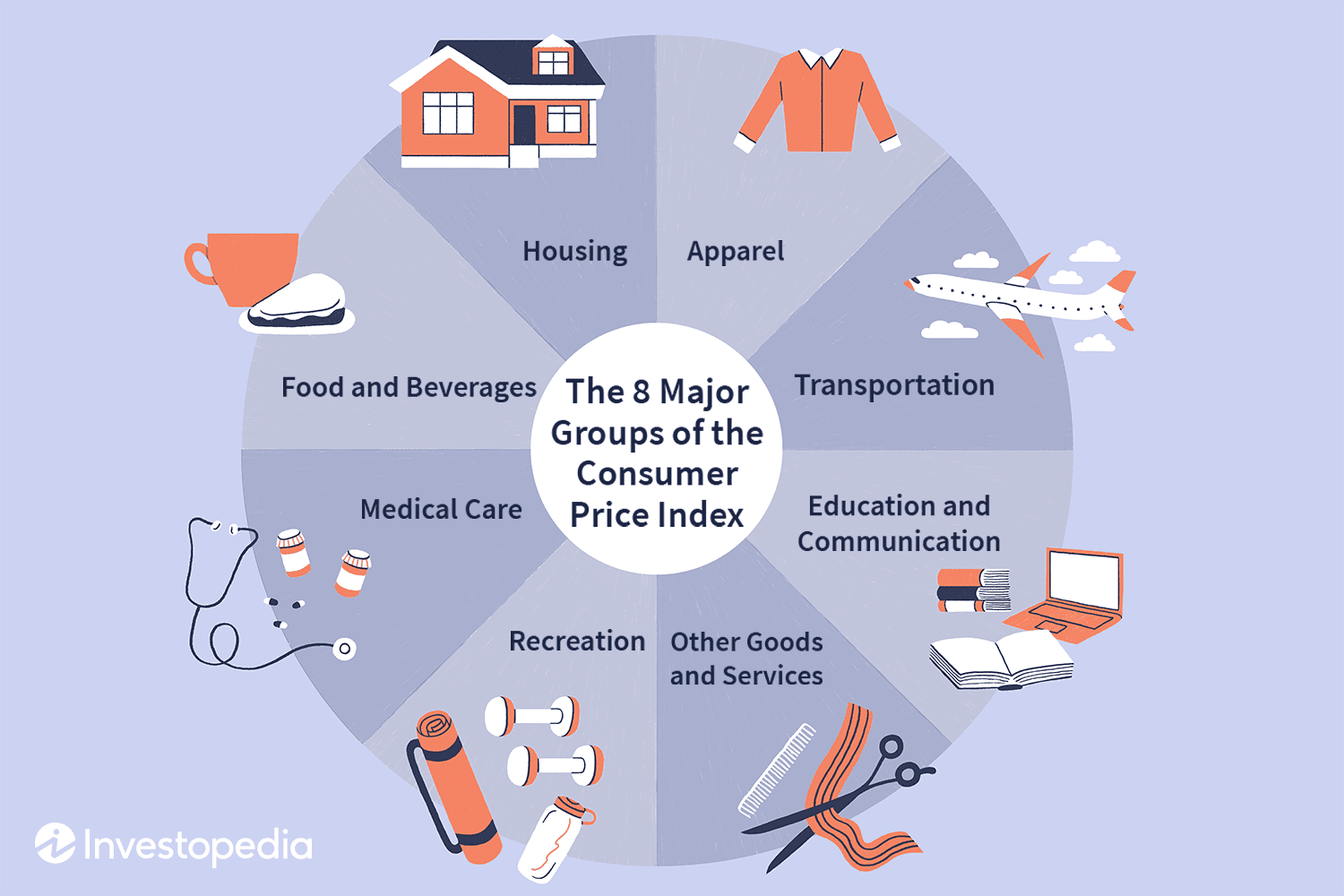
Recommended reading

https://www-cms.pipedriveassets.com/smarketing.png

Smarketing: How sales and marketing alignment can boost your revenue

5 components of an RFP response with examples

RFP responses require careful attention to each client’s unique requirements, industry and context. While the specific format and emphasis vary across different opportunities, every proposal needs these five key components to be thorough and effective.

You can use this format as your basic RFP response template to cover all critical aspects.

5 core RFP response components

Cover letter

Executive summary

Deliverables and timelines

Pricing details

Social proof

Let’s explore each RFP response component in more detail with relevant examples.

1. Cover letter

A cover letter introduces your sales proposal, sets the tone and makes a strong first impression.

The cover letter should be warm, professional and focused on the evaluator’s perspective. It must address their goals, priorities and concerns directly, showing empathy for their pain points.

Keep your cover letter to one page and include the following:

  • Brief company overview

  • Clear statement of intent to bid

  • Two to three key differentiators or benefits

  • Contact information for RFP questions

  • Expression of appreciation

Here’s a sample opening paragraph:

“Thank you for the opportunity to respond to [Client Name]’s RFP for [Project Name]. With [X] years of experience serving organizations like yours, [Company Name] is uniquely positioned to deliver exceptional value.

Our innovative approach to [key benefit 1] and proven expertise in [key benefit 2] will ensure we help you reach your goal to [client’s primary objective] efficiently and effectively. We’ve designed a comprehensive solution tailored to your unique needs and requirements.”

Use this part to establish credibility early while focusing on client benefits. Reference specific client or industry insights to personalize your cover letter and show an in-depth understanding of the company’s needs and concerns.

2. Executive summary

An executive summary condenses your proposal into a one- to two-page narrative. Busy decision-makers can quickly review it to assess your value proposition.

Your executive summary should highlight the client’s challenges, your proposed solution, key benefits, relevant expertise and an overview of risks, investments and timelines.

Here’s an example RFP response summary format:

“[Client Name] seeks to [primary objective] while addressing challenges with [challenge 1] and [challenge 2]. Our proven approach combines [solution component 1] with [solution component 2] to deliver [specific benefit]. Based on our experience with [similar project], we project [measurable outcome] within [timeframe].

Our team brings [X] years of relevant expertise and has successfully completed [number] similar implementations. We’ve carefully analyzed your requirements and developed a low-risk transition plan that ensures business continuity while meeting aggressive timelines.”

When your executive summary’s key messages and themes align with the different sections of your response, you create a cohesive proposal that reinforces your value proposition throughout the document.

Download your guide to perfecting your sales proposals

Everything you need in your sales proposals to win more business, how you can automate the process and a free template to get you started.

3. Deliverables and timelines

The deliverables and timelines section maps out exactly what you’ll provide. It directly links each deliverable to the client’s objectives to show alignment and feasibility and convinces evaluators that you have a realistic plan to achieve their objectives.

Your timeline outlines specific phases, milestones and dependencies. Break down complex deliverables into precise, measurable components that allow evaluators to track progress.

Key elements to include are:

  • Project phases with start and end dates

  • Major milestones and decision points

  • Resource management requirements and assignments

  • Dependencies between tasks

  • Review and approval cycles

  • Risk management buffers

Here’s a sample timeline entry:

Phase 1: Discovery and planning

Deliverables

  • Week 1: stakeholder interviews and requirements validation

  • Week 2: technical environment assessment and integration planning

  • Week 3: project plan finalization and resource alignment

  • Requirements documentation

  • Technical architecture diagram

  • Detailed project schedule

  • Resource allocation matrix

Organizing project phases and deliverables makes it easier for evaluators to understand your approach.

Note: Consider including a Gantt chart or timeline graphic to visually represent phases, milestones and deadlines and make the plan easier to follow.

Be specific about what the client receives at each stage. Avoid vague descriptions like “implementation” – instead, list concrete deliverables such as “requirements documentation” or “project schedule”.

4. Pricing details

Evaluators need to understand exactly what they’re paying for. Pricing details provide a transparent breakdown of costs and indicate to the client the value they’ll receive for their investment.

Use pricing clarity to prevent misunderstandings that could damage trust and potentially void a sales contract later.

Break down your pricing into clear categories:

  • Base costs and recurring fees

  • Optional add-ons or modules

  • Implementation and training costs

  • Support and maintenance fees

  • Travel or additional expenses

Here’s a sample pricing structure:

Core solution license: $75,000/year

Implementation services: $45,000 (one-time)

  • Project management

  • Configuration and setup

  • Data migration

  • User training

Optional services

  • Advanced reporting module: $15,000/year

  • 24/7 premium support: $25,000/year

When possible, present pricing in a table format. Include notes about volume discounts, multi-year agreements or other cost-saving opportunities, and be transparent about any assumptions or conditions affecting pricing.

For example, “support pricing assumes standard business hours (9 AM to 5 PM EST). 24/7 support available at premium rates.”

5. Social proof

Social proof includes testimonials, case studies or customer success stories to validate your expertise and build trust.

Help decision-makers overcome their concerns about selecting a new vendor by including social proof in your RFP response. When you back up your promises with concrete evidence, you prove your company can deliver the proposed outcomes reliably.

Here’s a sample case study structure:

Client

Regional healthcare system

Challenge

Modernizing patient scheduling across 12 locations

Solution

Implemented our scheduling platform with custom workflows

Results

  • Reduced wait times by 45%

  • Increased patient satisfaction scores by 32%

  • Saved 1,200 staff hours monthly

  • Achieved full ROI within nine months

Focus on results and metrics that matter to your current prospect. When sharing testimonials, choose examples of clients in similar industries or with comparable challenges.

Note: Obtain proper permissions for all references and case studies. If the RFP requires it, include contact information for references.

Choosing the right references and managing permissions carefully shows your professionalism and attention to detail during the RFP response process.

Recommended reading

https://www-cms.pipedriveassets.com/blog-assets/pandadoc-sign-proposals.png

4 Things That Stop Clients from Signing Your Sales Proposals

5 steps to respond to an RFP

Responding to an RFP can feel overwhelming – tight deadlines, detailed requirements and multiple stakeholders pulling in different directions. Break it down into a step-by-step guide to help your team stay organized and deliver a polished, competitive proposal response on time.

Let’s explore the five key steps that guide you from initial RFP evaluation through final response submission.

1. Conduct a go/no-go analysis

A go/no-go analysis helps you decide whether pursuing an RFP opportunity is worth your organization’s time and resources. It prevents wasting effort on opportunities with low win probability.

The decision to bid involves analyzing multiple factors:

  • Strategic fit with your business direction

  • Current bandwidth and resource availability

  • Technical capability to meet requirements

  • Your relationship with the prospect

  • The project’s profitability potential

Create a scoring matrix that weighs these factors based on your priorities. Rate each criterion from one to five and set a minimum threshold for proceeding.

For example:

Consider both quantitative and qualitative factors. Quantitative factors include estimated contract value and the cost of pursuing the bid, while qualitative factors could include the political environment and available internal expertise.

Even attractive opportunities may warrant a “no-go” decision if your organization lacks bandwidth or crucial capabilities.

Note: Document your decision criteria and rationale. This will create a valuable reference for future opportunities and refine your bid selection process.

2. Build a cross-functional team

An effective RFP response requires diverse expertise and coordinated effort. The right mix of subject matter experts ensures your proposal comprehensively addresses all technical, operational and business requirements.

RFP response teams typically include:

Team member

Role

Proposal manager

Coordinates all aspects of the response

Technical SMEs

Provide solution details and capabilities

Sales/account manager

Offers client insight and pricing strategy

Legal/compliance

Reviews terms and conditions

Finance

Validates pricing and payment terms

Implementation lead

Plans the delivery approach

Graphics designer

Creates visuals and formatting

Start with a kick-off meeting to align on goals and timelines. Schedule regular check-ins to track progress and build an action plan.

Note: Team members often support multiple proposals simultaneously. To manage resource constraints, prioritize critical tasks, use time-blocking strategies and consider assigning backup team members for high-demand roles.

3. Develop a response strategy and outline

Your response strategy translates requirements into a structured plan that addresses the evaluator’s key concerns.

Organize requirements into thematic categories based on evaluator priorities, such as scalability, user adoption strategy and post-launch optimization.

Create a responsibility matrix showing which team members own specific response components using a template like this one:

RFP response responsibility matrix

Once you’ve defined responsibilities, break down your RFP response into document sections, such as past performance, technical approach and management plan.

For each section, create detailed annotations that map out your response outline.

Section

Planning Details

Key messages

  • Core value proposition statements

  • Unique differentiators

  • Strategic benefits

  • Risk mitigation approaches

  • Cost-saving opportunities

Evidence and proof points

  • Case study metrics

  • Client testimonials

  • Performance statistics

  • Industry certifications

  • Awards and recognition

Visual elements

Word/page count

  • Executive summary: two pages

  • Technical approach: nine pages

  • Past performance: five pages

  • Management plan: eight pages

  • Pricing: three pages

Cross-references

  • Links to resumes in the appendix

  • References to past projects

  • Connections to technical specs

  • Citations of corporate capabilities

  • Pointers to supporting sales collateral

A well-crafted response strategy ensures your team remains focused on delivering a proposal that clearly articulates your solution’s superior value.

4. Write and review content

Your content creation phase turns your response strategy into compelling, compliant proposal sections. Strong writing and thorough review processes ensure evaluators receive clear, convincing information.

When writing sections, focus on three key principles: answering requirements wholly and directly, supporting claims with specific evidence and maintaining consistent messaging across sections.

Use clear, active language that focuses on benefits rather than features. Connect every capability back to the client’s needs and objectives.

Note: Build a response content library of pre-approved proposal templates that meet common RFP requirements with Smart Docs. The feature lets you send trackable quotes, proposals and contracts from Pipedrive. You can also store sales deck templates to ensure consistent branding and quick access to sales presentations.

5. Edit and finalize the proposal

The editing phase refines your draft into a polished, professional final proposal that maximizes your chances of winning the bid.

The four Cs – clarity, conciseness, consistency and correctness – ensure your proposal is clear to evaluators, concise in delivery, consistent in tone and messaging and free of typos. Let’s examine each of these principles in detail.

Compliance

  • Match RFP format requirements exactly

  • Address every requirement completely

  • Include all requested attachments

  • Follow page limits and font specifications

  • Submit the required number of copies

Clarity

  • Use clear, direct language

  • Break up dense paragraphs

  • Add descriptive headings and subheadings

  • Include helpful visuals and diagrams

  • Define technical terms and acronyms

Consistency

  • Maintain uniform formatting

  • Align messaging across sections

  • Use consistent terminology

  • Match style and tone throughout

  • Keep numbering and references accurate

Compelling messaging

Conduct this review with enough time to proofread and make substantial changes if needed. Use a dedicated editor or fresh reviewer who wasn’t part of the writing process.
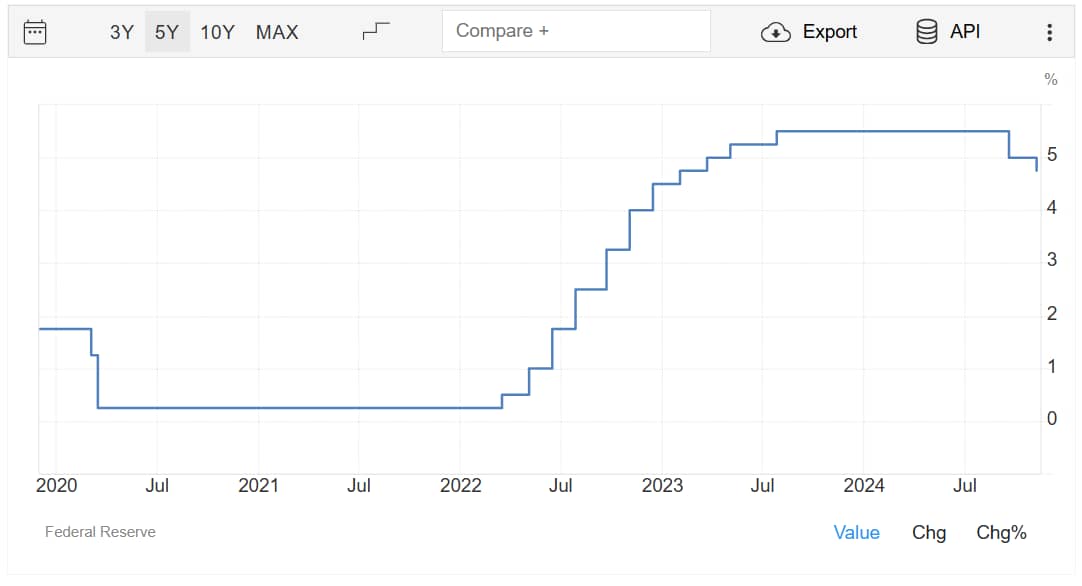
Note: Evaluators often read proposals outside their area of expertise. Your content must be clear enough for non-technical readers while satisfying subject matter experts.

RFP response outlines by industry

While every proposal request needs a tailored response, proposal templates can help speed up the process.

Each template below provides a framework for organizing the technical portion of your RFP response.

In industries such as construction, marketing and SaaS, RFP responses may require detailed technical narratives that provide an outline and context for their solutions and approaches. This outline typically follows the executive summary and deliverables and timelines section.

Use the recommended structure relevant to your industry to organize the technical narrative section of your RFP responses. You can adapt the outline section weightings, specific subsections and content focus based on your prospect’s requirements while maintaining a logical flow that potential clients expect.

Construction

A construction RFP response showcases your ability to complete projects safely, on time and within budget since clients will prioritize reliability and risk reduction.

Construction RFPs typically cover projects such as commercial buildings, infrastructure (bridges, roads, tunnels), healthcare facilities, educational institutions or residential developments.

Here’s a typical RFP response outline structure for a construction project:

Project understanding (25% of response)

  • Site analysis and existing conditions

  • Potential challenges and mitigation strategies

  • Local code and permit requirements

  • Environmental considerations

Technical approach (30%)

  • Construction methodology

  • Phasing and sequencing plan

  • Quality control procedures

  • Safety protocols and track record

Project team (15%)

  • Key personnel with roles and qualifications

  • Subcontractor relationships

  • Organizational structure

  • Capacity and current workload

Past performance (20%)

Cost proposal (10%)

Marketing services

A marketing services RFP response highlights your creative campaign ideas, audience engagement methods and proven business results.

Marketing RFPs often come from brands seeking full-service agency support, companies launching new products or organizations needing specialized services like digital marketing or PR campaigns.

Here’s an outline you can follow for your marketing proposal:

Strategy and insights (25%)

  • Target audience analysis

  • Market research methodology

  • Competitive landscape review

  • Brand positioning strategy

Creative capabilities (30%)

  • Design philosophy and process

  • Content creation approach

  • Brand voice development

  • Campaign concepts and mockups

Campaign execution (20%)

  • Channel strategy

  • Production capabilities

  • Timeline management

  • Quality control process

Performance measurement (15%)

  • Analytics capabilities

  • Reporting framework

  • KPI tracking methods

  • ROI measurement approach

Team and resources (10%)

  • Account team structure

  • Creative team portfolios

  • Production resources

  • Partner relationships

The response structure ensures evaluators can clearly see your creative vision – through detailed campaign concepts and mockups – and your ability to deliver measurable results.

SaaS services

A SaaS RFP response highlights your platform’s scalability, security, integration, business value and implementation expertise.

These RFPs commonly come from enterprises seeking solutions like CRM systems, HR management platforms, financial software or project management tools.

For example, a retail chain might need an inventory management solution that connects with its point-of-sale systems.

You can use this software proposal structure for your technical outline:

Platform overview (25%)

Integration and APIs (20%)

Implementation process (20%)

Customer success (15%)

  • Onboarding process

  • Support tiers and SLAs

  • Account management

  • User adoption metrics

Performance and reliability (20%)

  • Uptime guarantees

  • Disaster recovery

  • Performance metrics

  • Monitoring tools

Include a clear pricing model that outlines subscription tiers, implementation costs and any volume-based discounts. Emphasize the advantages of total cost of ownership compared to legacy systems.

For example, the client company might spend $250,000 yearly on server maintenance, IT staff and upgrades. With your cloud-based solution, which includes maintenance and updates in the subscription fee, this could drop to $150,000.

Recommended reading

https://www-cms.pipedriveassets.com/Response-worthy-follow-up-emails.png

How to write a response-worthy follow-up email (with 15 templates)

How to track your RFP responses in Pipedrive

While primarily a CRM tool, Pipedrive offers features that can support your team’s RFP response workflow by helping you track, organize and optimize your proposal development process.

Follow these steps to use Pipedrive to manage your RFP responses:

Set up the RFP pipeline

Build your pipeline in Pipedrive by creating custom stages such as:

  • RFP received

  • Under review

  • Drafting response

  • Response submitted

  • Follow-up

  • Awarded/lost

RFP response Pipedrive pipeline stages

Use Pipedrive’s Kanban view to visualize your RFP workflow. Each opportunity is represented as a card that moves across stages as it progresses.

Pipeline management in Pipedrive helps you monitor and manage every opportunity from initial discovery – when you first receive and evaluate an RFP to determine if it’s worth pursuing – through final submission.

By visualizing your RFP workflow, you can track progress, identify bottlenecks and ensure no tasks fall through the cracks.

Track RFPs as deals

Use Pipedrive’s deal-tracking features to monitor RFPs and get a real-time view of your response workload and progress.

RFP response Pipedrive deal tracking

Adding basic deal information such as the RFP title, issuing organization and estimated contract value creates a foundation for tracking each opportunity.

Team members tagged on the deal receive automatic notifications when assigned tasks or activities, ensuring everyone stays coordinated. Moving deals through pipeline stages provides a visual progression highlighting which RFPs need immediate attention.

Note: Set reminders for critical dates – bidder conferences, Q&A deadlines and final submission – to stay on track and maintain your sales momentum.

Use custom fields for RFP details

Custom fields in Pipedrive can help you track vital RFP information consistently across all opportunities.

RFP response Pipedrive custom fields

Set up fields for:

  • Submission deadlines to ensure visibility on every deal

  • RFP document links to provide quick access to source materials

  • Issuer contact details to streamline communication

  • Budget and project value to prioritize opportunities and allocate resources

  • Required deliverables as a checklist to ensure no component gets overlooked

For example, a deal in Pipedrive might display fields like “Submission Deadline: March 15,” “Issuer Contact: John Smith” and “Budget: $1M,” providing an at-a-glance summary of key details.

By using custom fields, you can maintain a centralized source of truth for RFP details.
Structured data also makes reporting easier. You can generate insights into proposal win rates, response times and project values to refine your sales strategy.

For example, you might discover you win 75% of proposals in the $100k–250k range, but only 20% of deals larger than that. You can invest more resources in mid-sized opportunities while improving your value proposition for enterprise-level proposals.

Assign activities

Each activity in Pipedrive represents a scheduled task or action item required to complete your proposal – from initial reviews to final submissions.

The visual dashboard below shows upcoming and overdue tasks at a glance.

RFP response Pipedrive activities

Tracking these activities ensures your team meets all critical RFP requirements. More importantly, it helps coordinate the many team members working on responses.

Pipedrive simplifies this RFP response process by letting you create and assign specific activities for contacts, organizations and deals. When working on RFP responses, you can schedule activities like:

  • Technical requirement reviews with your product team

  • Pricing discussions with finance stakeholders

  • Drafting reviews with key decision-makers

  • Final compliance checks before submission

Each activity includes deadlines, assignments and notes to keep everyone accountable.

Use Smart Docs to draft, track and automate follow-ups

Sales teams need a reliable system for managing multiple RFP responses, deadlines and requirements. Smart Docs, Pipedrive’s document management feature, streamlines this process by centralizing document creation and tracking.

RFP response Pipedrive SmartDocs

When a new business opportunity arrives, use Smart Docs to create response documents, track versions and monitor progress – all from within your CRM.

Smart Docs features that help you stay on top of deadlines include:

  • Document status tracking, showing exactly where each RFP response stands

  • Automated reminders to alert team members of upcoming due dates

  • Activity logs that capture all interactions and updates

  • Version control preventing duplicate work or outdated submissions

Smart Docs creates a clear audit trail, tracks document performance and helps identify which response approaches lead to wins.

With Smart Docs, pipeline reviews become more meaningful as you can easily spot documentation bottlenecks like delayed reviews or approvals. Also, you can allocate writing and editing resources based on real-time document status.

RFP response FAQs

  • A typical RFP response timeline spans two to four weeks from receipt to submission.

    Complex RFPs may require more time, while simplified proposals might move faster. Always build in buffer time for unexpected challenges.

  • Start with clear, direct writing that addresses requirements. Include relevant case studies and data showing how your specific capabilities better solve the client’s challenges than competitors.

    Customize your content to match the client’s industry and specific pain points. Use professional design elements and clear organization to enhance readability.

  • Core sections like company background and general capabilities transfer well across sectors.

    Technical responses, past performance examples and solution descriptions require significant adaptation to match industry-specific requirements and terminology.

Final thoughts

Creating winning proposals demands a coordinated effort from your entire proposal team. Each response is your chance to stand out by showing how your expertise solves the prospective client’s unique challenges.

A systematic approach using proven proposal templates helps your team maintain consistency across all RFP responses with standardized processes everyone can follow.

Pipedrive helps you streamline the different aspects of your RFP response workflow, from initial tracking to document management.

7 Key Operations Strategy Elements

Software Stack Editor · January 10, 2025 ·

Operational excellence helps you convert strategic short-term goals into measurable business results.

A strong operations strategy gives you a clear plan for aligning your processes to increase productivity, close more deals and reduce costs. It shapes every decision, from process improvements to resource allocation.

In this guide, you’ll learn how to build and implement an operations strategy that eliminates inefficiencies and helps your organization adapt to changing market conditions.

What is an operations strategy?

Operations strategy definition: An operations strategy is a long-term plan for optimizing a company’s core business processes to boost profitability and stay competitive.

Think of it as a blueprint for resource management.

A successful operations business strategy helps you maximize your resources (people, technology and systems). It provides clear team structures and responsibilities and identifies tools for streamlining workflows. It also outlines optimal time and budget allocation.

Why is an operations strategy important?

An operations strategy turns objectives and high-level organizational strategies into day-to-day actions for your team. It also helps determine how to execute those actions.

Poor execution often derails even the best intentions. According to Marc Kelly, VP at Gartner, Gartner research shows that it has a significant impact on a company’s growth:

Sixty-one percent of corporate strategists say poor strategy execution is the primary reason that new growth initiatives fail.

A strategy helps you deliver on your plans.

Here are some of the ways it increases your operational effectiveness:

Benefit

How operations strategies help

Cost optimization and growth

Better resource allocation, outsourcing and automated workflows let your team spend more time selling and less on administrative tasks. It drives higher conversion rates with lower overhead.

Employee engagement and retention

Defined sales processes and effective human resource management help employees understand their roles and see growth opportunities. Clear direction enables and motivates people to do their best work.

Customer satisfaction and market position

Well-planned operations mean more efficient workflows. You’ll boost client ratings by consistently meeting customer expectations and responding to market changes faster.

A successful operations strategy aligns daily tasks with organizational goals. It focuses on long-term performance over quick fixes.

7 types of operation strategies

Companies approach operations differently depending on their industry, size and objectives. However, most adopt one of seven main types of operations strategies.

1. Cost leadership strategy

A cost leadership strategy is about delivering products or services at the lowest operating expense without sacrificing quality.

Cost leadership strategies help you dominate price-sensitive markets and build a loyal customer base. They create a buffer against price wars and economic uncertainty to maintain profitability.

Cost leadership involves:

  • Standardizing operations to reduce waste and variability

  • Implementing automation to minimize time spent on manual data entry and follow-ups

  • Negotiating supplier agreements

  • Streamlining workflows to shorten sales cycles and reduce cost per acquisition

  • Using data analytics to identify cost-saving opportunities

Note: Cost leadership can give you a competitive edge, but you must maintain quality standards and employee satisfaction while reducing costs. Over-aggressive cost-cutting can lead to reduced product quality and increased staff turnover.

2. Differentiation strategy

A differentiation strategy makes your company a unique provider of superior value. Setting yourself apart with innovative products and excellent service lets you command a premium pricing strategy and build long-lasting customer loyalty.

Implement this strategy by:

  • Investing in research and development for innovative features

  • Building specialized expertise within sales teams

  • Creating personalized customer experiences

  • Developing proprietary sales processes and playbooks

  • Maintaining rigorous quality control standards

3. Quality-focused strategy

This strategy ensures quality across your operations – from production to customer interactions.

Quality management builds long-term brand value and customer trust through reliability, durability and superior service.

For example, luxury car manufacturers like Mercedes-Benz or high-end electronics companies like Apple build their entire business model and market position around quality leadership. This ad for Apple’s MacBook laptop has a straightforward message:

Operations strategy Apple ad example

It focuses on the computer’s streamlined design, reminding users that it’s “years ahead” of the competition.

Implement a quality-focused strategy by:

  • Making significant investments in quality-enabling technologies and facilities

  • Developing long-term partnerships with trusted solution providers and implementation teams

  • Setting premium pricing that reflects superior quality positioning

  • Creating incentive systems that reward both deal quality and customer success metrics

A focus on quality control is especially important in industries like healthcare and aerospace, where mistakes can be costly and life-threatening. It can also help companies stand out in their industries.

4. Response strategy

A response strategy focuses on rapidly adapting to changing market conditions and customer needs. It relies on agile operations and swift decision-making.

Companies that use a response strategy stay competitive by responding quickly to customer needs, market changes and challenges. Simple processes and clear communication keep them agile.

Implement this approach by:

  • Creating flexible territory and resource allocation systems

  • Building adaptable sales team structures that shift with opportunity flow

  • Developing rapid feedback loops between sales and customer success

  • Maintaining responsive supply chains

  • Establishing clear deal escalation protocols for time-sensitive opportunities

Note: Implementing response strategies can come with increased costs. You must maintain excess capacity in staffing, equipment and resources to handle sudden changes in demand or market conditions.

5. Business operations strategy

A business operations strategy determines how teams coordinate work, allocate resources and measure success across all business functions.

It sets priorities in areas like technology investments, process design and workforce planning to maximize operational efficiency. Consider a mid-sized software company facing rapid growth. Their overall business strategy for operations might focus on three key areas:

  • Cross-functional workflow automation to streamline handoffs between sales, development and customer success teams

  • Resource planning systems that match developer skills to project requirements

  • Shared performance metrics linking development speed to customer satisfaction scores

These management strategies improve alignment with company-wide KPIs. For instance, revenue growth, customer satisfaction and operational efficiency.

6. Marketing operations strategy

A marketing operations strategy designs the systems, workflows and measurement frameworks marketing teams need to plan, execute and evaluate campaigns.

A marketing strategy ensures accountability. It also shows a return on investment (ROI) that builds stakeholder confidence. Marketing operations can involve:

  • Marketing campaign planning frameworks that align content creation, channel selection and timing

  • Technology stacks configured to capture customer engagement data across touchpoints

  • Automated reporting dashboards showing which marketing activities drive revenue

Note: Balancing marketing automation with personalization can be tricky. While automation improves efficiency, maintaining authentic customer connections requires thoughtful human touchpoints.

With operational rigor replacing gut feel, marketing teams can rely on data to make precise, impactful decisions about where to invest time and budget.

7. Sales operations strategy

A sales operations strategy enables sales teams to spend more time selling and in lead generation and less time on administrative work.

As your company grows, sales teams face mounting pressure to hit targets. An effective operations strategy provides the foundation for consistent performance. It involves:

  • Automating workflows to handle tasks like data entry and follow-up scheduling

  • Balancing workloads with territory and quota planning systems

  • Using analytics dashboards with sales performance metrics to identify and improve conversion opportunities

Imagine a growing tech company using automated pricing tools. They eliminate manual pricing errors, speed up deal closures and give reps more time to build client relationships.

Efficient sales operations free reps up to focus on building relationships and closing more deals.

Recommended reading

https://www-cms.pipedriveassets.com/blog-assets/best-sales-deal.png

What’s the best sales deal you ever closed?

What are the 7 main functions of operations management?

Operations management influences how you create and deliver value to customers and stakeholders. Understanding core functions helps you grow sustainably and pinpoint areas for improvement.

These functions are crucial for getting results.

1. Product and service management

Product and service management is about meeting customer needs while controlling costs. It guides every stage of a product’s lifecycle, including development, market launch, ongoing updates and eventual phase-out.

For instance, say a software company tasks its operations team with allocating resources and managing feature releases. Meanwhile, the product development team ensures new features work and meet customer expectations.

Managing these steps enables organizations to keep their products competitive and affordable.

2. Supply chain management

Supply chain management smoothly and cost-effectively moves products from suppliers to customers. It also helps companies adapt quickly when markets change.

Key operational responsibilities include:

  • Choosing and working with the right suppliers

  • Managing stock and warehouse space efficiently

  • Planning the best ways to move and deliver products

3. Quality assurance

Quality assurance ensures products and services meet customer standards every day. It focuses on testing everything carefully and following all required processes and regulations.

For example, a pharmaceutical manufacturer’s quality team tests batches, monitors production and maintains compliance records. They ensure safety requirements through specific, documented procedures rather than general quality improvement initiatives.

Quality assurance teams handle:

  • Testing protocols and inspection schedules

  • Compliance monitoring and documentation

  • Defect tracking and analysis

  • Process control implementation

  • Training programs for quality standards

Note: Quality strategy sets direction and investment priorities. Quality assurance provides the tactical tools and procedures to achieve strategic goals through daily operations.

4. Capacity planning

Capacity planning helps you determine what you need to achieve sales targets. It can include everything from headcount and territory coverage to technology and support systems.

Capacity planning teams manage:

  • Pipeline forecasting and workflow optimization

  • Resource allocation and utilization tracking

  • Seasonal peaks and market expansion planning

  • Equipment maintenance timing

  • Sales team sizing and territory mapping

For example, customer support can use call volume data to adjust staffing levels for busy and slow periods.

5. Inventory management

Inventory management maintains enough stock to meet demand while avoiding excess costs or waste. Strong inventory systems help you avoid running out (which upsets customers) or having too much (which wastes money).

For example, a retail chain uses data to determine what customers will buy during busy seasons. Their system automatically orders more of the popular items before they run out.

To control inventory, you need to:

  • Know when to reorder by tracking what you have

  • Forecast what customers will want based on trends

  • Make the best use of storage space

  • Prevent items from going out of date

Note: Regular communication between sales and operations planning teams aligns production capacity with expected demand levels.

6. Process optimization

Process optimization removes inefficiencies to boost productivity, quality and cost-effectiveness. The function constantly evaluates sales workflows to find opportunities for improvement.

Process optimization looks at:

  • Identifying bottlenecks in the sales pipeline and deal progression

  • Creating standardized playbooks for each sales stage

  • Evaluating sales tools and tech stack effectiveness

  • Tracking conversion rates and velocity metrics

  • Eliminating redundant tasks that take reps away from selling

By studying how work gets done, process optimization improves both the company and customer experience.

7. Workforce management

Workforce management ensures that the right people are qualified to do the job and are available when needed.

Key tasks include:

  • Planning territory coverage and account assignments

  • Developing comprehensive sales training and coaching programs

  • Tracking pipeline health and deal progression metrics

  • Balancing opportunities across sales teams

  • Measuring individual and team performance against quotas

Note: Including feedback channels in workforce management systems ensures you consider both business needs and employee perspectives when making operational decisions.

Strong workforce management helps people grow while getting work done well. It keeps employees and the business happy by providing clear schedules, helpful training and fair ways to track progress.

Recommended reading

https://www-cms.pipedriveassets.com/Personnel-management.jpg

Personnel management: definition, importance and emerging trends

Tips for successful business operations

The difference between businesses that grow and those that stagnate often comes down to how well they manage their operations.

Success depends on operational practices that keep teams focused, resources optimized and systems running efficiently. Here are some top tips for optimizing your business operations:

Align operations strategy with business goals

Make sure operational activities align with your objectives and track their quarterly contributions.

When evaluating new operational changes, calculate the direct impact (like cost savings) and the strategic value (how it advances core business goals).

Review this alignment monthly with team leads. Ask three key questions:

  • Which operational activities created the most progress toward our business goals this month?

  • Where are we investing resources in operations that don’t support our priorities?

  • What business objectives need more operational backing?

Structured approaches help identify misalignment early before it hurts performance.

Use technology for automation

Add tools to your workflows to streamline processes and reduce manual effort. Automation boosts productivity by removing bottlenecks, reducing errors and freeing teams up for critical tasks.

Technology and automation help teams work with less stress and better focus.

For example, add project management tools like Trello and a CRM like Pipedrive to free up resources. A CRM system can streamline workflows by:

  • Instantly creating tasks when deals move forward

  • Capturing emails to save you from typing everything

  • Following up with customers automatically based on what they do

Start small. Identify two to three repetitive, time-consuming processes requiring minimal oversight. Track their time and error rates for two weeks to assess automation’s potential impact.

Crush your manual admin with this sales automation guide

Learn how to take advantage of new sales automation tech so you can spend more time selling

Monitor key performance indicators (KPIs)

Key performance indicators help you identify bottlenecks and verify whether changes produce results.

Keep an eye on these critical numbers:

  • Customer metrics. Net Promoter Score, retention rates and satisfaction scores gauge operational changes’ impact on customer experience

  • Process metrics. Average resolution time, lead time, first contact resolution rate and workflow cycle times show operational efficiency

  • Resource metrics. Employee productivity, capacity utilization and cost per output unit show how well you use available resources

Review KPIs weekly with your team. Regular monitoring helps spot negative trends before they become critical issues.

Note: With Pipedrive, you can track deal flow, team productivity and sales trends in easy-to-read dashboards.

Build collaboration across departments

Breaking down departmental barriers creates measurable operational gains. Cross-functional collaboration drives both efficiency and innovation.

Here’s how to get teams working together:

  • Make sure departmental goals align with company-wide metrics

  • Create clear workflows for teams to share information and ideas

  • Get teams together to solve problems

  • Set up digital workspaces where departments can track joint projects and share updates

Note: Build collaboration gradually. Start with two departments working together on a defined project. Track results, refine the process and then expand to additional teams.

Prioritize continuous improvement

Don’t wait for the perfect moment to make significant changes. The best way to improve is to make small, steady changes to your daily work.

Methods like Kaizen guide teams to spot opportunities for enhancement in their daily work.

Operations strategy Kaizen workflow

Regularly evaluating workflows, resource use and customer interactions helps you find ways to work more effectively.

Plan for scalability and flexibility

Your operations today should support where your business needs to be tomorrow.

Building flexible processes means your team can handle increased workloads without getting overwhelmed. When systems scale smoothly, you maintain quality even as volume grows.

Scalable service strategies ensure your team handles growth without disruptions. Use contingency planning exercises to maintain operations during unpredictable market changes.

Agile operations let you pivot quickly when market conditions change. Your team can reorganize workflows, reallocate resources and respond to new opportunities without disrupting core functions.

Choose tools and procedures with future needs in mind. For example, scalable systems ensure that what works for 10 customers functions equally well for 100.

Note: Regular “what-if” planning exercises help teams think through how current processes would handle different growth scenarios, revealing potential bottlenecks before they occur.

A forward-thinking approach prevents growing pains and keeps operations running smoothly during expansion.

Recommended reading

https://www-cms.pipedriveassets.com/Scale-Sales-Team-Fast.png

Scale sales fast and sustain growth with these 5 steps

How to execute your operations strategy with Pipedrive

You need tools that align your processes with your goals. Pipedrive offers the functionality to automate, personalize and optimize workflows.

Improve efficiency with process optimization

Streamline operations by automating repetitive tasks and optimizing workflows.

Pipedrive’s workflow automation ensures accurate deal progression by removing manual inputs. These features reduce inefficiencies, cutting costs while keeping your service high-quality.

Ready-made workflow templates simplify the automation setup process, letting your team set up efficient systems quickly – no tech skills needed.

operations strategy Pipedrive automations

For example, when qualified leads enter your system, you can set up automation rules to ensure deals create themselves. Activities automatically populate as opportunities move through your sales pipeline.

The Scheduler tool also keeps your team on track without constant oversight. Sync your calendars, share meeting availability and avoid double bookings to prevent scheduling conflicts and wasted time.

Operations strategy Pipedrive Scheduler

These automated operational processes reduce human error while keeping your sales cycle moving efficiently. Your team can focus on building relationships instead of managing administrative tasks.

Improve workforce management

Ensure peak performance by allocating your sales team resources where they’ll most significantly impact revenue.

Pipedrive is a customizable CRM that lets you design unique sales pipelines that match your business needs. Create custom pipeline stages that align with different sales roles, territories or product lines, ensuring clear accountability and efficient resource allocation.

Operations strategy Pipedrive pipeline stages

Track interactions across multiple touchpoints to build a complete picture of each relationship. Email integration keeps all communications in one place, making maintaining consistent, personalized dialogue easy.

Having complete visibility into team activities helps you balance assignments, provide timely coaching and optimize territory coverage to maximize sales effectiveness.

Maintain quality with controls and documentation

Quality assurance becomes systematic when built directly into your operations.

Custom reports and insights track key quality indicators in real time. Monitor metrics like deal conversion and deal progression to maintain high service standards.

operations strategy Pipedrive custom dashboards

Document successful approaches using notes and custom fields. Share proven tactics across the team to replicate positive outcomes.

operations strategy Pipedrive custom fields

These built-in quality controls help your team deliver consistent results. When best practices are clearly documented and easily accessible, new team members can quickly align with your quality standards.

Response strategy

Real-time responsiveness keeps your team aligned and customers satisfied.

Pipedrive’s mobile CRM gives your team instant access to customer data from anywhere. On the road or in the office, your team can instantly access and update customer records, sync with office tools and set task reminders.

operations strategy Pipedrive mobile CRM

Stay informed automatically with real-time notifications when deals progress. Get instant Slack alerts when opportunities move to new stages, tasks are completed or urgent action is needed.

The AI Sales Assistant also provides prompts about which deals need attention, helping your team prioritize follow-ups.

operations strategy Pipedrive AI Sales Assistant

With the shared inbox, teams avoid miscommunications and duplicate efforts, ensuring they handle every customer interaction promptly and professionally.

Monitor response metrics through customized dashboards. Track how quickly your team addresses customer needs and spot areas for improvement.

These tools help your team stay agile and responsive. With accurate data, teams can act decisively to meet needs and adapt to changes.

Final thoughts

A successful operations strategy requires smooth coordination between core business functions and tech systems. You need flexible processes and visibility into performance metrics as your business grows.

Pipedrive’s CRM platform supports your operations strategy with workflow automation, performance tracking and data-driven insights. Its customizable pipelines and reporting tools keep your team aligned and operations running smoothly.

Try Pipedrive free for 14 days to streamline your operations and grow your business.

Understanding Macroeconomics

Software Stack Editor · January 10, 2025 ·

As a business owner, you constantly make decisions based on what’s happening in the broader economy. Will your customers keep spending? Should you raise prices? Is now the time to hire? These questions are at the heart of macroeconomics.

In this article, you’ll gain a clear picture of macroeconomics – from key economic indicators to emerging trends – and understand how these big-picture forces affect your business.

What is macroeconomics?

Macroeconomics definition: Macroeconomics studies how entire economies function nationally or globally. Its primary aim is to improve living standards through sustainable economic growth.

Large-scale economic forces shape how every business operates. For business owners, understanding what’s happening in the broader economy helps explain sudden changes in your costs, sales or ability to find workers and supplies.

For example, when the Federal Reserve raised interest rates sharply in 2022-2023 to control inflation, it showed the power of macroeconomic policy. Businesses faced higher borrowing costs and saw their customers spend less, forcing many companies to rethink their growth plans and strategies.

What’s the difference between macroeconomics and microeconomics?

Macroeconomics and microeconomics are two distinct branches of economics.

Macroeconomics looks at the economy as a whole, while microeconomics focuses on individual markets and business decisions.

For example, macroeconomics helps explain why unemployment is rising nationwide, while microeconomics looks at why a specific company needs to lay off workers.

Here are some examples of how they differ from each other.

Macroeconomics

Microeconomics

Examines large-scale topics like:

Includes smaller-scale topics like:

  • Supply and demand

  • Consumer behavior

  • Production costs

  • Market structures

  • Pricing strategies

  • Wage determination

  • Revenue strategies

3 essential macroeconomic indicators

When running your business, you must watch for major economic changes that could affect your plans.

Three aggregate measures, Gross Domestic Product (GDP), inflation and unemployment, can give early warnings about the economy’s direction.

1. How GDP signals market growth

Understanding GDP can help business owners make informed decisions, such as whether to scale or hold back, whether to take a risk on an investment and when to anticipate competitive pressures.

GDP is the total monetary value of all goods and services produced in a country within one year, serving as a key indicator of national income. For example, in 2023, the GDP of the United States was $27.36 trillion.

GDP Market Growth Chart

From cars manufactured in Detroit to software developed in Silicon Valley, from local small businesses to agricultural exports, GDP captures the entire scope of economic activity across the nation.

Just as doctors use vital signs to assess a patient’s condition, economists use GDP to determine a country’s economic health.

When GDP grows steadily, it usually means more jobs and a higher standard of living. As aggregate demand increases, businesses have opportunities to grow their customer base and revenue.

When GDP declines, it may signal tough times ahead. For businesses, this often means creating a contingency plan to prepare for reduced consumer spending.

Fluctuations can be sudden and significant, as businesses saw during the COVID-19 pandemic. In early 2020, GDP sharply dropped as businesses closed and demand plummeted.

As the economy recovered, many businesses adapted by moving online and finding new ways to serve customers.

2. How inflation affects your costs

Rising prices directly affect your day-to-day operations, from what you pay for supplies to how much your customers are willing to spend.

Inflation represents a general rise in prices throughout the economy over time. For example, if inflation is 3%, a product that cost $100 last year would cost $103 this year.

The Federal Reserve tracks inflation through the Consumer Price Index (CPI). The CPI measures price changes in a vast “basket” of goods and services Americans typically buy, from groceries and gasoline to medical care and housing costs. These price changes determine our inflation rate.

Macroeconomics Pipedrive Consumer Price Index

When inflation rises, you may face several business challenges, such as:

  • Your supplies and materials will cost more

  • You may need to raise wages to retain staff

  • You’ll likely need to adjust your prices while staying competitive

These challenges hit businesses hard during the “Great Inflation” of the 1970s and 1980s. Prices rose more than 14% in 1980, and businesses had to adjust their prices and plan constantly to keep up.

3. How unemployment data shapes your workforce

The unemployment rate tells businesses two important things: how easy it will be to find workers and if your customers have money to spend.

Employment statistics track how many people in a country are working or looking for work. Two key measures matter for your business:

  • The unemployment rate shows what percentage of job seekers can’t find work

  • The labor force participation rate reveals what portion of working-age adults are either employed or looking for work

Seasonal unemployment rates in the US

When unemployment is around 4-5%, economists consider this normal, reflecting people changing jobs or relocating. Lower rates often mean a more competitive hiring environment, while higher rates typically signal economic challenges that could affect your business.

The early 2000s tech bubble burst shows how industry-specific shocks affect employment. When tech companies downsized, unemployment in tech hubs rose sharply.

Some companies in other sectors found they could hire skilled tech workers more easily, often at lower salaries. This indicator showed how labor market changes can create business challenges and opportunities.

Find the best new hires with this Sales Interview Checklist

Download this checklist complete with all of the best questions to ask during an interview with a sales candidate.

How economic policy impacts your business

Policymakers use three main tools to manage economic conditions. These stabilization policies help governments smooth out economic ups and downs and affect your business differently.

Fiscal policy: Government spending and your tax bill

Fiscal policy is how the government uses its spending and taxation powers to influence the business cycle.

Think of it as controlling the amount of money flowing through the economy – when the government spends more or taxes less, it increases the flow of money. When it spends less or taxes more, it reduces this flow.

When the government increases spending, it often creates new business opportunities. For example, infrastructure projects create contracts for construction companies and their suppliers, while increased education funding can mean new contracts for training providers and education technology firms.

During tough times, tax cuts help you keep more cash to grow your business. Special tax credits can make training staff or developing new products cheaper, but when the government needs to reduce deficits, you may pay more taxes or lose some deductions.

Monetary policy: Interest rates and your growth plans

Monetary policy is how central banks (like the Federal Reserve) manage the economy’s money supply and interest rates. The decisions made by central banks ripple through financial markets, impacting everything from stock prices to bond yields and investment strategies.

Interest rate changes by the Federal Reserve directly affect your business finances in multiple ways. Higher rates mean your business loans and credit lines cost more, and your customers find it harder to finance purchases. However, your business savings will also earn more interest.

Since 2022, significantly higher interest rates have created a dilemma for business owners: keep more cash in savings accounts to earn attractive interest rates or push ahead with growth plans despite the higher cost of borrowing.

Even with some recent and expected rate cuts, rates remain well above pre-2022 levels, continuing to influence these business decisions.

US Federal Reserve interest rate changes

Supply-side policies: Productivity and your growth potential

Supply-side policies focus on making businesses more productive and markets more efficient over the long term. Unlike fiscal and monetary policies that affect spending and money flow, these policies improve the foundations of how your business works.

For your business, these policies can create lasting benefits:

  • Infrastructure improvements like better roads or faster internet can reduce your operating costs and expand your market reach

  • Research and development support can help you improve your products or services

  • Government-funded workforce training programs can help you find skilled employees or develop your existing team’s capabilities

When business basics become easier and more efficient, entire industries can expand and boost economic development over time.

How to use macroeconomics to guide your business decisions

Macroeconomists aren’t the only ones who can use economic data to make decisions. Here are actionable ways to use macroeconomic principles to seize opportunities and protect against risks.

Adjust your business strategy to customer spending

Check GDP growth rates on the Federal Reserve website each quarter to see if customers will likely spend more or pull back.

Macroeconomics Pipedrive Federal Reserve website

When GDP is growing (above 2%), you might:

  • Launch that new product line you’ve been considering, as customers are more likely to try new things

  • Take out a business loan for expansion while customers are spending

  • Invest in better equipment or software to handle increased demand

When GDP starts shrinking, you might:

  • Hold off on big expenses and build up your emergency fund

  • Focus on marketing your most reliable products

  • Look for ways to cut costs without affecting quality, like finding cheaper suppliers or reducing waste

Download Your Sales and Marketing Strategy Guide

Grow your business with our step-by-step guide (and template) for a combined sales and marketing strategy.

Plan pricing and costs around inflation trends

Check the CPI on the Bureau of Labor Statistics website each month, particularly the red “All items” column. It tells you how overall prices are changing across the economy, including everything your customers pay for.

Inflation trends chart

When the CPI shows prices rising quickly (above 3%), you might:

  • Review your pricing more frequently

  • Add price adjustment clauses to your contracts with customers

  • Switch to shorter payment terms with suppliers

  • Consider stocking up on frequently-used supplies before prices rise further

When the CPI shows stable prices (below 3%), you might:

  • Offer longer-term price guarantees to win customer loyalty

  • Lock in extended contracts with suppliers at current prices

  • Focus on reducing costs to gain a competitive advantage

Also, check CPI categories that specifically affect your business, such as food, energy or housing, to see which costs might pressure it next.

Time your financing around interest rates

As part of its monetary policy, the Federal Reserve has eight meetings yearly to set interest rates (also known as the Fed fund rate). Major financial news outlets always report the outcome, or you can check the Federal Reserve website.

When interest rates are rising, you might:

  • Speed up planned borrowing before rates go higher

  • Focus on paying down existing variable-rate debt

  • Look for ways to improve cash flow instead of taking loans

  • Consider offering discounts to customers who pay early

When interest rates are falling, you might:

  • Start planning major purchases or expansions

  • Look into refinancing existing high-rate loans

  • Consider longer-term financing while rates are favorable

  • Take advantage of better borrowing terms for equipment or inventory

Match hiring plans to employment trends

Check the Bureau of Labor Statistics website for national and state unemployment rates, especially when planning for new hires.

Macroeconomics Pipedrive US Bureau of Labor Statistics

When unemployment is low (below 4%), you might:

  • Move quickly on hiring decisions before talent gets scarcer

  • Review your compensation packages to stay competitive

  • Consider investing in training programs to develop existing staff

  • Look for ways to improve productivity as labor costs rise

When unemployment is rising (above 5%), you might:

  • Take advantage of a larger talent pool if you need to hire

  • Focus on retaining your best employees who might get nervous

  • Watch your overheads as customers may have less to spend

  • Consider upskilling your team while talent is available

Compare national trends with your local job market. This helps you decide whether you need to offer more competitive packages in your area or if you might find talent more easily than national headlines suggest.

Emerging trends in macroeconomics

Major changes in technology, climates and global trade are reshaping the global economy, creating new challenges and opportunities for businesses of all sizes.

The future of money

Payment technology is changing fast. For businesses doing international trade, digital currencies could cut the cost of overseas payments and speed up transactions.

Macroeconomics Cryptocurrency key data points Pipedrive

Sending money abroad often means high bank fees and long waiting times. While cryptocurrencies might offer a cheaper option, their unpredictable value makes them too risky for most businesses.

Meanwhile, central banks are developing their own digital currencies. These could make it easier and cheaper for businesses to get paid and make payments, especially when dealing with customers and suppliers in different countries where exchange rates impact your costs.

Climate change and business adaptation

Climate change creates risks and opportunities for businesses. Extreme weather events can force unexpected closures, delay shipments and damage equipment.

Environmental regulations add another layer of cost, requiring businesses to upgrade machinery or change processes to meet new emissions standards.

However, transitioning to sustainable practices also creates opportunities for energy-saving innovations and new markets for green products and services.

Rethinking supply chains

Recent global disruptions have shown the dangers of relying on a single supplier or keeping minimal inventory. When one link in the supply chain breaks, the whole business can suffer.

Building a stronger supply chain might mean higher upfront costs, such as keeping more inventory on hand, setting up backup suppliers or moving production closer to home.

However, these changes in supply chain management can provide more stability and often result in faster delivery times for your customers.

How to use Pipedrive alongside macroeconomics to make better business decisions

Economic indicators give you the big picture, but Pipedrive shows you what’s happening in your business now. Combining these insights helps you make more informed decisions.

Macroeconomics Pipedrive Insights Dashboard

Use Pipedrive’s Insights and analytics dashboards to spot new opportunities in easy-to-read graphs and charts:

  • If your sales reports show strong growth and inflation is cooling, it might be the right time to plan expansion for next quarter

  • When your team’s performance metrics are strong, and unemployment is low, consider hiring more sales reps before competition for talent increases

  • Look for patterns between your sales cycles and economic trends to better time your growth decisions

Get organized with your free sales pipeline excel template

Looking for a more streamlined way to manage your sales? Download this free sales pipeline template and test it out now.

Final thoughts

Macroeconomics shapes every aspect of your business environment – from your daily operations to your long-term strategy. You can’t control these large-scale economic forces, but understanding them helps spot risks and opportunities early.

Pair your knowledge of economic trends with your business data using Pipedrive. It has customizable dashboards, automated insights and forecasting tools to help you transform your economic understanding into actionable business strategies. Try Pipedrive free for 14 days.

Strategic Business Goals Frameworks

Software Stack Editor · January 10, 2025 ·

Whether you’re running a startup or an established company, setting business goals helps your teams prioritize and work toward shared success. The challenge lies in turning your vision into clear targets.

In this article, you’ll learn what business goals are, what types of business goals are, why they matter and the essential steps to setting goals that drive growth.

What are business goals?

Business goals are outcomes that a company wants to achieve within a given period. They can be high-level, like Amazon’s goal to “become Earth’s most customer-centric company” or measurable and specific goals like “reduce customer complaints by 25% this quarter”.

Business goals fall into two categories:

  • Long-term goals, which span several years and represent the company’s broader vision and strategic direction

  • Short-term goals, which focus on a time frame of anywhere from a couple of months up to a year and cover specific areas like financial goals, strategic initiatives and operational improvements

Companies typically maintain multiple short-term goals that support the long-term goal.

Take Amazon’s early goal to “become Earth’s most customer-centric company”. To achieve this long-term vision, they set progressive short-term goals: they developed Prime delivery, created a generous return policy and invested heavily in customer service.

These decisions helped transform Amazon from an online bookstore into one of the world’s largest companies.

Recommended reading

https://www-cms.pipedriveassets.com/Sales-Goals.jpg

How to set sales goals that improve team performance (with examples)

Why are business goals important?

Well-defined goals help drive your business plan forward. Here’s how they impact different aspects of your company.

They guide decision-making

Teams constantly face choices about where to spend their time and resources. Business goals make these decisions easier by providing criteria for evaluating your options. You can assess every opportunity by asking, “Does this help us reach our target?”

For example, suppose your goal is to “grow enterprise clients by 30%”. In that case, your sales team may prioritize large accounts over small businesses or focus on hiring new team members with enterprise experience.

They give a clear benchmark for success

Without measurable goals, tracking your progress can be challenging. Goals give you specific numbers and clear targets to hit. You’ll know what success looks like and can quickly spot when your strategy needs adjusting.

For example, if your goal is to reduce customer wait times to under two minutes before the end of Q4, you can easily measure current wait times and see how changes affect this number.

They align departments around one vision

Different teams often have competing priorities that can pull your company in multiple directions. Business goals give everyone a shared destination to work toward so each department can align its work to achieve it together.

For example, suppose your goal is to become the easiest product to use in the market. In that case, your design team might simplify features, support might create better help documents and marketing might focus messages on simplicity and ease of use.

They encourage accountability

Without goals, it’s easy for tasks to fall between the cracks. Goals help you assign specific responsibilities and deadlines to teams or individuals. Everyone knows what they’re responsible for delivering and by when.

For example, if each sales team member aims to schedule 20 qualified demos per month, they can track their progress daily, and managers can identify who needs support early on.

Frameworks for setting business goals

Several frameworks exist to help you set business goals, each with a different structure for creating and tracking objectives.

There’s no one-size-fits-all approach to setting business goals. Different frameworks suit different business needs, company sizes and situations.

Here are the most widely used frameworks and how they work. We’ll also explain what each framework is best for and when to avoid using it.

SMART

SMART goals transform vague intentions into actionable targets by making them Specific, Measurable, Attainable, Relevant and Time-bound.

Business goals Pipedrive SMART framework

Instead of “grow the business,” you might set sales goals like “acquire 50 new enterprise customers in Q3”.

Each element serves a purpose:

  • Specific clarifies what you’ll achieve

  • Measurable indicates how you’ll track progress

  • Achievable ensures it’s realistic

  • Relevant confirms it matters to your business

  • Time-bound creates urgency with a deadline

SMART business goals help clarify your focus and ensure you can track your progress, regardless of your business model. However, they’re not the best for all cases.

Here’s when to use SMART goals and when to use a different model instead.

Best for

Avoid when

  • Sales targets, where you need clear numbers to motivate teams and track progress (like “acquire 100 new customers”)

  • Launches for new products, where missing deadlines impact multiple teams

  • Performance improvements where specific metrics show what success means (like “increasing conversion rates”)

  • Solving complex problems that need creative thinking rather than fixed targets

  • Operating in emerging markets where goals need frequent revision

  • Prioritizing innovation and detailed metrics might limit new ideas

Objectives and Key Results (OKRs)

OKRs pair an objective that sets direction with key results that measure progress.

For example, your objective might be to become the most trusted provider in your market, with key results such as 95% customer satisfaction, 98% uptime and response times under one hour.

Most companies set OKRs quarterly and aim to achieve about 70% of each key result. Targeting 70% encourages teams to set ambitious goals without feeling discouraged if they don’t fully achieve them.

Best for

Avoid when

  • Large organizations where many stakeholders need to align around common goals

  • Growing companies that need to balance rapid business growth with quality

  • Major change initiatives (like entering new markets) where you need both vision and concrete progress

  • Small teams need straightforward, simple targets

  • Teams are new to goal-setting and might struggle with the framework’s complexity

  • Organizations lack resources to track multiple metrics regularly

OKRs could be the right choice for your business if you like to aim high and feel comfortable knowing you’re unlikely to achieve a perfect score.

Balanced Scorecard (BSC)

BSC ensures companies don’t focus only on one business area by aligning strategic management across four critical perspectives:

  1. Financial performance

  2. Customer satisfaction

  3. Internal processes

  4. Learning/growth

Each area has its own goals and metrics. For example, you might track profit margins (financial), customer service metrics (customer), delivery times (process) and employee training completion rates (learning).

Best for

Avoid when

  • Established companies where success depends on multiple factors working together

  • Organizations with diverse business units that need coordinated growth

  • Companies seeking sustainable growth rather than quick wins

  • Situations require intense focus on a single critical area

  • Small teams track multiple perspectives, as this creates unnecessary complexity

  • In fast-moving environments like tech startups where comprehensive metrics slow decision-making

Tracking several areas with BSC can ensure everyone works in the same direction.

Big Hairy Audacious Goals (BHAG)

BHAGs are ambitious, long-term business goals that define your company’s ultimate direction.

While your other goals should be attainable in the near term, BHAGs push beyond standard targets to achieve something that might seem impossible, like Microsoft’s goal to put a computer “on every desk and in every home”.

These goals typically span 10+ years and inspire teams to think beyond small improvements while still being specific enough to guide business strategy.

Best for

Avoid when

  • Companies ready to make a fundamental impact on their industry

  • Companies that need to unite diverse teams behind a single vision

  • Stable companies that can invest in long-term transformation

  • Teams need to show regular, incremental progress

  • Quick wins are crucial for survival

  • Markets are unstable, so long-term planning is risky

If you have an established business and want to achieve greater success, a BHAG could be the right choice.

Management by Objectives (MBO)

MBO emphasizes collaborative goal-setting. Rather than having targets handed down from management, managers and employees work together to define performance objectives.

For example, if the company aims to improve efficiency, a team leader might commit to “implement new project management software by Q3 and reduce meeting time by 30%”.

Best for

Avoid when

  • Organizations wanting to increase employee buy-in through shared goal-setting

  • Companies where success depends on strong department-specific targets (like marketing qualified leads)

  • Teams that benefit from customized objectives aligned with company goals

  • In fast-paced environments where collaborative planning takes too long

  • In organizations where teams need to work independently

  • In rapidly changing markets where goals need constant adjustment

Allowing employees to contribute to goals could improve employee satisfaction by giving them more buy-in and control over their work.

How to set business goals step-by-step

Setting effective business goals requires a systematic approach. Here are six key steps for creating and implementing goals that drive progress.

1. Define your long-term vision

Without a clear vision, strategic planning often gets stuck reacting to immediate challenges rather than building for the future.

Your vision works alongside your mission statement, company values and goals.

Mission

  • What you do now

  • Who’s it for

  • How you’ll do it

  • What this achieves

Vision

Goals

Values

Your mission defines why you exist, your values guide your operations, and your vision is your company’s destination five to 10 years from now. Together, these elements ensure that every level of your business moves in the same direction.

To define your long-term vision, start by answering these questions:

  • What market position do you want to achieve?

  • What value will you deliver to customers?

  • How large do you want your business to grow?

  • What will make your company distinctive?

Your vision should be ambitious enough to inspire action but also focus on outcomes (what you want to achieve) rather than processes (how you’ll get there).

For example, a virtual meeting software might set this vision: “to become the leading remote collaboration tool for tech teams across North America”. The goal focuses on the result rather than listing improvements like “better video quality” or “more features”.

Free ebook: How to tell your brand story

Get our ebook outlining the five steps to developing your brand’s unique story

2. Determine areas for improvement

Once your destination is clear, you need to identify what’s standing in your way. Key performance indicators are a great place to start. Track the numbers that matter most to your business:

  • Revenue metrics. These include growth rates, customer acquisition costs (CAC) and customer lifetime value.

  • Customer metrics. These include churn/retention rates, satisfaction scores and repeat purchase rates.

  • Operational metrics. These include productivity levels, error rates and delivery times.

  • Financial metrics. These include margins, cash flow and profitability by product.

Pair this quantitative data with qualitative feedback to get the complete picture. Study customer surveys and social media mentions and analyze lost deal reports in your CRM.

Business goals Pipedrive lost deal reason

If the same topic arises repeatedly, you’ve found a weakness you need to address.

Your teams can fill in the final pieces of the puzzle. Create safe channels for honest feedback and encourage everyone to share their insights. Often, they’ll reveal the “why” behind the numbers you’re seeing.

The most valuable opportunities often lie where multiple data points intersect (like when customer complaints align with weak metrics and team feedback). Choose two or three key areas where improvement will have the biggest impact.

For example, the virtual meeting software company might discover that they have a 22% customer churn rate, high customer acquisition costs and recurring customer support tickets about software integration challenges.

From these insights, they prioritize improving product integrations and reducing customer acquisition costs when setting goals.

Recommended reading

https://www-cms.pipedriveassets.com/KPIs-for-Sales.jpg

20 most important KPIs for sales teams to track

3. Turn your vision into actionable goals

After identifying areas for improvement, you can transform those insights into specific goals using your chosen goal-setting framework.

Imagine the virtual meeting software chooses the SMART framework because it provides a structured approach to addressing their specific performance challenges, particularly when they need clear, measurable targets for improving customer acquisition and product integrations.

They develop two specific, short-term business goals:

Remember that frameworks are tools, not rules. Adapt them to serve your business needs rather than letting them restrict your thinking. The best framework helps your team understand its goals and how to achieve them.

4. Break down goals into short-term objectives

Big goals often feel overwhelming, making it hard to know where to start and maintain momentum. Breaking them into shorter objectives creates a clear starting point and makes progress visible, helping teams stay motivated.

Start by setting your first milestone, which should be ambitious but achievable within three months. Then, break it into two or three time-based objectives to drive progress toward that milestone.

Each objective needs a clear owner responsible for driving progress, specific success criteria and a deadline.

In our virtual meeting software example, they might decide to have a first milestone of reaching a CAC of $225 rather than jumping straight to $150. They break this down into three business objectives:

  1. Identify and cut the lowest performing 20% of marketing channels by ROI, reallocating budget to top performers by February 15th

  2. Launch an automated lead scoring system that flags leads with >40% conversion probability for priority follow-up by March 1st

  3. Create a real-time dashboard tracking conversion rates at each funnel stage, with alerts for any stage dropping below target rates by February 28th

Set up weekly progress reviews for each objective. Success requires clear ownership and accountability. Assign a specific person to drive each objective rather than leaving it to a team or department.

Meet with each owner at the start to clarify expectations and ensure they have everything they need to succeed.

Note: while “business goals” and “business objectives” are often used interchangeably, they differ. Business goals are the specific targets you want to achieve, whereas business objectives are the specific strategies and actions you’ll take to reach those goals.

5. Align your team around shared goals

When you share your business goals with your teams, share the “why” behind each one. Show how achieving these goals benefits everyone, not just the company.

In our virtual meeting software example, reducing the CAC from $250 to $150 could save them $100,000 monthly.

The savings could allow engineering to hire two more developers to build requested features faster, customer support to expand its team to reduce response times and sales to invest in better tools and training. Sharing these benefits with the teams helps get them onboard and keeps them motivated to achieve your business goal.

To build and maintain alignment across your organization, focus on four key elements:

  1. Clear communication. Document goals in simple language that connects to each team’s work. Turn a revenue target into customer satisfaction goals for support teams or product milestones for developers.

  2. Ongoing visibility. Make goals part of daily work through visual dashboards in common areas, dedicated sections in team meetings and progress tracking in project tools everyone uses.

  3. Open dialogue. Schedule regular one-on-ones and team discussions focused on goals. Create anonymous feedback channels to surface concerns and ideas that might not emerge in group settings.

  4. Active ownership. Let teams help set their own targets, give them a budget and encourage them to experiment with different approaches to reaching goals.

Alignment is ongoing, not a one-time announcement. Regular communication and visible progress tracking maintain momentum and keep everyone moving in the same direction.

Download your guide to managing teams and scaling sales

The blueprint you need to find a team of superstars and build a strong foundation for lasting sales success

6. Implement a system for tracking progress

Regular tracking helps you validate what’s working and catch problems early.

Start by identifying the metrics that matter for each type of goal:

  • Short-term targets need granular metrics like sign-up rates, campaign performance and lead quality scores

  • Monthly objectives track broader trends like CAC, channel ROI and conversion rates

  • Strategic goals focus on growth indicators like market share, customer lifetime value and profitability

Connect these metrics to your existing tools. Most customer relationship management (CRM) platforms, project management software and analytics tools offer API connections or built-in integrations.

Link them to dashboard tools like Mixpanel or Scoop Analytics or use built-in reporting features to surface key metrics. Set thresholds for each metric and alerts when numbers fall outside expected ranges.

In our example, the virtual meeting software company may automate its CAC tracking through connected dashboards.

Marketing reviews campaign performance weekly to catch significant shifts in channel effectiveness, sales analyze lead quality trends every two weeks to refine their scoring system and finance calculates CAC by channel monthly to guide budget decisions.

When metrics show you’re off track, resist the urge to push harder with the same approach. Review your initial assumptions by talking to customers and frontline teams and run small experiments to validate new approaches before making major changes.

The path to your goal often looks different than you expected. The key is staying flexible in your methods while remaining committed to your destination.

Get organized with your free sales pipeline excel template

Looking for a more streamlined way to manage your sales? Download this free sales pipeline template and test it out now.

Track your sales goals with Pipedrive

Pipedrive streamlines sales goal tracking through its comprehensive dashboard system.

Customize your dashboard to monitor real-time metrics that matter most to your team, from conversion rates to revenue targets.

Business goals Pipedrive insights dashboard

Activity tracking shows your team’s daily sales efforts like completed calls, meetings and follow-ups.

Granular insights like these help identify where adjustments could boost performance.

Business goals Pipedrive activities dashboard

The goal-setting functionality takes this further. You can set custom targets for individuals or entire teams and track progress through daily, weekly or monthly views.

Real-time dashboard updates keep everyone aligned and motivated.

Business goals Pipedrive dashboard

Deal status reports reveal pipeline health, while performance metrics spotlight win rates and revenue tracking measures financial success.

All these insights make it simple to spot trends early and adjust strategies to meet your targets.

Business goals Pipedrive reports dashboard

Challenges of setting business goals

Business goals must satisfy multiple stakeholders, from investors seeking growth to teams needing sustainable workloads and a customer base expecting consistent quality. Balancing these competing needs surfaces several common challenges.

Setting unrealistic targets

Investors and business owners often push for ambitious growth targets, like wanting to increase revenue by 300%. However, if your hiring and training can’t keep pace, you’ll burn out teams chasing impossible numbers.

Base your targets on current performance and available resources.

Misalignment with vision

Short-term goals often undermine long-term strategy.

Before setting any target, ask how achieving it affects your strategic priorities.

Will hitting an aggressive quarterly sales goal require compromising product quality? Could rapid expansion dilute your customer experience?

Revise the target if reaching a goal requires sacrificing what matters most to your strategy.

Lack of clarity and ownership

Vague goals like “improve customer experience” confuse teams about success and who’s responsible for getting there.

Define the specific target and who’s accountable for reaching it. Break broad aims into measurable objectives with clear owners.

Poor communication

Business leaders can’t make a single announcement and expect results. Instead, they should make goals part of daily conversations. They should use visual dashboards, regular updates and team meetings to keep everyone focused on critical priorities.

Review your goals regularly and listen to team feedback. Small adjustments early prevent bigger problems later.

Final thoughts

The best goal-setting process balances ambition with achievability, uniting teams around targets that drive sustainable growth. These six steps – from defining your vision to implementing tracking systems – create a roadmap for success.

Goal setting works best as an ongoing process, not a yearly planning exercise. Set direction, measure progress and adapt based on what you learn. Your CRM can help automate much of this work through custom dashboards and alerts.

Start your 14-day free trial today and see how Pipedrive’s powerful CRM features can elevate your email marketing strategy.

9 Essential Business Expansion Strategies

Software Stack Editor · January 10, 2025 ·

Business expansion helps you increase your market share, customer base and profitability. Planning for business expansion provides a roadmap for growth and prevents you from expanding too quickly.

In this article, you’ll learn what business expansion entails and discover strategies you can use to grow your business.

What is business expansion?

Business expansion involves increasing a company’s reach, resources and revenue. The goal is to enlarge the company’s footprint and position it for more success.

Expansion can involve:

  • Tapping into new markets

  • Launching new products and services

  • Branching out geographically

  • Acquiring other businesses

It could also mean upgrading operations, hiring more team members or diversifying offerings to capture wider audiences.

It’s about creating more avenues for growth and establishing the company as a more prominent player in the industry.

Recommended reading

https://www-cms.pipedriveassets.com/blog-assets/growth-hacking-illustration.png

7 examples of how to achieve more growth through growth hacking

Why does business expansion matter?

Business expansion adds to the long-term vitality and success of companies by:

  • Increasing revenue and profits. Business expansion lets companies access new markets and customers, driving higher sales volumes.

  • Diversifying risk. Expanding into new markets or product lines reduces dependency on a single revenue source. Multiple revenue lines mean less impact when market dynamics change.

  • Enhancing market presence. Operating in multiple regions strengthens brand recognition and solidifies the company’s position as a market leader. The more people recognize your brand, the more desirable it’ll become.

  • Boosting innovation. Expansion exposes companies to new ideas and technologies, encouraging them to innovate and adapt to market demands.

  • Achieving economies of scale. Expansion enables businesses to increase production while streamlining operations, reducing costs per unit and improving profitability.

Download Your Sales and Marketing Strategy Guide

Grow your business with our step-by-step guide (and template) for a combined sales and marketing strategy.

9 business expansion strategies

Here are the nine different types of business expansion and how each contributes to a company’s growth:

1. Market penetration

Market penetration involves increasing the sales of existing products in existing markets. The goal is to capture a larger market share with enhanced marketing efforts, sales promotions or competitive pricing strategies. It leads to heightened brand presence and increased sales without new product development.

Example: Brands like Coca-Cola use market penetration strategies like promotional campaigns, price adjustments and sponsorships to encourage beverage consumption in existing markets.

2. Market development

Market development focuses on selling existing products in new markets or to new customer segments. It involves expanding geographically or finding potential customers interested in the company’s products. This strategy opens new recurring revenue streams and reduces reliance on current markets.

Example: Companies like Starbucks expand into international markets by tailoring store ambiance and offerings to match local preferences.

3. Product development

Product development involves creating new products or improving current ones. Companies innovate according to customer feedback, technological improvements and emerging trends. Product development can address unmet needs or enhance features to entice current customers and attract new ones.

Example: Tech companies like Apple use product development to consistently introduce new versions of their products, adding new features to maintain consumer interest.

4. Diversification

Diversification is expanding by launching new products in new markets. It spreads risk across different areas, helping stabilize income. Diversification can turn a company into a flexible industry leader with broad influence.

Example: Disney diversified its offerings by acquiring companies like Marvel and Lucasfilm. It has since entered new markets with movies, merchandise and theme park attractions that are beyond its original focus.

5. Mergers and acquisitions (M&A)

M&A involves a company joining forces with or buying another company. This approach helps businesses enter new markets, access new technologies or gain more customers. Acquiring another company’s assets and know-how means they can expand and strengthen their brand positioning.

Example: When Facebook acquired Instagram, it tapped into the photo-sharing service’s user base and technology to expand its social media influence.

6. Strategic partnerships and alliances

Some companies partner with others to share technologies, products or market access without fully merging. These strategic alliances combine resources and expertise, lowering the risks of going alone. This collaboration leads to shared growth, a more decisive competitive edge and access to more customers.

Example: Spotify partnered with Hulu to offer bundled subscriptions, pooling their resources to provide a combined service that appeals to a broader user base with shared benefits.

7. Franchising

Franchising is when a business lets individuals run brand locations using its business model. The company offers these franchisees support, training and systems in exchange for fees and royalties. This approach helps the brand grow and reach new markets without managing day-to-day operations.

Example: Fast-food companies like McDonald’s expand globally through franchising, allowing operators to run outlets.

8. Licensing

Licensing involves a company letting another business use its products, technology or brand for a fee. This approach helps companies enter new markets with little investment and risk. If done well, licensing can boost brand recognition and create more income without extra operational work.

Example: Nike licenses its brand to third-party manufacturers for clothing, using its widespread brand recognition to generate revenue streams without direct investment in those product lines

9. Vertical integration

Vertical integration involves buying distributors to control more of the supply chain. This strategy helps a company manage supply, cut costs or make deliveries more efficient. Owning more of the supply chain strengthens the company’s position and makes it more competitive.

Example: Tesla acquired battery and solar panel manufacturers, gaining more control over its supply chain, reducing costs and improving efficiency for its vehicle and energy products.

5 business expansion best practices

Here are five best practices to ensure a successful business expansion strategy:

1. Conduct thorough market research

Thorough market research helps you understand consumer behavior, market trends and competition. Depending on your expansion strategy, you must research different areas to guide better decision-making. Here’s what to focus on for each strategy:

Business expansion strategy

Research focuses

Market penetration

  • Analyze competitor pricing and promotions, finding market gaps to fill

  • Track customer loyalty to refine strategies and boost retention

  • Analyze buying habits to tailor offerings and increase sales

Market development

  • Understand local demographics to prioritize go-to-market strategies

  • Consider cultural and legal aspects to ensure smooth expansion

  • Assess competitor presence to identify potential market opportunities

Product development

  • Monitor industry trends to stay ahead and innovate effectively

  • Gather product feedback to delight customers and enhance satisfaction

  • Identify product gaps to maximize market impact with new offerings

Diversification

  • Explore industry growth potential to minimize risk

  • Understand new customer needs to ensure relevant product offerings

  • Assess entry barriers to develop effective strategies

M&A

  • Evaluate the financial health of targets to ensure profitable deals

  • Check the cultural fit to ensure smooth integration and operational success

  • Analyze industry trends to capitalize on favorable conditions

Strategic alliances

  • Assess partner strengths to ensure shared success and growth

  • Check goal alignment for effective collaboration and joint benefits

  • Evaluate potential market impact and focus on competitive alliances

Franchising

  • Research market demand to ensure franchise success

  • Gather franchisee feedback to improve systems and support

  • Evaluate economic conditions to choose locations

Licensing

  • Understand legal requirements to ensure compliance

  • Assess product demand to maximize licensing potential

  • Examine competitor strategies to develop strategic advantages

Vertical integration

  • Identify supply chain inefficiencies to streamline costs

  • Evaluate supplier performance to enhance control and quality

  • Analyze cost benefits to boost profit margins and efficiency

2. Create strategic goals

Strategic goals guide your business expansion efforts, providing a clear roadmap to achieve growth objectives. Actionable goals should be specific, measurable, achievable, relevant and time-bound (SMART).

Here are some example goals for each type of business expansion:

  • Market penetration. Set a goal to grow your target market share by a certain amount in a year (e.g., by 10%). Use loyalty programs, adjust prices or launch promotions. Track your monthly sales growth and new customer numbers to stay on track.

  • Market development. Plan to expand into three to five new sales areas in two years. Customize your entry strategies to fit local preferences. Measure success by tracking market entry timelines and customer acquisition rates.

  • Product development. Plan to launch new products within a set timeline, prioritizing innovation and customer feedback. Set goals like achieving sales targets or getting a certain number of positive reviews in the first six months. Gather and evaluate customer feedback to refine products.

  • Diversification. Aim to earn 20% of revenue from new business areas within three years. Identify markets that match your strengths and develop suitable business models, then track sales and market acceptance in these new sectors.

  • Mergers and acquisitions. Target cost savings and revenue increases after merging with a company (say 10% within 12 months). Set metrics to track savings and growth, such as operating expenses, revenue and market share expansion.

  • Strategic alliances. Set a clear goal to create a new product line by a specific date. Track progress through product development milestones. Monitor shared revenue targets to ensure success and guide organizational strategy adjustments.

  • Licensing. Aim to earn a specific amount from licensing agreements by the end of the fiscal year. Track the number of new contracts and their financial impact. Measure revenue growth and market reactions to find expansion opportunities.

  • Vertical integration. Set a goal to cut supply chain costs by 15% in two years by buying essential suppliers or distributors. Track progress by monitoring cost savings, production delays and delivery times.

Note: Create a comprehensive business plan to outline the objectives, strategies and benchmarks for your growth strategy. It will help you monitor progress and make data-driven adjustments, managing resources as you grow.

3. Prioritize financial planning

Strong financial planning ensures resources for new initiatives. It involves forecasting costs and revenues, saving emergency funds and securing reliable funding. Anticipating business needs helps businesses make smarter decisions and avoid overextending themselves.

Here are a few tactics to help manage financial planning during business cycle expansion:

Financial planning tactic

Actionable steps

Create detailed budgets

Develop comprehensive budgets that outline expected costs and revenues and regularly update them to reflect changes in the business environment

Develop financial models

Use financial services to project different growth scenarios and assess their impact on your finances

Set up an emergency fund

Allocate funds equaling three to six months of operating expenses to ensure liquidity during unexpected downturns

Secure reliable funding sources

Establish relationships with lenders and potential investors so you have access to loans or funds when needed

Monitor financial metrics

Track financial metrics like cash flow, profit margins and debt levels to stay informed about your financial health

Adjust financial plans as needed

Pivot financial plans based on performance and market conditions so you remain flexible

Conduct risk assessments

Conduct risk assessments to identify potential financial threats and develop mitigation strategies

4. Create scalable infrastructure

Your systems, processes and technology must efficiently handle growth to remove bottlenecks and keep operations running smoothly. A scalable setup supports expansion and allows quick adaptation to market changes.

Here’s how to ensure scalable infrastructure:

  • Assess current systems. Evaluate your existing systems to find and address inefficiencies or limitations. For instance, if your data management system lacks advanced data analysis software, you should invest in it.

  • Develop a scalability plan. Create a plan detailing how infrastructure will expand with business growth. If you identify a need for increased production capacity, you could create a phased plan to expand manufacturing facilities as demand grows.

  • Invest in scalable technology. Use software that grows with your business and reduces the need for frequent upgrades. For example, you could implement a cloud-based CRM provider to accommodate a growing customer base.

  • Automate repetitive tasks. Use automation tools to handle routine tasks more efficiently, freeing resources for more strategic activities. You could automate email marketing campaigns, allowing your team to focus on other marketing strategies.

  • Standardize and document your processes. Develop standardized procedures to ensure consistency and simplify training. For instance, if you find that different store locations manage inventory inconsistently, create a universal method.

  • Build flexible IT infrastructure. Design IT systems that adapt to increased demand or new business processes without significant disruptions. If your servers are nearing capacity, you could invest in cloud services to scale resources quickly.

  • Optimize supply chain management. Streamline supply chain processes to ensure they can scale smoothly, reducing delays and enhancing performance. If you experience delays, invest in logistics software to reduce lead times.

5. Hire quality leadership and management

Strong leaders help manage expansion challenges and provide direction for growth, ensuring everyone works together toward shared goals.

To hire quality leadership, identify the skills and experience your organization needs to support growth. For example, seek candidates with a proven track record in scaling operations or managing teams.

Conduct interviews that assess strategic thinking, decision-making skills and cultural fit. Incorporate scenario-based questions to evaluate how new employees handle challenges related to expansion.

Finally, consider promoting high-performing internal candidates who understand your company’s culture and goals. Encourage their growth through leadership training programs and mentoring.

Note: Start a development program to identify and train potential leaders in your organization. A management course will create a pipeline of prepared executives who know how to expand your business and are ready to take on new roles as your business grows.

Business expansion FAQs

  • Expanding a business broadens market reach and boosts revenue. Growth helps attract new customers and avoid risks, keeping the company competitive.

  • A business expansion plan outlines how a company will grow its operations, increase its market presence and seize new opportunities.

  • Business development could involve entering new markets or geographical regions, developing new products or services or acquiring other businesses.

    Internally, it involves hiring more staff, upgrading systems and optimizing processes to handle increased demand.

  • If your small business or startup is ready to expand, it should:

    • Demonstrate stable profitability for a significant period

    • Confirm demand in the new locations or customer segments

    • Ensure current operations are scalable

    Have a reliable team in place to support market expansion efforts

  • Three main factors to consider before international business expansion are market dynamics, regulatory compliance and financial strategy.

    Understand demand and competition in the new location. Learn local regulations and develop a plan for how you’ll fund growth costs.

  • Expansion has financial, market and operational risks, such as high costs for new locations, poor product acceptance and stretched resources that impact performance

Final thoughts

Business expansion is essential to growth and profitability. It mitigates risks and gives business owners the knowledge to expand effectively.

Pipedrive’s scalable CRM solution streamlines operations, enhances customer relationships and supports growth. Start a free trial today and explore how Pipedrive can help you expand your business.

What Is a Blog? Definition and Why You Need One

Software Stack Editor · January 9, 2025 ·

A well-managed blog can be pivotal for driving traffic to your website and raising brand awareness. It can also boost search engine optimization (SEO) performance, so you get you found by your audience, and fuel your email strategy and social media activity.

In this article, you’ll learn what a blog is and why every business should have one. You’ll find out how to get started with business blogging, make the most of blog posts through content distribution and measure your blog’s success.

What is a blog?

A blog is an area of a business website where companies publish written content. It’s similar to an online journal, displaying blog posts in reverse chronological order.

Here’s what the blog on Pipedrive’s website looks like:

What is a blog Pipedrive blog homepage

Originally called “weblogs” – a combination of “web” and “log” – blogs have been a mainstay of digital life since the 1990s.

For individuals, personal blogs like food blogs or travel blogs provide a way to grow and nurture an online community. On their own blog, a blogger is likely to write about anything that they find interesting or worthy of sharing with their readership.

For companies, a blog is a fundamental aspect of modern marketing. Today, businesses use blogs to share information on various topics, including themes the company’s ideal customer profile (ICP) might be interested in, product updates and company news.

On simple company websites, a blog may be a single web page. On more complex sites, it can consist of a homepage and themed content sections. Some companies treat their blogs as part of a broader content hub that includes other types of content, such as white papers, podcasts, videos and webinar recordings.

Download Your Sales and Marketing Strategy Guide

Grow your business with our step-by-step guide (and template) for a combined sales and marketing strategy.

The difference between blogs, websites and blog posts

There are a couple of common misconceptions about blogs. One is that a blog is the same as a website. The other is that a blog is the same as a blog post.

A website is a collection of connected web pages hosted under a single domain name, such as Pipedrive.com or Amazon.com, designed to share information or provide services. While some personal blogs are standalone websites, a business blog is almost always part of a company website.

A blog is a section of a website dedicated to publishing and organizing articles, often focused on broad themes or updates. A blog is where companies publish blog posts.

A blog post is an individual article published on a blog.

Here’s a breakdown of the differences:

Blog vs. website

Blog vs. blog post

A website provides a broad range of information, like sales pages and company contact info. It usually houses the blog, although it can exist without it and still serve its purpose.

A blog hosts educational content, like articles. It aims to inform, engage and nurture the reader about a topic related to the company’s offering.

A blog is like a library for your blog posts. It’s often sorted by categories and tags to organize the information.

A blog post is a single piece of content published within a blog, focusing on a specific topic. For a business, it serves two purposes: to educate readers and drive traffic to the website.

Now that we’ve covered the basics, let’s examine why a blog is crucial to a business’s content marketing efforts.

What is the purpose of a blog?

In a business context, the purpose of a blog is to drive traffic from online searches and raise awareness of a brand, product or service among prospective customers.

Historically, some blogs have done this so successfully that they’ve kickstarted entire companies. Media outlets The Huffington Post and Food52 started life as blogs.

In his 2012 book Optimize: How to Attract and Engage More Customers by Integrating SEO, Social Media, and Content Marketing, marketing expert Lee Odden summarized the power of content by expanding on a popular saying among marketers. “Content is not just king,” Odden wrote. “It’s the kingdom.”

A well-managed blog serves as the content engine of a company’s website, fulfilling a wide range of crucial marketing objectives:

  • It drives traffic to the company’s website

  • It produces content to fuel email and social media marketing strategies

  • It creates new opportunities to reach a company’s target audience

  • It improves a website’s search engine optimization (SEO) performance

  • It allows companies to establish and maintain a strong online presence

  • It can help companies build their email lists and generate leads at the top of the lead funnel

A blog can demonstrate the value your brand, product or service has to offer your ideal customer.

Pipedrive’s sales blog, for example, covers a wide range of relevant topics for sales reps and leaders:

What is a blog Pipedrive sales blog content

Depending on your readership, that might involve creating blog content to help your audience better understand relevant topics or navigate a problem your product or service solves.

It’s a place to establish your company’s knowledge and build credibility with your audience.

A blog can also boost sales indirectly. Rather than encouraging readers to buy from you immediately, a blog is about helping them know, like and trust your brand so they think of you first when they’re ready to buy.

Recommended reading

https://www-cms.pipedriveassets.com/Small-Business-Marketing.jpg

The ultimate guide to small business marketing: Strategies to boost your brand

How to get started with a business blog

Before you start blogging, you must complete a few technical steps.

These differ depending on whether your business has a blog on its website, just a website or – for very new businesses – no website at all.

Here’s how to get started with a business blog in each scenario.

Scenario 1: Your business website has a dedicated blog area

If your business already has a website with a dedicated blog, you likely have most of the technical requirements in place to create and manage blog content.

However, it’s worth taking the time to consider whether your business blog currently offers a good user experience. Is the content easy to find? Is the blog easy to navigate with clear headers, labels and tags?

In the example below, the Pipedrive blog allows readers to explore content by topic.

What is a blog Pipedrive blog navigation

The blog homepage also highlights featured and recommended content to give users a place to start.

Address any areas where your business blog falls short, especially if you plan to use the blog prominently in your content marketing strategy.

Scenario 2: Your business website doesn’t have a blog

If your website doesn’t have a dedicated blog area, you’ll need to create one before publishing or managing any content.

You could move your website to a blogging platform – ideally, one with a built-in content management system (CMS) to handle the content creation and publishing process. Popular blogging tools include WordPress, Wix and Squarespace.

Here’s an example of a blog on a Squarespace website:

What is a blog Pipedrive Squarespace example

Scenario 3: Your business doesn’t currently have a website

With no blog or website, you have the choice to either:

  • Create a business website with a dedicated blog area. This method is best practice if a business website is part of your long-term marketing strategy.

  • Create a business blog that’s a website in its own right. You might want to do this if you have no intention of building a website but plan to run a business blog as part of your content marketing strategy.

Here’s an example of a blog that functions as an independent website:

What is a blog Pipedrive blog website example

This website’s entire purpose is to share design and renovation articles rather than sell goods or services directly.

Whichever type of blog you build, you’ll need to consider some technical factors when you undertake the project, including:

  • A domain name for the blog

  • What features you require in a web hosting service

  • Which web hosting provider to use

  • Which website builder to use

Note: Creating (or migrating) a website can be a complex technical project involving coding, design and SEO skills. You may need to collaborate with colleagues in other departments or hire external user experience (UX) specialists or website designers as needed.

How to create blog content

There are two equally important stages to creating blog content: planning and writing. Here are eight tips for approaching each phase.

1. Planning: establish content pillars

One of the best ways to plan effective blog content is by defining clear content pillars.

Content pillars are the foundational themes or topics that shape your blog’s strategy. Think of them as the overarching categories under which all your individual blog posts will fall. Pillars ensure your content stays consistent, focused and aligned with your audience’s needs and your blog’s goals.

When selecting content pillars, aim for topics that:

  • Resonate with your audience. Address their challenges, questions and interests.

  • Have long-term potential. Choose themes broad enough to allow for several posts over time.

  • Include timely relevance. Balance evergreen content with trending topics to stay current.

For example, a blog for a productivity management tool might establish the following content pillars:

  • Time management. Tips and techniques for optimizing daily schedules.

  • Finding focus. Strategies for minimizing distractions and staying productive.

  • The productivity mindset. Explorations of the habits, psychology and motivation behind getting things done.

By setting these pillars early on, you’ll create a roadmap for generating meaningful, cohesive content that drives engagement and delivers value over time.

2. Planning: decide on a theme for each post

With content pillars in place, you can start thinking about the theme for your first blog post. Consider which topics within your content pillars matter most to your audience.

It can be helpful to conduct some user research before getting started. Send out a survey to your customers or invite them to complete a short interview.

Themes for blog content tend to fall within two broad categories: trending topics and evergreen content. Trending topics can help you ride short-term waves of interest and achieve quick wins for driving traffic to your blog.

However, it’s essential to understand that a blog is a long-term marketing strategy. Results are the cumulative effect of your efforts over time, so creating blog content on “evergreen” themes and trending content is important.

Note: Evergreen topics are those likely to remain relevant and interesting to readers over time.

For the productivity tool blog in our example, “How to meet a deadline” would be an example of an evergreen topic.

3. Planning: conduct keyword research

You’ll likely already have a good idea of the issues your ideal customers care about. However, it’s a good practice to conduct keyword research to understand what topics users are searching for online and what language they use to perform those searches.

Start by making an initial list of potential topics and then search for them online, noting Google’s “People also ask” suggestions for further inspiration.

In our example of the blog post on meeting deadlines, this exercise could generate several additional ideas for keywords, including “tight deadlines” and “multiple deadlines”.

What is a blog keyword research

Once you have your keyword candidates, analyze them with Google’s free Keyword Planner tool to see which words have the highest monthly search volume (also known as “msv”). You can also use SEO tools like Ahrefs and Semrush to conduct keyword research.

Note: It’s a good idea to consider keywords your competitors target. Look at what your competition is ranking for and see if you can create content that fills in the gaps.

4. Planning: decide on a content type

Once you have your topic or theme, consider which type of blog content to create. Here are some of the most popular content types for business blogs.

Listicles

These blog posts present information in a structured list. For example, a gaming company might write a listicle titled “The 7 best snacks for chasing a Victory Royale”.

Product-led articles

In product-led posts, companies write about their products or services without explicitly selling them, often addressing customer pain points. For example, the productivity company might write an article on “Best apps for meeting deadlines”.

How-to articles

How-to articles allow businesses to talk about their product or service in the context of how the reader can accomplish something. In the productivity example, this could be “How to meet a deadline”.

Thought leadership articles

These posts build authority and credibility. They’re often longer than other types of content and include expert insights. For example, the productivity company might publish “Why most US office workers struggle to meet deadlines” and include original research.

Depending on the theme of your blog post, the right content type to use may be fairly obvious. A thought leadership article, for example, would be a more appropriate content type for a post about financial regulation than a listicle.

If you’re unsure of which content type to use, look at the blog posts that rank highly for your target keyword and take inspiration from that content.

5. Planning: set goals for each blog post

Every blog post should have a clear purpose tied to specific marketing objectives and key results (OKRs). For example, it might aim to drive signups to a newsletter or send traffic to a landing page.

Whatever the goal, provide a clear call to action (CTA) within the content to make it easy for the reader to take the desired next step. Include simple but persuasive wording and relevant design elements, like a signup form or a button directing users to a landing page.

Here’s an example from the Pipedrive blog, where the goal of the content is to drive downloads of an e-book:

What is a blog Pipedrive blog ebook cta

6. Writing: outline the post

With your planning complete, it’s time to begin the writing stage. However, resist the temptation to start drafting straight away.

For your content to perform well – particularly in search engine results – it’s a best practice to begin by creating an outline, drawing on the research you conducted in the planning phase.

Use your keyword research to identify top-ranking headings to include in your content, and refer to your competitor analysis to determine which gaps you could fill.

For example, say the productivity company wants to write a blog on “how to meet a deadline”. Research shows that people are searching for ways to overcome procrastination. It also reveals that competitors who address the topic don’t include information on identifying the causes of procrastination.

The company creates an outline full of tips but also adds a section near the top to address the underserved topic:

How to meet a deadline: a guide to conquering procrastination

I. Introduction: State the importance of meeting deadlines and share what readers will gain from the article: strategies for consistently meeting deadlines.

II. Identifying the root of your procrastination. Discuss common procrastination triggers, including:

– Fear of failure

– Perfectionism

– Lack of motivation

– Overwhelm

– Poor time management skills

III. Strategies for overcoming procrastination

– Break down large tasks

– Use time management techniques

– Create a conducive work environment

– Reward yourself (but strategically)

IV. Tips for staying on track

– Set realistic deadlines

– Communicate with others

– Utilize planning tools

– Practice self-compassion

V. Conclusion

Identify any relevant research, statistics or quotes from thought leaders you could include in your content outline to deliver additional insight or understanding.

7. Writing: draft the post

You should now be in a great position to write a high-quality, valuable blog post. As you write your content, bear the following principles in mind:

Blog content should be scannable

Very few users read blog content from top to bottom. Research from user experience experts Nielsen Norman Group has revealed that “People […]primarily scan, rather than read” when they consume written content online.

Avoid large chunks of text to make your content scannable. Include clear headings and formatting elements like bulleted lists.

Blog content should be accessible

It might sound obvious, but it’s vital for your content to be easy to read. Avoid overly formal or technical language unless necessary, and write in clear, simple sentence structures.

If you’re unsure whether your content is readable, ask a friend or colleague to review it. You could also use a digital writing tool like Hemingway Editor, which analyzes your content to generate a readability score.

8. Writing: optimize the post

Once you’ve drafted your blog post, the final step before editing and publishing it is to optimize it for SEO. This means adding the keywords you identified in the keyword research phase to your content’s title, headers and body.

Alternatively, you could use a content optimization tool like Clearscope or Frase to generate a list of keyword opportunities.

Another best practice step for optimization is to add relevant links to other pages on your business blog or website to your content. Be sure that the pages you link relate closely to the topic of your content and will make sense to the reader.

In our productivity blog example, the blog post on meeting deadlines might link to another blog post on managing stakeholder expectations.

Download our customer journey map template

Start mapping your customer journey with our free customer journey template.

How to distribute your blog content

Once you’ve published a blog post, ensure readers see it. Many new bloggers and blog owners neglect this step, focusing instead on content creation.

However, especially with new websites, which search engines are less inclined to rank in their results, it’s essential to proactively put content in front of readers through content distribution channels like email and social media platforms.

Here’s an example of how Pipdedrive distributes blog content via email:

What is a blog Pipedrive content distribution example

If you use Pipedrive as your customer relationship management (CRM) solution, you can quickly and easily set up and run content-led email campaigns using Campaigns.

What is a blog Pipedrive Create Campaign

Use the drag-and-drop email builder to create beautiful emails in minutes. Include buttons directing readers to blog content and filter contacts to deliver messages tailored to your audience’s stage in the customer journey.

Top tips to manage and maintain a blog

Running a successful business blog means maintaining and managing it on an ongoing basis.

Here are top tips for business owners on managing and maintaining a blog (while also running a business).

Set a schedule to publish new content regularly

It’s important to publish new content on a regular basis to maintain the momentum of your content marketing efforts. It’s also good practice from an SEO perspective.

Whether you’re able to publish once a week or once a month, consistency is key. Establish a schedule for publishing new blog posts and stick to it.

To stay on track, try creating a basic content plan with your favorite project management tool or calendar app. Use it to note the themes for upcoming posts, schedule writing time and record intended publication dates.

Here’s an example of a basic content plan in Google Calendar:

What is a blog Pipedrive content plan example

Refresh outdated content

As your blog grows, the external and internal business landscape will change, and some of your content will become outdated. Inaccurate content can damage readers’ trust, so keep an eye out for out-of-date information and set time aside to update it.

Most content management systems include functionality for displaying a “last updated on” date at the top of each blog post. Set a new date each time you update a blog post. This date signals to readers that you review your content regularly, and they can expect it to be accurate and trustworthy.

Audit your blog inventory at least once a year

Review your blog content inventory to identify thematic gaps you might need to fill, along with any topics that are no longer relevant to your readers. This review will ensure your content remains useful and continues to serve your content marketing objectives.

It needn’t be a complicated exercise. A simple approach could involve recording the titles of your blog posts in a spreadsheet and grouping them by theme.

Recommended reading

https://www-cms.pipedriveassets.com/blog-assets/marketing-and-sales.png

Marketing and sales: Key differences and everything you need to know

How to measure blog success

Measuring success is vital for any marketing initiative, and a business blog is no exception. Understanding how your blog is performing enables you to determine which aspects are working well and identify areas to refine and optimize.

When measuring performance, look at the blog as a whole and analyze specific blog posts’ performance.

Measuring overall blog performance

Some objectives are easier to measure than others, so it’s a good idea to break them down into specific marketing metrics.

Metrics might include the number of:

  • Blog visitors. You can get this data from Google Analytics or a website traffic analysis platform like SEMRush, SimilarWeb or Ahrefs.

  • Social shares. You can get this data from Google Analytics or from your business’s social media management platform.

  • Email newsletter signups from blog content. You can get this data from your email marketing software or CRM with email marketing functionality.

  • Leads generated through gated content downloads. You can get this data from Google Analytics or from your CRM’s lead generation tool.

If one of your objectives is improving SEO, your metrics might also include getting certain blog content to rank in a particular position on search engine results pages (SERPs).

The sample data from Ahrefs below shows a website ranking in position one for several target keywords.

What is a blog Pipedrive Google ranking

You might choose to review these metrics monthly or quarterly. However, note that it can take Google anywhere from a few weeks to a few months to rank new blog content, so you may want to set a broader timeframe for measuring this metric.

Measuring the performance of recent blog posts

In addition to the success of the whole blog, evaluate the performance of specific blog posts.

Determine if a particular blog post drove significant traffic to the website or generated an especially high number of social shares.

Look for any patterns in the types or themes of your most successful blog posts. For example:

This insight can inform your blog content strategy, shedding light on what types of content to create more of in the future and on which themes.

Final thoughts

A well-managed business blog should be a critical component of your content marketing strategy if you want to raise brand awareness and drive traffic to your website.

Start by identifying some objectives and metrics for measuring the success of your blog. Then, when you have the technical requirements, follow our top tips for planning and writing great blog content.

If you’re looking for a CRM to support your content distribution strategy, try Pipedrive. Sign up for a free 14-day trial today and start sending content-led email marketing campaigns that deliver unbeatable results.

16 Effective Email Etiquette Tips

Software Stack Editor · January 9, 2025 ·

Whether you’re writing a sales email, a newsletter or an internal memo, understanding email etiquette is crucial to communicating professionally and effectively.

Good etiquette ensures your emails are clear, respectful and engaging. With millions of emails landing in inboxes every day, these qualities can help you stand out, creating the foundation for successful business relationships.

In this article, we’ll share 16 email etiquette tips you can use to make a positive impression on contacts, clients and employees.

Why is email etiquette important?

Applying email etiquette shows respect and acknowledges others’ value, so they’re more likely to respond favorably to your message.

Going the extra mile ensures your emails are clear and professional, helping you build relationship trust and maintain your personal and business reputation.

While email etiquette rules may vary depending on the recipient, following best practices can:

Making people feel comfortable and informed improves effectiveness, helping your email efforts produce more positive outcomes.

Recommended reading

https://www-cms.pipedriveassets.com/blog-assets/campaigns-email-marketing-to-get-more-clicks.png

Pipedrive’s Campaigns: Email marketing built to get more clicks

16 email etiquette tips for effective communication

Whether you’re sending or replying to an email, the following email etiquette tips will help you communicate clearly and make a positive impression on recipients.

1. Research your audience to meet their needs

Before you write an email, you must understand your audience. The more relevant your content is to a recipient’s needs and goals, the more likely you are to receive a positive response.

Take the below example of a cold email sent by Lavender founder Nihal Deopura to Deel’s Elliot Kircher.

Email etiquette cold email

By researching his audience, Nihal can personalize his content to be relevant to Elliot’s job. Lines like “noticed you’re prospecting HR personas” and “As a sales guy” help separate it from generic emails in Elliot’s inbox.

As Elliot notes in a LinkedIn post praising the approach:

He addressed a problem he knows I have then immediately, and simply, explained how his company could help solve it.

A customer relationship management (CRM) platform like Pipedrive can provide detailed insights into audience behavior by tracking customer interactions across channels, including website visits, email engagement, phone calls and social media activity. This data helps you understand their preferences, wants and pain points.

You can also learn about intended recipients by following them on social media and taking notes on what they share and how they talk.

Researching enables you to create personalized emails that resonate with your audience and set the right tone (e.g., formal or informal).

2. Use descriptive subject lines to stand out

Subject lines can make or break your emails. According to Zippia research, 47% of email recipients open an email based on the subject line alone. At the same time, 69% of email recipients report emails as spam based solely on the subject line.

The subject line is the first thing your recipient will see, so it’s worth spending time crafting a line that grabs attention. Getting your emails noticed will boost your open rate, leading to a higher response rate.

A good subject line is direct and clear, explaining the topic as simply as possible.

For example, the app update email from Robinhood below includes a simple subject line (“Update your Robinhood app today”) that helps readers immediately know what the email is about.

Email etiquette Robinhood email

Depending on the topic, you might also use your subject line to create urgency or scarcity and entice clicks.

For instance, Peak’s promotional email subject line reads, “Pre-orders end Monday at midnight”.

Inside the email, Peak reiterates its message, encouraging readers to act sooner rather than later to secure a product.

Email etiquette promotional email

Urgency plays on people’s fear of missing out (FOMO), encouraging them to open the email and click the link.

Avoiding vague or misleading subject lines can also ensure your emails get seen. Recipients may report content that’s not relevant to the subject line as spam, leading email service providers (ESPs) to divert future emails to their junk folder.

3. Greet your audience accordingly

An appropriate greeting sets the tone for your email. The right greeting depends on your topic and your relationship with the recipient.

For example, leading with “Hey [recipient’s name]” might be suitable for a friend but not a client.

Here are some salutations to use in different scenarios:

Email type

Email greetings

Formal emails

(Communication with clients, job applications, stakeholder correspondence or official announcements)

  • Dear [full name]

  • Dear [company name] Team

  • Good morning

  • Good afternoon

Semi-formal emails

(Communication with coworkers, teams or long-term clients)

Informal email greetings

(Communication with internal teams and close professional relationships)

  • Hi [first name]

  • Hey [first name]

  • Hello [first name]

  • Hello team

  • Hi everyone

If you’re unsure of the right approach, err on the side of formality to maintain professionalism.

In formal circumstances, consider addressing people by conventional or professional titles, using their last name after a title. For example, “Ms. Smith” or “Dr. Davis”. Respecting people’s status or hierarchy will help you earn trust and appreciation.

Note: If you’re emailing someone for the first time, including a short introduction may be good email etiquette. Mentioning who you are and why you’re getting in touch can help you make a good first impression.

4. Include an appropriate sign-off

A sign-off is the last part of your email that people read and can influence whether they reply or take action.

Like your greeting, a sign-off should match your audience and the tone of your email.

Here are some common sign-offs to use in business emails:

  • Kind regards

  • Best

  • Best wishes/regards

  • Sincerely

  • Yours sincerely

  • Thank you

For more informal emails, “Thanks” can be appropriate.

If you’re contacting someone for the first time, it can be helpful to include an email signature block with additional details like pronouns, company name and contact information.

Here’s an example of an email signature template:

Email etiquette email signature

Providing links and different contact methods gives recipients more ways to reply and learn about what you do, helping to build trust from the start of the relationship.

5. Keep emails short and to the point

Conciseness is a key factor in successful business communication. Keeping your emails short and to the point respects the reader’s time and makes it easier to process information.

Various studies estimate that the ideal length for maximizing responses is 75 to 100 words.

Take the below outreach email sent by Telnyx’s Daisy Tsai to Trellus founder Ajinkya Nene. In 62 words, Daisy covers who Telynx is and how they help solve the customer’s problem.

Email etiquette outreach email

Its brevity helps make it effective. As Ajinkya Nene points out:

The email was short and to the point, took me 15 seconds to understand what it was about.

When you sit down to write an email, focus on the following essentials:

Including these elements without adding unnecessary details will help get your message across effectively.

6. Follow grammar rules

Strong grammar sets a professional tone and improves clarity.

Following accepted punctuation, spelling and sentence structure conventions also strengthens accessibility, making writing easier for people with reading comprehension difficulties to understand.

Here are some basic grammar skills to remember in your emails:

  • Don’t overuse commas

Checking your emails with a writing assistant like Grammarly can help you catch and correct issues before sending.

Here’s an example of Grammarly at work:

Email etiquette Grammarly

Aside from grammar recommendations, the tool can also provide tips on style and tone. Use these tips to strengthen your writing so your emails are clear and engaging.

7. Use standard formatting to make emails visually appealing

Most professional emails follow the same format:

  • Greeting

  • Opening section (e.g., your introduction)

  • A few paragraphs covering key points

  • Closing section (e.g., call to action)

  • Sign-off

Sticking to this format gives your emails familiarity and helps readers understand your message.

Here’s an example business email template that follows the above format:

Hi [first name],

I [explain how you got their contact details] and want to tell you about [a major benefit of your solution].

We have a new feature at [your company] that’ll help your team with [recipient’s biggest pain point]. We do this by:

[benefit #1]

[benefit #2]

[benefit #3]

I feel like we would be a good fit for [recipient’s company]. Are you available for a call at [time and date] to discuss it further?

Thanks,

[your name]

When formatting your emails, use a standard font such as Arial, Helvetica or Times New Roman. Commonly used fonts ensure your emails will appear correctly on any email client.

Make long emails easy to digest with short paragraphs, bullet points and key information in bold.

Emails that are easy on the eye are more likely to be read, increasing the likelihood of a recipient taking action.

Heat up your cold emails with 25 customizable email templates

These cold email templates sourced from Pipedrive sales experts will help you scale your prospecting, drive more replies and stay out of those trash folders.

8. Describe your attachments (and make them accessible)

Email attachments are an efficient way to share files or information that’s too long or complex to include in the body copy.

When you include an attachment, it’s good email etiquette to tell the recipient you’ve done so and clearly describe what the file is. Doing so avoids confusing the recipient or making them suspicious about an attachment’s safety, particularly if you’re contacting them for the first time.

Here are some tips to ensure the reader sees your attachment, understands what it is and knows how to access it:

  • Tell the recipient there’s a file attached

  • Include the format (e.g., PDF, ZIP or RAR)

  • Let them know the size of the file

  • Give attachments a descriptive name (e.g., “Email marketing report_April 2025”)

As an example, here’s how a marketer might tell a client about an attached report:

Hi [first name],

Hope everything is good with you.

I’ve attached April’s email marketing report below. Please note, it’s a large PDF, so you might want to download it.

Please let me know if you need any help.

Thanks,

[your name]

Before sending, consider the file size. Gmail has an attachment size limit of 25 MB, while Outlook limits files to 20 MB. Compress large files so they can be safely attached and don’t slow download time for the recipient.

9. Know when to use CC and BCC

Use CC (carbon copy) and BCC (blind carbon copy) when you want to include more than one recipient in your send list. Using them correctly is important for getting a response and protecting privacy.

CC and BCC work in different ways.

  • CC lets you send copies of an email to people in addition to the main recipient. Everyone added to the CC list can see who has received a copy of the email. If they click “Reply all”, everyone in the CC list will receive a reply.

Here’s the proper email etiquette for each option:

Email field

When to use it

CC (carbon copy)

BCC (blind carbon copy)

10. Consider cultural differences

Different cultures may have different email etiquette expectations that impact how people interpret or respond to your emails.

For example, in a more formal society like Germany, emails can get to the point without any personal message. A similar approach to another audience may come across as rude.

Understanding your audience will help you strike the right tone. However, here are some tips to ensure the proper etiquette, regardless of the recipient’s culture.

Considering societal norms will help you remain courteous and professional while getting your message across effectively.

11. Think before forwarding an email

Email forwarding is a quick and easy way to share information with others. However, it’s important to apply proper etiquette to avoid sharing the wrong information or overwhelming a recipient.

Before forwarding an email, consider the contents. If it includes private or sensitive information, ensure you have permission from the sender before sharing. You may consider redacting certain parts to protect privacy without losing the message.

If you’re sharing an email thread, add a message to explain why you’re sending the information and what the recipient should do with it.

For example, here’s how you might brief a colleague on a recent client conversation:

Hi [first name],

I’m forwarding this email conversation with [client’s name] about [subject]. It covers [topics].

Take a look to get up to speed on:

[key point #1]

[key point #2]

[key point #3]

Let me know what you think.

Thanks,

[your name]

Your email client might add an abbreviation such as “FW” or “Fwd” into the subject line to let recipients know they’re receiving a forwarded email. However, you have the option to delete them or change the subject line.

If you’re starting a new chain, consider writing a new subject line to include your thoughts and let readers know what to expect.

12. Know when to use “Reply all” in an email chain

The “Reply all” function is an effective way to share an email reply with everyone in a chain, but it’s important to use it with care to avoid sending information to the wrong people.

Unintentionally replying to everyone can also cause confusion or chaos, as the below story from Reddit user tiedyeladyland shows:

A woman sent a retirement announcement inadvertently to the entire, tens-of-thousands-strong agency I work for. People were hitting reply all to tell others not to reply all. It went on for hours.

The incident also serves as a case study for proceeding with caution when using “CC” and “BCC”.

Here are some tips for good “Reply all” email etiquette:

  • Only use “Reply all” when you need to address everyone in a chain (e.g., an internal sales team)

  • Stick to positive statements or feedback when replying to everyone

  • Use “Reply” to send personal information or constructive feedback

Note: If you need to unsend an email, you have a short time after sending it to cancel using the “Recall Message” function in Outlook or the “Undo” feature in Gmail.

13. Reply to emails in a timely manner

Responding promptly to emails shows the recipient you value their time, creating a positive impression. Timely replies also prevent delays and ensure people have the information they need to complete tasks.

According to a survey by Inc.’s Justin Bariso, you should aim to respond to an email in one business day or less.

Email etiquette response time

Let the subject matter guide your response time. For example, an email alerting you to a system fault typically requires a more urgent reply than a general inquiry.

If you can’t respond quickly, consider sending a note saying you’ll reply in detail as soon as possible. A simple acknowledgment tells the sender you’ve read their email and to expect a follow-up.

If you’re the sender, wait 24 hours before following up to give the recipient time to respond. Keep in mind that people may have other responsibilities that require their full attention (e.g., meetings or deadlines).

Note: If your message is a matter of urgency, email might not be the appropriate channel to reach someone. Consider calling them instead.

14. Set up an autoresponder when you’re out of the office

If you’re away from your desk and unable to read emails, it’s good email etiquette to set up an email autoresponder that tells senders how long you’re away and when you’ll reply.

An automatic reply keeps people informed and sets expectations for response times. It also ensures you don’t receive unnecessary follow-up emails.

You can set up an out-of-office reply in your email client’s settings.

You don’t need to include specific details on why you’re away. Instead, focus on the date you’re returning and who the sender can contact with urgent matters.

Here’s an autoresponder template you can adjust to your needs:

Hi there,

Thank you for your message.

I am currently out of the office on [annual leave/sick leave/maternity leave/public holiday]. I will be returning on [date] and will not have access to my emails during this time.

If your matter is urgent, please contact [contact name] at [email address] or [phone number]. They will be able to assist you.

Otherwise, I will get back to you when I return.

Regards,

[your name]

15. Track email open rate to improve effectiveness

Using email marketing software to track open rates can help you see if and when your recipient opened your email. This information can help you follow up at the right time with the right message.

For example, if a recipient hasn’t opened your first email, you may follow up with a reminder.

Subject line: Wanted to make sure you saw this

Hi [first name],

I recently sent you an email about [subject of previous email]. I wanted to make sure it didn’t get lost in your inbox.

I think [product/feature] would be a great fit for your team. Happy to tell you more about it over the phone.

Let me know.

Best,

[your name]

If you know a recipient has opened your email, you can tweak your follow-up to get their thoughts and reiterate your unique selling proposition.

Subject line: Any thoughts on [previous email topic]?

Hi [first name],

I’m following up about [your company] and how [your product/feature] could be a great fit for your team.

Did you know that our clients report [compelling statistic] when they use our [product/service]? We also offer [feature] and [feature].

If you want to chat in more detail, let me know. I’m happy to schedule a call to answer any questions.

Thanks,

[your name]

In addition to monitoring the open rate, you can use a tool like Campaigns by Pipedrive to track email clicks and engagement.

Email etiquette Pipedrive report

Accessing this data helps you understand what your audience likes (and dislikes) about your content to write emails that resonate.

16. Always proofread your content before sending

While it can seem trivial, an embarrassing typo or lack of clarity in your writing can cause a recipient to question your professionalism or authority.

According to email communication research by Linguix, mistakes make people less likely to open or reply to your emails.

Email Etiquette grammar research

A tool like Grammarly can help you find and fix punctuation mistakes. However, relying solely on tools for proofreading risks losing some of the tone and nuance that makes your writing personal.

Make a habit of reading over your emails before hitting send to help improve coherence and continuity while catching mistakes.

Here are some proofreading tips to help ensure error-free emails:

Take the time to double-check every detail to create a good impression and make recipients more likely to engage and respond to your emails.

Recommended reading

https://www-cms.pipedriveassets.com/blog-assets/email-list-management.png

How to manage your email list right: A step-by-step guide

Final thoughts

By following email etiquette best practices, you’ll ensure your writing is relevant, concise and compelling.

You don’t need to apply every tip to every email you send, but understanding what’s required for proper etiquette will help you achieve the right level of professionalism to win over recipients.

Try Pipedrive’s 14-day free trial to learn more about your audience and boost email engagement.

  • « Go to Previous Page
  • Page 1
  • Interim pages omitted …
  • Page 13
  • Page 14
  • Page 15
  • Page 16
  • Page 17
  • Interim pages omitted …
  • Page 28
  • Go to Next Page »

Get your Software Stack together. softwarestack.tech

Software Stack

© 2024–2026 - Software Stack is a trading name of SouthwestCIO Limited ac ompany registered in England & Wales 11319049

  • Knowledgebase
  • Home
  • About Us
  • Contact Us