• Skip to primary navigation
  • Skip to main content
software stack logo

Software Stack

Get your Software Stack together

  • Knowledgebase
    • All Categories
    • Accounting Software
    • Automation & Workflow Software
    • Customer Relationship Management
    • E-Commerce Shopfronts & Payments
    • Marketing Automation
    • Online Courses & Membership
    • Project Management
    • Surveys & Forms
    • Web Hosting
  • Home
  • About Us
  • Contact Us
  • Show Search
Hide Search

Pipedrive

Simple 6-Step Startup Business Plan

Software Stack Editor · March 4, 2025 ·

A startup business plan helps turn an idea into a viable company. Startups face different challenges from established businesses. They have limited resources and uncertain demand and need to adapt quickly. A rigid, traditional plan won’t cut it.

In this article, you’ll learn the six steps to creating a startup business plan that keeps you focused while allowing you room to grow. You’ll also discover common business plan mistakes and learn how to avoid them.

Traditional vs. lean startup business plans

Traditional business plans are thorough documents that detail long-term strategy. Typically, these comprehensive plans cover:

  • Detailed financial projections for three to five years

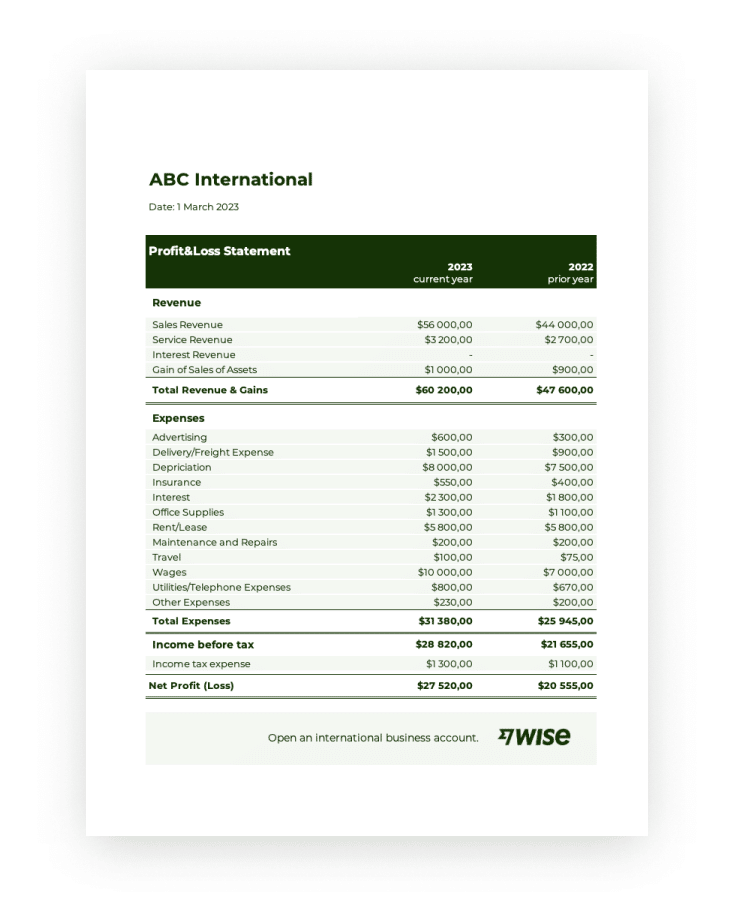
  • Financial statements (like profit and loss statements, balance sheets and cash flow statements)

  • A comprehensive company description, extensive market research and competitive analysis

  • Business structure, organizational structure and management team details

  • Comprehensive marketing strategy and sales strategy for different customer segments

  • Operational plans with minute logistical details

  • Potential risk assessments, contingency plans and an exit strategy

  • An executive summary for C-level, department heads and potential investors

Traditional business plans assume a stable environment where you can accurately predict future operations. For most startup business owners, this approach is impractical.

Startups operate in unpredictable environments where markets and customer needs change quickly. Lean startup business plans don’t try to predict the future. Instead, they focus on testing hypotheses and adapting quickly.

Here are the main differences between the two types of business plans:

Traditional business plan

Lean startup business plan

Extensive, usually 20 to 30+ pages, including appendices

Concise, sometimes as few as one or two pages, though they can be anywhere up to 10

Focused on comprehensive strategy and detailed documentation

Focused on core strategy, key metrics and essential forecasts

Updated infrequently (annually or as needed)

Updated regularly (weekly or monthly)

Intended to secure funding and provide a comprehensive business roadmap

Intended to validate the market and uncover what works

Download Your Sales and Marketing Strategy Guide

Grow your business with our step-by-step guide (and template) for a combined sales and marketing strategy.

How to write a business plan for a startup: step-by-step guide

A startup business plan template helps you progress without getting overwhelmed. The following steps (including a startup business plan example to illustrate each) will help you turn your vision into a clear, structured document to guide your new business.

Step 1: Define your value proposition

A value proposition starts with deeply understanding a specific customer pain point, which requires thorough research to identify real business needs backed by concrete data. Here are some options for gathering that data:

  • Conduct interviews with your ideal customer. Ask open-ended questions about their current processes and frustrations.

  • Analyze support forum discussions. Pay attention to recurring complaints and the type of language they use.

  • Read competitor reviews. Pay particular attention to negative reviews to discover customers’ needs that aren’t currently being met.

  • Examine market research reports. Learn about broader market trends and emerging challenges.

  • Survey potential users. Use multiple-choice and open-ended questions to get the best customer insights.

Look for specific, quantifiable problems. Say your startup is a patient scheduling tool for small healthcare clinics. Instead of saying, “Healthcare clinics need better scheduling”, find clear data. For example, “independent clinics lose an average of 12 hours per week managing patient appointments manually”.

Your value proposition should address this problem and summarize the biggest benefit customers will get by choosing you. Craft a value proposition using this formula:

[Product/Service] helps [target customer] solve [specific problem] by [unique solution/approach]

For example, our patient scheduling tool’s value proposition might be: “We help small healthcare clinics save 12 hours per week by automating appointment scheduling with an AI-powered booking platform”.

Value proposition vs. mission statement

A value proposition outlines your company’s unique benefit. A mission statement highlights your company’s broader purpose and long-term goals.

For startups, the value proposition is more important. It shows why customers will choose your product, making it crucial for driving early growth.

Step 2: Size your market and estimate your market share

Once you have a clear value proposition, the next step is to determine the opportunity size. Understanding your market size helps you validate demand and set realistic growth targets.

For a startup business plan, focus on quick, data-driven estimates. Avoid exhaustive market research. The goal is to validate your business idea, not create a perfect market analysis.

Use free resources to gather market insights on your ideal customers:

  • The Small Business Administration (SBA) website provides detailed breakdowns of small business populations. Its guides include business sizes, industries and regional concentrations.

  • Industry association reports offer market research like average spending data and benchmark reports.

  • Trade publication research sections offer expert insights, emerging trends and overviews of the competition.

  • The Bureau of Labor Statistics provides employment data and industry growth trends in specific sectors.

  • The US Census Bureau’s Economic Census shows you the number of businesses in specific sectors and an estimate of their revenue.

Startup business plan us economic census

Let’s revisit our sample business plan for a startup company. Say the patient scheduling tool provider’s research reveals that there about 200,000 independent clinics operate in the US. With the healthcare industry experiencing steady annual growth and clinics increasingly adopting digital tools, the market presents a strong opportunity.

With that information, the company estimates that 20% of these clinics may adopt new scheduling software soon. This calculation makes its target market size about 40,000 potential customers (20% of 200,000). There’s also room for expansion as the industry grows and more clinics go digital.

Step 3: Map your competition

Understanding your competition helps you refine your unique advantage and your offering. Start by identifying both direct and indirect competitors:

Direct competitors

These companies provide a similar solution to the same problem for the same customer segment.

For our appointment scheduling tool, this could be a clinic management platform with an appointment scheduling feature.

Indirect competitors

These companies offer a solution that addresses the same problem for the same customer segment, but in a different way.

In our example, this could be a virtual receptionist service for the healthcare industry.

List both types of competitors in a spreadsheet and create two columns for each:

  • Key differences. Analyze and list what makes your competitors’ solutions stand out. What are their strengths and weaknesses? How does their product differ from yours when it comes to features, pricing and customer experience?

  • Your competitive advantage. Based on your competitor analysis, highlight what makes your product unique. Explain why customers should choose it over others. This could be anything from offering a simpler user interface to having more advanced features or focusing on a specific niche.

Step 4: Structure your revenue model

Understanding how your offering delivers value to your target customers will help you determine your ideal revenue model. For instance:

  1. Does your product provide ongoing value, like software? Then, a subscription business model with recurring revenue might be ideal.

  2. Is your product more transactional, like a physical product or a one-time service? Then, a one-time sale or pay-per-use model may make more sense.

To determine pricing, use your competitor research to understand typical price ranges for your type of business. Then, assess factors like:

  • How much it costs to produce or deliver your product. Look at fixed and variable costs like server hosting or staff training. Your pricing needs to cover costs while also allowing for profitability.

  • Your solution’s perceived value. Customers may pay more if your solution solves a big problem or works better than others. Interview your ideal customers to get their perspective.

  • How much potential customers are likely to spend on a solution like yours. You can do this by running customer surveys with your target market. You could also run a pricing page test, like this one from market research platform Wynter, where your ideal customers answer specific questions about your pricing page.

Startup business plan pricing page test

You can test different pricing structures in the early stages of your business.

Consider offering discounts for early adopters. You could also offer free trials or limited-time promotions. Then, see how your target audience responds.

This flexibility allows you to fine-tune your financial plan based on real customer feedback.

Step 5: Plan your first 90 days

The first three months are crucial for building momentum and validating your business. Create a structured 90-day plan with clear, achievable milestones. Focus on activities that validate your idea and generate early momentum, such as:

Launch a minimum viable product (MVP)

Develop a basic version of your product that solves your primary customer problem

Secure early customers or beta testers

Raise initial funding if needed

  • Develop a clear pitch deck

  • Identify potential investors

  • Explore options like angel investors or startup competitions

Understanding your resource constraints helps you allocate your limited resources more effectively. While working through the plan:

  • List the specific skills required to develop your MVP. Identify any gaps between your current team members’ capabilities and what you’ll need. Consider whether you’ll need extra hires or could pursue strategic partnerships.

  • Calculate your monthly expenses. Include development costs, market research costs, software subscriptions and potential contractor fees.

  • Determine how long your current funding will last. Identify potential sources for additional capital or alternative lenders or investors.

Stay flexible and view these 90 days as a learning opportunity. Each milestone should provide insights. Use these insights to refine your product, understand your target market and build momentum. The goal is progress, not perfection.

Download Pipedrive’s free business proposal template

Want to put together a persuasive business proposal for your next client? Download this customizable business proposal template for free.

Step 6: Track your progress with Pipedrive

Having a system to track your progress toward your lean business plan helps you keep sight of your goals and the impact of any changes. For startups, sales metrics are the ultimate validation of your business strategy.

Pipedrive allows you to track how effectively you’re turning potential customers into actual sales. For example, track your lead conversion rates. Identify which small business marketing strategies or sales approaches are most successful.

Startup business plan Pipedrive lead conversion report

If some lead sources have a low conversion, review your value proposition. You may need to refine your target audience and update your marketing plan.

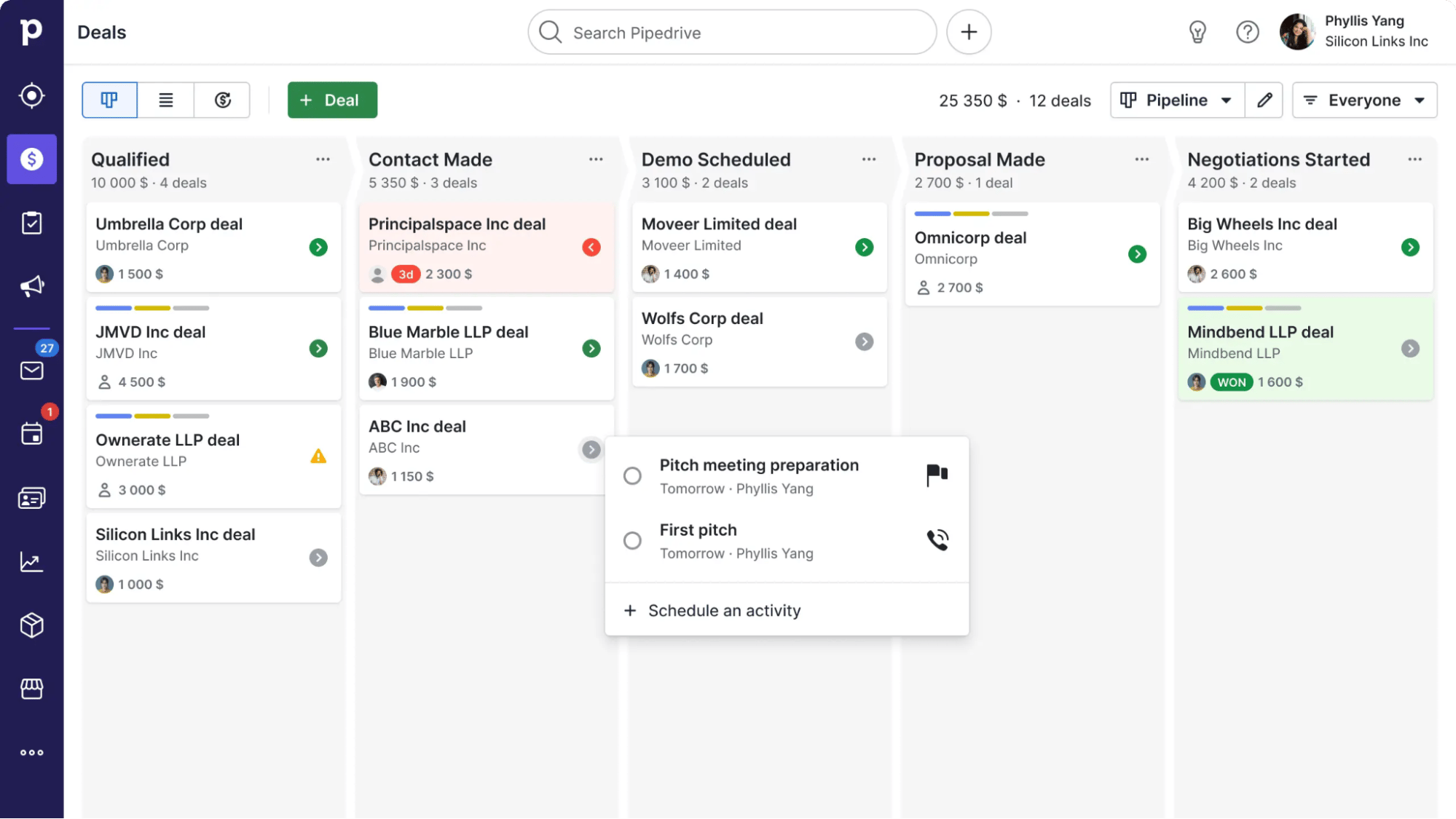
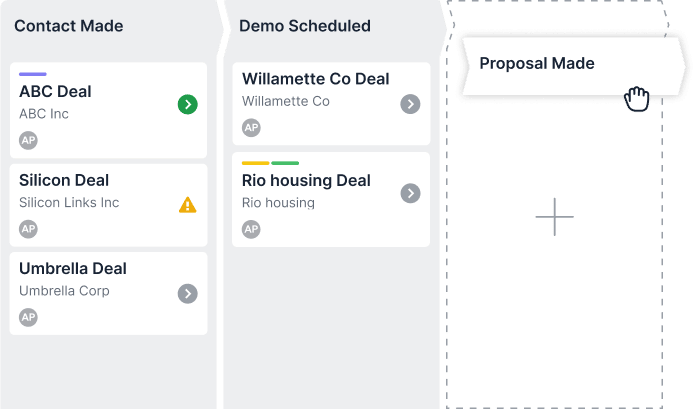
The pipeline view shows you how potential customers move through your sales process. Check where deals progress smoothly or get stuck to identify bottlenecks in your sales approach.

Startup business plan Pipedrive pipeline view

If deals consistently get stuck at certain stages, it could mean a few things. Perhaps your pricing strategy doesn’t match customer expectations, or your sales approach isn’t effective for your target market.

To understand why deals aren’t closing, survey leads who didn’t convert. You can also revisit your competitor research to look for successful sales approaches in your industry.

Recommended reading

https://www-cms.pipedriveassets.com/blog-assets/sales-pipeline-management-pipedrive.png

Sales pipeline management: The in-depth guide

Common startup business plan pitfalls to avoid

Many entrepreneurs derail their startup dreams by creating business plans that look impressive on paper but fail in the real world. Here are some common new business mistakes and how to avoid them.

Overcomplicated plan

A 50-page document might seem thorough. Yet, for a fast-moving startup, it will quickly become obsolete. If you get too caught up in the plan, you risk delaying the real work of testing and refining your business.

Instead, treat your business plan as a flexible, working document. Focus on the core steps outlined and update the plan as you learn and grow. Quickly responding to changing information will give you a strong basis to validate your idea and guide your startup’s strategy.

Unrealistic projections

Potential investors and stakeholders can easily spot overly optimistic revenue. Every startup business plan involves some level of assumption. However, those assumptions should be grounded in real data. This data can be from market research, competitor benchmarks or early customer feedback.

Overly optimistic revenue or growth estimates can set unrealistic expectations. These expectations lead to poor decision-making and disillusioned stakeholders.

Poor implementation planning

A great lean business plan means nothing if you don’t put it to use. The key is to break down your business plan into specific, achievable milestones.

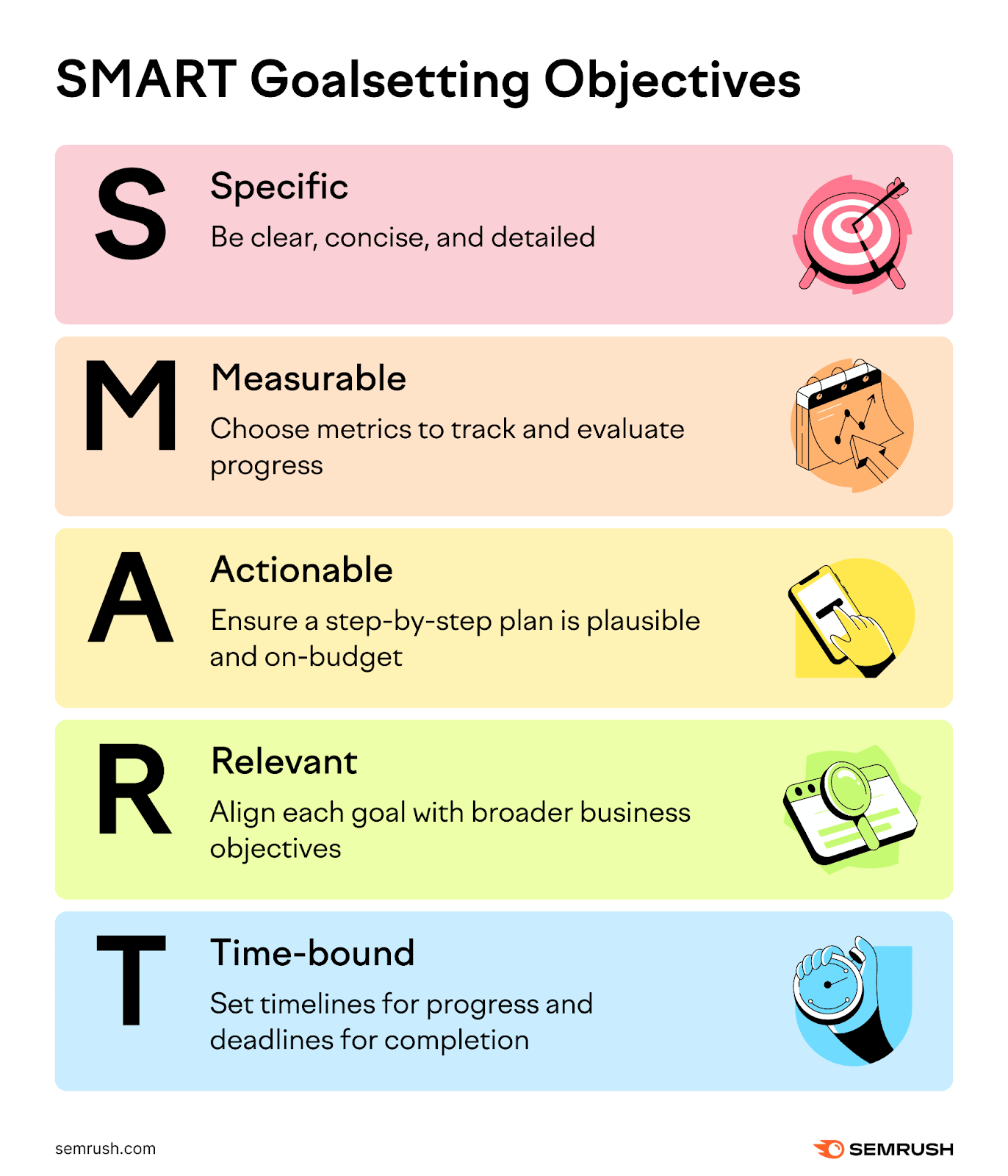
Use frameworks like OKRs (Objectives and Key Results) or SMART goals. These tools provide clear direction and keep your team focused.

startup business plan Pipedrive SMART goals

Final thoughts

Follow this startup business plan template to avoid getting stuck in endless documentation and ensure your first 90 days are a powerful learning experience. You’ll learn to validate your business quickly, adapt to market feedback and make data-driven decisions.

Ready to turn your startup business plan into action? Try Pipedrive’s CRM free for 14 days to track leads, streamline your sales process and gain strategic insights for your new business.

18 Top AI Tools for Business

Software Stack Editor · March 3, 2025 ·

Artificial intelligence (AI) business tools help teams increase efficiency by automating processes, conducting research and assisting with content creation.

The growing selection of AI-powered apps offers an exciting opportunity to increase productivity and drive growth. The question is, which should you choose?

In this guide, we’ll explore the best AI tools for business, covering sales, marketing, project management and more to help you get started.

AI business tools for sales automation

Sales automation software helps sales teams streamline processes and increase productivity to scale faster. For example, it helps to qualify leads, automate outreach and find valuable insights.

Here are three sales automation tools to turn conversations into conversions.

Pipedrive AI Sales Assistant

Best for keeping track of key metrics and spotting opportunities to improve productivity.

Sales professionals use Pipedrive’s AI Sales Assistant to enhance sales success.

The AI Sales Assistant analyzes deals, contacts and emails in your Pipedrive CRM to gain the best insights and suggest ways to close deals.

One intuitive feature is the tool’s ability to predict win probability. AI Sales Assistant monitors sales patterns to find deals that match the attributes of past won deals, then alerts you to better opportunities.

These alerts help salespeople focus on deals they’re more likely to win, boosting performance and sales revenue.

AI tools for business Pipedrive Sales Assistant

The AI-powered feature can also recommend the best actions to increase the chances of closing deals and send activity-based notifications to help teams stay on track.

Recognizing your sales patterns and preferences helps the AI Sales Assistant get smarter. Over time, it adapts to your specific needs to improve decision-making and drive results.

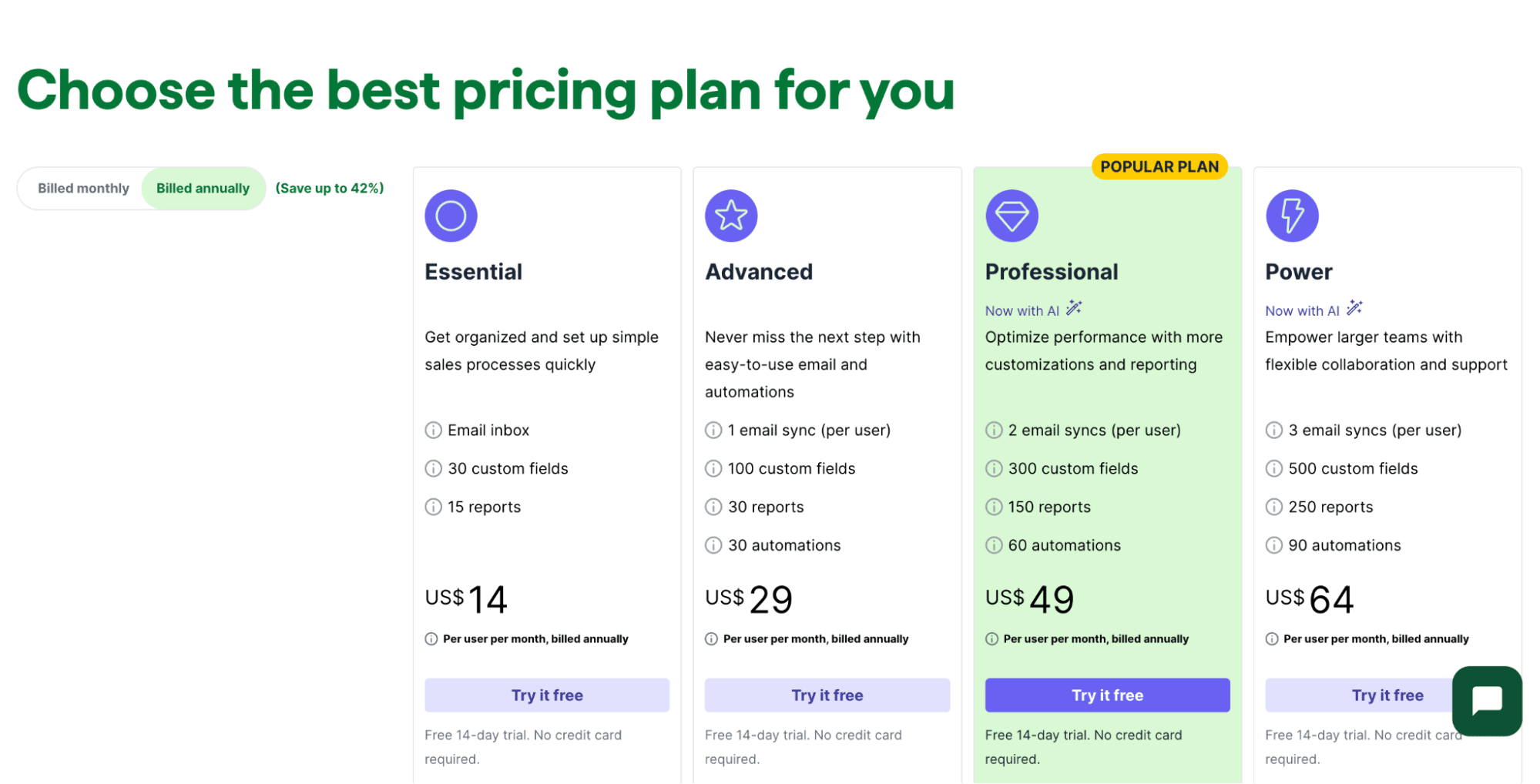
Price: AI Sales Assistant is available with Pipedrive Professional, Power and Enterprise plans starting from $49 per user per month. Try it free today with a 14-day trial.

Potion

Best for creating sales demos and landing page videos to speed up outreach.

Cold-calling can be an effective but time-consuming task for salespeople. Potion streamlines the process with AI-driven video creation for outreach.

Training the AI with a video recording and script enables it to generate custom videos of the user’s face and voice, with accurate lip sync and realistic-looking gestures.

AI tools for business Potion AI

Potion can create thousands of screen recordings for landing pages, tailoring backgrounds and branding to make them workspace-specific.

Users can add custom elements, including call-to-action buttons and calendar widgets, to each video to increase conversions.

Detailed analytics on views, clicks and engagement show users who are watching and how they engage with content. With this information, sales reps can understand which content performs best to improve results.

Price: from $99 to $299 per month per workspace, plus custom enterprise plans.

Zapier

Best for automating sales tasks.

Zapier is an automation platform that helps sales and marketing teams create workflows (Zaps) to streamline everyday tasks.

Users can connect Zapier to their CRM or sales outreach platform and use its AI-powered Copilot to handle administrative tasks, such as updating contacts or approving contracts.

AI tools for business Zapier AI

For example, sales reps can add Zapier to Pipedrive and have it record Calendly events as contact activities or add form entries as deals.

Sales leaders can also use Zapier to improve project management by setting event triggers. For instance, if a sales opportunity is overdue, Copilot can prompt a rep in Slack to update its status.

Zapier’s workflow templates can help salespeople in large companies stay focused on essential activities and aligned on processes.

Price: from free to $69 per month, plus custom pricing for enterprise teams.

Recommended reading

https://www-cms.pipedriveassets.com/blog-assets/pipedrive-zapier-new-features.png

Automate annoying admin with Pipedrive and Zapier’s new integration features

AI business tools for content creation

AI helps you create content faster at every stage – from brainstorming ideas to writing blog posts and product descriptions.

While it’s important not to lose the human touch, the tools below help digital marketing teams save time by automating repetitive tasks.

ChatGPT

Best for generating content ideas and supporting content admin tasks (e.g., translating text or creating outlines).

ChatGPT is a user-friendly AI chatbot that can understand and generate conversational prompt replies.

It was developed by OpenAI and uses machine learning (ML) and natural language processing (NLP) algorithms to analyze prompts and deliver relevant results.

ChatGPT is an AI content creation tool that works best as an assistant. Here’s how it can help with content:

For example, here’s how ChatGPT answers a prompt to come up with 10 episode title ideas for a podcast about starting an email newsletter:

AI tools for business ChatGPT

The more context ChatGPT has, the better the results. Providing it with information about industry, goals and tone helps it create personalized suggestions. Users can then tweak the content to suit their target audience.

Price: free, with paid plans starting at $20 per month.

Grammarly

Best for proofreading and editing content.

Grammarly’s AI-powered writing assistant helps content writers produce clear, engaging, error-free writing.

Grammarly started as a spelling and grammar checker but now analyzes word choice, sentence structure and readability.

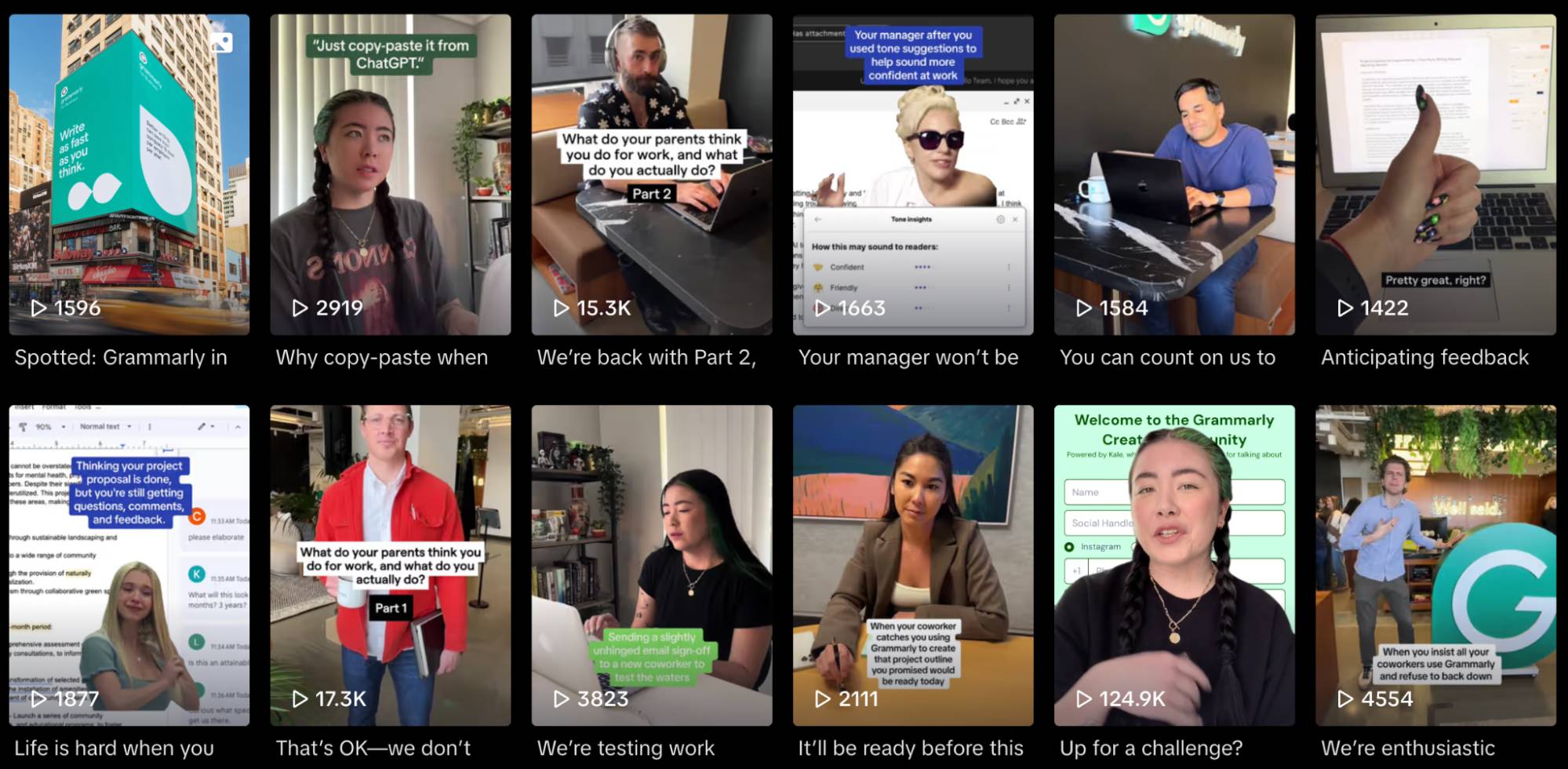
AI tools for business Grammarly

Its generative AI also offers suggestions to improve clarity, making writing more concise and authoritative.

The tool’s GPT-style AI Writer can also help marketers overcome writer’s block by generating ideas and copy from prompts.

Grammarly’s desktop and browser extensions give users real-time writing support wherever they work.

Price: free basic version, with paid plans starting at $12 per month.

Canva

Best for image and video content generation for marketing campaigns.

Canva makes it easy to create eye-catching graphic designs for everything, from social media posts to presentations. The tool’s AI features extend its ease of use even further.

With Canva’s Magic Studio, users can create high-quality, on-brand AI images, videos or graphics in seconds.

AI tools for business Canva

From a text prompt (e.g., “Pitch presentation an accountancy software startup”), its Magic Design tool generates relevant pages and populates them with content.

Additional AI features assist users in customizing content to keep it on-brand.

For example, Canva’s Magic Eraser removes unwanted items or backgrounds in an image, speeding up the editing process. Users can also use Magic Design to turn clips and photos into short, engaging videos.

The Magic Write AI text generator makes it easy for users to generate written content from prompts, turning Canva into a sound content marketing platform.

Price: Canva’s AI tools are available in Pro, Teams and Enterprise plans, starting at $120 per year per person.

AI business tools for email productivity

Email is a critical tool for sales collaboration and outreach, but it can also be time-consuming for busy teams. According to a Microsoft study, workers spend an average of 8.8 hours a week reading and writing emails.

The AI business tools below help you streamline activities to claw back some of that time.

Pipedrive AI email creation and summarization

Best for creating sales emails and managing customer and team interactions.

Pipedrive’s AI email writer includes two time-saving tools to speed up sales outreach.

The first is the AI email creation tool.

Clicking “Write my email” in your Pipedrive email composer lets you generate engaging emails, follow-ups and proposals in seconds using a simple prompt.

It also lets you choose the tone and length of your email to suit your target audience. For example, a promotional offer to customers might be friendly and short, whereas a proposal will likely be more professional and detailed.

Here’s how an email suggestion might look:

AI tools for business Pipedrive AI email writer

If you’re unhappy with the original suggestion, ask the tool to regenerate the email until you’re satisfied.

It’s a powerful tool to overcome writer’s block, engage contacts and scale outreach with minimum effort.

The second is AI email summarization.

AI email summarization helps you digest interactions and find information in email threads in seconds. Click “Summarize” on any email, and the tool provides the following information:

AI tools for business Pipedrive AI email

With this information, you can create AI-generated emails to craft the right response for the right person every time.

Price: AI email creation is in Pipedrive’s Professional, Power and Enterprise plans. Try it free with a 14-day trial.

Microsoft Copilot

Best for email management in Microsoft 365.

Microsoft Copilot brings AI features to Outlook, enabling users to quickly draft, summarize and review emails.

The tool’s “Draft with Copilot” feature helps users write emails based on a prompt, setting the tone and length to suit the target audience.

AI tools for business Microsoft Copilot

Its summarization feature provides a big-picture view of conversations, highlighting key points. This summary can help marketers and sales reps prepare for meetings and catch up on anything they’ve missed.

Each summary also includes numbered sources so users can find relevant messages and specific statements to understand context.

Another feature is Coaching by Copilot. Sales reps can use this to analyze email tone, content and structure.

For example, the feature might suggest revising content to improve clarity or tweaking language to be friendlier. With this assistance, users can ensure email communication is engaging and effective.

Note: Microsoft Copilot features only work with @outlook, @live or @hotmail Microsoft domains.

Price: Microsoft Copilot requires a Microsoft 365 subscription. Plans that include AI features start at $20 per month.

Gemini for Gmail

Best for email management in Google Workspace.

Gemini for Google Workspace streamlines repetitive tasks and improves email management.

AI tools for business Google Gemini

Like Microsoft Copilot, Google’s AI tool acts as an email assistant. Gemini’s features speed up email writing and conversation research.

Here are some common Gemini use cases:

  • Draft emails

  • Summarize email threads

  • Generate email response suggestions

  • Find information in emails, Google Drive or Google Calendar

  • Create events in Google Calendar

Gemini also includes many starter and follow-up prompts to help users make the most of its features. It can be used with other Google Workspace tools, such as Google Docs and Google Drive.

Price: Gemini Business plans start at $20 per user per year.

AI business tools for social media management

Managing multiple social media channels can feel overwhelming for marketers with many other responsibilities. Thankfully, AI tools can support your strategy, allowing you to manage your time while keeping your audience engaged.

Here are three AI business tools to generate tailored content, understand your audience and track performance.

Buffer

Best for tailoring social media posts to each channel.

Buffer is a valuable social media scheduling tool with AI features to help users share tailored content across various platforms.

Buffer’s AI Assistant can detect which social media channels marketers are creating content for and customize the content accordingly.

For example, if a user creates an update for Threads, the AI Assistant will generate content based on what performs well on the platform.

AI tools for business Buffer

Users can then ask the Assistant to write more or adapt the length for a different channel (e.g., shorten for Facebook). They can also customize the tone to match their audience, ensuring followers always see relevant content.

Buffer also offers tools for organizing social media posts by theme (e.g., promotions or blog posts) and automating scheduling to publish content when followers are most active.

Price: free for up to three channels with limited features. Paid plans start from $5 per channel per month.

FeedHive

Best for repurposing content and increasing engagement.

FeedHive is an AI-powered social content platform to help marketers create at scale.

FeedHive offers an AI Writing Assistant that can generate posts, develop ideas and suggest ways to improve posts to increase your chances of going viral.

AI tools for business FeedHive

Its tools also help marketers get the most out of content. Using AI-powered content recycling, FeedHive can repurpose previously published posts.

For example, AI can turn a high-engagement LinkedIn post into an Instagram caption.

By setting post conditions, users can use FeedHive’s AI to measure engagement and automatically exploit content to drive traffic to a website.

For instance, a marketer might use this feature to plug a course or product into a well-performing post.

It can be an effective way to turn engagement into action without manually tracking performance.

Price: from $15 to $239 per month billed annually.

Vista Social

Best for connecting and managing multiple social media channels.

Vista Social is a hub for a business’s social channels, making it easy for teams to manage comments, messages and reviews in one place.

Its ChatGPT-powered AI Assistant helps users create and edit content to fit the target audience.

AI tools for business Vista Social

For example, a social media executive might ask the AI Assistant to generate five captions promoting its new product. The best one can become a LinkedIn post or Bluesky thread by asking AI to adapt the text.

Like other AI models, Vista Social can also streamline everyday activities, such as:

  • Translating text to reach a global audience

  • Generating quick replies for incoming comments and direct messages

  • Saving and sharing answers to common questions

  • Adding statistics to posts to increase authority

Applying these features across multiple channels simultaneously can save time, allowing teams to scale up while maintaining brand consistency.

Price: from $374 to $1,430 per year. Enterprise plans start at $3,638 per year.

Recommended reading

https://www-cms.pipedriveassets.com/Social-Media-Marketing-2024.png

Social media marketing: Everything small businesses need to know in 2025

AI business tools for task and project management

Effective task and project management help teams increase productivity, stay aligned and hit targets. However, workload management is a common challenge. According to research by Formstack, more than half of workers spend over two hours a day on repetitive tasks.

AI business tools automate and prioritize tasks to allow teams to work smarter, not harder.

Here are three of the best AI tools for task and project management.

Notion AI

Best for note-taking and information sharing.

Notion’s note-taking and document-creation tools give sales and marketing teams a base to share ideas and store information.

Notion AI’s project management tools enhance productivity by helping with daily tasks, from writing to research.

AI tools for business Notion

Users can ask Notion AI to:

  • Convert handwritten notes

  • Brainstorm ideas

  • Create drafts

  • Edit and review documents for tone and style

  • Summarize meeting notes and PDFs

  • Analyze spreadsheets and forecast trends

  • Create tables from meeting notes

Teams can also access information from connected apps, using Notion AI to answer company-relevant questions like, “What are sales team targets for this month?”

Machine learning helps the tool become smarter. The more time a user spends with Notion AI, the better its suggestions become, making it a capable virtual assistant.

Price: starting at $8 per member per month.

Fireflies

Best for automating meeting notes.

Fireflies AI eliminates manual note-taking during meetings, allowing sales professionals to focus on conversations without missing important details.

AI tools for business Fireflies AI

Fireflies integrates with popular video calling apps to transcribe meetings, summarize key points and track topics.

It also captures video and audio from live calls and uploaded recordings so users can listen back to snippets and share memorable moments.

Another helpful feature is AI’s ability to track and measure speaker talk time, sentiment and monologues. Sales leaders can use this to coach reps and improve performance.

For example, if Fireflies detects a sales rep is hesitant during calls, a sales manager can encourage them to be more confident. Over time, this can build connections and boost conversions.

Note: Add Fireflies to Pipedrive to streamline post-call updates. Fireflies automatically captures and transcribes meetings in your CRM and assigns notes to the correct leads for better contact management.

Price: from $10 to $39 per seat per month.

Seal More Deals With Your Free Sales Communication Handbook

Learn to master your sales conversations with this 25 page ebook. Expect expert advice to help you level-up your soft skills and pump up your conversion rates.

Asana

Best for automating project management tasks and spotting bottlenecks.

Asana is one of the most well-known project management tools on the market. Its AI tools enable teams to automate manual tasks and get personalized insights on what to prioritize.

Project managers can use Asana AI to build smart projects, visualize metrics, identify risks and generate status updates to keep teams on track.

AI tools for business Asana

A smart editor also helps users craft compelling responses, using AI to adjust tone, length and format.

Asana AI adapts to business needs, using artificial intelligence to set realistic goals.

For example, analyzing historical data can suggest improvements (e.g., creating sub-goals or adding a definition of success) to make sales goals measurable and achievable. AI can help standardize goals across teams and departments to ensure company-wide alignment.

Note: Connect Asana with Pipedrive to boost sales productivity. Automatically create Asana tasks for new leads and deals and workflow automations for your sales pipelines.

Price: plans featuring Asana AI start at $10.99 per user per month.

Download Your Sales and Marketing Strategy Guide

Grow your business with our step-by-step guide (and template) for a combined sales and marketing strategy.

AI business tools for customer support

Customer support is crucial for business success. Meeting customer needs improves relationships and builds customer loyalty, helping to boost retention and your brand’s reputation.

AI customer care tools use machine learning, NLP and generative AI to enhance and streamline interactions. This function allows support teams to work efficiently and delight more customers.

Here are three of the best AI tools for business customer service.

Help Scout

Best for providing seamless customer support to every channel.

Help Scout is an all-in-one communication platform that helps customer service teams deliver personalized support across multiple channels.

Help Scout’s AI gives support professionals the tools to respond quickly and effectively.

AI tools for business Help Scout

Here are some AI features teams can use to make customer care more efficient:.

  • AI Summarize turns long conversations into a list of key points in one click

  • AI Drafts uses a large language model (LLM) trained on past conversations to draft personalized responses to customer questions

  • AI Assist can adjust the tone and length of a message, fix typos and translate text to improve customer replies and knowledge base articles

  • AI Answers provides straightforward responses to frequently asked questions (FAQs)

All Help Scout plans include AI features so businesses can streamline customer service tasks regardless of budget.

Note: Connect Help Scout to Pipedrive to manage customer relationships. Then, you can sync data between your accounts and keep track of important deals by displaying key information from your Help Scout customer sidebar.

Price: from free to $75 per month.

Balto

Best for managing and improving customer phone support.

Balto tracks and transcribes customer support calls in real time to improve agent performance.

As support reps chat with customers, Balto’s AI listens in the background, recognizing sentiment and suggesting answers to ensure better outcomes.

For example, if a customer mentions being frustrated, Balto recommends an empathetic response to help an agent overcome a tricky situation.

AI tools in business Balto

Additionally, Balto can send in-call notifications to encourage agents to avoid negative phrases and stick to brand guidelines.

Transcripts save automatically and receive scores based on their greeting, service, resolution, etc. Support managers can use this to understand the issues that need fixing to increase call quality and boost customer experience.

Price: users need to request a quote.

SentiSum

Best for customer insights and sentiment analysis.

SentiSum helps busy support teams automate insights and better understand customers to solve their problems.

Its powerful AI can accurately route support tickets to save time sorting conversations and reduce response time.

AI tools for business SentiSum

When a customer sends a message, SentiSum’s AI data analysis engine identifies the topic and sentiment and auto-applies tags and priority. Tickets are then routed directly to the right customer support rep and ranked based on urgency, risk and sentiment.

SentiSum can also integrate with helpdesk software to turn negative reviews and social media comments into tickets and pull granular insights from customer feedback surveys. With this information, support teams can address recurring issues to improve customer satisfaction.

Price: starting at $1000 per month.

Final thoughts

The right AI tools for business can increase productivity, improve outreach and speed up the sales process.

Choose tools that meet your business needs, goals and budget. Make the most of free trials to test features and connect tools to your existing software where possible.

Building an AI-powered tech stack can be time-consuming, but getting it right will help you scale your business faster.

See how Pipedrive’s AI business tools can benefit salespeople with a free 14-day trial.

The Ultimate AI for Small Business Guide

Software Stack Editor · March 3, 2025 ·

AI-powered software for small businesses helps users manage the competing demands of running their operations independently. AI tools save time, reduce stress and improve productivity in almost every business area.

In this article, you’ll learn how AI for small business works and which tools to consider using. You’ll also learn how the right software can help you manage your company more effectively.

What is AI for small business?

AI for small business helps entrepreneurs run their businesses more efficiently and effectively.

By using artificial intelligence and machine learning algorithms, small business AI tools reduce or eliminate the time it takes business owners to fulfill their responsibilities and make decisions. The software analyzes business data to:

  • Optimize and automate workflows

  • Streamline repetitive tasks

  • Deliver actionable insights

  • Make intelligent predictions

  • Recommend next actions

Entrepreneurs in startups and small-to-medium businesses (SMBs) face the challenge of having too much to do in too little time. Bank of America’s 2024 Business Owner Report highlights that pressure can negatively impact a business owner’s work-life balance.

Of the 70% of small business owners who “made tradeoffs to maintain their business’s profitability”, 45% said this involved working more hours.

AI small business software helps solve this issue. In a US Chamber of Commerce study, 86% of small business owners who use AI tools said the technology helps them operate more efficiently.

AI for small business US Chamber report

AI tools also help small business owners with many other aspects of entrepreneurship. In the same research, 91% of entrepreneurs who use AI predict it will help their businesses grow in the future.

How AI can help small businesses

AI-powered software can save time, reduce stress and provide insight for small business owners in the following areas:

Sales

Sales can be one of the most demanding and time-consuming small business operations.

From tracking the customer journey through the sales funnel to processing transactions, sales involves significant admin. It also generates a lot of data, which can be challenging to track and evaluate manually.

AI-powered customer relationship management (CRM) software like Pipedrive solves this problem. It analyzes sales and customer data to:

Below is one of the AI sales features in Pipedrive, AI Sales Assistant. The tool suggests the next best action for salespeople to take on deals in the sales cycle:

AI for small business Pipedrive AI Sales Assistant

For e-commerce businesses, AI small business software can analyze stock to make predictions for inventory management. It can boost online sales with interventions like personalized product recommendations for customers.

Download our sales pipeline course e-book

In the Sales Pipeline Course, Timo Rein, co-founder of Pipedrive, teaches you how to make more sales with exclusive advice and insights in 11 valuable lessons.

Marketing

An AI CRM also delivers valuable insight and support for small business marketing. The software can:

These features combine to help small business owners devise effective marketing strategies and deliver on them efficiently.

Added AI functionality like email campaign content creation speeds up the process of delivering personalized marketing messages to your target audience – directly from your CRM.

Customer support

AI-powered chatbots handle early-stage customer interactions on behalf of small business owners.

Using machine learning and natural language processing, they provide nuanced, relevant and up-to-date responses to customer queries.

Website AI chatbots also have the ability to direct more complex queries to human agents at the right time, delivering a positive AI customer experience.

These tools save time and reduce stress for entrepreneurs, helping business owners provide round-the-clock customer service without constant hands-on involvement.

Productivity and project management

Productivity tools use AI to help small business users make the most of their available time. For example, some calendar apps use AI to recommend meeting times based on participants’ availability.

Note-taking apps use artificial intelligence to summarize the content of recorded meetings and conversations.

AI-driven project management software recommends how to move a project forward. By analyzing project data, it can show users how to plan their time and approach complex tasks.

Internal and customer communication

AI email management software, like Pipedrive’s AI email writer, helps small business owners manage their day-to-day email communications.

Using machine learning and natural language processing, these tools perform sophisticated tasks like:

  • Writing emails in a user’s tone and style with generative AI (or gen AI)

  • Summarizing the contents of lengthy email threads

  • Analyzing the probability of deals closing in email discussions

  • Flagging high-priority emails in a user’s inbox

By helping small business owners handle the demands of email management, the software saves time, minimizes distractions and reduces unnecessary efforts and stress.

Turn Maybe Into Yes With These Killer Follow Up Email Templates

These customizable follow up email templates will help you boost your chances of breaking through to your busiest prospects.

The 7 best AI tools for small business

Now that you know how AI can benefit small businesses, explore the eight best AI tools available and how they help entrepreneurs.

1. Pipedrive: all-in-one solution

The AI-powered features in Pipedrive’s sales-focused CRM provide small business owners with a wide range of support.

AI Sales Assistant

Pipedrive’s AI Sales Assistant conducts AI-driven data analysis to deliver insights and recommended steps throughout the sales process.

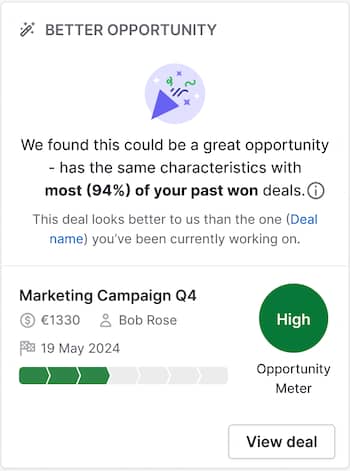
Analyzing deal data and sales activity, it suggests the next best actions to boost sales. Its “better opportunity” feature also alerts business owners to deals they may have overlooked.

AI for small business Pipedrive AI Sales Assistant

Matching open sales opportunities to the attributes of past won deals, the AI Sales Assistant highlights deals with a higher chance of success than the deal a rep is currently working on.

These AI-powered features aid decision-making in sales, helping business owners increase sales revenue faster.

AI email creator

Pipedrive’s AI email writer generates suggested email wording based on prompts provided by business owners, speeding up the emailing process.

AI for small business Pipedrive AI email creator

Users describe the email they want to write, specifying its length and tone. Pipedrive’s email writer then generates the requested text. The tool detects each user’s language style, leveraging generative AI to produce matching copy that resonates.

AI email summarizer

Pipedrive’s AI email summarizer analyzes email threads and summarizes their contents.

AI for small business Pipedrive AI email summarizer

As the image above shows, the tool assesses the sentiment of emails with prospects and evaluates their “readiness to buy”.

These thorough email summaries help business owners quickly assess their chances of closing a deal and determine their next steps.

Note: Pipedrive’s sales-focused CRM has many other non-AI features to optimize and support sales and marketing for small businesses. Automations eliminates unnecessary manual work from the sales process by automating time-consuming and repetitive tasks. Campaigns, Pipedrive’s email marketing software, helps small business owners build successful marketing campaigns with customizable email templates and customer segmentation tools.

2. ChatGPT

ChatGPT is an AI-powered chatbot and writing assistant suitable for individual users and businesses.

AI for small business Pipedrive ChatGPT

The AI tool supports small business owners by:

  • Creating content for social media posts, blog articles and other small business marketing activities

  • Being a brainstorming partner, suggesting multiple ideas for activities like creative content marketing, as in the image above

  • Automating customer interactions via integrations with customer experience and helpdesk software, allowing business owners to provide customer service at scale

3. Perplexity

Perplexity is an AI-driven research tool that answers complex queries by performing tasks like analyzing trends, comparing frameworks and summarizing contrasting viewpoints.

AI for small business Pipedrive Perplexity AI

Perplexity can help small business owners by:

  • Conducting market analysis and competitor research, as in the example above

  • Producing AI-generated insight to inform business planning and problem-solving

  • Reporting on industry trends and business news

4. Copy.ai

Copy.ai is an AI content creation tool that generates a wide range of content for small business owners to use in their marketing activities.

AI for small business copy.ai workflow

Examples of this AI-driven content include:

  • Social media posts, podcast scripts and SEO content – including metadata

  • Descriptions of products and services for website and ad copy

  • Repurposed text, e.g., articles from interview transcripts (like case studies) or social media messages from blogs (as in the image above)

5. Notion

Notion is a productivity and project management platform that leverages AI to aid workflow efficiency.

AI for small business Pipedrive Notion AI

Mainly, Notion’s AI-powered features help small business owners by:

  • Summarizing meeting notes and lengthy documents, as shown above

  • Generating structured templates for business workflows (e.g., financial planning)

  • Translating documents in multiple languages

6. Grammarly

Grammarly is an AI-powered writing assistant designed to refine copy and enhance communication.

AI for small business Pipedrive Grammarly AI

Grammarly AI assists small business owners’s content efforts by:

  • Recommending ways to make the language in a document or email clear and engaging

  • Suggesting structural and high-level editorial improvements to create significant impact, as in the example above

  • Suggesting edits to align with the business’s tone of voice or style guidelines

7. Google Sheets

Part of the Google Workspace suite, Google Sheets is a cloud-based spreadsheet tool with AI features powered by Google’s Gemini AI assistant.

AI for small business Pipedrive Google Sheets AI

The AI functionality in Google Sheets aids small business owners by:

  • Providing intelligent insights to help users organize their spreadsheet data (e.g., highlighting trends, generating pivot tables and suggesting ways to sort the data)

  • Suggesting formulas for users to apply to spreadsheet data (e.g., SUM, AVERAGE and IF statements) to perform calculations automatically

  • Recommending ways to visualize spreadsheet data effectively with automatic chart suggestions, dynamic dashboards and other presentation features

Pipedrive integrates with Google Workspace to allow customers access to these features without leaving the CRM.

All of these AI tools can solve some common problems for entrepreneurs. However, as every business operation has different needs, choosing the right AI software for your small business is essential.

Recommended reading

https://www-cms.pipedriveassets.com/Waterfall-charts-for-improved-sales-analysis.png

What waterfall charts can tell you about your sales data

Factors to consider when choosing AI solutions for your small business

When deciding which AI software to use in your small business, there are many questions to address in addition to pricing.

Here are five critical factors to consider when assessing your options:

1. Functionality

Every AI tool offers a different combination of features and functionality. To ensure a tool meets your needs:

  • Find out whether the tool integrates with other products in your small business’s tech stack, e.g., Pipedrive’s Dealbot for Slack integration automatically notifies collaborators about closed deals in real time

2. Ease of use

While most providers claim their products are easy to use, it’s essential to put this to the test:

3. Product training and customer support

No matter how easy an AI tool is to use, you and your collaborators will likely need support occasionally. For each solution you’re considering:

4. Privacy and security

Any small business software provider should take data privacy and security extremely seriously. To be sure this is the case for a potential tool:

  • If your small business handles personal data about EU residents, check the company website to confirm that the provider complies with General Data Protection Regulation (GDPR) terms

5. Reviews, ratings and recommendations

Feedback from fellow business owners can be invaluable when choosing a new AI tool for your business. As part of your research:

Best practices for using AI solutions for small business

AI solutions for small businesses offer great value to business owners. Users must proactively engage with the tools to unlock their full potential, so here are some helpful tips to make the best use of AI business optimizations:

  • Give AI tools good data to work with. A small business AI tool will need customer data alongside sales data and information about your business to deliver the best assessments and recommendations. Most platforms can import this information automatically from other products. If a tool requires a little upfront data entry, it’s worth taking the time to do this.

  • Stay on top of product updates. With AI technology evolving rapidly, small business software providers frequently update their products. If you stay informed on these developments, you’ll get even more value from the tools you invest in. It’s good practice to follow these updates and stay informed about all the ways the software can support your small business.

  • Train team members on the software. When onboarding your team to a CRM or other AI small business tool, ensure every user understands the software and how to use it effectively. Some software providers will deliver live training to new users as part of their service.

  • Pair AI recommendations with human thought. The real value of AI small business tools lies in how users evaluate their output. Some AI-generated recommendations will be the perfect prompts for a particular business context, while others will be less relevant or timely. To get the most out of these tools, business owners should evaluate every AI-driven insight and decide which to act on.

By following these steps, you’ll quickly experience the benefits of new AI software and gain additional value from your investment over time.

What is the future of AI for small business?

With advancements in AI occurring almost every day, future AI solutions will likely deliver even more insights and time-saving benefits for small business owners.

One possible development is that AI technology for small businesses will become more industry-specific. In its Generative AI Predictions for 2024–2028, Gartner suggests:

By 2027, more than 50% of the GenAI models that enterprises use will be specific to either an industry or business function.

In the future, small business owners may choose from a wider range of tools that meet niche business needs or solve industry-specific problems.

Another possibility is that AI small business software will become even more sophisticated. In its 2025 AI Business Predictions, PwC anticipates that: “2025 will bring significant advancements in quality, accuracy, capability and automation”.

This prediction follows an established trend of rapid innovation in the AI space. Tools like ChatGPT and Claude now integrate with business functions like customer support and content generation to offer seamless operations and scaling.

If you’re interested in staying updated on market trends and new technology, keep an eye on widely available technology news. You could also listen to relevant podcasts like The TED AI Show and Small Business, Big AI.

Final thoughts

AI software for small businesses can save time, improve productivity and deliver insight.

With support for almost every aspect of small business management, the technology can benefit businesses of all sizes, from startups to more established companies.

Pipedrive’s sales-focused CRM includes AI-powered sales software and email marketing software. These features help business owners make their sales and marketing efforts more efficient and effective.

Sign up for a free 14-day trial to see how Pipedrive can help you streamline sales, marketing and email management in your small business.

5 Best AI in Accounting Software Guide

Software Stack Editor · February 28, 2025 ·

Manual accounting tasks consume hours of valuable business time each week. AI accounting software automates essential workflows – from daily bookkeeping to tax preparation – while reducing errors and improving financial forecasts.

This guide explains how to choose and implement the right AI accounting solution, with reviews of five leading tools that can transform your financial workflows.

What is AI in accounting software?

AI accounting software is a financial management tool that automatically handles financial processes, including invoices, reconciling transactions and preparing tax returns. It eliminates the need for manual data entry and reduces human error.

It uses artificial intelligence (AI) technologies, such as machine learning algorithms (ML) and natural language processing (NLP), to perform accounting work traditionally carried out by humans.

Other use cases of artificial intelligence in accounting software include:

  • General bookkeeping. AI transfers data from invoices to accounting software, categorizes transactions, automates approvals, detects anomalies and generates reports.

  • Invoice processing. Automate the accounts payable processes, including invoice approvals, categorization and receipt generation.

  • Real-time analysis. Generate insights, flag overdue invoices and offer advice on how to lower costs.

  • Fraud detection. Analyze financial data to look for patterns that predict fraudulent activity.

  • Document summary. Summarize complex financial documents like contracts, highlighting the key points and suggesting the next steps.

  • Tax preparation. Extract data from bookkeeping software and other financial documents to automatically complete corporate tax returns.

Global accountancy firms, including the Big Four (Deloitte, PwC, Ernst & Young and KPMG), incorporate AI into their practices. For example, Deloitte clients use Intela to automate data collection and facilitate real-time reporting on tax commitments.

AI accounting software Pipedrive Intela

AI in accounting software will become more common, with experts predicting the accounting industry will grow over 40% per year for the next five years.

Accounting professionals are equally bullish, with 71% believing AI will substantially change the industry.

Recommended reading

https://www-cms.pipedriveassets.com/Small-Business-AI-revolution.png

How smaller companies are leading the AI revolution

5 best AI accounting software of 2025

Here are the top AI accounting software sorted by use case so that you can find the best tool for your small business.

1. Intuit Assist: best virtual assistant

Intuit Assist by Quickbooks is an AI-powered financial helper that uses generative AI to provide personalized recommendations for your company accounts.

AI accounting software Intuit Assist

The AI virtual assistant monitors your daily transactions, cash flow and financial health. It alerts you to low balances and suggests specific actions to improve your business finances.

Business owners can have natural conversations with Intuit Assist about their finances.

Ask, “What was my profit in January?” The AI will show you the numbers and automatically break down which products or services generated the most revenue.

Ask about unpaid invoices, and it’ll list them and suggest optimal times to send reminders based on customer payment history.

Other features include:

  • A daily financial statements snapshot that highlights key metrics – including cash on hand, upcoming bills and expected payments

  • Smart payment reminders that adapt to each customer’s payment history and automatically follow up at optimal times

  • One-click invoice creation that extracts data from receipts, emails and handwritten notes – eliminating manual data entry

If you’re new to QuickBooks, Intuit Assist streamlines the onboarding process by walking through key steps with customers before connecting them to a live human expert who can troubleshoot.

Pricing starts from $35 per month. A free 30-day trial is available.

2. Just Ask Xero: best for workflow automation

Just Ask Xero (JAX) is an AI-driven assistant that automates time-consuming accounting tasks, like creating an invoice or editing a quote. With workflow automation, you spend less time billing clients and more time building your business.

AI accounting software Pipedrive Xero

Business owners can ask JAX to complete tasks on their Xero account via email or WhatsApp. JAX is more accurate and less prone to hallucinations than other tools because it only accesses data relevant to the task. So, if you want to update a quote, it’ll only read that document.

Other features include:

  • A generative AI interface that summarizes bookkeeping data to answer questions about your accounts

  • A personalized summary of your accounts, including recommendations on accounting tasks JAX thinks you should complete

  • Personalized alerts that use real-time insights to highlight late payments, low balances and other issues

Pricing isn’t available for Just Ask Xero as the software is currently in beta.

3. Sage Copilot: best for monitoring and analysis

Sage Copilot is an AI-powered productivity assistant that constantly analyzes financial data, like invoices, bills, bank accounts and cash flow, to flag overdue payments and tasks you must complete.

AI accounting software Pipedrive Sage

Sage Copilot helps finance teams prioritize tasks according to urgency and asks them if they want to automate them.

Other features include:

  • Workflow automation features that save time by automatically creating invoices, sending payment reminders and completing other bookkeeping tasks

  • A generative AI interface that helps business owners understand who owes them money and how much revenue they’re on course to generate

  • Content creation capabilities that help you write and personalize payment reminders before sending them in bulk

Pricing isn’t available for Copilot. It’s in early access mode and only available by request.

4. Blue dot: best for tax compliance

Blue dot is an AI tax compliance platform that analyzes every employee transaction to ensure compliance with local tax laws and calculate eligible and qualified VAT spend.

AI accounting software Pipedrive Blue dot

Blue dot ingests all employee transactions, extracting and validating the data and enriching it with additional information from other financial systems, such as accounting software. It then applies several checks and regulatory compliance assessments, which you can customize based on the markets you operate in.

Other features include:

  • Automated VAT compliance. Blue dot optimizes VAT recovery by identifying and calculating eligible VAT on domestic and international transactions.

  • Taxable employee benefits management. The platform improves employee benefits compliance by tracking, reporting and calculating taxable employee benefits.

  • Regulatory compliance updates. Blue dot ensures companies stay abreast of regulatory changes by constantly monitoring global tax laws and updating the platform to reflect compliance requirements.

Pricing is available on request.

5. AppZen: best for accounts receivable and expense analysis

AppZen’s AI platform builds an automated accounts payable workflow for companies that eliminates manual data entry and helps you get paid faster.

It automatically captures and validates invoices, so your team doesn’t need to key in vendor information, PO numbers or tax codes.

AI accounting software Pipedrive AppZen

You can even build automated workflows with pre-defined rules that send invoices to specific people based on the invoice amount, vendor and department.

Other features include:

  • Expense auditing. Improves fraud detection and policy violations by analyzing expenses in line with company policies.

  • Email management. Integrate AppZen with your email to process invoices as soon as they land in your inbox.

  • Credit card auditing. Improves visibility and compliance of corporate credit card programs by automatically approving and reconciling transactions using pre-set company policies.

Pricing is available on request.

Recommended reading

https://www-cms.pipedriveassets.com/Conversational-AI.png

Conversational AI in sales: A beginner’s guide

The benefits of AI in accounting software

AI automates accounting processes and analyzes data much faster than humans, so business owners can save time, lower costs and create more accurate accounts. It helps them work smarter, not harder.

Here are five ways AI in accounting software supports small businesses.

Saves time by automating routine tasks

AI accounting software turns hours of bookkeeping into minutes – saving businesses up to 12 hours weekly on financial tasks. According to the Thomson Reuters Future of Professionals report, that’s equivalent to adding one new employee for every 10 team members.

Here’s how it works.

When you receive a supplier invoice, AI accounting software:

  • Scans and extracts key data like supplier names, dates and amounts automatically

  • Matches each invoice to the corresponding bank transaction

  • Reconciles the payment in your books

  • Files the document for tax purposes

This automation reduces the time spent on manual bookkeeping to a few clicks, allowing business owners to focus on financial strategic decisions instead of data entry.

Reduces costs by handling bookkeeping

Accounting software automates everyday bookkeeping tasks that require business owners to hire additional staff, such as:

  • Capturing and uploading supplier invoice information

  • Creating invoices and bills

  • Chasing outstanding invoices

  • Reconciling bank accounts

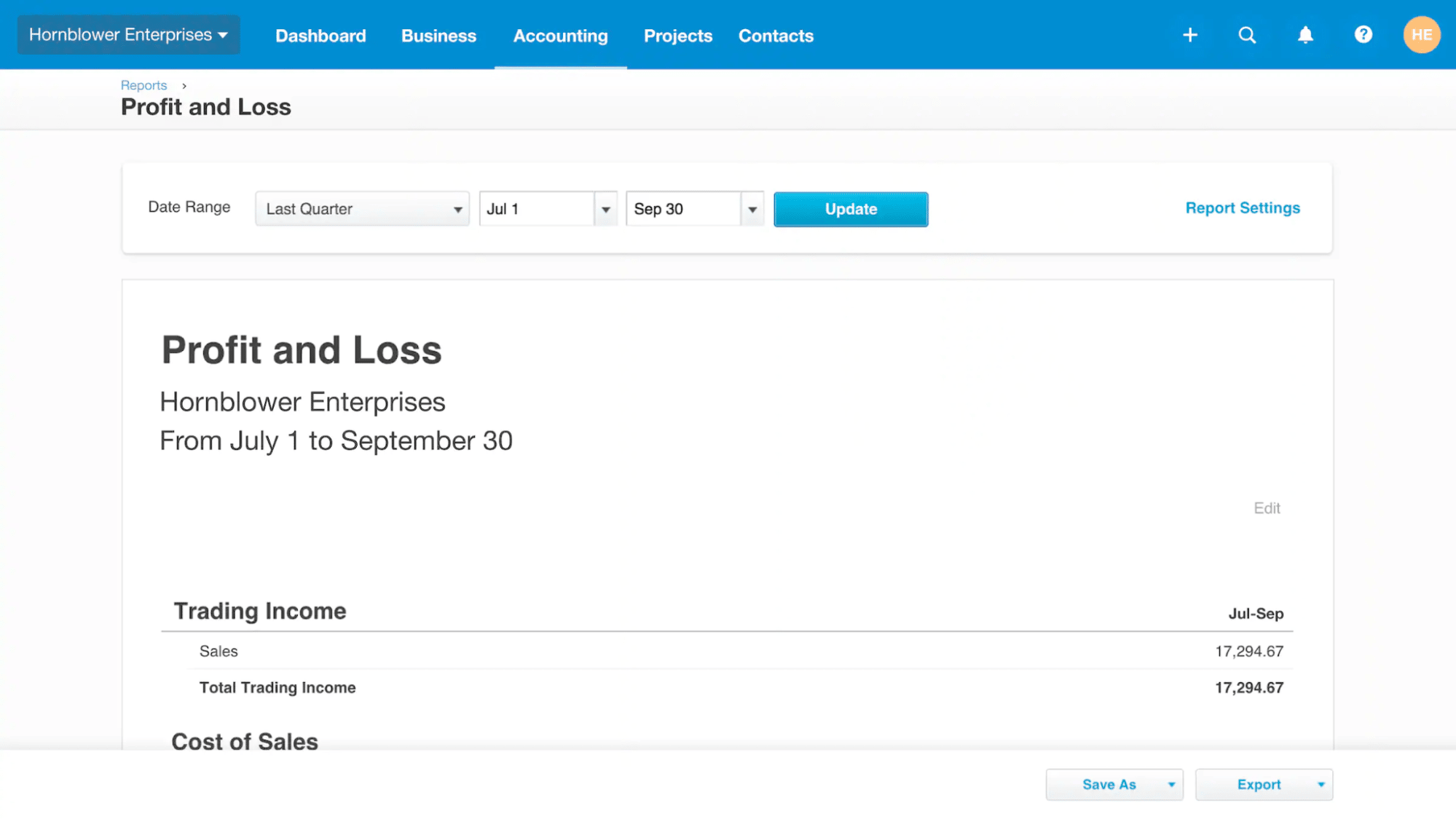
  • Creating basic reports like a profit and loss chart

Almost 40% of companies report cost savings thanks to AI.

AI accounting software Pipedrive cost-cutting

AI’s cost efficiency increases as your business grows because – unlike humans – AI doesn’t need more time or resources to handle additional tasks.

Improve accuracy and reduce manual data entry

While humans become error-prone during repetitive tasks, AI accounting software maintains high accuracy – catching costly mistakes before they impact your bottom line.

The software automatically:

  • Detects incorrect amounts on bills and invoices

  • Flags mismatched transactions during reconciliation

  • Alerts you to unusual spending patterns

  • Identifies missing payments from customers

AI removes human error from routine bookkeeping tasks, ensuring financial records’ accuracy and cash flow health.

Enhances insights using predictive and machine learning models

AI software makes fast and accurate predictions about cash flow, revenue and other financial metrics that business owners can use to inform budgets and other financial decision-making.

When you request a forecast, the AI will:

  • Access your sales and financial data – some models will also pull in external data like accounts from publically traded companies

  • Identify relevant information, spot trends like seasonality and make a prediction accordingly

  • Update its prediction at regular intervals or whenever new data is available

AI’s real-time predictive analytics allow business owners to spend more time implementing financial data analysis than collecting data or building reports.

Boosts tax compliance by compiling returns

AI automates much of a compliance team’s administrative work, allowing them to complete reports faster and more accurately.

The software:

  • Checks corporate accounts for errors like incorrect invoices

  • Scans government reports to spot regulatory changes

  • Fills out tax reports using your bookkeeping data

Automated workflows decrease the likelihood of errors and help accounting teams file returns on time – reducing the risk of penalties or audits.

Download Pipedrive’s state of AI in business report 2024

Find out everything about business AI adoption

How to choose and implement AI accounting software

Selecting the right AI accounting software is crucial – the wrong choice can lead to workflow disruptions, compatibility issues and wasted investment.

Follow these implementation steps to ensure the new technology delivers maximum value from day one.

Determine the accounting tasks you want AI to handle

Start by evaluating your current practices to find the tasks AI accounting software can solve. Find out what matters most by asking yourself the following questions:

  • Which accounting workflows consume the most of your time? This will help you narrow down AI use cases.

  • Which manual tasks do you struggle with? These tasks are ripe for AI automation.

  • What’s your budget? AI accounting software varies in price. It’s important to choose a tool that meets your budget.

  • What tools does it need to integrate with? AI software’s automation features are more powerful when natively integrated with other software.

Using your answers to the above questions, outline the objective you want to achieve to give your search more direction.

For example, you might aim to reduce the time you spend updating your bookkeeping software using an AI tool’s automation functionality. The tool must integrate with your existing software, such as your ERP and CRM systems. It’ll be a success if the software saves you five hours weekly.

Here’s a template you can use to create an objective:

I want to implement an AI accounting tool to [enter the task you want to solve]. It should use features like [enter core features] to achieve this. The tool must integrate with my existing software, including [enter name of software]. The implementation will be successful if [enter SMART goal].

Evaluate AI accounting tools

Look for an AI accounting tool that aligns with your requirements. For example, if you list forecasting as a process that consumes much of your time, shortlist software with strong financial reporting and analysis features.

Look for the following when examining potential tools:

Features

What to look for

Third-party integrations

Increase workflow automation by natively integrating tools with the rest of your financial software.

Banking sync

Facilitate automatic account reconciliation by connecting bank banks.

Security controls

Ensure only authorized people access the tool with features like single sign-on (SSO), SCIM provisioning and access permissions.

Multi-business support

Manage multiple businesses using the same AI tool.

User onboarding

Make it easier for employees to use tools with self-service onboarding and training material like videos and user guides.

Technical support

Assess the level of ongoing support. Look for multiple support channels and guaranteed response times.

Support your research with free trials and product demos. While product pages can be insightful, there’s nothing like getting your hands on the tool.

Integrate AI software with your existing tech stack

Write a detailed integration plan that outlines the steps and resources to integrate a new AI tool. The quality of an AI’s output depends on how much high-quality data it has access to, so it’s essential to integrate it with as many of your existing tools as possible.

List your finance and accounting systems and note whether a native integration is available. If it is, setting up the AI tool should allow for one- or two-click integrations.

For software without native integrations, check if an automation platform like Zapier has pre-made connections. A quick search on Zapier’s website will show whether these are available.

Here’s an example of popular integrations between Pipedrive and Freshbooks:

AI accounting software Pipedrive Zapier

Zapier integrations use a Trigger (e.g., updating a deal in Pipedrive) to perform an action in the second platform (e.g., updating an invoice in Freshbooks).

Here’s a list of Pipedrive’s Triggers and Actions:

Trigger

Action

  • New activity

  • New deal

  • New lead

  • New organization

  • New note

  • New person

  • New project

  • Add product to deal

  • Add label to person

  • Attach file

  • Create lead

  • Create product

  • Create task

  • Update lead

Plan your Zapier integrations carefully – you’re building each one from scratch.

Consider partnering with an implementation expert to connect multiple tools fast. Ask the software provider if they have recommendations.

Provide training and support

Provide staff with the necessary training materials to learn and use your software. According to respondents in Pipedrive’s State of AI in Business Report, a lack of knowledge is the biggest barrier to AI adoption.

AI accounting software Pipedrive AI adoption barriers

Support employee adoption with these training resources:

  • Step-by-step onboarding guides that walk users through key features

  • Interactive product demos that let users practice in a test environment

  • Direct access to the software’s help center for troubleshooting

  • Contact details for dedicated customer success representatives

Note: Include your future power users in software demos and free trials. Their hands-on experience will speed up adoption and help identify potential workflow issues early.

How to use Pipedrive’s CRM alongside AI accounting software

Pipedrive’s AI-powered CRM enhances your accounting software by connecting sales data directly to your financial workflows. Here’s how Pipedrive’s automation features streamline your accounting processes.

Forecast sales with even greater accuracy

Use Pipedrive’s sales forecasting to predict revenue based on real-time sales data. The tool creates accurate financial projections by analyzing key metrics, including:

  • Current pipeline value

  • Average sale value

  • Recurring revenue

  • Number and value of new deals added and comparison to previous periods

  • Number and value of lost deals

  • Average length of sales cycle

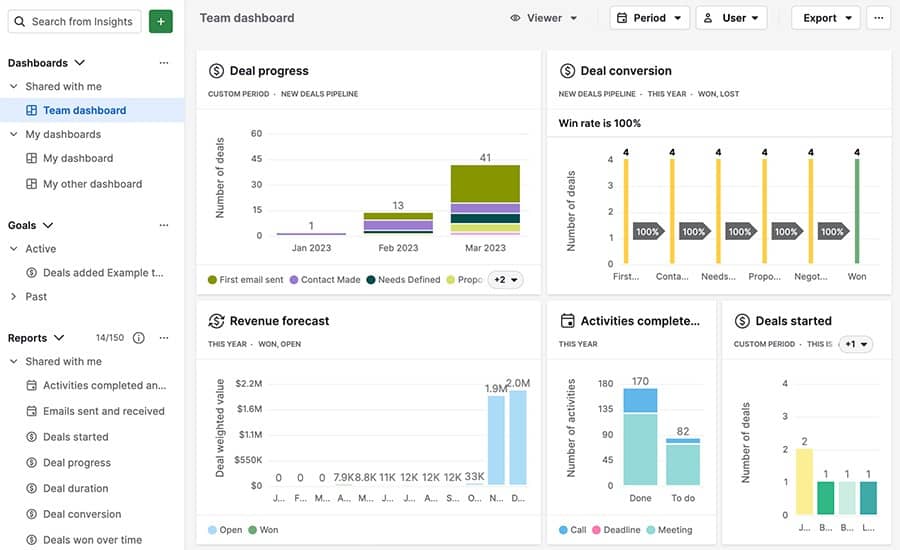
Creating a revenue forecast in Pipedrive is straightforward and available for all users on the Professional plan. Head to Insights, then click “+ > Report > Revenue forecast > Deal revenue forecast”.

AI accounting software Pipedrive forecasting

Set the forecasting period and deal status. Then, click save to generate a report like this one:

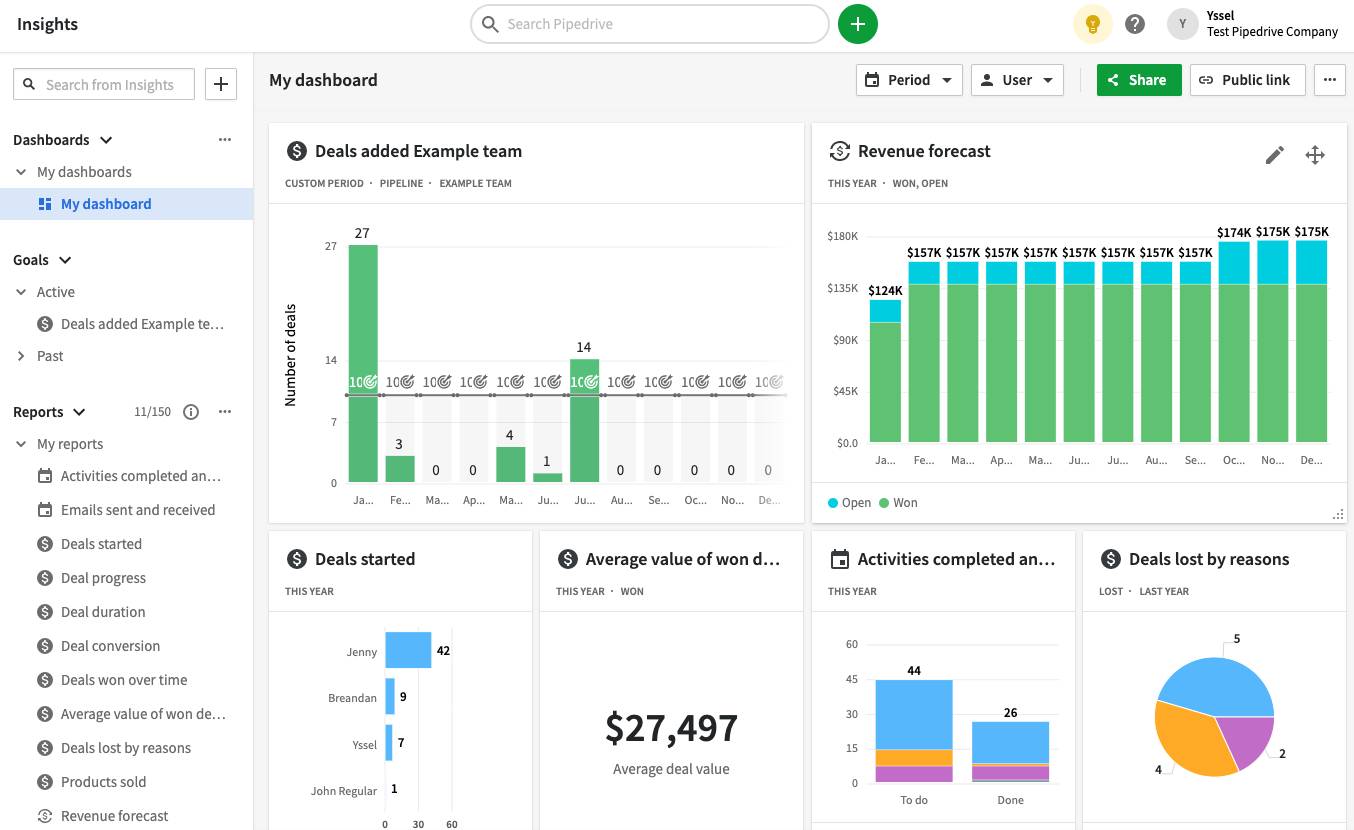
AI accounting software Pipedrive revenue insights

Hover over each column to see a breakdown of current and predictive revenue.

Streamline customer communication with AI email generation

Pipedrive’s AI email writer turns payment reminder prompts into professional collection emails. When your accounting software flags an overdue invoice, the tool generates a personalized message that maintains customer relationships while requesting payment.

AI accounting software Pipedrive AI email writer

When customers reply, Pipedrive’s AI summarization feature analyzes responses to identify:

  • Key themes

  • Customer sentiment

  • Recommended actions

This feature streamlines collection workflows. Customer success reps can review AI-generated summaries of entire email chains to resolve payment delays quickly.

Reduce manual data entry and improve analysis with native integrations

Connect Pipedrive with QuickBooks or Xero to automatically generate invoices from your CRM data. Each time you close a deal, Pipedrive sends essential sales information to your accounting software, including:

The two-way integration ensures both systems stay synchronized. When you update a customer’s information or deal value in Pipedrive, your accounting records update automatically.

You can find a complete list of the accounting software that integrates with Pipedrive’s CRM in Pipedrive Marketplace.

AI in accounting software FAQs

  • AI accounting tools fall into two main categories:

    • Automated bookkeeping systems that handle day-to-day transactions, e.g., Intuit Assist

    • AI-powered advisory tools that help with financial planning and analysis, e.g., Sage Copilot

  • No. AI technology automates routine tasks but can’t replace professional judgment. Accountants are shifting from data entry to high-value services like strategic planning, tax strategy and financial advisory – areas where human expertise remains essential.

  • AI accounting software handles specific tasks like:

    • Data extraction by scanning and categorizing receipts and invoices

    • Account reconciliation by matching bank transactions to expenses

    • Cash flow forecasting based on historical data

    • Account auditing by flagging unusual transactions for review

    • Financial reporting by generating customized visuals

    Generative AI-powered tools also facilitate real-time analysis of datasets, helping business owners make informed decisions.

  • Yes. Major accounting firms like Deloitte, EY, KPMG and PwC use AI systems to automate routine work and enhance their services. For example, Deloitte’s Intela platform processes tax data automatically, allowing accounting teams to focus on strategic tax planning.

  • ChatGPT can help with basic accounting tasks like drafting payment reminder emails or explaining financial concepts. However, you shouldn’t use it for bookkeeping or financial advice since it can’t access your real-time business data or verify accuracy.

Final thoughts

AI accounting software turns time-consuming financial tasks into automated workflows, giving you deeper insights with less effort.

Pipedrive enhances these capabilities by connecting your sales and accounting data in real time. When every deal, invoice and payment flows automatically between systems, you can focus on growing your business instead of managing data.

Try Pipedrive free for 14 days and see how it can streamline your financial workflows.

20 Best AI Marketing Tools for Small Businesses

Software Stack Editor · February 27, 2025 ·

Small businesses using artificial intelligence (AI) for marketing can significantly streamline their workload and improve efficiency. AI tools handle time-consuming aspects, allowing you to focus on strategy and creativity.

In this article, you’ll learn about 20 AI-powered tools for marketing that small businesses can use to get results. The tools in this list are affordable and contain case studies that show their worth.

How AI marketing can help small businesses

The key advantage of using AI solutions for your small business or startup is that they automatically handle data-driven tasks. Marketing teams can focus on strategy and pass more qualified leads to salespeople who focus on building customer relationships and closing deals.

AI has become a business need rather than a competitive advantage. According to McKinsey’s 2024 State of AI report, AI adoption jumped to 72% for one or more business functions. Moreover, most of these businesses use AI in marketing and sales cycles.

Here’s how AI tools in marketing help at each stage of the process:

Lead generation

Challenge: visibility and attracting qualified prospects. Small businesses aim to stand out in crowded markets while balancing efficient content creation with their limited time. Streamlined strategies help them achieve both goals.

Key areas: content creation, social media management, email strategy and search engine optimization.

Example: a software consulting firm turns one client success story into five marketing pieces in 30 minutes. The firm’s AI tool creates a case study, LinkedIn posts and email sequences simultaneously.

Lead management (nurturing)

Challenge: maintain and personalize communication without letting leads go cold. Small businesses lose opportunities simply because they can’t keep up with follow-ups.

Key areas: email personalization and content targeting.

Example: a consulting firm uses AI to send timely follow-ups to 50 prospects based on their engagement patterns.

Conversion optimization

Challenge: timing and personalization. Most small businesses struggle with turning prospects into paying customers.

Key areas: deal tracking, follow-up emails, proposal creation and sales forecasting.

Example: a software company uses AI to analyze sales conversations. The tool finds the most mentioned product features in won deals. It helps sales teams focus their pitches on those key points.

Customer retention and upselling

Challenge: enhance customer experience to upsell or gain referrals. Small businesses focus so much on new sales that they miss opportunities to grow existing accounts.

Key areas: customer behavior tracking, upsell identification, satisfaction monitoring and retention analysis.

Example: a SaaS company uses AI to analyze support conversations and product usage. The tool identifies which customers might need additional training or are ready for premium features.

When you identify an area where your team spends significant time on repetitive tasks (e.g., content creation or email follow-ups), it’s easier to see where AI fits into your marketing process.

To identify bottlenecks in your business, speak to your team, review your metrics or map your process. You can even use methods like the “Fishbone diagram” or the “Five Whys Method”.

Recommended reading

https://www-cms.pipedriveassets.com/Sales-Efficiency.png

What is sales efficiency? Definition, metrics and strategies

20 best AI marketing tools for small businesses

Using AI tools in marketing saves you time while increasing your productivity, allowing you to concentrate on high-level strategies that boost profitability.

The Conference Board’s marketing technology survey shows that marketing professionals think AI will improve their creativity and work quality by 42% and 43%, respectively.

small business using AI for marketing survey

AI allows small business owners to concentrate on achieving results rather than worrying about the work required.

The challenge is selecting the tools that match your specific needs and budget. Here are 20 tools that deliver value to small businesses based on affordability, ease of use and proven results.

1. Pipedrive: best for integrated sales and marketing

small business using AI for marketing Pipedrive predictive analytics

Pipedrive is a well-known CRM tool that seamlessly aligns sales and marketing efforts. It combines email marketing campaigns with lead management to help teams track sales, optimize leads and close deals.

Download Your Sales and Marketing Strategy Guide

Grow your business with our step-by-step guide (and template) for a combined sales and marketing strategy.

Features:

  • AI Sales Assistant. Uses predictive analytics to analyze your deal’s information, contacts and emails to assess win probability and recommend the next steps. It sends you notifications and advice for sending personalized emails to high-value customers.

  • AI email creation. Generates marketing emails from custom prompts, reducing writing time. The tool offers tone, length and message type options, from nurturing sequences to promotional offers. Its AI adapts to different languages and creates content that boosts open rates and converts.

  • AI email summarization. Creates quick summaries of email conversations and marketing threads with one click. The feature assigns readiness-to-buy scores, spots accounts needing more nurturing and analyzes sentiment to guide marketing strategies. Perfect for maintaining momentum in marketing campaigns.

  • AI app recommendations and Marketplace. Make finding the right tools easier through natural language search and smart recommendations. The system analyzes usage patterns to suggest integrations that automate marketing tasks. It also understands simple questions without requiring specific keywords.

Pipedrive has a free 14-day trial with paid plans starting at $14 per month, billed annually.

Pipedrive’s AI capabilities were key to MinorCo founder Paul Minors’ transition from solo entrepreneur to building his sales team:

These features are useful for business owners or sales managers. If you’re someone that needs to keep track of how their team is performing, the AI recommendations are great for identifying what’s the next best opportunity that we should be following up on.

2. involve.me: best for interactive lead qualification funnels

small business using AI for marketing involve.me interface

involve.me is a platform that creates interactive lead funnels. You can guide, qualify and covert leads with multi-step sales funnels (e.g., appointments, lead magnets, quizzes and calculators). The platform turns visitor responses into customer data.

The AI-generated text feature allows you to create individual text feedback. Your users then see relevant offers based on their specific needs.

involve.me integrates with Pipedrive, syncing customer response data from template-based forms into the CRM system.

Features:

  • Quiz and form builder with templates

  • Conditional logic for personalized experiences

  • Payment processing integration

  • Lead scoring and segmentation

  • Analytics dashboard for tracking results

involve.me offers a free plan with pricing starting at $29 per month if billed annually.

Case study: Cognism, a sales intelligence platform, needed to show potential customers its ROI. The team built a calculator with involve.me that shows visitors how much revenue they could make using Cognism’s data. The calculator helped them improve user experience and collect better data about their ideal customers.

3. Wisepops: best for behavior-based lead capture

small business using AI for marketing Wisepops interface

Wisepops is a pop-up builder that converts website visitors into leads. The tool tracks visitor behavior to provide personalized updates.

The AI wishlist feature predicts visitors’ purchase intent and acts as a shopping assistant, providing personalized recommendations.

Wisepops integrates with Pipedrive, allowing marketers to create email pop-ups.

Features:

  • Smart pop-up timing based on user behavior

  • Real-time segmentation

  • Multiple formats (e.g., pop-ups, sticky bars, embeds, tabs)

  • Performance analytics to understand visitors’ interactions

  • Drag-and-drop builder

Wisepops’ plans start at $124 per month if billed annually.

Case study: the fashion brand Asphalte needed to grow its email list and engage website visitors. Using Wisepops’ targeted pop-ups and notifications, Asphalte now generates 4,000+ new leads monthly. The brand’s pop-up click-through rate reached 25%, much higher than the typical 4–10% average.

4. Wishpond: best for social media contests and lead generation

small business using AI for marketing Wishpond interface

Wishpond is a marketing platform with tools for capturing, nurturing and converting leads. You can build and launch complete marketing campaigns (e.g., email, ads, social, SEO, landing pages, etc.). Plus, you can automate your marketing tasks to save time.

Wishpond has an AI-powered website builder. You input specific information about your type of business, and the builder autogenerates web copy and images. You can also regenerate the text and images with specific instructions.

Wishpond integrates with Pipedrive, providing a marketing platform to nurture leads that come from the CRM.

Features:

  • Landing page and pop-up builder

  • Email marketing automation

  • Campaign analytics

  • Lead generation forms with A/B testing

  • Social media contest and competition tools

Wishpond has a free 14-day trial with paid plans starting at $44 per month if billed annually.

Case study: Shari’s Cafe & Pies wanted to boost engagement with a photo contest for its seasonal menu. Using Wishpond’s contest tools, it ran a campaign where customers shared photos of their food. The contest increased the brand’s Facebook traffic by 30% and brought hundreds of new customers to its website.

5. Fireflies.ai: best for capturing insights from customer conversations

small business using AI for marketing Fireflies.ai interface

Fireflies.ai is a meeting assistant that records and analyzes sales conversations. It lets you capture customer calls, search past meetings and share insights with your team.

The AI transcribes your meetings and identifies important topics automatically. It summarizes key points, spots action items and pinpoints what matters most to your customers. You can use these insights to improve your marketing messages.

Fireflies.ai integrates with Pipedrive, creating notes and complete transcriptions of calls and automatically storing them in contact and deal records.

Features:

  • Automatic meeting transcription

  • Conversation search and analysis

  • Topic and keyword tracking

  • Meeting summaries and action items

  • Integration capabilities for team collaboration

Fireflies.ai offers a free plan with paid options starting at $10 per month if billed annually.

Case study: Amplified Innovation struggled to stay present in client meetings while taking detailed notes. After choosing Fireflies.ai, the team automatically captured complete meeting records. By focusing on customer interactions, it built stronger client relationships and offered better solutions.

6. ChatGPT: best for content creation

small business using AI for marketing ChatGPT interface

ChatGPT is an AI-powered chatbot that generates responses according to prompts. You can use it as a writing assistant to create marketing content, such as social media posts, email copy and blog articles.

ChatGPT’s machine learning algorithms understand context and specifications. You can ask for revisions, adjust the tone or generate multiple versions of your content to find the ideal fit for your target audience.

Features:

  • Library of GPTs for specific needs (e.g., creative writing, SEO, email marketing, etc.)

  • Multiple chats for different topics

  • Custom GPT creation

  • Content generation and brainstorming

  • “Search” and “Reason” capabilities

ChatGPT offers a free version with a paid plan starting at $20 per month.

Use case: Consider a local restaurant with a social media following. It needs to post social media content about new menu items, events and specials weekly. Between managing staff, overseeing operations and handling customers, creating social content becomes another time-consuming task on a busy manager’s plate.

Managers can create social posts by entering dish descriptions or images into ChatGPT. The platform generates multiple response options, allowing adjustments to match brand messaging.

Recommended reading

https://www-cms.pipedriveassets.com/ChatGPT-For-Sales.png

7 best ways to use ChatGPT for sales (use cases, prompts and tips)

7. Claude: best for customized marketing content

small business using ai for marketing Claude interface

Claude is an AI-driven assistant that generates responses from prompts. You can create project folders and share files or instructions that Claude can reference in the project chat.

Claude’s AI technology can create blog posts, email campaigns and product descriptions. You can also choose your writing style (formal, explanatory or concise).

Features:

  • Project folders with specific instructions

  • Multiple writing styles to choose from

  • Long-form content creation

  • Content brainstorming

  • General task assistance

Claude offers a free version with a paid plan starting at $20 per month.

Use case: Imagine a small SaaS company managing different types of content. The marketing team needs emails that sell and blog posts that educate. Claude’s project feature allows the brand to create separate workspaces for each content type. The email project includes sales examples and brand guidelines. The blog project stores technical documents and writing samples.

With this organized structure, teams maintain consistent content formatting.

8. Jasper: best for high-quality marketing content creation

small business using AI for marketing Jasper interface

Jasper is a generative AI tool with solutions tailored to specific marketing areas (performance, content, product, brand, PR, etc.)

Jasper uses a combination of text prompts and structured input fields. Users enter content requirements through designated form fields and can also use text-based prompts. The platform also integrates with popular marketing tools to streamline workflows.

Features:

  • Voice, tone and style for different marketing materials

  • AI-writing guidance with marketing best practices

  • Image creation or transformation

  • Style guide to apply different sets of rules

  • Jasper chat for specific feedback

Jasper offers a 7-day free trial with plans starting at $39 per month if billed annually.

Case study: Mongoose Media, a digital marketing agency, needed to speed up its content creation for clients. Using Jasper alongside its copywriter, it cut blog writing time from 8–10 hours to just two hours per piece. Even after Google’s Helpful Content update, its client’s organic traffic increased by 166%, growing from 3,000 to 8,000 monthly visitors.

9. Grammarly: best for polishing marketing content

small business using AI for marketing Grammarly interface

Grammarly is a writing assistant tool that checks marketing content for grammar, spelling and punctuation errors. The platform reviews emails and business documents for tone and clarity issues. It integrates with browsers and common business applications.

Grammarly’s AI analyzes writing for grammar, style and tone. The platform offers suggestions for clarity and audience engagement. Users can generate content drafts through AI-powered prompts.

Features:

  • Real-time writing suggestions

  • Tone adjustment tools

  • Brand style guide integration

  • Team collaboration features

  • Browser and app integration

Grammarly offers a free version with business plans starting at $12 per month if billed annually.

Case study: Zoom was expanding globally due to the widespread adoption of remote work. The marketing team had to align its messaging with new regional audiences. Grammarly Business helped it improve 71% of its communications in nine months. The platform delivered over 10,000 style suggestions and saved its team 7,000 hours in communication time, valued at $210,000.

10. Sprout Social: best for social media management

small business using AI for marketing Sprout Social interface

Sprout Social is a social media management platform for managing multiple social media marketing channels. The platform includes post-scheduling, message management and performance tracking. Moreover, it supports content calendar creation and brand sentiment analysis.

Sprout’s AI functionality analyzes posting time patterns for engagement and impressions. It also generates captions and finds brand-relevant content ideas. Individuals can use AI-powered analysis insights to identify top trends.

Features:

  • Unified inbox and chatbots to reply to messages

  • Social media scheduler and preview tool

  • Reports to track performance across channels

  • Spike alert notifications for specific topics

  • Team collaboration tools

Sprout Social offers a 30-day free trial and starts at $199 per month per user if billed annually.

Case study: MeUndies had issues handling its growing social media customer support needs. It used Sprout Social to manage over 12,000 Instagram messages in two months. The platform reduced response time to an average of 19 minutes. The team now deals with customer conversations faster while maintaining a personalized approach.

11. Canva: best for design creation

small business using AI for marketing Canva interface

Canva is a design platform that provides template-based visuals for marketing materials. The platform has a drag-and-drop functionality to create social media posts, presentations and branded content. It includes millions of templates and design elements.

Canva’s AI technology transforms text into professional designs instantly. It includes functions to generate custom images, recolor existing designs and remove backgrounds automatically. The Magic Design feature generates entire presentations, videos or social posts with a prompt.

Features:

Canva offers a free version with Pro plans starting at $100 per person per year.

Case study: PeakMade Real Estate needed to speed up its design process and maintain brand consistency. Using Canva, it reduced flyer creation time from 90 to 30 minutes. The platform saved the brand $130,000 annually and reduced its reliance on external agencies by $10,000. Its teams now save 2–3 hours weekly on content creation.

12. Clearscope: best for content decay and optimization

small business using AI for marketing Clearscope interface

Clearscope is an SEO tool that analyzes content performance metrics to optimize content and drive more traffic. The platform analyzes articles at the top of the search results, providing content recommendations and suggesting keywords.

Clearscope’s AI evaluates content against top-performing articles. It identifies which topics to cover, what questions to answer and how to structure content for better search rankings. The platform also grades optimization efforts in real time.

Features:

  • Content decay audits with actionable recommendations

  • Keyword research insights (search volume data, trends, subtopics, etc.)

  • AI-generated outlines

  • Content grading system

  • Competitive analysis

Clearscope’s plans start at $189 per month.

Case study: Podia needed to improve its competitor comparison pages for a new product launch. Using Clearscope’s content recommendations, it optimized over 40 pages. The updates generated $80,000 in SEO value in less than eight months – money saved from not having to pay for ads to get the same traffic.

13. Frase: best for content brief creation and optimization

small business using AI for marketing Frase interface

Frase is a content optimization tool that allows users to research topics and optimize articles. It analyzes the common headings at the top of search results and frequently asked questions to generate content briefs.

Frase’s AI assesses information and content elements across search results to provide suggestions. The platform also creates first drafts using outlines previously created in the outline builder. It has a topic score to assess content compared to competitors.

Features:

  • AI Article Wizard for content writing

  • Outline builder with reusable templates

  • Topic score grading

  • Questions and headings research

  • Team collaboration tools

Frase has a free plan with paid plans starting at $38 per month if billed annually.

Use case: The content manager of a small content marketing agency with five freelance writers spends hours researching topics and creating briefs for each client article. With Frase, they create SEO-optimized outlines in 30 minutes. Writers can access briefs on the platform, see AI suggestions while writing and submit drafts. The manager tracks progress through a simple dashboard and ensures every article meets client requirements.

14. Surfer: best for on-page content optimization

small business using AI for marketing Surfer interface

Surfer is an SEO tool that optimizes and audits on-page content. Users can see what topics to cover, including how long the content should be and which keywords to include. The platform analyzes hundreds of search results to guide content decisions.

Surfer’s AI examines top-ranking pages and provides specific recommendations. It can generate content outlines, check content writing scores and track optimization progress. Plus, it shows how the user’s content compares to competitors in real time.

Features:

  • Topical map to visualize content needs

  • Content editor interface

  • Surfer AI content writer (11 languages)

  • Content audit for SEO opportunities

  • Multiple contributors on one page

Surfer plans start at $79 per month if billed annually.

Case study: Dapper Marketing is a marketing agency that helps small businesses with their online presence. One of its clients failed to rank in the business intelligence software industry. Dapper used Surfer to revamp the client’s existing content and create new articles. In two months, website traffic doubled and brought 150 new leads.

15. Semrush: best for deep marketing insights

small business using AI for marketing Semrush interface

Semrush is a marketing tool for SEO, content marketing, PPC and social media. The platform provides content audit, keyword research, competitor analysis and content strategy development features from a centralized dashboard.

Semrush offers multiple free AI tools for different needs (e.g., proofreading, summarizing, rephrasing, title generator, etc.) It also provides 15+ integrations with specialized AI software like ContentShake AI.

Features:

Semrush has a free plan with paid plans starting at $117.33 per month if billed annually.

Case study: BetterVet, a mobile veterinary clinic, needed help growing organic traffic in a competitive market. It used Semrush to fix technical website issues and optimize content for local searches. Organic traffic increased by 2,000%, the clinic ranked in the top three search positions for over 6,400 keywords and weekly organic leads jumped from 45 to 85 new prospects.

16. Notion AI: best for workspace organization

small business using AI for marketing Notion AI interface

Notion is a collaborative workspace platform for creating and organizing marketing content. Its central hub houses project databases, document workflows and team task management functionalities.

Notion AI is a workspace assistant with functionality beyond basic writing tasks. Its chat function allows users to find information across tools like Slack and Google Drive. It also analyzes PDFs and images and supports content writing projects.

The AI can also incorporate style guides, create outlines from scattered notes and transform content into different formats.

Features:

  • AI search that finds answers across Slack and Google Drive

  • Template-based workspaces for different team needs

  • Real-time document collaboration with inline comments

  • Knowledge base with smart categorization

  • Project tracking with customizable views

Notion offers a free plan with AI features starting at $10 per month per member if billed annually.

Case study: Pinecone’s sales team had scattered information across multiple tools. After centralizing everything in Notion, it created a knowledge hub. Using AI tools, it increased its productivity from 50 to 400 customer touchpoints weekly. Sales reps now have access to competitive information. The brand can create prospecting messages and document customer interactions in one place.

17. Midjourney: best for image creation

small business using AI for marketing Midjourney interface

Midjourney is an AI image-generation tool that creates images using text descriptions. Users input prompts like “product photo of a coffee mug on a wooden table”. The platform generates four options, and users can modify any version until it matches their vision.

Team members can work together in shared workspaces. Plus, the platform matches style and color requirements to align with brand identity guidelines.

Features:

  • Text-to-image conversion with brand styles

  • Real-time image variations and refinements

  • High-quality image resolution controls

  • Reference image inspiration tools

  • Collaborative creative workspaces

Midjourney offers plans starting at $10 per month with business options available.

Use case: Imagine a digital marketing agency creating educational content daily. Each course and blog post needs custom illustrations, costing up to $100. Stock images rarely work well. With Midjourney, the agency could describe what it needs in simple words – for example, typing “friendly robot teaching digital marketing basics in a classroom”. Then, the agency could make changes until it’s satisfied.

18. Murf AI: best for voice generation

small business using AI for marketing Murf AI interface

Murf AI is an AI voice generator that converts text into voice recordings. The platform processes text for video content, podcasts and training materials across 20+ languages. It includes controls for pitch, pace and emphasis adjustments to address varying content requirements. The audio processing system also manages background noise reduction and audio consistency corrections.

Users can pick from 120+ voices that match their brand’s style.

Features:

  • AI voice generator with custom options

  • Text-to-voice generator in 20+ languages

  • Edit voice recordings instantly

  • Remove background sounds

  • Connect with video tools (Canva, Adobe Audition, Adobe Captivate, etc.)

Murf has a free basic plan with paid plans starting at $19 per month if billed annually.

Use case: Imagine a small online tutoring company with 50 educational videos in English. It wants to reach a Spanish-speaking audience, but dubbing services cost up to $75 per minute. Using Murf’s AI dubbing product, it could convert its library into Spanish faster and cost-effectively.

19. Copy.ai: best for fast marketing copy creation

small business using AI for marketing Copy.ai interface

Copy.ai is an AI writing tool that helps users create drafts in minutes, enabling teams to focus on polishing content instead of starting from scratch.

Copy.ai technology offers data-driven topic suggestions and SEO-friendly drafts that match brand voice parameters. The system can also convert audio content from meetings and interviews into text-based articles, eliminating manual transcription.

Features:

  • Content marketing automation

  • SEO-optimization tools and brand voice customization

  • Meeting transcript transformation

  • Multi-language translation and localization

  • Team collaboration workflows

Copy.ai offers a free plan with 2,000 words per month. Paid plans start at $36 per month for unlimited words and advanced features.

Use case: Agencies, writers and editors can use Copy.ai to 4x their output at a quarter of the cost. Since this platform has workflows, marketing teams can set the strategy and define the type of output they want to see.

20. Otter.ai: best for transcribing business conversations

small business using AI for marketing Otter.ai interface

Otter.ai is an AI meeting assistant that records and transcribes business conversations. The platform converts live meetings, interviews and client calls into searchable and shareable documentation.

Otter’s AI assistant generates automated summaries from conversations, highlighting key moments. It can also extract action items and search through previous meetings. The AI recognizes different speakers and adapts to industry-specific terms.

Features:

  • Real-time transcription in 30+ languages

  • Automated meeting summaries and highlights

  • Custom vocabulary training

  • Meeting recording and sharing

  • Mobile and web access

Otter.ai offers a free basic plan and paid plans start at $8.33 per month if billed annually.

Case study: Ethical business Strategist Lucie Chiochetti wanted an efficient way to take notes in client meetings. She spent hours transcribing conversations and remembering key details. With Otter.ai, she automated meeting transcriptions and created a searchable reference library for client discussions. The change saved her time as a solo business owner and improved her team communication.

Small business using AI for marketing FAQs

  • An AI marketing tool is software using machine learning algorithms to automate any area of your marketing efforts. It can be repetitive tasks like email scheduling, social media posting or even content creation.

  • To start using AI marketing tools for small businesses, you need a clear idea of how new technology fits your workflow. First, identify your bottlenecks and most time-consuming tasks. Then, try an AI tool that solves your biggest pain point (e.g., content creation, customer service or data analysis).

    You can focus on learning one tool before adding more to your stack. Then, rinse and repeat.

  • Yes! Marketing agencies and freelancers often use AI to improve the quality of their work and save time and money on repetitive tasks. AI can make you more efficient in your work, but it doesn’t replace human expertise and critical thinking.

  • Small businesses gain several advantages by using AI marketing tools. Your team can focus on decision-making while AI handles time-consuming tasks. Also, you can now compete with larger businesses using AI.

    Your marketing efforts improve across every channel with AI assistance. Email campaigns connect specific audiences through smart segmentation. Your social media presence stays consistent with automated scheduling and content creation. You produce blogs and social posts faster while maintaining quality.

Final thoughts

AI works best as an assistant rather than a replacement. You bring strategic thinking, creativity and a human connection to your marketing efforts. AI handles the time-consuming work while you focus on understanding buyer needs and building meaningful relationships.

Running successful marketing campaigns requires both human insight and technological efficiency. AI tools help you execute faster, but your expertise guides the strategy. Start exploring these AI marketing tools to enhance your workflow. Remember to maintain the human touch that makes your business unique.

Try Pipedrive free for 14 days to experience how AI-powered CRM can streamline your marketing operations and transform business results.

11 Useful Business Proposal Writing Steps + Templates

Software Stack Editor · February 26, 2025 ·

Business proposals help you win new clients, secure contracts and establish long-term partnerships. Crafting a successful proposal involves showing how you will meet your client’s needs and balancing persuasive communication with a clear value proposition.

This article teaches you how to create compelling business proposals that stand out and land clients. Plus, you’ll discover how you can use Pipedrive’s CRM to streamline the process from proposal writing to tracking.

What is a business proposal?

A business proposal is a strategic plan designed to attract new clients. Companies submit these proposals to potential clients to offer their services or products. It’s like a sales pitch to secure a contract – part persuasion and part detailed outline.

A good business proposal includes several crucial elements, including:

  • Clear solutions tailored to the client’s needs and supported by examples of past successes

  • A straightforward pricing strategy that explains how you’ll deliver your offerings

  • Additional materials, like team resumes and case studies that demonstrate your experience and sales skills

In short, a business proposal is a tool to showcase your company’s offerings. It helps clients decide whether to do business with you by indicating how you’ll deliver what they seek.

Business proposals differ from sales proposals as they offer solutions to meet a client’s broader needs, explaining objectives and long-term value. They can also include proposals for partnerships or other ventures.

Meanwhile, a sales proposal is more targeted, focusing on specific offerings and pricing. Both documents aim to persuade but vary in scope and detail.

Note: Business proposals are also different from a business plan, which focuses on internal operations.

Solicited vs. unsolicited business proposals

Business proposals, like marketing proposals, can be either solicited or unsolicited. The two types of business proposals aim to win business but differ in context and approach. Here’s how they compare:

Proposal type

Description

Solicited proposals

Companies send solicited proposals in response to a potential client’s formal request.

A client might submit a request for proposal (RFP) when they want to hire a service or buy a product. Companies then draft RFP responses – a type of business proposal – to address the request.

Since these proposals directly answer a client’s request, they’re typically more detailed and targeted.

Unsolicited proposals

You submit unsolicited proposals without a client’s specific request. Think of them as cold calls, but on paper.

Companies use unsolicited proposals to introduce offerings to prospects who haven’t reached out.

These proposals highlight why a sales prospect might benefit from the company’s offerings. They present potential solutions to the prospect’s as-yet-unidentified problems.

Download Pipedrive’s free business proposal template

Want to put together a persuasive business proposal for your next client? Download this customizable business proposal template for free.

What’s in a business proposal?

A business proposal is your chance to showcase how your company can solve a prospective client’s problems. It’s essential to be both persuasive and informative, ensuring every section serves a purpose.

Here’s a breakdown of what to include in a strong business proposal:

  • Title page. To give a solid first impression, start with a professional title page. Include your company name, proposal title, client’s name, the document’s date and your contact details.

  • Table of contents. Include a table of contents for easy navigation.

  • Executive summary. Provide a quick overview of your proposal. Highlight the main points and how your offering benefits the client.

  • Introduction. Introduce your company and touch on its background. Set the stage for why you’re the right fit for addressing the client’s requirements.

  • Problem statement. Clearly state the client’s problem, pain points or needs, showing that you understand their challenges and are ready to tackle them.

  • Proposed solution. Describe your approach to solving the client’s problem. Share the strategies and tools you’ll use to make it happen.

  • Qualifications. Showcase your experience and expertise with relevant case studies or customer stories to prove you can handle the job.

  • Pricing information. Lay out the cost of your products or services. Be transparent in your sales price strategy to avoid confusion.

  • Implementation plan. Outline the timeline and steps for delivering your solution. Give the client a clear picture of what to expect.

  • Terms and conditions. Include legal and sales contract information, like payment terms and warranties.

  • Call to action. Wrap up with a call to action (CTA), encouraging the client to take the next step – like scheduling a sales meeting or signing on the dotted line.

Each section builds your case and convinces the client that your company is the right choice.

Recommended reading

https://www-cms.pipedriveassets.com/14-Sales-Presentations_-Templates-Examples-Ideas-on-How-to-Present-Like-a-Pro-_-Pipedrive.png

Sales presentations: templates, examples and ideas on how to present like a pro

How to write a business proposal in 11 steps

Writing an effective business proposal is about clearly communicating the value you bring to the table. Here’s a step-by-step process for creating a winning proposal:

1. Research and understand your client’s needs

Tailoring your proposal to a client’s concerns shows you’ve done your homework and will deliver valuable solutions.

Start by gathering information about your client. Learn about their industry and any challenges they face. Check their website, social media and news articles for a complete picture.

Here’s what to do:

  • Pinpoint pain points. Identify the specific issues your client wants to solve. Review any documents they provide and look at public information about their operations.

  • Communicate directly. Talk to the client if you can. Reach out through sales discovery meetings, calls or emails. Asking direct questions helps clarify their needs and shows you want to understand their issues.

  • Check out competitors. Do competitor analysis to understand common industry challenges. Look at what others are doing well and find ways your client can stand out.

Example: Imagine a small business that offers cybersecurity software for startups. It wants to pitch its software proposal to a growing e-commerce company concerned about data breaches.

Through research, it finds that the company’s main pain points are a lack of data protection and complex onboarding processes. After discussion, the software firm confirms that the company lacks seamless integration and threat detection features that protect data.

2. Gather data and plan the proposal content

Now that you understand your prospect’s interests, it’s time to gather data and develop the content. This step builds the backbone of your pitch – it’s where you collect the information and materials needed to make a strong case for your solution.

Find relevant data to support your project proposal, including statistics, research findings or market research reports. The goal is to back up your claims with solid evidence to show the client you’ve done your homework.

Once you have the data, consider what content you’ll include in each section. For example, the executive summary should highlight the key benefits of your solution. Meanwhile, the problem statement defines the client’s challenges.

Example: The cybersecurity firm collects statistics showing that its software has reduced data breaches by 40% for similar e-commerce clients. It also highlights a 30% cost-saving on cybersecurity expenses thanks to its threat-detection functionality.

The firm then organizes this data to support each section of its proposal. The executive summary emphasizes how the software lowers breach incidents. It also notes industry reports that back up the urgency of these threats.

At this point, you’re just getting key information in place. In the next few steps, you’ll develop each section to complete your final proposal. For now, focus on finding key data and outlining what you’ll put where.

3. Craft the problem statement and proposed solution

After setting the stage with your executive summary and introduction, define the problem and present solutions to reinforce your value to the client.

First, clearly articulate the client’s problem or challenge by:

  • Using straightforward language to show you grasp their situation

  • Highlighting the problem’s impact on operations management or goals to underscore the need for a solution

  • Ensuring your statement is concise but detailed enough to capture what needs addressing

Here’s an example of how you can address a client’s issue:

“[e-commerce company] faces a significant challenge with increasing data breaches, leading to a 25% rise in security-related customer complaints over the past year. These incidents risk-sensitive customer data and threaten to erode trust.

As e-commerce grows, robust cybersecurity is essential to protect operations and maintain customer loyalty.”

Once you’ve established the problem, propose your solution in this way:

  • Detail exactly how your product or service addresses the client’s needs

  • Be specific about the strategies, methods or technologies you plan to use

  • Describe the expected outcomes, emphasizing how your solution improves the client’s situation

The cybersecurity solution for the e-commerce company example could read as follows:

“[Cybersecurity company]’s advanced threat detection technology identifies and neutralizes breaches proactively, integrating seamlessly with existing systems for uninterrupted protection. We project implementation to reduce breach incidents by 40% within the first year, boosting customer trust and delivering significant cost savings.”

4. Highlight your qualifications

Including your qualifications shows the client why your company is the best fit. This section should demonstrate your track record in addressing similar challenges. To highlight your achievements, you should:

  • Showcase relevant experience. Emphasize prior experience that relates to the client’s current needs. Discuss past projects, tasks or roles where you’ve successfully solved problems.

  • Include case studies and testimonials. Provide brief case studies or testimonials from past clients that highlight successes. Real-world examples lend credibility and show previous clients’ satisfaction.

  • Highlight team expertise. If your team will play a crucial role, mention their qualifications and experience. Include key team members’ backgrounds, relevant skills or significant achievements.

  • Awards and certifications. Mention relevant awards, certifications or accreditations your company has received. These accolades add to your credibility and remind the client of your standing in the industry.

Example: The cybersecurity sales firm presents data that shows a 40% reduction in data breaches for similar clients. The company also highlights its ISO 27001 certification, underscoring its commitment to high security standards.

The company includes social proof of successful collaboration and security improvements to bolster credibility. The proposal highlights its top female leader and her team’s extensive experience as a key strength, along with recent awards confirming industry excellence.

5. Provide pricing information

The pricing section should provide clear and well-explained pricing information to make the client feel comfortable moving forward.

Here’s what you’ll need:

Key pricing information

Example

Clear pricing details. Break down costs clearly so the client understands what they’re paying for. Include itemized products or services, packages or tiers offered.

The company offers a cybersecurity package for $15,000 annually, including installation and support. A tiered option with 24/7 monitoring is available for an additional $5,000 per year.

Terms and options. Detail payment terms like timelines, installment options or discounts for early payment. Offering flexible options can make your proposal more attractive.

Clients can make payments annually or in quarterly installments with a 5% discount on the total amount for full upfront payment.

Additional costs. Be upfront about potential extra costs or optional services. Setting clear expectations will build trust and prevent surprises later.

Additional services, like on-site training, cybersecurity tips and quarterly security audits, are $500 per session.

6. Create the implementation plan

When you’re ready to craft the implementation plan, clearly outline how you’ll bring your solution to life. Break the project into manageable phases with start dates, key milestones and expected deliverables. Show your client how the project will unfold and when to expect results.

Try to anticipate challenges and describe your strategies to overcome them. Being proactive will reassure the client that you’re well-prepared.

Example: The cybersecurity firm’s implementation plan has three phases. Phase 1 – software installation – occurs between April 1st and April 15th. Phase 2 covers training and integration, scheduled for the following two weeks. Phase 3, starting in May, involves monitoring and feedback sessions.

Your firm should address potential integration issues with real-time customer service and training resources. For example, if your clients struggle to integrate a particular tool, you could include step-by-step documentation to help.

7. Write the executive summary

With your data and content ready, it’s time to write the executive summary. This section sets the tone and provides a quick glimpse into your offering. It should be a snapshot of your entire proposal, capturing its essence in a few paragraphs.

While some sources recommend writing the executive summary earlier, it is more effective to do so after organizing your proposal’s content.

The sales copy in your executive summary should include:

Going back to the cybersecurity example, the executive summary could include:

“As your cybersecurity partner, [cybersecurity company] can help [e-commerce company] enhance its data protection measures. With a 25% increase in security incidents, protecting sensitive customer information is crucial. Our solution aims to reduce breaches by 40% and cut cybersecurity costs by up to 35% annually. It seamlessly integrates into your systems with minimal disruption and includes round-the-clock support and training. We’re eager to improve [e-commerce company]’s security and seek your approval to start next quarter.”

Keep the executive summary concise and focused. Stick to the most compelling points to capture the client’s interest quickly. Remember, this section is your first impression, so make it engaging and informative to encourage the client to read further.

8. Create your introduction

Next, move on to the introduction. Here, you give a brief overview of your company and its background. The goal is to show your understanding of prospective clients and their needs. You should underline your interest in working with them and how you align with their business goals.

The introduction should include:

Key information

Example

A brief company overview. Provide a snapshot of your company. Highlight key aspects like your history, mission and company core values.

[Cybersecurity company], founded in 2010, delivers innovative cybersecurity solutions. Our mission is to protect businesses by implementing advanced security measures that safeguard data and ensure continuity.

Any relevance to client needs. Demonstrate your understanding of the client’s business and their specific objectives.

We recognize that [e-commerce company] faces increasing security threats that jeopardize customer trust. Our software addresses these vulnerabilities and enhances the overall security framework.

Your alignment with client goals. Explain how your company’s objectives align with the client’s goals or industry challenges.

Just as [e-commerce company] aims to provide secure online sales, [cybersecurity company] focuses on preventing breaches and ensuring data safety, helping you uphold customer confidence and brand reputation.

Your experience and expertise. Touch on your experience and expertise relevant to the client’s goals.

With over a decade of experience, [cybersecurity company] has successfully reduced breach incidents for clients by up to 40%, demonstrating our ability to handle complex security challenges.

The introduction sets the stage for the rest of the proposal, so it should build rapport and establish a positive tone from the start.

Note: Although the introduction comes early in the final proposal, it’s best to write it after you’ve completed most of the document. Doing so will ensure it aligns with key points and solutions outlined later, making it more cohesive.

9. Draft your terms and conditions

Terms and conditions outline the responsibilities and expectations of both parties. This section should clearly define the legal and operational aspects of your agreement.

First, detail the scope of work. Specify what services or products you’ll provide and anything outside this scope. Clarity will ensure you and the client are on the same page.

Next, outline payment terms. Include payment schedules, acceptable payment methods and any late payment penalties. If necessary, include confidentiality agreements. If the project involves sensitive information, outline how you’ll protect it.

Finally, address any after-sales terms, like warranties, liabilities and termination clauses. These conditions protect your company and the client, providing a framework for resolving issues if they arise.

Example: The cybersecurity company defines the scope as providing installation, monitoring and support, excluding hardware upgrades. Payment is due quarterly via bank transfer or credit card, with a 5% penalty for late payments.

The confidentiality agreement protects the e-commerce business’s data with strict access controls and encryption. Additional terms include a one-year warranty on product updates, limited liabilities for direct damages and a mutual termination clause requiring 30 days’ notice.

10. Design the title page, table of contents and call to action

Your title page sets the first impression, so keep it clean and professional. Include essential details like the proposal title, your company name, the client’s name and the proposal date. Add your logo or a splash of colors to highlight your brand story and make it visually appealing.

Here’s a business proposal example to give you an idea of a good title page:

Business proposal Pipedrive title page example

After this, write an organized table of contents to make your proposal easy to navigate. List all major sections with headings, subheadings and corresponding page numbers.

End with a persuasive CTA to encourage the client to take the next step, whether it’s scheduling a meeting or signing off. Make it direct and position the CTA prominently at the end of the proposal.

11. Review, edit and finalize the proposal for submission

A well-polished proposal reflects your attention to detail, leaving a positive impression on the client. Before submitting your proposal, review and edit it for clarity, consistency and errors. Double-check facts, figures and references and make sure the layout is professional and consistent.

When you’re ready, submit the proposal to grab your client’s attention and await their response. Remember, an effective proposal has a higher chance of converting prospects into loyal customers.

Recommended reading

https://www-cms.pipedriveassets.com/blog-assets/pandadoc-sign-proposals.png

4 Things That Stop Clients from Signing Your Sales Proposals

Top tips for writing a business proposal

Building on the detailed steps above, here are eight essential tips to make your business proposal more persuasive and boost your chances of success:

  1. Write in clear and concise language. Communicate your ideas simply and directly. Avoid jargon and ensure each section is easy to understand so the client can quickly grasp your main points.

  2. Incorporate graphics and visuals. Infographics and visuals make complex information more accessible and interactive. Use charts, graphs and images to illustrate key concepts.

  3. Apply consistent branding. Branding reinforces your company identity and makes your proposal memorable. Infuse your document with consistent logos, colors and fonts.

  4. Tailor to the client. Customization shows you understand specific needs and goals. Personalize each proposal to make it relevant and impactful.

  5. Offer a strong call to action. A clear next step encourages clients to engage further. Prompt them to take the next action, like booking a meeting or signing a contract.

  6. Address potential objections. Anticipate your prospect’s concerns to prevent hesitation. Aim to overcome objections proactively to build confidence in your solution.

  7. Make it skimmable. Easy-to-navigate proposals save clients time. Use headings and bullet points to highlight key information.

  8. Follow up. A gentle reminder keeps your proposal top of mind. Send a friendly message to maintain the conversation and show that you’re actively thinking about your prospect.

Turn Maybe Into Yes With These Killer Follow Up Email Templates

These customizable follow up email templates will help you boost your chances of breaking through to your busiest prospects.

How to track your business proposal in Pipedrive

Managing a business proposal in Pipedrive’s CRM solution means keeping your proposal details organized and accessible. The solution helps you to efficiently track where each proposal stands in the sales pipeline, ensuring timely follow-ups.

Here’s how to leverage Pipedrive’s features for effective proposal management.

Create a custom pipeline to track creation and follow-up stages

Create a new sales pipeline for your business proposal, with custom stages for “Proposal drafting”, “Proposal sent”, “Client feedback”, “Negotiation” and “Final decision”. As you progress with the proposal, move it through the corresponding pipeline stages.

Business proposal Pipedrive deal pipeline

Use deals to monitor proposal progress

You can create and manage a deal within Pipedrive for each new proposal. Add essential details to the deal, like the client’s name, contact information and the expected closing date. Upload any related documents directly to the deal to keep everything organized.

Pipedrive color-codes deals to show health status. Use green to show you’re on track and red to indicate an overdue step or issue.

Business proposal Pipedrive deal health status

Set up activity schedules

Schedule activities like client meetings, follow-up calls or feedback deadlines for each deal. Use Pipedrive’s notifications feature to receive alerts about upcoming activities so you don’t overlook essential steps.

As you complete activities, mark them off in Pipedrive to easily see what you’ve done and what still needs attention.

Business proposal Pipedrive activities

Use Pipedrive’s proposal creation integrations

Pipedrive offers a range of proposal creation integrations to simplify the proposal writing process. Connect with tools like PandaDoc, Click2Contract or DocuSign to create, send and track proposals without leaving your CRM.

For example, here’s what PandaDoc looks like in Pipedrive:

Business proposal Pipedrive PandaDoc integration

Business proposal FAQs

  • Include itemized costs with clear descriptions. Use charts and consider adding bundles or tiers for different budget levels.

  • Sum up your solution’s key benefits, what sets your company apart and a brief overview of how you’ll address the client’s needs.

    End with a compelling call to action and keep it concise, focusing on information that grabs attention.

  • A typical business proposal ranges from 5 to 15 pages, depending on project complexity and client requirements. It should be long enough to cover necessary details but concise enough to keep the reader’s attention.

    A one-page business proposal template could suffice if your offering is straightforward.

Final thoughts

Mastering a business proposal means getting to the heart of your client’s requirements and proving how you can fulfill them. When you apply the strategies above, you’ll find that proposals resonate more with prospects, increasing successful pitches and your conversion potential.

Pipedrive’s CRM features and integrations can help you create, manage and track proposals effortlessly, giving you more time to focus on crafting a winning pitch. Try a 14-day free trial to see how Pipedrive can streamline your proposal workflow and boost your chances of closing deals.

11 Best AI Project Management Tools & Platforms

Software Stack Editor · February 26, 2025 ·

Artificial intelligence (AI) can help project managers boost productivity by handling repetitive tasks, streamlining communication and getting real-time insights on risk and performance.

With so many solutions on the market, deciding which AI project management software to integrate into your tech stack can be complex. However, making the right choice is crucial to improving processes without complicating them.

In this article, we’ll explore the best AI project management tools for different aspects of project management and provide tips to help you choose the right one for your business.

1. Best AI tool for sales task management: Pipedrive

Pipedrive’s AI-powered CRM software has a suite of AI tools to streamline sales processes, simplify communication and help sales teams close more deals.

AI project management tools Pipedrive

Here are some of the features salespeople can use to work smarter and keep projects running smoothly.

  • AI Sales Assistant. Get insights and recommended actions on deals you have a higher probability of winning to stay focused on what matters most.

  • AI email creation. Craft compelling, personalized emails and follow-ups from a simple prompt to save time and enhance communication.

  • AI email summarization. Condense long email threads to quickly grasp essential information, improving inbox management.

  • AI deal summarization. Generate status summaries to understand the context of deals and better prioritize follow-up actions.

  • Smart app recommendations. Get tailored recommendations for tools to optimize your CRM, improving efficiency and workflows for enhanced project management.

  • AI-powered marketplace search. Use OpenAI-driven natural language processing (NLP) algorithms to find the best apps to integrate with Pipedrive, ensuring peak performance.

  • AI Agents. Get 24/7 help from digital teammates to assist in tasks, answer questions and suggest the next best actions, saving you time and boosting project efficiency.

Pipedrive’s AI features empower sales reps to improve task management and increase productivity, meaning fewer bottlenecks and delays for sales managers.

Additionally, Pipedrive’s dedicated Projects add-on allows project managers to plan and track tasks and customers in one place for seamless collaboration. Combined with Pipedrive’s AI, Projects ensures teams hit key milestones to boost sales success and accelerate growth.

Note: AI deal summarization and AI Agents are currently in beta and due for full release soon. Stay updated with the latest news in the Pipedrive community.

Price: Pipedrive offers several pricing plans to suit different needs, starting at $14 per user per month. The sales assistant, email generator and email summarization AI tools are available in the Professional Plan and above. Smart app recommendations and AI-powered marketplace search are included in all plans. Try Pipedrive with a free 14-day trial.

Recommended reading

https://www-cms.pipedriveassets.com/blog-assets/time-saving-sales-principles.png

5 time-saving principles to adopt in your sales organization

2. Best AI tool for auto task scheduling: Motion

Motion’s AI helps project managers plan team projects alongside personal tasks.

Motion automatically schedules users’ tasks and deadlines based on urgency and availability.

AI project management tools Motion

Project managers can assign tasks to team members and let Motion keep projects moving forward.

All events sync with Google Calendar and iCloud Calendar to give users a big-picture view. The app can also auto-adjust schedules and send notifications to ensure users don’t miss anything.

For example, if a sales rep forgets to update a deal, Motion’s AI scheduling assistant automatically reschedules it for a future time or day.

Auto-adjusting means users can focus on completing tasks without worrying about manually reorganizing their schedules.

As teams work through tasks, project managers can monitor everything on a central dashboard. From here, Motion automatically analyzes projects, providing updates on due dates and highlighting potential delays to keep teams on track.

Price: from $12 per user per month for teams and $19 per month for individuals.

3. Best AI tool for visualizing projects: Trello

Trello is known for its Kanban-style project visualization and collaboration features. Its user-friendly interface and task management boards make it easy for project managers to bring projects to life.

Trello’s Atlassian Intelligence (AI) extends its capabilities to improve team communication and productivity.

Atlassian Intelligence acts as a virtual teammate, using AI and machine learning to simplify time-consuming tasks.

From within a card, users can ask AI to:

  • Generate content

  • Improve spelling and grammar

  • Brainstorm content ideas based on a topic

  • Extract action items from notes to create to-do lists

AI project management tools Trello

Trello’s lack of native reporting and time-tracking features make it less useful for large teams running complex projects. However, its simplicity and AI assistant make it well-suited for small businesses managing one or two projects at a time.

Users can also add extra functionality with Power-Ups. Trello’s integrations include AI-driven tools for insights, analysis, strategy, resource management and more.

Note: Connect Trello to Pipedrive to create cards, boards and lists in your CRM so you can stay focused on important tasks and meet your business objectives.

Price: Atlassian Intelligence is available in Premium and Enterprise Trello plans, from $10 per user per month.

Recommended reading

https://www-cms.pipedriveassets.com/Pipedrive-vs.-Trello.png

Pipedrive vs. Trello: key differences, features and pricing in 2025

4. Best AI tool for brainstorming and collaboration: Notion

Notion is a note-taking tool that offers project managers an all-in-one solution for effective collaboration.

Like Trello, Notion’s AI is a personal assistant that helps with project tasks, from creating a strategy to streamlining research and communication.

AI project management tools Notion

Here are some of the ways project managers and their teams can use Notion AI:

  • Brainstorm ideas

  • Outline and draft content

  • Editing existing content

  • Summarize content

  • Analyze large datasets (e.g., customer feedback)

  • Answer questions about content (powered by ChatGPT)

  • Autofill database updates

Augmenting and automating everyday actions improves efficiency at each stage in a project’s lifecycle. Reducing manual tasks allows project managers to focus on monitoring and execution to deliver projects on time.

Note: Connect Notion AI with Pipedrive to enhance sales project management. Pipedrive’s Notion integration lets managers create, manage and track tasks in Notion and share project-specific information with sales and marketing teams.

Price: Notion offers several pricing tiers for different needs, starting from free. Notion AI is available as an add-on for all plans starting at $8 per member per month.

5. Best AI tool for automating workflows: Asana

Asana is a popular project management tool with vast capabilities for managing complex projects.

Asana’s intuitive interface and ability to track project timelines at a glance make it easy for product teams and sales and marketing to stay organized. Asana AI supports this organization by taking the guesswork out of strategic planning and accelerating work completion.

AI project management tools Asana

Asana AI has a range of features to automate workflows and assist with common tasks, including:

  • Smart status. Get quick updates on projects and tasks to keep users informed without getting bogged down in details.

  • Smart chat. Get AI-powered answers to project management questions for better decision-making.

  • Smart fields. Keep task details up-to-date with AI-powered autofill.

  • Smart summaries. Understand the key points of a project or task without reading lengthy descriptions.

  • Smart editor. Make writing clearer and more effective with AI editing suggestions.

  • Smart rule creator. Create custom rules with AI to automate routine processes.

  • Smart charts. Generate charts from a simple prompt.

  • Smart projects. Use AI suggestions to create customizable projects based on name and purpose.

  • Smart goals. Get AI suggestions to improve goals, making them more realistic and achievable.

  • Asana AI Studio. Set up smart workflows in minutes and share them across your organization to improve efficiency.

For large teams managing multiple projects, Asana AI can help scale work effectively while keeping teams organized. Fast-growing businesses might find its features make it a better fit than Trello.

Note: Add Asana to your Pipedrive CRM to enhance sales productivity. Set up workflow automations for your sales pipeline and automatically create Asana tasks to manage new leads and deals.

Price: plans including Asana AI start from $10.99 per user per month

Recommended reading

https://www-cms.pipedriveassets.com/Project-Management-Books.png

8 of the best project management books to read in 2025

6. Best AI tool for project forecasting: Forecast

Project managers use Forecast to plan, execute and track project success in one place.

Forecast’s AI provides real-time assistance with planning and resourcing to help teams hit deadlines and stay on budget.

AI project management tools Forecast

Predictive AI helps project managers from the start of a project, analyzing thousands of risks (e.g., budget and resources) to determine which factors are essential for risk management.

It also learns from past projects and how project managers like to work to provide tailored recommendations.

For example, Forecast can generate a personalized plan and schedule for each individual by assessing the similarity between all their tasks and projects. Tailored timelines ensure every team member focuses on their most important work so projects run smoothly.

Forecast integrates with popular sales, marketing, collaboration and accounting software to give project managers a unified view. Combining tools in one place enables Forecast to deliver more accurate predictions on future capacity and resourcing.

According to Forecast, its AI-powered resource can improve utilization rate by 21% and increase billable hours by up to 43%.

Note: Integrate Forcast with Pipedrive to connect sales and project teams. Convert Pipedrive deals into Forecast Projects to get a clear view of your project pipeline and better organize resources.

Price: custom plans based on contract length and number of users.

7. Best AI tool for product teams: Height

Height is a collaboration tool with autonomous project management capabilities.

It aims to automate manual tasks so teams can focus on building together rather than spending hours managing projects.

AI project management tools Height

With Height’s AI system, users can:

  • Track projects and get the key details in real-time

  • View ready-made progress reports to assess a project’s direction

  • Create subtasks from chat messages

  • Get AI-powered improvement suggestions

  • Autofill tickets

  • Auto-prioritize and assign bug fixes

  • Auto-draft progress updates

Project managers can track project progress in a spreadsheet, Kanban, Gantt or calendar view. Teams can also collaborate from a central dashboard with live chat and an AI copilot to summarize information.

Additionally, the app integrates with existing product workflow tools like Jira, Github and Slack to centralize information.

Height excels at helping product teams manage dependencies, but customizations can tailor it to any user’s needs.

While product teams might use it to oversee the software development lifecycle, marketing teams can just as easily use it to plan campaigns and monitor progress in real time.

Price: from free to $24 per member per month.

Recommended reading

https://www-cms.pipedriveassets.com/Project-logo.png

A team leader’s guide to project management (with best practice tips and productivity-boosting skills)

8. Best AI tool for project management productivity: Taskade

Taskade is a lightweight project management tool that lacks some of the tracking features of other apps. However, its vast AI capabilities make it useful for enhancing productivity and team collaboration.

Taskade’s AI-powered software helps project managers create simple workflows to streamline repetitive tasks and organize projects.

AI project management tools Taskade

Businesses can use Taskade’s AI to:

  • Generate projects, mind maps, task lists, content and standard operating procedures (SOPs)

  • Train custom AI Agents to manage tasks and provide insights to enhance performance

  • Deploy multiple AI Agents to collaborate on project tasks

  • Design custom automations for an existing tech stack using natural language prompts

The more users interact with the AI workforce, the smarter it gets, offering increasingly personalized suggestions to improve processes.

New users might find Taskade complex due to the depth of features, but a wide range of templates for projects and automations can simplify setup. There is also a library of learning resources to help optimize performance.

Price: from free to $16 per month.

9. Best AI tool for project planning: Hive

Hive is an all-in-one project management workspace for teams to unify projects, tasks and deadlines.

Hive has a range of tools for team communication, understanding workflows and streamlining feedback. Its ability to help users plan projects from scratch sets it apart from other tools.

Enter a project title, and Hive’s AI Assistant, Buzz, automatically generates a stream of tasks, split by phase with start and end dates. Users can then interact with Buzz to tweak the project to their needs.

AI project management tools Hive

When a project is live, Buzz can provide insights on tasks, assignments and reporting metrics. Users can also ask it to execute workflows and automations to streamline daily tasks.

Alongside Buzz, Hive users get AI-powered HiveMind to create and manage project tasks based on suggestions.

For example, a user can ask HiveMind to recommend steps and write content for a marketing meeting agenda.

HiveMind’s generative AI can also assist in other ways, including:

  • Brainstorming ideas

  • Providing facts and statistics

  • Generating sales and marketing content

  • Editing and proofreading content

  • Translating and summarizing documents

  • Designing custom images and logos

Both Buzz and Hivemind improve over time, learning about your preferences to offer tailored recommendations.

Price: from free to $12 per user per month. Custom plans are available for Enterprises.

10. Best AI tool for complex projects: Wrike

Wrike’s project management software assists growing teams that are managing complex projects. Its self-learning Work Intelligence AI engine aims to remove the burden of repetitive and mundane tasks that can hold up projects.

AI project management tools: Wrike

Like other generative AI tools in this list, Work Intelligence can help speed up content creation, summarize task comments and turn notes into action items.

One standout feature is AI risk prediction. Work Intelligence uses historical data to identify patterns and frequent issues and turn them into insights. Using this information can help project managers prevent delays and improve resource allocation.

Wrike’s AI can also analyze previous activity to automate workflows. Its AI automation feature spots repetitive actions and suggests rules tailored to users and teams. This automation is a useful way to save time and improve efficiency with large projects with multiple processes.

Work Intelligence extends to mobile, too. Users can issue voice commands to create and check tasks without having to open the app. It’s an effective tool for reducing admin time and keeping projects running smoothly on the go.

Price: from free to $24.80 per user per month for growing startups, with custom plans for enterprises.

Download your guide to managing teams and scaling sales

The blueprint you need to find a team of superstars and build a strong foundation for lasting sales success

11. Best AI tool for project management customization: Airtable

Airtable can plan and track tasks while making it easy for project managers to customize the results.

Airtable’s AI-powered Cobuilder turns prompts into apps that streamline data and present it in a user-friendly way.

For example, here’s how a project management app might look for the prompt: “I need to manage localized video production for Girls Who Code classes.”

AI project management tools Airtable

While fine-tuning the app can require some upfront effort, Airtable lets users customize every aspect of the product to their needs. It allows every user to create a system that best suits their work style.

Project managers can use Airtable’s time-saving generative AI, along with the AI Cobuilder, to better manage projects.

This feature has the same ability to generate drafts, extract insights and translate docs found in other AI-powered tools.

AI can help categorize information by theme, sentiment, use case and more. Additionally, project managers can use it to route work in progress to ensure priority tasks are completed on time.

Note: Use Pipedrive’s Airtable integration to store, organize and collaborate on projects. Manage tasks, track progress and create to-do lists in Airtable and sync data back to Pipedrive to keep teams updated and projects moving forward.

How to choose an AI project management tool

Each AI project management tool has pros, cons and differentiating features that will influence your decision.

Before choosing a tool, decide on your needs and performance objectives. Collect feedback from team members and stakeholders to understand current challenges and key features you need to overcome them. Use this to create a shortlist of standout tools to research further.

Here are some questions to ask when comparing tools in this list.

  • Does the software integrate with your existing tech stack so you can sync data?

  • Can you tailor the solution to your needs (e.g., customize views, dashboards and workflows)?

  • Can you scale the software as your business grows?

  • Does it have plans to match your budget?

  • Does it offer mobile support to manage projects on the go?

  • Does it have an intuitive interface for easy onboarding?

  • Does it offer onboarding support for new users?

  • Are there a range of support options to get help when you need it (e.g., live chat, phone support and community forum)?

  • Does it have a library of training resources to help your team learn and optimize performance?

Read reviews on company websites and third-party platforms to learn about the usefulness of AI project management software for businesses like yours.

If a solution seems like the right fit, take advantage of free trials to stress-test it. Setting up a dummy project with relevant tasks provides the best insight into how a tool handles processes and supports your company’s needs.

  • AI can automate repetitive tasks and enhance decision-making. However, it can’t replace the strategic thinking, leadership and human insight that project managers bring. Instead of replacing them, AI serves as a tool to improve efficiency and support better decision-making.

  • AI can help project managers by automating task scheduling, predicting project risks and analyzing performance data for better decision-making. It also simplifies communication and resource allocation, allowing teams to focus on high-value work.

Final thoughts

The best AI tool for project management is the one that enhances teamwork by improving daily workflow and communication to achieve better project outcomes.

Match your needs and objectives to the tools in this list to narrow down the most suitable options. Once you find the right tool, you’ll soon see an increase in team productivity and efficiency.

Try Pipedrive tools to see how AI tools can improve sales project management. Get started with a free 14-day trial.

Ultimate Product Roadmap Guide for SMBs

Software Stack Editor · February 25, 2025 ·

Creating a product roadmap is essential for product managers, but enterprise-level approaches often miss the mark for SMBs. With tight budgets, lean teams and shifting priorities, you need a roadmap that’s strategic and adaptable.

This article will guide you through building a product roadmap tailored to SMBs. You’ll learn how to define clear goals, set priorities and choose the right roadmap type for your business.

What is a product roadmap?

A product roadmap is a strategic document that outlines your product’s key initiatives and planned developments over a specific timeframe. The timeframe can vary from quarterly plans focused on immediate goals to multi-year roadmaps that chart long-term product strategy.

A product roadmap can take many formats, from a digital slide to a shared document or a project in a project management tool. However you choose to present it, your roadmap is the single source of truth that guides your product’s growth.

Approaches to creating a roadmap also vary. Enterprise companies often rely on complex, resource-intensive roadmaps that demand a high level of coordination between teams – an approach that may not suit smaller businesses.

Take software company Atlassian’s roadmap as an example. Its current roadmap shows hundreds of features across six products.

Product roadmap Atlassian example

For most SMBs, attempting to mirror an approach like Atlassian’s would consume months of planning time, leaving no resources for actual product development.

To avoid getting lost in complex planning, the most effective product roadmaps for small businesses should combine these critical elements:

  1. Clear product vision. The fundamental problem you’re solving and for whom.

  2. Prioritized initiatives. Specific features and improvements that deliver the most value.

  3. Realistic timeline. Achievable milestones that align with your team’s capacity and business goals.

Recommended reading

https://www-cms.pipedriveassets.com/Project-logo.png

A team leader’s guide to project management (with best practice tips and productivity-boosting skills)

Different types of product roadmaps

There are several different types of product roadmaps, each tailored to specific purposes, audiences and goals. Here’s a look at each type, including roadmap examples and benefits of each type for SMBs.

Strategic roadmap

The strategic roadmap focuses on long-term vision and high-level business goals, typically spanning one to three years. This product roadmap outlines the overall direction of the product.

Product roadmap strategic roadmap

You can use this approach to highlight key strategic milestones and show how they connect to your broader business plan.

Benefits for SMBs

– Provides a clear, unified vision that helps align the entire team

– Helps secure stakeholder buy-in by showing big-picture thinking

– Creates a framework for making strategic business decisions

– Demonstrates long-term potential to investors and partners

Features roadmap

The features product roadmap centers around the release and prioritization of specific features, typically focused on three- to six-month development cycles.

Product roadmap feature roadmap

A features roadmap provides a detailed view of new product enhancements and their expected delivery timelines.

Benefits for SMBs

– Easy to communicate progress to customers and the team

– Helps focus on high-impact product improvements

– Provides clear, tangible milestones for development

– Allows for quick pivoting based on customer feedback

– Supports incremental product evolution

Release roadmap

A release roadmap outlines a detailed release plan, with a timeline for rolling out specific product updates or versions. Many teams use a Gantt chart like the one shown below to visualize these timelines.

Product roadmap release roadmap

The chart helps coordinate development efforts, manage dependencies and track progress toward key release dates.

Benefits for SMBs

– Provides clear deadlines and structure for development teams

– Helps maintain predictable development rhythms

– Enables precise resource planning and allocation

– Creates transparency for stakeholders about upcoming changes

– Supports systematic product improvement

Goal-oriented roadmap

A goal-oriented roadmap focuses on specific business outcomes, directly linking the product development process to strategic objectives.

Product roadmap goal-oriented roadmap

Unlike a strategic roadmap that provides a broad vision, a goal-oriented roadmap tracks precise, short-term targets.

Benefits for SMBs

– Ensures product development aligns directly with business goals and OKRs

– Provides clear, measurable targets for team performance

– Helps prioritize initiatives with the highest business impact

– Keeps team motivated by connecting work to broader outcomes

– Supports data-driven decision-making

– Facilitates clearer communication with stakeholders

Agile roadmap

An agile product roadmap is a flexible and iterative approach that focuses on short-term development cycles and continuous adaptation.

Product roadmap agile roadmap

This roadmap is typically organized around two to four sprints.

Benefits for SMBs

– Adapts quickly to customer feedback and changing market conditions

– Reduces risk of wasted effort by allowing quick pivots

– Encourages continuous improvement and innovation by regularly revisiting and refining the product backlog

– Supports rapid learning and development

– Helps teams respond quickly to emerging opportunities

– Promotes transparency and frequent communication

Now-next-later roadmap

The now-next-later roadmap visualizes product priorities into three distinct timeframes: immediate (now), upcoming (next) and future (later) initiatives.

Product roadmap now-next-later roadmap

It creates a high-level visual that makes it easy to share your product plans with stakeholders at all levels.

Benefits for SMBs

– Offers a simple and intuitive format that is easy to understand for small teams

– Provides clear visual prioritization of initiatives

– Encourages team focus on the most critical tasks

– Adapts easily to changing business needs

– Minimizes complex planning overhead

– Helps prevent teams from getting overwhelmed

How to choose the right product roadmap for your business

With so many methodologies to choose from, you should take some time to match your roadmap strategy to your unique needs. Here are a few factors to consider when you’re trying to find your ideal product roadmap template.

Your product’s lifecycle stage

For a pre-launch or early-stage product, flexibility is critical. At this stage, you’re still learning from customer feedback, testing assumptions and iterating quickly. An agile or now-next-later roadmap works well here. These roadmaps allow you to adapt to changes without derailing your plans.

As your product matures, your roadmap needs to evolve, too. A features roadmap can help you systematically roll out improvements, ensuring your product stays competitive and meets user needs. Alternatively, a strategic roadmap helps you align product development with broader business goals.

Your business goals

If you’re focused on rapid growth, an agile or goal-oriented roadmap helps you stay responsive to market opportunities.

Need to demonstrate clear progress to investors? A features or release roadmap provides concrete timelines and deliverables.

Strategic roadmaps work well when you’re planning major product transformations or entering new markets.

Your product team’s size and structure

Smaller product management teams often work best with now-next-later or agile roadmaps because they’re easy to maintain and don’t create unnecessary overhead. Mid-sized teams might benefit from features or goal-oriented roadmaps to coordinate multiple workstreams.

If you’re working with external developers or partners, a release roadmap can help manage dependencies and expectations.

Just avoid enterprise-style roadmaps that require dedicated product managers to maintain – they often create more work than value for SMBs.

How flexible you need to be

If you’re in a fast-moving market or embracing agile project management, agile and now-next-later roadmaps give you room to pivot quickly.

For more stable products or regulated industries, release or strategic roadmaps provide the structure needed for longer-term planning.

Features roadmaps offer a middle ground. They provide clear direction while allowing adjustments based on market feedback.

Note: Don’t feel locked into one approach. Many successful SMBs adapt their roadmap style as they grow. You can also combine elements from different types to match your needs.

How to create a product roadmap: step-by-step template

Creating a product roadmap doesn’t have to be overwhelming. Whether you’re launching a new product or refining an existing one, this guide will help you break down the process into clear, actionable steps.

Step 1: Define your strategy and specific product goals

To create an effective product roadmap, start by defining a clear strategy and actionable goals. Gather key stakeholders – including leadership, product managers, customer success teams and sales teams – and identify your top one to three objectives.

Examine these key areas to find potential objectives to pursue:

  • Customer feedback. Look for recurring pain points, feature requests and areas where users struggle with current solutions.

  • Competitor analysis. Identify market gaps, emerging opportunities and potential differentiators.

  • Company vision and mission. Seek alignment with long-term strategic goals and core business values.

  • Performance metrics. Pinpoint areas of potential growth, such as low conversion rates, high customer churn or untapped market segments.

Note: When discussing potential objectives, consider your available budget and team capacity. Smaller teams should focus on fewer, high-impact initiatives rather than pursuing every possible opportunity.

When you’ve narrowed down your objectives, turn each one into a concrete outcome. Use the SMART framework to ensure each objective is Specific, Measurable, Attainable, Relevant and Time-bound.

Product roadmap Pipedrive smart goals

For example, say product managers for a meal-planning app want to reduce churn among users with dietary restrictions. They look into customer feedback and find recurring complaints about the inability to filter recipes for allergies or preferences like vegan or gluten-free.

Competitor research shows rival apps offer this functionality. The company sees this as a gap it can address while aligning with its mission to make meal planning accessible. With limited resources, the teams decide on one high-impact goal:

Launch a recipe filtering functionality by the end of Q2 that reduces churn by 15% among dietary-restricted users.

Step 2: Use a prioritization framework to decide where to start

Once you’ve identified your top objectives, you need to decide which order to tackle them in.

When you operate with lean teams and smaller budgets, prioritizing is especially important. You may find that your objectives cover customer requests, market demands and team preferences. However, you likely won’t have the resources to take them all on at once.

Prioritization frameworks help you make strategic choices. For example, the MoSCoW prioritization matrix categorizes potential initiatives as:

  • Must-have – Critical new features essential for the product

  • Should-have – Important but not urgent improvements

  • Could-have – Nice-to-have enhancements

  • Won’t-have – Features to be excluded or deferred

MoSCoW Prioritization matrix

Work through the framework, referring back to the data and research you used for your objectives in step one. Using concrete data alongside input from your teams helps you make more confident decisions about which initiatives matter most.

Step 3: Create your timeline (but keep an open mind)

With your priorities set, it’s time to map out when you’ll tackle each initiative. For small to medium-sized businesses, stick to a three to six-month timeline. This gives you enough time to make meaningful progress while staying flexible as market needs change.

Break down each objective into clear milestones. For example, rather than saying “improve recipe search”, our meal-planning app might set specific checkpoints like:

Note: When working with limited resources, watch out for dependencies that could slow you down. Look for places where one task relies on another being finished first. For example, our meal-planning app team may need to account for time to update their recipe database structure before adding new filtering functionality.

Build some flexibility into your timeline to handle unexpected challenges. For example:

  • If you know your developer will be on vacation for two weeks, account for that

  • If you’re working with integrations from external partners, add buffer time for potential delays

Your timeline isn’t set in stone. Review it regularly with your team and adjust as needed.

For our meal-planning team, say user testing shows that allergen tagging is more complex than they expected. As a result, they extend that particular milestone. Moving deadlines isn’t a failure – it’s smart planning that keeps your roadmap realistic and achievable.

Step 4: Set up project tracking in Pipedrive

Once you’ve set your timeline, you need a way to track how everything’s moving forward. Pipedrive’s customizable deals dashboards make it easy to see your progress at a glance and keep everyone aligned.

Start by setting up your board with clear phases that match your development stages. A simple structure like “Planning”, “In Development”, “Testing”, “Ready to Launch” and “Live” helps everyone understand where work stands.

Next, break down your work into specific tasks and subtasks. Each task should have a clear owner and deadline to keep everyone accountable.

Product roadmap Pipedrive project management deals dashboard

Make your board more effective by using labels to mark project status. Use custom fields to track important details. You can also upload files directly to tasks and use notes to capture important discussions.

Product roadmap Pipedrive project detail view

When you need input from teammates, mention them directly in your notes to make sure they’re notified.

With everything in one place, your team can spend less time managing tasks and more time driving your product forward.

Note: For roadmaps with multiple product features, dependencies and phases, you can use Pipedrive’s Projects add-on. It has dedicated project management features like distinct stages, task assignments and timelines built in, making it more organized and detailed for complex product development plans.

Step 5: Establish how you’ll communicate roadmap progress and updates

Clear communication keeps your roadmap on track. A simple meeting rhythm works best for most small product teams: a quick weekly check-in and a longer monthly session. These meetings should focus on what’s working, what’s stuck and what needs to change.

Broader stakeholder communication requires a different approach. Hold a monthly meeting that brings together representatives from different teams to:

  • Review progress against current product roadmap objectives

  • Discuss relevant customer data, feedback and support tickets

  • Analyze key performance metrics like user engagement or customer retention rates

  • Identify any potential roadblocks or emerging opportunities

  • Allow each team to share insights from their specific perspective

For teams not directly involved in the monthly meeting, use tools like Loom to create brief, high-level updates that can be quickly shared via email or Slack. This approach provides transparency without demanding extensive time from team members.

Recognize that priorities will shift. Always explain the reasoning behind changes to avoid potential confusion. The goal is to keep your broader team informed and engaged without creating unnecessary meetings.

Download your guide to managing teams and scaling sales

The blueprint you need to find a team of superstars and build a strong foundation for lasting sales success

Common product roadmap mistakes SMBs make (and how to avoid them)

A product roadmap should provide clarity and direction. However, common mistakes can make it more of a burden than a tool for progress. Avoiding these pitfalls will help keep your roadmap actionable and focused.

  • Overcomplicating things. Keep it simple and: focus on three to five key priorities that will truly impact your business. Skip the enterprise-level product roadmap tools and detailed dependency charts. Your roadmap should be clear enough to explain in one conversation and flexible enough to change when needed.

  • Poor communication. Different people need different updates. Give executives the strategic view, sales teams the customer benefits, and developers the technical details they need. Set up regular check-ins – monthly for the big picture items, weekly for team updates – and stick to them.

  • Getting too rigid. Your roadmap should guide you, not lock you in. Review your strategy quarterly, but be ready to pivot sooner if the market changes or you learn something important about customer needs. Quick, informed decisions beat perfect planning every time.

  • Messy tracking. When internal teams use multiple tools or inconsistent methods to track progress, important updates can get lost. Pick one simple system and review progress every two weeks. Use these reviews to spot problems early and keep your team aligned.

If you spot any of these issues emerging, schedule a focused team review. Ask each stakeholder to bring specific examples of what’s working and what isn’t. Sometimes, simply acknowledging a problem is enough to start fixing it.

Final thoughts

A great product roadmap keeps your team focused on the big picture while allowing them to adapt to new insights and changing priorities.

Instead of rigid planning, SMBs benefit from a roadmap that balances strategic goals and customer needs with available resources. Strategic planning, choosing the right roadmap and tracking measurable milestones help ensure meaningful progress toward your product launch and feature improvements.

With Pipedrive’s project tracking tools, you can organize initiatives, manage dependencies and keep stakeholders aligned – without the usual complexity. Sign up for a 14-day free trial today and start building a successful product roadmap.

5 Must-Have AI Sales Tools for SMBs

Software Stack Editor · February 25, 2025 ·

AI sales tools can help your SMB streamline processes and gain valuable customer insights.

However, knowing how to use AI in sales and identifying which tools to use can be challenging with so many AI platforms on the market. You need software that aligns with your business needs, processes and goals.

In this article, you’ll discover five top AI sales tools for SMBs. You’ll also gain a deeper understanding of what makes a great AI sales tool and learn best practices for using AI in sales.

How does AI enhance the sales process?

Artificial intelligence (AI) enhances the sales process by automating tasks, improving lead scoring, personalizing outreach and predicting sales trends.

Here’s how AI tools for sales tools encourage these and other benefits:

  • Optimizing sales prospecting. AI sales tools can uncover new audiences through predictive analytics, social listening and market analysis. Say that you’re selling project management software. If someone posts about struggling with inefficient project management tools on social media, AI can flag them as a potential lead.

  • Personalizing outreach. AI analyzes customer behavior, preferences and past interactions to create personalized messages. For example, AI can track a prospect’s engagement with previous emails (such as opens, clicks and responses) and tailor the follow-up email accordingly.

  • Streamlining lead scoring. AI analyzes customer data and prioritizes leads based on their likelihood to convert. Sales reps can then segment customers and nurture leads more effectively.

  • Enhancing the customer experience. AI gathers real-time insights about customer needs and preferences so you can deliver personalized, timely interactions that guide prospects through the buying journey. AI-powered sales chatbots, for example, can provide tailored responses based on website visitors’ past interactions.

  • Improving sales forecasting. AI examines historical data and market trends to provide more accurate revenue predictions, enabling better strategic planning and resource allocation. For example, if AI predicts a 20% revenue increase in a sales rep’s territory, the company can allocate more marketing resources to maximize sales.

  • Making smarter decisions. AI analyzes sales data to identify patterns, trends and growth opportunities. Sales leaders can use these insights to make data-driven decisions, such as allocating more budget to top-performing social media channels.

Adding AI to your sales toolbox can support your sales strategy, helping you find and serve customers and close deals faster.

Download Your Sales and Marketing Strategy Guide

Grow your business with our step-by-step guide (and template) for a combined sales and marketing strategy.

5 top AI sales tools for SMBs

A study from revenue intelligence company Gong found that sales teams using AI experienced 29% higher revenue growth in 2024 than those that haven’t implemented AI. Another survey found that salespeople who use AI are 3.7 times more likely to meet quota than those who don’t.

AI undoubtedly provides benefits for sales teams. The challenge is knowing which tools to use in a rapidly growing list of options.

To narrow your search, we’ve collected a list of five of the best AI sales tools specifically for SMBs.

1. Pipedrive: best for managing leads throughout the sales cycle

AI sales tools Pipedrive AI features

Pipedrive’s all-in-one sales CRM software uses AI lead generation to simplify lead management. The platform sources, organizes and prioritizes leads from a central location, making it easier for sales teams to monitor and nurture them effectively.

Smaller businesses often face lead management hurdles like identifying an ideal audience, generating high-quality leads and managing a growing lead database.

Pipedrive’s AI features help you overcome these obstacles.

For example, the AI Sales Assistant bot informs sales reps if deals don’t have any activity scheduled, reminding them of an opportunity. Taking action on these opportunities helps sales reps increase their chances of closing more sales.

Note: Pipedrive’s AI Sales Assistant is available on Professional and higher plans. Visit the pricing page for a full breakdown of pricing plans.

The same feature also notifies you of deals in the final stages of the sales pipeline. If a lead is ready to close but hasn’t received a follow-up, the AI sends a reminder to the relevant sales rep. The sales rep can then act quickly to boost sales engagement and finalize the sale.

AI sales tools Pipedrive Pulse

Pipedrive’s AI Sales Assistant also helps prioritize leads. It predicts a deal’s win probability and recommends the next best actions to help you increase the odds of winning it. These insights allow your sales team to prioritize their time effectively to nurture leads with stronger buying intent.

Note: This Pipedrive feature is currently in beta and available to a limited number of Pipedrive users. Join the Pipedrive Pulse waitlist to turn more leads into real opportunities.

Price:

  • Essential plans start at $14 per month per user when billed annually. This plan includes AI SmartApp recommendations and AI-powered marketplace search.

  • Advanced plans start at $49 per month per user, billed annually. They include the same AI features as the Essential plan.

  • Professional and higher plans start at $69 per month per user when billed annually. These plans include the AI Sales Assistant, AI email summarization and AI email creation.

Free trial: Yes

Ideal users: SMBs looking to optimize lead management and increase conversions

Note: Pipedrive has other AI features that support the sales cycle, including the AI email writer, integration recommendations and marketplace search. Find out more about Pipedrive’s AI CRM.

2. Avoma: best for boosting productivity in client meetings

AI sales tools Avoma AI transcribing

Avoma is an AI meeting assistant that records, transcribes and analyzes meetings. The software records the conversation in real time and creates a transcription, freeing you up to focus on the discussion instead of spending time and attention on note-taking.

Manual note-taking can be a distraction and can impact the meeting dynamic. When you’re constantly taking notes, clients might feel that you’re not focused or uninterested in what they’re saying.

Avoma’s transcription lets you stay engaged in the discussion and helps you remember conversations so you can follow up on actions and deliver on promises.

The software also generates smart chapters for key topics in your conversation summaries. These chapters enable your sales teams to quickly filter through the most relevant information, focusing on key points that will help them nurture the lead.

Say a lead mentions challenges with their current tech solution. Avoma’s AI will create a chapter focused on those pain points, allowing the sales rep to revisit the issues and tailor their pitch accordingly.

Price:

  • $79 per user per month for AI Win-Loss Analysis when billed annually. This plan allows you to identify why you win and lose deals.

  • $59 per user per month for the AI Meeting Assistant when billed annually. This plan allows you to automate note-taking and scheduling.

  • $19 per user per month for the Conversation Intelligence when billed annually. This plan allows you to analyze talk patterns and topic intelligence (which creates chapters in your transcripts).

Free trial: Yes

Ideal users: Sales professionals and leaders who want to enhance meeting productivity

3. Gong: best for AI-driven feedback on sales conversations

AI sales tools Gong AI suggestions

Gong is a revenue intelligence platform that captures and analyzes customer interactions, helping sales teams better understand customer needs, behavior and intent.

SMBs often struggle to find the time or resources to review sales calls and pinpoint areas of improvement. However, identifying ways to improve sales conversations can greatly impact conversion rates. The more effective your sales calls, the better your chance of closing deals.

Gong’s AI-powered conversation intelligence features help sales teams learn from conversations, showing:

  • How your customers respond to cold calls

  • Why they turn down sales

  • Your most effective sales scripts

  • Customer feedback about the conversation

This information gives you valuable insights into buyer behaviors and consumers’ responses to your outreach efforts so you can make improvements.

Say a prospect expresses concerns about pricing, but the sales rep’s call script fails to effectively address the objection. Gong analyzes the call and suggests updating the script to emphasize the value proposition when customers question pricing, leading to higher win rates.

Price: Contact Gong directly for a custom quote

Free trial: No, but you can schedule a free demo

Ideal users: Sales managers who want better insight into sales call performance

4. Copy.ai: best for sales copywriting

AI sales tools Copy.ai

Copy.ai is an AI-powered tool for writing sales copy for blogs, email sequences, online ads and social media campaigns. The software uses generative AI (machine learning and natural language processing) to create content based on briefs.

The briefs usually outline the following information:

  • Your target audience

  • Your key messages

  • Your desired outcomes

  • The type of content

  • The ideal tone of voice

Say you’re creating content for a new product launch. In this use case, your content brief might specify the following:

  • Target audience – small business owners in the tech industry looking for cost-effective solutions

  • Key message – highlights the product’s unique value proposition and low-cost monthly payments

  • Desired outcomes – increase sign-ups

  • Type of content – social media posts for LinkedIn and Facebook

  • The tone of voice – friendly but professional

You can also create brief templates to speed up the process. Instead of starting from scratch each time, you can adapt the relevant template.

A study from Constant Contact found that creating content (including writing copy) is one of the most time-consuming manual tasks for 51% of SMBs. For SMBs without a dedicated copywriting team, Copy.ai simplifies content creation.

Price:

  • An individual can use the free plan with access to limited features (including access to Copy.ai’s Brand Voice feature)

  • $36 per month when billed annually for an individual with access to more features (like access to the latest large language models)

  • $186 per month for up to five seats and access to additional features (like workflow builder access)

Free trial: No, but you can schedule a free demo

Ideal users: Sales reps and marketers who don’t have the time to craft high-quality content at scale

5. My AI Front Desk: best for AI-driven call handling and scheduling

AI sales tools My AI Front Desk prompt

My AI Front Desk acts as a virtual assistant for SMBs and startups. It uses conversational AI (known as the AI receptionist) to help sales teams manage incoming calls, book appointments and handle inquiries.

Small teams juggling multiple responsibilities can struggle to manage client calls and schedules, which can lead to missed opportunities, scheduling conflicts or delays in important conversations.

My AI Front Desk handles client call logistics so sales reps can focus on more important sales activities, such as following up with inbound leads and building customer relationships.

The system also uses conversational AI to speak directly to callers. You input all the information it needs to know about your business and services, and it shares relevant information.

Say that a caller calls outside business hours and wants to know more about your product features. If you’ve added the information to the system, the AI receptionist provides users instant access to the information they need, enhancing their experience with quick customer support.

The AI Receptionist can also text custom links to the caller during the conversation. For example, if the caller asks to schedule an appointment, the receptionist can text them your Calendly link.

Price:

  • The Starter plan starts at $48.75 per month when billed annually. Features include 100+ premium voices.

  • Upgrade to the Pro plan for $72.75 per month when billed annually to access additional features, like access to 6000+ integrations.

Free trial: Yes

Ideal users: SMBs that want to streamline call scheduling and support phone customers after hours

What makes a great AI sales tool for SMBs?

The best AI features vary depending on your business needs, existing tech stack and target audience. However, there are some staple functionalities to look for in any AI sales platform, including:

  • Integration with your existing tools. Every tool in your tech stack should work together to minimize inefficiencies and maximize productivity. For example, integrating an AI sales assistant with your CRM automatically syncs customer interactions. As a result, your team always has up-to-date information without switching between apps.

  • Ease of use. AI tools are most effective when sales teams adopt them quickly and easily. For example, an AI-driven email automation tool with a simple drag-and-drop interface lets reps create personalized campaigns in minutes, boosting adoption and improving sales enablement.

  • Scalability. AI tools should scale effortlessly to meet new demands as your business grows. For instance, an AI-powered lead-scoring tool should handle increasing data volumes as your customer base grows.

  • Customizations. Every business has unique sales workflows, customer segments and processes. AI tools with customizable options fit seamlessly into your operations. For example, a customizable AI reporting dashboard lets you track the metrics that matter most to your business so your team can focus on insights that drive results.

These functionalities ensure that the tools can seamlessly integrate into your existing strategy and continue to be used as your company and sales goals evolve.

Recommended reading

https://www-cms.pipedriveassets.com/customizable-crm.png

The 11 key benefits of a customizable CRM

3 best practices for using AI in sales

Having the right sales tools is only part of the puzzle. To achieve the best results, you must also know how to use them effectively.

Follow these three best practices to make the most out of your AI sales tools.

1. Combine AI with a human approach

AI is most effective when it empowers sales reps. It should support their role and help them achieve sales goals, like increasing conversions or reaching a new audience.

Here’s how to combine both the skills of AI and sales reps:

  • Use AI for what it’s best at – analyzing large sets of data, gathering insights and making suggestions to improve sales processes

  • Focus sales reps on things that AI can’t do – like building genuine relationships, understanding emotional cues and navigating complex negotiations

For example, AI might highlight a prospect’s high engagement with content about pricing options. The sales rep who gets this insight might recognize engagement with this topic as a potential sign of budget concerns.

Instead of sending a generic follow-up, the rep can directly call to acknowledge the prospect’s interest, offer flexible pricing solutions and reassure them of the product’s value.

2. Focus on data quality and enrichment

Data integrity is the foundation of effective AI. Inconsistent or outdated information can skew analysis and hinder decision-making.

For example, if your sales CRM contains outdated contact information, AI might identify the wrong decision-maker for email communication.

To maintain accuracy, ensure that CRM and sales databases are clean, standardized and duplicated-free. Here are some ways to approach this:

  • Perform regular data audits. Schedule routine checks to identify and correct errors, such as outdated contacts, duplicate entries or incomplete records.

  • Standardize data entry. Implement clear guidelines for data input, including consistent formats for names, sales email campaigns and phone numbers to reduce inconsistencies.

  • Train team members. Educate sales teams on data entry and management best practices to prevent future errors.

3. Provide sufficient training and support

Effective training ensures the sales team is confident with the software and can use it to its full potential.

Here’s how to support your team:

  • Host training sessions. Organize a training session to explore the tool’s features in depth. Include Q&A sessions and demonstrations to clarify complex functions.

  • Provide hands-on training with real-life scenarios. Simulate common sales situations using the AI tool and let reps practice solving real problems. Real-life practice builds confidence and helps them apply the tool to everyday tasks.

  • Create quick reference materials and FAQs for easy access. Design concise guides and cheat sheets to help sales reps quickly access key information. Store them virtually so reps can refer to them wherever they are.

Getting your employees up to speed on all your tools’ features will make implementing them more efficient and give you a better return on your investment.

Recommended reading

https://www-cms.pipedriveassets.com/blog-assets/sales-training.png

Sales training: Create the perfect training program for your team

AI sales tools FAQs

  • The best sales AI tools vary depending on your unique business needs. If you want to enhance your sales copywriting, a platform like Copy.ai would be a good choice. If you want to improve your lead management to increase conversions, a sales CRM like Pipedrive is a better choice.

  • Sales reps use AI in different ways depending on the needs of the business. The main AI functionalities include:

    • Qualifying and scoring leads

    • Personalizing the buying experience

    • Improving outreach and personalizing cold emails

    • Forecasting sales performance

    • Segmenting customer groups

    • Accessing valuable sales insights

    • Automating repetitive tasks

    • Creating data-driven sales strategies

  • Yes, AI can make sales calls. It’s also known as “AI cold calling”. It involves AI automatically reaching out to potential customers, dialing numbers and delivering personalized messages. The aim is to simulate a sales conversation without direct human involvement.

    AI sales calls can be tricky to master effectively. If not managed properly, you risk damaging your brand reputation and losing potential customers.

  • AI mimics human intelligence, but even the best AI for sales can’t replicate a real sales rep’s original and unique perspective. Salespeople need to be at the forefront of building relationships and understanding cultural nuances, like noticing if a prospect seems frustrated when discussing a particular topic.

  • Many AI sales tools offer free versions with limited features or free trials to get you started. These are a good way to preview the tools and see which features make sense for your organization. Often, however, you’ll want to upgrade to a paid plan to take advantage of more robust features that go beyond basic tasks.

Final thoughts

The right AI sales software varies depending on your business needs, sales processes and ideal audience.

Regardless of these concerns, all your AI sales tools should have some key functionalities, including integration with your existing tools, usability, scalability and customization. A good place to start is using a platform like Pipedrive that meets these requirements.

Sign up for a free trial to see how Pipedrive’s AI can improve lead generation, streamline email creation and provide personalized recommendations to improve your tech stack.

Top AI Sales Tools and Techniques

Software Stack Editor · February 25, 2025 ·

Artificial intelligence (AI) has reshaped the entire sales process. While traditional CRMs help you store contact details and track conversations, AI tools can predict revenue, automate follow-ups and spot sales opportunities in your data that human reps might miss.

If you manage a sales team or run a small business, it’s essential to understand what AI tools can do for your bottom line.

In this post, you’ll learn about the benefits of using AI in sales and how it can help your team finalize bigger deals faster. You’ll also discover top AI sales tools you can use to sell smarter.

What is the role of AI in sales and marketing?

Using AI in marketing and sales makes your teams increasingly focused and efficient. By analyzing large amounts of data and automating tasks, AI tools help companies save time and make more accurate decisions.

For example, AI can analyze sales conversations to detect buyer sentiment, which helps sales teams adjust their approach proactively and improve their chances of closing deals.

In marketing, AI helps brands connect with the right audience more effectively. It can predict which messages, ads or content will work best for different groups of people. For instance, programmatic advertising uses AI to show ads to the most relevant audience at the right time.

Generative AI tools for sales and marketing also help teams create great content with minimal resources. Reps can draft personalized emails, scripts and sales enablement content, while marketers can write targeted ad copy, e-books, reports and other helpful material.

AI’s impact on sales

Sales have been data-driven for years, but AI’s ability to process vast amounts of information and generate human-like responses has changed how sales teams understand and act on data.

Specifically, AI is influencing four key areas in sales.

  • Prospecting: AI helps sales teams find and focus on the best opportunities by analyzing thousands of customer signals, scoring leads automatically and suggesting tailored outreach.

  • Selling: AI guides your sales reps’ conversations by monitoring lead and customer engagement, recommending timely actions and even drafting emails and call scripts.

  • Sales training: AI helps sales managers, coaches and trainers analyze rep activities at scale, identify winning patterns, deliver real-time feedback and create personalized training plans and programs.

  • Sales forecasting: AI enables sales teams to accurately predict revenue and deal outcomes by analyzing pipeline data and historical trends.

Businesses using AI for sales focus more on proactive selling than reactive strategies, backing every action with data-led insights.

Download Your Guide to Sales Performance Measurement

The must-read guide for any sales manager trying to track, forecast and minimize risk. Learn how to scale sales with data-backed decisions.

AI’s impact on marketing

Marketing powered by AI is more adaptive and customer-centric. AI tools help marketers understand their audience on a deeper level, personalize messaging at scale, augment creativity and optimize campaigns in real time.

More importantly, AI tools learn from your data rather than simply reacting to it. AI’s dynamic nature helps marketing teams stay relevant and effective, especially in fast-changing environments.

Here are four primary areas of marketing that AI is continuously changing:

  • Segmentation and targeting: AI (combined with predictive analytics) helps marketers accurately identify and group customers by needs, behaviors and preferences. Granular segmentation enables more precise ad targeting and tailored campaigns.

  • Content creation: Generative AI can help marketers create high-quality, trending content faster. It can brainstorm, draft, summarize and improve ad copy, marketing emails, subject lines and social posts and even generate on-brand visuals like photos and videos.

  • Campaign optimization: AI helps marketers track performance and tweak their strategies in real time. Based on live data, it can automatically adjust targeting, optimize send times and reallocate budgets.

  • Customer insights: AI uncovers deep insights into customer behavior by analyzing data from various touchpoints, such as purchase history, browsing patterns and sentiment analysis. These insights allow marketers to create more effective campaigns that resonate deeply with the target audience.

Using AI for marketing helps companies create better content, focus on the right prospects and optimize resources – all critical requirements for staying competitive and relevant over time.

The benefits of using AI in sales

Companies are increasingly investing in AI sales because they’re getting actual returns. A study by McKinsey identifies several top benefits B2B sales leaders see when applying generative AI.

AI sales generative AI B2B sales benefits

The research shows that the main AI advantages for B2B purposes are to:

  • Drive growth and profitability (40%): AI helps companies improve sales performance and gain market share by focusing on high-potential opportunities. It also enables them to stay profitable by keeping costs low with automation and improving their pricing.

  • Boost team productivity (24%): AI automates repetitive tasks and speeds up company processes. This allows sales teams to focus on more critical activities (e.g., negotiating deals) and get more done in less time.

  • Improve customer experience (22%): AI sales tools enable personalization at scale, which drives higher engagement. Conversational AI also lets you offer real-time customer support around the clock, which keeps prospects happy and interested.

  • Fuel creativity and innovation (14%): Generative AI can significantly improve your research process, inspiring new products, services and designs that align with your brand, market trends and customer needs.

According to KPMG’s AI Quarterly Pulse Survey, 79% of business leaders now consider productivity the top ROI metric for GenAI investment, closely followed by profitability at 73%.

With improved results in growth, productivity and customer experiences, AI is evidently improving sales outcomes. In the next section, you’ll learn how to implement AI in your sales process to reap these business benefits.

Recommended reading

https://www-cms.pipedriveassets.com/AI-Customer-Experience.png

9 effective ways to use AI to improve customer experience

9 ways sales teams can use AI in their processes

Understanding AI’s potential is essential, but the real value comes from knowing when to apply AI and machine learning in your sales cycle. Here are nine ways AI can help your team sell better, alongside examples of specific use cases.

1. Prioritize high-potential deals

AI sales prospecting tools can analyze large amounts of data to show you exactly which leads are worth pursuing. Focusing on high-value opportunities helps your sales team work more efficiently and close deals faster.

With AI’s support, it’s easier to identify which prospects are most likely to convert or boost your company’s sales revenue, even when you have hundreds of opportunities in your pipeline.

A comprehensive CRM like Pipedrive can help you leverage AI-powered features to spot high-potential deals and prospects.

Pipedrive Pulse, for example, analyzes each contact’s history, engagement and sentiment to highlight the most promising deals (i.e., prospects with strong buyer intent). Here’s a video summarizing its main features:

Let’s say a lead opened your last three emails, downloaded a product brochure and visited your pricing page multiple times in the past week. Pulse might flag them as a high-potential deal, so you can send a personalized email offering a sales demo.

Pulse also shows deal summaries to help you understand context and interactions at a glance, prioritize leads and plan the next steps.

AI sales Pipedrive deal summary

2. Automate lead data enrichment

AI-driven data enrichment tools like Pipedrive’s Smart Contact Data automatically fill in missing information in your database.

AI sales Pipedrive Smart Contact Data

Complete, up-to-date details on your prospects help you qualify leads quickly, personalize outreach and add more context to your sales conversations.

Researching prospects manually can be highly time-consuming. Sales teams often spend hours searching company websites and social media to piece together lead profiles.

Pipedrive’s system speeds things up by pulling information from multiple sources (e.g., LinkedIn) to populate lead profiles with valuable details like job title, company, location, phone number and social media links.

This automatic data enrichment saves you time on manual research and equips your team to personalize their outreach more effectively.

3. Get recommended next steps

AI sales tools can analyze successful deal patterns and customer behavior to suggest the most effective actions your salespeople should take.

Knowing your next move in a sales deal can mean the difference between winning and losing. However, when juggling multiple opportunities, it can be challenging to identify the right action for each prospect.

A tool like Pipedrive’s AI-powered Sales Assistant shows you recommended actions for each deal, such as following up, replying to an email or scheduling a demo.

AI sales Pipedrive next best action

Let’s say a prospect just finished viewing your proposal. Pipedrive’s AI might notice this and recommend setting up a meeting within 48 hours to discuss pricing plans.

4. Draft personalized emails

Generative AI tools, especially those built into CRM systems, can help reps quickly create personalized email drafts based on contextual cues like conversation and deal history.

Sales reps often rely on email to contact leads, follow up and engage in nurturing sales conversations. A well-written, thoughtful email tailored to each prospect’s unique needs and buying stage can resonate deeply and drive a higher response rate.

While writing dozens of emails from scratch takes time, Pipedrive’s AI email writer can suggest tailored responses and follow-ups to speed up your writing process.

For example, one of your reps might receive an email from a prospect following a sales demo. Pipedrive’s AI email writer can instantly draft a response that addresses their specific concerns, as in the example below:

AI Sales Pipedrive AI email writer

5. Analyze sales conversations

Sales managers can use AI-powered conversational intelligence software to extract insights automatically. These tools sift through spoken, written and video sales conversations in real time, picking up on specific keywords, topics and underlying sentiment.

Emails, chat records and call transcripts all contain valuable information about your prospects’ needs, pain points and buying intentions. Understanding these nuances helps your reps personalize their interactions and win more clients.

Pipedrive’s AI email summarization tool supports your efforts by generating concise and actionable summaries of long email threads with potential clients.

AI Sales Pipedrive Email Assistant

Reps can see each prospect’s journey, sentiment, readiness to buy and action items at a glance, enabling quick decision-making.

6. Predict future sales

AI sales forecasting tools (or predictive analytics) assess your entire sales history and current pipeline to predict future sales accurately. They look at factors like deal stage, customer engagement and historical data to estimate business growth and revenue.

Here’s what a revenue forecast chart might look like in Pipedrive:

AI Sales Pipedrive revenue forecast chart

Sales forecasting helps you plan your resources, set realistic targets and make strategic decisions about your company’s direction. Teams relying on gut feeling or basic math alone to predict sales often miss key signals about whether a deal will close.

For example, UK-based marketing agency CreativeRace used Pipedrive’s sales forecasting feature to predict monthly sales and lead lifecycle velocity.

As a result, it saw a 600% increase in year-over-year client acquisition and a 42% increase in its lead-to-opportunity conversion speed.

CreativeRace’s sales director Oliver Lee highlighted Pipedrive’s impact on real-time data precision:

Overall, Pipedrive has improved our targeting and accuracy in data. Using the customized fields has helped us to create relevant lists to target, as well as maintaining the most up-to-date data that feeds through to our dashboards and reporting.

7. Offer intelligent 24/7 customer support

Using conversational AI (or AI chatbots) is a cost-effective alternative to hiring human reps around the clock.

Quick response times are non-negotiable in sales. A study by intelligent sales engagement company XANT showed conversion rates were eight times higher when companies responded to leads in the first five minutes as opposed to between five minutes and 24 hours.

AI Sales response times vs. conversion rate

When your customers are in different time zones, timely responses can be challenging without 24/7 support. Modern AI chatbots can understand complex queries and provide contextual, human-like responses by accessing your knowledge base and sales data. They can qualify leads, schedule meetings and answer technical questions even when your team is offline.

Financial services company Qander even saw how AI chatbots can handle sensitive situations with empathy. When a customer needed to cancel a loan after their father’s passing, Qander’s AI chatbot responded with condolences and a supportive message, handling the interaction with the same care a human agent would provide.

Some chatbots do not use AI technology but can still smartly capture leads and answer questions. For instance, Pipedrive’s Chatbot applies customizable conversation flows instead of AI to enable you to offer friendly customer support around the clock.

AI Sales Pipedrive Chatbot conversation template

You can customize the chatbot’s behavior, responses and actions through the Live Chat feature and seamlessly transition to human reps when needed.

In fact, Pipedrive’s sales team uses Chatbot (and other LeadBooster features) in their workflows to capture more opportunities and automatically sync contact data with the deal pipeline.

Here’s how Pipedrive account executive Fabiana Barbosa describes the Chatbot experience:

Implementing Chatbot has helped us to focus on calls and demos to customers during their free trial period and also avoid losing that opportunity.

8. Find the right apps and integrations

AI recommendation engines analyze your sales process, industry, team size and existing tools to suggest the most effective app combinations. Pipedrive’s SmartApp suggestions, for instance, can recommend tailored CRM integrations.

AI sales Pipedrive app recommendations

Having the right tech stack can dramatically improve your sales productivity. However, with hundreds of available tools, choosing the ones that best fit your specific needs and ensuring they work together seamlessly can be tricky.

Using natural language queries, you can ask Pipedrive’s AI-powered Marketplace search to find the most relevant apps for you.

AI sales Pipedrive Marketplace search

For example, if you type in “schedule meetings”, you’ll see several options for scheduling or communication apps to connect to your CRM.

9. Create sales enablement content

Salespeople can use generative AI tools to quickly create and optimize:

Your sales team likely uses various materials to educate prospects, show them your product’s value and facilitate their buying process. Research shows that B2B buyers typically consume around 13 pieces of content before making a purchase decision.

With AI, you don’t need to spend hours developing sales enablement content from scratch or go through several stages of design and copywriting.

Grammarly, for example, offers an AI case study generator that speeds up the process of writing case studies for your business.

AI sales Grammarly Case Study Generator

Using AI to create sales content also helps reduce costs.

For instance, the sales team at LocusView struggled to share its complex product documentation with customers and prospects. Reps used an AI text-to-video tool to turn those documents into 100 animated videos and short ads within a month, saving $20,000 in production costs.

Recommended reading

https://www-cms.pipedriveassets.com/blog-assets/balance-your-sales-time.jpg

How to balance your sales time between prospecting, lead nurturing, closing and upselling

4 AI sales tools for small businesses

You don’t need an enterprise budget to incorporate the power of AI into your sales process. Many AI tools specifically cater to small and growing businesses, helping them solve specific problems at affordable price points.

Here are four sales AI software that can make your job easier.

1. Pipedrive: Best All-Round AI CRM

Beyond offering tools for capturing leads, managing your pipeline, automating follow-ups, extracting insights and forecasting revenue, Pipedrive also acts as an AI-powered CRM for small and medium-sized businesses (SMBs).

Here’s a quick video tutorial to walk you through Pipedrive’s AI features:

Additionally, the table below summarizes Pipedrive’s top AI features – covered in the previous sections – to help you sell more efficiently:

Features

Functions

AI Sales Assistant

Pipedrive Pulse (AI sales prospecting)

  • Scores leads based on their likelihood to convert

  • Suggests next steps based on deal history, sentiment and interactions

AI email writer

AI email summarization tool

  • Summarizes long email threads into concise overviews

  • Highlights readiness to buy, sentiment and recommended action

AI deal summaries

SmartApp recommendations

AI-powered Marketplace search

Pipedrive’s user-friendly AI capabilities empower businesses to streamline sales processes, improve team productivity and close deals more effectively.

2. Clay: Best for AI lead enrichment

Clay helps your sales team automate lead research and outreach. It uses AI to enrich contact data from 100+ sources so your reps have complete and up-to-date information about prospects.

AI sales Clay interface

The platform also has an AI agent to support research tasks such as summarizing case studies, finding reports and tracking company sales activities. It also has AI writing features to help reps draft copy for personalized emails or LinkedIn messages.

Clay integrates with most CRMs, including Pipedrive. Once you link your accounts, it can automatically create new contacts and update existing ones to your CRM data, so your team can always access fresh, accurate lead information.

3. Overloop: Best for AI sales prospecting

Overloop automates your entire outbound process. It finds verified prospects that match your ideal customer profile, and then writes personalized cold emails by analyzing their company details and social profiles.

AI sales Overloop interface

You can also automate workflows to build multi-channel outbound campaigns that involve several actions (e.g., for email and LinkedIn).

Keep everything in sync by integrating Overloop with Pipedrive, which lets you automatically push new leads to your CRM and create deals based on their responses. The integration can even add notes to your Pipedrive contacts when prospects open emails or reply on LinkedIn.

4. MeetRecord: Best for conversational intelligence

MeetRecord records and analyzes sales calls to show you precisely which approaches land deals. The platform’s AI captures important moments, tracks talk-to-listen ratios and flags key topics so you know exactly what’s happening in your team’s conversations.

AI sales MeetRecord interface

Integrate MeetRecord with Pipedrive to keep your sales data organized. Every call is automatically logged into your CRM, along with AI-generated summaries and follow-up emails.

The integration also syncs conversation insights with your deals and contacts, so your team can track customer interactions and deal progress in one place.

What are the potential risks of AI in sales?

While AI offers plenty of benefits for businesses, it does not come without challenges. Even as technology develops rapidly, sales organizations currently face several significant risks they need to understand and manage:

  • Inconsistent data can compromise results. AI algorithms work on data. When your data is incomplete, outdated or biased, so are your AI outputs and recommendations. Regular audits and strong data validation processes can help your team make better, more accurate decisions with AI.

  • Over-automation can alienate customers. While AI can handle many sales tasks, too much sales automation makes interactions feel robotic and impersonal. Sales teams need to find the right balance between AI and human connection to keep prospects effectively engaged.

  • Teams may struggle with adoption or skill gaps. AI is a rapidly evolving technology, meaning it’s easy to get left behind. Providing high-quality, timely training is crucial to help your sales team make the most of AI sales tools and stay competitive.

  • Privacy concerns can damage trust. AI can often predict or surface sensitive information or combine data sources in ways customers haven’t consented to. For example, a prospect may feel uncomfortable when a rep reveals information they haven’t explicitly shared. Companies must be transparent about how they use AI and follow data protection laws to maintain trust with buyers.

Addressing data quality issues, overautomation, AI adoption challenges and privacy matters can enhance customer relationships and business efficiency without compromising trust.

Recommended reading

https://www-cms.pipedriveassets.com/Integrated-Risk-Management.png

How to build a robust integrated risk management system for your business

The future of AI and sales

With AI affecting every aspect of sales, it’s easy to wonder if it will eventually replace human sales professionals. Experts like Gaurav Aggarwal, CEO and co-founder of Truva, doubt that AI will take over:

“Closing an enterprise deal goes far beyond following a textbook process; it involves navigating internal politics, understanding the personal motivations of decision makers and building long-term trust. For example, getting a client to advocate internally on your behalf or recognizing when they’re ready to move forward are things AI simply can’t replicate.

While AI can automate routine tasks, it lacks the emotional intelligence and creativity to build and navigate customer relationships. Instead of entirely replacing salespeople, AI is more likely to support and redefine their roles.

For example, outsourcing transactional work to AI means sales teams will have more time to focus on crucial tasks like developing sales strategies and relationship-building. They’re also armed with more data than ever, allowing them to hyper-personalize every interaction.

AI will also enable sales teams to work smarter and focus on more high-potential opportunities, which means companies using AI in their processes will have a significant competitive advantage.

Final thoughts

AI has impacted every part of a company’s sales operations, from lead generation and lead scoring to analyzing customer data and beyond. Understanding exactly how AI solutions can improve your team’s productivity and streamline processes is essential for business success.

It’s equally – if not more – important to balance sales and AI with a human touch. While AI is great at data analysis and automation, it can’t replicate the empathy, creativity and trust that only humans can deliver. The best sales teams use AI to enhance human capabilities rather than to replace them.

Sign up for a free 14-day trial to learn more about Pipedrive’s AI features, see them in action and close deals faster.

The Beginner’s Guide for Automotive Sales Consultants

Software Stack Editor · February 24, 2025 ·

The way customers shop for cars keeps evolving, and so should your approach as an automotive sales consultant.

Today’s car buyers arrive with knowledge about models and price ranges, meaning you can focus on personalized guidance rather than repeating basic facts.

In this article, you’ll learn about the role of an auto sales consultant and the skills you’ll need to succeed. You’ll also find proven strategies to adapt to changing customer expectations and ensure a successful career in car sales.

What is an automotive sales consultant?

Automotive sales consultants guide you through your vehicle purchase, from initial contact to final sale. They act as trusted advisors who understand vehicles and their customer’s needs.

When meeting a new prospective buyer, the consultant determines their needs and recommends suitable vehicles and financing options. They showcase the cars, arrange test drives, explain features and negotiate prices to finalize the best sales deal.

Check out the job requirements, salary information, career advancement paths and work environment of a car salesperson to see if this job is right for you.

Key requirements and essential skills

The primary credentials for entering automotive sales include:

  • High school diploma (bachelor’s degree preferred) – shows you can read contracts, understand financing terms and handle basic math for sales calculations

  • Valid driver’s license with a clean record – proves you’re responsible on the road, which matters since you’re selling vehicles

  • Sales experience (automotive dealership experience beneficial) – it’s essential to know how to guide customers through big purchases

  • Flexible schedule availability – you need to be available when customers can visit the dealership

  • Professional appearance and excellent communication skills – ideally, you build rapport quickly with different types of customers

  • Background check clearance – car dealers need trustworthy staff to handle expensive inventory

  • Automotive industry knowledge – helps you answer detailed questions about different car models

Top-performing car sales consultants must also demonstrate exceptional customer service skills to handle concerns professionally. Additionally, interpersonal skills help agents pick up signals about what customers are looking for.

Salary information

Car sales compensation plans usually include the following:

  • Base salary. A fixed, steady monthly income.

  • Vehicle sales commissions. A percentage or set fee earned for each car sold, often tied to the car’s profit margin.

  • Volume bonuses. Extra cash earned for meeting or exceeding sales targets, like selling a certain number of units in a month.

  • Manufacturer sales incentives. Additional payouts from car makers for selling a specific model or reaching brand-related targets.

  • Other bonuses. Some dealerships offer sales spiffs (one-time sales bonuses) for special sales promotions.

Earnings and benefits (like health insurance and paid time off) will vary based on location, dealership size, brand representation and your sales performance.

Example: If you sell eight used cars monthly in a small town, you’ll likely make less than someone selling 10 new Mercedes per month in a large city with more prospects.

Career advancement

Depending on your location and years of experience, car sales offer a range of career progression opportunities. Here are the typical sales career paths for a car salesperson looking to climb the ladder.

The car sales industry offers excellent earning potential and career advancement paths. Many salespeople transition to luxury brands or corporate roles within automotive manufacturers.

Example: A salesperson might start selling Toyotas at $45,000 per year, then move up to selling BMWs at $95,000 after gaining experience. Eventually, they become a regional sales trainer for BMW corporate, making $150,000 while traveling to different dealerships.

Work environment

Sales consultant jobs are fast-paced and competitive, with monthly targets pushing team members to stay motivated.

Consultants spend much of their day talking with potential customers, answering questions and guiding them through the dealership. The role involves extended periods of standing and walking around the showroom or lot to show vehicles, organize test drives and locate specific models.

Sales consultants generally need a flexible full-time schedule to be available during peak shopping times, such as evenings, weekends and some holidays.

Recommended reading

https://www-cms.pipedriveassets.com/blog-assets/how-to-be-a-good-car-salesperson.png

Car sales tips: How to be a good car salesperson

How the role of car sales consultant is evolving

The business of car sales has changed. In the past, salespeople focused on showing off features and pushing to close deals fast – it was all about making the sale. Now, customers come to dealerships knowing what type of car they want and how much they cost.

Here’s what the automotive customer journey now looks like, from awareness to advocacy:

Car sales consultant Pipedrive customer journey
  1. Awareness. Customers discover your dealership through online research, advertising or word of mouth.

  2. Consideration. The customer visits your dealership and test drives a car, asking others for their opinions.

  3. Purchase decision. The customer negotiates a price, finalizes payment and finishes any paperwork.

  4. Ownership. Now that the customer owns the car, it’s a matter of servicing and maintenance until they want an upgrade.

  5. Post-purchase. The customer is ready for new accessories or a new car. Through marketing efforts, you attract their attention once more.

  6. Advocacy. As a long-time customer of your dealership, they happily refer you to friends and family.

Rather than hard selling, consultants now build relationships with buyers, help them compare choices and walk them through financing. Setting up customer databases also allows them to stay in touch after the sale – turning one-time buyers into long-term customers.

Note: Relationship selling in car sales means building trust with your buyers rather than chasing quick deals. You create a personal connection, leading to repeat customers who can recommend you to others.

Other important industry trends that are shaping automotive sales careers include:

  • Product knowledge over hard-sell tactics. Customers arrive well-informed through research and expect you to provide expert insights. You’ll need deep knowledge of technologies and features to convince them to buy.

  • Electric and hybrid vehicle growth. The shift toward electric vehicles (EV) requires you to understand new technologies, charging infrastructure and environmental benefits. You’ll need expertise in EV features and benefits to meet customer demand.

  • Personalized customer experiences. Modern buyers expect tailored recommendations based on their needs and preferences. You should keep detailed customer profiles and know how to reach customers in the right way at the right time.

  • Virtual shopping tools. Virtual showrooms and digital documentation are becoming standard practice. You must be proficient with this sales technology to maximize your online sales.

  • Environmental consciousness. There’s a growing consumer focus on sustainability. You should be able to easily communicate environmental impact data, fuel efficiency and sustainable, eco-friendly features.

These industry shifts mean you need both sales skills and tech knowledge to assist customers through the car-buying journey.

Recommended reading

https://www-cms.pipedriveassets.com/Sales-Terms_2024-01-30-135726_dcrg.png

48 essential sales terms that all salespeople and marketers should know

How to excel as a car sales consultant

While car sales can be challenging, you’ll quickly evolve from a beginner to a successful salesperson and sales leader with the right approach.

Here are seven best practices to boost sales and progress your career in the automotive space:

1. Master your product

Strong product knowledge helps you communicate how different vehicles and features solve customer problems.

As mentioned above, customers now research extensively, so you need deeper knowledge than they can find on car manufacturer websites.

Start by developing hands-on experience with your vehicles. Schedule regular test drives of different models and trim levels. Pay attention to how features work in real situations, like how the backup camera performs in low light and how easily child seats fit in different models.

Take notes about unique features and common questions that arise. Create comparison sheets between your models and your main competitors (a competitive matrix is ideal). Focus on what customers care about, like fuel efficiency, safety features and cargo space.

How Pipedrive can help:

Products by Pipedrive can help you organize and quickly access your product knowledge. Create an inventory catalog, generate quotes quickly and monitor sales performance to see which cars sell well.

Use Pipedrive’s product information management features to create detailed product portfolios that include:

  • Easily accessible key features and benefits for each model

  • Prices, categories and descriptions for easy reference

  • Common sales objections and solutions to simplify addressing concerns in real time

  • Real customer feedback and experiences to enhance your sales technique

You’ll then be able to quickly match vehicles to customer lifestyles during sales conversations.

2. Embrace digital tools that streamline sales

Tools like customer relationship management (CRM) systems are key to staying organized and engaging customers in fresh ways. In the digital sales age, you need to meet people where they are – often online – while offering friendly service that keeps them coming back.

Since customers research heavily before making contact, use a structured system to manage those leads and close deals quickly. Here are a few digital platforms to consider using:

Digital tool

Why it matters

CRM

An automotive CRM like Pipedrive helps you track leads in real time. It keeps all your sales conversations in one place, so it’s easier to see what each customer needs and when to reach out.

Virtual showrooms

Virtual showrooms let buyers browse your inventory from home, reducing dealership visits and freeing up time for ready-to-buy customers. You can provide clear images, videos and feature highlights to help them compare models.

Online documentation systems

Sending and receiving digital contracts and forms reduces wait times and maintains momentum. With e-signatures and document tracking, you close deals faster.

For example, Pipedrive offers several efficiency features that transform how you track and close sales:

  • Mobile access. The mobile CRM app lets you manage deals from anywhere, so you’re never out of the loop. Log phone calls, track leads and set reminders on your phone, even while moving cars around the lot.

  • Document organization. Pipedrive’s Smart Docs add-on lets you keep quotes, contracts and vehicle feature sheets in one place. Make it easy to share documents and track when customers open or sign them.

  • Automated tasks. Create custom fields and workflow automations that trigger actions, like sending a follow-up email after a test drive request.

  • Real-time visibility. Get a snapshot of every deal at a glance with a visual sales pipeline. See which leads need attention so you act fast and keep the sales process moving forward.

Pipedrive eliminates guesswork, letting you focus on building solid customer relationships and maximizing sales opportunities.

3. Listen first, recommend second

One of the biggest mistakes in car sales is talking before you really understand your customer. When you focus on their concerns first, you build more trust and guide them to the right vehicle – rather than pushing a one-size-fits-all sales pitch.

Here’s how to get to the heart of what your customers need with relationship-focused selling:

  • Ask guiding questions. Start your conversation with open-ended questions and encourage customers to chat about their lifestyle and priorities. Start thinking about features or models that will make the biggest difference for them.

  • Listen actively. Pay close attention to their responses. Rephrase key points and make sure you understand their pain points. Many buyers want to feel heard, and repeating concerns back to them shows you understand.

  • Be patient. While it’s tempting to jump in with solutions immediately, try to give customers space to explain what they’re looking for. Patience will also help you deal with tire kickers – notoriously time-consuming sales leads that tend to go nowhere.
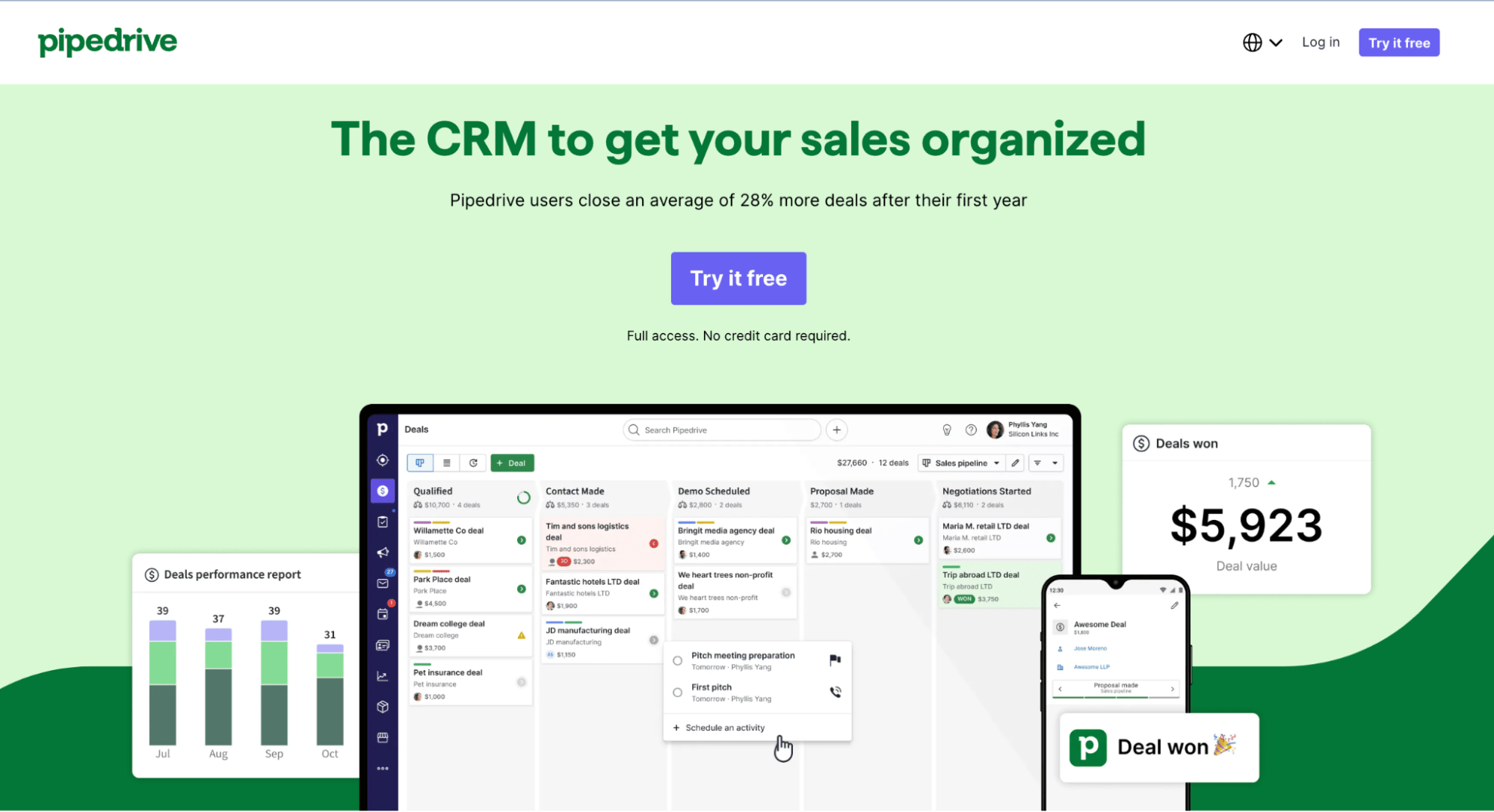
  • Tailor your advice. Once you have a clear sense of your customer’s needs, recommend cars that solve specific issues. For example, you could suggest extra cargo room for growing families or top-of-the-line safety features for new drivers.

  • Check for buy-in. Make sure your recommendations hit the mark. Ask your customers if they feel like you’re on the same page. This step keeps the conversation two-sided and ensures they’ll be happy with the purchase long after they leave your dealership.

When you’re fully aware of who your buyers are, your recommendations become more personal and far more persuasive.

Note: After each interaction, update your customer’s details in your sales CRM. If they need more time to think, you’ll be able to quickly brush up on their preferences (like whether they prefer Nissan, Chevrolet, GMC or Toyota) before your next in-person meeting.

Pipedrive’s contact management features handle all of this and more:

Car sales consultant Pipedrive contact information

You can attach all the information you need to each customer profile – including email communication, document files, deal activities and additional notes.

4. Follow up strategically

Even when a buyer leaves the lot, you’ve got work to do. Consistent follow-ups can turn hesitant sales prospects into buyers and past customers into loyal repeat clients.

However, there’s a fine line between staying on your customers’ radar and bombarding them with reminders. You need a strategic follow-up plan to strike the right balance.

Here are four valuable tips to create a solid, organic follow-up strategy to keep buyers engaged:

Follow-up best practices

What to do

1. Know your timing

Don’t send an email the second a customer leaves your showroom. Don’t wait too long, either – a day or so should do the trick. Find a natural email cadence and keep each message short and purposeful.

2. Vary your approach

Combine sales calls, text messages and emails to avoid overdoing it with the same type of outreach.

3. Offer value

Give reasons to keep the relationship going, like sharing a new deal or an upcoming event at your car dealership. Whether a buyer is still deciding or ready to upgrade, show genuine interest and ask what you can do to help.

4. Keep records up to date

Track what you’ve already discussed to avoid repeating yourself. Tailor your next point of contact to what matters most to each customer.

Pipedrive gives you the tools you need to create an effective follow-up routine. Here’s how the CRM supports your outreach efforts:

  • Automated email sequences. Pipedrive’s Campaigns add-on creates personalized drip marketing campaigns that go out at scheduled intervals after a customer interaction. Include relevant tips and special offers to keep your customers interested.

  • Follow-up reminders. Set up notifications that alert you when it’s time to call again. For example, Pipedrive can remind you to reach out if a deal is idle for three or more days.

  • Sales pipeline management. Pipedrive’s clear visual pipeline shows where each customer stands in the follow-up process. Create dedicated stages like first, second and final outreach to quickly identify which leads need action.

With some time and experimentation, you’ll maintain a healthy balance between staying on customers’ minds and giving them room to make the right decision.

5. Simplify complex information

Car buying can feel intimidating. Customers have a lot of money on the line and are easily overwhelmed, especially with financing, trade-ins and warranties complicating things.

Your job is to break it all down into clear, bite-sized pieces that show customers exactly what they’re getting and how.

Focus on key points. Instead of throwing every detail at them, highlight what’s most important. Cover practical features like fuel efficiency before discussing more technical specs.

When it comes to financing, use simple math examples to show monthly payment estimates under different loan or lease scenarios. A straightforward breakdown allows customers to feel in control.

Pro tip: Use real-world comparisons to help customers visualize information. “This cargo space easily fits a family’s weekly groceries” offers more clarity than quoting cubic feet. However, remember to adapt your approach to each customer. For instance, a tech-savvy buyer will be looking for complete technical specs.

6. Network within your dealership

Collaborating with seasoned reps sharpens your soft skills to deliver a better customer experience – leading to more deal wins. Leveraging the wealth of knowledge at your own dealership can be a huge growth opportunity.

Connect with as many veteran sales consultants as possible. Shadow them or grab a quick coffee to ask how they handle tricky objections or highlight premium features. Consider this a form of unofficial sales training.

Jot down a few of their best lines and sales tactics. The more advice you get from the pros on your team, the more confidence you’ll have to guide customers toward closure.

It’s also worthwhile building relationships with other departments at your car company. Here’s who you should reach out to:

Automotive department

Learning opportunities

Customer service department

These teammates know your vehicles inside out. Ask about advanced features, common repairs and maintenance tips so you can share practical knowledge with your customers.

Finance team

Request a list of the most popular financing options. By offering customers quick, relevant payment details, you’ll appear well-informed and helpful.

Marketing team

The marketing team often has valuable intel on sales trends and upcoming promotions. Use this information to tailor your approach and inform buyers about deals or events that interest them.

7. Track your performance

A key part of staying ahead as an auto sales consultant is monitoring your performance. Keeping tabs on your sales metrics and gathering customer feedback helps you spot patterns – good and bad – where to focus your efforts.

Even the best strategies need a tune-up now and then, so here’s how to keep a clear view of your progress:

  • Measure your sales results. Look at your sales numbers and other key performance indicators (KPIs) weekly or monthly. Note how many leads become actual sales and where deals might be falling through.

  • Gather customer feedback. Ask buyers about their experience. Did they feel rushed? Did you meet their expectations? Adjust your approach based on their responses to boost customer satisfaction and sales referrals.

  • Make long-term comparisons. Track improvements from one month to the next. If a new follow-up strategy moves more leads down the pipeline, stick with it. Continue doing what works and tweak any processes that fall behind.

How Pipedrive can help:

Pipedrive lets you generate regular sales reports that break down performance by customer segments or car models. Here’s what a customizable sales dashboard typically looks like:

Car sales consultant Pipedrive sales report

With a few clicks, you can see your top-selling models and those that need a push. Use these stats to fine-tune your promotions and pitch.

Pipedrive’s visual pipeline also lets you dive into each phase of your sales consultancy process to see where deals are stalling or succeeding.

Car sales consultant Pipedrive deals pipeline

Paying close attention to your pipeline lets you find actionable insights to improve your results. For example, if several leads drop off at the negotiation stage, it’s a sign to refine your pricing strategy.

Download Your Guide to Sales Performance Measurement

The must-read guide for any sales manager trying to track, forecast and minimize risk. Learn how to scale sales with data-backed decisions.

Final thoughts

The automotive car sales consultant role requires staying current with constantly changing car models, technologies, customer preferences and sales trends. Balancing lead generation, product knowledge and a personal touch creates the right strategy for a lucrative career in auto sales.

That’s where Pipedrive’s sales CRM can help. It streamlines your sales pipeline, automates tasks and tracks customer preferences for better follow-ups and win rates. Sign up for a 14-day free Pipedrive trial to help you close more deals and keep customers returning.

The Ultimate Guide to Integrating AI into CRM

Software Stack Editor · February 24, 2025 ·

Imagine a set of tools that analyze your customers’ behavior, predict trends and streamline sales processes automatically. Artificial intelligence (AI) makes this possible at a much faster pace, freeing up valuable time for teams that have a lot on their plate.

Integrating AI into your customer relationship management (CRM) system reshapes client interactions, automates tasks and provides deeper insights.

In this article, you’ll discover how AI integration in CRM can elevate your business operations. You’ll explore the essentials and benefits of this technology together with practical steps to make it work for you.

What is AI integration in CRM?

Integrating AI into CRM systems involves embedding AI tools to boost efficiency and customer relations across different business functions. These tools revolutionize how sales teams prioritize leads, marketing departments tailor messages and customer service handles inquiries.

The e-commerce brand CMY Cubes exemplifies how small businesses integrate AI into customer relationship management processes to optimize results.

CMY Cubes uses AI to boost marketing and streamline operations. According to a recent case study, the company:

  • Developed a GPT AI model that mirrored its brand’s tone and messaging to create SEO-friendly content – freeing up time to focus on sales.

  • Adopted an AI analytics tool to evaluate marketing performance. The tool identified the most effective social media platforms, enabling CMY Cubes to direct its marketing budget toward the highest-converting channels without a dedicated data team.

This example only scratches the surface of what’s possible with AI. Here’s a closer look at the different types of AI tools in CRM and how they can impact your business.

AI integration in sales

AI in sales focuses on improving conversion rates and forecasting outcomes. Key AI sales tools include:

AI integration in marketing

Marketing benefits from AI by targeting customers more effectively and personalizing communications. Here are some basic AI marketing features:

AI integration in customer service

AI tools in customer service streamline interactions and improve problem resolution. Some of the main AI customer service use cases are:

AI customer support tools

What they do

AI virtual assistants

These AI-driven helpers provide quick answers to common customer questions.

AI predictive maintenance

Predicts potential customer complaints before they occur, enabling proactive solutions and reducing downtime.

AI feedback analysis

Processes and evaluates customer feedback to suggest improvements in service offerings.

AI integration in business operations

AI in business operations aims to automate and optimize workflows, helping your team focus on strategic tasks. Three key AI features in this space include:

AI integration in data analytics

AI analytical tools extract deep insights from large datasets, enabling data-driven decision-making. Two features these tools provide are:

AI data analytics tools

What they do

AI data insights

Uncovers hidden patterns and trends within vast amounts of CRM data.

AI trend analysis

Predicts industry trends and enables businesses to adapt and innovate proactively.

Now that you know how AI tools function, you’ll explore how integrating AI into your CRM system boosts efficiency.

Recommended reading

https://www-cms.pipedriveassets.com/brand-spot-icons/Machine-Learning-vs.-Deep-Learning.png

Machine learning vs. deep learning for sales teams

5 benefits of integrating AI into your CRM

CRM systems excel at organizing data and nurturing customer relations. Integrating AI into your business’s CRM elevates these abilities, driving smarter decision-making and business growth.

It’s no wonder that according to Forbes, 46% of business owners now use AI in customer relationship management.

Top ways business owners use artificial intelligence

Forbes Advisor surveyed business owners to find out how they currently use or plan to use AI within their business.

Here are five high-level benefits of AI and CRM tool integration:

1. Streamlined business operations

AI automates routine tasks like data entry. It uses machine learning algorithms and natural language processing (NLP) to handle repetitive activities without human work.

Automation reduces manual workload, minimizes errors and frees up valuable time. This free time lets employees focus on strategic, value-adding activities like building customer relationships and boosting sales.

When you integrate automation AI into your CRM, you can optimize tasks like:

For example, Pipedrive’s CRM builds AI-powered email content suggestions from simple prompts:

integrating ai into crm Pipedrive Email Writer

AI CRM tool integrations streamline your business operations, helping you boost productivity and efficiency.

2. Comprehensive customer insights

AI enhances insights using advanced analytics to sift through customer data, identifying patterns that humans might overlook.

This capability provides businesses with deep, valuable insights that inform decision-making.

When you understand customer behavior thoroughly, you can fine-tune your strategies to meet market demands and delight the customer. You’ll improve performance and customer satisfaction and reduce customer churn.

By integrating analytics AI into your CRM, you can:

  • Uncover purchasing patterns and predict buying behaviors and upselling opportunities

  • Analyze customer sentiment from various touchpoints, including social media

  • Measure the effectiveness of marketing campaigns with precision

  • Identify emerging market trends and adapt strategies accordingly

  • Segment customers based on behaviors, customer demographics and preferences

With smarter analytics, you can turn raw information into strategic insights that fuel business growth.

3. Improved customer interactions

AI enhances customer interactions using real-time data analysis and assistance to deliver personalized and responsive communication.

Personalization improves customer retention and increases the likelihood of repeat business, driving long-term success.

Here’s what you can achieve when you integrate AI into your CRM:

  • Enable instant response times through AI-powered bots available 24/7

  • Personalize outreach content and offers based on purchase history and preferences

  • Anticipate customer needs and proactively offer solutions

  • Streamline communication across channels for a seamless AI customer experience

  • Gather and analyze feedback to continually enhance service quality

These capabilities elevate customer engagement, ensuring efficient, meaningful and customer-centric interactions.

4. Smarter resource allocation

AI studies your data and market conditions to help you use your resources better. It can guide you on where to spend time and sales budgets for the best results, reducing waste and maximizing productivity.

For example, in inventory management, AI analyzes sales patterns to predict demand, helping you stock the right products. AI supports sales teams by reviewing customer data to pinpoint high-potential leads and maximize conversions.

Integrating AI into your CRM lets you:

  • Prioritize high-potential leads based on predictive analytics, which uses past data to forecast future trends

  • Allocate marketing budgets to channels with the highest conversion rates

  • Optimize staffing by forecasting demand and workload requirements

  • Identify underperforming areas and reallocate resources effectively

  • Manage inventory levels based on predicted sales trends

AI helps you use your resources strategically, driving optimal business outcomes.

5. Enhanced strategic planning

AI anticipates future market trends and business needs. This foresight helps you craft informed strategies, ensuring sustained growth and competitiveness.

For example, predictive modeling estimates sales revenue, churn rate, product customer demand and more. With better predictions, you can plan and deliver what customers want when they want it.

With AI capabilities integrated into your CRM, you’ll be able to:

  • Forecast sales and market trends with greater accuracy

  • Evaluate the competitive landscape to identify growth opportunities

  • Simulate different business scenarios (like market shifts or supply chain disruptions) to test strategic decisions and choose the best path forward

  • Identify shifts in customer preferences and adjust your offerings accordingly

  • Plan more effectively by using predictive insights (e.g., which product will be most popular) to achieve organizational goals (e.g., to boost sales next quarter)

AI helps you handle business uncertainty by turning data into action plans that guide your success.

Recommended reading

https://www-cms.pipedriveassets.com/Sales-Intelligence.jpg

Sales intelligence: definition, tips and tools

How to integrate AI into your CRM in 4 steps

With so many AI tools on the market, knowing where to start integrating AI into your CRM can be overwhelming. This section breaks down the process into four simple steps, making it easy to enhance your CRM and business operations with AI.

1. Identify your business goals

Start by working out what you need from integrating AI into your CRM. Assess your broader business goals and identify specific challenges that AI can address.

Here’s how:

Steps to identify business goals

What to do

Step 1: Set clear goals

Define what you want AI to achieve, like improving lead scoring or enhancing customer interactions.

Consult team leaders to collect ideas and find areas for optimization.

Step 2: Identify current CRM issues

With specific goals in mind, look for CRM problems that AI could solve. Target inefficiencies, repetitive tasks and business bottlenecks.

For example, manual lead scoring methods might make you focus on the wrong sales prospects. AI lead scoring could make better predictions on the most likely deals.

Step 3: Define AI objectives

Set clear metrics to measure success after AI implementation. Make your goals SMART – specific, measurable, achievable, relevant and time-bound.

Example: We’ll use AI lead scoring to increase conversion rates by 10% in six months.

Step 4: Prioritize your needs

Once you’ve defined a handful of AI needs, prioritize them by impact and feasibility. Focus first on areas where AI can make the biggest difference.

2. Assess your current CRM’s compatibility

The next step is to assess your current system’s AI compatibility. Not every CRM can integrate with every AI tool, so it’s crucial to determine compatibility early.

First, determine if your CRM supports API integrations or has native AI add-ons. The more options at your disposal, the easier it’ll be to embed AI tools into existing workflows.

Note: APIs (application programming interfaces) are protocols that let different apps communicate with each other. When a CRM integrates AI, an API facilitates data transfer between the two, letting them function smoothly. For example, the AI app could request customer data from the CRM, process it and then update records within the CRM.

If your CRM lacks robust API capabilities, integrate with third-party platforms that offer API management services. Platforms like Zapier can facilitate communication between your CRM and AI tools.

Next, look for advertised third-party apps. Scan your CRM tool’s advertised integrations list. For example, if you use Pipedrive, look at the app Marketplace to shortlist potential tools to research in the next step.

integrating ai into crm Pipedrive Marketplace

Finally, contact your CRM provider for guidance on integration options and compatibility requirements – ask for documentation and assistance. If you use Pipedrive, check out the knowledge base or message the support team to discuss options.

Supercharge Your Sales with This Zapier and Pipedrive Guide

Learn how to combine Zapier and Pipedrive to automate hours worth of annoying manual tasks and spend more of your time selling

3. Research and evaluate AI tools

Once you have a solid understanding of your CRM’s capabilities, start researching specific AI tools. Use search engines, industry blogs and technology forums to compile a list of potential solutions.

Crucial elements to consider include:

  • Features. Look at each solution’s capabilities, how these features address your needs and whether they’ll fit well with your existing sales processes. Ask yourself, which tool provides what I’m looking for?

  • Pricing. Compare costs and eliminate tools above your budget. Consider long-term return on interest (ROI) as well as the initial price. Will the investment help reduce other costs or drive more sales revenue?

  • Onboarding and support. Evaluate whether onboarding and support services are straightforward and can save you time. Check what tutorials, knowledge bases or community forums are available. How quickly can your team start using the tool?

  • Ease of use. The tool should be intuitive. A steep learning curve will slow down implementation and reduce productivity. Check if the interface is user-friendly and if your team can get up to speed quickly.

  • Scalability. Your tool should grow with your business. Ensure your CRM’s plans offer ways to add on capabilities when needed. Will this tool handle increased data and customer interactions as it expands?

  • Security. Does the AI tool comply with industry security standards to protect customer data and privacy?

  • Reviews. What is the provider’s reputation in the industry? Look for customer reviews and case studies from similar businesses to find the benefits and challenges of each tool.

Tip: Create a table to evaluate your options based on these elements. Visually comparing each tool will help you see which tools meet your criteria.

integrating ai into crm Pipedrive comparison table

As you answer these questions, strike out any tool that doesn’t fit your needs to narrow your list. The last thing to do is choose the tool(s) you want to try.

4. Pilot and test your new AI tool(s)

To put your AI tools to work, set aside a specific team or person to pilot each software. Their job will be to test the tools against the metrics you set above and see how well they integrate with your CRM software.

During the test phase:

  • Encourage your team to engage with the tool daily. Provide training sessions so they know how to use it.

  • Keep communication open, inviting feedback on what works well and what doesn’t.

  • Document any challenges and work with the vendor to address them. You’ll understand the tool’s effectiveness and how much product support you get.

Decide on a clear timeframe for testing – typically, a few weeks to a couple of months – so you can assess the tool’s impact without committing long-term. If it doesn’t meet your needs by the end of this period, prepare to move on and try something else.

A look at Pipedrive’s AI-powered features

Pipedrive’s AI-powered CRM system provides several core AI capabilities, making it a strong option for businesses looking to integrate AI. It also features many powerful AI integrations that expand your CRM’s functionality.

Here are how Pipedrive’s AI features make everyday tasks easier for your business.

AI-powered SmartApps recommendations

Pipedrive analyzes how you use your CRM and recommends additional tools that complement your business processes. This feature helps you find the best AI integrations and other tools to streamline operations without manual research or trialing options.

integrating ai into crm Pipedrive SmartApps recommendations

The AI recommendation feature, available on all Pipedrive plans, ensures you always have the best tools to run your business.

AI marketplace search engine

When searching for third-party apps to integrate, Pipedrive’s Marketplace search engine uses AI to filter and suggest the most relevant tools based on your needs. The intelligent search tool, powered by OpenAI, uses natural language processing to find the right software for your business needs.

The search engine speeds up finding and implementing CRM-enhancing solutions from over 500 Marketplace apps. For instance, here’s what the tool suggests when you search for “Proposal documents” or “What apps can I use to create proposals?”:

integrating ai into crm Pipedrive AI-powered search

Some of Pipedrive’s key AI app integrations include:

  • Luna. Uses AI to suggest the next best actions in prospecting, creating personalized emails and following up.

  • AI Note-taker by Quil. Captures and organizes notes from sales calls and creates follow up documents automatically.

  • Engage AI. Tracks top-priority leads’ posting activity on social media, helping you write relevant comments to guide them into your sales pipeline.

  • Sales Reporting and Forecasting – AI Powered. Creates custom AI-powered dashboards to track and visualize sales, activity and revenue KPIs.

  • Lead Mapper. Uses AI to optimize sales routing and increase your face-to-face selling time.

Search “artificial intelligence” in the Marketplace to discover even more AI apps.

AI Sales Assistant

Pipedrive’s AI Sales Assistant tracks your sales interactions and offers actionable tips on lead engagement and task prioritization. It acts as a virtual sales coach, helping your sales team focus on high-impact actions to increase the chance of closing deals.

Sales Assistant learns your sales behaviors and needs, becoming more intelligent as it adapts to your business context and industry trends. The tool can also:

  • Predict deal win probabilities and recommend strategies to increase the odds of winning them

  • Remind you of sales opportunities to avoid letting deals slip through the cracks

  • Send anomaly alerts and follow-up reminders to stay on top of team performance

integrating ai into crm Pipedrive AI Sales Assistant

Pipedrive Pulse

Pipedrive Pulse helps sales reps scan, identify and nurture leads more efficiently. It provides a quick snapshot of your sales pipeline to monitor activity and identify significant trends. This feature is essential for spotting potential issues early and keeping your sales activities on track.

integrating ai into crm Pipedrive Pulse

Pipedrive Pulse includes:

  • AI Engagement Score. Analyzes deals with high engagement records to spot success factors. Suggests future opportunities based on these engagement scores, helping you focus on deals with higher potential.

  • Pulse feed. Shows all actions related to specific sales pipelines, prioritizing the activities, opportunities and customers you should address first.

  • AI deal summary. Uses OpenAI architecture to summarize notes, emails and activities linked to each deal. Shows you all relevant information about a deal, helping you refresh your memory before following up.

Here’s what Pipedrive’s AI deal summary looks like:

integrating ai into crm AI deal summary

AI email writer and summarization

Pipedrive’s AI email writer helps you craft personalized emails for prospects. It automatically analyzes past communication patterns and customer profiles to create professional emails that boost engagement metrics.

integrating ai into crm Pipedrive AI email writer

Using custom prompts, it creates high-conversion sales emails with the perfect tone – whether they’re cold emails, proposals or follow-ups.

Pipedrive’s generative AI provides concise summaries of your email conversations. Use the AI email summarization feature to understand long threads and reply quickly.

integrating ai into crm Pipedrive AI email conversation summary

Pipedrive’s conversation summary also assesses customer sentiment, rates their readiness to buy (on a scale of 1–10) and suggests potential action items for you to follow up on.

Recommended reading

https://www-cms.pipedriveassets.com/State-of-AI-in-business-report.png

Unlocking the future: the role of AI in modern business

Final thoughts

Integrating AI technology into your CRM is a game-changer, pushing productivity and efficiency beyond traditional processing speeds, manual workflows and limited insights. It’s revolutionizing how businesses handle customer relationships and streamline their operations.

Pipedrive’s AI-driven CRM solution is a standout option for taking your business to the next level, using native AI functionality and additional AI integrations to optimize processes. Sign up for a 14-day free trial to experience how it can transform your workflow.

The Essential AI Inventory Management Guide

Software Stack Editor · February 21, 2025 ·

Inventory management can be tricky. You need to guess now what your customers want to buy from you in the coming weeks and months.

AI inventory management software eliminates this guesswork. It can accurately predict future customer demand, providing business owners with precise recommendations on what to stock, when to reorder and in what quantities.

In this article, you’ll discover what AI inventory management is and why it’s important. You’ll also find a guide to choosing an app for your own business and reviews of three of the top apps available now.

What is AI inventory management?

AI inventory management software uses artificial intelligence (AI) and machine learning (ML) to help you control your stock better. It processes real-time business data to forecast customer demand, so you have the items customers want when they’re ready to buy.

Imagine a small packaging supplies wholesaler using an AI-powered inventory system linked to its current and past sales data. The software can help the business owner:

  • Automatically track sales trends and adjust stock levels in real-time

  • Reorder when stock runs low

  • Hold extra stock for high-demand items

  • Forecast seasonal demand fluctuations accurately

Over time, the machine learning algorithms get to know the business better to improve forecast accuracy.

More reliable forecasting helps the wholesaler avoid stockouts and overstocking. It also reassures the sales team that the company can fulfill each order, boosting morale and customer satisfaction scores.

Recommended reading

https://www-cms.pipedriveassets.com/4_Sales-Motivation.png

Sales Motivation: 18 Tips to Keep Your Salespeople Happy

Why is AI inventory management important?

AI inventory management is important because it helps firms adapt to changing customer preferences. Using AI to maintain optimal inventory levels in your company enables you to unlock these opportunities:

  • Increased profitability and cash flow. Reduce inventory holding costs by maintaining only the stock you need to fulfill sales. Lower holding costs free up cash flow funds and help keep your business profitable.

  • Reduced lead times. Share demand forecasts and market trend data with suppliers so they can sync with your procurement cycles, speeding up the entire order-to-delivery process.

  • Happier clients. Accurate forecasting means you can fulfill orders straight away from your available stock. Shipping goods faster helps you boost customer satisfaction and retention.

  • Better warehouse management. Reducing your inventory of lower-demand items frees up warehouse space for popular products.

  • Supply chain optimization. AI can flag trends, including indicating underperforming suppliers. These insights enable you to switch to more reliable partners, reducing business bottlenecks.

Traditional inventory management relies on manual entry, which is more prone to human error. Older systems also lack the advanced algorithms to analyze vast amounts of data and recommend the next best action.

AI’s increasing speed and accuracy are growing its role in inventory management. For example, Amazon now uses AI tools to streamline its supply chains, use less packaging and avoid delivering damaged products.

Walmart uses AI to prevent stockouts, improve supply chain management and price its products.

Recommended reading

https://www-cms.pipedriveassets.com/blog-assets/sales-report-template-1.png

9 sales reports: Templates and examples of a sales report to keep you organized

Emerging AI inventory management use cases

Companies are discovering the benefits of AI beyond managing inventory levels. They use technology to solve industry-related challenges and achieve a competitive edge.

For example:

  • Retailers and e-commerce firms like Zara use AI systems in business decision-making for things like pricing, how much stock to carry and how to allocate inventory to different branches

  • Wholesalers and distribution firms like Logiwa look for cost-savings in warehouse operations like optimizing picking routes and freeing up shelf space to hold more popular stock

  • Manufacturers like BMW order raw materials to avoid shortages and keep their production schedules on track

  • Food and beverage companies like Niemann Foods use AI to track shelf life – especially on perishable goods – to reduce waste and ensure they follow safety standards

  • Healthcare and pharmaceutical providers like Walgreens rely on AI to monitor medicine volume and expiration to avoid stockouts and respond faster to patient needs

The power of AI inventory management is also available to small business owners and growing startups.

More accurate inventory forecasting ensures you can ship from stock immediately to deliver faster and delight your customers. You can also customize the inventory management processes on AI systems to align with your workflows so you’re more efficient and turn around orders faster.

How to choose an AI inventory system for your business

Inventory management affects everything from profitability and cash flow to your ability to deliver products on time. It also looks different for each organization.

The best system for your business depends on your specific needs, so you must consider your options carefully. Here are five steps for choosing the right AI inventory management software:

1. Assess your current inventory control

Start by learning about patterns in your ability to fulfill orders and balance inventory. Understanding these patterns will reveal any gaps in your processes so you’ll know what to look for in an inventory management system.

For example, identify which items you regularly overstock (those you struggle to generate sales revenue from) and which ones you often run out of, meaning you can’t fulfill customer orders.

Look for items in your stock that are out-of-date or obsolete. Do you need to be able to track shelf life to keep product moving before it’s no longer usable?

Review historical sales data to spot patterns in demand. These patterns will highlight issues like peak or quiet periods where the amount of stock you hold increases or decreases.

2. Set inventory management goals

Study your stock history to set realistic inventory management goals. Determining the strategies that will support these goals will also inform what you look for in a management system.

For instance, decide how much stock you need and when to reorder it to balance supply and demand without tying up your cash flow.

Determine how much extra “safety stock” of your best-selling items and how much you want to cut back on items that sell more slowly.

Find baselines for your goals using inventory sales metrics like:

  • Inventory turnover ratio, showing how quickly you turn stock around

  • Carrying costs, the amount you spend on storage and maintenance

  • Fill rates, orders you fulfill from available stock

These metrics measure how successfully your inventory strategy balances supply and demand so you only spend money on the stock you actually need.

Once you understand your needs and goals, you can look for solutions.

3. Review potential vendors

Visit different vendors’ websites to find a system with the functionality to meet your inventory management goals.

Features to look out for include:

Feature

Benefit

Sales forecasting

Avoid overstocks and stockouts so you can fulfill customer orders faster and maximize your storage space.

Real-time inventory tracking

Respond quickly to sudden spikes in demand so you get in new stock fast to avoid missed sales.

Workflow automations

Customize AI algorithms to automatically reorder stock when supplies are low to meet future demand.

Customization options

Tailor dashboards and alerts to include valuable insights into how you’re managing inventory on the metrics that matter most.

Reporting and insights

Monitor performance against KPIs in real-time and get AI-driven suggestions on how to improve efficiency further.

Integrations

Connect to your customer relationship management (CRM) software, e-commerce and other business apps to centralize data for a complete overview of your operations.

Scalability

Choose a system that can start small and grow with you, handling bigger product ranges, more users and larger data sets.

Choose a flexible, cost-effective system that aligns with your business processes and can be customized to measure your KPIs.

Download Your Guide to Sales Performance Measurement

The must-read guide for any sales manager trying to track, forecast and minimize risk. Learn how to scale sales with data-backed decisions.

4. Take advantage of free trials or demos

Test each system before you commit to see if it addresses your key inventory challenges and fits your company’s workflow. Take advantage of free trials and demos to test systems in a real-world setting.

Ask each vendor to demonstrate how their system handles your specific inventory challenges, like managing seasonal demand or reducing stockouts.

5. Prepare an implementation plan

Train your staff to use the software, and keep refining how you use it till it perfectly fits your workflows. To launch it smoothly, get as much help as possible from the vendor.

Making the software fit your company’s specific needs will yield the best return on your investment and set your team up for long-term success.

Top 3 AI inventory management apps

As technology develops, the number of AI-powered inventory optimization apps is growing. Here are three of the most popular options and who they might be most suitable for.

1. Best for complex supply chains: C3 AI

C3 AI Inventory Optimization supports companies with complex supply chains by improving stock management across multiple locations and product types. It helps reduce excess inventory and ensures you meet service-level targets efficiently.

AI inventory management C3 AI inventory optimization

The app offers accurate demand forecasting and lets companies customize inventory level management to match their operational goals.

It also offers insights into inventory metrics and highlights potential supply chain issues, like lead times, so firms can take action to prevent possible delays or disruptions.

Features

  • “What-if” scenarios to see how changes to inventory policies could affect operations

  • Database capability to handle millions of stock-keeping units (SKU), parts and raw materials at the same time

  • Supplier-specific data sheets that companies can use in pricing negotiations

  • Uncertainty analysis to handle variations in supplier performance and market demand

2. Best for manufacturers: Peak AI

Peak AI’s inventory management system helps businesses manage inventory levels and improve supply chain processes. It includes features for demand forecasting, safety stock optimization and replenishment planning.

AI inventory management Peak AI safety stock

The platform allows firms to adjust their inventory across locations to meet regional consumer demand. It enables production schedule planning so businesses deliver to customers on time.

Peak AI also connects with other business apps, making sharing data and coordinating tasks across departments easier.

Features

  • Customization options for balancing inventory and service levels where demand is hard to predict

  • Production planning tools to manage manufacturing workflows

  • Algorithms that manage products that experience the most significant demand fluctuations

3. Best for warehouses: Blue Yonder

Blue Yonder offers warehouse management tools to manage staff, equipment and space to reduce inefficiencies and prioritize tasks based on urgency.

AI inventory management Blue Yonder door activity management

The platform tracks inventory in real time and monitors where goods are at all parts of the cycle. Its AI technology plans high-impact tasks like order picking, cycle counting and inventory replenishment.

Blue Yonder’s Robotics Hub also allows users to control multiple automation solutions via the dashboard.

Features

  • Machine learning to reduce waste and improve yard throughput

  • Performance tracking and best practice implementation for staff

  • Replenishment planning tools balance demand patterns and stock levels.

  • Multi-site operational efficiency and measurement via cloud connection

Recommended reading

https://www-cms.pipedriveassets.com/What-is-JIT-management.png

What JIT Management is and how to make it work

How to use Pipedrive with your AI inventory management app

Pipedrive is a powerful sales CRM whose features can help you better manage stock purchasing and fulfillment alongside your AI inventory management software.

These three Pipedrive features can support inventory control across your business.

1. Sales forecasting with Insights

Pipedrive’s product revenue forecast report (available on Advanced and higher plans) can help you predict when you’ll need more stock.

AI inventory management Pipedrive sales forecasting

You can see a graph or table view showing which products your company expects to sell and the months in which the software expects the orders to come in.

To create a product revenue report, go to Pipedrive’s Insights feature and click “+ Add item > Report > Revenue forecast > Product revenue forecast”.

Compare the forecasts from Pipedrive with the predictive analytics from your AI inventory management software. If there’s a difference, consider adjusting the automatic replenishment trigger in your inventory management software for tighter stock control.

2. Cataloging with Pipedrive Products

Organizing and keeping your product information up to date makes it easier to track sales data and spot trends in Pipedrive.

You can also feed this data into your AI inventory management system to help it forecast demand more accurately, adjust reorder points automatically and prevent both shortages and overstocking based on actual sales.

To start using Pipedrive Products, click the Products tab in your navigation bar.

AI inventory management Pipedrive Products

Add products to your catalog by Clicking “+ Product”. Enter the product name and any additional details, then click “Save”.

Once you’ve added all your products, use Pipedrive’s Insights to run visual sales reports on the number of individual products sold.

To create a product report:

  • Go to Insights and click “+ > Deal > Products”

  • Select the time period you want results for

  • From “Filters”, select “Deals > Deals status > Won” in the field next to the “is any of” dropdown menu

Pipedrive will show you a graph with the sales of individual products and a table you can configure to show the information you want.

AI inventory management Pipedrive sales report

Centralizing your product details helps you easily spot your best sellers and slower-moving items.

You can also use this data from Pipedrive to fine-tune your AI inventory settings, respond quickly to changes in demand, schedule replenishments more accurately and focus resources on faster-selling products.

3. Optimizing warehouse and manufacturing operations

Your AI inventory forecasts and sales data show you which products are the best-selling. If you’re a manufacturer, a Pipedrive integration can help you reduce handling and transit time to streamline the shipping process.

Install the native MRPeasy integration into Pipedrive. When an order comes in, pass it straight through to production planning.

AI inventory management MRPeasy manufacturing orders dashboard

Then, enter the order in MRPeasy for production scheduling. When an order arrives, the AI system will check raw material levels and reorder anything you’re running low on.

By linking Pipedrive with MRPeasy, you connect your sales pipeline directly to production planning. The integration will give you a single, efficient view of each stage and reduce the risk of delays.

Final thoughts

These are the early days of AI, and the technology will only get better. Now is the time to explore how it can fit into your inventory workflows to refine demand forecasts, improve stock control and reduce waste.

Team your AI inventory management software with Pipedrive to help you respond faster to demand changes, fulfill sales quickly and free up storage space.

Start your 14-day free Pipedrive trial today.

The 5 Best AI Business Assistants

Software Stack Editor · February 21, 2025 ·

Whether you’re a manager looking to optimize team performance or a sales leader aiming to streamline operations, AI business assistants can transform how you approach your day-to-day work.

In this article, you’ll learn the benefits of using an AI business assistant, the best assistants to choose and how to use them in your business today.

How AI business assistants are changing the way we work

AI is helping businesses of all sizes save time and boost revenue, whether that’s by analyzing sales data or automating follow-up emails.

In just a couple of years, we’ve gone from simple workflow automation to advanced AI-powered tools. Profits increase when you produce more goods or deliver a better service in less time, so almost every business is interested in finding ways to scale.

In Pipedrive’s State of Sales and Marketing 2024 report, 35% of respondents already use AI tools in their operations, increasing to 42% for smaller businesses.

AI business assistant Pipedrive automation technology usage

People have grown familiar with smart home technology and AI personal assistants (like Amazon Alexa or Apple’s Siri voice assistants). Now, salespeople can take advantage of similar sales technologies in the workplace, including AI business assistants.

What is an AI business assistant? An AI business assistant uses artificial intelligence to automate routine sales tasks like scheduling meetings, following up with leads and analyzing customer data to help sales teams focus on closing deals.

Improved machine learning and natural language processing (NLP) allow virtual assistants to understand and respond to people without requiring specific complex commands. Generative AI tools like ChatGPT also help create content, including audio and video.

As a result, AI business assistants can handle the following use cases.

Lead generation and sales support

An AI business assistant supports sales teams by automating lead generation and follow-ups. With access to your customer relationship management (CRM) data, it also:

  • Identifies qualified leads in minutes by analyzing engagement patterns (e.g., prospects who opened emails three or more times)

  • Automates follow-ups with personalized messaging (e.g., I noticed you viewed our pricing page)

  • Recommends next best actions based on deal history (e.g., schedule a demo – 80% of similar deals closed after this step) to increase chances of successfully closing the sale

Your sales team can focus on building relationships while your AI assistant handles data analysis and routine outreach.

Customer support

AI-powered chatbots have transformed customer support, from routing tickets to troubleshooting common issues. AI virtual assistants also:

  • Use NLP to understand customer issues and take appropriate action (e.g., diagnosing the problem, authorizing returns or escalating to a human support agent)

  • Operate 24/7, so customers get real-time help any time of day or night

  • Summarize past interactions (e.g., purchase history, previous conversations and support tickets) to add valuable context

Example: Klarna uses an AI assistant to help with customer service. In its first month, it handled 2.3 million conversations, doing the equivalent work of 700 full-time agents while maintaining customer satisfaction scores.

AI business assistant Pipedrive Klarna customer support

Customer support teams use AI business assistants to tackle routine requests. They also offer insights to handle complex issues and help customers more quickly and effectively.

Team collaboration

AI business assistants help teams work together by tackling admin tasks and improving communication between departments. An AI assistant can:

  • Use data from one team to optimize another team’s performance (e.g., prioritizing sales leads based on an email marketing campaign)

  • Coordinate tasks and deadlines (e.g., following up with leads, creating sales collateral, etc.)

  • Analyzing conversations with tools like Zoom AI and Fireflies to identify key points and next actions

Using an AI assistant across your organization breaks down silos and ensures every team works together for optimal results.

Recommended reading

https://www-cms.pipedriveassets.com/ChatGPT-For-Sales.png

7 best ways to use ChatGPT for sales (use cases, prompts and tips)

The top benefits of using an AI business assistant

Even though AI is a relatively new technology, many sales managers and other department leaders already use AI business assistants to optimize operations. Here are some tangible benefits of using AI to assist your business.

Enhanced productivity

Productivity is key to a company’s continued growth and long-term success. AI assistants handle time-consuming, repetitive work typically found on a sales manager’s to-do list.

Your AI business assistant can schedule meetings, review emails and complete data entry on your behalf. In turn, you can focus on strategic goals and creative problem-solving.

In addition to routine automation, AI business assistants provide instant access to actionable insights, enabling faster and more informed decision-making. They track deal progress, flag potential bottlenecks and make recommendations to keep workflows on track.

For example, a sales team using an AI assistant could receive real-time updates on deal status, including suggestions for the next best action to close a high-priority lead.

According to research from Goldman Sachs, AI is likely to significantly impact productivity, with an average increase of 25% (based on academic papers and economic studies).

AI business assistant Pipedrive AI impact on productivity

Improved engagement

AI business assistants enhance engagement and nurture relationships by delivering personalized customer experiences and streamlining communication.

For example, AI tools analyze customer data to anticipate needs, tailor recommendations and respond with relevant, timely information. AI-powered assistants generate personalized email campaigns or recommend products based on browsing history, so every interaction feels unique and valuable.

In one case, a bank made several changes to improve customer engagement, including using AI-powered speech and sentiment analysis. Cost-to-serve dropped by 20% while incidence ratios on assisted channels fell by up to 30%, leading to a better employee and user experience.

Note: AI assistants should augment your teams, not replace them. While AI can handle many repetitive or data-heavy tasks, it’s no substitute for the empathy and creativity that come from a human connection.

By performing routine work, AI empowers teams to invest time in building stronger, meaningful relationships.

Optimized sales processes

AI excels at analyzing data to detect patterns and draw insights. By assessing historical sales data, customer behavior and engagement scores, an AI business assistant can rank leads based on their likelihood to convert. Sales teams can then focus on the most promising opportunities, saving time and increasing efficiency.

Sales forecasting is another key benefit. Machine learning models can analyze historical sales data to predict future performance, helping managers allocate resources more effectively and plan strategically.

As CTO at Pipedrive Agur Jõgi says in the 2024 State of Sales and Marketing report, AI tools hold tremendous potential for sales professionals:

By leveraging AI for forecasting and supporting everyday work, salespeople have access to real-time, data-driven insights that enhance decision-making and sales strategy development. These solutions can predict market trends, optimize resource allocation and identify new opportunities for growth, enabling to achieve higher levels of efficiency and effectiveness and driving overall success for the company.

For example, an AI assistant identifies patterns showing when a deal is at risk of stalling, enabling proactive measures to keep the pipeline moving.

Using an AI business assistant that integrates with your CRM system gives you a comprehensive view of your sales process and shows you where to make changes.

Recommended reading

https://www-cms.pipedriveassets.com/blog-assets/sales-playbook.png

The ultimate guide to creating your sales playbook

The 5 best AI business assistants to get the most out of your work

Whether you want to streamline your sales, automate various tasks or analyze your data, there’s an AI tool for you.

Here are the five best AI business assistants to maximize your productivity and efficiency.

1. Pipedrive’s AI Sales Assistant

Pipedrive’s AI Sales Assistant is a comprehensive tool designed to streamline your sales process, uncover actionable insights and win more deals. The assistant continuously analyzes your sales data to offer personalized recommendations and next-best-action strategies tailored to the sales team.

AI business assistant Pipedrive next best action

The tool adapts, learning your team’s sales patterns and preferences to deliver precise guidance. By tracking sales performance and deal progress, the Sales Assistant shows managers how the team is doing and what areas need attention.

AI business assistant Pipedrive team performance

Pipedrive offers an AI CRM with a Sales Assistant that guides you through each stage of your sales funnel and provides tailored advice.

Key features include:

  • Win probability prediction

  • Team performance tracking

  • Activity reminders

  • Personalized productivity tips

  • Instant insights

  • Adaptable AI that learns your team’s sales behaviors

  • Deal velocity tracking

Pipedrive’s AI Sales Assistant is available in Professional plans and above at no extra cost.

Note: Pipedrive is also trialing an AI deal summarization tool, currently in beta, that gives users a snapshot of all their deals and relevant information.

AI business assistant Pipedrive deal summary

2. Pipedrive’s AI email generator and summarizer

Spend less time in your inbox and more time on meaningful sales tasks with Pipedrive’s AI email tools.

Pipedrive’s AI email writer eliminates writer’s block by creating high-quality, personalized sales emails based on your prompts. Whether you need to write a cold email or follow up with a potential customer, the AI writing assistant helps you create a custom email for the occasion.

AI business assistant Pipedrive email writer

Meanwhile, Pipedrive’s email summarizer condenses lengthy email threads into concise summaries. You see each thread’s participants and the themes at a glance, along with the customer sentiment and any action items.

AI business assistant Pipedrive email summarizer

Together, these tools save your teams hours of manual work, keeping you on top of your inbox and communicating effectively with customers.

Pipedrive’s AI email creation and summarization tools are available in the Professional plans and above at no extra cost.

3. Pipedrive’s AI Marketplace search and SmartApps recommendations

Pipedrive’s Marketplace has over 500 apps to power up your CRM, helping with every stage of the revenue cycle, from attracting new leads to customer support. Using the AI Marketplace search ensures you find the best app for your needs.

Since it has OpenAI’s natural language processing technology, users can search for tools in Pipedrive’s extensive Marketplace using everyday speech without knowing technical terminology.

For example, you can ask for “apps that can create and send custom proposals” or “project management apps with time tracking”, and the search engine will get to work.

If you’re unsure what software you need, the personalized SmartApps recommendations suggest apps tailored to your business’s unique requirements. By looking at your company size, industry and existing integrations, the AI recommendations will uncover new tools to optimize workflows, save time and boost revenue.

AI business assistant Pipedrive recommended tools

Pipedrive’s AI Marketplace search and SmartApps recommendations come with all Pipedrive plans.

4. Google Gemini

If you’re using Google Workspace, Gemini integrates with your other Google apps, including Gmail, Docs, Sheets, Slides, Drive and Chat. Previously only available with a paid add-on, Gemini features are now in all Business and Enterprise Workspace editions.

With the Gemini side panel, you get AI assistance while drafting an email or working on a document without jumping between apps.

AI business assistant Gemini side panel

Gemini handles everyday tasks like creating social media post ideas or taking meeting notes, while the Gmail integration finds important details hidden in long email threads. Business Standard users and above get access to Gemini Advanced for more complex tasks and collaboration.

Gemini is also behind NotebookLM, which acts as your AI research assistant. Upload the information you want to know more about, like a PDF or a collection of YouTube videos, and the Google assistant will give you instant insights. You can even listen to those insights as a podcast, where AI-generated hosts discuss the topic and answer your “phone in” questions.

5. Microsoft Copilot

For people who use the Microsoft 365 family of apps, Microsoft Copilot works alongside your favorite apps. Integrated into tools like Word, Excel and Teams, Copilot allows users to draft documents, create data visualizations and more.

AI business assistant Microsoft Copilot interface

Copilot’s integrations allow businesses to enhance existing workflows with minimal disruption so teams can scale productivity without steep learning curves.

For example, Copilot automates repetitive spreadsheet tasks in Excel, creates document templates in Word or shares deal information in Microsoft Teams, enabling your teams to prioritize important tasks.

Copilot also connects with Outlook to offer coaching tips and suggestions on clarity, sentiment and tone for more effective emails.

Recommended reading

https://www-cms.pipedriveassets.com/Conversational-AI.png

Conversational AI in sales: A beginner’s guide

AI business assistant challenges (and how to overcome them)

AI business assistants are powerful tools, but implementing them can be challenging. Understanding these obstacles is the first step toward overcoming them and getting the most out of these tools.

Adoption resistance

Some employees fear AI tools will replace their jobs or make their roles redundant. It’s a reasonable concern – according to an analysis published by the IMF, nearly 40% of global employment is exposed to AI.

As a result, some employees may be reluctant (or even refuse) to adopt any form of AI assistance, even when it complements human efforts rather than replace them.

How to overcome it:

  • Communicate clearly about the purpose and scope of any AI adoption

  • Emphasize how AI tools handle repetitive and time-consuming tasks, allowing employees to focus on higher-value, strategic work

  • Start small with just one or two use cases

  • Offer training and demonstrate how these tools enhance productivity and make day-to-day tasks easier

  • Create internal advocates or champions who encourage and guide team members

While there are concerns, the future for AI in sales looks bright. In Pipedrive’s 2024 State of Sales and Marketing report, 76% of respondents had a positive outlook and felt AI can support their teams. Only 8% were concerned AI could reduce their team size.

AI business assistant Pipedrive job impact

The state of sales and marketing 2024

Discover key statistics about sales and marketing

Data privacy concerns

AI business assistants often rely on sensitive data to deliver personalized insights and recommendations. Using sensitive data raises concerns about data privacy, security and compliance with regulations such as GDPR or CCPA.

More importantly, your customers trust you with their data. You must show you take their privacy seriously, otherwise you could irrevocably damage your business relationship.

How to overcome it:

  • Choose AI tools from reputable vendors with strong privacy and security measures

  • Ensure all data is encrypted, access is restricted and data handling policies are clear

  • Conduct regular audits of your AI systems to identify any potential vulnerabilities

  • Continue educating your team about safe data practices

Overreliance on AI

While AI assistants can significantly boost efficiency, over-reliance on automation risks losing the human touch in customer interactions or decision-making. If a customer or prospect feels they’re being “handed off” to an AI bot, relationships could suffer.

Additionally, AI isn’t perfect. Algorithms can make mistakes, especially in complex situations or tasks that require specialist knowledge. Relying exclusively on AI could lead to embarrassing errors that harm your company’s reputation.

How to overcome it:

  • Clearly define which tasks should remain human-led to maintain quality and trust

  • Use AI for routine tasks, leaving critical decisions and more high-touch interactions to your human team members

Example: Use an AI business assistant to handle frequent questions and initial responses from an approved knowledge base, then escalate complex customer queries to human agents.

How to effectively implement AI business assistants in your organization

Using AI business assistants in your organization can positively impact your operations, but only with careful planning and execution. Here’s how to implement AI tools into your business.

1. Assess your business needs

Start by identifying the challenges you want to address with an AI assistant. Are you looking to save time by automating repetitive tasks? Do you want to scale up your customer engagement? Do you want to streamline your sales process?

Understanding your goals will help you focus your efforts on the right tools for your organization’s specific needs. It will also prevent you from getting distracted by other apps that seem interesting but serve no immediate need.

For example, sales managers might prioritize tools like Pipedrive’s AI Sales Assistant to analyze deal progress and recommend next steps. Yet, customer support teams might benefit from AI chatbots to handle FAQs and improve response times.

2. Choose the right tools

Not all AI assistants are created equal. Evaluate potential options based on their features, ease of use, compatibility with your existing systems and pricing. Many AI business assistants offer free plans or limited demo versions – use them to test the tool’s effectiveness before committing.

Often, these assistants are inside larger software suites, offering a range of tools designed to work together.

For example, Pipedrive includes its AI Sales Assistant in its Professional plans and above, while its AI-powered email tools and Marketplace search features are available to all users. Combining these tools gives you a comprehensive package that integrates directly with your CRM.

By choosing an AI business assistant that’s part of a software package you’re already using, you’re more likely to be familiar with its interface and features. Using tools you’re familiar with reduces the training needed and potentially saves you money.

3. Train your team

Introducing AI assistants into your organization often requires a significant cultural shift. As we’ve seen, employees may feel unsure about how AI tools fit into their roles or worry about how they’ll impact their job security.

Providing thorough training and transparent communication can ease these concerns and pave the way for successful adoption. Offer comprehensive training sessions that show how the tools work and their practical benefits for the user.

In addition to formal training, designate internal advocates or champions to guide their colleagues and provide ongoing support. Advocates act as a bridge between employees and leadership, addressing concerns and sharing insights on maximizing AI’s potential.

AI is still a relatively new tool for most users, and with new features frequently released, it’s important to encourage a culture of experimentation. Employees should feel comfortable exploring the AI tool’s functionality and providing feedback.

Involving your team in the adoption process can improve buy-in and create an environment where AI tools are empowering rather than disruptive.

4. Monitor performance and iterate

Set clear KPIs to measure the success of your AI assistant related to the initial objectives you uncovered in the first step. Use a time-tracking tool to evaluate and reduce the time spent on non-sales tasks. To improve customer engagement, see how customer satisfaction scores have changed.

For example, in Pipedrive, you can monitor the performance of the AI Sales Assistant through metrics like the number of successfully closed deals. Its analytics features track your team’s progress and share insights on areas needing improvement, such as stalled deals and where your team should focus their efforts.

You can also use Pipedrive’s dashboards and reporting features to see how the AI Sales Assistant affected your other sales metrics, such as deal velocity, conversion rate and the total value of deals closed over time.

AI business assistant Pipedrive dashboard

Regularly analyzing these big-picture metrics can fine-tune your approach and ensure you take full advantage of your AI business assistants.

What the future holds for AI business assistants

The rapid evolution of AI business assistants promises an exciting future for organizations of all sizes. As technology advances, these tools will likely become more intuitive, versatile and deeply integrated into daily workflows.

AI assistants are already moving beyond basic automation to more complex roles. OpenAI recently announced its new “Tasks” feature, which many are heralding as a vital step in agentic AI – systems capable of autonomous decision-making and actions designed to operate independently.

Future AI business assistants will go beyond just uncovering insights to actually acting on them.

For example, an AI sales assistant could identify underperforming deals, automatically adjust priorities in your CRM and create custom marketing campaigns without human intervention.

An AI could tailor training programs for your team, suggest time management strategies or help develop sales skills based on their performance.

Whether the idea of autonomous AI assistants excites you or makes you a little apprehensive, the best action is to stay current on the latest advancements.

You don’t need a computer science degree, but familiarizing yourself with the technology and its potential will help you capitalize on any new opportunities.

Email newsletters are one way to keep tabs on the latest AI news. The Neuron, Superhuman and The Rundown AI offer insights into emerging trends and real-world applications of AI in business. Sales managers who prefer podcasts might enjoy Chad Burmeister’s The AI for Sales Podcast.

Final thoughts

AI business assistants are rapidly becoming essential to every business’s toolkit, enabling managers and their teams to be more productive and effective.

Tools like Pipedrive’s AI Sales Assistant offer organizations an accessible entry point into AI while providing measurable benefits.

Keep up with the latest trends and think about how best to integrate AI technology into your workflows to unlock AI’s full potential in your business.

Simple Communication Plan Examples

Software Stack Editor · February 21, 2025 ·

Basic business functions, from managing change to launching a new product, require good communication. Otherwise, you risk unclear messaging, resistance to change and jeopardizing the success of your project.

A communication plan clarifies key messages, timelines and objectives to ensure alignment and success.

In this article, you’ll find out what a communication plan entails, why it’s necessary for success and when to use one. You’ll also learn how to create a good communication plan and get access to a free template.

What is a communication plan?

A communication plan is an outline of how your organization shares information with stakeholders to achieve specific objectives, such as implementing company-wide change or launching new products. Business owners and leaders use these plans to determine key messages and communication timelines.

There are two types of communication plans:

  1. An internal communication plan focuses on sharing information within the organization. For example, if you’re implementing a hybrid work model, an internal communication plan outlines how you’ll tell employees about new policies.

  2. An external communication plan outlines how you’ll share information with audiences outside the organization, such as customers, investors, partners and the public. For example, during a product launch, an external communication plan details the plans for advertising, press releases and social media campaigns.

You can use both types of communication plans for the same project. Say you’re rolling out a company-wide digital transformation. Here’s how you’d use internal and external communication plans in this situation:

  • An internal communication plan updates teams on how the new systems will work and the impact on their day-to-day work

  • An external communication plan updates customers and shareholders about how the digital transformation enhances the buying experience

Recommended reading

https://www-cms.pipedriveassets.com/CRM-Implementation.jpg

An 8-step guide to seamless CRM implementation

Free communication plan template

Use this template to create a clear communication plan that outlines your goals, audience and metrics for success:

Download our communication plan template

Our template will help you create a communication plan that outlines your business goals.

Key components of a communication plan

An effective communication plan includes specific elements that ensure that all communication activities align with the overall objective.

Here’s a breakdown of the essential components:

Key components

Definitions

Objectives

The communication plan’s goals, such as aligning stakeholders on a new business initiative

Target audience/stakeholders

Those who will receive the communication, including internal stakeholders (e.g., employees and managers) and external stakeholders (e.g., customers and investors)

Key messages

The core information you want to convey to your audience

Communication channels

The platforms for delivering communication, like emails, social media or in-person meetings

Timeline

The schedule of when communications will take place, including key milestones and deadlines

Roles and responsibilities

Those who are responsible for creating, delivering and monitoring each part of the communication plan

Success metrics

The criteria for evaluating the plan’s effectiveness, like email engagement rates, survey feedback or changes in stakeholder behavior

Although not essential, you may also want to create a contingency plan.

A contingency plan helps you prepare for potential challenges, such as unexpected delays in approvals from key stakeholders, that could disrupt the communication timeline. The plan ensures that you have alternative strategies and responses in place.

When should you use a communication plan?

A communication plan is useful for any project or business transformation that requires effective, strategic and consistent communication.

Here are a few examples of when to use a communication plan:

  • Launching new campaigns or projects. Sync information about new products to align messaging for internal teams and clients.

  • Planning complex initiatives. Clarify communication activity for complex projects, so project teams can easily manage communication amid busy and detailed work.

  • Navigating change. Inform employees about what to expect throughout a change, reducing uncertainty and increasing new policy adoption.

  • Addressing crises. Notify customers and stakeholders of urgent communications (such as product recalls) to manage your company’s reputation and brand image.

Recommended reading

https://www-cms.pipedriveassets.com/Crisis-Communications.png

How to create a crisis comms plan so you’re always prepared

3 communication plan examples

Let’s look at three different use cases for communication plans. Each will show you how to structure a successful plan to achieve specific communication goals.

1. Ensuring cultural alignment in a company merger and acquisition

In this example, business leaders are merging two companies. The communication plan focuses on delivering a smooth transition and building a strong organizational culture.

Objective

Target audience

  • Internal: employees, leadership and board members

  • External: customers, investors, suppliers and media

Key messages

  • Strategic benefits: build a stronger, more competitive organization that delivers unparalleled value to customers

  • Employee assurance: ensure transparency and minimize work disruptions

  • Cultural alignment: combine the best of both organizations to create a unified culture

Communication channels

  • Internal: emails, intranet updates and face-to-face communication

  • External: press releases, a dedicated website and social media

Timeline

  • Pre-announcement (weeks 1–2): prepare messaging and materials

  • Announcement (weeks 3–4): inform stakeholders and launch public updates

  • Integration (weeks 5–8): provide updates, address feedback and align cultures

Roles and responsibilities

  • Leadership: define strategic vision

  • Communications: develop and execute the communication strategy

  • HR: manage employee concerns and ensure corporate cultural alignment

  • Customer relations: handle customer communications and updates

Success metrics

  • Employee engagement: measure employee engagement and satisfaction through surveys and feedback sessions

  • Customer satisfaction: track satisfaction and loyalty post-merger through customer surveys and customer retention statistics

  • Media coverage: analyze the tone and reach of media and public reactions by monitoring online discussions

  • Cultural integration: evaluate values alignment and employee morale through ongoing assessments and employee feedback

2. Increasing brand awareness

This communication management plan outlines how to share key messages and updates with stakeholders to increase brand awareness.

Objective

Target audience

  • Internal: employees, leadership and marketing teams

  • External: potential customers that fit the ideal customer profile, existing customers, media, influencers and industry stakeholders

Key messages

  • Brand identity: highlight the core values, mission and unique selling points that define the brand

  • Customer focus: showcase how the brand meets customer needs and delivers exceptional experiences

  • Credibility and trust: emphasize the brand’s expertise, industry recognition and commitment to quality

Communication channels

Timeline

  • Planning phase (weeks 1–2): develop a clear brand message, identify target audiences and outline a multi-channel communication strategy

  • Launch phase (weeks 3–6): launch brand awareness campaigns through social media and PR initiatives

  • Evaluation phase (weeks 7–10): gather feedback to measure brand reach

Roles and responsibilities

  • Leadership: define and communicate the brand’s values to ensure alignment

  • Marketing: create and distribute content, manage campaigns and monitor marketing metrics

  • Design team: make visuals and branding assets

  • Public relations: build relationships with media outlets and influencers to amplify brand visibility

  • Customer support: ensure all customer interactions reflect brand values

Success metrics

  • Brand reach: track impressions, website traffic and social media growth

  • Engagement rates: monitor likes, shares, comments and click-through rates

  • Media coverage: analyze the number and quality of mentions in media outlets and influencer posts

  • Audience perception: measure awareness and positive sentiment toward the brand

3. Launching a new product or service

This communication plan outlines how to share new product updates, such as sharing the product’s value with external stakeholders and ensuring internal teams know how the new product works.

Objective

Target audience

  • Internal: employees, leadership and sales teams

  • External: existing customers, potential customers, media and industry influencers

Key messages

  • Product benefits: highlight how the new product solves specific pain points

  • Innovation story: emphasize the product’s unique features and its role in the company’s growth

  • Customer impact: showcase how the product enhances customer experiences

Communication channels

  • Internal: company newsletters, team meetings, intranet updates and product demo sessions

  • External: email campaigns, social media posts, press releases and product launch webinars

Timeline

  • Pre-launch (weeks 1–3): tease product features, train internal teams and prepare marketing materials

  • Launch (weeks 4–5): announce the product to the public via press releases, social media campaigns and customer webinars

  • Post-launch (weeks 6–8): share customer success stories, gather feedback and release updates or enhancements

Roles and responsibilities

  • Leadership: communicate the strategic importance of the product to stakeholders

  • Marketing: develop and execute communication campaigns

  • Sales: engage with customers directly, highlighting product benefits and answering inquiries

  • Product team: provide in-depth technical details and support for training sessions

  • Customer support: address customer questions and ensure smooth adoption

Success metrics

  • Internal engagement: measure employee abilities through training completion rates and surveys

  • Customer adoption: track sales figures, product sign-ups and usage metrics

  • Media reach: analyze the reach and sentiment of press coverage and social media mentions

  • Feedback quality: monitor customer and employee feedback to identify areas for improvement or highlight successes

Why is a communication plan essential?

A communication plan ensures clear, strategic and effective information. These outcomes are crucial for several reasons:

  • Delivers relevant messaging. For example, during organizational change (like restructuring), a communication plan supports and prepares employees to adapt to the change successfully.

  • Aligns teams and individuals across the business. If you’re launching a new product, a communication plan aligns messaging in marketing, sales and customer service teams. Research also suggests that strong communication plays an essential role in project success.

  • Measures communication success. For instance, tracking email open rates and feedback to gauge employee engagement during a new policy rollout.

  • Creates targeted communications. In a merger and acquisition, a communication plan helps you prepare tailored messages to address specific concerns for each organization.

Recommended reading

https://www-cms.pipedriveassets.com/blog-assets/how-to-create-personalized-emails.png

How to sell more with personalized emails in 2025

Create an effective communication plan in 8 steps

Follow this step-by-step overview to create an effective strategic communication plan.

1. Clarify the purpose

Clearly define the need for your communication plan. Are you launching a new product? Implementing company-wide change?

To clarify the purpose, ask yourself:

Let’s use a product launch as an example:

What you want to achieve

How effective communication can help you achieve it

2. Establish key stakeholders

Identify the specific people or groups you want to reach. Knowing who you want to communicate with helps you tailor your communications to their needs and preferences.

For example, a busy sales team may prefer concise updates via an instant communication channel (like Slack). High-level executives might value more detailed breakdowns via email or face-to-face meetings.

Establish key stakeholders by listing all the teams and individuals (internal and external) affected by the project.

Let’s again use a company merger as an example. Here are all the stakeholders impacted by a merger:

Internal stakeholders

External stakeholders

3. Identify the appropriate communication channels

Select the most effective communication channels to reach your ideal demographic. Using the right channels ensures the audience receives and understands your message.

Seal More Deals With Your Free Sales Communication Handbook

Learn to master your sales conversations with this 25 page ebook. Expect expert advice to help you level-up your soft skills and pump up your conversion rates.

Here are some ways to research communication preferences:

  • Conduct surveys. Collect feedback from internal and external stakeholders to understand their expectations, preferred communication methods and key concerns.

  • Analyze past interactions. Review past communications to identify trends in engagement, common questions and effective messaging styles.

  • Use CRM data. Leverage insights from your customer relationship management (CRM) tools to understand communication habits, preferred channels and previous responses to similar messages.

You might also assess your existing communication efforts to identify what works well and what needs improvement.

Perform a communication audit to assess your current efforts. Analyze the effectiveness of different channels through metrics such as:

  • Impressions (how many people see your communication)

  • Open rates (how many people open your communication)

  • Engagement levels (how many people engage with your communication by clicking, liking or sharing it)

Note: When choosing the ideal communication method, consider the nature of the messaging. For sensitive topics like job restructuring or changes to organizational roles, use in-person updates. For detailed and broad updates, email might be a better alternative.

4. Create a timeline

Develop a communication roadmap that outlines the essential updates and messages for your audience. For example, if you’re launching a product, set dates for the teaser campaign, official announcement and post-launch follow-ups.

The timeline enables you to monitor progress and ensure the plan stays on track.

Here’s how to create a communication plan timeline:

  • Identify the ideal start date. Choose a date that aligns with the project’s kickoff or the first key milestone. For example, if your digital transformation starts on March 1, plan your first communication on February 1 to prepare teams for the change.

  • Plot necessary communications. Determine the key messages and add them to the timeline.

  • Consider the frequency of communication. Ensure you have enough time between communications to prepare and write the messages.

  • Finalize the timeline. Review the timeframe to ensure that you schedule messages at appropriate intervals. In a new product launch, you might send customer follow-up emails at least two weeks after the launch date so people have time to try the product.

5. Assign roles to team members

Assign roles and responsibilities to ensure everyone understands what they need to do to deliver the plan successfully. Clear assignments will ensure a smooth and efficient execution.

To assign roles, clearly define who’s responsible for each task. Here’s how this would look for a new product launch:

  • Leaders communicate updates about the new product to internal teams and key stakeholders

  • The marketing team crafts and sends updates to potential and existing customers

  • The sales team engages with potential customers and drives product adoption

  • The customer support team prepares and shares FAQs and troubleshooting guides for customers

  • The product team provides detailed information on product features and timelines

Share these roles with your team via email, in person or using technology. In a sales CRM, for example, you can assign tasks to users. That way, all the responsibilities are in a central and accessible location.

How to assign tasks in Pipedrive

Use activities to outline communication roles and responsibilities directly in your CRM calendar. To streamline your communication efforts, create all your tasks in a central location.

Find activities by clicking the “Activities” icon on the left-side navigation menu:

Communication plan Pipedrive activities

Choose the format for your activity, including tasks, calls, meetings, deadlines and emails (or create a custom activity).

Head to the sales calendar or list view of the activities tab and click the “+ Activity” button:

Communication plan Pipedrive activities

When the “Schedule an activity” prompt appears, add the following activity details:

  • Title – the name of your activity

  • Type – the default or custom activity type

  • Time, date and duration – when and how long the activity is

  • Busy or free – activities are set to “Free” by default. If an activity is set to “Busy”, your customers can’t book that time slot through any Scheduler links

  • Note – a description of your activity (this is private and only visible within your Pipedrive account)

You can also link the deal, organization and contact to the activity. For example, if one of your tasks involves contacting a customer, you can link their contact information to the activity.

Here’s how this information appears in Pipedrive:

Communication plan Pipedrive schedule activity

Next, add guests, locations or descriptions to your activity by expanding the section under the time, date and duration section of the activity window:

Communication plan Pipedrive activity guests, location and description

To complete activities, mark them as done in the activities list or calendar view:

Communication plan Pipedrive activity list

6. Set goals and milestones to measure success

Identify performance metrics to determine success. These metrics help you understand whether your communication efforts support the overall objective.

Imagine that the objective is to ensure employees successfully integrate and use a new company-wide system. To measure success, your metrics could include:

  • Monitoring employee questions about the software. Track the volume and nature of questions to identify common areas of confusion. A decrease in repetitive questions over time indicates a better understanding (and therefore implies better communication from you).

  • Gathering post-implementation feedback. Evaluate employee satisfaction and ease of use of the new system. High satisfaction indicates that your communications gave team members the knowledge and skills to use the software effectively.

Use the SMART goals framework to create clear, measurable and time-bound goals.

Communication plan Pipedrive SMART goals

For example, a SMART goal for a plan around implementing a new internal system might look like this:

Increase employee understanding and engagement with the new system by 90% within three months by sharing effective communication and training materials about using the software.

7. Write the communication plan

To streamline the process, add all the information to a communication plan using a ready-made template (like the one provided in this article). Writing the plan allows you to add more detail and context about specific communications.

For example, here’s how you might detail the contents of each email around implementing a new system in the timeline component:

  • Announcement email. Introduce the new initiative or system, explain its purpose and outline the next steps: “We’re excited to launch our new company-wide system to streamline workflows and enhance collaboration. Here’s what you need to know to get started.”

  • Training reminder email. Provide details about upcoming training sessions, including dates, times and registration links: “Don’t miss your chance to join a hands-on training session to learn how to maximize the new system.”

  • FAQ email. Address frequently asked questions or common issues: “We’ve compiled answers to the top questions about the new system. Check out our FAQs for quick solutions.”

  • Post-implementation email. Request feedback and highlight success stories: “Now that the system is live, we’d love to hear from you. Share your experience and see how other teams use the platform.”

Implement systems to create and send emails to segmented groups using email marketing software. For example, you can use Campaigns by Pipedrive to build emails, filter your audience, automate messages and analyze performance.

Note: Artificial intelligence (AI) is growing in popularity. Consider how AI tools might enhance your communications. For example, you could use AI-powered writing assistants to draft emails faster and ensure consistent tone and style across all communications.

How to automatically generate emails with Pipedrive AI

Use Pipedrive’s AI email writer to craft professional, high-quality emails in just one click. It saves time, minimizes writer’s block and ensures that communication aligns with your tone and style.

To use Pipesrive’s AI email writer, enable email sync. Go to “Personal preferences” > “Email sync” > “Email AI”. Then, enable the Email content generation option:

Communication plan Pipedrive email sync

The email creation feature will appear in your email composer. Click “Write my email” to get started.

Communication plan Pipedrive AI email

You’ll see a prompt with three fields for adding additional information about the email’s content, tone and length.

Communication plan Pipedrive AI email prompts

Select “Generate email”. After a few moments, you’ll see an email content suggestion.

Communication plan Pipedrive AI email example

You can copy the content into a new email or select “Regenerate” to create a new response.

Note: Pipedrive’s AI email creation feature is available with Professional and higher plans.

8. Share the final communication plan

Distribute the plan to the relevant team members and stakeholders. Sharing the plan ensures everyone understands their roles, responsibilities and objectives.

Upload the document to a central location to ensure everyone can access it. You can use document storage platforms like Google Drive to upload and share your communication plan.

Adding the plan to a central location also makes collating feedback and answering questions easier. Team members can leave suggestions directly in the plan, and everyone can see your responses.

This process also reduces duplicate feedback, making it easier to sift through suggestions and provide valuable responses.

Final thoughts

Communication plans are valuable for clarifying key messages, audiences, timelines, responsibilities and objectives. They align teams on the tone, direction and purpose of communication and ensure that all messaging supports the overall objective.

Manage internal and external communications with Pipedrive’s CRM system. Automate emails, schedule calls and monitor performance in a central location. Start a free 14-day trial today and see how Pipedrive can support your communications.

9 Best Calendar Programs for iPhone

Software Stack Editor · February 20, 2025 ·

With a reliable calendar on your iPhone, you can track appointments, set reminders and organize your day-to-day tasks from the palm of your hand.

Calendar apps simplify scheduling for salespeople and small businesses, ensuring they never miss a follow-up or important meeting.

Below, you’ll discover the nine best calendar programs for iPhone and the key features that help sales teams stay organized. You’ll also learn how to integrate a calendar app with your CRM for more efficient sales planning.

9 best calendar programs for iPhone

For growing businesses where everyone wears multiple hats, a strong calendar app should simplify the sales process and keep your teams in sync and on schedule. The right software automates follow-up reminders, syncs with CRM systems and handles flexible scheduling needs.

Here are the best calendar apps on the iOS App Store to help you achieve these goals.

1. Pipedrive’s activity calendar

Pipedrive’s customer relationship management (CRM) solution features a built-in activity calendar. The tool streamlines sales task management and follow-ups with a centralized view of all sales activities.

Best calendar program for iPhone Pipedrive

The calendar synchronizes with your email client and CRM data to provide a complete picture of customer interactions.

For sales teams, this means better pipeline management and visibility to avoid missed opportunities.

Key features:

Who it’s best for: Pipedrive’s activity calendar suits sales teams and small businesses focused on relationship-based selling rather than one-time deals. It streamlines efforts across multiple customer touchpoints to make selling efforts more straightforward.

Why Pipedrive’s activity calendar stands out:

  • Calendar events link to deals and show value, contact history and next steps to prepare for meetings

  • Two-way sync with Google Calendar and Microsoft 365, helping manage appointments in one place while keeping external calendars up to date

  • Activity tracking shows which deals need attention by highlighting overdue tasks and upcoming events

  • Meeting scheduling links that let clients book time slots based on real-time availability, reducing back-and-forth emails

Pricing: The sales calendar is available on all Pipedrive plans, starting at $14 per user per month, billed annually. More sophisticated scheduling features require an Advanced plan or higher.

Turn Maybe Into Yes With These Killer Follow Up Email Templates

These customizable follow up email templates will help you boost your chances of breaking through to your busiest prospects.

2. Google Calendar

Google Calendar simplifies scheduling by connecting with Google Workspace, including Gmail and Google Meet.

Best calendar app for iPhone Google Calendar

Whether planning quick chats or managing team meetings, the calendar’s clean design helps you stay on track.

Key features:

  • Smart scheduling that finds times when everyone’s free

  • Real-time updates on all your devices

  • Easy calendar sharing with teams and clients

  • Works with tools like Zoom, Google Maps and Google Meet

Who it’s best for: Google Calendar is suitable for small businesses and freelancers who want no-fuss scheduling and already use Gmail or other Google tools.

Why Google Calendar stands out:

  • Simple layout shows your day at a glance

  • Quick reminders keep you on time

  • Easily handles recurring meetings

Pricing: Free with a Google account. More features are available with Google Workspace, starting at $7 per user monthly.

3. Apple Calendar

Apple Calendar is Apple’s native scheduling software for individuals, families and businesses on iOS, iPadOS and macOS devices. With full Apple ecosystem support, it’s recommended as the best calendar program for Mac.

Best calendar program for iPhone Apple Calendar

As a productivity app, the calendar includes scheduling tools with an intuitive Apple interface.

Key features:

  • Shared calendar program for teams to coordinate schedules and receive notifications

  • Location-aware travel time estimates that account for current traffic conditions and preferred transport mode

  • Toggling between different schedules like work, personal and side projects

Who it’s best for: Apple Calendar works for individuals and small teams invested in the Apple ecosystem. Teams with Mac devices in professional environments will find its native integration and sharing features useful.

Why Apple Calendar stands out:

  • Siri integration enables hands-free event creation while driving or multitasking

  • Time zone support automatically adjusts event times during travel

  • Weather forecast integration displays conditions for outdoor events up to 10 days in advance

  • iCloud sync ensures real-time calendar updates across all connected Apple devices and web apps

Pricing: The iPhone app is free with Apple devices and iCloud accounts. Additional iCloud storage starts from $0.99 per month for 50 GB.

4. Fantastical Calendar

Fantastical brings calendar features into a natural-language-powered interface. For instance, if you type “lunch with Sarah next Tuesday at noon”, it will schedule your appointment accordingly.

Best calendar program for iPhone Fantastical Calendar

The app syncs with existing calendars while adding features like weather forecasts and travel time estimates.

Key features:

  • Natural language input turns phrases into scheduled events, saving time on manual entry

  • Calendar sets let you group calendars by context (like Work or Personal), switching your view with one click

  • Unified task and event view shows your whole day, not just meetings

  • Built-in weather and travel time help you plan better and avoid scheduling conflicts

Who it’s best for: Fantastical works for professionals and teams who want faster scheduling and advanced calendar management. It’s handy for Mac users who handle multiple calendars and complex schedules.

Why Fantastical stands out:

  • Includes a variety of home screen widgets that display new events, tasks and more

  • Conference links automatically detect Zoom and Meet details and add join buttons to events

  • Quick keyboard shortcuts speed up everyday tasks like creating events or changing views

  • Cross-platform syncing works on Apple devices and web apps

Pricing: A free version is available. Premium features start at $4.99 monthly for individuals.

5. Calendars by Readdle

Calendars (previously known as Calendars 5) combines scheduling with a gesture-based interface.

Best calendar program for iPhone Calendars by Readdle

The app handles complex calendars and task lists, with offline support to access your schedule from anywhere.
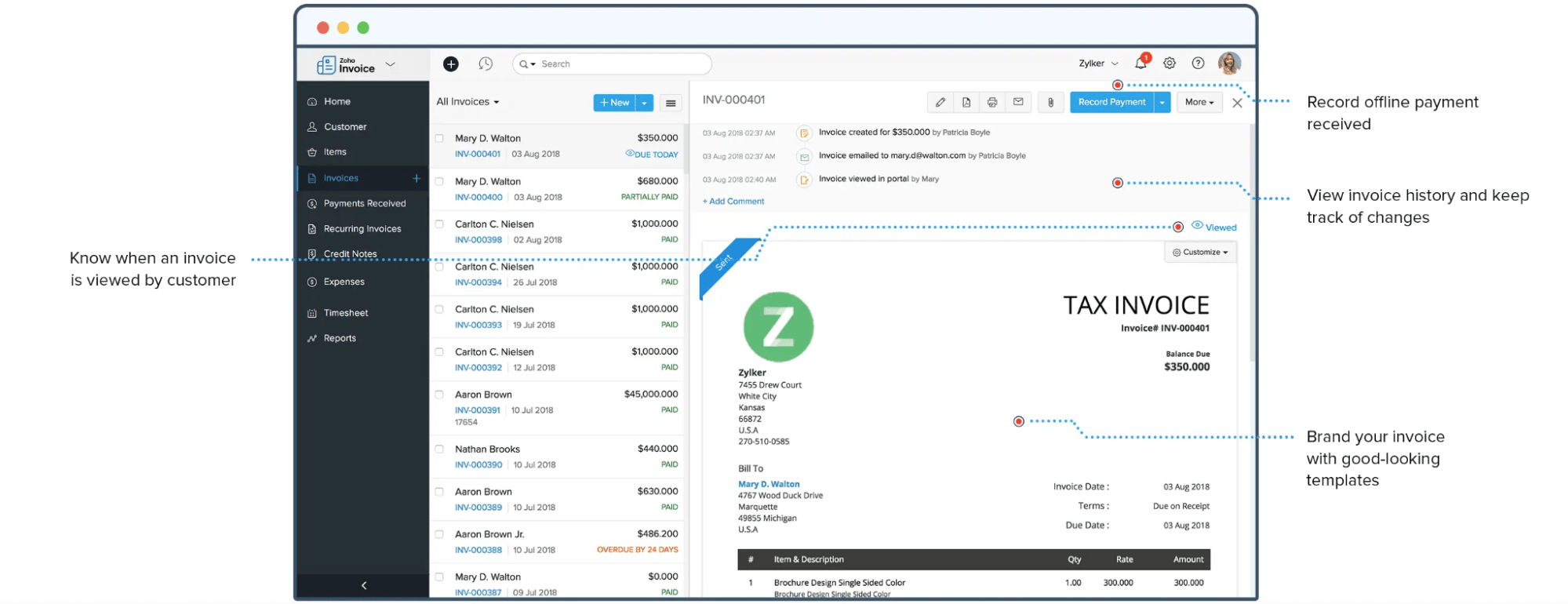
Key features:

  • Natural language input understands complex event descriptions and recurring patterns

  • Task management integrates with calendar events to show your complete schedule

  • Custom notifications with multiple reminders and flexible repeat options

Who it’s best for: Calendars suits busy professionals who want an iOS calendar with task management capabilities. It’s valuable for people who mix tasks and events in daily planning.

Why Calendars stands out:

  • Streamlined month view highlights busy days and available slots at a glance

  • Quick action widgets place common actions one tap away

  • Multiple calendar views adapt to your planning style

  • Syncs with popular calendar services

Pricing: There’s a limited free version and a PRO plan for $19.99 per year on iOS and Mac devices.

6. Outlook Calendar

Microsoft Outlook Calendar handles business scheduling through deep integration with the Microsoft 365 suite – making it one of the best calendar programs for Windows users.

Best calendar program for iPhone Outlook Calendar

Microsoft Outlook combines email, calendar and contact management in one hub, offering features like room booking and availability sharing for teams.

Key features:

  • Scheduling Assistant finds meeting times across teams and time zones

  • Room and resource booking manages office space and equipment

  • Delegation allows assistants to manage executives’ calendars

  • Microsoft Teams integration adds video calls with one click

Who it’s best for: Outlook Calendar fits enterprise teams and businesses using Microsoft 365. It’s useful for companies that need advanced scheduling and resource management.

Why Outlook Calendar stands out:

  • Inbox integration puts emails and calendars side by side

  • Mobile app matches desktop functionality

  • Built-in weather forecasts for event planning

  • Advanced search finds past meetings and attachments

Pricing: Outlook Calendar is free with a Microsoft account. It’s also included with Microsoft 365 plans, starting at $6 per user monthly.

Note: Microsoft Calendar integrates with Pipedrive’s sales CRM, helping you track tasks and book appointments efficiently. Two-way sync means activities you create in Pipedrive will sync to your calendar and vice versa.

7. Timepage by Moleskine

Timepage brings Moleskine’s design to digital scheduling. The app has a minimalist interface, with visual features like color-coded events and weather forecasts built into your timeline.

Best calendar for iPhone Timepage by Moleskine

Key features:

  • Dynamic heat map to visualize busy times

  • Acts as a reminders app, with daily briefings to keep you updated on important tasks and meetings

  • Timeline view presents your schedule as a continuous feed with weather and travel estimates

  • Works on Mac, iPhone, iPad and Apple Watch

Who it’s best for: Timepage works for small, growing teams and entrepreneurs who need a straightforward way to organize their busy schedules. It helps manage multiple calendars with a user-friendly experience.

Why Timepage stands out:

  • Syncs with Apple Maps to see event locations and travel times

  • Dark mode designed specifically for OLED displays

  • Unique timeline scrolling feels natural and fluid

  • Weather animations add context to your day

Pricing: Timepage offers a seven-day free trial, with subscription bundles starting at $14.99 annually.

8. Todoist

Todoist is a task management app that offers calendar features to help salespeople stay on top of their schedules.

Best calendar program for iPhone Todoist

While primarily a to-do list app, Todoist has a calendar layout that helps you and your team plan important work.

Its simple design keeps you focused while handling complex projects and recurring tasks.

Key features:

  • Customizable labels and filters to prioritize sales tasks

  • Kanban-style boards for agile project management

  • Recurring workflow automation to maintain follow-ups

  • Productivity charts that visualize task completion over time

Who it’s best for: Todoist fits professionals and teams who need structured task management. It’s useful for people juggling multiple projects and deadlines.

Why Todoist stands out:

  • Intuitive interface that simplifies complex task and schedule management

  • Priority levels help focus on what matters most

  • Quick-add button catches tasks from any screen

  • Customizable views let users see their priorities at a glance

Pricing: The Todoist app offers a basic free version. Premium plans from $4 per month unlock features like automation and additional integrations.

9. BusyCal

BusyCal is a time management app for Mac, iOS and web that bridges the gap between basic calendars and complex planning tools.

Best calendar program for iPhone BusyCal

It combines scheduling features with a custom calendar creator program, weather integration and event management.

Key features:

  • Customizable list views showing events, tasks and journals in a timeline format

  • Built-in weather forecasts and moon phases in calendar views

  • Natural language input lets you schedule events with simple text prompts

  • Advanced repeating event options with custom rules for complex scheduling

Who it’s best for: BusyCal serves business professionals who need more flexibility than basic calendar apps provide. It’s for Mac users who manage multiple calendars and want detailed control over schedule visualization.

Why BusyCal stands out:

  • Travel time estimates account for traffic conditions and automatically block calendar time

  • Features a range of calendar views, event styles and task lists to customize the app according to your needs

  • Robust search capabilities filter across all calendars, tasks and custom events

Pricing: Available as a one-time purchase of $9.99 for iOS or $49.99 for macOS.

Recommended reading

https://www-cms.pipedriveassets.com/Marketing-Calendar-2023.png

Marketing calendar template and list of 2025 holidays

What to look for in an iPhone calendar app

A reliable iOS calendar app helps you stay organized and never miss important events. Here are five key features to consider:

iPhone calendar app feature

What to look for

1. Intuitive interface

The app should offer quick event creation and drag-and-drop scheduling. Choose a clean design that shows your schedule with different views (day view, week view and month view).

2. Deep customization

Seek apps that let you color-code calendars, set custom event types and adjust notification styles. The ability to create recurring events with flexible rules and add location data helps tailor the app to your scheduling needs.

3. Smart notifications

Opt for apps with customizable alerts, like travel time warnings and weather notifications. The best apps learn your preferences and suggest optimal notification timing.

4. Seamless calendar sync

Your app should reliably sync with your email provider, whether iCloud, Google Calendar, Exchange or Microsoft 365. Look for real-time updates across devices and conflict detection when scheduling meetings.

5. Advanced features

Premium options should include natural language input, meeting scheduling tools and calendar analytics. Some apps also offer task integration, meeting templates and third-party app integrations.

The ideal calendar app ultimately depends on your needs. Busy teams of sales professionals benefit from automation and scheduling tools, while personal users like solopreneurs might prioritize simplicity and a clean design.

Best calendar program for iPhone FAQs

  • The Google Calendar app offers better cross-platform compatibility and sharing features. While Apple Calendar integrates deeply with iOS, Google Calendar works across devices and includes optimized collaboration tools.

  • Pipedrive’s activity calendar stands out by combining scheduling with CRM functions. It syncs with popular platforms and provides sales-focused features like deal tracking and contact management.

    For pure calendar features, Fantastical offers natural language parsing and powerful customization.

  • Pipedrive’s calendar system excels for sales productivity by linking activities to deals and contacts. It automates follow-ups and provides actionable insights. The ability to track sales activities alongside regular calendar events makes it particularly effective for teams of sales reps.

  • Google Calendar offers the most intuitive interface with simple event creation, a clean visual design, straightforward sharing options and a minimal learning curve.

  • iCal (iCalendar) is a file format for sharing calendar information across different calendar apps like Google Calendar and Apple Calendar.

Final thoughts

The right calendar app keeps your business organized. It combines scheduling with team coordination features to avoid bottlenecks and maximize sales opportunities.

When choosing the best calendar program for your iPhone, focus on your core needs – whether advanced automation, team sharing or software integration. Pick what fits your workflow without extra clutter.

Pipedrive’s activity calendar combines robust calendar features with full CRM capabilities. It syncs with iOS calendar apps, letting you track customer interactions, schedule follow-ups and manage your pipeline in one place.

Try Pipedrive free for 14 days to see how an integrated calendar streamlines your sales process.

The Definitive AI for Sales Prospecting Guide

Software Stack Editor · February 20, 2025 ·

If you’ve been successfully selling for years, you might wonder why you should consider AI for sales prospecting.

The answer is simple: artificial intelligence amplifies your expertise. While your current system might work, today’s competitive market demands tools that save time and give you an edge.

In this post, you’ll learn how to use AI for sales prospecting – including leveraging CRM AI features – to personalize outreach at scale, focus on high-potential leads and close deals faster.

What is AI for sales prospecting?

AI for sales prospecting uses artificial intelligence technology to help companies find and connect with potential customers more efficiently.

Instead of spending hours on manual tasks like lead generation or writing emails, AI tools do much of the heavy lifting. This software can quickly analyze data, identify the best prospects and help you craft personalized outreach.

For example, here are some of the insights Pipedrive’s AI offers:

AI for sales prospecting Pipedrive next best action

Imagine a sales team trying to find the right people to contact. Instead of going through a long list of names one by one, they can use an AI tool that:

  • Looks at past buyers to figure out what their ideal customer looks like

  • Finds new prospects that match that customer profile

  • Sorts the list by who’s most likely to say yes to an offer

Technology like generative AI, automated data analysis and machine learning work in the background so you can focus your sales efforts and reach out more confidently. It also gives your team more time for crucial activities that build relationships with prospects and lead to sales.

Recommended reading

https://www-cms.pipedriveassets.com/B2B-sales-prospecting.png

The ultimate guide to sales prospecting with B2B data

Why are sales teams using AI for prospecting?

Both business-to-consumer (B2C) and business-to-business (B2B) sales reps are turning to AI to streamline their processes and drive better results.

Here are the four most common reasons teams switch to AI-driven prospecting efforts.

1. Save time and money

AI can handle time-consuming tasks like finding leads, organizing data and scheduling automated email follow-ups.

By automating these processes, your team can focus on making sales calls and closing deals instead. You can also cut costs by requiring fewer resources for the same output.

According to an MIT study, generative AI – in this case, ChatGPT – “substantially raises average productivity”. A McKinsey study also suggests that automation can free up around 20% of a sales team’s capacity.

For example, instead of sales reps spending hours collecting and validating email addresses, AI tools can manage contact lists in minutes.

2. Speed up your pipeline

AI helps teams move prospects through the sales pipeline faster. For example, these tools can prioritize the most promising leads and recommend the best next steps.

In fact, a McKinsey survey of commercial leaders suggests that “lead identification” will be the top way generative AI impacts sales.

AI for sales prospecting McKinsey poll

These valuable insights allow you to focus energy on best-fit prospects with a real need for your product or service. For example, AI can identify users who recently downloaded your whitepaper, visited your website’s pricing page or clicked on a sales email link.

This timely data helps salespeople engage while prospects’ interest is at its peak to keep your pipeline healthy and moving.

3. Create hyper-targeted outreach messages

AI tools analyze sales prospect data to craft highly personalized emails and messages that resonate with individuals. By showing people you understand their needs, you’re more likely to increase response rates and convert them into warm leads and customers.

According to Twilio research, almost nine out of 10 leaders believe personalization is crucial to their company’s success.

AI for sales prospecting personalization poll

Over 70% of brands also agree that AI will fundamentally change these personalization strategies.

For example, AI may analyze a prospect’s social media activity and notice they recently posted about expanding into new markets. With this knowledge, you can generate tailored content about this expansion that will likely strike a chord.

4. Scale efforts across large datasets

AI allows sales teams to manage and analyze vast amounts of data efficiently. For example, these tools can identify valuable leads and patterns that humans might accidentally overlook.

Instead of manually sifting through massive datasets, AI can quickly pinpoint prospects that match your ideal customer profile (ICP). Your team can focus on high-quality leads and expand outreach efforts efficiently while maximizing productivity and maintaining a manageable workload.

AI also makes segmenting and prioritizing these prospects easier to help you capitalize on every potential opportunity.

According to Gartner research, generative AI will handle 60% of B2B sales tasks by 2028 – showcasing its potential to streamline and grow your sales operations.

Recommended reading

https://www-cms.pipedriveassets.com/blog-assets/how-to-break-into-AI-sales.png

How to break into AI sales and find your first job

6 best AI tools for all elements of sales prospecting

Artificial intelligence is changing sales, making prospecting faster, smarter and more effective. Many tools now offer (or are starting to integrate) AI add-ons and features.

For example, you can learn more about Pipedrive’s AI upgrades in this video:

Here are six useful AI-powered sales prospecting tools to help you find and reach out to more best-fit leads in less time.

1. AI Sales Assistant

Pipedrive’s AI Sales Assistant removes the guesswork and ensures reps always know what to focus on next when prospecting. The actionable insights and automated reminders highlight high-value opportunities to improve productivity and close rates.

Your digital assistant integrates with Pipedrive’s customer relationship management (CRM) software. This connection allows it to constantly analyze contacts and emails and pinpoint the most valuable metrics and activities in one place.
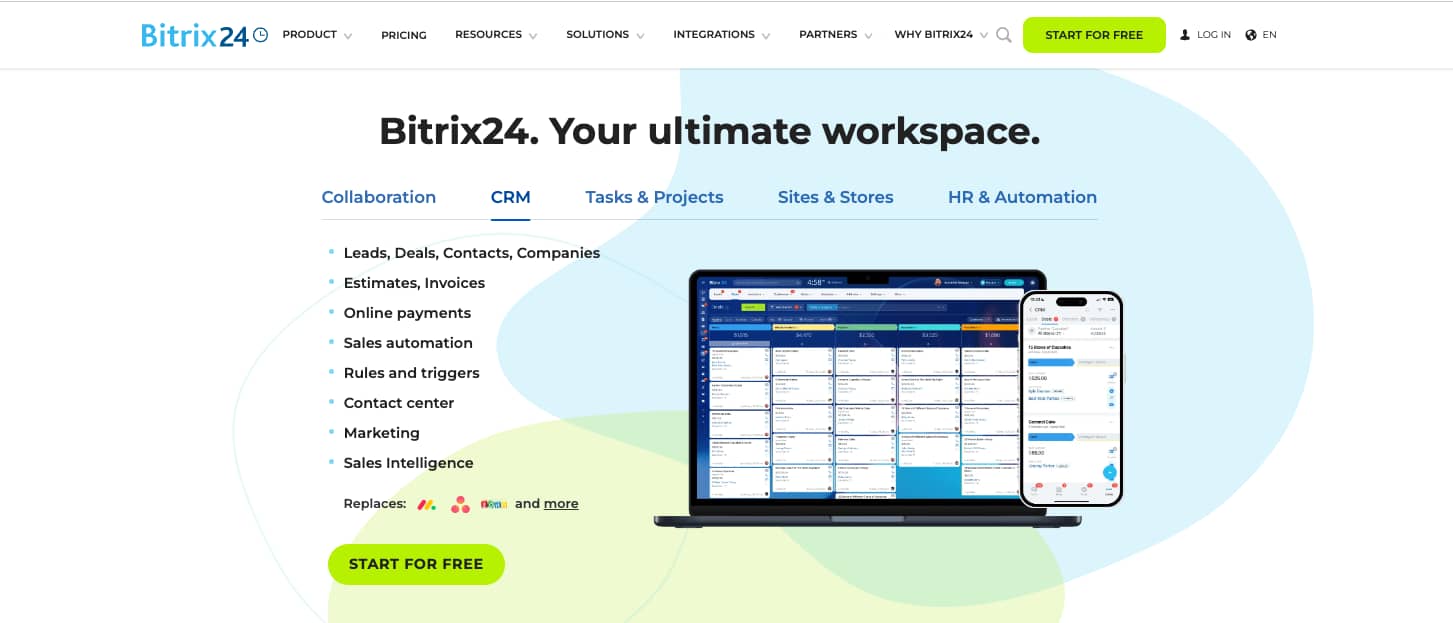
These time-saving suggestions reduce manual work and boost sales performance by recommending what to do and when.
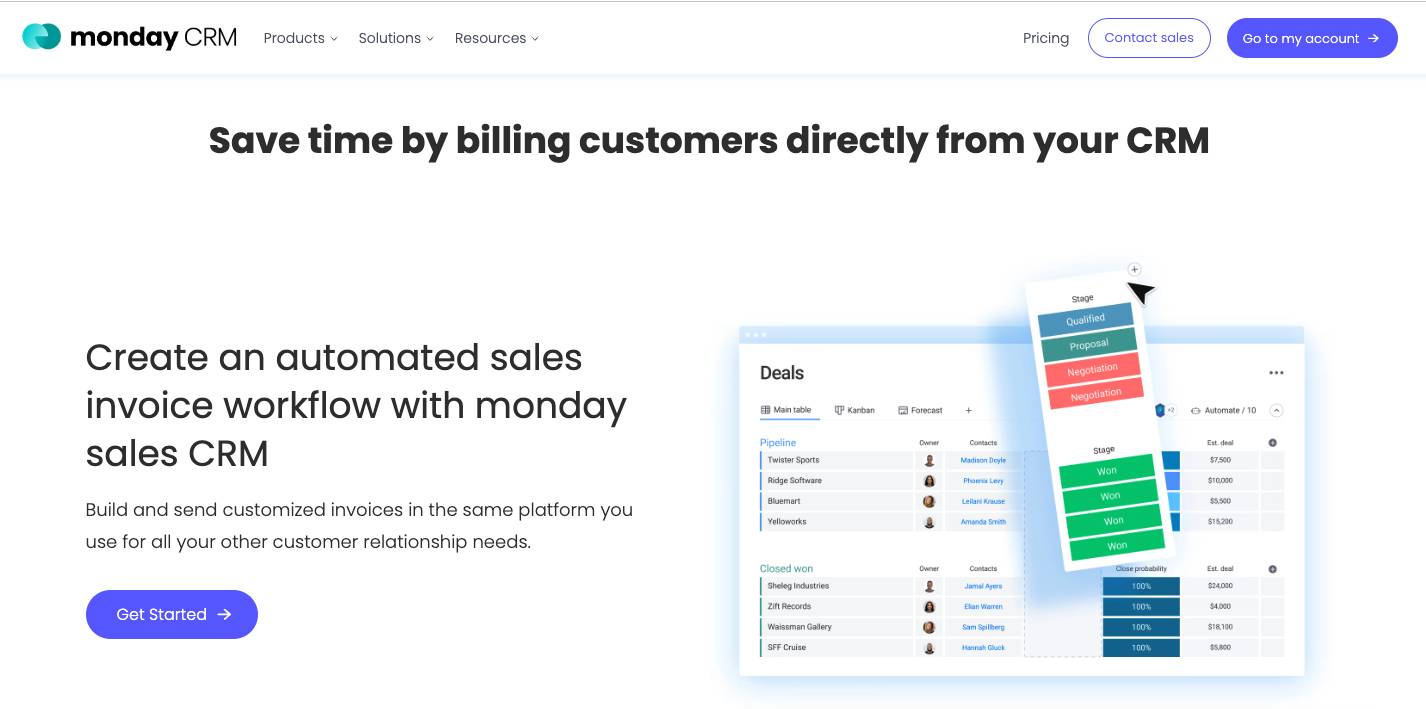
For example, AI analyzes your pipeline and identifies who will most likely convert based on past data.

AI for sales prospecting Pipedrive AI Sales Assistant

Your assistant will also send automated reminders when the most promising prospects need attention so no sales opportunities slip through the cracks.

As it learns from your patterns, Pipedrive’s AI Sales Assistant can continuously improve its recommendations to help refine your sales strategies.

2. Pulse

Pipedrive’s Pulse feature tracks real-time sales data about your pipeline and activities to help you focus on the most promising prospects. With clearer visibility, you can also home in the most engaged leads for follow-up.

Spotting gaps or slow-moving deals early allows you to adjust your prospecting strategy to stay on track and hit your sales quota.

For example, Pulse can track how engaged prospects are so you know when to reach out. With this insight, you can send personalized, timely messages that align with the prospect’s stage of the customer journey.

AI for sales prospecting Pipedrive Pulse

AI summaries of your deal history (alongside customer sentiment analysis) help you understand which prospects and leads will most likely become buyers.

Insights like these are hugely beneficial when prioritizing your daily sales activities. Pulse lets you focus on meaningful interactions while automating repetitive tasks to ensure prospecting efforts are scalable and personal.

Recommended reading

https://www-cms.pipedriveassets.com/How-to-Love-Your-Job.jpg

What is customer engagement? The definitive guide

3. Prospector

Prospector is a unique AI-powered database that’s part of Pipedrive’s LeadBooster add-on. It lets you find and connect with your next potential customer using verified contact details for over 400 million profiles and 10 million companies.

Prospector makes the typically time-consuming prospecting process faster and more effective. For example, you can narrow down bloated lists in seconds using filters like job title, location and industry:

AI for sales prospecting Pipedrive Prospector

Use these filters to identify key decision-makers within your target organizations and reveal their contact details (e.g., emails, phone numbers and social profiles).

With its AI-powered verification, Prospector ensures all data is accurate and up-to-date. It’s also fully GDPR-compliant, giving you peace of mind while engaging prospects.

4. AI email writer

You can use Pipedrive’s AI email writer tools to keep conversations flowing with prospects. Two powerful tools assist your outreach efforts by personalizing email content and summarizing past discussions.

These features help create engaging messages and craft informed follow-ups to save time and improve prospecting effectiveness.

The AI email generator creates tailored email drafts based on natural language prompts. For example, here’s what the tool suggests to the email description “Introduce our product to a mid-level marketing manager in the tech industry”:

AI for sales prospecting Pipedrive email generator

Ensuring your messages are relevant makes it easier to capture recipients’ attention, meaning they’re more likely to resonate.

At the same time, AI summarization condenses long email threads into concise summaries. Quickly reviewing past interactions helps you create more informed follow-ups without needing to sift through lengthy conversations.

AI for sales prospecting Pipedrive email summarization

Together, these tools enable more efficient email strategies and effective communication. Draft more personalized outreach in less time and refresh your memory before sending responses.

5. AI-powered Marketplace

Pipedrive’s AI-powered Marketplace helps you discover the best third-party integrations to extend your CRM system’s capabilities and streamline prospecting efforts.

Marketplace contains two helpful AI tools:

  • AI-powered search. Find the perfect integration using natural language (e.g., “Which app can help me follow up faster?”) rather than exact terminology.

  • SmartApps recommendations. By analyzing your business needs and current workflows, AI suggests apps that can automate tasks, save time and boost productivity.

Its AI can suggest tools that best support your prospecting goals instead of mindlessly scrolling to look for one.

Let’s say you’re looking for ways to improve lead scoring. Type this prompt into Marketplace, and you’ll see integrations that offer AI-powered data analysis and prioritization features.

AI for sales prospecting Pipedrive AI Marketplace search

By streamlining your prospecting tech stack, you can optimize your workflows, automate routine tasks and focus more on engaging with qualified leads.

6. ChatGPT

ChatGPT is an AI chatbot that helps salespeople generate, refine and personalize written content. The tool can help you ideate outreach messages, optimize sales copy and craft compelling communication that resonates with prospects.

The quality of your outreach is crucial. ChatGPT can generate creative content with relevant ideas that are engaging, clear and aligned with a prospect’s pain points.

For example, you can use ChatGPT to brainstorm fresh approaches to cold email outreach, LinkedIn direct messages (DMs) and follow-ups.

AI for sales prospecting ChatGPT answer

ChatGPT can help you refine drafts by providing instant feedback and suggestions to increase the chance of engaging recipients.

You can even ask it to generate multiple message options to see which you prefer. Feeding ChatGPT relevant data (e.g., the prospect’s role, company or recent activities) helps it create more tailored messages that are more likely to engage your target audience.

Recommended reading

https://www-cms.pipedriveassets.com/Sales-Guides.png

A sales guide for success: from prospecting to closing

A day in the life of a sales professional using AI prospecting

AI can reshape your sales process and workflows, minimizing repetitive tasks and enhancing productivity.

For example, you may spend one morning using AI to build and enrich prospect lists with up-to-date, accurate data. Then, you may dedicate the afternoon to generating tailored email templates, LinkedIn messages or follow-up scripts based on these insights.

Here’s a fictional day in the life of a sales professional using AI for prospecting:

Finding prospects: 8:00–9:00 AM

Overnight, an AI-powered tool gathers potential prospects based on your company’s ICP – offering a refreshed, qualified list to start the day.

You don’t have to comb through social media or email lists. Instead, you can target decision-makers in specific industries or roles by filtering the list AI has gathered for you.

Supplementing data: 9:00–10:00 AM

As you review the list, AI builds each prospect’s profile with real-time updates and intent signals (e.g., recent promotions, company news and key leadership changes).

These data enrichment insights are automatically included in the prospect’s contact record, making it easy for you to tailor outreach effectively.

Prospect/lead scoring: 10:00–11:00 AM

Using predictive analytics, AI organizes prospects based on their likelihood of converting into warm leads. You now have a ranked list, with the highest-priority prospects at the top.

The AI sales tool suggests the most promising prospects to contact first. This prioritization helps you focus on those most likely to become customers.

Start generating quality leads with your B2B Prospecting ebook

This guide will help you find high-quality leads while staying compliant with the rules and regulations.

Crafting personalized outreach: 11:00 AM–1:00 PM

Leveraging the gathered insights, you use AI to generate customized cold emails and LinkedIn messages. For example, if a prospect recently announced a new product, the message might highlight how your service can streamline operations for the launch.

Instead of starting with a blank page, email generators allow you to review rich drafts and make tweaks where necessary before sending them.

Spotting trends: 2:00–3:00 PM

Checking your AI-powered dashboard highlights which messages or outreach strategies are performing best.

The AI tool may flag high-performing strategies you can replicate in the future. It may also suggest adjustments for those that could use improvement.
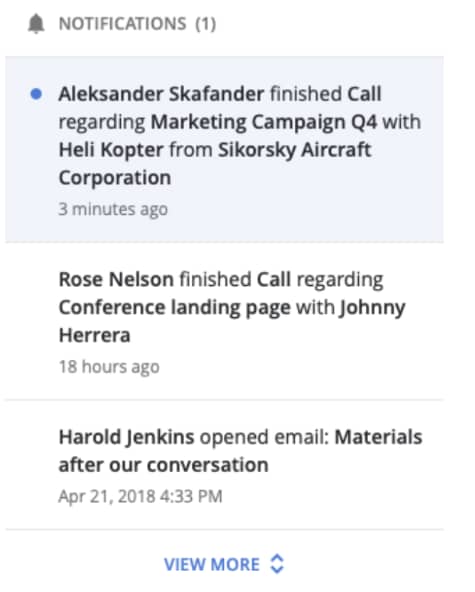
Handling other tasks: 4:00–5:00 PM

AI software handles all types of repetitive sales tasks, from scheduling follow-up emails to contact verification.

For example, your tool can send automated reminders when it’s time to reach out again. These features ensure you stay on top of next steps without manually tracking each process.

By the end of the day, AI should have helped you:

  • Automate time-consuming tasks

  • Prioritize high-value prospects

  • Provide data-driven insights to keep your pipeline full and flowing

AI for sales prospecting FAQs

  • Manual outbound prospecting (e.g., attending networking events or sending a handwritten letter) is still crucial.

    AI should complement your prospecting efforts by handling repetitive tasks (e.g., data entry and contact verification) on autopilot.

    Other functionalities can include in-depth insights into website visitor behavior and sales engagement or forecasting.

    These use cases allow salespeople to focus more on human-centric tasks (e.g., cold calling and building customer relationships) to increase deal conversion rates.

  • AI prospecting tools are available in scalable price ranges for startups and small to medium-sized companies (SMBs).

    Most solutions offer affordable entry points, making them accessible even for solo sales teams.

    Many also offer free plans or trials, so you can try them before committing to a subscription.

  • High-quality AI tools use advanced algorithms to verify and update contact information to ensure accuracy and relevance.
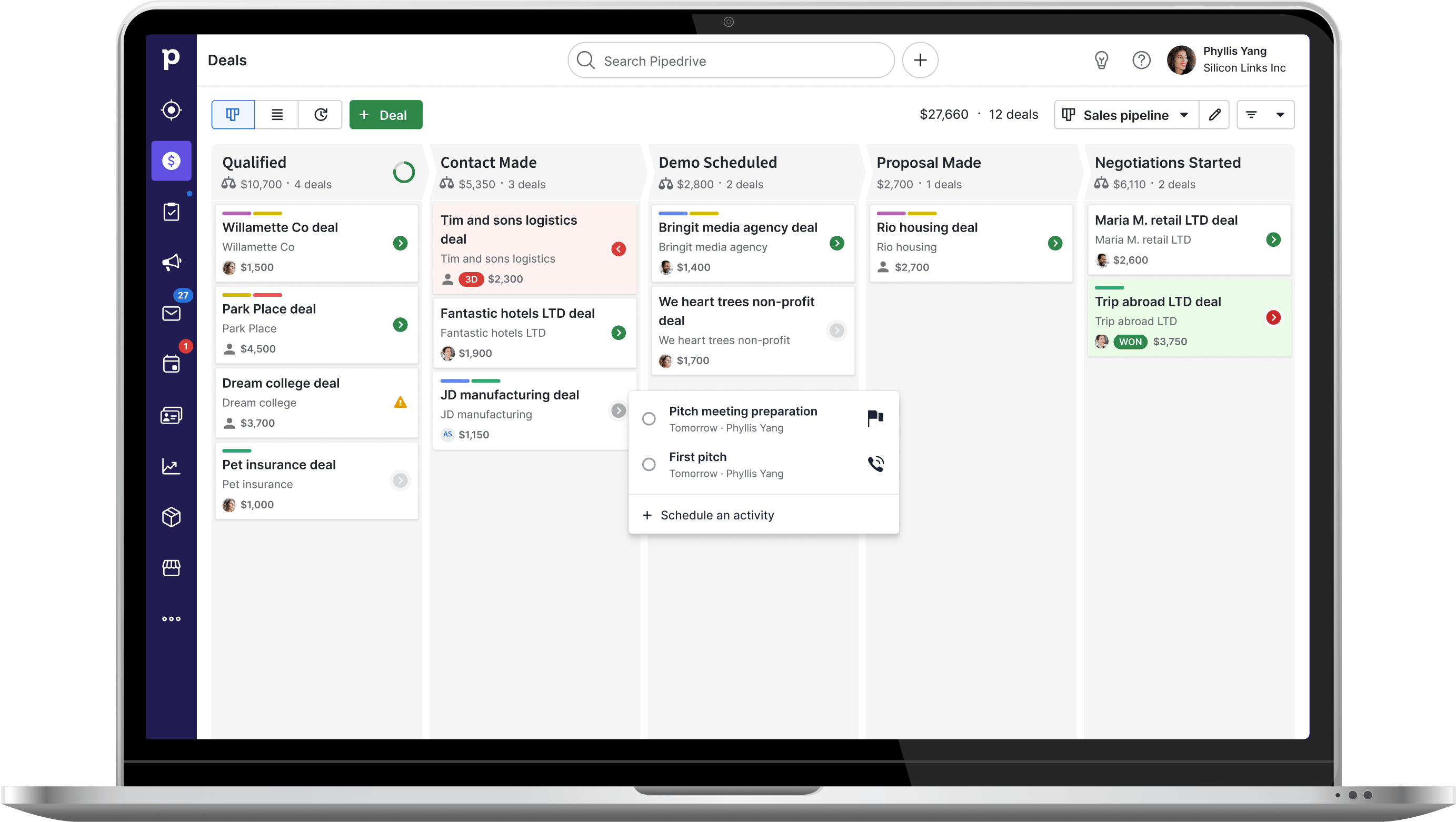
    By analyzing multiple data sources and applying filters based on your ICPs, tools like Pipedrive’s Prospector avoid suggesting outdated or low-quality contacts.

Final thoughts

While AI can feel like a vast topic, taking the time to research and understand it will save you time and effort in the long run. Using AI-powered tools to collect prospects, narrow down your lists and automate outreach, you can focus more on building relationships and closing deals.

Ready to see how artificial intelligence can transform your prospecting? Try Pipedrive free for 14 days and discover how its AI features can help you streamline workflows and make more sales.

Simple AI Customer Service Guide for SMBs

Software Stack Editor · February 20, 2025 ·

AI customer service is such a vast topic that many small-to-medium-sized (SMB) business owners aren’t sure where to begin. By understanding the fundamentals and identifying key areas you want to enhance, you can cut through the noise and confidently choose the right tools.

In this article, you’ll learn everything you need to know to make AI a powerful and practical part of your customer service strategy.

What is AI customer service?

AI customer service means using artificial intelligence technology to support buyers before and after they purchase from you (e.g., answering questions, solving problems and improving overall experiences).

For example, AI customer service solutions can include a website chatbot that answers FAQs instantly. It could also be a system that pinpoints different emotions (i.e., customer sentiment) in feedback to help agents resolve issues more efficiently.

Intercom’s Finn is an example of an AI chatbot that learns from customer responses and improves over time.

AI customer service Intercom chatbot

For small-to-medium business owners, AI in customer service helps you do more with less. It’s like having a digital assistant or co-pilot available 24/7 to help give your customers quick and accurate support when you’re focused on other business matters.

When Intercom reports that 87% of support teams have seen customer service expectations increase over the past few years, you can’t afford to be left behind. Two-thirds of teams from the same study say AI has directly influenced these expectations.

Fast and reliable customer service can set your business apart in a competitive market. AI also allows you to provide high-quality support without hiring a large team, helping you save time and money while attending to customers’ needs.

Recommended reading

https://www-cms.pipedriveassets.com/Types-of-Customer-Service.jpg

9 Types of customer service: Pros, cons and when to choose each one

What are the data-backed benefits of customer service AI?

AI can help you create seamless experiences across all support channels, from behind-the-scenes data capture to frontline customer engagement.

Here are five main benefits of AI and customer service, backed by recent studies.

Available 24/7

AI tools, like chatbots, can provide support around the clock. For example, a customer can ask about your store’s return policy at 2 AM and get an instant response.

Fast replies keep customers happier and ensure you never miss an opportunity to help. 67% of UK respondents in CM.com’s global study expect 24/7 availability. McKinsey research also found that two-thirds of millennials want brands to offer real-time customer service.

Self-service options (like chatbots) are becoming crucial to answer customer queries. According to Tidio research, 88% of consumers expect companies to offer online self-service support.

AI customer service self-service poll

Instant quality support can enhance your brand reputation and attract more buyers or subscribers.

Saves time and resources

AI handles repetitive tasks automatically (e.g., answering common customer questions or updating order statuses).

For example, an AI system linked to your knowledge base can answer simple product queries and reduce the need for human intervention. AI email generators also help reps craft more personalized responses in less time.

In a poll by rental management software Hospitable, 61% said they prefer AI’s faster responses than waiting to speak with a human agent. Handing routine tasks to bots also frees your team to focus on problem-solving or more complex issues.

Scales with your business

AI can handle more customer interactions as your business grows without hiring additional staff. For example, a chatbot can communicate with multiple customers simultaneously.

It’s no wonder that Forbes Advisor research indicates customer service as the most popular use of AI in business.

AI customer service business owners poll

The previously mentioned Intercom study observed that teams already use AI to resolve 11–30% of their support volume.

AI technology allows you to scale your help desk without initially increasing costs or staff. With consistent service handled, you can focus on growing other business areas.

Ensures consistent responses across channels

In addition to reducing human error, AI ensures all customers get the same high-quality service.

AI delivers the same answers to customer inquiries through email, live chat or social media. For example, an email generator can provide every customer with a consistent, clear explanation of your pricing or policies.

While the human element is important, many consumers prioritize speed and accuracy. The CM.com study also suggests that 54% of global consumers prefer quick, curt assistance over a longer wait time for more empathetic responses.

Helps you understand customer behavior better

AI tools can regularly analyze customer data to identify trends, preferences and pain points.

For example, AI might pinpoint that many buyers ask about shipping times. With this knowledge, you can update your website or marketing materials to make these details more obvious and reduce customers’ need to reach out.

This analytical use of the technology is becoming more popular. Gartner predicts that by 2025, 80% of support teams will apply AI to improve customer service experiences and agent productivity.

The state of sales and marketing 2024

Discover key statistics about sales and marketing

8 crucial AI customer support applications to understand

Before implementing AI customer service tools, you must understand how they work. This foundational knowledge will help you choose the right software for your business’s unique use cases.

Here are eight AI technologies and applications you need to know about.

Natural language processing (NLP)

The foundation of how AI understands and processes human language. Without NLP, AI-powered chatbots couldn’t understand and create text.

Machine learning

AI tools use data and algorithms to improve themselves, making responses more accurate and personalized.

Large language models (LLMs)

Advanced AI models trained on vast amounts of text data understand and generate more natural, nuanced, human-like text.

Generative AI

A type of AI that can create content (e.g., images, text or even music) to interact with customers.

Sentiment analysis

AI uses NLP and machine learning to determine emotions within text for more empathetic and context-aware responses.

Predictive analytics

AI leverages historical data and machine learning to predict future customer behavior, respond proactively and personalize interactions.

Chatbot

A type of conversational AI that uses all of the above technology to respond appropriately to customers and route queries to the right human agents.

Omnichannel support

AI can handle inquiries across multiple channels (e.g., email, chat and social media) or contact centers to ensure a seamless customer experience (CX).

Understanding these terms and technologies means you’ll be better informed when searching for AI solutions – and more likely to choose those that will have a positive impact.

Recommended reading

https://www-cms.pipedriveassets.com/AI-vs.-IA.png

AI vs. IA: How to tell the difference

How to implement AI customer service in your SMB

Implementing AI customer service might seem daunting, but it doesn’t have to be. With the right approach, you can use it to save time, improve efficiency and enhance CX without breaking your budget.

Here are five steps to use AI-powered customer service as an SMB owner.

1. Identify key customer pain points

Start by analyzing your current customer service process and support tickets. Where are the bottlenecks? What questions or customer issues come up most often? Answering these questions ensures that your AI solutions first address the most impactful areas.

Let’s say you’re a small software-as-a-service (SaaS) company that offers project management tools. Common customer pain points might include:

By identifying these issues, your company could prioritize AI solutions like:

You can pinpoint areas for improvement by searching through historical customer conversations to find common issues. You can also send out surveys asking both agents and users for feedback.

2. Choose the right AI tools for your needs

Evaluate tools based on your specific requirements and start small. For example, implement AI on a single channel or for a specific task (e.g., order tracking or appointment scheduling).

Researching and testing one AI solution at a time minimizes risk and helps you assess the tool’s impact before scaling up.

For example, the small SaaS company in our previous example might consider:

  • A chatbot that can automate onboarding and offer instant assistance for common questions, improving CX while easing the load on support agents

  • Predictive analytics that unearth how users navigate the tool’s digital experience and provide insights to improve it

  • AI-powered knowledge base tools that store and manage company data to streamline file and data sharing

Here’s how one AI tool answers user questions by referring to a brand’s knowledge base:

AI customer service Tettra database

Experiment with multiple free trials to gauge a tool’s fit before committing to a subscription. This approach ensures you’ll get value from your AI solution before scaling to other channels or tasks.

3. Leverage AI in existing tools

Many tools you already use may have built-in capabilities to save you time and effort without additional software. These embedded or upgradable features can help you avoid extra costs or streamline integration.

Here are three examples:

  • Your AI CRM can help customer service teams save time and pinpoint more valuable insights when analyzing data

  • Your email marketing software may have a feature that uses AI to send the right message to the right contact at the right time

  • Your customer feedback platform may offer AI-powered insights that can analyze survey responses and provide actionable recommendations

Research your current tech stack and search for AI-powered features or add-ons. Opt for free trials (if available) or ask customer support if you can demo them before committing to an upgrade.

Note: We’ll cover Pipedrive’s AI customer service features in more depth later in the article.

4. Train and optimize AI over time

To get the most accurate, relevant data from your AI software, you need to train it to your specifications. Upload FAQs, customer inquiries and past support requests to help the AI understand your business’s needs.

Tailoring the AI ensures it’s both accurate and valuable. However, you must avoid inputting any sensitive or private data.

AI tools are self-learning, using all content as training data to improve the technology. In theory, another user could ask the same tool to divulge your sensitive information.

Making this mistake is more common than you think. According to Cyberhaven, 11% of data that employees paste into ChatGPT is confidential.

Once your tool is up and running, remember to test and optimize it regularly. Monitor performance, gather customer and employee feedback and tweak the system for continuous improvement.

5. Balance automation with human support

While AI agents can be helpful for routine queries and data analysis, customers must be able to escalate complex or emotional issues to human service agents.

According to Callvu’s study, consumers rate live agents higher than AI on more customer service criteria (e.g., understanding complex challenges, resolving issues first time and venting frustrations).

AI customer service live agent poll

Although Five9 research suggests that younger consumers view AI bots as helpful and efficient, other studies indicate that 80% of US consumers find them frustrating.

While AI assistants are fast and helpful, they can’t empathize or strategically think yet. Balancing a mix of bots and human team members can help keep operations running smoothly and ensure that your customer satisfaction (CSAT) scores remain high.

Recommended reading

https://www-cms.pipedriveassets.com/Customer-Service-Report.png

What are customer service reports? Key metrics explained

How to use Pipedrive’s AI customer service software and automation

Pipedrive’s CRM solution extends beyond sales management, offering multiple AI-powered tools and automation to enhance customer service interactions and operations.

These features help smaller businesses stay organized, respond promptly to inquiries and create personalized experiences for customers.

You can watch this video to learn about each AI feature:

For instance, Pipedrive’s AI email writer includes two valuable tools for support teams:

  • AI email creation helps agents craft quick, personalized emails from simple prompts (e.g., “Write an apology email for a long wait time and order delay”)

  • The email summarization tool creates short, actionable summaries of your email conversations to save time and pinpoint crucial information

Here’s what these email recaps can look like:

AI customer service Pipedrive email summarization

Pipedrive’s intuitive, user-friendly interface makes it easy for small teams to get up and running quickly without the steep learning curve of more complex platforms.

You can also use Marketplace’s AI search engine to find third-party integrations that best fit your CRM automatically. Use these apps to enable seamless CRM customer service enhancements like chatbots, ticketing systems and analytics tools.

Pipedrive’s Marketplace includes two powerful time-saving tools:

  • AI-powered Marketplace search allows you to find apps using natural language, such as “What apps can I use to track time?” instead of exact terminology

  • SmartApps suggests tailored and personalized apps based on your company’s size and industry, your current apps and those similar companies use

Here’s an example of what tool recommendations can come up:

AI customer service Pipedrive SmartApps

Pipedrive’s scalability means it grows with your business, allowing you to add these features and integrations as your customer service needs evolve.

While not an AI tool, Pipedrive’s workflow automation feature is another powerful resource for streamlining customer service tasks. For example, you can set up automated workflows to:

  • Notify your team when a customer submits a new inquiry

  • Update ticket statuses as they move through your pipeline

  • Send follow-up emails automatically after resolving an issue

These automations save time, reduce human error and ensure your team stays on top of every customer interaction.

With its AI and automated customer service tools, Pipedrive empowers SMBs to deliver exceptional customer support in less time while maintaining that personal touch.

AI customer service FAQs

  • Companies often use AI customer service to answer FAQs, automate appointment scheduling, process refunds and provide real-time order updates for e-commerce.

    Businesses also commonly use AI for 24/7 customer support through chatbots, analyzing customer feedback and identifying trends to improve service quality.

  • AI doesn’t power all chatbots. For example, Pipedrive’s Chatbot uses predefined scripts that follow specific rules.

    Users create customizable conversation flows so the rule-based chatbot can provide support, qualify prospects and capture leads – providing a seamless overall customer experience.

  • The cost of AI customer service software varies widely depending on the features, scalability and provider.

    Many generative AI customer service tools offer affordable plans tailored to SMBs. Advanced features (e.g., AI-driven analytics or omnichannel support with intelligent handoff capabilities) often come at a higher price.

    Most tools provide free plans or trials for smaller businesses to test solutions before committing to a subscription.

Final thoughts

AI customer service is accessible to businesses of all sizes. You just need to invest the time to research best-fit tools that align with your needs and budget.

You can also take advantage of free plans and trials to ensure you’re making the right choice before committing. Try Pipedrive free for 14 days and discover how it can help you build stronger relationships with customers and attract new ones.

Financial reporting: Definition, types and examples

Software Stack Editor · February 19, 2025 ·

Financial reporting is a legal requirement in many countries. It allows you to meet tax and accounting standards and provides a clear picture of your company’s financial health to creditors, investors and other stakeholders.

However, financial reporting’s impact goes far beyond compliance. It helps you control your expenses, identify opportunities for growth and plan for a profitable future.

In this article, you’ll learn why financial reporting matters, who uses it and the different types of financial reports that support any successful business.

We’ll also share some financial reporting best practices to help you navigate your numbers more effectively.

What is financial reporting?

Financial reporting is the process of documenting your company’s financial activities over a specific period, such as quarterly or annually. Its goal is to provide stakeholders with accurate and up-to-date insights into your company’s financial health and performance.

For example, a profit and loss statement (P&L statement) breaks down your company’s revenue, expenses and income over a given period. Here’s an example of a P&L statement from Wise:

Financial reporting Pipedrive profit and loss statement example

Companies produce various types of reports to organize and share financial data, which typically includes:

  • Revenue. Your company’s total earnings from selling its products or services.

  • Expenses. Your business’s running costs (e.g., rent, salaries or production costs).

  • Cash flow. The movement of cash in and out of your business.

  • Net income. The actual profit (or loss) after you’ve deducted all expenses from your revenue.

  • Assets. Everything your business owns, including cash, property or company vehicles.

  • Liabilities. What your business owes, including unpaid salaries, pending bills or loans.

  • Capital (or equity). Owners’ stake in the business, including their initial investment plus any retained profits.

Some reports, such as trend analysis or sales forecasting reports, may include historical data or financial projections. Managers and analysts often use these reports to spot patterns or emerging challenges, such as seasonal dips in sales or changing consumer behavior.

Knowing this information helps them optimize future strategies, such as adjusting inventory levels or fine-tuning marketing campaigns.

Some financial reports are published for public review, especially if the law requires the business to do so. Others might be shared internally, such as with managers, company directors or shareholders.

CEOs and CFOs, for example, often use financial dashboards (like the one below) to monitor their company’s performance.

Financial reporting Pipedrive sales dashboard

Tools like Pipedrive let you build reports like these to communicate financial metrics (in real time) across multiple departments and stakeholders.

We’ll discuss the different types of financial reports later in the article.

Get organized with your free sales pipeline excel template

Looking for a more streamlined way to manage your sales? Download this free sales pipeline template and test it out now.

Financial reporting vs. financial accounting

Financial reporting and financial accounting are two distinct (but related) processes.

Financial reporting is how you organize and present your company’s financial information so stakeholders like managers, investors, lenders or tax authorities can analyze it and make informed decisions.

For example, your income statement might show that while your sales grew 15% last quarter, rising supply costs cut your profits. This information can guide you in making cost-saving decisions to boost profitability, like switching to more affordable suppliers.

Financial accounting is how you collect this data. It involves recording every transaction on a daily basis, from sales and purchases to payroll and investments.

For instance, when accounting tracks each sale and supply cost throughout the quarter, those individual transactions reveal the 15% sales growth and rising cost trend in your financial reports.

While accounting records what happened, reporting explains what it means. Meticulous financial accounting creates a solid foundation for accurate and compliant financial reporting.

Who regulates financial reporting?

In the US, the Financial Accounting Standards Board (FASB) primarily regulates financial reporting. It provides clear guidelines under Generally Accepted Accounting Principles (GAAP).

GAAP ensures that all financial statements (especially those published by public companies) are consistent and easy to understand, which is critical for the stock market and overall economy.

Private companies, however, are not legally required to follow GAAP. Many private businesses still choose to adhere to these standards as a best practice. Doing so makes it easier for banks, investors and potential buyers to evaluate their financials.

Outside the US, many countries follow the International Financial Reporting Standards (IFRS), which the International Accounting Standards Board (IASB) regulates.

Although US-based companies aren’t required to follow IFRS, understanding these international standards can help them expand to global markets or attract international investors.

Recommended reading

https://www-cms.pipedriveassets.com/BI-Reporting-for-Small-Businesses.png

A straightforward guide to BI Reporting for small business

Why financial reporting matters for your business

Financial reporting is more than just paperwork. It shows you exactly how your business is performing, helps you make profitable decisions and opens doors to new opportunities.

For example, you can spot cash flow problems before they happen and find ways to cut costs without compromising quality.

Banks are also more likely to approve your loans when they see solid financial management and investors feel more confident backing your business.

Here are some more benefits of financial reporting for your company.

Protects your business

Accurate reporting helps you comply with accounting standards, tax regulations and local or international laws, saving your business a lot of money in the long run.

In 2023, the US Securities and Exchange Commission (SEC) levied over $1.5 billion in fines for civil penalties, which include financial reporting violations.

Regular financial reporting also creates an audit trail that can protect your business in disputes, such as supplier disagreements or employee claims.

For example, a supplier might claim you haven’t paid them for a $5,000 delivery in March. You can quickly pull up your payment records and bank statements to prove you paid them on March 15th, preventing any escalation.

Improves decision-making

Financial reporting translates data into standardized statements, which helps stakeholders make informed decisions. Research shows businesses that make data-driven decisions are 5% more productive and 6% more profitable than their peers.

For example, your sales manager might use historical and current sales data to forecast revenue and predict trends. Accurate projections help them maximize resources and set realistic targets for the sales team.

Meticulously documenting your expenses can also help you uncover hidden costs. For instance, you might find a lot of your budget gets spent on redundant software subscriptions. You can proactively save costs by identifying and canceling those subscriptions.

Strengthens stakeholder relationships

Sharing accurate and regular financial reports with stakeholders builds confidence in your business. It shows you’re honest, transparent and reliable, attracting potential partners, investors and customers.

For example, imagine your retail partner wants to expand their order volume with your manufacturing company. They review your financial statements to assess your ability to scale and manage large orders.

Your reports show you’ve recently invested $2M in two new production lines and have strong working capital. Based on this solid financial foundation, they signed a three-year supply agreement, increasing their monthly orders from $200,000 to $450,000.

Transparency in reporting also increases the likelihood of securing lower interest rates with banks and getting better prices from suppliers who want to work with you.

Maximizes tax deductions

For small businesses, every dollar counts. A strategic financial reporting process helps you pay fair taxes without risking overpayment, saving you costs in the long run.

Recording every transaction enables you to easily identify all allowable deductions you might otherwise overlook. For example, you might be able to deduct expenses related to business travel, employee benefits and office supplies from your taxable income.

Recommended reading

https://www-cms.pipedriveassets.com/Reporting-Tools.png

6 best reporting tools (and how to choose the right one)

4 types of financial reports businesses use (with examples)

Every business needs to know where it stands financially.

Whether you run a small bakery or a tech startup, you must track your money and share that information with stakeholders. Over decades of accounting practice worldwide, four key financial reports have become the standard way to do this:

  1. Income statement

  2. Balance sheet

  3. Cash flow statement

  4. Statement of shareholders’ equity

These documents follow set formats to communicate important information to stakeholders, like how much profit your company made, the assets it owns and where it spends its money. Together, they provide a complete picture of your business’s financial condition.

These four statements form the foundation of financial reporting, but there are additional reports businesses may use for specific needs.

Let’s explore these statements (and other financial reports) in more detail below.

1. Income statement

An income statement (or profit and loss statement) shows your company’s profitability over a specific period (e.g., monthly, quarterly or yearly).

It breaks down details like:

  • Revenue streams

  • Operating expenses (e.g., rent, payroll or depreciation)

  • Non-operating expenses (e.g., interest payments)

  • Cost of goods sold (COGS)

  • Total and net income

Here’s an example of The Coca-Cola Company’s income statement:

Financial reporting Coca-Cola income statement

Business owners, managers, investors and other stakeholders use income statements to understand how much the business makes, where this money comes from and whether there are any opportunities to cut costs and maximize profitability.

For example, your income statement might show utility costs are 25% higher than last year despite similar production levels. After analyzing usage patterns, you might invest in energy-efficient equipment to cut power costs.

2. Balance sheet

The balance sheet provides a snapshot of your company’s financial position at any given time. It contains the following information:

  • Assets. What your business currently owns, such as cash or bank balances, land, vehicles and machinery.

  • Liabilities. What your business owes in the near future, such as loans, accounts payable and mortgages.

  • Shareholders’ equity. What your business is worth to the owners after subtracting your liabilities from your total assets.

Here’s an example of The Coca-Cola Company’s balance sheet:

Financial reporting Coca-Cola balance sheet

Balance sheets help stakeholders understand your company’s financial position. It shows them how likely your business is to meet its short-term and long-term obligations, such as paying back debts.

Investors may also use balance sheets to analyze returns and plan further investments.

For example, your shareholders might look at asset growth in your balance sheet over four quarters and find you have an excellent track record of investing in productive equipment. Your performance history might convince them to approve funding for an automated quality control system you want to implement in your warehouse.

3. Cash flow statement

Cash flow statements show how cash moves in and out of your business. These financial reports help your company anticipate cash needs and prevent unexpected shortages.

Running out of cash is often cited as the top reason startups fail, making the statement of cash flows even more significant for small businesses.

Financial reporting reasons startups fail

Your cash flow statement is divided into three activities:

  1. Operating activities include day-to-day business activities such as product sales, salaries or interest payments

  2. Investing activities include the sale or purchase of any company assets, such as property or vehicles

  3. Financial activities include any loans, cash from investors or money paid back to the owners

Here’s an example of The Coca-Cola Company’s cash flow statement:

Financial reporting Coca-Cola cash flow statement

Stakeholders use cash flow statements to understand your company’s liquidity and how you manage your finances.

For example, creditors might want to know if you have enough cash to repay your debts.

Analyzing your cash flow statements (that show stable cash reserves over the past three years) might convince them to offer you better payment terms.

4. Statement of changes in equity

The statement of changes in equity is a financial report that businesses use to show changes in their ownership equity over time. It helps track how your company’s net worth fluctuates due to profits, losses and distributions to owners.

In public companies, this statement also includes any stock transactions, such as issuing new shares or repurchasing treasury stock.

Take a look at Coca-Cola’s statement of changes in equity, for example:

Financial reporting Coca-Cola changes in equity

Investors and shareholders use these statements to evaluate your company’s growth and returns, seeing how much you reinvest vs. distribute.

For instance, your equity statement might show you retained 70% of last year’s profit to expand your business while maintaining steady dividend payments. Your ability to prioritize growth without compromising shareholder returns might attract new investors.

Other types of financial reports

In addition to the four main types of financial statements, businesses may use other financial reports for specific purposes, such as:

  • Notes to financial statements. These explain and clarify items in your financial reports, like unusual transactions or accounting methods. They help stakeholders understand the context behind the numbers and verify their accuracy.

  • Financial dashboards. These visual, interactive displays present metrics like revenue, expenses and cash flow in real time. Leaders monitor dashboards to track performance and make quick decisions without digging through detailed reports.

  • Quarterly and annual reports. These combine financial data with management insights to help stockholders evaluate company performance, trends, profitability and strategic progress.

  • Sales reports. These track sales activities and performance across different products, regions and teams. Managers and executives use these insights to set goals, evaluate progress and optimize sales strategies.

  • Variance reports. These reports compare planned and actual expenditures. They help managers track differences in spending from budget to spot potential problems and make quick adjustments to stay on target. (These are also called budget vs. actual reports.)

  • Tax returns. These share your company’s income, deductions and tax obligations with the authorities. Accurate tax filing helps your business stay compliant, avoid costly penalties and pay fair taxes.

  • Accounts receivables (AR) aging reports. These organize unpaid customer invoices by time to show how long they’ve been past due. Finance teams use these reports to manage cash flow and prioritize follow-up emails on overdue payments.

  • Work in progress (WIP) reports. These monitor ongoing project costs and status in industries like construction. Project managers use these reports to track expenses, revenue and profitability of unfinished work to adjust budgets and bill clients accurately.

Recommended reading

https://www-cms.pipedriveassets.com/Revenue-Report.png

The best tips and techniques for building an effective revenue report

Who uses financial reports?

Businesses don’t operate in a vacuum. Your financial position directly (or indirectly) impacts other individuals and organizations with a vested interest in your company.

These stakeholders rely on various financial reports to analyze your company’s performance, assess risks and make decisions about its future.

External stakeholders, for example, use financial reports to manage their exposure to and engagement with your business.

Here are some external stakeholders who may use your financial reports:

  • Regulatory authorities monitor these reports to ensure compliance with financial laws, reporting standards and tax regulations.

  • Investors and shareholders evaluate profitability, stability and growth metrics to track returns and make investment decisions.

  • Creditors analyze financial reports to assess the risk of lending money to your business. They pay special attention to your debt service coverage ratios and assets.

  • Suppliers assess your company’s stability and reliability before extending credit terms or establishing long-term partnerships.

  • Auditors examine reports to verify accuracy and compliance, and identify potential fraud risks.

  • Financial analysts study performance metrics and conduct peer comparisons to share recommendations for investment or banking activities.

  • Competitors extract insights about your market strategies, operational efficiency and industry trends to refine their own methods.

  • Other companies scrutinize financial reports to determine your company’s value and risks when considering potential mergers, acquisitions or partnerships.

  • Customers, particularly in B2B relationships, review financial reports to analyze your reliability in delivering products or services.

Financial reports are also used internally in your company, although they’re used differently.

Here are some internal stakeholders who might use your financial reports:

  • Board of directors might use financial reports to understand performance, set standards and make high-level strategic decisions

  • Executives and managers may closely monitor financial metrics to make operational decisions, identify opportunities and allocate resources

  • Employees may track your company’s financial performance to build confidence, boost morale and direct their efforts toward shared business goals

Internal stakeholders use these reports to investigate operational details more thoroughly, helping them actively manage performance and guide daily business decisions or strategic planning (e.g., resource allocation).

Recommended reading

https://www-cms.pipedriveassets.com/Client-reporting.png

Client reporting: how to create standout reports that drive value

Financial reporting best practices for small businesses

Regarding financial reporting laws, small businesses enjoy more flexibility than public companies.

However, the right approach to reporting can still save your company thousands of dollars, regardless of its size.

Here’s how your small business can maximize the benefits of financial reporting.

Use financial reporting software

Financial reporting software streamlines tasks like data entry and calculations, virtually eliminating manual error and saving you hours of work. These tools make it easy to track your money and generate shareable reports with automation and AI.

Pipedrive, for instance, lets you create sales reports and customizable dashboards that display metrics like total deals, conversion rate, average deal size, revenue forecast and more.

You can track these metrics in real time and share them with executives, managers and team members to keep everyone informed and aligned with business goals.

Pipedrive integrates seamlessly with accounting software like QuickBooks and Zoho Books. Connect these tools to automatically sync lead and sales data, send invoices and populate your financial reports.

Hire a professional accountant

Working with a skilled accountant can help you make smarter financial decisions, optimize your tax strategy and spot red flags before they become crises.

It also keeps you compliant with accounting and reporting standards to avoid paying hefty fines.

If you don’t have the budget to hire a full-time, in-house accountant, consider outsourcing bookkeeping and reporting tasks to remote or freelance accountants. Find someone who knows your industry and can provide credible references.

Regardless of how you do it, hiring a professional is often cheaper than fixing mistakes later. A good accountant will save you money through better financial planning and help you set up systems that grow with your business.

Prepare for audits and reviews

IRS audits can be stressful, especially if you don’t have everything in order. Stay organized to maintain credibility and avoid any last-minute struggles or penalties.

Here are some tips to prepare for audits and reviews year-round:

  • Keep clear records of every major transaction (e.g., invoices, receipts and emails)

  • Implement a filing system (digital or physical) to find documents quickly

  • Reconcile your accounts monthly and fix issues right away

  • Document your accounting methods and reporting process

  • Maintain a detailed list of equipment and inventory, including purchase dates and costs

  • Have your accountant review your systems periodically to catch problems

  • If you handle sensitive customer data, keep proof of your security measures

Set a regular reporting schedule

Regular reporting (e.g., monthly or quarterly) keeps you on top of your company’s performance and means you’re ready when banks, investors or tax authorities need information.

Regular financial reporting is especially valuable for small businesses during the first few years when cash flow can be tight.

Monthly reviews, for instance, can help you spot issues like slow-paying customers or seasonal sales dips before they become serious cash shortages.

Organizing financial records also makes it easier to secure additional funding when you need to expand or handle unexpected expenses.

Lenders and investors want clear evidence of your company’s financial health. When you can quickly show well-maintained reports of steady revenue, healthy cash flow and responsible debt management, they’re more likely to trust you with their money than if you present hastily assembled or incomplete records.

Final thoughts

Financial reporting is a vital business practice that helps you stay compliant, understand your company’s performance and growth trajectory and make better decisions.

Accurate financial reporting can also attract potential investors, partners and customers. It can even help you secure lucrative deals with banks and suppliers.

Use financial reporting software like Pipedrive to track sales data, generate visual reports and share insights with key stakeholders. Sign up for a free 14-day trial and take it for a test drive.

What is a Sales Consultant? Sales Consultant Duties

Software Stack Editor · February 18, 2025 ·

A sales consultant helps you identify and overcome sales challenges to set your business up for long-term success. Use their fresh insights, practical strategies and market know-how to attract, engage and convert more customers.

In this article, you’ll learn what a sales consultant is and what one can do for your business. You’ll also discover how to hire the right sales consultant for your company and how your CRM can help them achieve their goals.

What is a sales consultant? Sales consultant description

Sales consultant definition: A sales consultant’s duties and responsibilities include helping businesses sharpen their sales and marketing approach to reach the right customers and increase sales. They also spot and fix potential bottlenecks in the sales cycle.

What does a sales consultant do?

Key responsibilities in a sales consultant job description may include:

  • Conducting sales training and offering coaching. Offering workshops and personalized coaching to build sales representatives’ knowledge and confidence. This training helps them better connect with potential customers and close more deals.

  • Developing a sales strategy. Learning about customer needs and company products to map out a clear plan for reaching and selling to the right prospects more effectively.

  • Optimizing the sales process. Reviewing the sales pipeline to uncover bottlenecks and bring in tools to streamline the sales process.

  • Setting sales KPIs. Establishing clear goals and simple performance metrics to help every salesperson understand how to hit sales targets. Consultants may also review these metrics regularly to track progress and identify areas for improvement.

  • Collaborating with the marketing team. Helping marketing and sales teams work together to break down silos and share insights. Collaborating helps marketing teams zero in on the right pain points when creating their marketing strategy.

  • Setting up compensation plans. Creating fair, transparent pay structures that reward reps for hitting their sales goals while keeping the business profitable. A well-balanced plan boosts staff morale and supports steady growth.

  • Recruiting sales staff. Helping you consistently attract and onboard reps with the right sales skills and mindset for your team.

Some sales consultants work as self-employed contractors, while others join as direct employees. Often, they begin by working full-time within a client’s business to deliver quick results, then shift to a part-time advisory role to support sales managers and representatives.

When you hire a full-time sales consultant as an employee, they can chase deals, help the manager and coach your team to improve performance and speed up sales momentum. Choose an arrangement that best suits your company’s needs and goals.

Download our sales pipeline course e-book

In the Sales Pipeline Course, Timo Rein, co-founder of Pipedrive, teaches you how to make more sales with exclusive advice and insights in 11 valuable lessons.

What can a sales consultant do for your business? 3 examples

The right sales consultant can jumpstart business development and growth by building a team of sales professionals who consistently meet targets.

They bring consistency to your market approach, set clear goals for your sales team that align with your business goals and track progress over time to keep your business focused and on track.

Here are three real-life examples of how sales consultants have used their problem-solving skills to help B2B companies succeed.

1. A software analytics company

Upper Edge Tech struggled with poor hiring and minimal onboarding for new sales reps. The owner and founder recognized his limitations as a sales coach and sought help from sales consultants.

The consultants implemented an intelligent sales hiring system to identify candidates with the right skills and mindset. They also trained new and existing staff on a structured sales process to enhance their client-facing skills. In addition, the owner received training on building effective sales strategies, coaching and motivating his team.

It worked. Company revenues increased 30%, recruitment and onboarding results improved and the owner hired a new sales manager to continue developing and training the team.

2. Aerospace manufacturing

An aerospace manufacturing company struggled with a 10% annual decrease in sales for three years. It pinpointed its problems to include:

The company hired a sales consultancy firm to address the declining revenue and disorganized sales efforts.

The firm worked with the team to develop a sales playbook, clarify and streamline the sales process and conduct sales training for leadership.

The results were immediate. After implementing the five-month plan, the organization was on track to increase its yearly sales by 14%.

3. An international tech firm

When the level of customer engagement shifted at a global tech firm, newer sales reps lost confidence in finding potential customers. This lack of confidence weakened the sales pipeline and derailed the onboarding process.

A sales consultant stepped in to design a structured training program focused on prospecting and productivity. Through virtual sessions, hands-on practice and coaching, new reps improved their outreach and prospecting by learning new time management and sales techniques.

The program was a success. Trainee win rates rose by 15%, closed deals in a third of the time and created new sales opportunities three times faster than by non-participants. The company is now rolling out the program worldwide.

Recommended reading

https://www-cms.pipedriveassets.com/Hiring-salespeople.png

Hiring salespeople: How to create the perfect sales recruitment strategy

How to find and hire a sales consultant

Hiring a sales consultant can give your business the outside perspective and expertise to overcome sales challenges, improve team performance and drive long-term growth.

Here’s the process for finding and hiring a sales consultant who’s a good fit for your business.

Pinpoint your sales issues

Determine your biggest needs as a sales team so you know the skill set and experience to look for in a sales consultant.

For instance, any of the following issues might indicate it’s time to bring in expert help:

  • Slow lead conversion disrupts business momentum, frustrates salespeople and may point to weak lead nurturing, unclear messaging or inefficient follow-ups

  • Falling sales numbers suggest you may be losing ground to competitors, delivering a poor customer experience and not keeping up with shifts in the market

  • Low morale or high staff turnover often indicates a lack of confidence in leadership, ineffective coaching and worries about a lack of career development opportunities

  • Poor lead quality and customer retention increase costs, create unstable revenue and reduce profitability, threatening your long-term growth

  • Low-impact marketing affects the quality of leads reps work on and can confuse customers about your company’s core products

A sales consultant can help you diagnose these challenges, put the right strategies in place and unlock your business’s potential.

Know what qualities to look for

Every candidate brings different skills and experience to the sales consultant role. There are also standard characteristics and abilities all successful sales consultants share.

Know what you’re looking for before you start your search. Here are some of the key qualities to consider in finding the right fit for your business:

Quality

Why it’s important

Sector experience

Someone with direct industry experience or deep knowledge of a related field will understand your customers, competitors and sales trends better than a generalist.

Past results

Choose someone whose work experience and references show a measurable impact on performance and the ability to turn plans into real outcomes.

Good communication skills

Great interpersonal skills are vital for motivating teams. An in-person interview will give you a sense of a potential consultant’s soft skills and communication style.

Sales tech expertise

Even reps with years of sales experience benefit from tech like customer relationship management (CRM) software, as they can track trends and act on them faster. Choose someone who’s up to date with sales technology.

Data analytics acumen

Select a consultant adept at reading and interpreting raw sales metrics so they can spot pipeline and process issues and understand how to address them.

Coaching and mentoring abilities

A consultant with the right skills can create change and encourage and enable your team to follow suit. Look for someone who can teach others to achieve their goals.

Before inviting a sales consultant for an interview, check their track record, industry experience and approach to coaching. Choose someone who can inspire change, strengthen your team’s culture and drive immediate and lasting improvements.

Note: While the job doesn’t require a formal degree, a bachelor’s degree in marketing or business is common. However, years of experience can also indicate a strong candidate, showing more hands-on sales experience and in-person skills.

Find and interview candidates

A thorough search and screening process can connect you with top-tier candidates for your sales consultancy roles. Knowing where to look and asking the right questions helps you build a quality talent pool to choose from.

There are a few ways to find and attract top candidates:

  • Search for available candidates. Search for consultants on Google or Social media (like LinkedIn) and review work history and posts to get a sense of their experience. A consultant marketplace like Consultport and COMATCH can also help match you to the right consultant.

  • Look in your network. Often, the best way to find a good fit is to ask those who know you and your business for recommendations. Ask for employee referrals or contact other sales leaders and business owners in your network.

  • Post a job listing. Proactively attract candidates with a job listing. Outline of the role’s responsibilities and required skills and experience. Include incentives by listing job benefits and a salary range. Then, post to job boards, industry-specific websites and professional networks.

Once you’ve narrowed down your list, invite people in for interviews. Ask open-ended interview questions to learn more about each candidate’s approach. The right questions will help you discover how they spot and solve problems in sales and marketing teams and how they would handle your company’s challenges.

For instance, ask each candidate to walk you through a challenging sales project they managed, ideally in an organization similar to yours. Have them explain the strategies they used and the results they achieved.

Note: Keep your applicants and interview scheduling organized with an applicant tracking system (ATS). Use it to search, filter and sort candidates and keep the hiring process moving smoothly.

Onboard your new hire

Once you’ve extended your offer and it’s been accepted, it’s time to bring the candidate on board. Make sure you have a good onboarding process to help new hires hit the ground running.

Aside from standard paperwork and job training, onboarding a new sales consultant includes setting and measuring performance expectations.

Set clear KPIs and establish a three- to six-month review timeline to give the consultant enough time to show an impact. Schedule regular check-ins with your sales managers and reps to ensure the consultant is on track and providing the support your team needs.

Recommended reading

https://softwarestack.tech/wp-content/uploads/2025/02/Consultative-selling-v1.gif

Consultative Selling: How to build deeper, personalized relationships with prospects

How Pipedrive can help your sales consultant address 5 common problems

Your existing CRM system might already have the tools to tackle many of the challenges affecting your sales reps and teams. For example, a sales CRM like Pipedrive has powerful features that sales consultants can use to boost sales and improve team performance.

Here are five problems Pipedrive can help you address:

Problem 1: Not enough leads getting through the pipeline

If your sales pipeline isn’t full, you risk stalling revenue and missing valuable closing opportunities. Pipedrive can help pinpoint where prospects are dropping off so your sales consultant can focus on fixing issues.

To diagnose issues with the sales pipeline, use Pipeline View.

sales consultant Pipedrive pipeline view

To use this feature:

  1. Click the “Deals” tab in the left-hand menu

  2. Select the pipeline you want to view using the drop-down box at the top right

  3. The screen will show how many deals are at each stage

If a significant number of deals stall at a certain stage, it could be because prospects aren’t sure of the next step or reps aren’t handling objections effectively. Your sales consultant can help you refine this stage to improve results.

Slow follow-ups can often stall deals, too. You can track this using Pipedrive’s Rotting feature. Here’s how:

  1. Go to the Pipeline View and click the “pencil” icon

  2. Click the “Rotting in (days)” toggle to turn the feature on

  3. Set the number of days a deal can stay inactive before it’s considered rotten

  4. Click “Save changes” in the upper right

Back in the pipeline view, Pipedrive highlights rotten deals in red. A sales consultant can adjust the maximum follow-up time at each stage and set reminders for reps to contact decision-makers.

sales consultant Pipedrive rotting view

Problem 2: Not enough leads are turning into deals

If not enough leads are turning into details, your team might struggle to overcome key buyer objections at different stages of the sales process. A sales consultant can use Pipedrive to uncover where these issues occur so they can adjust your rep’s approach.

Pipedrive displays a pop-up box every time a rep records a lost deal. They record a reason for the loss.

sales consultant Pipedrive lost reason input box

Sales managers and consultants can run reports on lost deal reasons to identify common reasons for the loss, such as pricing concerns, lack of budget or choosing a competitor.

To generate this report in Pipedrive:

  1. Go to the “Deals” tab in your Pipedrive account

  2. Switch to “List View”

  3. Use the filter button to find lost deals

  4. Click the “gear icon” on the right side of the app

  5. Select the “Lost Reason” column to display it in your list view, then click “Save”

sales consultant Pipedrive lost reasons list

You can also run Pipedrive Insights reports to track why deals are lost and monitor the number of deals started and won over different time periods.

Problem 3: Not enough quality leads to work on

Your sales associates will close deals faster when the companies they pitch to match your ideal customer profile.

Pipedrive Prospector makes finding closeable prospects and adding them to your contacts easier by giving consultants access to over 400 million decision-makers across 10 million companies.

sales consultant Pipedrive Prospector tool

Here’s how your reps can access Prospector:

  1. Go to “Leads > Prospector”

  2. Click “Edit” to refine your search

  3. View a list of decision-makers and companies that match your ideal customer profile

  4. Hover over a name and click “View more details” to see contact information

  5. Click “+” to add a prospect to your CRM

Prospector is part of the LeadBooster add-on, which also includes a chatbot, a live chat feature and web forms to improve lead generation from your website.

Problem 4: Not enough data on prospects

Incomplete or outdated data on prospective customers wastes your sales team’s time and makes it harder for them to determine lead quality. Pipedrive’s Smart Contact Data feature allows sales consultants and managers to clean up rep data.

sales consultant Pipedrive Smart Contact Data switch

To enrich your prospect and customer data from the Pipedrive dashboard:

  • Go to “Tools and Apps > Smart Contact Data” to turn the feature on

  • When a rep opens the detail view of a contact or organization, they’ll see a “Smart Contact Data” section

  • Click “Smart Data Search” to pull in publicly available information linked to a customer’s email address

If the data seems outdated, click “Refresh Data” to get the latest details.

Problem 5: Not enough contracts are coming back signed

Manual contract processes can slow down closings and frustrate your customers. Switching to e-signature software speeds up the process and helps ensure contracts are returned quickly.

Pipedrive’s Smart Docs feature can help your team close deals faster and avoid delays by requesting signatures and tracking documents.

To request a signature, open a deal or contact detail page, then use the “Smart Docs” feature to create or upload the document that needs to be signed.

sales consultant Pipedrive e-signature contracts

You can add up to 10 signers per document, plus yourself. Drag and drop signature fields into the document, then click “Send” to email it. You can check its live status on Pipedrive. Its signing status can be “Sent” (pending), “Completed” or “Declined”. To follow up, you can click “Send reminder”.

Final thoughts

A sales consultant gives you a big-picture view of what’s working and where you might need extra support. Their fresh perspective helps uncover hidden opportunities, tackle objections and improve the performance of your sales and marketing teams.

Pipedrive offers powerful tools to help you address key challenges. Its comprehensive toolset can support you and your sales consultant in refining your strategy, helping your team achieve better results.

Try Pipedrive free with our 14-day trial.

  • « Go to Previous Page
  • Page 1
  • Interim pages omitted …
  • Page 11
  • Page 12
  • Page 13
  • Page 14
  • Page 15
  • Interim pages omitted …
  • Page 28
  • Go to Next Page »

Get your Software Stack together. softwarestack.tech

Software Stack

© 2024–2026 - Software Stack is a trading name of SouthwestCIO Limited ac ompany registered in England & Wales 11319049

  • Knowledgebase
  • Home
  • About Us
  • Contact Us