• Skip to primary navigation
  • Skip to main content
software stack logo

Software Stack

Get your Software Stack together

  • Knowledgebase
    • All Categories
    • Accounting Software
    • Automation & Workflow Software
    • Customer Relationship Management
    • E-Commerce Shopfronts & Payments
    • Marketing Automation
    • Online Courses & Membership
    • Project Management
    • Surveys & Forms
    • Web Hosting
  • Home
  • About Us
  • Contact Us
  • Show Search
Hide Search

Pipedrive

Best AI for marketing

Software Stack Editor · April 14, 2025 ·

For many SMBs, using artificial intelligence (AI) in marketing efforts is a must. Marketing teams can leverage AI to access valuable insights, personalize the customer experience, optimize content and automate key marketing activities.

Finding the best AI for Marketing and which tools are right for your business can be challenging.

In this article, you’ll discover eight helpful AI marketing tools for SMBs, including key features and use cases. You’ll also learn what an AI marketing tool is and why AI plays an important role in marketing success.

What is an AI marketing tool?

AI marketing software uses technology that mimics human intelligence (like natural language processing and machine learning) to enhance marketing efforts.

Note: Natural language processing (NLP) enables computers to understand, interpret and respond to human language. With machine learning (ML), computers learn from data and make predictions or decisions without explicit programming.

Marketers use AI to automate marketing tasks, optimize marketing activity and make informed decisions.

Here are a few examples of what the best AI for marketing can do:

  • Optimize email campaigns by personalizing content, testing subject lines and segmenting audiences

  • Streamline social media management by scheduling posts, analyzing engagement and generating captions

  • Predict sales and performance by identifying trends, customer behavior patterns and sales forecasting

  • Analyze competitors by monitoring their pricing, content strategies and market trends

  • Improve ad spend by adjusting bids based on audience engagement and preferences to get the best results

  • Enhance content creation by writing blog posts, website copy, social media captions and emails

Learning how to integrate AI into your marketing processes can help you streamline processes and give you a competitive edge. Let’s look at some of the tools that can have the biggest impact on your marketing efforts.

The top AI tools for email marketing

Email marketing is effective for reaching new customers, nurturing leads and promoting your business. An AI system analyzes customer data to predict buying behavior, identifying patterns like:

  • Purchase history

  • Browsing habits

  • Buying preferences

The software uses this information to segment email lists, increase email opens and boost conversion rates.

Here are some of the most effective AI email marketing tools.

Pipedrive: best for integrating AI-powered emails into your sales workflow

Pipedrive is a sales CRM that helps you manage your sales pipeline, from performing outreach to closing a sale. The software uses AI technology to incorporate emails into your sales process.

According to Pipedrive’s State of Sales and Marketing Report (2024), 35% of sales and marketing professionals use AI tools to streamline their workflows. Pipedrive’s AI email features help teams scale their operations more efficiently. Here’s what Oliver Elm, International Sales Consultant at Mazepay, has to say:

These tools not only enable us to create messages or offer quick insights into long email threads but also suggest actionable next steps and help assess the sentiment of our communications, significantly saving time and enhancing our decision-making process.

Pipedrive’s AI email features enable you to create emails that nurture leads at different sales pipeline stages.

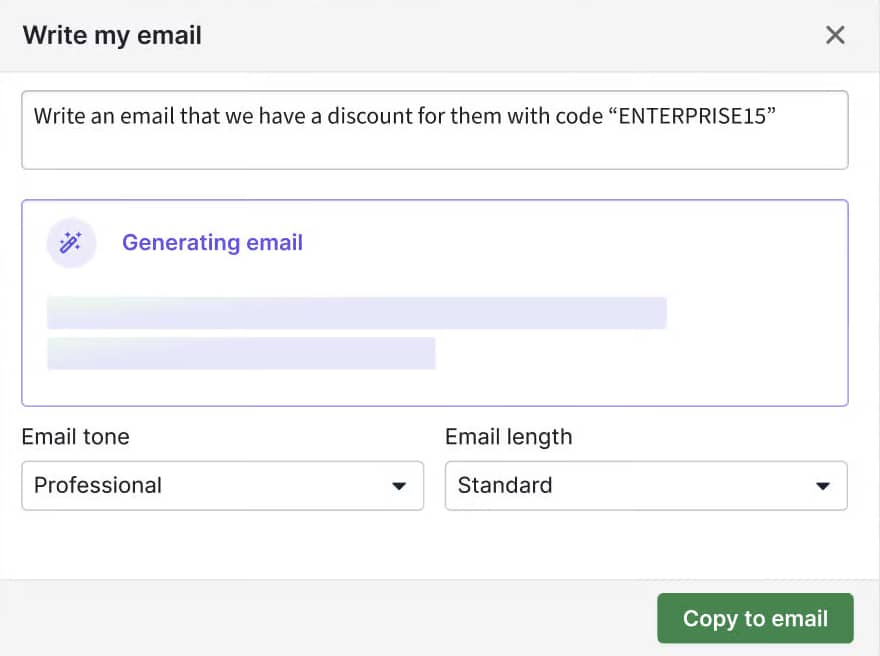
Best AI for marketing Pipedrive email writer

For example, you can use Pipedrive’s AI email writer to craft quick, personalized emails based on where leads are in the buying journey. If you’re responding to an initial inquiry, tell the email writer to generate an engaging introduction highlighting your value proposition.

For leads further along the pipeline, the email writer can create follow-up emails to address specific pain points or provide tailored offers to move them closer to a buying decision.

It’s easy to create AI emails with Pipedrive. Head to the email composer, click “Write my email” and describe what you want the email to say. Choose the tone and length of the email from the drop-down list. Select “Generate email” and your email copy will appear:

Best AI for marketing Pipedrive email example

Pipedrive also detects the tone of your prompt and offers suggestions to match, ensuring all emails align with your brand voice.

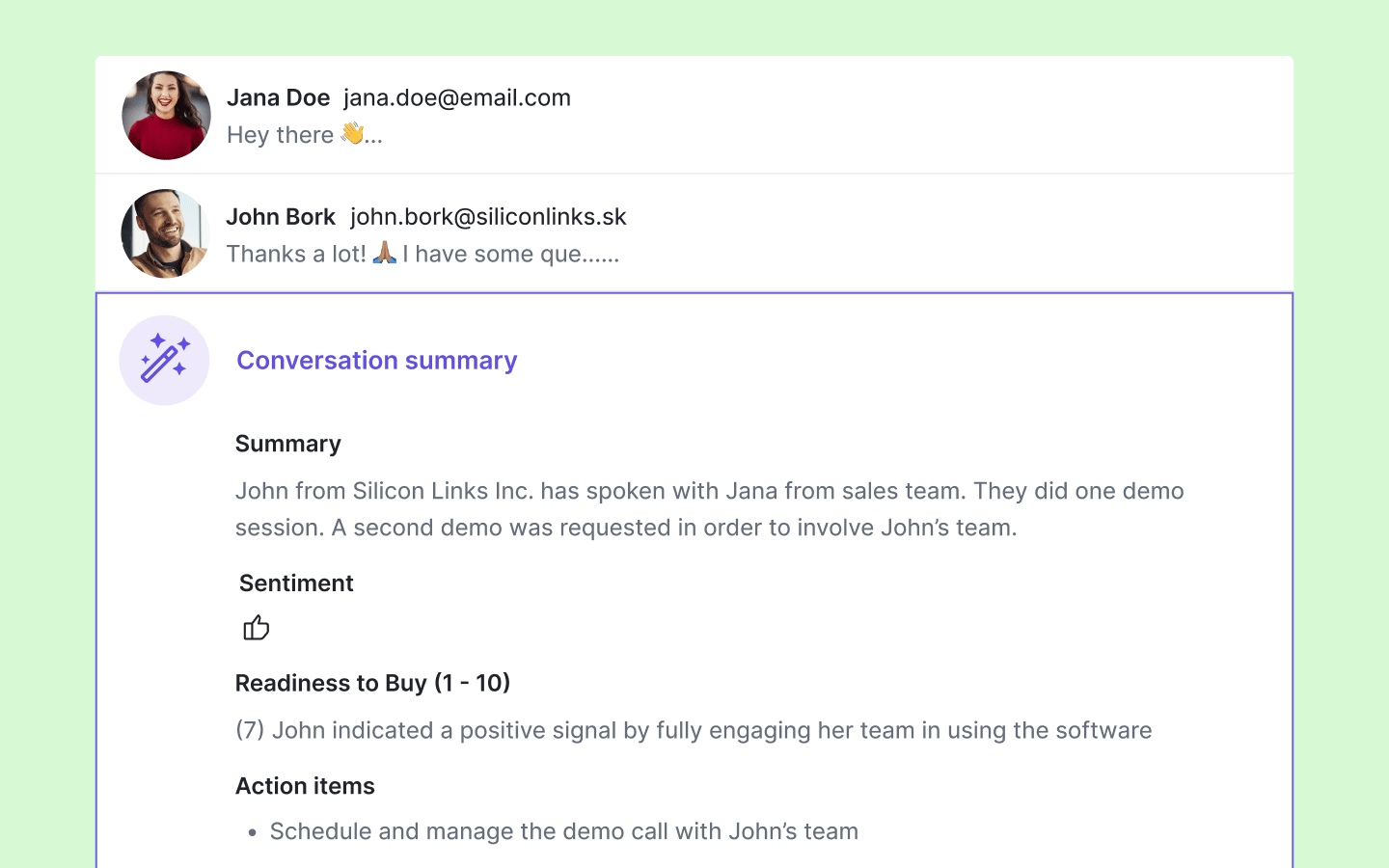
You can condense email threads into simple summaries with Pipedrive’s AI email summarization tool. The summary shows key points, saving you time, reducing overload and enabling faster communication with leads and prospects.

Price: plans start at $14 per month when billed annually

Free trial: yes

Ideal users: SMBs looking to optimize email marketing and align email activity with the sales process

Key features:

  • Generating personalized emails for leads and prospects based on where they are in the sales pipeline

  • Summarizing email threads at the click of a button so you can act fast to convert leads into deals

  • Segmenting email contacts based on criteria, such as deals, activities and products

Note: Pipedrive’s AI email writer and summarization tool are available on Professional and higher plans.

Grammarly: best for AI writing and email proofreading

Creating and proofreading emails takes time – a luxury not all SMBs can afford, with 33.9% of small business marketers struggling with a lack of time.

Grammarly streamlines email creation and proofreading. The copywriting assistant tool checks grammar, spelling and punctuation. The platform also offers suggestions to improve clarity, conciseness and readability in written content – like emails.

Frost & Sullivan used Grammarly to increase its writing team’s productivity, reducing editing time by 66%. Tonya Fowler, Frost & Sullivan’s Global Research vice president of best practice, says:

If we can cut 300 hours down to 180 hours, that person can go from 6 projects a year to 12 projects a year. It’s all about scale.

Grammarly’s AI suggestions also help you maintain your brand voice, tone and style throughout all your emails.

Best AI for marketing Grammarly checker

Brand consistency builds trust and credibility with your audience (59% of consumers are more likely to buy from a brand they trust).

Price: free to use with paid plans starting at $12 per member per month when billed annually (Grammarly’s AI features are available on paid plans)

Free trial: yes

Ideal users: best for SMB marketers managing multiple email campaigns

Key features:

Start planning your email marketing campaign now

Click the button to receive a free email marketing campaign planner ebook

The best AI-powered tools for social media marketing

Social media AI software can schedule posts, generate visuals and create captions tailored to your audience’s preferences. Depending on the platform, it also analyzes audience behavior and engagement patterns to:

Here are some of the top tools on the market.

Predis.ai: best for social media content generation

Research from Constant Contact shows that 54% of SMBs need help with social media marketing, particularly support with regular posting and generating new content ideas.

If you lack the time or creative energy to write engaging social content or create visuals, Predis.ai can help. The software uses AI to generate and schedule social media posts, automatically suggesting relevant content, creating visuals and scheduling posts for optimal times.

The AI also learns from past interactions and user feedback. It continuously improves its suggestions to match your audience’s interests and enhance the customer experience.

For example, if Predis.ai notices carousel posts with bold visuals receive higher engagement than single-image posts, it might suggest creating more carousel content with similar designs.

Best AI for marketing Predis interface

Wisdom Tech Academy used Predis to generate social captions and schedule posts to generate social assets. The Academy says:

Predis.ai is helping us with content ideas and social media post generation with just a few clicks. As predis.ai allows us to create and schedule content, we can generate all content of the week in a few [minutes], then schedule the content for the next business days.

Price: free to use with paid plans starting at $27 per month when billed annually

Free trial: yes

Ideal users: Social media managers who need help generating and scheduling social media content

Key features:

Ocoya: best for posting across multiple social media channels

Constant Contact’s research also found that 34% of SMBs say posting on social media is one of the most time-consuming marketing activities. Because of this, 44% say they’re most likely to delay social media posting.

Ocoya is a cloud-based content marketing solution that streamlines social media posting. The software creates and posts content across social media platforms – including Instagram, TikTok and LinkedIn. It also schedules posts across different platforms, optimizing timing for each audience.

Best AI for marketing Pipedrive Ocoya interface

Ocoya can post directly from your RSS feed in real time, meaning you can share new content from your website without manual input. For instance, if you publish a new blog post on “Top Marketing Trends for 2025”, Ocoya can instantly generate a social post with a compelling caption, relevant hashtags and an eye-catching image.

This feature frees time for you to focus on more important tasks (like strategizing upcoming campaigns).

Price: plans start at $15 per month when billed annually (RSS posting is available on the Gold plan, which is $79 per month when billed annually)

Free trial: yes

Ideal users: Social marketers who want to post social content across multiple platforms at once

Key features:

Effective AI tools for content marketing

AI can create high-quality blogs, videos and images, tailoring them to specific audience preferences. It can also identify gaps in content, helping you create content that differentiates you from competitors.

Here are some of the most effective AI tools for content marketing campaigns.

Ideanote: best for generating content ideas

Studies show that SMBs tend to stick with what they know. When it comes to content marketing, this means it’s easy to produce the same type of content about the same topic.

However, branching out into new topics can help you:

Ideanote – an innovation platform for gathering, sharing and encouraging ideas – can help you break this cycle. Its AI-powered idea generator quickly produces content ideas based on your parameters. These parameters include the purpose, the company name and a summary of the project.

Imagine you’re working on a project to launch a new eco-friendly skincare line. You enter the parameters into Ideanote’s AI-powered idea generator as follows.

  • Purpose: generate social media campaign ideas to promote sustainability

  • Company name: GreenGlow Skincare

  • Project summary: Launching a new line of eco-friendly skincare products made with natural ingredients, targeting environmentally conscious consumers

Based on this information, Ideanote’s AI (based on OpenAI’s ChatGPT-3) analyzes information from the internet and applies its knowledge to its idea suggestions. For example, it might analyze relevant trends, sustainability topics and competitor marketing strategies.

Here’s an example of how the tool generates ideas for a well-known fast food chain.

Best AI for marketing Ideanote idea generator

Kenny Andreason, product manager at Enreach, uses Ideanote to streamline the collection and implementation of ideas and feedback across the business. He says:

It has allowed us to collect more than 1,500 ideas and pieces of feedback from our colleagues, customers and end users, and it has helped us [turn] them into reality.

Ideanote also has an AI question generator, which creates questions to inspire new ideas.

For example, if you’re brainstorming a new content strategy, the AI question generator might ask, “What unique insights can your brand share that no one else is talking about?” It helps you approach content from a different perspective and uncover hidden opportunities.

Note: The idea generator also identifies potential markets and opportunities for your marketing activity. Say you add your business sectors, consumer preferences and market trends to the generator. The system uses these parameters to list potential gaps and opportunities for you to discuss with your team.

Price: All features are free for up to 15 users with limited usage (e.g., 250 ideas). Paid plans offer the same features but with more usage (e.g., 1,000 ideas). Paid plans start at $6 per month per user when billed annually.

Free trial: yes

Ideal user: best for SMB marketers looking to create new and strategic content ideas

Key features:

  • Generating new content ideas

  • Producing new questions to broaden perspectives

  • Collaborating and discussing ideas virtually

Writesonic: best for optimizing content for SEO

SMB and startup marketers can spend hours ensuring content is SEO-friendly. From adding internal links to including key phrases, the process can be tedious – but it’s necessary to help your business reach the right audience.

The good news is there are AI-powered tools like Writesonic that can optimize content on your behalf.

Writesonic is a generative AI content creation platform that integrates with marketing tools like Ahrefs and Google Search Console. It pulls live data from these tools and incorporates it into your content.

Best AI for marketing Writesonic interface

For example, when connected to Ahrefs, Writesonic analyzes keyword data from top-ranking articles. Then, it ensures your content covers all the necessary phrases to help you rank better on search engine results.

The platform also analyzes competitors and identifies content gaps. This analysis helps you pinpoint content ideas that consumers want to see but can’t find elsewhere.

Read Alan Ranger’s case study to see how these features can help you optimize your content and reach a wider audience. Ranger, a photography expert, used Writesonic to scale his content creation and saw an increase in blog impressions by 500%.

Price: free to use with additional features available on paid plans, starting at $16 per month when billed annually

Free trial: yes

Best for: SMB copywriters and marketers looking to optimize content and scale content creation

Key features:

  • Pulling live data from other marketing tools

  • Optimizing content for SEO

  • Identifying and analyzing competitors

Standout AI marketing tools for reporting

AI reporting tools collect and analyze performance data, offering actionable insights to refine campaigns and track your return on investment (ROI).

Take a look at some of the most effective AI reporting platforms.

Google Looker Studio: best for summarizing large data

Data analysis is challenging for many SMBs due to limited resources, lack of technical expertise and time constraints. This is where AI-powered tools like Google Looker Studio (formerly Data Studio) can help.

Google Looker Studio is a data visualization and reporting tool. It creates dynamic, interactive dashboards and reports from multiple data sources (like Google Analytics or Salesforce).

Best AI for marketing Google Looker Studio interface

Its AI functionality allows you to create reports with a few sentences of instruction, breaking down large data sets into manageable components. As a result, you can quickly see charts with essential data and trends without technical expertise.

Say you type, “Show me the sales performance of last quarter by region”. The AI automatically generates this report, highlighting key trends across regions. With these insights, you can make informed decisions about future marketing activity. For example, investing more marketing budget in higher-performing regions.

Price: free to use, with paid plans starting at $9 per month, per user or project for enterprise customers

Free trial: yes

Ideal users: Business owners and marketers who want to access key data and trends without needing technical expertise

Key features:

  • Gathering data from various sources

  • Generating reports and dashboards with minimal instruction

  • Providing data summaries in presentations

Get organized with your free sales pipeline excel template

Looking for a more streamlined way to manage your sales? Download this free sales pipeline template and test it out now.

Databox: best for getting personalized, actionable insights

Research from Amazon Web Services found that 53% of SMBs don’t know what insights their data could provide. With the right tools, you don’t have to worry about manually uncovering insights from your data.

An AI-powered tool like Databox can analyze your marketing and sales performance to create personalized and actionable summaries. In one glance, you’ll get a concise overview of your key marketing metrics and recommendations to improve performance.

For example, Databox’s AI might provide a summary like this:

“Your Google Ads campaigns generated a 15% increase in conversions this quarter, with the highest ROI from mobile users in the healthcare sector. To maximize results, consider reallocating more budget to mobile ads targeting this industry and optimizing landing pages for mobile devices”.

With these insights, you can make data-driven decisions quickly and confidently. Instead of spending hours digging through spreadsheets or interpreting complex reports, you’ll know exactly where to focus your efforts.

Best AI for marketing Databox interface

The software also integrates with various marketing tools, such as Google Analytics, to centralize key metrics into customizable dashboards. As a result, you don’t have to worry about flicking between systems to access the data you need.

Take a look at Raisley as an example. The B2B SaaS company used Databox to centralize data in custom dashboards, gaining a 90% increase in accessible and visible data. Tom Maitland, co-founder of Raisely, says:

It makes us more data-informed as we think about how we want to grow and serve our customers. The data is so accessible.

Price: free to use with paid plans starting at $47 per month when billed annually. AI-powered summaries are available on the Growth plan, which starts at $319 per month when billed annually.

Free trial: yes

Ideal users: SMBs looking to centralize marketing data and gather actionable insights without technical expertise

Key features:

  • Create performance summaries

  • Get personalized recommendations to improve performance

  • Integrate with other marketing tools

Recommended reading

https://www-cms.pipedriveassets.com/Pipedrive-AI.png

Pipedrive AI: The AI CRM for smarter, faster sales

Why should you get on board with AI in marketing?

For marketers, AI tools enhance efficiency, accuracy and personalization. They also improve decision-making, optimizing campaigns and spending to achieve the best results.

Let’s look at these benefits (and a few others) in more detail.

Improve efficiency

AI helps you optimize your marketing processes and streamline repetitive activities. As a result, you can be more efficient with your time and resources.

Think about AI marketing automation as an example. The software can automatically:

  • Send personalized emails to leads based on their behavior (like clicking on a link or downloading a resource), turning casual interest into meaningful engagement by responding with relevant content at the right moment

  • Segment audiences based on customer behavior, purchase history and engagement patterns, ensuring your marketing budget focuses on the leads most likely to convert

  • Trigger follow-up emails at the optimal time to increase engagement, preventing leads from going cold while your team focuses on high-value tasks

  • Schedule and post content on social media platforms, track engagement and suggest the best times to post based on audience activity

Make informed decisions

AI systems analyze past performance and external factors (like market trends or competitor activity) to make informed suggestions that improve your marketing activity.

Imagine an e-commerce brand that uses AI to analyze social media trends. It identifies increasing conversations about sustainability and recommends shifting marketing messages to highlight eco-friendly products.

As a result, the company updates its social media messaging to capitalize on this opportunity. Posts receive higher engagement, the website gets more traffic and the brand positions itself as an eco-conscious company.

Get a better understanding of customer behavior

Gain a deeper understanding of your target audience through AI-powered data analysis. These insights help you foster stronger customer relationships by addressing pain points proactively.

Here are a few examples:

  • Perform customer sentiment analysis to assess emotions in social media posts, online reviews and survey responses. These insights help marketers identify customers’ feelings about products or services, informing future marketing activity.

  • Use predictive behavior models to forecast future actions based on past behavior. For example, you can predict which customers are most likely to convert or churn. With this information, you can nurture leads effectively to secure a sale or prevent churn.

Note: The exact features of an AI system vary depending on the platform you’re using and your pricing plan.

Increase your ROI

Optimizing your marketing activity is a great way to increase your ROI. The more effective your marketing activity is, the more likely you are to secure sales.

There are a few ways that AI can increase marketing ROI:

  • Use predictive analytics. AI analyzes historical data to forecast trends and customer behavior. These insights allow marketers to identify the most effective strategies for the best results.

  • Implement A/B testing. AI can automate and analyze A/B tests, providing insights on which messages, creatives or strategies perform best. This continuous optimization ensures you’re always improving campaigns, leading to better outcomes and higher returns.

  • Optimize ad spend. AI enhances ad targeting by segmenting audiences based on behavior, demographics and interests. As a result, your ads appear for the right people at the right time, reducing wasted spend and increasing the likelihood of conversions.

Note: These are examples of how AI can increase marketing ROI – they’re not set in stone. Monitor your AI tools’ performance to confirm they deliver ROI and advance marketing objectives.

AI for marketing FAQs

  • AI has different uses in marketing, which include:

    Generally speaking, marketers use it to improve efficiency and optimize marketing activity to boost sales and conversions.

  • It’s difficult to say what the “best example” is. What one company considers a great use of AI might not be great for another.

    However, customer segmentation is a good example of AI in marketing. The software helps marketers segment audiences into specific groups based on demographics, behavior and interests, allowing for more targeted and effective campaigns.

    Email generation and summarization are also two uses of AI in marketing.

  • The best AI tool for you varies depending on your business needs and goals.

    For example, if you want to improve customer service, implementing AI chatbots can enhance customer support and automate responses. If you struggle with time management and spending time on repetitive tasks, you’ll want tools that can automate marketing activities.

  • AI is becoming more popular in digital marketing:

    However, AI should be used to support marketers – not replace them. Marketers can interpret cultural nuances, human emotion and context in ways that AI can’t.

  • Pipedrive is an intuitive sales CRM that uses AI to create emails and summarize email threads. Pipedrive’s AI can also:

    • Provide helpful app and integration recommendations

    • Automate and streamline workflows

    • Suggest practical actions throughout the sales cycle

    Pipedrive integrates with other AI tools, including AI Note-taker, MeetRecord and Conduit AI. You can find these integrations in the Pipedrive Marketplace.

Final thoughts

With the right AI tools for marketing, you can make data-driven decisions that improve results and maximize ROI. Use this list of tools as your starting point. Consider what features and functionality you need to understand your ideal audience, stay ahead of the competition and optimize marketing activity to increase sales.

To align your sales and marketing activity, consider using an AI-powered CRM like Pipedrive. Pipedrive’s AI Sales Assistant analyzes your deals, contacts and emails, finding valuable insights and suggesting ways to improve your sales success.

Sign up for a free 14-day trial to test its AI features and see how it drives marketing success.

11 Smart Ways to Use LinkMatch with Pipedrive

Software Stack Editor · April 14, 2025 ·

As sales markets evolve, tools that bridge the gap between prospecting and customer relationship management (CRM) systems are gaining importance.

LinkMatch, a Chrome extension designed to integrate LinkedIn with Pipedrive, helps social sellers streamline their outreach and work more efficiently. With features like smart profile recognition, AI-powered insights and automated data syncing, LinkMatch makes it easier to manage leads, qualify prospects and personalize communication – without leaving LinkedIn.

Here are 11 powerful ways to use the LinkMatch integration with Pipedrive to boost your sales efficiency.

1. Instantly spot who’s already in your CRM

While scrolling through LinkedIn, it’s easy to lose track of who you’ve already contacted. LinkMatch adds visual indicators directly to LinkedIn profiles, making it clear whether a person or company already exists in your Pipedrive database.

LinkMatch eliminates the need to switch tabs or dig around – just scan and go. It saves time, prevents duplicates and keeps your prospecting organized.

2. View and edit Pipedrive profiles within LinkedIn

Once a profile is matched, you can open and edit the full Pipedrive record within LinkedIn. View details like deals, activities and notes without ever leaving the page you’re on.

This seamless experience lets you update contact details, add notes or schedule activities while focusing on outreach. It’s the fastest way to keep your CRM current while working in the flow of LinkedIn.

3. Save new LinkedIn leads to Pipedrive in one click

Found a great prospect who’s not yet in your CRM? With LinkMatch, you can instantly save their profile to Pipedrive with a single click. Here’s what you can do when saving a profile:

  • Assign deals and link activities

  • Apply custom field mappings

  • Use templates to automatically fill in relevant details

  • Ensure data is structured correctly from the start

This feature is perfect for busy sales teams who want to keep their databases clean, complete and organized while avoiding the hassle of manual entry.

4. Keep data fresh with auto-sync

Pipedrive and LinkMatch integration: auto-sync functionality

People change jobs, update their information or add new roles all the time. LinkMatch automatically synchronizes these updates to guarantee that your Pipedrive contacts stay up to date.

It also syncs your LinkedIn conversations directly to the contact’s Pipedrive timeline, giving you a complete view of every interaction. No more bouncing between tools to remember what was said or when.

5. Use AI to identify decision-makers faster

LinkMatch’s Professional plan offers useful AI features to help you target the right people. The tool’s AI scans LinkedIn profiles to highlight decision-makers and key influencers within a company, making it easier to target those with buying power.

You no longer have to guess who’s in charge because LinkMatch does the legwork for you.

6. Get engagement timing suggestions with AI

Knowing when to reach out can make or break a deal. LinkMatch’s AI offers smart timing suggestions based on prospect activity, helping you choose the best moments to start a conversation.

Aligning your outreach with peak engagement times helps increase your chances of getting noticed and receiving replies, especially when you’re aiming to send an email at the best time.

Recommended reading

https://www-cms.pipedriveassets.com/Pipedrive-AI.png

Pipedrive AI: The AI CRM for smarter, faster sales

7. Personalize outreach with communication style analysis

Everyone communicates differently. Some prefer direct messaging, while others appreciate a more conversational tone. LinkMatch’s AI-powered sales intelligence analyses LinkedIn activity to suggest communication styles that resonate best with your prospects.

This means every message you send feels more natural, relevant and personal, boosting engagement and building trust faster.

Note: Research from McKinsey & Company shows that 71% of consumers expect companies to deliver personalized interactions, and 76% get frustrated when this doesn’t happen.

8. Use custom AI prompts for deeper insights

For deal-specific insights, LinkMatch’s Professional plan lets you use custom prompts to generate quick summaries and deeper context for your prospects.

Whether you’re prepping for a sales call or crafting a sales pitch, you’ll get the data you need in seconds. It’s like having a personal sales analyst on your team right in your browser.

LinkMatch’s Professional plan includes a suite of AI tools designed to make your prospecting smarter. Here’s a quick look at what’s included:

AI feature

What it helps you do

Decision-maker identification

Target key people with buying power

Engagement timing suggestions

Reach out when prospects are most likely to respond

Communication style analysis

Personalize outreach based on how prospects engage

Custom AI prompts

Generate deal-specific summaries and insights quickly

Recommended reading

https://www-cms.pipedriveassets.com/ChatGPT-For-Sales.png

7 best ways to use ChatGPT for sales (use cases, prompts and tips)

9. Preview contact info “on the fly”

Sometimes you just need a quick look at key information without opening a full profile. LinkMatch lets you preview up to three fields of additional information from Pipedrive directly in LinkedIn.

It’s a small feature with a big impact – perfect for fast-moving prospecting and lead qualification.

10. Bulk export LinkedIn leads with LinkMatch’s Professional plan

Pipedrive and LinkMatch integration: export leads with Professional plan

If you’re working with Sales Navigator or LinkedIn Recruiter, LinkMatch enables you to bulk export up to 500 profiles at once. These profiles can be enriched and auto-saved into Pipedrive, complete with leads, deals and configured activities.

It’s a significant time-saver for large-scale outreach and team collaboration.

11. Customize your setup and manage your team

LinkMatch isn’t just for individuals. It’s designed for teams, too. The Customer Dashboard allows managers to handle subscriptions, configure custom templates and monitor team activity in one place.

And for Pro teams with 10 or more users, LinkMatch offers an extra 10% discount.

Final thoughts

LinkMatch is more than just a LinkedIn integration for Pipedrive – it’s a productivity powerhouse built for modern sales teams. From one-click saving to advanced AI insights, it simplifies the entire prospecting process and brings your CRM right where you work.

If you’re serious about social selling and want to close more deals with less friction, LinkMatch is worth exploring. Unlock your free 14-day trial to experience smarter prospecting, streamlined workflows and stronger connections.

Essential Strategic Business Unit Guide

Software Stack Editor · April 11, 2025 ·

Strategic business units enable companies to improve focus and effectively allocate resources to achieve growth in important areas.

For business owners, they provide a strategic framework to efficiently manage operations, address challenges and adapt quickly to stay ahead of competitors.

In this article, you’ll learn what a strategic business unit is, how it benefits your business and the different types you can implement in your company. We also share five best practices for creating a successful business unit.

What is a strategic business unit?

Strategic business unit definition:

A strategic business unit (SBU) is a subset of a larger company responsible for managing a specific area. Companies use business units to maximize profits by allocating resources to a strategically important product, service or market.

All business units in an organization share the same organizational culture, policies and top-level management, but each operates as a business within a business.

For example, if you’re launching a product to a new audience, you might set up an SBU to market it.

The business unit has its own team, mission and objectives and operates separately from other units. Clear focus and dedicated expertise empower the unit to work strategically to grow its part of the business.

SBUs are common in larger organizations with many products, services or locations requiring unique strategies and specialist knowledge and skills.

Take Amazon as a strategic business unit example.

The company uses business units to operate its various products and services, including Amazon Kindle, Amazon Prime and Amazon Web Services.

Strategic business unit Amazon

Together, the business units contribute to Amazon’s overall performance.

The same approach can be beneficial in smaller companies. For instance, a digital agency might use separate business units for marketing and design.

Creating separate entities allows leaders to better manage resources and improve efficiency.

4 characteristics of a strategic business unit

Regardless of size or type, strategic business units share four common features:

1. Individual targets

Each SBU has unique goals and success metrics based on its role within the company. Depending on the objective, a business unit might also focus on a specific customer base.

Here are some of the targets business unit managers are responsible for:

Objectives align with company goals but are managed by the SBU. Business unit leaders will periodically submit growth and sales revenue results to help top-level management understand performance and plan for the future.

2. Unique competitors

Operating in a distinct market means SBUs typically have different competitors from the organization or other business units.

For example, the main competition for Amazon Prime is Netflix and Disney Plus. However, market competitors for its Amazon Web Services are Microsoft Azure and IBM Cloud.

Understanding the competition helps a business unit analyze strengths and weaknesses to create successful marketing and sales strategies. It also helps inspire product innovation, allowing a company to fill market gaps and increase market share.

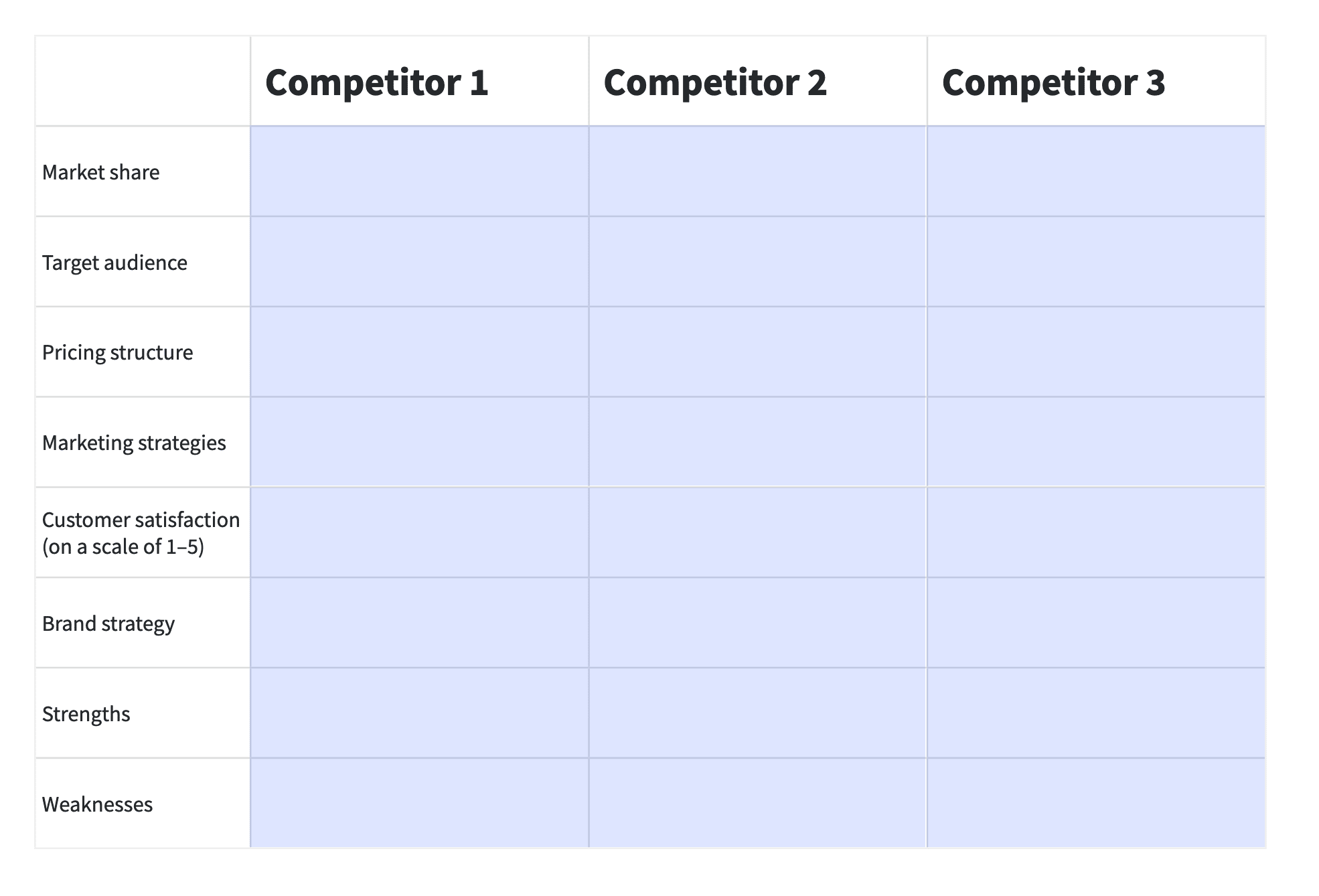
Download our competitor analysis template

Use this template to compare yourself to your competitors and see where you stand

3. Decentralized management

Business units have their own structure that allows them to operate autonomously while staying connected to the core company.

Business unit managers handle planning and manage teams and are accountable for the unit’s performance.

The set-up of a business unit depends on size, resources and autonomy. Larger companies might create an SBU to operate like an independent company with little input from top-level management. In smaller organizations, existing departments might handle areas such as recruitment and human resources.

Here are some of the roles an SBU might include:

4. Independent revenue and budget tracking

Each SBU functions as its own profit center with different revenue sources from other business units. It’s also responsible for managing its own budgets and expenses for sales and marketing campaigns.

Autonomous resource management allows SBU managers to adjust strategies and respond to market changes to improve effectiveness.

It also gives business owners better visibility over finances. The ability to analyze profit and loss separately enables data-driven decisions on where to increase investment or move budget.

Note: Business units differ from subsidiaries. Subsidiaries are separate legal entities controlled by a parent company that can have their own business units. Business units are functional areas within a company. For example, Amazon Web Services is a functional area of Amazon. However, streaming platform Twitch is a subsidiary acquired and owned by Amazon.

The benefits of creating a strategic business unit

Strategic business units help businesses hone in on a product, market or function for long-term growth and continuous improvement.

The benefits of setting up a business unit include:

  • Increased focus. Breaking operations down into specialized units with precise goals gives you clear direction. Knowing what’s required ensures purposeful action and better efficiency across important business areas.

  • Better resource allocation. Assigning resources based on specific needs and priorities gives you a targeted approach to resource management. Tracking individual SBU performance helps you see where to adjust budgets and divert resources to support objectives.

  • Improved risk management. Business units operating autonomously helps to mitigate risk. If a unit underperforms, results are contained, reducing the impact on company performance. The added stability frees you up to try more innovative and experimental business development strategies.

  • Clear accountability. SBU managers are directly responsible for the performance of their unit. Accountability encourages strong leadership, leading to improved collaboration, better employee engagement and enhanced performance.

  • Greater customer satisfaction. Unique goals and objectives help customer-focused SBUs build sales and marketing strategies around audience pain points and preferences. Continually meeting customer needs fosters loyalty and increases retention.

In short, strategic business units allow companies to concentrate on specific offers, processes and audiences to improve performance and gain a competitive edge.

Recommended reading

https://www-cms.pipedriveassets.com/Business-guides.png

Unlocking success: how business guides can transform your operations

The potential risks of creating business units

Dividing a business into SBUs can be beneficial, but it’s not always the best strategy for every business. For some companies, decentralizing operations can pose management, financial and even legal risks, including:

  • Management risks. Managing different business units requires a more complex organizational structure. Dividing attention between units can disrupt operations, communication, coordination and overall efficiency.

  • Financial risks. Supporting multiple SBUs can mean higher administration and operation costs, including accounting, finance and human resources expenses. These higher costs can reduce profitability.

  • Performance risks. SBUs can become bureaucratic, slowing decision-making and making it harder for the company to respond quickly to a changing market.

  • Compliance risks. Each SBU may need to comply with different regulations and legal requirements, which can make compliance more complex and costly.

While there are advantages to strategic business units, they may pose hurdles for smaller companies that need to stay agile or that rely heavily on shared resources. Each company should weigh the risks against the benefits when deciding how to proceed.

5 types of strategic business units

There are several different business unit types you can use in your company. The right approach depends on your industry and objectives.

Here are five types of SBU for common use cases.

Strategic business unit type

Use case

1. Product or service-based strategic business unit

Centers on a new or existing product or service that differs from the company’s current offer. Responsible for product management, from research and development to sales. Best for product launches or maximizing profits for successful products.

2. Region-based strategic business unit

Responsible for operating in a specific geographic location. Best for expanding into new markets where operations need to adapt to new languages, audiences or regulations.

3. Market-based strategic business unit

Focuses on a specific market or customer demographic. Responsible for tailoring sales and marketing strategies around customer needs and preferences. Best suited to businesses that want to target a specific audience.

4. Process-based strategic business unit

Focuses on an operational area rather than a specific product, service or department (e.g., finance, marketing or human resources). Best for improving efficiency and optimizing workflows to save money, enhance customer experience and support growth.

5. Function-based strategic business unit

Built to optimize a core business function, such as sales, marketing or product development. Best for improving efficiency in specific areas by splitting them into departments with specialized skills and processes.

You can also use strategic business unit types in a hybrid approach. For example, an SBU for a new product line might have a region-based business unit to boost sales in certain territories.

Combining SBUs gives teams broad expertise to operate effectively and grow company revenue.

Recommended reading

https://www-cms.pipedriveassets.com/Sales-Goals.jpg

How to set sales goals that improve team performance (with examples)

5 best practices for creating a successful strategic business unit

Strategic business units vary depending on type, resources and objectives. However, all successful SBUs share the same key elements: clear purpose, planning, structure and communication.

These steps will ensure your business unit effectively contributes to your company’s goals.

1. Define the purpose of your business unit

The first step of creating a new business unit is clarifying the primary goal. Your SBU should have a clear purpose tied to your company objectives.

Develop a mission statement that answers the following:

  • What the business unit is for (e.g., product or function)

  • Why the business unit exists (e.g., revenue growth or improving efficiency)

  • Who the business unit serves (e.g., customers or employees)

  • How the business unit achieves its goals (methods of operation, principles and philosophies)

Summarizing your purpose in one concise sentence will guide your business unit and provide focus and direction for its team.

Here’s an example of a strategic business unit mission statement for a region-based SBU:

The marketing team’s mission is to grow brand awareness and increase leads by delivering campaigns that solve problems for our Canadian audience across the customer journey.

Make your mission statement aspirational and achievable to keep your team motivated. However, don’t set it in stone. Review and update your statement as your business grows and unit goals evolve to ensure it’s relevant to your objectives.

2. Set measurable goals and key performance indicators

Use your mission statement as a starting point for your business unit goals.

The SMART framework will help you set goals that motivate your team and drive business unit success.

Strategic business unit Pipedrive SMART goals

Past performance can help you keep goals measurable.

For example, if your conversion rate is healthy but customer churn is high, your sales team might target customers who aren’t likely to make repeat purchases.

If you want to create a function-based business unit for sales, you could use these metrics to set a measurable goal to increase customer lifetime value (CLV). For instance, your goal might be to increase CLV by reducing customer churn to 4% or less.

You can then set sales objectives to help you achieve your goal. Here are some examples of SMART goals for a subscription business.

  • Create and share a customer satisfaction survey with incentives to drive participation

  • Send email reminders and renewal offers to customers whose contracts are expiring in the next quarter

  • Call 25 existing customers each month to offer advice and guidance

Getting clear on your goals makes it easier to choose key performance indicators (KPIs) to track performance and keep your business unit accountable.

Using the above example, if your objectives involve contacting customers, tracking sales activity metrics like calls made and emails sent gives you a clear picture of sales rep performance. Additionally, monitoring the churn rate will inform you how your business unit is progressing toward the goal.

Leveraging customer relationship management (CRM) software with reporting features makes it easy to track goals.

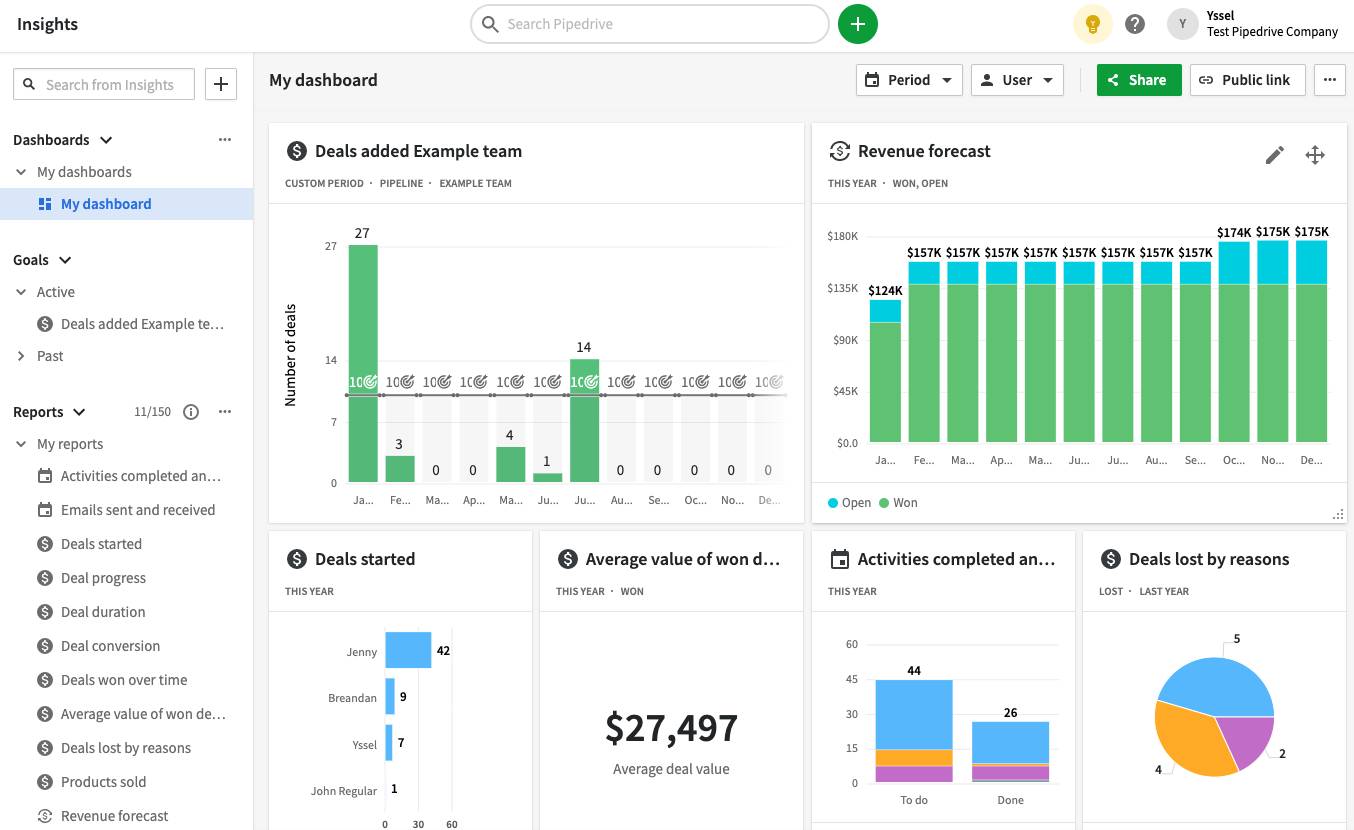
A tool like Pipedrive provides a real-time view of activities so you can understand the following:

Strategic business unit Pipedrive dashboard

Pipedrive also lets you customize dashboards with charts and dropdown menus so you can focus on the information that matters. Combining this with in-built reporting automations speeds up the process for better decision-making.

3. Establish a clear structure

The size and scale of your strategic business unit depend on the nature of your organization.

For example, a product-based SBU might have dedicated sales, production and finance teams. A process-based SBU, on the other hand, might consist of a handful of specialists working to improve workflows.

Regardless of your objectives, setting up each SBU with a clear organizational structure keeps everyone clear on hierarchy, roles and responsibilities. It also makes identifying skill gaps and recruiting the right team members easier.

Here’s a general structure most SBUs share:

SBU manager

Head of strategy, operations and financial performance – the main point of contact for company directors.

Functional departments

Sales, marketing, product development, etc. – departments work together to achieve the SBU’s goals under guidance from the SBU manager.

Subdivisions

Teams within departments of larger and more complex SBUs, e.g., a geographic region team within a sales department.

With your business structure in place, create a communication plan that outlines the rules for effective information and data sharing between the unit and business leaders.

An effective communication plan should include:

  • Objectives (e.g., aligning organization and SBU managers on the business initiative)

  • Details on who’ll receive communication and notifications

  • Key messaging

  • Channels for delivering communication (e.g., email, communication platform or in-person meetings)

  • Communication schedule, including reporting milestones and deadlines

  • Roles and responsibilities

  • Success metrics for evaluating your plan’s effectiveness

While SBUs are set up to operate autonomously, a communication plan ensures effective and strategic communication to avoid missteps and eliminate silos that impact performance.

4. Allocate sufficient resources for sales, marketing and growth

Resource allocation needs careful planning to ensure your SBU has the time, budget and tools to work productively.

Your goals and objectives can guide your resources. For example, say you want to expand your customer base by 20%. Ask yourself how you can use people, technology and finances to get there.

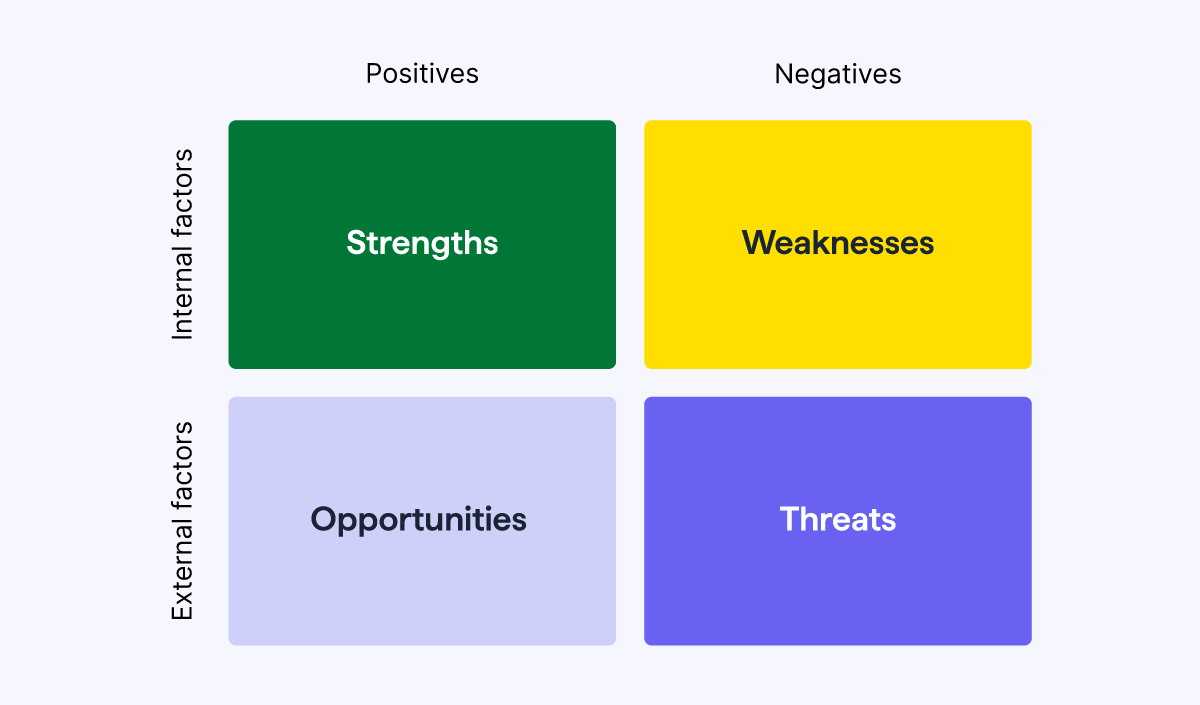
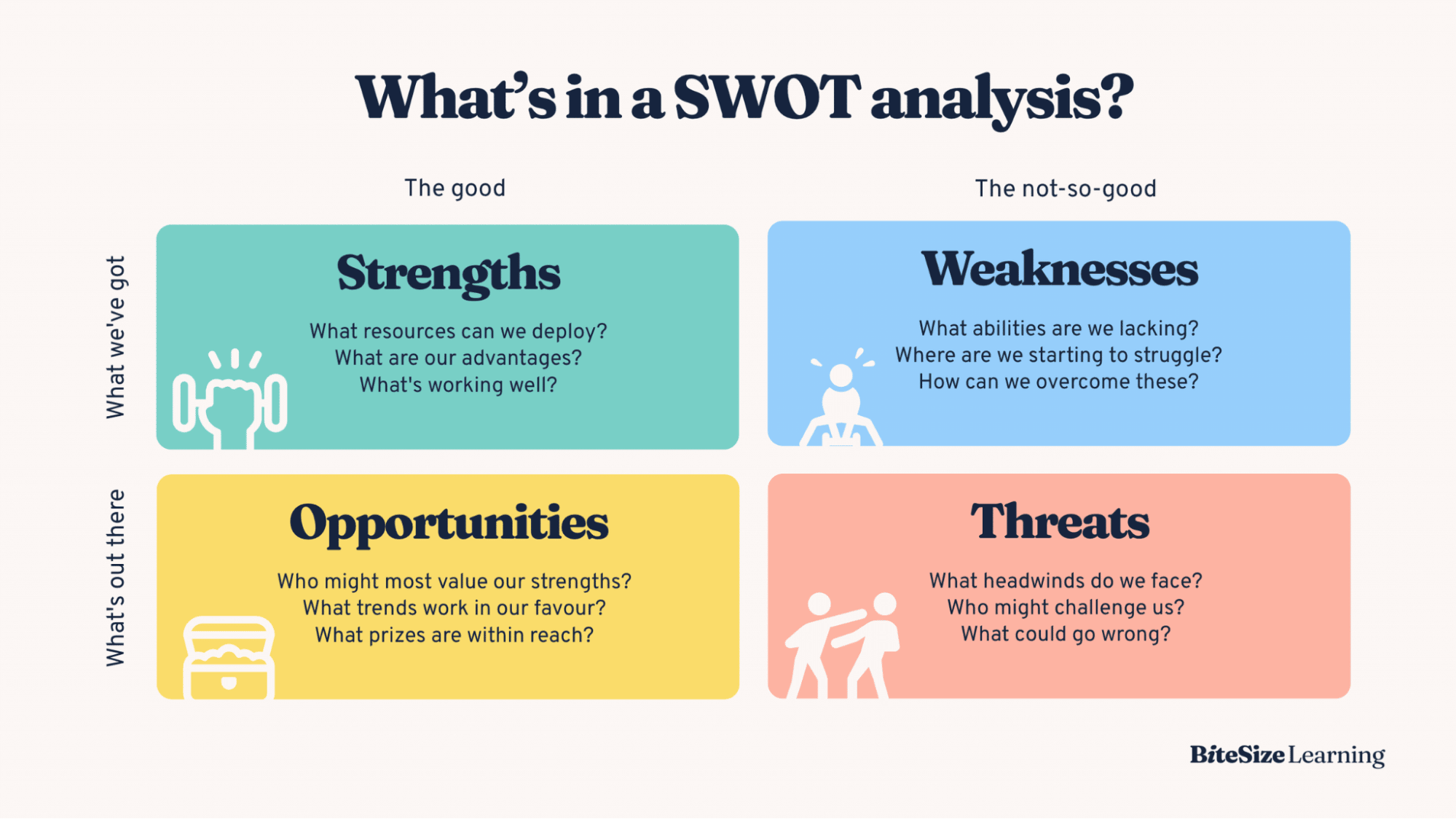
Additionally, running a SWOT analysis can uncover strengths and weaknesses in your current systems to help you spot areas to invest in.

Strategic business unit Pipedrive SWOT Analysis

Here’s how a SWOT analysis might look for an SBU created for a new product launch:

Strengths

Weaknesses

Opportunities

Threats

Use your analysis to see what’s working and allocate resources to gain a competitive advantage.

Once you establish your SBU, use metrics such as profitability, growth and market share to determine where to invest.

Boston Consulting Group’s growth-share matrix divides SBUs into four categories to help businesses understand what to prioritize:

Strategic business unit BSG matrix

For example, if your SBU has a low market share but high growth potential, you might invest more in sales to boost leads and conversions.

Continually evaluating performance will ensure your SBU keeps pace and adapts to market changes.

5. Develop a performance management system

Performance management is crucial to ensure your SBU meets its goals and contributes to your company’s success.

At the executive team level, holding regular check-ins and feedback sessions with the SBU manager is good practice. Meetings provide an opportunity to monitor progress, tackle challenges and celebrate wins.

Choose a performance management model within the SBU that aligns goals with team and employee performance.

Here are three common models for monitoring progress:

Uses SMART goals and measurable outcomes to track performance.

  • 360-degree feedback

Uses a combination of KPIs and supervisor and peer feedback to highlight strengths and weaknesses.

  • Balanced scorecards

Tracks performance from financial, customer, internal and learning perspectives to offer employees relevant support and training.

A CRM system like Pipedrive provides real-time insights and lets you track key metrics to track performance. Business units and company managers can use this data to address issues and find areas for improvement.

Read our Planet42 case study to find out how the automotive fintech business uses Pipedrive’s sales pipeline features to manage separate SBUs.

Use a CRM alongside a performance appraisal system to conduct check-ins and gather feedback from team members. Apps like Lattice and Workleap include features such as employee surveys and talent reviews to create feedback loops.

Understanding your people’s challenges will help you provide the right support and allocate the right resources to enhance productivity and engagement.

4 free sales feedback templates

Use these sales feedback templates to measure employee performance and gauge morale.

Final thoughts

A strategic business unit enables companies to focus on activities crucial to long-term growth. With a purposeful approach and clear objectives, a BSU offers the structure to capitalize on opportunities, mitigate risk and thrive in new markets.

Ready to create your business unit? Discover how Pipedrive can help you track and optimize business unit performance with a free 14-day trial.

Complete AI Business Development Guide

Software Stack Editor · April 11, 2025 ·

Manual business development is slow and repetitive. Whether you’re a founder, marketer or part of a business development team, hours are often lost chasing leads, sorting through customer data or managing follow-ups. AI business development flips that script.

In this guide, you’ll learn how to use AI to streamline your sales and lead generation processes. We’ll explore real-world use cases, top tools and step-by-step strategies to build an AI-powered business development engine.

What is AI business development?

AI business development refers to using artificial intelligence to automate and improve key business growth processes, such as lead generation, sales optimization, relationship-building and strategic decision-making.

Rather than relying on manual effort and guesswork, AI algorithms use machine learning and predictive analytics to analyze large datasets. Business owners use the analysis to guide decision-making and speed up everyday tasks.

For example, a startup using AI for business development might run a predictive analytics model that scores leads based on past customer behavior. Instead of cold calling random contacts, the team focuses only on high-potential prospects.

Some other ways AI can support business development needs include:

  • Automating routine tasks like meeting scheduling or data entry

  • Personalizing outreach based on customer behavior

  • Monitoring market trends in real time

  • Segmenting contacts for targeted campaigns

  • Enhancing CRM systems with smart recommendations

  • Analyzing sales conversations to improve pitch timing and messaging

AI helps sales teams make informed decisions while spending less time on admin and more time on activities that drive revenue.

Recommended reading

https://www-cms.pipedriveassets.com/Guide-to-integrating-AI-into-CRM.png

Integrating AI into CRM: benefits and step-by-step guide

Benefits of AI for business development

Teams that use AI technology reduce manual work and deliver greater business growth.

According to Pipedrive’s State of AI in Business Report 2024, 79% of AI adopters say that productivity was the main reason for using AI.

AI business development State of AI in Business Pipedrive

Whether you’re part of a startup or leading an established sales team, AI tools can help you increase operational efficiency without adding headcount.

Here are some of the key advantages AI brings to business development.

More efficient lead generation

AI lead generation software analyzes behavioral data, online activity and past interactions to identify high-intent prospects.

These tools help you focus on leads most likely to convert, saving time and boosting conversion rates.

For example, an AI model might flag leads based on recent site visits, email engagement or social signals. By prioritizing these contacts, sales teams can reduce cold outreach and connect with the right people at the right time.

AI-powered lead scoring also reduces bias and human error, providing consistent, data-backed decisions that improve pipeline quality.

Time and cost savings for BDRs

Business development reps (BDRs) in sales often spend hours each week on low-value admin work like logging calls or updating CRM records.

AI automates many of these tasks behind the scenes.

  • Bots and chat assistants can handle common early-stage questions

  • Machine learning models can recommend next steps

  • CRM integrations can trigger follow-ups based on deal activity

As a result, BDRs gain more time for strategic outreach and revenue-driving work. This shift improves productivity and boosts team morale by eliminating repetitive, manual workflows.

Boost efficiency with AI agent networks

AI agent networks take automation to the next level by enabling different AI systems to work together to complete complex tasks across your sales process.

Unlike single-use tools that handle isolated functions (like Hemingway Editor, a popular AI editor), AI agents can act autonomously and communicate with each other to coordinate multi-step workflows. Think of them as digital teammates that follow goals, make decisions and pass information between tools without constant human oversight.

For example, here’s how an AI agent network might support a lead workflow:

  1. A prospect submits a form on your website

  2. An AI lead enrichment tool fills in missing company and contact data

  3. The CRM automatically scores the lead and moves them into a qualified stage

  4. A messaging tool drafts and sends a personalized email based on the lead’s behavior

  5. If the lead clicks the email, a task is created for a rep to follow up

This process happens without manual input, allowing teams to respond in real time and stay consistent at scale.

This shift toward self-operating systems is reshaping how high-performing sales teams work through intelligent process automation. With fewer repetitive tasks and faster deal cycles, these teams have more time to spend where it matters.

Recommended reading

https://www-cms.pipedriveassets.com/Sales-Calls-for-SMBs.png

A small business guide to AI for sales calls: top tools and best practices

Top use cases in AI business development

AI business development covers a wide range of use cases that help teams work smarter and move faster.

Below are key tactics and examples that show how AI can drive results across your business development strategies.

Business development tactic

Why it works

Lead generation

AI tools automate the early stages of the sales funnel by capturing and qualifying inbound interest in real time.

Example: Fibersals used Pipedrive’s LeadBooster, a lead generation software, to automatically capture, prioritize and disqualify leads using its Chatbot feature, reducing lead qualification time by 30%.

Market research

AI systems scan vast amounts of data across industries to identify market trends and competitor moves.

Example: IVP uses Perplexity’s AI-powered research assistant to speed up market analysis. This speed enables the team to gather competitive intelligence and valuable insights in real time, cutting research by hours.

Sales enablement

Generative AI platforms can create personalized email sequences based on customer data.

Example: Revenue teams use Regie.ai or ChatGPT to generate personalized outbound sequences based on buyer personas, industry and customer engagement history. Regie enables faster rep ramp-up and more relevant messaging by automating copy creation.

Deal management

AI-powered deal management uses real-time data analysis to keep pipelines moving by flagging risks and automating follow-ups so reps can focus on closing instead of tracking.

Example: Pipedrive’s AI Sales Assistant helps sales teams stay on top of deals by sending smart reminders, highlighting stalled opportunities and recommending next actions.

Product development

AI can analyze customer feedback and usage patterns to suggest new product features.

Example: SaaS teams use AI tools like Productboard with natural language processing to categorize customer feedback at scale. Product managers can then identify trending feature requests and align updates with evolving customer needs.

Marketing

AI marketing tools streamline content creation by generating on-brand copy at scale. Faster content creation lets teams move faster across channels and improve marketing efforts without sacrificing quality or consistency.

Example: WalkMe used Jasper’s generative AI platform to accelerate content production across the sales and marketing teams, saving 3,000+ hours in content creation and a 2X ROI relative to cost.

Customer relationship management

AI improves customer relationship management by simplifying communication and surfacing key insights so sales teams can stay responsive and increase customer satisfaction.

Example: Pipedrive’s AI CRM helps sales teams maintain stronger relationships by streamlining communication with features like AI-generated emails, automatic email summarization and natural language reporting.

These real-world examples show how AI can support every stage of business development, from finding leads and closing deals to customer support.

The state of sales and marketing 2024

Discover key statistics about sales and marketing

Implementing AI into your business development processes

Getting started with AI doesn’t mean overhauling everything at once. A focused approach helps you integrate AI tools where they’ll have the most impact.

Here’s how to build AI into your business development strategy, one step at a time.

1. Identify gaps in your business development process

Before you bring in AI, you need a clear view of where your business development efforts are falling short. This understanding will give your AI implementation a clear direction.

Start by mapping your full business development cycle: lead generation, qualification, outreach, follow-up, closing and post-sale support. Then, use a strategic planning process like a SWOT analysis to understand the strengths and weaknesses of those processes.

ai business development SWOT analysis

For example, a B2B IT services firm might realize its reps spend too much time chasing unqualified leads. Without a reliable way to score or prioritize inbound interest, its pipeline fills up but rarely converts.

Documenting these gaps early helps you improve your lead qualification process as you evaluate AI tools in the next stage.

2. Find AI tools to address business development gaps

Once you’ve identified where your business development process is falling short, the next step is to find AI tools that directly address those bottlenecks.

Rather than adopting the most advanced solution or largest feature set, focus on tools offering the clearest value for your team’s workflow. The right fit often comes down to solving one specific pain point really well.

For example, if your team struggles to qualify leads, look for AI that automates lead scoring or enriches contact data. If you miss follow-up opportunities, try tools that trigger emails based on deal activity.

When thinking about what AI tools for business to choose, consider the following:

  • How well they integrate with your existing system

  • How steep the setup and learning curve is

  • Whether they’ll save time or add complexity to your current process

  • Whether they’ll scale with your business pipeline as it grows

Tip: Start with one use case that impacts revenue, such as lead conversion or follow-up speed. If the tool proves effective there, you’ll have a strong case for expanding AI adoption in other areas.

3. Learn how to use the AI tool

Successful AI adoption depends on how well your team learns to use it.

Without hands-on onboarding and clear guidance, even the best AI systems can go underused or misapplied, leading to wasted time and missed impact.

Make learning the tool a priority. It’s not a one-time setup – it’s a learning curve that requires buy-in, support and repetition.

Here’s how to approach it:

  1. Block time for onboarding – Set aside at least one to two sessions to explore the tool’s features and settings

  2. Book a training call – Most AI platforms offer onboarding or live demos

  3. Lean on support and help docs – Use the chat function, knowledge base or email support to resolve early blockers quickly

  4. Join a user community – Online forums and groups often offer real use cases and workflows from other users

  5. Start with a single task – Apply the tool to one real business development need before expanding into other areas

For example, if you’re using an AI email tool, test a single sales cadence with a small list. Once you understand how it adapts content and tracks engagement, you’ll be more confident scaling it across your team.

Strong early adoption sets the tone. Teams that invest time in learning see better results and more lasting impact.

4. Create your own AI business development workflows

Once you understand how your AI tools work, put them into motion with workflows tailored to your team.

Start by identifying which tools need to connect. Think of your CRM as the central hub, then build around it with tools that feed in or act on that data. You might use one AI system to score leads, another to generate follow-up emails and a third to track engagement.

Define clear triggers and outcomes:

  • When new leads enter the CRM, an AI enrichment tool fills in missing data

  • Based on that data, an outreach tool sends personalized emails

  • If the lead replies or clicks a link, a task is automatically created for a rep to follow up

Keep early workflows simple. Focus on one or two high-impact areas, like reactivating cold leads or accelerating follow-ups. Test results weekly and adjust rules or content as needed.

Tip: Use highly visual workflows when possible. Many AI tools for startups and CRMs, like Pipedrive, let you map out automation step by step, making it easier to see gaps and avoid logic errors. Visual setups also make it easier to train others and get team buy-in.

5. Draw up an onboarding plan for your team

AI tools only deliver results when your team knows how to use them confidently and consistently. A clear onboarding plan speeds up adoption, ensures alignment and helps you get value from day one.

Focus on giving your team the structure and support they need. Here’s how to structure a smooth rollout:

  1. Start with context – Explain the pain points you’re solving and why AI is the right solution

  2. Demo the workflow – Show how the tool works using a live example that matches their daily tasks

  3. Assign roles – Clarify who owns what: data entry, follow-ups, outreach and optimization tasks

  4. Create a simple playbook – Include screenshots, tool links and clear instructions for each workflow

  5. Schedule check-ins – Meet weekly or bi-weekly to gather feedback and fix issues

For example, a sales team might walk through how a lead moves from initial contact to automated follow-up, showing exactly where AI supports each step. Visualizing the full flow builds trust and helps reps feel confident adopting the process.

5 best AI tools for business development

With so many AI tools on the market, choosing the right ones can feel overwhelming. The key is to start with tools that solve your most time-consuming tasks without adding extra complexity to your workflows.

Below are five powerful AI tools that can help your team work faster, qualify leads smarter and close deals more efficiently.

Each tool focuses on a different part of the business development process, making it easy to build a stack that fits your needs.

1. Pipedrive: best for CRM and deal management

ai business development Pipedrive AI

Pipedrive is more than a CRM. It’s an AI-powered business development engine built to help sales teams automate sales tasks and grow faster.

Its AI Sales Assistant acts like a strategic co-pilot, analyzing sales activity, pipeline health and deal patterns to suggest the best next actions.

Beyond pipeline recommendations, Pipedrive uses AI to streamline daily sales work. The AI email writer generates personalized outreach, proposals and follow-ups based on the context of each deal, saving reps hours each week.

AI business development Pipedrive's AI email writer

With SmartApps, sales teams also get AI-powered app recommendations tailored to their workflow, making it easy to discover integrations that extend Pipedrive’s capabilities.

You can also use simple text prompts like “Show me last month’s deal progress” to generate custom reports in seconds.

AI business development Pipedrive's AI reports

Together, these features help sales teams stay focused on high-impact activities, reduce admin work and respond to leads faster – all critical for scaling business development effectively.

Key features:

What users are saying:

We have been using Pipedrive for a long time, and it has proven to be an excellent CRM for managing our sales process efficiently. What we appreciate the most is how easy it is to use – even for team members who are not tech-savvy.

– G2 review

Who it’s best for:

Pipedrive is ideal for growing sales teams that want a smarter, more proactive CRM to manage leads, deals and customer interactions in one place.

2. Clay: best for data enrichment and outbounding

ai business development Clay data enrichment

Clay is a data automation platform that uses AI to enrich lead lists, personalize outreach and streamline outbound prospecting. It pulls data from hundreds of sources to build rich contact profiles without manual research.

Its core value lies in real-time enrichment and flexibility. With AI-powered filtering, Clay can identify job changes, funding rounds or buying signals, and then push that data into your outbound workflows. For sales teams, this means cleaner lists and more relevant messaging.

Key features:

  • AI-driven lead enrichment across job titles, social media, company data and more

  • Conditional logic to trigger different actions or messaging based on lead data

  • Seamless syncing with CRMs like Pipedrive and outbound tools like Apollo or Instantly

  • Workflow builder for automated research and prospecting at scale

  • Access to 50+ data providers through a single interface

  • Real-time updates to keep lead data fresh and accurate

What users are saying:

Clay has democratized programmatic, automated lead sourcing, enriching, researching and outreach. Sales tech development is now way more accessible to non-programmers like me

– G2 review

Who it’s best for:

Clay is best for sales and marketing teams that need accurate, dynamic lead data to power personalized outbound campaigns without the manual lift.

3. Perplexity AI: best for market research

ai business development Perplexity AI research

Perplexity AI is a research assistant that delivers concise, cited answers to complex questions using real-time web data. It’s built to replace hours of manual searching with instant, high-quality insights. The tool works for business development teams that need to stay on top of market trends and competitor activity.

Its main advantage is speed and accuracy. Perplexity uses natural language processing to understand context, then scans the web to pull the most relevant information from trusted sources. Fast data gathering makes the tool a good option for building reports, validating assumptions or prepping for meetings quickly.

Its Deep Research tool, released in February 2025, performs dozens of searches and reads hundreds of sources to deliver a comprehensive report.

Key features:

  • Real-time search with source citations for transparency

  • Natural language interface for easy, conversational queries

  • Summarized overviews of complex topics, trends or competitor moves

  • Exportable results for quick sharing with stakeholders or sales teams

  • Threaded history to organize research by topic

  • AI models that continuously improve based on user feedback

What users are saying:

As an analyst, I do a lot of research to understand companies, markets and other details that are highly useful for my sales team. The best part is that I get most of the help I need from here, saving me time by providing everything in one place.

– G2 review

Who it’s best for:

Perplexity AI is a good choice for business leaders, sales teams and marketers who need fast, reliable answers to support strategy, pitches or market research reports.

4. Gong: best for sales call analysis and coaching

ai business development Gong sales calls

Gong is a conversation intelligence platform that uses AI to analyze sales calls, emails and meetings to uncover what drives successful deals. It records and transcribes every interaction and uses AI models to highlight patterns, risks and opportunities across your pipeline.

What sets Gong apart is its ability to turn raw customer interactions into actionable coaching insights. Managers can see which reps are sticking to messaging, where deals are going silent and what topics lead to higher close rates – all without manual review.

Key features:

  • AI-powered call transcription and conversation analysis

  • Deal warnings based on activity drop-offs or missing stakeholders

  • Performance insights tied to talk ratios, objections and topics discussed

  • Coaching tools to review and comment on call moments

  • Integration with CRMs like Pipedrive to link calls with deal progress

  • Real-time alerts when deals need attention

What users are saying:

Front-line managers can easily see who’s performing well and be notified without having to sit through entire meetings. Saves a ton of time. It also integrates easily and well with our CRM. The integration was crucial to us getting the most out of the investment.

– G2 review

Who it’s best for:

Gong is best for revenue leaders and sales managers who want to improve rep performance and close rates by analyzing what’s happening in conversations.

5. Regie: best for prospecting

ai business development regie.ai prospecting

Regie.ai is an AI-powered content platform designed to help sales teams optimize outbound messaging at scale. It uses generative AI to write personalized emails, build full outbound sequences and align messaging with buyer personas.

Regie.ai generates tailored outreach based on industry, job title or intent signals, helping reps avoid generic templates and stand out in crowded inboxes. It also includes performance metrics to show which messages are converting so teams can continuously refine their approach.

Regie is ideal for BDRs, SDRs and marketing teams that need to scale outreach without sacrificing quality.

Key features:

  • AI-generated outbound sequences based on target persona and buying stage

  • Messaging libraries with tested templates and frameworks

  • Campaign performance analytics to guide optimization

  • Integrations with CRMs and tools like Salesloft and Outreach

  • AI-powered rewrite suggestions to improve tone, clarity and personalization

  • Shared workspace for team collaboration and alignment

What users are saying:

For email deliverability, Regie.ai helps me rephrase while staying true to our value prop. It also helps me customize at scale, by pulling in company- or person-specific information. It has saved me a lot of time drafting personalized content.

– G2 review

Who it’s best for:

Regie is best for outbound sales and marketing teams that want to increase reply rates and save time by creating smarter, more relevant messaging at scale.

Recommended reading

https://www-cms.pipedriveassets.com/AI-for-small-business-guide.png

AI for small business guide: how to work smarter

AI business development FAQs

  • How to use AI in business development often starts with automating a simple task, like lead scoring, email sequencing or pipeline updates. It helps sales teams focus on high-potential prospects, respond faster and make data-driven decisions throughout the pipeline.

  • Start by identifying routine tasks that slow your team down, like data entry, follow-ups or scheduling. Then, use AI tools to automate those processes, connect workflows and surface insights that support faster, smarter execution.

  • AI enables businesses to test ideas faster, adapt to market trends in real time and deliver more personalized customer experiences. It reduces manual effort, improves accuracy and creates space for strategic work that fuels growth.

  • Top tools include Pipedrive for CRM and deal management, Clay for lead enrichment, Perplexity AI for research, Gong for sales coaching and Regie for outbound messaging. Each supports a different part of business development.

Final thoughts

AI advancements are changing how businesses find leads, build relationships and close deals.

By automating routine tasks and uncovering real-time insights, AI business development helps teams move faster, gain a competitive edge and increase profitability.

Pipedrive’s AI-powered CRM gives you the tools to streamline sales workflows and take action at the right time. Start your free trial and discover how Pipedrive can support your AI-driven business development strategy.

Practical AI Business Strategy Implementation Guide

Software Stack Editor · April 10, 2025 ·

Artificial intelligence helps businesses build smarter strategies by providing quick, real-time insights and predicting trends. Yet, choosing and implementing AI can be overwhelming for many business owners.

Leveraging the right AI tools from the many options on the market will give you a clear strategic path forward.

In this article, you’ll learn how to craft an AI business strategy that empowers your company to thrive in a competitive landscape.

What is an AI business strategy?

An AI business strategy is a plan to incorporate AI into your business to stay competitive and avoid disruption. It outlines how you’ll use AI technology to streamline company processes, enhance decision-making and drive business growth.

Business strategy definition: A business strategy outlines the steps you need to achieve objectives, outpace competitors and satisfy customers. It focuses on making informed decisions to achieve long-term success and sustainable growth.

For example, a small online fashion retailer might develop a strategy to use AI analytics to predict popular styles for the upcoming season. By analyzing past sales data patterns and social media trends, AI tools help the store stock items that are more likely to sell well.

Here’s a framework for building an AI strategy in business:

AI business strategy AI framework

With an AI business strategy, you’ll:

  1. Align AI with your company’s overall goals

  2. Use AI ethically and manage risks

  3. Identify new opportunities where AI adds value

  4. Develop a roadmap for AI tool investments

  5. Plan team onboarding and integration

While having a solid business strategy is critical, integrating AI capabilities enhances your efforts by saving time and uncovering valuable insights. An AI strategy helps you prioritize needs and set clear goals for a roadmap that directs your investments where they matter most.

Recommended reading

https://www-cms.pipedriveassets.com/Guide-to-integrating-AI-into-CRM.png

Integrating AI into CRM: benefits and step-by-step guide

How an AI business strategy can benefit small businesses

Integrating AI into strategic planning unlocks key opportunities for efficiency and innovation for small businesses.

Businesses worldwide now use AI to gain a competitive edge. According to IBM, 76% of business leaders used generative AI to find insights and steer their business strategies in 2024 – that number keeps growing.

CEOs have big plans for generative AI graph

Here’s how AI in business strategy can benefit your company:

  • Simplify market research with data analysis. AI collects and analyzes data from many sources in real time, revealing sales trends you can use to form a stronger strategy foundation.

  • Set better goals with better predictions. AI helps you create more realistic objectives and milestones by spotting patterns in past performance and market conditions.

  • Make data-driven decisions with scenario planning. Some AI tools can run “what if” simulations to model different strategic decisions, letting you explore different outcomes and fine-tune your approach.

  • Improve processes with real-time performance tracking. AI can monitor your strategic metrics and alert you to issues early. By detecting problems faster, you can be agile and adjust your plan if needed.

  • Allocate resources more effectively. AI analyzes which areas of your strategy are producing the best returns. That insight guides your resources where they’ll have the greatest impact, keeping your plan efficient and goal-focused.

To fully take advantage of artificial intelligence technology, understand the different types of AI tools available for small businesses – so you can implement those that will help your business thrive.

3 types of AI platforms that make sense for small business

Building AI models in-house is costly for small businesses, but affordable cloud-based solutions make AI more accessible. Many companies now offer pay-as-you-go AI tools, allowing business owners to leverage advanced AI without high costs or technical expertise.

Here are three types of AI that streamline small business processes:

1. Generative AI

Generative AI (GenAI) can create new content based on simple prompts, including text, images and videos. You can use the technology to:

  • Brainstorm new strategies. Stuck on how to position a new product or service? Give the AI a quick rundown of your target audience, and it will suggest angles and messaging options.

  • Create content fast. Need a product description or an email sequence? Prompt the AI with a few basics – like your brand’s positioning or key features – and it will fire back a polished draft.

  • Maintain brand consistency. If you feed the AI some of your existing marketing materials or brand guidelines, it’ll imitate your style and make every piece of content feel like you wrote it.

Many business tools now include generative AI features. For example, you can craft personalized content using Pipedrive’s AI email writer:

AI business strategy Pipedrive AI email writer

Pipedrive’s AI features help you polish your marketing and sales copy without leaving your customer relationship management (CRM) system.

2. Conversational AI

Conversational AI uses natural language processing (NLP) to engage in real-time, human-sounding conversations. It can read and reply to text, understand voice communications and interpret the intent behind phrases.

You can use conversational intelligence to:

  • Provide 24/7 customer support. Instead of having customers wait for office hours, let a smart chatbot handle common questions and pass on complex issues to human agents.

  • Personalize your interactions. Access to past customer data allows conversational AI to greet returning visitors by name and recommend products based on previous orders.

  • Get actionable advice. Use AI helpers to give your sales team real-time advice on the next best action.

Conversational AI chatbots are becoming far more valuable and common. For instance, Pipedrive integrates with REVE Chat, AI-powered live chat software that engages your customers and automates lead generation.

Note: Pipedrive also offers a conversational chatbot. While it doesn’t use AI, you can program the Chatbot using simple workflows to achieve many of the same things an AI chatbot can do. For example, the tool conducts friendly conversations with web visitors and helps you generate leads.

3. Predictive AI

Predictive AI analyzes existing data to spot valuable patterns and forecast customer behavior and market trends – helping you plan your next moves more accurately.

You can use predictive AI to:

  • Forecast sales. AI tools analyze your sales pipeline and past deals, estimating the likelihood of each new lead converting. You can then streamline your supply chain and manage inventory for future sales.

  • Identify growth opportunities. Predictive AI detects emerging customer behavior trends, allowing you to pivot strategies quickly – like adjusting your product lineup or rolling out a new marketing campaign.

  • Prioritize leads. Instead of combing through every contact, predictive AI can score leads based on their likelihood to buy. Prioritizing leads enables you to focus on ready-to-convert sales prospects.

You can easily add predictive AI to your small business’s toolkit. For example, Pipedrive Pulse uses AI-driven lead scoring to rank leads so you know which ones to target.

The feature also provides AI-generated deal summaries for quick access to information that helps you close sales.

AI business strategy Pipedrive deal summary

Another Pipedrive tool, AI Sales Assistant, predicts a deal’s win probability and offers personalized, data-backed recommendations to maximize your sales opportunities.

AI business strategy Pipedrive AI Sales Assistant

Using these AI-powered tools, you can easily spot patterns and confidently prioritize leads to close the best sales deals.

Download Your Sales and Marketing Strategy Guide

Grow your business with our step-by-step guide (and template) for a combined sales and marketing strategy.

How to build your AI business strategy in 5 steps

With a structured approach, you can align AI with your business goals, choose the right tools and implement them to maximize impact.

Here’s how to set up your AI business strategy in five steps:

1. Evaluate business needs and capabilities

The first step is to clearly define your business needs. Consider the challenges your business currently faces and the areas where AI applications could yield significant results.

Pinpoint the specific areas where you need assistance:

  • Are you struggling with customer service response times?

  • Do you need better insights from your sales data?

  • Do you want to enhance your marketing strategies with predictive analytics?

Once you have a clear idea of your needs, assess your human capital and technology infrastructure.

Here’s how to efficiently evaluate your business capabilities:

Advice for small business owners

What do do

Inventory your technology

Take stock of your existing software and hardware to determine if it can support AI integration or needs an update. Consider scalability and compatibility with AI solutions.

Perform a data audit

Evaluate how you manage data and who can access it. Look for data silos. If your marketing and sales teams handle data separately, it can be difficult for AI to find insights.

Evaluate skills and expertise

Assess your team’s skill level regarding new technologies. If they lack experience with AI, invest in upskilling training or hire new talent.

Budget realistically

Understand the financial investment required for AI integration. Consider the cost of technology, training, hiring and consulting services.

Take your time and consider your needs and capabilities thoroughly. Moving too fast can lead to adopting the wrong tools for the job.

2. Align AI with your business strategy

Once you’ve identified your needs, ensure your AI initiatives align with your overarching business strategy. AI should enhance your existing goals, drive efficiency and create value at your company.

Here’s how to align your AI approach with your broader business strategy:

  • Map AI projects to business objectives. For each business goal, identify how AI can help. For example, to enhance customer satisfaction, explore AI-driven personalized marketing that improves customer interactions and response times.

  • Set key performance indicators (KPIs). Choose KPIs that track AI’s impact on your business objectives to measure success. Depending on your sales goals, these metrics could include cost savings, customer retention rates or increased productivity.

  • Prioritize high-impact AI use cases. Focus on use cases that offer the highest return on investment and align with your long-term strategy. Consider starting with projects that deliver quick wins while setting the stage for more advanced AI integrations.

  • Review and adapt AI strategies regularly. Periodically review the impact AI is having on your strategic goals. Checking in will ensure your AI efforts meet your needs and help you adjust your approach for greater impact.

3. Consider ethics and risk mitigation

When assessing AI tools, be aware of any ethical issues and potential risks to your operation. Handle AI for your business needs carefully to ensure efficiency and prevent issues from cropping up.

Here are a few things to watch out for:

AI risks

What to do

Bias in AI decisions

Many tools, like AI hiring software, make decisions based on data sets. If the data isn’t diverse or fair, the AI might favor one group over another without you realizing it.

  1. Use tools that offer bias detection features

  2. Regularly review AI decisions to make sure they’re fair

  3. Allow a human to double-check important AI decisions

Unprotected customer data

Cloud-based AI tools store customer information, such as names and purchase histories. Failing to protect this data makes it vulnerable to hacking and misuse.

  1. Choose AI tools that follow data protection laws like GDPR compliance

  2. Use strong passwords and two-factor authentication

  3. Clearly tell customers how you use their data and give them control over it

Non-transparent AI decisions

Some AI tools, like recommendation engines, make decisions that aren’t always easy to understand (e.g., recommending a product buyers have no interest in). If customers don’t trust your use of AI, they may feel frustrated or misled.

  1. Leverage AI tools that explain why they make certain decisions

  2. Let customers give feedback or request human support when needed

  3. Be clear about when you’ll use AI, like in chatbots or email automation

Legality and compliance

AI regulations are changing, and small businesses must comply with data privacy and consumer protection laws. Failure to do so can result in fines or a loss of consumer trust.

  1. Keep up with AI-related laws in your industry (or ask a legal expert)

  2. Make sure your AI tools have security and privacy protections in place

  3. Set internal rules about how to use AI in your business

When you use AI responsibly, you enjoy the benefits of automation without risking customer trust or legal trouble. The key is to stay aware of how AI works, monitor its decisions and make sure they align with your business values.

4. Choose and prioritize AI tools for your business

After considering the ethical risks, create a roadmap for AI adoption. A clear, well-structured roadmap helps you invest in the right AI solutions for your business operations.

First, revisit the key business challenges you identified in the first step. Ask yourself:

  • Where do we experience the most inefficiencies?

  • What repetitive tasks take up too much time?

  • Where can AI make the biggest impact on revenue or customer experience?

Next, research the AI tools that fit your needs and budget. Some options include:

When researching AI software for your small business, look for user-friendly options that require minimal setup and offer free trials or flexible pricing plans.

For each tool, consider:

  • Cost vs. value. Will it save time, increase sales or reduce expenses (ideally all three)?

  • Ease of integration. Can it work smoothly with your existing software (e.g., your AI CRM, website or email platform)?

  • User adoption. Will your team be able to use it without extensive training?

Finally, build a roadmap that shows what you’ll invest in first. Start with the solutions that provide the fastest and highest return on investment (ROI).

5. Onboard your team and integrate AI tools

For AI to really improve your business, your team must be comfortable and confident using it. Your AI tools of choice should also integrate smoothly into existing workflows.

Some employees may be hesitant, so explain how AI enhances their roles by automating repetitive tasks, improving workflow efficiency and supporting – rather than replacing – decision-making.

Provide relevant structured training, including live demos, knowledge base guides or video tutorials. Start small by introducing one or two AI tools that integrate with your current systems, letting employees adjust before scaling up.

Once AI tools are in place, track their effectiveness and gather feedback from your employees:

  • Are tasks reaching completion faster?

  • Is AI improving accuracy and decision-making?

  • Are employees finding the tools helpful or frustrating?

Regularly reviewing AI’s impact ensures it truly adds value. Be open to adjusting or replacing tools that aren’t meeting expectations.

Recommended reading

https://www-cms.pipedriveassets.com/State-of-AI-in-business-report.png

Unlocking the future: the role of AI in modern business

5 AI business strategy pitfalls to avoid

AI can be a game-changer for businesses, and strategic planning ensures efficient use of tool resources. To ensure success, avoid these five common AI strategy pitfalls by applying recommended best practices:

1. Ignoring data management and quality

AI relies on data to function. If your business information is incomplete, biased or poorly structured, the technology can produce inaccurate or unreliable results.

How to avoid this pitfall:

  • Ensure data is clean, well-organized and up-to-date before deploying AI

  • Regularly audit AI models for accuracy and bias

  • Use AI solutions that integrate with your existing databases

2. Overcomplicating AI implementation

Some business strategists try to introduce complex AI solutions all at once, leading to confusion and resistance from employees.

How to avoid this pitfall:

  • Start small with easy-to-implement AI tools (e.g., chatbots or automated email marketing)

  • Choose cloud-based AI solutions that have affordable setups

  • Gradually expand AI capabilities based on what works best for your business

3. Underestimating AI costs

Many businesses assume AI will deliver instant savings but don’t account for expenses like subscriptions, training and data storage.

How to avoid this pitfall:

  • Set a realistic AI budget that includes implementation, training and maintenance

  • Choose AI tools with scalable pricing and free trial periods

  • Ensure your team has (or can develop) the necessary skills to manage AI systems

4. Relying on AI without human oversight

AI automates tasks and improves decision-making, but it’s not perfect. Over-reliance on AI – especially in customer interactions, hiring or financial decisions – can lead to mistakes that hurt your business.

How to avoid this pitfall:

  • Keep stakeholders involved in AI-driven decisions, especially in critical areas like recruitment

  • Provide customers with an option to interact with human support when needed

  • Check that your AI outputs and responses are accurate

5. Not changing your AI strategy

AI is evolving, and failing to adapt can leave your business behind. Some companies implement AI once and assume it will remain cutting-edge, but outdated AI models can lead to missed opportunities.

How to avoid this pitfall:

  • Regularly review AI performance and update models as needed

  • Stay informed about new AI advancements and best practices

  • Replace outdated AI tools with better alternatives

A thoughtful, proactive approach to AI implementation grows your business potential while minimizing risks.

AI business strategy FAQs

  • The four strategic pillars of AI strategy are:

    • Vision. Aligns AI and business strategy.

    • Value. Focuses on measurable benefits.

    • Risks. Addresses ethical and security concerns.

    • Adoption. Covers integration and training.

  • A strong AI strategy aligns with business goals, solves specific problems, ensures high-quality data and involves employees in the adoption process. It also considers ethical risks, scalability and long-term value.

  • In a strategic capacity, AI analyzes data from your customers, business and competitors to provide insights that enhance decision-making and growth.

  • AI helps your business predict trends, personalize customer experiences and improve efficiency. Real-time data analysis allows for faster decision-making, keeping your business ahead of competitors.

Final thoughts

Integrating AI into your business strategy doesn’t have to be overwhelming. All you need to do is assess your business needs, choose the right AI tools and implement them thoughtfully.

One of the best ways to begin your digital transformation is with an AI-powered CRM that streamlines sales and decision-making.

Pipedrive offers AI-driven automation, smart sales forecasting and actionable insights to help small businesses optimize their strategies. Sign up for Pipedrive’s 14-day free trial today and see how AI can give your business a competitive edge.

Essential AI Sales Rep Guide

Software Stack Editor · April 10, 2025 ·

AI sales reps are transforming sales teams by enabling the shift from manual work to strategic selling. These tools handle routine tasks while identifying the best sales opportunities, allowing businesses to focus on deal strategies and customer relationship-building.

In this beginner’s guide, you’ll learn what AI sales reps are and how to use them to sell more effectively. You’ll also find some of the top AI sales rep tools small businesses can use to improve their productivity.

What is an AI sales rep?

Artificial intelligence (AI) sales reps are smart tools that handle sales tasks with minimal human intervention. They manage routine activities like sending personalized emails, scheduling calls, collecting sales prospect information or updating contact data.

AI agents also surface high-value deals and recommend the next best actions to your human reps. They go beyond basic workflow automation, continuously analyzing your sales and customer data to learn and improve over time.

If you’re using a third-party AI sales rep, you can integrate it with your customer relationship management (CRM) platform to get access to your customer and pipeline data. Some CRMs (e.g., Pipedrive) even have built-in AI sales assistants to maximize your team’s productivity.

Crush your manual admin with this sales automation guide

Learn how to take advantage of new sales automation tech so you can spend more time selling

Types of AI sales reps

AI sales reps aren’t all built the same way. Some work independently to handle entire customer conversations, while others assist human reps in doing their jobs more efficiently.

The type of tool you choose impacts how customers experience your brand. It also depends on what parts of selling you’re comfortable automating.

Here are two different types of AI sales reps you can leverage.

Autonomous reps

Autonomous AI sales reps use data analytics, machine learning and natural language processing (NLP) to manage sales interactions independently. They can:

  • Work around the clock and handle multiple conversations at once

  • Qualify and score leads automatically so your team can focus on high-value buyers

  • Learn from real-time and historical data to continuously improve and adapt

Example: An AI-powered sales development representative (SDR) might engage inbound leads via chat or email, answer frequently asked questions and determine which prospects are worth passing on to a human rep.

If your company regularly deals with high-volume transactional sales, an autonomous rep speeds up response times and prevents prospects from slipping through the cracks – especially in the early stages of the sales funnel.

Autonomous reps may require significant investment to implement and operate. Some customers may also find automated interactions less personal than human conversations.

AI-powered sales assistants

AI sales assistants work alongside human reps instead of autonomously. They typically handle admin work so your team can focus on selling.

An AI sales assistant might:

  • Remind reps when to follow up

  • Pull insights from past interactions

  • Generate personalized emails based on a prospect’s behavior

AI sales assistants support relationship-driven, complex sales strategies where human interaction is key. They might not make decisions independently, but they can boost your team’s productivity by automating routine tasks and helping them prioritize their efforts.

Example: Pipedrive’s AI-powered sales assistant tool helps reps navigate the CRM by finding information quickly and suggesting valuable features (e.g., Smart Contact Data for qualifying leads faster).

5 benefits of AI sales reps and assistants

AI is quickly becoming a standard tool for streamlining sales and driving efficiency. AI sales reps take over routine tasks like writing emails, coding and analyzing data, giving human reps more time to focus on selling.

Companies are taking notice and making the shift. According to Capgemini, 82% of organizations plan to adopt AI agents in the next one to three years.

% of organizations using or planning to use AI agents

Here are five ways AI sales reps and assistants can help sales teams work smarter.

1. Free human reps for strategic tasks

AI sales reps take over time-consuming, repetitive tasks like data entry, lead scoring and scheduling follow-ups. Sales teams can then deliver strategic tasks like nurturing relationships and closing deals.

The impact of AI efficiency is huge. According to Microsoft’s 2024 Work Trend Index, 90% of AI users reportedly save time, while 85% say it lets them focus on critical tasks.

AI sales rep Microsoft bar graph attitudes towards AI in the workplace

Example: A sales rep at a software company spends three hours daily sending follow-up emails. An AI assistant can take over this task and automatically send personalized messages when prospects view a sales proposal. The rep saves 15 hours weekly to conduct sales demos and negotiate sales contracts – tasks that require a human touch.

2. Use real-time data to guide decisions

AI sales reps help your team stay ahead by analyzing deal progress and customer interactions as they happen. Instead of spending time on manual research, salespeople get instant insights that guide their next move. In fact, studies show that using AI can increase organizational agility by nearly 75%.

Example: AI can pinpoint high-intent prospects based on real-time engagement and behavior so reps can focus on leads most likely to convert. It can also spot market trends and changes to help companies quickly adjust their approach.

According to McKinsey, the top use cases of generative AI among B2B sales leaders involve using real-time data to drive innovative decisions, including live meeting support, smart sales coaching and dynamic pricing.

AI sales rep gen AI B2B benefits

Beyond providing key insights, AI can also suggest specific next steps to improve win rates. Gong.io found that salespeople who followed AI recommendations won 50% more deals.

AI agents help your reps confidently move forward, knowing exactly what to do next.

3. Reduce the risk of manual error

AI sales reps can automate data entry, detect inconsistencies and flag potential errors before they become costly mistakes. AI-driven forecasting also reportedly reduces operational costs by 10–15%.

Sales teams work with mountains of data, such as customer details, order processing, CRM updates and pricing adjustments. Manually managing these tasks is prone to errors that can lead to lost deals or compliance risks. Incorporating AI sales reps into your workflow helps maintain higher accuracy.

Example: An AI-powered CRM that auto-fills customer information eliminates the chances of duplicate or incorrect data entries.

AI reps also support sales teams in regulated industries (e.g., finance or healthcare) to ensure legally precise contracts and disclosures.

4. Handle more leads without losing quality

As your business grows, so does its number of potential customers. AI sales reps help you scale your efforts without hiring additional staff or sacrificing quality. Each prospect gets timely and relevant attention, no matter how large your pipeline grows.

Example: AI-powered chatbots, automated follow-ups and outreach workflows keep prospects engaged even when your sales team is stretched thin.

Using these tools increases customer satisfaction and prevents leads from dropping off due to delayed responses.

Some AI sales reps can also intelligently distribute your team’s workload. They automatically assign leads to reps based on availability or expertise, routing prospects to the best person for the job.

5. Deliver personalized experiences at scale

Customers expect personalized experiences, but delivering them at scale is a challenge. AI sales reps support high-volume personalization by automatically tailoring outreach, follow-ups and recommendations based on real-time customer behavior.

AI can analyze purchase history, website visits and conversations to personalize every touchpoint without extra help from your sales team. It also handles multiple conversations at once, answering questions and guiding prospects through the funnel on its own.

Say a SaaS company gets 500 new monthly leads from different industries, all at various stages of the customer journey. Manually tailoring outreach for each is next to impossible, especially with a small team. An AI sales rep would:

  • Track lead behavior. AI monitors website visits, email opens and downloads to understand what each lead is interested in.

  • Segment leads automatically. It sorts leads by interest, engagement and buying stage (e.g., “attended webinar” or “visited pricing page”) so they get the proper follow-up.

  • Send personalized messages. AI delivers tailored emails and follow-ups at the ideal time for each prospect.

Example: Leads who visit your pricing page might receive more details about your plans and an invitation to book a sales call for a custom quote. Someone who attended your webinar might get a follow-up case study or link to a product demo.

AI sales rep examples and use cases

AI sales representatives can automate most tasks in the sales pipeline, from identifying high-potential leads to triggering personalized follow-ups.

Here are some practical ways your team can use AI sales reps to achieve specific goals.

Automate lead generation and outreach

AI sales reps can generate leads by finding potential customers, enriching their contact data and sending personalized messages.

Use case: A fintech company might assign AI reps the task of identifying service providers in search of digital wallets. The AI then finds key decision-makers in these companies and automatically contacts them on LinkedIn.

Qualify, score and prioritize leads

AI reps can analyze sales interactions and historical patterns to identify who’s most likely to buy. For instance, Pipedrive’s AI Sales Assistant shows you high, medium and low opportunities in organized tabs – like this:

AI sales rep Pipedrive AI Sales Assistant opportunities

Use case: A real estate agency may implement an AI sales rep to track property searches and email inquiries, automatically flagging serious buyers for immediate follow-up.

Use data-driven insights to guide next steps

AI will watch your deals as they progress and suggest what to do next to finalize a sale successfully.

Use case: A prospect opens your proposal three times but doesn’t respond. AI can recommend scheduling a follow-up call to address any unspoken concerns.

Send personalized emails and follow-ups

AI assistants can generate tailored messages based on lead conversation history, customer behavior and sentiment.

Use case: After a prospect downloads a whitepaper, AI can send a follow-up email with relevant insights and an invite to book a call.

Here’s how that appears in Pipedrive:

AI sales rep Pipedrive follow-up email

Provide always-on customer support

AI chatbots can offer round-the-clock, personalized assistance and advice. They handle common customer inquiries and user issues even when human agents are unavailable, reducing response times and operational costs.

Use case: A software company with global clients can set up AI customer service to troubleshoot installation issues during offline support hours.

Forecast sales and revenue

AI can predict future revenue by analyzing past sales, pipeline activity and market data. For example, Pipedrive’s sales forecasting features include a cumulative forecast of open and won deals.

Here’s what that looks like in the CRM:

AI sales rep Pipedrive cumulative forecast graph

Use case: Sales managers at a marketing agency could leverage AI to project quarterly revenue and adjust sales targets based on deal progress.

Process new customer orders

AI sales reps handle basic transactions and update your sales records automatically so your system always stores the latest information.

Use case: An office supplies company’s AI assistant might help customers quickly reorder previous purchases, apply their specific contract pricing and schedule delivery dates without speaking to a human rep.

Offer real-time sales coaching

AI reps can listen during sales calls and suggest helpful responses, ensuring timely interactions that close deals. They also support rep onboarding by showing them what works and getting them up to speed with the sales process.

Use case: During a software demo, AI could notice customer hesitation and prompt the human sales rep to highlight a specific feature or share a success story.

AI sales reps streamline every aspect of the sales process to build efficiency and revenue growth for your company.

Recommended reading

How HoorayHR closes deals twice as fast with Pipedrive

5 AI sales rep tools to automate sales success

There are dozens of valuable AI sales rep tools – the best one for you depends on your unique sales process, budget and team size. You’ll also want to consider whether the software easily integrates with your existing tech stack (e.g., CRM).

Here are five top AI sales rep tools recommended for small businesses.

1. Pipedrive AI Sales Assistant

Pipedrive’s AI Sales Assistant handles sales team functionalities with tailored notifications, customer insights and deal recommendations.

AI sales rep Pipedrive AI Sales Assistant win probability

The assistant monitors sales activities, learns your patterns and then offers specific tips to improve sales performance. For example, it prioritizes high-value sales opportunities and suggests what to do next to close them successfully.

Key features include:

Feature/s

Function/s

Performance-based recommendations

Analyze your actions to identify the best ways to improve your workflow and provide insights on lost deals.

Win probability prediction

Helps you focus on high-probability deals and recommends specific actions to increase your win rate.

Adaptive learning

Recognizes your distinct sales patterns and preferences, adapting to your specific needs, industry and approach.

Automated reminders and alerts

The tool sends activity reminders, calculates revenue, identifies opportunities and notifies you of deals that need attention.

Progress tracking

Creates graphs comparing current results to previous periods to help you understand performance over time.

SmartApp recommendations

Suggest the best apps and tools for your team’s needs from Pipedrive’s integrations marketplace.

AI Sales Assistant effectively frees up your time from administrative tasks so you can prioritize building relationships and closing deals. Since it’s built into Pipedrive’s CRM, the tool keeps everything organized and efficient on the same platform.

2. Pipedrive AI email writer

Pipedrive’s AI email writer is like an AI sales rep for your inbox. It can draft personalized emails and follow-ups that sound natural and professional. You can use these emails as templates, editing them to fit your needs.

AI sales rep Pipedrive AI email writer

Additionally, the AI tool can:

  • Create summaries of long email threads and extract key points

  • Analyze underlying lead sentiment

  • Adapt to your tone to ensure messages sound consistent

  • Flag important messages that need attention

  • Write in multiple languages based on prompts

Say a potential customer from Germany asks you about pricing. Pipedrive’s AI email writer will craft a tailored response that breaks down your plans in German.

AI sales rep Pipedrive German email reply

Pipedrive’s built-in AI email writer lets you track conversations, follow up at the right time and manage deals without switching between tools.

3. Beam AI

Beam AI is an advanced AI agent that provides customer support and analyzes large datasets to find potential customers who match your ideal profile.

Once it identifies promising leads, it can craft personalized messages and sales enablement content (e.g., proposals) that speak directly to each prospect’s needs and pain points.

AI sales rep Pipedrive Beam AI integration

Beam AI also learns from every interaction, constantly refining its approach to improve your results. Automating these time-consuming tasks helps your sales team scale efforts efficiently without missing any potential opportunities.

You can easily integrate Beam AI with Pipedrive’s CRM to:

  • Automatically input and update contact information, deal details and notes

  • Set and manage timely follow-up reminders throughout the sales process

  • Analyze and prioritize leads based on their potential value

  • Automatically generate sales reports and metrics without manual effort

Connecting the tools helps you benefit from Beam AI’s automation features while working within your familiar Pipedrive environment.

4. Klenty

Klenty’s SDRx is an AI sales representative that automates outbound sales activities. It builds prospect lists, researches leads and manages outreach on LinkedIn and email. The AI can also adjust its approach based on how prospects respond.

AI sales rep Klenty LinkedIn outreach

Integrate Klenty with Pipedrive’s CRM to:

  • Sync contact, deal and engagement data between the tools

  • Trigger actions in Pipedrive based on lead interactions in Klenty

  • Execute all sales activities within Pipedrive using a plugin

Klenty also offers other AI-driven features to optimize sales engagement. For example, it has an AI writer that helps you draft personalized messages. You can also track built-in analytics to determine which approaches work best with different prospects.

5. lemlist

lemlist is an AI-powered sales engagement platform that acts like an AI sales rep. It helps your sales team build targeted lead lists, draft personalized emails and LinkedIn messages and automate follow-ups based on prospect behavior.

AI sales rep lemlist LinkedIn automated workflow

Its AI also segments leads, cleans data and optimizes messaging based on user input and ongoing testing to improve response rates over time.

By integrating lemlist with Pipedrive, you’ll be able to:

Beyond outreach, lemlist also analyzes sales conversations to detect any interest and label the leads you need to pay attention to.

Potential challenges of using AI sales reps

While AI sales reps offer clear advantages, using them correctly is key to maintaining effective, human-centric sales. Here are the main challenges of using AI sales reps and how to overcome them.

Ethical concerns

AI can inadvertently learn from biases in its training data, leading to unfair sales practices. Amazon learned this lesson the hard way when it discovered its AI recruiting tool discriminated against women and had to scrap it entirely.

Additionally, AI systems often rely on large amounts of customer data – from emails and call records to purchase histories – to make recommendations. Mishandling this sensitive information can impact your company’s reputation and violate regulations like GDPR.

Solution: Be upfront with customers about AI usage and regularly audit your AI tools for bias and data security risks. Ensure your team understands how AI works so they can step in when needed and keep processes fair and transparent.

Customers have a right to know when interacting with an AI rather than a human. If you’re not transparent, they might feel deceived and walk away.

Note: As of February 2024, AI robocalls are illegal in the US. The FCC banned these calls after incidents of voice cloning used to spread misinformation. Businesses must obtain explicit consent before making automated calls or face heavy fines.

Balancing AI with human touch

While AI sales reps handle repetitive tasks efficiently, they can’t replace human connection. Customers still buy from people they trust, especially in business-to-business (B2B) sales contexts.

Overreliance on AI potentially leads to “automation complacency”, where sales teams blindly trust AI outputs and stop exercising judgment. When companies push too far with sales automation, they risk losing those client relationships that close the best deals.

Solution: Use AI sales tools strategically – reps who partner with AI are 3.7x more likely to hit their quotas. Let AI do the heavy lifting on data and routine outreach while humans focus on high-impact interactions.

Training human reps to work with AI

Training sales reps to work alongside AI solutions is a critical challenge. For example, reps should know how to interpret AI recommendations (e.g., why an AI ranked a lead highly) and tweak or question those suggestions if necessary to maximize results.

There’s also a gap in formal AI training in workplaces. According to recent LinkedIn data, only 38% of companies currently offer AI literacy training, although 82% of business leaders say their employees will need new skills to work with AI​.

Solution: Offer hands-on AI training so reps understand how the tools work, why they make specific recommendations and when to trust or challenge them.

What does the future hold for AI sales agents?

AI sales agents are rapidly evolving beyond basic business automation to enhance personalization, decision-making and negotiation. They’re reshaping roles rather than replacing sales professionals.

Looking ahead, the technology will:

Companies that embrace AI sales reps stay ahead and outperform competitors. Integrate AI responsibly to build the trust that fuels lasting sales success.

Final thoughts

AI sales reps help your team work more efficiently, freeing time to drive higher lead engagement and conversions. They work best as a partner rather than a replacement. To achieve long-term success, balance automation with a human touch.

Sign up for a free Pipedrive trial to experience how its AI features can boost your team’s productivity and close more deals faster.

5 Effective AI Sales Training Tips for SMBs

Software Stack Editor · April 9, 2025 ·

AI improves sales training by providing personalized coaching, real-time feedback and data-driven insights.

With so many AI-powered sales tools available, SMB leaders have a wealth of options to enhance training. The challenge is finding the right fit and ensuring strong adoption by the sales team.

By the end of this article, you’ll understand how AI supports sales training. You’ll also know which tools to use and how to ensure seamless adoption.

How AI can support sales training (and which tools to use)

Artificial intelligence (AI) transforms training to provide sales reps with the skills, resources and ability to confidently close deals.

It delivers personalized coaching, provides real-time feedback and identifies skill gaps. Customizing learning experiences for each rep accelerates skill development and boosts sales performance.

Here are some ways AI automation enhances sales training, along with the best AI tools to support each approach.

Improve sales performance

AI can track key performance indicators (KPIs) and identify patterns. These insights help managers make data-backed decisions about training priorities.

The software analyzes sales call transcripts, email response rates, CRM data and more. It uses this data to identify skill gaps and areas for improvement.

For example, AI might analyze CRM and detect that leads often drop off late in the customer journey. This discovery could signal a need for more training on closing techniques.

Tool recommendation: Pipedrive’s CRM streamlines sales pipeline management. It optimizes lead tracking and automates the sales process, ensuring all leads move through the pipeline.

Pipedrive’s AI Sales Assistant highlights areas for improvement in sales activity. It monitors team activity, analyzes lost deals and provides insights into individual performance. These insights help you customize training to address specific needs.

AI sales training Pipedrive team performance

Say that the system notices that sales dip due to delays in follow-up after initial contact.

This information allows you to tailor training to ensure reps don’t miss follow-up deadlines. This training might include:

This targeted approach to training topics helps improve performance in key areas, ultimately boosting sales.

Note: Pipedrive offers a suite of powerful AI features to improve your sales process. Its AI email writer crafts personalized messages, while smart summarization and deal insights help you easily track progress.

The platform also integrates with third-party AI integrations via the Pipedrive Marketplace. Integrations include Engage AI (automating lead nurturing) and Overloop AI (optimizing outbound campaigns).

Create sales simulations

Learners can engage with AI chatbots that simulate real-world customer interactions. These conversations allow reps to practice handling sales objections and closing deals to refine their skills without the pressure of real-world consequences.

The chatbots use conversational intelligence (natural language processing and machine learning) to create responses. The software adapts its responses based on the rep’s input.

For example, a rep might practice addressing sales objections about pricing. The chatbot responds, mirroring real customer concerns. At the end of the conversation, the chatbot could then offer valuable feedback to improve the rep’s approach.

Here’s how this conversation might look:

Sales rep: “Our product may seem a bit pricey, but it offers significant value in the long term.”

Chatbot (customer): “I understand, but my budget is really tight. Can you justify the cost for me?”

Sales rep: “Absolutely! The investment pays off by improving your team’s productivity by 30%, saving you much more in the long run.”

Chatbot (customer): “That sounds promising. How quickly can I expect to see results?”

Sales rep: “Typically, within the first quarter, you’ll see measurable improvements, especially in time-saving and efficiency.”

Chatbot (customer): “Okay, that sounds more reasonable now. Let’s move forward.”

You can tailor these simulations to different customer personas, objections and sales scenarios. As a result, reps receive targeted practice in handling specific situations.

Tool recommendation: Second Nature is an AI sales role-play software. The system helps sales teams improve their sales skills through interactive conversations with a virtual sales coach.

AI sales training Pipedrive Second Nature

The generative AI simulates real-life sales scenarios and provides real-time feedback on tone, clarity and persuasion. This feedback helps reps improve sales pitches, handle objections and build confidence.

The software is also easy to use, meaning users don’t need extensive training to get it up and running.

Analyze sales conversations and offer AI-powered sales coaching

AI sales coaching platforms analyze real sales conversations to identify strengths and areas for improvement and provide feedback. This targeted feedback helps sales reps improve communication skills and close more deals.

The software monitors pacing, tone, word choice and response patterns.

For example, during a sales call, an AI tool might pinpoint areas where the rep didn’t address customer objections. The tool would then offer tips to improve future interactions.

Here’s how the feedback might appear:

“When the customer expressed concern about the product’s complexity, you quickly moved to a different topic. Next time, take a moment to explain how the product’s features can be easily adapted to their needs, addressing the concern directly before proceeding.”

The salesperson can then apply this feedback to improve future customer calls.

Tool recommendation: Gong.io is an AI-powered revenue growth platform that records and analyzes sales calls. It provides insight into customer sentiment, deal risks and coaching opportunities.

AI sales training Pipedrive Gong.io

Gong also transcribes your sales calls, allowing you to search conversations. As a result, you can review critical moments in more detail, allowing for deeper reflection on the conversation’s context, tone and word choices.

Transcripts also help reps better understand the nuances behind the AI’s recommendations.

Strengthen face-to-face conversation skills

Video-based AI platforms allow sales reps to practice their pitches with an AI avatar. The software provides feedback on tone, clarity and persuasion skills.

For example, a rep might rehearse a sales demo and receive instant feedback on pacing and word choice. Practicing helps the rep refine their delivery and build confidence before real customer interactions.

Video AI also evaluates body language, facial expressions and overall presentation abilities. These skills are critical in building rapport and trust with customers.

Tool recommendation: Avarra is an AI-powered tool that offers video-based role-playing simulations. It uses AI to create realistic customer interactions.

Sales reps can practice handling scenarios like overcoming objections or pitching products. The AI analyzes the sales rep’s performance, providing feedback on key aspects like tone, clarity and confidence.

AI sales training Pipedrive Avarra

Avarra uses meeting recordings, sales transcripts and product materials to create sales simulations. It also creates customer personas, enabling reps to practice engaging with various audience segments.

Design personalized learning paths

AI training tools can recommend specific training programs and content for individual sales reps. This approach helps reps focus on performance issues they struggle with and bridge any skill gaps.

For example, if a rep struggles with handling objections, AI creates a tailored training program. The program includes content to upskill reps in active listening and empathizing with customers’ concerns.

The software typically allows sales leaders and managers to input prompts into the system. Prompts could include sales performance reports, conversation transcripts or buyer personas.

AI then tailors training programs to each salesperson’s strengths and weaknesses.

Tool recommendation: Easygenerator is an AI-powered tool that simplifies eLearning content creation. It provides smart suggestions, content recommendations and ways to optimize learning materials.

AI sales training Pipedrive Easygenerator

The platform helps create personalized training experiences. Simply upload your sales documentation, use cases and reports, and AI will generate training materials – saving time and ensuring sales reps receive relevant, targeted training.

Recommended reading

https://www-cms.pipedriveassets.com/top-sales-podcasts.jpg

22 sales podcasts to listen to now that we’re commuting again

5 best practices for implementing AI sales training tools

Once you decide to use AI sales training, take steps to ensure it has an impact. The following best practices will help you integrate AI seamlessly to support your sales teams in their work and career progress.

1. Align AI training with business goals

Aligning sales training with business goals helps your team focus on skills that drive company success.

For example, if one of your sales goals is to improve win rates, prompt AI to design training on closing techniques. If you want to increase upselling, prompt your role-playing tool to look for and provide coaching around missed upsell opportunities.

Here are some ways to align your training efforts with your business goals:

Clarify your business objectives

Define specific sales goals, such as increasing conversion rates, improving customer retention or shortening the sales cycle.

Identify skill gaps

Use CRM data, performance reviews and AI-driven insights (like sentiment analysis from sales calls) to pinpoint skills your team is lacking.

Match training content to key objectives

Provide AI sales tools with the prompts and data to create training programs and practice experiences that align with business priorities.

For example, if your goal is to expand market share, add competitor data, customer pain points and past sales wins to your AI software. This will train the AI tool in ways to coach or interact with learners.

When setting sales goals and identifying skills gaps, it helps to have a well-organized CRM. A structured sales CRM has the most up-to-date information to provide AI with reliable data for analysis.

For example, Pipedrive’s CRM helps you pinpoint where deals stall, which reps struggle with follow-ups or how different sales stages impact conversion rates. AI can then use this data to create personalized training that supports business success.

Download Your Guide to Sales Performance Measurement

The must-read guide for any sales manager trying to track, forecast and minimize risk. Learn how to scale sales with data-backed decisions.

2. Ensure team members know how to use the software

Train team members on how to use the AI training systems. When reps can confidently navigate the platform, adoption and sales performance improve.

Picture this: you choose an AI system to track client calls and provide feedback.

Your sales team doesn’t know how to use the software, so they’re less likely to use it. Company sales performance suffers as a result.

Now picture this: sales reps receive clear instructions on using the software.

Confidence in using the system means your team will be able to take advantage of the feedback. They learn more quickly, leading to faster skill development, more effective client interactions and better sales team performance.

Here are some ways to ensure sales reps can use AI systems:

  • Provide interactive onboarding. Walk reps through key features with hands-on sessions. That way, they experience the software firsthand and understand its capabilities in real scenarios.

  • Offer live demonstrations. Organize live sales demos with the software provider. Show sales reps how to use the AI tools to analyze calls, track progress and implement feedback in real time.

  • Create easy-to-follow guides. Share provider resources or develop your own reference guides and video tutorials to show how to use the system in simple steps.

Provide ongoing support for AI systems to ensure reps use them effectively and address any issues. Track usage and sales performance and offer regular check-ins to touch base with employees.

3. Integrate real-world scenarios into your AI training

Use AI-powered simulations and role-playing exercises that mirror real sales situations. These exercises let new reps practice and improve their skills in a safe environment.

For example, use AI chatbots to simulate objections from a prospect. Reps can then practice responding and adapting before talking to actual clients.

Here are some ways to incorporate real-world situations into your AI training:

Choose the right simulation format

Select text, voice or video scenarios based on what best simulates real sales interactions.

For example, if your team communicates with clients over the phone, use voice-based systems. If email is more common, choose text-based chat simulations.

Incorporate buyer personas

Add your ideal customer profiles to the AI system. Ensuring simulations reflect the specific characteristics, needs and behaviors of your target customers will make the training more relevant and realistic.

Make sure that the AI software also designs simulations around tricky situations.

Sales professionals must know how to handle situations like demanding clients or complex objections. Practicing these skills helps them build resilience and gain confidence in managing obstacles during actual sales calls.

4. Customize training for your sales team

Use AI to create personalized training plans. Tailoring the training helps individual reps develop the skills they need to increase sales.

For example, if a rep is good at lead generation but struggles with closing, AI can suggest content and training modules on closing techniques and objection handling to help them strengthen that area.

Consider these tips for customizing training with AI:

  • Analyze individual performance. Use AI to assess each rep’s strengths and weaknesses based on metrics like conversion rates, call data and customer feedback.

  • Incorporate role-specific training. Tailor content to the specific roles in your sales team, from lead generation to account management, ensuring relevant skill development.

  • Leverage CRM data. Integrate CRM reports and insights to focus training on customer-facing situations your reps encounter most, such as handling objections or closing deals.

After creating training plans, track rep performance. For example, monitor their close rates, customer satisfaction or response times during calls. These insights identify skill gaps and allow you to adjust training programs as needed.

If a rep has mastered cold calling but struggles with follow-up emails, AI can shift the focus to crafting effective email templates and tracking response rates, helping the rep improve in that area.

5. Encourage human-AI collaboration

While AI can analyze data and offer valuable insights, it can’t understand emotions and context. Combining AI with human input covers all the bases, providing the best possible training for your sales team.

Say a sales rep struggles to notice a client’s emotional cues during a call, leading to long pauses and abrupt shifts in the conversation’s tone. AI detects these traits and flags the issue, but it can’t identify the reason behind it.

A human coach, however, can see emotional cues. They can offer guidance on conversational intelligence and explain how to adjust communications to better connect with the client.

Here are some ways to effectively combine AI and human coaching:

Review AI insights before coaching sessions

Analyze AI data to understand the rep’s challenges. Use these insights to inform your advice and guidance to each sales rep.

For example, if AI flags a team member’s struggle with relating to client concerns, you can recommend training on active listening and validating concerns to improve rapport.

Incorporate AI feedback into live coaching

Use live AI feedback to address issues as they happen.

For instance, in an AI role-play, the software might pinpoint when a rep struggles to handle objections. The sales manager can immediately intervene, offering real-time guidance. The rep can then immediately apply the feedback, leading to faster improvement and stronger retention of the new skills.

Final thoughts

To maximize the benefits of AI in sales training, align the technology with your business goals, ensure team members are comfortable with the tools and combine AI insights with human coaching.

Incorporate key customer data into your sales training with Pipedrive’s AI-powered CRM. Access valuable customer insights (including demographics, needs and preferences) to inform and enhance your training efforts.

Sign up for a free trial today.

7 Best AI CRM Tools

Software Stack Editor · April 9, 2025 ·

Artificial intelligence (AI) is transforming how businesses run, impacting everything from sales to customer service. In customer relationship management, AI CRM tools automate tasks, offer deeper customer insights, streamline interactions and more.

In this article, you’ll learn about the AI features of the top CRM tools to help you find the best fit for your company. You’ll also discover how AI enhances your CRM and how to use it to drive success in every part of your business.

What can AI do for you in a CRM?

AI helps you understand and manage customer relationships by drawing valuable insights from customer data. Unlike manual methods, AI quickly processes large data sets, revealing trends and patterns you might miss. It can learn about your audience and streamline client interactions more precisely than non-AI tools.

Using AI CRM tools, you can analyze patterns, predict customer behavior and automate repetitive tasks. AI algorithms turn complex customer data into clear action plans, helping you engage effectively and boost customer retention. With real-time adaptation to new data, AI delivers more accurate behavior insights than basic automation tools.

Here’s what AI can do for you in a CRM:

  • Automate routine tasks. AI handles repetitive tasks like data entry and scheduling, freeing up your time to focus on building relationships and closing more deals.

  • Predict customer behavior. AI can analyze past interactions to forecast future actions. It examines historical data to identify patterns and trends, helping you anticipate customer needs.

  • Enhance personalization. AI can automatically personalize messaging by recognizing customer preferences. It examines customer behavior and demographics to craft tailored communications.

  • Improve lead scoring. AI tools can rank leads by potential. They assess data patterns and highlight leads that are more likely to convert, making sales activities more efficient.

  • Optimize marketing campaigns. AI helps you refine strategies through deeper insights. It analyzes campaign data to adapt targeting and reach the right audience.

  • Provide customer support. Conversational AI chatbots offer quick, 24/7 service. They handle common queries using natural language processing (NLP), enabling helpful customer communication.

  • Analyze customer sentiment. AI can gauge mood by evaluating social media and emails. It scans for sentiment, helping you understand your brand’s public perception.

  • Monitor sales patterns. AI spots trends in sales data. It reviews historical and real-time data to guide strategic changes for better sales performance.

  • Create sales and marketing content. Generative AI in CRM can create content quickly, streamlining customer interactions.

Recommended reading

https://www-cms.pipedriveassets.com/Types-of-Machine-Learning.png

The 3 types of machine learning (and how they can improve sales)

7 best AI CRM tools to drive sales

Choosing the right AI CRM tool can significantly impact your sales success. Here are the seven best AI CRM systems in terms of features, ease of use and pricing.

1. Pipedrive CRM: best overall

Pipedrive is a user-friendly CRM that streamlines sales processes, offering powerful AI features for predicting deal success, automating routine tasks and drafting personalized messages.

Known for its visual sales pipeline, Pipedrive’s AI-aided CRM helps you track deals and manage tasks efficiently. The intuitive platform is effective for small businesses looking to enhance their customer relationship management.

AI CRM tools Pipedrive AI Sales Assistant

Pipedrive’s AI features include:

Pipedrive feature

What it does

AI Sales Assistant

A sales intelligence tool that offers personalized tips to enhance your sales strategy – like suggesting the best time to contact leads. Eliminates guesswork, letting your team focus on impactful connections.

AI email writer and summarization tool

Drafts follow-up emails and summarizes conversations, saving time. It also helps you analyze sentiment, gauge a customer’s readiness to buy and have more consistent interactions.

Tailored AI app recommendations

AI-powered Marketplace search engine suggests app integrations based on your workflow needs. Ensures you have the right tools to operate, improving your tech stack.

AI deal summarization and lead scoring

Pipedrive Pulse provides overviews of ongoing deals. It highlights deals most likely to close so your team can prioritize them for the best chance of securing a sale.

Seamless integration with AI apps

Connects with AI-powered tools like Google Workspace and Quil AI Note-taker to ensure smooth data flow without manual input. AI integrations create a cohesive ecosystem, reducing errors and enhancing productivity.

Pipedrive pricing

Pipedrive offers five plans to suit every business size, ranging from the $14 Essential plan to the $99 Enterprise option (per month when billed annually). Pipedrive also provides a free 14-day trial to test the CRM before choosing a paid plan.

Note: To access Pipedrive’s AI-powered Sales Assistant, sign up for the Professional or higher plans.

Who Pipedrive is best for

Pipedrive’s AI CRM is suitable for startups and small businesses that need a simple yet powerful tool to manage sales pipelines. Its intuitive design and AI features help companies optimize sales efforts without being overwhelmed.

Pipedrive is also valuable for large companies. Its scalable platform accommodates growing sales teams, while advanced CRM customization and Marketplace integrations ensure it meets the diverse needs of any enterprise.

Crush your manual admin with this sales automation guide

Learn how to take advantage of new sales automation tech so you can spend more time selling

2. HubSpot CRM

HubSpot is a CRM tool for businesses looking to connect their customer service, sales and marketing processes. Its capabilities suit large enterprises, including educational institutions and healthcare providers.

AI CRM tools HubSpot interface

HubSpot’s AI features include:

HubSpot feature

What it does

Breeze

Breeze Copilot is an in-app AI companion. Other features include Breeze Agents – AI algorithms that perform various sales, marketing and service tasks.

AI content strategy

Suggests content topics based on SEO trends, helping you attract the right audience.

Generative AI

Drafts emails, social media captions and messages to save you time.

Conversational intelligence

Automates customer interactions through chatbots for quick support.

AI-powered lead scoring

Prioritizes contacts by assessing customer engagement levels and guides outreach strategy.

Predictive analytics

Analyze past data to forecast future trends and plan more strategically.

Email personalization

Tailors emails to recipient behavior for more engaging communication.

HubSpot pricing

HubSpot’s basic tools are free for up to two users, while its three paid plans offer different feature sets, ranging from $20 per month per seat to $4,300 monthly for seven seats.

Note: Some of Hubspot’s AI features, including Breeze Copilot, are available with Hubspot’s free CRM. For advanced AI capabilities, you must sign up for Hubspot’s premium plans or add Breeze Intelligence to your subscription for a $50 monthly charge.

Who HubSpot is best for

HubSpot’s feature sets target large organizations, exceeding the immediate needs of smaller businesses and startups. Smaller companies might also find HubSpot to be beyond their budget.

Recommended reading

https://www-cms.pipedriveassets.com/Hubspot-Alternativen-2023.png

10 HubSpot alternatives for your sales team

3. Zoho CRM

Zoho CRM is a customizable CRM tool for managing your sales, marketing and customer support efforts. The software also uses predictive sales and intelligence to aid business decisions.

AI CRM tools Zoho Zia

Zoho CRM’s AI features include:

Zoho CRM feature

What it does

Zia AI assistant

Automates tasks and provides predictive sales insights and alerts to optimize decision-making.

Zia Voice commands

Lets you perform actions with simple voice commands for user convenience.

Sentiment analysis

Analyzes customer emotions in emails and calls for proactive customer service.

AI-driven workflows

Automates complex tasks, saving time and reducing manual errors.

Email and call automation

Automates follow-ups and sales calls for consistent communication.

Zoho CRM pricing

Zoho CRM also has a free edition for teams of three. Paid plans without AI functionality start at $14 per user per month with the Standard package. You’ll need at least the Enterprise edition at $40 per user per month to access Zoho CRM’s AI features. At $52 per month, the Ultimate plan provides extended AI features like increased data enrichment records.

Note: Pipedrive’s sales CRM seamlessly integrates with Zoho Desk to align sales and lead management with customer service.

Who Zoho CRM is best for

Zoho CRM caters to mid-sized companies seeking a CRM that supports business scaling. While its features manage complex operations, teams needing a more streamlined approach may require a tool with stronger sales pipeline management.

4. Salesforce CRM

Salesforce’s CRM platform has tools and app integrations for large enterprises with big budgets, such as financial services institutions and multinational corporations.

AI CRM tools Salesforce Einstein Copilot

Salesforce’s AI features include:

Salesforce AI feature

What it does

Einstein Copilot

Conversational AI delivers predictive insights and recommendations, helping you make data-driven decisions and sales forecasts.

Einstein Voice

Lets users interact with the CRM via voice commands, improving accessibility.

Agentforce

Provides AI agents that summarize customer support cases and build knowledge bases for your human agents.

AI document processing and data entry

Captures structured and unstructured data directly from emails, documents and other communications to minimize manual input and save time.

AI-powered analytics

Analyzes datasets to identify trends and sales opportunities.

Salesforce pricing

Salesforce offers pricing plans for different business needs, ranging from the Starter Suite at $25 per user per month to Professional, Enterprise and Unlimited plans costing up to $330 monthly.

Note: Many Salesforce AI features require you to purchase add-ons starting from $50 per user per month. For advanced AI solutions, you must contact Salesforce’s sales department for a custom quote.

Who Salesforce is best for

Salesforce is useful for large enterprises that need a customizable CRM with scalability options. It supports complex business processes and strategic management, so smaller companies may find its features and pricing unsuitable.

Recommended reading

https://www-cms.pipedriveassets.com/Salesforce_alternatives.png

Breaking down the top 5 Salesforce alternatives

5. Freshworks CRM

The Freshworks CRM focuses on service capabilities and engagement tools for quick responses and omnichannel customer support.

AI CRM tools Freddy AI

Freshworks CRM’s AI features include:

Freshworks AI feature

What it does

Freddy AI

Provides AI-powered insights and automated responses to support decision-making and customer interactions.

Predictive contact scoring

Helps identify high-value prospects by analyzing data patterns.

AI-powered chatbots

Deliver quick support and automated customer responses across multiple channels.

Voice assistant

Allows voice commands for task management and updates.

Sentiment analysis

Monitors customer communications to gauge mood and response quality.

Freshworks CRM pricing

Freshworks offers three tiers, starting with Growth at $9 per user per month.

To access the Freddy AI features, you’ll have to sign up for the Pro or Enterprise level at $39 and $59 per user per month, respectively.

Who Freshworks CRM is best for

Freshworks appeals to customer-facing SMB sectors seeking a simple CRM without extensive setup or training. Larger enterprises might seek more scalability than what Freshworks provides.

Recommended reading

https://www-cms.pipedriveassets.com/Freshworks_alternatives.png

10 best Freshworks alternatives for sales teams

6. Trello: best for creative teams

Trello is a project management tool that uses a visual board and card system to manage tasks. Its basic features make it a simple CRM for teams to collaborate on and coordinate work projects.

AI CRM tools Trello card

Trello’s key AI capabilities include:

Trello AI feature

What it does

Automation with Butler

Automates repetitive tasks and workflows without coding.

AI-generated communication

Generates, summarizes and spell-checks communications content.

Atlassian Intelligence

Lets you ask Trello to brainstorm ideas for any prompt or scenario, like content marketing ideas or sales tactics.

AI-powered organization

Automatically identifies and organizes action items from notes and creates to-do checklists.

Trello pricing

Trello offers a free tier with essential project management features suitable for small teams. The Standard plan is $5 per user per month, the Premium plan is $10 and the Enterprise plan costs $17.50 with added features for large organizations.

Note: You’ll need the Premium plan and above to access Trello’s AI features.

Who Trello is best for

Trello supports teams that need a straightforward project management solution with light CRM capabilities. Its AI features focus on streamlining communication and task management, prioritizing workflow efficiency. Businesses requiring deeper data analysis or full CRM functionalities may need additional tools – for instance, a Pipedrive-Trello integration to streamline data and tasks across both platforms.

Recommended reading

https://www-cms.pipedriveassets.com/blog-assets/trello-pipedrive-integration.png

Let Pipedrive power your Trello Cards

7. Notion

Notion combines note-taking, task management and collaboration on a customizable platform. Teams can manage projects and simple customer relationships in a unified workspace.

AI CRM tools Notion AI

Notion’s AI features include:

Notion AI feature

What it does

AI-generated coding and text creation

Creates text content or custom code using Notion’s AI assistant.

Automatic card filling

Analyzes to-do lists and tasks and automatically populates cards with the next best actions.

AI-powered recommendations

Provides quick answers and recommendations for Notion and integrated apps.

Summarize PDFs

Analyzes and summarizes PDF documents for swift scanning.

Notion pricing

Notion offers a free personal plan for individuals. Companies can choose from three paid subscription tiers starting from $10 per user per month.

Note: To access Notion’s AI tool, you’ll need to add it to your workspace for $8 per member per month.

Who Notion is best for

Notion is useful for freelancers, educators and creatives who need a flexible, all-in-one workplace to manage information and collaborate. While it’s powerful for project management, companies with sales-focused or customer-related needs will want a dedicated CRM solution like Pipedrive.

Recommended reading

https://www-cms.pipedriveassets.com/Best-creative-management-software-solutions.png

7 best creative management software solutions for every team and project

3 AI CRM use cases

Check out these three examples of AI in action to see how it can improve your business operations.

1. Starting a targeted marketing campaign

Your marketing team is planning a campaign to boost sales for a new product. Using an AI outreach tool like lemlist, it gains insights into key prospects. The software helps identify the most suitable customer segments, suggesting the best engagement times and channels.

AI CRM tools lemlist segments

Next, the team uses Pipedrive’s AI email generator to send personalized emails tailored to each recipient’s preferences.

AI CRM tools Pipedrive AI email generator

It leverages email analytics software to monitor engagement metrics like open rates and click-throughs, adjusting strategies in real time.

AI CRM tools Pipedrive email analytics

After the campaign, the team integrates Mailchimp with Pipedrive. Mailchimp’s AI-powered insights help improve future campaigns and recommend follow-up actions to boost engagement.

2. Boosting sales performance

Your sales team aims to enhance conversion rates and boost overall sales performance. Sales reps leverage Pipedrive’s AI lead scoring to prioritize deals likely to close and focus on the most promising prospects.

Pipedrive’s AI Sales Assistant gives your reps personalized lead management tips, including the best times to contact leads and suggestions for tailoring sales pitches.

AI CRM tools Pipedrive AI Sales Assistant

The team also uses Pipedrive’s AI email generator to draft personalized follow-up emails and keep leads warm.

Throughout the sales process, your salespeople use Pipedrive’s AI deal summaries in Pulse to get a clear snapshot of ongoing deals, helping them identify key next steps and predict roadblocks.

AI CRM tools Pipedrive deal summary

Finally, as the team closes deals, they use the AI Sales Assistant sales intelligence feature to get performance reports. These reports highlight which tactics worked well and show where the company can improve, making future sales efforts more effective.

3. Improving customer satisfaction

Your customer support team aims to improve response times and service quality. First, reps leverage Pipedrive’s Chatbot to automate responses to common inquiries and offer immediate solutions around the clock.

As tickets come in, the team integrates an AI customer support tool like Zendesk to analyze and prioritize customer issues by urgency and complexity, routing critical inquiries to human agents.

Your team quickly reduces wait times and customer churn by freeing up support agents to address urgent tickets.

Observing each agent’s performance and overall customer satisfaction, the team can refine processes to enhance customer experiences and consistently deliver high-quality service.

What should you look for in AI CRM tools?

Not all CRM platforms offer the same level of AI capabilities, so here are eight key features to help you choose the best AI-driven CRM solution. While not all use AI, they work alongside your CRM’s AI functionality to enhance efficiency.

  1. Automation capabilities. Look for tools that can automate routine tasks like data entry and scheduling. Automation saves time and reduces manual errors, letting your team focus on high-value activities.

  2. Customer insights. Use AI CRM software that provides deep insights into customer behavior and preferences. For example, predictive analytics can anticipate future trends and behaviors, helping create more targeted engagement strategies.

  3. Personalization features. Your CRM should include AI that enables personalized experiences. For example, Pipedrive creates dynamic email content and targeted communications based on customer preferences.

  4. Integration options. Check that your CRM integrates with your business’s other tools, including email platforms, marketing automation tools and social media marketing software. Seamless integration ensures data flows smoothly between apps.

  5. User-friendly interface. Your CRM should be intuitive and easy to learn. Look for solutions with a straightforward interface, guided CRM onboarding and a solid knowledge base.

  6. Scalability. Select a tool that can grow with your business. A scalable solution like Pipedrive supports an increasing number of users and CRM data as your company expands.

  7. Robust reporting. Generating detailed reports and sales dashboards helps track KPIs for sales, evaluate campaign effectiveness and improve sales and marketing processes.

  8. Security and compliance. Choose a CRM that complies with data protection regulations and offers robust security features to protect sensitive customer information.

Recommended reading

https://www-cms.pipedriveassets.com/blog-assets/how-to-break-into-AI-sales.png

How to break into AI sales and find your first job

Final thoughts

Choosing the right AI-powered CRM can streamline workflows, enhance customer insights, personalize interactions and more. With this technology is becoming increasingly powerful, now is the perfect time to invest in and master these transformative tools.

Pipedrive can show you the impact of AI functionality firsthand. Start a 14-day free trial and harness Pipedrive’s AI features to optimize your sales processes and strengthen customer relationships.

AI and Risk Management: Benefits and Best Practices

Software Stack Editor · April 8, 2025 ·

If you’re responsible for regulatory compliance, you might be curious about the relationship between AI and risk management.

As in many other business functions, AI presents a wide range of benefits in risk management, ranging from greater accuracy to enhanced threat detection.

However, with third-party services handling valuable data, the technology also presents some risks.

In this article, you’ll learn about the benefits and applications of AI in risk management. You’ll also discover the potential risks involved and best practices for using risk management AI effectively.

What’s the role of AI in risk management?

The role of AI in risk management is to identify, assess and mitigate risk with speed and accuracy.

AI risk management software uses artificial intelligence to analyze vast amounts of data – including transactional, behavioral, historical and real-time data.

AI risk management uses machine learning to detect patterns that traditional methods might miss. The tools also predict outcomes and automate responses to different types of risk. These include:

  • Market or investment risks

  • Security or cybersecurity risks

  • Compliance or regulatory risks

  • Fraud or credit risks

  • Risks relating to the geopolitical landscape (e.g., climate change)

A wide range of sectors use the technology. These include financial services, healthcare and business operations.

Here are some of the most common use cases for AI risk management software in business:

Compliance monitoring

The technology helps with regulatory compliance management by scanning policies and activities for breaches.

Corporate governance

AI evaluates management practices and monitors internal controls to identify ethical risks.

Cybersecurity threat detection

AI can protect companies from cyberattacks by monitoring systems for suspicious activity.

Supply chain risk management

AI can forecast supply chain disruptions by analyzing external factors and supplier data.

Operational risk management

AI detects operational inefficiencies and identifies system failures that could cause business disruption.

Fraud detection

AI risk management tools analyze transaction patterns and anomalies to detect fraudulent activities.

Credit risk assessment

In financial institutions, AI analyzes a customer’s financial data and credit history to assess the probability of repayment issues.

With so many use cases, AI risk management software offers businesses several benefits.

What are the benefits of using an AI risk management tool?

Here are some of the biggest benefits of using AI to support risk management:

Supporting regulatory compliance

AI risk management applications help organizations remain compliant with relevant rules and regulations by:

  • Processing large amounts of data to detect patterns and anomalies that may signal compliance breaches

  • Automating compliance checks and reporting to ensure accuracy

  • Streamlined auditing with structured records of risk assessments and decision-making processes

Minimizing risk through enhanced threat detection

AI-powered risk management tools improve threat detection by:

  • Continuously monitoring transactions, operations and external threats in real time

  • Using machine learning algorithms to identify emerging risks

  • Providing automated threat alerts and recommended actions to facilitate a fast response

Improving decision-making

AI risk management software helps business owners and leaders make better-informed decisions by:

  • Offering predictive insights through the analysis of historical and real-time data

  • Identifying potential risks and opportunities with greater accuracy than other methods

  • Producing data-driven outputs to support strategic management and the strategic planning process

Download Your Sales and Marketing Strategy Guide

Grow your business with our step-by-step guide (and template) for a combined sales and marketing strategy.

Mitigating future risk

The software can help businesses reduce their exposure to future risk by:

  • Predicting the impact of various scenarios through advanced simulations

  • Using learning algorithms to adapt to new threats and regulatory changes

  • Highlighting opportunities to improve their systems, processes and procedures for managing and mitigating risk

AI-powered risk management software helps businesses streamline processes and mitigate risks more effectively. This allows them to strengthen their business operations, improve decision-making and increase resilience to future challenges.

Recommended reading

https://www-cms.pipedriveassets.com/Integrated-Risk-Management.png

How to build a robust integrated risk management system for your business

What are the potential risks of using AI in risk management?

As with the use of AI in any business function, there are some dangers involved in adopting the technology for risk management. Let’s take a look at some of the potential pitfalls. We’ll then share best practices to help you eliminate the risks:

AI can make mistakes

AI relies on the accuracy of its algorithms and training data to produce its outputs. Although it might seem to, it doesn’t understand the tasks it’s performing. It’s therefore prone to making mistakes.

This lack of understanding is a well-known drawback of using AI to make business decisions. In Pipedrive’s State of AI in Business report, a “lack of trust in AI outputs” was one of the most common barriers to adoption.

AI and risk management Pipedrive AI adoption barriers

In risk management, an AI system could identify a risk incorrectly or fail to highlight an existing threat. These mistakes can all harm business decision-making processes.

For example, an AI system might generate a “false positive” and incorrectly highlight a prospect as a fraud risk. As a result, the business could miss out on acquiring a new customer.

If AI fails to identify the threat of a cyber attack and customer data is compromised, the error would result in significant reputational damage.

AI can mishandle customer data

AI risk management tools analyze large volumes of sensitive customer data. Without proper governance, these systems can be vulnerable to data breaches and misuse.

For example, some AI-powered fraud detection tools may retain customer data longer than necessary. Other systems may not comply with relevant data protection legislation, such as the General Data Protection Regulation (GDPR) for data about European residents and citizens.

AI can generate biased outputs

If an AI system trains on biased data, it can generate outputs reinforcing that bias.

For example, an AI-powered customer segmentation model might train on data that over-represents customers from a certain demographic.

In risk assessment, AI models can reinforce existing bias when performing tasks like financial risk scoring and fraud detection. For example, they can predict a disproportionate threat level from customers based in certain regions.

AI can create a compliance risk by using third-party data

Many AI models rely on third-party data, which might not be accurate or compliant with data protection laws. For example, an AI tool that scrapes online data to obtain customers’ credit scores might violate consumer protection laws.

Running into any of these pitfalls can have serious repercussions for businesses, ranging from reputational risks to financial penalties and even criminal prosecution.

Catch more hot leads before they bounce

Want piping hot leads delivered 24/7? You need this Guide to Automating Lead Generation.

7 best practices for using risk management AI effectively

While there are some risks involved in using AI for risk management, there are steps you can take to address them. Here are seven best practices to ensure you use AI responsibly and transparently:

1. Train tools on high-quality data

The AI algorithms in risk management tools rely on high-quality and diverse data to deliver valuable outputs and genuine risk mitigation. For those using the software, this means:

  • Providing well-structured datasets that are complete and representative of the entire relevant population (i.e., not weighted in favor of a particular customer demographic or socioeconomic group)

  • Incorporating unstructured data sources (e.g., emails, reports, policy documents) for the tool to process using natural language processing (NLP), an application of generative AI techniques

  • Providing accurate and timely data throughout the AI lifecycle to ensure the model remains up-to-date and effective at all times

2. Maintain human oversight

In business, AI should enhance human judgment – not replace it. This is especially true in risk management, where the stakes are so high. Keep humans in the loop by:

  • Benchmarking AI-driven risk assessments against historical data to evaluate the outputs for accuracy and consistency

  • Ensuring risk professionals review AI-generated outputs, particularly in unusual scenarios where learning algorithms may produce unexpected results

  • Conducting regular audits to assess the ongoing effectiveness and accuracy of AI systems

3. Comply with relevant AI legislation

With AI technology becoming more widespread, it’s good practice to watch the latest tech news and stay updated with evolving legislative discussions.

For instance, while there’s currently no federal legislation for AI use in the US, it’s good practice for businesses to follow the guidelines outlined in the NIST AI Risk Management Framework. Companies marketing to the EU must comply with the EU AI Act. (We discuss these guidelines and requirements in-depth below.)

Catch more hot leads before they bounce

Want piping hot leads delivered 24/7? You need this Guide to Automating Lead Generation.

4. Implement bias detection and fairness checks

If an AI system trains on biased data, it can generate unfair or discriminatory outputs. It’s important to mitigate this risk by:

  • Using bias-detection tools to identify potential biases in AI algorithms

  • Conduct regular assessments to ensure AI-driven decisions don’t disproportionately affect specific groups

  • Use benchmarking techniques to compare AI-generated outputs against diverse data sources and alternative models

5. Implement robust cybersecurity measures

AI systems are particularly susceptible to cyber-attacks because they rely on vast amounts of data and complex algorithms. These are vulnerabilities that cybercriminals can exploit.

Put strong cybersecurity measures in place for AI for risk management by:

  • Safeguarding AI models and data with encryption, access controls and continuous monitoring

  • Establishing clear incident response protocols for security breaches

  • Alerting relevant stakeholders to breaches promptly and taking corrective action in line with company policy

6. Follow best practices for recording risk management activities

Accurate documentation is an important part of the AI risk management process, as it helps ensure accountability and compliance.

This means maintaining detailed audit trails of AI-driven risk decisions. It’s also important to accurately record the completed risk management processes for customers in your customer relationship management (CRM) software.

Pipedrive includes functionality for recording completed compliance checks – e.g., Know Your Customer (KYC) verification checks – as shown in the image below.

AI and risk management Pipedrive Custom compliance field

To use this feature, simply create a custom field for “Compliance” and mark it as complete when the relevant checks are complete.

7. Be transparent about AI use

Companies are responsible for telling customers how they use AI to handle their data. Transparency is a fundamental aspect of both the EU AI Act and the NEST AIRMF.

Being transparent about AI use means publishing details about AI-driven risk management processes, ideally on a dedicated page on your company website. Pipedrive’s Trust Center is a good example.

AI and risk management Pipedrive Trust Center

Transparency also means providing accessible explanations of AI risk assessment methodologies and AI-generated decisions.

Recommended reading

https://www-cms.pipedriveassets.com/Cybersecurity-Sales.png

How to get into cybersecurity sales: steps for success

What’s the role of AI governance in AI risk management?

AI software providers and organizations that use their tools are responsible for ensuring that AI is not harmful.

AI governance formalizes these responsibilities by setting rules for AI use and development.

There are two major pieces of governance to know: the AI Risk Management Framework and the EU AI Act.

The AI Risk Management Framework

The US offersthe AI Risk Management Framework (AIRMF) from the federal government agency NIST (National Institute of Standards and Technology).

The NIST AI Framework is an example of “soft governance” because it’s voluntary, and there are no penalties for failing to comply. It provides helpful guidance for organizations by:

  • Establishing norms and expectations for responsible AI use, including transparency, fairness and accountability

  • Providing a structured approach for managing risk through four key functions: “Govern”, “Map”, “Measure” and “Manage”

  • Setting industry standards for best practice by offering guidelines and actions for addressing AI challenges like security and bias

The EU AI Act

The EU Artificial Intelligence Act (also known as the EU AI Act) is a regulatory and legal framework for AI development and use in the European Union. It’s the most comprehensive and stringent piece of AI legislation in the world.

The EU Act applies to both AI systems providers and organizations using AI in a professional context.

It applies to any AI product available on the EU market, meaning US-based software providers with tools available in Europe must follow the rules.

The EU is rolling out the act’s provisions in a phased program of initiatives. Implementation dates fall between six and 36 months after 1st August 2024, when the EU AI Act was enacted.

The legislation sets out a risk-based framework, as shown below. It sets out rules for different types of AI based on the level of risk they present to “an individual’s health, safety or fundamental rights”.

The levels of risk under the EU AI Act are:

  • Unacceptable risk. Prohibited systems that pose a severe threat to safety or human rights (e.g., social scoring)

  • High risk. Systems used in critical sectors that require strict compliance (e.g., healthcare diagnostics)

  • Limited risk. Systems with moderate risk that require transparency obligations (e.g., chatbots)

  • Minimal risk. Systems with negligible risk that require minimal legislation (e.g., spam filters)

AI and risk management Pipedrive EU AI Act

Under the Act, AI systems that pose an “unacceptable” level of risk are banned outright.

These risky systems include some social scoring tools that make predictions about users based on their socioeconomic backgrounds. For example, some customer loyalty programs might use AI to identify and exclude customers based on personal characteristics.

Unlike the NIST framework, the EU AI Act is an example of “hard governance”. It’s not voluntary, and there are hefty financial penalties for failing to comply.

The most significant breach is continuing to use a prohibited system. It results in a fine of up to $36.6 million or 7% of a company’s global annual turnover, whichever amount is higher.

Recommended reading

https://www-cms.pipedriveassets.com/blog-assets/data-protection-rules-regulations.png

B2B data protection rules and regulations

What does the future hold for AI and risk management?

Provisions from the EU AI Act will come into force between February 2025 and August 2027.

Applications with an unacceptable level of risk will be banned. High-risk applications must comply with a stricter set of rules.

Technology providers and businesses will operate in a more regulated climate. Both will have more stringent guidelines to follow.

AI governance may become even stronger in the future. At the United Nations’ World Economic Forum in 2024, António Guterres, the Secretary General of the UN, said:

We need governments urgently to work with tech companies on risk management frameworks for current AI development, and on monitoring and mitigating future harms.

As the rules for AI development and use become stricter, the technology is likely to continue evolving at a rapid pace. The tools for risk management may become more sophisticated.

For example:

  • The technology might evolve to alert businesses to financial risk even faster. It could conduct real-time simulations based on macroeconomic trends and company data.

  • AI applications may start to learn from cybersecurity attack patterns in real time to offer greater protection.

Those responsible for risk management must stay at the forefront of developments to benefit from the technology and ensure continued compliance.

Final thoughts

AI can help organizations manage risk more efficiently and detect threats earlier. The technology can benefit a vast range of business functions and processes.

However, there are some pitfalls to navigate when using AI to support risk management. Following best practices and staying up to date with AI governance is essential.

If you’re looking for a CRM with functionality for tracking risk management activities, consider Pipedrive. Sign up for a free 14-day trial.

7 Great Use Cases of AI For Entrepreneurs

Software Stack Editor · April 8, 2025 ·

Imagine giving your team the tools to turn your business idea into a minimum viable product in weeks, not months.

AI for entrepreneurs makes this possible. It increases your startup’s runway, reduces build costs and helps you acquire paying customers faster.

In this article, you’ll learn how AI improves every part of the entrepreneurial process. You’ll explore the top AI tools and courses for entrepreneurs and learn practical tips to make AI work for you.

What is AI for entrepreneurs?

AI for entrepreneurs is using artificial intelligence advancements to start a business faster and more cost-effectively.

Instead of spending months developing an app and finding customers, entrepreneurs use predictive and generative AI tools to speed up tasks like coding and testing. AI also supports customer acquisition by performing tasks like sending personalized sales emails with a one-sentence prompt.

For example, here’s an email created using Pipedrive’s AI email writer:

AI for Entrepreneurs Pipedrive Email

Entrepreneurs also use AI to:

  • Save time by using AI accounting software to create and send invoices, allowing their team to focus on revenue-generating activities

  • Save budget by using an AI website builder to design their site in-house

  • Find the best job candidates using an AI recruitment platform to analyze resumes for experience, job history and skills

  • Prioritize prospects by using an AI sales assistant to perform pipeline data analysis and score leads

AI tools make the business landscape more competitive, as anyone can use them to turn an idea into an app. However, AI is not a silver bullet. Founders must still sell customers (and investors) on their ideas.

Users must also fact-check AI responses, as generative tools can “hallucinate” and provide incorrect answers or information.

Crush your manual admin with this sales automation guide

Learn how to take advantage of new sales automation tech so you can spend more time selling

7 best tools with AI for entrepreneurs

AI tools for entrepreneurs cater to almost every part of the entrepreneurial process. Find the right tool with this shortlist of seven powerful solutions.

1. Pipedrive: best for sales and marketing

Pipedrive AI analyzes historical sales data, automates email outreach and personalizes reminders and recommendations. These functions help you find the best prospect, save time and close more deals.

AI for Entrepreneurs Pipedrive AI

For example, Pipedrive’s AI Sales Assistant analyzes deals, contacts and emails to find ways for entrepreneurs to improve their sales processes.

The assistant may flag prospects less likely to convert so you know where to spend your time. It can also send meeting reminders, track email open rates and offer personalized productivity tips.

Other Pipedrive AI offerings include:

  • Pipedrive Pulse, an AI lead qualification feature that scores leads based on buyer intent and recommends next steps to help you focus on the best prospects

  • An AI email writer (mentioned above) that analyzes previous conversations to create personalized and engaging emails that increase conversion

  • An AI email summarizer that condenses long email chains so entrepreneurs can quickly pick up where they left off

Pipedrive also helps you get the most from your CRM with personalized AI recommendations for third-party tools to further streamline and automate your sales process.

Pricing: Sales Assistant and other AI tools are available on Professional, Power and Enterprise plans. The Professional plan starts at $49 per seat per month, billed annually.

2. Wix: best for building a website

Wix’s AI Website Builder uses a simple conversational interface and a series of business-related questions to create a fully functional website in minutes.

AI for Entrepreneurs Pipedrive Wix

A chat-based experience asks a series of questions about your business. The more information you provide, the more likely Wix’s design will meet expectations. Wix uses your information to generate a site in minutes from templates, complete with core pages, apps, business tools, images and text.

You can further customize the site using drag-and-drop tools to refine the design, text and layout. Once you’re happy, Wix will publish and host your finalized site.

Other key features include:

  • A generative AI content creator that accelerates copywriting by writing your site’s content from a single prompt

  • An AI image creator that creates photo-realistic images so you don’t have to hire a photographer or buy stock imagery

  • A global content delivery network (CDN) that caches website content like images to help sites load quicker, boosting your Google site ranking

Wix requires an ongoing subscription to keep your site live, and you can’t move websites out of the Wix ecosystem. However, the price can be worth it as it includes hosting.

Pricing: Wix’s AI Website Builder is available on every plan, starting from $17 per month. You’ll need the Core package ($29 per month) to create an e-commerce store.

3. Adobe Firefly: best for visual design

Adobe Firefly is a suite of generative AI tools that helps entrepreneurs design ads, brochures and other sales collateral using simple text-based prompts.

AI for Entrepreneurs Pipedrive Firefly

Firefly lets you and your team create custom logos, Facebook profile pictures or ad images without extensive design experience.

If the result isn’t quite right, add more prompts to refine your results or edit your original prompt to get a completely new result.

Other key features include:

  • Functionality to generate how-to or sales videos or animations from simple text or image prompts

  • Image modification options, such as removing backgrounds or replacing elements, to tweak designs and edit photographs

  • Audio and video translation that localizes sales videos from English to individual markets

Adobe uses “generative credits” tokens to track AI requests, which, depending on your plan, can limit your options. Some processes, like text-to-image requests, cost one credit, while more complex processes, like generative video, cost more.

You must be careful with the number of requests you make each month to avoid running out of credits.

Pricing: Adobe Firefly has a limited free plan with 20 generative credits. Premium plans start from $9.99 per month for the Standard package, which comes with 2,000 credits.

4. GitHub Copilot: best for coding

GitHub Copilot is a code completion and automatic programming tool developed by GitHub and OpenAI. It lets technical founders write code faster and accelerate product development.

AI for entrepreneurs Pipedrive Github

Copilot helps developers work more efficiently by providing code completion suggestions while they type. Users can also ask Copilot to create tests, fix code that fails and automatically migrate code to a different programming language.

Other key features include:

  • An interactive chat interface that helps you talk through code with Copilot

  • Code explanation and documentation that references your existing repositories

  • Code refactoring that makes existing code cleaner and more effective

Copilot won’t create a fully functioning application from a simple prompt, so it isn’t for founders who can’t code. However, it will significantly increase the productivity of those who can.

Pricing: Copilot offers a free plan with 2,000 execution minutes (GitHub’s way of tracking AI requests) per month. Premium plans with 3,000 execution minutes start from $4 per user per month.

5. Workable: best for hiring

Workable’s HR platform boasts several AI capabilities to help entrepreneurs source, screen and interview candidates.

AI for entrepreneurs Pipedrive Workable

Workable Assistant, the platform’s conversational AI tool, helps entrepreneurs hire more efficiently.

You can ask the assistant questions like, “How many candidates have applied for my IT role?” and direct the assistant to complete tasks like posting a job or sourcing candidates.

Other key features include:

  • A job description creator that writes descriptions based on job title

  • Personalized emails to candidates that explain the reasons they were chosen

  • A resume parser that summarizes resumes and highlights key information

While Workable’s generative AI capabilities are good, the tool doesn’t let users edit prompts.

Pricing: Workable’s Starter plan begins at $169 per month for up to 20 employees.

6. Intuit Assist: best for accounting and bookkeeping

Intuit Assist by Quickbooks is an AI-powered bookkeeping assistant that uses generative AI models to automate accounting tasks and deliver personalized advice about your startup’s accounts.

AI for Entrepreneurs Pipedrive Intuit

Intuit Assist monitors your company’s transactions, cash flow and overall financial health, alerting you to overdue payments and suggesting specific actions like sending payment reminders.

A conversational AI messaging feature lets entrepreneurs check their finances by asking, “How much revenue are we projecting next month?” Intuit Assist uses sales data to forecast revenue and can suggest ways to increase it.

Other key features include:

  • A daily snapshot of company accounts that covers cash on hand and upcoming bills

  • Smart payment reminders that get sent automatically to boost cash flow

  • Automated invoice and bill creation that extracts data from receipts and handwritten notes

Intuit Assist works best when there’s a lot of financial data to analyze, so it may not be suitable for founders at the start of their entrepreneurial journey.

Pricing: Pricing starts from $35 per month. A free 30-day trial is available.

7. ChatGPT: best for content creation

ChatGPT is a generative AI chatbot that helps entrepreneurs create compelling and engaging sales copy in seconds – even without copywriting experience.

AI for Entrepreneurs Pipedrive ChatGPT

ChatGPT can act as a copywriter for your startup, helping you create copy for anything from pay-per-click (PPC) ads and social media posts to websites and whitepapers.

The more context you give ChatGPT, the better its output. For example, include your target audience, a word count and examples of existing copy you like. You can refine the tool’s copy with additional prompts.

ChatGPT can also proofread your existing content and recommend ways to improve it. For instance, it might restructure sentences or ask you to be more specific about the benefits of your product’s features.

Other key features include:

  • GPTs, custom versions of ChatGPT for specific purposes like writing a job ad or turning text into video

  • Dall-E, a text-to-image generator that works like Adobe Firefly

  • Deep research, a relatively new feature that automatically conducts multi-step research projects

Like many generative AI tools, ChatGPT can hallucinate and provide incorrect answers. Fact-check the tool’s responses to avoid publishing inaccurate information and damaging your reputation.

Pricing: ChatGPT has a limited free version. The Plus plan costs $20 per month.

Recommended reading

https://www-cms.pipedriveassets.com/How-to-be-an-Entrepreneur.jpg

How to be an entrepreneur: 7 steps to build a business

Why use AI as an entrepreneur?

AI lets entrepreneurs do more in less time at a lower cost.

It’s no wonder two-thirds of McKinsey Global Survey respondents say their company regularly uses AI – nearly double the percentage from the previous survey.

Here are the top benefits of AI for entrepreneurs:

Reduce costs by doing more yourself

AI helps employees work more efficiently and lets them tackle more tasks themselves. These outcomes help you overcome the biggest hurdle to starting a business: funding.

According to a Gallup study, 60% of prospective business owners say a lack of money is their biggest challenge.

AI for Entrepreneurs Pipedrive Barriers

For example, entrepreneurs can reduce their web development budget by using Wix’s AI tool to do the heavy lifting in building their site.

AI can generate a good foundational site because its machine-learning algorithms reference millions of websites before creating something new. Entrepreneurs get expert assistance at a fraction of the price.

AI removes budgetary pressures so entrepreneurs don’t have to choose between building a website and hiring more salespeople or developing a better marketing strategy. Business owners can invest their savings in other areas of their business.

Launch faster by automating processes

AI automates a lot of the time-consuming administrative and creative work of building a business, like finding the right sales prospects and designing a website. The resulting time savings help entrepreneurs launch businesses faster without sacrificing work quality.

According to Pipedrive’s State of AI in Business report, 79% of businesses that have adopted AI say they were motivated by its ability to increase productivity.

AI for Entrepreneurs Pipedrive Motivation for AI adoption

Here are more ways founders can use AI automations to accelerate their entrepreneurial journey:

  • Creating a detailed marketing plan using ChatGPT

  • Launching and optimizing a PPC ad campaign using Google’s AI ads tool

  • Forecasting revenue figures for a business plan using a predictive sales tool

Automating tasks with AI frees entrepreneurs to focus on value-adding tasks like speaking to prospective customers.

Scale internal processes alongside business growth

Traditional businesses often struggle to meet growing customer demand. AI startups can scale quickly by using AI to improve internal processes.

Need to respond to a growing number of customer requests? Install an AI chatbot on your website to answer customer queries and pre-qualify prospects for your sales team.

Want to develop a new product offering? Ask your AI coding tool to create a prototype you can build on.

Subscribing to a new AI plan or integrating new technology can help entrepreneurs capitalize on a surge of interest following a successful ad campaign.

Recommended reading

https://www-cms.pipedriveassets.com/Pipedrive-Bootstrapping-31_2022-09-13-142043_zfyo.png

What is bootstrapping?

Best AI courses for entrepreneurs

Becoming educated on how to use AI is key to making it work for you. Pipedrive’s research shows that almost half (50%) of businesses that haven’t embraced AI cite lack of knowledge about tools and uses as the reason for their hesitance.

Courses and podcasts can help if you’re sold on AI’s benefits but want to learn where to start and how to maximize its value.

Here are three places to start:

1. AI for Everyone

AI for Everyone is a beginner-level, non-technical course that explains how AI technology works and shows you how to spot opportunities to use it.

AI for Entrepreneurs Pipedrive AI for Everyone

Unlike other introductory courses, AI for Everyone focuses on business applications and teaches you how to implement AI workflows in a professional setting. Andrew Ng, the founder of DeepLearning.AI and a co-founder of Coursera, teaches the course.

The four-week course covers the following topics:

  • What is AI?

  • Building AI projects

  • AI in your company

  • AI and society

Pricing: The six-hour course is available on Coursera, which charges a $49 monthly subscription.

2. The Complete Prompt Engineering for AI Bootcamp (2025)

The Complete Prompt Engineering for AI Bootcamp teaches entrepreneurs practical prompting and coding skills to help them quickly build websites and applications.

AI for Entrepreneurs Pipedrive Prompting

The course teaches entrepreneurs how to better prompt coding tools like ChatGPT, Midjourney and GitHub Copilot. Learners get to apply the practices to over 15 real-world projects.

The course covers the following topics:

Pricing: The 20-hour course costs $119.99 and is also available with a monthly Udemy Personal Plan costing $20.

3. Generative AI Business Sprint

The Generative AI Business Sprint, taught by MIT Sloan faculty, explores the generative AI landscape and teaches entrepreneurs how to use generative AI to improve their productivity and creativity.

AI for Entrepreneurs Pipedrive Gen AI

The course is structured around the sprint cycle approach used in Agile project management, from Sprint goal setting and relays to a Sprint review and retrospective.

The course covers the following topics:

  • What is generative AI, and why is it relevant to business?

  • How does it work?

  • When should you apply generative AI?

  • Where is generative AI heading?

Pricing: The six-hour course costs $1,750.

Recommended reading

https://www-cms.pipedriveassets.com/How-to-become-a-Business-Owner.jpg

How to become a business owner (and thrive in the role)

How to make the most of AI in your business

AI democratizes entrepreneurship, but there’s still plenty founders can do to grow their businesses faster.

Use the following tips to maximize the value of AI and increase your return on investment.

Find the right tool fast

Entrepreneurs serious about using AI to build a business quickly can’t afford to waste time trialing dozens of tools.

Choose one of the tools shortlisted above or use the following criteria to evaluate your own shortlist:

Capabilities

Assess each tool’s features to ensure they address your needs. Prioritize tools with multiple use cases.

Ease of Use

Prioritize tools that are simple to use and learn.

Integrations

Analyze whether the tools integrate with your existing tech stack. The more data you can share with AI tools, the more effective they’ll be.

Scalability

Make sure tools can grow with your business. Look for additional features you may need in the future and check pricing increases from one tier to the next.

Training and onboarding

Evaluate the training AI tools offer. Check for a knowledge base or community forum and note how to contact support teams.

Pricing

Compare costs on a per-month, per-user basis. Remove tools above your budget.

Reviews

Check review sites like G2 and Capterra to learn from other business owners’ experience. Watch for common complaints.

Eliminate any tool that doesn’t meet your criteria, then sign up for a demo or free trial of the remaining tools. Dedicate time to trialing as many tools as possible and commit to the one you feel most comfortable with.

Don’t prioritize AI at the expense of human hires

AI is a powerful tool for fast-tracking business growth, but can’t replace human experts. There are still many things AI tools can’t automate and plenty of tasks that require a human’s eye and expertise.

Use the following table to decide which tasks to automate and which to handle yourself:

Automate with AI

Leave to humans

Content creation. Create engaging copy using ChatGPT or another dedicated copywriting tool.

Proofreading. AI’s tendency to hallucinate means entrepreneurs should check every output.

Customer support. Automate simple customer support requests using conversational AI.

Customer success. Onboarding requires a hands-on approach and a nuanced understanding of customer requirements.

Recruitment. Use AI to analyze job applications and identify top performers.

Interviewing. No software can replace the trust and transparency of human conversation.

Bookkeeping. Use financial assistants to create invoices and send payment reminders.

Tax advice. Expert financial advice is essential when dealing with complex financial matters – especially when errors can result in significant penalties.

When your startup does hire, verify candidates are familiar with AI tools. It will be easier to onboard candidates, and they’ll adopt existing workflows faster – making them much more productive.

Integrate AI tools where possible

AI tools analyze vast amounts of data – and the more they can access, the better their outputs. Native integrations connect two or more AI tools, facilitating data sharing and automated workflows.

For example, Pipedrive integrates with Quickbooks, meaning you can connect your CRM to your AI bookkeeping tool to sync contacts and invoices between the platforms and eliminate double data entry.

Connecting AI tools with Pipedrive is simple. In the case of Quickbooks, go to “Tools and apps > Invoicing” and choose “Quickbooks”.

AI for entrepreneurs Pipedrive Quickbooks

Finish the installation flow by entering your login details and granting access to both apps.

Finally, you’ll need to configure the Quickbooks integration preferences and choose which Pipedrive fields the integration will auto-populate in an invoice.

Note: Pipedrive’s AI-powered Marketplace search engine and SmartApp suggestions help you find integrations to boost efficiency. The AI search recognizes queries in natural language to match entrepreneurs with the right tool. SmartApps gives personalized tool recommendations based on your company size, industry and the apps you already use.

Final thoughts

The power of AI reduces the time and resources needed to start a business, allowing committed AI entrepreneurs to code a digital product, build a website and develop an automated sales process quickly.

AI tools are a game-changer. They won’t do all the heavy lifting but will streamline and accelerate workflows.

Want to make it easier to spot high-converting leads and automate your outreach process? Use Pipedrive’s AI-driven CRM and sales assistant to hit your revenue targets faster. Try Pipedrive free for 14 days.

Handover Management Checklist

Software Stack Editor · April 8, 2025 ·

Managing a project is like juggling a load of plates. Get it right, and you’re a project management wunderkind. Make a mistake, and you’ll see your hard work come crashing down around you.

Handover management plays an outsized role in the balancing act of managing a project. Without a structured handover checklist, key details can slip through the cracks, leading to inefficiencies, miscommunication and delays.

In this guide, we’ll cover the key steps of a successful handover, common challenges and best practices to make the transition seamless.

What is handover management?

Handover management happens anytime a project, role or task changes hands, whether that’s bringing in a new hire, transitioning a client account or shifting project phases. Without a clear process, knowledge gaps and delays can disrupt workflows and impact results.

A handover procedure for a smooth project transition typically includes:

  • Transferring documentation (reports, project schedules, administrative tasks, etc.)

  • Clarifying roles and responsibilities for the new project team

  • Ensuring a smooth transfer of project information with log-ins and credentials

  • Conducting training sessions and holding knowledge-sharing meetings to update the new team on progress made and project-specific terminology and minimize the learning curve

  • Outlining any remaining tasks or outstanding issues

Often, there’s a lot of work to do in the handover process and tight timeframes in which to do it, which is where a project handover checklist comes in.

What is a project handover checklist?

A project handover checklist is a structured document that outlines all the tasks, deliverables and key information that must be transferred during a handover process.

Handovers can be messy if a proper checklist is not there to guide the process. Documents get lost, responsibilities aren’t clear and teams waste time fixing mistakes instead of moving forward.

A well-structured checklist keeps everything organized so nothing falls off the radar.

When do you need a project handover procedure?

A project handover procedure is essential when responsibilities shift between teams or individuals. It ensures continuity, clarity and minimal disruption during the transition.

A structured handover process is great for the following:

1. Employee transitions

When an employee leaves or moves to a new role, a smooth handover ensures that projects, clients and tasks don’t get lost.

2. Project handovers

In lengthy projects, different stages require the work of different teams.

These transitions require careful coordination to get a new team up to speed. A handover meeting helps clarify the project’s purpose and keeps stakeholders involved closely.

3. Operational phase changes

For long-term projects, transitioning from the construction (or design) phase to full operation or deployment requires careful planning. Often, this stage of a project means handing over to a new team and tying up loose ends.

A well-structured transition plan helps minimize disruptions, align stakeholders and maintain project momentum for an easy handover.

4. Mergers and acquisitions

Merging companies often face handover challenges when integrating teams, data and processes.

Having a handover management process in place gives key stakeholders access to important documents and opportunities to ask questions. Use the right project management tools to make this transition as smooth as possible.

Benefits of using a handover management checklist

A handover management checklist keeps things organized, avoids confusion and guarantees that new teams have everything they need to pick up where the last team left off.

For business owners, having a documented process helps them create a culture of effective communication. Here’s how:

Benefit

What it means for you

Prevents knowledge gaps

Captures key details so nothing is lost during the transition.

Keeps tasks on track

Outlines what needs to be done and when, avoiding delays.

Clarifies roles and responsibilities

Makes sure everyone knows their tasks during the transition to reduce miscommunication.

Reduces downtime

Keeps work moving so the new team can pick up where things left off.

Simplifies onboarding

Gives clear guidance, helping new team members get up to speed quickly.

Improved over time

A great checklist can be improved over time, making future projects easier.

Handover management example: continuity in sales

A smooth sales handover keeps deals moving forward, even when responsibilities shift between team members. So, what does a project handover checklist look like in practice?

Say you’re managing a sales department and an account manager on your team is moving to a new role. Without proper handover mechanisms in place for the sales process, clients could be left in the dark, deals might stall and the new rep would have to piece things together on their own.

A structured handover document changes that. It lays out key client details, ongoing deals, past conversations and any upcoming deadlines. A quick meeting between reps offers a chance to ask questions, and follow-up check-ins help catch anything that slips through.

With this approach, clients stay informed, deals keep moving and the team doesn’t lose momentum.

Our project handover checklist

A structured handover helps teams stay on track and avoid last-minute confusion. If you’re preparing for a handover, use this checklist to make sure all the right information is passed along.

1. Define the handover scope

List everything that needs to be handed over and sort them into handover categories, including key deliverables, ongoing tasks and knowledge transfer requirements.

Make sure all the relevant parties, such as project managers, team leads and other stakeholders know their roles in the transition.

2. Gather key documents and information

Pull together everything the new team will need, such as:

  • Project timelines and schedules

  • Contracts, contractual obligations and legal agreements

  • A list of key contacts for support

  • Any ongoing issues or outstanding work requests

  • Login details for project management tools

  • Any housekeeping info, such as the location of keys, stationery or tools

  • Technical documentation

  • Compliance records and admin files

Using project management tools to monitor project deliverables and deadlines can speed up this process and keep key documents in one place.

Note: At the handover stage, one key thing to look for is data preservation. In some construction projects, data loss during handovers costs a staggering $10.6 billion annually, and other industries – like IT, sales, healthcare, finance and manufacturing – are not immune.

3. Hold a handover meeting

Bring both teams together to walk through the transition. Talk through past challenges, outstanding issues and upcoming priorities.

These conversations also give the incoming team a chance to ask questions and fill any gaps in knowledge.

Recommended reading

https://www-cms.pipedriveassets.com/sales-meeting.png

Sales meeting ideas: Topics and agendas to motivate your team

4. Transfer knowledge

Set up training sessions, offer shadowing opportunities and make sure the new team has access to all necessary tools and systems.

A gradual transition helps avoid missteps, so adjust handover frequency based on team capacity.

5. Check progress and follow up

Once the handover is complete, conduct a post-handover review to confirm that nothing has been missed. Track progress in project management software and schedule check-ins to ensure that everything stays on course.

This checklist keeps the process clear, reducing delays and helping teams take over with confidence.

Recommended reading

https://www-cms.pipedriveassets.com/Response-worthy-follow-up-emails.png

How to write a response-worthy follow-up email (with 15 templates)

How to use Pipedrive for handover management

Pipedrive’s features make it easier to track tasks, store key information and keep communication clear – keeping handovers well-documented and easy to follow.

Here’s how to use Pipedrive for effective handover management.

Organize handover details with customizable pipelines

Pipedrive’s customizable project pipelines help structure the handover process by breaking it down into clear stages.

Each stage can represent a different step in the transition, such as “Handover Prep”, “Knowledge Transfer” and “Final Sign-Off”. Teams can track what’s been completed, what’s still pending and where any bottlenecks might be slowing things down.

Store key handover documents in one place

Handover delays often happen when important documents – like project schedules, contracts or compliance records – are scattered across emails and shared drives.

Pipedrive’s custom fields allow teams to store and organize critical handover information directly within the system. Custom fields can include access credentials, outstanding tasks or stakeholder contact details, making it easy for new team members to find what they need without having to search through multiple sources.

Automate task assignments and follow-ups

Handover management involves multiple moving parts, and tasks can easily get overlooked if there’s no structured follow-up.

Pipedrive’s task automation helps streamline this process by assigning responsibilities, setting deadlines and triggering reminders for key handover steps.

Improve communication and track progress

A smooth handover requires clear communication between outgoing and incoming teams.

Pipedrive allows teams to log notes, share updates and track discussions within each deal or project, keeping everyone on the same page. Notifications and mentions guarantee no detail is neglected, and the system keeps a record of past decisions for easy reference.

Analyze handovers and refine the process

Every handover presents an opportunity to improve. Pipedrive’s reporting and insights features allow teams to analyze past transitions and adjust their process to make future projects more efficient.

Custom dashboards can track how long each handover stage takes, which tasks commonly cause delays and where improvements can be made.

Final thoughts

A well-structured handover process keeps work moving and prevents the confusion that slows teams down.

Without clear steps in place, key information can get lost, deadlines slip and transitions become more difficult than they need to be. Having a solid handover plan reduces all these disruptions.

Using a project management tool like Pipedrive helps keep all handover details in one place, automate follow-ups and give teams an easy way to track progress.

Start using Pipedrive today to prep for your next handover.

5 Best Office Management Software Solutions In 2025

Software Stack Editor · April 7, 2025 ·

Office management software helps teams automate repetitive tasks, centralize information and stay in sync on important projects. These features make it easier for teams to stay aligned and productive.

In this guide, we’ll explore the best office management tools available and show you how to create an efficient office management system with Pipedrive.

What is office management software and why is it essential for modern businesses?

Office management software is a suite of tools designed to streamline and organize workplace operations and administrative tasks. These tools help you manage everything from assets and documents to schedules, projects and workflows.

Managing an office today is more complex than ever. Employees juggle endless emails, meetings and administrative tasks, often at the cost of meaningful work. This inefficiency leads to wasted time and lower productivity.

Research from Microsoft shows that respondents want solutions that help them be more agile (84%) and allow them to automate tasks (86%). These solutions would free them up to focus on work that matters.

Office management software is the answer to these workplace challenges. Whether it’s Slack for team messaging, Pipedrive for sales and marketing alignment or Trello for task management, these tools help businesses create a more organized and productive workplace.

Here are some key ways that office management software can support teams:

  • Increase productivity by automating routine tasks. Many office tools can automate low-level admin work, like scheduling and data entry, freeing up time for more important tasks. For example, Pipedrive helped Ari Motors increase its sales tenfold using workflow and lead automation.

  • Improve transparency for smarter decision-making. Wrike research shows knowledge workers lose 89 workdays a year to inefficiencies like duplicate work, unproductive meetings and tracking information. Office management software centralizes tasks and data, keeping projects on track and teams aligned.

  • Balance workloads to prevent burnout and turnover. One study shows that 82% of employees feel overwhelmed by excessive workloads. With office management software, you can see people’s capacity by looking at how many tasks are assigned to them to ensure nobody is doing more than they’re able to.

  • Enhance collaboration with centralized communication. For 85% of employees, according to Microsoft’s survey, collaboration tools are among their most critical. They help coworkers stay in sync, make it easy to share files and updates and break down silos.

Download your guide to managing teams and scaling sales

The blueprint you need to find a team of superstars and build a strong foundation for lasting sales success

What should you look for in office management software?

The best office management software should simplify daily operations, not add complexity.

Whether you’re running a consulting firm, managing client projects or coordinating a sales team, the right tool keeps your operations streamlined and your team aligned.

Here are five important features to look out for:

Feature

Description

Ease of use

A cluttered, complicated interface slows teams down. Look for software that is intuitive and user-friendly so employees can adopt it quickly without extensive training.

Project views

Different teams need different ways to visualize work. Software with Kanban boards, Gantt charts or calendar views allows users to track progress according to their workflow.

Workflow optimization

Office management tools should help automate repetitive tasks, streamline scheduling and keep operations running smoothly. Features like task management and approval processes reduce bottlenecks and improve efficiency.

Integrations

A great office management system connects with the tools you already use. Whether it’s Slack, Google Workspace or CRM software like Pipedrive, seamless integrations prevent information silos and improve team productivity.

Collaborative tools

Effective communication is key to a well-functioning office. Real-time messaging, file sharing and document management features keep teams connected and ensure everyone has access to the information they need.

All the features listed above will ensure you get the most out of your software without unnecessary overheads that prevent adoption.

Recommended reading

https://www-cms.pipedriveassets.com/CRM-Technologies.png

Best CRM tools: 15 top solutions for 2025

Top 5 office management software solutions

We’ve compiled a list of the best office management software to help you get started. Whether you’re looking for an all-in-one project management tool, the best law office management software or a simple tool to handle the basics, we’ve got you covered.

Note: We selected these tools based on their ease of use, workflow optimization, integrations, project views and collaboration features. Each option offers unique strengths to help businesses improve efficiency and reduce operational bottlenecks.

1. Best for sales and marketing team alignment: Pipedrive

Office management software Pipedrive Insights dashboard

Pipedrive is a powerful CRM system with built-in office management features that help businesses automate workflows, manage projects and streamline communication.

Pipedrive’s biggest strength is its ease of use and customization. For example, businesses can create custom fields and pipelines to track office operations, manage existing clients and automate workflows.

You can monitor just about any office task with its Kanban-style pipeline boards and track task progress with reporting tools.

Office management software Kanban pipeline board

Another strength is Pipedrive’s extensive integrations, with connections to over 400 apps. These include automation tools like Zapier, customer support platforms like Zendesk and accounting software like QuickBooks.

Pipedrive also offers a range of add-ons to customize your CRM without paying for features you don’t need – some add-ons come standard on the Professional plan and above.

Boost the power of your office management tool with additional functionality like:

  • Projects – a project management tool to track tasks and deadlines

  • Campaigns – an email marketing solution for automated outreach

  • Smart Docs – a document management tool for contracts and proposals

  • LeadBooster – a lead generation add-on that includes chatbots, web forms and live chat

Most of these add-ons are priced per company rather than per seat, making Pipedrive a cost-effective choice for scaling businesses.

Best for: Sales-driven teams, consultants and small businesses needing a highly flexible and scalable office management system.

Key features:

  • Customizable pipelines to track tasks, projects and workflows

  • Automated workflows to reduce repetitive tasks and speed up processes

  • Integrations with tools like Slack, Google Workspace and Microsoft Teams

  • Document management for organizing contracts, proposals and files in one place

  • Task management with reminders, notifications and real-time updates

  • AI solutions including an email writer and sales assistant

What people are saying:

I love how user-friendly it is. It’s very easy to understand and transfer over to and doesn’t take much time to really get the ball rolling. We use this all day, every day and it’s difficult to imagine my workload without it.

– G2 review

Why Pipedrive?

Pipedrive is a great all-in-one tool for small teams to organize tasks, track progress and automate busywork. It’s easy to use and helps sales and marketing teams stay aligned. It’s also adaptable for industry-specific needs, making it a great option for teams who want real estate back office management software or a tool to streamline workflows in an SMB SaaS company.

Pricing: Pricing starts at $14 per user per month. There is also a 14-day free trial.

2. Best for all-in-one project and task management: ClickUp

Office management software Clickup dashboard

ClickUp is a customizable office and project management tool that helps teams streamline workflows. It offers multiple views – including list, board and Gantt charts – allowing teams to track progress in ways that work best for them.

Users appreciate its extensive feature set, from sprint cycles and collaborative tools to time tracking and dashboards. However, this wide range of capabilities comes with a steep learning curve.

ClickUp is transparent about bugs that can sometimes hinder work. They have a good reporting system and a live status update page where users can track the progress of issues.

Best for: Teams of all sizes looking for a versatile project management solution.

Key features:

  • Multiple project views, including list, board, calendar and Gantt charts

  • Built-in time tracking and to-do lists to help teams stay on schedule

  • Document and note-taking capabilities for seamless collaboration

  • Customizable automation to reduce repetitive tasks and streamline workflows

  • Integration with over 1,000 apps, including Google Workspace and Microsoft Teams

  • Real-time team collaboration with task comments, mentions and video conferencing

What people are saying:

Overall our experience has been so positive since it provides great collaboration, offers flexibility and customization and also the interface is user friendly. Creating, assigning and tracking tasks is easy and ensures smooth project execution.

– Capterra review

Why ClickUp?

ClickUp’s range of functionality and its high level of customization make it a fit for teams that need a flexible office management solution.

Pricing: ClickUp offers a free plan with basic features, while paid plans start at $7 per user per month.

3. Best for simple and visual task management: Trello

Office management software Trello board

Trello is a user-friendly project management tool that organizes office operations through visual Kanban-style boards. It helps teams track tasks, manage workflows and improve collaboration without overwhelming complexity.

Trello’s drag-and-drop interface makes organizing tasks into lists, assigning team members and setting deadlines easy. Users also appreciate Trello’s visual approach, which can help them quickly assess what needs to be done and where tasks stand within a larger project.

While Trello lacks advanced reporting features that larger teams may need, it’s a great tool for smaller teams looking for a low-cost and straightforward office management tool.

Best for: Small businesses and teams looking for a simple, visual way to manage tasks.

Key features:

  • Kanban-style boards for intuitive task tracking

  • Customizable workflows with labels, checklists and due dates

  • Butler automation to reduce manual work

  • Mobile app for on-the-go task management

  • Integrations with tools like Google Calendar, Slack and Zoom

What people are saying:

Trello is incredibly easy to learn, easy to use and has a super user-friendly UI. The drag-and-drop interface makes it simple to move tasks, create lists and populate. I think it’s best for smaller teams to use and for people who don’t want to use very intricate project management tools.

– Software Advice review

Why Trello?

Trello works for teams that need a lightweight yet powerful way to track work. Its visual boards and automation tools simplify task management without requiring extensive setup or training.

Pricing: Trello offers a free plan, with paid plans starting at $5 per user per month.

4. Best for structured project management: Asana

Office management software Asana project board

Asana is a project management tool that helps teams coordinate work, manage deadlines and improve efficiency. It’s designed for teams that need structured workflows and clear task prioritization.

Asana provides a clear overview of the entire project cycle and maps out what everyone is doing with portfolios, tasks and sub-tasks. It also integrates well with agile methodologies by allowing one task per assignee.

Some users find Asana’s setup and navigation complex. The platform requires a structured approach to task management, which can feel overwhelming for those who prefer simpler tools. Setting up projects and workflows can also be time-consuming, and some teams struggle to see immediate benefits from the effort.

That said, Asana remains a robust project management solution for teams that thrive on organization and detailed workflows.

Best for: Medium to large teams that need structured workflows and detailed project tracking.

Key features:

  • Task dependencies and timelines for structured project planning

  • Customizable workflows with automation to eliminate repetitive tasks

  • Team collaboration tools like task comments, @mentions and file sharing

  • Integration with over 200 tools, including Google Drive and Slack

  • Gantt charts and calendar views for better project visualization

What people are saying:

I like how Asana makes it easier for me to organize my projects and tasks and collaborate in one place with my team and business partners. Also how I can monitor my important deadlines for a task or project.

– G2 review

Why Asana?

Asana excels at structured project management. Its advanced task management and communication features make it a good choice for teams handling complex workflows.

Pricing: Asana offers a free plan, with premium plans starting at $10.99 per user per month.

5. Best for documentation and team collaboration: Notion

Office management software Notion workspace

Notion is a flexible office management tool that combines project management, document collaboration and knowledge sharing in one platform. It’s useful for teams that need an all-in-one workspace for notes, databases and task tracking.

One of the main reasons teams like to use Notion is its flexibility. You can create personalized workspaces for notes or collaborative workspaces for project management and team tasks.

Notion’s intuitive user interface and design contribute to its enormous popularity, which has helped it develop an active community that shares templates, tips and best practices.

Best for: Remote teams and businesses looking for a customizable workspace.

Key features:

  • Customizable workspaces for notes, projects and databases

  • Drag-and-drop interface for easy document organization

  • Real-time collaboration with comments and task assignments

  • Integrations with Slack, Google Workspace and Trello

  • Mobile and desktop apps for seamless access

What people are saying:

[Notion] is fantastic for a whole bunch of different uses. It can work as a project management tool, a wiki, a database, notetaker app, calendar, reading list, spreadsheet – and a lot more. It’s really versatile which makes it a great product that reduces the number of other tools you need.

– Capterra review

Why Notion?

Notion offers flexibility and customization. Unlike traditional project management tools, it serves as both a knowledge base and a task manager, making it a good fit for teams that need an adaptable workspace.

Pricing: Notion offers a free plan, with paid team plans starting at $8 per user per month.

How to create an efficient office management system with Pipedrive

An office management system helps businesses streamline daily operations and reduce inefficiencies.

While many tools focus solely on task management, Pipedrive offers a user-friendly, all-in-one solution for organizing workflows, automating repetitive tasks and keeping teams aligned.

Originally built as a customer relationship management (CRM) tool, Pipedrive has evolved into a powerful office management software that supports project management, inventory management, automation and reporting.

For example, a law firm searching for legal office management software can use Pipedrive to track client cases and manage workloads. A consulting agency, on the other hand, can use Pipedrive to organize client projects and track billable hours.

Here’s how to create your own office management system in Pipedrive.

1. Centralize office operations with custom pipelines

Pipedrive’s pipeline management feature provides a structured way to organize office workflows. To set up a pipeline for office management:

Navigate to the Pipelines section and click “Add new pipeline”.

Create stages that align with your office’s core functions (e.g., “Incoming Requests”, “Task Assignment”, “In Progress”, “Completed”).

Office management software Pipedrive custom pipeline

Use deal cards to represent different office tasks, projects or operational processes.

This setup helps track progress in real time, ensuring tasks move smoothly from start to finish.

2. Automate time-consuming tasks

Manual processes slow teams down. Pipedrive’s workflow automation features help eliminate repetitive tasks:

To access the automation feature, click on the “…” (more) tab, then “Automations”.

Then click the “+ Automation” button to start creating your automation.

Office management software Pipedrive new automation

You can set up automated task reminders for approvals, office requests or scheduling meetings.

This automation minimizes delays and ensures nothing falls through the cracks.

3. Manage office inventory and supplies

Keeping track of office supplies and resources is essential for smooth operations. Pipedrive’s custom fields can help with inventory management.

Go to “Settings > Data Fields” and create custom fields for tracking office equipment, supply levels and restocking schedules.

Office management software Pipedrive data fields

Use Pipedrive’s filtering options to quickly see what needs replenishing.

Integrate with Quickbooks or Xero to track purchasing and budget approvals.

With this setup, businesses can avoid shortages and streamline inventory control.

4. Organize employee and HR management

Pipedrive can serve as a human resources (HR) management tool by centralizing employee records, hiring processes and internal requests.

Create a pipeline to manage hiring (e.g., “Applications”, “Interviews”, “Offers Sent”, “Hired”).

Office management software Pipedrive HR pipeline

Use custom fields to store employee details, contract statuses and performance reviews.

Automate onboarding tasks to ensure new hires receive necessary documentation and training schedules.

Automation keeps HR processes organized and easily accessible.

5. Generate reports and gain insights

Tracking office performance is key to identifying inefficiencies. Pipedrive’s reporting and customizable dashboard tools provide valuable insights:

To create an office management dashboard in Pipedrive, go to Insights, click the “+” button and select “Dashboard”. Name your dashboard (e.g., “Office Operations Overview”), choose a section, then click “Save”.

You can then add reports by dragging existing ones from the left panel or creating new ones.

Office management software Pipedrive team dashboard

Visual dashboards can help you monitor key metrics like time spent on tasks, budget tracking or team workload distribution.

With these insights, businesses can continuously optimize their office workflows.

Recommended reading

https://www-cms.pipedriveassets.com/AI-Project-Management.png

11 best AI project management tools to optimize processes in 2025

Office management software FAQs

  • To choose the best office management software tools, assess your business needs, team size and workflow complexity.

    Look for software solutions that offer communication tools, workflow automation and bookkeeping features.

    If your team handles remote work, ensure the platform integrates with collaboration apps like Slack, Google Workspace and Zoom.

  • The best office management software should include:

    • Communication tools for seamless team collaboration

    • Task and workflow automation to eliminate repetitive tasks

    • Bookkeeping and expense tracking for financial management

    • Project management features like Kanban boards and Gantt charts

    • Integration with social media and cloud storage tools

  • An office management system is a software solution that helps businesses streamline administrative tasks, improve teamwork and enhance productivity.

    It centralizes communication, scheduling and bookkeeping, ensuring smooth office operations for both in-office and remote work environments.

Final thoughts

The right office management software helps businesses streamline operations and improve teamwork. Modern teams use these tools to create a more efficient and organized workplace.

Pipedrive brings office management, workflow automation and team collaboration into one powerful platform. Try it free for 14 days and simplify your office operations today.

Simple Corporate Finance Guide for SMBs

Software Stack Editor · April 7, 2025 ·

Understanding corporate finance is crucial for SMBs wanting to grow by securing funding or making investments.

However, many SMBs struggle to navigate financial planning. Limited expertise and resources leave them unsure about how and when to access capital.

In this guide, you’ll learn corporate finance basics, including how to use key strategies to grow your business. You’ll discover the three main elements of corporate finance, how to use them for success and how Pipedrive simplifies the process.

What is corporate finance?

Corporate finance definition: Corporate finance focuses on how businesses manage money, make investment decisions and fund operations to maximize shareholder value. It includes activities like raising capital, investing in projects and managing assets.

For example, a tech startup might secure funding to:

This funding helps the business increase its valuation and attract more investors. The company accelerates growth and expands into new markets, leading to higher returns.

Recommended reading

https://www-cms.pipedriveassets.com/blog-assets/crm-financial-services.png

What is a CRM for investment and how do you choose the best one?

Three key activities in corporate finance

Corporate finance consists of three main activities: capital budgeting, capital financing and working capital management. Mastering these tasks allows businesses to scale efficiently, secure funding on favorable terms and sustain profitability.

Here’s a closer look at these activities:

1. Capital budgeting

Capital budgeting involves directing funds to the most profitable areas of work. The process helps companies invest in opportunities that offer the best return and support long-term business goals.

For example, a B2B software company might use capital budgeting to decide whether to:

  • Invest in developing new features to attract more enterprise clients

  • Hire new sales reps to target larger accounts

Consider a manufacturing company trying to decide whether to make a capital expenditure of $2 million to purchase new equipment. It evaluates costs, potential revenue and payback time to ensure the investment will increase efficiency and profits.

In each case above, the company must assess ROI and select the option that best fits its strategy and growth goals.

Here’s how to perform capital budgeting:

  • Identify investment opportunities. List potential projects or expenses that require funding.

  • Define business goals. Clarify your goals (for example, growth, efficiency or market expansion) to guide financing decisions.

  • Estimate future cash flows. Project the expected revenue, savings or benefits each investment will generate over time.

  • Evaluate profitability. Calculate net present value (value of expected earnings to the value of costs) and internal rate of return (expected annual rate of return) to assess which projects will provide the best return on investment.

These steps will help you choose investments that meet your goals and provide the best return with manageable risk.

Download Your Guide to Sales Performance Measurement

The must-read guide for any sales manager trying to track, forecast and minimize risk. Learn how to scale sales with data-backed decisions.

2. Capital financing

Capital financing is how businesses raise funds to support their investments and operations. It enables companies to invest in new opportunities while staying financially stable.

The fundamental components of capital financing are:

Debt

Borrowed funds that must be repaid with interest, such as loans or bonds

Equity

Raising funds by selling company ownership, such as shares or investor contributions

Debt and equity typically appear on financial statements (like balance sheets), allowing investors to see a company’s financial health.

Choosing the right mix of debt and equity helps businesses secure financial viability. For example, consider a manufacturing company that wants to expand production and must choose between securing a loan (debt financing) and selling shares (equity financing).

After evaluating interest rates and repayment terms, the company decides a loan is the best option. They use these funds to buy new machinery, increase output and meet growing demand without giving up equity.

Here are some things to consider when finding the right balance of debt and equity:

  • Control and ownership preferences. Debt lets you keep full ownership, while equity means giving up some control to investors.

  • Repayment terms. Debt requires regular payments, while equity involves no repayment but may involve sharing profits (also known as dividend distributions).

  • Risk tolerance. Too much debt increases financial liability, while too much equity may dilute ownership and control.

  • Business growth stage. Startups might rely more on equity, while larger businesses can handle more debt due to stable cash flow.

  • Market conditions. Economic factors (such as interest rates, investor sentiment and other sales trends) can influence your decision-making.

Regularly reassess your capital structure as your business grows (we’ll discuss capital structure in more detail below). Adjust as needed to align with your financial goals and changing market conditions.

3. Working capital management

Working capital management involves managing cash flow for day-to-day operations. The process ensures a business has enough liquidity to cover short-term costs, like payroll or rent.

For example, a retail business might use working capital management to ensure it has enough cash to pay employees, cover rent and stock inventory.

By carefully tracking cash flow, the business avoids running out of funds. This approach helps ensure smooth operations – even during slow sales periods.

Here are some of the key factors to consider in working capital management:

  • Cash flow. Ensuring a well-stocked source of funds to cover daily expenses and short-term obligations.

  • Inventory management. Balancing enough stock to meet demand without overstocking and tying up cash.

  • Receivables and payables. Monitoring the timing of customer payments and vendor terms to optimize cash flow.

  • Liquidity. Maintaining enough liquid assets to handle unexpected costs or opportunities.

  • Seasonal fluctuations. Planning for periods of high and low demand to ensure cash flow stability year-round.

  • Credit pricing and policies. Setting clear terms for credit sales, ensuring timely collections and minimizing bad debts.

Regularly reviewing these factors prevents cash shortages and reduces financial strain. As a result, you’ll be in a good position to grow and develop your business.

Recommended reading

https://www-cms.pipedriveassets.com/Risk-Management.png

Risk management: Definition, classifications, action plan for SMBs

Why is corporate finance important for SMBs?

SMBs often operate with limited financial resources. Corporate finance helps SMBs divide capital efficiently to secure financial success. It helps business owners manage cash flow and make decisions that drive growth.

Here are the key benefits of effective corporate finance for SMBs:

Improved cash flow management

Corporate finance helps SMBs track cash flow to:

Smarter investment decisions

Corporate finance lets SMBs evaluate investment opportunities by considering risk and return. Businesses compare the potential ROI with the costs and risks to choose options that support long-term growth and financial stability.

Enhanced financial risk management

Corporate finance helps businesses analyze threats and maintain a balanced capital structure. As a result, SMBs can weather financial challenges, like changes in capital markets.

Effective growth planning strategies

Corporate finance helps SMBs allocate resources effectively, assess profitable investment opportunities and manage risks to build solid growth plans.

How SMBs can leverage corporate finance for success: top tips and advice

With the right approach, corporate finance helps SMBs make smart financial decisions. Here are some best practices for leveraging corporate finance effectively.

Understand your company’s capital structure

Your capital structure is how you use debt and equity to fund your operations. Understanding your capital structure helps you balance risk and return, which is key to financial stability.

Capital structure defines your business’s financial health by looking at the mix of two components:

  • Debt, including loans and bonds

  • Equity, including owner investments and retained earnings external funds

Capital structure can be represented by the following equation:

Capital structure = debt + equity

The percentage of each that makes up your total assets will give you an idea of your structure.

Corporate finance capital structure

A strong capital structure typically has low debt and high equity, but there are three key ratios for analyzing capital structure:

1. Debt ratio

The debt ratio measures the proportion of a company’s assets financed through debt using the following formula:

Total debt / total assets

A higher debt ratio indicates more financial leverage and greater risk.

Example: if a company has $500,000 in debt and $1,000,000 in assets, the debt ratio is:

$500,000 / $1,000,000 = 50%

The company finances 50% of its assets through debt.

When to use it: when you want to evaluate your company’s reliance on debt.

2. Debt-to-equity ratio

The debt-to-equity ratio compares a company’s total debt to its shareholders’ equity. It shows the balance between debt financing and equity financing as follows:

Total debt / total equity

A higher ratio means the company relies more on debt, which can increase risk.

Example: if a company has $600,000 in total debt and $400,000 in total equity, the debt-to-equity ratio is:

$600,000 / $400,000 = 1.50

The company has $1.50 in debt for every $1 of equity, or a 1.5 debt-to-equity ratio. The ideal ratio depends on your industry and your individual company goals.

When to use it: when you want to understand how much financial leverage your company has.

3. Long-term debt-to-capitalization ratio

The long-term debt-to-capitalization ratio assesses the proportion of long-term debt in a company’s capital structure. The following formula measures the company’s long-term stability and ability to meet future obligations:

Long-term debt / (long-term debt + shareholders’ equity)

Example: if a company has $300,000 in long-term debt and $700,000 in shareholders’ equity, the long-term debt-to-capitalization ratio is:

$300,000 / ($300,000 + $700,000) = 30%

The company gets 30% of its capital from long-term debt.

When to use it: when you want to evaluate long-term solvency and financial health.

For example, a higher debt-to-equity ratio may indicate over-reliance on debt. A lower ratio means you might be missing opportunities to leverage financing for growth.

Regularly assess your capital structure to ensure you’re not overly reliant on debt. A well-balanced capital structure can reduce financial stress and improve your ability to raise future funds.

Note: Debt isn’t always a bad thing. Excessive debt can be risky, but strategic borrowing can accelerate growth. For example, look at Meta’s $10.5 billion bond sale for AI investment. This debt allows the company to invest in AI development and grow the business without depleting its cash reserves.

Use the right technology

Leveraging financial technology can enhance your corporate finance practices. The right tools help you analyze relevant financial data to make informed capital investment decisions.

Use the following tips to find the right financial technology for your business:

  • Look for the right features. Determine which financial processes to streamline for better corporate finance management. Then, you can choose tools with the features to support these processes.

  • Evaluate integrations. Ensure the software integrates with your existing systems. For example, if you use accounting systems like QuickBooks, choose a platform that integrates with it. Seamless integration cuts down on manual work, reduces errors and gives a complete view of your financial data.

  • Consider scalability. Think about whether the tool can scale with your business as you grow. For example, can it support additional users if you hire new employees? Can it handle multiple currencies if you expand overseas?

  • Review AI functionality. Choose platforms that use AI to analyze financial trends and automate repetitive tasks. These features can save time, increase accuracy and prevent costly mistakes.

As your business grows and changes, so will your needs. Continually review the features and functionalities you need to ensure you keep using the right tools.

Consider working with an expert

Corporate finance can be complex, especially for SMBs without in-house expertise.

Working with a financial advisor or accountant can help you navigate tricky financial decisions. They have the knowledge to simplify financial decisions, understand the stock market and ensure your business remains financially stable while achieving growth.

Here are some of the signs you need financial accounting services:

Facing challenges with capital structure

If you’re unsure whether to use debt, equity or both, a financial analyst can guide you on the best choice.

Managing complex cash flow issues

If your cash flow is unpredictable, a financial expert can help. They assess the data and use their expertise to create accurate forecasts.

Expanding into new markets or business areas

If you’re unsure how to enter a new market or allocate resources for expansion, an advisor can help. They’ll guide you on financial modeling, capital cost and corporate governance in the new market.

Navigating large-scale financial decisions

If you’re considering significant investments, a financial expert can help you evaluate the options. They ensure you make informed decisions that align with your business goals.

If you decide to work with a finance professional, partner with the right person or company. The right financial institution will know your industry and help you make the best decisions for your business.

Recommended reading

https://www-cms.pipedriveassets.com/blog-assets/crm-financial-services.png

The Financial Services Sales Stack

How Pipedrive simplifies corporate financial management

Limited resources, lack of financial knowledge and disconnected systems are some contributing factors that can make tracking and managing key financial data difficult for SMBs.

Pipedrive’s sales CRM helps by providing a structured way to track financial data. It automates financial reporting, enables the creation of custom dashboards and integrates with accounting tools, making it easier to:

  • Create accurate forecasts

  • Manage costs and invoices

  • Optimize financial planning

Get organized with your free sales pipeline excel template

Looking for a more streamlined way to manage your sales? Download this free sales pipeline template and test it out now.

Here are the features that help business owners with corporate finance:

Centralize client data

Pipedrive’s simple CRM organizes client data in one place, providing a clear view of where each client is in the sales pipeline. Here’s an example of what this looks like:

Corporate finance Pipedrive sales pipeline

Centralizing client information helps you easily track key client needs and communications. As a result, you can focus on corporate finance tasks like managing cash flow and making investments.

Automate sales tasks

Use Pipedrive to streamline repetitive tasks, like sending follow-up emails and scheduling meetings.

Pipedrive’s AI CRM features can also help you save time by automating and personalizing customer interactions.

The AI email writer, for example, generates personalized emails based on lead details and deal history. Sales reps can then focus on more strategic tasks, like optimizing business debt and equity.

Here’s an example of how the AI email generator works:

Corporate finance Pipedrive AI email writer

Organize corporate finance activities

Pipedrive has project management capabilities that track financial planning tasks and milestones. As a result, you don’t miss any critical deadlines or client commitments.

Project management features include:

  • Mapping out activities in a kanban board view

  • Creating to-do lists with tasks and subtasks

  • Tracking projects with labels, custom fields and filters

You can also use the pipeline view to track corporate finance activities. This feature lets you track the progress of financial tasks (like budgeting or funding rounds) in real time.

Tracking these activities gives you an instant overview of all financial information. For example, you can spot cash flow delays and monitor budget allocations. These insights help you make quick decisions to maintain financial stability.

Find out more about pipeline view in the video below:

Final thoughts

Corporate finance helps businesses manage money effectively, make better investment decisions and fund operations to maximize stakeholder value. SMBs may struggle with corporate finance due to limited resources and expertise.

To make the process easier, use Pipedrive’s sales CRM. Access financial performance in real time and use these insights to make informed decisions about your debt and equity. Sign up for a free trial today.

41 Crucial Management Abbreviations and Acronyms

Software Stack Editor · April 4, 2025 ·

Abbreviations offer handy shortcuts to clear and efficient communication, helping you save time and streamline interactions.

However, navigating the extensive list of abbreviations can be challenging – especially for newcomers.

In this post, you’ll learn the essential management abbreviations and how to use them to keep your communications sharp.

What are management abbreviations?

Management abbreviations are the short forms of common management-related terms that professionals use in business settings. They encompass titles, responsibilities and other commonly used business phrases.

These abbreviations make communication more efficient, especially in written messages. Some are industry or company specific, but there are universal abbreviations common to almost all industries.

What is the abbreviation for management?

The most common abbreviations of the word management include:

  • Mgmt – The most common abbreviation and can be found in many contexts, from emails to organizational charts and titles.

  • Mgt – Another frequently used abbreviation that’s more informal. As it’s only three letters long, readers might confuse it with other terms.

  • Mgmnt – A less common abbreviation that may occur more frequently in certain industries, including academic writing.

  • Mngt – An uncommon abbreviation for management.

  • Mngmt – Another less common variant.

There are no hard and fast rules on how to abbreviate management, but the Cambridge Dictionary lists “Mgmt.” as the default abbreviation. “Mgmt” also tends to be more versatile and suitable for both informal and formal settings.

Note: Some synonyms of management have their own abbreviations to be aware of, including administration (admin), supervision (supv), governance (gov) and operations (ops).

What is the abbreviation for manager?

“Mgr” is the most common abbreviation for manager in business settings. Some people also abbreviate managing as “Mng”, but professionals generally prefer “Mgr” for its clarity and widespread acceptance.

Recommended reading

https://www-cms.pipedriveassets.com/Sales-Terms_2024-01-30-135726_dcrg.png

48 essential sales terms that all salespeople and marketers should know

When to use abbreviations (and when to avoid them)

It might seem appropriate to use abbreviations as much as possible as a way to speed up communications. However, that isn’t always the case. Using abbreviations in the wrong contexts can backfire, causing confusion and miscommunication. Here are some tips for managing abbreviations effectively.

Use abbreviations to improve efficiency

Using abbreviations can accelerate communication, particularly in fields like sales and marketing. For example, they can reduce the time it takes to type messages, making it easier to share updates.

Abbreviations can also streamline processes. Sales teams can brief each other more succinctly, using shorthand terms that everyone understands. This increased efficiency can lead to quicker decision-making and more agile responses to sales opportunities.

Use abbreviations for long but well-known terms (like CRM)

Abbreviations are most powerful when you apply them to long terms that everyone knows. CRM is a staple abbreviation in sales and marketing language. Using “CRM” instead of the full “customer relationship management” saves time and space while conveying the same meaning.

Terms like “ROI” (return on investment) – for instance, in the phrase “ROI calculator” – and “KPI” (key performance indicator) also benefit from abbreviations without losing clarity.

Avoid overuse and unnecessary use of abbreviations

Abbreviations are useful for terms like CRM, but others can be confusing – especially if they’re ambiguous or not universally understood by your peers. For instance, overloading a sales report with abbreviations no one has heard of can make it hard for readers to grasp the message.

To avoid confusion, limit the number of abbreviations you use in a single document or message. Additionally, the first time you use an abbreviation, spell out the term followed by the abbreviation in parentheses. For example, “account-based marketing (ABM)”. If your document needs to involve several abbreviations, include a glossary of terms.

Likewise, if an abbreviation is going to confuse a reader instead of clarifying a concept, it’s worth using the full term. For example, don’t abbreviate if you aren’t going to use the term many times in a document or if you’re talking to a wide audience.

Take a look at this confusing sentence:

“Our BDRs need to focus on MQLs from the ICP and ensure they align with our ABM strategy before passing them to AEs.”

Only a hardened sales superstar would understand this sentence at first glance. It becomes much clearer when written as follows:

Avoid using abbreviations when your audience doesn’t know them

If your audience doesn’t know the abbreviations, you’ll only add confusion by using them. For instance, new hires often struggle with abbreviations they haven’t seen before. By continuing to use abbreviations, you risk alienating the audience and creating a steeper learning curve.

In the early stages of onboarding, it’s more effective to gradually introduce abbreviations and slang to help new hires adopt the company’s culture.

Similarly, overusing abbreviations can confuse non-technical readers. If you’re communicating with stakeholders or customers, it’s more effective to avoid jargon and clearly spell out your terms.

Download Your Guide to Preventing 5 Common Sales Mistakes

Always say the right thing with this guide to avoiding the frequently-made sales conversation mistakes.

41 important management abbreviations and acronyms

Here are definitions for 41 of the most widely used sales acronyms and marketing abbreviations related to management:

  1. Account executive (AE). An account manager or salesperson responsible for managing client relationships and closing deals.

  2. Business to business (B2B). Often hyphenated, B2B sales involve companies selling to other companies, for instance, between a manufacturer and a wholesaler.

  3. Business to consumer (B2C). Also often hyphenated, B2C sales is a type of business where companies sell products or services directly to customers.

  4. Business development representative (BDR). A sales rep who generates new business opportunities through prospecting and qualifying leads.

  5. Chief analytics officer (CAO). The executive responsible for data analysis within a company.

  6. Chief compliance officer (CCO). The executive who ensures that the company is compliant with laws and regulations.

  7. Chief data officer (CDO). The executive responsible for data governance and data usage within a company.

  8. Chief executive officer (CEO). The highest-ranking executive at a company, responsible for overall management and decision-making.

  9. Chief financial officer (CFO). The executive who manages a company’s finances.

  10. Chief human resources officer (CHRO). The executive responsible for a company’s human resources department and developing its people strategy.

  11. Chief information officer (CIO). The executive responsible for managing information and computer technologies at a company.

  12. Chief marketing officer (CMO). The executive in charge of the company’s marketing team, promotions and strategies.

  13. Chief operating officer (COO). The executive who manages the day-to-day administrative and operational functions of a business.

  14. Chief product officer (CPO). The executive who manages the product organization, responsible for the product roadmap, product design and product marketing.

  15. Chief sustainability officer (CSO). The executive in charge of a company’s environmental policies and procedures.

  16. Chief technology officer (CTO). The executive in charge of a company’s technical operations.

  17. Cost of goods sold (COGS). How much it costs to produce the goods a company sells.

  18. Cost per lead (CPL). The cost of acquiring a lead or potential customer’s contact information.

  19. Call to action (CTA). A prompt on a website that tells a user to take a certain action, like downloading a brochure.

  20. Customer Acquisition Costs (CAC). A measure of all the costs involved in acquiring a new customer.

  21. Customer acquisition strategy (CAS). The plan and tactics marketers use to attract new customers to a business.

  22. Customer field representative (CFR). An outside sales rep who promotes a company’s products or services to customers by traveling to different locations.

  23. Customer relationship management (CRM). A system that helps businesses manage their interactions with current and potential customers.

  24. Customer experience (CX). The customer experience is the sum of all interactions a customer has with a company.

  25. End of day (EOD). Denotes a deadline or the close of business hours. For example, the sales invoice is due EOD Tuesday.

  26. Executive (EXEC). A high-level manager at an organization. For example, the CIO or COO.

  27. Full-time equivalent (FTE). A unit that represents the workload of an employee. Managers use FTE to estimate labor costs, assess staffing levels and measure productivity.

  28. Information technology (IT). The computer and telecommunications systems that store, retrieve and send information.

  29. Key performance indicator (KPI). A metric that shows how effectively a business is achieving its objectives. For example, the number of sales conversions is a KPI that shows how well a company converts prospects into customers.

  30. Lifetime value (LTV). LTV, also known as customer lifetime value (CLV or CLTV), is the total net profit a company expects to make through the customer journey.

  31. Marketing qualified lead (MQL). A lead who the marketing team thinks is more likely to become a customer, based on where they are in the marketing funnel.

  32. Project manager (PM). A project manager is the person in charge of planning and executing projects.

  33. Paid time off (PTO). A policy that lets employees take paid leave for vacation, illness or personal time.

  34. Quality control (QC). A system for maintaining a level of quality in a product or service through checks and tests.

  35. Return on investment (ROI). How much value a company expects to receive from an investment. For instance, if a company spends $100 on ads and makes $200 in sales revenue, they have a 200% ROI.

  36. Request for proposal (RFP). A document that outlines the requirements of a project or service a company needs help with. The company sends it to vendors, inviting them to submit proposals on how they can help.

  37. Sales qualified lead (SQL). A lead that the sales team has vetted and deems ready for engagement.

  38. Search engine optimization (SEO). The process of making a web page more likely to appear in organic search engine results.

  39. Service level agreement (SLA). A contract between a service provider and client that details what level of service the client should expect.

  40. Small or medium-sized business (SMB). Businesses that fall under certain limits for employee numbers and revenue. Often, people define SMBs as companies with under 1,000 employees or less than $50 million in annual revenue.

  41. Software as a service (SaaS). A software distribution model where useful apps are available to customers over the internet.

Recommended reading

https://www-cms.pipedriveassets.com/Business-Abbreviations.png

94 business abbreviations and what they mean

Common management abbreviation FAQs

  • An abbreviation shortens a word or phrase. Examples include “Mgmt” for management and “Dr.” for doctor.

    Acronyms are a type of abbreviation that form a new word from the initial letters of a phrase. You pronounce the letters as a word. “NASA” is an acronym.

    Initialisms also use the first letters of a phrase, but you pronounce each letter on its own. “IRS”, “GSA” and “ISP” are three examples of initialisms.

  • No, once you introduce an abbreviation the first time you can use it throughout the document. For example, you would write “virtual private network (VPN)” the first time it appears, then just “VPN” afterward.

  • Yes, you can use acronyms and other abbreviations in formal business documents.

  • Using periods in abbreviations or not depends on what style guide you follow. Choose a style guide and stick with it for consistency.

  • You can create your own business abbreviations, but do so carefully. Make sure your audience understands them and avoid putting too many unique abbreviations in any one document.

  • Yes, abbreviations are acceptable in professional emails, especially those used frequently in your industry.

    Be careful of abbreviations with multiple potential meanings. For example, in a follow-up email, “RE” could mean “regarding”, “reply” or “real estate” depending on the context.

Final thoughts

Mastering management abbreviations can improve clarity in marketing and sales communications. The trick is to ensure your abbreviations aid understanding rather than hindering it.

With the right balance, abbreviations can streamline processes and improve team collaboration – and so can Pipedrive. By integrating Pipedrive’s powerful CRM into your sales management processes, you can optimize sales efforts and drive revenue. Start your free trial today.

Best Event Ticketing Software in 2025

Software Stack Editor · April 4, 2025 ·

Event organization involves managing ticket sales, registration and entry – all while engaging attendees and delivering a memorable experience.

The right event ticketing software streamlines this complex process, handling ticket creation, payment processing and event management to ensure your events run smoothly.

In this article, you’ll learn what to look for in event ticketing software and discover 11 options to help sell out your next event.

What to look for in event ticketing software

The best event ticketing software solutions help you sell tickets, promote your event and register attendees in one place. You can use them to customize tickets, communicate with your audience and track performance data to understand your most profitable channels.

The features you need will vary depending on your business and the type of events you run. However, the following features are must-haves for any event organizer:

Intuitive, user-friendly interface

Easy setup and navigation, even for users with limited technical expertise.

Ticket customization

Multiple ticket types for different attendees and events, including the ability to set pricing and create sales promotions.

Integration capabilities

The ability to sync attendee data to your CRM, marketing tools and accounting software to streamline event management.

Secure payment processing

Robust card payment systems with encryption and fraud detection. Plus, support for payment gateways such as PayPal, Stripe and Square.

Communication features

Customizable registration forms and email automations for sending welcome messages, event updates and reminders.

Analytics and reporting features

User-friendly insights and reports to track sales, revenue and attendee engagement.

Mobile app

An attendee app to manage check-in and engage attendees with in- and post-event content (e.g., polls and feedback surveys).

Customer support

Self-service resources and help-desk features to support event teams and attendees through their preferred channels (e.g., email, phone or chat).

Now that you know what to look for, here are 11 handpicked event ticketing platforms to sell tickets and manage events efficiently.

1. Best event management system with ticketing integrations: Pipedrive

Businesses can integrate Pipedrive’s event management CRM with ticketing software to track engagement, handle registrations and build connections with attendees.

While it’s not a standalone ticketing solution, event managers can leverage Pipedrive’s time-saving automated workflows to streamline engagement at every customer journey stage.

For example, you might set up automations to automatically:

  • Add new registrations to an attendee email list

  • Schedule welcome emails to build anticipation and excitement

  • Set up tasks for personalized email outreach

Adding Pipedrive’s Campaigns add-on to your CRM lets you segment attendees based on their preferences, participation or previous engagement. You can use this to create targeted email marketing campaigns.

For instance, if some customers prefer online events over in-person conferences, segmenting them ensures you send relevant content to increase engagement and attendance.

Pipedrive’s 360-degree tracking gives you full visibility into your event’s performance. You can connect all customer interactions from a single dashboard to see how attendees move through your sales pipeline.

Event ticketing software Pipedrive

Additionally, you can monitor performance with real-time reports and insights detailing key metrics such as registration volume and conversion rates.

Analyzing interactions helps you understand how and where customers engage with your content to deliver better experiences that boost long-term attendance. One G2 reviewer says using Pipedrive has transformed their workflow:

Pipedrive has been a game-changer for my workflow over the past year. The platform is incredibly intuitive, easy to use and perfect for tracking and managing leads. Their customer support is also top-notch – every time I’ve reached out with a question, the team has been extremely helpful, knowledgeable and responsive. The automation features and pipeline visualization are excellent, making it simple to stay on top of tasks and close deals efficiently.

Price: Pipedrive has several pricing plans to suit different needs. Try it for free with a 14-day trial.

Recommended reading

https://www-cms.pipedriveassets.com/Event-planner-CRM-guide.png

From chaos to control: an event planner’s guide to CRM

2. Best all-in-one event ticketing platform: Eventbrite

Eventbrite is an event ticket management software that aims to simplify online ticket sales and registration for entrepreneurs.

Its all-in-one software has tools to build customizable event landing pages, sell tickets and market events.

Event ticketing software Eventbrite

One of Eventbrite’s biggest selling points is its reach. Event managers can use the platform’s marketplace to showcase events to millions of active ticket buyers using the platform to discover activities.

A G2 reviewer cites the platform’s popularity as a key component for putting on successful events:

What I like most about Eventbrite is the reach that it has to the masses. When people are looking for events, they do one of three things: check Google, Eventbrite or Facebook. When choosing to put events on Eventbrite, you know that it has the highest potential of being successful just for the fact that it was placed there.

Users can grow visibility and drive traffic to their ticketing page with native event marketing features, including:

  • Eventbrite Ads on the website homepage, related events and search results

  • Custom social media ads on TikTok, Instagram and Facebook

  • Email marketing tools for tailored outreach

  • Personalized recommendations that target relevant audiences

  • Automated event notifications for people who like, follow or attend your events

  • Promo codes, discounts and deal creation

  • In-depth reports on customer insights and marketing performance

When customers are ready to checkout, Eventbrite’s secure payment processing simplifies checkout, including Google Pay and Apple Pay integration to speed up ticket purchases.

The platform also offers Embedded Checkout functionality, making it easy for users to buy tickets without leaving your website.

Managers who work on the go can use Eventbrite’s Organizer App to track ticket sales, complete attendee check-ins and monitor performance in real time.

Price: Event organizers can publish events for free. Attendees pay a 3.7% + $1.79 service fee plus a 2.9% payment processing fee per order on paid tickets.

Recommended reading

https://www-cms.pipedriveassets.com/Event-management-software-solutions.png

Event management software: benefits, features and top picks

3. Best for beginners: TicketSource

TicketSource is a free ticketing solution with easy-to-use features for promoting, selling and managing any event online.

Event ticketing software TicketSource

TicketSource users can leverage an organizer’s toolkit to:

  • Create a custom-branded ticket shop

  • Embed events on a business website

  • Promote events on social channels and email marketing platforms

  • Create discount codes and seating plans

  • Set up e-tickets, mobile tickets and thermal tickets

  • Scan tickets to confirm registration

  • Track ticket category and income metrics

  • Gather audience feedback via questionnaires

TicketSource’s usability and price point will appeal to organizers who want a fuss-free way to manage their event.

As one G2 reviewer notes:

I love the easy-to-use interface and ability to interrogate my customer data. It is easy to set up events and get tickets on sale really fast. Discount codes are easy to set up, and the ability to take in-house bookings is great.

While some reviewers mention that ticket printing could be easier, TicketSource’s event organizer help center provides solutions to overcome issues.

Price: free to use for event organizers. TicketSource charges a 3.5% + $0.99 per paid ticket processing fee on card payments and a $0.99 per paid ticket processing fee on Stripe payments.

4. Best for event management: Eventilla

Eventilla’s event management platform helps businesses streamline the event lifecycle, from planning to selling tickets and collecting attendee feedback.

A common plus point among Eventilla’s users is its simplicity for varied events. As the below review on Capterra highlights:

“It’s a very user-friendly event management tool, packed with great functionalities for the easiest physical/online/hybrid events to more complex setups with VIP, guest, early bird, payments and much much more event registrations.

Like Eventbrite and TicketSource, Eventilla’s intuitive interface makes creating customizable sales pages and registration forms easy. However, the platform goes deeper with communications.

Users can interact with participants via SMS and email before, during and after events.

Here’s how organizers and marketers might use Eventilla’s tools to engage attendees:

  • Send personalized confirmation messages, including unique QR codes for entrance

  • Direct attendees to the right location

  • Highlight event benefits and provide tailored recommendations during an event

  • Send customer surveys to gather feedback to improve future events

  • Send promotions and reminders about upcoming events

Event ticketing software Eventilla

Event managers can integrate Eventilla with essential business apps to maximize user experience.

For example, connecting Eventilla to Pipedrive lets you share important contacts with your CRM system. Sales and marketing teams can use data to nurture leads and deliver a consistent experience across every touch point.

Price: from €179 per month.

Recommended reading

https://www-cms.pipedriveassets.com/How-to-Love-Your-Job.jpg

What is customer engagement? The definitive guide

5. Best for creative and cultural organizations: Ticket Tailor

TicketTailor is a ticketing platform that helps over 73,000 creators sell online tickets for a wide variety of events.

While the platform’s tools suit any business, Ticket Tailor markets itself toward creative and cultural organizations running workshops, courses and live performances.

What TicketTailor lacks in advanced customization, it makes up for in simplicity and fair pricing.

One Google reviewer says Ticket Tailor can be useful for anyone who wants a hassle-free ticketing system:

The setup was incredibly straightforward, and I got all the features I needed without any complexity: from managing different ticket types to tracking sales, everything worked smoothly. The transparent pricing and easy website integration were huge bonuses. Perfect for anyone who wants a powerful but hassle-free ticketing system for their events!

TicketTailor walks new users through setup with templates to create an event page. It also offers flexible ticket features to tailor a page before going live, including:

  • Multiple ticket types and pricing tiers

  • Ticket groups and bundles, including donation options

  • Bespoke seating charts

  • On-sale scheduling and waitlist creation

  • Custom booking and transaction fees

  • PayPal, Stripe or Square integration

Event organizers can use Ticket Tailor’s mobile app to manage guest check-in, email communication and refund processing when an event is live.

Event ticketing software Ticket Tailor

The app also offers real-time check-in data to track admissions. Combining this with onboard analytics gives users a complete view of revenue and engagement to inform future marketing strategies.

Price: Ticket Tailor has three plans for different business needs. Users can buy credits in advance from $0.28 or use pay-as-you-sell pricing from $0.75. Businesses running free events can issue up to 5,000 free tickets a year without fees.

6. Best for affordable ticket fees: EventBookings

EventBookings is a complete event ticketing system software for businesses that want to keep costs down. Its $0.30 + 1% per ticket sold fees are the lowest in the industry, meaning event organizers can set ticket prices lower and keep more of their sales revenue.

Affordable pricing is a key selling point of EventBookings, but it’s not the only one.

The intuitive platform helps event teams create, manage and promote events. EventBookings’s features include:

  • Free event page templates and smart registration forms

  • Multiple session and ticket options with a PCI-compliant payment gateway

  • Customizable event branding and ticket coupons

  • Built-in video conferencing for online events

  • Emailing marketing tools

  • Personalized guest portals

  • Mobile ticket scanning

  • Conversion tracking reports

Event ticketing software EventBookings

A Capterra reviewer also highlights the company’s customer-centric approach:

Sleek, user-friendly experience with enough free options available to make running a large event much more simple. Customer service is brilliant with a keen willingness to improve upon their platform and take action on suggestions/feedback.

Some users note that reports aren’t as user-friendly as other features. However, EventBooking’s help center and support team is a useful resource for addressing issues.

Price: $0.30 + 1% per ticket sold. For free events, organizers can issue the first 300 tickets without fees.

7. Best for multi-day events: Purplepass

Purplepass is an event ticketing and management hub with robust features for organizing ticket sales and customer engagement.

The platform has everything event managers need to set up and promote events, including:

  • Custom ticket types with user-defined options for groups (e.g., VIPs, children, veterans, etc.)

  • Custom event pages, URLs, messages and checkout questionnaires

  • Email and SMS marketing communication features

  • Guestlists for staff, media and VIPs

  • Free seating maps and colour-coded seat price customization

  • Attendee ticket transfers

  • Merchant account integration

Businesses that run multi-day or recurring events can use Purplepass’s tailored event types to stay organized.

Event ticketing software Purplepass

For example, users can create tickets for a three-day event and sell them on one page rather than create individual pages. Organizers can also save time by scheduling ticket sales for repeat events (e.g., networking events or workshops).

Purplepass’s easy-to-use features include strong customer support to help the ticketing process run smoothly. As one Software Advice reviewer points out:

First and foremost, the support staff was wonderful. Their response was almost immediate. They assisted some of our patrons over the phone. They also solved a problem I created immediately when I asked what had gone wrong. The product is almost self-explanatory if you have used any other ticketing service but much easier to use.

Price: Purplepass charges 2.0% (nonprofit) or 2.5% (for profit) + $0.99 per ticket online fees, plus 3.0% (online) or 2.5% (box office) credit card processing fees. There are additional fees for bulk pre-printed tickets and custom wristbands.

8. Best for virtual events: RegFox

RegFox is an event registration platform for online conferences, workshops and conferences – as well as in-person retreats.

Its event page builder includes 40+ field types to create professional ticket pages without technical knowledge.

One useful feature is the ability to apply conditional logic workflows to automate registrant paths. Organizers can use this to personalize the ticketing experience around actions to boost ticket sales.

For example, forms can dynamically apply a 15% discount if customers book before May 31 or show valid member details for an after-party.

Event ticketing software RegFox

Other engagement features include:

  • An Engage attendee app to send event details and updates to mobile devices

  • Email drip campaigns and text message communication

  • Simple refunds and cancellations

  • Custom QR codes for faster on-site check-in

  • Merchandise and product add-ons for upselling

  • On-demand badge printing

  • Payment plans for attendees

Once a campaign is live, event managers can access real-time analytics to track conversions and evaluate performance.

The range of options for setting up and promoting an event can overwhelm new users. However, RegFox ranks well for user support, as the below G2 review highlights:

Because there are so many options, it took a little bit of work to find the perfect way to get the information we need, but the customer service was quick to help me figure this out.

RegFox’s help center has dozens of articles and video tutorials to solve most problems. Event organizers can also connect with a team member via live chat, email or phone.

Note: For in-person events and attractions, including concerts, fairs, festivals and museums, RegFox’s sister company TicketSpice offers a similar feature set but gathers less information about registrants.

Price: $0.99 + 1% per registrant for paid events, plus standard card fees. RegFox caps fees at $4.99 per registrant.

Recommended reading

https://www-cms.pipedriveassets.com/Event-checklist-templates-for-small-businesses.png

Event checklists explained: templates and tips for revenue generation

9. Best for B2B events: Bizzabo

Bizzabo is an enterprise-level online ticketing platform for running business-to-business (B2B) conferences and hybrid and field events. Its intuitive Event Experience Operating System (OS) helps organizers coordinate every aspect of events, from registration to ticket sales and attendee engagement.

Event ticketing software Bizzabo

The platform’s event management features include:

  • Free and paid ticket types

  • Custom website builder

  • Referral marketing and cart abandonment tools

  • Registration flows and email segmentation

  • Virtual event Q&As, polls and brandable chat channels

  • Attendee mobile event app

  • Real-time session attendance and adoption insights

For in-person events, businesses can also leverage Bizzabo’s Klik SmartBadge technology to boost engagement.

Klik turns a traditional event badge into a wearable device. Badges make it easy for attendees to share contact information with a tap, removing the awkward transactional element of networking.

Organizers can also track badge activity during events to monitor attendance, booth traffic and dwell time. Businesses can use this data to demonstrate event return on investment (ROI).

According to Bizzabo, Klik increases exhibitor leads by 400% and boosts contact exchanges by 250%.

Users praise Bizzabo’s all-in-one platform and customizations. However, new users might find features overwhelming. As one Software Advice reviewer notes:

Can be quite confusing and overwhelming with all of the different options available and takes quite a bit of training to understand it all.

Event managers can use Bizzabo’s knowledge center and on-demand demo library to speed up onboarding.

Price: Bizzabo’s Event Experience OS starts at $17,999 per year, billed annually. Klik SmartBadge is available as an on-demand add-on.

10. Best for private events: RSVPify

RSVPify is a leading private event management platform with ticketing and planning features. The software offers secure and private registration for invite-only events (e.g., corporate retreats or board meetings) and VIP guest lists.

Event ticketing software RSVPify

Organizers can choose to secure ticketing with restricted RSVP access and unique codes for event registration. RSVPify also ensures guest data is never sold to a third party or used to send SPAM communications.

Setting up events is free, with unlimited tickets and daily revenue payouts through Stripe. Users can leverage RSVPify’s intuitive event management features to:

  • Create a custom-branded event website or registration page

  • Manage and track sessions

  • Send automated invitation, confirmation and reminder emails

  • Collect personalized data (e.g., phone numbers, headshots and arrival plans)

  • Process card payments and donations

  • Track and manage guest lists

Users praise RSVPify for its ease of use and range of tools. One G2 reviewer recommends the platform for running repeat events:

I really like how user-friendly it is and easy to update from event to event. We use this monthly and it is super important to be able to see past events and be able to use this data for future events. I appreciate the customer support we have received as well. It was super easy to start using this for our events and implement everything we needed in order to get our attendees tickets before the events.

However, another reviewer notes the lack of features found on other platforms:

There are a few features I would hope to see in the future. For my event specifically, we wished for a way to link RSVPify check-ins to other tools, like a name badge printer. The inability to change the template for the event website after the event has been created is also a very strange and frustrating pain point.

Users can submit feature requests and get advice about event ticketing and planning in RSVPify’s active community forum.

Price: from $24 per month.

Recommended reading

https://www-cms.pipedriveassets.com/Event-invitation-email-templates.png

Event invitation email templates and samples

11. Best for event planning: EventCreate

Event organizers use EventCreate to plan events, sell tickets and collect payments on a single, integrated platform.

Event ticketing software EventCreate

The software is suitable for multiple event types, from conferences to fundraisers. One Software Advice reviewer recommends it as a solution for nonprofits:

This site’s capabilities, ease of use and affordability are the best around. After researching for some time, it was by far the best in all three aspects. Our nonprofit will use it for all future events that require registration, online payments and ticketing. It’s an amazing site full of incredibly useful functions

The software’s ticketing features include:

  • Service fee-free ticketing with instant payouts

  • Custom registration forms and coupons

  • Online and offline secure payment methods

  • Ticketing add-ons (e.g., brand merchandise and raffle tickets)

  • Custom fee and tax options

  • Seat chart maker

  • Dedicated check-in mobile app

Users also get a suite of tools to speed up event planning, including customizable website templates and invitation forms. All promotional materials are fully white-labeled, so businesses can add branding or host their ticket website on a custom domain.

When an event is live, event teams can monitor key performance indicators (KPIs) such as revenue, tickets sold and conversion rate from a single dashboard. Business leaders can use this information to set budgets and inform the sales strategy for their next event.

Price: EventCreate has three plans for different event needs, from $29 per month (billed annually).

Download your free sales sheet template

Create a sales sheet your team can use to convert prospects and close deals.

Final thoughts

The right ticketing software for events streamlines ticket sales and event management, freeing you up to focus on generating leads and engaging attendees.

Pipedrive turns attendee data into valuable insights you can use to boost registrations and enhance customer experience.

Try Pipedrive free for 14 days to see how its event management features can optimize your event sales pipeline.

Top 5 Business Email Hosting Picks for SMBs

Software Stack Editor · April 4, 2025 ·

A professional business email boosts your credibility, enhances security and gives you complete control over your communications.

However, resources can be tight for SMBs. Is it worth investing in business email hosting when you can create free email accounts? If so, how do you choose your business’s email hosting provider?

In this guide, you’ll learn the answers to these questions. Discover the benefits of business email hosting for SMBs, tips for selecting the best provider and a list of top email hosting tools for SMBs.

What is business email hosting?

Business email hosting is a service that allows you to have email accounts that use your own domain name. Instead of the domain name of the email service provider, your email is personal to your business.

Note: A domain name is the address that identifies a website on the internet, such as “example.com”.

Say that your business name is Elite Consulting. Here’s how your professional business email would look with (and without) email hosting:

There are three main types of email hosting:

Shared email hosting

Hosts your email services on the same server as your website. Web hosting providers usually offer this as a package deal.

Shared email hosting is cost-effective. However, it generally offers limited storage, security and performance compared to dedicated solutions.

Third-party email hosting

Uses a dedicated provider to manage email services separately from your web hosting. Google Workspace and Microsoft 365 are some examples.

Third-party hosting offers high uptime, meaning the service runs smoothly without frequent interruptions. Providers usually offer advanced security features (like SSL encryption and anti-spam filtering) and integrations with collaboration tools.

Third-party platforms are more expensive than shared hosting. They also offer fewer customization options than self-hosting.

Self-hosted email

Runs on your own email server instead of relying on an external provider. Self-hosted email gives full control over data, security and customization. However, it requires technical expertise to set up and maintain.

Businesses that need strict data control (such as financial institutions) often choose this email solution.

The right option depends on your needs, budget and technical expertise.

For small business owners with limited resources, shared or third-party hosting is the best choice for small business owners with limited resources. For enterprises with more resources and complex needs, self-hosting is the better option.

5 best email hosting services for small businesses

Small businesses and startups need secure, reliable email hosting that won’t break the bank. The right provider simplifies your communication while protecting your data as your business grows.

Here are the five best email hosting services for small businesses.

1. Google Workspace (Formerly G Suite): best for integrating email with productivity tools

Business email hosting Google Workspace

Small businesses waste time jumping between different systems to manage emails, schedules and documents.

Google Workspace puts everything in one place. Create your business email domain and connect it with Google’s tools to streamline your daily work.

Google’s integrated tools include:

  • Google Drive – a cloud storage service for users to store, share and access files from any device

  • Google Meet – a video conferencing tool for hosting online meetings, webinars and collaborations

  • Google Calendar – a scheduling tool that helps users organize and track events, appointments and reminders

This integration saves hours of switching between apps and reduces the risk of missing important information.

Note: Connect your email to a CRM to automatically track every customer interaction. This way, you’ll never lose track of important follow-ups or deal updates, and your entire team will see the full history of each customer relationship.

2. Mango Mail: best for affordability and usability

Business email hosting Mango Mail

Complex systems with high price tags often require significant time and resources to set up. This isn’t always feasible for SMBs with limited budgets or staff.

Mango Mail removes this hassle by offering an intuitive, cost-effective solution to email hosting. Its simple interface requires little training, allowing small businesses to start quickly without technical knowledge.

The platform also offers key features at a lower cost than more complex systems.

These systems typically offer additional features, like custom server configurations and multi-domain management. These features are helpful for larger enterprises that manage multiple business units under a single infrastructure.

Mango Mail’s features include:

3. Bluehost: best for website and email hosting for small businesses

Business email hosting Bluehost

Managing separate services for website hosting and email can be challenging for SMBs with limited resources. Setting up email on a separate platform is more time-consuming, leads to additional costs and creates inefficiencies when juggling multiple accounts.

These challenges take time away from critical tasks like growing the business and closing deals.

Bluehost combines email domains with website hosting. The platform allows you to build and host your website and integrates professional email hosting as part of the process. Businesses can create custom email addresses that match their domain, boosting brand credibility.

Note: Keep your website and email with one provider to avoid domain name headaches. If you use separate providers, you might end up with mismatched addresses like “yourbusiness.com” for your website, but “yourbusiness-mail.com” for email, which looks unprofessional to customers.

4. Proton Mail: best for prioritizing security and privacy

Business email hosting ProtonMail

As small businesses grow, their security risks increase. They handle more customer data and rely on more digital tools, making them bigger targets for cyber threats like phishing and data breaches.

Without strong encryption and privacy measures, businesses are at risk of cyber security threats, data breaches and unauthorized access.

Proton Mail offers strict privacy protections to secure internal and external communications. For example, the software provides end-to-end encryption on all emails. This encryption makes them unreadable to anyone other than the intended recipient.

Proton Mail also:

  • Self-destructs emails in real-time

  • Enables password-protected messages

  • Ensures compliance with strict data protection regulations (like GDPR)

5. Fastmail: best for a fast and efficient email experience

Business email hosting FastMail

When your email is slow, your business loses money. Every delayed response could mean a customer choosing your competitor instead – and for small businesses, even one lost sale matters.

Fastmail offers a high-speed email hosting service that helps small businesses manage communications. With faster email delivery and real-time syncing across devices, teams can respond to customer inquiries and internal messages without delays.

The software operates on high-performance servers with global data centers, making sure your emails are sent and arrive instantly.

Fastmail also has an intelligent spam filtering system. The system blocks unwanted emails before they reach your inbox. As a result, you spend less time filtering through junk mail and more time responding to leads and prospects.

Recommended reading

https://www-cms.pipedriveassets.com/blog-assets/email-size-limits.png

How to optimize your email size to avoid spam filters

Why use business email hosting services?

Business email hosting provides a professional address using your company name (like [email protected]). Customers who see this professional email are more likely to trust and do business with you.

Take a look at these benefits (and a few others) in more detail:

  • Build customer trust and credibility. Which business would you trust more: [email protected] or [email protected]? A custom email domain shows customers you’re an established business, not someone working from a free email account. Customers are more likely to respond to and purchase from a company with a professional email address.

  • Increase email security. Business email hosting typically offers stronger security features. Encryption, spam filtering and protection against phishing attacks are a few examples. These features keep sensitive information safe and support data compliance efforts.

  • Manage email access. Email hosting gives you more control over who can send emails from your company domain. For example, you can allow your sales team to email customers while restricting sensitive accounts like [email protected] to your finance team.

  • Encourage collaboration. Email hosting solutions often integrate with third-party tools. Online calendars, file sharing systems and CRM platforms are some examples. Your team can instantly share files, schedule meetings and update customer information right from their email. No more switching between apps or losing important updates in long email chains.

Turn Maybe Into Yes With These Killer Follow Up Email Templates

These customizable follow up email templates will help you boost your chances of breaking through to your busiest prospects.

Tips for choosing the right email hosting provider for your SMB

Your email hosting provider needs to do three things well: keep your messages flowing without interruption, protect your sensitive business information and fit your budget.

Before choosing a provider, consider how many email accounts you need, how much storage space your team uses and which features are most important for your daily operations.

Let’s look at these key considerations in more detail.

1. Identify your business needs

Start by making a quick checklist of how your business uses email. Do you mainly send basic emails or need features like shared calendars and large file attachments?

Understanding your needs prevents paying for fancy features you’ll never use while ensuring you get the tools your team needs daily.

For example, a smaller business with basic email needs may not want:

  • Advanced compliance tools which you only need if you handle regulated data like healthcare or financial information

  • Extensive storage space for companies that share lots of large files, but overkill if you mainly send basic emails

  • AI-powered automation for marketing teams sending thousands of emails, but unnecessary if you’re only handling day-to-day business communication

Choosing a provider with these features could add unnecessary costs and complexity.

Here are the features you should consider when evaluating your business needs.

Number of users

Consider how many users need access to your email hosting service, both now and in the future.

Say you have a small team of 10 users. Over time, you grow to 20 users. Your email hosting provider should accommodate these users without disruption.

Storage requirements

Evaluate how much email storage you need and choose a provider accordingly.

For example, a creative agency handling large files needs a lot of email storage. A small consulting business exchanging text-based emails needs much less.

Custom domain email

Most email hosting companies support custom email addresses. However, some have restrictions or charge more for this feature. For example, limiting the number of custom email addresses per domain or requiring higher-tier plans only to allow domain-based emails.

Security features

Clarify which security features you need based on your business and the level of protection required.

Standard security features include:

  • End-to-end encryption ensures only the sender and recipient can read the email content

  • Email archiving stores and organizes old emails for easy retrieval

  • Antivirus and malware protection filters unwanted emails and blocks harmful attachments

  • Two-factor authentication (2FA) adds an extra layer of security by requiring two forms of identification

  • Data loss prevention (DLP) stops sharing sensitive data outside the organization.

Integrations

Consider whether you want to integrate your current tools with your email provider.

Key integrations include:

  • CRM systems allow you to automatically log emails, track customer interactions and personalize communication, improving customer relationships and streamlining sales efforts.

  • Business calendar apps enable seamless scheduling, ensuring you can schedule meetings and follow-ups directly from your inbox without switching platforms.

  • Project management tools track email discussions related to projects, ensuring team collaboration stays organized and deadlines are met.

2. Review uptime

Email uptime is how long an email hosting service works without interruptions, like service outages. Downtime can disrupt communication, which can lead to:

  • Lost productivity because of delayed or missed emails

  • Poor customer satisfaction from slow or unresponsive communication

  • Delays in critical processes like purchase orders and contract negotiations

  • Missed business opportunities and potential revenue loss

  • Increased frustration and operational inefficiencies across teams

Reduce downtime risk by choosing email hosting platforms known for reliable uptime. Here are some ways to assess uptime:

  • Check the service level agreement (SLA) for specific terms and uptime percentages

  • Review customer reviews on reputable sites like G2 or Capterra

  • Ask about how they track uptime, their past uptime statistics and how they handle downtime

Make sure your provider has backup systems in place. If their central system goes down, a backup should kick in automatically to keep your email running without interruption.

Check the provider’s SLA or technical specs for backup systems and failover processes. Ask them if they use load balancing to manage traffic and prevent disruptions.

Note: Load balancing involves distributing incoming emails across multiple servers. This process reduces pressure on a single server when too many emails arrive simultaneously. The aim is to maintain stability and ensure smooth email delivery even if one server fails.

3. Check for ease of use

Look for email software that’s easy to use from day one. Your team should be able to find what they need without watching tutorials or calling tech support. The easier it is to use, the faster your team can get back to what matters – running your business.

Look for these key features in an easy-to-use email hosting solution:

  • User-friendly admin dashboards. A dashboard is a central control panel for managing email accounts. A user-friendly and customizable dashboard makes it easy to visualize key email data at a glance. You can easily make adjustments, track email usage and ensure smooth email operations.

  • Mobile apps and desktop accessibility. Accessibility across devices ensures users can send, receive and manage emails – no matter where they work. This flexibility helps maintain consistent communication and productivity.

  • An intuitive interface. A clean, well-organized design reduces the learning curve. Employees and administrators can easily use the system, leading to faster adoption and fewer errors.

  • Reliable search and organization functionality. Search and organization features help users manage their inboxes effectively. Advanced search functions, folder structures and filters are a few examples. Users can also use these features to find what they need without wasting time.

  • Automated email management. Automation helps you handle repetitive tasks like spam filtering, auto-replies and email forwarding. These automations free time for employees to focus on higher-priority tasks, like closing deals.

It’s also useful to look for customer support availability. A strong support team ensures users get help when they need it. Look for providers that offer live chat, email and phone support, as well as training materials like tutorials and webinars.

Recommended reading

https://www-cms.pipedriveassets.com/Email-Content-Creation-Guide.png

How to grow your brand with engaging email content

How CRM tools like Pipedrive optimize email communication

Even with excellent email hosting, there’s still one common problem: important customer emails get buried in your team’s inboxes.

A customer asks about pricing in one email, discusses features in another and confirms details in a third – but these conversations scatter across different team members’ accounts.

That’s where Pipedrive helps. The sales CRM pulls all your customer conversations into one clear view. You can see every email, meeting and discussion with each customer, no matter who handles it.

Here’s what that looks like in action:

Business email hosting Pipedrive emails

Here’s what Pipedrive’s email management features can help you do.

Connect your email in minutes

Add your Gmail or Outlook to Pipedrive with just a few clicks. Once connected, you can send and read all your emails inside Pipedrive – no more jumping between different tabs or apps.

Watch how easy it is to set up Gmail with Pipedrive:

You’ll also see when customers open your emails or click your links, so you’ll know precisely when they’re most interested in your offer.

Never miss a follow-up

Let Pipedrive remember your follow-ups for you. Set up automatic reminders that send the right message at the right time – like a friendly check-in three days after sending a proposal if you haven’t heard back.

Here’s an example of how the automation sequence appears in Pipedrive:

Business email hosting Pipedrive automation

Automating these sequences maintains regular contact with leads without manual intervention. Communication is timely, relevant and personalized, increasing your chances of closing a sale.

Read the full list of steps for automating emails here.

Use AI to enhance email management

Pipedrive’s AI email writer helps salespeople create personalized emails based on lead details and deal history. Not only does this save time, but it also tailors emails to the needs of each recipient. Doing so increases the likelihood of engagement and conversions.

With Pipedrive, creating an AI-powered email is easy. Open a new email composer (from either the Detail View or the Sales Inbox) and click “Write my email”. Fill in the prompt and select “Generate email”.

Here’s the information you’ll see in the prompt:

Business email hosting Pipedrive AI email prompt

And here’s how the AI email will appear:

Business email hosting Pipedrive AI email prompt

Copy this into your email and send it to the recipient.

The AI email summarization tool shortens long email threads into clear summaries. This feature helps sales teams understand key points and craft timely, relevant responses.

Here’s an example of the summarization tool in action:

Business email hosting Pipedrive AI summarization

Head to the AI CRM overview for a full breakdown of Pipedrive’s AI features.

FAQs about business email hosting

  • You should host your business email with a provider that offers the features you need to support your business requirements.

    When choosing a provider, consider factors such as custom domain email, security features, storage capacity, integrations and scalability.

  • Free email hosting typically offers generic addresses used for personal emails, like “[email protected]”. A free email service lacks professional branding and custom features. They usually have limited storage, fewer security features and less customization.

    A paid email plan allows you to create custom email addresses that match your business domain. For example, you might create “[email protected]” to match the website domain, “www.yourbusiness.com”.

    Paid hosting plans often include add-ons like higher storage, better security, email client support and an ad-free experience.

  • The three main protocols of email communication are:

    • SMTP (simple mail transfer protocol). Sends outgoing emails from a client (like Outlook or Gmail) to an email server or from one email server to another. SMTP sends your email to its recipient, while other protocols (like IMAP and POP3) receive and manage those emails.

    Email hosting providers often use a mix of these protocols to create the most efficient email service.

  • Small business email web hosting involves hosting your website and email services with the same provider, aligning your email domain with your website domain.

Final thoughts

Business email hosting builds your brand credibility, improves security and gives you better control over communications. With the right email hosting solution, you can streamline your workflows to boost efficiency and productivity across the business.

However, choosing the right hosting option can be a challenge. If you’re already using different tools to manage your operations, selecting an email provider that integrates with these platforms is a good place to start.

Pipedrive’s CRM integrates with email hosting providers like Google Workspace, allowing you to centralize communications, align emails with sales processes and ensure no lead falls through the cracks.

Sign up for a free trial today.

12 Top IT Management Software Tools

Software Stack Editor · April 3, 2025 ·

IT management software helps business owners and IT professionals manage a company’s in-house IT function.

The technology supports every aspect of IT management, helping companies improve operational efficiency and strengthen security.

In this article, you’ll learn about the best IT management software for in-house teams and the benefits each tool offers. If you’re not quite ready to invest in dedicated IT management software, you’ll discover how to use your CRM as an alternative solution.

What is IT management software?

IT management software allows companies to run their in-house IT functions efficiently and securely.

The software ensures that companies comply with relevant policies and regulations. It also supports smooth day-to-day IT operations.

There are four main categories of IT management software for in-house teams:

  1. Remote management and monitoring (RMM) software

  2. Asset management software

  3. Endpoint management software

  4. IT service management (ITSM) software

We’ll discuss each category in further detail later in the article.

Today, most IT management software solutions are cloud-based. They offer users flexible, remote access from any internet-enabled device.

What are the top features of IT management software?

Although there are different types of IT management software, the best solutions all share the following features:

Automation of routine IT tasks

AI-powered software streamlines repetitive IT processes so IT teams can focus on strategic tasks.

Compliance and security support

Comprehensive software automates policy enforcement, data protection and auditing to help companies comply with regulations and meet industry standards.

Centralized functionality

Top solutions consolidate multiple IT functions into a single platform, providing a seamless user experience and a single source of truth.

Real-time monitoring and reporting

The best cloud IT management software tools monitor a company’s IT infrastructure to deliver real-time notifications and data-driven analytics.

Cross-platform and multi-device support

Top IT management software supports multiple operating systems and devices, including desktops, laptops and smartphones.

Scalability for growing businesses

The software scales with a business as it grows, allowing companies to add new devices, users and locations.

Now you’ve learned the top features of IT management software, it’s time to discover the 12 best IT management tools.

Recommended reading

https://www-cms.pipedriveassets.com/AI-Email-Management.png

AI email management: organize your inbox and reclaim time

The 12 best IT management software tools

Here are the 12 best IT management tools for in-house IT teams and a summary of their standout features.

App

Standout features

Rippling IT

  • Unified device and software management

  • Automated onboarding and offboarding

  • Security and compliance enforcement

Syncro

  • Customizable automated scripting and patch management

  • Integrated remote access and support

  • Policy-based monitoring and automation

Atera

Deel IT

  • Global device procurement and deployment

  • Automated offboarding and device retrieval

  • Built-in compliance and security controls

Solarwinds Observability

  • Comprehensive IT asset discovery and monitoring

  • Predictive maintenance and performance analytics

  • Automated compliance and risk management

Josys

  • Automated SaaS and software license management

  • Centralized device lifecycle management

  • Automated employee onboarding and offboarding

NinjaOne

  • Automated endpoint configuration deployment

  • Role-based access control (RBAC) for endpoints

  • Real-time endpoint monitoring and reporting

ManageEngine Endpoint Central

  • Endpoint privilege management

  • USB and peripheral device control

  • Real-time endpoint security enforcement

Hexnode

  • Policy-based device compliance

  • Network access control for endpoints

  • Advanced endpoint auditing and reporting

FreshService

  • Incident and service request management with SLA tracking

  • Automated workflows and ticket routing

  • Customizable Knowledge Base integration for self-service

Jira Service Management

  • End-to-end incident, problem and change management functionality

  • Seamless collaboration between IT and development teams

  • Customizable workflows and automations

ServiceNow IT Service Management

  • AI-powered incident management with predictive analytics

  • Comprehensive change and release management

  • AI-powered incident resolution

Now that you have some insight into the best IT management platforms and their most helpful features, let’s look at each tool in greater detail and by type.

Best remote IT management software

Remote monitoring and management (RMM) software allows companies to remotely control and manage their IT systems.

RMMs facilitate remote access and troubleshooting, automated patch management and real-time performance monitoring.

Solutions often include mobile device management (MDM) functionality. MDM allows companies to control and secure their mobile devices.

Here are three comprehensive RMMs.

Rippling IT

IT management software Rippling IT

Rippling IT is the IT component of Rippling’s employee management software.

The software provides comprehensive RMM support through the following features:

  • Unified device and software management. Manage employee devices and software access from a single dashboard, working efficiently from a single source of truth.

  • Automated onboarding and offboarding. Give new hires instant access to the systems they need and revoke access as soon as they leave.

  • Security and compliance enforcement. Audit and enforce policies like two-factor authentication (2FA) and mandatory software updates without manual checking.

Rippling’s Human Capital Management (HCM) software integrates with Pipedrive. The integration allows business owners and IT professionals to manage employee accounts in Pipedrive. For example, when a new salesperson joins, Rippling automatically creates a Pipedrive account for them.

Syncro

IT management software Syncro

Syncro is an integrated IT management software solution for IT teams and managed service providers (MSPs).

Its RMM functionality includes the following helpful features for in-house IT functions:

  • Customizable automated scripting and patch management. Write custom scripts aligned to business needs in PowerShell, CMD or Python scripts and then schedule the patch deployment.

  • Integrated remote access and support. Provide remote employee assistance and switch between devices in different locations using Syncro’s built-in integration with the remote desktop application Splashtop.

  • Policy-based monitoring and automation. Monitor activity and automate responses to policy breaches automatically based on specific triggers (e.g., restart a service automatically if it crashes).

Syncro also provides professional services automation (PSA) software to help companies manage their business operations. PSA software usually supports tasks like time tracking, invoicing and billing.

Atera

IT management software Atera

Atera is an AI-powered IT management solution with a broad range of functionality for in-house IT functions and MSPs.

Its RMM functionality helps IT teams control and manage systems remotely in the following ways:

  • AI-powered IT automation. The software automates routine maintenance and monitoring tasks using artificial intelligence and machine learning algorithms, saving IT teams time.

  • Pay-per-technician pricing model. With Atera, costs scale based on the number of IT staff using the system, making it an affordable option for small businesses and IT teams.

  • Built-in remote monitoring and alerts. Atera monitors device performance across the workforce, detecting issues early and sending instant alerts so IT teams can take preventive action.

Atera also provides IT service management software with AI-powered ticket tagging functionality.

Best online asset IT management software

Online asset IT management software allows companies to track and manage their IT hardware inventory.

This inventory usually includes desktop computers, laptops and mobile devices. In some cases, it also includes the company’s SaaS (software as a service) assets. These might consist of licenses and subscriptions to SaaS products.

Asset management solutions often include device lifecycle management (DLM) functionality, which helps users manage the company’s devices through their lifecycle.

Here are three comprehensive IT asset management solutions.

Deel IT

IT management software Deel IT

Deel IT is the IT management software solution from Deel, a global HR and payroll platform. It focuses on supporting global IT operations.

The software offers robust asset management support through the following features:

  • Global device procurement and deployment. Order, ship and manage IT assets for employees around the world with Deel IT’s full-service hardware provisioning solution.

  • Automated offboarding and device retrieval. Use Deel’s logistics support for device return, repurposing and disposal to handle employee offboarding quickly and securely.

  • Built-in compliance and security controls. Ensure compliance with privacy and security laws – like the General Data Protection Regulation (GDPR) in the EU – when issuing or reassigning devices.

Deel IT can also help in-house IT teams diagnose and resolve problems with company devices and recondition and reuse hardware.

Solarwinds Observability

IT management software Solarwinds Observability

Solarwinds Observability gives companies complete visibility of their cloud-based, on-premises and hybrid IT assets (or “tech stacks”).

The platform includes a well-rounded set of asset management features for in-house IT teams, including:

  • Comprehensive IT asset discovery and monitoring. The software provides real-time inventory management and performance tracking, automatically detecting, cataloging and monitoring a company’s IT assets.

  • Predictive maintenance and performance analytics. AI-driven analytics predict future problems, alerting IT teams to potential issues like storage capacity shortages before they happen.

  • Automated compliance and risk management. The system tracks IT assets for compliance purposes, ensuring all company laptops meet industry regulations like encryption standards.

Solarwinds Observability also includes open-source database performance monitoring. This monitoring can increase system performance and help companies save on IT infrastructure costs.

Josys

IT management software Josys

Josys is a SaaS management platform that allows companies to consolidate and manage all their SaaS apps, licenses and users.

For IT teams managing a large SaaS-based asset inventory, the software offers a wide range of helpful features, including:

  • Automated software license management. Automate routine SaaS management tasks like subscription renewals.

  • Detailed SaaS visibility and usage tracking. Get complete visibility into SaaS usage across the company to help IT teams reduce wasted spending.

  • Automated employee onboarding and offboarding workflows. Fully automate user provisioning and de-provisioning across SaaS tools so the system grants access when new hires join and deactivates accounts when employees leave.

Josys integrates with a wide range of business-critical applications like Slack, Zoom and Asana, allowing IT teams to streamline workflows even further.

Catch more hot leads before they bounce

Want piping hot leads delivered 24/7? You need this Guide to Automating Lead Generation.

Best endpoint management software

Endpoint management software allows users to secure all connected devices (or “endpoints”) to the company’s network. It then allows companies to monitor these devices. Examples of endpoints include desktop computers, laptops and mobile devices.

Endpoint management ensures that devices are configured correctly, secure and compliant with company policy. The software usually includes patch management, network management and network monitoring functionality.

Most platforms work across various devices and on multiple operating systems, including Windows, MacOS and Linux.

Here are three examples of robust endpoint management software solutions:

NinjaOne

IT management software NinjaOne

NinjaOne is an endpoint management and RMM platform.

It offers a wide range of features to support in-house IT teams, including:

  • Automated endpoint configuration deployment. The software automates the deployment of specific configurations like security settings, improving consistency and reducing human error.

  • Role-based access control (RBAC) for endpoints. This feature restricts access to endpoints based on users’ job roles to reduce security risks.

  • Real-time endpoint monitoring and reporting. The platform provides real-time visibility of endpoint performance, helping IT teams work proactively and identify potential issues early.

NinjaOne also includes customizable alerting and escalation rules. This feature lets IT teams define alert thresholds and escalation workflows for endpoint issues.

ManageEngine Endpoint Central

IT management software ManageEngine Endpoint Central

ManageEngine Endpoint Central is the endpoint management solution from ManageEngine.

The platform offers comprehensive support for endpoint management through the following functionality:

  • Endpoint privilege management. The software grants or restricts device admin rights to reduce malware risks and prevent unauthorized software installation.

  • USB and peripheral device control. The system manages access to endpoints like USB drives, printers and external storage to protect against data leaks and potential security threats.

  • Real-time endpoint security enforcement. The software enforces real-time security policies (e.g., encryption requirements and access control measures) on endpoints to ensure compliance with security standards.

ManageEngine Endpoint Central can also automate the deployment of approved applications to endpoints. Automating deployment ensures IT teams have the necessary software to maintain security and compliance.

Hexnode

IT management software Hexnode

Hexnode is a unified endpoint management platform.

The software supports endpoint management for in-house IT teams through the following functionality:

  • Policy-based device compliance. The software enforces security policies through restrictions on operating systems, app installations and device features to minimize risk and vulnerabilities.

  • Network access control for endpoints. The system only allows devices that meet predefined security requirements to connect to the corporate network, minimizing risk further.

  • Advanced endpoint auditing and reporting. The platform provides detailed logs and reports on device activities like application usage and security incidents.

Hexnode also offers a comprehensive mobile device management (MDM) solution.

Best IT service management software

IT service management (ITSM) software facilitates IT customer support and service delivery. It primarily does this through ticketing and workflow management.

The software allows IT departments to run in-house help desks. It also helps them respond to service requests from colleagues.

IT service management solutions usually include functionality for end-users to self-serve, allowing users to resolve straightforward IT issues independently.

Some systems include project management features. Companies sometimes use the software instead of a project management information system (PMIS).

Here are three examples of comprehensive IT service management software.

FreshService

IT management software FreshService

FreshService is an AI-powered ticketing platform for IT service delivery.

It provides comprehensive ITSM support through the following features:

  • Incident and service request management with SLA tracking. The software manages and tracks IT incidents and service requests to minimize downtime and ensure compliance with service level agreements (SLAs).

  • Automated workflows and ticket routing. Freshdesk automatically assigns tickets to the appropriate team or individual based on predefined rules, reducing manual effort and improving efficiency.

  • Customizable Knowledge Base integration for self-service. The system includes an integrated Knowledge Base, which IT teams can customize to help employees self-serve and resolve common IT issues.

FreshService also integrates with key enterprise apps like Microsoft Teams and Slack to make IT service management easier and more efficient.

Jira Service Management

IT management software Jira Service Management

Jira Service Management is the IT service management platform from Atlassian.

The AI-powered platform includes a wide range of ITSM functionality, including:

  • End-to-end incident, problem and change management. The software allows IT teams to track and resolve incidents quickly, analyze their root causes and implement fixes from a single platform.

  • Seamless collaboration between IT and development teams. Through deep integrations with Atlassian’s other tools, including Jira Software and Confluence, the platform helps IT teams and developers work on fixes together.

  • Customizable workflows and automation. The system allows IT teams to create tailored workflows for managing support queries and automating repetitive tasks like ticket prioritization.

Jira Service Management also includes an AI-powered virtual agent feature that helps IT teams provide quicker and more efficient service.

ServiceNow IT Service Management

IT management software ServiceNow

ServiceNow IT Service Management is an AI-driven ITSM platform.

The software provides comprehensive ITSM support to in-house IT teams through the following functionality:

  • AI-powered incident management with predictive analytics. Using AI and machine learning algorithms, the software automatically resolves incidents and routes tickets to the right team based on previous data.

  • Comprehensive change and release management. The system streamlines the planning, approval and deployment of system changes to reduce the risk of system failures and service interruptions.

  • AI-powered incident resolution. The software uses AI to analyze incidents in real time and predict recurring issues, helping users identify potential problems in the IT environment and take preventative action.

ServiceNow IT Service Management also includes an AI-powered virtual agent for IT support. It provides automated, intelligent responses to common IT issues. This feature helps to reduce service desk workload and improve response times for end users.

Recommended reading

https://www-cms.pipedriveassets.com/Warehouse-management-systems-WMS-for-businesses.png

How to choose a warehouse management system for your SMB

What are the benefits of IT management software?

Here are five ways that IT management software can optimize the productivity and performance of in-house IT functions:

1. Improving efficiency and optimizing workflows

The software reduces manual work for IT teams by automating repetitive tasks so they can focus on strategic activities and high-value projects.

The software also helps teams create optimized workflows and streamline processes across departments, resulting in smoother day-to-day business operations.

2. Strengthening security and compliance

IT management software helps ensure company systems comply with industry standards and regulations.

IT teams can use the software to enforce security policies, like enabling two-factor authentication (2FA). The software can also help IT teams take prompt action against risks. For example, it can revoke access after detecting an unauthorized login attempt.

These measures reduce vulnerabilities in the IT ecosystem. They also help to protect companies from cybersecurity threats.

Crush your manual admin with this sales automation guide

Learn how to take advantage of new sales automation tech so you can spend more time selling

3. Improving visibility and control for IT teams

Most cloud IT management software tools deliver real-time insights through centralized dashboards. The dashboards allow them to see the status of the company’s systems, devices and software in a single place.

This visibility allows IT experts to monitor performance and identify potential issues quickly.

4. Supporting companies as they grow

Top IT management software can scale with a company as it grows. The systems’ monitoring and management capabilities support distributed or remote teams.

As a company grows, IT professionals can manage the IT ecosystem across multiple locations, allowing them to deliver a consistent service to everyone in the business.

5. Providing companies with valuable data-driven insight

IT management software analyzes the performance of company systems and devices. The analysis provides actionable insights for IT professionals to identify trends and optimize resources.

The insight can also help business owners make informed decisions about budget allocation.

Recommended reading

https://www-cms.pipedriveassets.com/Best-automated-invoice-generator-options.png

How to choose the right automated invoice generator for your business

How to use your CRM as IT management software

If you’re already using a CRM like Pipedrive to track sales and marketing activities, you can set up a pipeline to track and automate IT tasks.

In Pipedrive, you can use the software’s pipeline management functionality to do this.

To use Pipedrive for IT support ticket tracking, add a new pipeline to your Pipedrive account. Then, customize the pipeline stages to reflect the ticket resolution process. For example, you might create stages for “New requests”, “In progress”, “Awaiting response” and “Resolved”.

IT management software Pipedrive IT pipeline management

You can then set up automated reminders to update IT team members about each ticket. For example, Pipedrive can send an alert if a task is unresolved after a certain number of hours or days.

Pipedrive can also help with software license management. It can send automated alerts when licenses are due for renewal.

For small businesses with tight budgets, using a CRM for startups might be the best step before investing in IT management software.

Download Your Sales and Marketing Strategy Guide

Grow your business with our step-by-step guide (and template) for a combined sales and marketing strategy.

Final thoughts

IT management software can help business owners and IT professionals run smooth and secure in-house IT functions.

From AI-powered automations that save time to real-time monitoring, the products offer powerful functionality. For small businesses and startups, CRMs provide a cost-effective alternative.

The pipeline management functionality in Pipedrive’s CRM allows users to track IT support tickets. It can also automate activities like ticket assignment and software license management.

Sign up for a free 14-day trial to see how Pipedrive can help you track, manage and automate your IT management activities.

195 Best Team Names for Work

Software Stack Editor · April 2, 2025 ·

Choosing a team name for work sounds simple – until you have to do it. If the name is too bland, it fails to inspire. If it’s too clever, it risks feeling forced or unprofessional.

In this article, you’ll get hundreds of examples of team names for work for inspiration. Plus, we’ll give you a simple framework for choosing a name that fits your team’s personality and purpose.

Why you should use team names in the workplace

A strong corporate culture doesn’t happen by accident. Team names can promote collaboration and strengthen bonds between colleagues.

Team names boost team spirit and create a sense of belonging

A team name reminds employees that they aren’t just working as individuals but as part of a group. This mindset encourages open communication and a stronger commitment to shared goals.

The best names often have at least one of three key elements that strengthen team dynamics:

Team names strengthen internal communication and brand identity

Most companies take the time to create vision statements and brand voice guidelines. Unfortunately, teams often forget these core values in onboarding slides and “About Us” pages.

Team names offer a practical way to bring these values into everyday interactions. Here’s how:

  • When reps from a customer service team called “Client Champions” introduce themselves in calls, emails and meetings, they reinforce the company’s customer-first value. The repetition of the team name deeply embeds mission statement principles.

  • The style of a team name influences how members interact. For example, a playful name like “The Idea Lab” encourages brainstorming. Choosing the right tone ensures the team culture aligns with its purpose.

  • Team names that reflect company branding help employees internalize the organization’s style. For example, a tech company might use a cool name like “Future Makers” to reinforce its innovative identity.

Choosing the right team name can set the tone for a project or department, helping to define its purpose and inspire the group. Below are some unique team names for common workplace scenarios.

Project team names for work

Companies form project teams to tackle specific goals. A team name can strengthen the project’s purpose and keep motivation high.

Here are examples of workplace projects where group names can be helpful.

Product development projects

For teams working on new products (e.g., launching a new app, developing a new service offering, etc.), names that reflect creativity and forward thinking can set the tone for inventive problem-solving. Here are some ideas:

The Innovators

Future Makers

Blueprint Brigade

The Next Big Thing

Idea Lab

Concept Crafters

Launchpad Legends

Prototype Pioneers

The Breakthrough Bunch

Solution Sculptors

Product Powerhouse

Design Dominators

Creation Crew

The Phoenix Project

Innovation Aces

Process improvement projects

Teams focused on making processes more efficient (e.g., reducing support response times, implementing an onboarding system, etc.) benefit from names highlighting transformation and progress.

The Efficiency Experts

Operation Optimization

The Workflow Wizards

Lean & Mean

Mission: Streamline

The Process Prodigies

The Time-Savers

Smooth Operators

Optimization Nation

Efficiency Engineers

Process Gladiators

System Strikers

Workflow Renegades

Efficiency Superheroes

The Streamline Squad

Digital transformation and IT projects

Technology-driven projects often involve complex problem-solving (e.g., data migrations, cybersecurity initiatives, etc.) A team name emphasizing technical expertise can foster innovation and reinforce a sense of purpose.

Code Crusaders

The Data Drivers

The Cloud Commanders

The Firewall Force

Tech Titans

The Cyber Sentinels

AI Architects

The Debug Squad

The Innovation Integrators

Digital Dynamos

Cyber Gladiators

Code Strikers

Tech Renegades

Digital Superheroes

The Security Avengers

Sales and marketing campaigns

Project teams working on brand launches, advertising or sales strategy (e.g., targeting a new market, launching a new product, etc.) need names that convey energy and ambition. The right name can reinforce the campaign’s goals while motivating team members to push for measurable results.

The Market Makers

Revenue Revolution

The Growth Hackers

The Brand Builders

The Conversion Crew

Engagement Experts

Campaign Commandos

The Launch Legion

Audience Architects

The ROI Rangers

Marketing Gladiators

Brand Strikers

Campaign Renegades

Marketing Superheroes

The Conversion Avengers

Strategic planning and business growth projects

Long-term strategy projects or corporate initiatives (e.g., five-year expansion plans, market diversification strategy, etc.) require a name that reflects vision, leadership and future success.

Vision 2030

The Growth Strategists

The Expansion Experts

Project Elevate

The Future Focus Team

Horizon Hunters

The Strategic Compass

Market Masters

Breakthrough Builders

The Scaling Summit

Vision Achievers

Strategy Titans

Growth Dominators

The Future Avengers

Planning Dynamos

Sustainability and corporate social responsibility (CSR) projects

Meaningful names can instill purpose and commitment in teams dedicated to environmental or social responsibility initiatives (e.g., carbon footprint reduction, community outreach program, etc.)

Green Guardians

The Impact Team

Project Earth

The Change Makers

Sustainability Squad

The Eco Alliance

Future Forward

Community Champions

Planet Protectors

Legacy Leaders

Eco Gladiators

Sustainability Strikers

Green Renegades

Climate Superheroes

Planet Avengers

Department team names for work

Departments often use team names to build a sense of camaraderie and reinforce their role within the company.

Unlike project teams, which focus on short-term business goals, department names need staying power that works across multiple initiatives and leadership changes.

Here are powerful team names for common departments.

Marketing teams

Marketing teams depend on creativity and strategy to get results. To set the tone for success, good team names should reflect this dual focus.

The Brand Builders

Engagement Experts

The Social Strategists

SEO Superstars

The Content Collective

The Market Mavericks

Campaign Commanders

The Viral Visionaries

Conversion Crew

The Ad Avengers

Marketing Titans

Creative Powerhouse

Brand Dynamos

The Message Mavericks

Audience Achievers

Sales teams

Sales culture thrives on momentum and results. Sales team names typically emphasize performance, relationship-building and a competitive spirit. The right name can help optimize sales team collaboration by creating a shared identity to achieve targets.

Quota Crushers

The Deal Makers

Pipeline Pros

The Revenue Rebels

The Conversion Kings

Target Titans

Sales Storm

The Pitch Masters

Lead Legends

The Closer Crew

Revenue Dominators

The Quota Crushers

Target Chasers

Sales Titans

The Deal Dynamos

Product teams

Product teams translate customer needs into tangible solutions. Their best team names highlight innovation and user-centered thinking

The Visionaries

Blueprint Brigade

Innovation Nation

The Roadmap Rangers

Prototype Pioneers

Feature Force

User First

The Sprint Squad

The Agile Architects

Launchpad Legends

The Tech Titans

Innovation Dynamos

The Brainiacs Lab

Concept Crushers

The Idea Avengers

Human resources (HR) teams

HR teams focus on people, organizational culture and employee engagement. A great HR team name can foster a positive workplace environment.

People Champions

Culture Crew

The Talent Tribe

Engagement Experts

The Onboarding Owls

The Hiring Heroes

The Compliance Crew

Benefits Brigade

Workplace Warriors

HR Titans

Talent Dynamos

Culture Avengers

The People Mavericks

HR Gladiators

Team Spirit Builders

Event team names for work

Event teams come together for company retreats, celebrations and internal competitions.

These temporary teams need exciting names to encourage participation while reflecting on the event’s purpose.

Here are some common events and unique team name ideas for inspiration.

Hackathons and innovation challenges

Time-pressured events (e.g., 48-hour coding sprints, design thinking workshops, etc.) need group names that energize participants. A strong name motivates teams during late-night coding sessions and pushes them through technical challenges under tight deadlines.

Code Storm

The Debuggers

Innovation Nation

The Brain Trust

Future Hackers

Byte Force

The Problem Solvers

Next-Gen Thinkers

The Disruptors

The Idea Lab

Coding Titans

Hackathon Heroes

Tech Mavericks

The Brainstorm Brigade

Innovation Aces

Office competitions and team-building challenges

Internal competitions (e.g., trivia contests, sales competitions, etc.) thrive on friendly rivalry but are fun at heart. The best team names for these events build camaraderie while fueling the competitive spirit.

Clever trivia team names often become part of the entertainment at trivia nights, with groups trying to outdo each other in creativity before the competition begins.

The Brainy Bunch

Trivia Titans

The Office Olympians

Winning Streak

The Game Changers

Peak Performers

Challenge Accepted

Victory Vibes

Team Dynamo

The Power Players

The Office Avengers

Challenge Crushers

Trivia Brainiacs

Competition Dynamos

Trophy Chasers

Company retreats and offsites

Retreats and offsites (e.g., annual planning getaways, team-building weekends, etc.) focus on relaxation, collaboration and team bonding. These events benefit from creative team names that promote connection and shared experiences outside the usual work environment.

The Getaway Gang

Retreat Rangers

The Chill Squad

The Recharge Crew

Offsite Adventurers

The Bonding Bunch

Synergy Seekers

Camp Collaboration

Escape Artists

The Trailblazers

Retreat Titans

Offsite Avengers

Synergy Superstars

Team Phoenix

Camaraderie Crew

Three key principles for powerful team name ideas

To select good team names, consider different aspects of the group’s dynamic. The process should balance creativity with practicality, ensuring names resonate with team members and the broader organization.

Here are three key considerations to kickstart the ideation process.

1. Understand your team’s purpose and goals

The most effective team names align with specific objectives, strengthening the group’s identity and focus. A name that reflects your core purpose is a daily reminder of what you’re working toward.

When selecting a purpose-aligned name:

  • Identify your primary function. Innovation teams benefit from forward-thinking names like “Future Lab” that inspire creativity. Efficiency-focused groups might choose precision-oriented names like “Optimization Experts”.

  • Match your timeframe. Temporary project teams could include specifics in their names, such as “2025 Expansion Aces”. Permanent departments need timeless team names like “Revenue Rockstars”, which won’t need updating with changing business priorities.

  • Consider your audience. Customer-facing teams should use straightforward names like “Client Champions” rather than insider references or acronyms that might confuse customers. Internal teams can use broad options like “The Dream Team” to foster employee engagement.

2. Reflect company culture and values

Your team name should resonate with broader organizational principles. This alignment creates coherence between team identity and company vision.

When aligning with company culture:

  • Draw from core values. If your company prioritizes innovation, names like “Breakthrough Team” or “Tech Trailblazers” reinforce this value. For organizations focused on quality, consider names like “Excellence Engineers” or “Precision Partners”.

  • Match company language. Use keywords from your mission statement or brand guidelines. A company that emphasizes “transforming customer experiences” might have teams called “Experience Transformers” or “Customer Journey Guides”.

  • Align with the formality level. A traditional financial institution needs names like “Investment Insight Team” rather than “Money Masters”, while a creative agency could embrace playful names like “The Imagination Igniters”.

Free ebook: How to tell your brand story

Get our ebook outlining the five steps to developing your brand’s unique story

3. Maintain professionalism and inclusivity

Even creative team names must maintain workplace professionalism. The right name promotes unity without alienating team members or other departments.

When ensuring a professional and inclusive name:

  • Avoid exclusionary references. Skip inside jokes that new team members won’t understand or memes that might not translate. Choose names with broad appeal, such as “Solution Seekers”, instead of niche references.

  • Consider multiple perspectives. A name that sounds inspiring to one group might have negative associations for others. Test potential names with people from various backgrounds, generations and cultures.

  • Think about all contexts. Your team name will appear in emails to executives, meeting invites and possibly client communications. Choose something appropriate for all scenarios, like “Project Phoenix”, rather than casual slang that might seem unprofessional.

  • Check for unintended meanings. Research potential names to ensure they don’t have problematic meanings in other languages or cultures.

Recommended reading

https://www-cms.pipedriveassets.com/blog-assets/morale-boost-sales-team.png

9 morale boosters to pull your sales team out of a slump

A step-by-step framework for choosing your best team name

Finding the perfect team name doesn’t have to be complicated. This four-step process will guide you from initial brainstorming to successful implementation.

1. Brainstorm effective team names as a group

Generating a clever team name should be a collaborative effort. Involve all team members in brainstorming sessions to build early buy-in and tap into diverse perspectives.

Quick rounds where everyone contributes ideas without criticism can produce the most original options.

Begin with clear objectives but allow room for unexpected ideas with the following techniques:

  • Word association exercises help unlock creative potential. Start with key terms related to your team’s function and list associated words. For a marketing team, words like “engagement”, “audience” and “campaigns” might spark name ideas.

  • Theme exploration provides another productive approach. Consider metaphors that represent your work: nature elements and historical references can yield distinctive names that stick.

  • Consider wordplay and popular culture. Clever puns based on industry terms or memes that resonate with your team can create memorable names with built-in humor. Ensure they remain appropriate and understandable to everyone.

  • Use word team names based on alliteration, rhyming patterns or clever wordplay. These devices often stick in people’s memories more effectively. Examples like “Tactical Titans” or “Strategic Superstars” use linguistic patterns to create impact.

2. Evaluate and test potential names with a checklist

After generating a list of candidates, evaluate each against these key criteria:

– Does it connect to your team’s purpose or function?

– Is it memorable and distinctive within your organization?

– Does it work well in both verbal and written communication?

– Can it adapt if your team’s responsibilities evolve?

– Are you comfortable using it with senior leadership?

– Does it avoid potential misinterpretations or negative connotations?

Test your top contenders by imagining them in different contexts. Consider introducing yourselves to new colleagues, including them in company-wide emails or being mentioned in leadership or sales meetings.

3. Involve the team in the final decision

Team participation in choosing a name drives stronger identification with the final choice. The process should be fun, so avoid overcomplicating it.

Use a basic voting system where members pick their favorite names. A simple show of hands is a great way to do this (or a poll on Slack if your team uses hybrid working).

Test your most popular name with people outside your team through a 10-minute feedback session. Ask specific questions like:

  • What assumptions would you make about our work based on this name?

  • Does this name communicate what our team does?

  • Could this name have any unintended meanings or interpretations?

  • Which of these options would you remember most easily after hearing it once?

This exercise identifies potential issues you might’ve overlooked and prevents siloed thinking.

4. Share and implement your team name

After picking the perfect name, announce it in a team meeting and any relevant communication channels, like a general Slack or company email.

Sharing your team name has several benefits. For instance, it:

  • Establishes a clear identity and creates recognition across the organization

  • Prevents confusion about team responsibilities and project ownership

  • Builds momentum for the name by explaining its connection to your work

  • Creates immediate legitimacy when leadership and stakeholders use it

  • Sets expectations about how to reference your team in communications

Explain briefly how this name reflects your team’s purpose and values. Doing so helps others understand and remember the name while reinforcing its significance to team members.

Note: Pipedrive’s Teams feature lets you add custom team names to your sales CRM.

If you’re on a Professional plan or higher, you can organize your sales staff into teams like “Revenue Rockstars” or “The Closer Crew”. Using cool team names within your CRM builds team identity while you measure and track sales performance.

To set up your teams, go to Manage users > Team filters, then click the “+ Team” button. Add your creative team name, assign members and start filtering reports by team to monitor performance.

Add team names for work to Pipedrive team setup

Final thoughts

The best team names create a lasting team spirit that resonates across your organization. Follow these simple principles and guidelines to find the perfect name for your team.

Ready to implement these team-naming strategies and boost your sales team’s performance? Try Pipedrive free for 14 days and use the Teams feature to organize your Crushers, Mavericks or All-Stars into high-performing units.

Track results and watch your dream team achieve new heights with names that inspire synergy, teamwork and success.

8 Sales Communication Tips for SMBs

Software Stack Editor · April 2, 2025 ·

Picture this: a seasoned sales rep loses a near-certain deal in the final stage of the buying process. The product was perfect for the client’s needs and the price was right, but something went wrong in the communication process.

Maybe it was a poorly timed follow-up, an unclear value proposition or a mishandled objection. Start with a proven template, then make it your own. You’ll save hours of writing time while keeping things professional – and it’s easy to add your brand’s unique flavor to any message.

Minor communication missteps can derail even the most promising sales opportunities. Yet, when done right, strategic communication transforms skeptical prospects into confident buyers – often without changing anything about your product or pricing.

This guide outlines the sales communication skills you can use to move deals forward. You’ll learn how to craft resonant messages, handle tough conversations and build rapport that drives revenue.

What is sales communication?

Sales communication is the technique a salesperson uses to persuade a consumer to buy a product or service. This type of communication involves explaining product or service details, listening to customer opinions and addressing concerns. When done well, it helps sales reps nurture leads to a conversion.

There are three types of communication in sales:

Written sales communication

Emails, proposals, social media messages and chat interactions fall into this category

Verbal sales communication

Face-to-face meetings, phone calls, video calls and presentations where sales reps interact directly with prospects or customers

Non-verbal sales communication

Body language, facial expressions, tone of voice and response timing contribute to how well customers receive your sales messages

Here’s an example of written sales communication. In this email, the sales rep is prospecting:

Sales communication Pipedrive email example

When sales communication goes wrong, you risk losing sales. Whether you miss nonverbal cues in a meeting or fail to address objections in an email, one wrong move can derail your entire sales process.

Fortunately, there are some best practices you can follow to ensure effective sales communication.

Note: Sales enablement communications are between reps and managers, such as email updates, meetings and calls. Effective internal communications align reps on crucial information, including lead status, priorities and sales strategy.

8 best practices for effective sales communication

Small businesses and startups need effective sales communication to boost sales success and grow their business. Use these best practices to build a solid foundation for good communication.

1. Create a broad sales communication strategy

A sales communication strategy is a structured plan that outlines how to deliver written, verbal and non-verbal communication throughout the buying journey. This approach ensures consistency in messaging and allows sales teams to adapt communication styles to different audiences and stages of the sales cycle.

Small business owners often have a lot on their plate and limited resources to make things happen. When the owners become too busy, tailoring communication to the buyer’s journey takes a back seat.

Yet, we know how vital tailored messaging is for closing deals and boosting customer retention. Figures show that 56% of consumers buy again after a personalized online buying experience.

Here’s how to develop a sales communication strategy:

1. Define your goals

Identify your goals for your sales communication. Do you want to increase lead conversion or improve customer retention? Having clear goals gives your communication direction and alignment.

2. Understand your audience

Segment customers based on factors like industry, size or buying stage. Develop buyer personas to tailor your communication to their needs.

3. Craft your key messaging

Highlight your product’s unique value proposition (UVP). Address common customer pain points and how your solution solves them.

4. Choose communication channels

Select the right channels (like email, phone, social media or in-person) based on where your audience is most active. Use reputable sources like PEW Research and Statista to find the best communication methods for your audience.

5. Create engagement tactics

Develop specific tactics for each stage of the sales funnel. For example, nurture emails for leads at the start of the funnel, provide personalized sales demos for prospects in the middle and deliver one-on-one calls to close deals.

6. Set the right frequency and timing

Determine how and when to communicate. For example, send weekly, fortnightly or monthly follow-ups after an initial sales call. Find a balance between staying top-of-mind and avoiding overcommunication.

2. Develop guidelines for communication

Communication guidelines are the rules, standards and best practices for communicating. They provide specific instructions on tone, language and messaging to ensure that every interaction reflects your brand image.

A consistent brand image builds trust with potential customers, leading to more sales.

One challenge with creating communication guidelines is ensuring they’re comprehensive yet flexible enough to accommodate different scenarios and audiences.

Rigid guidelines stifle creativity, while broad guidelines may lead to inconsistencies. Both can impact your ability to nurture leads.

Here’s how to create comprehensive yet flexible guidelines:

Tone of voice

To maintain consistency, define whether your tone is formal, conversational, friendly or authoritative.

How to adapt this for different audiences:

Encourage sales reps to adjust the tone depending on the audience and their stage of the buying journey.

Key messaging

Highlight your value proposition, key product benefits and how to address common customer pain points.

How to adapt this for different audiences: Explain that sales professionals can emphasize different product benefits or pain points based on the customer’s specific industry, needs and where they are in the sales funnel.

Phrasing examples

Provide sample scripts or phrases for emails, calls and meetings to guide reps in communicating effectively.

How to adapt this for different audiences: Let reps know they can modify scripts to reflect the customer’s understanding of the product or service.

Dos and don’ts

Provide concrete examples of effective and ineffective communication techniques. Include specific phrases to use or avoid, body language tips for in-person meetings and written communication tone and structure guidelines.

How to adapt this for different audiences: Provide scenario-based examples that show how they can modify these techniques for various customer types, such as startups vs. enterprise clients or technical vs. non-technical decision-makers.

Handling objections

Offer guidance on responding to common customer objections or concerns.

How to adapt this for different audiences:

Provide flexible objection-handling frameworks that allow reps to reframe responses based on the specific objection.

If you don’t have the time or resources to create guidelines, software can help:

  • Use AI tools like ChatGPT to generate guidelines. Add prompts to the software to create guidelines aligned with your communication best practices. Review and edit the guidelines before sharing them with your team.

  • Use technology with existing templates. Pipedrive’s CRM, for example, allows users to access ready-made email marketing templates and cold-calling scripts. Use the email builder to edit existing templates or use them as is to save time.

Here’s an example of an email template in Pipedrive:

Sales communication Pipedrive email template

Start with a proven template, then make it your own. You’ll save hours of writing time while keeping things professional – and it’s easy to add your brand’s unique style to any message.

Note: After writing the guidelines, share the information with reps. Deliver sales communication training to show reps how to use the guidelines and let them ask questions to clarify any uncertainty.

3. Master your product, service and industry

Mastering your product, service and industry means understanding your product’s features and benefits while staying up-to-date on industry trends and challenges. Showcase your knowledge by confidently addressing customer needs and positioning solutions to their unique challenges.

It also helps you build credibility and establish trust with customers. If a customer asks a specific question about your product and you don’t know the answer, they lose faith. As a result, you lose the sale.

Here are some ways to show expertise and build trust:

Know your product inside out

Understand every feature, benefit and limitation of your product or service to answer questions confidently.

Example: A lead asks, “Does your service support multiple users?” Instead of a generic “Yes,” you could say, “Absolutely. Our platform allows up to 50 team members to collaborate in real time, with customizable permissions for added security”.

Tailor your value proposition

Customize how you present your business to highlight the benefits relevant to each prospect’s needs.

Example: If you’re selling software to a B2B marketing agency, highlight how your software can streamline their workflow and improve client communication.

Stay updated on industry trends

Keep up with industry news and trends to understand the broader landscape and tailor your communications accordingly.

Example: You sell project management tools and notice that remote work is rising. In a sales pitch, you could say, “With more teams working remotely, our platform’s real-time collaboration and mobile-friendly interface simplify staying connected and managing projects from anywhere”.

4. Use clear and concise language

Using clear and concise language in sales communication means delivering a straightforward message that avoids unnecessary jargon. Clear and direct messaging builds rapport and keeps potential clients engaged, making it easier to guide them through the buying journey.

If your language is too complex and challenging to follow, you risk losing a prospect’s attention. This can lead to misunderstandings and lower interest in what you’re selling, ultimately impacting sales success.

Here are some tips to simplify language in written sales communication:

Use clear, everyday language

Explain industry-specific terms in simple language that anyone can understand.

Example: Don’t say, “Our solution integrates with your current CRM system to streamline your workflow.” Say, “Our tool works with your existing system to save you time and make your work easier”.

Break information into digestible chunks

Present information in short, digestible points rather than lengthy paragraphs so it’s easy to follow and understand.

Example: Instead of saying, “Our software offers a wide range of tools, including data analytics, real-time reporting and customizable dashboards, all designed to improve efficiency and streamline operations”, say, “Our software improves efficiency with:

Avoid adding too many details

Don’t bombard prospects with too much technical detail at once. Focus on what matters most to them. If they express interest in a particular feature, you can dive into the specifics.

Example: Instead of explaining your platform’s technical architecture, say, “Our solution integrates seamlessly with your existing tools, saving you time and reducing manual work. Let me know if you’d like a deeper look at how the integration works”.

Using simple language in written sales communication is easier because you can review and edit before sending. This isn’t possible with in-person communication because you’re on the spot.

Here’s how to make your in-person communication just as clear:

  • Prepare key points ahead of time. Before the meeting or call, outline the main points you want to cover. This keeps you focused on communicating your message clearly without overcomplicating things.

  • Pause and think. If you’re unsure how to explain something, pause to gather your thoughts. This gives you time to simplify your explanation instead of rushing into complex terms.

  • Use everyday analogies. When discussing technical details, use relatable analogies. For example, if talking about a software solution, you might say, “It’s like upgrading from a regular car to a hybrid – it’s more efficient and saves you time and money in the long run.”

5. Practice active listening

Active listening involves fully focusing on a customer’s needs, concerns and emotions, rather than just preparing to respond. It shows the customer you value their perspective and allows you to tailor your response to their needs. This creates more meaningful connections and increases your chances of selling.

During a sales conversation, it’s easy to get lost thinking about what you want to say next. While preparing a response, you may miss key insights from the customer.

For example, if a customer mentions concerns about a product’s scalability, but you’re already considering pricing, you’ll miss an opportunity to address their real problems. In this situation, the prospect will feel unheard and you’ll lose your chance of closing the deal.

Here are ways to practice active listening in a sales situation:

Give your full attention

Focus entirely on the prospect without distractions. Put down your phone, close unrelated tabs or eliminate distractions to show you’re fully present.

Acknowledge and reflect

Show that you’re listening by nodding or using verbal cues like “I see” or “That makes sense”. Then, reflect on what they’ve said by paraphrasing or summarizing their words. For example, “It sounds like you’re facing challenges managing your time effectively”.

Ask clarifying questions

Dig deeper into their concerns to better understand customer needs. For example, “Can you tell me more about how this issue affects your daily workflow?”

Don’t interrupt

Let people finish speaking before you respond. Interrupting can make them feel unheard and disrupt the flow of conversation.

Confirm your understanding

After the conversation, confirm that you understand their needs. You can say, “Just to make sure I’m on the same page, you’re looking for a solution that helps streamline your team’s communication and saves you time, correct?”

6. Personalize your messaging

Personalizing communication means customizing messaging to address the customer’s needs, preferences and pain points. It’s all about addressing the customer by name, referencing their unique challenges and offering solutions directly relevant to their situation.

It makes the customer feel understood and valued, leading to a more engaging and relevant conversation and more sales.

Here are ways to personalize your sales communication:

Understand the customer journey

Map the customer’s journey to understand the challenges they face at each stage and tailor your messages accordingly.

For example, a prospect might need education about your product’s features in the early stages and reassurance about the return on investment (ROI) or pricing in later stages.

Leverage behavioral data

Analyze customer interactions, such as website visits and content downloads. Use this data to address their interests and questions, like offering additional details on features they viewed most frequently.

Use email automation

Create email automation sequences that send personalized follow-up emails based on triggers, such as a lead’s behavior, stage in the sales funnel or inactivity.

For example, if a lead downloads a product brochure, an automated email could thank them and suggest related content.

Real estate franchising network J’achète used Pipedrive’s email automation. With Pipedrive’s Zapier integration, the company created highly personalized email automation for prospects at specific stages in the sales pipeline. As a result, revenue grew 20% over six months.

7. Understand body language (and other subtle cues)

Observing non-verbal cues – such as facial expressions, posture and gestures – helps you gauge a prospect’s feelings and reactions. The way you respond to these gestures can impact whether you make a sale.

For example, if a customer asks, “How does this work?” while leaning back with crossed arms, their body language implies skepticism or doubt. Acknowledging the skepticism can help you diffuse their resistance and move towards a sale.

However, it’s not always easy to understand or respond to body language appropriately.

Here are tips to identify body language and respond effectively:

Know the positive signs of body language

Look for signs that people are engaged and interested in what you’re saying. Eye contact, posture and physical gestures can all indicate how a person feels.

If there are signs they aren’t interested (like a lack of eye contact), you might change the way you lead the meeting. For instance, if they look distracted, you could pivot by asking more open-ended questions to bring them back into the conversation.

Watch for subtle facial expressions

A raised eyebrow, a smile or a furrowed brow can provide important clues about a person’s thoughts or emotions.

If you notice signs of confusion or concern, take a moment to check in. Ask, “Is there something specific you’d like me to clarify?” This question gives you the chance to address any doubts before they escalate.

Listen to the tone of voice

Like body language, tone of voice can tell you a lot about what someone means. Pitch, volume, speed and word choice all contribute to the meaning behind what someone says.

If you sense hesitation in their tone, ask clarifying questions or provide more details to alleviate their concerns and make a sale.

Consider how your body language comes across to others. Positive body language (e.g., maintaining eye contact and sitting up straight) conveys confidence and trustworthiness. Both build a good rapport with customers.

Your tone of voice also influences how customers receive your message. Speak confidently and clearly, matching your tone to the prospect’s energy level.

If the prospect seems enthusiastic and upbeat, reflecting that energy can create a connection. A more measured and professional tone may make them feel at ease if they’re calm and reserved.

8. Implement AI solutions

AI sales tools use artificial intelligence to analyze customer data, track interactions and predict buying behavior. The software helps ​​sales reps deliver highly targeted and personalized messages, increasing the likelihood of engaging customers at the right time with the right content.

For example, AI can automatically suggest the best times to contact leads based on their activity patterns. As a result, sales reps engage with leads when they’re most likely to respond, increasing their chances of closing the sale.

Here are ways to use AI to improve sales communication:

Providing quick responses

Use AI chatbots to handle basic inquiries and provide real-time assistance. Chatbots can guide prospects through initial questions, freeing up your sales team for more complex conversations.

Analyzing sales conversations

Use conversation intelligence tools (like Gong) to analyze sales communication and identify areas of improvement. The software also pinpoints patterns in tone, language and topics that drive successful conversions. This information helps sales reps refine their communication techniques for the best results.

Identifying customer sentiment

Use AI tools with natural language processing (NLP) to evaluate how customers feel in written or spoken communication. Tools like Cogito identify when prospects are hesitant, excited or disengaged. With these insights, you can adjust your communications accordingly.

These are just a few examples of how AI can enhance sales communications. AI offers a range of tools and features, but not all are relevant to your sales process.

To determine which functionalities are most beneficial, start by:

For example, do you struggle with responding to leads quickly? AI-powered chatbots or automated email replies could help. Are you looking to personalize customer interactions? AI-driven insights based on customer data can make that possible.

It’s also worth noting that while AI tools are incredibly efficient at generating text and automating communication, they may sometimes miss the subtle nuances of human language, such as cultural context.

A quick manual check can help you refine the tone, eliminate errors and ensure the communication conveys the intended meaning.

Recommended reading

https://www-cms.pipedriveassets.com/Sales-Calls-for-SMBs.png

A small business guide to AI for sales calls: top tools and best practices

How to enhance your sales communication with Pipedrive

Pipedrive is a sales CRM that helps businesses manage their pipeline, track leads and automate various sales tasks. The software empowers sales teams to nurture leads, personalize interactions and have more successful sales.

Here’s how it takes your sales communication to the next level.

Access AI-powered features

Pipedrive’s AI-driven insights analyze past interactions and deal progress, helping salespeople refine their communication strategies.

For example, Pipedrive’s AI Sales Assistant sends notifications, insights and advice to streamline your sales process and help you win more deals. The Sales Assistant will also notify you if a follow-up with a lead is necessary to ensure you don’t miss anyone.

Here’s an example of how the AI Sales Assistant appears in Pipedrive’s mobile CRM:

Sales communication Pipedrive mobile CRM AI

The AI email writer also crafts personalized emails using lead details and deal history. This feature saves time and customizes emails to each recipient’s specific needs. As a result, you increase customer satisfaction and boost the chances of engagement and conversions.

Here’s an example of the email writer:

Sales communication Pipedrive AI email

Head to the AI CRM overview for a full breakdown of Pipedrive’s AI features.

Turn Maybe Into Yes With These Killer Follow Up Email Templates

These customizable follow up email templates will help you boost your chances of breaking through to your busiest prospects.

Track all customer interactions in a single location

Pipedrive consolidates all customer interactions – including emails, calls and messages – into a single platform. This complete engagement history ensures sales reps have the context needed to:

  • Personalize conversations based on past interactions

  • Maintain relationship continuity across the team

  • Avoid redundant or irrelevant outreach

Here’s an example of how to view customer interactions in Pipedrive’s Deal view:

Sales communication Pipedrive customer interactions

Chicago Athletic Club, a health services company, uses Pipedrive to track all interactions with potential customers. Centralizing all customer interactions helps the company follow up with leads promptly at crucial stages of the sales process – which was difficult to do when using spreadsheets.

It was a pain and hard to stay on top of everything. Now, I am able to monitor who I called, who I emailed, what I offered and then easily schedule the next prospecting activity so that nothing falls through the cracks. Prior to Pipedrive I had never been top salesperson within the company. Ever since utilizing Pipedrive I have been top salesperson for three months in a row!

Kellan StrobelMembership Advisor at Chicago Athletic Club

When Chicago Athletic Club switched from spreadsheets to Pipedrive, it could easily add and track activities related to deals and prospects. The sales team became more efficient, moving prospects through the pipeline faster and achieving higher conversion rates.

Automate follow-ups and reminders

Sales teams often juggle multiple leads and tasks at the same time. Throw managing and tracking follow-ups into the mix, and it becomes overwhelming.

With built-in automation, Pipedrive helps sales teams schedule follow-ups and set reminders, ensuring timely communication without missing opportunities. As a result, reps can nurture leads with the proper communication at the right time, increasing the chance of a sale.

Here’s an example of an email automation in Pipedrive’s interface:

Sales communication Pipedrive email automation

Automation also frees time for sales reps to focus on critical tasks like closing deals.

Ari Motors GmbH is a B2B company that sells electrically powered commercial vehicles. The company uses Pipedrive’s automation features to handle routine tasks so that sales staff spend less time on administrative tasks and more on other work areas.

After using Outlook and Excel for a short time, we quickly switched to Pipedrive. Customer management and the entire sales process have become more efficient and targeted. CRM and pipeline management have given our sales department more capacity for the most important thing: selling.

Integrate with different communication channels

Flicking between communication channels can quickly become a headache for sales reps. The constant back-and-forth wastes time and increases the risk of:

For SMBs, these can considerably impact revenue and growth. Pipedrive’s integrations remove these inefficiencies by allowing reps to connect Gmail and Facebook Messenger to the CRM.

Here’s an example of how the Facebook Messenger integration appears in Pipedrive:

Sales communication Pipedrive Facebook Messenger integration

With these integrations, sales reps can easily:

  • Send and track emails directly within the CRM

  • Use read receipts and open tracking to optimize follow-up timing

  • Centralize all communication touchpoints for better engagement visibility

Head to Pipedrive’s Marketplace for a complete list of integrations.

Create custom sales pipelines

A custom sales pipeline lets you align your sales process with your business needs. By defining stages that match your sales cycle, your team has a clear roadmap of where each prospect is in their journey. As a result, you can easily track leads and prioritize follow-ups.

The result? More focused, engaging conversations that move deals forward faster.

This shows Pipedrive’s capabilities. The CRM provides a standard sales pipeline that you can customize to suit your sales process. You can rename, create, delete and reorder the pipeline stages and create multiple pipelines depending on your sales flow.

Find out more about how to create a custom sales pipeline in the video below:

Final thoughts

Every missed sale has a story – often one of unclear messages, delayed follow-ups or conversations that didn’t quite connect. Getting communication right means knowing what to say and when to say it.

The techniques in this guide help you craft clearer messages, ask better questions and respond effectively to customer concerns. However, keeping track of all these conversations as your business grows can be challenging.

That’s where Pipedrive helps. Our platform organizes your customer communications in one place and reminds you when to follow up so you never miss an opportunity to move a deal forward. Sign up for a free trial and start closing more deals.

8 Powerful Real Estate Marketing Automation Tactics

Software Stack Editor · April 1, 2025 ·

Real estate agents and brokers have a lot on their plates, from generating new business to managing client preferences and more.

Luckily, real estate marketing automation can remove stress from a realtor’s busy day by taking care of many time-consuming tasks required to generate, organize and nurture leads.

In this article, you’ll learn how to maximize your time with marketing automation for real estate. You’ll go through eight key tasks you can automate straight away and the top tools to help you make it happen.

What is real estate marketing automation?

Real estate marketing automation refers to the tools and processes that handle repetitive admin tasks for real estate professionals without human input, like follow-up emails and appointment scheduling.

Automating these tasks with marketing software allows agents more time to build strong relationships with prospective buyers and sellers.

For example, a realtor might use web forms to help leads get in touch and automatically capture contact information, removing the need for back-and-forth conversations over email and manual data entry.

real estate marketing automation agent Pipedrive web forms

Here are some more everyday tasks realtors can manage with automation:

With real estate marketing automation software handling your admin tasks, you can focus more on delivering value to potential clients, negotiating contracts and closing deals.

Recommended reading

https://www-cms.pipedriveassets.com/Marketing-Automation-Strategy.jpg

Create an effective marketing automation strategy and improve your ROI

Benefits of real estate marketing automation

Marketing automation for real estate agents reduces the mental load generated by repetitive tasks and streamlines your marketing processes, freeing up time and energy for those high-impact activities.

This leaves more room for personal touches that are so critical to success in real estate sales, such as calling a client to update them on sale or contract progress.

In fact, according to the Home Buyers and Sellers Generational Trends report, personal calls are the activity homebuyers value most from their real estate agents.

real estate marketing automation agent communications

Alongside managing customer interactions, marketing automation can also help you reach your real estate business goals.

In The State of Marketing Automation 2023 trend report, 91% of surveyed marketers stated that their current marketing automation strategy helps them achieve their marketing objectives. An effective automation strategy can easily support those in the real estate industry, too.

Recommended reading

https://www-cms.pipedriveassets.com/Real-state-cold-calling.png

13 real estate cold calling scripts to increase lead generation

Here are some more ways your real estate business can work more efficiently with automation:

  • Better lead generation and management. Reach and manage better-fit leads with email capture forms and automatic lead scoring (who’s ready to buy vs. who’s at the start of their customer journey).

  • Personalized customer experiences. Impress customers with personalized campaigns using segmented data and insights – sending the right information to the right people with less manual work.

  • Deeper insight into marketing performance. Find ways to improve your marketing processes with analytics dashboards, automated recommendations and custom reporting.

  • Consistent branding across channels. Build brand recognition with content templates that ensure your brand colors, fonts and messaging shine in every social post, email and web page.

While the cost of new software and the time it takes to onboard might feel significant, the long-term increases in efficiency and sales will be well worth any temporary growing pains.

Plus, tools with automation features like Pipedrive are ideal for small businesses, so you can reap the rewards of marketing automation without ever feeling overwhelmed.

The associated costs, such as software subscription and staff training, are a worthy investment considering the potential revenue generated from property sales – especially if you automate the right processes, which you’ll learn about next.

8 key real estate marketing processes to automate

From building lists of leads in your new territory and following up after an open house to optimizing appointment scheduling and customer service, here are eight major marketing tasks real estate agents should consider automating.

1. Lead generation and follow-ups

Real estate professionals can use lead management software to automate and streamline tasks like collecting inquiring buyer and seller emails, organizing contacts by preference and following up on messages.

Here are some ways small real estate companies automate lead generation:

  • Capture buyers and sellers visiting your website with highly customizable web forms

  • Build lists of commercial leads who match your buyer persona using prospecting software

  • Automatically enrich your lead profiles in your CRM with key data points using contact management software like Smart Contact Data to have a better understanding of their needs

  • Get automated reminders to follow up or reach out at the right moment so you never let a deal go cold

Let’s look at follow-ups closely as they’re critical to working efficiently, building relationships and closing sales.

Your CRM can send automated notifications and reminders if a lead schedules a viewing for one of your property listings. This way you can reach out quickly with some relationship-building questions and strike while the iron is hot.

real estate marketing automation Pipedrive noticiations

Some CRMs can also automate messages when an action is triggered.

For example, Ryan Fitzgerald, the owner of Raleigh Realty, set up an automated email sequence that sends messages to potential clients at specific intervals after their initial inquiry.

In addition to freeing up his agents’ time to focus on showings and negotiations, it also increased conversion rates.

As a result, we saw a 30% increase in our lead conversion rate within the first three months of implementation.

Leads are the lifeblood of any real estate business, so investment in tools that streamline the process of generating them is essential to success.

2. Lead scoring and distribution

A lead scoring system helps you automatically qualify your leads and prioritize them based on how likely they are to become clients. This way you save time on low-quality leads.

To set up lead scoring, create a point system in your dedicated lead scoring software or CRM. Here you’ll define the behaviors and attributes for which leads receive or lose points.

For example, your system might award points to leads who engage with your emails, visit your listings or fall between your preferred income level and age brackets.

After establishing your scoring criteria, the tool will automatically track your leads’ behavior and traits and assign them points.

In a tool like Pipedrive, you can see which leads are hot, cold or warm:

If you’re part of a larger team with multiple agents, scoring leads is only half the battle. You also have to pass new leads to the right agent quickly.

Here’s where real estate lead distribution software comes into play. These tools automatically assign leads to agents based on routing rules you set up in the platform.

For example, you might route geographically by town or assign high-net-worth leads to the top closer. As a result, all your leads receive immediate attention from the agent most well-suited to close the deal.

Find more of the best leads fast with your lead qualification ebook

Learn how to find more of the right leads faster. This 22 page ebook will help you build a scalable lead qualification process for your team.

3. Social media posting

Social media posts help place you and your listings in front of homebuyers and sellers. Building an online presence for your real estate business takes time and energy, but the payoff is worth it.

A technology survey by the National Association of Realtors found that social media gave respondents (realtors) the highest number of quality leads (a CRM came second).

real estate marketing automation technology survey

Real estate agents can build a personal brand by posting about their professional experiences and client success stories on social media.

They can also draw attention to their listings with visually appealing photos and detailed descriptions, as Kroupa Real Estate has done below:

real estate marketing automation Facebook post

A social selling strategy requires consistent, often daily, posting, which can be challenging when you have negotiations and showings to attend.

Fortunately, social media scheduling tools automatically post your content based on a predetermined schedule. Some tools even use analytics to identify when your audience is most active on your chosen platform and publish your posts around those times.

Real estate brokers can also benefit from social listening tools, which monitor your target audience’s social media activity and tell you what they’re talking about.

These tools help you identify what’s important to buyers and sellers and spot new trends early, allowing you to alter your marketing efforts and messaging accordingly.

For example, a tool might reveal that people on X (formerly Twitter) tend to mention “close proximity to nature” as a key feature of their dream home. Knowing this, your social posts can highlight how close each property is to various parks and nature trails.

When you use social listening tools to discover what your leads care about and social scheduling platforms to consistently post relevant content, homebuyers and sellers will start to consider you the go-to resource for real estate advice and service.

4. Email campaigns and newsletters

Using email marketing automation software, real estate agents can efficiently build email campaigns, personalize communications and automate email tasks like replying to inquiries.

Automation ensures all leads receive immediate and relevant information when they need it, enhancing your lead-generation processes.

Below are some ways agents use email tools to streamline various email tasks:

  • Automatically personalize emails with templates that autofill each recipient’s personal details like the name or property address

  • Build engaging email campaigns with drag-and-drop blocks, professionally designed email templates and multiple content elements (video, image, etc.)

  • Create autoresponder emails that send if a lead takes a predefined action, like submitting a contact form on your site

  • Track how leads interact with your emails and find ways to improve them using email analytics (like open rates, clicks and more)

  • Embed email newsletter opt-in forms on your website to easily collect email addresses

With a tool like Pipedrive’s Campaigns, you can also create highly targeted nurture campaigns that deliver only relevant content and property recommendations to recipients.

For example, if you help people buy houses in several neighborhoods, you can use Pipedrive’s CRM software to segment your buying leads by zip code. Then, add them to a sequence that focuses on the area’s restaurant scene, property listings and your advice about moving there.
Pipedrive also makes it easy to build out these campaigns thanks to its drag-and-drop email template builder:

real estate marketing automation Pipedrive email builder

Overall, email automation tools will decrease the time you spend crafting and scheduling emails while enhancing the lead’s experience.

Note: Replying to emails can be a hassle for realtors. Consider using an AI writing tool powered by generative AI to help you craft professional emails faster.

5. Schedule appointments

Scheduling tools streamline appointment scheduling so real estate agents can focus on preparing for the showing or meeting. Meanwhile, leads and clients will be pleased at how easy it is to cooperate with you.

Generally, scheduling tools provide agents with a sendable calendar link to a personal booking page. Leads can see the agent’s availability and pick a time and date that works for them.

Here’s what a lead might see if the agent uses Pipedrive’s scheduling tool:

real estate marketing automation Pipedrive Scheduler calendar

The calendar link and personal booking page are hallmark features of any good scheduler platform, but some tools offer additional time-saving functionality.

To illustrate, here’s how Pipedrive’s Scheduler works:

  1. Choose your preferred meeting duration and available times

  2. Add a note, links or extra fields for recipient input

  3. Save availability as a template with a shareable link

  4. Email the link to contacts for scheduling

  5. The contact selects a suitable time from your availability

  6. Both parties receive a confirmation email after scheduling

  7. The meeting is automatically added to your calendars

In addition to scheduling time with leads you’re already talking with, you can also use the tool to automatically schedule meetings with inbound marketing leads.

For example, it’s common to include the link in their automated follow-up emails. This way, when a lead submits an inquiry on your website, they’ll automatically receive an email with a link to book a time with you. You’ll get a notification that a meeting is on your calendar so you can start prepping to impress the lead.

Note: Look for tools with other calendar tools like Google Calendar or Microsoft 365, so the meeting will automatically appear on the attendees’ calendars after scheduling.

6. Customer service

Customer service automation in real estate is where you use software to ensure customers quickly get the information and help they need.

The most common type of customer service automation is a custom web form on your website. In these forms, leads can ask questions about your service and provide you with personal information that helps you find them a property that fits their needs.

For example, real estate agency Destination NJ has an interactive form that asks leads if they’ve bought a home before, their ideal number of bathrooms and bedrooms, which type of home they want and more:

real estate marketing automation web form

Web forms are just the beginning. Customer service automation can get far more advanced.

With marketing chatbot software, real estate agents can embed conversational AI chatbots onto their site. These bots can provide leads with the information they need in real time to help scale customer service and improve the lead experience.

Some agents worry about chatbots going rogue and losing their leads. Fortunately, tools like Pipedrive’s AI Chatbot (a feature of the LeadBooster add-on) enable you to create chatbot playbooks that control how chatbots behave, what questions they ask and how they respond:

real estate marketing automation Pipedrive Chatbot playbook

For instance, you might configure chatbots to notify you when a lead wants to talk with an agent. The agent can take over the conversation from their desktop or mobile device.

Web forms and chatbots allow your leads to easily learn about your services and get in touch while providing lead intel to help you decide whether to take them on as clients.

7. Client feedback surveys and referrals

Survey builders and email software enable real estate agents to auto-collect client feedback to improve their marketing and sales strategy going forward.

For example, you could create a feedback survey that automatically sends to clients over email after your CRM marks a deal as closed/won or closed/lost.

Your customer survey might include questions like:

  • Why did you choose to work with us?

  • How would you rate the experience of working with us from 1–10?

  • How did you learn about our real estate business?

  • How could we have better supported you in the home-buying process?

  • Why did you choose to purchase this house over the others?

  • Which type of content did you find most helpful?

  • Was there anything missing from our listings that you’d like to see?

Your automated post-close email can also include a referral request and a link to your website so clients can easily share your information with peers.

Note: According to the Home Buyers and Sellers Generational Trends report, the top way buyers find agents is through referrals.

Email automation software also improves your referral process by helping you stay connected with past clients through automated newsletters.

When clients consistently receive your helpful emails about their new neighborhood, you’ll be top of mind once a friend asks them to recommend a real estate agent.

8. Marketing analysis and reporting

Marketing automation platforms let you run custom reports and track key metrics that help you assess your campaigns’ effectiveness, learn about your target audience and answer pressing questions about your marketing strategy.

With this information, you can fine-tune your marketing processes to generate more high-quality leads.

Below are key questions real estate agents can answer with marketing analytics and reporting:

  • Where are my leads coming from? (e.g. social media, search engines, email campaigns)

  • What is the conversation rate of my landing page?

  • Is my automated follow-up campaign working?

  • At what stage in the sales funnel do most leads drop out?

  • Which property features and listings draw the most online attention?

  • Which types of property descriptions or headlines result in the most inquiries?

  • What are the most common questions about my listings?

Imagine you currently have two email lead nurturing campaigns: one that only shares listings with leads and another that also sends educational content about buying homes in the neighborhood.

To figure out which campaign strategy works better, you can use Pipedrive’s Campaign Insights to run a conversion report:

real estate marketing automation Pipedrive Campaigns Insights

Now you have the intel that will help you make more effective campaigns going forward.

A close cousin to marketing analytics is sales analytics, which is equally important for real estate agents handling the full sale.

This feature, found in most CRMs, allows you to track and analyze your sales activities to identify your high-impact actions.

For instance, a real estate agent might find that their win rates increase when they hold discovery sessions in person rather than over the phone. Armed with this insight, they can refine their sales process accordingly.

Whether it’s for sales or marketing, automated reporting enhances your visibility into all the systems and digital assets you use to generate and close leads so you can intelligently improve them.

Recommended reading

https://www-cms.pipedriveassets.com/blog-assets/real-estate-prospecting.png

13 real estate prospecting tips to generate leads

What tools to use for real estate marketing automation

The three most common types of real estate marketing automation tools are CRMs, email marketing platforms and lead generation software.
Below you’ll see how each form of real estate marketing software can help you automate different marketing tasks involved in lead generation and lead nurturing.

Note: The best CRMs package all three of these technologies into one unified platform through add-ons and seamless integrations.

Customer relationship management (CRM) systems

A real estate CRM is a software platform that realtors use to store and manage critical information about their leads, clients and properties.

Below are some of the key data points real estate agents track in their CRM:

  • Property listing details and photos

  • Lead contact information, activity and demographics

  • Meeting notes from calls and open houses (especially with a mobile CRM)

  • Call, email, text messages and conversation history

  • A deals location in your sales pipeline

  • Sales activity and metrics

Having your critical data in one centralized location helps you stay knowledgeable about your leads and clients, which in turn improves your ability to build relationships with them and finalize deals.

For example, in Pipedrive, you can set up automated follow-up emails to send to leads when they take certain actions, such as attending an open house.

Despite the benefits of automated workflows, only 32% of realtors reported using a CRM in the National Association of Realtors’ technology survey. Adopting one can, therefore, be a great opportunity to outwork the competition.
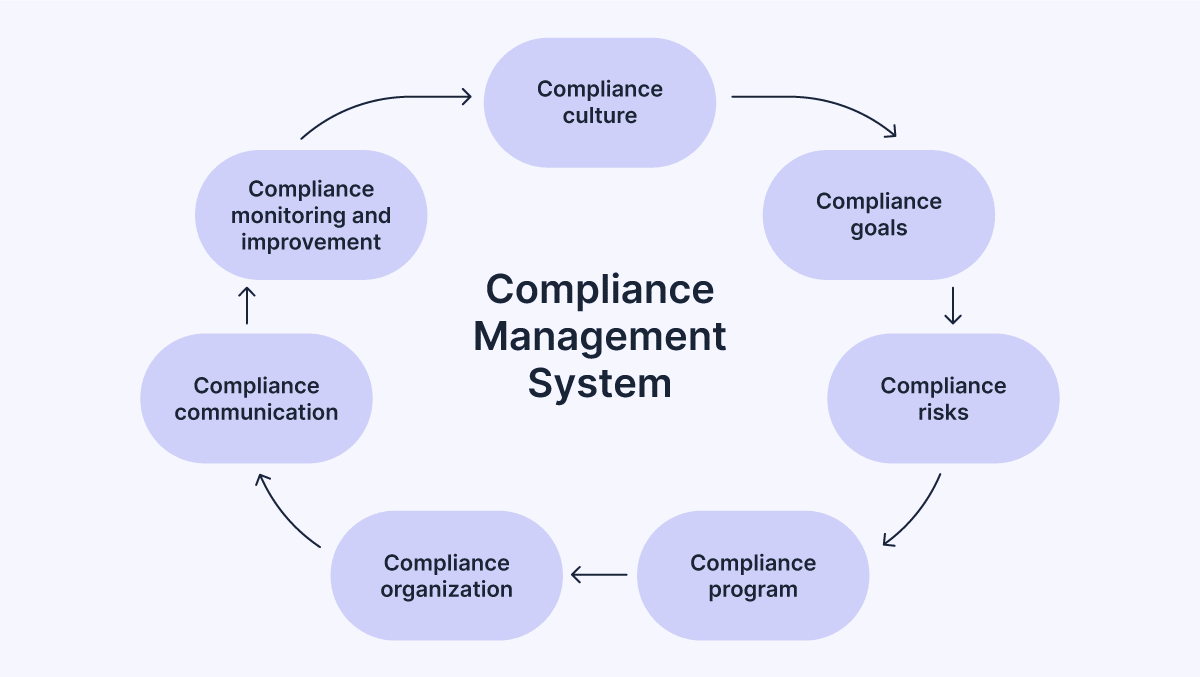
Since a CRM is such a critical tool for realtors, here are some other ways it can fuel your marketing automation system and increase real estate sales.

Recommended reading

https://www-cms.pipedriveassets.com/What-is-a-short-sale.png

What is a short sale? The complete guide

Take Pipedrive’s custom visual pipeline:

real estate marketing automation Pipedrive deals pipeline

The feature enables you to track the progress of your deals through your pipeline, so you always know where your leads stand and what action to take next.

If you want data-driven advice for how to move a deal forward, Pipedrive’s AI Sales Assistant even recommends next steps for the best chance of progressing the sale.

Pipedrive also has built-in marketing automation tools that help realtors:

  • Automatically refresh contact information to ensure it remains current

  • Maintain client engagement with automated email reminders and notifications

  • Score and route leads based on their online behavior and needs

  • Manage automated email and social media campaigns

  • Set up AI-powered chatbots on your website

  • Create lead capture forms that automatically trigger a series of welcome emails

Following the technology survey’s indication of CRM’s untapped potential, adopting a CRM system for your real estate business will help you reap efficiency gains and stand out in the marketing department.

While the right CRM may provide all the marketing automation functionality a real estate agent needs, some may want deeper feature sets for key processes like email marketing and lead generation.

In that case, integrate your marketing automation tools with your CRM so data entering one can trigger automations in the others.

Note: Pipedrive’s Marketplace features several add-ons for email marketing and lead generation. You can add functionality at an affordable price without having to evaluate, implement and integrate two new software solutions.

Email marketing software

Email marketing tools automate email-related marketing tasks like email writing and campaign scheduling.

As a result, they help you improve your email conversion rates, streamline lead communication and reduce time spent in your inbox.

One of email marketing software’s most powerful use cases for real estate agents is its ability to create trigger-based email sequences. The software sends pre-written emails to leads when a certain event occurs, such as a lead submitting an inquiry form on your website.

As an example, here’s an automated welcome newsletter in Pipedrive’s Campaigns add-on, which triggers whenever a new person enters the system:

real estate marketing automation Pipedrive Campaigns trigger

With Pipedrive, you can make your email campaigns hyper-relevant by segmenting your leads by zip code, housing preferences and other key attributes. Then you can send them targeted property recommendations and content, which will dramatically improve the lead experience.

Lead generation software

Lead generation software automates tasks involved in generating leads, such as collecting lead information or sending helpful information about properties your leads might like.

Common features real estate agents find most useful in these tools include:

  • Custom web forms that collect lead information like their email address, zip code and preferred number of bathrooms right from your website

  • AI chatbots that ask web visitors questions about their needs and connect them through property listings, agents and information they need

  • Prospecting tools that enable agents to build lead lists based on their location and buyer personas

A tool like Pipedrive’s LeadBooster even enables you to live chat with visitors on your website.

real estate marketing automation Pipedrive LeadBooster live chat

LeadBooster also gives you tools for automatic meeting scheduling, lead routing and lead tracking so no potential clients fall through the cracks.

Catch more hot leads before they bounce

Want piping hot leads delivered 24/7? You need this Guide to Automating Lead Generation.

Artificial intelligence in real estate marketing automation

Artificial intelligence (AI) is slowly making its way into real estate processes, including marketing.

In the realtor technology survey, 55% of respondents said they were somewhat familiar with AI, while 30% have used AI one to two times a month.

The primary use cases of AI are generally in content creation, predictive analytics and outreach personalization.

Below are some examples of how you can leverage AI to generate more leads for your real estate business:

  • Video personalization: with AI tools like Maverick you can send personalized videos at scale using lip-syncing and voiceover technology to insert customer information, like their name, into each lead’s respective video.

  • AI chatbots: powered by large language models, these chatbots can understand human language and respond in a conversational manner. Embed one on your website to engage web visitors, add value and capture leads.

  • Virtual staging: these tools empower you to virtually turn empty rooms into elegantly staged ones. This way you can create better property images for listings without physically staging the space.

  • Sales decision-making: by analyzing sales data and recognizing patterns, an AI CRM can recommend high-potential deals and actions likely to move the deal forward.

  • Market assessment: AI can analyze market trends, comparable property sales, days on the market and local economic indicators to create an accurate estimate of a property’s value.

  • Deal forecasting: sales forecasting software estimates the likelihood of your deals closing and projects potential revenue using machine learning.

As AI technology allows for increasingly automated marketing systems, real estate agents can spend more time doing what they do best.

Recommended reading

https://www-cms.pipedriveassets.com/Pipedrive-AI.png

Pipedrive AI: The AI CRM for smarter, faster sales

Challenges of implementing real estate marketing automation

Below are some of the key challenges real estate agents face when implementing marketing automation and some tips for overcoming them:

  • Budget constraints: marketing automation tools can be expensive, especially for smaller real estate agencies. CRMs like Pipedrive offer various packages plus marketing automation add-ons so you don’t have to buy entirely new software.

  • Complexity of tools: real estate professionals are always learning about their niche, neighborhood or client so they don’t always have time to learn complex systems. Choose an easy-to-use CRM like Pipedrive – built by salespeople for salespeople.

  • Inaccurate or incomplete data: sometimes you lack the data you need to run automations (like zip code for property recommendations). Use a CRM with automatic data enrichment to fill in critical record fields with information from third-party sources.
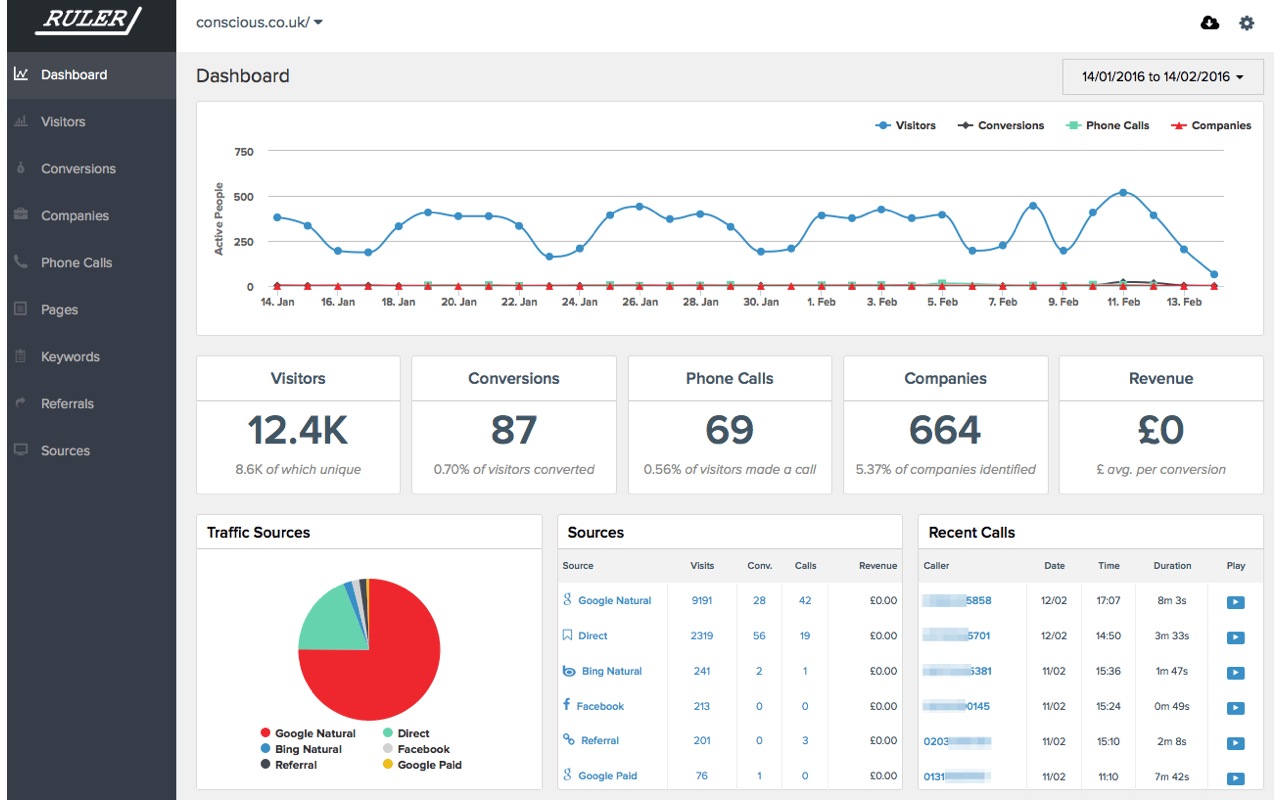
  • Integrations with other tools: your real estate CRM must integrate seamlessly with your other marketing automation platforms, which can be hard to set up. Look for a CRM like Pipedrive that comes with a large marketplace of easily connectable tools.

In short, to succeed with automated real estate marketing systems, real estate agents must conduct due diligence during their software evaluation.

While there will be challenges regardless of the quality of your tool (all change brings new obstacles), your journey to automation will be relatively breezy if you find an intuitive, affordable, all-in-one marketing automation solution that’s easy to set up and integrate with other marketing tools.

Final thoughts

Automating real estate marketing processes like scheduling social posts, segmenting leads and automating property recommendations helps real estate agents generate more leads in less time.

To get started, check to see if your CRM offers any marketing automation features. Most systems will at least let you create automated follow-up reminders and notifications.

Pick the feature that will save you or your team the most time, then gradually add more automations. This might mean adopting new tools like email software.

Eliminating repetitive marketing tasks from your workflow means you’ll get to spend the majority of your time helping clients sell or buy their homes.

  • « Go to Previous Page
  • Page 1
  • Interim pages omitted …
  • Page 9
  • Page 10
  • Page 11
  • Page 12
  • Page 13
  • Interim pages omitted …
  • Page 28
  • Go to Next Page »

Get your Software Stack together. softwarestack.tech

Software Stack

© 2024–2026 - Software Stack is a trading name of SouthwestCIO Limited ac ompany registered in England & Wales 11319049

  • Knowledgebase
  • Home
  • About Us
  • Contact Us