• Skip to primary navigation
  • Skip to main content
software stack logo

Software Stack

Get your Software Stack together

  • Knowledgebase
    • All Categories
    • Accounting Software
    • Automation & Workflow Software
    • Customer Relationship Management
    • E-Commerce Shopfronts & Payments
    • Marketing Automation
    • Online Courses & Membership
    • Project Management
    • Surveys & Forms
    • Web Hosting
  • Home
  • About Us
  • Contact Us
  • Show Search
Hide Search

Pipedrive

9 Top B2B AI Marketing Solutions for SMBs

Software Stack Editor · May 6, 2025 ·

Marketers can use artificial intelligence to deliver better results with fewer resources. With so many tools available, the challenge lies in finding the right fit.

In this article, you’ll find reviews of nine helpful AI B2B marketing solutions and examples of how to use them. You’ll also learn what AI B2B marketing looks like and how you can overcome some of its biggest challenges.

What is an AI B2B marketing solution?

An AI B2B marketing solution is a digital tool that uses machine learning algorithms, natural language processing and large language models to support or automate marketing tasks for business audiences.

As a result, your AI marketing strategy boosts your B2B sales efforts.

Small business B2B marketing teams can use AI to automate and improve lead generation campaigns. For example, marketing departments can:

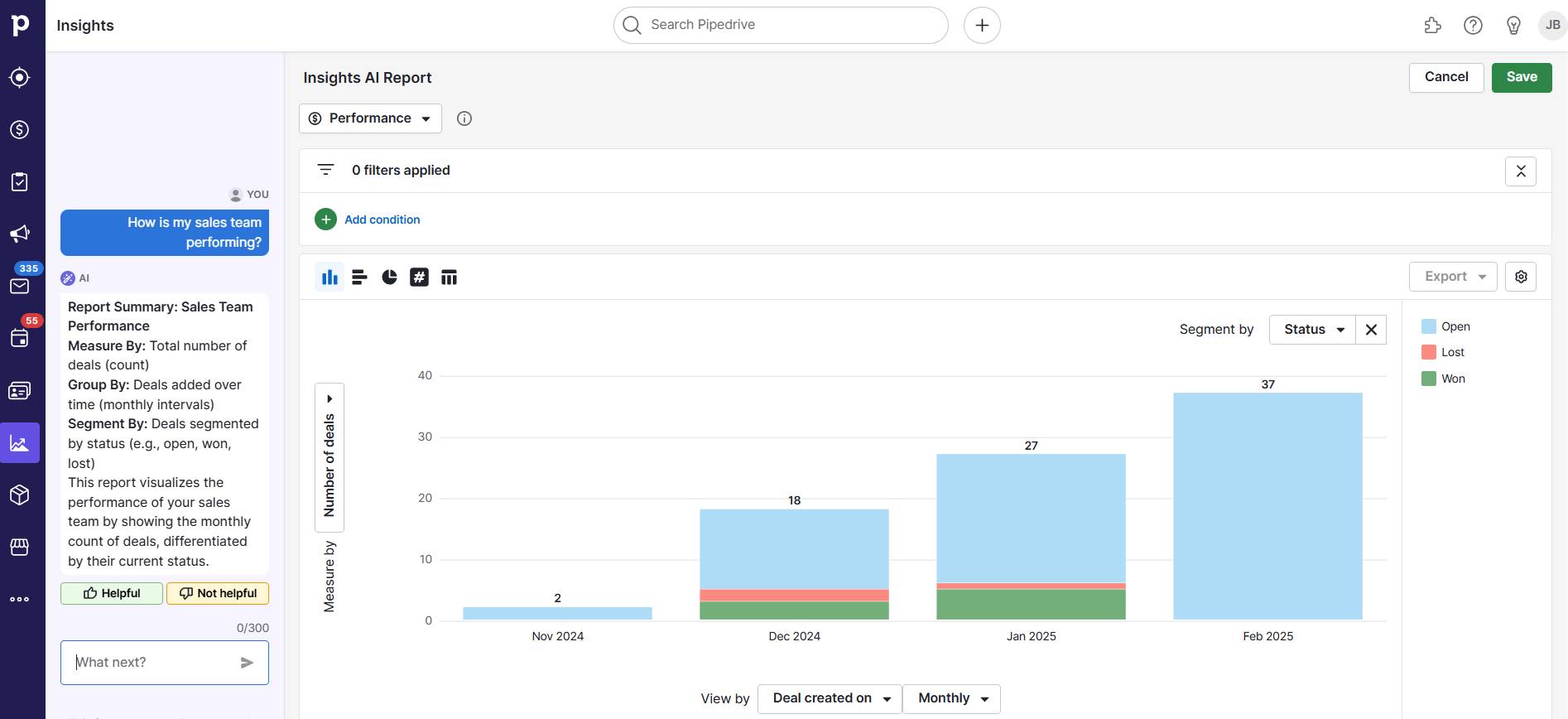
AI B2B marketing solutions come in various shapes and sizes. Some, like Pipedrive, are comprehensive and serve many purposes, including smart content production, AI sales forecasting and AI report generation.

AI b2B marketing solution Pipedrive reporting

Other, more specialized tools serve a single purpose. For instance, Surfer SEO helps B2B marketers with SEO lead generation by improving their Google rankings. It doesn’t improve PPC or social media management activities.

AI tools won’t replace B2B marketers, though. Humans still need to oversee these solutions, proofread and fact-check outputs and create the overarching campaigns.

Download Your Sales and Marketing Strategy Guide

Grow your business with our step-by-step guide (and template) for a combined sales and marketing strategy.

5 AI B2B marketing solution use cases

AI can support B2B marketers in small business management in dozens of ways, from fighting writer’s block to delivering exceptional customer experiences.

According to Pipedrive’s 2024 State of Sales and Marketing report, 76% of professionals think AI will support them.

Here are five of the most impactful use cases.

1. Accelerate content creation

Generative AI (Gen AI) tools like ChatGPT help overworked B2B marketers create copy and images.

According to Pipedrive’s 2024 State of AI in Business report, 79% of businesses that adopted AI cite its ability to improve productivity as the primary motivation.

Higher productivity means marketing teams with tight budgets can create dozens of go-to-market assets, such as customer stories, case studies, blog posts and email newsletters, without hiring expensive freelancers or agencies.

Note: While AI marketing tools can create a first draft, human input is still vital. B2B marketers must edit AI content for accuracy and add unique perspectives that engage, educate and inform discerning buyers.

2. Streamline and automate workflows

AI tools free marketers to focus on more strategic, high-value tasks by automating workflows and time-consuming, repetitive tasks. They help B2B marketers improve time management.

According to Microsoft’s 2024 Work Trend Index, 90% of AI users save time, with 85% saying it helps them focus on tasks.

For example, account-based marketers can use MeetRecord to transcribe sales calls automatically rather than review them individually.

AI b2b marketing solution Meetrecord

AI-generated briefs help marketers quickly determine customer pain points, eliminating the need to take notes. Automatic transcription also minimizes errors, thereby improving the quality of insights.

3. Forecast future trends or results

CMOs can use AI to predict customer churn and increase retention rates by analyzing user behavior, market trends, transactions and intent data.

Predictive analytics tools run segmentation analysis to classify customer types by identifying signs of churn, such as a decline in product use and an increase in customer service requests.

Once it identifies at-risk buyers, an AI tool creates targeted retention strategies, such as personalized offers, to encourage customer loyalty.

4. Personalize the customer experience

AI technology lets B2B marketers create personalized emails, go-to-market content and other customer interactions at scale using data from past behavior and encounters.

More relevant, tailored communication improves customer engagement, builds trust and increases conversion rates.

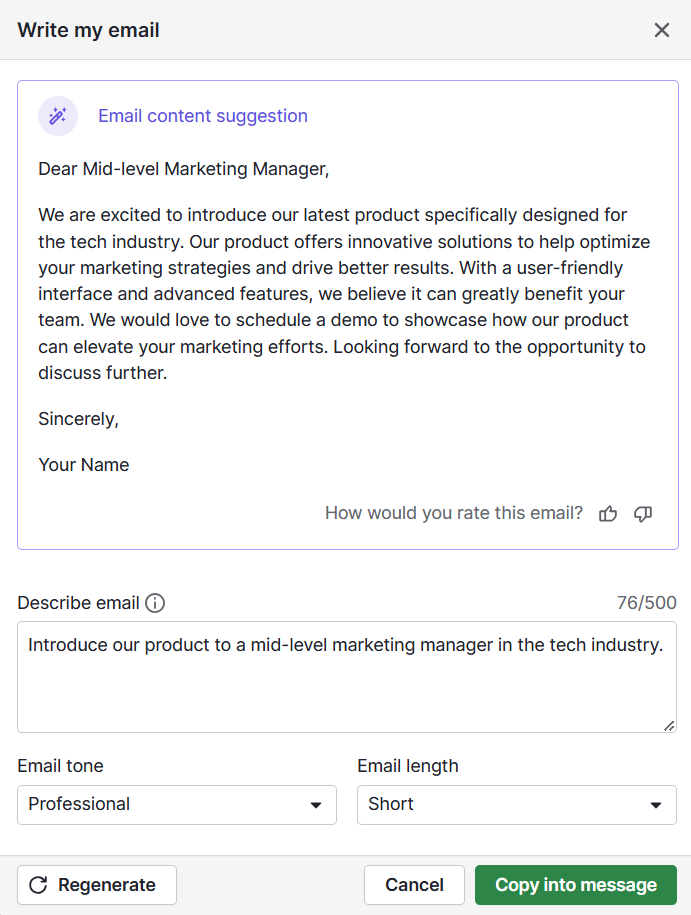
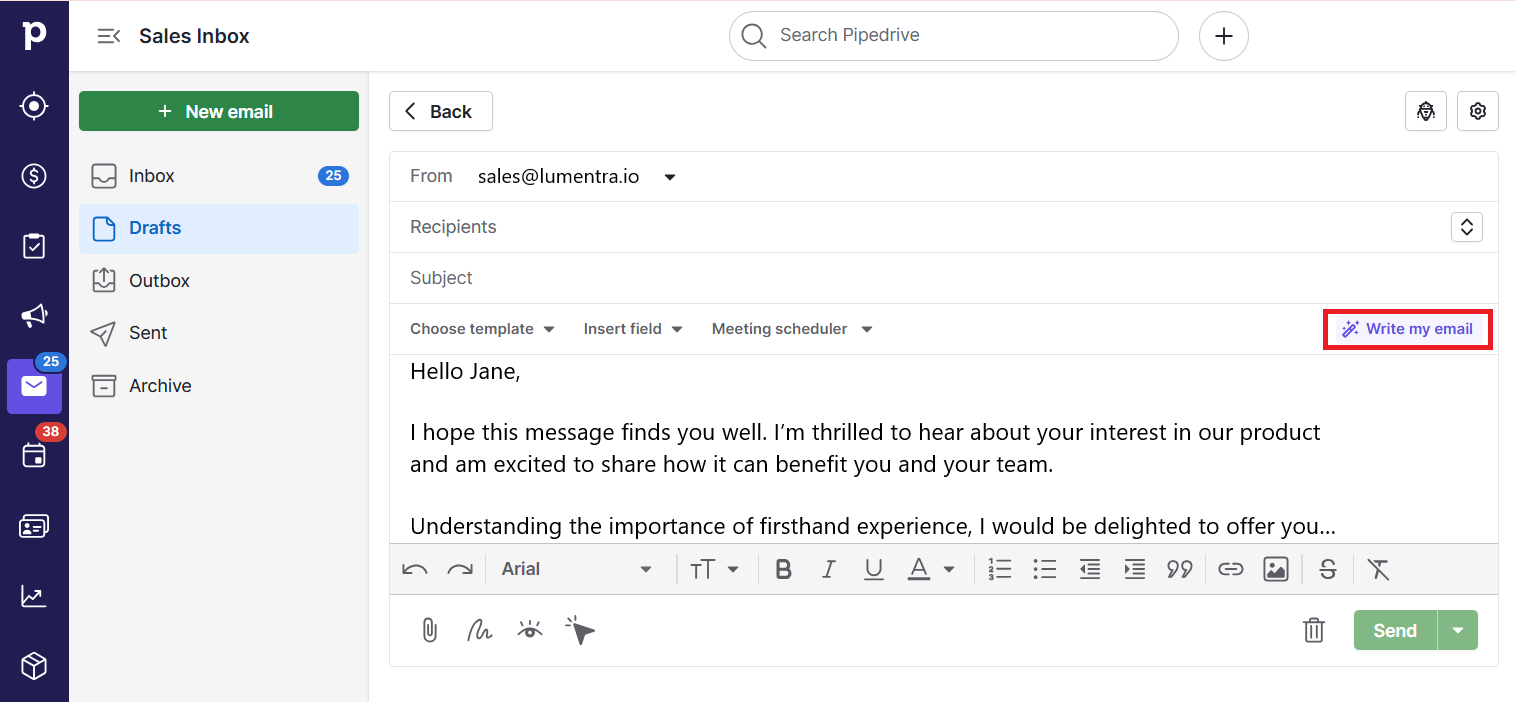
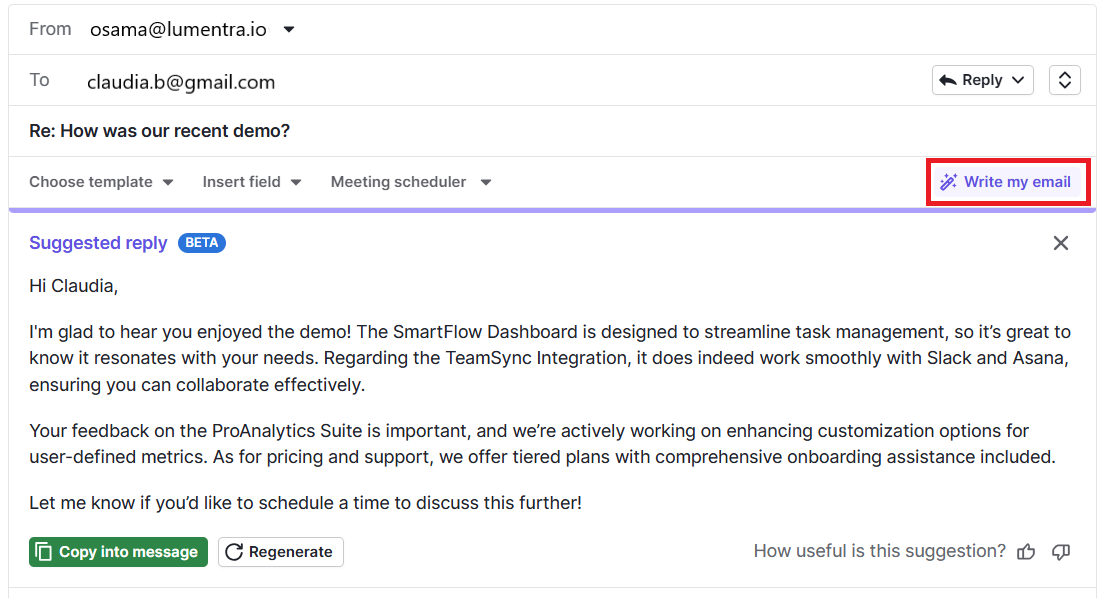
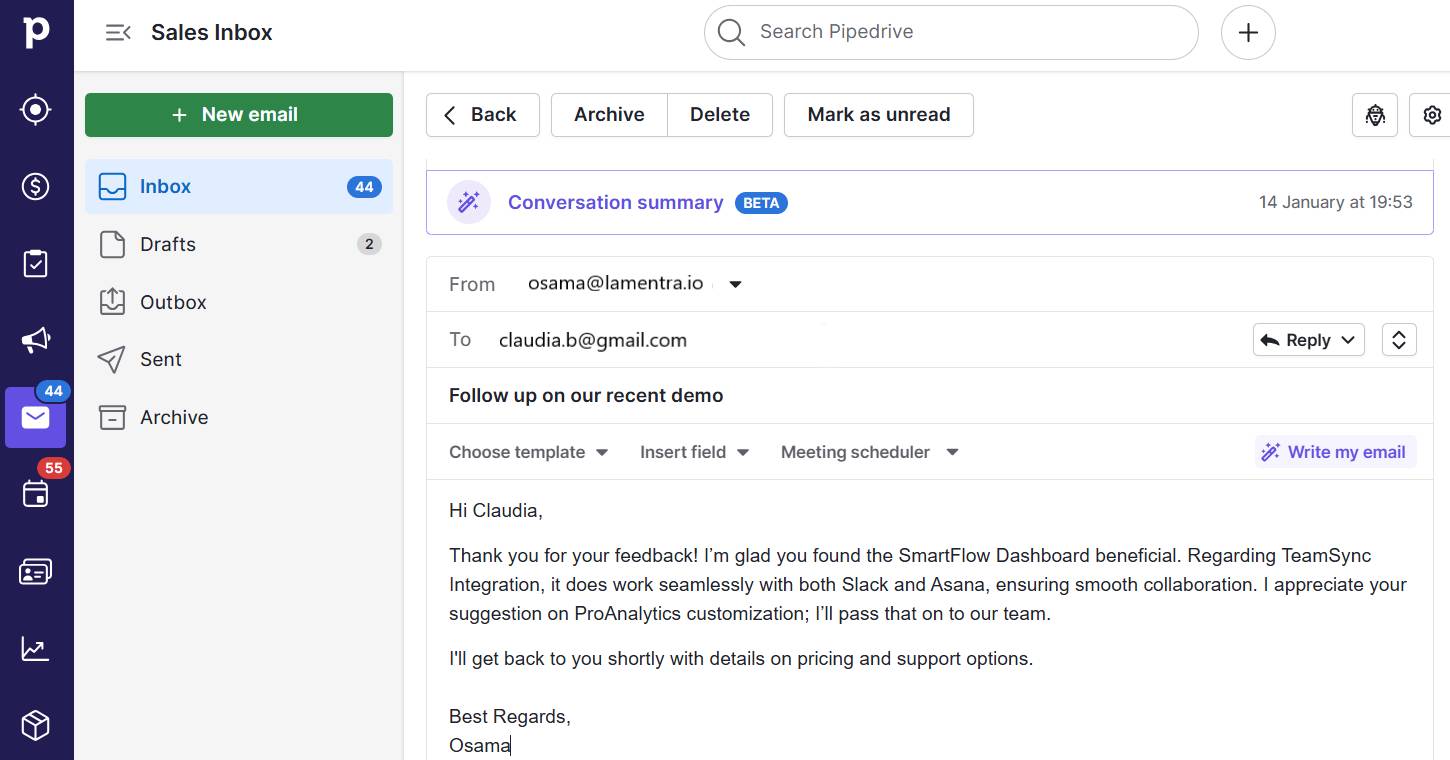
For example, marketers can use customer relationship management (CRM) data to send prospects a bespoke outreach message with Pipedrive’s AI email writer.

AI b2b marketing solution Pipedrive email writer

Automating the personalization process could make the content sound robotic. However, AI helps small business marketers deliver custom messages to more prospects using natural language.

Personalization is critical in today’s marketing – customers now consider it table stakes. You can deliver that tailored, human touch without sacrificing time with AI.

Moreover, McKinsey’s research finds that teams combining generative AI and personalization efforts are 1.7 times more likely to increase market share. Customers will appreciate the customized service, and executives will thank you for helping the bottom line.

5. Automate prospect nurturing

Conversational AI tools nurture leads and customers around the clock, helping B2B companies long after human marketers log off.

For example, brands can use AI chatbots like Tidio’s Lyro AI Agent to engage website visitors automatically. The bot provides detailed responses to common questions using company data and recommends products or services.

Speaking to a robot may not be for every customer, but many will love the convenience and personalized address of an AI-powered chatbot.

Note: Pipedrive users can leverage Pipedrive’s Chatbot – a LeadBooster feature– to capture information from leads who land on their site, schedule meetings and point them to relevant content. While not AI-powered, this rule-based bot gives you control over conversations and ensures consistent messaging.

What are the top AI B2B marketing solutions?

The B2B AI tool you choose for your small business can determine your success. Use the reviews below to find the right tool for your use case.

1. Pipedrive: best for optimizing marketing and sales processes

Pipedrive is an AI-powered CRM that helps B2B marketers and sales reps streamline, improve and automate various parts of the customer journey.

Here are the tool’s most powerful AI features to support a well-aligned sales and marketing strategy.

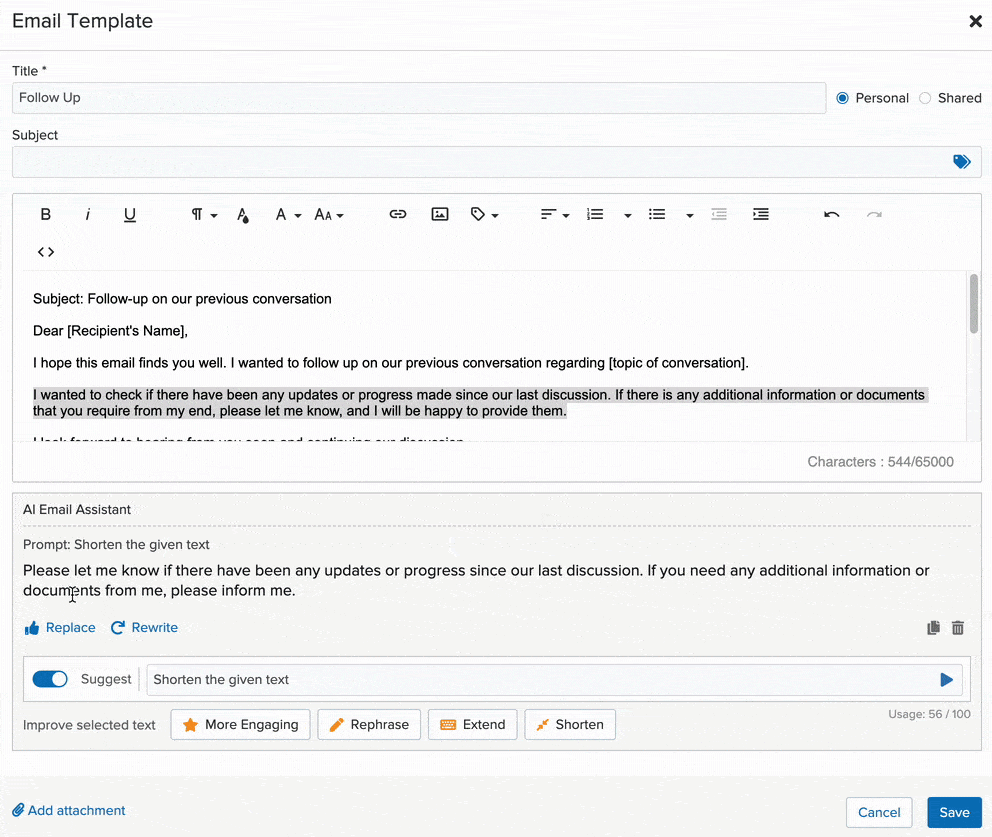
AI email writer

Pipedrive’s AI email writer scales outreach efforts by enabling marketers and sales reps to create engaging email marketing messages from a simple prompt.

AI b2b marketing solution Pipedrive email message

For instance, use the tool to write a follow-up message to an initial marketing inquiry highlighting your offering and USP. The tool can also personalize emails, using CRM data to address specific pain points or describe a relevant use case.

Prospector

Pipedrive’s AI can find your next customers. Prospector, part of LeadBooster, surfaces potential leads from a database of over 400 million profiles built on buyer personas.

AI b2b marketing solution Pipedrive prospector

The powerful AI engine updates and verifies up to 800,000 profiles daily to ensure you get accurate and up-to-date contact information.

Campaigns

Use Campaigns as a marketing automation tool to create and manage email marketing campaigns. Craft engaging email templates with a drag-and-drop builder and personalize them using your CRM data.

Campaigns also makes it easy to segment lists and measure your success with email analytics.

AI b2b marketing solution Pipedrive Campaigns

Use this information to improve your marketing outreach.

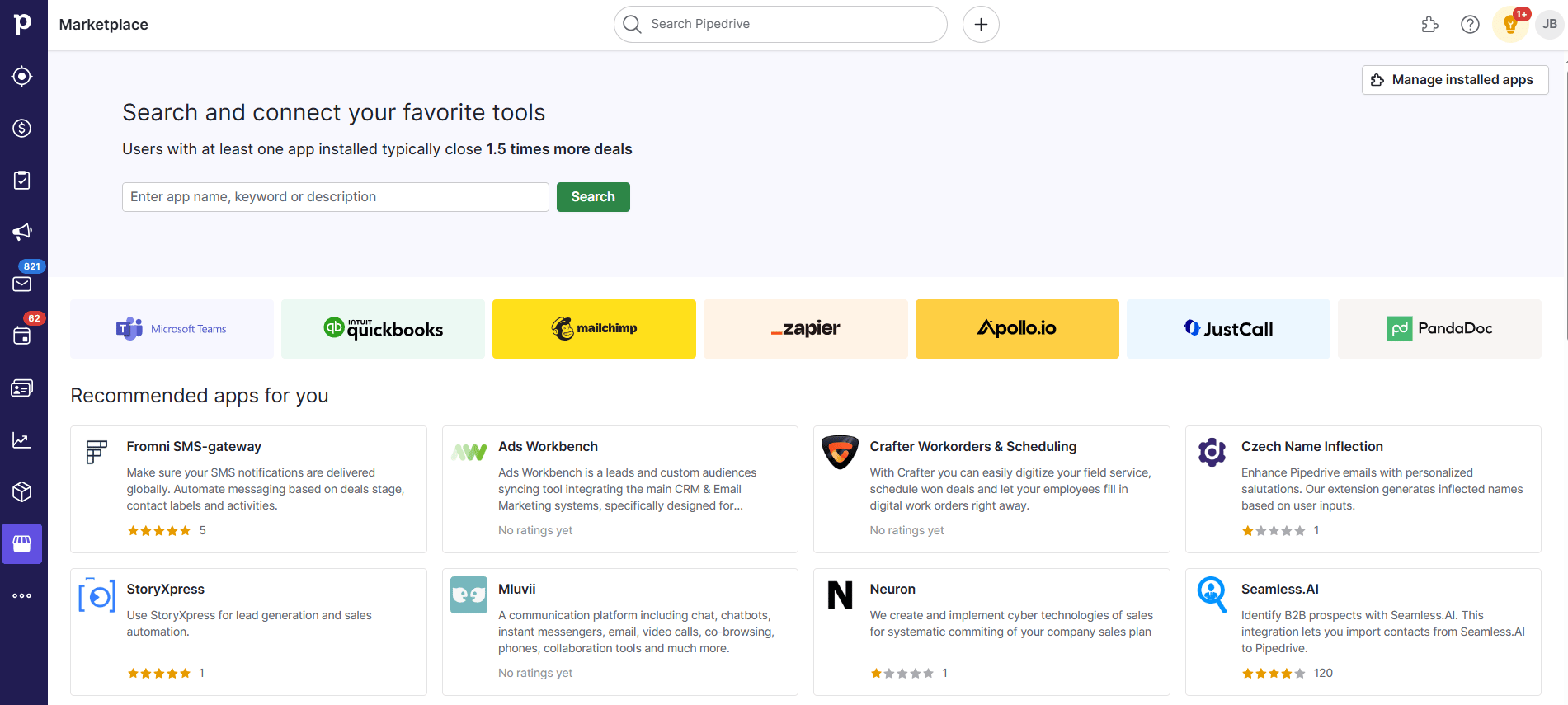
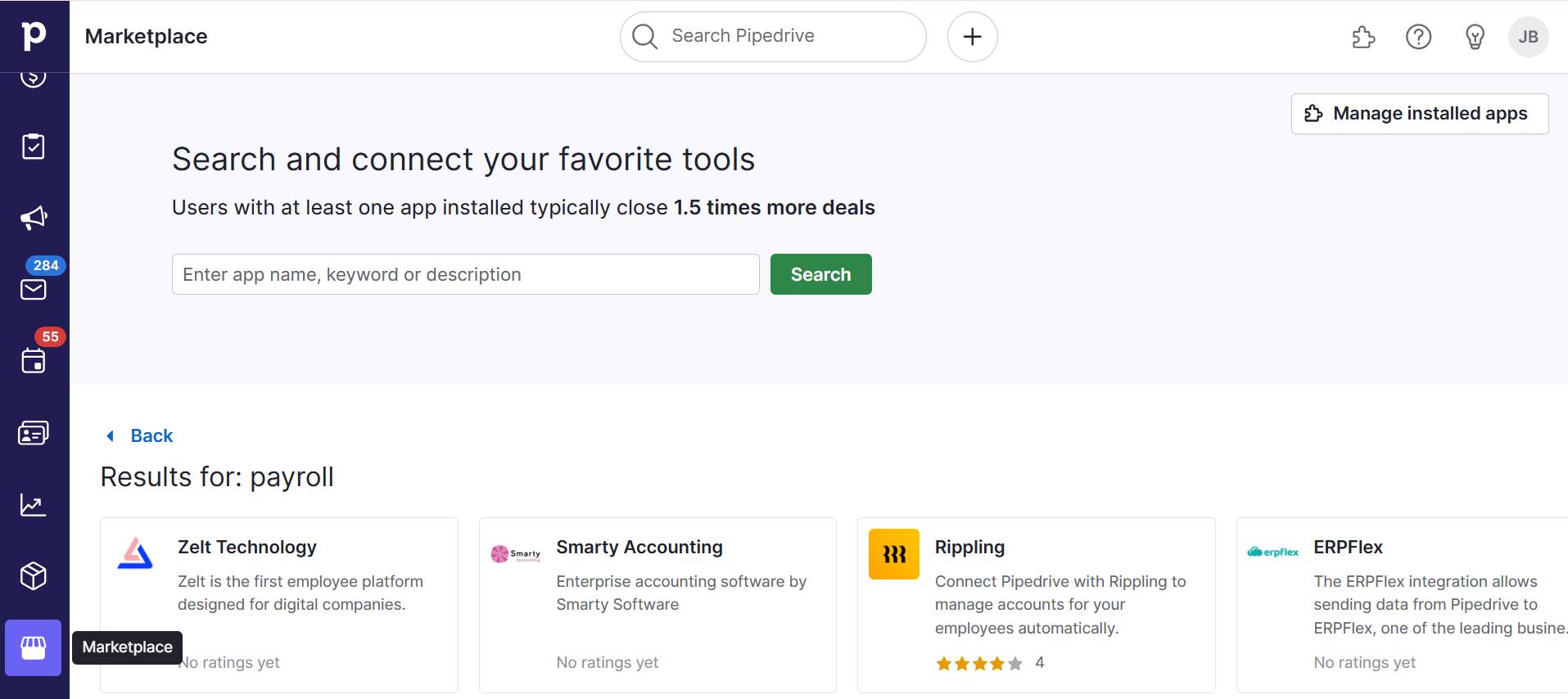
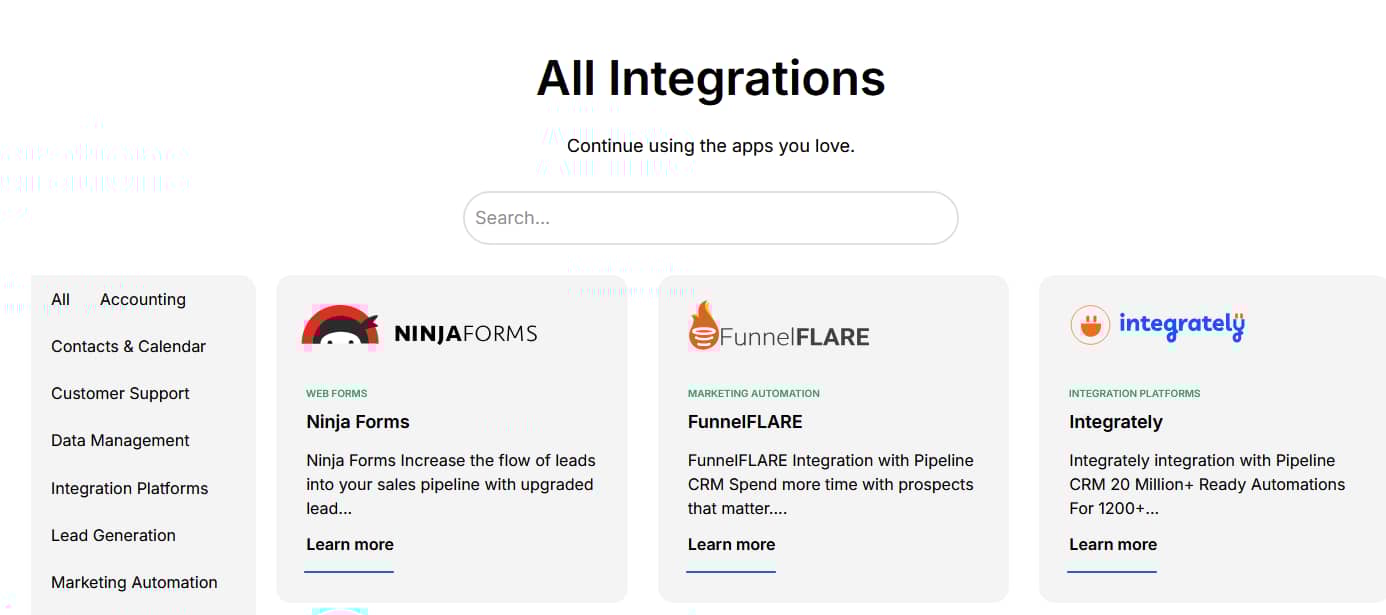
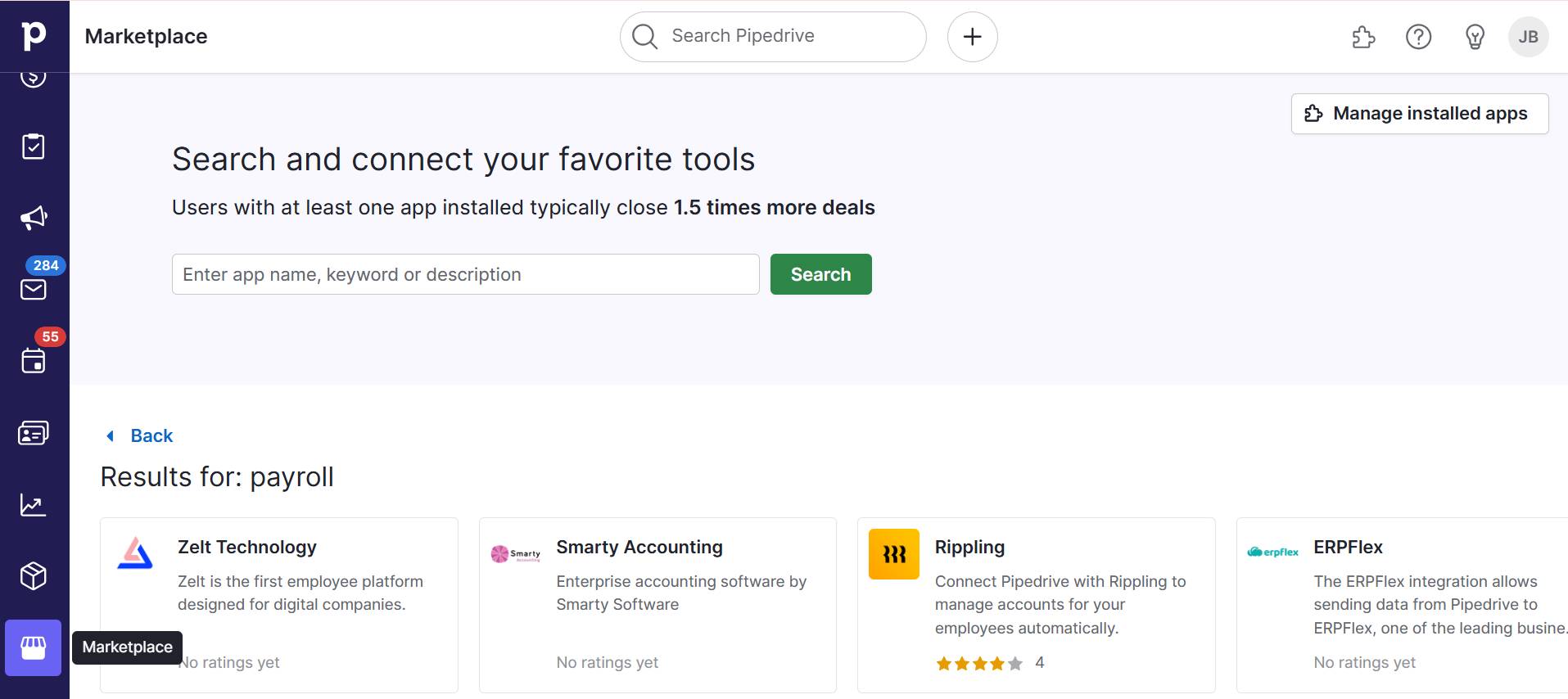
Marketplace and SmartApps

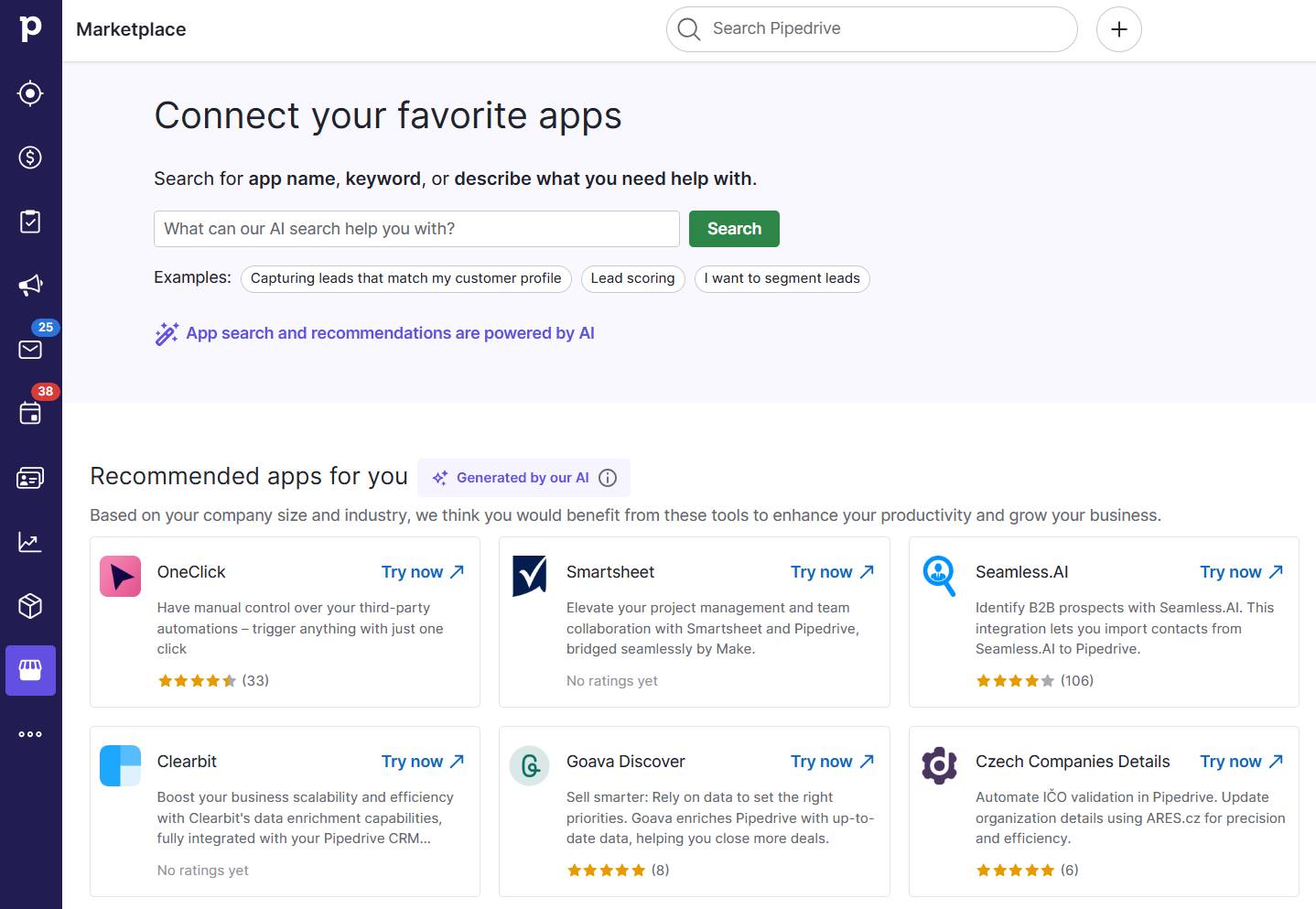
Pipedrive’s AI-powered Marketplace can help you find other AI tools to add to your tech stack. Instead of manually browsing through applications, the SmartApps recommendations automatically suggest relevant tools based on your workflows and behavior.

User opinions

Here’s what Pipedrive customers say about the AI CRM tool:

  • Users love the platform’s intuitive and highly visual design

  • AI and automation features make users significantly more productive

  • Integrations let users save time on context-switching

Price: Plans start at $14 per month when billed annually. There is a 14-day free trial.

2. ChatGPT: best for all-around help

OpenAI’s ChatGPT is a generative AI model that uses natural language processing (NLP) techniques to create text based on training data.

ChatGPT’s primary strength is its versatility. It can help overworked B2B marketers with a wide range of tasks.

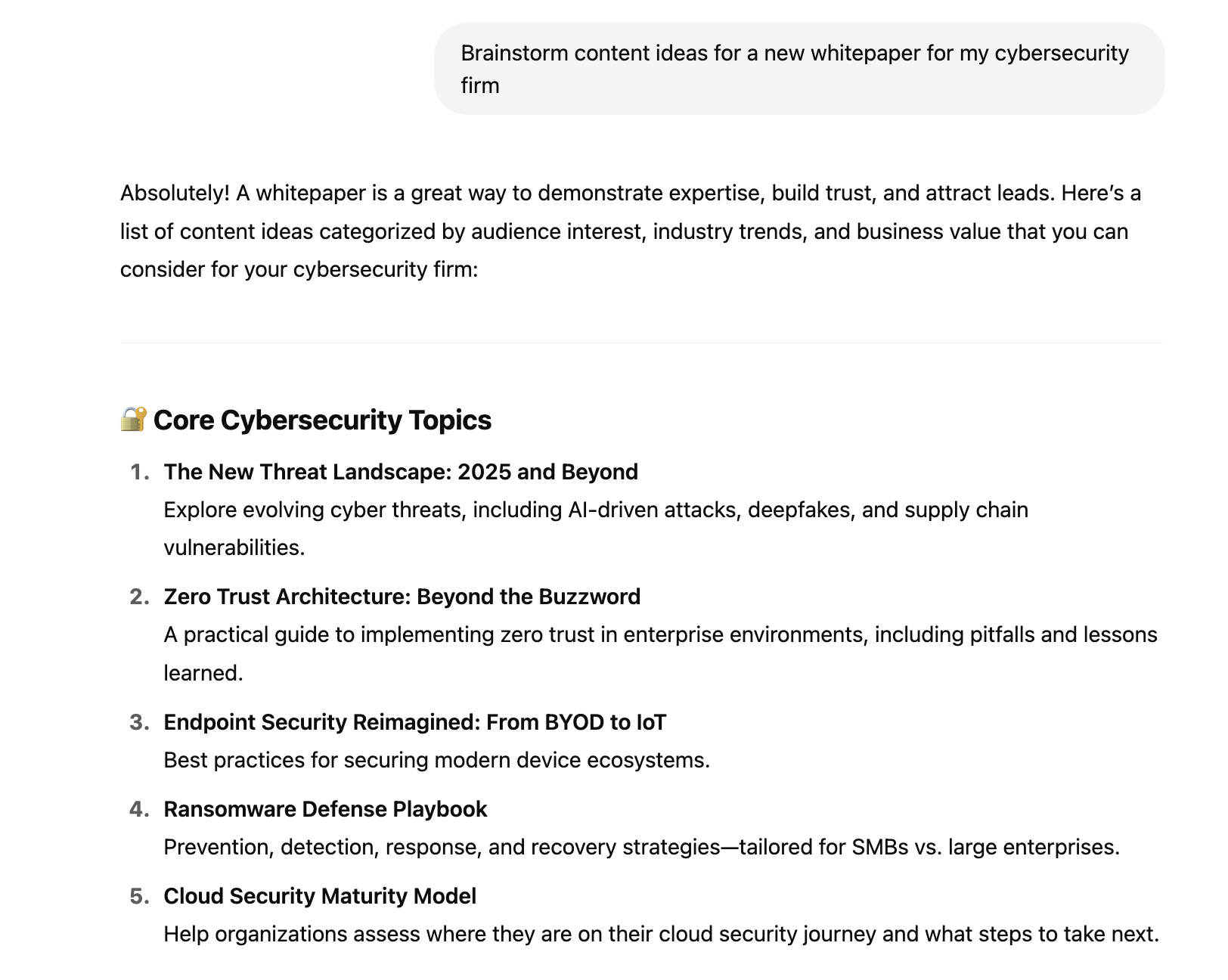
Imagine a cybersecurity firm’s marketing team wants to promote a new product offering. They can use ChatGPT to:

  • Brainstorm content ideas for a new whitepaper

  • Write a first draft of the whitepaper and supporting landing pages

  • Create images to promote the product on LinkedIn

  • Repurpose long-form content into shorter formats for social media and newsletters

  • Find relevant publications to cover the story

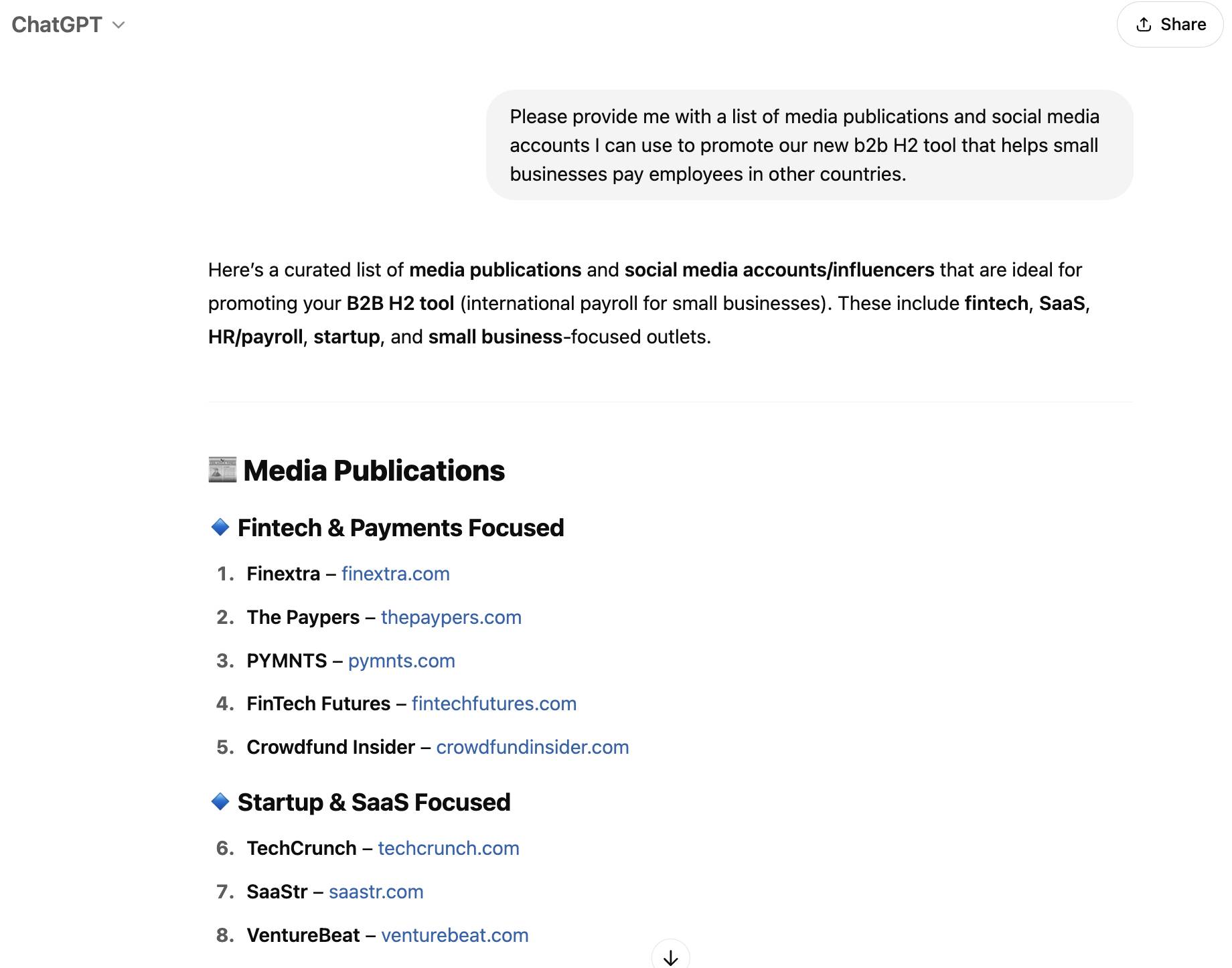
Here’s an example of ChatGPT’s output when asked to brainstorm content ideas:
AI b2b marketing solution ChatGPT

The more information you give ChatGPT, the better its output will be. A marketing team could improve the example above by providing the tool with information about the target audience’s pain points.

User opinions

Here’s what ChatGPT customers say about the tool:

  • Marketers feel ChatGPT accelerates their content generation process, creating first drafts quickly

  • The app is easy to use, and marketers like that they can incorporate it into their daily workflows

  • Users find that results sometimes lack novelty, as they can be too general and repetitive

Price: A limited version of ChatGPT is available for free. Plus, Pro, Team and Enterprise plans are also available from $20 per month.

3. Surfer: best for improving organic presence

Surfer is an SEO tool that optimizes marketers’ on-page content to improve Google rankings and attract more organic visitors.

AI b2b marketing solution Surfer

Surfer analyzes the top-ranking pages and tells users which topics to cover, how long the content should be and which keywords marketers should include.

For example, ClickUp used Surfer to aggregate search data and find dozens of ways to improve existing content. With Surfer’s help, ClickUp grew non-branded traffic by 85%.

User opinions

Here’s what Surfer customers say about the tool:

  • Surfer reportedly consistently outperforms competing on-page tools

  • Users highly rate Surfer’s customer support staff

  • Surfer can be expensive, especially for power users

Price: The Essential plan starts at $79 per month, billed annually. The Scale plan costs $175 per month when billed annually. Enterprise pricing is available upon request.

4. Hootsuite: best for organized social media

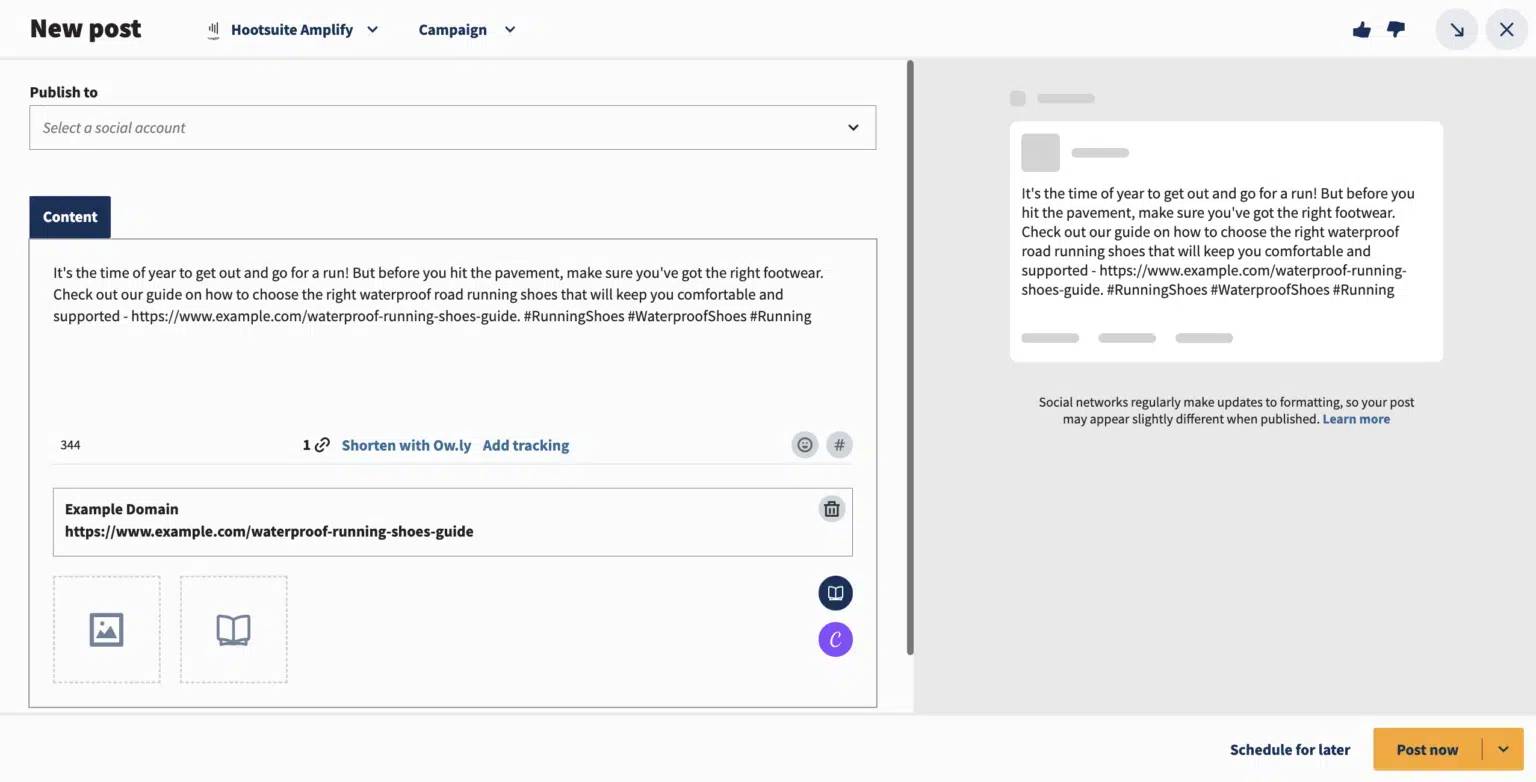
Hootsuite is a social media management platform that helps B2B marketers schedule posts, monitor engagement and analyze performance across multiple social channels.
AI b2b marketing solution Hootsuite

Hootsuite has AI tools for every part of the social media marketing process. For example, marketers can create photo captions using a generative AI feature instead of brainstorming from scratch.

They can also use an AI scheduling tool to maximize engagement by finding the right time to post.

Hootsuite also has an AI chatbot that answers customer questions outside office hours.

User opinions

Here’s what Hootsuite customers say about the tool:

  • Users find the all-in-one nature of the platform convenient

  • AI tools make it easy to automate and optimize social strategies

  • The analytics are inconsistent with native platforms

Price: Hootsuite’s Standard plan costs $99 per month, billed annually. The Advanced plan costs $249 per month with annual billing. Custom pricing is available upon request.

5. Canva: best for quick and easy design

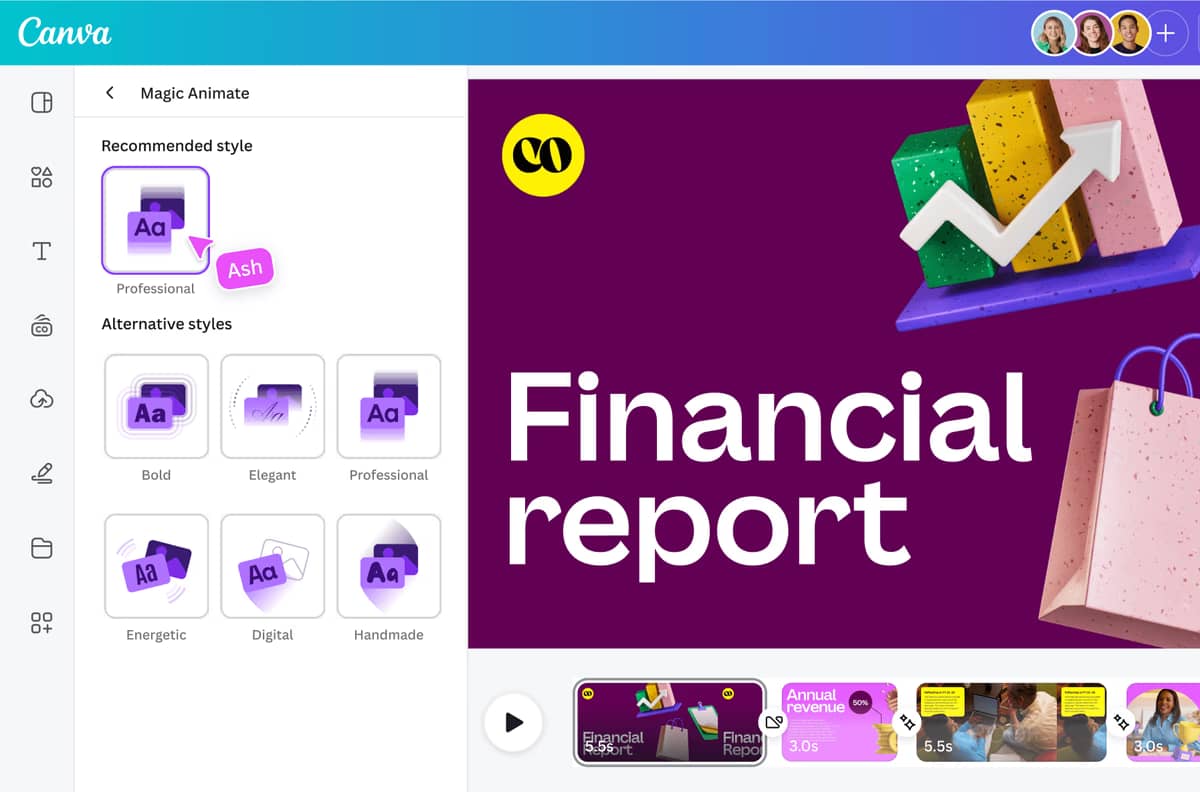
Canva is a design platform that lets B2B marketers create graphics, ads and pitch decks by following a simple prompt.

AI b2b marketing solution Canva

The platform’s AI tool, Magic Studio, turns prompts into professional-quality designs. Marketers can also use it to:

  • Expand and resize images

  • Remove backgrounds

  • Animate designs

For example, technology firm Madwire uses Canva’s AI tools to improve design team productivity, employing Magic Studio to quickly create in-house presentations.

User opinions

Here’s what Canva customers say about the tool:

  • Magic Labs makes design accessible to everyone, regardless of skill

  • It’s intuitive to use and easy to edit designs

  • Some users don’t like the inability to work offline

Price: A limited version of Canva is free to use. Premium plans start at $100 per year.

6. Jasper: best for on-brand content creation

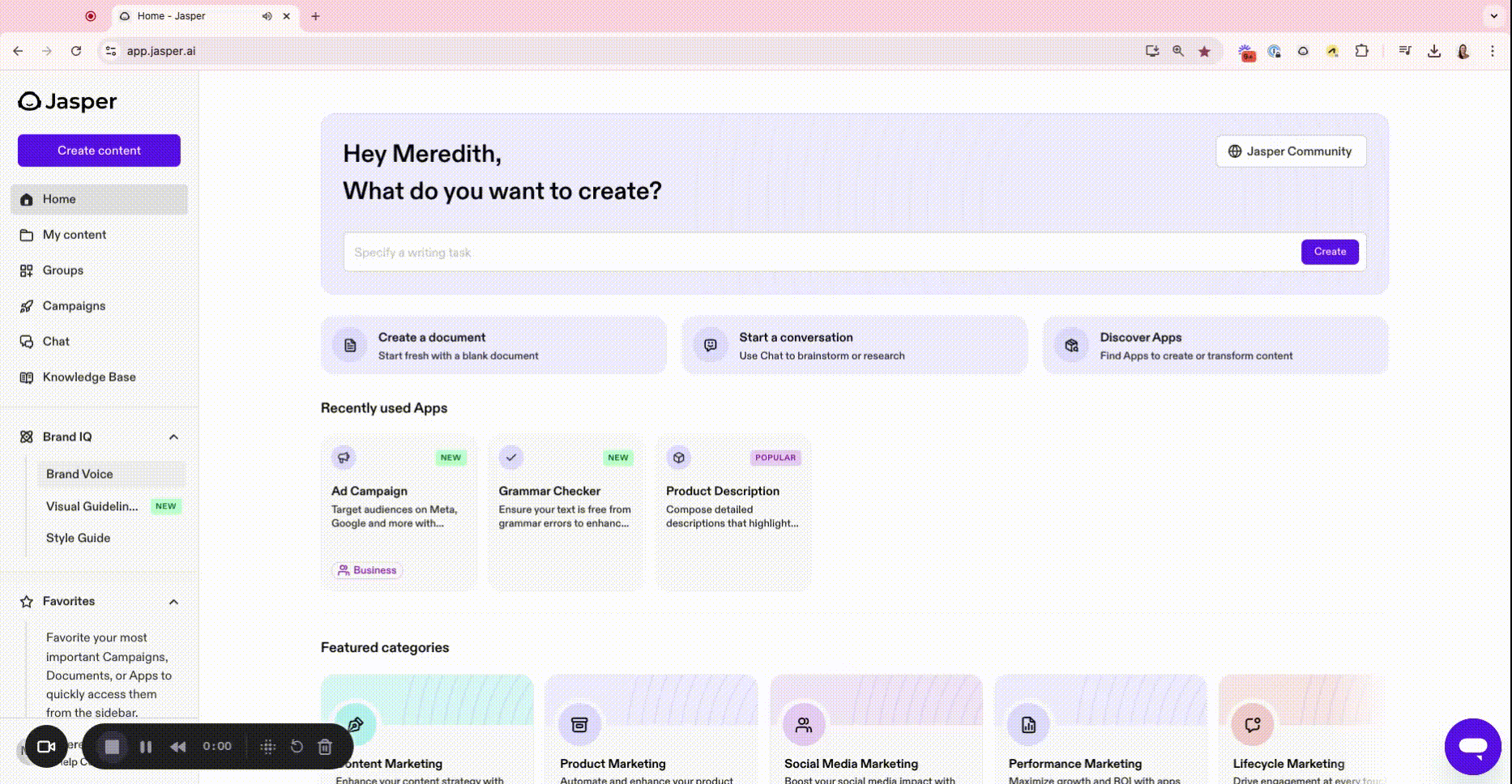
Jasper is an AI content marketing platform for B2B marketers. It allows them to create blog posts, ad copy, product descriptions and social media content that aligns with brand voice guidelines.

AI B2B marketing solution Jasper

Jasper’s Brand Voice feature helps maintain consistency across all content, reducing the need for extensive editing.

For example, the digital adoption platform WalkMe used Jasper to scale its content production, saving over 3,000 hours.

User opinions

Here’s what Jasper customers say about the tool:

  • The wide range of templates makes the tool versatile

  • Users rate customer support highly

  • Some users think the platform has a fairly steep learning curve to get the most from AI features

Price: The Creator plan costs $39 per seat and the Pro plan costs $59 per seat, billed annually.

7. Smartly.io: best for optimizing digital marketing campaigns

Smartly.io is an AI platform that automates ad creation, testing and optimization across digital advertising platforms.

AI b2b marketing solution Smartly.io

Its creative suite lets marketers automate the ad creation process using generative AI, meaning they can create more ads with fewer resources and no specialized skills.

With Smartly, Uber Freight created 25 unique video ads to attract new truck owners and shippers. Smartly.io’s split test helped them identify the best-performing creative, resulting in a 108% increase in click-through rate and a 43% lower cost-per-click.

User opinions

Here’s what Smartly.io customers say about the tool:

  • Users like the level of customer support and the insights the tool can offer

  • Campaign management is easy thanks to unified dashboards that blend cross-channel reporting

  • The learning curve can be steep, with some users recommending expert help

Price: Smartly charges a percentage of your total media spend.

8. HeyGen: best for unlimited video generation

HeyGen is an AI video generator that uses AI avatars and voice synthesis to convert text into videos.

AI B2B Marketing Solution HeyGen

Marketers can create product explainer videos and demos or deliver personalized video messages to prospects without hiring a production team.

For example, resilience platform Tomorrow.io’s marketing team uses HeyGen to scale personalized content production without increasing its budget.

User opinions

Here’s what HeyGen customers say about the tool:

  • Users positively review the platform’s hyper-realistic avatars

  • The customer support team is reportedly quick to solve issues

  • It can be challenging to find the right tone of voice or to convey the desired emotion

Price: A free plan lets marketers create up to three monthly videos. Paid plans start at $24 per month when billed annually.

9. Fullstory: best for easy-to-implement analytic insights

Fullstory is a behavioral data analysis platform that helps B2B marketers understand how customers interact with websites so they can enhance the user experience.

AI B2B marketing solution Fullstory

StoryAI, the platform’s built-in artificial intelligence tool, surfaces insights. Its AI agents can summarize recent sessions, alert you to a drop in conversion rate and tell you where users experience the most friction.

User opinions

Here’s what Fullstory customers say about the tool:

  • AI features mean users get insights and avoid having to sit through hours of session replays

  • The platform is reportedly easy to use

  • The learning curve can be steep, and businesses need to invest a lot of time to set up the platform

Price: Fullstory offers three plans: Business, Advanced and Enterprise. Pricing for all of them is available upon request.

Recommended reading

https://www-cms.pipedriveassets.com/Best-AI-tools-for-business.png

18 top AI tools for business productivity

How to compare B2B AI tools

You need a way to compare potential AI tools quickly. The quicker you pick a tool, the sooner you’ll start reaping AI’s benefits.

Evaluate tools for your small business using these criteria:

Features

Gauge each tool’s capabilities by reviewing product guides and watching videos to ensure they meet your needs. Whenever possible, choose AI tools that serve several purposes.

Usability

Pick tools that are easy to learn so your team can use them quickly. Look for a clean interface, simple navigation and easy-to-use dashboards.

Scalability

Choose tools that will continue to serve your growing needs in the future. Higher plans, flexible pricing and additional features are all good signs.

Integrations

Assess which tools integrate with your existing technology stack to facilitate data flow.

Support

Evaluate the level and type of customer support each tool offers – phone, email or live chat. Check the software’s knowledge base to ensure it answers common issues with clear guides.

Reviews

Review sites like G2 and Capterra to see what other business owners say about each tool. View the overall score and read individual reviews for common complaints.

Pricing

Set a budget and stick to it to avoid overspending. Compare tools on a per-month, per-user basis. Consider how tool pricing will change as your usage scales.

Shortlist a couple of tools and sign up for a sales demo or free trial to evaluate each one’s functionality. Involve employees to get their opinions and encourage faster adoption.

Recommended reading

https://www-cms.pipedriveassets.com/AI-business-strategy-implementation-guide.png

How to build an AI business strategy for successful implementation

How to find and implement an AI B2B marketing solution

Successful implementation starts long before you choose an AI tool. Follow these steps to give yourself the best chance of success:

  • Assess your needs. Pinpoint the sales and marketing tasks you want to automate or improve using the power of AI. It could be a task you currently struggle with or an outcome you want to achieve. Understanding your needs will focus your search and stop you from getting distracted by tools that don’t serve a purpose.

  • Choose the right solution. Use the table above to evaluate various AI tools and find an appropriate system for your business. Use free trials and demos to test each tool’s effectiveness before purchasing.

  • Integrate your AI tool with the rest of your tech stack. Integration ensures data flows seamlessly between applications and helps AI tools create relevant and high-quality outputs. For example, connecting your CRM with a generative AI tool lets you personalize a nurturing email using a previously stated pain point.

  • Train your team to use AI tools. Marketers who feel confident using AI tools can scale and enhance campaigns effectively. Host an interactive onboarding workshop where you demonstrate the tool’s functionality. Share guides, videos and other support resources to help employees answer questions.

  • Monitor the performance of your tool and team. Setting KPIs may not apply if you leverage AI to create content. Instead, hold regular meetings with your team to evaluate your AI tool’s performance and identify ways to improve workflows.

While it might be tempting to implement several AI solutions at once, focus on one tool first. Use what you’ve learned to install future tools more quickly and effectively.

Recommended reading

https://www-cms.pipedriveassets.com/Best-AI-marketing-tools-for-SMBs.png

20 best AI marketing tools for small businesses in 2025

How to overcome common AI B2B marketing challenges

While AI B2B marketing solutions can significantly impact your marketing processes, they aren’t infallible.

Increase the chances of a successful implementation by learning to address the most common AI challenges.

Challenge

Solution

Poor quality data. Training AI models on inaccurate or incomplete data leads to low-quality results.

Provide your tool with as much relevant company, sales and customer data as possible. Upload editorial guidelines if you use a tool to create marketing and sales communications. Take advantage of native integrations that automatically share data between platforms.

Data privacy concerns. Feeding sensitive data to AI tools raises privacy issues and threatens compliance with data privacy laws like GDPR and CCPA.

Create policies that prevent team members from sharing sensitive data with AI tools. Safeguarding data in this way protects your business from data breaches and reduces the risk of legal action or reputational damage.

Adoption resistance. Some employees fear AI will make their jobs redundant.

Communicate your reasons for adopting AI and show marketers how tools will improve their work lives. Specifically, demonstrate how AI will free them to focus on high-value tasks.

Hallucinations and copyright issues. Generative AI can produce plagiarized or factually inaccurate results.

Proofread and fact-check all AI content to verify its accuracy and quality. You’ll ensure you provide the best content to B2B buyers, helping you maintain credibility and trustworthiness.

B2B marketers must also accept AI tools’ limitations. While solutions will be well-suited to some tasks, like brainstorming content ideas, they’ll struggle at others, like writing a thought leadership article.

Knowing each tool’s shortcomings will stop employees from getting frustrated and ensure they use them properly.

Recommended reading

https://www-cms.pipedriveassets.com/Guide-to-integrating-AI-into-CRM.png

Integrating AI into CRM: benefits and step-by-step guide

Final thoughts

The right AI B2B marketing solution will help your team generate more leads without significantly increasing the budget or resources.

Use an AI-powered CRM like Pipedrive to align your sales and marketing activity, personalize outreach messages and predict the likelihood that marketing leads will close. It will save you time and drive more conversions.

Sign up for a free 14-day trial to test how Pipedrive’s AI features can improve your B2B marketing efforts.

5 Top Revenue Cycle Management Challenges to Overcome

Software Stack Editor · May 5, 2025 ·

Revenue cycle management (RCM) helps maintain a steady cash flow, allowing you to track payments and invoices throughout the customer journey. RCM can also reduce revenue loss, which is crucial for small businesses with limited time and resources to spare.

However, managing an effective revenue cycle can be challenging. Inaccurate invoicing, delayed payments and inefficient collections can disrupt cash flow and strain operations.

In this article, you’ll learn what RCM entails, why it’s important and how to overcome the key challenges. You’ll also see how tools like Pipedrive can simplify and optimize the revenue cycle for better cash flow management.

What is revenue cycle management?

Revenue cycle management involves managing every step of revenue generation – from initial customer interactions to final payment collections. Activities like quoting, sales invoicing, payment processing and resolving billing issues are all part of this process.

Effective RCM keeps cash flow strong, minimizes revenue loss and helps businesses get paid accurately and on time.

Example of a revenue cycle management: healthcare organizations

RCM is a well-known and essential process for healthcare providers. Given the complexity of healthcare services (including insurance claims, copayments, reimbursements and patient care), RCM helps providers get paid on time while maintaining compliance with regulatory requirements.

Here are the key elements of healthcare revenue cycle management and their definitions:

Patient registration

Collecting demographic, insurance and medical information in health systems to ensure a smooth claims process.

Insurance verification and authorization

Confirming health plan and insurance coverage eligibility and obtaining approvals to reduce the risk of claim denials and streamline patient payments.

Charge capture

Recording all billable services and procedures during a patient’s visit.

Medical coding

Translating diagnoses from EHR (electronic health record) systems into standardized codes (like ICD-10 or CPT) for medical billing.

Claims submission

Sending claims and clinical documentation to payers promptly and accurately, typically through electronic billing systems.

Payment posting

Applying payments from insurance companies to the correct patient account.

Denial management

Identifying, appealing and correcting denied claims and rejections to recover rightful revenue.

Patient billing and collections

Sending statements, offering payment options and following up with patients on outstanding balances.

Reporting and analytics

Monitoring performance metrics, spotting trends and making data-driven optimizations across the revenue cycle.

Does RCM exist outside of healthcare?

RCM is commonly associated with the healthcare industry, but is widely used across other industries. In B2B settings, it’s also known as “revenue management” or “order-to-cash”. The process generally includes:

Sales order processing

Receiving, confirming and tracking customer orders.

Invoicing and billing

Generating and sending invoices to customers for products or services.

Accounts receivable

Managing and tracking customer payments.

Cash application and collections

Applying customer payments to their accounts and following up on overdue invoices.

Dispute resolution

Addressing and resolving any issues or disagreements related to billing or payments.

Here’s how RCM processes exist across other sectors:

  • SaaS sales and subscription businesses. The process involves handling customer subscriptions, billing cycles, renewals and tracking payments. These businesses often refer to RCM as “subscription management” or “revenue recognition”.

  • Professional services firms (like law or consulting). RCM covers client invoicing, tracking project milestones and ensuring timely payment in these industries. It’s often known as “billable hours management” or “project billing”.

  • Manufacturing and logistics. For manufacturing companies, RCM involves overseeing customer orders, production schedules, shipping and invoicing. The process also focuses on tracking inventory turnover to maintain a consistent cash flow.

  • Education. Schools and universities (especially private institutions) implement RCM to process tuition payments, student accounts and financial aid, ensuring proper invoicing and payment collection.

Regardless of the industry, RCM’s core goal remains the same: to create a predictable, efficient flow of income that supports long-term growth and financial stability.

Recommended reading

https://www-cms.pipedriveassets.com/How-To-Simplify-Revenue-Management-and-Growth.png

Unlock greater flexibility with Pipedrive: Streamline your revenue management with ease

Why effective revenue cycle management is critical for business success

Effective revenue cycle processes directly impact cash flow, operational efficiency and overall profitability. By streamlining billing, reducing errors and accelerating payment collection, businesses can ensure financial stability and focus on growth.

Here’s a closer look at why RCM is essential for driving business success:

  • Improve cash flow and financial stability. A streamlined revenue cycle helps you collect payments efficiently and on schedule. Reducing the time between service delivery and payment receipt improves your cash flow and financial stability.

  • Optimize billing accuracy. RCM helps you capture financial data (like invoice amounts and payment due dates) accurately and promptly. This data helps with forecasting, sales budgeting and making other financial decisions.

  • Boost customer retention. A well-managed revenue cycle ensures you bill customers correctly and on time, improving their overall experience and potentially increasing retention rates.

  • Increase operational efficiency. Effective RCM eliminates bottlenecks and inefficiencies within the billing process, reducing administrative costs and freeing up resources for core business operations.

  • Perform accurate financial reporting. RCM helps you capture financial data (like invoice amounts and payment due dates) accurately and promptly. This data helps with forecasting, budgeting and making other financial decisions.

  • Minimize the risk of revenue leakage. An effective strategy reduces leakage by improving billing accuracy, ensuring timely collections and addressing discrepancies before they impact cash flow.

Implementing RCM also strengthens overall business performance. The process reduces risks, boosts efficiency and strengthens customer relationships, increasing the chances of long-term success.

Recommended reading

https://www-cms.pipedriveassets.com/blog-assets/1164x609-1.jpg

How to track, measure and improve your team’s sales performance

5 common challenges of RCM – and how to overcome them

Effective RCM is vital for organizations to stay financially healthy, but it comes with operational and administrative challenges. These challenges can affect cash flow, efficiency and overall profitability.

Here’s a closer look at common issues and how to tackle them:

1. Inaccurate invoicing

Inaccurate invoicing involves errors in the invoicing process, such as incorrect payment amounts, missing details or wrong payment terms. These mistakes can cause payment delays, create customer disputes and impact cash flow.

Say that you bill a customer for the wrong amount. Here’s what can happen:

  • You reissue the invoice. Issuing a new invoice (which includes reviewing and checking the correct amount) takes valuable time and resources away from other activities, such as pursuing new sales opportunities.

  • You don’t receive payment on time. Invoicing an incorrect amount means having to reissue a new invoice, which can disrupt the payment timeline, disrupt your cash flow and cause financial strain.

  • The customer is unsatisfied with their experience. Billing errors can negatively impact customer trust and satisfaction, affecting their likelihood of future business.

These issues affect your immediate cash flow and can damage long-term customer relationships. To mitigate these issues, you must ensure total invoice accuracy.

How to solve this problem

Businesses can solve the problem of inaccurate invoicing by implementing effective strategies that minimize errors and ensure timely payments. Two key solutions include automating the invoicing process and using standardized templates.

Let’s look at these solutions in more detail:

  • Automate invoicing processes to reduce human error. Use invoicing software like QuickBooks or Xero to generate and send accurate invoices. These tools can also send automatic payment reminders to ensure timely follow-up.

  • Implement a standard invoice template to improve consistency. Create a consistent template with all necessary details, such as payment terms and amounts. Standardizing this process makes it easier to spot errors and ensure accuracy before sending.

If an error does occur, follow up promptly to address the issue. Apologize to the customer and correct the mistake quickly to maintain trust and avoid payment delays.

2. Delayed payments

Delayed customer payments can disrupt cash flow and affect business operations. Overdue invoices can lead to cash shortages, difficulty covering operating expenses and delays in growth initiatives, which can affect business performance.

Think about an SMB that relies on timely payments to pay suppliers. If customer payments don’t arrive on time, the company might struggle to pay these suppliers.

The business may face delayed shipments or stock shortages, leading to operational disruptions and fewer sales.

How to solve this problem

To reduce delayed payments, businesses need simple strategies to speed up collections and help customers pay on time. Here are a few suggestions:

  • Set clear payment terms. Establish clear payment terms in contracts or agreements, including payment due dates, late fees and any early payment discounts. Ensure customers understand these terms to set expectations and minimize confusion.

  • Offer multiple payment methods. Make it easy for customers to pay by offering different payment options, including credit cards, bank transfers or online payment portals like Stripe. The more convenient you make it for customers to pay, the less likely they are to delay payments.

  • Send timely reminders. Use invoicing technology to automatically send reminders before the payment due date and follow up on overdue payments. Incorporate polite but firm language in your reminders, and consider offering multiple touchpoints (emails, phone calls or SMS) to ensure the message gets through.

By establishing clear payment terms, sending timely reminders and offering flexible payment options, SMBs can reduce delays and maintain steady cash flow.

3. Lack of revenue visibility

Lack of revenue visibility can hinder financial planning and disrupt business operations. Without a clear view of your revenue cycle, it becomes difficult to track outstanding payments, spot inefficiencies and forecast future cash flow accurately.

Consider invoicing as an example. Without real-time visibility into overdue invoices or late-paying customers, predicting incoming revenue is harder. As a result, it’s difficult to budget effectively or plan for growth.

How to solve this problem

Overcome this barrier by using invoicing tools with real-time insights into the revenue cycle. These platforms allow for better tracking and more accurate financial forecasting.

Here are some systems and features to look for:

  • Revenue cycle management technology like Chargebee can analyze data, forecast demand and adjust pricing or availability accordingly. The system provides a full view of the payment lifecycle, from invoicing to collections.

  • CRM tools like Pipedrive allow you to manage interactions with current and potential customers. The software centralizes customer data and transaction history, making it easier to track payments and spot revenue trends.

  • Subscription billing platforms like PayKickstart manage recurring payments and subscriptions. The software provides a clear overview of subscription revenue, giving you real-time insights into your renewals, payment collections and financial health.

When choosing revenue cycle management services, look for systems that provide customizable dashboards.

These dashboards provide a clear, at-a-glance view of key financial metrics. Visualizing these metrics makes monitoring cash flow and payment statuses easier, helping you stay on top of your revenue cycle.

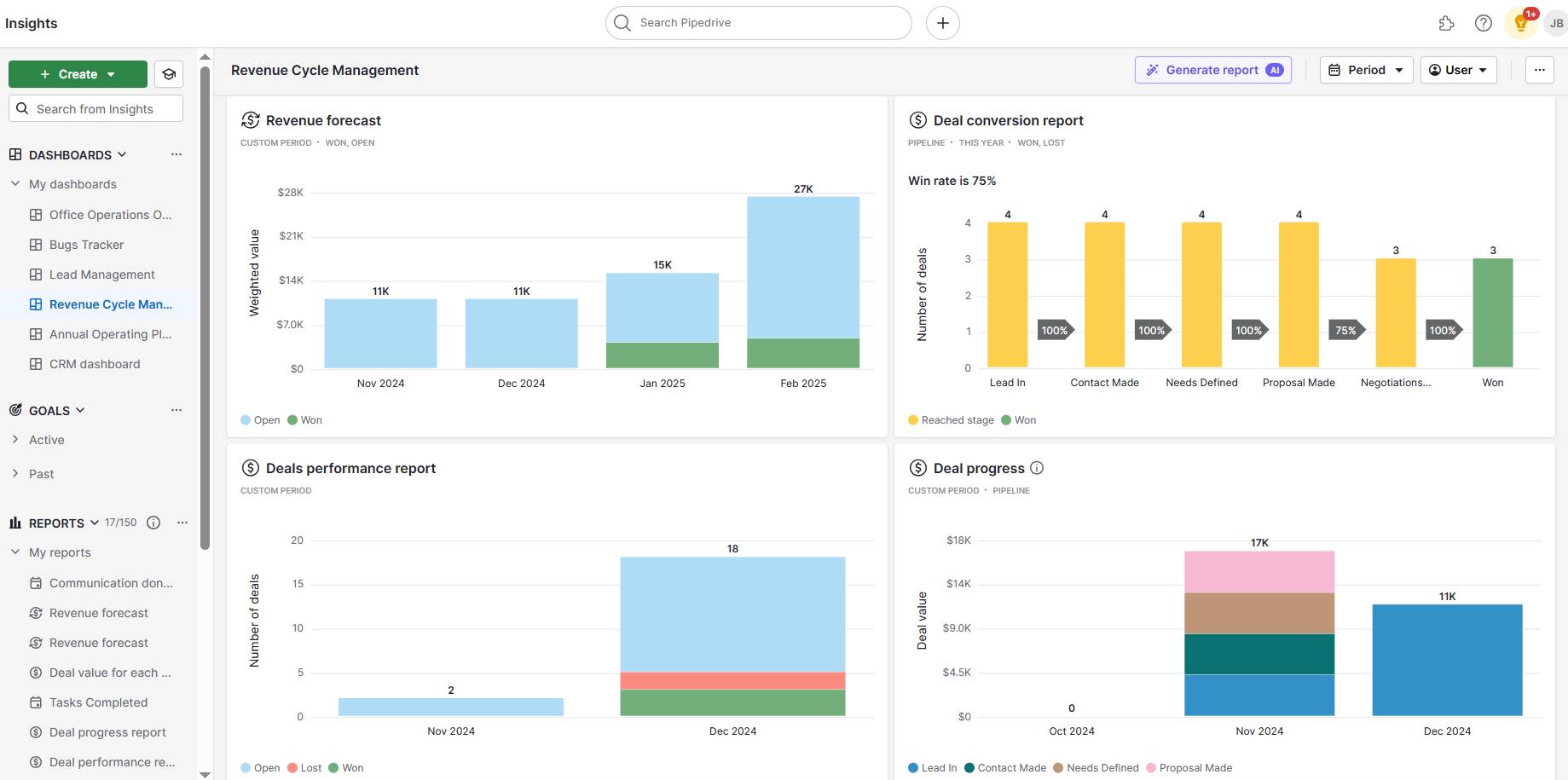
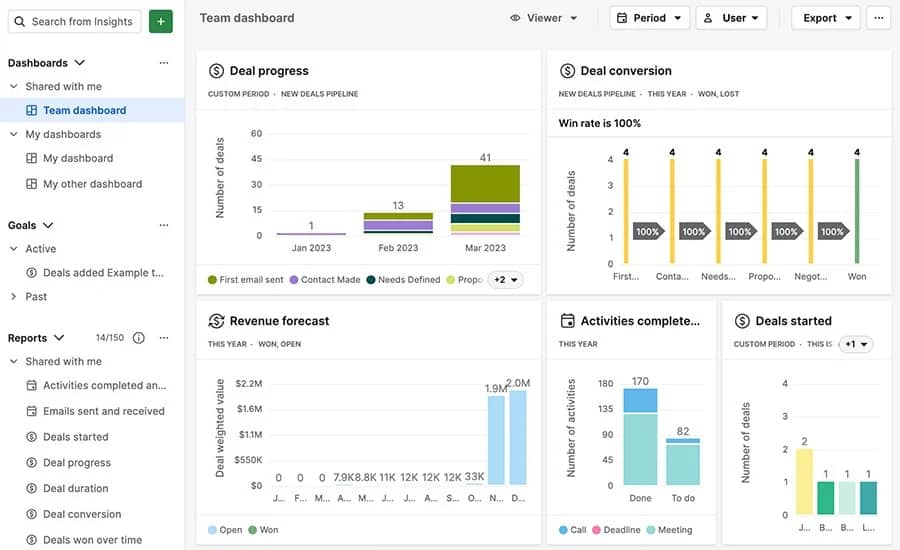
With Pipedrive’s insights dashboard, for example, you can easily view conversions, revenue forecasts, average deal value and so on. You can choose what you see to ensure total visibility of your revenue cycle.

Here’s an example of a customizable dashboard in Pipedrive:

Revenue cycle management Pipedrive insights dashboard

4. Inefficient collection processes

An inefficient collection process doesn’t just slow down payments – it puts your revenue at risk.

Without a clear and consistent approach to chasing outstanding invoices, businesses can face cash flow troubles, missed income and even strained customer relationships.

Imagine that you fail to follow up on overdue invoices. Not only will you delay your income, but you’ll also damage trust with customers – especially if they feel neglected or confused about what they owe.

These inconsistent follow-ups can also lead to mounting receivables, which can put pressure on day-to-day operations and finances.

How to solve this problem

A structured and proactive approach to following up on payments is a good place to start. Implementing automation and clear communication strategies helps reduce delays, improve cash flow and maintain strong customer relationships.

Crush your manual admin with this sales automation guide

Learn how to take advantage of new sales automation tech so you can spend more time selling

Here are some ways to build a more efficient collections process:

  • Develop a streamlined process for tracking overdue accounts. Set up a clear internal workflow that outlines when and how to follow up on overdue invoices – for example, setting reminders after a certain number of days, assigning responsibilities to sales team members and keeping records of all communication.

  • Create automated payment reminders. Use tools that automatically send payment reminders before and after due dates. These gentle nudges keep your business top-of-mind for customers and reduce the need for manual chasing.

  • Establish a dedicated collections team. For customers who are consistently late or unresponsive, having a team or specialist who can step in is key. You can focus on other key operations while experienced professionals handle sensitive or complex collections.

Implementing these strategies helps you build a more efficient and effective collections process.

5. Manual, time-consuming processes

Relying on manual tasks for payment tracking consumes valuable time and hinders overall efficiency and accuracy.

Think about manually entering payment details into accounting systems as an example. The chance of making a mistake is much higher, potentially leading to incorrect payment amounts or overlooked transactions.

If you use revenue cycle management solutions to handle the process, the chances of errors are much less.

How to solve this problem

Using software to handle key revenue activities reduces the need for manual intervention. Automating repetitive tasks frees up valuable time to focus on more strategic activities, like closing deals.

Automation also improves accuracy, ensuring your payment processes run smoothly and keeping your cash flow healthy.

Here are some tips for choosing software to handle manual activities:

  • Invest in automation tools. Use software to automate tasks like invoicing, payment reminders and account reconciliation to save time and reduce errors.

  • Integrate with accounting and CRM systems. Select software that connects with your existing tools to ensure consistency across platforms.

  • Train employees on best practices. Provide training on how to use the software effectively to maintain efficiency and minimize errors.

The right revenue cycle management software reduces manual effort and gives your team the clarity, speed and confidence to manage revenue more effectively.

Recommended reading

https://www-cms.pipedriveassets.com/blog-assets/workflow-automation-feature.png

Workflow automation: The complete guide

Take control of your revenue cycle with Pipedrive

Pipedrive is a sales CRM that helps businesses manage leads, track deals and automate sales processes to drive revenue growth. Here are some of the ways Pipedrive improves revenue management:

Streamline the sales pipeline

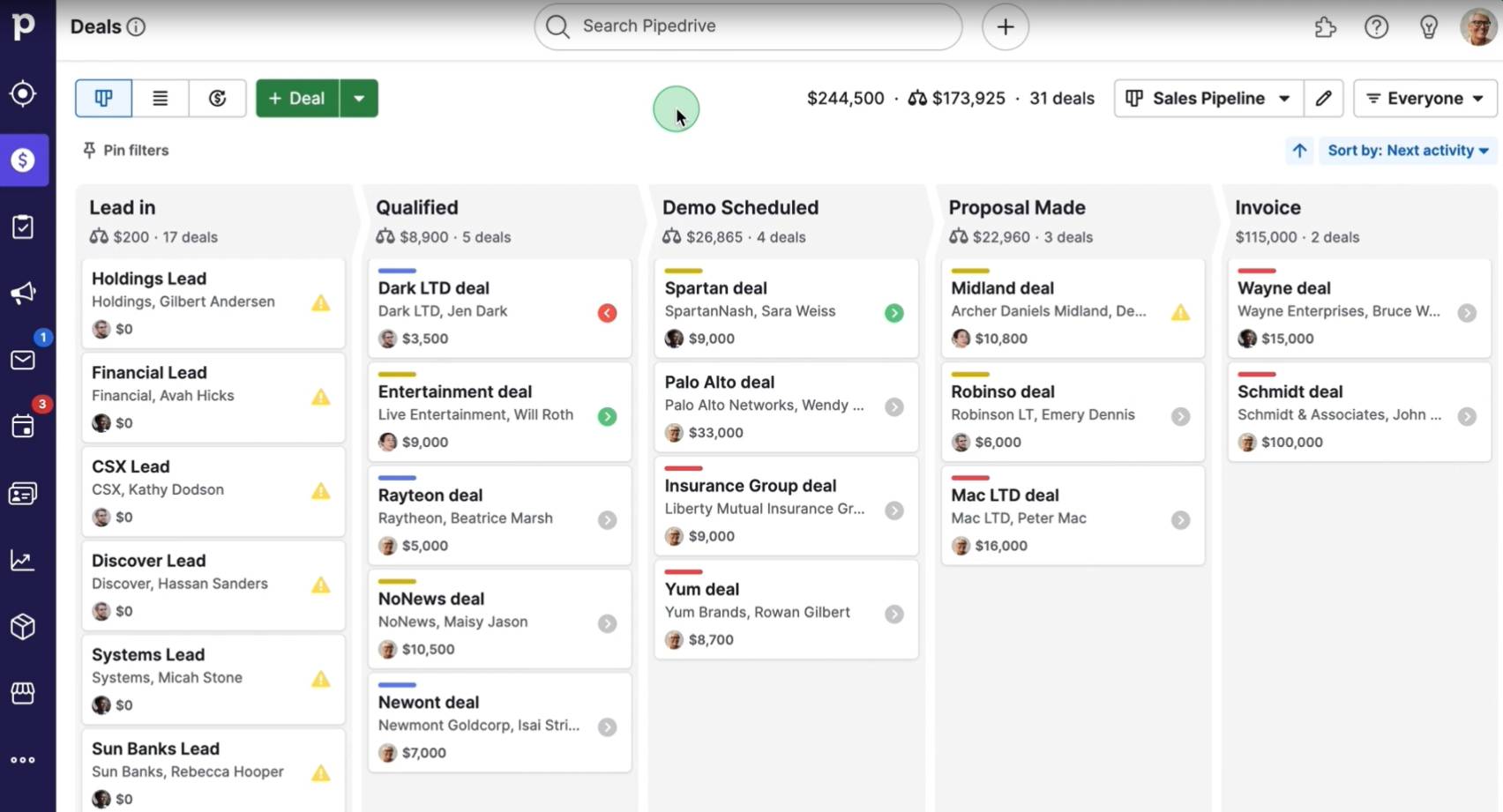
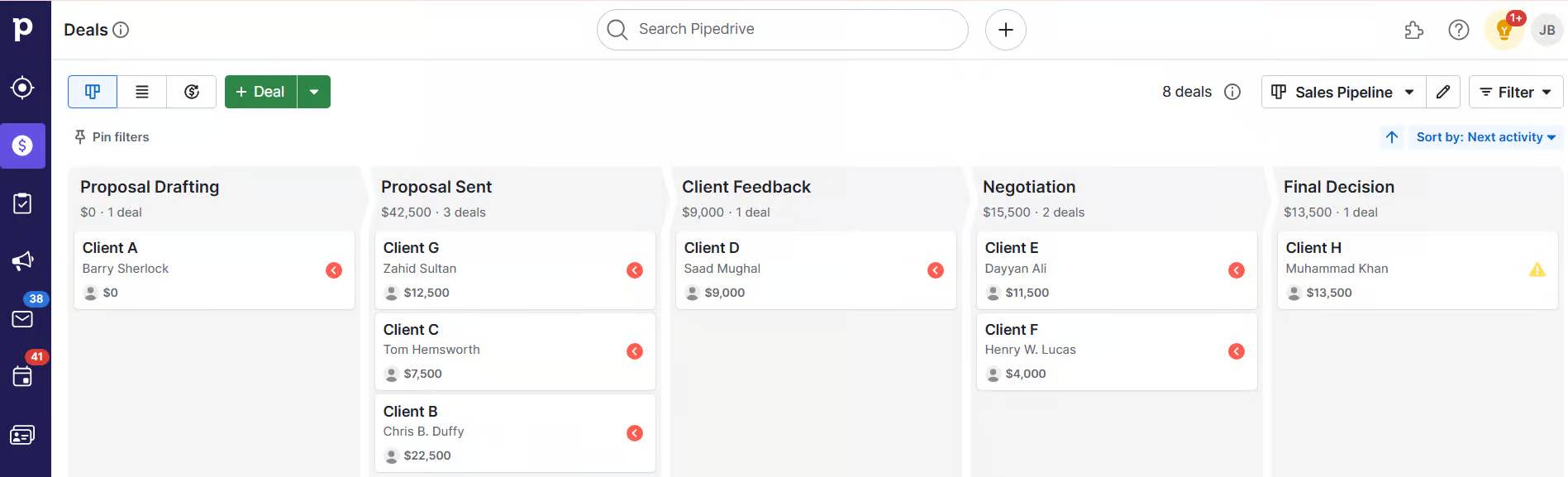
When you don’t track deals properly, you risk losing revenue opportunities. Pipedrive gives you a clear, visual sales pipeline, so you can monitor deals at every stage and keep revenue flowing.

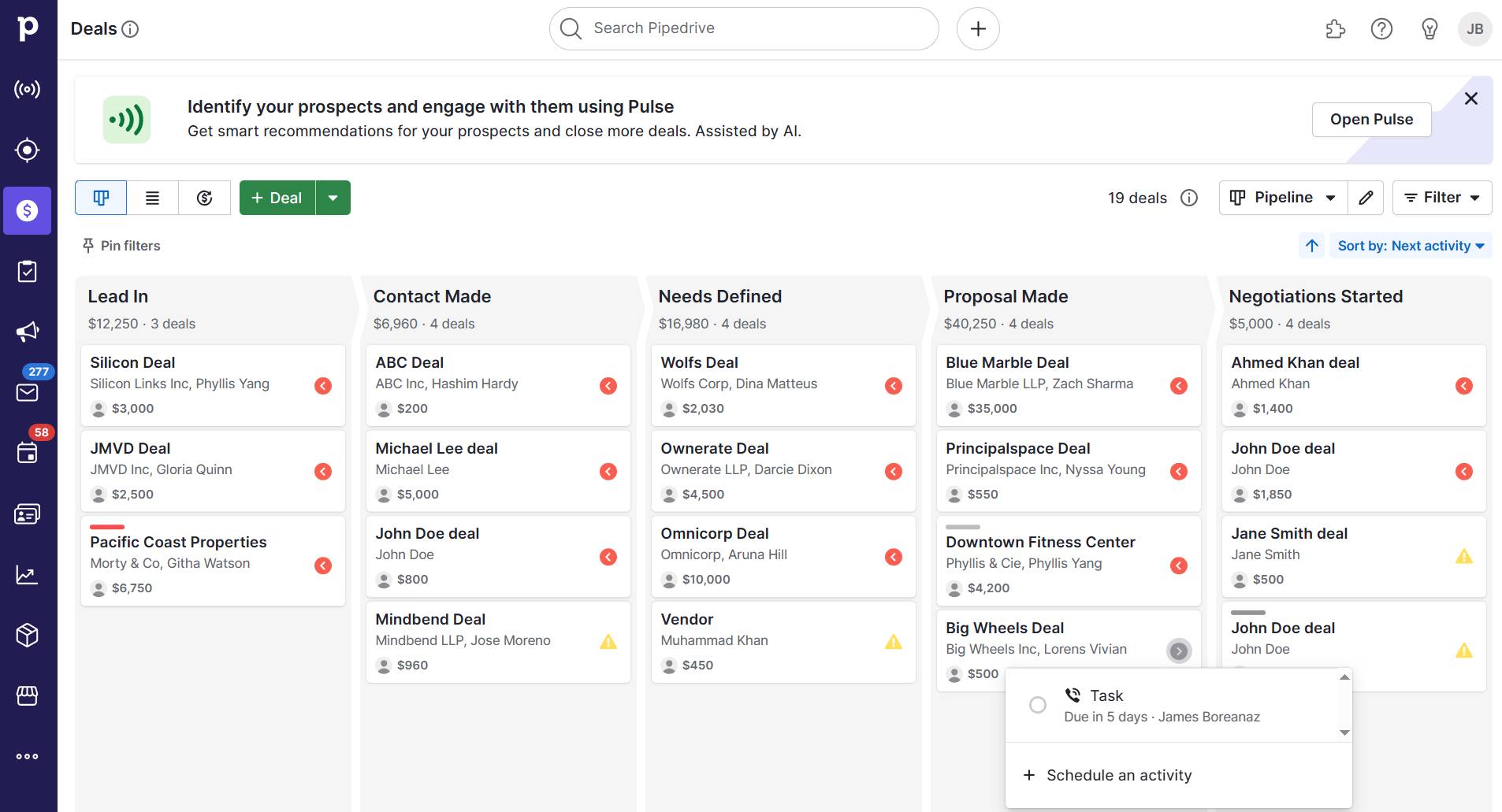
Here’s how to visualize your sales pipeline in Pipedrive:

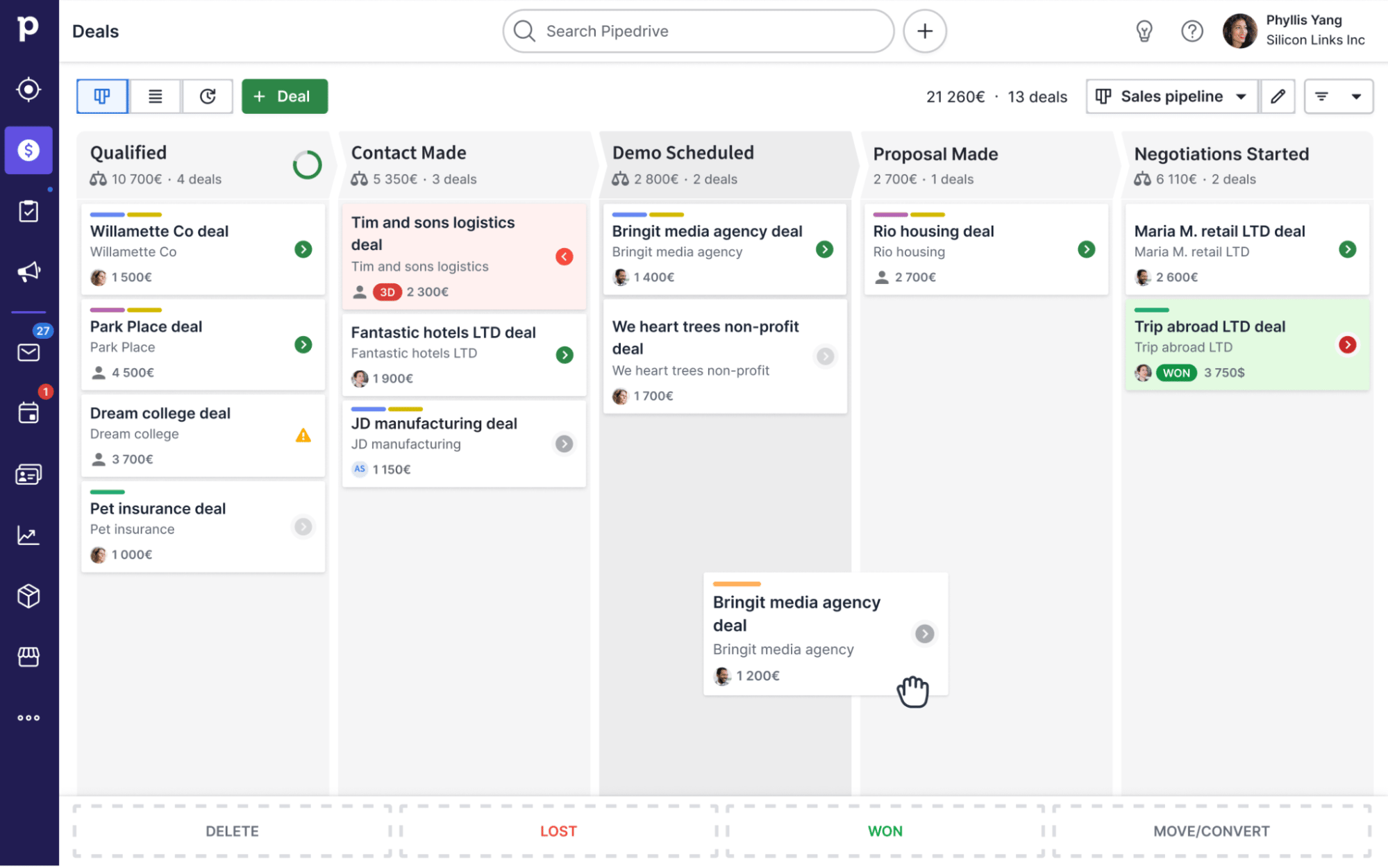
Revenue cycle management Pipedrive sales pipeline

With everything laid out, you can spot bottlenecks, prioritize efforts and close deals faster.

Automate follow-ups and reminders

Manual follow-ups slow down collections and let payments slip through the cracks. Pipedrive automates reminders, assigns tasks and triggers workflows that keep your team on schedule and your customers informed.

Watch this video for an overview of how to use Pipedrive’s automations:

Send, track and manage invoices from the CRM

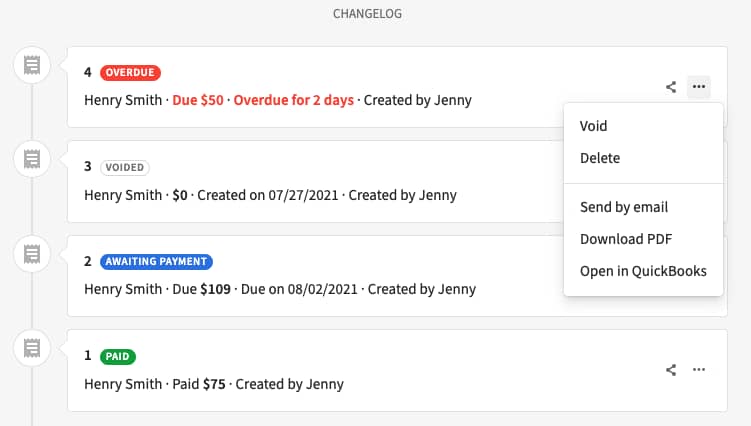
Switching between systems to handle invoicing wastes time and increases the risk of mistakes. With Pipedrive’s Smart Docs and invoicing feature, you can create, send and track invoices directly from within the CRM.

Here’s how the invoicing feature appears in the CRM:

Revenue cycle management Pipedrive invoicing

Centralizing this information ensures quicker turnaround and offers visibility into invoice status, so nothing slips through the cracks.

Forecast cash flow with real-time visibility

Guessing your future revenue can lead to planning mistakes like overcommitting resources and underestimating cash needs. Pipedrive gives you real-time dashboards and revenue reports so you can track deal progress, spot potential gaps and forecast your cash flow confidently.

Here’s a breakdown of how to forecast revenue with Pipedrive:

Integrate with billing and payment tools

Disconnected systems make invoicing slow and error-prone because you manually transfer data between platforms, increasing the risk of mistakes. Pipedrive connects with revenue tools like QuickBooks and Stripe so you can manage billing and payments directly from your CRM.

The image below outlines the billing overview when integrating with Quickbooks:

Revenue cycle management Pipedrive billing overview

Revenue cycle management FAQs

  • Coding errors happen when the wrong diagnosis or procedure codes are used in healthcare revenue cycle management. These mistakes can delay remittance, cause claim denial and affect payments from a patient’s insurance.

    Coding errors can also create issues with medical necessity. If you use the wrong diagnosis code to bill a procedure, the insurance company may reject it.

    Fixing these problems takes time and slows down the revenue cycle. Ensuring codes are correct during pre-registration helps avoid delays and keeps revenue flowing.

  • Yes, revenue cycle management helps by checking insurance eligibility early and speeding up pre-registration. RCM also connects with practice management systems to organize schedules, billing and follow-ups.

  • Checking the patient’s insurance ahead of time and creating a clear billing process are two ways that RCM improves patient satisfaction.

    When billing processes are smooth and efficient, patients experience fewer delays with their treatment, leading to a more positive overall experience.

    Clear communication about costs and payment expectations also builds trust and reduces stress, allowing patients to focus on their care instead of worrying about billing issues.

Final thoughts

Effective revenue cycle management is crucial for maintaining a steady cash flow and profitability. For SMBs with limited time and resources, ensuring a healthy cash flow is essential for business success.

A centralized CRM like Pipedrive helps businesses track and manage revenue. Real-time insights, automated follow-ups and seamless integrations give teams complete control over their revenue cycle.

Sign up for a free trial today to see how Pipedrive can help you manage your entire revenue process.

Find the Right Call Center Software: 9 Top Picks for 2025

Software Stack Editor · May 5, 2025 ·

Connecting to customers is key to building strong relationships and growing your small business. Yet tracking calls and follow-ups takes time, especially when using basic tools.

The right call center software handles all the admin for you. It logs calls and automates routine tasks so your team can focus on sales and support.

In this article, you’ll discover the best call center software for small businesses. Find the perfect tool to help you respond to customers faster and close more deals.

9 best call center software solutions for small businesses

There’s no one-size-fits-all call center solution. Some platforms support outbound sales, others focus on customer service and a few offer a mix of both.

Ultimately, your choice of contact center as a service (CCaaS) tool depends on your team’s size, business goals and how you connect with customers.

To help you decide, here’s a breakdown of each tool’s features and what makes them stand out.

Outbound-focused call center platforms (for sales-driven teams)

Outbound call center software helps sales teams reach more leads in less time. These tools include features like power dialers, call logging and data syncing to keep your sales pipeline moving steadily.

Note: Outbound call center tools focus on contacting prospects and closing new sales, while inbound software helps you respond to incoming customer queries.

Here are the best outbound sales platforms, their key features, ideal use cases and how each supports faster outreach.

1. Pipedrive: best call center software for CRM-first call management

Pipedrive is a sales-focused customer relationship management (CRM) solution that provides essential calling features for small businesses. While it doesn’t replace call center software, its built-in tools and integrations manage calls directly within your call center CRM.

How small teams use Pipedrive for calls:

  • Make and log calls from user-friendly contact and deal views in the web or mobile app

  • Start calls from your desktop that ring through your mobile

  • Automate follow-ups and reminders after each logged call by setting custom triggers, saving time on manual data entry

  • View full call history alongside email, notes and activities for each deal

  • Integrate a wide range of call center solutions, including JustCall, CloudTalk, Kixie and Aircall, to increase call center capabilities like call routing (more on these later)

Here’s a closer look at how these call features work in Pipedrive.

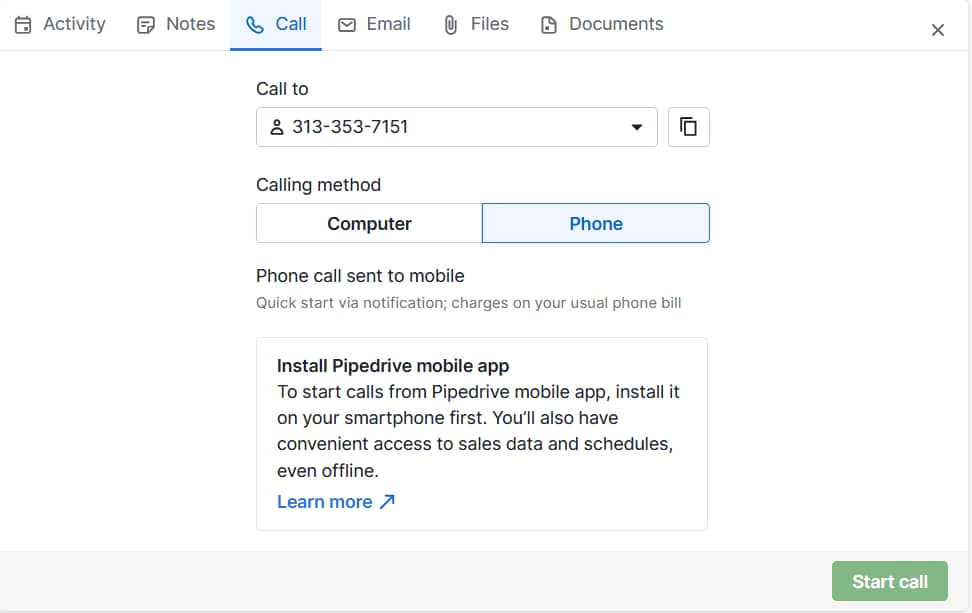
You’ll see the customer’s phone number in Pipedrive’s contact view. Next, click Start call.

Call center software Pipedrive's call interface

You can leave notes after each call about how the conversation went and what you need to do next. These details will appear in your call history.

call center software Pipedrive call notes

You can also call contacts directly from the Pipedrive mobile app. Tap the phone icon to launch the call through your native dialer.

Call center software Pipedrive mobile calls

If you prefer using your mobile for calls but work mainly from a desktop, Pipedrive’s web-to-mobile feature bridges the gap.

With the mobile app installed, you can start a call from the browser and have it ring through your phone (on the Advanced plan and higher).

Call center software Pipedrive web-to-mobile calling

After a call ends, Pipedrive prompts you to log the activity. Add notes, schedule a follow-up or trigger workflow automations like reminders or deal updates.

Every logged call appears in the contact’s timeline, so your team always knows what happened last.

Pipedrive also offers call tracking and insights. You can filter calls by outcome, rep or date and review activity to see which calls convert into sales deals.

Call center software Pipedrive call logging

These insights help sales managers spot performance trends and provide better sales coaching.

The takeaway: Pipedrive ties your call activity to your sales pipeline, helping your team stay organized without switching tools. For small businesses that rely on outbound sales calls, it’s a flexible way to manage everything from one place.

2. CloudTalk: best high-volume outbound call center software

CloudTalk is a cloud-based solution for outbound and blended sales teams (that also provide support – more on these later). It offers features like power dialing, call tagging and real-time analytics, with native integrations for CRMs like Pipedrive.

Call center software CloudTalk interface

CloudTalk provides local numbers for over 160 countries to improve connection rates. For an additional fee, users can add conversational intelligence to get AI-generated call summaries, sentiment analysis and topic extraction.

How outbound teams use CloudTalk:

  • Get unlimited inbound calls and 500 outbound minutes per user per month (Starter plan)

  • Analyze key call center metrics like average handling time and agent activity (Essential plan) to improve productivity

  • Integrate with your CRM and other tools for added functionality (Essential plan)

  • Handle more calls with fewer people with custom interactive voice response (IVR) menus like “Press 1 for support” (Essential plan)

  • Run automated outbound call campaigns with a power dialer that pulls numbers directly from your contact list (Expert plan)

The takeaway: CloudTalk’s Starter plan gives outbound teams the basic tools to manage and plan sales calls. For advanced features like analytics and CRM integration with tools like Pipedrive, you’ll need one of the higher tiers.

3. JustCall: best for outreach with voice and SMS

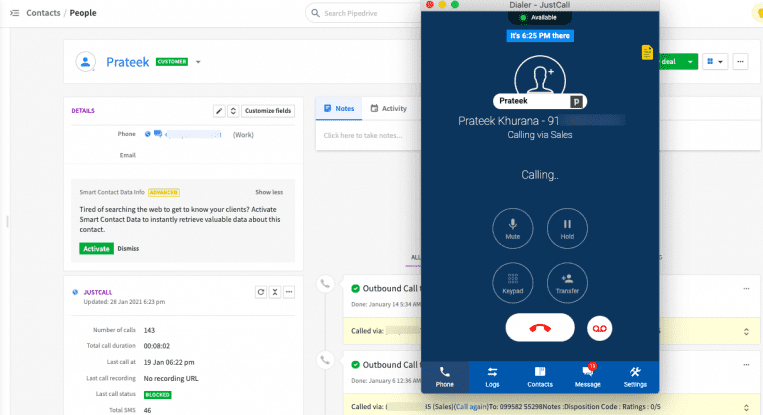
JustCall is a cloud-based business phone system that allows sales teams to operate a mix of calls, SMS and other communication channels. It integrates with CRMs like Pipedrive to streamline outreach and follow-up activities.

Call center software JustCall interface

JustCall’s artificial intelligence (AI) tools include call transcription, sentiment analysis, real-time agent assistance and more. These features are only available on the Pro Plus and Business plans.

How sales teams use JustCall:

  • Automatically transcribe calls and quickly generate summaries with AI (Team plan)

  • Set up custom interactive voice response (IVR) menus to route calls efficiently (Team plan)

  • Run automated outbound campaigns using predictive dialers that call multiple numbers at once and connect answered calls to available agents (Pro plan)

  • Monitor and coach agents live during calls for added support (Pro plan)

  • Use multi-channel AI note-taking and sentiment analysis to get more context (Pro Plus plan)

The takeaway: JustCall offers essential calling and texting features on its Team plan. You may need to invest in a higher tier to access AI features and better tools for outreach and analysis.

4. Kixie: best for automated outbound sales

Kixie is a calling and texting app that connects to your CRM to reduce manual outreach steps. It provides a business phone service, SMS capabilities and rule-based routing from the lowest-tier plan.

Call center software Kixie interface

You can set up automated actions – like sending a text or placing a call – based on CRM updates. The app also provides a sales leaderboard, reporting dashboard and the option to create custom IVR menus.

Kixie integrates with Pipedrive to provide power dialing, local area codes, AI-generated call summaries and more.

How sales teams use Kixie:

  • Launch the Kixie Power Dialer to click-to-call or click-to-text numbers from websites (Integrated plan)

  • Set up ring groups to route each call to the right agent (Integrated plan)

  • Show sales management every agent’s live status and daily performance (Integrated plan)

  • Leave pre-recorded messages and speed up outreach with the voicemail drop feature (Professional plan)

  • Detect human speech, track sentiment and reduce spam filtering using AI (Ultimate Revenue plan)

The takeaway: Kixie’s base plan includes various sales outreach tools, and its more expensive tiers offer better scalability. Paid add-ons enable AI-powered features and spam reduction capabilities. Each tier comes with a seven-day free trial.

Blended call center platforms (for sales and support)

Blended call center software supports both sales and customer service teams, which is especially useful for small business founders and sales leads juggling multiple roles. These tools combine outbound features with inbound call routing, IVR systems and shared inboxes.

Here are the top blended call center platforms, with a breakdown of core features, use cases and how each handles both sides of the customer experience.

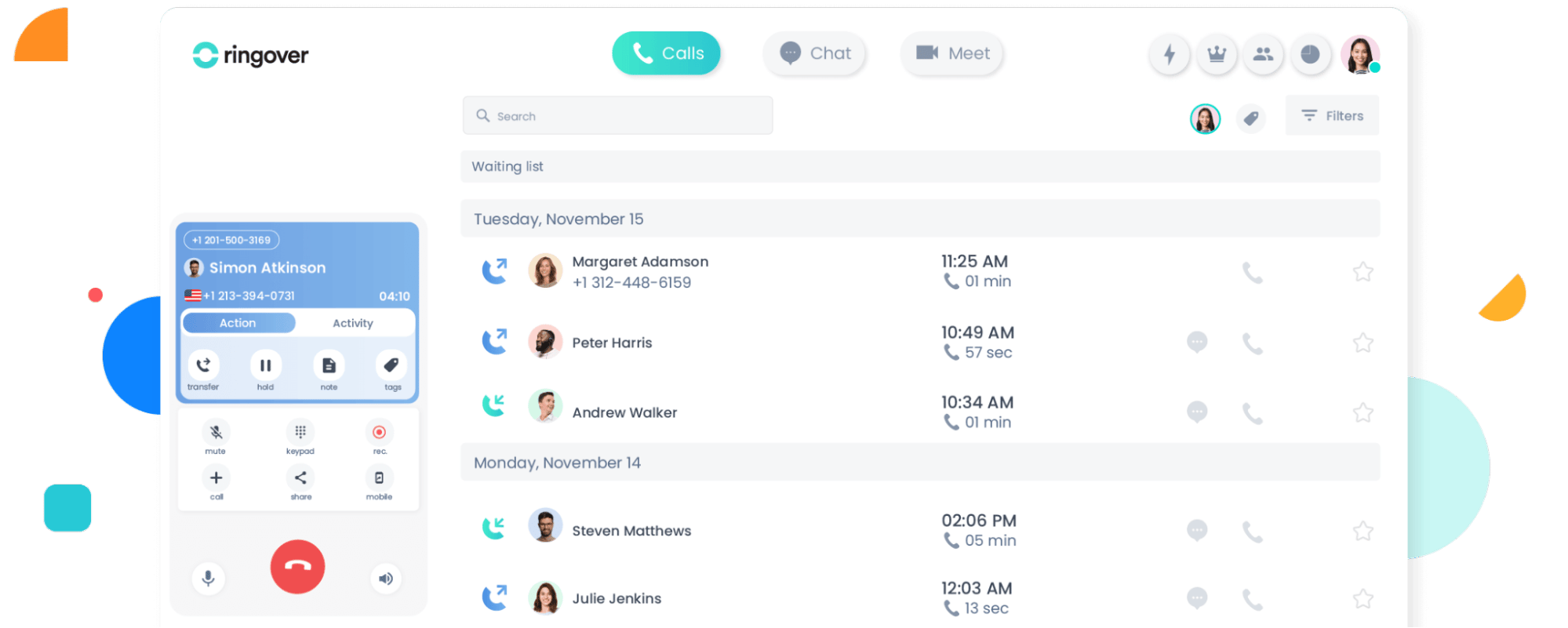
5. Ringover: best for teams who need an all-in-one communication suite

Ringover is a communication platform that includes voice over internet protocol (VoIP) calls, messaging and video. Teams use it to handle phone sales and respond to incoming support requests from the same system.

Call center software Ringover interface

For outbound interactions, Ringover provides click-to-call, call recording and automatic activity logging through CRM integrations. For inbound, it includes IVR menus, call queues and smart routing.

Teams can also host quick video calls internally or use chat to manage handovers or check details mid-call. The Ringover-Pipedrive integration lets you call from the CRM and log activity to the relevant deal.

How teams use Ringover:

  • Make unlimited calls to 90 countries, with a local number in 43 (Smart plan)

  • Sync your mobile, web and desktop apps for better team collaboration (Smart plan)

  • Route customers with advanced IVR, call groups and queues (Business)

  • Provide sales rep coaching with double listening and whispering options (Business)

  • Use the Power Dialer and voicemail drop to speed up outreach (Advanced)

The takeaway: Ringover’s Smart plan combines internal and external call handling for teams switching between sales and support tasks. For omnichannel messaging and more numbers per agent, you’ll need to subscribe to add-ons.

6. Toky: best for startups needing a simple voice solution

Toky is a cloud-based voice-calling system for sales and support teams. Teams can make and receive calls through a desktop or mobile app and set up forwarding, links and queues to simplify call handling.

Call center software Toky interface

The platform includes basic monitoring tools like call recording and real-time status visibility on the higher plans.

How teams use Toky:

  • Create agent groups and basic routing rules to stay responsive without a dedicated support team (Entrepreneur plan)

  • Integrate with most CRMs, including Pipedrive (Entrepreneur plan)

  • Set up custom IVR phone trees like “Press 1 for sales, 2 for support” to save time by directing callers to the right team without manual transfers (Entrepreneur plan)

  • Send text messages and make calls with per message/call charges (Entrepreneur plan)

  • See basic reports (Entrepreneur plan) or complete call KPIs (Business and Enterprise plans)

The takeaway: Toky provides voice features and CRM syncing for small teams to manage calls. For features like Power Dialer, call monitoring and voicemail, you’ll need to pay per number or per minute – which may decrease cost-effectiveness.

7. VoiceSpin: best AI call center software

VoiceSpin is a cloud contact center solution for handling large call volumes. Its higher plans include a predictive dialer, skill-based routing and live monitoring tools. The platform also integrates with CRM systems like Pipedrive.

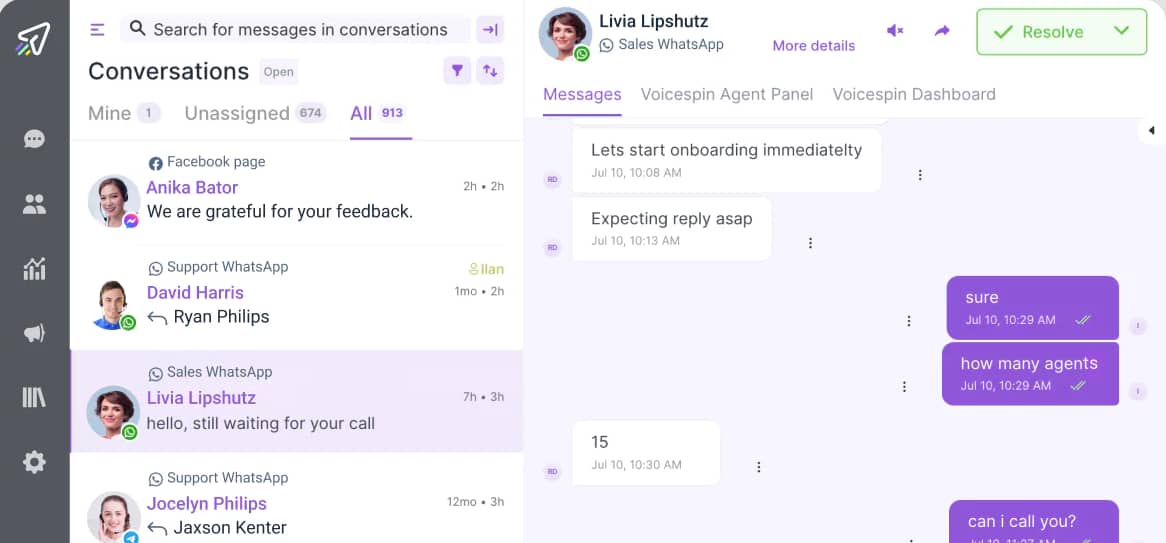
Call center software VoiceSpin interface

Sales teams use the predictive dialer to place multiple calls simultaneously and connect only when someone answers. On the support side, teams route incoming calls based on language, product line or customer tier.

How teams use VoiceSpin:

  • Route calls efficiently based on ring groups and set up custom IVR menus (Basic plan)

  • Monitor and record calls in real-time and see reporting and analytics (Basic plan)

  • Use an AI auto dialer and local caller IDs to improve pickup rates (Advanced plan)

  • See number reachability scores and send bulk SMS messages to enhance productivity (Advanced plan)

  • Use AI to summarize conversations, analyze speech and send quick replies (Enterprise plan)

The takeaway: VoiceSpin’s Basic plan provides call routing, reporting and monitoring tools for outreach and service. AI features that automate outreach and set up custom call campaigns are available on the Enterprise plan.

8. KrispCall: best for remote teams

KrispCall is a cloud-based phone system for remote and distributed teams. It provides virtual phone numbers, a unified workspace and routing tools.

Call center software KrispCall interface

Teams can assign local, toll-free or international numbers to different departments. KrispCall charges per minute (for calls) or segment (for messaging), regardless of your plan.

How teams use KrispCall:

  • Have team members access and update the same threads in a shared workspace (Essential plan)

  • Use a built-in lightweight CRM or integrate with more powerful options like Pipedrive (Essential plan)

  • Listen in to calls, whisper to team members on calls or talk to the customer directly for prompt support (Essential plan)

  • Use Power Dialer to skip unanswered calls and leave automated greetings (Standard plan)

  • Record calls and get insights and reports about key metrics (Standard and Enterprise plan)

The takeaway: KrispCall provides features for remote teams to collaborate on sales and support. While the Essential plan offers the most necessary telephony features, you may want to upgrade to access outreach and analysis tools as your team scales.

Inbound-focused call center solutions (for support teams)

Inbound call center software focuses on receiving customer phone calls. These platforms include call routing, queues and shared inboxes to direct inquiries to the right person and reduce response times.

Here are the top inbound call center tools, with a breakdown of how each handles support requests for small teams.

9. Twilio Flex: best for developers building custom call workflows

Twilio Flex is a communications platform that lets you create a custom interface to match your business needs. You can customize the routing, call flow, layout and more to provide a personalized customer experience.

Call center software Twilio workflow builder

You can pay per hour, scaling up or down with seasonal uptime fluctuations. Twilio Flex also offers per-user pricing, which gives you predictable costs.

How teams use Twilio:

  • Add custom channels (like WhatsApp, Facebook Messenger and WebChat) and manage them through Flex Twilio’s interface

  • Integrate customer data from custom sources like your CRM for enhanced visibility

  • Use Studio, a drag-and-drop builder, to craft and streamline call flows

  • Automate actions that trigger after agents handle different tasks

  • Add custom widgets and integrations to get more features as required

The takeaway: Twilio controls the inbound call flow for teams that prefer to build custom on-site phone solutions rather than use out-of-the-box software. It offers 5,000 hours of use as part of a free trial.

Why call center software matters for small businesses

Contact center software provides a single interface for managing outreach and customer support. It streamlines communications for small teams that wear many hats, saving time and sales budget.

It goes beyond calls and messaging – with the right call center software, you can:

You gain even more benefits when your virtual call center syncs with your CRM. For instance, you can track customer engagement across any digital channel. The call center will automatically link the information to a unified customer profile, giving your sales team crucial context for selling.

Recommended reading

https://www-cms.pipedriveassets.com/blog-assets/call-center-hiring.png

The call center hiring guide: required skills, training and duties

What to look for in call center software that connects with your CRM

There are many types of call center software, each with varying levels of CRM integration. If you want to get the most out of your call center operations, look for these key call center features:

Call center software feature

Why it matters

Easy, built-in CRM integration

Many cloud-based call centers have built-in integrations with cloud CRM software like Pipedrive. Connecting the two is simple, improving the time to value.

Watch out for solutions that require custom APIs or third-party connections. These integrations may need a developer to set up.

Two-way sync

Both platforms have the complete context, giving help desk and sales teams full visibility to improve the customer journey. The Pipedrive platform supports two-way sync.

Real-time analytics

Real-time analytics give you immediate visibility into call activity. When integrated with your CRM, these insights help you prioritize customers based on metrics like resolution status.

Integrations bridge live call performance with customer records, so sales or support teams always have the latest insights without switching tools.

Power dialers and automation

Some power dialers automate outbound calling from contact lists in your CRM. Call logging and task creation happen automatically in the background.

These features eliminate repetitive steps like copying contact details or logging calls manually.

Connecting your call center and CRM software lets you make the most of these software features. Next, you’ll learn how to create call center integrations with Pipedrive.

Recommended reading

https://www-cms.pipedriveassets.com/Real-state-cold-calling.png

13 real estate cold calling scripts to increase lead generation

How to connect your call center software to Pipedrive

Choose a call center software provider that integrates with Pipedrive. Tools like JustCall and CloudTalk offer native integrations in the Pipedrive Marketplace.

Ensure you’re logged into your Pipedrive account and your call center tool with admin access. To connect them, you’ll need permission on both sides.

In your call center software, go to the integrations or settings section and find Pipedrive in the list of available connections. Click to link them, and the platform will redirect you to Pipedrive so you can log in and approve access.

Here’s how the Pipedrive integration looks in JustCall:

Call center software Pipedrive JustCall integration

Next, set your sync preferences. You can usually choose what information to share (like contacts, call logs or notes) and whether updates go both ways or just one.

Call center software Pipedrive JustCall rules

If possible, map your fields so data flows into the right places. For example, link your call center’s “contact name” field to the correct field in Pipedrive.

To ensure everything’s working, log a test call and check that it appears correctly in Pipedrive under the relevant contact or deal.

Call center software Pipedrive JustCall test call

Once you’re live, show your team how the integration works so they can operate more efficiently. Point out where the platform logs calls are and how to trigger new ones in Pipedrive (if your tool supports that).

Existing Pipedrive users can also add integrations directly from their CRM dashboard.

Search for a compatible tool on the Pipedrive Marketplace, then click Install. Follow the instructions on the tool’s Marketplace page to finalize the installation, sync your data and get started.

Recommended reading

https://www-cms.pipedriveassets.com/blog-assets/call-center-skills.png

Call center skills: Find the best workforce and tech

Final thoughts

When your call center and CRM work together, your team spends less time chasing details and more time closing deals – which is crucial for small businesses with limited resources. Connecting the two means calls, notes and follow-ups log automatically so nothing slips through the cracks.

Pipedrive integrates with a range of the best call center solutions. Start a 14-day free trial today to see how connecting Pipedrive to your call center can streamline customer interactions and boost sales.

5 CRM Data Entry Best Practices for Small Businesses

Software Stack Editor · May 2, 2025 ·

Customer relationship management (CRM) data entry is a core part of everyday sales. It keeps your records complete, your team aligned and your deals moving forward.

If you run a small business, you’ve had to jump between spreadsheets and apps to keep everything up to date. Efficient CRM data entry helps you skip the hard work and focus on closing sales.

In this guide, you’ll learn why CRM data entry matters and five tips to keep your CRM organized without spending hours on manual processes.

What is clean CRM data entry (and why does it matter)?

Accurate CRM data keeps your sales process running smoothly. Your sales team stays organized, follows up at the right time and can build strong relationships with leads.

Here’s how keeping your CRM system clean benefits your small business.

It frees up time for sales

Automatic and accurate data entry reduces the manual work burden, so your team can focus on closing deals instead of searching for information. When contact details, activity logs and pipeline stages are easy to find, your sales reps spend less time figuring out where they stand.

The takeaway: Sales is fast-paced – you must act quickly to secure leads and reach out early to show customers you’re organized and ready to deliver. Consistent data gives you the complete picture on each deal, letting you follow up on time with the right message.

It keeps your data reliable and easy to use

A clear data entry process helps small teams capture the correct information the same way every time. It ensures that you have cleaner records and better sales team collaboration across the board.

The takeaway: When everyone uses the same data formats and fields, reps can trust what they see and avoid second-guessing key details like deal size or lead status.

It makes your CRM easier to navigate

With a simple CRM, you can immediately find what you need, whether customer information or stalled deals. Intuitive navigation reduces confusion and keeps your sales pipeline easy to scan as your small business grows.

The takeaway: Clarity helps your team move faster and avoid awkward moments, like emailing a prospect who already said no. Solid data entry ensures you don’t end up with duplicate entries, old deals mixed with active ones and having to guess which records are correct in your CRM.

It helps you deliver a better customer experience

With clean data, you can personalize your customer outreach. Your reps will have access to each lead’s full story and can reference past conversations, pick up where others left off and send relevant follow-ups.

The takeaway: Consistency builds customer trust. It shows leads and customers that you’re paying attention, making your business feel more reliable. Without messy data like missing or incorrect notes, you ensure relevant and timely communication each time.

It helps you stay on top of your pipeline

When your CRM data is easy to follow, you can see where to focus your time. It makes it easier to plan your day and prioritize the best leads. Your team can monitor which deals are moving and where others are getting stuck.

The takeaway: If your data is accurate, everything moves faster. Updated stages and clear values make tracking progress and spotting patterns easier. You’ll avoid guessing and land more promising sales opportunities.

Clean data entry is all about giving your sales team a solid foundation to work on. In the next section, you’ll learn what data to track for the best sales results.

Recommended reading

https://www-cms.pipedriveassets.com/CRM-Charts.png

The ultimate guide to CRM charts: techniques for data management

7 types of CRM data you should track

To keep your CRM clean and effective, you must understand the data you’re working with. Each data type plays a role in keeping your sales plan organized.

Here are the key types of CRM data your team should maintain:

Data type (and what it includes)

Why it matters

1. Contact data: names, phone numbers, email addresses, job titles and social media profiles.

Helps you know who you’re speaking to and how to reach them to keep communication targeted.

Example: If you log job titles, you can focus outreach on business decision-makers instead of junior contacts.

2. Company data: company name, industry, size, location and website.

Adds essential context that helps you tailor messaging and qualify leads faster.

Example: If you know a company’s size and industry, you can adjust your sales pitch to match its needs and pain points.

3. Deal data: deal value, stage, expected close date, associated contacts and notes.

Keeps your pipeline organized and makes sales forecasting more accurate.

Example: Tracking expected close dates lets you follow up quickly and deliver on sales targets.

4. Activity data: calls, emails, meetings, tasks and notes.

Gives a complete view of each customer interaction so your team always has the full context when they intervene.

Example: If you log a call with a sales prospect, the next rep can reference it and avoid asking the same questions.

5. Lead data: source, qualification status, lead score and assigned rep.

Helps you focus on the right leads and understand which channels bring in high-quality prospects.

Example: If a high-scoring lead came from a webinar, you know that channel is worth investing in.

6. Support data: tickets, reported issues, resolution status and follow-ups.

Keeps sales and customer support aligned and helps reps understand the whole customer experience.

Example: If a customer has an open support ticket, the sales team knows to hold off on pitching new products.

7. Custom field data: business-specific customer data like product interests, region or renewal dates.

Lets you tailor your CRM to your business and unique sales processes.

Example: If you track product interest, you can send relevant follow-up content based on what your leads like.

Having accurate data means your CRM functions will be more efficient because everything’s in the right place when needed. The question is, how do you clean up your CRM data in the first place?

5 ways to clean up your CRM data (and keep it that way)

Maintaining your CRM’s health takes consistent effort. With the right habits and tools, you can cut clutter and manual work at the same time.

Once you understand what CRM and data entry best practices look like, you can organize your system to better support your small business.

Here are five practical ways to clean up your CRM data for good.

1. Automate routine data entry

Automating routine and repetitive tasks helps keep your CRM clean without relying on reps to remember every detail. On the other hand, manual data entry slows your team down and leads to human errors.

Here’s what you can automate in most CRMs to keep data accurate and things moving smoothly.

Task

What CRM automation tools do

Email logging

Save email threads to the correct contact or deal.

Call tracking

Record call activity with time stamps and notes.

Meeting scheduling

Add events to the CRM calendar and link them to deals.

Contact and lead enrichment

Pull company information and job titles from email signatures and websites.

Activity reminders

Trigger follow-ups based on deal stage and last interactions.

Task automations reduce errors caused by skipping steps or rushing updates. You’ll keep records up to date and give your team members more time to prioritize high-value sales conversations.

How to use Pipedrive’s automations to streamline data entry

Start with email sync. This feature automatically logs emails to the right contacts and deals, so your communication history is always complete. There’s no need to forward threads or guess who followed up last.

To turn this on, go to Settings > Email sync and connect your Gmail or Outlook account. You can also connect your calendar under Calendar sync to show meetings under the relevant deal. Watch this video to access the email sync feature in Pipedrive’s CRM:

Enable the Smart Contact Data feature to avoid missing key contact details. When you add a new contact with a work email, Pipedrive will automatically fill in public information like job title, company name and location. You’ll find this feature in Company settings > Smart Contact Data.

CRM and data entry Pipedrive Smart Contact Data

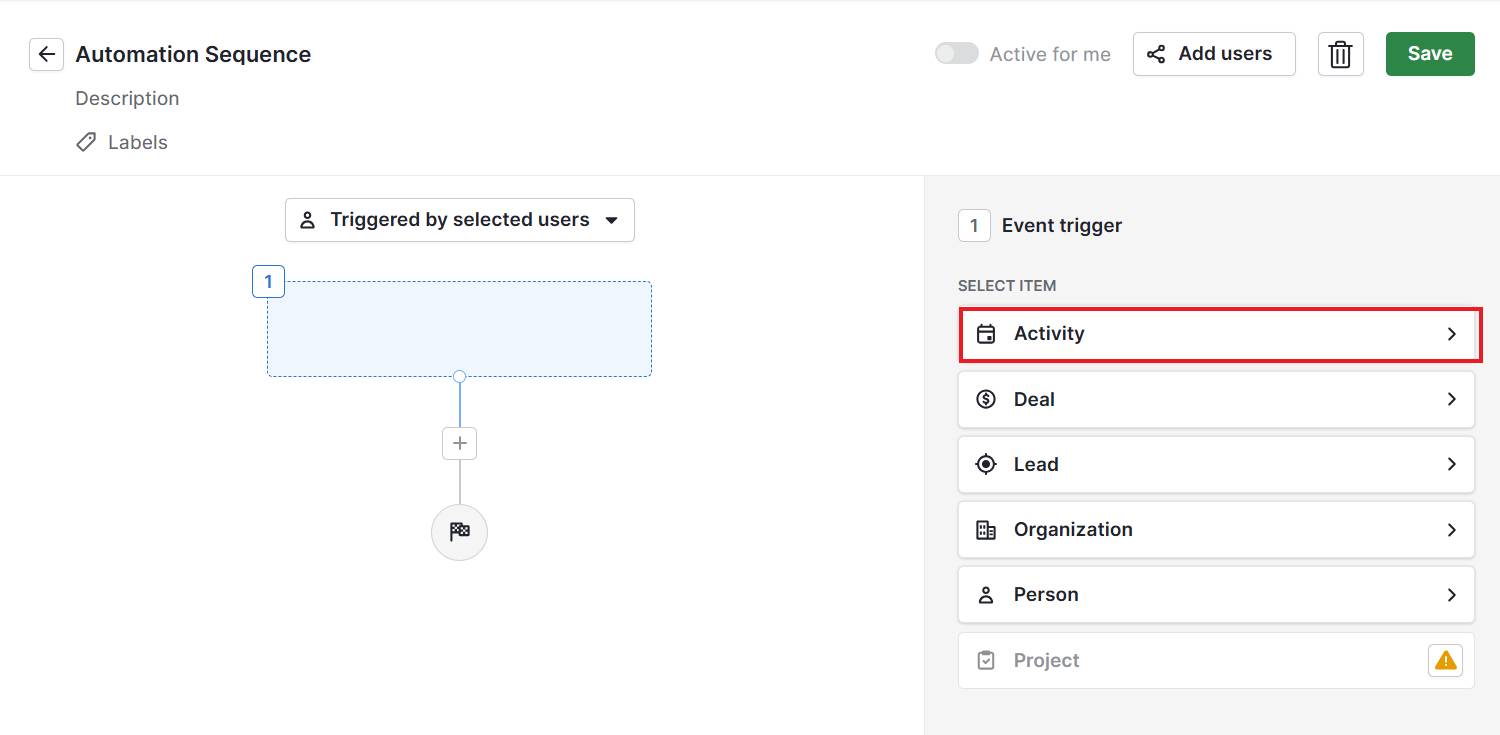
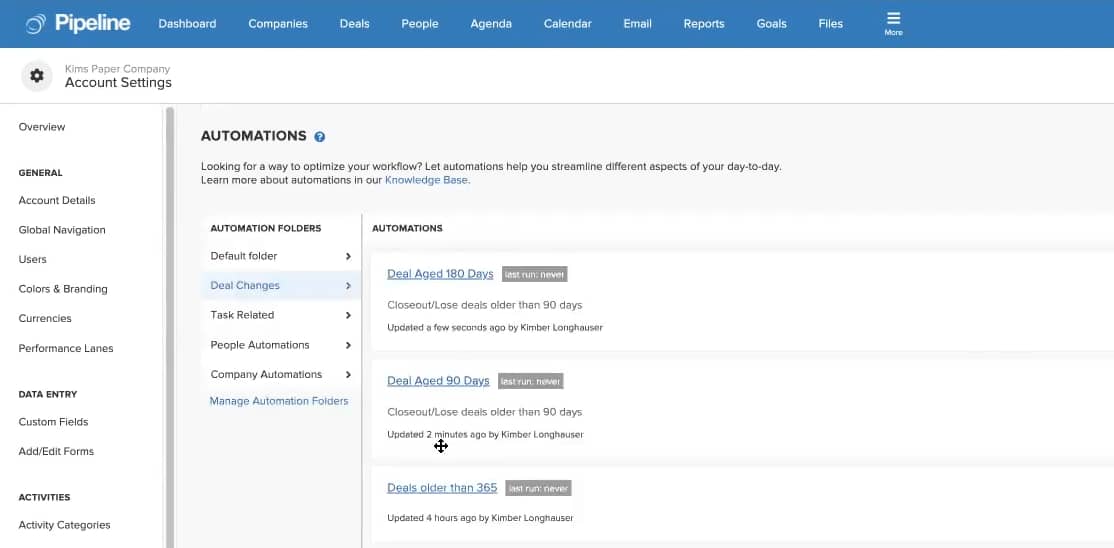
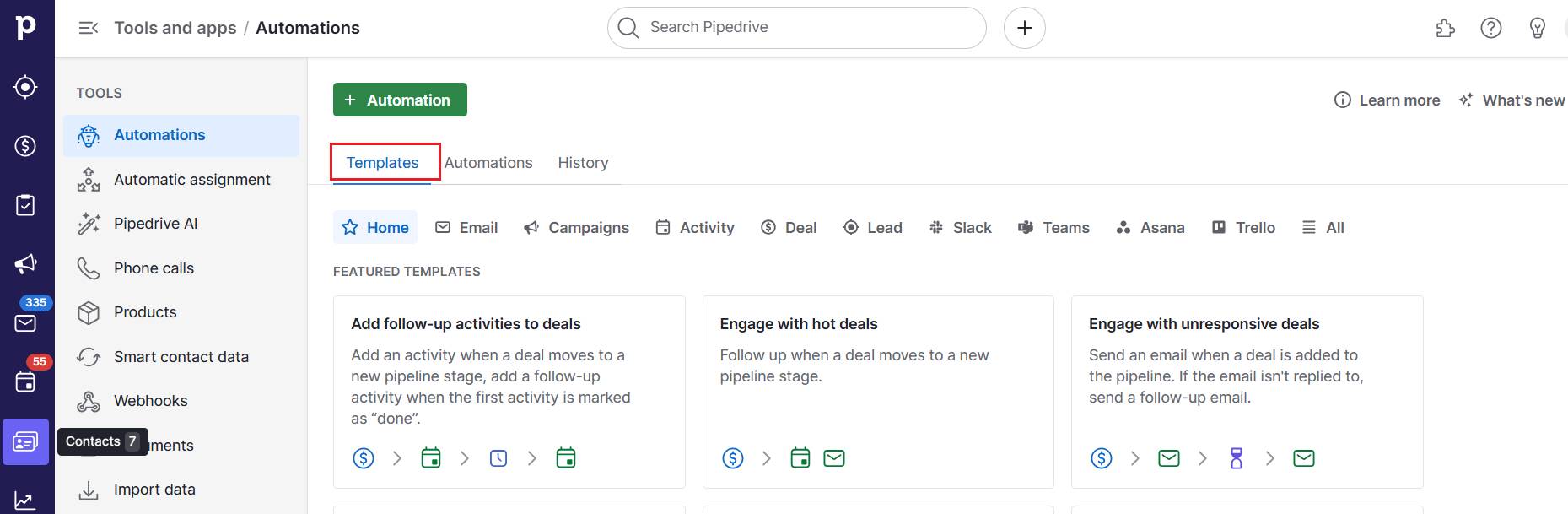
Once you’ve covered the basics, add in workflow automation. Head to Automations and click + Add automation to choose a template or build your own:

The feature lets you create rules that trigger actions, like sending reminders when a deal progresses.

2. Standardize conventions and set data entry guidelines

Setting clear data entry rules helps your staff find and leverage your customer information database. Here’s what to standardize across your team:

Field

What to define

Contact names

Use full names (no nicknames or abbreviations).

Job titles

Match LinkedIn or company website wording for consistency.

Company names

Use the full legal name, not acronyms or shorthand.

Business phone numbers

Use a consistent format (e.g., +1 555-555-1234).

Tags and labels

Create a list of approved tags to avoid duplicates, like “Referral” or “Demo requested”.

Deal titles

Follow a simple format, like “Company – Product – Month”.

Deal stages

Ensure reps understand when and how to move a deal to the next stage.

Activity types

Keep activity labels short and clear, like “Sales demo”, “Follow-up” and “Intro call”.

Custom fields

Provide clear examples for dropdowns, tags and text fields.

CRM entry guidelines help you organize data so that it’s easy to search and filter. You’ll also avoid duplicate or inaccurate data records and be able to segment customers for better marketing campaigns.

How to standardize fields and set entry guidelines in Pipedrive

Start by reviewing how your team currently uses fields. Look for inconsistencies like deals missing values or misused tags. Document a short set of naming and formatting rules your team can follow.

Next, clean up your CRM to match the new standards. You can bulk-edit fields in Pipedrive to fix common issues like inconsistent capitalization or duplicate company names.

CRM and data entry Pipedrive bulk edit

Whenever possible, use​​​​ custom field types like drop-downs or single-option selects instead of free text. You’ll find these under Company > Data fields.

CRM and data entry Pipedrive custom data field

Structured fields also make it easier to filter data and prevent minor variations (like “customer” versus “Customer”) from splitting your data.

Finally, share your guidelines in a checklist so everyone follows the same approach. The more consistent your team is, the less time you’ll spend cleaning things up later.

Recommended reading

https://www-cms.pipedriveassets.com/Custom-Field-Formula.png

Calculate formulas with the new custom field option in deals

3. Audit your data regularly

Even with strong processes, sales data quality can drift over time. Regular audits help you catch issues early before they affect reporting or customer communication.

In small and medium-sized business (SMB) sales, knowing your customers is crucial for scaling smartly and avoiding missed opportunities.

A data cleaning review each month improves customer data accuracy and usability. Here’s what to check during an audit:

Area to review

What to look for

Incomplete records

Missing contact information, deal values or custom field entries.

Stale deals

Deals that haven’t moved in weeks or have no recent activity.

Inconsistent formatting

Variations in capitalization, job titles or fields.

Misused fields or tags

Free-text fields filled with off-topic notes or incorrect tags.

Activity gaps

Contacts or deals with no calls, emails or meetings logged.

Regular CRM data validation helps you spot and fix data management issues before they escalate. For instance, you can identify recurring data entry mistakes that point to unclear processes and uncover automation gaps where manual updates slow your team down.

How to audit your CRM in Pipedrive

Start by using Pipedrive filters. In your contact, deal or activity views, create filters for missing values (like “Job title is empty”) or stalled deals (“Last activity was more than 30 days ago”). Here’s how in more detail:

Save the filters you set up for easy access in future audits.

To address duplicate data, use Pipedrive’s Merge Duplicates tool. It scans for records with matching names, emails or phone numbers and lets you review them side by side before merging.

You’ll find this under Tools and apps > Merge duplicates. If you come across irrelevant records (like test entries), it’s safe to delete them, but always double-check first.

CRM and data entry Pipedrive custom fields

For other issues, manually scan your deals for obvious problems. Choose one area to focus on each month, like contact quality in April and deal health in May. A regular audit cycle helps you avoid overwhelming your team.

Keep in mind that not every field needs to be editable by everyone. In Pipedrive, you can limit who can update sensitive fields to prevent unwanted changes.

CRM and data entry Pipeline permissions

To adjust permissions and visibility, go to Manage Users > Permission sets and update role-based access controls.

4. Train your team on CRM best practices

CRM training sessions show your team how to use your CRM system more effectively. Good training doesn’t need to be formal or time-consuming – it just needs to be clear and repeatable.

Here are the main topics to train your team on:

Training topic (and why it matters)

What to do

A CRM ownership mindset builds accountability and teaches reps to see the CRM as a tool, not a chore.

Encourage reps to treat their pipeline like a daily CRM checklist and update every deal after each interaction.

Sales features with context help reps understand when and why to use certain features, not just where to find them.

Walk reps through real workflows so they learn CRM application in practice (e.g., how to move a deal after a discovery call).

Lifecycle workflows reinforce the steps that deals and leads go through so everyone works in the same way.

Document each step of your sales process in the CRM platform and show reps how to update deal stages or trigger automations.

Self-service problem-solving reduces dependence on sales management and keeps data cleaner in the long run.

Teach reps how to audit data and fix minor issues within the CRM (e.g., merging duplicates and editing custom fields).

Context-driven updates encourage reps to write helpful and complete notes, not just fill fields.

Set clear expectations for what makes a good activity note (e.g., the next step to take or any sales objections raised by the lead).

CRM training helps you improve your team’s productivity and decision-making abilities. You also reduce one-off inaccuracies that pile up into bigger cleanup jobs, building long-term habits that protect your data quality internally without outsourcing work.

How to train and onboard reps in Pipedrive

When training your reps, start with a walkthrough of your sales process and customer lifecycle. Create a test sales deal and move it through each stage. Show key actions like how to add notes and mark activities complete.

CRM and data entry Pipedrive notes

Next, go over what good data looks like. Pull up real examples of complete contact records, clear activity notes and properly tagged deals. Explain why the details matter – like making automatic follow-ups easier or helping sales managers spot stalled deals faster.

Wrap up with a few hands-on tasks, like creating a contact or logging a sales call. Keep a simple guide in a shared folder so new hires can refer to it later.

Get organized with your free sales pipeline excel template

Looking for a more streamlined way to manage your sales? Download this free sales pipeline template and test it out now.

5. Use integrations to sync and centralize your data

Proper integration means less time switching tabs and cleaning up manual imports.

Your CRM data often comes from other tools, including email platforms, support software and lead generation forms. Properly connecting your systems avoids manually copying data between platforms.

Pipedrive integrates natively with hundreds of tools across customer service, finance, operations, sales and marketing. Here are some powerful apps and Pipedrive add-ons to check out:

Type of tool

What it does (with examples)

Lead capture

Automatically creates contacts and deals from lead form submissions and chatbot conversations.

Pipedrive add-on: Pipedrive’s LeadBooster (for native small business lead generation features).

Pipedrive integrations: Jotform and Typeform (to push form submissions into Pipedrive).

Document management

Keeps sales proposals, quotes and contracts connected to deals so all documents are easy to track.

Pipedrive add-on: Pipedrive’s Smart Docs feature (for native document creation and eSignature tracking).

Pipedrive integrations: DocuSign and PandaDoc.

Email and calendar

Syncs communication and sales meeting data. Auto-sync meetings to deals and contacts to avoid missed follow-ups.

Pipedrive feature: Pipedrive’s native activity calendar.

Pipedrive integrations: Google Workspace and Calendly.

Data cleanup

Helps format, deduplicate and structure records for better reporting.

Pipedrive integrations: Insycle for bulk cleanup and merging. Dedupely for duplicate detection.

Migration and import

Moves CRM data into Pipedrive without losing important information or structure.

Pipedrive integrations: Import2 for CSV imports (from spreadsheets like Excel) or Trujay for one-time CRM migration.

Industry-specific sync

Keeps data consistent between Pipedrive and other systems used in finance, accounting software or niche verticals.

Pipedrive integrations: Bexio for syncing customer and invoice info. QuickBooks for syncing financial services.

Data enrichment

Adds missing company or contact details from public sources.

Pipedrive feature: Pipedrive’s Smart Contact Data for contact information.

Pipedrive integration: Radiate B2B for firmographic data.

Integrations help you reduce manual entry and sync delays. They also keep deal and contact data consistent across tools and make Pipedrive the single source of truth for your team.

When it comes to small business management, integrations reduce time-consuming admin tasks. They also cut the cost of patchwork systems, keeping data clean without stretching your budget.

Check the Pipedrive Marketplace for other available tools. Use Pipedrive’s AI search engine and SmartApps recommendations to see which apps best match your business needs and processes.

CRM and data entry Pipedrive AI search engine

It’s also important to back up your data so that you don’t lose everything if something goes wrong. In Pipedrive, you can export contacts, deals, organizations and other records in CSV format this way:

Navigate to your CRM’s main menu and click … > Export data to download your records.

Final thoughts

Clean CRM data entry helps small teams focus on closing deals. With the right tools, your team knows what to do next without second-guessing the data.

Pipedrive simplifies data input and management for your small business. Features like Smart Contact Data, email sync and workflow automation keep your CRM software accurate without slowing your team down.

Start a 14-day free trial to see how Pipedrive can help you keep your data in good shape and your pipeline moving.

Ultimate B2B Sales Consulting Checklist

Software Stack Editor · May 2, 2025 ·

Investing in B2B sales consulting can help SMBs improve sales and overcome performance plateaus. Consultants bring a fresh perspective to help teams convert more leads, shorten sales cycles and close more deals.

Knowing when to bring in a consultant, and whether it’s worth the investment, can be tricky. With limited resources, small businesses and startups need to be sure that hiring an outside expert is worth the time and money.

In this article, you’ll learn what B2B sales consultants do, how to know if you need one and what to look for when hiring. You’ll also get tips on how tools like Pipedrive can offer a powerful alternative if hiring isn’t the right fit.

What is B2B sales consulting?

B2B sales consulting involves sales experts helping businesses improve how they sell to other businesses. A B2B sales consultant helps companies optimize their sales strategies, processes and team performance to drive revenue growth.

Here are some common tasks sales consultants perform:

Developing a structured and repeatable sales process

Consultants design and implement a systematic sales approach to ensure consistency and scalability.

Example: A consultant may help a SaaS company standardize its lead qualification process, reducing the time spent on unqualified prospects.

Improving sales forecasting and pipeline management

Consultants help businesses predict sales more accurately by using their expertise to analyze historical data and market trends.

Example: A consultant might advise a technology company to adjust its sales forecast based on the emerging demand for cloud solutions in its industry.

Delivering sales training and coaching

Consultants provide tailored training programs and ongoing coaching to boost sales teams’ skills and confidence.

Example: A consultant might run workshops on effective sales tactics to help sales reps close more deals.

Optimizing pricing, negotiation and closing strategies

Sales consultants analyze market conditions and competitors’ pricing to fine-tune business strategies and maximize profitability.

Example: A consultant might help a manufacturing firm revise its pricing model to align with value-based selling, improving margins and client satisfaction.

Do you need a B2B sales consultant? Key signs to watch for

If your B2B company struggles to grow or hit sales goals, a sales consulting service could be the solution.

Here are some of the common signs that you’re ready to hire an outside sales consultant:

Your sales are stagnant despite strong lead flow

Your business generates a steady stream of qualified leads, but sales professionals struggle to convert them into sales. Their performance leads to low conversion rates, less revenue and slower business growth.

A consultant can help by analyzing your sales process to pinpoint bottlenecks. They bring an outside perspective and specialized expertise, enabling them to identify issues that internal sales managers, who may be too close to the process, might overlook.

For example, a consultant might spot that salespeople spend too much time on unqualified leads. Sales leaders might overlook this by focusing on immediate opportunities instead of high-potential leads.

The consultant can then implement a more effective lead qualification system, helping the team prioritize high-value leads and improve conversion rates.

Four Steps to Finding the Right Leads Fast

Make instant improvements to your lead qualification process with this four-step guide full of actionable sales advice.

Your sales cycle is longer than industry standards

If your deals take longer to close than the industry average, you may have inefficiencies in your sales pipeline, like delayed follow-up emails or inconsistent sales communication. These inefficiencies prolong your sales cycle, meaning you miss out on revenue.

The challenge is knowing how to optimize your pipeline and shorten the sales cycle. A consultant’s specialized expertise enables them to weigh your sales pipeline against industry norms to identify opportunities for improvement.

For example, they can compare your sales reps’ follow-up times, messaging consistency and lead qualification process to those of your top competitors. This comparison will help them pinpoint where you’re falling behind and suggest improvements.

You’re expanding into a new market or offering a new product

Entering unfamiliar territory means navigating new customer needs, competitive landscapes and buying behaviors. An expert can help guide your market strategy in this new environment.

A consultant, for example, might have expert knowledge and experience in the market you want to enter. They can help you define ideal customer profiles (ICP), refine messaging and train your team on industry-specific objections and positioning.

Note: An ICP describes your highest-value customers based on key traits like demographics, firmographics and behaviors. It helps you identify who to target, attract and retain for long-term business growth.

Download your ideal customer profile template

Download the ideal customer profile template to help your teams sell to the right people

Your team struggles to convert high-ticket or enterprise sales

Enterprise deals typically involve longer sales cycles, multiple stakeholders and a more complex decision-making process than SMB sales. If your team is shifting from smaller deals to enterprise clients, a consultant can guide you in nurturing leads and closing more deals.

For example, they can provide training on complex deal structures, multi-stakeholder selling and relationship management. The training will help your team build stronger relationships with key stakeholders, manage longer sales cycles more effectively and confidently close deals.

Recommended reading

https://www-cms.pipedriveassets.com/blog-assets/CRM-for-Consultants.jpg

CRM for Consultants: Everything You Need to Know

The ultimate checklist for finding the right B2B sales consultant

An effective B2B sales consultant will have industry insight, understand your business needs and help you improve performance to increase revenue. However, knowing which sales consultant is right for your business can be challenging.

Download this checklist and use it to establish a process for finding potential consultants with the right experience, approach and mindset to meet your business goals:

Pipedrive B2B sales consulting template

Let’s take a look at the checklist items in more detail:

1. Define areas for improvement

Clarify what you want to improve – whether it’s increasing conversions, shortening the sales cycle or expanding into new markets. Understanding your specific challenges helps you identify a consultant with the right expertise and ensures their strategies align with your business goals.

Say your goal is to optimize and shorten your sales cycle. With this in mind, you can look for a consultant who specializes in process efficiency.

Here are some of the ways to clarify your areas for improvement:

  • Review your current performance. Look at key sales metrics like conversion rates, sales cycle length and revenue growth to pinpoint areas for improvement.

  • Talk to your sales team. Get feedback on the challenges they face in closing deals, managing leads or targeting new markets.

  • Identify gaps. Look for processes, tools or skills your sales team needs to perform their best.

Defining these areas of improvement helps you understand what skills and experience to look for in a sales consultant.

2. Look for industry experience

Choose a consultant with a track record in your industry or with businesses like yours. Industry-specific experience means they can offer relevant insights, avoid trial-and-error approaches and apply proven strategies that work for your niche.

How to find a consultant with industry experience:

  • Check their portfolio. Look for past clients in your industry or similar businesses. A strong portfolio in your field is a good indicator of relevant expertise.

  • Get industry recommendations. Talk to colleagues or industry peers who have worked with consultants. Personal recommendations can point you to the right fit.

  • Attend industry events. Engage with consultants at conferences, webinars or forums specific to your sector. These events often attract professionals who are familiar with your industry.

Focusing on proven industry experience helps you choose consultants with the right insights, strategies and understanding to drive results for your business.

3. Schedule a consultation call

A consultation call (or discovery call) allows you to assess whether a consultant is a good fit for your company culture.

Observing how they communicate and interact can help you learn more about their personality and communication style. Do they listen actively, ask thoughtful questions and show genuine interest in your team’s dynamics?

You can also determine whether they align with your team’s way of working. For instance, if your team prefers a collaborative approach, you might look for a personable and approachable consultant who enjoys working as part of a team.

Here are some of the other things to look for on a discovery call:

  • Clear communication. A good consultant should be able to explain complex ideas without using jargon.

  • Interest in your goals and KPIs. A consultant should show a strong understanding of your specific business objectives and how they can help you achieve them.

  • Clarity about next steps. A consultant should be able to outline clear action items or a roadmap for how they would proceed after the consultation, giving you a sense of their organizational skills.

A candidate’s tone, language and willingness to adapt their approach indicate how well they’d fit into your team environment.

Note: Consider working with someone specializing in B2B consultative selling, a relationship-driven approach focused on understanding client needs and delivering tailored solutions. A consultant who prioritizes consultative selling will want to build a solid relationship with you, meaning they can tailor their advice more effectively.

4. Check case studies and testimonials

Checking case studies and testimonials to verify a consultant’s track record. These success stories also provide insights into the consultant’s ability to solve problems similar to yours.

Say you’re a software company looking to optimize your sales cycle. You find a consultant who helped a similar software company reduce its sales cycle by 25% and increase revenue by 20% within six months.

These results indicate that their approach could help your business achieve similar outcomes.

Here are some other things to consider when reviewing case studies and testimonials:

  • Timing. Check that the case study is recent to ensure the consultant’s strategies are up-to-date with current trends and technologies.

  • Metrics. Look for clear, quantifiable results such as percentage increases in sales or improvements in efficiency to understand the real impact of their work.

  • Scope of work. Review the specific issues the consultant addressed, such as sales process optimization or training, to determine whether their expertise aligns with your business needs.

Evaluating case studies and testimonials helps you confirm a consultant’s ability to produce results for your business.

5. Assess their coaching and training approach

Assessing a consultant’s coaching and training approach ensures they can help your team build skills for lasting success.

For example, if your team needs hands-on guidance, you might prefer a consultant who offers interactive workshops or role-playing exercises. If your team requires more strategic insight, a consultant focused on one-on-one sessions or group discussions may be more effective.

Here are some questions that can help you learn more about a consultant’s approach to sales training programs:

What format do you use to deliver your training?

Ask whether the consultant delivers training via workshops, online modules, one-on-one coaching sessions, group seminars or other formats.

Can you customize your training for different learning styles, team dynamics and specific business goals?

Determine whether they tailor their training to specific business needs or use a one-size-fits-all approach.

Do you offer ongoing support?

Find out if they offer continuous support after training, such as follow-up sessions, check-ins or additional resources.

Do you provide learning materials?

Check whether they provide supplementary materials, guides or tools that your team can use after the training to reinforce what they’ve learned.

6. Discuss customization

The right consultant will tailor their approach to your business needs and goals, helping your team drive better results and long-term success.

Imagine you’re a SaaS company struggling to convert leads from a recent marketing campaign. You find a sales consultant who fits your ideal requirements, but they typically focus on lead nurturing and closing strategies.

To support your needs, the consultant tailors their offerings to optimize your lead scoring system and implement specialized sales scripts for converting these specific leads.

Here are some key things to look for when it comes to customization:

  • Creating tailored strategies. Ensure the consultant adapts their strategies to address your specific challenges, such as adjusting their approach to focus on lead conversion if your campaign is struggling.

  • Using industry-specific adjustments. Confirm that the consultant is willing to customize their approach based on the nuances of your industry, like adapting their strategies to account for sales cycles or regulatory requirements for your sector.

  • Data-driven recommendations. Ensure they use data to adjust their strategies to match your current sales performance, ensuring the approach is grounded in actual results.

Customization helps the consultant focus on your challenges, building a stronger and longer-lasting B2B sales strategy.

7. Weigh costs against potential ROI

Weighing costs against projected ROI helps determine whether a consultant’s professional services provide enough value to justify the investment. Instead of only looking at the upfront cost of their work, you get a better idea of how their strategies deliver long-term benefits.

Imagine that a consultant’s upfront fees are $10,000. However, you predict that their work will help you:

  • Generate 30% more high-quality leads

  • Increase your revenue by $50,000 over the next six months

Based on these figures, the cost is worthwhile.

Predicting ROI in advance perfectly is impossible, but there are ways to make informed projections. Here’s how to compare costs with potential ROI:

  • Review past results. Look at the results the consultant achieved with similar businesses.

  • Evaluate opportunity costs. Compare the potential benefits of hiring the consultant to the cost of missing out on improvements or sales growth.

  • Factor in scalability. Assess whether the consultant’s solutions can grow with your business.

  • Estimate long-term value. Consider how the consultant’s strategies can drive sustainable growth, such as increasing lead quality, improving conversion rates or boosting sales efficiency.

Weighing the costs against potential ROI gives you more confidence in your investment in B2B sales consulting services.

Recommended reading

https://www-cms.pipedriveassets.com/blog-assets/return-on-sales-ratio.png

How to calculate your return on sales ratio: formula, definition and more

Tackle sales obstacles head-on with Pipedrive

Using a sales consultant might not always be the best option for your business, whether because of cost restraints or limited time to get up to speed with solutions. In these instances, sales technology can help.

A sales CRM like Pipedrive gives your sales team the tools to overcome common challenges – like poor lead quality, stalled deals and inconsistent follow-ups – so you can close more deals faster.

Here are some of the features that help you tackle these obstacles:

Improve lead quality

Pipedrive’s lead generation tools – like the LeadBooster Add-on, with Web Forms and Chatbot features – help you attract and identify prospects that match your ICP.

Once you have more leads in your pipeline, you can use customer segmentation tools to prioritize the ones most likely to convert.

These tools and processes will help improve lead quality so your team can spend less time chasing the wrong leads and more time closing the right ones.

Here’s an overview of how the LeadBooster Add-on works:

Nurture leads effectively

Pipedrive lets you track and nurture leads through every stage of the buying journey to ensure leads receive the right messaging at the right time. Here are some ways to leverage Pipedrive features to improve lead nurturing:

  • Access templates with the Email Builder. Create consistent, on-brand messages tailored to different lead segments or sales funnel stages. Save time while ensuring your outreach remains relevant.

  • Launch drip campaigns. Send a series of timed, personalized emails that guide prospects from initial interest to conversion without constant manual input.

  • Use email follow-up automations. Stay on top of every opportunity by triggering tasks after specific actions, like a meeting, call or form submission, so you never miss the right moment to engage.

Here’s an example of an automated email in Pipedrive’s interface:

B2B sales consulting Pipedrive email automation

Pipedrive’s AI also pinpoints key opportunities within your sales performance, allowing you to optimize your lead nurturing.

The AI Sales Assistant monitors your sales activities in real time and delivers smart suggestions, such as which leads to follow up with, which deals are at risk or which tasks you’re falling behind on.

The image below shows how Pipedrive recommends actions based on past interactions:

B2B sales consulting Pipedrive AI Sales Assistant

Optimize your sales cycle

Pipedrive’s visual pipeline allows you to identify where deals are stalling and make data-driven decisions to streamline your sales operations. Here’s how it works:

  • Customize pipeline stages to build a workflow that mirrors your actual sales process

  • Click on each deal to see its full history of inside sales activity (emails sent, calls made, notes and tasks) and make informed decisions about the next steps

  • Flag deals that sit in the same stage for too long with Rotting indicators so you know where to focus your attention

Watch the video below for a full breakdown of the Pipeline View:

Final thoughts

Hiring a B2B sales consultant can be the right choice when your business faces stalled growth or a lengthy sales cycle. The right consultant provides tailored strategies, expert coaching and industry-specific insights that drive better performance and lasting revenue growth.

If hiring a consultant isn’t the right fit for your sales organization, a powerful sales tool like Pipedrive offers a practical alternative.

Pipedrive’s B2B CRM helps you overcome the same sales obstacles consultants typically address, such as poor lead quality, inconsistent follow-ups and pipeline inefficiencies.

Sign up for a free trial to see how Pipedrive can help your sales team work smarter and close more deals.

3 Best Helpdesk Software Solutions

Software Stack Editor · May 1, 2025 ·

Every growing business has a point where its support team reaches critical mass, with tickets coming in through email, phone, social media and other channels.

Helpdesk software changes how businesses handle customer support. The software brings all customer inquiries into one system, so nothing gets lost and customer satisfaction stays high. However, this can be a significant expense for most businesses.

In this article, you’ll learn whether you need helpdesk software and what features to look for. We’ll also share three top helpdesk software solutions.

What is helpdesk software?

Helpdesk software is a customer service tool that centralizes and organizes support interactions across communication channels. It enables businesses to provide efficient support at scale, whether for external customers or internal IT.

helpdesk software ticketing system

Most helpdesk systems operate in cloud-based SaaS (Software as a Service). However, on-premise options are available for enterprises that need robust security.

For day-to-day service management work, helpdesk web software offers features like:

  • Ticket management to organize customer requests

  • Automatic routing to send issues to the right team members

  • Templates for common customer complaint responses to save time

  • Performance tracking to measure response times

  • Knowledge bases where customers can find answers themselves

In email-based support, messages can get lost in crowded inboxes. With helpdesk software, you have visibility into the status of each request (e.g., “open”, “in progress”, “closed”).

The system also provides tracking for IT support teams handling numerous technical issues daily. For example, imagine a small online store.

Without helpdesk software:

A customer emails your support team about a missing order. The email goes to an inbox shared by three support agents. Agent A starts working on the request but forgets to tell the others.

Meanwhile, Agent B sees the same email and starts looking into it. Later, the customer sends a Facebook message with the same request, which Agent C replies to. Now, three people are working on the same issue.

Not having helpdesk software to deal with customers creates a fragmented approach, which can make the customer experience feel disjointed.

However, this scenario changes with a proper helpdesk solution.

With helpdesk software:

The customer’s email automatically becomes ticket #1234. Agent A claims the ticket and changes its status to “in-progress” so others can see someone is working on it. Customers can also check status updates through a self-service portal.

When the customer sends the Facebook message, the system recognizes it as the same customer and issue and adds this information to the ticket. Agent A can reply to emails and Facebook messages, and the ticket stays open until the issue is solved.

Helpdesk software vs. CRM: what’s the difference?

CRM software manages sales relationships and tracks potential customers before and during sales. An IT help desk or helpdesk software manages support tickets and customer issues after the sale.

Here are the main differences when it comes to purpose, users and key features:

When CRM and helpdesk software work together, you get a complete view of the customer journey. Support agents can see purchase history and customer relationship details.

Sales teams can view the support history when talking to clients. They can find sales opportunities from support conversations.

Moreover, giving each team access to the same customer data helps them manage customer interactions better. For example, support agents can personalize responses according to the customer’s history, while sales representatives can identify cross-sell or upsell opportunities.

How to use Pipedrive as your helpdesk solution

If your business handles only 15–20 support requests daily, you may not need a dedicated helpdesk software yet. At this stage, you can use Pipedrive’s CRM as both sales and support software.

Here’s how to extend Pipedrive’s functionalities to manage your customer support.

Create a pipeline for support tickets

Start by creating a separate pipeline for your support tickets. Pipedrive offers a Kanban-style interface for visualizing and tracking requests.

helpdesk software pipedrive pipeline stages

Set up stages that represent your support workflow (e.g., “new requests”, “in-progress”, “waiting on customer” or “resolved”). Enter each customer request as a deal that moves through these stages.

Use Pipedrive’s Rotting feature to alert you if a request has been idle for too long to ensure you don’t overlook any requests.

Capture support requests from multiple channels

Pipedrive offers several ways to collect customer support inquiries. You can get requests from web forms, email and live chat. The requests will appear in your Leads Inbox, where you can filter, sort or label them.

helpdesk software Pipedrive channel support

You can also check the request’s source from the Lead Inbox. When you’re ready to convert a lead into a request ticket, click on Convert to deals and select the support requests pipeline you set up.

Add custom fields for your support requests, such as issue type, priority level and resolution notes.

Note: Once requests and activities are in the pipeline, you can manage them with collaboration tools. Pipedrive’s automatic assignment tool, available on Professional and higher plans, allows you to set rules for automatically assigning support tickets based on request type, priority, source or any relevant information.

When to invest in dedicated helpdesk software

While Pipedrive works well as an initial support system for smaller teams, there may come a time when you need a dedicated helpdesk software. Consider upgrading your support tools when:

  • Your support team handles issues that need ticket routing

  • Your sales process involves multiple stages

  • Your departments need customized workflows

  • You need reporting on support metrics and SLA (Service Level Agreement)

  • You’re supporting customers across multiple regions or languages

The right approach depends on your business size, team structure and the specialized nature of your sales and support processes.

Recommended reading

https://www-cms.pipedriveassets.com/Customer-Service-Skills.jpg

9 customer service skills for building a better team

Benefits of helpdesk software

Switching to helpdesk software provides significant benefits when businesses outgrow basic email support.

Beyond simply organizing tickets, these systems enhance how your team delivers customer support. Helpdesk software changes your approach from reactive to proactive. Instead of acting only when customers report problems, you can look for patterns to anticipate their needs and fix recurring issues.

Companies that implement helpdesk software see the following benefits.

Increased customer satisfaction

Help desk software boosts customer satisfaction by providing fast and personalized support. According to research, 62% of customers will give your business only one or two chances after a bad experience before going to a competitor.

helpdesk software customer tolerance

With helpdesk software, you have a complete record of each customer’s previous issues. You don’t have to ask the same questions, which creates a smoother experience.

In the above study, 81% of customers said minimal hold times are important to a good customer service experience. Helpdesk software also helps you respond faster. It automatically routes tickets to the right team member and provides templates for common issues.

Reduction of support costs

Helpdesk software cuts costs by making your team more efficient.

With automation features, you can streamline your support process and handle more requests in less time. Assigning tickets, sending follow-ups and routing issues to specialists now happen automatically.

Self-service options, like a knowledge base or chatbot, solve problems without creating tickets, as customers can immediately find answers to their questions through these online resources.

Better visibility across the support process

Helpdesk software creates transparency in your support system. It eliminates the “black hole” where customer requests disappear without being solved.

With helpdesk ticket system software, you know who’s handling each issue. The system can track ticket ownership, response times and resolution progress.

This visibility reveals important patterns for managers. You can spot which issues take the longest to solve, which team members might need more training and where bottlenecks happen.

Detailed tracking helps IT teams manage complex technical problems across the organization and allows customers to track the status of their requests.

Turn Maybe Into Yes With These Killer Follow Up Email Templates

These customizable follow up email templates will help you boost your chances of breaking through to your busiest prospects.

Key features to look for in helpdesk software

There are countless helpdesk software programs on the market. It’s easy to get distracted by flashy non-essentials that look promising but don’t improve your specific support process.

Your service desk should do three fundamental things:

  1. Organize your customer communications in one place

  2. Make your support team more efficient

  3. Provide visibility (i.e., performance and status)

The following essential features support these fundamentals. When you’re choosing helpdesk software, prioritize these features over nice-to-haves based on your specific needs:

Feature

What it does/why it’s important

Ticket management system

A help desk ticketing system converts requests to tickets. The tickets are trackable; you can assign them to agents while monitoring their status.

The feature ensures no customer issue is lost and provides structure to your process.

Omnichannel support

Collects customer requests from multiple channels (e.g., email, chat, phone, social media, chatbot, Slack) in a single system.

Providing omnichannel support allows your customers to contact you however they want.

Knowledge base

A searchable library of FAQs (frequently asked questions) with answers.

A good knowledge base reduces tickets by helping end users solve problems themselves. It also helps new support agents learn quickly and ensures consistent answers to common questions.

Automation rules

Automatically performs repetitive tasks (e.g., assigning tickets, notifying of urgent issues, tracking SLA management).

Workflow automation saves your team hours of manual work, boosting team productivity. Important tickets also get attention without constant monitoring.

Reporting and analytics

Tracks key metrics like response times, ticket volume, resolution rates, team performance and customer satisfaction scores.

You can’t improve what you don’t measure. Good reporting helps you spot bottlenecks, recognize top performers and make data-driven decisions.

Collaboration tools

Allows multiple team members to work together on complex tickets.

Many issues require input from different departments. When these conversations happen outside your helpdesk software, they can cause confusion and delays.

Integration capabilities

Connect your helpdesk software with other tools like your CRM, asset management or billing system.

Your agents might need access to information from other systems. Integration capabilities help you have a unified workflow, especially when using helpdesk and project management software.

Whatever solution you choose, don’t overlook planning your CRM data migration. Moving your existing customer information and purchase history to a new system takes time.

Look for customizable options that adapt to your workflow. Ask potential providers about their migration tools and support. You want to ensure a smooth transition without losing customer context.

Recommended reading

https://www-cms.pipedriveassets.com/Types-of-Customer-Service.jpg

9 Types of customer service: Pros, cons and when to choose each one

Who needs helpdesk software?

Not every business needs helpdesk software right away. Small businesses with just a few customers can manage customer requests through email support.

However, as your business grows, your team might start missing emails. Customers could complain about repeating their problem to different agents, and you might not know if all the issues are solved.

Here are the companies and roles that benefit from having helpdesk software:

Companies that benefit from helpdesk software

  • Growing businesses with more than 10–15 customers reaching out daily

  • Companies with customers in different time zones expecting 24/7 support

  • Businesses in service-focused industries (e.g., e-commerce, SaaS, finance)

  • Companies with complex products or services

  • Companies with seasonal spikes in customer issues

Roles that benefit from helpdesk software

  • Customer support agents who want an organized approach to addressing issues

  • Customer success managers who want to improve customer retention through visibility

  • Operations managers who want to optimize team efficiency

  • Product teams that want to identify customer pain points or feature requests

  • IT departments that want to track and manage technical support requests

3 best helpdesk software solutions

Now that you know what to look for in helpdesk software and whether you need it, let’s explore some of the available options.

We’ve highlighted three standout options specific to business needs and situations.

1. SupportBee: best for low-volume support

helpdesk software supportbee interface

SupportBee is a simple yet powerful solution that focuses on ease of use. It’s a good fit for low-volume support because it offers essential features without complexity.

SupportBee’s user-friendly email-based support with a shared inbox approach makes it stand out. Teams transitioning from regular email will have an easier time adjusting to the software.

SupportBee has a collaborative web-based space you can access through mobile apps, desktop and email clients.

Key features:

  • Shared inbox. See your “answered”, “unanswered”, “assigned” and “unassigned” support tickets from one centralized place. Your team can comment on support tickets privately (i.e., customers can’t see them) to involve another team member.

  • Knowledge base. SupportBee offers a search functionality to help your customers find information quickly. Create multiple knowledge bases for different brands under the same login. The software’s text editor enables you to create neatly formatted articles.

  • Customer portal. Your customers can access the history of ongoing and past support tickets with a private link. They can also reply to existing tickets or create new ones within the portal.

SupportBee is ideal for startups or small businesses with 1–5 support members. Consultancies or agencies can use this software instead of managing support via email.

2. Herodesk: best for mid-volume support

helpdesk software herodesk interface

Herodesk offers a balance between simplicity and powerful features that growing businesses need. It’s perfect for mid-volume support as it includes automation tools that reduce manual work.

The software directly integrates with major webshop providers (e.g., Shopify, WooCommerce, Dandomain, etc.). Your agents can access purchase history and shipping details without switching between systems.

Herodesk also offers a free help desk starter plan that allows your team to test the platform before committing.

Key features:

  • Multiple inboxes. You can customize inboxes according to your needs. Group them by team, language, priority or support channel queues.

  • Multi-channel. Connect Herodesk to all your support channels. The channels can include email, social media, website forms or live chats. Messages from all these channels will appear in one unified inbox (or custom inbox), making them easier to manage.

  • Smart folders. Automatically sort and categorize tickets based on custom rules. Your team will have an easier time prioritizing and handling incoming requests.

  • Integrations. Herodesk integrates with webshop providers and multiple communications channels. Your team can manage all communications from a single interface while checking orders and customer data.

  • Automations. Use autoresponders, custom rules and bulk updates. With these automation capabilities, mid-volume support teams handle more tickets without increasing staff.

Herodesk is ideal for small to medium-sized businesses (e.g., growing e-commerce and SaaS). Teams needing multi-channel support but not ready for enterprise solutions would benefit from this software.

Note: If you integrate Herodesk with Pipedrive, you can see relevant details from customers or leads when they email you. You can also see deals and activities inside Herodesk on a side widget panel.

3. Re:amaze: best for high-volume support

helpdesk software re:amaze interface

Re:amaze is a helpdesk platform built to handle customer support at scale. It excels at high-volume support due to its ability to manage multiple brands or websites under a single account.

What sets Re:amaze apart is its multi-channel capabilities. Your agents manage conversations from email, live chat, social media, SMS, VoIP calls and app notifications.

The software also includes live monitoring features, allowing you to check where your customers are on your website or app. You can track their activities in real time to find selling opportunities.

Key features:

  • AI-powered automation. Respond, summarize, translate and ask questions with AI across channels. Since OpenAI’s GPT models power the feature, you can train Re:amaze to answer common questions.

  • FAQ or knowledge base. Create and organize your articles with ease using simple drag-and-drop functionality. The software also allows you to write public and internal articles.

  • Inbox collaboration. Collaborate with your team by setting assignments, leaving notes or sharing dashboard views. With Re:amaze, you can check each team member’s response time metrics by brand and period.

  • Chatbots. Set bots for different functions (e.g., “Hello Bot”, “Order Bot” or “FAQ Bot”) or customize them. Create automated campaigns with conditions called cues to help you up-sell or cross-sell.

  • Status page. Keep customers updated on any incidents or issues with a public status page. Re:amaze allows you to be transparent with your customers while keeping a history of previous issues.

Re:amaze is ideal for large businesses or companies managing multiple brands. E-commerce stores and enterprises with complex customer service needs would benefit from this platform.

How to choose the right helpdesk software

Finding the right helpdesk software requires careful consideration of your specific business needs. Follow these strategies to make the best choice for your team and customers.

Assess support volume and number of channels

Start by analyzing your current support volume. Keep track of the number of customer inquiries you get daily across all channels.

Also, look at which channels your customers use most frequently to contact you. Do they prefer email, social media, live chat or a web form?

Use a support channel matrix to understand which channels are essential based on your support volume. For example:

helpdesk software volume assessment

The right helpdesk software should support all the channels your customers use and any you plan to add.

Consider peak periods too. If your support volume varies by season, choose software that scales easily. Some solutions charge based on feature set, while others charge per agent.

Identify any integration needs with existing software

Create a list of all the tools your team currently uses that should integrate with your helpdesk. Your CRM system is the most critical integration point since it holds valuable customer data.

Check if the helpdesk solutions you’re considering offer native integrations with your tools. Native integrations are usually more reliable than third-party connections.

Primary integration needs

CRM software

Business tools

Billing system, analytics, e-commerce systems, project management, etc.

Communication channels

Email, live chat, social media, messaging apps, phone systems, etc.

Remember future needs. If you plan to add new tools in the coming months, verify that potential helpdesk options can accommodate them.

Tip: Ask specific questions about how the integrations work. Will customer data flow both ways? How often does data sync between systems? Can you trigger actions in one system based on events in another?

Plan your budget

Look beyond the advertised monthly price to calculate the total cost of ownership for the software you’ll use (e.g., setup fees, training costs and customization expenses).

Compare pricing structures carefully. Some vendors charge per agent, while others charge per feature set. Choose the model that best suits your support team’s operations.

Also, consider scalability costs, such as adding temporary staff during busy seasons or growing your team. Some platforms offer discounts for annual payments but lock you into a fixed number of licenses for the entire year. Monthly plans may cost more per seat, but they let you adjust as your team size changes.

Tip: Set aside funds for onboarding and training. Even the most intuitive platforms require time for your team to adapt. Using new software can temporarily affect your productivity.

Test with free trials

Use free trials to test different hepdesk software. When trying each solution, focus on your most common support scenarios. Rather than exploring every feature, test the ones you’ll use to help you narrow down your options.

You can create a checklist with your daily workflows, most frequent issues and required reporting. For example, your checklist might look like this:

Daily workflows

  • Creating new tickets from customer emails

  • Assigning tickets to team members

  • Prioritizing urgent issues

  • Adding internal notes for the team

  • Merging duplicate tickets

  • Closing resolved tickets

Common support scenarios

  • Handling a refund request

  • Processing an order status inquiry

  • Escalating to a supervisor

  • Managing a customer complaint

Required performance metrics

Ensure your support team is involved in testing ease of use and features, as they’ll use the system daily. Watch how quickly they adapt to the new user interface and whether it speeds up their work.

Final thoughts

Choosing the right helpdesk ticketing software can change your customer support from reactive to proactive. You can identify recurring issues before they affect other customers and provide self-help options so customers have instant access to support.

Whatever your software choice, seamless integration with your CRM is essential. It ensures you provide consistent customer experiences across sales and support teams.

Pipedrive’s CRM works with major helpdesk solutions in the market. Your agents get instant access to customer information. At the same time, your sales teams stay informed about support interactions.

Start your free Pipedrive trial today! See how a powerful CRM complements your helpdesk software.

Essential AI Digital Marketing Guide for Small Business Owners

Software Stack Editor · May 1, 2025 ·

Artificial intelligence can make small business digital marketing more efficient and effective, lightening team workloads and generating better results.

It’s also versatile. SMBs can use AI to enhance almost every part of the marketing process – from planning to execution and production to optimization.

In this guide, you’ll learn what AI digital marketing looks like in a small business, how to use it to drive more leads and the best AI marketing tools for SMBs.

What is AI digital marketing?

AI digital marketing uses artificial intelligence technology, like machine learning algorithms, natural language processing (NLP) and large language models (LLMs), to improve and automate tasks.

For example, AI digital marketing for law firms could involve brainstorming campaign research and strategy with ChatGPT. It may also include automating content creation using generative AI and analyzing success using sales forecasting.

Small business marketers can use several types of AI to perform tasks:

Pipedrive’s AI email writer is an example of generative AI (more on this later).

Sales and marketing professionals can use the tool to turn a simple prompt into a personalized marketing email in just a few clicks. It saves significant time, allowing small teams to reach hundreds of leads daily.

AI Digital Marketing Pipedrive Email AI

AI in digital marketing is widespread, with nine in ten marketing professionals using it in 35 countries. That doesn’t mean it replaces humans. Business owners and marketers still need to oversee AI tool outputs, flag errors, write prompts and build campaigns.

Download Your Sales and Marketing Strategy Guide

Grow your business with our step-by-step guide (and template) for a combined sales and marketing strategy.

4 ways to use AI in digital marketing

AI has a wide range of digital marketing applications, making it challenging to know where to begin.

To help you get started, here are four practical tips to use AI effectively in your marketing strategy.

1. Creating content using generative AI

AI can create marketing content much faster than human writers and with fewer resources. While an email copywriter might take half a day to write an email campaign, a generative AI tool can create one in minutes.

In fact, McKinsey estimates generative AI could increase marketing productivity by 5% to 15% of total marketing spending.

Content creation is among the most popular small business AI marketing use cases. According to Pipedrive’s State of AI in Business 2024 report, 75% of companies use AI to generate content like blog posts, marketing emails and product descriptions.

Shopify has an AI content tool that acts as a business name generator and a lead generation magnet. It allows would-be entrepreneurs to find dozens of potential business names from a single prompt.

AI Digital Marketing Shopify business name generator

E-commerce marketers can also leverage tools like ChatGPT to write product descriptions and landing pages. SaaS marketers can apply generative AI to write blog posts and email campaigns.

For example, marketers can first instruct ChatGPT on product features and target audiences. Then, they’d ask it to generate a series of blog posts explaining how each product feature addresses a specific use case.

Generative AI enables small marketing teams to create significantly more content without hiring a dedicated copywriter.

Note: Proofread all AI content before publishing. Checking AI-generated work will catch hallucinations – where AI tools make up facts and figures – and ensure the copy aligns with your brand story.

2. Forecasting customer churn with predictive data analytics

AI can predict the outcome of marketing events by analyzing sales data, customer behavior metrics and market trends. It’s how platforms like Amazon and Netflix suggest shows you like.

Marketers can use predictive analytics to improve customer retention.

For example, consumer healthcare company Hydrant analyzed customer needs using predictive analytics to identify customers most likely to churn.

AI data analysis grouped its customers into three groups:

  • Customers who are very likely to make repeat purchases

  • Customers likely to transition to a recurring revenue subscription

  • Previous customers who might purchase again

Hydrant then sent personalized email marketing campaigns to each customer segment, resulting in a 260% increase in conversion rate and 310% higher revenue per customer.

Note: Sales reps can use Pipedrive Pulse to predict customer engagement levels and prioritize deals accordingly. The tool helps employees focus their efforts where they’ll have the biggest impact, improving win rates and building stronger relationships.

3. Engaging customers with conversational bots

Conversational AI tools help marketers provide around-the-clock customer service, which nurtures trust and loyalty.

AI tools are typically website chatbots that appear when customers land on a page. They can:

  • Answer frequently asked questions

  • Recommend products to buyers

  • Process orders or schedule sales demos

  • Collect customer information

For example, Intecom’s Fin delivers human-quality customer support at scale by training on company data to speak in your brand voice and follow internal processes.

Australian crypto exchange Swyftx uses Fin to handle almost half of all customer support requests without involving a human agent. It saves the team over 40 hours weekly and frees up agents to solve more complex queries.

AI digital marketing Swyftc conversational bot

Integrating AI chatbots with your CRM can further improve customer satisfaction. This allows chatbots to personalize their responses – delighting customers, enhancing their experience and reducing churn.

4. Optimizing campaigns with AI analysis

AI tools help small business marketers optimize campaigns and generate results more quickly by analyzing real-time data. Machine learning models excel at finding hidden trends in vast amounts of data – the kind of insights that humans struggle to spot.

For example, Google uses AI to rapidly improve the results of Performance Max pay-per-click (PPC) campaigns.

Google’s AI optimizes ad bidding, targeting, creative selection and placement in real time. The technology constantly tests combinations to find the best mix to meet advertisers’ goals.

Seeing positive ROI from paid media campaigns can take weeks or months. With AI, marketers can start generating positive returns within days.

Why SMBs should use AI for digital marketing

AI tools are a blessing to marketers. Pipedrive’s State of Sales and Marketing 2024 report finds that 76% of sales and marketing professionals believe AI will support them. Only 8% think it will have a negative impact.

How do you think AI will impact your team in the future?

Here are the benefits of using AI for SMB digital marketing:

  • Boost productivity. Generative AI and automated workflows reduce human workloads, minimize errors and free up your staff’s time to focus on high-value tasks like campaign strategy. In the State of Sales and Marketing 2024 report, Pipedrive found that increased productivity is the biggest driver of AI adoption.

  • Increase ROI. AI helps marketers work more effectively and efficiently. Small businesses don’t need to hire expensive third-party agencies when they can generate great results with fewer resources. Using AI to create content and optimize marketing campaigns means lower costs and more revenue.

  • Personalize at scale. 53% of commercial leaders think AI will have a significant or very significant impact on personalized outreach. AI algorithms can analyze customer data to identify individual preferences and predict behavior. Marketers can use AI tools to tailor content and product recommendations to individual customers, increasing sales opportunities.

  • Improve decision-making. AI systems uncover insights human marketers may miss and ensure that every decision is profitable. AI eliminates guesswork and uses data to optimize future campaigns quickly and effectively, so SMBs don’t waste their budget. Pipedrive’s State of AI in Business report also found that 42% of AI adopters use the technology to gain insights that support more informed decisions.

Whether you leverage AI for a single use case or to create fully automated digital marketing campaigns, it will save you time, streamline your operations and boost your sales.

Recommended reading

https://www-cms.pipedriveassets.com/The-best-AI-marketing-tools-for-SMBs.png

Best AI for marketing: essential AI marketing tools for SMBs

7 of the best AI and automation tools for digital marketing

Choosing the right tool can significantly impact your business’s success. Here are seven of the best AI tools for SMB digital marketing:

1. Pipedrive: best for integrated sales and marketing

Pipedrive is an AI-powered CRM that helps marketers and sales reps generate more leads and close more deals.

Marketers can use several of the tool’s AI features at different stages of their digital marketing campaigns.

AI Sales Assistant

Pipedrive’s AI Sales Assistant helps you make the most of the prospects in your pipeline by offering tips on customer engagement and task prioritization.

For example, it can recommend prioritizing one deal over another by forecasting the chance of winning.

AI Digital Marketing Pipedrive Sales Assistant

It also sends follow-up reminders and notifications if you don’t have activities scheduled with high-potential prospects.

AI email writer

Pipedrive’s AI email writer helps you craft personalized emails for prospects. It automatically analyzes past communication patterns and customer profiles to create professional messages that boost engagement metrics.

AI digital marketing Pipedrive email writer

The email tool enables busy marketers to send numerous, highly personalized messages in less time. It boosts the capacity of small business marketing teams without hiring additional staff.

Enter a simple prompt, edit the generated content to fit your needs and hit send.

AI Marketplace

Pipedrive’s AI-powered Marketplace search engine and SmartApps recommendations feature help you find the best marketing tools for your SMB.

AI digital marketing Pipedrive Marketplace search engine

Pipedrive analyzes your CRM usage to recommend additional software that complements your business practices. It can help you find the right AI integrations and marketing tools from over 500 apps without manual research.

Examples include Quil’s AI Note-taker, ControlHippo’s AI Chat Agents and MeetRecord AI’s sales meeting analysis tool.

Price: Pipedrive’s AI tools are available on our pricing plans that start from $49 per user per month when billed annually. A 14-day trial allows you to experience the software for free.

2. ChatGPT: best all-around marketing assistant

ChatGPT, the popular chatbot developed by OpenAI, is used by 86% of businesses that have adopted AI.

ChatGPT’s versatility makes it a good all-around marketing assistant for small businesses that only want to use one or two tools.

For example, a B2B SaaS brand could use ChatGPT to:

  • Create a digital marketing strategy for a new product launch

  • Explore your target audience

  • Write website copy plus technical content for the resource center

  • Optimize search engine metadata

  • Design a marketing calendar for outreach

  • Suggest publications and social media accounts to promote the product

Here’s what ChatGPT’s output looks like:

AI digital marketing ChatGPT prompt and output

The more information you provide ChatGPT, the more specific and comprehensive your results will be. Make sure to check results for accuracy, as the tool has a history of hallucinating.

Price: Limited free usage, with monthly premium plans starting from $20.

3. Jasper: best for copywriting

Jasper is an AI marketing platform that helps marketers quickly create high-quality, on-brand copy for content marketing campaigns.

AI Digital Marketing Jasper

It has one of the biggest selections of AI marketing apps, which can help you produce:

  • Blog posts

  • Product descriptions

  • Instagram captions

  • Landing pages

  • LinkedIn posts

Unlike ChatGPT, which requires you to edit content yourself, Jasper also offers a range of tools to improve and optimize marketing content.

For example, its Brand Voice lets you describe your company’s tone of voice, provide examples and include visual guidelines. The platform will create content in line with your marketing team’s goals.

Price: Three premium tiers start from $39 per user per month. Jasper also offers a seven-day free trial.

4. Canva: best for quick and easy design

Canva’s AI tool, Magic Studio, lets you craft on-brand images, videos, graphics and other design assets from a single prompt.

AI Digital Marketing Canva

An AI digital marketing agency can use Canva to quickly mock up designs or create images for digital advertising campaigns.

Tell Canva what you want to create using a one- or two-sentence prompt, and it quickly generates a custom visual. A conversational chatbot helps you refine your design until it meets your needs.

Canva also provides several additional tools that automate design tasks. These include:

  • Magic Resize™ – transforms documents from decks into different kinds of documents, like case studies and reports

  • Highlights – generates short clips from long-form video and podcasts

  • Magic Expand – extends images in any direction

Price: Canva Magic Studio is available for free; usage limits apply. Canva offers three premium plans starting at $15 per user per month.

5. Sprout Social: best for social media

Sprout Social helps marketers build an AI-powered social media strategy that significantly reduces the amount of manual work for social media marketers.

AI Digital Marketing Sprout Social

The platform has dedicated tools for each part of a social media campaign:

  • Engagement – AI-powered summaries and replies make it faster and easier for marketers to create and respond to social media posts

  • Publishing – machine learning models suggest the best time to post content and help you generate captions

  • Listening – AI sentiment analysis helps marketers quickly understand customer emotions about topics

  • Analytics – AI analysts highlight the most insightful takeaways from your social media analytics to improve campaigns faster

Price: AI tools are available on Professional, Advanced and Enterprise plans, which start from $399 per seat per month.

6. Asana: best for marketing project management

Asana AI is the well-known project management tool’s AI agent that helps you automatically set up projects, run reports and identify risks.

AI Digital Marketing Asana

Marketers can use a range of Asana AI features to automate workflows and complete simple tasks when managing marketing projects. These include:

  • Smart status – automatically draft status updates to find the roadblocks and blind spots that stop your campaigns from progressing

  • Smart chat – get a detailed rundown on marketing projects by asking questions to Asana’s AI chatbot

  • Smart summaries – understand what your team is up to with AI-generated task summaries that detail the key points of a project or task

Asana also has a generative AI tool that creates blog posts and social media copy alongside an AI smart editor. Marketers can use the editor to refine marketing copy by improving grammar, spelling and tone. It also ensures clarity and consistency across all communications.

Price: Asana AI is available on the Starter Plan (as well as the Advanced tier), which costs $13.49 per user per month.

7. Wisepops: best for on-site marketing

Wisepops is an on-site engagement platform that turns browsers into buyers using pop-ups, push notifications and AI-powered product recommendations.

AI Digital Marketing Wisepops

Wisepop uses customer behavior data and web analytics to personalize buyer experiences and product recommendations by:

  • Suggesting best-selling items

  • Showing recently viewed products

  • Offering upsells when customers add items to their shopping carts

  • Delivering AI suggestions based on user behavior

An analytics dashboard gives marketers real-time views of which products customers see, click and purchase. It helps them identify top performers and use the insights to inform future marketing campaigns.

Price: AI features are only available on Wisepops’ Intelligence plan, where pricing is available upon request.

How to choose AI digital marketing tools

The best AI digital marketing tool will depend on your needs and goals. For example, if you don’t have an in-house copywriter, you’ll want a tool with content generation capabilities.

With that said, every AI tool should have these core features and functionalities:

Feature

What to look for

Usability

Choose tools with user-friendly design and clean interfaces. Employees will adopt easy-to-use tools faster, which will increase time to value.

Integrations

Prioritize tools that connect to your CRM software and other business apps to centralize data. Native integrations ensure data flows seamlessly between apps.

Scalability

Look for tools with additional subscription plans or add-on features to support your future business needs.

Security

Pick tools with a wide range of security features, such as multifactor authentication and user access control. Check that tools comply with data protection rules.

Support

Opt for tools with a high level of ongoing support. Knowledge bases, tutorials and forums will answer common questions and issues.

Pricing

Select tools within your budget. To reduce your spending, consider software that serves multiple purposes, such as Pipedrive.

Free trials and demos are good ways to assess tools in your shortlist. Checking for the above features and functionalities will ensure AI tools help your team meet current and future goals.

How to make the most of AI digital marketing tools

Choosing the right AI tool is just the start. By following these best practices, you’ll get the most out of your platform and accelerate time to value.

Train and support employees

While limited AI skills and expertise are the top barrier to adopting the technology (33%), ongoing training and support can help you overcome this challenge.

The more training you offer staff, the more confident they’ll become and the quicker they’ll adopt the tools.

As well-trained employees pick up new tools, small businesses often see the benefits of AI – higher productivity, reduced resource requirements and increased revenue – sooner while recouping their investment.

Use the following strategies to increase tool familiarity:

  • Involve key personnel in software demos. Invite relevant people from your marketing department to join you during product demos. It will familiarize them with the tool and allow them to ask the sales staff questions.

  • Organize training sessions. Host workshops that explore your tool’s features in depth. Show employees how to use the AI to achieve marketing tasks like writing a landing page or building a report. Include a Q&A session at the end to answer questions and concerns.

  • Provide access to knowledge hubs and other resources. Make sure your employees have access to your software’s educational resources. If your tool has customer support, give your team the contact details.

Ongoing support will help marketers continue to use AI tools effectively and overcome issues. Schedule regular check-ins with your team to assess their progress and troubleshoot problems.

Integrate your tool with the rest of your tech stack

If you use AI chatbots to interact with customers, connecting them to your CRM, customer data platform (CDP) and the rest of your technology stack will deliver more personalized customer experiences. Customized interactions build trust and can increase your conversion rates.

For example, integrating a chatbot with your CRM lets it analyze previous interactions and customer behavior to make personalized product recommendations.

You’ll usually find step-by-step integration instructions in your tool’s support center. Here’s what the process looks like if you want to connect Wisepops to Pipedrive:

AI digital marketing Pipedrive-Wisepops integration

Test your integrations with demo data before using them in a live campaign. It will ensure data moves accurately between the two platforms and avoid embarrassing marketing faux pas, like addressing prospects by the wrong name.

Overcome key AI challenges

While AI technology platforms are powerful, they’re not perfect. There are challenges and pitfalls you’ll need to avoid, including the following:

Challenge

Solution

Adoption resistance. Employees may be reluctant to use AI tools, fearing these will replace them.

Clearly communicate the purpose of AI to alleviate staff concerns and encourage them to use the tools. Emphasize how tools help marketers automate repetitive and time-consuming tasks so they can focus on strategic initiatives.

Data privacy concerns. AI tools need access to sensitive data to generate insights and recommendations.

Choose tools with strong security standards and regular software updates to prevent data breaches. Encrypt any data you send so that even if someone intercepts it, they won’t be able to read it.

Data quality. Poor or inaccurate data can lead to low-quality results.

Ensure your data is clean, organized and up to date before using an AI tool. Regularly audit your data and AI outputs for inaccuracies that can negatively affect the customer experience.

Hallucinations. Generative AI tools sometimes produce results that look okay on the surface but are factually inaccurate or off-topic.

Have your team review AI outputs to prevent errors and mistakes that could damage your brand’s reputation. Proofread and edit all AI-generated content before publishing to ensure relevance and reliability.

Staying on top of these challenges requires continual effort. Meet with your marketing team monthly to discuss issues and brainstorm ways to overcome any new AI-related problems.

AI digital marketing FAQS

  • Small businesses can use AI digital marketing to automate content creation, personalize marketing messages and optimize campaign targeting.

    For example, a marketing team can use:

  • AI digital marketing tools fall under several categories, including:

    • Content creation, e.g., ChatGPT and Jasper

    • Email marketing, e.g., Pipedrive

    • Chatbots like Intercom

    • Image creation – for instance, Canva

    • Social media management, e.g., Sprout Social

  • AI helps small business marketers do more with less, improving the customer experience and conversion potential.

    For example:

    • Marketing departments can create more campaigns without needing larger teams

    • Small businesses can continuously engage and nurture prospects online even when human support reps aren’t available

Final thoughts

The power of AI makes your marketing department faster, more productive and more effective. It also improves the customer experience through personalization, ultimately increasing the likelihood of conversion.

If you’re integrating AI into your digital marketing efforts, you’ll also want to use an AI-driven CRM. You can customize your digital marketing efforts and capture more marketing-qualified leads through native AI capabilities and third-party apps.

Sign up for Pipedrive’s 14-day free trial today to see how its AI features and integrations help you convert more prospects.

Essential Brand Awareness Guide

Software Stack Editor · April 30, 2025 ·

Your business must grab attention and leave a lasting impression to get customers.

Brand awareness helps you stick in customers’ minds and become recognized as the best solution to their problems.

In this guide, you’ll learn what brand awareness is and the different stages of awareness businesses can achieve. You’ll also discover tips to help you implement a brand awareness strategy and the key metrics for tracking performance.

What is brand awareness?

Brand awareness is the level of recognition your brand has with your target audience. It refers to how familiar people are with your brand identity (e.g., brand colors, logo and messaging) and products or services.

Growing brand awareness is a crucial early step in the customer journey. Customers who are familiar with your brand are more likely to trust you and choose you over a competitor.

For example, say you want to search for something online. Your first thought is likely to “Google it”. Google has strategically built high brand awareness to become the product that comes to mind before competitors like Microsoft Bing or AOL search.

The same goes for Coca-Cola with soft drinks and Post-it for sticky notes – both good examples of companies with the best brand awareness.

Building brand awareness can influence customers’ decision-making process to generate leads, boost sales and grow market share.

Recommended reading

https://www-cms.pipedriveassets.com/How-to-Grow-Your-Business.png

8 tips to help you grow your business

Three stages of brand awareness

Brand awareness grows with consistent branding and effective marketing strategies, including content marketing, search engine optimization (SEO), advertising, social media marketing and more.

Your efforts can result in one (or all) of three stages of brand awareness. Each stage signals how deeply your brand is ingrained in customers’ minds.

1. Brand recognition

(Aided brand awareness)

People recognize your brand when they see assets such as your brand name, logo, packaging, color palette or tagline.

E.g., someone scanning a wall of running shoes recognizes Nike.

2. Brand recall

(Unaided brand awareness)

People spontaneously think of your brand first when they have a product or category need.

E.g., a person thinks of FedEx when they need a courier.

3. Top-of-mind

People think of your brand as the only option and don’t consider others. Your brand becomes part of everyday language.

E.g., saying “Put a Band-Aid on a cut”, rather than “Put an adhesive bandage on a cut”.

Brand awareness grows with time. However, you don’t have to reach the level of unaided or top-of-mind brand awareness to be successful.

As a small business, your primary goal should be differentiating yourself from competitors to create brand recognition within your key market or markets.

Take website-building platform Squarespace, for example. When Anthony Casalena launched the company, he entered a market dominated by established brands like WordPress and Drupal.

Rather than compete directly with those brands, Casadena built brand recognition by focusing on his audience’s values. Where other brands targeted small businesses and e-commerce brands, Squarespace spoke to creative professionals who want to build attractive websites without coding.

Brand awareness Squarespace

This approach has helped the brand double its unique subscriptions since 2018. Squarespace continues to stand out from the crowd with creative, influencer-led marketing campaigns. As the brand’s chief creative officer, David Lee, notes:

We look for inspiration outside of our sector and our category because if we look at our competitors everything will start looking the same.

High brand recognition can increase your brand equity – the perceived value of your brand in a customer’s mind.

Businesses with strong brand equity have loyal customers willing to pay more for products or services and recommend them to others.

Over time, with continued brand awareness marketing and a loyal customer base, you can become a company your audience thinks of first.

6 tips for implementing a successful brand awareness strategy

A successful brand awareness strategy builds meaningful relationships with your audience by consistently engaging them across every touchpoint.

Here’s how to implement a brand awareness strategy to make your brand recognizable and become a go-to solution for your customers’ problems.

1. Focus on your unique selling proposition

Your unique selling proposition (USP) describes what sets you apart from the competition.

Leveraging your USP in marketing and sales campaigns tells customers exactly why they should choose you.

For example, Slack’s USP is that it is faster, better organized and more secure than email.

By focusing its messaging around how easy it is for teams to collaborate in real-time on a single platform, Slack positions itself as a superior choice to email.

Brand awareness Slack

To create a memorable USP, focus on the following characteristics:

  • Customer values. Think about your customers’ goals and pain points and how your product or service helps overcome them.

  • Uniqueness. Avoid benefits that are generic or easy to copy. For example, rather than describing itself as “a powerful video conferencing solution for teams”, Zoom says it’s “a video conferencing solution so simple that anyone can use it”.

  • Assertiveness. Be bold. A confident statement makes it more likely to stick in the minds of employees and customers.

  • Tangibility. Create a brand message you can back up with actions. Your USP should integrate into all parts of your business, from products or services to customer experience.

Condense your differentiators into a catchy sentence (or two) that’s easy to say and understand.

Once you’ve nailed your USP, integrate it into your marketing. Highlighting your USP everywhere ensures everyone who comes into contact with your brand recognizes and remembers what makes you different.

2. Establish and maintain brand consistency

A clear, consistent brand ensures you present your company in the same way across every marketing channel.

The marketing rule of 7 states that a customer takes an average of seven interactions to remember a brand.

Seeing a unifying message and image at each touchpoint creates a sense of familiarity and reliability among customers. Over time, this consistency builds trust, which leads to more sales and increases customer loyalty.

For example, healthcare marketplace app Zocdoc stands out from competitor services by using illustrations and a friendly, informal tone of voice.

Brand awareness Zocdoc

Its branding makes the company recognizable. Carrying this across its marketing channels makes Zocdoc memorable.

Here’s how the brand maintains consistency on its Instagram account:

Brand awareness Zocdoc social media

To deliver a consistent brand experience, develop a clear brand identity. You can get started by answering questions such as:

  • What does your brand stand for?

  • Why did you create your product or service?

  • Who is your target audience, and what are their challenges?

  • What value do you want to give your target audience?

Keeping your brand values and audience in mind during the design process will help you create assets that resonate.

Your key brand identity elements should include:

Maintain a consistent identity by establishing brand guidelines, such as logo and messaging instructions.

For example, here’s how Mozilla’s brand guidelines describe how to use its logo:

Brand awareness Mozilla guidelines

Sticking to these rules helps Mozilla produce reliable results, giving the company a solid foundation for brand awareness strategies.

Free ebook: How to tell your brand story

Get our ebook outlining the five steps to developing your brand’s unique story

3. Understand what your audience expects (and provide it)

If you know what your target audience expects from you, you can grow brand awareness by delivering what they want.

Research by Content Marketing Institute shows that understanding your audience is the biggest contributor to content marketing success.

Factors that B2B top performers say contribute to their content marketing success

The second biggest factor is producing high-quality content. You can’t have one with the other. Knowing your audience helps you meet their expectations.

For example, file transfer service WeTransfer regularly publishes insights that align with trending topics in their industry. Keeping its finger on the pulse helps the company grab the attention of its target audience and grow brand awareness.

Brand awareness WeTransfer LinkedIn post

Use a social listening tool to track mentions of your brand, products or services, competitors and industry on social media platforms. Your insights can help you find relevant conversations to create content around.

Additionally, you should analyze customer interactions with your brand on other communication channels.

A customer relationship management system (CRM) like Pipedrive can collect data from touchpoints like email, web forms, live chat and phone calls to give you complete audience visibility.

Brand awareness Pipedrive live chat data

Monitoring common talking points can shape your brand awareness strategy and help you develop marketing campaigns that resonate with potential customers.

You can also take this a step further by segmenting your audience based on criteria like customer demographics and behavior to personalize interactions to grow awareness with specific groups.

For example, if you identify a group of customers interested in a particular service, you can spend time calling these people to introduce your brand.

Download your ideal customer profile template

Download the ideal customer profile template to help your teams sell to the right people

4. Create a marketing plan to structure your brand awareness efforts

A marketing plan outlines your goals and tactics for effectively growing brand awareness.

A clear roadmap ensures your marketing efforts are structured, measurable and aligned with your business objectives.

Your plan will be unique to your business, but it should include the following elements:

  • Clear objectives. Goals should be clear and closely tied to your overall business ambitions. Use the SMART framework to ensure your goals are specific, measurable, achievable, realistic and time-based.

  • Key performance indicators (KPIs). Your brand awareness KPIs are the metrics you’ll use to measure progress toward your goals. Metrics like website visits and social media engagement are valuable indicators of brand awareness (more on metrics soon).

  • Target audience. List the distinct groups of people you want to target with your marketing. Include buyer personas with information on demographics, psychographics and behavioral characteristics to create content that engages the right people.

  • Marketing channels and content. Reach your customers on their preferred channels with content that appeals to the audience. For example, you might post videos on Instagram and share industry insights on LinkedIn.

  • Budget. Carefully allocate funds for each channel and tactic to avoid overspending. Ensure you include all associated costs, such as advertising spending, software subscriptions, research costs and outsourcing fees.

  • Performance analysis. List the tools you’ll use to track your market efforts and measure brand awareness. Use your KPIs to guide you – for example, you might use Google Analytics for monitoring website traffic or email marketing software for assessing email campaigns.

Treat your marketing plan as a working document. Regularly evaluate the different elements and adjust campaigns based on performance.

If one channel performs considerably better than another, consider shifting resources to maximize results. If your budget is tight, don’t waste too much time on tactics that aren’t contributing to your goals.

5. Partner with established businesses in your industry

Forming relationships with complementary brands can introduce you to new audiences and grow your brand awareness.

Brand partnerships can take different forms:

Co-branding

Brands collaborate on a product or campaign.

Co-marketing

Brands work together on a marketing campaign for a shared audience.

Sponsorship

Your brand supports another brand (e.g., a charity or event) financially or by offering resources.

Influencer marketing

Your brand partners with a social media influencer to promote your products or services.

Strategic partnerships

Brands collaborate on a new product or integration.

Referral agreements

Partners promote your products or services to their audience in exchange for rewards or discounts.

Take accounting software Xero as a brand awareness campaign example. The brand knows that small business owners, its primary target audience, have their finances managed by accountants or bookkeepers – many of whom use Xero.

Rather than rely solely on marketing directly to its audience, Xero runs a partner program that rewards accountants and bookkeepers for using the app with their clients.

Brand awareness Xero referral marketing

Actively encouraging recommendations helps Xero scale up brand awareness indirectly and keep its sales pipeline healthy.

Identify a non-competing brand that shares your target audience. Then, pitch a collaboration that provides value to both companies and your audience groups.

Here’s what to include in your pitch deck:

  • An introduction to your company

  • Complementary strengths

  • Partnership benefits

  • Market trends and opportunities

  • Target audience details

  • Campaign concepts

  • Success metrics

  • Estimated costs and revenue sharing

Cultivate different types of brand partnerships to spread the word about your company or product to various parts of your market.

Additionally, continually evaluate existing agreements. Partnerships only work if they’re mutually beneficial for both companies and your audiences.

6. Offer value beyond your products and services

Thinking beyond your core offer gives your target audience an insight into why you exist and what you stand for beyond making a profit.

Sprout Social research shows that consumers expect brands to positively contribute to society, build communities and use their power to help people.

High expectations: what today’s consumers want from brands

Demonstrating corporate social responsibility (CSR) can help grow brand awareness with conscious consumers.

For example, creative agency Culture Brands develops media platforms that amplify Black excellence.

It’s Because of Them We Can website shares inspiring stories and celebrates Black culture.

Brand awareness Because of Them We Can

Investing in its community helps Culture Brands grow awareness among customers with similar core values. The alignment can build an active community around the business, increasing brand loyalty and word-of-mouth marketing.

How you demonstrate CSR depends on your company’s mission, values and resources.

A small business, for instance, might not be able to donate a percentage of revenue to charity. However, employees might be able to volunteer at a local organization and promote worthy causes in social media posts.

Remember that your public-facing activities should be an extension of what you do in-house.

For example, if you’re committed to ethical practices, ensure employees earn a living wage and have worthwhile benefits such as healthcare or wellness programs. What you do behind the scenes is as important to customers as it is to employees.

How to measure brand awareness

Measuring brand awareness is essential for assessing campaign effectiveness and gathering insights to improve future strategies.

Here are some important metrics to monitor and the tools you can use to track them:

Metric

KPIs and tracking tools

Website traffic

(The total number of people visiting your website)

  • Traffic sources (organic, direct, referral, social)

  • Keyword search rankings

  • Unique vs. returning visitors

  • Pages per session

  • Average time on page

  • Mobile vs. desktop usage

Tools: Google Analytics, Pipedrive’s Web Visitors

Social media engagement

(Social media content performance)

  • Likes

  • Comments

  • Views

  • Shares

  • Saves

Tools: Buffer, Hootsuite, built-in platform insights

Social listening metrics

(Conversations about your brand on social media)

  • Brand mentions

  • Product or service mentions

  • Unique reach by channel

  • Follower growth by channel

  • Brand hashtag performance

Tools: Brandwatch, Buzzsumo

Share of voice

(Brand presence in conversations vs. competitors)

Tools: Semrush, Google Trends

Audience and customer surveys

(Collecting feedback about brand visibility)

Ask questions like:

  • Have you heard of [your brand]?

  • How familiar are you with [your brand]?

  • What is the first brand that comes to mind when you think about [your industry]?

  • Which brands have you heard about in the last month?

  • Where did you see or hear about [your brand]?

Tools: SurveyMonkey, SurveySparrow

Monitor your KPIs in real time to identify and address performance issues before it’s too late.

You can use Pipedrive’s integrations to sync data from Google Analytics, social media and surveys in one place. A clear view of key metrics enables you to act on insights faster to maintain progress toward your goals.

In addition to daily tracking, conduct in-depth reviews at regular intervals. For example, you might analyze results monthly, quarterly or at the end of a brand awareness campaign.

Compare results to previous campaigns to understand what works and what you can improve to keep building brand awareness.

Recommended reading

https://www-cms.pipedriveassets.com/Marketing-Metrics.png

From clicks to conversions: marketing metrics every business should monitor

Final thoughts

Strong brand awareness gives you a competitive advantage. With consistent marketing focused on your unique strengths and audience pain points, you’ll grow recognition, influence purchase decisions and create a loyal following.

Use Pipedrive to understand what matters to your audience and uncover valuable insights to inform your brand awareness marketing. Get started today with a free 14-day trial.

70 Top Small Business Stats

Software Stack Editor · April 30, 2025 ·

Just in time for National Small Business Week (NSBW), these small business statistics reveal some interesting trends for smaller companies, showing that the week is more than a social media hashtag.

More small and medium-sized businesses (SMBs) launch each year, and in many countries, these startups stay in operation for the long term. (They’re known as small and medium-sized enterprises, or SMEs, in the United Kingdom and Europe).

Read the 70 small business stats below to get some motivation and ideas for developing your business plans and increasing competitiveness in 2025.

Note: All stats come from the most recent data available on official websites of the United States government (like SBA.gov) and other entities.

Small business demographics

1. As of July 2024, there were almost 35 million small businesses (defined by the Office of Advocacy as businesses with 500 employees or fewer) registered in the US. They made up 99.9% of all firms. (US SBA)

Figure 1 Number of Small Businesses

2. At the start of 2024, there were 5.45 million small businesses in the UK (between 1 and 49 employees), 99.2% of the total business population (FSB).

3. Small businesses are big employers. From 1995 to 2023, small businesses created almost 61% of new jobs. (US SBA)

4. European SMEs are also essential. As of 2022, there were almost 32 million on the continent, accounting for 99% of all businesses. (European Commission)

5. About 53% of small employer firms are S-corporations, which can pass income onto shareholders without paying corporate tax. (US SBA)

6. Diversity in business ownership is growing. There were an estimated 194,585 US firms with a majority Black or African American ownership in 2022, up from 124,004 in 2017. (Pew Research)

7. In 2023, people from ethnic minority backgrounds were in charge of 7% of small businesses in the UK. (UK Parliament)

8. Women-owned small businesses are also employing more people. As of 2022, women-owned companies had an estimated 1.4 million employees and $508.5 billion in annual payroll. (Census Bureau)

9. There was also a positive shift in the UK. Women were leading 20.5% of companies in 2022, an increase from 16.7% in 2018. (NatWest Group)

10. If you started a small business in 2007, there’s a 22% chance it’s still operating. The survival rate for a company to last five years is over one-half (51.6%). (US Bureau of Labor Statistics)

11. What are the chances of a small business surviving for more than a year? Of the one million establishments that opened in March 2023, around 824,000 were still open in March 2024. The success rate for first-year companies is approximately 79%. (US Bureau of Labor Statistics)

12. In the UK, first-year business survival rates were higher. Enterprises established in 2022 had a 92% chance of survival the following year. (Statista.com)

Small business statistics UK business survival

13. Findings on the percentage of small businesses are similar in the UK. Small or medium-sized businesses employing 0 to 249 people contribute a lot to the economy, comprising over 99% of all companies (approximately 5.5 million). (GOV.UK BEIS 2024)

14. The number of employees for the average small business was around 11 in the US. In contrast, large firms averaged 3,302 employees. (US SBA)

15. In the UK, SMEs were responsible for 60% of employment. (GOV.UK BEIS 2024)

16. In 2022, European SMEs provided almost half of the jobs (48%), which represented around 78 million people at work. (European Commission)

Recommended reading

https://www-cms.pipedriveassets.com/Women-in-Marketing.png

Women in marketing: 13 inspiring stories from female leaders

Small business technology statistics

1. Small businesses with up to 100 employees are more likely to adopt customer relationship management (CRM) software than companies with more than 100 employees (87% compared to 83%), showing how much SMBs value CRM. (Pipedrive State of Sales and Marketing 2024)

2. Almost three-quarters of respondents are either satisfied or very satisfied with the tools and tech they use to complete their daily tasks. (Pipedrive State of Sales and Marketing 2024)

3. About 95% of US small businesses use at least one technology platform to run daily activities. (US Chamber of Commerce)

4. In 2023, 70% of the UK’s small businesses had modernized processes and developed new or improved products in the previous three years. (FSB)

5. SMBs outspend larger businesses in three out of four technology categories. (McKinsey & Company)

Small business statistics technology spending

6. Software spending by SMBs will grow at a 13.3% compound annual growth rate (CAGR) in the next five years. Enterprise application software for midsize businesses will grow at a 14.5% CAGR. (Gartner)

Recommended reading

https://www-cms.pipedriveassets.com/blog-assets/workflow-automation-feature.png

Workflow automation: The complete guide

Small business AI statistics

One of the big stories from 2024’s Pipedrive State of Sales and Marketing was that small businesses are leading the way in AI adoption.

1. In fact, 42% of respondents in businesses with between one and 10 employees use AI tools, as do 37% of respondents from companies with 11–100 employees. Less than a quarter of respondents from larger businesses (23%) are using AI. (Pipedrive State of Sales and Marketing 2024)

Small business stats Pipedrive AI tool usage

2. Over one-third of respondents (38%) said adopting AI tools would positively impact their work. (Pipedrive State of Sales and Marketing 2024)

3. More than half of the respondents (54%) said AI will significantly impact sales strategies soon. (Pipedrive State of Sales and Marketing 2024)

4. Respondents view AI as a supportive force rather than a destructive one: 76% think AI will support teams in their work, while only 8% think it will reduce the size of their teams. (Pipedrive State of Sales and Marketing 2024)

5. ChatGPT is the preferred tool for small businesses using AI, with 86% integrating it into their operations. Siri is second, with 24%. (Pipedrive State of AI in Business 2024)

Small business stats popular AI tools

6. There are still significant barriers to AI adoption: 48% of respondents reported a lack of knowledge about the technology, while 40% cited a lack of trust. (Pipedrive State of AI in Business 2024)

7. Over three-quarters of respondents (79%) said increased productivity was the main driver behind AI adoption. (Pipedrive State of AI in Business 2024)

8. The most common use cases for AI in small business are content creation (75%), content summarization (52%), transcription (29% and research (24%). (Pipedrive State of AI in Business 2024)

Recommended reading

https://www-cms.pipedriveassets.com/blog-assets/marketing-and-sales.png

Marketing and sales: Key differences and everything you need to know

Small business sales and marketing statistics

1. Automation is a popular solution, with 81% of marketers using automation tools or technology. (Pipedrive State of Sales and Marketing)

2. About 82% of C-suite B2B business and technology professionals say their product, sales and marketing teams are aligned (41% say highly aligned). However, 65% of sales and marketing professionals believe there is a lack of alignment with the leaders in their organizations. (Forrester)

3. Nearly 90% of midsize businesses adopt digital strategies to optimize business and operations. (Bank of America)

4. Social media is here to stay: 48% of UK SMEs state that it is essential for their business, while 50% plan to spend more on it. (GetApp)

5. The effect is smaller but still noticeable for US small businesses; one-quarter of those surveyed said video content like webinars was most engaging on social media. (Statista)

6. The European Innovation Council (EIC) is putting €262 million toward business innovation in 2025. (European Innovation Council)

Smaller companies rely on fewer key accounts and smaller customer bases. As a result, they’re more likely to be impacted by economic downturns and budget cuts from their clients. Keeping this in mind and considering the current economic challenges, achieving an overall positive sales quota is a significant success. This is a testament to the hard work of sales experts at small businesses and their ability to find digital solutions to deliver results regardless of the circumstances.
SE

Sean EversVP of Sales & Partner at Pipedrive

Small business revenue statistics

1. As of 2024, US small businesses account for 43.5% of gross domestic product, an essential part of a healthy economy. (US SBA)

2. Small businesses generate a lot of cash flow within the nation’s economy. They comprise 39% of private sector payroll, a total of $3.2 trillion and were responsible for 38.9% of private sector receipts, a total of $14.6 trillion. (US SBA)

3. UK SMEs also made a significant impact. At the start of 2024, they contributed over half (52%) or £2.8 trillion to private sector revenue. (FSB)

4. SMEs in Europe performed similarly in 2024. They contributed £5.4 trillion to the region’s economy. (Statista)

5. Small businesses have a global impact. As of March 2023, small businesses made up 34.9% of known exports, a total of $541.6 billion. (US SBA)

6. Black or African American-owned firms brought in an estimated $211.8 billion in gross revenue in 2022. (Census Bureau)

7. Women-owned businesses brought in over $2.1 trillion in receipts in 2022. (Census Bureau)

8. Veteran employers brought in $884.5 billion in 2022, up from $854 billion in 2017. (Census Bureau)

Recommended reading

https://www-cms.pipedriveassets.com/blog-assets/predictable-revenue-hacks.png

10 predictable revenue hacks to grow your sales

Small business financing statistics

1. Most banks (94%) make loans to small businesses. (Federal Deposit Insurance Corporation)

2. In 2024, 71% of small business owners and 93% of medium-sized business owners planned to get funding in the next 12 months. (Bank of America)

3. Over half of medium-sized businesses (54%) planned to apply for a bank loan in the next 12 months, but only 16% of small businesses planned to do the same. (Bank of America)

4. In 2023, UK SMEs were also more likely to apply for financial help (73%). (GOV.UK BEIS 2023)

5. Over 30% of UK SMEs preferred credit cards, the most popular form of external finance. Bank overdrafts and leasing or hire purchases were next (28% and 24%, respectively). (GOV.UK BEIS 2023)

Forms of external finance used by small businesses.

6. Not every company can borrow what it needs. Today, more than one-third (37%) of small businesses in the US can’t get adequate financing. (National Small Business Association)

Is your business able to obtain adequate financing?

7. The main reason for requesting financing was to meet operating expenses (56%). (Fed Small Business Credit Survey)

8. In a sign of growth, 46% of firms sought monetary help from a lender to fund business expansion. (Fed Small Business Credit Survey)

9. Small businesses are getting a growing share of government contracts; 26.5% of contracting dollars went to small businesses in fiscal year 2022 (US SBA)

Recommended reading

https://www-cms.pipedriveassets.com/Online-Payment-Processing.png

14 online payment solutions and methods to use them

Small business challenges

1. Over 1.2 million small businesses closed in 2022. (US SBA)

2. While conditions have improved since 2020, revenue remains below pre-pandemic levels for 41% of firms, and employment is lower for 23%. (SBCS)

3. Money continued to be an issue in 2024; three-quarters of businesses cited the rising costs of goods, services and wages as the primary financial challenge. (Fed Small Business Credit Survey)

4. Most companies were affected; 94% of employer firms experienced financial challenges in the prior 12 months. (Fed Small Business Credit Survey)

5. In 2023, small business owners are still concerned about the economy. Only 27% believe that the US economy will improve. (US Chamber of Commerce)

6. Over half of small business owners (58%) rank inflation as a top concern, making it the most significant current challenge. (US Chamber of Commerce )

7. About 56% of small business owners are raising prices to offset inflation. (JPMorgan Chase)

8. Over half of small business owners (58%) have experienced a decline in net profit because of inflation. (NSBA)

9. Bankruptcy declarations for European small businesses reached their highest level since 2018 in Q3 2024. (European Commission)

small business statistics European small business bankruptcies

10. The good news is that things are on the mend. At the end of 2024, 70% of small business leaders expected revenues to grow over the next year, the most since the disaster recovery brought on by the pandemic. (US Treasury Department)

11. Almost two-thirds (65%) of small businesses have a positive outlook and see their revenue increasing in 2025. (Bank of America)

12. Over half of small business owners (56%) are concerned about a recession. (Bank of America)

13. One of the pandemic’s influences was the rise in remote work. 35% of employees who can work remotely now do so full-time, down from 55% in October 2020 but well above pre-pandemic levels of 7%. (Pew Research Center)

14. Over three-quarters of respondents (77%) said remote or flexible work models supported their performance (Pipedrive State of Sales and Marketing)

Crush your manual admin with this sales automation guide

Learn how to take advantage of new sales automation tech so you can spend more time selling

15. More than half of respondents (54%) work up to 10 additional hours per week, while 16% work up to 20 extra hours (Pipedrive State of Sales and Marketing)

16. The right toolkits and techniques can help tackle increased workloads. Over three-quarters (77%) of small businesses plan to grow their tech adoption in the coming years. (US Chamber of Commerce)

17. Over 80% of small business owners say technology platforms help their business operate more efficiently. (US Chamber of Commerce)

18. Small businesses rely on a productive and well-trained workforce; 77% offer onsite training for specific positions, with 55% investing over 20 hours of on-the-job training. (NSBA)

Recommended reading

https://www-cms.pipedriveassets.com/5_Sales-team.png

Remote Selling: How to manage a sales team remotely

Final thoughts

Despite their size, the critical contributions of America’s small businesses impact the economy.

When it comes to entrepreneurship, there is still plenty to contend with; new concerns over the economy and inflation arise daily for the small business community in areas far beyond Washington, D.C. They’ll likely be topics of conversation at the National Small Business Week Virtual Summit.

Small business owners and entrepreneurs are maintaining a positive outlook despite these issues. Putting in the right safeguards and adopting new technologies will help them continue to grow and remain confident about the future.

Ultimate Pipedrive vs. Pipeline CRM Breakdown

Software Stack Editor · April 25, 2025 ·

Pipedrive and Pipeline CRM are both cloud-based customer relationship management (CRM) systems built for sales teams.

While they offer similar core tools, each takes a different approach to customization and scalability, making them a better fit for various businesses.

This Pipedrive vs. Pipeline CRM guide breaks down their features, usability and pricing to help you find the best CRM for your team.

Pipedrive vs. Pipeline CRM: at a glance

Pipedrive is a powerful CRM with automation and customization at its core. Your teams can build custom sales pipelines, automate repetitive tasks, forecast revenue using real-time deal progress and much more.

In contrast, Pipeline CRM is a lightweight CRM. It focuses on basic deal tracking and contact management without as many advanced features or deep customization.

Here’s how the two platforms compare:

Pipedrive

Pipeline CRM

Core focus: Full-featured sales CRM for growing, process-driven teams

Core focus: Basic CRM focused on contact and deal management

User experience: Visual sales pipeline management with customizable stages and workflows

User experience: Visual pipeline with drag-and-drop deals but fewer customization options

AI capabilities: AI Sales Assistant, AI email writer and summarizer, personalized app recommendations and Marketplace search

AI capabilities: AI writing assistant for sales emails

Reporting: Advanced, customizable reports and insights with filters, goals and forecasting

Reporting: Built-in standard reports and activity tracking and some advanced filters on higher tiers

Customization: Custom fields, deal stages, pipeline views, automations, user roles and permissions

Customization: Custom fields, deal stages and limited workflow rules

Integrations: 400+ Marketplace integrations, including communication, support, marketing and sales tools

Integrations: Dozens of native integrations

Pricing: From $14.90 per user per month (Essential plan)

Pricing: From $25 per user per month (Start plan)

Scalability: Built for teams of all sizes, with add-ons and enterprise-level features

Scalability: Best suited for small to mid-sized teams, with fewer options for scaling

While platforms support salespeople, Pipedrive offers more advanced features, flexibility and scalability for teams that require more than the basics.

Pipedrive vs. Pipeline CRM: key features

Both Pipedrive and Pipeline CRM offer tools for managing contacts and tracking deals. They differ in how those features work – and how much control you have over them.

Here’s how Pipedrive and Pipeline CRM’s core features stack up.

Contact management

Managing contacts is at the heart of any CRM. Pipedrive and Pipeline CRM let you store basic contact details, with Pipedrive giving you more control, better visibility and less manual work.

Pipedrive

Pipeline CRM

Detailed contact records with custom fields, linked deals, entire communication history and automated email syncing.

Basic contact profiles with custom fields, notes, tasks and file attachments.

In Pipedrive, you manage contacts from one central view. Each person or company record shows everything in one place – contact info, deal history, emails, tasks and notes.

Pipedrive vs. Pipeline CRM Pipedrive customer profile

You can scroll through a full activity feed that includes every email, call, meeting and deal update. It’s always up to date and easy to scan. Create custom fields and use filters to segment contacts by location, status or deal stage.

Pipedrive also syncs with your email to automatically log conversations and keep a history of changes so your team always has the latest context.

In comparison, Pipeline CRM covers the basics. You can store contact details, log notes and attach tasks or files.

Pipedrive vs. Pipeline CRM customer profile

Pipeline CRM supports custom fields for contacts, deals and companies with basic functionality. While the website highlights customization as a feature, it’s unclear what types are available.

Pipedrive gives you an efficient way to get a clear view of every customer relationship.

Pipeline visibility and deal tracking

When managing multiple sales deals, you need a real-time view of your pipeline. You should spot what’s moving and what needs a follow-up without digging through spreadsheets or guessing what to do next.

Pipedrive

Pipeline CRM

Visual drag-and-drop pipelines with custom stages, deal probabilities, pipeline activity tracking and support for multiple pipelines.

Drag-and-drop board with basic customization and multiple pipeline support.

Pipedrive gives you a visual pipeline you can match with your sales process. You can create multiple pipelines for different workflows, such as new business, renewals or upsells.

Pipedrive vs. Pipeline CRM Pipedrive pipeline visibility

Drag and drop deals between stages, and Pipedrive updates will progress instantly. You’ll see visual indicators for deal status so reps know what to do next.

For example, colored icons show whether a deal is overdue, scheduled for follow-up or needs immediate attention.

Click on any deal card to open the detail view.

Pipedrive vs. Pipeline CRM Pipedrive detail view

You’ll see the deal’s value, timeline, contact info, recent emails, tasks and notes.

Pipeline CRM also uses a drag-and-drop board to organize deals by stage. It gives you a basic overview of your pipeline and lets you move deals along as they progress.

Pipedrive vs. Pipeline CRM kanban board

The interface doesn’t provide ‌as much visual feedback – like activity alerts – to guide your next steps.

If your team needs easy-to-follow pipelines, Pipedrive is the stronger option.

Download our sales pipeline course e-book

In the Sales Pipeline Course, Timo Rein, co-founder of Pipedrive, teaches you how to make more sales with exclusive advice and insights in 11 valuable lessons.

Workflow automation

Workflow automation saves time and helps your team stay focused. It automates repetitive sales tasks so deals keep moving without constant manual updates.

Pipedrive

Pipeline CRM

Automates emails, task creation, lead assignments, field updates and more using customizable workflows and triggers.

Offers rule-based automation for tasks, field updates and pipeline changes. Fewer options and templates compared to Pipedrive.

In Pipedrive, you can build automated workflows that trigger when deals or contacts change. For example, you can set one to send an email, create a task, update a field or assign a lead to the right team member.

Pipedrive vs Pipeline CRM Pipedrive workflow builder

You can set specific actions that trigger the automation for each of these. For example, when you mark a deal as “Won”, Pipedrive can automatically send a thank-you email and notify your customer success team.

The workflow builder is visual and easy to use. Start from a template or build something from scratch and test everything before activating it.

Pipedrive vs. Pipeline CRM Pipedrive automation builder

Each automation runs in the background, so your team stays consistent without managing every step.

Pipeline CRM includes built-in automation that lets you create rule-based workflows. You can set up triggers based on actions like field updates, pipeline changes or new records.

These automations create tasks, update fields or move deals between stages.

Pipedrive vs. Pipeline CRM automation

While it works well for basic automation, you’ll need to build each automation from scratch as there are no pre-built templates.

If your team needs scalable automation, Pipedrive offers a more powerful set of tools with ready-made templates.

Pipedrive vs. Pipeline CRM Pipedrive's automation templates

For instance, you can automatically send a welcome email and create a follow-up activity or, when a deal moves to a new stage, you can assign a task.

Sales reporting and insights

Clear lead reporting helps you track progress and make smarter decisions. It shows what’s working, what’s slowing down and where your team should focus next.

In Pipedrive, you can build detailed reports and dashboards that track every part of your sales process. Create charts for deal progress, conversion rates, rep performance, activities and more.

Pipedrive vs. Pipeline CRM Pipedrive dashboard

Filter data by user, time period, pipeline or custom fields, so you always see the sales metrics that matter most. The visual dashboards make it easy to spot trends, track goals and report revenue.

You can also use Pipedrive’s AI report-generation tool to create reports without data analysis experience

Pipedrive vs. Pipeline CRM AI report generator

Tell the AI report generator the custom report you’d like it to create, then click enter and let it work.

Pipedrive vs. Pipeline CRM AI report generator prompt

Pipedrive will generate a custom report based on what you ask it to do. Here’s an example of what it looks like when asked to summarize sales team performance:

Pipedrive vs. Pipeline CRM AI report generator

Pipeline CRM also offers a reporting dashboard. You can run reports on deals by stage, user activity volume and pipeline changes over time.

Pipedrive vs. Pipeline CRM dashboard

You can build custom dashboards for individual users or teams. Filters let you sort data by user, stage, source and tags. It helps track sales success, although it lacks AI insights and advanced analytics tools.

If you want more control over your sales data, Pipedrive offers deeper reporting capabilities and smarter guidance.

Mobile CRM

A strong mobile CRM app helps sales reps stay productive wherever they are. Whether in the field or between meetings, your CRM software should make it easy to stay on top of deals and follow-ups.

Pipedrive

Pipeline CRM

Full-featured iOS and Android apps with tracked calls, day organizer, note-taking, voice-to-text and offline access.

iOS and Android apps with access to contacts, deals and tasks.

With Pipedrive’s mobile app, you can manage deals, update pipelines, make sales calls and send emails on the go.

Pipedrive vs. Pipeline Pipedrive mobile app

The app syncs in real time with your desktop account. You can:

  • Track calls and log them automatically

  • Use the day organizer to see what’s coming up and schedule tasks

  • Take notes using voice-to-text

  • Work offline and sync updates after reconnecting

You also get reminders and push notifications, so you never miss a follow-up. Everything you do in the mobile app updates immediately, giving your whole team visibility no matter where you work from.

Pipeline CRM offers a mobile app for iOS and Android, too. The app allows users to view contacts, deals and tasks, log calls and send emails.

Pipedrive vs. Pipeline CRM mobile app

It also includes functionality for managing your pipeline and scheduling activities.

If your team works remotely or on the go, Pipedrive’s mobile features give you more control, visibility and a smoother way to keep deals moving.

Recommended reading

https://www-cms.pipedriveassets.com/Reporting-Tools.png

7 best reporting tools (and how to choose the right one)

Pipedrive vs. Pipeline CRM: user experience and interface

Here’s how Pipedrive and Pipeline CRM compare in ease of use, tool onboarding and customer support.

Ease of use

A CRM’s interface plays a big role in how quickly your team moves through tasks, finds information and stays on top of deals.

Pipedrive

Pipeline CRM

Clean, user-friendly interface with intuitive navigation, responsive design and clear visual structure.

Simple layout focused on core functions and navigation.

Pipedrive’s layout keeps things simple as your processes grow. Menus are straightforward and features like search, filters and recent activity are always close at hand.

Pipedrive vs. Pipeline CRM Pipedrive deal management

You can move between contacts, deals and reports without getting lost. Visual elements like icons, status colors and activity markers help you understand what needs attention at a glance. For example, you’ll see green bars for deal age and red text for overdue activities.

You can also customize the layout to fit your needs, including the location of all menu items.

Pipedrive vs. Pipeline CRM Pipedrive interface

The platform is easy to navigate, even with its advanced features like automation or reporting. It doesn’t overload the screen or bury tools in sub-menus.

Pipeline CRM takes a slightly different approach. You use the top-level menu to switch between contacts, deals and tasks.

Pipedrive vs. Pipeline CRM interface

It’s easy to use for core tasks but offers fewer visual cues and less flexibility in how information is displayed. Pipedrive CRM’s thoughtful design allows teams to move between tasks quickly.

Onboarding

A smooth CRM onboarding process helps you use the platform faster and with fewer roadblocks.

When you sign in to Pipedrive, you’ll see a step-by-step checklist for setting up your pipeline, importing contacts and connecting your email.

As you explore the app, helpful tooltips highlight key features and options. These useful suggestions reduce the learning curve and help your team get value from Pipedrive faster.

Pipedrive vs. Pipeline CRM Pipedrive tooltips

If you need help, open the live chat or browse detailed how-to articles and video tutorials. You can use sample data or quick-start templates to test things before importing your records.

Pipeline CRM offers standard onboarding support, data import tools and an online help center. The import tools make it easy to pull data from spreadsheets or other CRMs, so your team can start working immediately rather than manually entering it.

Pipedrive vs. Pipeline CRM help center

Hands-on help becomes available if you pay for CRM onboarding assistance – $750 for standard onboarding or $1,500 for premium account setup. For most users, setup is manual and self-directed.

While Pipeline CRM’s overall setup process is straightforward, it lacks the proactive guidance you get with Pipedrive.

Customer support

Fast, reliable support makes a big difference, especially when your team encounters issues or needs help using advanced features.

Pipedrive

Pipeline CRM

24/7 email support on all plans, with 24/5 live chat on higher plans. Help center with guides and a community forum.

Chat and email support are available on all plans. Help center and resources are provided.

Pipedrive offers 24/7 email customer service for all users. For Advanced and higher plans, Pipedrive provides live chat support Monday through Friday, 24 hours a day. Live chat and phone support are available 24/7 for Power and Enterprise users.

Its help center includes searchable articles, step-by-step guides and video tutorials.

Pipedrive vs. Pipeline CRM Pipedrive knowledge base

A community forum is also available for peer advice.

Pipeline CRM provides chat and email support to customers, plus access to a help center and other resources.

If your team needs consistent weekday support and robust self-service tools, Pipedrive offers a better support experience overall.

Pipedrive vs. Pipeline CRM: AI features

AI helps you work smarter by finding patterns, saving time and suggesting better decisions. Pipedrive is an AI-powered CRM, while Pipeline’s CRM system only offers an AI writing assistant.

Pipedrive

Pipeline CRM

AI assistant, email writer and summarizer, AI-powered marketplace search and recommended apps.

AI writing assistant for generating and editing sales email content.

In Pipedrive, the AI Sales Assistant offers sales advice.

Pipedrive vs. Pipeline CRM Pipedrive AI Sales Assistant

The AI business assistant gives you real-time suggestions, like which deals to follow up on, which activities you’ve missed and what’s slowing you down. It learns from your patterns and activities to help you stay focused.

You can also use Pipedrive’s AI email management tools to write and summarize messages. Open Pipedrive’s email composer, choose “Write my email” and tell it what you want to write.

Pipedrive vs. Pipeline CRM Pipedrive AI email writer

Pipedrive will suggest a content outline, write your emails and reduce the time you spend following up with clients.

Pipedrive also integrates AI in its Marketplace search engine and SmartApps recommendations.

Pipedrive vs. Pipeline CRM Pipedrive SmartApps

When you browse the Pipedrive Marketplace, an AI assistant suggests apps based on your use case, existing tools or industry.

On the other hand, Pipeline CRM offers an AI writing assistant to draft and refine sales emails.

Pipedrive vs. Pipeline CRM AI Email Assistant

While helpful for speeding up communication, it’s currently the only AI-driven feature available.

If you want AI sales tools that support your entire sales process, Pipedrive offers a broader set of features – with more on the way.

Recommended reading

https://www-cms.pipedriveassets.com/Definitive-guide-for-AI-for-sales-prospecting.png

Everything you need to know about AI for sales prospecting

Pipedrive vs. Pipeline CRM: add-ons and integrations

Integrations and add-ons connect your sales tools and extend your CRM’s functionality without switching tabs.

Pipedrive connects with over 400 third-party apps for social media marketing, email (like Gmail and Microsoft Outlook), scheduling, document signing, customer support and communication.

Pipedrive vs. Pipeline CRM Pipedrive app marketplace

Most integrations plug directly into the CRM. You can launch a video call, sync calendars or send email campaigns directly from your contact or deal views. Everything stays in one place.

Pipedrive also offers a suite of five optional add-ons:

With these add-ons, you only pay for what you need. They’re available to every Pipedrive user, regardless of the plan you’re on.

Pipeline CRM supports fewer integrations across email, marketing, phone calls and accounting. You can connect some tools directly. Many others require a Zapier connection or API configuration.

Pipedrive vs. Pipeline CRM integrations

There are no built-in add-ons, so you’ll need external platforms for additional features like email marketing or lead capture.

Recommended reading

https://www-cms.pipedriveassets.com/Top-10-Pipedrive-Integrations-2023.png

Top 10 Pipedrive integrations to boost productivity

Pipedrive vs. Pipeline CRM: pricing and scalability

Pipedrive and Pipeline CRM offer tiered pricing, with Pipedrive providing a lower entry point and optional add-ons to activate when ready.

Pipedrive pricing plans:

Plan (per user/month)

Key CRM features

Essential – $14.90

Custom pipelines, contact and deal management, sales activity tracking, 400+ integrations and mobile app

Advanced – $27.90

Email sync, workflow automation features, group emailing and custom templates

Professional – $49.90

Advanced reporting, revenue forecasts, customizable sales dashboards, team business goals and eSignatures

Power – $64.90

Project access control, scalable team management and enhanced security

Enterprise – $99.00

Unlimited customization, enterprise-grade permissions and full onboarding support

Pipedrive gives you more control over pricing by offering lower entry costs and optional feature upgrades through add-ons. You can start with the essentials and expand when needed without paying for unwanted features.

Pipeline CRM pricing:

Plan (per user/month)

Key CRM features

Start – $25

Contact and deal management, calendar sync, task tracking, basic reporting and integrations. Limited to one sales pipeline and 250 deals.

Develop – $33

Email sync, sales automation, AI email writer and advanced reporting. Limited to two sales pipelines and 2,500 deals per account.

Grow – $49

Role-based permissions, advanced filters, priority support and additional customization options. Limited to five sales pipelines.

Pipeline CRM requires a higher starting investment and offers fewer options to scale.

If you’re looking for a scalable CRM tool with lower starting costs and growth options, Pipedrive is more cost-effective.

Final thoughts

Pipedrive and Pipeline CRM offer tools for managing sales, taking different approaches. The right choice depends on your team, goals and how much flexibility you need.

If you’re looking for a simple CRM focused on basic contact and deal tracking, Pipeline CRM may be an option.

If you want a scalable CRM with automation and built-in AI tools, Pipedrive’s all-in-one solution is a strong choice.

Try Pipedrive free for 14 days to see how it helps you streamline your workflow and close more deals.

Marketing Research Explained: Tips and Methods

Software Stack Editor · April 24, 2025 ·

Every marketer has faced that moment of uncertainty before launching a campaign. Will it resonate with your audience? Are you investing resources in the right channels?

Often confused with market research, marketing research helps you evaluate and optimize your strategy to dissolve these uncertainties.

In this post, we’ll define marketing research and show you how to use it to turn potential roadblocks into opportunities.

What is marketing research?

Companies use marketing research to gather and analyze data to improve their marketing efforts. It helps you understand how well your branding, messaging and campaigns resonate with your target audience.
While market research looks at the overall industry and customer habits, marketing research focuses on how your marketing activities perform.

These insights help leaders understand which channels work best, stop spending money on ineffective strategies and make smarter decisions about future marketing.

By regularly checking your marketing performance, you can make choices based on real data instead of guesswork.

Although people use marketing and market research interchangeably, they serve different purposes.

Here’s how the two business strategies compare:

Marketing research definition

Market research definition

Evaluates your company’s marketing efforts

Evaluates the overall market (including competitive analysis)

Focuses on how specific marketing strategies perform and how customers feel about them (e.g., ad effectiveness)

Identifies external opportunities and threats (e.g., gaps based on market information and consumer demand)

Optimizes marketing campaigns, messaging and customer engagement to build brand awareness and boost sales

Guides strategic decision-making (e.g., product development and audience targeting) to increase market share

Example: testing which ad creative leads to the most conversions

Example: assessing demand for a new product in a specific industry

Marketing and market research help you pinpoint, attract and convert your target customers.

Market research determines who your customers are and what they want. Marketing research shows you the best ways to reach them.

Use both to find the right people, talk to them in ways they understand and turn them into customers more effectively.

Why shouldn’t you skip marketing research as a business owner?

Skipping marketing research may save time in the short term. However, it can lead to costly mistakes.

When you don’t base business decisions on data, you risk wasting your budget on campaigns that don’t resonate, incorrect pricing strategies or misaligned messaging.

Here are four of the main reasons business owners do marketing research:

  1. Removes the guesswork – using data-driven insights helps you refine strategies based on metrics and screen recordings instead of relying on assumptions

  2. Reduces the risk of product launch failures – understanding what customers want ensures you’re solving real problems like inconvenient workflows or underwhelming features (not creating something you think will sell)

  3. Improves marketing return on investment (ROI) – refining targeting and messaging (e.g., using pain point wording from survey responses) means you reach the right people with the right message to increase the chance of sales

  4. Uncovers new growth opportunities – analyzing customer feedback and behavior can reveal untapped market segments, trends or unmet needs

Studying your audience and marketing efforts helps you create relevant content that converts better.

It also cuts costs by eliminating ineffective campaigns, like poorly targeted social media or irrelevant emails.

Recommended reading

https://www-cms.pipedriveassets.com/Marketing-Management.jpg

Everything you need to know about SMB marketing management

6 types of marketing research methods

Marketing research involves speaking to your target customer base, watching users carry out processes and tweaking your product’s journey.

Here are six typical types of marketing research methods:

1. Surveys and questionnaires

Surveys and questionnaires collect direct feedback from customers about their experiences with your marketing.

Asking how your audience perceives campaigns and messaging gives you actionable insights for improvement.

Let’s say a customer relationship management (CRM) provider sends a survey to ask for feedback on recent emails. If subscribers don’t find product updates helpful, the company tests other types of marketing content to see if it impacts referrals or sales.

2. A/B testing

A/B testing compares two versions of a marketing element (e.g., an email, ad or landing page) to see which performs better.

Experimenting with specific marketing elements helps optimize the final content or design to maximize engagement and conversion rates.

For example, the same CRM provider runs A/B tests on two different versions of a LinkedIn ad. Tracking click-through rates can determine whether emphasizing “ROI” or “ease of use” resonates more with decision-makers.

3. Customer interviews and focus groups

Interviews and focus groups are conversations with clients or sales prospects in person or virtually. This qualitative research method offers deeper insights into how your marketing influences your target market’s decisions.

While customer surveys or analytics insights may be surface-level, conversations can capture a more in-depth understanding of buyers’ motivations.

Let’s say the CRM vendor conducts face-to-face interviews. These discussions help the company learn how case studies and whitepapers from financial firms motivated customers with small accounting businesses to choose their services.

4. Usability testing

Usability testing evaluates your website or app’s user experience (UX) to identify obstacles or pain points.

Test how potential customers interact with your website and apps to make them easier for customers to use. Spotting and fixing problems helps visitors find their needs and complete purchases without getting frustrated.

For example, the CRM provider could run usability tests on the product’s sign-up flow. Watching how new users navigate the process helps them see that people get confused by the payment information page.

By updating this unclear step, the provider can increase the number of sign-ups and give users a smooth experience when trying the software.

5. Customer journey mapping

Customer journey mapping tracks buyers’ paths from first becoming aware of your brand to purchasing, downloading or signing up.

This research method identifies the most effective marketing touchpoints, allowing you to optimize your entire customer experience (CX).

For example, analyzing blog visits and email engagement helps the CRM provider discover its emails are too technical for new users.

Revising their messaging to focus on benefits (not features) results in a 32% increase in conversion rates from target prospects.

6. Social media and email campaign analytics

Tracking and analyzing social media and email campaign data helps you assess performance and optimize future efforts.

Marketing metrics like open rates or cost-per-click help gauge how well ads or campaigns resonate with your audience. This quantitative research allows you to adjust your approach to create more compelling future content.

For example, tracking email list growth highlights whether the CRM provider’s tactics effectively reach key IT decision-makers. With these insights, the company creates targeted landing pages and LinkedIn ads highlighting data features to attract prospects from that industry.

Recommended reading

https://www-cms.pipedriveassets.com/Social-Media-Report.png

What are social media reports? A beginner’s guide

How to conduct effective marketing research

Even experienced marketers benefit from following a structured research process to ensure their findings lead to meaningful improvements.

Here are eight steps to conduct a marketing research process that leads to actionable results.

Note: You can use the steps below as a marketing research template to stay consistent, benchmark results and work to improve them.

Define a clear goal

Start with identifying the specific aspect of your efforts you want to assess and improve (e.g., why email open rates dropped 15% last quarter).

Without a well-defined goal, research can become unfocused and overwhelming. You’ll likely collect too much data and not have the time or resources to analyze it. A clear objective ensures you collect relevant insights to draw actionable results.

For example, a small cybersecurity firm might want to:

“Identify the most effective email subject line to get IT decision-makers in mid-sized financial firms to open and click the links inside.”

This clear objective guides the research process, helping them structure A/B tests and analyze performance data effectively.

To figure out your goal, ask research questions like:

  • Are we trying to improve social media or email marketing engagement rates?

  • Do we need to tweak our ad messaging for a specific audience?

  • Are we testing which content format (e.g., whitepapers vs. webinars) works best for lead generation?

Defining a clear goal ensures your research stays focused to make more informed, actionable decisions.

Use analytics tools and map your customer journey

Analytics tools provide quantitative data on how your audience interacts with your marketing efforts. Tracking key metrics across different channels reveals what’s working and what needs improvement.

For example, you may see which blog posts keep visitors reading longer and which social media ads drive more engagement. These numbers help you focus on what works best to improve or replace underperforming content.

If you’re just starting or are a small business with a limited budget, you can use free tools like:

  • Google Analytics – tracks website traffic and consumer behavior to understand which content drives conversions

  • Instagram Insights – analyzes audience demographics and ad performance to refine social media marketing

  • LinkedIn Page analytics – tracks post engagement and follower trends (beneficial for business-to-business marketing)

For example, Google Analytics helps you see which blog topics drive the most demo requests (by tracking requests as a conversion event). If one generates more sign-ups, consider doubling down on similar content.

Paid tools provide even more valuable insights. For example, Pipedrive’s Campaigns offers email marketing analytics to track lead engagement levels.

Pipedrive's Campaigns performance report

Here’s how you can monitor campaign effectiveness using Campaigns Insights:

Use Campaigns to measure how metrics like open, response and click-through rates grow. Use the findings to fine-tune your email strategy and improve conversions.

To make the most of analytics tools:

  • Choose a tool that fits your budget. Start with free options or trials before investing in paid solutions if money is tight.

  • Track key metrics aligned with your goals. For example, analyze cost per lead and conversion rates when assessing ad campaigns.

  • Document your findings. Note touchpoints and insights to map your customer journey.

  • Set up custom reports and dashboards. These tailored insights help you monitor trends more easily over time.

  • Adjust your strategy regularly based on insights. If a campaign isn’t performing, tweak messaging or targeting and track the impact.

Analytics tools provide real-time data to help you refine marketing strategies with less effort.

Tap into existing customer data

Your current customers are one of the best sources of marketing insights. However, asking for feedback (i.e., creating surveys or arranging interviews and then waiting for responses) takes time. Support and sales reporting platforms automatically collect data that can reveal customers’ preferences and behaviors.

For example, CRM systems highlight purchase histories while support chats uncover common pain points. Both offer opportunities to improve messaging.

Analyzing logged interactions can help you make faster, informed decisions to refine your tactics (instead of guessing what works or waiting for survey responses).

Let’s say a software company reviewing its CRM database finds that mid-market clients who purchased noted helpful case studies rather than webinars. This insight guides content marketing efforts to focus more on the former for that segment.

Follow these four steps to make the most of your existing data collection:

  1. Group customers using behavioral segmentation (e.g., frequent buyers, inactive users and high-value leads) in addition to demographics

  2. Identify patterns in each segment’s engagement, such as which ads or content pieces generate the most interest

  3. Look for common objections or pain points in support and sales conversations from each segment to refine messaging

  4. Test personalized campaigns using these insights (e.g., tailoring email content, ads or promotions based on past behavior)

Unearth real insights you already have to refine marketing strategies with less time and investment.

Download Your Sales and Marketing Strategy Guide

Grow your business with our step-by-step guide (and template) for a combined sales and marketing strategy.

Send out online surveys and polls

Surveys and polls offer direct insights from customers and prospects. Whether you’re testing social media copy or gauging interest in a new feature, feedback from real users helps shape better marketing decisions.

For example, a logistics company planning a new whitepaper could send a short poll to its email list about topics they value most. If respondents want to learn about machine learning, the firm can tailor the resource accordingly.

You don’t need to spend a lot to get these impactful insights. Free and freemium tools include:

  • Google Forms for simple, customizable surveys

  • Typeform for interactive and visually engaging questions

  • SurveyMonkey or SurveySparrow for more advanced question logic and analytics

For example, here’s what SurveySparrow’s survey builder looks like:

Marketing research SurveySparrow Pipedrive integration

You can also link many survey tools to your CRM to turn respondents into leads automatically.

To make the most of research surveys and polls:

  1. Keep questions focused to maximize response rates

  2. Use a mix of multiple-choice and open-ended questions to get both quantitative and qualitative insights

  3. Incentivize participation with discounts, exclusive content or giveaway entries

  4. Test different distribution channels (e.g., Linkedin or website pop-ups) to reach the right audience

Online surveys and polls allow customers to tell you about their needs and preferences so you can align your marketing efforts with them.

Note: Consider arranging one-on-one interviews or a focus group if you have time and resources. These deeper discussions can uncover insights that surveys alone might miss.

Monitor social media conversations

Tracking conversations, comments and engagement metrics helps you understand what resonates.

By paying attention to audience reactions, you can quickly adjust your strategy based on your audience’s engagement.

For example, your how-to guides and industry trend reports may receive more shares and comments than company updates. With these insights, you can focus more of your content strategy on educational posts.

You can monitor social media manually (i.e., scrolling through LinkedIn comments or X mentions) or use social listening tools if you have the budget.

For example, platforms like Sprout Social and Brandwatch collect sentiment and competitor activity insights automatically:

Marketing research Sprout Social listening

Hashtag and keyword monitoring also help you follow discussions relevant to your industry and brand. For example, if multiple X (formerly Twitter) users are talking about your product’s confusing onboarding, you can work on improving that process.

Here are four tips to improve your social media monitoring:

  1. Track engagement metrics (i.e., likes, shares and comments) to see which content performs best

  2. Analyze customer sentiment to gauge reactions (both positive and negative)

  3. Respond to comments and messages to build engagement and relationships that could lead to sales

  4. Monitor competitor activity to identify gaps or opportunities in your marketing

Use social media conversations to determine audience preferences and refine your marketing based on this real engagement.

Run A/B and usability tests on ads and landing pages

Use A/B testing to compare different versions of ads or landing pages to see which performs better. Instead of relying on assumptions, weighing up user responses helps you tweak marketing elements for higher conversions.

For example, you can use tools like Optimizely or Unbounce to experiment with headlines or calls-to-action (CTAs):

Marketing research Unbounce A/B test

You can also do free A/B tests without dedicated tools. For example, write two ad headlines emphasizing your software’s cost savings vs. efficiency. If the efficiency-focused version drives more clicks, adjust your messaging accordingly.

At this stage, conduct usability tests to observe how users, researchers and your team members navigate the site.

Ask people not involved in developing the UX to carry out specific processes. If they can’t, customers will likely also struggle.

To make the most of testing:

  1. Test one element at a time (such as an image or button copy) to pinpoint what makes an impact

  2. Set a clear conversion goal (e.g., increased sign-ups or downloads) to measure success or spot where users struggle to convert

  3. Ensure a large enough sample size in A/B tests to get statistically meaningful results

  4. Implement outcomes and continue testing to refine marketing assets based on performance data and user feedback

Use tests to refine ads and landing pages based on actual user behavior. While A/B testing pinpoints which variations perform best, usability testing creates a smoother experience.

Ask for feedback after purchases or interactions

After customers engage with your marketing (e.g., purchase or sign up), ask them to rate their experience to determine how it influenced their decision.

Collecting feedback immediately after an interaction is more accurate because customers remember their experience clearly. It also helps you understand what touchpoints worked well, including where friction exists in the journey.

You can gather feedback using:

For example, you might send a quick email to new customers asking what made them choose your platform over competitors.

If a significant portion mentions that a specific feature or limited-time discount sealed the deal, that insight can guide future marketing and sales strategies.

The key is to keep it short and direct while making it easy to respond. For example, a simple Net Promoter Score (NPS) question (i.e., “How likely are you to recommend us?”) can reveal overall customer satisfaction.

Note: NPS is a percentage score showing how loyal customers or users feel about your company.

On the other hand, an open-ended question like “What almost stopped you from purchasing?” uncovers barriers.

Turn research into action

Analyze the insights you’ve collected, identify trends and use them to make data-driven improvements.

Research is only valuable if it leads to better marketing decisions. If you don’t act on it, you risk repeating the same mistakes or missing opportunities to refine messaging and targeting.

For instance, survey data suggests enterprise clients are concerned with security compliance. On the other hand, small-to-medium-sized businesses (SMBs) focus more on pricing. Ensuring each audience receives relevant and compelling content helps improve engagement and conversions.

Testing and iteration are also crucial. Just because one CTA outperforms another doesn’t mean you should roll out the winning version and never try again.

Refining and experimenting with variations means continuously improving results and aligning with evolving business goals.

Here are four steps to turn marketing research into action:

  1. Start by looking for response patterns and specific objections that appear frequently

  2. Segment insights by audience type (e.g., SMBs vs. enterprise clients) to tailor improvements

  3. Tweak ad messaging, refine email mailing lists or adjust website layouts based on feedback

  4. Compile insights into a marketing research report that benchmarks results and helps you measure improvements (or declines) over time

Treat marketing research as an ongoing process to drive smarter decisions and long-term success.

Recommended reading

https://www-cms.pipedriveassets.com/Leads-reporting.png

The small business owner’s guide to lead reporting

How to use Pipedrive’s CRM in your marketing research

Pipedrive is powerful sales software for gathering and analyzing marketing insights.

By tracking customer interactions and segmenting audiences, you can turn raw sales data into actionable marketing decisions.

One of the biggest challenges in marketing research is knowing who to ask. Pipedrive can segment customers based on past interactions, making it easier to target the right people for surveys, interviews or campaign testing.

Let’s say you want to understand why certain leads convert while others drop off. You can create custom filters to segment contacts based on engagement levels, deal history or specific behaviors:

Marketing research Pipedrive custom filters

Beyond segmentation, Pipedrive tracks and organizes responses. You can log every interaction when conducting customer surveys or collecting data through outreach.

Web Forms and Chatbot (part of LeadBooster) also capture real-time responses for easy analysis and follow-ups. For example, you can turn form submissions into leads automatically.

Here’s where you choose form submission options in Pipedrive:

Marketing research Pipedrive form editor

Centralizing this customer data simplifies analyzing feedback and spotting trends. For example, if multiple prospects mention a confusing pricing page, that’s an opportunity to improve marketing and sales materials.

Another way Pipedrive supports marketing research is through deal tracking. By analyzing which touchpoints contribute to closed deals, you can refine campaigns for better results.

Let’s say you notice that leads who attended a webinar convert at a higher rate than those who downloaded an e-book. You may invest more in producing webinar content next quarter.

Pipedrive’s custom visual pipelines connect the dots between touchpoints and actual sales outcomes:

Marketing research Pipedrive pipelines

Pipedrive also automates follow-up emails. You can set up automated sequences to thank participants, share additional questions or provide exclusive content based on their feedback.

Here’s where you set follow-up cadences in Pipedrive:

Marketing research Pipedrive follow-up frequency

This crucial (but often overlooked) part of marketing research ensures ongoing engagement. It also keeps the research process efficient and scalable – you don’t need to manually reach out to every person.

By leveraging Pipedrive’s robust features, you can collect, analyze and act on insights that drive better marketing decisions.

Marketing research FAQs

  • Market research analyzes an industry, competitors and consumer demand to identify opportunities and risks.

    This exploratory research helps refine new business ideas and uncover gaps to gain a competitive edge.

  • Primary research involves collecting new, first-hand data directly from your target audience.

    You can gather these specific insights tailored to your business needs using:

    • Surveys

    • Interviews

    • Focus groups

    • Observations

    Secondary research involves analyzing existing data that someone else has collected and published.

    Secondary data includes:

    This big data offers a broader understanding of market trends and competitive landscapes.

  • Conducting market research involves collecting data and analyzing it through different methods.

    For example, you could arrange interviews to create buyer personas and read industry reports on market size.

    The market research process typically includes:

    • Defining the research objective and scope

    • Forming hypotheses about the market or customer demographics

    • Collecting data through research

    • Identify trends, patterns and insights through data analysis

    • Interpreting findings in a market research report to guide strategic decisions

    • Forecasting potential trends or customer behaviors based on research data

  • The first step in marketing research is to define your goal clearly.

    Do this by identifying the specific marketing aspect you want to assess.

    For example, that could be:

    A well-defined goal ensures your research stays focused and actionable.

Final thoughts

Marketing research cuts through the guesswork to prevent wasting time and budget on campaigns that don’t convert. By analyzing how your audience responds, you can sharpen messaging, target the right segments and improve performance across every channel.

To do this process well, you need the right tools. A robust CRM makes it easy to organize insights and follow up automatically in one place.

Try Pipedrive free for 14 days to streamline your marketing research and see the difference it makes.

The Ultimate SMB Inbound Recruiting Guide

Software Stack Editor · April 23, 2025 ·

Hiring for a small business can be time-consuming, especially when starting from scratch each time. Inbound recruiting flips the hiring process, helping you build a pipeline of candidates always ready to hit “Apply”.

In this guide, you’ll learn what inbound recruiting is, when to use it and how to manage the entire process using Pipedrive as a recruitment CRM.

What is inbound recruiting (and why is it so effective)?

Inbound recruiting attracts talent to your organization through engaging content and experiences. Instead of chasing candidates through outbound recruiting, you pull them in by positioning your brand as a desirable workplace.

Here’s the difference between inbound and outbound recruiting:

Inbound recruiting

Outbound recruiting

Involves candidates finding you, but they must take the first step.

Involves reaching out to candidates, even if they don’t know you.

Builds your brand through useful, authentic content.

Lets you control the message and highlight role details.

Attracts talent who usually fit your company culture since they choose to apply.

Reaches a broader talent pool, though not everyone will be a culture fit.

Lowers costs over time but takes longer to see results.

Fills roles faster but usually costs more per hire.

One benefit of inbound recruiting is that you can hire people genuinely interested in your business.

Recommended reading

https://www-cms.pipedriveassets.com/case-studies/Recruitment-Sales.jpg

Mastering recruitment: How sales techniques can help you excel

How does inbound recruiting work?

Inbound recruiting guides candidates through a hiring journey that mirrors inbound marketing. You attract potential hires, convert interest into applications, close them as employees and retain talent through good experiences.

Here’s how the process works:

  1. Attract. In this first stage, you’re getting the right people interested in your company. You share creative content showing what it’s like to work with you. The goal is to build awareness and help candidates see themselves at your company.

  2. Convert. Once someone’s interested, you make it easy to apply. That means having clear job descriptions and simple application forms. You can also offer job alerts or newsletter sign-ups to keep them engaged if they’re not ready to apply.

  3. Close. In this phase, you help candidates move through the hiring process and accept your offer. You provide a smooth interview experience, explain the role and expectations and communicate why they’d want to work at your company.

  4. Delight. In the final phase, you keep new employees engaged and happy by delivering a strong onboarding process followed by ongoing support and growth opportunities. Employees who feel valued are more likely to stay and refer others.

This framework sets the foundation for a practical inbound recruitment strategy.

Download your guide to managing teams and scaling sales

The blueprint you need to find a team of superstars and build a strong foundation for lasting sales success

7 steps for an effective inbound recruiting strategy

To make inbound recruiting work, you need a solid plan and a clear understanding of the candidates you’re trying to reach. Here’s what to do.

1. Define your ideal candidate personas

Before writing job ads, understand who you’re attracting. Go beyond job titles and create a candidate persona – a profile representing your ideal hire for a specific role. This persona is similar to a buyer persona in marketing but focused on recruiting.

What to include in a candidate persona:

  • Basic information – job title, level of experience and industry

  • Skills and qualifications – hard and soft skills, key certifications and tool knowledge

  • Career goals – what motivates them and what they want in a role

  • Cultural fit – core values or personality traits that fit well with your team

  • Pain points – what they dislike in their current role or company that you can alleviate

  • Decision triggers – what helps them say yes to a new role, like flexible work

Here’s what a candidate persona might look like for a mid-level marketing hire at a SaaS startup:

Category

Ideal candidate information

Name

Growth-minded marketer

Current role

Marketing specialist at a mid-sized B2B company

Experience

3–5 years in content marketing or demand generation

Skills

SEO, email marketing, can use CRM tools

Motivations

Wants more ownership, is looking to make a bigger impact and prefers small teams

Personality

Curious, adaptable and proactive communicator

Values

Flexibility, transparency and collaboration

Online habits

Follows LinkedIn influencers, reads industry blogs and is active in Slack groups

What attracts them

Clear career path, smart team and flexible working

What turns them off

Rigid processes and unclear goals

Defining a clear persona sets the tone for the rest of your recruitment marketing strategy. It enables you to create personalized material for your target audience, helping you attract the right people for the role.

2. Build a strong employer brand

Your employer brand is how people see your company as a workplace. They get this impression from your website, content and job descriptions.

Here’s what makes a strong employer brand:

Element

What it is and why it matters

Company mission and values

A clear explanation of what your company does and why it exists. It helps candidates understand your purpose and whether it aligns with their goals.

Employee voices

What day-to-day work feels like at your company. It shapes how employees talk about you and whether they love their job.

Online presence

How your company shows up on job review sites, your website and social media. Candidates almost always check these before applying, so make sure they reflect who you are.

Candidate experiences

How you treat people during the hiring process. A good experience improves your reputation and future pipeline even if you don’t hire someone.

Before building on your brand, you need to know what already exists. Look at:

  • Your website’s career page – is it clear and up to date?

  • Glassdoor and Indeed reviews – what do former and current employees say?

  • Social media presence – are you showing your team and company values?

Ask a few people outside your company to review your career content and describe the impression they get.

Look at this example from Slack’s LinkedIn page:

Inbound recruiting Slack example

Slack’s branded LinkedIn page shows what the product does, features company highlights and links to jobs it’s hiring for.

Next, define 2–3 core pillars that reflect what it’s ‌like to work at your company. These might be things like, “We trust our team to know how they work best” or “We’re a tight-knit group that celebrates wins and learns fast”.

Above all, be realistic. Candidates value honesty and can tell when a company is overselling itself.

3. Create valuable content for candidates

After defining your brand, show it in the content to reflect life at your company.

Great recruiting content answers questions candidates already ask, like:

  • What’s it like to work here day to day?

  • Will I fit in with this team?

  • What kind of impact can I make in this role?

  • What does business growth look like here?

  • Do these people share my values?

If your content helps a candidate confidently answer those questions, it’s doing its job. Here are some inbound recruiting methods to consider:

Content type

What it does (with examples)

Team introductions

Highlight the people behind your company with “Meet the team” posts featuring photos, short bios or fun facts.

Employee spotlights or “why I joined” posts

Share real employee experiences through short blog posts, videos or interviews with new hires.

Behind-the-scenes posts

Give a glimpse into daily life with photos from team lunches or company events.

Values in action

Show your values in real work (e.g., what is your management style, and do you provide learning opportunities?).

Career growth paths

Help candidates see long-term potential with posts about promotions, internal mobility or personal development stories.

Plan and space out your posts so you’re consistently sharing value, not just reacting when there’s an open role. Here’s an example of a “meet the team”-style post from Starbucks:

Inbound recruiting Starbucks Instagram post

It highlights how Starbucks welcomes new employees, showing commitment to inclusivity and diversity.

It’s also a good idea to mix evergreen content (e.g., team stories) with time-sensitive content (e.g., job vacancies or events).

4. Optimize your career page

Your career site is a candidate’s first impression of working at your company. It’s an opportunity to convert interest into applications.

Here’s what to include on a career page:

Section

What it looks like in practice

Headline and intro

A friendly opening line like, “Come build with us” or “We’re hiring people who love to learn”.

About the company

A short overview of your brand story and what makes your work meaningful.

Team culture

Organizational behavior, team collaboration habits and leadership philosophy.

Employee testimonials

Real quotes, case studies or short video clips from team members.

Benefits and perks

Health coverage, paid time off, professional development budgets and work flexibility.

Open positions

Filterable job listings with clear titles, locations and descriptions.

Hiring process overview

What candidates can expect (steps, timeline, interview tips).

Visuals

Real photos or videos of your team, office (if relevant) or virtual workspace.

Call to action

Invite candidates to apply or join your talent network.

Rover’s career page has a brand-aligned design and messaging. It features engaging videos, company values and clear pathways to explore roles by team or location.

Inbound recruiting Rover's career page

Highlight the things you offer that big companies can’t – like faster growth, broader responsibility and direct access to leadership. These are major selling points for candidates who want more than just a job title.

5. Leverage social media and SEO

You can build a great careers page, but it won’t matter if no one sees it. To attract candidates, stay visible on social media and search engines to attract candidates.

Starbucks Jobs is an example of powerful inbound recruiting on Instagram:

Inbound recruiting Starbucks jobs

Branded behind-the-scenes content shows Starbucks’ benefits and why job seekers should apply.

Search engine optimization (SEO) helps candidates discover your job posts and content in searches. To improve your career page’s SEO:

Tactic

What to do

Use relevant keywords

Include job titles and phrases candidates search for (e.g., “remote design jobs” or “marketing careers in Chicago”).

Add keywords to your content

Blog posts, team bios and career pages should mention your industry, work and locations.

Create location-friendly pages

Even if you have a remote team setup, include keywords like “remote-first” or your city name to appear in local results.

At the same time, social media posts share your employer brand with new audiences and keep it top of mind with passive candidates.

The best social platforms for talent acquisition include:

Platform

Best for

LinkedIn

Business development updates, open roles, thought leadership

Instagram

Visual storytelling, behind-the-scenes posts

Twitter / X

Quick updates, culture moments, company milestones

TikTok

Gen Z talent, informal behind-the-scenes content

YouTube

Longer video marketing content (team stories, career path deep dives)

Social media and SEO are marketing tools that drive your inbound recruiting strategy. With the right approach, your small team can attract top talent without stretching your budget.

6. Engage passive candidates with nurturing campaigns

Nurturing campaigns are a series of touchpoints (usually by email or social media) that keep passive candidates engaged. It leverages candidates who aren’t ready to apply today but might be soon.

Often, top candidates aren’t searching for new opportunities. They’re passive: employed, not browsing job boards, but potentially open to the right opportunity.

You should nurture anyone who’s shown interest but won’t apply yet or isn’t a fit right now, including:

Source

Nurturing campaign examples

Talent network sign-ups: Candidates who joined your mailing list.

  • Send a friendly welcome email from a real team member with a link to current job openings

  • Follow up with a simple email update showing new roles

Unsuccessful applicants: Strong candidates who you didn’t hire but showed potential.

  • Send a thoughtful “keep in touch” message after the rejection

  • Send a follow-up email 1–2 months later when a new, better-fit role opens up

Employee referrals: Referred candidates who weren’t the right fit then.

  • Add to a referral-specific list in your CRM software and send updates on open roles

  • Email the referrer when relevant roles open up: “Hey, do you think [Name] might be a fit for this one?”

Social media followers: Engaged followers who like, comment or share your content.

  • Post regular updates showing your company culture, like small wins or birthdays

  • Occasionally link back to your careers page with a post like, “Not looking right now? Join our talent network to stay in the loop!”

Networking event contacts: people you’ve met through webinars, job fairs or online events.

  • Send a personalized follow-up email: “Great meeting you at [event] – here’s more about our team and what we do”

  • Invite them to a low-key virtual event, like a Q&A with your founder or team lead

Not every great candidate is ready to apply right now. With the right nurturing strategy, you’ll have a warm, engaged audience when the opportunity opens up.

7. Track and analyze your recruitment efforts

To make smarter hiring decisions, you need to know what’s working (and what isn’t). Here are the main hiring metrics you should track:

Hiring metric (and what it tells you)

How to track it

Source of hire: Helps you see where your best job seekers come from.

Add a “How did you hear about us?” field in your application form or tag sources in your CRM.

Application completion rate: Shows if your job application is too long or confusing.

Use online form analytics tools like Typeform or an applicant tracking system (ATS).

Time to fill: Measures how long it takes to hire after you post a job.

Log job posts and hire dates in your CRM (e.g., Pipedrive). Track average time to fill by role.

Career page traffic: Shows if people are visiting but not applying.

Set up Google Analytics to track web visitor traffic and bounce rates for your careers page.

Content engagement: Highlights blog posts, videos or social posts that drive interest.

Use Google Analytics for blog traffic and social media reporting tools to track likes, comments and clicks.

Email open and click rates: Shows whether your nurturing campaigns are reaching and resonating with your audience.

Track these email marketing metrics from your CRM or dedicated email tools.

You don’t need complex enterprise dashboards to start. A simple system using your CRM, email tools or even a spreadsheet is enough to gather valuable data.

After collecting some data, look for trends. Are referrals producing high-quality hires? Are people dropping off halfway through your job form? Are certain types of content leading to more applications?

Use those insights to double down on what’s working and improve what’s not. Over time, tracking will help you hire faster and make your inbound recruiting efforts more effective.

How to use Pipedrive as a recruitment CRM

Pipedrive focuses on sales processes, but it works just as well for hiring – especially for small teams that want to track candidates like leads. With a solid inbound recruiting methodology, you can turn it into a CRM that handles everything, including your hiring efforts.

Here’s how to use Pipedrive for recruiting.

1. Set up a visual recruitment pipeline

Start by creating a custom pipeline that mirrors your hiring stages. These might include “New Applicant”, “Phone Screen”, “Interview”, “Offer Sent” and “Hired”.

Inbound recruiting Pipedrive pipeline

Each candidate appears as a deal card. You can manage deals and move them from stage to stage using Pipedrive’s drag-and-drop interface.

You can store resumes, interview notes, feedback and activity history within each deal. Doing so keeps your entire team aligned without digging through inboxes or folders. Here’s what the deal detail view looks like in Pipedrive:

Inbound recruiting Pipedrive deal detail view - activities

Select any of the headers – like “Notes” – to see what you’ve attached to that deal.

Inbound recruiting Pipedrive deal detail view - notes

Add custom fields for the role, professional references, availability or anything else your team needs to track.

2. Capture candidate applications

Use Pipedrive’s Web Forms to automate candidate entry into your pipeline. Create a simple application form with fields for name, email, role and a resume link, then embed it on your careers page.

Inbound recruiting Pipedrive Web Forms

Every submission instantly creates a new deal in your hiring pipeline.

You can connect other form tools using Pipedrive’s Marketplace integrations (Google Forms and Typeform) or link to third-party apps via Zapier.

Note: The Pipedrive mobile app makes it easy to check candidate progress, send messages or review interview notes on the go. This feature is great for founders or hiring managers who need to track the recruitment process from anywhere.

3. Communicate with candidates

Pipedrive manages all candidate communication in one place. Sync your inbox, write emails directly on the platform and track every message without switching software.

If you include the Campaigns add-on to your plan, you’ll also see when a candidate opens your email or clicks a link, making it easier to time your follow-ups.

Inbound recruiting Pipedrive email metrics

Use Pipedrive’s AI email writer to generate email invites, follow-ups or acceptance messages for faster outreach. Tell it what you want, and it’ll draft a personalized message.

Inbound recruiting Pipedrive AI email writer

To stay on track, you can also use templates for emails you send often and set activity reminders like “Send assessment” or “Follow up in 3 days”.

Note: Use Pipedrive’s Scheduler to share your availability with candidates and make it easy for them to book interview times. Create a scheduling link tied to your calendar (Gmail or Outlook), then drop it into an email template.

This setup gives you a lightweight but powerful recruiting workflow. It’s especially useful for growing teams that want a more organized, collaborative way to hire without investing in a full applicant tracking system.

Recommended reading

https://www-cms.pipedriveassets.com/blog-assets/scheduling-tool-feature.jpg

Pipedrive’s Scheduling Tool Takes the Hassle out of Booking Meetings

When to use inbound recruiting vs. outbound recruiting

Depending on your hiring timeline and the available role, inbound and outbound recruiting have their place. Here’s when to use each method:

When to use inbound recruiting

When to use outbound recruiting

You’re hiring regularly and want to build a steady pipeline.

You need to fill a role quickly.

You’re in a competitive industry and need to stand out as an employer.

You’re hiring for a niche, short-term or hard-to-fill position.

You want to attract quality candidates who already know your brand.

You don’t have a strong employer brand or inbound presence yet.

You want to nurture passive talent who may apply later.

You’re already headhunting in the best talent pools and know where to find the right candidates.

Combining both approaches gives you the flexibility to hire quickly while building a stronger talent pipeline for the future.

Final thoughts

Inbound recruiting isn’t about chasing potential candidates. It’s about attracting the right ones by showing who your company is. When you build a strong brand, share quality content and connect with talent, you create a hiring engine that grows with your company.

Pipedrive helps you put that hiring engine in motion. Start a 14-day free trial today to see how Pipedrive combines CRM functionality with everything you need to manage hiring – without adding extra overhead.

Comprehensive Construction Management Guide

Software Stack Editor · April 22, 2025 ·

Effective construction management keeps projects on schedule, within budget and in line with quality standards.

Without a structured approach, even the best-laid plans can face costly setbacks. Important details can get lost, leading to delays, budget overruns and costly rework.

In this guide, you’ll learn how to overcome these challenges and which tools can set you up for success.

What is construction management?

Construction management is a field of project management that involves planning and overseeing construction projects from start to finish. Construction managers coordinate resources, timelines and budgets to complete a project safely and within scope.

“Within scope” means completing the project according to goals from the project plan. The work stays within defined boundaries, avoiding extra tasks or changes that weren’t planned (known as scope creep).

For example, if a construction project’s scope includes building a two-story office, adding a third floor would be outside the scope

Recommended reading

https://www-cms.pipedriveassets.com/blog-assets/crm-for-construction.png

CRM for construction: How to choose the right CRM for your firm

How does construction management work?

Construction management streamlines projects by coordinating resources, schedules and stakeholders. It covers every phase – from planning to execution – while managing risks, compliance and quality.

Here’s a breakdown of how a construction manager moves through the process:

1. Project planning

Developing a detailed schedule, setting goals and defining the scope

2. Cost management

Creating and maintaining a budget, estimating construction costs and controlling expenses

3. Resource allocation

Managing labor, construction materials and equipment to achieve project goals

4. Risk management

Identifying potential risks and implementing strategies to mitigate them

5. Communication

Coordinating between architects, engineers, contractors and clients to ensure alignment on project goals

6. Project execution

Overseeing the day-to-day operations to keep the project on track and meet quality standards

7. Quality control

Ensuring the construction meets safety standards and regulations

8. Project completion

Finalizing the project by meeting all objectives and completing final quality checks

What skills do you need for construction management?

Construction management services require a blend of technical, organizational and leadership abilities to oversee projects successfully. Key skills include project planning, team leadership and effective communication.

Take a look at these skills (and others) in more detail:

  • Project planning skills. Ability to define project goals, create timelines, allocate resources and manage risks to ensure successful project completion.

  • Technical skills. Technical knowledge of construction methods, materials, regulations and software tools (like AutoCAD). Knowing the fundamentals of project management methodologies (like agile project management) also helps construction managers plan and execute construction projects.

  • Leadership and management skills. Capability to lead and organize teams, make decisions and manage time effectively. Strong leadership ensures the smooth execution of tasks to keep the project on track.

  • Communication skills. Ability to deliver clear communication with stakeholders, clients and team members. Clear communication aligns workers, manages stakeholder expectations and prevents misunderstandings.

  • Soft skills. Confidence in adapting to challenges and solving problems. These skills allow managers to respond to unexpected changes during building construction, like weather disruptions.

  • Organizational skills. Eye for detail and ability to manage multiple tasks and timelines. These organizational skills prevent errors and keep projects on track.

Recommended reading

https://www-cms.pipedriveassets.com/Project-Manager.jpg

How to become a project manager (and why it’s a great career)

Key challenges in construction management (and how software can help)

Construction managers often face challenges like budget overruns, scheduling delays and resource mismanagement. The right software alleviates these challenges, helping construction managers plan projects and track progress.

Here are some of the key challenges in construction management:

Project delays

Construction projects often run behind schedule due to unforeseen circumstances, such as labor shortages or supply chain issues. These delays can lead to increased costs and strained client relationships.

For example, a building project might face delays because of a shortage of materials like steel or concrete. Without real-time tracking, managers may miss the issue and struggle to find new suppliers.

How software helps: Construction management scheduling software tracks costs and changes. If changes happen, you can quickly shift resources, adjust deadlines and inform stakeholders.

With Pipedrive, for example, you can track costs, timelines and supply chains in real time. You can adjust due dates and reassign responsibilities if unexpected changes (like material delays) occur.

You can also automate notifications to alert teams of schedule changes. These alerts ensure everyone, from contractors to suppliers, is aware of timeline adjustments. This clear communication reduces confusion, boosts accountability and keeps the project on track.

Here’s an example of how these notifications appear in Pipedrive:

Construction management Pipedrive notifications

Budget overruns

Poor cost estimations, unexpected expenses and inefficient resource allocation can lead to overspending. Without cost tracking, expenses can get out of hand, causing financial strain and project delays.

Say that you’re planning a residential construction project. During the planning phase, you estimate the cost of materials. These costs rise unexpectedly and you don’t spot them because there’s no real-time budget tracking.

As a result, the project runs out of funds before completion. When this happens, your firm either covers the extra costs or stops work until you secure more funding, delaying the project. Neither scenario is ideal.

How software helps: Budgeting tools track costs. If we use the above example again, a budgeting tool will let you know when the costs of lumber and steel increase. Then, you can either re-evaluate your suppliers and materials or adjust your budget.

Budgeting software also provides valuable reports and insights. It helps construction managers identify spending trends and make decisions to stay on budget.

Look at Pipedrive as an example. The software lets you track budget changes at each project stage. As a result, you can spot cost fluctuations early and adjust before costs get out of hand.

Communication breakdowns

Poor communication can lead to misunderstandings, missed deadlines and costly rework. When contractors, suppliers and project teams can’t communicate effectively, it’s easy to lose critical information (like delivery methods or design changes).

Picture this: an electrical engineer makes a last-minute design change to a building’s electrical layout. A general contractor performs the work but is unaware of the change. Instead, they proceed with the original plan.

This mistake leads to incorrect wiring installations that must be redone, delaying the project and increasing labor and material costs.

How software helps: A central source of truth helps you avoid miscommunication about project delivery.

With a CRM like Pipedrive, for example, you can store all project documentation in one location. As a result, construction team members can see all the relevant and up-to-date information.

They can also contact other team members for updates or share new information with colleagues.

Here’s an example of how Pipedrive tracks client interactions:

Construction management Pipedrive deals

A centralized communication system also helps you spot errors early. You can then make corrections before they become even more expensive and time-consuming.

Managing complex documentation

Disorganized or outdated documents in construction management, such as contracts, permits and blueprints, can cause compliance issues, unsafe buildings and project delays. Given the volume of documentation in construction management, effective organization is essential.

Say that a contractor uses an outdated blueprint. As a result, they install structural components incorrectly. Their efforts need reworking, causing delays in project completion. These incorrect works could also lead to fines and legal issues.

How software helps: Document management systems store files digitally, offering a single source of truth. Teams always access the latest versions of contracts, blueprints and permits, eliminating confusion.

Software also updates documents instantly. With tools like Google Drive, any changes appear instantly – from edits to uploads. So long as team members have internet access, there’s no chance of missing key updates or documentation.

Here’s how documentation appears in the Google Drive Pipedrive integration:

Construction management Pipedrive Google Drive

Quality control issues

Ensuring construction quality can be challenging, especially when managing multiple teams and subcontractors. Without proper tracking, teams may miss defects, causing problems later in the project.

Imagine that a subcontractor installs faulty plumbing. If there’s no quality control check, the issue goes unnoticed until after sealing the walls.

When someone finally detects the leak, repairing the damage requires tearing down walls. Not only does this delay project completion, it significantly increases costs.

How software helps: Inspection tools help you keep up with quality checks and compliance tracking. Issue logging and automated checklists are a couple of features that help:

Using these features streamlines inspections to prevent mistakes and keep projects on schedule.

Resource allocation

Poor resource management can cause huge inefficiencies in construction projects. Wasted time, increased costs and project slowdowns are a few common hurdles.

Misallocating labor, equipment or materials are a few examples of poor resource allocation. For example, if workers arrive but critical materials are missing, they can’t do their work. Procuring the missing materials adds extra time to the project completion and increases costs.

How software helps: Resource management tools help construction managers track materials, workers and equipment. As a result, they can ensure that materials and other items are available for use at the right times.

For example, construction software can monitor material supplies and send alerts when stock runs low. Managers can then order materials on time so work doesn’t stop.

Recommended reading

https://www-cms.pipedriveassets.com/Customer-research-management.png

Customer resource management: a practical guide for growing businesses

5 best construction management software solutions

Choosing the right software helps keep construction projects on track, within budget and to the required safety standards. The best tools offer features like tracking, resource management and easy communication.

Here are five top construction software management solutions to help managers deliver projects.

1. Pipedrive

Construction management Pipedrive CRM

Pipedrive is a sales CRM that helps businesses manage pipelines, track leads and automate sales tasks. Construction managers use Pipedrive to streamline project workflows, track client communications and automate tasks.

Pipedrive’s construction CRM features include:

  • Centralized communications. Pipedrive consolidates all interactions – including emails, calls and messages – into a single platform. Nothing gets lost across different platforms, which improves transparency and keeps everyone on the same page throughout the project.

  • Timeline and budget management. With Pipedrive’s project management CRM, construction managers can create project timelines, track progress and ensure that activities are within scope. If things go off track, you can quickly identify the issue and make adjustments.

  • Workflow automations. The CRM automates repetitive tasks and sets reminders for key deadlines, helping construction managers stay on track. It can send follow-up emails, remind team members of inspections or alert managers if tasks are delayed.

  • AI-powered activities. Pipedrive’s AI features analyze historical data and provide recommendations for improving workflows and allocating resources more effectively. For example, AI can predict potential delays based on past projects and help prioritize high-value deals. The AI email writer also streamlines email follow-ups and summaries, saving time and improving communication efficiency.

  • Manage construction projects from anywhere. Pipedrive’s cloud-based CRM allows you to access important customer data, track progress and contact suppliers from any location. Pipedrive’s mobile app lets you plan, review past conversations and take notes on the go, whether you’re on-site or in the office.

Here’s a real-world example of a construction company using Pipedrive:

Bao Living, a construction company focused on sustainability, uses Pipedrive to manage its key sales and project management activities, ensuring full visibility and coordination throughout the sales process.

Pipedrive helps the company navigate the construction industry’s long and complex sales cycles, engaging with prospects and converting them into customers.

Pipedrive has been instrumental in managing our sales process, from initial contact to closing deals, ensuring we never miss an opportunity to transform urban living. The system’s ease of use encourages our team to fully embrace the CRM, integrating it into our daily operations. Having used Pipedrive for several years, it’s clearly been a critical factor in our ability to scale and expand our impact.

Benjamin EysermansCEO and Co-founder at Bao Living

Pipedrive’s automation also helps Bao Living streamline its communication and lead management, allowing the team to focus on delivering sustainable living solutions.

Crush your manual admin with this sales automation guide

Learn how to take advantage of new sales automation tech so you can spend more time selling

Construction management Procore

Procore is a cloud-based construction management platform designed specifically for the industry. The construction system offers ease of use and wide functionality.

Construction teams often use different platforms for parts of the construction process. Scattered spreadsheets, emails and reports make tracking progress, sharing updates and ensuring alignment difficult.

Procore helps by centralizing the construction management process from project planning and communication to budgeting and compliance.

It also has real-time collaboration features, mobile accessibility for on-site teams and integrations with industry-specific tools.

Procore’s key features include:

  • Document control. Centralize all project documents, ensuring teams can access the latest blueprints, contracts and compliance records.

Because of its robust functionality, it’s a good fit for larger organizations (although it’s still useful and usable for smaller companies).

3. Contractor Foreman

Construction management Contractor Foreman

Contractor Foreman is an all-in-one construction management software that combines project management, estimating, scheduling and financial tracking into a single platform.

Unlike solutions that cater to larger enterprises (like Procore), Contractor Foreman offers an affordable alternative for smaller teams.

Contractor Foreman’s key features include:

  • Client portal. Give clients access to project updates, schedules and documents, improving transparency and customer satisfaction.

Many construction management tools require extensive training before teams can use them effectively. For small to mid-sized construction companies, this can be a major barrier. Time spent learning a complicated system is time taken away from actual project work.

Contractor Foreman offers a user-friendly interface. As a result, contractors and field engineers can easily use the software without a steep learning curve.

4. PlanGrid (Autodesk Build)

Construction management PlanGrid

PlanGrid helps construction teams manage blueprints, plans and documents on-site. It’s designed to simplify document collaboration, reduce errors and keep teams aligned across all project phases.

PlanGrid’s key features include:

Construction teams can struggle to manage and access updated plans, especially in the field where quick access is crucial. PlanGrid solves this by giving all team members access to blueprints, RFIs and project documents in one place.

5. Safety Meeting App

Construction management Safety Meeting App

The Safety Meeting App streamlines safety meetings, documentation and compliance tracking on construction sites. It simplifies record-keeping and OSHA compliance, ensuring teams stay on top of safety protocols.

The Safety Meeting App’s key features include:

With so many moving parts, it’s easy for safety meetings to fall to the wayside in construction projects. Disorganized safety tracking can lead to overlooked hazards, non-compliance fines and increased liability.

The Safety Meeting App digitizes the process to help construction managers maintain compliance and create a safer work environment.

Construction management FAQs

  • Construction management keeps projects running smoothly – from breaking ground to final inspection. The process is all about planning, problem-solving and keeping everything on schedule and within budget.

    Construction managers are responsible for this process, often juggling timelines, materials and teams to avoid costly delays. They also ensure compliance with building codes and safety regulations.

  • The best software depends on your project size, business needs and existing software. Choosing the right tool ensures smoother operations, better communication and fewer costly mistakes.

  • Yes, you can earn a construction management degree in two years. Other educational pathways include:

    Some professionals skip construction management programs, gaining career opportunities straight from high school through full-time internships.

  • Construction executives, senior project managers and commercial construction managers tend to be at the top of the pay scale. According to the Bureau of Labor Statistics, construction managers make an average of $114,230 per year.

    Specialized roles like civil engineers, estimators and safety managers also have high salaries. The bigger the project and the more responsibility you take on, the more you tend to get paid.

Final thoughts

Construction managers juggle multiple responsibilities to ensure smooth execution and successful project delivery. The process requires careful planning, effective resource allocation and solid communication to keep projects on time and within budget.

Without a centralized system, important details can get lost, leading to costly mistakes. A CRM like Pipedrive organizes project information in one place. Construction teams can track progress and share updates to reduce errors and avoid delays.

Sign up for a free trial to keep your budget in check and deliver a smooth construction project.

The Best Fonts for Email

Software Stack Editor · April 21, 2025 ·

Email is a powerful and cost-effective sales and marketing tool. It can build brand awareness, make sales and foster customer loyalty.

To achieve these effects, emails must be well-designed and easy to read – and a big part of that is choosing the right font.

In this article, you’ll learn to choose the best font for email success in marketing and sales communications. You’ll also learn some best practices for choosing different fonts and making strategic email design choices.

Why are font choice and email design so important in marketing and sales?

Audiences are most likely to engage with visually appealing and easily digestible messages. Design and font choice play big roles in achieving both objectives.

A well-designed email with the right font can capture your audience’s attention, create a professional impression and reinforce your brand’s identity.

Design and typography help key information stand out in long messages like email newsletters, guiding readers through your content and ensuring it’s easy to skim.

For shorter messages, the right typography can make email content approachable and focused, helping convey your messages quickly and clearly.

Font choice also directly impacts email readability, which is crucial for retaining readers’ interest. Readability also influences the likelihood of users taking the desired next action, whether that’s making a purchase, signing up for an event or reading a blog post.

By making strategic font and design choices, marketers can create emails that look great and drive marketing results.

Recommended reading

https://www-cms.pipedriveassets.com/blog-assets/kpi-email-marketing.jpg

Nine key email marketing metrics and what they tell you about your campaigns

What’s the best font for email success in sales and marketing?

When choosing a font for a professional email, focus on email-safe fonts.

These are fonts that most major email providers (e.g., Gmail, Outlook, Apple Mail, etc.) support. An email-friendly font ensures that your email will display consistently across platforms.

Sans-serif fonts (those that lack the small lines or “serifs” at the end of letters in other types of fonts) are standard fonts that most email clients support. These fonts create a clean, modern look and improve readability, so they’re often used for business communications.

Some of the most popular fonts with a sans-serif typeface include:

  • Arial

  • Calibri

  • Helvetica

  • Lucida Sans

  • Roboto

The following “Serif” fonts are also popular choices for professional emails:

  • Courier New

  • Georgia

  • Palatino

  • Times New Roman

Some recipients may not have your chosen font available, and their email clients will choose a default font to display. You can avoid design issues by setting up a fallback font list so their email client will display the next available font you specify.

Email clients don’t set fallback fonts automatically – you must specify them in HTML or CSS.

Recommended reading

https://www-cms.pipedriveassets.com/blog-assets/email-marketing-conversion-rates.png

6 top tips to boost your email marketing conversion rate

7 best practices for design and font selection

Design choices – including font selection – can greatly impact the performance of sales emails and email marketing campaigns.

Here are seven best practices for email design and font selection.

1. Clean and simple layout

A clean and simple layout enhances readability and helps make emails visually appealing.

To prevent clutter, ensure proper spacing between text and design elements. With even spacing in place, readers find email content easier to scan.

Here’s an example of a clean email layout from Pipedrive:

Best email font Pipedrive layout example

Clear headers, bold images and lots of white space make the content easy to navigate.

To keep your email design simple, focus on a single font or a maximum of two complementary typefaces to create a cohesive and professional look that helps readers grasp key information without distraction.

2. Clear visual hierarchy of information

A strong visual hierarchy guides the audience’s journey through the content of an email. It’s good practice to use headings and headers to break content up and make it easy to skim. These strategic design choices can help improve the user experience and increase engagement.

This example from Shopify creates a clear visual hierarchy:

Best font for email Pipedrive visual hierarchy

The main header tells readers what the email is about (an invite for readers to return to their Balance account). The next level header introduces the benefits, and each benefit has a subheader so readers can skim to find the details for the benefits they care about most.

A clear hierarchy also helps readers pay attention to the most important details. Large, bold headings draw focus to important topics, while subheadings provide structure.

3. Readability and accessibility

Emails must be easy to read, including for readers with visual impairments. Here are some best practices for readable and accessible body copy and subject lines:

  • Choose legible, web-safe fonts that display consistently across devices and email clients

  • Ensure the font size, measured in pixels, is large enough for readability

  • Choose font colors carefully, avoiding combinations that are difficult to read (e.g., yellow text on a white background)

  • Consider using bold and italic formatting strategically to emphasize key points

  • In body text, use line spacing and other design elements (e.g., images) to break up large chunks of text

Here’s an example of these best practices in action:

Best font for email Pipedrive readability accessibility

Dropbox ensures readability with a simple black-on-white design and plenty of white space. Bolded headers draw the reader’s attention, and the contrasting blue color makes it clear which text is clickable so readers can quickly take action.

While there are no accessibility laws for marketing emails, several relevant frameworks exist. Internationally, the Web Content Accessibility Guidelines (WCAG) are the most widely recognized standards. These guidelines were designed to make digital content accessible to all users and outline criteria for success.

4. Mobile responsiveness

Mobile responsive email design involves adapting text, images and layout for smaller screens.

Mobile devices now account for over half of all web traffic, so it’s critical to ensure email design compatibility with different screen sizes.

Companies often use responsive email editors to make their messages readable on mobile devices. These tools ensure that:

  • Fonts can scale to different screen sizes

  • Users can tap buttons on a touchscreen

  • The content and layout remain visually appealing on any device.

Responsive design lets you control what the reader sees so you can curate the reader experience you’re after.

5. Brand-aligned design

Sales and marketing email design should reflect your company’s brand identity. Align your design choices with existing brand guidelines on:

A consistent approach reinforces trust in a brand, creating a seamless experience for email recipients. Consistency also helps build awareness among those new to the brand.

In Pipedrive’s emails, for example, the use of fonts, colors and imagery is consistent with the brand’s identity:

Best email font Pipedrive brand design

Start planning your email marketing campaign now

Click the button to receive a free email marketing campaign planner ebook

6. Eye-catching and actionable CTA buttons

A call to action (CTA) should stand out from the rest of the email, encouraging readers to take action immediately.

That action might be to book a call, visit a campaign landing page or engage with a piece of content marketing.

CTA buttons should use fonts that match or complement the email body copy. The buttons ought to capture readers’ attention with bold, high-contrast colors.

Button text should also be clear, concise and action-oriented, guiding the reader toward the next step.

For example, this email from visual online workspace Miro gives readers clear actions to take:

Best email font Pipedrive CTA buttons

The large play button in the embedded video invites readers to watch, and the CTA to try the product is set in a bright blue button after the main text, making it hard to miss.

Later in the article, we’ll look at how to use Pipedrive to create well-designed marketing emails with CTA buttons.

7. Professional email signature

An email signature is a final opportunity to emphasize credibility and professionalism.

These relatively small design elements represent a company’s identity. Fonts should be crisp, clear and easy to read at 10-12 pixels. Your font choice should also match the company’s corporate branding.

Keep the design clean to avoid overwhelming your audience with information in an email signature.

Here’s an example of a well-designed email signature in Pipedrive’s email builder:

Best font for email Pipedrive email signature

The simple text is easy to read and matches the message format. Including the company logo beneath the name gives the page some visual interest and helps the brand stand out.

Learn more about creating an email signature in Pipedrive in our Knowledge Base.

Recommended reading

https://www-cms.pipedriveassets.com/Email-Marketing-Trends-2025.png

Email marketing trends: what works in 2025?

How to build well-designed email campaigns with your CRM

Customer relationship management (CRM) software like Pipedrive can help you design emails that support marketing campaign success.

For example, Campaigns, Pipedrive’s email marketing software, allows marketers to:

Let’s look at the software’s intuitive design features in detail.

Design effective marketing emails with Pipedrive’s email builder

The email builder in Campaigns simplifies the email design process. You can start one of three ways:

  1. Choose from a range of out-of-the-box free email templates

  2. Use a drag-and-drop email editor to create or modify an email template

  3. Import pre-existing HTML templates

Whichever option you choose, Pipedrive’s email builder allows you to delve deeper into your email’s design.

You can use the email builder to quickly and easily select fonts, embed gifs and add images. To use the feature, navigate to “Campaigns > Email campaigns” and select “+ Email Campaign”. Then click the “Design your email” option under “Content”.

Best font for email Pipedrive New email campaign

From there, you can design your email campaign from scratch or edit one of our existing layouts.

Best font for email Pipedrive Email builder settings

In the “Settings” tab, you can choose your default font and other design settings.

Free ebook: How to build a great email list

Click the button to receive 18 tips on ramping up your email list building

How to send professional-looking sales emails with Pipedrive

Pipedrive can also help sales professionals draft well-designed cold emails and follow-up emails that capture readers’ attention.

OurAI email writer uses natural language processing – a feature of generative AI – to write personalized emails in a sales rep’s regular writing style.

Once enabled, Pipedrive’s AI email creation tool is available in any email composer within the software.

Open a new draft or hit “Reply” in an existing email to bring up the options.

Select a template, your preferred font and any other formatting options and click “Write my email” to get a draft started.

Best font for email Pipedrive email writer

Once you’ve got a draft and are ready to send, click “Copy into message”.

Best font for email Pipedrive Suggested reply

Salespeople can even add their email signatures to the emails they send from the software.

Note: Pipedrive’s AI email writer tools are included in the software’s Professional, Power and Enterprise pricing plans.

Heat up your cold emails with 25 customizable email templates

These cold email templates sourced from Pipedrive sales experts will help you scale your prospecting, drive more replies and stay out of those trash folders.

Best font for email FAQs

  • Many of the same principles apply when it comes to the best fonts for email signatures:

    • Fonts should be professional and legible

    • A wide range of email clients should support your font of choice

    • Fonts should be web-safe, displaying consistently across devices

    However, there are additional factors to consider, like how easy the font is to read at 10-12 pixels. You also need to take your company’s branding into account.

    Ultimately, the best fonts for email signatures are the same as those for business and marketing emails. These fonts include Arial, Verdana and Tahoma.

  • As with marketing emails, business emails should use legible and professional fonts. A wide range of email clients should support your font of choice. Therefore, the best fonts for business emails are web-safe, sans-serif fonts. Popular options include Arial, Verdana and Helvetica.

  • To change the font size in Outlook email, go to “View” and “View settings”. Choose “Compose and reply” and select your preferred font size.

    To change the email font in Outlook, follow the same instructions.

    These steps will change the default font and font size for all your emails in Microsoft Outlook.

    You can also change the font style or size in individual emails. Highlight the text you want to change and choose from the options in either the “Message” or “Format text” tab.

Final thoughts

Font choice is an important aspect of effective email design. Choosing the right font helps your audience engage with the content and take the required action.

There is no single answer to choosing the best email fonts in sales and marketing, but there are several best practices to follow.

Using your CRM to create well-designed email campaigns and messages can make your emails even more successful.

Sign up for a free 14-day trial to try Pipedrive and start creating effective sales and marketing emails today.

Best Free Consulting Proposal Template

Software Stack Editor · April 17, 2025 ·

Consulting proposals help you win new clients, set expectations and agree on the scope of the work. By understanding what prospects want from a proposal and how to persuade them, you can potentially convert more leads.

In this article, you’ll learn how to create high-converting sales consulting proposals. You also get a free consulting proposal template and advice on closing more deals with Pipedrive’s CRM.

What is a consulting proposal?

A consulting proposal outlines your prospective client’s challenges, proposed solutions, timelines, workflows, costs and outcomes. It’s a document that aims to win you new work.

Proposals form the foundation of a great working relationship by clarifying project objectives and aligning both parties’ expectations. They’re part sales pitch, part work agreement and part contract.

A good consulting proposal:

  • Reassures clients you understand the challenges facing their business

  • Explains your solution compellingly and helps clients see the value it offers

  • Inspires clients to take action by booking a follow-up call or signing an agreement

Consultants and consulting firms usually send solicited proposals in response to a request for proposal (RFP). They can also submit unsolicited proposals to potential prospects – similar to sales reps making cold calls or sending cold emails.

Download the Sales Presentation Templates ebook

Nail your sales presentations with this guide containing the 8 slides you need and tips on how to make them.

What should a consulting proposal include?

Proposals allow consultants to prove they have the best solution to their prospective client’s needs.

Include these key components for an informative and persuasive consulting business proposal:

Executive summary

Provide a concise project summary, emphasizing project details and highlighting how your offering benefits the client.

Problem statement

Articulate the client’s challenges, pain points and needs, demonstrating your understanding and readiness to address them.

Solution

Describe how your consulting services solve the client’s problem, detailing the strategies and tools you’ll employ.

Qualifications

Showcase your experience and expertise through relevant case studies that demonstrate your capability to handle the specific project.

Social proof

Incorporate testimonials and customer stories that speak to your professionalism and problem-solving abilities.

Pricing

Outline your consulting fees, ensuring transparency in your pricing strategy to avoid confusion.

Terms and conditions

Include legal and sales contract information, such as payment terms and warranties.

Call to action (CTA)

Conclude with a call to action that encourages the consulting client to take the next step, whether it’s scheduling a sales meeting or finalizing the agreement.

Download Pipedrive’s free consulting proposal template

A consulting proposal template accelerates the writing process because you don’t need to start from scratch every time. It also ensures you include the necessary information and deliver a consistent experience to every prospect.

Download Pipedrive’s free sample consulting proposal template to cover everything you need for a winning pitch.

Download Pipedrive’s free Consulting Proposal Template

This free template will lay out everything you need to put together a perfect consulting pitch.

How to write a great consulting proposal in 9 steps

Writing an effective consulting proposal requires a balance between being concise and thorough. Use the following step-by-step approach to communicate the value of your solution without overloading prospective clients with information.

1. Speak to the client to understand their needs

Whether over a phone call or in a face-to-face meeting, a preliminary conversation builds trust and allows you to understand what the prospect wants from the project.

By addressing the client’s specific challenges and needs, you’ll create a relevant, personalized and memorable document.

Ask questions to understand:

  • The current challenges facing the business. Why have they sent an RFP? What does the company risk if things don’t change?

  • What they want to achieve. Do they have a specific tool or service in mind? Have they tried similar solutions in the past?

  • The why behind the what. What outcomes is the client hoping for from the project? Do they have a way to measure success?

  • Their urgency. How quickly do they need a solution? Are there deadlines you must meet?

Note down the specific words, phrases and language the client uses. Including them in the proposal will make clients feel heard.

Note: One call may not be enough to get all the necessary information. To clarify something or ask questions during the writing process, email the client, schedule another call or look for information on the client’s website and social media.

2. Write a problem statement

A succinct problem statement shows you understand the client’s problems. Summarize everything they told you in your discovery call, including:

  • The client’s pain points

  • The impact challenges are having on the business

  • Previous solutions and why they’ve failed

  • What’s at risk if nothing changes

Aim for a concise statement – ideally no more than three or four sentences long – and avoid prematurely discussing solutions. Leave it as an open-ended statement that encourages clients to read further.

Note: It’s easy to portray the client in an overly negative way when writing a problem statement. Instead, make them the hero of the story by highlighting the positives. For example, instead of “You lack access to real-time financial reports,” say, “You’ve spotted an opportunity to improve sales forecasting by implementing a real-time analytics tool.”

3. Explain your solution

Clearly show how your solution addresses the client’s problems and helps them reach their goals.

There’s no need to reiterate the problem. Follow the steps below to lay out your vision in a digestible and comprehensive manner:

  • Start with an overview of your proposed solution or service. Summarize it in a couple of sentences.

  • Dive into detail, getting specific about the tools and methodologies you’ll use.

  • Create a consulting project roadmap that contains key milestones and completion dates. This will be your project plan.

  • Outline the roles you and your team will take. Note who will be the point of contact for various tasks.

  • Include a list of deliverables. These are the tangible products or outcomes the client can expect at the end of the project.

  • Set goal-focused metrics and key results to measure the project’s success. For example, if the client is an e-commerce store looking to boost sales, it may include sales KPIs such as conversion rate, cart abandonment rate and average order value.

Support your proposal with relevant statistics and market research reports to show your understanding of the client’s industry and evidence-backed approach.

Note: The solution section will be the longest part of your consulting proposal. Use headings, subheadings, bullet points and other devices to improve clarity and make the content digestible.

4. Demonstrate your capabilities with social proof

Prove you are the right choice by including qualifications, case studies and other documentation about your experience and previous successes.

Your capabilities are a form of social proof that encourages stakeholders to make decisions based on the behavior of others. If your solution has achieved results in the past, it’s likely to work in the future, too.

Include one or more of the following forms of social proof:

  • Case studies. Short summaries of your past successes and ones that prove you have experience in the industry.

  • Testimonials. Quotes or statements from satisfied clients or partners that highlight specific strengths or benefits of working with you.

  • Certifications. Relevant degrees, qualifications or training achievements demonstrating your field knowledge and expertise.

  • Awards. Industry recognition, shortlists or nominations from independent trade bodies.

You don’t need to spend hours designing fancy case study slides. In this example, Deloitte simply lists the name, project scope and outcomes:

consulting proposal template Deloitte example

A short summary of previous projects is enough to convey your experience.

Note: Your social proof should be relevant to your client. While repeating this section across proposals may be tempting, highlighting your experience in a prospect’s industry shows you’re aware of their specific needs.

5. Provide pricing information

Provide a transparent and detailed breakdown of the project’s financial aspects. Clear, itemized pricing sets the right expectations and builds customer trust.

Give clients everything they need to move forward by including the following:

  • An itemized project price. Break down your fee by deliverable, phase or hourly rate. Itemization increases transparency, demonstrates the value of each part of your service and makes the final total more palatable.

  • Additional costs. Highlight other costs not associated with the project, like travel expenses or ongoing support. Since these aren’t fixed, it doesn’t make sense to include them in the project total.

  • Payment methods. Clearly state how the client can pay you, whether by bank transfer, check or online payment.

  • Payment terms. Outline when each installment is due and your client’s payment timeframes after receiving an invoice. Flag any late payment penalties.

Note: If you’re dealing with a particularly price-conscious prospect, offer three solutions at different price points. Clearly outline the difference in service and outcomes so the client can choose a package that aligns with their budget.

6. Include your terms and conditions

Provide detailed terms and conditions that outline each party’s roles and responsibilities. These create a legal framework that protects both the consultant and the client.

Include the following:

Terms and conditions

Description

Scope of work

Outline the project’s tasks, objectives and deliverables.

Confidentiality

Address how each party will handle sensitive information shared during the project.

Intellectual property rights

Define the ownership of work at each stage of the project.

Termination clause

Highlight conditions under which either party can end the agreement.

Liability

Set out the extent of your responsibilities and any limitations on liability.

Client responsibilities

Specify what the client needs to provide or do to facilitate the project.

Non-compete clause

Include terms restricting work with competitors, if applicable.

Be thorough rather than concise to protect yourself and the client as much as possible. Strong terms and conditions demonstrate professionalism and credibility, giving the client the confidence to move forward.

Note: While having a lawyer write your terms and conditions will protect you best, it may not be realistic for small business consultants. Use proposal builders like Qwilr and PandaDoc to access proposals for consulting services with sample terms and conditions.

7. Entice prospects with an executive summary and call to action

Give your project proposal a strong start with a punchy executive summary and a conversion-focused ending with an enticing CTA.

An executive summary is a short overview of your offering that encourages stakeholders to read your entire proposal. It should:

End your proposal by telling the client what to do next. Typical proposal CTAs include booking a call, signing a contract and paying a deposit.

Note: Not knowing where to sign or how to pay is one of the four things that stop clients from signing proposals. Make the next steps as simple and actionable as possible. For example, if you want the client to book a follow-up meeting, include a Calendly link.

8. Design and lay out your proposal

Your proposal can make a great first impression before your prospect reads a word – it all comes down to its design.

Use the following tips to create a well-designed proposal that adds credibility, conveys your offer and sets you apart from the competition:

  • Include key information on the cover page, like your client’s name and your company name

  • Add your logo and brand colors so the client can quickly identify the document’s creator

  • Give readers direction with a clear table of contents

  • Opt for a clean and simple design to enhance readability and comprehension

Here’s an excellent example from PandaDoc:

consulting proposal template Pipedrive design

The color and graphics create an eye-catching design but don’t detract from the key information.

A standout proposal remains top-of-mind, especially if competitors submit plain Google Docs without personalization or enhancements.

Note: You don’t have to hire a professional to develop your proposal layout. Design apps like Canva and proposal management tools like PandaDoc provide template designs you can customize quickly. You can even use these tools to create interactive elements your readers can engage with.

9. Proof, edit and send your proposal

Read your proposal before sending it to catch typos, improve clarity and sharpen your writing.

Leave it for a day or two, then return with fresh eyes to:

  • Check spelling and grammar for error-free copy

  • Eliminate jargon to ensure your document is easy to understand

  • Double-check facts and figures for accuracy

  • Ensure tone-of-voice consistency so the proposal is cohesive

Have a team member, colleague or peer read through your proposal to find errors you’ve missed. They can also spot inconsistencies and identify areas where your writing may not convey your intended message.

Note: You don’t need to be a professional copywriter to craft a persuasive proposal. Use free AI tools like Grammarly and Writer to refine your message and catch spelling errors.

4 ways to convert more consulting prospects

Following the steps above will create a proposal that stands out to potential clients – but why stop there? Here are four ways to turn more proposals into actual sales deals.

1. Make your consulting proposal digestible

Clients might not have time to read your proposal from cover to cover, so write and design it in a way that clearly communicates your key points.

Create a scannable proposal that’s easy for clients to read and navigate by following these writing best practices:

  • Use short sentences and paragraphs. Give every sentence a purpose and don’t write more than you need to keep the reader focused.

  • Break up large chunks of text. Use headings, bullet points and tables to highlight important information and facilitate scanning.

  • Use the active voice over the passive voice. Writing “I will lead this project” instead of “this project will be led by me” makes the sentence more direct and concise.

  • Keep headings in the same format to increase coherence. Make every heading either a question (How can I help you?) or a statement (How I can help).

  • Include graphics, graphs and charts. Visuals illustrate your points clearly and help readers quickly understand complex topics.

Ensure you also use white space effectively to improve the flow of your proposal document.

2. Tailor your proposal to the client

It’s easy to make your consulting proposal all about yourself – you’re selling your services, after all. However, you should spend most of your time discussing your prospect’s challenges and opportunities.

These tips will make your proposal more personable:

  • Use the second person (“you”) to address recipients directly

  • Add relevant case studies that resonate strongly with your audience

  • Include the client’s logo and branding throughout the proposal for customization

  • Reference the client’s language from your discovery call to ensure familiarity

Spend time crafting a personal sales email to your prospective client, too. Thank them for their consideration, reiterate their pain points and emphasize your solution’s benefits.

3. Make it easy for them to sign

Use eSignature technology to simplify the approval process and make it easy for prospects to move the project forward.

Pipedrive’s Smart Docs – a toolset that streamlines and automates the creation, submission and management of quotes and proposals – has an eSignatures feature built in.

Here’s what it looks like:

Consulting proposal template Pipedrive eSignature feature

Alternatively, use Pipedrive’s integrations with tools like PandaDoc and Eurosign to let customers sign via third-party software without leaving the proposal document.

Note: Smart Docs makes sending proposals faster and easier. Turn the consulting proposal example above into a Smart Docs template and automatically fill it out with Pipedrive data.

For instance, B2B consultancy Sellto reduced customer and document management costs by 58% by handling quotes, proposals and contracts entirely in Pipedrive.

With Smart Docs, we could actually package the product in a way to make it more attractive and appear more professional to prospects.

Stefan BlendulfOwner and Founder, Sellto

4. Manage your proposals in Pipedrive

Pipedrive is a leading CRM for consultants you can use to track proposals, automate follow-ups and manage your deals.

Start by creating a new sales pipeline to monitor every business proposal you send. Create custom stages for each part of the process, including:

  1. Initial meeting

  2. Proposal drafting

  3. Proposal sent

  4. Client feedback

  5. Sales negotiation

  6. Final decision

Here’s an example of what your proposal pipeline could look like:

Consulting proposal template Pipedrive pipeline

Make each proposal a deal in Pipedrive. Include relevant information like the project’s name and contact information.

Then, use Pipedrive’s Scheduler tool to create a project timeline for each proposal. Dedicate a task to each part of the process, like scheduling a call and sending follow-up emails. Use the “Owner” field to delegate tasks to team members.

Consulting proposal template Pipedrive deal activity

Finally, create an automated email follow-up using Pipedrive’s email templates. Set it to populate with CRM data and send after a specific number of days following your proposal submission.

consulting proposal template Pipedrive email templates

Pipedrive’s AI Sales Assistant lets you manage and automate the post-proposal process. The tool continuously analyzes your deals to uncover key insights that can help you convert more sales prospects.

This Pipedrive tool can:

  • Predict which proposals are most likely to close so you can prioritize your prospects accordingly

  • Remind you of proposals that have no activities scheduled so you can follow up accordingly

  • Suggest when to send follow-up emails and automatically generate them using simple prompts

AI Sales Assistant improves post-submission productivity and effectiveness, helping you close more deals with less effort.

Final thoughts

Writing a winning consulting proposal amounts to understanding your client’s goals and selling the value of your solution. You can adapt the downloadable management consulting proposal sample to include all the essential information in a logical order.

Pipedrive’s combined features let you create personalized, high-converting proposals that are easy for prospects to read and sign.

Get started with a 14-day free trial to see how Pipedrive can save time and increase your deal win rates.

12 Top Affiliate Management Software Tools

Software Stack Editor · April 16, 2025 ·

Affiliate marketing is a marketing model in which third-party partners promote a company’s products to their network. These affiliates receive commissions for any purchases new customers make as a result of their referral.

To run successful programs, affiliate managers need a system for tracking referrals and enabling sales. That’s where affiliate management software can come in.

In this article, you’ll learn about 12 top affiliate management software solutions and their benefits. You’ll also discover how to use your CRM as an affiliate management system.

What is affiliate management software?

Affiliate management software helps companies of all sizes conduct affiliate marketing – a type of channel sales.

The software helps teams track, manage and optimize referral programs. It achieves this by automating key processes, streaming workflows and providing detailed analytics.

What are the benefits of an affiliate management system?

You need a system in place to run a comprehensive affiliate marketing operation like Pipedrive’s affiliate program.

Here are the major benefits of using a robust affiliate management system:

  • Improving efficiency by streamlining operations. Affiliate management software saves time by automating key tasks like calculating commissions and making affiliate payouts. It also streamlines landing page creation, referral link or coupon sharing and performance tracking.

  • Supporting compliance and preventing fraud. The software helps companies manage risk by detecting fraudulent activity and ensuring compliance across an affiliate network. It tracks and verifies transactions, flagging suspicious activity through fraud detection alerts.

  • Retaining high-performing affiliates. Many platforms include features for tracking affiliate progress and identifying top performers. Customized partner dashboards, unique bonus structures and built-in email and chat functionality help keep affiliates engaged.

  • Boosting visibility and control for affiliate managers. Just like a sales leader managing a team of sales reps, affiliate managers need to oversee their affiliates’ sales activity. Affiliate management systems provide visibility and control with centralized dashboards and real-time performance monitoring.

  • Enabling affiliate programs to scale. Affiliate management software helps companies manage multiple affiliates and campaigns with features like automated communications and streamlined commission calculations. Advanced tracking and segmentation functionality allows program managers to optimize campaigns for growing affiliate networks.

What are the top features to look for in affiliate marketing management software?

The best solutions support the following aspects of affiliate program management:

Tracking referrals and conversions

Affiliate tracking software ensures accurate referral attribution by monitoring affiliate-driven traffic and conversions.

Automating workflows and processes

The tools streamline routine tasks like onboarding, campaign management and commission calculations.

Supporting affiliate growth

Programs can scale effectively due to features like self-registration, personalized invitations and affiliate segmentation.

Processing payments and payouts

Platforms integrate with payment gateways like Stripe and PayPal to ensure timely and accurate commission payouts.

Enabling customization and integrating with other systems

Built-in integrations, APIs and white-label options enable users to create a tailored platform experience.

Real-time monitoring and reporting

Live performance tracking provides data-driven insights to help managers optimize affiliate marketing campaigns.

Now you’ve learned the software features to look for, let’s look at the 12 best affiliate management platforms.

Recommended reading

https://www-cms.pipedriveassets.com/Best-calendar-apps-for-sales.png

What are the best calendar apps for sales in 2025?

The 12 best affiliate management platforms

Here are the 12 best affiliate management tools and a summary of their standout features.

App

Standout features

Refersion

  • Automated affiliate recruitment and onboarding

  • Real-time conversion tracking

  • Seamless e-commerce integrations

UpPromote

  • Affiliate marketplace with auto-approval

  • Multi-tier commission support

  • Built-in email and messaging tools

Affiliatly

  • Customizable referral tracking

  • Flexible commission structures

  • Simple dashboard and reporting

Rewardful

  • Subscription-based commission tracking

  • Integrations with popular payment gateways (e.g., Stripe, Paddle)

  • Customizable affiliate tiers

Partnerstack

FirstPromoter

  • Advanced tracking for SaaS metrics

  • Integrations with SaaS billing platforms

  • Self-serve affiliate portal

Everflow

  • Multi-channel partner management

  • Advanced reporting and attribution

  • Support for white-label customization

Post Affiliate Pro

  • Scalable affiliate tracking

  • Customizable commission structures

  • Mobile app for affiliate management

Tune

  • Cross-channel marketing support

  • Flexible pricing and payouts

  • Advanced fraud prevention

LeadDyno

Tapfiliate

  • Seamless integration with e-commerce platforms

  • Customizable referral links and coupons

  • Advanced reporting and real-time tracking

AffiliateWP

  • Built-in WordPress integration

  • Simple commission structures

  • User-friendly affiliate portal

Let’s look at these tools and their most helpful features in greater detail.

Best affiliate management software for e-commerce businesses

For businesses making online sales, affiliate management software typically integrates with e-commerce platforms like Shopify and WooCommerce.

Management platforms also provide tools for tracking referrals, managing discount codes and streamlining affiliate sales.

Here are three comprehensive affiliate management platforms for e-commerce businesses.

Refersion

Affiliate management software Refersion

Refersion provides affiliate program management support for e-commerce businesses through the following features:

  • Automated affiliate recruitment and onboarding. The platform enables program leads to automate the entire signup and approval process to streamline affiliate recruitment and onboarding.

  • Real-time conversion tracking. The software provides up-to-the-minute sales data, allowing companies to monitor the performance of their referral in real time.

  • Seamless e-commerce integrations. Refersion integrates with popular platforms like Shopify, allowing businesses to track affiliate sales directly from their existing store.

The platform also includes SKU-level tracking, which enables businesses to monitor affiliate-driven sales of specific products.

UpPromote

Affiliate management software UpPromote

UpPromote helps e-commerce businesses run successful affiliate management programs through the following features:

  • Affiliate marketplace with auto-approval. UpPromote allows affiliate networks to scale quickly by providing a marketplace where unlimited affiliates can join the program automatically.

  • Multi-tier commission support. The platform includes support for commission structures that allow companies to reward affiliates for the performance of other affiliates they refer to the program.

  • Built-in email and messaging tools. The software includes email and messaging systems for program leads to communicate with affiliates easily and keep them engaged.

The platform also supports customized onboarding flows, enabling businesses to create tailored welcome messages and training materials for new affiliate partners.

Affiliatly

Affiliate management software Affiliatly

Affiliatly includes a wide range of functionality to support affiliate marketing in e-commerce businesses, including:

  • Customizable referral tracking. The platform provides unique coupon codes and referral links for tracking sales connected to specific campaigns.

  • Flexible commission structures. Affiliatly offers flexible options for setting commission rates, including flat fee, percentage-based and tiered commissions.

  • Simple dashboard and reporting. The software includes a user-friendly dashboard that provides visibility of key program metrics and access to performance reports.

The platform also includes email automation functionality. Program leads can use this feature to send commission updates and performance insights to affiliates directly from the platform.

Download Your Sales and Marketing Strategy Guide

Grow your business with our step-by-step guide (and template) for a combined sales and marketing strategy.

Best affiliate program management software for SaaS businesses

Affiliate management solutions for SaaS businesses offer subscription-based tracking for affiliate partner programs.

The software typically includes integrations with billing platforms like Stripe and features that help track recurring revenue from referrals.

Here are three examples of robust affiliate marketing solutions for SaaS businesses.

Rewardful

Affiliate management software Rewardful

Rewardful helps SaaS businesses run successful affiliate management programs through the following features:

  • Subscription-based commission tracking. This feature allows affiliates to earn commissions on recurring subscriptions rather than one-off purchases.

  • Integrations with popular payment gateways (e.g., Stripe, Paddle). The software allows companies to track and pay commissions based on subscriptions and renewals by integrating with popular subscription billing platforms.

  • Customizable affiliate tiers. This feature enables companies to pay different commission rates to affiliate partners based on their performance.

The platform also includes coupon code tracking, allowing businesses to attribute sales to affiliates when customers don’t use a referral link.

PartnerStack

Affiliate management software PartnerStack

PartnerStack provides affiliate program management support for SaaS businesses through the following features:

  • Flexible referral links. Companies can give affiliate partners unique referral links or allow them to create their own custom URLs.

  • Automated payment processing. This feature streamlines the payment process and ensures companies pay affiliates accurately and on time.

  • Support for white-label customization. SaaS companies can create a branded experience for affiliates by offering partners a portal with their own branding.

The platform also includes partner segmentation, enabling program leads to categorize affiliates on factors like performance and region. Managers can use this knowledge to tailor affiliate incentives and communications.

FirstPromoter

Affiliate management software FirstPromoter

FirstPromoter includes a wide range of functionality to support affiliate marketing in SaaS businesses, including:

  • Advanced tracking for SaaS metrics. FirstPromoter tracks referrals based on SaaS metrics like trial signups, subscription upgrades and churn rates.

  • Integration with popular SaaS billing platforms. The software integrates with Stripe, Paddle and other popular payment systems to automate commission payouts.

  • Self-serve affiliate portal. Affiliates can track their performance, view commissions and access promotion materials independently from a user-friendly dashboard.

The platform also supports custom referral landing pages, which means each affiliate can have a personalized URL to share with their network online.

Best affiliate management platform for large or multi-channel programs

Affiliate management marketing tools that support large or multi-channel programs usually include:

These enterprise-level platforms allow businesses to manage multiple referral programs and track conversions across various marketing channels (e.g., social media, SEO, email, etc.).

Here are three comprehensive affiliate management solutions for large or multi-channel programs.

Everflow

Affiliate management software Everflow

Everflow includes a wide range of functionality to support large and multi-channel affiliate management programs, including:

  • Multi-channel partner management. The software allows marketing teams to manage multiple campaigns across various marketing channels (e.g., paid advertising, social media, etc.)

  • Advanced reporting and attribution. Granular insights into campaign performance help managers track the impact of every affiliate channel, device and customer touchpoint.

  • Support for white-label customization. Companies can offer affiliate partners a fully customized experience, including a branded affiliate portal.

The platform also includes rule-based fraud protection, automatically detecting and blocking suspicious activity.

Post Affiliate Pro

Affiliate management software Post Affiliate Pro

Post Affiliate Pro provides affiliate management support for large or multi-channel programs through the following features:

  • Scalable affiliate tracking. The software can track large-scale affiliate networks, including sub-affiliates (who other affiliates refer to the program).

  • Customizable commission structures. Companies can set up sales compensation plans for each affiliate network, including flat-rate and percentage-based payment models.

  • Mobile app for affiliate management. Mobile apps for iOS and Android allow affiliates to engage with the program on the go.

The platform also offers custom tracking domains, allowing companies to issue affiliates with branded links instead of generic referral URLs.

Tune

Affiliate management software Tune

Tune helps companies run large or multi-channel affiliate management programs through the following features:

  • Cross-channel marketing support. Companies can track all their marketing efforts – including affiliate marketing – in one place.

  • Flexible pricing and payouts. The software includes support for customized commission structures and payment schedules to suit different groups of affiliates.

  • Advanced fraud prevention. Tune includes built-in tools for detecting and preventing fraudulent activity within affiliate programs.

The platform also provides deep analytics with multi-touch attributions, allowing program leads to track affiliate-driven customer journeys across multiple interactions.

Best affiliate manager software for small businesses and beginners

Software for small businesses, startups and business owners new to affiliate marketing focuses on ease of use. Platforms often include simple payout processing and user-friendly dashboards.

Here are three comprehensive affiliate management software solutions for small businesses.

LeadDyno

Affiliate management software LeadDyno

LeadDyno provides affiliate program management support for small businesses and beginners through the following features:

  • User-friendly dashboard and interface. The software’s simplified interface provides new affiliate managers with easy-to-understand tracking and marketing reporting tools.

  • Automated affiliate onboarding and communication. Companies can automatically send affiliates welcome messages, sign-up links, and promotional material.

  • Scalable pricing plans. The platform offers tiered pricing, with a basic plan that companies can upgrade from as their affiliate program grows.

The platform also includes on-click affiliate link generation, helping new affiliates start promoting a product or service immediately.

Tapfiliate

Affiliate management software Tapfiliate

Tapfiliate helps small businesses and beginners run successful affiliate management programs through the following features:

  • Easy-to-use onboarding tools. Tapfiliate’s beginner-friendly affiliate onboarding tools allow small businesses to quickly set up and train new efforts.

  • Customizable referral links and coupons. Affiliate managers can generate personalized referral links and coupon codes to track affiliates’ sales.

  • Advanced reporting and real-time tracking. The software delivers data-driven analytics to help businesses monitor affiliate performance and optimize campaigns.

The platform also includes built-in social media sharing, helping affiliates promote links on social channels like Facebook and Instagram.

AffiliateWP

Affiliate management software AffiliateWP

AffiliateWP includes a wide range of functionality to support affiliate marketing in small businesses, including:

  • Built-in WordPress integration. A plug-in for the WordPress content management system (CMS), AffiliateWP software makes it easy for affiliates to share referral links from blogs and websites.

  • Simple commission structures. Affiliate managers can use the software’s straightforward interface to set up simple affiliate commission structures.

  • User-friendly affiliate portal. The platform includes an intuitive platform for affiliates, helping them track their performance and stay engaged with the program.

The platform also offers automated affiliate registration and approval workflows, enabling smooth onboarding for new affiliates.

Recommended reading

https://www-cms.pipedriveassets.com/Best-IT-management-software-tools-for-SMBs.png

IT management software: 12 top tools to boost efficiency and compliance

4 best practices for implementing affiliate program management software

There are certain steps to ensure affiliate management software has a positive impact.

Here are four best practices for implementing affiliate management software.

1. Train staff and affiliates to ensure smooth onboarding

Effective onboarding is critical for ensuring internal teams and affiliates use the platform effectively.

It’s important to train internal staff on the software’s functionality. Ensure employees know how to use it to monitor campaigns, manage affiliate relationships and track performance metrics.

For affiliates, provide clear, easy-to-follow tutorials or guides to help them get started. Offer guidance on how to track links and use the platform to its full potential.

Providing this training can help ensure a smooth onboarding process. It can also create a positive first impression with new affiliates.

2. Make the most of features that improve efficiency

The features that streamline sales processes and drive efficiency are among the most valuable.

Many platforms automate repetitive tasks like referral tracking, commission calculations and payouts. These automations save time, improve accuracy and free team members to focus on strategic initiatives.

Once you’re up and running with new affiliate management software, be sure to learn about its full potential functionality to maximize its use.

Download Your Guide to Sales Performance Measurement

The must-read guide for any sales manager trying to track, forecast and minimize risk. Learn how to scale sales with data-backed decisions.

3. Measure performance regularly to track campaign success

As with any sales and marketing activity, it’s important to measure your efforts against key performance indicators (KPIs).

As you’ve seen, affiliate management software makes it easy to track popular sales metrics. These include KPIs like click-through rates (CTR), conversion rates and affiliate-driven revenue.

Aim to set these metrics up in your affiliate management software promptly and start measuring sales performance regularly. You should be able to access most of the data you need from your dashboard.

Familiarize yourself with the software’s built-in reporting tools. These features can help you evaluate your program performance and make informed decisions about next steps.

4. Optimize campaigns for continuous improvement

Affiliate marketing is, in essence, a sales opportunity – one that is continually evolving and expanding. In a recent survey, 28% of marketers stated that a unique strength of affiliate marketing was the new and innovative partners entering the channel.

Affiliate marketing platforms can help you make the most of this opportunity. They highlight ways to optimize your program and boost sales.

For example, the software can help you identify top-performing affiliates. You may then work to strengthen your relationship with these individuals through personalized communication and attractive sales incentives.

The tools also provide data-driven insight that might inspire other optimizations. For example, you could experiment with different commission structures or try different referral methods (e.g., using custom coupon codes).

Recommended reading

https://www-cms.pipedriveassets.com/AI-for-small-business-guide.png

AI for small business guide: how to work smarter

How to use Pipedrive to run an affiliate management program

You can use a CRM like Pipedrive as an alternative affiliate management system.

Pipedrive’s own affiliates team uses the software to double the number of applications it can process.

Gintare Pratuseviciute, Pipedrive’s Affiliate Manager, says:

Previously, some communications were manual and could sometimes be inconsistent. Now, everything is centralized, making our workflow much smoother and more efficient.

The software’s Automations feature lets you streamline affiliate management operations. This functionality frees the team to focus on strategic initiatives like driving program growth.

Affiliate management software Pipedrive automations

Note: Pipedrive’s Campaigns tool also offers support for the affiliate management process, allowing teams to send bulk emails effortlessly and maintain consistent contact with affiliates.

Using your CRM as an affiliate management system is a great way to get the most from your existing tech stack. With everything in one place, teams can collaborate across marketing initiatives and access all the data they need.

The state of sales and marketing 2024

Discover key statistics about sales and marketing

Affiliate management software FAQs

  • In both affiliate marketing and influencer marketing, third parties promote a company’s products. However, the two models differ in both focus and approach.

    Affiliate marketing is performance-based. Affiliates act as an extension of a company’s sales team, sourcing new customers and closing deals through unique referral links. Just like salespeople, affiliates earn commissions for driving sales or conversions.

    Influencer marketing centers around brand awareness and engagement. It leverages an influencer’s credibility and audience to build trust and excitement.

    Influencers sometimes use affiliate links to track sales. However, affiliate marketing typically has a more direct focus on sales.

  • Performance marketing is a broad term. It describes various marketing methods where businesses pay for specific actions or results.

    Affiliate marketing is a form of performance marketing. Third-party affiliates receive payment for driving sales.

    Both affiliate and performance marketing focus on measurable results. However, performance marketing covers a wider range of tactics than affiliate marketing.

Final thoughts

Affiliate marketing software can help companies of all sizes run efficient and successful affiliate marketing programs.

Through automations and features like real-time referral tracking, the software supports operational and strategic affiliate marketing efforts.
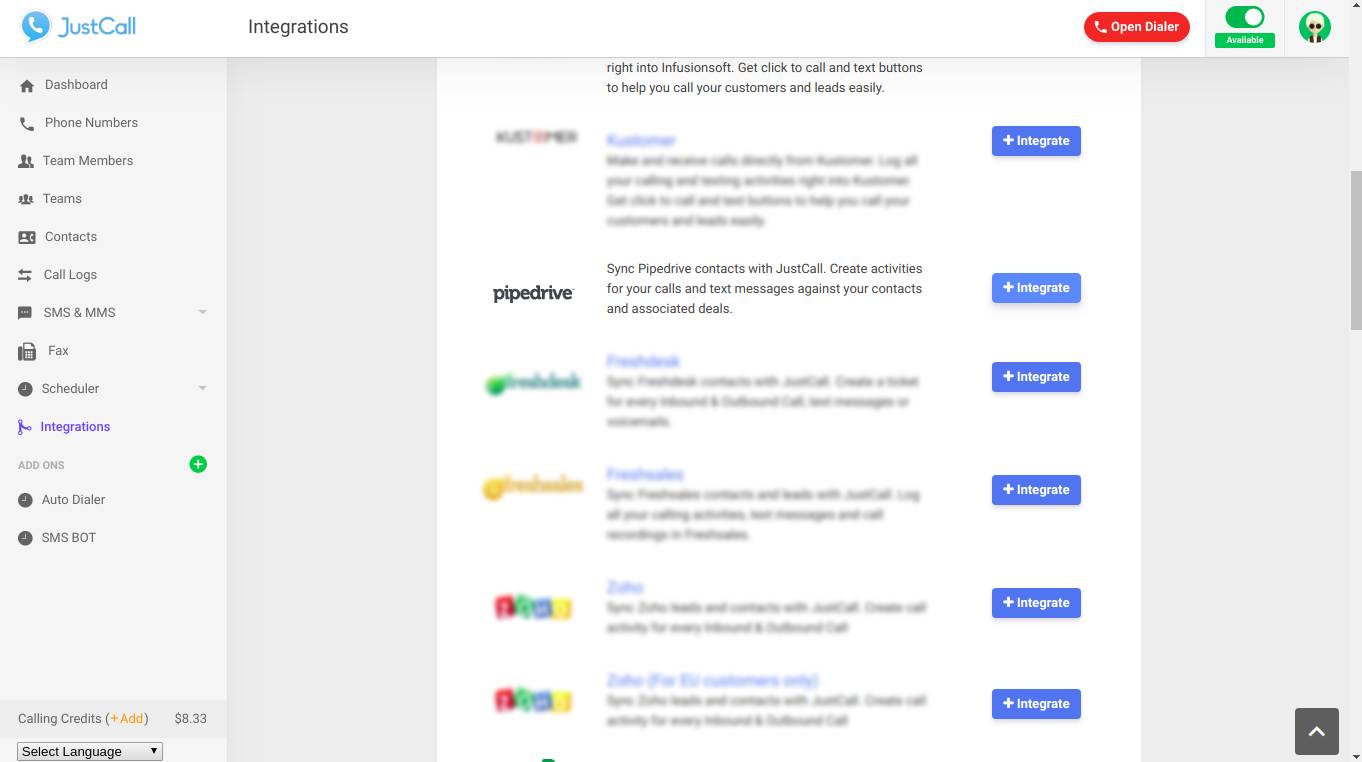
Companies can also use a CRM like Pipedrive can serve as an alternative affiliate marketing system.

Sign up for a free 14-day trial to see how Pipedrive can help you streamline your affiliate marketing operations.

7 Great Payroll Management Software Tools for SMBs

Software Stack Editor · April 15, 2025 ·

Payroll can be a complicated and time-consuming task for small business owners. Many see it as a chore they have to complete every two weeks.

Payroll management software automates parts of the payroll process, saving businesses time and minimizing the chance of errors.

In this article, you’ll learn about the best payroll management software, how these tools benefit your small business and features to look for when choosing one.

What is payroll management software?

Payroll management software manages and automates the employee payment process. It completes tasks like:

  • Filling in timesheets

  • Calculating wages and taxes

  • Sending payments to employee bank accounts

  • Filing federal, state and local taxes

The software reduces mistakes and saves business owners valuable time, allowing them to focus on revenue-driving tasks.

Most payroll software is cloud-based, meaning managers can access it from any location or device. On-premise solutions may suit businesses wanting to minimize payroll data visibility or comply with data protection laws.

Entrepreneurs can choose from standalone payroll applications or all-in-one software solutions – such as enterprise resource platforms (ERPs), human capital management (HCM) software and other human resources (HR) tools. The latter fulfill additional business processes, including HR management, invoicing, accounting and supply chain management.

All-in-one solutions offer a more streamlined payment process, thanks to additional small business management features.

Recommended reading

https://www-cms.pipedriveassets.com/Personnel-management.jpg

Personnel management: definition, importance and emerging trends

7 best payroll management software

With free payroll options and multiple payroll software vendors, it can be hard to find a suitable tool.

To help you, here are seven of the best payroll management software options and what makes them effective.

1. Gusto: best overall payroll software

Gusto is a feature-rich full-service payroll solution that helps businesses run payroll, administer benefits and hire staff. It supports small and medium-sized businesses (SMBs) looking for a single platform to manage the entire employee experience.

payroll management software Gusto

Gusto lets employers run payroll with a few clicks. It automatically syncs employee hours from Gusto’s in-app timesheets and third-party time-tracking tools. Then, it provides a summary for review and effects payments as soon as you click submit.

The software also handles IRS tax compliance and automatically calculates payroll taxes, filing them with the relevant government agencies every time you run payroll.

Gusto offers unlimited payroll at no extra charge, making it suitable for entrepreneurs who plan to scale their businesses rapidly.

It also includes:

  • Integrations with popular time-tracking tools like QuickBooks and Homebase to eliminate copy-and-paste errors

  • A benefits administration center for administering and managing health insurance plans, 401(k)s and other benefits

  • A self-service portal that lets employees access pay stubs and manage benefits, showing paycheck breakdowns and pre-tax savings

Pricing: Plans start from $49 per month, plus $6 per person

2. Rippling: best for automating workflows

Rippling is a cloud-based workforce management system that automates workflows for small business owners and startup operations.

Payroll management software Rippling

Its global payroll features include automatic tax form filing, direct deposits and various payment methods.

Use the workflow studio to automate tasks and processes like Zapier but for payroll. For example, you can create a workflow that automatically pays an employee referral bonus after a new hire has completed 60 days with the company.

Rippling also:

  • Integrates with over 500 apps – accounting and invoicing tools like QuickBooks, design apps like Canva, email marketing software like Mailchimp and more

  • Creates detailed payslips showing the hours worked, the tax percentage plus the value of benefits and overtime

  • Generates custom reports by pulling in employee data from third-party platforms to see average employee costs by department or country

Pricing: Available on request

Note: Rippling integrates with Pipedrive, letting you create a customer relationship management (CRM) account directly in the platform when onboarding sales reps. Similarly, you can delete Pipedrive accounts in Rippling when offboarding employees.

3. OnPay: most cost-effective payroll management software

OnPay is a cloud-based HR software and payroll provider designed for payroll processing for small and medium businesses.

Payroll management system Onpay

OnPay’s simple platform includes features like:

  • Automated tax payments and calculations to ensure compliance

  • Employee self-service online portal for managing personal data and accessing pay stubs and W-2 forms

  • Benefits administration such as health insurance, 401(k) contributions and workers’ compensation

OnPay offers some of the most affordable monthly plans for small businesses and doesn’t incur setup, implementation or additional fees. You also know exactly how much it will cost as your company grows.

Pricing: From $40 per month, plus $6 per employee

4. Paychex: best for payroll support

Paychex is an HR and payroll management platform that provides small business owners with different user support options.

payroll management software Paychex

In addition to payment and compliance services, it offers 24/7 phone and chat assistance. It also includes a knowledge center and additional help from an HR professional.

Other features include:

  • Payroll scheduling and approval to get ahead of payments before payday

  • A self-service portal for employees to access digital copies of pay stubs, see contributions and manage retirement accounts

  • Real-time payroll reporting that automatically flags errors to stay compliant

Pricing: Available on request

5. Patriot Software: best for running multiple payrolls

Patriot Software is an online accounting and payroll solution for small business owners who operate multiple payroll methods and schedules.

payroll management software

The tool supports various pay periods, including weekly, biweekly, semi-monthly and monthly. It also allows you to print physical checks.

Businesses that need to pay contractors or freelancers at irregular intervals can use Patriot Software to settle payments as often as necessary.

Other features include:

  • Year-end payroll tax filings (e.g., W-2) at no additional cost

  • Employee and contractor portals for printing pay stubs, viewing paychecks and managing personal information

  • US-based payroll support, available between 8 AM and 8 PM on weekdays

Pricing: Starts from $17 per month, plus $4 per employee

6. Intuit QuickBooks: best for combining accounting software and payroll

Intuit QuickBooks combines payroll, accounting and time-tracking data into your workflow to save almost four hours a week.

If you already use the software for bookkeeping, you can automatically integrate the payroll tool into the platform.

payroll management software Intuit Quickbooks

Besides automating the payroll process, Intuit QuickBooks allows next-day and same-day direct deposits – depending on your plan. It also calculates garnishments and other deductions.

Other features include:

  • Integrated employee benefits

  • A Workforce app for employees to view information like W-2s and track their hours without switching software

  • A mobile app to manage accounting and payroll from your mobile device

Pricing: Starts from $85 per month, plus $6 per employee

Note: QuickBooks integrates with Pipedrive, allowing you to create and send invoices without leaving your CRM.

7. Zelt: best HR and payroll management software

Zelt is an HR and payroll management software for handling employee-related processes within a single space. Features include payroll, benefits, time off, engagement and performance.

payroll management software Zelt

Zelt automatically collects information like bank details when onboarding employees and enters them in the system to enable payments.

Other features include:

  • Automated onboarding plus offboarding that shuts off access in less than 30 seconds

  • Customizable employee self-service portals for keeping information up to date

  • Workflow automation that lets you execute approval processes (including for PTO)

Pricing: Starts from $5 per seat per month

Note: Zelt integrates with Pipedrive, letting you automatically onboard and offboard staff without directly accessing your CRM.

What are the alternatives to payroll management software?

Instead of using software for payroll runs, you can manually process payments​​ or outsource the work to a third party. Manual processing makes sense for startups and small businesses, while enterprises may benefit from outsourcing the entire operation.

While both solutions can work, there are pros and cons to consider before choosing an alternative method to payroll software.

Manually processing payroll

As many as 51% of businesses globally still rely on spreadsheets to process payroll.

Although it looks cheaper on paper, the cost of an employee’s time may outweigh the monthly software cost. Recent surveys show that a single manual data entry costs $4.78.

Manual data also increases the risk of calculation errors, tax withholdings and compliance issues, which can lead to costly fines and penalties.

Outsourcing payroll

Outsourcing to a professional employer organization (PEO) takes payroll off your plate. A PEO will handle every aspect of payroll, including:
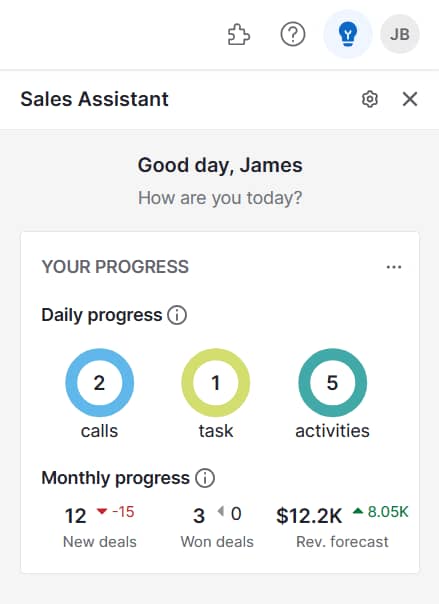
  • Calculating wages

  • Running payroll

  • Paying taxes

  • Generating reports

It can be reassuring to have a third party handle the regulatory aspects of payroll. According to PayrollOrg’s Getting the World Paid survey, compliance is the biggest challenge for 63% of businesses.

On the flip side, relying on a third party can result in a poor employee experience. Response times can be slow, for example. Data privacy concerns may also arise, particularly if the company doesn’t meet compliance standards like SOC 2 or ISO 27001.

Ultimately, businesses must weigh the trade-offs between cost, control, compliance and efficiency to determine the most viable payroll management solution for their needs.

Download your guide to managing teams and scaling sales

The blueprint you need to find a team of superstars and build a strong foundation for lasting sales success

Key features of payroll management software

While payroll system tools target different types of clients or industries, many share core features.

Here are the essential components every payroll management software should offer and why:

Feature

Benefit

Automated payroll processing

Calculating wages and deductions automatically saves you time and minimizes payroll errors.

Time tracking

Tracking employee time automates wage calculation for hourly workers, improving compliance and accuracy.

Direct deposit

Sending employee wages straight to their bank accounts eliminates the need for checks, so staff get paid promptly.

Expense management

Tracking, managing and reimbursing employee business expenses in one place keeps you on top of business costs.

Employee portal

Providing employees with an online hub to access and manage their information enhances satisfaction and reduces inquiries to HR.

Payroll reports

Tracking payroll data with interactive, visual reports identifies ways to optimize labor costs and avoid unnecessary expenses.

Tax filing

Automating lengthy tax calculations, preparation and submission speeds up the process and ensures compliance with local and international tax laws.
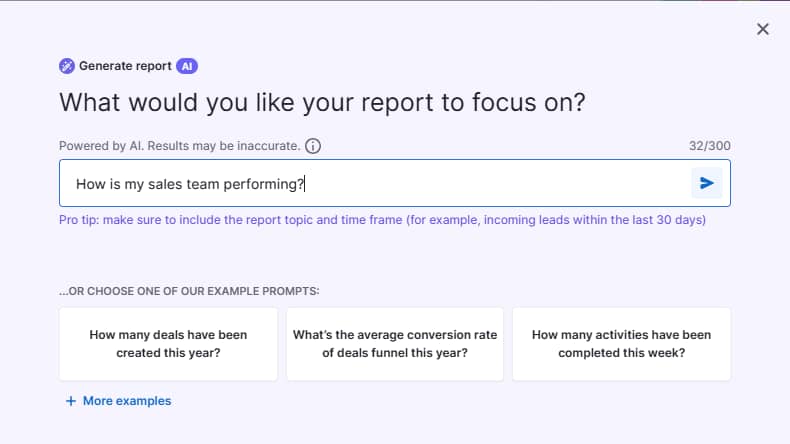
Benefits management

Administering employee benefits in your payroll software keeps compensation data in one place and minimizes context-switching – moving between different platforms.

Global payment processing

Paying employees in multiple currencies across different countries ensures efficiency if you plan to grow globally.

Wage garnishing

Collecting court-ordered payments like child support and student loans directly from employee wages helps companies stay compliant and avoid legal penalties.

While you might not need every payroll feature immediately, some – like global payment processing – may be vital as your business grows.

How to choose the best payroll software

Find the best payroll management software by evaluating tools using the following characteristics.

Ease of use

Intuitive tools are faster to adopt and use. Your payroll software’s user experience can be the difference between running payroll in a few clicks and wasting hours on the process.

Consider the following when choosing an easy-to-use tool:

  • An uncluttered, user-friendly interface that lets you focus on the task at hand

  • Clear navigation links to the tool’s key features

  • Search functionality that lets users find specific payroll features

  • Error notifications that flag when users input data incorrectly

  • An onboarding flow that walks you through account creation and your first payroll

Request a product sales demo or sign up for a free payroll software trial to evaluate each tool’s intuitiveness. If possible, use demo data to see what running payroll looks like.

Integrations

Payroll software that integrates with the rest of your tools will make you more efficient and productive. You can automatically transfer information from one platform to another, avoiding miscalculations and typos common with manual data entry.

Consider payroll management software that integrates with your time-tracking or timesheet software, for example.

Timesheets will appear automatically in your payroll software – ready for you to review, confirm and pay. This automation means you don’t have to manually copy data between platforms.

Many tools have dedicated pages listing their integrations, like Rippling’s App Shop.

Payroll management software Rippling App Shop

Check the integration pages of your existing tools, too. If you use Pipedrive as your CRM system, search its marketplace for payroll software with native integrations.

Use the AI-powered Marketplace search engine and its SmartApps recommendations for tailored app suggestions based on your company’s size and industry.

Payroll management software Pipedrive SmartApps recommendations

Native integrations easily connect tools to manage payroll, automating data transfers to save time and reduce errors.

Customer support

Having a team of experts on hand helps you quickly fix issues before they escalate. Payroll can be complicated, and even a short delay can lead to unhappy employees.

Prioritize payment software that offers you customer support in multiple forms, including:

  • Phone – make sure operators are available during your business hours

  • Email – check average response times to ensure prompt assistance

  • Live chat – ensure you’re speaking to a human, not an AI chatbot

  • A knowledge base – see if you can find helpful answers to likely issues or FAQs

Evaluate the quality of support, too. Prospective customers can check out review sites like G2 to tap into real customer service experiences.

Payroll management software GR review of Patriot

For example, the above review suggests that Patriot’s customer support resolves issues efficiently.

Scalability

Choose software that will scale with your small business to avoid upgrading to a different payroll tool later.

Characteristics to look out for include:

  • A wide range of pricing plans that help you manage costs when growing your team

  • Add-ons or integrations like localized payment methods that cater to your future needs

  • Customizable options – including the ability to add or remove features – for a personalized solution at a stable price

  • Frequent software updates that keep the platform aligned with emerging trends like new payment methods

Payroll management software can be particularly easy to outgrow because many platforms charge a per-employee fee. Avoid this scenario by stress-testing your monthly payment plan.

Consider how many more employees you want to add in the future and how that will impact the final price.

For example, an OnPay customer currently employing 50 people with plans to expand to 100 will see their monthly payment rise from $340 to $640. Transparent pricing makes it easy to assess future costs ahead of time. If the potential price rise is too steep, choose another software.

Security

Payroll data is among the most sensitive information your business holds. Make sure your software takes the necessary cybersecurity measures to prevent unauthorized access. Otherwise, you risk reputational damage, legal action and dissatisfied employees.

It’s best practice to have the following features:

Feature

Description

Data encryption

Software converts data into a coded form that can only be decoded with a specific encryption key, so confidential information remains private.

Multi-factor authentication (MFA)

Users must complete additional steps when logging in, such as in-app verification or entering an SMS code.

Role-based access control

Administrators can restrict access to specific user-based roles within your organization like HR or payroll, so employees can’t see everyone’s salaries.

Regular updates and patches

Patches keep software up to date and protect against cyber threats and potential exploits.

Cloud-based backups

Regular backups make it easy to restore information after a data loss event. Off-site data backups provide additional security by creating a physical copy that small businesses can control.

Before committing to a payroll tool, thoroughly review its security features on the provider’s dedicated webpage. Ask about its compliance with industry standards to safeguard your business against threats.

How to combine payroll software with Pipedrive

You don’t need an expensive finance and HR platform to manage the entire employee experience. Combining payroll management software with a CRM like Pipedrive delivers an equally effective and cost-efficient alternative.

Here’s how to extend Pipedrive’s functionality beyond lead and sales management.

Schedule work and track time

Pipedrive makes it easy to schedule work, assign tasks and track employee time. Use Pipedrive Projects to create a Kanban-style pipeline – similar to popular project management apps like Trello.

Payroll management software Pipedrive Project

Assign tasks and subtasks to individual employees, setting due dates to reduce bottlenecks. Integrate a time-tracking tool like Timely for employees to monitor their hours.

Storing important employee documents

Use Pipedrive’s Smart Docs to create, manage and store employee documents like contracts. Smart Docs works like a self-service portal, integrating with Google Drive to let users access and edit files.

Payroll management software Pipedrive Smart Docs

It can also act as a knowledge base, providing access to company-wide employee information such as health insurance plans and workplace policies.

Recommended reading

https://www-cms.pipedriveassets.com/improve-productivity-crm.png

13 ways to improve productivity with a CRM

Final thoughts

Payroll management software helps you pay employees faster while minimizing costly mistakes. It also handles tax and other compliance tasks to give you peace of mind.

Choose a tool that connects with your existing tech stack, such as your CRM, to automate workflows and avoid manual data entry.

Sign up for Pipedrive’s 14-day free trial to discover how the platform’s scheduling, time-tracking and document features integrate with payroll management software to create a comprehensive human capital management tool.

5 Ways to Use AI in Wealth Management

Software Stack Editor · April 15, 2025 ·

AI improves how wealth managers analyze markets, assess risks and spot opportunities. While traditional analysis might take days, AI processes millions of data points in seconds, helping advisors make faster, more informed investment decisions.

The challenge isn’t whether to use AI in wealth management but how to implement it effectively.

This guide shows you how to leverage AI in wealth management practice. You’ll learn to use AI to improve client returns, reduce risk and save hours on portfolio analysis. You’ll also discover three proven AI tools that integrate seamlessly with your existing systems.

What is AI in wealth management?

AI in wealth management combines machine learning algorithms, data analytics and predictive modeling to enhance how advisors serve their clients. Where advisors excel at client relationship building and strategic thinking, AI processes vast amounts of data to uncover patterns and opportunities humans might miss.

Here are some of the key applications of AI in wealth management:

Robo-advisors

Robo-advisors use algorithms to assess a client’s financial situation, goals and risk tolerance. Then, they manage and optimize investment portfolios accordingly. They also automate processes like asset allocation, rebalancing and tax optimization.

Predictive analytics

AI uses large amounts of data to predict trends and identify risks. This analysis helps wealth managers improve decision-making, reduce risks and take advantage of new investment opportunities.

Natural language processing (NLP)

NLP uses AI chatbots to engage in human-like conversations with clients. The software uses conversational intelligence to generate real-time responses to questions, investment updates and personalized service.

Machine learning

Machine learning algorithms analyze financial data to uncover hidden opportunities and risks. Wealth managers use these insights to refine investment strategies and improve portfolio performance.

Generative AI (GenAI)

GenAI is artificial intelligence that creates new content (like ChatGPT). It can generate personalized investment reports and other content based on client preferences.

AI technology can also automate routine tasks, such as:

  • Document processing

  • Data entry

  • Compliance checks

  • Tax reporting

AI advancements continually shape the wealth management industry. Studies show that 44% of financial companies use AI extensively, and 49% expect to make AI-driven changes in the next one to two years.

Another survey found that 91% of managers are currently (54%) or planning to (37%) use AI within their investment strategy or asset class research.

These statistics show financial advisors recognize the value of AI and its importance in driving success.

Wealth managers who fail to adopt AI risk losing out on key advantages like increased efficiency, deeper client insights and improved portfolio performance. As AI-driven competitors continue to evolve, those who lag may struggle to stay competitive.

Recommended reading

https://www-cms.pipedriveassets.com/State-of-AI-in-business-report.png

Unlocking the future: the role of AI in modern business

5 reasons to use AI in your wealth management business

AI helps wealth management businesses analyze data, improve portfolio management and make more accurate financial predictions. These benefits help advisors make faster, data-driven decisions to improve client outcomes.

Let’s explore these benefits (and a few others) in more detail.

Note: When evaluating AI tools, focus on capabilities like client communication analysis and relationship tracking that directly impact your business growth. Your CRM’s AI features should enhance client engagement while supporting your existing workflows and compliance requirements.

1. Streamline data analysis

AI processes millions of data points across market indicators, company financials and economic trends in seconds. Wealth managers would otherwise have to complete this analysis manually, which would take days or weeks.

This automated analysis helps advisors spot opportunities and risks they might otherwise miss. For example, when analyzing a client’s technology sector investments, AI simultaneously:

  • Evaluates supply chain data across semiconductor manufacturers

  • Monitors consumer electronics demand in key markets

  • Tracks industry-specific regulatory changes

  • Identifies correlations between these factors and stock performance

Advisors can use these insights to make strategic portfolio adjustments before market shifts impact client returns. Rather than reacting to market changes, they can position client portfolios proactively based on emerging trends.

Note: The effectiveness of AI portfolio analysis depends on the quality and comprehensiveness of market data. Wealth management firms need access to reliable, real-time financial data sources and market feeds to maximize AI’s capabilities.

2. Refine portfolio management

AI helps financial advisors optimize client portfolios by analyzing how different assets perform together under various market conditions. Instead of looking at investments in isolation, AI examines thousands of potential combinations to find the most efficient portfolio structure for each client’s goals.

For example, when reviewing a portfolio heavy in US large-cap stocks, AI might:

  • Identify stocks and bonds that would protect clients from market downturns

  • Calculate how adding specific international stocks could reduce overall portfolio risk

  • Show which alternative investments could improve returns without increasing risk

This analysis helps advisors fine-tune portfolios with precision.

Rather than making broad adjustments, they can recommend specific changes – like shifting 5% from growth stocks to value stocks – that improve the portfolio’s risk-adjusted returns while remaining aligned with the client’s investment strategy.

3. Improve financial risk management

AI enhances risk management by enabling financial advisors to assess and mitigate threats more precisely.

By analyzing vast datasets, AI identifies hidden correlations between assets, detects early signs of market volatility and simulates various economic scenarios to stress-test portfolios. This analysis helps advisors proactively manage risk rather than react to market downturns.

For example, when overseeing a diversified portfolio, AI can:

  • Detect early signals of market shifts and suggest proactive rebalancing strategies

  • Identify tax-efficient investment moves to maximize after-tax returns

  • Analyze cash flow patterns to optimize asset allocation for liquidity needs

This level of analysis allows advisors to move beyond generic investment strategies. They can make precise, strategic recommendations – such as reallocating a portion of fixed-income holdings to alternative assets – to protect them from potential losses.

Want to Learn How to Influence Your Prospect’s Buying Decisions?

Get inside the head of your customers and take advantage of consumer psychology with this Psychological Selling Guide.

4. Create accurate financial forecasts

AI helps wealth management advisors provide more accurate financial advice by analyzing vast amounts of market data, historical trends and economic indicators in real time. The software then identifies patterns and correlations that improve the precision of financial projections.

For example, when forecasting market conditions for a high-net-worth client’s portfolio, AI might:

  • Predict potential stock market fluctuations based on macroeconomic trends and geopolitical events

  • Assess how interest rate changes could impact fixed-income investments and suggest allocation adjustments

  • Identify early signals of sector growth, helping advisors capitalize on emerging opportunities

These insights enable advisors to make more informed, data-driven recommendations. Rather than relying on general market outlooks, they can provide tailored guidance to help clients confidently navigate uncertainty.

5. Keep on top of regulatory compliance

AI helps wealth management advisors stay on top of compliance and tax regulations by continuously monitoring changes in laws and regulations across different jurisdictions. Instead of manually tracking updates, AI automates this process, ensuring advisors always have the most current and relevant information to meet compliance requirements.

For example, when managing a client’s portfolio, AI might:

  • Automatically flag any regulatory changes that impact specific investment vehicles or asset classes

  • Identify tax-efficient strategies by analyzing a client’s portfolio and suggesting adjustments to minimize tax liability

  • Alert advisors when a portfolio allocation may trigger tax penalties or breach compliance thresholds

Constantly monitoring regulations allows advisors to make proactive, compliance-driven adjustments to portfolios – such as adjusting a client’s investment strategy to comply with new laws.

Note: AI-powered tools are helpful when managing compliance for international clients. The software tracks financial regulations and tax rules in different countries. As a result, you can ensure compliance for global clients.

3 user-friendly AI tools for wealth management advisors

You don’t need technical skills to add AI to your small financial services business.

Here are three user-friendly AI-powered tools that support key areas of wealth management.

1. Pipedrive: best for client management

AI in wealth management Pipedrive sales CRM

Pipedrive is a CRM that helps businesses find prospects, track interactions and nurture leads.

Financial advisors may manage many clients, making it hard to track conversations, follow-ups and client preferences. Pipedrive’s simple CRM helps by:

Centralizing information enables advisors to track key client needs and communications. It also frees time to focus on revenue-generating activities, like improving the user experience or growing their client base.

Additionally, Pipedrive has project management capabilities, allowing users to:

  • Map out activities in a Kanban board view

  • Create to-do lists with tasks and subtasks

  • Track projects with labels, custom fields and filters

  • Use Pipeline View to track wealth management activities in real-time

Here’s an overview of how Pipeline View works:

These features make it easier to track financial planning tasks and milestones. As a result, advisors don’t miss any critical deadlines or client commitments. Keeping on top of these activities builds trust and boosts client engagement, leading to higher customer retention.

Pipedrive also has AI CRM features that enhance the sales process and nurture leads. Here’s an overview of the features:

AI Sales Assistant

  • Analyzes the sales pipeline to uncover opportunities and suggest next steps

  • Helps wealth management advisors identify client opportunities and suggests actions that could drive better engagement and conversions

Pipedrive Pulse (AI sales prospecting)

  • Qualifies leads based on how likely they are to convert

  • Recommends next steps using deal history, sentiment analysis and past interactions, ensuring advisors take the most effective approach

AI email writer

  • Generates personalized emails based on lead details and deal history

  • Saves wealth advisors time by writing customized messages based on a client’s needs and history

AI email summarization tool

  • Condenses long email threads into clear, actionable summaries

  • Identifies buying signals and sentiment, enabling advisors to act swiftly on important client cues

SmartApp recommendations

  • Recommends apps and integrations tailored to company size, industry and specific needs

  • Helps wealth management advisors integrate the most effective apps to improve operations and boost productivity

AI-powered Marketplace search

2. FactSet: best for summarizing financial performance

AI in wealth management Factset

FactSet provides financial data and analysis for investment professionals. The platform helps advisors manage portfolios, assess risks and make smart financial decisions for clients.

Financial advisors may spend hours preparing client portfolio summaries. Factset’s AI automates this process, instantly generating detailed reports and market analyses. The platform offers two key AI features:

  • Portfolio commentaries. The system analyzes the client’s financial data to summarize their investment portfolios. It analyzes subperiods, compares portfolio benchmarks, reviews the market and identifies key strategies.

  • Transcript summaries. The Transcript Assistant uses generative AI to transcribe conversations from earnings calls. It also highlights key points and trends, making it easier for advisors to find important information.

Note: AI-powered transcript analysis can simultaneously process hundreds of earnings calls, helping advisors quickly identify market trends and potential investment risks across multiple sectors.

3. DataRobot: best for creating custom AI applications

AI in wealth management DataRobot

DataRobot helps users create and use AI tools to improve business operations. Users provide data, and the platform automatically selects the best algorithms and features.

These features improve how financial advisors deliver client services. They can create a dashboard to visualize key data at a glance, enabling them to make fast and informed decisions to improve client investments.

Get organized with your free sales pipeline excel template

Looking for a more streamlined way to manage your sales? Download this free sales pipeline template and test it out now.

Imagine a financial advisor managing a client’s portfolio. The advisor adds client data into DataRobot, and the software creates an AI model to analyze financial performance.

With this analysis, they can quickly spot top-performing investments, suggest asset allocations and highlight risks. The client gets better financial returns, and the advisor generates more revenue.

How do you choose the right AI tool for wealth management?

Start by defining your objectives. Do you want to improve forecasting accuracy? Optimize portfolio management? Refine risk management?

Here are other things to consider when choosing the right AI tool for wealth management:

  • Research integrations. Choose tools that integrate with your existing financial systems and software. These tools ensure smooth data flow and minimal disruption.

  • Consider scalability. Ensure the AI tools can scale as your business grows. They should handle large data volumes and complex operations without affecting performance.

  • Check usability. Look for tools that are intuitive and easy for your team to use. An easy-to-use system reduces the need for extensive training or specialized knowledge.

  • Assess vendor support. Choose AI providers that offer ongoing customer support. For example, having access to a dedicated account manager you can contact about any problems.

FAQs about AI in wealth management

  • AI helps wealth management advisors identify market trends, risks and investment opportunities.

    The software uses machine learning and NLP to analyze financial data and suggest improvements. For example, diversifying portfolios or optimizing asset allocation for better returns.

  • The AI asset management market was valued at $2.61 billion in 2022. It’s predicted to grow at a compound annual growth rate (CAGR) of 24.5% from 2023 to 2030.

    Other research predicts it’ll surge to almost $6 trillion by 2027.

  • AI relies on accurate data. The software needs high-quality, organized data to provide reliable forecasts.

    Here are some ways to do this:

    • Use consistent formats for dates, currencies and financial variables to prevent errors

    • Perform regular data audits to check for missing, incorrect or duplicate data

    • Store all financial data in a centralized, well-organized database to reduce data fragments

  • AI can make accurate predictions and recommendations. However, human advisors are still essential for strategic decisions.

    New technology can’t fully understand the broader context. People have a more nuanced understanding of industry trends, company culture and market factors.

    Combining AI with human insights is the best approach.

Final thoughts

Modern AI frameworks help wealth managers automate time-consuming tasks while delivering better investment advice. Choose intuitive systems that integrate seamlessly with your existing workflow and support various use cases.

Pipedrive’s AI features analyze client interactions and engagement patterns to predict which prospects need immediate attention and what services they’re most likely to need. This automation helps advisors focus their time on improving the client experience.

Ready to enhance your client relationships? Start with Pipedrive’s CRM system to track client interactions and optimize portfolio management. Sign up for a free trial today.

5 Best Attorney Invoicing Software Solutions

Software Stack Editor · April 14, 2025 ·

Attorney invoicing software automates time tracking, organizes expenses and generates accurate invoices for legal professionals. The software accurately records billable hours and costs and charges them to the right client.

In this article, you’ll learn what attorney invoicing software is, why it’s useful for law firms and key features to consider when choosing practice management software to bill clients. You’ll also discover five top systems to improve law firm billing.

What is attorney invoicing software?

Attorney invoicing software is a specialized billing and time-tracking solution for law firms. It helps legal professionals manage client billing, record billable hours, generate invoices and ensure compliance with legal industry regulations.

Invoicing tools also help law firms standardize invoice formats per law practices, such as the LEDES billing (Legal Electronic Data Exchange Standard) format.

For example, invoicing software like TimeSolv makes it easy to generate LEDES invoices. These documents feature specific codes for categorizing billable activities, expenses and time entries (which is necessary for LEDES formatting).

Instead of manually creating invoices with all this information, the software generates them automatically through an LEDES invoice template.

Here’s an example of how invoicing appears in TimeSolv’s interface:

Attorney invoicing software TimeSolv LEDES invoice

Other types of technology can also support the legal billing process.

For instance, a client relationship management system (CRM) organizes customer data, pricing structures and communication history, making it easier to streamline and personalize invoices.

Another example is a project management solution. Attorneys can track case progress, assign tasks and manage deadlines, ensuring accurate billing for tasks and milestones completed during a case.

Is attorney invoicing software the same as legal billing software?

While attorney invoicing software and legal billing share similarities, legal billing software typically covers a broader range of functionality:

Attorney invoicing software

Has features for creating and managing invoices for legal services. It focuses on generating invoices, tracking payments and managing client billing.

Legal billing software

Includes all aspects of billing for law firms. For example, time tracking, expense tracking, invoicing, retainer management and compliance with legal billing guidelines.

If you’re considering software for your law firm, the name difference between these systems isn’t significant. Instead, focus on the specific features you need, such as time tracking, custom billing rates or compliance features (like secure data handling).

Recommended reading

https://www-cms.pipedriveassets.com/CRM-Invoice.jpg

CRM Invoicing Solutions to Streamline Your Business

Attorney invoicing: 5 systems that make your life easier

Managing billable hours and invoicing can be a real burden for lawyers, especially when juggling multiple cases. It’s easy to lose track of the time spent on each activity, leading to inaccurate billing.

The right technology simplifies your efforts by automating time tracking, organizing expenses and creating invoices on your behalf, saving time and avoiding costly mistakes.

Here are some of the best legal billing software systems to consider:

Note: Not all of these tools are just invoicing systems. Some help you manage key elements of the invoicing process, such as client management, bookkeeping admin and so on.

1. Pipedrive: best for managing client interactions and timelines

Attorney invoicing software Pipedrive deals

Pipedrive’s CRM helps small businesses (including law offices) manage client relationships, automate follow-ups and monitor progress in deals or activities.

Keeping track of client communications, case management and pending invoices can quickly become overwhelming for legal teams – especially with multiple clients and complex cases.

Pipedrive lets legal teams handle all relevant information in a central location. You spend less time manually tracking emails, calls and billing updates and more time on higher-value tasks, such as legal research and client advocacy.

The invoicing feature allows you to create, view and send invoices to your invoicing app directly from the Pipedrive interface. Then, you can generate and track invoices alongside case progress.

Here are some other Pipedrive features that support legal teams to manage client interactions:

  • Client communication tracking. Log and organize all client emails, calls and messages in one place, ensuring you don’t miss any communications.

  • Customizable sales pipelines. Create custom CRM workflows tailored to your legal processes, helping you track each stage of a case and client interaction efficiently.

  • Automated follow-ups. Automate reminders and follow-up emails to ensure legal professionals never forget to contact clients – improving client satisfaction and maintaining strong customer relationships.

  • AI-powered insights. Use Pipedrive’s AI to analyze communication history and suggest personalized responses, saving time while ensuring client interactions are tailored to their needs.

  • Document management with Smart Docs. Store and organize critical legal documents in Pipedrive, making it easy to access case files and share necessary paperwork with clients.

  • Customizable dashboards. Create a dashboard with key invoicing data (like upcoming and overdue payments) for complete billing visibility.

In addition, Pipedrive has project management features that help legal teams monitor case progress and stay on top of key deadlines. Whether responding to a client query or sending them an invoice for your time, the software minimizes the risk of missed steps or delays.

Pipedrive also integrates with time-tracking apps like Timely, meaning that legal professionals can accurately record billable hours related to each task. As a result, invoices reflect the exact time spent on specific activities.

Crush your manual admin with this sales automation guide

Learn how to take advantage of new sales automation tech so you can spend more time selling

2. TimeSolv: best for tracking billable hours

Attorney invoicing software Pipedrive TimeSolv

TimeSolv is an e-billing time-tracking software whose interface lets you start and stop timers with a single click. You create a new task in the calendar, add a new time-tracking activity and work away.

Tasks like phone calls, emails and research can easily slip through the cracks if not recorded immediately. TimeSolv enables time logging of different activities.

You can also run multiple timers – manually starting one ends another. This flexibility lets you flow between tasks while continuing to track time for invoicing.

For example, if you’re preparing a deposition summary and need to pause to take a client consultation call, switch timers to track both activities accurately.

TimeSolv also has a user-friendly, cloud-based dashboard that displays key financial information at a glance. You can see how many hours you’ve worked for a client, the average cost per hour and the total billable amount.

3. LawPay: best for handling secure online payments

Attorney invoicing software LawPay Pipedrive

LawPay is a payment processing solution designed specifically for law firms. The platform accepts online payments and tracks client transactions in one place.

An essential aspect of invoicing is ensuring clients can pay their invoices easily. Without a reliable payment solution, law firms may delay receiving payments.

With LawPay, customers pay invoices online through a secure client portal. They can choose their preferred payment methods, such as credit cards, debit cards or e-checks to facilitate quick payment.

The software also ensures you receive payments in compliance with ABA (American Bar Association) and IOLTA (Interest on Lawyers’ Trust Accounts) guidelines. When you receive payment, LawPay deposits:

During the initial setup, you manually link your accounts. The tool then automatically allocates funds to the right account.

4. Quickbooks Online: best for end-to-end invoice management

Attorney invoicing software Pipedrive Quickbooks

QuickBooks Online is a cloud-based accounting software that streamlines financial management for businesses, including law firms. It offers features for end-to-end invoice management, including customizable invoices, automated billing and payment tracking.

Law firms can quickly become overwhelmed and disorganized without a system organizing invoices. A lack of structure can disrupt cash flow, strain client relationships and divert attention from higher-value tasks like case preparation.

QuickBooks Online centralizes everything in a digital dashboard so users can view, sort and manage all their billing activities in the tool.

The software also integrates with bank accounts for payment reconciliation. It matches client payments with corresponding invoices to maintain accurate records and provide clear visibility into cash flow.

Note: QuickBooks integrates with Pipedrive’s invoicing feature, allowing you to create and manage invoices directly in the CRM. Automatically generate invoices, track payments and get real-time insights into your cash flow.

5. Xero: best for automating client invoices

Attorney invoicing software Pipedrive Xero

Xero is an accounting software that helps law firms save time and bill accurately by automating key parts of the invoicing process, including invoice creation and payment reconciliation

Note: Xero integrates with Pipedrive’s CRM to generate invoices based on CRM data. Use the integration to automatically sync client data, track billable hours and ensure exact, timely billing.

With financial transactions tied to different cases, it’s easy for mistakes to occur – think misallocated funds or inaccurate timekeeping. These issues can delay payment and waste valuable time on manual reconciliations.

Xero bases its invoicing on case-specific data, linking time entries and financial transactions to the right clients to minimize billing errors.

Recommended reading

https://www-cms.pipedriveassets.com/Best-automated-invoice-generator-options.png

How to choose the right automated invoice generator for your business

Why is attorney invoicing software necessary?

Legal professionals have busy schedules, often juggling multiple cases with tight deadlines. Invoicing software relieves some pressure from legal teams, freeing time to focus on their core responsibilities.

Here are some of the benefits of attorney invoicing software:

Save time with automation

Automation relieves administrative pressure, allowing legal professionals to carry out more important tasks – like fulfilling their attorney duties.

Research shows that small law firms spend 9% of their working hours on administrative tasks and only 61% of their time practicing law. An invoicing system with automation can support attorneys by:

  • Automatically tracking their billable hours and expenses

  • Generating invoices accordingly

  • Sending the relevant invoices to the right client

Take Pipedrive as an example. By integrating with accounting tools like QuickBooks, attorneys generate client invoices directly in the CRM. Pipedrive automatically pulls data to populate your invoices and speed up the billing process.

As a result, legal reps spend less time manually creating invoices from scratch.

Find out more about Pipedrive’s QuickBooks integration in the video below:

Ensure accurate billing

Inaccurate billing compromises client trust. If you overcharge for your time or invoice for work you didn’t complete, those using your services may lose faith in your credibility. Plus, bill inaccuracies may damage your firm’s reputation, which impacts new case acquisition and client retention.

With accounting software, you’re less likely to create inaccuracies. The tool calculates your amounts, minimizing human error and billing clients correctly.

Note: Invoicing software is only reliable as long as you provide it with the right data. Keep the system accurate and up to date by regularly reviewing client details, tracking billable hours and expenses and doing periodic audits to spot discrepancies.

Improve cash flow by reducing late payments

Late payments are still an issue for legal companies, putting them in a tricky financial situation. Attorney invoicing systems help minimize this common problem by:

  • Integrating with payment providers. Link payment processing to your billing system so clients can pay directly from the invoice. For example, online payment solutions like Stripe and Paycove allow you to add links to your Pipedrive CRM invoices.

  • Offering multiple payment options. Give clients different online payment choices to help them settle invoices quickly and conveniently.

  • Sending payment reminders. Platforms like Pipedrive can automate email reminders for upcoming and overdue invoices to encourage clients to pay on time.

With the right software, you can invite on-time payments and build a stable cash reserve for your law firm. Make sure you have enough funds to cover operating costs and other expenses without relying on debt or outside financing.

Build trust with clients

For law firms, trust forms the foundation of client relationships and builds customer loyalty. If people don’t find you reliable, they’re less likely to return for future legal matters or refer your services to others.

Transparency is key to establishing client trust, which is where an invoicing system can help. Invoicing software allows accounts receivable teams to provide a thorough breakdown of:

  • Billable hours – clear, itemized time entries showing exactly what work attorneys carried out and how long they spent on each task

  • Expenses – detailed lists of any costs incurred during the case, such as filing fees, research costs or travel expenses

  • Services rendered – a breakdown of your services to ensure clients understand what they’re paying for

  • Payment status – current payment status, including any outstanding balances or overdue amounts, to help avoid confusion or disputes

As a result, customers can see a breakdown of what you’ve worked on and what you’re charging for. This visibility reduces the likelihood of misunderstandings or conflicts.

Say a client queries a charge on their legal invoice. Break down your bill into itemized hours, expenses and services to prove you’ve completed the work they’ve hired you to do.

Maintain compliance with trust accounting

Managing retainer billing arrangements and trust funds is a standard task for legal firms that requires strict compliance with regulations. Following these rules isn’t just about obeying the law – it’s vital for protecting your reputation.

IOLTA (Interest on Lawyers’ Trust Account) regulations require you to keep client funds in separate trust accounts – not mixed with the firm’s operating bank accounts – to protect their money and prevent misuse.

To ensure compliance, billing solutions:

  • Track retainers and balances – monitor client trust account balances to ensure appropriate use of funds

  • Separate funds – automatically distinguish between client funds and operational revenue

  • Generate compliance reports – provide detailed records to meet audit and regulatory requirements

Attorney billing software helps law firms manage trust funds efficiently, protect their reputations and fully comply with legal requirements.

Key features to look for when choosing attorney invoicing software

When managing a busy caseload and striving to provide top-notch service to your clients, you need an invoicing system that truly supports your work.

Here are some core features to look for when choosing a billing solution for your law firm:

Time tracking

Tracks billable hours in real-time, ensuring accurate invoicing for every task. It’s useful for logging time spent on calls, meetings or research.

Example: Record a 30-minute customer support or consultation call directly in the software for seamless invoicing.

Automated invoicing

Generates and sends invoices automatically based on logged time and expenses. This feature saves time and ensures consistency.

Example: Automatically send monthly invoices for ongoing retainer agreements with pre-filled details, such as the retainer balance and services performed.

Expense management

Tracks case-related expenses and links them to client billing, preventing overlooked reimbursements.

Example: Log court filing fees, expert witness costs or travel expenses directly into the client’s invoice for transparent billing.

Trust accounting compliance (IOLTA compliance)

Manages client accounts according to legal regulations, helping you avoid compliance issues.

Example: Use software that keeps client funds and operating revenue separate to comply with trust account rules.

Payment processing

Accepts online payments via credit cards, ACH transfer or other methods to speed up payment collection.

Example: Bill clients using an invoice with a “pay now” button for instant payment.

Financial reporting and analytics

Provides insights and reports on billing trends, revenue and productivity to identify areas for improvement.

Example: Analyze time spent on personal injury cases versus flat-fee cases. Adjust your hourly rate for more accurate profitability predictions.

Integrations

Connects with third-party tools to create optimal workflows and processes in your law firm.

Example: Sync time entries from Timely’s online booking system with your Pipedrive CRM to generate attorney services invoices using the QuickBooks integration.

AI functionality

AI enhances decision-making by analyzing billing patterns, predicting client preferences and automating key tasks.

Example: Use AI to identify clients who consistently make late payments. Then, adjust payment terms to ensure timely collection.

Not every law firm requires the same functionality. For example, if you already use time-tracking software, you won’t need it as a native feature in your invoicing system.

Here’s how to determine what attorney billing features you need:

  1. Start by assessing your firm’s current processes and tools

  2. Identify pain points, such as inefficient billing workflows or missed billable time

  3. Prioritize features that address these gaps and align with your firm’s size, client base and area of law

  4. Involve your team in the decision-making process to ensure the chosen solution meets everyone’s needs

Follow these four steps to guide you toward a billing solution tailored to your law firm’s needs.

Final thoughts

Attorney invoicing software saves legal teams valuable time. Instead of manually creating and tracking invoices, legal professionals can spend time on their core responsibilities – like actually performing legal practices.

Law firms can enhance invoicing efforts by integrating solutions like Pipedrive into their processes. In addition to streamlining invoice generation, Pipedrive’s intuitive CRM allows law firms to track case interactions, automate follow-ups and use AI insights to improve the client experience.

Sign up for a free Pipedrive trial to boost your law practice’s productivity and cash flow.

5 Key Benefits of Sales Consulting and an Alternative

Software Stack Editor · April 14, 2025 ·

Sales consultants are experienced experts in sales. They provide support for businesses that want to rejuvenate and optimize sales functions.

The potential benefits of this optimization can have transformative effects on business growth. However, if you’re not ready to invest in outside services, there are alternatives to sales consulting.

In this article, you’ll learn what sales consulting is, what challenges it can solve and exactly how it works so you can decide if hiring an expert is what your business needs to succeed. We’ll also give you alternatives that might better suit your situation.

What is sales consulting?

Sales consulting is an advisory service that helps businesses improve their sales processes to increase sales and generate more revenue. A business might hire a sales consultant to identify weaknesses, help them implement improvements and achieve sales goals.

Consultants can also be solo experts or sales consulting companies (like global firms Kornferry or McKinsey) with multiple experts to serve businesses needing support.

Some sales consulting firms, like Bain & Company, will also serve other functions, such as marketing.

Sales consulting firms can serve other functions, such as marketing, to achieve several outcomes

When it comes to sales, different types of consulting can help businesses achieve a range of outcomes, including:

  • Sales strategy consulting. Develops and implements better long-term sales strategies.

  • Sales process consulting. Analyzes and optimizes existing sales processes and workflows.

  • Sales technology consulting. Advises on and supports the integration of new sales technologies.

  • Sales training consulting. Provides training programs to enhance sales teams’ knowledge or skills.

  • Sales performance consulting. Evaluates and develops key performance indicators (KPIs) to improve performance measurement.

Sales consultants will adapt their approach to suit various industries or may specialize in different business types.

For example, B2B sales consulting (business-to-business sales consulting) will likely focus on refining the sales cycle and building strong customer relationships. B2C (business-to-consumer) consulting might instead focus on understanding consumer behavior and crafting smoother conversion pathways.

Versatility like this makes sales consulting a popular solution. It’s currently a $5 billion industry projected to reach a total market size of over $7 billion by 2030.

The more popular sales consulting becomes, the more likely your competitors will benefit from it. Therefore, finding ways to tackle weaknesses or challenges in your sales process is critical to stay ahead.

Recommended reading

https://www-cms.pipedriveassets.com/blog-assets/sales-methodology-illustration.png

Sales methodology: how to choose the right one for your business

Why do businesses need sales consultants?

Every business faces challenges. Sometimes, you need a little help to solve them. Sales consulting allows businesses to draw on external problem-solving expertise to learn solutions to big and everyday problems.

The sales consulting industry is growing because modern life has brought several challenges to closing deals. Here are several broad challenges that have led businesses to require sales consultants.

Challenge 1: changing customer expectations

Customers increasingly expect the businesses they interact with to take a personalized approach. They’re quick to move on if they’re unsatisfied.

A study by McKinsey discovered how important personalization is to customers:

  • 71% of the respondents expected personalization from brands

  • 76% said they get frustrated when they don’t receive it

  • 78% claimed they were more likely to make repeat purchases from brands that engage with them on a personalized basis

Sales consulting: How personalized customer interactions can lead to more sales

Using personalization techniques in sales is essential to winning customers over, nurturing them toward conversion, and developing customer loyalty. However, it’s not a simple change for many businesses.

Sales consultants help businesses realize the benefits of personalization through sales process recommendations and initiatives like:

  • Tailoring messaging to suit each customer

  • Celebrating customer milestones

  • Offering targeted pricing deals or promotions

  • Following up post-purchase

  • Providing an engaging onboarding process

  • Using technology to achieve personalization at scale

Sales consultants provide businesses with the expert support they need to manage the complexity of large-scale personalization, meet customer demands and increase sales.

Challenge 2: increasingly complex buying journeys

The modern customer journey is complex, involving many touch points across online and offline channels.

Businesses require sophisticated strategies to nurture leads throughout the journey, minimizing the risk of losing them.

In B2B markets, this is particularly true. Gartner found B2B buyers often face complex purchasing decisions that involve five to eleven decision-makers on average.

Data shows these buyers are 1.8 times more likely to report a high-quality deal when they engage with digital resources or tools alongside a sales representative.

Sales consulting: How buyers are more likely to report high-quality deals when they engage with digital resources alongside a sales representative

They’re also 2.8 times more likely to make a deal when the information they get from the supplier’s website and sales representatives is consistent.

Sales consultants can develop more effective cross-channel lead nurturing processes to meet buyer demands better, improve customer experiences and overcome objections. They may offer recommendations on areas like:

  • Identifying key talking points to cover in content and sales approaches

  • Using diverse content formats to support self-service research

  • Creating lead magnets that businesses can use to show purchase intent

  • Establishing a link between sales and marketing to share insights

  • Equipping sales with tools to understand customers’ digital behaviors

Rolling out these tactics helps businesses maximize their digital assets and the impact of their sales reps on conversion rates.

Challenge 3: more competition than ever before

Crayon’s 2024 Competitive Intelligence report revealed that 57% of leaders think their market is much more competitive than in recent years. Their data also showed that 65% of sales opportunities in the average company’s pipeline are competitive.

Sales consulting can help businesses develop better strategies to win these contested deals.

How sales consulting can help develop better strategies within increasingly competitive markets

Sales teams need to know how to outmatch competitors and demonstrate their products’ benefits. To do this, they need value-focused and well-organized sales strategies.

9 steps to creating the perfect sales strategy (with free template)

In this handbook, we’ll walk you through what your sales strategy needs, plus there’s a free strategy template to get you started!

Businesses can draw on the expertise of sales consulting companies to improve their competitive intelligence (CI) capabilities and reinvigorate their sales tactics.

Support might include developing strategies for:

  • Communicating key differentiation factors

  • Collating CI in sales battle cards

  • Making it easier to keep CI data updated

  • Using dedicated CI software to streamline the function

  • Integrating AI in the CI process to get better insights

  • Creating stronger links between sales and product teams to share insights

A more sophisticated understanding of competitors and better resources to refer to when tackling objections help sales teams convert leads more efficiently.

Challenge 4: access to a wealth of information and options

Lots of markets are competitive environments with an abundance of choices. Customers often empower themselves to make purchasing decisions through independent research.

It’s up to businesses to provide the information their customers need and ensure their sales professionals demonstrate particular expertise to add value.

An Accenture study found that 73% of customers feel overwhelmed by the available buying options. As a result, around 74% of people abandon purchases.

Sales consulting: How the abundance of options can lead buyers to abandon purchases

Sales consulting can help businesses stand out from competitors by implementing strategies that facilitate customers’ research and buying processes.

Strategies might include:

  • Developing research methods to discover key customer insights and pain points

  • Creating content to attract customers who are conducting research at the top of the funnel

  • Designing content funnels that nurture leads toward purchases

  • Equipping salespeople with tactics to add value to the bottom of the funnel

Implementing them can fill sales pipelines with more leads and ensure sales teams can add value to the bottom of the funnel.

Recommended reading

https://www-cms.pipedriveassets.com/blog-assets/1164x609-1.jpg

How to track, measure and improve your team’s sales performance

How does sales consulting work?

All sales consulting firms work differently, and no two sales consulting processes are identical. However, there are some general steps involved in most consulting projects.

Here are the key components of a typical sales consulting process.

Step

Description

Step 1: needs assessment

Sales consulting begins with a discovery phase. Consultants take the time to understand your business goals, sales challenges and current processes.

In this stage, they gather all the necessary information through interviews, observation and data analysis.

Step 2: strategy development

Based on their findings, sales consultants will develop a bespoke sales strategy. It will address weaknesses in your current process and align with your objectives.

Usually, sales consultants conduct this stage in collaboration with internal sales leaders.

Step 3: implementation and integration

Consultants work alongside your sales team in this stage to integrate the new strategy.

Employees will receive relevant training on new processes and tools, set up new technology integrations and update SOPs.

Step 4: measurement

Sales consultants help you establish appropriate key performance indicators (KPIs) for your new sales strategies and ensure you track the right metrics through analytics platforms.

They can also work with you to analyze data and refine the strategy.

Step 5: ongoing support

Many sales consultants offer ongoing coaching and support following the adoption of their strategy.

Support like this helps your sales team get familiar with new processes, approaches and technologies quickly and effectively.

5 ways sales consulting can help your business

Most sales consultants work toward similar fundamental goals, such as increasing leads generated, conversion rate and revenue. However, they can take different approaches to achieve these goals.

To illustrate what sales consulting can do for you and help you decide if it’s worth investing in, here are five ways sales consulting can help businesses.

1. Developing new sales strategies

Sales consultants bring a fresh perspective that inspires new sales techniques and strategies. They can identify gaps in your current approach and propose better methods to nurture and convert leads.

Suggestions include introducing more accurate lead scoring to identify best-fit leads or helping your sales team focus their energy more efficiently.

It can also involve more complex actions, such as creating a powerful competitive intelligence function, which will improve your sales team’s ability to sell your business’s unique value proposition and help you overcome the competition.

More effective sales strategies delivered by consultants can improve your average lead quality, use time better and increase your conversion rate.

2. Optimizing your existing sales processes

Sales consultants understand what makes sales functions work effectively. They can analyze your current sales processes to identify weaknesses and find ways to strengthen them.

You can find opportunities across the sales function, including:

Sales consultants’ unbiased external perspective makes their insights particularly valuable. Your internal sales team may find it more difficult to identify weaknesses in the existing system because they’re so used to it.

Optimizing processes following the insights from sales consulting increases efficiency. It allows your sales team to operate with increased scope at reduced cost and can influence their success in KPIs like conversion rate.

3. Integrating new sales technologies

Various sales technologies can drive better performance, from sophisticated customer relationship management (CRM) platforms to sales automation solutions. Sales consultants can advise you on implementing these technologies effectively to improve process efficiency and overall performance throughout your sales function.

Different technologies offer unique benefits such as:

  • Better customer research tools allow you to get deeper insights into customer pain points and preferences

  • A more effective CRM makes it easier to manage customer data and tailor sales approaches to suit key accounts

  • Automation tools reduce the burden on your sales team to carry out monotonous tasks, giving them more time to spend on nurturing leads with a personal touch

The right sales tools for your business will depend on your unique needs. An effective sales consultant can help you make an informed decision about the right option.

Crush your manual admin with this sales automation guide

Learn how to take advantage of new sales automation tech so you can spend more time selling

Sales consultants can also help you use technology to create better integrations between sales and other departments so that they can seamlessly share critical insights. Marketing, customer service and finance can all benefit from these insights.

4. Delivering sales training or coaching to the team

Training from sales consultants equips your team with new techniques and improved confidence. It can help them nurture leads more effectively and generate conversions at a higher rate, paying for itself over the long term.

Sales training is tailored to your needs, addressing your team’s weak points or skill gaps.

Consultants determine where you most need support through interviews and observation. Based on their findings, they design a customized training program and deliver it through methods like workshops and shadowing.

Sales coaching can cover basic principles like persuasive communication. It can also involve more complex techniques, like how sales management teams can create and use battle cards to overcome deep-set objections.

After-sales consulting training, your team will be better equipped to tackle their most common sales process challenges. They’ll also feel more valued, boosting retention and contributing to long-term success.

5. Establishing better-fit sales KPIs

Sales consultants can help you define KPIs that make it easier to measure success in the most important areas of sales performance – essential to driving meaningful improvements in the future.

Aligning your KPIs with your sales objectives will give you more precise insights into your sales approach. Focusing on the right sales metrics will strengthen your ability to reach your goals.

For example, perhaps you track deals closed, but that doesn’t paint a clear picture of where things go awry. You know you need more detailed metrics, but you don’t know if it’s worth focusing on short-term activities like demos made or initial calls booked to get results fast.

Sales consultants bring vast experience in sales performance measurement. They can recommend better KPIs to suit your sales goals and help you implement tracking solutions that allow you to measure performance accurately.

This change can impact overall business success by ensuring your sales team works toward the right sales KPIs to influence revenue.

What to do if sales consulting isn’t the right move

Sales consulting may not be the right solution for your business or not the right move right now.

It can be challenging to get adoption and buy-in from others, and even if you do, it can lead to more meetings and process overhauls.

You can use dedicated sales tools as an alternative (or a supplement) to sales consulting services to optimize sales processes, provide AI-powered insights and simplify lead generation and scoring.

Tools like these offer simple and intuitive ways to streamline sales processes, strengthen relationship-building capabilities and boost conversion rates.

Take Pipedrive, for example. You can get key insights unique to your business from your dashboard. See exactly where deals stall in your pipeline, your win rate, completed activities and more.

Pipedrive’s Insights dashboard can help you get the most from your customer and sales data. Like a consultant will analyze your data and bring you the best next steps, so can your CRM.

Sales consulting: How Pipedrive’s tailored dashboards can help you improve strategies, track sales KPIs and forecast revenue

You can even create tailored dashboards to identify high-performing strategies, track sales KPIs and forecast revenue. The dashboards ensure you have a complete overview of important data and can get the right insights to adapt your strategy effectively.

Pipedrive also harnesses the power of AI to provide you with up-to-date tips on your sales flow. The AI Sales Assistant, for example, continuously analyzes your deals and communications to provide you with top advice, such as productivity tips and inactivity reminders.

Sales consulting: Pipedrive’s AI Sales Assistant can offer you advice to improve your sales flow

The sales CRM can also streamline your operations, allowing your team to work more efficiently and focus on higher-value tasks.

The Pipedrive Sales Automation system allows you to automate repetitive administrative tasks that take up time in every sales process, such as sending follow-up emails, scheduling calls and transferring leads between reps at new deal stages.

Sales consulting: How Pipedrive’s Sales Automation System saves you time by automating repetitive administrative tasks

It also includes the Smart Contact Data feature, which pulls valuable information about your leads from the web and social media in one click. This allows sales teams to pre-qualify contacts and prepare their sales approach.

If your team needs help with prospecting, lead management software makes pipeline management more efficient. It allows you to build highly customizable dashboards that make it easier to conduct prospecting, build relationships with leads and track deals from first contact to conversion.

Other lead management tools, such as live chatbots and customizable web forms, offer opportunities to create new conversion pathways and feed leads directly into your CRM.

Recommended reading

https://www-cms.pipedriveassets.com/Application-of-CRM.png

The many applications of CRM in business

Final thoughts

In increasingly challenging markets, the expert insights delivered through successful sales consulting can be instrumental in achieving revenue growth.

Sales consultants offer an objective perspective that can help you identify and rectify weaknesses in your sales operations. Addressing these weaknesses can help you hit – or even exceed – your sales targets.

Alongside better use of sales technology, consulting can help boost your sales function’s impact and drive more business success over the long term.

  • « Go to Previous Page
  • Page 1
  • Interim pages omitted …
  • Page 8
  • Page 9
  • Page 10
  • Page 11
  • Page 12
  • Interim pages omitted …
  • Page 28
  • Go to Next Page »

Get your Software Stack together. softwarestack.tech

Software Stack

© 2024–2026 - Software Stack is a trading name of SouthwestCIO Limited ac ompany registered in England & Wales 11319049

  • Knowledgebase
  • Home
  • About Us
  • Contact Us