

You asked, we listened: mobile interfaces are now available with our iOS update.
Whether you’re commuting, away from your desk, or simply prefer working on your phone or tablet, you can now effortlessly view and manage interfaces from Airtable’s iOS app.
You’ll also find new capabilities that make Airtable even more intuitive (scroll down for the details).
Introducing mobile interfaces on iOS
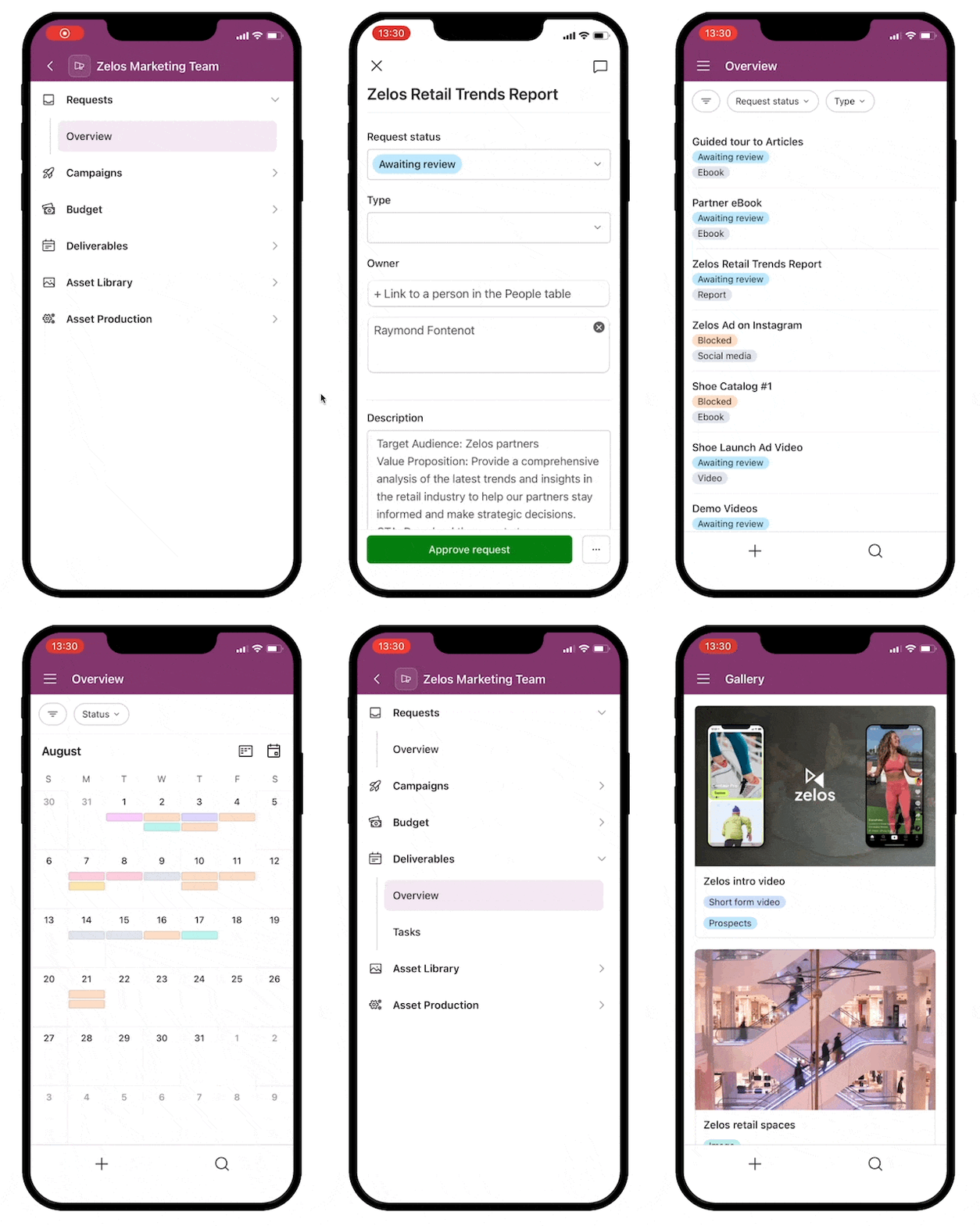
Our iOS update lets you manage interfaces on mobile. After updating your Airtable app, you’ll be able to:
- View recently opened and starred bases and interfaces
- Add comments
- Update fields
- Search for a particular base or interface
- Navigate different views, including List, Gallery, Calendar, Kanban, and Form
Update your Airtable app now
Speed things up with these three features
These new features make it even easier to get working in Airtable.
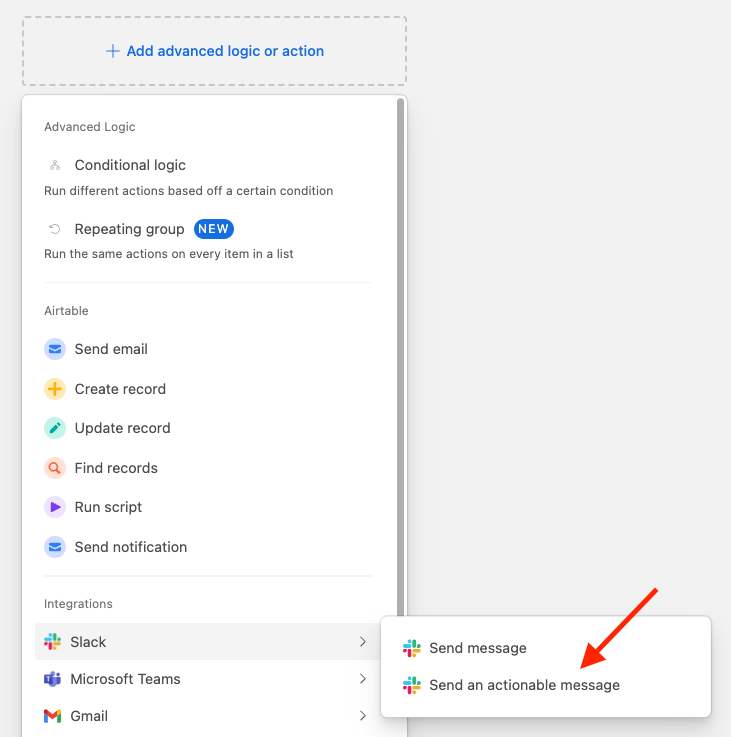
Send actionable notifications in Slack: Make quick changes to records–without switching between apps. Turn Slack notifications into buttons that let team members update Airtable records directly. Just add the “Slack: Send an actionable message” step to an automation to streamline your work.
Add groups to your List View: Add up to two groups to your List View so you can get more organized. Use the drag-and-drop function to move records between groups and better represent your data.
Filter for failed automations: Want to know where you went wrong in your automation? You can now identify all of your failed automations at once with a filter, then start debugging. You can also set a filter to show your successful runs.
Learn more from our experts
Want to learn more about interfaces? Check out our Interface Designer trainings now. Our webinars cover:
- How to build a custom interface for your Airtable app, step by step
- How to share your interface with the right people
- How to combine the data, logic, and interface layers of Airtable to build apps designed to power essential workflows
- A preview of how Airtable AI accelerates workflows when incorporated into an app
Watch them when you’re ready to take your app-building skills to the next level.
Intro to Interface Designer webinar
Advanced Interface Designer webinar