• Skip to primary navigation
  • Skip to main content
software stack logo

Software Stack

Get your Software Stack together

  • Knowledgebase
    • All Categories
    • Accounting Software
    • Automation & Workflow Software
    • Customer Relationship Management
    • E-Commerce Shopfronts & Payments
    • Marketing Automation
    • Online Courses & Membership
    • Project Management
    • Surveys & Forms
    • Web Hosting
  • Home
  • About Us
  • Contact Us
  • Show Search
Hide Search

Webflow

7 free writing apps for designers and writers in 2024

Software Stack Editor · January 1, 2024 ·

If writer’s block has you staring at a blank page, your next burst of inspiration might be an app away.

With thousands of writing apps available, it’s hard to know where to start. Whether you’re tangled in the brainstorming phase or lost in the editing maze, we’ve handpicked the top free writing apps for designers, writers, and creatives. Follow our lead, and let these digital helpers guide you to writing success.

How do writing apps help?

Writers of all backgrounds and experience levels encounter creative challenges. Writing applications provide useful solutions for everyone, from professional writers and designers to individuals mastering a second language. These apps can transform time-consuming, poorly communicated projects into efficient, high-quality content, enhancing creativity and effectiveness. 

Writing apps can improve your writing process by:

  • Speeding up processes
  • Improving your designs
  • Communicating designs effectively
  • Diversifying your services

Speed up processes

Writing apps using generative AI produce large volumes of content quickly. While the initial output might not be perfect, it’s an excellent starting point. Using generative AI can provide inspiration and reduce the time and effort you need to transform a blank canvas into a polished product.

Improve your designs

Effective writing refines designs. Crisp, error-free copy, whether on a website or in a brochure, builds reader trust and boosts conversions. You can leverage writing apps to refine microcopy and UX writing elements, including headlines and calls-to-action (CTAs) — all while ensuring more inclusive language. These apps can help you avoid common SEO writing mistakes and as well as communicate more effectively with your audience, aligning written content with visual elements for a cohesive and user-friendly experience.

Communicate designs effectively

Using writing apps can sharpen design communication by guiding clear and persuasive articulation and enhancing content and presentation. This articulation adds value to tasks like presenting your design portfolio, collaborating on projects, or offering insights to those seeking advice. While they’re not a replacement for comprehensive written communication training, these apps offer valuable tools to help designers communicate more effectively. 

Diversify your services

Integrating writing services into your offerings can expand your creative reach. For example, leveraging tools like Copy.ai can empower web designers to craft marketing materials as part of a comprehensive design and marketing package. Alternatively, they could use app-generated blog post ideas as part of a content marketing and search engine optimization (SEO) strategy.

7 types of free writing apps for each stage of your project

Today, various free writing software are available, each offering tools to support every aspect of the writing process, including research management, idea generation, writing, editing, and time organization.

Here are our top picks for the best writing apps. Our curated list includes a variety of tools, both AI-powered and traditional. Some of these offer a “freemium” model, providing basic options for free with optional paid plans for more advanced features, while others are completely free to use.

1. Research: Google Keep
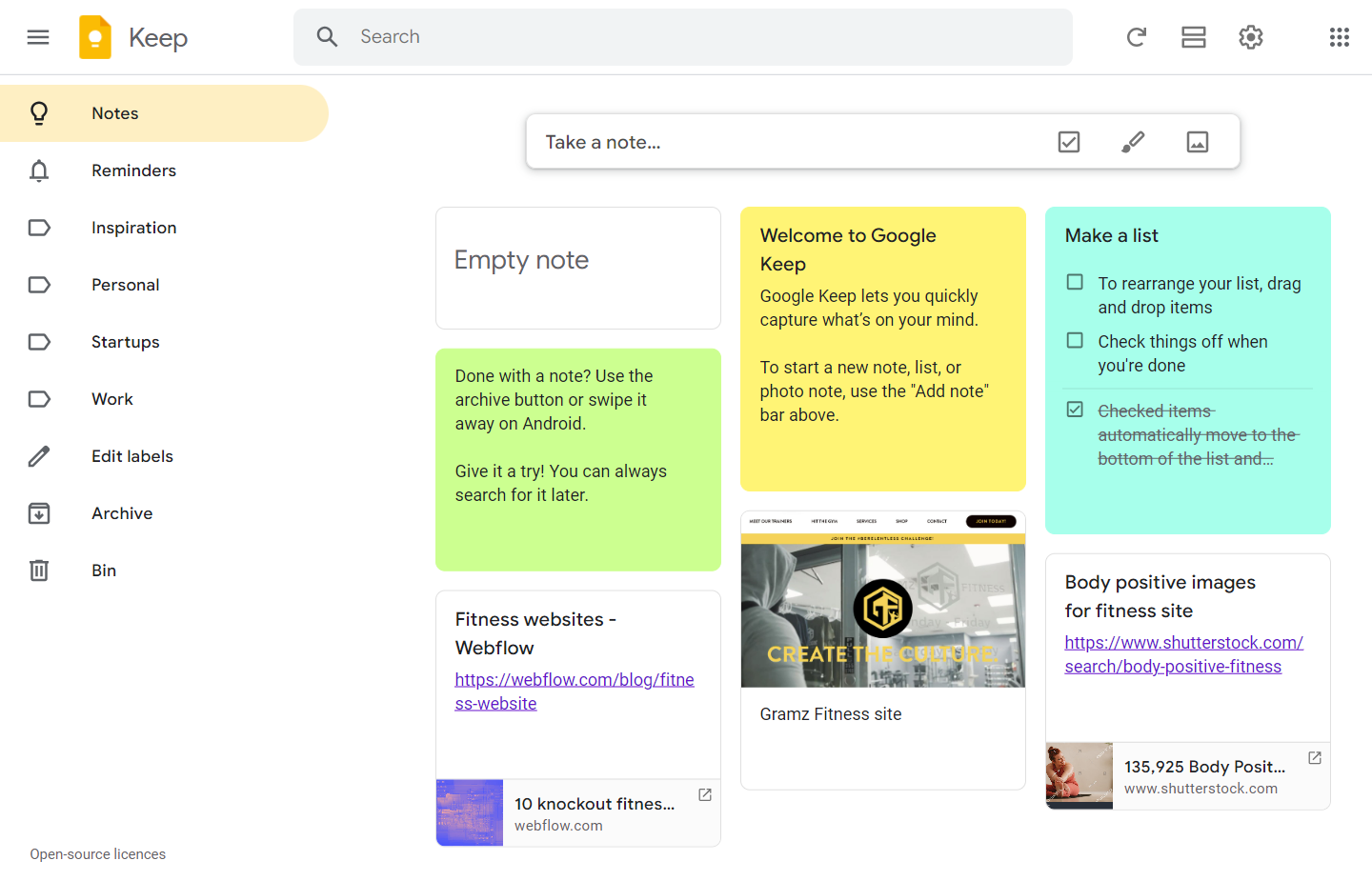
Google Keep screen with fitness website design notes.
Source: Google Keep

If you enjoy having multiple browser tabs open simultaneously, consider using Google Keep to manage everything. With Keep, you can save essential websites, notes, drawings, and images all in one spot. Rearranging your notes is simple with a drag-and-drop feature. Available as a Chrome extension and a mobile app for Android and iOS, Keep offers a practical way to organize your research — like a collection of digital Post-It notes.

Pricing: This app is completely free.

2. Ideas: Ahrefs Content Idea Generator

Ahrefs Content Idea Generator screen showing a large input field with text saying “a blog post about designing fitness websites.”
Source: Ahrefs

The Ahrefs AI-backed Content Idea Generator is a powerful ally in conquering writer’s block. Designed with bloggers in mind, this generator refines broad topics into focused articles by suggesting different approaches to the content, allowing complete control of the register (formal, casual, professional, creative, academic, or simplified), the language, and the output length. Ahrefs goes beyond tackling writer’s block by offering free complementary tools — an SEO-optimized title generator and a meta description generator enhance online content visibility.

Pricing: The content idea generator is included in Ahrefs’ free marketing tool set, along with an alt text generator, a title generator, and a meta description generator. Full Ahrefs packages, which include SEO and other website tools, range from $99/month (Lite) to $999/month (Enterprise).

3. Writing short-form copy: Copy.ai
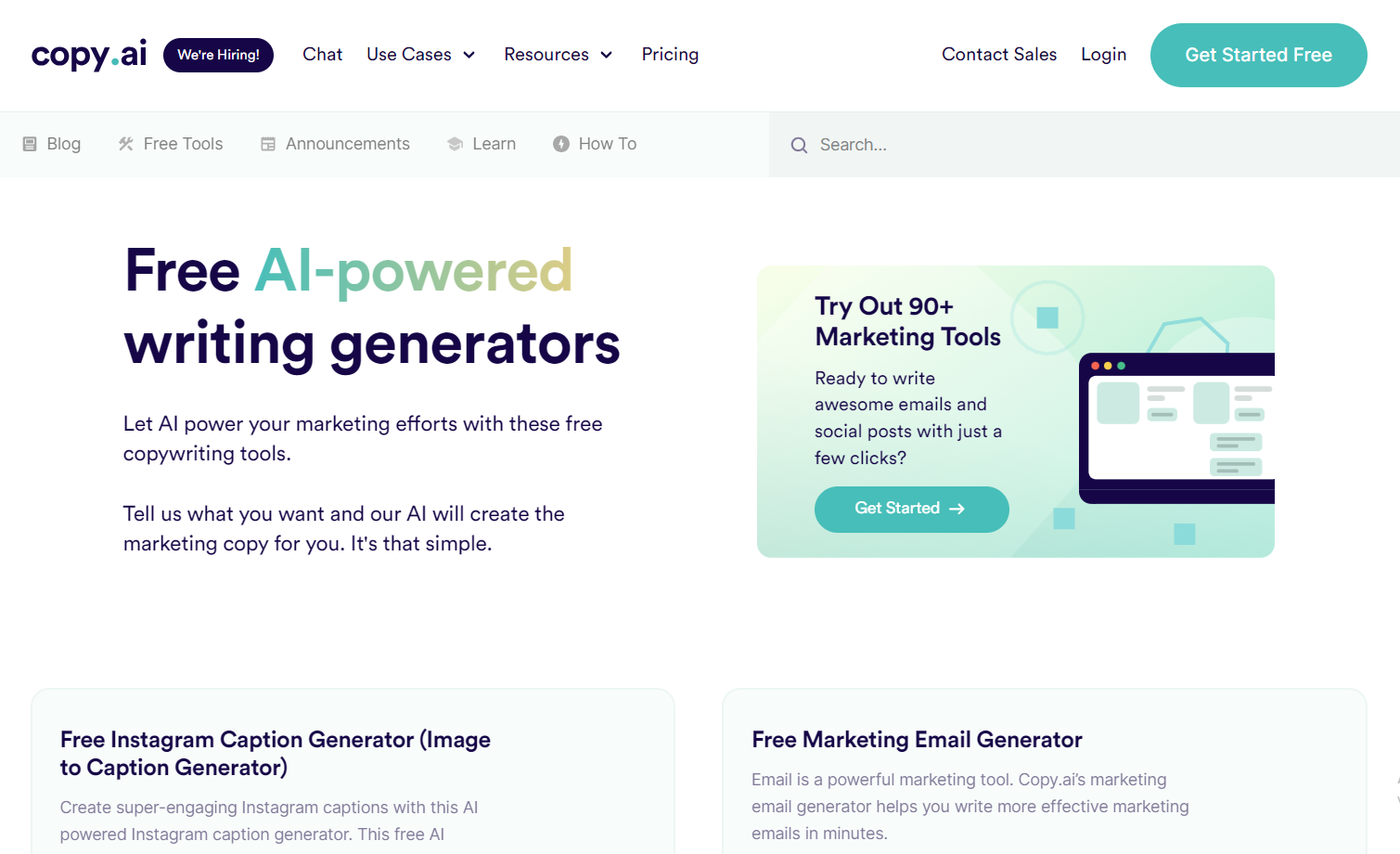
Copy.ai tools page with text saying “Free AI-powered writing generators.”
Source: Copy.ai

‍Copy.ai harnesses AI to create marketing materials, including social media posts and captions, marketing emails, digital ads, product descriptions, website copy, and blog posts. It’s perfect for designers marketing their services or those wanting to offer marketing materials to clients. You can tailor the output to your brand voice by choosing a writing style — including friendly, witty, and empathetic — or uploading existing content so the software can analyze and recreate it in your style.

Pricing: The free plan covers one user seat and up to 2,000 words. The Pro plan, which offers unlimited words and five user seats, costs $49/month. 

4. Writing long-form pieces: FocusWriter

FocusWriter screen showing text on paper against a wood background.
Source: FocusWriter

While many AI-based apps can produce long-form pieces, they often exhibit inaccuracies and lack nuance. Despite technological advances, the depth and originality of human voices remain unmatched. To harness AI’s potential, many professionals, from writers to designers, benefit from distraction-free environments to enhance their productivity. Desktop apps like FocusWriter offer spaces that minimize digital interruptions, including features like daily goals to maintain productivity, adjustable themes to cater to individual preferences, and typewriter sound effects to enhance the tactile experience.

Pricing: This app is completely free (although donations are welcome).

5. Editing: Grammarly
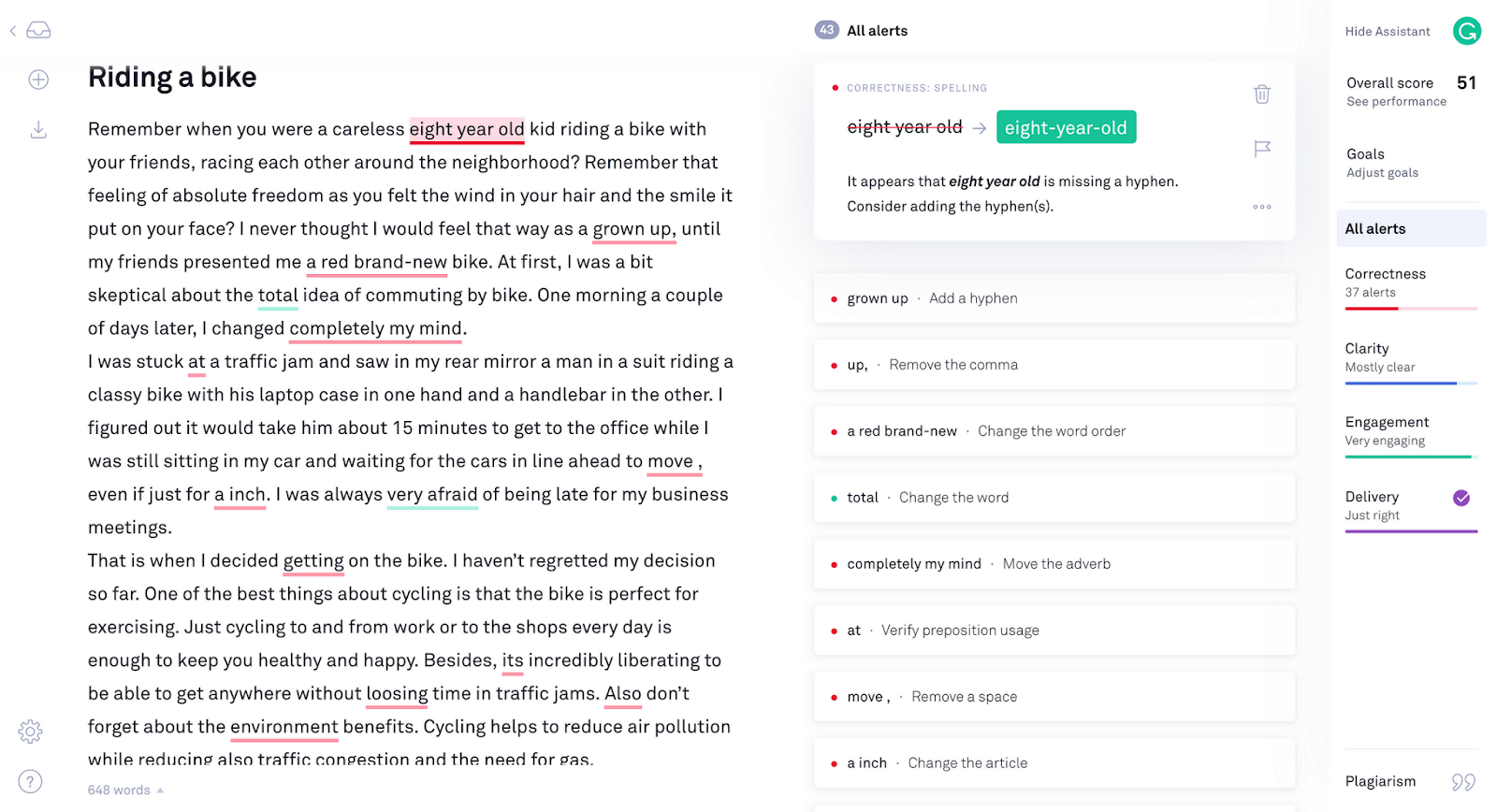
Grammarly app analyzing text about riding a bike.
Source: Grammarly

‍Grammarly needs little introduction: around 30 million people and 50,000 teams rely on it daily for editing and proofreading. Grammarly’s free version includes grammar, spelling, passive voice, and tone checking, as well as suggestions for decreasing wordiness and increasing clarity. The paid version offers more advanced functionality like plagiarism checking and suggestions to improve readability, tone, and formatting. You can access Grammarly through various platforms, including desktop apps for Windows and Mac, browser extensions for Chrome, Safari, and other browsers, a Microsoft Word plugin, and a specialized mobile device keyboard.

Pricing: The Premium plan costs $12/month, and the Business plan (which includes functionality for teams) costs $15 per member/month.

6. Sharing
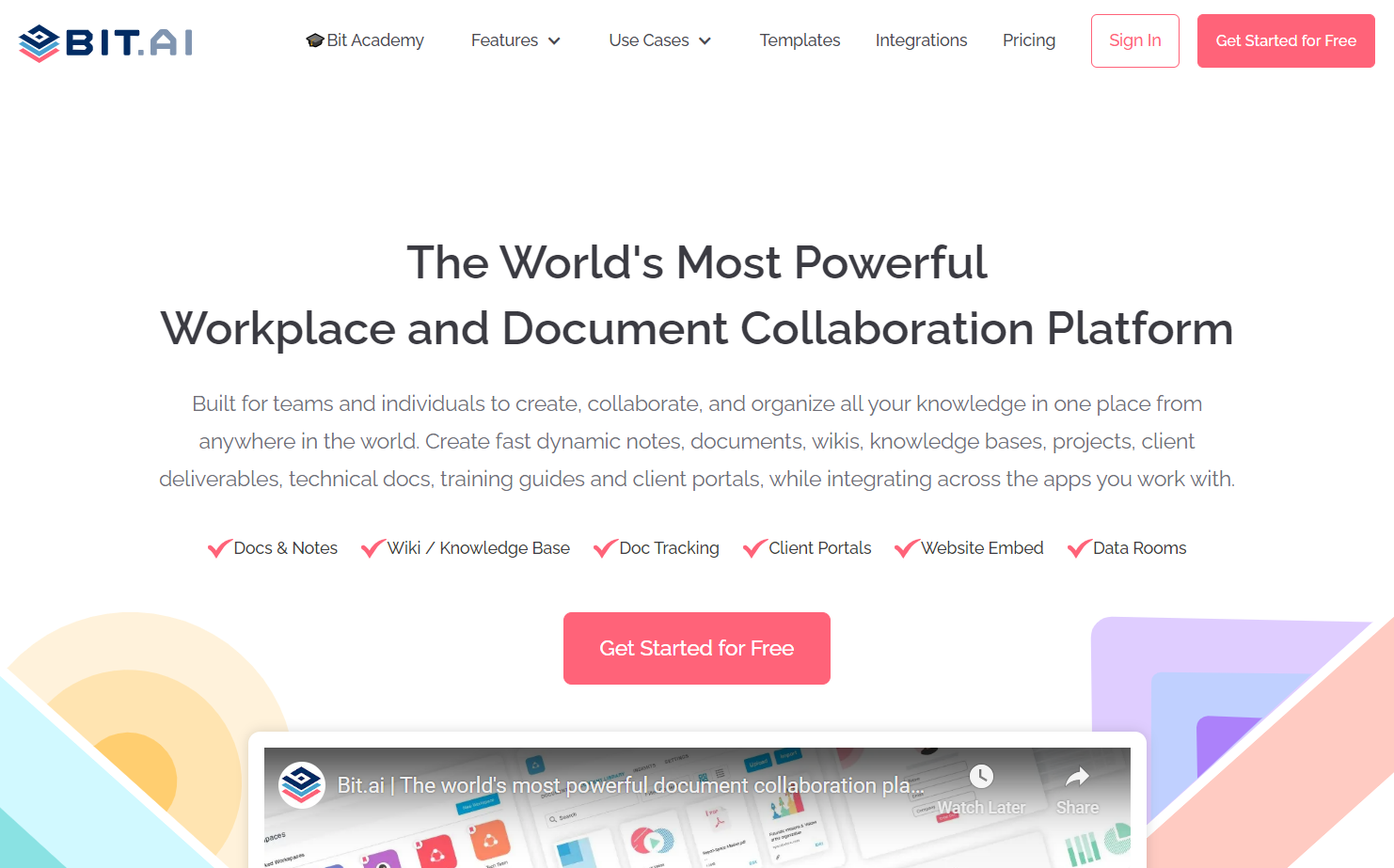
Bit.ai homepage with text saying “The World’s Most Powerful Workplace and Document Collaboration Platform.”
Source: Bit.ai

If you’re part of a collaborative writing team, Bit.ai can simplify the sharing process. This user-friendly platform organizes collections of documents, linked websites, and other resources intuitively. Pre-made templates enable effortless presentation and sharing of documents within your team and with clients. The entire collection remains searchable, and embedding videos, spreadsheets, and other materials in document drafts is a breeze. Bit.ai offers a free limited plan for small teams, monthly pro and business subscriptions, and special pricing for education, non-profit, and startup organizations.

‍Pricing: The Pro plan costs $8 per member/month, and the Business plan costs $15 per member/month.

7. Time management: Pacemaker Planner
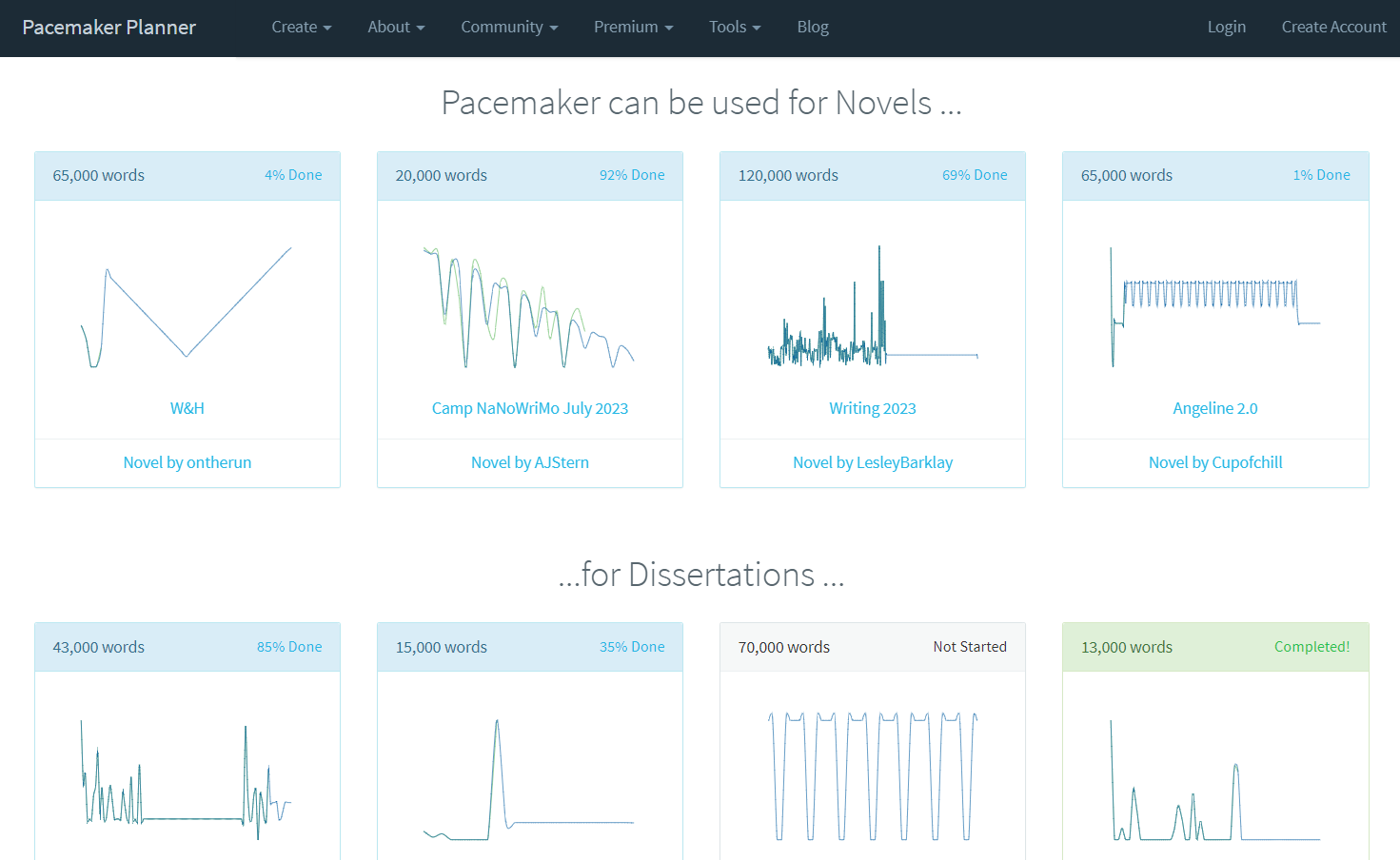
Pacemaker Planner site showing users’ progress graphs.
Source: Pacemaker

Great writers integrate writing into their daily routine, honing their skills consistently. The Pacemaker Planner app streamlines the logistical side of this habit, allowing you to tailor your writing goals to fit your lifestyle. Using Pacemaker, you can specify a word count target and track your progress with visual aids like graphs and tables. By documenting notes on your daily achievements, you can spot trends or tendencies, potentially discovering which conditions or times of day make your writing sessions most productive.

For the fiercely committed, a “No Excuses” feature ensures accountability by automatically charging a default amount of $10 for each workday you planned but didn’t log. The free version limits you to two plans, making it ideal for longer projects like dissertations or books, or you can link daily or weekly blog posts into one large project.

Pricing: The Premium Lite plan costs $5/month or $55/year (and includes five-year-long plans and email reminders). The Premium Pro plan costs $8/month or $72/year (and includes unlimited plans, time tracking, and high-level organization options).

Transform your content with the right tools

Writing apps can’t run the race for you, but they can give you a head start. Journalist Gene Fowler once wrote: “Writing is easy. All you do is stare at a blank sheet of paper until drops of blood form on your forehead.”

While writing apps might not take all the torment out of crafting compelling content, they significantly streamline the process — guiding both writers and designers toward efficient, profitable creations that resonate deeply with target audiences.

When you’re happy with your content, the next step is to share it with the world. Visit Webflow University to find out how to put your work online with no coding needed. 

How to achieve successful enterprise project management (EPM)

Software Stack Editor · December 27, 2023 ·

image

Enterprise project management effectively streamlines your team operations and helps accurately forecast risks.

As organizations scale and diversify their project portfolios, the complexity of managing multiple concurrent initiatives intensifies. Cross-functional teams, crucial for propelling projects to completion, also struggle with the constant pressures of meeting deadlines and staying within budget. In this demanding environment, the risk of project misalignment and resource misallocation escalates, threatening the quality and timeliness of deliverables.

Enterprise project management (EPM) makes sense of this chaos by streamlining processes and enhancing outcomes to ensure projects progress smoothly. By adopting EPM, your organization can navigate the complexities of modern project management, maintain control over multiple endeavors, and drive successful, cost-effective outcomes.

What’s enterprise project management?

EPM is a comprehensive approach to project management tailored for large organizations. It encompasses a set of principles, methodologies, and tools designed to optimize project workflows and facilitate effective resource allocation.

EPM considers the unique challenges and complexities that arise when managing multiple projects across various departments. For example, EMP can help with coordinating cross-departmental efforts, aligning multiple project goals with the overall business strategy, and ensuring consistent project performance across a large organization. It’s a critical practice for modern enterprise management.

6 essential principles of enterprise project management

While every team’s EPM system is unique, a few fundamental components typically make up the framework. Here are some of the key elements that effective EPM addresses and monitors.

1. Risk analysis

EPM systematically identifies, assesses, and mitigates potential threats to minimize roadblocks. Effective risk analysis allows your organization to make informed decisions, allocate resources strategically, and maintain project continuity.

For example, if a web design project includes integrating a new ecommerce platform, EPM would require a risk analysis to identify potential issues such as integration incompatibilities or user data security concerns. By identifying these risks early, the team can plan for additional security measures or choose compatible systems to ensure a smooth launch.

2. Project estimation

Accurate project estimation is the cornerstone of successful project management. EPM emphasizes the importance of anticipating an initiative’s scope, budget, and duration with precision. This stage helps set realistic expectations, distribute resources, and establish reference points for monitoring progress.

3. Project reviews

Regular project reviews are vital for tracking progress, identifying bottlenecks, and adapting to changing circumstances. Using an EPM structure, you’ll conduct periodic evaluations using your project estimations to ensure that teams stay on course and meet goals.

For instance, if a web design project to create a responsive design for various devices is underway, regular reviews might reveal that the initial designs aren’t compatible with certain screen sizes. With EPM, these reviews allow for quick adaptation — perhaps a shift in design strategy or the introduction of additional breakpoints to ensure a seamless user experience across all devices.

4. Escalated problem resolution

Enterprise projects can be highly complex, and issues like scheduling conflicts, scope creep, and misaligned team objectives are always a consideration. EPM helps you design processes for anticipating and resolving such problems efficiently and thoroughly. This helps prevent project hiccups from snowballing into major disruptions for your organization.

5. Project management coaching

EPM relies on skilled enterprise project managers who can navigate the complexities of various projects. Providing coaching and development opportunities in your organization’s management office, such as supplemental courses or training sessions, ensures leaders have the necessary skills and knowledge to drive project success.

6. Time tracking

Effective time tracking is a vital component of EPM. It allows organizations to monitor project progress, even in individual task management. Careful tracking ensures timely delivery and directs resources where they’re needed most.

Advantages of efficient EPM

Despite its challenges, properly transitioning to an EPM approach offers numerous benefits that can significantly impact project success and your organization’s overall efficiency. Key advantages include:

  • Enhanced team collaboration. EPM encourages collaboration among team members, ensuring everyone is on the same page and working toward common goals. This leads to strong communication, helps avoid misunderstandings, and fosters a more cohesive work environment.
  • Improved project transparency. With EPM, project details are readily available, allowing for greater transparency. Clarity across teams ensures that all stakeholders are well-informed about project progress, challenges, and risks, which supports better decision-making.
  • Higher project success rates. EPM’s systematic approach — which includes risk analysis, accurate project estimation, and regular reviews — greatly enhances the likelihood of project success. Teams using EPM are more likely to stay on track, meet their objectives, and deliver results on time and within budget.

How to effectively implement enterprise project management: 6 steps

Successfully integrating EPM into your organization requires careful planning and a structured approach. Here are the steps to implement EPM frameworks, project management tools, and methodologies into your program management processes:

1. Assess current practices

Begin by conducting a thorough assessment of your organization’s existing project management practices. Identify their strengths and weaknesses and areas where EPM can encourage significant improvements.

2. Define clear objectives

Set specific goals for what EPM will help you accomplish. These targets will serve as a roadmap for the implementation process and benchmarks for future success.

3. Select the right tools

Choose project management software that aligns with your organization’s needs. The right solutions may offer features such as project portfolio management, resource management, and reporting capabilities to make adopting EPM easy and intuitive.

4. Provide training and education

Ensure your team is well-versed in EPM methodologies through training and education programs. Project managers and team members should gain and grow the knowledge and skills required for successful EPM adoption. Your instruction system can include paid training for completing certifications in your chosen project management software.

5. Standardize your approach

Create a standardized framework for project management that incorporates EPM principles and methodologies. Some common structures include Kanban, Agile, and Scrum. Your framework should include processes for risk analysis, project estimation, reviews, problem resolution, and time tracking.

If resources allow, consider investing in an enterprise project management office (EPMO) whose sole focus is standardizing and implementing EPM frameworks throughout your organization.

6. Monitor and adjust

Regularly evaluate how EPM benefits your organization and project goals, and invite feedback from project teams. Adjust your approach to address any issues or challenges that staff identify.

EPM challenges and potential solutions

As with most structural changes, implementing EPM has its challenges. However, with the right strategies, you can anticipate and overcome many of these obstacles. Here are some typical EPM hurdles and tips for clearing them:

  • Resistance to change. Change can be daunting, so a full pivot of company processes may meet resistance. To smooth out the restructuring process, involve key players like managers and administrators in decision-making and clearly communicate the benefits of EPM to the team. Highlight how it will streamline workflows, improve project success rates, and enhance collaboration.
  • Resource allocation. Resources have limits, and various teams and members may have differing opinions about where to allocate them. EPM provides tools for efficient resource distribution, but meeting all teams’ needs can still be challenging. Use your EPM solutions to assess priorities and resolve cross-functional conflicts.
  • Complex integration. Identifying where and how to implement EPM isn’t always straightforward, and restructuring all current projects can be complicated. To navigate complicated integration, implement EPM gradually, starting with small, manageable initiatives. As your team grows more familiar with EPM practices, you can expand the structure to larger projects.

Level up your enterprise projects with Webflow

EPM is the key to unlocking the full potential of your enterprise projects and helping your organization navigate the complexities of concurrent and large-scale projects with confidence and efficiency.

If you’re looking for a solution to support your enterprise web projects, check out Webflow Enterprise. The platform’s collaborative features and web development capabilities empower your team to work together smoothly and achieve heightened project success.

Trend jacking — and how it can set your B2B business apart from the crowd

Software Stack Editor · December 26, 2023 ·

image

B2B marketers have always fought an uphill battle against a common perception: being boring.

After all, traditional marketing campaign assets like whitepapers, case studies, and webinars are usually designed to be educational, not entertaining. But as business buyers increasingly rely on social media and other digital channels to learn about brands and products, marketers need to stand out.

That’s where trend jacking comes in. 

Trend jacking is a marketing tactic that’s lifted straight from the B2C playbooks of Oreo’s dunk in the dark viral tweet and Aviation Gin’s in-universe sequel to the controversial “Peloton wife” ad. The concept is simple: take a topic or event that’s already generating headlines, and create your own related content. Usually, trend jacking is tied to broader pop culture — but in B2B, it can also be applied to sudden shifts in the market, the rise of emerging tech, and other niche industry or newsworthy events.

In a perfect world, your audience should already be aware of and interested in the topic you’re trend jacking. That way, they’ll be more likely to engage with your social post, email, video, or article. 

But, when trend jacking isn’t handled correctly, brands risk looking clueless and cringey. To make sure you’re covered,  here are a few best practices B2B marketers should keep in mind when implementing trend jacking.

Three approaches to B2B trend jacking 

While the concept of trend jacking is relatively simple, executing it at the highest level can get surprisingly complex. Let’s explore three different levels of difficulty in B2B trend jacking, along with some real-life examples.

Level one: memes and reactions

This is one of the fastest and simplest ways to enter a conversation. When a meme or notable event starts capturing attention, join in the fun with your own reaction. 

For example, when Instagram launched its new text-based social app Threads, marketers were quick to share their complicated feelings about this new platform. And since freelance marketplace Upwork counts marketing managers among its core users, they responded with a timely — and all too relatable — TikTok reaction of their own, using trending audio for extra impact.

Memes and reactions are all about speed and simplicity. Create your brand’s unique take on a trending meme or headline, use any relevant hashtags, popular Instagram or TikTok audio, or visuals, and hit publish. 

These trend jacking moments usually happen on social media, but you can also reference memes and reactions in email subject lines, email body content, or blogs to pique interest — and, hopefully, boost engagement.

Level two: hot takes on trending topics

The next level of trend jacking is to go beyond a simple meme and add your brand or leader’s perspective to a larger conversation. 

For example, data observability platform Monte Carlo’s CEO shared a LinkedIn post with her take on a recent earnings call from Snowflake, the biggest brand in their industry. She connected the dots between Snowflake’s discussion of generative AI and the need for better data quality with the outcomes Monte Carlo provides for its customers — with likes, comments, and shares amplifying her post’s reach.

This approach requires a little more effort and thoughtfulness than jumping in with the latest meme, but it also puts more focus on your brand by sharing your unique point of view on the trending topic. Publish your hot takes on buzzy topics in blog posts, within long(ish)form social posts, or via your email newsletters. 

Level three: adding significant value to the conversation

To drive the most impact from your trend jacking, don’t just add your voice to the chorus of conversation — dig deep and provide significant value through your content. 

For example, audience research tool SparkToro used advanced trend jacking techniques when responding to a hot take from Elon Musk about Twitter’s percentage of fake users. As Amanda Nativdad writes, using their existing foundational tools, their team was “quick to parse through data to answer the question everyone was wondering about.” Within a few days of Musk’s headline-generating tweet, they published research that showed around 20% of Twitter’s accounts were fake or spam — much higher than the 5% rate initially reported. 

SparkToro’s findings generated significant press coverage, drove 23k unique pageviews of their website in a single day, and helped greatly improve their organic search rankings for terms like ‘audience research tool.’

Similarly, Camille Trent describes how her small but mighty team at PeerSignal deployed trend jacking around tech layoffs — and doubled their newsletter subscriber count. 

As a data and research provider for B2B SaaS marketing leaders, they spotted an opportunity in the fall of 2022 to bring substantive information about the widespread tech layoffs on their prospects’ minds. Using PeerSignal datasets, they assembled a list of tech companies currently hiring — and then waited for another tech giant to make headlines. When Meta announced mass layoffs on November 9th, they were ready to add to the conversation. Camille and her team promoted the hiring tracker on LinkedIn the day before publishing it in their newsletter, driving subscribers from 6k to 12k within a few weeks. 

In both cases, SparkToro and PeerSignal took the time to build meaningful content. Each team knew how their unique point of view and access to resources — specifically, their data — could help them add something of value to the conversation. And since both teams had assets to publish on their owned channels, versus social media alone, they were able to drive more tangible business outcomes than social likes or views.

Best practices for all B2B trend jacking

Not every company is equipped to publish a proprietary data report within days — but even a simple meme is important to get right. If you’re just getting started with trend jacking, there are a few best practices to keep in mind.

Stay relevant to YOUR audience

This is the secret advantage B2B marketers have when it comes to trend jacking: you don’t need to wait for a national event like the Super Bowl or a Barbie-level blockbuster. Since your audience is smaller than B2C brands like Oreo, you can be more surgical about the events you trend jack (and you won’t be competing with dozens of other marketing teams who’ve all had the same idea).

Find the smaller stories that your ideal customers care about, and join those conversations. For example, in our Monte Carlo example above, a Snowflake earnings call is not the Super Bowl — but for their CEO’s audience, it’s a noteworthy event.

Stay classy

The fastest way to trend jacking disaster is to hop on a story about death, tragedies, political controversies, or other sensitive issues. These are just not the opportunities you want to use to promote your brand. 

There’s a litany of what-not-to-do examples here, including Cinnabon’s RIP message memorializing Carrie Fisher’s “best buns in the galaxy” and DraftKings’ ill-advised “Never Forget” parlay involving New York sports teams on 9/11.

While these examples are obviously in bad taste, some memes have deep roots — so research any trending hashtag’s origins and make sure it’s something you actually want people to associate with your brand. 

Stay ahead of the curve

With trend jacking, timing is everything. You’ll want to execute your content within hours or days, not weeks, of a trend’s emergence or timely headlines. 

So if you want to jump on a cultural or buzzy moment, act as quickly as possible. 

But if you’re targeting a larger trend with a longer lifespan, like returning to the office or the rise of generative AI, take a page from the PeerSignal playbook. Prepare your content and wait for the next specific — but inevitable — story to generate headlines. Then, you’ll be able to publish your trend jacking piece at just the right time to capitalize on the trend. 

Avoid oversaturation

In the summer of 2023, it seemed like every marketer on LinkedIn was sharing their hot take on what B2B companies could learn from Barbie. And every early December, similar takes on Spotify Wrapped probably fill your feed. 

If you have something unique and meaningful to share on a very popular topic, go for it. But if you’re contemplating a trend jack simply because everyone else is doing it, your audience will be able to tell — and they’ll already be sick of the oversaturated conversation.

‍Bottom line? Follow the golden rule of B2B marketing: share helpful information your audience cares about. Trends will rise and fall, but delivering relevant, valuable content never goes out of style.

Achieve project success with the optimal software development team structure

Software Stack Editor · December 26, 2023 ·

image

Choosing the right group structure is essential to assemble the best possible software development team.

Software development for websites and web apps involves much more than the technical expertise required to write it. Your project’s success hinges on errorless code but needs a visually stunning layout, compelling content, and airtight management to keep it all on track.

Optimizing work protocols to create excellent products and services relies on the collective strengths of marketers, designers, and project managers. Team members must excel in their roles, collaborate well, and complement each other’s skills and work styles. Without this cohesion, you risk communication issues and protocol hiccups that could negatively affect your product’s performance. Learn why your organization’s success ties directly to the effectiveness of your software development team structure.

The importance of the right software development team structure

Building a strong software development team starts with hiring for specific roles — like a front-end developer, back-end developer, product manager, designer, and user experience (UX) engineer. Otherwise, your roster of talent is likely to fall short in certain areas.

For example, excluding quality assurance (QA) specialists from your team could lead to a product riddled with unchecked bugs despite the hard work of developers, marketers, and designers. This oversight delivers a subpar product, which frustrates users, damages your brand’s reputation, and incurs extra resources for post-launch fixes.

To sidestep such pitfalls, design your team structure to meet your project’s demands. Then, select the right people to fill these roles for a high-performing team that’s efficient, collaborates well, and adapts to changing project requirements.

Beyond role-specific expertise, team members need to possess interpersonal and communication skills to truly benefit group efforts. The right candidates not only possess the technical abilities required for their roles, but also understand the value of teamwork, clear communication, and shared objectives.

Below, we’ll dive into some key software development roles, common types of structures, and tips for arranging the ideal team for your organization.

Key software development team roles

Some project management practices, like the Agile methodology (more on this below), designate specialized jobs like solution architects, scrum leaders, and product owners.

However, there are a few fundamental team roles needed across various structures to ensure project success. The following positions are the building blocks of any effective software development team.

Software developer (front-end and back-end)

These software engineers provide the highest technical expertise to your project.

Front-end developers focus on building the user-facing aspects of a software application, such as navigation and user interface. They implement the design team’s work to shape your site’s look and feel.

Back-end developers, on the other hand, work behind the scenes. They manage databases, servers, and your site’s core functionality. This entails ensuring the software runs seamlessly and serves data on request.

Both developer roles are integral to the development process and bring life to the code that drives the software’s functionality.

Project manager

A project manager is responsible for the overall software development management. They’re the guiding force that ensures your project stays on course and are responsible for setting clear objectives, managing timelines, allocating resources, and overseeing the entire development process. Project managers also foster effective communication within your team to keep operations running smoothly.

UI and UX designers

User interface (UI) designers focus on crafting an aesthetically pleasing website interface, and user experience (UX) designers ensure that the interface is user-friendly and intuitive.

UI designers are responsible for elements of the visual hierarchy, like layout, color schemes, and graphics, to make your web platform visually appealing. UX designers handle the overall user experience to ensure your website is intuitive.

Together, UI and UX designers create an interface that looks great and offers a satisfying user experience.

Quality assurance engineer

Quality assurance engineers are responsible for testing for software quality. They rigorously test the code behind your site to identify and resolve bugs and errors. The QA role is essential for ensuring the software’s reliability and ability to meet user expectations.

Systems architect

A systems architect (or software architect) takes a high-level view of the product by designing its overall structure and verifying that all its components work in sync. These team members make critical decisions about the software’s architecture, data flow, and integration of various systems. Their role is pivotal in ensuring your service’s scalability, efficiency, and long-term stability.

DevOps engineer

A DevOps engineer bridges the gap between software development and information technology (IT) operations. They focus on automating and streamlining the software development and deployment process to make procedures more efficient and reliable.

Historically, DevOps engineers have managed the deployment pipeline. Now, with innovations like infrastructure-as-a-service (IaaS) providers, DevOps is shifting to a continuous integration/continuous deployment (CI/CD) model that implements automated regression testing as part of its practice.

This model automatically makes concurrent codebase changes and employs faster, more frequent updates across your webpages. CI/CD eliminates the need for a large team of QA engineers because the development process includes writing tests and the deployment pipeline builds in testing.

Common types of development team structures

There’s no one-size-fits-all approach to team structure. The right choice for your organization depends on specific project needs and your company culture. Let’s explore some common development team structures and how they can benefit your operations.

Triad

The triad structure is a classic model involving a trio of core roles: a front-end developer, a back-end developer, and a designer. This arrangement fosters close-knit collaboration between the three key players and aligns user-facing elements with the platform’s technical operations.

A triad is ideal for smaller projects or startups, where efficiency and quick decision-making are key, as it eliminates more complicated communication and processes you might see with a larger team. It’s a lean approach that encourages cross-functional collaboration to rapidly produce results.

Generalist

A generalist development team structure relies on versatility, with each team member wearing multiple hats. For instance, a software engineer might take on full-stack developer (front-end and back-end developer) responsibilities. They may cover web design responsibilities as well.

This approach works for projects with limited resources in a fast-paced development environment as it reduces the required number of employees. It also capitalizes on team members’ adaptability and diverse contributions to different aspects of the project. Generalist teams thrive in situations where agility is essential and excel at maintaining a balance between functionality and aesthetics.

Specialist

A specialist team structure involves team members who each bring expertise to a distinct area of your project, like front-end or back-end development, UI or UX design, or QA.

Specialist teams work best for larger projects where in-depth proficiency is required. This structure supports hyperfocus on each development aspect and encourages autonomy in individual players.

Hybrid

A hybrid team strikes a balance between the adaptability of a generalist structure and the precision of a specialist structure. This model empowers team members to tackle a wide range of tasks while maintaining high-quality standards. Individuals will assume core responsibilities in areas of their specific expertise (as they would in a specialist structure), but they’ll also lend their skills to other development components as needed and available (as in a generalist structure).

This is an excellent choice for projects that demand versatility without sacrificing precise skill sets and suits a vast range of product development strategies.

Agile

The Agile team structure implements the Lean approach for software teams. Agile software development thrives on adaptability and iteration, making it an excellent choice for projects with rapidly evolving requirements or especially dynamic market conditions.

Key roles within an Agile team include:

  • Scrum leaders facilitate the Agile process and promote teamwork and problem-solving.
  • Product owners bridge the gap between external players (such as customers and investors) and the development team to make critical decisions based on user needs and market demands.
  • Solution architects design the software’s structure and integrate components for scalability and long-term stability.

4 best practices when building a software development team

A cohesive software development team is efficient, productive, and innovative, and building one takes careful consideration. Here are some helpful tips for assembling your ideal team:

1. Select the right structure

Select a team formation that aligns with your project’s requirements and business needs rather than choosing based on an ideology. The model and key positions must match your project scope and support your objectives.

2. Embrace smaller subteams

Split large teams into focused subunits, as smaller teams promote efficiency and encourage close collaboration. Letting team members work tightly together helps them tackle specific aspects of the project with greater agility and effectiveness.

3. Foster team ownership

Empower your team by encouraging them to take ownership of their project duties. When team members have a personal stake in a product, they’re more motivated and committed to its success.

4. Balance your team

Create a team that’s well-ordered in terms of skill sets, experience, and role responsibilities. This entails allocating appropriate duties to individuals based on their abilities and choosing leaders capable of managing their reports. A well-balanced team ensures that all critical aspects of development — from coding to design — are adequately met.

Bring your development team together with Webflow

Webflow, a visual web development platform, empowers both technical and nontechnical web development team members to create stunning websites in one workspace. By facilitating a seamless transition from design to development, Webflow enables teams to take charge of their projects, collaborate smoothly, and transform ideas into reality.

Explore the possibilities of Webflow Enterprise to boost your team’s web development capabilities and take your projects to the next level.

How the City of Los Angeles connects its employees and constituents to critical information and opportunities

Software Stack Editor · December 18, 2023 ·

Los Angeles, California is home to over 3.5 million people across 15 districts.

Its government entity, the City of Los Angeles, is led by Mayor-Council-Commission form of government and comprises 44 departments and bureaus. Today, the City employs more than 45,000 people across a wide range of sectors.

As a governing body, the City is invested in creating a high-performing workforce that can support and run its local agencies. The Personnel Department is at the center of this effort, and its 600 employees are spread across 16 divisions to manage everything from the recruitment and selection of candidates for the city’s public safety departments to maintaining the safety and wellness of its employees.

In order to effectively tackle its mission to employ, develop, and engage a dynamic City workforce, the department needed to redesign its website to make it more functional, user-friendly, and accessible to its constituents. To learn more about the local government’s digital needs, criteria for its new website, and future web plans, we caught up with some of the department’s design, marketing, and IT staff to get the full rundown.

Kicking off a redesign that would help the department deliver more user-friendly web experiences

As a repository of critical information, the Personnel Department’s website was in need of a revamp to more seamlessly connect the people of LA to jobs and resources. “There was a ton of information available on the website, and we asked ourselves: can we reformat or reorganize it in such a way that would make it easier for constituents to access this information?” Rommel Rufon, the department’s Sr. Systems Analyst II, explains. That’s when Systems Analyst Arin Abedian got involved, tasked with redesigning the Personnel Department website.

“The Personnel Department website houses content for 16 different divisions — in addition to job listings for the city — which means there are several pages and an enormous amount of information we’re responsible for,” Arin explains. As a result, he began exploring solutions that could handle the City’s unique web needs ahead of the redesign. After coming across Webflow and attending Webflow Conf, he was drawn to the ability to redesign the site without writing code.

The IT and broader team had a number of criteria it needed in a web platform in order to move away from the department’s hardcoded site, including:

  • A solution that offered enterprise-grade security and didn’t rely on vulnerable plugins to achieve certain use cases
  • The ability to fully customize the website to support unique business needs, like hosting a jobs database
  • The ability to tackle web tickets faster and provide non-technical employees with more ownership over the website

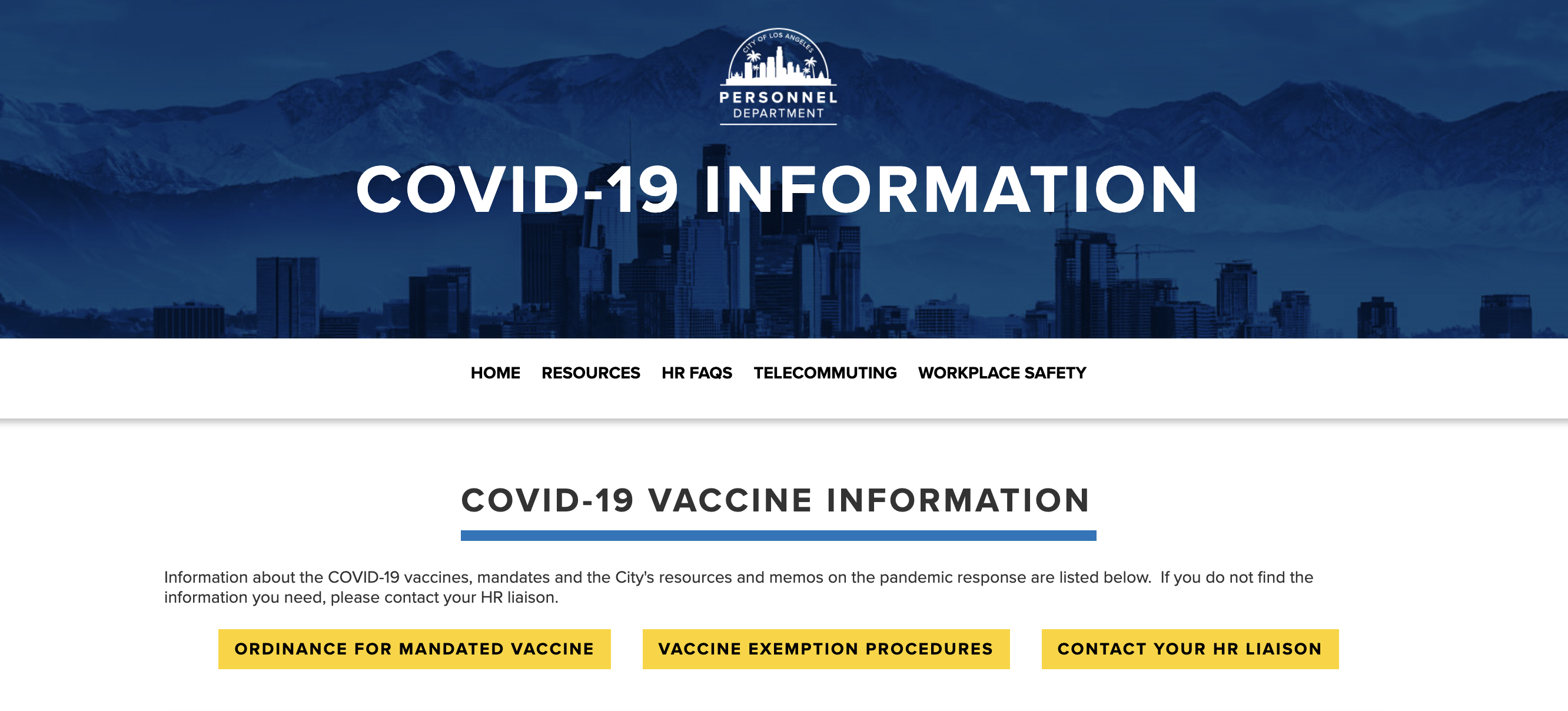
After fulfilling these requirements, along with the programmer-friendly Editor, ability to export clean, semantic code, and the ability to help the department maintain ADA compliance standards, the City of LA’s Personnel Department decided to proceed with its website redesign using Webflow. And to get started, Arin was tasked with building a page with critical COVID-19 vaccination information, which he was able to launch in just two days.

How the Personnel Department stands up public safety sites to drive recruitment efforts

One of the divisions under the Personnel Department is Public Safety, which manages the recruitment and selection of candidates for the Los Angeles Police Department (LAPD) and the Los Angeles Fire Department (LAFD). Both entities have standalone recruitment websites that also fall under the Personnel Department’s domain — meaning Arin’s team needed to update and maintain these websites, as well.

Margaret Correa, lead designer, was responsible for the first LAPD recruitment site and recounts some of the core issues she faced updating the site, such as difficulty even implementing color or buttons. “I had to file a ticket for any simple site change, and I was limited in what colors I could use for the site.” She explained that even though tickets would sometimes get escalated, the IT team had so many competing requests that made it difficult to get web updates prioritized quickly. 

Eventually, the IT department became overwhelmed with minor, ad-hoc web requests and no longer had sufficient resources to continue supporting them. To move forward, they proposed two options: change how the website works or transition its ownership away from the IT department.

Putting the keys in designers’ hands so they can work autonomously

The LAPD website is updated daily, and Margaret — functioning essentially as the site’s primary owner — wanted to find a solution that best fit her and the department’s needs. After learning about Webflow from Arin, she discovered how it could help her quickly implement site changes, ensure the site’s design remained on brand, and incorporate custom design elements — tasks that typically created backlogs and negatively impacted the overall web design process. “Being able to change things on the fly — whether its color, photos, animations — is a dream for us,” Margaret explains. Arin seconded this sentiment, detailing how Margaret is no longer simply a designer, but also playing the role of a visual developer, owning the end-to-end website experiences — from design to launch. 

With the power of Webflow, Margaret and her team were able to redesign and launch the Join LAPD site with limited IT involvement, and now, they can easily manage and update it autonomously.

“Giving our designers the freedom to manage web content themselves is a huge time saver for our broader IT team. We can refocus on high priority work, while stepping in on occasion for more technical backend assistance.” — Arin Abedian, Systems Analyst

Looking ahead, the team is currently in the process of expanding their Webflow footprint and are in the process of redesigning the Join LAFD website.

The redesigned LAPD recruitment website

Bridging the gap between constituents, City employees, and local government

As a local government, the ability to quickly disseminate information is paramount. Whether it’s essential guidelines regarding public health crises, posting job opportunities, or providing City employees with HR resources, the government and its agencies are responsible for making information accessible. That’s why the ability to use a web platform like Webflow has significantly transformed how the City of LA operates. It has empowered its web teams to work autonomously and quickly, eliminating web backlogs and making timely information readily available. 

The team has since been able to break free of silos and prioritize high-impact work, ensuring the city’s constituents and employees are always presented with the most up-to-date information, resources, opportunities, and policies. 

To learn more about how Webflow can help transform your team and website, get in touch with our team. 

Scaling collaboration: Navigating challenges as teams grow

Software Stack Editor · December 17, 2023 ·

image

There’s no denying the power of successful collaboration at work.

Teams who work well together are proven to be not only happier and more engaged, but also more productive, creative, and innovative. A Stanford study found that employees working in a collaborative setting are 50% more effective at completing tasks than in highly individualized ones.

Yet collaboration continues to be one of the biggest challenges teams face. In fact, 87% of executives believe that a lack of collaboration is the cause of workplace failures. And staying connected becomes even more complicated as your marketing team grows and works not only across functions, but also locations and time zones.

Thankfully, in recent years, organizations have made big strides when it comes to fostering effective team collaboration — particularly in hybrid and remote workplaces. And the explosion of online collaboration tools has made it even easier to streamline processes, communicate, and join forces with other team members virtually. 

With all of this in mind, we  were excited to chat with Atlassian’s Head Engineer for Confluence Cloud, Swati Raju for our first episode of our Boundless webinar series.  

In it, she shares her firsthand experience of how she supercharges team collaboration, as well as her top tips for marketing teams looking to collaborate better at scale.

Here’s some key takeaways. 

Start by establishing a human connection and shared mission‍

Atlassian – like many companies today – has a remote workforce distributed across the globe, making it tough to establish connections and alignment with team members. This is especially true with cross-functional collaboration on marketing teams. 

Because of the unique position in which marketing sits, they’ll find themselves collaborating often within the team, as well as with external teams, such as product, engineering, design, and more.

To mitigate this, Swati says the “most important ritual is a giant kickoff” when launching a marketing project or campaign. This allows  the team to get aligned and move in the same direction. During these types of meetings, it’s crucial that a shared mission with clear goals, expectations, and a deep understanding of the customer problem that needs to be solved should be communicated.

In addition to goal-setting, Swati adds that it’s equally important to spend time with team members on a personal level. “Getting to know each other as humans is so critical,” says Swati. “Especially when you have teams that come from very different parts of geography or very different departments —getting them all together to just spend time building that basic trust is really key because that then enables everything else.”

But how do you establish human connections when your team members aren’t in the same room or department, let alone in the same time zone?

The team at Atlassian practices what Swati calls “intentional togetherness.” These are quarterly social and group activities that bring together people who would never normally have the chance to intersect.

“As we move towards this hybrid model or even fully remote model, we have to create situations where people can run into each other and are able to connect. That way, when they’re back at their desks or they’re working from home, they have something to fall back on, someone to reach out to if they have a question, and this level of comfort with each other.”

A few other tips Swati shared for fostering collaboration in marketing teams:

  1. Make time to celebrate your team’s wins – big and small. 
  2. Build a culture of transparency and knowledge-sharing where teams know what everyone else is working on, roadblocks, and goals to help break down silos and bottlenecks in delivery. 
  3. Create feedback loops with regular sharing practices, such as brainstorming sessions and demos, where team members have the opportunity to bring their ideas to the table.

Practice empathy for your team’s unique capabilities

Marketing teams are at an advantage because with so many different sub-functions – content, creative, product, engineering, social, etc. – resources, knowledge, and expertise can be pooled and shared to deliver more effective, comprehensive strategies across channels and touchpoints. 

Yet because each function on the team works so differently, often with their own tools and systems, it can be difficult to get everyone aligned, leading to friction, lack of clarity, and siloed work.

One way Swati’s team solves this is by having empathy and respect for each others’ craft and the challenges they face. She explains that this helps to create collective alignment, eliminate the “us versus them” mentality, and get everyone speaking the same language.

“I’ve realized that teams who work really well together have this sense of appreciation and empathy for other streams – whether it be marketing, design, or engineering.”

Empathy, however, doesn’t just happen automatically or in a vaccuum– it must be cultivated over time. At Atlassian, team members practice a  “cross-pollination of ideas” that allow them to gain a deeper understanding of team members’ respective crafts and work processes. This can be everything from shadowing colleagues in different roles over an extended period of time, or the ability to freely join other departments’ meetings and brainstorming sessions.

Swati’s team also maintains a rhythm of bi-weekly demos where everyone shares their work and has the opportunity to give and receive feedback – a hallmark of an inclusive, collaborative culture.

“We use those regular touchpoints to enrich each other’s work and continuously improve,” Swati adds. “It’s also a chance for everyone to see the progress we’ve made together and the next set of roadblocks. I think it’s super important, especially when you’re working on something very innovative and very new.”

Implement the right tools to make more time for creative and collaborative work

While nothing can completely replicate in-person collaboration, the proliferation of online tools has shown us that effective virtual collaboration is possible. In fact, 70% of employees attribute enhanced collaboration to digital technologies.

Yet as Swati points out, it’s critical to invest in the right tools that work best for your team and when building your tech stack, often less is more. Using too many tools can create a lot of digital noise and disjointed work streams, so it’s important to find those that integrate well together to streamline processes.

Looking ahead at the future, Swati and her team are also exploring how some of the more mundane  workaround communication and collaboration can be automated with AI.  By using AI, Swati’s goal is that more time is freed up for the rich, innovative, collaborative work that makes a difference within teams — as well as within the business at large.  

Prioritizing collaboration is a vital 

Collaboration is not just a buzzword, but a business necessity for modern marketing teams looking to excel, with proven benefits for the health of the company, as well as for individual employees. 

To hear more about how Swati and Atlassian collaborate at scale, and to hear insights from other business leaders in the world of tech, check out the full Boundless webinar episode.

  • « Go to Previous Page
  • Page 1
  • Interim pages omitted …
  • Page 27
  • Page 28
  • Page 29

Get your Software Stack together. softwarestack.tech

Software Stack

© 2024–2026 - Software Stack is a trading name of SouthwestCIO Limited ac ompany registered in England & Wales 11319049

  • Knowledgebase
  • Home
  • About Us
  • Contact Us