• Skip to primary navigation
  • Skip to main content
software stack logo

Software Stack

Get your Software Stack together

  • Knowledgebase
    • All Categories
    • Accounting Software
    • Automation & Workflow Software
    • Customer Relationship Management
    • E-Commerce Shopfronts & Payments
    • Marketing Automation
    • Online Courses & Membership
    • Project Management
    • Surveys & Forms
    • Web Hosting
  • Home
  • About Us
  • Contact Us
  • Show Search
Hide Search

Webflow

Collect better stakeholder feedback with these 8 steps

Software Stack Editor · February 12, 2024 ·

image

Thoughtfully integrating stakeholder feedback transforms your website into a dynamic, user-focused platform.

Before launching your website or updating its features, it’s crucial to solicit constructive criticism from internal teams and external clients.

Beyond shedding light on overlooked aspects — such as confusing user interface (UI) design issues, navigation challenges, and content gaps where you don’t fully meet user needs — this process also uncovers technical glitches unnoticed by developers and presents opportunities to enhance the user experience. This comprehensive understanding helps address specific issues and recognize your website’s strengths, revealing which elements to maintain or improve.

In short, stakeholder feedback is the secret sauce for unlocking your website’s full potential. Here’s why.

What’s stakeholder feedback?

Stakeholder feedback comprises the input, opinions, thoughts, and comments from individuals who are invested in your project’s outcome. This includes internal and external stakeholders, which we’ll discuss in the section below. These individuals and entities bring diverse perspectives from their varied backgrounds, expertise, and interests in your project.

For instance, stakeholder feedback could involve customer feedback. Customers provide a unique perspective on your website since they’re the most attuned to usability issues, and they can aid in identifying problems and pain points before a wider launch.

Taking stakeholder feedback into account ensures that your website functions smoothly from a technical standpoint, resonates deeply with your target audience, and stays aligned with your overarching business goals.

What’s the difference between internal and external stakeholders?

There are two types of stakeholders: internal and external. Each offers distinct insights into your web project.

What’s an internal stakeholder?

Internal stakeholders are part of your organization, like team members, project managers, or executives. Their feedback — rooted in organizational roles and expertise — often addresses operational inefficiency and team dynamics.

For instance, internal stakeholder feedback might focus on project management feedback to help you determine how to enhance collaboration or eliminate blockers for more effective management. By leveraging the insights of internal project stakeholders, you gain a holistic understanding of your organization’s strengths and areas for improvement. This, in turn, empowers you to make informed decisions that lead to better project and product outcomes.

What’s an external stakeholder?

External stakeholders, such as users or business partners, are outside your organization. They provide perspectives based on their experience with your product and market expectations. As such, their feedback is invaluable for gaining insights into user experience, preferences, and market trends.

Why stakeholder feedback is so important

As mentioned above, stakeholder feedback helps you align your website with the expectations and requirements of those directly involved in or affected by your project. Both positive and negative feedback can provide valuable insight that contributes to the success of your project.

Here’s why stakeholder feedback is essential to your web project’s success:

  • Enhances alignment. Incorporating insights from internal and external stakeholders ensures your project aligns seamlessly with internal operations and external market demands. This alignment is vital for meeting organizational goals and delivering a product that meets user expectations.
  • Drives innovation. Stakeholders offer diverse perspectives that can lead to innovative solutions. For example, external stakeholders, like users, may offer fresh ideas or identify pain points that cause high bounce rates. Meanwhile, internal stakeholders who are intimately acquainted with the site development processes can determine the best way to meet this demand given the organizational constraints. This feedback-driven innovation creates a dynamic and forward-thinking project environment.
  • Builds team engagement. Internal and external stakeholder feedback, whether positive or negative, can increase team morale and engagement. Positive feedback reveals how the broader organization perceives employees’ work. Even constructive criticism clearly outlines what isn’t working and identifies actionable targets for improvement. This gives teams a place to focus their attention instead of striking out mindlessly in the dark. A good feedback loop can help you align your coworkers and build a high-performing team. When implemented at an organizational level, this leads to a transparent and open company culture.
  • Boosts user engagement. By focusing on user preferences and needs, stakeholder feedback hones organizational efforts to meet specific user needs. Doing so leads to improved user experience and engagement, which can drive higher conversion rates and better search engine optimization (SEO). More conversions also mean a better return on investment (ROI).

8 steps for collecting stakeholder feedback

If you’re ready to dive into collecting stakeholder feedback, check out our eight steps below. While every situation is different, these steps provide a general framework to seek out user feedback, implement critiques, and iterate to create a stellar website.

1. Define your feedback objectives

Clearly outline what you aim to achieve with your feedback collection process — whether this means improving user experience, refining your site functionality, or enhancing your brand’s visual appeal. Laying out your objectives helps you in the later steps of your feedback framework as you identify key stakeholders and assess their responses.

2. Identify key stakeholders

To maximize the usefulness of your stakeholder feedback, you’ll need to identify key stakeholders who can provide the most valuable or actionable feedback. Your feedback objectives are a great guide to help you identify the stakeholders crucial to your project’s success.

For instance, if you’re developing an ecommerce site, prioritize feedback from potential users and marketing team members. Their insights on user experience and market trends are likely more relevant than feedback from less directly involved departments like finance.

Focusing on the most relevant stakeholders ensures your collected feedback directly contributes to your site’s success and addresses the most essential aspects.

3. Gather feedback

Actively collect feedback using accessible and user-friendly methods, and align these with your project goals and your stakeholders’ preferences to encourage active participation. Consider leveraging feedback tools such as surveys, user testing, and direct communication platforms to gather diverse insights. These tools make open dialogue between you and your audience smoother and integrate the feedback process directly into your design workflow. 

For example, if your primary users are tech-savvy teens active on social media, avoid traditional methods like email campaigns. Instead, opt for social media-integrated surveys or polls on marketing channels where they interact most with your brand. Use appealing titles like “Help us help you!” to grab their attention and increase response rates. Doing so ensures the feedback you collect is relevant, useful, and reflective of your stakeholder’s experiences and preferences.

4. Structure responses

Once you’ve gathered feedback, organize it systematically to make trends and areas for improvement more visible.

For instance, you might categorize responses based on themes or topics. If multiple users highlight issues with your checkout process, categorize these responses under the checkout process theme for further analysis. This structured approach allows for focused analysis on specific website or project aspects to help you understand common issues and areas where users are experiencing difficulties, which in turn guides targeted improvements.

5. Assess and establish priorities

Evaluate the feedback and identify priorities by determining which critiques impact your project’s outcome the most. Refer to your feedback and project objectives to determine which aligns best with your end goals, and use this information to focus your resources on tackling the most important issues first.

For example, if users consistently express dissatisfaction with your site performance or loading speed, you may want to prioritize this issue as you improve your website. Systematically addressing these key areas ensures that your project improvements are impactful and aligned with your strategic objectives.

6. Create actionable steps and implement change

After prioritizing key feedback, convert it into actionable steps by creating a detailed project plan for improvement.

Let’s say your users find your product descriptions confusing. To start addressing their concerns, set a clear goal to revise them. Break this goal into specific tasks for your team, such as reviewing current descriptions, researching best practices in product communication, and rewriting descriptions for clarity and conciseness. Delineating these tasks turns feedback into tangible steps so you can systematically and effectively improve your website.

7. Demonstrate to stakeholders that you’ve incorporated their feedback

Showing stakeholders how you implement their feedback helps you maintain their engagement and trust. When stakeholders see their suggestions come to life, they feel a sense of ownership in your project.

For example, consider including a message on your website thanking external stakeholders for their feedback and highlighting the changes made based on their input. This acknowledgment strengthens stakeholder relationships and demonstrates your commitment to responsiveness and continuous improvement, which encourages ongoing participation in the feedback process.

8. Iterate

Feedback collection is an iterative process, so it’s important to regularly revisit and update your feedback objectives, reassess priorities, and collect new feedback as your website grows and changes.

When introducing a new feature on your website, for example, consider actively seeking stakeholder feedback about its performance and user satisfaction and use this information to further refine and enhance it. Then, after implementing those changes, evaluate stakeholders’ reactions and continue iterating. This cycle ensures your site stays adaptable and meets your stakeholders’ evolving needs and expectations.

Tips for getting great development and design feedback

The above framework is a great place to start building a stakeholder feedback loop. We’ve got a few more tips for ensuring you get the quality feedback you need. Check them out below.

Schedule milestones to get continual feedback

Scheduling feedback milestones throughout your web design process helps you manage stakeholder input effectively. Instead of overwhelming you with excessive feedback on your project at once, this approach breaks down the process into manageable stages.

For instance, you might need input on user interface preferences during the wireframing stage. At the development stage, you might prefer feedback on site functionality, page speeds, and responsiveness.

While all of this feedback is useful, it can be a bit overwhelming to receive it all at once. Obtaining feedback at different stages makes the feedback more manageable but also ensures each development phase benefits from relevant and timely insights. As a result, it streamlines your web development process by allowing for more focused implementation and better prioritization of improvements.

Use open-ended questions

Using open-ended questions lets you gather unbiased and comprehensive insights. By not leading stakeholders toward specific responses, this strategy encourages a more honest and detailed expression of stakeholder views.

Instead of asking, “Do you like the current design?” pose questions like, “How do you feel about the current design?” This open-ended approach prompts stakeholders to elaborate on their thoughts. They’ll offer richer and more constructive feedback that can better inform your website’s development and improvement strategies.

Scope your feedback expectations

Define clear expectations for the scope of feedback you seek to guide stakeholders to provide focused and relevant insights. A well-defined scope encourages stakeholders to focus their insights on relevant points that you can turn into actionable steps.

For example, if you’re seeking feedback on your landing page, specify that you’re interested in the user flow rather than general impressions. This specificity helps stakeholders concentrate their feedback on the aspects you aim to improve and prevents them from straying into less relevant areas like visual appeal or branding.

Transform conversations with top-notch design feedback tools

Stakeholder feedback is the key to transforming your web design and development process. It keeps you aligned with your business goals while meeting external user demands. 

Webflow empowers teams by integrating feedback into the design workflow, making it easier for teams and stakeholders to collaborate creatively. With content editor and commenter roles, stakeholders can leave feedback or make content changes directly in the Webflow Designer – eliminating the need for other tools and speeding up the creative process.

Embrace an enterprise solution that makes your web design and development processes more integrated, responsive, and aligned with your strategic goals. Get started with Webflow Enterprise today and unlock your full creative potential. 
Webflow’s new look: Designing a product for pros

Software Stack Editor · February 8, 2024 ·

Last year, Webflow rolled out a fresh look — complete with a bold logo.

The role for our engineering, product, and design teams?

Bring that boldness to life in our core product experiences, including the user interface for the foundation of our product — the Designer.

Webflow turned ten last year. Like a community quilt, different teams had added to the brand and product over the years. The result was a rich and complex experience, warm and familiar on the one hand, but with a mash-up of design aesthetics and diverging UX patterns. 

We wanted the product experience to feel both professional and delightful, and like a handcrafted experience. So, to build a more consistent and polished UI, our team put the work in and sweated the details because we know that’s what you — the freelancers, designers, visual developers, marketers, and entrepreneurs who use Webflow — do every day, too. 

Wondering how we created a revamped app that’s unmistakably pro? And how we planned and executed this huge redesign and launch to 100% of our customers at the same time? Here’s a peek at our process — and what we learned along the way.

Good things come from collaboration

We kicked things off at the beginning of 2023 by bringing together a team of folks from our creative, education, design systems, and product design teams to explore the future of Webflow’s new brand identity from every angle. This included everything from examining the logo, to advertising concepts, to illustrations — all the way down to the button designs. Such a wide range of exploration proved challenging at first, but the contributors’ varied viewpoints sparked new ideas. 

By starting with open-ended inquiry, we opened up space to find unexpected solutions. Instead of only tackling a redesign, we considered entirely new products and features. Rather than just creating a new logo, we explored all the ways the brand might be better expressed. 

For a project like this — one with many moving parts, tons of collaboration, and an unmissable deadline  —we made sure we had buy-in from our leadership team from day one. During the early stages, our cross-functional team shared a video walkthrough of the latest work with all key stakeholders every Friday. After the initial exploration phase, we kicked off a focused sprint to implement the first phase of the project. During this sprint, we decided exactly what was achievable by the deadline, and which ideas had the most impact for customers. 

Clearly define brand values to guide exploration 

‍

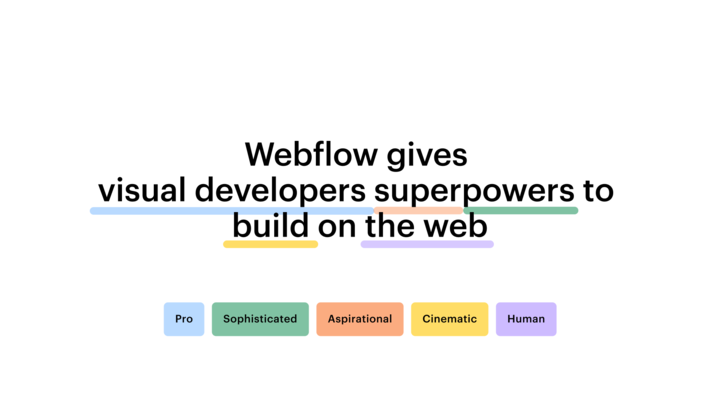
We developed four brand values at the outset to guide our brand exploration and  product design direction. The principles we landed on are “cinematic,” “sophisticated,”  “aspirational,” and “pro.” The cinematic came through most strongly in the updated product designs, with dramatic lighting, engaging camera angles, and thoughtful compositions.

Taking cues from the aesthetics of neomorphism, we steered clear of purely flat visuals and added a sense of depth, materiality, and substance. The Webflow Designer app, loaded with dense interface controls, needed a simple design, but with very clear guidelines to help users intuitively and efficiently understand how to navigate. 

We also looked outside of traditional SaaS software for inspiration. Products such as Cinema 4D and Unity, for example, are ultra-powerful professional tools that offer enormous amounts of control with dense yet legible designs. 

To improve user experience, tap into valuable customer feedback 

Our customers played an essential part in the process. We tested early concepts and significant user-experience changes with new and experienced Webflow community members. Customers in this early testing group even used Chrome Dev Tools to adjust the design and provide direct suggestions for improvement. 

As a result, we learned that some of our new ideas needed tweaks, and we iterated to get them right. For example, in response to feedback from early testers, we adjusted type sizes to improve legibility and hierarchy in the Designer and Dashboard. When customers working in very bright environments told us that the almost-black background was too high-contrast, we made adjustments to improve the experience.

Later in the project, we formed a panel of customer experts who previewed our refreshed design. Their feedback? Pure gold. It helped us further refine our designs and squash bugs that only popped up in real-world scenarios. 

We have continued to make changes based on customer feedback post-launch, too. Recently, we launched a new Appearance Settings option for better accessibility controls to help pros work comfortably under any environment. . 

When engineering and design teams partner, the product wins

From the get-go, engineers played an integral part in the process. We made crucial structural decisions early on and gave engineers the green light to tidy up the existing code and implement styling variables throughout. This paved the way for a smooth integration of the new design token values later in the process. Our designers used Figma to build full designs for key screens, while working closely with engineers to ensure consistency and swiftly resolve edge cases. 

If you’re interested in how Webflow engineers implemented some of the most complex elements of the new interface, check out lead engineer Jon Quach’s tweets, including a deep dive into how we developed the new margin and padding control as well as other lessons we learned throughout the project. 

What we learned while redesigning one of Webflow’s core products

‍Redesigning the user interface for our Designer was a complex process. Each lesson we learned along the way will help us continue to hone our approach to innovation and collaboration:

Go big or go home.

When it’s time to revamp, don’t just tweak around the edges; be brave and aim high. We learned that bold moves can lead to exciting and meaningful improvements. 

Teamwork makes the dream work.

Keeping a tight loop with our team members and decision-makers meant everyone stayed on the same page — and bright ideas didn’t get lost in the shuffle.

Embrace the new and tweak as you go.

Stepping into something new can feel a bit awkward at first. Think of it as a fresh opportunity and a journey of learning and adapting. Stay open, embrace  change, and adjust based on perceptive feedback. 

Spread the excitement.

From showing off our cool design drafts to celebrating every new feature, we kept the excitement brewing and energy levels high. This helped us stay motivated and connected to our mission. We also shared community feedback along the way to connect our contributions back to the people we were designing for.

The lessons we learned will continue to shape Webflow’s future moves. The boldness of our new brand is now woven into every pixel, signifying more than just a design upgrade — it’s our commitment to being unmistakably pro.

Cornerstone content: what it is and why it matters

Software Stack Editor · February 7, 2024 ·

image

Cornerstone content can often be key in a winning marketing strategy, but it’s easy to approach it as an afterthought.

However, when prioritized, cornerstone content can be a game-changer for everything from your search engine optimization (SEO) strategy to your demand generation approach.

Your cornerstone content consists of your website’s most valuable, authoritative pages or articles. And given their role, these specific pages and articles are critical in pushing prospects to become customers.

Sounds like an easy win, right? 

Not so fast. Your competitors will also want to rank for the same keywords—and the winner is often the one who has the best strategy when it comes to their cornerstone content.

Let’s take a closer look at everything you need to know about cornerstone content to create valuable pages that consistently rank well and deliver results for your marketing goals and beyond. 

What is cornerstone content?

In short, cornerstone content is made up of the essential, defining pieces of your website. It’s the pages or articles that are the pillars of your entire content strategy and contain your site’s  most comprehensive, informative, and valuable information. 

Think of your content marketing strategy like a pyramid:

  • Capstone: The tip-top of your pyramid is likely your home page, pricing page, and product pages. These are the end-goal destinations for your audience where they ultimately make a purchase.
  • Top (cornerstone content): Right below your capstone is your cornerstone content. These are informative, compelling, and highly competitive pages that drive traffic to the decision-making pages above.
  • Middle: Your mid-level content comprises supporting long-form guides and articles that drive SEO juice to your cornerstone content. They’re made up of related topics that drive traffic to the cornerstone content for a more comprehensive deep dive.
  • Bottom: General blog posts and articles targeted long-tail keywords make up the bottom of your pyramid. These are foundational to your website and marketing strategy but don’t do much long-term good if there’s no cornerstone content to point to.

Unlike other pieces of marketing content, your cornerstone content is typically longer, richly detailed, and impeccably researched. It offers insight and expertise that establishes your brand as a thought leader in your field. It aligns with your audience’s needs, answers their biggest questions, and solves their most pressing problems.

How cornerstone content impacts SEO

Cornerstone content provides plenty of benefits for your website and marketing strategy, but its most valuable contribution comes from SEO results. Here’s how:

  • Serves as a hub for keyword strategy: Cornerstone content targets your most important (and likely competitive) keywords, and it’s often comprehensive enough to win various related secondary and tertiary terms and phrases.
  • Boosts website’s authority: Search engines favor websites that provide thorough, authoritative information on a topic. Cornerstone content (with its depth and quality) signals to search engines that your site is a credible source.
  • Improves internal linking: Your cornerstone content sits at the center of your internal linking web and links all of your content pages to the top of the pyramid. By linking back to your cornerstone content from other pages and posts — search engines are able to understand and prioritize these key pages.
  • Enhances user experience: High-quality cornerstone content tends to engage readers longer, reducing bounce rates and increasing time spent on your site. This shows search engines your content is valuable and relevant.
  • Increases backlink potential: Top-notch cornerstone content is likelier to earn backlinks from other websites, boosting your site’s authority and rankings in search.
  • Wins rich and featured snippets: The detailed and structured nature of cornerstone content increases the likelihood your content will be selected for rich snippets or featured snippets in search results.
  • Drives consistent traffic: Cornerstone content is often evergreen, driving consistent, high-quality traffic you can count on month after month.

How to create cornerstone content

Creating cornerstone content is easier said than done. It’s not something you’ll want to whip together on a Friday afternoon. You’ll need to collaborate across teams and departments to understand your audience (and their intent) and identify core topics relevant to them.

Many marketing teams throw darts at the board and see what sticks. However, this often results in a loss of valuable time, money, and resources. The best way to get started is to kick off with a comprehensive strategy and a content pyramid (as illustrated above) — with the caveat being that  it’ll involve more upfront research and planning.

Here’s a step-by-step guide to making it happen:

1. Find cornerstone topics

Pinpoint the core topics central to your brand that resonate with your audience. These should be broad enough to cover a range of subtopics but specific to your expertise and industry.Use keyword research and audience surveys to understand what your audience is searching for and what they value most.

For example, a bank might find cornerstone topics around financial literacy, investment strategies for different life stages, or insights into saving for major life events. Then, they could create an extensive guide on personal financial planning featuring expert advice on budgeting, saving, and investing.

2. Research keywords

Once you’ve identified your core topics, it’s time to dig up all the relevant keywords. Don’t be shy. Here’s where you can compete with the high-traffic, high-competition keywords, so don’t cross any off your list yet.

Start building clusters around these keywords. Bundle together keywords relevant to each other. Your largest bundles (and the ones with the highest monthly search volume) will likely be the foundation for your cornerstone content pieces, while the rest will be supporting content in the middle and bottom of your content pyramid.

3. Plan content pyramid

Use your keyword bundles to develop comprehensive topic ideas and insert where each piece of content fits in your pyramid. There’s no specific number of pages you should have for cornerstone content nor a number for supporting content—it’ll all depend on what you found while conducting your topic and keyword research.

4. Outline cornerstone content

Outline your content to ensure it covers every aspect of your topic and touches on all the keywords you’ve targeted. Determine your layout, heading, subheadings, and bullet points to increase readability and navigation.

Think about the journey you want your readers to take and the actions you want them to complete after reading your content. This will be a heavy-duty piece, so you’ll probably want a table of contents and jump links to help your audience find what they want.

5. Write a world-class piece

Now, it’s time to bring your outlines to life. Write engaging, informative content that resonates with your audience. Remember, the goal of cornerstone content isn’t just to inform but also to engage. You want your audience to do something after reading your content.

6. Promote cornerstone content

Creating your cornerstone content is only a tiny portion of the battle. Now, it’s time to focus on promotion, and that’ll include supporting blog posts, infographics, social media posts, newsletters, and paid advertisements.

Approach your cornerstone content with the 80/20 rule. 20% of your time and resources should be spent creating the content, while 80% should be spent promoting the content.

7. Update and maintain regularly

Your cornerstone content isn’t a one-and-done project. You’ll need to monitor its progress and regularly make updates to keep it fresh, relevant, and up-to-date. Monitor industry changes, update statistics, and refresh examples to guarantee your content continues to be a valuable evergreen resource over time.

Tips and best practices to follow

Here are a few additional tips and best practices to help you get the most out of your cornerstone content:

  • Use data and research: Incorporate relevant data, statistics, and research into your content. This adds credibility to your information and gives readers a reason to link back to your post in their own content.
  • Include quotes: Partner with industry experts or influencers to add credibility and a fresh perspective to your content. Partnerships help expand your reach and depth, and they also provide another backlink-building opportunity.
  • Leverage storytelling: Weave storytelling into your content to make complex topics more relatable and engaging. Share customer stories, case studies, or your brand’s journey to illustrate key points.
  • Keep it evergreen: Create content with a long shelf-life. Focus on timeless topics that will remain relevant and useful for your audience over time, requiring only minor updates. Evergreen content continues to attract traffic and provide value long after it’s published.
  • Focus on quality over quantity: Invest time and resources to create informative, engaging, and thought-provoking content. It should offer something unique that can’t be found elsewhere.
  • Prioritize the user experience: Make your content easy to read and navigate. Use clear headings, short paragraphs, and bullet points.
  • Add multimedia elements: Add images, videos, infographics, and interactive content to make your cornerstone pieces more engaging. These elements can break up text, illustrate complex ideas, and cater to different learning styles—plus, they’ll keep readers on your page longer, contributing to better SEO rankings.
  • Measure and adapt: Check your content regularly to see how it performs. You might find that it’s ranking for some high-value keywords on page 2, and adding a new section to your cornerstone content might give it the relevance it needs to win those keywords.

Build out your content strategy 

Cornerstone content is just the beginning to an effective marketing strategy. To learn more about the ins and outs of marketing strategy, collaboration, insights, and more — check out our marketing strategy blogposts. 

Top 7 data integration tools to optimize data resources

Software Stack Editor · February 6, 2024 ·

image

Transform your business data into a strategic asset with effective data integration tools.

To operate efficiently, businesses depend on extensive data, which spans from financial records to customer information. With this information scattered across different sources, platforms, and databases, however, navigating this fragmentation to extract meaningful insights is challenging.

Data integration tools link various data sources, creating a single view that simplifies business operations. This integration makes workflows more efficient, helps businesses scale, and provides valuable competitor insights.

What’s data integration?

Data integration is the intricate process of combining data from diverse sources to provide a comprehensive view of business operations. This process gives you the scalability, flexibility, and oversight to continuously adapt and derive actionable insights from expanding data volumes.

This process can be complex, as it requires extracting information from various sources, transforming it into a format accessible to end users like analysts and stakeholders, and then distributing it to relevant parties for analysis.

Data integration solutions simplify this process through an extract, transform, load (ETL) methodology. They pull data from its diverse origins, standardize it for consistency and accessibility, and deposit it into a centralized repository or data warehouse. This process ensures that all stakeholders access a single source of truth, minimizing discrepancies and reducing manual entry errors. 

What to consider when choosing a data integration tool

Selecting the appropriate data integration tool is pivotal to effective data management, but every enterprise has unique demands, making your selection process a little tricky. Here’s what you should focus on.

1. Compatibility with your cloud strategy

Begin by evaluating the potential tool’s compatibility with your existing data sources, size, and quality. Choose a tool that supports your current infrastructure and aligns with your cloud strategy; ensure it has the scalability for future growth and bolsters security measures for your cloud operations. Consider these factors:

  • On-premise — These tools integrate data from local sources and typically reside within a private cloud or local network. When your team lends toward an on-premise solution, you must factor in local maintenance and upgrade costs. Opt for these tools when you want to maintain tight control over data and security on-site and if you’re prepared to invest in the necessary infrastructure.
  • Open-source — Open-source data integration tools offer total control over data processes; however, you’ll need the expertise to manage, customize, and troubleshoot these platforms. While they provide flexibility and can be cost-effective, they often demand an experienced, hands-on approach.
  • Proprietary — These custom solutions support projects with unique data integration requirements, such as specialized ecommerce platforms, custom content management systems, or niche applications. Evaluate the tool’s customization depth, support quality, and longevity. These options are best when generic solutions fall short of your team’s specific needs. 
  • Cloud-based (iPaaS) — Also known as integration platform as a service (iPaaS), these tools consolidate data from various sources into a cloud-based data warehouse. They are cost-effective, scalable, and flexible, and are especially valuable for teams focusing on quick deployment and minimal infrastructure management. 
  • Multi-cloud — If your projects tap into data from multiple cloud providers, multi-cloud integration tools ensure consistent data flow, scalability, and redundancy. By leveraging multiple cloud platforms, these tools diversify resources and mitigate the risks of relying solely on a single cloud service, such as potential downtime, provider-specific limitations, or regional disruptions. This flexibility is invaluable for teams aiming for resilience and adaptability. 
  • Hybrid-cloud — Hybrid-cloud tools integrate data from both on-premise and cloud sources, catering to teams evolving their tech stack or organizations striving to balance on-site control and cloud agility. Before choosing this tool type, gauge your future data strategies, the robustness of its security measures, and the smoothness in toggling between on-premise and cloud setups.

2. Data type and management processes

Understanding and matching your data type to the appropriate management process is crucial to maximizing its utility and accessibility. Alignment with the right tools ensures accuracy and efficiency and unlocks valuable insights from datasets. Here are the distinct data types and their associated management considerations: 

  • Structured data — This data follows a predefined model. Picture the organized information you find in relational databases and spreadsheets, where you store everything in neat rows and columns. With structured data, you can query tasks more directly due to the information’s uniform nature. Practical management tools for this data type employ data modeling, mapping, and cleansing.
  • Unstructured data — Unstructured data includes free-form data that doesn’t fit a specific format or model. Examples are in-text documents, social media content, images, and videos. Given this lack of structure, you need data integration tools capable of performing text extraction, sentiment analysis, and content categorization, enabling you to access and use the information effectively.
  • Semi-structured data — Semi-structured data might have some organization but doesn’t strictly follow a set pattern, like JSON or XML. Managing this data type involves parsing, transformation, and scheme-mapping processes, offering more flexibility in storage and retrieval. 

3. Ease of use, fit, and price point

Remember, your data integration tools should make your life easier, not more complicated, so focus on ease of use, maintenance, and compliance with data privacy regulations. When selecting a data integration tool, consider these aspects to ensure it adds value to your business operations: 

First, an intuitive tool is essential. A user-friendly interface encourages widespread adoption and use by your team, making daily tasks more manageable and efficient.

Second, consider the maintenance required. Tools that offer seamless updates ensure longevity, aligning the software with the latest technological advancements and security protocols. If scalability is a priority, choose tools that accommodate growth. As your business expands, your data integration demands increase in tandem. The tool you invest in today should have the flexibility to accommodate your needs tomorrow, supporting larger data volumes and more complex integrations without compromising performance. 

Third, compliance with data regulations is nonnegotiable. This adherence isn’t just about following laws — it’s about protecting your business from potential data breaches and their legal ramifications. A tool that guarantees data security and regulatory compliance safeguards your business’s integrity and customer trust.

And finally, evaluate the cost beyond the upfront price. Dive deep into the pricing model to grasp the total cost of ownership. This cost includes initial investment, ongoing maintenance and infrastructure costs, potential upgrade expenses, and associated training costs. Accurately forecasting the tool’s return on investment (ROI) helps you make informed decisions about its long-term value to the business.

Top 7 data integration tools and solutions for enterprises

Choosing the right enterprise data integration solution is crucial, given its impact and significance. We’ve listed seven of our favorites for you to explore, all aimed at supporting your data integration process.

1. Zapier

Zapier is an automation platform connecting over 1,000 business web applications and application programming interfaces (APIs), linking data across multiple sources and eliminating manual data transfers without any coding necessary. If you need to transfer data between apps for billing or other purposes, Zapier’s automated workflows — Zaps — automate this process, minimizing redundant data inputs.

For example, when you integrate Webflow with Zapier, you can set triggers on your website that activate specific actions in other applications via Zaps. If a user submits a form on your site, this can trigger a Zap that sends that data to an analytics tool such as Google Analytics, CRM, or email marketing platform. Implementing Webflow-Zapier integrations lets you seamlessly collect, analyze, and act on your website’s data, providing valuable insights to optimizing your platform and enhancing the user experience.

If you’re searching for another comprehensive automation platform, check out how Zapier compares to Make, another popular solution.

2. Informatica

Informatica provides an AI-driven cloud data management solution, emphasizing data quality to ensure robust and informed business decisions. The informatica data quality (IDQ) is a standout feature integrated into the platform. IDQ creates and executes processes to tackle various data quality issues — such as accuracy, completeness, conformity, and validity — to prevent duplicate and inaccurate entries. For example, you might use IDQ to scan a customer information dataset to identify and correct misspelled names, standardize address formats, or validate email addresses.

3. Boomi

Boomi integrates processes across different systems for streamlined workflows, including applications and databases. This platform automates data mapping, connector configuration, and regression testing while making it easy to detect and resolve errors. And this automation swiftly identifies and addresses issues within data transfer and integration processes, aiming to minimize downtime and accelerate decision-making.

For example, automatic connector configuration synchronizes databases across systems and applications, providing smooth interactions for end users. Automating regression testing, on the other hand, checks if previously developed features still function correctly after changes, ensuring that any website updates won’t compromise existing functionalities, maintaining user trust and satisfaction.

Boomi also offers preconfigured cloud solutions with intuitive drag-and-drop features, allowing you to quickly initiate integration tasks and access them anytime, anywhere. Its robust API management smoothly deploys and configures APIs across diverse software environments, potentially enhancing operational efficiency.

4. Jitterbit

Jitterbit is a low-code integration platform for connecting systems, automating workflows, and designing new applications. One of its premier features is the electronic data interchange (EDI) integration, a tool dedicated to managing and processing account and transaction data. By automating the exchange of information between various platforms — including software as a service (SaaS), on-premise, and even legacy systems — EDI aims to minimize manual data entry tasks and errors, helping to improve operational efficiency and data accuracy.

5. MuleSoft (by Salesforce)

MuleSoft is an integration platform for service-oriented architecture (SOA), SaaS, and APIs owned by Salesforce. It offers a unique blend of tools that cater to developers, allowing them to build efficient sites through a combination of clicks, code, and AI-driven natural language suggestions. 

MuleSoft’s integration capability centers around its enterprise service bus (ESB) architecture, enabling applications to integrate and communicate without overly relying on other systems on the bus. This independence speeds up integration processes by promoting standardized communication and reusable components but also boosts scalability, significantly reducing time to market for new applications or services. 

MuleSoft composer, an integrated tool within the platform, can also streamline app and data connection processes, automating diverse processes on the platform without any coding. MuleSoft’s feature-rich suite extends to robotic process automation (RPA) — from basic tasks like data entry and invoice processing to advanced operations like intelligent document parsing and multisystem integration. This automation aims to eliminate repetitive manual tasks, freeing up human resources for more strategic and value-driven endeavors, such as customer engagement strategies.

6. Talend

Talend offers a comprehensive data management solution, merging data integration, quality management, and governance within a single low-code platform compatible with nearly every data source and architecture. For example, you can integrate Talend with AWS, Microsoft Azure, Cloudera, and Snowflake to quickly prepare, extract, and migrate data. Its fully automated cloud data pipelines also speed up business intelligence insight extraction, helping you make informed decisions more quickly. 

One of Talend’s main benefits is its adaptability in deployment options, offering several deployment options to suit different organizational needs. Its on-premises solution is tailored to businesses requiring strict data control due to residency or compliance mandates, while the cloud-based option suits organizations looking to scale operations while managing infrastructure investments. Multi-cloud deployment reduces reliance on a single-cloud provider, and their hybrid-cloud solution combines on-premises security with cloud scalability, offering a versatile approach for businesses needing both elements.

7. Oracle Data Integrator

Oracle Data Integrator (ODI) is a robust data integration tool, especially for users already invested in the Oracle ecosystem. Addressing high-volume, batch-load ETL processes and adapting to flexible big-data extractions, it effectively meets complex data needs.

Unlike many integration tools that rely heavily on an external ETL server, ODI leverages the power of the target database to accelerate data loading and transformation directly into data warehouses. By bypassing the need for an external server, you experience faster data transfer rates, reduced latency, and fewer potential points of failure. ODI’s design aims to optimize the speed and accuracy of data transfers directly into data warehouses, which could be beneficial for organizations requiring efficient data handling and transformation within Oracle’s database environment.

Scale your business efficiently with streamlined data processes

Effective data integration isn’t just about merging data — it’s a strategic tool for scaling your business. By harmonizing data from varied sources and formats, you streamline business processes and uncover actionable insights that refine your decision-making.

When you’re scaling digital assets like websites, consider Webflow Enterprise. Offering enterprise-grade global hosting, scalable CMS systems, and an intuitive visual environment to craft web experiences at scale, Webflow has everything you need to help your business grow. 

16 marketing KPIs to improve your business strategy

Software Stack Editor · February 6, 2024 ·

image

Implementing KPIs into your marketing strategy transforms data from multiple platforms into valuable insights.

A company’s digital channels — like websites, apps, online stores, and social media — churn out diverse stats to track, like the number of visitors on your site or the return on the last five years’ investments. With so many moving parts, businesses need meticulous tracking and analyzing systems. Otherwise, they might miss valuable information and lose opportunities.

Luckily, excellent data tracking strategies exist that can help you make sense of these statistics and use them to your advantage, such as revamping your website’s content to increase the visitor count or using past learnings to build a new five-year plan. In these situations, marketing KPIs help you break the data down and put it to good use.

Here’s how to set your team up for success and maximize marketing efforts using crucial numerical benchmarks and performance metrics.

What are KPIs in marketing?

Key performance indicators — KPIs — are quantitative values for measuring marketing performance. They help organizations analyze and gauge success in achieving specific objectives across various channels, including websites, apps, and social media. KPIs are crucial metrics for decision-making because they allow you to track progress, identify improvement areas, and align marketing activities with your company’s overarching goals.

How to choose the best KPIs to track

There are dozens of KPIs that you could track. So how do you know which ones are actually valuable for your business to measure? Here are a few key points to consider.

Align your KPIs with SMART goals

SMART goals stands for specific, measurable, achievable, relevant, and time-bound. Each KPI should correspond to a specific goal that’s clearly defined, quantifiable, feasible, directly tied to your organization’s broader strategy, and bound by a particular time frame. Aligning your KPIs with these five pillars ensures your metrics provide value and offer a foundation for analysis and a road map for more focused marketing efforts.

Say your objective (specific goal) is to increase online sales by 20% (measurable) in the upcoming quarter (time-bound). You can use website traffic as a KPI to measure the number of visitors and assess how feasible (achievable) it is to increase revenue (relevant to your broader strategy).

Prioritize value over vanity metrics

Vanity metrics are measurable data that don’t represent an actual return on investment (ROI). They may look appealing or create an illusion of achievement, but they often lack value in assessing true impact on the business. It’s essential to first differentiate between vanity and value-adding metrics. Then, prioritize value-adding metrics, which offer actionable insights.

For instance, social media likes, shares, and impressions may exaggerate a sense of success without providing meaningful data on engagement or conversion rates. Instead, analyzing how many viewers turn into paying customers or become followers reflects the efficacy of your marketing efforts and provides actual value to your strategizing and decision-making.

Study the customer journey

Different stages in the customer journey require tracking various sets of marketing metrics. Whether you’re focusing on brand awareness, conversion, or retention, tailoring KPIs to specific funnel stages lets you understand where each indicator is most useful, therefore guiding your approach to applying the data for optimization.

For example, the cost of acquiring and converting a customer is relevant in the conversion stage, while customer satisfaction and retention rates hold value post-purchase. By aligning KPIs with the appropriate stages of the customer lifecycle, you gain a holistic perspective of the entire funnel and can maximize your marketing efforts.

The 16 marketing KPIs you should be measuring

KPIs support data-driven decision-making, and grouping them by specific categories helps you comprehensively and continuously improve all areas across your marketing efforts. Here are 16 essential marketing KPI examples, organized into three primary categories, to quantify insights and optimize your business.

Sales and customer-related KPIs

1. Sales growth

Sales growth measures your company’s revenue increase over a specific period and shows how effective your marketing efforts are in generating more sales. Consistent growth is a positive sign that indicates market competition and customer demand. So if your sales increased by 20% over the last year, your offerings are well-received in the market.

2. Leads

Leads are potential customers who show an active interest in your product or service. There are two types: marketing-qualified leads (MQLs) and sales-qualified leads (SQLs). These types differ based on their level of engagement with your site. MQLs are leads that have engaged with your site’s content, like downloading an ebook or attending a webinar. An SQL is a lead that has been qualified by the sales team as having a strong intent to purchase. The process of moving an MQL to become sales qualified often involves lead scoring to determine how ready they are to purchase.

3. Return on investment (ROI)

Return on investment measures the profit received from an investment. ROI shows you the value gained from spending on resources, capital, and marketing campaigns and helps you assess whether these investments yield positive returns.

4. Customer acquisition cost (CAC)

CAC is the average cost of acquiring a new customer. This marketing KPI helps you understand the cost-effectiveness of securing a new client versus retaining one. By investing in customers whose purchases outgrow your expenses, you’ll promote a healthy CAC and maintain your profit margins.

5. Customer retention rate (CRR)

Customer retention rate is the percentage of customers your organization retains over a given period. CRR measures how well you keep customers engaged with your brand and prevent them from seeking alternatives. Retaining a customer is cheaper than acquiring one, making this benchmark a crucial factor in increasing your bottom line. And this metric reflects customer loyalty and illustrates how effective your post-purchase marketing strategies are.

6. Churn rate

Unlike CRR, churn rate represents the number of customers disengaging from your brand over a specified time frame. This KPI helps you understand customer dissatisfaction and spot challenges in maintaining long-term engagement with your products and services. A high churn rate indicates issues like poor service quality or pricing concerns, and this can help you identify where and how to improve consumer satisfaction.

7. Customer lifetime value (CLV)

Customer lifetime value measures the total revenue you earn from a customer over the course of their relationship with your brand. Whether a consumer repeatedly buys products from your brick-and-mortar store or has them home delivered through your ecommerce site, the CLV showcases a customer’s value over time. So if a customer spends an average of $1,000 annually over five years, the CLV would be $5,000.

8. Conversion rate

Conversion rate refers to the potential customers — including website and store visitors, social media users, and email recipients — who take action, such as buying a product or completing a sign-up. It measures how effective your marketing is at converting visitors into buyers. A high conversion rate suggests your offerings are engaging and appealing.

9. Customer satisfaction

This marketing KPI reflects how satisfied and fulfilled customers are with your company’s products, services, content, and interactions. Happy customers will likely become repeat buyers and recommend your business to friends and family, and this word-of-mouth marketing improves your reputation and brand loyalty.

10. Net promoter score (NPS)

Net promoter score measures the likelihood of customers recommending your offerings to others. The NPS survey asks a question such as: How likely are you to recommend this product to a friend? Respondents answer with a score from 0–10, and the scores you collect provide insight into general customer loyalty and advocacy. This metric also helps marketing teams modify strategies to improve customer relationships and attract new consumers.

Website and content marketing KPIs

11. Website traffic

Website traffic measures the total number of visitors your company’s website receives in a given period. It demonstrates your site’s popularity and how effectively various channels, campaigns, and content attract potential customers. The channels you study with this KPI might include social media, email, or search engine results.

12. Bounce rate

Bounce rate is the number of visitors who leave your site after viewing a single webpage without taking any action. A high bounce rate indicates your site’s lack of engaging offerings or relevant content. And a low bounce rate suggests that visitors find the content valuable and are willing to explore further.

13. Time on page

Time on page is the average time website visitors spend on a page before leaving or moving to another. A longer value indicates visitors find your content engaging and relevant. Suppose the average reading time on a blog article is six minutes — a time on page considered relatively high. This suggests readers are interested and engaged with that specific page, revealing it as a positive example of quality content for retaining visitors.

Email KPIs

14. Open rate

Open rate measures the number of recipients who open an email relative to the number of emails delivered. If you send 1,000 subscribers the same email as part of an email marketing campaign and 400 of them open the email, the open rate would be 40%. This KPI shows how effective and relevant email subject lines are. A higher open rate indicates that recipients found the subject line appealing enough to open the email and explore its contents.

15. Click-through rate (CTR)

Click-through rate measures the percentage of recipients who click on one or more links in an email. CTR is a crucial marketing metric to understand the appeal of a call to action (CTA) and measure the level of engagement and interest beyond open rates. A high CTR implies that recipients opened the email and took the desired action.

16. Unsubscribe rate

This indicator shows the number of recipients who opt out of receiving your emails. Like churn rate, it reflects dissatisfaction or disinterest in your email campaign content. A sudden spike in unsubscribe rates signals that you should reconsider your subject lines, content, and frequency of emails to keep your audience engaged.

From analytics to action with Webflow

Unlocking the full potential of your online presence requires seamless integration with data visualization and analytics tools. With Webflow Enterprise, you can connect multiple tools to gather valuable data on customer behavior, website performance, and other business metrics.

Whether it’s adding Google Analytics to your site or optimizing your ecommerce store, Webflow’s versatile, feature-rich tools help you create a digital ecosystem to take your business to the next level.

How you can use predictive behavioral data to improve customer experiences

Software Stack Editor · February 5, 2024 ·

image

Every online interaction provides behavioral data that can inform website development decisions for optimal user experience.

Most online users rack up almost 5,000 digital interactions per day. The glut of data makes it challenging for marketing teams to pinpoint the most relevant information. But each reaction, from customer preferences to pain points, offers valuable insight that can help improve your online presence and satisfy customers. With the right approach, you can identify the best insight sources and make the most of behavioral data.

What’s behavioral data?

Behavioral data is the digital footprint users leave behind when they interact with online platforms. These actions include clicks, site visits, time spent on pages, newsletter subscriptions, email sign-ups, and more.

Marketing teams typically receive this data for behavioral analysis through various sources, such as websites, apps, customer relationship management (CRM) software, marketing automation systems, and data visualization tools.

After collecting data, marketers save each interaction as an “event” when a user takes action. Each event has “properties,” or metadata describing it. For example, an event may be a smartphone user tapping on a push notification, with the properties being the mobile’s brand, location, and time.

Understanding behavioral data

Consumer behavioral data comes from every corner of the internet. Here are the most common occurrences:

  • Adding items to shopping carts. Monitoring shopping cart data and subsequent actions helps improve sales funnels and minimize abandoned cart rates.
  • Choosing between options. Tracking users’ decisions between various options, such as making a selection on a platform or a survey, provides insights into individual choices and preferences. This knowledge lets you shape personalization and product offerings.
  • Clicking links. Analyzing the links that users click on most (and least) can help you understand the content, products, and services that resonate with them.
  • Completing forms. When users fill out forms, they’re willing to provide information like email addresses and geographical locations. Use this consumer data for lead generation, segmentation, and personalization.
  • Contacting customer support. Users’ calls, emails, and chats with customer support reveal your consumer base’s pain points and demands. These offer insight that lets you improve customer service operations and tailor future interactions to your audience’s preferences.
  • Entering search queries. Knowing what users actively search for, whether on websites or search engines, provides valuable insight into their needs and interests.
  • Reading blogs and articles. How long people spend reading specific themes and topics indicates their interests and reading patterns. This helps dictate the kind of content you should include going forward.
  • Watching videos. Video engagement metrics, such as views, watch time, likes, comments, and shares, measure the impact and success of visual content.

Why is behavioral data important?

Behavioral data is more than a byproduct of online activities — it’s a valuable resource that lets you refine marketing strategies, optimize user experiences, and meet customer expectations more precisely. Here are a few reasons why predictive behavioral analysis is essential to your marketing strategy.

Personalization and precision targeting

Behavioral data allows you to move beyond generic marketing strategies, like mass email campaigns, by comprehensively understanding user preferences to create targeted and personalized messaging.

For example, if a customer buys a product from your website, you might email them a personalized thank-you note and similar recommendations or discounts. With precise targeting, you improve your consumers’ experience and boost conversions.

Optimized user experiences

Create seamless, intuitive, and functional digital experiences by analyzing how users navigate websites, where they spend the most time, and what encourages them to click and convert. Behavioral data also shows you pain points and potential bottlenecks across your digital channels.

For instance, offering a one-click payment process over the standard procedure on your ecommerce store may increase revenue. Behavioral data helps you identify these issues, make data-driven improvements, and nurture target audiences through the customer journey by meeting their expectations and preferences.

Data-driven decision-making

Behavioral data allows you to move beyond guesses and assumptions. It provides quantifiable insights into user behavior and interests so you can validate hypotheses, test strategies, and adapt based on data and real-time feedback.

This way, you can create a structured, agile, and responsive workflow where every decision is based on observable trends through stats and numbers.

Customer loyalty and acquisition

All the data collected from analytics tools reveals patterns that let you predict and address various user preferences, demands, and pain points. Consistently delivering on those fronts offers value to your customers by meeting and exceeding their expectations, which fosters loyalty among your consumer base.

Precision targeting and optimized interfaces also allow you to create loyalty programs, proactive customer support, and personalized ads to build lasting relationships. Not only does this strengthen your bond with existing buyers, but it encourages them to recommend your brand through word-of-mouth marketing.

Types of behavioral data

Behavioral data comes in several forms based on source and ownership. Here are the main types.

  • First-party data. First-party behavioral data is collected directly from audiences through your website, mobile apps, social media, and email. However, you can’t keep tabs on first-party data once users leave the source. For example, an ecommerce website tracks clicks, searches, browsing history, and purchases — these interactions are first-party data that provide valuable insights into user behavior across digital channels.
  • Second-party data. Second-party data comes from an external organization that shares its collected information with you through an agreement or mutually beneficial partnership. For instance, a service provider can collaborate with a review website. The review company shares its behavioral data (with consent) to help the service provider understand customer demands and pain points.
  • Third-party data. Third-party data is sourced or bought from external providers who aggregate and sell information through various platforms. For example, an advertising agency buys demographic information from a data provider, like a target audience’s age bracket, to segment customer profiles and offer personalized marketing campaigns.

Common sources of behavioral data

You can track behavioral data from various touchpoints where users interact with online platforms and digital channels. Here are seven common examples of behavioral data sources.

1. Data and analytics tools

Analytics tools like Google Analytics, Smartlook, and Mixpanel track user interactions across websites, mobile apps, email, social media, and event platforms.

They provide visual reports and insights into metrics such as click-through rates, session durations, bounce rates, etc. These numbers help you understand how users behave on platforms, with areas and opportunities for improvement.

2. Social media platforms

With billions of monthly active users, social media networks like Facebook, Instagram, TikTok, and YouTube generate a wealth of behavioral data.

You’ll find user engagement insights, like likes, shares, and comments, indicating how popular and relevant posts and content are. They also show you how effective your marketing efforts are and how you can tap into trends to improve reach and following.

3. Email marketing tools

Email marketing platforms, like Mailchimp, HubSpot, and ActiveCampaigns, provide behavioral analytics related to email campaigns. You can monitor how often recipients open emails, click on links, and interact with email content and personalized messaging. This lets you improve your email marketing strategy for better lead generation, engagement, and conversions.

4. CRM systems

Customer relationship management (CRM) systems let you store and organize customer-related behavior analytics, like interactions, communications, feedback, and purchase history. CRM tools provide a centralized location for team members to access information and help you effectively understand and manage customer relationships.

5. Ecommerce platforms

With a third of the world’s population shopping online, ecommerce website analytics are rich behavioral data sources. Whether people browse and view products, add items to their wish lists and shopping carts, or offer transaction details, you’ll find plenty of personalized marketing and lead generation opportunities.

You can segment target audiences, create in-depth customer profiles, and use this data to tailor your offerings and marketing strategies to improve conversion rates and revenue.

6. Customer support channels

Customer service and helpdesk platforms, like Zendesk and Freshdesk, collect behavioral analytics through customer interactions with support teams and chatbots. Data points from this source include the number and frequency of support requests, issue types, feedback, and ratings (typically from 1–5).

With these insights, you can quickly identify your consumers’ most common problems and address them to improve customer satisfaction and retention.

7. Heatmaps

Heatmaps visually represent user behavior by showing how and where people interact with a webpage. For example, you can see where users click, scroll, and spend the most time. High-activity areas usually show darker, warmer colors, like red and orange, while less-used areas are green or blue.

Tools like Hotjar and Microsoft Clarity generate heatmaps based on aggregated engagement. They provide you with behavioral data and an intuitive understanding of your site or app’s most appealing and navigated zones.

These visual insights can help you make design improvements, optimize call-to-action (CTA) placements, and improve the overall customer journey by aligning interfaces with their preferences.

Improve your digital marketing strategy with Webflow Enterprise

With customers at the forefront of any business, behavioral data is paramount to increasing revenue and scaling successfully. One of the best ways to maximize conversions is by creating a visually appealing and intuitive website.

Webflow Enterprise provides professional tools to build, host, and manage sites with high-grade security. Engage existing customers with user-centered designs and learn how to attract new target audiences with SEO and integrated analytics. Webflow helps you unlock the full potential of your online presence, maximize conversions, and deliver an outstanding user experience.

Enterprise marketing automation: 5 essential components and how to choose the best EMA tool

Software Stack Editor · February 4, 2024 ·

image

Automating organization-wide marketing activities reduces time-consuming manual tasks and streamlines workflows for smoother team operations.

Whether you’re growing a medium-sized business or scaling an enterprise, a company expansion means adjusting your team processes to support more teams, offerings, and marketing activities.

But with limited resources and budgets, implementing your ideal marketing campaign is challenging, especially when employees constantly juggle ongoing projects and day-to-day activities.

That’s where enterprise marketing automation (EMA) comes in to reduce manual labor and repetitive tasks. By optimizing EMA systems’ main components and functions, you can focus your efforts on scaling your company — rather than managing tedious manual tasks.

What’s enterprise marketing automation?

Enterprise marketing automation (EMA) is a technology-oriented approach to streamlining and automating marketing activities within enterprises and large-scale organizations.

It aims to improve the effectiveness of marketers’ activities by reducing reliance on manual labor. Integrating and automating tasks across multiple channels grants teams time for creative work, such as innovation and strategy, and enables them to create cohesive, brand-specific campaigns at scale.

Marketing automation vs. enterprise marketing automation

Large companies or smaller startups can use automation systems to streamline and accelerate marketing and project processes. However, enterprise marketing automation typically caters to larger businesses with broader and more diverse target audiences.

With more leads and clientele, enterprises typically work with longer customer journeys and sales funnels. Additionally, they demand cross-functional collaboration with larger teams and more resources.

EMA systems expedite these processes by automating labor-intensive tasks, enabling cross-team communication, and simplifying large databases to save time and provide in-depth reports. Marketing automation offers the same benefits at a smaller scale, but enterprises need EMA to fulfill their requirements.

Enterprise marketing automation benefits

Automating routine processes does more than reduce manual labor and human error. Whether it’s applied to internal projects or customer-facing processes, EMA provides multiple benefits, including:

Aligning customer data

Enterprise marketing automation consolidates customer data in one location, allowing you to understand consumer behavior, preferences, and interactions using in-depth insights.

Suppose a customer interacts with your business through your website, social media, and email. EMA gathers and presents user data from these platforms, which allows you to set triggers for marketing actions. For example, if the customer views a specific product on social media, the EMA system automatically sends the user targeted ads related to that product to encourage purchases.

Accelerating project and sales lifecycles

EMA accelerates your project lifecycles and delivery times by automating repetitive tasks, such as maintaining spreadsheet data or scheduling social media posts. It also guides potential customers through the sales funnel to drive purchase decisions.

For example, an EMA system assigns scores or ratings to leads based on engagement and interactions with marketing touchpoints — like clicks on a social media ad or taps on a notification. When a lead reaches a preestablished score range, the system automatically notifies the sales team, letting them follow up and attempt to convert the user into a paying customer.

Engaging potential customers

Enterprise marketing automation promotes customer engagement by delivering personalized, timely content based on individual preferences and behaviors. More than half of all customers who receive personalized experiences from a service or business say they’re likely to return. That means using EMA to personalize content can increase your customer retention rate and repeat purchases.

Automating email marketing

Enterprise marketing platforms can schedule email marketing campaigns and deliver personalized content to engage potential customers based on user interactions.

For instance, when customers buy a product or subscribe to a service, the EMA automatically sends them an enterprise email with related product recommendations, discount coupons, or a personalized welcome message. These gestures improve the buying experience and encourage consumers to explore your brand further.

Managing multichannel campaigns

EMA tools let marketing teams coordinate campaigns through email, social media, and company websites to ensure a cohesive branding and messaging approach across all channels.

Say a business-to-business (B2B) company launches a new digital product online. They can use an EMA tool to manage the launch and use the platform as a central data hub to monitor B2B marketing campaign metrics in real time.

Providing analytical insights

Enterprise marketing automation systems typically have built-in analytics and reporting features that highlight campaign performance patterns, customer behavior, and return on investment (ROI).

Analytic functions help identify channels generating the most leads and conversions by interpreting data from marketing campaigns and EMA reports. These insights direct your focus to strategies and trends that deliver optimal results so you can maximize your organization’s marketing efforts.

Safeguarding data and privacy

Many EMA platforms prioritize data protection and privacy regulations by including ample security measures like access control and encrypted data storage. These help keep sensitive company and customer information safe in data transfers and transactions.

Maintaining high protection standards also fosters trust with your consumer base. For example, an ecommerce website may require two forms of identification, such as an email address and a phone number, to sign into a customer account. This provides assurance by demonstrating an effort to protect your consumers’ banking information and contact details.

The 5 essential components of enterprise marketing automation

While each EMA tool offers its own set of features, all available systems share some fundamental components. Here are the five essentials of enterprise marketing automation systems.

1. Market segmentation

Enterprises rely on EMA systems to categorize a broad group of customers into specific market segments based on criteria such as demographics, online behavior, purchasing patterns, preferences, and interests. This component of EMA systems triggers personalized and targeted communication that ensures marketing efforts resonate with the relevant segments.

2. Retargeting

Retargeted marketing involves reengaging with potential customers who showed an interest in a product or service but didn’t take action, such as buying or subscribing. With enterprise marketing automation, you can follow up with leads by sending personalized content and ads that encourage customers to return and complete the sales funnel.

3. Customer support and call center management

Enterprise marketing automation supports integration of customer service and call center management by centralizing consumer interactions, feedback, and issue resolution.

You can comprehensively understand your customers’ pain points by organizing all consumer queries and issues in one location. This allows for data-driven marketing strategies, personalized communication, and informed problem-solving across customer touchpoints.

Additionally, EMA reports are useful for training call center representatives to better tend to potential and existing customers.

4. Event marketing

Large businesses often plan, promote, and manage conferences, webinars, workshops, and product launches.

While many events require human involvement, EMA allows you to seamlessly include event-related activities into your broader marketing strategy by ensuring automated promotions align with your marketing.

Additionally, EMA provides participant-related data so you can analyze crucial metrics like attendance, feedback, and engagement post-event.

5. Promotions

This component focuses on creating and managing promotional campaigns — such as discounts, special offers, holiday sales, and loyalty programs — to encourage leads and customers to take action.

With EMA software, you can automate delivery, target relevant audiences, and schedule promotions based on customer behavior, preferences, and browsing history.

How to choose the best enterprise marketing automation tool

Finding the right EMA tool for your enterprise can be challenging, especially if your company is transitioning or scaling. Here are a few factors to consider when selecting an enterprise marketing automation system:

  • Cross-platform integrations. Evaluate an EMA software’s compatibility with your existing systems, including customer relationship management (CRM) tools, content management systems (CMS), and other established workflow resources. Seamless integration ensures a unified marketing ecosystem that allows data to flow freely between team members and platforms.
  • User-friendliness and usability. Consider how user-friendly a platform’s interface is before subscribing to its services. This involves aspects like simple navigation, intuitive design, and user learning curves. Evaluating a tool’s usability in advance helps streamline training and maximizes productivity so your team can use EMA features to their full potential.
  • Data analytics and reporting. Look for an EMA system that provides comprehensive reports into campaign performance and customer behavior with data visualization for simple reference. These reports allow your team to make data-driven decisions efficiently and optimize strategies to improve marketing content.
  • Customer support. Reliable customer support — including availability, responsiveness, and channels (email, phone, live chat) — ensures your consumers feel heard and valued. When choosing an EMA provider, look for a service with a positive track record of satisfying customers.
  • Scalability. A scalable EMA system will continue to meet your organization’s needs as it grows. Consider how many accounts the platform can accommodate, the features for cross-functional collaboration, and pricing models within your budget.

Get started with Webflow for enterprises

With changing markets and customer preferences, agility and adaptability are essential to drive success. Access our enterprise resources, as well as guides, tutorials, and tools on web design, site hosting, and collaboration.

Build visually appealing and functional websites and discover other essential enterprise software to complement your EMA systems. Explore Webflow and take your business to the next level.

How to create an engaging B2B website design

Software Stack Editor · February 4, 2024 ·

image

A B2B website is your team’s powerhouse, working diligently to convert prospects into customers.

Successful business-to-business (B2B) websites improve marketing efforts, showcase thought leadership, and demonstrate organizational strengths. To ensure your B2B site resonates with your audience, you must balance diverse stakeholder interests and focus on the end-user. Leading B2B business website examples exemplify this user-centric principle, prioritizing customer experiences and needs in their design process.

To truly captivate your audience, dive deep into their specific wants, needs, and challenges. This focus allows you to tailor a site journey that doesn’t just engage your audience but drives meaningful interactions that lead to conversions. Read on to learn how to create a B2B website that anticipates your target audience’s needs, ensuring a compelling, conversion-focused online presence.

The importance of web design for B2B companies

While B2B and business-to-consumer (B2C) sites share similarities, B2B sites focus more on fostering long-term relationships rather than immediate sales and often serve as the first touchpoint for potential clients. This emphasis elevates B2B site design above mere aesthetics — it becomes a critical B2B marketing strategy component and a tool for building user trust.

A well-crafted B2B website not only showcases your value proposition and products but also serves as a platform for delivering high-quality content. Together, these elements deliver powerful brand messaging that builds trust with your audience. In the competitive B2B world, where first impressions are crucial, investing in web design distinguishes your business and builds strong business relationships.

How to create an effective B2B web design strategy

Creating an effective B2B website strategy requires careful planning and attention to detail. To help you get started, we’ve curated a list of tips for crafting a website that’s user-focused, visually appealing, and functionally effective.

Set clear goals and define performance metrics

Start by establishing your overarching goal, such as growing brand awareness or increasing website traffic. This objective shapes your website’s design and functionality, aligning every element with your business targets.

Next, determine the specific actions you want customers to take to help you achieve this goal. A Software as a Service (SaaS) company might encourage customers to schedule a demo, engaging customers and directly supporting the company’s goal of increasing product trials or sales. A consulting firm might collect contact information for follow-ups, fostering direct communication and client engagement.

Finally, select key performance indicators (KPIs) to measure the success of these actions and their impact on your overall goal. If your objective is increasing customer engagement with your sales team, tracking email sign-ups and form completions is crucial. These metrics provide insights into how effectively your site converts visitors into leads.

Other common KPIs include:

  • Pageviews: Reflect brand awareness and overall traffic volume.
  • Time spent on the site: Shows engagement and content resonance.
  • Email sign-ups: Indicate ongoing interest in your brand, products, or messaging.

Map the buyer journey

After setting your goals and establishing a progress-tracking system, leverage your buyer’s journey to maximize conversion chances. This step requires conducting in-depth user research, developing buyer personas, and grasping the nuances of the B2B buying process.

1. Understand the B2B buying journey

Unlike B2C buyers who complete a transaction online, B2B buyers have a more intricate purchasing process. According to management consulting company Gartner, “the typical buying group for a complex B2B solution involves six to ten decision-makers,” and the process is rarely linear. Often, you’re not just selling to a single site visitor — you’re selling to that visitor, their boss, and their boss’s boss. That means you need to create an experience that engages the primary visitor while addressing the considerations of the wider decision-making unit.

This layered decision-making process may also require multiple site visits before conversion. The complexity extends beyond the B2B sales cycle, with an average duration of 102 days. By understanding this process and identifying the key decision-makers, you can tailor your site to present critical information up-front, catering to the unique dynamics of B2B transactions.

2. Conduct user research

User research helps you develop a data-informed understanding of your customers, empowering you to create websites that meet their actual needs and not just your assumptions.

To effectively conduct user research, focus on:

  • Gathering survey insights. Before designing your website, examine customer surveys to collect direct insights into customer preferences and expectations.
  • Evaluating user interactions. Delve into feedback you collect from communication channels such as in-person conversations, email exchanges, and social media dialogues. Prioritize user testimonials since these show how users perceive your products and site and offer perspectives that guide improvements in user experience (UX) and design.
  • Exploring search trends. Investigate your site’s internal search-log to identify the phrases and keywords customers use when searching for your product or service. This analysis refines your site’s navigation and content structure to align with their search patterns, enhancing the UX by helping customers find what they need on your site.

Equipped with this information, you can develop a website that more confidently bridges the gap between your customer’s needs and your company’s solution. Plus, a deeper understanding of your users helps identify common goals and pain points, letting you create more relevant content and experiences tailored to different user types for a better UX.

3. Develop buyer personas

Once you identify users with similar goals, you can develop buyer personas — detailed financial representations of your ideal customers. So instead of a general approach like targeting all procurement professionals, you might create a specific marketing persona such as “Paula Procurement.” Use your user research to detail and enrich this persona, including demographic information like typical geographic locations and age ranges. It should also include their pain points, personal goals, and preferred communication channels.

Developing these detailed buyer personas empowers you to tailor your site experience for visitors most likely to convert. This personalization could involve localizing your website and adopting a right-to-left visual hierarchy on your homepage to appeal to prospects from Arabic or Hebrew backgrounds. By understanding a persona’s interests and preferences, you can adjust your site’s content and messaging to engage them more effectively, enhancing your conversion chances.

Unify your brand and messaging

A unified design system streamlines your creation of a cohesive, on-brand website and helps you maintain consistency across all platforms. This consistency is crucial, preventing confusion among potential customers.

By offering a shared visual language, a design system unites reusable design components, principles, and guidelines, fostering product and web design consistency. Such a system not only dismantles organizational silos among design, development, and marketing teams but also accelerates website development.

Ready-to-use design components also give your team more time to focus on customization and innovation rather than recreating basic elements for each new project. Since design systems components are pre-tested and standardized, using them reinforces brand consistency, providing a seamless UX.

To create a design system, start by auditing existing products and designs to identify visual elements aligned with your brand and any inconsistencies. This audit paves the way to define your design language, focusing on the emotions you want to evoke in your customers and selecting visual elements like color palettes, typography, and imagery.

Once you’ve defined your design language, build a pattern library of common design elements and complement this collection with detailed documentation or style guides that outline usage and maintenance. This documentation helps your team effectively use and maintain the design system, consistently applying it across your website and other digital assets.

Organize and optimize content and UX

Another way to boost your site’s chance of success is to ensure it’s user-friendly. Here’s how to prime your site for conversions by focusing on the UX:

  • Devise a smart layout. Use your customer research to determine how to structure your site to quickly address your customer’s most pressing pain points and direct them to your solutions. If customer research reveals that most users seek pricing information, address this need by featuring pricing details prominently on your homepage.
  • Minimize customer clicks. Optimize your information architecture and structure your site to reduce the clicks customers need to reach their desired destinations. If analysis shows that most users visit your Services page, redesign your homepage to include a direct link to this section, reducing the journey to a single click.
  • Integrate search engine optimization (SEO) from the onset. Develop your website and content with SEO in mind, ensuring all elements — from headers to hero images and captions — enhance your site’s search engine rankings and visibility. Use keyword research to include relevant search terms in your headings and image alt-texts to improve your rankings and attract organic traffic.
  • Optimize for conversions. Accelerate customer conversions by understanding their needs and eliminating barriers hindering their site journey. If your analytics show customers often hesitate at the pricing page, simplify this page’s contents and include reassuring website testimonials to streamline decision-making and encourage quicker conversions.
  • Ensure accessibility. Design your website so it’s accessible to all customers. Adhering to accessibility guidelines improves everyone’s UX and makes your designs responsive on all devices, widening your reach and delivering a positive experience for every site visitor.

Test, launch, and review

Guarantee a flawless launch and sustained website success through comprehensive pre-launch testing and ongoing reviews. A well-designed website will delight your customers and reflect positively on your brand.

Customers have little patience for bad, buggy, or slow website experiences. According to Kissmetrics, a one-second delay in page response can result in a 7% reduction in conversions. Issues that interfere with the user experience can’t happen on launch day.

Optimize your customer’s experience from day one by thoroughly reviewing and testing the site pre-launch. Focus on:

  • Inspecting design elements. Check for any errors or design inconsistencies.
  • Proofreading content. Ensure all content is error-free and well-written.
  • Testing functionality. Verify that integrations, widgets, downloads, and forms work correctly.
  • Checking links. Review all internal and external links, fixing any 404 or redirect issues.
  • Testing for cross-browser and device functionalities. Test your site across different browsers and mobile devices to ensure a consistently positive experience.
  • Testing page speed. Confirm your site loads quickly to avoid deterring impatient visitors.

While pre-launch testing is critical, the review process doesn’t stop once the site goes live. Regularly schedule post-launch reviews to proactively identify and rectify any emerging issues, such as bugs, broken links, or errors, before they negatively impact the UX.

Use a design mindset to bring your B2B website to life

A B2B website aims to convert prospects into paying customers, so take the time to create a platform that celebrates prospective buyers, makes them feel understood, and illuminates their path toward a solution.

When you put the user at the center of the B2B web design process, you drive impactful experiences that lead to growth, trust, and long-lasting customer relationships. And when you build your B2B website on Webflow, you have the power and flexibility to iterate on your users’ website experience — on a completely visual-first platform.

Start building today with Webflow Enterprise, a powerful web development platform that gives your teams the power to build, ship, and manage B2B sites.

Host your next online function using these top 10 virtual event platforms

Software Stack Editor · February 1, 2024 ·

Organize a successful online happening with the right virtual event platform.

Any event, big or small, requires lots of preparation with rounds of tweaks and adjustments. To deliver the best experience for attendees, you need proper event management and the right tools to create a memorable occasion.

Finding the right virtual event platform can set you up for a successful event by providing a range of benefits — like customized branding and enhanced attendee engagement — while supporting your organization’s promotional efforts.

Read on to learn how virtual event platforms elevate your digital reach, and use these handy tips to select the ideal platform for your needs.

What’s a virtual event platform?

A virtual event platform is a comprehensive digital solution that facilitates conducting and attending events, meetings, seminars, and conferences online.

Businesses and organizations rely on virtual event platforms to bridge the gap between physical and virtual interactions and make it simpler for individuals and companies to connect and communicate anywhere.

Virtual event software allows you to livestream or prerecord sessions, and participants can either tune in and interact with speakers in real time or view the session later at their convenience.

How to use virtual event technology

Virtual event platforms are remarkably versatile and cater to various industries and uses. Here are a few ways to use them:

  • Webinars. Hosts and presenters can offer expertise, conduct live Q&A sessions, and interact with attendees.
  • Conferences. Whether a small symposium or an international conference, virtual event platforms provide digital infrastructure to host sessions with keynote speakers, breakout sessions, and networking opportunities.
  • Product launches. You can leverage virtual event software to introduce and promote your company’s latest products and services to a global audience. These live launches can create a buzz and kickstart a marketing campaign for viewers and target audiences.
  • Training workshops. Educational institutions, large-scale organizations, and small businesses can leverage virtual event platforms for online training to provide a seamless and integrated environment for sharing knowledge and skill development with interactive elements like quizzes and assessments.

How to choose the right virtual event platform

Choosing the right platform significantly influences your online event’s success. Consider the type of event, your target audience, and your ideal level of attendee engagement and personalization to make sure the platform’s functionality and features align with your broader goals.

Look at these capabilities to ensure you select the right platform for a successful event:

  • Engagement features. Look for virtual event platforms with interactive features like live chat, polls, Q&A sessions, surveys, whiteboards, and breakout rooms. These elements encourage participation among attendees. For example, a poll can spark a dynamic debate after an educational webinar.
  • Branding customization. Select a platform that offers templates or lets you personalize the digital environment’s branding and visual appearance. For example, you can add your company logo and colors to align with your brand identity and reinforce your design language throughout the event.
  • Integration capabilities. Ensure your chosen platform is compatible with your current tools and systems, such as customer relationship management (CRM) or marketing software. This facilitates smooth data transmission and streamlines event coordination. For example, attendee information you gather during an event can automatically update in your CRM, providing real-time user insights and helping with post-event follow-up.
  • Registration management. A robust registration feature streamlines the sign-up and check-in processes. Look for automated systems, such as confirmation emails, ticketing options, attendee tracking, and email marketing, to gather insights like participant demographics and expected traffic before and after events.
  • Content delivery. Platforms that support multiple content formats — such as video, documentation, presentations, and livestreaming — allow you to enhance the event’s visual appeal and provide value to attendees. For instance, displaying live demos and footage during a product launch is crucial to give your audience a thorough and compelling preview.
  • Networking capabilities. Events like expos, conferences, trade exhibitions, and fairs require networking opportunities for brands and individuals to interact and transact. Consider virtual platforms with screen sharing, networking lounges, virtual tables, and breakout rooms that promote two-way communication between participants.
  • Security and privacy. Prioritize platforms with solid data encryption, access permissions, and privacy settings to protect your organization’s and attendees’ sensitive information. As an organizer, you’re responsible for safeguarding the data of the individuals and companies relying on you for a successful and safe experience.
  • Data analytics. Choose an event platform that provides detailed insights on metrics like attendance, engagement levels, and content performance. Analytics help you evaluate an event’s success and highlight areas of improvement for future functions.

10 top virtual event platforms

Many virtual event platforms share the features mentioned above, but each has unique characteristics, and one might suit your needs more than others. Read on to find out which tool is right for you.

1. Webflow

Webflow is a versatile web design platform that you can use to create a visually stunning event website — and even host your virtual event. 

Webflow allows you to build functional, visually appealing event websites that would typically require heavy programming — without writing any code. It also supports responsive design, a centralized editing tool for real-time collaboration, and search engine optimization (SEO). The platform’s extensive suite of web design tools also lets you build and host your event itself in Webflow.

To showcase the platform’s event-building capabilities, Webflow built its annual event, Webflow Conf, entirely in the Webflow platform. The conference hosts thousands of people from Webflow’s online development and design community and beyond.

screenshot of Webflow Conf 2023 page

Best suited for: Webflow is ideal for web developers and UI/UX designers who value flexibility and adaptability with their tools. It’s well-suited for creating and hosting aesthetic and interactive virtual events, including workshops, webinars, conferences, or product launches, with an emphasis on visual creativity and pre-generated code.

2. BigMarker

BigMarker is a feature-rich virtual event platform for conferences, webinars, and summits. It offers interactive features like polls, live chat, breakout rooms, surveys, session recordings, and livestreaming to Facebook and YouTube. With the organizer’s permission, participants can interact through live chat or video.

You can also add branding elements like logos and color schemes into online events and leverage the email marketing features to follow up with attendees and new leads about future conferences. BigMarker is browser-enabled, meaning there’s no additional software to download. Note, however, that this may lead to latency, possibly resulting in poor audio-visual quality.

Best suited for: BigMarker is an excellent option for companies looking to host large-scale webinars and conferences for a global audience.

3. GoTo Webinar

GoTo Webinar is a popular virtual webinar platform that supports smaller events for in-house teams or large-scale gatherings of up to 2,000 people.

It offers tools for custom branding, audience engagement, analytics, recording, templates, polls, surveys, multi-device compatibility, cross-platform integration, and automated email marketing. This makes GoTo Webinar a popular option for marketers and businesses.

Best suited for: GoTo Webinar is ideal for companies and marketing professionals looking for a straightforward virtual platform for hosting webinars and online training workshops.

4. HeySummit

With a reputation for reliability and user-friendliness, HeySummit is a well-known platform for hosting online summits and conferences.

Not only is it convenient for organizers, but it also saves time for speakers and participants. You can use it to build dynamic landing pages and allow attendees to select and attend their preferred sessions. Also, the speaker dashboard lets speakers provide their information, including a bio, photo, and social media profile links.

HeySummit supports session scheduling, tickets, networking opportunities, multi-platform integration, and in-depth analytics, allowing you to measure event attendance, average watch time, and more.

Best suited for: HeySummit is an excellent fit for organizers and companies looking to create and host multi-day, multi-speaker virtual corporate events and breakout rooms.

5. Hopin

Hopin is a full-fledged hosting platform for virtual events, seminars, and expos. It allows you to create, host, and manage live events for up to 100,000 attendees, making it ideal for massive online gatherings.

It mimics in-person events with receptions, stages, session areas, networking lounges, and expo booths. Features include live chat, polls, customizable branding, and scheduling tools.

However, Hopin sets a 72-hour limit on event length, meaning any pre-event testing and rehearsals count as separate events that require their own registrations and fees.

Best suited for: Companies may choose Hopin when searching for a one-stop shop to host large-scale, diverse virtual events, like seminars and webinars or expos and conferences.

6. SpotMe

SpotMe is a virtual engagement platform that allows you to create, host, and broadcast live and on-demand events, training workshops, and webinars. Its main features include interactive functionalities like two-way attendee communication, polls, breakout sessions, and surveys.

What sets SpotMe apart is its support during event organizing — hosts can leverage tools like live video production, speaker orientation, and attendee profiles to enhance the overall virtual event experience and gather data. Plus, it offers a user-friendly interface, which reduces the learning curve when creating and broadcasting events.

Best suited for: SpotMe is ideal for businesses and organizations hosting large-scale conferences and expos that are focused on networking and participant engagement.

7. vFairs

vFairs is an industry-leading virtual events platform with a comprehensive feature set, user-friendly interface, and immersive environment for conferences, webinars, summits, product launches, fairs, exhibitions, and more.

The venues are fully customizable, with animated avatars to make participants feel like they’re physically present at the event. Companies can select rooms, personalize them to fit their visual brand identity, and offer partners and sponsors advertising space to market their products and services.

Moreover, vFairs provides networking opportunities and breakout rooms where participants can initiate one-on-one discussions through live chat, audio, or video. This promotes engagement and interaction between parties.

Best suited for: vFairs is tailored for enterprises, educational institutions, and fair organizers who are looking to create immersive and customizable events.

8. Airmeet

Like vFairs, Airmeet is a virtual and hybrid engagement and event platform that prioritizes immersive networking experiences, making it ideal for conferences, breakout sessions, workshops, and meetups.

Airmeet’s primary features include virtual tables, networking lounges, and a minimal, user-friendly interface.

Best suited for: Airmeet creates an immersive and rich networking experience for communities and organizations that want to host hybrid or virtual events.

9. Goldcast

Goldcast’s user-friendliness and scalability make it an excellent choice for general-purpose event hosting. However, it’s primarily for business-to-business (B2B) marketers who are looking to create and manage webinars and conferences.

This platform boasts several compelling features, including livestreaming, custom branding, analytics, attendee engagement tools, customer relationship management (CRM) integration, and hybrid capabilities. Plus, Goldcast has dedicated support teams to help you tackle any issues.

Best suited for: B2B companies and marketing teams may choose Goldcast for a flexible, intuitive platform for webinars, conferences, product launches, and workshops.

10. Accelevents

Accelevents is a versatile event-hosting platform for organizing virtual sessions, silent auctions, fundraisers, conferences, trade shows, career fairs, and product launches.

It includes interactive features like live chat, a virtual hub, event page builders, and registration tools. You can use it to expedite event entry with QR codes and self-check-in kiosks, and the platform offers an integrated mobile app to keep participants informed and engaged.

Best suited for: Accelevents is a great option for organizations and marketers hosting virtual events that involve fundraising, product launches, and other promotional activities.

Host and build virtual events with Webflow

When physical gatherings face challenges and limitations, virtual events emerge as a viable solution for connecting with target audiences and online communities. Webflow Events offers a versatile and user-friendly platform for hosting and building modern virtual events.

Webflow’s intuitive design tools let you craft custom event websites, while the content management system (CMS) facilitates real-time updates, ensuring event details, schedules, and speaker information remain current. With responsive design features, anyone can enjoy your virtual events from their preferred device.

For businesses looking beyond virtual events, Webflow Enterprise offers advanced site-building features with security and hosting for scaling. With Webflow, you can create a stunning platform to increase visibility and brand awareness in the long run.

Meet our Webflow Community Global Leaders: Fiorella Cisneros, Théo Roland, and Isabel Edwards

Software Stack Editor · February 1, 2024 ·

From organizing get-togethers, to hosting workshops and providing resources — our Global Leaders are the engines that power the Webflow community — and our team is so grateful to work with our Global Leaders every day.

Recently, we sat down with three of our Global Leaders; Fiorella Cisneros, Théo Roland, and Isabel Edwards, to catch up, learn about their Global Leader journeys, and see what they’re excited about this upcoming year. 

Lima, Peru 

Why did you become a Global Leader? 

I became a Global Leader with the aim of bringing visibility to the Spanish-speaking community that was getting started with or already had experience with Webflow. As I got started, I realized that there were many people using the tool in my region alone, giving us a great jumping off point for planning networking meetups, facilitating collaboration, and creating community. 

How has the Webflow Global Leader program supported you? 

The Webflow Global Leader program and team members have been so encouraging to me and the Webflow Peru community. With their help, our community members have so much more confidence to participate, present, and be involved. As a Global Leader, the Webflow team and their resources have been great, providing guidance for any questions or projects I might have.

What are you looking forward to in 2024? 

This year, we hope to continue hosting the different talks we started recently. We also want to spin up workshops for entrepreneurs who want to learn about Webflow, as well as students and professionals who are choosing to grow their skills and learn more  about no-code tools.

What advice would you give to someone who wants to become a Global Leader? 

I highly recommend listening to the community and making them feel part of the entire process from start to finish. Our community has responded well to getting the opportunity to choose the topics of interest they want to delve into or activities they want to do together.

Paris, France

What does being a Global Leader mean to you? 

I have always had a passion for sharing Webflow with those around me — whether it’s been via YouTube, Meetups, or coworking. For me, being a Global Leader means being the cornerstone between the French-speaking community, the Webflow team, and other communities at large. 

What has been the best part of being a Global Leader? 

Before the Global Leader program, the French Webflow Community already existed on its own, mostly online on Slack, Gathertown, or Discord.  

With the end of the pandemic, there was a huge need to take things offline, meet, and share our experiences. The Global Leader program made it possible to not only strengthen digital events with the support of Webflow but also to create real moments on a larger scale.

I’ve really appreciated how the Webflow Community team and Global Leader program has been so communicative and helpful in getting our community off the ground.  Thanks to the Global Leader program, we’ve organized 30 online French-speaking events — such as mentoring, office hours, and lives —  and around 10 in-person events including coworking, meetups, and watch parties. 

What are your goals for 2024? 

The big goal for 2024 is to create regular meetings and to facilitate more events and initiatives from Webflow France members. Currently, we have a schedule of weekly online meetings, and we’re looking to add several coworking sessions, meetups ,and different events, such as esports and other types of meetings. 

For us, 2023 was the genesis of creating Webflow community events in France, and 2024 is the year of diversifying the types of events for our community.

What advice would you give to someone who wants to become a Global Leader? 

Here’s my four guiding principles as I’ve helped build out the Webflow France community: 

  1. Build your community without worrying about size. 
  2. Create for yourself and for those already here.
  3. An interesting and caring community grows on its own. 
  4. Celebrate events together and share without expecting anything in return.

Manchester, England

Why did you become a Global Leader? 

It’s hard to put into words how much the Webflow community has helped me over the past 6 years — I’ve gained lifelong friends, taken huge steps in my career, and learned invaluable design skills. I was so eager to give back, and the Global Leader program was the perfect way to support my local Webflow community here in Manchester.

What has been the best part of being a Global Leader? 

For me, the program has grown my confidence, allowed me to build the best support network I could ask for, and presented new and exciting work opportunities. Perhaps most importantly, it’s provided a sense of fulfillment that I’ve been searching for since starting my career in web design.

What are you looking forward to in 2024? 

I’m so excited for what we have planned this year! Me and my fellow FlowMCR organizers are teaming up with our friends in Leeds to plan a huge event for the Webflow community in the North of England this summer. With our combined forces (or should I say superpowers) — who knows what’s possible? Stay tuned!

Join our Global Leader program!

Passionate about Webflow and the community? We’re always looking for new Global Leaders around the world. To learn more, and apply, click here. 

A comprehensive guide to effective customer journey mapping

Software Stack Editor · January 31, 2024 ·

Incorporating customer journey mapping into your web design process helps elevate consumer engagement to drive loyalty and sales.

Many in-house teams and web designers strive to better serve users by optimizing their customer experience (CX). Considering how your customers use your platform or service helps you see your website from a user perspective, letting you shape your design to better meet their needs. To achieve this, web designers can look to customer journey mapping.

A particularly handy tool for user experience (UX) design, this process helps teams understand who their users are and how to fulfill their expectations, guiding development decisions for improved audience engagement. Learn more about customer journey mapping and how you can implement it to enhance your CX.

User journey mapping: an overview

User journey mapping, also known as customer journey mapping (CJM), maps a website visitor’s experience from their perspective. Presented through a visual diagram, the customer journey map charts the user’s path as they seek information or solutions, starting at the homepage and tracking their routes across other menus and links.

To create a customer journey map, you begin by researching who users are, what they want from your site, and how positive or negative their experiences have been. 

There are two main purposes for mapping your customers’ journey.

1. Improve customer experience

This is the ultimate goal of CJM. Site navigation can be especially tricky to assess because you’re already familiar with the layout. A fresh perspective on your site often uncovers overlooked details such as navigation issues or broken links.

By conducting research on UX trends and visually mapping your results, you’ll identify any parts of your design that confuse or frustrate visitors. This process also reveals areas that work well, which you can repurpose elsewhere in the design.

2. Maintains ease-of-use as your site grows

A customer journey map can make even a simple site more straightforward to navigate. When your website or business grows, you may need to add content and features to accommodate the expansion. Implementing customer journey mapping ensures your website’s fundamental flow remains intuitive and that new material and features are easily discoverable and usable.

Primary user journey map types

There are various ways to approach customer journey mapping based on the specific insights you’re seeking. The end result of each map will look similar, but the focus of each is different — which changes the information it offers. Here are three standard types of maps to get you started.

Current state

The current state map is the most common type. It evaluates your website’s present state to better understand visitors’ current experiences, helping identify improvement opportunities for its existing design.

Future state

A future state map explores a hypothetical “ideal” website, considering the visitor’s experience if every site component were optimized. This map is helpful when planning a total redesign or a specific change. When you collect user research and translate the results into your map, you can present a visual outline to your client or company for a straightforward explanation.

Persona-based

A persona-based map lays out the journey of a single designated type of user, or persona (which we will define below). This type of diagram is useful when optimizing your website for a specific sector of your audience with particular needs.

The 5-step customer journey mapping process

Once you’ve set clear goals for your map’s achievements, you can select the appropriate diagram type. To begin visualizing your user journey, follow this five-step process.

1. Define the map’s scope

Your map may focus on just one customer interaction or outcome, such as finding the newsletter sign-up sheet or making a payment, or it could cover the entire website’s navigation. A focused scope helps you troubleshoot a problem area or ensure an especially critical element functions properly. Alternatively, a larger-scope map provides a big-picture perspective of how the site works as a whole. Creating a comprehensive map is more complex, but high-level mapping helps comprehend the entire user experience from beginning to end.

2. Determine your user personas

A persona describes a particular type of visitor using your site. When imagining and defining these users, you can assign a name to each and include details about who they are, what they’re looking for, and why.

Focus on users who contribute most to your business goals, consulting your marketing or sales teams for insights. To define your customer personas, explore current user behavior through surveys, online reviews, and email list responsiveness.

For example, if you’re creating a website for a store that sells artisanal coffee-making tools, your personas could be:

  • The gift giver. This user only knows a little about coffee but wants to select an impressive gift for someone else. They’ll need help with purchase decisions, so they might interact with an FAQ or chat feature before visiting the products page. They may also leave your site if overwhelmed by options, so it’s important to offer helpful information proactively. This will keep them engaged and more likely convert them to paying customers.
  • The coffee nerd. This person is knowledgeable and always seeks the highest-quality tools, so easily accessible product details and customer reviews are important to them. To support their user experience and encourage them to purchase, ensure these elements are easily discoverable.
  • The tourist. This user is on vacation and looking for a cute brick-and-mortar shop to visit. They aren’t interested in your online store, but an appealing photo of your physical store with easily accessible hours and location information may convince them to come by in person.

These three types of users have very different needs and goals when visiting your website. To capture all of their business, create a map for each of them to ensure you accommodate their specific wants and circumstances.

3. Give the personas context

User context is the “when” and “how” of each persona visiting your site. A user will have a different experience loading your site on a mobile device than on a laptop. Additionally, someone in no rush may use your website differently than someone looking more urgently with a specific purpose.

Figure out when, how, and in what mindset your personas most commonly visit your site to map their experience accurately. This context has very concrete impacts on your finished design. If visitors tend to look for one specific page whenever in a hurry (like contact or location information), placing those details on the front page or prominently linking to it will smooth the user experience for those users.

Here’s an example of how to place a persona in context.

Persona: Jo is an apartment hunter in her early 20s and is still in college. She’s looking for off-campus housing for herself and some roommates. The collective group values location and cost more than apartment features.

Context: Jo is in a hurry and trying to visit as many apartments as possible. She’s looking at property rental websites that clearly state apartment addresses in each listing.

Method: Jo is browsing the sites on her iPhone.

4. List persona touchpoints

Touchpoints mark when the user makes a purchase decision or interacts with your user interface (UI). They include visitors’ actions to move toward their goals and consider each associated emotion. The first touchpoint is how they reach your website — such as tapping a social media ad, clicking on a search result, or entering your URL directly.

First, list each action the visitor took and their corresponding emotional reactions. Subsequent touchpoints include instances when they navigate a menu, click a button, scroll through a gallery, or fill out a form. When you diagram the route through your site in an A-to-Z path, you can place yourself in the persona’s mind to understand their reactions and choices.

A met expectation — for example, when clicking a “shop” button takes them to a product gallery — will result in a positive emotional reaction. An unmet expectation — when the “shop” link leads to an error page — will provoke an adverse reaction.

5. Map the customer journey

Illustrate the user journey by mapping these touchpoints on a visual timeline. This creates a narrative of users’ reactions across your entire service blueprint. To represent your users’ emotional states at each touchpoint, graph their correspondences like this:

An example map of touchpoints.

The map helps you understand the customer experience as a whole. 

For example, based on the diagram above, touchpoint 3 is the largest navigation challenge on the website. The graph also shows that the user’s mood eventually rebounds after the initial setback. Improving the problem element in touchpoint 3 will have the biggest impact on elevating the overall user experience.

Customer journey mapping best practices

Now that you understand the mapping process, here are some best practices to implement when charting your customer journey. 

  • Set a clear objective for your map: Define your CX map’s primary goal, such as improving the purchase experience or increasing conversions for a specific product.
  • Solicit customer feedback: Engage directly with customers through surveys or interviews so you can implement data-driven changes. Ask users about their journey pain points and invite both positive and negative feedback on the overall navigation.
  • Specify customer journey maps for each persona: To specifically serve each customer persona, consider charting separate paths for each based on their behaviors and interests. This approach is more customer-centric, as not all user types interact with your website the same way.
  • Reevaluate your map after company or website changes: As your business scales, your website must evolve — and so will your customer’s path. Review your map when making both large and small website adjustments to ensure you don’t introduce new user challenges. Navigational disruptions can frustrate visitors, causing would-be customers to leave your site and seek competitors.

Optimize your user journey map with Webflow

A user journey map is only as effective as the improvements it promotes. When redesigning your website based on insights your map provides, explore Webflow’s vast resource bank to streamline your design processes. 

Webflow offers web design support with diverse guides, tutorials, and tools for straightforward web design. Visit Webflow today to learn how its site hosting, e-commerce, and collaboration resources support enhanced user experience for better engagement.

15 small business website examples for inspiration in 2024

Software Stack Editor · January 31, 2024 ·

Small businesses are incredibly diverse — and this diversity reveals itself in their websites. These small business website examples will help you kick-start the design process.

Many small business owners start by publicizing their products and services through small social media campaigns or through a link in their Instagram bio. But when it comes to setting up a website, they often call in extra help to make it happen.

For most web designers, working with small business owners is incredibly rewarding. It can be a chance to exercise creative freedom, help a brand grow, and even develop new style guides and design systems. It’s also an opportunity to develop the business’s brand from the ground up and create a user experience completely tailored to the needs of the business and its clientele.

While some clients will know exactly what they want, others may not be very familiar with web design and may need you to explain the limitations you’re working with or raise possibilities they haven’t thought of. Aim to tailor your process, as well as your site design, to each client’s needs. You can use this list of 15 small business websites to spark inspiration or to show clients what’s possible for their site.

Why is website design for small business important?

A dedicated website gives small businesses an online home and serves as an important hub for marketing efforts. The benefits of a website include:

  • Communicating better with existing and potential customers. A website allows businesses to gather important information in one place — it becomes a single point of contact where people can find out about the business’s location, opening hours, products or services, and contact options.
  • Increasing reach and brand awareness. Offline and social media marketing campaigns only reach people who get the flyers in the mail or use the platforms the small business advertises on. A website opens the business to anyone in the area, or even the world, searching for that product or service. A website can also build brand recognition and awareness through content designed for search engine optimization (SEO). Most prospective customers don’t buy anything until they’ve already had several interactions with a brand, so creating content that appears high in people’s search results will push them one step closer to buying.
  • Building credibility. Investing in a professional website builds credibility and fosters trust with potential customers. Sixty-two percent of people see the lack of an online presence as a warning sign and deliberately steer clear of businesses if they can’t find information about them online.
  • Increasing independence. Advertising solely on social media platforms means that these platforms are essentially in control of the types of content a business can publish and the number of people who encounter it. Having a website creates an independent platform where small businesses can engage visitors in a way that’s tailored to the business’s needs rather than the needs of another platform.
  • Selling products and services directly to online consumers. A simple ecommerce site allows a business to sell and ship nationally and internationally. Services like consulting, graphic design, teaching, and digital marketing are an excellent fit for online sales.
  • Offering online booking and ordering capabilities. A website with an online booking system encourages more bookings by streamlining reservations, reducing reliance on calls or emails.

15 small business web design examples

Small business web design is rewarding and a lot of fun. You’ll build the website — and sometimes even the brand — from the ground up. Here are some of beautiful small business websites we’ve found online. We hope they’ll inspire your creativity to make a website for a small business.

1. The People vs. Coffee

The People vs. Coffee landing page, showing the logo and two call-to-action (CTA) buttons over a background photo of three to-go coffee cups and baked goods on a counter.
Source: The People vs. Coffee

The People vs. Coffee is a mobile pop-up cafe in Adelaide, Australia. Designer Shaun Lonergan’s hero image of three to-go coffee cups and baked goods on a counter shows the cafe from the perspective of a customer waiting to order, immediately making visitors feel welcome. Small animations and interactions throughout this one-page site make for a fun user experience and reinforce the cafe’s casual vibe.

To keep the cafe’s social media and contact details at visitors’ fingertips as they scroll through the site, Shaun uses a sticky sidebar showing a black-and-white icon set that matches the site’s color scheme.

Shaun has made this page available to clone for free in Webflow, so you can use it as a starting point for any one-page small business site.

2. Surftwins Essaouira

Surftwins Essaouira homepage showing smiling twins relaxing against a faded blue wall.
Source: Surftwins Essaouira

Essaouira-based Moroccan Surftwins Mouhssin and Yassin offer surf lessons and holidays to international visitors. Designed by Marta Kawecka, their website shows how thoughtful attention to visuals can take a site to the next level. Marta highlights the beautiful location with a sun-kissed blue, gold, and white color palette that matches Essaouira’s water, sand, and whitecaps. Marta also chooses a background pattern based on traditional Moroccan tiles to further evoke the business’s stunning locale.

Marta’s attention to visuals also shows in rough hand-drawn icons and illustrations, plus a short video that shows clips of Essaouira’s vibrant Medina and the twins smiling as they run classes on the beach.

3. Bones Co.

The Bones Co. about page, showing photos of the husband-and-wife duo in skull masks and information about their approach.
Source: Bones Co.

Husband-and-wife design team Bones Co. have plenty of personality, and they’re not afraid to show it on their website. A play on the pair’s spooky business name runs throughout the site, including an illustration of them pretending to be ghosts and a tombstone-shaped favicon.

One of the best ways of marketing a service is by highlighting the people that make the business tick. That means about us pages are key. But Bones Co. takes theirs to the next level by talking about their clients and themselves. They say they want to learn about their clients’ stories, purpose, and beliefs, adding: “Together, we’ll find ways to create engagement and earn trust while always sticking to your truth.”

4. RISE Athlete

RISE Athlete homepage showing a background picture of a personal trainer and the all-caps title “Your new home for functional fitness.”
Source: RISE Athlete

The RISE Athlete website — a fitness site designed by Catch Digital Inc. — packs a lot of information onto the landing page: a navigation bar with nine items, a background image of a personal trainer working with a client, all-caps hero text that reads “Your new home for functional fitness,” an intro to the business, and two CTA buttons. But clever use of negative space and typological choices favoring readability balances the page instead of cluttering it.

Paired CTA buttons throughout the website target visitors at different sales funnel stages: The white ones are for people with intent to purchase, while the dark ones are for those still in the discovery and evaluation stages.

5. Standard Bots

Standard Bots RO1 page showing an artistic photo of a single black robot against a black background.
Source: Standard Bots

The Standard Bots website is a fantastic example of what professional photography can do for a small business page. This robotics startup’s site features stunning photos of the business’s core product, a robotic arm, against a collection of beautifully arranged black, white, and gray backgrounds. The dark orange CTAs match the thin copper-colored bands on the robot, which means the CTAs harmonize with the images while drawing attention through their contrast with the grayscale color scheme.

This site includes a table comparing the Standard Bots product to its closest competitors. This kind of table is an excellent idea for pricier products, especially new ones competing with more well-known alternatives.

6. Nomadic Road

Nomadic Road custom expeditions page showing a train of offroad vehicles driving across frozen Lake Baikal.
Source: Nomadic Road

The Standard Bots site explored above uses high-quality photos to sell their product, and you can do the same to market a service. In this minimalist website for overland motoring adventure business Nomadic Road, designer Guillaume Brunon combines long shots of the offroad vehicles taken from the air and close-up pictures of desert tire changes and sand traps. This juxtaposition of majestic big-picture photos and breathtaking experiences perfectly aligns with the company’s ethos of crafting memorable narratives for their clients to share in the future.

7. Bring on Monday

“What makes us tick” section of the Bring on Monday website with a bright-blue background and a photo of a hand doing the shaka sign.
Source: Bring on Monday

New Zealand accounting firm Bring on Monday differentiates itself from other accounting firms by focusing on the human side of accounting. Bring on Monday’s casual, friendly branding shows up in different ways throughout this Made Studio site, resulting in a unique and internally coherent user experience.

Down-to-earth copy — like the “Say hey” microcopy on the contact form link — combines with bright colors, natural photos, and offbeat animations in this site to demonstrate what separates Bring on Monday from slick corporate accounting firms: their understanding of client relationships as friendships.

8. Serenity in Leadership

Serenity in Leadership blog page showing eight article links with photos.
Source: Serenity in Leadership

‍Small businesses that want to appear at the top of Google search results need a search engine optimization (SEO) strategy. One part of a strong SEO strategy is using keywords to show search engines what the site is about, and maintaining a regularly updated blog helps you do just that. Leadership consulting firm Serenity in Leadership’s page, designed by Jez Dant, includes a frequently updated blog informing potential clients about their offerings while improving the company’s search rankings.

9. Hair by Taylor Ross

Hair by Taylor Ross page showing a hover effect: Hovering over the text “event styling” brings up a picture of a finished event hairstyle and its price.
Source: Hair by Taylor Ross

On hairstylist Taylor Ross’s small business site, designer Raymmar Tirado uses a reveal-on-hover effect to showcase Taylor’s services in a compact space: Hovering over each description (or tapping, for mobile visitors) reveals a picture of the service and its price. This is an excellent space-saving idea for small businesses that offer a lot of services. As an extra benefit, it also makes the site more user-friendly, as visitors don’t have to click between different webpages as they browse their styling options.

10. Terlingua Real Estate

Terlingua Real Estate landing page showing an aerial-view background video of rural West Texas.
Source: Terlingua Real Estate

Design and marketing firm Teel Group welcomes visitors to West Texas and Terlingua Real Estate with a loading animation of a Lone Star and then a full-page background video showing an aerial view of rural West Texas. This opening evokes the vast feeling of the local landscape — which is especially effective for a real estate firm specializing in selling rural lots. The choice to leave a lot of negative space around the text and CTAs “above the fold” (visible to viewers without scrolling down the page) further reinforces the theme of wide-open spaces.

11. Good Garms

Good Garms landing page showing the hero text “Handpicked. Sustainable. Essentials.”
Source: Good Garms

Sustainable clothing online store Good Garms offers a range of browsing options on its user-friendly ecommerce website. Potential customers can search by category, brand, material, gender, or sustainability type (fair-trade, organic, or recycled), giving them granular control over their shopping experience. The product pages include comprehensive information about each clothing item, including the fabric type, place of production, and reviews from other customers.

Designer Bryn Taylor gives site visitors a peek behind the scenes by including a style guide page complete with colors, button styles, and header tags — a great resource if you’re interested in creating a small business website that looks like this one.

12. Bar Forty-Five

Bar Forty-Five webpage showing photos of the bar’s interior.
Source: Bar Forty-Five

Most small businesses have a lot of personality. Color choices and layout can communicate broad aspects of a business’s personality and style, but typography can communicate nuances in personality, industry, and style in a split second. While legibility should always be the priority in body text, feel free to experiment in headings with distinctive display fonts. For example, consider using an all-caps, handwriting, or graffiti font to represent an important theme, evoke a key era, or express the brand identity.

The typography speaks volumes on designer Janis Oppliger’s site for Bar Forty-Five, a restaurant and bar in Solothurn, Switzerland. Janis uses a contrasting font pair to give the site a classy retro look while prioritizing readability by combining Abril Fatface, a distinctive font inspired by 19th-century Europe, with the highly legible sans-serif Montserrat.

13. South Coast Canteen

South Coast Canteen online menu with a ridged black background texture that looks like an old-fashioned menu board.
Source: South Coast Canteen

Fergus Brown’s website for the South Coast Canteen is another example of creative typographic design. Fergus combines a ridged black background texture with the Pantograph font to create a digital version of an old-fashioned menu board. This adds a fun, nostalgic element to the site that builds an emotional connection with visitors.

14. Chicago CryoSpa

The Chicago CryoSpa homepage, showing a smiling person in a cryogenic therapy chamber and a swirling mist of liquid nitrogen.
Source: Chicago CryoSpa

Prism Design Studio’s website for the Chicago CryoSpa combines a sharp high-tech look with ingenious and creative design choices. The site’s custom preloader mimics plummeting temperatures, counting down to -240 degrees Fahrenheit as the site loads. The homepage showcases the experience customers are curious about with a background image of a smiling person inside the cryogenic therapy chamber. Then a video layered over the top of the background image simulates the liquid nitrogen used in the spa’s therapy services.

This site’s homepage is a great example of conversion-centered design principles. The two CTAs are large and shown in contrasting colors, attracting attention. The billowing steam enters at the bottom right-hand corner of the screen and moves toward the headline and CTA buttons, drawing visitors’ eyes in this direction.

15. Custom Jewelry Design

Custom Jewelry Design homepage showing the headline “Custom jewelry design” against a black background. A ring with an elaborately wrought band and a woman lying on the top floats on the right-hand side.
Source: Custom Jewelry Design

The white, black, and gold color scheme of Sasha B’s Custom Jewelry Design site shows off this small business’s distinctive offerings to perfection. Sasha allows site visitors to scrutinize the tiny details on key pieces of work through animations that show the piece revolving slowly against a black background. Prospective customers can scroll down to a photo gallery that shows a close-up of each available piece that’s linked to a product description page where they can find out more details and add the product to their shopping carts.

Help small businesses hit the big time with a Webflow website

Small business websites capture the unique personality of their business while usually following a fairly standard structure: landing page, about us page, product or service details, and contact details. When the website’s complete, the business owner can use it as a digital hub to market the small business.

Webflow can streamline the whole process and help you create a beautiful website without coding. And if you’re pressed for time or want to work with a pre-built site structure, browse our small business website templates to find designs that you can adapt to fit the project’s needs.

To find out more about how to use typography, color, and layout to communicate the business’s offerings, head over to Webflow University to explore our learning games, tutorials, and dedicated courses.

7 featured Webflow projects: January 2024

Software Stack Editor · January 30, 2024 ·

This month, Webflow sites trended towards rich graphics, AI-generated imagery, and microinteractions.

So many sites blew us away, from a totally unique photographer/auto-mechanic portfolio, to eye-popping agency sites, futuristic marketing sites, and more. 

Here’s a round up of some of our favorites from January 2024. 

Led by Phil Gibson, New York-based creative studio WHEN’s client roster oozes style with past and present clients including industry juggernauts Virgil Abloh, Nike and Calvin Klein. 

So, it makes perfect sense that WHEN’s own website is bold, colorful, and completely unexpected. 

At first glance, WHEN’s site is a simple, single page. But that page is dynamic, and delivers a retrofuturistic, game-like experience. When you tap the sword-in-the-stone image, digital sparks start to fly and you cycle through vibrant background colors.

Every detail fits WHEN’s identity perfectly, from the scrolling copyright notice at the bottom of the screen to the unconventional “.studio” top-level domain. That’s what we love about WHEN’s site: it’s all vibes — in the most meticulous way possible. ‍

Swedish freelancer Juna Jakobsson’s site is polished yet playful. 

Juna’s site balances lighthearted moments — like a spinning “RANDOM FUN STUFF” bar on her Archive page — while still clearly highlighting her skills and accomplishments. Every page also has a clear, unmissable call-to-action to get in touch via email, LinkedIn, or Instagram. 

We also love how Juna makes use of animations throughout the site, such as subtle moments of motion that not only help draw attention to important pieces of content on her site, but also keeps users engaged, and demonstrates her expertise to potential clients. 

Is this a photography portfolio, or the most beautiful website for an auto mechanic you’ve ever seen? It’s both.

Built by Peter Karpick , Ethan Karpick’s clever and striking Webflow portfolio seamlessly highlights his photography skills and specialty mechanic business. 

The homepage functions as his photography portfolio, with selected color photos scrolling on top of a subtly shifting black-and-white background. Throughout, a semi-transparent bottom navigation bar provides a pathway to additional pages without distracting from the photography itself.

Once you land on the Mechanics page, a simple strikethrough font conveys that you’ve entered an entirely new section of both the website and the business. We’re obsessed with how these pages translate repairing a 1960 Volkswagen Beetle into the visual language of a portfolio sample.  ‍

Marketing consultancy Conversions.ai helps clients use the latest AI technologies to improve conversions and drive growth. Their updated website, built by Reflow, reflects their ultra-modern approach with futuristic details such as AI-generated imagery. 

The site streamlines users’ experience by providing a single-page site with jump links in the top navigation bar. It also makes wise use of motion and interactive elements, with elements such as a dynamic timeline showing how engagements progress and an accordion-style FAQ. ‍

Boston-based UX/UI designer Allison Lafyatis notes that she has “a particular love for the bold and unexpected” — and this treasure trove of a portfolio site makes that clear, time and time again. 

Allison’s portfolio site is full of surprising moments. Some of our favorites include the use of a dynamic circular progression as you scroll through her documented design process, as well as animated transitions throughout her portfolio.

But Allison’s portfolio doesn’t just look good — it also goes deep — providing rich content that show the thoughtfulness behind her designs, including user personas, flow diagrams, and notes about ADA considerations for specific projects. 

We love how Allison takes advantage of small interactions to tell her story, and makes it easy for hiring managers by including her resume and contact info within a single click of the homepage.

As a design system for website creators, Koala UI’s own website is great at showcasing its product’s many available components — while guiding visitors to conversion. 

Similar to Conversions.ai, Koala takes advantage of a dense homepage with lots of jump links in the top navigation bar. This helps users find what they need, while providing ample opportunities to see Koala’s components in action. 

UI/UX designer and Webflow developer Anton Lukashchuk’s portfolio site has a minimalist style, but exudes warmth — thanks to his smiling headshot, friendly headline, and a footer that says “Designed and built with love in Ukraine.”

Not only is Anton’s site well-structured and uses creative layouts on desktop, it also responds to mobile by collapsing to a simple, clean navigation. Our favorite part of the site is Anton’s use of microinteractions. Whether it’s his background images that move to the foreground or social icons that rotate with a mouse hover — these moments create life and interaction, without compromising the streamlined look and feel of the overall site. 

Show us your latest project 

Whether you’ve been building for a client, your organization, or building for yourself — we’d love to see what you’ve been working on. Submit your site to Made in Webflow for a chance to be featured on our monthly roundups! 

12 best web design courses of 2024 (free + paid)

Software Stack Editor · January 30, 2024 ·

So you want to be a web designer? Great! But how do you learn the basics, and turn your designs into functional websites?

The internet is full of introductory web design courses — but which is right for you?

What to look for in online web design courses

There are thousands of web design courses online — it can be hard to know which is right for you! When shopping around for a course, there are a few considerations to keep in mind: 

  • Curriculum: Ensure the course covers fundamental and advanced topics like HTML, CSS, JavaScript, responsive design, UX/UI principles, and relevant tools.
  • Hands-on projects: Look for courses with practical assignments and projects so you can build a strong portfolio while learning.
  • Industry-relevant skills: Check to see if the course teaches current industry trends, tools, and technologies to keep you up-to-date with the evolving field of web design.
  • Experienced instructors: Opt for courses led by instructors with a background in web design or related fields.
  • Flexibility: Choose a course that accommodates your schedule, whether it’s a self-paced program or one with flexible class timings.
  • Interactive and community-based learning: Seek courses that incorporate interactive elements such as forums, discussions, and Q&A sessions, fostering a collaborative learning environment.
  • Feedback and support: Choose a course that provides constructive feedback on your work.
  • Real-world applications: Look for courses that emphasize real-world applications, teaching you how to solve practical design challenges encountered in professional settings.

In this blog, we’ll list the top 12 best web design courses for beginners, including some of their most notable features and offerings. From UX fundamental classes to learning to design with Webflow, this article will help you choose the right online web design course for you.

12 web design courses for beginners (free + paid)

1. Webflow University 

Webflow University web design course

Platforms like Webflow University make it incredibly easy to learn web design. Webflow’s free web design training offers self-paced learning for crucial concepts like typography, page design, and UI design — and how they all work together.

One of the most comprehensive courses, Webflow’s Ultimate web design course boasts over 100 videos. Starting with beginner concepts like HTML basics and CSS classes and subclasses, the course leads to more advanced design concepts like sophisticated animations and interactions.

By the end of the course, you will be able to construct a page design with elements like containers, divs, flexboxes, and grids, as well as use Webflow’s most powerful feature — the CMS — to create dynamic blogs.

Along with these fundamental web design skills, you’ll also learn about SEO: how organic and paid searches work, how to set up Google Analytics, and how to optimize your website for search engines.

Webflow University web design course

Even if you know nothing about HTML, CSS, or JavaScript, Webflow gives you everything you need to create responsive websites. Webflow University courses break down the basics with step-by-step instructions that will transform you into the designer you always wanted to be.

2. Creating a Clean & Simple Website with Webflow

Creating a Clean & Simple Website with Webflow course

Jan Losert, a talented Czech designer, has put together a comprehensive online web design course with Creating a Clean & Simple Website with Webflow.

This class teaches the basics through a step-by-step guide to designing and building a startup community website — and makes the entire website available to clone, for free. This hands-on project lets you see how various elements come together in a page design, making the concepts much easier to understand and learn. 

Part 1 Creating Homepage of Jan Losert's course

These lessons cover the important design principles everyone should know, including building navigation, creating calls to action (CTAs), using div blocks, and understanding SEO and responsive web design. 

Completely free and perfect for both beginners and more knowledgeable web designers, Jan’s Creating a Clean & Simple Website with Webflow offers a straightforward project for learning new skills and developing others.

3. The Webflow Masterclass

Flux Academy Webflow Masterclass

Ran Segall, founder of Flux Academy, embodies all that it means to be an independent web designer. Ran, someone who knows visual design, what it takes to work with clients, and run the business side of things, brings both experience and expertise to the course. His premium Webflow Masterclass synthesizes all of his smarts for a course that’s both enlightening and inspiring for any aspiring web developer.

The entrepreneurial spirit is the underlying thread running through this coursework. Developing the skills to create customized websites not only makes you a better designer, it also makes you someone who can charge a premium for what you do. Along with tutorials on web design and Webflow, Ran teaches the fundamentals of running a freelance business, like understanding how to price your own work. 

This mix of design skills and other aspects of the web design career makes this a well-rounded course — no matter where you are in your journey.

4. Memorisely

Memorisely web design courses

User experience (UX) shapes someone’s general experience on a website, while user interface (UI) involves the controls and pathways to maneuver through it. Both disciplines take the raw materials of a page design and structure them to create a positive user experience — and you can learn both with Memorisely.

Memorisely offers several multi-week self-paced and live boot camps. The live bootcamps, one of their more popular offerings, offer access to a community of other enrolled students through Slack as well as the opportunity for project feedback from peer groups. 

Trusted by over 500,000 designers and developers, Memorisely is a great fit for those who want to learn the basics, launch careers in UX design, or just gain some web design inspiration from other community members and mentors.

5. Design + Code

Design+Code web design classes

There is no shortage of interesting web design classes on Design+Code. Whether you want to learn React, Vue, After Effects, or Webflow, there’s something for you on this platform. There are a ton of educational materials to help you learn some of the best web design tools. Plus, the platform offers several exciting classes for mastering other creative skills like sound design, video editing, app design, and game creation. 

For those who just want to learn how to build a website, their free Webflow class is a comprehensive course that takes you through building a functional website with fully fleshed-out web design, multiple pages, CMS data, and payment processing. The class provides students with Webflow lessons which makes it easy to follow and learn.

This online course puts extra emphasis on conversions. It teaches how content, CTAs, and customer feedback can enhance the user experience — all of which web designers often overlook. 

6. Design. Build. Launch.

Design. Build. Launch. YouTube series for designing with Webflow

There’s a lot to love about Caler Edwards’ Design. Build. Launch YouTube series about designing with Webflow. Not only do users learn the fundamentals of web design like navigation and responsive web design, they also end up with their own portfolio website. 

One of the strongest features of this web series is that it begins the design process with the free-to-download Adobe XD app. Once you download the app, Caler teaches you how to wireframe as well as some of the basics of UX and UI design. Then, Caler touches on SEO, how to use Webflow to add title tags, meta descriptions, and how open graph systems work for social media.

7. Learn UI/UX‍

Learnux.io web design courses

Learnux.io offers a range of web design courses. The HTML/CSS lessons in particular are well-suited for new designers who want to understand and apply the complexities of CSS.

From the basics of UX, usability, and prototyping, to the final handoff, these classes teach every part of the design process so you can leave feeling confident in creating your first website.

8. Udemy

Udemy web design courses

Udemy offers a wide range of self-paced web design courses catering to various skill levels, from beginners to advanced users. The platform offers dozens of courses on subjects like responsive web design, WordPress, Figma, and even Webflow websites. 

Perfect for beginners, Udemy includes practical exercises and projects to help learners build their skills in web design, no matter what kind of web design they’re interested in. Courses on Udemy are often priced affordably, making them accessible to all budgets. Plus, when users purchase a course on Udemy, they typically get lifetime access to the course content. This access means you can revisit the material, get updates, and review lessons whenever you need to, even after completing the course.

9. LinkedIn Learning

LinkedIn Learning web design courses

LinkedIn Learning provides high-quality courses on a variety of topics, including web design. The courses are created by industry experts and professionals, ensuring that the content is accurate, up-to-date, and aligned with industry standards.

The platform offers a diverse range of self-paced and flexible web design courses suitable for different skill levels, from beginners to advanced users. Topics range from Adobe XD training to Webflow training, so users can become experts no matter what kind of web design they are interested in.

One of the unique benefits of LinkedIn learning is its integration with personal LinkedIn profiles. As you complete courses, you can showcase your certifications on your LinkedIn profile, enhancing your professional credibility. Plus, LinkedIn Learning provides opportunities for community engagement. Learners can participate in discussions, connect with other professionals, and expand their network within the web design community.

10. Skillshare

Screenshot of Skillshare's online web design courses

Skillshare is an affordable subscription-based learning platform that emphasizes project-based learning, allowing learners to apply teachings and concepts to real projects. This platform offers a diverse range of web design from the fundamentals of UX design to learning how to create a Webflow website. Skillshare’s entry-level course on Webflow is a great option for new web designers who want a hands-on approach to designing and launching a website.

One of the unique benefits of Skillshare is the platform’s huge community. Enrolled students get access to class discussions and can interact with instructors and fellow students to share insights and receive feedback, creating a collaborative and supportive learning environment.

11. Udacity

Udacity online courses homepage

Udacity courses are great tools for beginners, and are packed with interactive quizzes and assessments so users can track and monitor their progress. Their course, Web Design for Beginners: Real World Coding in HTML & CSS, is specifically beneficial for beginners and focuses on the fundamentals of HTML and CSS. The course includes interactive quizzes and projects to reinforce concepts and provide hands-on experience. Users can also learn Javascript, UX design, and how to design rest APIs.

Udacity’s hands-on approach ensures that beginners not only understand the concepts but also gain practical skills in coding and designing web pages.

12. edX 

Screenshot of Javascript course on edX

EdX offers dozens of beginner-friendly web design courses, including courses for learning JavaScript to enhance the interactivity of websites and create dynamic content. The course includes hands-on labs for practical application.

Like other web design courses, edX courses are affordable, online, and self-paced so anyone can learn web design on their own time. Plus, their course offerings are far ranging and diverse, so web designer beginners can not only learn the basics, but progress to a more advanced level right within the platform.

Become a web designer with Webflow 

Learning the basics of web design — like UI and UX, CSS, HTML5, responsive web design, and more — can be overwhelming. But with the right courses, anyone can become a master of website design. 

With Webflow, anyone — beginner or advanced — can customize and launch their own website. With self-paced, in-depth courses, users can access a community of over 85,000 other aspiring web designers, and learn everything they need to craft and publish a complete digital experience like a pro. 

Pro tips for effective website maintenance (+8 items you should update)

Software Stack Editor · January 24, 2024 ·

image

Website maintenance is about more than just finding and fixing broken links. Learn how to enhance user experience, avoid security breaches—and more—with our ultimate guide.

No matter what kind of website you’re running, understanding the importance of ongoing maintenance is the key to unlocking the full potential of your digital space—and avoiding some major pitfalls. 

In this article, we’ll delve into what site maintenance is, essential tasks, and how often your team should conduct them so your business can thrive.

What is website maintenance?

Website maintenance is the regular and ongoing process of keeping a website up-to-date, functional, and secure. It involves various tasks and activities that keep a website running smoothly, relevant to its audience, and protected against security threats. This process is crucial for the long-term success and performance of a website.

While every organization’s website, goals, budget, and resources differ, many organizations prioritize website maintenance for a few common reasons:

Security

Regular maintenance of web pages helps identify and address security vulnerabilities. By updating software, plugins, and other components, organizations protect against potential cyber threats, such as hackers and malware.

While all organizations should prioritize security, organizations that deal with sensitive information must regularly check their website security to avoid data loss, hackers, reputation damage, and legal consequences.

Performance optimization

Businesses looking to keep customers from leaving their website—and further, looking to improve conversion rates—often perform website maintenance in order to enhance performance optimization. This maintenance means improving things like loading times and website responsiveness so customers don’t drop off during the user journey.

User experience

Great user experience, like performance optimization, can build trust with users, reduce bounce rates, and help build a reputable brand identity. When customers can easily navigate and understand your website, your business is more likely to attract and retain them. 

Poor user experience—broken links, redirect errors, and poor navigation, for example—can turn users away. 

Search engine optimization (SEO)

Search engines favor websites that are regularly updated and offer a positive user experience; older websites that have little to no updates or have usability issues are often deranked in search results.

More specifically, website maintenance—which involves fresh content, proper optimization, fast loading times, and overall site speed—improves SEO rankings, ultimately helping businesses stay competitive in search engine results. Improving search engine results, of course, can increase website traffic. 

Data backup and recovery

Regular website backups protect against data loss due to accidents, server failures, or cyberattacks. Plus, a reliable backup and recovery system ensures that organizations can restore important data promptly in case of emergencies.

For organizations that heavily rely on their online presence—whether for e-commerce site purposes or for interacting with clientele—data backup and recovery is essential. 
Legal compliance

Laws and regulations related to websites, such as privacy policies and accessibility standards, often change over time.

Regular website maintenance allows organizations to stay up-to-date with the rules and regulations and ensures the website remains compliant with relevant legal requirements.

Brand

A well-maintained website with clickable links, easy navigation, and mobile responsiveness reflects professionalism and reliability, building trust with visitors and customers. 

A website that’s poorly designed and has content and usability errors, for example, might turn customers away. For organizations that use their site for e-commerce website activities, a professional-looking website can make or break a customer’s decision to buy your product or service. 

Cost savings

Many organizations often only engage in website maintenance when an emergency or a crisis occurs (security breach, broken user experience, etc.). These reactive responses can get pretty costly.

Proactive maintenance, however, prevents these major issues from happening in the first place. Website maintenance can help organizations avoid extensive overhauls, potentially saving them thousands of dollars.

8 common website maintenance tasks

Depending on your organization’s business objectives, audience, and strategic goals, your website maintenance tasks may differ from other organizations. There are, however, a few common website maintenance tasks that most organizations conduct:

1. Content

One of the most essential pieces of competitive SEO ranking when it comes to website maintenance is keeping your website’s content updated. Typical content updates might include refreshes of:

  • Blog posts 
  • Articles
  • Product pages
  • FAQs
  • About pages
  • Pricing information
  • Help center resources
  • Contact information/contact forms
  • Policies and legal information

Likewise, organizations should remove outdated or irrelevant content that doesn’t serve customers, or add completely new content. 

Suggested frequency of updates: Regularly, ideally weekly or bi-weekly

2. Software

To avoid any major issues, which might require an entire website overhaul, software maintenance and updates are critical. This proactive approach helps organizations save money and avoid stress in the long run. Software updates might include:
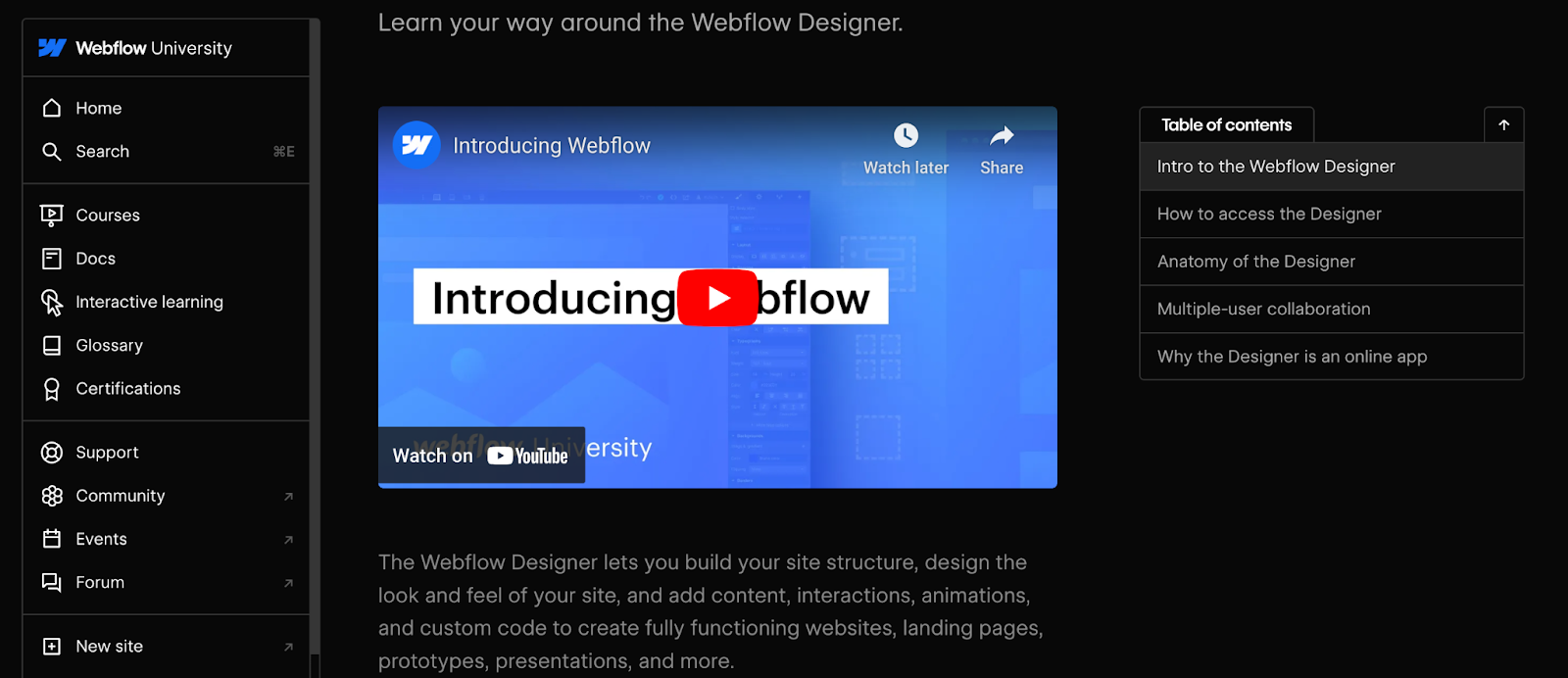
  • Updating the content management system (CMS) to the latest version
  • Updating plugins, themes, and other software components
  • Ensuring that all software is compatible and works seamlessly together

Suggested frequency of updates: Monthly, or as updates become available

3. Security

No one wants their information leaked, especially organizations that store confidential information about their business or clients. In order to prevent a security breach, organizations often:

  • Create a website security checklist to ensure compliance with all standards 
  • Perform regular security scans and audits to identify vulnerabilities
  • Install security patches and updates promptly
  • Monitor for suspicious activity and implement security measures, such as firewalls and malware scans

Suggested frequency of updates: Regularly, at least once a month

4. Data backup and recovery

To avoid losing crucial information—or losing a website altogether—many organizations conduct regular backup and recovery audits to ensure they have a safety net in place. Some strategies include:

  • Regularly backing up website data, including databases, files, and media
  • Verifying the reliability of the backup system and ensuring quick data recovery in case of emergencies
  • Optimizing and cleaning up the website’s database
  • Removing unnecessary data and performing regular database backups

Suggested frequency of updates: Regularly, depending on how often content is updated

5. Performance optimization

Because user experience and SEO are so crucial to the success of a business website, regular maintenance often includes a performance assessment, which allows businesses to:

  • Monitor website performance, including page load times and responsiveness
  • Optimize images, videos, and other media for faster page speed
  • Ensure that the website is mobile-friendly
  • Regularly check for broken links and fix them promptly
  • Monitor for 404 errors and address them to enhance user experience
  • Test all forms and interactive features to ensure they are working correctly
  • Check the functionality of buttons, links, and other interactive elements
  • Conduct regular landing page testing 

Suggested frequency of updates: At least once a month

6. Design

An organization’s brand identity is often based on aesthetics. When it comes to a business website, the same rule applies—design is everything. Regular maintenance of the visual appeal of a website often includes:

  • Evaluation of the website’s colors, typography, and logo
  • Updates of layouts and other web design elements

Suggested frequency of updates: Periodically, at least once every six to 12 months

7. SEO

Google, like other major search engines, often updates its policies. In order for organizations to continually rank well in results, it’s essential they constantly update their websites to match the current criteria. 

To help your site stand out in search results, there are several SEO updates you can implement:

  • Update meta tags, titles, and descriptions
  • Conduct updates on keyword research and adjust content to align with SEO best practices
  • Review search engine policies and best practices 
  • Invest in domain name renewal, if necessary

Suggested frequency of updates: Regularly, at least once a quarter

8. Accessibility checks

An accessible website ensures that everyone has access to your organization—even those with disabilities or impairments. Many organizations regularly ensure their site is accessible by:

  • Checking for compliance with accessibility standards and making necessary adjustments
  • User testing to ensure that implemented accessibility features are successful

Suggested frequency of updates: Regularly, at least once a quarter

How much does website maintenance cost?

The cost of website maintenance can vary widely depending on factors like the complexity of your website, the size of your business, the specific tasks involved, and whether you choose to handle maintenance in-house or hire external services. 

In-house maintenance

If you have an in-house team responsible for website maintenance, the cost will include the salaries or hourly rates of the individuals involved. You might also incur training costs and technology costs if your team needs to acquire new skills, certifications, or tools for effective maintenance.

For small businesses with small budgets, keeping web maintenance in-house is typically the most budget-friendly option.

External services

Hiring a professional website maintenance service, developer, or agency for ongoing maintenance can range from a few hundred to several thousand dollars per month, depending on the scope of services.

Alternatively, some platforms and tools offer subscription-based maintenance services with monthly or annual fees.

For organizations with an available budget and who don’t want to take on the time-consuming task of website maintenance, hiring an external service is often the best option.

Before determining your budget, carefully assess your website’s requirements and consider the value that effective maintenance brings to your online presence. Assess whether your team has the proper resources and skills to conduct maintenance, or if outsourcing makes more sense for your organization.

Build and maintain professional websites with Webflow

Most of the time, website maintenance is not just a one-time task—it’s a continuous process that’s essential for the success of any online platform. By regularly updating content, securing your website, optimizing performance, and addressing issues promptly, you not only enhance user experience but also contribute to improved search engine rankings and overall credibility.

With Webflow, customers can take the stress out of website maintenance by doing things like building security right into their websites and supercharging their site performance. 

Human-centered design: 4 essential principles to bring into your web designs (plus tips and examples)

Software Stack Editor · January 23, 2024 ·

Human-centered design places people at the forefront of the design process.

Integrating human-centered design (HCD) techniques into digital design work make the results uniquely accessible, appealing, and enjoyable to use.

Designer Stephanie Ng, for example, uses HCD principles to create beautiful and empathetic designs. When designing an interactive media management course for Centennial College, Stephanie started by asking department heads and instructors about the context in which students come to the course. She learned that most are international students who are probably feeling anxious and unsure about online learning.

She then created personas, mapped user journeys, talked to students to iteratively improve her design, and conducted extensive accessibility testing. The result is a beautifully organized, user-friendly course that makes online learning a fun and interactive experience and sets graduates up to make a positive impact in their field.

This is the promise of HCD: to create a positive experience that then ripples out to have positive outcomes for the wider community.

What’s human-centered design?

Human-centered design focuses on the person and their wants, needs, and feelings. With its focus on people and their needs, HCD can help you create even more engaging and useful experiences for website visitors.

Like user-centered design (UCD), HCD involves listening carefully to the people that your product will serve throughout the whole design process. But while UCD focuses on the end user in isolation, HCD zooms out even further to consider how the product will affect people’s daily lives, families, and communities.

Human-centered design vs. user-centered design

While they’re technically two separate approaches, human-centered design and user-centered design are similar. Both:

  • Prioritize usability over ornate technological features
  • Use empathy to understand user needs, perspectives, and experiences
  • Incorporate user feedback throughout the design process
  • Involve iteration and rapid prototyping to refine and create user-centric solutions
  • Incorporate a variety of research techniques to uncover user needs and preferences

But there are a few subtle differences. In general, human-centered design employs a broader perspective. It considers the end user as an individual influenced by their social, cultural, and physical surroundings rather than someone solely navigating a user flow.

Human-centered design extends the principles of user-centered design to encompass a more holistic view of the user, going beyond their interaction with a product or website. 

Here’s how it differs from UCD:

HCD integrates the broader emotions and contexts influencing a user’s life

Consider a health app — while a UCD approach might focus on easily inputting data and metric tracking, HCD would also explore users’ feelings about their health, the emotional challenges of tracking certain health metrics, and the societal and environmental factors affecting their health decisions.

HCD captures the systemic factors impacting the user experience

UCD focuses on enhancing the direct interaction between the user and the product, but HCD aims to understand all factors, both directly and indirectly related to the product, that influence the user’s experience and decisions.

Consider a transportation app. While UCD conventions might streamline booking and payment processes, HCD would take into account how the app fits into a user’s daily routine, their safety concerns, environmental considerations, personal budgeting, and even how cultural or physical factors influence transportation choices.

HCD encourages deeper, more empathetic understanding

While UCD encourages designers to segment users based on demographic factors such as age, gender, location, and cultural background, HCD directly involves users in the design process to understand the broader context of their lives. This includes understanding their needs, goals, pain points, and emotions beyond their interactions with the product. Doing so leads to more intuitive and personalized user experiences, and products or services that genuinely enrich users’ lives.

The 4 principles of human-centered design

Don Norman, one of the most lauded practitioners of HCD, identifies four key human-centered design principles in an essay on his website.

1. Solve the root issue

In the HCD framework, the details of a design are all part of a larger whole. Understanding your design as a holistic system rather than a collection of isolated parts helps you track problems to their sources. Taking the time to identify and target the root cause helps you avoid wasting time on quick-fix solutions that hide or relocate the problem.

To get to the root cause — which Don says is often an issue with the person’s environment, poor task design, or a misunderstanding of key contextual factors — he recommends asking “Why?” repeatedly until you hit the bedrock issue.

For example, let’s say a web designer from the U.S. is working on a site for a dentist in the Netherlands. The site analytics reveal a high bounce rate coupled with a low average time on site, so people are clicking to the site and then leaving almost immediately.

A designer working within a traditional framework might try to fix the problem by making the homepage more attention-grabbing — perhaps adding an animation and including more photos of perfect teeth. But an HCD-style investigation would reveal that there’s a cultural mismatch: People in the Netherlands don’t want to see bleached white teeth because they look fake — so all the bleached smiles on your homepage are turning them off. After consulting with Dutch website users, you’d realize they’d prefer a professional-looking page that focuses on practical concerns, like information about opening hours and a search function.

2. Focus on people

HCD begins with a deep curiosity about the people who’ll be using the product. Digging deep into the goals and motivations of these people requires continuous user research. To understand their context, include questions like these:

  • Who will interact with the product?
  • Who else will be affected by the product? (For example, in a healthcare setting, patients might be the only ones directly interacting with an app — but the results of these interactions may indirectly affect family members, healthcare professionals, and insurance companies.)
  • What physical and social environments will they be in when they use the product? How might these affect their ability to use it?
  • How do people in this social group usually perceive products like this? Are there any prejudices to overcome or knowledge gaps to fill?

Keeping the wider social ecosystem in mind when designing the site allows you to build websites that are people-first rather than tech-first. It can be fun to experiment with fancy features, like background videos, custom cursors, and scroll effects, but the first priority in human-centered web design is providing site visitors with exactly what they need while generating the most positive outcomes for them and the community.

3. Understand everything as a system

In HCD, everything is connected to everything else. One of the designer’s main jobs is understanding how each part of the system affects the others.

For example, when building a lawyer website, your user research might reveal that many visitors are first-time arrestees urgently looking for information about their case. To address this need, the mobile version of the site might include a prominent click-to-call button, enabling people to immediately connect with an attorney during critical arraignment hearings.

By recognizing the interplay between the website, the justice system, and the needs of recently arrested people, the design delivers an impactful solution that enhances the user experience and addresses their legal concerns.

4. Iterate and test 

Good designers know human behavior is complex and dynamic, which makes it challenging to predict how individuals will interact with a design. That’s why HCD’s best practice is to quickly build and test a series of possible solutions in the form of prototypes. This helps identify problems early and saves considerable resources down the line.

It’s best to approach these rapid cycles as experiments rather than framing them as tests that your design will pass or fail. Through each iteration, you’ll gain valuable insights irrespective of the outcomes, with incremental advancements leading to noticeable improvements.
3 phases of the human-centered design process

According to design and consulting firm IDEO, HCD has three main phases: inspiration, ideation, and implementation.

1. Inspiration

In this phase, designers pinpoint the problem that their design will solve and conduct research to understand the issues more deeply. They’ll often start by reading about the field or industry they’ll be working with. That knowledge will allow them to conduct thoughtful interviews with people in the target demographic to find out more about their needs and desires. If it’s realistic to do so, some designers also choose to join the target community for a while to have these experiences firsthand.

2. Ideation

In this phase, designers connect the initial design problem with the insights from their research to come up with possible solutions. This process might involve grouping key insights according to theme, mind mapping, rapid prototyping, and hands-on user testing. As with UCD, HCD favors tight design cycles and repeated iteration to find out what works and what doesn’t.

3. Implementation

In this phase, designers take the final product and figure out the best way to launch it. This stage usually includes seeking funding, finalizing the supply chain (in the case of physical products), developing a pitch, launching the product, and setting up systems to monitor and improve the product continuously after it’s been released into the wild.

How to integrate human-centered design into your web designs

Observing the entire HCD process in a finished design isn’t always easy, but there are always recognizable traces in the final product. Here are some suggestions to help you apply HCD principles and some human-centered design examples that demonstrate the tips in practice.

Test the site on a wide range of people with diverse needs

Human-centered designs are for all types of people, so use a diverse cross-section of future users to test your designs. Deliberately seek out people with different cultural and linguistic backgrounds, ages, and accessibility needs. When creating a site, follow accessibility design guidelines, and use an accessibility checklist to avoid accidentally leaving a group of users underserved.

Simple language version of the FESTIVALFRIENDS website.
Source: FESTIVALFRIENDS

Berlin-based creative agency HENKELHIEDL actively incorporates accessibility and inclusivity in their design for the FESTIVALFRIENDS website, an association for independent performing arts groups in Germany.

The site offers options for simplified language to make the content accessible and understandable for a wide range of users, including people with cognitive and learning disabilities. HENKELHIEDL also includes a toggle for sign language that integrates videos to communicate the site’s contents for people who are deaf or hard of hearing.

For visual accessibility, the site’s plain colored backgrounds contrast clearly with the black text. These color choices enhance legibility for people with visual impairments who might find reading low-contrast text challenging.

Show how your product or service fits into the wider community

A human-centered website exists as part of a community. Highlight the ways your product or service brings people together and its positive effects on groups, relationships, and physical environments — not only its benefits for individuals.

Tulsa Birth Equity Initiative main site, showing the logo, photos of Black families, and the text “Equipping families in Tulsa to have healthy births with dignity and reduce maternal health disparities.”
Source: Tulsa Birth Equity Initiative

The Tulsa Birth Equity Initiative is a nonprofit organization that provides pregnancy and birth support to Black families in Oklahoma with the goal of reducing preventable birth- and pregnancy-related deaths in the state’s Black community. This site, designed by Pixelida, is a warm, welcoming community hub that serves as a meeting place for healthcare professionals, expectant parents, and the broader Black community in Tulsa.

The TBEI landing page shows family photos arranged casually, as though they’re hanging on a fridge. This design gives the impression that the community is one big loving family and encourages hesitant new visitors to reach out for support. The thoughtful microcopy on the two CTA buttons — “Find support” and “Offer support” — also communicates that this is a strong community where people offer and receive help freely.

Make it fun

Human-centered design isn’t just about making things easy to use — it’s also about pleasure and delight. Human-centered web design helps people express their innate playfulness by adding novel animations and interactions that make visitors feel good while exploring the site.

Studiopresto landing page showing three designers from the waist up. A hover animation over the middle designer has turned her head to the side.
Source: Studiopresto

The website interactions crafted by the Ukrainian design team Studiopresto are playful and positive. First, the landing page opens with individual images of the three designers that change position and facial expression when you hover over them. When you scroll down, the designers raise their arms and pull down the next section of the site as though it’s a set of window blinds.

These whimsical interactions reflect the studio’s human-to-human approach. They allow you to interact with the designers individually, which breaks the ice for new clients and serves as a natural lead-in to interacting with the designers more directly.

Design for everyone

The human-centered approach starts and ends with humanity: the strengths and individuality of the people using your site, your empathy and humility as a designer, and the wider community encompassing them all.

Integrating principles of HCD into your website designs will allow you to harness your visitors’ input and insights to craft something greater than the sum of its parts. Learn more about HCD principles, including user testing and leveraging analytics and targeting tools, by visiting Webflow University. Access free lessons on web accessibility, how to create interactions and animations, and more to create a platform that exceeds your users’ expectations.

Enterprise performance management: Everything you need to know to fuel business growth

Software Stack Editor · January 22, 2024 ·

image

Streamline business operations at all levels — from executives to interns — with the analytical power of enterprise performance management.

Coordinating a company’s different roles and departments to work together effectively is challenging. Teams often operate in silos, have distinct goals, and rely on separate data sources, leading to misaligned strategies and missed opportunities.

This fragmented approach hampers overall productivity and dilutes your company’s vision. But enterprise performance management (EPM) can bridge these operational gaps. By integrating data across departments, aligning objectives, and offering actionable insights, EPM systems ensure that every team moves harmoniously toward shared goals.

What’s enterprise performance management?

Enterprise performance management is a set of strategies that teams use to manage and improve performance and efficiency. It’s an umbrella term for multiple approaches to monitoring and refining business operations at every level. And EPM software — powerful tools designed to centralize, analyze, and present data in meaningful ways across an organization — is at the core of implementing these strategies.

The evolution of enterprise performance management software

EPM has a rich history spanning several decades. In the 1970s, before the first EPM systems introduced systematic financial data collection, teams depended on manual data entry and form filling conducted through meetings and phone calls. This drastically changed when VisiCorp launched VisiCalc, the first spreadsheet computer program, and turned the Apple II into a vital business tool.

But the real breakthrough came with Lotus Software’s release of Lotus 1-2-3 in 1983. This was a revolutionary development because their software automated tasks such as budgeting and reporting — ultimately pushing businesses away from labor-intensive data entry.

A few years later, the 1990s ushered in the age of email, which transformed how we share information and collaborate. Instead of saving data locally, users sent it across the internet almost instantaneously, saving time and resources. Entering the 2000s, EPM software built on these foundations and shifted from localized client-server systems to internet-powered, web-based platforms that make data transfer faster, more remote, and more convenient for collaboration.

Today, cloud-based EPM solutions, or software as a service (SaaS) solutions, dominate the business world. These tools use sophisticated algorithms to optimize financial processes, reduce human error, and increase overall team productivity. Examples of these cloud-based solutions include advanced data analytics platforms, collaborative project management tools, and comprehensive financial planning and reporting systems.

Half a century after their birth, EPM tools are must-haves for organizations that want to optimize their operations and scale.

Why is enterprise performance management important?

At first, enterprise performance management systems were designed to transition finance departments from spreadsheets to platforms with superior data analysis and reporting capabilities. But this newfound power for analysis often drowned organizations in data.

Modern EPM solutions address this gap. Harnessing the capabilities of artificial intelligence (AI) and machine learning (ML), they also automate routine, manual tasks like data entry and organization and drive insightful decision-making by detecting complex patterns in data.

For example, today’s EPM platforms offer instant visibility into multiple business areas, such as financial metrics — like revenue growth, expense tracking, and profit margins — and operational metrics, like supply chain efficiency, production downtime, and customer satisfaction rates. These ready-made reports and integrated analytic tools help you proactively respond to market shifts so you can minimize risks and capitalize on emerging opportunities.

The 5 key components of enterprise performance management

The EPM process involves several key elements working together, including:

1. Data centralization

EPM systems unify data from multiple departments such as marketing, sales, customer service, human resources, information technology, and more. Automation algorithms draw this data from websites, ecommerce platforms, and other external sources and consolidate it within the EPM system to allow access to all teams.

Your marketing team, for example, might access sales data to see which campaigns yield the highest return on investment (ROI). This condensed view ensures everyone operates from a unified knowledge base, leading to more informed decisions.

2. Business strategy optimization

Modern EPM systems use AI and ML to provide predictive analytics. These advanced capabilities help teams anticipate future trends and challenges so they can strategize proactively. Instead of merely reacting to current data, these tools empower organizations to plan ahead and make informed decisions for their upcoming business activities and strategies.

For example, your EPM system might predict that smart home products will surge in demand after reviewing historical sales data and current market trends. This insight lets you prepare and invest in this product segment for the upcoming year, ensuring adequate inventory, tailored marketing campaigns, and a trained sales team ready to capitalize on this anticipated demand.

3. Efficient resource allocation

EPM systems analyze extensive data sets and generate detailed financial reports that help guide budget allocation across departments and projects. For example, an EPM analysis might reveal that your customer service department needs more resources to handle growing user counts. This broad data analysis encourages teamwork between different departments and with external vendors, promoting efficient and effective resource use.

4. Progress monitoring and reporting

EPM systems continuously measure performance against predetermined budgets and goals. They allow you to compare historical data with real-time figures so you can gauge progress against your target objectives and make timely adjustments to achieve them.

For example, if an email marketing campaign promoting a new product line collects lower click-through rates than anticipated, you can identify this shortfall through EPM data. This insight allows you to reevaluate the email’s design, content, or distribution list and realign your efforts, perhaps by segmenting your audience more effectively or adjusting the call to action (CTA).

You can also create in-depth reports, such as customer segmentation analyses, conversion funnel breakdowns, and ROI comparisons. These reports provide insights on past and present campaigns and are valuable references when planning future marketing strategies because they help you build on successes and avoid repeating mistakes.

5. Informed decision-making

By offering a comprehensive view of your business’s performance and profitability metrics, EPM systems empower you to make data-driven decisions. For example, if your EPM system flags an underperforming product line, you can delve deeper into the data to pinpoint the cause, whether it’s pricing, competition, or market saturation. Similarly, the system might highlight specific marketing channels as high-growth areas, suggesting a need to redirect resources to maximize engagement.

The benefits of enterprise performance management

EPM systems provide several advantages that help an organization maximize productivity and optimize the decision-making process. These include:

  • Automated financial operations. Modern EPM software lowers the need for manual data entry, which reduces human error and streamlines financial processes through automation. This helps with budgeting and forecasting because it gives teams more time to focus on big-picture processes and analyses.
  • Increased profitability. EPMs offer a comprehensive view of your financial operations by integrating and analyzing data from multiple sources. Revealing overstocked items, for example, minimizes inventory costs by reducing unnecessary storage expenses, preventing product obsolescence, and allowing for better cash flow management by freeing up funds in excess inventory. With these savings, you can redirect resources to more profitable areas, like research and development, to enhance overall efficiency and ROI.
  • Integrated operational strategy. EPM systems help align your overarching goals with day-to-day operations. By centralizing data and key performance indicators (KPIs), multiple departments and employees can see how their tasks contribute to the larger vision and tweak their activities accordingly.
  • Swift account reconciliation. Instead of manually sifting through individual financial accounts and entries, EPM software instantly compares transaction records from different sources, identifies mismatches or outliers, and alerts you for review. This automation accelerates the reconciliation process and minimizes the risk of human errors, ensuring accurate and compliant financial statements.
  • Tax alignment. Evolving tax legislation causes companies to rethink their tax planning and management approach. EPM planning ensures tax reporting aligns with the organization’s financial reporting, allowing you to strategize finance-related activities for the short term. When new tax laws and regulations are enacted, for example, EPM modeling can predict the tax implications and their impact on your company’s financial statements.

EPM systems allow organizations to meet regulatory requirements, make data-driven decisions, and practice financial prudence. They offer a modern, automated financial and data management approach that boosts productivity and strategically aligns personnel.

Optimize your business for success with Webflow

Achieving success requires precision, strategy, and the flexibility to take on unexpected challenges. EPM helps you improve performance and streamline operations — but to truly unlock its full potential, you need a platform that complements its capabilities.

Webflow Enterprise serves as that essential partner to EPM tools by offering a sophisticated platform for data visualization, reporting, and communication. With Webflow, you can develop custom webpages that turn complex data from your EPM tool into visually appealing, intuitive charts, graphs, and dashboards.

Beyond enhancing internal reporting and making it seamless for teams to access, comprehend, and act on critical data, Webflow’s robust content management system (CMS) ensures that these visualizations remain current and relevant and always reflect the latest insights from your EPM tools. Whether they’re for internal team collaboration or external partner engagement, we also offer resources on the Webflow blog that teach you how to optimize your EPM-driven presentations and webpages for the highest functionality.

Explore how Webflow Enterprise can elevate your EPM implementation by transforming complex data into actionable insights through compelling web design. Start with Webflow today to scale your business and build a data-driven web presence that aligns with your strategic goals.

Setting a product strategy for your site: A guide for success

Software Stack Editor · January 22, 2024 ·

image

Navigating the competitive landscape of web design and development requires more than creativity — it demands strategy.

A product strategy serves as that essential plan by aligning development decisions with user needs and business objectives. Pinpointing market opportunities and preemptively addressing challenges transform your website into a dynamic, user-centric platform that maximizes customer satisfaction and business returns.

What’s a product strategy?

Product strategy is a high-level plan detailing your market vision, product goals, and product initiatives. It outlines your product’s core purpose, target audience, and desired user experience based on your product vision and market research. Then, it defines how to shape key website features to meet these requirements. This alignment ensures the site fulfills customer expectations and achieves your overarching business goals.

For example, consider an ecommerce website aiming to provide a seamless shopping experience. Such a platform might have a product strategy that integrates features like an intuitive product search, a secure checkout process, and personalized recommendations, all tailored based on customer feedback and market research. This tailored approach addresses specific market demands, proactively mitigates challenges, and strategically positions the site to optimize user engagement and boost its online visibility.

Why is product strategy important?

Think of your product strategy as a plan for success that details how your website will meet customer needs and achieve business objectives. A clear action plan gives your website direction and purpose to ensure it resonates strongly with users. Here are three more reasons why you need a well-formed product strategy.

1. Establishes a product road map

A product strategy provides a structured road map that details the sequence of development tasks and key deliverables, such as feature launches, user interface improvements, and app integrations. These tasks often cluster into broader categories, known as themes or epics. The product strategy provides a clear pathway for the project, ensuring that all team members work toward the same end goals regardless of their department.

In a website redesign project, the road map might prioritize user interface upgrades before integrating new app features, which helps align designers and developers toward a common goal.

2. Clarifies the user experience

An effective product strategy zeroes in on your target audience, pinpoints user experience goals, and lays out the essential features your website should offer. This helps teams concentrate on creating a user-centric design that resonates with audiences.

If the target users are predominantly mobile users, the product strategy might emphasize responsive design and mobile-friendly features to guide the design and development teams to focus on mobile optimization. 

3. Optimizes resources

A product strategy helps you efficiently allocate resources by differentiating between must-have features and nice-to-haves. This ensures you direct time, effort, and finances toward elements that significantly enhance the website’s performance.

For example, a company might allocate more budget and time toward developing an advanced ecommerce checkout system rather than spending on elaborate animations that aren’t essential for functionality.

How product strategy fits into new product development

A product strategy bridges the gap between your overarching vision and the tasks required to bring it to life.

The product vision paints a broad picture of what you aim to achieve in the long run. If, for example, you’re designing a platform for a small business specializing in artisanal cheese, your vision might be: “Our platform aims to be the go-to digital destination for cheese enthusiasts, offering a handpicked selection of the world’s best cheeses and insights into cheese-making traditions.”

On the other end of the product strategy are actionable tasks that make the vision a reality. An example task might be to develop a multi-language support interface, prioritizing languages such as English, French, Italian, and Dutch based on target audience analysis. Your product strategy directly informs the implementation of such features and languages.

A product strategy sits between your vision and your tasks. In the context of a new product development strategy, it converts the product vision into a series of focused objectives and directions. This syncs design and development activities with the intended direction, optimizing resources and aligning tasks with the grand vision.

Types of product strategies

Product strategies aren’t uniform — they shift based on your organization’s situation, market dynamics, and evolving customer needs. Here, we’ll explore five distinct product strategies based on your business objectives.

Cost strategy

This strategy revolves around offering products at the most competitive prices. It targets cost-conscious consumers who want quality without the hefty price tag. By focusing on reduced production costs and streamlined operations, you can position yourself ahead of competitors by offering products at more attractive prices.

Differentiation strategy

A differentiation strategy focuses on creating products that stand out from the crowd. To use this strategy, invest heavily in research, design, and innovation to ensure your site offers a unique experience that deeply connects with users. This approach appeals to audiences who seek exclusivity and are prepared to invest more for a unique value proposition.

Focus strategy

This strategy homes in on a specific market segment and shapes your site to resonate deeply with its distinct needs and preferences. To use this strategy, concentrate your efforts and resources toward serving a particular group better than anyone else. This might involve catering to a distinct demographic, serving a specific geographic location, or dominating a niche product category.

Quality strategy

Embracing a quality strategy means positioning superior quality as your core value proposition. Adopt this strategy by committing to rigorous quality control standards and leveraging advanced production techniques, such as responsive design, progressive web applications (PWA), and user-centric UX/UI best practices. This ensures your website is aesthetically pleasing and functions seamlessly across devices and use cases. By consistently delivering top-tier web solutions, your digital products become synonymous with superior quality.

Service strategy

The service strategy emphasizes elevating the user experience beyond your website’s aesthetics and functionality. This means that every touchpoint — from the site’s loading speed and navigation to after-sales support through chatbots or live chat — must prioritize the user. This strategy aims to ensure efficient problem resolution, create user-friendly FAQS, offer personalized user dashboard features, and provide easy access to customer support. When you tailor each digital interaction to your audiences’ needs and preferences, you fortify the bond between your brand and its users, making your offerings stand out.

How to develop a product strategy for your website: 4 key elements

When you’re developing a product strategy for your site, you must integrate several key components. Here, we’ll outline four essential elements of a product strategy that are central to guiding your website’s development, positioning, and success.

1. Customer and market research

To develop a product strategy that truly resonates, you must begin with a deep understanding of your target audience. Start by crafting detailed personas based on your existing customer data and analytics, and supplement these findings with direct feedback through user research methods like surveys and interviews. Doing so lets you tailor your product to align with your audience’s preferences and needs so you can address any challenges they may face during their customer journey.

You’ll also need to understand and analyze your market. This involves identifying key competitors, examining market trends, and gaining insights into customer behavior. Using market research tools and techniques, such as focus groups and data analytics, lets you extract important information about the industry landscape.

By identifying emerging consumer preferences, potential market gaps, and evolving technological advancements, you can strategically position your website to not only meet the market’s current demands but also anticipate future trends to ensure your product strategy remains dynamic and responsive. This ultimately helps your platform maintain a competitive edge while consistently meeting customer expectations.

2. Value proposition

Your value proposition defines the unique benefits that your website offers to visitors and what sets it apart from competitors. It’s a clear statement that emphasizes your platform’s unique selling points, functionality, and user experience.

For example, if you’re designing a website dedicated to Japanese teas, your value proposition could be: “Our website offers a curated selection of premium Japanese teas and artisanal tea accessories, complemented by an intuitive user interface and immersive storytelling.” This proposition highlights the product and underscores the online experience your website promises to deliver.

3. Goals

Setting clear and actionable goals makes your website purpose-driven and helps it meet specific user needs. These should be SMART goals — specific, measurable, attainable, relevant, and time-bound — that will provide a road map for developers and designers to follow. Establishing well-defined goals for your site helps your team prioritize features and streamlines the development process to ensure the website delivers a coherent user experience.

For example, a website dedicated to sustainable fashion might aim to boost user engagement by 10% in three months by implementing an interactive carbon footprint calculator. This goal directly addresses the need to educate visitors about the environmental impact of their fashion choices, making the site both informative and interactive.

4. Feedback

After creating your product strategy, it’s important to establish mechanisms that capture real-time feedback to adapt to changing user needs and market trends. Implementing key performance indicators (KPIs) offers a structured way to monitor and assess your website’s performance against set objectives. For example, metrics such as page load times, bounce rates, and user engagement rates can provide insights into user experience and website functionality.

Consider embedding feedback forms on your website to let users provide comments, report issues, or suggest improvements. Heatmaps — visual representations of where users click, scroll, or hover — also help you understand user behavior and preferences on a page. By continuously integrating this feedback, you refine your website and help it remain user-centric, functional, and aligned with your overarching product strategy.

Add Webflow to your website product strategy

A thoughtfully designed product strategy ensures your website aligns with business objectives while meeting customer needs. And Webflow, a visual web development platform, helps you do just that by equipping in-house teams with rapid design and development tools. Our platform enables teams to fully own their marketing site — fostering seamless collaboration and speedy market launches.

Create visually captivating websites with Webflow tailored to your product and content strategy. Webflow lets you blend aesthetics and functionality to elevate your online presence, captivate your audience, and boost your brand value. See how Webflow Enterprise empowers your team to do more today.

The ultimate step-by-step guide to streamlining your business processes

Software Stack Editor · January 21, 2024 ·

image

In many organizations, outdated workflows and processes often lead to unnoticed redundancies, creating departmental inefficiencies. Streamlining your business operations addresses these challenges and provides a solid foundation for your team to focus on achieving their goals without wasting resources.

When employees trust their organization’s commitment to efficient processes, they feel better equipped to meet customer expectations compared to those in companies lagging in operational updates. Streamlining processes improves team morale and positions your business ahead of competitors, ensuring you meet market and customer demands effectively.

What is streamlining in business?

In business, streamlining processes refers to strategically refining workflows and operations to eliminate inefficient steps and redundancies. This process aims to reduce waste, heighten efficiency, and enhance productivity by thoroughly assessing current operations and identifying potential improvements.

For example, integrating technologies like artificial intelligence (AI) and automation can take over labor-intensive tasks like data entry. This shift allows team members to focus on areas requiring human skills, such as creativity, strategic planning, and innovation.

Ultimately, streamlining aims to foster a more agile and responsive organizational structure that’s ready to adapt swiftly to evolving market trends and industry requirements. This flexibility is crucial for maintaining a competitive advantage and ensuring long-term success in rapidly changing business environments.

10 benefits of streamlining processes

Simplifying and optimizing business processes brings several internal and external benefits. Here are 10 key benefits of process streamlining:

  1. Enhanced productivity. By eliminating unnecessary steps and reducing bottlenecks, streamlined processes enable quicker and more efficient task completion, boosting overall productivity without increasing resources or timelines.
  2. Improved output quality. Streamlining helps standardize procedures, including quality control measures. This ensures a consistent output with fewer errors and enhances the overall quality of work.
  3. Clear communication. Transparent processes and roles reduce the likelihood of miscommunication, especially in large organizations. This fosters a collaborative environment and ensures everyone shares common goals with standardized processes to achieve them.
  4. Cost efficiency. Identifying and eliminating inefficiencies saves money, labor, time, and resources. By reducing waste and improper resource allocation, you improve your company’s financial health and bottom line.
  5. Accurate planning. Familiarity with streamlined workflows allows for more accurate project forecasting and planning, enabling managers to assign responsibilities and distribute resources more effectively to minimize delays and bottlenecks.
  6. Transparency and accountability. Streamlined processes offer clarity and insight across departments. Clear business operations and procedures boost transparency and accountability, allowing team members to understand their roles and contribute more effectively.
  7. Enhanced security. Streamlining often includes improving data management, which improves sensitive information’s security and privacy. It also offers increased control over access points, reducing the risk of data breaches.
  8. Reduced errors. Streamlined processes implement thorough checks and robust management practices into workflows, which minimizes human errors. Automating repetitive tasks with AI, for instance, can significantly reduce mistakes in data handling.
  9. Preventing organizational silos. Streamlined processes encourage cross-functional collaboration, breaking down organizational silos. This leads to more accessible information and data access and fosters a more holistic and integrated project approach.
  10. Customer satisfaction. Streamlined workflows lead to faster service delivery and improved customer response times. Optimizing for speed and accuracy can also elevate customer satisfaction, boosting loyalty and generating positive referrals.

How to streamline a business process: 7 essential steps

Streamlining business processes begins with a visual plan and considers various metrics and factors for long-term success. Here are seven best practices to consider when implementing changes.

1. Map current processes

Mapping out current processes with flowcharts and diagrams provides a visual understanding of your organization’s current workflow. This reveals task sequences, projects, and interactions across cross-functional teams and departments that may not be immediately apparent. Even if team members feel they understand the workflow, visual mapping can uncover inefficiencies, overlaps, or gaps in the process.

By identifying these areas, especially potential bottlenecks, you can strategically plan improvements, streamline operations, and enhance overall productivity. This process is invaluable for complex projects like web design and development, which requires efficient coordination between team members and project phases. It’s not just about understanding the workflow — it’s about optimizing it for better performance and outcomes.

2. Analyze and improve business processes

After mapping out your workflows, carefully scrutinize each process to evaluate its necessity and efficiency. Here, the goal is to refine your workflow by eliminating redundant or superfluous steps.

For example, a detailed web development review might reveal unnecessary steps in the product testing phase. Eliminating these extra procedures can accelerate development and enhance efficiency while maintaining high quality and performance standards. This approach speeds up project completion and optimizes resource allocation, improving overall operational efficiency.

3. Define relevant KPIs

Establishing relevant and measurable key performance indicators (KPIs) lets you gauge the effectiveness of your updated workflows. These metrics provide tangible, quantitative insights that enable you to visualize and align the data with your process maps.

For example, typical KPIs for customer service include metrics such as average response time, issue retention time, issue resolution time, and customer satisfaction scores. By consistently monitoring these KPIs, you quantitatively assess the impact and success of your streamlining efforts in customer support. This helps you maintain your service quality and aids in identifying areas that need further refinement.

4. Automate repetitive tasks

Identify repetitive and labor-intensive tasks within your organization’s workflow — such as scheduling social media posts and processing spreadsheet data — and automate them to save time and reduce human error. Automating these tasks frees team members to concentrate on more strategic and impactful initiatives, like crafting emotionally engaging marketing campaigns or innovating product designs.

For example, automating the employee onboarding process, such as tracking documents and sending initial emails, frees human resources (HR) managers to focus more on engaging with shortlisted candidates and improving the interview process. Such automation streamlines your processes and enhances the overall quality and efficiency of work.

5. Gradually implement and scale new processes

Before rolling out new workflows across your entire organization, start with a small-scale implementation. Introduce new tools or processes to a select group first, such as deploying a new project management tool to a subset of your UI/UX design team. This controlled approach allows a few team members to familiarize themselves with the new system, identify issues, and suggest improvements. Once you’ve refined the process and ensured it’s effective, you can gradually expand its use to larger groups and eventually integrate it across your entire organization.

Step-by-step scaling smooths the transition process, reducing resistance to change while ensuring the new workflow’s functionality and effectiveness before full-scale adoption. For example, once your UI/UX design team effectively adapts to the new tool, you can then introduce it to the broader web development team for a more cohesive and efficient transition.

6. Inform and train employees

Successful process streamlining requires informing employees of upcoming changes and equipping your team with the necessary skills and understanding to navigate these new processes confidently.

For instance, if a marketing team is transitioning to a new data visualization tool, organize interactive workshops and meetings where they can learn about the tool’s features and capabilities.

These sessions should be more than just tutorials — they should encourage idea exchange and hands-on practice to help team members see the practical benefits of the new tool in their day-to-day tasks. Managers play a crucial role in this phase by guiding their teams through the transition and addressing any concerns or challenges. By taking this approach, you not only smooth the adoption of the new system but also ensure that your team can effectively leverage these tools to enhance their workflow and productivity.

7. Regularly review and optimize

Examine your new, streamlined processes to ensure they meet evolving market and business demands. This continual assessment, fueled by team feedback, helps identify opportunities for further refinement.

For example, conduct monthly or quarterly department reviews and ask managers to report employee input to higher-ups. As you adjust, you’ll encourage collaboration and gradually move to an operating structure tailored to your organization.

Make Webflow part of the process

Using the right tools is crucial to streamlining business processes, especially for improving online communication and activities between departments. With Webflow Enterprise, you can access a powerful tool suite for your entire web development and design lifecycle.

From content editing and commenting features to publishing workflows, Webflow simplifies complex web design and development processes, helping you build high-performance websites faster than ever. You can also host an organization-wide webinar to inform employees of new approaches and regularly host workshops and events to continuously improve your team.

Grow successful design teams, market your brand effectively, and take your business to the next level with Webflow.

How to achieve better marketing agility and supercharge your marketing efforts

Software Stack Editor · January 18, 2024 ·

image

Marketing agility empowers you to adapt to evolving market dynamics swiftly so you can keep your website ahead of the competition and relevant to your customers.

Marketing forces constantly evolve with the influences of consumers’ preferences, technological advancements, and competitors’ strategies. Keeping up demands more than just awareness — it requires the ability to pivot strategies quickly. Where traditional methods such as long-term planning or broad-based campaigns may leave teams playing catch-up, marketing agility offers precise tools and methodologies for immediate strategy calibration, ensuring your business remains proactive and relevant.

What’s marketing agility?

Marketing agility is the capacity to adapt to evolving market dynamics swiftly. Its framework prioritizes responsiveness, continuous learning, and iterative enhancement. Through this approach, teams focus on short-term goals and make decisions based on up-to-date data rather than rigid long-term plans.

Feedback loops and cross-functional collaboration help you fine-tune your marketing strategies in marketing agility. By breaking work into smaller sprints, agile teams can refine tactics based on immediate results to align marketing efforts with audiences’ needs and bolster a website’s competitive edge.

Benefits of marketing agility

Embracing agile marketing places your business at the forefront of industry advancements, which offers several advantages beyond keeping pace with trends. Here are a few of these key benefits:

Ensures proactiveness

Marketing agility allows you to anticipate, adapt, and even drive new trends. This positions your business at the forefront and empowers you to not only adapt to market shifts but proactively steer your strategies so you can gain a competitive advantage.

Enhances customer engagement

Agile marketing uses real-time data to fine-tune content and messaging, leading to more relevant, resonant interactions. This timely, personalized engagement enhances customer satisfaction by making audiences feel genuinely acknowledged and valued.

Optimizes resource use

Every business operates within the constraints of limited resources, be it time, budget, or workforce. Agile marketing maximizes these resources by homing in on high-yield strategies to prevent investment in outdated or inefficient campaigns.

For example, instead of allocating a significant chunk of your budget to a yearlong campaign, an agile approach might advocate for shorter, monthlong campaigns adaptable to real-time feedback. This lets your business achieve marketing objectives with optimal efficiency and minimal waste.

The core elements of marketing agility

Marketing agility hinges on several key components. Each is instrumental for understanding the “why” behind market changes and sculpting potent marketing strategies. Here’s a closer look at these foundational elements:

Sensemaking

Sensemaking is a systematic approach of monitoring and dissecting market trends, dynamics, and consumer behaviors. By understanding the underlying causes of market fluctuations, teams can shape their strategies with precision and foresight. Essential tools for sensemaking include competitor benchmarking, predictive analytics, customer journey analysis, and A/B testing — all of which are backed by rigorous, data-driven market research.

Iteration

Agile teams are adaptive and iterative. They revise and fine-tune strategies based on real-time feedback from market research or customer journey analysis, creating a powerful feedback loop that fosters ongoing enhancement. By refining marketing strategies in response to fresh insights, agile teams make their marketing efforts increasingly more effective.

Speed

Today’s market dynamics can shift unexpectedly, propelled by technological advancements, evolving consumer preferences, or global events. This unpredictability requires businesses to anticipate these shifts and react to them quickly. By responding with precision and speed, agile teams capitalize on emerging opportunities, mitigate potential pitfalls, and align their strategies and messaging with their audience.

Accurate data

Reliable data forms the foundation of informed decision-making and allows you to adapt to evolving market dynamics. By tapping into dependable data sources, both from internal databases and through market research, agile teams obtain a clearer understanding of consumer preferences, competitor strategies, and upcoming trends that enables them to make confident, well-informed decisions.

Implementing marketing agility: 5 tips

Integrating agility in marketing might seem challenging, but it can seamlessly blend into your daily operations with the right approach. Whether you’re starting from scratch or trying to enhance your existing strategies, check out these five tips for better marketing adaptation:

1. Rethink culture and processes

Embracing agility begins with reevaluating your team culture and processes. Streamline operations by identifying and addressing the root causes of bottlenecks. This could involve automating routine tasks, redefining roles, or leveraging new project management tools.

After upgrading your workflows, consider conducting regular brainstorming sessions or innovation days where team members present fresh marketing ideas. Encourage risk-taking and reward creative efforts, even if they don’t always succeed. By cultivating an environment that values adaptability and fresh thinking, you better position your team to navigate rapid market changes.

2. Align marketing strategies with business goals

Harmonizing your marketing goals with broader business objectives gives you a clear road map for maneuvering through market fluctuations. For example, conducting quarterly reviews and matching marketing outcomes with business metrics like growth or customer retention aligns your efforts with a coherent strategy. This synchronized approach lets your team rapidly identify opportunities, prioritize initiatives, and deploy resources more effectively, ensuring their endeavors support overarching business goals.

3. Build a collaborative, cross-functional team

Eradicate organizational silos and champion collaboration across departments. Consider hosting regular cross-functional workshops or hackathons where members from different teams and departments collaborate on a marketing challenge. This encourages team members with unique backgrounds and expertise to offer distinct perspectives and solutions. By tearing down these silos and fostering collaboration, you harness the collective intelligence of your diverse team and foster holistic approaches to tackling market challenges.

4. Leverage customer insights

Customer insights are the lifeblood of marketing agility. Implement feedback loops such as post-purchase surveys, if you’re running an ecommerce platform, or user experience testing to consistently gather and analyze data to understand consumer behaviors and preferences. This continuous data stream empowers you to adjust your strategies to meet your customers’ evolving needs.

5. Adopt marketing automation solutions

Infuse efficiency into your strategies by employing marketing automation tools. These solutions effectively handle tasks such as audience segmentation, message personalization, and content scheduling. For example, tools like HubSpot or Marketo automate email campaigns based on user behavior. Beyond the time-saving advantages, automation facilitates real-time marketing responses to ensure that your messages reach the intended audience precisely when needed.

Iterate and adapt with Webflow

Webflow, a visual web development platform, is your ally for implementing agility in business. With Webflow, you can empower your team to quickly create and update website content and keep pace with market shifts, emerging trends, and real-time user feedback. Our A/B testing tool integrations and dynamic content features simplify iteration, enabling you to refine your website based on user interactions and preferences.

Experience firsthand how Webflow Enterprise helps your team remain agile, competitive, and in tune with today’s fast-evolving business demands. Take the leap and start crafting engaging and user-centric websites today.

  • « Go to Previous Page
  • Page 1
  • Interim pages omitted …
  • Page 25
  • Page 26
  • Page 27
  • Page 28
  • Page 29
  • Go to Next Page »

Get your Software Stack together. softwarestack.tech

Software Stack

© 2024–2026 - Software Stack is a trading name of SouthwestCIO Limited ac ompany registered in England & Wales 11319049

  • Knowledgebase
  • Home
  • About Us
  • Contact Us