• Skip to primary navigation
  • Skip to main content
software stack logo

Software Stack

Get your Software Stack together

  • Knowledgebase
    • All Categories
    • Accounting Software
    • Automation & Workflow Software
    • Customer Relationship Management
    • E-Commerce Shopfronts & Payments
    • Marketing Automation
    • Online Courses & Membership
    • Project Management
    • Surveys & Forms
    • Web Hosting
  • Home
  • About Us
  • Contact Us
  • Show Search
Hide Search

Webflow

Brand growth: 6 strategies for market expansion

Software Stack Editor · March 7, 2024 ·

Effective brand growth strategies increase visibility, reliability, and conversions.

Maintaining a thriving brand extends beyond market presence — it’s about establishing meaningful connections with your audience. 

By harnessing the power of data-driven insights and market trends, successful brand growth strategies amplify your brand’s reach and fortify these relationships, transforming casual interactions into lasting bonds. In a market saturated with competition, it’s this commitment to understanding and serving your audience that positions your brand for sustained growth and success.

What’s brand growth?

Brand growth involves strategically enhancing an organization’s presence, popularity, and customer base. It’s about expanding visibility, reaching new customers, and nurturing and solidifying bonds with existing audiences.

In the past, brand growth often meant physical retail expansion or diversifying product lines. Now, every digital click, interaction, and purchase leaves a trail that, when you analyze it, reveals valuable insights into your target audience and customer behavior. 

You might track the following key performance indicators (KPIs) to monitor brand growth: 

  • Brand awareness
  • Market share
  • Customer engagement
  • Website impressions
  • Organic and direct traffic

Through digital marketing and analytics tools, you can monitor these metrics to better pinpoint how to build your audience.

How to grow a brand: 6 strategies for accelerating growth

Effective brand growth hinges on selecting and executing the right mix of strategies. Here are six brand growth strategy examples to drive expansion, captivate your target audience, and strengthen your market presence.

1. Content marketing

Content marketing crafts and shares content tailored to audience preferences and needs. This proactive approach provides actionable insights, solutions, and entertainment to existing and potential customers, strengthening their emotional connection to your brand and encouraging them to convert. 

By offering diverse content formats — from educational blog posts and infographics to engaging videos and social media updates — you position your brand as a trustworthy voice in your sector. This consistent sharing and targeting of relevant content increases your visibility on search engines, driving organic traffic and building lasting relationships. 

Consider a tech review firm that publishes analyses and video breakdowns of the latest gadgets. As audiences repeatedly encounter and benefit from this content, the firm establishes its authority and expertise. Over time, this consistent delivery of valuable insight makes them a preferred source for tech information, bolstering customer trust and loyalty.

2. Influencer partnerships

Influencer partnerships are collaborations between brands and individuals with a robust online presence, significant influence in their domain, and a dedicated following. Aligning with influencers lets you amplify your brand’s offerings to a larger, often more engaged audience, providing a unique avenue to broaden your reach and tap into new market segments with speed and precision. 

By leveraging influencers on platforms like Instagram, TikTok, and Facebook, brands can cocreate and co-promote content, making their products or services more relatable and authentic to potential customers. It’s important to identify influencers whose values align with yours to ensure a genuine connection and sidestep potential controversy. 

Take, for example, a luxury beauty brand teaming up with a renowned beauty blogger. When that influencer showcases and uses the brand’s new lipstick shade, it’s not just an advertisement — it’s a powerful endorsement. This kind of collaboration sparks curiosity, drives engagement, and boosts sales, all while reinforcing the brand’s industry image.

3. Data-driven insights

Harnessing data-driven insights means analyzing customer data, such as demographic information (age, gender, location), purchase history, and behavioral patterns, to make informed marketing decisions. Data visualization tools like Google Analytics and PageSpeed Insights integrate with your website and online platforms and allow you to track and measure performance on pivotal metrics, from visitor traffic to website performance.

These insights help you fine-tune your marketing strategies to resonate with specific customer segments. Equipped with these metrics and key performance indicators (KPIs), you can develop campaigns that maximize engagement and your return on investment (ROI). 

Imagine an ecommerce company that identifies, through data analysis, that a particular age group predominantly shops via mobile. By channeling efforts into optimizing its mobile platform, the store witnesses a surge in sales and gains the agility to iterate and refine its strategies based on evolving customer preferences. 

The 2024 State of the Website

Discover key challenges today’s marketing teams are facing, as well as opportunities for businesses in 2024.

Read the report

↗

The 2024 State of the Website

Discover key challenges today’s marketing teams are facing, as well as opportunities for businesses in 2024.

Read the report

↗

Read the report

4. Search engine optimization (SEO)

Search engine optimization (SEO) is a dynamic approach that centers on keyword research, refining website performance, and tailoring content to boost a website’s ranking on search engines like Google and Bing. 

By fine-tuning your website content for SEO, you ensure your content matches what potential customers are actively searching for online. When your website consistently delivers relevant and valuable answers to users’ queries, it aligns itself with user needs and search intent, enhancing its visibility in the search engine results pages (SERPs).

Higher SERP visibility amplifies your brand’s reach and potential for audience engagement. Over time, as users repeatedly find accurate, helpful, and timely content on your site, they will start to view your brand as a trusted authority. This authority cements your brand’s status as an industry leader and builds trust and brand loyalty among online visitors. 

For example, an online course platform can use SEO techniques to improve brand visibility, eventually appearing in the top search results when users search for “online courses” or “free online learning.” Improved search engine visibility can lead to an increase in site visitors, brand recognition, and leads.

5. Personalization 

Personalization shapes marketing strategies and content to align with customer preferences. This approach includes content customization, offering tailored product recommendations, and delivering unique customer experiences.

Market studies highlight the importance of personalization, with 76% of customers preferring brands that tailor content to them. The same research also reveals that effective personalization can boost revenue by 40% and increase customer engagement and loyalty. For example, when you single out a customer’s purchase history and recommend items that reflect their past choices, you convey recognition and value for their individuality, fostering brand loyalty. 

To capitalize on personalization, implement it strategically. Start by setting clear, SMART (specific, measurable, achievable, relevant, and time-bound) goals. These goals serve as a structured framework, laying out the steps and milestones toward achieving your personalization objectives, which revolve around enhancing customer satisfaction, increasing repeat business, and building stronger brand loyalty. 

Consistently monitoring KPIs, such as customer retention rate, average order value, and engagement metrics on personalized content, provides actionable insights that align your strategies with growth objectives, keeping you on the right path.

6. Localization

Localization is a crucial strategy for making your brand relatable to different audiences across diverse regions. Customizing your content and campaigns to fit the cultural and linguistic nuances of various markets keeps your messaging relevant and resonant.

Delivering appropriate brand messaging is pivotal, especially when you consider that a word or gesture in one language might be inappropriate or offensive in another. Tailoring your content to respect and celebrate local customers and languages not only avoids these potential pitfalls but also shows local customers that you value and understand their unique backgrounds and experiences. 

A well-localized strategy goes beyond just cultural adaptation. Implementing a multilingual website doesn’t just cater to non-English speakers — it also enhances your SEO and demonstrates your brand’s commitment to inclusivity and global accessibility. By offering your content in multiple languages, you broaden your reach to users from other countries and cater your offerings to a diverse global audience, fostering trust and user engagement.

Take a global fast-food chain as an example. While it might have a core menu, it will adjust its offerings based on the country. By introducing flavors and dishes or even changing item names to resonate with local tastes and preferences, they ensure their brand is recognizable and appealing wherever they operate, boosting brand recognition and awareness.

Jump-start your brand’s growth journey

Optimizing website performance, leveraging social media, and enhancing your online presence are all opportunities to drive brand growth through personalization and data-driven strategies. 

Webflow provides the resources to check all these boxes, starting with building an effective and scalable website. Our Designer tool has many intuitive features, such as multiple-user collaboration and broad browser support, allowing you to create aesthetically appealing and functional websites in a visual web development platform.

Whether you localize content at a granular level or scale up to explosive growth, Webflow guides you with a sustainable, long-term plan for your online presence.

Webflow for Enterprise

Loved by designers. Trusted by enterprises. Bring Webflow in-house at your company with advanced security, custom traffic scaling, guaranteed uptime, and much more.

Learn more

↗

Webflow for Enterprise

Loved by designers. Trusted by enterprises. Bring Webflow in-house at your company with advanced security, custom traffic scaling, guaranteed uptime, and much more.

Learn more

↗

Learn more

Last Updated

March 8, 2024

How rapid prototyping helped usher in a new era of Webflow Apps

Software Stack Editor · March 7, 2024 ·

image

When our team set out to bring Apps into the Webflow Designer, we were picking up a problem that had been picked up and put down several times over the last few years.

We wanted to prioritize the needs of the growing community of developers and entrepreneurs surrounding Webflow. Many of them were finding creative ways to work around our existing API limitations in order to launch powerful products for the broader Webflow community and we knew we needed to provide the community with a better way to build on top of the Webflow platform.‍

We set out as a small group with one core focus: “How do we build a strong, reliable and extensible foundation for developers to bring amazing App experiences directly into Webflow’s Designer, in a way that Webflow can support and scale?”

Our approach

To get started, we gathered all the Webflow Chrome extensions we could find, and dug up all the usage stats that we could get our hands on.

With the research in-hand, we were able to map out the entire developer journey and shine a spotlight on use cases like localization, design workflows, and component creation that were enabled by these third-party Chrome extensions. We then connected the dots to showcase the developer’s POV, laying out their pain points, opportunities, and the workarounds they currently used to create tools that extended Webflow’s Designer. 

As we began to explore potential product solutions, we quickly turned to prototyping to help streamline our exploration and improve decision-making for our team. The prototypes allowed us to move from abstract ideas to productive conversations and feedback cycles on something much more tangible. During this process, it became clear that when people have something concrete to react to — discussions are able to gain momentum and propel teams forward in the process of building great products.

Our prototyping process

As we dove into rapid prototyping, the range of ideas were broad. Some ideas were gold and, to be honest, a few went straight to the trash. For us, it was important to solidify the concept of in-Designer extensibility so we could have discussions framed around real-life use cases.

So, we focused our prototyping on building out concrete use-cases, ranging from AI text generation to SVG injection and style management. This gave birth to the idea of a Digital Asset Manager, which essentially separated the App layer into its own window. 

The Digital Asset Manager prototype was an ‘aha’ moment for our team. It made it clear that there needed to be a dedicated, customizable space that could seamlessly interact with the Designer canvas. With it, users now had the freedom to build workflows and configure settings directly within an App window. 

It also meant that users could move the window around, allowing them to shift the App out of the way and focus on their current task. Creating this flexible space benefited developers and customers alike.

[embedded content]

Once the prototypes were complete, the engineering team took the prototypes and started building a functional proof of concept for us to test internally. This proof of concept became the foundation for the Designer Extensions Javascript APIs, which allowed us to create a floating window that could interact with the Webflow canvas through an API bridge. We started on a smaller scale by first prioritizing the ability to select and read canvas nodes, and then moved onto manipulation and creation experiences.

While the engineers were busy with building the proof of concept, we —the product and design teams — continued prototyping concepts to broaden our use cases and pinpoint technical needs and constraints for discussion. 

Some concepts, like a link validator, sparked engaging discussions on the extent of power we should grant to the Designer Extension API and the level of access an App should have within the Designer. These explorations helped us solidify our principle that a Designer Extension should extend anything a designer could do within the Designer’s canvas. However, for more global events, leveraging our REST APIs would be necessary to enable an additional layer of authorization.

[embedded content]

Feedback and iteration 

Once we felt confident in our direction, we rolled out a beta to a select group of customers and developers. This step proved invaluable in shedding light on limitations in our API capabilities and user experience. We received a lot of great feedback, including one critical piece of feedback that we needed to offer more flexibility around the size of the App window size.

To address this, we started prototyping concepts allowing users to resize the App window to address window size concerns. With additional customer and developer research, giving developers control over the window size proved to be the best path to improve the overall experience. We wanted to empower developers to create the optimal user experience for their App, and wanted to recognize that some Apps required minimal surface area while others needed a larger, focused window.

We identified the benefits of introducing constraints and settled on letting developers set their default window size from three predefined options. This was so we could strike a balance between developer flexibility and user predictability when using a tool like Webflow. 

We also recognized the importance of providing escape hatches for focused workflows. While an App might function well with a small window for the majority of its tasks, there were valid reasons to expand it midway for specific steps in a flow. With this in mind, we then built an API allowing developers to dynamically increase the size of an App at any point for an even better user experience. 

[embedded content]

How our community responded

Since launching our new Designer Extension APIs with our revamped developer platform we have almost doubled the number of Apps in our Marketplace, seen thousands of App downloads, witnessed Webflow Experts build new revenue streams with Apps, and added multiple partner SASS Apps to our Marketplace. 

Best of all, our community is absolutely thrilled:

Webflow Apps is the most impactful update to @webflow in the company’s history.

What’s next? Live stream Wednesday 9 PT
– How Webflow Apps will impact the ecosystem
– @thatsfinsweet roadmap and apps launching in 2-4 weeks
– Special message from @leinwand, CTO at Webflow

Link 👇

— Joe Krug (@joekrug) August 29, 2023

For those who have previously styled Hubspot forms — or at least attempted to — witnessing the integration of the Hubspot app within Webflow, which delivers a ready-to-style native form with just a click, is truly an emotional experience.

💙 pic.twitter.com/gghkE7qOe1

— Vincent Bidaux (@vinchubang) October 10, 2023

To learn more and check out all that Webflow Apps have to offer, click here.

How to make a website chatbot to boost customer satisfaction

Software Stack Editor · March 7, 2024 ·

Adding bots to your website transforms how existing and potential customers perceive your brand.

Whether they’re helping online shoppers or gaining customer insights, bots handle some of the heavy lifting that comes with engaging broad target audiences through your website. These virtual assistants integrate into various online touchpoints, providing a personalized and responsive user experience through preestablished algorithms and, often, artificial intelligence (AI).

These algorithms allow chatbots to evolve alongside your business’s and audience’s changing needs — learning what they need, when they need it. But unchecked bots may stray from your purpose of guiding users and performing routine tasks and instead indulge in malpractices like spamming users and collecting private data, which can hinder your brand’s image.

To ensure your customers enjoy a positive bot experience, you must understand common types of bots, their benefits and challenges, and best practices for implementing bots into your website. Only then will you know how to make a website bot that bolsters site success.

What are bots, and what are the common types?

Bots — short for robots — are software programs that perform automated tasks within a website or application, such as providing customer support, indexing webpages, and interacting on social media platforms. Bots operate autonomously by carrying out predefined actions without direct human intervention.

Understanding the most popular types of bots allows you to choose the right automation strategy for your business and enhance the customer experience for site visitors and app users.

Here are the most common bot types:

  • Chatbots, commonly known as conversational agents, are the most popular bots on websites and mobile applications. These virtual assistants use predefined algorithms or AI to interact with users in real time. They provide instant responses to queries and guide visitors through various pages and actions, like buying a product or finding a wish list.
  • Task automation bots perform repetitive tasks like data entry, content publishing, and campaign reporting — freeing up valuable human resources for higher-level projects like strategy and innovation. Many companies use automation bots alongside enterprise applications to streamline workflows.
  • Scraping bots are automated programs designed to crawl the internet to extract specific information from websites. Companies typically deploy these bots for competitive analyses, market research, and gathering data for improved decision-making. While scraping bots offer valuable insights, it’s essential to use them responsibly as they may defy ethical internet practices and targeted websites’ privacy policy and terms of use.
  • Social media bots operate within social networking platforms like TikTok and Instagram. These bots can post updates and generate content. They can also respond to users’ posts, comments, and direct messages. But when misused, social media bots can spread misinformation and violate community guidelines, leading to penalization or account bans.

The benefits of adding a chatbot to your site

Before choosing your preferred chatbot, you must know their strengths to select and optimize the right one for a competitive, customer-centric online presence.

Here are a few ways that bots benefit your business:

Generate leads

Chatbots initiate and nurture leads by guiding visitors through the sales funnel. By engaging users, bots gather valuable information about those qualifying as potential leads, such as potential customers falling in the intended age range or geographical area. With these insights, companies can narrow their target audience and provide more personalized marketing.

Increase sales

Chatbots drive sales by providing targeted and personalized recommendations based on browsing history, previous interactions, and user preferences. For example, a bot analyzes when someone views a product and then recommends the same item on other platforms, encouraging the user to take a second look and potentially buy it. Additionally, they offer instant product and service information for potential customers to make informed purchasing decisions.

Offer cost savings

Chatbots automate mundane tasks, like answering basic customer questions, which allows businesses to save on human capital (reducing the burden on human agents) and other tools. When bots take administrative tasks off your employees’ plates, you can allocate human resources more effectively and increase efficiency by focusing on creativity and innovation.

Improve customer engagement

Chatbots create engaging and dynamic user experiences by adapting to queries and pain points. They quickly respond to questions and help users navigate products and services, ensuring a satisfactory interaction. For example, this chatbot, made in Webflow by ViDesigns, asks your name and personalized questions for assistance with web design, Webflow, or design and development.

ViDesign’s Webflow ChatBot V2.0 open on a webpage with a chat dialogue box on the right-hand side of the screen.
Source: ViDesigns

Gather customer insights

Chatbots gather valuable data on purchasing patterns, user behaviors, and feedback. Analyzing this information lets you better understand market trends and customer preferences, allowing for data-driven decision-making and improved offerings.

Allow 24/7 availability

Chatbots are available around the clock. They offer faster response times than human agents and ensure customers receive near-instant assistance, leading to higher customer satisfaction.

Provide multilingual support

Chatbots can communicate in multiple languages, overcoming linguistic barriers, improving website localization, and expanding your company’s reach to a broader audience.

The challenges that come with website chatbots

Along with the benefits chatbots provide, here are some challenges worth considering before incorporating them on your site and across your digital channels:

Continued maintenance

As technology evolves and websites receive updates, bots may encounter compatibility and legacy issues where underlying algorithms and code become outdated. Ensuring a bot’s continued top performance requires regular monitoring, upgrades, and fine-tuning to prevent disruptions and maintain high response rates.

Lack of emotion

While chatbots excel at responding quickly with helpful guidance, they lack the same emotional understanding and empathy as human agents. It’s challenging for bots to understand nuanced, context-based emotions, especially with customers frustrated at poor product or service quality. In these situations, human agents must intervene to solve the issue, consuming time and energy. As you plan to integrate chatbots into your website, you must carefully balance authenticity and AI to ensure you don’t alienate your audience.

Limited functionality and features

Chatbots, task automation bots, and social media bots are designed for specific functions and may be unequipped for unique scenarios. Users with intricate queries and issues may find a bot’s limitations frustrating and require human intervention for complex problem-solving.

Margin for error

Despite being AI-powered or supported by predefined coding principles and guidelines, bots can make mistakes and produce inaccurate information, leading to customer dissatisfaction. Even as bots’ functionalities progress, human agents with contextual understanding and adaptive reasoning often outperform chatbots when dealing with unpredictable interactions.

Risk of unregulated bots

Unregulated bots can be exploitative through web spamming or unethically scraping competitor websites. For instance, malicious actors can deploy bots to spread false information, conduct phishing attacks (deceiving users into revealing sensitive information), and artificially inflate online metrics like comments and likes. Companies using bots for malpractices will likely garner a negative reputation and raise privacy concerns, leading to legal and compliance issues and potential penalization.

How to build a website chatbot: 5 steps

If the pros outweigh the cons for your team, here’s a streamlined five-step guide to creating an effective chatbot.

1. Set goals for your chatbot

Determine what you want your chatbot to achieve, such as improving customer service, increasing leads and conversions, or streamlining internal workflows. Clearly defined objectives guide the bot’s development process and help measure performance against predefined goals.

Say increasing sales is your top priority. You can achieve this by programming your bot to upsell complementary products and guide users through the customer journey. You can also set SMART marketing goals or key performance indicators (KPIs), like a percentage increase in completed transactions, to measure the bot’s effectiveness toward your bottom line.

2. Establish your chatbot’s automation areas

Identify areas within your website where chatbot automation can add value to customers, employees, and vendors. Whether it’s customer support or guiding users through user interfaces (UIs), clearly understanding automation areas lets you tailor the bot’s functionality to your exact needs.

For example, an ecommerce website can use order tracking and product recommendations as potential automation areas by having the chatbot provide order updates and suggest related products based on a visitor’s browsing history.

3. Define your chatbot’s supported integrations and languages

An effective chatbot seamlessly integrates with other platforms, including enterprise applications, ecommerce sites, and social media networks. Identify the channels you want your bot to integrate with during development to create a cohesive and compatible chatbot, and choose the languages your bot will support to provide accessibility to a broader target audience.

For example, your chatbot might need to integrate with customer relationship management (CRM) software or a communication interface for your organization’s in-house enterprise app. Additionally, its multilanguage functionality will allow international employees to interact with the chatbot in their preferred language.

4. Determine your chatbot’s complexity

Depending on its purpose, decide how complex you want your chatbot to be. Consider whether a rule-based system can handle straightforward, multiple-choice question interactions or if you require a more sophisticated, AI-driven approach for complex queries.

A customer support chatbot, for instance, uses a rule-based algorithm to address common issues like order statuses and return policies. But suppose the bot needs to address more complicated problems, like troubleshooting technical issues. In that case, natural language processing (NLP) and AI will help the chatbot understand human nuances and context-based situations.

5. Choose an implementation solution

Pick an appropriate tech stack and development framework when building a bot. Whether you opt for prebuilt platforms, like Google Dialogflow or Microsoft Bot Framework, or prefer custom development and design, ensure you follow these best practices:

  • User-focused design. Prioritize user experience by designing an intuitive, user-friendly chatbot that incorporates a logical flow to input.
  • Regular testing. Thoroughly test the chatbot throughout the development process, including troubleshooting its responses, language support, and speed.
  • Security and privacy. Implement encryption and reCAPTCHA into your website, which safeguards sensitive customer data and ensures compliance with data protection regulations, such as legally obtaining personal information through user consent.
  • Scalability. Anticipate a potential increase in customer interactions and data volume by creating a chatbot with scalable infrastructure so you can accommodate growth without compromising performance.
  • Feedback. Incorporate a feedback-collecting mechanism, like a post-interaction survey, to gather insights on user satisfaction and improve future chatbot iterations.

Build reliable and capable bots with Webflow

Bots offer many benefits to companies and customers alike. With Webflow, you can leverage powerful integrations like Hubspot to integrate and customize chatbots on your site. Watch our webinar to learn how you can leverage Hubspot’s customer platform alongside Webflow’s visual development capabilities.

Large organizations can leverage Webflow Enterprise, whose suite of tools allows you to build scalable websites for large customer bases and employee networks. Webflow also offers support with chatbot integrations for your website’s landing pages to help users enjoy your content. With Webflow, you can build and maintain fast, reliable websites that grow to meet your needs.

11 best SEO tools to optimize your website for search

Software Stack Editor · March 7, 2024 ·

image

Search engine optimization (SEO) tools can be a game-changer for your website’s organic search ranking.

They can help with everything from keyword strategies and on-page optimizations to competitor analysis and content opportunities.

However, ranking on the first page of Google is easier said than done. It’s a competitive place, and all your competitors want to be there, too. That’s why you’ll need a well-thought-out SEO strategy and the best-of-the-best SEO tools to win organic traffic.

SEO refers to the process of improving your website to make it more visible on search engine results pages (SERPs) for queries about products, services, or information associated with your company or brand. 

The better a web page ranks, the higher its visibility. High-ranking web pages often draw the most attention and are considered reliable brands because Google and other search engines place them at the top of search results pages. And because people trust the browser to show them the most relevant content first, this is highly beneficial.

If you’re brand new to search engine optimization tools and how they work — or just looking for a refresher on what tools are out there — you’ve come to the right place. Below, we’ll walk you through everything you need to know about website optimization and SEO tools to improve your site’s content and boost your organic search rankings.

How does SEO work?

Google, Bing, and other search engines use algorithms to crawl web pages on the internet. The algorithms use bots to move from site to site, gathering data and indexing them. 

Imagine an indexing database as a huge library where you can search for a specific book or topic. The librarian is the algorithm and, having read every book in the library, can pinpoint the exact books to help you find the necessary information.

In a nutshell, that’s how search engines work.

SEO is commonly grouped into three categories:

  • On-page SEO: On-page SEO includes the content on your web page, such as title tags, meta descriptions, and keywords. Keywords are topics and themes that describe the subject matter of your content, also known as “search queries,” as they refer to the words and phrases people type into search engines to find information. This text-based content (plus other on-page factors, including links, images, site navigation, and page responsiveness) shapes SEO. If your web page has high-quality, informative, and relevant content, it will generally rank better. 
  • Off-page SEO: Off-page SEO includes the content not on your site. Having backlinks — places where other websites link back to your content or webpage — significantly improves your SEO. Search engines like Google view these links as votes of confidence in your content. If someone wants their content to redirect to your website, it’s because they see value in your page’s content and trust their readers can rely on your site for additional information. 
  • Technical SEO: Technical SEO involves “behind-the-scenes” factors like page speeds, responsive web design, image optimization, and more. Google penalizes websites with slow page loading times or images that aren’t optimized for multiple devices. This is the process of indexing — the Google crawler analyzes the page for content and meaning and then stores it in the Google index according to its quality and relevance.

To avoid a poor ranking by Google and other search engines, follow these best practices and trends for all SEO types.

What is a search engine optimization tool? 

A search engine optimization tool is a platform or application used to help website owners, marketers, and SEO professionals analyze and improve a website’s visibility in search engine results pages. While every SEO tool is different, here’s what you can expect most to provide:

  • Keyword research: Identify high-value keywords to target, based on search volume, difficulty, and competitive landscape.
  • Competitor analysis: Gain insights into your competitors’ SEO strategies, including their top keywords, backlink profiles, and content performance.
  • Content opportunities: Discover keyword ideas and gaps in your strategy to attract and engage your target audience effectively.
  • Backlink analysis: Analyze your backlink profile to identify and manage internal links and external links to ensure they contribute positively to your site’s authority and keyword rankings.
  • Site health audits: Perform comprehensive scans of your website to identify technical issues that could be hindering its search engine performance, such as slow loading times, broken links, or crawl errors.
  • On-page SEO optimization: Get recommendations for optimizing your website’s content and structure, including meta tags, headings, and images, to improve relevancy and user experience.
  • Tracking and reporting: Monitor your website’s rank tracking, organic traffic, and SEO progress over time with detailed analytics and reports.
  • Local SEO: Boost your visibility in local search results to attract customers in specific geographic areas.
  • Mobile optimization: Double-check that your website is optimized for mobile devices and showing up competitively in mobile searches.

Some tools operate as website development plugins, while others have stand-alone platforms where you link your website’s details through a URL or Google Analytics login. 

Why do you need SEO tools for your website?

Quality content is the foundation of SEO. The words, pictures, links, and videos on your website are the primary information it shares with visitors. Visitors search for high-quality content and accurate information, and search engines know this — that’s why SERPs prioritize pages that meet rigorous expectations.

With the help of SEO tools, you can identify which target keywords and content satisfy search intent and which don’t so you can tweak the latter to improve your site’s ranking. The best SEO tools also offer insights into your website’s performance compared to competitors and allow you to filter search metrics by country, language, age, and other relevant factors.

If you run multiple websites, SEO tools help evaluate each site’s performance at a glance. They take away the tedious and time-consuming task of manually entering data and metrics in spreadsheets, a method that can produce inaccurate results. SEO tools save you hours of work and instantly generate precise data with a few clicks.

Ultimately, the objective is to rank high, draw people to your site, and increase organic conversions. SEO tools support you in this process and even make your work more efficient, effective, and meaningful. They cut out the labor of trying to optimize content on your own. Instead, the tools act as guides and resources, showing you where and how your rankings can be improved.

11 SEO tools you should know about

Available SEO tools come with different features and pricing. We’ve shortlisted eleven of our favorites that suit a variety of experience levels and budgets to help narrow down your search.

1. Ahrefs

Ahrefs is an excellent all-in-one web crawler to improve SEO. One of its best features is the Site Audit tool, which highlights the areas of your website that need improvement to rank higher. It’s great for conducting competitor analyses for SEO to identify competitor backlinks and find link-building opportunities.

Ahrefs SEO tool also checks your website for broken links, which are void links that have been moved or changed. It also provides an in-depth report of your best-performing web pages so you can examine and replicate the content attracting the most traffic. With this information, you make informed decisions about which content to drive traffic toward and change existing content to perform better.

Plans and pricing: 

  • Lite (starts at $99 per month)
  • Standard (starts at $199 per month)
  • Advanced (starts at $399 per month)
  • Enterprise (starts at $999 per month)

2. SEMrush

SEMrush is a useful tool that evaluates your domain authority, alerts you of movements on SERPs, and provides insight into new ranking opportunities.

SEMRush checks for broken links, HTML tags, and your site’s suitability for crawling. HTML tags function similarly to keywords, but instead of words and phrases, they specify how a web browser will structure and present content. These tags help a browser tell the difference between “regular” keyword content and HTML content, then display them accordingly.

Once the tool identifies SEO issues related to links and tags, it provides recommendations for improvements. Plus, you can use the tool’s search functionality to filter content and find exactly what you want, including keyword difficulty, monthly search traffic, search volume, and more.

A stand-out feature is the 360 View Competitive Analysis, which uses competitors’ SEO reports to identify the strengths and weaknesses of the existing content on the web.

Plans and pricing per month when billed annually:

  • Free trial (for seven days)
  • Pro ($99.95)
  • Guru ($191.62)
  • Business ($374.95)

3. Google Search Console

Google Search Console is one of the best free SEO tools available. It allows you to track and analyze your website’s SEO performance on Google’s Search Engine Results Page (SERP). This is a huge advantage, as Google is the largest search engine on the internet with over 8.5 billion daily search terms. Simply add a verification code to authenticate your website and upload your XML sitemap. 

A sitemap is a file that contains information about your website’s content, including pages, text, images, videos, and more. Based on the content, the sitemap informs Google about your site’s eligibility for crawling. If there aren’t any broken links or void HTML tags, you’re good to go. 

Search Console also provides insight into how people using Google — and Google itself — perceive your website. Based on the data, you can optimize your website’s content for Google’s SERP to achieve a higher ranking. For example, if you’re writing a blog post on the best dog shampoos, Google might recognize that you don’t have as many keywords as competitors and recommend adding a few more.

It’s worth noting that Search Console is compatible with Google Analytics, which is another free Google tool that provides information on your site’s web traffic with data, insights, and reports.

Pricing: Free

4. Moz Pro

Google frequently updates its search engine algorithm, making it challenging to plan content ahead of time. Moz Pro stays on top of Google’s algorithm and studies its behavior to give you the best route for SEO optimization.

The search engine ranking tool offers standard features, such as site crawls and keyword suggestions, but it also boasts the free MozBar toolbar which allows you to view SEO metrics like page and domain authority in real time. Domain authority is a score that Moz developed to provide information on a page’s potential ranking in SERPs. 

The toolbar is convenient to use with a free Google Chrome extension that you can add to your browser. For additional features, you can upgrade to MozBar Pro.

Plans and pricing per month when billed annually:

  • Free trial (for 30 days)
  • Standard ($79)
  • Medium ($143)
  • Large ($239)
  • Premium ($479)

5. WooRank

SEO experts love WooRank’s popular SEO tool as it provides free and paid features for tracking and reporting digital marketing data. It scans your website’s technical and content efficacy and provides recommendations for improvement based on the data.

WooRank’s SEO analysis allows you to enter competitors’ names to find the keywords they’re using, which you can study to optimize your content. 

As an SEO powerhouse, WooRank is suitable for most niches. However, we recommend it for websites with marketing resources and blogs. It’s best for content optimization and checking for duplicate content to ensure you’re hitting all the right keywords to increase organic traffic.

Plans and pricing per month when billed annually:

  • Free trial (for 14 days)
  • Pro ($53.25)
  • Premium ($133.25)
  • Enterprise (Custom pricing depending on your needs)

6. Clearscope

Clearscope is an on-page SEO software that helps content marketing teams write better web pages and blog posts. It primarily scans other top-performing content to find trends in keyword and header usage. 

Unlike other tools that may concentrate on broader aspects of SEO, such as backlinking or technical audits, Clearscope hones in on ensuring your content is as keyword-optimized as possible. It uses advanced natural language processing algorithms to analyze top-performing content in your niche, providing clear recommendations on how to make your content more comprehensive and relevant.

Clearscope evaluates your content and assigns a grade based on its optimization level. It then offers specific recommendations to improve readability, keyword usage, and overall relevance. You can use Clearscope’s application to write your content, and you can also use its Google Docs plugin or content management systems (CMS) integration to use it directly within your existing workflows.

Plans and pricing: 

  • Essentials ($199/month)
  • Business ($599/month)
  • Enterprise (Custom pricing)

7. Google Trends

Google Trends is a free tool provided by Google that allows users to see how often specific keywords, subjects, and phrases have been queried over a specific period. Many tools only show how much a keyword is being searched for right now, but Google Trends lets you see historical search volume — and this tells you if a specific keyword is picking up steam or losing traction.

This tool is incredibly valuable for marketers, journalists, researchers, and anyone looking to understand shifts in search behaviors or to identify trending topics and interests in real-time or over periods.

What makes Google Trends distinct is its ability to offer a macro-level view of search interest trends across the globe. Unlike tools that focus on keyword optimization or site performance, Google Trends zooms out, giving users a broader perspective on what’s capturing the public’s interest. This can inform content strategies, product launches, and marketing campaigns by aligning them with actual user interest and search behavior patterns.

Plans and pricing:

8. Screaming Frog

Screaming Frog is a powerful website-crawling SEO audit tool that lets you do quick audits of your site at scale. These analysis tools help you identify technical SEO problems and optimize your websites for better search engine ranking. Screaming Frog focuses on technical, back-end site audits. It crawls your site like a search engine, gathering data on every URL and analyzing SEO elements like:

  • Broken links
  • Redirect issues
  • Meta tags
  • Response codes
  • Duplicate content
  • Cannibalization
  • Loading times 

Plans and pricing: 

  • Free
  • Paid ($259/year)

9. AnswerThePublic

AnswerThePublic is a unique and visually engaging keyword research tool that provides insights into the exact questions people are asking online. It collects search questions and suggested autocomplete searches from Google and Bing to help you better understand the exact queries your audience uses.

This tool focuses on the human element behind search queries.  It doesn’t just present keywords or phrases — it reveals the questions and topics that real people are actively seeking answers to. This approach helps content creators and marketers better understand the intent behind searches, empowering them to produce content that resonates on a deeper level with their audience. The tool’s intuitive visualizations make it easy to identify patterns and trends in consumer inquiries, providing a rich source of inspiration for content.

Plans and pricing: 

  • Individual ($9/month)
  • Pro ($99/month)
  • Expert ($199/month)

Note: AnswerThePublic also offers Lifetime subscriptions that provide incredible discounts if you decide to use this tool (and others by NP digital) for the long haul. 

10. Yoast SEO

Yoast SEO is a plug-in directly embedded within most WordPress instances. It analyzes your current content and makes recommendations to simplify the complex aspects of SEO into actionable steps for website owners, bloggers, and digital marketers.

It demystifies SEO by breaking down optimization into understandable components, directly influencing how content is created and managed. With its focus on readability, keyword optimization, and technical site improvements, Yoast SEO ensures that even those with minimal SEO knowledge can implement best practices.

Plans and pricing:

  • Yoast SEO (free)
  • Yoast SEO Premium ($99/year)

11. SEOquake

SEOquake is a browser extension SEO tool that provides immediate SEO insights about any webpage you visit. It’s quick, convenient, and powerful — you get data immediately rather than copying and pasting URLs into your other search engine optimization tools. It’s the best way to do on-the-fly analysis of web pages and their SEO parameters.

Plans and pricing: 

How to choose the right tools for SEO optimization

We won’t beat around the bush — SEO tools aren’t cheap. Most teams can’t afford to use a handful of different tools, and they shouldn’t have to. If you do your research, everyone from your web development team to your creatives and content team should be able to use the same SEO tool. 

Not sure which tool will be the best fit for your business? While there’s no one-size-fits-all answer, here are a few factors to consider before you make an investment:

  • Pricing: Assess the tool’s cost against your available budget. Consider both upfront and ongoing expenses, and look for tools that offer the best value for money, including any free versions or trial periods that allow you to test before committing.
  • Features and functionality: Evaluate the tool’s features. Does it cover all the SEO bases you need, such as keyword research, competitor analysis, site audits, and reporting? Ensure the tool aligns with your specific SEO objectives and workflow requirements.
  • Ease of use: The tool should have a user-friendly interface that your team can navigate easily. A steep learning curve can hinder productivity, so consider the ease of use and available support or training materials.
  • Integration capabilities: Check if the tool can integrate with other platforms and tools you already use, such as content management systems, analytics software, and social media platforms. Integration can streamline your workflow and enhance data analysis.
  • Reliability and accuracy: The tool’s data should be reliable and accurate. Look for reviews or case studies that can attest to its performance. Inaccurate data can lead to misguided SEO strategies.
  • Collaboration features: If your team involves multiple members working on SEO, consider tools that facilitate collaboration. Features like task assignments, shared dashboards, and report sharing can improve team efficiency.
  • Scalability: The tool should be able to grow with your business. Consider whether it can handle increased workloads and additional websites as your online presence expands.

Optimize your SEO with Webflow

SEO optimization is crucial to maintaining a relevant digital presence for your brand in an ever-shifting landscape. It’s challenging, but Webflow has the tools to support you.

With Webflow’s visual development platform, you can create a dynamic website with stunning, clean, and relevant content and a user-friendly interface. We even offer our own in-product SEO controls to help you improve performance.

Get building — before you know it, you could be ranking on Google’s first page.

What is graphic design? With examples for beginners

Software Stack Editor · March 7, 2024 ·

Graphic design is the art of creating and arranging visual elements to communicate a message effectively.

While the term “graphic design” was coined in the 1920s, the art form itself has long been an essential part of visual communication. Early examples of graphic design can be seen in ancient manuscripts and even prehistoric cave paintings.

Today, the graphic design industry spans many different disciplines and specializations. It’s an exciting field that’s constantly evolving. Yet, its adaptive nature can make it hard to understand exactly what graphic design is and what types of work graphic designers do.

In this article, we’ll cover what graphic design is, examples of different types, and how each design job differs.

What is graphic design?

Graphic design is the art of composing visual elements — such as typography, images, colors, and shapes — to communicate information or convey a message effectively. Designing the layout of a magazine, creating a poster for a theatre performance, and designing packaging for a product are all examples of graphic design.

In fact, almost everyone today practices some form of graphic design in their daily life — whether it’s adding text to an image for social media or color-coding a spreadsheet for work. Basically, if you’re creating visual content, you’re practicing some form of graphic design.

What is the main purpose of graphic design?

The objective of graphic design is to convey or enhance a message.

Good graphic art streamlines communication. Picture a spreadsheet with data analytics. A graphic designer might use different colors to highlight which metrics are rising and which are dropping, making it easier for the viewer to quickly understand what’s going well and what they need to adjust.

Well-executed graphic design can also elicit an emotional response from the viewer or even motivate them to take action. The “sign up” page on a website, for example, typically entices visitors to join an email list or start a free trial. Meanwhile, food packaging design aims to make the food inside seem more appealing to eat. 

What does a graphic designer do?

As visual communicators of ideas, information, and messages, graphic designers use their artistic skills and technical expertise to undertake a variety of tasks and responsibilities, depending on the specific role or project they’re working on. 

A graphic designer’s responsibilities range from brand and visual identity design to marketing design and advertising, web design, illustration, type design, infographic design, textile and surface design, packaging design, editorial or publication design, motion graphic design, and user interface design. Each of these aspects requires visual communication and team collaboration from graphic designers. 

Visual communication is the foundation of graphic design, and it’s the first step for each project you’ll take on. Graphic designers start this step by working alongside their client, department, or team to understand the project, its background, audience, goals, and other items provided by the client and/or brief. What follows is a collaborative brainstorm of ideas and visual concepts until it’s time to start the design, layout, and composition. 

11 types of graphic design

Here are 11 of the most common types of graphic design with examples to help you get your creative juices flowing.

1. Brand and visual identity design

Brand and visual identity design are closely related aspects of graphic design; visual identity design is a subset of brand design. 

Brand design is the practice of setting guidelines and best practices for a company to use across all branded materials to ensure a consistent brand identity. It encompasses a broad scope — a brand, its audience, and its strategy — whereas visual identity design focuses on specific visual elements or components within a brand’s design.

Brand designers help brands or companies strategically communicate and appeal to an audience. 

This process involves defining a brand’s identity, mission, messaging, and values and translating them into personality with a specific voice and tonality, as well as visual identity. 

Once a brand or company determines their brand design, a brand designer can hone in on the visual components and elements that will represent the brand — its visual identity design. This design includes anything from determining color schemes and palettes to logo design, typography, iconography, graphics and imagery, graphics and imagery styles, applications (where to apply these visual designs; think business cards, websites, packaging, and other touchpoints), and lastly, brand guidelines. 

Peachy Smile brand identity and packaging design by Transform Design.
Peachy Smile brand identity and packaging design by Transform Design (Image source)

Brand design work includes but is not limited to:

  • Designing logos and setting clear guidelines for how to use them
  • Designing letterhead, icons, and various illustrations
  • Selecting brand colors and setting clear guidelines for their use
  • Creating or selecting fonts and typography guidelines
  • Creating templates that follow the brand guidelines and that marketing, growth, and other teams can use
  • Packaging design and graphics for product design

Good brand designers understand marketing design, web design, logo design, and many other aspects of graphic design because their decisions will affect all subsequent design projects for that brand. 

If you’ve never worked with brand design guidelines before, check out Starbucks’ creative expression website. This example shows how to include various initiatives in brand design and the type of guidelines a brand designer should create to maintain a consistent visual identity.

Other brand graphic design examples include Aráceas by Walter Mattos, Fernanda Galindo, and Bruno Krazler and PureBud by Motaleb Hossain.

Brand design is evolving at a particularly fast pace. As technology develops, brands are always looking for new ways to engage with their target audience — which means their brand design needs to support new and shifting channels. So, if you enjoy taking on new challenges and keeping up with the latest trends, brand design might be a great fit for you.

2. Marketing design

Marketing design is graphic design for marketing initiatives. Marketing designers may work on smaller, one-off projects such as promotional emails, as well as larger multi-faceted projects such as ad campaigns, seasonal campaigns, or designing booths, handouts, and other print materials for conventions and tradeshows.

Marketing design can include:

  • Social media campaigns 
  • Email marketing campaigns 
  • Newsletters
  • Billboards and other signage
  • Posters
  • Print ads
  • Trade show booths and other materials
  • Physical mailers
  • Web and mobile assets

Marketing design uses the guidelines and messaging set by brand designers to communicate a specific message for a single campaign, asset, or platform. Let’s take a look at a few campaign and asset examples. 

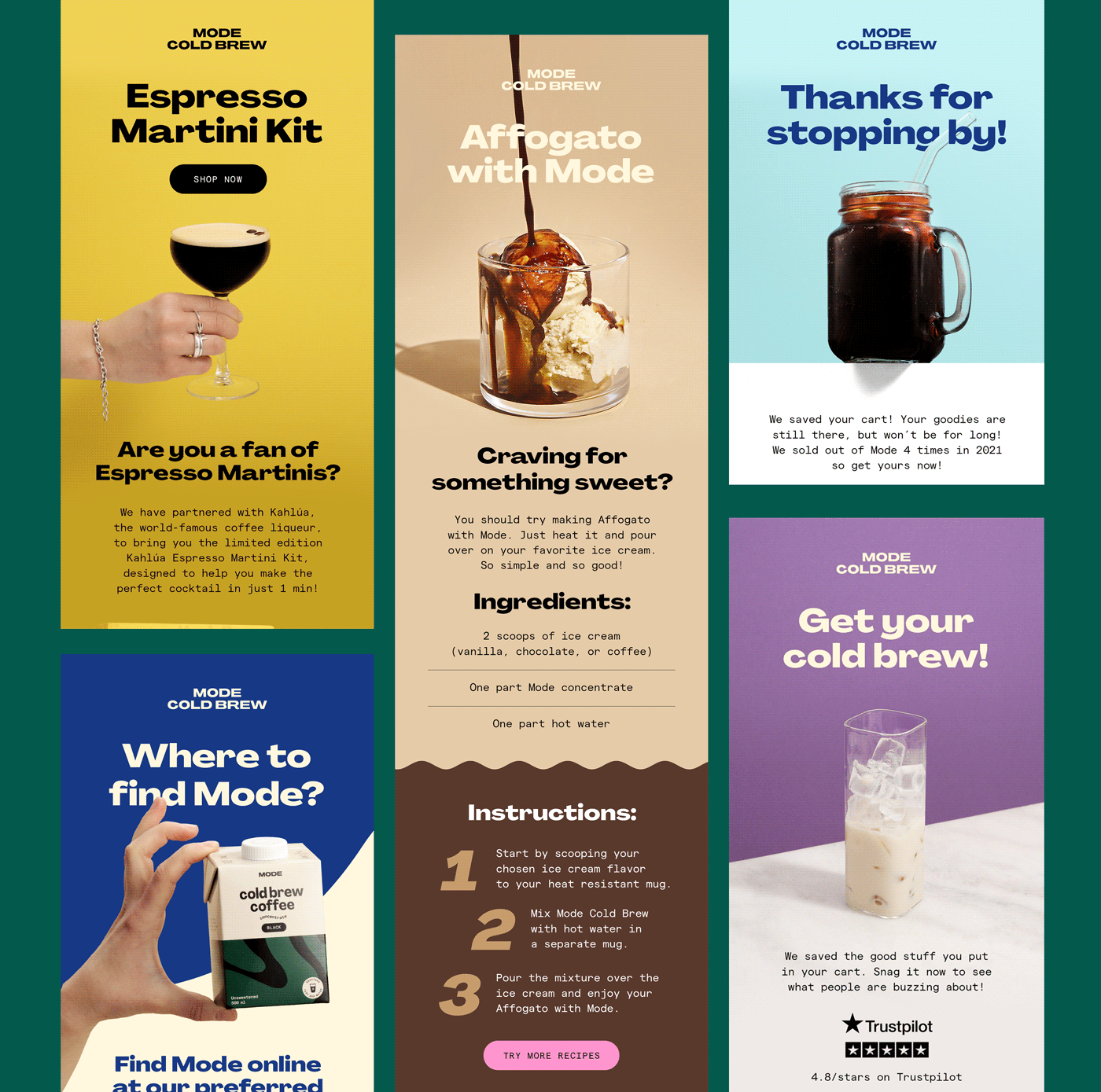
MODE Cold Brew’s email marketing campaign designed by Anna Mabagos.
MODE Cold Brew’s email marketing campaign designed by Anna Mabagos‍

3. Web design

While many graphic artists design visual elements for a brand’s websites, it’s important to note that web design is not the same as graphic design.

Screenshot of the Redchurch website designed by Joseph Berry.
Redchurch by Joseph Berry

Designing a great website is a multidisciplinary undertaking as websites are interactive rather than fixed assets like brochures or magazines. You need graphic design skills as well as experience with user experience (UX) and user interface (UI) design, which is why teams of multiple professionals with complementary skill sets typically design websites. 

Web designers may work on projects including:

  • Creating icons and buttons
  • Designing web page layouts
  • Creating various interactive design elements on a website
  • Optimizing visual elements for all devices (desktop, mobile, etc.)
  • Working with web development, UX, UI, and marketing design teams to improve the overall experience for site visitors

Plenty of graphic designers are also web designers with knowledge of UX design and create beautiful websites and mobile apps without the support of a large team. With the help of platforms like Webflow, designers can create stunning interactive websites without needing extensive knowledge of coding. 

4. Illustration design

Illustrations are often part of web, marketing, and brand design, but they’re also useful in other ways. Some designers focus solely on offering illustrations and work with larger design teams, contributing individual assets for various projects.

Illustrators may design visual assets for:

  • Children’s books
  • T-shirts and other wearables
  • Cards and stationery
  • Websites
  • Social media 
  • Video and interactive media
  • Marketing campaigns

Illustration style and design process can vary drastically from designer to designer. Some artists work almost exclusively in digital formats using graphic design tools such as Adobe Illustrator, Photoshop, or Procreate, and others blend digital media with physical media, preferring to start with a pencil and paper.

Get inspired by these three incredibly talented illustration graphic designers:

5. Type design

Some graphic designers specialize in creating or selecting typography, typeface, or fonts.

Type design can include:

  • Creating custom lettering and numerals
  • Writing or digitally creating typography assets
  • Selecting fonts and creating typography guidelines for a brand 

Humans rely heavily on words to communicate messaging, so type designers collaborate on a wide array of projects. Type designers contribute to brand design by creating, selecting, or pairing fonts. It’s also common for type designers to create assets for web, marketing, product, or package design.

Here are four type design examples from: 

6. Infographic design

At their core, infographics are simply representations of data or information that can be consumed visually. They can take the form of 2D illustrations, interactive elements on a website, or even videos. The common thread is that they help the viewer more easily understand a large amount of information or complex concepts.

Check out this infographic by bby Pororo. Not only is it beautiful, but it is packed with everything a curious onlooker needs to know about peaches and their nutritional value.  

Peach infographic design by bby Pororo.
Peach infographic design by bby Pororo

7. Textile and surface design

Textile graphic designers may create designs for fabrics, wallpaper, carpets, and furniture. Many textile designers have experience not only designing graphics but also printing or creating textiles. To be a great textile designer, you need to understand design principles, such as color theory and hierarchy, as well as what’s possible when using different dyes and fabrics because the material itself will affect the final look of a design.

An image of a chair upholstery and pillow designed by @unblinkstudio and a wallpaper designed by @evasonaike.
Image Source: @unblinkstudio @evasonaike

8. Packaging design

From food to gadgets to designer jewelry, the packaging that items are transported in is often just as important as the items themselves. Product packaging designers aim to show off or complement the items inside the packages. 

9. Editorial or publication design

Editorial or publication design is a form of graphic design concerning print and digital publications. 

Print publication graphic designers consider not only visual elements such as color, typography, whitespace, and imagery but also tactile features such as texture and quality of the print medium’s paper and cover and other print specifications.   

Further, in today’s digital age, a digital publication graphic designer would consider the same elements, apart from the tactical features. Instead, a digital publication designer would consider aspects such as functionality, interactivity, animations, web and mobile formats, and other specifications for the digital print medium. 

Print and digital publication design spans:

  • Books 
  • Magazines
  • Newspapers
  • Brochures
  • Catalogs 
  • Newsletters 
  • Emails and other digital publications

Publication design sets the tone for a publication and can amplify the written word. Just picture a well-placed pull quote in a printed interview or a beautifully laid-out recipe book.

A photo of showing the editorial design by Alexia Lim for Banded Purple’s first volume of Purple Paper.
Editorial design by Alexia Lim for Banded Purple’s first volume of Purple Paper

10. Motion design

Have you ever looked at a graphic design and imagined what it would look like if it were moving, had life, or a bit of motion? A motion graphic designer’s job is to do just that: breathe life into graphic designs by turning static graphics into captivating and engaging motion graphics. 

Motion graphic design, or motion design, combines the principles of design with animation and film techniques to create dynamic visual content. 

Common motion graphic design includes: 

  • Title sequences, which are the opening sequence of motion graphics traditionally used to introduce a film, TV show, and nowadays commercials, video games, YouTube videos, and even streams
  • Explainer videos, anything from social media shorts to full-fledge productions
  • Marketing materials for social media, commercials, or web ads
  • Animations and microinteractions used in user interface design, web design, software, game design, and video game development 

There’s also an element of storytelling in motion design. A good motion designer is also a good storyteller, using visual elements to guide the viewer through the design’s story, concept, or narrative. 

Check out “This is Fine” by creative director Baron Maxime, graphic designer Angèle Bappel, creative front-end developer Risser Axel, and creative web developer Pierre Martinière. They do a wonderful job of creating a narrative and carrying it throughout the promotional graphics and the game itself, incorporating filmmaking techniques — an example of fabulous motion graphic design.  

Promotional graphic for the ‘This is Fine’ game designed by Baron Maxime and Angèle Bappel and developed by Risser Axel and Pierre Martinière.
Promotional graphic for the “This is Fine” game

11. User interface design

Not to be confused with a user experience (UX) designer, a user interface (UI) graphic designer focuses on graphic designing user interfaces for digital products and applications. 

This type of design incorporates elements of both UX and graphic design. From color-swatching buttons, icons, and menu bars to designing responsive layouts and microinteractions, user interface graphic designers facilitate smooth and intuitive interactions between users and digital products (or applications) via aesthetically pleasing, user-friendly designs. 

Some user interface graphic design examples include: 

  • Web and mobile app interfaces
  • Software interfaces 
  • Gaming interfaces
  • Smartwatch interfaces
  • Smart appliance interfaces (i.e., smart refrigerators, smart TVs, and so on)
  • In-car interfaces
  • Interactive Kiosks and ATMs

Get started in graphic design

If you’re thinking of pursuing a career in graphic design, there’s no better way to get a feel for which disciplines interest you most than to play around with graphic design software and tools. Don’t forget to explore physical mediums, too. Many great digital designers begin projects with a piece of paper and a pencil or paintbrush.

Developing an international digital marketing strategy to reach global audiences

Software Stack Editor · March 6, 2024 ·

image

Elevate your brand’s global reach with an international digital marketing strategy that resonates culturally and connects deeply.

New technology and the internet allow businesses to bridge geographic distances, and this presents unique opportunities for brands to amplify their global presence. However, reaching international audiences is just the first step — the real challenge lies in forging lasting, meaningful connections across diverse cultural contexts.

A well-thought-out international marketing strategy addresses this struggle by embracing the subtleties of culture, language, and regional market dynamics. By fine-tuning your strategy to these aspects, you convert potential customers into loyal advocates and position your brand as a globally aware, culturally attuned market player.

Benefits of reaching global markets

Adopting an international digital marketing strategy broadens your brand’s global footprint and makes your brand more dynamic and culturally relevant. Here’s a closer look at this expansion’s benefits:

Global visibility and increased traffic

Reaching foreign markets enhances your business’s global visibility by presenting more opportunities to impress and engage a broader audience. For instance, by tailoring your website’s structure to accommodate various language preferences and cultural nuances through localization strategies, you’ll ensure a seamless and engaging experience for site visitors worldwide — significantly increasing web traffic and bringing in new customers.

Diversified revenue stream

Expanding into international markets broadens your revenue sources and spreads your income generation across different regions and throughout the calendar year. This reduces dependence on a single market or season.

For example, you can adapt your sales strategy to align with local holidays and events by tapping into heightened purchasing activity during Black Friday in the United States or Diwali in India. This localized approach keeps your business relevant and appealing across diverse cultural landscapes so you can maximize sales opportunities.

Enhanced brand loyalty

When you tailor your brand messaging to reflect the traditions and norms of each audience, you demonstrate that your brand respects cultural diversity. This encourages brand loyalty among global customers who feel you care about understanding their preferences and needs.

Competitive edge

Reaching foreign markets gives your business a competitive edge by showcasing your brand’s adaptability, innovation, and commitment to meeting diverse customer needs. This global outreach enhances your brand’s reputation and builds user trust, which is crucial for customer loyalty and retention. Over time, this ultimately contributes to a higher return on investment (ROI), solidifies your brand’s position in the global marketplace, and paves the way for continued growth and success.

Top 8 international digital marketing strategies

A global marketing strategy goes beyond linguistic translation — it involves deeply understanding and connecting with each target demographic. This means crafting advertising campaigns and content that resonate with local values, customs, and languages, and balancing global brand consistency with localized appeal.

Here are eight international digital marketing techniques to implement.

1. International SEO strategy

An international search engine optimization (SEO) strategy optimizes your site’s visibility and reputation across regions where your business operates. SEO improves how search engines perceive your site — as a credible, authoritative source or a platform with low-quality content of little relevance to your audience.

Key aspects of an effective international SEO strategy include:

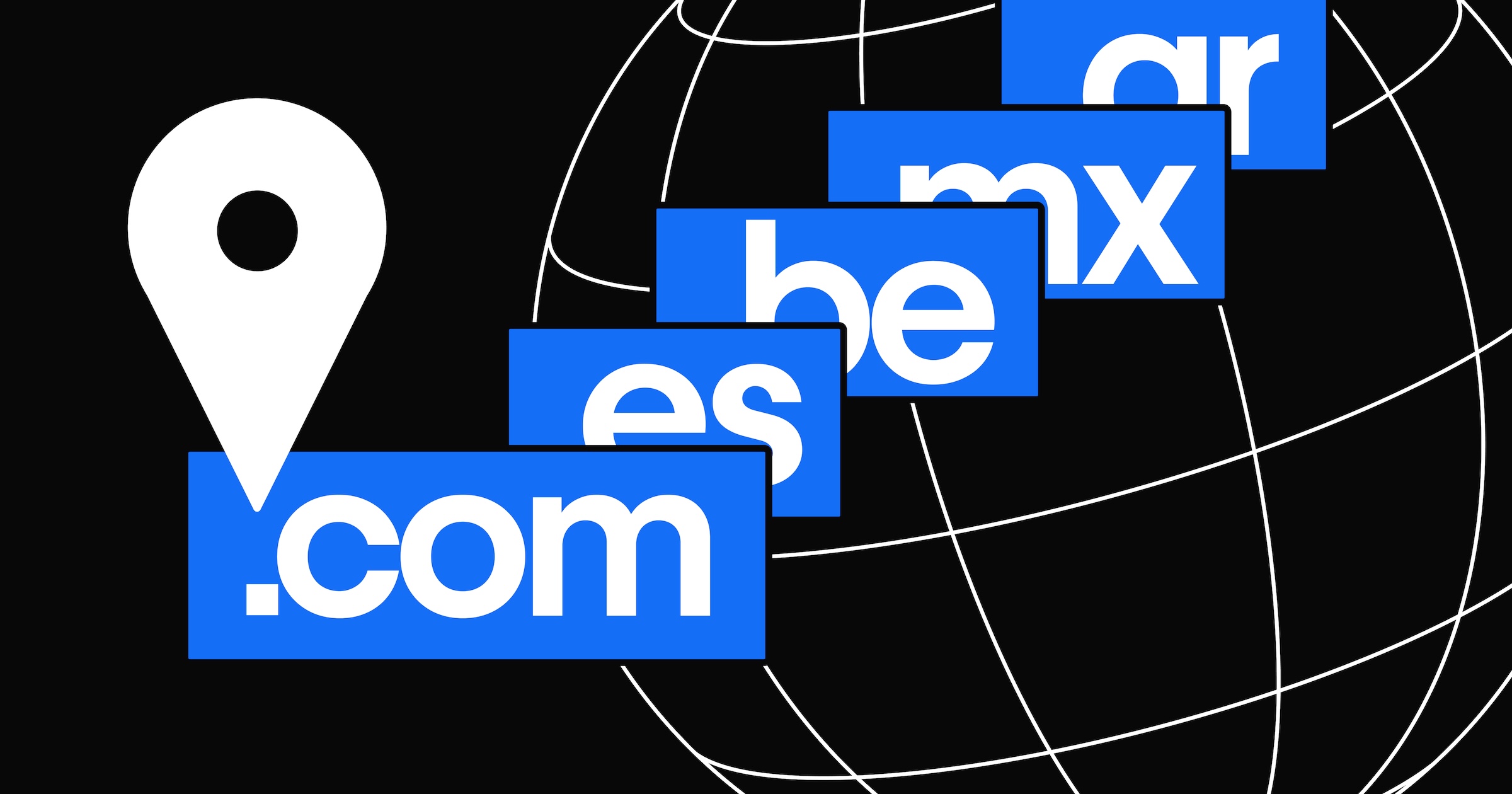
  • Choosing the right URL structure. Using a subdirectory URL structure for localized sites (website.com/es for your Spanish site) helps you retain domain authority compared to a subdomain structure (es.website.com). However, in some cases, you may need localized sites on different domains — for example, if a business has a unique brand in certain countries.
  • Creating a robust sitemap. Organizing your website’s content streamlines search engine indexing. A well-structured sitemap ensures that all regional website variations are accessible and correctly categorized.
  • Using region-specific keywords. Conduct thorough keyword research to identify terms that resonate with each target audience in their local context. Incorporating these keywords into your website’s content and metadata enhances visibility in local search results.
  • Adjusting for location. Tailor your website to match each visitor’s location, which includes language preferences, date formats, and currency. This makes navigation clearer for international visitors and increases the chance search engines will showcase your site when someone from that location searches for a keyword you want to rank for.
  • Adopting international SEO tags. Use SEO identifiers, like hreflang HTML tags, that communicate your site’s language and regional variations to search engines. This helps search engines deliver the most fitting site version to users — one that fits their location and language preferences.
  • Optimizing meta tags and structured data. Tailor metadata like meta descriptions, title tags, and structured data for each regional site variation. Doing so helps search engines understand the context and relevance of your content to specific geographic locations.

2. Search engine marketing

Search engine marketing (SEM) uses paid advertising to target region-specific audiences on search engines and guide them to dedicated landing pages. Create landing pages for each region you operate in to ensure you bring site visitors to region-specific content that’s aligned with their cultural or linguistic preferences.

This approach also empowers you to boost your click-through rate (CTR) and reduce your bounce rate. By reaching out to audiences with content that resonates with their local interests and needs, you increase the likelihood of engagement and conversion, optimizing your advertising spend.

3. Multilingual website

Creating a multilingual website enhances accessibility and engagement for linguistically diverse global audiences by breaking down language barriers and demonstrating your commitment to inclusivity and cultural sensitivity. Internationalization and localization strategies, such as language toggles and dynamic content, are crucial for this process because they encourage longer visits and deeper engagement with your brand.

Beyond improving the user experience, a multilingual website also positively impacts your SEO rankings in different regions by aligning with local search preferences. A website communicating in a user’s native language fosters familiarity and trust, further reinforcing your brand’s global presence.

4. Affiliate marketing

Expand your reach through affiliate marketing, a strategy that involves collaborating with individuals or businesses around the globe to promote your products or services. By developing an affiliate portal — a dedicated platform on your website that lets these partners access marketing materials, track sales, and monitor their commissions — you effectively harness their regional influence and trust with local audiences. Such collaboration transforms your partners into brand advocates and helps you enhance web traffic, conversions, and your brand’s global recognition.

5. Email marketing and automation

Automated emails — triggered by user actions or preferences, such as signing up for a newsletter, making a purchase, or abandoning a shopping cart — help maintain consistent and personalized communication. User preferences, such as receiving updates about specific product categories or in a particular language, can also trigger tailored communications. This ensures your email marketing content adapts to meet each individual’s interests and needs, and this personalization enhances brand engagement and nurtures customer relationships wherever those customers may be.

6. Culturally sensitive content marketing

Culturally sensitive content marketing involves crafting visual content and messaging that acknowledges and respects the cultural identities of different regions.

For example, a campaign targeting Japanese audiences might incorporate traditional Japanese aesthetics and values, emphasizing respect and harmony. Conversely, for Brazilian markets, your strategy might involve vibrant visuals and storytelling that resonate with Brazil’s dynamic cultural landscape, known for its emphasis on community and festivity.

By taking this tailored approach to content marketing, you demonstrate your brand’s cultural awareness and deepen the connection with diverse audiences. When consumers see their culture reflected across your messaging and visuals, they’re likely to feel a personal connection to your brand. As your content becomes more relevant and shareable among local audiences, this deeper engagement increases brand loyalty and cultivates a stronger market presence.

7. Influencer marketing

Influencer marketing leverages the power of local influencers to amplify your brand’s global impact. This strategy involves identifying and collaborating with influencers who hold sway in specific cultural or regional contexts.

For instance, partnering with a popular lifestyle influencer in France can introduce your brand to the French market in a way that feels more authentic and relatable than other marketing forms, like advertisements. Similarly, teaming up with a tech influencer in South Korea might significantly boost your tech product’s visibility in a market known for its tech-savviness.

These partnerships grant your business direct access to localized influence, credibility, and reach. Influencers often deeply understand their audience’s preferences and cultural nuances, and leveraging their insights helps your brand deliver tailored messages that resonate with specific demographics.

8. Online reputation management

Online reputation management goes beyond monitoring reviews — it’s about building and maintaining trust worldwide. Integrating website features like customer review sections or testimonial pages provides social proof that resonates with all audiences by showcasing positive user experiences from users around the world.

Actively managing your brand’s online reputation involves constructively addressing negative feedback, highlighting positive customer stories, and showcasing your responsiveness and commitment to customer satisfaction. By taking a global approach to reputation management, you ensure that users from different regions perceive your business as trustworthy and reliable — creating a universally positive brand image that appeals to all markets. A strong, authentic online reputation also influences customer loyalty and is often a deciding factor in a consumer’s choice to engage with your brand.

How to implement a global digital marketing strategy in 5 steps

Strategic digital marketing requires a keen understanding of cultural sensitivities, local market dynamics, and the unique characteristics that distinguish one audience from another.

Here are five steps for carrying out an effective international digital marketing strategy.

1. Conduct market research

Initiating global digital marketing campaigns starts with comprehensive market research. Delve into the intricacies of cultural norms, local values, and purchasing behaviors specific to each regional demographic you plan to target. Employ customer surveys, analyze market data, and engage local marketing consultants to ensure your efforts are culturally sensitive, respectful, and resonant with region-specific audiences.

For example, if your brand expands into the Norwegian market, you might explore local shopping trends, popular digital platforms, and cultural preferences. A survey could reveal that Norwegian consumers highly value detailed product information and a minimalist aesthetic in web design. Equipped with this knowledge, you can tailor the website and advertising campaigns to resonate with Norwegian consumers by aligning your content and approach with their expectations and preferences.

2. Determine your objectives

With insights into regional markets, you’re ready to set clear, measurable objectives for your global marketing strategy. This includes defining what success means for your brand in each market, whether it’s expanding brand awareness, increasing sales, or enhancing customer engagement.

For example, in a market like Germany, which highly values data privacy, your objective might be building trust and transparency to foster brand loyalty. In contrast, a rapidly growing market like India might have you prioritizing sales and capturing market share. These objectives should guide your marketing strategy so you can create focused and effective marketing campaigns tailored to achieve region-specific goals.

3. Set the scope

Since your resources, like marketing budget and personnel availability, are limited, you’ll need to establish the scope of your digital marketing strategy. Determine the specific geographical regions you’ll target and understand the unique attributes of each market, considering aspects like language differences, cultural preferences, and market behaviors.

For instance, when focusing on the German market, you might emphasize efficiency and precision in your campaigns, as these values resonate more strongly there. Conversely, a more emotion-driven, lifestyle-centric approach might prove more effective in Italy, given the cultural emphasis on “la dolce vita,” or living life slowly to enjoy it to the fullest.

Setting a clear scope fine-tunes your content and marketing efforts to speak directly to your intended audiences, which will optimize your resource use and enhance your campaigns’ effectiveness.

4. Identify appropriate strategies

Choosing the right marketing strategies that align with your objectives requires a deep understanding of various digital marketing channels, including SEO and SEM and social media and email marketing. Delve into comprehensive analytics, market research, and competitor analysis to identify the most suitable approaches and ensure they align with your business goals and effectively engage your target audiences.

For example, your analysis might reveal that a particular market responds better to visually driven social media campaigns while another shows higher engagement with email marketing.

5. Don’t forget about web development

When planning out your international marketing strategies, include comprehensive web development resources. Site updates are often integral to strategy efficacy, and you don’t want to skimp on important changes like location-specific SEO tags and culturally appropriate graphics.

Let’s say you implement an SEM strategy that directs visitors to specific landing pages. From a web development standpoint, you’ll want to ensure there are region-specific pages and that your main site has proper internationalization and localization to support multiple languages and region-specific dynamic content. This strategic alignment between your website’s functionality and your marketing campaigns creates a cohesive experience for the user.

Streamline your website internationalization efforts with Webflow

A great website speaks to its audience — and that often requires creating unique site experiences for different global users.

From design to translation to built-in SEO tools, Webflow Localization unlocks full customization of your site for your target audience — no matter where they are.

How to learn web design in 9 steps (+ best practices)

Software Stack Editor · March 6, 2024 ·

Start with a solid foundation by learning the basics of UI, UX, HTML, CSS, and visual design.

Learning how to design a website is an effort-intensive process. Starting with the fundamentals will save you time fixing errors later.

This guide covers everything you need to better understand web design so you can start the creation process with a big-picture perspective. As you read through, bookmark the more in-depth guides along the way. 

What’s web design, and what elements make it work?

Crafting a website is part artistry, part science. Designers turn concepts into aesthetically pleasing sites that enable an audience to take the site owner’s intended actions, whether it’s making a purchase or signing up for a service.

Web design involves several subdisciplines, like user experience (UX), user interface (UI), and search engine optimization (SEO). Good designers should know the fundamentals of these subdisciplines.

To create an effective (i.e., engaging and user-friendly) site, web designers need the following skills: 

  • Attention to detail — A great designer notices granular details, styling each element carefully while never losing sight of how they’ll all come together.
  • Adaptability — Designers must be skilled in various software and techniques to pivot strategies to reach multiple audience types.
  • Organization — The arrangement of text and visuals on each page must intuitively direct users through the site. A skilled designer creates sites that deliver users to their destination in the fewest clicks.
  • Innovation — The best sites are both unique (to keep the viewer engaged) and follow the user’s navigation expectations (so they can take their intended action).

Web designs are powered by the backend

The backend is everything that runs behind the scenes when displaying a website — back-end developers are the people who make it work.

Websites reside on servers. When a user navigates to a specific section of a site, the server shows them a file filled with HTML and CSS that determines how the browser displays the content. It’s this back-end file that developers work on to ensure the site loads correctly and is search engine-optimized.

Back-end developers are often programmers who work in coding languages such as PHP. They also might use a Python framework like Django, write Java code, manage SQL databases, or use other programming languages or frameworks to ensure that servers, applications, and databases work together correctly.

The front end relates to what site visitors see

If the back end is the server side, the front end is the client side. The front end is where HTML and CSS — along with JavaScript and other coding languages — work together to display a website. Front-end development focuses on the parts of a web design that people engage with. It’s all about organizing information and presenting it in a way that’s visually appealing and usable.

Good visual design makes websites stand out

A series of purple cubes with measurements surrounding them.

Though the best web designs look effortless in execution, they’re all based on the guiding principles of visual design. Some rare web designers have an innate eye for visual design, but most must learn and practice the rules of composition. Over time, you’ll understand how elements like shapes, space, color, and geometry come together to form sound web design.

How to become a web designer: 9 steps

Building websites is more accessible than ever, thanks to online courses and thorough design software documentation like that on Webflow University. That said, some fundamental principles make for a solid foundation to build on. The following nine steps are an ordered approach to learning these principles so you can fast-track your education.

1. Understand the key concepts of visual design

Effective web design requires you to understand the basic artistic principles you can leverage to make your designs more appealing. If you’ve ever taken an art class, the following fundamentals might look familiar, though applying them to web design is slightly different.

Line

Every letter, border, and division in a web page layout is made up of lines that form the larger structure. As you learn web design, you’ll learn how to use lines to create order and balance. For example, you might create borders to separate elements on a page or horizontal lines to bookend paragraphs.

Shapes

The three basic shapes in visual design are squares, circles, and triangles. Squares and rectangles work well for blocks of content, circles for buttons, and triangles for icons that accompany important messages or calls-to-action (CTAs). 

Shapes also evoke specific associations — squares with strength, circles with harmony and comfort, and triangles with importance and action.

Texture

Texture replicates something in the real world. Through texture, we understand whether something is rough or smooth. 

You’ll notice textures throughout popular web designs, from paperlike backgrounds to the colorful wisps of a Gaussian blur. Thoughtfully using texture can make your designs more interesting and give them a sense of physicality.

Color

To create sites that aren’t an eye strain, educate yourself on color theory. Understanding the color wheel, complementary colors, contrasting tones, and the emotions that different ones evoke means you can more strategically design your site. 

A huge part of learning front-end web design is knowing what color combinations look good together — generate ideas by creating a few palettes with a tool like Coolors.

2. Learn HTML basics

HTML determines how a website’s content, images, navigation, and other elements display in a browser. Though you don’t need to be an expert in HTML to become a web developer, it helps to be familiar with how it works, even if you’re using a visual-based design platform like Webflow. 

HTML tags are the instructions a browser uses to generate a website. These tags control headings, paragraphs, links, and images. You’ll especially want to know how header tags like H1s, H2s, and H3s create content hierarchy. In addition to affecting layout structure, header tags help web crawlers classify a site, which affects where your site lands in organic search rankings.

3. Understand CSS

CSS provides styling instructions for HTML elements. Applying fonts, adding padding, setting alignment, and choosing colors are all possible through CSS. Knowing how this styling works gives you the skills to create unique-looking websites and customize existing templates.

A CSS class is a list of attributes that come together to style elements. For example, 

p {

  color:red;

}

The “p” at the beginning refers to the

HTML tag used to create paragraphs. When you give them the “color: red” attribute, every letter in every paragraph on your pages will appear red. You can style any complete HTML element this way, or you can create classes that you apply to specific elements, like:

.red-text {

color:red;

}

With this class in your CSS file, you can style specific HTML elements to use red text, such as:

This is red text

The above text would appear red in this example, but other paragraphs on your site would remain unaffected.

4. Learn the foundations of UX design

Beginners in web development often confuse UI and UX. In short, UX covers how users experience your site — whether they find it straightforward to navigate, if the visuals are intriguing, how they feel as they journey through it. UI focuses on a site’s interactivity, complementing the UX designer’s user-focused goals to ensure the site “hits.”

Here are a few fundamental UX principles you’ll need to consider.

User personas

Web design means understanding end users. You’ll conduct target audience research, create user personas, and figure out how to use this information to optimize a design for an audience’s needs.

Information architecture

Without clear organization, people will get confused and leave your site. Information architecture and content mapping provide a blueprint for how each section of the website works together to give a straightforward customer journey.

User flows

User flows plot how people move through a design. They help you prioritize the most critical sections and ensure people can access them seamlessly.

Wireframes

Wireframes show where headings, text, visuals, forms, and other elements will be located on a web page. Even if you’re building a simple one-page web design, mapping out a wireframe gives you a solid guide to work from. Wireframes are essential to creating a consistent experience and structuring layouts as you move on to more complex UX designs. 

Prototyping

Prototypes represent a functioning web design. Images, interactions, content, and other essential elements replicate the real-world design. Then, these mockups are sent to a test group of users who give feedback on the UX.

5. Familiarize yourself with UI design

UI work includes all the mechanisms that put a piece of technology into action. A doorknob is a user interface, as is the volume control on your car radio. Just as buttons and knobs enable users to interact with machines, user interface elements on a website allow people to put actions into motion.

Interacting and engaging with a website should be consistent and follow repeatable patterns. Users landing on a site should immediately understand how to navigate it, so the controls must appear obvious in their functionality. 

Whether minimizing the number of navigational options, making the checkout process quicker, or integrating interactive elements that increase accessibility, understanding UI best practices streamlines how people interact with your website.

6. Understand the basics of layouts

People latch onto familiar design patterns, making for an accessible route through a site. You likely intuitively know where to look because you’ve seen these patterns before. So, understanding common web design patterns helps you create websites that flow smoothly. 

Z-patterns and F-patterns are the most common reading paths on sites.

Two patterns side by side, using arrows and numbers to represent reading patterns. A Z-pattern is on the left, and an F-pattern is on the right.

Z-pattern

For layouts with generous amounts of negative space, such as landing pages, the Z-pattern is an efficient way to cruise through a website. When you start paying attention to where your eyes are going through a design, you’ll immediately recognize when a Z-pattern is in place.

F-pattern

Designs heavy on text, like for an online publication or blog, often follow a distinct F-pattern. On the left side is a list of articles or posts, and the relevant information is in the main body of the page. Optimize this pattern to give people all information they need, even at a glance.

Understand responsive web design

Along with understanding layout patterns, it’s also essential to know the fundamentals behind responsive web design. A responsive web design has a consistent look no matter what device users display it on.

7. Learn about typography

Typography serves several purposes in web design. It makes content legible, but it can also evoke emotions. The tasteful use of stylized typography adds to the overall aesthetic of a site.

Here are the three basic typographic types:

  • Serif typefaces have minuscule lines (known as serifs) that decorate each letter
  • Sans serif typefaces lack the identifying lines of serif typefaces
  • Display typefaces are often used for headlines and can be either large and impactful or made of sharp, thin lines. They usually have sophisticated letterforms and are meant to grab attention

8. Put your knowledge into action and build something

You can watch tutorials, read blog posts, enroll in free web design courses, and absorb all the theory and information you want about web design, but the best way to become a web designer is to begin designing.

Start with a simple project like a blog. Creating one gives you practical design experience as you learn how to use a content management system. Plus, blogs are popular with clients looking to increase their website rankings in search results, so you can use this initial design to practice crafting something you’ll likely do often.

An image of Webflow's blog template
Source: Webflow Templates

It’s crucial to select the right design tools from the start to avoid having to relearn a new tool later. Webflow offers beginners and experts the tools to create visually stunning sites — with or without writing code. It’s a great platform to start on and stick with long term.

9. Find a mentor

Mentors are valuable because they’ve been where you are — at the very beginning — and want to help you through the hard-earned lessons they’ve learned. They have a deep well of expertise and knowledge and are an excellent resource for getting feedback on your work, identifying your strengths and weaknesses. 

Try contacting friends or checking social media for mentors open to new students. When searching, consider finding someone who does the type of design you admire and specializes in what you want to learn.

A platform to design websites like a pro

Learning the fundamentals behind visual design, the basics of UI and UX, and how the front end and back end function sets you off on the right foot to becoming a well-rounded designer. 

When you’re ready to start practicing, Webflow empowers beginners and experts alike to build, manage, and grow professional-grade websites. 

Webflow offers fully customizable page structures, components, and beginner-to-advanced styling options so you can move at your own speed. And the Webflow CMS helps you make content-rich pages and collaborate with mentors and teammates as you learn this new craft.

A step-by-step guide to effective website localization

Software Stack Editor · March 5, 2024 ·

image

Website localization transforms your digital outreach by catering your site content to local audiences around the world.

Expanding into international markets is about more than just widening your reach — it’s about forging deep, authentic connections in each locale. With website localization services, you go beyond mere language translations by crafting content that feels inherently familiar to an audience and imbuing it with the richness of local context and cultural nuances. It’s a strategy that boosts engagement and positions your brand as culturally attuned, paving the way for success in new markets.

Read on to learn how to localize your website and capture new markets successfully.

What’s website localization, and why is it important?

Website localization (l10n) adapts your website to mirror different target markets’ unique cultural and linguistic nuances. Beyond literal website translations, localization fine-tunes visual design elements like color schemes and layouts while adapting practical details like currency, date formats, and measurement units to align with the local audience’s preferences and norms.

This strategic adaptation aims to resonate personally with each user by presenting your offerings in an understandable, culturally relevant, and engaging way. At its core, localization makes every user feel that you designed the website with their specific cultural context in mind, which fosters a sense of belonging and increases user satisfaction. And since 76% of consumers prefer to make purchases in their native language, website localization ultimately leads to higher conversion rates. 

How is localization different from globalization, internationalization, and translation?

Localization involves modifying your content, products, and services, whether online or offline. However, similar terms may overlap with localization despite having distinct definitions and purposes, including:

  • Internationalization (i18n). Internationalization is the preparatory step that makes products or content adaptable to different languages, regions, and cultures without losing its essence and structure. For example, rather than hard-coding a specific date format (like MM/DD/YYYY), you can dynamically adjust to the user’s locale, displaying a format used in their region, such as DD/MM/YYYY or YYYY/MM/DD. The application adapts to different cultural conventions without requiring extensive changes during localization.
  • Globalization (g11n). Unlike localization, globalization doesn’t focus on adapting to local nuances. Instead, it involves optimizing for an international audience. More of a marketing strategy than a process, you focus on making a product or service universally relevant and efficient so users in different countries and regions can and want to interact with it. A global brand, such as Apple or Android, maintains a consistent presence with minimal adjustments, like SIM versus eSIM options, to cater to varying technical standards.
  • Translation (t9n). Translation converts text from one language to another while preserving the original content’s meaning and context. While it’s critical for localization, translation focuses solely on language conversion. For example, translating a website from English to Spanish means changing the language to suit Spanish-speaking audiences while preserving the original message, tone, and context.

What are the benefits of website localization?

Embracing website localization offers multiple advantages that are crucial for businesses aiming to expand their global footprint, such as:

Higher SEO rankings

Localizing your website optimizes it for region-specific keywords and phrases commonly used in search engines like Google and Bing. This localization leads to better search engine optimization (SEO) and visibility in local search results, drawing in audiences actively searching in their native language.

For example, incorporating popular Japanese search terms into your website will boost its rankings on Japanese search engine results pages (SERPs), which drives more targeted and organic traffic.

Enhanced brand image

Adapting your website to respect and reflect your target audience’s local culture and language demonstrates a commitment to understanding their unique needs and preferences. This level of personalization shows cultural sensitivity and fosters trust and loyalty among your audience, helping create stronger, more meaningful connections with existing and potential customers. Consider how a website that reflects local holidays and traditions in its content and design can significantly improve the audience’s perception of the brand as empathetic and considerate.

For example, an ecommerce platform might adapt its color scheme and imagery to appeal to Japanese cultural preferences. It could introduce red to symbolize excitement and energy and white to create a sense of space and simplicity, aligning the site’s aesthetic with Japanese cultural values.

Expanded audience reach

Each new localized site version opens doors to a new demographic, complete with its own market dynamics and consumer preferences. By breaking down linguistic and cultural barriers, website localization enables you to connect with consumers who might otherwise be inaccessible or not interact with a non-localized website. This enhances your market penetration and brand reach.

Increased customer engagement

When users can navigate your site in their native language and effortlessly comprehend its contents, they’re more likely to interact with your offerings. This increased familiarity leads to longer browsing sessions, more satisfying user experiences, and higher conversion rates.

For example, the ecommerce store localizing for a Japanese audience might showcase products in settings familiar to Japanese customers, using local living contexts and backgrounds in its product images. Doing so enhances product relatability and integrates products into the Japanese lifestyle narrative, making them more appealing to Japanese consumers. Additionally, the brand can reconfigure the website’s layout and visual hierarchy to support right-to-left reading patterns to meet the standard Japanese navigation expectations.

Alignment with local buying habits

Tailoring your website to regional preferences and buying habits includes customizing payment methods, shipping options, product page layouts, and even promotional activities like seasonal discounts. This customization ensures that your website aligns with the local market’s shopping behavior, making it more user-friendly and increasing the likelihood of conversions.

With the example of an ecommerce store localizing for a Japanese market, the platform might update its pricing to include Japanese currency symbols and adopt local pricing conventions for quick comprehension. 

A competitive edge in global markets

By presenting a website that speaks directly to local audiences, your brand distinguishes itself from competitors who have yet to make similar efforts. This strategic approach positions your brand as more accessible and relatable because it resonates with each region’s cultural and practical preferences. Such positioning not only enhances brand loyalty but also helps attract new customers who appreciate the tailored experience.

Such targeted localization efforts help transform a company’s website design into a culturally relevant, user-friendly destination for international customers. It overcomes language barriers and cultural differences to offer an easy-to-navigate, engaging experience that enhances brand loyalty and helps attract new customers who appreciate the tailored experience.

How to implement website localization in 9 steps

Planning your website is as important as the execution. Here are nine website localization best practices to consider so you can create a practical road map to follow.

1. Plan strategically

Effective localization strategy hinges on choosing a target location and effectively understanding its local compliance requirements, including specific laws governing online content, data protection, and privacy. By adhering to these regulations, you help prevent future legal complications and foster trust among the local audience.

After identifying these requirements, draft a comprehensive plan that outlines the project’s scope, objectives, and timeline. This plan should cover aspects of content adaptation and technical adjustments, including both back-end and front-end development, as well as an in-depth analysis of the local market.

For example, a German localization plan would start with translating text into German, using culturally relevant expressions and idioms, and adjusting the tone and style to resonate with German speakers. Regarding technical adjustments, you might need to integrate popular German payment options, such as SEPA Direct Debit, and ensure your site complies with the European Union’s General Data Protection Regulation (GDPR) for data protection and privacy.

2. Conduct thorough market research

Comprehensive market research helps you understand the specific trends, needs, and preferences of your target region and provides you with valuable insights to tailor your website to the local audience effectively.

Additionally, thorough competitor analysis is integral to this research. By examining competitors’ strategies in your target market, you identify what works well and where gaps or opportunities may exist. This analysis helps you pinpoint unique selling points that you can leverage in your marketing strategies to enable better website and brand differentiation in the new market.

For example, suppose you’re localizing your website for the Brazilian market. Your research might reveal that local competitors focus heavily on social media integration and mobile-friendly designs due to high mobile device and social media platform usage. With this insight, you can develop your website to prominently feature these elements, aligning it with local user habits and preferences to deliver a more resonant experience.

3. Build a capable team

Assemble a team of linguists, translators, developers, UI/UX designers, project managers, and cultural experts. This specialized team ensures accurate translation, culturally relevant design, and technical adaptability. Effective collaboration among these experts accelerates the localization process and helps you enter new markets faster and more efficiently.

4. Perform keyword research

Keyword research is essential for optimizing your site for local search engines. By identifying and leveraging the terms and phrases that your target audience commonly uses in online searches, you can dramatically increase the traffic your site receives.

To facilitate this research process, engage your team of linguists, translators, and cultural experts. Their expertise is invaluable in understanding the nuances of popular search terms, including their context and usage within the local language and culture. This in-depth understanding ensures your selected keywords are accurate and resonate with regional audiences.

After identifying these keywords, optimize your website’s content, metadata, and links to include them. This optimization should be holistic and encompass website elements such as page titles, descriptions, blog posts, and product listings. By strategically embedding these keywords throughout your site, you enhance its relevance and visibility in local SERPs.

For example, consider a travel agency aiming to expand into Spanish-speaking markets. Through keyword research, the agency identifies popular travel-related search terms specific to this audience, including “vacaciones económicas” (affordable vacations) or “destinos populares en España” (popular destinations in Spain). The agency then integrates these keywords into its website — from the homepage all the way down to specific travel package descriptions. Doing so improves the site’s SERP ranking in Spanish-speaking regions and attracts local travelers searching for relevant travel options, ultimately increasing site traffic.

5. Automate the website localization process

Automating the localization process is key to reducing manual errors and efficiently managing multilingual content. Automation ensures consistent and seamless user experiences across different site language versions.

To streamline the localization process, consider investing in a robust content management system (CMS) like Webflow. Such systems let you integrate plugins and automated tools to handle tasks like translation, content updates, and format adjustments, speeding up the process while ensuring uniformity and accuracy across all localized website versions.

6. Incorporate website internationalization

Internationalization makes adding new localized versions of your website simpler, easing the expansion process. To support future localization efforts, ensure your website is flexible enough to accommodate diverse content, date formats, and other area-specific elements.

Consider an ecommerce site that plans to expand to different countries. By internationalizing its code, the site can support multiple languages and currencies to allow for a smooth transition as it expands into new markets. Here, internationalization involves implementing a flexible template system and database structure that dynamically changes according to the user’s location to ensure the site automatically displays the appropriate language, currency, and cultural references.

7. Localize the user experience and user interface

After establishing a flexible coding structure, focus on localizing the user experience (UX) and user interface (UI) to make the site intuitive and culturally relevant for each specific audience. This includes customizing visuals, colors, icons, fonts, and layouts to match regional design preferences. You should also adjust navigation elements like menus and button placements to reflect regional user interactions.

For example, while some cultures prefer more visual menus, others opt for text-heavy, straightforward navigation. If you’re localizing for a Middle Eastern audience, you might consider a right-to-left layout to accommodate languages like Arabic and Hebrew, which read differently from the left-to-right orientation of many Western languages. A localized UX/UI contributes to good website design and creates a familiar and user-friendly interface, which drives increased engagement and user satisfaction.

8. Test and launch your website

Before going live, test your localized website to identify and resolve any issues. Check that all features function correctly, including language accuracy and design elements. You can also perform A/B testing by creating two website versions and seeing which performs better with your target audience.

Test your site on different devices and browsers to ensure compatibility, and ask native speakers, linguists, translators, and cultural experts for feedback. Modify your website based on their insights and suggestions to offer your target market a smooth user experience.

9. Market your localized website

Marketing your localized website attracts visitors and makes your target audience aware of your online presence. To market your localized website, launch advertising campaigns on platforms popular in the local market, collaborate with regional influencers, and use social media channels and search engines for outreach.

For instance, if you’re targeting the Japanese market, consider using local social media platforms like LINE for promotions because it boasts a significant Japanese user base. These targeted marketing efforts help communicate your website’s value to the local audience.

Add localization to your Webflow site

Website localization is the gateway to new markets and audiences — and Webflow’s native localization features ensure you cover all your bases. Whether it’s changing your site structure or tweaking content for regional relevance, Webflow’s user-friendly design tools and CMS make it effortless.

If you’re ready to scale globally, discover how Webflow Localization can help you build a more engaging and inclusive digital presence today.

The design DNA of an email campaign

Software Stack Editor · March 5, 2024 ·

image

In honor of the Campaigner App launching in the Webflow Marketplace — here’s our rundown of information and tips to help you get a great return from your email marketing efforts.

At its highest level, email marketing is about using a combination of text and visuals to create a connection with your audience and have them complete an action— anything from redeeming an offer, downloading your latest how-to guide, or reading your latest newsletter. Success in an email campaign, subsequently, is measured by the number of actions taken, otherwise known as conversion.  

Your ability to generate conversions hinges not only on the design of the email, but also what you say. It’s important to think beyond color choices, theme, and branding and more so how the overall visuals and text come together. 

But there’s much more to it — here’s our guide on what you should consider when it comes to the design of your email campaign. 

First impressions happen faster than you think.

At any given time users can have 20, 50, or even hundreds  of unread emails. Oftentimes, to find emails of interest, a user skims or scans through their inbox to see what catches their eye. The different intents of someone who’s skimming versus scanning however, varies: 

  • Skimming:  To read rapidly in order to get a general overview of the material.
  • Scanning:  To read rapidly in order to find specific facts.  

In other words skimmers are looking for something of interest and scanners are looking for something of value.  Both are collecting information quickly, so the challenge is to capture each one, and get them to pause when they get to your email. 

It starts with your subject line

On the surface, having a good subject line appears to be a no-brainer, but as the first touchpoint with your audience — it matters a lot, and requires thought and consideration during the creation process   

Consider these stats: 

  • 64% of recipients decide to open or delete emails based on subject lines
  • 33% of users choose to open emails because of catchy subject lines
  • A subject line alone is enough to entice 47% of email recipients to open the email
  • 69% of email recipients will report spam based on the email subject line

Given that email consistently ranks at or near the top in terms of ROI versus other digital channels  — with $36 returned for every $1 spent — getting someone’s attention with your subject line can make a big impact on your ROI.  

To get started,  we’d recommend tapping into the wealth of free subject line tools available such as SubjectLine.com. 

Give equal weight to images and text

Images in your email are always a good idea, but make sure they tie directly to your message. As users skim or scan an email, they’ll look for things to “line up.” On a psychological level, this is due to brains needing to connect images with text in order to create meaning.  When images and words work together the intended message comes through loud and clear  — making it much more likely that readers will convert. 

Here are some tried-and-true best practices:

  • Design for a vertical layout rather than horizontal
  • Use properly-sized images for optimal rendering and to ensure the email loads quickly
  • Put buttons in prominent places with clear call-outs
  • Be concise – too much text is overwhelming
  • Use spaces, images, or dividing lines to create breaks in content
  • Make your email mobile-responsive (most email providers do this by default)

Remember, brevity is your friend. If you have a lot to say, use email as a sneak peek and entice the reader to click through for more information.

Animation can be a difference maker

When used properly, animation can be incredibly effective. It catches the reader’s eye and can be used to convey a lot of information very quickly.  We like using it subtly — more as a  gentle guide to your CTA or intended action versus something that is loud and bold. 

When using animations, avoid the temptation of using it simply for the sake of trying to catch the reader’s eye. Like images, it’s important that any animations match the context of the overall message.  

For some great examples of animation in email, click here or here. 

Make it personal

One of the easiest ways to capture a reader’s attention is through personalizing elements of your email.  Most email service providers —including Campaigner — offer ways to help you with everything. This includes ensuring the greeting in the email includes a recipient’s first name, to using dynamic content to pull in product recommendations, to content specific to the city they live in.  

Some personalization stats to consider:

  • Marketers report a remarkable 760% increase in email revenue from adopting personalized and segmented campaigns
  • Emails featuring personalized subjects are 50% more likely to be opened
  • Personalized emails achieve an impressive open rate of 29% and an outstanding click-through rate of 41% 
  • 60% of consumers are inclined to become repeat buyers after enjoying a personalized shopping experience with a retailer  
  • 57% of marketers attribute improved visitor engagement to the implementation of email personalization

Test, learn, repeat

Though you’re probably well acquainted with your subscribers and customers — interests and buying habits can change.  As a result a certain type of email style or content that once brought a large number of conversions may prove less effective over time.  

This is where A/B testing is an excellent way to stay on top of how your audience’s interests may be changing over time.  By testing subtle variations of the same email campaign, you can see which resonates most and use the winning version either for your current campaign or for your next one.

The good news is, most email service providers offer A/B testing as a standard feature, allowing you to test different subject lines, images, content and other elements of your email campaigns.  This is one of your most effective tools in understanding how to optimize your email design (and email content) to produce the best results possible.

Emails are a powerful marketing asset — design them wisely 

Most digital marketing channels are noisy, especially in the “endless scroll” world that we live in. When you get someone to stop, open and read your email, you are now in a 1:1 conversation with that person.  

So, it’s absolutely vital to  design your emails thoughtfully and strategically. When images and words work together in a clean, consumable design, the power of a message is undeniable. 

For more insights on email marketing, be sure to check out the Campaigner blog.

How to ask for a customer testimonial — and why you should

Software Stack Editor · March 4, 2024 ·

image

Testimonials reinforce the idea that your products and services satisfy customers, encouraging more people to engage with your brand.

In a virtual environment where trust is essential but elusive, real reviews from real people are invaluable tools for fostering credibility and brand confidence. Customer testimonials are powerful narratives that reflect a user’s experience with your brand. They infuse a personal touch into your online reputation that potential customers can connect with.

But asking for testimonials and effectively collating this social proof presents unique challenges, like ineffective feedback forums and choosing where to share your testimonials. Read on to learn how to get started.

Why testimonials are important in digital marketing

We covered what a customer testimonial is — here’s why they’re important. If you were running a brick-and-mortar store, potential customers could drive down, browse, interact with your staff, speak to fellow customers, and examine your products in person before deciding to purchase. But these interactions aren’t possible for companies that only sell online. Potential clients can reach out to your sales team or request a product demo, but it’s not easy for them to connect with past customers. 

This disconnect is where client testimonials become valuable. Here are some ways reviews are a game-changer for your online marketing strategies.

Build trust

In place of face-to-face conversations, testimonials act as compelling endorsements that vouch for the credibility and reliability of your brand. These endorsements, in turn, foster a sense of trust in your product or service and build an online community of users who promote this trust.

Say a potential customer is on the fence about purchasing a subscription to your project management software. They’ll likely look online to find out what others say about your product. If they immediately find testimonials from users who enjoy it, they’ll feel more confident about trusting your brand. This phenomenon is known as social proof — evidence that someone else has purchased and benefited from the same product or service.

Improve your online presence

Client testimonials play a pivotal role in shaping and elevating your online presence. A BrightLocal study found that 98% of consumers read reviews — these reviews are just another chance to get people learning and talking about your product or service. And these testimonials often tell readers more about your offering than a website or social post can. This content builds on branding information you’ve already put out there to increase overall brand awareness and recognition.

Identify improvement areas

Thus far, we’ve focused on positive customer testimonials. But less-than-stellar reviews are just as valuable — if not more so. These testimonials offer valuable insights into your company’s improvement areas. By implementing these fixes, you directly meet customer pain points and reduce user friction. 

You can create a blog post or case study highlighting how you’ve made improvements based on customer feedback. This strategy simultaneously shows customers you care about their user experience and value their feedback. And these responses could make them more willing to offer feedback in the future.

Common types of website testimonials

Each of the following testimonial types serves a unique purpose and provides distinct insights into your brand’s impact on customers. Your testimonials might range from success stories that narrate transformative experiences to feature-specific reviews that zoom in on particular aspects.

Here are the most common types and how you might leverage the insights each offers.

Quote testimonials

Quote testimonials are concise, written snippets that capture a customer’s experience. You can use these quote testimonials across your website, your marketing material, and even within product descriptions. They serve as quick, digestible affirmations potential customers can easily absorb.

Video testimonials

Testimonial videos add a human touch by enabling customers to express their experiences verbally. These videos create a stronger emotional connection and give potential customers a real person to relate to and trust. 

But while testimonial videos are powerful, they have a higher overhead to solicit, produce, and present. Keep these costs in mind when deciding what type of testimonial to use. The video format makes excellent content for landing pages, social media channels, and video ads.

Case study testimonials

Case study testimonials provide an in-depth exploration of success stories. These reviews dive deep into the customer’s journey, detailing their challenges, how your solution addressed them, and the positive outcomes. Case study testimonials are ideal for showcasing the transformative power of your products or services.

Say you run a branding company where people can only purchase merchandise online. You can include a case study testimonial outlining how a customer placed a bulk order for a corporate event while praising the material quality and designs.

This long-form testimonial type requires more reader time and attention, so you might place these on a dedicated testimonials page, unpack them in a blog post, or turn them into video testimonials. For example, you can ask the customer to record a 30-second video of them wearing your merchandise while discussing their positive experience. 

Social media testimonials

Social media testimonials can take the form of comments, reels, tweets, or posts on platforms like Instagram, X (formerly Twitter), TikTok, and Facebook. These reviews are authentic, real-time endorsements that contribute to your brand’s online presence — and they’re particularly powerful because they enable you to reach your customer’s community. 

Consider including social media testimonials by reposting them on your company’s social media page or including them on your website.

How to highlight testimonials

Once you’ve gathered user testimonials, it’s important to help potential customers find them. Here are some strategic ideas on where to place testimonials on your website.

Homepage

Your homepage is the digital front door to your business, making it a prime location for testimonials. Visitors often land on the home page first; a well-placed testimonial can create an immediate positive impression. 

Consider incorporating a dynamic testimonial section that rotates through a selection of quotes to create a stream of positive reinforcement. Or, use a carefully placed video testimonial.

Product description

Embedding testimonials within product descriptions offers potential customers real insights into the benefits and satisfaction levels specific products bring. This strategic placement can influence purchasing decisions by providing social proof while customers actively consider a product. You might preface your testimonials with the words, “Don’t just take our word for it. Read what our customers are saying.”

Product review

Besides including quote testimonials in product descriptions, try providing a place for customers to leave reviews on every product page. This approach encourages happy customers to share their enthusiasm for your product or service.

Testimonials page

A dedicated testimonials page offers a centralized location to showcase all your customer reviews. These hubs are especially effective when your testimonials are long-form, like case studies.

How to solicit testimonials: 4 steps

While every business and customer interaction is unique, check out these four steps to help you ask for customer testimonials.

1. Define the type of testimonial you’re looking for

Start by setting a goal for what you want to achieve with testimonials. You might wish to highlight customer experiences or emphasize the environmental impact of your services. Then, use this information to determine if you need a quote, case study, social media, or video testimonial.

2. Create a testimonial process

Like any other user flow on your platform, you’ll want to create a testimonial process that minimizes user friction. Make it convenient for customers to share their experiences so they’re motivated to complete the process. You can minimize the number of steps customers need to leave their testimonials or use authentication methods that can verify a user is a real person without asking them to go through a lengthy signup process. By creating user-friendly flows, you invite customers to participate.

3. Set up a way to collect testimonials

Another way to reduce user friction in the testimonial process is to give customers options for how to share their testimonials. Tailor your collection process based on the preferences and engagement patterns of your community of users.

For instance, you could send personalized requests via an email campaign or offer options like in-person interviews and phone conversations. If many of your users frequent social media, you could also create a hashtag customers can use to leave reviews. And you might set up a dedicated online forum to collect feedback.

4. Define touchpoints

Identify strategic touchpoints in the customer journey when it makes sense to request testimonials. These touchpoints could be after a successful purchase, project completion, or a positive customer service interaction. 

Selecting opportune moments increases the likelihood of capturing real, positive feedback. If you prompt a new customer to provide a quote testimonial three months post-purchase, they might not be interested in giving feedback anymore. By contacting them a couple of days after purchase, when the new product or service is fresh in their mind, you increase the chance of getting an enthusiastic and accurate review. 

Crafting credibility with Webflow

User testimonials empower your brand to reach your target audience via your existing customer base. Leveraging user feedback provides an organic way to grow your personal brand reputation and trust.

But having client testimonials isn’t enough. You need a great way to display them. That’s where Webflow comes in. Our powerful visual development platform helps you build impressive home pages, about us pages, and product pages so you can showcase user testimonials strategically throughout your site. Get started with Webflow Enterprise.

The power and business value of visual communication

Software Stack Editor · March 4, 2024 ·

image

Original brand campaigns can leave a lasting impression.

Apple’s “Shot on iPhone” billboards. Coca-Cola’s “Share a Coke’” personalized bottles. IBM’s “Cognitive Studio” activation at SXSW. Netflix’s “Women Inmates: Why The Male Model Doesn’t Work” interactive spon-con in The New York Times. 

What do they have in common? All are smart, stunning brand campaigns businesses have devised to attract and connect with their target audiences. And all are examples of how visual communication can be extremely powerful . 

What is visual communication?

Print ads, billboards, catalogs, television commercials — brands have used these mediums to visually communicate with consumers for hundreds of years. Today, businesses deploy a wide range of media to reach an enormous audience (think Super Bowl ads) or a single individual (thanks to digital personalization). There’s a laundry list of visual communication options available to modern marketers and designers, including:

  • Photography
  • Illustration
  • Microsites
  • Video
  • Infographics
  • Charts and graphs
  • Gifs
  • Emoji
  • Animation and motion graphics
  • Presentations and slide decks
  • AI-generated everything (for better or worse)

Each medium has its merits, but brands that stand out tend to find a way to rise above the noise of modern life and capture their audience’s attention. 

“I’ve always admired brands like Apple and Nike, but IBM’s historical significance truly stands out to me,” says Rese Wynn, Senior Brand Designer, here, at Webflow. “In the ‘90s, they pioneered the idea that enterprise brands don’t have to be dull. They crafted a unique visual language that spoke to their technical audience in a well-designed and engaging manner — prioritizing quality and good design. In my opinion, they laid the groundwork for the power of visuals in a company.”

The psychological benefits of visual communication

Pictures aren’t worth a thousand words because they’re aesthetically pleasing. They’re valuable because our brains are hard-wired for visual content. We’ve been absorbing and processing visual forms of communication since the days of Neandrathals and cave paintings — long before the written word came along. 

On an evolutionary basis, we’re much more adept at processing images over words, according to the Picture Superiority Effect.

Consider how the simplest visual cues, like colors or shapes, evoke instant responses. A red octagon prompts you to hit the brakes. A certain shade of robin’s-egg blue makes you think of Tiffany and Co’s fine jewelry. Even the direction and weight of a humble line can convey different concepts — with horizontal lines suggesting calmness while vertical lines convey strength. 

Our evolutionary disposition to visual communication means that brands can benefit from the power of visuals: capturing attention, improving retention, and enhancing clarity. 

Visual communication captures attention

“First impressions count, especially in business,” says Rese. “And visuals are the most impactful and easily understood tool.” 

Most people process images and visuals much faster than the written word — often with a simple glance. That means brands can make a meaningful experience out of a microsecond. 

“Across the marketing org at Webflow, we talk about ‘visually stunning’ work regularly,” says Pat Szot, Webflow’s Senior Brand Designer who specializes in video. “Using these two words to evaluate work is a litmus test for an asset. We ask ourselves, ‘Is this so beautiful that it will stun the viewer, cause a pause, encourage a moment of rest to let the eyes wander?’ When we pair it with ‘resonant content’, then we’re really set up for success when putting a message out into the world.” 

With good designs, brands have a chance to capture and capitalize on momentary attention. 

“I just ran into one of Zapier’s new ads on YouTube the other day and, decidedly, did not ‘skip ad’,” says Pat. “They’ve been launching some seriously stunning and fun work executing on their 2022 brand change. Their ability to visualize what ‘automation feels like’ is amazing.” 

Visual communication improves retention

When people study items as pictures versus only as words, they tend to retain and recall information better. One of the theories behind why this happens is that visual stimuli embed into our memory in two ways: as an image, and as a verbal code for what we’ve seen. Those two pathways, psychologists think, provide a “stickier” experience in our memory. 

“People are naturally visual,” says Pat. “So if businesses ignore the visual layer when presenting ideas, it does the work a disservice.”

By incorporating visuals into brand communications — internal, external, short or long-form — enterprises can count on making an impression that lasts.

Visual communication enhances clarity

Finally, research has shown that visual explanations help most of us understand complex messages more clearly — and approximately 65% of people identify as visual learners. 

“Because enterprises specifically address groups and audiences, we have to present our ideas intentionally,” Pat says. “Taking the time to craft the visual aspect of communication helps ensure that our ideas are interpreted as needed.”

This is why many brands and publications have refined the art of the infographic over the last several years. Infographics allow brands to tell a story and communicate more complex information through a combination of text, typography, charts, illustrations, or other visuals.

How enterprise orgs can create more meaningful and visual communicative experiences

Of course, not all corporate forms of visual communication are created equal. We all remember the ubiquitous stock photography of the 2000s. 

So our resident design experts, Rese and Pat, have a few recommendations for enterprise teams looking to create more impactful and visually communicative experiences — and a few examples of how visuals come to life here at Webflow.

Maintain visual consistency with brand guidelines

“Visual consistency is key,” says Rese. “Whether you’re selling to consumers or businesses, the visual message should be cohesive.”

Guidelines can help large teams stay on the same page and deliver cohesive visual experiences. As an added bonus, they help everyone work faster. 

“As a designer, reinventing the wheel is a painful and slow process,” says Pat. “Guidelines are huge timesavers in these cases because they help clear the way of decisions about the brand and asset that I don’t have to make.” 

Pair creative experiments with data-driven testing

However, following brand guidelines doesn’t mean eliminating all creative experimentation. Like any department within a business, designers need the space to innovate. 

“We’ve been getting into a rhythm of testing designs in the market,” says Pat. “We work closely with our performance and digital strategy teams to test different styles of design with data. When we have conversations about what’s been successful and what’s resonated with our market, we make adjustments accordingly.”

With this data-backed approach, the team can evolve their look and feel while staying tethered to the core of the brand. “We can experiment and try expressing new ideas in different ways,” Pat says. “As designs perform well, they get integrated in guidelines, and we move on to test different design variables. It’s been a great way to try new methods of interpreting the brand or the guidelines, while always feeling grounded in the core Webflow identity.”

Root your visuals in your company differentiator

“Start your visual design with an observation about the business,” says Pat. “Ask, what makes your business different or special? From there, iterate on ways to showcase that difference to the market.”

Here at Webflow, the creative team knows that the invested community is a huge part of what sets our business apart. “Sharing ideas, processes, and builds with users has been a core part of our identity,” says Pat. “Over the years, we’ve doubled down and then tripled down on how we showcase that aspect of the business. Today, it feeds a really creative cycle of work.”

For example, at Webflow Conf, our annual user conference, our team produces video testimonials from community members. Those interviews are conducted all at once, but are published, repurposed, and shared throughout the year. “But the point is, we started with the observation about the community,” says Pat. “And from that, we’ve built out a process that really works for our business.”

Find opportunities to introduce visuals in unexpected places

“Enterprises show up at industry events, conferences, and trade shows,” says Pat. “That’s a great opportunity to incorporate video into event presentations, booth displays, and virtual conferences because it can help attract attendees, increase engagement, and leave a longer-lasting impression.” 

Pat advises that organizations look to unexpected places to go beyond the written word, especially when clarity is paramount. “Recently, we’ve been polishing up our developer support channels for folks who build third-party apps to connect into Webflow,” he says. “We’re using video on our Documentation and FAQ pages to help explain specifications for developers — it’s a great way to eliminate friction.”

Get designers, writers, and marketers working in sync ASAP

Too often, designers and writers are running a relay — handing off copy without considering design — when they should be in a three-legged race.

“Designers are integral to a business’s public image,” says Rese. “They touch, read, and see everything, and recognizing their holistic understanding of the business is crucial for effective discussions. Designers do more than create appealing visuals — they shape how your business is perceived by the public. It’s essential for designers to be involved from beginning to end.”

Recently, Rese led the creative team that worked on our 2024 State of the Website ebook. Initially, the process followed a traditional approach of the marketing team providing copy, and the creative team creating layouts. But quickly, the team realized that method wasn’t ideal.

“We changed our approach by actively involving our creative content partners, instead of just taking their copy and running with it,” Rese said. “Together, we identified areas to highlight and addressed lengthy copy issues. Their collaboration helped us develop visuals that not only looked appealing, but also provided context and emphasis to the presented statistics and data.”

Stay inspired 

From everyday interactions to headline-worthy brand campaigns, the opportunities enterprises have to visually communicate with their audience are endless. And that can get quite overwhelming very quickly.

Stay inspired by seeing what the talented folks in the wider Webflow community are creating. Check out our more of our blog, follow us on Instagram, or subscribe to Webflow Inspo to get the latest in design, marketing, development, and more — delivered to your inbox every week. 

How data-driven decision-making drives company success

Software Stack Editor · March 3, 2024 ·

image

Take the guesswork out of managing your business with a data-driven decision-making model.

In the past, business leaders used intuition to make bold decisions about their companies with little research to support their ideas. With more data available today, teams are empowered to prioritize a data-driven approach. This surge in analytics-based decision-making has led to significant gains for organizations entering a new “big data” frontier.

Applying the data-driven decision-making (DDDM) model is crucial to your team’s success, but the framework is only as effective as your preparation, implementation, and maintenance. Learn how to use data to make decisions, the ins and outs of this model, and the proper steps to optimize your company’s data-based approach.

Why is data-driven decision-making important?

Data-driven decision-making is a business philosophy that uses data analytics above all else to inform decision-making. A business using DDDM opts to predicate its marketing tactics, business model, and even brand identity on improving specific key metrics. The goal is to remove intuition and guesswork from the equation, resulting in more predictable outcomes.

Here are a few benefits of DDDM:

  • Increased transparency and accountability. Quantifiable metrics are easy to disseminate through your team, putting everyone squarely on the same page.
  • Continuous improvement. Tracking key metrics and prioritizing their significance helps set solid goals and monitor progress.
  • Increased consistency. When all members track results and progress using the same key metrics, communication is straightforward and the team’s overall output is cohesive.
  • Cost savings. Guesswork involves significant trial and error, and each error involves wasteful spending. With a data-driven model, you’ll see more successful trials and avoid investing resources in the wrong initiatives.

Lufthansa, a German airline, is an incredible example of DDDM done right. When they moved to a unified analytics platform for their more than 500 subsidiary companies, their efficiency skyrocketed by over 30%. This could only occur when business leaders began to make consistent, data-driven decisions.

Data-driven vs. data-informed

A data-driven decision is based solely on metrics, while a data-informed decision involves other inputs like business objectives and brand identity. Both can result in a positive outcome, but a data-informed decision still relies partly on intuition. Teams using data-informed strategies may face analysis paralysis more than when considering data alone.

Usually more straightforward than data-informed decisions, a data-driven model is easier to automate. For example, Netflix uses customer viewing data to recommend shows they might enjoy. This is an automated, data-driven strategy that results in higher viewership. If Netflix used a data-informed model, it might gather the same data but rely on employees to make recommendations to specific customer groups.

Key components of data-driven decisions

DDDM relies on two primary components: accurate, relevant data and its correlations. Here’s how these aspects work in tandem for a successful model:

  • Accurate, relevant data. If your analytics are inaccurate or irrelevant to tracking your goals, your decisions will suffer. Ensure you’ve validated all of your metrics before you use them to make decisions.
  • Metric correlations. Correlations between metrics are a key component of data literacy because they guide teams in generating creative ideas for reaching goals. Encourage your team to ask why the metrics are the way they are. This way, they’ll understand data dependencies and be more confident in their approaches to manipulating the numbers.

How to make effective data-driven decisions: 6 steps

Proper DDDM requires setting highly specific goals and developing targeted solutions. It takes significant effort to craft a strong data-driven strategy and then track it closely. Luckily, the following six steps can simplify developing and maintaining your data-driven process.

1. Clarify business goals

Your first objective is to identify what gains you’d like to see. Begin with goals that are easy to measure, like increasing website traffic and reducing resource costs. You can use simple metrics to track these goals, and there are many ways to affect their outcomes.

After a few successful campaigns, apply your newfound expertise to more ambiguous targets, like improving employee retention or streamlining the customer experience. These goals are also measurable but require more creative analysis and complex metrics.

2. Poll your team for vital data sources

With clear goals in mind, you must identify the metrics you’ll use to track progress. Determining the correct measurements — and the tools you need to decipher and apply them — requires extensive data research. Consider bringing in qualified data researchers at this stage to help guide your efforts in the right direction.

Luckily, you can also rely on your team’s insights as a constant information source. Their expertise makes them suited to identify the best analysis tools and metrics for a given goal. And when it’s time to drive toward that goal, they’ll be prepared and motivated because they helped shape it.

3. Gather and organize essential data

Now, you’ll accumulate the relevant, accurate data that’s essential to DDDM’s effectiveness. Analysis tools track a wealth of metrics, so be selective and focus on those most closely related to your goals. Keep these data points orderly as you gather them — don’t let your metrics grow disorganized or fragmented into data silos.

The best data visualization and analytics tools have comprehensive dashboards, tables, and exportable spreadsheets. Optimize these resources and ensure everyone has access — the more informed your team is, the better their ideas will be.

4. Analyze and navigate data insights

At this point, you should have a mountain of metrics to sift through. Now, it’s time to unearth the most valuable gems from it. When you pinpoint the fundamental insights for informed decision-making, discuss them extensively with your team to reveal interesting aspects of your key findings.

Encourage your team to ask questions that help them better understand the data and how it all interconnects. Drawing accurate conclusions from a large data pool takes data literacy and expertise, so you may consult with expert researchers again to help guide the analysis process.

5. Use data to make decisions

With all your analytics in hand and a list of key insights, it’s time to act. Thankfully, a DDDM philosophy makes the right actions self-evident. The insights you analyzed should reveal the best course of action with little to no intuition.

For instance, if your goal is to cut costs, your metrics should show exactly where you can reduce spending. And if you aim to increase website traffic, you should easily see which strategies are working and which aren’t.

Sometimes, the insights you discover won’t easily translate into actions, which means you need more or different data. Make the best decision with the available information, but consider adjusting what you track going forward.

6. Monitor your decision’s impact by continuing to track metrics

After spending considerable time, money, and effort making a data-driven decision, it’s time to keep a sharp eye on how the choice plays out. Continue tracking your metrics to monitor whether your decision is achieving its goal. When you’ve gathered more insights, go back to the analysis step and seek opportunities for improvement.

Achieve your goals with Webflow

Transitioning to a DDDM model may seem like a complex shift in your business strategy, but the right tools and resources can streamline the process. Webflow Enterprise enables you to integrate many analytics and optimization tools into your website to help steer your data-driven decisions. With Webflow, you can create visually stunning, reliable websites that quickly expand to meet your company’s growing needs.

Website optimization: 4 key strategies for success and tips for implementing them

Software Stack Editor · February 29, 2024 ·

image

Your website is one of your business’s most important marketing assets.

It’s often the first touchpoint for potential customers and an important source of information for returning visitors. In other words, your website is a prime opportunity to make a winning impression and frame users’ perception of your brand.

A key part of leaving a positive impact is a seamless and engaging user experience (UX). The more relevant, valuable, and navigable your site, the more likely users will stay and endorse it. Website optimization encompasses various content, design, and infrastructure strategies that help you build a user-friendly web platform that’s more likely to have customers coming back for more. Here’s how.

Why you need to optimize your website

Website optimization is an ongoing process that’s essential for maintaining the site’s relevance and effectiveness. To draw new visitors and maximize your return on investment (ROI), you must regularly refine your website to deliver an exceptional user experience. Optimizing your website also:

  • Enhances the user experience. Regular updates ensure your website meets your users’ evolving preferences and expectations and provides a seamless and enjoyable online experience. This adaptability encourages visitors to stay longer and engage more deeply with your content.
  • Increases visibility. As user engagement increases, search engine algorithms recognize your site as relevant and valuable, boost its ranking on the search engine results pages (SERPs), and make it more discoverable to potential customers. Higher rankings translate to more eyes on your site and broader reach for your brand.
  • Drives higher traffic and conversions. Better visibility leads to increased organic traffic, and a well-optimized website converts more of this traffic into sales, improving your ROI and conversion rates. Optimized sites guide visitors smoothly through the sales funnel’s stages, capitalizing on every opportunity for conversion.
  • Improves search engine optimization (SEO). Regular website optimization, which includes updating its keywords to align your platform with the evolving algorithms of search engines, keeps your site competitive and further increases its chances of ranking higher on the SERPs.

4 website optimization strategies

Website optimization involves a multifaceted approach that integrates content, design, SEO, and user experience. Let’s examine key strategies that boost your website’s performance, captivate your audience, and strengthen your online presence.

1. Create quality content

Valuable content draws new visitors to your site through search engines and backlinks. Aim to produce content that ranks well on SERPs and provides educational or entertaining value so it encourages visitors to return and share your site with their networks.

Google effectively identifies and favors high-quality content, focusing on:

  • Relevance: Whether the content aligns with the search intent behind the keyword
  • Authority: Your domain authority or credibility, influenced by factors like backlinks, user engagement, and overall popularity
  • Stickiness: Whether your content genuinely engages visitors, reflected in longer dwell times and lower bounce rates on your site

To create content optimized for search engines and user satisfaction, consider the following steps:

Research and target keywords that match your audience’s search intent

Start your content strategy by conducting in-depth keyword research and identifying the terms and phrases closely aligning with what your target audience is searching for, or their search intent. Writing content that accurately reflects these keywords ensures you meet your audience’s needs more precisely. For example, if they search for “beginner yoga routines,” they expect content that introduces yoga practices, not advanced techniques.

By targeting the right keywords, you attract visitors more likely to engage with your content, stay on your site longer, and lower your bounce rate — and these user behaviors in turn elevate your search rankings.

Develop engaging and valuable content

Creating content that resonates with your audience involves more than just answering their questions — it requires providing them with a comprehensive resource. To achieve this, consider engaging subject matter experts to deepen your content’s authority, include relevant links for extended reading, and employ visuals like charts and infographics to clearly illustrate your points.

You should also structure your content to be user-friendly and substantial enough to serve as a standalone resource on the topic to reduce the chances of users bouncing to another site for more information. Studies — such as this study from SEO service providers Backlinko and Ahrefs — indicate that detailed articles over 1,400 words tend to secure higher rankings. By crafting detailed, in-depth content, you show search engines (and your audience) that your content is valuable, increasing your search rankings.

2. Audit and refresh your current content

Refreshing existing content can attract new readers and boost search engine rankings. Start with a content audit using SEO tools like Google Analytics and Google Search Console to examine web traffic and keyword standings. This data identifies content ripe for refinement. Then, follow these steps:

  • Revise. Articles with high traffic but low engagement, such as low session durations and high bounce rates, signal that they’re not fulfilling visitor needs. Rectify this by reevaluating the search intent for your target keywords and reshaping the content accordingly. Enhancing your call to action (CTA) can also improve engagement.
  • Refresh. Content that previously enjoyed high traffic but now experiences a lull requires an update. Replace outdated links, add updated statistics or insights, and enhance its visual appeal with new images or headers. This approach can reignite reader interest and breathe new life into your content.
  • Delete. Remove old promotions, obsolete content, and underperforming articles that no longer attract readers. Implement 301 redirects for these pages to retain any backlink value and set up a custom 404 page to manage broken link navigation without negatively impacting the user experience. This cleanup streamlines your site and reinforces SEO by eliminating irrelevant pages that dilute your website’s offerings.

3. Improve on-page SEO

SEO isn’t just for your website as a whole — individual pages also matter. Ensure search engines can read, understand, and categorize your webpages. Even the most informative and relevant article will struggle to reach its intended audience if search engines can’t interpret its content. To assist search engines in effectively crawling and indexing your pages, consider optimizing the following elements:

Keyword placement

Include your primary keyword in the page URL, title tag (preferably at the beginning), meta description tag, and backlink anchor text. Feature it prominently in your H1 headers and subheadings (H2s, H3s) and the first 100 words of your content. Distribute the keyword and related terms throughout the article to reinforce the topic. This strategic keyword placement enhances your page’s relevance in search results, increasing its rankings.

Page structure

Develop a straightforward, navigable page structure to minimize user friction and encourage visitors to explore more of your site. A well-organized layout that incorporates elements like a clickable table of contents and clearly defined sections helps visitors navigate your site more effectively, leading to increased engagement and longer visit durations.

Links

Leverage outbound and internal link-building strategies to provide users with comprehensive information and improve your content’s authority. Outbound links to authoritative sources enhance your page’s credibility and help search engines understand your content’s context, which aids indexing. Internal linking is equally important because it keeps users engaged by navigating them to other relevant site content. It also distributes page authority throughout your platform, encouraging external sites to link back to your content.

Images

Properly optimized images can increase user engagement, assist with search engine indexing, and appear in image search results, driving additional traffic to your site. To optimize your images, follow image resolution best practices, such as adopting the WebP format and using descriptive file names. Assign alt text to all images to boost their search engine visibility and improve accessibility for users with screen readers.

XML sitemap

An incredibly simple but effective optimization that will help your site get better traffic is to build and submit an XML sitemap to Google. Your XML sitemap tells Google what the structure of your website is to help web crawlers index your site. This makes your content much more visible — even if it is new or has few internal links. Fortunately, creating a sitemap and submitting it through your Google Search Console account is a straightforward process.

4. Make sure your site is mobile-friendly

Since 2019, Google has been moving toward mobile-first indexing, making responsive design and effective mobile sites more critical than ever. More than half of web browsing is now on mobile, so you need mobile-friendly and responsive design to serve the majority of your potential audience. Responsive design is also accessible design, which you need to help people with accessibility needs interact with your website.

How to optimize your website: 4 tips

Now that we’ve reviewed some website optimization strategies, let’s explore four best practices to keep your efforts on track and guarantee their effectiveness.

1. Set clear objectives

Clearly define your website optimization goals, like improving user engagement, increasing conversion rates, or enhancing search engine visibility. Specific objectives will guide your overall plan and help you create a roadmap that breaks down your web optimization project into milestones, tasks, and dependencies. This turns your goal into actionable steps and boosts your team’s follow-through.

2. Conduct thorough research

Before making changes to your website, conduct comprehensive research. This includes looking into market trends, understanding your existing customers, evaluating your target user base, and accounting for technological innovations that may reshape the entire digital landscape, like artificial intelligence (AI). By understanding and tailoring your site to meet your target audience’s preferences, behavior, and pain points, you build a site that delivers an optimal user experience and sets you apart from your competitors.

3. Make technical improvements

Besides updating content and metadata, you’ll need to keep your site’s technical components updated. This is particularly important in the context of Core Web Vitals, a set of metrics that Google uses to assess a website’s user experience. Core Web Vitals focuses on loading performance, interactivity, and visual stability, all of which contribute to a smoother and more engaging user experience. By improving your site performance, you’ll also boost site security and optimize content delivery.

Optimizing the technical components of your site also improves page speeds. Faster-loading pages reduce user friction and keep site visitors engaged. You can boost site performance and page load times by refactoring your code and leveraging browser caching. Consider using analysis and monitoring solutions like GTmetrix for insights into your site’s performance and improvement opportunities.

If you’re operating on an outdated web system or platform, you should consider updating it or moving to a new one. Legacy systems often offer inadequate protection from modern cybersecurity threats, and a data breach can significantly erode user trust. Updating your platform ensures it meets current security standards, which is crucial for maintaining user confidence.

4. Measure the impact of your site optimization strategies

Part of optimizing your website is determining the metrics that measure its impact so you can make informed decisions about where to focus your continual optimization efforts. You’ll want to measure real-world user experiences for loading performance, interactivity, and the visual stability of your page. You can also evaluate your site traffic, keywords, and backlinks with Google Analytics to establish a baseline. Evaluate past performance to see what your audience needs are and monitor traffic as you develop your SEO strategy.

Several tools for SEO are available to help you understand your site traffic and how well you’re meeting the needs of your audience. For example, Clearscope helps with writing, Ahrefs provides information about SEO performance and helps with keyword research, and insights from Google’s PageSpeed Insights ensure your site is running at optimal performance.

Optimize your site with Webflow

If you’re ready to optimize your website, check out Webflow Enterprise. Our visual web development platform offers a robust framework for crafting and launching captivating content. With Webflow, harness the power of HTML or CSS visually with our intuitive design tools to customize your site for your audience. Take advantage of built-in tools to tailor your site while maintaining SEO, improving website performance, and boosting overall engagement.

Meet our new cohort of Community Grant recipients

Software Stack Editor · February 29, 2024 ·

When we announced our Community Grants program two years ago, our goal was to invest $10 million back into our community to amplify the reach of community-led events and resources.

Since then, we’ve been heartened to see what members of our community like Felix Lee, Ritesh Gupta, and Claudia Cafeo — among others —  have created and grown from this initiative.

And now, we’re excited to highlight the work of our new cohort of recipients Ayo Duyile, Melissa Mendez, Anatoly Popel, Alberto Sadde, and Chisom Adanna Igwe. 

Here’s their stories. 

Ayo Duyile

Co-Founder of Techsgiving

Washington, D.C. and Atlanta, Georgia

Describe your initiative.

The vision of Techsgiving is to become the largest community for diverse technologists of all ages through the vehicles of continuous skill development, global connectivity, and social good. Our corresponding mission is to provide the tools and resources for underrepresented professionals to excel in tech — while paying it forward for those who want to enter the tech world. 

How has the Webflow Community Grant assisted in supporting the goals for your initiative?

The Webflow Community Grant was strategically used for our flagship summit in December. It amassed 2,900 participants, 4,600 city wide participants, and a total economic impact of over $1.4 million on the local D.C. metropolitan area. On top of this, we were able to curate technical sessions on user experience and Webflow to provide more exposure to its tooling and teach people how they can leverage Webflow to grow their careers.

How can the community help your initiative?

Techsgiving is working on scaling its partnerships with municipalities like the City of Atlanta. The goal is to provide free residents with training for certifications to help them obtain Google certifications within 3 months and kickstart a path toward a successful career in a technical role. This rolled out in January,  and we plan to expand it across the country. 

Melissa Mendez

Founder of The Flow Party

Orlando, Florida

Describe your initiative. 

The Flow Party provides a secure, inclusive, and enjoyable environment for website developers and designers. We’re an energetic community that thrives on hard work but maintains a perpetual party atmosphere. Whether we’re immersed in coding marathons or taking a break to engage in lively conversations and share ideas, the fun never stops. 

Our weekly virtual events feature prominent creative guests, who generously share their expertise with our community. During these events, participants have the opportunity to ask questions, or simply hang out and network. 

Our overarching goal is to continue educating and supporting the community. This includes everything from organizing challenges and providing a platform for novices to enhance their skills, to providing seasoned professionals with an opportunity to showcase their work. 

How has the Webflow Community Grant assisted in supporting the goals of your initiative?

The Webflow Community Grant allows us to broaden our reach to individuals currently navigating their learning journey virtually. 

From the inception of The Flow Party, we’ve dedicated our personal time and resources to curate tutorials and support materials and to actively nurture our community. The grant empowers us to invest in our operational infrastructure, generate higher-quality content, diversify our offerings, and cultivate a more robust and interconnected community.

What are some new projects you’re building, or looking forward to building, with your initiative?

In 2024, we’re excited to introduce a premium offering tailored for individuals seeking more advanced learning opportunities. This initiative stems from the growth and progression of our initial members, who began their journey as beginners and have since evolved into professionals actively engaged with clients. This comprehensive plan is in response to their heightened needs for support, expanded knowledge, and mentorship from industry leaders. 

At the same time, we remain committed to delivering valuable content to the broader community through tutorials, live events, and ongoing support.

Anatoly Popel

CEO of CASES Media 

Kyiv, Ukraine

Describe your initiative.

Creative Practice is an online platform we created at CASES Media that’s dedicated to training professionals in creative industries. Our mission is to ensure that members of our community have the simplest and most effective path to their desired careers. Currently, we’ve brought together a community of over 115,000 participants and 1,750 organizations from Ukraine.

Thanks to us, tens of thousands of individuals have mastered relevant skills and are actively applying them in practice. Our collaboration with Webflow is incredibly valuable for us because of Webflow’s ability to enable professionals and teams to streamline the creation of web projects while delivering a high-quality and visually-appealing product. It’s a great fit for our community — by empowering folks to learn a new, incredibly beneficial skill, they can offer new and more robust services to their clients. 

How has the Webflow Community Grant assisted in supporting the goals for your initiative?

Before seeking grant support from the Webflow community, we were already engaged in training web designers and had developed our own course covering the basics of working with Webflow. We’ve always considered Webflow one of the leading tools for web designers. By mastering Webflow alongside fundamental web design skills, individuals can create basic web projects — landing pages and small websites.

However, we’re aware that a significant portion of designers within our community might not be fully aware of all the capabilities of Webflow. We wanted to show them that by harnessing the platform’s potential, they could tackle more complex and ambitious projects, and better leverage their knowledge and skills. The grant allowed us to expand our course offerings to three — one focusing on the platform’s basics, another on animations, and a third on the CMS.

What are some new projects you’re building, or looking forward to building, with your initiative?

In December 2023, our team launched our jobs platform. This was one of our key objectives — to make the transition from learning to a career as clear and straightforward as possible. 

For 2024, we’re planning on launching a freelance marketplace. This will empower our users to not only get job offers from employers but be able to take on freelance roles, as well. Beyond new functional capabilities, we’re also looking to release an English version in the second quarter of 2024. This will allow us to bring our initiative to users outside of Ukraine.

Alberto Sadde

CTO of Meaningful

Miami, Florida

Describe your initiative. 

Meaningful is a growth and Webflow agency that I founded with Orlando Osorio. It’s  become the go-to for big and custom Webflow projects in Latin America. Because of our work, over 40 top companies in the region use Webflow for all their website needs.

We wanted to find more Webflow talent in Latin America because of its potential. So we decided to take the matter into our own hands and teach Webflow to Spanish speakers  with the launch of Meaningful School. 

Meaningful School is an online community where Spanish-speakers across Latin America can learn, connect with Webflow devs, and find jobs at tech companies. We host different online and offline classes about Webflow, from how to build your first landing page to SEO, analytics, low-coding, conversion rate optimization, and more.

Last year, we introduced free introductory Webflow courses and events in Spanish. Since then, it’s reached over 500 people and introduced Webflow to more than 500,000 people across the region. 

How has the Webflow Community Grant assisted in supporting the goals for your initiative?

The Webflow Community Grant has played a crucial role in supporting our initiative at Meaningful School in several tangible and impactful ways:

  • Increased dedication: The grant has enabled us to allocate more hours to the project, significantly enhancing our capacity to deliver high-quality education and support.
  • Investment in marketing: We’ve invested part of the grant in marketing strategies, focusing on SEO and creating YouTube videos. This has been instrumental in growing our school’s reach and attracting more students.
  • Boosting confidence and credibility: Receiving this grant has bolstered our confidence and credibility, allowing us to engage in more events and form valuable partnerships.
  • Audiovisual equipment: As planned, we’ve invested in audiovisual equipment, improving the quality of our online content and the overall learning experience for our students.

How can the community help your initiative?

It’s easy to help us with our initiative at Meaningful School:

  • Spread the word: Let people know about our Spanish Webflow courses! A quick shout-out on your social media or among your networks can help us reach more Spanish-speakers eager to learn Webflow.
  • Join our community: Check out our online community. Your participation, insights, and experiences would be a valuable addition, enriching the learning journey for everyone.
  • Mentor in Spanish: If you’re fluent in Spanish and have Webflow expertise, consider becoming a mentor. Your guidance can be a game-changer for our students, helping them master Webflow in a language they’re comfortable with.

To stay connected follow us on LinkedIn and be sure to contact us if you’d like to join our team or get involved with the school. 

What are some new projects you’re building, or looking forward to building, with your initiative?

Meaningful School is on a roll with our regular Webflow intro courses, new advanced offerings, increased Spanish YouTube content, and an upcoming job board to connect our growing community with real-world opportunities.

Our plan is to keep the momentum going by offering our Webflow intro course every three months. This course in particular has been a hit, and we’re committed to ensuring everyone gets a chance to dive into Webflow with us. We’re also developing more advanced Webflow courses to take our students deeper into the platform, unlocking new skills and creative possibilities.

Alongside this, we’re ramping up our YouTube content production in Spanish, focusing on Webflow-related materials to enrich our learning resources. This is crucial in helping our community level up their Webflow game.

Plus, we’re super focused on nurturing our online community. It’s not just about learning Webflow; it’s about creating connections, sharing experiences, and supporting each other.

Chisom Adanna Igwe

Founder and CEO of Sites for Creators, by Creators

Lisbon, Portugal 

Describe your initiative 

Sites for Creators, by Creators aims to integrate the vast creator economy with Webflow through the “Ultimate Webflow Creator Template.” This initiative addresses the needs of aspiring content creators and provides them with tailored tools and resources for Webflow. 

The template features various essential pages for creators, alongside a series of instructional YouTube tutorials. It’s designed to facilitate and enhance creators’ online presence. 

Leveraging my software engineering background and experiences at Meta and Reddit, this initiative seeks to empower creators while expanding Webflow’s reach in the digital content creation space.

How has the Webflow Community Grant assisted in supporting the goals for your initiative?

The Webflow Community Grant has been instrumental in supporting my initiative by providing the necessary funding to bring the “Ultimate Webflow Creator Template” to life. 

This grant has enabled me to dedicate time and resources towards developing a comprehensive and user-friendly template specifically designed for content creators. In addition, it has also allowed me to hire a skilled editor, ensuring the production of high-quality, informative YouTube tutorials to effectively guide creators to use the template.

Moreover, the grant has given my project credibility and visibility within the Webflow community and beyond. It serves as a validation of the initiative’s potential impact, and has helped attract further interest and support. 

What are some new projects you’re building, or looking forward to building with your initiative?

In my initiative’s next phase, I plan to develop advanced versions of the Webflow template with more customization options, create an online community platform for collaboration and feedback among creators, and organize educational workshops and webinars on digital content creation — allowing creators to leverage Webflow’s capabilities to its fullest.

Get involved with Webflow Community Grants

If you’re interested in applying for a Webflow Community Grant, or nominating a well-deserving initiative — be sure to check out the Webflow Community Grants page for more information. 

17 best prototyping tools for designers in 2024

Software Stack Editor · February 29, 2024 ·

Prototypes pave the way for successful collaboration and design — they give designers and their entire team a rich understanding of how a product will function, look, and feel.

Digital UX/UI design requires a first draft, just like any other creative project. The first draft of any digital project should be a prototype, or mockup, of how a website, app, or other digital project will look and behave. Prototypes not only bring ideas to life successfully but also create cohesion across multiple teams and departments.

What are prototyping tools?

Prototyping tools are platforms designers use to create interactive mockups of digital products, such as websites, mobile apps, or software interfaces. These tools help designers visualize and demonstrate the functionality, layout, and user experience of their designs before they fully develop or implement them. 

Usually, these tools offer a range of features and functionalities, including drag-and-drop interfaces, pre-built UI components, interactive elements, animation capabilities, and collaboration tools.

In general, they serve several purposes in the prototyping process:

  • Conceptualization: Prototyping tools help designers translate their ideas and concepts into tangible elements
  • Communication: Prototypes serve as a visual communication tool that helps designers convey their design concepts and intentions to stakeholders, developers, and other team members more effectively than static wireframes or mockups
  • Iterative design: Prototyping tools enable designers to quickly create, modify, and revise prototypes based on feedback and insights they gather during the design process
  • User testing: Designers can employ prototypes in user testing sessions to evaluate the usability, functionality, and overall user experience of a design. User feedback collected from prototype testing informs design improvements and optimizations

What to look for in a prototyping tool

When it comes to prototyping tools, there isn’t a one-size-fits-all solution. When considering which platform is best for your team, you’ll need to assess your needs, resources, and skill levels. 

No matter your specific circumstances, however, there are a few crucial things to keep in mind when looking for your next prototyping tool for yourself or for your team:

  • Ease of use: Look for a tool with an intuitive interface and simple controls to simplify prototyping for everyone and speed up the workflow process  
  • Functionality: Depending on your project requirements, you may need basic wireframing capabilities, interactive prototyping, animation tools, or advanced interactions
  • Compatibility: Compatibility with design tools like Sketch, Figma, or Adobe XD can streamline your workflow and facilitate seamless collaboration between design and development teams
  • Collaboration features: Look for features like commenting, sharing, and team-based editing
  • Device preview: Check if the prototyping tool provides the ability to preview prototypes on various devices and screen sizes 
  • Interactivity and animation: Evaluate the tool’s capabilities for creating interactive prototypes with animations, transitions, and gestures
  • Sharing and presentation: Look for features such as link sharing, presentation mode, and export options to facilitate sharing and feedback gathering
  • Support and documentation: Ensure that the prototyping tool offers comprehensive support resources, including tutorials, documentation, and community forums 
  • Cost: Some tools offer free versions or trial periods, while others may require a subscription or one-time payment 

In this blog, we’ll cover the best prototyping tools for UI/UX designers to help you mockup, design, and launch your digital product.

17 prototyping tools for UI/UX designers

1. Figma

Figma prototyping
Source: Figma

Figma is an all-in-one tool that makes collaboration and accessibility easy for UX designers, developers, and anyone else on a team with a browser-based, cloud-hosted platform. If you’ve worked with Sketch before, you’ll find that Figma has a similar feel that makes it easy to get started with.

Consistency is a priority in web design; you can use Figma’s flexible styles to control the appearance of text, grids, and other elements across a project. A variety of useful plugins enhance Figma’s functionality, like Autoflow for illustrating user flows, Figmotion for creating animations, and many others.

2. InVision Studio

Screenshot of InVision's homepage
Source: InVision

Released in 2011, InVision is a trusted platform among designers for its easy-to-use functionality and up-to-date features — this intuitive platform is always coming out with new tools, which is perfect for designers who want to remain relevant in the industry.

InVision offers features like vector drawing, repeatable components that can be changed sitewide, and tools for creating animations and other dynamic visual effects.

Collaboration and communication are also strengths of InVision. Freehand lets team members draw, add notes, and offer feedback. Plus, InVision has a handy developer handoff feature that simplifies collaboration with dev team members.

3. Flinto 

Flinto prototyping
Source: Flinto

Flinto is a prototyping tool known for its simplicity and ease of use — the perfect fit for beginners. 

Flinto’s seamless integration with design tools like Sketch and Figma simplifies the prototyping process, allowing users to create interactive prototypes effortlessly. The platform also allows users to incorporate animated transitions, sound effects, and video layers for more complex and detailed projects.

4. Webflow

Screenshot of Webflow homepage

Unlike other prototyping tools, Webflow allows users to create both functioning prototypes and live websites — complete with all of the HTML, CSS, and associated JavaScript. These features mean that users don’t just end up with a mockup — they have a fully functioning website, ready to launch.  

With an intuitive drag-and-drop interface, a powerful CMS, and the capability to create advanced animations, transitions, and micro-interactions, Webflow makes it possible to create any type of professional-level website.

A true visual development solution for both beginner designers and more seasoned ones, Webflow is an all-in-one solution for collaborating, prototyping, and launching your own website. 

For more in-depth tutorials on how to get started with prototyping, check out Webflow University.

5. Axure RP

Axure RP puts the power of wireframing and prototyping all in one package, helping companies improve their digital product design process. It allows designers to create low to high-resolution interactive prototypes of websites and apps, all without having to code.

‍

Screenshot of Axure RP 10 page
Source: Axure

Along with what you need to build the visuals, interactivity, and organization, Axure RP also offers a comprehensive documentation tool, which makes keeping track of notes, tasks, and other important assets organized and accessible to those who need to see it.

Axure RP also facilitates a better handoff to developers by publishing prototypes on their cloud, with all of the code, specifications, and other assets they would need to build it.

Built for professionals with attention to all of the intricacies of building functional prototypes, Axure RP 9 is for those designers looking for the right prototyping tool for interactive design.

6. Origami Studio

Origami Studio, first created for Facebook designers out of necessity, has become a trusted, free prototyping tool for hundreds of people in the design community. 

Screenshot of Origami Studio's homepage
Source: Origami Studio

For designers who need a more advanced system, Origami Studio offers powerful prototyping tools for websites and mobile apps. Central to Origami Studio is a Patch Editor that builds logic, behaviors, animations, and interactions. Each patch is like a building block for your prototype that helps you iterate quickly. The library includes a lot of prebuilt options, but you’ll only need 15-20 to get started. 

Origami Studio does have a bit of a learning curve, but the payoff of knowing how to use their prototyping tools and pulling off sophisticated prototypes makes it worth learning. This power, along with its compatibility in working with Sketch and Figma, makes Origami Studio an important tool for designers who want to go above and beyond standard low-fidelity prototyping.

7. Justinmind

Justinmind offers drag-and-drop functionality and the ability to create anything, from the simplest to most sophisticated of apps and web prototypes. Plus, the platform gives users plenty of support through videos and blogs and offers unlimited projects and pricing options, ranging from free to enterprise-level.

Justinmind prototyping landing page
Source: Justinmind

Justinmind comes with UI libraries and templates, as well as many other practical features. It lets you create the logic for conditional navigation, allows for user testing, and facilitates design team management. There’s also a number of integrations that let you use Justinmind with Sketch, Adobe Suite, Azure DevOps Server, and Jira in your workflow.

Its simple interface makes it a great starting point for a beginner UX designer but also offers features for more advanced designers.

8. Sketch

Many UX designers use Sketch as a part of their workflow, and for good reason. Unlike many other prototyping tools, Sketch doesn’t have much of a learning curve — you can jump right in and start creating. 

Sketch prototyping
Source: Sketch

‍Uniformity and consistency drive much of Sketch’s functionality. You can use reusable elements sitewide with a smart layout feature that changes their dimensions depending on their content. Plus, it’s incredibly easy to use: along with a well-designed user interface, Sketch offers a host of shortcuts at your fingertips to speed up the design process and simplify developer handoff. 

Many consider Sketch an industry standard when it comes to wireframes and prototyping. Its feature-packed and user-friendly interface is just one reason why so many designers choose it.

9. Fluid UI

Fluid UI’s software is great for rapid prototyping thanks to its simple user interface. With ready-made libraries for material design that include more than 2,000 components, Fluid UI allows users to hit the ground running.

Fluid UI prototyping
Source: Fluid UI

For users who want a bit more creative flexibility, you can also create personal libraries by uploading existing graphics. 

Fluid UI also has some great collaboration tools; it offers live video calling so teammates can chat and design at the same time. 

10. Overflow

Screenshot of Overflow page featuring headline
Source: Overflow

Overflow is a user flow diagramming tool that allows designers to create interactive user flow prototypes in minutes.

Its simple interface, comprehensive features, automatic layout adjustments and easy sharing options are perfect for all levels of designers to create and present user flow prototypes effectively. Overflow also lets users create interactive self-guided presentations once they’re ready to share their prototyping. 

11. Marvel

Screenshot of Marvel with headline
Source: Marvel

If you need a rapid prototyping tool that will let you whip up apps, websites, and digital products quickly, Marvel is the answer. The intuitive, easy-to-use platform offers a complete suite of prototyping tools and integrations for simple and straightforward design. 

Unlike other platforms, Marvel takes you beyond static mockups and offers interactivity, dynamic transitions, and gestures to bring prototypes to life. Plus, this handoff tool is complete with all the code and assets developers need to dive in and create a live website.

Marvel takes care of teams that need some collaboration tools, too — users can add notes, make changes, and share ideas in real time.

12. Proto.io

Showtime, Amazon, and PayPal are just a few of the big names that have used Proto.io. With a comprehensive selection of components, this web-based tool makes creating interactive prototypes possible — no code required. 

‍

Proto.io homepage
Source: Proto.io

Proto.io gives you a variety of drag-and-drop UI web components, templates, icon libraries, digital assets, and audio/video integrations. You can also bring in anything you have created on your own in Photoshop or Sketch.

13. Principle

Principle for Mac creates dazzling interactions and eye-catching animations, bringing life to prototypes that go beyond dull static representations.

Principle for Mac homepage
Source: Principle

‍With multiple artboards, a timeline-based animation builder, and the ability to import Figma design files, Principle stands out because it pays special attention to motion — whether it be for interactions, quick animations, a multi-screen app flow, or whatever your imagination can think up. 

14. Balsamiq

Balsamiq is a low-fidelity wireframing tool. While it’s not necessarily designed specifically for ready prototypes like some of the tools mentioned above, it is a great place to create website wireframe mockups.

Balsamiq prototyping
Source: Balsamiq

You can use Balsamiq for more than just websites. This tool is a great option for sketching product design, web apps, desktop software, mobile apps, and user interface wireframes.

15. MockFlow

MockFlow homepage
Source: MockFlow

MockFlow is a web-based prototyping tool that offers a simple and intuitive interface for creating wireframes and prototypes. 

Its drag-and-drop functionality and pre-built components make it easy for anyone to create mockups quickly. MockFlow also provides collaboration features, too, like text chatting, live presentations, and real time collaborative editing, allowing designers to share and gather feedback on their prototypes effortlessly.

16. ProtoPie

ProtoPie prototyping
Source: ProtoPie

Massive organizations like Spotify, Amazon, and Microsoft use ProtoPie — a beloved prototyping tool. 

Its intuitive interface, powerful interactive capabilities, and seamless integration into design workflow simplifies the prototyping process, making it accessible even to beginners, while its advanced features cater to the needs of experienced designers. 

ProtoPie’s ability to create high-fidelity interactive prototypes with complex interactions, gestures, and animations sets it apart, allowing designers to simulate realistic user experiences effectively. And, its real-time preview feature enables instant feedback and iteration, facilitating a more efficient design process. 

17. Mockplus

Mockplus homepage
Source: Mockplus

If you need a quick and simple solution for prototyping, Mockplus is the answer. Its library of over 500+ web and app templates and 3000+ icons and components, plus its easy-to-use drag-and-drop functionality, makes it best for pressing projects and beginners that need help getting started.

Mockplus also offers features like real-time collaboration and interactive gestures so that entire design teams are on the same page. Plus, its seamless integration with other design tools streamlines the workflow, enabling designers to effortlessly import assets and maintain consistency across projects.

Take your prototyping to new heights

Prototyping is one of the most important steps in any design process — no matter if your design includes animation, sound, or something else entirely. For large organizations with multiple stakeholders at play — like product designers and developers — prototyping platforms can offer the seamless collaboration and presentation tools essential for making the process as smooth and simple as possible.

With Webflow, your team can go beyond static and clunky prototypes, and, instead, create fully responsive, interactive websites. From designing with real content to including production-ready code, Webflow offers a host of state-of-the-art design and prototyping tools for a simpler, sleeker, and better prototyping experience — for everyone.

Improve your site’s user experience with these 8 essential strategies

Software Stack Editor · February 29, 2024 ·

Great websites cater to visitors’ interests by delivering what they need with precision and speed.

Simply having a website and optimizing it for search engines isn’t enough to attract and retain visitors. You must also understand and anticipate what your users seek, then create an environment that draws them in and keeps them engaged.

To truly connect with your audience and distinguish your site from the competition, your web design and development must pivot around customer-centric principles. By having intuitive interfaces, responsive designs, and resonant content, you cultivate an online journey that engages and satisfies your audience — and keeps them coming back for more.

Here’s how you can improve user experience (UX).

Factors that contribute to a great site experience

Whether you have a dedicated UX designer or a combined user interface (UI) and UX design team, it’s important to distinguish UX from UI design.

While UI focuses on a website’s visual aspects — such as layout, graphics, and overall look and feel — UX design delves into how users interact with your website. This includes understanding user behavior, optimizing site functionality, and ensuring content meets audience needs.

Check out these factors that contribute to UX.

Navigation

Efficient site navigation enhances customer experience by ensuring seamless movement through your site’s content and providing quick access to needed information. Optimal navigation minimizes user friction by enabling users to find what they’re looking for with less effort.

For example, a mega menu on a design agency’s site can effectively organize and display services in a structured and accessible layout. It offers users a quick overview of all available options and encourages them to explore other offerings. By implementing intuitive navigation and keeping visitors engaged on your site, you improve UX, boost conversion rates, and minimize bounce rates.

Performance

Site performance, or the speed at which your web pages respond to user interactions, is critical in shaping UX. Slow-loading pages can frustrate users, which risks them bouncing from your site, and this can negatively impact your website’s search rankings. In contrast, improving your website’s performance lets users access information more quickly, contributing to a positive UX.

To improve your site performance and speed score, leverage techniques like lazy loading and content delivery networks. Implementing these strategies accelerates page load times, streamlines site interactions, and ensures faster content delivery. This enhances user satisfaction and decreases the chance of visitors leaving due to delays, ultimately keeping users engaged with your site longer.

Design

Your website’s visual and interactive elements, such as layout, colors, and overall aesthetics, are key components of UX design. Thoughtful design enhances your site’s aesthetic appeal and intuitiveness, which increases user engagement.

For example, UX designers often use whitespace, contrasting colors, and visual hierarchy principles to streamline the user journey. These elements create a more frictionless experience and guide users through your site. By carefully considering each design aspect, you ensure your site captivates visitors and provides a better digital experience.

Content

Tailoring your content to align with user needs and preferences ensures visitors readily find valuable and relevant information.

For example, employing a well-structured content hierarchy complemented by engaging visuals significantly enhances readability. This strategic approach makes content accessible to a broader range of visitors while encouraging users to spend more time exploring various content offerings on your site.

Benefits of improving user experience

By prioritizing UX, businesses can unlock several key benefits that positively impact their bottom line and customer relationships. After all, improving UX is pivotal in shaping customer satisfaction, loyalty, and overall business success.

Check out these benefits of improving UX for your website.

Reduced user friction

Designing a user-friendly interface minimizes customer frustrations and invites deeper engagement with your digital platform. When customers can accomplish their goals with less effort — whether making a purchase or seeking information — it reinforces positive brand perception and promotes customer loyalty.

You might add a pop-up with a text field instead of hoping visitors scroll to the bottom of a page and click on a call to action (CTA) button. The pop-up prompts users to enter their email address and click “sign up,” streamlining the subscription process and reducing friction.

Increased profitability

Enhancing UX directly influences conversion rates and customer retention, subsequently improving your bottom line.

When your site’s user journey caters to individual needs and preferences, you forge a stronger connection with your audience. Personalizing the experience shows your audience that you value and understand them, which can encourage longer site engagement. This tailored approach keeps people engaged and increases the chance of additional purchases, boosting your overall return on investment (ROI).

Consider the impact of personalized product recommendations. By aligning recommendations with user preferences, you significantly increase your cross-selling and upselling opportunities. It’s a strategy that elevates the customer shopping experience, drives higher sales, and enhances profitability.

Minimize assistance expenditures

Optimizing UX reduces dependence on customer support resources. When your website lets users find content or solve issues independently, it reduces customer support ticket volume, which enhances operational efficiency.

You might incorporate comprehensive frequently asked questions (FAQ) sections or interactive tutorials on your website that address user queries and problems. This approach decreases operational costs while enhancing customer satisfaction. Providing self-help options empowers visitors to resolve their concerns without direct assistance, streamlines their site experience, and reduces your support team’s workload.

Enhanced customer loyalty

A satisfying UX fosters trust and loyalty toward your brand and business. By consistently meeting user expectations and offering genuine value, your website encourages people to become repeat customers, contributing to sustained revenue. These loyal customers often advocate for your business and offer social proof that attracts new visitors. It’s a virtuous cycle where positive experiences lead to advocacy and draw more customers.

‍

8 sure-fire ways to improve your website’s UX

Improving your site’s UX is crucial for standing out in a saturated digital landscape. Here are eight techniques to improve user experience to align customer preferences with your business goals for a more engaging and efficient website.

1. Conduct user research

User research is foundational for understanding your audience’s requirements and behaviors. It also infuses empathy into your UX design process by tailoring your website to address real user needs.

To better understand your audience, consider using these user research methods:

  • Contextual inquiries. Engage directly with users in their natural environments, on-site or virtually, and encourage them to share their experiences or challenges. You might visit a user at their workplace or conduct a virtual meeting to observe their interactions with your website or app. This method provides deep insights into their behavior and needs, which helps you tailor your website accordingly.
  • Card sorting. This technique involves users categorizing content into groups that make sense to them. You could ask users to sort various website topics into categories they find intuitive. This process helps optimize your website’s information architecture and user journey, making both more user-friendly.
  • Persona development. Develop user personas based on research findings from different target audience segments. If your website targets small business owners, you might interview several such individuals to understand their challenges, goals, and preferences. These marketing personas guide your design decisions to ensure your website meets your audience’s needs and preferences.

2. Leverage analytics

Analytics transform qualitative insights from user research into quantitative metrics. This helps you identify behavior patterns, optimize user flow, and enhance your UX design process.

For instance, you can use:

  • Click and scroll heatmaps. Heatmap tools like Microsoft Clarity visualize where users click and scroll on your website. You might discover that users frequently click on a specific homepage section, indicating high interest. This insight can guide you to place important CTAs or key information in these hotspots to improve engagement.
  • Conversion funnel analysis. Platforms like Google Analytics track user progression through your site’s funnel stages. Suppose you observe a notable drop-off on a specific page on your website. You can leverage this data to refine that page’s UX design. Simplifying navigation, adding clearer product descriptions, and enhancing the page’s loading speed reduce friction and improve the overall UX, increasing the likelihood of conversions.

3. Create user-centric feedback loops

To build an effective online journey and refine user flow, establish continuous feedback loops with your target audience. By actively seeking input during the UX design process, you stay attuned to evolving needs and align your digital offerings with user preferences. And incorporating user-centric feedback lets you continuously optimize your site and consistently enhance the experience for site visitors.

Here are some user-centric tools to consider using:

  • Surveys and questionnaires. Implement surveys or questionnaires at different user journey stages to gain insights on satisfaction, navigation ease, and pain points. For example, a survey when a user is about to leave your website can provide insights into their experience. Direct feedback helps you identify improvement areas — like adding responsive designs or better menu navigation — for higher customer satisfaction and loyalty.
  • User interviews. In-depth one-on-one interviews with users at various journey touchpoints offer deep insights into their motivations and pain points. An example could be interviewing visitors who abandon their shopping carts. Understanding their reasons can lead to targeted solutions, like simplifying the navigation or offering more payment options, thereby reducing cart abandonment rates and improving conversion.
  • Usability testing. Usability and user testing let you observe visitors interacting with your website in real time. Watching users navigate a newly redesigned website section can reveal unexpected usability issues, accessibility design issues that make the site difficult to use for people with disabilities, or interface inconsistencies that lead to confusion. Addressing these issues based on feedback can make the site more engaging and satisfying to visitors, encouraging repeat visits and longer engagement times.

4. Simplify your layouts

Web design trends come and go, but an uncluttered, clear website never goes out of style. Keep your layout simple so your content takes center stage. If your site visitors can scan your content, they’ll be more likely to find what they need — and less likely to bounce.

The keys to a clean, clear layout include:

  • Strong content strategy and information architecture. Develop a content strategy focused on user needs to structure your site effectively. A tech news website might organize articles by relevance and popularity to guide readers to trending topics and offer a smooth browsing experience.
  • Effective white space usage. Using ample white space around text and images improves readability and draws focus to items you want visitors to notice. Consider a professional design portfolio website where white space highlights each project, making the portfolio more engaging and navigation more straightforward.
  • Clear visual hierarchy. A distinct visual hierarchy directs attention to crucial elements on your site. For instance, a technology news website might use prominent headers for breaking news, drawing attention to the latest updates and inviting more engagement.

Grandify’s website has ample white space with crisp text and a minimalist yellow-white color combination that highlights the brand’s visual identity. The site may look simple at first, but it packs in all the essential information a homepage should have, like their product offering and clientele information, and guides potential customers through the company’s unique value propositions.

Grandify’s homepage with a standout slogan that says, “Building digital solutions that transform industries.”
Source: Grandify

5. Experiment and test

Directly involve users in evaluating your website’s UX by conducting user testing sessions. This proactive approach allows you to gather real-time feedback on specific elements of the user journey, identify pain points, and validate your UX strategy’s effectiveness.

Besides user testing, consider A/B testing to experiment with different layouts, images, fonts, text, and CTAs to determine which elements resonate with your audience. This way, you won’t have to guess what works because you’ll have solid data from your test pages.

6. Educate your visitors with guides and resources

Providing informative and clear resources is timeless, regardless of your niche. That’s why long-form content, known for attracting readers, tends to rank higher in search engine algorithms. Increased user interactions signal to search engines that your content is valuable and pertinent, improving your domain authority and your page’s likelihood of appearing in relevant searches.

Better visibility in search results directly contributes to better website search engine optimization (SEO). As more potential customers discover your content, the likelihood of converting them into actual customers increases, improving your overall conversion rate.

7. Design for compatibility

Research shows that 80% of users browse the internet using mobile devices. It’s also common for users to interact with the same site across multiple devices, often simultaneously. This behavior underscores the need for adaptive web design that ensures consistent and seamless browsing experiences regardless of the user’s device.

To implement adaptive design, consider the following strategies:

  • Responsive layouts. Responsive web design adapts your website to fit any device’s screen size. Unlike mobile optimization, which creates a separate mobile site, responsive design maintains a single, SEO-friendly version that automatically adjusts to fit various screen sizes. A well-designed responsive website, like Tive’s, will reorganize its content and images to fit a smartphone screen, improving navigability and interactivity without constant zooming or scrolling.

‍

A screenshot of Tive’s homepage on a computer screen.
Source: Tive
A screenshot of Tive’s homepage on a smartphone screen.
  • Cross-browser compatibility. Test your website on multiple browsers to ensure compatibility. This involves testing and tweaking your site to work equally well on Chrome, Firefox, and other browsers so you can prevent issues where some features behave differently on specific platforms.

8. Connect customers with humans

Bots powered by artificial intelligence (AI) — especially those equipped with conversational capabilities and natural language processing (NLP) capabilities — are highly effective website tools. They can engage with site visitors, automate responses, and provide customer support. But this technology isn’t a substitute for human interaction.

While bots excel in handling routine queries, they fall short in understanding complex customer needs and emotions. AI personalization can enhance UX by providing tailored recommendations and responses based on users’ behavioral data, but they lack the genuine empathy and adaptability that human interactions bring.

For example, a bot can efficiently handle initial inquiries and guide users through common issues. But when a situation becomes complex or emotionally charged, connecting with a human representative ensures that customers receive the nuanced understanding and personalized assistance they need.

As such, striking a balance between AI efficiency and the empathetic touch of human intervention is essential. Bots can efficiently manage routine questions, freeing human resources to handle more personal and sensitive situations where empathy is invaluable. This balanced approach enhances the UX by ensuring every person feels valued and supported throughout their journey on your site.

Kick-start your UX redesign with Webflow

Following these steps not only helps you understand your audience’s behaviors and preferences but also lets you optimize your UX to serve them better. By strategically aligning your design choices with these insights, you create an experience that fosters lasting connections with your users.

Dive into your UX redesign with Webflow Enterprise, a visual development platform that helps you build and maintain fast, reliable websites that grow to meet your business’s ever-evolving needs.

6 inspiring sites from Black creators

Software Stack Editor · February 28, 2024 ·
This Black History Month — we want to shine a spotlight on the incredible work of Black creators in the web design and development space.

From an immersive, experiential site for a Fortune 500 company all the way down to a stunning personal portfolio, this collection is just the tip of the iceberg of what Black creators have and are creating on the web and beyond. 

Now, let’s take a closer look. 

Erlen Masson 

Erlen Masson is a UK-based illustrator, art director, designer and developer who’s worked with iconic brands like Gucci, Burberry, Ray-Ban, Levis, Adidas, and more. His site “Welcome to Football,” is a site built in partnership with Freeda Media and Mastercard to encourage support and participation in women’s soccer leagues in the UK.

The focal points of the site are two maps of the UK — one for grassroutes leagues, and one for the Women’s Super League. Within each map, you can find the nearest women’s team to your location. Once you click on a specific team, you’ll be linked to their social accounts and website to learn more. 

The site is well designed — with bold colors and fun cartoon illustrations — but our favorite part of the site is the subtle parallax scrolling animations, and seamless zoom-in animations on the map pages.

Greg Washington 

With over 20 years of experience, and numerous awards, Greg Washington is a standout in the design and creative space. He’s been the force behind iconic microsites, apps, and sites for Jordan Brand, Nike, and Toyota.

For his site for Society and Space, an interdisciplinary journal and digital magazine covering social, political, economic and environmental issues — Greg took a more muted approach, but with no less impact.

As you enter the site, you’re immediately greeted by a stunning aerial shot of cars moving on a freeway. As you scroll, the different content and articles gently reveal themselves to you.

Different pages on the site replicate the same subtle but impactful design, and we love how Greg uses motion and animation to visually showcase the breadth of information, and impact of information covered in the magazine and site. 

Johnelle Smith 

Johnelle Smith is a Montreal-based designer and creative developer whose work draws inspiration from her Jamaican roots as well as the Black and Brown queer communities that have shaped her. Johnelle previously worked for Wiedan and Kennedy, Canadian Centre for Architecture, &Walsh, Sony Records and RCA Records.

This site, which was published in 2022, was built by Johnelle for the graphic design studio OTAMI which focuses specifically on multilingual typography.

Multilingualism is the primary focus of the site, with the main site headers as well as choice words in the text appearing as Cree, until you move your cursor over them to make them translate instantly to English.

We love how something so simple creates a full experience for the site visitor, and gives them a first hand look at the strengths and specialties of OTAMI as a graphic design studio, as well as their basis for all of their inspiration — Cree and Nêhiýaw traditions.

Melvin Mescudi 

Melvin Mescudi is not your average creative. The Brooklyn-based fullstack web developer is also a graphic designer, software engineer, full-time creative entrepreneur. With over a decade of experience, he describes his core mission as an ability to build “strong and provocative relationships between brands and customers.

The Lomein Collection is a New York City fashion brand, specializing in trendy streetwear, graphic tees, and hats. This site, built by Melvin Mescudi, features bold colors, Y2K-centric graphic design, and concise copy that communicates the brand’s offerings, history, and mission. 

While the bright colors and high-quality photography draw you in, it’s the small details that keep you engaged. We love the header slider experience that takes users through six unique hero images. We love how visuals feel like a cross between video game aesthetics and a fashion poster you’d see while walking down the street in Brooklyn, as well as the unique use of gradients behind high-quality product and model shots. 

Breeona Nechole 

Breeona Nechole is one of the many talented creative designers in the Webflow community. She specializes in uncovering the true essence of a brand in order to make websites with aesthetics and functionality that truly brings clients’ visions to life. 

Her sleek portfolio site is filled with delight. From the mix of serif and sans serif typography, to the toggle for darkmode and the unique custom cursor experience — no detail has been overlooked. 

We’re big fans of Breeona’s use of a soft color palette that she leverages to differentiate different sites pages, how she exposes her design process on her tactics page, and her unique hero slider that hides and exposes content about her expertise in branding, development, creative direction, and design. 

Alex Beige 

Freelance web developer and designer Alex Beige specializes in building accessible and innovative Webflow websites. His client roster spans across industries, from legal orgs and healthcare brands to design agencies and tech companies. 

The website for Brooklyn Editions is what he describes as his “proudest site” — and earned him an honorable mention from Awwwards in August 2023. Brooklyn Editions is the printmaking studio of master printer and accomplished photographer, Stephen Gross. 

Using client-provided designs — which feature a muted color palette, sharp lines, and high-quality photography — Alex built a stunning site that engages users using sleek scroll effects and stunning animations. 

Our favorite part of this site is the homepage slider that creates a suspension of depth effect by blurring the lines between the black background and the photography. It creates a hyper-immersive experience that really makes the printwork shine.

Explore the dynamic roster of talent in our community

The Webflow community is chock-full of incredible designers, web developers, and Webflow experts — plenty of which you’ve maybe never even heard of. We encourage anyone looking for talent to bring their latest web project to life to connect with any of the six designers we’ve highlighted here today, or to explore both our Experts program and Made in Webflow projects to discover talent from underrepresented communities doing incredible work.

Getting through to global audiences

Software Stack Editor · February 27, 2024 ·
image

Even with 8+ billion people — our world is more connected than ever.

With the rapid rise of digital connectivity, businesses have become borderless, allowing them to develop relationships with customers anywhere around the globe. It’s no wonder then that 66% of businesses are gearing up to expand globally within the next two years as part of their growth strategy. 

Not only does international expansion help companies reach an entirely new and diverse group of customers, it can also boost revenue. Other key benefits of going global include an increased competitive advantage, wider market reach, and more access to top talent around the world. 

However, expanding into new markets is no easy feat — it’s one that requires more than a one-size-fits-all approach. What works in your home country won’t always work in new locales due to the vast differences in language, beliefs, preferences, and cultural norms, which is why it’s so essential organizations take the time to develop a comprehensive localization strategy before expanding and scaling globally.

Whether you’re designing a website or kicking off a marketing campaign, connecting with new audiences on an emotional level is key. Not only does this mean communicating in their native language, but also developing authentic experiences designed around users’ expectations, needs, and wants.

Let’s take a closer look at why building an effective localization strategy is key to attracting and retaining customers, and strategies for how today’s businesses can expand their global footprint.

Localization builds trust and brand equity in new markets

Localization — the ability to adapt your digital content, visuals, and product information to suit specific regional markets — takes internationalization a step further, helping organizations deliver more relevant content to their customers, as well as provide hyper-personalized digital experiences.

This ability to meet or exceed customers’ expectations is critical to developing brand credibility, and in turn, a loyal customer base.

The first step toward gaining brand credibility and traction in new markets is developing marketing strategies that can earn your potential customers’ trust. Remember: in some cases, consumers in different parts of the world may know very little – or even nothing – about your brand. That means you’ll have to work even harder to connect with them. 

Start by analyzing each locale and unpacking its cultural norms and nuances, which extends far beyond just language differences. You can then use these insights to help design your customer experience (CX) for new markets.

Localization is vital to your customer acquisition strategy 

In today’s hyper-digital world, your website is the face and personality of your brand, making it your most valuable marketing asset. That’s why as a business begins to expand into new regions, website localization is no longer a nice-to-have – it’s mission critical. 

Research shows that people quickly navigate away from a site if it’s hard to use, difficult to understand, or not available in their native language. In fact, 40% of customers will not make an online purchase in a foreign language.

By localizing your website, you can eliminate any friction that might cause a consumer to abandon your site while also establishing a personal connection with them — which is key to your customer acquisition strategy. And while having several languages on your website is table stakes, translating language is just one part of localizing your website. 

Customizing your site for the different regions you serve should be applied to all elements of your website – from images and what content is displayed, down to the styles, layout, and colors on your site.

Website localization best practices

Localizing your website is one of the biggest drivers of customer satisfaction in new markets: 56% of online consumers say that having information in their own language on a site is even more important than price.

It also offers a low-investment, high-reward marketing strategy that your team can have full control over. By adjusting site content for different audiences, you can enhance the effectiveness of your messaging and targeting, too. Localization also increases site engagement, drives higher conversion rates, and improves customer loyalty. 

But in order to reap the benefits of website localization, teams need a foolproof localization strategy in place that helps them deliver on their goals. Below, let’s explore some best practices businesses can start to implement today to get localization right. 

Tailor your content and site design to different locales

When localizing your site for new audiences, it’s critical to consider every element – colors, layout, typography, and images. In other words, your site should “meet your visitors where they’re at” with a relevant experience that’s both cohesive and consistent. This is the most effective way to maximize engagement and build a connection with potential customers. Here’s how to get started: 

Spend time researching design trends and norms in your target markets

‍Before you begin planning your site design, it’s important to research design trends and do’s and don’ts when it comes to marketing in your target regions. For instance, Western countries trend towards sleek, minimalistic design with more scrolling to get through the content, while some East Asian countries (e.g., Japan and China) prefer more maximalist designs with tons of content packed into shorter pages.

As stated before, colors can also take on different cultural meanings. For example, red symbolizes luck in some countries, while it evokes danger and caution in others. Nuance is critical to localizing  experiences, so detailed research is key.

Customize your content

Tailor each content element on your site that’s relevant to the locale – from imagery and  marketing promotions to blogs and articles. For example, if you’re using a photo of a famous landmark, consider swapping it for a more recognizable and proximal landmark for a given locale.

Validate translations with native speakers

If your site is only available in one language, you’re leaving potential customers and business opportunities on the table. In fact, 60% of Webflow customers are outside of the U.S. and over 70% of sites built on Webflow get traffic from countries with different official languages. 

Language translation isn’t as simple as converting English words into a different language: tone, humor, cultural relevance and idioms must all be considered. Your punny marketing tagline can be completely unintelligible if directly translated to say, French, and even possibly offensive. 

While AI and machine-powered translation tools can deliver an excellent first pass, having a native speaker review your content before it goes live is essential. A native speaker can ensure linguistic accuracy and cultural appropriateness, and even offer suggestions to maximize the impact of your messaging.

Make sure your site is discoverable by your target audience

Even the best localized sites won’t perform if they’re not attracting the right audience. That’s why it’s critical to optimize your site for international SEO and drive traffic from your target markets. Let’s explore some key considerations that meaningfully impact your organic discoverability.

Choosing the right URL structure 

A subdirectory URL structure for localized sites (website.com/es for your Spanish site) enables you to maintain domain authority, thus yielding better results than a subdomain URL structure (es.website.com), which is on a separate domain from your primary site. That said, you may need your localized sites to sit on different domains for business reasons, e.g. if a business has a completely different brand in Japan. 

Generating a global sitemap

Having a properly organized sitemap with ‘hreflang’ tags included is essential for search engine crawlers to understand how your various localized pages are related to one another. 

Localizing your metadata 

Don’t forget: your metadata content should be localized across pages for each supported locale. Your metadata tells search engines how to read and display sites on search engine result pages (SERPs), so ensuring this content is optimized for different locales is critical to your international SEO strategy. This includes meta titles and descriptions. 

Reach new heights with a robust localization strategy

In today’s digital-first world, businesses must think beyond their home market to drive growth. Successful global expansion starts with localized experiences, and a great place to kick things off is with your website. For anyone looking to take their digital strategy to the next level, making your site visitors feel right at home – no matter where their home may be — is key, and implementing a localization strategy for your site is a critical determinant of your ability to do so. If you’re interested in learning more about localization and Webflow’s native solution, learn more today!

How to use ARIA: A beginner’s guide

Software Stack Editor · February 27, 2024 ·
Tools like screen readers and keyboard alternatives help many people access the internet. But some websites aren’t optimized for these interactions. ARIA can help.

In 2023, 96% of website homepages failed to meet Web Content Accessibility Guidelines (WCAG), and only 30.8% had fewer than 10 web accessibility errors. This data means that on most websites, people with disabilities can’t access some (or any) information.

There are ways to address these concerns. Accessible Rich Internet Applications, or ARIA, help your website support assistive technologies. Including ARIA in your code tells screen readers and other tools how to interact with your website’s content and present it correctly.

Implementing ARIA sets your website apart and allows a broader audience to interact with your content. Let’s explore how to use ARIA and why it’s essential to the web development process.

What’s ARIA?

ARIA is a set of HTML roles and attributes that make websites more accessible to people with disabilities. The World Wide Web Consortium (W3C) created it under the Web Accessibility Initiative (WAI) in the early 2000s to address the lack of true web accessibility in website coding. 

ARIA is a type of semantic HTML, which labels and defines the different parts of a website’s content within its code. Each piece of ARIA markup helps browsers and developers understand an element’s function. ARIA roles, states, and properties — elements in code that prompt ARIA functions — let developers adapt web pages for assistive technologies. 

Many assistive tools, such as screen readers and voice control, better engage with websites when the HTML includes ARIA rules — telling a screen reader, for example, where a button is or what it does so visitors with visual disabilities can still use it.

Why use ARIA?

Using ARIA in your code gives a wider audience access to your content. It can also ensure your projects comply with web accessibility rules like the WCAG, another WAI best practice.

The WAI lists diverse abilities and barriers that could affect how different people experience the web. For example, someone with photosensitivity could have a negative reaction to flashing animations, while someone with an auditory disability might be unable to get information from a video that lacks captions. 

To help you meet these accessibility design guidelines, ARIA builds on the foundation of semantic HTML by allowing a broader range of accessibility in navigation, form prompts, widget descriptions, and error messages, to name a few.

ARIA can’t make your website accessible to everyone, but it reduces the number of barriers within your code. It considers the needs of a wider audience without compromising site function, allowing more people to access your website’s content, read your blog, explore your portfolio, or complete whatever conversion you aim for. 

How to use ARIA

To use ARIA, incorporate its roles and attributes into existing or new code. Here’s how to do so without complicating or breaking the website.

ARIA roles

ARIA roles are HTML attributes that apply to existing elements in HTML code. They name and identify these elements — forms, tables, images — so assistive technology can understand and display the elements correctly. 

You can add these roles into HTML scripting using div tags and the role attribute to denote which page element the ARIA code highlights. 

Each role has a different function, so make sure you’re using the right one. Mislabeling elements could break your code and negatively impact the user experience (UX). 

These roles have four classifications:

  • Abstract roles are what browsers use to lay the foundation for other roles. Examples include widget, landmark, window, and command
  • Widget roles define user interface (UI) elements generally classified as widgets. Some common examples include alert, button, scrollbar, tab, and textbox 
  • Document structure roles describe the structures that organize web page content, such as article, toolbar, row, directory, and list
  • Landmark roles are navigational landmarks within a page. Each role, application, form, and main applies to different page regions

ARIA states and properties

ARIA states and properties complement roles by offering more information about page functionality. States are a type of attribute that can change over time, while properties are less likely to change. Examples, which can be states and/or properties, include aria-describedby, aria-haspopup, aria-hidden, and aria-label.

These four attribute classifications define states and properties:

  • Widget attributes apply to UI elements and support widget roles like forms and popups 
  • Live region attributes characterize content that constantly updates, such as weather or stock tickers. Assistive technologies use these updates to inform visitors that page data is changing 
  • Drag-and-drop attributes apply to draggable elements or ones that require a file drop 
  • Relationship attributes define element relationships when HTML doesn’t do so, such as the relationship between a form header to the form field itself

ARIA guidelines

The web development community has a saying: “No ARIA is better than bad ARIA.” Correctly incorporating ARIA supports a wider user base, but doing it wrong can harm everyone’s UX. It’s worth adding — but requires effort and research. Make sure you fully understand your end goal and how to get there before you hit publish. 

The WAI’s ARIA guidelines outline rules and best practices to ensure proper implementation. These are the five rules of ARIA worth remembering:

1. Use HTML elements whenever possible

ARIA originally covered missing accessibility elements within HTML4. Since then, HTML5 has advanced to support semantic tagging, which means your code might already include the specification it needs to be more accessible for people with disabilities. 

If you’re assessing your code to check for accessibility, always use an HTML5 semantic element instead of ARIA if you can. This practice reduces overworking of a website and the potential for mistakes. 

2. Only change native semantics if necessary

Building on the first rule of using ARIA, the second rule states you should only change native HTML elements or attributes if absolutely essential. Again, HTML semantics might already have the right accessibility features, and changing them could worsen the code’s performance. 

3. All interactive ARIA controls must be accessible via keyboard

Using a mouse to explore a website isn’t possible for everyone. Adding keyboard navigation helps people interact with your content differently. 

The keyboard must be able to trigger any action elements on a page — drag, drop, click, etc. Identifying elements with ARIA roles communicates what keyboard strokes trigger these actions, like pressing the enter key to interact with a button instead of clicking a mouse. 

4. Don’t use role=”presentation” or aria-hidden=”true” on a focusable element

When you use one of these identifiers on a focusable element, they focus on nothing, making the action pointless. Using either of these tags on a focusable element, like a button, can inadvertently hide the button from the user, making it hard for them to navigate your website.

5. All interactive elements must have an accessible name

Every UI element needs an accessible name that identifies its specificity and use. This name can come from a visible property (like the text on a button) or invisible property (like image alt text). This practice helps accessibility technology use elements correctly.

ARIA pattern examples

The WAI has a comprehensive resource of pattern examples for how roles, states, and properties work together to create more accessible user elements. Exploring these examples will give you a better understanding of how ARIA works on a functioning website before you incorporate it.

Breadcrumbs: A breadcrumb trail lists links in a hierarchical order that leads back to the parent page. This trail tells users where they’re navigating and offers a clearer path if they want to return to a previous page.

‍

An image of a horizontal list of links, reading WAI-ARIA Authoring Practices Guide (APG), then Patterns, then Breadcrumb Pattern, then Breadcrumb Example.
Source: W3.org. An example of a breadcrumb link trail. 

‍Buttons: A button typically requires users to click a link or menu, but ARIA lets assistive technology “click” the button with the spacebar instead of a mouse. 

‍

A screenshot of an expanded navigation menu that says “WAI-ARIA Quick Links” with an arrow pointing down, showing a drop-down menu with a series of links.
Source: W3.org. A quick link navigation menu button example.

Links: ARIA identifies links so visitors know when an element has one and where it leads. This process can apply to both internal links (to other pages on the same website) and external links (to other websites). 

Carousels: ARIA coding creates clickable elements for image carousels so adaptive technologies can manipulate them and guide users.

A screenshot of a rotating image carousel showing a pile of plush teddy bears, titled “Space Teddy Production Reaches All-Time High,” with a play button on the bottom-left and clickable number tabs centered on the bottom.
Source: W3.org. A rotating image carousel with clickable elements.

Alert and message dialogs: When an alert pops up to deliver a message, it generally asks the user to respond by clicking “OK,” “Cancel,” or a similar confirmation. ARIA identifies the difference between popups (not urgent) and alerts (urgent) so users can act accordingly.

A screenshot of an alert dialog with a “Confirmation” heading followed by text that says “Are you sure you want to discard all of your notes? 44 words will be deleted.”
Source: W3.org. An example of an alert dialog.

How to incorporate ARIA into your site

Thousands of people use assistive technology to access the web. Incorporating ARIA from the start helps you reach and support them.

Webflow’s accessibility checklist covers vital ARIA processes and other accessibility measures like adding alt text, using high-contrast colors, and writing descriptive, logical headings. Going through the checklist doesn’t guarantee full accessibility — a “perfect” website doesn’t exist — but it does let you hit important marks like adding roles to forms and tables and labeling your website’s logo.

A common use of ARIA in Webflow sites is to give more context to an input by using aria-describedby. Here’s how:

  1. Identify the input element on your website that requires additional context. This element could be a text input, a text area, or any other form field. For this example, we’ll use an input field labeled “guests.”
  1. Create a descriptive element that provides clear instructions to the user. For “guests,” your goal is to have users list the names of all party guests, separated by commas. Clearly communicate this information in the descriptive element.
  1. Assign unique ID attributes to both the “guests” input element and the descriptive element. You might assign the input field and descriptive element an ID of guests-input and guest instructions, respectively.
  1. Link the elements by using the aria-describedby attribute on the input element and descriptive element. This linkage ensures that screen readers and other assistive technologies can accurately communicate the additional instructions to users.

Improve your site’s accessibility with Webflow

To learn more about website accessibility, check out Webflow University’s Accessibility web course, which teaches best practices and why you should follow them. This course is a great place to start before incorporating ARIA or other accessibility measures. Check out our blog to discover more tips and get inspired by accessibility advocates. 

Tips on leveraging AI to adapt to change

Software Stack Editor · February 26, 2024 ·
image

In today’s business landscape, the only constant is change.

For marketing teams striving to stay ahead of the curve, the ability to adapt swiftly to change is paramount to growth and gaining a competitive advantage.

And this isn’t just speculation — a recent Gartner survey found that 90% of marketing leaders believe that the marketing function needs to be more adaptive to changes in customer needs.

That’s because teams who are more adaptable have stronger customer satisfaction and retention (CSAT). In fact, Gartner’s survey data also shows that for companies in the top quartile of adaptability, 87% of marketing leaders report a higher CSAT. 

Yet in a rapidly evolving business landscape, where the marketing playbook is being reinvented by tools like AI, it can be difficult for teams to know what to focus on, how to most effectively leverage new technology, and how to collaborate well across functions and locations.

With all of this in mind, we were excited to chat with Jasper’s Head of Marketing, Meghan Keaney Anderson, during a recent episode of our Boundless series.

In it, she shares her firsthand experience of how marketing teams can use AI to create not only faster outputs, but better outcomes. She also dives into how to foster a positive culture of teamwork and how to differentiate your brand and content in a crowded market. 

Here are some biggest tips for high-performing teams.

Be intentional with AI and emerging technologies

A McKinsey study of more than 400 use cases found that AI has the potential to contribute the most value to marketing compared to any other company function.

Given the technology’s enormous potential, it’s no wonder that marketing leaders are increasingly embracing the technology. Yet Meghan recommends that when getting started with AI, it’s important to proceed not with caution — but rather, intention.

“First, find the angle that matters most to your business — whether that’s AI for marketing, AI for ad copy, AI for ethics — and go deep on that rather than try to swell the whole ocean. ”

“In this relentless cycle of a new innovation or release coming out every week, be inquisitive, rather than reactionary. I would caution people to take a beat,” she adds. “Engage with it, ask questions, understand it deeper, don’t feel like you have to volley back immediately at every single breaking news.”

A few other tips Meghan shared for designing an AI marketing strategy:

  1. Set standards: To create a strong AI foundation, it’s essential to start by creating company standards for each tool in regards to their security, use, and experimentation.
  2. Play with purpose: Once standards are in place, Meghan says it’s time to “play with purpose. First, it’s important to understand what problem you’re trying to solve with the technology, then measure its effectiveness, and then decide to scale it up if it actually solves that problem.” 
  3. Assess your risk: Understand the limitations and weaknesses of AI, so you can identify and address things as they crop up, such as biases and lack of representation. 

Remember: originality is the new currency

Every marketer is familiar with the pressure to churn out content quickly for the sake of search engine optimization, but with the advent of AI, Meghan says quality, rather than quantity, is no longer a nice-to-have, but a business necessity for marketing teams.

“In a world where anyone can create content super fast, information gets cheap,” Meghan says. “You need to put more emphasis into how to stand out to create something that is original and unique.”

Fortunately, Meghan says that while a lot of AI outputs are generic, using the right tools can help teams create customized content. For example, Jasper integrates companies’ brand and style guides to create content that’s on-brand and unique to that company.

Even still, she believes that now more than ever, marketing teams need story hunters, researchers, and journalists to create that deep-dive, valuable content. “People who think they can lay off their marketing team or writing team because they’ve got an AI tool now, are sorely mistaken,” says Meghan. She adds that it’s also important for teams to be strategic about reinvesting the time gained from automating content.

“Maybe it takes you less time to write a blog post, but you may want to take that time back and invest it into conducting original research, interviewing people or just doing more ideation to make that blog post higher quality. You may also want to spend more time thinking about how to distribute and repackage that content for different uses.”

In addition to content creation, Meghan says that the ways people discover content, products, and companies online is undergoing a major transformation as search engines begin using AI. For example, Google’s zero-click searches present users with the answer without them having to click on the website as a way to improve the user experience.

This will cause website traffic to decline in the coming year, so it’s important that marketing teams understand and optimize their content for zero-click SEO results and use other avenues to glean customers and achieve their goals. 

Create internal frameworks to foster collaboration

Jasper is an entirely remote company with a marketing team of about 15 people. Like many distributed workforces, teams struggled with feeling disjointed, siloed work, and broken communication. To mitigate this, Jasper adopted a model called SPADE (Setting, People, Alternatives, Decide, Explain) to help streamline the company’s decision-making process.

Meghan describes it as a “mechanism for talking about the situation analysis, which is the setting.” You then lay out the people that are needed, and follow that up with discussing trade offs and alternatives. Finally, you decide and justify that decision. She adds that it may seem like an obvious approach, but then you “realize you’re running a million miles an hour and stuff gets missed. ”

Jasper also created an operational framework to help communicate company-wide strategies and achieve goals. “By operating system, I don’t mean technology. [Instead] it’s a process of making plans on an annual and quarterly basis,” says Meghan.. “So, for example, heading into a quarter, we get together and talk about the strategy for that coming quarter. We do that at an executive level, and then we have a follow up team meeting to trickle everything down to the people who need to pull it off.”

She adds that having these universal frameworks in place has been instrumental in helping Jasper adapt quickly to market shifts, break down collaboration barriers, and scale. “It sounds like the boring stuff, but it is really what can make the difference between a team that is off-kilter and a team that is running well together.”

Keep marketers in the driver’s seat

Finally, Meghan reminds marketers to always “keep humans in the loop” and be careful about over-automating decisions based on technology.

“AI is great when it can surface to you insights that you wouldn’t have otherwise seen,” says Meghan. “But the marketer should still be in the driver’s seat and make the decisions.”

To hear more about how Meghan and Jasper maintain marketing velocity and to learn more insights from other business leaders in the world of tech, check out our Boundless webinar series.

  • « Go to Previous Page
  • Page 1
  • Interim pages omitted …
  • Page 23
  • Page 24
  • Page 25
  • Page 26
  • Page 27
  • Interim pages omitted …
  • Page 29
  • Go to Next Page »

Get your Software Stack together. softwarestack.tech

Software Stack

© 2024–2026 - Software Stack is a trading name of SouthwestCIO Limited ac ompany registered in England & Wales 11319049

  • Knowledgebase
  • Home
  • About Us
  • Contact Us