• Skip to primary navigation
  • Skip to main content
software stack logo

Software Stack

Get your Software Stack together

  • Knowledgebase
    • All Categories
    • Accounting Software
    • Automation & Workflow Software
    • Customer Relationship Management
    • E-Commerce Shopfronts & Payments
    • Marketing Automation
    • Online Courses & Membership
    • Project Management
    • Surveys & Forms
    • Web Hosting
  • Home
  • About Us
  • Contact Us
  • Show Search
Hide Search

Webflow

Announcing the 2025 Webflow Awards winners

Software Stack Editor · September 15, 2025 ·

Across our vibrant community of creatives, strategists, developers, partners, and leaders, Webflow users are pushing boundaries and reimagining the future of website experiences.

The Webflow Awards is our annual tribute to the people and organizations delivering the most creative, technically impressive, and impactful work with Webflow. Their achievements set a new benchmark for excellence and continue to inspire what’s possible on the web.

Dive into the full list of this year’s winners to hear how they continue to raise the bar for digital experiences. To learn more about their incredible work and see all of our finalists and winners, visit our awards page. 

Community Awards

The Community Awards represent a thriving ecosystem of Webflow creators who are contributing to Webflow’s mission and building the future of the web. 

🏆 Community Educator of the Year: Timothy Ricks

Timothy Ricks empowers the Webflow community with generous, high-impact educational content, from free crash courses for beginners to tutorials on the latest Webflow features. He created the Lumos Framework, widely used to scale Enterprise sites with a component-first approach, and continues to ship tools and plugins that make designers’ lives easier. A trusted voice and tireless mentor, Tim consistently elevates the craft across the Webflow ecosystem.

“I’m so thankful for Webflow because of the community it brings together. Every day I get to work alongside, be inspired by, and learn from so many incredible people. And it feels like we’re only just getting started. Webflow opened doors for me that I never imagined possible, and I’m so grateful to be part of this amazing community.” – Timothy Ricks, Webflow Educator

And congratulations to the rest of our finalists: Arnau Ros, Elsa Amri, Francesco Castronuovo, and Michael Wells

🏆 Community Creator of the Year: Ilja van Eck

Ilja van Eck is a powerhouse in the Webflow community, recognized for his award-winning work with multiple Awwwards Site of the Day honors. Always pushing creative boundaries, together with Dennis Snellenberg, Ilja recently launched Osmo, a resource library packed with techniques, components, code, and tools designed to empower both Webflow and non-Webflow users. Through his projects and shared resources, he continues to raise the bar and inspire designers and developers worldwide.

“I’m not sure if it’s wise to start my quote by mentioning that I dropped out of university because of Webflow, but it’s been that impactful in my life. Not just because of how Webflow as a tool pushed me into creative development, but especially because of the incredible humans that make up the community. I’ll always be thankful for the personal and professional connections I’ve made with people all over the world, simply because we obsess over the same thing: building websites with Webflow.” – Ilja van Eck, Co-Founder, Osmo

And congratulations to the rest of our finalists: BYQ Studio, Coraline Guillevic, Kevin Hilgendorf, and Riziki Nielsen

🏆 Developer of the Year: Nkenna Amadi

Nkenna Amadi is redefining what web experiences can be, merging technical complexity with emotional resonance to create work that leaves a lasting impact. In the past year alone, Nkenna has received multiple Awwwards and CSS Design Awards, including 3x Site of the Day and Developer Awards and 6x CSSDA Site of the Day honors. With nominations for both Awwwards Independent of the Year and Studio of the Year, Nkenna continues to inspire the global design and development community with work that is as innovative as it is meaningful.

“Webflow was my first introduction to the world of web design and development. That seamless entry point made the web feel approachable and exciting, and it sparked a curiosity that has since grown into a career where I now push the boundaries of what’s possible digitally. What began as learning how to bring a page to life with Webflow has evolved into building complex, immersive digital experiences, but that first step, that accessible ramp, is what made it all possible. The Webflow community has been a catalyst in my growth; it’s where I’ve met incredible creatives and entrepreneurs who are open and supportive — it’s felt like being part of a circle of friends, sharing ideas and shaping the web together.” – Nkenna Amadi, Co-Founder, The Blackpepper Studio

And congratulations to the rest of our finalists: Dennis Snellenberg, Thomas Carre, Virat Patel, and Vishal Chiniwar

🏆 Global Leader of the Year: Carlos Sepulveda

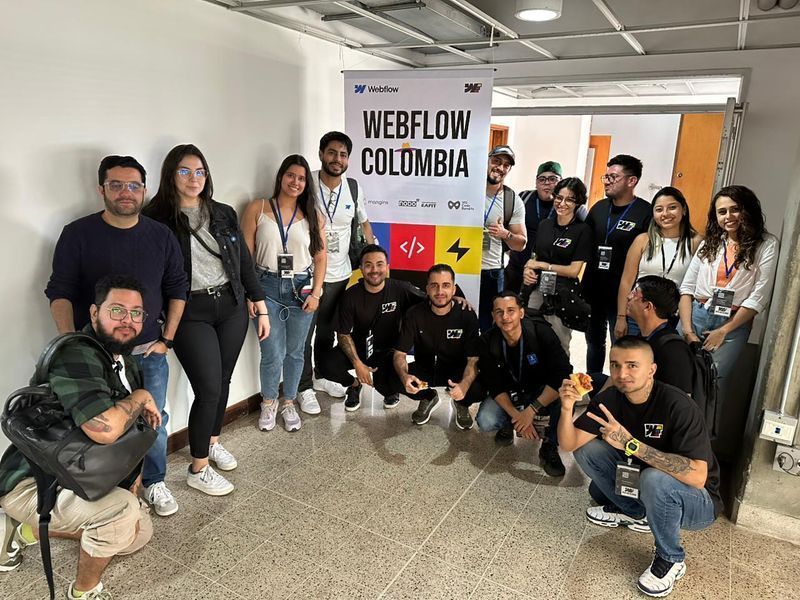
Carlos Supulveda is a talented Webflow designer and developer who uses his skills to uplift the global community — especially in his home country of Colombia. Through his work, tutorials, and generous spirit, he continues to inspire others in the Webflow Colombia community and expand Webflow’s reach across Latin America.

“The Webflow Community has amazed me time and time again. From connecting online to meeting, collaborating, working, and dreaming together in person — it truly feels like magic. Webflow has not only allowed me to provide for my family and help others explore the art of creating websites, but it has also helped me grow immensely. From becoming the Webflow Speed Challenge Champion in 2023 to being honored as Global Leader of the Year in 2025, the journey has been incredible. I hope that everyone in this space — especially those from Latin America — takes the opportunity to keep learning, growing, and building amazing careers together.” – Carlos Sepulveda, Webflow Developer, Nicer Studio
And congratulations to the rest of our finalists: Chris Skitch, Isabel Edwards, Rick Bossenbroek, and Webflow Peru

🏆 Community MVP: Sebastian Bimbi

Sebastian Bimbi has transformed the Spanish-speaking Webflow community through education, mentorship, and advocacy. As founder of nocode.lat, he’s hosted workshops and meetups, created bilingual resources, and mentored 500+ aspiring developers, 65% of whom landed their first clients within weeks. With this ripple effect, Sebastian continues to inspire and uplift creators across Latin America and beyond.

“The Webflow community transformed my path from struggling with traditional development to building a thriving business and meaningful connections across Latin America. Through founding nocode.lat and mentoring aspiring developers, I’ve witnessed how Webflow democratizes web creation, especially for Spanish-speaking communities who often face barriers in tech education. This platform didn’t just change my whole career; it gave me the tools to empower others to build without the limitations of traditional code. I envision a future where Webflow continues breaking down these barriers, making professional web development accessible to creators worldwide, regardless of their background or formal training. I want to dedicate this trophy to my parents, Nina, Chris, Maksym, and RexZero, whose support made this journey possible.” – Sebastian Bimbi, Co-founder, nocode.lat

And congratulations to the rest of our finalists: Alexandre Lopez, Dan Foster, Danitza Rosas, and Eduardo Quiche

Customer Awards

The Customer Awards represent more than 300,000 of the world’s leading organizations — from growing startups to Fortune 500 companies — who are revolutionizing how they build for the web.

🏆 AI Achievement of the Year: Monday.com

monday.com harnessed the power of Webflow and AI to overcome a critical bottleneck in running product and regional events: building event registration pages quickly and at scale. Through the Webflow MCP integration, monday.com developed an AI-driven event builder that transforms simple inputs into sleek, on-brand pages in just minutes. The result is more campaigns launched on time, fewer bottlenecks, and a major leap forward in how monday.com leverages Webflow to drive agility and growth.

“Winning AI Achievement of the Year is a testament to how we approach AI at monday.com, not as a separate tool, but as an embedded capability that transforms how work gets executed. By building an AI agent within monday.com that connects with Webflow MCP, we’ve made event page creation instant, giving regional teams the speed, consistency, and scale they need to drive global impact.” – Barak Bengad, Software Engineer Team Lead, Monday.com

And congratulations to the rest of our finalists: Aspect, Bevica Fonden (with Webflow Partner, Kvalifik), Dermalogica, and IMB Bank

🏆 Best Animated Experience: Dropbox

Dropbox Brand Studio has created a site that masterfully blends storytelling with functionality, bringing their playful identity to life through animation. The result is a website that does more than showcase Dropbox’s brand. It immerses users in it. With Webflow, Dropbox Brand Studio has crafted a best-in-class digital experience where motion, design, and storytelling work in harmony to elevate the brand.

“Webflow has been absolutely instrumental in getting our web engine up and running for Dropbox Dash. It’s not just about the speed we can achieve with Webflow, it’s also about adaptability. Webflow gave us the tools to gather the right data and iterate in real time. On top of that, it’s been a game changer for injecting motion, emotion, and expressiveness into our brand guidelines site. It’s helped bring our brand to life.” – Michael Chiu, Staff Brand Designer, Dropbox

[embedded content]

And congratulations to the rest of our finalists: Aether1 (with Webflow Partner, OFF+BRAND), ChainGPT, Tripletta Pizza, and Warhol Arts (with Webflow Partner, BL/S®)

🏆 Website Experience of the Year: Checkout.com (with Webflow Partner, Flow Ninja)

Checkout.com, a global leader in digital payments, has transformed its online presence by redesigning and rebuilding its website on Webflow with Webflow Partner, Flow Ninja. The move has empowered marketing and content teams to work with greater independence, accelerated speed to market, and ensured consistency across hundreds of pages spanning case studies, reports, guides, and thought leadership.

“Rebuilding our website in Webflow has transformed how we are able to present ourselves as a brand, and also how we work. Webflow’s platform allows the incredible work of our creative team to shine. Our web and content teams are able to ship updates and create new content at pace. All of this ensures the Checkout.com team can deliver a web experience that best supports the needs of our current and future customers. Our rebuild has already delivered measurable gains in engagement and significantly expanded our brand’s visibility, helping bring Checkout.com’s story to more people.” – Michael Horrocks, Director, Web & Content, Checkout.com

And congratulations to the rest of our finalists: Consilio (with Webflow Partner, BX Studio), dormakaba (with Webflow Partner, Minimum run), Notable, and Ori Scan (with Webflow Partner, KOJI GLOBAL)

🏆 Brand Transformation of the Year: Jasper (with Webflow Partner, OFF+BRAND)

Jasper, the leading AI marketing platform, partnered with OFF+BRAND to reimagine its digital presence on Webflow. Their second net-new site in under 6 months blends bold visual language, Rive animations, scroll-based storytelling, and layered interactions to create an immersive, product-aligned experience. Jasper’s new site sets a benchmark for what’s possible with Webflow at scale.

“My time at Jasper has been all about unlocking speed, creativity, and impact within the Webflow platform. In just two months, our little tiger team (and the incredible gurus at OFF+BRAND) transformed our 100 page site into a bold, immersive digital experience that brings marketing (and marketers) to the forefront. Now our team can launch and iterate in real time without developer bottlenecks, which has been a game-changer for getting new pages into our customers hands faster. The business impact is clear: we’ve seen stronger engagement, faster workflows, and a transformed digital presence that elevates Jasper’s brand beyond our competition. And we couldn’t have done it without Webflow.” – Josh Jacobs, Staff Brand Designer at Jasper

And congratulations to the rest of our finalists: ABM (with Webflow Partner, Whiteboard), Duracell (with Webflow Partner, Edgar Allan), Agora, and Nissin Foods GmbH (with Webflow Partner, Triplesense Reply)

🏆 Technical Achievement of the Year: Porsche (with Webflow Partners, C3 and Edgar Allan)

Porsche partnered with C3 to launch its sustainability report on Webflow Enterprise, meeting the highest standards of compliance, security, and deployment at enterprise scale. With strict EU hosting requirements C3 worked with Edgar Allan to secure asset management protocols, the project demanded precision beyond that of a typical marketing site. Porsche’s experience now stands as a benchmark for enterprise teams seeking flexibility, security, and scale.

And congratulations to the rest of our finalists: Domo (with Webflow Partner, Flow Ninja), Greenhouse, Osmo, and Purpose Brands (with Webflow Partner, Outliant)

🏆 All Star: Typeform (with Webflow partner MakeBuild)

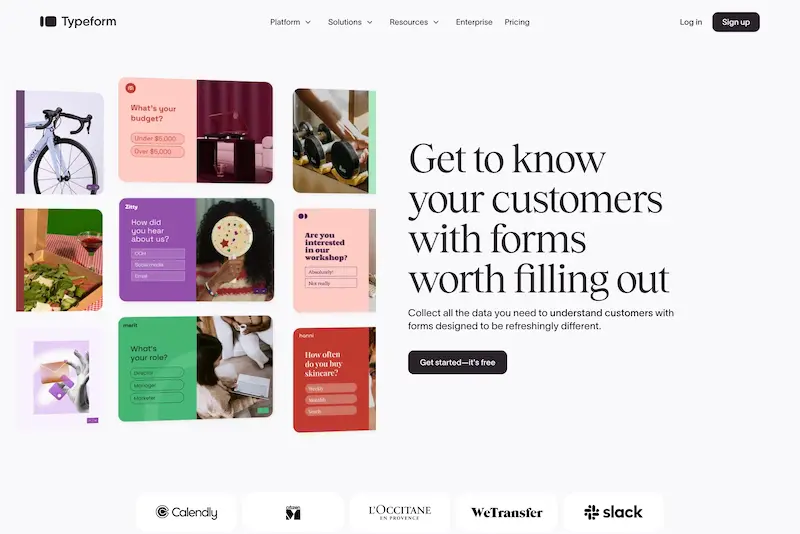
Typeform, a leading platform for interactive forms and surveys, partnered with MakeBuild to migrate their main website to Webflow. With a marketer-first workflow, Typeform reduced publishing time from three days to three hours and now ships hundreds of daily updates, fueling fast campaigns and a refreshed brand identity.

“Ideas remain ideas without the right tools to bring them to life. With Webflow, our CMS became a breakthrough instead of a bottleneck. Marketing is now empowered to launch faster, experiment more, and create at scale, while engineers are freed from routine CMS tasks to focus on innovating our core product. Since embarking on our journey with Webflow, in partnership with MakeBuild, we’ve unlocked a new level of creative freedom and collaboration that’s turning bold ideas into live experiences faster than ever.” – Malinda Sandman, Global VP of Marketing, Typeform
And congratulations to the rest of our finalists: Circle (with Webflow Partner, 8020), Darktrace, LegalShield, and Nursa

Partner Awards

The Partner Awards recognize the Webflow Partners building innovative, high-impact website experiences that help clients elevate their brands, meet critical deadlines, and choose Webflow to accelerate digital transformation. 

🏆 Agency of the Year: Parallax

Parallax is a trusted digital partner with over 15 years of experience delivering creative and engineering excellence. The agency helps global brands solve complex problems and create engaging digital experiences that drive results. By combining expert UX design and software engineering with world-class Webflow expertise, Parallax delivers scalable, reliable solutions. Its strength lies in navigating complex technical environments and building bespoke integrations, making the agency a long-term partner of choice for ambitious enterprises worldwide.

“We’re incredibly proud to be named Webflow Agency of the Year 2025, a huge milestone for our team! As a Webflow Enterprise Partner, we’ve helped clients launch faster, take control of their platforms, and scale with confidence. By reducing the overhead of traditional dev work, Webflow frees our engineers to focus on the complex, high-impact technical challenges that drive real results for our clients. At the same time, it has opened new opportunities for our team to innovate, grow their skills, and push the boundaries of what’s possible.” –  Martyn Lee, Principal Consultant, Client Partner, Parallax

And congratulations to the rest of our finalists: 8020, Candid Leap, Finsweet, Flow Ninja, and Refokus

🏆 Enterprise Partner of the Year: BX Studio

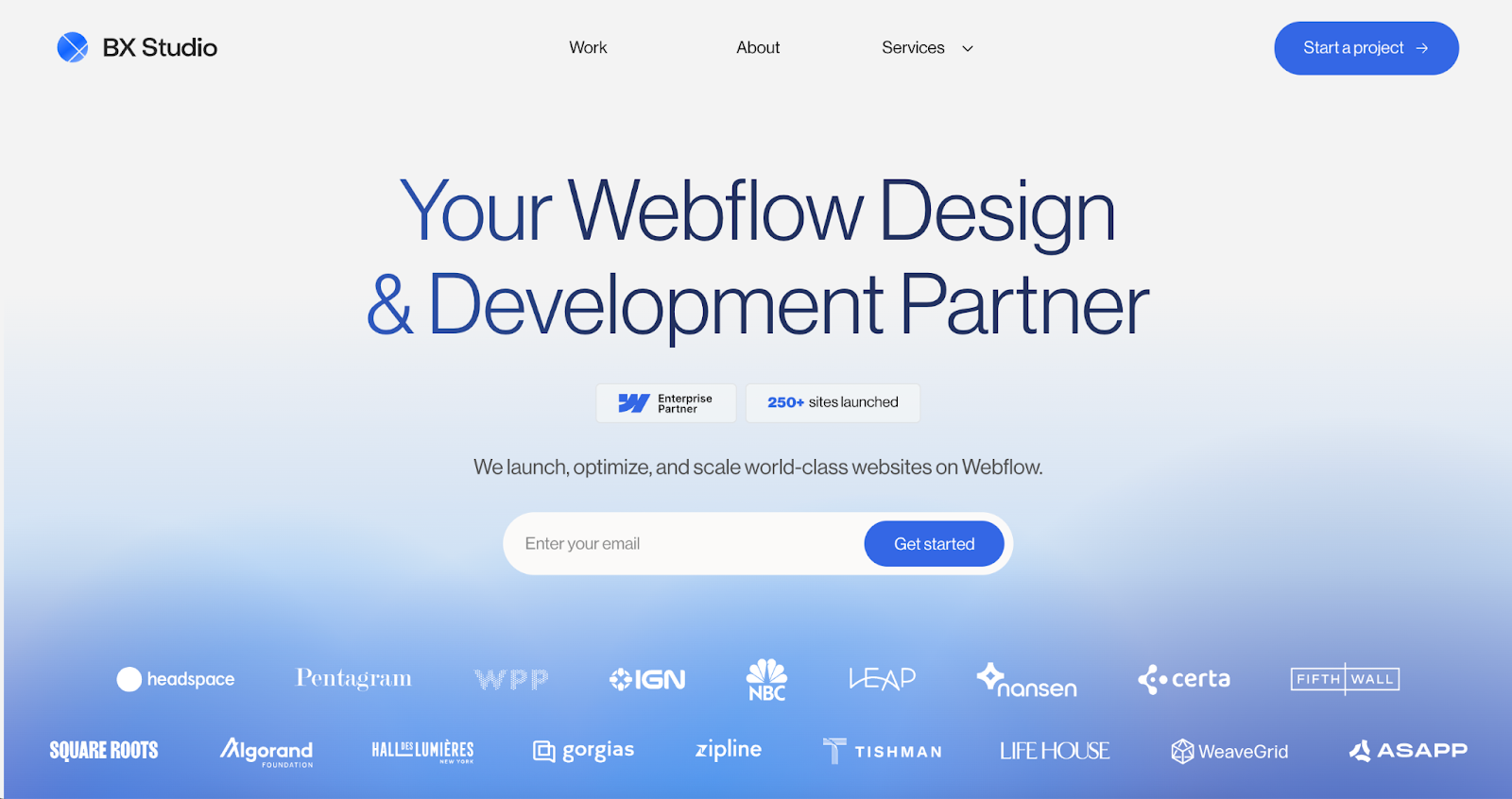
BX Studio is a leading design and development agency specializing in launching and optimizing world-class websites on Webflow. They partner with leading companies such as Verifone, Headspace, NBC, and Pentagram to accelerate growth through digital branding, UX design, and ongoing growth services. Recognized with awards and speaking opportunities from Webflow itself, BX Studio has been a trusted partner of the platform since 2020.

“At BX Studio, we’ve seen firsthand how Webflow transforms what’s possible for enterprise clients—accelerating timelines, simplifying complex workflows, and unlocking new creative possibilities. Being part of the Webflow Partner Program has allowed our team to scale that impact, helping global organizations ship faster without sacrificing design or brand integrity. Winning Enterprise Partner of the Year is a testament to the trust our clients place in us, and to the power of Webflow as the future of enterprise web development.” – Jacob Sussman, CEO, BX Studio
And congratulations to the rest of our finalists: Edgar Allan, MakeBuild, N4, and TAG

🏆 Professional Partner of the Year: Kvalifik

Kvalifik is a Nordic digital agency creating beautiful website experiences by pushing the technical boundaries of Webflow. They partner with ambitious brands — from global companies to C25-listed enterprises — to transform digital presence into business-critical assets. By blending Danish design excellence with advanced development, Kvalifik delivers measurable value for clients worldwide, helping them stand out in competitive markets while unlocking the full potential of the Webflow platform.

“Our clients need to move fast into new markets with new campaigns across new channels. Webflow gives them the power to do just that. No handovers, no bottlenecks — just full control of their digital presence. That’s the real value. But speed alone isn’t enough. In a world where AI is everywhere, the real differentiator is still human. Webflow lets us remove friction so our clients can spend less time stuck in backlogs and more time sparking ideas, building trust, and shaping experiences that stand out. That’s the future we’re building toward. And being a partner means we get to help lead the way.” – Rebecca Busk, Commercial Director & Partner, Kvalifik

And congratulations to the rest of our finalists: Better Mistakes, Code & Wander, Grafit, and One Branding

🏆 Top New Partner of the Year: Iron Horse

Iron Horse Studio is a Webflow Premium Enterprise Partner with 25 years of experience driving marketing-influenced pipeline for enterprise brands. Through audience-centric design and the power of Webflow Enterprise, they deliver secure, high-performing digital experiences for companies like Uber for Business, Korn Ferry, and Nextech.

“Since becoming a Webflow partner, Webflow Enterprise and Webflow Optimize have transformed how we serve growth-focused enterprise clients. Our customers are experiencing unprecedented digital agility: better collaboration and the freedom to scale demand without compromising brand standards. Every touchpoint with the Webflow team has exceeded our expectations, and we’re energized by the opportunity to grow together and create even more impactful client outcomes.”  – Uzair Dada, Founder and CEO, Iron Horse 

And congratulations to the rest of our finalists: Beyond, Ficturo, Flowtrix, and Povio

 🏆 Tech Partner of the Year: Lokalise

Lokalise is the Webflow-native localization platform that helps 3,000+ teams worldwide easily scale their sites globally. Powered by advanced AI orchestration, they automate the entire localization workflow, from content detection to deployment, enabling companies to deliver consistent experiences without compromising quality or speed. Trusted by industry leaders, including Maven Clinic, Cyera, and Hyundai, their result is a faster time-to-market and global revenue growth with reliable, cost-effective localization at scale.

“We are proud to be named Webflow’s Tech Partner of the Year, a recognition of the strong collaboration between our teams and our shared commitment to customer success. From the start of Webflow’s localization journey, our teams across marketing, sales, product, and support have worked side-by-side to build an ecosystem that helps customers easily grow globally. By combining Webflow’s visual-first and composable CMS with Lokalise’s powerful and intuitive localization solutions, we empower product and marketing teams to onboard easily, launch faster, deliver seamless global experiences, and unlock new revenue across markets.” –  Etgar Bonar, CMO, Lokalise

And congratulations to the rest of our finalists: Make, Relume, Smartling Inc., and Smootify

Congratulations to all of our winners!

This year’s winners and finalists reflect the creativity, technical excellence, and impact that define what’s possible with Webflow. We’re honored to celebrate your success and grateful for the inspiration you bring to our entire ecosystem. We can’t wait to cheer you on in what comes next!


How leading agencies are navigating the new era of brand storytelling

Software Stack Editor · September 11, 2025 ·

image

Modern businesses face an unprecedented challenge: their customers consume content across countless channels, formats, and platforms.

In partnership with the Society of Digital Agencies (SoDA), I moderated a panel discussion with three leaders who have been shaping the way agencies create and collaborate in a rapidly changing digital world: Alex Kress (Founding Partner at Sweden Unlimited), Matt Owens (Partner at Athletics), and Ben Langsfeld (Chief Design Officer at BUCK). 

The focus was simple in name but complex in reality: content, collaboration, and connection. How do you tell a compelling brand story in an environment where formats are multiplying, algorithms are rewriting the rules, and in-house teams are more capable than ever? How do you stay true to a brand’s voice when the tools to create — and the channels to share — evolve faster than editorial calendars can keep up?

The session covered a lot of ground: the evolution and expanded scope of content creation, the opportunities and risks of AI, the reality of co-creation with clients, and the balance between running a “content machine” and telling a story that actually matters.

Here is a distillation of that conversation from practical ideas to big-picture perspectives on how agencies can navigate a new era of brand storytelling.

What does content mean today

Agencies have historically thought of content as a supporting element of design and brand identity, but the times have changed. Content is now an integral part of brand building and has evolved to blend copy, design, and brand identity across a multitude of channels and formats. 

For agencies, this means several shifts in perspective:

Create modular content systems that allow for efficient repurposing across platforms. Matt Owens added, “We were designers and creators first, just making stuff. But as we grew, we had to realize content is really in service of a brand’s purpose and business goals.” In order to keep pace with these needs, agencies have to shift their operating-model to build modular content systems that connect to a brand’s mission and measurable objectives. 

Map content types to consumption patterns by analyzing where specific audiences prefer to engage with different formats. Alex Kress pointed out, “Now, clients need an endless stream across multiple channels, each with its own style, but all telling the same story.” Building out a full content strategy now includes channel-specific strategies that work in tandem with creative execution to reach customers where they are.

A brand is more than just content, but content, when seen as a whole, should represent the brand. As Ben Langsfeld said, “Everything is content. The magic is telling one story and expressing it everywhere without trying to sell everything all at once.” 

For modern agencies, there is a need to evolve to treat content as part of the brand storytelling experience, personalized by channel.

Turning creation into collaboration and partnership

In-house teams are talented and increasingly self-sufficient, often viewing agencies as an extension of their ability to create. As a result, the way agencies collaborate with clients is changing. 

Agencies are working to shift the perspective from creator to creative partner and enabler. “We’re not here to drop a 100-slide deck and disappear. We’re building something together, and that means thinking about what will set the client up for success six months after we leave,” Ben said.

Effective partnerships work best when there’s mutual respect, clear roles, and tools that make collaboration seamless. Building a brand requires the sum of many smaller projects. Instead of simply executing requests, agencies should become strategic partners who help clients understand how content can drive business outcomes. 

Alex added, “The most successful relationships have no ego. We’re not here to prove we know better. We’re here to help clients ask better questions, sometimes the ones they didn’t know they needed to ask.”

The partnership model also creates opportunities for agencies to expand their value proposition. By demonstrating expertise in content strategy and execution, agencies can move from project-based work to ongoing retainer relationships that provide more stable revenue and deeper client integration.

Adapting to AI and AEO

The path to brand discovery has changed, especially when it comes to search. AI is changing how content is consumed and brands are found. Large language models (LLMs) reformulate brands’ carefully crafted words, changing content strategy as we know it.

One example I shared was how our Webflow team is optimizing content for AI search and how to adjust focus to optimize for answer engines. Alex expanded on this saying, “Make your site question-centric. Ask: What does our audience want to know? Surface those answers clearly and right away.” 

The key is to find the balance between human curiosity — like what a typical audience member would search — and AI’s affinity for using well-structured, comprehensive answers in its outputs. 

Content strategy in the age of AI for agencies (and in-house teams) is about clarity, authority, and authenticity. As Ben added, “We’ve been shaping content to fit SEO for so long. Now’s the time to go back to heritage and belief systems…” 

The advice for fellow agencies from the panel was to focus on answering what your audience is most curious about in a voice that reflects the brand. 

AI as creative enhancement

Speaking of AI’s impact, creativity in a world impacted by AI was a large topic of discussion point for the panelists. The main focal point from Alex, Ben, and Matt was this: AI isn’t replacing creatives, but it is reshaping how creative work happens. 

Alex came to the conclusion that “younger creatives sometimes think using genAI is cheating. We frame genAI as a tool that removes the blank page, speeds up ideation, and gives you more time to focus on the parts of the work that require human judgment.”

For agencies to really drive value, AI has to be embedded in their workflow in such a way as to show clients that AI and creativity can live harmoniously together to build creative content at scale. Matt shared a bit about this: “Some (clients) are already embedding AI in their workflows. Others are hesitant. We show them safe, focused ways to test it, and then let the results speak for themselves.”

Acting as a guiding force with AI adoption and fluency establishes your agency as a trusted expert and leader in your field — one that can be called upon for content strategies, not just creative execution. 

Ben closed it out by sharing how his team has embedded AI into their culture. “We gave everyone a stipend to try the AI tools they were most skeptical about. Now we have AI Fridays where people share experiments. This investment is building a culture of learning instead of resistance.”

The panel agreed that AI can accelerate creativity without replacing it. By approaching AI with curiosity and strategic clarity, you can fit task-specific AI into your team’s workflow rather than trying to fit your workflow to AI. 

Brand storytelling moving forward

The agencies that thrive in this new content landscape are those that view expanding consumption channels and adopting AI as an opportunity to demonstrate value in new, more strategic ways and to build lasting client relationships. 

By adapting workflows, embracing new collaborative approaches with in-house teams, and positioning content as a strategic driver of business growth, agencies can transform the challenge of diverse content demands into a competitive advantage.

Ready to see how leading agencies are transforming their content strategies and client relationships? See how you and your team can join forces with Webflow to build a better brand for your clients.

‍

Motion design isn’t just eye candy; it’s UX infrastructure

Software Stack Editor · September 10, 2025 ·

image

Remember the days where we had blinking banners and fully static (sometimes, all too colorful) webpages?

Yeah, we’ve come pretty far with the World Wide Web—hello, AI. 

Now, brands are rethinking user experience with one powerful tool: motion design. Motion design serves both function and feel, which are crucial parts of a user’s digital experience. 

But what constitutes a great digital experience? We believe that would be one that flows effortlessly, is emotionally resonant, and is story-driven; something that motion design can help you achieve. Plus, you only have about 50 milliseconds to make an impression on the web and animations can convey a message quickly. 

On top of that, users now expect fluidity, feedback, and fast-loading digital interfaces. Artificial intelligence (AI) can be part of that picture, but it doesn’t mean it has to dominate the entire process. Now, let’s dive into how motion design can strengthen your entire user experience (UX). 

Motion design serves more than just aesthetics   

Everybody creates content but motion design helps cut through the clutter and noise to get your message heard. 

Want your audience to look at your key features? Use scroll-triggered animations that reveal them one by one. How about creating a brand style for that vibe check? Try slow fluid fades or soft easing curves for a calming, trustworthy feel (perfect for a wellness brand!). Or use snappy and clean transitions if you’d like to suggest efficiency and control for a fintech brand. 

This isn’t new information though. A study from 1996 evaluated how transition smoothness, realism, and interactivity influence decision accuracy, speed, and user satisfaction. It confirmed that gradual and interactive animations support clearer mental models and improve overall performance.

There are also more recent studies that support this. A 2024 study found that techniques like staging and tracing animations in time-series visualizations help users identify patterns more accurately and quickly, effectively reducing cognitive load. 

Plus, animations convey messages much faster than static images would. In fact, Korean food delivery app, Baemin, turned their static icons into animated ones to give users more clarity. For example, their “Order Together” service icon was initially interpreted as a friend-adding icon, but after animating it, it explained the meaning of togetherness and helped users understand its actual function.  

How teams are scaling motion today 

Historically, when thinking of adding animations, we often worried it would compromise our website, especially the load time. Besides that, adding motion also presented bottlenecks like must-have After Effects skills, endless rounds of QA, and developer negotiations. 

But things are different now. 

There are more tools that push motion without having to design from scratch. Even LottieFiles for Webflow allows you to simply drag-and-drop from a library of over 100,000 free and ready-to-use lightweight, scalable Lottie animations into your Webflow site—without needing to code. And if you’re an existing LottieFiles user, you can access your team’s private animations and insert them into your Webflow site too. 

Moreover, LottieFiles for Webflow lets you personalize animations with the app’s color palette. The best part? It also supports trigger-based animations like page load, parallax, and reveal to give you a more connected UX.

Real examples of motion in brand UX

With elements that enter or respond on a page, it can help signal tone, brand personality, and intention. For example, a simple bouncing animation could create a playful tone, while using scale and timing can grab attention. 

But not all motion is created equal. There are different file formats such as Lottie animation, a JSON-based file format, that is more lightweight compared to other formats like GIF or MP4s. Lottie works better for digital experiences as it’s also infinitely scalable without pixelation and has multi-platform support and libraries, as well as interactivity (great for interactions like scrolling, clicking, and hovering). Plus, because it’s small, it doesn’t compromise page load speed. 

Besides Lottie animation, there is an even smaller file format — dotLottie. dotLottie is a more optimized Lottie format that bundles one or more Lottie animations in one, which helps improve load times and memory usage. 

But don’t take just our word for it, here are some other real-life examples of motion in UX: 

CNN Create turns storytelling into a moving experience

[embedded content]

CNN Create’s Booming Bangladesh story used simple Lottie animations to complement the narrative. 

CNN Create saw the value of animations with their ‘Booming Bangladesh’ story as they used animations with a long vertical scroll. Their smooth and subtle Lottie animations guided users through the narrative without causing distractions or breaks in engagement—perfect for an engaging, informative digital experience. 

The result? The average time spent was two and half minutes across 30,000 unique visitors. 

Gojek optimizes performance & app speed with dotLottie

[embedded content]

Photo cap: Gojek uses rich animations to convey their services. 

Gojek, a Southeast Asian multi-service tech platform, uses animations to convey various service elements in their user interface (UI). The team implemented dotLottie which allowed them to include more animations without exceeding app limits. In fact, their “Safe Trip Plus” animation shrank from 844 KB to just 107 KB.

Wise improves customer comprehension with user-friendly animations

[embedded content]

Photo cap: Wise uses dotLottie animations throughout their UI. 

Wise, a global Fintech company, implemented dotLottie animations in their simplified UI, product demos, photography, and storytelling— solidifying Wise’s reputation in providing a user-friendly, dynamic and innovative user experience. Adding these animations ultimately increased user comprehension of Wise’s key features. 

Spoon brings emotional resonance with visually-rich animations

[embedded content]

Photo cap: Spoon translates emotion with Lottie animations. 

Global tech startup, Spoon, redefines social connection through an audio-based content platform. They understood that emotions like gratitude, encouragement, and joy are hard to capture with static visuals, so they turned to animations. But they also needed it to be lightweight and non-disruptive, which led them to Lottie that keeps their files under 1MB. 

Can AI help with adding motion to your website? 

In short: yes, it can help with motion…but in a more supportive role. AI can help with layout ideas, auto-tag content, or even recommend design patterns based on your data. 

The thing is, AI can’t feel the way we do. At least not yet. That’s where designing a screen transition, understanding how elements react to a tap, or how an empty state makes you feel still requires empathy, brand context, and UX thinking— this is where your focus should be. 

AI helps move the creative process along much faster, so you can focus on implementing motion that actually evokes emotion and connects to your audience.  

Motion does more than delight — it delivers results

By now, we’ve established that motion is no longer for just delight. It helps build trust, set the site direction, and enhance brand feel—key factors that help drive results. 

Motion is a language you speak to reach your users. While AI and no-code tools handle the heavy lifting, motion can be your differentiator in any industry. 

Remember, instead of focusing on your projects looking good, make sure they feel good too. Make it intuitive— make it move. 

Form follows function: building resilient form submissions at scale

Software Stack Editor · September 9, 2025 ·

Over the last few months, we have been actively investing in our company’s resiliency. This blog post covers how one of those investments helped us with a recent incident where database operations were failing.

Form Submissions

Webflow powers both our customers and their customers. For many businesses, sales pipelines depend on inbound form submissions, so availability and durability of this feature are critical.

A typical form submission comes into the Webflow API, passes through spam checks, and is persisted to the customer’s site. Customers can view and export these submissions in their Webflow dashboard. Oftentimes customers will have webhooks set up with these forms to their own internal systems, allowing them to take custom actions on new form submissions.

Design Goals

We set out to ensure that, even during downstream failures, form submissions would be:

  1. Durable: never lost, even if persisting to the database failed
  2. Non-blocking: recovery mechanisms must not slow the critical request path
  3. Idempotent: safe to replay without creating duplicates
  4. Operable: easy to target a single customer or run system-wide

Phase 1 – Write-Ahead Backups

The first question we needed to ask was, where should backups live? We wanted enough context to replay correctly, without adding downstream dependencies that could fail before a backup was recorded. 

We opted to put this as high up in the API layer as possible, after basic middleware validation, but before any database calls were made. By prioritizing backup availability, we opted to store backups for all submissions, even ones that would be later filtered as spam, as well as ones that would be successfully ingested.

We decided to use Amazon S3 to store these backups. Like any distributed system, we needed to consider what would happen if the backup request itself failed, and if it should be a blocking network call. The priority was serving the form submission in the critical path; protecting live traffic takes precedence over backup success.

Phase 2 – Replay

With backups persisted on disk, we then set out to build a system where we could re-ingest form submissions in the event of a downstream outage that were otherwise not able to be successfully saved to the database. We called this system replay. There were two modes this operation needed to be run in: per customer replay and global replay.

Mode 1 – Per Site Replay

This mode of replay would be run in the event of a single site or a handful of sites that would individually need to be replayed. This would be a faster, targeted approach to replaying a forms submission outage experienced by a single customer.

Mode 2 – Global Replay

This operation would be the heavier-handed mode of running this operation, and would involve traversing backups for all customers, and replaying them across the board. This operation would be slower, but would be used in a systemic outage felt by a large portion of customers.

Submission Hashes

Outages rarely fail 100% of requests. A typical pattern looks like:

✅✅⛔✅⛔⛔✅⛔⛔⛔⛔✅

Such that ✅ represents a successfully processed submission, and ⛔ represents one that failed before being saved into the database. We wanted to make sure that if we replayed from start to finish, we did not duplicate the ✅ form submissions that were already ingested. 

To do this, we decided to implement a concept called submission hashes. Each form submission is represented as a unique, stable hash, where the SHA-256 hash represents everything about the form submission that makes it unique — the timestamp the submission came into our system, the customer details, the form submission body, request metadata, and more. These hashes are serialized in the critical path for every form submission, regardless of replay context. 

We also stored and added a database index on the field, so that we could efficiently query for form submissions by submission hash to determine if the form submission was already successfully ingested.

What this means is that by deduping on submission hashes, we were able to build an idempotent replay process so that we could replay submissions across a broad range, and ensure the only delta of replayed submissions were only those that were not successfully ingested the first time around. It also meant that when choosing the time window on which to replay, we could safely choose timestamps well before the outage and well after the outage, to ensure we cover the entire range, without worrying about scanning over records we’ve already ingested.

Chaos Testing

In addition to unit and integration testing, we needed to simulate a real outage to know that this tool worked. To accomplish this, we ran a test on our staging environment in which we deliberately broke form submissions. We did so by throwing an uncaught exception in the form submission ingestion path, simulating a standard outage.

Then, we attempted to submit several form submissions which, as we expected, did not process correctly. Then we deployed a build that fixed the environment (simulating a revert of a breaking change). After that we had our replay scenario: form submissions that were missing in the customer database but present in our backups.

From there, we ran the replay job. First, outside the outage window to confirm that nothing happened. Then, we ran the job squarely in the outage window to prove that we were able to replay missing submissions. Then we ran a replay job spanning before and after the outage period, proving that only missing submissions were replayed. Lastly, we ran the replay job multiple times, proving that the operation was idempotent and that submission hashes were being deduplicated on submission hash. 

After this, we had confidence that this was a tool we could use in an incident.

Spam Considerations

Forms attract spam. We use multiple defenses at the network and application layers. One app-layer check depends on a downstream token with a 1-hour TTL (time to live); during longer incidents that signal can’t be trusted. Replay falls back to the other layers, but we chose “more data over less” in recovery, meaning some additional spam may reach customers in certain replay scenarios.

Incident Management

During our recent incident we found ourselves in a situation where this resiliency work was tested. Database writes were failing, and we needed to assess if there was replay work to be done. 

To evaluate this, we looked at our metrics. Generally speaking, there should be one backup job per stored form submission; the expected ratio during normal traffic is loosely 1:1. In the event of a service disruption, however, metrics would show a gap between backup volume and persisted submission volume, indicating that there was replay work to be done.

We had a runbook, monitors, and the muscle memory of having run this before. So we went over the state of the world and came up with a plan for executing a global replay operation.

The scale of the issue and need for replay operation was significant, with several hours of backups to go through. Thankfully, the replay operation went off without a hitch, chugging through millions of backups and routing the form submissions correctly across our customers.

What’s Next

There’s more to do here. 

  1. Move backups even earlier in the stack to reduce pre-backup failure windows
  2. Smarter spam filtering during replay and in the critical path
  3. Faster, cheaper replay: streaming pipelines, backpressure, and more granular partitioning to reduce compute, while retaining existing idempotency and resilience

Conclusion

Losing customer form data is catastrophic. Resiliency in this area is critical to our customers, so having systems in place to perform data recovery is essential. Just as critical is having a runbook and muscle memory for running these systems safely. We take service disruptions very seriously. When they do occur, our systems have proven resilient – successfully recovering nearly a million backed up form submissions, ensuring they remained safe and were ultimately delivered to the correct recipients.

Does building resilient distributed systems sound interesting to you? If so, come work with us!

Balancing trust, access, and control on Webflow Enterprise

Software Stack Editor · September 8, 2025 ·

In today’s age of software sprawl, the primary challenge isn’t adopting new tools — it’s controlling who can use them, how they’re used, and when access should end.

Most enterprises are managing 300–400+ apps at any given time, and without consistent Identity and Access Management (IAM), security gaps can multiply. Forgotten accounts, ad-hoc permissioning, and unclear ownership don’t just slow teams down — they expose organizations to real risk.

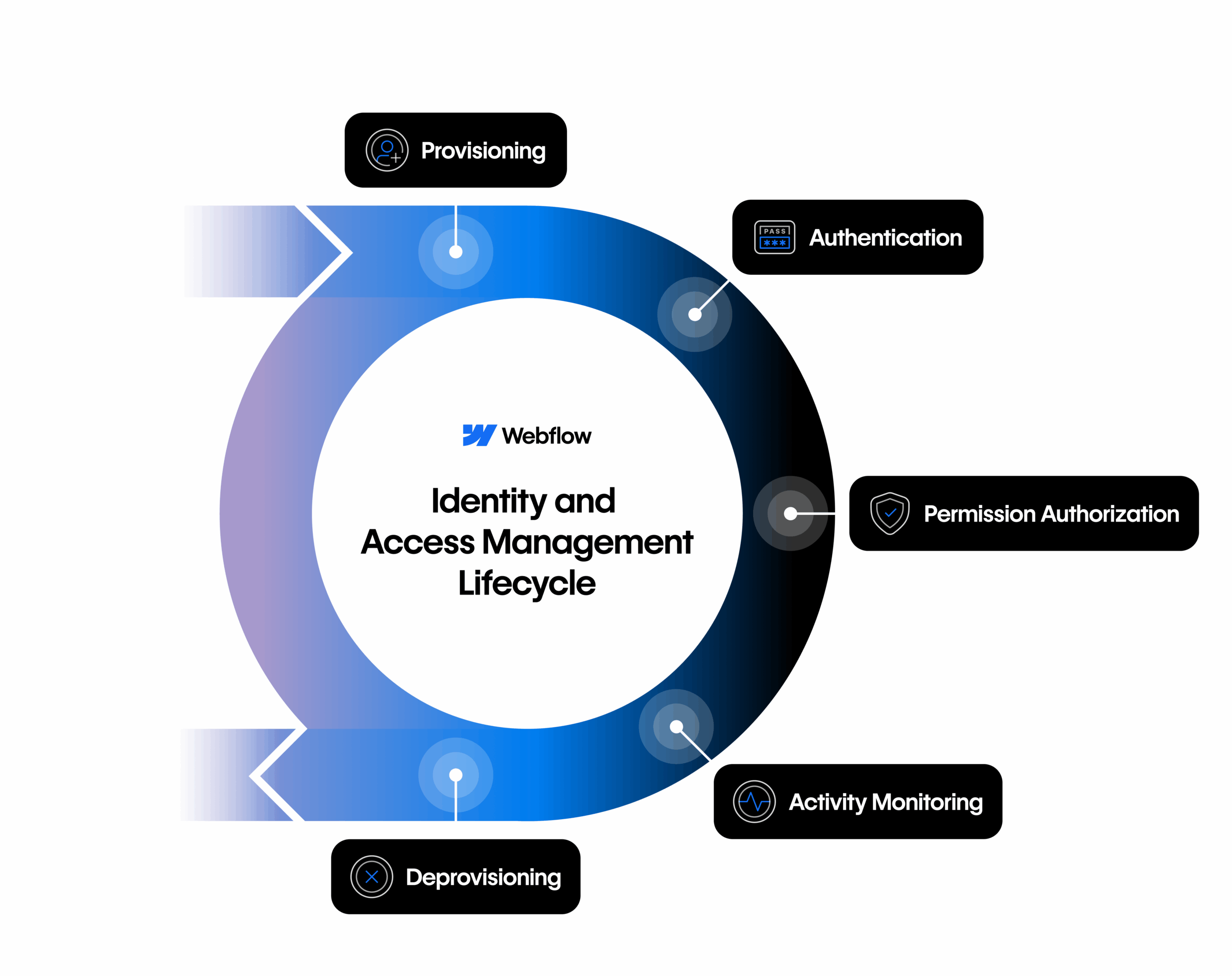
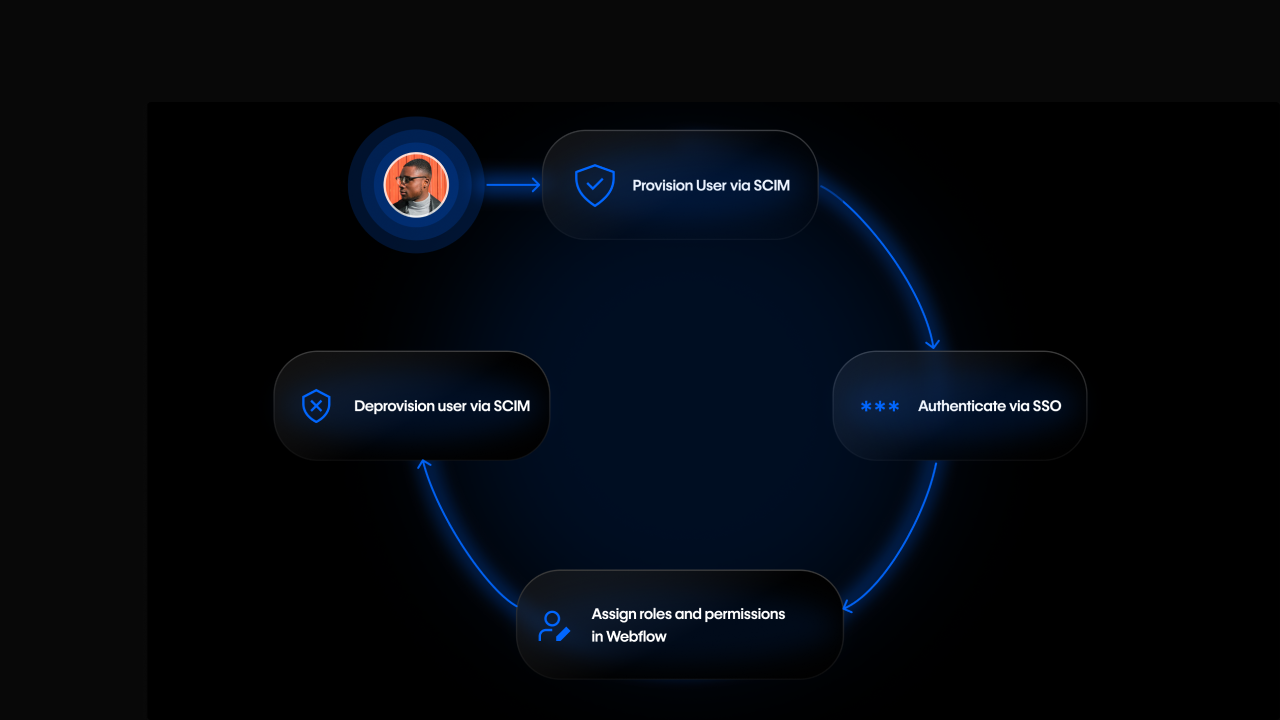
Webflow Enterprise takes a holistic approach to IAM, designed to give enterprises confidence that every step of the access lifecycle is secure and automated. Provisioning new users, managing authentication, applying granular access controls, monitoring usage, and deprovisioning at offboarding — we’ve built governance into each layer of the product.

By weaving IAM directly into the Webflow experience, we empower enterprises to scale web creation without compromising oversight. Teams gain the freedom to collaborate, while IT and Security teams maintain assurance that access is always accurate, auditable, and aligned with company policy.

The Webflow Identity and Access Management (IAM) lifecycle

Most Enterprise IT organizations evaluate SaaS platforms through the lens of IAM because every stage of the user lifecycle, from onboarding to offboarding, presents an opportunity for risk if not managed correctly. It’s not enough to offer isolated features — trust is built when a platform supports the entire lifecycle:

  1. Provisioning new users
  2. Authenticating access
  3. Authorizing the right level of permissions
  4. Monitoring user activity
  5. Deprovisioning access when employees leave

Webflow’s enterprise-grade offering maps directly to this framework. Let’s take a look at what you get at each stage of the lifecycle.

1. Provisioning: Secure and seamless onboarding

Manual onboarding doesn’t scale and it creates risk. IT teams need automated, standardized ways to get employees into tools quickly and securely. By adopting the same standards IT already uses across hundreds of apps, Webflow fits seamlessly into existing identity workflows.

Webflow supports enterprise provisioning in two ways:

This gives enterprises a scalable, secure way to get employees into Webflow without adding burden on IT.

“We manage hundreds of apps, and as our company grows it’s critical that we can easily create and remove user accounts at scale, ensuring that the right people have access to the right tools at the right time — all managed centrally through our IdP. And that’s what we get with automated SCIM provisioning and deprovisioning. And from a security perspective, this also helps us prevent audit findings and reduce risk with timely access revocations which is a big deal for our team.”
– Sid Bhargava, Sr. Enterprise Security Engineer at Webflow

2. Authentication: Strong frontline defense

Authentication is the first line of defense for enterprise security teams. And for most large organizations — including 72% of Fortune 500 companies — single sign-on (SSO) is a requirement in how they evaluate and adopt new applications.

Webflow provides multiple layers of authentication to align with those standards:

Together, these reduce reliance on individual credentials and align Webflow with enterprise security baselines.

3. Authorization: Enforcing least privilege at scale

One of the biggest risks in enterprise environments is over-permissioning — giving users more access than they need. Because of this, most IT teams look for tools that offer granular controls to tailor access to their needs.

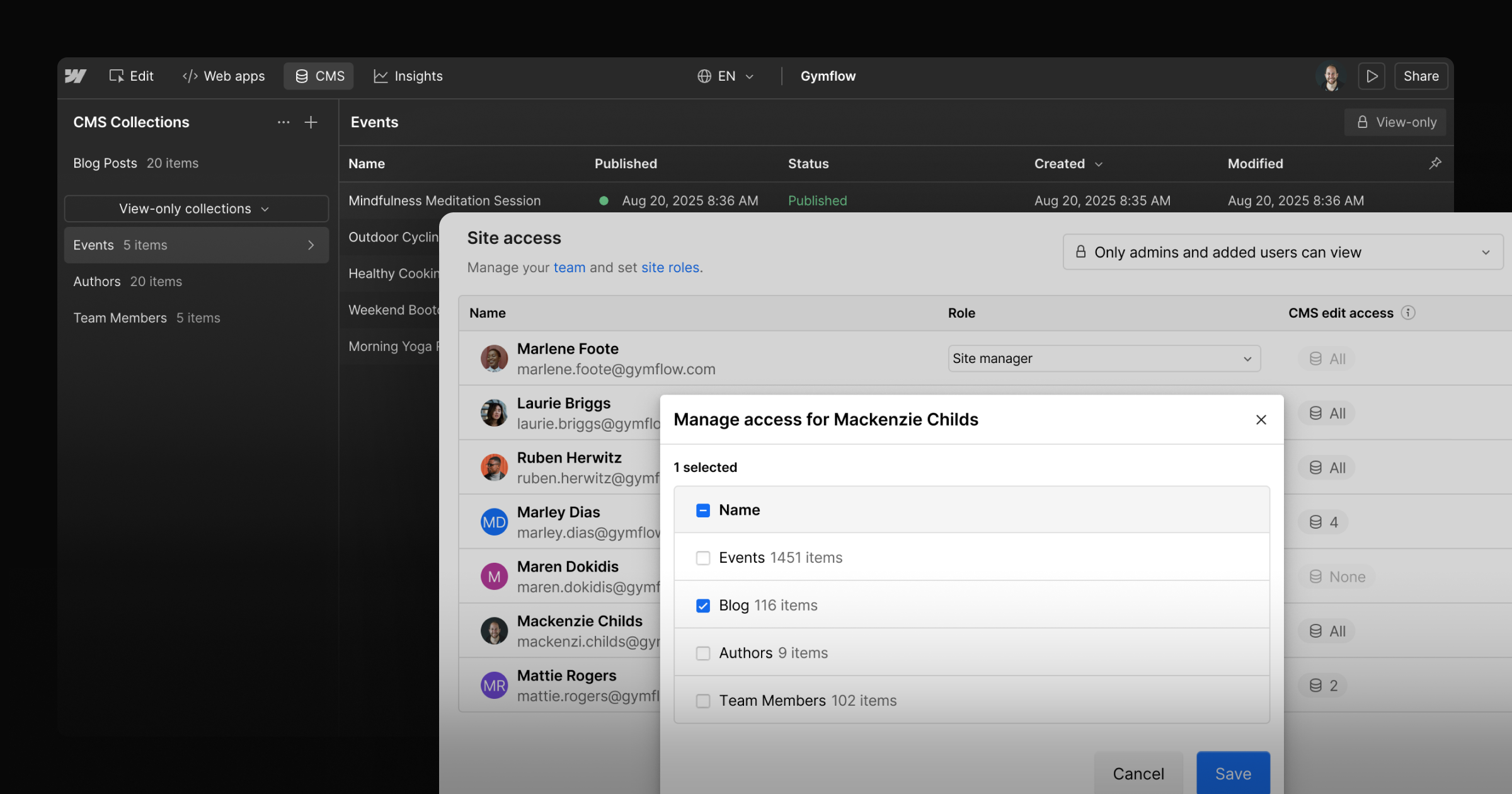
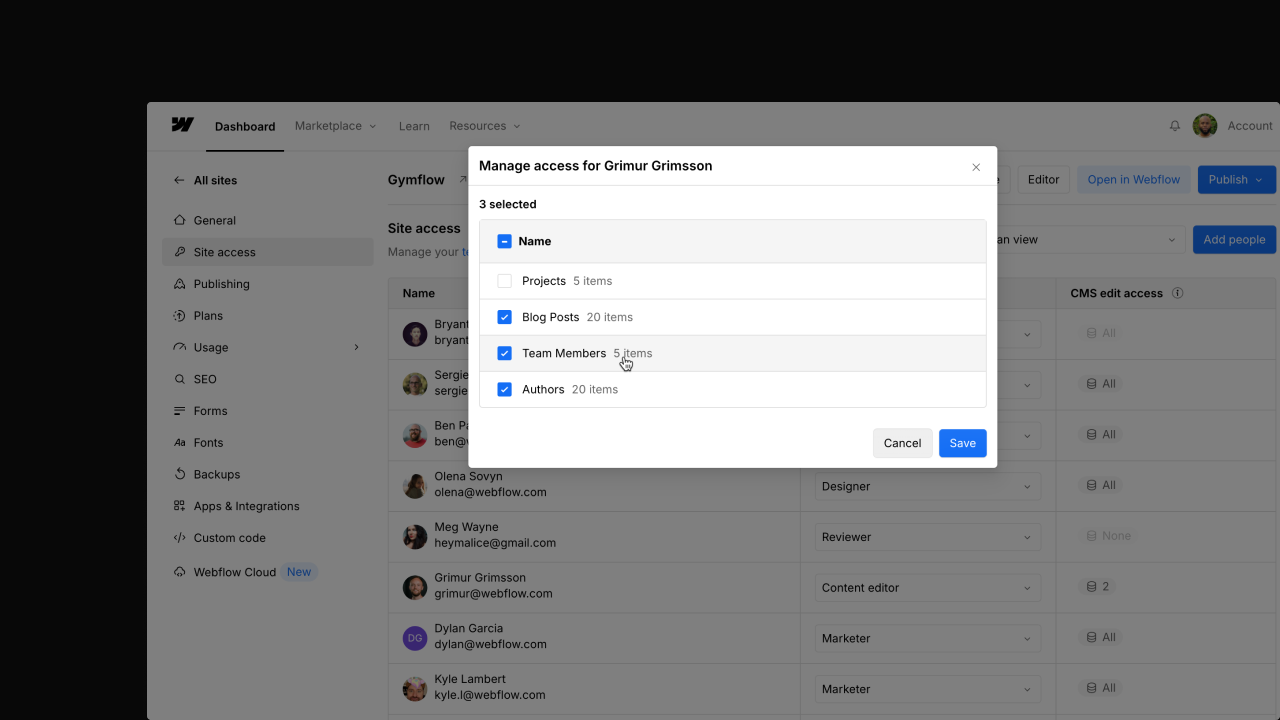
Webflow delivers with multiple layers of granular authorization controls:

With these controls in place, organizations can scale their teams responsibly, ensuring growth is matched with the governance and security today’s enterprises demand.

“We operate in a heavily regulated industry where robust compliance and risk controls are vital. Being able to create custom roles for things like ‘Designer – can only publish to staging’ allows us to gatekeep the ability to publish to production to a select few and protect our production site.”‍
– Adam Jones, Head of Digital Marketing at L&C Mortgages

4. Monitoring: Visibility and compliance

Visibility into what’s happening and who’s doing what is non-negotiable for enterprise IT teams, with 90% of security leaders sharing that Security Information and Event Management (SIEM) systems are essential for their operations. 

Webflow Enterprise provides two layers of monitoring:

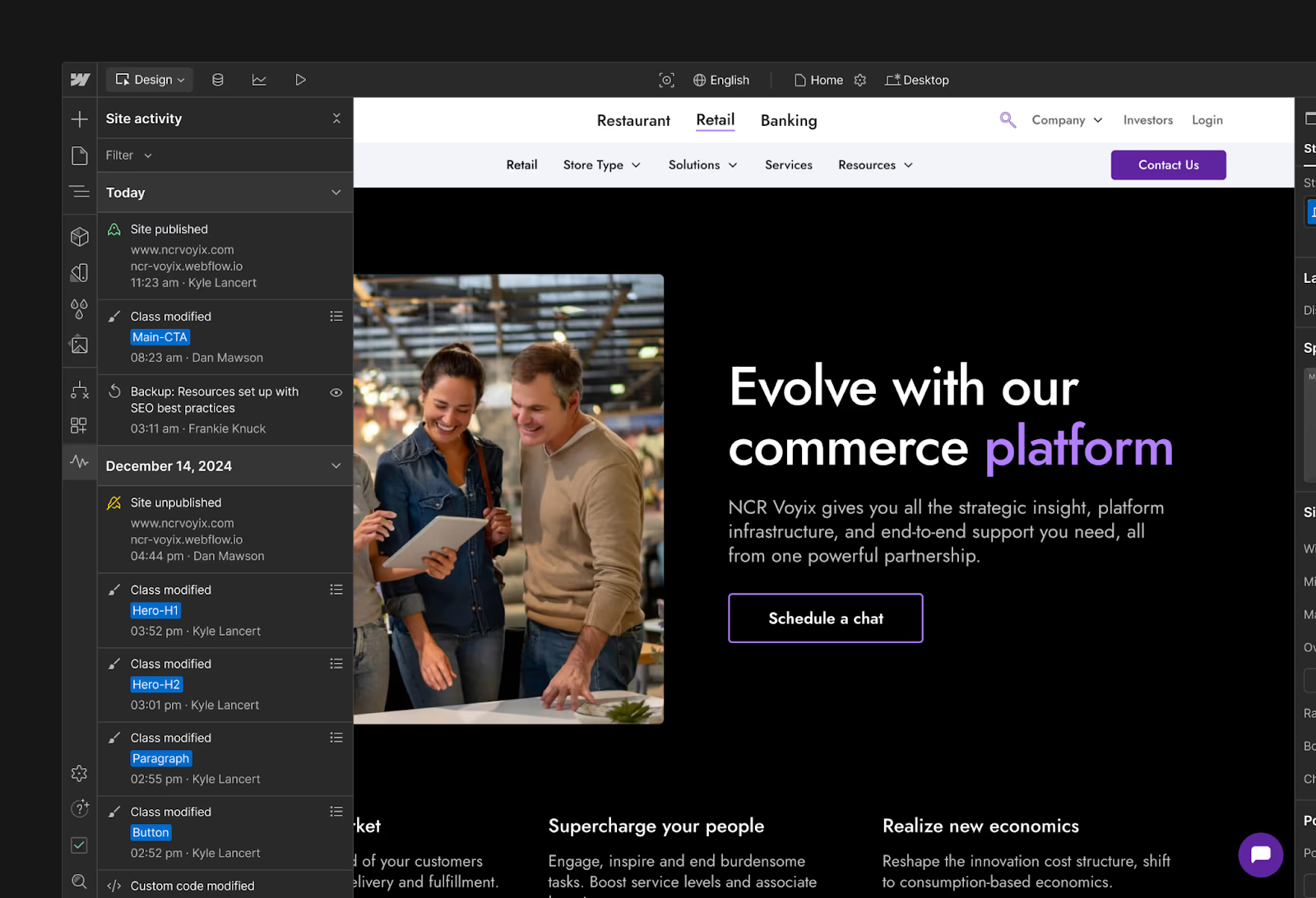
  • Site Activity log: Track the what, when, and who for important changes made to the site so you can fix issues faster.‍
  • Audit log API: Exportable logs that track important user events for compliance and monitoring — like login activity, role & permission changes, and more — that Security and IT teams can ingest into monitoring dashboards and SIEM tools.

This gives Security and IT teams the traceability they need to meet compliance requirements and respond quickly when issues arise.

5. Deprovisioning: Closing the loop

The user lifecycle ends with offboarding and it’s one of the riskiest moments if not managed well. Lingering accounts can often become targets for attack.

Webflow provides automated offboarding through:

  • SCIM deprovisioning: Automatically remove access when employees leave or change roles, keeping permissions tightly aligned with HR and IT systems.

Security and IT teams can rest assured that when platform access should end in Webflow, it truly does.

Building trust as a foundation, not a feature

We know that Enterprise IT and Security leaders aren’t just evaluating whether a platform can host content, they’re evaluating whether it can be governed at scale.

By investing across the Identity and Access Management (IAM) lifecycle, Webflow is making it easier for enterprises to automate, secure, and scale how they manage access so you can focus on driving results for your business, not on manual admin work.

This is not the end of the journey. As enterprises evolve, so will our investments in governance and trust, ensuring Webflow remains a platform IT and Security leaders can rely on with confidence.

If you’d like to speak to someone about getting access to the above capabilities on Webflow Enterprise, get in touch with our sales team.

Leading design through disruption: A conversation with Sara Vienna, Chief Design Officer at Metalab

Software Stack Editor · September 5, 2025 ·

image

Sara’s path to leading one of the industry’s most respected design firms began with a cold email in 2014.

When her partner’s medical residency relocated them to San Diego, she reached out to Metalab — a decision that would shape the next decade of her career. Despite falling in love with the opportunity and the team during a visit to Victoria, Canada, she initially turned down their offer to prioritize what was best for her family at that moment.

What happened next speaks to both Sara’s character and Metalab’s culture: they offered her a year-long remote advisory role, understanding her circumstances and keeping the door open in the years that followed. By 2019, when life brought her to Hawaii and Metalab had evolved into a more remote-friendly organization, timing was on their collective sides. Sara joined as the Director of Design, eventually rising to her current role as Chief Design Officer, overseeing research and strategy, product design, and brand design for a global team spanning from Australia to Amsterdam. 

Now, as AI reshapes the design landscape, Sara is continuing to lead Metalab’s distributed, talented team of creatives, and I had the pleasure of chatting with her before she hits the stage at Webflow Conf later this month. We chatted about everything from her lessons in leadership to shifting client expectations, as well as why she believes it’s critical to make space for human creativity.

You’ve been leading design teams through some of the most rapid technological shifts we’ve ever seen. What’s one fundamental assumption about design that you’ve had to completely rethink as the web has evolved?

One of the first things that comes to mind is actually something important that hasn’t changed in order to live through this “moment” — whether you’re a leader, a contributor, or a practitioner. And that’s this idea of flexibility, openness, and continuously trying to improve. AI puts a real magnifying glass on this, but you always have to be somebody who’s willing to up your game and be willing to take constructive criticism and the hard feedback in stride.

The thing that has changed for me is the definition of craft. The definition of craft, especially way back in the day, for anybody who actually remembers pre-Figma days and pre-vector-based days of design, is this idea that the more time and attention — all those blood, sweat, and tears you put into something — the better it was. And that’s not necessarily the case anymore.

There’s a whole new opportunity to redefine what craft actually means, as long as what you’re producing with AI in the process and for AI-based products is something that really maps to user needs, business goals, and has that more-important-than-ever taste layer.

Perhaps we prompted it in an hour, and that still can be craft in my definition of what craft is, but you have to take a really deep, hard look at what the outcomes are, rather than time intentionally spent.

We’re seeing clients come to design firms with completely different expectations than they had even two years ago. Have client briefs offered a window into how their expectations have shifted?

At the end of the day, the brief is always about an interesting business problem to solve, and that will hopefully align with a human interest and user needs. But it’s not the briefs that are changing; it’s the stakes, in my opinion.

The expectations on all sides are heightened. The pressure, especially for a lot of early-stage startups, has changed, and the pressure for enterprise businesses has also changed because they’re constantly asking us, “What does AI mean for my business? What should I do?” And they want that guidance from people who are in the thick of it every day. 

We’re in a moment when making meaning sets apart businesses that win. And that can even be making meaning with a very straightforward productivity tool. Doing so with something that is, on the surface, boring, still creates an incredible “aha” moment — one that hits on that emotional element of what people are looking for. And because there’s so much crap out there, being able to do that — resonate and connect — is more important than ever. 

When you’re hiring or developing talent, what’s one capability or skill you look for today that wasn’t on your radar five years ago?

We’ve always looked for the right combination of hard and soft skills, and I don’t necessarily love either of those terms because it others the skills that make you really human and able to both work well and relate with others. 

That hasn’t changed, but we’re equally looking at those soft skills that might be even arguably more important as we start to see AI be able to do the things that only hard skills could do. A really great example: we definitely hire super talented designers with 3D skill sets, but as AI starts to be able to essentially output 3D designs, a lot of which are total slop — big, big underline — there are outputs that can actually be manipulated by a human touch and make them usable.

There’s this idea of, okay, if AI can get me 75% there, whereas we used to have to start completely from scratch with a ton of manual effort, there’s a moment where that hard skill set requirement changes. Then there’s the soft skill of being able to get people excited about the idea, and then you need to have the taste layer of it all to know when that AI is giving you total crap or giving you something that’s actually usable — that’s how developing design talent has changed a lot. 

How do you maintain what makes human creativity irreplaceable while also embracing tools that can accelerate the work?

I tend to loathe the idea of measuring design velocity. I think that when you start to do that, you actually take the magic away, and the magic is when you get those big unlock moments that literally change the game. 

People don’t hire us to produce something that looks cookie cutter. They hire us to really understand how to get to that deeply seated user need and human truth, and find a creative path towards that. 

It’s not perfect, but I honestly try to figure out every way of fighting tooth and nail for the space for people to be able to use their creativity. Sometimes a time constraint actually produces something that’s unexpected and beautiful, but there’s also moments that beg for space in the creative process. If you don’t, why bother? Why not just go use a template? 

Don’t get me wrong: that doesn’t mean that we can totally ignore deadlines or realities regarding delivering on something that actually impacts a business. But there’s tension because a lot of designers are also super artistic or artists, but our work is not art. It is a different practice that does need constraints.

If it’s not art, this gives us the ability to remove our ego and identity from the work we’re doing a little bit, too. This is ultimately really freeing because you remove a lot of the pressure that comes from the mindset of “I’m only as good as the thing that I create.” As designers, you have to create something that is influenced by many other people, users, the business itself, the clients themselves, and the business goal itself. Art does not function in that way. So when you remove that from yourself, there’s a freedom in that. 

If you had to give one piece of advice to a design leader who’s feeling overwhelmed by all the technological change happening right now, what would it be?

Being super curious about it all is one thing, but ultimately, you do you is my biggest piece of advice. There’s always going to be too much. We’re in a world of too much, and so you need to develop your filter for how you want to take what’s happening in the space and build it into your practice. 

Now, you want to make sure that the filter keeps you relevant. Stay curious and use that curiosity along with the things that you’re learning along the way to build your own filter. Don’t worry about everybody else. You have to do your own thing. When it feels authentic, it’s easy, and it’s fun. When it feels inauthentic, it feels like pulling teeth. 

What does your gut say? What’s your intuition say? How are you going to feel about your design decisions at the end of the day? That’s your call and in your control. There’s something unique we all have to share that’s innate and deeply inside of us that makes us who we are as humans. Trust in yourself.

Sara Vienna is the Chief Design Officer at Metalab. To hear more about her perspectives on design, creativity, and AI, she’ll be hitting the stage at Webflow Conf on September 17th for her exclusive breakout session, “Ctrl+Alt+Design: Rebooting creativity in the age of AI.” You won’t want to miss it and any of the amazing programming we have in store, so be sure to register for the free online event today! 

How to win AEO with content

Software Stack Editor · September 4, 2025 ·

image

The way people discover and connect with brands is shifting.

Large language models (LLMs) are changing how information is presented online in a way that reshapes brand narratives and drives less organic traffic to websites. In a recent Webflow study, only one in four marketing practitioners acknowledged that they understood AEO, even though 93% of CMOs believe AEO will be critical to their company’s success in the next two years. For CMOs and the SEO leaders who support them, the challenge is clear: how do you build brand presence and drive revenue in an era where AI increasingly influences the search experience?

At Webflow, we believe the answer lies in focusing on the four pillars of Answer Engine Optimization (AEO): content, technical, authority, and measurement. In our previous post, we introduced the AEO maturity model. In this article, we’ll take a closer look at the content pillar, and explore what it takes to optimize the owned content that fuels long-term visibility and growth.

If you take away one thing

If there’s one takeaway, it’s this: AEO shifts content from simply targeting keywords to answering buyer questions, and ultimately delivering personalized, relevant experiences.

In this post, we’ll walk through that evolution, outlining five levels of progression that show how teams move from keyword-driven content to fully programmatic, personalized AEO.

Level 1: Keyword focused content

At this stage, content strategy is anchored in page-focused SEO. Most efforts center on keyword-heavy, product-oriented pages like homepages, landing pages, product pages or About Us sections.

Content is typically created as one-off pieces, with little connection to an ongoing narrative, and rarely updated. Blogs and FAQs, which LLMs often favor for their digestible, well-structured answers, are either missing or stale.

The result? Organic traffic at this level is mostly branded search, implying that your content primarily captures people who already know you or are close to buying.

The challenge at Level 1 is to shift from counting keywords to answering real buyer questions. 

Playbook for practitioners

A sampling of practical steps that SEO practitioners can take to move toward Level 2:

  • Identify the top ten questions buyers are asking (via sales calls, support tickets, or email threads).
  • Create or update five pages that directly answer one of these questions in plain, clear language.
  • Refresh five high-traffic but outdated pages with current information, clearer language, and a visible “last updated” date.

Playbook for leaders

Strategic questions CMOs can use to guide progress:

  • What questions do buyers consistently ask in deals that we win?
  • Where is the content we’ll update or create to start answering them comprehensively?

Level 2: Some answer oriented content

At Level 2, content starts to shift from keyword repetition to directly answering buyer questions. A handful of pages may appear in featured snippets or “People Also Ask” results. Content freshness improves, with about half visibly updated in the last year, and writing is clearer and more comprehensive. Still, much of the strategy remains keyword-driven.

The challenge at Level 2 is scale. Answers exist, but they’re scattered and isolated rather than forming clusters that cover a topic comprehensively.

Playbook for practitioners

  • Choose five high-priority buyer questions and create multiple answer pages around each one.
  • Focus on high “visit website” intent questions, such as templates, competitor comparisons, or time/resource-related queries.
  • Rewrite answer pages into shorter, extractable passages with clear subheads.
  • Improve readability for all new content to a Flesch score of 80+.

Playbook for leaders

  • For our top buyer questions, what related questions should we also be answering? Show me two clusters we’ll build this quarter to establish authority.
  • How are we planning content across the next two quarters to ensure consistent storylines?
  • As we scale, how do we make sure our voice stays consistent and on-brand?

Level 3: Answering clusters of questions

At Level 3, content evolves from scattered answers to structured clusters. Pages are semantically rich, easy to read, and designed in chunks that AI engines can readily surface. Competitor comparison pages begin to appear, and your authority on certain topics becomes clearer.

The challenge at Level 3 is discipline. To progress, you need to connect clusters under a hierarchy so you own entire topics, not just isolated pockets.

Playbook for practitioners

  • Choose one core topic and map questions across the full funnel (awareness → consideration → purchase → advocacy).
  • For example: “CRM software” could include “What is a CRM?” (awareness), “CRM vs. Email Marketing Tools” (consideration), “How to implement a CRM” (purchase), and “Advanced CRM strategies” (advocacy). 
  • Create a flagship piece of content (e.g., an annual report or research study) as an anchor for the topic.
  • Create multiple levels of answers that comprehensively answer all of these questions and the related questions that prospects might ask.
  • Ensure concise, extractable passages under H2/H3s for AI readability.
  • Establish an update cadence: refresh high-priority pages every 3-6 months, none older than 12 months.
  • Localize content and raise readability to a Flesch score of 90+ (conversational English).

Playbook for leaders

  • Which priority topic will we comprehensively own next?
  • What will our flagship annual piece of content be?
  • How are we systematically building clusters of answers that position us as the go-to authority?
  • Where can we add original insights or data to differentiate from competitor content?

Level 4: Hierarchy-driven content

At Level 4, content is structured around intentional hierarchies that span the entire funnel, from awareness through purchase to advocacy. Each major topic is anchored by a flagship piece and surrounded by supporting answers. Updates are consistent, content is localized, and underperforming content is pruned.

The challenge at Level 4 is moving beyond coverage to personalization. Tailoring content by industry, persona, or use case becomes the next area of focus.

Playbook for practitioners

  • Create segmented landing pages (by industry, persona, or use case).
  • Personalize examples, visuals, proof points, and CTAs for each audience. 
  • Introduce at least one new format — like video, animation, or interactive graphics. 

Playbook for leaders

  • Which content assets are most used by prospects and would benefit from personalization? 
  • What flagship format or asset will set us apart this quarter?
  • How are we aligning campaigns and hierarchies so every funnel stage is covered consistently?

Level 5: Programmatic, personalized content

At Level 5, teams practice Programmatic AEO: a fully developed content program that delivers personalized, relevant experiences for each segment, persona, account, and even individual. 

Traffic may be lower, but conversion rates rise thanks to tailored storytelling, experimentation, and 1:1 personalization. Flagship content becomes referencable across your industry, accelerating sales cycles and strengthening brand authority. At this level, you are likely experimenting with advanced formats like interactive tools, calculators, animations, and AI-driven experiences. 

The challenge at Level 5 is sustaining innovation. Teams must keep personalizing, experimenting, and monitoring how AI engines surface their answers.

Playbook for practitioners

  • Expand personalization as new segments emerge.
  • Expand interactivity with tools, calculators, or visual benchmarks.
  • Monitor AI outputs to confirm your answers are appearing in search experiences.

Playbook for leaders

  • How is our content being personalized for the segments that matter most this quarter?
  • What new formats are we testing to stay ahead of competitors?
  • How are we ensuring our flagship assets remain industry-defining and relevant?

Evolve your content for AEO success

Each level of content maturity builds on the last, evolving from keywords, to answers, to clusters, to hierarchies, and finally to personalization. For marketing leaders, this blog provides guidance to set the strategic direction of your AEO work by asking the right questions. For SEO practitioners, it’s full of project ideas and recommendations to put those strategies into action, driving the kinds of initiatives that move the organization one level higher in AEO maturity. 

The payoff is greater control of your brand narrative in AI-driven search, and the ability to drive more growth from your existing content.

Curious where your organization stands today? Take our quick AEO maturity assessment and see how your content stacks up, with tailored recommendations to accelerate your progress.

Introducing The Webflow Way: Best practices to help you build with confidence

Software Stack Editor · September 3, 2025 ·

Is the way you’re building, managing, and optimizing your website today holding you back from scaling tomorrow?

Marketing teams today are being asked to deliver more for the business than ever before. With the website as the core driver, teams are tasked with driving revenue, brand awareness, conversions, adoption, upgrades — and the list goes on. To help teams meet these growing demands, Webflow’s Website Experience Platform (WXP) is designed to empower teams to unlock results across each stage of the website lifecycle.

As our customers continue to take on bigger, more ambitious goals, we’ve heard the ask for more foundational guidance that goes beyond how features work and into strategies and best practices for how to get the most out of each area of the platform. Things like: “How should I think about design systems? What strategies should we consider for optimization and testing? What are best practices for improving SEO? How can we work more collaboratively as a web team?”

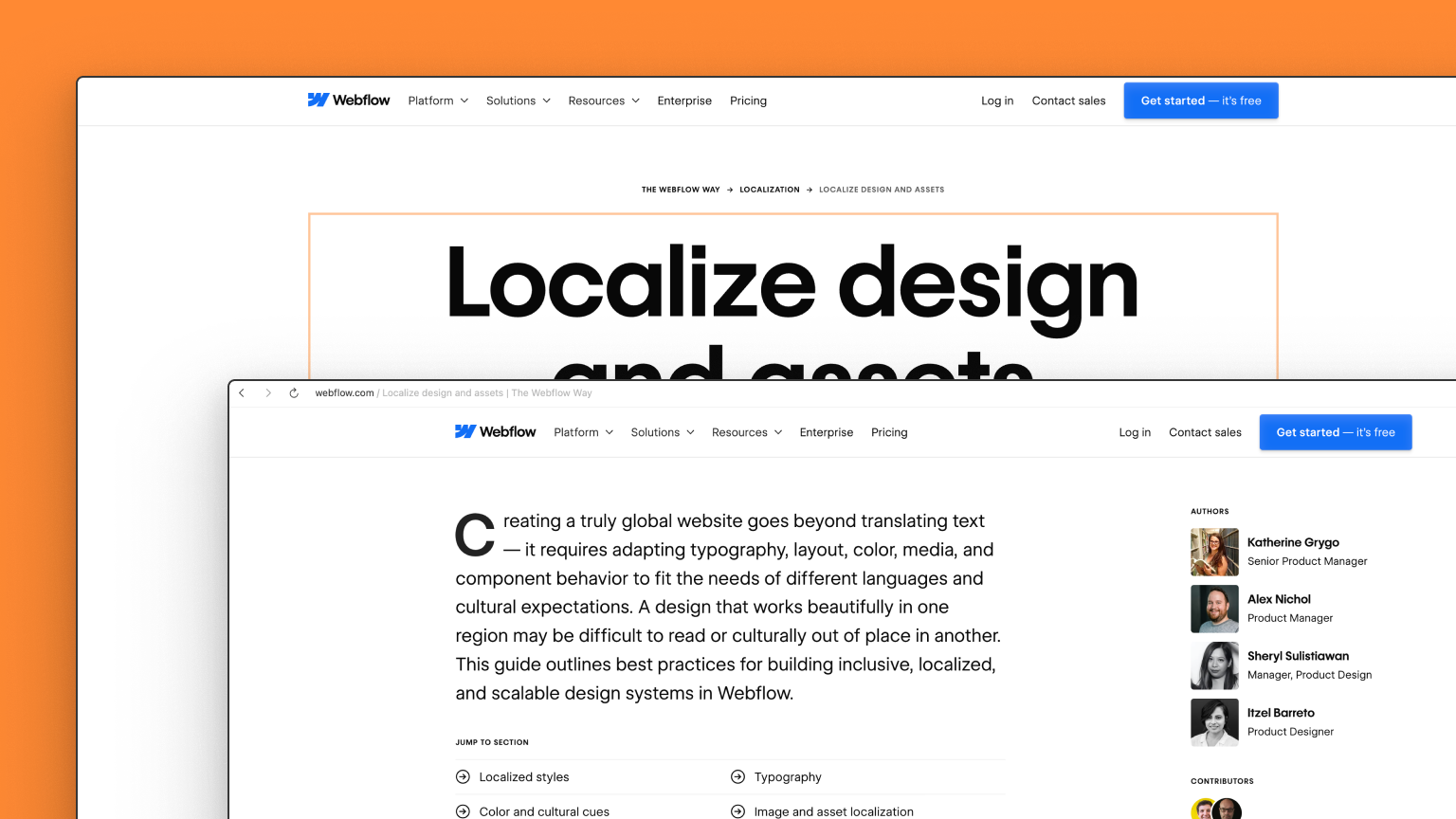
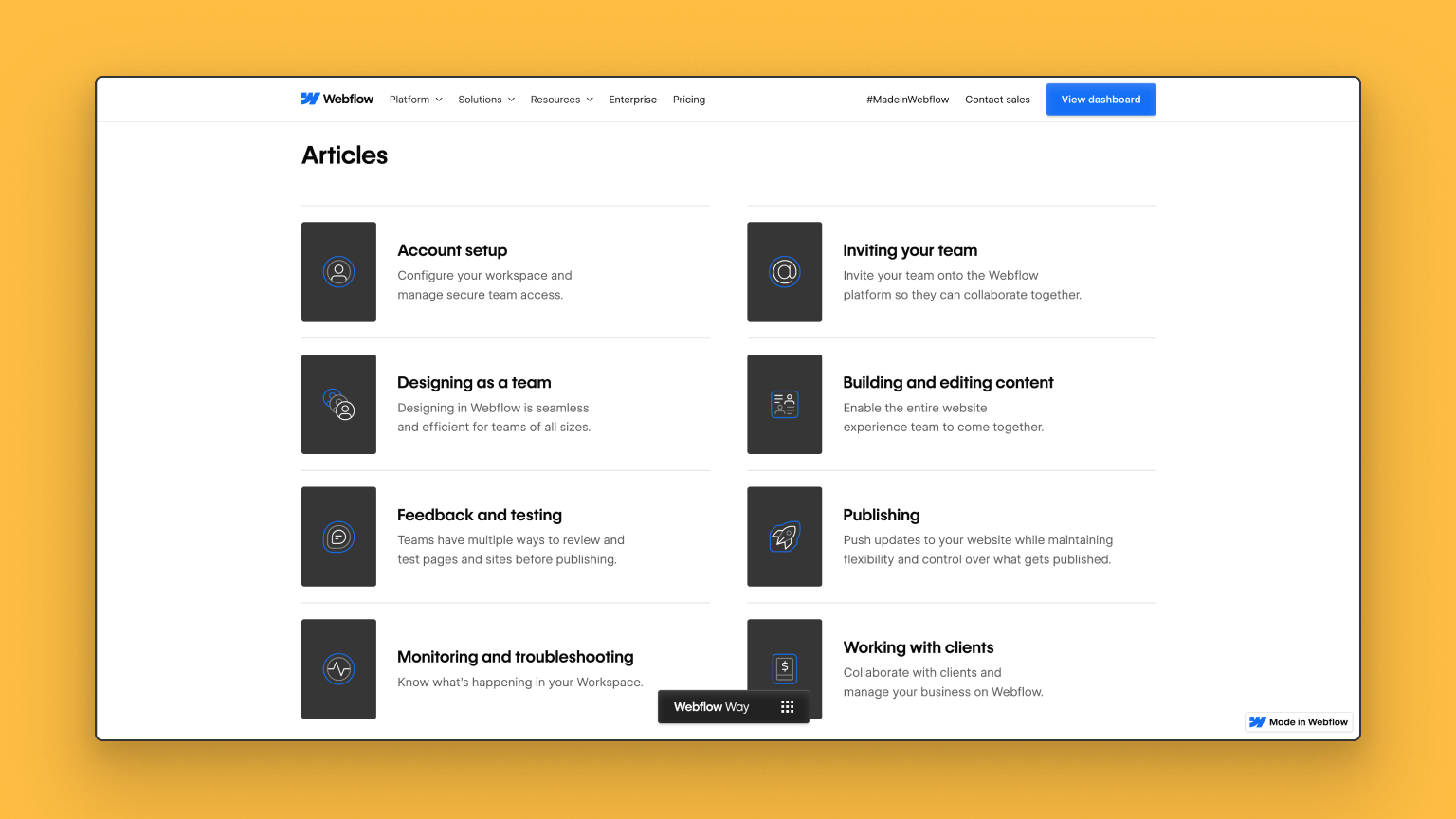
To let you in on how the world’s top Webflow experts work in the platform to create world-class experiences and drive results, we’re excited to launch The Webflow Way — a new resource that documents in-depth best practices across six core areas of Webflow: Design Systems, CMS, SEO, Localization, Optimization, and Collaboration.

Whether you build for clients or for your own brand, this new resource is your blueprint for building scalable, high-performing web experiences — the Webflow way.

🔗 Explore the Webflow Way site

[embedded content]

What is The Webflow Way

The Webflow Way is our definitive reference guide, with best practices that help you work more effectively in Webflow to deliver and optimize the high performing site you need. It’s a strategic toolkit for teams who want to dream bigger, scale smarter, and collaborate faster. By applying these best practices, you can build bigger, more ambitious projects that drive better results and empower your team to continually push the limits of what your website can achieve.

The Webflow Way is structured around six core areas that map to key parts of the Webflow platform. Here’s what you can expect to get from each:

  • Design Systems: Ship faster, stay on brand, and scale with ease. Build reusable components, styles, and variables that drive consistency and efficiency across every team. Empower marketers to create their own pages with confidence, reduce design debt, and accelerate iteration — all while maintaining structure, accessibility, and brand integrity. 
  • CMS: Deliver dynamic, data-driven content at scale. Leverage structured content strategies with Collections, Lists, and Templates to streamline publishing workflows, improve SEO performance, and create cohesive digital experiences — all while making it easier for non-technical users to manage and update content.
  • Localization: Reach and resonate with global audiences. Adapt your site for international markets with strategies for translation, transcreation, localized assets, SEO, and multilingual workflows. Build global-ready experiences that perform locally, without losing quality or speed.
  • SEO: Improve discoverability and drive organic growth. Use scalable, technical and content-based SEO best practices to optimize your site for search engines. From metadata and sitemaps to canonical tags and site structure, this guidance ensures visibility for both static and CMS-powered content.
  • Analyze and Optimize: Boost conversions and make smarter decisions, faster. Turn insights into action with strategies for testing, personalization, and analytics. Learn how to define success metrics, track behavior, and build repeatable experimentation habits that continually improve performance and ROI.
  • Collaboration: Unblock teams and move faster together. Set up clear roles, permissions, and workflows that enable marketers, designers, developers, and editors to contribute effectively — without stepping on each other’s toes. Streamline feedback, versioning, and publishing to reduce bottlenecks and drive better outcomes, faster.

Each section is packed with best practices, examples, and actionable takeaways so you can put the guidance to work right away. And this is just the beginning. You can expect The Webflow Way to continue to evolve and improve as both the platform and our customer’s needs continue to evolve.

Who we built it with, and why

To build this first iteration of The Webflow Way best practices, we partnered with industry experts in our global Webflow community as well as Webflow product owners to give you proven strategies to take your website and its performance to new heights. These experts collectively represent the world’s top minds in how to leverage Webflow to drive business results, whose tips and tricks are grounded in real-world experience building the website experiences for some of the biggest brands in the world.

“The Webflow Way promotes consistency across frameworks and projects, giving us all a shared standard to build on.” – Timothy Ricks, Webflow Educator @ T.RICKS

“The Webflow Way is wisdom from the pros to help you build faster, design sharper, and launch like a legend.” – Michael Wells, Founder & Chief Technologist @ Sygnal

​​​We’ll continue to work closely with these professionals to ensure that these best practices meet your needs today and in the future.

And why did we build this? We want you to feel confident, inspired, and in control as you build for the web. You’re no longer guessing — you’re operating with intention, aligned with your team, and backed by Webflow’s platform and philosophy. You should feel like a pro because you’re building like one.

How The Webflow Way fits in with existing resources

You may be wondering how The Webflow Way best practices will work with existing resource hubs like Webflow University and the Help Center. We see these three resources working together in unison to give you multiple levels of support depending on what you’re looking for at different stages of your website lifecycle.

  • The Help Center details how it works. Get in-depth technical documentation and quick help for setup and troubleshooting across different products and features.
  • Webflow University teaches you how to do it. Follow guided tutorials and video lessons to learn how to use products and features in context.
  • The Webflow Way equips you with how to do it best. Apply strategic best practices to get the most out of those products and features to drive better business outcomes.

With The Webflow Way, we’re adding a powerful new layer to your toolkit — a strategic guide built to help you go beyond how-to and into how-to-do-it-best — right alongside Webflow University and the Help Center.

Start building The Webflow Way today

The Webflow Way is live, and it’s waiting to become your team’s new favorite resource. Whether you’re an agency working with clients, part of an in-house web team, or something in between – The Webflow Way is designed to help you succeed.

Build better. Build smarter. Build The Webflow Way.

🔗 Explore The Webflow Way site

📺 Join the livestream on September 9 @ 9am PT: Subscribe to our YouTube channel to be notified when the stream goes live

Introducing The Webflow Way: Best practices to help you build with confidence

Software Stack Editor · September 3, 2025 ·

Is the way you’re building, managing, and optimizing your website today holding you back from scaling tomorrow?

Marketing teams today are being asked to deliver more for the business than ever before. With the website as the core driver, teams are tasked with driving revenue, brand awareness, conversions, adoption, upgrades — and the list goes on. To help teams meet these growing demands, Webflow’s Website Experience Platform (WXP) is designed to empower teams to unlock results across each stage of the website lifecycle.

As our customers continue to take on bigger, more ambitious goals, we’ve heard the ask for more foundational guidance that goes beyond how features work and into strategies and best practices for how to get the most out of each area of the platform. Things like: “How should I think about design systems? What strategies should we consider for optimization and testing? What are best practices for improving SEO? How can we work more collaboratively as a web team?”

To let you in on how the world’s top Webflow experts work in the platform to create world-class experiences and drive results, we’re excited to launch The Webflow Way — a new resource that documents in-depth best practices across six core areas of Webflow: Design Systems, CMS, SEO, Localization, Optimization, and Collaboration.

Whether you build for clients or for your own brand, this new resource is your blueprint for building scalable, high-performing web experiences — the Webflow way.

🔗 Explore the Webflow Way site

[embedded content]

What is The Webflow Way

The Webflow Way is our definitive reference guide, with best practices that help you work more effectively in Webflow to deliver and optimize the high performing site you need. It’s a strategic toolkit for teams who want to dream bigger, scale smarter, and collaborate faster. By applying these best practices, you can build bigger, more ambitious projects that drive better results and empower your team to continually push the limits of what your website can achieve.

The Webflow Way is structured around six core areas that map to key parts of the Webflow platform. Here’s what you can expect to get from each:

  • Design Systems: Ship faster, stay on brand, and scale with ease. Build reusable components, styles, and variables that drive consistency and efficiency across every team. Empower marketers to create their own pages with confidence, reduce design debt, and accelerate iteration — all while maintaining structure, accessibility, and brand integrity. 
  • CMS: Deliver dynamic, data-driven content at scale. Leverage structured content strategies with Collections, Lists, and Templates to streamline publishing workflows, improve SEO performance, and create cohesive digital experiences — all while making it easier for non-technical users to manage and update content.
  • Localization: Reach and resonate with global audiences. Adapt your site for international markets with strategies for translation, transcreation, localized assets, SEO, and multilingual workflows. Build global-ready experiences that perform locally, without losing quality or speed.
  • SEO: Improve discoverability and drive organic growth. Use scalable, technical and content-based SEO best practices to optimize your site for search engines. From metadata and sitemaps to canonical tags and site structure, this guidance ensures visibility for both static and CMS-powered content.
  • Analyze and Optimize: Boost conversions and make smarter decisions, faster. Turn insights into action with strategies for testing, personalization, and analytics. Learn how to define success metrics, track behavior, and build repeatable experimentation habits that continually improve performance and ROI.
  • Collaboration: Unblock teams and move faster together. Set up clear roles, permissions, and workflows that enable marketers, designers, developers, and editors to contribute effectively — without stepping on each other’s toes. Streamline feedback, versioning, and publishing to reduce bottlenecks and drive better outcomes, faster.

Each section is packed with best practices, examples, and actionable takeaways so you can put the guidance to work right away. And this is just the beginning. You can expect The Webflow Way to continue to evolve and improve as both the platform and our customer’s needs continue to evolve.

Who we built it with, and why

To build this first iteration of The Webflow Way best practices, we partnered with industry experts in our global Webflow community as well as Webflow product owners to give you proven strategies to take your website and its performance to new heights. These experts collectively represent the world’s top minds in how to leverage Webflow to drive business results, whose tips and tricks are grounded in real-world experience building the website experiences for some of the biggest brands in the world.

“The Webflow Way promotes consistency across frameworks and projects, giving us all a shared standard to build on.” – Timothy Ricks, Webflow Educator @ T.RICKS

“The Webflow Way is wisdom from the pros to help you build faster, design sharper, and launch like a legend.” – Michael Wells, Founder & Chief Technologist @ Sygnal

​​​We’ll continue to work closely with these professionals to ensure that these best practices meet your needs today and in the future.

And why did we build this? We want you to feel confident, inspired, and in control as you build for the web. You’re no longer guessing — you’re operating with intention, aligned with your team, and backed by Webflow’s platform and philosophy. You should feel like a pro because you’re building like one.

How The Webflow Way fits in with existing resources

You may be wondering how The Webflow Way best practices will work with existing resource hubs like Webflow University and the Help Center. We see these three resources working together in unison to give you multiple levels of support depending on what you’re looking for at different stages of your website lifecycle.

  • The Help Center details how it works. Get in-depth technical documentation and quick help for setup and troubleshooting across different products and features.
  • Webflow University teaches you how to do it. Follow guided tutorials and video lessons to learn how to use products and features in context.
  • The Webflow Way equips you with how to do it best. Apply strategic best practices to get the most out of those products and features to drive better business outcomes.

With The Webflow Way, we’re adding a powerful new layer to your toolkit — a strategic guide built to help you go beyond how-to and into how-to-do-it-best — right alongside Webflow University and the Help Center.

Start building The Webflow Way today

The Webflow Way is live, and it’s waiting to become your team’s new favorite resource. Whether you’re an agency working with clients, part of an in-house web team, or something in between – The Webflow Way is designed to help you succeed.

Build better. Build smarter. Build The Webflow Way.

🔗 Explore The Webflow Way site

📺 Join the livestream on September 9 @ 9am PT: Subscribe to our YouTube channel to be notified when the stream goes live

ROI of websites: Metrics that matter to the C-suite

Software Stack Editor · August 27, 2025 ·

image

Marketing leaders understand the real potential return on investment (ROI) of an optimized website.

While they often focus on metrics like conversion and engagement, other executives are drawn to ROI and revenue impact — and demand results faster than most web analytics can deliver. 

Moreover, with limited budgets and fragmented ownership of site responsibilities, approval processes become complicated, leading to differing priorities and misalignment on goals.

However, getting C-suite buy-in can happen with the right metrics and narratives. Whether you’re speaking with an executive or an executive yourself, this blog will demonstrate how to effectively connect website performance to business outcomes.

Why traditional website metrics fall short for the C-suite

Because marketing and executive leadership approaches measuring success, perceiving digital assets, and hitting timelines differently, traditional website metrics often fail to prove website value. 

Measurement and attribution disconnect

Traditional website metrics like page views and load times only offer surface-level insights into website performance and don’t align with executive priorities such as ROI, revenue impact, and cost efficiency. It becomes difficult to isolate a website’s specific ROI contributions because they’re part of customer journeys that span multiple touchpoints. 

Perception and prioritization issues

Many executives still see websites primarily as branding vehicles rather than revenue-generating assets. Limited budgets force executives to choose between website investments and more tangible initiatives — typically those with more immediate financial returns.

Timeline misalignment

The C-suite often focuses on quarterly results, creating pressure for faster returns from all teams — not just marketing. On the contrary, website experimentation and investments can show quick results, but the impact on the business typically takes longer over weeks or months at minimum — and sometimes years.

Organizational structure barriers

With website responsibilities spanning multiple teams, fragmented ownership becomes a core issue and complicates decision-making. The budget may have to come from multiple departments as well, meaning approval requires coordination across different departments. These differing priorities between teams can easily lead to conflicting goals and delayed decisions.

Key website metrics that resonate with executives

There are a few crucial areas where metrics show the true impact of marketing efforts. Let’s look at how these metrics impact marketing as well as executives across the organization. 

Revenue impact metrics

  • Conversion rate: Marketing values this as a direct measure of campaign effectiveness and user experience success. It’s a clear indicator of how well the website turns visitors into paying customers, directly impacting bottom-line revenue.
  • Customer acquisition cost (CAC) reduction: Marketing teams use this to prove their efficiency and optimize budget allocation across channels. Other executives appreciate it because lowering acquisition costs means improving ROI on marketing investments.
  • Customer lifetime value (CLV): Marketing sees this as validation that their efforts attract high-quality, loyal customers. C-suite executives value CLV because it demonstrates long-term revenue potential and helps justify upfront investment costs.

Operational efficiency metrics

  • Cost savings from self-service capabilities: Marketing benefits from reduced pressure on customer service teams and improved customer satisfaction scores. Other executives appreciate the direct cost reduction and ability to scale operations without proportional increases in support staff.
  • Reduction in support tickets: Marketing values this as proof that better website experiences reduce customer friction and complaints. C-suite executives see immediate operational cost savings and improved resource allocation. 
  • Resource allocation optimization: Marketing can reallocate budget from reactive support to proactive growth initiatives. Other executives appreciate improved operational efficiency and the ability to deploy resources toward higher-value projects.
  • Speed-to-market improvements: Marketing values faster campaign launches and content updates that keep pace with market demands. C-suite executives see competitive advantages through quicker response to market opportunities and reduced opportunity costs.

Competitive advantage metrics

  • Market share: Marketing uses this to demonstrate brand strength and campaign effectiveness against competitors. C-suite executives view market share as a key indicator of business growth and competitive positioning.
  • Data comparing your site vs. competitors: Marketing leverages this data to identify improvement opportunities and prove superior user experience. Other executives use competitive comparisons to assess market position and justify investment decisions.
  • Industry benchmarking: Marketing uses benchmarks to set realistic goals and prove performance against industry standards. C-suite executives rely on benchmarking to ensure the company remains competitive and doesn’t fall behind industry best practices.
  • AI-referred traffic: As LLMs continue taking over search, it’s important to optimize your content to appear in AI searches. An increasing presence in AI searches means your content — and subsequently your brand — is tailored to reach the right audience.

Risk mitigation metrics

  • Security incident prevention value: Marketing cares about maintaining customer trust and brand reputation in digital channels. C-suite executives focus on avoiding costly breaches, regulatory fines, and the significant financial impact of security incidents.
  • Compliance-related cost avoidance: Marketing values avoiding campaign disruptions and maintaining consistent user experiences across markets. Other executives appreciate avoiding regulatory penalties, legal costs, and the operational burden of compliance failures.
  • Brand reputation protection: Marketing sees this as essential for maintaining customer trust and campaign effectiveness. C-suite executives understand that reputation damage can have lasting financial impact and significantly reduce company valuation.

How to calculate website ROI: an example 

One of the most important website metrics for any executive is ROI. Knowing how to calculate it shows your understanding of the metric and how it impacts your business objectives. Use this formula to calculate website ROI:

Website ROI = (Incremental Revenue – Investment Cost) / Investment Cost × 100%

Consider this example of how to calculate ROI: A B2B company invested $250,000 in a website redesign. Before the redesign, their metrics are:

  • Monthly visitors: 50,000
  • Conversion rate to qualified leads: 1.5%
  • Lead-to-customer rate: 10%
  • Average customer value: $15,000

With a pre-redesign revenue of: 

  • Monthly leads: 50,000 × 1.5% = 750
  • Monthly customers: 750 × 10% = 75
  • Monthly revenue: 75 × $15,000 = $1,125,000

After the redesign, their metrics are:

  • Monthly visitors: 65,000 (30% increase)
  • Conversion rate to qualified leads: 2.2% (47% increase)
  • Lead-to-customer rate: 12% (20% increase)
  • Average customer value: $15,000 (unchanged)

With a post-redesign revenue of:

  • Monthly leads: 65,000 × 2.2% = 1,430
  • Monthly customers: 1,430 × 12% = 171.6
  • Monthly revenue: 171.6 × $15,000 = $2,574,000

First, calculate the incremental monthly revenue by subtracting the pre-redesign monthly revenue from the post-redesign monthly revenue: $2,574,000 – $1,125,000 = $1,449,000. 

You’ll need the annual incremental to calculate the business’ ROI in the first year, which means $1,449,000 × 12 = $17,388,000. With an original investment of $250,000, the ROI can be calculated as such:

ROI = ($17,388,000 – $250,000) / $250,000 × 100% = 6,855%

How to make the case to executives

Focus on the right narrative and unique priorities — which vary depending on the executive — to convince the C-suite to make an investment in your website.

  • CEO: Emphasize strategic advantage and market positioning, focusing on competitive advantage metrics.
  • CFO: Focus on financial metrics and efficiency gains, focusing on revenue impact metrics.
  • CTO/CIO: Highlight technical debt reduction, security strengths, and integration benefits, focusing on operational efficiency and risk mitigation metrics.
  • COO: Showcase operational improvements and process efficiencies, focusing on operational efficiency metrics.

Why Webflow is uniquely positioned to deliver ROI on website investment

Marketing leaders face increasing pressure to demonstrate measurable ROI, and the choice of website platform can make or break your ability to prove value to the C-suite. Webflow stands out as the only Website Experience Platform (WXP) that combines enterprise-grade capabilities with the agility needed to drive and measure meaningful business outcomes.

For CMOs building the business case for Webflow investment, Webflow delivers website ROI through four critical areas that resonate with executive stakeholders:

  1. Revenue velocity: Webflow’s optimization capabilities enable faster growth in key business metrics. Make informed decisions with insights that maximize conversions, customize user experiences, and leverage AI-powered optimization to scale faster and smarter.
  2. Strategic speed-to-market: Webflow’s visual-first CMS enables marketing teams to launch new campaigns, pages, and A/B tests in hours rather than weeks. This means your team can capitalize on market opportunities, seasonal trends, and competitive gaps before they — and your revenue growth opportunities — disappear. 
  3. Operational efficiency: By eliminating traditional collaboration and technical bottlenecks, Webflow reduces the total cost of website ownership, dev tickets, and more — while increasing team productivity. 
  4. Enterprise SEO foundation: Webflow’s clean code structure and automatic SEO optimizations provide the foundation for organic growth that scales. Our WXP generates fast-loading pages that search engines favor, while giving marketers granular control over meta data, schema markup, and site architecture. 

The combination of these factors creates a compelling ROI story that extends beyond traditional marketing metrics to impact fundamental business outcomes. For CMOs seeking to demonstrate the strategic value of marketing technology investments, Webflow provides both the capabilities needed to drive results and the measurement tools required to prove them.

‍

How to choose between a blog, resource center, and content hub for maximum impact

Software Stack Editor · August 26, 2025 ·

Many businesses throw content at the wall and hope it sticks, resulting in a scattered user experience and missed conversion opportunities.

According to recent research, only 57% of businesses have a documented content strategy, while 82% of consumers say they abandon purchases due to poor website user experience.

The problems run deeper than most teams realize. 

Content creators often mix up the purpose of a blog versus a resource center, which leads to overlapping efforts and diluted messaging, negatively impacting your lead generation effectiveness and SEO performance. Sales teams struggle with unqualified leads from poorly structured content funnels, and marketing teams can’t properly attribute content performance to business outcomes.

Understanding the differences between blogs, resource centers, and content hubs can help you choose the structure that fits your goals and learn how to implement them effectively. 

Defining blogs, content hubs, and resource centers

Let’s define each of these in more detail, so we can understand how they might be used together. 

  • A blog is time-based content designed for regular consumption, ongoing engagement, and search engine discovery. When building a blog, it’s vital to focus on fresh, timely, conversational content that builds relationships over time, with an ideal cadence of multiple posts per week.
  • A resource center is a content library with high-value, actionable resources that solve specific problems in exchange for sharing contact information. Content here is often tiered based on prospect readiness. This approach is particularly effective for complex B2B sales and high-consideration purchases.
  • A content hub is evergreen content that’s thematically organized by specific topics, industries, or expertise areas. This structure establishes authority and serves prospects and existing customers with ongoing education.

While these represent the most common structural approaches, it’s worth noting that successful websites often blend elements from different structures. 

Deep dive: How each structure works

Let’s take a deeper look to understand how each of these structures works.

Blog 

Purpose:

  • SEO traffic through fresh content signals and keyword targeting
  • Thought leadership through consistent industry commentary and insights
  • Ongoing audience engagement and community building through regular communication
  • Brand personality through authentic voice and perspective sharing

Organization and navigation: A blog is organized in reverse chronological order, with categories and tags. Users navigate through category dropdowns for broad topics, tag clouds for granular discovery, date-based archives, and related post suggestions. Author pages add another discovery layer. A typical user journey follows: discovery through search, social, or email → content consumption → related content exploration → newsletter signup or social following. 

Technical foundation: RSS feeds, commenting systems, social media integration, and email subscription forms must seamlessly support content syndication and community building.

Success metrics: Reach and relationship building (e.g., organic traffic growth, time on page, bounce rate, social engagement, and email subscriptions).

Content strategy: Diverse types of content, including industry commentary, tutorials, opinion pieces, company updates, and guest posts. The SEO strategy targets trending keywords while building long-term topic authority through regular publishing and featured snippet optimization.

Resource center

Purpose:

  • Lead capture through form fills 
  • Prospect nurturing and sales enablement through educational content that addresses specific pain points throughout the buyer’s journey
  • Customer segmentation through content preferences and engagement tracking

Organization and navigation: Resource centers have topic-based hierarchies with filtering by content type, industry, role, and funnel stage. Advanced search includes auto-complete and semantic understanding, while faceted filtering and personalization create adaptive experiences. A typical user journey follows: problem identification → resource search/browse → content preview → form completion → download → email nurturing sequences.

Technical foundation: A resource center integrates form builders, CRM systems, marketing automation, and analytics tracking to create seamless conversion experiences and detailed prospect intelligence.

Success metrics: Top-of-funnel conversion, as measured through form completion rates, download numbers, lead quality scores, cost per lead, and sales funnel progression. 

Content strategy: Whitepapers, case studies, templates, tools, webinars, and assessments that justify sharing email addresses. Lead scoring assigns values based on content type and behavior, while gating content balances conversion with user experience.

Content hub 

Purpose:

  • Establishing market authority and competitive differentiation through comprehensive topic coverage and original research
  • SEO dominance through topic cluster content and comprehensive keyword coverage
  • Customer retention by delivering value (through customer education) and encouraging repeat visits

Organization and navigation: A content hub centers around a hub and spoke model, with main hub pages supported by bespoke content, topic-based silos, and curated learning paths. Navigation includes breadcrumb trails, “next in series” suggestions, and progress tracking. A typical user journey follows: topic discovery → foundational learning → deep-dive exploration → application and mastery → ongoing reference for skill development.

Technical foundation: Content relationship mapping, progress tracking systems, bookmark functionality, and contextual search lead to a strong user experience.

Success metrics: Learning effectiveness and authority building, including topic authority metrics, education completion rates, time spent on content, return visitor percentage, and customer satisfaction scores. 

Content strategy: Comprehensive guides, original research, step-by-step processes, best practice frameworks, industry insights, and tool comparisons build authority through thorough coverage.

Comparison of content program components across Blog, Resource center, and Content hub.
Component Blog Resource center Content hub
Primary business objective Brand awareness and thought leadership Lead generation and pipeline building Authority establishment and customer education
Revenue impact model Indirect through brand building and SEO Direct through lead capture and nurturing Mixed through authority building and customer success
Competitive differentiation Unique perspective and timely insights Valuable resources and expertise demonstration Comprehensive knowledge and educational excellence
Customer lifecycle stage Awareness and early consideration Consideration and evaluation Awareness, consideration, evaluation, and decision
CMS requirements Standard blog functionality Advanced forms, CRM integration Custom content types with relationship fields, advanced tagging, personalized content recommendations

When to use each content structure

Choosing the right content structure depends on your primary business goals, audience characteristics, available resources, and market position. Here’s how to match structure to strategy:

Choose a blog when:

  • Primary goal: Drive organic traffic and build brand awareness through consistent thought leadership and industry commentary.
  • Audience: General market seeking broader expertise, industry peers interested in your perspective, and potential customers in early research stages who value timely insights and authentic communication.
  • Resources: Regular content creation capacity with team members who can consistently produce quality content multiple times per week.

Examples in action:

The Slack blog groups content by topic and persona (developers in this case) to show expertise and targeted content for their audience base.

The HubSpot team created blogs based on topic and audience personas, with a topic-based sidebar, to give visitors a more personalized, choose-your-own-adventure feel to the content journey.

Choose a resource center when:

  • Primary goal: Generate and nurture leads through valuable content exchange that supports complex sales processes.
  • Audience: Decision-makers actively researching solutions, buyers in consideration phases comparing vendors, and stakeholders who need detailed information to support purchasing decisions.
  • Lengthy sales process: Longer consideration cycles that require education, multiple stakeholders, and significant investment decisions where trust and expertise demonstration matter more than quick conversions.

Examples in action:

Gong’s resource center puts the goal front and center, making the visitor’s goal their filtering option. Doing so creates a clear distinction right away of what Gong helps customers achieve, and identifies key needs for audience members.

Keap makes it easy to find all learning content in one spot with links directly to all formats at the top of their resource center.

Choose a content hub when

  • Primary goal: Establish thought leadership in specific areas while educating existing customers and demonstrating comprehensive expertise to prospects.
  • Audience: Existing customers seeking ongoing education and skill development, prospects needing deep expertise validation before major commitments, and industry professionals looking for comprehensive learning resources.

Market positioning: Demonstrate comprehensive knowledge that competitors cannot easily replicate, establishing category leadership, or supporting complex customer success initiatives.

Examples in action:

Square created a content hub that functionally mirrors a blog, but focuses entirely on starting your business. Visitors get a similar experience to a blog, but with the singular focus of how to grow your business.

The Cleveland Clinic built a content hub that gives advice to patients for essential health best practices. A content hub like this establishes expertise, trust, and authority in a brand.

Making them work together

As business needs change, the most successful content strategies evolve by adopting multiple structures into their portfolio. Here’s how to make them work in harmony:

  • Content repurposing: Turn blog posts into resource center materials by expanding them — or consolidating multiple — into comprehensive guides. Convert resource center content into hub modules by removing gates and adding interactive elements. ‍
  • Cross-linking approach: Connect related content across structures to guide users through a natural progression. Blog posts reference detailed hub resources, resource center content links to relevant blog insights, and hub content supports blog authority.‍
  • User journey mapping: Design intentional paths that guide users from discovery to conversion to retention. Blog content attracts initial awareness through search and social sharing. The resource center captures lead information while providing valuable tools and insights. The content hub supports learning and skill development while building authority and trust.‍
  • Structure integrity: Keep each format true to its core purpose as you expand. Blogs should remain open and discoverable, resource centers should offer clear value exchange for contact information, and content hubs should prioritize learning and exploration. This clarity helps users understand what to expect from each section.‍
  • Aligned success metrics: Establish distinct success metrics aligned with each structure’s primary purpose: blogs for reach and engagement, resource centers for lead quality and conversion, and content hubs for authority building and educational effectiveness. Mixing metrics can weaken each structure’s unique value. 

Building your content foundation for growth

With Webflow’s visual design capabilities, you can create distinct experiences for each content structure while maintaining brand consistency. The built-in CMS lets you organize content differently across sections: open blog posts for discovery, gated resource downloads with custom forms, and searchable hub content with advanced filtering. You can easily implement cross-linking between structures, set up different conversion paths, and track separate analytics for each content type.

Ready to optimize your content structure? See how to use Webflow to build your blog, resource center, and/or content hub. 

‍

A look at our roadmap: shipping for resiliency, security, and performance

Software Stack Editor · August 14, 2025 ·

In the days following our availability incident in July, our team shared the details about what happened, what we learned, and the immediate steps we’re taking to strengthen our systems.

The honest, direct, and deeply engaged responses to that post were a reminder of just how much our customers care about Webflow and the work we do together. Thank you for continuing to hold us to a high standard.

Today, we’re looking ahead.

We’re accelerating several key product and infrastructure investments designed to make Webflow more resilient, secure, and performant than ever. Some of these have been in flight for months. Others are being fast-tracked or expanded in scope. All of them share a common goal: giving you confidence in the platform you rely on to build, launch, and scale your most important work.

While our team is constantly making Tiny but Mighty performance improvements across the platform, like an upcoming improvement to load times in the dashboard, we thought it might be helpful to share some insight into the bigger initiatives we have planned.

Here’s a look at what you can expect.

Continued investment in resilient infrastructure for hosted sites

Last year, our hosting infrastructure began leveraging the Cloudflare global network, which spans over 330 cities in more than 125 countries and connects directly with approximately 13,000 networks, including every major ISP, cloud provider, and enterprise.

We started by using the Cloudflare content delivery network (CDN) to serve static assets, such as images, across all hosted websites. Today, this CDN delivers over 98% of all static assets for hosted sites from the Cloudflare network edge, ensuring fast and reliable downloads. If you’ve published a website on Webflow within the past year, it’s using this CDN.

We continued to improve our hosting infrastructure by moving secure connections on our network to Cloudflare. This change not only improves performance and uptime, but also provides best-in-class protection from malicious traffic through Cloudflare’s world-class DDoS mitigation services.

For any Webflow-hosted website created since April 21, 2025, you are already using the latest Cloudflare CDN and secure SSL/TLS connections. For websites created before this date, and out of an abundance of caution given the wide variety of hosting and reverse-proxy configurations across the Internet, we’ve been developing in-product migration support to bring these sites onto the latest infrastructure.

To support teams in bring their sites onto the latest infrastructure, we’ve developed in-product migration support.

While much of the backend migration is already complete, in the coming weeks we’ll begin asking customers with sites built before April 21, 2025 to update their custom domain settings via the Webflow dashboard to take full advantage of leveraging Cloudflare’s network.

Unlocking scale by re-architecting the Webflow CMS 

Webflow’s CMS has long been a cornerstone of how marketers, designers, and developers build dynamic, content-rich experiences without sacrificing creative control. However, as your teams, and their needs, have grown, your content operations have also become much more complex.

To ensure we’re evolving with you, our team has been hard at work transforming our CMS. This is the biggest architectural update to our CMS since its launch, and it’s designed to unlock even more superpowers for your teams while ensuring your data is stored and delivered in the most performant, resilient way possible.

This foundational investment will allow the Webflow CMS to scale with your goals–supporting even the most complex data models and ensuring your content is delivered in scaled and reliable ways across your Webflow sites, our headless CMS APIs, and anywhere your content needs to be displayed.

Here’s what these updates will help us unlock:

  • Custom storage capacity and flexibility for large, complex data sets so high-scale teams can store and structure their CMS data as their business demands today, and as their needs evolve in the future.
  • More scalable content delivery across channels, including more efficient and precise search, sort, and filter capabilities both within Webflow’s CMS and via our headless APIs.
  • Increased flexibility when designing with CMS data, including significantly raising the ceiling on per-page Collection lists and nested Collection lists–so you can create custom, content-rich experiences to meet your goals without constraints or performance concerns.

We will be migrating all Webflow customers to this new, modernized architecture by early next year, and we’ll be sharing more details at Webflow Conf in September. 

Intelligent protection and performance in a changing web

As the web continues to evolve, particularly with the growing traffic from LLM bots and automated agents, we’re making strategic investments to help keep your sites protected with the goal to provide best-in-class bot management and control so you can maintain the performance, security, and integrity of your sites and content, no matter what’s crawling them.

Recently, our team added llms.txt support to help you control how search engines and AI bots interact with your site and we are continuing to work on new features to help you manage how your content is accessed, reused, and indexed by AI–putting you in control as bot traffic grows more complex and harder to manage.

Smarter spam filtering and form controls

Last year, we began deploying form spam protection for all customers by leveraging Cloudflare Turnstile. This technology verifies that web visitors to your site are real and blocks unwanted bots without introducing friction or slowing down the experience for users.

To complement this feature, we’ll be launching new form management tools later this year. These improvements will give you deeper control over how forms are configured, and how form spam is handled.

A new spam inbox will let you review, manage, and recover form submissions that have been flagged as spam.

This update will unlock new form-level settings, giving you the ability to configure key settings such as notification recipients, enabling webhooks, integrating with native Apps, and adjusting spam settings for each form independently.

Additionally, we’ll be improving your visibility and control over form data by introducing a new spam inbox where you can review, manage, and recover submissions that have been flagged as spam.

These updates give you better control over your forms so you can stay responsive to real users, and maintain clean data pipelines across your website experience.

Enterprise-grade governance and control

Finally, as more large organizations build and grow with Webflow, we’re investing in features that meet their evolving needs for governance, customization, and security at scale. From secure team management to content-level permissions, our goal is to give Enterprise customers confidence and flexibility across every surface of their operations.

SCIM user provisioning

SCIM provisioning allows for automated user onboarding and offboarding through your identity provider

For IT and admin teams, managing access at scale needs to be seamless and secure. With SCIM provisioning, Webflow now supports automated user onboarding and offboarding through your identity provider. This reduces manual work, ensures the right people always have access to the right resources, and supports enterprise-grade compliance.

SCIM provisioning is available today for all Enterprise customers.

CMS Collection access control

Currently in private beta, Collection-level access control lets Admins specify which team members or partners can edit which Collections

We’re also bringing more granular content permissions to the CMS. With Collection-level access control (currently in private beta), Admins can specify which team members or partners can edit which Collections–unlocking safer collaboration, better workflows, and faster publishing cycles for editorial teams.

This update is especially powerful for agencies, enterprise marketing teams, and content operations that require both speed and control.

These features build on our recent releases like Custom Roles and the Audit Log API, and represent the next step in making Webflow the best platform for teams working at scale, without sacrificing usability or speed.

Looking ahead

Our focus goes beyond stability—we’re evolving Webflow into the most resilient, empowering platform for the next generation of digital experiences.

Over the coming weeks and months, you’ll see us continue to roll out product improvements that reinforce resilience, security, and performance, while staying focused on the creative freedom and flexibility that have always defined our platform.

And we can’t wait to share even more when we take the stage at Webflow Conf on September 17.
Until then, thank you for building with us. We’re more committed than ever to be delivering a platform that’s as ambitious, reliable, and forward-looking as you are.

— Rachel + Allan 🚢🚢🚢

‍

A data-driven approach to building better user journeys with Webflow Analyze

Software Stack Editor · August 12, 2025 ·

image

The path visitors take through your website — from their first click to final conversion — can make or break your business results.

Yet many website teams struggle to access actionable insights when it comes to understanding these critical user journeys, missing out on opportunities to significantly increase demo requests and other high-value revenue driving conversions.

Visual analytics, embedded directly in the platform where teams build and manage websites, is changing that reality by putting user behavior data exactly where designers, editors, and marketers can act on it immediately. Read on to learn more and get a three-step roadmap to optimizing user journeys.

Understanding the anatomy and importance of user journeys

A user journey represents the complete path a visitor takes from entry to exit (or conversion) on your website. Consider this common scenario: a visitor discovers your blog through search, reads part of an article, clicks a call-to-action to learn more about your product, but then leaves the product page without downloading a gated asset or requesting a demo.

This journey contains multiple touchpoints worth analyzing:

  • How the visitor found your blog content
  • How they engaged with your content
  • Whether they clicked your CTA
  • How far they scrolled on the product page
  • At what point they abandoned your site altogether

Each touchpoint presents an opportunity to encourage deeper engagement, reduce bounce rates, increase content relevance, or improve navigation flow. 

Understanding how visitors navigate your site directly impacts your bottom line. For decades, researchers like Forrester have documented how a site with well-designed user journeys can achieve up to 200% higher visit-to-order conversion rates than a poorly designed site — while visit-to-lead conversion rates can be more than 400% higher on sites with superior user experience.

These improvements translate directly to revenue growth. When you increase conversion rates, you extract more value from your existing traffic and marketing spend. Every visitor becomes more valuable, and your customer acquisition costs drop while revenue per visitor increases.

The analytics gap: why web teams can’t use their data

For most marketing organizations, the problem isn’t lack of data about user journeys — it’s accessibility and timing. 

Traditional website analytics platforms weren’t designed for the people who actually create websites. These platforms prioritize complex reporting features that serve data analysts and performance marketers well, but leave designers and content creators struggling to get the insights they need when they need them.

When you have to stop your work, log into a separate tool, and decode data before making changes, quick improvements become slow projects — or get missed entirely. The result is a disconnect between data and action: designers place buttons based on instinct rather than evidence, content marketers publish without knowing what actually engages their audience, and teams default to guesswork over user insights.  

“When you’re going to different tools or people to ask for insights, that adds a lot of friction along the way,” says Corey Moen, Manager of Web Design at Webflow. “Especially after a launch, when you’re going into the mode of taking the site to the next level, you need to see how people are using it and make actionable, data-driven decisions.”

How Webflow Analyze fixes the data disconnect

Webflow Analyze eliminates that friction by putting user behavior data directly where web teams work. Instead of switching between design tools and separate dashboards, you get visual analytics overlaid on your actual site pages. 

At the heart of Webflow Analyze are two visualization approaches that make user behavior immediately clear:

Clickmaps show you exactly where people are engaging on your pages. Instead of wondering whether that button placement is working, you can see the heat patterns of actual clicks and taps. You’ll quickly spot which elements draw attention and which get completely ignored, plus identify places where visitors expect something to be clickable but find dead zones instead.

Scrollmaps reveal how far down your pages visitors actually go before they lose interest and leave. This answers crucial questions about whether your most important content and calls-to-action are positioned where people will actually see them, or if they’re buried too far down the page.

These tools provide a complete picture of the user journey that’s easy to understand and act on quickly — no complex dashboards to filter through or abstract metrics to interpret.

Your roadmap to user journey optimization with Webflow Analyze

Webflow Analyze helps you improve user journeys across three key pillars: understanding initial engagement, optimizing CTAs, and improving destination pages. Here’s the playbook that web teams are following to turn user behavior data into measurable improvements.

Step 1: Understanding initial engagement

The first few seconds of a visitor’s experience make or break their entire journey. Use scroll depth and interaction data to understand how users engage with your landing pages and blog content.

Here’s what to look for: 

  • Layout adjustments: Move critical CTAs higher on the page if scroll data shows most visitors don’t reach them
  • Content optimization: Reduce bloat or restructure information hierarchy based on engagement patterns
  • Above-the-fold improvements: Strengthen your value proposition in the area where most visitors make stay-or-leave decisions

Case study: As we were testing Webflow Analyze with early users, one team discovered that 70% of visitors were dropping off just before reaching a new feature section they’d positioned mid-page. Using scrollmap data, they repositioned the content higher for better visibility, immediately improving engagement.

Step 2: Optimizing CTA placement and messaging

Call-to-action optimization becomes precision work when you can see exactly where users click and where they don’t. Visual click data helps you test different CTA copy, layouts, and positioning while uncovering friction points.

Optimize conversions through:

  • CTA repositioning: Move underperforming buttons to spots where visitors are already clicking, based on your clickmap data
  • Clickability improvements: Fix elements that look clickable but aren’t, or make important elements more obviously interactive
  • Message testing: Refine CTA copy based on which versions generate more engagement

Case study: Our own growth team at Webflow experienced this power firsthand on our pricing page. Visual analytics revealed that visitors weren’t engaging with plan CTAs as expected. After investigating, they discovered that lengthy header copy was pushing CTAs below the fold for most visitors. The team shortened the header to pull CTAs higher up the page — a simple change that led to a 10% lift in signups. 

Step 3. Improving destination pages

Destination pages are the key pages where you want users to convert — product pages, signup forms, contact pages, or important content hubs. Understanding drop-off patterns on these pages helps optimize your entire conversion funnel. 

Look for opportunities around:

  • Content reordering: Move key information higher up on the page based on where visitors typically stop scrolling
  • Friction reduction: Identify and eliminate elements that cause visitors to abandon the page
  • Flow optimization*: Improve navigation between related pages to keep visitors moving through your conversion funnel

Use case: A SaaS company might discover that visitors need pricing information earlier in their product page journey, or that technical specifications should come before feature descriptions. An agency might find that case studies work better than service descriptions for keeping visitors engaged.

*Tip: Webflow Analyze provides page-to-page navigation flow data to better understand the user journey, helping you optimize navigation elements and remove friction points that limit conversions.

Best practices for cross-functional optimization

Getting the most out of visual analytics requires coordination across your web team. Here’s how to make it work for everyone involved.

Enable collaborative decision-making

Visual analytics create a shared language between marketers, designers, and content creators. When everyone can see the same behavioral data mapped directly to page elements, discussions shift from opinions to evidence-based optimization strategies.

Use shared visual data to:

  • Align teams around user behavior patterns rather than assumptions
  • Prioritize optimization efforts based on actual impact opportunities
  • Speed up decision-making by eliminating lengthy data interpretation phases

Build continuous optimization workflows

Visual analytics integrate optimization into your regular design and content workflows rather than treating it as a separate activity. Instead of waiting weeks for reporting, you can track how new layouts perform, test different element placements, or address friction points as soon as they appear.

This creates faster feedback loops with fewer blockers, so make reviewing analytics a regular part of your design workflow — just like checking responsive breakpoints or testing functionality.

Focus on iterative improvements

Rather than waiting for major redesigns, use visual analytics to make incremental improvements that compound over time. Small changes informed by user behavior data often deliver outsized results.

For example, commercial real estate services firm Walker & Dunlop implemented Webflow’s analytics and optimization tools and quickly built a culture of optimization. They drove a 56% increase in form fills and 23% growth in year-over-year organic search traffic, and the marketing team now pushes 10-15 content updates daily — while using real user data to track conversion paths and optimize content for engagement. 

As Kokko Tso, Vice President of Digital Marketing, says, “Combined with Webflow’s visual-first platform, Optimize and Analyze empower our teams to evolve with our clients, experiment and pivot quickly, and, ultimately, create more personalized digital experiences.”

Start optimizing user journeys today

Understanding how visitors move through your website — where they engage, where they get stuck, and where they leave — is critical for improving conversions and business results. Visual analytics make this understanding accessible to everyone on your web team, not just data specialists.

When you can see user behavior data directly on your pages, optimization becomes part of your regular workflow. You spot problems faster, test solutions immediately, and make improvements to streamline the user journey.

Ready to see exactly how visitors navigate your site? Try Webflow Analyze and discover what your user behavior data can reveal.

The marketer’s guide to LLM search terms: From SEO to AEO

Software Stack Editor · August 6, 2025 ·

The rules of SEO have changed, and the playbook you’ve relied on for years might no longer work.

The rise of generative AI is changing how people search online: today, 55% of people use AI search for general research. Even for users searching on Google and other search engines, they’re now getting answers directly on the webpage without clicking through to your website. 

As a result, marketers must pivot their strategy to meet their users where they’re searching, namely search and LLMs. But to understand this space effectively requires navigating a whole new world of AI jargon — AIO, GEO, RAG — which can feel overwhelming. 

In this article, we’ll give you the lowdown on what each of these terms actually means, how they work together, and how to adapt your marketing strategy for an AI-first search world. 

The foundation of SEO

AI search didn’t emerge from thin air; it’s grounded in the same foundation as SEO. Before we explore the new landscape, let’s anchor ourselves in the concepts you already know.

Search engine optimization (SEO)

SEO is the science of improving your content to rank higher in search engine results.

The traditional SEO playbook was relatively straightforward: research the terms your audience searches for, create content targeting those keywords, and convince other websites to link to yours. Search engines like Google crawl your site, index your content, and determine your ranking based on relevance and authority signals. 

Search engine results page (SERP)

The SERP is exactly what it sounds like — the page users see after entering a search query. For years, SERPs followed a predictable pattern: paid ads at the top, followed by organic results displayed as blue links, often with featured snippets or local business listings interspersed. As a result, users were trained to scan results, evaluate options, and click through to get results. Marketers, on the other hand, optimized for visibility and competed for the top positions since they drove the most traffic.

But as AI changes how search engines understand and rank content, the future of SEO is shifting. Today’s results pages increasingly feature AI-generated content that answers questions directly, without requiring users to click through to a website. 

Understanding LLMs and what users see

AI systems are reading your content and using it to answer questions directly on search results pages. This shift is fundamentally changing what users see when they search and how you need to optimize your content.

Large Language Model (LLM)

An LLM is an AI system trained on vast amounts of text to understand and generate human-like responses. Think of it as a computer program that has read billions of web pages, articles, and forums, then learned to predict what words should come next in any given context.

LLMs like GPT-4, Claude, and Gemini understand context, nuance, and intent in ways that traditional keyword-matching never could. They can receive a question like “How do I measure the ROI of my content marketing efforts?” and generate a thoughtful, contextual response rather than just returning a list of links. 

For marketers, your content and landing pages aren’t just competing to rank for specific keywords anymore. They’re competing to be understood, cited, and referenced by AI systems that can read and digest your content the way a human would. This means you need to optimize for both human readers and AI understanding.

AI Overviews (AIO)

AI Overviews are Google’s AI-powered summaries that appear at the top of search results, providing comprehensive answers to user queries before displaying traditional search engine results. When you search for something like “how to improve email open rates,” you might see a detailed response that synthesizes information from multiple marketing websites into a single, coherent answer. 

This often eliminates the need for users to click through to a website, known as zero-click search. While featured snippets and knowledge panels have provided direct answers for years, AIOs have made zero-click experiences far more common and sophisticated.

‍

An example of an AI overview for “how to improve email open rates.

The system works by retrieving relevant information from across the web and then using LLMs to synthesize a cohesive summary. Rather than copying from a single source, it draws on multiple authoritative materials to generate original, natural-sounding explanations. Users get instant, comprehensive answers, and the AI does the heavy lifting of research and synthesis for them.

For marketers, this creates a complex new landscape. Even when your content serves as a source for AI-generated answers, users may never visit your website, leading to decreased organic traffic despite your content’s influence. Traditional metrics like click-through rates and direct conversions become less reliable indicators of content performance.

However, being consistently cited by AI systems can establish your brand as a trusted authority. Users see your brand associated with helpful, accurate information, building recognition and trust over time — even if it doesn’t immediately show up in traffic metrics. With AI search, being the source that AI systems trust and reference might be more valuable than ranking #1 for a specific keyword.

The new optimization strategies

While traditional SEO principles still matter, marketers must layer on strategies specifically designed for AI-powered search experiences.

Conversational search

Conversational search represents the shift from keyword-based queries to natural language questions, making search more intuitive. Instead of typing “email marketing best practices,” users now ask, “What’s the most effective way to write emails that people actually want to read?”

Instead of creating content around keywords, marketers need to create content that directly answers the questions people actually ask AI systems and voice assistants. Consider the difference between optimizing for “B2B lead generation” versus “How do I get more qualified leads for my B2B business?” 

Traditional keyword approach Conversational search approach
Dense language focused on industry terms Conversational tone that sounds like a human
Definition-heavy introductions Detailed explanations with practical examples
Bullet-pointed lists without detailed explanation Step-by-step structure that directly answers the question
Keyword-stuffed headlines Anticipatory content addressing likely follow-up questions

Generative engine optimization (GEO)

Generative engine optimization is the process of optimizing content for AI-powered search engines that generate answers rather than just returning links. Unlike traditional search, where you optimize to rank first, you’re optimizing to be cited and referenced by AI systems. 

AI systems are becoming sophisticated at identifying authoritative sources, and they’re more likely to reference content that demonstrates genuine knowledge and expertise. To match this new paradigm shift, here are some tactics to consider: 

Answer engine optimization (AEO)

Answer engine optimization focuses on writing content so that it’s chosen as the source for AI-generated answers. While often used interchangeably with GEO, AEO is more narrowly focused on creating content that directly answers specific questions in a format that AI systems can easily extract and use.

Instead of trying to rank first for broad terms like “content marketing,” you might focus on being the definitive source for specific questions, such as “How often should I post on LinkedIn for maximum engagement?” This requires identifying the exact questions your audience asks and creating content that provides clear, actionable answers.

AEO content tends to be more structured and direct than traditional blog posts. Think FAQ formats, step-by-step guides, and content that gets straight to the point. You’re creating resources that AI systems can confidently reference when generating answers.

How AI’s technical foundation works

Understanding the technology behind AI search helps you optimize more effectively. You don’t need to become a data scientist, but grasping these core concepts will make you a more strategic marketer.

Retrieval-augmented generation (RAG)

Retrieval-augmented generation combines information retrieval with text generation to create comprehensive answers. Think of it as a two-step process: first, the AI system searches for relevant information across the web, then it uses that information to generate a cohesive response.

For example, when someone searches for “best practices for email subject lines,” the AI system doesn’t just rely on its training data from months or years ago. Instead, it actively searches for current information about email marketing, finds relevant articles and studies, and then synthesizes that fresh information into a comprehensive answer.

For marketers, this means that the better your content is at being found and understood during the retrieval process, the more likely it is to be incorporated into AI-generated answers. Further, content that’s rambling, unclear, or poorly organized is less likely to be selected during the retrieval phase or used effectively during generation.

Therefore, your website and content must be both discoverable during retrieval and usable during generation. This involves both technical optimization, such as proper markup and clear headings, and editorial choices, including writing clear, factual statements that AI systems can confidently reference.

Model Context Protocol (MCP)

Model Context Protocol is a framework that enables AI models to access and use external data sources in real-time. While RAG typically works with web content, a MCP allows AI systems to connect directly with databases, APIs, and other structured data sources.

If your company has databases of product information, customer data, or industry insights, the MCP could potentially allow AI systems to access that information directly when generating answers. This could give you a competitive advantage in AI search results by providing more current and comprehensive information than competitors who rely only on web content. Webflow’s MCP server, for example, has tools that enable AI agents to access real-time information about your sites, collections, and other objects, enabling more accurate and contextual code suggestions and troubleshooting. 

A breakdown of how AI-powered search works. LLMs use RAG to retrieve relevant information from across the web and MCP to access structured data sources, which enables them to generate comprehensive AIOs that appear at the top of SERPs, creating more zero-click search experiences. (Source)

What LLM search means for your marketing strategy

Your marketing strategy must account for human readers who click through to your website and AI systems that might reference your content. Here are some practical tips to account for this shift:

  1. Audit your existing content for AI-friendliness and conversational queries. Review your top-performing content and ask yourself: Could an AI system easily extract key information from this? Are your main points clearly stated and well-supported? Does your content answer the actual questions your audience asks, or just target keywords?
  2. Restructure your content to better serve both human readers and AI systems. This might mean adding FAQ sections, providing more direct answers to common questions, and reorganizing information to be more scannable. The goal is to make your expertise as accessible as possible to AI systems that want authoritative sources.
  3. Rethink success from immediate conversion metrics to your broader influence in your industry. Move from traffic-focused SEO strategies to authority-focused content strategies. While website traffic remains important, building authority with AI systems that consistently reference your content may be more valuable in the long run. 

The marketers who adapt quickly to AI search will maintain and grow their influence, while those who stick to outdated approaches will find themselves increasingly invisible to their audience.

Website security checklist: How to secure your website in 2025

Software Stack Editor · August 6, 2025 ·

image

Neglecting website security risks more than just data — you’re putting your brand’s reputation on the line.

Cyber threats are increasing. According to a 2025 data breach report by Verizon, 30% of breaches were linked to third-party actors, presenting a daunting challenge for businesses. Training and access controls effectively address in-house risks, but guarding against external threats requires a comprehensive and proactive approach.

While web design and development create platforms for interaction and conversion, website security ensures safe user access and builds brand credibility. It demonstrates your commitment to protecting visitors and cultivates lasting trust — making security measures more critical than ever in today’s threat landscape.

The importance of cybersecurity and website checkers

As the frequency and severity of cyberattacks rise, cybersecurity measures are nonnegotiable for small business owners and multinational corporations — and not just for security reasons.

Studies from the U.S. National Telecommunications and Information Administration (NTIA) reveal that 73% of internet-using households worry about online privacy and security risks. As online safety concerns grow, users increasingly gauge their interactions on perceived security. Maintaining cybersecurity is as much about building and preserving brand credibility as it is about repelling cyber threats.

Trust can make or break a brand, and it’s about more than just data protection. Incorporating firewalls and encryption shield sensitive data like user information and credit card details, reducing legal and financial repercussions from security breaches. Although users might not understand the intricacies of security measures, they recognize safety symbols. For example, websites with Secure Sockets Layer (SSL) certificates have a padlock icon in the browser, signaling security and nurturing trust.

  • Strengthen user trust by implementing robust security measures
  • Protect sensitive data with encryption and secure hosting
  • Regularly monitor and update your website

10 steps to keep your website secure in 2025

As cyber threats multiply, it’s crucial to fortify your defenses. Here are 10 steps to build robust countermeasures against cybercriminals.

1. Prevent spam

Spam overwhelms inboxes, comment sections, contact forms, and forums. Beyond being frustrating to read, search engine crawlers collecting and storing webpage data also interpret spam as poor-quality content, jeopardizing your website’s ranking and relevance.

Spam also carries a security risk. Cybercriminals disguised as reputable companies that send bulk marketing emails urging recipients to act form the backbone of phishing scams, leading unsuspecting users to expose sensitive information.

To prevent this, integrate CAPTCHA challenges and honeypots — tools offering straightforward tasks only humans can complete — to deter and trap spam bots and confirm authentic webpage access. Distinguishing genuine users from bots diminishes spam threats and lets you install content moderation systems for sustained security.

If you built your website with Webflow, consider using an integration to identify and moderate spam comments.

2. Protect your website from DDoS attacks

Distributed denial-of-service (DDoS) attacks flood websites with traffic, causing servers to crash and leaving sites temporarily out of action. This downtime disrupts normal website functions and allows hackers to inject malicious code.

For robust defense against these attacks, choose a trusted web hosting provider such as Webflow for advanced DDoS protection. After setting up your site, deploy protective hardware and software like firewalls, load balancers, and web application firewalls (WAFs). These tools actively supervise and manage your site’s traffic flow by filtering out suspicious or malicious activity such as repeated access attempts from a single IP address in a short time frame and irregular page navigation patterns.

3. Block brute force attacks

Brute force attacks involve hackers cycling through numerous username–password combinations until they find a match and breach a site. Prevent this by creating a strong password combining uppercase and lowercase letters, numbers, and special characters such as the ampersand (&) or hash (#). You can further fortify defense by limiting login attempts and deploying CAPTCHA tests following consecutive unsuccessful attempts to make it difficult for hackers to use brute force bots. Implementing two-factor authentication (2FA) also adds an extra layer of login protection.

4. Safeguard your site from cross-site scripting

Cross-site scripting (XSS) attacks occur when cybercriminals embed scripts into a webpage’s code. During regular browsing operations, like page rendering and executing JavaScript code, browsers such as Google Chrome and Mozilla Firefox can unintentionally download and process malicious code. This exposes users to malware and can even allow attackers to manipulate webpage content to their benefit, undermining site security and diminishing user trust.

Defend your website and browsers from XSS threats by installing content security policies (CSPs) that filter out hazardous scripts and questionable websites, helping browsers and servers only execute secure code.

5. Beware of SQL injection

SQL, short for Structured Query Language, is a programming language that lets users store, retrieve, and alter data in relational databases. Many companies rely on SQL to manage vast datasets, including product specifics, customer details, and business analytics.

Cybercriminals can exploit these databases with SQL injections, which introduce harmful commands that extract sensitive information, bypass login credentials, or expose database structures through user input fields such as contact forms and login pages. SQL injections jeopardize user privacy and security and allow cybercriminals to manipulate or delete vital data, undermining website functionality.

Counteract this threat by implementing parameterized queries and regular database audits. Parameterized queries interpret user inputs as data and not executable code, reducing the risk of running unintended commands. Routine database audits identify anomalous and suspicious activity early on, verifying legitimate database actions and confirming preventive measures like parameterized queries work correctly.

6. Install an SSL certificate

Integrating a Secure Sockets Layer (SSL) certificate bolsters your website’s security by encrypting data between browsers and your site, protecting sensitive information like passwords and financial details.

Activating this certificate transitions your website from using Hypertext Transfer Protocol (HTTP) to Hypertext Transfer Protocol Secure (HTTPS) and provides an added layer of protection against hacker data interception by keeping data unreadable to unauthorized parties. Webflow enables SSL hosting by default on all new websites, and you can add a custom SSL certificate to any Webflow-designed site in your settings.

7. Back up website data

Hackers can cause data loss, but so can technical glitches and accidental erasures. For peace of mind, select a web hosting service that automatically creates and stores website backups. Webflow saves every design change and update to the cloud, and this backup feature comes standard with all site plans. You can even label and name each backup for quick retrieval.

8. Follow ISO 27018 compliance

ISO 27018 sets the global standard for securing personal data in the cloud, covering access controls, data processing, and privacy protocols.

Webflow-designed sites leverage Amazon Web Services — which complies with ISO 27018 standards — guaranteeing limitless and secure backups for your website and keeping your users’ personally identifiable information safe.

9. Use reliable online payment gateways

Payment gateways are secure platforms that authenticate and facilitate online transactions, acting as the intermediary between buyers and sellers to securely process payment data and protect sensitive financial information.

By using recognized third-party payment processors such as Stripe and PayPal, you adhere to the Payment Card Industry Data Security Standard (PCI DSS), a global set of security standards so that all companies accept, process, store, or transmit credit information in a secure environment. The PCI DSS establishes mandatory procedures and safeguards to protect cardholder data, such as encryption methods and access controls, guaranteeing secure and trustworthy transactions.

10. Regularly update your website

Regularly updating your content management system (CMS), plugins, and themes closes security vulnerabilities. Outdated software often has known weaknesses that cybercriminals can exploit, and consistently auditing and patching your website prevents hackers from taking advantage of these vulnerabilities.

  • Check for and install the latest CMS patches
  • Update all plugins to their newest versions
  • Remove or disable unused themes or add-ons
  • Perform routine security scans to detect vulnerabilities

Keep your website updated by setting routine website security checks to catch and address any issues promptly. Integrations and plugins help you monitor site performance, while site performance optimization maintains site speed, functionality, and responsiveness, enhancing the user experience and deterring potential security threats from lag or glitches.

These 10 steps — from spam prevention to regular updates — offer a strong foundation for safeguarding your site and your visitors’ information.

Build safe websites with Webflow

Website security is a multifaceted endeavor that demands constant vigilance and adaptation to emerging threats. As technology evolves, so do hackers. Finding a hosting provider that puts security first is a wise way to go.

Webflow follows strict protocols that build security right into your website. Build your next website with Webflow to keep your site — and your site visitors’ personal data — secure and safe from cybersecurity threats.

Why long-tail keywords matter for better SEO & AEO results

Software Stack Editor · August 4, 2025 ·

image

Long-tail keywords attract searchers ready to follow through on a clear search intent.

Keyword research often returns terms about broad topics like “cybersecurity” or “content marketing,” where there’s a lot of competition in the search results. Search-optimized content that ranks well on these keywords can capture clicks, but the chance that someone will stick around after reading it is relatively low because of all the other options.

Long-tail keywords are search queries with a clear high intent, which indicates a more niche, motivated audience. These keywords often include terms like “how to” or “best” to specify what the searcher is looking for. They also drive targeted traffic in today’s landscape of AI-powered search results, as people often use those tools for longer queries.

Targeting long-tail keywords is a great search engine optimization (SEO) and answer engine optimization (AEO) strategy that requires a slightly different approach to typical search terms. Read on to learn more.

What are long-tail keywords?

Long-tail keywords are longer, more specific phrases than typical keywords. Shorter, broader search terms typically get more search results but less engagement. Alternatively, long-tail keywords get fewer search results but more engagement. For example, someone searching for “website builders” might be casually browsing their options. In contrast, a search query for “best minimalist website builders” indicates that they’re looking for something specific that they’re ready to try.

Here are a few other examples of long-tail keywords:

  • How to start an email campaign
  • Best SEO keyword research tools
  • Suggestions for new web designers

Due to the specific nature of the long-tail keyword, searchers often learn more about their chosen topic when they follow a long-tail result.

The importance of long-tail keywords for SEO & AEO

You need a multifaceted SEO strategy to climb the ranks in search engine results pages (SERPs). Short, general keywords are essential, but their rankings are highly competitive. Targeting long-tail keywords is a great way to optimize your content offering and diversify your SEO. 

Here are just a few ways it can enhance your strategy:

Higher conversion rates

Searchers using long-tail keywords are usually looking for something specific, so they are more ready to buy or subscribe to it when they find exactly what they’re looking for. SEO articles targeting these keywords can often achieve far more clicks. They just need a well-placed call to action that tells people, “You found what you’re looking for.”

Building topical authority

Search engines like Google track how many people end their search on your site. They use this to determine your authority on a given topic. Varying your SEO strategy with mid- and long-tail keywords helps you build topical authority because they attract more engagement. After a while, you’ll notice a boost to your ranks for all the search terms you target in that topic.

Featuring in AI-generated answers

Now that search engines use AI to answer queries, long-tail keywords can get much more traffic. Large language models (LLMs) try to identify searchers’ intent and produce answers to meet it. Longer, well-optimized articles feature prominently in these AI-generated answers, which can drive traffic to your content.

How to find long-tail keywords

Finding good long-tail keywords isn’t about putting “how to” before other search terms. Here are a few methods to conduct keyword research that surfaces long-tails that’ll work well in SEO content:

Google autocomplete

Head to Google.com and start typing a search query into the search bar. Before you finish it, scroll through the suggestions to find long-tail keywords with clear search intents.

For example, if you start with “Best content marketing…,” you’ll notice several autocomplete options that would make for good long-tail keywords, such as:

  •  “Best content marketing examples”
  •  “Best content marketing agencies”
  •  “Best content marketing courses”

Customer interviews

Speak with real customers from your target audience. Ask them what keywords and phrases they used when searching for your product or service. 

You can also ask them to show you. Give them a challenge like “find a stock photo you’d use in a project management course” or “look up how to choose an investment provider,” and watch them search for it themselves. Note the keywords they use to indicate their intent, like “best,” “how to,” or “download.”

AnswerThePublic

AnswerThePublic is a keyword research tool specializing in long-tail keywords. You give it a short, broad keyword, and it surfaces a wide selection of phrases about it.

For example, looking up “children’s entertainment” gives you the following keyword suggestions:

  • “What are some online children’s entertainment options?”
  • “What’s good entertainment for a child’s party?”
  • “How do I entertain children without a device?”

Competitor analysis

Check out competitors’ SEO to search for long-tail keywords you can incorporate into your own content. Look through their titles and headings to find phrases you might not have thought of. Then work these into the templates you use to structure upcoming SEO articles and see if they drive more traffic.

Keyword research tools

Sign up for a comprehensive keyword research tool, like Ahrefs or Semrush, that helps you optimize your content strategy. These SEO tools audit your existing articles to discover opportunities for improvement and provide keyword suggestions. They also track your search result ranking for each article so you can measure changes over time.

How to target long-tail keywords

Once you have some keywords to try, it’s time to put them to use in articles that target their search intent. Here are a few tips for how to use long-tail keywords in your SEO content:

Create niche, high-value content

Address a highly specific use case related to your keywords that only searchers with a particular intent will find. Although it’s somewhat counterintuitive, you want to discourage users without a specific search intent from clicking your article.

The goal is for everyone who clicks the link to end their search on your site, and not to hop around after they’ve seen what you have to offer. Even if it’s fewer people, a higher percentage of satisfied searchers builds more topical authority.

Optimize for conversational search

Write headings and titles that someone would find with a voice search. These phrases typically include keywords like “how do I” or “where can I,” so include these constructions in your content. Imagine a question someone might ask about your topic, then answer it directly.

Leverage internal linking

When searchers land on your site, you want them to stay, so show them you have all the information they’re looking for. Set them on a journey through your content with internal links that point them toward related topics and keywords. They’ll get the information they need and give your website some much-needed engagement.

Start implementing new keyword strategies with Webflow

A diverse content strategy can help you tap into the search volume for a wide range of queries. Targeting long-tail keywords is part of that strategy — they build your topical authority and will help you rank higher in search results.

To make the most of your SEO, you’ll also need tools to analyze your strategy, and Webflow is here to help. With Webflow built-in SEO features, you can target specific terms and search intents, then scale that approach when you find a winning keyword. 

Get started with a visual, composable CMS and start attracting the right audience to your content.

Webflow’s availability incident: what we got wrong and what we’re changing

Software Stack Editor · July 31, 2025 ·

image

This week, we experienced a major disruption that affected many of our customers, our partners, and the people who build with Webflow every day.

While performance is now back to expected levels, I want to speak plainly about what happened, what we got wrong, and how we’re responding.

What happened

On July 28, Webflow experienced a prolonged performance issue that made it difficult for many people to log in, access the Designer, and use key parts of the platform. The root cause was a coordinated malicious attack that overwhelmed some of our backend systems. Our engineering team worked closely with our database provider to investigate what happened, stabilize the platform, and roll out fixes in real time.

If you’re looking for a more detailed breakdown of the investigation and fixes, our CTO Allan and our engineering team have a full technical writeup here. 

We know this incident made it hard for teams to do their work, support their clients, and stay confident in our platform. We heard that clearly in the feedback from our customers and our community. 

What we got wrong

This was not just a technical failure on our end. It tested how we communicate, how we support our partners, and how we hold the standard we set for ourselves. 

  • Communication fell short. Many of you found out about the incident through social media or status updates you had to track down on your own.
  • Partners were left without support. Without clear comms, many of you didn’t have answers for your clients during a stressful and high pressure moment.
  • We misjudged the disruption. The impact ran deeper than we anticipated for teams depending on Webflow to do their work. 

We own these misses, and getting the platform back online was only part of the solution. The harder truth is that we made an already difficult situation more frustrating for the people trying to get work done. I’m sorry we put you in that position. 

What we’re doing

Since the incident, we’ve rolled out backend improvements including enhanced monitoring for reliable alerting on database latency, strengthened rate-limiting and firewalls to block malicious traffic, and upgraded our critical database cluster to a higher-capacity single-socket CPU architecture. We’re also making broader changes across the company. 

Here’s what’s in motion:

  • We’re driving incident Root Cause Analysis (RCA) action items at the highest priority to show our commitment to availability.  
  • We’re allocating additional resources to double down on operational improvements across multiple areas of our infrastructure and platform. 
  • We’re improving customer communications, including faster updates and more proactive messaging for both customers and partners.
  • We’re taking a close look at how we run incident response so teams can move and communicate faster when things go wrong.
  • And for those affected, we’re working on a plan to follow through and acknowledge the disruption. More on that soon. 

We’ve got more work ahead, and we’ll share those updates as they come together.

What comes next

The work outlined above is just the beginning. Our focus now is making Webflow more reliable, more resilient, and more transparent for every customer, every partner, and every team that depends on us. That’s what we’re working toward, and we’ll keep sharing progress along the way. 

To everyone who reached out, whether it was through a support ticket, forum thread, or direct message, thank you. You helped us see more clearly where we need to be better, and we’re paying attention.

July 28 Incident report: Service availability disruption

Software Stack Editor · July 31, 2025 ·

image

Webflow experienced a sustained availability disruption across Designer, Dashboard, Marketplace, and user sign ups between July 28-31.

While hosted sites remained live, some core platform functionality was unavailable. We’ve restored reliability, and here’s how we got there. For a broader reflection on how this impacted our customers and what we’re changing as a company, read our CEO Linda’s post here. Below is a technical breakdown of the incident from an engineering perspective.

Overview

The first two phases of disruption were caused by a malicious attacker producing sustained load on our systems and specific API endpoints, resulting in elevated latency and intermittent service outages. These attacks were mitigated through firewall protections, IP blocking, and backend infrastructure investigation.

The third and most disruptive phase was triggered by ongoing attack traffic compounded by performance degradation after scaling up a critical backend database cluster with a dual-socket CPU hardware architecture to provide operational headroom. While the larger database cluster size was shown to be higher performance, we later learned that the single-socket CPU architecture performs better for our services. 

The fourth phase began with another malicious attack, which caused a critical database cluster to experience severe write latency and replication lag. This phase was mitigated through two separate configuration changes, first by our database vendor and then by scaling the database cluster up using a higher-capacity, single-socket CPU architecture.

Full stability was restored after these changes, and no further disruptions have been observed since. Throughout all four phases of the incident, all Webflow-hosted websites maintained 100 percent availability.

Incident summary

  • Start time: July 28, 2025 at 1:27 PM UTC
  • End time: July 31 at 4:00 PM UTC
  • Total duration: 3 days, 2 hours, and 33 minutes
  • Impact: The Webflow Designer, Dashboard, Marketplace, and user sign ups experienced elevated latency, partial outages, and degraded performance in four distinct phases
  • Root causes:
    • Targeted malicious attacker producing sustained load on our systems
    • Performance issues following scaling of critical backend database cluster
    • Configuration issues and a known software bug with a critical database cluster

What happened

Malicious traffic and early mitigation

‍At 1:27 PM UTC on July 28, we began receiving internal and external reports of increased latency when loading the Webflow Designer and Dashboard. Some customers experienced long wait times to publish sites and errors when attempting to load core parts of the platform.

We identified a malicious attacker producing sustained load on our systems and implemented Web Application Firewall protections, blocked suspect IP address ranges, and opened a high severity case with our third-party database provider. We also took action to improve database efficiency. These attacks were mitigated by 4:55 PM UTC, and service returned to normal.

At 9:03 AM UTC on July 29, we detected a second set of attacks targeting similar API endpoints. Latency in the Designer and Dashboard increased again. Additional firewall protections and IP blocks were applied, and backend database investigations continued. By 10:59 AM UTC, Webflow Designer and Dashboard were once again fully responsive and stable.

System changes that increased load under pressure

The third phase began at 12:13 PM UTC on July 29. While malicious traffic continued, we also began seeing normal weekday load. To increase operational headroom, we scaled up a critical backend database cluster onto a new dual-socket CPU hardware architecture using our vendor’s automation. This action, completed at 2:50 PM UTC, quickly introduced severe write latency and replication lag of 300 times and 500 times above baseline, respectively.

Availability of the Designer and Dashboard was intermittent for the next eight hours. To reduce load on the system, we turned off data pipelines, disabled SCIM, paused new user sign ups, and turned off several newly launched features. All other engineering and operational work was paused to focus on the incident.

At 8:00 PM UTC, our database vendor recommended scaling the cluster back down to a smaller, single-socket CPU architecture. This operation was completed at 10:09 PM UTC. The Designer and Dashboard returned to stable performance immediately afterward.

Final recovery and fix validation‍

The fourth phase of the incident began at 9:32 AM UTC on July 30 when a malicious attack on the Webflow Marketplace triggered elevated database write latency and degraded performance in the Designer and Dashboard. We mitigated the issue by taking the Marketplace offline, disabling new user sign ups, optimizing read operations, and working closely with our third-party database vendor. We failed over the database cluster at 10:18 AM UTC. The vendor also identified a known session count bug and recommended configuration changes, including reducing slow query logging and later disabling aggressive memory decommit, both of which contributed to system recovery. To ensure long-term resilience, we upgraded the critical database cluster to a higher-capacity, single-socket CPU architecture. This final step brought the system back to full stability by 5:59 PM UTC with sustained improvements observed thereafter.

Out of an abundance of caution given the long duration and multiple phases of this incident, we continued our continuous monitoring, video calls with our database vendor, and remained on high alert until 4:00 PM UTC on July 31.

What went well

  • We mitigated two initial attacks quickly using firewall rules, IP blocking, and backend analysis.
  • Webflow hosted websites remained fully operational and unaffected throughout the incident.
  • Engineering and operational teams coordinated to reduce backend load and minimize system pressure.
  • Live video chat sessions with our database vendor ensured good communication and discussion on mitigation steps.
  • Every available resource was redirected to resolving the incident during the third phase.

Where we fell short

  • Our infrastructure did not have circuit breakers or rate limits in place to prevent cascading strain during recovery.
  • Key features were disabled mid-incident without proactive notice to customers or partners.
  • The scale up to the dual-socket CPU hardware architecture introduced unexpected performance issues related to write latency and replication lag.
  • The database vendor did not resolve their session count bug in a timeframe to help with mitigation.

What we’ve changed

Since the incident, we’ve completed the following improvements:

  • Added an index to a collection in the impacted database cluster to increase query efficiency and reduce database load
  • Implemented rate-limiting for our user sign up systems to better mitigate spikes in traffic
  • Increased rate-limit protections in our Web Application Firewall to block malicious traffic in targeted areas
  • Introduced circuit breakers for key traffic flows that contribute significant load to the affected database cluster
  • Enhanced monitoring to ensure more reliable alerting when database latency issues arise
  • Upgraded our critical database cluster to a higher-capacity, single-socket CPU architecture

What we’re still working on

  • Replay missed form submissions for all customer forms (by August 4)
  • Tune heartbeat configurations to improve the health of database connection pools (by August 1)
  • Adjust backup and snapshot schedules to avoid load during peak usage hours (by August 4)
  • Evaluate and potentially move additional read-only queries to a dedicated replica (by August 4)
  • Evaluate the use of a queuing system for non-critical write requests to allow for eventual consistency (by August 4)
  • Complete a detailed root cause analysis with our database vendor for performance recommendations (by August 1)
  • Finalize internal root cause analysis with additional follow-up actions (by August 4)
  • Upgrade database clusters to the latest software version (by August 15)
  • Deploy the fix for the session count bug identified by our database vendor when it becomes available

Closing

We understand the trust placed in us to power high-stakes work. We know we didn’t meet that expectation this time, and we’re applying every lesson from this incident to build a stronger, more resilient Webflow. We’re continuing to monitor performance closely and we will share updates as our work continues.

-Allan 

Webflow CTO

For anyone who wants more details, there’s a more technical deep dive now available here.

‍

July 30 Update on Webflow availability

Software Stack Editor · July 30, 2025 ·

image

I want to personally provide an update on ongoing availability issues that many of you have experienced this week. 

While we saw some recovery yesterday, we’re seeing performance worsen again today across the Dashboard, Designer, API, and form submissions.

This is frustrating, and I’m sorry. We know how much this interrupts your work, your timelines, and the trust you’ve placed in Webflow. We’re treating this with the seriousness it deserves.

Our team is working around the clock. We’re in live conversations with our backend database provider, who is actively investigating a bug that may be contributing to the issues we’re seeing. In parallel, we’re pursuing every path to bring things back to normal:

  • Partnering in real time with our database provider to identify the root cause and move quickly on fixes
  • Reallocating traffic and internal resources to reduce pressure on core systems
  • Exploring app-level optimizations to ease pressure
  • Temporarily pausing new user signups and disabling the Webflow Marketplace to prioritize the experience for existing users

We’ll continue posting hourly updates on status.webflow.com, and the next update will be shared shortly. 

I know this isn’t just a technical issue, it’s personal for many of you and the teams you support. We will stay focused, stay accountable, and keep you informed as we work through it.

Linda 

Webflow CEO

Update on Webflow’s availability and what we’re doing about it

Software Stack Editor · July 29, 2025 ·

image

We’ve had an intermittent series of incidents that disrupted the Webflow experience for too many of you.

These issues have affected site availability, slowed down the Designer and Dashboard, and in multiple cases, degraded CMS performance.

Each of these incidents had different root causes, none were tied to new feature launches. But that doesn’t change the fact that taken together, they’ve damaged your trust in our reliability. And that’s unacceptable.

We’re very sorry for these incidents and the disruptions they have caused. We hear your frustration, and we feel it ourselves. I’m not satisfied with where things stand and neither is our team.

We are acting with urgency. Our engineering teams are deploying fixes, reinforcing our systems, and improving how we handle scale. We’ve tightened change controls and launched dedicated initiatives to improve performance across the board, especially in the CMS, which sits at the heart of so many of your workflows.

Some of these improvements are already live and others are underway. But let me be clear: we know trust isn’t restored with promises. It’s earned through action. That means demonstrating focus, consistency and quality in what we deliver, and ultimately how we show up in hard moments.

Webflow was built to enable teams to build without compromise. That promise only holds if our product is available, reliable, and supports you. All the time. I take that responsibility seriously, and you have my commitment that we will make this right.

We take the availability of our platform very seriously. We’re committed to seeing this through, no matter how long it takes. We’ll continue sharing updates through our status page as we work toward a full resolution.

Linda Tong
Webflow CEO

  • Page 1
  • Page 2
  • Page 3
  • Interim pages omitted …
  • Page 29
  • Go to Next Page »

Get your Software Stack together. softwarestack.tech

Software Stack

© 2024–2026 - Software Stack is a trading name of SouthwestCIO Limited ac ompany registered in England & Wales 11319049

  • Knowledgebase
  • Home
  • About Us
  • Contact Us