• Skip to primary navigation
  • Skip to main content
software stack logo

Software Stack

Get your Software Stack together

  • Knowledgebase
    • All Categories
    • Accounting Software
    • Automation & Workflow Software
    • Customer Relationship Management
    • E-Commerce Shopfronts & Payments
    • Marketing Automation
    • Online Courses & Membership
    • Project Management
    • Surveys & Forms
    • Web Hosting
  • Home
  • About Us
  • Contact Us
  • Show Search
Hide Search

Smartsuite

5 Best Practices for Marketing Campaign Planning

Software Stack Editor · March 7, 2024 ·

In the dynamic marketing world, crafting a successful campaign requires more than just a brilliant idea. It demands strategic planning, insights into your audience, and a clear understanding of your marketing objectives. As marketing leaders, you are responsible for envisioning these campaigns and ensuring their successful execution and outcomes. This blog post, designed with your needs in mind, offers five essential tips to elevate your marketing campaign planning process. Let’s dive in!

1. Start with a Clear Objective

Every successful marketing campaign begins with a clear, measurable objective. Whether you aim to increase brand awareness, drive sales, or launch a new product, defining your goal is the first step towards success. Ensure your objectives align with your overall business goals and are SMART: Specific, Measurable, Achievable, Relevant, and Time-bound. This clarity will not only guide your campaign’s direction but also help in evaluating its success.

2. Understand Your Audience Inside Out

Knowing your audience is the cornerstone of any marketing strategy. Dive deep into understanding their behaviors, preferences, and pain points. Use data analytics, customer feedback, and market research to build detailed buyer personas. Remember, a campaign that resonates with your audience is more likely to engage and convert. Tailor your messages to address their needs and interests, making each interaction personal and impactful.

3. Leverage Cross-Channel Integration

In today’s fragmented media landscape, your audience is everywhere. To maximize your campaign’s reach and impact, integrate your efforts across multiple channels. From social media to email marketing, each platform offers unique advantages and opportunities to connect with your audience. However, consistency is key. Ensure your campaign’s message, tone, and visuals are cohesive across all channels, providing a seamless brand experience for your customers.

4. Focus on Content Quality

Content is the heart of your campaign. It’s what captures attention, delivers your message, and drives engagement. Invest in creating high-quality, relevant, and compelling content that speaks directly to your audience. Whether it’s an insightful blog post, an engaging video, or an eye-catching infographic, great content can significantly boost your campaign’s effectiveness. Remember, content that adds value to your audience’s lives is more likely to be shared, expanding your reach organically.

5. Measure, Learn, and Adapt

The digital marketing landscape is continuously evolving, and so should your campaigns. Set up robust analytics from the start to measure your campaign’s performance against your objectives. Track key metrics such as engagement rates, conversion rates, and ROI to understand what’s working and what’s not. Use these insights to refine your strategies in real-time and inform future campaigns. Embrace a culture of testing and learning, and don’t be afraid to pivot if something isn’t working.

Wrapping Up

As a marketing leader, your role in campaign planning is crucial. By starting with a clear objective, deeply understanding your audience, leveraging cross-channel integration, focusing on content quality, and continuously measuring and adapting your strategies, you can set your campaigns up for success. Remember, the best campaigns are those that not only achieve their marketing objectives but also resonate deeply with the target audience, building lasting connections and driving business growth.

In this fast-paced digital age, keeping these tips in mind will ensure that your marketing campaign planning is not just a process but a strategic pathway to achieving your business goals. So, roll up your sleeves, apply these insights, and watch your marketing campaigns thrive. Here’s to your success in creating impactful and memorable marketing campaigns!
Revolutionizing Contract Management and Invoicing with SmartSuite and Quickbooks: A Demo

Software Stack Editor · March 4, 2024 ·

In the latest episode of the SmartSuite Showcase, hosted by Nate Montgomery, we delve into the transformative capabilities of SmartSuite for businesses looking to streamline their contract management and invoicing processes. This guide offers an insightful exploration into leveraging SmartSuite’s powerful features to optimize your business operations, enhance collaboration, and significantly improve cash flow.

[embedded content]

‍

Unlocking Efficient Contract Management

SmartSuite has redefined the approach to managing contracts, offering a customizable solution that integrates seamlessly with your CRM system. By centralizing contract management, businesses can enjoy a comprehensive overview of all contracts, including new contracts, dollar amounts, and outstanding work. This high-level visibility is made possible through an embedded grid view, providing immediate access to crucial contract details and upcoming invoices and payments.

Enhancing Invoicing and Payment Tracking

With SmartSuite, generating invoices and tracking payments becomes an effortless task, thanks to automation and QuickBooks integration. This synergy allows for a streamlined invoicing process, where invoices can be directly generated from contract records and automatically transferred to QuickBooks. This not only saves time but also ensures accuracy in billing and payment tracking.

Facilitating Effective Communication and Collaboration

Communication is key in any business, and SmartSuite excels in facilitating efficient interaction between teams and with third-party companies. Through the platform’s Communication Center, users can send targeted emails directly from the system, ensuring that conversations are relevant and timely. Additionally, SmartSuite’s smart doc field serves as a centralized repository for notes on contacts, companies, or contracts, making information sharing more streamlined and effective.

Automating for Efficiency and Accuracy

Automation plays a crucial role in SmartSuite’s effectiveness. From generating invoices to tracking renewal dates, SmartSuite automates repetitive tasks, allowing teams to focus on more strategic activities. This automation extends to reminders for renewal dates, ensuring that no contract renewal is missed and that relationships with vendors and third parties are managed proactively.

Real-Time Dashboards for Better Decision Making

SmartSuite’s contract management dashboard offers real-time insights into contracts, invoices, and payments. This visibility into financial metrics like customer lifetime value (LTV) and payment status enables businesses to make informed decisions, manage cash flow more effectively, and enhance collaboration across the board.

Conclusion

SmartSuite has emerged as a game-changer for businesses seeking to modernize their contract management and invoicing processes. By harnessing the power of SmartSuite, companies can achieve a higher level of operational efficiency, improved communication, and better financial management. As we continue to explore the myriad ways SmartSuite can benefit businesses, it’s clear that its impact on streamlining operations and enhancing collaboration cannot be understated. Embrace the future of business management with SmartSuite and transform the way you manage contracts and invoices today.

‍

Getting Started in SmartSuite for 2024 🚀

Software Stack Editor · March 1, 2024 ·

Welcome, tech enthusiasts and productivity seekers! This blog post is going to serve as your detailed guide through the brilliant labyrinth known as SmartSuite. Whether you’ve just leaped into this no-code tool or already dipped your toes but require a refresher due to its dynamic nature, you’ve come upon the perfect resource. Let’s embark on this journey together to harness the full potential of SmartSuite.

[embedded content]

A Friendly Tone for a Robust Tool

We aim to guide you through all the intricate core components that make SmartSuite a fundamental part of automating your workflow.

For those of you cultivating an interest in no-code automation—congratulations on discovering a transformative skill set!

Now that you’re all set, let’s dive into what makes SmartSuite the smart choice for 2024.

The Grand Tour of Your SmartSuite Dashboard

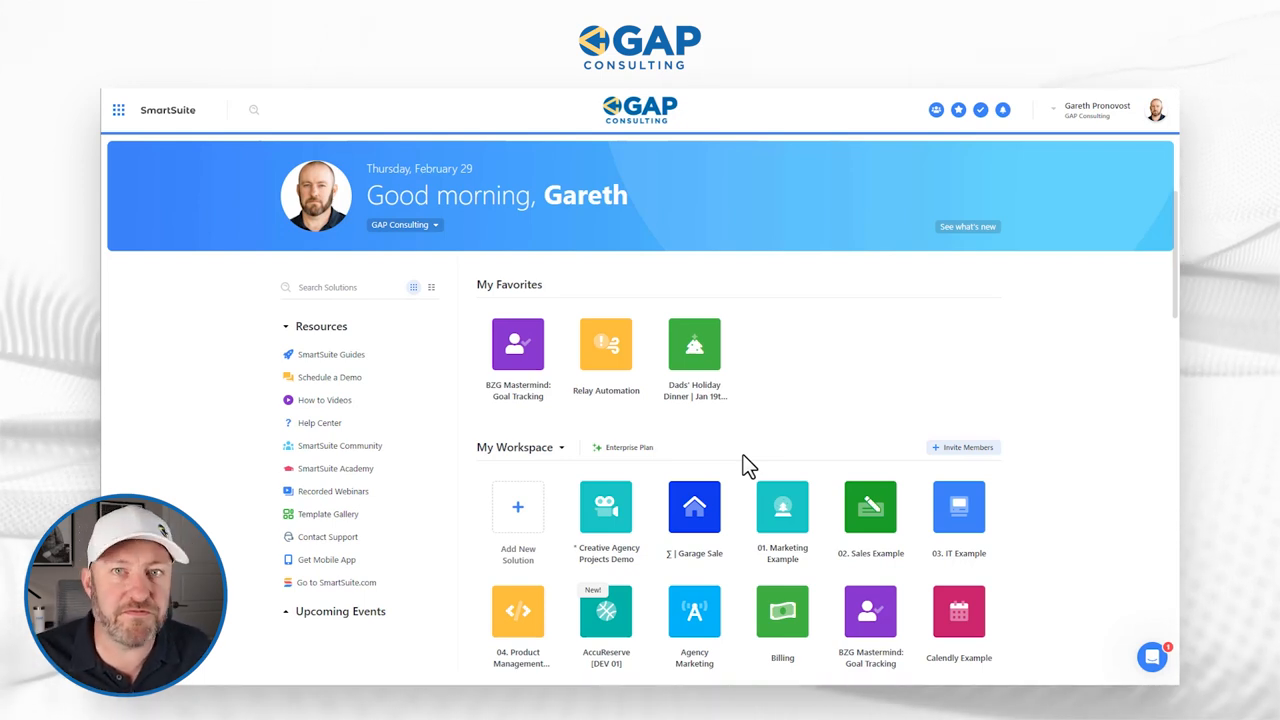
Upon logging into your SmartSuite for the first time, you’re greeted by your personalized dashboard that exudes a sense of welcome and security. It’s a personalized digital workspace just for you, complete with your photo and profile details.

Immediately grabbing your attention are the ‘solutions’—essentially sophisticated databases tailor-made to suit your business requirements. Depending on your permissions, these solutions offer a level of customizability and control that adapts to your role within your organization.

Imagine you have access to an ultra-smart filing cabinet, where each drawer contains a world of connected and interdependent data—this is what SmartSuite feels like when you navigate through its solutions.

‍

The Solution is in the Tables

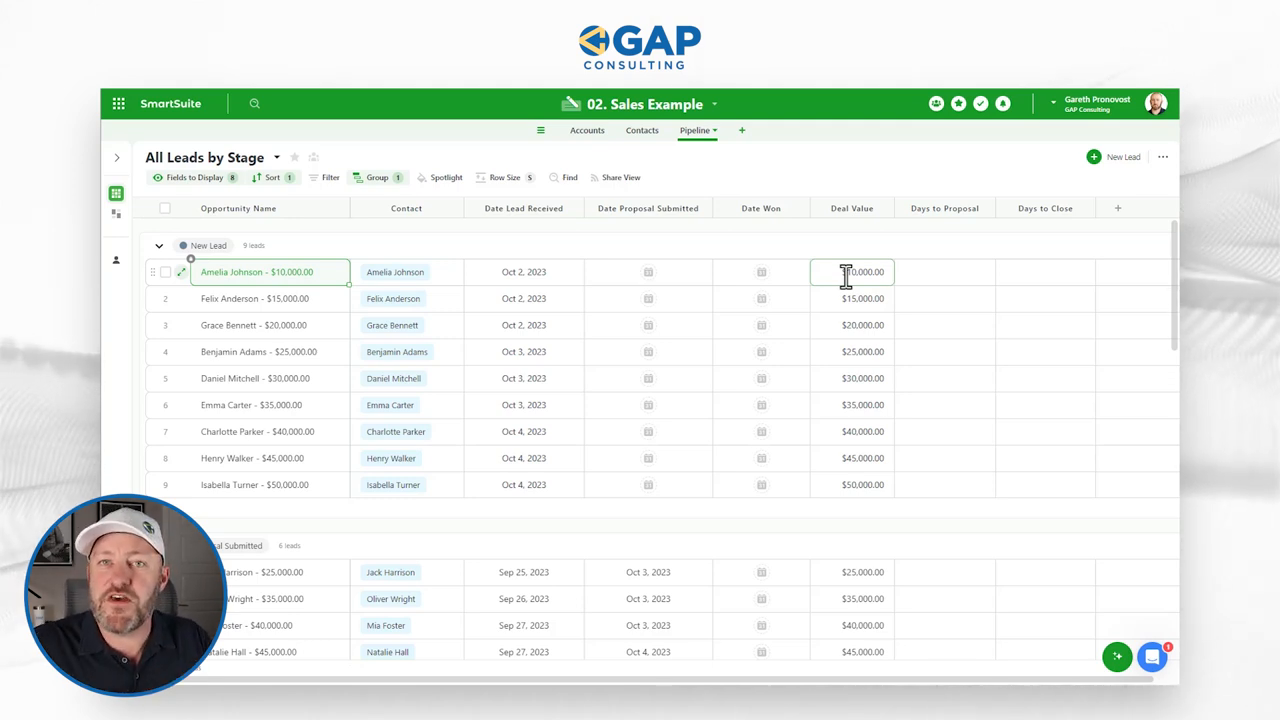
Take a leap into any solution and you find yourself amongst several tables or tabs, each a unique dataset waiting to be mastered. In our sales example, we encounter a trifecta of datasets: accounts, contacts, and our pipeline—all comprehensively listed out in a grid view reminiscent of spreadsheets, but oh so much more powerful.

Every row? That’s a story—an individual record. Every column? It’s a field—a placeholder for each chapter of the story. It’s here that the magic of field types comes into play, where data specificity ensures that everything sits right where it needs to be.

A Kaleidoscope of Views

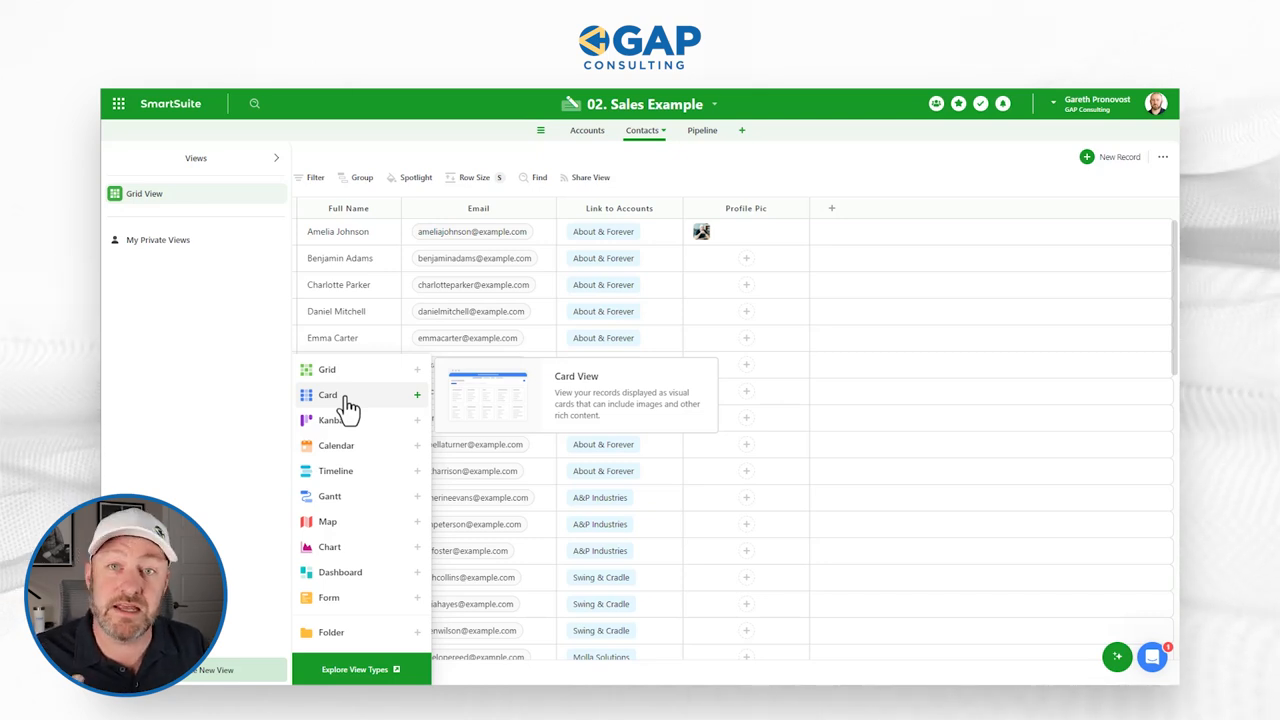
Switching up perspectives is a breeze in SmartSuite. While traditional grid views offer familiarity, it’s the diverse range of views that elevates your data visualization. Card views, kanban, calendars—you name it, SmartSuite showcases data in a multitude of dimensions to suit every analytical taste.

Envision wanting to personalize contact records with more than just text; drag and drop a profile image into the newly minted ‘Profile Pic’ field and witness each contact come to life visually!

Automating Excellence

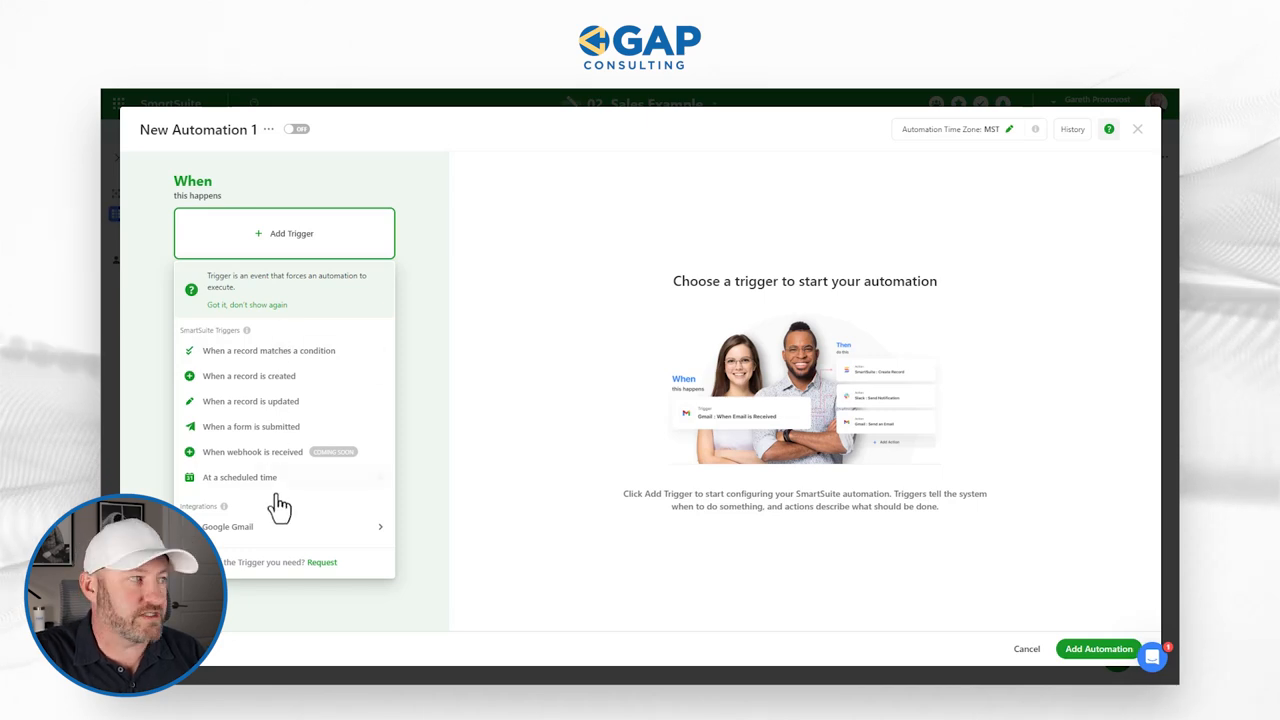
Let’s talk about SmartSuite’s pièce de résistance—automation. This is where you command tasks to execute themselves based on specific triggers and actions, making manual effort a relic of the past. Have a pipeline stage marked as ‘Deal Won’? Automate a celebratory email or a Slack message to rally the troops.

Creating an automation is as simple as clicking on ‘Automations’ and setting the stage for what triggers the sequence and the subsequent actions that follow. SmartSuite doesn’t just facilitate automation; it empowers you to weave a digital tapestry that performs seamlessly behind the scenes.

The Ride Doesn’t End Here

We’ve zipped through the essentials of SmartSuite at quite the pace. But remember, this is just the tip of the iceberg. The true beauty lies in experimentation—testing, tweaking, and tailoring SmartSuite to become the faithful engine that powers your business strategies.

Until next time, keep on building and automating with SmartSuite. And remember, your journey to no-code efficiency starts with the simple step of getting acquainted with all the tools at your disposal.

To experience the future of work management  firsthand, start your free SmartSuite trial today!

Earliest Value From a Linked Record Set

Software Stack Editor · March 1, 2024 ·

In the latest episode of our series, Jeff takes us on a journey through a revolutionary technique that is set to transform the way we extract information from linked record sets. Traditionally, working with linked tables has been straightforward, but limitations arose when attempting to filter results based on specific conditions. In this episode, Jeff unveils a game-changing approach to overcome these challenges and unlock the full potential of your data.

[embedded content]

Breaking the Chains of Limitations

‍
Historically, accessing information from a linked table has been a linear process, with little room for nuanced filtering. Jeff delves into the intricacies of this common hurdle and introduces a technique that breaks down the barriers, allowing users to retrieve the earliest value from a linked record set. This opens up a world of possibilities for optimizing workflow and enhancing productivity.

Practical Example

‍
To make things tangible, Jeff walks us through a practical example that demonstrates the power of this technique. Imagine efficiently retrieving the latest version of a deliverable or swiftly identifying the next incomplete task assignee. By applying these powerful formulas, users can streamline their processes and gain insights that were previously elusive.
‍

Optimizing Your Workflow

‍
The heart of this technique lies in its ability to optimize workflows. Jeff showcases how incorporating this method can drastically improve efficiency, ensuring that you spend less time searching for information and more time acting on it. Whether you’re a project manager, data analyst, or anyone dealing with linked record sets, these insights are bound to elevate your workflow to new heights.

Enhancing Productivity

‍
In a world where time is of the essence, productivity is key. Jeff emphasizes how adopting this game-changing technique can significantly enhance productivity by simplifying data retrieval and analysis. The ability to quickly pinpoint the information you need is a game-changer in any professional setting.

Jeff’s insights are invaluable for anyone looking to harness the full potential of linked record sets. Whether you’re a seasoned professional or just starting with databases, this episode is a must-watch. Don’t miss out on the opportunity to revolutionize your approach to data retrieval—watch now and unlock a new realm of possibilities.

To experience SmartSuite’s key benefits for yourself, start a free trial today and explore its intuitive work management platform.

How to Master Document Management in SmartSuite: A Notetaking Guide for All Levels

Software Stack Editor · March 1, 2024 ·

You’ve likely come across Smartsuite, our generous sponsor for this discussion. Smartsuite shines when it comes to streamlining your work life by organizing data and tasks. But there’s a question that’s been on many of your minds—can Smartsuite keep up with the document chaos we face every day? From notes to meeting agendas and those unending ideas we jot down, it’s essential for a work management tool to handle it all. Good news: With Smartsuite, you’re well-equipped for this challenge.

[embedded content]

In this blog post, we’re exploring three varied strategies to bring order to your document anarchy using Smartsuite, tailored for different levels of use—from casual to serious document wranglers. So, buckle up; we’re diving headfirst into a journey that’ll reshape the way you handle your workflow documents in Smartsuite.

Before we roll up our sleeves, a heads-up—if you don’t have a Smartsuite account, snag one using the affiliate link in the description below. Now, with access credentials in hand, let’s crack on!

The Casual Approach: Comments for the Win

The easiest path for beginners requires zero tweaks to your Smartsuite interface. Navigating to any task or project where you’re working, you’ll notice a chatty little messaging icon waiting for your click. Behold the golden gateway to Smartsuite’s Communication Center.

Here’s where the magic happens. Utilizing the robust commenting tool, begin typing your thoughts, ideas, and notes. With these comments visible to team members who have access, you’re not only creating a log of shared knowledge but fostering a culture of collaboration.

“Put your notes where the work is actually happening.”

If you prefer the express lane, make the open comments visible from your overview grid. A single click brings the conversation right to your fingertips. Remember, simplicity often breeds productivity.

‍

The Intermediate Route: Meeting Templates

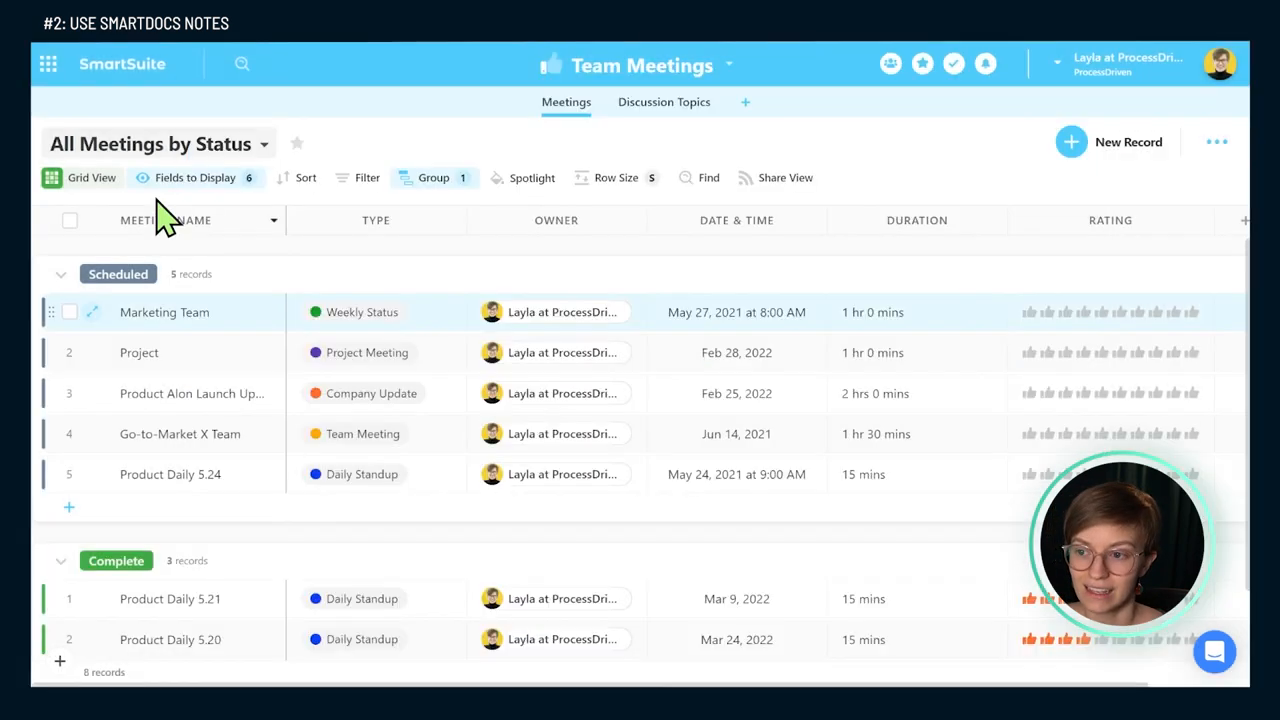
Feeling ambitious? It’s time to introduce Smartsuite’s solution templates to your workflow. Let’s scout the template library for a team meeting structure that resonates with your needs. These templates are packed with ready-to-go features like dynamic agenda tracking and participant roles, saving you the trouble of starting from scratch.

‍

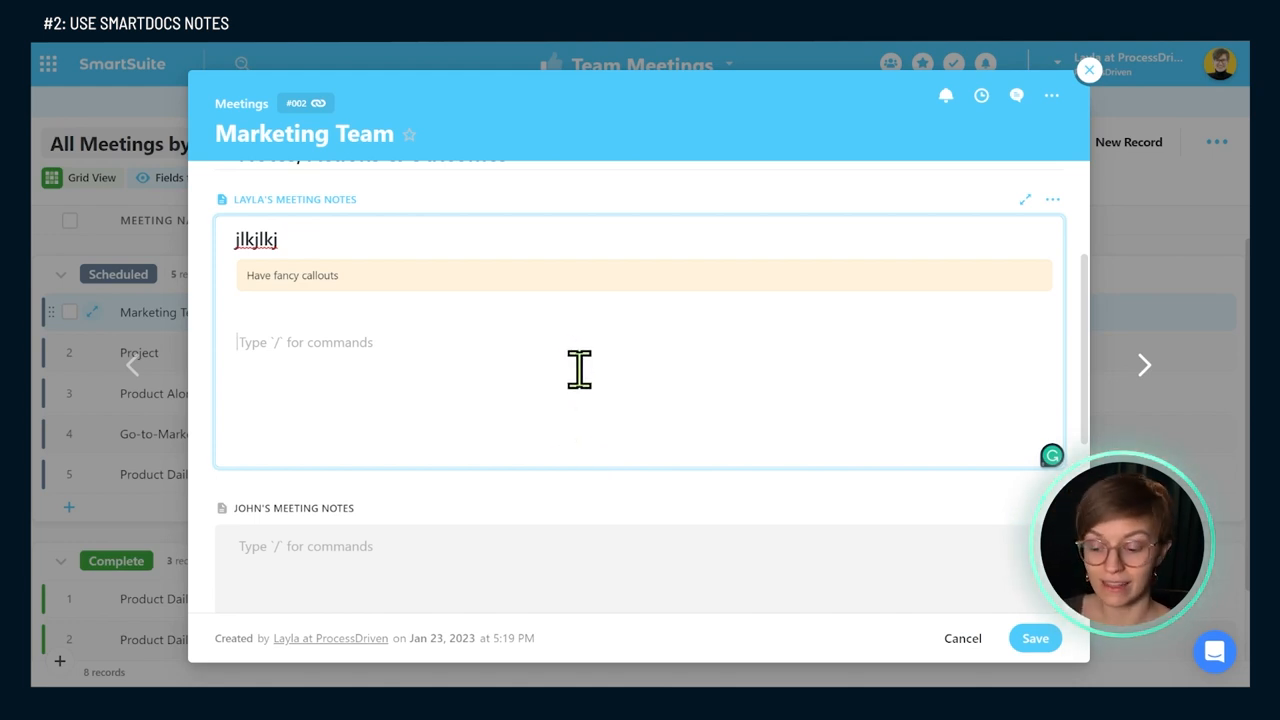
Once the template is activated, customize it to your heart’s content. Prioritize and fill sections crucial to your operations: general info, discussion topics, and my absolute favorite—the notes, actions, and outcomes section, affectionately dubbed the ‘smart document’.

This particular marvel is Smartsuite’s version of a text field on steroids, with rich text editing capabilities, and slots in rather neatly into your meeting setup.

The Power User’s Playground: A Dedicated Notetaking Database

Dare to go full throttle with personal knowledge management? For the ardent notetakers out there, crafting a stand-alone notetaking solution within Smartsuite could be your crowning achievement.

Unlike the predefined solutions, you might need to don your architect hat and build from the ground up. The key lies in creating a flexible yet powerful personal journal system that links notes to broader topics, ensuring that every scribble contributes to your ever-expanding wisdom repository.

Be ruthless in this setup—scrap superfluous fields and commands that don’t serve your cause. Choose to auto-generate note titles for efficiency, or relish in the control that custom fields afford, tailoring your templated prompts and reflection spaces precisely.

Within this fortress of knowledge, convene your thoughts under different subjects or projects. Kiss goodbye to disjointed note collections and say hello to interconnected intelligence.

Wrapping Up Your Notetaking Odyssey

The real beauty of Smartsuite’s approach to documents lies in its seamlessness—comments, smart documents, and a full-fledged notetaking system exist alongside your other data. They’re not siloed in a far-off digital library but integrated into your daily tasks and reports, empowering you to take immediate action.

If this primer on the expansive world of Smartsuite document management spiked your interest, I believe we’re just scratching the surface. More deep dives and specialized tutorials could be on the horizon, so if you’re keen on a particular aspect, drop a comment below.

‍

What’s New in SmartSuite: March 2024

Software Stack Editor · March 1, 2024 ·

At SmartSuite, we are dedicated to innovation that better equips and empowers our customers. Read on to see all the powerful features our product and engineering teams have been diligently working on as well as the upcoming events we have in store!
‍
View Full Release Notes

Product Updates

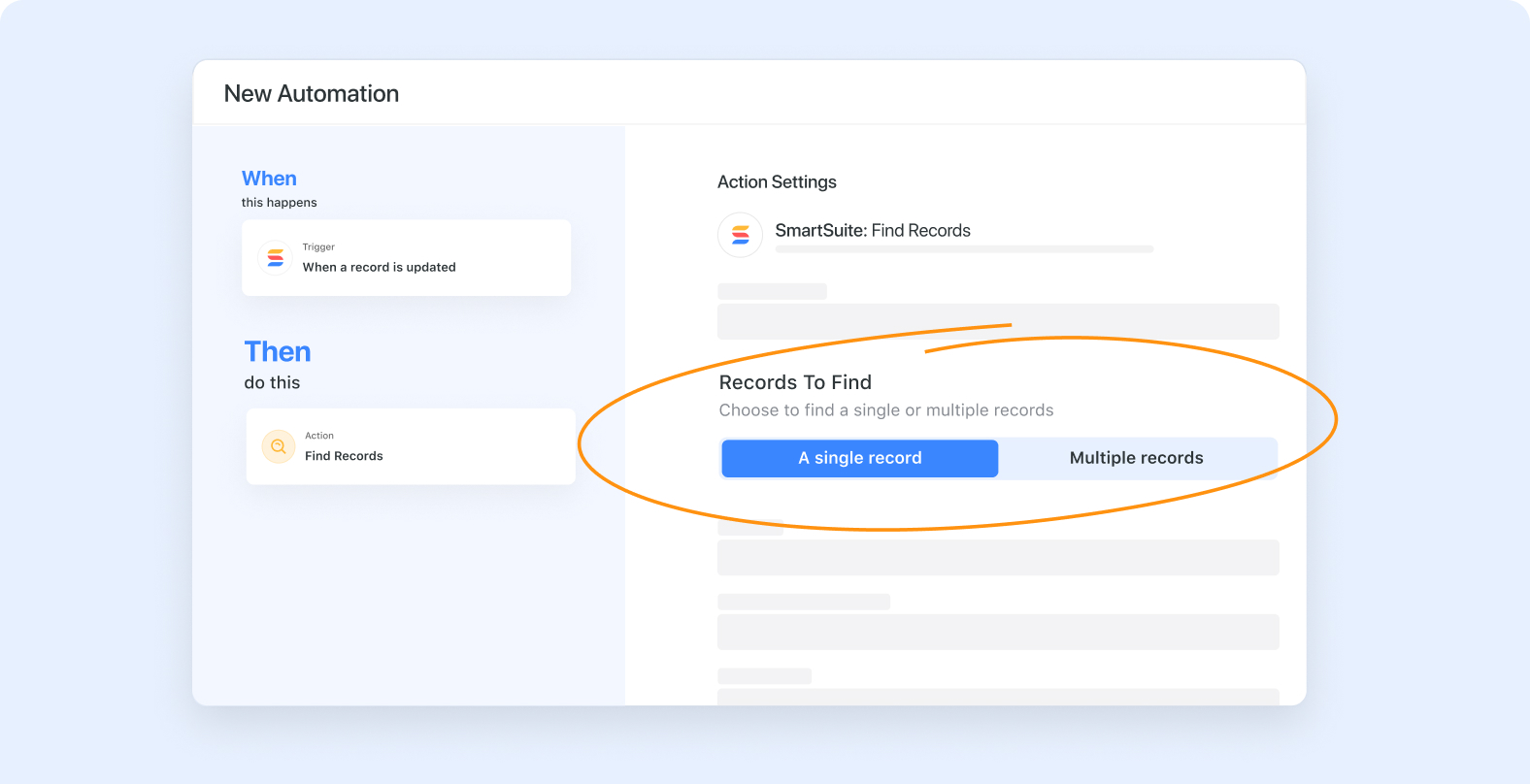
Automations: Use Outputs of a Single Find in Other Actions

Automation’s Find Action has a new configuration option, allowing you to return a single record (whose values can be used in subsequent actions) or a list of multiple records.
‍
Learn more

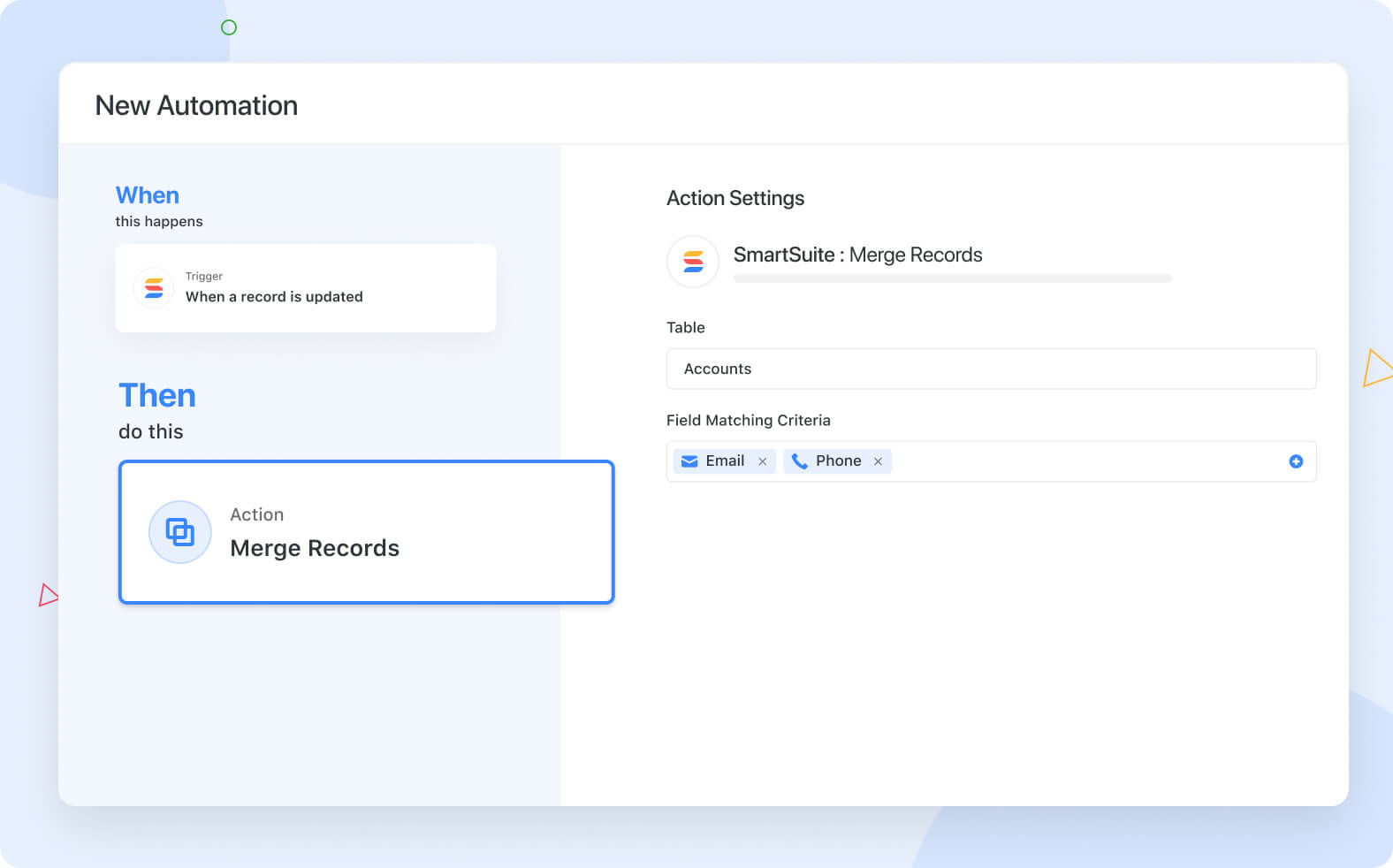
Automations: Merge Records Action

The record merge action seamlessly consolidates records, detecting duplicates and updating a single record with the latest information. You can automatically de-duplicate contact records, consolidate task updates and more.

Learn more

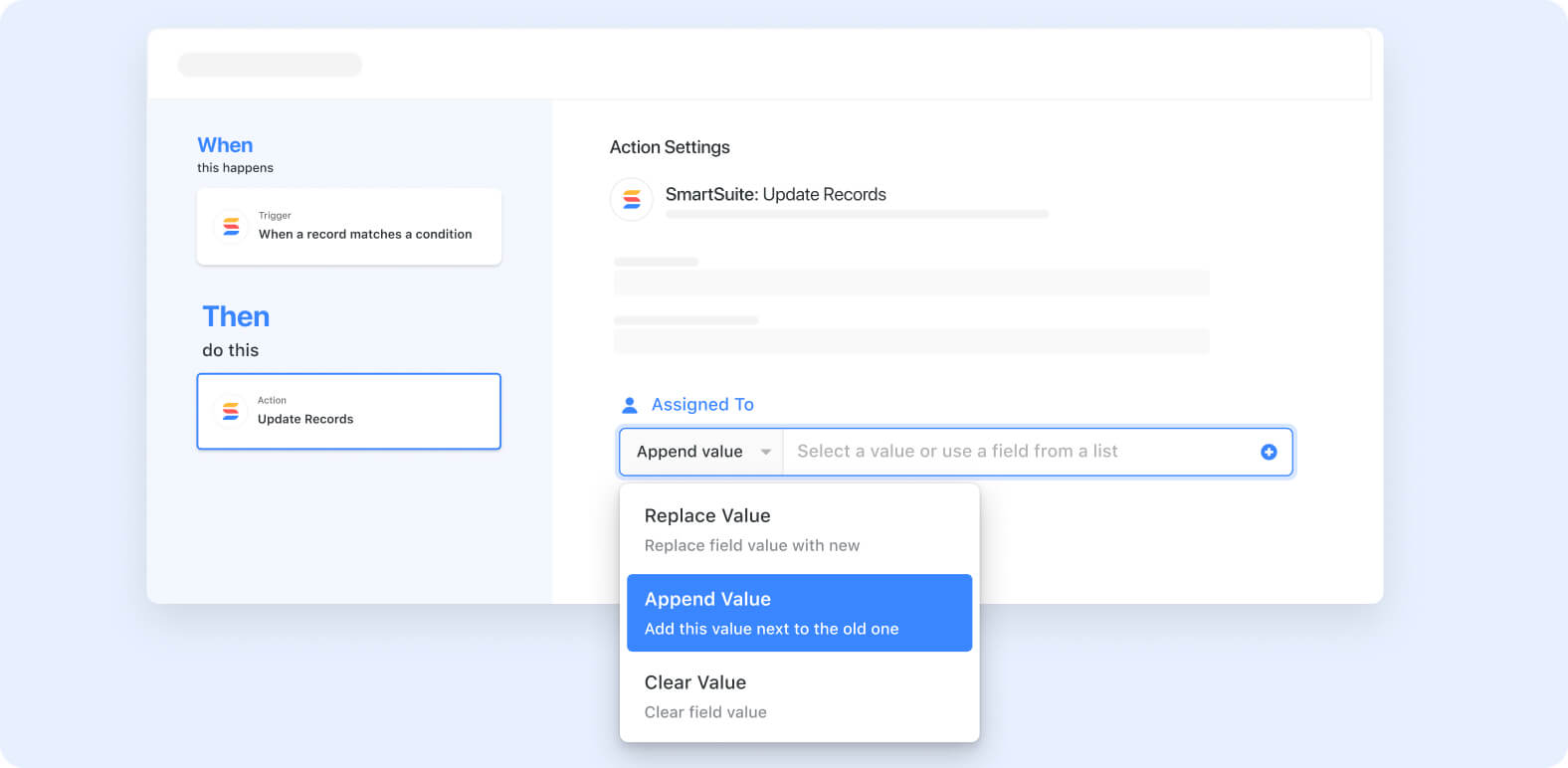
Automations: Clear / Append / Replace

Field updates in automations have been enhanced to support the update action type, allowing you to append, replace, or clear existing value(s) for specific fields.
‍
Learn more

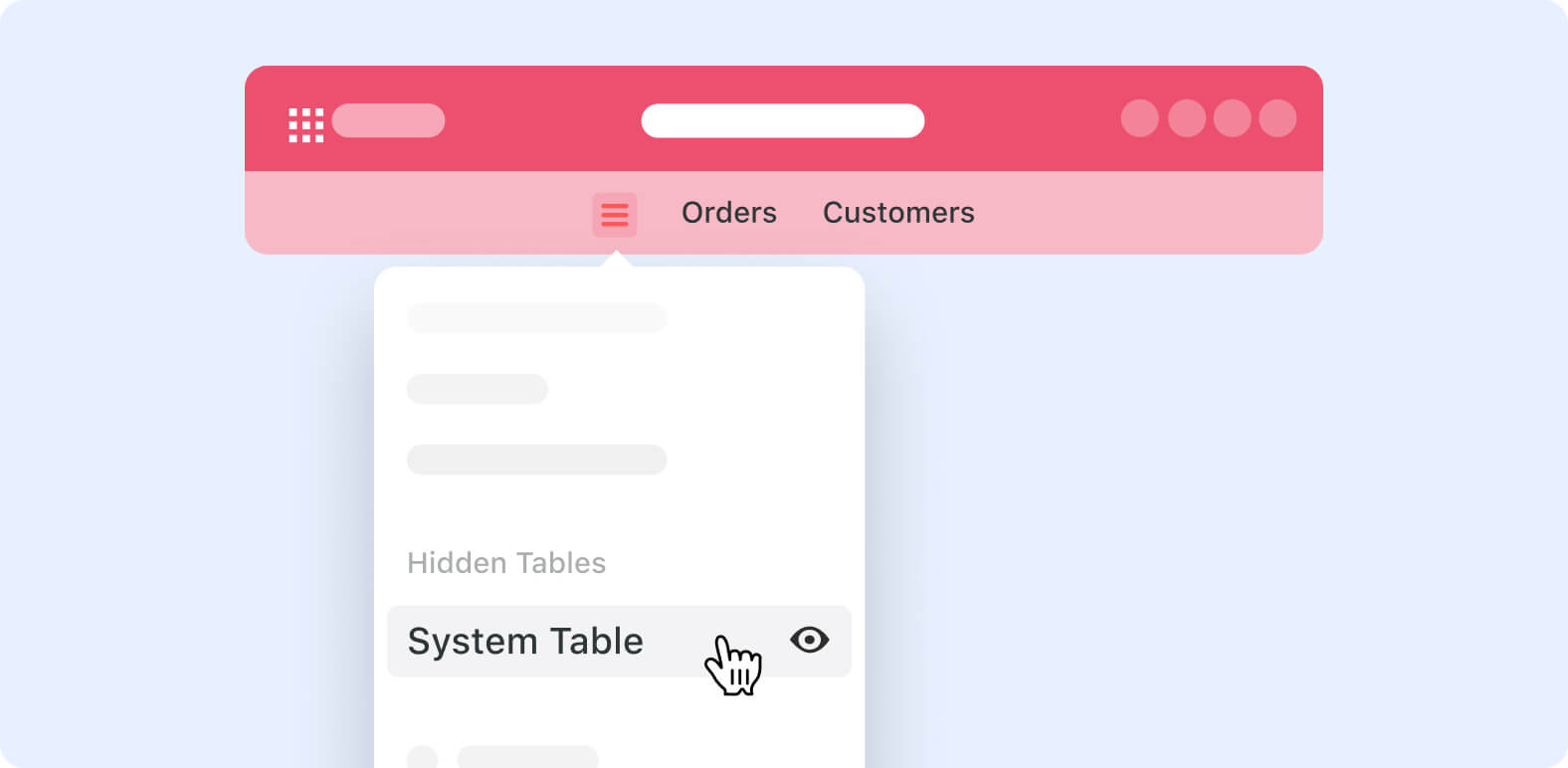
Show / Hide Tables

You can hide any table you don’t access regularly or that you might only use to link other Tables together. Simply click on the Table dropdown and “Hide Table.”

Learn more

Record Section Descriptions

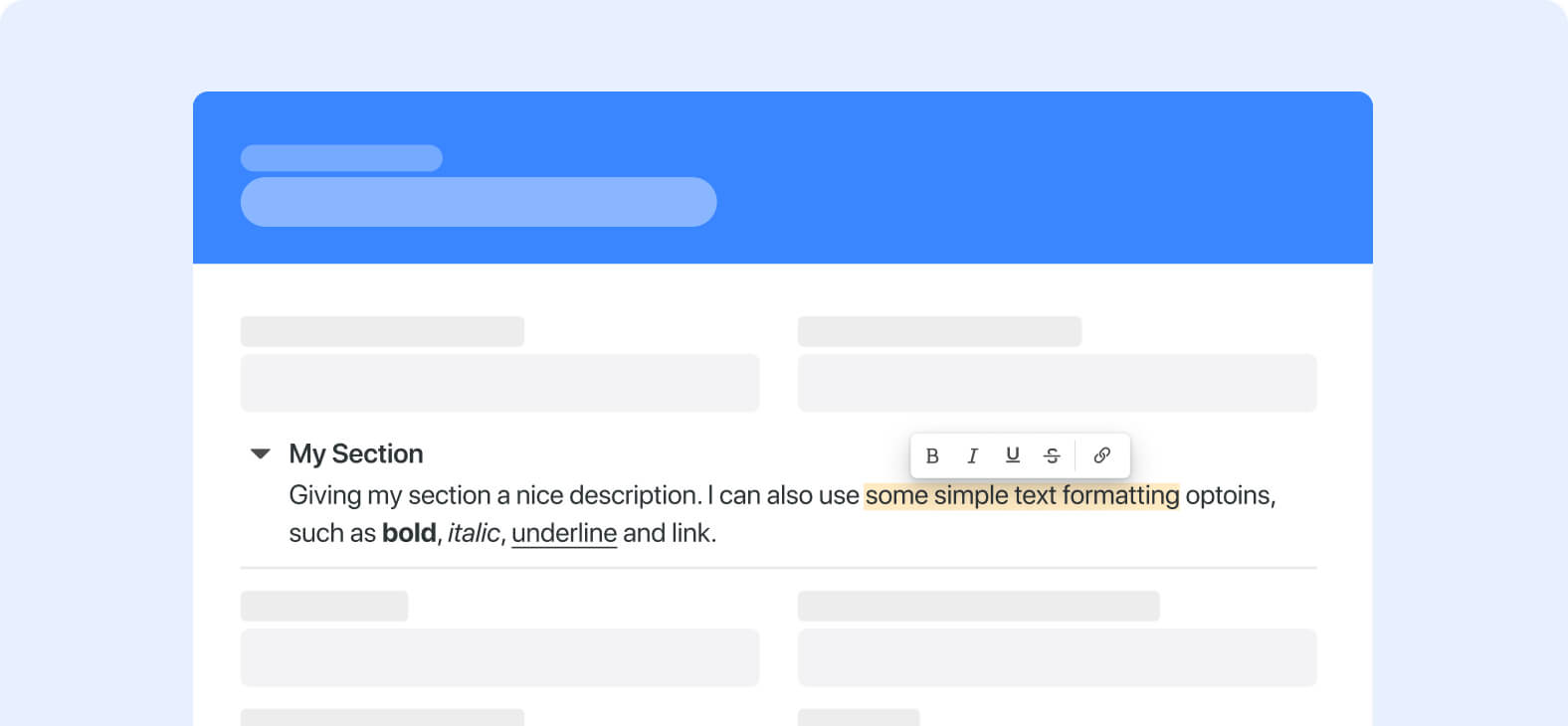
Sections can now have their own descriptions with up to 750 characters of text to describe the fields they contain. Educate your users, provide instructions or describe the workflow supported by the section.

Learn more

View Descriptions

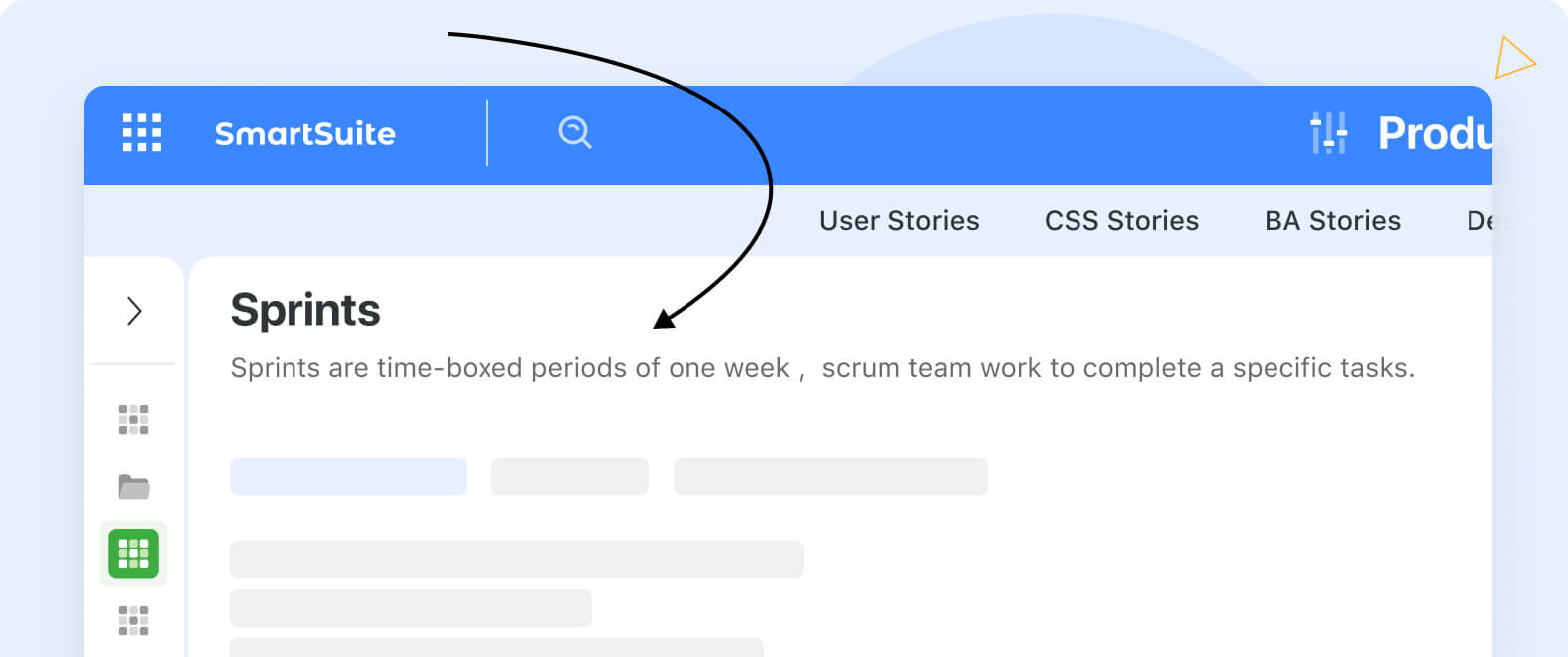
You have the option to include descriptions for Views, which can either appear as icons to the right of the View name or be displayed below the View name when clicked for increased visibility.
‍
Learn more

Record Cover Image

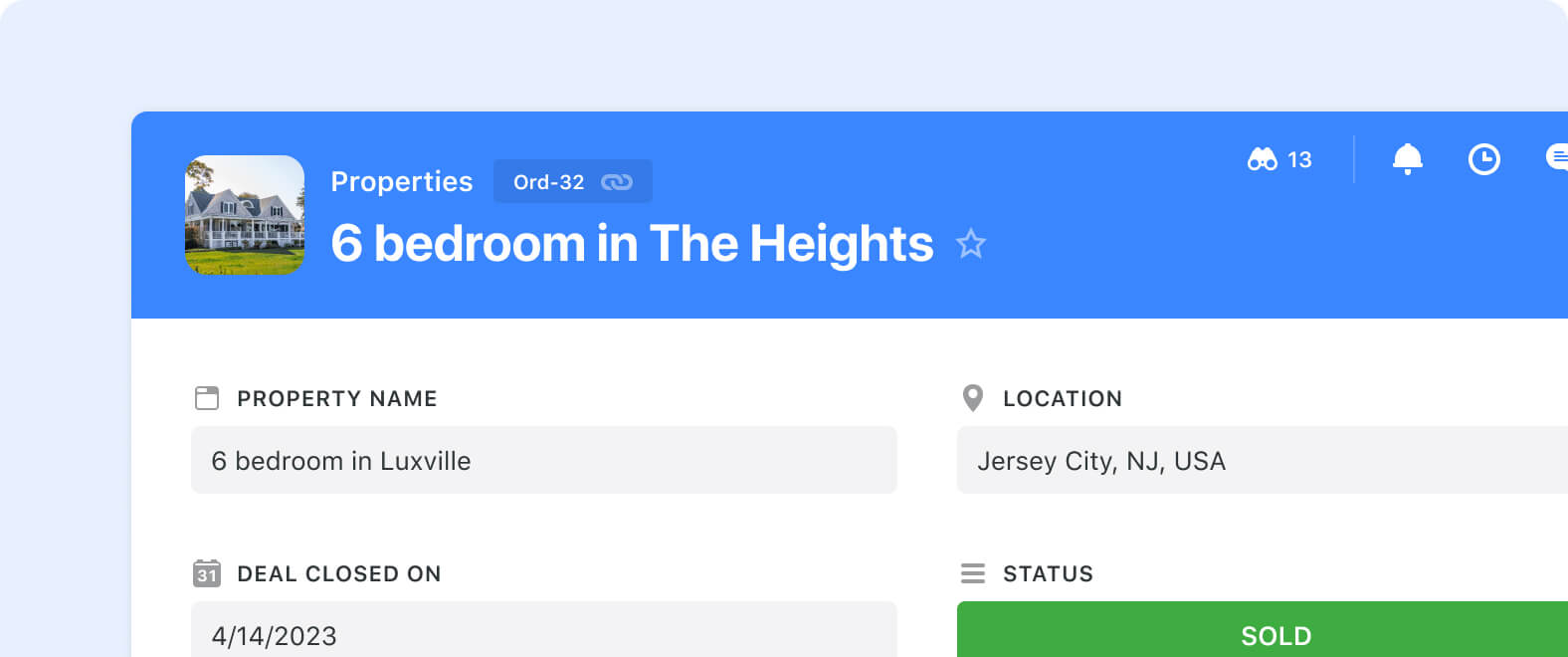
Enhance the visual appeal of your data by adding cover images to records. You can select cover images from existing File and Images fields, making it easy to provide a visually engaging experience for your users as they navigate records.
‍
‍Learn more

New Formula Functions for Related Records

‍

Formulas have been enhanced with functions to sort related records and return their values in a list. These new functions work with Linked Record, Sub-Item and Checklist fields and include RELATED_RECORD_SORT(), TOP() and GET_LIST().

‍Learn more

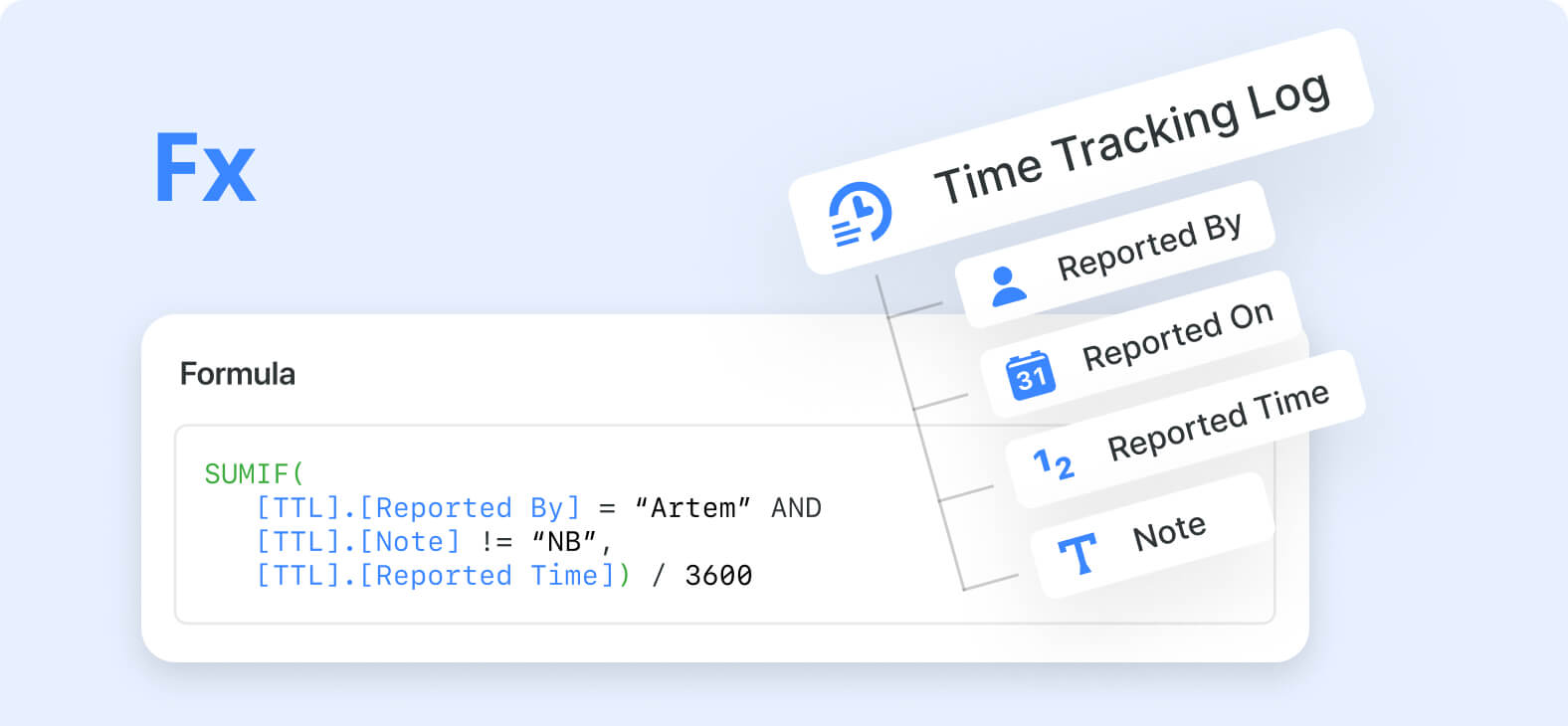
Formula: Time Tracking Log as a Nested Field

Use SmartSuite’s dot notation syntax to access Time Tracking Log field information, including reporting user, date and time value. Time Tracking Log fields now act like Linked Records, allowing you to retrieve information with all list-handling functions.
‍
‍Learn more

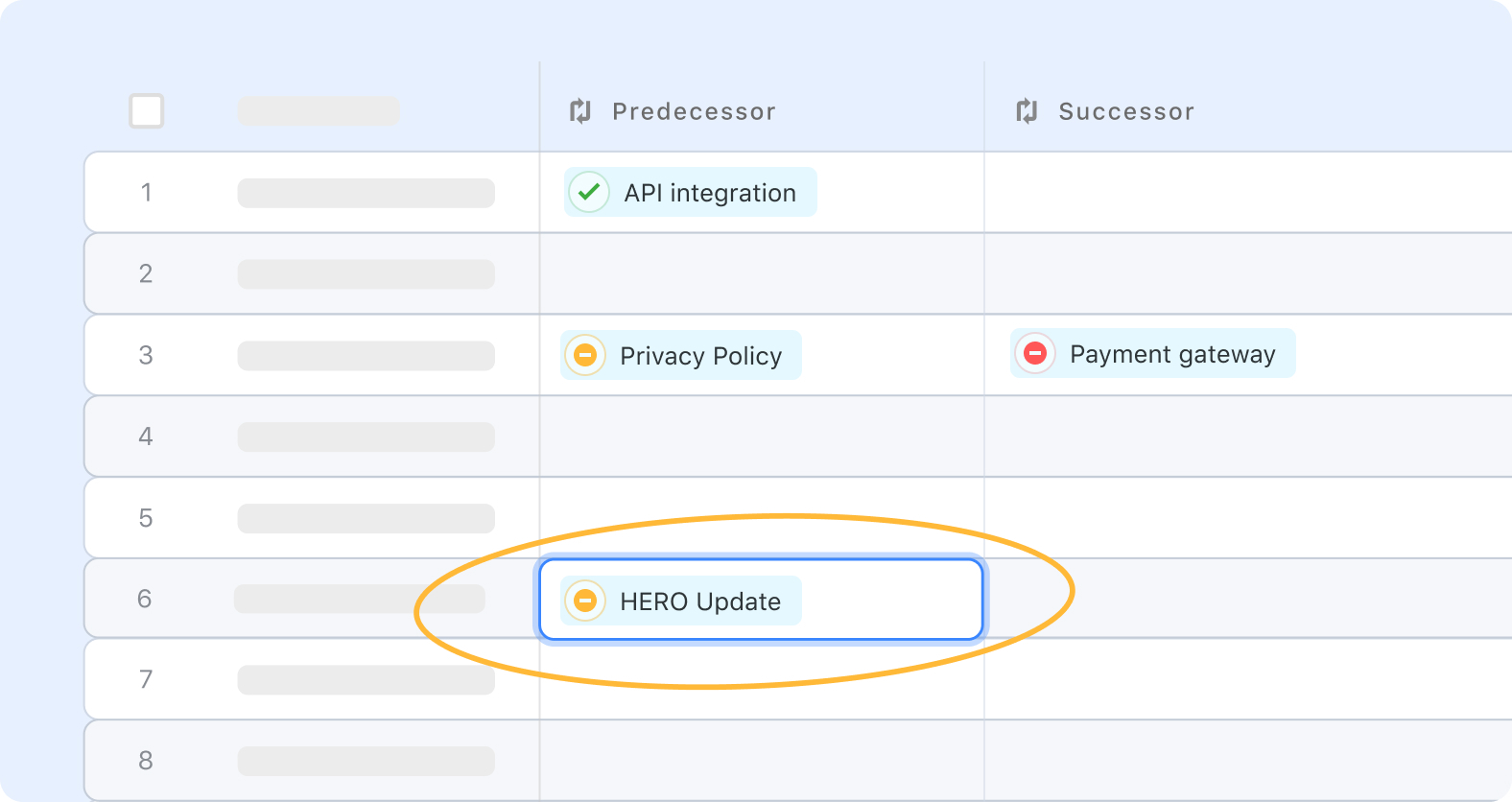
Grid View: Editable Dependency Sub-fields

The Dependency Field’s Predecessor and Successor information can now be displayed independently in grid, allowing you to edit and interact with them in the same way you would a Linked Record.

Learn more

Make Enhancements

SmartSuite’s Make connector has been enhanced to add Advanced Settings to the Updated Records triggers, allowing you to specify field values (and optional changes) that will trigger the scenario. Also reference fields (like Linked Record) give you the option to use their text value or their SmartSuite Id, making it easier to configure advanced workflows.

‍Learn more

What’s Coming Soon

  • Basic math calculations in automations
  • Ability to hide fields in Record Page
  • Folder permissions
  • Filter widgets in dashboards

View Our Product Roadmap

Upcoming Live Events & Trainings

Bi-Weekly: Getting Started with SmartSuite Workshop | Upcoming dates: March 12 & 26, April 9 @ 8:00am PT

Are you new to SmartSuite or simply want to explore its full potential? In this interactive webinar, our team will provide a step-by-step walkthrough of how you can start building smarter workflows in SmartSuite immediately!

Register here
‍

Empowering Efficiency: Combining Make & SmartSuite to Manage Company Resources Wisely | March 20th @ 8:00am PT

Discover the transformative power of combining Make and SmartSuite to manage your company resources wisely.

Featuring:
• Insider Perspectives & Interactive Q&A: Direct from the CEOs about their vision and the power behind Make and SmartSuite.
• Dynamic Demos by Gareth (GAP Consulting, no-code and automation expert) covering:
• Automated Social Media Flow: From drafts to automated post creation.
• Streamlined Billing Process: Effortlessly create, track and send invoices based on time logs.

Register here
‍

Partner Spotlight Webinar: Pistos Compliance Tracker: Automated Regulatory Compliance & CISO-as-a-Service Built on SmartSuite | March 27th @ 8:00am PT‍
‍
Join Peter Sfoglia and Jon Darbyshire as they discuss Pistos’ leadership, SmartSuite integration, and the power of Pistos in simplifying compliance with its Compliance Tracker. Explore live demonstrations, learn about additional services like Fractional CISO, and engage in a Q&A with the experts.

Register here

Live SmartSuite Monthly Training Classes & Free Certification Opportunity | March 28th, April 25th, May 30

This comprehensive 3-part training includes:

  • Comprehensive overview of SmartSuite as a platform, along with key functionality training tailored for end users.
  • Deep dive into SmartSuite, gaining insights into its building blocks and discovering how to implement effective solutions for your teams.
  • Our Recommended Certification session, featuring a live, free certification exam test to earn a SmartSuite Certification of your choice

If you are interested in attending our live training, you can access the registration request form here.

Have questions? Join our Daily Office Hours!
‍
Get all your questions answered live by an Onboarding Specialist during our Daily Office Hours Monday-Friday at 9:00 am PT —or simply join to learn how others are finding value in SmartSuite.Your SmartSuite Team

‍

  Community  |  Academy |  SmartSuite.com  |  Product Roadmap | Webinars 

5 Meeting Agenda Templates for Efficient and Effective Gatherings

Software Stack Editor · July 1, 2023 ·

Meetings are a crucial part of the business world—they are where ideas come together, decisions are made, and teams align their goals. However, without a clear structure, meetings can easily become unproductive. The solution? A well-crafted meeting agenda. A good agenda sets the tone, provides direction, and ensures that everyone knows the purpose of the gathering. Here are five meeting agenda templates that cater to various types of meetings, ensuring your next session is both efficient and effective.

1. The Classic Template

Objective: To discuss ongoing projects, address immediate issues, and plan future steps.

  1. Welcome and Introductions (5 mins)
  2. Review of Last Meeting’s Action Items (10 mins)
  3. Progress Updates on Ongoing Projects (15 mins)
    • Quick reports by project leads
  4. Discussion on New Business (20 mins)
    • Introduction of new ideas or issues
    • Brainstorming and initial feedback
  5. Action Items and Assignments (10 mins)
    • Defining next steps and responsible parties
  6. Closing Remarks (5 mins)
    • Summary of decisions made and acknowledgment of contributions

2. The Strategy Planning Template

Objective: To align on long-term goals, strategies, and actionable plans.

  1. Opening and Objectives (5 mins)
    • Brief on the meeting’s strategic focus
  2. Review of Market and Internal Analysis (20 mins)
    • Presentations on recent research, SWOT analysis, etc.
  3. Setting Strategic Goals (15 mins)
    • Defining and prioritizing long-term objectives
  4. Strategy Development (30 mins)
    • Breakout groups to brainstorm strategies for achieving goals
  5. Presentation of Group Strategies (20 mins)
    • Groups present strategies; open floor for feedback
  6. Consolidation of Strategic Plan (15 mins)
    • Selection of strategies to pursue; initial action plan drafting
  7. Next Steps and Closure (10 mins)
    • Assigning responsibilities and setting timelines

3. The Brainstorming Session Template

Objective: To generate innovative ideas and solutions for a specific challenge.

  1. Introduction to the Session (5 mins)
    • Overview of the challenge and goals of the brainstorming
  2. Warm-Up Exercise (10 mins)
    • A quick activity to stimulate creative thinking
  3. Idea Generation (30 mins)
    • Individual then group ideation, using techniques like mind mapping
  4. Idea Presentation and Discussion (30 mins)
    • Sharing ideas with the group, discussing, and building upon them
  5. Voting and Prioritization (10 mins)
    • Everyone votes on the ideas they find most promising
  6. Action Plan for Top Ideas (10 mins)
    • Outline next steps for exploring the selected ideas further
  7. Wrap-Up (5 mins)
    • Summary of the session and appreciation for participation

4. The Project Kick-Off Template

Objective: To align the team on objectives, roles, and the plan for a new project.

  1. Project Overview (10 mins)
    • Introduction to the project, its importance, and expected outcomes
  2. Roles and Responsibilities (15 mins)
    • Presentation of the project team and individual responsibilities
  3. Project Plan and Timeline (20 mins)
    • Detailed review of the project plan, milestones, and deadlines
  4. Resources and Tools (10 mins)
    • Overview of available resources and tools to be used
  5. Risk Management (10 mins)
    • Discussion on potential risks and mitigation strategies
  6. Q&A Session (10 mins)
    • Open floor for questions, clarifications, and suggestions
  7. Next Steps (5 mins)
    • Confirmation of immediate action items and next meeting

5. The Check-In Template

Objective: To touch base with team members, assess progress, and address any roadblocks.

  1. Quick Updates (15 mins)
    • Round-robin updates from each team member on their current tasks
  2. Challenges and Roadblocks (20 mins)
    • Discussion on any challenges encountered and brainstorming solutions
  3. Assistance and Collaborations (10 mins)
    • Identifying areas where team members can assist each other
  4. Acknowledgments and Wins (10 mins)
    • Highlighting successes and positive contributions since the last check-in
  5. Look Ahead (5 mins)
    • Brief on upcoming tasks, deadlines, and any changes to plans
  • « Go to Previous Page
  • Page 1
  • Interim pages omitted …
  • Page 8
  • Page 9
  • Page 10

Get your Software Stack together. softwarestack.tech

Software Stack

© 2024–2025 - Software Stack is a trading name of SouthwestCIO Limited ac ompany registered in England & Wales 11319049

  • Knowledgebase
  • Home
  • About Us
  • Contact Us