• Skip to primary navigation
  • Skip to main content
software stack logo

Software Stack

Get your Software Stack together

  • Knowledgebase
    • All Categories
    • Accounting Software
    • Automation & Workflow Software
    • Customer Relationship Management
    • E-Commerce Shopfronts & Payments
    • Marketing Automation
    • Online Courses & Membership
    • Project Management
    • Surveys & Forms
    • Web Hosting
  • Home
  • About Us
  • Contact Us
  • Show Search
Hide Search

Smartsuite

Corporater Pricing: Is It Worth It For GRC In 2025?

Software Stack Editor · October 14, 2025 ·

But in 2025, with GRC needs evolving and budgets tightening, many teams are asking the hard questions:

  1. What does Corporater actually cost?
  2. What do you get for that investment?
  3. And most importantly, is it still the right fit for modern, agile organizations?

Unlike newer platforms that offer transparent pricing and rapid onboarding, Corporater leans into a custom-quote model, leaving many buyers in the dark until late in the sales cycle.

That’s where this guide steps in, as in it, I’ll break down everything I know about Corporater’s pricing, explore its GRC capabilities, and compare it to more flexible, user-friendly alternatives.

Ready? Let’s dive in!

TL;DR

  • Corporater is a flexible, enterprise-focused GRC platform that combines performance, risk, and compliance management, but its pricing is entirely custom, with no public plans or free trial, making it difficult for buyers to gauge total cost upfront.
  • While powerful, Corporater can be complex, costly, and slow to deploy, often requiring expert configuration and lengthy implementations.
  • SmartSuite offers a modern, transparent alternative with a Free Forever plan, paid tiers starting at $12/user/month, and a 14-day free trial – no credit card required.
  • Its ready-made GRC templates, real-time collaboration, robust reporting, and no-code customization make it easier for teams to launch, scale, and stay compliant faster.
  • For organizations seeking enterprise-grade capabilities without enterprise-level lock-in, SmartSuite delivers better accessibility, speed, and long-term value for GRC in 2025.

Does Corporater offer a free plan or trial?

If you’re hoping to explore Corporater’s GRC capabilities before making a commitment, you may be disappointed.

Corporater does not offer a free plan or a standard free trial. 

The only way to experience the platform is by requesting a live demo through its sales team. 
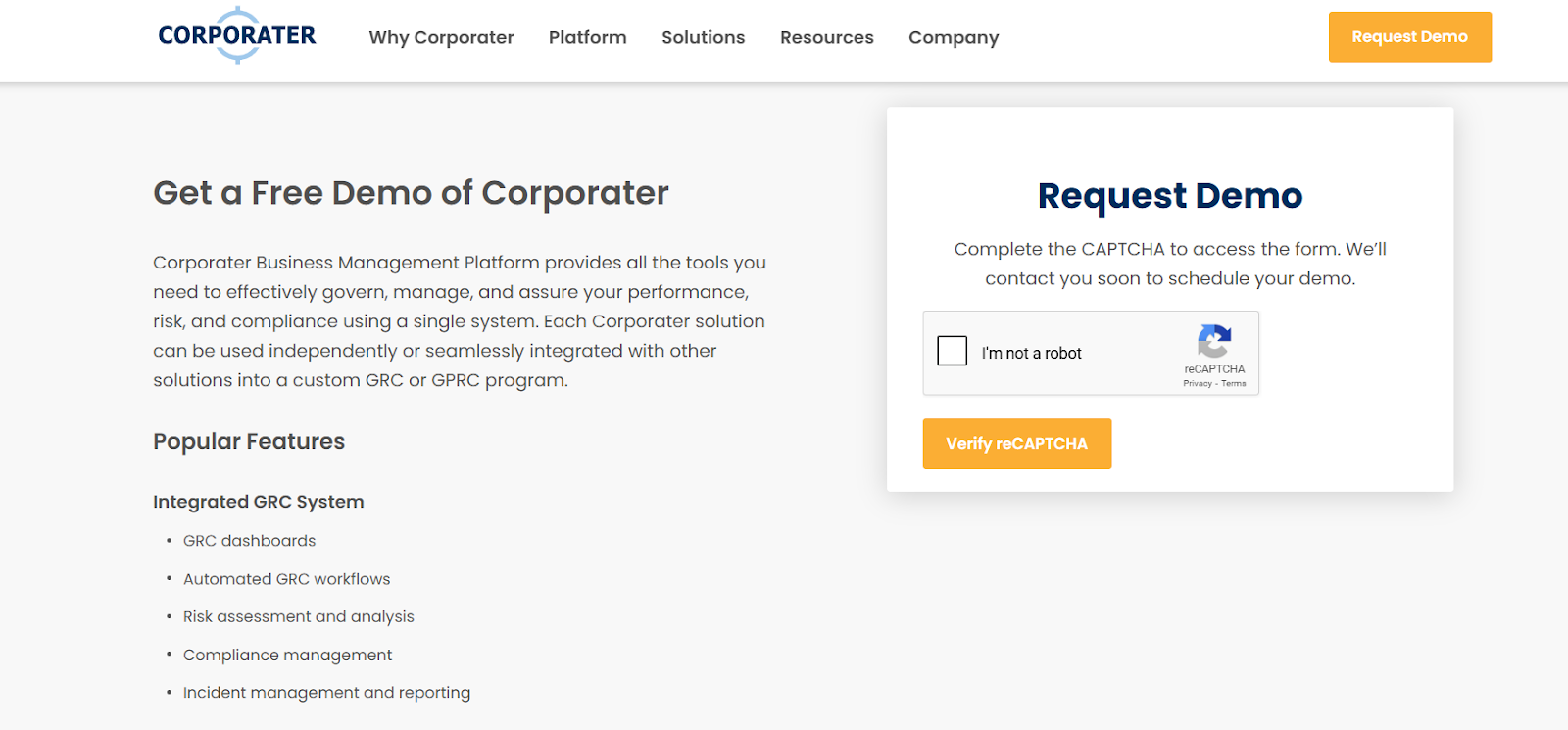
While this allows organizations to see how the software functions, it also means there’s no opportunity to test-drive features hands-on or evaluate how well the platform fits your workflows in real-world conditions.

This approach is typical of large enterprise solutions that rely on custom deployments and tailored pricing. 

However, for teams comparing multiple GRC platforms, it can be a significant barrier. 

Without self-serve access, evaluating usability, performance, or configuration options becomes difficult – especially if your organization needs to move quickly or assess several tools side by side.

In short, while Corporater’s demo-only model may work for enterprises with lengthy evaluation processes, it’s less ideal for smaller or fast-moving teams that prefer to validate tools hands-on before committing budget or time.

Corporater pricing plans

Corporater doesn’t publish its pricing publicly or offer any off-the-shelf plans. 

Instead, it uses a custom-quote model, meaning every organization receives a tailored proposal based on their specific use case, team size, and platform configuration.

While this approach allows for flexible packaging, it also makes it difficult for prospective buyers to estimate cost or compare several options without going through the full sales process.

Moreover, Corporater positions itself as a strategic platform that connects governance, performance, risk, and compliance (GPRC). 

This means that, depending on your needs, your quote may include not just core GRC features but also additional modules for business strategy, project execution, or performance management.

Based on what other enterprise-grade platforms base their pricing on, some of the factors likely to influence Corporater’s pricing include:

  • Number of users/seats.
  • GRC modules required (e.g., risk, audit, compliance, vendor management).
  • Implementation complexity and level of customization.
  • Deployment model (SaaS, private cloud, on-premises).
  • Integrations with third-party systems (e.g., ERP, BI, HRIS).
  • Support tier and service-level agreements.

Because Corporater is designed for large, complex organizations with strategic-level governance needs, it’s natural that its pricing structure reflects that focus. 

Keep in mind that, as a result, setup and configuration costs may be significant, especially for deployments requiring advanced customization, data migration, or integration with existing enterprise systems.

How much does Corporater actually cost?

While Corporater doesn’t list any starting prices on its website, industry directories and review sites consistently note that it falls into the higher-priced category of GRC platforms. 

Some sources cite speculative starting points ranging from $25,000/year to $100+ per user/month, but these are not officially confirmed and vary significantly based on configuration.

Here’s what we can reasonably conclude:

  • Corporater does not offer flat-rate or pre-packaged pricing tiers.
  • Final cost depends heavily on how many modules you include and how much customization is needed.
  • One-time implementation and onboarding costs are likely substantial, especially for large or multi-module rollouts.
  • Additional charges may apply for integrations, advanced analytics, or ongoing support packages.

Because of this, the total cost of ownership can quickly scale – and it often isn’t fully visible until late in the sales cycle.

Does Corporater provide good value for money?

Corporater is built for large, complex organizations that want to connect governance, risk, compliance, and performance management under one roof.

Its biggest advantage – and greatest cost driver – is flexibility. 

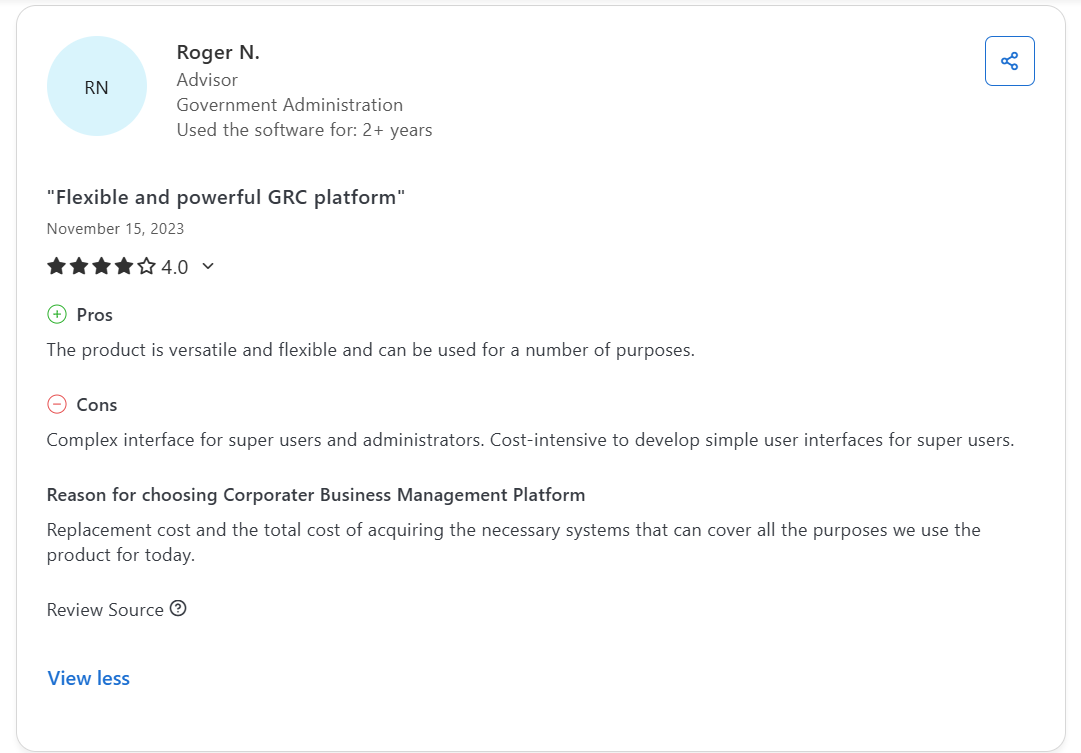
Users consistently praise how customizable it is, noting that the platform can be molded around unique business processes, scorecards, and reporting structures without major rework.

Teams especially appreciate:

  1. Configurability: Multiple reviewers highlight how easy it is to adapt workflows, create new modules, and integrate data sources.
  2. Comprehensive scope: Corporater covers strategy execution, performance tracking, risk management, and compliance monitoring in one platform.
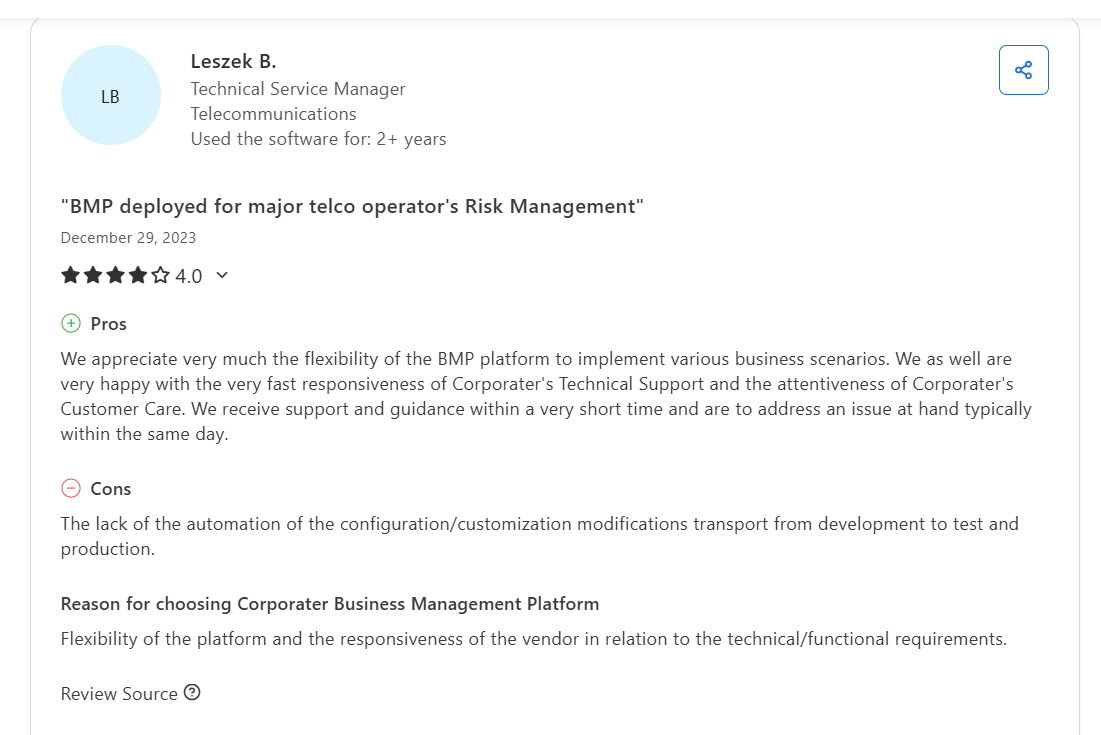
  3. Responsive support: Users often cite Corporater’s customer service as fast and solution‑oriented, with quick turnaround on technical requests.

However, that flexibility comes at a price, both financially and operationally. 

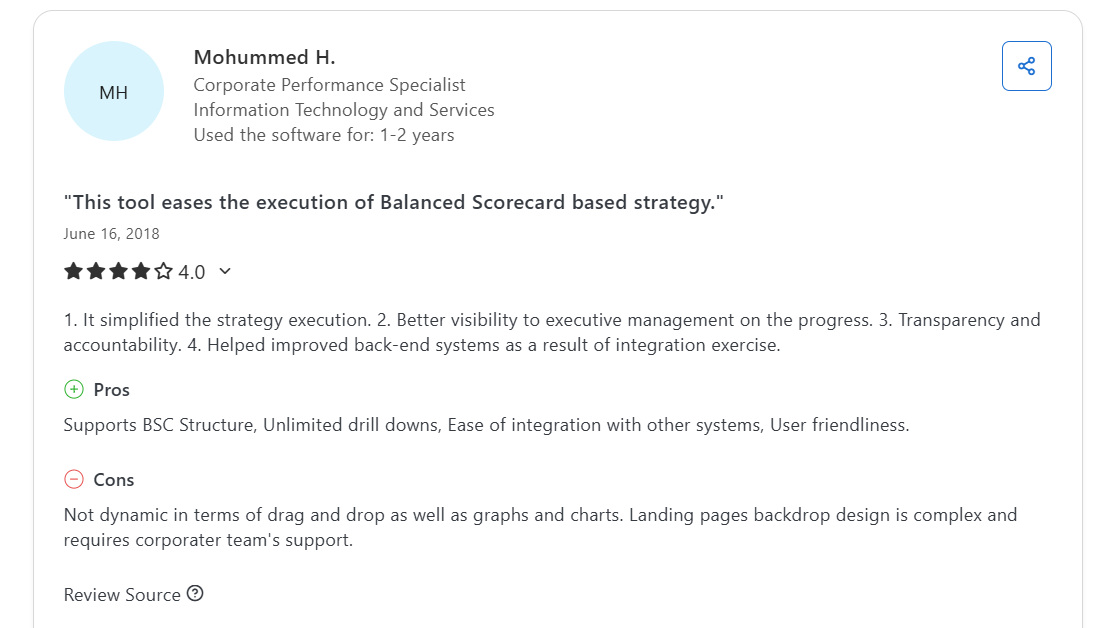
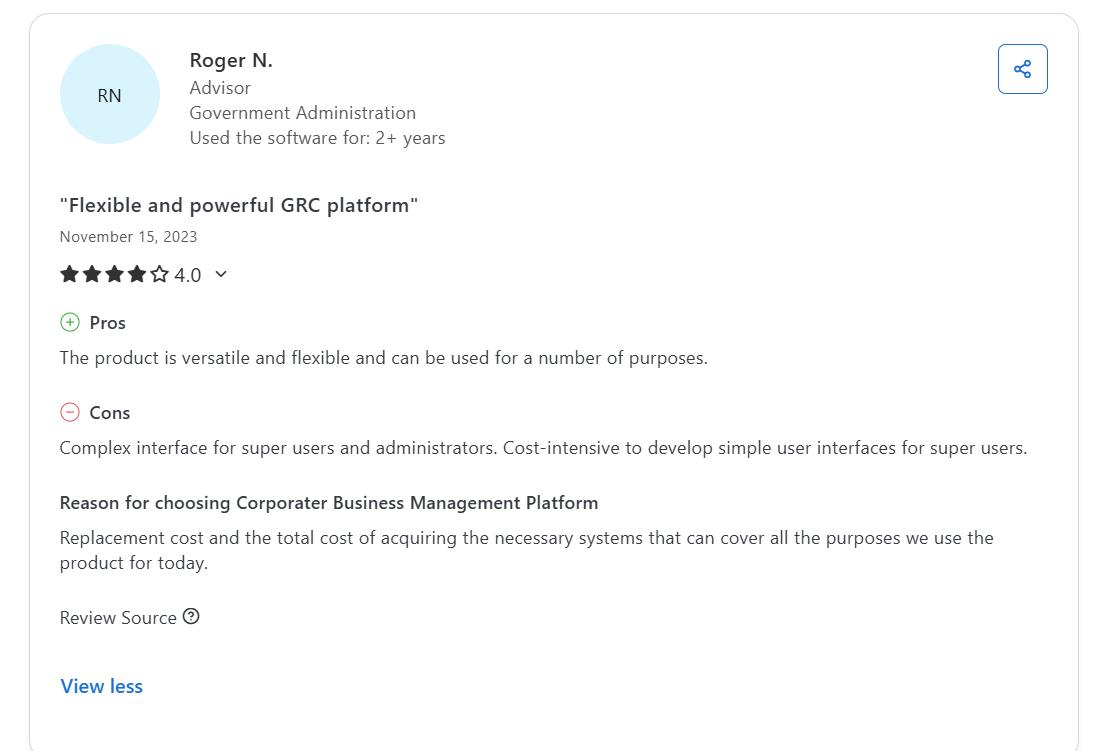
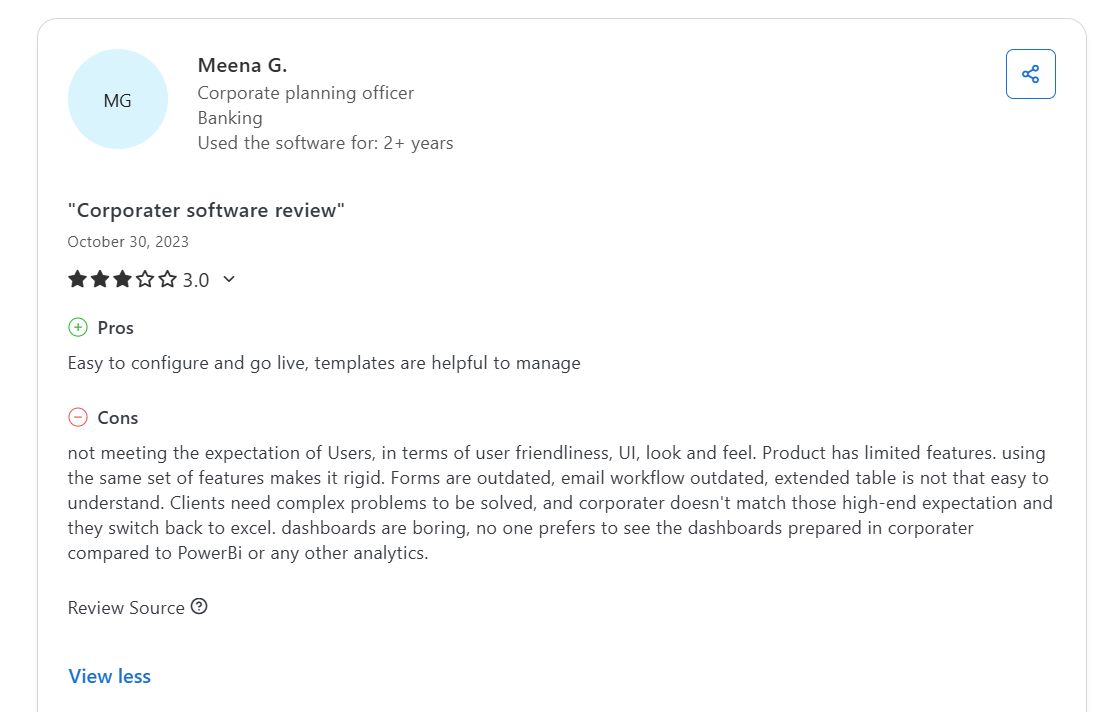
Many reviews mention a steeper learning curve, cost‑intensive setup, and limited out‑of‑the‑box reports, requiring expert configuration or additional consulting hours.
Source

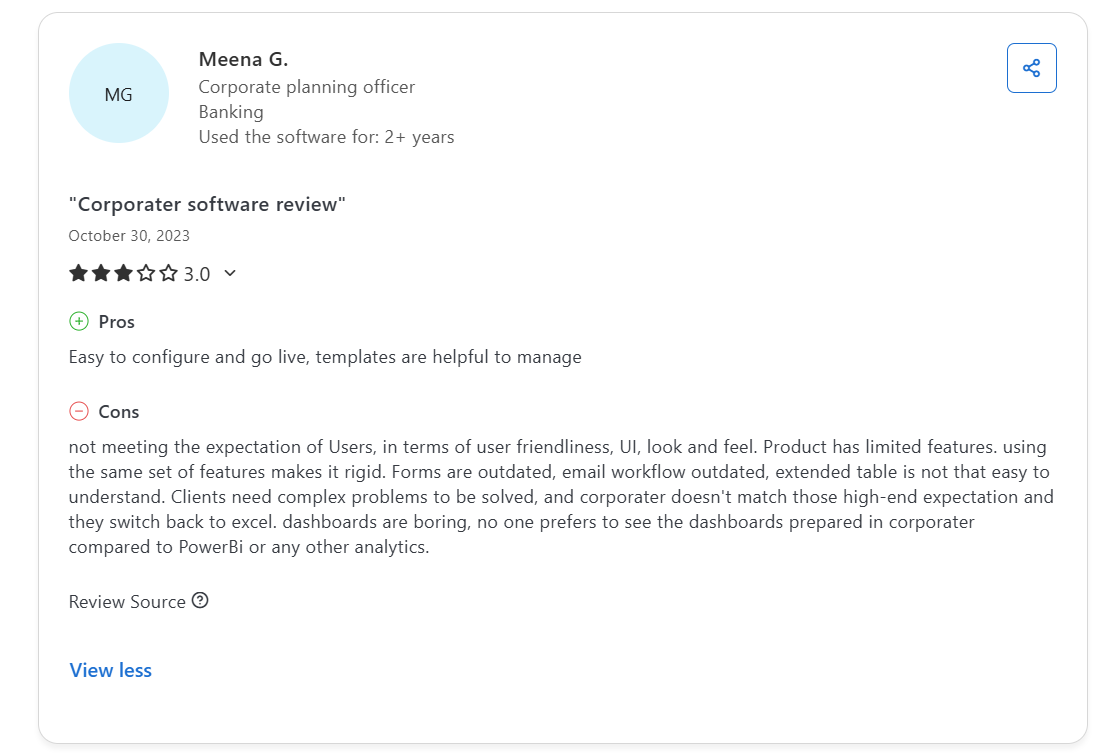
Some also describe the interface as dated or overly complex, particularly for non‑technical users, while others point to rigid workflows and missing modern analytics features compared to some other tools.
Source

In short, Corporater offers significant long‑term value for enterprises with the resources to customize and maintain it – but for smaller or mid‑market teams seeking faster deployment, transparent pricing, and easy reporting, the total cost of ownership may outweigh the benefits.

Looking for a Corporater alternative?

If Corporater’s pricing opacity, long implementation cycles, or interface limitations have you second-guessing your GRC investment, you’re not alone.

Many organizations today are rethinking what they need from a governance, risk, and compliance platform. 

The priorities have shifted toward faster onboarding, intuitive UX, transparent pricing, and tools that don’t just check compliance boxes, but also adapt and scale as business needs evolve.

That’s where SmartSuite comes in.
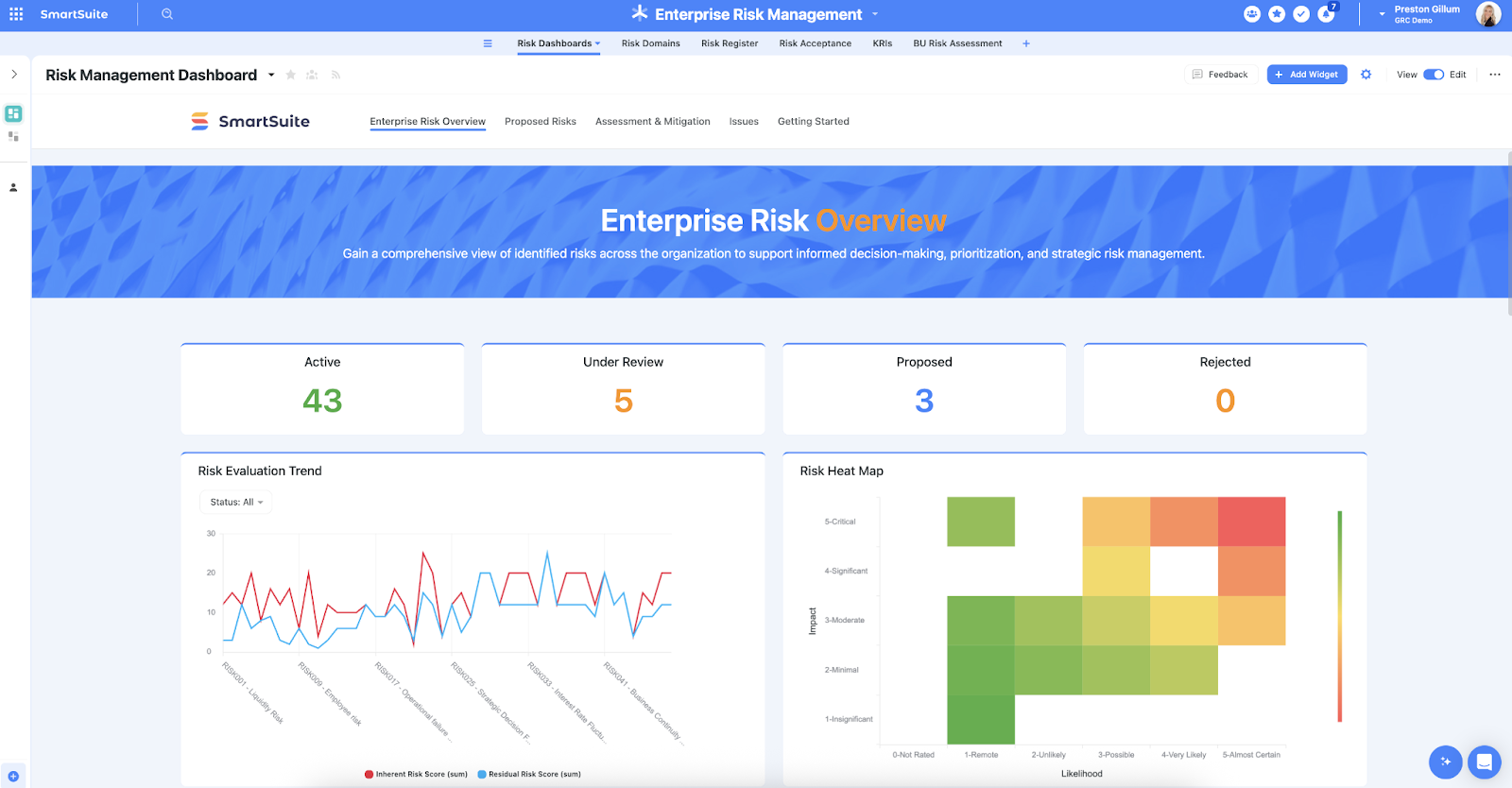
SmartSuite delivers all the core functionality of a powerful GRC platform without the enterprise lock-in. 

It’s designed for teams that want to move fast, stay compliant, and customize their risk and compliance workflows without waiting on outside consultants or burning through budget.

Next, we’ll explore exactly how SmartSuite stacks up: from features and templates to pricing, configurability, and reporting power.

1. Unified GRC platform

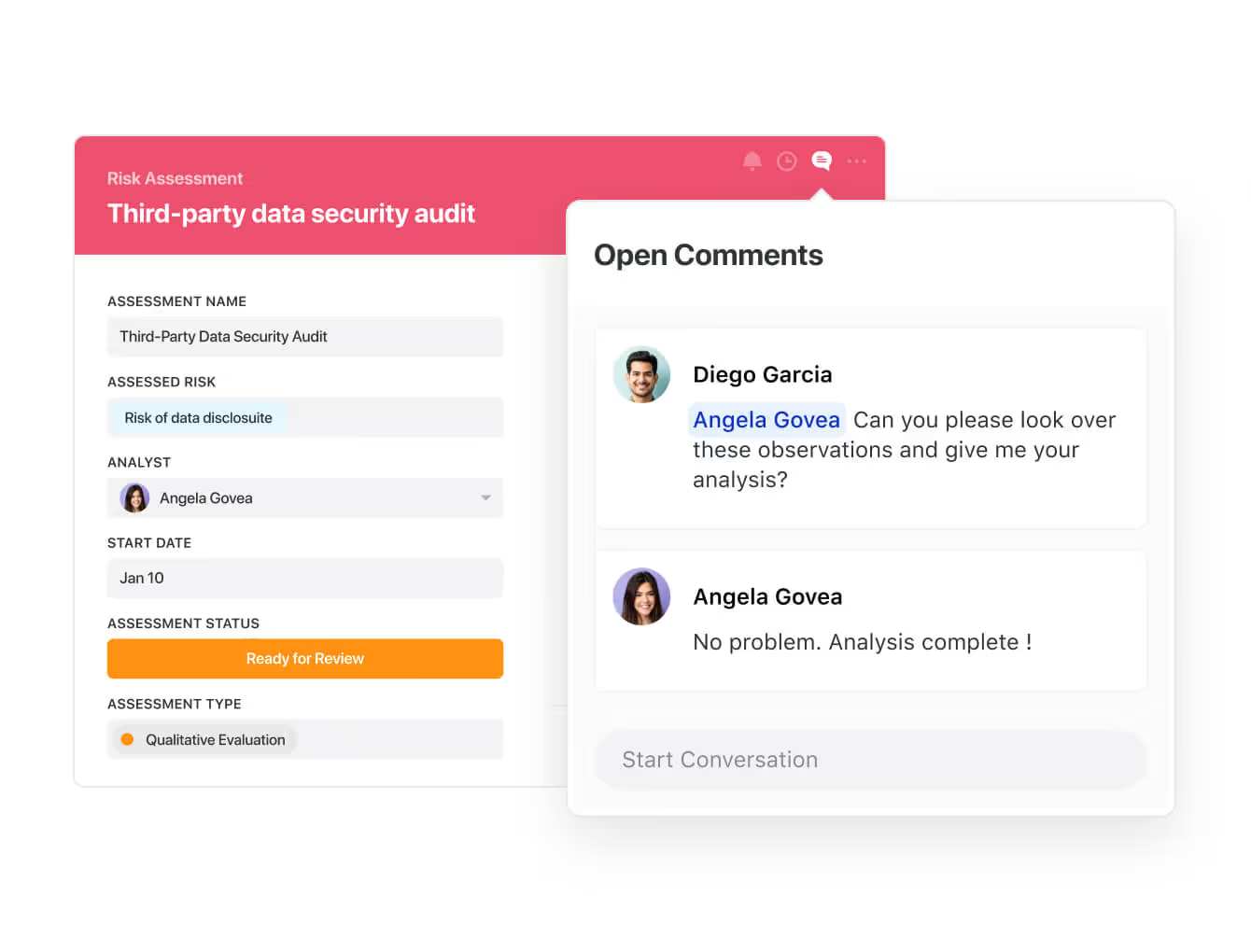
SmartSuite centralizes all governance, risk, and compliance processes in a single, intuitive workspace.

Instead of juggling multiple tools or relying on static reports, teams can manage risk assessments, policy updates, incidents, and audits in one connected environment that updates in real time.

Some highlights include:

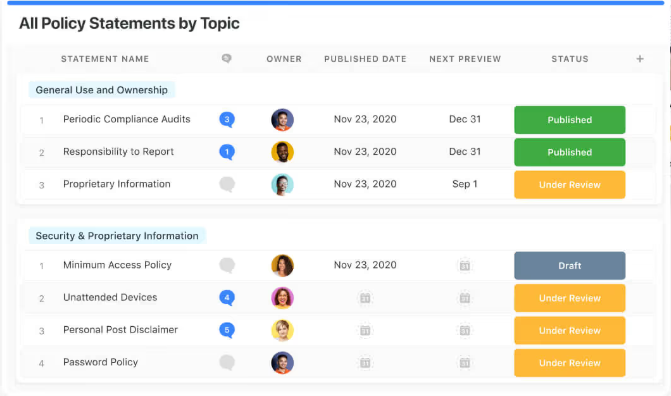
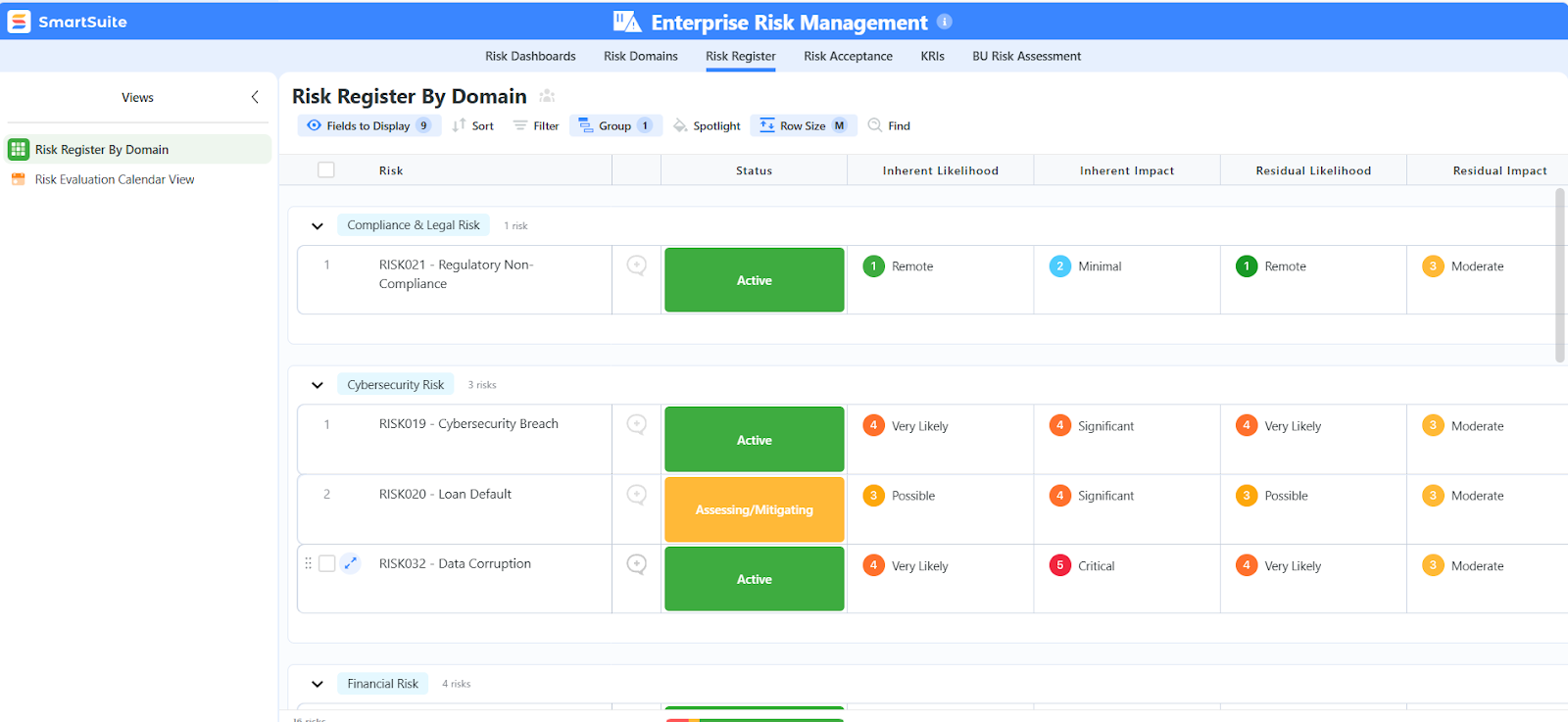
  • Centralized risk register: Identify, score, and monitor risks by likelihood and impact, link them to controls, and track mitigation plans through completion.
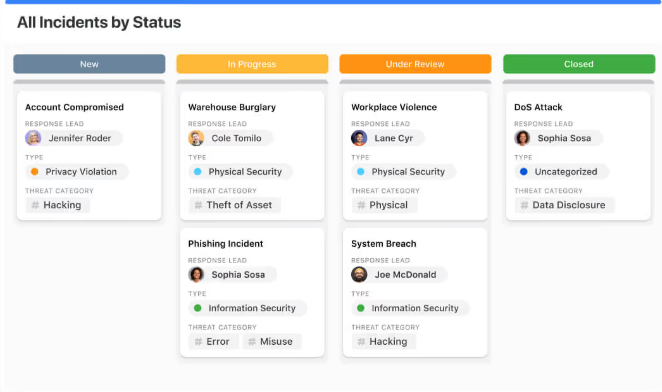
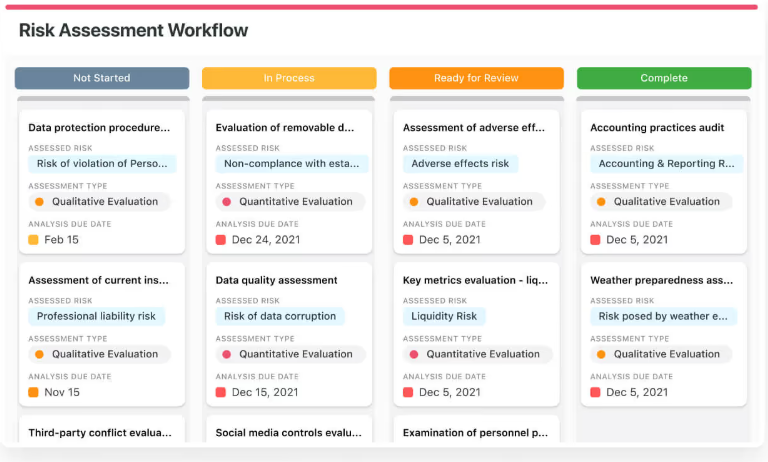
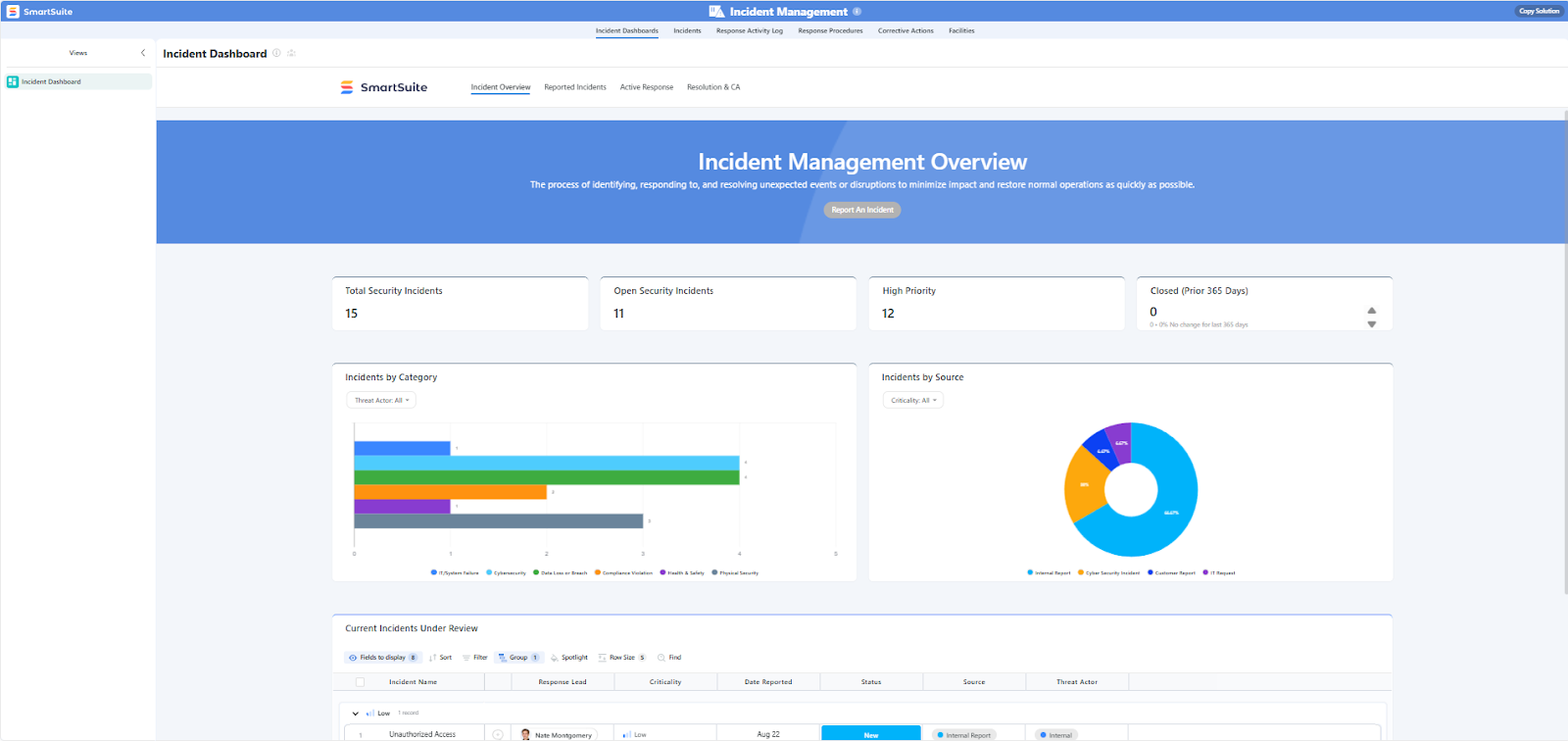
  • Incident & threat management: Capture incidents as they occur, assign ownership, automate escalations, and document corrective actions for full traceability.
  • Integrated compliance management: Map internal policies to regulatory frameworks (like GDPR, ISO, HIPAA, or SOC 2) and automate reminders for reviews or renewals.
  • Vendor & third-party risk: Consolidate supplier data, run due diligence checks, and automate periodic assessments to ensure ongoing compliance.
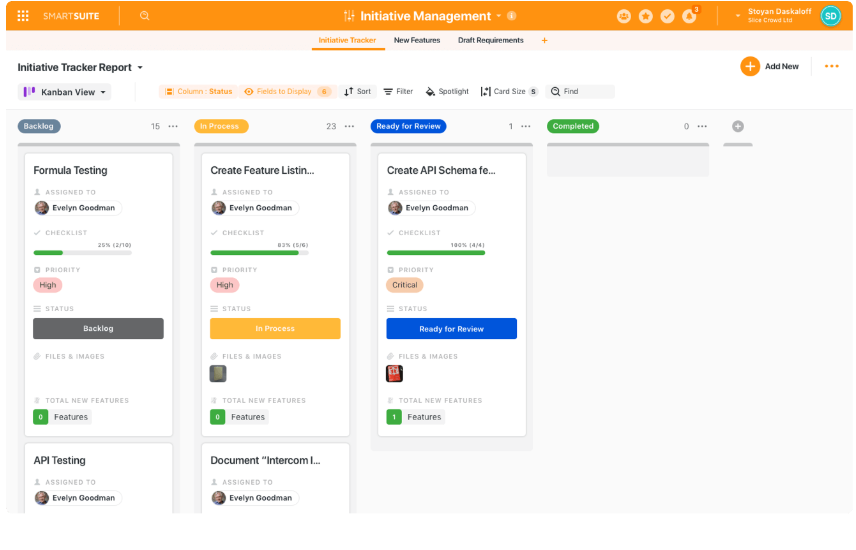
  • Real-time collaboration: Connect every stakeholder in one live workspace where discussions, updates, and actions happen instantly, so teams can respond to risks faster and stay in sync without endless email threads.
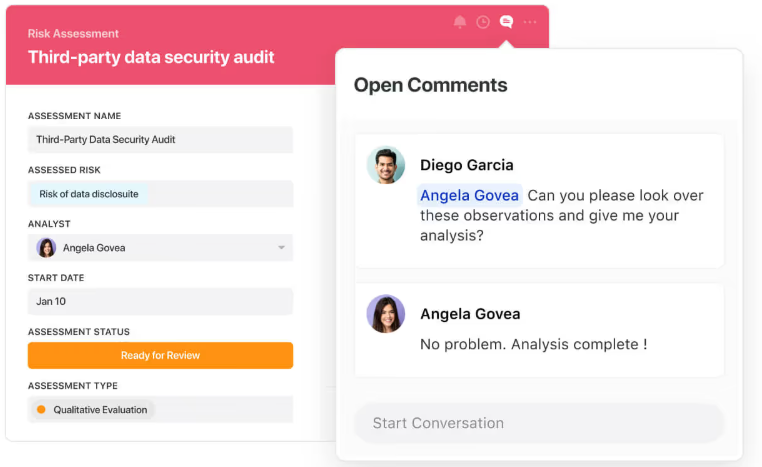
Everything lives in one ecosystem, making SmartSuite a true control center for governance and operational integrity.

2. Ready-made, customizable templates

SmartSuite’s pre-built GRC templates give teams a head start while keeping full flexibility for customization.
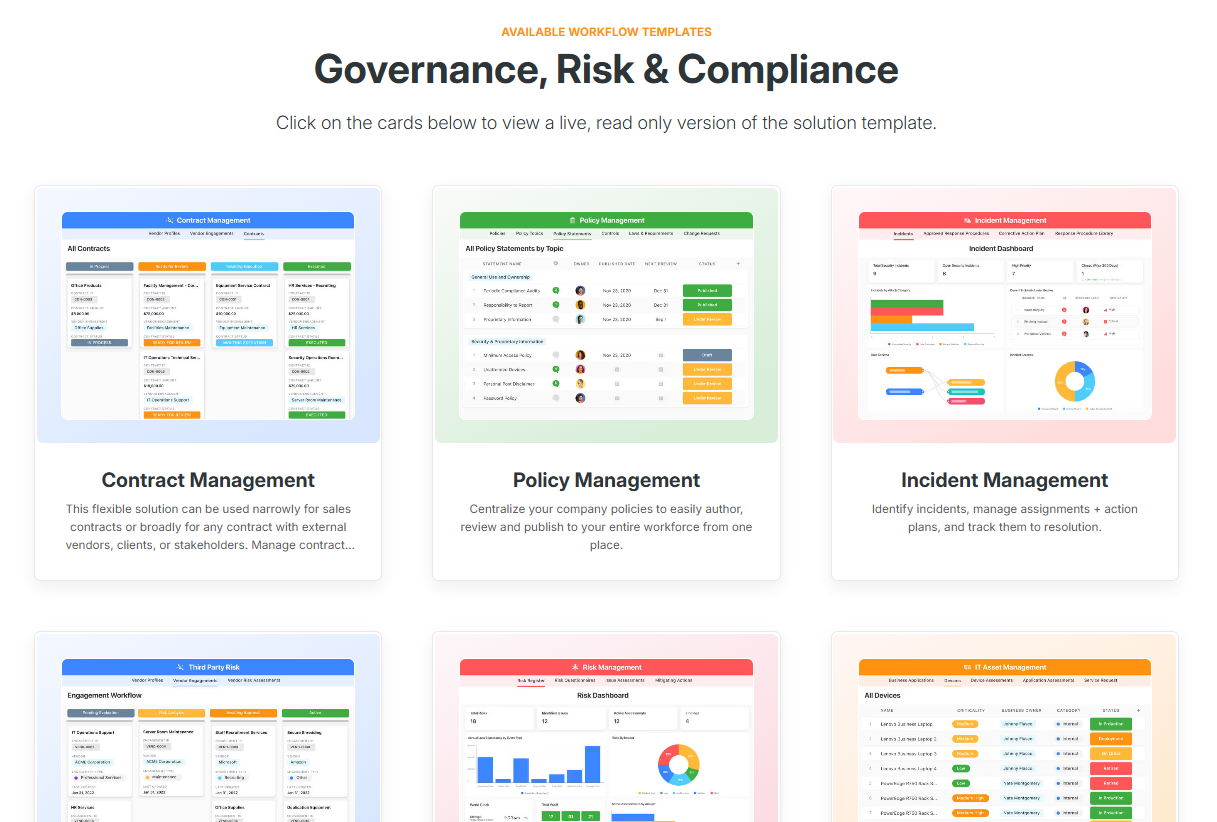
Each template is built on industry best practices and can be configured in minutes to reflect your organization’s unique requirements.

Popular templates include:

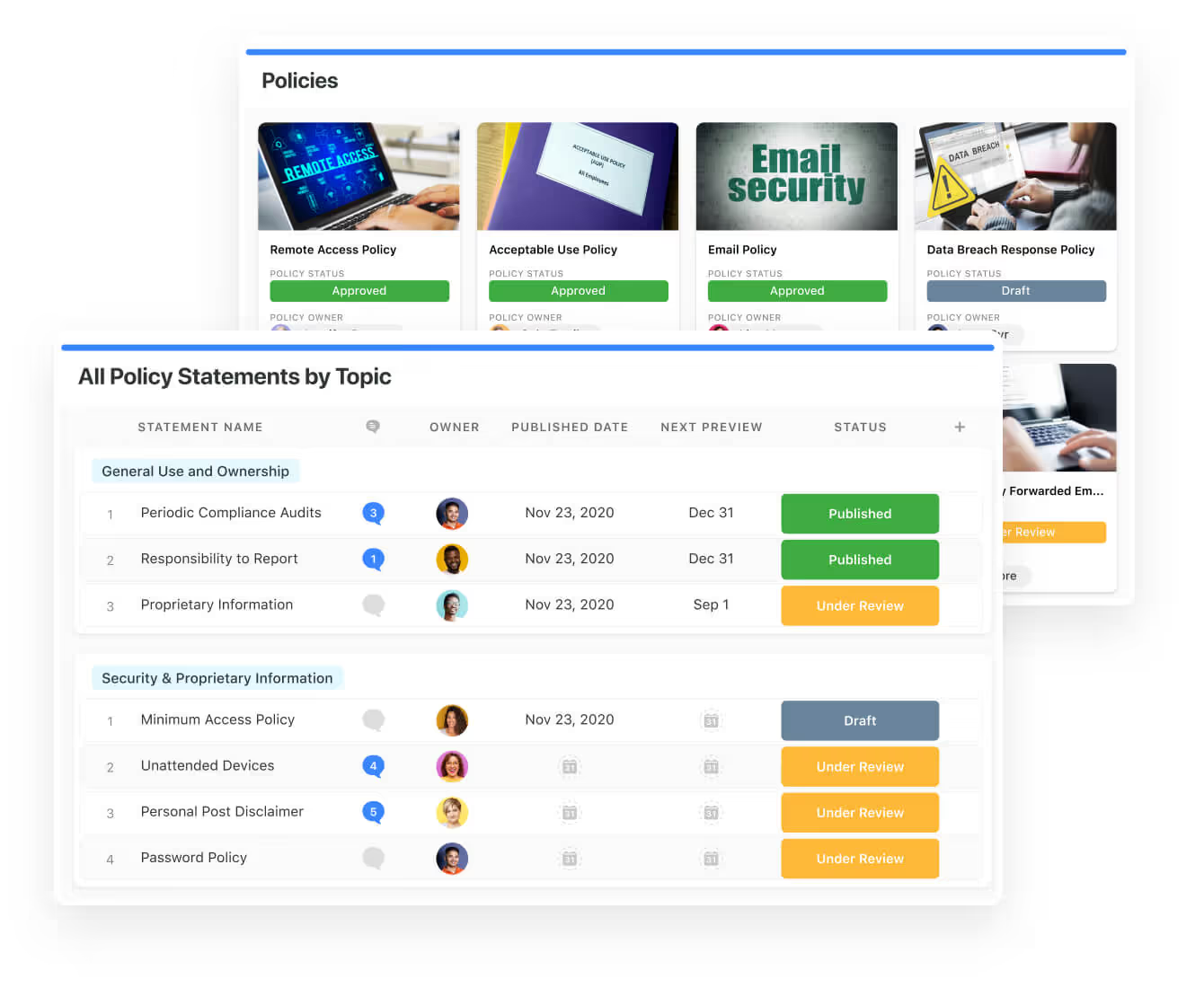
  • Policy Management: Streamline creation, approval, and publication of policies with clear version control and accountability.
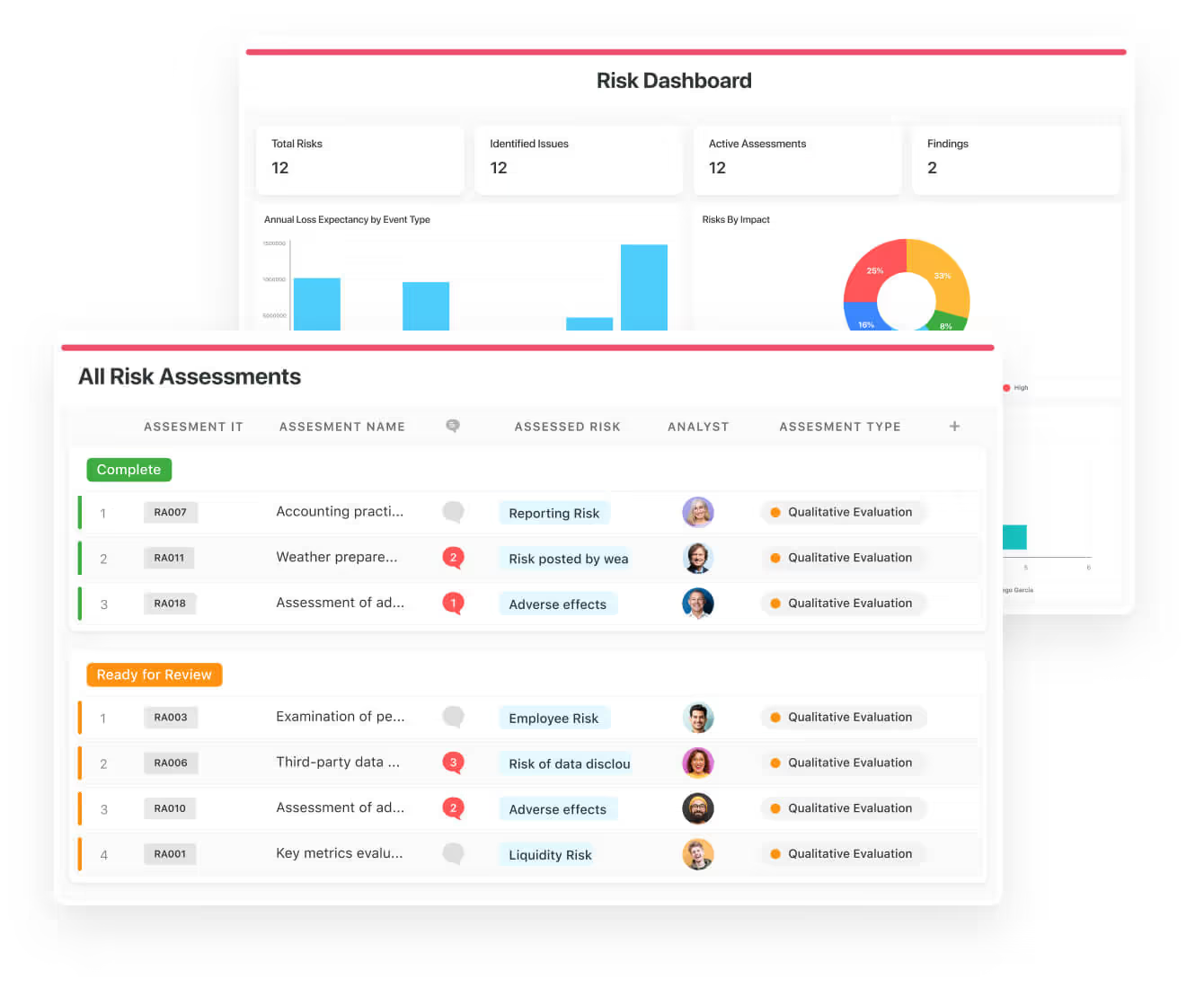
  • Risk Management: Identify and prioritize corporate risks using built-in scoring and visual dashboards.
  • Incident Management: Log and resolve incidents quickly while maintaining a complete audit trail.
  • Third-Party Risk: Evaluate vendor compliance, automate reviews, and link findings to your overall risk posture.
  • Business Continuity & Disaster Recovery: Build, test, and maintain response plans to ensure resilience.
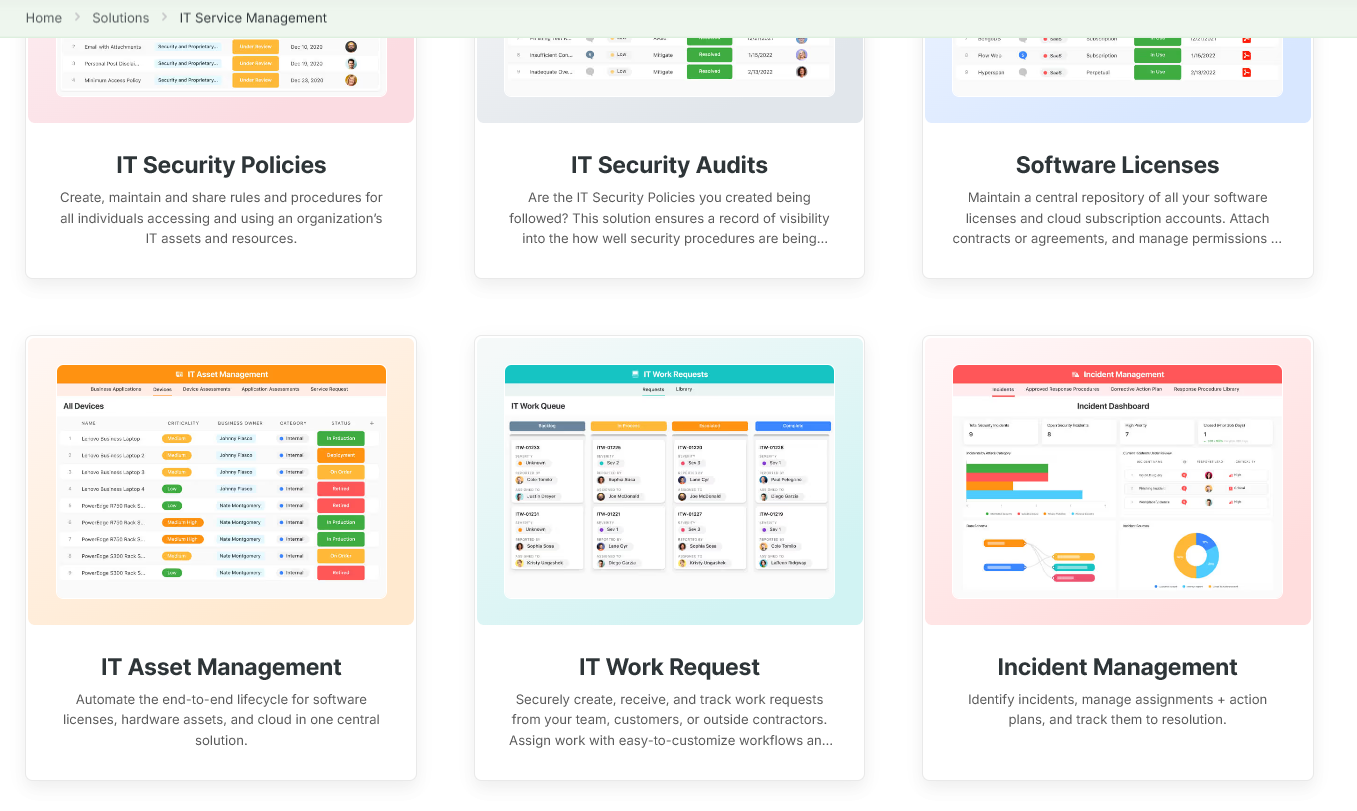
  • IT Asset Management: Track hardware, software, and cloud assets through their lifecycle with compliance checkpoints.

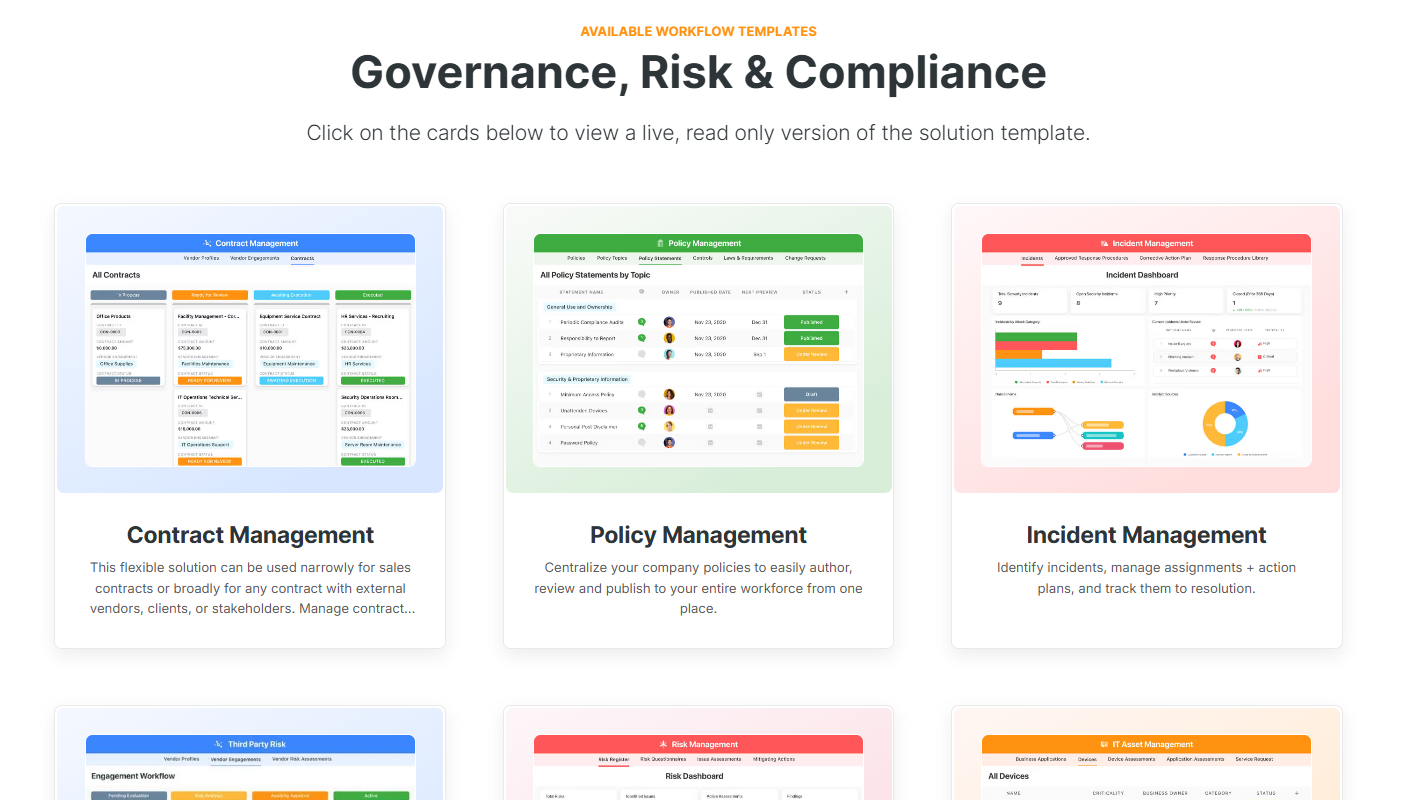
Each template is interactive and can be tested directly, so you can see exactly how it works before rollout.

3. Advanced reporting and analytics

SmartSuite’s reporting engine gives compliance, risk, and audit teams the visibility they need to make fast, confident decisions.

Instead of pulling static reports from disconnected systems, you can visualize every aspect of your governance, risk, and compliance program in one place, turning real-time data into insight that drives accountability and action.

Here’s how SmartSuite reporting strengthens your GRC processes:

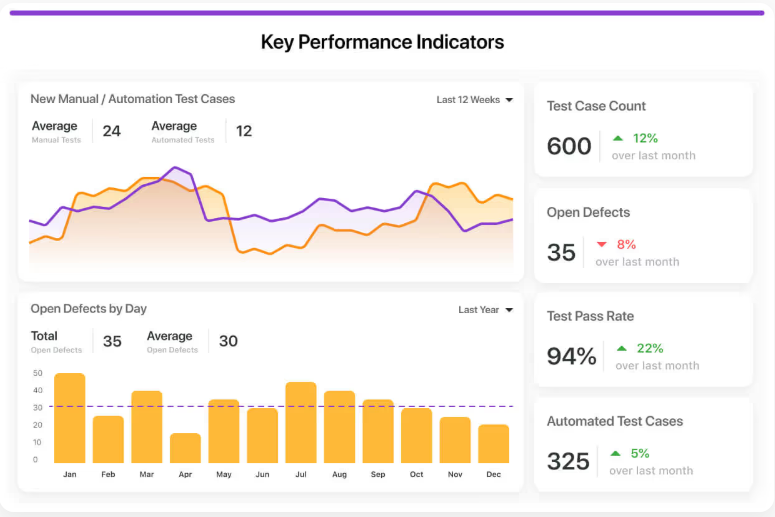
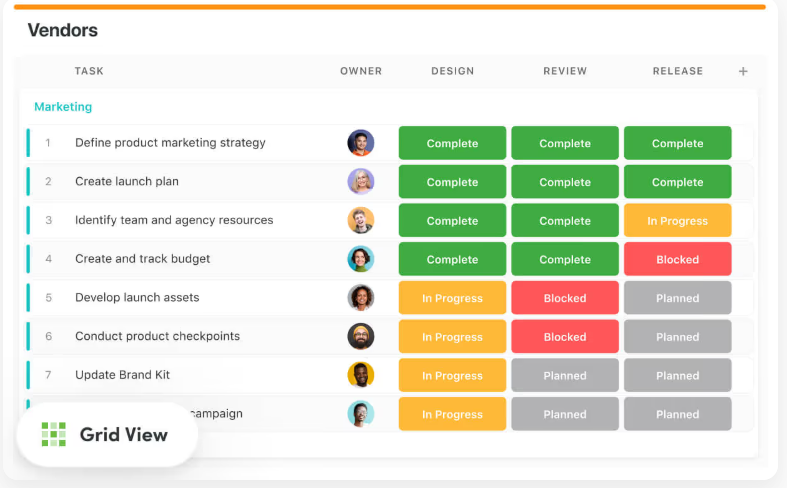
  • Multiple report views: Monitor controls, risks, and incidents through Grid, Card, Kanban, Timeline, Map, Calendar, or Dashboard views, instantly switching perspectives to spot emerging issues or overdue tasks.
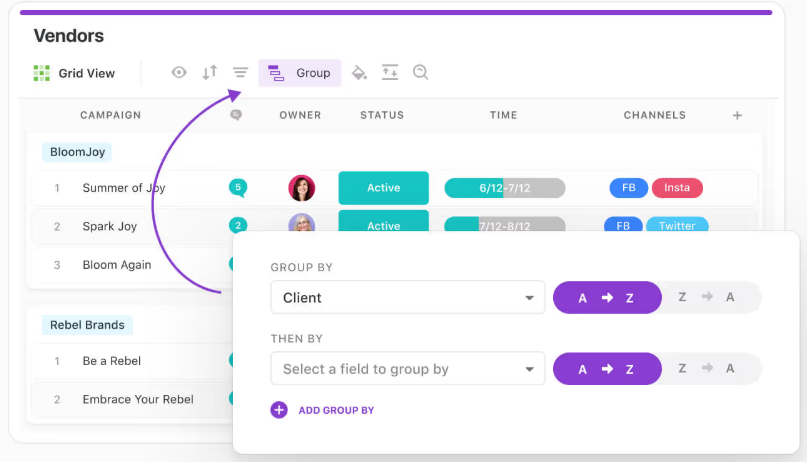
  • Powerful report toolbar: Filter by severity, control owner, or compliance framework; group risks by category; or highlight overdue actions to keep focus where it matters most.
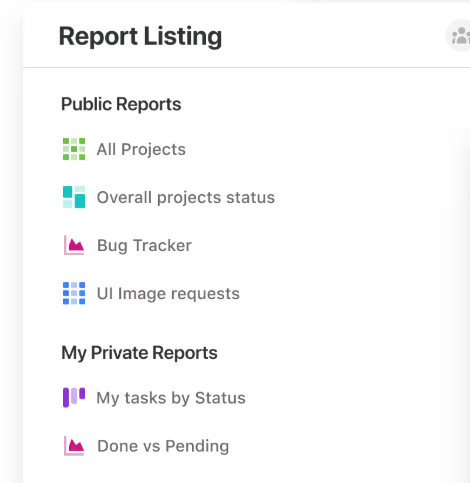
  • Public & private reports: Share compliance dashboards with executives and regulators while maintaining private working reports for audit teams.
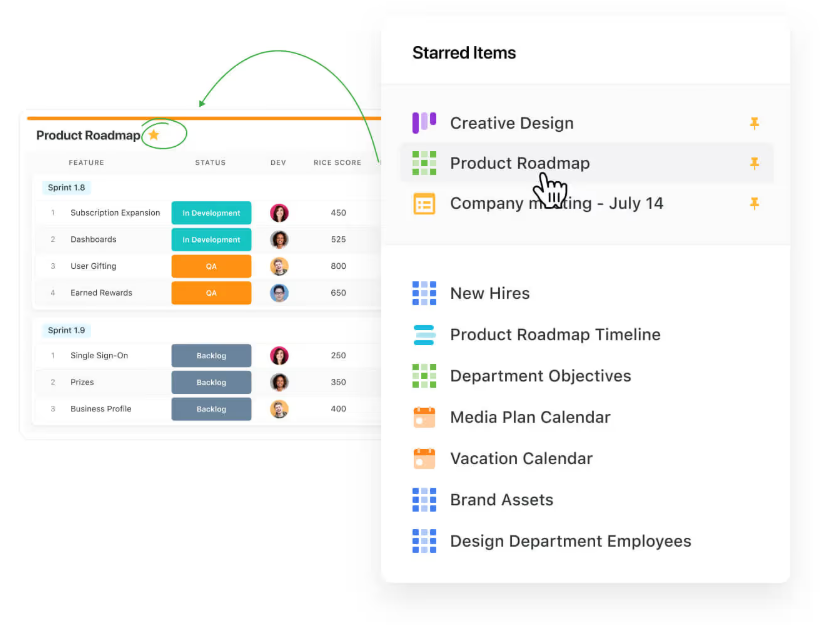
  • Favorites & quick access: Pin your most critical risk or compliance reports for one-click access during reviews or board meetings.
  • Flexible export options: Export audit evidence, compliance summaries, and vendor risk data to PDF, Excel, Google Sheets, or CSV for seamless external reporting.
  • Automated delivery: Schedule recurring reports to ensure stakeholders receive updated compliance and risk metrics automatically.
  • Mobile-ready access: Track KPIs, incidents, and audit findings on the go, giving compliance leads and executives real-time visibility into risk posture anytime, anywhere.
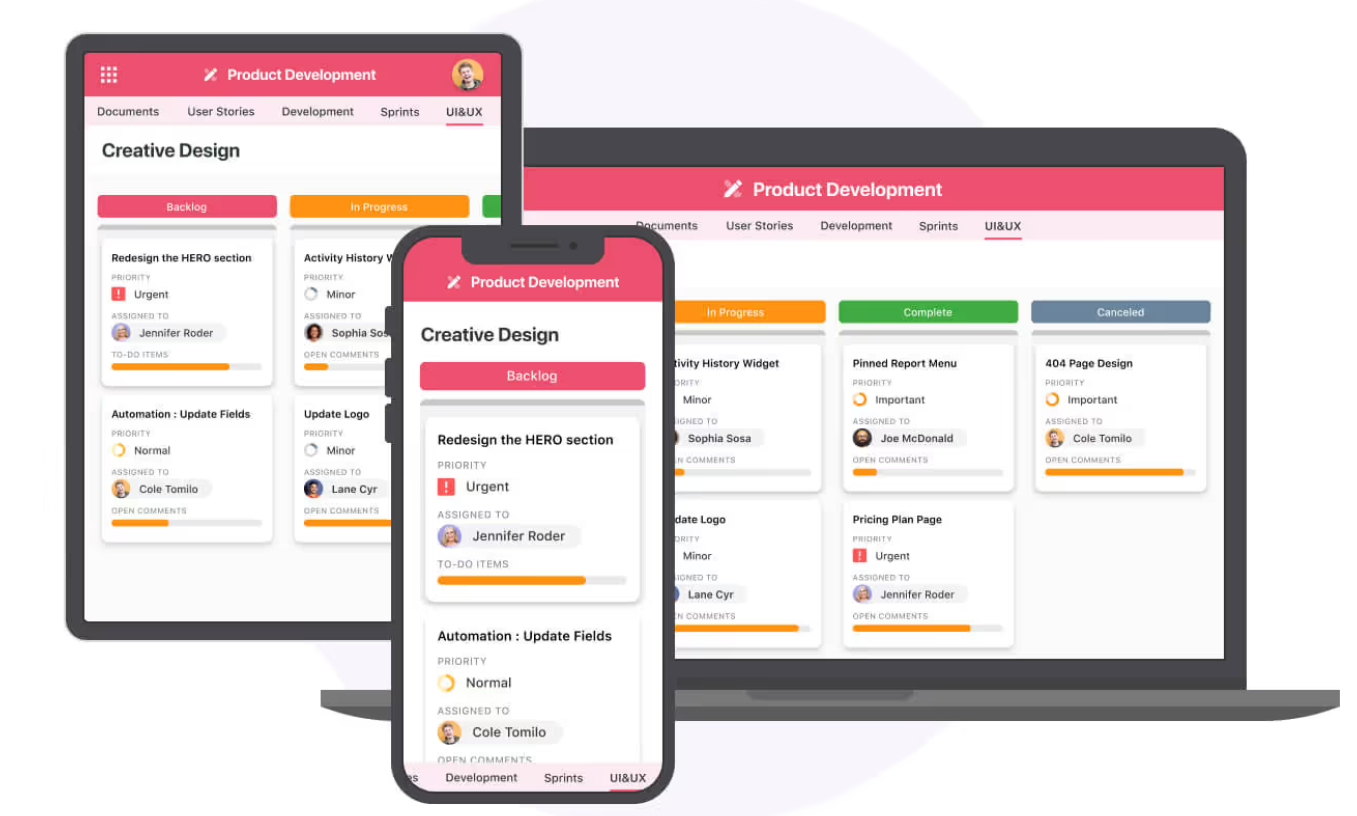
With SmartSuite, GRC reporting isn’t a static compliance exercise – it’s a live command centre for monitoring risk exposure, tracking controls, and demonstrating accountability across your entire organization.

4. Easy customization and scalability

Every organization has unique governance and compliance needs, and SmartSuite is built to adapt to them – no coding required.

You can shape the platform to match your workflows, risk models, and reporting formats in minutes.

Customization options include:
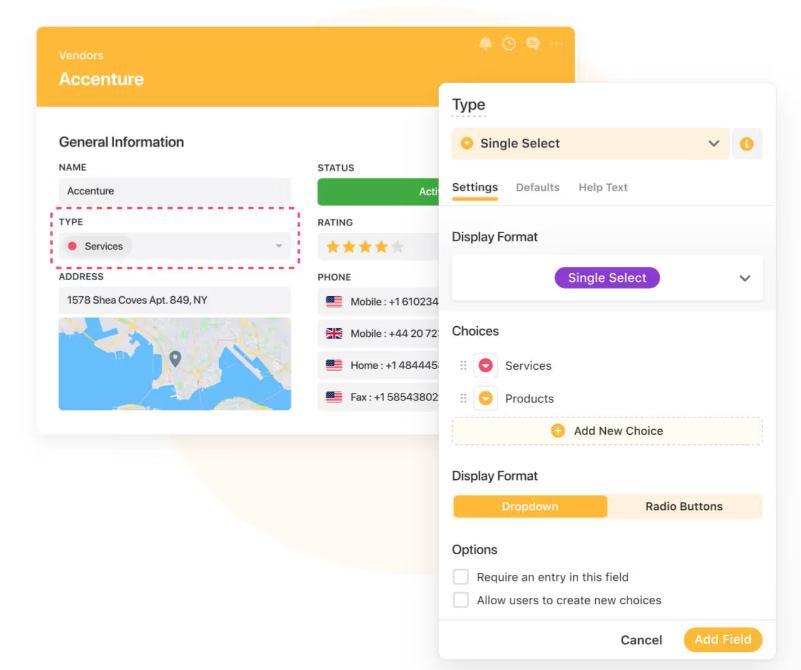
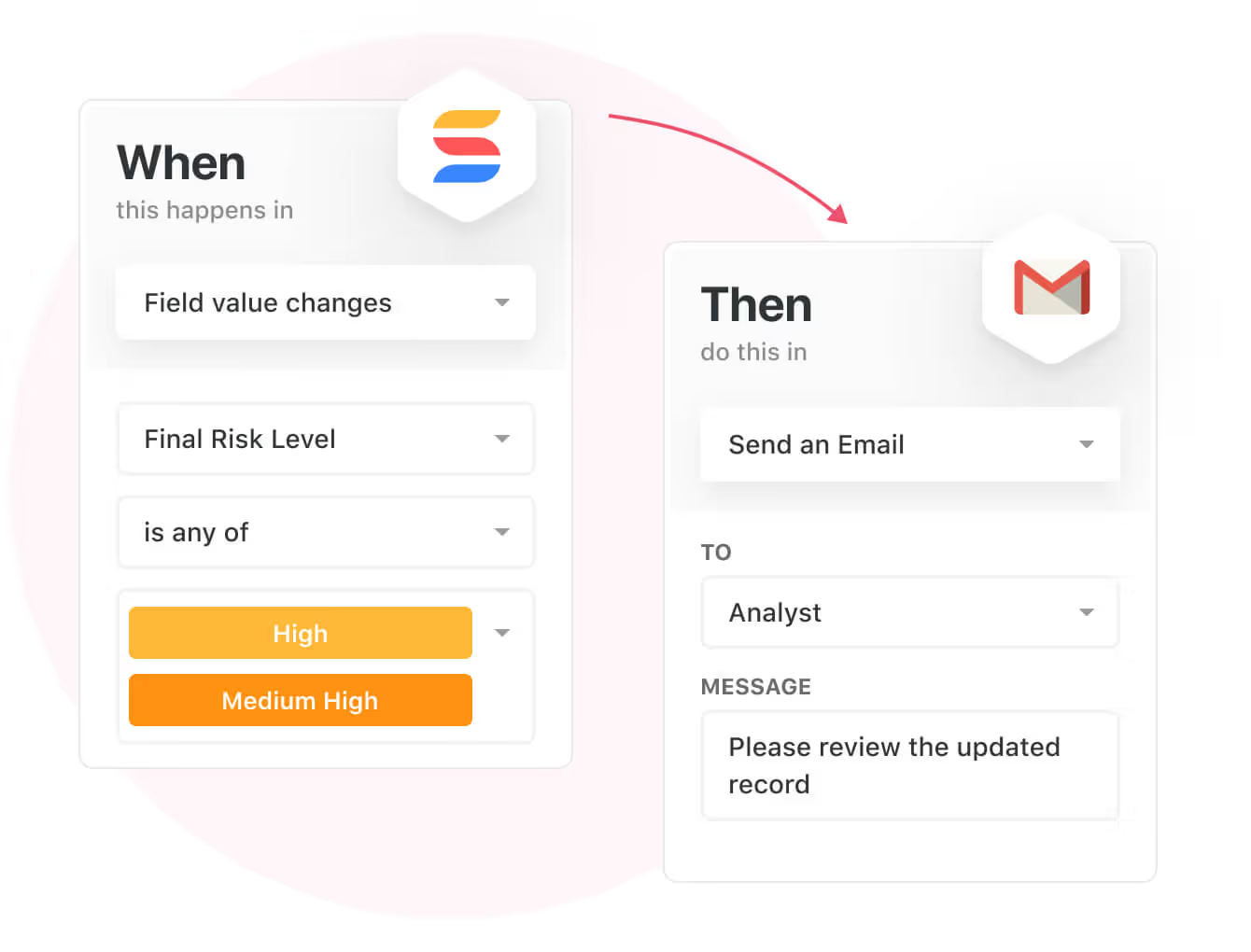
  • Drag-and-drop workflow builder to automate approvals, escalations, and notifications.
  • Custom risk calculations and KPIs for industry-specific scoring models.
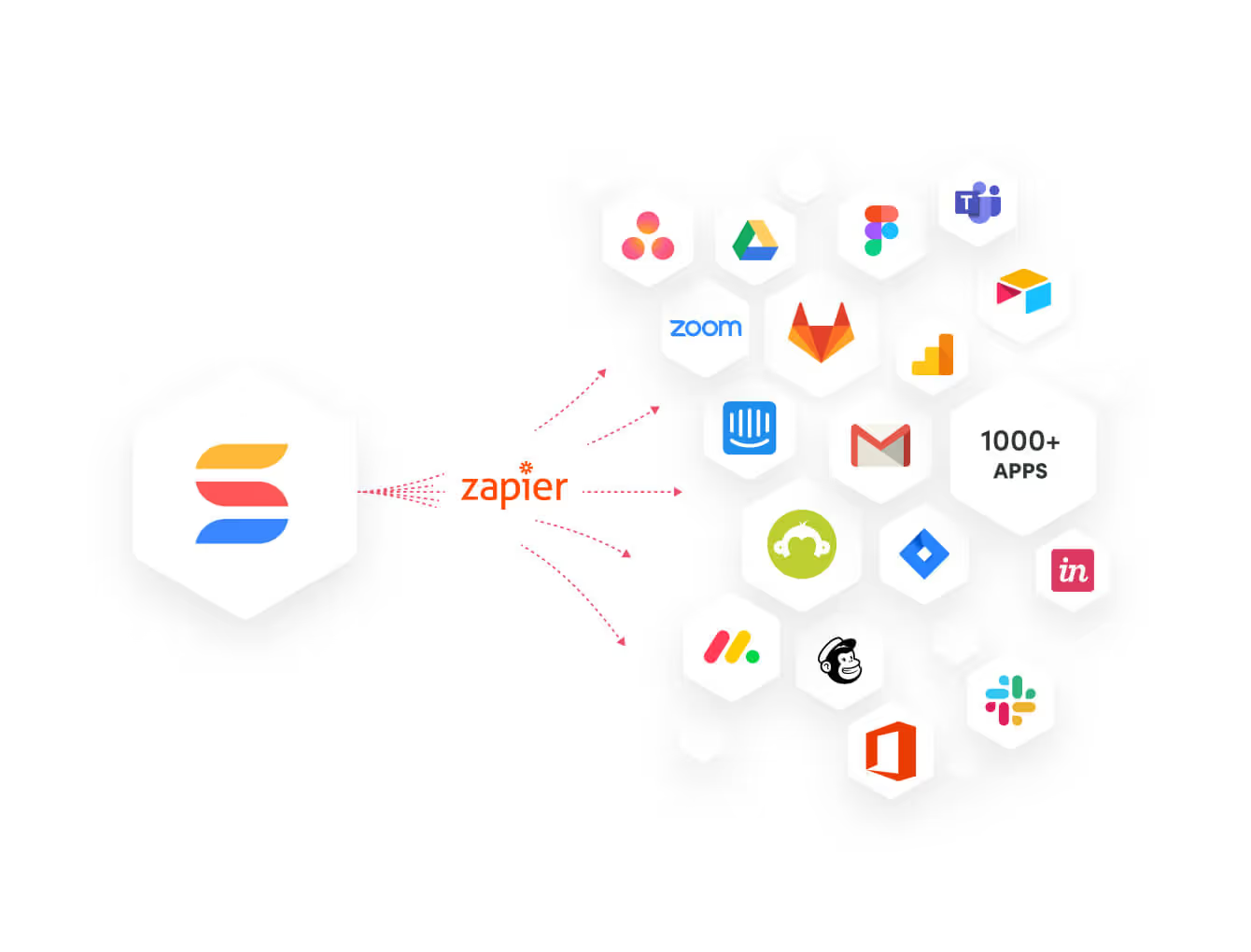
  • Native integrations with Slack, Gmail, Outlook, Microsoft Teams, Zapier, and REST API for data exchange.

The result is a system that feels tailor-made without the enterprise-grade complexity or cost.

How does SmartSuite’s pricing compare to Corporater’s?

Unlike Corporater’s opaque, quote-based pricing model, SmartSuite keeps things simple and transparent, so teams know exactly what they’re paying for and can scale their GRC programs without surprises.

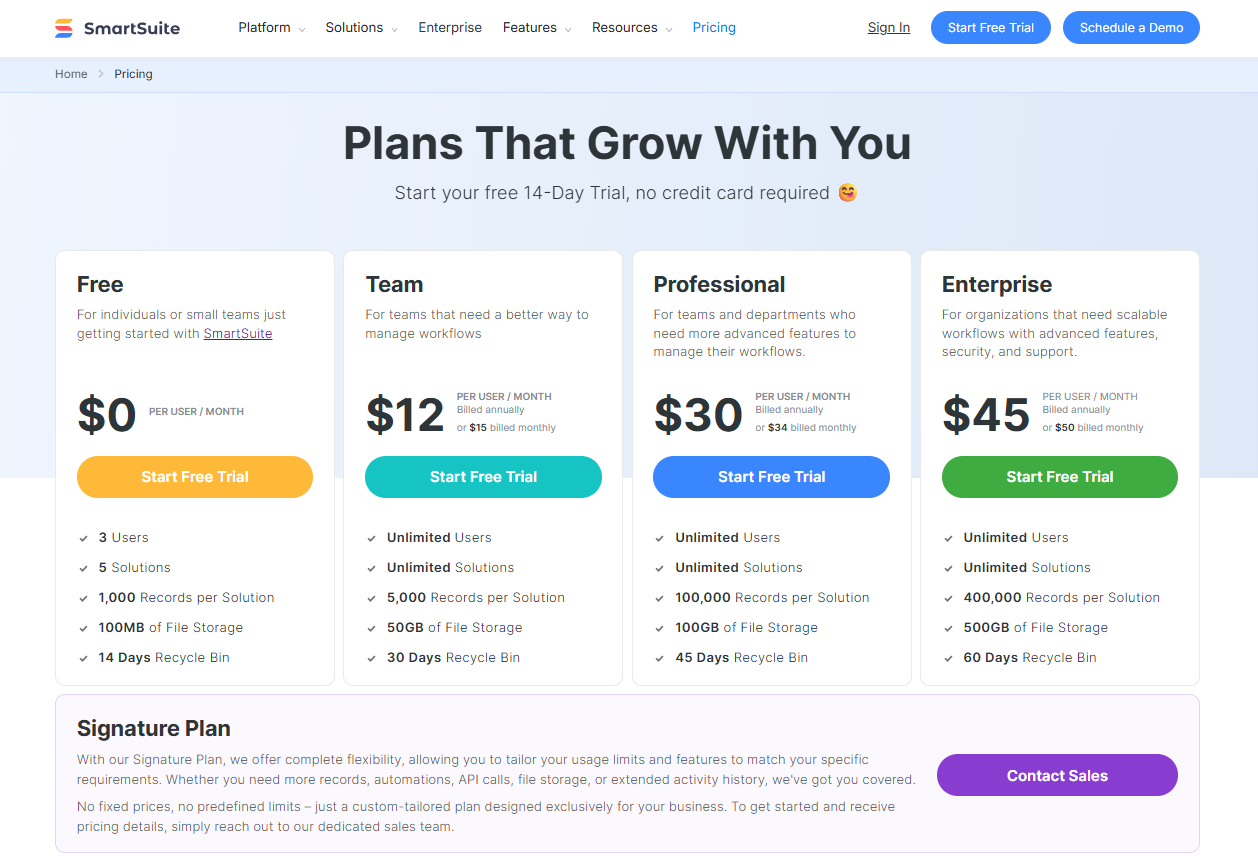
The platform offers a Free Forever plan designed for individuals and small teams, giving access to core GRC templates, dashboards, real-time collaboration, and reporting features. 

It supports up to 3 users, 5 solutions, and 1,000 records per solution, making it ideal for smaller teams or those piloting SmartSuite’s GRC capabilities before a full rollout.

And if you need more power, SmartSuite’s four paid tiers scale seamlessly with your organization’s growth and compliance maturity:

  • Team: $12/user/month, includes everything in Free, plus unlimited solutions, 5,000 records per solution, 50GB of file storage, advanced collaboration tools, and a 30-day recycle bin.
  • Professional: $30/user/month, includes everything in Team and adds advanced permissions, two-factor authentication, Gmail & Outlook integrations, AI features, and 100GB of file storage.
  • Enterprise: $45/user/month, includes everything in Professional, plus audit logs, data loss prevention, up to 50,000 monthly API calls, and 500GB of file storage.
  • Signature: Custom pricing, a fully tailored plan with no predefined limits, offering extended storage, API capacity, records, automations, and advanced enterprise security options such as SCIM provisioning and regional data residency.

The first three paid plans include a 14-day free trial with no credit card required, allowing teams to explore SmartSuite’s full capabilities before committing.

How is SmartSuite different from Corporater?

While both Corporater and SmartSuite help organizations manage governance, risk, and compliance, the way they deliver value – and the experience they provide – couldn’t be more different.

Here’s how they compare:

  • Pricing transparency: Corporater relies on a custom-quote model with no public pricing, making it difficult for buyers to estimate cost or compare options. SmartSuite publishes all plan details upfront, starting at $12 per user/month, with a Free Forever plan and a 14-day trial on all paid tiers.
  • Accessibility and deployment speed: Corporater implementations often involve lengthy setup, configuration, and integration cycles. SmartSuite, on the other hand, is ready to use from day one, with plug-and-play GRC templates and no-code customization that let teams launch quickly without outside consultants.
  • Ease of use: User reviews frequently describe Corporater as flexible but complex, requiring expertise to configure reports and dashboards. SmartSuite’s modern, intuitive interface makes GRC processes easy to manage even for non-technical users – no coding or training overhead required.
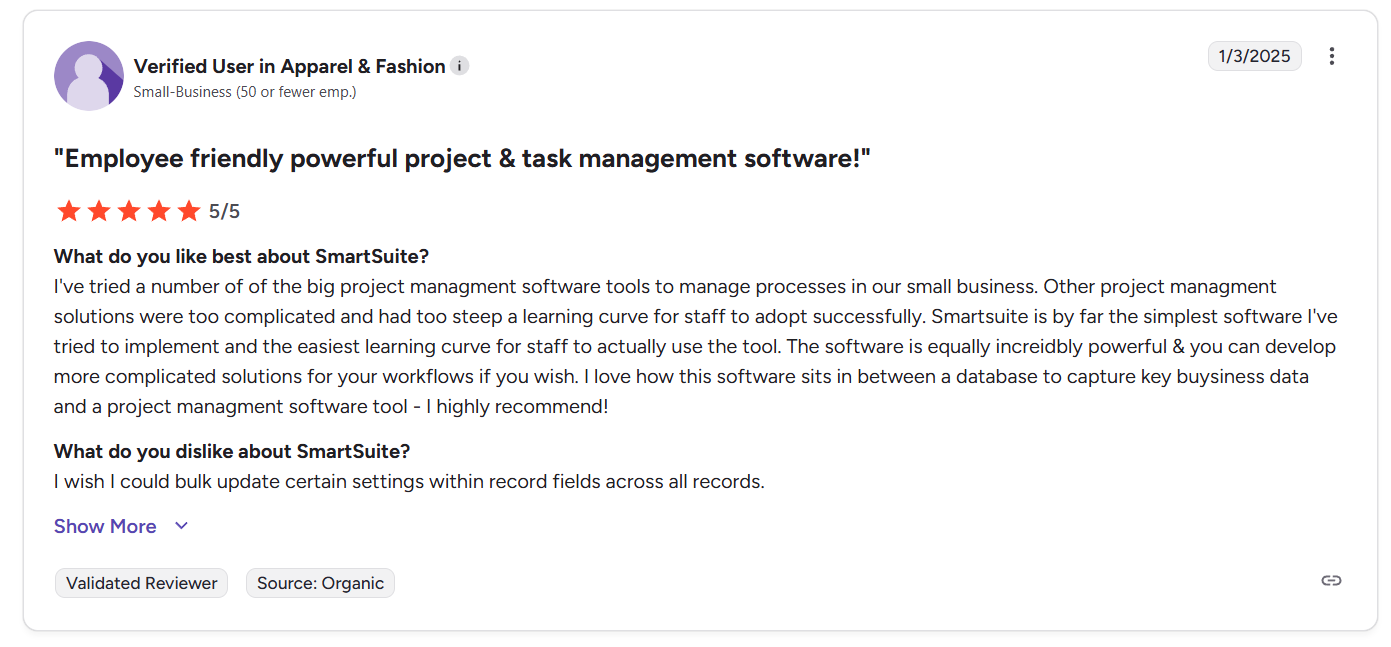
Source

  • Reporting and visibility: Corporater offers powerful reporting capabilities but limited out-of-the-box visualizations and customizations. SmartSuite provides real-time dashboards, customizable reports, and automation features that keep executives and auditors aligned with live compliance and risk data.
  • Customization and flexibility: While both platforms are configurable, SmartSuite’s no-code workflow builder gives teams far more autonomy to tailor fields, automations, and dashboards without relying on vendor assistance.
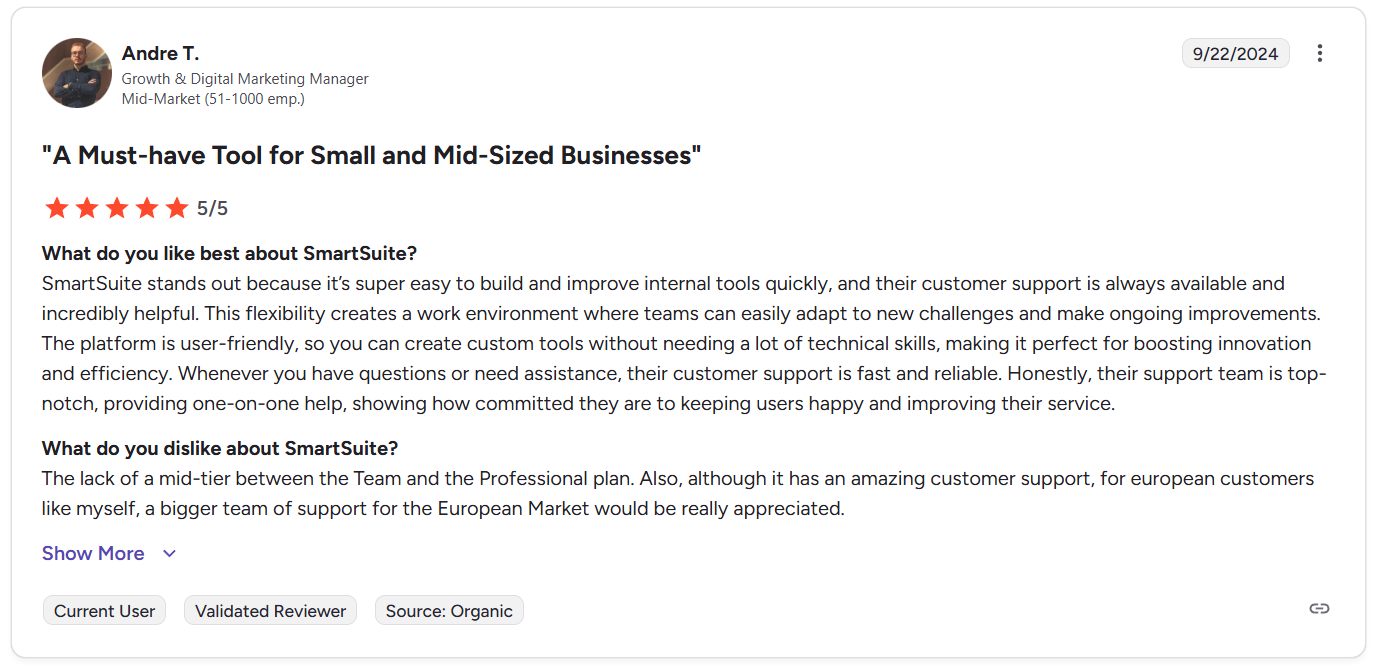
Source 

  • Scalability: Corporater is best suited for large enterprises with complex, top-down GRC programs. SmartSuite is built to scale from small teams to global organizations, combining enterprise-grade features with the flexibility and affordability growing companies need.

In short, Corporater is a powerful platform for large enterprises with deep budgets and long implementation timelines, while SmartSuite delivers the same level of GRC depth in a modern, transparent, and user-friendly platform, helping teams move faster, stay compliant, and operate with clarity at every level.

Final thoughts: Choosing the right GRC platform for 2025

Corporater has earned its reputation as a flexible, enterprise-grade platform for managing strategy, performance, and compliance. 

For large organizations with the time, resources, and budget to fully customize their environment, it can be a powerful tool.

But in 2025, many teams are looking for something different – a GRC solution that’s easier to adopt, faster to deploy, and more transparent to buy. 

That’s where SmartSuite stands out.

SmartSuite delivers the same depth of governance, risk, and compliance capabilities as traditional enterprise tools but without the high cost or long implementation cycles. 

With ready-made templates, robust reporting, real-time collaboration, and no-code customization, it empowers teams to manage compliance and risk confidently from day one.

Whether you’re building your first GRC program or scaling an existing one, SmartSuite gives you everything you need – flexibility, visibility, and control – at a fraction of the cost of Corporater.

Start your 14-day free trial today and see how SmartSuite can simplify and strengthen your GRC program.
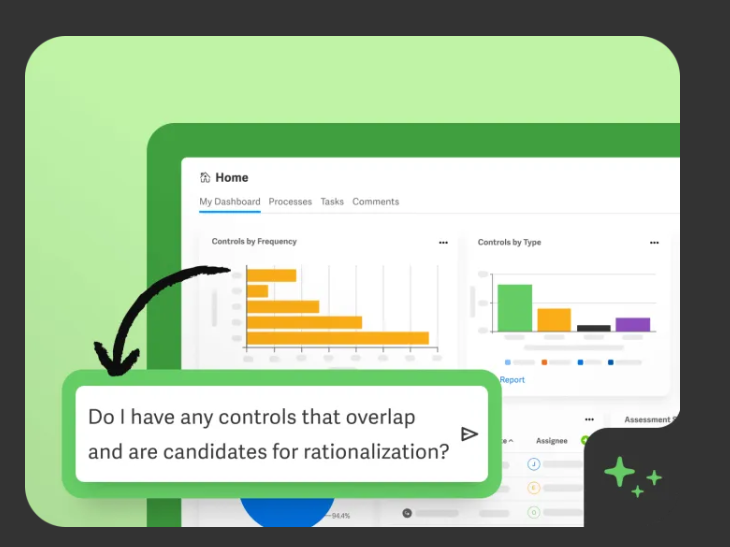
Read more

10 Best Workiva Alternatives & Competitors In 2025

Software Stack Editor · October 14, 2025 ·

Workiva’s GRC platform combines governance, risk, and compliance workflows with up‑to‑the‑minute financial and sustainability data in a single secure environment.

The tool promises AI workflows to automate repetitive tasks, advanced dashboards, and the ability to map risks, controls, and policies to major standards.

However, some users of the platform are not satisfied with its significant investment required to get up and running, steep learning curve, and occasional bugs.

In this guide, I’ll go over the 10 best Workiva alternatives for GRC that can help you manage policies, track compliance efforts, and ensure regulatory alignment.

TL;DR

  • SmartSuite offers the best alternative to Workiva with its no-code automation builder, ready-to-use GRC templates, and customizable dynamic dashboards.
  • Enterprise-grade tools like AuditBoard and SAP GRC are ideal for large organizations that need audit-first or ERP-embedded GRC capabilities.
  • On the other hand, platforms like StandardFusion and Hyperproof can help smaller compliance teams automate evidence collection, streamline frameworks, and remain audit-ready without the complexity of an enterprise.

Before I start with the best tools on the market that you can use instead of Workiva, I wanted to go over some of the reasons why some compliance leaders have been looking to make the switch from the software: ⤵️

Why have some compliance leaders been looking to make the switch from Workiva?

The main reasons why some users have been looking to switch from Workiva include the fact that it requires a significant investment (both monetary and time) to get started with the platform, the complexity of learning how to use it effectively, and bugs.

But don’t get me wrong here, I’m not claiming that Workiva is a bad platform that you should run from.

Hundreds of satisfied users appreciate the platform’s capabilities to drive efficiency across testing, evidence collection, reporting, and risk assessments.

However, some users have been dissatisfied with the solution for several reasons: ⤵️

#1: The platform requires a significant investment to get up and running

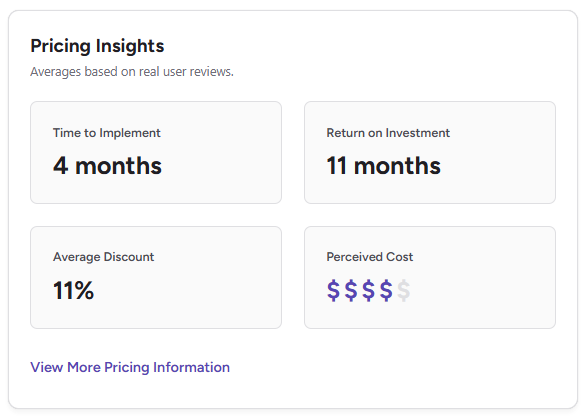
According to G2 reviews, the platform takes approximately 4 months to implement with a 4/5 perceived cost.

This has resulted in some users of the platform mentioning that the platform has required them a significant investment to both buy and implement the software.

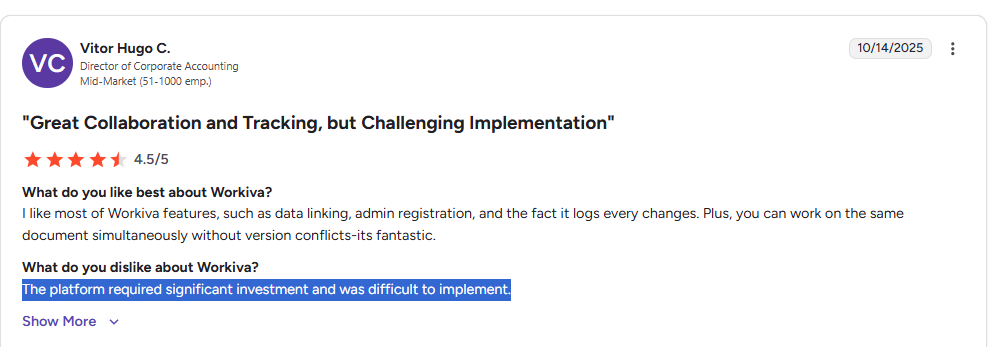
‘’The platform required significant investment and was difficult to implement.’’ – G2 Review.

#2: Steep learning curve

Next up, many users of the platform mention on G2 that it has taken them some time to get to know the platform so that they can best utilize it.

One reviewer mentions that it takes time to get to learn concepts like linking fields and building reports within the database, on top of giving users the correct roles and permissions.

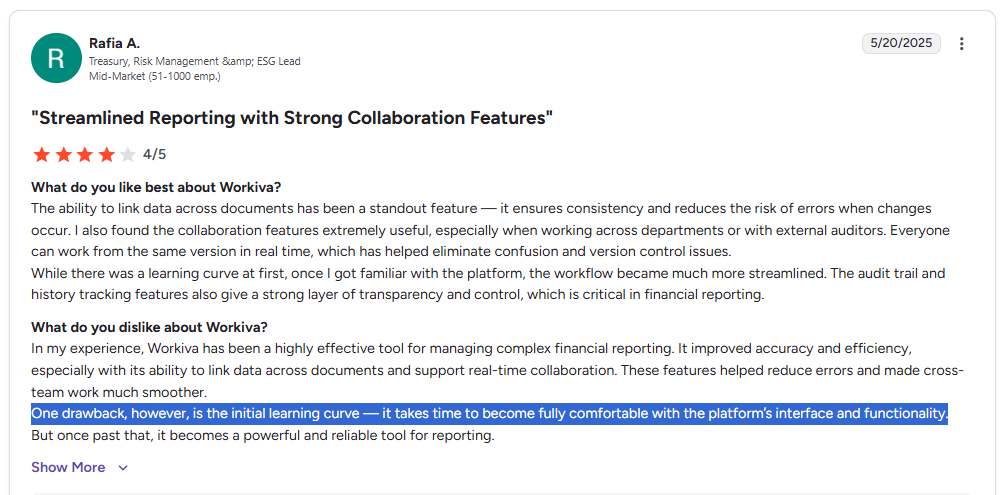
‘’One drawback, however, is the initial learning curve — it takes time to become fully comfortable with the platform’s interface and functionality.’’ – G2 Review.

#3: Occasional bugs

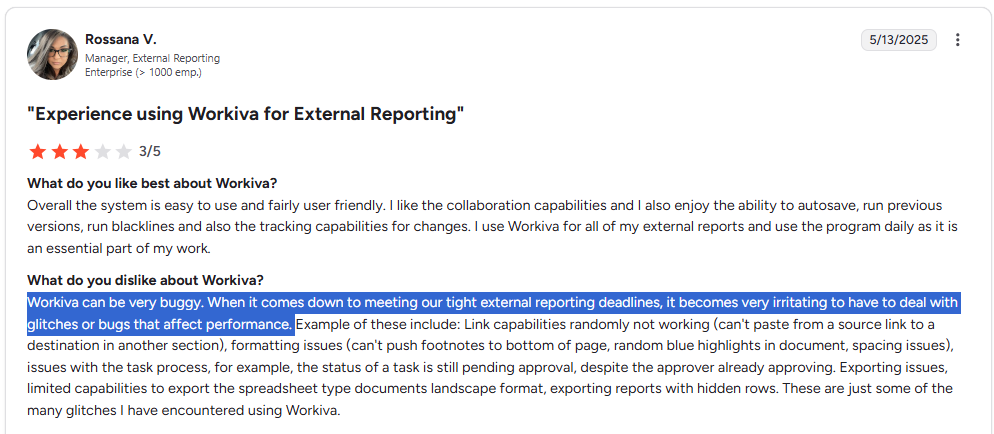
Last but not least, some users of Workiva mention that they’ve experienced bugs that relate to link capabilities, formatting, task processes, and exporting.

According to one enterprise-grade customer of the solution, these bugs have been affecting their performance when they had to adhere to strict deadlines.

‘’Workiva can be very buggy. When it comes down to meeting our tight external reporting deadlines, it becomes very irritating to have to deal with glitches or bugs that affect performance.’’ – G2 Review.

What are the best alternatives to Workiva on the market in 2025?

Here are the 10 best Workiva alternatives for GRC that I shortlisted after evaluating 30+ platforms:

#1: SmartSuite: Best for banks and credit unions looking to launch GRC workflows in days and not months. Our software lets you manage policies, audits, risks, and compliance in a unified, customizable solution.

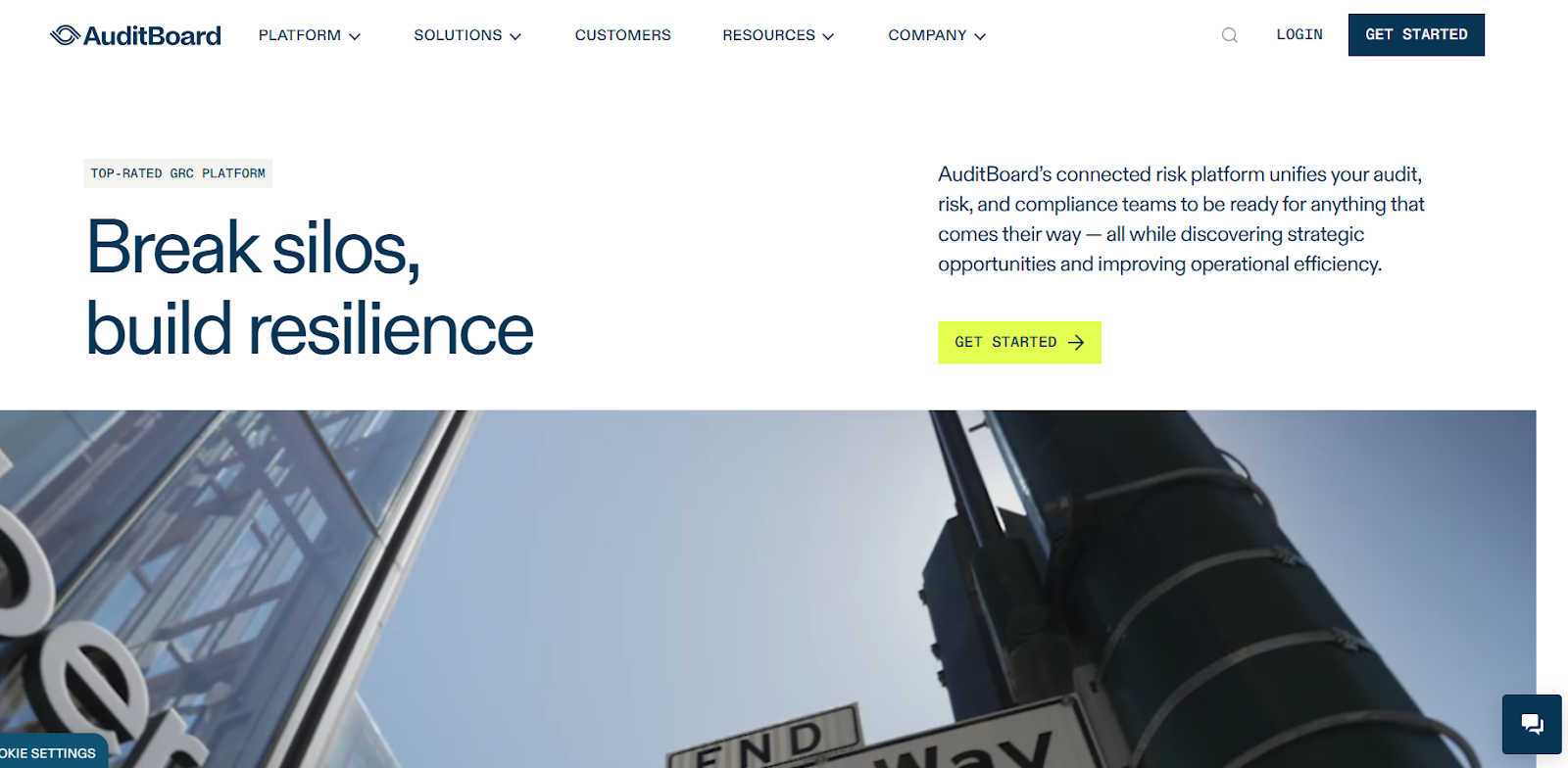
#2: AuditBoard: Best for audit and internal controls teams that need an enterprise-grade, audit-first GRC solution.

#3: SAP GRC: Best for large enterprises that want GRC embedded into ERP processes.

#4: ServiceNow: Best for organizations that already use ServiceNow and want GRC embedded into existing workflows.

#5: Diligent: Best for organizations that want board management tightly coupled with enterprise GRC and executive reporting.

#6: Onspring: Best for mid-market and enterprise teams who need flexibility and quick configuration without custom development.

#7: IBM OpenPages: Best for large enterprises that require scalable, AI-enabled GRC and deep analytics across many risk domains.

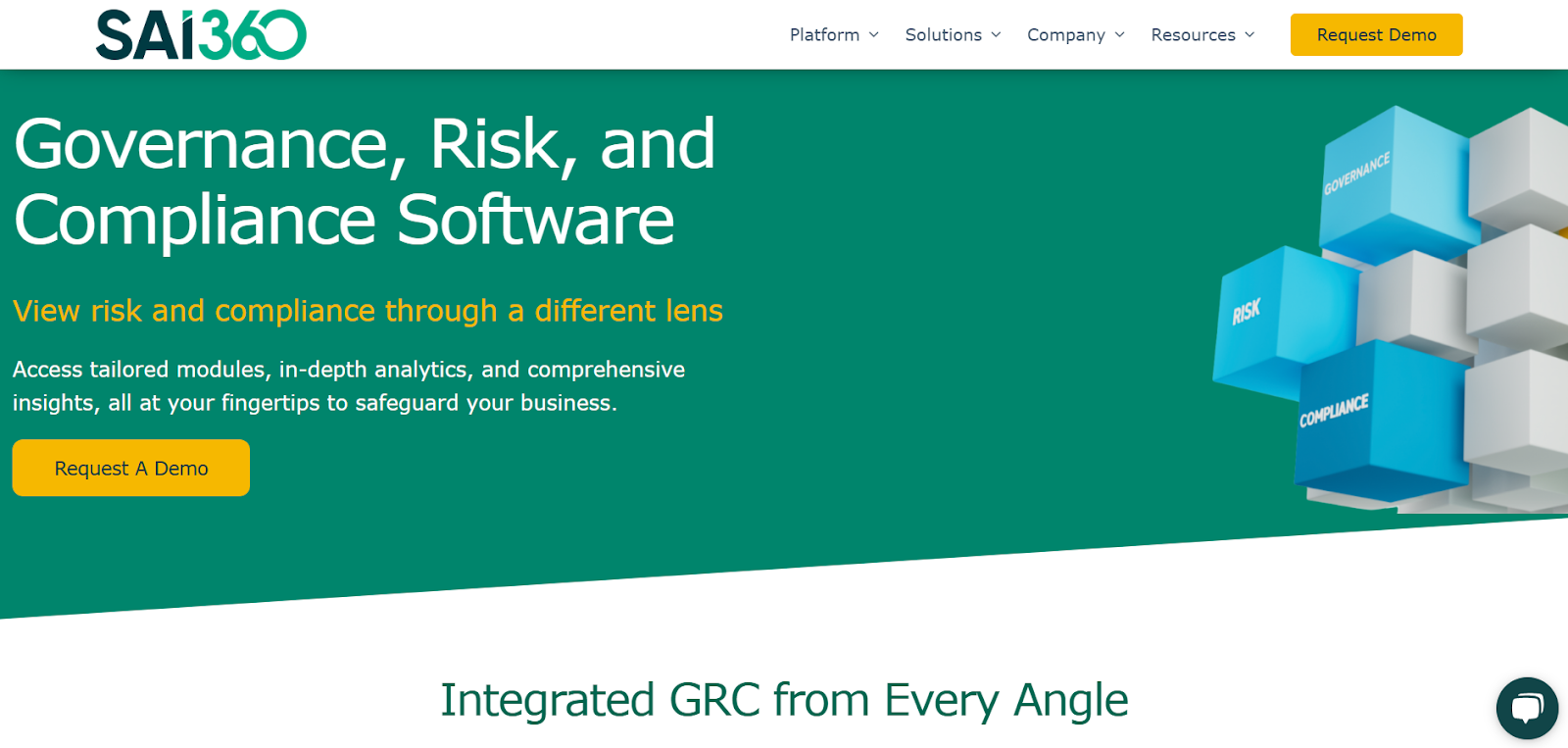
#8: SAI360: Best for organizations looking for a mature, integrated GRC platform with strong regulatory coverage and compliance features.

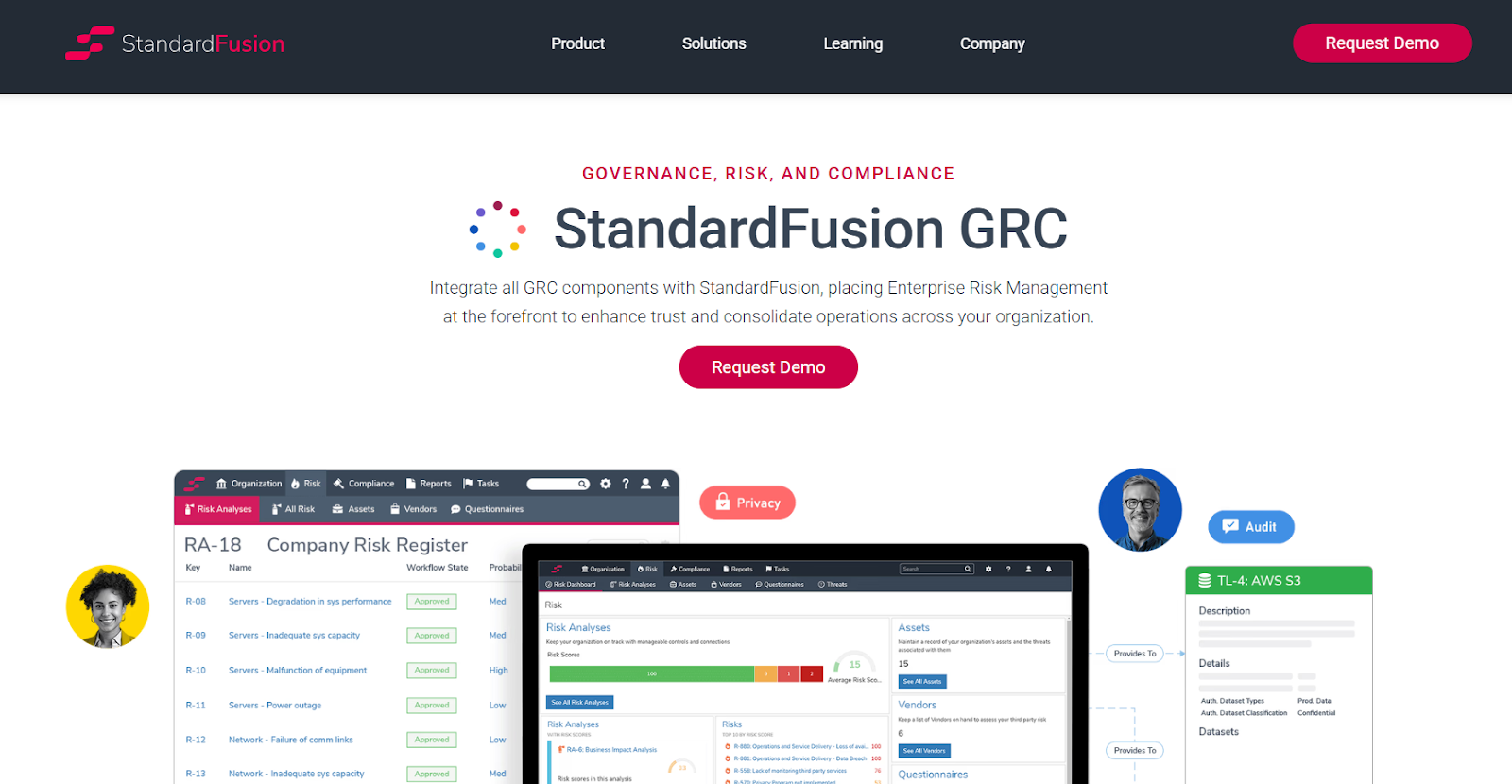
#9: StandardFusion: Best for small-to-mid-size organizations and compliance teams that want an easy, cost-effective GRC solution.

#10: Hyperproof: Best for security and compliance teams that need fast time-to-value for framework-driven audits.

#1: SmartSuite

SmartSuite offers the best Workiva alternative in 2025 with our modern, no-code GRC software that helps you simplify complex regulatory requirements.

Our GRC software helps banks and credit unions streamline and automate policy creation, approval, and control assessments, all in one place.

SmartSuite helps you move faster, manage policies smarter, and adapt easily, without having to sign up for multiple training sessions on how to use the platform.

💡 We have recently partnered with the Cyber Risk Institute to deliver a CRI profile for U.S. Banks’ compliance needs.

[embedded content]

Let’s go over the capabilities that make SmartSuite the best choice for compliance leaders looking to make the switch from Workiva: 👇

Comprehensive Governance, Risk & Compliance

Tools like Workiva make it so that GRC software can be accessible only to the biggest of companies, with its expensive and complex pricing structure.

However, we believe that compliance should be simple, automated, and accessible to all financial institutions, regardless of their size.

With our no-code, easy-to-use solution, you can automate all GRC processes with a start date next week and not next year.

SmartSuite helps you achieve and maintain compliance without the expense and complexity of adapting legacy GRC solutions like Workiva to accommodate new compliance requirements.

Here are the use cases that you’ll get with SmartSuite:

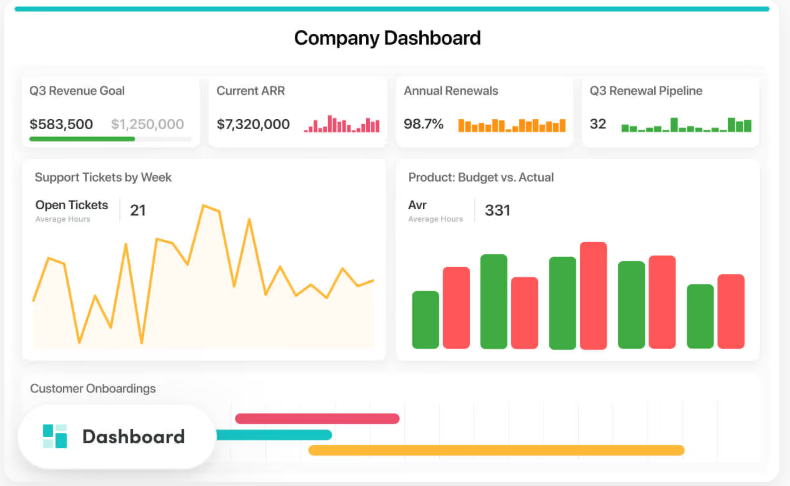
  • Create reports and dynamic dashboards: Your team can monitor executive views into your organization’s overall risk profile with powerful charting and metrics widgets. 
  • Collaborate and respond to risks in real-time: You can engage key stakeholders in a real-time discussion of potential threats or vulnerabilities.

Our tool will also provide you with instant updates when critical information becomes available.

  • Automate policy creation, real-time approval, and control assessments: Streamline risk management by building an integrated program on a single platform.
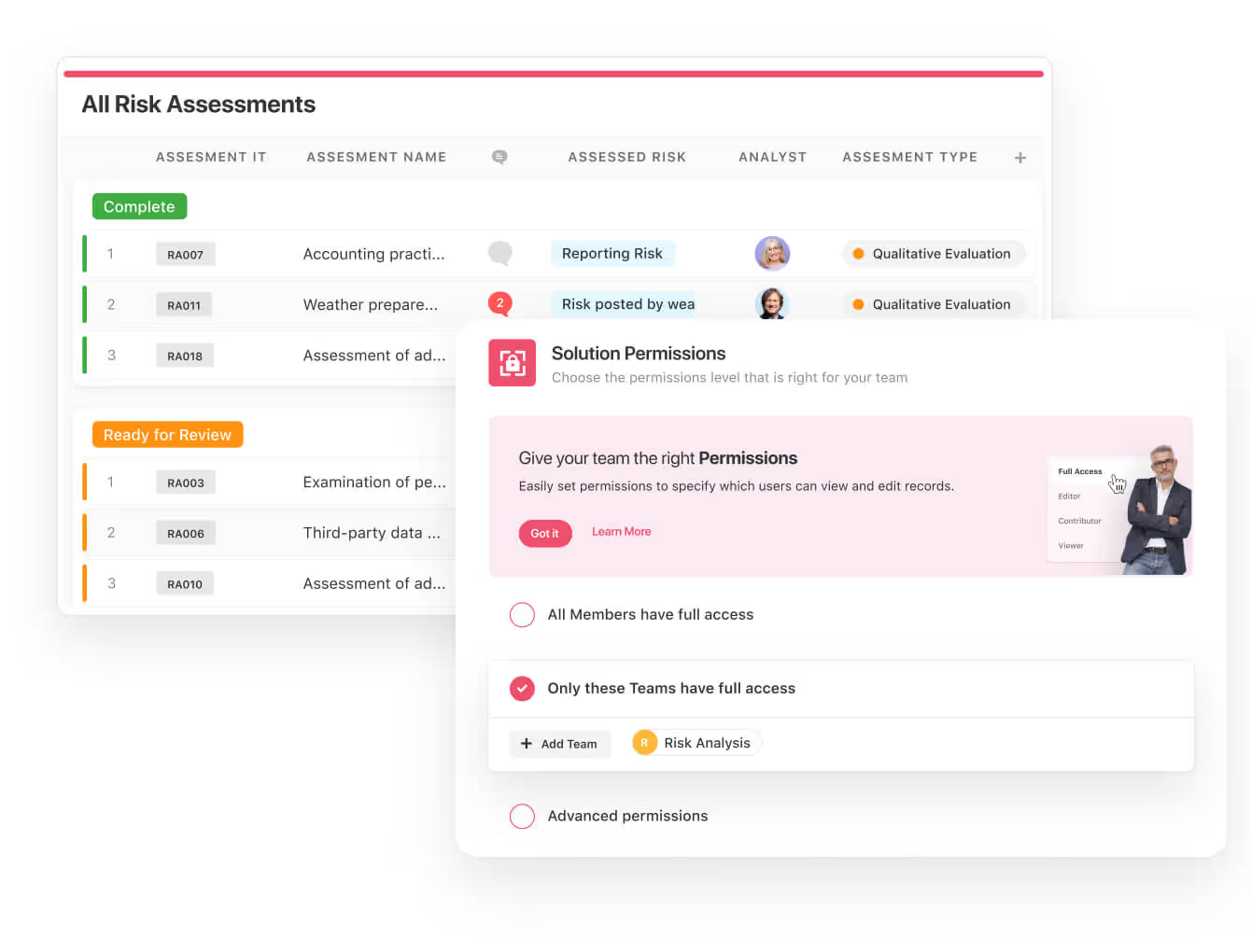
  • Keep risk and compliance data secure: Define your teams and manage access to information across all GRC practice areas.
  • Integrate with your existing systems and data to consolidate and centralize your data. 
  • Automate for accuracy and efficiency to remove inefficiencies and the chance for human error by automating repeatable workflows.

SmartSuite’s no-code automation builder provides you with a visual interface that makes it easy to respond to events and take action. 

That means your compliance team can customize your GRC workflows without technical resources.

  • Monitor, measure and score: Create risk calculations and metrics to evaluate every aspect of risk.
  • Policy management: It’s possible to establish a strong foundation from the get-go with streamlined and flexible policy management.

Your team will be able to assign ownership, manage revisions, and ensure your policies consistently align with key business initiatives and regulatory requirements.

  • PSTOS Compliance Tracker: Designed for regulatory compliance and built on SmartSuite.

This solution focuses on data security as the core of compliance frameworks with services such as compliance readiness, virtual CISO, and IT security implementation.

Learn more about it from this webinar that we did on the topic:

[embedded content]

Prioritize & Mitigate Risks

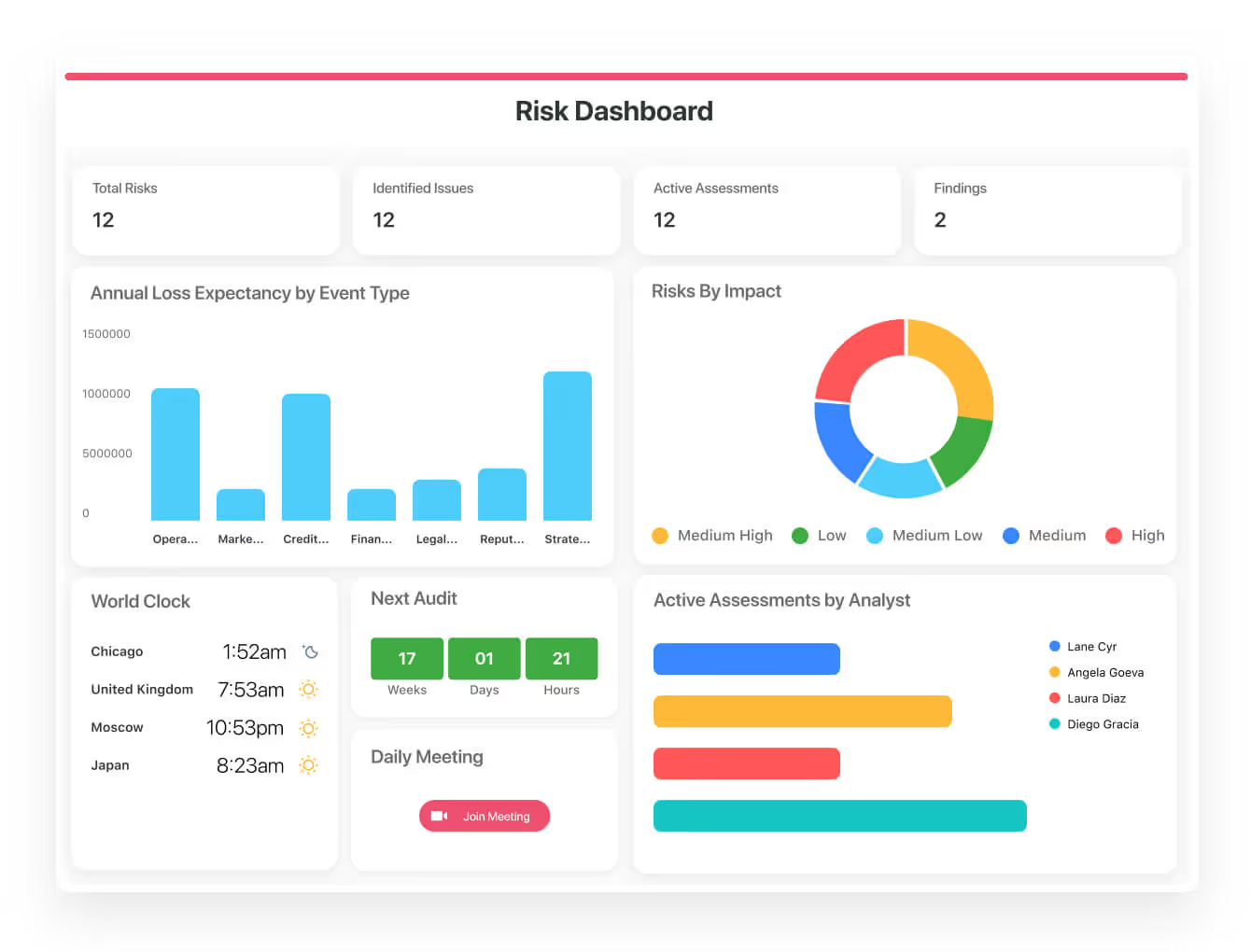
With SmartSuite, you can create a centralized risk register to effectively identify potential risks to your organization.

You will be able to properly assess threats and establish risk mitigation strategies inside SmartSuite.

The platform lets you ensure that the appropriate controls are in place and measure their effectiveness by evaluating risk indicators and displaying results in SmartSuite’s rollup reports and dashboards.

💡 Pro Tip: Teams that use our platform use automation to move tasks through defined workflow stages that comply with their policies and procedures.

We understand how crucial threat management is and the need to respond quickly to incidents.

SmartSuite lets you centralize incident response and threat mitigation by linking incidents to assets and organizational data to offer context during your investigations.

Your compliance team can also set up automation with our no-code automation builder to escalate critical events to make sure that your team is aware of active risks to your organization.

Out-of-the-box GRC Templates

We have a few GRC templates for compliance teams looking to get started right away, instead of building everything from scratch.

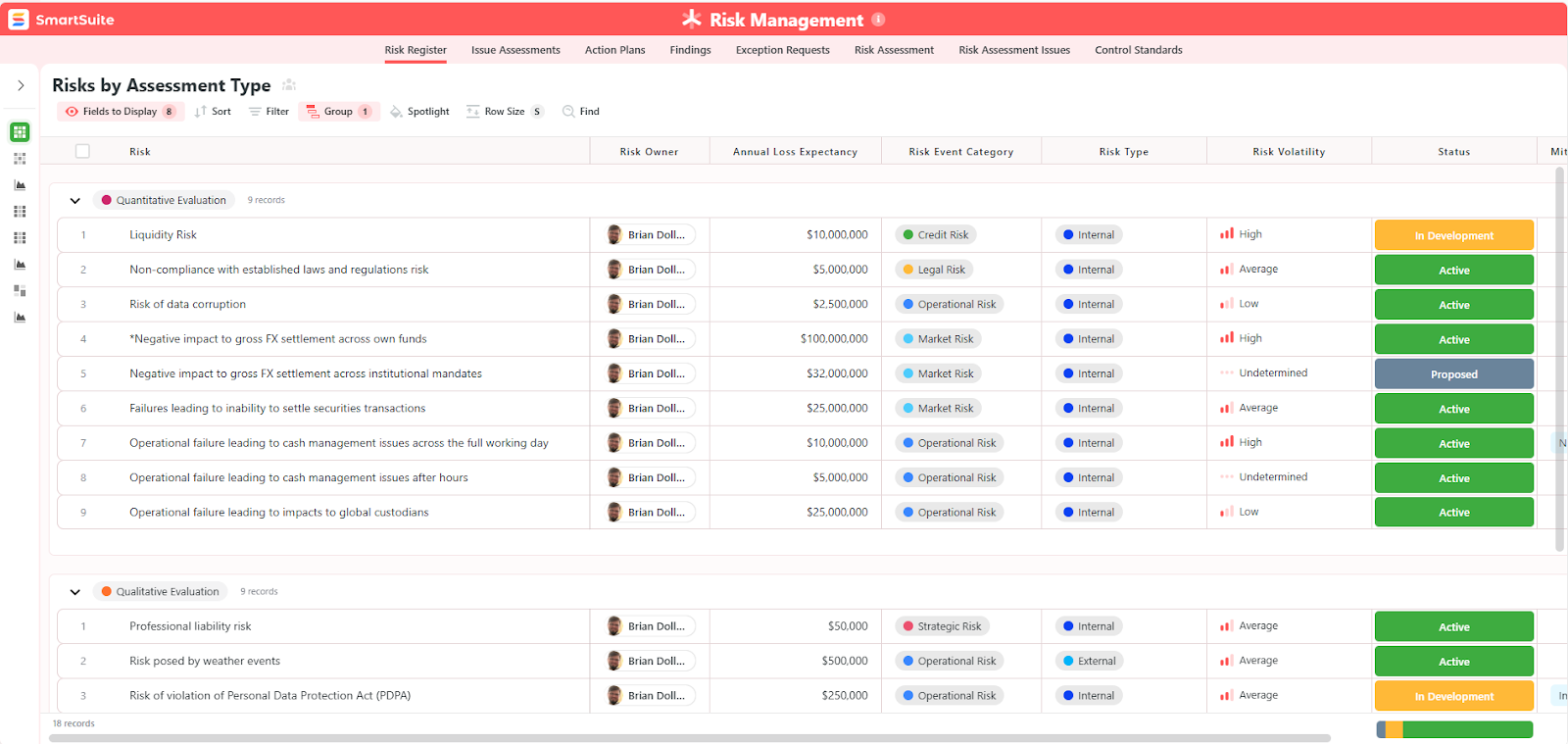
Our general risk management template includes:

  • Risk register, where you can break down the risks, the risk owner, the annual loss expectancy, risk event category, risk type, volatility, and status.
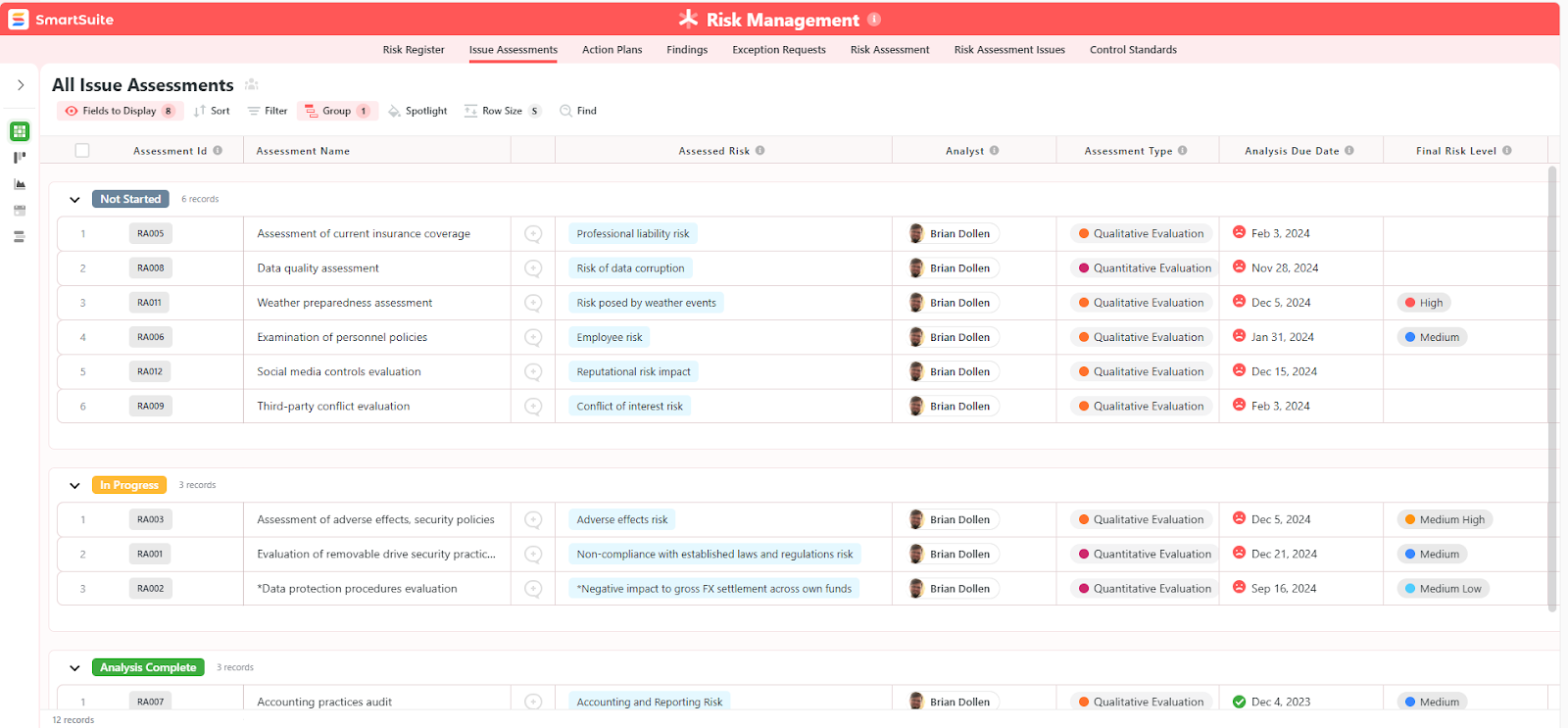
  • Issue assessments, where you’ll be able to see a comprehensive breakdown of each risk.
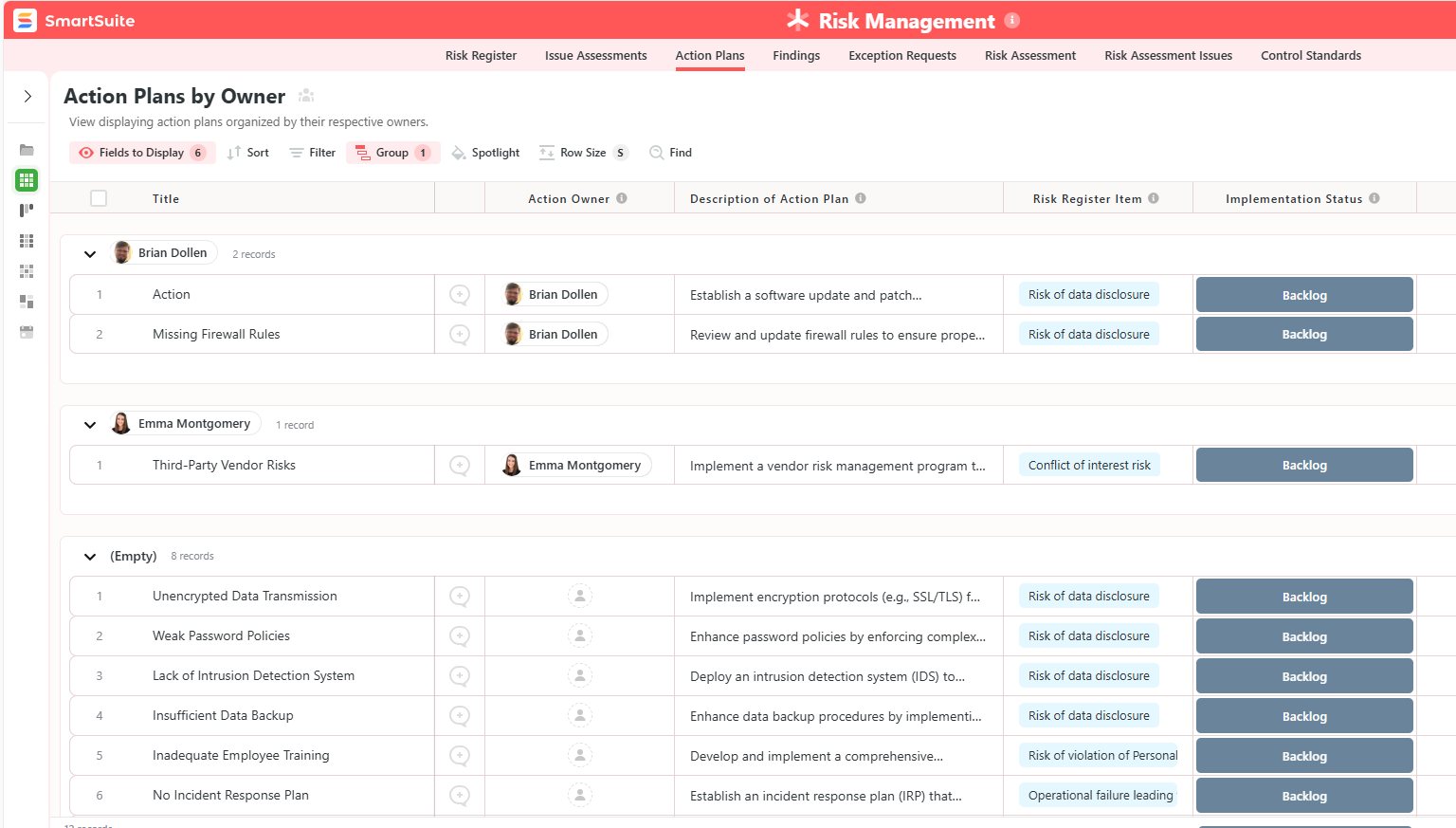
  • Action plans, where you can describe the actions (best practices) to mitigate the risks.
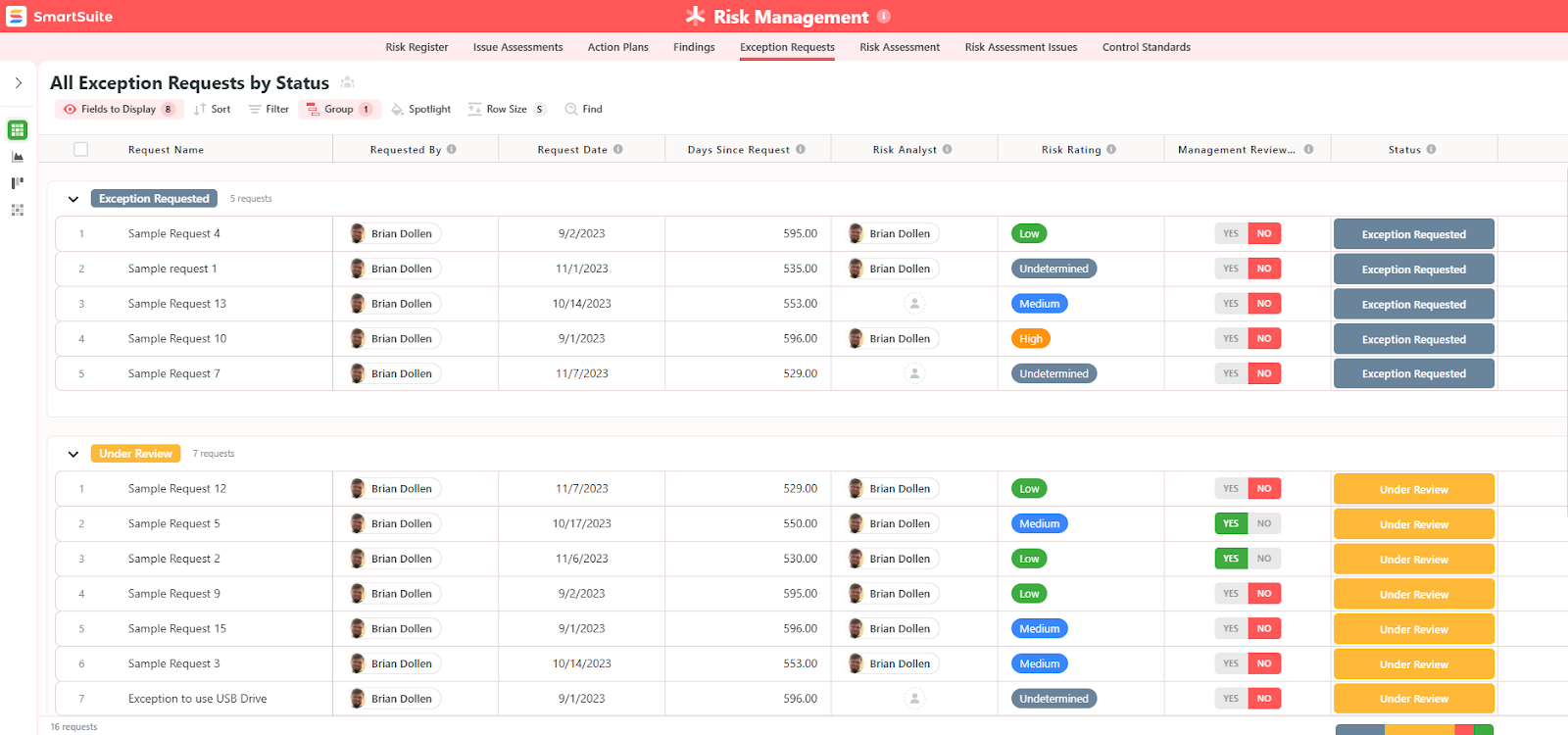
  • A separate tab for control standards, your findings, exception requests, risk assessment by type, and risk assessment issues.

You can customize our risk management template here.

Alternatively, check out and customize our 14 other risk management templates for various use cases, such as contract management, policy management, and incident management.

How is SmartSuite different from Workiva?

Workiva is an enterprise-grade, assurance-focused platform that emphasizes connected data, regulated reporting, auditability, and integrations for finance, audit, ESG and formal compliance workflows.

The platform is built for large organizations with complex regulatory and reporting requirements.

SmartSuite, on the other hand, is a flexible, no-code work management platform with ready-made GRC templates, fast setup, heavy customization, and built-in collaboration for teams that want to build a tailored GRC program quickly without heavy IT and/or consulting effort.

Unlike specialized tools like Workiva, SmartSuite offers a solution for compliance leaders with:

  • A modern software with an intuitive interface that does not confuse your team or require training.
  • An affordable and transparent pricing model with a generous free plan to help you get started.
  • Customizable reports and dashboards, where you can build custom reports for your GRC workflows.
  • Automated workflows that can help your team build multi-step automations to trigger actions at the right time.
  • Best-in-class customer support and account management will help your team with setting up the automation inside the platform.
  • Integrations with GRC platforms like Ascent, Bitsight, Black Kite, NetSkope, RapidRatings, Regology, Riskrecon, Secure Controls Framework, and Security Scorecard.

💡 Case Study: Learn how MediaLab transformed operations, minimized risk, and saved $40,000+ per year by cutting software costs.

Pricing

Unlike Workiva, SmartSuite offers a free-forever plan with access to 250+ automation actions, team collaboration, multi-dashboard views, and more.

There are four paid plans with a 14-day free trial (no CC required):

  • Team: Starts at $12/user per month, including Gantt charts, timeline views, 5000 automation runs, and native time tracking.
  • Professional: Starts at $30/user per month and adds two-factor authentication, Gmail & Outlook integrations, and unlimited editors.
  • Enterprise: Starts at $45/user/month and includes access to audit logs, data loss prevention, and 50,000 monthly API calls.
  • Signature: A custom plan tailored to your needs and team size with no predefined limits.

Pros & Cons

✅ A free-forever plan that includes access to advanced features of the tool for up to 5 solutions.

✅ 15 pre-built GRC templates for various use cases.

✅ Dynamic dashboards and reports that are easy to build and navigate, unlike some alternatives that require you to hire consultants to do it.

✅ All-in-one document and file management.

✅ Automate risk scoring, compliance tracking, audits, and vendor reviews.

✅ A modern solution with an intuitive user interface.

❌ Fewer native integrations when compared to other platforms in this list.

#2: AuditBoard

Best for: Audit and internal controls teams that need an enterprise-grade, audit-first GRC solution.

Similar to: OneTrust, IBM OpenPages.

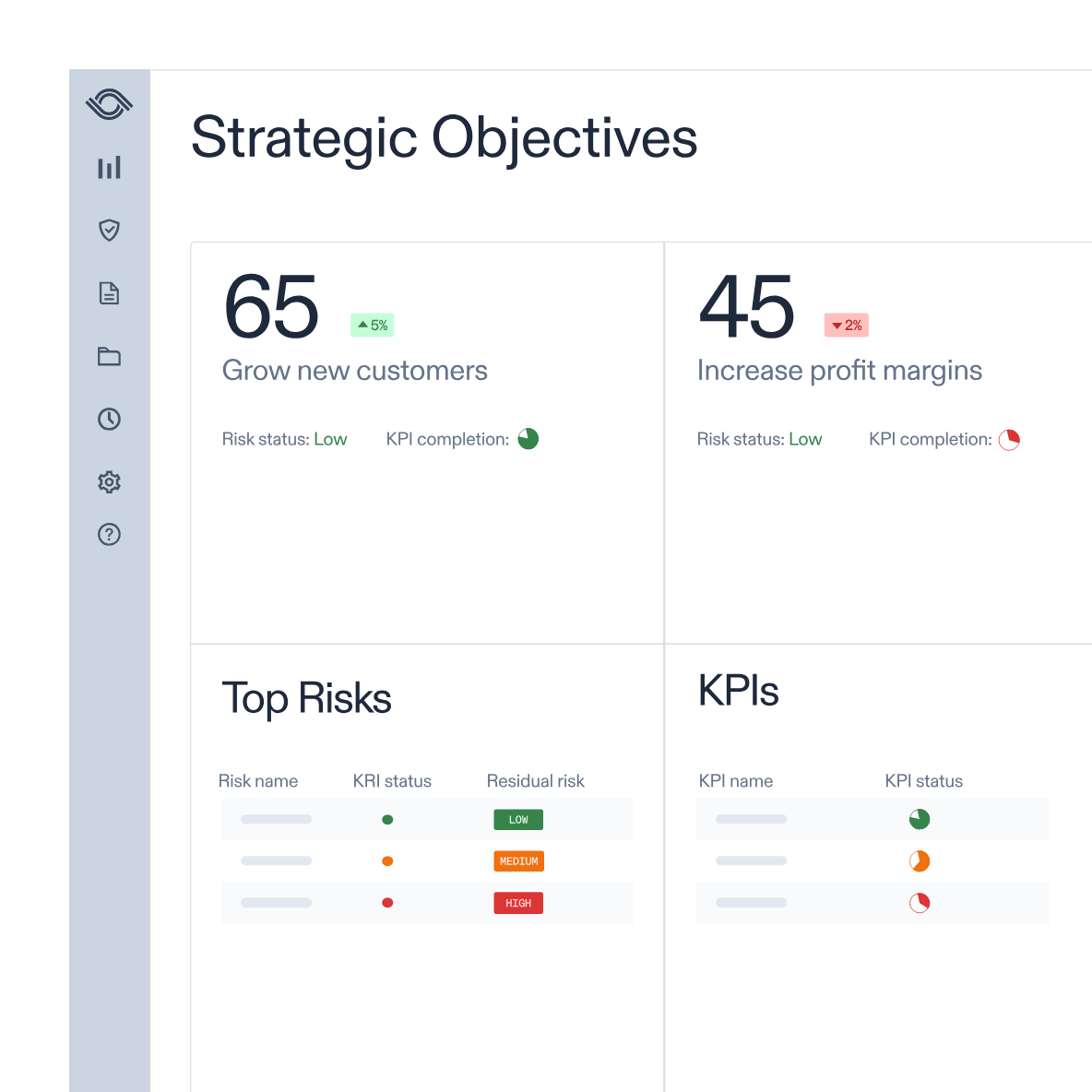
AuditBoard is a strong alternative to Workiva for audit-led GRC because it focuses on connected audit, risk, and compliance workflows that remove spreadsheets and automate testing across finance and internal audit teams. 

What stood out to me about the platform is that it stitches together audit planning, internal controls, and risk monitoring so assurance teams get faster evidence collection and reporting.

Features

  • Centralized audit & risk orchestration with automation for testing, evidence collection, and issue remediation that speeds reporting cycles.
  • Customizable reports and pre-built dashboards that can help you uncover insights, track trends, and support data-driven decisions.
  • Integrated workflows and APIs that help your team streamline data collection and task management through integrations.

Standout Feature: Pre-Built 30+ Frameworks

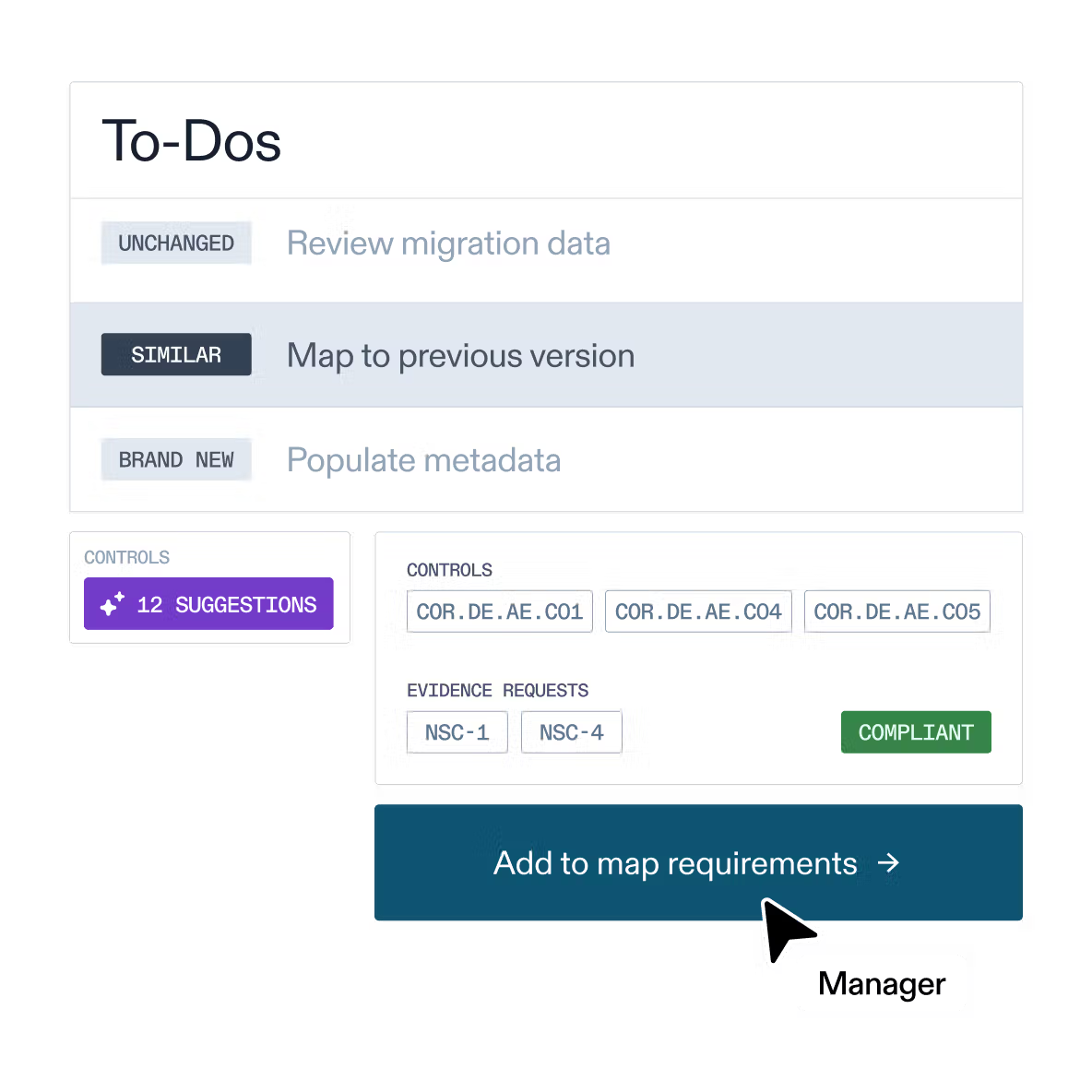
AuditBoard lets you access its preloaded library of 30+ frameworks (including SOC 2, ISO 27001, and GDPR) to help your organization stay audit-ready.

Pricing

AuditBoard has not yet disclosed its pricing, so you’d have to contact them to book a demo and get a quote.

Pros & Cons

✅ Strong audit workflows and integrations that reduce manual testing and reporting time.

✅ A modern interface with good AI capabilities.

✅ A preloaded library of 30+ frameworks to help you stay ready for audits.

❌ The average contract value of the tool is around $42,775/year, according to insiders, which is why some people have been looking for AuditBoard alternatives.

❌ Some customers of the tool find it difficult to use, similar to Workiva.

#3: SAP GRC

Best for: Large enterprises that want GRC embedded into ERP processes.

Similar to: Pathlock, ServiceNow.

SAP GRC is a viable Workiva alternative when you need GRC embedded into ERP and core finance and process controls.

The platform’s modules (Access Control, Process Control, Risk Management) integrate deeply with SAP systems to automate control testing and segregation-of-duty checks.

Features

  • Early detection of anomalies and risks through AI-driven insights to help you make better decisions.
  • Compliance automation that helps you streamline documentation, testing, and remediation of critical process risks and controls.
  • Embedded process controls and automated control testing across SAP transactions to prevent and detect violations in real time.

Standout Feature: Best-in-class Fraud Detection & Predictive Analysis

SAP GRC’s fraud detection screens transactional data in real-time using AI and comes with customizable rules to uncover fraud, policy violations, and suspicious patterns.

Pricing

SAP’s GRC solution does not disclose its pricing tiers, so you’d have to contact their team for a demo and a personalized quote.

Pros & Cons

✅ Identifying, assessing, and mitigating risks.

✅ Integrates well with other SAP GRC modules and core systems like S/4HANA.

✅ Customizable rules to uncover fraud, policy violations, and suspicious patterns.

❌ The user interface can feel dated and complex for new users, according to G2 reviews.

❌ Can be costly compared to SAP GRC alternatives in the market.

#4: ServiceNow

Best for: Organizations that already use ServiceNow and want GRC embedded into existing workflows.

Similar to: SAI360.

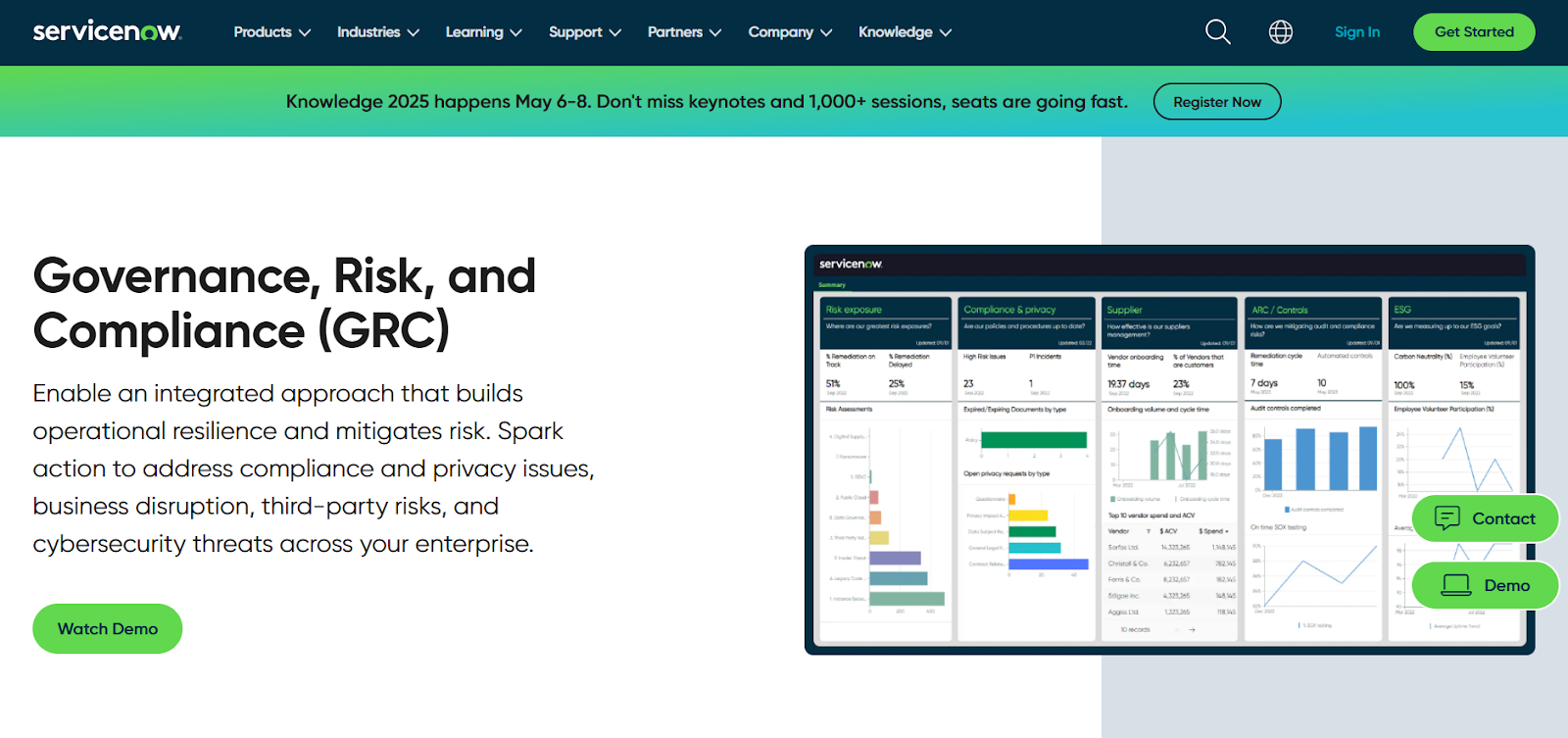
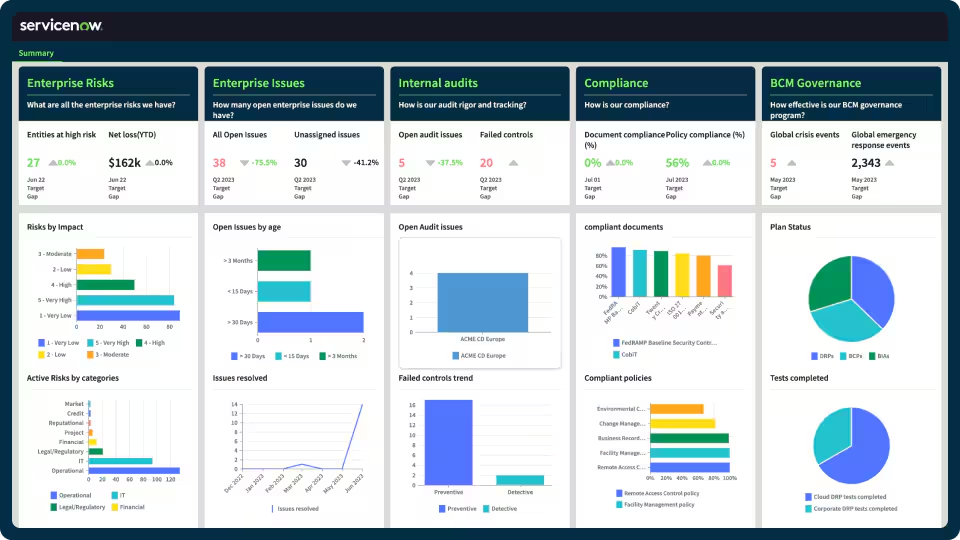
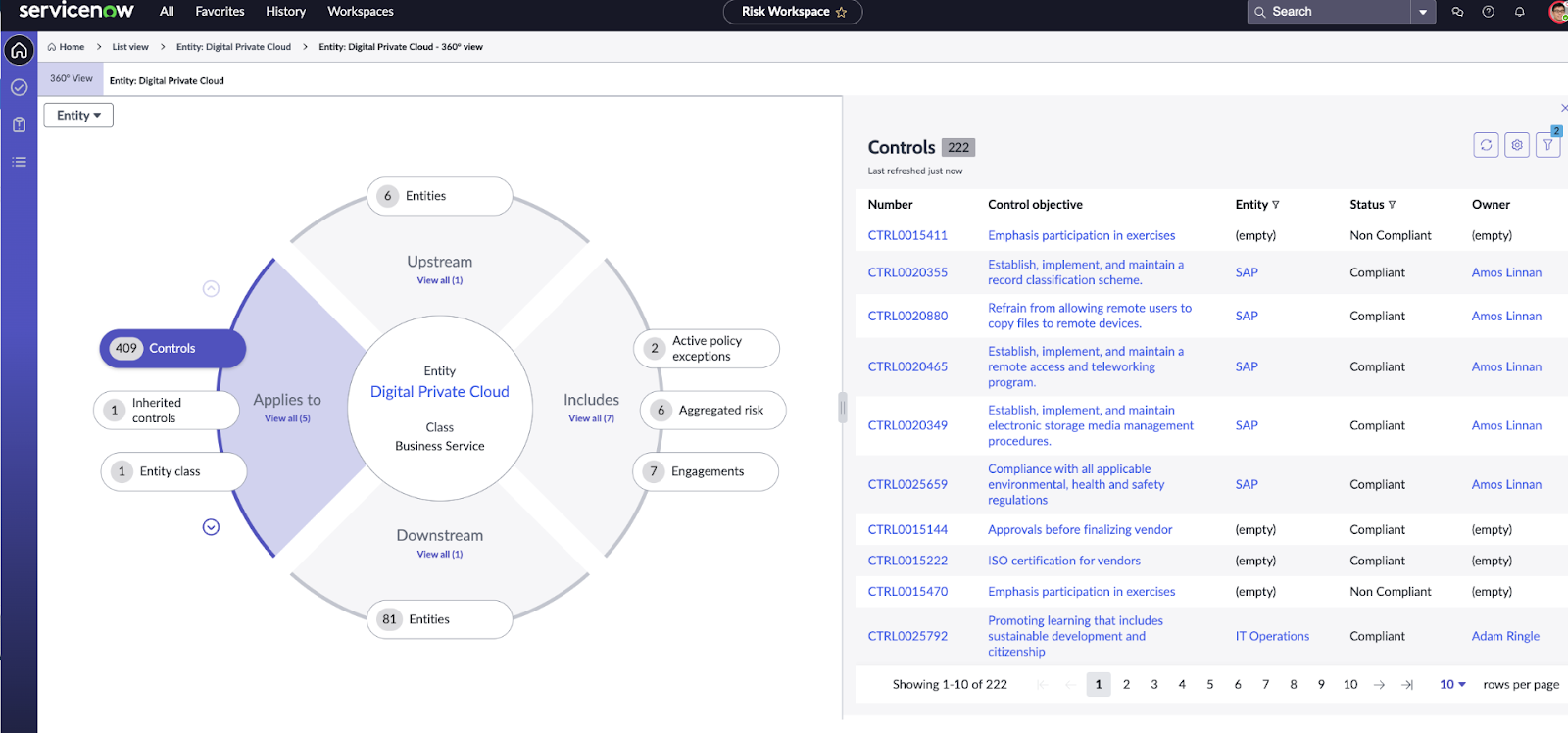
ServiceNow GRC is a compelling alternative to Workiva because it gives organizations a single platform to connect IT, security, risk, and compliance processes. 

The tool’s strong workflow and automation engine translate into fast cross-team incident-to-risk-to-control remediation and real-time risk visibility.

Features

  • Automated, workflow-driven risk and compliance orchestration that connects issues, audits, and remediation tasks into one traceable lifecycle.
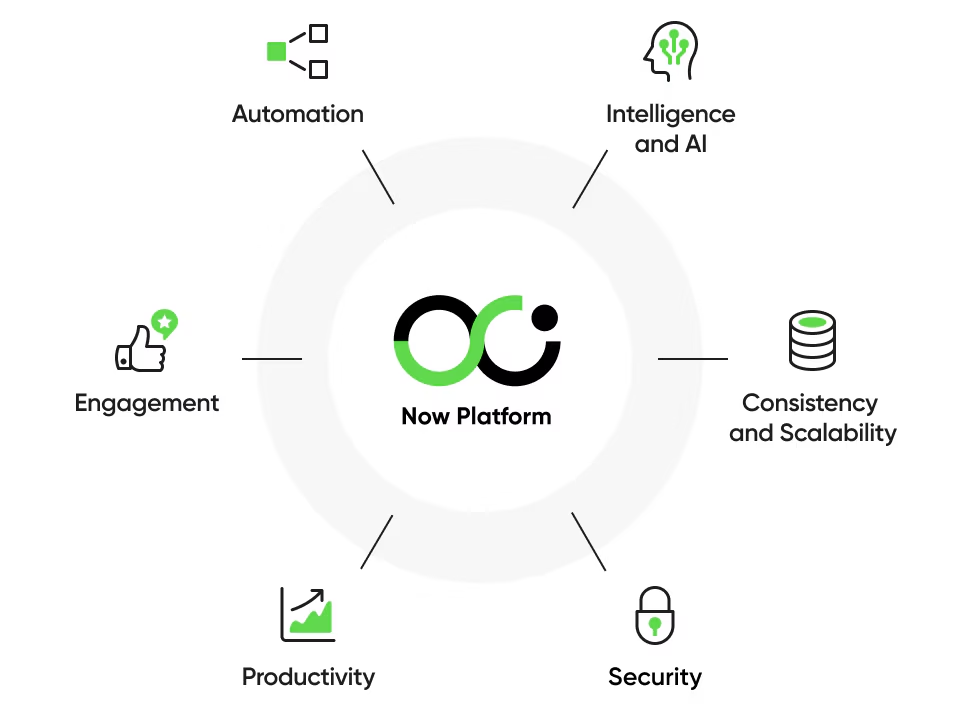
  • The GRC solution operates on ServiceNow’s Now Platform, which enables seamless data sharing and real-time collaboration across all GRC products.
  • Third-party risk management that lets you identify and mitigate risks from external vendors and partners.

➡️ Learn more about ServiceNow in our in-depth ServiceNow review.

Standout Feature: AI-Powered Actionable Insights

ServiceNow stood out to me with its AI-powered actionable insights that help you accelerate decision-making with predictive analytics and process optimization.

Pricing

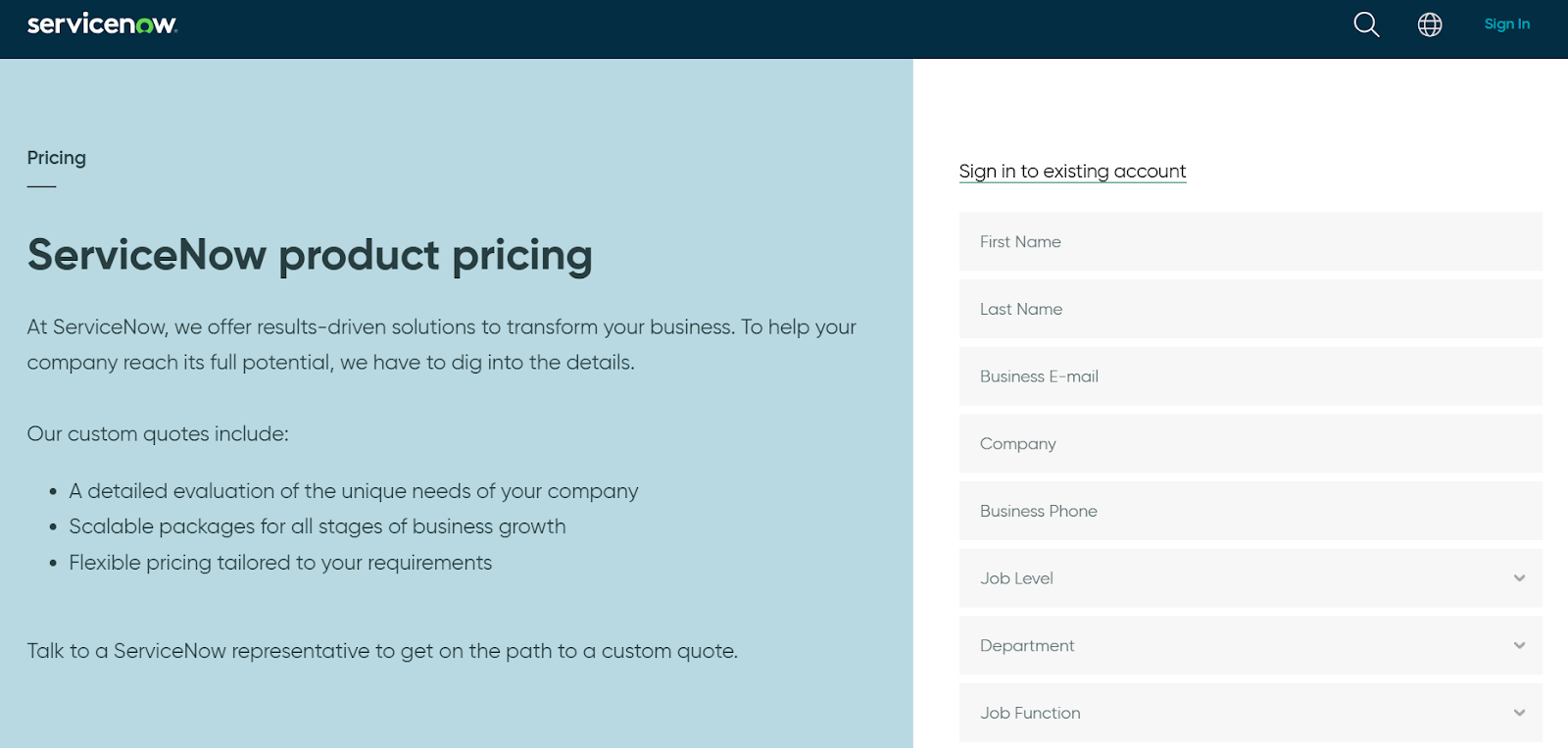
ServiceNow’s pricing is not currently disclosed, so you’d have to book a demo with their team.
However, we did find ServiceNow customer and public reviews, which show that the average cost of ServiceNow contracts can range between $50,000 and $500,000 annually.

The pricing structure depends on the number of licenses, features, and other configuration requirements.

Pros & Cons

✅ Comprehensive GRC management capabilities.

✅ Real-time risk monitoring and prioritization.

✅ A comprehensive range of native integrations with other tools, covering the weakness of Workiva.

❌ Steep learning curve and complexity, similar to Workiva, unlike some ServiceNow alternatives.

❌ Training, skills development, and ongoing support can be costly.

#5: Diligent

Best for: Organizations that want board management tightly coupled with enterprise GRC and executive reporting.

Similar to: Onspring, ArcherIRM.

Diligent is a strong Workiva alternative for organizations that need board-focused governance plus risk and compliance in one suite.

The platform combines board management, enterprise risk, and compliance capabilities into a single, secure platform.
Features

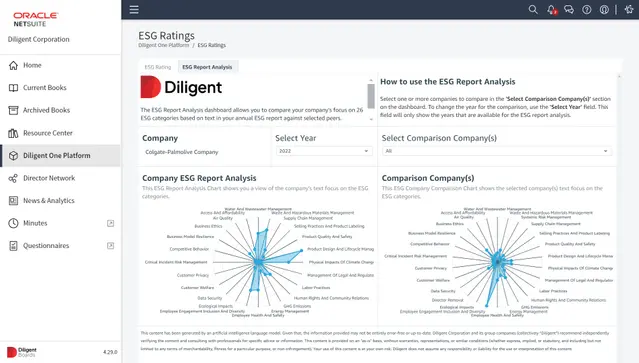
  • Built-in reporting & storyboard dashboards that let you select from executive-grade templates and share curated board and committee reports with ease.
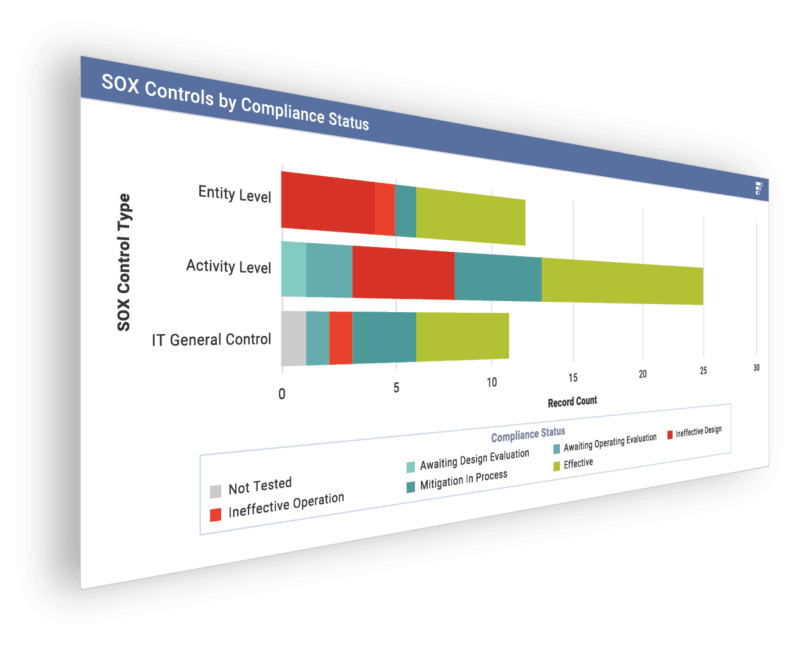
  • Integrated governance and risk dashboards that surface board-ready insights alongside enterprise risk and compliance metrics.
  • You can use scripted tasks in Python or ACL to automate data aggregation, testing, and remediation notifications.

Standout Feature: Diligent AI

Diligent stood out to me with its AI assistant that helps you anticipate risk and stay compliant by generating summaries, mapping out regulatory requirements, and automatically benchmarking ESG and risk in real-time.

Pricing

There’s no official data on Diligent’s pricing plans; however, our team was able to find some reported numbers.

According to 3rd-party data from Vendr, the median buyer of Diligent spends $23,800/year for its solution, with the tool going up to $45,792/year.

Pros & Cons

✅ One centralized GRC system that aims to replace multiple tools and simplify oversight across risk and audit workflows.

✅ Integration-rich, allowing you to create seamless workflows between tools.

✅ An AI-powered assistant that can help you boost productivity. 

❌ A steep learning curve and long initial setup and onboarding times, similar to Workiva.

❌ The tool’s pricing can get expensive, similar to Workiva, which is why some users have been looking for Diligent alternatives.

#6: Onspring

Best for: Mid-market and enterprise teams who need flexibility and quick configuration without custom development.

Similar to: ArcherIRM.

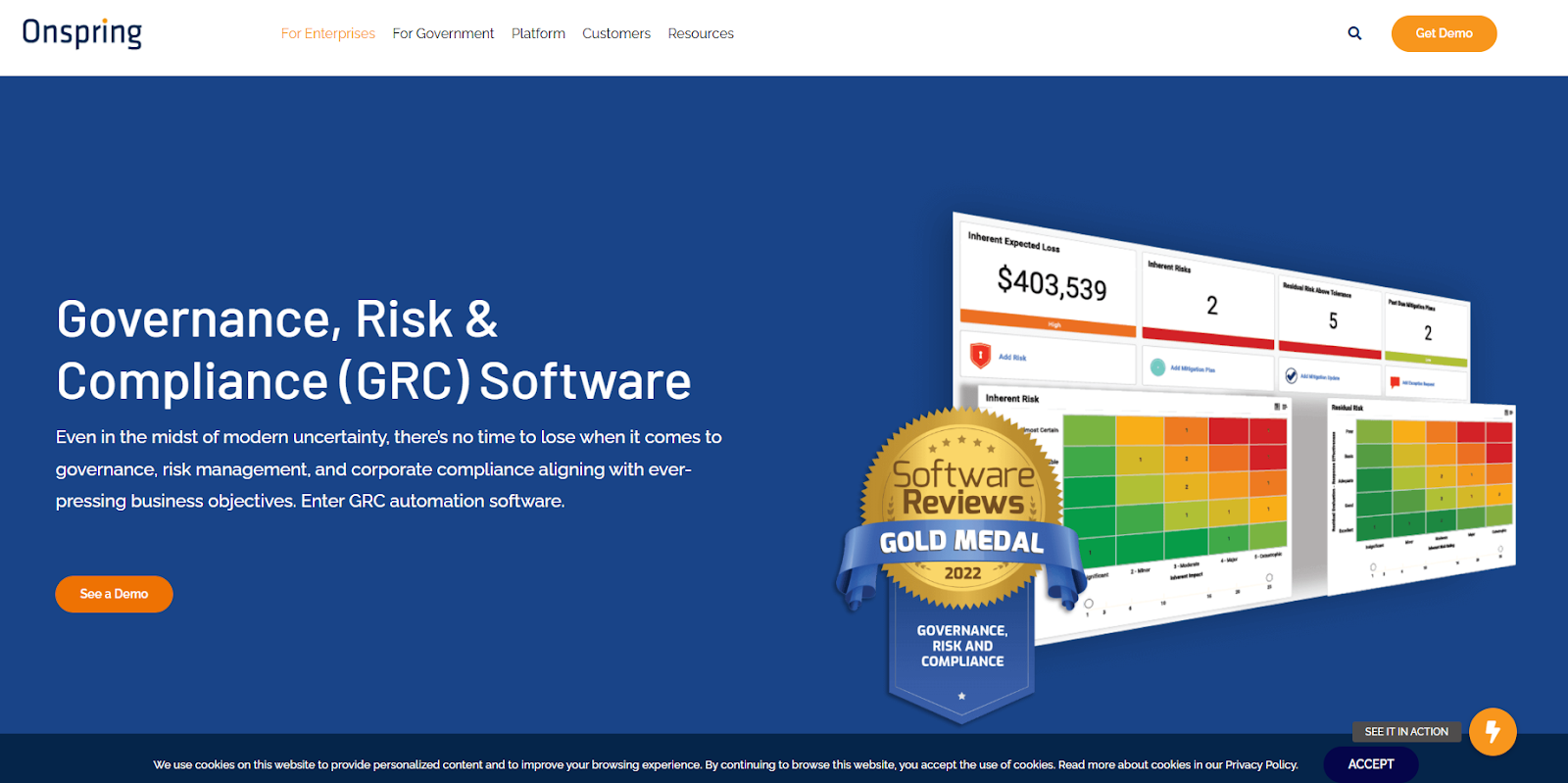
Onspring is a good enough Workiva alternative when you want a highly configurable, no-code GRC system that teams can tailor quickly. 

The platform stood out to me with its quick configuration, workflow automation, and dashboards, so you can build the processes you need and iterate fast.

Features

  • No-code configuration and workflow automation that lets risk and compliance teams build custom processes and dashboards without IT.
  • Assess, tier, and track vendors and integrate criticality ratings from cyber and financial monitoring services.
  • Advanced reporting that helps you gauge performance with live dashboards of key metrics, risk scores, and audit activity status.

Standout Feature: Surveys for Easy Assessments

Onspring lets you use its point & click survey builder to build and send surveys to internal, external & third-party recipients.

The tool then automatically collects and scores results, assigns risk scores and can be customized to trigger follow-up actions.

Pricing

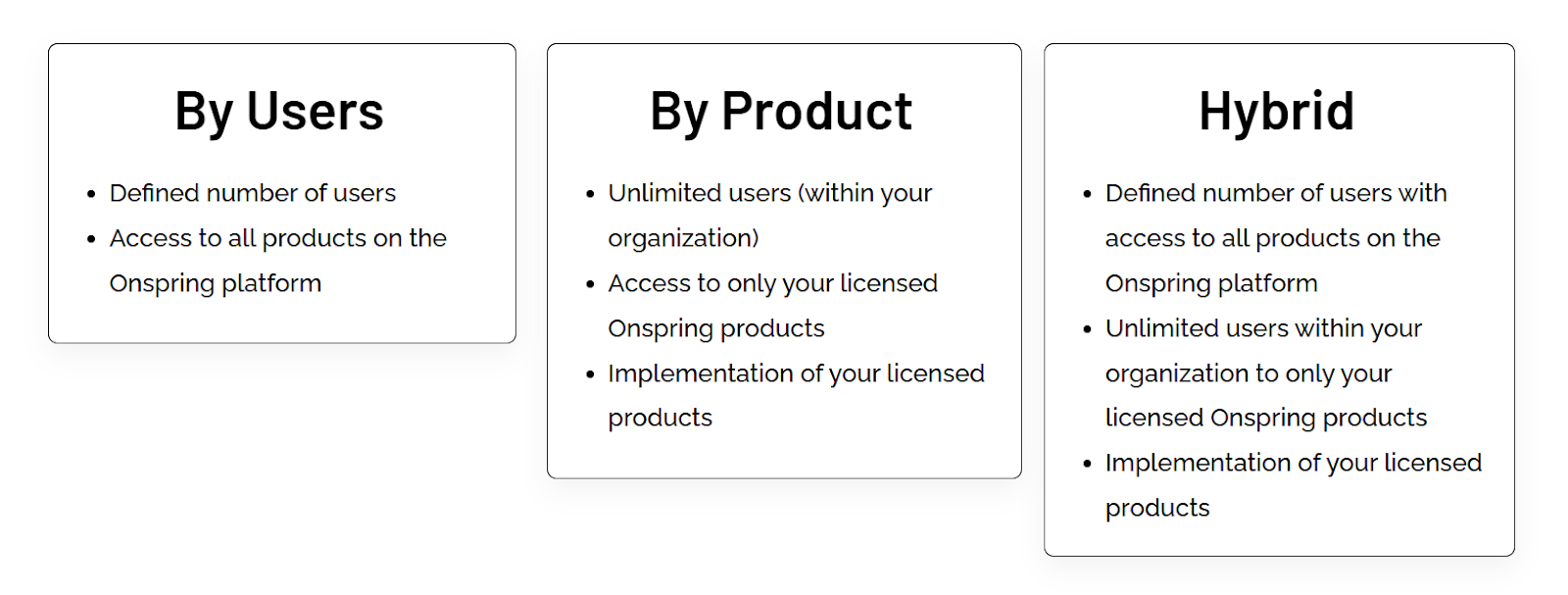
Onspring has 3 different pricing models that you can choose from based on which one better fits your needs: 

  • Pricing per user seat, where all users get access to all products on the Onspring platform.
  • Pricing by product, where your team (with unlimited users) selects only a portion of the features to access.
  • A hybrid model, where some users have unlimited access to the platform, while other users have limited access to other features.

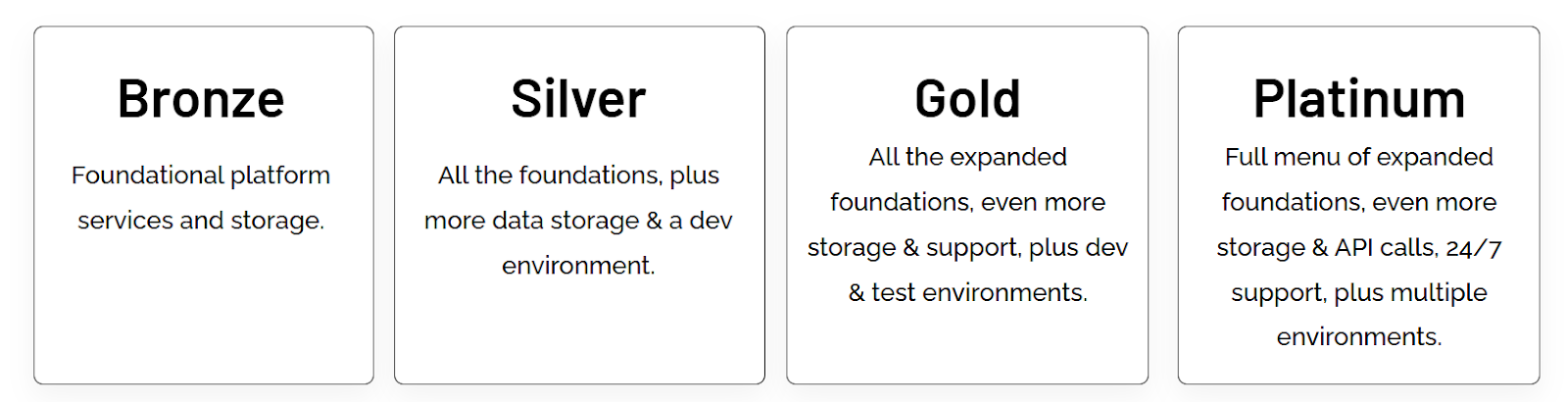
After choosing your pricing structure, Onspring offers four paid tiers – Bronze, Silver, Gold, and Platinum – each adding more capacity and features:

  • The Bronze plan includes core no-code workflow tools, basic reports, and modest storage limits.
  • Upgrading to Silver and Gold adds increased database/attachment storage, extra API call capacity, additional admin training seats, and development/test environments.
  • The Platinum tier provides maximum storage, the highest API limits, priority support, and all non-production environments (dev, test, sandbox).

Pros & Cons

✅ Very configurable and quick to deploy for specific GRC processes.

✅ The platform is easy to learn, and the no-code build makes it easier to set up the solution.

✅ Best-in-class reporting with live dashboards.

❌ Expensive per-seat pricing, according to reviews on G2, which is why some compliance leaders have been looking for Onspring alternatives.

❌ The platform has an outdated interface that can be hard to use for some users.

#7: IBM OpenPages

Best for: Large enterprises that require scalable, AI-enabled GRC and deep analytics across many risk domains.

Similar to: SAI360.

IBM OpenPages is a credible Workiva alternative for enterprises that need a scalable, GRC platform with modular deployment across risk, compliance, audit, and policy management. 

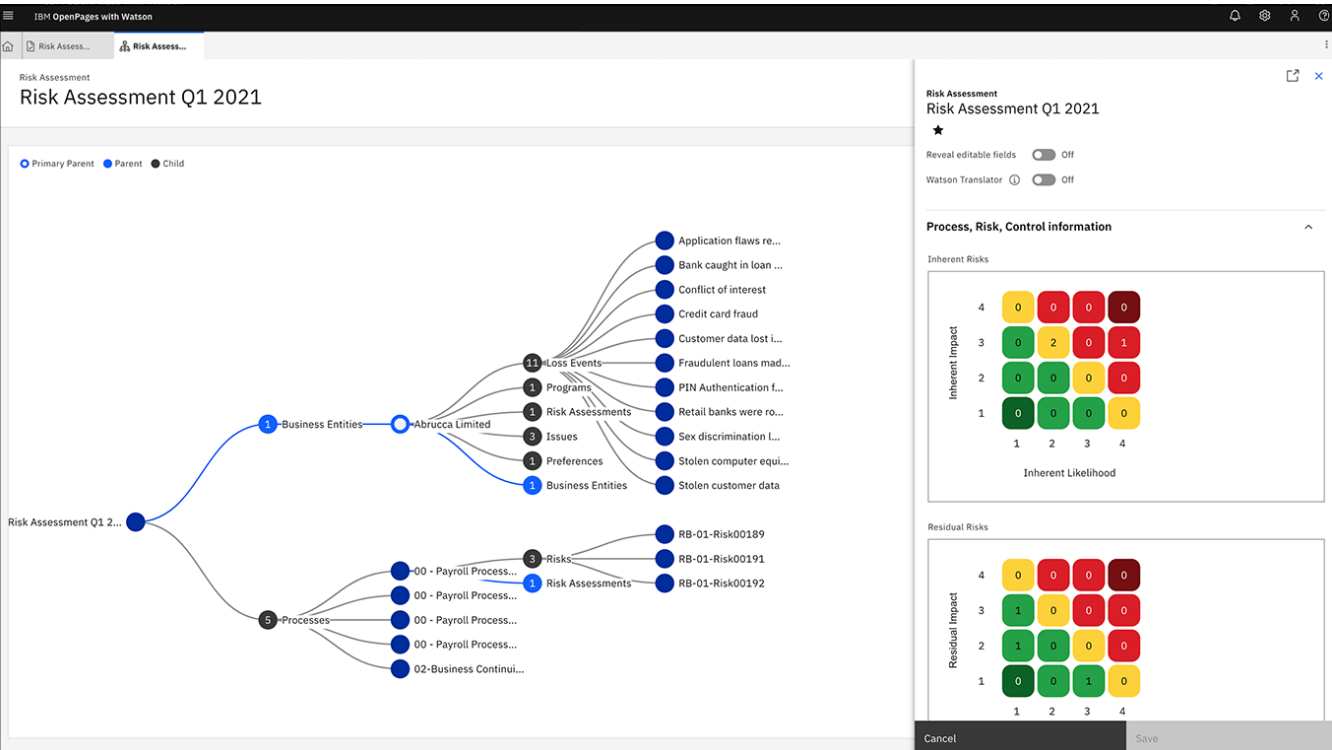
What I like about the platform is that it centralizes siloed risk functions with AI and analytics to support enterprise-wide risk aggregation and reporting.

Features

  • Specialized modules for operational risk, regulatory compliance, policy management, IT governance, internal audit, and third-party risk management. 
  • Utilizes IBM Watson for natural language processing and machine learning (ML) to provide predictive analytics and automate classifications.
  • Modular, AI-driven risk analytics and centralized risk repository that aggregates cross-domain risk for enterprise reporting.

Standout Feature: IBM Cognos Analytics (Predictive Insights)

IBM OpenPages offers insights into the state of risk across the organization due to its IBM Cognos Analytics for self-service data exploration.

Pricing

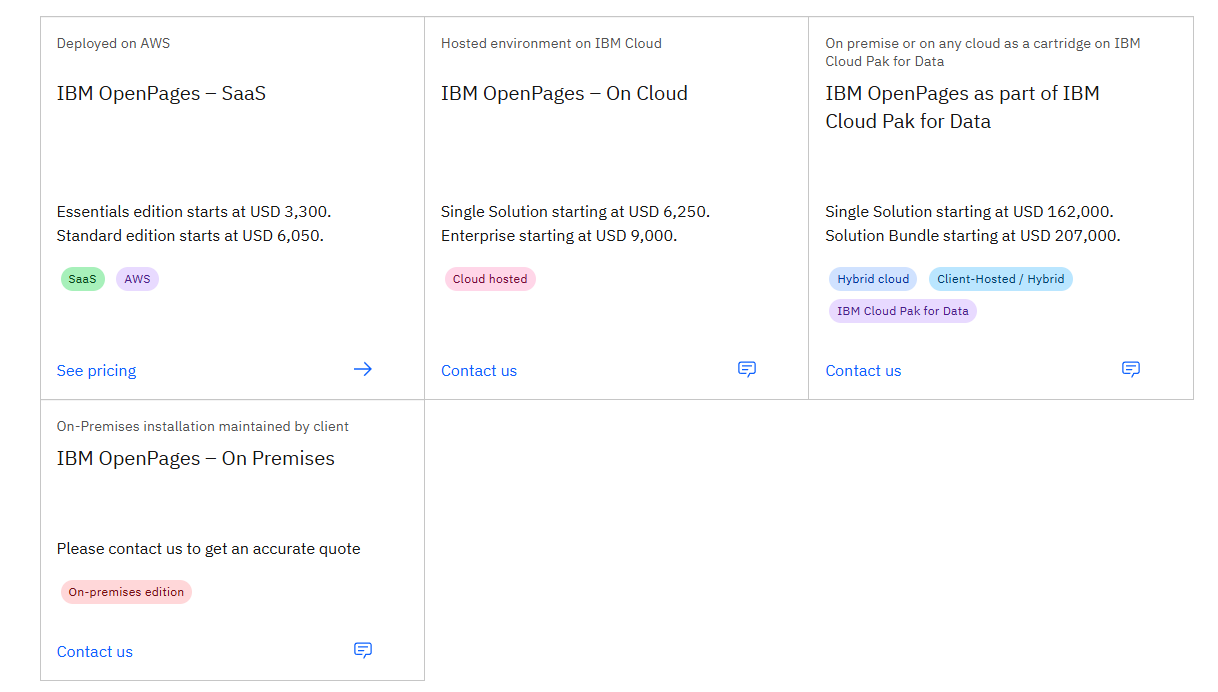
IBM OpenPage’s pricing can be a little confusing to get at first, but there are 4 ways to purchase the solution:

  • As a SaaS solution: Essentials Edition starts at $3,300, and the Standard one starts at $6,050.
  • As an On-cloud solution: the Single Solution starts at $6,250, and the Enterprise one starts at $9,000.
  • As part of IBM Cloud Pak for Data: the Single Solution starts at $162,000, and the Solution Bundle starts at $207,000.
  • As On-Premises: You need to contact their team for a quote.

Regardless of which package you opt for in the end, each one will include a core set of IBM OpenPages features, such as its AI features, workflow automation, integrated reports, etc.

Pros & Cons

✅ Scalable architecture with advanced analytics and AI-assisted risk insights.

✅ Enhances efficiency and accuracy through bespoke AI models and automated processes.

✅ Get access to valuable insights into the state of risk across the organization with its IBM Cognos Analytics.

❌ The platform’s high implementation costs can make it prohibitive for SMEs.

❌ Limited customization options, which is why some users have been looking for IBM OpenPages alternatives.

#8: SAI360

Best for: Organizations looking for a mature, integrated GRC platform with strong regulatory coverage and compliance features.

Similar to: AuditBoard.

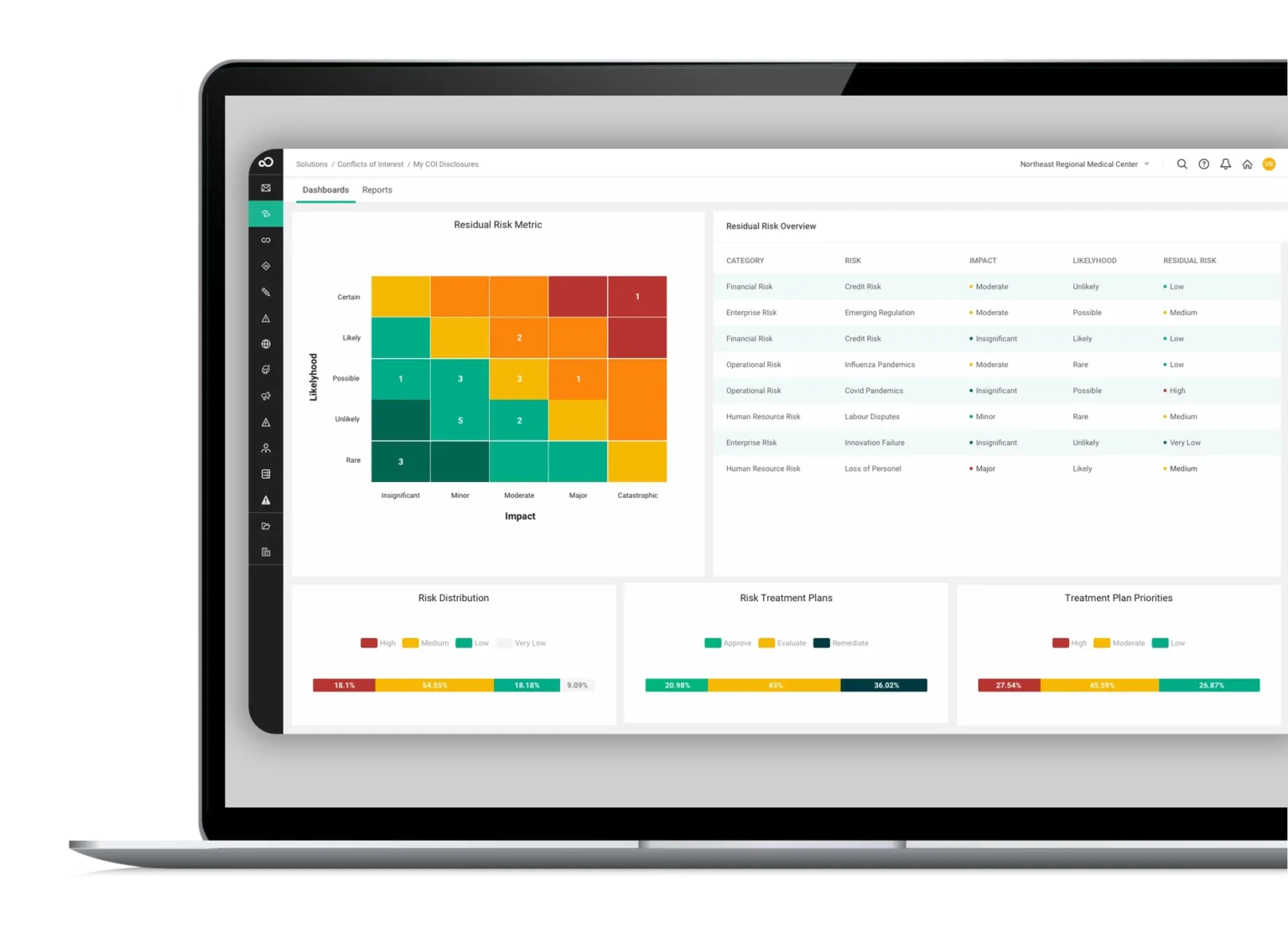
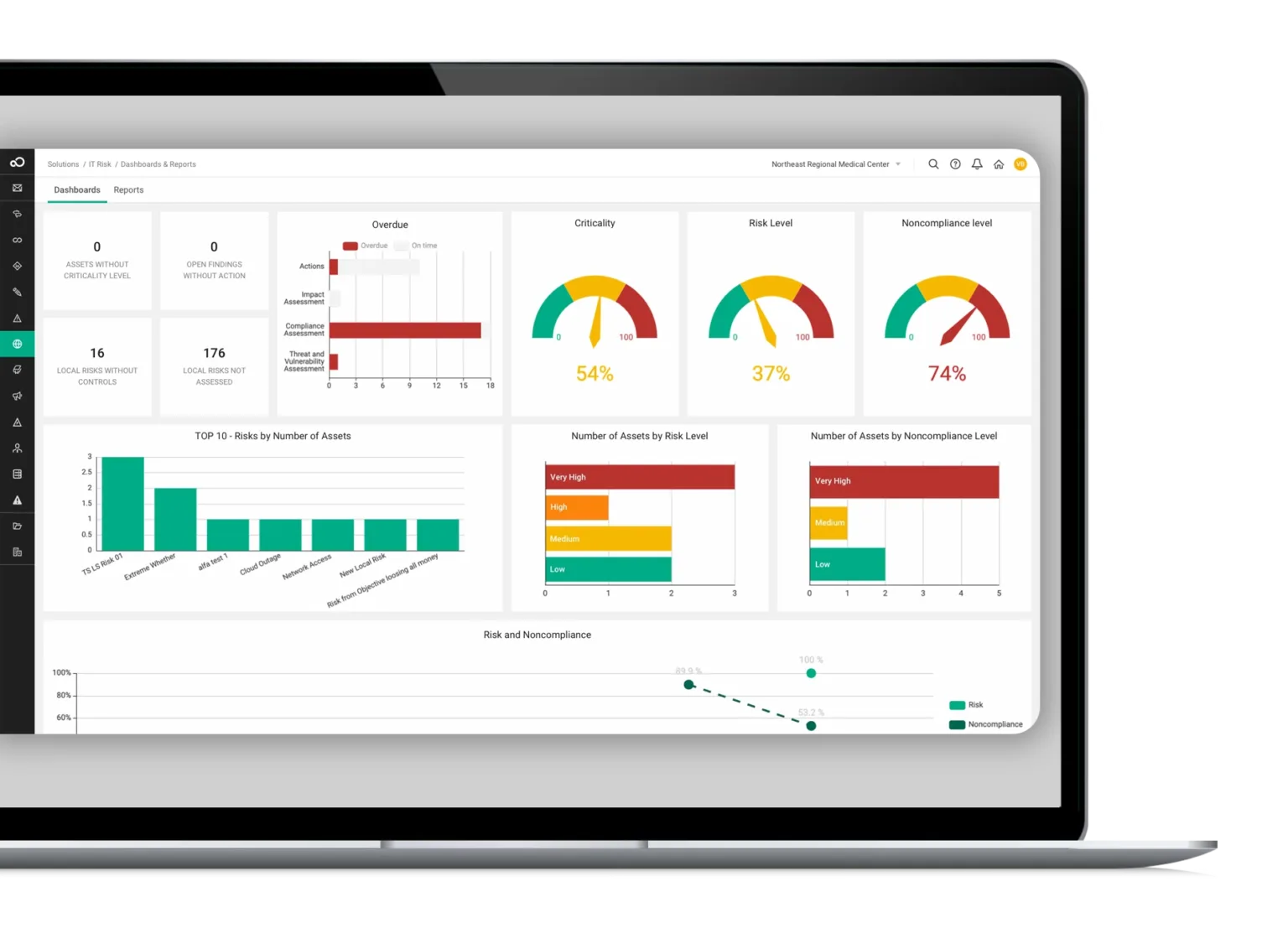
SAI360 is a solid Workiva alternative, as it offers integrated risk, ethics, and compliance management with strong regulatory content and industry frameworks built in.

What stood out to me about the tool is that it focuses on connecting compliance, third-party risk, and audit processes to provide end-to-end program management.

Features

  • Integrated compliance and third-party risk modules with regulatory content and reporting to manage obligations end-to-end.
  • Use AI to improve reporting, risk assessment, and operational efficiency.
  • Pre-mapped frameworks and controls aligned with global regulations for faster deployment and easier compliance.

Standout Feature: Integrated GRC from Every Angle

SAI360 stands out with its holistic, enterprise-wide approach that can help you unify risk, compliance, and ethics management into one customizable system.

Pricing

SAI360 does not currently disclose its pricing, so you’d have to contact them to get a product demo and a quote.

However, we researched SAI360’s pricing and found some reported numbers, so do check out our guide on it.

Pros & Cons

✅ Reporting, risk assessment, and operational efficiency for enterprises.

✅ Broad, integrated coverage (i.e., ethics, compliance, third-party risk) with ready-made regulatory content.

✅ 20+ ready-to-use GRC modules that your team can get started with without having to set up the platform for months.

❌ The tool is described as outdated and difficult to manage by users, which is why some compliance leaders have been looking for SAI360 alternatives.

❌ Admins cannot easily modify fields or workflows.

#9: StandardFusion

Best for: Small-to-mid-size organizations and compliance teams that want an easy, cost-effective GRC solution.

Similar to: SAP GRC.

StandardFusion is a viable Workiva alternative for teams that want a simpler, more affordable GRC platform focused on compliance management, policy control, and audit readiness with an emphasis on ease of use. 

The platform is built for straightforward compliance programs that need quick time-to-value without heavy customization.

Features

  • Lightweight, centralized compliance and audit management with easy-to-use controls and reporting for fast program adoption.
  • Advanced risk management that lets you guide all GRC activities for strategic decision-making and risk mitigation.
  • Leverage automated evidence collection and analytics for a proactive compliance approach to help you ensure alignment with regulations.

Standout Feature: Automated Workflows

StandardFusion stands out with its automated workflows that aim to streamline your GRC processes and reduce system complexity.

Pricing

StandardFusion does not currently disclose its pricing structure, so you’ll have to reach out to them to get a product demo and a quote.

Pros & Cons

✅ Manage all compliance activities cohesively with a centralized platform.

✅ Simpler UX and faster onboarding for teams that don’t need enterprise complexity.

✅ Consolidates multiple compliance frameworks (e.g., ISO 27001, SOC 2, GDPR, HIPAA, NIST) in one solution.

❌ Lacks some enterprise-grade modules and depth found in bigger platforms.

❌ Annual price increases which is a concern for both SMEs and enterprises.

#10: Hyperproof

Best for: Security and compliance teams that need fast time-to-value for framework-driven audits.

Similar to: OneTrust.

Hyperproof is a practical Workiva alternative for compliance teams, as it focuses on automating evidence collection, control mapping, and continuous compliance across frameworks (SOC 2, ISO, etc.).

The platform stood out to me with its emphasis on compliance operations and integrations that help teams scale controls and reduce manual evidence work.

Features

  • Automated evidence workflows and control-to-framework mapping that streamline audits and continuous monitoring.
  • Real-time risk monitoring that lets you monitor risks in real-time to drive proactive management and timely mitigation.
  • Comprehensive framework support with over 100 out-of-the-box frameworks, including SOC 2, ISO 27001, NIST CSF, and GDPR.

Standout Feature: Automate controls testing and escalation

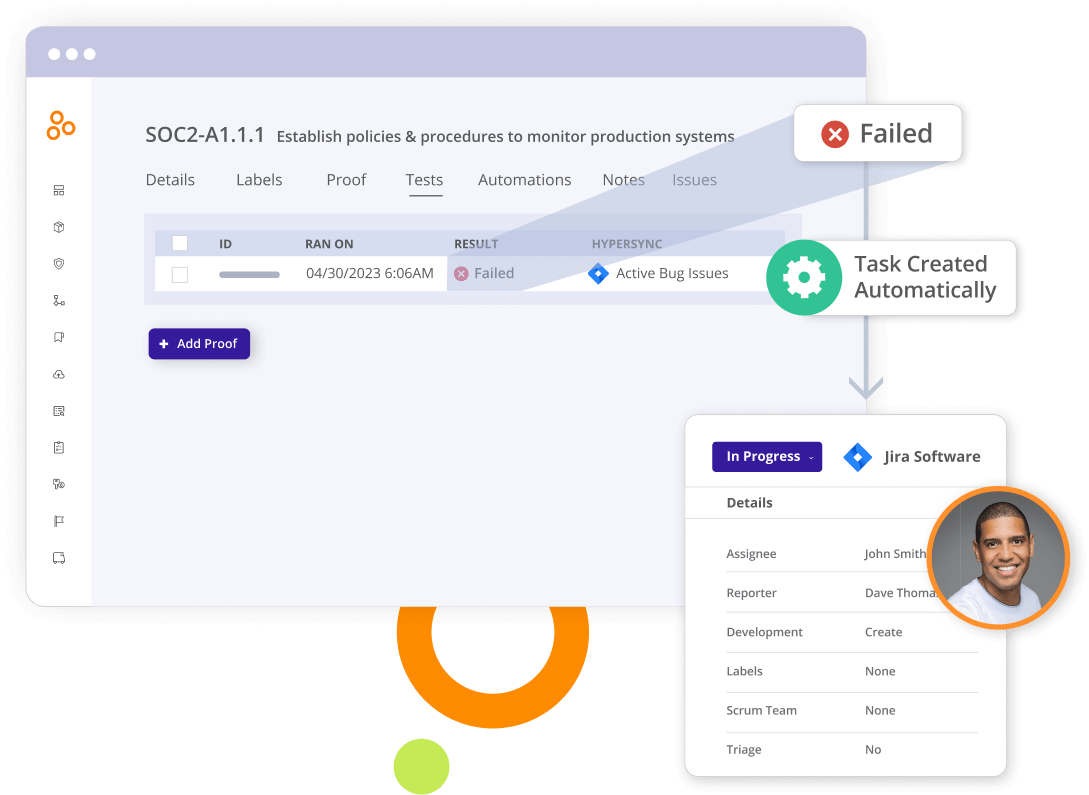
Hyperproof lets you automatically test and monitor control effectiveness and auto-create tasks based on test status.

You will be able to address failed tests immediately to make sure that risks are mitigated and that your controls are always up to date.

Pricing

Hyperproof follows the same trend most GRC platforms do – it provides no public information on its price.

You can book a demo and ask for a custom quote.

➡️ In our Hyperproof pricing guide, we found that entry-level subscription plans start at $12,000/year, and can go up to $99,700/year.

Pros & Cons

✅ Strong automation for evidence collection and certificate-ready audit workflows

✅ Highly customizable and adaptable, according to users of the platform.

✅ Address failed tests immediately to make sure that risks are mitigated

❌ Comes with a steep learning curve, similar to Workiva.

❌ The tool’s pricing can get really expensive for SMEs, which is why some users have been looking for Hyperproof alternatives.

Get Started With SmartSuite & Our Ready-To-Use GRC Templates For Free

That was it from our list of the 10 best Workiva alternatives on the market in 2025 for compliance teams looking for a solution.

If you are a credit union or a bank looking to build governance, risk, and compliance workstreams and effectively prioritize and mitigate risks, give SmartSuite a chance with our free plan and out-of-the-box GRC templates.

SmartSuite’s platform offers just the right customization, native collaboration capabilities and a library of 200+ project management templates to help compliance teams create and maintain a project management workflow.

Here’s what’s in it for your team when you try SmartSuite:

  • Access to a generous free plan with features including multi-board views (Kanban, Chart, Map, Timeline, Card, and Calendar), 100 automations/month, and 40+ field types, including formula and linked record fields.
  • No-code automation builder to set up to 500,000 trigger/action workflows.
  • Built-in productivity tools, including time tracking, status tracking, and checklists.
  • Team collaboration and planning tools such as whiteboards and SmartSuite docs.
  • Resource management across projects and teams.
  • 40+ field types, including the option to add your custom fields.

Sign up for a free plan to test the water or get a 14-day free trial to explore all its amazing features.

Or, if you’d like to talk to our team of experts, schedule a demo.

Read More

‍

‍

‍

‍

10 Best Corporater Alternatives & Competitors In 2025

Software Stack Editor · October 13, 2025 ·

But if you’ve spent any time inside the tool, you’ve probably felt it:

It’s not exactly built for speed, flexibility, or modern compliance teams trying to move fast.

Between rigid modules, dated UX, and a steep learning curve, many teams are starting to rethink whether Corporater is truly serving their needs, or just slowing them down.

Today’s risk and compliance require a platform that doesn’t just check boxes – it needs to launch fast, adapt instantly, automate everything repeatable, and give leadership real-time visibility across every risk domain.

That’s where Corporater alternatives step in.

In this guide, I’ll walk you through the 10 best Corporater alternatives and competitors for 2025, from agile no-code GRC platforms to enterprise solutions with built-in AI and automation.

Whether you’re managing policies, streamlining audits, tracking vendor risk, or preparing for your next regulatory exam, there’s a better option out there.

Let’s dive in!

TL;DR

  • SmartSuite stands out as the best overall Corporater alternative in 2025, offering a transparent, no-code platform that unifies risk, compliance, audit, policy, and vendor management, making enterprise-grade GRC accessible to teams of any size.
  • Workiva, Diligent, and ServiceNow excel in advanced automation, real-time reporting, and large-scale enterprise governance workflows.
  • LogicGate, MetricStream, and Riskonnect deliver flexible, modular, and analytics-driven GRC frameworks ideal for mid-to-large organizations seeking configurability.
  • Meanwhile, Resolver and Archer remain strong choices for teams focused on risk intelligence, incident management, and integrated audit tracking.

Why teams are looking to replace Corporater

Corporater is often praised for its flexibility, broad feature coverage, and strategic alignment tools. 

But beneath the surface, many users are starting to hit a wall.

From rigid reporting workflows to outdated visuals, here are the key reasons why compliance and performance leaders are actively exploring better alternatives to Corporater this year:

1. High cost of customization and ownership

Even though Corporater is marketed as a flexible platform, many reviewers noted that meaningful customization often requires expert involvement or additional costs, whether it’s hiring in-house sysadmins or buying support hours from the vendor.

“Cost-intensive to develop simple user interfaces for super users.” – Capterra Review

This makes scaling or adapting the platform harder for lean teams or organizations going through rapid change.

2. Limited business intelligence and analytics features

While Corporater supports risk and strategy tracking, several users feel it lacks the analytical depth and granularity required for GRC.

“Not dynamic in terms of drag and drop as well as graphs and charts.” – Capterra Review

Others expressed frustration with having to revert back to Excel or external tools to generate the insights they need.

3. Lack of built-in automation and modern workflow tools

Despite its flexibility, Corporater lacks some of the automation and transport tools teams expect in 2025. 

One reviewer noted the absence of built-in configuration transport between dev, test, and production environments, which is a major drawback for fast-moving teams.

“The lack of automation of the configuration/customization modifications transport from development to test and production.” – Capterra Review

This makes maintaining and updating the platform more time-consuming, especially in regulated environments with strict version controls.

“Clients need complex problems to be solved, and Corporater doesn’t match those high-end expectation, and they switch back to Excel. Dashboards are boring, no one prefers to see the dashboards prepared in Corporater compared to Power BI or any other analytics.” – Capterra Review

What are the best Corporater alternatives and competitors in 2025?

Here’s a curated list of 10 strong Corporater alternatives and competitors in 2025—platforms that offer overlapping or improved capabilities in strategy, performance and GRC:

  1. SmartSuite – Unified no-code platform for managing risk, audit, compliance, performance, and strategy in one place.
  2. Workiva – Connects financial and non-financial data for real-time compliance, reporting, and risk automation.
  3. Diligent – AI-powered GRC suite with strong capabilities in board governance, risk oversight, and policy management.
  4. ServiceNow GRC – Integrates GRC with IT operations for teams already embedded in the ServiceNow ecosystem.
  5. LogicGate – Modular no-code platform that lets teams build and automate custom GRC workflows without IT.
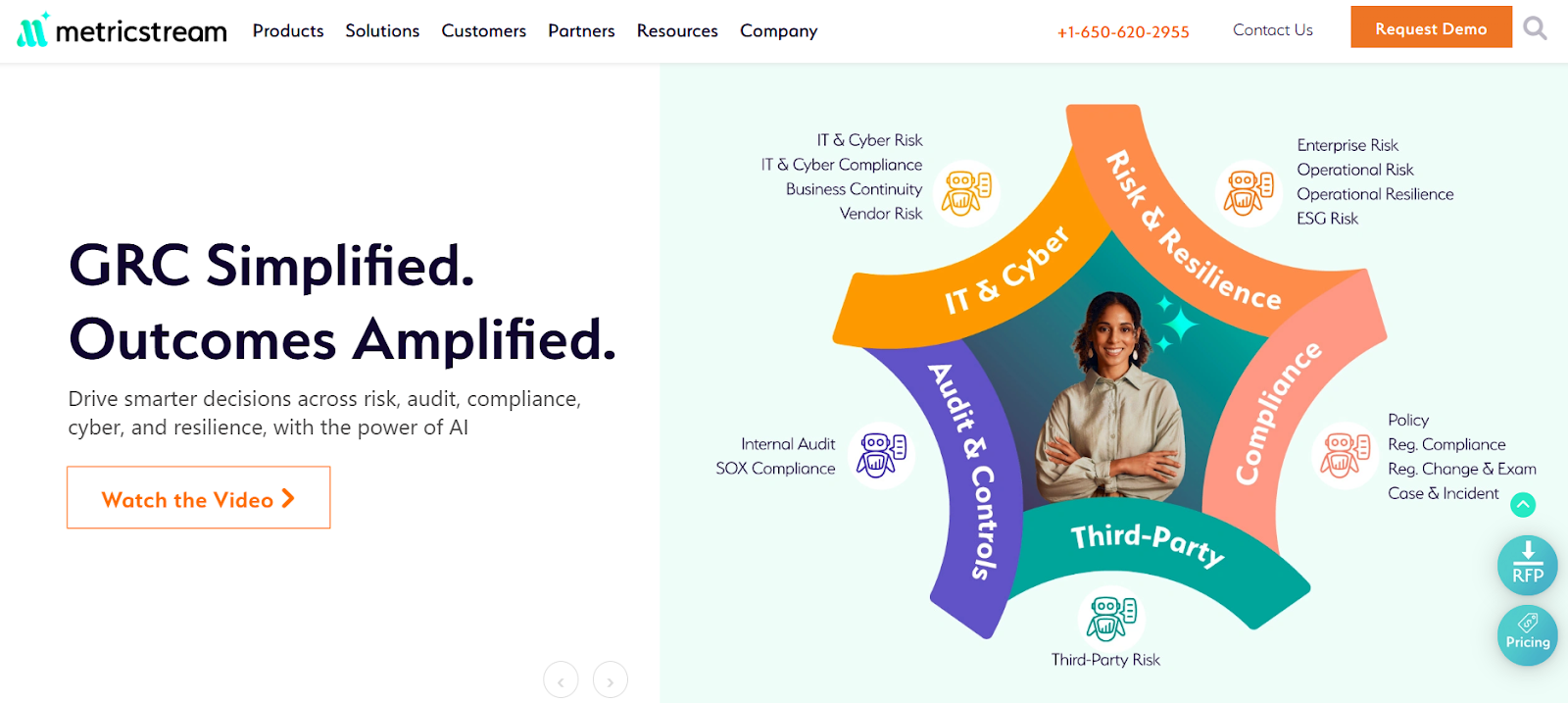
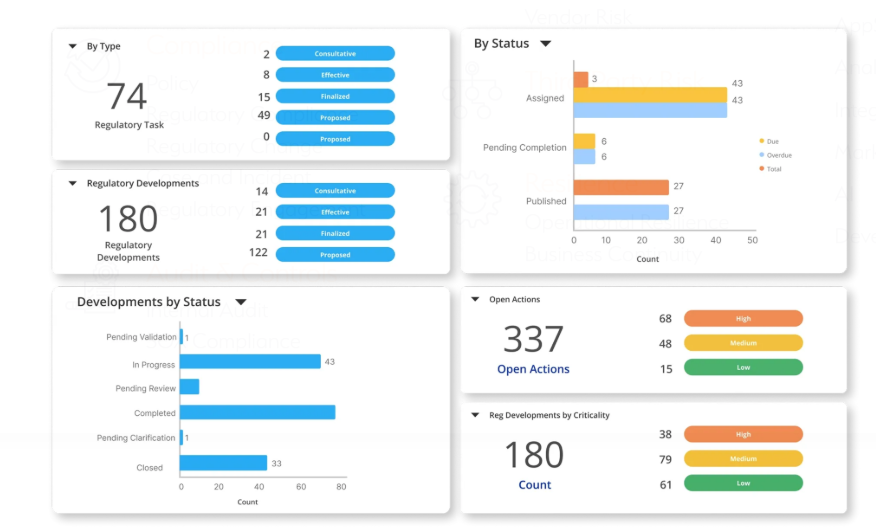
  6. MetricStream – Enterprise-ready GRC suite covering audit, risk, ESG, compliance, and control analytics.
  7. OneTrust – Privacy-first GRC solution with strengths in data protection, third-party risk, and regulatory automation.
  8. Archer IRM – Configurable risk framework used by global enterprises for regulatory mapping and operational risk.
  9. Riskonnect – Combines GRC, business continuity, and risk management for resilience-focused industries.
  10. Resolver – Incident-driven GRC tool with built-in risk intelligence, threat tracking, and response workflows.

1. SmartSuite

Best for: Compliance teams of all sizes looking for an intuitive, fully unified, no-code GRC platform that supports everything from strategy and risk to audits and policy workflows.

SmartSuite is the best overall Corporater alternative in 2025 because it offers the same breadth – strategy execution, performance tracking, GRC oversight – but with faster setup, easier customization, and a modern, no-code interface.

Whether you’re a bank managing regulatory obligations, a government agency tracking KPIs, or a cross-functional team responsible for audits and risk scoring, SmartSuite helps you get compliant, stay aligned, and move fast without relying on consultants or in-house developers.

Here are some of its standout GRC features:

1. Run every GRC workflow in one place

Unlike platforms that silo performance and compliance into separate modules, SmartSuite gives you one workspace for every part of your governance program:

  • Policy & control management: Define, publish, assign, and update policies with version control, approvals, and audit trails.
  • Risk & threat registers: Identify, score, and mitigate risks with customizable scoring formulas, ownership fields, and dashboards.
  • Incident & issue tracking: Centralize incident reports, link to assets or vendors, and assign resolution workflows with automated alerts.
  • Third-party & vendor oversight: Track vendor compliance, onboarding assessments, contracts, and risk ratings all in one dashboard.
  • Audit-ready reporting: Link evidence to controls, export records instantly, and prep for audits without scrambling through spreadsheets.

All of this is fully collaborative, with real-time commenting, role-based access, and activity history to keep your team and stakeholders aligned.

2. Powerful reporting without the friction

Corporater users often complain about rigid, hard-to-build dashboards. 

SmartSuite flips that experience by giving you:

  • Multiple views for every use case: Grid, Kanban, Timeline, Map, Calendar, and Chart views that you can switch between with a click.
  • Interactive dashboards: Spotlight anomalies and track KPIs, risk scores, or incident trends in real time.
  • Easy report sharing: Share links, export to PDF/Excel, or schedule recurring report emails with no IT help required.
  • Favorites & quick access: Pin your most critical risk or compliance reports for one-click access during reviews or board meetings.

From real-time status reports to audit-ready snapshots, SmartSuite’s reporting engine gives you executive visibility without the spreadsheet pain.

3. Customization without the code

Corporater may be flexible, but only if you have advanced in-house skills or paid consultants. 

SmartSuite makes deep customization accessible to every team with:

  • 40+ field types: From formulas and file uploads to linked records and risk scores, capture data the way your teams work.
  • Favorites & quick access: Pin your most critical risk or compliance reports for one-click access during reviews or board meetings.
  • No-code automations: Automate reviews, reminders, escalations, and task creation without touching code or relying on developers.
  • Open integrations: Connect SmartSuite to tools like Slack, Salesforce, Google Drive, and 3,000+ apps via Zapier or API.

Whether you’re launching a new GRC process or adjusting an existing one, you can make changes instantly, with no disruption to your team’s work.

4. Ready-to-go templates for faster setup

SmartSuite helps you get started in days, not months, with 15+ GRC solution templates built for teams just like yours. 

Each one includes pre-configured workflows, dashboards, fields, and automations you can tailor as needed.

A few highlights include:

  • Risk Register: Assess risk probability, impact, and response with built-in scoring logic and ownership tracking.
  • Policy Management: Assign policy owners, manage versions, and track read receipts and acknowledgements.
  • Audit Planning: Manage internal or external audits with scheduling, evidence management, and control mapping.
  • Regulatory Change Tracker: Monitor legal updates, assign review tasks, and link new rules to affected controls or teams.

It’s everything you need to not have to start from scratch.

Pricing

While Corporater’s pricing isn’t publicly listed, which makes it difficult for teams to estimate costs or plan budgets upfront, SmartSuite takes a transparent, no-surprises approach.

It offers clear, tier-based plans that scale as your GRC program grows, so you always know exactly what you’re paying for.

Firstly, there’s a Free Forever plan designed for individuals and small teams, giving access to core GRC templates, dashboards, real-time collaboration, and reporting features. 

It supports up to 3 users, 5 solutions, and 1,000 records per solution, making it ideal for smaller teams or those piloting SmartSuite’s GRC capabilities before a full rollout.

And if you need more power, SmartSuite’s four paid tiers scale seamlessly with your organization’s growth and compliance maturity:

  • Team: $12/user/month, includes everything in Free, plus unlimited solutions, 5,000 records per solution, 50GB of file storage, advanced collaboration tools, and a 30-day recycle bin.
  • Professional: $30/user/month, includes everything in Team and adds advanced permissions, two-factor authentication, Gmail & Outlook integrations, AI features, and 100GB of file storage.
  • Enterprise: $45/user/month, includes everything in Professional, plus audit logs, data loss prevention, up to 50,000 monthly API calls, and 500GB of file storage.
  • Signature: Custom pricing, a fully tailored plan with no predefined limits, offering extended storage, API capacity, records, automations, and advanced enterprise security options such as SCIM provisioning and regional data residency.

The first three paid plans include a 14-day free trial with no credit card required, allowing teams to explore SmartSuite’s full capabilities before committing.

How does SmartSuite compare to Corporater?

While both platforms aim to centralize governance, risk, performance, and compliance, SmartSuite delivers a more modern, flexible, and user-friendly experience without the complexity or hidden costs often associated with Corporater.

Here’s how they compare:

  • Ease of use: SmartSuite offers a clean, no-code interface that non-technical teams can navigate easily. Corporater, by contrast, often requires advanced training and can feel clunky for day-to-day use.
  • Customization & flexibility: With 40+ field types and visual builders, SmartSuite lets you adapt forms, workflows, and dashboards in minutes, with no developers needed. Corporater may offer similar flexibility, but executing changes often demands in-house sysadmins or billable vendor support.
  • Reporting & dashboards: SmartSuite makes it easy to build dynamic dashboards and export reports across Grid, Chart, Timeline, and Map views. Corporater’s reporting tools are powerful but hard to use, with several users reverting to Excel or PowerBI instead.
  • Setup & implementation speed: SmartSuite’s ready-made GRC templates mean you can be up and running in days. Corporater setups typically take longer, especially if you require heavy customization.
  • Pricing transparency: SmartSuite uses a clear, tiered pricing model with no surprises, starting at $12/user/month and including a free plan. Corporater relies on custom, quote-based pricing, making it harder to plan and budget ahead.
  • Automation: SmartSuite comes with a built-in no-code automation engine for things like control testing, incident escalation, or deadline reminders. Corporater offers limited built-in automation, and complex workflows often require external configuration.

Pros & Cons

✅ Extremely easy to use, even for non-technical teams. 

✅ Built-in collaboration tools like real-time editing, mentions, activity history, and role-based permissions keep cross-functional teams aligned.

✅ Fast, flexible setup, as you can create custom workflows in minutes or use over 200 prebuilt templates tailored to different industries and departments.

✅ All-in-one workspace that combines project management, CRM, document sharing, tasks, chat, dashboards, and automation in a single platform.

✅ Powerful built-in automation.

✅ Highly customizable without code.

❌ Fewer native integrations than legacy enterprise suites.

2. Workiva

Best for: Enterprises needing a data‑centric compliance, reporting, risk, and sustainability platform that tightly links financial, operational, and regulatory workflows.

Workiva is a connected GRC and reporting platform built to unify financial, risk, compliance, and ESG data in one secure workspace. 

It helps teams collaborate in real time, automate complex reporting tasks, and maintain complete auditability across every document, control, and disclosure.

Features

  • Unified reporting: Workiva’s unified reporting engine brings structured and unstructured data together, applies AI-driven checks and validations, and automates repetitive reporting tasks.
  • Version control & complete audit trail: Every edit is tracked, with snapshot history and rollback options to maintain transparency. 
  • AI-powered workflow automation: Agentic AI automates your repetitive tasks, optimizes complex workflows, and pulls critical insights in real time.

Pricing

Workiva doesn’t publish standardized pricing, as costs probably depend on scope, modules, user counts, and deployment needs. 

You’ll need to request a quote to see how licensing and costs scale for your use case.

Pros & Cons

✅ Strong audit and compliance focus, as the platform is built specifically for enterprise-grade financial and regulatory reporting.

✅ Intuitive and user-friendly interface.

❌ Non-transparent pricing.

3. Diligent

Best for: Large enterprises and public organizations seeking a unified GRC + board governance platform with deep analytics, AI insights, and board-level oversight.

Diligent is an enterprise-grade governance and GRC platform that unifies board management, risk, audit, compliance, and ESG in one secure ecosystem. 

It’s built to give executives and board members real-time visibility into organizational performance, emerging risks, and compliance posture through AI-powered insights and dashboards.

Features

  • ESG, sustainability & diversity modules: Aggregate ESG data, track climate and diversity metrics, and integrate sustainability into governance narratives.
  • AI-driven intelligence & market data: Leverage external data feeds and built-in analytics to enrich risk scoring and provide strategic foresight. 
  • Audit & analytics: Automate continuous monitoring, generate one-click audit reports, and consolidate findings to boost risk mitigation. 

Pricing

There’s no official information on Diligent’s pricing plans available.

You can request a custom quote from its sales team or read our Diligent pricing review.

Pros & Cons

✅ Robust reporting & dashboards make it easy to visualize controls, risks, and audit results in real time.

✅ Strong automation & workflow features.

❌ Users mention restricted customization options in forms, templates, and questionnaire formatting.

4. ServiceNow GRC

Best for: Large organizations already using the ServiceNow ecosystem that want tightly integrated GRC workflows embedded within IT, security, and operations.

ServiceNow GRC is an enterprise-grade risk and compliance suite, designed to unify governance, risk, audit, and vendor workflows in one system. 

It helps organizations automate control monitoring, streamline policy management, and coordinate risk responses across IT, security, and operations teams in real time.

Features

  • Configurable workflows & dashboards: Use no-code tools to build GRC workflows, scorecards, dashboards, and role-based views.
  • Vendor risk management & third-party portal: Manage vendor assessments, onboarding, renewals, scoring, and continuous monitoring.
  • Business continuity & resilience planning: Identify critical services, map dependencies, and test recovery plans tied to your CMDB and operational services. 

Pricing

ServiceNow GRC doesn’t disclose its prices.

You’ll have to contact sales for more information or check our in-depth guide on its pricing.

Pros & Cons

✅ Powerful automation and AI insights help summarize risks, generate insights, and accelerate decision-making.

✅ Highly customizable workflows let organizations adapt the system to their internal policies and processes.

❌ Expensive for smaller organizations.

5. LogicGate

Best for: Teams that want a deeply customizable, no-code GRC engine that can evolve with changing compliance needs without depending on IT.

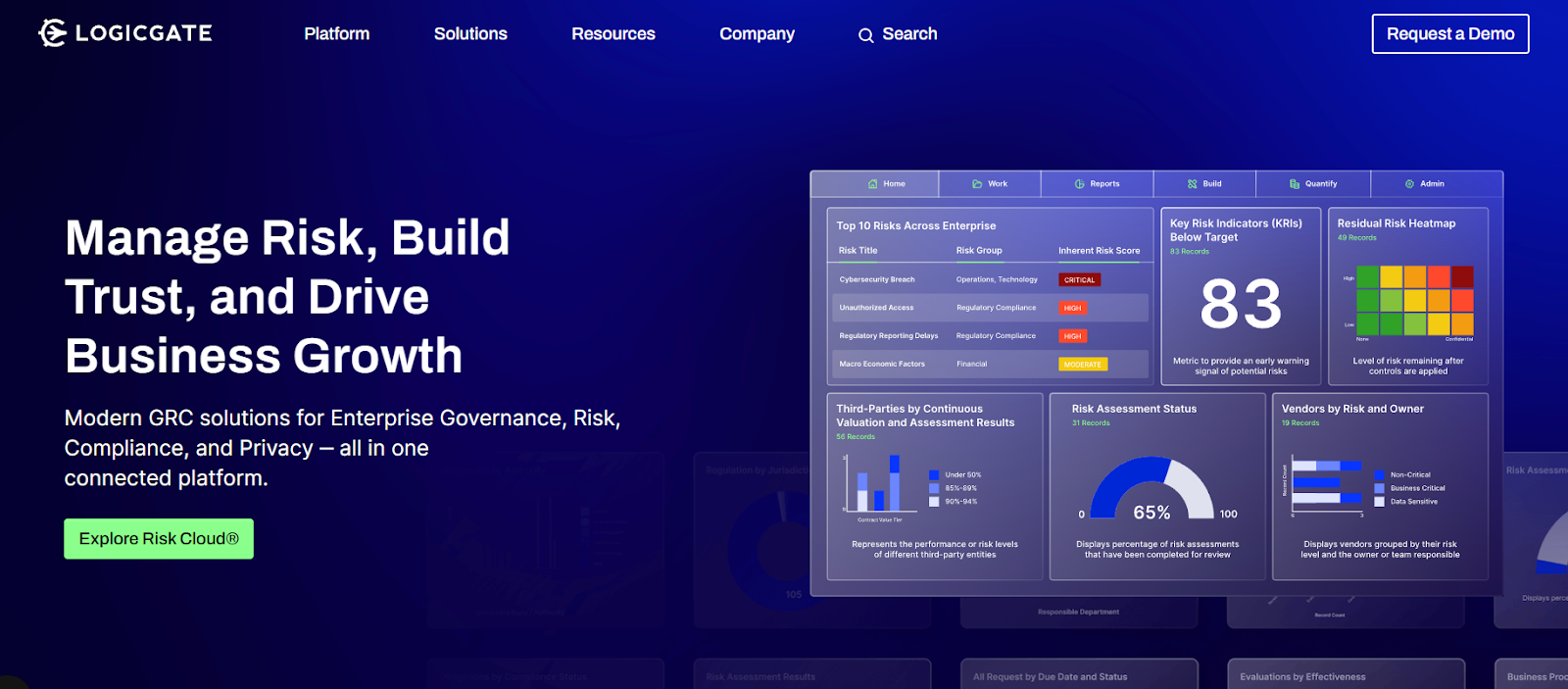
LogicGate Risk Cloud is a modular, low-code GRC platform that helps organizations design, automate, and connect governance, risk, and compliance workflows in one place. 

It enables teams to build custom applications, streamline assessments, and visualize risks and controls through dynamic dashboards and automation.

Features

  • No-code, modular app builder: Choose from 30+ ready applications (e.g. policy, third-party risk, audit) and tailor workflows without writing code. 
  • Risk quantification & analytics: Use built-in models (e.g. Monte Carlo, Open FAIR) to assign probabilities, financial impact, or scenario-based scoring. 
  • Connected workflows & data linking: Link data and logic across modules so that events, controls, and assessments remain connected across your infrastructure.

Pricing

LogicGate follows a tailored pricing approach designed around your organization’s size, GRC maturity, and chosen use cases, so you only pay for what you actually use.

Pricing depends on several factors:

  • Applications: Select from 30+ modular GRC apps (like policy management, incident response, or vendor risk) and pay per module.
  • Power Users: Pricing is based on the number of users building and managing workflows, not your entire team.
  • Add-ons: Optional enhancements such as Risk Cloud Quantify™, extra integrations, or advanced analytics.
  • Services: Implementation, onboarding, and professional services offered as needed for custom setups.

Exact pricing is available upon consultation. 

For a deeper look, see our full LogicGate pricing guide.

Pros & Cons

✅ Exceptionally customizable and flexible, letting you design tailored workflows and applications without developer support.

✅ Connects all workflows for a unified view of risks, policies, and compliance across departments.

❌ Visual reporting could be more advanced.

6. MetricStream

Best for: Large enterprises needing a mature, full-spectrum GRC platform that can scale across risk, compliance, audit, and ESG in highly regulated environments.

MetricStream is an enterprise-grade GRC platform that brings together risk, compliance, audit, and ESG management under its ConnectedGRC suite. 

It leverages AI, analytics, and a unified data model to help organizations centralize governance processes and make faster, more informed decisions.

Features

  • AI-powered control insights: Uses generative AI and knowledge graphs to surface redundant controls, detect gaps, and prioritize testing more intelligently. 
  • Regulatory change tracking & mapping: Keeps your policies, controls, and risk registers aligned with evolving regulations via automated alerts and impact analyses. 
  • Audit & internal control management: Workflow tools for planning, executing, evidence collection, and reporting, plus linkage to issues and remediation.

Pricing

MetricStream doesn’t disclose its prices.

You can request a demo to learn more.

And if you want to find out about its potential cost without going through that entire process, check out our in-depth MetricStream pricing review.

Pros & Cons

✅ Highly configurable and customizable platform.
✅ Strong data modeling and reporting capabilities.
❌ Reviewers mention that the interface can feel dated and non-intuitive, requiring extensive training for new users and admins.

7. OneTrust

Best for: Organizations prioritizing privacy, third-party risk, and compliance automation within a unified GRC and trust framework.

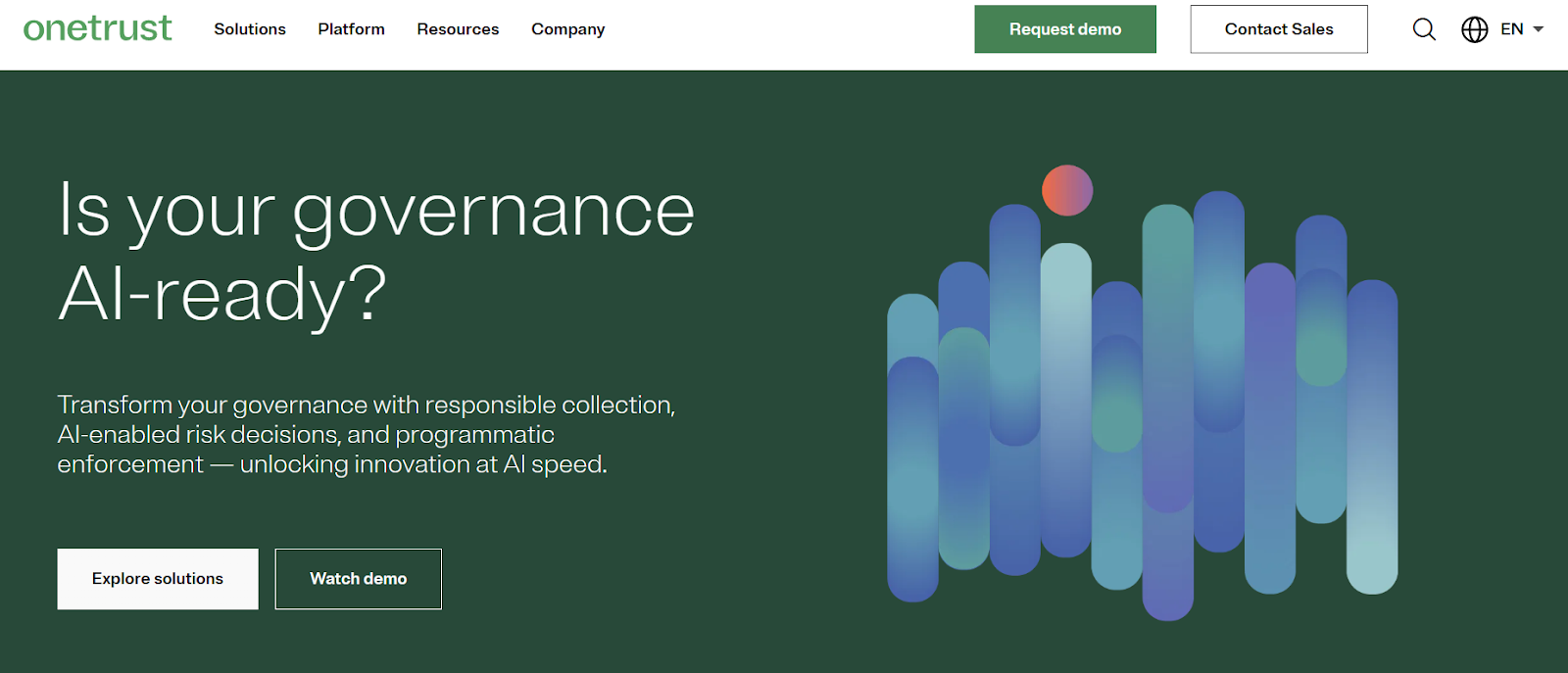
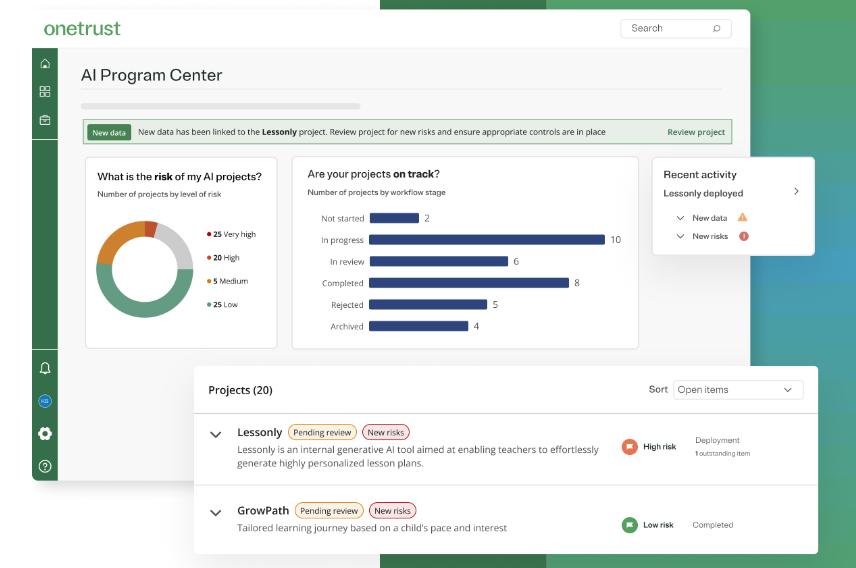
OneTrust is a platform that centralizes risk, compliance, privacy, and third-party workflows, empowering teams to automate controls, map regulatory frameworks, and embed governance across data and operations. 

It’s part of a broader trust platform that integrates modules for AI governance, ethics, and consent management to help scale compliance across domains.

Features

  • AI governance: Centralizes oversight of your organization’s AI initiatives by automating risk assessments, tracking model performance throughout the lifecycle, and continuously mapping compliance, ensuring transparent, ethical, and compliant AI use.
  • Compliance automation & regulatory mappings: Supports automation across 50+ frameworks (e.g. GDPR, NIST, ISO) with built-in mapping and scoping tools.
  • Privacy automation: Automates privacy operations end-to-end to help organizations scale compliance and accelerate responsible data use. 

Pricing

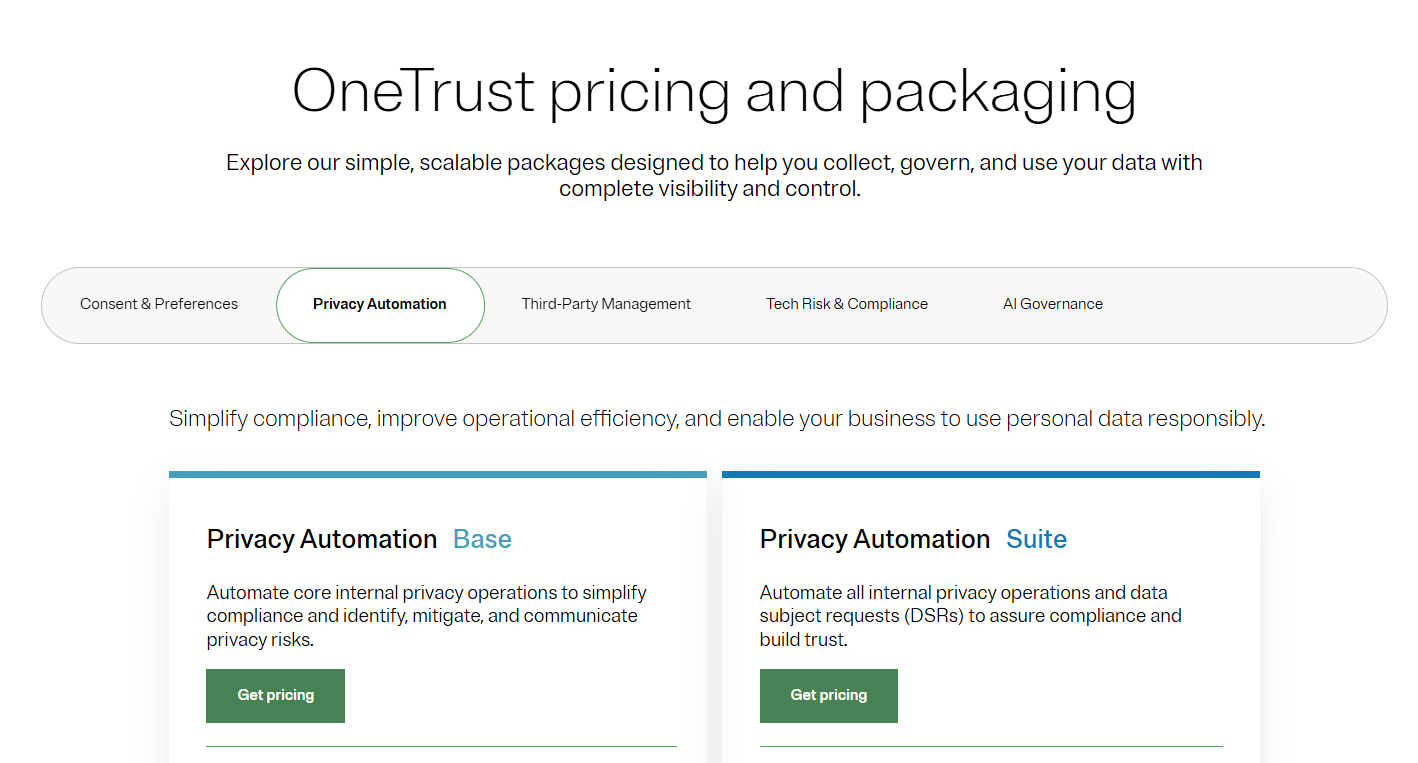
OneTrust has several major product packages, some of which have more than one tier:

  1. Consent & Preferences:
  • Consent Management Platform: Pricing based on average daily visitors aggregated across all channels and properties.
  • Universal Consent & Preference Management: Pricing based on total data subject profiles captured.
  1. Privacy Automation (Pricing based on users and privacy asset inventory​ for both plans):
  • Base.
  • Suite.
  1. Third-Party Risk Management (Pricing based on admin users and third-party inventory​ for both plans):
  • Base.
  • Suite.
  1. Tech Risk & Compliance​: Pricing based on admin users and asset inventory​.
  2. AI Governance​: Pricing based on admin users and AI inventory​.

There are no prices disclosed for any of the plans, so you’ll have to contact its sales team or check out our in-depth OneTrust pricing guide.

Pros & Cons

✅ Strong automation and regulatory support.

✅ Clean, intuitive UI.

❌ Custom pricing and modular fees may make budgeting harder, particularly for mid-tier or evolving teams.

8. Archer IRM

Best for: Large, regulated organizations seeking a mature, configurable platform to centralize risk, audit, compliance, and third-party governance under one roof.

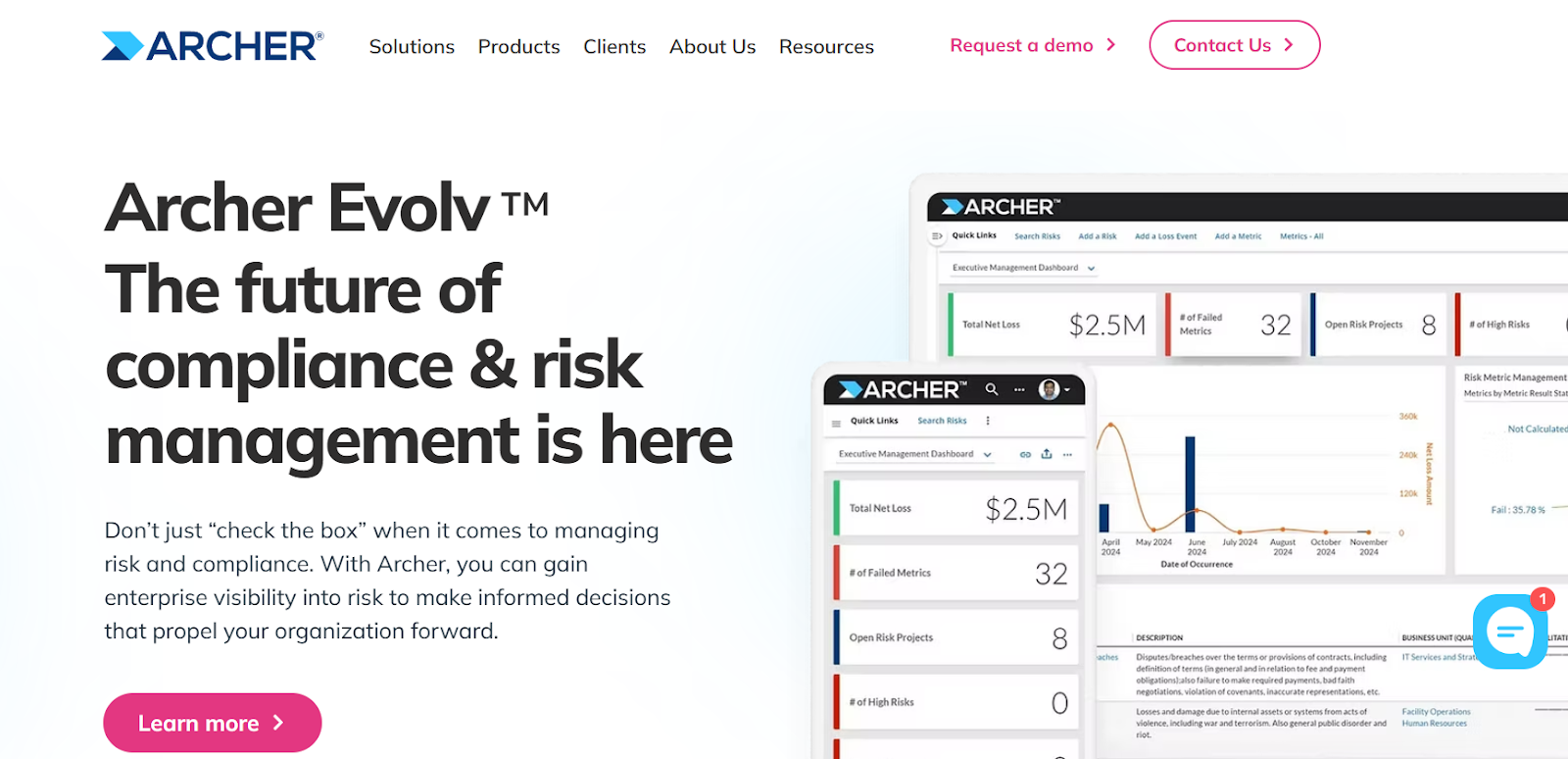
Archer IRM offers a single, configurable platform to manage multiple dimensions of risk, compliance, audit, and resilience, helping organizations integrate operations, drive accountability, and harness AI insights across domains. 

It supports capabilities like audit management, document governance, IT risk, and vendor oversight while enabling deep customization and cross-module workflows.

Features

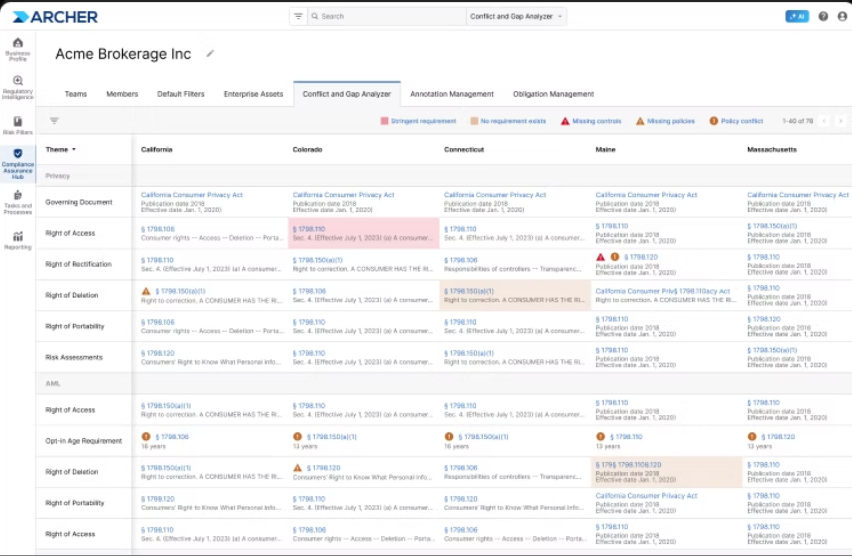
  • Integrated risk & audit management: Plan, execute, and report audits in a risk-based manner, linking findings back to risk and controls. 
  • Configurable risk framework & data model: Connect diverse GRC objects, support multiple risk domains, and adapt mappings across your organization. 
  • AI / regulatory intelligence: AI-powered regulatory change tracking and operational insights help flag risk areas dynamically. 

Pricing

Archer IRM didn’t make its pricing public.

You’ll have to contact its sales team for a custom quote, or check our detailed Archer IRM pricing guide.

Pros & Cons

✅ Highly flexible and customizable.

✅ Strong dashboards and visualization.

❌ Steep learning curve.

9. Riskonnect

Best for: Organizations that need scalable, modular GRC software that centralizes risk, compliance, audit, third-party, and resilience workflows under one unified architecture.

Riskonnect’s GRC platform brings all risk, compliance, audit, and policy processes into a single source of truth, empowering teams to collaborate across silos, monitor controls in real time, and make informed decisions backed by integrated analytics. 

It is built on a modern cloud architecture with modular design, enabling organizations to pick and add modules (e.g. ERM, TPRM, internal audit) as needed.

Features

  • Automated control testing & compliance workflows: Run scheduled control checks, trigger remediation workflows, and centralize evidence. 
  • Third-party / vendor risk management: Onboard, assess, and continuously monitor vendor risk and compliance through a centralized portal. 
  • Security & access controls: Field-level permissions, encryption, audit logs, and enterprise-grade security architecture.

Pricing

Riskonnect doesn’t list standard pricing publicly. 

Instead, pricing is modular and user-based, depending on which modules you adopt (e.g. ERM, RMIS, audit, TPRM) plus service and implementation fees.

You can request a demo to learn more about the platform and its costs for your organization, or take a look at our in-depth Riskonnect pricing guide.

Pros & Cons

✅ Flexible and modular architecture allows you to tailor the system as your needs grow. 

✅ Strong centralization of risk data, allowing you to consolidate fragmented risk and compliance data into one source of truth.

❌ Opaque cost structure.

10. Resolver

Best for: Teams that want a risk intelligence platform focused on incident, audit, compliance, and control workflows with intuitive reporting and automation.

Resolver combines incident management, risk assessment, audit planning, and control monitoring into one platform, designed to centralize how organizations identify, respond to, and report on risk and compliance events. 

It emphasizes real-time analytics, customizable workflows, and a UI built for ease of use.

Features

  • Risk & incident tracking: Manage risk assessments, incident investigations, and remediation processes from a unified interface. 
  • Customizable workflows & forms: Configure dashboards, forms, and processes to match your oversight structure without heavy coding.
  • Real-time reporting & dashboards: Create live views of risk, control status, and audit metrics with drill-down capabilities. 

Pricing

Resolver doesn’t have fixed subscription fees.

Instead, it offers a flexible, tailored pricing model designed so you only pay for what you need.

The final price will depend on:

  • The core modules and additional bundle solutions you select.
  • Your desired level of customization.
  • The number of active users managing risk programs.

You can contact its sales team to get a closer idea of how much it would cost your organization.

Pros & Cons

✅ Comprehensive risk and incident management.

✅ Highly customizable and flexible.

❌ Reporting limitations, as some reviewers say reports lacks deep flexibility and that built-in reporting and dashboarding could be more intuitive, especially for non-technical users.

Choosing GRC software that actually works for you

Choosing the right GRC platform isn’t just about ticking regulatory boxes – it’s about finding a system that actually helps your organization work smarter, stay resilient, and adapt fast. 

Each of the Corporater alternatives I covered brings something valuable to the table, from deep enterprise integrations to AI-driven analytics and flexible risk modelling.

But as businesses evolve, so do their expectations. 

Teams no longer want siloed systems or months-long implementations. 

They want visibility, automation, and control in one place. 

And that’s where SmartSuite stands apart.

Built for teams that value clarity as much as compliance, SmartSuite unifies governance, risk, audit, and performance management into one intuitive platform. 

It’s modern, scalable, and transparent – everything a 2025-ready GRC solution should be.

Start your free SmartSuite trial to see how effortless, integrated GRC can truly be.

Or, book a demo if you want a personalized tour first.

Read more

  • 10 Best SAI360 Alternatives for GRC in 2025 [Reviewed] – Explore the top SAI360 competitors redefining GRC in 2025 with smarter automation, better usability, and transparent pricing.
  • SAP GRC Pricing: Is It Worth It In 2025? [Reviewed] – See whether SAP GRC’s premium price tag still matches its enterprise capabilities, or if more agile options deliver better ROI.
  • 10 Best Third-Party Risk Management Software In 2025 – Discover the best tools to assess, monitor, and mitigate vendor risks, so your third-party ecosystem stays secure and compliant.
  • 10 Best Diligent Alternatives For GRC In 2025 [Reviewed] – Compare the leading Diligent competitors offering modern board governance, integrated risk management, and audit automation.
  • Riskonnect Pricing: Is It Worth It In 2025? [Reviewed] – Uncover how Riskonnect’s pricing stacks up against competitors and whether its enterprise-grade flexibility justifies the cost.
  • 10 Best ZenGRC Alternatives & Competitors In 2025 – Find the best ZenGRC alternatives delivering faster setup, better scalability, and a unified approach to governance, risk, and compliance.

‍

‍

ManageEngine Pricing: Is It Worth It In 2025?

Software Stack Editor · October 2, 2025 ·

There are different pages for different paid plans, on-premise vs. cloud deployment, add-ons, and so on.

In this guide, I’ll help you decipher ManageEngine’s pricing, including how they calculate their pricing and examples of how much it’ll cost in the end.

➡️ I’ll also introduce you to a ManageEngine alternative that has a more affordable pricing structure, is quick to set up, and comes with premium customer support.

How does ManageEngine Calculate Its Pricing?

ManageEngine uses a few different (or combined) pricing models depending on the product:

  • Per-technician (ServiceDesk Plus): you pay per technician with no restriction on end users.
  • Per-endpoint or per-device (Endpoint Central & Mobile Device Manager Plus): charged by the number of endpoints (e.g., desktop, and workstation).
  • Per-server: for server management modules, there are separate server tiers.
  • Add-ons: many capabilities (CMDB, change, DEX, malware protection, OS deployment, live chat, etc.) are sold as add-ons with their own per-year or per-endpoint prices.
  • Whether you want the platform to be multilingual, which can add to the costs.

➡️ If I were you, I’d pick by who you’re paying for (technicians) and/or what you’re managing (assets, endpoints, servers), and add any optional modules you need.

Source: ManageEngine ServiceDesk Plus, Endpoint Central, Mobile Device Manager Plus pricing pages.

Does ManageEngine Have A Free Plan Or A Free Trial?

Yes, ManageEngine does have a free plan for one of its product lines, ServiceDesk Plus and Mobile Device Manager Plus, as well as a free trial for its Endpoint Central.

Here’s a quick summary of what you can get at no cost to experiment with the ITSM software:

  • ServiceDesk Plus: free 5-technician Standard edition allotment (only one instance can use the free allotment). There’s also a 30-day free trial for instances.
  • Mobile Device Manager Plus: free edition up to 25 devices, with a 30-day unlimited devices trial available.
  • Endpoint Central: 30-day trial available for unlimited endpoints on both cloud and on-premises.

ManageEngine’s ServiceDesk Plus Plan (ITSM)

ManageEngine’s ServiceDesk Plus plan starts from $13/month/technician and comes with multiple paid add-ons.

Here’s how the product’s plans look and what you’ll get from them:

  • Standard: Starts at $13/month/technician when billed annually for cloud deployment and gives you access to its IT help desk. $16/month/technician for a multilingual platform.
  • Professional: Starts at $27/month/technician when billed annually for cloud deployment and adds asset management. $34/month/technician for a multilingual platform.
  • Enterprise: Starts at $67/month/technician when billed annually for cloud deployment and adds change and project management. $79/month/technician for a multilingual platform.

➡️ Add-ons include CMDB ($1,595/year), Service Catalogue ($1,595/year), Project Management ($1,595/year), Problem Management ($1,595/year), Change & Release Management ($3,195/year), Live Chat ($65 per tech per year), remote control ($315/concurrent session/year), and an annual maintenance service ($35per technician annually).

ManageEngine’s Endpoint Central Plan

ManageEngine’s Endpoint Central plan charges per endpoint and number of servers.

There are 4 paid plans to choose from:

  • Professional: Starts from $795/year for 1 technician for 50 endpoints and $295/year for 10 servers, and annual, on-premise deployment.
  • Enterprise: Starts from $945/year for 1 technician for 50 endpoints and $345/year for 10 servers, and annual, on-premise deployment.
  • UEM: Starts from $1,095/year for 1 technician for 50 endpoints and $395/year for 10 servers, and annual, on-premise deployment.
  • Security: Starts from $1,695/year for 1 technician for 50 endpoints and $495/year for 10 servers, and annual, on-premise deployment.

Additional technicians are charged more on a scaling basis, regardless of the paid plan that you’ll go ahead with, depending on your annual or perpetual charging basis.

➡️ Add-ons include Malware protection ($495/year), Ransomware protection ($145/year), DEX Manager ($195/year), and OS Deployment ($345/year).

ManageEngine’s Mobile Device Manager Plus Plan

ManageEngine’s Mobile Device Manager Plus product line offers a device-based pricing plan with a free edition for up to 25 devices.

There are only 2 paid plans:

  • Standard: Paid plan starts from $495/year for 50 devices with 1 technician.
  • Professional: Paid plan starts from $895/year for 50 devices with 1 technician.

Additional technicians are charged separately, starting from $345/year per additional technician up to $5,995/year for 50 additional technicians.

➡️ It’s also worth mentioning that the Mobile Device Manager Plus plan provides discounts for non-profit organizations and educational institutions. You’ll need to get in contact with them to get a custom quote for that.

What would be a realistic cost for ManageEngine?

Based on 3rd party data from Vendr, the average contract value they’ve handled for ManageEngine (out of 11 deals) comes to $9,320/year.

Apart from this, here are a few hypothetical scenarios of purchasing the platform using the tool’s reported pricing:

Small operation example costs:

  • MDM: Managing 50 devices would cost you $495/year for an on-premise deployment.
  • Endpoint Central: Managing 50 endpoints would cost you $795/year.
  • ServiceDesk (Cloud): Signing up for 5 technicians at $13/month would cost you $65/month or $780/year.

Mid to large operation example:

  • ServiceDesk Enterprise: Signing up for 200 technicians and managing 1000 assets would cost you $59,795/year.
  • Endpoint Central: Managing 10,000 endpoints would cost you $43,195/year.
  • MDM: Managing 10,000 devices would cost you $29,995/year.

Does ManageEngine Provide Good Value for Money?

ManageEngine’s users are generally satisfied with the software, mentioning that the tool has become an integral part of their prompt service delivery with its remote connection, chat, and video call capabilities.

‘’As an IT professional, solutions such as ManageEngine are essential for the prompt service delivery of HelpDesk employees within the organization. ManageEngine has many features. They are remote connection, video call and chat functions.’’ – Capterra Review.

Despite this, there have been some users of the platform who are not satisfied with the initial implementation of the solution, noting that it can be tricky and complex to get up and running.

‘’Initial configuration and implementation is a bit tricky and needs some patience.’’ – G2 Review.

What’s more, I saw that ManageEngine’s customer support is a recurrent theme, with G2 reviewers claiming that it has left them hanging for what appeared to be basic issues.

‘’But perhaps the most frustrating aspect for me is the level zero support processing for end users. It often feels like I’m hitting a brick wall when trying to resolve basic issues, and the lack of responsiveness in this area is a significant letdown.’’ – G2 Review.

Looking For a ManageEngine Alternative For ITSM?

SmartSuite offers the best ManageEngine alternative on the market, featuring our no-code, easy-to-use software that helps streamline critical IT processes, organise projects, and eliminate traditional obstacles in the tech landscape.

Here’s a quick walkthrough of the software and our solution for IT leaders:

[embedded content]

Let’s go over the features that make SmartSuite the best option for small and large IT teams looking for a ManageEngine alternative: 👇

All-In-One ITSM

SmartSuite helps IT leaders manage their IT processes, projects, and assets in a single, unified solution. 

Our no-code, easy-to-use solution lets you automate all technical processes with ease.

Here are the capabilities and use cases that your team will get with SmartSuite:

  • Manage critical IT processes: Manage IT data and workflows in one place, from deploying help desk and issue management solutions to ensuring core business operations stay uninterrupted.
  • Track tickets & issues: You’ll be able to deploy a help desk and issue management solutions to ensure your business operations are not interrupted.
  • Manage your IT assets and licenses: Track all of your IT assets, to whom they are deployed, and what software versions are deployed.
  • Manage internal IT projects: You can plan deployments, schedule your teams, and monitor progress to ensure you deliver on time and under budget.
  • Integrate with your existing systems: Your team can integrate with existing systems and data to consolidate and centralize your data. 
  • Automate for accuracy and efficiency: It’s possible to remove inefficiencies and the chance for human error by automating repeatable workflows.
  • Monitor and report on your work with customizable IT dashboards: You can slice and dice data, track help tickets, work requests, and more in dynamic interactive dashboards.

Standardize Your Team’s IT Workflows

Your team can standardize your IT request workflow with a centralized work request process. 

Our platform lets you prioritize tasks, assign IT staff and ensure that you achieve SLAs.

You’ll also be able to monitor your team with flexible reports and dashboards that keep you updated in real time.

Apart from that, SmartSuite’s no-code automation builder provides IT teams with a visual interface that makes it easy to respond to events and take action.

That means you can customize your ITSM workflows without technical resources.

💡 Are you working from mobile? Stay connected to critical IT information, tickets and device information with our native iOS and Android apps.

Your team can use our mobile apps to share files, images, updates and other feedback to resolve problems and close tickets.

Ready-To-Use ITSM Templates

Our team has prepared a few ITSM templates for IT teams looking to get started right away, instead of building everything from scratch, such as an IT Help Desk.

Our ITSM template includes:

  • IT Service Request Management, where you can streamline work requests, automate repetitive tasks, and manage IT assets.
  • IT Help Desk, which we built for internal IT departments looking to capture and resolve internal technology issues.
  • IT Asset Tracker, where you can keep track of IT assets issued to employees or implemented in networks, facilities and workspaces.

You can customize our ITSM management templates here for various use cases, such as IT Security Policies, IT Security Audits, and IT Work Requests.

How is SmartSuite’s Pricing Different From ManageEngine’s?

SmartSuite uses a flat per-user pricing model with all-in-one access to its ITSM and work management features, while ManageEngine pricing is modular and resource-based, charging separately per technician, per device or endpoint, and for specific add-ons.

Similar to ManageEngine, SmartSuite offers a free tier with access to 250+ automation actions, team collaboration, multi-dashboard views, and more.

There are four paid plans with a 14-day free trial (no CC required):

  • Team: Starts at $12/user per month, including Gantt charts, timeline views, 5000 automation runs, and native time tracking.
  • Professional: Starts at $30/user per month and adds two-factor authentication, Gmail & Outlook integrations, and unlimited editors.
  • Enterprise: Starts at $45/user/month and includes access to audit logs, data loss prevention, and 50,000 monthly API calls.
  • Signature: A customized plan tailored to your organization’s needs and team size with no predefined limits.

How is SmartSuite different from ManageEngine?

SmartSuite and ManageEngine want to give in-house IT teams a single place to manage tickets, assets, and everyday IT operations, but they take very different approaches.

ManageEngine is a mature ITSM suite with workflow rules, smart ticket routing, and built-in AI; however, many IT leaders move away from it because onboarding can be complex, the per-technician pricing can become expensive, and some customers report slow support.

SmartSuite, by contrast, is a simpler, no-code alternative that packs broad ITSM capability into a more transparent and flexible package.

Here’s how they stack up in the areas that matter most to IT teams:

Implementation & onboarding

  • ManageEngine: Powerful but can be tricky to configure. Customers frequently note a steep initial learning curve and a setup that requires patience.
  • SmartSuite: No-code, visual builders and ready-to-use ITSM templates (Help Desk, IT Service Request, Asset Tracker) make it fast to launch without heavy technical resources.

Pricing & licensing

  • ManageEngine: Uses a per-technician licensing model that can look inexpensive at the entry level (from $13/technician/month for basic help desk) but rises quickly when you add modules (asset, change, project management). Customers report combined costs near $67/technician/month for fuller functionality.
  • SmartSuite: Free tier + clear per-user plans (Team from $12/user/month; Professional, Enterprise, Signature tiers) and visible automation quotas. That makes cost forecasting easier and avoids the “pay for each module or technician” surprise.

Feature breadth & ready-made templates

  • ManageEngine: Very feature-rich across classic ITSM domains, including asset management, change management, project management, and dynamic customizable templates.
  • SmartSuite: Covers core ITSM (tickets, assets, projects) in a single workspace and ships with editable ITSM templates so small and large teams can get running immediately.

Automation & customization

  • ManageEngine: Strong automation capabilities, including advanced workflow automations and AI-supported automations.
  • SmartSuite: No-code automation builder with visual rule creation so non-developers can automate workflows, reduce manual errors, and customize processes quickly.

Reporting & dashboards

  • ManageEngine: Good baseline reporting, including instant reports and analytics
  • SmartSuite: Highly customizable, interactive dashboards that let you slice SLA performance, ticket trends, and asset health in real-time.

Scaling & integrations

  • ManageEngine: Mature integrations and deep ITSM features, but expanding functionality can mean higher licensing.
  • SmartSuite: Integrations to consolidate existing systems and a pricing model that scales features within the plan (fewer add-on surprises). Enterprise plans include large API call volumes (e.g., 50k/month).

Support & user experience

  • ManageEngine: Some users report slow or frustrating support experiences.
  • SmartSuite: Easy to use and comes with template-driven onboarding to reduce the need for heavy support during implementation.

Get Started With SmartSuite For Free & Set Up Your ITSM Workspace In Days

That was it from our detailed analysis of ManageEngine’s pricing structure.

If you’re an IT leader looking to build IT service management workstreams, you can give SmartSuite a chance with our free plan and pre-built ITSM templates.

SmartSuite’s solution offers just the right customization, native collaboration capabilities and a library of 200+ project management templates to help teams create and maintain a project management workflow.

Here’s what’s in it for your team when you try SmartSuite:

  • Access to a free plan with features including multi-board views (Kanban, Chart, Map, Timeline, Card, and Calendar), 100 automations/month, and 40+ field types, including formula and linked record fields.
  • No-code automation builder to set up to 500,000 trigger/action workflows.
  • Built-in productivity tools, including time tracking, status tracking, and checklists.
  • Team collaboration and planning tools such as whiteboards and SmartSuite docs.
  • Resource management across projects and teams.
  • 40+ field types, including the option to add your custom fields.

Sign up for a free plan to test the water or get a 14-day free trial to explore all its amazing features.

Or, if you’d like to talk to our team of experts, schedule a demo.

Read More

Podcasts

Software Stack Editor · September 23, 2025 ·

Governance Risk & Compliance

Experience the friendliest, most flexible enterprise governance, risk and compliance solution. From novice to experienced practitioners, get elegant features and unprecedented cross-team collaboration over a network of interconnected GRC practice areas.

Sales

Software Stack Editor · September 23, 2025 ·

Governance Risk & Compliance

Experience the friendliest, most flexible enterprise governance, risk and compliance solution. From novice to experienced practitioners, get elegant features and unprecedented cross-team collaboration over a network of interconnected GRC practice areas.

Marketing

Software Stack Editor · September 23, 2025 ·

Governance Risk & Compliance

Experience the friendliest, most flexible enterprise governance, risk and compliance solution. From novice to experienced practitioners, get elegant features and unprecedented cross-team collaboration over a network of interconnected GRC practice areas.

No Code

Software Stack Editor · September 23, 2025 ·

Governance Risk & Compliance

Experience the friendliest, most flexible enterprise governance, risk and compliance solution. From novice to experienced practitioners, get elegant features and unprecedented cross-team collaboration over a network of interconnected GRC practice areas.

Use Cases

Software Stack Editor · September 23, 2025 ·

Governance Risk & Compliance

Experience the friendliest, most flexible enterprise governance, risk and compliance solution. From novice to experienced practitioners, get elegant features and unprecedented cross-team collaboration over a network of interconnected GRC practice areas.

Latest News

Software Stack Editor · September 23, 2025 ·

Governance Risk & Compliance

Experience the friendliest, most flexible enterprise governance, risk and compliance solution. From novice to experienced practitioners, get elegant features and unprecedented cross-team collaboration over a network of interconnected GRC practice areas.

Comparisons

Software Stack Editor · September 23, 2025 ·

Governance Risk & Compliance

Experience the friendliest, most flexible enterprise governance, risk and compliance solution. From novice to experienced practitioners, get elegant features and unprecedented cross-team collaboration over a network of interconnected GRC practice areas.

Operations

Software Stack Editor · September 23, 2025 ·

Governance Risk & Compliance

Experience the friendliest, most flexible enterprise governance, risk and compliance solution. From novice to experienced practitioners, get elegant features and unprecedented cross-team collaboration over a network of interconnected GRC practice areas.

Governance, Risk & Compliance

Software Stack Editor · September 23, 2025 ·

Governance Risk & Compliance

Experience the friendliest, most flexible enterprise governance, risk and compliance solution. From novice to experienced practitioners, get elegant features and unprecedented cross-team collaboration over a network of interconnected GRC practice areas.

Venture Capital

Software Stack Editor · September 23, 2025 ·

Governance Risk & Compliance

Experience the friendliest, most flexible enterprise governance, risk and compliance solution. From novice to experienced practitioners, get elegant features and unprecedented cross-team collaboration over a network of interconnected GRC practice areas.

IT Service Management

Software Stack Editor · September 23, 2025 ·

Governance Risk & Compliance

Experience the friendliest, most flexible enterprise governance, risk and compliance solution. From novice to experienced practitioners, get elegant features and unprecedented cross-team collaboration over a network of interconnected GRC practice areas.

Customer Success

Software Stack Editor · September 23, 2025 ·

Governance Risk & Compliance

Experience the friendliest, most flexible enterprise governance, risk and compliance solution. From novice to experienced practitioners, get elegant features and unprecedented cross-team collaboration over a network of interconnected GRC practice areas.

Product Management

Software Stack Editor · September 23, 2025 ·

Governance Risk & Compliance

Experience the friendliest, most flexible enterprise governance, risk and compliance solution. From novice to experienced practitioners, get elegant features and unprecedented cross-team collaboration over a network of interconnected GRC practice areas.

Connected Workflows

Software Stack Editor · September 23, 2025 ·

Governance Risk & Compliance

Experience the friendliest, most flexible enterprise governance, risk and compliance solution. From novice to experienced practitioners, get elegant features and unprecedented cross-team collaboration over a network of interconnected GRC practice areas.

Project Management

Software Stack Editor · September 23, 2025 ·

Governance Risk & Compliance

Experience the friendliest, most flexible enterprise governance, risk and compliance solution. From novice to experienced practitioners, get elegant features and unprecedented cross-team collaboration over a network of interconnected GRC practice areas.

Welcome! You are invited to join a webinar: Dynamic, AI-Driven Project Management. After registering, you will receive a confirmation email about joining the webinar.

Software Stack Editor · September 17, 2025 ·

.circular {
position: relative;
top: 150px;
left: 50%;
height: auto;
width: 42px;
fill: currentColor;
margin-top: -21px;
margin-left: -21px;
animation: loading-rotate 1.6s linear infinite;
}
@keyframes loading-rotate {
100% {
transform: rotate(360deg);
}
}

image

  • Page 1
  • Page 2
  • Page 3
  • Interim pages omitted …
  • Page 10
  • Go to Next Page »

Get your Software Stack together. softwarestack.tech

Software Stack

© 2024–2025 - Software Stack is a trading name of SouthwestCIO Limited ac ompany registered in England & Wales 11319049

  • Knowledgebase
  • Home
  • About Us
  • Contact Us