• Skip to primary navigation
  • Skip to main content
software stack logo

Software Stack

Get your Software Stack together

  • Knowledgebase
    • All Categories
    • Accounting Software
    • Automation & Workflow Software
    • Customer Relationship Management
    • E-Commerce Shopfronts & Payments
    • Marketing Automation
    • Online Courses & Membership
    • Project Management
    • Surveys & Forms
    • Web Hosting
  • Home
  • About Us
  • Contact Us
  • Show Search
Hide Search

Miro

What’s New: What we launched in July 2025

Software Stack Editor · July 28, 2025 ·

Great ideas typically come to us in the messy, in-between moments. But turning them into polished presentations, organized plans, and actionable next steps? That’s where teams usually hit the brakes.

This month’s Miro updates help you move from idea all the way to delivery without losing steam — whether you’re turning rough concepts into polished slide decks, tracking progress, or keeping your team aligned at every stage of work.

Let’s dive into what’s new this month.

Miro Slides 

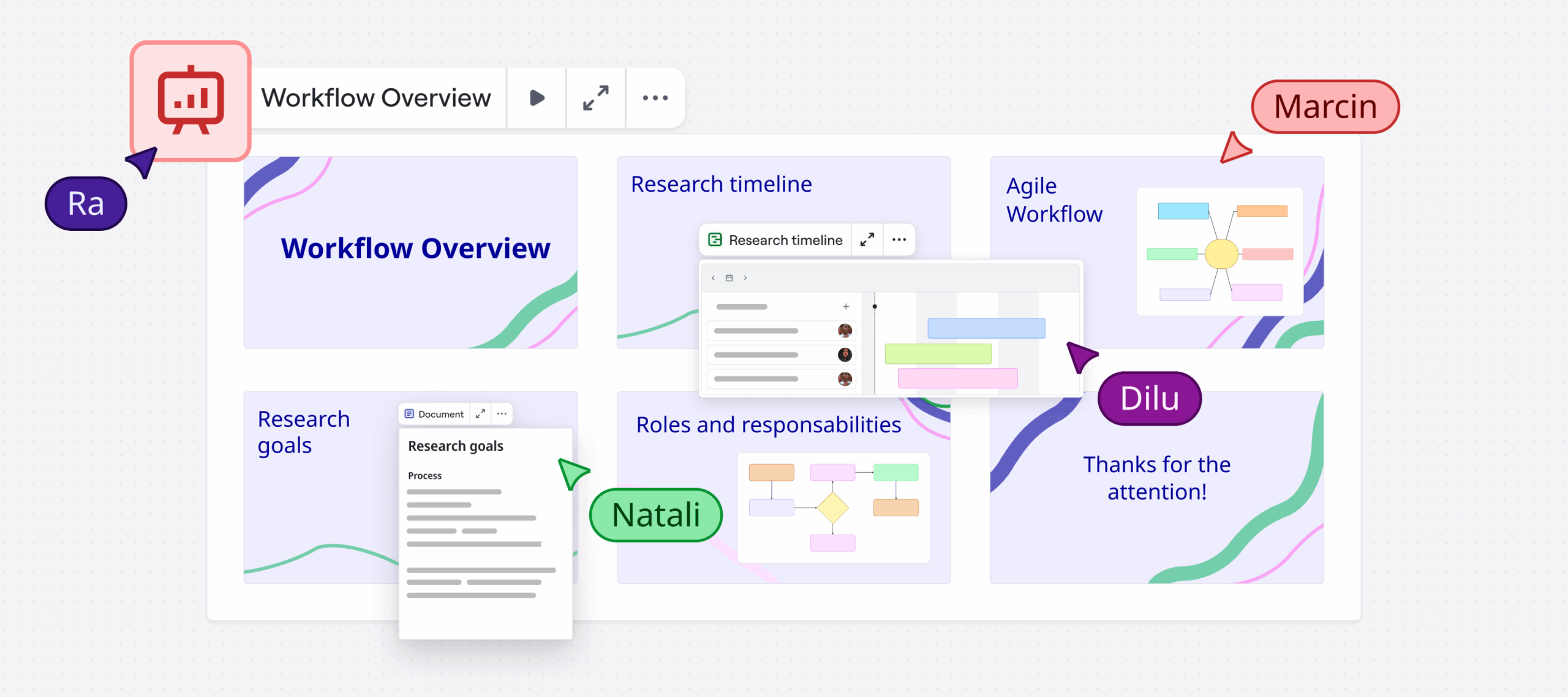
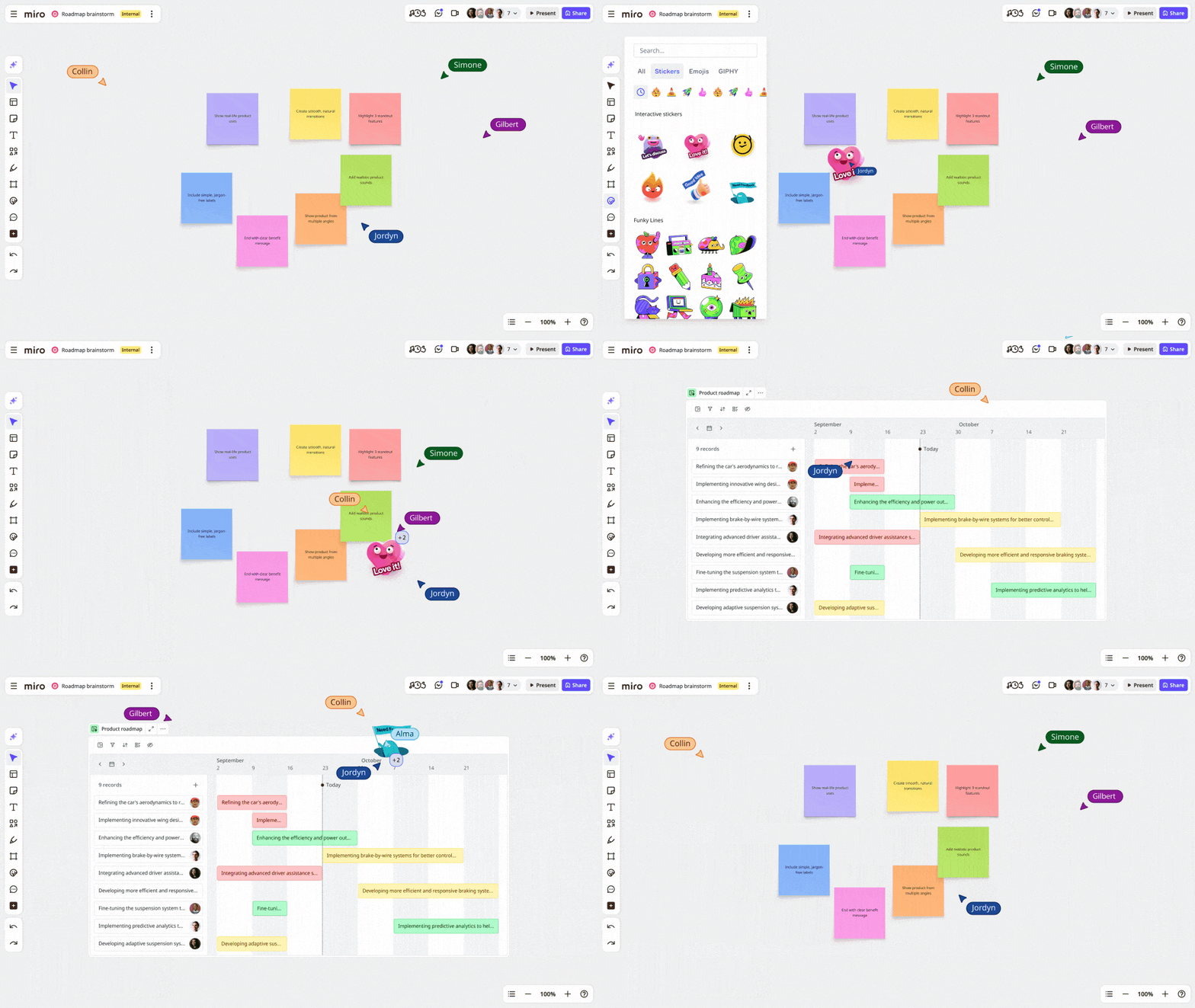
Miro Slides is now available to all users, making it easy to turn anything you’re working on into an interactive slide deck.

Instead of rebuilding everything from scratch in another tool, just reorder frames on your Miro board, and you’re set to present. Since your slides live on the canvas alongside all your other work, you can zoom out anytime to see the big picture or dive deeper into the details — without breaking your flow.

The best part? There are plenty of ways to get your audience involved. Add icebreakers, polls, and alignment scales so people don’t just watch, but actively take part. Once you’re warmed up, you can work together right on the slides, just like you would on a Miro board. Workshop solutions, collect feedback, and make decisions on the spot — no follow-up needed.

Watch a quick walkthrough:

[embedded content]

Embed Miro Slides

Your team’s spread across different tools, but that doesn’t mean your presentations can’t reach them. Now, you can embed Miro Slides into third-party platforms like Coda, Confluence, and Notion — meeting your teammates where they already work instead of asking them to switch tools.

Miro Docs updates

Before you can present anything, you need to get your thoughts in order. Our latest Docs updates help you capture and organize your ideas, right as they come to you.

Format docs faster with the + button

We’ve added a + button in Miro Docs that opens the slash (“/“) menu in just one click. Insert blocks like headings, lists, checkboxes, and more — without hunting for options or memorizing shortcuts.

@Date mentions in docs

Whether you’re writing up meeting notes, planning out projects, or setting deadlines — type a phrase like “@tomorrow” or “@next week” to instantly add a date chip to your doc.

Import docs from Microsoft Word

Got a Word doc you need to work on with your team? Drag and drop it directly into Miro, and it’ll automatically turn into an editable Miro Doc. (Yes, images included.) No copy-pasting or formatting headaches.

We’ve also made it easier to choose how you want to handle Word and Excel file types when you add them to your board, plus added row and column limits on Excel imports so everything runs smoothly — even with your biggest spreadsheets.

Miro Tables updates

Speaking of spreadsheets: Miro Tables also got some powerful updates this month.

Record-level formulas in Miro Tables (Beta)

Apply formulas to records in tables to calculate values like Column A × Column B. This is a game-changer for sprint planning sessions. No need to switch tabs to crunch the numbers — quickly score features based on impact or effort, weigh project trade-offs, and figure out sprint capacity right on the planning board.

To get started, click the “+” icon in the table header, select Formula, and build your calculation. You can also double-click a cell or open the field settings to edit your formula anytime.

Formulas are available on Business and Enterprise plans.

Integrations with task management tools

Ready to move from planning to execution? Connect Miro with your favorite project management tools: Asana, Trello, Linear, ClickUp, and Rally. They integrate smoothly with Miro Tables, so you can bring all your tasks together in one central place for a comprehensive overview of the work ahead.

Changes sync automatically, so you can track progress and spot blockers before they derail your project — without constantly chasing down updates.

Smart screenshots for Microsoft and Google

When your best work lives in Miro but your stakeholders work in Microsoft Word and PowerPoint, or Google Docs and Slides, Smart screenshots bring you together.

Now, you can embed live, clickable Miro content directly into those documents. These aren’t static screenshots — when you update your Miro board, the embedded content updates too. Add a user journey to your product spec, drop your latest wireframe into a stakeholder deck, or include an editable flowchart in support docs. It all stays up to speed, without any extra effort.

2FA for all paid plans

We’ve added two-factor authentication (2FA) to all paid plans, giving you an extra layer of security beyond username and password combinations. Whether you’re protecting sensitive design files or confidential strategy work, 2FA helps ensure your team’s collaboration stays secure. You can also choose to trust a device you typically work from for a quicker login experience. Find out more in this article, or watch a quick demo of how to set it up.

YAML and Mermaid in code blocks

For engineers documenting technical designs alongside visual work, bridging those two worlds just got easier. Use YAML and Mermaid syntax directly in Miro’s code block widget.

Add your configuration files with YAML, or create flowcharts and sequence diagrams with Mermaid code — everything lives right next to your other docs and diagrams. No more jumping between tools to show both the design and the technical implementation.

Speaking of building together, our community keeps creating amazing templates to help teams get things done. Here are some new ones worth checking out:

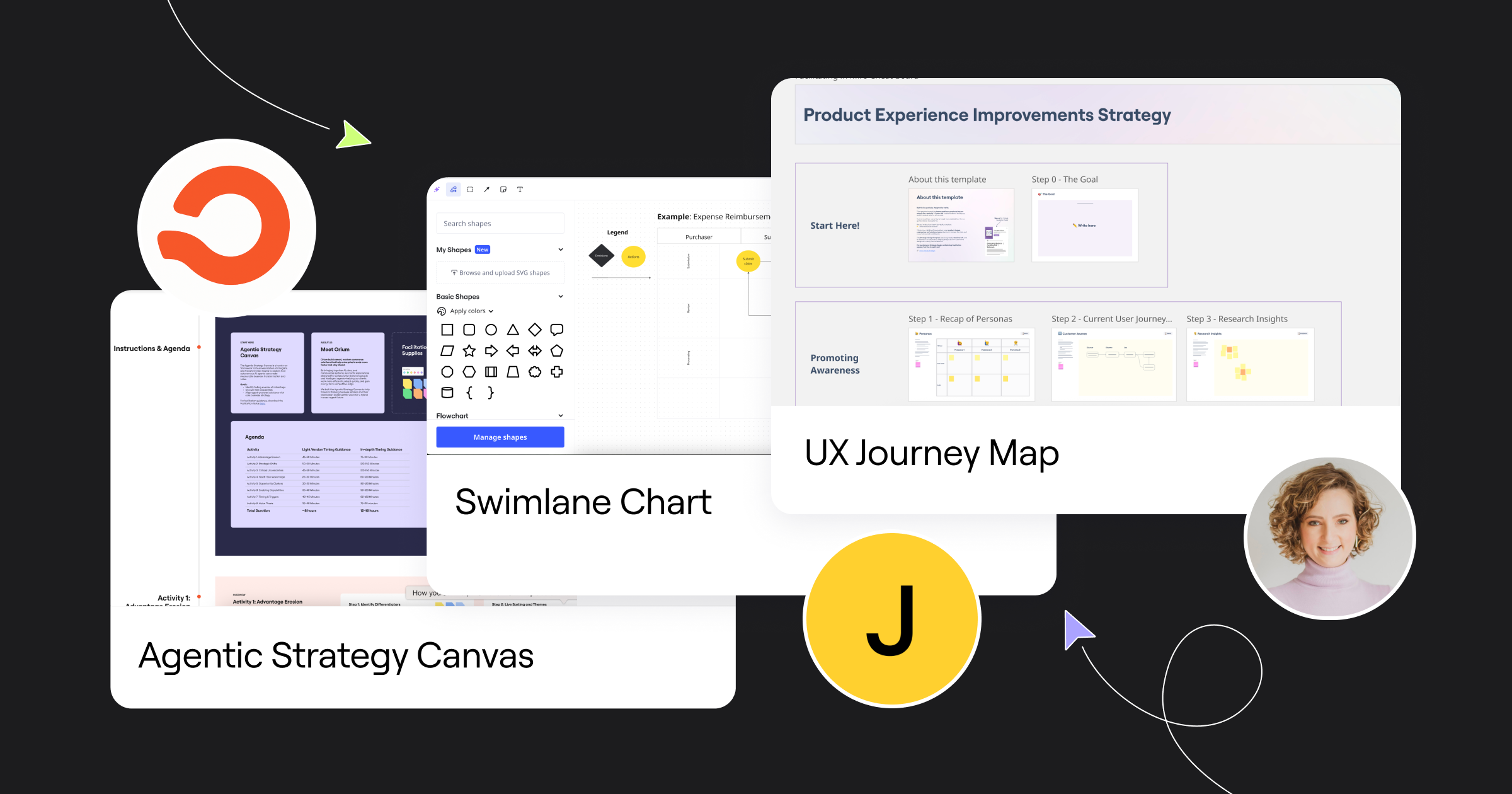
  • Orium’s Agentic Strategy Canvas is a framework for business leaders, strategists, and transformation teams to explore how AI agents can create measurable impact.
  • Jeff’s Swimlane Chart is a new Format Template that uses diagramming in focus mode — ready for you and your team to get in the zone.
  • Carolina Poll’s Product Experience Strategy template helps engineering, product, and design teams spot gaps in their product experience and figure out how to fix them.

Love creating in Miro? Publish a template to Miroverse to share your expertise with 95M+ users.
Save your spot for Canvas 25

The fastest teams aren’t adding AI to broken workflows. They’re reimagining work itself. This October at Canvas 25, you’ll crack the code on how to collaborate with AI — so breakthroughs become the norm.

Get ready for hands-on training sessions, talks with top AI thinkers, and the biggest Miro announcements of the year. Registration is open — save your spot today.

See you in August!

From engaging presentations to smart planning tools, this month’s updates give you more ways to keep work flowing smoothly. With fewer interruptions and better connections between your favorite tools, you can focus on what matters most: getting great work done.

What does tool consolidation mean in the era of AI?

Software Stack Editor · July 24, 2025 ·

Article summary

AI collaboration transforms teamwork in consolidated enterprises by creating augmented intelligence where human creativity and machine processing combine. Key capabilities include intelligent content organization (AI-powered clustering), automated insights and decision support, and cross-functional alignment. Organizations see 30% meeting time reductions, improved decision quality, and enhanced creative outcomes. Success requires developing “shared cognition” between human and AI teammates, building AI literacy, and maintaining transparency and user control in AI systems.

The real potential of enterprise AI

The promise of AI in the workplace has long been framed around automation—letting machines handle repetitive tasks so humans can focus on higher-value work. But our latest research reveals a more nuanced reality: While 61% of knowledge workers feel excited about AI’s potential, the biggest gains aren’t coming from what AI does alone, but from how it enhances human collaboration.

This shift has profound implications for tool consolidation strategies. As organizations streamline their tech stacks, the platforms that survive won’t just reduce costs—they’ll amplify human potential through intelligent collaboration.

Despite all the focus on individual productivity gains, 32% of workers predict that AI’s biggest impact will be on collaboration itself. This matters because collaboration is one of the four fundamental building blocks of an innovative company culture—alongside purpose, adaptability, and customer-centricity.

Yet many organizations approach AI collaboration backwards, adding AI tools to existing workflows rather than reimagining how teams work together when augmented by intelligent systems. The result? AI becomes another source of fragmentation rather than a consolidation opportunity.

Many organizations approach AI collaboration backwards, adding AI tools to existing workflows rather than reimagining how teams work together when augmented by intelligent systems.

The most successful organizations use tool consolidation as a chance to embed AI collaboration capabilities into core workflows, creating human-AI teams that outperform either humans or AI working alone.

What makes AI collaboration different

Traditional collaboration tools connect people. AI collaboration platforms actively participate in the collaborative process, creating human-AI partnerships that enhance decision-making, accelerate insight generation, and improve team alignment.

Research on human-AI teaming reveals that effective implementations share three characteristics:

  • Contextual intelligence: AI understands not just what’s being discussed, but the broader context of team goals, project history, and organizational priorities.
  • Adaptive participation: Rather than following rigid scripts, AI adjusts its involvement based on team needs, sometimes providing active input and other times staying in the background.
  • Transparent collaboration: Team members understand how AI contributes and can easily modify or override its suggestions.

Miro’s AI capabilities exemplify this approach. Instead of replacing human creativity, Miro AI acts as an intelligent collaborator that can cluster ideas by sentiment, transform brainstorms into structured documents, and generate prototypes from rough concepts—while keeping humans in control.

The consolidation advantage in AI collaboration

When organizations consolidate collaboration tools, they create unique AI enhancement opportunities impossible in fragmented environments. Consider the typical enterprise: Teams use different tools for brainstorming, project planning, documentation, and presentation. Each tool operates in isolation, with AI capabilities limited to specific contexts.

But when teams consolidate onto an AI-enhanced visual collaboration platform, the AI can see across the entire collaborative workflow—from initial ideation to final delivery. This comprehensive view enables capabilities beyond tool-specific automation:

  • Cross-functional insight generation: AI identifies patterns across different collaborative work, surfacing insights that might be missed when data is siloed.
  • Intelligent workflow optimization: By understanding how teams work together, AI suggests process improvements and automates routine transitions.
  • Contextual knowledge preservation: Instead of losing institutional knowledge when team members leave, AI captures and makes accessible the reasoning behind decisions.

Real-world AI collaboration impact

Leading organizations are seeing measurable results from AI-enhanced collaboration in consolidated environments:

  1. Accelerated decision-making: Teams report 30% reduction in meeting time when AI pre-analyzes materials, identifies key decision points, and surfaces relevant historical context.
  2. Enhanced cross-functional alignment: AI-powered insights help teams quickly identify consensus and disagreement areas, enabling focused discussions and faster conflict resolution.
  3. Improved innovation velocity: By automatically organizing and connecting ideas across projects and teams, AI helps organizations spot innovation opportunities.
  4. Reduced cognitive load: When AI handles routine organizational tasks—sorting feedback, tracking action items, maintaining timelines—humans focus on creative problem-solving and strategic thinking.

Overcoming human-AI collaboration challenges

Despite potential benefits, research shows human-AI teams often underperform due to trust issues and inadequate mutual understanding. Our survey data reflects this: while 76% of workers believe AI could benefit their role, 54% struggle to know when to use it.

While 76% of workers believe AI could benefit their role, 54% struggle to know when to use it.

Success requires designing AI collaboration systems that address human factors:

  • Building appropriate trust: Set realistic expectations and provide clear feedback about AI confidence levels and limitations.
  • Maintaining human agency: Enhance human decision-making rather than replacing it, ensuring people control important choices.
  • Supporting skill development: As teams become comfortable with AI collaboration, platforms should evolve to support more sophisticated partnerships.
  • Preserving human connection: AI should enhance collaboration efficiency without replacing the human relationships that make teams effective.

The future of consolidated AI collaboration

The organizations that will thrive view AI collaboration not as an add-on feature, but as a fundamental reimagining of how teams work together in consolidated environments.

This transformation is already beginning. Our research shows 69% of workers plan to upskill on AI in 2025, and 66% believe their AI skills will make them more competitive. As adoption accelerates, we’ll see new forms of human-AI collaboration that are barely imaginable today.

The implications for tool consolidation are profound. Instead of choosing platforms based primarily on features or cost, organizations will evaluate how well solutions support the evolution of human-AI teamwork.

Platforms like Miro, with flexible visual interfaces and embedded AI capabilities, represent this evolution’s direction. They offer the consolidated simplicity IT leaders need while providing intelligent collaboration capabilities that will define the future of work.

The future of enterprise collaboration isn’t human versus AI—it’s human with AI, working together in ways that amplify the best of both. Organizations that master this balance will find themselves with a significant competitive advantage.

The 5 app rationalization metrics that matter

Software Stack Editor · July 16, 2025 ·

image

Article summary

App rationalization metrics that resonate with executives focus on business impact, not technical details. The five key metrics are: Time-to-productivity savings (with a potential 3.5 hours/week recovered per employee), risk-adjusted cost avoidance (because 53% of SaaS licenses are inactive), innovation velocity improvement (Miro users report 19% faster project completion), employee engagement impact (96% of employees are dissatisfied with current tools), and strategic agility enhancement. These value-based measurements transform IT from cost center to strategic enabler by demonstrating tangible business outcomes.

Why business impact beats technical info

IT leaders know the pain all too well. You walk into the boardroom with a detailed technical assessment of your app portfolio, complete with utilization rates and integration complexity scores. Twenty minutes later, you’re met with blank stares and the dreaded question: “But what does this mean for the business?”

Here’s the reality: C-suite executives don’t care about your technical metrics. They care about business impact. And if you want to secure buy-in for app rationalization initiatives, you need to speak their language.

According to Forrester, 63% of IT decision makers are planning tool consolidation efforts in the next two years. But here’s what separates successful initiatives from failed ones: the ability to translate technical complexity into business value.

The metrics that move the needle

Forget utilization percentages and system performance benchmarks. The metrics that capture executive attention are the ones that directly impact the bottom line, competitive advantage, and strategic goals. Here are the five that matter most.

1. Time-to-market savings

What it measures: How much faster employees can get work done when you eliminate app switching and streamline workflows.

Why executives care: Time is money, and productivity directly impacts revenue. Harvard Business Review found that employees waste 3.5 hours every week switching between tools. That’s 164 hours per person per year—or six and a half days of lost productivity.

How to measure it: Track the time employees spend context-switching before and after rationalization. Survey teams about workflow friction points and time spent searching for information across multiple platforms.

Miro application: Use Miro’s journey mapping templates to visualize current employee workflows and identify time-wasting touchpoints. Create before-and-after workflow comparisons that show executives exactly where time savings occur.

2. Risk-adjusted cost avoidance

What it measures: The total cost of maintaining your current app sprawl, including licensing, security risks, and integration complexity.

Why executives care: It’s not just about what you’re spending—it’s about what you’re avoiding. Every additional app introduces security vulnerabilities, compliance challenges, and maintenance overhead that compounds over time.

How to measure it: Calculate direct licensing costs for redundant tools, plus the hidden costs of security monitoring, compliance auditing, and integration maintenance. According to one estimate, 53% of SaaS licenses are inactive, representing pure waste.

Miro application: Build a comprehensive cost visualization using Miro’s tables and charts. Map each app to its total cost of ownership, including hidden expenses, to create a compelling financial story.

3. Innovation velocity improvement

What it measures: How much faster teams can move from idea to execution when they have streamlined, integrated tools.

Why executives care: In today’s competitive landscape, speed of innovation determines market leadership. Teams that can collaborate effectively and iterate quickly have a significant competitive advantage.

How to measure it: Track project completion times, time-to-market for new initiatives, and cross-functional collaboration efficiency. Miro users consistently report a 19% reduction in time to project completion after consolidation.

Miro application: Create innovation pipeline dashboards that show how tool consolidation accelerates each stage of product development. Use Miro’s timeline features to demonstrate before-and-after project velocities.

4. Employee engagement and retention impact

What it measures: How tool complexity affects employee satisfaction, productivity, and turnover intentions.

Why executives care: Top talent increasingly evaluates companies based on their tech stack and ways of working. Tool frustration leads to engagement issues, which directly impact retention and hiring costs.

How to measure it: Survey employees about tool satisfaction and workflow efficiency. Recent research shows that 96% of workers are dissatisfied with their workplace tools, with app switching among the biggest complaints. There’s also a direct correlation between IT relationship quality and employee satisfaction—NPS scores jump from -3 to 53 when teams collaborate closely with IT.

Miro application: Use Miro’s survey templates and sentiment analysis to gather and visualize employee feedback. Create engagement dashboards that show the connection between tool consolidation and employee satisfaction.

5. Strategic agility enhancement

What it measures: Your organization’s ability to respond quickly to market changes and new opportunities when technology enables rather than constrains decision-making.

Why executives care: Agility is everything in today’s business environment. Companies that can pivot quickly, launch new initiatives, and adapt their operations have a fundamental competitive advantage.

How to measure it: Track decision-making speed, cross-departmental collaboration efficiency, and time required to launch new strategic initiatives. Measure how quickly teams can access the information they need to make informed decisions.

Miro application: Build strategic planning dashboards that show how consolidated tools enable faster decision-making. Use Miro’s collaboration features to demonstrate improved cross-functional alignment and strategy execution speed.

Making the business case stick

The key to presenting these metrics effectively is storytelling with data. Don’t just show numbers—show the narrative of transformation. Start with the current pain points, demonstrate the path to improvement, and paint a picture of the future state. And remember: executives don’t just want to see what you’ll save, but what you’ll enable.

When Workday’s VP of IT Infrastructure was evaluating visual collaboration tools, the decision wasn’t just about features or cost. “Miro showed up as head and shoulders above the competition in every way,” he said, because it delivered measurable business value across all these dimensions.

The bottom line

App rationalization isn’t just an IT initiative—it’s a business transformation strategy. When you measure the right metrics and present them in terms of business impact, you transform from a cost center into a strategic enabler.

Ready to build your business case? Check out our purpose-built Blueprint for expert templates that’ll help you get started.

How Miro boosts speed to delivery for cloud-based platforms at Centrica

Software Stack Editor · July 8, 2025 ·

Centrica has been keeping the lights on at UK homes since the industrial revolution. But its challenge today is keeping pace with the technological revolution. Customers may still value a visit from an engineer, but they also want faster, easier, and better ways to solve their day-to-day energy issues.

Delivering these solutions is the job of Centrica’s internal technology team, whose primary focus is increasing the speed with which Centrica delivers innovative products by creating repeatable and scalable processes.

By putting Miro at the heart of their cloud-based projects, Centrica was able to:

  • Increase the speed of decision making by sharing knowledge in a single Miro board rather than multiple repositories
  • Enable rapid design and prototyping by replacing their traditional diagramming tool with Miro for technical diagramming
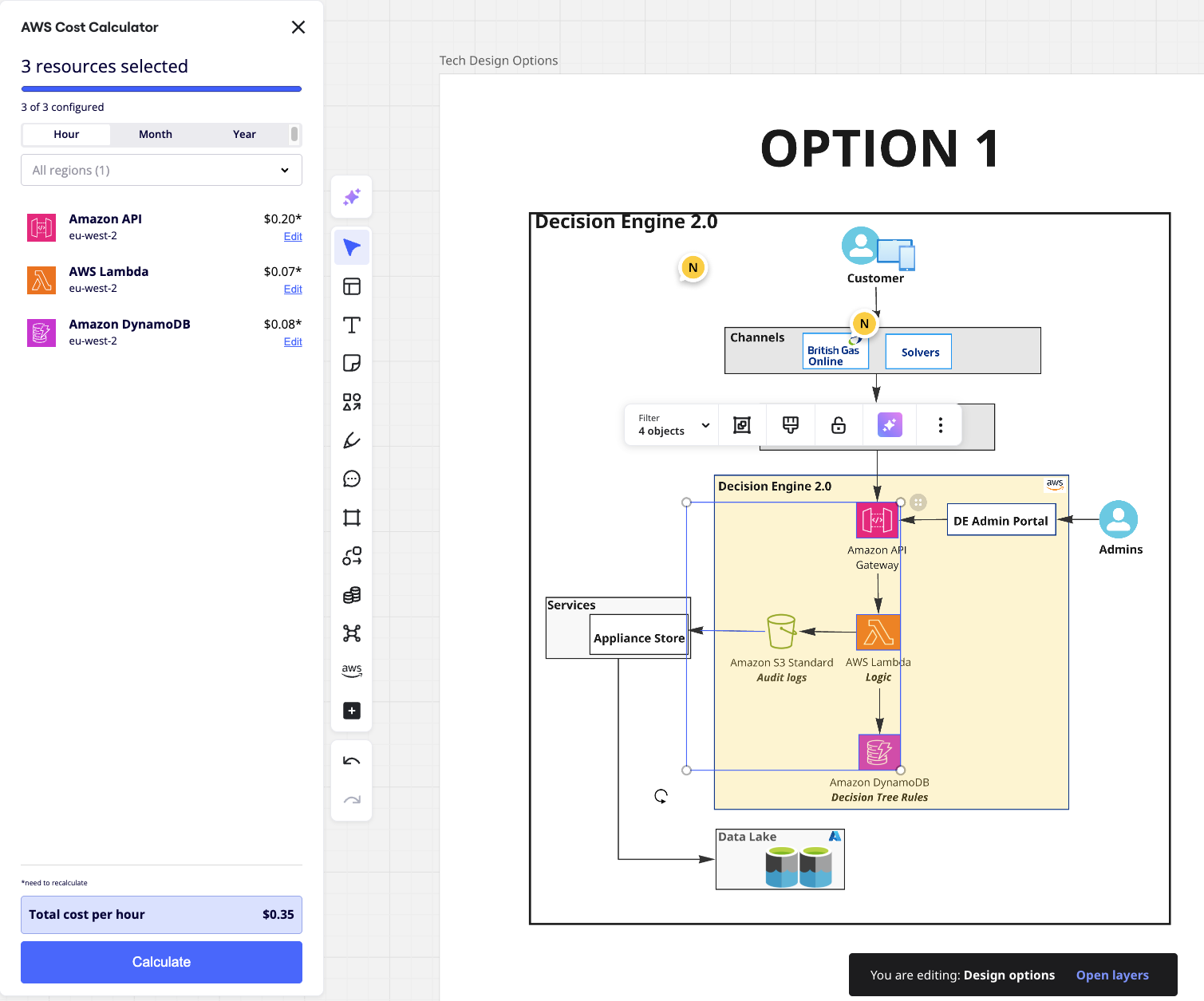
  • Understand the cost implications of various designs using Miro’s integrated AWS cost calculator

Story highlights

  • Fragmented tools: Centrica’s business units have their own tools and ways of working, leading to slow and frustrating communication and collaboration on complex projects
  • Unified platform: Miro replaced multiple fragmented tools with a single workspace for stand-ups, technical diagramming, and cost calculations
  • Accelerated delivery: With improved access, knowledge sharing and collaboration, Centrica can now deliver products faster with a repeatable blueprint for innovation

The problem: Legacy technology slowed collaboration

The biggest challenge within Centrica’s engineering teams was the fragmentation of tools across the product delivery lifecycle. This made it difficult to maintain an easily accessible and unified view of their work. Teams would brainstorm an idea in one place, design a solution in another, and share prototypes somewhere else entirely. It was like trying to work on the same jigsaw puzzle in three different places at the same time.

Even something as simple as gathering feedback on a design became an arduous task. Team members could find themselves trawling through multiple repositories, downloading a diagramming file, leaving a comment, re-versioning it, and uploading it again, and then crossing their fingers that designs hadn’t been changed in the meantime. Each new version was created in a silo with little communication or coordination between designers, developers and stakeholders.

“Back then, designs weren’t stored in one place where everybody could see and work on them together. It wasn’t collaborative. If two people wanted to work on different aspects of the same diagram at the same time, it just wasn’t possible,”

Titu Joseph Rajan, Head of Integration, Centrica

This uneven collaboration and slow decision-making hindered innovation. With winter around the corner and the technology team racing to launch a new customer facing platform enabling customers to perform guided fixes to their boilers, it was clear that drastic changes were needed to keep up with the demands of the business and deliver timely solutions.

The solution: A single workspace to bring people and prototypes together

Initially, Titu Joseph Rajan, Centrica’s Head of Integration, viewed Miro as a great tool for team-day exercises like brainstorming or high-level ideation. However, when he realized Miro was also deeply integrated into AWS and Microsoft, a lightbulb went off, and they started using it for technical design and diagramming.

With Miro, his team no longer needed to open multiple tools or browser windows to find what they were looking for. Instead, they could access everything they needed – from technical designs to architecture diagrams, data models, and more – on a single Miro board.

This led to a dramatic increase in developer efficiency. “There’s a noticeable difference in how quickly you can access the data,” says Rajan. “But it’s not just about accessing that information today. One year from now, if you want to see how you built everything, it’s still sitting in a Miro board for you to edit if needed. You can go back to the reasons you did something, to the ‘why’.”

This has seen Miro become the primary tool for navigating and collaborating across different projects and resources, facilitating seamless teamwork and efficient product delivery.

The impact: Accelerating value delivery

Centrica has been tapping the full power of Miro for just over two years, and has experienced exponential improvements in knowledge sharing, decision making and prototyping.

“What Miro gives us is a repeatable, scalable process for innovation that we can use in all our future programs. Without it, we’d be moving much slower and introducing more risk into our end-to-end delivery. This speed is absolutely important for us, and it can benefit any organization looking to improve their workflows and deliver better results, faster,” said Rajan.

This newfound speed has been crucial for Centrica, particularly in a competitive energy market  where responsiveness is key. By harnessing Miro’s capabilities, Centrica is not only streamlining current projects but also laying the groundwork for future innovations that can drive greater customer satisfaction and operational efficiency.

Miro for technical diagramming

Rajan’s team has built a new service that allows customers to diagnose and perform self-guided fixes to their boilers, reducing the need for engineer visits. This platform has already reduced pressure on field engineering resources by 2% since its launch in January 2025, and currently supports solutions for 35% of boiler types.

Once all the commonly used boiler models are included and the feature is made available across all customer-facing channels, it is projected to avoid approximately 60,000 engineer visits annually – a significant saving, considering British Gas conducts nearly 2 million engineer repair visits each year. 

In addition, enhanced data collection enables large-scale pre-diagnosis of issues, improving engineers’ ability to resolve problems on the first visit. This not only boosts first-time fix rates but also increases engineer availability, allowing them to focus on more complex and urgent cases that require immediate expert help, ultimately reducing operational costs and improving customer experience.

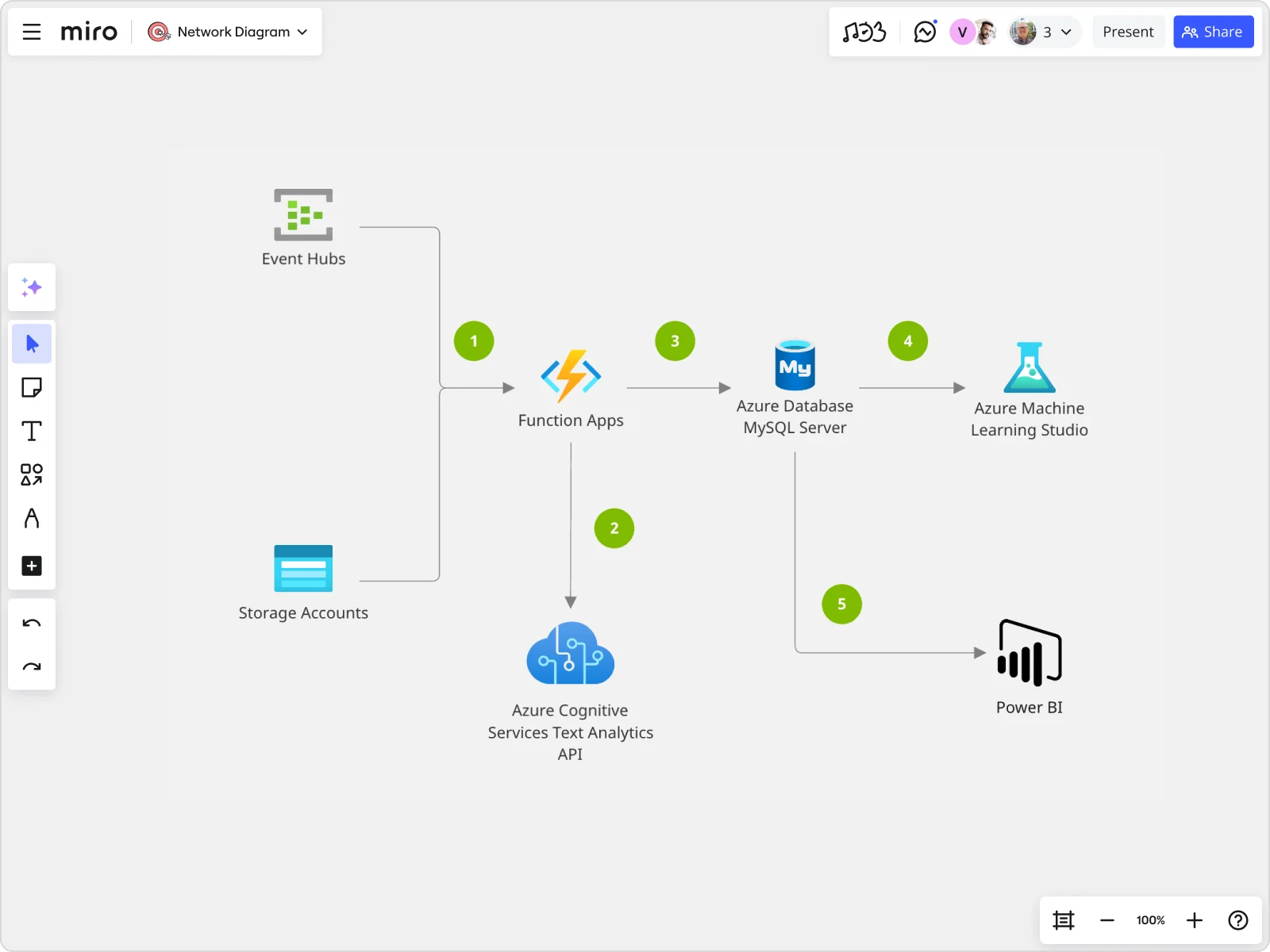
The service is underpinned by a Decision Engine Platform (DEP), which is a decision tree implementation utilizing a distributed systems architecture based on AWS Serverless services such as AWS Lambda, AWS API Gateway, and AWS DynamoDB.

Rajan’s team used a single Miro board with multiple frames to document various aspects of the implementation lifecycle including ideation and brainstorming, cloud architecture, database modelling, delivery plans, and sprints. This approach facilitated efficient collaboration, kept the team focused on delivering value to customers, and ensured that milestones were tracked while providing a centralised reference for cloud architecture and designs.

Initially, Rajan’s team was using Draw.io to recreate the technical diagrams but these have now been imported into Miro. “If it’s on a collaborative board, more people can contribute to the same problem,” he explains. “And Miro is much easier – you’re not spending time actually importing and exporting, opening it up, etc. It’s all within a single space.”

The team started documenting all their cloud architecture diagrams in Miro. They needed to assess whether to use a SQL database like AWS RDS PostgreSQL or a NoSQL database like AWS DynamoDB as their data layer. The team used Miro AWS shape packs to document the various cloud architecture designs as well as collaborate on the pros and cons of either approach, which helped with faster decision making. They were able to document the database entity relationship diagrams on the same Miro board.

“We worked on various iterations of the database schema,” explains Rajan, “and we also built a swim lane to map the flow of data across various systems and platforms within the end to end architecture. This helped us determine the effort required to build the MVP.”

Once they landed on the NoSQL option, the diagrams quickly became more elaborate. But even as the DEP implementation progressed, all the work remained centralized in one place. Once they’d polished the database design, they had more than enough to kick off the implementation. They put the final design artifacts on another frame on the same board, then started putting together the delivery roadmap across each of their sprints to build an MVP product. After that, they added the next set of iterations and releases to build more features into the platform.

The fact that Rajan’s stakeholders could see all these things in one place helped them link design decisions to business impact, which made the workflow very efficient and transparent.

The end result is speed to value. Being able to prototype quickly, extract code and deploy into an environment in AWS improves the speed at which Centrica can get prototypes out to customers.

Miro for cost calculation

Calculating cloud costs is a crucial part of the decision-making process for the platform. Initially, the team used AWS’s cost calculator, which required visiting a separate website to configure different AWS services and estimate usage. This approach meant the final cost estimates were not integrated with the designs.

Switching to Miro’s integrated AWS cost calculator eliminated the need for separate inputs or edits. Now, any changes to the diagram automatically update the costs in real time.

“It’s fantastic that the cost is integrated within the diagrams themselves. It provides additional context and helps us figure out what attributes to consider before we decide on a final option.”

Titu Joseph Rajan, Head of Integration, Centrica

The tool is extremely collaborative, making it easily accessible to anyone working on the platform. By embedding cost information directly within the design, it eliminates the need for context switching and opening separate links or web pages. Most importantly, it ensures that the cost estimate remains in sync with the actual prototype and provides a history of why Rajan’s team chose certain options, ensuring transparency and clarity in their decisions.

This integration makes decision making faster and more informed, leading to faster and more efficient delivery of valuable and impactful products and features to customers.

Miro for cloud optimization

The Decision Engine Platform is just one of many platforms that Rajan’s team hosts on AWS. Sometimes, multiple platforms are hosted within a single AWS account, which is why they are particularly excited about Miro’s CloudView tool. This tool pulls all the AWS services deployed within the account directly into Miro. It also provides options to select specific services or filter by tags, allowing Rajan’s team to narrow down all services connected to a given platform.

According to Rajan, this feature is incredibly useful for reviewing and improving the service after launch. Since AWS CloudView offers a view of the architecture design post-implementation, the team can now compare the original design with the actual implementation on the same Miro board. This capability helps the team discuss specific sections of the architecture collaboratively, and iteratively improve and optimize the service over time.

Looking ahead

With the success of the Decision Engine Platform, Miro has become an integral part of Centrica’s technology workflow, instilling confidence in their teams about the direction they’re heading.

“I can confidently describe Miro as being the go-to collaboration tool that engineering teams within Centrica can use to speed up delivery and efficiency.”

Alan Fairhurst, Enterprise Agile Coach, Centrica

Across Centrica, Miro has gained significant traction, with nearly 3,000 users utilizing the platform for everything from product management and project planning to agile team management, process design, and technical solution design.

The intuitive interface has been particularly valuable for Centrica’s hybrid workforce, allowing teams to quickly set up boards to brainstorm, design, and implement solutions regardless of location. As the company continues to evolve its digital offerings, new capabilities like Blueprints and AI-driven boards and templates are further enhancing team capabilities.

“What started as a tool for remote collaboration has transformed into the foundation of how we innovate,” says Alan Fairhurst, Centrica’s Enterprise Agile Coach. “The speed and transparency Miro brings to our technical processes mean we can respond to market demands faster than ever before—which is exactly what our customers expect from us today.”

As Centrica continues its digital transformation journey, Miro’s collaborative platform will remain a key enabler to deliver innovative solutions that meet the evolving needs of their customers.

How we built Slides

Software Stack Editor · July 8, 2025 ·

image

We’re taking you behind the canvas to meet the people who actually make Miro. We’ve already taken a look at Tables & Timelines and Diagramming. Next up: Slides.

With Slides, you can transform any content on your canvas into an interactive presentation just by hitting a button. You can drop in formats like diagrams and tables, use engaging widgets like dot voting and sliders, or easily import from Google Slides or PowerPoint. It’s a great way to grab people’s attention and keep them glued to the screen

The ‘perfect tension’ behind product innovation

But Slides is also proof that when it comes to product upgrades, timing is everything. Pieter Overgoor is one of the Product Designers responsible for Slides. He jokes that his job is to “talk to people using Miro, understand what annoys them, and what they’d like to achieve but isn’t possible yet.” From the outset, Slides was designed to solve one of these critical issues.

“People are already doing their work in Miro so presenting is a very natural thing to do on top of that. But there wasn’t an easy way to do it,” he admits. Presenting means turning messy, complex content like brainstorms into a linear narrative. With no obvious way to do it, people were forced to go elsewhere. “We learned that more than 70% of people using Miro who want to present actually export their content into other tools because they’re better optimized for the job. We wanted to make the lives of those people easier so they don’t have to duplicate all their work and put it in some other tool and restyle it all over again.”

“People are already doing their work in Miro so presenting is a very natural thing to do on top of that… We wanted to make their lives easier.” – Pieter Overgoor, Product Designer

The very earliest version of Slides was actually an interactive presentation mode, which hid all the unnecessary buttons and made content more, well, presentable. It was a big improvement, but still didn’t quite make the process as simple as people wanted. There was no dedicated slide creation view, which meant the exact order of slides could be a little hit and miss.

Further iterations were planned, but the path to product perfection isn’t always straightforward. “We had a concept maybe one and a half years ago,” Pieter reveals, “but at that time there were many other competing priorities so we put it in the parking lot.” This, he says, is the “perfect tension” behind almost all product innovations. It’s the balance between creating something that people want and prioritizing company resources against the biggest strategic bets.

“The bigger the company grows the more work you have to do with your stakeholders to convince people that this is a good idea,” he continues. Eventually, the time was right. “We started to introduce formats like Docs and Tables & Timelines. Slides fitted very naturally into this vision of structuring things more. So we picked up the idea again and now we’re completely focused on making Slides a structured format on the canvas.”

Why bigger isn’t always better

Which is where Gui Barbosa enters the picture. As a software engineer, it’s Gui’s job to “translate Pieter’s design into code.” A lot of it is practical. It’s up to Gui to run the rule over the idea’s feasibility – how complex is it? How much time will it take? How many people will be needed? After that, it’s all about speed.

“The way we do it at Miro is to hack something that we’re not shipping. So it’s like, ‘Let’s play with this idea to see how complicated it is.’ Then we come up with a larger plan. What are the minimum requirements? What are the essential parts? When do we plan to release it?”

One of the most important aspects of any sprint is deciding the overall scope of the product. How big should Slides be? What should it aspire to do? Here, too, there’s a system of balances and trade-offs.

“We are on Miro every day, every meeting, we use it to create diagrams, to brainstorm engineering ideas, even for documentation. It makes things much easier.”

“We’re never really trying to replicate all the features of the competition, especially when it’s something that’s very specific like Google Slides,” explains Gui. “We always try to see where we are unique in the space. We’ll be lacking some features that Google Slides has but they don’t have the collaborative aspect that Miro has, or that your slides are living with your other content, or that you can just run a brainstorm with your team and in the same space take slides from that. The content is much closer to you.”

Pieter continues: “It’s always a bit of a bet. We try to make a vision backed up by data – what is the market? What do we think is realistic in terms of user numbers? We try to make the feature as great as possible then after a while we evaluate. If Slides becomes a huge success then we can continue to build on it and make it a bigger thing.”

Using Miro for faster collaboration

There were certainly challenges when it came to making Slides a ‘bigger thing’. As Gui explains: “Miro is an extremely agile company, which means we’re shipping things every day. What happens sometimes is that we’re working on Slides but there is another team changing something that overlaps with what we’re doing. Like, there is a change in the backend or the sidebar UI. It requires very good collaboration and communication with the other engineering teams.”

The good news? That’s where Miro excels. “We are on Miro every day, every meeting, we use it to create diagrams, to brainstorm engineering ideas, even for documentation. We use it extensively,” says Gui. “It’s nice that you can ship a new change where maybe there’s some risk involved and because we’re always the alpha testers of everything we do we can find bugs and gather feedback before it reaches customers. It makes things much easier.”

With Slides now firmly established as one of Miro’s most important formats, Pieter is able to reflect on the achievement. “Knowing that it’s being used by thousands of people is really cool,” he says. “But just so you know, there’s a lot more to come.” Watch this space.

How we built Diagramming

Software Stack Editor · July 1, 2025 ·

We’re taking you behind the canvas to meet the people who actually make Miro. We’ve already taken a look at Tables & Timelines. Next up: Diagramming.

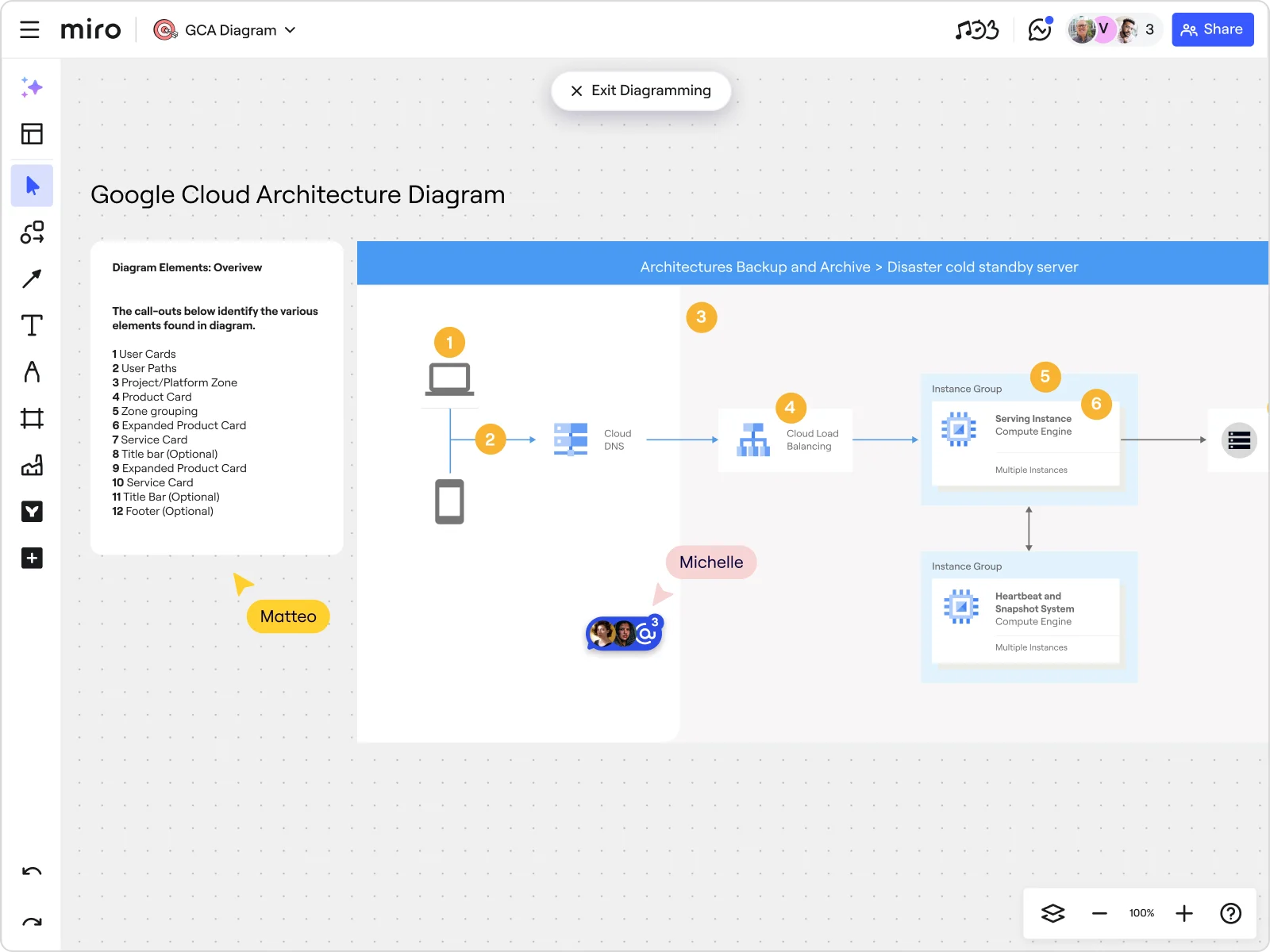
Miro helps teams visualize complex diagrams, processes and systems super fast. It includes over 2,500 diagramming shapes and hundreds of templates to support everything from optimizing cloud costs to mapping your organization.

Same diagramming, different context

Of course, it’s not exactly news that diagramming is one of the most popular uses of Miro. “Diagramming is already as old as software engineering itself, right?” says David Grabner, a Product Manager who leads the Diagramming team at Miro. “And people have always done it on Miro,” he adds, “it just used to be a bit more primitive.”

Before Miro even launched a diagramming format, engineers or product designers would use sticky notes to visualize different parts of the solution they were trying to build. It was an obvious opportunity for Miro – not least because it aligned so well with the company’s mission. “It was very natural for us to come in and start thinking about diagramming use cases,” agrees David. “Based on demand but also based on how adjacent it is to what Miro does best, which is visual collaboration.” 

“It was very natural for us to come in and start thinking about diagramming use cases based on how adjacent it is to what Miro does best, which is visual collaboration.”

You might think that building a tool for an established use case like diagramming is pretty straightforward. People know what they want – all you have to do is give them something better. But for Product Designer Carlos de Miguel, that familiarity actually presented a challenge. 

“You’re trying to create a new experience but you can’t change the whole system overnight,” he explains. “You want to preserve some of the UI and the architecture so it resembles the tools people already use, but we also want to put it into a new context, which is this collaborative canvas environment. So you’re trying to find the balance between how innovative you can be without breaking people’s mental model. Because they don’t necessarily want to learn more things.”

In that respect, it helped that the team building Miro’s diagramming solutions were already big users of these kinds of tools themselves. As Aleksei Filippov, one of the team’s software engineers, puts it: “We as developers are one of the key demographics that would be using this diagram format. So we’re able to look at it critically and say, ‘This bit is fine, this is working for us.’ Then we just have to make it happen.”

Moving faster with Miro

‘Making it happen’ meant making it on Miro, which was used at every stage of development. “Our first reaction when we start anything is to create a new Miro board,” says Carlos. “It always starts by dragging and dropping sticky notes. That’s the most universal way to collaborate and start thinking about the problem, the value, and the opportunity. It’s very easy to see what everybody is thinking in a very visual way.”

David picks up the thread: “I take my context, like a snapshot of my brain, and put it on the board. Aleksei and the other team members do this, too. This is where Miro really helps us make sense of very complex problems and move faster towards a solution. We can have our design mockups and ideation on the same board, and by the time we’ve connected those dots there’s somebody who’s already saying, ‘Hey, I built this prototype.’ This is when the magic happens – everyone goes away like, ‘Yeah, this is the kind of product we want to build.’ It’s super fast.”

Miro helps us make sense of very complex problems and move faster towards a solution.

That’s not to say there weren’t teething problems. For instance, Aleksei found that using Miro meant taking a more collaborative approach than he was used to. “When I joined Miro, I had to push myself. Like, ‘Okay, I need to stop now and not just write code. I need to put some thoughts on the board first.’” While that was a challenge, it was also worth the effort. “It helped immensely,” he says. “I started putting my ideas on Miro, not just working on my own. Then on top of this I can build something that I can share with the whole team, and this is so natural for me now.”

Disrupting diagramming with AI

Miro’s diagramming capabilities evolved quickly. In the last 12 months, the team have added layers, custom shape packs, and a focus mode that removes non-essential elements from the interface. “People already knew how to do diagramming, but we really wanted to make it 10 times as fast,” explains David. But there’s an even bigger change ahead with AI about to kick off a totally new way to think about diagramming. 

“That’s definitely something where we need to disrupt our own product,” agrees David. The vision is to use AI to speed up entire workflows and massively accelerate the time to market for new ideas. “We see people using AI to take a bunch of sticky notes and say, ‘What’s the new user flow that we have in mind? Right, create a flowchart of that.’ Then we can take this flowchart and say, ‘Okay, here’s an example prototype or example UI that we had in mind. Now create a clickable prototype so I can bring it to users.’ Within two days we could test something with users that almost feels real.”

But it doesn’t stop there. “AI will also help us to create diagrams from any sort of small context that people might have,” David continues. “It could be a sticky note or a photo of a flip chart. We’ll be able to digitize it so you can bring it to your team and they can iterate on it.”

“All of us are a little bit dreamers,” admits Aleksei. True, but they’re dreamers with a plan. Even better, they’re dreamers with a Miro board. So watch this space to see those dreams come to life.

What’s New: What we launched in June 2025

Software Stack Editor · June 25, 2025 ·

image

Tired of wasting time on formatting, syncing, or tracking changes? Miro’s latest updates cut the clutter so you can focus on solving problems. With smarter diagrams, real-time collaboration, AI-powered catch-up, and seamless cloud and data tools, it’s easier than ever to stay aligned and move work forward—fast.

Before we dive in, a quick heads-up: Canvas 25 is back—live in NYC and online on October 14. Don’t miss the latest on AI collaboration and new Miro product drops. Save the date!

Miro Diagrams

Miro Diagrams is now available to all users, giving technical teams a faster, more precise way to map systems and processes. With a focused diagramming experience—featuring 3,000+ shapes, a dot-grid canvas, layers, object dimensions, and AI-assisted creation – you can bring structure to complexity in seconds and stay laser-focused on solving problems, not formatting them.

Miro AWS Cloud Diagrams (Beta) 

Huge news: AWS Cloud diagrams are moving into the new format. Whether you’re creating them manually or importing via the AWS Cloud View app (currently in beta), as soon as AWS shapes are detected, Miro automatically surfaces relevant tools like AWS Cost Calculator, Cloud View, and Filters. This makes it easier to plan, visualize, and collaborate on cloud architecture all in one place.

Formats & Focus Modes

Navigating between the canvas and full-screen formats like Tables, Timelines, Diagrams, or Slides just got easier. With Formats & Focus Modes, you can open up work in a full-screen view or in the wider context of the canvas, and then switch between them at any time.

This update also introduces a more consistent layout across formats: Key tools are now aligned to the left side of the header for easier access and a cleaner experience. Whether you’re moving between high-level planning and detailed work, switching views in Miro is now more intuitive and seamless.

Updates to Tables

New fields

Tables are getting even more sophisticated thanks to new “Blocking” and “Blocked by” fields. Create dependencies directly in Table view or draw lines between bars in Timeline – your updates stay in sync across both views. You can quickly search, filter, and group by dependencies to stay aligned and spot blockers before they slow you down.

Table formulas

We’re also introducing formulas in Tables to perform calculations across columns, so it’s easier to score priorities, calculate budgets, or support weighted decisions directly in Miro. Just add a Formula field, select the columns and operators using the visual builder, and Miro will calculate values automatically for each row. Table Formulas supports numeric fields and row-level calculations (like Column A + Column B), with full keyboard navigation for accessibility.

Collaboration indicators

See who’s editing Tables and Timelines in real time, making collaboration more transparent and efficient. Whether you’re working in a different synced view or layout, you’ll still see exactly where others are making changes no matter the configuration.

As teammates select or edit cells, their name and a color indicator appear instantly, so it’s easier to stay aligned and avoid conflicts while working together on the same board.

Catch-up

Catch-up allows you to stay on top of board activity with AI-powered visual summaries that highlight key changes and comment threads, helping you prioritize faster and reduce catch-up time. 

Catch-up adds a clickable, themed index of changes alongside the text summary. You can also view edits by collaborators and jump straight to the exact spot on the canvas where each change was made.

Canvas is the prompt

We’ve upgraded Create with AI so it can process images, diagrams, and visual layouts on your board, when selecting objects on the board to enhance your prompt. This enables you to analyze visual relationships between elements, and deliver more relevant responses with Miro AI. For example, use Create with AI to expand on an existing diagram, summarize only a specific color of sticky notes, and understand how you’ve organized your board in inputs.

Doc-level AI Actions

It is now easier to enhance your content with Miro AI. Previously, you could fix grammar, rewrite for clarity, or translate text by selecting specific sections within a document. But when it came to applying these actions across an entire document, the experience wasn’t quite as smooth.

That’s why we’re introducing Doc-level AI Actions. Apply AI actions to the whole document in just one click – no need to select text manually. Miro AI will generate a new version of your doc side-by-side with the original, so you can easily compare and choose what works best for you.

MS Office Miro Import Exports

Drag and drop Excel (.xlsx) and CSV files directly into Miro to automatically convert them into fully editable Tables—no manual setup required. This makes it easier to bring structured data into Miro, so you can organize, visualize, and collaborate on it instantly.

Team Field in Jira Cards

Create, convert, and edit the Team field in Jira cards directly from the Miro side panel – with full bi-directional sync. This is a key field for planning, roadmapping, and Agile rituals. Note: this update is currently supported only for Jira Data Center and is available in Jira Cards.

Flip cards

We’re bringing Flip cards to all Miro customers, regardless of your plan. Plus, you can reshuffle cards to keep interactions fresh and unpredictable. Show a question or prompt on one side, then flip to reveal the answer. Perfect for energizing meetings, quizzes, and collaborative workshops.

Explore these ready-to-use frameworks designed by and for Miro users to help your team stay aligned, organize key insights, and smash their productivity goals:

  • Alexander Ilic’s Transformation Map is a lightweight tool for teams working on multiple work streams to ensure alignment and progress towards a common goal.
  • Velebit’s Customer Journey Map with AI elevates your understanding of the customer experience by integrating AI’s analytical power into your user journey mapping.
  • Looppanel’s UX Journey Map helps teams visualize and communicate user pain points in any critical workflow.

Have your own ideas? Publish templates to Miroverse and share your expertise with 90M+ users.

Stay tuned for July!

As this month’s updates show, great collaboration happens when the tools get out of your way and let you focus on what matters most—creating, connecting, and building the next big thing together. With AI that understands your visual context, seamless data integration, and smarter ways to track progress, you’re equipped to tackle even the most ambitious projects with confidence.

Dive into these features, and as always, happy collaborating!

Accelerating AWS Migrations: How Sopra Steria Uses Miro to Align Teams and Drive Cloud Transformation Success

Software Stack Editor · June 24, 2025 ·

Digital transformation has become a defining challenge for modern enterprises, with cloud migration evolving from a simple infrastructure change to a strategic imperative. Organizations today are looking to exit legacy data centers and gain the advantages of cloud to accelerate their operations. 

Recognizing this challenge, Sopra Steria, a leading European technology consulting firm and AWS Advanced Tier Partner, has emerged as a key partner for enterprises seeking to navigate this complex journey. By developing innovative, people-centered approaches to cloud migration, they help transform technological challenges into opportunities for organizational growth and adaptation.

Story highlights

  • Engagement from 150 stakeholders across business and technical domains
  • Elimination of travel requirements through hybrid participation model
  • Up to one week saved in workshop preparation time
  • 70% faster insight generation through AI-powered theme grouping

Client Challenge: Balancing Cloud Migration with Organizational Adaptability

For Sopra Steria’s enterprise customers, cloud migration represents more than a technology replacement—it’s about building long-term organizational adaptability. One particular client faced this challenge while transitioning from significant on-premises infrastructure investments to AWS cloud solutions, with the goal of responding faster to business demands and accelerating innovation.

Håkon Eriksen Drange, Principal Cloud Architect and AWS Ambassador in Sopra Steria, identified several key risks that could emerge from a hasty or poorly planned migration:

  • Potential migration wave stagnation
  • Unforeseen bottlenecks
  • Complications arising from complex legacy environment integrations
  • Potential disruptions across interconnected domains and services

To address these concerns, Sopra Steria implemented a dynamic Cloud Adoption Framework (CAF) workshop designed to:

  • Ensure comprehensive stakeholder engagement from the beginning
  • Give all potentially affected teams a platform to voice concerns
  • Identify potential risks early in the transformation journey
  • Develop a measured, phased modernization strategy

The underlying objective was to help the client build capacity for rapid business response while maintaining stability in their existing infrastructure—balancing transformation with operational continuity.

Solution: Hybrid Cloud Adoption Framework Workshop

Approach

Sopra Steria implemented an innovative hybrid workshop using an AWS CAF template in Miro, transforming what could have been a slow, disjointed process into a highly engaging and collaborative experience. This approach delivered significant advantages by:

  • Creating an inclusive, collaborative environment via a hybrid model that broke down traditional silos
  • Lowering participation barriers through the use of customer-specific templates
  • Facilitating richer conversations that would be impossible in conventional meeting formats

The result was unprecedented engagement: A total of 150 stakeholders across business, technical, and operational domains participated—something that would have been impossible in a traditional workshop. According to Sopra Steria, without Miro’s collaborative platform, both participation numbers and input quality would have been significantly lower, resulting in critical gaps in alignment and understanding.

Key Workshop Features

  • Pre-Workshop Preparation: Two-week open input collection period
  • Hybrid Participation: Enabled remote and in-person engagement
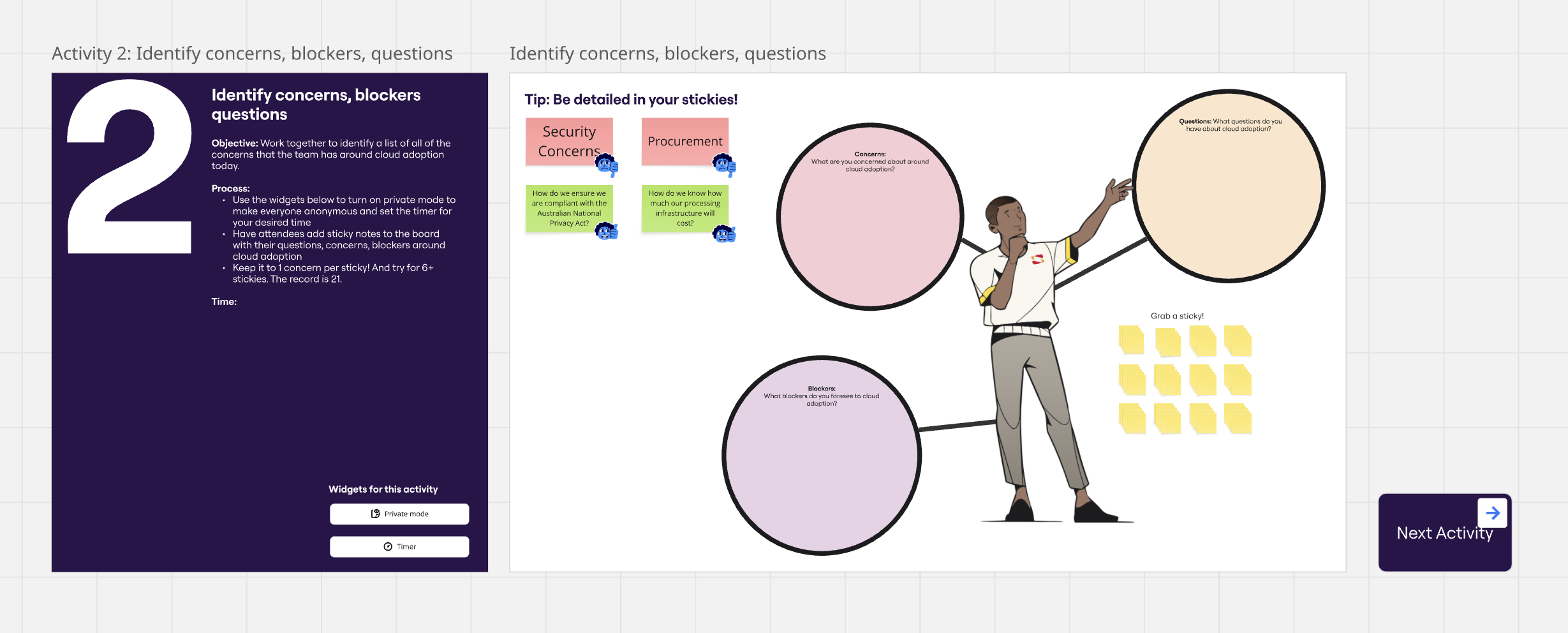
  • Anonymous Feedback: Used Miro’s Private Mode to encourage candid input
  • AI-Powered Insights: Leveraged Miro AI to accelerate theme grouping by approximately 70%, significantly reducing manual workshop tasks
  • Direct Action Planning: Integrated Jira for immediate task creation

Impact: Transforming Cloud Migration through Collaborative Engagement

The workshop transformed the organization’s approach to cloud migration by creating broad alignment between teams and establishing a shared understanding of priorities and challenges.

“One of the biggest benefits we’ve seen is that there is now a better connection between business and technology,” explains Drange. “By aligning cloud transformation with business strategy, we avoided roadblocks and took a more proactive approach—anticipating system changes, integration needs, and procurement timelines well in advance.”

This collaborative approach directly addressed critical risks like migration wave stagnation, which could have resulted in increased cognitive load on technical teams, costly “double bubble” infrastructure environments, and missed deadlines triggering expensive software & hardware refreshes. 

With input from 150 stakeholders across diverse domains, the process revealed crucial insights into financial and operational challenges – potentially saving millions of dollars should the company meet the 4-year migration deadline.

Collaborative Advantage

By leveraging Miro’s collaborative platform, Sopra Steria transformed what would typically be a targeted, on-site activity for a smaller audience into a cohesive, engaging process that brought together diverse perspectives and expertise. This people-centered approach has established a new benchmark for cloud migration planning that standardizes workshop facilitation, minimizes administrative overhead, and creates a scalable, repeatable migration readiness framework for Sopra Steria. 

Miro for AWS Cloud Adoption Framework (CAF) Workshops

Software Stack Editor · June 24, 2025 ·

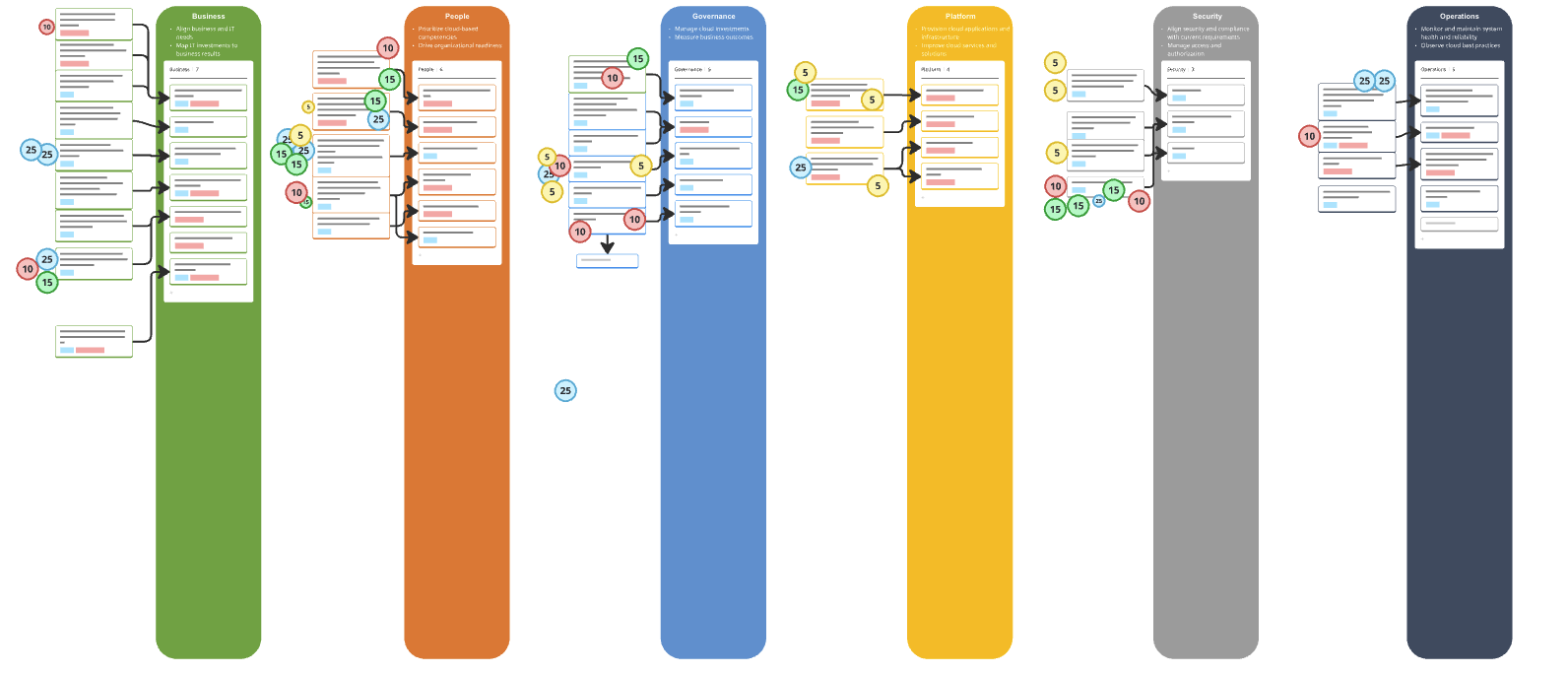
Miro’s AWS CAF Workshop Blueprint helps organizations plan and execute their cloud transformation strategy. These workshops play a key role in defining business goals, aligning stakeholders, and creating a clear cloud adoption roadmap – following AWS best practices. 

This Miro Blueprint offers a structured, organized approach for setting up and running AWS CAF workshops, minimizing preparation time while allowing focus on meaningful discussions about cloud adoption. 

You can use it to:

  • Drive dialogue to areas of greatest consequence for accelerated transformation
  • Align goals and business outcomes with business drivers
  • Facilitate decision-making across stakeholder and technical domains
  • Build momentum and capability for cloud transformation
  • Create a high-level strategic roadmap with prescriptive guidance

Blueprint Structure

The Blueprint includes three main sections to support the entire CAF Workshop process:

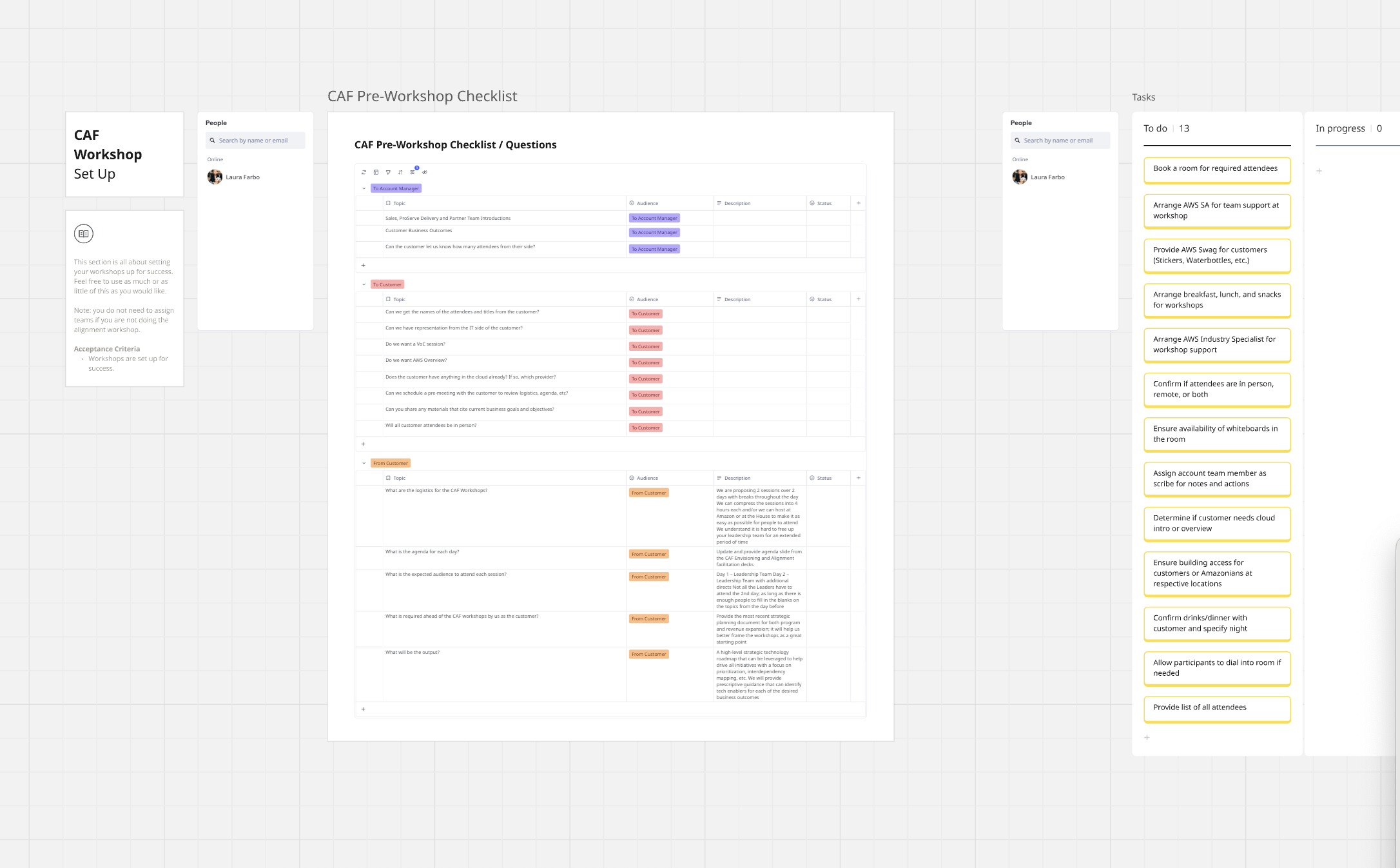
Pre-Read

  • Customer Introduction
  • Facilitator Guidance Overview
  • Envisioning Workshop Documentation
  • Alignment Workshop Documentation
  • Preparing for the Workshop (Facilitator)

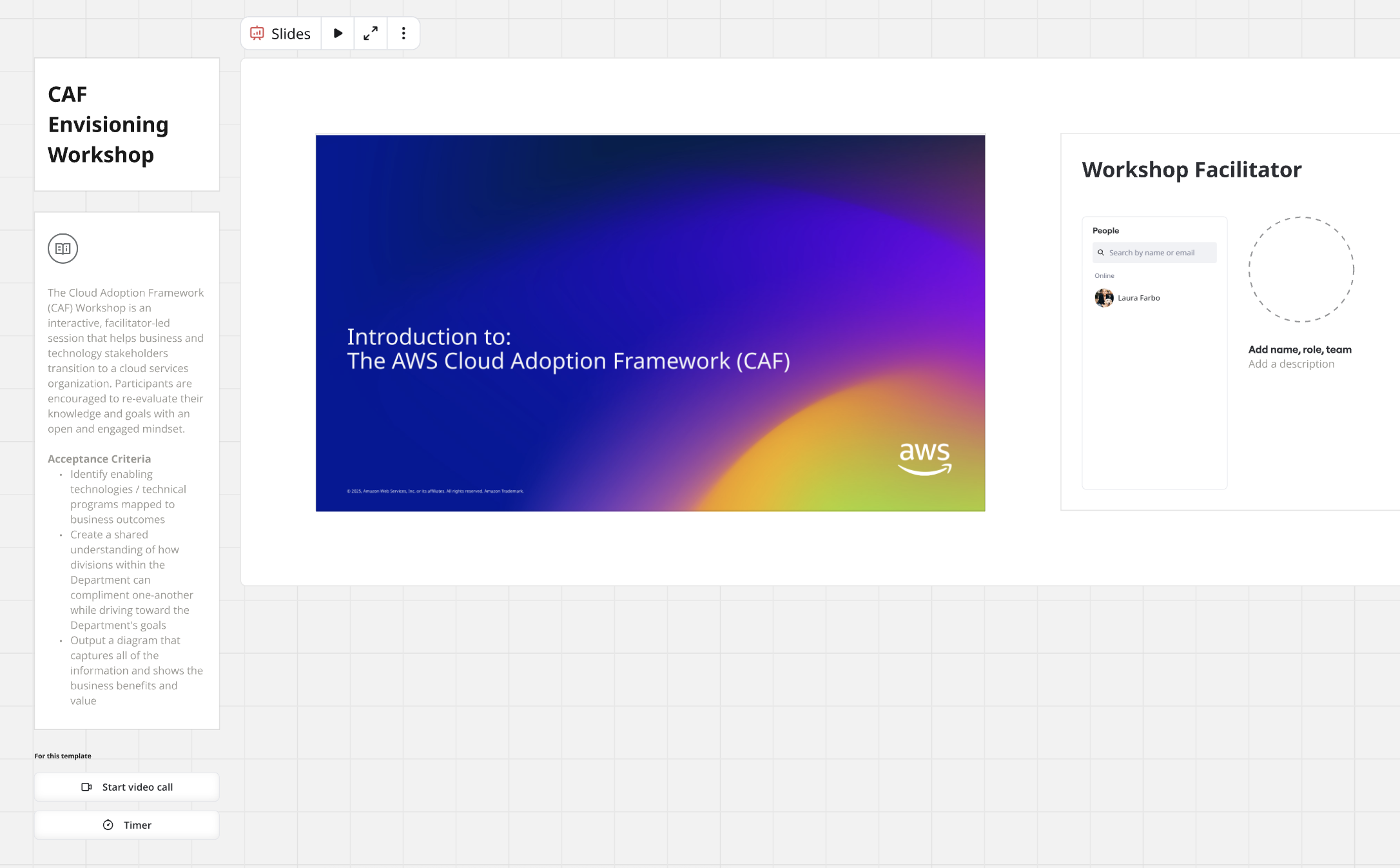
Envisioning Workshop

  • CAF Envisioning Workshop
  • CAF Envisioning Workshop Brainstorm
  • Recap & Reflection

Alignment Workshop

  • CAF Alignment Workshop Goals
  • CAF Alignment Workshop Intro
  • CAF Alignment Workshop Activities Block 1 & 2
  • Recap & Reflection

This Blueprint is built in collaboration with AWS to ensure you and your team follow best practices for successful cloud adoption. Whether you’re just starting your cloud journey or looking to accelerate existing initiatives, this comprehensive toolkit provides everything needed to facilitate impactful CAF workshops that drive real business outcomes.

How Miro helps organizations consolidate to great

Software Stack Editor · June 23, 2025 ·

image

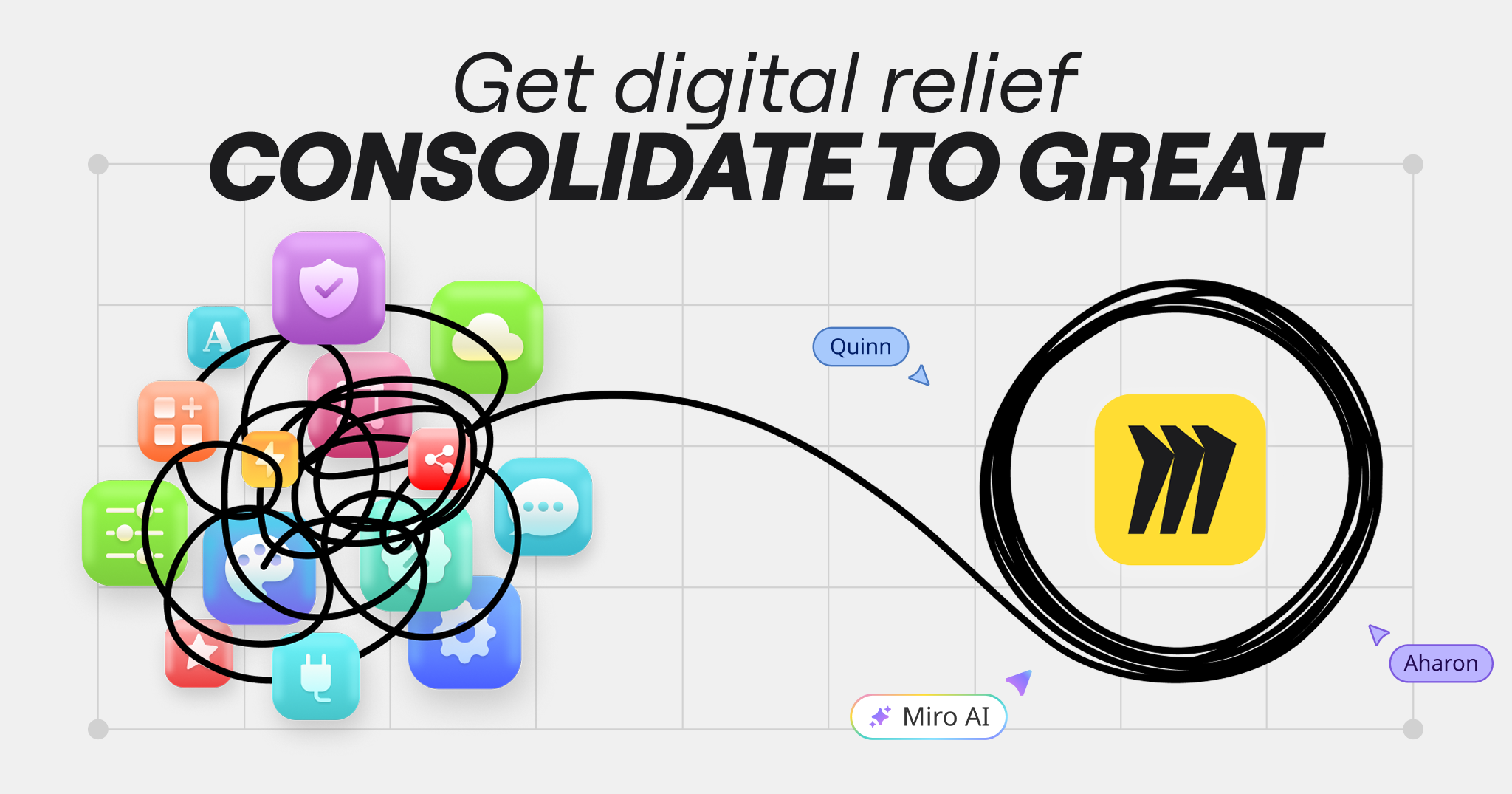
In the last decade, global SaaS revenues have increased by a massive 10x, with employees in large organizations now enjoying access to an average of 112 apps. So enterprise IT is booming, right?

Maybe not. Teams are drowning in a swirl of disconnected and disparate tools. Take visual collaboration. Sure, there are lots of options, but they don’t always cater to the functionality needed by different user groups. Some (think Figma or LucidChart) are too narrow; others (like FigJam or Mural) are too shallow.

So IT leaders are shifting their approach from investment to optimization, if not outright cost-cutting: In fact, 31% of software buyers say they’ve replaced tools that are too expensive.

“IT leaders are shifting their approach from investment to optimization, if not outright cost-cutting: In fact, 31% of software buyers say they’ve replaced tools that are too expensive.”

But a new report from Forrester reveals the risks in this strategy. Focusing on cost reduction too often comes at the expense of product innovation, which yields a much higher (if less easily measurable) upside over time. Instead, Forrester has created a framework to help inform a “next-generation business case that’s appropriate for today’s technologies and challenges.”

At its heart is a new way of thinking, one which optimizes team potential over tools. That means working closely with stakeholders across the business to understand the reality of how they work, where friction exists, and what truly enables productivity.

It also means adopting people-centric, value-based metrics like user satisfaction or incremental efficiency gains to measure the success of your company’s tech stack. The goal isn’t just to reduce tools – it’s to equip teams with the right tools, aligned to how they work best.

How Miro supports strategic IT planning

We’re making Forrester’s excellent and timely report available for anybody who wants to read it. And that should be every IT leader grappling with the need to change. We urge you to take a look, but what we’re also excited about is the role that Miro can play in helping organizations consolidate to great.

Miro eliminates the chaos of tool sprawl and offers teams a smarter way to work by providing a single, secure, and scalable platform for visual collaboration. It supports both broad-based use cases and specialized workflows, enabling cross-functional project work to move from idea to outcome faster.

Let’s take a closer look at how Miro helps IT leaders consolidate their tech stack based on Forrester’s recommended approach.

Scale and optimize with AI

According to Forrester, IT leaders should focus on technologies like automation, data analytics, and AI to scale and optimize the performance of business processes and organizations. With Miro AI they can do exactly that. Miro AI is built directly into the canvas, so instead of wasting time switching between tools or working out prompts, teams can stay focused on moving projects forward faster. For instance, AI will help them cluster sticky notes by keyword or sentiment, turn rough ideas into research summaries, or even turn screenshots into clickable prototypes. 

Accelerate collaboration for key use cases

Forrester’s experts point out that IT doesn’t exist in a vacuum – harnessing collaborative partnerships with the rest of the business is a key to fuelling innovation and delivering better results. Miro is already the place where teams come together to work on their most important projects, from roadmapping to goal management, to AI transformation. It’s easier than ever to get started with blueprints and templates, and move from unstructured to structured work thanks to distraction-free formats like docs, diagrams, slides, and tables.

Turn scattered data sources into smarter decisions

“CIOs should articulate the promise that technologies like AI, IoT, and advanced analytics hold in creating disruptive business models,” says the Forrester report. But it’s difficult to tell that story when the data you need is split across so many different sources. Miro helps companies take that scattered data from CRMs, research platforms, or even Gen AI assistants, and bring it all together in one place so it’s easier to actually use it to inform decision making. Our insights tool even uses AI to forecast the revenue value of future features.

Ensure operational stability and compliance

Finally, Forrester is clear that high-performance IT decisions should be grounded in security, compliance, and safeguarding. Miro is focused on infrastructure, operational, and product security so companies can focus on innovating faster. With Enterprise Guard, organizations can find and secure sensitive data anywhere on Miro, even when it’s not being caught by your internal AI systems. We’ll also automatically make sure that no private data is ever fed into Miro AI so you have peace of mind that your most important IP stays right where you expect it to be.

The benefits of app rationalization with Miro

When organizations use Miro to support tool consolidation decisions, the benefits are clear:

  1. Greater productivity

Miro drives increased employee engagement and productivity across your entire organization by providing a central workspace that empowers cross-functional work.

  1. Organizational efficiency

Consolidating onto Miro increases control, optimizes costs, and reduces risk for IT leaders.

  1. Accelerate strategy

With Miro at the center of your company’s workflows, it’s faster and easier to design, plan, and deploy new IT strategies and AI transformations.

This is why we’re already helping thousands of companies making the switch from their current visual collaboration tools. Like Workday. The HR software platform was looking to eliminate redundancy across its platform and consolidate onto a more user-friendly, feature rich product. In just six months, 80% of Lucid users transitioned to Miro, with over 50% utilization in less than a year.

“Miro showed up as head and shoulders above the competition in every way.” – Murali Rathnam, VP of IT Infrastructure, Workday

Ecommerce software provider Lightspeed also wanted to consolidate from Lucid to Miro to enable better collaboration (and budgeting) across departments. With Miro’s Professional Services team on hand to identify inactive Lucid users, migrate documents, and onboard teams into Miro, over 35 Lightspeed departments were quickly able to work together more efficiently.

“We greatly appreciated the efficiency of the Miro team. They were able to find solutions, including demands for embedded links and static images of Lucid documents.” – Gus Haddad, Lead IT Project Manager, Lightspeed

If you want to know how Miro can help your strategic IT planning, check out our cost calculator tool and discover the value of application rationalization for your business.

Driving customer-centric innovation at Xero

Software Stack Editor · June 9, 2025 ·

A customer-centric transformation through shared understanding

When millions of small businesses, and accountants and bookkeepers trust your software with their finances, every customer touchpoint matters. That’s what Xero, the small business cloud accounting platform, discovered as it scaled globally. Although the company’s teams shared the same goal, they were using disparate tools and were at different starting points with varying definitions of the customer journey.

That changed when Xero’s Service Design team used Miro to turn their disparate insights into a unified Customer Journey Framework (CJF) that now serves as one of the company’s keystone documents.

By building and hosting the CJF in Miro, teams at Xero were able to:

  • Take an end-to-end customer-centric view of operating a small business and the support of accountants and bookkeepers
  • Hold virtual workshops across timezones for both real-time and asynchronous collaboration
  • Use a platform that felt more accessible felt more accessible, human and that teams were already using and familiar with
  • Spot new opportunities faster by identifying gaps in the product offering

The CJF does more than just align teams. It’s created a shared understanding that’s helping Xero reshape the way it serves small businesses and their advisors, one innovation at a time.

The problem: Complexity slowing innovation

Xero’s global teams share a passion for customer success. But after a period of rapid growth different teams were using different ways to describe how customers interacted with the company’s products and services.

It was a complex task. Teams needed to map and understand the hundreds of ways customers ran their business – from storing documents and paying bills to claiming expenses – and how they intersected across Xero’s platform. But disjointed tools and unclear context meant teams spent too much time trying to understand customer needs before they could actually respond to them.

“We had teams working across a range of different tools, which created too much complexity. Projects were moving quickly, and there were so many dependencies on other teams, but we were spending more time getting aligned.”

Courtney Martyn, Head of Experience Strategy at Xero

What Xero needed was a common starting point – a shared taxonomy and hierarchy of the thousands of different jobs that customers wanted to do, understood through the eyes of a small business. With that in place, they could start to map the different journeys and individual user flows through its products and services, along with the dependencies between them. Most importantly, it had to transform how global teams collaborated – no small feat for an organization spanning multiple continents.

Developing this framework would be a monumental task. It would take significant effort across teams on different sides of the world to catalogue the various user flows and understand how to combine all that information in a way that would actually be useful to 4,000+ fellow employees. Then they had to build, test, roll out, and iterate on the tool itself.

The solution: Designing something for everyone

When Courtney Martyn, Xero’s Head of Experience Strategy, came onboard, one of her first decisions was to use Miro, not only to figure out what the framework should look like for everyone involved, but also to be the place that the Customer Journey Framework should live.

Some key considerations included managing both simplicity and depth, accounting for how each team would interact with the framework, the different formats and preferences, and ensuring it could be easily accessible for all. Making sure to involve key stakeholders up front, from all over the globe, Courtney kicked off the project with a series of workshops to define the parameters of the framework. As teams were located globally, asynchronous collaboration was key.

“We started using Talktrack right away,” says Courtney, meaning teams could leave a video voiceover next to their work to answer questions or provide extra context. “Before, we were having to build boards and have fake meetings just to record instructions. With Talktrack, we could do it directly in Miro and support our global team.” Sticky notes and comments provided even more ways to leave feedback and make sure that momentum never slowed.

The workshops resulted in a series of personas that shaped the delivery of the framework in critical ways. “If you think about an engineer, they gravitate towards a more tabulated view of information that they can manipulate. Whereas other people work better with a more visual representation,” explains Courtney. The framework needed to be suitable for everyone from senior leaders, those in the detail of the data, and all types of people across the business. Miro was chosen for employees who wanted, in Courtney’s words, something “more visual.”

With Miro chosen as the source of truth, Courtney was also able to strike a balance between simplicity and depth. Anybody arriving on the board would see the title of a customer job and a line or two of key information, with more detailed definitions available simply by clicking on the card. “We needed a level of information that wasn’t overwhelming when someone came into the board, but then they can drill down into the body of the card to view more detailed information,” she explains.

The Impact: Faster, Customer-centric innovation

What started as a small-scale test quickly became a company-wide rollout after a senior leader witnessed the framework’s power to drive consistency and fast-tracked it for organization-wide adoption. Finally, employees had a shared tool and understanding that bridged the gap between technical and product teams.

1. A living, breathing framework

The journey to create the CJF was intentionally iterative. Using Miro’s flexible canvas, Courtney’s team could seamlessly switch between unstructured brainstorming and structured outputs, while maintaining a single source of truth. The framework continues to evolve through quarterly updates, driven by research and employee feedback.

2. Beyond collaboration: Sparking innovation

The CJF delivered more than just improved communication – it became a catalyst for innovation and new possibilities. By mapping complete journeys from the perspective of the customer, including unexplored territories, the framework revealed new opportunities and sparked conversations about future prospects. “It highlights jobs that Xero could potentially get into and then we can identify gaps,” explains Courtney. “That becomes a spur for innovation because we’re asking ourselves if we’re going to do that better than anyone else, how would we do it?”

This collaboration transformed not just how some teams in Xero worked, but how they envisioned their future work, creating a more customer-centric cycle of product development that benefits both small businesses and Xero employees.

3. Enabling everyone to put customers’ experiences first

Teams at Xero now spend less time trying to understand the jobs to be done. It hasn’t just changed the way people work; it’s changed the way they think, expanded their perspectives and allowed them to see the customer journey as a whole. Like Miro, the CJF is now a part of life at Xero – and that’s a win for customers and Xero employees alike.
What’s New: What we launched in May 2025

Software Stack Editor · May 27, 2025 ·

At Miro, we’re always evolving to help teams collaborate more effectively, move faster, and stay aligned. Whether you’re working solo or across teams, here are the updated ways to simplify your workflows, increase momentum, and bring your ideas to life with greater ease and clarity.

Miro Prototyping (Beta)

Now in Public Beta, Miro Prototyping gives product teams a fast, flexible way to turn early thinking into interactive prototypes, right on the board where those ideas begin.

Use the context already on your board, like sticky notes, Docs and screenshots, or start from a prompt to generate editable mockups and multi-screen prototypes in minutes. Drag and drop UI components, add click-through interactions, apply your brand styling, and iterate with AI-powered editing — no design files needed. 

Whether you’re exploring new concepts, aligning stakeholders, or running a sprint, Miro helps you prototype earlier, validate faster, and keep momentum — all without leaving the board.

Miro Prototyping is free during beta for users on Free, Starter, Business, and Education plans. Enterprise company admins can request early access here.

Create with AI update (Beta) 

Go from idea to outcome even faster with improvements made to Create with AI. Create docs, images, stickynotes, diagrams, tables and prototypes from a prompt enhanced by selected ideas on the canvas.

You can also iterate on AI-generated results privately, so that you can edit and tweak without others seeing, until the work meets your needs. Switch between versions to see the changes between iterations and only apply to the board when you’re ready. 

Transform any collaboration into a document to align on proposals, a diagram to visualize a solution architecture, a roadmap to share next steps, or a prototype of your early ideas. Create with AI helps maintain momentum across all of your projects.

Tables Focus Mode (Beta) 

You can now freeze columns in Tables while in Focus mode, so key information like names or statuses stays visible as you scroll. Just drag the freeze bar, use the column menu, or move columns in and out of the frozen area. Watch our latest guide to using Tables and Timelines in Miro here.

Miro Slides

In Miro Slides, you can add multiple lanes within a single slide container, making it easy to organize slides into different sections of the same deck. You get a clear visual layout of each section while still being able to present, edit, and manage everything in one place.

Spaces update

Reorder boards and sections in Spaces by dragging and dropping boards and sections to reorder them in a Space.

Diagramming Shape Pack

Visualize agentic workflows, including AI models, cloud services, tools, and input/output components with the Agentic Workflows – Diagramming Shape Pack. It supports teams with diagramming and designing and planning AI workflows directly in Miro.

Synced copies update

Synced copies are now even easier to use with a set of improvements designed to help teams stay aligned while reducing manual work.

  • More flexibility and control: You can unlink synced copies to create static versions, perfect for final deliverables or tailoring content, while also syncing multiple frames at once to quickly scale consistent content across boards.
  • Smarter templates and exports: Synced copies in Blueprints retain cross-board links, making workflows fully reusable. Plus, synced content is now included in PDF exports, so shared or archived work stays complete.

VPAT update

We’re excited to share Miro’s continued commitment to accessibility, ensuring our platform empowers everyone to collaborate with confidence. Diverse teams build better products, which is why we have launched an internal self-serve accessibility strategy to embed accessibility into our development processes.

This dedication is further reinforced by our recent Voluntary Product Accessibility Template (VPAT) update, demonstrating our proactive approach to meeting key accessibility standards like those outlined in the European Accessibility Act. For access to the VPAT, please reach out at accessibility@miro.com. 

We’re constantly innovating, with capabilities like keyboard-only navigation, screen reader announcements, and support for voice control, all aimed at creating an inclusive and empowering experience for all our users. Learn more about Miro Accessibility.

Check out these ready-to-use frameworks that demonstrate how AI can supercharge your workflows, from strategic planning to user research and startup innovation:

  • Martin Szugat’s Lean Data & AI Strategy Workshop guides your agile transformation to a data-driven and AI-powered business.
  • Kate Ivanova’s User Interview Notes template is a simple framework for your team to capture research notes and quickly synthesize them into key takeaways with Miro AI.
  • R GENERATION’s AI-First Startup Canvas is a workshop to shift your organization to an AI-first mindset for fresh ways of thinking, building, and delivering value.

Have your own ideas? Publish templates to Miroverse and share your expertise with 90M+ users.

Stay tuned for June!

With these updates, you have more control, flexibility, and creative power than ever before. Whether you’re refining ideas, collaborating across teams, or building something from the ground up, you can now move faster, stay aligned, and adapt as you go.

Explore new ways of working, prototype earlier, visualize more clearly, and share your vision with confidence. Watch our latest How I do it in Miro video to see how you can go from discovery right through to delivery in one space. And to take it one step further, tap into Miro’s Solution Partner Program, connecting you with trusted experts who help you unlock the platform’s full potential through tailored strategy, seamless implementation, and custom integrations.

However you work, Miro is here to help you make it happen.

From idea to validated concept: Introducing Miro Prototyping

Software Stack Editor · May 20, 2025 ·

If you work in a product team, you’ve likely faced this challenge: How can we move faster from idea to product? How can we test and align on concepts before work gets locked into roadmaps or design queues?

Too often, early-stage ideas get stuck in static documents or buried in conversations. Designers are stretched thin, and non-designers often don’t have the tools or confidence to bring concepts to life. That slows innovation, creates misalignment, and leads to rework down the line.

At Miro, we believe prototyping shouldn’t wait for handoff — it should start with the idea.

Meet Miro Prototyping (beta)

Miro Prototyping (beta) brings the speed of sketching, the clarity of interactivity, and the power of collaboration into a single, shared space. With AI-powered flows and drag-and-drop components, anyone on the team can turn rough ideas into interactive prototypes — right inside your Miro board. Perfect for early exploration, quick feedback, and collaborative iteration.

No design files needed. No momentum lost.

Miro Prototyping (beta) isn’t about replacing your design tools — it’s about democratizing the ability to visualize and test ideas early, so teams can: 

  • Product managers: Test ideas fast — without waiting in the design queue. Build interactive mockups from scratch or screenshots, get real feedback, and iterate early.
  • Designers: Stay focused on high-impact work. Let teammates explore early concepts independently — so by the time they reach you, they’re more concrete and aligned. Or explore multiple approaches and concepts yourself in no time.
  • Developers: Understand user flows sooner. See how things should work before you build, leading to better estimates and smoother handoffs.

Iterate without barriers

Working on an existing product? You shouldn’t need design files or a designer’s time to suggest small improvements. You can now test and share changes in minutes without access to original design files, showing changes rather than describing them.

  1. Start from what you have: Upload a screenshot, place interactive elements on top, and show changes visually.
  2. Apply real-world inspiration: Use Import Style from Image to pull colors and styles from any reference — and instantly see your product in a new light.
  3. Explore one screen at a time: Use the Canvas as your AI prompt to suggest alternatives for key moments — whether it’s a flow tweak or a visual refresh.

Zero to one concepts — fast

When you’re starting from scratch, speed matters. You can now turn written ideas into interactive concepts — instantly, so you can create new product concepts with just the right fidelity to communicate vision while remaining flexible enough to evolve. 

  1. Start from your ideas: Select your sticky notes from a brainstorm, a PRD, or describe your idea in a prompt to generate a multi-screen prototype in minutes — ready for discussion or feedback.
  2. Iterate with AI: Try different layouts, tweak content, and explore variations with Create with AI 2.0.
  3. Fine tune from there: Edit screens with an intuitive drag-and-drop UI library and add any extra steps as your idea becomes clearer.

Build together in workshops

Early ideas are better when shaped by the team and easier to understand alongside the context that shaped them. It’s now easier to build prototypes together — directly from workshops or design sprints. Now diverse team members can contribute meaningfully during productive sessions or sprints to create aligned, actionable concepts.

  1. Turn ideas into action: Drop in sticky notes, images, or notes from the session and instantly start prototyping with the team — no setup needed.
  2. Leave the meeting aligned: End with a shared prototype, not a long to-do list. Everyone sees where things are going — and why.

Start prototyping where ideas begin

Whether you’re leading a sprint, proposing a new feature, or running a discovery session, Miro Prototyping (beta) helps you bridge the gap between conversation and creation.

  • Validate concepts faster: Get feedback on interactive experiences already in the early discovery phase
  • Reduce design bottlenecks: Enable anyone to create and iterate on early-stage concepts
  • Improve team alignment: Build shared understanding before committing to development
  • Expanded ideation: Generate more ideas to curate and validate earlier in process
  • Make better decisions: Test and refine ideas based on concrete interactions, not abstract descriptions

Your ideas are ready to move. Now they can.


Miro Prototyping is free during beta for users on Free, Starter, Business, and Education plans. Enterprise company admins can request early access here.

Celebrating Global Accessibility Awareness Day 2025: How Miro is approaching accessibility

Software Stack Editor · May 15, 2025 ·

image

This article was co-written by Philip Strain, Robert Schroeder, Peter Gould, Marcin Pająk, Andrew Hayward, and Stefano Baldan.

At Miro, we believe that diverse teams build better products. That’s why we’re deeply committed to creating a platform where everyone can collaborate with confidence. 

Today, on Global Accessibility Awareness Day, we are excited to share our continued commitment to accessibility and how we’re proactively addressing key accessibility standards. This includes requirements established by the upcoming European Accessibility Act (EAA) and its transposition into national rules in the European Union. 

In this post, we’ll take a closer look at how Miro is approaching the European Accessibility Act and embedding accessibility into our development processes. From enabling Miro employees, to our embedding accessibility into our core design principles, every aspect of our work includes rigorous testing to ensure an inclusive and empowering experience for all.

Miro’s approach to the European Accessibility Act

The European Accessibility Act (EAA) is a directive by the European Union that sets out accessibility requirements for a range of products and services, which will become enforceable through EU member state law starting 28 June 2025. The primary aim of the EAA is to harmonize requirements for providers of accessible products and services in member states and increase their availability for people with disabilities by establishing minimum principles. 

At Miro, we have an established accessibility team whose mission is to remove the barriers that may prevent people with disabilities from collaborating effectively.

While we have previously written articles and published our approach to accessibility, one aspect that we’ve wanted to improve is how we engage and motivate Miro employees to progress accessibility. We’re always looking for ways to build a culture of accessibility at Miro, and below, you will find the steps we are taking to achieve this goal.

Embedding accessibility into our daily operations

Our approach to embedding accessibility into the daily operations of our teams is structured around four key pillars: enablement, automated testing, canvas accessibility, and accessibility excellence. Internally, we introduced our “Self-Serve Accessibility Strategy” earlier this year. The goal of the strategy was to provide Miro employees with the tools and resources they need to create accessible experiences for all users. 

In practice,  Miro teams are now able to independently design, build, test, and maintain accessible products. 

Enablement

Our first pillar, enablement, ensures that all Miro employees have the tools they need to make our product accessible for all. Many large tech companies prioritize risk mitigation and potentially compromise on products that effectively meet user needs. But not at Miro. Here, we build for the user first and acknowledge our diverse customer base. We enable Miro teams to embed accessibility from the outset, recognising that designing and building with disabilities in mind – such as sight or hearing loss – is beneficial for everyone.

While our accessibility specialists are invaluable, we believe that a combination of the right tools, comprehensive education, and a supportive culture is crucial for success. This empowers individuals to verify their work confidently against accessibility standards, equips them with the necessary skills to create accessible services, and cultivates a deep understanding of accessibility’s importance. This encourages accessibility integration throughout every project phase.

Automated testing

Our second pillar, automated testing, makes it easier than ever for Miro employees to ensure accessibility. When it comes to accessibility testing, we recognize that prevention is better than cure. By using automated tests at multiple stages of the development process, we create several layers of defense to prevent, detect, and remediate accessibility issues as early as possible.

During development, we use extensive linting and accessibility unit tests to catch the most common compliance issues before they enter the codebase. At build time, we run end-to-end tests using real assistive technologies to ensure that changes don’t introduce unexpected regressions in the user experience. We also continually run page-level scans on fully rendered pages to identify any remaining issues.

Canvas accessibility

For the third pillar, we are looking directly at accessibility on the canvas itself. Unlike regular web content, the HTML-based Canvas does not provide built-in support for assistive technologies. To the browser, canvas content is read as pixels on the screen, without specific meaning. This means we have to build accessible capabilities specifically for the Canvas.

A significant part of our work toward making Miro accessible consists of building and maintaining the platform that allows the creation of accessible canvas content. Miro has accessible capabilities like: 

These are only a few examples of the areas that require custom accessibility support on the Canvas. It is fairly uncharted territory that requires a lot of research, innovation, and regular engagement with our customers and users to ensure the effectiveness of our solutions.

Accessibility excellence

Our final pillar is Miro’s commitment to accessibility excellence. Everything we do at Miro comes back to a dedicated focus on our users. Our Miro teams engage directly with organizations who leverage Mio to discuss and get feedback on our accessibility strategy. We also run regular user research sessions with people with disabilities to both inform future work and get feedback on the existing experience.

Learn more

As you can see, our commitment to the principles established by the European Accessibility Act is embedded into the daily operations of Miro. We are committed to delivering accessible capabilities so there is space for every great idea, not only on Global Accessibility Awareness Day, but every day.

For more information on Miro Accessibility, please explore our web page and our Help Center documentation. We recognize that accessibility is a journey, and so we welcome any feedback at accessibility@miro.com. 

🚀 New Templates in Miroverse

Software Stack Editor · May 13, 2025 ·

What a month it’s been! April saw Miroverse bloom with 167 new templates, reflecting the diverse ideas, ingenuity, and collaborative spirit of our community. Whether you’re a seasoned Creator or just starting out, it’s never too late to share your own Miro templates with the world.

Thinking about publishing your first template? Submit today! 

If you have questions, join us for our next How to Become a Creator training on May 28. Learn about the submission process and what makes a good template with the Miroverse team. You can also visit the Creator Toolbox to learn more.

DIY-Toolkit led the charge this month, publishing 29 templates! Their tools are designed to help practitioners innovate, adapt, and deliver better results with innovation, design, and business development theories. Templates like Scaling Plan, Fast Idea Generator, and Innovation Flowchart are just the tip of the iceberg.

Congrats to DIY-Toolkit for this incredible launch in Miroverse — we look forward to seeing even more from you!

Said Saddouk, the Facilitainer | Most Copied Miroverse Template 🚀

A long-time Miroverse leader, Said Saddouk specializes in games and joyful facilitation. This April, their Easter Egg Puzzle Hunt was copied 100 times. Said’s work proves their mastery of bringing fun and engagement to the community!

Well done, Said — you’re a true legend!

Paul Snedden | Most Liked Miroverse Template 🚀

Paul Snedden, another Miroverse legend and multiple Miroverse Choice Award winner, published the Facilitation Toolkit this month, earning 33 likes. If you’re looking for a comprehensive, structured collection of tools and templates for every stage of your facilitation process, Paul’s template is a must-see.

Thank you, Paul, for sharing your tried-and-true methods with the community. They definitely loved it!

Tomek Radzioch | Most Viewed Miroverse Template 🚀

Want to spice up your next team retro? Tomek Radzioch’s Severance Retrospective received 800 views this month. By tapping into pop culture, Tomek cracked the code for making retrospectives engaging and fun.

Thank you, Tomek, for sharing this clever template with the community!

Design Declares Ireland | Social Impact 🚀

Design Declares Ireland, a movement focused on addressing climate and ecological emergencies, released their Toolkit for Sustainable Design. Designed for educators preparing the next generation of conscientious designers, this template helps facilitate meaningful conversations and actions about sustainability.

A huge thank you to Design Declares Ireland for bringing positive change to the community and the world!

R GENERATION | Staff Picks 🚀

R GENERATION, a global community of remote professionals, creators, and digital nomads, shared their Pressure Map template. This strategic tool helps uncover the psychological, social, and environmental pressures shaping behavior today, paving the way for effective interventions. Expect to see behavior through a fresh lens and discover opportunities to shift the balance.

This template stands out for its exceptional design and impressive use of Miro widgets—well done, R GENERATION!

Victoria Tam | Professional Spotlight 🚀

Meet Victoria Tam, a UX Researcher at Cisco IT Design. Their Jobs To Be Done Journey Map combines a journey map with a jobs-to-be-done approach, helping teams document research and align stakeholders on focus areas. With smart Miro’s cards widget and clear structure of pain points, this template supports seamless collaboration and decision-making.

We’re excited to see Victoria’s template in action!

Explore thousands of templates created by and for the Miro community in Miroverse. Discover a new template you loved? Share what you’ve found in the thread below. 👇

If you can’t find the template you’re looking for, submit it in Template Requests.

How we built Tables & Timelines

Software Stack Editor · May 8, 2025 ·

At Miro, we’re constantly releasing new features to help customers get from idea to outcome faster. But while we like to think we’re pretty good at explaining what they are and how to use them, we don’t spend a lot of time talking about why we choose to build certain things, and how our own teams actually use Miro to make that happen.

Until now. We’re taking you behind the canvas to meet the people who actually make Miro, starting with the product and engineering managers behind the Tables & Timelines format.

Tables & Timelines make it easy for teams to turn their creative ideas into structured tasks, so they can move from brainstorming to project planning and delivery without having to switch apps. We first announced these new capabilities at Canvas 24, but of course the work started well before then – as the team explains.

Identifying pain points with Miro Insights

“First and foremost, we try to understand what user problem we’re solving,” says Laurens Kersbergen, one of two Product Managers on Tables & Timelines alongside Vanessa Lee. The PM role is critical – think of them as the quarterback scanning the field and calling the plays to the engineers, designers, and researchers that make up the rest of the team. 

So why did Miro decide to prioritize Tables & Timelines over the hundred other things the team could have done instead? Laurens admits these decisions can be “more art than science”, but like all the best ideas, this one started with an observation about customer behavior. “We knew that a lot of customers were moving their data out of Miro as they wanted to structure it after brainstorming and ideation,” says Laurens. “But we also knew from user research that they didn’t like that experience so much because it was very rigid and they had to constantly switch tools.”

“We knew that a lot of customers were moving their data out of Miro as they wanted to structure it after brainstorming and ideation. But we also knew that they didn’t like that experience because it was very rigid and they had to constantly switch tools.” Laurens Kersbergen, Product Manager

The idea for Tables & Timelines began to take shape. But when it came to deciding exactly what to build, the team needed more data. So they turned to Miro Insights. “This nicely aggregates our data sources, like Gong calls as well as some other external platforms that we integrate with,” explains Laurens. This gave an initial picture of what customers were looking for, information that the PMs could then triangulate against other inputs like the direction of the market, company strategy, available resources, and competitor differentiation.

The result, says Vanessa Lee, was that the team decided not to try and build something that was so heavily specced it could replace more established tools. Instead, they set out to leverage the strengths of the canvas. “We’re thinking, ‘How can we reduce this manual effort? How can we package these amazing ideas that people have on Miro in a way that’s digestible, shareable, and more structured as well. Maybe we can be the platform that helps them transition their ideas into something concrete.”

With the discovery phase complete, the next step was to define and build a solution. Enter Alex Martishin, an Engineering Manager who led a small team tasked with developing something that appealed to 90m potential users. So no pressure, then.

As the EM, Alex was responsible for communicating with stakeholders, deciding when to show the product to users, and ultimately making sure the project hit its milestones. There was also the small matter of motivating the team (which, contrary to popular stereotypes, requires more than just an infinite supply of excellent coffee. “Engineers are people, too,” says Alex).

Alex’s approach to all this is to visualize the project as three points on a triangle. “You have the scope, the resourcing, and the time,” he explains. If you care about the scope, then maybe you have to be more relaxed on the time frame. If you want to hit a specific deadline, then maybe the scope slips. And both of these are dependent on how many people you actually have to hammer out lines of code.

“Then we understand, ‘Okay, for this initiative we need this amount of people to work for this amount of time.’ We estimate the confidence we have if we’ll be able to make it by that time with this amount of people, and then we just plan the work.”

Staying on track with synced copies and integrations

Of course, there were challenges along the way. Some of them were technical, for instance Alex’s team had to teach Miro to recognize these new objects – tables and timelines – and synchronize updates between server clients. They also had to build a new rendering engine to handle more complex widgets. 

But perhaps surprisingly, the biggest challenge wasn’t technical at all. According to Alex: “It was just organizing the work because there were more than 20 teams involved in building this solution. So holding everybody accountable if something went wrong, making sure that they have proper channels where they can tell us that something is going wrong, and at the same for us to tell them something is not going according to plan… That was the biggest challenge.”

Fortunately, the team had a secret weapon. As Tables & Timelines took shape, the team actually building it immediately became customer zero. “I think it’s very funny when people ask me, ‘Do you even use it?’ says Vanessa Lee. “I use it all the time. We’re tracking all our initiatives and projects on it across engineering, product, and design.”

 “I think it’s very funny when people ask me, ‘Do you even use Tables?’ I use it all the time. We’re tracking all our initiatives and projects on it.” Vanessa Lee, Product Manager

Laurens agrees: “We’re using the table itself to prioritize the features we need to build. So we have a backlog which has multiple views per quarter and per focus area. This is our single source of truth for all of the ideas we have in mind. In practice, it means that if I’m seeing something new popping up – let’s say in Miro Insights where some new request has been mentioned multiple times in Gong calls with our customers – then I would dive into that to understand it, and I would then add it to our backlog and reprioritize whatever we already had there.

It sounds simple in theory, but what happens if that backlog has been shared on a bunch of different Miro boards? Does that mean the PMs have to waste time tracking down and updating every single instance? No, thanks to Vanessa’s favourite feature: Syncing between views.

“We have this ability to sync between tables and timelines across boards,” she explains. “That saves us a lot of time in terms of manual effort. We just update it once and if everything’s programmed right, it updates everywhere else. Then we have this kind of magical ability to switch it into a timeline and see everything on a timebounded axis.”

The PM team also makes liberal use of the Jira integration to visualize tasks and run daily stand ups. In fact, according to Laurens, “We’re not logging in Jira anymore. We now have this information on our Miro board in a table so during our planning sessions or as we do our standups we have all of the context in one place. This is a lot faster than going into Jira, losing the context, and then when we revisit a discussion we don’t remember what decisions we made and everything is scattered.”

Unlocking deeper use cases for customers

If the Tables & Timelines team have been able to move faster because of their own handiwork, what about Miro customers? “We had this goal that customers would use tables and timeline in these deeper use cases,” says Vanessa. “And actually in a recent user interview we saw someone doing it in the way we imagined – with multiple tables synced to track their big projects. So it’s really cool to see some users already going that direction.”

It’s not just this one customer – over half a million tables have been created since the product was launched just a few months ago. But Alex thinks that people are only just beginning to understand the potential. “It’s only recently been possible to create a sync view when you copy and paste. In a lot of user interviews people are pleasantly surprised that we have this capability. They’re like, ‘It was so cool to be able to sync it,’ but because they didn’t try to copy and paste it they just didn’t find that there is this capability. We’ll definitely be working on making that more discoverable.”

Laurens agrees: “I’m proud of the potential of Tables & Timelines,” he says. “It’s so horizontal and there’s so many things it can do, which means it can play a huge role in where Miro is going next. I’m really proud to contribute to that.”

Introducing Aura: Miro’s Product Design Language

Software Stack Editor · April 30, 2025 ·

At Miro, our goal is to help teams collaborate better to create the next big thing. Over the past year, we’ve built new features that help teams go further and faster together, transforming Miro into the go-to Innovation Workspace for millions. 

We also know true innovation doesn’t come from tools or features alone. It’s the emotions sparked throughout the creative process that make the difference, unlocking a connection to the work that inspires bold, meaningful innovation.

The Magic of Miro

In developing our design language, we made a commitment to underscore Miro’s unique spirit that our users know and love, while exploring even more ways to deepen team engagement and create memorable experiences.

Our users feel as though ““if you can dream it, if you can think about it, if it’s something you want to do, you can do it in Miro”. We learned that Miro has become the tool for blue sky creation and out-of-the-box thinking, because people feel confident to be themselves. Miro’s playful and creative essence gives users a safe space to take risks, and the optimism to try something new. The presence of others on the canvas also creates a unique energy and connection to draw from – most people don’t even hide cursors: “nobody turns it off, because they want to know where their colleagues are.”

Amplifying that energy, creativity, freedom and shared activity, was at the heart of our design language.

Aura Design

[embedded content]

Our new Product Design language — Aura serves as a meaningful expression of Miro’s identity.

The name “Aura” was chosen because it implies that Miro is more than just a tool — it is a space that empowers creativity and brings energy to every interaction. It is about the flow of ideas, the freedom to create, and the sense of connection that comes from working together. Aura also reflects the essence of light, clarity, and insight, which are central to fostering innovative thinking.

Much like the subtle yet powerful atmosphere surrounding a person or space — Aura represents the seamless blend of function and feeling that defines the Miro platform.

The foundation of Aura is a set of design principles that shape Miro’s design, ensuring every step along the journey is paved with intention.

Energize minds

Innovation isn’t just about the final launch – it’s the momentum teams build along the way. When teams contribute, collaborate, and inspire one another, that flow of energy is amplified through playful and creative design interactions.

Illuminate moments

When you’re in your flow, Miro is present and intelligently anticipating the next move to accelerate team creativity. By illuminating pivotal steps along the journey, momentum stays high and teams are energised to bring ideas further.

Feel the pulse

Picking up a pencil or flipping through notepaper sparks creativity, and Miro brings that same physical charge to the digital space. Tactile objects and interactions create a tangible connection to the work, making collaboration feel immediate and immersive.

Spark emotions

Human expression thrives in spaces that welcome authenticity. Miro is an invitation for individual creativity, creating an inclusive space to experiment, explore, and bring ideas to life.

By focusing on thoughtful, human-centered details, Aura enhances the user experience in ways that are both functional and inspiring.

When you’re brainstorming with sticky notes, you’ll notice how they capture the charm of their real-world counterparts. Slight variations in angles, shadows, and textures give them an authentic feel. It’s a subtle touch that makes your ideas feel alive.

Collaboration on Miro is now even more expressive and engaging, giving you new ways to connect with your team. With playful stickers, reactions, and animations, you can add personality and energy to your canvas. Interactive stickers evolve as your teammates react, turning every plus-one into a celebration of shared enthusiasm that makes teamwork feel lively, fun, and rewarding. (Want to bring our new Interactive Stickers beyond Miro? Download them here and use them as custom Slack emojis or fun stickers anywhere you like!) 

The Aura Design System

The new Design System, built with the Aura Design Language at its core, serves as a comprehensive framework to deliver a consistent and seamless user experience across Miro’s platform.

Place  [🖼️ image to show design system overview] here

Enhanced readability and visual clarity

Our updated color palette features a wider range of modern, refreshed shades that enhance contrast and readability. The added variations give you more flexibility in creating hierarchy and matching colors. Whether you’re designing detailed workflows or brainstorming ideas, the new palette supports clarity and focus.

A global font for all users

To meet the needs of Miro’s diverse, global community, we’ve introduced Noto Sans as our new body font. Noto spans over 100 writing systems and supports 800 languages, ensuring that content is legible and inclusive for users worldwide.

Simplified and cohesive visuals

We’ve refreshed Miro’s icons and thumbnails to prioritize simplicity, consistency, and scannability. The new icons feature a mix of beveled and rounded edges, inspired by our brand identity, making them distinct yet harmonious across the platform. The updated board thumbnails further enhance visual clarity, helping users navigate and organize their work effortlessly.

Live now on the platform, these updates are designed to make the interface more vibrant, and cohesive, creating a more engaging and collaborative experience for everyone.

You can explore more details about the new design system on our landing page. We can’t wait to see how Aura enhances your experience in Miro!

GCP security best practices: 6 steps to building a safer cloud environment

Software Stack Editor · April 30, 2025 ·

Google Cloud Platform (GCP) powers the world’s largest companies and applications. But this kind ubiquity also brings with it greater security risks. And guaranteeing secure code — which can extend to secure data for your organization and customers — requires more than just flipping a switch.

In this guide, we’ll walk through six practical GCP security best practices designed to help DevOps teams build safer, smarter cloud environments from day one.

What is GCP and why is security so important? 

Google Cloud Platform (GCP) is the third-largest public cloud platform, behind only AWS and Microsoft Azure, with 10% of the total cloud market share.

GCP offers services for compute, storage, networking, machine learning, DevOps, and more. It powers everything from high-availability microservices and apps to massive enterprise data lakes for the world’s largest companies. 

As adoption of GCP grows, so will its risk potential. Even small missteps in GCP configuration and maintenance—like leaving a storage bucket publicly accessible or over-permissions for a service account—can leave the door open to attacks. 

Security on GCP isn’t optional. You need to plan for it from the start, and build your cloud environment with protection, visibility, and governance baked in at every layer. 

6 GCP security best practices to protect your cloud environment 

GCP gives you incredible flexibility. But with that flexibility comes responsibility. To build a secure and scalable cloud environment, DevOps teams need to establish strong security practices from the ground up.

Here’s how.

1. Secure your GCP environment with IAM and network policies

Most cloud breaches stem from simple missteps, like giving too much access or forgetting to restrict traffic. To prevent this, start with the fundamentals:

Quick definitions:
IAM (Identity and Access Management) is GCP’s tool for defining who can access which resources—and what they’re allowed to do.

  • Define least-privilege access with Identity Access Management (IAM). Assign users and service accounts only the permissions they truly need. Avoid using broad roles like “Editor” or “Owner” in production.
  • Use IAM Conditions. Add contextual rules like restricting access based on IP address, device type, or time of day.
  • Enable multi-factor authentication (MFA) for all users. This extra layer of identity protection helps prevent account compromise.
  • Segment workloads using virtual private cloud (VPCs). Create isolated environments for sensitive resources using private subnets.
  • Set strict Cloud Firewall rules. Allow only required traffic between services. Deny everything else by default.
  • Enable Google Cloud Armor. Protect public-facing apps from DDoS attacks and malicious traffic.
  • Use VPC Service Controls. Create a security perimeter around data services like Cloud Storage and BigQuery to prevent data exfiltration.2. Protect data with encryption and key management

Data is your most valuable asset. GCP encrypts it by default, but you can—and should—take extra steps for high-sensitivity workloads. 

Steps include:

  • Use customer-managed encryption keys (CMEK). With Cloud KMS or Cloud HSM, you control encryption keys for services like BigQuery and Compute Engine.
  • Set key rotation policies. Rotate access keys regularly to limit the impact of potential exposure.
  • Protect encryption keys with IAM. Only allow trusted identities to access or manage keys.
  • Control access to storage. Apply Cloud Storage bucket policies to prevent public access and enforce secure sharing.
  • Enable object versioning and retention policies. These features guard against accidental deletions or overwrites.
  • Secure data in transit. Ensure all communication between services, clients, and APIs is encrypted with SSL/TLS.

FYI: Cloud HSM stores keys in FIPS 140-2 Level 3–certified hardware modules for maximum security.

3. Embed security into your development pipeline

Security should be baked into every stage of the development lifecycle, not tacked on at the end. Strengthen your CI/CD workflows by:

  • Securing automation with service accounts. Use short-lived tokens and least-privilege roles for tools like Cloud Build.
  • Storing secrets securely. Use Secret Manager instead of hardcoding credentials in pipelines or configs.
  • Running automated security scans. Scan source code, containers, and dependencies during builds.
  • Enabling container analysis. Automatically scan container images in Artifact Registry for known vulnerabilities.
  • Using binary authorization. Ensure only signed, verified containers are deployed to Google Kubernetes Engine (GKE) environments.
  • Applying Policy-as-Code (PaC). Use Organization Policy or Config Validator to enforce deployment rules, like disallowing external IPs or enforcing required labels.
  • Requiring peer reviews. Just like app code, infrastructure-as-code should go through version control and team approval.

Quick definitions: 
Policy-as-Code lets you write security and compliance rules in code and apply them automatically at deployment time. Infrastructure as Code (IaC) is the practice of managing infrastructure with code for consistent, repeatable deployments.

4. Monitor and respond to threats in real time 

Even the best preventive controls can fail. That’s why continuous monitoring is essential. 

Here’s how to enable this:

  • Enable cloud logging and cloud monitoring. Track activity across your resources and set alerts for unusual behavior, like spikes in traffic or repeated failed login attempts.
  • Turn on cloud audit logs. Capture a full history of actions taken by users and services across your environment.
  • Use Security Command Center (SCC). Scan your projects for misconfigurations, vulnerabilities, and compliance issues—all from a single dashboard.
  • Integrate with an SIEM. Feed logs into Google Security Operations (formerly Chronicle) or third-party SIEM tools to correlate events and detect advanced threats like suspicious network traffic, compromised VM instances, or data exfiltration attempts.
  • Limit admin access. Use Identity-Aware Proxy (IAP) or OS Login for just-in-time access to VM instances, which can reduce your attack surface.

Tip: Just-in-time access means ports like SSH and RDP stay closed until explicitly opened for approved, time-limited access.

5. Conduct regular audits and enforce compliance standards 

Security isn’t a one-and-done project. Maintain your posture over time with structured audits and standards. 

You should:

  • Run quarterly internal security reviews. Check IAM roles, network configs, and resource settings.
  • Use Security Command Center’s compliance reports. Monitor alignment with benchmarks like CIS security configuration guidelines, NIST frameworks to manage cybersecurity risks, or PCI-DSS to protect cardholder data.
  • Label everything. Apply consistent labels—like owner, environment, or sensitivity—to improve visibility, accountability, and reporting.
  • Review access controls. Identify over-permissioned users or dormant service accounts that could become entry points.
  • Bring in third-party auditors. An outside perspective can uncover blind spots and validate your cloud security strategy.

Quick definition: 
CIS benchmarks are security configuration guidelines developed by the Center for Internet Security to help organizations harden their systems. 

6. Map your GCP architecture with Miro 

Strong GCP security starts with clear visibility and close alignment between stakeholders and network professionals. The GCP Architecture Diagram Template in Miro helps you visualize your cloud environment, making it easier to spot risks, plan securely, and collaborate across teams.

Use the template to:

  • Map IAM roles, VPCs, and firewall rules
  • Tag sensitive data and encryption points
  • Diagram CI/CD workflows and security checks
  • Document logging, alerting, and response plans
  • Support audit reviews with up-to-date architecture diagrams

With built-in icons, tags, and commenting tools, Miro makes cloud security a shared, visual process by helping you document and plan your security infrastructure. Whether you’re building or auditing, Miro ensures security remains top of mind for your whole team.

Build, deploy, and maintain a secure GCP environment 

Strong security starts early and never stops evolving. By building in protection at every layer, embedding it into your pipeline, and keeping a close eye on changes, your team can stay ahead of threats without skipping a beat.

And remember: the clearer your architecture, the stronger your posture. Use Miro’s GCP diagram template to bring your strategy to life—visually, collaboratively, and securely.

Build safer in the cloud: 5 Azure security best practices

Software Stack Editor · April 29, 2025 ·

Securing Microsoft Azure can feel daunting. It’s an enormous platform with near endless customizations and settings. Plus, threat actors are always on the hunt for vulnerabilities, and even small missteps—like an overlooked setting—can put your entire cloud at risk. The best strategy? Start secure from day one.

Below, we’ll walk you through five security best practices every engineer team should know in order to protect their Azure environment. 

But first: What is Azure and why is security so important? 

Microsoft Azure is one of the world’s biggest—and most important—cloud platforms, hosting everything from virtual machines to serverless applications.

According to Microsoft, 95% of Fortune 500 companies rely on Azure in some form. This makes it a popular tool for cloud development and management, but also a high-profile target for hackers and other nefarious actors. This is why security on Azure is critical. 

Common security holes in Azure deployments often involve: 

  • Exposed credentials (e.g., unsecured tokens or passwords)
  • Misconfigured resources
  • Unsecured network configurations
  • Overly permissive access

Security lapses, therefore, are most commonly associated with user or management error, rather than the platform itself. Even a single oversight—like an improperly secured storage container—can escalate into a serious incident if it’s exposed by the wrong person, leading to data breaches and failed cloud migrations. 

5 Azure security best practices to protect your cloud environment

To avoid security lapses, data breaches, and compromised cloud infrastructure, it’s important to follow some specific Azure security best practices. We’ll explore those below. 

1. Secure your Azure environment from day one 

When you first spin up Azure, it’s easy to focus on getting services up and running quickly. But before you do, you should pause to consider the security requirements for your deployment. Securing your Azure cloud architecture right from the start reduces the chances that your team will have to play security whack-a-mole in the future. 

Quick definitions: Microsoft Entra ID A cloud-based service that manages user identities and permissions. Azure Security Center: A built-in platform for detecting threats and improving security across Azure. Azure Key Vault: A secure store for passwords, certificates, and cryptographic keys. Network Security Group: An Azure feature that filters inbound and outbound network traffic to and from Azure resources. It acts as a basic firewall.

At the start of your Azure deployment, focus on: 

  • Identity and access controls. Use Microsoft Entra ID (formerly Azure Active Directory  or AAD) for authentication, enable multi-factor authentication, and stick to the principle of least privilege. Don’t forget the importance of conditional access policies in Entra ID to enforce MFA based on user risk or location. 
  • Network hardening. Use Network Security Groups (NSGs) to filter wanted and unwanted traffic. You can use application security groups to simplify the NSG management and improve security. Consider Azure Firewall for an extra layer of control.
  • Azure Security Center. Also called Microsoft Defender for Cloud, it gives you a “Secure Score” and highlights weak spots. Use this dashboard to monitor your security performance and needs.
  • Protect logins and sensitive data in Azure Key Vault. Never store credentials in code. Keep them under lock and key, secure through the Azure Key Vault. For added defense, implement protocols for key rotation, monitoring access for unusual credential use, and enabling soft delete for data and file recovery. 
  • Patch systems regularly. Set up automated OS updates to close security holes before attackers can find them.Pro tip: Need a quick overview of your Azure network set-up to help you identify possible vulnerabilities and areas that need extra security? Miro’s Azure Architecture Diagram Template helps you visualize simple to complex Azure networks, showing the steps and modules throughout our cloud architecture. 

You can use Miro’s tagging, icons, commenting, and collaboration features to help with planning and auditing your security infrastructure, and maintaining alignment across teams and departments.

2. Optimize Azure DevOps for better security 

Azure DevOps is the engine behind your builds and releases. Securing it reduces the risk of bad actors injecting malicious code or altering your data pipelines. 

To secure Azure DevOps, you should: 

  • Integrate with Microsoft Entra ID. Restrict Azure DevOps to authorized users only.
  • Embed security in CI/CD. Use managed identities for Azure Automation accounts to eliminate manual credential management, ensuring automated vulnerability checks are performed as part of each build. 
  • Use Azure Policy. This is a tool that lets you set and enforce organizational standards (such as restricting allowed VM sizes or enforcing specific configurations) and assess compliance at scale. Then you can automatically correct or block resources that don’t meet your standards.
  • Apply branch policies. Mandate code reviews and approvals before merging. This practice ensures that all changes undergo peer review or lead approval before being incorporated into the main codebase, helping you catch errors and vulnerabilities before code gets shipped.
  • Monitor data and process pipelines. Use Azure Monitor and audit logs to stay informed about unusual activity.

Miro’s Azure architecture diagram is useful for this stage as well, helping you sketch your data and process pipeline in detail, and tag steps that require added protections. 

3. Manage resources efficiently with Azure Resource Manager 

A cluttered Azure environment can lead to confusion and security blind spots. Organizing resources with Azure Resource Manager helps you maintain consistent access rules and easily track deployments. 

Quick definitions: 
Infrastructure as Code (IaC): The practice of managing infrastructure with code for consistent, repeatable deployments. ARM templates or Terraform: Tools that define environments in code, eliminating guesswork and manual errors.

Azure Resource Manager can help you with: 

  • Setting role-based access control (RBAC). Assign only the permissions each person really needs, at the resource group level.
  • Implementing resource locks. Protect critical systems (like production databases) from accidental deletions or changes.
  • Deploy Infrastructure as Code (IaC). Use ARM templates or Terraform to define and deploy everything in code, ensuring each environment has the right security settings from day one. 
  • Monitor cost and usage. Keep an eye out for spikes that may signal unauthorized activity.4. Enhance compliance with Azure tagging 

Tagging is an often-overlooked security strategy that can make your life easier. By labeling each resource with fields like project name, department, or environment, you can more effectively manage and monitor large cloud environments. 

You can enforce tagging through Azure Policy to ensure no one forgets to add proper labels.  We recommend developing a consistent tagging taxonomy and automating tag enforcement to ensure your system doesn’t become cluttered and unstructured over time. Azure Resource Graph also allows pull reports on all your tagged (or untagged) resources, so you can spot anything out of place quickly.

Bonus: Tagging also offers better cost transparency. Breaking down resource usage and spending by tags makes it clear which projects or departments are driving resource usage, which encourages responsible management and ownership.

5. Monitor and respond to security threats in real time

Even with the strongest security measures, you still need 24/7 visibility into your Azure environment to identify and mitigate vulnerabilities and breaches before they turn into disasters. 

Best practices for continuous, real-time Azure monitoring include: 

  • Deploying Microsoft Defender (MD) for Cloud: MD continuously scans for vulnerabilities and keeps your Secure Score current.
  • Monitoring Azure Sentinel: This is a Security Information and Event Management (SIEM) tool that brings together logs from various sources to catch suspicious activity, like unusual spikes in failed sign-ins.
  • Using Just-in-Time (JIT) access: Temporarily open management ports like RDP or SSH only when needed, which allows you to shrink your attack surface as needed.

For ongoing security hygiene and monitoring, Microsoft recommends using Azure Monitor to keep tabs on all logs and metrics in your cloud environments. You can also set triggers and alerts to catch anomalies and suspicious activity early. 

Deploy a secure Azure environment from the start

The best protection against threats to your Azure environment is to make sure security is a priority and not an afterthought. As your cloud infrastructure grows, it becomes more complex, often leading to more vulnerabilities that bad actors can exploit. 

By applying these Azure security best practices early—and using visualization tools like Miro to meticulously map areas of focus—you can create a stable and resilient cloud foundation that scales with your company. 

What’s New: What we launched in April 2025

Software Stack Editor · April 28, 2025 ·

From powerful planning tools to interactive meeting and a visual refresh that makes everything feel just a little smoother, this month we’ve been busy bringing you updates designed to help your team move faster and collaborate more intuitively.

Last month, at Behind the Canvas, we shared our vision for helping teams move from ideas to execution with greater speed, fewer barriers, and tighter alignment across every stage of work. The future of innovation in Miro is here — and it’s built for real impact.

Let’s dive into everything new this month.

Tables and Timeline 

Tables and Timeline are available for you to use in your daily workflows, and they’re here to bring structure and consistency. Whether you’re roadmapping, goal setting, or managing a project, Tables help you get organized without giving up the freedom of a visual canvas.

Think of Tables as your new favorite organizer: sortable columns, grouping, filtering, and even the ability to seamlessly switch to Timeline view. You can track progress at a glance and keep everyone moving in the same direction.

And the best part is that you can come back to Tables again and again. Tables support teams as a system of record that you can continuously come back to, helping you to update and track progress over time.

Slides, Diagrams, Formats & Focus mode

Slides (Beta)

Slides are everything you love about a traditional slide deck, with all the added benefits that Miro brings to your workflow. This format combines the structure of presentation slides with the flexibility of an interactive canvas, making Slides the ideal choice for meetings, workshops, and client sessions. 
Work on your slides in Focus mode to keep all the tools you need on hand. You can easily drag-and-drop slide reordering, work on presenter notes, and add smooth content imports without the distractions of the rest of your working board.

Formats & Focus mode (Beta)

Need to focus? Focus mode cuts out the clutter so you can zero in on what matters. Set any format — like Docs, Tables, Timelines, Slides, or Diagrams — as the board’s default view to keep your team aligned and turn scattered ideas into clear, organized outcomes

Embed diagrams directly into Docs (Beta)

Use diagrams frequently in your workflow? You can easily drag a Diagram widget into a doc, creating a Synced copy of the original diagram that’s automatically embedded. This means any updates made to the original diagram will instantly reflect in the doc, ensuring consistency across your work. This is a simple way to keep everything aligned and up to date without the hassle of manual updates.

Synced copies

And that brings us to Synced copies. Create a live embed of key formats like Docs, Tables, Timelines, Diagrams, and Slides — along with all their nested content — and use them across multiple boards. No more manual updates or version control headaches; any changes made to the original will automatically sync everywhere, keeping your work consistent and up to date.

Blueprints (Beta)

Announced in our Behind the Canvas event, Blueprints are available in the Miro template library. These pre-made, multi-step templates are automatically set up with all the boards, formats, and resources you need for each step of your process. Whether you’re following best practices or replicating existing workflows, Blueprints help you hit the ground running and keep everyone aligned from start to finish.

Blueprints bring entire end-to-end workflows (like roadmap planning, OKRs and AI initiative planning) into a single source of truth, and help you get work done faster amongst the chaos of daily tasks. 

Sketch to Diagram (Beta) with Miro AI

Miro AI keeps on getting better and better! You can transform screenshots or sketches of diagrams into readily editable diagrams in Miro, allowing your teams to move directly to editing and collaboration. With Sketch to Diagram (Beta), simply upload an image of your sketch and convert it to a fully editable diagram with just a few clicks. This feature is accessible through the context menu when selecting any image.

Planner updates 

Here are the Planner updates that will give you the flexibility to easily filter and organize your Planner. 

  • Filter by active sprint: Users can see all tickets by default. To focus on the current sprint, turn on the active sprint filter via the filter icon in the top-right menu after selecting Sprint. 
  • Add unassigned to Planner: Users can filter or organize unassigned tickets into a column or swimlane for better visibility and workflow management.

Collaboration updates with Flip cards (Beta) & mobile apps 

Flip cards (Beta)

Want to improve engagement and collaboration in your virtual workshops or meetings? Flip cards make it easy to create engaging, interactive moments with your team. With this Intelligent Widget, you can add a question or prompt to the front, and reveal the answer or explanation on the back. Great for icebreakers, quizzes, brainstorming, or teaching sessions, Flip cards bring a touch of surprise that keeps everyone involved and curious.

Collaboration apps in the Miro mobile app

Collaborate anywhere with your team with two collaboration apps that are available in the Miro mobile app.

With the Timer app, you can effortlessly track time for the workshops, both as a moderator and a participant. And here’s a helpful hint: you can manage the timer in the Miro mobile app while focusing on the workshop or presentation on your laptop.

With Reactions, you can express your feelings and provide feedback quickly and visually right in the Miro mobile app.

A refreshed look with Miro Aura

For a more consistent, clear, and aligned look, we’ve updated our product design language with Miro Aura. This round of updates includes:

  • Refined color palettes: more shades for better contrast and easier color pairing.
  • Updated typography: a new font that supports more languages and improves readability.
  • Consistent icons & visuals: more uniform and recognizable elements for a cohesive experience.
  • Refreshed sticky notes: adjusted shadows for easier alignment and updated colors for added vibrancy and contrast.

These design language refresh give Miro a more polished, modern look while keeping the intuitive feel you know and love.

We partnered with three experts in our Creator Community who crafted Blueprints to demonstrate the power of Spaces. Those frameworks are available for all paid plans:

Have your own ideas? Publish templates to Miroverse and share your expertise with 90M+ users.

Stay tuned for May!

And that’s all of our updates this month! We’ve been busy, and we’re sure you will be too with these new features and tools. 

While you’re here, why not download our Coda ebook where you can learn how to amplify your Agile events and other innovation rituals with Coda and Miro. And don’t forget to watch the recording of our Behind the Canvas event, where you can hear from our very own Mironeers about some of the biggest updates that will help you turn your work into fast-moving success stories. 

  • « Go to Previous Page
  • Page 1
  • Page 2
  • Page 3
  • Page 4
  • Interim pages omitted …
  • Page 11
  • Go to Next Page »

Get your Software Stack together. softwarestack.tech

Software Stack

© 2024–2025 - Software Stack is a trading name of SouthwestCIO Limited ac ompany registered in England & Wales 11319049

  • Knowledgebase
  • Home
  • About Us
  • Contact Us