• Skip to primary navigation
  • Skip to main content
software stack logo

Software Stack

Get your Software Stack together

  • Knowledgebase
    • All Categories
    • Accounting Software
    • Automation & Workflow Software
    • Customer Relationship Management
    • E-Commerce Shopfronts & Payments
    • Marketing Automation
    • Online Courses & Membership
    • Project Management
    • Surveys & Forms
    • Web Hosting
  • Home
  • About Us
  • Contact Us
  • Show Search
Hide Search

Miro

What’s New: What we launched in October 2025

Software Stack Editor · October 29, 2025 ·

image

Imagine if your team could work with AI the same way you already work together in Miro. Not everyone in their own AI chat bubble. Not copying and pasting things back and forth. Just… together. On the canvas. Where teamwork actually happens.

This month at Canvas 25, we made that vision real. It marked the start of a new chapter for Miro as the AI Innovation Workspace — where AI helps your whole team move faster together.

Couldn’t make it? Watch the keynote to catch all the announcements. 

[embedded content]

What we announced at Canvas 25

Here’s what we’ve been hearing: AI is making individual work lightning-fast, but teams are moving slower. Everyone’s working with AI in their own chat, building their own version of the plan. But when it’s time to sync up? That’s where you lose momentum. 

So we built something different. At Canvas 25, we unveiled two major updates: the AI Innovation Workspace, where teams can work with AI directly onto the canvas. And Miro for Product Acceleration: a set of AI-first products built to move product, engineering, and design teams from idea to shipped product without losing momentum.

Let’s walk through them.

AI Innovation Workspace: Where your team and AI work together

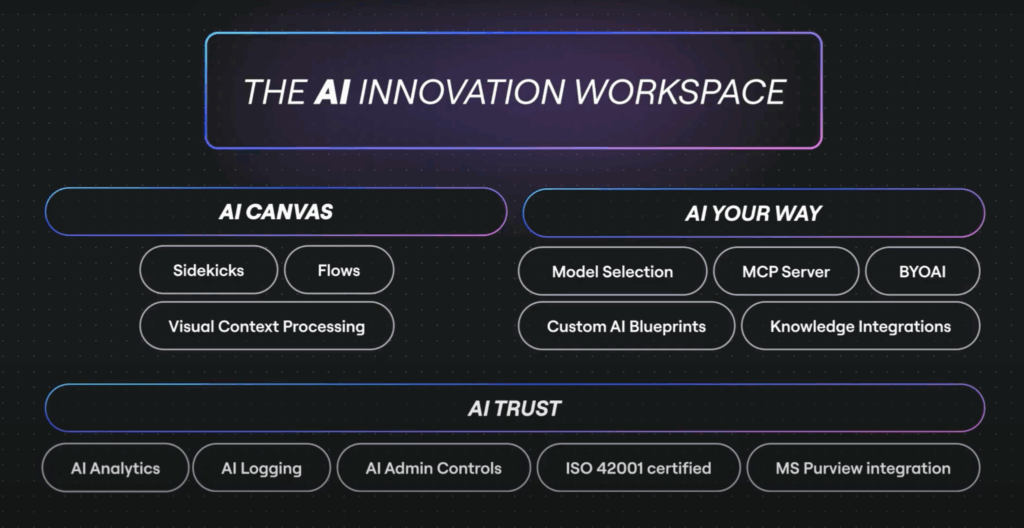
The AI Innovation Workspace brings AI onto the canvas, where your team already works. At the heart of this is the AI Canvas, which includes powerful new capabilities like Sidekicks and Flows. AI can see anything you select on the board, and gets the context of your work — so you can skip copy-pasting things back-and-forth.

Join the waitlist to be one of the first to try it. Here’s what’s inside.

Team up with Sidekicks

Sidekicks are conversational AI agents that work with your team on the canvas, and help you move forward. They can see anything you select on the canvas, and use that context to give feedback, suggest next steps, or create things like presentation slides, prototypes, and diagrams for you so you’re not getting lost in the weeds.

You can start with ready-to-go Sidekicks for common tasks like project kickoffs, competitive analysis, or campaign planning. Or build your own and set them up for success by connecting your brand guidelines, strategic frameworks, and methodologies. From handing off busywork to spotting oversights or just getting a fresh perspective — there are endless ways to make them a valuable part of your team.

[embedded content]

Stay in the flow of work with Flows

Flows are multi-step AI workflows that live on your canvas where all your team’s work already sits. No need to copy context elsewhere — just connect what’s on the canvas and run the next steps.

Want to turn customer interviews into a sprint plan? A brainstorm into a working prototype? Flows can handle all that. And they can build things for you in any format, from docs and tables to slides — and even prototypes. Take your pick of AI models for each step to get optimal results. The best part? Your team isn’t in the dark. You can jump in and tweak the steps, re-run the Flow, and refine the results together. 

Start fast with our pre-built Flow templates, or create your own. Once you’ve perfected your process, save it as a template for your team to reuse.

[embedded content]

Connect the canvas to your coding tools with MCP

Here’s where it gets really interesting for engineering teams. Model Context Protocol (MCP) connects Miro to AI coding tools like Cursor, GitHub Copilot, Windsurf, and Claude Code.

This means all the context from your canvas — PRDs, prototypes, technical designs, architecture diagrams — can flow directly into your AI coding tools. And when specs change (because they always do), context flows back into Miro so everything stays in sync.

For engineers, this is the canvas-to-code pipeline you’ve been waiting for. For product teams, it means the thinking and planning that happens on the canvas actually makes it into the code that gets shipped. Find out more about MCP, and join the waitlist. 

Miro for Product Acceleration: Built for product, engineering, and design teams

Miro for Product Acceleration is a set of AI-first products built specifically for product, engineering, and design teams and leaders. They tackle three challenges that come up all the time:

  • Connecting strategy to daily work: How do we make sure what we’re building actually ladders up to company goals?
  • Building the right things: How do we know we’re building what customers actually need before we invest time in development?
  • Getting more from AI code generation: How do we get our AI tools to write better code, so we don’t spend ages debugging?

Here’s a highlight of four of these products — check out the rest at the Miro for Product Acceleration page. 

Turn ideas into prototypes in minutes with Miro Prototypes

Got sticky notes from a brainstorm? Screenshots from a competitor app? A rough sketch of how something should work? With Miro Prototypes, you can turn any of that into a clickable, interactive prototype in minutes.

Anyone on your team can make prototypes — from PMs to designers and marketers. Customize screens with drag and drop, preview clickable flows, and share with stakeholders for feedback. Explore multiple directions and test variations fast, so by the time you move to high-fidelity design or development, you’ve already validated you’re on the right track.

Miro Prototypes is available as an add-on for Starter, Business, and Enterprise plans. 

[embedded content]

Build what customers actually need with Miro Insights

Product decisions shouldn’t be based on guesswork or the loudest voice in the room. Miro Insights connects customer feedback from your CRM, call recording tools, support tickets, and other sources — then uses AI to turn that feedback into recommendations for what to build next.

Instead of manually sifting through hundreds of interviews, surveys, and support tickets, you get data-backed intelligence that reveals what customers actually need. Insights helps you prioritize with confidence, stay ahead of competition, and run far less risk of shipping something that misses the mark.

For product, design, and UX teams, this means customer insights don’t gather dust in a doc somewhere. They shape what gets built, right from the start. 

[embedded content]

Stay aligned and on track with Miro Roadmaps

Roadmaps shouldn’t live in slides that go stale the moment you share them. Miro Roadmaps brings roadmapping onto the canvas, where it becomes a living plan your whole team can collaborate on.

Get AI-powered suggestions based on company insights, collaborate on priorities with cross-functional teammates, and sync everything to dev tools like Jira and Azure DevOps so you always have the latest status. And when priorities shift (because they always do), you can come back together, update the plan with AI’s help, and pivot faster.

This is roadmapping as a team sport. Everyone sees the plan, everyone contributes to it, and everyone stays aligned on what’s next.

[embedded content]

Create production-ready specs with Miro Specs

By the time requirements make it from product to code, context gets lost and decisions get forgotten. Miro Specs solves this by capturing PRDs, prototypes, and technical diagrams in one place, then packaging them into comprehensive specs. Through Model Context Protocol (MCP), those specs flow directly into your AI coding tools, like GitHub Copilot, Cursor, Windsurf, and Claude Code — so AI has everything it needs to generate quality code. And as code changes, your specs stay in sync.

[embedded content]

Want to learn more about Miro for Product Acceleration?

Visit the Miro for Product Acceleration page or read this post from our CPTO Jeff Chow to see how all 10 products work together to help teams build the right things faster.

Catch up on Canvas 25

Thousands of you joined us in New York City and online, and the energy was incredible. The conversations, the connections, the collective excitement about what’s next for teamwork. Thank you for being part of it. We already can’t wait for the next one — and it might be coming sooner than you think.

Want to relive the highlights or catch what you missed? Our Canvas 25 YouTube playlist has you covered. Watch recordings of hands-on Miro workshops and talks from leaders at Intercom, NFL, Red Hat, and more.

Celebrating 100M+ people building the next big thing

At Canvas 25, we celebrated a major milestone: Miro now has more than 100 million users worldwide, with 250,000 companies building on our platform.

This isn’t just a number. It’s a community of innovators, collaborators, and builders who show up every day to turn their ideas into reality. Thank you for being part of this journey with us. We can’t wait to see what you create next.

What’s next

Canvas 25 was just the beginning. Some of what we announced is ready to try today, and more is rolling out soon. Join the waitlist for the AI Canvas, explore Miro for Product Acceleration, and stay tuned for more. We’re just getting started.

3 insights for IT leaders planning AI transformation

Software Stack Editor · October 27, 2025 ·

We’ve already revealed the top product takeaways for IT leaders from Canvas 25. But that’s barely scratching the surface of all the great insights we heard.

Leaders from GitHub, Intercom, Red Hat, AWS, and more joined us on stage to share real stories of AI transformation — their ups and downs, mistakes made, and lessons learned. These are the three big themes we took from their sessions.

Start with your customer, not the technology

Customer obsession has long been key to successful innovation, but somehow in the scramble to adopt AI it’s at risk of being overlooked. That really hit home for GitHub when they were thinking about how to scale the company’s use of AI beyond a simple Copilot integration.

As Andrew Bauer, Group Product Manager for Internal Tools, put it: “The sentiment of, ‘Hey, we should do AI’ isn’t bad, but the risk is that we’re leading with AI instead of solving a problem. What happens then is that you send out a solution that’s so disconnected from what people actually need that they don’t see any value in it.”

Bauer quoted a recent article that put it even more simply: “‘Powered by AI’ is not a value proposition.” GitHub’s solution? Start by listening — “just understanding what the sentiment is internally towards AI and how people are using it.”

Taking a beat to get your AI strategy right might sound like strange advice given how fast the technology is moving. But as Bauer says, “The hype train always seems to be leaving the station. We’re always late and it never provides the value we need. But user value is like a taxi — it’s always ready when you are.”

Eduardo Ordax, Principal Go-to-Market for Generative AI at AWS, also explored this idea that customer-centricity is more important than AI-centricity. He called the focus on being AI-first “a big mistake,” adding, “It’s fine to use AI, but you need to be customer-first. Most of the companies I talk to today are paying too much attention to AI and not actually listening to their customers.”

Amazon has an entire methodology designed to figure out what customers want and then work backwards to what they should build. Being a company that likes to keep things simple, it’s called the “Working Backwards” approach. 

“You start by understanding the customer,” Eduardo explained. “Once we know the customer we can figure out the problem, and then jump into the solution, which might be AI but often it’s not.” 

Don’t compromise on culture change

For a moment, Intercom Co-founder Des Traynor felt like he’d won at SaaS. His company had raced from zero to $50M ARR in less than three years. Every chart went up and to the right. “We thought we were geniuses,” he joked — until he tried ChatGPT. 

“I asked, ‘How do I install Intercom on iOS?’ Two seconds later I got a perfect answer. Very quickly I realized that the future of this industry is not what I thought it was going to be and we were going to die unless we worked out a plan to survive.”

Twelve weeks after that first query, Intercom launched Fin, the first LLM-powered customer support agent. It now does a million resolutions every week. But the biggest challenge wasn’t anything technical — it was changing Intercom’s culture.

“Culture change” is one of those amorphous terms that can end up meaning nothing at all. At Intercom, it was the opposite. “You have to be willing to change everything,” Des explained. “Everything has to be on the table — and not in some willing, open-minded way. You have to be determined to change.”

Intercom’s culture change was radical, relentless, and uncompromising. “It wasn’t a choice or a negotiation,” said Des. “I had two pitches. One was fear-based — we’re probably going to die and new competitors will kill us. The other was ambition — if we can pull this off we’ll be a $30B company and you’ll be on the front page of Forbes. It was really important that people responded to one of those things and went all in.”

The lesson for the rest of us? Set an incredibly high bar for AI transformation. Don’t stop just because a few teams are using Claude on a regular basis. As Des put it: “Ask yourself, ‘What would a brand new startup unburdened by any of your legacy attitudes do today?’ That’s the actual thing you’re fighting. This has to be absolute. You have to be willing to delete and disavow every process that is not part of your future.”

Jan Mark Holzer, Senior Distinguished Engineer at Red Hat, echoed the sentiment in his own session. “The technology is easy,” he said. “The people are hard. You need to make sure you bring them along and empower them.”

That might be easy enough for engineers where the impact of AI coding tools is obvious. But it’s important not to overlook people in roles where the AI use cases are less obvious. “There’s a real danger that some people think they’re not part of the cool crowd that gets to use AI tools,” said Jan Mark. “Encourage them to look at their opportunities and apply AI even to things they haven’t thought about.”

Data makes the difference for AI success

“Data is fundamental and foundational,” Jan Mark Holzer told us. He wasn’t the only one who came back to the subject time and again, but he was almost certainly the most enthusiastic (“I could talk about it all day,” he promised). 

The danger, he noted, is that LLMs won’t tell you when your data is bad. They’ll just give it a polish and pretend it’s okay. Or worse, they’ll invent completely fictitious data to fill in the gaps. Eduardo Ordax was even more to the point: “Garbage in, garbage out.”  

You can’t fix your data overnight, which is why Eduardo also noted that companies in industries with a strong track record of data strategy and investment — financial services and healthcare for instance — are so well positioned to succeed with AI. But there are steps you can start to take.

Jan Mark Holzer shared Red Hat’s approach to data architecture, which includes creating a central data layer with governance and quality standards; eliminating inconsistent data sources; providing unified definitions and labels; enforcing standards; and simplifying the sprawl of dashboards, spreadsheets and pipelines.

Be the partner your CEO needs

Ultimately, what we learned at Canvas 25 was that a lot of the demand for AI right now is unfocused. CEOs know that they want it, they just don’t necessarily know what they want it for.

The role of the IT leader over the coming months is to be the strategic partner your CEO needs. Not just reacting but assessing, evaluating, and prioritizing so that what you’re bringing to the table isn’t a new tool but measurable business value.

Want to know where to start? Miro is built for AI transformation. It gives leaders a single place to collaborate with the rest of the business for faster alignment and flawless execution. At Canvas 25, we launched the AI Innovation Workspace, with new AI agents, workflows, and canvas-as-the-prompt technology to help you brainstorm, plan, and deliver this transformation faster than ever.

🚀 New Templates in Miroverse

Software Stack Editor · October 20, 2025 ·

September flew by, and the Miro Community has impressively shared over 100 fresh new templates! From “The Summer I Turned Pretty Retro” to the captivating “Retro Horror – Halloween Night,” these templates beautifully capture the essence of the changing seasons. Are you still embracing summer vibes, or have you started to enjoy some Mariah Carey softly playing in the background? Either way, we totally support it and can’t wait to see your diversified submissions coming in! 

Plus, we just launched the new Miroverse — a bigger, better gallery of both Miro-made and Community templates with a fresh, new look. ✨And, in case you missed Canvas 25 — Flows & Sidekicks will be available to publish in Miroverse soon. Watch the keynote.

Thinking about publishing your first template? Submit today to share your frameworks with over 100M users around the world.

Learn from our teammates about the submission process and what makes a good template here, and visit the Creator Toolbox for additional resources.

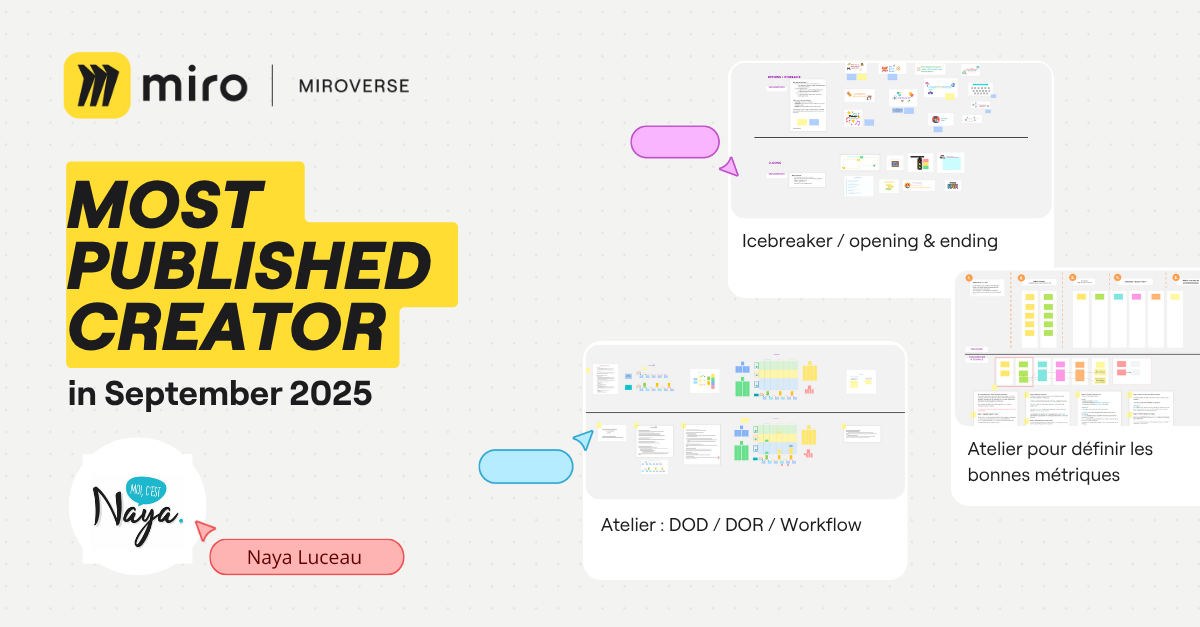
Naya Luceau | Most Published Miroverse Creator 🚀

Naya Luceau is an inspiring Scrum Master deeply committed to agile methodologies and sharing her wealth of knowledge. Her dedication shines through in the release of four fresh Miroverse templates this September! As a multilingual creator publishing in both French and English, she makes her resources accessible to a wider audience. 

We can’t wait to see more of your templates, Naya! 

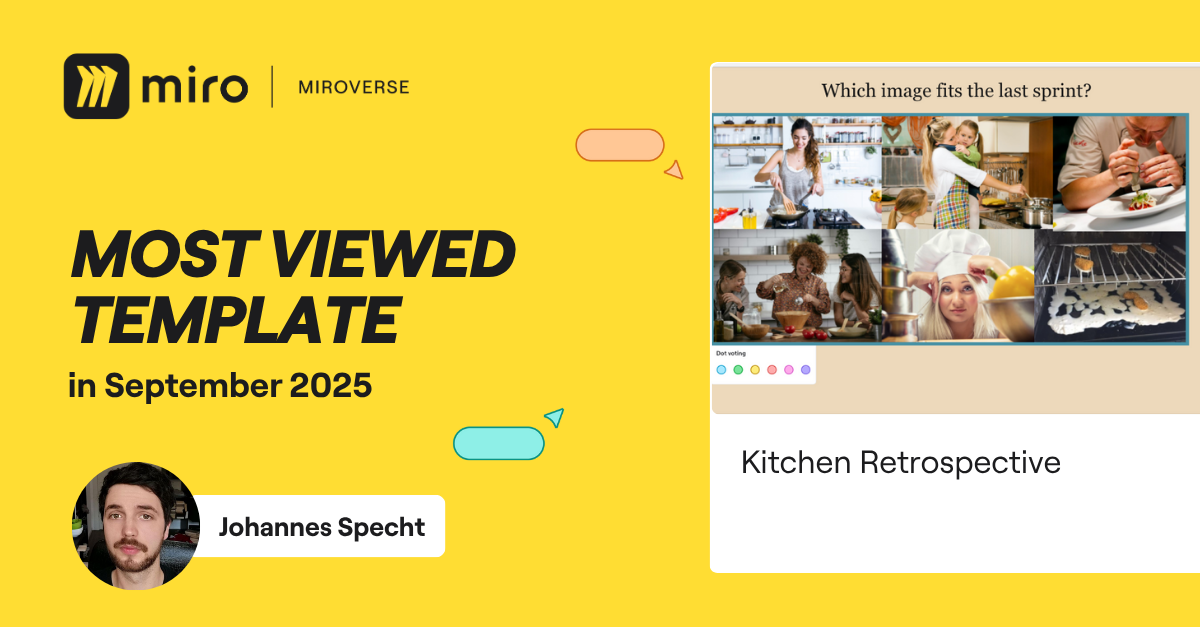
Johannes Specht | Most Viewed Miroverse Template 🚀

In September, Johannes crafted an engaging Kitchen Retrospective, which has already captured 545 views! As an Agile Coach and Scrum Master, his enthusiasm for retrospectives truly shines. Explore more of his fascinating retros, like the Car and Science versions, here. 

Keep up the amazing work, Johannes!

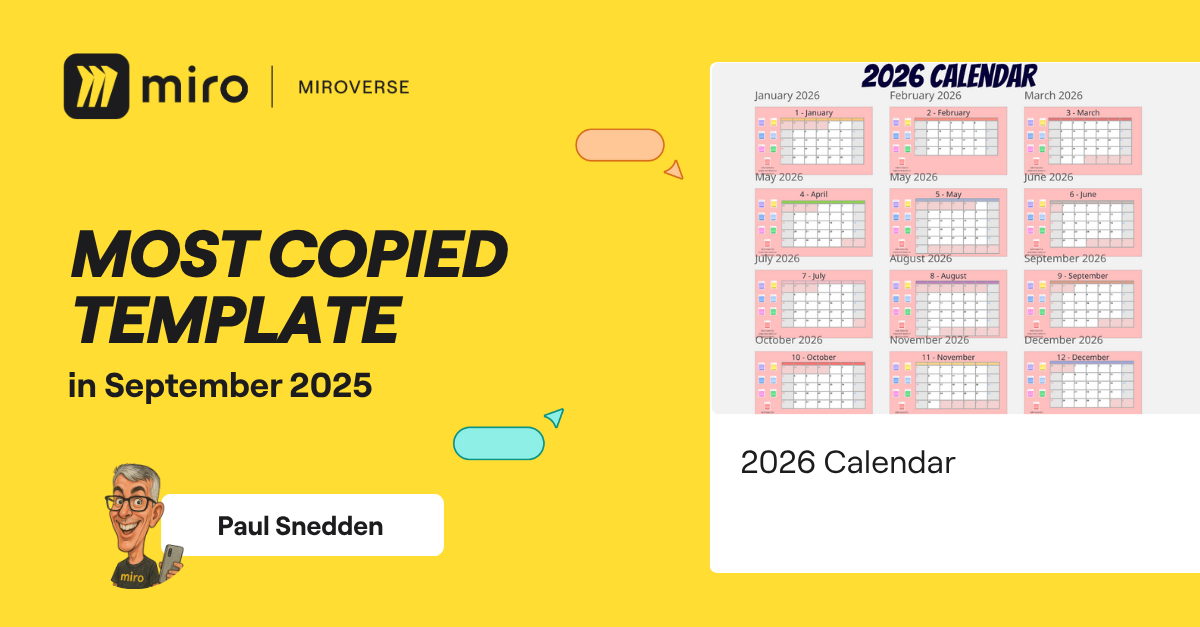
Paul Snedden | Most Copied Miroverse Template 🚀

Although we still have a few months left of 2025, Paul’s 2026 Calendar Template has been copied 165 times! As a talented Workshop Designer, Facilitator, and Trainer, Paul helps teams think differently to solve problems through alignment and collaboration, all in a fun way.

Thank you, Paul, for thinking ahead — looking forward to your next creation!

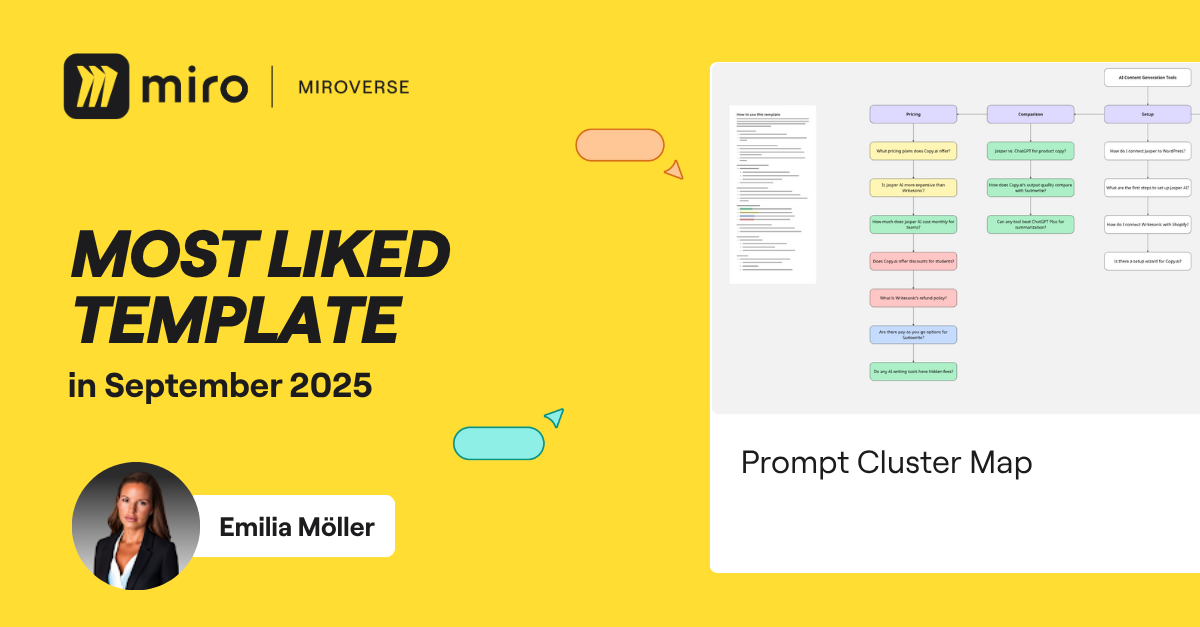
Emilia Möller | Most Liked Miroverse Template 🚀

Emilia has made an amazing debut in the Miroverse Community with her first-ever template, the Prompt Cluster Map — the most liked template in September. As an AI Strategist at AI Visibility Hub, she’s passionate about empowering founders, marketers, and teams to create effective visibility systems tailored for an AI-driven search landscape, going beyond traditional SEO.

We can’t wait to see more innovative templates from you!

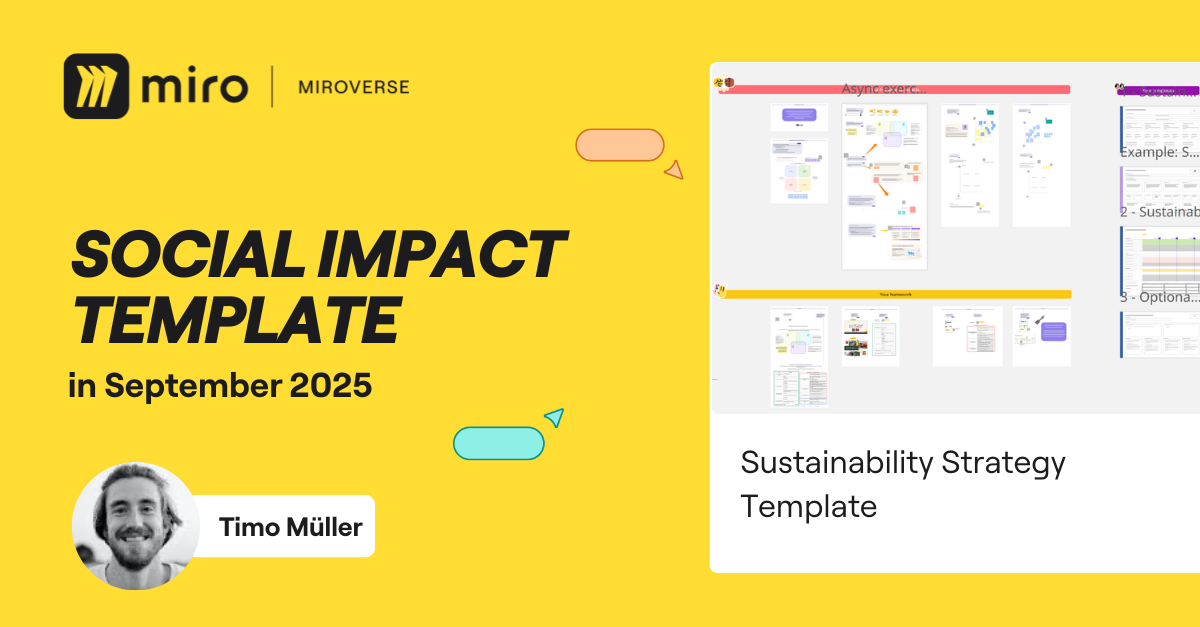
Timo Müller | Social Impact 🚀

Timo is a passionate product professional committed to creating innovative templates that drive sustainability and transformative change in business. His most recent template, the Sustainability Strategy Template, definitely deserves to be highlighted. This interactive tool provides teams with a clear and inspiring path to develop a practical and effective sustainability strategy.

Explore the other impactful templates from Timo here, and discover how they can support your journey toward a more sustainable future!

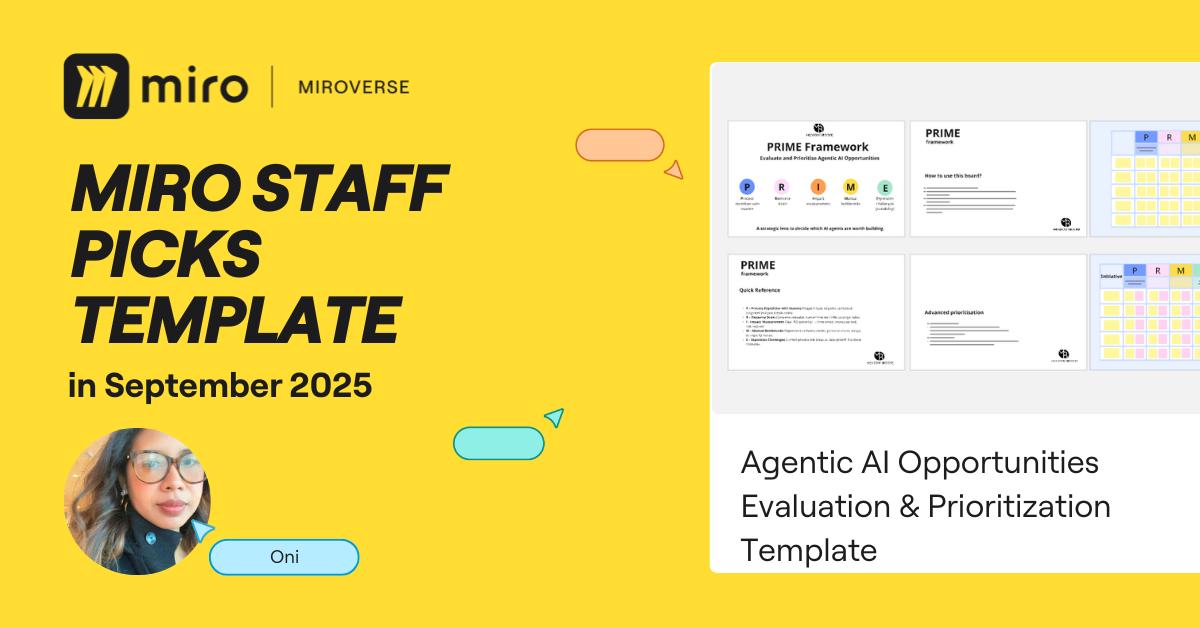
Oni | Staff Picks 🚀

We’re thrilled to celebrate another fantastic debut in the Miroverse from September —- the Agentic AI Opportunities Evaluation & Prioritization Template crafted by the talented Oni! 

With over 16 years of experience as a Digital Transformation Strategist, she is dedicated to developing practical frameworks for startup founders and corporate executives alike. 

The thoughtful design and organization of the Agentic AI Template truly stand out. 

Congratulations, Oni! 

Explore thousands of templates created by and for the Miro community in Miroverse. Discover a new template you loved? Share what you’ve found in the thread below. 👇

If you can’t find the template you’re looking for, submit it in Template Requests.

Six IT takeaways from Canvas 25

Software Stack Editor · October 20, 2025 ·

An AI Innovation Workspace. Sidekicks. Flows. Canvas 25 had some huge product news. Kick back with the full keynote if you want to get the lowdown on absolutely everything we launched. But if you want to know what it means for IT leaders, here are the top six takeaways. 

[embedded content]

1. A new AI canvas

What we announced: An AI-first canvas connected to multiple models, enterprise assistants and coding tools for speed and flexibility. Its superpower? The entire canvas is the prompt. So instead of starting with a blank prompt box, you just select a sticky note, slide, document or anything else and AI will use it to understand exactly what you need. It’s truly a force multiplier for organizations.

What it means for IT: IT leaders are overseeing massive investments in AI. But three-quarters tell us these investments are focused on solo tasks, not team productivity.1 The result? More silos that slow work down and impact time to value. Miro AI meets teams where they’re already working – on the canvas – so they stay in the flow of work and projects get from vision to value realization faster.

2. Sidekicks & Flows

What we announced: Sidekicks are AI co-creators that understand what’s on your canvas and use it to help structure thinking or give feedback on solutions. Flows are AI building blocks that help people connect process steps visually. Teammates can work together with multiple cursors and simultaneous edits, which means anyone can tweak steps, swap models, or refine prompts to continuously improve them.

What it means for IT: The best technology makes it easier, not harder, for people to get work done. Sounds simple but our data shows that for every hour of creative work, knowledge workers waste three hours on admin and maintenance. Sidekicks and Flows are the most effective way to work with AI to reduce the friction between project strategy and set-up, get task-specific expertise, and ultimately to stay in the flow of work. For IT, that means more engaged and productive employees – and zero risk of inactive licenses going to waste.

3. AI interoperability & MCP

What we announced: We’re giving teams the flexibility to use the right model for every task with support for GPTs from OpenAI, Anthropic, and many more, as well as deep integrations with knowledge sources like Amazon Q, Glean, and Google Agentspace. We’re also supporting bring your own AI key – so your trained systems can be brought closer to where the work is happening. Finally, thanks to MCP, we’re creating a canvas-to-code pipeline from Miro to platforms like Lovable, Cursor, OpenAI Codex, and more.

What it means for IT: Just over a third of IT leaders tell us they have difficulty integrating AI with their current infrastructure.2 That affects costs, security, adoption, productivity – in fact it can put your entire AI transformation project at risk. Investing in AI that works with your company’s existing tools and knowledge is critical for delivering value faster, which is why we’re committed to serving as the collaborative integration layer for all your AI investments.

4. Connecting strategy to execution for complex initiatives

What we announced: We’re revisiting how Product teams operate in the era of AI. Miro for Product Acceleration is the industry’s first full solution to ensure AI accelerates your team in the right direction from idea all the way to outcome. It’s a collection of 10 integrated products that help teams connect strategy to execution, build the right thing, and get more from AI code gen.

What it means for IT: It’s not just product managers who need a better way to keep projects on track. Lack of alignment, unclear priorities, and inadequate resources can ruin any large scale transformation initiative, leading to confusion and disengagement. It’s one of the reasons 55% of employees tell us they’re working more but achieving less. Products like Miro Portfolios and Roadmaps give IT leaders a single space to collaborate on strategy, priorities, dependencies, and resources. So complex projects start strong and finish fast.

5. A secure foundation for AI

What we announced: No matter how fast the AI landscape is moving, the technology has to be developed and governed responsibly. Miro is one of the first SaaS companies to achieve an ISO 42001 certification, which means we’ve implemented comprehensive controls across the AI lifecycle. We’ve also developed new tools to track AI analytics and log AI events as part of Enterprise Guard.

What it means for IT: A tech ecosystem built on trust. As Jeff Chow, Miro’s CPTO, put it: “We’re bringing control and compliance at scale to ensure you can trust your teams to operate at the speed of AI.” ISO 42001 joins our SOC 2 Type II and ISO 27001 as proof of our readiness to support enterprises in deploying Miro responsibly and confidently.

6. Supporting change management

What we announced: Major transformations require careful planning. Miro supports that planning in three ways. First, our global network of over 50 partners puts real expertise by your side to support and guide your journey. Second, our Professional Services team can help unlock the full business value of Miro up to 37% faster through implementation, advice, and technical account management. Finally, thanks to Miro Academy, anybody can deepen their skills through courses and accreditations.

What it means for IT: The AI Innovation Workspace is a fundamental shift in how Miro works and the value it can deliver. But all of that potential goes to waste if IT leaders are left in the lurch when it comes to actually deploying and using it effectively. With these extra layers of support, we’re making sure that Miro isn’t just a tool you buy – it’s a partner you can trust. 

Lufthansa Group’s Miles & More: Accelerating product iteration by empowering PMs to prototype The Lufthansa Group is an aviation group with operations worldwide. It plays a leading role in its European home market. Miles & More is … Read now

Software Stack Editor · October 17, 2025 ·

image

The Lufthansa Group is an aviation group with operations worldwide. It plays a leading role in its European home market. Miles & More is Lufthansa Group’s loyalty program, serving millions of customers. In a highly competitive industry, Miles & More needs to be nimble and work fast with limited resources to meet rising customer demands and stay ahead of the competition.

Challenge

Miles & More have very limited design resources, and Product Managers were responsible for mocking up user journeys, gathering feedback from end users and stakeholders, and consolidating recommendations before handoff to their counterparts in development. 

“Before using Miro Prototypes, there were no prototypes from the discovery phase. The product team just had ideas.” 

Product managers didn’t have any way of visualizing flows, concepts, and ideas by themselves and the few design resources rarely had time. Because of this, aligning on a solution typically took several weeks, and the team wasn’t able to validate the solution before it was implemented. With a development cycle that typically takes up to six months, this led to expensive reworks in both cost and lost opportunity.

Solution

With Miro Prototypes, the Miles & More team is able to generate mockups and prototypes of potential account statement screens directly within the Miro canvas using AI, converting website screenshots into editable mockups. 

This visual, AI-powered prototyping allows the team to implement feedback and validate solutions with end users in real time, instead of waiting for scarce design capacity or running a lengthy review cycle through the development team.

Results

A typical ideation process for Miles & More could take more than two weeks and would result in an unvalidated product design being implemented. At worst, this would mean reworking products that had already been in development for six months. 

With Miro Prototypes, it takes product managers less than a day to create, validate, and align on the right solution before developing changes in the Miles & More member user experience. 

“Miro Prototypes is insanely valuable for us because we are way faster in creating prototypes.”

Miro Prototypes enables the full team to explore and validate product concepts before writing a line of code, ensuring the Miles & More team builds the right solution, with confidence. This improves how quickly product managers are able to respond and adapt to member feedback — and, in turn, the overall user experience for Miles & More members — and helps Miles & More stay competitive.

“I’m … way more confident that the things we are implementing for the product are really the right things. And I’m way more confident to bring that also in front of management. Miro Prototypes helps me a lot to show my vision to the management team of the product.”

The bigger picture

Along Miles & More’s high-level, 12-month roadmap, comprehensive visuals support collaboration across the teams. The validated customer solutions enable deeper discussions with engineers and developers on how they can implement the solutions and what trade-offs exist before any code is written. In short, instead of building a solution, Miles & More builds the right solution.

Introducing Miro for Product Acceleration

Software Stack Editor · October 15, 2025 ·

image

Product teams have had a front row seat to AI transformation in recent years as AI democratizes craft across functions and dramatically compresses workflows, especially during the delivery phase of the innovation loop. 

Amid these shifts, product leaders are reimaging how their teams operate to deliver outsized impact in the AI era. And at Miro, we’ve been working with these teams to help ensure they thrive during this transformative time. 

That’s why, at Canvas 25, we launched Miro for Product Acceleration: the industry’s first comprehensive solution that ensures AI accelerates your teams together, in the right direction, from idea to outcome. Wherever your organization is on its AI transformation journey, Miro for Product Acceleration is here to support you.

[embedded content]

Built on the AI Innovation Workspace, Miro for Product Acceleration addresses three critical challenges that all product teams face:

  • Connecting strategy to execution
  • Building the right products
  • Getting more from their investments in AI coding tools

Using AI in silos has the potential to exacerbate all of these challenges, but, when product teams come together with AI in a shared canvas, strategic thinking becomes visible and actionable, unified teams accelerate toward shared goals, and organizations can make the most of their AI investments.

Let’s dive deep into what this looks like in Miro.

Connect strategy to day-to-day execution

Eight in ten enterprise leaders say their company struggles to turn innovation strategy into reality.

But with Miro for Product Acceleration, senior leaders can make sure teams are building in line with company strategy, maintain visibility across the portfolio, and quickly identify where teams need support to get unblocked. 

Strategy stays connected to day-to-day work instead of living in slides and spreadsheets. Roadmaps evolve with changing priorities instead of going stale. Goals and OKRs are visible right where teams work instead of sitting in leadership dashboards. And dependencies are managed proactively instead of becoming blockers.

Miro Portfolios

Ensuring what you’re shipping is in line with your strategic goals requires bringing portfolio data and company strategy together in the same place you make decisions.

Miro Portfolios gives leaders full visibility into how initiatives map to company OKRs, dependency management to minimize waste, and AI assistance to identify which projects need attention — so there’s no more bouncing between spreadsheets, status tools, and meeting rooms to make strategic decisions. 

[embedded content]

Miro Roadmaps

We’re bringing roadmaps out of point solutions and into the space where teams work.

With Miro Roadmaps, teams can collaborate on priorities, get AI-powered suggestions based on company insights, and sync information across dev tools like Jira and Azure DevOps. When things inevitably shift, they can come back together in a shared space, react to new information, problem-solve with AI, update the plan, and move forward. 

[embedded content]

Plus: Goals and Planning & Delivery

Miro Goals transforms company vision into measurable OKRs through collaborative workshops, making strategy visible right where teams work. 

[embedded content]

Miro Planning & Delivery provides a single source of truth with full visibility into commitments, dependencies, and capacity — connecting seamlessly to tools like Jira, Azure DevOps, and Linear so teams can ship in their preferred tools without losing sight of the big picture.

[embedded content]

Build the right products

Eighty-seven percent of engineering, product, and design leaders say applying relevant customer insights to the product development lifecycle is important or critical to achieving business goals.¹ 

Miro for Product Acceleration brings customer insights, cross-functional ideation, rapid prototyping, and technical design together in one workspace, so teams can discover and align on the right solutions before moving to delivery — all with AI that accelerates workflows along the way.

Now customer data shapes product strategy instead of internal opinions taking over. And teams collaborate to validate concepts early, dramatically reducing the cost of experimentation. 

Miro Insights

Miro Insights turns scattered customer feedback into clear signals so you can build the right products faster. Rather than relying on gut feeling or the loudest voices in the room, product teams get data-backed intelligence that reveals what customers actually need — so you run less risk of building features that miss the mark.

[embedded content]

Miro Prototypes

Miro Prototypes turns everything from messy ideas and structured research into collaborative, editable prototypes that help teams get on the same page before moving to design or code. Members of any team, not just technical or design roles, can generate prototypes from sticky notes, screenshots, diagrams, or prompts using AI, customize screens with simple drag-and-drop editing, and preview clickable flows. 

Teams can explore more ideas, compare variations, and validate concepts with customers earlier — drastically reducing the cost of experimentation. This is good news for the nearly nine in ten cross-functional product leaders who rank accelerating prototyping as a top product development goal.¹

[embedded content]

Plus: Journeys and Design Workshops

Miro Journeys transforms static journey maps into living knowledge systems that continuously inform product strategy, ensuring customer empathy stays at the center of decisions. 

[embedded content]

Miro Design Workshops brings cross-functional teams together — not just designers — for fast, clear alignment where everyone contributes ideas and customer data drives decisions.

[embedded content]

A majority (58%) of engineering leaders say more than 5 hours per developer per week are lost to unproductive work.

To help teams build the right thing with less rework, Miro for Product Acceleration captures clear specs and delivers them directly to your AI coding tools. Engineers get comprehensive context in one place instead of piecing it together from Jira, Figma, and wikis. And AI coding tools receive specifications that reflect customer needs, strategic intent, and technical architecture — so they can generate code that actually solves business problems instead of just compiling correctly.

Miro Technical Design

Miro Technical Design brings teams together to turn complex technical problems into clear, defined next steps. AI works with the context on the canvas to translate ideas into polished diagrams in minutes.

By keeping technical diagrams and documentation synchronized across tools like Confluence and Notion, teams maintain a single source of truth for system architecture. That translates to fewer delays and information loss and lets everyone understand the technical approach. Teams can also connect design decisions directly to code through Model Context Protocol (MCP) integration with tools like Cursor and GitHub Copilot.

[embedded content]

Miro Specs

Miro Specs captures PRDs, prototypes, technical diagrams, and product decisions in one unified place, then packages that context and delivers comprehensive, well-defined specifications directly to AI coding tools like GitHub Copilot, Cursor, Windsurf, and Claude Code through MCP. And your specs stay up-to-date as code changes, keeping information current for onboarding and knowledge sharing.

This shift from AI-assisted work (where engineers manually feed context) to AI-delegated work (where AI has everything it needs) means higher-quality code, less rework, and faster time to market.

[embedded content]

This is the way product development should work, and now it can

We know every organization is at a different point in its AI transformation journey, and Miro is here to support you — whether you’re looking to optimize your product development lifecycle or fundamentally transform.

From Portfolios to Specs, and Insights to Prototypes, Miro for Product Acceleration helps teams build the products customers actually need, and bring them to market faster. This is all built on the AI Innovation Workspace, where Flows and Sidekicks empower teams to flow from early concepts to final, impactful outcomes at the speed of innovation. 


¹ Forrester’s Q3 2025 AI Workflows For Team Innovation Survey [E-65113], n=170 director+ leaders in engineering, product, and design roles

The AI Innovation Workspace has arrived

Software Stack Editor · October 15, 2025 ·

image

There’s something missing from the AI revolution: teams. AI is everywhere, but it’s all in silos. In fact, 76% of leaders say most AI tools focus on the individual versus the team.¹ People may make quick progress on their solo projects when they work alone with AI, but work slows down when they sync back with their teams — at the exact moment that speed matters most. 

It’s no wonder organizations aren’t seeing the transformation they expected.

AI can accelerate processes, suggest ideas, and speed up iteration, but innovation requires the creativity, critical thinking, and empathetic collaboration that only teams bring. So, teams and AI co-creating together means better, faster innovation. And when entire organizations, not just a team or two, adopt this approach, they unlock the full transformative power of AI.

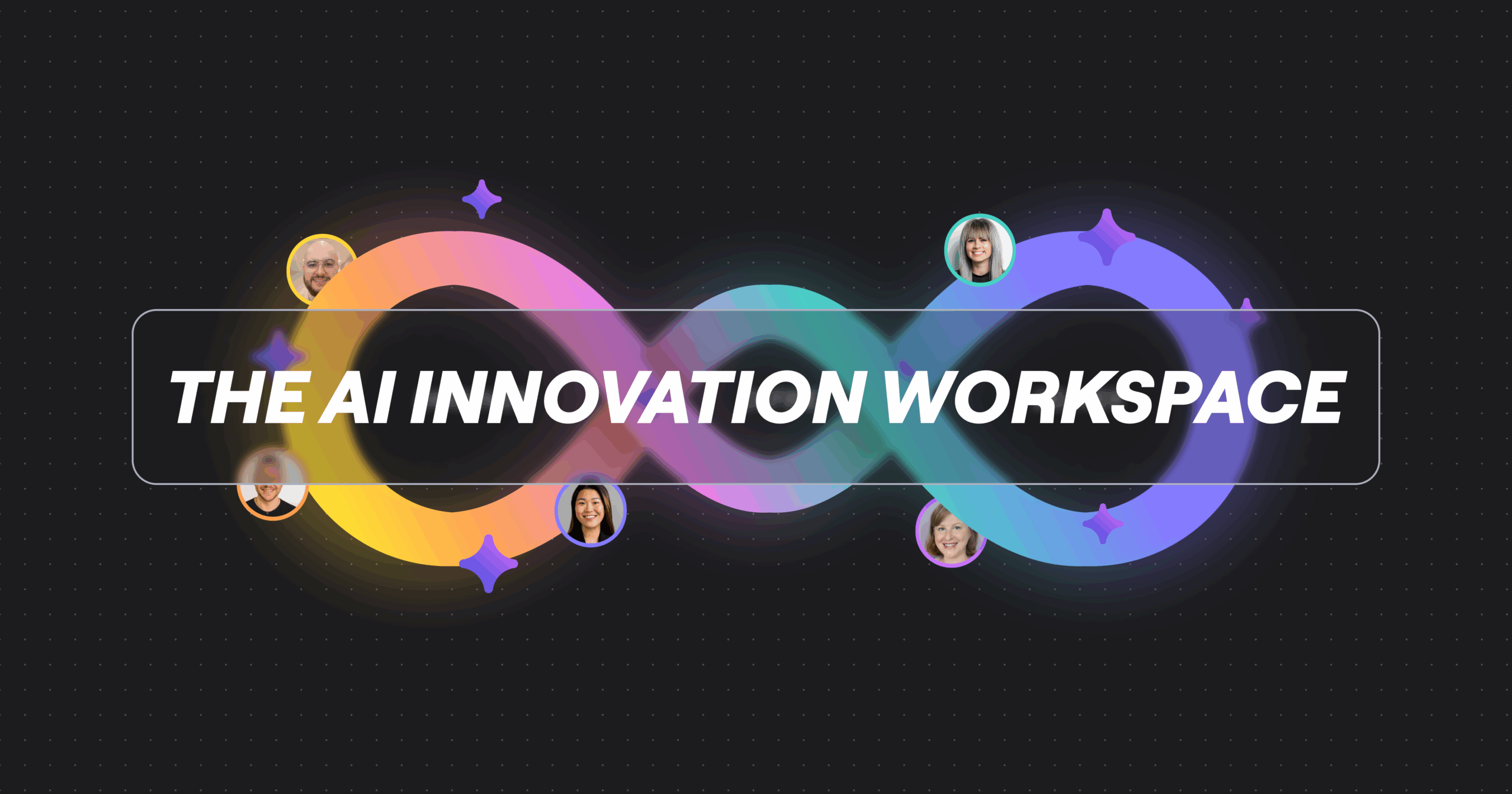
That’s why, at Canvas 25, we launched the AI Innovation Workspace — built to bring AI and teams together on a shared canvas to get great work done, faster. 

Here’s what that looks like in practice:

[embedded content]

Bringing teams and AI together in the flow of work

Teams today are drowning in “work about work.” For every hour spent on creative, strategic tasks, knowledge workers are burning three hours on admin like emails and meetings. And then there’s the brutal context-switching. Sixty-three percent of knowledge workers say the data and insights they need are scattered everywhere. Each jump means explaining your thinking all over again, and losing momentum.

The AI Innovation Workspace solves this by keeping AI right where the work is happening. The canvas becomes the prompt: all that work your team does becomes rich context for AI to build on. 

Visual context processing

We’ve embedded visual context processing directly into the canvas. That means the platform can now see and understand what’s on your canvas: the subtle clustering of sticky notes that shows how ideas relate, the metadata on wireframes that captures design decisions, and the decision trees in your process maps that map out logic and any other context you embed to the canvas.

All of this rich visual data drives better context for AI, so teams spend less time engineering the perfect prompt, and AI provides smart suggestions and helpful next steps.

Flows

Flows are your AI-powered processes. They’re visual, multi-step workflows that automate entire sequences while keeping teammates in the loop.

Imagine this: Your team gets together for a brainstorm in Miro. At the end of that session, instead of manually sorting through sticky notes, writing up takeaways in a doc, then creating tasks in your project management tool, you run a Flow. It analyzes the canvas, pulls out the key themes, generates a project brief, creates a roadmap, and starts populating your backlog — all in minutes.

But unlike black-box automation, you can see every step and jump in at any point to tweak or redirect. And when you perfect a Flow, share it across your organization so everyone benefits and the workflow is repeatable. 

[embedded content]

Sidekicks

Think of Sidekicks as AI collaborators who show up ready to work, at any time of day. They’re co-creators who see your work and help move it forward. 

Need a workshop builder who knows your facilitation style? A roadmap strategist who understands your company’s priorities? A backlog prioritization expert who filters everything through your strategy lens? Choose from our library of pre-built specialist Sidekicks, or build your own tailored to specific expertise.

[embedded content]

Equipping the whole organization to evolve

Most organizations are still at step one of their AI transformation journey. Individuals or small pockets of teams are adopting AI and applying it to old, often broken ways of working. It’s like putting a faster engine in a car with square wheels.

The business impact of AI only comes when fundamental ways of working shift — when entire organizations adapt to keep teams driving forward together. That means AI can’t continue in silos. It needs to work with your models, your knowledge, your tools, and your ways of working.

That’s exactly what the AI Innovation Workspace is designed to do.

[embedded content]

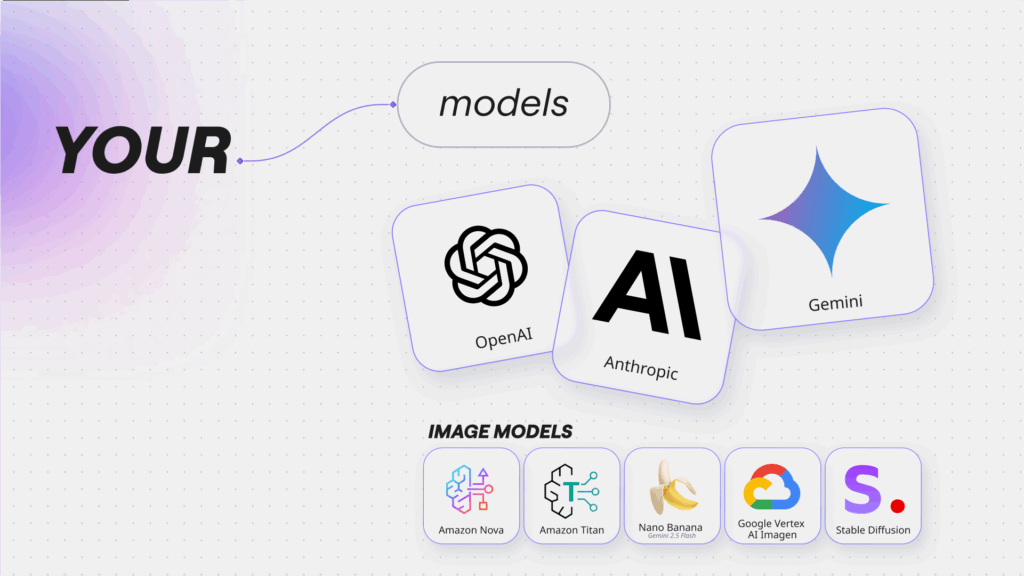
Your models

Your organization has already invested in AI. Maybe you’ve standardized on one vendor. Maybe you use several. We support them all — OpenAI, Anthropic, Google, Azure, and more. You can even bring your own AI key to power Miro AI with your instance.

Your knowledge

Company knowledge is everything. Without it, AI gives you generic responses that may sound OK but don’t translate to meaningful impact. That’s why we’ve built deep partnerships with Gemini Enterprise, Glean, and Amazon Q to bring your corporate knowledge closer to where work and decision-making happen.

When your Sidekicks and Flows can tap into your knowledge base — your brand guidelines, your methodologies, your project briefs, your past decisions — they deliver outputs that aren’t just just good enough. They’re actually good.

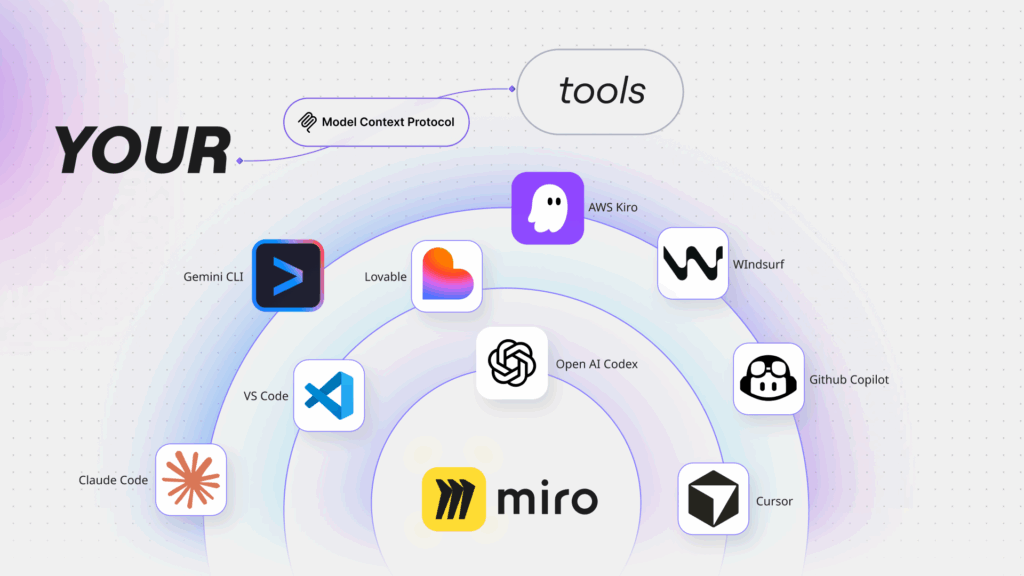
Your tools

Keeping teams in the flow means connecting to the tools they rely on. We already have bi-directional integrations with Jira and Azure DevOps, plus support for embedding any content type to reduce context switching.

But we’re taking this even further with support for the Model Context Protocol (MCP). This deeply connects Miro to AI and agentic platforms. 

Transform your diagrams, process maps, docs, or prototypes in Miro into production-ready code in tools like Cursor, Lovable, Claude Code, and GitHub Copilot. Two-way syncs keep your code aligned with your original specs, so implementation stays up-to-date for future team knowledge, and AI-generated code hits the mark.

Your ways of working

This is where it gets personal. Every organization has unique ways of working: the specific language you use, how you review work, how you run projects. 

That’s why you can tune custom Sidekicks to match your specific needs. Create Flows that automate steps across your complex processes. Use Spaces and Blueprints to configure end-to-end processes that standardize your ways of working across the organization.

Getting great done with confidence

None of this matters if you can’t trust it. So, Miro is ISO 42001 certified — among the first platforms to attain this AI management systems standard. We provide granular AI governance controls so you can set permissions by team, track usage, and confirm compliance. 

The AI Innovation Workspace isn’t about automating individual tasks. It’s about transforming how teams co-create across the AI Innovation Loop — getting them to a better answer, faster than ever before.


¹ Forrester’s Q3 2025 AI Workflows For Team Innovation Survey [E-65113]

10 product highlights from Canvas 25

Software Stack Editor · October 14, 2025 ·

That’s a wrap! Hundreds of leaders, innovators, and creators joined us in Brooklyn — with tens of thousands more online — for our biggest Canvas yet, where they discovered new ways for AI and teams to work together.

[embedded content]

Let’s take a closer look at ten products we highlighted at the event that deliver on that promise: 

1. The AI Innovation Workspace: Bring AI and teams together on the canvas

AI adoption is exploding, with companies making massive investments in scaled platforms and custom models. But many have yet to see the impact of their AI implementations. Why?

Most AI tools are built to improve individual productivity or automate tasks during the later stages of the innovation loop. In fact, 76% of leaders agree that most AI tools focus on individual rather than team productivity.¹ People are able to make quick progress on their solo projects, but work slows down when they sync back with their teams.  

That’s what’s missing from the AI revolution: teams. Teams have always been the driving force behind innovation, which is why the real opportunity isn’t AI for individual productivity; it’s AI that meets teams where the work is happening. 

[embedded content]

That’s why we built the AI Innovation Workspace, to:

  • Bring AI and teams together on a collaborative canvas
  • Empower teams to make smart decisions and move faster
  • Take entire organizations on a journey of transformation

It starts with an AI-first canvas that offers new capabilities to keep teams in the flow of work; help organizations evolve their ways of working; and, ultimately, drive business transformation. 

And, of course, it still includes the flexible formats, multiplayer features, and enterprise safeguards that have been powering people from brainstorm to breakthrough for over a decade.

So, let’s answer the obvious question: What are these new AI capabilities and how do they work?

2. Flows: Keep teams in the flow of work with AI automation

We’ve long believed that it should be easier for teams to build the next big thing, faster. One of the most exciting ways we’re enabling this on Miro is with Flows. 

You’ve seen AI automation before — but not like this. Flows are visual, multi-step AI workflows that connect the work already living on your canvas. Teams can work together with multiple cursors and simultaneous edits, so that anyone can tweak steps, swap models, or refine prompts to continuously improve the Flow.

Start with templates that convert customer interviews into sprint plans or team brainstorms into scenario planning, choosing the best AI model for each step to get the right output in the right format every time. Then, convert your perfected processes into reusable templates to share across your organization. (Keep an eye out for AI-powered Miro templates, coming soon!)

The result? AI that moves at the speed of your team’s thinking, allowing them to get projects over the finish line faster and giving them time back to focus on the creative work they crave.

[embedded content]

3. Sidekicks: Co-create with AI collaborators

Flows aren’t the only way teams can move faster with AI. Sidekicks are conversational agents that understand your canvas context and “yes, and…” your ideas to keep momentum going.

Sidekicks understand all the ideas, research, and plans on your board, using the canvas as the prompt and their expertise on a specific job, task, or process to power your projects further, faster. They structure thinking, give feedback on solutions, and even create things like prototypes, summaries, and technical diagrams so your teams stay focused on the big picture. 

Anyone can get started quickly with out-of-the-box Sidekicks for tasks like project kickoffs, competitive analysis, or campaign planning. But if you need a little more nuance, you can build your own Sidekick in minutes by sharing brand guidelines or strategic frameworks; you can even connect your own enterprise system.

[embedded content]

4. Your AI & Knowledge: Integrate with your existing AI models

To realize the business impact of AI, organizations must evolve their ways of working. This includes transitioning from siloed AI tools to tools that work with your existing models and knowledge. 

That’s why Miro’s collaborative integration layer supports the major AI platforms and models. Organizations can build off of their platform of choice — from OpenAI to Anthropic, Google, and Azure.

What’s more, you can access your own company knowledge through deep integrations with the likes of Amazon Q, Glean, and Gemini Enterprise.

You can also bring your own AI key — so your trained systems are closer to where the work is happening.

5. Model Context Protocol (MCP): Connect the canvas to coding tools

A simple canvas-to-code pipeline is a must-have for maximizing the value of your AI investments so all those PRDs, prototypes, and technical designs become real products faster.

With Model Context Protocol (MCP), other systems can access the power of the AI canvas and the deep context it brings. This means production-ready code delivered from Miro to platforms like Lovable, Cursor, AWS Kuro, Google Cloud Code, OpenAI Codex, and more.

Even better: Context from these systems can flow back into Miro so everything stays in sync even if specs change.

6. Miro for Product Acceleration: Build the right product faster

The AI Innovation Workspace is designed to empower everyone across the organization to flow from early ideas to final outcomes, faster.

But one team in particular has had a front-row seat to AI transformation: product. AI is blurring the lines between product functions — with PMs designing, designers coding, and engineers doing … well, everything — and encouraging teams to reimagine their agile processes and product delivery cycles. 

Amid these shifts, we’ve revisited how product teams operate so they can really take advantage of the new technology at their disposal. Our answer? Miro for Product Acceleration, a comprehensive solution for product teams, helping them make smarter decisions about what to build and do it faster.

Its 10 integrated, AI-first products are purpose-built to solve three critical challenges that product teams often face:

  • Connecting strategy with execution 
  • Building the right thing
  • Getting the most from AI code generation investments

[embedded content]

Let’s dive into a few products in more detail to understand how they help address these obstacles:

7. Portfolios: Connect strategy to execution

At one point or another, all product teams find themselves prioritizing work that’s disconnected from their company strategy and vision. This is frustrating for leaders, who spend weeks obsessing over every detail during the planning cycle, but also for their teams, who want to spend their time on work that contributes meaningfully to the business. 

Miro Portfolios helps ensure the products that teams ship are in line with their organization’s objectives by bringing company strategy and portfolio data into the same space where leaders and teams make decisions. It gives leaders the visibility they need to spot issues, plug gaps, and course-correct to keep projects on track, while enabling teams to see exactly how their work ladders up to company OKRs. 

[embedded content]

8. Insights: Turn customer feedback into a product that delights 

It’s not the customer’s job to know what they want. But it is the product manager’s job. And the answer is out there somewhere, buried in support tickets, user interviews, surveys, and review sites.

Miro Insights turns scattered customer feedback into clear signals right where the work happens so product teams can make the right decisions. Rather than relying on gut feeling or the loudest voice in the room, product teams get data-backed intelligence that reveals what customers actually need, and, in turn, run less risk of building features that miss the mark.

[embedded content]

9. Prototypes: Explore more and experiment faster 

Once you’ve consulted customer insights, the next step in building a product people want is bringing those insights and ideas to life. And the best way to know if you’re building the right thing is to see it and test it before writing a single line of code.

With Miro Prototypes, anyone on the team can turn the sticky notes, diagrams, or doodles from their brainstorm into a clickable prototype in minutes using AI. It’s easily editable, too, meaning teams can explore multiple directions and variations, validate concepts quickly, and converge on the best idea before moving to design or development, without worrying about wasted time or sunk costs.

[embedded content]

10. Specs: Keep code in sync with strategy

Your teams have lasered in on the right insight. They’ve got a prototype that people love. All they have to do now is build it. But tracking down requirements from Jira tickets, Slack threads, and Figma files is a time-consuming and imperfect process.

Miro Specs packages the context from your PRDs, prototypes, technical diagrams, and other visual, collaborative work into comprehensive, well-defined technical specifications. It then delivers these specifications straight to AI coding tools, like GitHub Copilot, Cursor, Windsurf, and Claude Code through MCP.

By capturing comprehensive context from discovery and delivering it directly into development, Specs ensures that AI coding tools have everything they need to generate high-quality code that reflects customer needs, strategic intent, and sound technical architecture. This is how teams finally get the ROI they expect from AI coding tools, in the form of faster time to market and value.

[embedded content]

Thanks to our community and customers! 

There were so many highlights at Canvas 25: A new AI-first canvas. The future of team and AI collaboration. AI that keeps teams in the flow of work.

But the best bit? Celebrating alongside a passionate community that’s now more than 100 million users and 250,000 companies strong. 

Next, we’re taking the celebration on the road — see if Canvas is coming to a city near you!

In the meantime, we can’t wait to see how your teams get great done on Miro’s AI Innovation Workspace.


¹ Forrester’s Q3 2025 AI Workflows For Team Innovation Survey [E-65113]

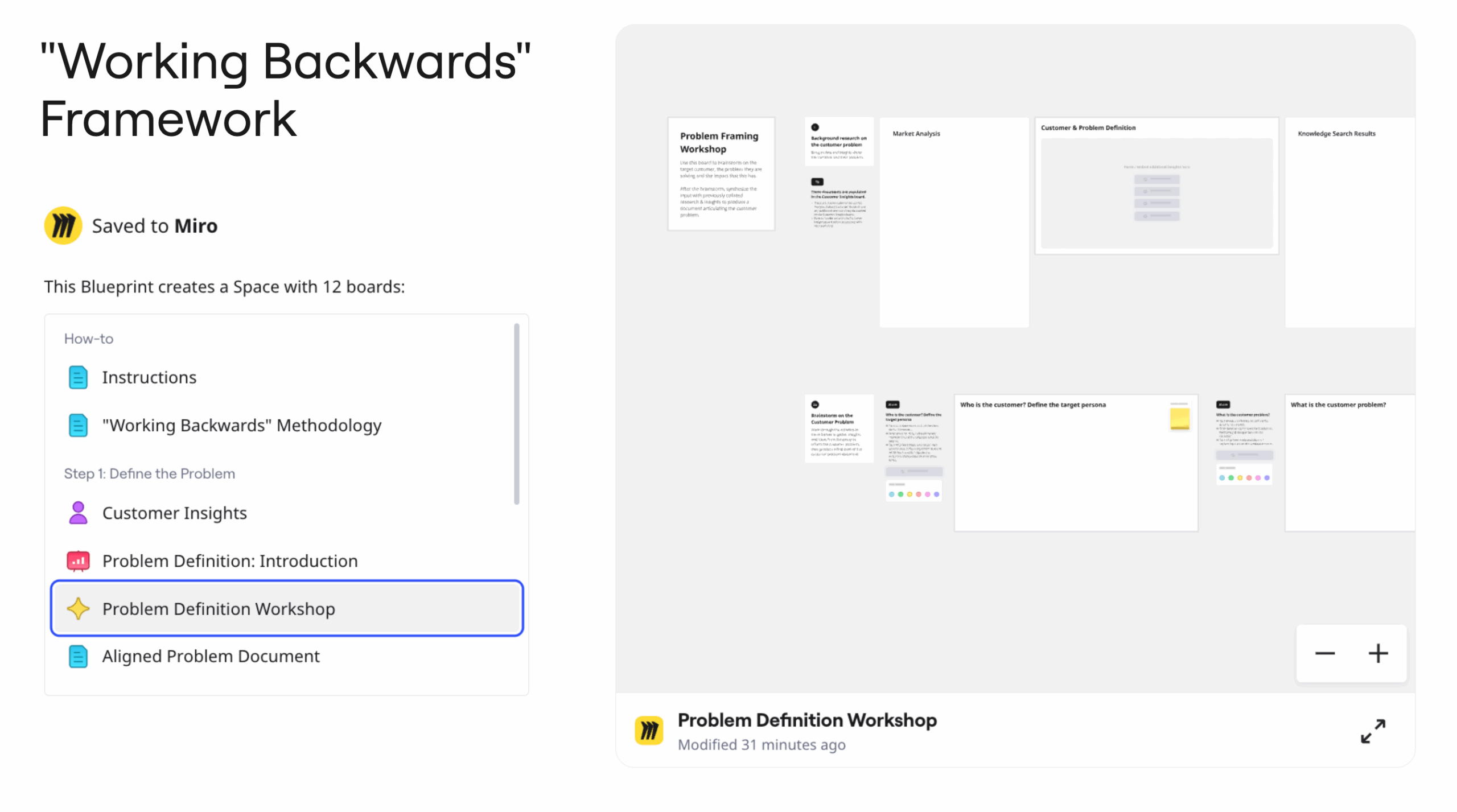
Try the new “Working Backwards” framework for product development

Software Stack Editor · October 14, 2025 ·

image

Miro’s “Working Backwards” Blueprint helps teams flip how they build products. Instead of leading with tech, we start with the customer experience and work backward to what we’ll ship.

This Blueprint offers a structured approach for defining customer problems, aligning on solutions, and creating compelling product visions through the PRFAQ (Press Release / Frequently Asked Questions) methodology.

You can use it to:

  • Start with customer needs instead of technical capabilities
  • Align cross-functional teams on problem and solution spaces
  • Create clear, customer-focused product visions
  • Generate prototypes and documentation for leadership review
  • Streamline the process with AI-powered workflows

Blueprint structure

The Blueprint guides you through three phases. Each phase keeps the team moving fast and together, while focusing on the customer.

Define the Problem

  • Synthesize Customer Insights
  • Problem Framing Workshop
  • Draft an Aligned Problem Document

Align on a Solution

  • Solution Workshop
  • Aligned Solution Document

Draft the PRFAQ

  • Generate PRFAQ Draft
  • Generate a Prototype (for digital products)
  • Final PRFAQ Document

This Blueprint provides a practical, step-by-step framework that any company can use to drive customer-centric innovation.

Whether you’re exploring new product ideas or refining existing initiatives, this comprehensive toolkit helps teams stay relentlessly focused on delivering value to customers, not just building features for their own sake.

🚀 New Templates in Miroverse

Software Stack Editor · September 30, 2025 ·

Miroverse templates published over the summer didn’t disappoint. The Eco Meme Tournament, Taylor Swift Retrospective, or What Cat Are You? Meme Game–you name it! The Miro Community’s creativity has been on fire this season, resulting in an impressive 354 new templates added over June, July, and August! Big shout-out to all the Creators, as the competition was fierce with this number of templates!

Thinking about publishing your first template? Submit today! 

Learn from our teammates about the submission process and what makes a good template here. You can also visit the Creator Toolbox to learn more.

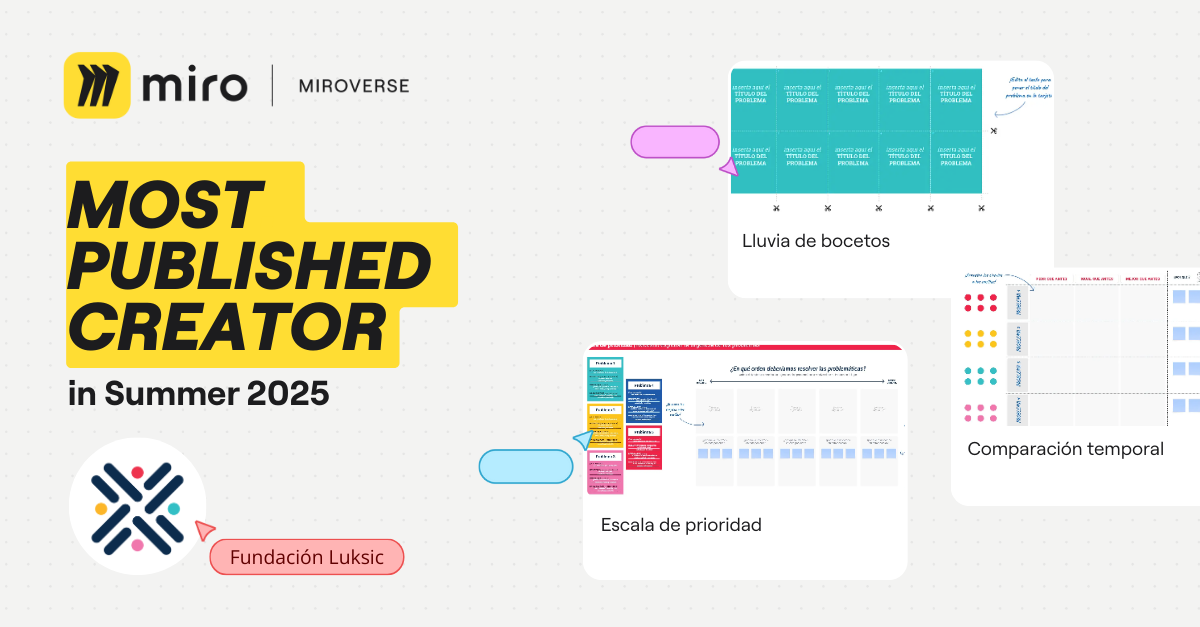
Herramientas en Acción Fundación Luksic | Most Published Miroverse Creator 🚀

This summer, Fundación Luksic was busy creating 14 exciting new Miroverse templates in Spanish! You can explore a variety of useful templates on their Miroverse profile, including priority scales or proximity maps. 

Their commitment to fostering community engagement in social projects is truly inspiring. They provide valuable resources and training to empower individuals and communities to analyze and address challenges. 

We’re thrilled that Miro is part of their toolkit and eagerly anticipate more templates coming in the future!

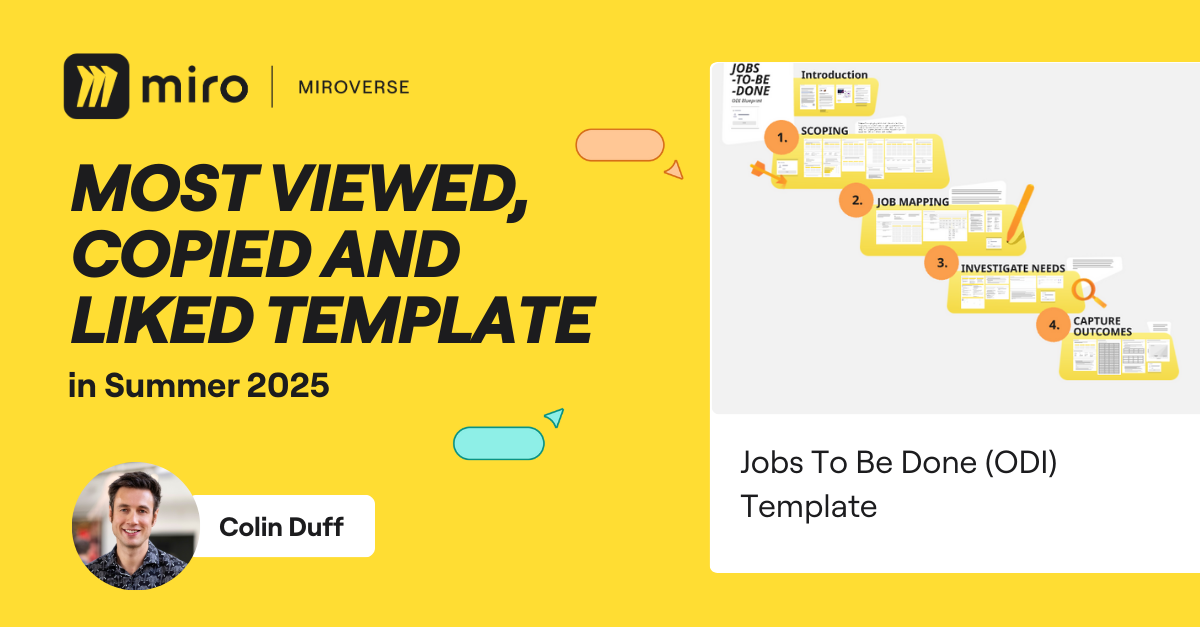
Colin Duff  | Most Viewed, Copied, and Liked Miroverse Creator 🚀

Colin Duff’s Jobs To Be Done (ODI) Template has made a fantastic impact in the Summer Miroverse Roundup, racking up an impressive 3.2k views, 78 likes, and 338 copies! With over 20 years of experience and being a leading expert in Jobs to be Done, Colin truly deserves this recognition. 

We’re thrilled to celebrate your triple success, Colin, and we can’t wait to see more of your innovative templates in the future. Congratulations!

Tangity | Social Impact 🚀

Tangity is a global network of design studios focused on creating a positive impact through practical and intuitive solutions. Their goal is to simplify complexity, and the Inclusive Design Toolkit template is an excellent example of this approach. You can explore this impressive template on design inclusivity, as well as additional design-related templates, on their Miroverse profile.

A big shout-out to Tangity for their inclusive approach and ability to facilitate complex topics!

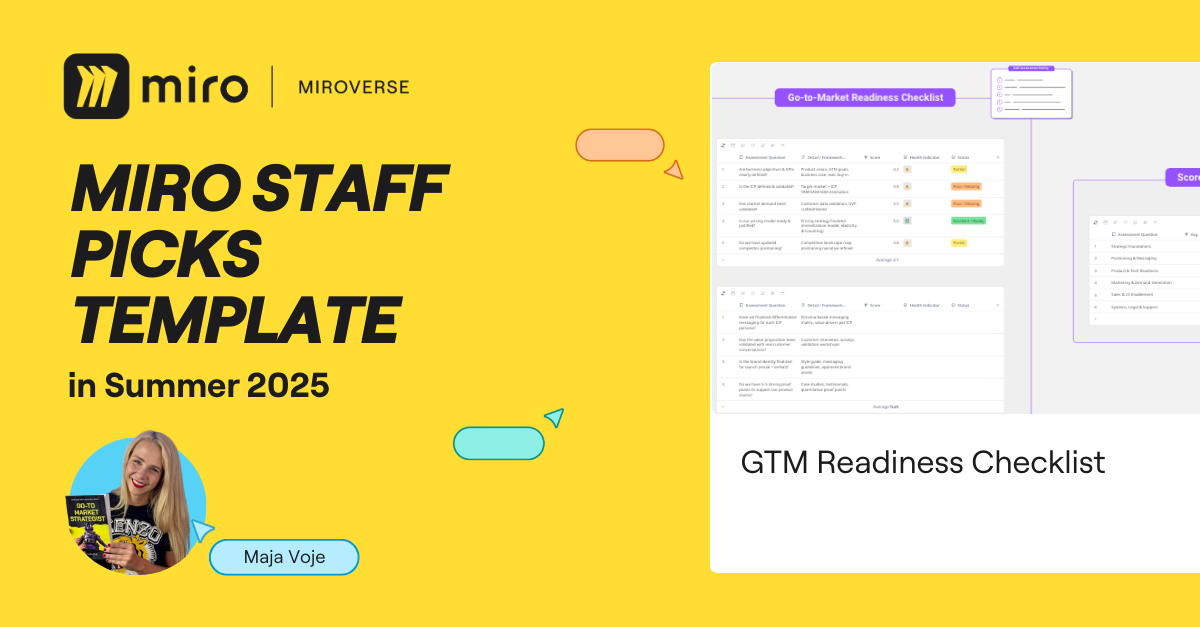
Maja Voje | Staff Picks 🚀

Discover the ultimate Go-to-Market Readiness Score brought to you by the talented Maja Voje! This invaluable resource covers everything from assessing your go-to-market preparedness to crafting a practical action plan.

Maja is a seasoned Go-To-Market strategist dedicated to empowering companies to develop and implement strategies that foster measurable growth. With 15 years of experience elevating global brands, her templates are filled with insightful processes and practical advice. Plus, their organized layout and easy-to-follow instructions make the journey even smoother.

Thank you, Maja, for sharing these incredible templates and for your relentless dedication to refining every detail! 

Michaela Dererova | Professional Spotlight 🚀

Michaela is a Product Designer at Dell Technologies. In her Miroverse portfolio, you’ll find a variety of valuable templates with amazing design, such as the Future Design Guide Enhancements template. Michaela is passionate about practical design, and it’s certainly reflected in her templates!

Can’t wait to see where your creativity will take you next, Michaela!

Explore thousands of templates created by and for the Miro community in Miroverse. Discover a new template you loved? Share what you’ve found in the thread below. 👇

If you can’t find the template you’re looking for, submit it in Template Requests.

Feeling inspired? Join our community of Creators and share your ideas with the world.

Join an official Canvas 25 Watch Party near you

Software Stack Editor · September 24, 2025 ·

image

Want to experience the magic of Canvas 25 but can’t make it to NYC? No problem!

This October, we’re bringing the celebration to cities around the world with official Watch Parties hosted by passionate Miro Meetups Ambassadors – amazing members of the Miro Hero Community who are excited to connect with you. 

Why attend a Watch Party?

📺 Tune into the livestream of Canvas 25
🤝 Connect with fellow Miro enthusiasts
💬 Join inspiring discussions on the future of AI collaboration
🎁 Snag exclusive Canvas 25 swag 

These events are free to attend and happening globally throughout October!


🗓️ Canvas 25 Watch Party schedule

Check out the list of Watch Parties below and RSVP to one happening in your area! 

October 14

🇪🇸Barcelona

Hosted by: Local Miro team members – Ale Contini, Product Designer; Ruben Aguilar, Software Engineer; Sara Barriuso, Software Engineer; Stefan Manojlović, UX Researcher

🇺🇸Detroit

Hosted by: Stephanie Kennedy, Strategic Operations Leader and CEO at Gray Matter Firm

🇧🇷São Paulo

Hosted by: Ricardo Caires, Innovation Facilitator, Miro MVP, and PhD student 

October 16

🇳🇱Eindhoven

Hosted by: Kateryna Saprunova, Senior UX/UI Specialist at Trinamics

October 22

🇺🇸San Francisco

Hosted by: Local Miro team members – Brad Weiger, Senior Solutions Engineer; Shipra Kayan, Principal Product Evangelist

🇺🇸Scottsdale

Hosted by: Jeffrey Tazelaar, Product Manager at Thrivos

How to consolidate tools while embracing new tech

Software Stack Editor · September 22, 2025 ·

image

Harnessing the energy of AI

IT leaders find themselves in a tough spot. Senior stakeholders want to cut costs and reduce risks. But employees are sprinting towards new technologies like AI, leaving compliance departments in the dust.

“The curiosity is huge,” said Miro’s Bram Jonker in a recent webinar on tool consolidation with Forrester VP and principal analyst Bobby Cameron. 

“They want to make use of the latest tools that are out there that everyone is talking about,” he continued. “So what happens is that people just put down their own credit cards. They go, ‘You know what? I will pay 15 bucks a month if I can get access to this amazing technology, which is also going to help me learn what is out there and to start mastering it.’”

Obviously that creates risks around shadow IT and security, but that doesn’t mean IT leaders should just stamp out the behavior. Because this kind of enthusiasm for change almost never happens.

Generally speaking, employees hate new technology. That’s a bold statement but consider the data. A few years ago, Gartner found that 60% of workers were occasionally or frequently frustrated by new software, while 56% said they wished management would just bring back their old tools. 

Contrast that with their attitude to AI. According to Miro’s own research, 76% of global workers believe it will benefit their role, and 61% said it makes them feel excited or energized. The question for IT leaders is how they can match that urgency while delivering on the mandate to streamline their tech stack.

Why consolidation starts with collaboration

Forrester’s Bobby Cameron had no doubt about what the strategy should look like. “The key message is not to limit tools, but to make sure the tech organization keeps up with whatever employees are doing,” he said. The simplest (but most often overlooked) way to do that is through collaboration.

Bobby shared an example of how that looks in practice. He recalled “a tier two automotive supplier in the States where the CIO pulled together the hackers from across his company in order to better manage new tool adoption. These  folks – not just in IT but from all over – would be the ones breaking in new tools on their own. They knew what was going on so the CIO encouraged a continuous discussion among them around what was hot. Then the CIO would provide funding for the new tool that was most favored among the hackers and make it available for everyone to use.”

Maybe some people look at that example and see IT leadership that isn’t really leading – just following the whims and demands of employees. But this is servant leadership in action. It’s IT truly collaborating with the business and being responsive to its needs. 

“If you’ve got people who have chosen tools and are trying to make it happen, just shutting them down and saying, ‘No, don’t do that!’ isn’t going to work,” Bobby continued. “Find out what’s new and different that is being effectively used, and maybe that’s a better tool. So pull those people in and make them part of the ongoing analysis.”

Miro’s Bram Jonker was quick to back him up. “It’s about stepping out of isolation, gaining trust from your employees, and engaging with them to get their input on what they need. Then they’ll come to you. They’ll come to you and say, ‘Hey, we’ve tried this tool. Let’s put it into your process.’”

Does that mean you just end up with exactly the kind of tool sprawl you set out to reduce? Not at all. It means you can make decisions about what to keep and what to cut based on an understanding of the value the tool really provides, not just the licensing cost you see on a spreadsheet. 

Why tool consolidation fails (and 5 ways to succeed)

Software Stack Editor · September 11, 2025 ·

image

Budget season is just around the corner, which means IT leaders are about to take a long, hard look at their vendors and wonder whether they really need all those tools.

In fact, according to the latest research, 82% of enterprises are actively pursuing supplier reduction to cut overlaps and simplify management. But will they be successful?

If it seems like an obvious question, the answer is far from simple. For one thing, definitions of success vary. Organizations may report on headline metrics like lower costs or fewer support tickets but fail to measure downstream impacts like user satisfaction or productivity.

Still, it’s possible to get a sense of the failure rate from a widely cited BCG report, which found that 35% of all digital transformation projects fall short of their goals. 

For IT leaders considering tool consolidation it’s a great reminder that they can’t take success for granted. So it’s no surprise that this was one of the topics of conversation in the recent webinar with Miro’s Bram Jonker and our guest speaker, Forrester VP and Principal Analyst Bobby Cameron.

They talked about the challenges that can derail tool consolidation – and how IT leaders can avoid them. Here are the three key insights they shared.

It’s a team effort

According to Bram, the number one reason tool consolidation projects fail is because they’re planned and executed by IT without any input from the rest of the business. 

“Decisions can’t be made based solely on the data IT has, like cost, usage stats, or license counts. That’s only one part of the picture.” The other part, he says, is “understanding how teams actually use these tools, what role they play in key workflows, the business value they deliver, and how critical they are to their daily operations.”

If IT removes an application based purely on cost or usage metrics without understanding its business context, they risk disrupting essential work and damaging trust. And if that sounds like a hypothetical problem, Bobby Cameron is here to set you straight.

“Decisions can’t be made based solely on the data IT has, like cost, usage stats, or license counts. That’s only one part of the picture.”

Bram Jonker, Principal Product Evangelist, MIRO

He shared the story of a global financial firm whose IT team removed a tool that had very low usage – just a couple of people, maybe once a year. Easy decision. Until tax season came around and the two people responsible for preparing the company’s accounts found they no longer had access to their tool of choice. 

Instead of getting mad at IT they did something much worse. As Bobby tells it: “They went out to a third party, got an online tool to do exactly what they wanted, and broke all the security and privacy rules by dumping a lot of internal data online.” The moral of the story? “It’s the business side, not just the IT budget that makes the difference.”

Don’t get lost in the cost

As Bobby’s example illustrates, if cost reduction is the only lens you apply to tool consolidation you risk making decisions that can backfire in unpredictable ways. 

Many organizations have replaced specialist tools that actually drive speed and innovation, only to replace them with generic versions that don’t fit the way people actually work. As Bobby puts it, “It’s easy to get lost in the cost side, but the benefit side is also quite critical.”

“This is something I’ve seen happening so often,” agrees Bram, “where employees are really upset that they’ve been using a tool for a long time and all of a sudden, they don’t have access to it anymore without  warning or without even having a conversation with the IT department.”

His conclusion? “Innovation needs flexibility. If cost is the only lens, you often end up with slower developments, shadow IT, and less agility.”

Start by building a better business case

As we’ve seen, when it comes to tool consolidation the bigger picture matters. Speed, adaptability, innovation, and employee experience should all make a difference to IT decision making. If they don’t, “What you end up with is a tech stack that looks efficient on paper, but in practice it’s going to slow you down,” explains Bram.

And yet all too often these issues aren’t captured or even considered. The reason for that, according to Bram, is because they’re built on outdated business cases. “In the past, the goal was simple: Reduce costs, standardize tools, and call it a win,” he argues. “But in today’s fast moving and unpredictable environment, that kind of thinking just doesn’t hold up.”

The modern business case for tool consolidation “prioritizes flexibility, scalability, and long term value, not just short term savings,” he says. And if you want to know how to build that business case in a way that appeals to your senior stakeholders, check out our free ROI Estimator.

Of course, Bram and Bobby didn’t just outline the challenges – they also had a few solutions up their sleeve. These are their five top tips for delivering successful tool consolidation outcomes.

  1. Define your goals: Be clear on why you’re consolidating. Is it just to cut costs or is it to drive efficiency and support innovation?
  2. Audit with purpose: IT leaders need to get beyond the surface level data to understand which tools support business outcomes and which don’t.
  3. Prioritize integration: Because tighter connections between tools will drive greater value.
  4. Engage employees: Get input from the people using the tools so you know what’s critical and what’s not. 
  5. Establish ownership: Make tool consolidation a shared responsibility between IT and the rest of the business.

If there’s one thing Bobby recommends organizations set up right away it’s a system of record. “You’ve got to have a place you can point to and say, ‘Here’re my tools, what business capabilities they support, and what business value they deliver. That’s where I determine my tool sprawl.’ That’s the key.”

For Bram, establishing ownership might be the critical step in the whole process. “When done right,” he says, “it leads to better outcomes across the board. Users feel heard. It’s better aligned with business outcomes. And you will make better informed decisions.”

In fact, he concludes, a collaborative tool consolidation process can totally transform the way IT is seen across the organization, from simply supporting the business “to propelling it forward, opening up new opportunities, and building sustainable competitive advantages.” 

What’s New: What we launched in August 2025

Software Stack Editor · August 27, 2025 ·

Great work doesn’t come out of nowhere — it builds on what came before. Your team’s research insights, brainstorm notes, and workshop outcomes all bring value to the table. That shouldn’t vanish every time you switch tools or start working on something new.

This month’s Miro updates carry your thinking forward. From AI that’s clued in on context to an Adobe Express integration that makes it easy to edit and repurpose creative assets — you can keep building on your existing work instead of always starting from scratch.

Create with AI: the canvas is your prompt

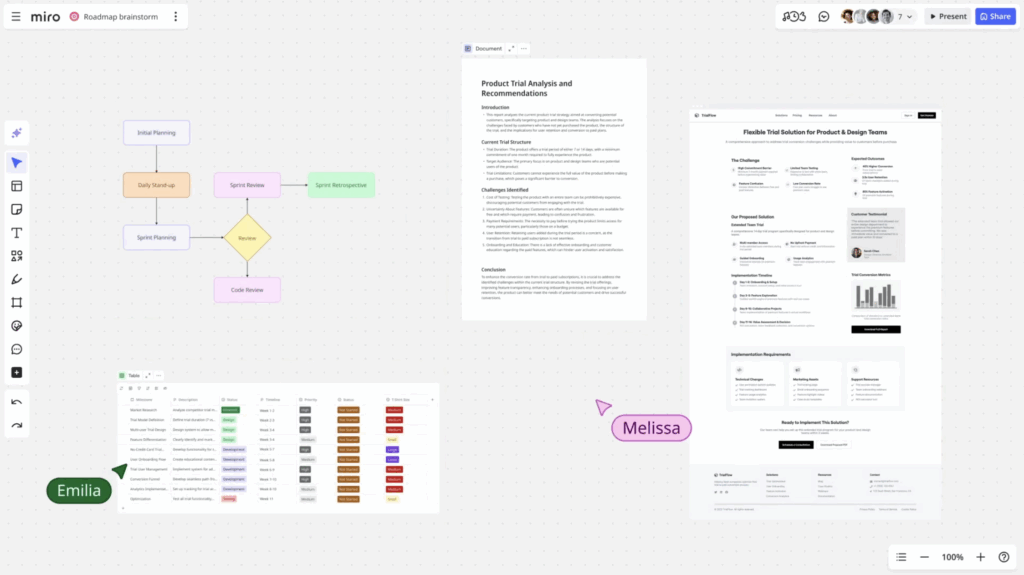
Most AI tools need you to explain what you’re working on. Miro AI just gets it. It now understands any content you select on the canvas — like screenshots, stickies, diagrams, and even the results of your team’s dot voting session. And it doesn’t just read each individual element, but also connects the dots between them. That means anything you create with AI is grounded in the context of real work you’ve already done.

Use it to fast-track your next step: a summary of your kickoff call notes, a product brief based on your latest research report, a process diagram, or anything else you need to move forward. Refine the result until it’s just right, add it to the board, and bring in your team to build on it together. Watch a quick demo of how it works.

Miro agent in Microsoft Copilot 

First, Microsoft Copilot could search content in Miro. Now it can build it, too. Ask the new Miro agent in Copilot to create whatever you need: a doc, flowchart, or a set of fresh ideas on sticky notes.

Skip the manual work, and move straight from an idea to a tangible asset. Your Teams chat kicks off your brainstorm. Meeting notes turn into a project plan. A technical discussion is the starting point for your system diagram. All you have to do is give it a prompt like “Hey Miro, create a product requirements doc based on this chat.” Ready to try it out? Get it on Microsoft AppSource.

Please note: you need access to a Copilot license to use this feature. Reach out to your Miro or Microsoft admin with any questions about access.

Video call updates

Ever finish a productive call, only to realize no one remembers what was decided? We’ve got you covered.

[embedded content]

Video call recordings (Beta)

Record a video call so you can revisit it later, or send it to teammates who couldn’t attend. Walkthrough, workshop, training session — run it live once, hit record, and share the recording so people can catch up on their own time.

Video call transcripts (Beta)

Grab a transcript of your video call in just one click. It appears right on your board, ready to review, edit, and share. No need to dig through every line manually — just ask Miro AI to summarize it, translate it, and pull out key insights in a matter of seconds. Every conversation becomes a resource your team can refer to and build on.

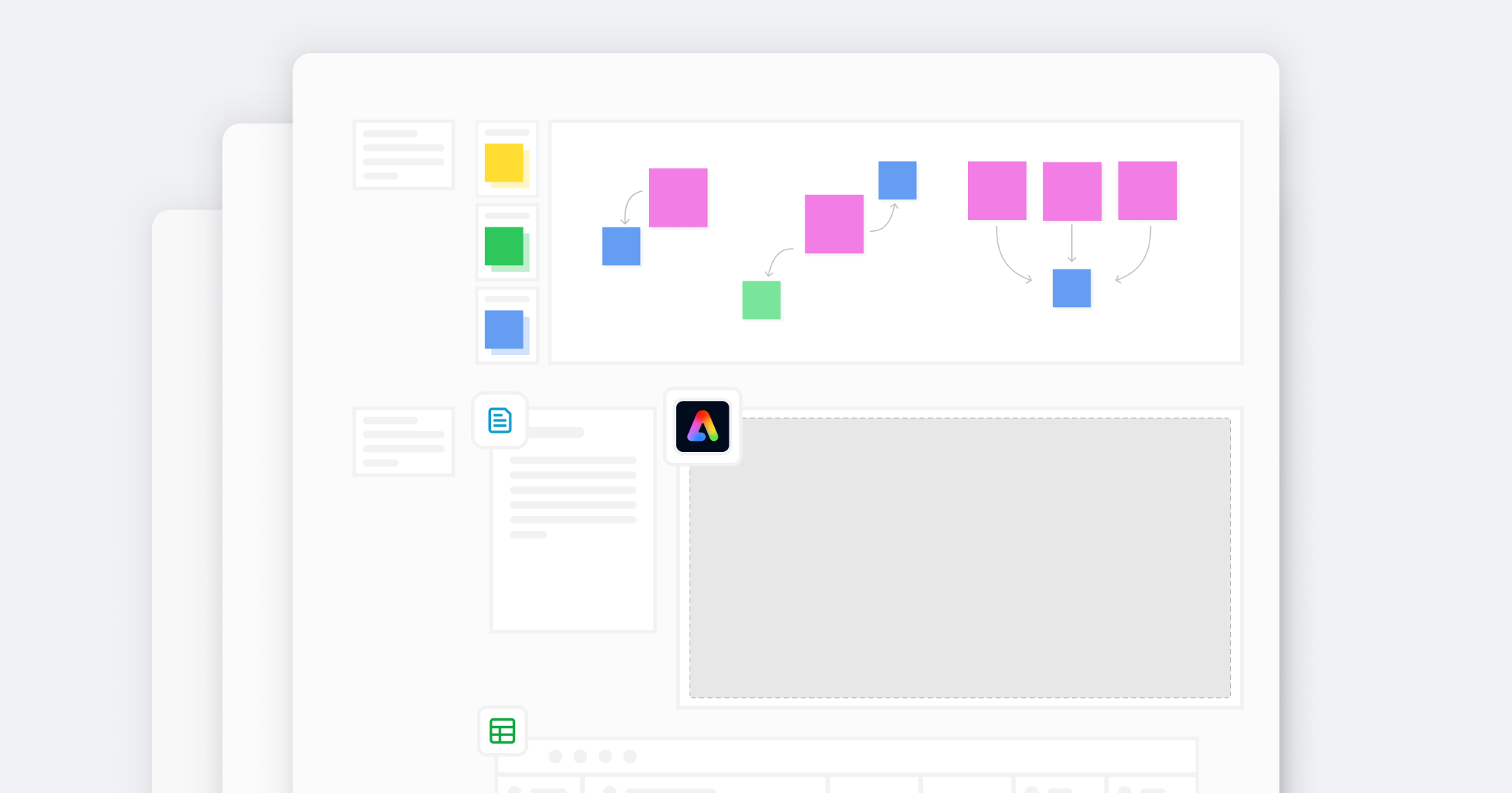
Adobe Express integration

Visuals play a huge part in how you plan and present your work. Whether you’re running a workshop, sharing a feature concept, or prepping for a client meeting, the right image gets your message across. But what if that image needs a few tweaks? Typically, you’d have to switch to a design tool, chase down a designer, or settle for “good enough”. 

With Adobe Express now integrated into Miro, you can edit images right on your board — using trusted Adobe tools that creatives rely on every day. Tidy up screenshots, remove backgrounds, and quickly polish images so they’re ready to present. 

[embedded content]

Need more creative control? Open up the full Adobe Express experience right in Miro to access templates, brand kits, and video editing tools — and create on-brand content, without switching tabs.

The most useful templates come from lived experience, not theory. In Miroverse, you’ve got access to 6,000+ templates and frameworks built by real people who have solved these problems before. From solo experts to teams at top companies, they’re sharing what works so you don’t have to start from scratch. Here’s what caught our eye this month:

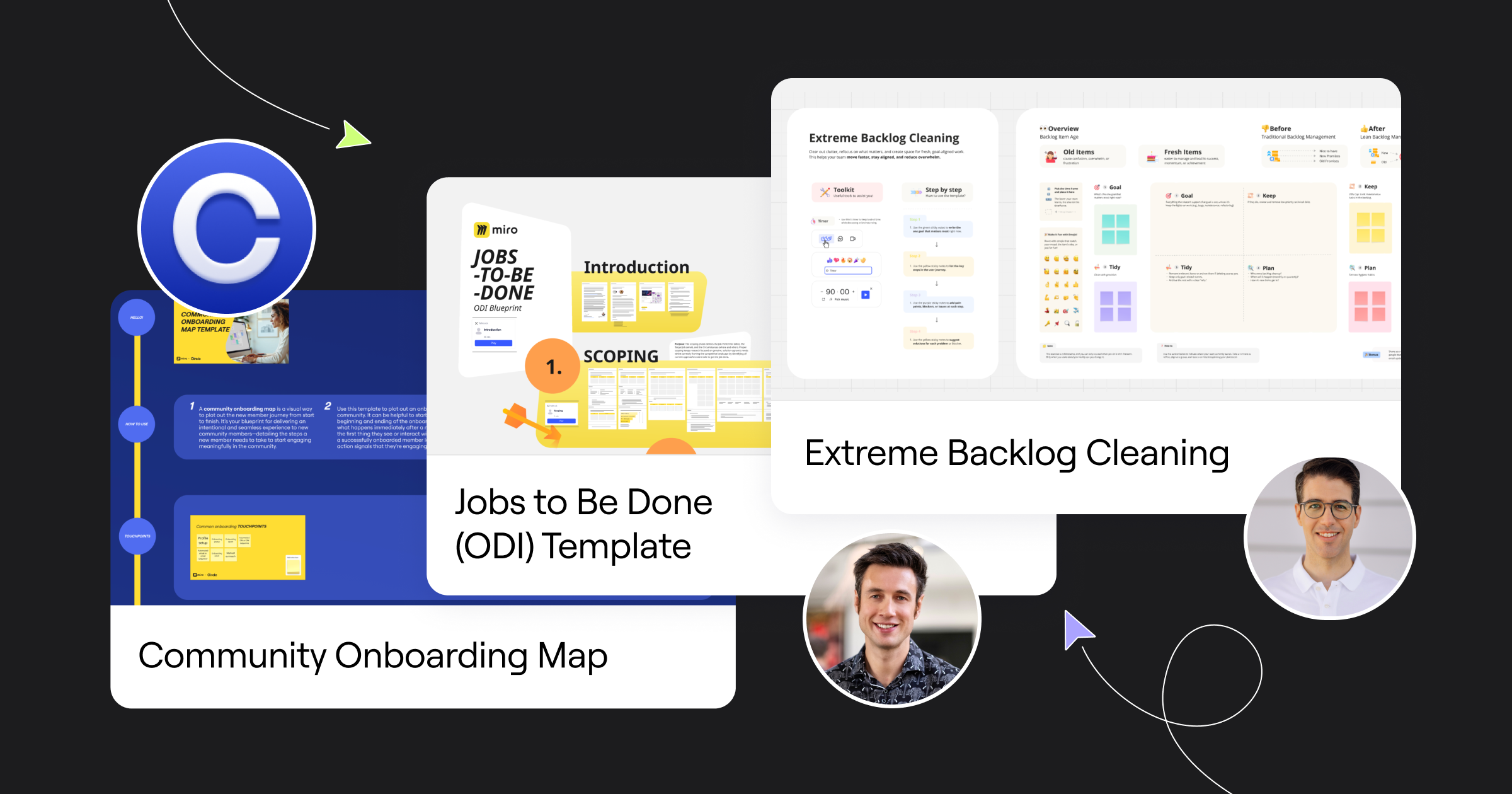
  • Circle’s Community Onboarding Map is your blueprint for delivering an intentional and seamless experience to new community members.
  • Colin Duff’s Jobs to Be Done Template gives you a proven framework for uncovering real customer needs and strengthening your product-market fit.
  • David Pereira’s Extreme Backlog Cleaning helps teams clear out stale tasks, realign on business goals, and create space for high-impact, fresh initiatives.

Love creating in Miro? Publish a template to Miroverse to share your expertise with 95M+ users worldwide.

Lock in your spot at Canvas 25 

Miro’s biggest event of the year, Canvas 25, is back on October 14 — and you’re in for something epic. This year, we’re diving into how AI is transforming the way teams collaborate. You’ll get an exclusive first look at new Miro features, watch inspiring keynotes from leading AI thinkers, and put it all into practice at hands-on training sessions. 

Join us in New York City or stream it online to see where the future of human-AI collaboration is heading — and how you can get there first. Save your spot.

Keep building forward

That’s a wrap on this month’s updates! They all help your team leverage existing work, decisions, and shared context — so you can keep moving forward instead of rehashing what you’ve already figured out. Because the fastest way to ship great work isn’t starting over. It’s building on what’s already there.

Transform your collaboration and context into the prompt with Create with AI

Software Stack Editor · August 20, 2025 ·

Create with AI understands your teamwork on the canvas. So instead of switching between tools and copying over critical context to create great prompts, you get ahead in one place with a smart collaborator that’s already thinking what you’re thinking.

AI that sees the big picture

Imagine this: You’ve just wrapped up an intensive brainstorming session with your team. Your Miro board is bursting with colorful sticky notes, sketches, and scattered ideas that capture the essence of your next big project. But now comes the hard part — moving it all forward.

What if this canvas could not only contain your ideas but actually process and progress them? What if it could read the relationships between your sticky notes, interpret your hand-drawn doodles, understand dot voting patterns, comprehend the flow of your diagrams, and even process content from integrated tools — all while helping you transform raw creativity into actionable outputs?

That’s exactly what Create with AI‘s visual context processing does. It doesn’t need the perfect prompt to generate content because it already sees your board the way you do — understanding every visual element, connection, and nuance — so it can build meaningfully on what’s already there.

Here’s how it works: Simply select any combination of content on your board, whether it’s sticky notes, images, diagrams, dot votes, Google docs or entire workshop sections. When you open Create with AI, it automatically processes all that visual information as context. It can then generate whatever format you need onto the canvas, ready for further teamwork — documents, tables, diagrams, prototypes, sticky notes etc. All generated by Miro AI on one collaborative canvas. 

The result? Instead of switching tools or breaking concentration to bring AI up to speed, you can immediately access a creative generator that has a perfect understanding of everything you’re trying to achieve.

Transforming your canvas into a prompt isn’t just about creating new content — it’s also about evolving what’s already on your board and helping you maintain momentum. For instance, Create with AI allows you to turn existing artifacts into different types of content. So a sticky note can become a Doc. A Doc becomes a Table. A Table becomes a Diagram. And a Diagram becomes a Prototype.

Whatever your objective, Create with AI reads more than the lines and helps you move forward faster. 

From creative chaos to project clarity

We’ve already been testing this out with some of our customers. Sarah, a Product Manager at a growing SaaS company, ran a user research and team brainstorm session. By the end of it, her board contained dozens of sticky notes with user quotes, pain points, feature requests and solutions.

Instead of manually synthesizing this information, she selected all the research notes and simply asked Create with AI to generate a product brief based on the insights. The AI understood not just the individual notes, but their relationships and patterns, producing a comprehensive brief that would have taken hours to create manually.

The first step to smarter collaboration

Visual context processing represents a fundamental shift in how we think about AI in collaborative workspaces. Instead of AI being an external tool we consult, it’s integrated into our team processes, understanding our work as we create it and helping us see possibilities we might miss.

Take, for example, being able to quickly summarize the content on a board. Miro makes it so easy to gather a lot of great insights in workshops but slimming it down into a summary is what takes the longest. So, it not only helps to distill board content but also to maintain momentum and stay in a collaborative environment. 

As teams continue to work more visually and collaboratively, the ability to have AI that truly understands the visual context of our work — that’s already part of the teamwork — becomes not just helpful but essential. 

Design meets collaboration: Adobe Express now in Miro

Software Stack Editor · August 20, 2025 ·

We’ve teamed up with Adobe to bring powerful visual editing into the heart of your collaborative workflows. With Adobe Express now integrated in Miro, you can plan, brainstorm, and design—all in one place.

This partnership gives teams the creative tools they need, right where collaboration happens. No more bouncing between apps, waiting on file transfers, or losing momentum.

This launch marks the beginning of a shared vision between Miro and Adobe to redefine how teams create together. As AI continues to transform creative workflows, and this integration is just the first step toward more intelligent, seamless collaboration.

Two ways to create in Miro

1. Lightweight image editing, right on the board

Quick tweaks—made quicker. Select any image in Miro and click Edit image to:

  • Crop, resize, and round corners
  • Adjust brightness, contrast, and opacity
  • Remove backgrounds or erase elements using AI and Adobe Firely (Adobe login required)

No uploads, no new tabs—just faster visual edits to keep ideas moving.

“It’s approachable for everybody, not just for designers, especially because of how easy it is to use within Miro.”

[embedded content]

 2. Full Adobe Express workspace, embedded in Miro

Need to design something from scratch? Open the full Adobe Express experience directly within Miro.

You’ll get access to:

  • Brand kits and professional templates
  • Multi-page design tools
  • Video and animation editing
  • Full creative control without leaving your board
  • Adobe Firefly and other AI-powered tools

Your content stays in context—whether it’s a social post, workshop slide, or campaign asset.

“As a designer, I can quickly create promo graphics for workshops right in Miro, which is an important tool for me.”

[embedded content]

An integration for fast-moving, visual teams

Whether you’re planning a marketing campaign, building training materials, or leading a product workshop, this integration is designed for you. It’s especially valuable for:

  • Marketers planning content calendars and social campaigns
  • Workshop facilitators polishing materials on the fly
  • Product teams and PMs turning rough wireframes into stakeholder-ready presentations

Let’s say you’re a social media marketer gearing up for next quarter. You’ve got a mix of brand moments, influencer partnerships, and reactive content ideas floating around—but they’re scattered across docs, decks, and your brain.

Enter the Social Media Campaign Blueprint: a pre-built Miro board co-designed with Adobe Express in mind. It’s your one-stop workspace to go from rough concepts to finished visuals, all in one place—and all while staying in sync with your team.

Here’s how it works:

Step 1: Set your North Star

Before jumping into content ideas, anchor your team with big-picture priorities. At the top of the Blueprint board, you’ll find space to embed a quarterly calendar, slide deck, or marketing roadmap using Adobe Express.

Use Express to quickly brand or polish these foundational visuals—add your team’s colors, logos, or creative treatments so everyone starts from a shared vision.

“I spend a lot of time in Miro, so having Adobe Express functionality within one tool I already use is hugely helpful in streamlining things for me.”

 Step 2: Brainstorm content & gather inspiration

This is your idea garden. Use Miro’s sticky stacks to throw out content themes, campaign hooks, trends, influencer tie-ins—whatever sparks ideas.

Use Miro’s rich embed feature to drop in inspiration from around the web: Instagram posts, landing pages, blog content, or TikToks. Then use arrows to connect ideas, themes, or assets—it’s a visual mind map of what’s possible.

No idea is too rough at this stage. Think big, get messy, and use the collaborative canvas to spark creative collisions.

Step 3: Sort ideas into a campaign plan

Now it’s time to get strategic. Move your strongest stickies down into the content calendar section and group them by week, channel, or campaign pillar.

You can drag and drop notes into your ideal cadence, stack by platform (Instagram, LinkedIn, TikTok), or organize by theme. Customize the layout to fit your team’s rhythm.

You’re no longer just brainstorming—you’re building a real, visual plan.

Step 4: Produce visual content without leaving the board

With your content plan locked, start turning ideas into assets—without ever opening another tab.

Use Adobe Express directly in Miro to:

  • Drop in WIP visuals, templates, or screenshots
  • Remove image backgrounds instantly
  • Add branded text overlays or polish layouts
  • Launch the full Adobe Express experience to design multi-page posts or video teasers

Once you’re done, save your finished designs right back to the board for team review, approvals, or next steps. It keeps production fast and feedback cycles short—no more chasing files in email threads or Slack.

“I used to use another tool and upload .pngs to Miro, but now I don’t anymore – the Adobe Express integration streamlines a lot of the process for me.”

Adobe Express’s Social Media Campaign Blueprint will be coming soon.

A smarter approach to strategic IT planning

Software Stack Editor · August 18, 2025 ·

image

Article summary

Traditional IT planning focuses on the cost-cutting benefits of tool consolidation. But leading IT organizations use four strategic lenses to align with digital transformation goals: Enabling operational stability through enterprise-grade security, compliance, and scalability; amplifying business processes by identifying platforms serving multiple use cases; encouraging collaboration by prioritizing tools that facilitate cross-functional work; and approaching consolidation as a catalyst for innovation, not just optimization. When consolidation is driven by strategic IT planning rather than cost pressure, benefits compound over time as teams become more collaborative, processes more efficient, and organizations more agile

The era of ‘get more apps’ is officially over. After a decade of explosive SaaS growth—from $30 billion to $300 billion in global revenue—IT leaders face a new reality. Strategic IT planning is no longer about adding tools. It’s about making deliberate choices that drive digital transformation.

The numbers tell the story. While global SaaS revenue continues growing, the average number of enterprise applications fell for the first time in 2024. Meanwhile, 31% of software buyers have replaced expensive tools. The shift from expansion to optimization isn’t just a trend—it’s a strategic imperative.

But here’s what separates high-performing IT organizations: They don’t see consolidation as cost-cutting. They see it as the foundation of digital transformation.

Why strategic IT planning demands a new approach

Traditional IT planning focused on technology in isolation—evaluating tools by features, performance, and price. But in today’s interconnected business environment, the key question isn’t what a tool can do, but how it enables people to work together more effectively.

At Miro, we’ve had thousands of conversations with businesses that have gone through tool consolidation as part of their strategic IT planning. And in almost every case, the ones that did it best optimized for team potential. Instead of asking “What’s the best software for X?” they asked “How can we empower our teams to achieve Y?”

This transforms tool consolidation from reactive maintenance into a proactive strategy that drives business outcomes. When you consolidate strategically, you increase innovation velocity, improve cross-functional collaboration, and accelerate digital transformation.

The four pillars of transformation-driven consolidation

Leading IT organizations approach tool consolidation through four strategic lenses that align with broader digital transformation goals.

1. Enabling operational stability

Strategic IT planning starts with technology foundations that support business growth. This means consolidating onto platforms offering enterprise-grade security, compliance, and scalability.

When Workday chose between visual collaboration tools, security was a strategic differentiator. With robust SSO, SCIM provisioning, and role-based permissions, Miro gave IT full control over access and data protection. Result: 3,000 employees and over 60,000 documents migrated from Lucid while maintaining the highest security standards.

2. Amplifying business processes

Strategic IT planning identifies platforms serving multiple use cases while maintaining specialized functionality. Instead of different tools for different teams, choose solutions that adapt to how people work.

Miro exemplifies this by supporting roadmapping, goal management, AI transformation, and many more use cases. Rather than forcing rigid workflows, it provides enterprise-scale collaboration structure while adapting to team needs.

3. Co-creating across boundaries

Digital transformation requires breaking silos between IT, business units, and external partners. Strategic IT planning prioritizes tools that facilitate cross-functional collaboration.

At Keller Williams, this drove their decision to use Miro for Big Room Planning across 300 people from multiple teams. Result: 50% reduction in time to market for new products and 10% increase in sprint speeds.

4. Transforming how work gets done

The highest level of strategic IT planning uses technology to create previously impossible ways of working. Here, consolidation becomes a catalyst for innovation, not just optimization.

Xero’s experience illustrates this transformation. Tool consolidation became the foundation for a Customer Journey Framework that identified new business opportunities. “It helped us identify gaps and highlight jobs that Xero could potentially get into,” explained their Head of Experience Strategy.

The visual advantage in strategic planning

Strategic IT planning’s biggest challenge is stakeholder alignment around complex decisions. Spreadsheets and technical assessments don’t translate well to business leaders who need to understand strategic implications.

Visual collaboration platforms become essential to the planning process itself. When you can map toolsets, visualize consolidation opportunities, and model future states on shared canvases, strategic conversations become more productive and decisions happen faster.

Smart IT leaders use Miro for planning consolidation itself—interactive workshops, stakeholder alignment sessions, and roadmap development all benefit from visual collaboration.

Measuring transformation success

Strategic IT planning requires metrics beyond traditional IT measurements. While system uptime and license costs matter, transformation success is measured in business terms.

Effective IT leaders track value-based metrics:

  • Innovation velocity: Miro users see 19% reduction in project completion time
  • Cross-functional collaboration: 80% of users report increased team alignment
  • Employee productivity: 79% say Miro increased work productivity
  • Strategic agility: Can the organization respond quickly to market changes?

When you measure success in these terms, consolidation becomes competitive advantage, not just operational efficiency.

The compound effect of strategic consolidation

When consolidation is driven by strategic IT planning rather than cost pressure, benefits compound over time. Teams become more collaborative, processes more efficient, organizations more agile.

At Centrica, this compound effect improved both efficiency and innovation capability. “What Miro gives us is a repeatable, scalable process for innovation that we can use in all our future programs,” noted their Head of Integration. “Without it, we’d be moving much slower and introducing more risk.”

The organizations that will thrive are those mastering the balance between innovation and operational efficiency. They’ll use strategic IT planning to create technology ecosystems that empower people, enable collaboration, and accelerate transformation.

This requires a fundamental shift in IT leadership—from gatekeepers of technology to enablers of business strategy. From optimizing system performance to optimizing human potential.

Tool consolidation isn’t the end goal—it’s the means to an end. When approached strategically, it becomes a powerful lever for digital transformation that drives lasting competitive advantage.

Ready to transform your strategic IT planning approach? Start by mapping your current toolset and identifying consolidation opportunities that align with broader business objectives.

Three steps for successful tech stack reviews

Software Stack Editor · August 6, 2025 ·

image

Article summary

Leading IT organizations recognize that competitive advantage comes not from having more tools, but from having the right tools working in harmony. Follow these criteria for assessing what’s working and where to optimize. First, security. This isn’t about finding the most locked-down tools—it’s about identifying platforms that enable secure collaboration at scale. Second, simplicity. Look for platforms that can handle multiple use cases without forcing users to master different interfaces for different functions. Finally, scale. Build technology foundations that accelerate business growth rather than constrain it. Remember: Your next IT stack review isn’t just about reducing complexity—it’s about building competitive advantage through strategic technology choices.

The era of reactive IT management is over. Today’s IT leaders are strategic architects, tasked with building technology ecosystems that don’t just support business operations—they accelerate competitive advantage. Yet most organizations remain trapped in the complexity of their own making, managing an average of 112 work applications while watching productivity decline.

The question isn’t whether to conduct an IT stack review—it’s how to execute one that delivers measurable business outcomes. After analyzing hundreds of successful consolidation initiatives, three criteria consistently separate strategic wins from tactical Band-Aids: Security posture, operational simplicity, and future scalability.

The strategic imperative behind tech stack reviews

Enterprise IT has reached an inflection point. While global SaaS spending continues to grow, the number of applications in the average enterprise actually declined for the first time in 2024. This isn’t cost-cutting—it’s strategic optimization.

Leading IT organizations recognize that competitive advantage comes not from having more tools, but from having the right tools working in harmony.

The most successful stack reviews start with a fundamental shift in perspective: From evaluating individual applications to architecting integrated ecosystems. This approach transforms consolidation from a reactive maintenance task into a proactive driver of business value.

Security: Building your foundation for growth

Security-first thinking fundamentally changes how you evaluate your technology stack. Instead of adding security as an afterthought, you architect it as the foundation that enables everything else.

Assess your current attack surface

Every application in your stack represents a potential vulnerability. Tools that can’t integrate with your identity management systems create shadow IT risks. Platforms without enterprise-grade compliance certifications limit your ability to handle sensitive data. Calculate not just licensing costs, but the hidden expense of security monitoring, compliance auditing, and incident response across your entire portfolio.

Evaluate consolidation opportunities through a security lens

When you consolidate multiple point solutions onto a platform with robust SSO, SCIM provisioning, and role-based permissions, you don’t just reduce complexity—you strengthen your security posture. Look for platforms that meet the highest standards: SOC 2 Type II, ISO 27001, GDPR, and HIPAA compliance where relevant.

Consider the human factor

Security breaches often happen at the intersection of tools. When employees use multiple platforms that don’t integrate well, they create workarounds that bypass security protocols. Platforms that reduce friction in secure workflows actually improve compliance.

The security criterion isn’t about finding the most locked-down tools—it’s about identifying platforms that enable secure collaboration at scale.

Simplicity: Optimizing for human performance

Operational simplicity directly impacts your organization’s innovation velocity. Harvard Business Review found that employees waste 3.5 hours per week switching between tools. That represents millions of dollars in lost productivity annually.

Map workflow complexity, not just feature lists

The most feature-rich platform isn’t necessarily the most effective. Instead, evaluate how tools fit into actual work patterns. Can teams move seamlessly from ideation to execution? Do integrations eliminate manual handoffs? Does the platform reduce or increase cognitive load?

Assess the total experience, not individual touchpoints

Simple doesn’t mean basic—it means intuitive and integrated. Look for platforms that can handle multiple use cases without forcing users to master different interfaces for different functions. The goal is to minimize context switching while maximizing capability.

Evaluate learning curves and adoption patterns

Complex tools often show impressive demos but struggle with real-world adoption. Review platforms based on how quickly teams can become productive, not just what’s theoretically possible. The best consolidation candidates are powerful enough for expert users but accessible enough for occasional collaborators.

When Workday evaluated visual collaboration platforms, simplicity was a decisive factor. “Miro showed up as head and shoulders above the competition in every way,” noted their VP of IT Infrastructure, because it delivered enterprise capabilities without enterprise complexity.

Scale: Architecting for future growth

Scalability encompasses more than just technical performance—it’s about building technology foundations that accelerate business growth rather than constrain it.

Think beyond current requirements

The platforms you choose today will shape your organization’s capabilities for years to come. Evaluate solutions based on where your business is headed, not just where it is now. Can the platform handle increasing collaboration demands? Does it integrate with emerging technologies? Will it support new ways of working as they evolve?

Assess ecosystem adaptability

Future-ready platforms don’t just scale vertically—they expand horizontally through integrations and customizations. Look for solutions with robust APIs, extensive integration ecosystems, and the flexibility to adapt to changing business requirements without wholesale replacement.

Consider operational scale

As your organization grows, can your technology stack grow with it without proportional increases in management overhead? The most scalable solutions reduce administrative burden while expanding capability.

At Keller Williams, scalability thinking drove their consolidation decision. By choosing a platform that could support 300 people across multiple teams in complex planning sessions, they reduced time to market by 50% while increasing sprint velocity by 10%.

Executing your strategic review

The most effective IT stack reviews follow a structured process that maintains focus on business outcomes.

Start with business impact mapping

Before evaluating any tools, clearly define the business outcomes you’re trying to achieve. Faster innovation cycles? Better cross-functional collaboration? Reduced operational risk? Your criteria should directly connect to these goals.

Use data to drive decisions

Combine usage analytics, user feedback, and financial analysis to create a comprehensive view of your current state. Visual collaboration platforms like Miro become invaluable for mapping complex relationships and building stakeholder consensus around consolidation decisions.

Pilot strategically

Test consolidation decisions with representative user groups before organization-wide rollouts. The most successful implementations balance technical validation with change management planning.

The path forward

Your next IT stack review isn’t just about reducing complexity—it’s about building competitive advantage through strategic technology choices. Organizations that master the balance between security, simplicity, and scale create technology ecosystems that don’t just support their business strategy—they accelerate it.

The companies that will dominate the next decade won’t necessarily be the ones with the most advanced individual tools. They’ll be the ones with the most strategically integrated technology ecosystems, built on platforms that grow stronger as they scale.

Ready to transform your IT stack review into a strategic advantage? Start by mapping your current landscape through the lens of security, simplicity, and scale—then build toward the future your business deserves.

How I built the Epic Feature Planning Blueprint

Software Stack Editor · August 5, 2025 ·

Article summary

Miro Blueprints are expert-created templates that help teams perform important tasks faster instead of starting with a blank canvas. We partnered with Daiana Kaplan, a Product Manager at Smart Technologies, to build one. Her Epic Feature Planning Blueprint is designed to make product development smoother, with guides for every phase of the process. Daiana’s team uses the Blueprint to stay aligned and organized, while integrating Miro features like AI, Tables, and Synced Copies.

Templates to get up and running faster

We’ve already taken you Behind the Canvas to meet the people responsible for some of Miro’s best-loved features, like Slides, Diagramming, and Tables & Timelines. But this time we’re doing something a little different. 

You might have noticed that we recently launched Blueprints, a powerful new format that helps teams get up and running faster on projects that don’t need to start with a blank canvas. Think templates for things like OKR planning, roadmapping, and customer journey mapping, helpfully organized in a single Space so they’re easy to access and share.

Blueprints work straight out of the box or you can customize them with new layouts, AI shortcuts, integrations, or anything else that suits your needs. 

We worked with a handful of creators to build some of our first community Blueprints. Now we’re taking you back Behind the Canvas with Daiana Kaplan, a Product Manager at Smart Technologies.

Epic Feature Planning with Daiana Kaplan

Daiana Kaplan, Product Manager at Smart Technologies

Daiana describes herself as a “passionate Miro evangelist” who loves transforming chaos into structured ideas. She designed the Epic Feature Planning Blueprint for any Product Manager looking for a faster way to transform rough ideas into fully launched features. It includes guides for ideation, planning, execution, and post launch evaluation so development is as smooth and simple as possible.

We spoke to Daiana to find out how she did it and what she hopes to achieve.

Where did your passion for Miro begin?

My love for Miro started with its user story mapping feature. Having such a simple, flexible, and huge canvas completely changed how we plan features. Once I saw how clearly it helped us collaborate and plan, I became a big advocate for it and got the rest of my organization hooked too.

How do you use Miro today?

I usually have at least five Miro tabs open every day for workshops, diagrams, icebreakers, meeting agendas, roadmap planning — you name it. I’ve been working remotely since COVID kicked us out of the office, and Miro really helps us collaborate almost as naturally as being together around a whiteboard.

Walk us through the Epic Feature Planning Blueprint.

When I’m reviewing our roadmap and see an Epic or Feature I’m ready to explore, I immediately set up a new Space using the Epic Feature Planning Blueprint. I quickly sort through the template pages, keeping only what’s useful for that feature. Then I fill out the Ideation and Discovery page along with the Competitive Analysis and share it with my UX and Dev leads. After they’ve reviewed it, we meet up to go through everything together and make adjustments.

Next, we dive into scoping — breaking things down into clear user stories and mapping out the work into sprints. It keeps everything visual and organized, making it easy for everyone to see exactly what needs to get done.

So it helps you move faster and stay organized?

That’s right. Our UX designer links their Figma designs directly into the space, and developers add in their own documentation. I also use this same Space for launch planning and support documentation. This way, our documentation writer can easily find everything she needs without ever leaving the Space or pinging me for a link. I know we’ve definitely cut down on those “where-can-I-find-this?” moments — and our lives are much easier for it!

How do you use other Miro features alongside your Blueprint?

Using features like Miro AI, Tables, and pinned views makes our Spaces even more useful. Miro AI quickly gives us ideas, outlines, and user stories, which helps jumpstart our brainstorming sessions. Tables keep our tasks, timelines, and progress organized, making managing projects super simple. One of my favorite new features is Synced Copies. When working across multiple related pages, it’s incredibly helpful to have frames automatically stay updated everywhere they’re placed—so there’s no more worrying about outdated information.

What advice would you give people to get the most out of your Blueprint?

When using a Blueprint, I’d recommend that people quickly review each page and keep only what’s essential — delete the rest to avoid clutter. This keeps things clear, simple, and helps your team stay focused.

Check out more community Blueprints available in the Template Picker today.

From concept to screen: How KPop Demon Hunters directors used Miro as their collaborative canvas

Software Stack Editor · July 31, 2025 ·

From two directors to 100+ Sony Pictures Imageworks animators to millions of Netflix viewers — KPop Demon Hunters has become a streaming sensation through an unexpected creative secret weapon:

“We have this giant Miro board with all of these references that are so big. You can zoom out like, forever on those.”

Maggie Kang, co-director of KPop Demon Hunters (Source: Cartoon Brew)

Let’s take a closer look at how Kang and her co-director Chris Appelhans used Miro to turn their original ideas into a supernatural story (and the sensation of the summer).   

The creative challenge: coordinating a massive vision

Creating KPop Demon Hunters was a multi-year process, during which Kang and Appelhans orchestrated 100+ animators across 10,000+ storyboards, blending K-pop aesthetics with anime storytelling and original music.

The challenge they faced was significant: How do you ensure a large, distributed team understands and is able to executive on such a distinctive and original concept, all the way from ideation to film launch?

Amid this complexity, the directors found that a shared visual workspace provided the ideal canvas — one that kept their creative vision intact across a vast set of creative and technical team members. 

The Miro solution: a shared creative brain

For Kang and Appelhans, Miro became their creative command center, containing the visual DNA that guided their entire production.

Central visual library

Their Miro boards contained GIFs, still images from music videos, magazines, and cultural references — all accessible to the entire Sony Pictures Imageworks team..

“It just became this huge library of information that we had been working on and collected for like I don’t know 3-4 years,” Kang explains. 

This wasn’t just storage; it was the foundation that guided every creative decision and kept everyone aligned.

Seamless co-direction

The infinite zoom capabilities allowed the team to work together seamlessly, moving between macro vision and micro details.

“We joke that we shared a brain … It was just completely a collaborative process all the way to the end,” Kang says of their teamwork.

End-to-end creative production

The team transformed unstructured inputs like initial cultural research and visual inspiration into structured outputs in the form of final animations, all in Miro.

Capturing complex creative processes in a shared workspace, the KPop Demon Hunters team demonstrated that Miro delivers value far beyond brainstorming sessions.

The result speaks for itself: a 90-minute film that broke records on both Netflix and Spotify within weeks of release, proving that the right collaborative tools can accelerate complex creative processes while maintaining artistic excellence.

The bigger picture for creative teams

When you’re managing creative projects that span years and involve hundreds of contributors, traditional tools break down. Email chains lose context. File versions multiply. Creative vision gets diluted across departments.

KPop Demon Hunters proves a different approach works. By centralizing inspiration and making it accessible to everyone — from directors to animators to editors — creative teams can scale without losing their soul. The film’s breakthrough success came not despite its large team, but because that team stayed connected to a shared creative vision.

For creative leaders facing similar challenges, the lesson is clear: leverage your collaborative workspace as the visual foundation for keeping everyone aligned on what you’re building, even as your team grows and your project evolves.

[embedded content]

  • Page 1
  • Page 2
  • Page 3
  • Interim pages omitted …
  • Page 11
  • Go to Next Page »

Get your Software Stack together. softwarestack.tech

Software Stack

© 2024–2025 - Software Stack is a trading name of SouthwestCIO Limited ac ompany registered in England & Wales 11319049

  • Knowledgebase
  • Home
  • About Us
  • Contact Us