• Skip to primary navigation
  • Skip to main content
software stack logo

Software Stack

Get your Software Stack together

  • Knowledgebase
    • All Categories
    • Accounting Software
    • Automation & Workflow Software
    • Customer Relationship Management
    • E-Commerce Shopfronts & Payments
    • Marketing Automation
    • Online Courses & Membership
    • Project Management
    • Surveys & Forms
    • Web Hosting
  • Home
  • About Us
  • Contact Us
  • Show Search
Hide Search

Web Hosting

WordPress Roundup: July 2024

Software Stack Editor · August 5, 2024 ·

image

Welcome to the WordPress Roundup, your monthly digest of the latest news and updates from the WordPress community.

We bring you essential WordPress developments for all experience levels each month, keeping you informed about the latest core updates and upcoming releases.

Whether you’re a seasoned developer, a dedicated site owner, or launching your first WordPress site, these updates promise to enhance your site-building experience by making it more seamless and powerful. You’re a vital part of our community, and we’re here to support you every step of the way.

We’ll also spotlight plugins and themes that elevate your site, highlight important community events and notable contributions from WordPress developers, and share tips to keep you ahead in this ever-evolving ecosystem.

This month’s edition examines Ollie Pro, the Create Block Theme plugin, the upcoming WordPress 6.7 release, and more. Let’s dive in!

Ollie Pro

Ollie is the theme that will elevate your site-building experience, and Ollie Pro gives you access to even more. Imagine combining the power of the block editor with the finesse of professionally designed patterns—Ollie Pro does just that and then some. Ollie isn’t just another theme; it’s your new secret weapon for creating stunning, customizable websites with unparalleled ease.

What makes Ollie Pro stand out? It’s all in the details. The enhanced Pattern Browser is a prime example, offering instant access to a wealth of meticulously crafted design patterns. Whether you want a sleek, minimalist look or something more intricate, the Pattern Browser lets you build it faster than you can say “block editor.”

But it’s not just about speed; it’s about giving you the freedom to express your vision without the usual headaches. Ollie Pro’s customization options are robust yet intuitive, offering you the tools to tweak every detail until it’s perfect. This theme will help you simplify the complex, putting professional-grade design within reach of anyone, regardless of their technical expertise.

Ollie co-founder Mike McAlister recently announced Ollie Pro’s impressive milestone of $10,000 in subscriptions within the first month. Community engagement, transparent communication, and prioritizing user feedback were critical to this success. These elements have driven its early success and will shape its growth.

Ollie Pro is a complete design solution. It seamlessly blends aesthetics and usability and is perfect for those who value form and function. With Ollie Pro, you’re crafting an experience, not just building a website.

Create Block Theme

If you’re not ready for a premium block theme like Ollie Pro, consider an alternative: downloading a free theme and using the Create Block Theme plugin to build your custom site. Start with a solid foundation and let the plugin guide you through designing, customizing, and refining every detail.

The Create Block Theme plugin simplifies development, allowing you to create, edit, and manage themes from your WordPress dashboard. You can generate new themes, clone existing ones, and export customizations as standalone themes. It streamlines the process, making it accessible to beginners and experienced developers.

This approach gives you complete control over layouts, color schemes, and typography, making it easy to tailor your site to your vision. Even for beginners, the plugin is user-friendly and accessible, turning the design process into an enjoyable experience.

Opting for this route saves money and enhances your understanding of WordPress themes, giving you the power to maintain and update your site independently. A free starter theme such as Powder Zero paired with the Create Block Theme plugin offers a perfect blend of creativity and practicality, making it a smart and empowering choice.

WordPress 6.7

With WordPress 6.6 released on July 16, users are now looking forward to the next major update. The upcoming WordPress 6.7 release, slated for November 12, 2024, promises many exciting features and improvements. This version enhances user experience and performance with significant updates to the block editor and site health tools.

Expect a streamlined interface, improved navigation, and new block patterns that simplify the design process. Additionally, performance optimizations will ensure faster load times and smoother interactions, which are crucial for maintaining user engagement and satisfaction.

A highlight is the expanded customization options, providing greater design flexibility. WordPress 6.7 will empower users with more control and efficiency, making creating and managing stunning websites more effortless than ever.

Another exciting addition is Twenty Twenty-Five, the new default theme. Built as a block theme, it aims to minimize CSS, configure styles through theme.json, and make it editable via Global Styles. The theme development team is working closely with Gutenberg contributors to enhance design tools in the block editor to achieve this goal.

Other bits

WP Engine’s acquisition of NitroPack, a leading site performance optimization solution, marks a significant step toward a faster web. This strategic move integrates NitroPack’s advanced speed-boosting technologies with our robust platform. 

The partnership aims to deliver unparalleled site performance, enhance user experiences, and drive better business outcomes. We aim to revolutionize website speed and efficiency, paving the way for a more dynamic and responsive web.

Several exciting WordCamps are set to take place around the globe in August. WordCamp Cape Town kicks off the month on August 1-2. Mid-month, WordCamp Rio de Janeiro and WordCamp Minneapolis/St. Paul will take place on August 16-17 and August 16, respectively. Toward the end of the month, WordCamp Cebu and WordCamp Lira are set for August 24, followed by WordCamp Bogotá on August 30-31.

The WordPress Developer Blog has published three new insightful articles. Building a Card Layout with a Hover Reveal Effect offers a step-by-step guide to creating engaging card designs with interactive hover effects. 

15 Ways to Curate the WordPress Editing Experience provides practical tips to enhance and streamline the WordPress editing workflow. Mixing and Matching Styles, Colors, and Typography in WordPress 6.6 explores creative techniques for combining design elements to achieve stunning visual results in your WordPress projects.​

That’s it for this month. Stay tuned as we watch the development of WordPress 6.7 unfold and inch closer toward WordCamp US.
WordPress Roundup: June 2024 Copy

Software Stack Editor · August 1, 2024 ·

image

Welcome to the WordPress Roundup, a monthly digest of the latest news and updates from the WordPress community.

Each month, we’ll bring you a curated selection of the most important developments affecting all WordPress users, regardless of your experience level. Whether you’re a seasoned developer, a dedicated site owner, or just starting your first WordPress site, you’re an integral part of our community.

We aim to keep you informed of the most recent WordPress core developments and upcoming releases that promise to make your site-building experience even more seamless and powerful.

We’ll also highlight plugins and themes that can help elevate your site, important community events and notable contributions from WordPress developers, and tips to help you stay ahead of the curve in this ever-evolving ecosystem.

This month’s edition looks closely at the WordPress 6.6 Release, Section Styles, WordCamp Europe and US, and everything you need to know about WordCamps. Let’s dive in!

WordPress 6.6 Release

Last month’s roundup provided an overview of WordPress 6.6, which should arrive on July 16th, 2024. Among its main features are advanced design tools, unified publish flow, and the ability for users to mix and match typography and colors.

We did not highlight Section Styles in the roundup, but they have quickly emerged as a standout feature. Section Styles streamline the design process, making it more efficient and user-friendly, enhancing the web development experience. Enabling users to apply curated styles with a single click removes the necessity for tedious manual adjustments.

This feature has plenty of use cases, ranging from users experimenting with design via the block and site editors to sophisticated agencies leveraging it for client websites.

Rich Tabor, Product Designer at Automattic, wrote an article titled I made 720 WordPress theme styles, which showcases the power of Section Styles through his work on the Assembler theme.

What’s next for Section Styles?

The Global Styles UI for block style variations will undergo significant enhancements, making it easier to customize styles for all inner elements and block types. These improvements streamline the design process and provide a more intuitive and efficient way to apply and modify styles across your site.

This update may also include improvements to the Style Book, which would allow it to support block style variations more effectively.

Additionally, a potential future enhancement would enable setting customization for each block style variation, further expanding users’ flexibility and control.

The GitHub tracking issue provides a comprehensive overview of the discussions and developments regarding Section Styles.

Earlier this week, WordPress 6.6 RC2 became available for download and testing. You can test this exciting release in four convenient ways: via Plugin, Direct Download, Command Line, and WordPress Playground. Get involved and help shape the future of WordPress!

WordCamp Europe

From June 13-15, 2024, enthusiasts from across the globe gathered in Torino, Italy, to explore and celebrate WordPress at WordCamp Europe. The 12th annual WordPress event in Europe, held at the prestigious Lingotto Conference and Exhibition Centre, drew 2,584 attendees. Organized by a dedicated team of 250 volunteers, led by WordCamp veterans Wendie Huis in ’t Veld, Juan Hernando, and Takis Bouyouris, the event ran smoothly and efficiently.

The conference featured diverse sessions covering the latest trends, best practices, and innovative solutions within the WordPress ecosystem. Attendees enjoyed insightful talks, workshops, and networking opportunities, fostering a spirit of collaboration and community.

With its vibrant atmosphere and engaging content, the event offered a unique platform for participants to connect, collaborate, and enhance their skills. Everyone left the conference with fresh ideas and new connections, ready to advance their WordPress projects.

Contributor Day brought together 726 dedicated individuals across 25 teams to advance the WordPress project. They achieved impressive milestones, including translating 79,059 interface strings into 29 languages, updating documentation for the upcoming 6.6 release, onboarding new members to the support and testing teams, and identifying improvements for plugin security.

WordCamp US

Excitement is building for WordCamp US, which will occur in Portland at the Oregon Convention Center from September 17-20, 2024. This event will bring WordPress enthusiasts, developers, and industry leaders together for another inspiring and collaborative gathering.

WordCamp US offers a four-day immersion in the ecosystem, featuring sessions on the latest trends in web development and blogging. Contributor Day invites all skill levels to help improve WordPress, while Showcase Day presents innovative uses of the platform.

The new Showcase Day will debut on Wednesday, September 18th, the second day of WordCamp US. This addition allows attendees to explore WordPress’s most innovative and exciting uses, highlight its cutting-edge potential, and inspire future projects.

The event also provides excellent networking opportunities with influential community members, exquisite lunches, and a social event. Attending WordCamp US enhances your skills and contributes to shaping the future of WordPress. Get your tickets now!

WordCamp Central

Explore other upcoming WordCamp events and join WordPress enthusiasts and experts for unforgettable experiences worldwide. Click here to access the full WordCamp schedule.

Ready for your first WordCamp adventure? Tune in to “It’s your first WordCamp? Welcome!” on the WordPress Briefing podcast with Josepha Haden Chomphosy and discover everything you need to know, from exciting sessions to expert networking tips!

That’s it for this month. Stay tuned as we approach the official release of WordPress 6.6 and more exciting developments!

Crafted Future: The Future of Design & Accessibility

Software Stack Editor · July 29, 2024 ·

image

Today, a well-designed and accessible website is a necessity. 

As your digital front door, you want your site to be welcoming and easy for everyone to navigate, creating a seamless and inclusive experience for all users.

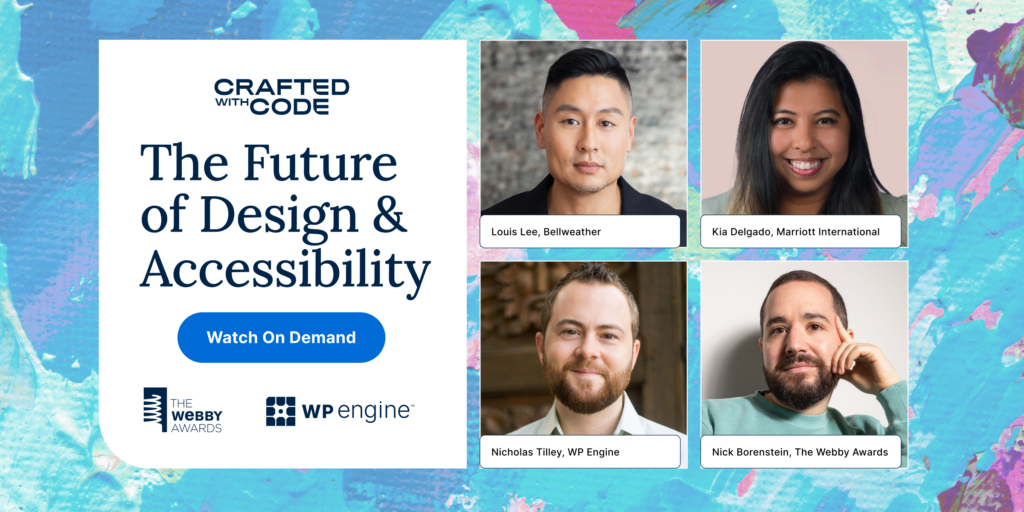
That’s why, in the latest Crafted Future event presented by The Webby Awards and WP Engine, experts were asked to weigh in on the importance of accessible design in the modern age and what it means to design accessible digital experiences. 

Panelists included WP Engine Web UX Design Manager Nicholas Tilley, Bellweather Agency Co-founder and Chief Creative Officer Louis Lee, and Marriott International Senior Interactive Designer for Content Marketing, Kia Delgado. The discussion was moderated by, The Webby Awards General Manager Nick Borenstein.

Read on to delve deeper into what the experts had to say about effective website design and the key elements of accessibility. 

[embedded content]

Finding balance between accessibility and design

Accessibility is necessary in modern web design, but what’s easy to forget is that the foundational principles of accessibility overlap with the principles of great design. 

Lee called attention to this fact during the panel discussion.

“There’s a misconception that accessibility somehow compromises design, but if we really look at some of the baseline core principles of accessible design—strong contrast in colors, strong contrast in type sizes, clear hierarchy—those principles of accessibility are also principles of good design in general,” he said.

Other panelists agreed and took time to highlight the importance of finding the right balance between accessibility and design innovation.

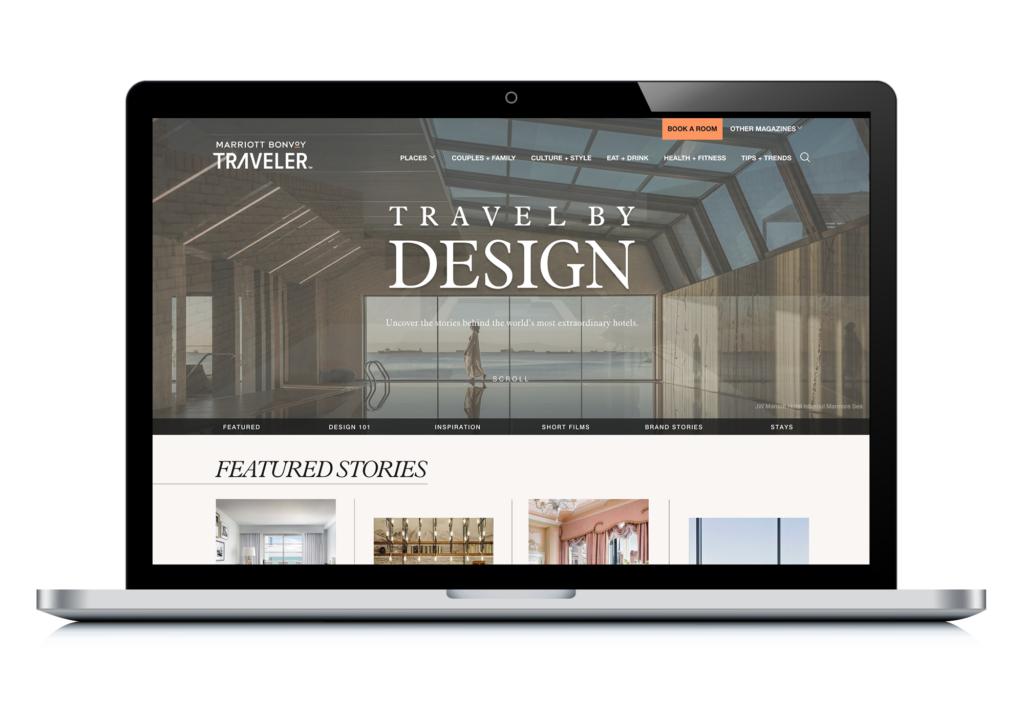
Delgado used the Marriott Bonvoy Travel By Design site as an example of striking that balance. The intent of the Travel By Design site is to increase the end user’s awareness of Marriott’s portfolio of hotels. Marriott Bonvoy owns 30+ brands, so travelers might not even know they’re staying at a Marriott-owned property. 

“We were figuring out a way to balance the design because we have so many different properties that we’re featuring that have all these different looks, but how do we bring that into a space that feels cohesive while letting these images shine?” said Delgado.

“What we landed on was having a more minimal black and white design, so that the photos can really shine, the visuals come through, and the page is easy to navigate.”

The page design helps connect the dots between the Marriott brand and the concept of beautifully designed hotels. For their efforts, the editorial site was nominated for a Webby Award in the Best Homepage category for Websites and Mobile Sites, and it’s being featured in this year’s Crafted With Code showcase as an example of beautiful, accessible design.

Identifying the tools for success

One obstacle designers, especially those on small teams, tend to face when building accessible sites is finding the right tools to build and test their environments. Panelists shared both current tools for success as well as hopes for what the future could bring to further improve accessibility testing.

Some of the resources mentioned include Figma accessibility tools and the Web Content Accessibility Guidelines (WCAG), as well as free content created by accessibility advocates on YouTube. At the end of the day, no matter what tools you use, the most important thing a designer can bring to the table is a willingness to understand the entirety of their audience.

“I think the greatest tool a designer has in their toolbox is empathy,” said Tilley. 

“So I would recommend reaching out to someone who is experiencing or has experienced a disability and educate yourself on what they struggle with so you can understand that perspective.”

When ideating on the potential for future tools, panelists shared the hope that Artificial Intelligence (AI) may hold the key to providing smaller teams with the resources they need to properly test for accessibility. 

“If you give small designers, small shops that don’t have access to user research, a tool that allows them to get that input from users with disabilities—if an AI tool like that could bring that power, could mimic the experiences of people with disabilities—it could bring about more education,” Tilley said.

AI: Accessibility assistant or adversary?

Speaking of artificial intelligence, panelists approached the subject with healthy doses of both skepticism and optimism. 

While AI technology has presented challenges with bias, panelists agreed that, if configured well, it could also be leveraged to aid in accessibility efforts.

“I think AI is one of those unavoidable topics, and it feels really relevant to accessibility. I have a lot of optimism about how AI-powered tools can really aid us as makers in terms of accessibility and web design.” said Lee.

Panelists also grappled with the conflict between the benefits that personalized experiences offer to users and the need to protect the data that makes personalization possible. They agreed that accessibility and personalization can exist at the same time as quality data privacy, and it all comes down to ethical site construction.

“Personalization is sometimes seen as the enemy, but I think it’s great,” said Tilley. 

“It just takes a certain amount of personal responsibility. You have to understand what you want to share and how to protect what you don’t want to share.”

Creating buy-in around accessible design

According to the World Health Organization, about 16% of the world’s population lives with some form of disability. In the United States alone, nearly one in four adults has a disability, as reported by the Centers for Disease Control and Prevention (CDC). 

These numbers reflect a substantial portion of potential website users who might face challenges navigating a poorly designed site.

So, when panelists were asked how they ensured stakeholders’ buy-in for accessible design before building or reimagining a site, they were very clear: accessibility is not optional.

“Accessibility is the law for businesses in their physical realm as well as their digital spaces. Quite literally, by law, you should be accessible. So if CEOs or managers at your company are unsure of it, frame the conversation around proofing yourself for now and in the future against potential litigation,” said Lee. 

“A light but professional threat might be a great way to start having that conversation,” he joked.

An accessible website isn’t just good practice—it’s good business. Studies have shown that businesses lose out on billions of dollars in potential revenue each year due to inaccessible websites. 

And because search engines prioritize accessibility by boosting the rankings of accessible sites, inaccessibility can cause your content to get lost in the shuffle. By taking accessibility into consideration from the jump, you’re more likely to succeed in whatever your digital goals may be.

“It’s a common misconception that accessibility is an add-on at the end—it’s that extra work that you do,” said Tilley. 

“But it’s our job as designers to educate people that it doesn’t have to be that. If we are taking into consideration accessibility in the very beginning—in the design phases, in the execution phases—it’s not that extra time. It’s built into the process. And the ROI is huge because you’re broadening your audience with a minimal amount of investment if you do it correctly.”

What is Crafted Future?

Crafted Future is a series of panel discussions featuring experts recognized in Crafted with Code, a collaborative showcase presented by The Webby Awards and WP Engine that highlights Webby-recognized website work and shares the stories behind the builds.  

Since 2019, the virtual event series has been exploring topics impacting the work of digital professionals as told by top-level experts in their fields. You can find all the previous Crafted Future discussions on The Webby Awards’ YouTube channel.

Craft your future with WP Engine

WP Engine is committed to creating the best, most innovative technologies to help developers build beautiful, accessible sites on WordPress. Craft the future of the web on WP Engine. Check out our plans or talk to an expert about what WP Engine can do for your site!

Press This: ACF 2024 Survey and What’s to Come Copy

Software Stack Editor · July 25, 2024 ·

image

Welcome to Press This, a podcast that delivers valuable insights and actionable tips for navigating the ever-evolving world of WordPress. 

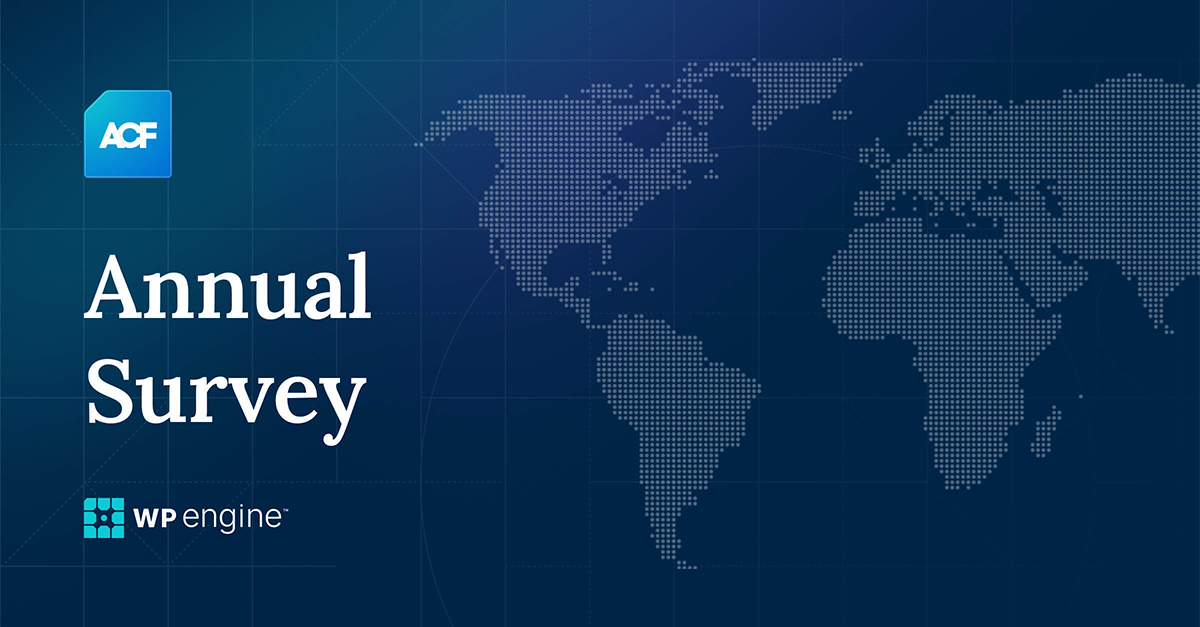
In this episode, host Brian Gardner and WP Engine Senior Product Manager Iain Poulson discuss the ACF annual survey, last year’s results, and what’s to come with WordPress 6.6.

.redcircle-link:link {
color: #ea404d;
text-decoration: none;
}
.redcircle-link:hover {
color: #ea404d;
}
.redcircle-link:active {
color: #ea404d;
}
.redcircle-link:visited {
color: #ea404d;
}

Powered by RedCircle

Brian Gardner: Hey everybody, welcome back to the Press This podcast. In the last episode, Sam and I talked about the beauty of community, why it’s essential, and why your WordPress product and service needs a community wrapped around it. And so we’re taking a pivot this week. However, we’re still going to talk about products, and we’re talking about community. 

And so this week, we will be talking about Advanced Custom Fields. I am joined today by Senior Product Manager Iain Poulson who came over as part of the Delicious Brains acquisition just over two years ago. 

And so, Iain, first of all, welcome to the show. Second, give a little background about who you are and how you play a role in ACF. From there, we’ll overview ACF for those new to the show or the Advanced Custom Fields plugin. It’s been around for several years, and hundreds of thousands of sites use it. So, let’s start with that.

Iain Poulson: Yeah, great. Yeah, thanks, Brian. Thanks for having me. It’s great to be here to chat with you. As you said, I came across it from Delicious Brains two years ago in June. I’ve been working for Delicious Brains since 2014 across the various plugins as a developer, you know, on WP Migrate and WP Offload Media. Then, I transitioned into a more product manager role. Around 2021, we acquired the Advanced Custom Fields plugin from Elliot and took that on.

And then, obviously, a year later, Delicious Brains and all the plugins, including ACF, came across to WP Engine, and I came across and continued to be the product manager for ACF. So yeah, it’s been a wild few years because, as an ACF user myself, most of the sites I’ve built in the past, ever since discovering it, have been using ACF. So it’s great and scary at the same time to be working on such a big plugin with an extensive user base, really well loved, really powerful, but something that I am personally, you know, I love it, I use it. So yeah, it’s great.

And in WP Engine, a perfect home has been found to continue to invest in, grow it, and make it even more awesome. I say that a lot, but it is already excellent. We’re happy to build, work on, and make it even more awesome. So yeah, and this is something we might touch on and could probably do a whole episode on, but just ACF in a WordPress world that has, over the last couple of years, been ever-changing: the block editor, the site editor, the way we build WordPress sites, the way content editors use WordPress to edit their site content, and how the landscape has shifted quite a lot, but ACF is changing and growing with that landscape. So yeah, it’s an exciting time, and ACF is doing well.

Brian Gardner: That is good to hear. So I also came over for full context. Well, I didn’t come over to WP Engine through the acquisition of StudioPress at the time, although I did come a few years later after the transition took place; I also was part of, you know, the acquisition of a product acquisition by WP Engine, and in part, a lot of it had to do with the whole idea of Gutenberg which—so the acquisition took place six years ago, and so our team at Copyblogger wasn’t sure the direction of WordPress and a little bit hesitant on investing as much as we should have given all of the things that we needed to do to compete in the space. And so we decided to sell it at that point. And I will set the table even more so because of the stuff I have historically done through WordPress.

I am not an ACF power user or power developer. I know enough about it because it’s been around forever, and I’ve been around WordPress forever. And so I ask this question mainly for the folks who might be new to the podcast or the plugin, but also for my own sake: What is ACF, how is it powerful, and why was it widely adopted? Then, we’ll use that to introduce where we’ll stop and start over that sentiment. And then, we’ll dovetail into why we’re here on the show, which is what most people will get excited about.

Iain Poulson: Yeah, sure. Yeah, ACF is one of those plugins that I think most people who have come across it and use it now would think, can think back to the time that they were either shown it by a colleague or they were explained about it by someone else, and they had a kind of a light bulb moment of, that’s what it does. That’s why I want to use it. And it’s one of these things that, being a big plugin, you would have heard about it but not necessarily used it. So, having that moment, and for me, that was when I worked many years ago for an agency building WordPress sites.

I think, obviously, back then, block edits were slightly different, but back then, when it was just the classic editing interface, you know, you were editing a page or a post or a custom post type, and all you had was the post title and the post content field. And that is the TinyMCE editor, the WYSIWYG field. But not all data, like the things people have on websites, fit nicely into that title, text field, and text area, tinyMCE editor. 

So, people have been doing this with custom fields for ages in WordPress. I’ve created a custom post type for a movie, and now I need to add some other data that just doesn’t fit into that. I need the year it was created and the director; I want to add some structured data.

As a developer, I always looked at what I could build with WordPress. You could add meta boxes to the editing area, save that data when it gets added by an editor, and code all that out because WordPress has those hooks and filters. And, as a developer, you think, great, I can do that myself. But then, as soon as you realize that there’s a plugin that allows you to create this editing experience by saying, right, well, my movie post type, for example, I’m going to carry on with the movie analogy, the movie post type needs 10 bits of other data.

So, ACF allows me to create: Here’s a text field for the year. Here is a dropdown showing all other custom post types of directors I’ve already made. I’ve filled out many director people, and I can drop down and select the director from there. You’ve got lots of different editing experiences for those data types. So, it selects checkboxes, radio buttons, true-false switches, simple text fields, text areas, and WYSIWYG fields.

Then it becomes more powerful, and, well, here, I want to select some images for this movie. You can put in simple image fields or a gallery field type in ACF Pro that allows you to select multiple photos. You can put a video link, a YouTube link for the trailer, and all this stuff you wouldn’t have in WordPress when editing a post type. So you have this: ACF is like a three-part tool where the first part is the developer or the site builder defining all these fields and saying: right, well, I want these fields in this field type, and I want it to show up when you’re editing the movie type, post type. 

And then you’ve got the second part, the editing experience. Now, you can be a content editor; it might still be the same person who’s built the fields. Still, it might also be a different person who will go and add a movie or edit a film. They get this utterly different editing experience where it’s not just post title and the field; it’s everything else. The ten fields have been defined for you, and you can populate that data. And then you’ve got to show that data on the frontend. So, in classic templates, you’d be bringing in that data that’s been saved, and you would be showing it in your single hyphen-movie.php template.

That level of control of designing and editing experience is excellent, and then using that data is just mind-blowingly simple. And when I was working for an agency, I just thought: wow, okay, I get this now. And I love the power that WordPress gives me to put in custom things, use hooks and filters, and have that developer ego of, well, I can build this myself. Still, what is the point of doing this when it already exists and I’ve got this easy interface to create the fields? Then, it puts this interface for the editing experience, which would take me a long time to make as a developer. And it’s reusable.

You don’t necessarily have to use the interface to create and define the fields. You can do it in JSON. You can do it in PHP, making it easy to store it in version control and copy and paste it between projects. So yeah, there’s a tremendous amount of power that comes with just being different, and this is the thing I’ve thought of ACF as a developer tool to make developers’ lives more accessible for a long time. Still, it gives developers the power to create an incredible content editing experience for site editors. These people are, you know, the authors, the admins, the people that will be, you know, adding those post pages and custom post types.

ACF is a powerful tool that allows you to make those editing experiences great. And now we’re in a block world, a Gutenberg world, and 5.0 dropped. Was it 2018 or something like that? Elliot created what are called ACF blocks within ACF Pro. It was a way of creating custom blocks for the block editor with just PHP with fields; maybe you want to add some data to these blocks. 

So when your editor makes their content, they drag a block on. They need to fill out an image for the hero, a title, and a text area for this hero sort of block; as it were, you use ACF to define those fields, and then you create a PHP template to render the output that gets shown in the editor and on the frontend when the site’s viewed.

ACF has moved into the block world as of 2018, and that seems like a long time ago, but you know, it’s still relevant today in a block and a full-site editing world. So yeah, it’s all about editing data, and those sorts of editing experiences are even better and more accessible for developers; that’s the thing because it’s super simple to get started, even in creating custom blocks. If you need to get more familiar with ACF, there’s much to dig into.

Brian Gardner: It is no secret that I advocate for the future of WordPress in the sense of the block editor, block themes, and all of that. I also host a call weekly on Fridays called Build Mode, where members of the WordPress community, agencies, freelancers, and product builders show up. It’s an unofficial mastermind where we talk about things, some personal, but also like WordPress, the changes, how it relates to our business, and so on.

Believe it or not, as I advocate for the modern WordPress experience, the block editing experience, and using the site editor to build websites, the number one reason I hear people say, I’m not ready for it yet, which I continuously hear. It’s sometimes exhausting, but it’s also really inspiring because there are many people who, I think, and we’ll get to this point later today. So, the number one reason why people are hesitant to dive into the WordPress block editor is that the whole experience is not because of other page builders.

It’s not because they use Elementor or Bricks, Oxygen, Kadence, or whatever, even though I always hear that. The first reason is that I have my own system and use ACF to build my websites. I can’t do it without ACF, which is excellent from our perspective. Because it means they’re customers, they’re using the product. 

And I’ll admit, even a few years ago, I wondered what a block-based world would be, and I don’t answer this question because we want to dive into the matters at hand first: what does it look like to intersect ACF in a block-based world? Does one cannibalize the other? Do they coexist? Is there a way for them to work harmoniously?

And again, I’ll let you speak to that, and I’ve been encouraged by what I’ve seen from the team within the last few months, up to a year. But before we get there, the reason we’re here, one of the reasons, and this helps us determine the roadmap of where we go, is this thing called the ACF Annual Survey. 

Now, correct me if I’m wrong, but I believe last year was the first year that we put it on, and so I’m going to ask you, what is this ACF survey, why does it matter, who is it for, and how do we use the information?

Iain Poulson: You’re right; last year was the first-ever survey of ACF users. We’ve touched on it and the massive ACF user base already. Over 2 million active installs for the free version on the WordPress.org repository. We’ve got a more significant number of that for Pro installs. We’ve got a huge user base, and the community is excellent. We’ve got forums, we’ve got Slack channels, we’ve got Facebook groups, multiple Facebook groups. We’ve got a flourishing and helpful user base.

But we’ve also touched on the fact that there’s quite a diverse spread of how people use ACF. You mentioned it a minute ago: people use ACF in their way of building. It’s a site editing experience, like a pseudo-page builder. It’s typical with the flexible content field that you get with ACF Pro. That’s one way people use it classically, just populating and putting fields on the edit post screen. You’ve got people that use an Elementor on other page builders. There are a massive number of page builders out there who integrate well with ACF.

So, you’re using Elementor to build your sites, but you need structured data and extra data, and ACF and Elementor work well together. And as I’ve mentioned, we’ve got people building custom blocks with ACF. So they’re in the block editor world. They’re using WordPress in this modern way but using ACF. WP Engine has headless WordPress with Atlas, and ACF is kind of fundamental to that technology stack of modeling out content and putting that data into content models, custom post types, that is, custom fields, and using that data through WP GraphQL to put that into a headless frontend.

We’ve got what we say in our Chat Friday sessions, which are our two weekly open office hours, every two-week session. There are many ways to use WordPress and many ways to use WordPress with ACF. So, from our point of view, we want to support everybody in their ways of doing WordPress site building with ACF, but we don’t have an understanding of how that split; maybe if you say we’ve got five different ways to WordPress with ACF, what does that number look like?

How are people using the product? Are they just using it for custom fields? We added custom post types and custom taxonomy registration last year. There is a form element of ACF. As product people, especially product people within the WordPress space, we don’t understand usage, like telemetry data and WordPress.org for free plugins. It only gives you a little. So it would help if you rolled your own, which we still need to do.

So, the survey was an idea that we had internally. We just thought, do you know what? The user base is so extensive that we could have an excellent data set here to understand not just ACF plugin usage but also the landscape of WordPress development right now. Year on year, if we do this annually, we can see changes. How are people building with WordPress?

We asked questions like: Are you a freelancer? Are you an agency? Do you work with brands? How many sites do you build? What type of sites are you building? Are you building classic WordPress sites? Are you building block-based? Are you a page builder? Builder? to try to get that picture of WordPress usage. 

But then we dive into more specifics around ACF to say: Here are all our field types; let us know how often you use them. Here are the ACF features; let us know how often you use them. Here are third-party ACF extensions; like do you use those? What are the page builders you use? 

I aim to understand how ACF is used and by what kind of developers it is used. So yeah, it went out last year. We had a good response. We tried to shout about it in every place possible within the WordPress ecosystem, and we had over 2,000 people take the survey, for which we were blown away and very grateful. We’ve got the results. We can link these in the show notes, but we’ve got the 2023 results up on the website with complete statistics of what was answered and a lovely infographic showing all the details. And we’re rerunning it this year.

So this is a call to all ACF users listening. Please take the survey and let us know again how you use ACF. We’d love to see how that changes year on year. To answer one of your specific questions there, it’s for anybody who comes across ACF in their day-to-day life. It will predominantly be ACF developers, people who build websites with ACF. People may be using ACF because they’re content editors and know that ACF powers their site. So that’s good to hear, but it will predominantly be people building with ACF. The survey, for us, is primarily from a product point of view. It gives us an excellent idea of where to focus on development for the future to help shape the roadmap.

If, for example, one feature gets much more love than anticipated, we can double down and add more. Or, inversely, we can ignore things a little bit more if they’re not as used as, you know, actual data usage, which I think is helpful to shape the roadmap, of course. The survey is one of the channels of information we use to prioritize features and improvements in the coming months, quarters, and years. 

We get a ton of stuff through email, Twitter, and everything else, but the surveys are excellent and a good place to get that data. It’s exciting to see how things change year after year, especially with the changing landscape of WordPress and how people will probably move to a block and a site editing experience as time goes on.

But yeah, it’s beneficial for us. We would appreciate your help if you’ve got time to take it. It should take less than 10 minutes, depending on how quickly you go. But yeah, that’s the survey. It’s open now. We’ll put the link in the show notes. And we will be running it. We’ll be there until the end of July. And then, we will go away and crunch the numbers and work out a new blog post with the results to share. And that’s likely to come a couple of months later.

Brian Gardner: So if you are an ACF user, power user developer, or anybody building a site and want to help us steer the future of the product, as well as yourself, also help steer the product. We’ll put links into the WP Engine blog post transcript to house this particular show. But if you’re listening and just Google the ACF survey, the number one result comes up. That’s the easiest, quickest way. So, as you’re listening to this event, just Google the ACF survey. Iain is typing it in to confirm that what I’m saying is true.

Iain Poulson: Yeah, I like that. Dominating the search and search results, yeah.

Brian Gardner: Yes, SEO for the win. So go ahead and fill that out. And again, he said, we’ll wrap this up towards the end of the month. Let’s talk about two things regarding the time that we have left. 

Let’s talk briefly about what we found and what our team discovered through the 2023 survey. So maybe some high level, some statistics, perhaps a nugget or two of things that you and the team weren’t expecting, but came back as a, you know, a mass cry to do X. And then after that, we’ll talk a little bit about like, what does this look like as we go forward, right? 2024 and beyond—we’re halfway through 2024.

WordPress is moving as quickly as it doesn’t feel that way, but because I sit in GitHub all day, I see all of the motion going through the WordPress block insight-building experience. So, we’re in hyperdrive right now with the development of the product as a whole. Let’s talk about the 2023 results a bit, and then what does this look like without Getting too much in the weeds? What does ACF look like moving forward?

Iain Poulson: The survey from an ACF point of view was good to hear some overall statistics around people saying that ACF is essential to their development workflow and that 90% of people said it was important to their workflow. 70% of people use ACF on all of their WordPress sites. So it’s not necessarily a tool where you pick and choose for different sites. It’s foundational to the site build. We’ve got this.

It was a good one, so we can talk about it more. We were asking more general questions about WordPress, and 91% of people said they’re likely to continue building with WordPress, which I found a pleasing statistic because, you know, I’ve been in the WordPress world for ages. ACF is part of WordPress. WP Engine is part of WordPress. As WordPress people, we want WordPress to continue to grow and thrive. It helps because we want to build sites with WordPress, but we have products that rely on WordPress.

I’ve had issues with WordPress’ direction in the past, sort of Gutenberg, and how things have moved quite quickly, and I think those are unsettled people in general with WordPress. I feel like the block editor and the site editor have reached a level of maturity now that people are becoming much more comfortable with it. Seeing that 91% of people are going: okay, there is no fundamental flaw here in terms of people going; I’m just going to use some other great CMS because WordPress is still that great CMS. Seeing that positivity moving forward was interesting.

And other things, from a developer point of view, 63% of people use version control for their code base. That’s almost a surprisingly high number because I thought many individual developers still needed to be convinced why version control or using Git was a good idea, but that’s a high number, and that’s good. Going back to ACF, 98% of people are comfortable updating ACF to the latest version, which is a testament to the team in terms of people not being too worried about bugs or issues when they update. There’s that level of security, especially if it is treated as a foundational plugin in their stack. So they depend on it being reliable, but that’s a good, I guess, kind of a customer satisfaction score.

Talking around it, with WP Engine products, 40% of people use Local for their site development. So, the Local application for developing WordPress sites locally, which is part of WP Engine’s sort of family of products, is excellent to hear. And I think, you know, it’s still the best, and it’s still something I use. WP Migrate is high up there under the question of what the most common deployment method is.

Sadly, FTP is still pretty high, with 62% of the respondents saying FTP, but WP Migrate was a plugin that got 25% of the votes. So yeah, there’s some exciting stuff in that 2023 survey. 

And seeing the difference over time, especially this year, will be interesting because, yeah, as WordPress people, I think you live in a bit of an echo chamber on Twitter. And as you say, you’re in GitHub a lot for WordPress development. You get a little bit wrapped up in that area. But if we start seeing massive changes in the satisfaction of WordPress or the satisfaction of ACF, I think the survey is the best place to gauge that. So yeah, I’m looking forward to seeing the results this year.

Brian Gardner: I’ll mention this during our Build Mode calls, as most of the people who are on those calls, we usually have 20 to 25 every single week. Almost all of them use ACF because whenever I talk about something, somebody says, well, when I use ACF with X theme or builder or whatever, it’s fun to hear people’s experiences. 

And again, I think you mentioned this earlier. It is a very loyal group of users. Because in WordPress, right? We saw that with the Genesis framework. We see that with even people using Local. When people find their stack, and it works well, they will fight for it. And so, that being said, let’s, let’s head into 2024 and beyond.

You mentioned that there were ACF blocks. What does it look like? I can only imagine, to some extent, that there might be some people who may feel that there’s a threat to ACF because of the direction of WordPress, and I don’t necessarily think that’s true. Many people may think that because it has to be one way or the other. But as you said earlier, something that Sam, our colleague, always says, there are many ways to WordPress, make everybody feel comfortable by telling us that ACF is not going anywhere, that there’s a great future as it coincides with the development of WordPress, and so on.

Iain Poulson: Yeah, yeah, exactly that. It’s not one way or the other. It’s not ACF or WordPress blocks. ACF Blocks is a feature that, as I said earlier in 2018, Elliot got just before WordPress 5.0 dropped with Gutenberg. It was arguably the bridge that Core could have done at the time, but there was a big push to React, and blocks are built in React.

And there’s a vast upskilling that is required from developers to suddenly go from being a PHP-only CMS, apart from a HTML and JQuery and CSS, to suddenly diving straight into building things with React. So ACF blocks are that bridge for people who want to develop custom blocks for the block editor just with PHP, not having to dive into React and React tooling, and making sure things are compatible as Gutenberg versions roll into Core very quickly.

Core changes every time now, and there are backward compatibility issues if you’ve built on custom blocks. However, the ACF blocks feature is probably as we move halfway through 2024, and the block in the site editor is a big part of WordPress. ACF blocks are probably our most prominent feature of ACF Pro, the premium version of ACF because it is now an indispensable tool for people to move into the block world.

And as we talk about many ways to WordPress, some people are, and I think Brian, you there, are very much a Core native WordPress person; you’re building custom blocks the way you want them, or you create with native blocks. But there’s undoubtedly a vast number of ACF users and agencies that don’t want to spend the time and money building everything custom in React. They’ve got a workflow in ACF that has matured and crossed over into the world with ACF blocks.

So they know that they can rely on ACF as a tool to create custom blocks. We take care of the compatibility. So, if you build a custom block with ACF blocks, it won’t break in between WordPress versions because we are handling that sort of compatibility layer. We make sure things don’t break rather than you having to do. However, the speed of block development with ACF blocks is much faster; therefore, it will be cheaper. You do not necessarily have to hire React developers. You can continue to use the same developers you use.

The surveys were another excellent data point for us to understand that actual block usage with ACF blocks is extensive. It’s bigger than perhaps I thought initially. 50% of people using the block editor build blocks with ACF blocks. The survey is for ACF users but could be ACF-free and for pro users. However, a large number of folks are building with ACF blocks. In the last two years, I’ve spoken to multiple large agency buildings of enterprise-level WordPress sites with ACF blocks at the heart of their stack.

So yeah, ACF is going nowhere. If anything, ACF will do what it always has done:

  • Enrich WordPress.
  • Make it more accessible for developers.
  • Make it easier to develop.
  • Make it a more rounded CMS with the ability to add structured data and custom field data, and make it much more accessible than WordPress allows you to out of the box.

As that changes, we will continue to grow and build with the block editor.

We had it in ACF, and I can’t remember exactly what it was. It was 6.2, our version was compatible with WordPress 6.5, and we had block binding support. So, if you wanted to use the block bindings functionality that came into WordPress 6.5 to bring custom data to block attributes or block values, you could also extend that to ACF custom data.

So, we’re always following Core as closely as possible and ahead of time. We’ve got a couple of developers or engineers on the team who are very active in Core. Gutenberg, GitHub repos, we understand what’s coming and ensure compatibility with the block bindings API and the interactivity API. We’re testing with WordPress 6.6 and ensuring ACF blocks will always work. We’ve got stuff coming in ACF 6 .4, our next major version that will be coming later this year, to improve ACF blocks even more.

The historical nature of ACF Blocks and the technical debt that I guess you have gotten over many years since 2018 means that the editing experience of editing for a content editor using ACF blocks isn’t as aligned with the Core user experience and sort of the UI interface as we’d like, but we’re making a push to improve that in 6 .4 for ACF. So, editing text fields and text editor fields will be much more of a native experience than you would expect for native blocks.

We can create custom blocks and register them in ACF’s UI. So, rather than registering it in PHP, make your PHP template on the side and maybe create the block definition with the block .json format we support. That allows us to ensure that ACF blocks always inherit all of the settings, attributes, and goodness of native blocks.

Instead of doing that all in code, if you are a kind of a, you prefer to point and click in the UI, like we’ve added support in ACF 6.2 to register options pages only in the UI; you don’t have to use code. Doing that for custom blocks will be game-changing for these people. 

So that’s coming in 6.4. So, we want to continue making ACF the only thing people will always install if they use it for custom data. It doesn’t have to be a decision of like, well, I’m building a block-based site, so therefore I can’t, no, it’s the place you go to develop custom blocks, and it’s quick, it’s simple, and yeah, we’ll continue to make it as compatible as possible as WordPress grows and we grow.

Brian Gardner: If I boil this down to three things, show everything we discussed. These are those three things. 

  • One, there are a lot of people using ACF, which is excellent. 
  • Two, we have a survey that is out currently, demonstrating our commitment to investing in the future of ACF and where WordPress is going. So those two things are powerful. Having a developer community and a user base of folks willing to take a survey and help dictate the future of the product is fantastic. 
  • The third thing that I mentioned is that the future is bright with WordPress and with ACF. 

We’ve got engineers here on our team who are dedicated, as Iain said, to follow along with the project and are on the frontline development of both WordPress and our ACF product. So, in a nutshell, is it safe to say that it’s all good? But bumps will happen for those wondering what ACF’s future looks like in a WordPress block-based world. I think we’re good. 

You’ve convinced me not to need it because I know what’s behind the scenes. However, I hope that people who are using ACF will continue to use ACF and feel confident in their decision. It powers millions of websites. It’s used by thousands or hundreds of thousands of users.

And so it’s kind of a freight train that’s just in motion. It has been for some time and will be as much as we can look into the future.

Iain Poulson: Your three points are correct. I believe the last thing I’d add is that, as you said, a freight train, we’re moving, we are not standing still, and we’re growing with WordPress. But I think it is crucial to people who maybe haven’t adopted WordPress from a block editor point of view and are still using the classic editor, maybe, or they’re using page builders or whatever. I think we try to make precise every time we speak to customers and users that we’re still pretty agnostic to how we expect people to build. We are not saying that just because WordPress is doing this and we are following along closely, that’s the way we want to force people to build.

We are still very aware that ACF is a Swiss Army knife and are trying to continue supporting people. So, if you’re using Elementor to build with WordPress and you’re using ACF, that is something that we will continue to support. If you’re using the flexible content field to make your kind of simple editing experience for your clients, that will still get investment and improvements. We recognize that the block editor is a big part of the WordPress landscape and will continue to be more significant. So, of course, we’re putting investment behind that as well. It’s just, yeah, we are agnostic, but we’re, yeah, we’re a freight train, not a steamroller. I think I’m mixing everything there, but yeah, that was my last point.

Brian Gardner: That is the majestic mic drop by Iain Poulson, senior product manager at WP Engine, overseeing the ACF Advanced Custom Fields product. Iain, thank you for coming on the show. This helps spark some interest in people taking the survey and dictating the future, which will help shape the future of ACF.

As a reminder, the Press This podcast is where I dive into the heart of WordPress and deliver valuable insights and actionable tips for navigating the ever-evolving world of WordPress. One of the things I get to do here at my job as a WordPress advocate at WP Engine is dive into the community and bring them into the show, which will happen. We will talk about everything from the block editor to building a WordPress business. 

Until next time, thanks again for listening, and take that survey.

Press This: A Shared Vision for a Faster Web

Software Stack Editor · July 25, 2024 ·

image

Welcome to Press This, a podcast that delivers valuable insights and actionable tips for navigating the ever-evolving world of WordPress. 

In this episode, host Brian Gardner and NitroPack Co-founders Mihail Stoychev and Georgi Petrov discuss WP Engine’s acquisition of NitroPack—what it means to customers and what’s next for them.

.redcircle-link:link {
color: #ea404d;
text-decoration: none;
}
.redcircle-link:hover {
color: #ea404d;
}
.redcircle-link:active {
color: #ea404d;
}
.redcircle-link:visited {
color: #ea404d;
}

Powered by RedCircle

Brian Gardner: Hey everybody, welcome back to Press This. I am your host, Brian Gardner, and today we have an extraordinary episode. We have historically brought in guests from the community, and today is unique because we have an agenda to share. Many of you who have followed WP Engine may know that we announced last week that WP Engine acquired NitroPack.

Today, we have very special guests, co-founders Georgi and Mihail, joining us to talk a little bit about the acquisition but, more importantly, about NitroPack itself, what it is, why it exists, and who it’s for. We want to share that with the audience because the founders behind the product have a great story, and the co-founders will share that.

Before we start, Georgi and Mihail, I will have you introduce yourselves separately; give us some context regarding your WordPress origin. But before we go there, congratulations. Congratulations to you both on a well-deserved acquisition. I know from personal experience, specifically with WP Engine acquiring StudioPress and our Genesis framework, that I have sat in the same seat you guys are in.

So I understand it’s a busy time and a lot is happening. So, thank you, first and foremost, for taking the time to be on the show. Mihail, let’s just start with you. A little bit of your WordPress origin story and then Georgi, and then we’ll get into how that led to NitroPack and go from there.

Mihail Stoychev: Hey Brian, thanks for having us. Pure pleasure. It’s been hectic last week, let me tell you. Talking about being very busy, we have been trying to be on the busy side for the past 14 years with Georgi. How NitroPak came to fruition: we had a big customer with a busy eCommerce website operating in the Middle East. That was back in 2011, 2012. So, we were working on a platform called OpenCard. And that was a platform of choice for this customer in particular. And the store was great. We made it. It was okay. But the speed around the website was never where the customer wanted. They would always complain about different types of fallbacks and other experiences, causing churn. So, what we did is we said we knew how to solve this. We created NitroPack. We called it NitroPack because it combined more than one optimization metric. So, we would smash and optimize the images.

So, we will minify the resources and take care of the CSS and HTML, and since it has more than one feature, we call it NitroPack. We created this concept in 2019 for WordPress since this is where the market is. We love open source and serving a much more extensive array of customers, which is how we came to exist in the WordPress store. Let Georgi continue the story from there.

Georgi Petrov: Yeah, just building upon what Mihail said when we launched NitroPack IO in 2019, what we wanted to achieve was to offer an all-in-one solution because it was too challenging to have CDN on one side, image optimization on another side, caching on a third side, and fonts optimization on the fourth side. So, we decided to combine everything in one product and go with NitroPack IO. So this is how the current and the big version of NitroPack was born, NitroPack IO.

Brian Gardner: I have been building WordPress websites since 2006, and one side of the web that I’ve never really gotten into is sort of this whole caching and speed and CDNs and stuff like that, mainly because I have never needed to use any of that. So because of that, I’m always a little bit behind the curve on understanding how caching works and how page speeds, things are compressed, and all of that stuff. So, it’s been fascinating for me to dive deeper into this once we announced the acquisition. And so, I’m curious about the creation of NitroPack. If you guys don’t mind, Georgi, we’ll start with you and then Mihail. Before NitroPack, what was your experience with WordPress, and how did you come to WordPress ahead of even the idea of creating NitroPack?

Georgi Petrov: Thanks for the question. We all witnessed fantastic progress in the WordPress ecosystem. My first touch with WordPress was in 2007 or 2008 when I built a WordPress website. Things have changed a lot since then. I also co-organized the first WordCamp in Bulgaria, where we invited Matt in 2009 or 2010; I am trying to remember the date.

And yeah, since then, things changed a lot, and since then, like me and Mihail, we started doing open source freemium, then we moved to SaaS in the software world and back to 2000. In 2018, we crossed paths again with WordPress, where we identified that NitroPack IO could greatly benefit WordPress as a platform by creating synergies by combining all the products available at that time in the market. Yeah, success was pretty close to launching. Since we launched, the community and the users have appreciated our solution, and it has started growing on a self-serve basis, completely like an online solution, an online marketing solution out of Bulgaria.

Mihail Stoychev: My first touch with WordPress was the website we built for my mom. I love you, Mom. We built that in 2012 or 2013. I can’t recall the exact year, but the website remains the same after many years. We’re just updating it. So it comes to speak to WordPress’s impact on the whole ecosystem, the whole internet.

Many things we take today for granted wouldn’t be here if they weren’t the stepping stones, and I believe WordPress is a huge stepping stone for everyone to appreciate today.

Brian Gardner: It’s funny how WordPress back in the day was so simple, and then it became complex and then offered just with it being open source, so many options and availability to sort of build into it and build out of it, which is undoubtedly what NitroPack is. I will admit this, I said. Being a novice when it comes to this sort of thing, what I love most about it is likely the foundation of the success you guys have had.

I’m going to read your website’s article about NitroPack. Because I think we should spend a few minutes just talking about it. And so, your website says NitroPack is an all-in-one cloud-based site speed solution that optimizes WordPress, WooCommerce, and custom-based websites. And this is the catch. It requires no coding or tech skills, so every website owner can set it up and see improvements in less than three minutes.

Now, that is a bold claim—one that I certainly think again helps with anybody because, like me, you don’t need the skills to do it. And as we’re sort of in this no-code WordPress evolution, let’s talk a little about the behind-the-scenes part of NitroPack. Like what exactly it does and then go into how it works and how a user can set it up and

I mean, it’s practically for anybody who owns a WordPress website and beyond; I realize that you guys, from my understanding, NitroPack and sort of the technology work outside of WordPress itself. Let’s talk a little bit, maybe Georgi; I’ll ask you specifically about the meat and potatoes, so to speak, of NitroPack and how it impacts websites.

Georgi Petrov: Great. Well, we are very different from everything else out there. We are different in how our technology is designed, which makes us very different.

So, when designing NitroPack, we boldly decided to remove all the heavy lifting and optimization operations from the hosting provider and put them on our servers in the cloud.

That was an excellent strategic and architectural decision because it allowed us to scale and apply much more significant optimizations than any other solution could provide. So, for example, heavy image optimizations, video optimizations, HTML optimization, and anything that is super heavy and cannot run on shared hosting providers are with us.

For the world, we are simply an API, and we have a simple WordPress connector that connects to this API. We do all the heavy lifting. We have our crawler, which crawls your website the way Google crawls your website. We index the website through different devices, create device-specific versions, and, in the end, the result is device-specific lightweight HTML files directly served to your visitors from us produced for you. That’s more or less how we operate and what our value is.

Brian Gardner: Now, at WP Engine, we found the value in partnering with you ahead of the acquisition. I don’t remember exactly how far back this goes, but we launched Page Speed Boost to our customers, which is a part of the technology behind NitroPack. We implemented that in a way that our customers could take advantage of, which gave us a value add and put us ahead of the competition.

Mihail, let me ask you this: Do you know the origin of that first part of the partnership? Can you speak to that with the current iteration of Page Speed Boost via NitroPack and what that means for our customers, specifically right now? Then, we can move into what’s next and what’s to come.

Mihail Stoychev: Yeah, that’s a great question, Brian. Thanks. We started based on our shared DNA that WP Engine’s fast hosting. Then NitroPack is a product that helps speed up many things to put some data behind this. So, there is this portal called Google Data Studio. Here, you can compare how the different platforms and caching solutions rank regarding passing Core Web Vitals. What are Core Web Vitals? This is Google’s way of showing how users experience a website once they land on it. So, this is slightly different from PageSpeed, which is a score. It’s an integer between one and 100.

Based on this score, you see how fast your website loads in a shared test. So it’s not like the real users, but it’s like a server that simulates how fast your website loads. This is the most important way for Google to see how users perform once they land on your website. So this is very, very important for us.

As we realized when we initially started talking with the WP Engine folks, it’s also quintessential for the WP Engine. When designing NitroPack, I could only step on what Georgi said. We realized that most users want to focus on creating a successful business, a successful blog, a successful news outlet, a gallery, a self-representation website, and a name, and they want to be as simple as possible. So, we designed NitroPack initially with a straightforward setup. You register on our website or download NitroPack from the WordPress extension directory, and then you create an account, click one button, and select the mode in which you would like everything cached. So please take it as the drive selector on the car.

Where you have comfort, you have fast, we have nitro, ludicrous modes, different modes, depending on how aggressive you would like to go, and then you’re all set. So this is where our promise for three minutes comes from. When we initially started thinking in the same direction with WP Engine, our cornerstone decision was, can we make a solution that is as simple as possible for the end user, where they can get immediately visible benefits on the way that their website loads and this should happen with a single click of a button? So this is how we came up with NitroPack OneClick: You need only one click to set it up. WP Engine loves our proposed solution, and this is how PageSpeed Boost was born by NitroPack.

The WP Engine audience took it very warm-heartedly. We saw significant adoption and benefits but only a little support, which is always good. So this is when we knew that, all right, this thing works. And we’re super happy to pilot it with one of the best hosting providers.

Brian Gardner: Well, we certainly appreciate that. One of the things I love most about WordPress and the open-source community is that there are so many different ways to be a part of it. And because it’s such a complex ecosystem for me, I love design. So it is my goal to beautify the web and to make it more beautiful, obviously functional,

You know, with you guys, it seems like, you know, you’ve set out to establish a faster web that loads more efficiently, which is more delightful for users to experience a website, obviously for things like Core Web Vitals and PageSpeed and all of that. It also accomplishes that. Do either of you have some origin story for what made you care about making the web faster?

Mihail Stoychev: I think we both do so. Georgi, why don’t you go first?

Georgi Petrov: Yeah, so we do have an origin story, and this story changed over time because the web changed over time. So, the problems we were facing on the web in 2013 were, I would say, about 50% different from the problems we’re facing right now in terms of performance. But the bottom line for us was that we wanted a more desktop-like experience on the web because the internet connections were slower then. So, it was an obvious problem to solve.

Also, browsers and computers were less capable, so it was straightforward to understand that it needed to be solved but could have been more easily solvable. Techniques like putting all the images into one image, loading only one resource, and showing only part of the resource on the front end were huge differentiators that improved the user experience.

In 2024, this performance site of web loading converted more to a user-centric performance, which means that now we are analyzing things like how the user is actually experiencing the web page, whether we are serving the visible part first and then delaying everything non-visible, and whether the user is interacting in the right place.

Is he getting responsive interactions and things like this? So, this is where the current performance focus is. In all cases, our focus is on helping the users experience faster loading, which has been our biggest motivator since the beginning.

Mihail Stoychev: I rate this 10 out of 10 in terms of a response. If I have to go back to when we started, throughout the evolution of humanity, people always wanted it bigger, faster, and better. So this is how we build this as a stepping stone towards what we try to achieve. We know how important it is to make the web faster.

After all, this was one of Google’s credos as well. They made it not only accessible, but we believe that they tried to make it faster as well with platforms in the face of WordPress as partners. We wanted to give our input into making this mission a reality. We chose speed in terms of a domain, and we just gave our best to be the best at it.

Brian Gardner: I appreciate what you guys have said, and Georgi, I really kind of love the call out of starting with desktop and transitioning to mobile because every aspect of WordPress, whether it be, you know, page loading or even design, you know, again, as a designer, the whole idea of responsive design mobile first and all of that sort of hits that that that crux of when things some switched over from like 50 % desktop to 50 % mobile and

It’s amazing. Especially going as granular as e-commerce and WooCommerce and ensuring things load fast from a search and user perspective. I appreciate the emphasis on following the trend of viewership on what devices. Again, mobile-first responsive design, intrinsic design, and all that, like, is the language I look at this all from. And so I remember even during the Genesis Framework days when we switched to a mobile-first style system. And, of course, the evolution of Gutenberg, the new block editor, and WordPress also has room for improvement, as we all can agree. However, the intrinsic nature of that block editor serves up the ability for people to design and build their websites.

With the time we have left. I want to shift over a bit into a Page Speed Boost for the acquisition. I will quote from our announcement about the partnership with WP Engine.

And so, having sold companies before, we’re highly selective about who we do business with, and our journey with WP Engine has reaffirmed that they’re the right fit for our team, our technology, and our customers, all of which are critical factors, by the way, at least when. I’ll jump into that quickly. So, for those listening, there are many considerations when you sell a company. Is the thing I’m selling getting valued? The money part of it matters.

But also the fit, the sort of transitional piece. In other words, will the company do what I hoped I could do with my product but decided I didn’t want to do it by myself or needed someone else to take the baton and run with it? In other words, are they going to see out the vision? And then also, and for me, this was crucial, and it was a delineating factor as to why the people mattered when we sold StudioPress to WP Engine.

I’ve always been a people person. I know you guys are people, people, people also. It sounds funny. But when I sold WP Engine with StudioPress, we had a relatively small team; maybe there were 15 or 20. The five of us partners decided not to come over with that transition. But the people who made up StudioPress, those who made it a success, the ones whose families depended on it, I insisted it was a deal breaker.

And so let’s talk a little bit less about the specifics regarding the money because that’s not important, and indeed, business is only between you and the company. But let’s talk about the decision to sell, kind of how you guys as founders came to that. Maybe some of the process. I wrestled with it because it was my baby when we sold, and handing that over is not always easy. Let’s talk a little bit about the process of the acquisition and then head into what’s next for both Nitro Pak and the people. I mean, you have a lot of folks on your About page, people who are part of the NitroPack company in various fashions.

We are infusing a few of your folks into our marketing team, and I’m looking forward to meeting them. And then a little bit about what’s next because I know what’s next for you guys is a little different than what’s next for NitroPack. So, let’s start with that. Mihail, maybe talk about how the actual Conversations took place and what considerations you guys had regarding selling to WP Engine?

Mihail Stoychev: In the beginning, it happened much faster than we had anticipated. So we just came from another exit and are on year one plus our journey. We got approached first to see if we could do something together.

We always believe this is the right way to be like a vet on culture. The same thing that you mentioned, Brian, is how you think the other side will be, you know, in a relationship because an acquisition is a relationship. Partnerships also involve a specific type of relationship. Things work well with Page Speed Boost and NitroPack OneClick. We started giving this a thought. And our logic was, well, we have Nord of 200,000 websites right now, and WP Engine has 1.5 million. We have 1 million websites as a North Star on our mind. What is the fastest way to go to 1 million websites?

Because, at the end of the day, when we boast about helping make the internet faster and improving WordPress in the capacity of what businesses need the most, we are also constrained by time. So, if we can speed up the process and partner with the best-in-breed provider, would this be a win for everyone?

Someone in a smaller company wanted to grow into a position we don’t have, and then we would tell them we don’t have it, so they would have to look elsewhere. Are we doing this person a favor, or are we just not taking care of them? We also considered the same considerations you mentioned about people on the map, and we thought, all right, what would be best for WordPress businesses?

How can we reach this one million website in the fastest manner? Who can carry on the legacy so NitroPack can continue existing as a tested and true brand? And what can we do to help our folks excel in their careers while we remain focused on something we love doing?

How can we maintain this thing that we are around and that we help avoid mistakes that might turn south and accelerate the mission to reach those goals? Those were the proper consideration parameters.

Is the player respected in the industry? Check mark. Is this a company that has already made acquisitions? So, are they going to take care of the folks properly? Yes. Can we expand the office? We are from Bulgaria, a small country in Southeast Europe. Can we bring a global player to the local market where they can grow and expand?

Last but not least, will this legacy stay, and will we be incredibly proud of where the company that acquired us in this case? We’re happy to say that WP Engine will take NitroPack in a few years, and we can say, my gosh, they’ve made it and even exceeded our expectations.

Brian Gardner: Well, Georgi, before you jump in, I will assure both of you, based on my experience, that the company culture at WP Engine is fantastic. The care for those coming in from an acquisition, in other words, the employees or contractors that come with the acquisition, everybody came over intact. Most of them have been here since the acquisition and have found their way through various parts of the company, just identifying opportunities and being recognized for their leadership skills. And so I love that six years after our acquisition, there are people in the company at very high levels who came through the studio press acquisition and are like proud parents. It’s like I knew my kids, who worked for us, were exceptional, skilled, and unique.

And it took the acquisition and the integration of those people and the identification of their, you know, skill sets and all that stuff. Every day we’re on calls, I love seeing the integration of the cultures, regardless of location, right? Some of ours were on the other side of the globe, which didn’t matter. And we made it work. And I know we have a considerable presence in Europe anyway, and we have a hub office, at least one. I assure you that those coming over with the acquisition will be well cared for.

Georgi Petrov: Thank you for sharing this, Brian. I can feel it. Honestly, I can feel it. It’s already been a few days, but I can feel it and am pleased about our move.

Brian Gardner: Good. One more call out before, Georgi, I’ll ask you. I love Mihail when you said acquisition is a relationship because it is. Often, it’s not; users, community folks, and everybody involved can detect when it’s not. And so I think WP Engine has always, through the acquisition of StudioPress, Atomic Block, ACF, and Flywheel, been like it is and always has been that way for us. So I feel very proud about that part of it. So Georgi, let me ask you, now that WP Engine is the owner of NitroPack and without necessarily going into trade secrets and all of that kind of stuff, where should, and I was asked this yesterday actually on one of our community agency partners’ calls. What does the future look like? What should folks expect from the togetherness that WP Engine and NitroPack will have now? From your understanding, because I assume there’s been some conversation around that, what should users expect moving forward? And then, after that, I want to know what you guys are going to personally do because I know you guys have already committed to working on the next thing, which is fantastic. What’s next for you guys?

Georgi Petrov: That’s a fantastic question because this is the same one for me. First, what do we expect from NitroPack, and where will our focus go? We want a better and more powerful NitroPack within WordPress and put jet engines on the existing NitroPack website. Our solution will stay open for any WordPress vendor out there. Yeah, that’s going to be the focus of NitroPack. And what’s next is actually what’s next complementing NitroPack, so we’re planning to launch a solution called Navigation AI. It was showcased on Google IO this year, and this solution will optimize navigation. It will predict the user’s following navigation, prepare and optimize it, and play well with NitroPack. So this will be a complementing solution, and we’ll continue building and innovating solutions related to actual user experience and improving it.

Brian Gardner: Excellent. Mihail, how about you? What about you guys? Are you guys working together on this project?

Mihail Stoychev: We are, so I think Georgi took the stage to introduce it on behalf of both of us. So that will be our, I don’t know, consecutive company we do together. We kind of already know our good sides. We know our responsibilities. So this is one of the advantages of creating things with Georgi. We have known each other since university.

If anyone out there is listening, they’re contemplating starting a business. That’s a great, great thing. Always look for a buddy you have trust in. And if you’re looking for a hosting provider, look no further than WP Engine.

Brian Gardner: That is the best mic drop we can do here. So, on that note, we’ll call this one a session. Georgi and Mihail, again, congratulations to you both on not your first exit but this exit in particular, as it affects me and the WP Engine and WordPress communities. I wish you guys both the very best in Navigation AI. Thank you for sharing that a little bit.

I will follow that journey to see what you guys are up to and how that works. As a reminder, the Press This podcast delivers valuable insights and actionable tips for navigating the ever-evolving world of WordPress. I am your host, Brian Gardner. I am a WordPress advocate here at WP Engine. I love exploring topics within the community and bringing in folks from the community. I also greatly champion WordPress’s direction with the block editor. We will talk to you again soon. Thanks again for listening. Have a great day.

WP Engine Acquires NitroPack, Extending Leadership in Managed WordPress Site Performance

Software Stack Editor · July 18, 2024 ·

image

AUSTIN, Texas—JULY 18, 2024—WP Engine, a global web enablement company providing premium WordPress products and solutions, today announced its acquisition of NitroPack, an all-in-one SaaS solution for improving site speed and performance metrics, including Google’s Core Web Vitals.

With an installed base spanning more than 219,000 websites, NitroPack fills a critical need as a comprehensive website performance solution that empowers users with intuitive automation for frontend site speed optimizations with little to no technical expertise required.

“NitroPack exemplifies the technical ingenuity and performance optimizations required to meet today’s online demands,” said WP Engine Chairwoman and CEO Heather Brunner. “This single solution can replace multiple optimization tools, and hundreds of thousands of users have discovered its powerful combination of advanced performance improvements and ease of use. We are excited to add this technology suite to WP Engine’s industry-leading WordPress platform and products.”

Innovative, customer-driven results

NitroPack was previously introduced to WP Engine customers with the launch of Page Speed Boost, which leverages NitroPack’s proprietary WordPress optimization technology. The acquisition will further strengthen WP Engine’s website performance capabilities, providing customers with innovative features and flexibility for site optimization.

Since its launch, Page Speed Boost adoption has consistently grown with customers seeing significant improvements in Google Lighthouse scores, which measure Core Web Vitals. These include a 34% average improvement in desktop scores and a 132% average improvement in mobile scores.

Similar improvements have also been seen across NitroPack’s wider customer base. Software provider, OfficeRnD experienced a 12.5% boost in key page conversions and a 10% increase in overall website conversion rate after implementing NitroPack on its website. Additionally, the site’s mobile performance score improved to over 90, and it passed all Core Web Vitals, significantly enhancing SEO visibility and user experience.

These customer results align with NitroPack’s mission to provide easy access to world-class performance, and support its founders’ vision for a faster, more accessible web.

“Over the past year, our partnership with WP Engine has highlighted our shared vision and values. We are both passionate about making websites faster,” said NitroPack Co-founder and CEO Georgi Petrov.

“Having sold companies before, we’re highly selective about who we do business with, and our journey with WP Engine has reaffirmed that they’re the right fit for our team, our technology, and our customers. This acquisition is more than a business transaction, it’s the culmination of a relationship built on trust, shared goals, and a mutual commitment to innovation.”

Differentiated technology

NitroPack’s advanced technology drives impressive results through robust automation and optimizations for superior page load times and overall site performance.

Key features include proprietary speed algorithms, advanced caching, and a built-in global CDN, which enable users to achieve faster load times without writing code or relying on developer resources.

“NitroPack’s technology makes it easier to ensure faster load times while giving developers time back to focus on more important projects,” said WP Engine SVP and Chief Product Officer Ezinne Udezue. “The acquisition will enable WP Engine’s customers to harness this technology more broadly, as future innovations will allow them to tailor NitroPack’s features to their specific site needs.”

About WP Engine

WP Engine empowers companies and agencies of all sizes to build, power, manage, and optimize their WordPress websites and applications with confidence. Serving 1.5 million customers across 150+ countries, the global technology company provides premium, enterprise-grade solutions, tools, and services, including specialized platforms for Managed WordPress and Headless WordPress, industry-tailored eCommerce and agency solution suites, and developer-centric tools like Local, Advanced Custom Fields, and more. WP Engine’s innovative technology and industry-leading expertise are why 8% of the web visits a WP Engine-powered site daily. Learn more at wpengine.com.

Contact

WP Engine

Victoria Berryhill

[email protected]

832.492.0305

WordPress Design: Exploring the Four Dimensions as a New Era Emerges

Software Stack Editor · July 18, 2024 ·

image

From its humble beginnings as a blogging tool to its current status as a sophisticated web design powerhouse, WordPress has continually evolved, shaping the future of web development. This transformation has led to the emergence of a new era driven by groundbreaking features and unparalleled design capabilities.

Launched initially as a simple content creation platform, WordPress has steadily incorporated advanced features, becoming a leading tool in web design. Today, it stands at the forefront of a new era in digital design, poised to redefine what is possible.

To fully appreciate these advancements, it’s essential to explore the history of WordPress design and understand how the four dimensions—Width, Depth, Reach, and Height—correlate to its four distinct eras.

The four dimensions of WordPress design

Width: Versatility and range

Focusing on the expanding range of available themes and plugins, WordPress slowly became a versatile tool for various use cases. 

Early adopters could leverage a wide array of customization options, transforming WordPress into a powerful platform for bloggers and content creators without needing coding skills. This versatility laid the foundation for WordPress’s wide-ranging applicability.

Depth: Sophisticated customization

As WordPress matured, introducing custom themes and plugins allowed for deeper personalization. This era, known as the WordPress Revolution, enabled users to make extensive modifications, tailoring functionalities to meet specific needs. 

The ability to transform their sites extensively made WordPress a robust platform capable of evolving beyond its original blogging roots.

Reach: Expanding capabilities

With the advent of intuitive page builders like WPBakery, Beaver Builder, and Elementor, WordPress expanded its reach significantly. 

These tools empowered users to create complex, visually stunning websites without writing a single line of code. These innovations broadened WordPress’s appeal and usability across various industries and applications, making it an indispensable tool in web development.

Height: Pinnacle of design quality

In the Gutenberg era, the focus shifted towards elevating design quality and user experience. Full Site Editing (FSE) pushed the boundaries of what could be achieved with WordPress, enabling users to create sophisticated layouts effortlessly. 

Even those without coding knowledge could achieve professional-quality results using simple drag-and-drop functionality, marking a significant leap forward in web design.

Examining these dimensions provides a deeper understanding of WordPress’s continual transformation and innovation. Each has played a crucial role in shaping the four distinct eras of WordPress design.

The four eras of WordPress design

The four eras of WordPress design represent key phases in its evolution, each defined by groundbreaking innovations and shifts in user capabilities. 

Each era marks a significant step in WordPress’s journey toward becoming a comprehensive and sophisticated web design tool.

Era #1: The dawn of WordPress (May 27, 2003)

The first era, focused on blogging, exemplifies the “Width” dimension. During this period, WordPress expanded its range of themes and plugins, making it a versatile tool for bloggers with various needs. 

Competing with platforms like Blogger and Typepad, this era broadened WordPress’ base, allowing anyone to start a blog quickly and customize it extensively with numerous themes and plugins.

Era #2: The WordPress Design Revolution (2006—2012)

In the second era, WordPress demonstrated the “Depth” dimension. This period marked the revolutionary introduction of themes and plugins that allowed for extensive customization. Competing with Drupal, Joomla, and Movable Type, users could now delve deeply into the platform’s functionalities, tailoring their sites to specific needs and preferences. 

The depth of customization available during this era was unprecedented, transforming WordPress from a simple blogging tool into a versatile content management system.

Era #3: The rise of page builder design (2012—2018)

The third era of WordPress design highlighted the “Reach” dimension with the rise of page builders. Tools like WPBakery, Beaver Builder, and Elementor extended WordPress’s reach by enabling users to create complex, visually appealing websites without writing code. 

These page builders offered an intuitive interface that made it easier for users to design their sites, broadening the appeal WordPress had across different industries and applications.

Era #4: The Gutenberg design frontier (2018—present)

In the current era, WordPress embodies all four dimensions: Width, Depth, Reach, and Height. The introduction of Gutenberg, the block editor, and Full Site Editing has pushed the boundaries of what WordPress can achieve. 

Competing with platforms like Squarespace, Wix, Webflow, and Framer, this era focuses on elevating design quality, incorporating advanced features, and delivering a superior user experience. Gutenberg’s block-based approach allows for more flexibility and innovation in web design, making WordPress a sophisticated tool poised for excellence.

The release of WordPress 6.6

WordPress continues to evolve, and the latest release, WordPress 6.6, introduces several new features that underscore its commitment to innovation and user experience. 

This version represents a significant milestone, blending advanced functionality with user-centric design principles to create a more versatile and powerful platform.

Here are the top features driving this new era of WordPress design:

Color palettes and typesets

WordPress 6.6 enhances design flexibility with support for multiple color palettes and typesets. This feature allows theme developers to define palettes and typesets that users can easily switch between, ensuring consistent branding while experimenting with different aesthetics.

Advanced design tools

New tools in WordPress 6.6 include editable shadow presets, negative margin controls, and the ability to set site background images. These features give users more control over design elements, enabling the creation of professional and polished websites. 

Editable shadow presets allow users to effortlessly add depth and dimension to their elements, while negative margins offer more control over spacing, allowing for precise adjustments in layout design.

Expanded Section Styles

The Block Style Variations API enables theme authors to define style options (Section Styles) for multiple blocks, streamlining customization and enhancing design flexibility. With just a few clicks, this feature enables users to apply predefined section styles, such as light or dark versions. 

By streamlining the customization process, users can effortlessly switch between different visual themes, ensuring a consistent and polished design across their websites.

Grid Layout for Group blocks

The new Grid layout variation for the Group block offers both “Auto” and “Manual” options, providing more flexibility in layout design without additional coding. The “Auto” option automatically generates grid rows and columns based on the minimum item width. 

In contrast, the “Manual” option allows users to specify the number of columns, offering more control over the layout.

Refined Font Library

Building on its debut in WordPress 6.5, the Font Library in version 6.6 continues to receive refinements and enhancements, ensuring a more robust and user-friendly experience. 

This update focuses on bug fixes and improvements based on user feedback, providing a smoother and more reliable experience.

Embracing the new era of WordPress design

WordPress has evolved from a simple blogging platform into a sophisticated design tool. Each era—from the early days of themes and plugins to the rise of page builders and the introduction of Gutenberg and the block editor—has added new dimensions to its capabilities. 

The latest WordPress release continues this evolution, offering enhanced capabilities that empower users to create stunning websites easily.

By choosing WordPress and its open-source nature, users gain the freedom to create without limits, enjoy the benefits of data ownership, and select their preferred WordPress hosting provider. 

This new era of WordPress design emphasizes equipping users with the tools and control to bring their visions to life while upholding the core values of autonomy, flexibility, and community-driven innovation.

The advancements in WordPress 6.6 highlight the platform’s commitment to continuous improvement and innovation. With new features enhancing functionality and aesthetics, WordPress remains a leader in web development. 

Whether you are a seasoned developer or a novice designer, WordPress provides the tools and flexibility to bring your vision to life, making it the go-to platform for building modern, dynamic websites.

As someone who has been designing WordPress websites for nearly 20 years, I have witnessed its remarkable evolution. Combining these powerful new tools with the enduring principles of open-source ensures that WordPress design will continue to thrive. It delivers a powerful and flexible ecosystem for creators everywhere, reinforcing its role as the premier choice for web development and beyond.

WordCamp Canada 2024: WordPress is for Everyone

Software Stack Editor · July 17, 2024 ·

image

As I stepped into the Infinity Convention Centre in Ottawa for the inaugural WordCamp Canada, I couldn’t help but feel a mix of excitement and nervousness. 

This was my first WordCamp, both as an attendee and a presenter, and I was eager to connect with fellow WordPress enthusiasts and learn from their experiences. Little did I know that the next three days would be a transformative experience.

The event, which took place from July 11 to 13, drew together WordPress professionals and users from across Canada and around the world. As I looked over the schedule, I noticed a significant number of presentations focused on WordPress’ impact on diverse communities, barriers that still exist to access in those communities, and the importance of inclusivity and cultural considerations in WordPress development and usage.

WordPress for all

Keynote speaker Meggan Van Harten reinforced that theme with her presentation, Accessibility in Action: Indigenous Communities, discussing how Indigenous accessibility diverges from general compliance principles and the importance of engaging with Indigenous perspectives to foster inclusive solutions.

Aida Correa-Jackson’s session, Pivot: Making Room at the Table: Empowering Marginalized Communities Using WordPress, explored the transformative potential of WordPress and immersive technologies in empowering marginalized individuals and communities. 

Other sessions on this theme included Growing in Accessibility by Karim Jetha and Sara Ferguson, which covered web accessibility, and the panel discussion on Empowering Indigenous Communities with WordPress, featuring panelists Stacy L. Carlson, Prakash Koirala, Battouly Cisse, Raquel Manriquez, and Nicolette Gomez. Michelle Frechette’s Underrepresented in Tech: the Journey to Amplify Others discussed the creation of a database to amplify underrepresented voices in the WordPress space.

Additionally, Lucas Rodriguez presented WordPress: Empowering the Underserved in Rural Ontario, sharing his experiences using WordPress to help small towns in rural Ontario. The panel discussion on Impact on Underrepresented Communities featured panelists Kiera Howe, Nyasha Green, Michelle Frechette, and Shanta Nathwani. 

Amber Hinds’ session, How to Ensure Your Website Complies with Canadian Accessibility Laws, provided an overview of accessibility laws across Canada, and how to make sure your WordPress sites are accessible to as many people as possible. Finally, Lois Chan-Pedley’s Breaking Language Barriers with Multilingual Sites discussed the process of creating multilingual sites using WordPress plugins.

Technical sessions and business perspectives 

WordCamp Canada had no shortage of business and technical sessions, covering a wide range of topics. Nick Diego’s session, Your WordPress, Your Way: Curating the Editor Experience, focused on customizing WordPress’s editor and site editor to create a more controlled and user-friendly block editing experience. Aurooba Ahmed’s session, Working across timezones as a productive developer, shared tips and tricks for working remotely and collaborating across multiple time zones.

Other sessions included Taming the Whirlwind – Growing Your Business While You’re Busy by Nathan Ingram, which addressed the challenges of finding time to grow a business while managing client work. 

Corinne Boudreau’s session, How to Make Meaningful Privacy Policies for Your Client’s Websites, emphasized the importance of transparent privacy policies for building trust with users. Marc Benzakein’s session, The Problem(s) with WordPress (not a rant session), explored the challenges facing WordPress and sought solutions through collective critiques and suggestions.

Additionally, there were sessions on creating custom blocks with `create-block`, harmonizing creativity and code in design systems, building accessible eLearning experiences, and mitigating security threats to WordPress sites. 

Other topics included leveraging ChatGPT for business insights, mastering web performance, and creating effective About Pages. The sessions aimed to provide practical advice and actionable strategies for developers, designers, and business owners in the WordPress community.

Wrapping up

As I presented my own session, An Editor’s Eye on Code Reviews, or, How I Learned to Stop Worrying and Love Curly Brackets, I was struck by the sense of camaraderie that permeated the event. 

Even between direct competitors, there was a palpable sense that we’re all one big WordPress family. We may not always agree on everything, but we all want to see WordPress continue to succeed, grow, and expand. 

In general, we want to see more people from underserved and underrepresented communities succeed with WordPress—because we need everyone’s talents, skills, and perspectives to help make WordPress the best it can be. 

Throughout the three-day event, it was made clear that we all have something we can contribute to help move the WordPress project forward. We’re strong individually, but together we can help fulfill the promise of open source: that WordPress is for everyone. 

As I left the Infinity Convention Centre on the final day, I felt a great sense of belonging and a renewed sense of purpose. WordCamp Canada was more than just an event–it was a reminder that we’re all in this together and that together, we can achieve great things.

Doing More With Less: WP Engine’s Summer Hackathon

Software Stack Editor · July 15, 2024 ·

At WP Engine, our Hackathons are two-day innovation sprints in which teams collaborate to craft new product ideas, solve existing problems, or simply flex their creative muscles by trying to build something new. 

This year’s hackathon, which asked participants to channel their inner scrappiness and do more with less, was aptly dubbed Scrap-a-thon. 

Participants were encouraged to choose any project related to their day-to-day work or a new area of interest, including physical builds, code cleanups, accessibility efforts, and more. This provided an excellent opportunity for employees to work with their peers, foster new connections, and learn from those with whom they may not regularly interact.

In alignment with the event’s scrappy theme, each team was given a lean budget of $50 and was encouraged to tap into existing resources to “scrap” their projects together.

Read on for an overview of the projects, awards, and charitable contributions that came out of this year’s WP Engine Scrap-a-thon!

Scrapathon 2024 awards

In the spirit of cordial competition and can-do scrappiness, WP Engine’s hackathon events always include an optional contest, although participants who wish to focus solely on their builds can also do so. 

To be considered for an award, participants must meet two criteria:

  1. Participants must present their project idea virtually during a predetermined project presentation event
  2. Participating teams must consist of at least two people

Award winners are given $250 to donate to a charity of their choice. 

This year, there were five awards in total, all of which could be voted on by Hackathon participants and WP Engine employees.

  1. Finest Craftsmanship: This award goes to the team that spent the most time polishing and perfecting their approach to and presentation of their project.
  2. Platinum Blueprint: This award goes to the project with the most potential to become an actual WP Engine product update at some point in the future.
  3. Scrappy Scraptacular: This award goes to the team with the best and most unique overall idea.
  4. Salvage Spirit: This award goes to the most ambitious project, even if it didn’t fully come to fruition during the short hackathon timeframe. 
  5. Blueprint Harmony: This award goes to the project that builds the most synergy between disparate pieces, pulling them together into a unified, harmonious workflow.

The winning projects

While the purpose of our hackathons is to collaborate and find ways to build a project quickly and with limited resources, it’s also about striving for one of our coveted awards! 

This year’s scrappiest projects were innovative, impactful, and sometimes downright silly —and we wouldn’t have it any other way.


Team members shared their vision for what a comprehensive eCommerce store dashboard within the WP Engine Portal could look like

eCom Store Dashboard

For this hackathon project, four team members came together to reimagine an intuitive dashboard that best reflects the informational needs of eCommerce store owners. The goal was to create a place where eCommerce store owners are empowered with important information about their store’s performance upfront, making it easier to manage their store from the WP Engine Portal.

The builders behind this project took home the Finest Craftsmanship award for their well-conceptualized, highly polished proposal. They’ve donated their winnings to the Cliona’s Foundation, which helps families experiencing financial hardship after their child has been diagnosed with a serious illness.


This example shows how a dashboard could be used to display log data quickly for a customer or employee who needs it

The ClickHouse Clique

This team was motivated by the sheer volume of HTTP logs created on WP Engine’s platform every day (upwards of 13 billion log requests!). They wanted to find a way to make that important data more accessible to customers as well as the individuals who need it within our organization. To do so, they set up a test environment and combined the capabilities of ClickHouse and Grafana so that ClickHouse compiles the log data and Grafana uses it to create an easy-to-understand visualization of that data.

The project took home the Platinum Blueprint award for its great future potential and the team chose to donate their earnings to the Central Texas Food Bank.


This musician was highly treat-motivated, making it easy to convince them to participate

Animals Playing Music

For this fun and scrappy Hackathon project, the team used physical hardware as well as software to turn pets into pianists! With just a few simple tools, they were able to create an instrument that senses the pressure of a pet’s paw to play a simple tune.

Thanks to their whimsical concept, the team was awarded the Scrappy Scraptacular distinction, and they chose to give back to all future animal superstars by donating their winnings to The Humane Society.

This musician was less inclined to try their musical talents at first, but a laser pointer proved to be a useful tool for encouragement

These graphs were created automatically using the script written and tested by the Improved Log Analytics team

Improved Log Analytics

This project showed concepts for improved log analysis, visibility, and accessibility to make better use of customer log data. The two team members created a script that looks through customer access logs to create a .csv file so that, when it’s pulled into a spreadsheet, it automatically creates graphs that display critical information like site-level dynamic hits per hour, account-level backend processing time, and more.

These two scrappy team members took home the Salvage Spirit award for this data-intensive project, and they donated their earnings to Dam that Cancer, which provides support to families after a cancer diagnosis.


By simply clicking two of the plan types in the left column, CX representatives can easily view and compare resource allocation by plan type

Evlv-Viz

These scrappy builders wanted to dig into a pain point that was affecting WP Engine’s customer support team. They created a simple solution that displays different configurations for various WP Engine infrastructure components, making it easier for customer support representatives to compare differences in resource allocation across plan types and point WP Engine customers toward a plan that alleviates any downtime or performance issues they may be experiencing due to resource restraints. 

This project took home the Blueprint Harmony award for the masterful way it was able to make otherwise complex data simple to visualize. The team chose to donate their earnings to Fund Texas Choice, which is an organization that connects pregnant women to reproductive resources.

Join a seriously scrappy team!

At WP Engine, our commitment to excellence extends beyond the service we provide to customers. We also aim for excellence in the environment we build for our employees. 

Every WP Engine employee is empowered to explore new ideas and take risks, because that is the type of environment that fosters innovation on our platform and in our products!

If you’re a scrappy software developer looking for your next career move, visit our careers page to find the perfect role for you!

Press This: ACF 2024 Survey and What’s to Come

Software Stack Editor · July 10, 2024 ·

image

Welcome to Press This, a podcast that delivers valuable insights and actionable tips for navigating the ever-evolving world of WordPress. 

In this episode, host Brian Gardner and WP Engine Senior Product Manager Iain Poulson discuss the ACF annual survey, last year’s results, and what’s to come with WordPress 6.6.

.redcircle-link:link {
color: #ea404d;
text-decoration: none;
}
.redcircle-link:hover {
color: #ea404d;
}
.redcircle-link:active {
color: #ea404d;
}
.redcircle-link:visited {
color: #ea404d;
}

Powered by RedCircle

Brian Gardner: Hey everybody, welcome back to the Press This podcast. In the last episode, Sam and I talked about the beauty of community, why it’s essential, and why your WordPress product and service needs a community wrapped around it. And so we’re taking a pivot this week. However, we’re still going to talk about products, and we’re talking about community. 

And so this week, we will be talking about Advanced Custom Fields. I am joined today by Senior Product Manager Iain Poulson who came over as part of the Delicious Brains acquisition just over two years ago. 

And so, Iain, first of all, welcome to the show. Second, give a little background about who you are and how you play a role in ACF. From there, we’ll overview ACF for those new to the show or the Advanced Custom Fields plugin. It’s been around for several years, and hundreds of thousands of sites use it. So, let’s start with that.

Iain Poulson: Yeah, great. Yeah, thanks, Brian. Thanks for having me. It’s great to be here to chat with you. As you said, I came across it from Delicious Brains two years ago in June. I’ve been working for Delicious Brains since 2014 across the various plugins as a developer, you know, on WP Migrate and WP Offload Media. Then, I transitioned into a more product manager role. Around 2021, we acquired the Advanced Custom Fields plugin from Elliot and took that on.

And then, obviously, a year later, Delicious Brains and all the plugins, including ACF, came across to WP Engine, and I came across and continued to be the product manager for ACF. So yeah, it’s been a wild few years because, as an ACF user myself, most of the sites I’ve built in the past, ever since discovering it, have been using ACF. So it’s great and scary at the same time to be working on such a big plugin with an extensive user base, really well loved, really powerful, but something that I am personally, you know, I love it, I use it. So yeah, it’s great.

And in WP Engine, a perfect home has been found to continue to invest in, grow it, and make it even more awesome. I say that a lot, but it is already excellent. We’re happy to build, work on, and make it even more awesome. So yeah, and this is something we might touch on and could probably do a whole episode on, but just ACF in a WordPress world that has, over the last couple of years, been ever-changing: the block editor, the site editor, the way we build WordPress sites, the way content editors use WordPress to edit their site content, and how the landscape has shifted quite a lot, but ACF is changing and growing with that landscape. So yeah, it’s an exciting time, and ACF is doing well.

Brian Gardner: That is good to hear. So I also came over for full context. Well, I didn’t come over to WP Engine through the acquisition of StudioPress at the time, although I did come a few years later after the transition took place; I also was part of, you know, the acquisition of a product acquisition by WP Engine, and in part, a lot of it had to do with the whole idea of Gutenberg which—so the acquisition took place six years ago, and so our team at Copyblogger wasn’t sure the direction of WordPress and a little bit hesitant on investing as much as we should have given all of the things that we needed to do to compete in the space. And so we decided to sell it at that point. And I will set the table even more so because of the stuff I have historically done through WordPress.

I am not an ACF power user or power developer. I know enough about it because it’s been around forever, and I’ve been around WordPress forever. And so I ask this question mainly for the folks who might be new to the podcast or the plugin, but also for my own sake: What is ACF, how is it powerful, and why was it widely adopted? Then, we’ll use that to introduce where we’ll stop and start over that sentiment. And then, we’ll dovetail into why we’re here on the show, which is what most people will get excited about.

Iain Poulson: Yeah, sure. Yeah, ACF is one of those plugins that I think most people who have come across it and use it now would think, can think back to the time that they were either shown it by a colleague or they were explained about it by someone else, and they had a kind of a light bulb moment of, that’s what it does. That’s why I want to use it. And it’s one of these things that, being a big plugin, you would have heard about it but not necessarily used it. So, having that moment, and for me, that was when I worked many years ago for an agency building WordPress sites.

I think, obviously, back then, block edits were slightly different, but back then, when it was just the classic editing interface, you know, you were editing a page or a post or a custom post type, and all you had was the post title and the post content field. And that is the TinyMCE editor, the WYSIWYG field. But not all data, like the things people have on websites, fit nicely into that title, text field, and text area, tinyMCE editor. 

So, people have been doing this with custom fields for ages in WordPress. I’ve created a custom post type for a movie, and now I need to add some other data that just doesn’t fit into that. I need the year it was created and the director; I want to add some structured data.

As a developer, I always looked at what I could build with WordPress. You could add meta boxes to the editing area, save that data when it gets added by an editor, and code all that out because WordPress has those hooks and filters. And, as a developer, you think, great, I can do that myself. But then, as soon as you realize that there’s a plugin that allows you to create this editing experience by saying, right, well, my movie post type, for example, I’m going to carry on with the movie analogy, the movie post type needs 10 bits of other data.

So, ACF allows me to create: Here’s a text field for the year. Here is a dropdown showing all other custom post types of directors I’ve already made. I’ve filled out many director people, and I can drop down and select the director from there. You’ve got lots of different editing experiences for those data types. So, it selects checkboxes, radio buttons, true-false switches, simple text fields, text areas, and WYSIWYG fields.

Then it becomes more powerful, and, well, here, I want to select some images for this movie. You can put in simple image fields or a gallery field type in ACF Pro that allows you to select multiple photos. You can put a video link, a YouTube link for the trailer, and all this stuff you wouldn’t have in WordPress when editing a post type. So you have this: ACF is like a three-part tool where the first part is the developer or the site builder defining all these fields and saying: right, well, I want these fields in this field type, and I want it to show up when you’re editing the movie type, post type. 

And then you’ve got the second part, the editing experience. Now, you can be a content editor; it might still be the same person who’s built the fields. Still, it might also be a different person who will go and add a movie or edit a film. They get this utterly different editing experience where it’s not just post title and the field; it’s everything else. The ten fields have been defined for you, and you can populate that data. And then you’ve got to show that data on the frontend. So, in classic templates, you’d be bringing in that data that’s been saved, and you would be showing it in your single hyphen-movie.php template.

That level of control of designing and editing experience is excellent, and then using that data is just mind-blowingly simple. And when I was working for an agency, I just thought: wow, okay, I get this now. And I love the power that WordPress gives me to put in custom things, use hooks and filters, and have that developer ego of, well, I can build this myself. Still, what is the point of doing this when it already exists and I’ve got this easy interface to create the fields? Then, it puts this interface for the editing experience, which would take me a long time to make as a developer. And it’s reusable.

You don’t necessarily have to use the interface to create and define the fields. You can do it in JSON. You can do it in PHP, making it easy to store it in version control and copy and paste it between projects. So yeah, there’s a tremendous amount of power that comes with just being different, and this is the thing I’ve thought of ACF as a developer tool to make developers’ lives more accessible for a long time. Still, it gives developers the power to create an incredible content editing experience for site editors. These people are, you know, the authors, the admins, the people that will be, you know, adding those post pages and custom post types.

ACF is a powerful tool that allows you to make those editing experiences great. And now we’re in a block world, a Gutenberg world, and 5.0 dropped. Was it 2018 or something like that? Elliot created what are called ACF blocks within ACF Pro. It was a way of creating custom blocks for the block editor with just PHP with fields; maybe you want to add some data to these blocks. 

So when your editor makes their content, they drag a block on. They need to fill out an image for the hero, a title, and a text area for this hero sort of block; as it were, you use ACF to define those fields, and then you create a PHP template to render the output that gets shown in the editor and on the frontend when the site’s viewed.

ACF has moved into the block world as of 2018, and that seems like a long time ago, but you know, it’s still relevant today in a block and a full-site editing world. So yeah, it’s all about editing data, and those sorts of editing experiences are even better and more accessible for developers; that’s the thing because it’s super simple to get started, even in creating custom blocks. If you need to get more familiar with ACF, there’s much to dig into.

Brian Gardner: It is no secret that I advocate for the future of WordPress in the sense of the block editor, block themes, and all of that. I also host a call weekly on Fridays called Build Mode, where members of the WordPress community, agencies, freelancers, and product builders show up. It’s an unofficial mastermind where we talk about things, some personal, but also like WordPress, the changes, how it relates to our business, and so on.

Believe it or not, as I advocate for the modern WordPress experience, the block editing experience, and using the site editor to build websites, the number one reason I hear people say, I’m not ready for it yet, which I continuously hear. It’s sometimes exhausting, but it’s also really inspiring because there are many people who, I think, and we’ll get to this point later today. So, the number one reason why people are hesitant to dive into the WordPress block editor is that the whole experience is not because of other page builders.

It’s not because they use Elementor or Bricks, Oxygen, Kadence, or whatever, even though I always hear that. The first reason is that I have my own system and use ACF to build my websites. I can’t do it without ACF, which is excellent from our perspective. Because it means they’re customers, they’re using the product. 

And I’ll admit, even a few years ago, I wondered what a block-based world would be, and I don’t answer this question because we want to dive into the matters at hand first: what does it look like to intersect ACF in a block-based world? Does one cannibalize the other? Do they coexist? Is there a way for them to work harmoniously?

And again, I’ll let you speak to that, and I’ve been encouraged by what I’ve seen from the team within the last few months, up to a year. But before we get there, the reason we’re here, one of the reasons, and this helps us determine the roadmap of where we go, is this thing called the ACF Annual Survey. 

Now, correct me if I’m wrong, but I believe last year was the first year that we put it on, and so I’m going to ask you, what is this ACF survey, why does it matter, who is it for, and how do we use the information?

Iain Poulson: You’re right; last year was the first-ever survey of ACF users. We’ve touched on it and the massive ACF user base already. Over 2 million active installs for the free version on the WordPress.org repository. We’ve got a more significant number of that for Pro installs. We’ve got a huge user base, and the community is excellent. We’ve got forums, we’ve got Slack channels, we’ve got Facebook groups, multiple Facebook groups. We’ve got a flourishing and helpful user base.

But we’ve also touched on the fact that there’s quite a diverse spread of how people use ACF. You mentioned it a minute ago: people use ACF in their way of building. It’s a site editing experience, like a pseudo-page builder. It’s typical with the flexible content field that you get with ACF Pro. That’s one way people use it classically, just populating and putting fields on the edit post screen. You’ve got people that use an Elementor on other page builders. There are a massive number of page builders out there who integrate well with ACF.

So, you’re using Elementor to build your sites, but you need structured data and extra data, and ACF and Elementor work well together. And as I’ve mentioned, we’ve got people building custom blocks with ACF. So they’re in the block editor world. They’re using WordPress in this modern way but using ACF. WP Engine has headless WordPress with Atlas, and ACF is kind of fundamental to that technology stack of modeling out content and putting that data into content models, custom post types, that is, custom fields, and using that data through WP GraphQL to put that into a headless frontend.

We’ve got what we say in our Chat Friday sessions, which are our two weekly open office hours, every two-week session. There are many ways to use WordPress and many ways to use WordPress with ACF. So, from our point of view, we want to support everybody in their ways of doing WordPress site building with ACF, but we don’t have an understanding of how that split; maybe if you say we’ve got five different ways to WordPress with ACF, what does that number look like?

How are people using the product? Are they just using it for custom fields? We added custom post types and custom taxonomy registration last year. There is a form element of ACF. As product people, especially product people within the WordPress space, we don’t understand usage, like telemetry data and WordPress.org for free plugins. It only gives you a little. So it would help if you rolled your own, which we still need to do.

So, the survey was an idea that we had internally. We just thought, do you know what? The user base is so extensive that we could have an excellent data set here to understand not just ACF plugin usage but also the landscape of WordPress development right now. Year on year, if we do this annually, we can see changes. How are people building with WordPress?

We asked questions like: Are you a freelancer? Are you an agency? Do you work with brands? How many sites do you build? What type of sites are you building? Are you building classic WordPress sites? Are you building block-based? Are you a page builder? Builder? to try to get that picture of WordPress usage. 

But then we dive into more specifics around ACF to say: Here are all our field types; let us know how often you use them. Here are the ACF features; let us know how often you use them. Here are third-party ACF extensions; like do you use those? What are the page builders you use? 

I aim to understand how ACF is used and by what kind of developers it is used. So yeah, it went out last year. We had a good response. We tried to shout about it in every place possible within the WordPress ecosystem, and we had over 2,000 people take the survey, for which we were blown away and very grateful. We’ve got the results. We can link these in the show notes, but we’ve got the 2023 results up on the website with complete statistics of what was answered and a lovely infographic showing all the details. And we’re rerunning it this year.

So this is a call to all ACF users listening. Please take the survey and let us know again how you use ACF. We’d love to see how that changes year on year. To answer one of your specific questions there, it’s for anybody who comes across ACF in their day-to-day life. It will predominantly be ACF developers, people who build websites with ACF. People may be using ACF because they’re content editors and know that ACF powers their site. So that’s good to hear, but it will predominantly be people building with ACF. The survey, for us, is primarily from a product point of view. It gives us an excellent idea of where to focus on development for the future to help shape the roadmap.

If, for example, one feature gets much more love than anticipated, we can double down and add more. Or, inversely, we can ignore things a little bit more if they’re not as used as, you know, actual data usage, which I think is helpful to shape the roadmap, of course. The survey is one of the channels of information we use to prioritize features and improvements in the coming months, quarters, and years. 

We get a ton of stuff through email, Twitter, and everything else, but the surveys are excellent and a good place to get that data. It’s exciting to see how things change year after year, especially with the changing landscape of WordPress and how people will probably move to a block and a site editing experience as time goes on.

But yeah, it’s beneficial for us. We would appreciate your help if you’ve got time to take it. It should take less than 10 minutes, depending on how quickly you go. But yeah, that’s the survey. It’s open now. We’ll put the link in the show notes. And we will be running it. We’ll be there until the end of July. And then, we will go away and crunch the numbers and work out a new blog post with the results to share. And that’s likely to come a couple of months later.

Brian Gardner: So if you are an ACF user, power user developer, or anybody building a site and want to help us steer the future of the product, as well as yourself, also help steer the product. We’ll put links into the WP Engine blog post transcript to house this particular show. But if you’re listening and just Google the ACF survey, the number one result comes up. That’s the easiest, quickest way. So, as you’re listening to this event, just Google the ACF survey. Iain is typing it in to confirm that what I’m saying is true.

Iain Poulson: Yeah, I like that. Dominating the search and search results, yeah.

Brian Gardner: Yes, SEO for the win. So go ahead and fill that out. And again, he said, we’ll wrap this up towards the end of the month. Let’s talk about two things regarding the time that we have left. 

Let’s talk briefly about what we found and what our team discovered through the 2023 survey. So maybe some high level, some statistics, perhaps a nugget or two of things that you and the team weren’t expecting, but came back as a, you know, a mass cry to do X. And then after that, we’ll talk a little bit about like, what does this look like as we go forward, right? 2024 and beyond—we’re halfway through 2024.

WordPress is moving as quickly as it doesn’t feel that way, but because I sit in GitHub all day, I see all of the motion going through the WordPress block insight-building experience. So, we’re in hyperdrive right now with the development of the product as a whole. Let’s talk about the 2023 results a bit, and then what does this look like without Getting too much in the weeds? What does ACF look like moving forward?

Iain Poulson: The survey from an ACF point of view was good to hear some overall statistics around people saying that ACF is essential to their development workflow and that 90% of people said it was important to their workflow. 70% of people use ACF on all of their WordPress sites. So it’s not necessarily a tool where you pick and choose for different sites. It’s foundational to the site build. We’ve got this.

It was a good one, so we can talk about it more. We were asking more general questions about WordPress, and 91% of people said they’re likely to continue building with WordPress, which I found a pleasing statistic because, you know, I’ve been in the WordPress world for ages. ACF is part of WordPress. WP Engine is part of WordPress. As WordPress people, we want WordPress to continue to grow and thrive. It helps because we want to build sites with WordPress, but we have products that rely on WordPress.

I’ve had issues with WordPress’ direction in the past, sort of Gutenberg, and how things have moved quite quickly, and I think those are unsettled people in general with WordPress. I feel like the block editor and the site editor have reached a level of maturity now that people are becoming much more comfortable with it. Seeing that 91% of people are going: okay, there is no fundamental flaw here in terms of people going; I’m just going to use some other great CMS because WordPress is still that great CMS. Seeing that positivity moving forward was interesting.

And other things, from a developer point of view, 63% of people use version control for their code base. That’s almost a surprisingly high number because I thought many individual developers still needed to be convinced why version control or using Git was a good idea, but that’s a high number, and that’s good. Going back to ACF, 98% of people are comfortable updating ACF to the latest version, which is a testament to the team in terms of people not being too worried about bugs or issues when they update. There’s that level of security, especially if it is treated as a foundational plugin in their stack. So they depend on it being reliable, but that’s a good, I guess, kind of a customer satisfaction score.

Talking around it, with WP Engine products, 40% of people use Local for their site development. So, the Local application for developing WordPress sites locally, which is part of WP Engine’s sort of family of products, is excellent to hear. And I think, you know, it’s still the best, and it’s still something I use. WP Migrate is high up there under the question of what the most common deployment method is.

Sadly, FTP is still pretty high, with 62% of the respondents saying FTP, but WP Migrate was a plugin that got 25% of the votes. So yeah, there’s some exciting stuff in that 2023 survey. 

And seeing the difference over time, especially this year, will be interesting because, yeah, as WordPress people, I think you live in a bit of an echo chamber on Twitter. And as you say, you’re in GitHub a lot for WordPress development. You get a little bit wrapped up in that area. But if we start seeing massive changes in the satisfaction of WordPress or the satisfaction of ACF, I think the survey is the best place to gauge that. So yeah, I’m looking forward to seeing the results this year.

Brian Gardner: I’ll mention this during our Build Mode calls, as most of the people who are on those calls, we usually have 20 to 25 every single week. Almost all of them use ACF because whenever I talk about something, somebody says, well, when I use ACF with X theme or builder or whatever, it’s fun to hear people’s experiences. 

And again, I think you mentioned this earlier. It is a very loyal group of users. Because in WordPress, right? We saw that with the Genesis framework. We see that with even people using Local. When people find their stack, and it works well, they will fight for it. And so, that being said, let’s, let’s head into 2024 and beyond.

You mentioned that there were ACF blocks. What does it look like? I can only imagine, to some extent, that there might be some people who may feel that there’s a threat to ACF because of the direction of WordPress, and I don’t necessarily think that’s true. Many people may think that because it has to be one way or the other. But as you said earlier, something that Sam, our colleague, always says, there are many ways to WordPress, make everybody feel comfortable by telling us that ACF is not going anywhere, that there’s a great future as it coincides with the development of WordPress, and so on.

Iain Poulson: Yeah, yeah, exactly that. It’s not one way or the other. It’s not ACF or WordPress blocks. ACF Blocks is a feature that, as I said earlier in 2018, Elliot got just before WordPress 5.0 dropped with Gutenberg. It was arguably the bridge that Core could have done at the time, but there was a big push to React, and blocks are built in React.

And there’s a vast upskilling that is required from developers to suddenly go from being a PHP-only CMS, apart from a HTML and JQuery and CSS, to suddenly diving straight into building things with React. So ACF blocks are that bridge for people who want to develop custom blocks for the block editor just with PHP, not having to dive into React and React tooling, and making sure things are compatible as Gutenberg versions roll into Core very quickly.

Core changes every time now, and there are backward compatibility issues if you’ve built on custom blocks. However, the ACF blocks feature is probably as we move halfway through 2024, and the block in the site editor is a big part of WordPress. ACF blocks are probably our most prominent feature of ACF Pro, the premium version of ACF because it is now an indispensable tool for people to move into the block world.

And as we talk about many ways to WordPress, some people are, and I think Brian, you there, are very much a Core native WordPress person; you’re building custom blocks the way you want them, or you create with native blocks. But there’s undoubtedly a vast number of ACF users and agencies that don’t want to spend the time and money building everything custom in React. They’ve got a workflow in ACF that has matured and crossed over into the world with ACF blocks.

So they know that they can rely on ACF as a tool to create custom blocks. We take care of the compatibility. So, if you build a custom block with ACF blocks, it won’t break in between WordPress versions because we are handling that sort of compatibility layer. We make sure things don’t break rather than you having to do. However, the speed of block development with ACF blocks is much faster; therefore, it will be cheaper. You do not necessarily have to hire React developers. You can continue to use the same developers you use.

The surveys were another excellent data point for us to understand that actual block usage with ACF blocks is extensive. It’s bigger than perhaps I thought initially. 50% of people using the block editor build blocks with ACF blocks. The survey is for ACF users but could be ACF-free and for pro users. However, a large number of folks are building with ACF blocks. In the last two years, I’ve spoken to multiple large agency buildings of enterprise-level WordPress sites with ACF blocks at the heart of their stack.

So yeah, ACF is going nowhere. If anything, ACF will do what it always has done:

  • Enrich WordPress.
  • Make it more accessible for developers.
  • Make it easier to develop.
  • Make it a more rounded CMS with the ability to add structured data and custom field data, and make it much more accessible than WordPress allows you to out of the box.

As that changes, we will continue to grow and build with the block editor.

We had it in ACF, and I can’t remember exactly what it was. It was 6.2, our version was compatible with WordPress 6.5, and we had block binding support. So, if you wanted to use the block bindings functionality that came into WordPress 6.5 to bring custom data to block attributes or block values, you could also extend that to ACF custom data.

So, we’re always following Core as closely as possible and ahead of time. We’ve got a couple of developers or engineers on the team who are very active in Core. Gutenberg, GitHub repos, we understand what’s coming and ensure compatibility with the block bindings API and the interactivity API. We’re testing with WordPress 6.6 and ensuring ACF blocks will always work. We’ve got stuff coming in ACF 6 .4, our next major version that will be coming later this year, to improve ACF blocks even more.

The historical nature of ACF Blocks and the technical debt that I guess you have gotten over many years since 2018 means that the editing experience of editing for a content editor using ACF blocks isn’t as aligned with the Core user experience and sort of the UI interface as we’d like, but we’re making a push to improve that in 6 .4 for ACF. So, editing text fields and text editor fields will be much more of a native experience than you would expect for native blocks.

We can create custom blocks and register them in ACF’s UI. So, rather than registering it in PHP, make your PHP template on the side and maybe create the block definition with the block .json format we support. That allows us to ensure that ACF blocks always inherit all of the settings, attributes, and goodness of native blocks.

Instead of doing that all in code, if you are a kind of a, you prefer to point and click in the UI, like we’ve added support in ACF 6.2 to register options pages only in the UI; you don’t have to use code. Doing that for custom blocks will be game-changing for these people. 

So that’s coming in 6.4. So, we want to continue making ACF the only thing people will always install if they use it for custom data. It doesn’t have to be a decision of like, well, I’m building a block-based site, so therefore I can’t, no, it’s the place you go to develop custom blocks, and it’s quick, it’s simple, and yeah, we’ll continue to make it as compatible as possible as WordPress grows and we grow.

Brian Gardner: If I boil this down to three things, show everything we discussed. These are those three things. 

  • One, there are a lot of people using ACF, which is excellent. 
  • Two, we have a survey that is out currently, demonstrating our commitment to investing in the future of ACF and where WordPress is going. So those two things are powerful. Having a developer community and a user base of folks willing to take a survey and help dictate the future of the product is fantastic. 
  • The third thing that I mentioned is that the future is bright with WordPress and with ACF. 

We’ve got engineers here on our team who are dedicated, as Iain said, to follow along with the project and are on the frontline development of both WordPress and our ACF product. So, in a nutshell, is it safe to say that it’s all good? But bumps will happen for those wondering what ACF’s future looks like in a WordPress block-based world. I think we’re good. 

You’ve convinced me not to need it because I know what’s behind the scenes. However, I hope that people who are using ACF will continue to use ACF and feel confident in their decision. It powers millions of websites. It’s used by thousands or hundreds of thousands of users.

And so it’s kind of a freight train that’s just in motion. It has been for some time and will be as much as we can look into the future.

Iain Poulson: Your three points are correct. I believe the last thing I’d add is that, as you said, a freight train, we’re moving, we are not standing still, and we’re growing with WordPress. But I think it is crucial to people who maybe haven’t adopted WordPress from a block editor point of view and are still using the classic editor, maybe, or they’re using page builders or whatever. I think we try to make precise every time we speak to customers and users that we’re still pretty agnostic to how we expect people to build. We are not saying that just because WordPress is doing this and we are following along closely, that’s the way we want to force people to build.

We are still very aware that ACF is a Swiss Army knife and are trying to continue supporting people. So, if you’re using Elementor to build with WordPress and you’re using ACF, that is something that we will continue to support. If you’re using the flexible content field to make your kind of simple editing experience for your clients, that will still get investment and improvements. We recognize that the block editor is a big part of the WordPress landscape and will continue to be more significant. So, of course, we’re putting investment behind that as well. It’s just, yeah, we are agnostic, but we’re, yeah, we’re a freight train, not a steamroller. I think I’m mixing everything there, but yeah, that was my last point.

Brian Gardner: That is the majestic mic drop by Iain Poulson, senior product manager at WP Engine, overseeing the ACF Advanced Custom Fields product. Iain, thank you for coming on the show. This helps spark some interest in people taking the survey and dictating the future, which will help shape the future of ACF.

As a reminder, the Press This podcast is where I dive into the heart of WordPress and deliver valuable insights and actionable tips for navigating the ever-evolving world of WordPress. One of the things I get to do here at my job as a WordPress advocate at WP Engine is dive into the community and bring them into the show, which will happen. We will talk about everything from the block editor to building a WordPress business. 

Until next time, thanks again for listening, and take that survey.

WordPress Roundup: June 2024

Software Stack Editor · July 2, 2024 ·

image

Welcome to the WordPress Roundup, a monthly digest of the latest news and updates from the WordPress community.

Each month, we’ll bring you a curated selection of the most important developments affecting all WordPress users, regardless of your experience level. Whether you’re a seasoned developer, a dedicated site owner, or just starting your first WordPress site, you’re an integral part of our community.

We aim to keep you informed of the most recent WordPress core developments and upcoming releases that promise to make your site-building experience even more seamless and powerful.

We’ll also highlight plugins and themes that can help elevate your site, important community events and notable contributions from WordPress developers, and tips to help you stay ahead of the curve in this ever-evolving ecosystem.

This month’s edition looks closely at the WordPress 6.6 Release, Section Styles, WordCamp Europe and US, and everything you need to know about WordCamps. Let’s dive in!

WordPress 6.6 Release

Last month’s roundup provided an overview of WordPress 6.6, which should arrive on July 16th, 2024. Among its main features are advanced design tools, unified publish flow, and the ability for users to mix and match typography and colors.

We did not highlight Section Styles in the roundup, but they have quickly emerged as a standout feature. Section Styles streamline the design process, making it more efficient and user-friendly, enhancing the web development experience. Enabling users to apply curated styles with a single click removes the necessity for tedious manual adjustments.

This feature has plenty of use cases, ranging from users experimenting with design via the block and site editors to sophisticated agencies leveraging it for client websites.

Rich Tabor, Product Designer at Automattic, wrote an article titled I made 720 WordPress theme styles, which showcases the power of Section Styles through his work on the Assembler theme.

What’s next for Section Styles?

The Global Styles UI for block style variations will undergo significant enhancements, making it easier to customize styles for all inner elements and block types. These improvements streamline the design process and provide a more intuitive and efficient way to apply and modify styles across your site.

This update may also include improvements to the Style Book, which would allow it to support block style variations more effectively.

Additionally, a potential future enhancement would enable setting customization for each block style variation, further expanding users’ flexibility and control.

The GitHub tracking issue provides a comprehensive overview of the discussions and developments regarding Section Styles.

Earlier this week, WordPress 6.6 RC2 became available for download and testing. You can test this exciting release in four convenient ways: via Plugin, Direct Download, Command Line, and WordPress Playground. Get involved and help shape the future of WordPress!

WordCamp Europe

From June 13-15, 2024, enthusiasts from across the globe gathered in Torino, Italy, to explore and celebrate WordPress at WordCamp Europe. The 12th annual WordPress event in Europe, held at the prestigious Lingotto Conference and Exhibition Centre, drew 2,584 attendees. Organized by a dedicated team of 250 volunteers, led by WordCamp veterans Wendie Huis in ’t Veld, Juan Hernando, and Takis Bouyouris, the event ran smoothly and efficiently.

The conference featured diverse sessions covering the latest trends, best practices, and innovative solutions within the WordPress ecosystem. Attendees enjoyed insightful talks, workshops, and networking opportunities, fostering a spirit of collaboration and community.

With its vibrant atmosphere and engaging content, the event offered a unique platform for participants to connect, collaborate, and enhance their skills. Everyone left the conference with fresh ideas and new connections, ready to advance their WordPress projects.

Contributor Day brought together 726 dedicated individuals across 25 teams to advance the WordPress project. They achieved impressive milestones, including translating 79,059 interface strings into 29 languages, updating documentation for the upcoming 6.6 release, onboarding new members to the support and testing teams, and identifying improvements for plugin security.

WordCamp US

Excitement is building for WordCamp US, which will occur in Portland at the Oregon Convention Center from September 17-20, 2024. This event will bring WordPress enthusiasts, developers, and industry leaders together for another inspiring and collaborative gathering.

WordCamp US offers a four-day immersion in the ecosystem, featuring sessions on the latest trends in web development and blogging. Contributor Day invites all skill levels to help improve WordPress, while Showcase Day presents innovative uses of the platform.

The new Showcase Day will debut on Wednesday, September 18th, the second day of WordCamp US. This addition allows attendees to explore WordPress’s most innovative and exciting uses, highlight its cutting-edge potential, and inspire future projects.

The event also provides excellent networking opportunities with influential community members, exquisite lunches, and a social event. Attending WordCamp US enhances your skills and contributes to shaping the future of WordPress. Get your tickets now!

WordCamp Central

Explore other upcoming WordCamp events and join WordPress enthusiasts and experts for unforgettable experiences worldwide. Click here to access the full WordCamp schedule.

Ready for your first WordCamp adventure? Tune in to “It’s your first WordCamp? Welcome!” on the WordPress Briefing podcast with Josepha Haden Chomphosy and discover everything you need to know, from exciting sessions to expert networking tips!

That’s it for this month. Stay tuned as we approach the official release of WordPress 6.6 and more exciting developments!

The 2024 ACF Developer Survey: Shape the Next Phase of Advanced Custom Fields 

Software Stack Editor · July 2, 2024 ·

image

I attend a few WordPress events each year, big and small, and few products get the kind of love Advanced Custom Fields (ACF) does. 

Even at WordCamp Europe last month in Turin, Italy, I had more conversations with developers about how they use ACF than any other tool in the space. 

The truth is, ACF is widely used and widely loved, and we know the plan we’re building to improve it over the next 12 months is being eagerly watched! 

If you’re one of those eagerly-watching users, our annual ACF Developer Survey is your chance to provide feedback and input about how you use ACF, your preferences in your approach to architecture, your favorite features, and things you think are missing. 

All of these inputs are highly valuable for our team as we prioritize our backlog and focus on the next phase of ACF innovation.

The survey is currently open, and we want to collect as much information as possible from as many ACF users as possible. Our product teams are incredibly connected to the ACF user base and have solid insights, but nothing beats hearing directly from the builders who use it every day!

Click here to fill out the survey. If you know of others in the industry whose insights would be valuable, please share the link with them.

We will publish an aggregated and anonymized version of the results soon after the data is collected, which will provide deeper insights into the current state of development with ACF and WordPress. You can find insights from last year’s survey here.

Learn more about WP Engine’s industry-leading WordPress hosting and tools for building incredible WordPress sites. Speak to a representative or visit wpengine.com today!

Press This: Your Product or Service Needs a Community

Software Stack Editor · June 28, 2024 ·

image

Welcome to Press This, a podcast that delivers valuable insights and actionable tips for navigating the ever-evolving world of WordPress. 

.redcircle-link:link {
color: #ea404d;
text-decoration: none;
}
.redcircle-link:hover {
color: #ea404d;
}
.redcircle-link:active {
color: #ea404d;
}
.redcircle-link:visited {
color: #ea404d;
}

Powered by RedCircle

Brian Gardner: Hey everyone, welcome back to Press This. 

In the last episode of the podcast, Sam and I explored the profound impact of the WordPress community and how it plays a pivotal role in shaping the future of WordPress. 

Today, we’ll shift a little bit, but I want to welcome back Sam, the community manager for developer relations at WP Engine. She’s now part of the Lifecycle Marketing team here. 

Welcome back, Sam.

Sam Brockway: Hello Brian, Thank you for having me on the podcast. I’m so excited to be back.

Brian Gardner: Sometimes, I wish we could talk about community as the entire podcast moving forward because I love talking to you, and we always have much to discuss. Our passion for communities is canyon-wide and deep. Is that true?

Sam Brockway: Yes. Community is the word that we’re using, but it’s people. It’s people that power businesses. And so that’s something that you and I share as a passion and something that we always keep at the heart of all our work.

Brian Gardner: Yes, very true. And today’s episode is inspired very heavily by a tweet or a post—whomever or however you choose to refer to these things these days on Twitter slash X—from probably at least a few weeks ago. And so the title of today’s episode is Your Product or Service Needs a Community, which gives away the next question I will ask you to kick this off.

It’s a true-or-false question. I want to caveat this after I ask the question and before you answer with a bit of clarification behind the question. So, true or false? It’s a statement, but true or false: Your product or service needs a community. 

Now, let me clarify again. In this case, a product is a digital product in WordPress, something like Genesis or Divi, which I know you’re familiar with Elementor. In this case, a service outside of WordPress is something like ConvertKit, an email marketing service, which is less of a product and more of a service-based thing. Hosting in WordPress could be something of that nature. So, true or false?

Sam Brockway: Yes, true. Your product, service, or SaaS product needs a community—a group of people who champion it. But I’ll stop there because it was just a true or false question.

Brian Gardner: Well, I will follow up with a true-or-false question. What inspired you even before we started with some of my questions on our list? I know the answer at a 30,000-foot level, but what specifically inspired you, if you recall that tweet or post?

Sam Brockway: Well, I was thinking about how the most vibrant companies, the companies that have just a huge excitement around the brand, are the ones that value the people who make it possible to be in business. And that would be your community, right?

A place or a space doesn’t necessarily need to be like a Facebook group or a specific hub for your community. Still, emphasizing people and exchanging information and experiences as a company is incredibly valuable. 

You have super fans who live there who try out all your stuff and tell you what’s good, bad, and works. They talk to their friends and tell their next friends, and then it’s just like this: What’s the word that I’m looking for?

It’s just this big explosion that happens because of people, because of community. And so I think that I was thinking about that and like how just observing like the best brands, like again, inside of WordPress and outside of WordPress, but especially in like the online world for businesses that have products online or services online, the best ones, the ones that feel like the most energized are the ones that value the people and give them a space or an opportunity to build a community amongst each other, centering their product.

Brian Gardner: I remember well, actually, one of the few moments back in the day. It’s funny to say it that way, but it was 15 years ago. So that is back in the day, proverbially with Genesis and the whole StudioPress thing. All I set out to do was make money and sell things. And while successful, that was a lot of that.

The success I didn’t know I was about to have. As we merged StudioPress into Copyblogger, it came about through that transition. I’ll use the word accidentally because I never set out to build a community, but a community formed around Genesis. That was something that people always mattered to me, even ahead of the StudioPress thing and long before my day job, which led to me becoming an entrepreneur.

When I worked at a convenience store, I learned the whole idea of people and customer service and got to know folks very early, even in my high school years, the importance of service and people and community. And I remember I didn’t intentionally set out to build a community with Genesis. 

Still, I know how powerful that became in its success: the sales, revenue, and brand recognition. Folks walked around with Genesis shirts and wore them proudly at word camps and stuff like that. And the community got so big and strong that we, around WordCamp US and even Chicago, decided to do little Genesis meetups to piggyback off those events where we knew people would be in town anyway. And ahead of those events, we had people come in, and I recall a few.

WordCamp US in Nashville five or six years ago; we probably had 50 or 60 people at that meetup, which was great. And so, yes, I for sure agree. As we define the word need, they may need a community, but it helps. You know, products and services can exist without communities, and in many cases, they do, but WordPress.

The community itself is innate in people and how they consume and build. So, it’s easy for people to rally around products and services, especially those led by people who care about people and want to make a change.

Sam Brockway: Yeah, and there are different levels of this, too, right? Like I said before, having a spot for people to go and communicate about your product or your service is like one version of a community. 

Having a hashtag that you use that unifies your tribe of customers is another way to form a community. Being in touch with your customers, as with your clients or whatever you call them, can also create a community. So there are many different ways, but the heart is talking and interacting with people and having their experience with your product. It can help shape how you move your product in the real world. 

So it’s like looking at how people are using it and listening to them instead of just building things in a silo. I mean, I think that that’s kind of an excellent way to think about it, too, as far as like the need is like you have to be at some point and some level if you’re creating a product or a service for people you have to be in touch and interacting with those people in some capacity. The value of bringing them together is that they can hear from each other and get inspired by each other around what you have created.

Brian Gardner: Yeah, that’s a great point. I always compare the Genesis community to the WordPress community on a much smaller scale. Many people like myself became fans of WordPress and flourished and wanted to partake in the WordPress community, mainly because, yes, it was excellent software, but it also, and I’ll go down the rest of my life thinking this way. I owe Matt and Mike Little, the co-founders of WordPress back in the day, a whole lot because it gave me excellent software to use and play with and changed my life. It changed my life from a money-making perspective and a family perspective. We talked about that last week: Just the ability for that software to give me a way to make money, quit a job, live the dream, and do everything. And that’s what happened with Genesis at one point. We can get into this later: the idea of having a recommended developer or recommended experts group or page where people use and rally around the product or service and build their businesses on it. And so when you can find something that works for you and then make a business, and you know, if you’re a stay-at-home mom or, you know, a dad in my case, like.

Any of those reasons or things that allow us to live our dream, you’re like, hey, all of a sudden, I like this product and service because it’s allowed me to do X. And then you grow fond. Then you become a fan and an advocate, and we’ll call it the street team, whatever you want to call them, the community. So, talk to me about your early experience with Divi because I know that Divi was a product that you used back in the day. And I know that you did a lot of education about it. How did you use Divi to build up some of your business, community, or tribe?

Sam Brockway: Yeah, so I mentioned this on our last podcast. I know I did. I wasn’t in the quote-unquote WordPress community when I was in the thick of running my business. I was in very business-focused groups and found some slightly more technical ones. Divi is one of them. I am trying to remember the name of the Facebook group, but it’s like the Divi Facebook group by Elegant Themes.

I enjoyed being there for several reasons. I liked seeing the questions people were asking and then feeling like I had the opportunity to give advice or thoughts. It was an excellent place for me to pull business from potentially. For example, if someone’s struggling with this, they’re just looking for someone to help them. Cool, I can do that for you. It was good fodder for content that I was creating around Divi.

But mostly, it was fun to see how people would do a lot of knowledge sharing, which I know I shared last time. The value of the WordPress community is all of the knowledge sharing. However, I enjoyed seeing how people used the tool differently to achieve different things. And it’s like, I didn’t even know you could do that; I’m trying to think of a good example. They came out with many new features when I was using Divi.

Seeing how people used the visual builder with their clients or played with mobile optimization was excellent, so it was perfect for gaining new information. This community was living independently, correct? Once you get a space thriving where people are just talking to each other, it doesn’t require anyone from the company to start the conversation.

It was more of just people saying, hey, I need help with this. And you know, people are jumping in and wanting to be helpful, and everybody is learning from each other. So I just, I found it valuable from a business perspective, but also just from an educational standpoint for myself, as well as, I guess, the human side too, you know, it’s like, here are other people who are building businesses with this tool and it validated my desire to use Divi as like my primary theme for my business because I saw all these other people using it as well. So, that was a community of which I was a big part. And it was fun, right? I want to create new videos and share them with everybody. And they’d be like, thank you. You know, I didn’t know how to do this. Someone else would make a video, and it was just really positive. And with a pandemic, everybody is kept inside or spread out more.

And so you’re more than just having this opportunity to walk into a coffee shop and meet many people as often. You know, some of us do that. A lot of us work remotely. Online spaces like this allow you to connect with other people. I’m an introvert. I won’t walk into a coffee shop and say hello to somebody, but I’ll do it online. Like my third space, I don’t know if you’ve ever heard of that expression, but my third space has always been an online space for the most part.

Brian Gardner: Hmm, yeah.

Sam Brockway: It was on this when I built my first little HTML website. It’s funny to say this, but it was on Neopets. I was 15, and I was talking with other people who were coding, and we were in a little guild for it. And third spaces, for me, have always existed online. That works for my personality, and it works for meeting people worldwide. So, I expanded outside of your question, but Divi was an excellent space to get started.

Brian Gardner: I enjoy using analogies from my past to talk about things we discuss here on the podcast. Last week, I mentioned how the WordPress community was similar to the East Coast and West Coast hip-hop era of the 90s. And I’m going to do the same thing here with communities in the sense that when I was in college, I went to Southern Illinois University and was in a fraternity, Beta Theta Pi.

In a community, there’s the early stage, the middle stage, and the late stage of that tenure where, you know, with the fraternity, you’re a pledge. So you’re the newbie, and you come in, and you’ve got, you know, brothers that are older than you and have been in the fraternity longer. And so they take you under their wing and so on. And so there’s a process of metamorphosis there where you become that in a couple of years down the road, where then you’re the older brother, and the new pledges come in. And so.

Similarly, with communities, I’m new to the community, in this case, the product or service of the Genesis community. I’m just learning this. Can someone help me answer this question or figure out how to do this thing? And so, those people become proficient in your product or service over time, months, years, or whatever. And then, as a rite of passage or a pay it forward mentality, you find people who then Realize, Hey, I’ve gotten to this point on the benefit of people giving me their generous time, energy, effort, and answers. And so then all of a sudden you kind of then are in the place of wanting to pay it then forward and then give it back to the, to, you know, through the community, to people, which only helps strengthen the brand because now you’ve got, we’ll call them juniors in the sense of the street team. And then you’ve got seniors. It’s not that we’re talking about an army, but there are, and unofficial ranks will be tongue-in-cheek, so call it that way.

And so some of the people who ended up working for us at StudioPress and, consequently, Copyblogger came in through the community, people who, on their own, just really loved the product and helped out as much as they could. You could identify certain people with skill sets in particular areas through that interaction. And so, a few of the people who were early on in the Genesis community became employees of our company through their work and efforts. And so there’s lots of dynamics there with the community. I want to get around the whole idea of the recommendation. This is fresh in my mind because I just saw this question come through Twitter yesterday—the idea of the recommended experts or, in the case of Genesis, the developer’s page.

That is how I addressed a question I also wanted to get to: how do you foster and grow your community outside of, as you mentioned, people doing it themselves? Whether they are intentional or unintentional tactics for people who want to develop community as a business owner. One of those things is rewarding the people in your community. When we did that with Genesis, we had a recommended developers page. We gave people freelance work because we wouldn’t do it ourselves and wanted people to continue using our product. And so, Divi, I know Divi, there’s a whole. I remember saying it was like a microsite for the Divi developers and designers a year ago. Were you one of them?

Sam Brockway: I was not, no, I never got into that. They also have a cloud now. Like I said, I last used Divi three years ago, so I’m still determining where they are as far as that kind of community building goes. But yes, they did have or do have certified Divi people. And then, they have a way for you to upload to a marketplace. And then again, that creates community, too, because everybody pulls from each other’s visions. So that’s different. However, many products will offer some certification type because they want people to use their product. I know Entrepot is an example, or many CRMs, Active Campaign, et cetera, will create certification things they’ve created for their product so that someone could come in and say, I want to become certified in your tool. Or Asana has the same thing. Then they can go out, and then, of course, the tool or the product is marketing for them. But at the end of the day, if someone becomes an Asana user, let’s say, and then they hire an Asana expert, well, Asana is the one that ends up getting that, you know, a new customer. So it’s brilliant from a business perspective, but also from a community and human level, like you’re empowering people to use your tool to go off and do business. And then that, just like compounds. So, especially from a business-to-business approach, if you have a product that serves other companies, it’s like a no-brainer to set up something where you have some affiliate program or a certified or recommended experts section of your community.

Brian Gardner: We’ll get to the affiliate thing in a second because that is one of the questions I wanted to discuss. But before we get there, one of the things, another accidental sort of byproduct of the Genesis community for us was, it’s kind of like an adjacent thing to the recommended developers thing, were we allowed third-party themes to be created and sold also through studio press, because thanks to, was it Tim Ferriss in the four hour work week? Was he the one behind that?

Sam Brockway: I think so.

Brian Gardner: Everybody working for time isn’t good enough, right? They also want to create products and then go to bed and wake up and make money. And so there were people who, you know, did take advantage of the developer page and did freelance work through that. But then, through all of these relationships, and because we had built something easy to be built on top of, in other words, Genesis was a framework. We sold child themes, but the community also expressed interest in saying, Hey, if we created child themes for Genesis, would you help distribute them? Because we had a lot of traffic and a big brand and all of that. And we did. So, not only do you have the freelance version, the recommended experts, whether it’s ConvertKit, Genesis, or whatever you also think ConvertKit is starting to do, but I also thought I saw it as a CRM-based thing for ConvertKit where you realize, it’s like the app store, right? The Apple app store is where people build extensions and sell them. WooCommerce is an example of this in WordPress, where you allow and facilitate digital product transactions built on your products. That’s another way to foster and grow the community, which is to have something that people can also build on top of and then give them a way to get exposure and make money.

Sam Brockway: Yeah. And also just like a plug, right? Because we both work at WP Engine. This makes me think of our agency partner program. We have a similar setup where we have people you can sign up and become an agency partner, and then you can get different levels. And then, at a certain point, I can’t remember which level it is exactly, but then you’re exposed. Your business is exposed in the agency partner program section of our website so that people can find a certified, sorry, not certified, recommended WordPress developer agency through WP Engine. So that’s how we do it at our company.

Brian Gardner: You mentioned this earlier and made another phrase in your comments here. This is something I’ve felt. I have a love-hate relationship with the idea, and the words cause the words, I don’t know. I, for me, and I won’t speak for anybody else. The word or the phrase affiliate program 15 years ago, ten years ago was just the norm. That’s what things were called. Hey, you have my, you know, we have an affiliate program. That’s what it was.

I don’t love that word or term anymore. And I have some reasons, but I want to let you speak to that first. We’re talking about something other than the concept of that. We’ll get to that in a second. That’s more of what you alluded to with WP Engine; the agency and the partner are good words. What does that make you think of affiliate programs?

Sam Brockway: I don’t have a negative relationship with the affiliate program term or a referral program because that was how I got into WordPress. I started a blog about DIY stuff, and then we became a Share-a-Sale affiliate. Like we got into that program. Are you familiar with it? Where can you recommend specifics? They go across the board, but we were creating DIY tutorials. And so we had the AdSense thing for making money through Google ads, but then also through, you know, someone going and clicking our link, whatever. That was like my first start. And then when I started my blog about children’s books, I got into the Amazon affiliate program, and I was like, just, it was just such an easy, innovative way for me to be like, here is my here’s my content, I’m not going to give you any ads and get stuff in the way. I want to talk about these books. If you buy it, cool; you still pay the same amount. It was just so apparent to me. That was such a lucrative part of my business for so long. Then, even as a developer, I just pulled that through for so many years because, as a freelance developer, I became an affiliate of multiple WordPress-related stuff.

I’ve been a Divi affiliate forever. That’s obvious to me, too, right? It’s just like, I love this tool. Here’s how to use this tool. If you want to buy it, buy it through me. So I don’t know. I have a perfect relationship with the term affiliate. And now I know there’s the influencer space, which I’m at admission to, but I love those ASMR videos of people restocking their fridges and houses on YouTube. I know it’s littered with Amazon affiliate links, and people are just buying stuff and then sending it back and earning commission off of people’s love of more and overconsumption. I’m not a big fan of that, but otherwise, as far as running a business, I love the idea of affiliate programs, and I have no bad taste in my mouth about even the term. That’s just me.

Brian Gardner: Well, what you just said is a two-part thing. You addressed the idea of it, the concept of the program, and then the term, which, to me, are two different things—cause I fully understand. I grew up in the land and space of affiliate programs. And that’s what everything was called back in the day. And I can’t help but hear the word affiliate, and immediately I think of it. I’m dating myself online, like Shoemoney and ringtones, like a guy who made lots of money recommending ringtones as an affiliate. And so when I hear that, it’s true. It’s true. Google it. It was a thing back in the day. And so affiliate is sort of like, it just brings me back to like, you know, Google AdSense, Yahoo publisher network, Digital Point forums. And like, I think of all of the sleazy is not the right word because it’s,

Sam Brockway: I’ve never heard of that in my life.

Brian Gardner: Some people abused affiliate programs and recommended things only because they could game SEO. And so I look back at the history of the word affiliate. And I get a bit of a taste in my mouth. The tech industry also compensated for that by shifting to using words like you use, like the referral program, the partner network, or whatever. It seems more, I don’t know, less, and I can’t even think of whatever word I want to use here, but it feels better, safer, and more trustworthy.

Sam Brockway: What else? It’s collaborative, too. The terms like partner make you feel like this is not just me giving you a link; when you’re out in the wild talking about it, I will provide you with the resources to succeed. And like, those are the most, like the most successful affiliate programs for the business, and the affiliates will be anything that is like a win-win as far as, like, here’s a bunch of resources to go and sell my product essentially, and to make you successful. I had an affiliate program. I used to sell Divi website templates essentially, and they were called Effortless Website Kits. I had an affiliate program, and that thing was fantastic. I just had other people who liked the websites that I built. They became affiliate partners. I offered a perfect percentage, too, and it was a partnership. I provided them with resources, imagery, and copy and tried to make it so that they would be successful as people in my community, but then I would also be successful by selling my products. I’m a big fan of referral programs.

Brian Gardner: As I think back to Genesis and day one, one of the Genesis developers and theme creators was a girl named Sara Dunn. Sara used to be a Genesis developer and created all kinds of websites. She found herself in a particular niche: the wedding industry. It’s been fun to watch her. I did a podcast with her. I think it was on StudioPress.fm several years ago, where we talked about her, the evolving nature of her just general business and focus, into, you know, I think it originally started through her, her passion for SEO, but through that, she found the wedding industry. And as I was on her site, Sara Does SEO earlier today. I was looking through, and just like looking at all of the products and services, she offers a whole bunch of stuff for the wedding industry.

Well, you sell several products. You may have some courses, digital downloads, and a service-based aspect. But what she’s also done is she’s got up in front of people, so she’s got a speaking element. That’s part of her marketing.

And as I think about it, how big can the wedding industry be? Well, first of all, it’s enormous. If you think about all the people getting married, it’s one of those industries that will always be right. Education is another one. There will always be people who go to school, and there will always be people who get married. So, it’s different from a niche that will come and go. And, OK, that’s the first check for why you should follow a niche like that. But as I was looking through her homepage, She talks about this, which sounds like, OK, well, it’s just wedding photographers she’s going after. So that’s OK. If you read her copy, you know you’ve got the wedding industry, wedding planners, photographers, and venues.

Sam Brockway: The florists, the people that do the makeup, like it’s a whole industry.

Brian Gardner: And I realized, I’m like, OK, so she’s got five different sub audiences all under wedding, and all need to learn about SEO to build their business. And so, she speaks now at wedding conferences, and I can only imagine she has a community of weddings; we’ll call them professionals who follow her work, who buy her stuff, who support her and champion her stuff, and likely, you know, refer her to other colleagues and things like that and so I’m like, wow, that’s, it’s fascinating. So, having a group of professionals is a vetted way to ensure that you’ve got people who are prepared to spend money and likely will because they want to build their business. Talk to me about your website making magic and stuff like that. The people who started to follow Sam, and then, whether you want to call it a community or not, how did that come about, and how did you ensure that these people stayed with you along the way?

Sam Brockway: Yeah, it’s interesting that my business has evolved a lot. And I think back, and I’m like, well if I had gone back and done it differently, there would be things I would have just cut, but it was a lot of experimentation. And that’s just business. I’ve never offered outside of, let’s see, I provided the effortless website kits, which was the only product I ever really put out there. And I created a community space around that. So I can touch on that in a second, but, in general, when I run my business, I just try many different things, right? Building websites was the most successful at the end of the day, from both a time perspective and money. I tried many things, like scaling, but building one-on-one client websites was ultimately the best for my business.

However, selling the products, as you said before, is a whole four-hour work week, and, you know, making passive income is very enticing, and I enjoyed that aspect of the business. So I mentioned I started in a group where all moms ran businesses, and I built a community there. OK, and that was the only social media that I had. It was Facebook, and I used it strictly for business and talking to people. I didn’t have Instagram or Twitter or any of these things because I was like, I’m a service provider. I can teach people how to do stuff without teaching people how to do things. I need to find clients and build them stuff; they’ll refer me. That was my method for a long time. And that was the most successful for my particular business. But when I started to sell these products, it was necessary to share the behind-the-scenes or talk about them in a more one-to-many approach.

So, the whole building community has a very one-to-one referral network. But when you are starting to promote an actual product and then build a community around that product or start to pull people in or create an affiliate program or whatever, you need to have a broader approach, which social media, email lists, things like that give you access to. So that’s what I finally started doing. I created an Instagram account and taught people how to do things with my website kits. So, as for my product, I taught people how to do stuff. I made either a Facebook group or a Mighty Networks group for people who had purchased the kits or were interested. And then again, they’d show each other how they did stuff: I created this new page with the website kit, have a question, or do giveaways like everything surrounding the product itself.

It was never like a huge bustling community, and that was OK because, as I said, this is different from the route I want to go as far as having a product in a community and that stuff. I was more interested in teaching people how to do web development, so I started a podcast and everything about websites, but that’s not necessarily a product. But anyway, I hope that answers your question. When I think back, I’m like, you tried so many different things, which is just a part of running a business. You try, and you fail, or you try, and you learn, and you go from there.

Brian Gardner: Yeah, one of the things I was thinking about as I was thinking through all of this and, you know, I was going to ask about, but I want to pivot away from the question, you know, is there a difference between having a community of users versus a community of advocates, which I guess is more like the product consumers versus people who are on your, call them your street team or whatever. But what you said when you were talking dawned on me, and this is where I want to sit in the last part of the day.

Today’s show discussed the community’s needs regarding your product or service. Still, there are some other revenue models or, you know, businesses that exist that are communities themselves. Does your community need a community in a sense? The Rockstar community led by Julia Taylor, formerly known as GeekPack, and many of our friends on build mode and otherwise have come through this. And she has some courses and things like that. So, education is another aspect of community building, but Julia’s bread and butter is the Rockstar community. That is her thing. And so inside of that, you have a community of, as she calls them, geeks, go-getter coders, designers, virtual assistants, and highly ambitious folks who are willing to solve problems. Her Facebook group has 1300 members, which is a large community. And they’ve all presumably paid something. So there’s that. What I love about that community is that it is very active. If you go in there, it’s like every day, there are several new posts.

Similarly, with Genesis in the early days, people go in there to learn how to become, I think, kind of back in the early stages of GeekPack; it was like during, like, you know, the girl boss or the mom boss stage of the internet where you had people who, you know, maybe people who were looking for extra income. And so they were trying to learn online, and you can learn two ways. You can go on LinkedIn learning and do something a little more. You can do it for me and learn independently or through a course and community. And that’s where Julia and her community shine because it’s a collaborative group similar to the fraternity sorority thing; you come in as an early person who doesn’t know what you’re doing. You ask a bunch of questions, learn many things, and suddenly you realize, you know, you’re knowledgeable. And I remember I even talked to her about this as well. One time, one of my favorite things in her community was watching people post on a Facebook group that said, ” I got my first client today, and thank you, ladies or men, or whomever.

OK, Sam. You were never part of the Rockstar community. I know you had a community that you came up with and threw. Do you want to talk about that for just a minute?

Sam Brockway: Yeah, so one thing about this whole conversation is I’m thinking about the person who is, well, not interested in starting my own community. I’m a WordPress developer or an agency owner or whatever. And I want to be a part of a community. How is that beneficial? So, I was a part of a community called Boss Mom. I mentioned that on our last podcast. And that was when I was just.

I had a full-time job as a software developer, and I blogged about children’s books. And I went to like an in-person event for that group, and I met a bunch of people, and I started making lots of connections just like, I don’t know, I had like grand visions for my blog, and I created like a website, kind of like a Goodreads for children’s books. But then I ended up getting a call from my boss. It’s like my whole like,

My whole, what is the term? My origin story is from my business, but I got a call from my boss. He’s like, we’re going to, our biggest client closed down. So I have to let everybody go anyway. So they did close their doors, but I was like, OK, this is an opportunity. I have a community. I have a group of people who know how to build a website because I realized through creating my blog that I’m like, wait, it’s actually like the website-building stuff that I enjoy and less like the blogging about children’s books and motherhood. So, when I was about to be laid off from that job, I went into that boss-mom community. And I still have a screenshot of my first message on my computer somewhere, but it was like, hey everybody, this is happening. I’ve been a part of this community for two years. You all know that I have been, you know, just giving WordPress advice and whatever over the years. Contact me if you need any help with your website and are looking to hire someone. And that was it.

My first year in business was incredibly successful, 100% due to having been in a community myself. And so for anyone listening who’s like, well, I don’t want to start a community necessarily, but like, I’m in a couple, like it is worth your time and effort to build those relationships because, like when we say community, it’s not just like this, you know, nebulous weird thing. It’s made up of real people with real needs, and you can fill them. No, I was not part of the GeekPack community or rock star one, but the boss mom one. It was the stepping stone to the rest of my business. Ultimately, I started working at WP Engine on that, too. So, it’s cool to think about how much community matters in building any business.

Brian Gardner: That’s a good point. The phrase goes that the two best days to plant a tree are 20 years ago and today. Similarly, as was your case, sometimes the best time to get into a community is when you don’t immediately need the community because you had said you had given two years’ worth of time and energy before you needed to pull the card, right? Like I’m here, and now I need help.

And it circles back to the Greek system thing, essentially paying your dues. You have proven value to this community so that you can ask it for something back. And so, as community members, we’ve focused a little bit more on why having a community is essential for product owners and service-based providers. You also have to consider the people who are in that community. As you mentioned, many people in communities don’t want to start their own, or they may intend to wait to start their own. They could form their own business or product and have a community because they became successful. Those are great stories to tell, as well. So, are there any parting words for people, whether they are product builders, service-based companies, or freelancers, who want to cultivate a community in terms of just things to look out for or a couple of like little helpful hints that you’ve just experienced over the years that maybe would be beneficial for folks.

Sam Brockway: I might have said this on our last podcast, but business is all about people. You’re selling to people; you’re interacting with people. And so trying to keep that human component alive as much as possible is so valuable, especially in a world of AI and just like, you know, less and less human connection. If a community you’re in or part of can maintain humanity and excitement from a person-to-person level, that’s where you find thriving opportunities. You get people excited about your product because they’re other human beings unless it is something that an AI chatbot could pull out. You’re talking to different people. So, making the community fun and human-centered is where conversation sparks. Some of my most popular things on Twitter or in my communities have always been about people. So think about that, especially in a tech space, like how you can always include the human element and whatever you are working on or trying to build.

Brian Gardner: Well, very well said, and you’ve walked yourself into a Jerry Maguire moment for us here on Press This, where we talk about the people, the power of relationships, and all of that. I am thankful for the relationship you and I have. I am grateful for the community passion you have as well as I do. I’m also grateful you’ve blessed us with your knowledge and wisdom. During these first couple of episodes, we’ve taken the reins of the Press This podcast. And I will head off into the WordPress community and find folks to have on the show. But you have been an excellent guest. Thank you for giving us two episodes. 

And again, we are here at Press This, a community-driven, community-focused podcast where we talk about insights and actionable tips for navigating the ever-evolving world of WordPress. Thank you for listening. Feel free to leave us a review—hopefully a positive one- because that’s what we’re here for: to impact the WordPress community positively. Thanks for listening, and have a great day.

Crafted With Code 2024: Design & Accessibility Showcase

Software Stack Editor · June 26, 2024 ·

Crafted with Code is back, and this year’s collection of Webby-recognized projects features some of the best and most beautifully built sites yet.

The Webby Awards exist to honor excellence online, and for the past five years, WP Engine has partnered with The Webbys to curate Crafted with Code as a digital showcase that lifts the veil and provides a deep dive into what it takes to build a Webby-recognized website.

Through interviews with the designers and developers responsible for creating each site, the showcase provides a backstory to explain the whos, hows, and whys that go into creating excellent experiences online, and this year, we’re going all in on WordPress! Every one of this year’s Crafted with Code projects was created using the world’s favorite open-source platform.

“It was important for us to highlight what’s possible with WordPress to inspire the next generation of creators to bring Webby Award-worthy experiences to the web via the most flexible and powerful CMS” said WP Engine Director of Brand Regina Yuan. 

“By sharing the experiences of the builders, designers, and creative visionaries, we’re inspiring confidence online, which is at the heart of our brand promise and commitment to our customers. We also reformatted this year’s showcase to be video-first to ensure the stories are engaging and easily consumable.”

First edition: Design & accessibility

Throughout the year, the showcase will be launched in three phases, each focusing on a different theme. This first phase places a spotlight on sites that feature exceptional design and accessibility. They’re equal parts beautiful and functional, striking the right balance between style and user convenience.

Later in the year, the showcase will release two additional collections, each curated around a new theme. The next collection, set to release later this summer, will focus on sites with a high level of performance. The final collection, full of sites on the cutting edge of WordPress innovation, will be released this fall.  

This year’s design and accessibility projects

To give you a taste of what’s in store, here are a few of the projects highlighted by this year’s Crafted with Code showcase that were built on WP Engine’s award-winning platform.

These sites are beautifully built and highly accessible to their audiences, making them the perfect digital gathering place for the communities they serve. With the best practices for modern development in mind, these projects capture the essence of the organizations they represent and the attention of the visitors they attract through their exceptional interface design and ease of use!

the Guild home page displayed on a mac laptop

Guild

Agency experts at Athletics built this Webby Award-winning site for Guild, a platform full of learning programs, dedicated career coaches, and tools to explore career pathways. The goal of the site is to promote Guild and its platform. 

By partnering with top employers, Guild is able to curate learning programs that help individuals achieve their goals and grow within their company, connecting them with educational resources and 1:1 coaching, removing financial barriers to learning, and making economic mobility a reality for millions of Americans.

The new Guild site fully represents the intersection of design and accessibility, ensuring that their digital home base is able to connect with users in a sleek yet functional manner. 

At a time when millions of Americans struggle to advance in their careers because they lack access to education and professional support, Guild is filling the gap, helping both employers and employees align skill-building resources to unlock career opportunities and growth. 

the SEGD home page displayed on a mac laptop

SEGD

For more than fifty years, The Society for Experiential Graphic Design has been the go-to resource for connecting designers to projects in need of expertise in wayfinding, placemaking, and experience design. 

The nonprofit professional organization connected with agency experts at Wide Eye to build a new site that speaks both to the history of SEGD and to the mission of the organization moving forward while enticing new members to join.

As any SEGD member would attest, great design comes with great accessibility. The new, Webby People’s Voice-winning site has a perfect accessibility score, with a hero header that can be switched to a static image.

With 2,200 members across 36 countries and 46 chapters, having a single, centralized location to connect members with important news and updates is crucial to the growth of the organization. 

The new site offers a directory where visitors can sort through to find individual members as well as design firms, fabricators, and suppliers, information on the group’s origins and major contributions to experiential design over the last 50 years, the ability to join SEGD directly, and a login page to access members-only content.

the BRIC home page displayed on a mac laptop

BRIC Arts & Media

Brooklyn Information & Culture (BRIC) has been shaping Brooklyn’s cultural and media landscape since 1979. The group’s mission is to advance opportunities for visual artists, performers, and media makers to build Brooklyn’s creative future.

BRIC offers classes, produces its own TV and podcast content, holds events, and provides community resources for local artists, all with the intention of facilitating creative risk-taking while centering diverse voices to drive culture forward.

As an institution rooted in the arts, a sleek, functional design was crucial to telling the BRIC story. The new BRIC Arts & Media site’s navigation is seamless, even on mobile, earning it a nomination for Best Responsive/Adaptive Design for Mobile to go along with its Webby win in the Best Cultural Institution Website category.

The site, created by digital experts at Bellweather, is available in eleven languages to serve a diverse audience and includes a simple, responsive calendar that makes it easy to view upcoming BRIC events.

the Travel By Design home page displayed on a mac laptop

Travel by Design by Marriott

Marriott is one of the biggest names in travel, so when their team wanted to curate a behind-the-scenes look at the design and architecture of some of the most extraordinary hotels from around the world, they knew an elevated design and seamless navigation were crucial to telling the right story. 

The vibrant photography and engaging short films load quickly with flawless playback, promoting the importance of good design everywhere.

A Webby Honoree for Best Home Page at this year’s Webby Awards, the Travel by Design site has similar goals to Crafted With Code: showcasing brand stories behind some of the top Marriott-managed hotels to ignite inspiration in the minds of tourists, encouraging them to travel in style from Aruba to Abu Dhabi and beyond!

Tune in to our Crafted Future event to learn more!

Interested in hearing even more about the projects above or have a question for the creators? We’ll be inviting digital leaders featured in this year’s showcase to speak at a Crafted Future event on Design & Accessibility that we’ll be co-hosting with the Webbys later next month. Register now to save your seat! 

We’ll keep highlighting future editions of the stories behind the sites on our blog as well, so stay tuned for more project deep dives to come later this year!

Women in Engineering: (Em)Powering WP Engine Every Day

Software Stack Editor · June 23, 2024 ·

In honor of International Women in Engineering Day, we want to highlight some of the impressive women engineers who are constantly breaking barriers and rewriting technological innovation here at WP Engine. 

Although the field of engineering is changing, the barriers to entry and overall treatment of women in the past have created major obstacles, leading to an underrepresentation of women in the field. 

As we explore more ways to bring women into engineering, we sat down with two of our own engineers at WP Engine, Teresa Gobble and Ciprianna Engel, to discuss the state of women in engineering as well as their own career journeys. 

Read on to learn more about International Women in Engineering Day and how these two team members have navigated and overcome challenges to achieve fulfilling careers in engineering!

What is International Women in Engineering Day? 

Taking place annually on June 23, International Women in Engineering Day celebrates the work of women engineers and calls on the next generation of girls to use their talents to shape the world. First celebrated in 2014 by the Women’s Engineering Society, the date became internationally recognized just three years later in 2017. 

This year, as we celebrate the eleventh annual International Women in Engineering Day, it’s important to remember that despite the progress made, there is plenty of work to do to achieve equity in engineering. As of this year, women and non-binary people make up only about 16–21% of the engineering workforce.

As we explore ways to bring more women into technical and engineering fields, let’s hear from the experiences of two women who are currently thriving in the field right here at WP Engine!

Teresa Gobble 

Headshot of Teresa Gobble

Teresa is currently a Software Engineer at
WP Engine in Austin, Texas. She did not start out as an engineer but was pursuing a PhD in psychology. 

“I was pursuing a PhD in psychology. For my role, I did a lot of quantitative-related research and that requires a lot of statistical analysis,” Gobble said. 

The research aspect of her education led to an interest in engineering. As she progressed in her career, she became more experienced in coding languages like R, SPS, and RStudio. She found she enjoyed coding because of its challenging nature, but continued the psychology route until the pandemic. 

The extra time at home allowed Gobble to explore more programs, which eventually led her to a boot camp called Hack Reactor. Over the course of three months, she underwent an immersive experience that fostered a challenging, strenuous environment. Through the skills she acquired during her boot camp, Teresa was able to participate in impactful projects. 

One of her most impactful professional projects happened early in her career. She had the opportunity to work on a three-person team for a Chicago neighborhood watch project. The Chicago Police Department has an Open API with information concerning crimes. Through this project, Teresa and the rest of her team built out the interface so different types of crime could be visualized and sorted. 

 “It was impactful, in part, because it provided me with the experience of doing something significant and provided a real tool that someone could use that would ensure they understand what safety challenges the neighborhood has,” she said. 

Gobble’s unique background has also revealed some challenges female engineers face in the field. 

“My prior career was primarily women. I worked in counseling psychology. I was a clinician at a health clinic and saw patients. I was also doing research at a university, and it was a majority of women in those positions,” Gobble said. 

“It’s very different in engineering. That sort of gender ratio is flipped in this profession. It takes a little longer to feel like you have a peerage. It takes longer to find your place.”

She said seeing women in leadership positions also influences her and allows her to envision herself in one of those positions. 

“It’s also nice to have people that you can see yourself in among higher ranking engineering positions, engineering managers, and people who are leading community conversations. It’s nice to be able to envision myself in those roles and it is easier to do when I see women doing it.” 

Reflecting on her career, Gobble advises young women who are considering a career in engineering to disregard imposter syndrome and just get started 

“Start before you think you’re ready, go for it, because you will never feel like you’re fully ready. There’s a ton of imposter syndrome that goes with entering any new field, much less one where you don’t see yourself represented,” she said.  

Although she does not have a traditional engineering education, she has made a huge impact on the WP Engine community and the web in general. Her tenacious, genuine attitude has fostered a positive environment for engineering teams, and WP Engine is lucky to call her part of the team. 

Ciprianna Engel

Headshot of Ciprianna Engel

Ciprianna Engel is a Senior Software Engineer for WP Engine and started her engineering career with a B.A in International/Global Studies and a Master’s Degree in International Relations and Affairs/Research Design and Analysis. 

Engel was introduced to programming languages through her graduate school projects.

Although she had a job after graduation, she decided to pivot and learn programming through a coding boot camp. 

Initially, she found it difficult to acclimate to a different way of thinking and learning. The boot camp forced her outside her comfort zone, but she eventually found her way.

“It felt like I was working really hard to understand it until I became more comfortable in the space. I think it just took a lot of time and patience and seeing different things to get to that stage where I was like, ‘okay, I can do this, and it’s fine,’” said Engel. 

Similarly to Gobble, Engel’s boot camp experience was intense and immersive but gave her the skills and experiences she needed to flourish as an engineer.

One of her favorite engineering experiences in her career came through the boot camp. Nearing the end of her experience, she was assigned a team to build websites for nonprofits that were going to be used in real life. 

“We worked on this big project and we spent two weeks on it, and it was just really cool to see it all come together knowing that actual people that were going to use it—that it would go into production and be actually on the web,” Engel said. 

“It’s just a really satisfying thing to see a project through to completion after putting in all the work for it. You really feel that payoff.” Her experience with this project helped solidify her interest in engineering. The ability to create useful projects for everyday life increased her interest in the field.

Earlier in Engel’s career, she faced adversity from gender stereotypes in engineering. Being the only woman engineer on a team, she would often be placed in charge of the frontend and design aspects of the project. While she enjoyed this part of engineering, she also wanted to be a part of the backend programming. 

“I love the frontend, and I love making things look pretty, but I did not like being told that I have to make things pretty because I’m the woman on the team. I think that was a challenge, and now, things feel far less gendered,” she said. 

When looking toward the future of women in engineering, she urges young women who are considering the field to remain tenacious in their career and forget doubts about their capabilities. 

“Don’t give up on yourself and keep persistent. It’s really easy to doubt yourself and to think you can’t do it. Every engineer ever goes through that, especially when they’re encountering something that they’ve never seen before. Just keep trying and know you can do it. You just need to practice, and it will take time, but it will happen.” Engel said. 

Engel is now a leader in our engineering space and has been a part of several different projects including a unicorn design system for WP Engine, a widely used design system, during which she collaborated with several other teams to bring the project to fruition. 

Happy International Women in Engineering Day!

Both Teresa Gobble and Ciprianna Engel are integral parts of the WP Engine team, bringing essential skills to the teams and projects on which they work. 

Their journeys in engineering are impactful and WP Engine is proud to have them on our teams—Happy Women in Engineering day, we appreciate all you do!

Head to the International Women in Engineering Day website to learn more about the history behind the day. If you’re looking for a fulfilling role in engineering, check out our careers page to explore open roles!

Press This: The Power of Community

Software Stack Editor · June 18, 2024 ·

image

Welcome to Press This, a podcast that delivers valuable insights and actionable tips for navigating the ever-evolving world of WordPress. 

.redcircle-link:link {
color: #ea404d;
text-decoration: none;
}
.redcircle-link:hover {
color: #ea404d;
}
.redcircle-link:active {
color: #ea404d;
}
.redcircle-link:visited {
color: #ea404d;
}

Powered by RedCircle

Brian Gardner: Hey everybody, welcome to the Press This podcast. Today, we have a great show about the power of community, but before we get started, I need to introduce myself. My name is Brian Gardner, and I am the new host of the Press This podcast. I have been building with WordPress since 2006, so I am familiar with WordPress in the community.

I founded StudioPress and co-created the Genesis Framework. In the fall of 2021, I officially joined WP Engine, and I’m currently on the marketing team as a WordPress advocate. My position is an excellent fit as it allows me to do things I love: design WordPress and community, which brings us back to today’s show. The topic we will cover is the power of community, specifically the WordPress community.

And I am joined by my colleague, Sam Brockway, who is now a Lifecycle Marketing Manager. We’ll give her a minute to talk about that. But for two years previously, she was the Community Manager for us on our Developer Relations team. Sam, welcome to the show.

Sam Brockway: Hello. I’m so excited to be here, and I have to give a caveat right off the bat or just a disclaimer. And that is, you might hear chickens in the background and a baby making noise because I’m hanging out, recording this podcast, working, and enjoying my homesteading life with all my children around. I’m keeping it real over here.

That’s the energy I’ve always come to work with, especially as a community manager. I am bringing the human side to the WordPress space in my new role.

Brian Gardner: I love it. I am a huge fan of authenticity and love what Ruthie Lindsey, a Nashville-based designer, says. She says all of us are looking for authenticity, and the things we think will repel people usually do the opposite. And so I live by that. I love that. I use that quote as often as I can. And so what we’re going to do here is we will be authentic, especially in light of community. We talk about code. It’s easier not to be genuine, but community and people are where it’s at.

We’re going to get into Sam’s story to understand her background in the community. So, let’s start there. I remember doing outreach to the community on behalf of WP Engine. I did a Twitter thing saying, Hey, does anybody want to do a one-on-one and talk about WordPress? You signed up for this. And so we had a one-on-one call, and through our conversation,

I realized it was great to talk to you as a member of the WordPress community. But I also knew in the back of my mind that we were looking to build our team, specifically for a community manager, in our interaction. And one more after that, I was like, Sam will be perfect for this role. The question is, is she interested? What about our conversation and the potential position here at WP Engine that piqued your interest?

Sam Brockway: I was running my own WordPress freelancing business. I had one employee, a mentorship, mentoring others to build their own web design and development freelancing businesses. And so I had been doing that for almost five years. I found great success in it. And I was entirely embodying the business owner and, you know, freelancer mindset when we met Brian on Twitter, which is so funny.

I had a Twitter account for years but have yet to use it. Then, I should explore this platform. And then you and I quickly met. So, it all happened so fast for a platform that I needed to familiarize myself with. But anyway, when we had our initial conversations and were talking about things, you mentioned, you know, the community manager position and just everything that WP Engine was doing with developer relations.

I was in a place in my personal life and in the business where I was, it was a tough time and decision because I was, like I said, experiencing success with my business, but I was a little bit burnt out, to be honest with the client work and with the, sometimes like the lack of boundaries or just that feeling of like I always have to be on and always available. At the time, I was a single mom with a daughter, and now I’ve got a husband and family and everything, which we can get into at another point. But at that time, it was the idea of going back into corporate. It was scary, but it was also like, this could be some stability and some opportunity that aligns with work that I’ve already been doing, which was, again, that community stuff with the mentorship and with.

For a long time, I had this group called Tech with Intention for people who were building with WordPress and just needed tech help. So it felt very kismet and perfectly timed. And it was, it indeed was. Closing down the business was a huge relief but also an identity shift because, for so many years, I had thought of myself as a business owner and a freelancer, and I could make my own schedule and just all of those perks of running your own business, which I still totally believe in. That’s the community that I serve. Those are the customers I speak to and work for.

But it was correct and pleasant for me to move into something different that was not freelancing. So that was where that whole conversation went. And like I said, it was perfectly timed. You just suddenly appeared on this platform I never used. The conversation was natural, and everything followed from there. 2022 was when my life came together, to be honest with you. So that was awesome.

Brian Gardner: I’m glad to have played a role in that story and continue to play a role because we’re still colleagues here, and I hope we are for many years. I am a huge fan of the movie Hope Floats, and there’s a quote in there; I can’t remember who said it back in the day, but life is what happens when you’re busy making other plans, right? And so the same thing happened to me. I was coming out of the sale of StudioPress, wandering the proverbial wilderness, and wanting to build products.

And I reached out to Heather Brunner, our CEO, and just asked about, hey, you know, some things. And so she approached me similarly, like unexpectedly, it was not in my plan to work for another company again cause it had been like 15 years since I had an employer. And so I was also at the right place, serendipitously, where I was like, you know, I need a season of getting paid to do work. And as I said at the show’s beginning, I love WordPress, design, and community. I love people, and I know you love people. So we share that, which is why we work so well together and are talking about the community here. It’s one thing I didn’t intend to discuss but want to mention. You mentioned a phrase: the community you serve. And I want to dig into that a little bit more because that’s actually,

One of the endearing things about you is that you look at your role with the community in a servant way. And it’s easy, though, when you don’t have to build your business, right? We get paid to do this now. So I have to acknowledge that. But talk to me more about the whole idea of serving people in a community. You know, just serving people is just a mindset of low expectations. Talk to me more about your experience with the community of people you served before coming on here, and then we can dive into the community we currently serve.

Sam Brockway: Yeah, it’s interesting that you called that out. My husband often says that service to others is one of the most valuable, enriching parts of life. Even when I ran my own business, I was more connected to the final revenue and all of that, having a community, serving my clients, serving the community, and just being there to guide and give back. Being generous has always been something that I valued. Even in my personal life, I teach my kids about generosity and giving to others. Giving to somebody is much more valuable and life-giving than taking. So, I’ve always brought that same energy into whatever community I work with. In this case, I built my first WordPress blog for the WordPress community in 2014.

So, over the last 11 years of building things with WordPress, I’ve amassed so much knowledge that giving that information back to other people, sharing information, and curating it for them based on what they need in their experiences has always been something that I’ve enjoyed doing. And so doing it inside that role as a community manager was incredibly life-giving, to be honest. And it doesn’t matter what you’re doing in your role, like if you, whatever your career is, right? Or, if you are a business owner and think of your work as a service, it will feel purposeful and meaningful. And that’s the way that I live my life.

Brian Gardner: Yeah, I love the idea, and this is where we could unpack for quite some time. Just talking about how the WordPress community, when we say give back, we’re not even talking about giving back to WordPress, the actual project and committing code and all of that stuff. But it makes me think back to my early days of starting studio press and selling themes. Some of my best friends back then, and the people I would consider confidants, were competitors of mine because they were also running theme shops back in the day. Corey Miller is a great example. He started iThemes, and we would talk daily about what was working and what wasn’t, like on Gmail chat. And so I learned early on sort of the power of, I think we called it co-ompetition back in the day, which is where you’re like working alongside your competition because I think to some extent, things are a little different nowadays than WordPress than they were 15 years ago, but.

Sam Brockway: Mm-hmm.

Brian Gardner: You know, the whole rising tide lifts all boats. I still believe in that. And even on our build mode call on Friday, Chris Huffnagel commented, “Hey, I want you to succeed, and I want your product to help me build my product. And I want people to buy both products because what we’re trying to do is, you know, get adoption to the block editor and so on.” And so the mindset in the WordPress community of that, you know, working alongside one another. It’s mind-blowing because, in most cases, it’s, you know, sort of Lord of the Flies and, you know, talk to me about that even just, you know, with what you’re seeing now or what you saw back then—just the idea of working alongside folks and, you know, serving alongside folks.

Sam Brockway: Yeah, that’s great. I remember hearing this phrase and using it a lot, and like back before I even became the community manager at WP Engine, community over competition. There is plenty; I remember telling this to my mentees, the women I was working with who were starting their web design businesses. You know, technically, they were my competitors. Suppose I wanted to think about that. But I always said so many people out there need a website.

Hoarding will not mean I get every website project that ever comes about, right? So there’s only value in sharing knowledge, referral opportunities, and building that network. To add some more background here, I was not a big part of the WordPress community before I started at WP Engine.

A little before, when I joined Twitter, I was like, all these people talking about WordPress specifically on Twitter. That’s when I kind of like got my feet wet in the community, and I met some people like Adam Warner is another person that comes to mind from GoDaddy, who was someone that I reached out to and started talking with kind of early on when I started into like the WordPress Twitter space. But before that, I was more like a business owner. The biggest group I was a part of was called Boss Mom. It was moms running businesses online, and there was that feeling of community over competition. There’s always room for everyone, so becoming the community manager and being more active in the WordPress community was about giving and sharing information. Like you said, it wasn’t necessarily like, let’s commit code and give back that way, but giving back to others.

And make sure that everybody knows how to do what they want to do so we can all be successful. There’s room for everyone to have whatever level of success they’re looking for in the WordPress web development space. There will always be a supply of people who need our work. And that’s just how I feel about it. I see it very much from an abundance mindset, where there is so much opportunity—there’s almost too much opportunity sometimes.

Brian Gardner: Well, when the platform power was 50 % of the internet, there would be all facets of the types of websites. I remember that in the days of Genesis, that was the first tech community I was ever really a part of and built. One of the things I loved most about watching it develop was that so many developers, designers, and people who built websites on Genesis were so friendly with one another. They were so willing to help others in forums back in the day. Now we have Facebook groups, but, you know, somebody would go in, and there’s always someone better at you than what you do. And there’s always somebody who you’re better than. And so there’s always the give it, give it back and the pay it forward sort of mentality where I would watch and to sit there and watch so -and -so teach so -and -so how to do a thing to help them get their client. And then with no expectation in return.

You know, and then you hear the more significant stories where you’re talking to somebody at a WordCamp. Bill Erickson comes to mind as someone who’s just intelligent and really a good guy, but he was always willing to help others. Even if it meant, Hey, take this client because I don’t have time for it. When people experienced that mentality, the Genesis community was in its day. It was flourishing and healthy.

It was just so fun to watch and participate in. Yeah, thanks for the trip down memory lane.

Sam Brockway: There is also something inherent about WordPress being open source that makes it feel more collaborative by nature. I know that only some tech communities are like this. There’s something special about WordPress: When I was making my first blog in 2014, I watched a video or read a blog post from someone called Just a Girl and Her Blog.

She built her site with Genesis, and that was the first one for which I created a theme. But it’s just, you know, there was just a giving back of knowledge, and that was palpable versus, I don’t know, maybe some other communities are like that. Perhaps not, but there is something special about WordPress.

Brian Gardner: Yeah, I think you’re talking about Abby. I remember her from back in the day.

Sam Brockway: Yeah, Abby.

Brian Gardner: Going out of order with my questions is just the real talking because I don’t want to go on the list. I want to talk as we naturally do. So you mentioned Abby. I just mentioned Bill Erickson. You had talked about Adam Warner. And I had mentioned Cory Miller before that. So, let’s talk about some of the members of the WordPress community. At first, when I was writing the question, I was like, well, you don’t say you like them most. Who do you like the best? Who are your favorite members? That’s not how I want to think about something like this. Let’s talk about the people who inspire you. People who, whether it’s directly or indirectly, whether you witness their actions from afar, who are the people in the community that you see are just good, wholesome, legitimately there for the right reasons and just doing nothing but just good work?

Sam Brockway: That is a big question because so many people come to mind. I think the people that I feel most inspired by, I’ll say this more broadly, and then I’ll talk about specific people; I feel inspired by those who are trying different things and just willing to share what they learn as they go, whether it’s a fail or it is successful. They want to give you a full tutorial. There’s just everybody in between.

One thing I started doing on Twitter was playing with things in the block editor. As I learned some tricks and tips, one of them was the slash command. I was like, I’m just going to make a video and put it up there. And then, if this is helpful to anybody, they have it. Those people I value the most are generously sharing their knowledge as they go.

I don’t know if you’ve already alluded to this, but WordPress has changed dramatically since the beginning, and we’re all in this learning stage, testing things and sharing knowledge. So, one person who comes to mind is Rich Tabor. I love following his stuff. He does excellent breakdowns of new releases, things to look for, and different tricks and things he’s trying. Nick Diego is a former colleague at WP Engine. He works at Automattic, and I feel he is good at teaching concepts. I like watching his developer hours at wordpress.org.

Courtney Robertson from GoDaddy is another great person to follow, and she’s such a community player. Like she shares many job opportunities, she shares many things, highlighting others in the community. And, of course, she’s like the lead on the training team, if I’m not mistaken. So, she’s just so willing to share information and knowledge about WordPress. The last person I’ll say is Justin Tadlock. I think he’s a good person. We have our homesteading similarities. So I go, I go to him for WordPress and how to do things with strawberries and blueberries and things. So, he’s another good one to follow along with.

Brian Gardner: I respect all the people you mentioned for all the same reasons. And, you know, like I try to find, you know, cause it’s easy in tech or WordPress or on Twitter to sort of like hang, and we’ll call it the cool kids crowd or whatever. We interact with the people everybody knows and stuff like that. And there’s nothing wrong with that. And I catch myself doing that all the time.

But I get inspired by, you know, we have a thing called Build Mode every Friday. It’s a live interactive call where we talk candidly about WordPress with, you know, business owners and product developers of WordPress. And there are some people in there who, you know, I wouldn’t say they’re nameless because they have names, but people who aren’t as known, people who are doing the work and not talking about doing the work on the platforms where we interact with them.

So there are some people inside of Build Mode that I’m like, man, these are some brilliant people who are just heads down doing work with WordPress, giving back, stuff like that. One of my favorite people—I love her to death—is Carolina Nymark. She is, I believe, a Yoast-sponsored contributor. I finally met her for the first time this past year at WordCamp in Maryland, and I got to give her a big hug. I’m like, this is what it’s all about. These people in the community aren’t afraid to voice their opinions and do it diplomatically, not in a way that rubs people the wrong way. And they are probably just underappreciated for their efforts. She runs a site called fullsiteediting.com. I talk about that as often as I can because it’s probably outside of WordPress. It’s the source of truth and maybe even better than that at times. She has a tremendous heart for being in the community and trying to make a difference. Amber Hines with her accessibility stuff—I love the stuff that she does and how willing she is to help people, especially with accessibility. It’s one of those things where it shouldn’t be, but it is the marginalized aspect of web development.

Sam Brockway: Mm-hmm.

Brian Gardner: And so I think when she finds people with a pulse who are interested in accessibility, she jumps at the opportunity to work alongside them and to help move that forward. Those are a few people I can think of off the top of my head who inspire me and work without much expectation. So you walked us back into one of the questions I had here, which was around the change of WordPress over the years. Of course, in the early years, the first 10, 12, maybe 15 years, WordPress was just WordPress, which had its vibe then. And then this thing called Gutenberg happened, which maybe six years ago, Matt talked about that vision. Gutenberg was originally the editor, then became the exploratory plugin, so now we’ve got the block editor. And with that comes a ton of opinions within a community and platforms like Twitter slash X for people to vocalize their views around these things. I think there’s been, I wouldn’t say, polarization, but it’s almost like, maybe, for the first time, there was a reason for the WordPress community. It will say, divided even though it’s not that, but it sometimes feels like that. Talk to me about the current status of the WordPress community. Yeah, I guess that’s how I want to ask the question.

Sam Brockway: That is such an insightful and sticky call out. As you said, WordPress has been just WordPress for so long. If you watched a video with someone walking through how to do something in WordPress, it didn’t matter what theme or plugin you used. For the most part, you experienced the same thing when you were inside WordPress in the dashboard. And with the dawn of Gutenberg, page builders and things like that have changed the experience of WordPress, depending on how you have it configured. And in doing so, I think it has created not a rift in the community, but just more things to talk about almost because everybody has a different curated experience of WordPress. And if you’re brand new to WordPress, I think it even gets more confusing. And if you’re brand new to the WordPress community because

You’re saying I’m doing something with blocks, but all I see are these meta-box things and ACF. What is that? So there’s just like so much to talk about because there are so many, as I always say, so many different ways to WordPress, and everybody has an opinion. You should be able to build with WordPress however you want to, and there should be good resources for whatever configuration you have set up. There should be good resources if you want to do things with blocks. If you want to do things the classic way, there should be good resources. But some more vocal people in the community are a little bit more like, my way is the right way. And I don’t think there is one perfect way to do things in WordPress. I believe its power and beauty is that you can build however you want to, build whatever you want to in whatever way you want to. As developers or builders, we choose our WordPress flavor based on the project or how we like to work. And I think there’s been more negativity in the community because of those more dominant voices. But if we can embrace that spirit of many ways to WordPress, and you do it the way you want to, then we can continue to learn and dive deeper with each other. We can say, okay, I like to do things with blocks.

Let me learn everything I can from these folks doing it this way. I want to use a page builder, or I want to use the classic way with different fields and things like that. Let me learn from these particular people. It may divide up the community more, but we still all have the same love of WordPress. It’s just that we have different flavors that we prefer. What do you think, Brian? Do you feel like there’s an opportunity for the community to come together? Is there more division, but is that an okay thing? Like, what do you think about it all?

Brian Gardner: Well, I’m not going to justify that. The WordPress community resembles hip hop back in the 90s when there were East Coast and West Coast. I grew up in the 90s; I speak about this because I lived in both places. The reality is we’re all in the same gang, right? That was one of the songs that tried to bring people back together.

And even before that, back in the eighties, and Sam, this might predate you, and I don’t know if you’ve heard the original version of We Are the World, but that was a movement by musicians worldwide to help folks in Africa. And so I often go to YouTube, watch the video, and watch all of the people who were in that video, from Kenny Loggins to Michael Jackson to Bruce Springsteen to Al Juro, like all of these people who did music their way in different genres and whatever, but they came together. These are the two things I think about when it comes to WordPress. Yes, WordPress is one community at the very top level. It’s one piece of software we’re all using. Therefore, we’re all in the same community at that highest level. I agree that because of Gutenberg, there’s been sort of, again, we’ll call it a divide, but it presented an opportunity even ahead of the page builders that started that divide ahead of Gutenberg. Gutenberg just became, we’ll say, WordPress’s answer to the page builder. And so even before Gutenberg here’s a different way to do it. Because, you know, savvy people in the WordPress space found that opportunity and made lots of money because of a need. And I think to some extent, and I’ll try to say this diplomatically,

Many opinions come from people, opposing opinions, doubters, or naysayers around Gutenberg, Block Editor, and the future of WordPress. It might come less about whether or not the Block Editor is there and can do things. Still, more about, hey, my business is now at risk because of this. And I knew from the start that the page builders are, you know, friends with Robbie at Beaver Builder. Elementor and Divi knew once it became part of WordPress’s core, there would be an existential threat to their business because WordPress itself would compete against them. I don’t think there’s one person I feel is out of line, collectively, with how they’ve handled all of this. Yes. And I’ll call them out by name, like Kevin Geary. He probably has, and he’s the first to come to mind. Carl Hancock is another guy who is bold with his opinions and not afraid to voice them and challenge the status quo. But they both still do it respectfully, and in a way where I’m like, okay, like I get, we fundamentally disagree around this stuff. But obviously, there are opportunities to hear each other out and understand that you are right with what you’re saying. I agree with you. And I don’t think you or I, or anybody at least from WP Engine, ever said block editor is the right way to WordPress. It is the way we believe in it. I think it is the future of WordPress and has been for several years. And so I’ve continuously operated from that perspective, saying, hey, this is how it will be. I know it’s not perfect. It’s why I spend all day and all night inside of Local, with Gutenberg active and beta testing WordPress. Cause I’m trying to make it better for everybody to benefit from. And so, like, yeah, like, I wish it were a little further along that might be the takeaway in all of this because I want to align with the future way of WordPressing, for lack of a better phrase, but I still feel like it’s been relatively healthy.

And there’s more to say, and we could probably spend all day discussing this. But you mentioned a little while ago that you were talking about new people who were new to WordPress. Because WordPress has been around, we just celebrated its 20th anniversary, and I’ve been around for 18 years. And so there’s a lot of history around WordPress that people who are new to it have no idea about, and you know, ignorance is bliss, right? For those people, it’s like they’re better off than we are because they never knew life before the black editor. So they’re like, Hey, this is great. And I’m like, well, if you knew what it was 15 years ago, you wouldn’t, you know, your perspective would change. So, what is your advice for new people in the WordPress community? There are fewer users, but more around people who are building, designing, and developing and want to start small businesses.

I wonder if you’ll say one thing I’m thinking, but I’ll let you talk first before I throw my little something in there, a phrase I was thinking of as I was talking about that. What’s your advice for those people? How do you identify their niche in the community as a builder?

Sam Brockway: The first thing is to find a community, right? So when we say the WordPress community, there’s no one place. There are tons. There are things on Discord, Twitter, and Slack. There’s the WordPress.org contributor community. I think that that’s powerful, especially when you’re starting a business. You have mentioned this multiple times, which you said about Build Mode, the weekly call you host, and all about WordPress that we used to co-host. And now, with my new role, I no longer co-host it, but I hope to attend because this is such a powerhouse of people who use WordPress and are just builders, freelancers, and agency developers.

And they are doing the work with WordPress, and they have so much wisdom to share and great connections. Right. I mentioned this in the beginning. I wasn’t in the WordPress community when I had my freelance business, but I was in all these other communities of people looking for tech help, and they needed WordPress, build outs, and all sorts of things. It was a great way to be in different Facebook groups, and things like that were a great way to get to know others and build relationships with them. Business is relationships. That’s how you run a successful business: people buy from people. So, getting out there, getting to know people, asking questions, and not being afraid to say, hey, I don’t understand how to do this. Does anyone know how to do it? And you will be floored by how many responses you’ll get, especially in the WordPress space. So I think getting out there, though the beauty of the online space, is that it is so easy to raise your hand and join a community. I’m an introvert, so the idea of walking through a door and going to the small business things that towns host was never for me. So, having access to just everyone online was a much simpler ask for me. And if anyone else relates to that, online communities are fantastic. All right, Brian, what were you going to say?

Brian Gardner: And I don’t mean this, though. I mostly do. I would tell them to stay off Twitter. I mean, and I say that tongue-in-cheek, stay off Twitter. And that’s less about Twitter specifically and more about the idea of not letting some louder people in the room affect how they do their business. That’s really what I’m trying to say. And I joke by saying stay off Twitter, but because, as we know, that’s how you and I met.

Sam Brockway: You said to stay off Twitter? My goodness. Yeah. That’s fair.

Brian Gardner: Twitter and other social media platforms, such as LinkedIn, are helpful and an excellent breeding ground for community building. So, I don’t mean to stay off social media. I do say, you know, and to be curious, like I remember before I started working for WP Engine, I was working with Chris Huffnagel and Rafal and our friend Darrell in a little agency, and we had a little powwow where we got on and built each other up.

And I remember Darrell said this to me, and I know this to be accurate, but I didn’t embrace it until he said it and called it out. We were talking about things we love about each other. It was a good call. And he’s like, Brian, the thing I love about you most is that you’re curious. And at first, I was like, what does that even mean? But then I was like, he’s so right, right? Because I’m creative, and when it comes to WordPress and testing and building, I want to be on the front line, but to do that, you must be curious. You have to say, how does this work?

That’s how I figured out, you know, CSS and theme building back in 2006. It was the desire to want to learn. And the only way at that point was to Google it or start playing under the hood. And so, my two pieces of advice to new people were to stay off Twitter. But really, it is important to be curious, stay curious, and not let the loud people in the room discourage you from, you know, the path toward that discovery. In that process, you find your way; when you find your way, you find your people. And I’m literally about to cry by saying that. I am a huge fan of Walt Disney and Disney World. And I’m going to use this quote. It’s at the bottom of one of my theme demos. “You can design, create, and build the most wonderful place in the world, but it takes people to make the dream a reality.” And I feel that’s true. And, you know, people in the WordPress community can make fun of me for being all emotional, but I’m like, it’s so true. And every one of us is here because of other people. And that is the power of community.

Sam Brockway: 100%. That’s me; that was always my favorite thing about being a community manager. And even in my new role at WP Engine, people are the center of everything I do. As we talked about in the beginning, it’s that service back. The human side of running a business and building a website like this is tech. This isn’t supposed to be human, you know, centered, but it is.

It is. The people building with WordPress are human beings with lives and families. I asked this question multiple times on Twitter, and I love asking it because I love seeing the responses. What has WordPress opened up for you? What does the fact that WordPress exists allow you to do? And the reactions always make my heart so happy. I get to stay home with my family, live wherever I want to, travel, and take my kids places. I get to go on my kids’ field trips. That’s incredible, and that’s the kind of stuff that inspires me regarding WordPress. I can be inspired all day by lovely designs and cool sliders and carousels, but it’s the people who inspire me the most and the things they do with their lives because of WordPress.

Brian Gardner: Well, that is a great segue and ending to a conversation we will have very soon. And that will likely be the next episode here on the Press This podcast: Your product and service need a community. Like you’re an advocate of that. And you know, you come from the land of freelancers, and it intersects with your love and passion for people and community. And so we’re going to talk a little bit less about the WordPress community specifically and more about the importance and power from a marketing perspective, from a trust-building perspective of building a community around your product or service, and how that can help make you a successful WordPress business owner. So that being said, Sam, do you have any final words—sage advice, wisdom to people who are listening around, community or WordPress, and anything you want to say there?

Sam Brockway: I’ll reiterate: Get out there and meet people, try things, and as you learn, share. Be bold and share something you think is simple and easy because some people have yet to know what WordPress is and how to use it. They may stumble across something you’ve shared as a response in a forum, a Facebook group, or on Slack and be like, this is the answer I needed. So learn, share, absorb. Let’s keep making this knowledge house bigger and more prominent across all of us.

Brian Gardner: Here, here, I love it. On that note, we will see you all again on the next episode of Press This. As a reminder, Press This podcast delivers valuable insights and actionable tips for navigating the ever-evolving world of WordPress. Thank you so much for listening, and we’ll talk to you soon.

WP Engine Named a 2024 Best Workplace in Texas!

Software Stack Editor · June 11, 2024 ·

image

For the fifth time in just six years, Great Place to WorkⓇ, the global authority on workplace culture, has named WP Engine one of Texas’ Best Workplaces.

Released today, the Best Workplaces in Texas list recognizes WP Engine as one of 75 exceptional small-to-medium-sized organizations celebrated for their outstanding work environments.

“We’re honored to receive this recognition for the fifth time and to be counted among so many outstanding organizations,” said WP Engine Chief People Officer Annette Alexander.

“While the roots of our company culture now reach across the globe, we’re proud to say that they also remain strong in the Lone Star State.”

Read on to learn more about the Best Workplaces in Texas list, how companies are selected, and how WP Engine earned this year’s recognition.

Best Workplaces in Texas selection process

The Best Workplaces in Texas list is highly competitive, especially given the field of exceptional companies honored on this year’s list. 

Great Place to Work selects companies to certify using rigorous analytics and confidential employee feedback collected in its Trust Index Survey™. For its Best Workplaces in Texas list, the organization analyzes anonymous survey feedback from thousands of employees across the state with a focus on how their companies create a culture that prioritizes employee satisfaction.

To be eligible for the Fortune Best Workplaces in Texas list, companies must be Great Place to Work certified, have 10 or more employees in the U.S., and be headquartered in Texas. 

Companies with 10 to 999 employees within Texas are considered for the small-to-medium category and companies with 1,000 employees or more are considered for the large category. 

WP Engine’s Great Place to Work journey

WP Engine’s Great Place to Work certification goes all the way back to 2017, and in the years since, our organization has earned more than 30 unique recognitions across our global locations, from general certification to placement on specialized lists. 

Our headquarters in Austin, Texas has previously been counted among the Best Workplaces in Texas lists in 2019, 2020, 2022, and 2023. 

This year, our Texas location isn’t the only one to wrangle a certification. WP Engine Ireland and WP Engine Poland have earned certification, with the Ireland team securing placement on two specialized lists: Best Workplaces for Health and Wellbeing and Best Workplaces in Tech.

Join a team that’s certifiably Great!

Congratulations are in order for our Texas team as well as all our U.S.-based employees on this most recent recognition. We’re so grateful for your feedback and your continued dedication to building a great company culture.

If you want to join a team that’s certifiably great, check out our careers page to search for an open role that suits your skills!

WordPress Roundup: May 2024

Software Stack Editor · June 5, 2024 ·

image

Welcome to the WordPress Roundup, a monthly digest of the latest news and updates from the WordPress community. 

Each month, we’ll bring you a curated selection of the most important developments affecting WordPress users, whether you’re a seasoned developer, a dedicated site owner, or just getting started with your first WordPress site. 

Our goal is to keep you up-to-date with the most recent WordPress core updates and upcoming releases that promise to make your site-building experience even more seamless and powerful. 

We’ll also highlight plugins and themes that can help you elevate our site, important community events and notable contributions from WordPress developers, and tips to help you stay ahead of the curve in this ever-evolving ecosystem.

In this month’s edition, we take a closer look at Jamie Marsland’s Website Speed Build Challenge, WordPress 6.6, contributing to the WordPress project, and more. Let’s dive in!

Website Speed Build Challenge

The Website Speed Build Challenge is an engaging and competitive event by Jamie Marsland of Pootlepress. In this live-streamed challenge, two participants compete to recreate a website design within a 30-minute timeframe. Marsland chooses the design contestants will replicate, and they have five minutes to plan before the building begins.

During the challenge, contestants can build their websites using various tools and techniques, including Gutenberg, Bricks, Divi, or custom code.

The Website Speed Build Challenge adds a fun and educational element to the WordPress community, showcasing different techniques and approaches to website building under time constraints.

Jamie extends an open invitation to anyone interested in participating in the Website Speed Build Challenge. If you’d like to test your skills and join this exciting event, fill out the form on his website for consideration.

WordPress 6.6

WordPress 6.6, scheduled for release on July 16, 2024, is a landmark update focusing on enhancing design tools and user experience. Building on the technical strides of WordPress 6.5, this version introduces significant improvements in design flexibility, content management, and workflow.

These enhancements give users more powerful and intuitive tools, allowing for greater creativity and efficiency in website development and management. With the release of 6.6, WordPress continues to evolve, offering a platform that meets the needs of novice users and experienced developers.

Among the headlining features of WordPress 6.6 are:

  1. Advanced Design Tools: WordPress 6.6 supports grid layout, section-specific block styling, and negative margins. These features allow users to create complex, visually appealing designs with ease. The theme.json update to version 3 further enhances customization by allowing theme authors to define default font sizes and spacing, providing more control over design elements.
  1. Unified Publish Flow: The new WordPress editor unification combines technical and design efforts for a seamless experience across editors. This update features a unified template part, pattern management, and more accessible management sections. These changes streamline the content publishing process, making it more intuitive and efficient.
  1. Mix and Match Typography and Colors: WordPress 6.6 allows users to mix and match typography styles and color palettes from all theme style variations. This feature enhances design possibilities, enabling users to create unique and personalized websites. For example, the Twenty Twenty-Four theme’s eight style variations can generate 48 combinations, offering creative freedom without additional code or theme modifications.

WordPress 6.6 Beta 1, released on June 4, 2024, may have features that change or get removed before the final release. Early testing is crucial to identify and report bugs, usability issues, and compatibility problems. It is an excellent opportunity to begin your WordPress contributor journey, even if you don’t have prior experience. By participating, you can help improve the platform while learning valuable skills.

Join the WordPress 6.6 Beta 1 testing using Local, the go-to tool for creating a WordPress sandbox and developing sites locally. Get started in seconds with options like WP-CLI, the WordPress Beta Tester plugin, or the recommended Local Blueprint.

WordPress contribution

Contributing to WordPress is a rewarding way to support one of the world’s most popular content management systems. While coding is a significant aspect of this, there are numerous other ways to contribute.

You can help by creating clear and comprehensive documentation for users of all levels. Well-written guides make it easier for everyone to understand and use WordPress, ensuring users can find the information they need efficiently.

Another vital contribution is testing new features and updates. Testers help identify bugs and suggest improvements, maintaining the high standards that users expect from WordPress. Your feedback directly contributes to the platform’s stability and reliability.

Design contributions are also valued. Creating beautiful themes and enhancing the user interface shape the visual and user experience of WordPress. Creative input ensures that WordPress remains user-friendly and visually appealing.

Translating WordPress into different languages is essential for global accessibility. These efforts make WordPress user-friendly across various cultures and regions. By breaking language barriers, you help people worldwide enjoy the benefits of WordPress, promoting inclusivity and diversity.

Improving accessibility features ensures that WordPress is usable by people with disabilities. Optimizing themes, plugins, and core features to meet accessibility standards helps everyone have a better experience with WordPress. Get involved through WordPress Accessibility Day, which focuses on promoting and learning best practices for WordPress website accessibility.

Another excellent example of contributing to WordPress is WP Engine’s recent Contributor Day, during which our team dedicated 81 hours, with 20 contributors making 302 contributions. This event highlighted our commitment to the WordPress community and showcased the diverse ways we can all contribute to this software. Whether through code, creativity, or community engagement, every contribution makes a difference.

WP Engine‘s new brand identity

Speaking of WP Engine, we recently undertook a comprehensive rebrand to reflect our mission and values better. Our new brand identity emphasizes our commitment to innovation, accessibility, and customer-centricity.

Through extensive research, including interviews with stakeholders and surveys, we identified four key pillars: elevated expertise, people-focused culture, relentless innovation, and unmatched performance.

Our refreshed logo and simplified color palette enhance usability and cohesion across our products. This rebrand is more than a visual update; it underscores our dedication to empowering our customers with the freedom to create.

Explore the stories behind our rebrand for more details on our transformation, including the design process and strategic decisions. Learn about the research, stakeholder interviews, and creative strategies that shaped our new brand identity, ensuring a cohesive and innovative experience for our customers.

That’s it for this month. Stay tuned as we get closer to the official release of WordPress 6.6 and more exciting developments to come!

Reflections on WordCamp Montclair 2024

Software Stack Editor · June 5, 2024 ·

WordCamp Montclair 2024 was an event to remember, filled with insightful sessions, vibrant community interactions, and a shared passion for all things WordPress. 

As an attendee and a speaker, I had the unique opportunity to engage with the community from two distinct perspectives. Here’s a recap of my experience.

The attendee experience

Walking into WordCamp Montclair as an attendee was like stepping into a melting pot of innovation and camaraderie. The energy was palpable, with developers, designers, content creators, and enthusiasts all gathered under one roof, united by our love for WordPress.

The School of Communications and Media at Montclair State University. Source: https://montclair.wordcamp.org/2024/

Montclair State University hosted the WordCamp within its School of Communications and Media building, which afforded a spacious venue and a handful of media students to support multimedia needs, including a live stream for the main auditorium.

WordCamp Montclair 2024 Wapuu

Sessions and workshops

The sessions were a treasure trove of knowledge. I attended several that left a lasting impression:

Where to find how to do something: Navigating Learn WordPress

Laura Adamonis owns and operates Add a Little Digital Services and is a Make Training Team representative. She shared with folks the means to learn all things WordPress. She provided a walkthrough of the Learn.WordPress.org site and its Tutorials, Lesson Plans, Courses, and Workshops. All of this is free and open to everyone to learn and share (with attribution).

Introduction to Unit Tests

WebDevStudio’s very own Sal Ferrarello is a former math teacher and now a WordPress Developer. He educated us all on the value of Pure Functions—The Secret to Writing Easily Testable Code and his love of palindromes, which weaved a compelling story for his presentation.

Leading a technical team

Have you ever taken the Myers & Briggs personality test? Jerry Vasquez sorted folks into color-coded quadrants based on specific traits and offered a highly engaging talk on leadership and communicating within and alongside a team.

Keeping the web open with WordPress

The best was undoubtedly the last. A WP Engine colleague, Kim Pater, enlightened the audience with a mix of historical context and critical considerations for keeping the web open. This session highlighted the impact that WordPress has on allowing folks across different borders and censorship to own their data and continue to push the boundaries of democratizing publishing on the web.

The speaker experience

As a speaker, I had the honor of presenting on a topic about which I’m deeply passionate: the Interactivity API. My “Unlocking the Potential of the Interactivity API” session aimed to provide an overview, tips for getting started, and practical examples.

Post-talk interactions

One of the most rewarding aspects of speaking was the post-talk interactions. Attendees approached me with thoughtful questions, sparking discussions beyond the session. It was a reminder of the collaborative spirit that defines WordCamp events.

Conclusion

WordCamp Montclair 2024 was an enriching experience that reinforced my appreciation for the WordPress community. Whether as an attendee or a speaker, the event provided countless opportunities to learn, share, and grow. I look forward to the next WordCamp and reconnecting with this incredible community.

Thank you to everyone who made WordCamp Montclair 2024 a success. See you at the next one!

Find WP Engine at WordCamp Europe 2024!

Software Stack Editor · June 3, 2024 ·

The Italian Alps will serve as the backdrop for this year’s WordCamp Europe, which will take place June 13-15 in Torino, Italy. 

WP Engine is proud to once again sponsor this dynamic three-day event, which will offer extensive opportunities to explore new WordPress features and development trends, network with other WordPress aficionados, and give back to the community during the event’s Contributor Day.

Buy your ticket to WordCamp Europe now, and make sure to register for WP Engine’s free networking event which will take place on the evening of Friday, June 14.

Read on for additional details about WCEU 2024 and what to expect during Europe’s largest WordPress event of the year!

Stop by, say hi!

This year’s WCEU venue is the Lingotto Conference and Exhibition Center in Torino, Italy. Check out the WCEU website for more information about getting to the venue, accessibility accommodations, childcare during the event, and more. 

You can also find a full schedule and program outlining this year’s sessions and speakers. 

As in years past, the WCEU 2024 agenda is filled with insightful sessions covering new additions to WordPress, including the Interactivity API and Twenty Twenty-Four theme. There will also be deeper dives on building with blocks and locally pressing issues such as the European Accessibility Act.

Along with the rest of this year’s sponsors, WP Engine will have a booth where we’ll be passing out stickers and swag, so make sure you stop by and say hi! 

Stop by the WP Engine booth to snag a t-shirt and talk with our WordPress experts!

Book time with an expert

This year, we’ll also be offering 10-minute bookable sessions, during which, WP Engine experts will answer burning questions about the performance of your WordPress site(s)! Session topics include:

  • 10 Points in 10 Minutes: Page speed has been critical to digital success as long as the internet has existed. There are a million ways to squeeze performance gains out of WordPress sites, but so much is subjective to the site itself. You’ll leave this session with a quick list of steps you can take to improve your site’s performance.
  • More Shop, Less Drop: Nothing is worse than customers dropping out of your online store because of performance and user experience issues. In just 10 minutes with our eCommerce experts, we’ll review your site and give you actionable ideas you can implement to grow your business.
  • The Auto-Pilot Agency: With 14 years of history alongside thousands of WordPress-focused agencies, our experts have learned a thing or two! One of the most exciting trends in recent years is the improvement in how agencies establish recurring revenue streams to stabilize their businesses instead of experiencing the all-too-common cycle of feast and famine. With our 10 minutes, we’ll chat about your agency and how you can unlock the next level of growth.
  • Headless WordPress Without the Headache: Did you know you don’t need to burn bridges to build with headless WordPress? Existing traditional WordPress websites are opening up their backend capabilities through APIs and the implementation of engaging multi-channel headless experiences. Book a 10-minute chat and see what WP Engine can offer to help make headless WordPress easier for you.

Stop by our booth to grab a t-shirt, snag some stickers, and book a session to discuss your site performance!

We’ll have plenty of stickers and temporary tattoos available for visitors at the
WP Engine booth

Schedule of events

As always, WCEU kicks off with a Contributor Day. Participants will use this time to give back to the WordPress open-source project through a host of both technical and non-technical tasks, from improving and translating documentation to testing and reporting on bugs in WordPress core and beyond. 

Check out the Contributor Day page on the WCEU website to learn more about how you can help make WordPress better!

Opening remarks on June 14 will begin promptly at 9 a.m. local time, after which, attendees will break out into one of three talk tracks. Tons of informative, interactive sessions await, so make sure and register in advance for any specialized Workshops that catch your eye. 

WP Engine will be hosting a networking event on the evening of June 14 at Edit Porto Urbano from 7 to 9 p.m. Just bring your WCEU entry badge to enjoy this night of live music, drinks, small bites, and networking! 

After the conference concludes on June 15, you can head to the official WCEU after-party in Hall 1 of the Lingotto Conference and Exhibition Center starting at 8:30 p.m. 

Proudly serving Europe and beyond!

WP Engine has invested resources in building a vibrant customer base across Europe since opening our London, UK office in 2015. Since then, we’ve opened two more offices, one in Limerick, Ireland (2016) and one in Kraków, Poland (2020), and we’ve been steadily expanding our presence across the continent since.

Some of our most impactful customers and Agency Partners are based throughout Europe, and we’re committed to providing the best possible service to our European customers by building strong regional ties that are helping us improve WordPress experiences across the globe.

See you at WordCamp Europe!

Tickets are in short supply, so make sure you snag yours now. We’ll see you in Italy!

  • « Go to Previous Page
  • Page 1
  • Interim pages omitted …
  • Page 3
  • Page 4
  • Page 5
  • Page 6
  • Page 7
  • Go to Next Page »

Get your Software Stack together. softwarestack.tech

Software Stack

© 2024–2026 - Software Stack is a trading name of SouthwestCIO Limited ac ompany registered in England & Wales 11319049

  • Knowledgebase
  • Home
  • About Us
  • Contact Us