• Skip to primary navigation
  • Skip to main content
software stack logo

Software Stack

Get your Software Stack together

  • Knowledgebase
    • All Categories
    • Accounting Software
    • Automation & Workflow Software
    • Customer Relationship Management
    • E-Commerce Shopfronts & Payments
    • Marketing Automation
    • Online Courses & Membership
    • Project Management
    • Surveys & Forms
    • Web Hosting
  • Home
  • About Us
  • Contact Us
  • Show Search
Hide Search

Surveys & Forms

Typeform Winter 2025 Release: New Features & Updates

Software Stack Editor · February 5, 2025 ·

As we kick off 2025, we’re sharing a host of exciting updates designed to improve your Typeform experience. From simplifying your research to more in-depth analysis of your open ended responses, these updates aim to help you create smarter, more engaging forms with less hassle. Let’s dive into what’s new.
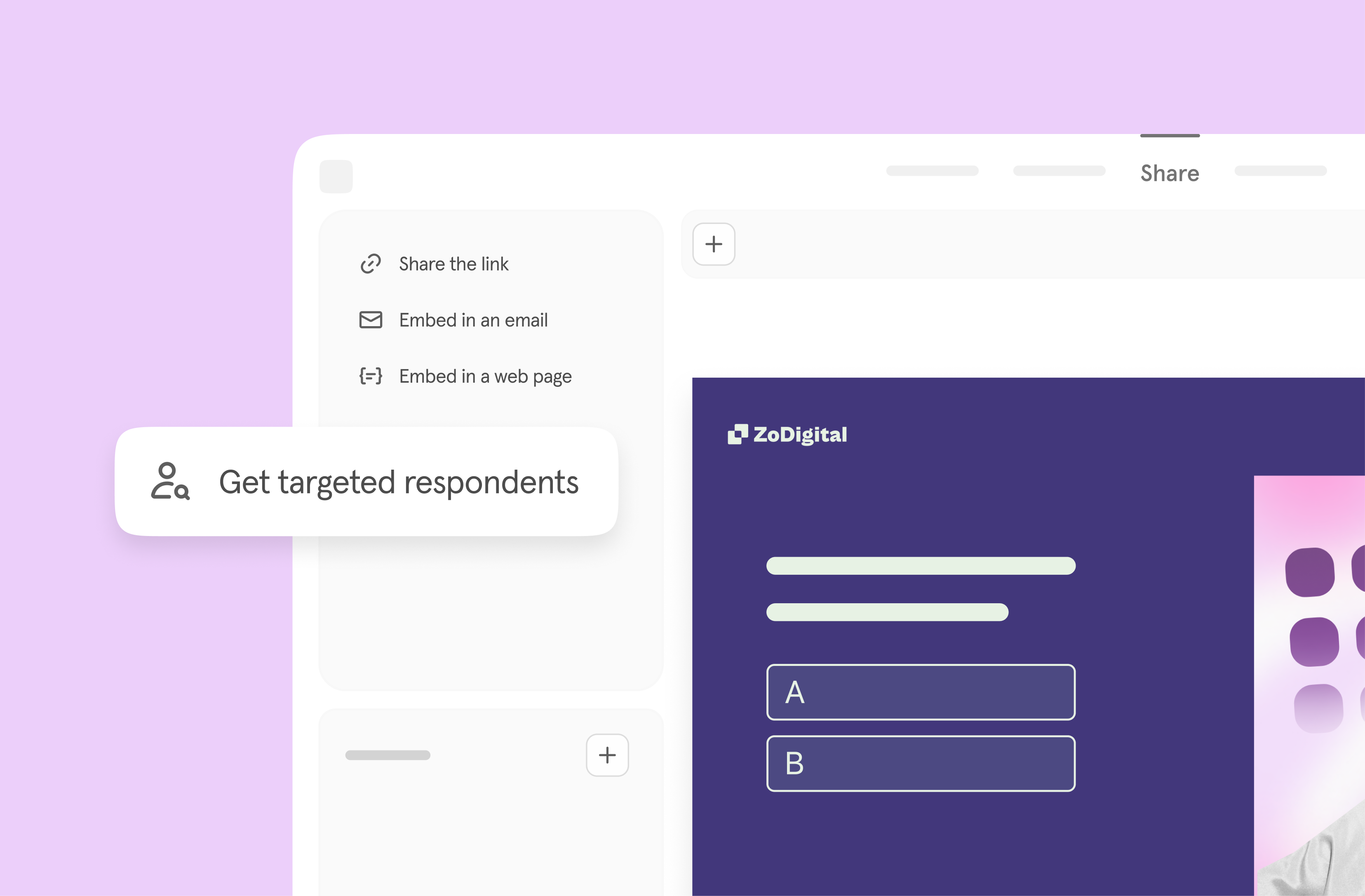
Find high-quality participants for your research 

Need participants for your research? We’ve made it easier than ever to get high-quality responses with our Eureka Surveys integration. Now, you can share your survey directly with verified, high-quality participants right from the Typeform Share page.

This seamless integration saves you time by eliminating the hassle of sourcing qualified respondents. Whether you’re conducting market research, user testing, or gathering feedback, you’ll have access to reliable insights faster than ever.

Focus on what truly matters—analyzing the results and using your research to make smarter, data-driven decisions. With Eureka Surveys, great data is just a few clicks away.

Learn More
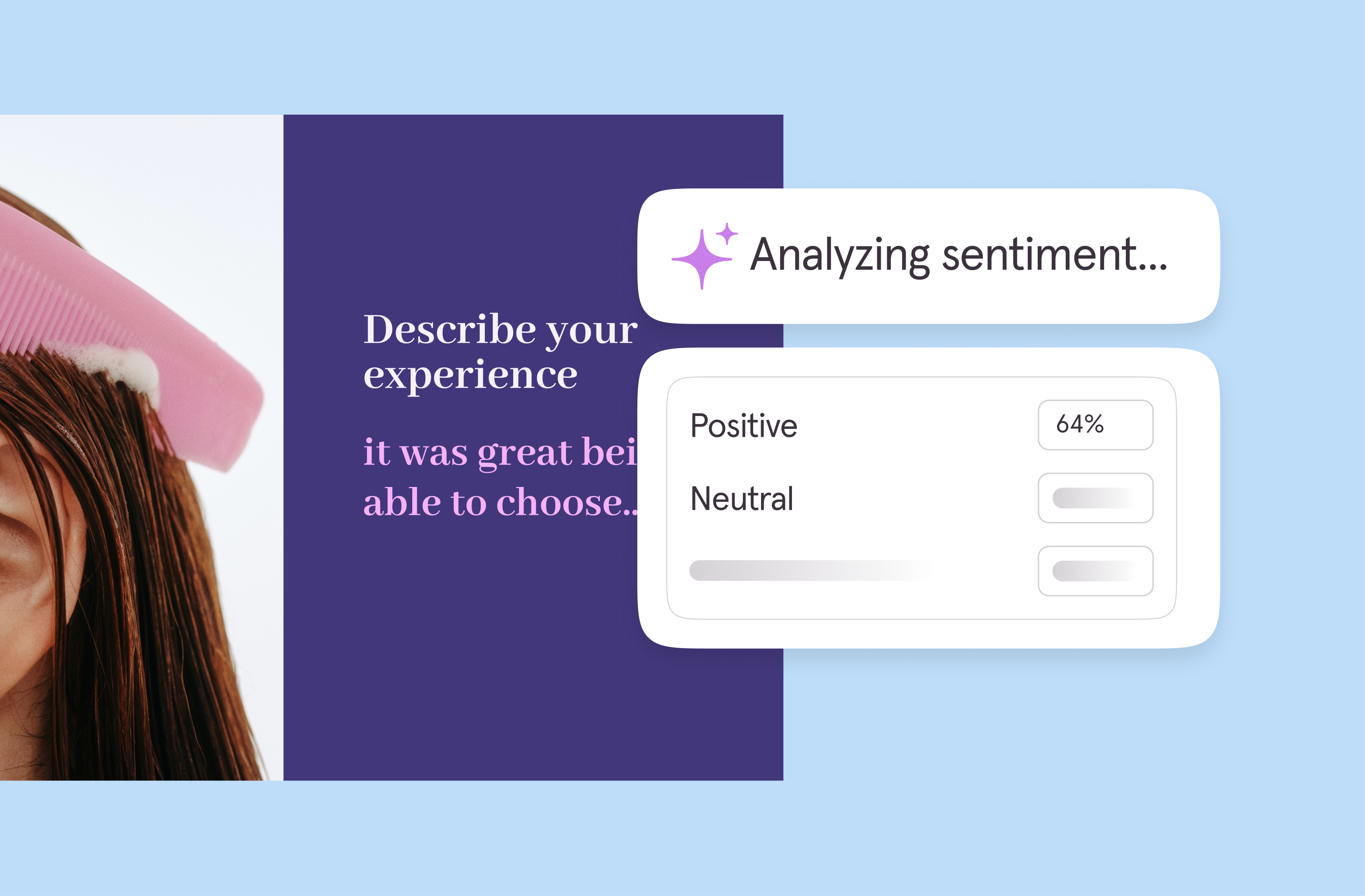
Turn words into wisdom with sentiment analysis

Open-ended text and video responses often hold the richest insights, but analyzing them can be time-consuming. Our new Sentiment Analysis feature, a Smart Insight tool, helps you automatically gauge the tone of responses—whether they’re positive, neutral, or negative. Spot important trends faster and gain actionable insights that drive smarter decisions.

Learn More

Publish with zero interruptions

Say goodbye to extra steps. With our enhanced publishing capabilities, you can now effortlessly publish updates from any page in the builder—no more screen switching or workflow interruptions. Just create, edit, and share your forms with a single click. This makes building and sharing forms smoother than ever before, giving you more time to focus on what matters most: engaging your audience.
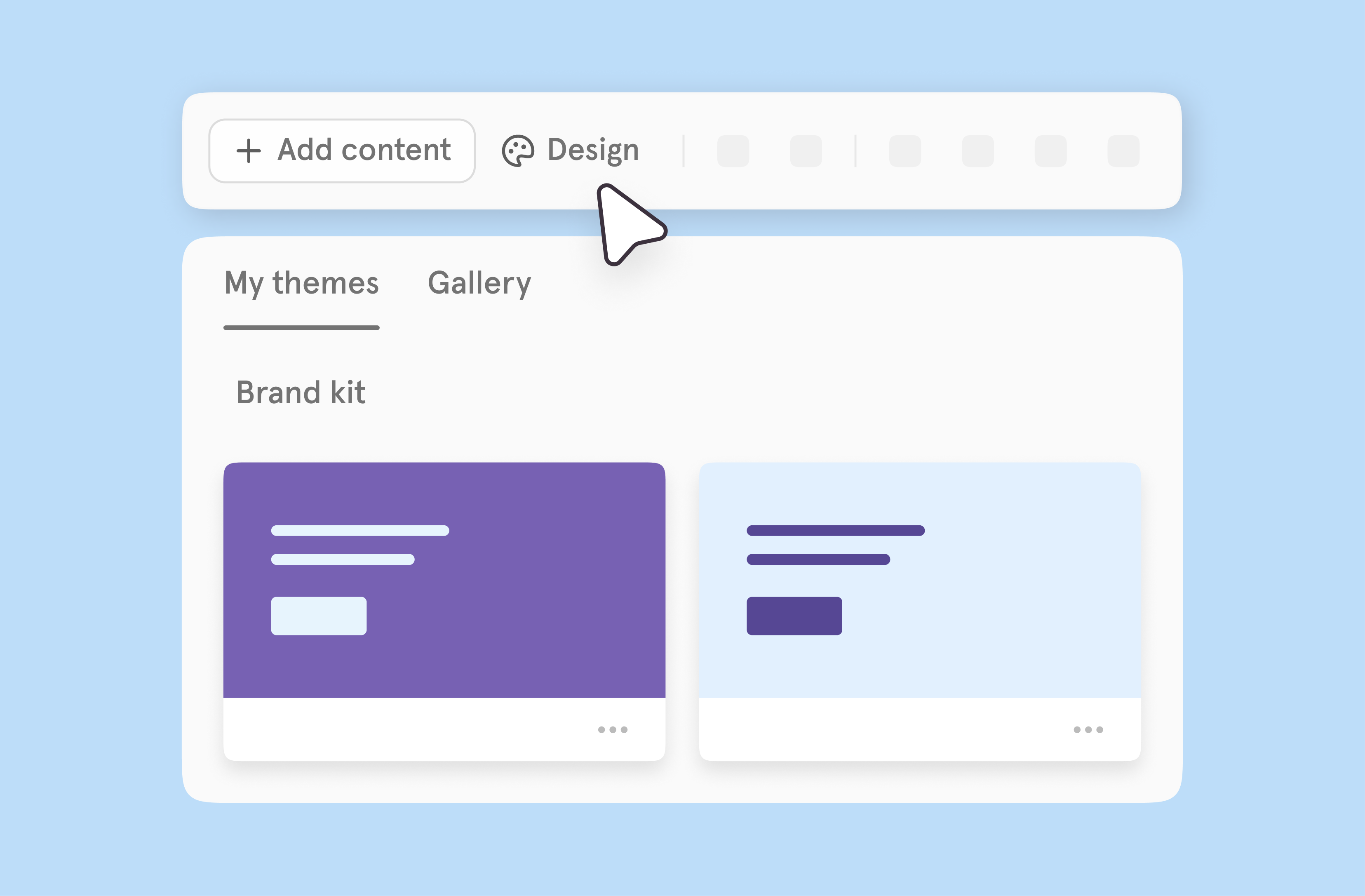
Make your forms uniquely yours

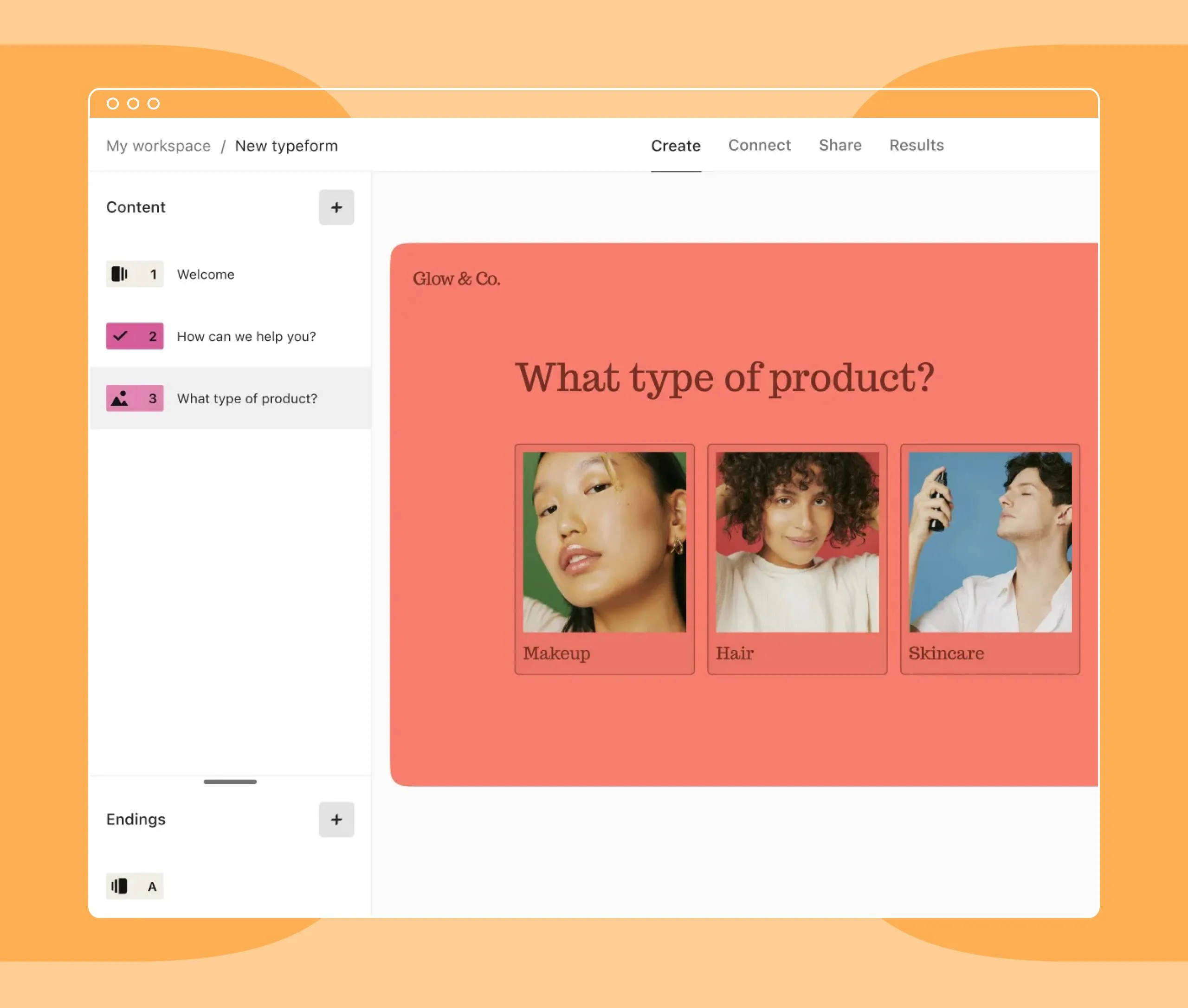
Customization just got a whole lot simpler. You can now add logos, images, colors, fonts, and themes directly from the toolbar. It’s never been easier to create forms that reflect your brand.
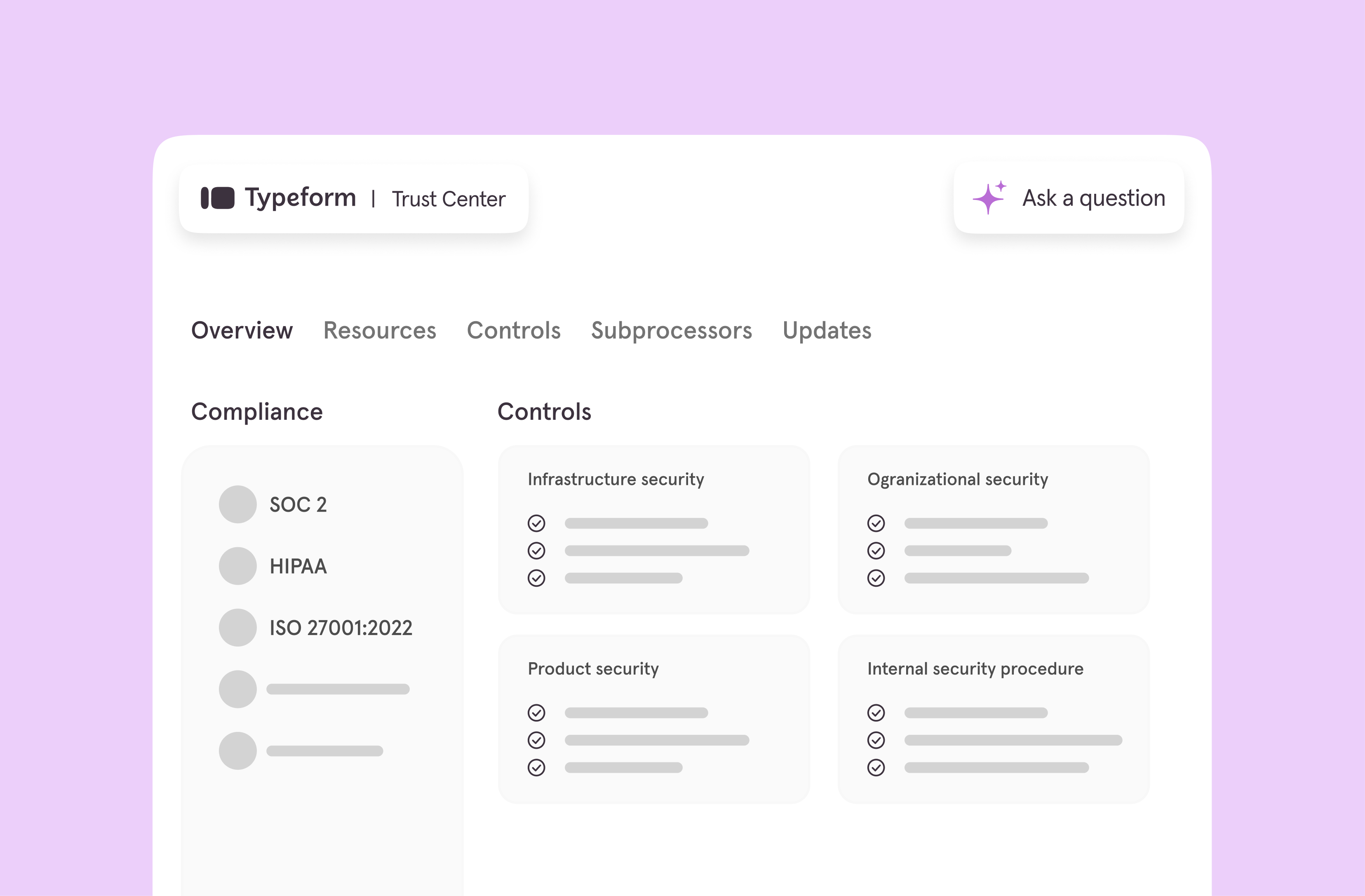
Security and transparency made easy

We know trust is essential. That’s why we’re excited to announce the launch of the Typeform Trust Center. This centralized hub provides:

  • Instant access to security reports and certificates
  • The ability to sign NDAs without needing to speak to a human
  • Answers to over 4,500+ security questions, supported by an AI assistant

Enterprise customers can still enjoy enhanced features like custom NDAs and HIPAA-compliant BAAs, but now all users have access to robust tools for ensuring data security and compliance.

‍Explore the Trust Center

Don’t just read about these updates—see them in action! Check out our latest Winter 2025 Product Release Webinar where we demo these new features and give a sneak peek at what’s coming next.
6 ways to drive sales with product recommendation quiz integrations

Software Stack Editor · January 30, 2025 ·

Popular web browsers—like Google Chrome and Apple Safari—have begun phasing out third-party cookies. Customer acquisition costs are at an all-time high. And competition has never been fiercer.

You’re doing everything you can to catch the eye of potential customers. But with over 28 million e-commerce websites online, you’re struggling to stand out. And your ad spend simply isn’t returning what it once did.

It’s not your fault—a 2022 study from SimplicityDX found that e-commerce merchants are losing $29 per customer acquired. That’s a 222% increase from 2013. And with third-party cookies out the door, your retargeting strategy just got infinitely more challenging.

But it’s not all doom and gloom. Zero-party data (ZPD) is even more powerful than the data you get from third-party cookies, and product recommendation quizzes can supercharge sales when you connect them to your marketing workflow.

We’ll show you how to build a better workflow using ZPD and product recommendation quiz integrations that allow for improved marketing personalization, automation, and sales.

6 product recommendation quiz integrations to boost sales 

Whether you’re brand new to the world of e-commerce or a seasoned pro, you’ve likely got a decent tech stack to support your business. Individually, each tool is powerful.

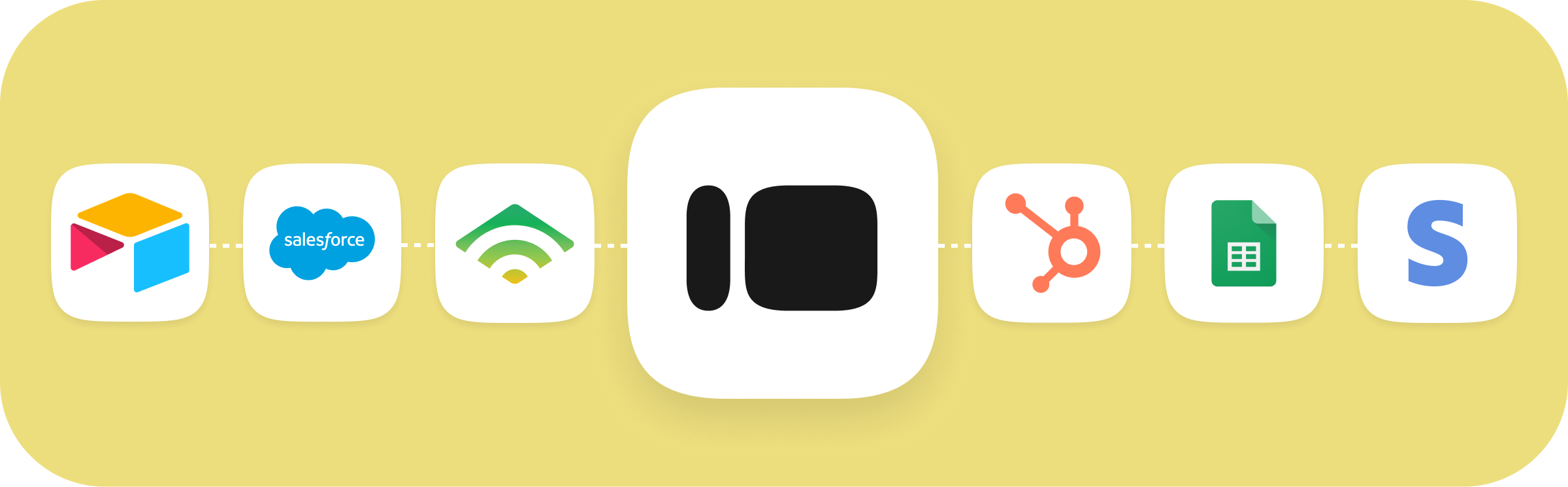
But when you connect them with Typeform? They become a sales-generating machine powered by priceless customer data. We’ve rounded up six product recommendation quiz integrations that’ll increase quiz effectiveness and drive sales (all while collecting priceless ZPD).

1. Flow Typeform data into your CRM to uncover actionable insights

Data shouldn’t be static—it’s meant to be acted on. And if you’re using product recommendation quizzes, you’re likely gathering plenty of zero-party data.

Instead of letting it just sit there, connect Typeform to your customer relationship management (CRM) tool, like HubSpot, where you can turn that data into customer insights.

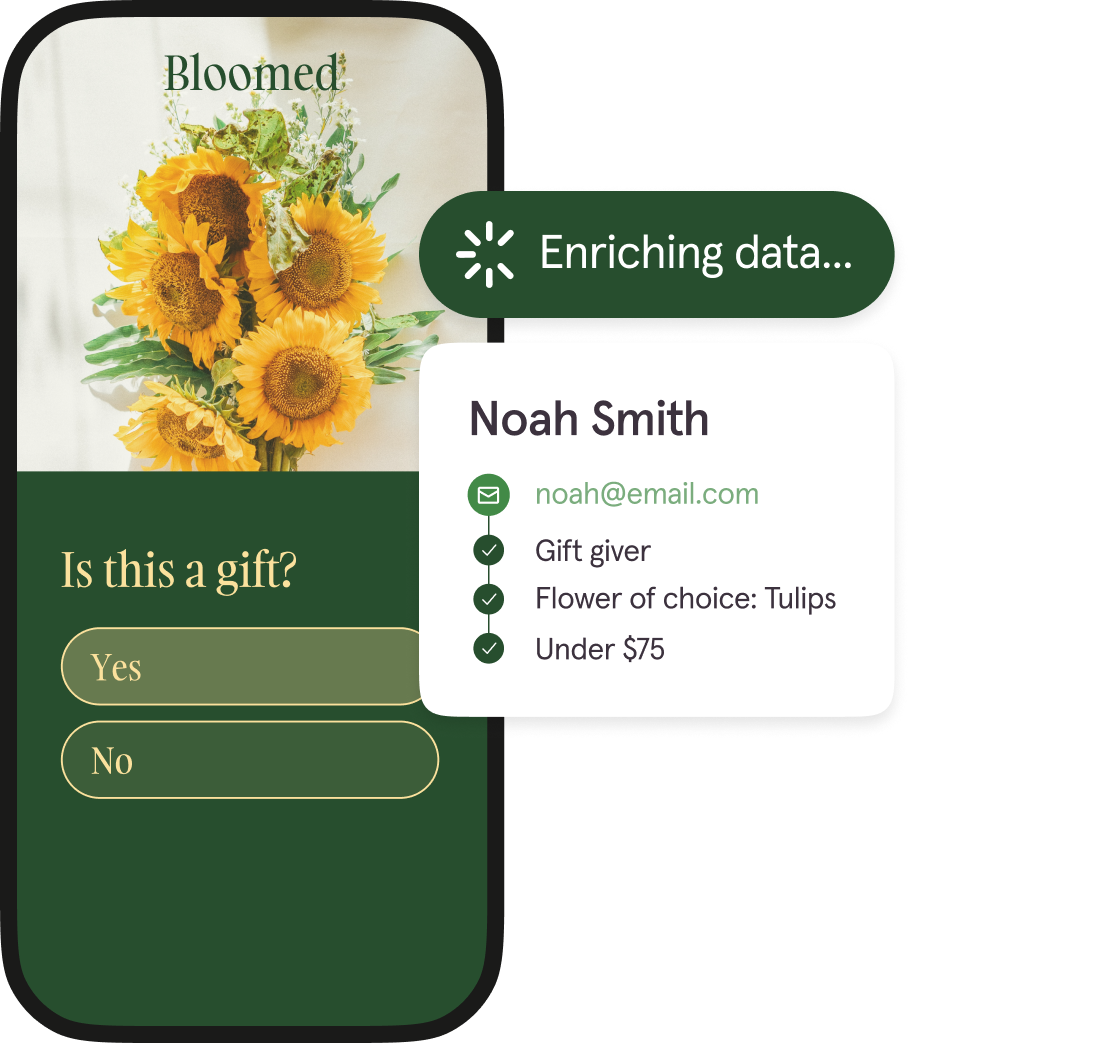
‍Product recommendation quizzes gather high-intent ZPD—like customer needs and preferences—that let you enrich existing data in your CRM and leverage true e-commerce personalization.

How? ZPD helps you more accurately segment your audience so you can personalize every step of the customer journey.

And when the data flows seamlessly through your CRM and Typeform, you get a steady flow of constant data that helps you:

  • Quickly identify patterns or trends that reveal insights into customer behavior
  • Refine customer profiles to get a complete picture of each customer
  • More accurately segment your audience for better personalization

By centralizing your data in one place and constantly enriching it, you give yourself everything you need for more effective e-commerce personalization—a significant driver of sales and repeat purchases.

2. Automate personalized follow-ups with Klaviyo using Typeform ZPD

The most effective email marketing starts with data—and the data your product recommendation quiz delivers is the perfect place to start.

Take Ogee’s makeup shades quiz. While it reveals a shopper’s perfect shade and recommends products in that shade, the quiz also collects data to more accurately segment their audience. The quiz asks customers a series of shade-related questions. But it also asks:

  • Which beauty item do you use the most?
  • What is your desired makeup finish?

While these questions don’t relate to their shade, the way a shopper answers helps Ogee direct them to the right welcome sequence and segment them properly for future follow-ups.

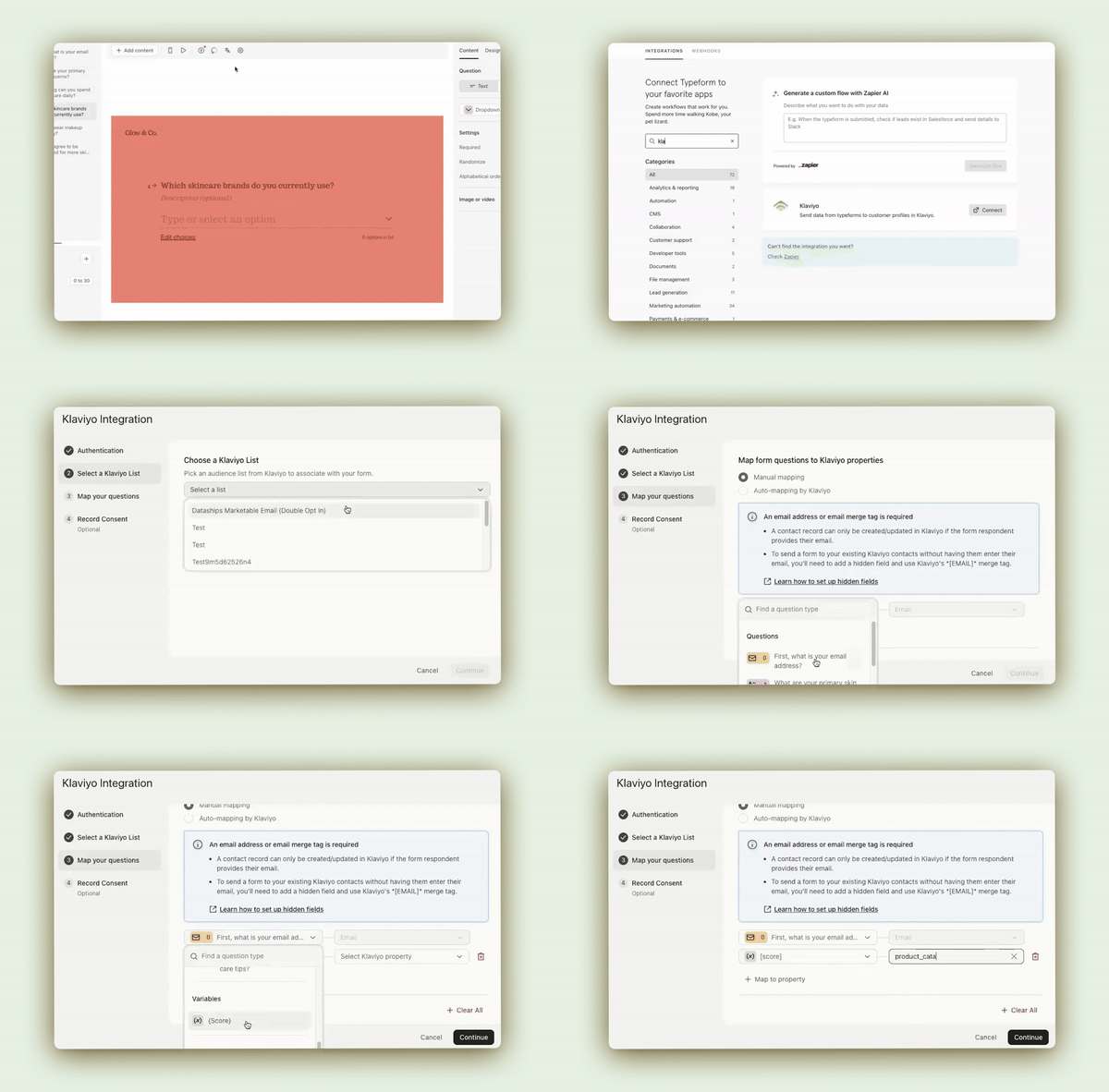
And with our enhanced Klaviyo integration, you can automatically input all that ZPD into Klaviyo to use for:

  • Targeted email campaigns
  • Automation
  • Customer segmentation

Typeform syncs with Klaviyo in real time, so you’re always getting the most up-to-date data, making your email marketing even more powerful.

Automate personalized follow-ups at scale using the ZPD from the product recommendation quiz, and increase your chances of conversion with more targeted outreach (thanks to better segmentation).

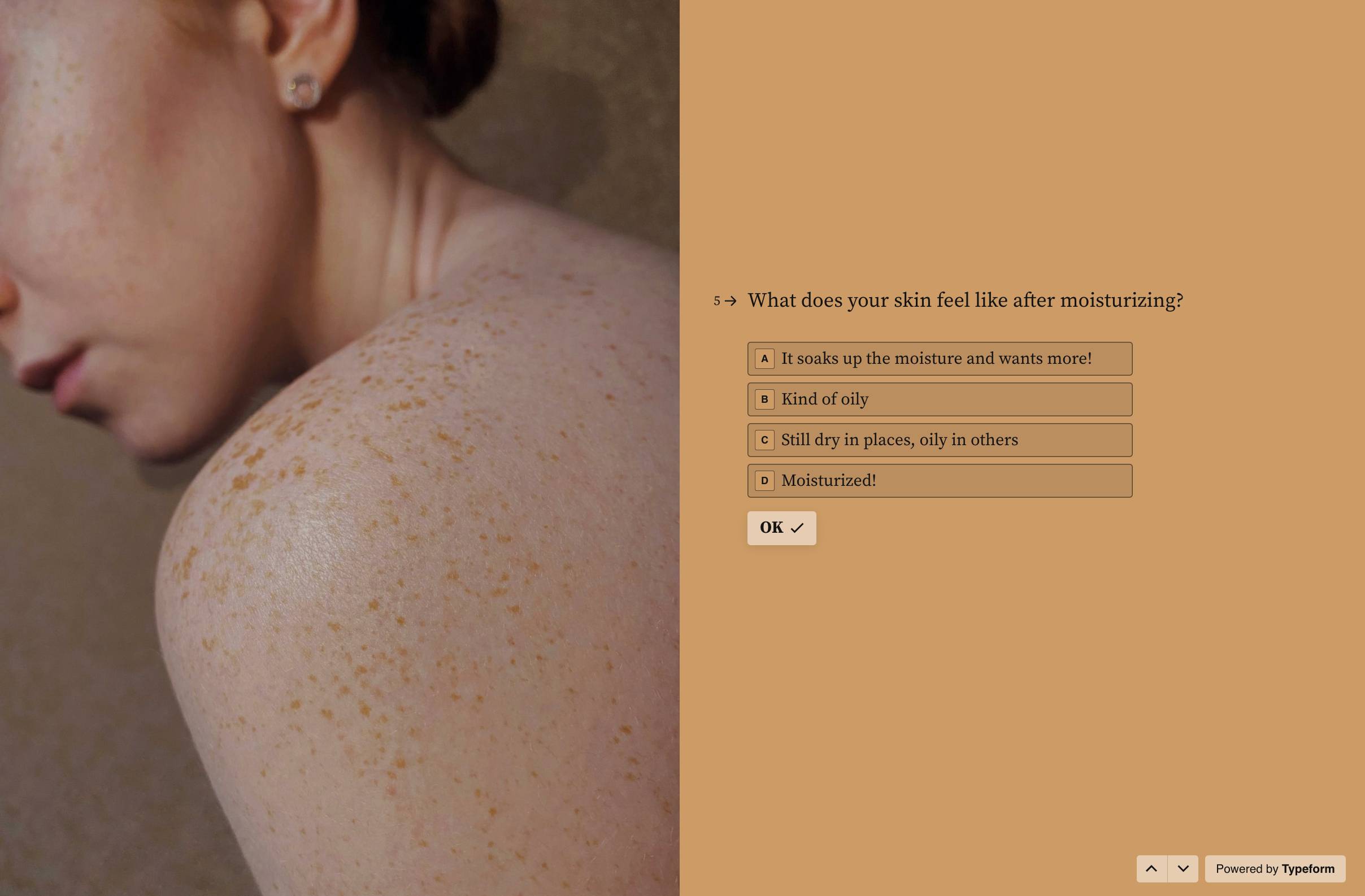
If you sell skincare products and a shopper reveals that they have dry skin in your quiz, you can use the Klaviyo integration to trigger a personalized welcome sequence with best sellers for dry skin and include tips on how to revitalize dry skin. It’s e-commerce personalization at its finest.

3. Optimize retargeting with Google Tag Manager and Typeform quiz data

Third-party cookies may be going away and return on ad spend may be dwindling, but that doesn’t mean your retargeting efforts are completely hopeless.

By connecting Typeform to Google Tag Manager, you can optimize ad retargeting by leveraging a quiz-taker’s responses. Let’s say they complete your product recommendation quiz but don’t convert. 

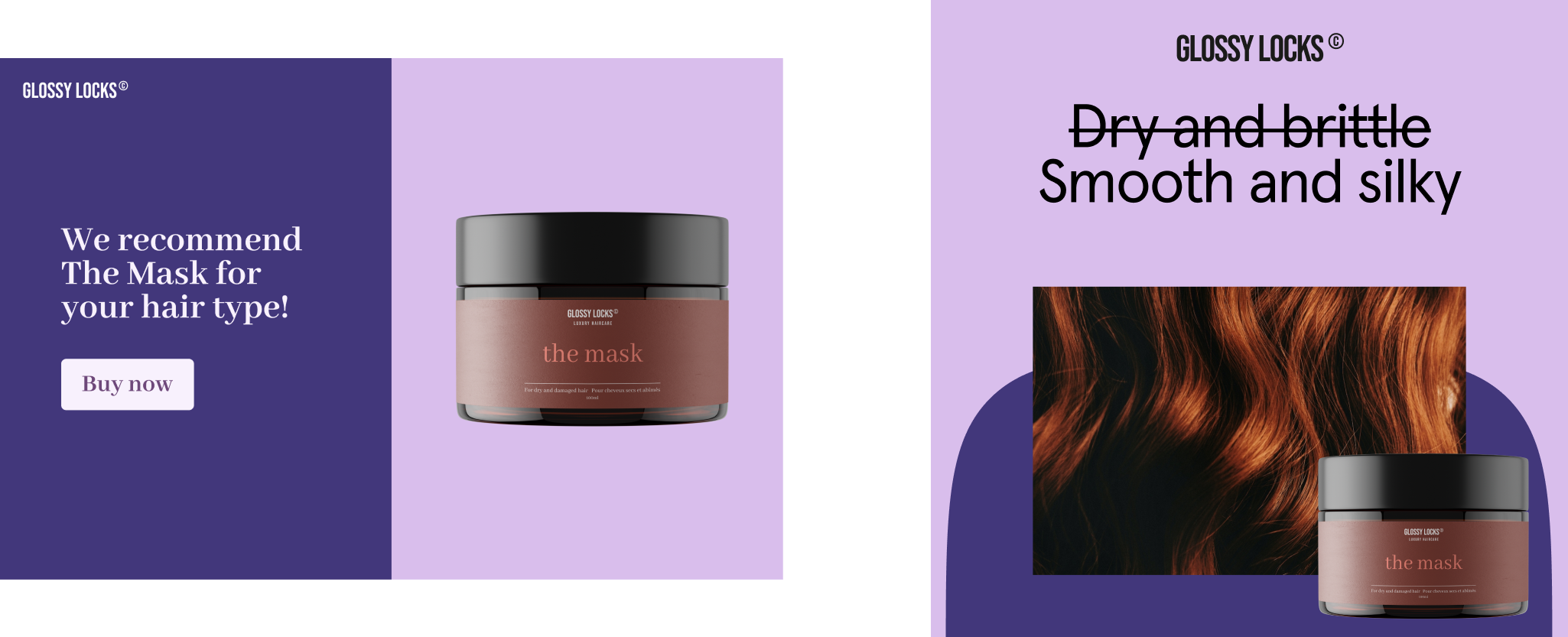
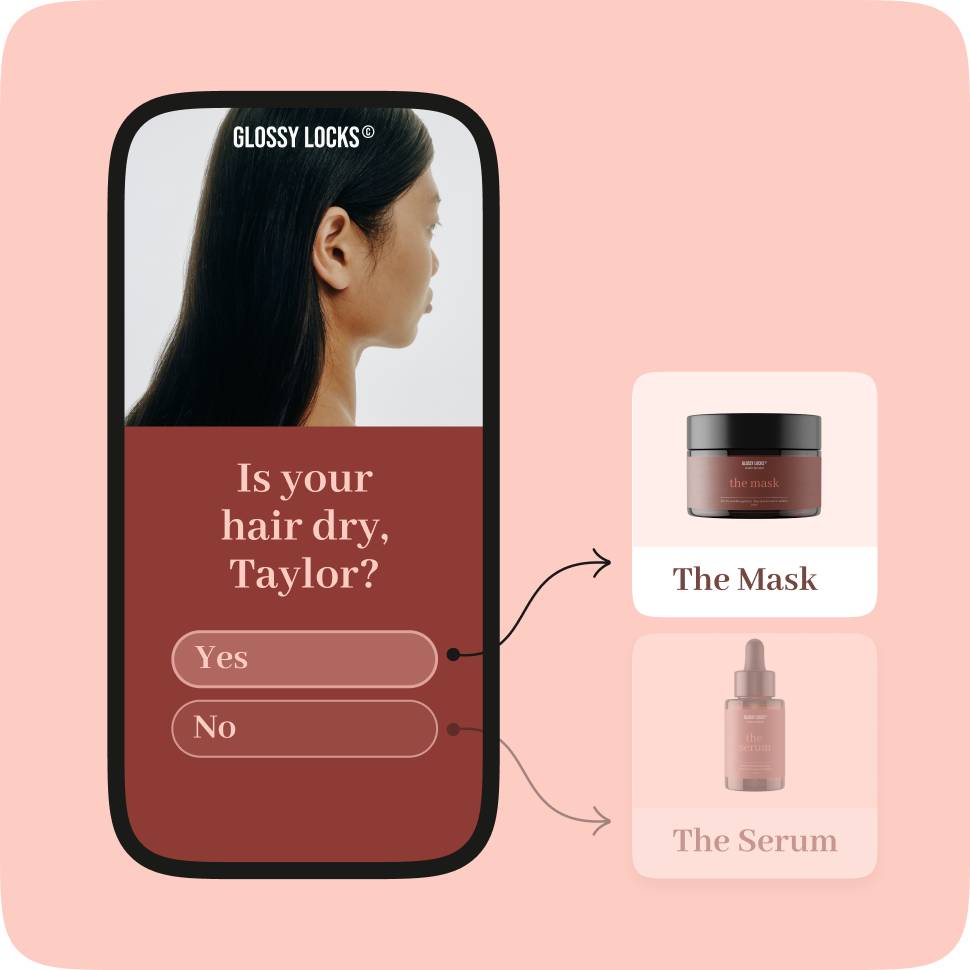
You know from the form-taker’s quiz results that they have dry hair and The Mask is their top recommended product. With Google Tag Manager, you can effectively retarget them other places—like Facebook—with an ad featuring The Mask.

And because you know they have dry hair, you can create more effective ad creatives to personalize (and increase the likelihood of conversion).

Pro tip: Use this article to connect Google Tag Manager to your forms. 

4. Create seamless checkouts with Stripe—directly in your Typeform

Imagine completing a product recommendation quiz and getting your perfect match instantly. You love it. You’re ready to buy. So you tap the “Buy now” button and… you get frustrated.

Instead of being able to add the item to your cart and check out in one or two clicks, you have to create an account, tell the brand how you found them, and confirm your email address before you can purchase your product.

Yikes. Not a great customer experience. And it’s why e-commerce brands see an average 79.53% cart abandonment rate.

Another scenario—the one you want your customers to experience—is filling out a product recommendation quiz, getting your results, and being able to buy the products with zero friction.

‍Typeform and Stripe can do precisely that.

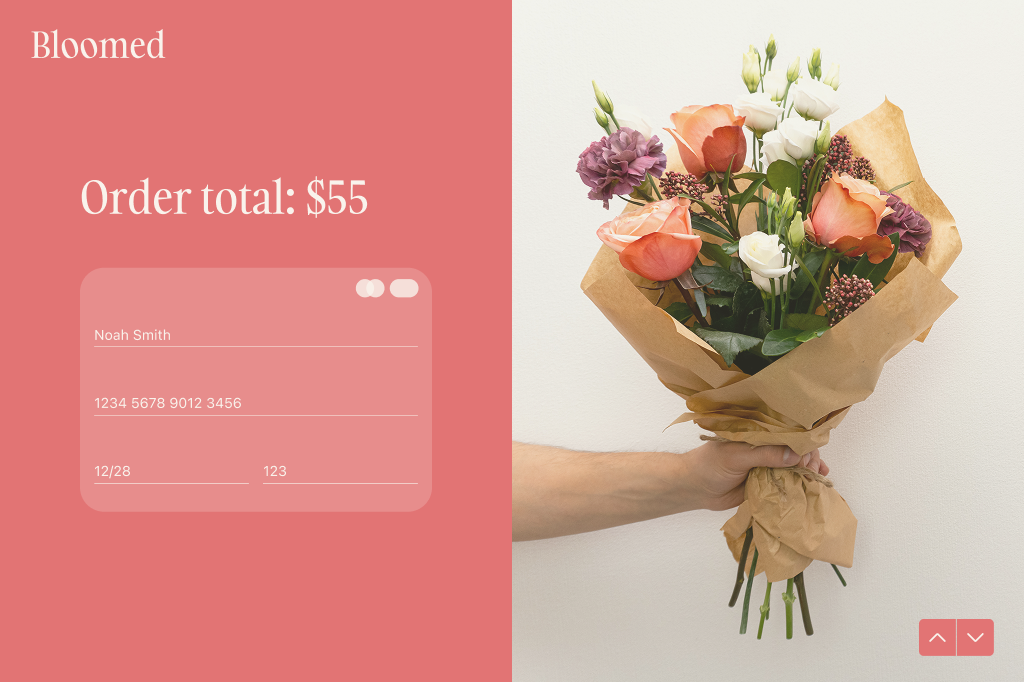
Shorten the path to purchase and get rid of any friction by adding a Stripe payment question directly to your quiz. This allows shoppers to buy the product without going through a laborious process.

Or, you can do what Ogee did—embed an “Add to cart” button on your quiz results page to create a one-click checkout experience. Because Ogee’s quiz helps you determine your shade, the quiz results page features several products with your shade already selected.

It creates a frictionless shopping experience and highlights how quizzes drive conversions when you pair them with powerful integrations.

5. Store Typeform data and identify trends quickly with Airtable and Google Sheets

Product recommendation quizzes can boost sales and make e-commerce personalization scalable, but they’re also a gold mine for customer data. So, even if a shopper doesn’t convert, you still get invaluable data.

And as you collect more and more of that data, you can start analyzing trends or patterns. But you’ve got to store, organize, and manage your data first—that’s where a tool like Airtable or Google Sheets comes into play.

Connect Typeform to Airtable or Google Sheets to:

  • Organize data any way you like
  • Edit data and collaborate in real time to uncover hidden insights
  • Analyze data to identify any patterns or track trends over time
  • Create spreadsheets and perform calculations

Using Typeform and Google Sheets, you become the data analyst, allowing for smarter, data-informed decisions.

6. Use Typeform quiz responses and HubSpot to qualify and nurture leads

If you immediately think “B2B” when you hear terms like “lead gen” or “hot leads,” you’re not wrong. While the terminology changes slightly as you move between B2B and B2C (typically where e-commerce brands fall), the concept is the same.

Every shopper who completes your product recommendation quiz is a potential customer, also known as a lead. Consumers who add your products to their cart are leads. 

So, when we talk about qualifying and nurturing leads, think about it as determining where someone is in their buying journey and then sending personalized follow-ups to turn those leads into paying customers.

Now that we’ve got the jargon out of the way—let’s explore how you can nurture lukewarm leads into piping hot buyers ready to virtually swipe their credit cards.

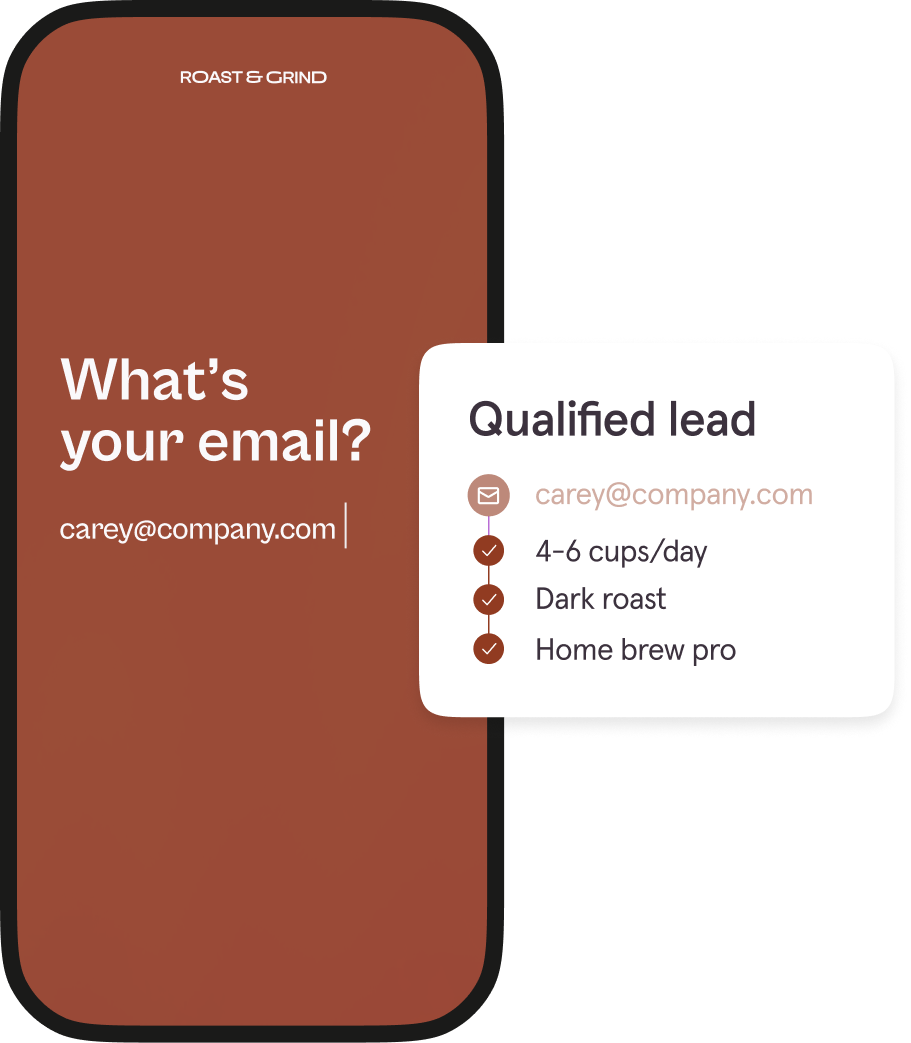
Let’s say you sell premium coffee and one of your quiz questions asks how often they drink coffee at home. If someone answers with “Every day,” they’re a hotter lead than someone who responds with “I mostly go out for coffee.”

The hotter the lead, the higher priority they should be. And when you connect Typeform to HubSpot, you can score leads based on set criteria, flow the data into HubSpot, and trigger personalized follow-ups.

You can map Typeform questions to specific HubSpot fields, which makes scoring leads (based on quiz-taker responses) effortless and lets you automate and scale e-commerce personalization effectively.

For the frequent at-home coffee drinker, you could trigger a nurture sequence featuring their recommended product, home brewing tips, and user-generated content (UGC) from real people who drink your coffee.

Built to fit perfectly into your existing workflows

You’re a modern-day marketer with no less than a dozen tools in your tech stack to make your business go. And, while they all work great on their own, when you bring them together with integrations, you can automate manual workflows while boosting sales.

Just like when you use Typeform’s product recommendation quiz integrations. Quizzes bring in the best data—ZPD—that gives you the customer insights you need to better understand, segment, and follow up with your hottest leads.

And the product recommendation quiz integrations you use to connect your existing tools help you leverage that ZPD to increase the effectiveness of your marketing efforts.

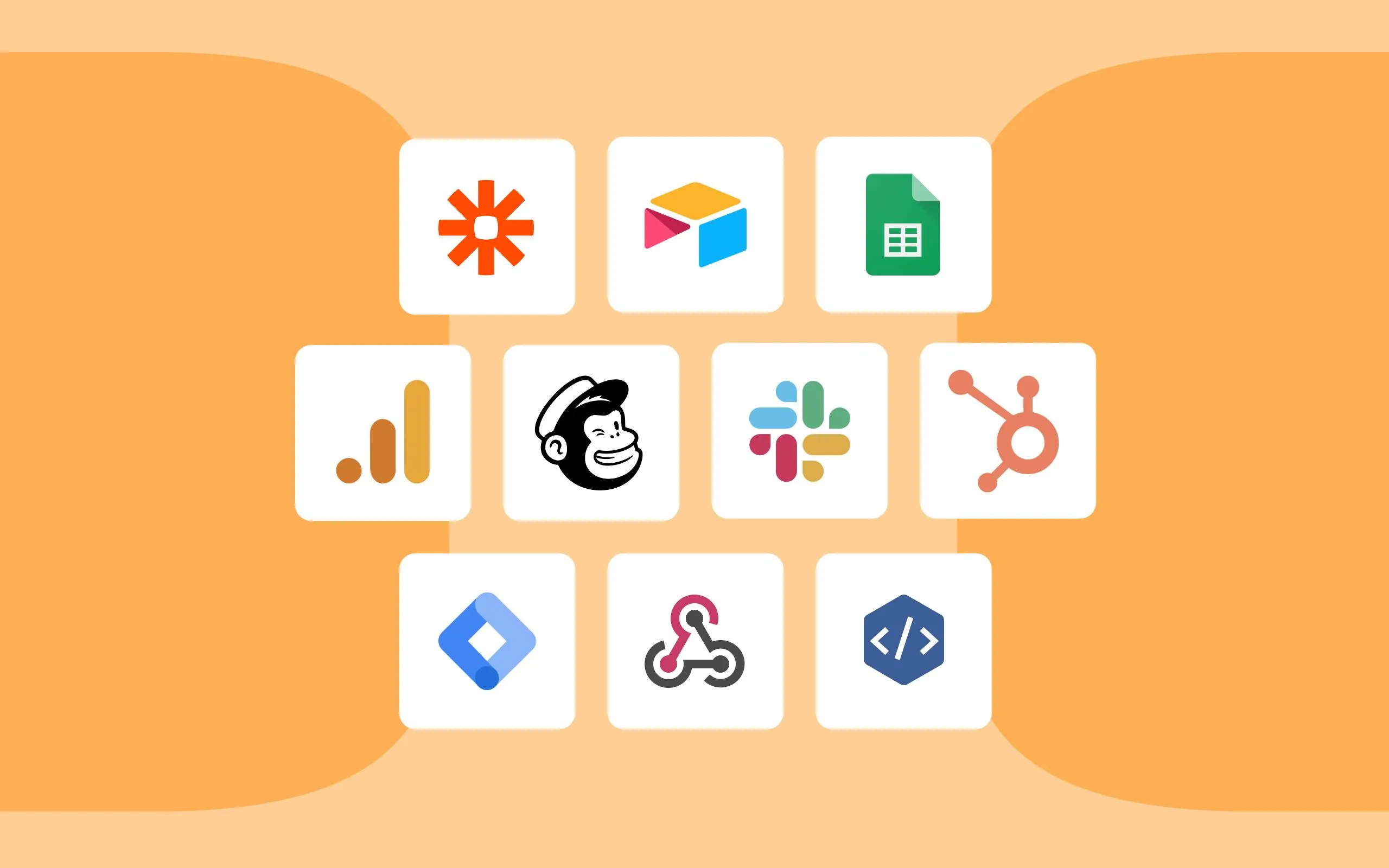
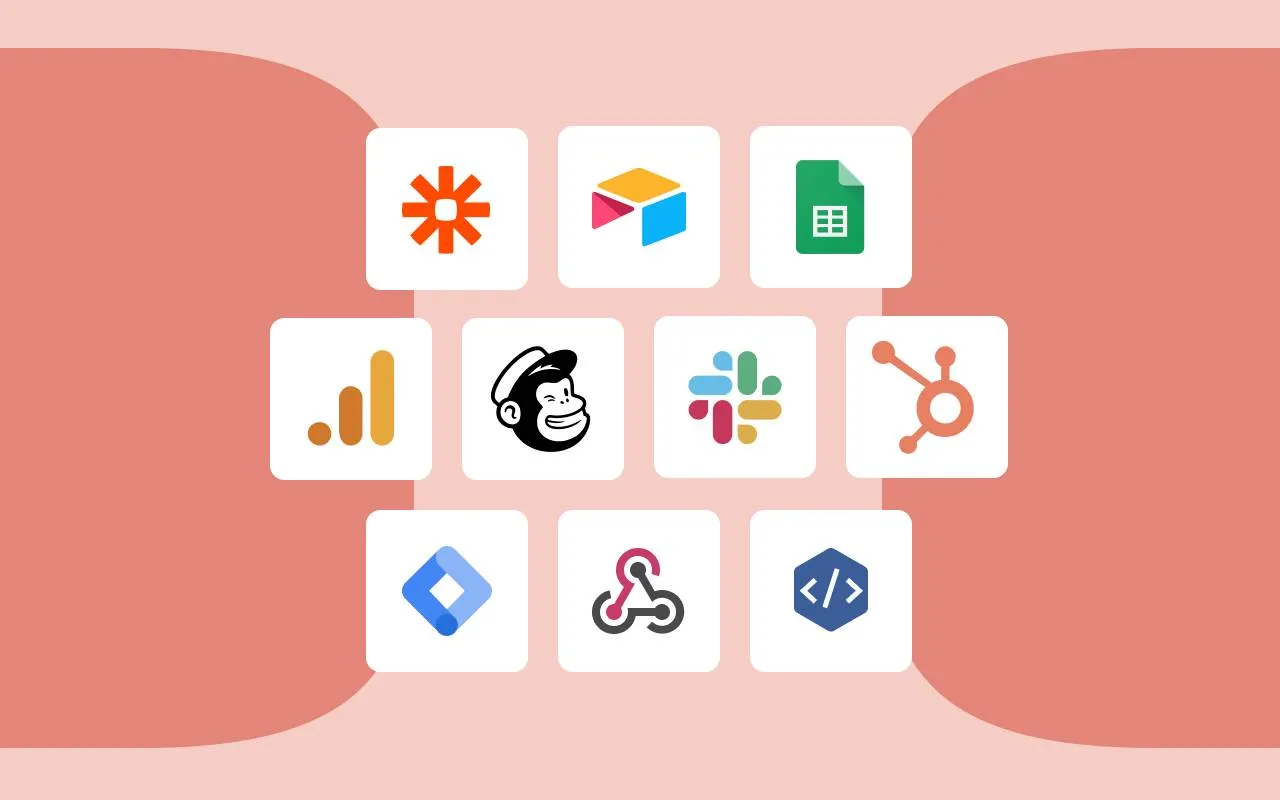
Ready to connect your tech stack and boost sales? We thought so. Check out our 120+ integrations and start supercharging your marketing.

‍

Transform your quiz engagement: Proven strategies for effective question design

Software Stack Editor · January 30, 2025 ·

Have you ever abandoned a quiz you were excited to take because the questions just didn’t hit home? Maybe they were confusing, felt irrelevant, or made you stop and think, “What are they even asking here?” It’s disappointing—and all too common.

But it doesn’t have to be that way. With the right phrasing, your quiz becomes an activity customers enjoy. Thoughtful, well-crafted questions make it easy for them to engage, share, and stay curious—all while giving you the insights you need.

In this guide, we’ll share how to craft quiz questions that build relationships and reduce drop offs.

Every question in your quiz sends a message. It’s either saying, “We get you” or “This isn’t worth your time.” 

With a small tweak in wording, you can change a dry question to a compelling one. Instead of asking something broad like, “What’s your skincare routine?”, try getting more specific with “Do you use serums in your skincare routine? If so, what’s your favorite?” It’s friendlier, easier to answer, and acts conversation starter. 

Here’s what you risk with poor phrasing: 

  • Confusion: When your question isn’t clear, customers have to work harder to figure out what you mean. That extra mental effort (cognitive overload) makes them more likely to give up on the quiz. Keep it simple, and you’ll keep them engaged.‍
  • Disengagement: If questions feel clunky or out of touch, people tune out and move on to the next, more interesting, thing. ‍
  • Inaccurate responses: Vague or overly complicated questions generate surface-level or confusing responses.‍
  • Quiz abandonment: When answering feels like work, your customers will start eyeing the exit. 

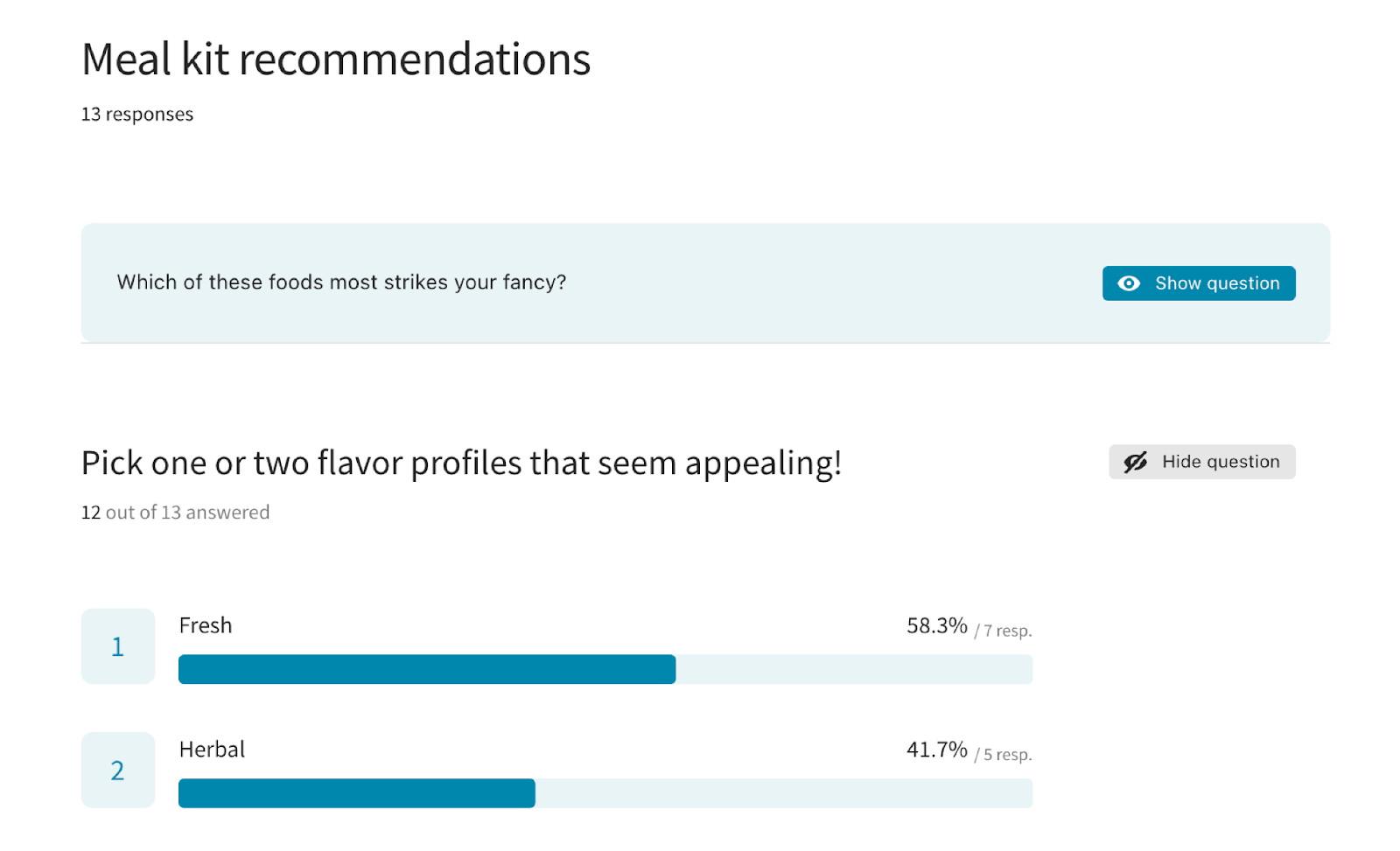
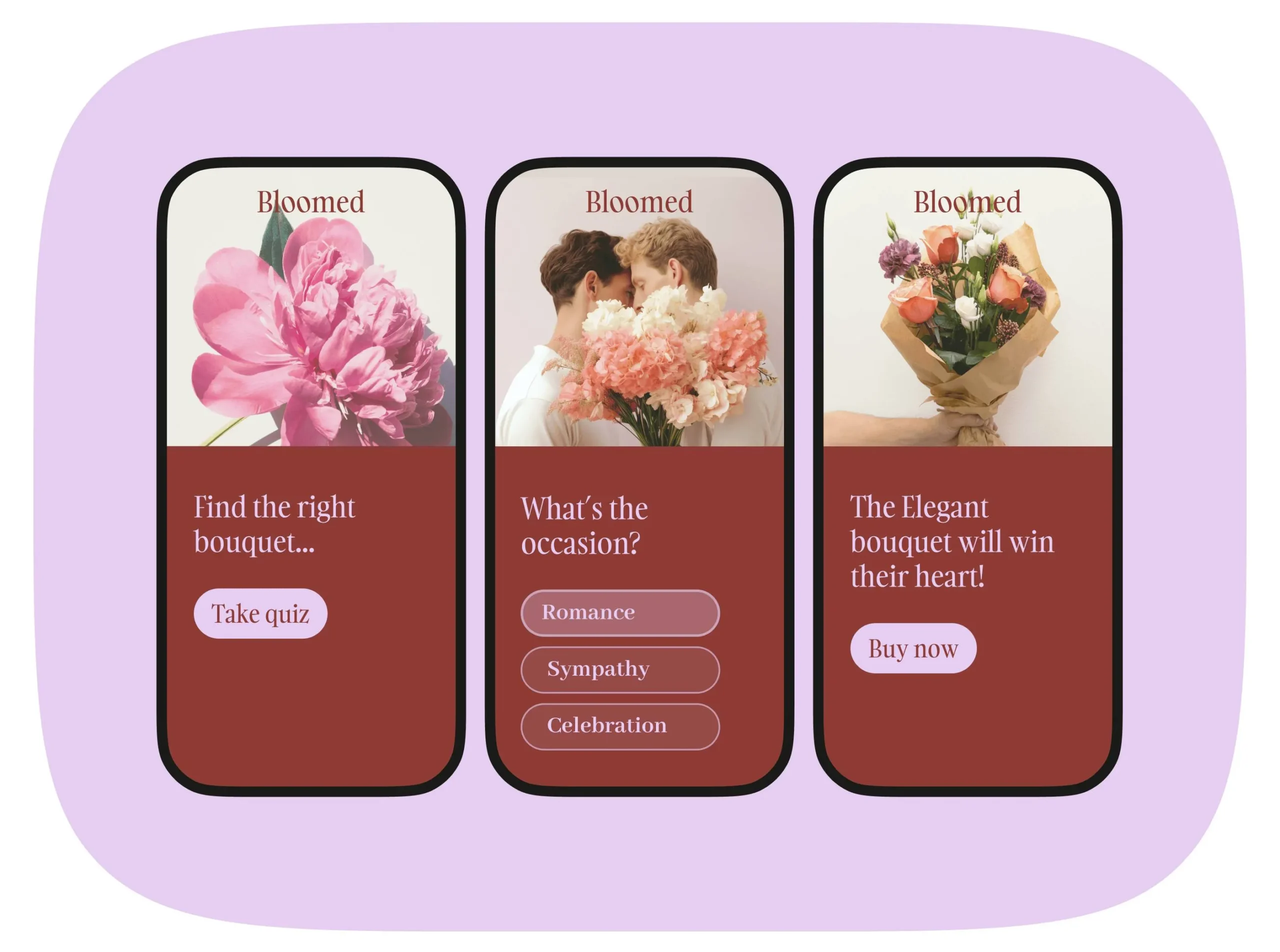
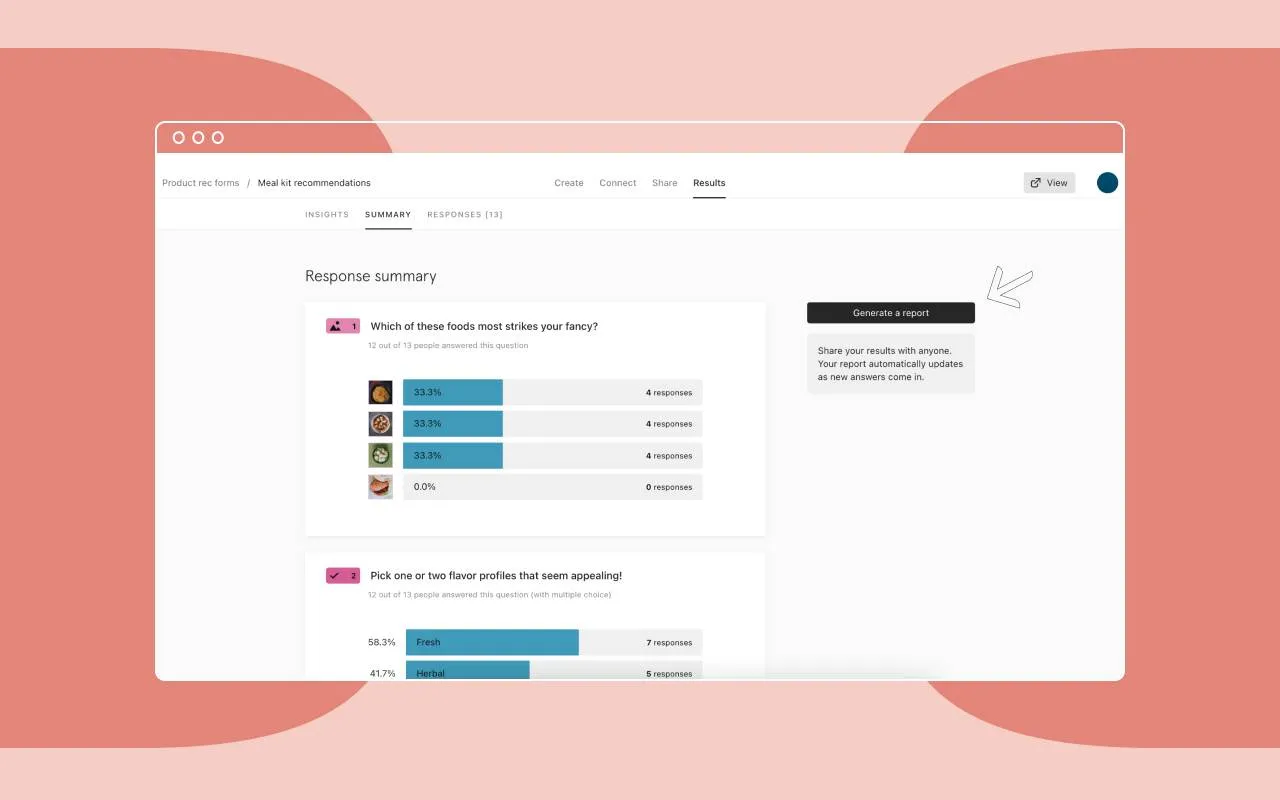
For example, the meal kit question below makes it simple for customers to weigh in. It gives them a list of flavor profiles and asks them to pick one or two that look appealing.

If it had been phrased more generally—”What kind of meals do you like the most?” the customer wouldn’t know if you’re asking about meal types (breakfast, lunch, dinner) or specific dishes. 

How to create a quiz your customers love

How you ask your questions is just as important as what you’re asking. Here’s how to keep your quiz questions engaging and irresistible:

Keep it simple and conversational

Complicated questions make people think too hard—and thinking too hard is the enemy of engagement. Skip the overly formal tone and keep your forms friendly. Write like you’re chatting with someone over coffee.

  • Instead of “How frequently do you consume caffeinated beverages?”
  • Try: “How many cups of coffee (or tea!) do you drink in a day?”‍

Suddenly, the question feels clearer.

Use dynamic question formats

Quizzes don’t have to feel one-size-fits-all. With image-based options, sliders, and conditional logic, you can create an interactive experience and collect helpful responses.

With Typeform Logic, you can tailor questions to what your customers share in past answers so each quiz is unique.

For example:

  • If they choose “beach” as their ideal vacation, you might follow up with “What’s your go-to beach essential: sunscreen or a good book?”
  • If they pick “mountains”, ask about hiking boots or cozy cabins.

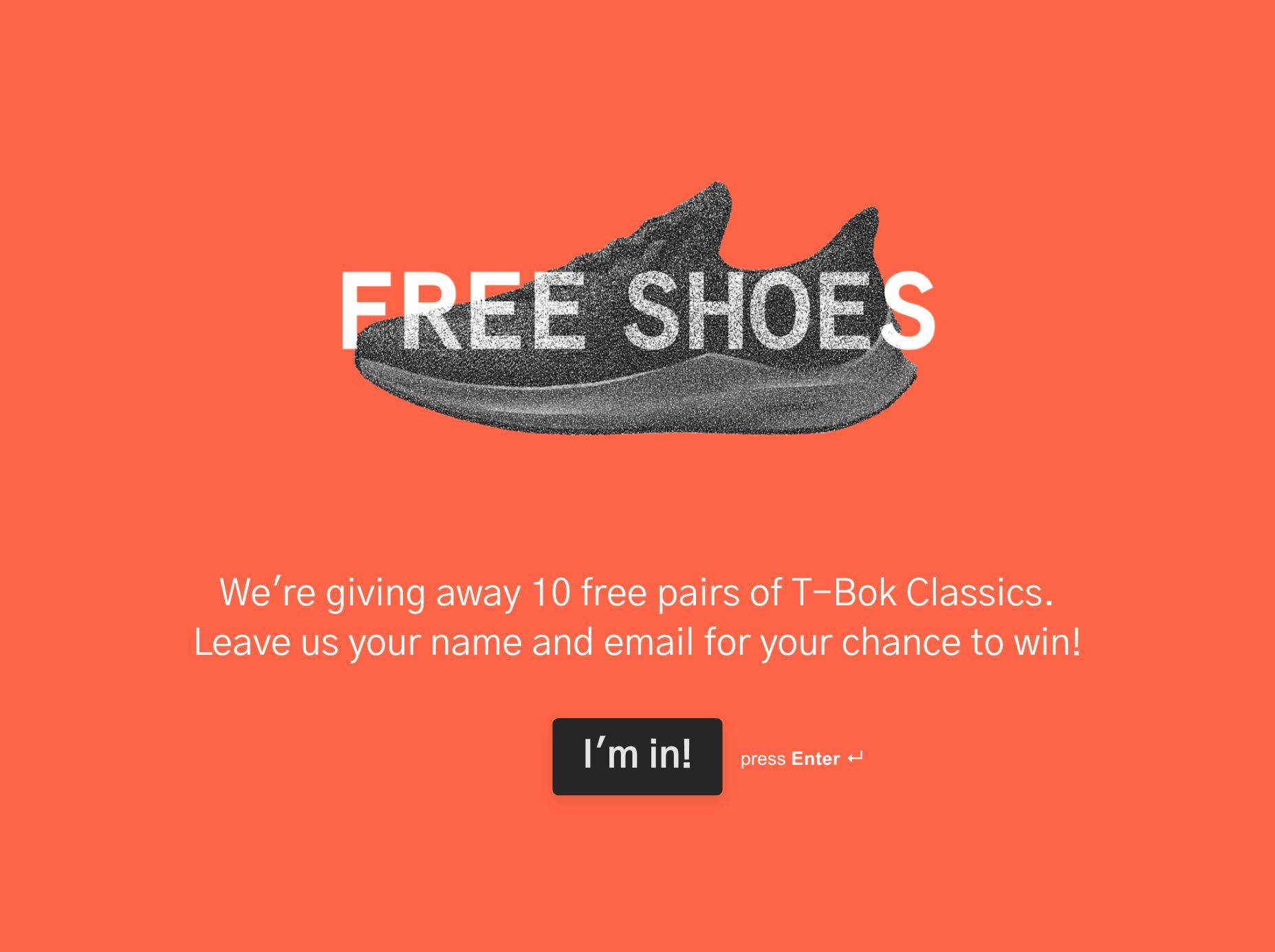
Logic is not just about personalization—it’s about making the quiz feel fun and unique. You can ask “What’s your ideal vacation?” with vibrant images of a beach, mountains, and a cityscape instead of plain text. It’s quick, visual, and feels fun.
Test, tweak, repeat

Don’t worry if your first version isn’t perfect—it’s all part of the process. Check your quiz stats to see where customers lose interest and adjust the phrasing, shuffle questions, or switch up the format. Even small changes—like replacing “Describe your ideal dinner” with “Which of these meals looks delicious to you?”—can entice your customers to keep moving.

When questions flow smoothly, your customers feel at ease and enjoy the process. Here’s how to design it: 

  • Start simple and fun. Your first few questions should be quick, easy, and lighthearted. These “warm-up” questions help customers settle in. Once they’re rolling, you can introduce more specific or personal questions that require a little more thought.
  • Keep it short and clear. No one wants to spend ages on a quiz. Stick to 7–10 questions, max. If you need more, break your quiz into sections with a progress bar so customers know how far they’ve come. 
  • Brand it well. Stick to your familiar logo, colors, and fonts because a top-notch, familiar design shows your customers you’ve put thought into creating something just for them.
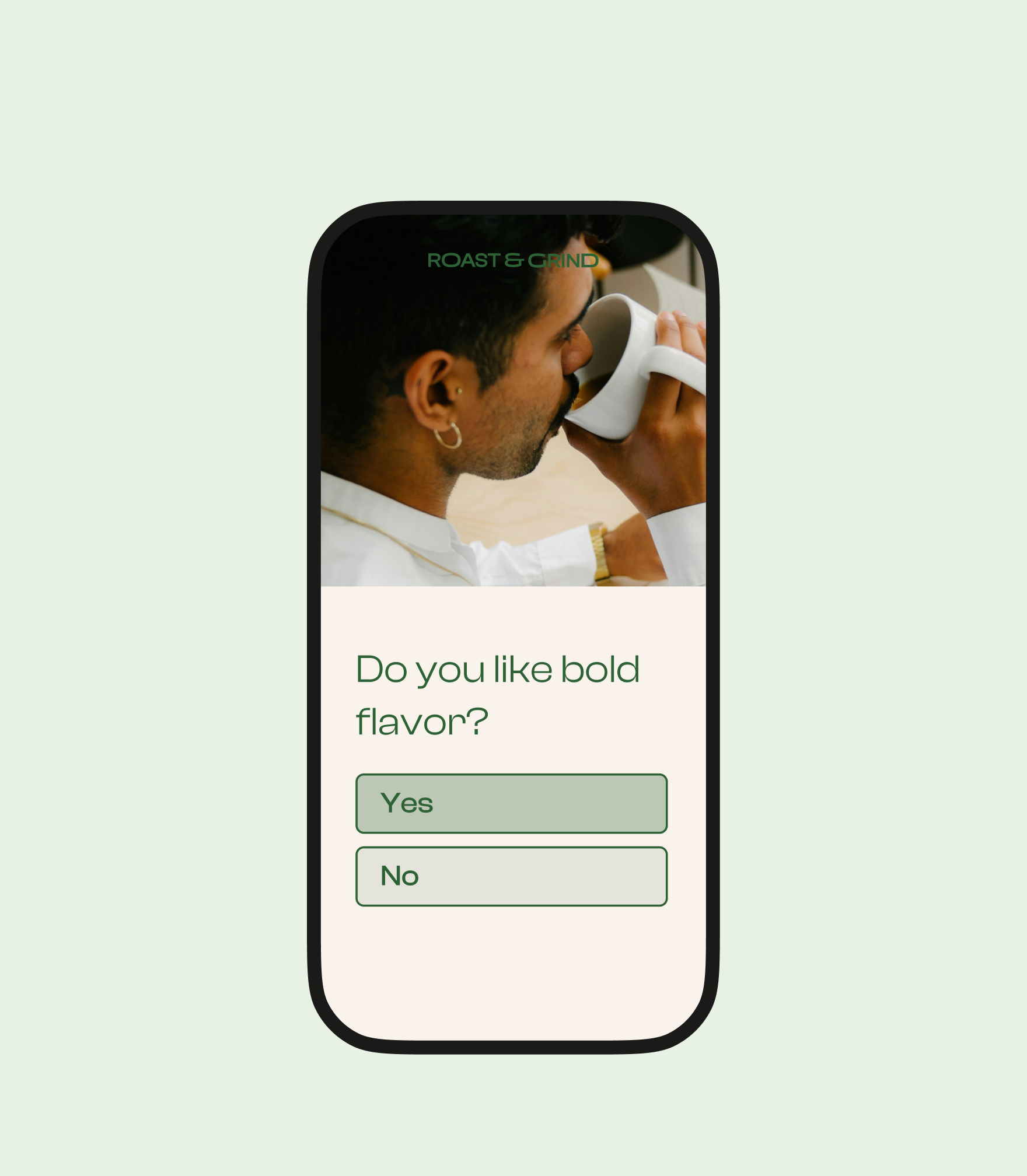
  • Design for mobile. Many of your customers take quizzes on their phones. Use big, tappable buttons, image-based answers, and sliders to reduce typing. And make sure your quiz loads quickly—nothing crushes engagement like a sluggish survey.

For example, this mobile form is easy to skim and the options are easy to select.

A great quiz doesn’t just look good—it gets answers. And not just any answers—the kind you can use to inform business decisions, make changes to your product, and more. To get there, write thoughtful questions, avoid common mistakes, and keep tweaking. Here’s how:

Make the most of multiple-choice questions

Multiple-choice questions are quick and easy to answer. But too many in a row can feel overwhelming. 

Guide your customers with clear, thoughtful options, but leave enough room for them to express themselves if needed. For example, adding an “Other” option with a text field shows you’re listening—even when their answer doesn’t fit neatly into a box.

Skip leading or biased questions

Nothing turns customers off faster than a loaded question. Phrasing like, “Don’t you agree this product is amazing?” screams bias and puts people on the defensive. Ask in a way that invites your customers to share what they really think: “How would you describe your experience with this product?”

Monitor quiz performance (then tweak and improve)

Your first version is just the start. Dive into the data to see what’s working—and what isn’t. Ask: 

  • Where are customers dropping off? 
  • Which questions get skipped? 
  • Are there questions taking longer to answer than the rest?
  • Do certain options feel too obvious, like everyone’s picking the same one?

Use those insights to refine your quiz. A simple change, like rephrasing a confusing question or reordering your options, can increase your response rates.

Great quizzes start with great questions. Thoughtful phrasing doesn’t just keep customers engaged—it turns a simple interaction into an opportunity to understand, connect, and inspire action. Every question is a chance to say, “We see you.” 

Ready to start building quizzes your customers love? 

Use our templates to start!

The real cost of sales and marketing silos—and how to fix them

Software Stack Editor · January 20, 2025 ·

You know those invisible walls that seem to pop up between sales and marketing? They’re silos, and they’re probably causing more problems than you realize. When your teams aren’t on the same page, leads slip by, conversations pause, and your customers feel the rift. It’s frustrating for everyone. 

But the real damage? It’s to your bottom line. Over half (52.2%) of sales professionals say misalignment between sales and marketing leads directly to lost sales and revenue. 

The good news? These walls aren’t permanent—they can be broken down. All it takes is the right approach to get your teams working together and delivering a better experience for your customers.

In this blog, we look at the effect of silos on growth, how to measure their cost and impact within your company, and finally, how to break them down. 

What are silos, and how do they fracture organizations?

Think of silos as separate worlds within the same company. Sales and marketing might use different tools, track different metrics, or even define success differently. 

For example, say your marketing team generates 500 leads through a webinar—but doesn’t share notes with sales about attendees who asked questions or downloaded resources. 

Your sales team then spends time trying to talk to cold leads instead of those who showed genuine interest (either by attending the webinar or asking questions). 

This leaves both you and your customers confused, overwhelmed, and iffy. Two teams end up doing double the work for half the reward (or lead list). 

Over time, these divides grow wider, and neither team wants to help or support the other. 

Worse, silos can even trickle down to the customer experience, which makes your customer wonder “are we even talking to the same organization?” 

Measurable cost of silos

The biggest kicker? Silos make things harder than they need to be. Leads slip through the cracks, deals take forever to close, and your customers can feel the disconnect. Here’s the ripple effect: 

Missed opportunities

When teams aren’t on the same page, leads get lost in the shuffle. Marketing might focus on bringing in lots of leads, while sales prioritizes only the most qualified ones. Without a clear process for sharing and handling those leads, opportunities slip away.

Slow growth

Silos also slow everything down. For example, a lead might have to go through multiple checks—or worse, get handed back and forth—because teams aren’t synced. 

Imagine that a potential customer asks for a product demo. Marketing passes the lead to sales without any details about what the customer is looking for. So the sales team has to circle back and ask basic questions. This back-and-forth wastes time and ultimately, the lead loses interest. 

This kind of backtracking eats up time and delays your growth.

Inconsistent customer experience

Research shows that while 76% of customers expect consistent interactions across departments, only 54% of customers think that sales, services, and marketing teams share information. 

And when sales and marketing aren’t on the same page, your customers notice. They might get mixed messages or mismatched offers, which annoys them and they take a step back from you. 

How to quantify the impact of silos

Silos are sneaky—you can’t fix them until you know where they’re hiding. Here’s how you can find the weak spots: 

Audit your processes

Start by mapping how sales and marketing work together. You need to align both teams on where leads go after they’re generated to smooth out handoffs.

Ask these questions:

  • Are sales and marketing aligned on what makes a lead “qualified”?
  • Are tools and data systems integrated, or is everyone using their own solution?
  • Do leads transition seamlessly between teams, or is there overlap or confusion?

To get real answers, you can host a joint workshop or interview team members one at a time. You might discover, for example, that marketing sends all leads to sales—even ones that aren’t ready. So ultimately, your reps are overwhelmed and overworked — with nothing to show for it. 

Look at lead conversion rates

This metric shows how many marketing-generated leads actually turn into sales opportunities or deals. If your conversion rate is low, it’s a red flag that something might be off.

For example, imagine marketing runs a campaign that generates 1,000 leads. But without clear communication, sales focuses only on the ones they think are “hot.” This means hundreds of potential customers go uncontacted—without so much as a follow-up email. That’s the price you pay for misalignment. 

Track:

  • Total leads generated vs. qualified opportunities: Compare how many leads marketing brings in versus how many sales actually pursue to spot where the gap is. 
  • Drop-off points in the sales funnel: Identify where leads lose interest or drop out to see where handoffs between teams might be failing.
  • Response time to leads: Measure how quickly your sales team follows up. 

Measure sales cycle length

Unorganized processes slow deals down. Track how long it takes leads to go from first contact to closed deal. If it’s dragging, silos might be causing delays, like qualifying leads over and over.

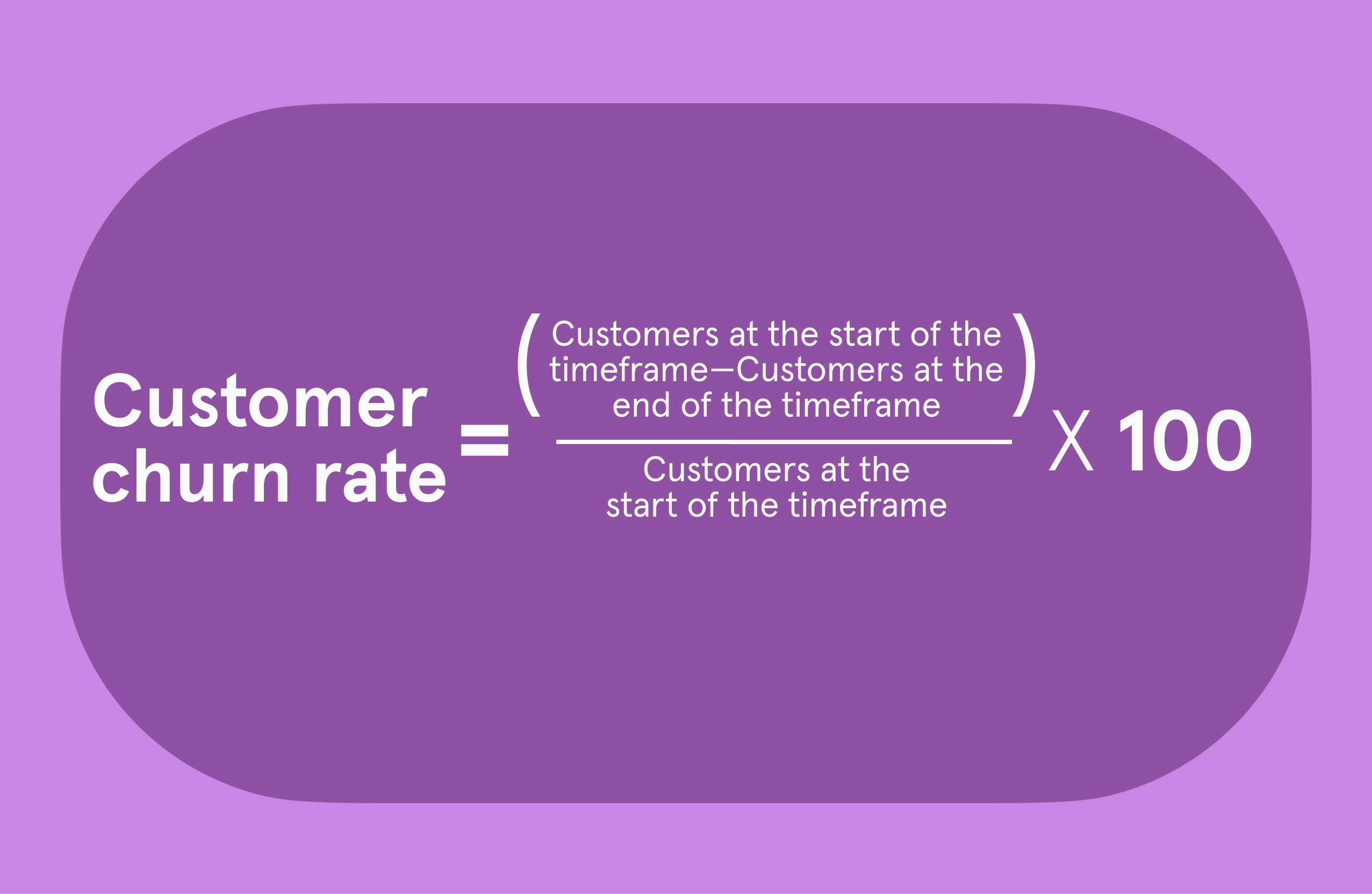
Track customer churn rates

Silos don’t just hurt sales—they hurt customers. Mixed messages during onboarding or follow-ups frustrate buyers. Keep an eye on churn rates, especially after sales handoffs, and ask departing customers why they’re leaving through exit-intent surveys.

By auditing your processes and digging into these numbers, you’ll see exactly where silos are holding you back—and how to fix them.

Breaking down silos 

Silos between sales and marketing slow everyone down—but they aren’t super technical. Here’s how you can start fixing them from the get-go: Build shared goals and KPIs

Start by setting goals that matter to both your sales and marketing teams. Instead of marketing chasing lead numbers and sales prioritizing deal size, focus on metrics everyone cares about—like how many leads turn into real opportunities or how long it takes to close a deal. 

Both teams will learn to trust each other when everyone is aiming for the same results.

Invest in centralized tools and processes

Silos often pop up because teams aren’t working from the same data. A shared customer relationship management (CRM) tool is one way to fix that—it gives everyone access to the same leads and updates.

Then, layer in Typeform, which collects detailed customer information through interactive forms and sends it directly to your CRM. No messy spreadsheets, no manual uploads—just clear, organized data ready for both teams to access.

‍Pro tip: work from shared dashboards so both teams can weigh in and track progress together, not competitively. 

Create communication loops

When you set up consistent check-ins, you create space for your teams to share insights, solve problems, and keep things running smoothly. Here’s what to focus on during these meetings:

  • Lead quality: Let your sales team share which leads are converting, so marketing can see where they might need to tweak their approach.
  • Campaign performance: Review what’s working in your campaigns and brainstorm ways to improve the rest.
  • Data concerns: Spot and address gaps or inconsistencies in customer data that might be slowing you down.
  • Workflow improvements: Talk about any processes that feel clunky or disconnected and find ways to make them flow better.

When you make feedback a regular habit, you build trust, clear up miscommunication, and help everyone stay focused on the same goals. (And your customers will notice the difference!)

How Typeform bridges the divide

When your sales and marketing teams work together, magic happens. Typeform helps you connect your teams by capturing customer insights, integrating with your tools, and creating an experience both teams can rely on. Here’s how:

Typeform turns data collection into a conversation. Instead of boring, static forms, you can use fun quizzes, surveys, and forms that feel human. Customers happily share details about their needs and preferences, and those insights go straight to your CRM. 

Marketing gets the data they need to send over leads sales actually want to follow up on. Everyone wins—and your customers feel like you get them.

Ready to bring your teams closer and create better customer experiences? Start with Typeform!

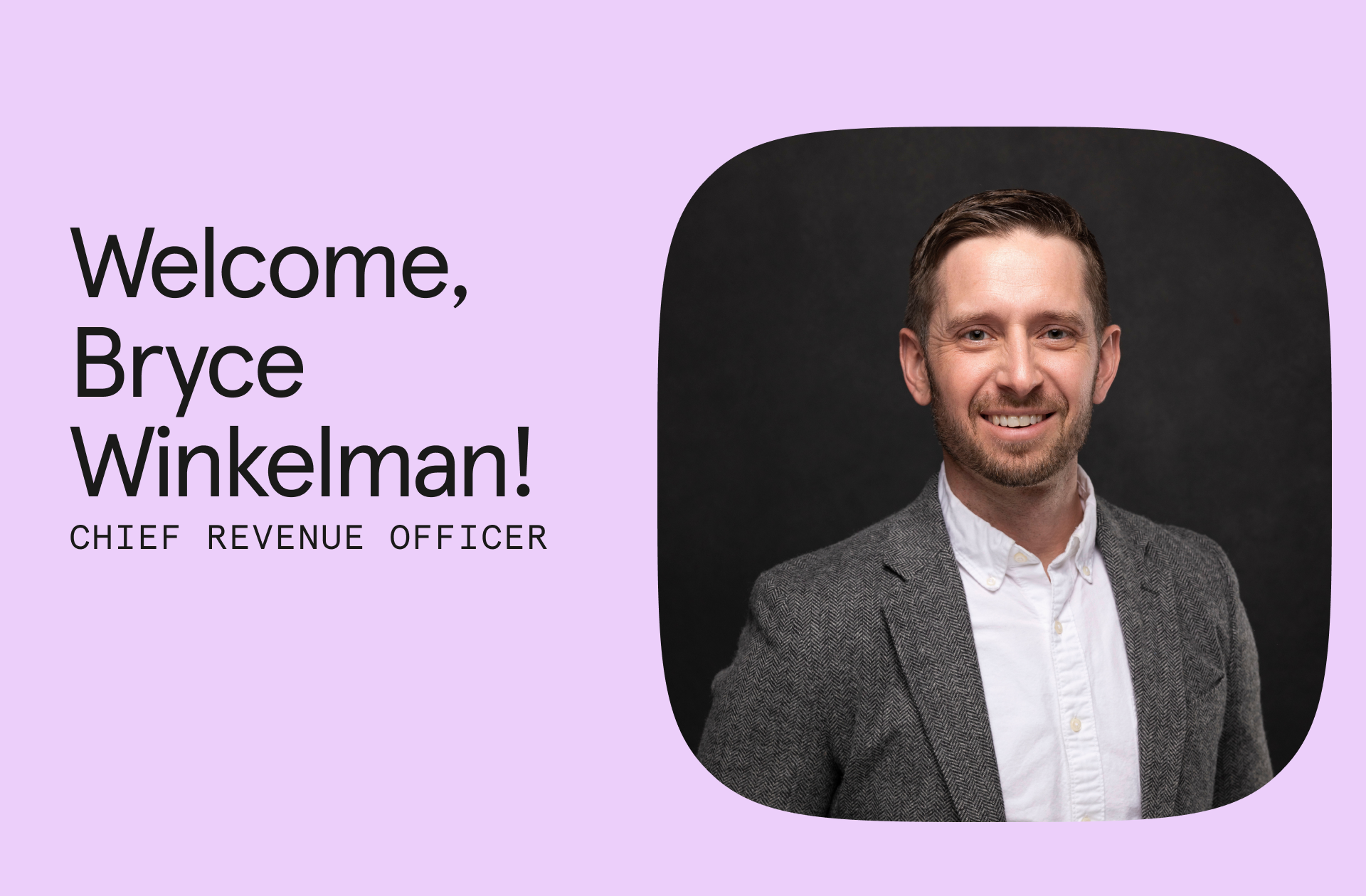
Typeform appoints Bryce Winkelman as Chief Revenue Officer to lead global growth initiatives

Software Stack Editor · January 15, 2025 ·

image

SAN FRANCISCO, January 16, 2025 – Typeform, the intuitive form builder and conversational data collection platform, today announced the appointment of Bryce Winkelman as its Chief Revenue Officer. Winkelman will lead Typeform’s go-to-market (GTM) functions, including marketing, sales, partnerships, revenue operations, and customer success, to elevate customer experience and drive efficient revenue growth.

This strategic appointment comes at a pivotal time for the company, having introduced new innovations like Typeform for Growth, which is seeing strong customer adoption since its July 2024 launch, and other milestones like its first-ever virtual product spotlight event, Typeforum, and debut of the award-winning “Now You Know” brand campaign. Key business metrics are also increasing, notably the enterprise-tier customer base, which has grown by 36% year-over-year. Winkelman will have a crucial role in continuing this momentum and leading the company into 2025, as Typeform focuses on building new solutions that empower brands to better understand their customers through gathering rich, actionable data.

“Bryce is a true growth expert with proven experience to lead our talented GTM organization and expand our business,” said Jay Choi, CEO of Typeform. “His deep understanding of product-led growth and GTM activities will be key to scaling the company and helping our customers maximize our product’s potential to engage their customers in deeper, smarter ways.”

With two decades of experience in the technology sector, Winkelman previously led SeekOut’s centralized GTM organization as Chief Business and Revenue Officer and Quantum Metric’s Strategy and Ecosystem organizations as Chief Strategy Officer. Prior to that, he held several leadership positions at Qualtrics, including Global Head of Revenue and Solution Strategy, Global Head of Digital CX, and EMEA Regional Lead/Head of Sales, where he helped grow the company from its founding period to its multibillion-dollar acquisition by SAP and subsequent IPO. 

“I’m thrilled to join Typeform, a company I’ve long admired for its category-defining capabilities and strong brand, especially during a time of immense potential,” said Winkelman. “With its world-class team, innovative technology, commitment to customer experience, and expansive market potential, Typeform is uniquely positioned to drive significant growth and seize the opportunities ahead.”

Learn more about Typeform’s solutions at www.typeform.com.

‍About Typeform

Typeform is a distinctly intuitive form builder that helps over 150,000 customers collect and validate the data they need to grow their businesses. Designed with striking visuals, a conversational flow, and powerful data capabilities, Typeform empowers brands to give and get more with each form. Typeform drives more than 600 million interactions each year and integrates with essential tools including Zapier, HubSpot, and Slack. For more information, visit www.typeform.com.

‍

Typeform blog: Create forms that click, A guide to building better online forms

Software Stack Editor · November 17, 2024 ·

Effective online forms kickstart customer interactions—like signing up for a newsletter or completing a purchase. A well-designed form enhances the user experience (UX) and improves conversion rates. But what makes a form truly effective?

In this guide, we’ll explore the key principles of form design, from understanding user needs to optimizing form fields, all while keeping your forms responsive and user-friendly.

Start by understanding the needs of your users

Forms that are built with intention—whether it’s saving time, reducing friction, or providing clear instructions—will be the ones your customers complete.

So, how do you figure out what your users actually need? Here’s a simple, three-step process to get it right:

1. Look at behavioral data: Dive into your analytics to see where people are dropping off. Are there certain fields that take too long to fill out or seem confusing? Behavioral data will tell you exactly where users hesitate or abandon the form.

Tip for Typeform users: Typeform provides built-in drop-off insights, making it easy to pinpoint where users lose interest or face friction.

2. Gather direct feedback: Send out surveys or follow-up emails asking users why they didn’t complete the form. What did they find unclear or irrelevant? This qualitative data can fill in the gaps that raw numbers can’t explain.

3. Segment your audience: Not all users are the same—someone signing up for a free trial probably needs less info than a customer making a big purchase. Segmentation helps you personalize forms based on user type, keeping the experience relevant and meaningful for everyone.

Follow form design best practices

A clean design helps people focus on what matters without feeling overwhelmed. Here are three form design principles to follow:

  • Use a conversational flow: Multiple columns or bundled questions make people jump around and lose focus. A one-question-at-a-time format feels more like a conversation, keeping users engaged and making it easier to follow.
  • Limit the number of fields: According to our data report, forms with fewer than 10 questions see the highest completion rates, with six being the sweet spot. Keep things simple by only asking for the information you really need.
  • Lead with intent: Label your fields clearly and use helpful microcopy to gently guide users through the process. For example, this Typeform adds, “Select all that apply” to make it clear that users can select multiple options.
  • Design and user experiences that shine

Good design isn’t just about looking nice—it’s aboutguiding your user’s attention to make their experience easier. Keep these visual design principles in mind as you go:

  • Use color wisely: Choose colors that guide your user’s attention and highlight actions (clicking next or choosing an option)—while also aligning with your brand.

“It’s very important to take time to think about which colors to use—and how many. Different colors inspire different emotions, so make sure the ones you choose transmit how you want people to feel,” says Veronica Fuerte, founder of creative design studio Hey.

  • Give your fields room to breathe: Give each element room to stand out. Don’t use a crowded background image, push the fields too close together, or add extensive microcopy.
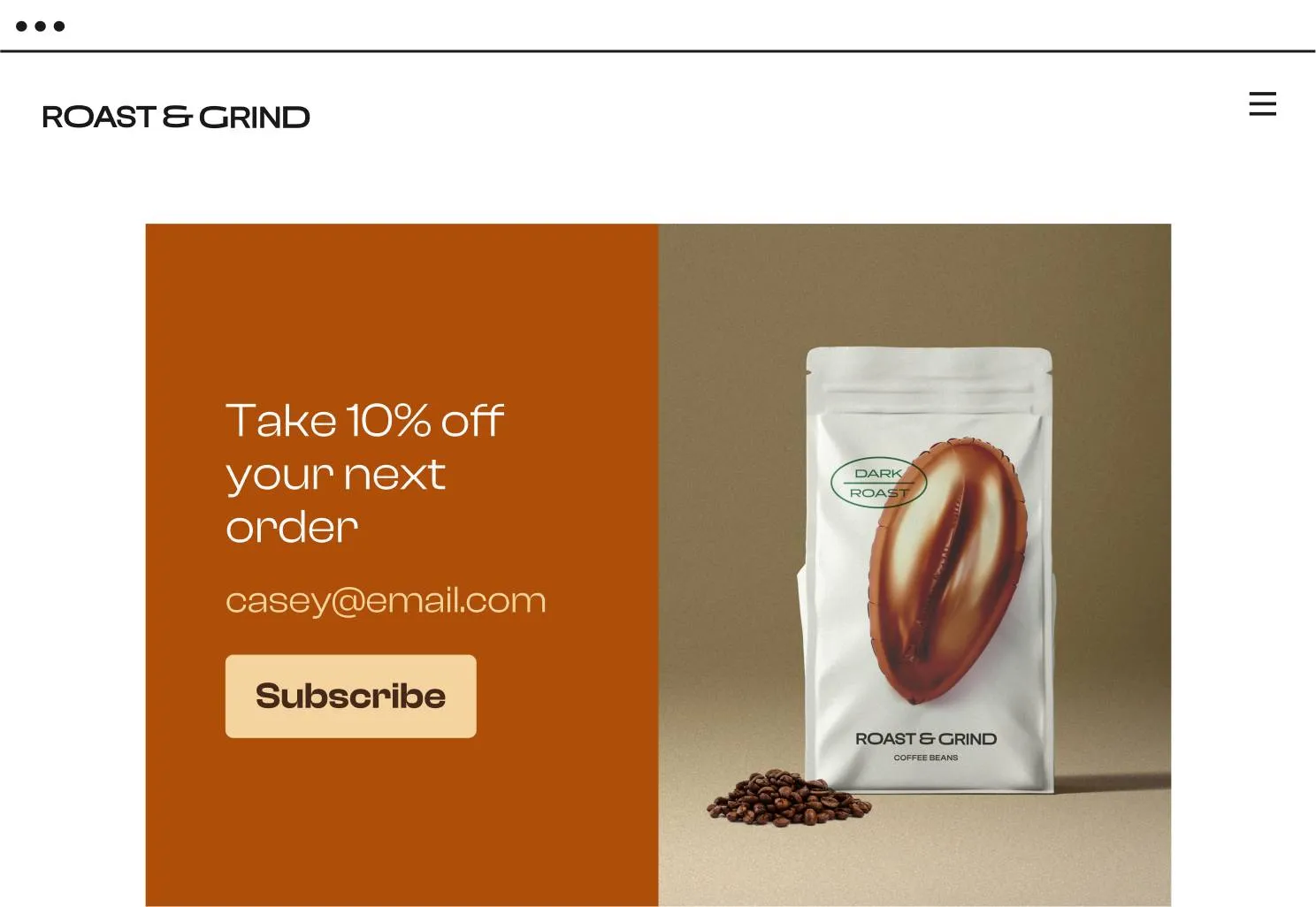
  • Contrast for clarity: Make sure your text stands out from the background—especially on important elements like call-to-action (CTA) buttons.

For example, Grind Coffee’s CTA button stands out because of its contrast to the background and surrounding text.
  • Mobile-first thinking: Your form should be as easy to fill out on a phone as on a desktop. Your users shouldn’t need to scroll to reach form fields. For example, travel planning company Lykke uses an interactive mobile-first form to survey prospective customers.

Be interactive

Form design isn’t just about looks—it’s about how it feels to use. When your form does the heavy lifting, people are more likely to stick with it.
Include user interaction features like:

  • Conditional logic: Tailor the form experience for your customers by showing or hiding fields based on previous answers. Your customers will only see questions that are relevant to them—making the form feel more personalized.
  • Auto-fill and drop-down menus: Simplify things for people by suggesting answers or filling in common details for your customers for example city codes or email domains.
  • Progress indicators: Break down long forms with progress bars that show how far users have come. It turns a multi-step form into easy, bite-sized sections.

What makes a form effective

A great form does more than just collect information—it creates an experience that feels natural and effortless. By focusing on design that’s intuitive and user-friendly, your form can leave a lasting positive impression while boosting completion rates.

Create engaging lead generation forms or customize your next form using Typeform’s Form Builder.

Typeform blog: 4 reasons to add plan recommendation quizzes to your SaaS growth strategy

Software Stack Editor · November 17, 2024 ·

If you’re a SaaS company, chances are you offer multiple pricing plans to meet different needs. But too many options can overwhelm customers and lead to drop-off—sometimes before they even start a free trial. At best, this leaves you with customers who aren’t the right fit. At worst, your conversions tank.

Plan recommendation quizzes are a win-win. They make it easier for customers to find their best-fit plan quickly, while boosting confidence in their choice. Plus, you gather valuable insights to improve sales and product offerings.

In this blog, we’re diving into the top four reasons SaaS companies should use plan recommendation quizzes.

Benefit 1: Personalization at scale

Customers expect a personalized experience, but delivering this in a SaaS environment isn’t easy. By asking a few key questions upfront, a plan recommendation quiz helps you:

  • Segment customers accurately
  • This way, you can tailor messaging to their unique needs
  • Capture actionable customer insights
  • Gain valuable data on what features, pricing, and services resonate with different audiences. Use this to ‌improve your product offerings, marketing strategies, and customer support.

Personalization isn’t just about meeting expectations—it’s a powerful way to build brand loyalty, increase engagement, and keep your customers happy.

Benefit 2: Reduce churn with the right fit

A well-designed quiz helps your customers find the best plan for their needs right from the start. Instead of making a guess, they answer a few questions about team size, integrations, and usage—then you match them to the right plan. That’s how you move from “just another SaaS” to a trusted partner who gets it, right from day one.

For example, Slack offers plans tailored to team size and collaboration needs. Without a quiz, new customers might start on a plan that’s either too much or too little for them—causing frustration and potential churn. A quiz that matches them to the right fit saves you and the customer time and hassle.

Benefit 3: Get game-changing customer insights

SaaS companies often have endless analytics on what customers do, but not why they do it. That’s where zero-party data comes in—information customers willingly share about their needs and preferences.

With a quiz, you’re not guessing—you’re getting direct answers. This lets you:

  • Improve product offerings
  • based on actual customer wants
  • Run targeted campaigns
  • that speak to real customer needs
  • Elevate support experiences
  • by understanding specific pain points

And here’s the kicker: 80% of marketers say zero-party data is critical to their strategies. When you know what drives your customers, you’re not just tweaking features—you’re building better relationships.

Benefit 4: Create engaging experiences that stand out

Nothing stops a customer’s journey faster than confusion or a bland experience. Whether they’re navigating complex pricing options or endless FAQs, frustrated customers are quick to leave.

Interactive quizzes change this. In fact, 81% of marketers agree quizzes and other interactive content capture attention better than static content. Quizzes pull users in, giving them a hand in finding the right plan—and that builds trust and increases conversions.

Quizzes guide customers through personalized questions and help them find the right plan faster and with more confidence. The more engaging the experience, the more likely your customers are to stick around and, more importantly, convert.

In an age where customers are bombarded with choices and distractions, interactive quizzes are a powerful way to make sure your product stands out from the noise. And better customer experiences lead to brand loyalty and customer retention.

Next Step: Build your own plan recommendation quiz

In a crowded SaaS landscape, the right plan recommendation quiz can be a game-changer. It’s not just a tool to increase sales; it simplifies complex decisions, boosts confidence, and builds trust at every touchpoint.

Each quiz you create moves you closer to stronger conversions, reduced churn, and revenue potential. Get started with a plan recommendation quiz with Typeform today.

Typeform blog: The art of writing product recommendation quiz questions for quizzes that convert

Software Stack Editor · November 17, 2024 ·

Whether it’s software that creates a seamless checkout experience, analytics tools that track customer activity on your site, or an email marketing platform that auto-sends cart abandonment emails, you’ve got hundreds of tools to help your e-commerce brand succeed.

While some tools are more necessary than others, we’d argue the most essential is one many e-commerce brands often overlook: product recommendation quizzes. Not only do they improve e-commerce personalization, but they also:

  • Increase the time shoppers spend on your site
  • Boost sales
  • Drive traffic to your site
  • Build trust with shoppers
  • Provide invaluable zero-party data (ZPD) and customer insights
  • Give shoppers tailored product suggestions that boost customer loyalty

It’s not an exaggeration when we say that product recommendation quizzes can change the game for e-commerce brands who use them. But there’s a catch—you need to create effective quizzes.

That means asking the right quiz questions to engage shoppers and match them with a perfect-fit product. If you don’t ask questions that reveal enough customer data to make on-point recommendations, shoppers might leave dissatisfied and you miss out on valuable data.

We’ll show you how to write product recommendation quiz questions that uncover crucial information about your customers and allow you to suggest personalized product matches.

Product recommendation quizzes and marketing personalization

​​Gone are the days when using the [first_name] merge tag was enough to qualify as marketing personalization. Sure, we’re all innately more interested in things that relate to us directly or use our names. But for true personalization, using someone’s first name (only) just doesn’t cut it anymore.

Customers want to be treated as individuals. The best way to do that? Personalization. It’s become the new standard—and expectation—for how brands engage with their customers. And with unprecedented access to their data, consumers demand you understand them as individuals and their unique wants and needs.

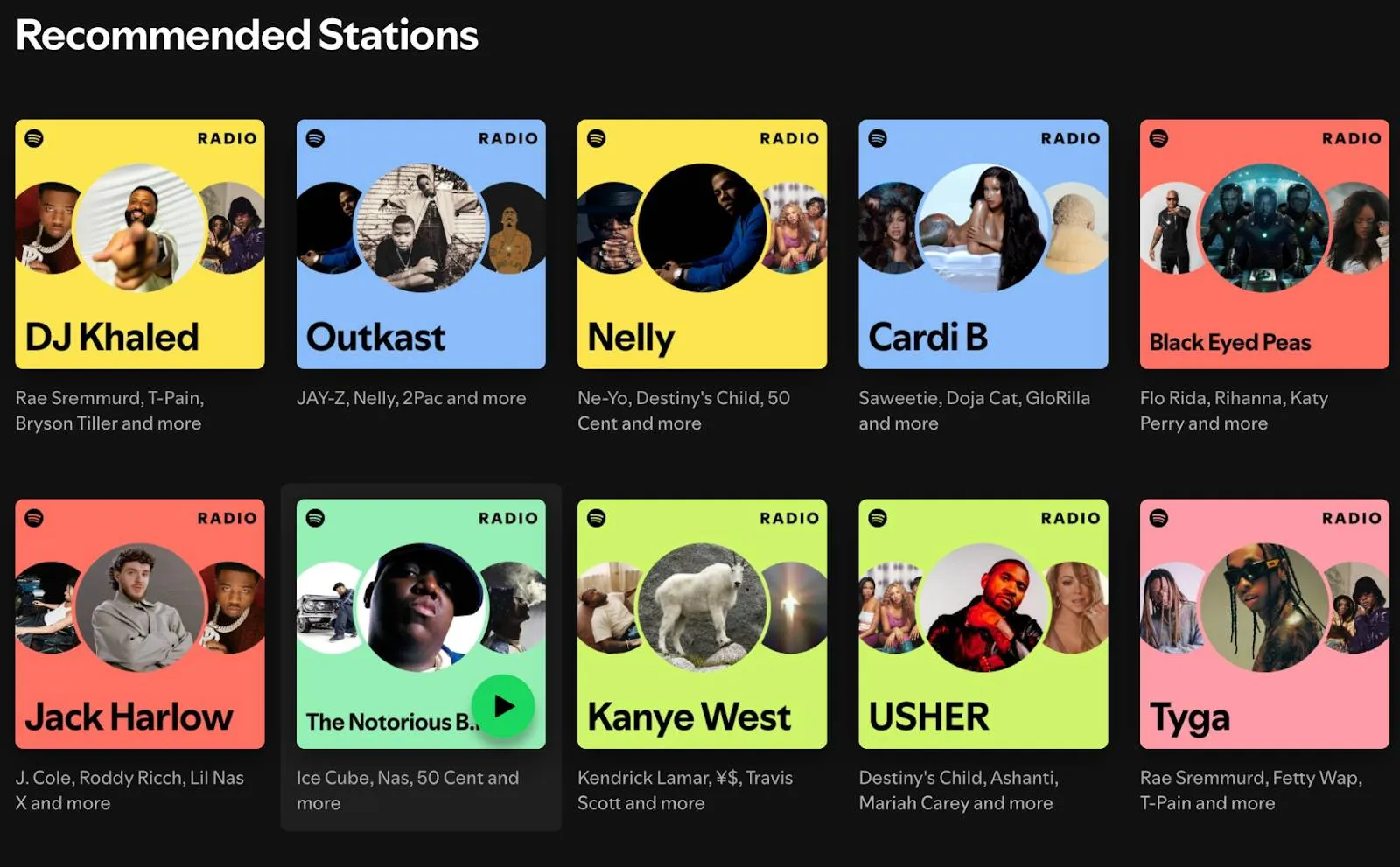
Just look at my “Recommended Stations” from Spotify. Every station aligns with the music I listen to most. It feels like Spotify gets me and created stations based on my individual interests.

And here’s why that matters for your e-commerce brand:

  • 78% of shoppers are more likely to become repeat buyers if you personalize
  • McKinsey found that nearly 80% of consumers have recommended or paid more for a brand that personalizes experiences
  • 65% of customers expect brands to adapt to their changing preferences—but an overwhelming 61% feel like companies treat them as a number

With countless benefits and the expectation of personalization, savvy e-commerce brands are creating more personalized customer experiences… and they’re using product recommendation quizzes to do it.

What is a product recommendation quiz and how does it help with personalization?

Before we get into how product recommendation quizzes improve e-commerce personalization, let’s briefly define it.

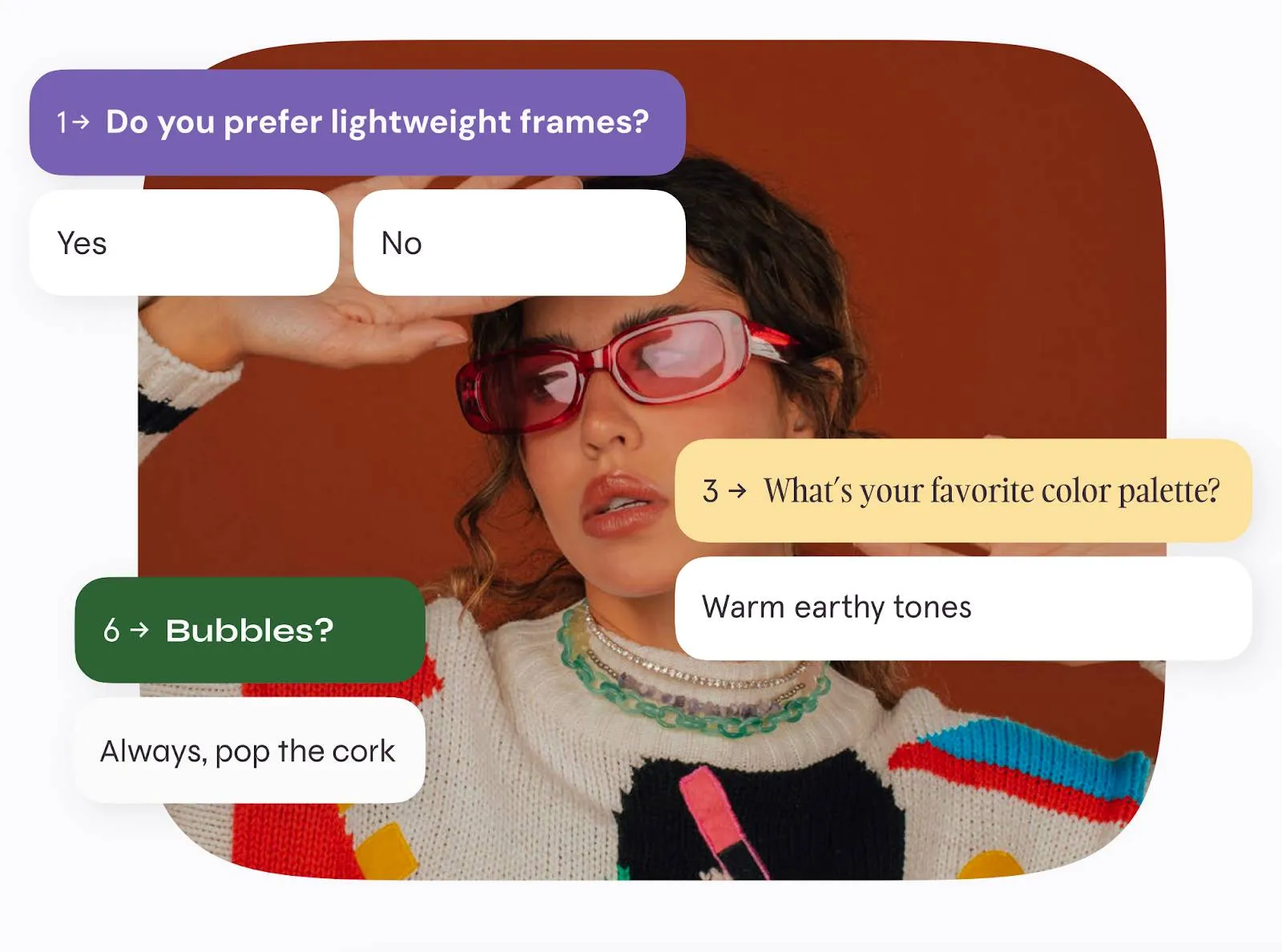
A product recommendation quiz plays matchmaker between shoppers and your products by asking questions about lifestyle, wants, needs, interests, and more. Using the answers shoppers share, you can recommend personalized product matches that show you listened while building instant trust.

And while product recommendation quizzes are fun for quiz takers, don’t underestimate their value as a powerful marketing tool for personalization, too. Done right, a product recommendation quiz:

  • Increases the time shoppers spend on your site by encouraging active participation in the product recommendation quiz—shoppers are aware that they need to be intentional with their answers to get personalized product matches
  • Makes data collection—specifically ZPD—effortless, so you can not only send tailored product suggestions, but use that data for personalization efforts in other areas, like better segmentation, email marketing, and more

Personalization goes far beyond a one-time interaction. Sure, product recommendation quizzes make tailored product suggestions only when someone completes the quiz…

But the data that comes from the quiz lets you segment your audience, send content your customers actually care about, personalize your messaging, and nurture browsers into eventual buyers.

3 types of product recommendation quizzes

Consumers have spoken—personalize our experience or we’ll go somewhere else. And with so many ways to personalize and open access to customer data, brands have no excuse to not deliver the personalized experience consumers expect.

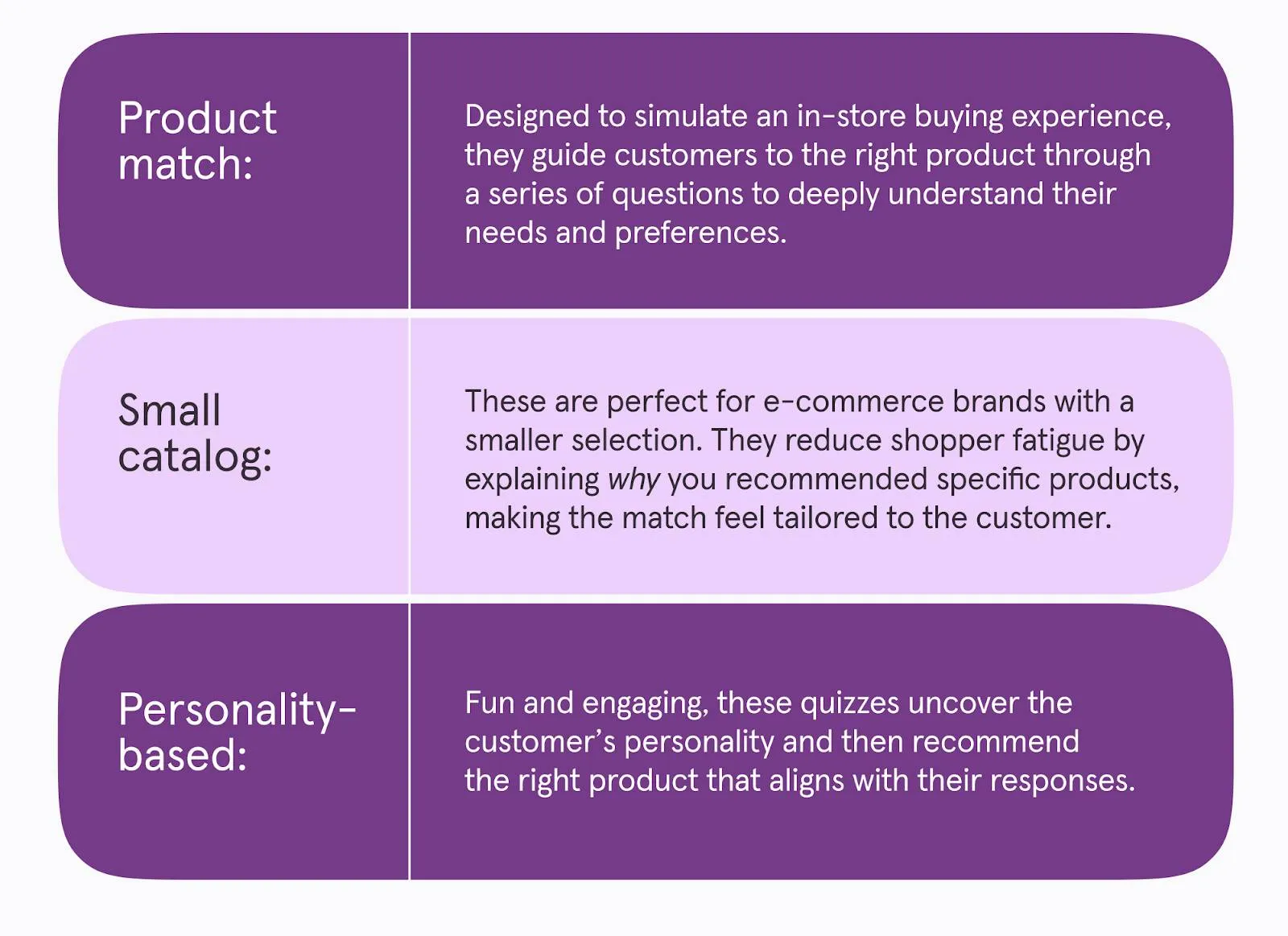
Whether you’re already using personalization strategies or figuring things out, product recommendation quizzes are a proven method for personalization (and a must-have for your marketing strategy). Here are three to try.

The “logic” behind product recommendation quizzes

While product recommendation quizzes are fun to take (and make), the goal is to be more than just an exciting experience—it’s about suggesting products that match a shopper’s needs or wants. To do that, you need to ask relevant quiz questions that guide shoppers toward that perfect match.

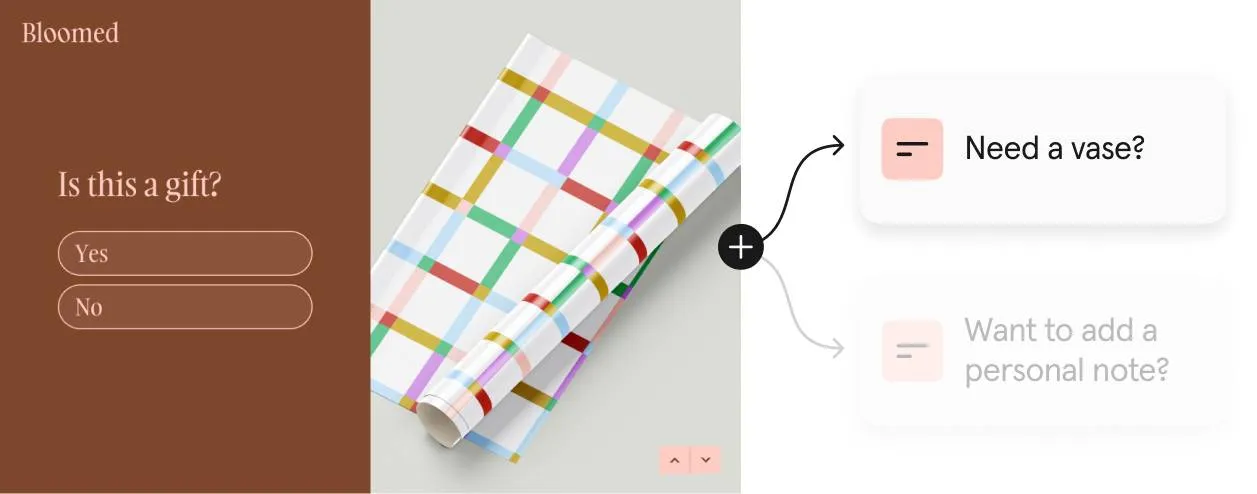
That’s where logic comes into play. Logic lets you create a product recommendation quiz that asks relevant questions only by responding to answers and skipping irrelevant questions.

Logic also lets you create tailored paths (branching) based on someone’s answer. Let’s say you’re asking someone if they have curly hair or straight hair. If they’ve got curly hair, you might lead them to questions about frizz. If their hair is straight, you might ask follow-up questions about oily hair.

Branching and logic allow you to create a personalized quiz experience—building trust by asking thoughtful questions that guide shoppers to personalized product matches. Product recommendations that align with their unique wants, needs, and interests.

6 tips for writing effective product recommendation quiz questions

They might seem straightforward, but there’s a lot to consider as you create your product recommendation quiz. First and foremost, put yourself in your customers’ shoes. Would you want to answer 25 questions? Or fill out a form that sends you completely irrelevant product suggestions?

Take your time and be intentional—and follow these six tips.

The best product recommendation quizzes are those built with the customer in mind and focused on creating a personalized experience. To do both, design a quiz shoppers want to fill out—keep it short, ask relevant quiz questions, and engage shoppers visually.

Product recommendation quizzes: the answer to e-commerce personalization

What was once considered a nice-to-have is now a requirement for shoppers you want to engage with your brand. They expect personalization. And not surface-level personalization—real, data-driven personalization at every touchpoint.

You have a big opportunity to build trust and create personalized experiences for your customers while driving sales. And it starts with product recommendation quizzes.

These interactive quizzes give you the ZPD you need to personalize now and in the future. They build trust by delivering personalized product matches. They are the answer to e-commerce personalization.

Ready to give them a try? Try Typeform.

Typeform blog: Turn “fun” into a powerful marketing strategy with personality quizzes

Software Stack Editor · November 17, 2024 ·

We’ve all taken those intriguing personality quizzes that bloggers, digital product creators, and even leading brands use as lead magnets. Like Airbnb’s trip matcher quiz that reveals your travel personality. Or the “What’s your bubbly personality?” quiz from prosecco and cava brand Freixenet.While these quizzes are fun to fill out, they’re more than just “silly personality quizzes.”

They drive real impact for hundreds of businesses. These brands leverage personality quizzes to build connections with their audience and boost lead generation, website traffic, and more. Keep reading to see how you can design your own personality quizzes, the benefits of interactive content, and how to incorporate them into your marketing strategy.

What are personality quizzes?

If you think of Myers Briggs when you hear “personality quizzes,” you’re not wrong. While they certainly have a place (even in marketing), the personality quizzes we’re talking about are the ones brands use to collect data, personalize everything from communication to product recommendations, and generate leads.

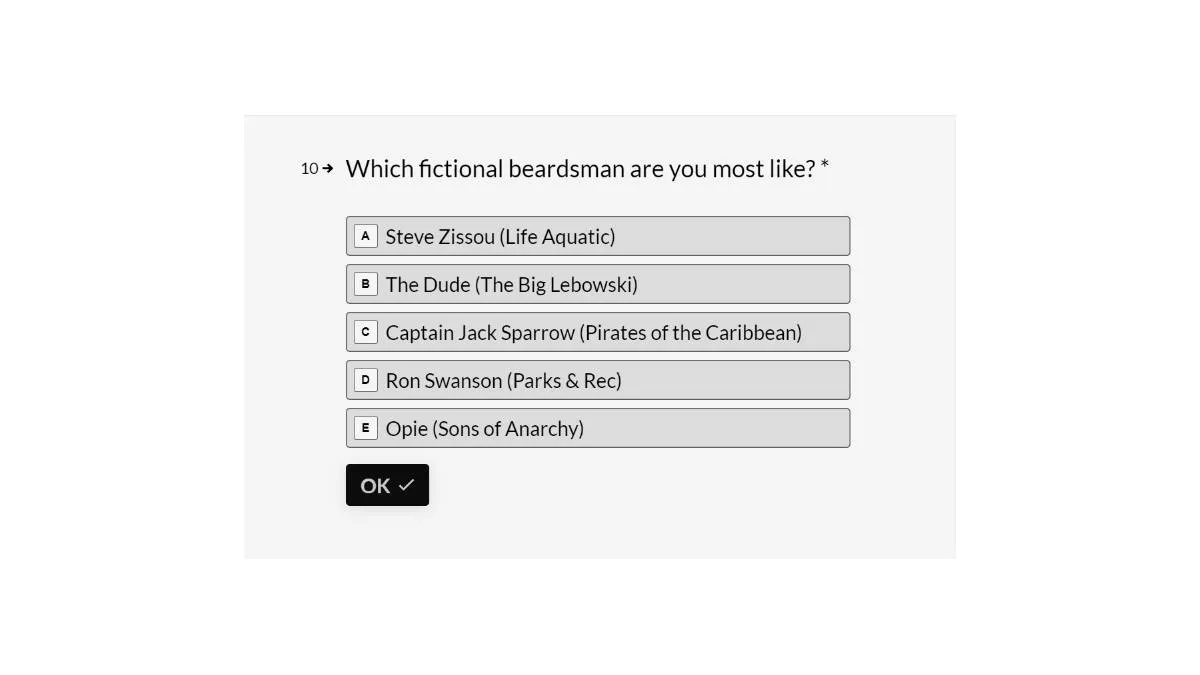
Take Beardbrand for example. Beardbrand’s personality quiz helps you discover what type of beardsmen you are by asking questions about your ideal beard, current hairstyle, how often you use products, and more.

Here are a few reasons brands love interactive content. It:

  1. Boosts engagement
  2. Yields zero-party data (ZPD)
  3. Helps you personalize the customer experience (CX)
  4. Jumpstarts lead generation
  5. Can drive sales through product recommendations

5 benefits of personality quizzes

Marketers have realized the power of interactive content—like personality quizzes—in engaging with their audiences and creating a pipeline of leads. And they’re seeing the benefits, from increased engagement to lead generation to sales. Take a look at a few of the benefits of personality quizzes.

1. Increase audience engagement

Quizzes aren’t only fun to take, but they also encourage quiz takers to share their results, especially on social media. As your interactive content gets shared by your audience on social, you expand your organic reach, driving more traffic to your site.

Personality quizzes drive engagement by keeping visitors on your page longer, encouraging people to share their results, and building brand awareness as more people find your quizzes organically through friends or social media.

2. Get more zero-party data (ZPD)

Interactive content yields zero-party data by encouraging quiz takers to share data in a non-intrusive way. It works because we all love learning about ourselves, especially when a quick and entertaining quiz is involved.

Personality quizzes get leads and customers excited to share ZPD (the best type of data) with you. That data reveals a more complete view of your audience while providing unique insights for marketing.

3. Personalize the customer experience (CX)

Personality quizzes help you personalize the customer experience through the data they provide. While interactive content is fun and engaging for your audience, it’s also an opportunity to create a better CX that converts leads into customers.

Seriously—the data backs it up. A McKinsey survey highlights the power of personalization. It can:

  • Reduce customer acquisition costs (CAC) by up to 50%
  • Increase revenue by up to 15%
  • Boost marketing ROI by up to 30%

The data you get from the quiz helps you segment your audience so you can create more relevant content and tailor the customer journey.

Look at the Airbnb personality quiz example—it helps match you with your ideal trip. Let’s say my results show I’m an adventure traveler but you’re a luxury traveler. Airbnb could segment us so we both get content we value and trip recommendations that actually match our interests. More relevant marketing for us both!

4. Supercharge lead generation

Personality quizzes play on our innate curiosity and desire to learn more about ourselves. When they pop up on our screens, we can’t resist the urge to find out what type of traveler we are or which supervillain we’re most like… making personality quizzes a gold mine for lead generation.

They make great lead magnets because quiz takers want to see the results of the quiz, so they willingly share their email addresses to get them. Some brands share a sneak peek at the results before asking for an email address for a more in-depth results report.

5. Boost sales with product recommendations

While product recommendation quizzes and personality quizzes serve different purposes, they can both work to generate more revenue for your brand. Product recommendation quizzes are a more direct approach to driving sales—personality quizzes reveal the data and insights that help make more accurate recommendations.

Say a makeup retailer uses interactive content to reveal your night-out style. You find out that you’re a “Disco Diva.” This personality type is dramatic, unafraid to be bold, and always makes a statement.

As a brand, you now have the data to recommend products that are bold and daring, like a glittery eyeshadow palette or vibrant blush.

Pro tip: Ask questions that would logically contribute to product recommendations—whether you like pizza probably doesn’t have anything to do with what running shoe you buy.

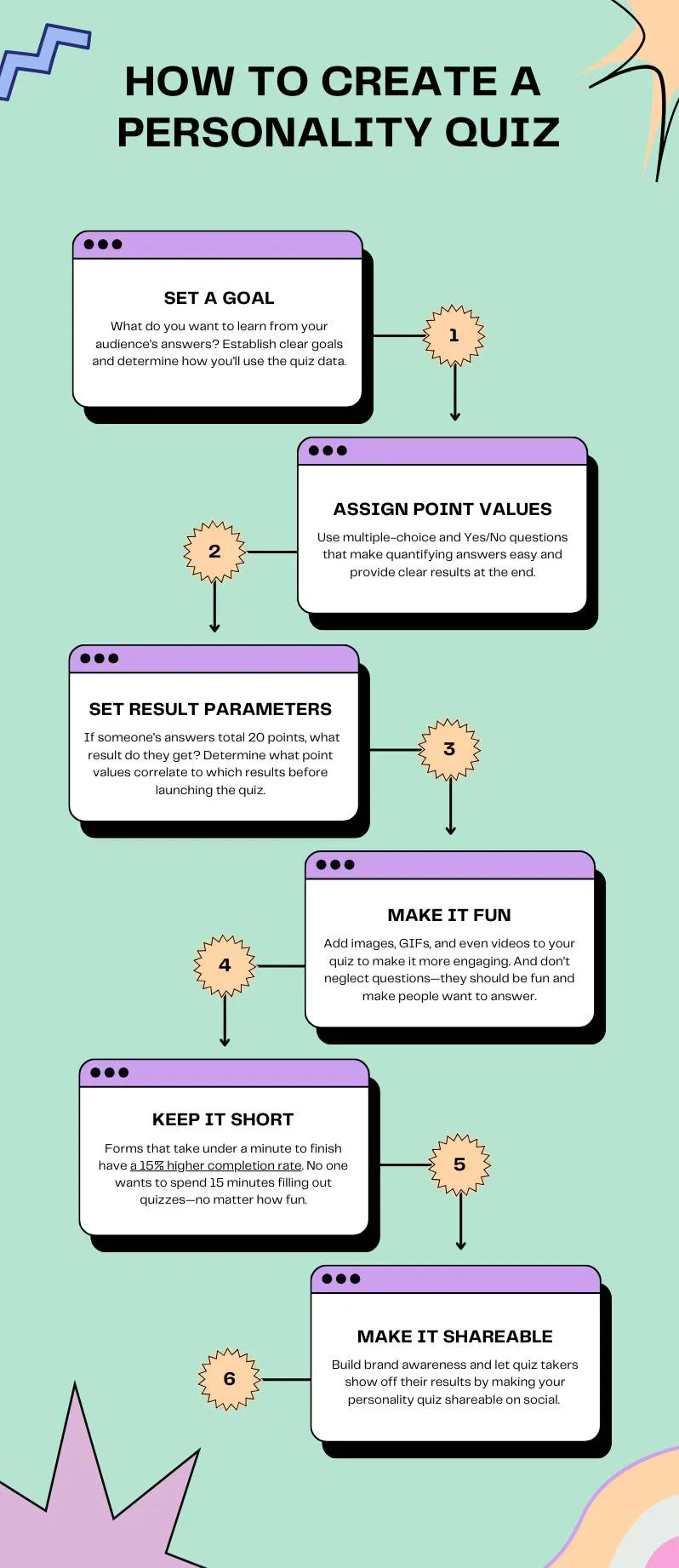
Typeform-approved tips on how to create a personality quiz

Before you reap all the benefits of a carefully crafted personality quiz, you need to create it. We’ve got a few best practices for personality quizzes that’ll help you design engaging and fun quizzes (and support your marketing efforts and growth).

Want step-by-step guidance for creating personality quizzes in Typeform? Check out this article.

And it goes without saying—keep your customers’ data safe. People who willingly share their data with you expect that you have systems to protect their data and use it ethically.

Personality quizzes, meet marketing strategy

Interactive content, specifically personality quizzes, is an often undervalued marketing tool. Sure, the quizzes are fun. But (as we already discussed) they can also help you create a more effective marketing strategy by collecting valuable customer data that helps you:

  • More accurately segment your audience
  • Personalize the customer experience
  • Tailor content and resources
  • Increase sales

Take a look at these personality quizzes—they’re entertaining and have clear marketing goals attached to them.

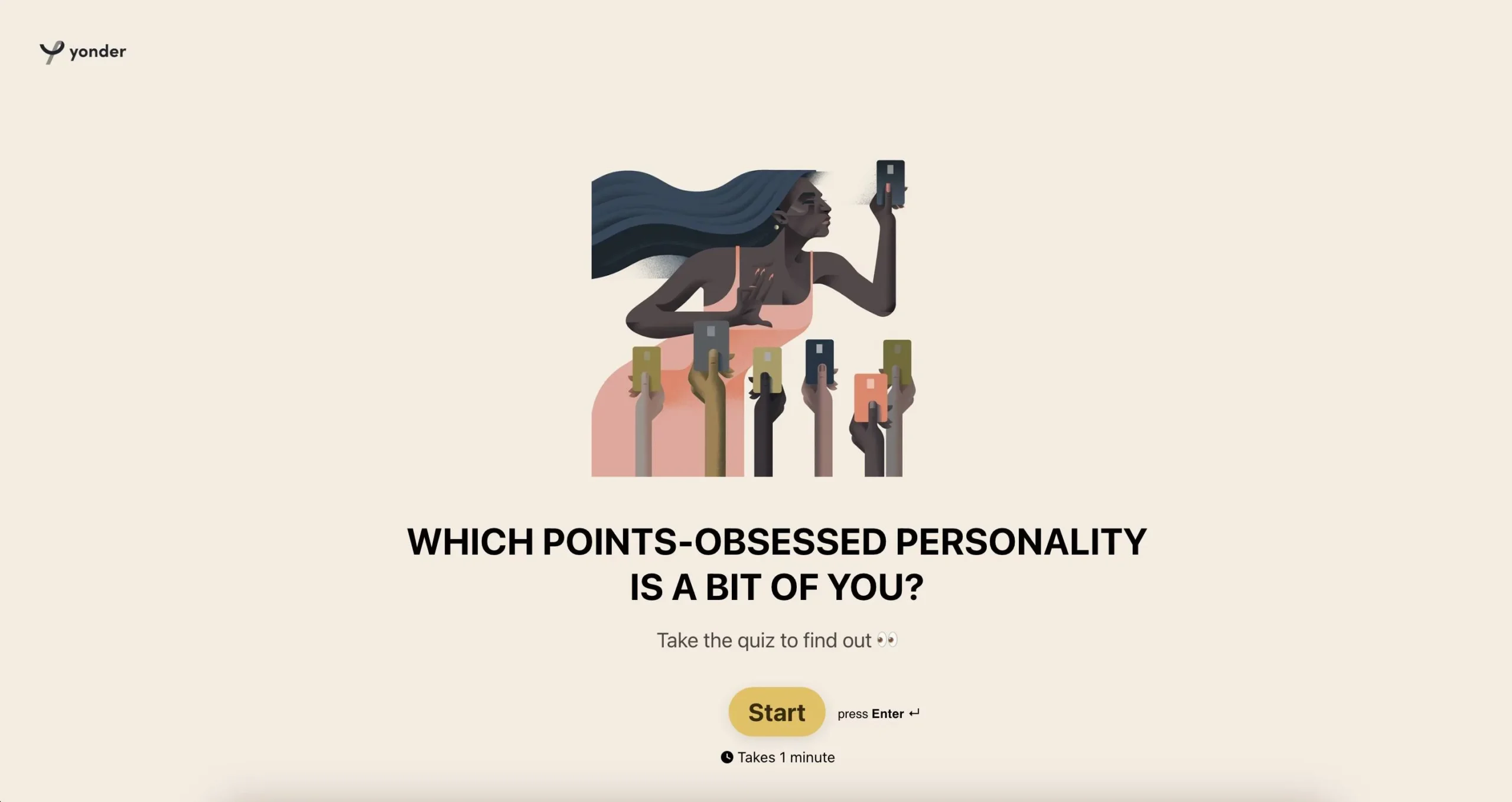
Yonder

Explorer credit card company Yonder uses its personality quiz to reveal the type of points-obsessed personality the quiz taker is. With no email required to see your results and big social share buttons at the end, this quiz is about building brand awareness and engagement with their audience.

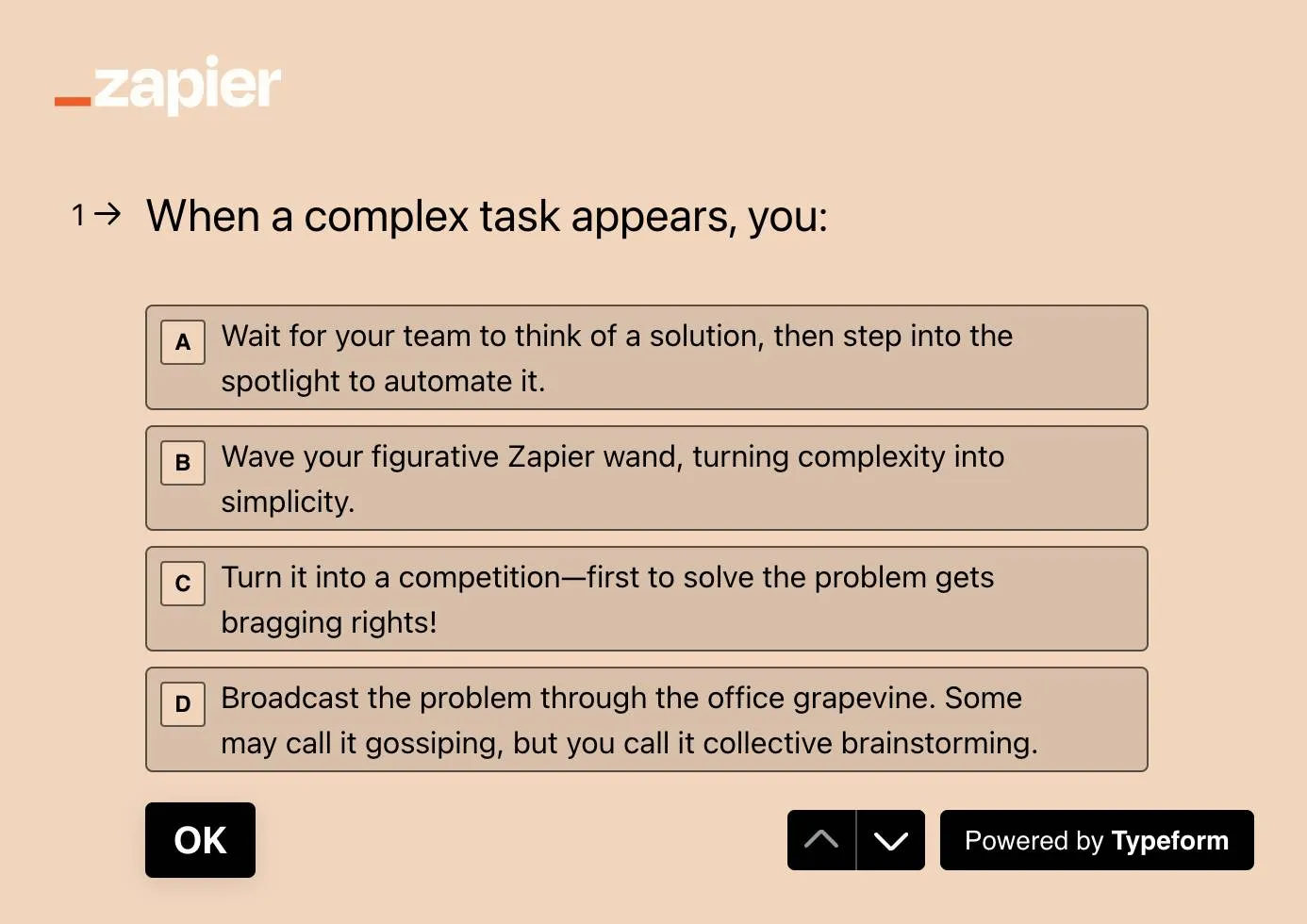
Zapier

With a title like, “Which type of workplace frenemy are you?” Zapier has already captured our attention and piqued our curiosity. It’s obviously a fun personality quiz, but the real goal here… collecting customer data and lead generation.

Every question is tied to a unique Zapier capability (in a fun way), giving Zapier useful insight about how their customers might be using the platform or would use it. And the quiz ends by asking for your consent to receive emails from them (lead gen).

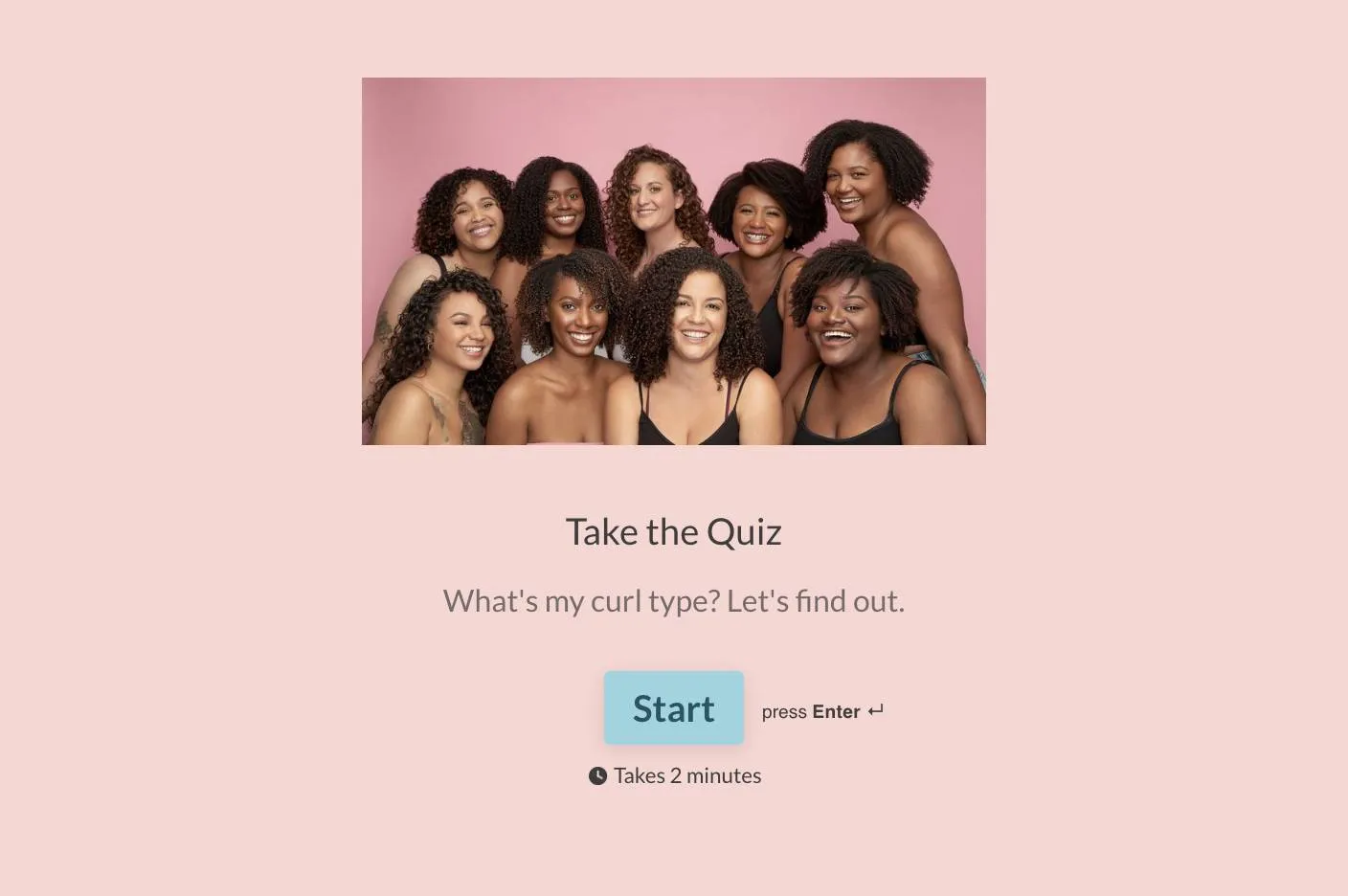
CurlMix

Okay, CurlMix’s hair curl type quiz is more about your hair’s personality type, but it’s a good one nonetheless. Their personality quiz gets specific about your hair type, allowing them to segment you based on your results, send tailored communications, and personalize product recommendations.

The quiz also acts as a lead magnet by asking for your email before it shares your results (and a product suggestion). While you might not buy a product today, now that they have your information, they can use that data to nurture you with personalized content and recommendations that’ll drive an eventual sale (or sales).

Create your own

Now that you’ve seen a few personality quizzes done right and see the value they bring to any marketing strategy, it’s time to create your own. And remember, it’s a personality quiz—it should be fun, creative, and a reflection of your brand.

Get started with Typeform and create your first (of many, we’re sure) personality quiz.

Typeform blog: Boost your organic traffic with SEO-optimized product recommendation quizzes

Software Stack Editor · November 17, 2024 ·

Product recommendation quizzes aren’t just fun ways to get your audience involved. They’re also hidden SEO tools that can drive serious traffic to your site.

Think about it: a well-optimized quiz not only attracts users through search engines but also keeps them on your site longer, engaging with your brand, and, ultimately, leading to purchases. Yet many companies overlook the opportunity to rank their quizzes in search results, leaving competitors to capture those high-intent users instead.

With the right strategies, your quiz can do more than entertain—it can transform into a high-performing SEO tool that brings in traffic, boosts engagement, and converts shoppers. Here’s how to make it happen.

Keyword research for your quiz

Keyword research is the backbone of any solid SEO strategy, and quizzes are no exception. The goal is to identify the terms your audience is searching for and strategically incorporate them into your quiz.

Here’s how to approach it:

  • Identify core topics:
  • Start broad by focusing on the main themes your quiz addresses. For example, if your quiz helps users find their ideal skincare routine, look for general terms like “skincare routine,” “best face wash,” or “how to get clear skin.”
  • Target long-tail keywords:
  • Long-tail keywords are more specific and less competitive, making them easier to rank for. Instead of “skincare routine,” consider phrases like “skincare routine for sensitive skin” or “find the best skincare products for acne.”
  • Analyze competitors:
  • Tools like Ahrefs or SEMrush can show you the keywords your competitors rank for. If their quiz on “find your perfect skincare routine” ranks for “best products for oily skin,” consider targeting similar keywords or gaps they’ve missed.

Typeform’s tip: Incorporate your primary keywords naturally throughout your quiz flow—from the intro to the results page—without overstuffing. Think of it as optimizing for conversations, not just clicks.

Tools to use

Keyword research doesn’t have to be overwhelming. Here are some tools to help you get started:

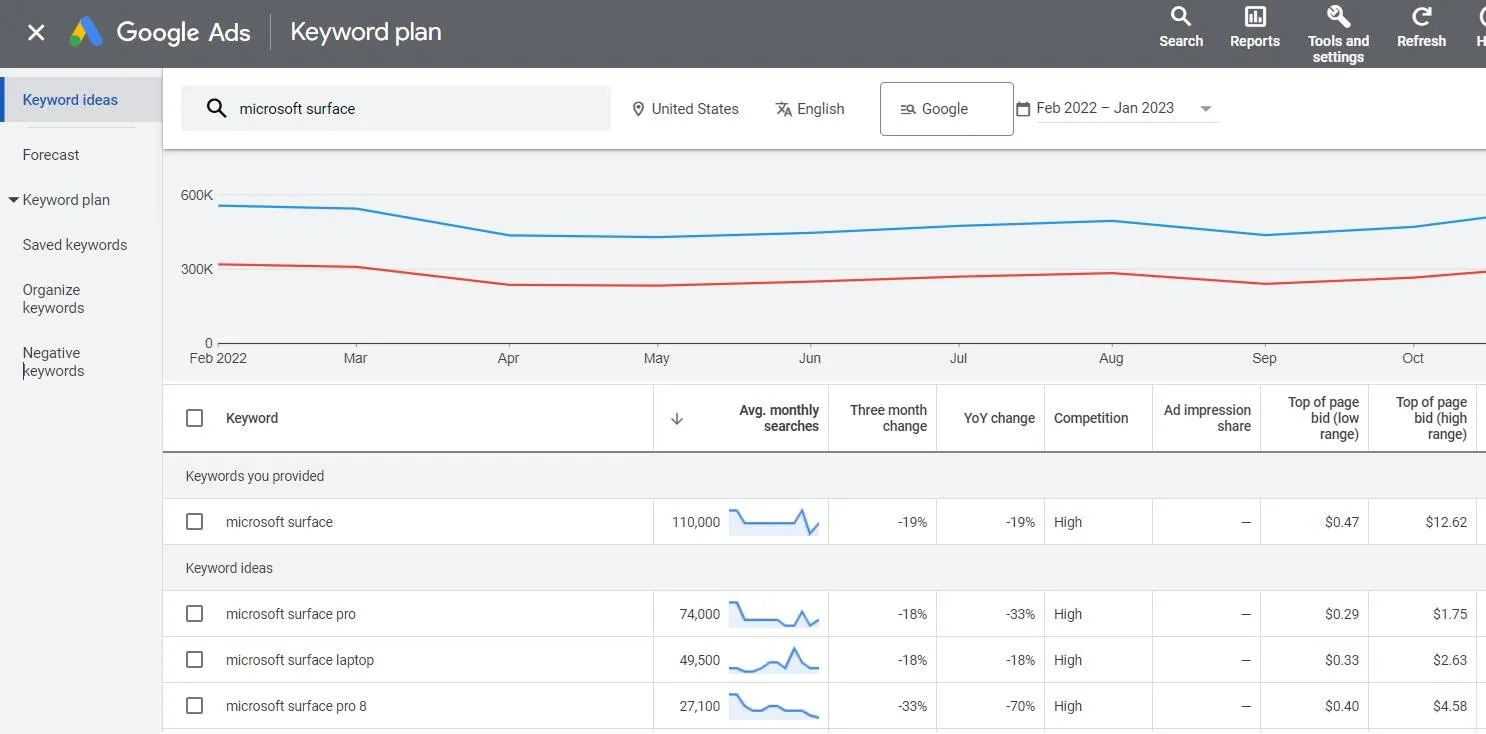
  • Google Keyword Planner:
  • Great for beginners, offering high-level insights into search volume and competition.

Surfside PPC

  • Ahrefs:
  • Perfect for deep dives into competitor analysis and keyword tracking.
  • SEMRush:
  • Another excellent tool for analyzing keywords, monitoring site health, and tracking performance.

With these tools, you can refine your quiz content to match what your audience is actively searching for, ensuring it resonates and ranks.

Crafting SEO-friendly quiz titles and descriptions

Your quiz title and description are your first impression—both for users and search engines. A strong title not only grabs attention but also helps your quiz rank.

Here’s how to make them work for you:

  • Use keywords effectively:
  • Include your primary keyword in both the title and the meta description.
  • Make it clickable:
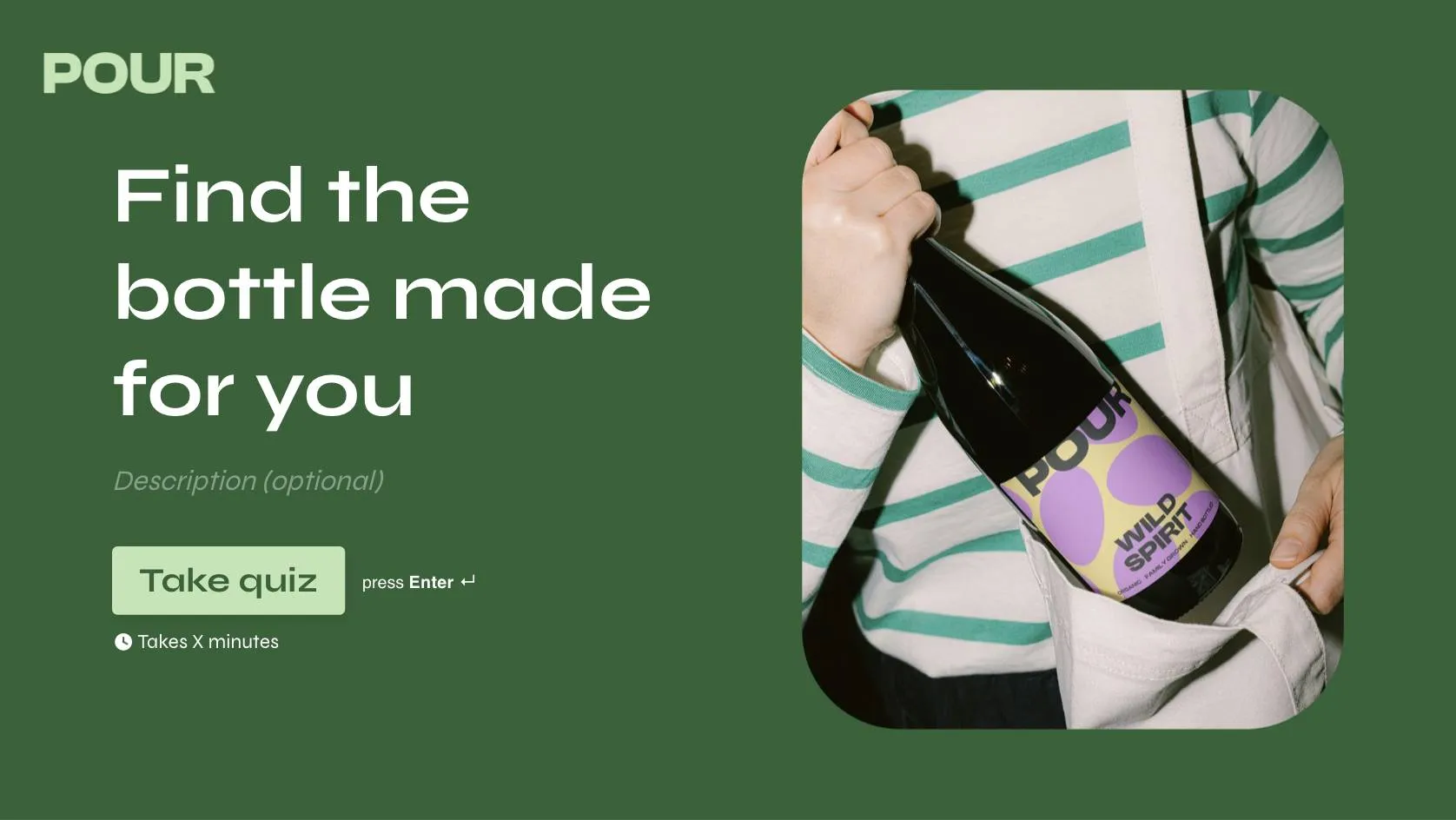
  • Skip the generic headlines. Instead of “Find Your Skincare Products,” try “Find the bottle made for you!”
  • Optimize meta descriptions:
  • While meta descriptions don’t directly impact ranking, they do influence click-through rates. Include a call-to-action and your main keywords in under 160 characters.

Optimizing quiz content for SEO

Once you’ve nailed your keywords and titles, it’s time to optimize the quiz itself.

Here’s what to focus on:

  • Introduction:
  • Start strong with a keyword-rich intro that highlights the quiz’s value. For example, “Discover your perfect skincare routine with this quick, personalized quiz!”
  • Questions and answers:
  • Optimize question phrasing subtly. Instead of “What’s your skin type?” try “Is your skin oily, dry, or sensitive?”
  • Results page:
  • Don’t overlook this crucial piece. Use the results page to include keyword-rich descriptions and link to related resources or products on your site.

Typeform tip: Add multimedia like images or videos to keep users engaged, but don’t forget to optimize them with descriptive file names and alt-text that include keywords.

Technical SEO considerations

The technical side of SEO can make or break your quiz’s ranking. Here are two critical areas to prioritize:

  • Mobile optimization:
  • Over 60% of searches happen on mobile devices. Ensure your quiz is responsive and easy to navigate on any screen.
  • Page speed:
  • A slow-loading quiz can hurt your rankings and conversions. Compress images, limit unnecessary scripts, and test load times regularly.

Maximize the SEO impact of your quiz

Here’s the big picture: a well-optimized quiz doesn’t just bring in traffic—it establishes your brand as a solution provider. It shows both search engines and your audience that you understand their needs and can deliver real value.

Beyond clicks and traffic, quizzes build trust and drive long-term customer relationships. They’re not just an SEO tool—they’re a growth tool.

Ready to take your product recommendation quiz to the next level? Try our ready-to-use quiz template and start seeing the results for yourself.

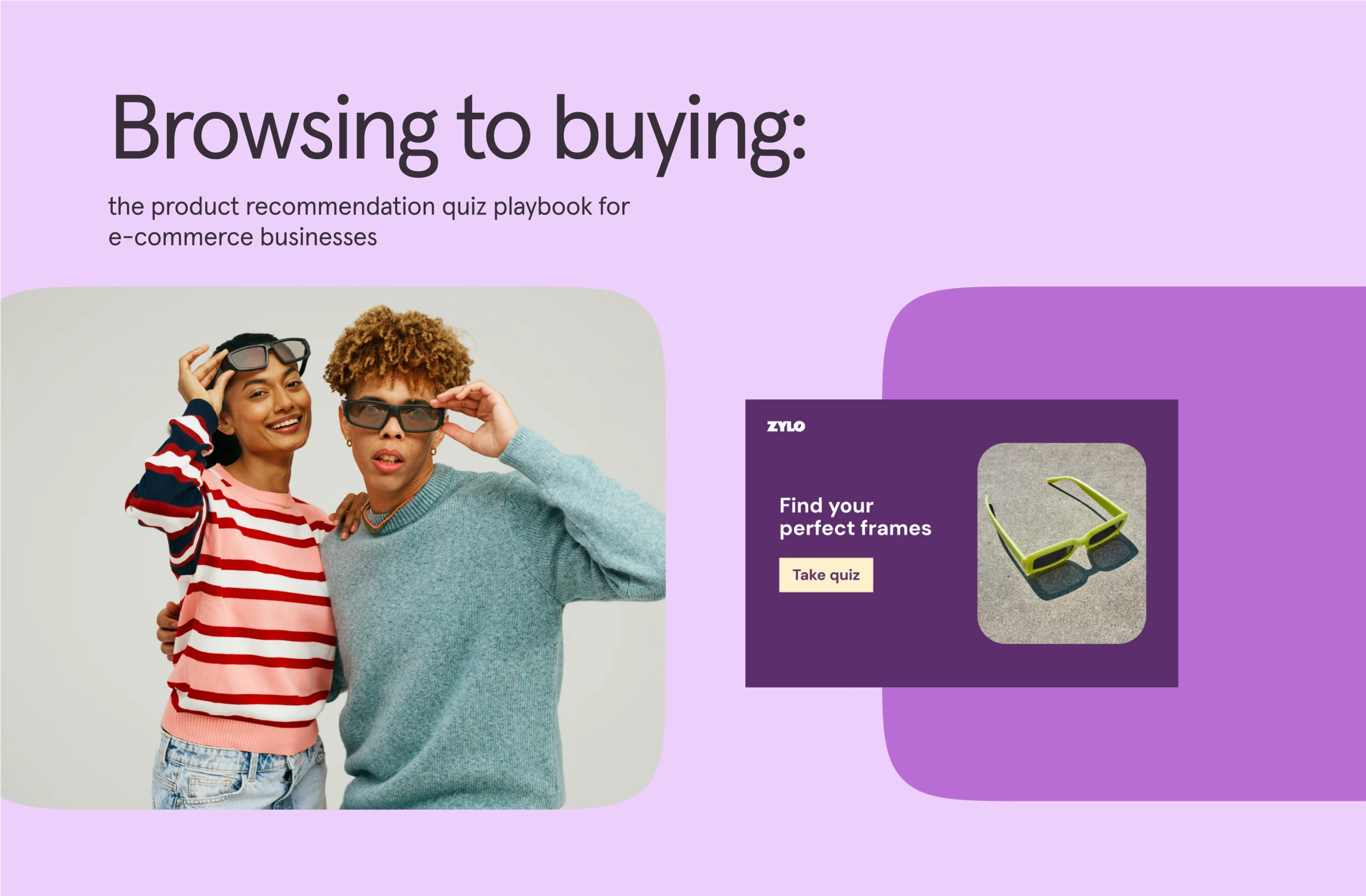
Browsing to buying: the product recommendation playbook

Software Stack Editor · November 17, 2024 ·

image

Get our insider guide on creating product recommendation quizzes that gather valuable insights and drive more sales. Whether you’re selling skincare, coffee, or cozy sweaters, there’s a quiz idea that’ll captivate your customers.

Ready to turn casual browsers into loyal buyers? Dive into the playbook and discover how to collect the data you need to make personalization your superpower this holiday season.

Browsing to buying: the product recommendation playbook

Software Stack Editor · November 16, 2024 ·

Lead scoring and marketing automation: why and how (+ tools to know)

Software Stack Editor · November 15, 2024 ·

The misalignment between marketing-qualified leads (MQLs) and sales-qualified leads (SQLs) is probably costing your business big. Why? Well, the disconnect leads to friction along the entire customer handoff process. Starting with marketing passing along leads that aren’t sales-ready—resulting in wasted time, missed revenue opportunities, and a frustrated sales team.

Lead scoring is key. It ensures your sales team focuses on qualified leads, AKA someone who’s‌ interested in your product and is ready to buy. The one-two punch.

But manually lead scoring or lead scoring in a vacuum can be a massive, inefficient undertaking. You’d spend as much time assessing leads as you would generating them.

That’s why integrating lead scoring into your marketing stack is essential. It ensures your scoring models align with your ideal customer profile, capture key insights from your CRM and sales tools, and help you close deals faster.

In this blog, we look at lead scoring, marketing automation, and how you can set them up to build efficient marketing operations.

What is lead scoring?

Lead scoring is the process of assigning numerical values to leads based on factors such as:

  • Demographic details
  • Company size
  • Lead source
  • How they interact with your brand online
  • Behaviors that align with your ideal customer profile (ICP)

This point-based system allows sales teams to target leads that are likely to convert and become valuable long-term customers. By zeroing in on these high-potential prospects, you ensure that your resources yield high returns.

Lead scoring ensures your employees don’t waste time chasing leads that don’t match your ICP.

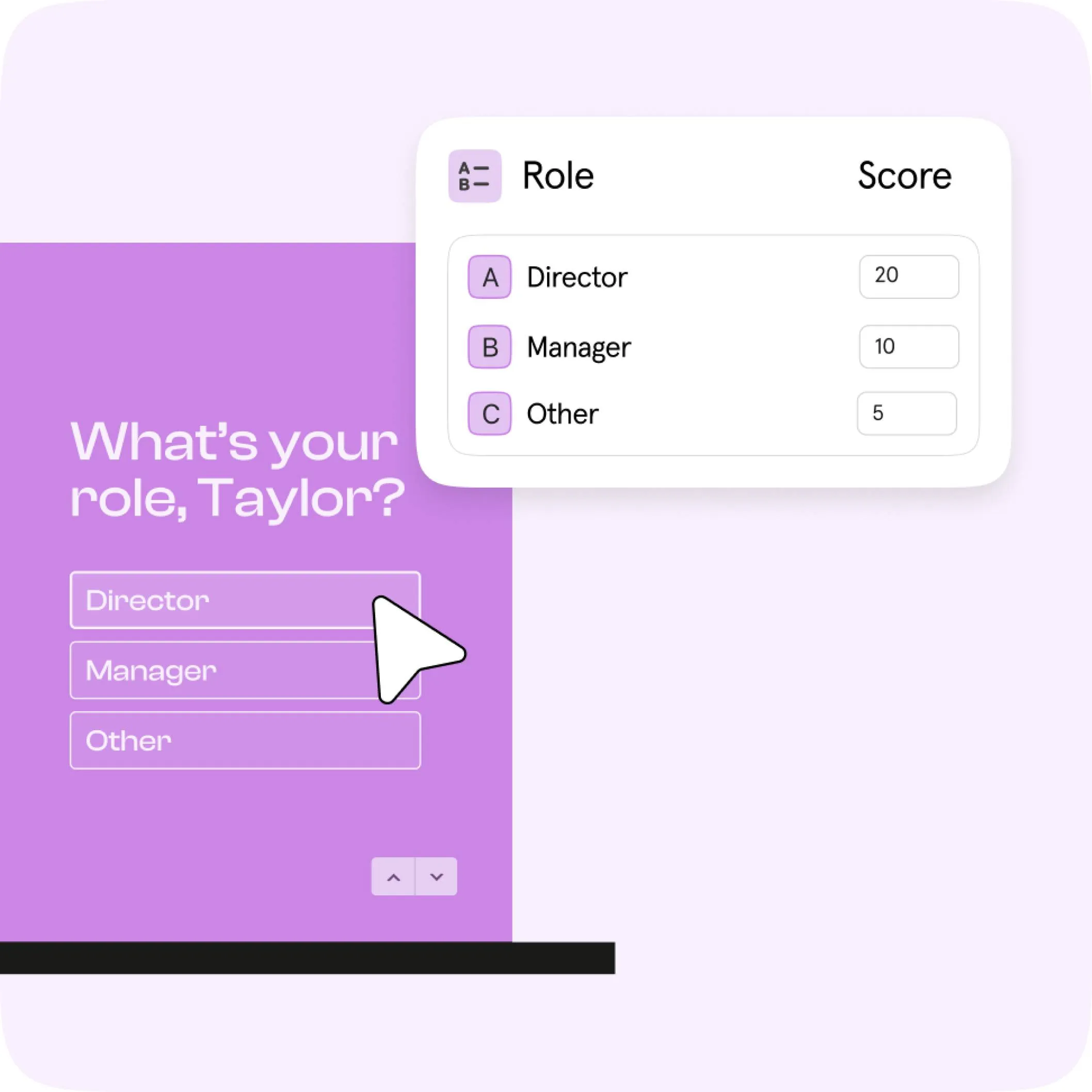
For example, consider a SaaS company targeting small- to mid-sized businesses. They might score leads based on the following criteria: +10 points if the company has 50-200 employees, +5 points if the lead downloaded a whitepaper, +3 points if they attended a webinar, and -5 points if their job title doesn’t include decision-making authority. A lead scoring 30+ points is deemed high-priority and is immediately passed to the sales team for follow-up.

Challenges with lead scoring

But lead scoring comes with a side of tricky challenges:

  • Quality of data: Lead scoring is only as good as the data behind it. If the inputs are outdated or inaccurate, the scores won’t reflect reality—sending your sales team in the wrong direction and wasting valuable time.
  • Poorly defined audiences: Without a crystal-clear picture of your ideal customers, lead scoring becomes a shot in the dark. This leads to wasted effort and missed chances to engage the right leads at the right time..
  • Unknown buyer’s journey: If you’re unclear about your prospects’ journey from discovery to purchase, your lead scoring won’t just fall short—it’ll miss the mark entirely.

A poor understanding of the customer journey is a common challenge. 49% of salespeople feel the teams they work with understand the customer journey extremely well. But when asked to reflect on their own knowledge, only 18% of them say they understand the journey to the same extent.

These challenges are often avoidable. Next, we’ll explore smart tactics to tackle them. But first, let’s look at how marking automation can make lead scoring easier.

What is marketing automation?

Marketing automation is any technology that manages marketing processes, campaigns, and analytics. By using it, you can target customers with automated messages across email, web, social, and text. Plus, you can also streamline repetitive tasks such as sending reminders, updating web pages, or publishing blogs.

But, like lead scoring, it comes with its own set of challenges:

Challenges with adopting automation

  • Stock-taking and documentation: To get automation up and running, you’ll first need to map out your processes and document everything clearly. It’s an important step, but it doesn’t have to feel overwhelming.
  • Long timelines before you‌ see progress: Automation delivers efficiency, but it’s not instant. Setting up workflows that truly make a difference takes time, and waiting for results can feel like a test of patience.
  • Getting your whole team familiar with the new processes: Even the best tools are only as good as the people using them. Rolling out new automated processes often comes with a steep learning curve, and getting everyone on board requires not just training but a shift in mindset and culture.

Setting up lead scoring with marketing automation in 3 steps

Integrating lead scoring with marketing automation is like transforming a clunky, manual assembly line into a sleek, automated powerhouse. It’s double the challenge but also double the reward (with the right tools).

Here’s how you can go about it:

Step 1: Outline your ICP with laser precisio

Think demographic details, behavior patterns, and firmographic data. Feed this blueprint into your marketing automation platform to ensure every action is aligned with your ideal customer.

Step 2: Connect your CRM and sales tools

This integration is critical—it ensures the data flowing into your lead scoring model is rich and real-time. Automated workflows can then sift through this data, flagging high-potential leads instantly and sending them to your sales team while nurturing lower-scoring leads until they’re ready.

Step 3: Set up triggered actions

Automation doesn’t just stop at lead scoring. Use it to set up triggered responses—personalized emails, retargeting ads, or follow-up calls—based on lead interactions. This keeps prospects engaged and moves them smoothly through the funnel.

Choosing the right tools

Selecting the perfect tools for lead scoring and marketing automation hinges on your specific goals and target leads. You want tools that seamlessly integrate with your existing systems, offer real-time data processing, and scale as your business grows.

Look for functionalities like advanced segmentation, multi-channel automation, and robust analytics.

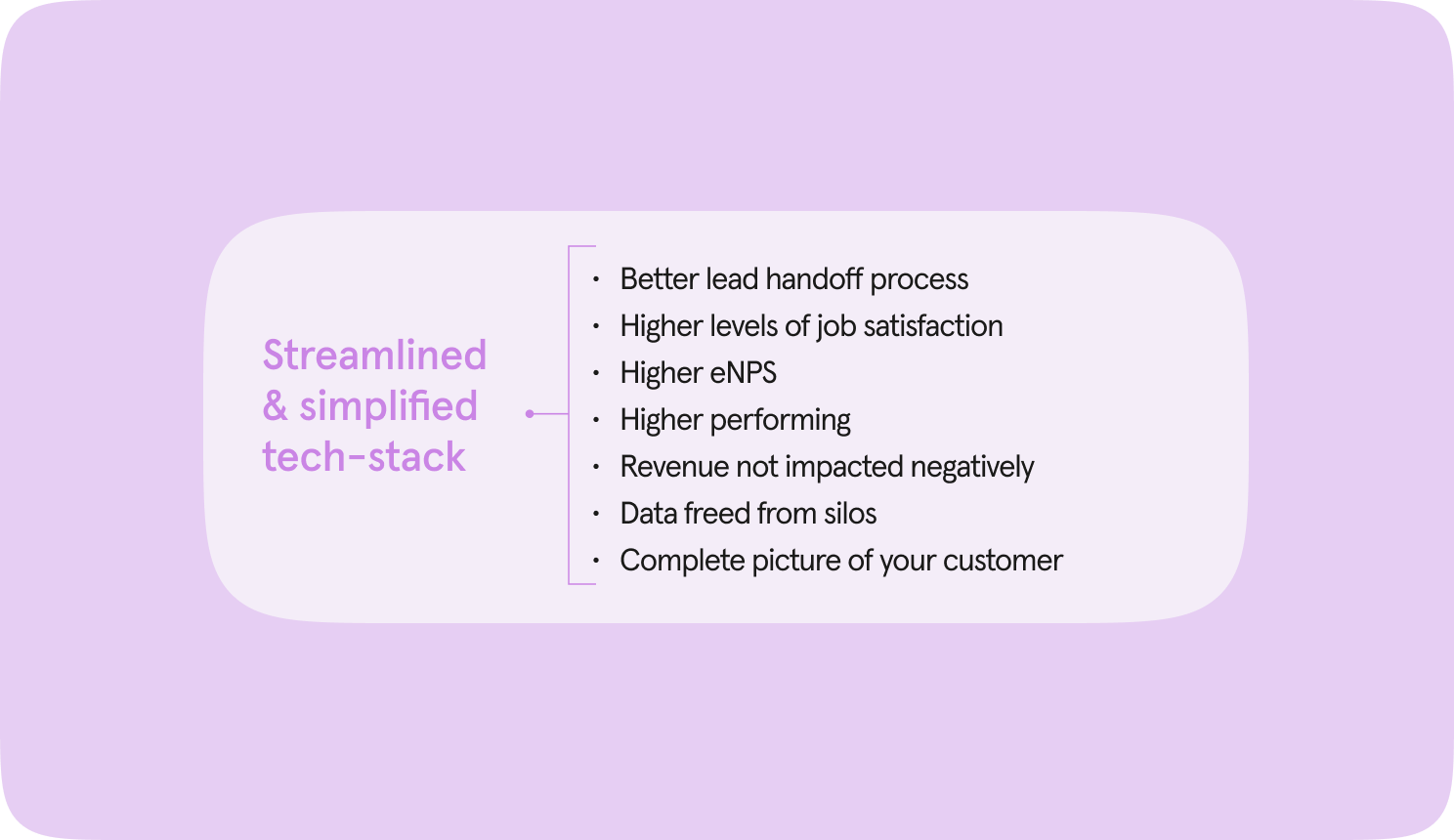
A streamlined tech stack isn’t just about fewer tools—it’s about smarter, more cohesive tools. Recent data shows that companies with simplified, integrated tech stacks report significantly better customer acquisition experiences.

Defining lead scoring criteria

To define lead scoring criteria, start by identifying key demographic details (industry, company size, job title). These basics are your foundation. Next, layer in behavioral indicators. Track website visits, content downloads, email engagement, and social media interactions. These actions reveal intent and interest levels.

But don’t stop there. Consider fit-based criteria like budget, timeline, and purchasing authority. Your goal is to paint a comprehensive picture of each lead’s potential value. Incorporate both positive and negative scoring to balance enthusiasm with reality—subtract points for non-responsive leads or irrelevant industries.

Remember, this isn’t a one-size-fits-all approach. Customize your criteria to align with your unique business goals and customer profiles. Regularly review and refine these metrics based on feedback and performance data. By doing so, you ensure that your sales team focuses on leads most likely to convert, optimizing resources and boosting ROI.

How lead scoring and automation help you grow smarter

As your business scales, automating the busywork keeps your team focused on what really matters—making meaningful connections and driving results. Choose tools that grow with you, handling more data without missing a beat.

Regularly fine-tuning your lead scoring and automation workflows ensures you’re always in sync with shifting customer needs and market trends. Staying agile means you can engage the right leads, close deals faster, and build lasting growth.

Want to see how the right tools can make a difference? Check out Typeform for Growth.

Using zero-party data to create better e-commerce experiences

Software Stack Editor · November 15, 2024 ·

Today’s customers expect more from e-commerce brands: more personalization, more transparency, more data privacy. It’s why brands are increasingly turning to zero-party data (ZPD) as the pinnacle of customer data customer data, equipping e-commerce marketers with vital consumer insights to achieve laser-accurate personalization with explicit consent from customers.

ZPD isn’t just the collection of customer data—it’s a vital resource for forging brand loyalty and trust, prioritizing customer privacy, and providing customers with hyper-personalized experiences. We’re breaking down zero-party data’s role in e-commerce, why it’s essential for e-commerce campaigns, how to collect it, and what brands like yours can do with ZPD.

What is zero-party data in ecommerce?

Zero-party data refers to any information your audience willingly and intentionally shares about themselves. Think of it as conversational data—the information customers would reveal in a normal conversation with you.

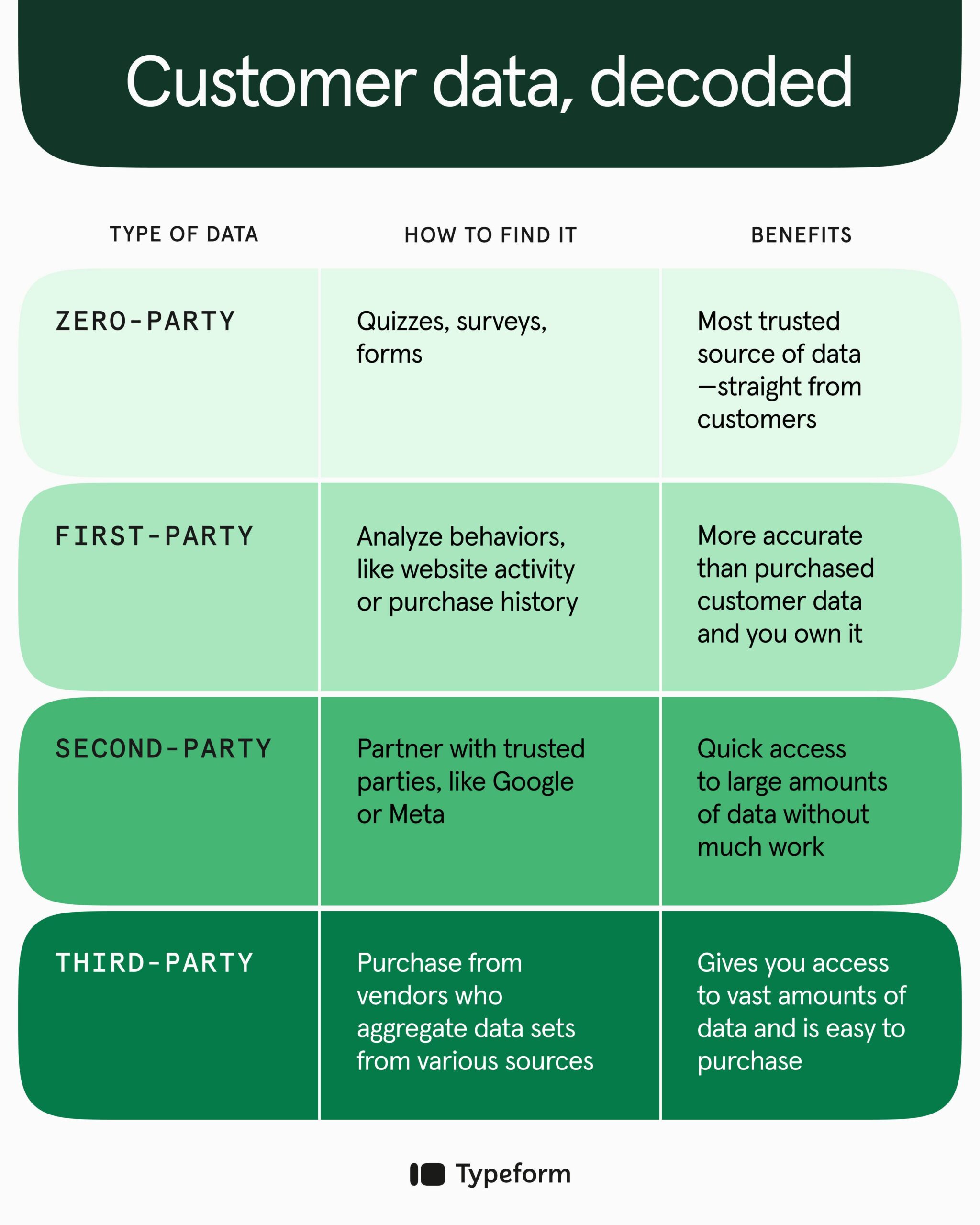
With e-commerce, this could be customer details, purchase history, product feedback, or loyalty membership information. E-commerce brands frequently capture zero-party data about customer preferences—like how they want to be recognized and communicated with—to deliver more personalized experiences.Unlike second or third-party data, your audience provides zero-party data freely and directly, so it’s the purest, most accurate form of data you can get—making it the most valuable. And since ZPD comes straight from the source, it can provide actionable insights instantly to help fine-tune your e-commerce marketing campaigns.

Other examples of zero-party data include:

  • Product preferences: Discover your customers’ favorite colors, styles, and use cases—useful information that helps inform marketing, creative, and product decisions.
  • Purchase intent: Learning more about your customers’ plans for future purchases can help you better target these shoppers with tailored product recommendations and marketing campaigns (while helping you prepare for upcoming demand).
  • Reviews and feedback: Improve your products by asking your audience directly about changes and updates they’d like to see. This also helps build trust with your customers—they’ll see you value their opinions.
  • Interests, hobbies, and habits: Use this information to uncover insights about how your customers use your products. This information can serve future campaigns, giving you archetypes and stories to weave into your marketing creative.
  • E-commerce experience: Discover which points of your customer experience spark confusion or frustration so you can make improvements and ensure a frictionless shopping experience.
  • Social media activity: Uncovering more about your audience’s social media tendencies can tell you which platforms your customers prefer and help you find influencers who align with their preferences.

When you engage your customers directly, you gain access to highly valuable, targeted information about your exact audience—not an implied or “lookalike” audience.

This data can help you create better overall experiences for your customers… and e-commerce marketing campaigns that actually speak to them.

Why is it important to collect zero-party data for e-commerce campaigns?

It’s simple, really: customers want more personalized e-commerce experiences and greater control over their data.

Today, 71% of consumers expect companies to deliver personalized interactions, and 62% say a brand will lose its loyalty if it fails to personalize.

Many customers—especially Gen X, Millennials, and Gen Z—are willing to exchange zero-party data for these personalized experiences.

But personalization isn’t just about addressing your customers by name—it’s about genuinely tailoring each customer’s experience to their unique needs and preferences. Zero-party data unlocks these touchpoints, helps improve conversion rates, and fosters loyalty.

While personalization is overall a positive, there’s another consideration: privacy. As privacy concerns continue to grow, regulations change, and third-party cookies slowly disappear, ZPD meets compliance standards while putting consumers in control of how brands collect their data.

Collecting zero-party data can reflect your brand’s commitment to respecting customers and their privacy, strengthening your brand reputation, and building trust.

ZPD contrasts with many of the data collection methods we’ve grown used to. If you have a smartphone, you’ve likely experienced the “I was just talking to my friend about this product, and now I’m getting ads for it on Instagram” phenomenon. Consumers now know this isn’t just a coincidence.

Social media platforms and web browsers track everything users do:

  • The websites they visit
  • Terms they search for
  • Items users purchase online
  • Users’ locations
  • Likes, comments, interactions, sign-ins

And many users agree to all of it, quickly clicking “Accept” on the terms and conditions or pop-up standing between them and a shiny app or webpage to gain access to a brand’s content or tools.

But what data gets captured isn’t clear anymore. More and more users want their privacy back—they’re demanding more from the companies that gather their data.

Instead of tracking cookies and pixels, brands need to shift to transparently collecting consumer data—directly from ‌customers. Consumers crave personalization, but they also want control over what they give up to get it. Zero-party data gives them this control while helping you capture essential information to tailor their e-commerce experiences.

E-commerce and B2C marketing strategies leveraging ZPD can eliminate the “creepiness” users have felt from brands leveraging second and third-party cookies.

It’s far less surprising to see product recommendations in your inbox or social feed if you know you’ve given your favorite brands access to your preferences. It also helps to relieve the personalization and privacy paradox, which has long been a source of frustration for both brands and consumers.

How e-commerce brands can collect zero-party data

How e-commerce brands collect zero-party data can impact the level of information consumers willingly share. It should align with your brand’s overall content and marketing strategy. More importantly, it should effectively engage consumers while blending seamlessly into their e-commerce experience. Here’s how.

1. Get more zero-party data with a pre- or post-purchase survey

A pre-purchase survey tells you more about what your customers are looking for and how they want to spend their money. Post-purchase surveys provide insights into your customers’ decision-making process and connection to your brand.

These surveys help you learn about customer preferences, habits, interests, shopping and technical experiences, pain points, and referrals (what led them to your brand). All of these help you develop or improve products and determine whether you have the right product-market fit.

Pro tip: When creating a survey, think of it as another strategic element in your overall e-commerce campaign. Consider the timing, content, design, and length of the survey.

Let’s say you’re including a survey on a post-purchase thank you page. Ask customers about their buying experience and keep it brief (one or two questions).

If you send a survey via email a week or more post-purchase, you can get more in-depth with specific product questions. But always remember to respect your customers’ time.

2. Create interactive experiences that deliver insightful zero-party data

Interactive experiences include forms, quizzes, and polls designed to engage your audience and encourage them to share data in a fun, creative way. One of the most popular interactive techniques for collecting zero-party data is a product recommendation quiz.

Quizzes lead customers to the right product while gathering their contact information, preferences, interests, and needs.

Have multiple products that cater to different personal styles, pain points, or preferences? A recommendation quiz is a great way to get zero-party data while connecting your customers to the items they’ll love most.

These are especially useful for e-commerce brands that can link directly to the product(s) in the quiz results.

When designed well, forms, quizzes, and polls can help you deliver immediate value through personalized results and suggestions. And the information you gather will let you personalize their experience in future marketing.

But remember, you need to be strategic about the questions you ask and how you present them to collect rich ZPD you can actually use for campaigns.

3. Host giveaways or contests

Using a giveaway or contest strategy requires a small investment—you’ll need a prize to give away to winners. But everyone likes free stuff and winning, especially if the barrier to entry is relatively low.

Ask customers (or potential customers) to share their names, email addresses, and other relevant zero-party data to win one of your products. This can help you collect insightful target audience data and increase customer engagement. You can even ask customers to share the link to your giveaway or contest for an extra entry.

4. Let customers manage their profiles and preferences

User profiles and preference pages are dedicated places where customers can opt in and customize their:

  • Personal information
  • Interests
  • Needs
  • Expectations

When building your preference center, align your questions/fields with your brand—and if you don’t need the information to give customers a great experience, don’t ask for it right away.

For example, if you represent a clothing company, asking for a customer’s size and style preference up front is crucial—their social media profile links aren’t.

Beyond asking for a name and email address (or phone number if you have an SMS text opt-in), stick to a two-question max. You don’t want to lose customers before you really have them.

Implementing an A/B or split test may be helpful here. It’ll tell you if the quantity or quality of questions is causing you to lose users. It may be most beneficial to have a multi-step user profile process that collects the most pertinent zero-party data first and more detailed customer information in a follow-up form.

Customer profiles and preference centers let your audience share zero-party data like:

  • Contact information
  • Demographic information
  • Communication channel preference (email, text, social media)
  • Communication frequency preference (daily, weekly, monthly)
  • Content preference (blog posts, deals or sales, product launches)

5. Send conversational pop-ups and texts

Conversational pop-ups and text messages let you reach customers where they are. As visitors navigate your e-commerce website, you can use pop-ups to guide them along their shopping journey and use their actions to determine the message they receive.

By leveraging customer browsing history and zero-party data, you can introduce pop-ups that ask specific questions or provide recommendations for unique products they’ve shown interest in. Not only does this help your customers find what they’re looking for, but it also allows you to store that information for future personalization.

Sending texts to your customers? If so, they’ve already opted in for brand communications and have given you some of their data. You can take this a step further and gather more information by texting links to surveys, quizzes, and other zero-party data collection techniques.

6. Encourage customer feedback and reviews

Customer reviews help you identify both the selling and pain points related to your products. That feedback lets you zero in on what they like best about your brand offerings and yields valuable insights about what may be hindering sales.

If you sell cosmetics and a customer writes a review of a lipstick they didn’t like, there are a few ways it could help you:

  • The customer didn’t like the lipstick color: this is a personal preference, and you can use this information to adjust future product recommendations.
  • The customer didn’t like the lipstick product itself: this may be a personal preference, so you’ll need to look at other reviews to determine this—if it’s ‌common opinion, you may want to consider reformulating.

As your product reviews increase, so will your brand’s trustworthiness. One low-touch way to encourage customer reviews is by adding a call-to-action on relevant product pages.

7. Develop a loyalty program

Loyalty programs are one of the most effective means of collecting zero-party data because they offer customers value—like discounts and free products—in exchange for their information.

When customers sign up for your brand’s loyalty program, they typically share their name, preferred contact method, and birthday so you can offer them rewards and other benefits. The bonus? Seven in 10 U.S. consumers consider these programs a leading reason they’re loyal to specific brands.

Loyalty programs also provide a channel to use the ZPD you’ve collected to offer customers rewards they actually want. Giving them what they want can help create an emotional connection that facilitates even more allegiance to your brand.

What can e-commerce brands do with zero-party data?

Brands can use ZPD to inform their overall e-commerce marketing strategies, giving customers a holistic, personalized experience that truly resonates with them at every point in the customer journey.

When you’re transparent about how you collect zero-party data and let your customers know how you intend to use their data, you can develop a mutually beneficial relationship and enhanced e-commerce experience.

Speak to customers directly

Beyond addressing customers by name, you can make customers feel like you’re speaking directly to them by sharing the products, content, and information they want and need.

Talk to customers through personalized newsletters that highlight products or related content they’re interested in or targeted messages through their preferred communication channels.

Provide recommendations customers actually want

Product recommendations are one of the most effective ways to use zero-party data. You can tailor what you suggest based on data you collect with quizzes and surveys or share direct messages related to products customers have previously purchased.

For example, if a customer has purchased an industrial flashlight from your outdoor supply website, you might consider recommending rechargeable batteries in your next marketing message.

Personalize advertising and e-commerce marketing efforts

When analyzing zero-party data, you’ll discover insights that can lead to a specific type of creative or unique messaging opportunity. You might find that most of your customers are located in a particular area or share similar interests.

You can use this information in your e-commerce campaign’s creative by leading with regional phrasing, recognizable landmarks, or relatable personas.

Offer segmented promotions

By collecting information about customers’ behaviors and preferences, you can segment your audience and create highly targeted promotions that drive higher engagement and conversions.

Segmenting customers allows you to hone in on the products and messaging you know a certain audience will love while making each customer feel like you’ve sent them an offer created specifically for them.

Discover unique product uses and characteristics

Product reviews provide specific feedback about how your customers are using your products—use this to guide marketing and messaging.

You may discover brand-new product use cases and characteristics you hadn’t even considered.

Innovate products

Zero-party data is a great tool if your brand provides many varieties of one base product, like flavors of a protein shake or different roasts of coffee. Maybe you focus on developing and promoting the products your internal team thinks are popular. But until you poll your audience directly, you might miss out on big opportunities.

Customers’ zero-party data can lead your brand down completely new paths or help you tweak your existing products to fit customers’ preferences better.

Zero-party data: the key to true e-commerce success

Zero-party data isn’t just information—it’s a goldmine of pure audience insights that can help you create long-lasting customer relationships and more effective e-commerce campaigns.

In the ever-evolving world of digital marketing—where authenticity and user privacy are paramount—zero-party data serves as a beacon of trust for both customers and e-commerce brands. And it starts with getting that data straight from your customers.

Not sure where to begin your ZPD journey? Check out Typeform’s tools for building forms, creating quizzes, and designing surveys that’ll engage your customers and inspire them to share more and better data with you.

Typeform blog: Struggling with e-commerce engagement? Try product recommendation quizzes

Software Stack Editor · November 15, 2024 ·

Imagine walking into your favorite boutique and seeing shelves stocked with products so on-point that it feels like the shop owner handpicked them just for you. Each item is the perfect fit, color, style, and price—all curated for you.

That is the personalized experience today’s online shoppers crave and, more importantly, expect. Despite customers all but demanding e-commerce personalization, many online retailers still struggle to deliver that personalized online shopping experience.

And the e-commerce shops that can’t figure it out are getting left behind—45% of shoppers say they’re more likely to shop on an e-commerce site that offers personalization.

So, if you’re expanding into e-commerce, personalization is a non-negotiable… but it can be a game-changer in whether shop your store or someone else’s. Hint: shoppers will choose the brands that deliver seamless shopping experiences and guide them to the right products faster.

The ROI potential of personalization is why both new and established e-commerce brands are working harder than ever to convert online shoppers into paying customers. But they’re facing challenges, like:

  • Identifying and understanding their target audience
  • Proper product positioning and effective marketing messages
  • Converting visitors to buyers
  • Creating a simple and pleasant customer experience (CX)

So, how are successful e-commerce brands overcoming these hurdles? Product recommendation quizzes.

Product recommendation quizzes are a simple yet powerful tool to combat common challenges with online shopping and boost e-commerce engagement. We’re sharing why they’re so effective for e-commerce personalization and how to use quizzes to increase e-commerce sales, traffic, and time spent on your website.

First, what’s a product recommendation quiz?

Let’s say you’re looking for skincare products to heal your dry skin. You need something moisturizing but have no idea which products to buy for your skin type. Too lightweight won’t help but a heavy moisturizer will make your skin break out.

In a brick-and-mortar, you’d probably ask an employee for their recommendations or to help you find items based on your needs. But with online shopping, finding the right products isn’t always so simple—especially on larger e-commerce websites with hundreds or thousands of items to choose from.

That’s where product recommendation quizzes come in.

A product recommendation quiz is a fun, interactive way to offer personalized product suggestions to customers based on their responses to questions about their preferences, needs, and behaviors. And for e-commerce retailers, they’re one of the most effective ways to collect valuable information (like zero-party data) about shoppers while driving sales.

The different types of product recommendation quizzes

Want to leverage product recommendation quizzes for e-commerce engagement? There are a few to choose from:

  • Product match quiz. It asks customers what they’re searching for and uses their answers to deeply understand their shoppers and recommend ideal products based on specific needs or challenges. For example, a haircare brand might ask questions about your hair type, concerns, climate, and daily habits so it can recommend products tailored to you.
  • Personality-based quiz. It’s a fun quiz that uncovers a shopper’s personality and then makes product recommendations that align with their responses. If a personality-based quiz reveals that you’re a “Glam Goddess,” the product recommendations might include bold lipstick colors or glittery eyeshadows based on answers that show you like glam makeup.
  • Gift guide/small catalog quiz. A gift guide can help customers choose gifts by narrowing down options based on the occasion, the recipient’s interests, and their relationship with the customer. They’re great for e-commerce brands with smaller selections and are especially popular during the holidays and other gift-giving seasons.
  • Complementary products quiz: It helps customers find additional products they’ll love by guiding them toward products that pair well together. You can use data about products they’ve already chosen or have shown interest in to inform your recommendations and increase the likelihood of add-on purchases.

7 reasons product recommendation quizzes are so effective

Product recommendation quizzes increase e-commerce engagement and create a more personalized online shopping experience for your customers. But they’re also a highly effective tool for converting shoppers into paying customers.

Take a look at the seven ways they increase sales for e-commerce brands.

1. Product recommendation quizzes personalize the customer experience

Whether it’s a personality-based quiz or gift guide, product recommendation quizzes create a personalized experience because the recommendations are based on your answers—on you. They give shoppers the e-commerce personalization they crave—and expect—from today’s online brands.

Instead of forcing shoppers to scroll endlessly through product pages or randomly select items, you personalize their experiences by tailoring product recommendations to match their needs and preferences. This not only delights customers but increases sales.

2. They minimize decision fatigue, maximizing the likelihood of conversion

Studies show that too many choices can make decision-making harder, leading to decision paralysis—where customers abandon their cart or skip shopping on your website altogether.

You can avoid overwhelming customers with options—even if you have a large catalog—with a product recommendation quiz that guides them toward perfect-fit products (and makes adding them to their carts effortless). By simplifying the shopping experience, you’ll increase your likelihood of converting customers.

3. Product match quizzes encourage customer loyalty

A product recommendation quiz creates a better, more personalized customer experience by taking the guesswork out of which product fits a shopper’s needs, using their answers to guide them to the right products. This tailored approach improves customer retention and brand affinity.

4. They build trust and make buying a no-brainer

Product recommendation quizzes help you learn more about your shoppers by asking them relevant questions… but you can also share more information about your brand and products to build that know-like-trust factor.

By listening to customers’ challenges and explaining why certain products are ideal, you’ll build the trust necessary to motivate shoppers to buy from you. And nothing builds trust like listening to your customers and making perfect-match product suggestions based on their answers.

5. Product recommendation quizzes increase the average order value

By recommending complementary products, you can use a product recommendation quiz to increase your average order value. This approach encourages customers to purchase multiple items that work well together (and gives them a better brand experience overall).

If you sell sunglasses, for example, you could suggest a cleaning kit, a case, or even another pair to go with pairs they were looking at previously or purchased in the past.

6. They help identify and nurture potential customers

Product recommendation quizzes provide a wealth of customer information that you can leverage over time to boost sales, drive repeat purchases, and more. Even if you don’t convert customers immediately, you can use your quiz data to nurture visitors.

Send automated follow-up emails that remind customers of recommended products, incentivize purchases with a special offer, or nudge shoppers to redeem an abandoned cart.

7. They provide powerful customer data and insights

Research shows that personalized product recommendations and marketing can increase revenue by up to 25%. But personalization demands personal data—essential insights that product recommendation quiz responses can provide, like shoppers’ individual preferences and needs.

You can then use this zero-party data to personalize the entire customer experience in the future.

Benefits of product recommendation quizzes for e-commerce brands

A product recommendation quiz doesn’t just benefit shoppers—it helps e-commerce brands and marketers, too. From increasing time on site to gathering valuable data, quizzes can increase customer acquisition, retention, and revenue. Here’s how.

Keep shoppers on your site longer

When you present shoppers with interactive content (like a quiz) that requires active participation, visitors are more likely to stay on your site longer.

And research shows buyers spend 2-3x more time on pages with interactive content than static content. This increased time can lead to higher conversion rates, unbreakable customer loyalty, and a higher likelihood of repeat visits.

Create a personalized shopping experience (and better customer experience)

A product recommendation quiz provides instant value to shoppers by suggesting products that perfectly match what they’re looking for. But they also simplify the buyer journey by directing shoppers from point A to point B—no endless scrolling on your site trying to find products or guessing which product aligns best with their needs.

This enhanced e-commerce personalization creates a better overall customer experience, encouraging repeat customers while driving sales to your e-commerce shop.

Collect more zero-party data and insights

Product recommendation quizzes improve data collection by giving you rich zero-party data to tailor future campaigns, create better products, enhance e-commerce personalization, and more.

You can leverage these insights to craft more successful campaigns with targeted product recommendations and relevant marketing messages that nurture shoppers beyond their first purchase.

Reduce returns

Returns can be costly for e-commerce brands—consumers returned products worth a staggering $743 billion in 2023 alone. A product recommendation quiz matches customers with products aligned with their tastes and needs, reducing the chances of returns.

Instead of purchasing more items than they want or need and returning what doesn’t work, customers can hand-select the right products from the start.

The future of e-commerce personalization: trends to watch

Online shopping is changing fast as innovative trends usher in a new era for e-commerce—and, no surprise, e-commerce personalization is at the forefront. Here’s what you can expect to see more of:

  • AI-driven personalization. AI-powered personalization will overtake traditional e-commerce personalization tactics as more brands turn to AI to rapidly analyze customer data and offer tailored product recommendations. These hyper-personalized shopping experiences will help brands improve overall customer satisfaction, sales, and e-commerce engagement—but they’ll also set a new precedent for e-commerce brands, making the competition even more fierce.
  • With growing concerns over data privacy, businesses are adopting privacy-first personalization strategies, like gathering zero-party and first-party data. These types of data come directly from customers through interactive methods like product recommendation quizzes or surveys, which allow for laser-accurate personalization that respects individuals’ privacy.

E-commerce engagement strategy, meet product recommendation quizzes

Product recommendation quizzes do more than engage customers—they increase time on site, collect valuable zero-party data, reduce returns, and create a truly personalized shopping experience. And in an increasingly competitive e-commerce market, they can help give you a leg up on competitors.

Need inspiration? Check out our free product recommendation quiz templates. You can customize them to engage customers, sell more, and create the personalized experience online shoppers expect of your brand.

Ready to give it a try? Try Typeform.

Typeform blog: The power of quizzes: How e-commerce brands can win big with personalization

Software Stack Editor · November 15, 2024 ·

image

Thanks to almost unlimited access to data, “personalization” has shifted over the past decade—along with customer expectations. Instead of simply sending emails with your customers’ first names or sending a birthday discount, personalization is now about the experience.

McKinsey found that 71% of customers expect businesses to personalize interactions, and 76% get frustrated when they don’t deliver those personalized experiences.

Are you giving your customers a personalized experience? Not sure? The brands that have fine-tuned their personalization strategies and are winning big with their customers are the ones:

  • Sending on-point product recommendations
  • Sharing content tailored to their customers’ unique preferences
  • Providing more personalized and better customer support
  • Communicating based on stated customer preferences

And it’s not just the big brands—small businesses can personalize experiences, too. While there are many different ways to approach personalization for small businesses, we’re looking at how you can use product recommendation quizzes to give your customers a more personalized experience with your brand.

Personalization doesn’t happen without data

Whether you’re conducting market research before launching a new product or trying to target the exact right audience for your ad campaign, you need customer data.

And remember—data is just information about your customers, like their name, purchase history, or communication preferences. It’s the backbone of successful personalization strategies, so use it to create truly personalized customer experiences.

Benefits of personalization for small businesses

There are countless benefits of personalization for both big-box brands and smaller e-commerce businesses. From increasing customer loyalty through emotional connections with your customers to revenue boosts, here are a few reasons personalization should top your list of marketing strategies to execute now:

  • Above all else, your customers expect you to personalize—you need to deliver on those expectations
  • According to McKinsey’s Next in Personalization consumer study, 78% of consumers are more likely to be repeat buyers from brands that personalize
  • They’re also 78% more likely to refer people to your brand if you use personalization
  • McKinsey found that businesses that grow faster get 40% more revenue from personalization
  • 73% of customers say they prefer to do business with brands that personalize their emails

Personalization strategies can also help you create a better customer experience, which contributes to increased revenue, customer retention, and much more.

So, how do you start deploying personalization strategies and reaping all the benefits? One way is through product recommendation quizzes that yield insightful data and give customers what they expect from e-commerce brands these days.

What is an e-commerce product recommendation quiz?

You create products customers love and sell them online. To help customers decide which product best suits their needs, you use an interactive quiz that matches them with one of your products. That’s an e-commerce product recommendation quiz.

Product recommendation quizzes are fun for customers—especially if you get the product matching right—but they’re also powerful tools for marketing your small business.

Here are a few ways these quizzes contribute to marketing personalization strategies:

  • They reveal zero-party data (ZPD) that provides insights about your customers, allowing you to create more relevant marketing messages, product recommendations, and personalized experiences.
  • Product recommendation quizzes help you more accurately segment your audience based on the information they share with you in the quiz, including the products they purchase from your quiz. Segmentation helps personalize emails based on stated preferences, interests, and more.

E-commerce product recommendation quizzes vs. general quizzes

Customer engagement quizzes, whether product-specific or general, are interactive tools many small businesses use to engage with their audience. But they’re not the same.

E-commerce brands typically use product recommendation quizzes to help shoppers find their product match—the goal is more sales-focused. They also gather vital information that helps small businesses deliver personalized experiences, product recommendations, and content.

Small businesses are also using quizzes as entertainment for their audience, where the goal is centered more around engagement. Take our Grammy Awards quiz. It encouraged form takers to predict the winners. You can also test your customers’ knowledge with trivia quizzes, like this Stranger Things quiz we can’t get enough of.

But perhaps the biggest difference between product recommendation and general quizzes is the outcome. A product quiz will lead to a specific recommendation, while a general quiz might show your score or reveal your personality type.

Benefits of quizzes in e-commerce and small businesses

The most obvious benefit of product recommendation quizzes is that they direct customers toward a purchase by suggesting the best product for their needs. But they have countless other benefits, like personalization, increased customer loyalty, and data collection that doesn’t creep customers out.

Effortless data collection

E-commerce product recommendation quizzes are an effective tool for gathering crucial zero-party data, straight from your customers. Not only do they deliver basic data like someone’s name and location, but they also give you insights into:

  • Preferences
  • Current product usage
  • Pain points
  • What customers are looking for (new features or products)
  • Demographics

You can then leverage all this data to more accurately segment your audience, personalize future experiences, and build trust through perfectly matched product recommendations.

The best part? Your customers are sharing this data willingly (and intentionally), so it feels non-intrusive and more like a conversation between your e-commerce brand and your customers.

Customer engagement that converts

One of the biggest benefits of quizzes in e-commerce is their ability to guide shoppers toward a purchase, for both those considering your brand and existing customers.

For shoppers debating a purchase, your product recommendation quiz can be the deciding factor. By matching soon-to-be customers to the perfect product based on their answers in the quiz, you take the guesswork out of which product they should buy, making it a no-brainer to take the final step—hitting the “Add to cart” button.

But what about your current customers? Well, customer engagement quizzes, like product recommendations, can be a tool for re-engagement.

Let’s say you have a haircare brand. You can send the quiz to the “frizzy hair” segment of your email list along with tips on how to care for dry hair to promote your new hair moisturizing products to the right audience.

Take a look at a few other ways these e-commerce quizzes can turn customer engagement into dollars:

  • They’re fun to take, so they easily attract potential customers and help them make more informed purchase decisions.
  • Product recommendation quizzes turn casual scrolling on product pages into something interactive that creates a better shopping experience and builds a stronger brand-customer connection.
  • These customer engagement quizzes require participation—the more engaged your audience is, the more likely they are to stay on your site, which can boost conversion rates.
  • Matching customers with products that best meet their needs builds trust between your small business and customers, increasing the likelihood of a sale.

Smart segmentation and enhanced personalization

Segmentation is all about grouping individuals based on commonalities, like wants and needs or location and interests. It’s also a great starting point for personalization. And product recommendation quizzes can help you segment your audience by collecting zero-party data.

By enriching existing data with the ZPD you get from quizzes, you can group your audience into smaller sub-groups (segments) that’ll help personalize everything from marketing messages to products and tailored content.

And, as we already know, customers expect personalization. By doing so, you’re adding to your customer experience (another factor in purchase decisions).

How to add product recommendation quizzes to your personalization strategies

Personalization strategies involve tailoring marketing and communications, content, and the customer journey for each customer. And they always start with data… then segmentation.

Remember, the benefits of segmentation are only as good as the data—if you don’t ask the right questions, you won’t get the data you need to group your customers. Once you’ve created a product recommendation quiz, use that data to segment your audience and personalize their experience based on their segment.

Let’s say most of your customers are in their early 20s and very active. But some are yoga enthusiasts while others are avid hikers. By segmenting them into two distinct audiences, your e-commerce activewear brand can recommend more relevant products, refine marketing, and suggest content that will align with their interests.

E-commerce product recommendation quiz results for personalization

Think of your product recommendation quiz as a starting point. While some shoppers may purchase your product straight from the quiz, many more will require some nurturing. You can do that through personalization—from reminding them of their perfect product match to tailoring marketing.

Here are a few ways you can personalize every step of the journey using the results of a customer’s product recommendation quiz:

  • Recommend products in the future. If quiz results reveal that a customer’s only interested in—and buys—hiking boots, you can share hiking-related blog posts and recommend new boots as you release them.
  • Leverage retargeting ads. Use quiz results to create retargeting ad campaigns on social media that showcase the product recommendations from your quiz and keep you top of mind.
  • Show up at every touchpoint. Dynamically display a customer’s unique product recommendations across every touchpoint, from landing pages to emails to paid ads.
  • Get in their inbox. Use email marketing campaigns to send emails that feature those products and tailored content related to the specific products you recommended.
  • Personalize your messaging. Whether it’s through ads or emails, use quiz results to tailor future marketing campaigns. You can do this by refining messaging and emailing customers about only the products they’re interested in and content related to those products.

Let’s say you have a lip product small business. You sell lipstick, lip oil, lip stains, and lip liners on your e-commerce site. Some of your customers’ quiz results show that they’re only interested in lipstick.

So you start sending emails about how to apply lipstick, featured lipsticks, and include blog posts about different lipstick combinations, plus retargeting ads that showcase their recommended products. You’ve created a personalized journey by sharing relevant content, focusing on the right products, and using quiz results to segment your audience.

Start personalizing—create your product recommendation quiz

There are countless benefits of quizzes in e-commerce, like increased customer loyalty and revenue, enhanced personalization, and an overall better customer experience.

They’re powerful tools for small businesses and e-commerce brands looking to engage customers and increase personalization. Sound like you? Try Typeform and create your first (of many) product recommendation quiz. They’re easy to create, design, and launch, so you can start collecting data ASAP.

How to collect, qualify, and nurture leads with Typeform and HubSpot

Software Stack Editor · November 15, 2024 ·

Chocolate is sweet. Peanut butter is salty. But something special happens when you put them together.

While maybe not as mouth-wateringly delightful, you’ll find the same kind of magic when two pieces of software come together to simplify an important process for your business: lead generation.

Engaging forms are more interesting to complete, so they make it easier to gather leads. Software that makes it simple to manage your contact records helps you nurture those leads effectively.

But the real magic happens when the two systems work together to create a seamless relationship-managing machine. Cue Typeform and HubSpot.

The integration between Typeform and HubSpot streamlines your lead generation processes, saving you time and helping you build stronger relationships with your prospects.

HubSpot: The chocolate to Typeform’s peanut butter

Not everyone who comes to your website is ready to buy. Some may be ready next week. Some may be ready next year.

You need a way to store information so you can check in on ‌people who like what you do but aren’t ready to hit the buy button just yet. That is where customer relationship management (CRM) software comes in.

With a CRM, you can track all of your contacts, including leads and customers. You can segment your audience to understand the types of people who are most likely to be good customers. For example, you might find that people with Project Manager in their title are most interested in your prioritization software, or people who live in the southwest United States are most likely to buy your sunglasses.

So, if you are a sales manager for that prioritization software, and you see a lead pop up with the title of Senior Project Manager, you know it’s a good person to follow up with. And quickly.

One of the most popular CRMs is HubSpot. Not only is HubSpot an intuitive marketing automation and CRM tool, but it also integrates seamlessly with the forms you create in Typeform.

No matter what Typeform plan you are on, you have access to this integration. You just need a published Typeform and a HubSpot account. Don’t have a HubSpot account? You can set one up here.

Once you have your typeform created, click on the Connect tab and search for HubSpot. From there, you can map the questions in your typeform to fields in your HubSpot account. Learn more about setting up your integration here.

With HubSpot and Typeform working together, you simplify your lead generation, from collection to qualification to nurture. Here’s how.

1. Collect lead information easily

You have a CRM set up to track and manage your contacts. Now, you need a way to collect information about your contacts. Enter forms.

Encourage leads to provide information with engaging, on-brand, and conversational forms that flow directly to HubSpot. Embed forms on your website where potential customers are likely to find them, such as on your contact page or where you detail the services you have available. Use your brand colors and fonts so everything feels cohesive.

Map the questions in your typeform to fields in HubSpot so the data transfers automatically—and accurately—to your CRM. The integration removes the need for manual data entry, which could increase the chance of errors in your contacts’ information.

The connection between Typeform and HubSpot doesn’t just pass through what your leads type in your form. You can also track the source of those leads, such as whether they came from your website or a form you shared on your social channels. HubSpot can add a tracking code to each of your connected forms, giving you extra insight into which channels are generating the most responses.

2. Qualify and prioritize your leads

Getting new leads is exciting. You want to follow up with each one ASAP. And you should. But some leads will be a higher priority based on what you know makes a good customer.

Save time and resources, make more informed decisions, and optimize your sales efforts by following up with those most likely to be a good fit for your product. And this starts with identifying those leads quickly and easily.

The best way to prioritize your leads as they come in is by lead scoring. With lead scoring, you identify which characteristics are most like your best customers and give the leads that match those characteristics a higher weight, or score.

You can score your leads by any characteristics you want, as long as you have a question in your form that collects that information. Some of the most common include title, company size, or if they downloaded a specific resource. You can even give someone who fills out a form on your Contact page a higher score than someone who just signs up for your newsletter.

Typeform makes it easy to set up lead scoring by adding the Lead Qualification block to your form. You can also set up lead scoring directly in HubSpot, depending on your subscription.

Another great thing about integrating your forms with your CRM is that your contacts are updated every time there is new information. For example, you have someone fill out a product recommendation quiz with their email address but not their name. If the person comes back in two weeks and fills out another form with their name and email address, the system will update the record instead of creating a new one.

3. Build personalized relationships

HubSpot makes the data you collect from your forms actionable so you can keep leads engaged until they are ready for your product or service.

You can add your new leads to email lists based on the information they provided in the Typeform they completed. With this segmentation, you can send industry-specific newsletters, notify prospects of geographic-specific product launches, or provide tips based on their job title.

You can even create targeted follow-up messages based on each lead’s score. For example, if someone filled out your form and met several of your criteria for a qualified lead, you can use functionality in your Typeform called Logic to automatically invite them to schedule time with you to learn more.

If someone has a medium score, you can add them to an email drip campaign that reflects their specific pain point.

And if someone has a low score, you can add them to an email list to get periodic follow-ups about new product launches or to share research reports.

Because your CRM is automatically updated as your leads provide new information through your forms, you can send relevant information as the needs of the lead change. If a lead becomes a customer, they can be removed from your sales emails and added to your product updates.

Maintain strong relationships with HubSpot and Typeform

Relationship building doesn’t stop when a lead becomes a customer. With a seamless integration between your forms and your CRM, you can continue to personalize your communication with your customers. Use what you learn about them, such as the products they buy and how they interact with your content, to provide engaging and relevant content.

Getting potential customers into your marketing funnel is key to growing your business. Want to learn more about lead generation and how to build effective processes to build relationships with your prospects? Check out our masterclass in lead generation.

Typeform vs. Paperform: Which is better? [2024]

Software Stack Editor · November 15, 2024 ·

Creating forms goes beyond the questions you include––design, reporting, and integrations are equally important. To get the most out of your forms, you’ll need to choose your form builder wisely.

While Typeform and Paperform may seem similar on the surface, the two platforms offer different things for different use cases. In our Typeform vs. Paperform comparison, we’ll explore design, data analysis, key features, integrations, and more to aid your decision.

Typeform vs. Paperform comparison

When it comes to Typeform vs. Paperform, both platforms empower you to craft surveys and gather valuable respondent data, whether it’s for market research or customer feedback. However, beneath their seemingly similar functionalities lie key differences that could impact your user experience and final product.

The battleground extends beyond aesthetics. Typeform equips you with features that allow you to delve deeper into survey data and truly understand the insights it holds. Its interface fosters easy customization, allowing you to tailor layouts and design forms that perfectly reflect your brand identity.

While offering similar functionalities, Paperform might have limitations in data analysis, embedding capabilities, and different integration options compared to Typeform.

Not sure whether to use Typeform or Paperform for your form building needs? We’ll cover more below to help you make your decision.

Typeform Paperform
Design
Image layout customization ✔ ✔
Designable and customizable welcome screen and thank you pages ✔ ✔
Mobile responsiveness ✔ ✔
Integrated professional photo, video, and icon libraries ✔ ✔Can integrate image and design apps
Add icons from Noun Project, videos from Pexels, photos from Unsplash ✔ X
Features
Custom subdomains ✔ ✔
Embed form in email ✔ X
PCI-compliant forms (payments) ✔ ✔
HIPAA compliant ✔ X
GDPR compliant ✔ ✔
WCAG 2.1 compliant ✔ X
Ability to sync data with other forms ✔ ✔
Data Analysis
Question-by-question drop-off analysis ✔ X
API and webhooks ✔ ✔
One question at a time ✔ ✔
Ability to generate a report on surveys/forms ✔ ✔
Calculator ✔ ✔
Conditional logic ✔ ✔
Campaign tracking/UTM tracking ✔ ✔

Sleek and professional forms

It’s one thing to create a survey; it’s another to captivate an audience. You’ll need to choose a form builder people want to engage with to maximize response rates. It’s a no-brainer: Users are more likely to interact with visually appealing and user-friendly forms.

Typeform’s intuitive interface makes building forms a breeze—even for non-designers! With Typeform, you go beyond static forms and enter a new dimension of creating interactive, inviting, and immersive experiences. In addition to over 3,000 customizable templates, choose from our icon, video, and image library via Unsplash to enhance your forms.

Are you a creative genius? Build your own captivating forms with custom backgrounds and CSS features. Capitalize on brand consistency with premium layout options, include brand kits, and elevate your forms with custom fonts.

Paperform has similar design capabilities with custom layouts, backgrounds, and fonts but hasn’t mastered the art of making forms like Typeform. While you can integrate image and design apps, you don’t have direct access to icons from Noun Project, photos from Unsplash, or videos from Pexels.

User-friendly features

Both Typeform and Paperform offer standard form building, editing, and customizations. Here’s a closer look at Typeform vs. Paperform in terms of features.

When it comes to efficiency and creating a seamless user experience, Typeform takes the lead. Typeform prioritizes core functionalities that guarantee smooth sailing, including custom subdomains and data synchronization across other forms.

Forget one-size-fits-all form and survey builders—Typeform lets you personalize the experience for each user. With conditional logic, questions adapt based on previous answers. Typeform helps you execute conversations naturally—users only see relevant questions to make the process more engaging.

Unlike Paperform, Typeform lets you seamlessly embed forms directly within emails. This eliminates the need for users to click through to a separate page, keeping them engaged and increasing your response rates.

Typeform is also PCI, HIPAA, GDPR, and WCAG 2.1 compliant, ensuring the security of sensitive data.

While Paperform offers similar features, it isn’t HIPAA or WCAG 2.1 compliant. You also can’t embed forms in email, an important feature that could decrease your audience reach.

Impactful data analysis capabilities

When it comes to building forms, collecting data is half the battle. Typeform empowers you to not just collect but understand the data, which is crucial to making informed decisions. With campaign and UTM tracking, you can see exactly where respondents are. Real-time drop-off tracking lets you identify pain points as responses roll in, allowing for on-the-fly optimization.

Typeform’s conversational design with one question at a time keeps users engaged. And with conditional logic, you can personalize each user experience. It’s no wonder 96% of customers agree that Typeform improves their brand experience.*

Paperform’s data analysis capabilities are similar but lack question-by-question drop-off analysis. Both Typeform and Paperform use API, webhooks, and tracking to keep track of metrics.

Synchronized integrations

When deciding between Typeform vs. Paperform, you’ll want to ensure you choose the option that synchronizes with your existing workflow. Typeform offers over 120 integrations that connect with your existing accounts to Google Sheets, Mailchimp, HubSpot, and even Dropbox.

While Paperform has similar integrations, it’s missing popular integrations, including:

  • Adobe Sign
  • Canva
  • Google Tag Manager
  • Figma
  • Make

With our vast library of integrations, you can streamline your data collection process—in fact, 92% of users agree that Typeform makes form building easier.*

Typeform Paperform
Google Sheets ✔ ✔
Mailchimp ✔ ✔
Zapier ✔ ✔
Slack ✔ ✔
Salesforce ✔ ✔
Hubspot ✔ ✔
Zoom ✔ ✔
DocuSign ✔ ✔
Adobe Sign ✔ X
Dropbox ✔ ✔
Canva ✔ X
Notion ✔ ✔
monday.com ✔ ✔
Google Tag Manager ✔ X
Figma ✔ X
Zendesk ✔ ✔
Make ✔ X

Convenient support

If a question arises, Typeform is here to help. Our extensive help center prioritizes user education with clear and encouraging resources that empower users to create visually stunning forms. With paid plans, you’ll receive around-the-clock support from our live team. You can also enlist support from our community forum, where you can ask questions, discuss problems, answer other questions, and connect with other Typeform users.

Paperform also has a help center with articles and a support team you can reach via chatbot or email.

Scalable and functional pricing plans

Here’s the lowdown on pricing and plans between Typeform vs. Paperform: Typeform offers a free plan with basic features to test the waters. Paperform doesn’t offer a free plan, but it does offer a free trial.

Once you’re ready to level up, Typeform offers multi-tier pricing plans designed to work for your needs. Paperform offers similar pricing options and plans. While Paperform’s pricing is roughly the same, its business plan is more expensive per month.

Typeform: A frictionless Paperform alternative

Creating forms and surveys shouldn’t feel like pulling teeth––there’s no need for frustration or exhaustion. What if form building could be fun, engaging, and visually appealing? That’s the Typeform difference.

When deciding between Typeform vs. Paperform, choose the option that focuses on user-friendliness, extensive design features, and undeniable support. Maximize survey response rates, gather more data, and create stunning forms with Typeform. Get started with Typeform today.

*This data comes from internal Typeform users polled.

Typeform vs. Tally: Which is better? [2024]

Software Stack Editor · November 15, 2024 ·

Building forms is more than just listing questions. Sure, the content matters, but design, reporting, and integrations are equally important to get the most out of your forms. Choosing the right form builder is key to unlocking powerful features that can elevate your forms from simple data collectors to engaging experiences that drive results.

In our Typeform vs. Tally comparison, we’ll see how they stack up in terms of design, data insights, and integrations. Let’s find out which platform empowers you to create forms that not only look stunning but also deliver valuable information.

Typeform vs. Tally comparison

Typeform and Tally are known for being easy-to-use form and survey builders. While they may appear similar on the surface, they differ in data analysis, integrations, compliance, and support options––and these key differences could sway your decision.

Typeform prides itself on helping you build beautiful, branded forms regardless of your skill level. Collect and analyze survey data with our advanced form-building features. The best part? Choose from custom templates and layouts, and build forms that align with your brand intent.

While Tally is a similar tool, it has limited integration options, which can slow down your workflow.

Let’s break down Typeform vs. Tally to help you decide which form builder fits your needs.

Typeform Tally
Design
Conversational user interface ✔ X
Image layout customization ✔ ✔
Designable and customizable welcome screen and thank you pages ✔ ✔
Mobile responsiveness ✔ ✔
Integrated professional photo, video, and icon libraries ✔ X
Add icons from Noun Project, videos from Pexels, photos from Unsplash ✔ ✔ Only through Unsplash
Features
Custom subdomains ✔ ✔
Embed form in email ✔ ✔
PCI-compliant forms (payments) ✔ ✔
HIPAA compliant ✔ X
GDPR compliant ✔ ✔
WCAG 2.1 compliant ✔ ✔
Ability to sync data with other forms ✔ ✔
Data Analysis
Question-by-question drop-off analysis ✔ ✔
API and webhooks ✔ ✔
One question at a time ✔ X
Ability to generate a report on surveys/forms ✔ ✔ Only through integrations like Google Analytics
Calculator ✔ ✔
Conditional logic ✔ ✔
Campaign tracking/UTM tracking ✔ ✔

Easily craft captivating forms

Crafting beautiful and engaging forms is key to capturing attention and gathering valuable data. While both Typeform and Tally offer user-friendly interfaces to build forms, the path to creating truly eye-catching experiences diverges significantly. Here’s a closer look at how they stack up in terms of form building and aesthetics.

Typeform embraces a drag-and-drop interface with logical flow. Adding and rearranging types of questions, adding media elements, and building custom forms is a breeze with Typeform. Our interface makes building a conversation comfortable for all skill levels.

Crafting captivating forms is where Typeform shines. Choose from our ​​vast library of customizable templates and design options. Change fonts, colors, and backgrounds, and integrate images, videos, and icons to create forms that align perfectly with your brand. Think of it as building a website specifically for your data collection needs.

Tally also allows you to customize your layout, fonts, and background, but is more limited compared to Typeform. You can’t integrate image and design apps with Tally. On the other hand, Typeform’s form builder makes it easy to integrate icons from Noun Project, images via Unsplash, and multimedia videos from Pexels.

Intuitive form creation

Both Typeform and Tally offer standard form building, editing, and customizing options. Let’s take a closer look at Typeform vs. Tally features.

Typeform allows for intuitive editing with real-time previews, letting you visualize changes as you make them. Tally provides basic editing functionalities, which might be sufficient for simple forms, but for more complex builds, Typeform’s advanced editing tools come in handy.

Collaboration is another area where Typeform excels. It enables seamless team collaboration by allowing you to assign editing permissions and share drafts with team members for real-time feedback. Tally’s collaboration features are more limited and require an upgraded fee for shared workspaces.

Security and compliance are also important considerations. Typeform offers a wider range of options, including custom domains, multi-user access with varying permission levels, and compliance with industry standards like PCI and HIPAA for secure payments and healthcare data. Additionally, Typeform is GDPR compliant for data protection and WCAG 2.1 compliant for accessibility.

While Tally has similar features, its options for custom domains, multi-user access controls, and industry-specific compliance features are more limited––in fact, Tally isn’t HIPAA compliant.

Useful data insights

Typeform goes beyond basic reporting. We offer clear and intuitive data visualizations directly within the platform. See trends and patterns at a glance without needing to export data for analysis elsewhere. This allows for quick decision-making based on real-time insights.

Typeform offers respondent progress to showcase which sections users abandon, allowing you to identify drop-off points and refine your forms for optimal completion rates. Imagine being able to pinpoint the exact question causing users to disengage with question-by-question drop-off analysis. Typeform empowers you to improve your forms and gather richer data. With one question at a time, API webhooks, and conditional logic, you can further personalize the user experience and collect more meaningful data.

While Tally offers basic data, it lacks the depth of Typeform’s analysis. You’re only able to generate reports through integrations like Google Analytics vs. directly in the platform.

Seamless integrations

Building beautiful forms is just one piece of the puzzle. Integrating your forms with other tools in your workflow streamlines your process and unlocks valuable insights. When comparing Typeform vs. Tally, you’ll want to choose the form builder that syncs with your existing workflow.

Typeform offers over 120 integrations that connect with your existing accounts to HubSpot, Slack, Google Sheets, and even Mailchimp.

Tally falls short in terms of integrations. While it offers some, it’s missing popular integrations, including:

  • Mailchimp
  • Salesforce
  • HubSpot
  • Zoom
  • DocuSign
  • Adobe Sign
  • Dropbox
  • Canva
  • monday.com
  • Google Tag Manager
  • Figma
  • Zendesk
  • Klaviyo
  • WordPress

Don’t just take our word for it: 92% of users say Typeform makes building forms a breeze. Plus, our integrations keep your data flowing smoothly.*

Typeform Tally
Google Sheets ✔ ✔
Zapier ✔ ✔
Slack ✔ ✔
Notion ✔ ✔
Mailchimp ✔ X
Salesforce ✔ X
Hubspot ✔ X
Zoom ✔ X
DocuSign ✔ X
Adobe Sign ✔ X
Dropbox ✔ X
Canva ✔ X
monday.com ✔ X
Google Tag Manager ✔ X
Figma ✔ X
Zendesk ✔ X
Klaviyo ✔ X
WordPress ✔ X

High-quality support

Typeform and Tally offer similar support options based on your needs.

Typeform’s help center is readily available if any form-building questions arise. Read through insightful articles, ranging from using hidden fields to logic troubleshooting and everything in between. You’ll also have access to our live support team and community forum, where users can ask or answer questions, interact with other users, and discuss problems.

Tally has a limited number of how-to guides to read through in terms of support. You can fill out its limited support form to report bugs, share feedback, and ask for help.

Build better forms with Typeform

Designing beautiful, professional forms and surveys shouldn’t be a struggle. When making your choice between Typeform vs. Tally, prioritize design, features, integrations and top-notch support––all to create an exceptional experience for your respondents.

Typeform stands out as the powerful Tally alternative. Capture more data while crafting conversational and engaging experiences. Test out one of our survey and form templates to spark your creative flow.

Get started building forms you’ll love (and your respondents will, too!)

Typeform vs. Zoho: Which is better? [2024]

Software Stack Editor · November 15, 2024 ·

Building effective online forms isn’t just about collecting data––it’s about creating an experience. Typeform and Zoho are two solid contenders. These leading form builders look similar on the surface but cater to different audiences.

This article will help you navigate the key differences between Typeform vs. Zoho, including design, data analysis, features, integrations, and support so you can choose the form builder that best meets your needs.

Typeform vs. Zoho comparison

When it comes to Typeform vs. Zoho, both platforms help you build forms and gather data, whether it’s for customer feedback or market research. While they may appear similar, their focus areas are different. Typeform prioritizes user experience with a focus on beautiful design and a conversational flow, aiming to keep respondents engaged. Zoho, on the other hand, focuses more on simplicity.

The battle goes beyond aesthetics. Typeform empowers you to delve deeper into survey data, unlocking valuable insights with its user-friendly interface. This lets you customize layouts and create forms that perfectly embody your brand identity.

While Zoho offers similar functionalities, it has limitations in data analysis, embedding capabilities, and integration options compared to Typeform.

Unsure which form builder to choose? Don’t worry! We’ll explore their specific features and capabilities to help you make an informed decision.

Typeform Zoho
Design
Image layout customization ✔ ✔
Designable and customizable welcome screen and thank you pages ✔ ✔
Mobile responsiveness ✔ ✔
Integrated professional photo, video, and icon libraries ✔ X
Add icons from Noun Project, videos from Pexels, photos from Unsplash ✔ X
Features
Custom subdomains ✔ ✔
Embed form in email ✔ ✔
PCI-compliant forms (payments) ✔ ✔
HIPAA compliant ✔ ✔
GDPR compliant ✔ ✔
WCAG 2.1 compliant ✔ ✔
Ability to sync data with other forms ✔ ✔
Data Analysis
Question-by-question drop-off analysis ✔ X
API and webhooks ✔ ✔
One question at a time ✔ X
Ability to generate a report on surveys/forms ✔ ✔
Calculator ✔ ✔
Conditional logic ✔ ✔
Campaign tracking/UTM tracking ✔ ✔

Build polished and immersive forms

Building forms is about capturing attention and creating a positive user experience––that’s how you maximize engagement and data collection. Typeform shines with its user-friendly design and a commitment to fostering a smooth, immersive form-taking experience.

Unlike some competitors with complex interfaces or code-heavy approaches, Typeform empowers anyone to become a form-building pro. Our intuitive interface lets you effortlessly arrange question elements, customize layouts, and watch your vision come to life. Think of it like creating with digital building blocks but with no design expertise required!

But Typeform doesn’t stop at ease of use. We also offer over 3,000 templates tailored to your unique goals. Our template gallery caters to an array of niches––from gathering feedback to gauging customer satisfaction to generating leads, the options are limitless.

The result? Creating polished and visually appealing forms in minutes allows you to focus on what matters most: collecting valuable data and interacting with your users.

While Zoho offers basic form-building tools, they fall short compared to Typeform’s breadth of design customization and access to real-time analytics.

Diverse and dynamic form-building features

Both Typeform and Zoho offer the essentials: building, editing, and customizing forms to fit your needs. But for crafting a smooth and engaging user experience, Typeform takes center stage.

Typeform prioritizes core functionalities for a seamless experience for form takers. This includes custom subdomains and data synchronization across forms to streamline data management.

Typeform allows you to personalize the user journey through conditional logic. Imagine forms that adapt questions based on previous answers, creating a natural conversation flow and keeping users engaged.

Both Typeform and Zoho allow you to seamlessly embed forms directly within emails. This eliminates the need for users to navigate to a separate page, potentially increasing your response rates.

Typeform and Zoho also prioritize data security. They offer compliance with PCI, HIPAA, GDPR, and WCAG 2.1 standards, ensuring the protection of sensitive information collected through your forms.

Uncover data insights with ease

Collecting data is just the beginning of building forms. The true power lies in understanding that data to make informed decisions.

Typeform does just that. Campaign and UTM tracking lets you pinpoint where form takers originate, giving valuable insights into your marketing efforts.

Typeform provides real-time question-by-question drop-off analysis, unlike Zoho. This lets you pinpoint problem areas as responses come in so you can fine-tune your form immediately.

With one question at a time, Typeform’s conversational design keeps users engaged. This format, combined with conditional logic, allows for personalized user experiences. The cherry on top? 96% of customers agree that Typeform improves their brand experience.*

Zoho offers conditional logic but is less robust. Typeform allows for complex conditional branching with nested conditions and multi-step logic. This means you can create intricate question paths that adapt dynamically based on user responses, gathering highly nuanced data that would be difficult to achieve with Zoho.

While Zoho offers similar functionalities, Typeform’s readily available data within the platform allows for faster analysis and practical insights to optimize your forms and marketing efforts.

Boost productivity with powerful integrations

When deciding between Typeform vs. Zoho, make sure you choose the form builder that integrates with your current workflow. Typeform offers over 120 integrations that sync with your existing accounts to Dropbox, Google Sheets, and even Zapier.

While Zoho offers some integrations, it’s missing popular ones, including:

  • Mailchimp
  • Slack
  • HubSpot
  • Zoom
  • DocuSign
  • Adobe Sign
  • Dropbox
  • Canva
  • Notion
  • monday.com
  • Google Tag Manager
  • Figma
  • Klaviyo
  • Zendesk

Supercharge your data collection with our vast library of integrations. Connect to CRMs, marketing tools, and more for a seamless workflow—in fact, 92% of users agree that Typeform makes form building easier.*

Typeform Zoho
Google Sheets ✔ ✔
Mailchimp ✔ X
Zapier ✔ ✔
Slack ✔ X
Salesforce ✔ ✔
Hubspot ✔ X
Zoom ✔ X
DocuSign ✔ X
Adobe Sign ✔ X
Dropbox ✔ X
Canva ✔ X
Notion ✔ X
monday.com ✔ X
Google Tag Manager ✔ X
Figma ✔ X
Zendesk ✔ X
Klaviyo ✔ X
WordPress ✔ ✔

Empowered by support

Stuck on a form question? Typeform offers comprehensive support to keep you up and running. Our help center offers clear and thorough guides to get you started. Paid plans provide 24/7 access to our live support team, ensuring you receive prompt assistance when needed. Lean on the active community forum to connect with other users, ask questions, share solutions, and learn from others’ experiences.

Zoho also has a help center with articles and a support team you can reach via email, phone, or chatbot.

Level up your forms with Typeform

Building forms shouldn’t feel like a chore. Imagine a platform that makes the process fun and engaging with a visually stunning result. That’s the magic of Typeform.

When comparing Typeform vs. Zoho, prioritize ease of use, extensive design options, and reliable support. With Typeform, you can maximize survey response rates, gather valuable data, and create beautiful forms that captivate your audience. Start your free Typeform trial today.

*This data comes from internal Typeform users polled.

  • « Go to Previous Page
  • Page 1
  • Page 2
  • Page 3
  • Page 4
  • Page 5
  • Page 6
  • Interim pages omitted …
  • Page 10
  • Go to Next Page »

Get your Software Stack together. softwarestack.tech

Software Stack

© 2024–2025 - Software Stack is a trading name of SouthwestCIO Limited ac ompany registered in England & Wales 11319049

  • Knowledgebase
  • Home
  • About Us
  • Contact Us