• Skip to primary navigation
  • Skip to main content
software stack logo

Software Stack

Get your Software Stack together

  • Knowledgebase
    • All Categories
    • Accounting Software
    • Automation & Workflow Software
    • Customer Relationship Management
    • E-Commerce Shopfronts & Payments
    • Marketing Automation
    • Online Courses & Membership
    • Project Management
    • Surveys & Forms
    • Web Hosting
  • Home
  • About Us
  • Contact Us
  • Show Search
Hide Search

Surveys & Forms

How to use quizzes to grow your e-commerce store: 10 strategies, examples, and templates

Software Stack Editor · April 2, 2025 ·

If you’ve ever felt like your e-commerce store is shouting into the void—hoping someone will hear, click, and buy—you’re not alone. Customers are overwhelmed with choices. Engagement is harder than ever. And let’s not even get started on personalization…or the lack of it.

That’s where quizzes come in. They can:

  • Turn browsers into buyers by delivering personalized product recommendations
  • Increase engagement through interactive content

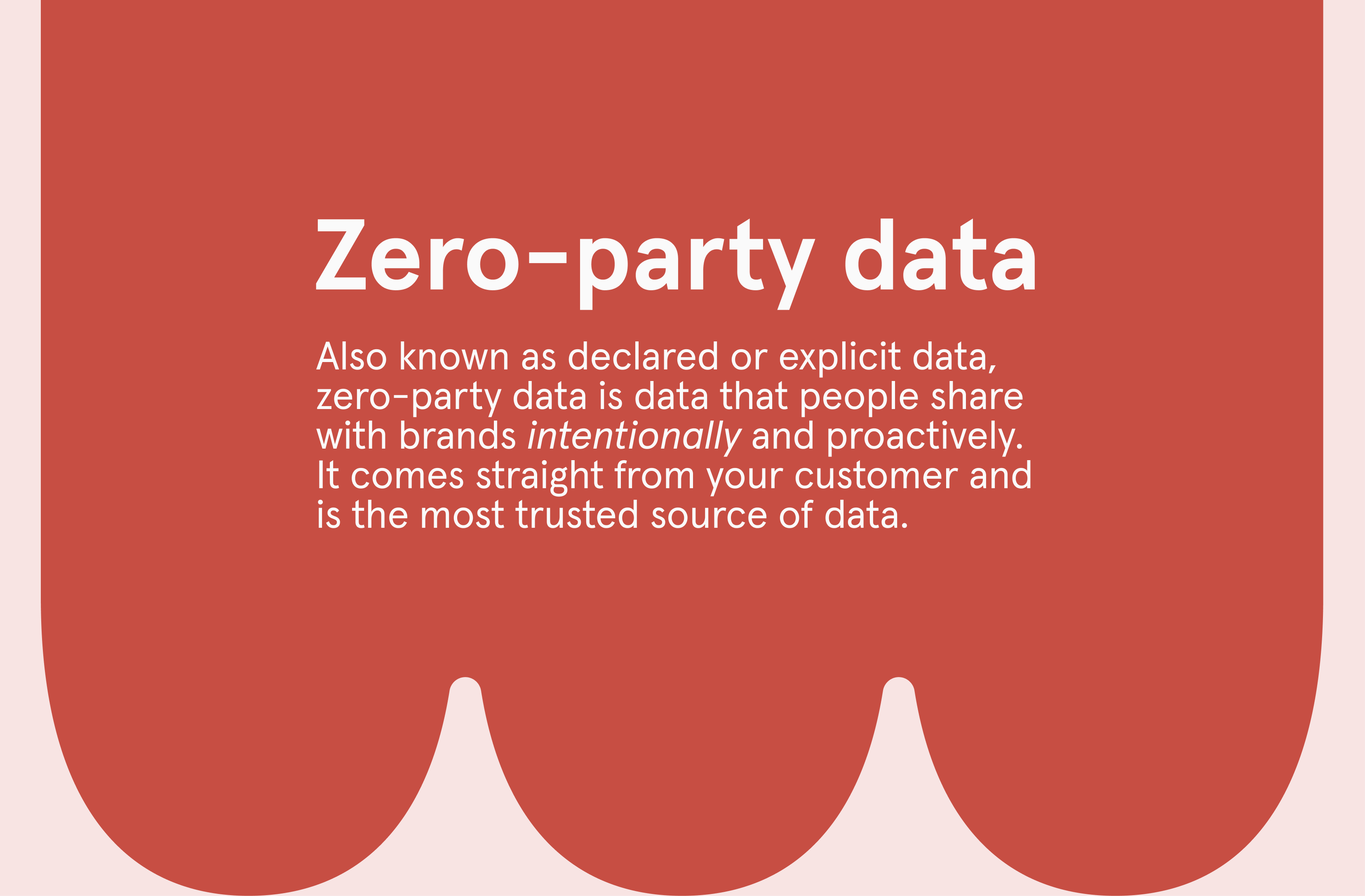
Collect zero-party data (ZPD)—data customers willingly share with you—to sharpen your marketing strategies

The best part? 

From boosting conversions to building loyalty, quizzes can do it all. If you’ve ever wondered how to use quizzes for e-commerce, here are 10 creative ways: 

1. Product recommendation quizzes

With so many choices, shopping online can feel overwhelming, but a product recommendation quiz takes some of the stress out of decision-making. Think of it as a virtual personal shopper—a few simple questions to help customers find exactly what they need.

For example, a skincare brand might offer a quiz called “Find Your Perfect Routine.” Shoppers answer questions about skin type, concerns, and daily habits to get guidance on the right serums and moisturizers. As a result, customers feel understood and confident in their purchase—and they’re more likely to connect with a product they’ll love (and maybe even repurchase).  

Pro tip: Stay connected with customers. If a shopper’s quiz results show they need hydration products, follow up with personalized emails featuring complementary items like sheet masks or gentle cleansers.

2. Seasonal gift guides

During the holidays, your customers juggle long to-do lists, tight budgets, and that familiar gift-giving anxiety. 

Enter the seasonal gift guide quiz: a way to help turn their stress into a fun, personalized shopping experience. It not only helps them find the right gift but also makes your store the easy choice.

Picture this: A jewelry retailer rolls out a “Which Gift Matches Their Style?” quiz. With just a few simple questions—like “Are they classic or modern?” “Gold or silver?” “What’s your budget?”—the quiz serves up tailored recommendations from their collection. Suddenly, choosing the perfect gift doesn’t feel like a chore—it feels effortless. And when you make shopping this simple, customers trust you with their holiday list and may even come back for more.

Pro tip: Follow up with perks like free gift wrapping or a limited-time holiday discount to sweeten the deal. Make their experience so seamless they’ll wonder why they didn’t shop with you sooner.

3. Personality-based product matches

People don’t just buy products—they buy personalized experiences and positive emotions. That’s why personality-based quizzes are so powerful. By helping customers see themselves in your products, these quizzes turn “maybe” into “yes” and casual interest into lasting loyalty.

Picture this: A fragrance brand rolls out a “What’s Your Scent Personality?” quiz. The questions are quick but intentional—“Are you adventurous or laid-back? Do you love crisp mornings or warm evenings?”—and t The results are more than a product suggestion—they’re a story. Instead of just recommending a citrus scent, the quiz tells the customer, “You’re bold, bright, and always on the move—this fragrance was made for you.”

Now, it’s not just a perfume, it’s their perfume.

4. Style or taste quizzes

With personal style, customers want to feel confident they’re making the right choice. A style or taste quiz turns a sea of decisions into a clear path, so your customers can see exactly how your products suit them. 

For example, Havenly, a furniture retailer, offers a “What’s Your Interior Design Style?” quiz. Are their customers into mid-century modern minimalism, or do they love the cozy warmth of farmhouse chic? By asking about favorite colors, room usage, and preferred textures, the quiz narrows down options to a curated selection of furniture and decor that perfectly matches their vibe.
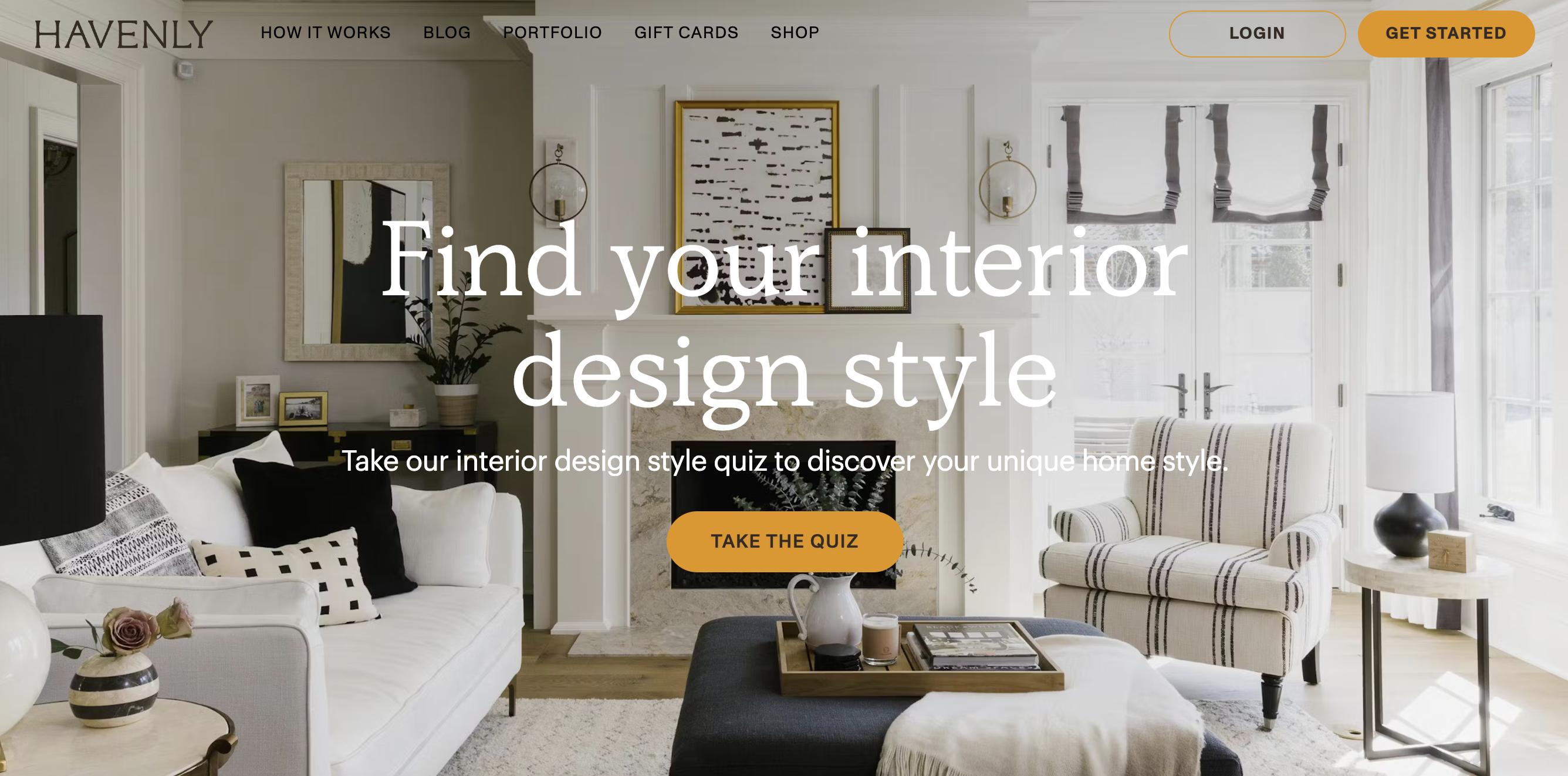
Try the quiz here

The magic here isn’t just in the recommendations—it’s in removing the overwhelm. Instead of browsing endlessly through dozens of sofas, your customer feels like they’ve found the one that reflects their taste.

5. Discount unlock quizzes: make saving fun

Let’s face it—everyone loves a discount. But what if getting that deal wasn’t just about saving money? What if it became part of the experience? That’s the magic of a discount unlock quiz. It turns a simple promotion into something interactive and engaging, giving customers a sense of accomplishment and a reason to click “Buy.”

Take Fabletics, for example. Their “What’s Your Workout Style?” quiz helps shoppers determine the activewear that fits their vibe—whether they’re into yoga, running, or high-intensity workouts. They get personalized recommendations and a special discount on their first purchase. The whole experience feels personal, rewarding, and way more exciting than a pop-up code.
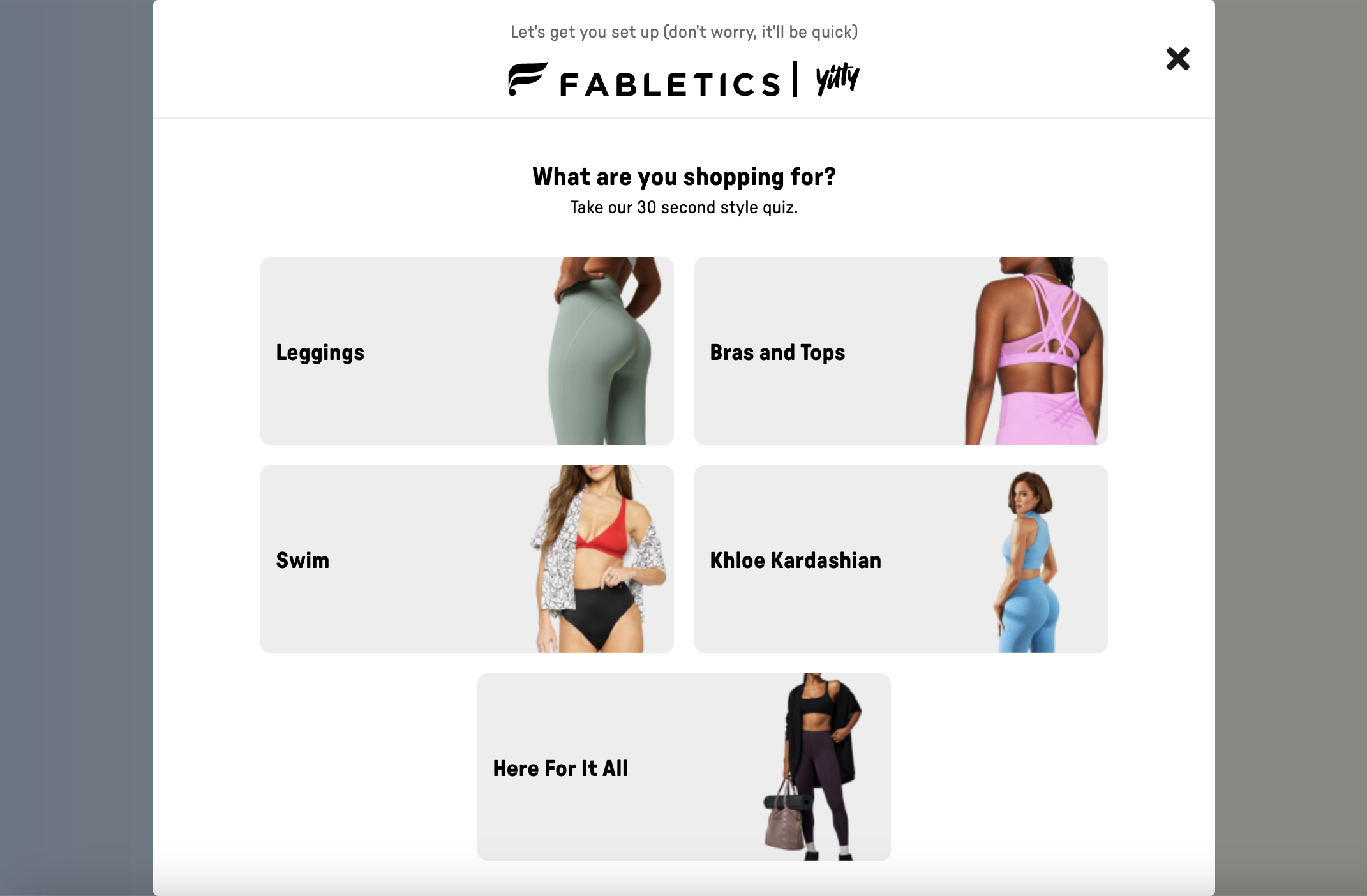
Take the quiz

Why it works: Shoppers feel like they’ve earned their deal. And that small sense of achievement? It can be just the nudge they need to hit checkout.

6. Subscription plan match quizzes

Subscriptions are gold for e-commerce—predictable revenue and loyal customers—but for shoppers, deciding on a plan can feel like a chore. A subscription plan match quiz fixes that. It simplifies the decision-making process, making customers feel confident and cared for, right from the start.

Take Dollar Shave Club. Their “What’s Your Shave Style?” quiz asks a few quick questions about shaving frequency, skin type, and preferences. Then, it matches you with your ideal subscription plan—whether it’s monthly razor or skincare.
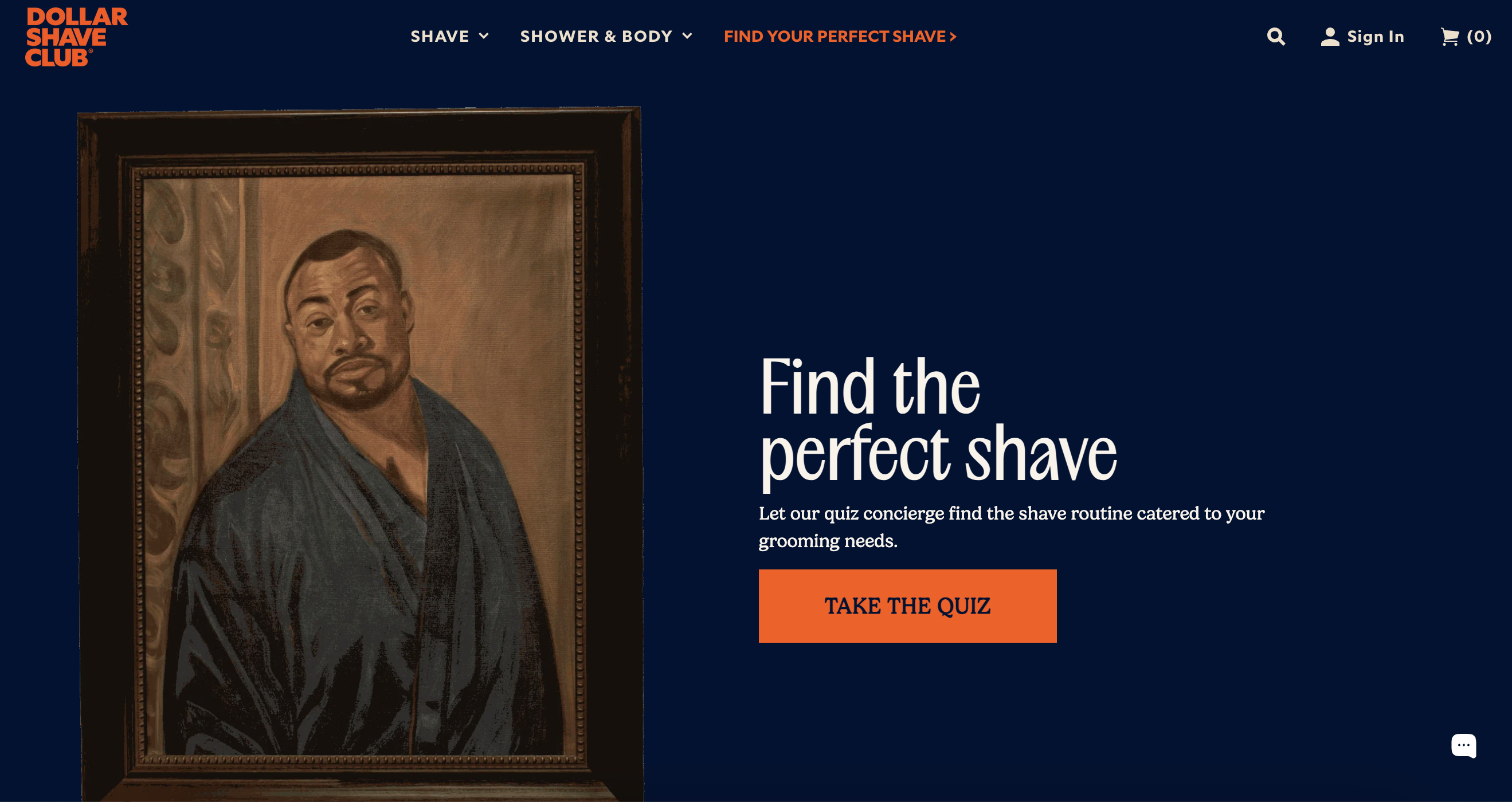
Try Dollar Shave Club’s quiz

7. Post-purchase quizzes: keep the conversation going

Checkout isn’t the end—it’s the beginning of building loyalty. A post-purchase quiz keeps the connection alive by offering tailored advice, upsells, and a sense that you truly care.

Take Curology, a skincare subscription brand. After customers receive their products, they’re invited to a “How’s Your Routine Working?” quiz. It asks about changes in their skin, how often they’ve used the product, and any new concerns. Based on answers, Curology suggests tweaks—like formula adjustments or add-ons—and shares tips for better results.

The impact? Customers feel supported, not sold to, turning one-time buyers into loyal fans.

Pro tip: Use quiz insights to craft follow-ups, like “We noticed [Product X] might complete your routine—here’s a discount just for you.” Simple, personal, effective.

8. Quiz-based lead magnets: turn curiosity into connections

Generic email signups are a hard sell (and often a hard no). A quiz-based lead magnet can make all the difference. Instead of just asking for an email, you’re offering an engaging, personalized experience—one that naturally leads to signups.

For example, Warby Parker’s “Find Your Frames” quiz helps shoppers pick glasses that match their style and face shape. At the end, customers can save their results and try frames at home by providing their email. It’s a win-win: customers get a tailored recommendation, and Warby Parker builds a list of engaged leads to follow up with.
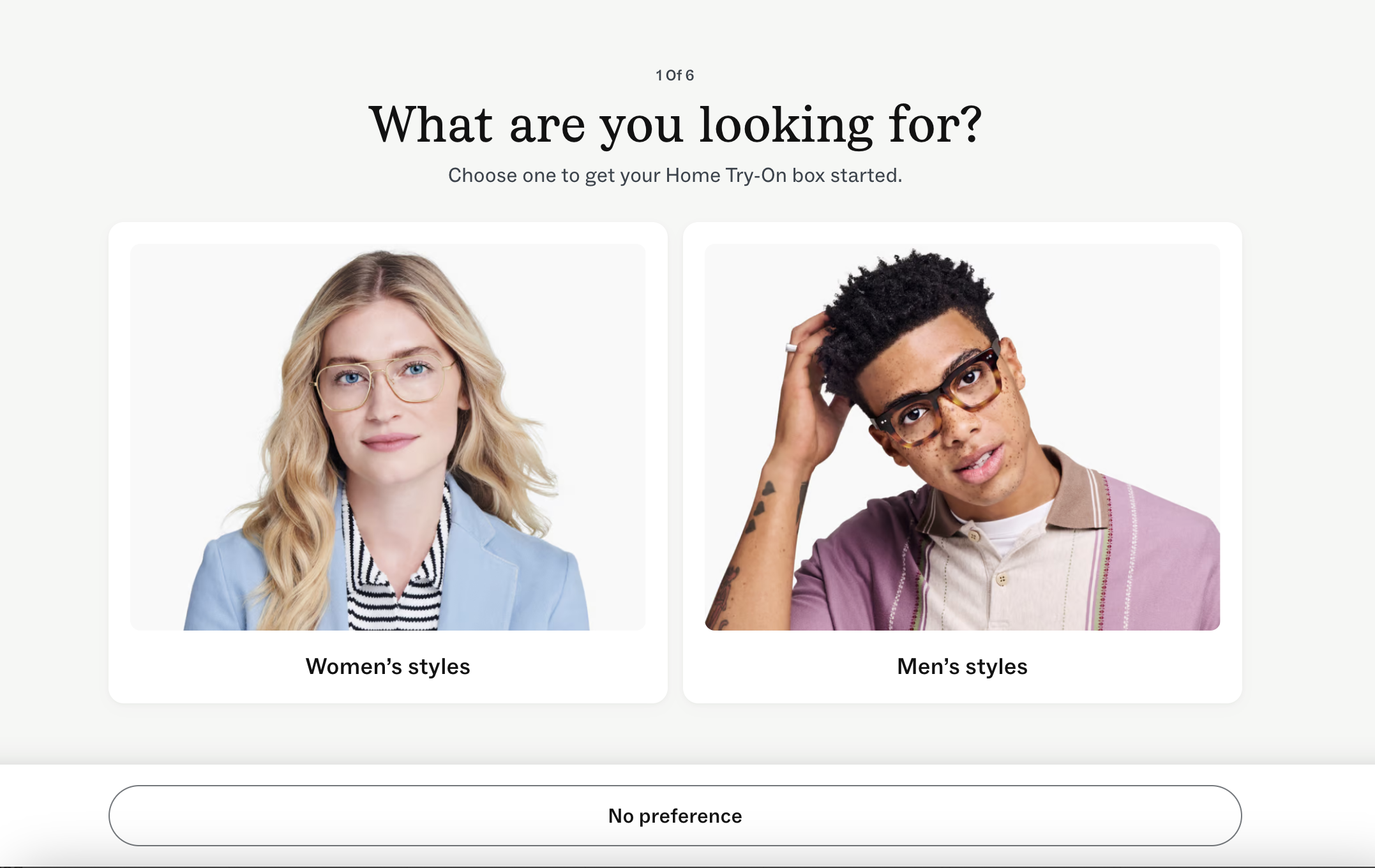
Find your perfect frames

9. New product discovery quizzes: spotlight what’s new

Got a new product? A quiz is the perfect way to introduce it. Instead of overwhelming customers with announcements, you make product discovery feel personalized and fun.

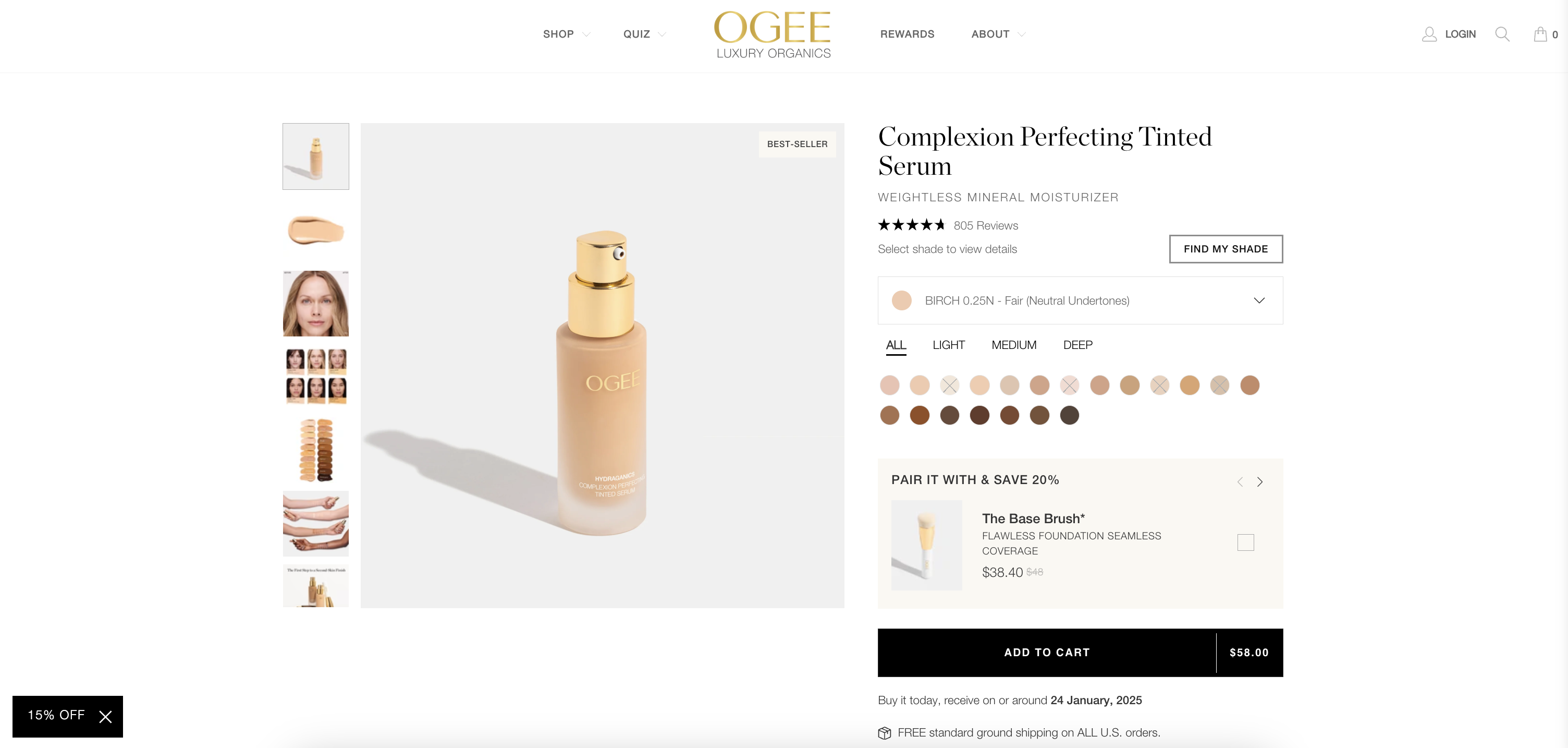
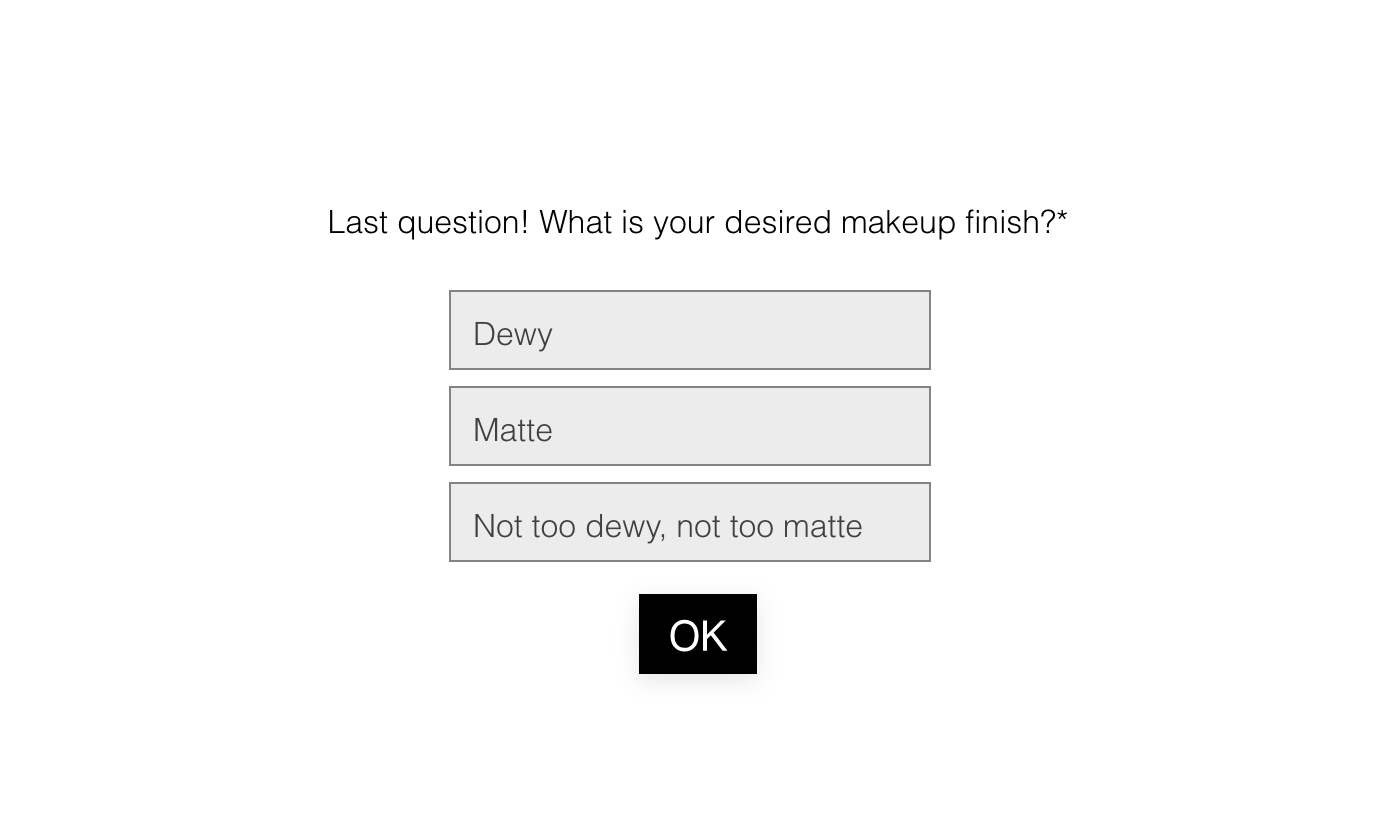
For example, Glossier’s “Find Your Perfect Shade” quiz helps you explore new additions to their makeup line. 

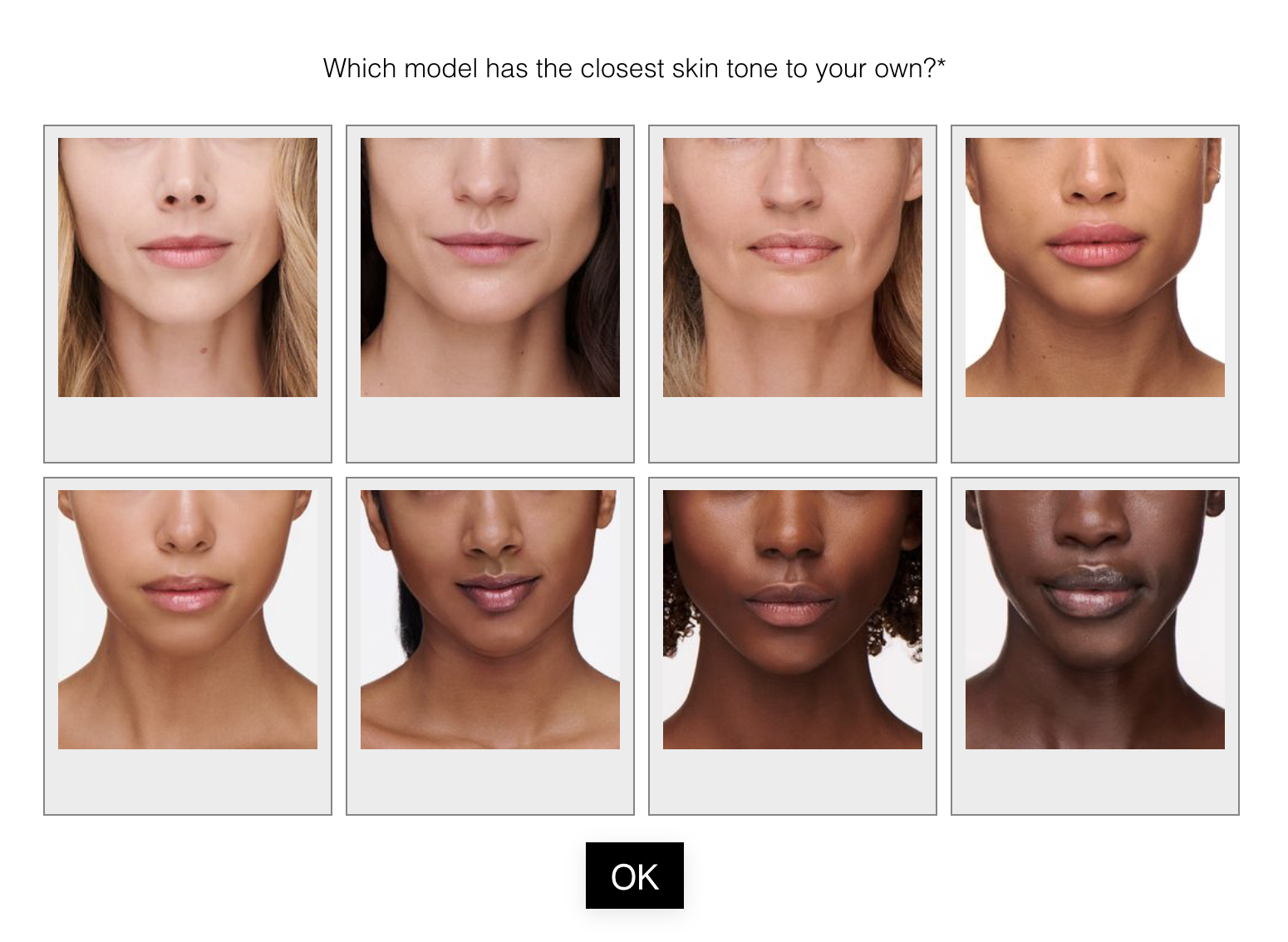
When they launched a range of stretch concealers, the quiz walked shoppers through questions about skin tone, undertone, and coverage needs. 

The result? 

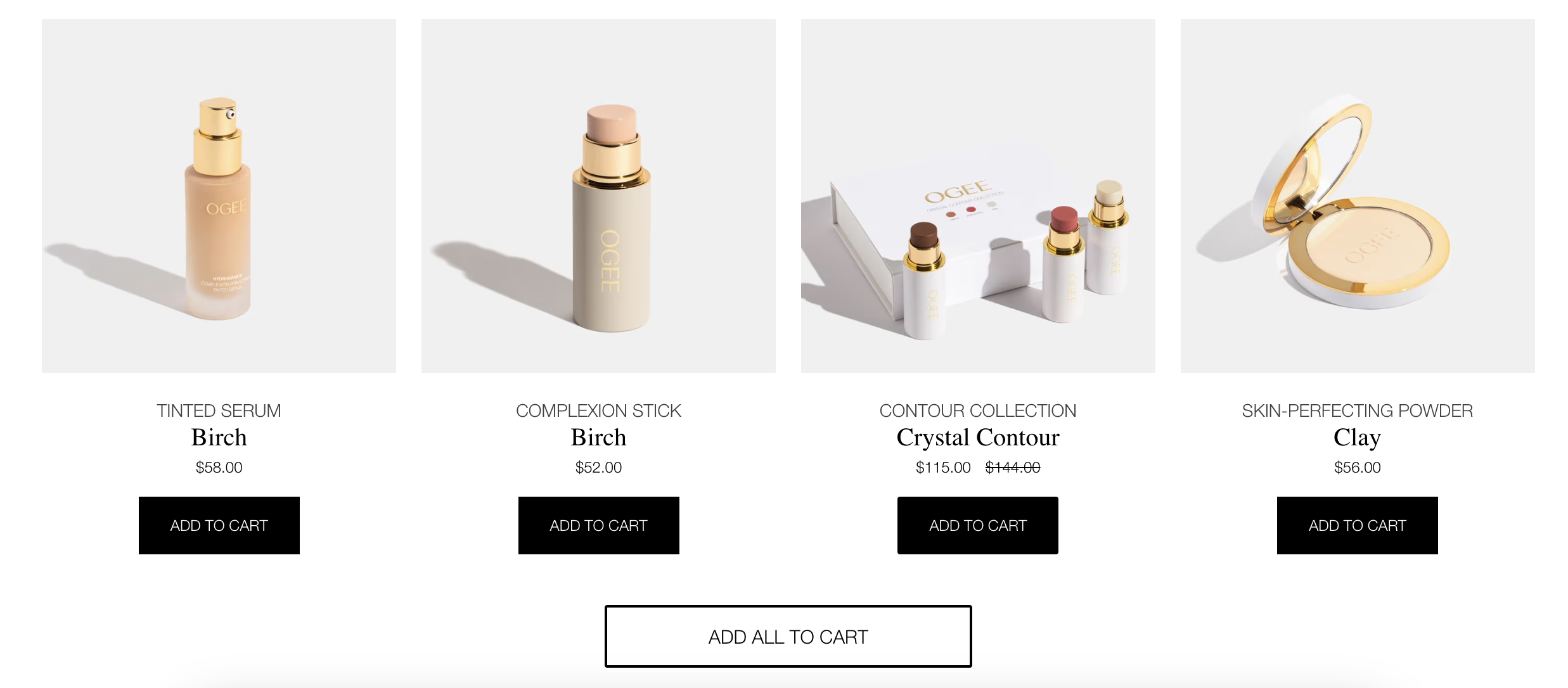
A perfectly matched shade from the new collection, paired with recommendations for other complementary products.
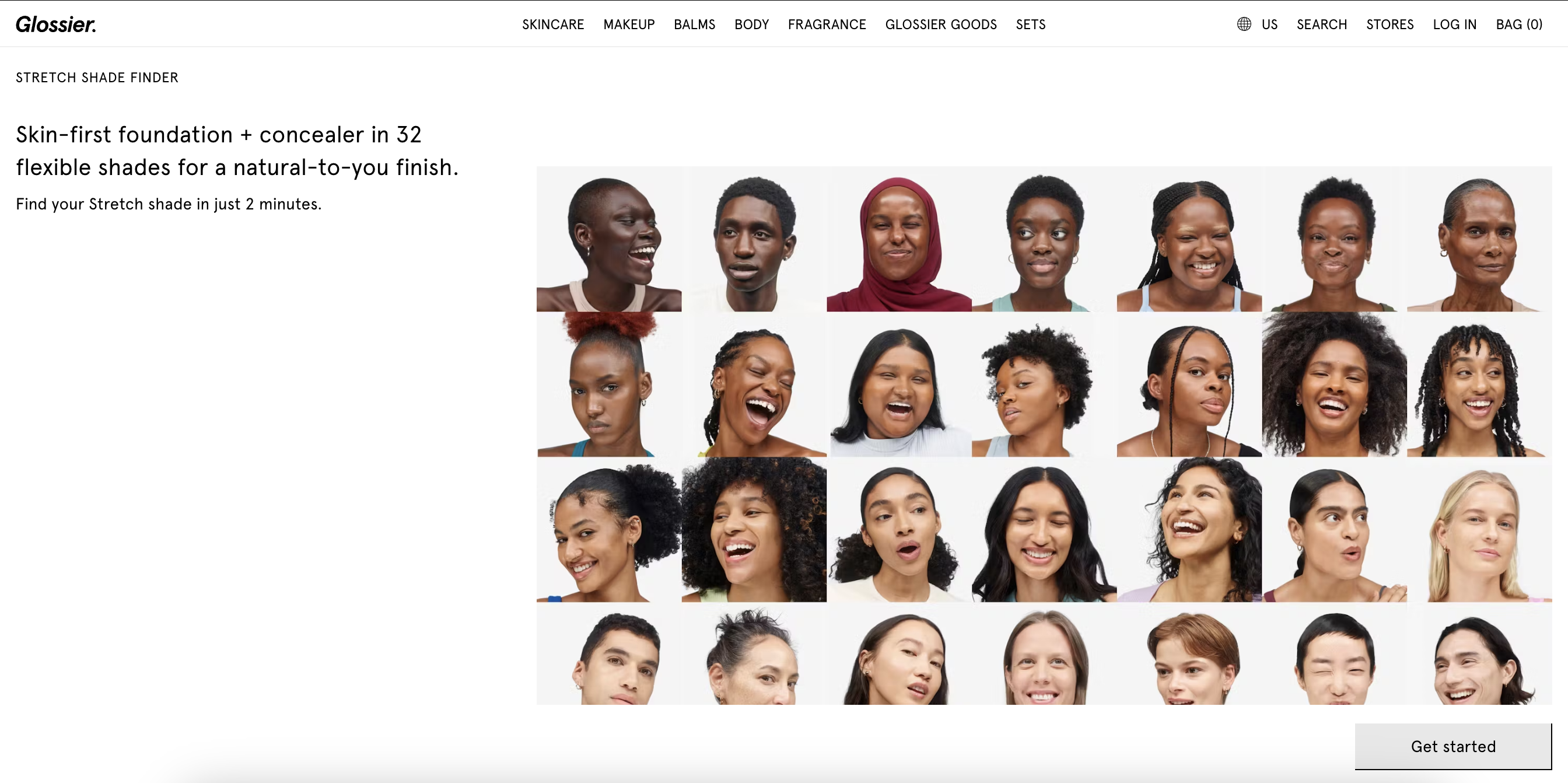
What’s your shade?

10. Customer education quizzes: build trust through knowledge

Sometimes, the best way to sell a product is to help customers understand it first. That’s where an education-focused quiz comes in. By answering questions and offering tailored insights, you position your brand as an expert while empowering customers to make informed decisions.

Take Sephora’s “Skincare Routine Builder” quiz as an example. The quiz guides customers through questions about skin type, concerns, and goals. Then, it explains how different products—cleansers, serums, and moisturizers—work together to create a personalized regimen. Customers not only get recommendations but also learn why each product is essential for their needs.

Why it works: Customers who understand how a product fits into their routine are more likely to buy it—and stick with it over time. Plus, the added trust boosts brand loyalty.

The challenge with e-commerce is balancing personalization with scalability. You want to create tailored experiences, but you can’t have a personal shopper for every customer. That’s where quizzes give you the best of both worlds.

Think about it:

  • Quizzes scale naturally. Whether you’re getting 10 responses or 10,000, quizzes deliver personalized experiences without additional effort.
  • They adapt across touchpoints. Use quizzes to personalize everything—email campaigns, retargeting ads, product pages, and even in-store experiences.
  • They make customers feel seen. Personalization is no longer a “nice to have”—it’s expected. Quizzes let you deliver that personal touch without burning out your team.

Ready to build your own quiz? Try our free templates!
‍

How to implement your customer success strategy: a step-by-step guide

Software Stack Editor · March 31, 2025 ·

Aside from meeting—or exceeding—customer expectations, there are dozens of reasons to prioritize customer success (CS), including:

  • Increased customer satisfaction (CSAT)
  • Lower churn and higher retention rates
  • Higher monthly recurring revenue (MRR)
  • Improved customer experience

But, like with any other initiative, the success of your CS efforts depends on your strategy. Is it well-defined? Have you established goals and success metrics? Does everyone know their role? 

A successful CS strategy puts the customer front and center—it’s built around customers meeting business objectives, relationship-building, and an open feedback loop.

“[A] company’s vision must be driven by the aspirations of its customers.” – Kōnosuke Matsushita, Panasonic founder

Once you’ve designed your strategy, it’s time to roll it out across the company. But it’s not as simple as telling people about it. 

Your customer success strategy is only as good as its implementation. A clear and definitive plan gives the strategy the best chance of success within your organization. 

We’ll walk you through the steps for a successful customer success rollout. First up? Metrics.

Step 1: Define your success metrics

Without any clear way to define whether you’ve achieved the goals you set when building your customer success strategy, there’s no way to understand whether your efforts have made an impact. And worse, there are no insights into how you can improve, because you don’t know what’s working and what’s not.

Key performance indicators (KPIs)—measurements that evaluate success—reflect your CS team its efforts to make sure customers are successful with your product and in meeting their business objectives.

These metrics provide invaluable insights into your CS strategy and where you can improve, making them a crucial part of any successful customer success plan. 

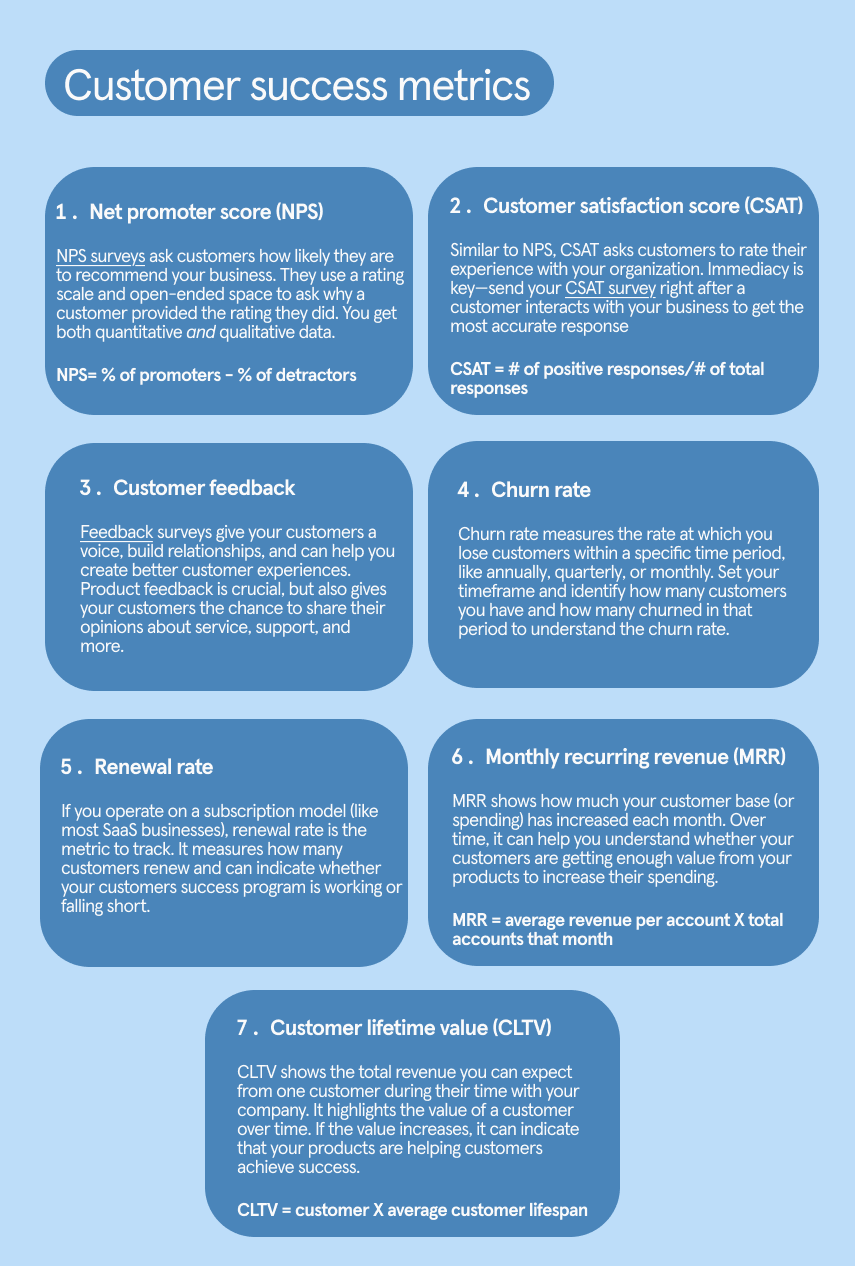
7 customer success metrics to track 

It’ll take time to see whether your CS program is effective, but once you have enough data to understand its impact fully, you’ll want to track a few key metrics:

It’s not enough to have metrics, though. You need to align them to your KPIs to truly understand whether you’re accomplishing what you set out to do.

Let’s say one of your overarching CS goals is to reduce churn. A decreased churn rate would obviously indicate that your CS strategy is working. But you could also look at:

  • How your retention rate has changed
  • If your CSAT scores have increased
  • Whether your average MRR has gone up 

Or maybe you want to understand if your customers get value from your product. Your CSAT and NPS scores can provide answers. 

Whatever your KPIs, connect them to the metrics intended to measure their success.

Step 2: Align your teams

Customer success isn’t one person, one team, or one department’s responsibility. Everyone in your company needs to work together to execute your strategy—from the customer success team to sales and marketing setting expectations to customer service providing exceptional support.

“The biggest barrier to customer success is CEOs not making it an important part of the culture.” – Nick Mehta, Gainsight CEO

The interconnectedness of your teams is crucial for an effective customer success implementation. And it starts with clear communication. A few ways you can make sure communication doesn’t become a barrier to a thriving CS program include:

  • Quickly identifying where there are communication gaps between teams
  • Making sure each team (member?) knows its role in your customers’ success
  • Setting up the proper communication channels and tools—like a customer relationship management (CRM) platform and customer support ticketing system
  • Proactively communicate the strategy across your organization and make sure employees understand it

Custify—a customer success platform—also recommends reviewing your handoff process to work out any kinks and create a seamless experience for your customers. The best way to do this? Create a journey map that shows when different teams take over.

For example, does your sales team know when to transition customers to a customer success manager (CSM)? Or, how will a service rep know when they’re supposed to support a customer vs. a CSM?  

Discovering and working out any communication kinks in the early stages of your customer success implementation (or before) will create a smoother experience for everyone.

Step 3: Train your CSMs

While your customers will likely interact with a dozen departments before, during, and after they become paying customers, your CSMs will be their primary contact. Well-trained CSMs can make all the difference between customers who churn or renew.

Customer success starts with CSM success. Zendesk recommends training them thoroughly by providing resources and training and:

  • Access to resources that explain your offerings
  • Insights from customer feedback
  • Product demos
  • Access to sales and marketing materials
  • Documents that explain how to handle different customer interactions
  • Competitor information
  • Help Center content

These resources prepare your CSMs to handle objections, highlight the value of your offerings, and give them the information necessary to help your customers meet business outcomes.

Step 4: Automate, automate, automate

Now that the novelty of artificial intelligence (AI) has worn off, savvy organizations are leveraging any way possible to automate tasks. Customer success is no different. Once you roll out your customer success strategy, think of ways to automate the less personalized aspects of customer success.

Not sure where to start? Try automating these tasks:

  • Customer onboarding
  • Emails, like a welcome sequence
  • Proactive support, like help content you send through automated emails
  • Reminders, like renewals or to activate features
  • Data collection, like feedback or gathering customer data
  • Workflow creation and execution
  • At-risk notifications, like when a customer’s health score goes below a set threshold

Automation requires technology and tools to work properly. Make sure you have the right platforms to create successful automations.

Step 5: Review and improve

You use customer feedback to create better, more personalized experiences for them. Why not do the same for your customer success team? Your CSMs are in the weeds, day in and day out, giving them unique insights into what’s working and what isn’t.

Asking your customer success team for continual feedback on the process and strategy can help you iterate and create a more impactful program that benefits your team and customers.

Data also provides a wealth of information on where you can improve. Have your reps been proactively sending help content to customers, but nobody’s reading it? Or are they canceling their check-in calls? You can measure every part of your CS strategy with data—use it to find the weak spots where you can improve.

Once you’ve established what needs to change and what you need to double down on, make the changes quickly. Fixing as many issues as possible early on will limit challenges with scaling your program.

At its core, customer success is simply helping your customers achieve their goals with your offering. Show them you’re a reliable asset and a partner dedicated to their success.

“Companies need to prove their worth—day after day, month after month, year after year.” – Kaiser Mulla-Feroze, Former Benchling CMO

‍

Smarter surveys: A modern guide to AI-powered surveys

Software Stack Editor · March 31, 2025 ·

Surveys are everywhere—your inbox, your social feed, maybe even your favorite coffee shop counter. But let’s be honest: most of them are pretty forgettable. Bland. Long. Easy to abandon.

But it doesn’t have to be that way. When done right, surveys can do so much more than collect data. They can spark real conversations, surface unexpected insights, and even leave people feeling seen and understood.

That’s where smarter tools—including AI—come in.

In this guide, we’ll explore how AI and survey tech work together to create interactive, engaging surveys that feel more like a dialogue than a checklist. We’ll cover how to personalize the experience, automate follow-ups, and turn responses into real insights.

How AI can help build a thoughtful survey

Traditional surveys might get the job done—but they often feel robotic. You get surface-level answers, a fair share of drop-offs, and not much else.

AI changes that by helping you:

  • Personalize the survey experience in real time
  • Understand open-ended responses with natural language processing
  • Automatically adjust tone, phrasing, and flow based on context

For example, AI can suggest follow-up questions based on how someone answers a prompt—or rewrite your survey questions to better match your brand’s voice.

Paired with survey features like conditional logic and dynamic flows, AI takes your survey from static form to interactive conversation. It’s like having a co-pilot who knows what to ask next, and how to ask it.

What AI can actually do in survey design:

  • Auto-generate survey questions based on your topic or customer data
  • Rewrite questions to match your brand’s tone or simplify language
  • Summarize open-text responses into themes and trends
  • Suggest follow-up questions in real time based on customer replies
  • Detect sentiment and emotional tone in responses
  • Personalize phrasing based on user characteristics (like returning vs. new customer)

Step 1: Define the purpose and story behind your survey

Before you think about questions, take a moment to step back and consider why you’re creating it. What’s your ultimate goal?

Ask yourself:

  • What problem are you trying to solve or understand better?
  • Who is your target audience, and what matters most to them?
  • What do you want participants to feel or think about as they take your survey?
  • How will the answers shape your next steps or decisions?
  • What insights are missing from your current understanding of your audience?

Step 2: Design your questions to be personalized and engaging

Every choice you make—from the order of your questions to how they’re phrased—shapes how people respond. If the survey feels thoughtful and personal, your audience is far more likely to give you the insights you’re looking for.

As Tommy Walker, former Director of Content at Shopify Plus explains, “You want it to be an experience—something where you feel like you’re kicking off a dialogue, not just answering questions.”

Here’s how:

Start with easy wins: Open with quick and easy questions, like “What brings you to our store today?” This builds momentum and helps people ease into the survey.

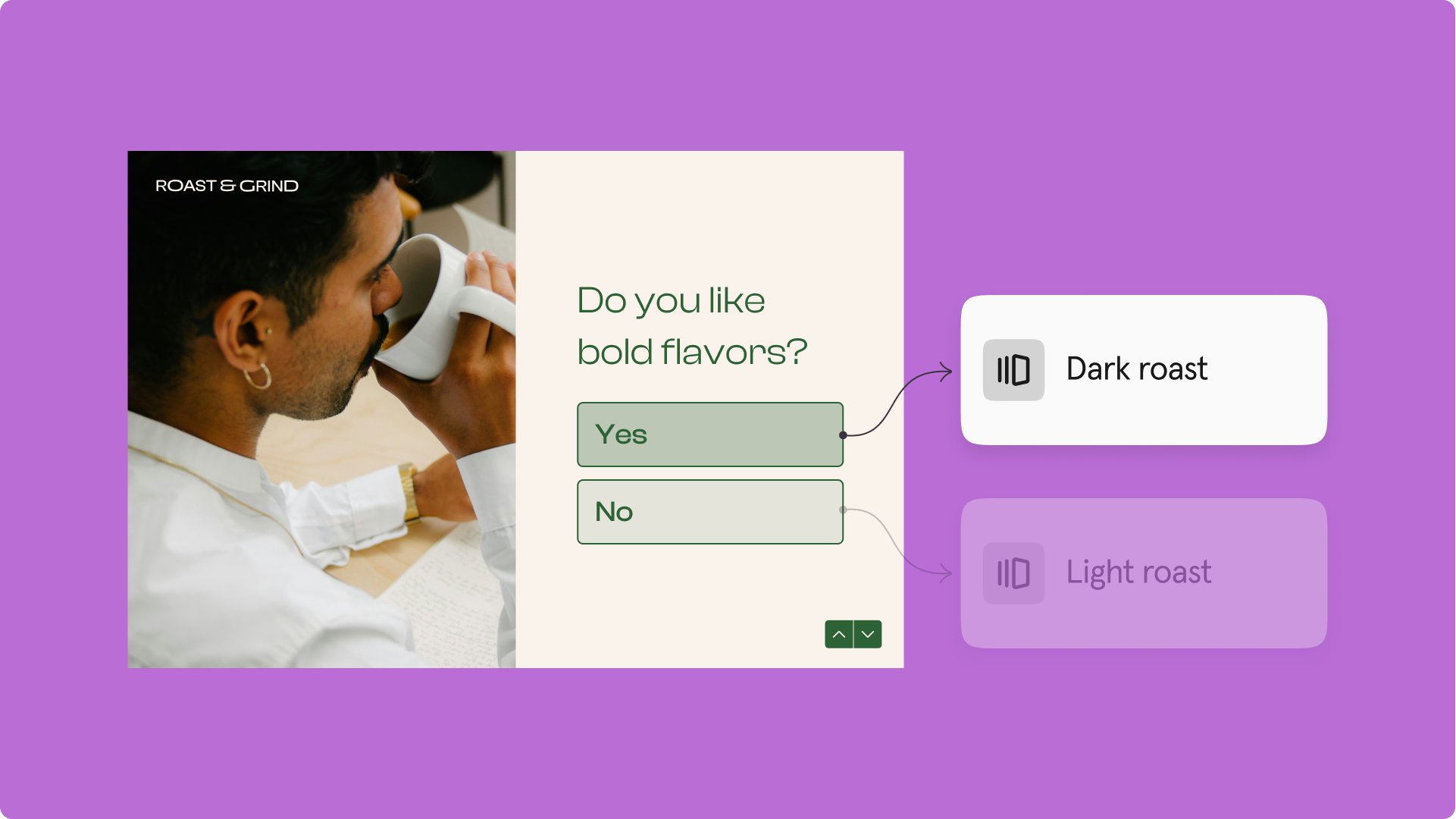
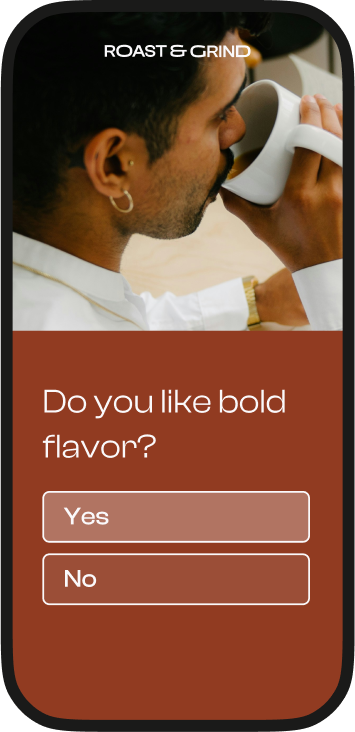
Use conditional logic to adapt the flow: Tailor questions based on responses. For instance, if someone says they’re shopping for coffee, follow up with, “Do you like bold flavors?” Then adjust from there.

This kind of branching logic helps personalize the experience—but it still requires you to map out each path manually.

That’s where AI steps in. With Typeform’s AI, you can instantly generate follow-up questions based on each person’s answers—no need to map out every logic path. Just describe your goal, and Typeform creates a personalized, dynamic flow that keeps the conversation going.

Mix up question formats: Think about pacing. Add variety with multiple-choice, rankings, and even visuals. This keeps people curious and engaged as they move through the survey.

Keep the tone conversational: Imagine you’re talking to someone one-on-one. Avoid stiff or overly formal phrasing—let your personality come through.

Typeform’s AI can help here, too. It rewrites your survey questions to match your brand’s tone—whether you’re aiming for playful, professional, or something in between—without needing to edit each one manually.

Step 3: Automate the heavy lifting

This is where things get fun. Automation isn’t just about saving time—it’s what makes your survey feel effortless for your audience. When every answer leads to a personalized follow-up, your survey feels more like friendly banter than a robotic exercise.

As Tommy says, “I’ve used conditional logic to segment my audience and even included follow-ups tailored to specific responses. That’s what’s made my surveys like two-way dialogue.”

Here’s how:

  • Segment your audience: Use logic to guide participants based on their answers. For example, if someone says they’re a first-time shopper, ask, “What’s the biggest challenge in choosing the right product?” But if they’re returning, follow up with, “What’s one thing we could do better next time?”
  • Set up automatic follow-ups: Send personalized emails based on responses. If someone says they struggle with delivery times, send a follow-up sharing your improvements—or offer free shipping on their next order.
  • Simplify the journey: Skip questions that don’t apply. If someone isn’t shopping for the holidays, there’s no need to ask about gifting budgets.
  • Reward high-value responses: Use answers to identify your most engaged participants. If someone shops often, thank them with an exclusive discount or loyalty perk.

Step 4: Turn your survey results into insights for your business

A survey is only as good as what you do with the results. Once the responses start rolling in, it’s time to dig deep, look for patterns, and turn those insights into action.

Here’s how Typeform’s AI can help:

  • Detect trends in open-text responses (without needing to read them all manually)
  • Cluster responses into audience segments automatically
  • Flag vague answers and prompt clarifying questions
  • Summarize qualitative data into simple themes you can act on

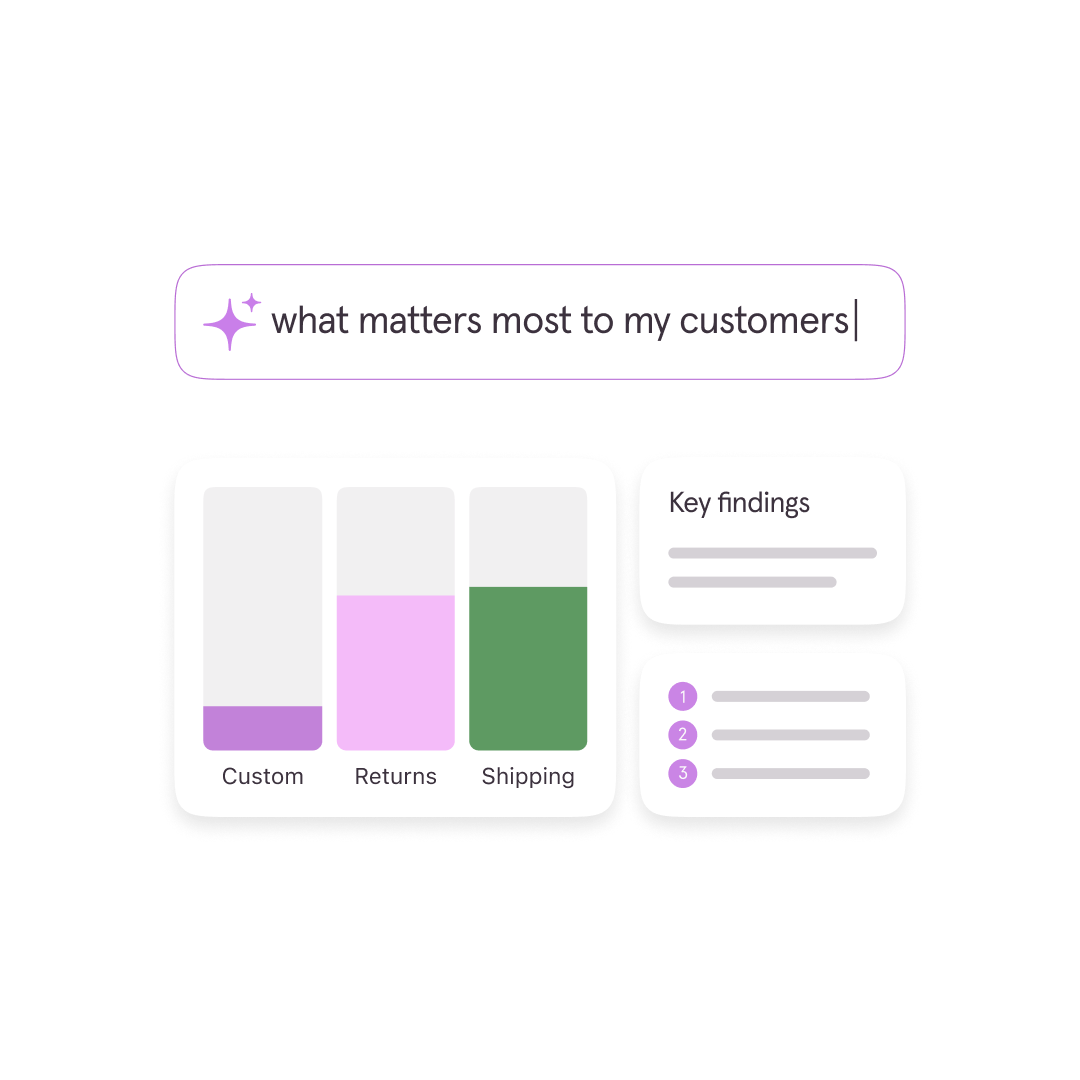
Instead of staring at spreadsheets, AI helps you get straight to the good stuff: What do your customers want? What are they struggling with? What can you improve?

Turn insights into action:

  • Use findings to update your product, website, or messaging
  • Create engaging content like blog posts or social updates based on what you’ve learned
  • Share results internally to get your whole team aligned

AI helps you move fast—and stay customer-focused. With Typeform’s AI, you’re not just collecting data—you’re building a real-time understanding of what your customers care about.

Step 5: Keep improving your surveys over time

Even the best surveys can get better. Once you’ve seen your survey results, take some time to reflect. What worked well? Where did people drop off? Did you get the insights you were hoping for?

“Surveys don’t fail because they’re long; they fail because they’re poorly executed,” says Tommy. That’s why it’s worth reflecting—and tweaking each one to make the next better.

Here’s how to keep improving:

  • Analyze completion rates to find drop-off points
  • Ask customers for feedback on the experience
  • Experiment with new formats, tools, or question types
  • Refine your copy to spark better answers
  • Track trends over time to measure progress

Make every question count

When you design a survey with purpose, personalize it with thoughtful questions, and let AI handle the heavy lifting, you’re not just collecting data—you’re building trust.Make every question count

When you design a survey with purpose, personalize it with thoughtful questions, and let AI handle the heavy lifting, you’re not just collecting data—you’re building trust.

Try Typeform’s AI to see how it helps you build smarter, faster, and more engaging surveys—without sacrificing personality.

9 design tips for creating high-converting mobile-friendly forms

Software Stack Editor · March 28, 2025 ·

Every few decades or so, humankind creates something that truly revolutionizes how society does things. From Einstein’s lightbulb to automobiles to the modern-day internet—we’ve seen nearly every kind of advancement.

One of the most recent innovations? The smartphone.

You might be reading this on your phone. Or endlessly scrolling social media. Maybe you’re shopping Amazon or using your mobile banking app.

Chances are, you’re doing almost anything other than what phones were originally built for—calling people.

You’re not alone either. Statista found that 62.54% of global website traffic came from mobile devices.

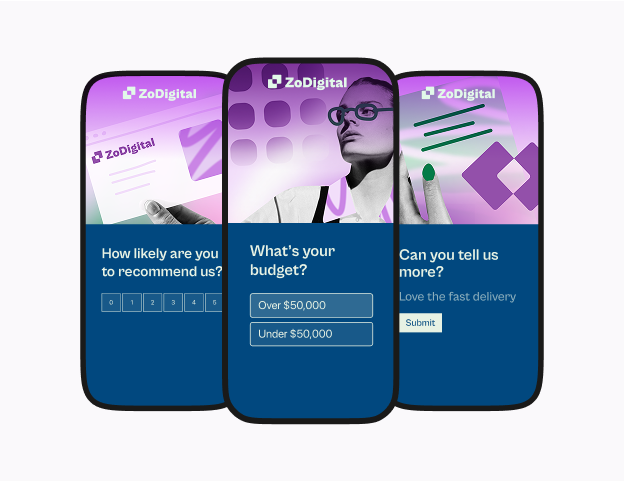
What’s that mean for you? Whether it’s your website, lead magnet, or product recommendation quiz, they all need to be optimized for mobile (or you risk visitors quickly exiting out).

Don’t worry—we’re sharing nine design tips to create mobile-friendly and responsive forms that function and look good on any device and why it matters (optimized mobile forms boost completion rates).

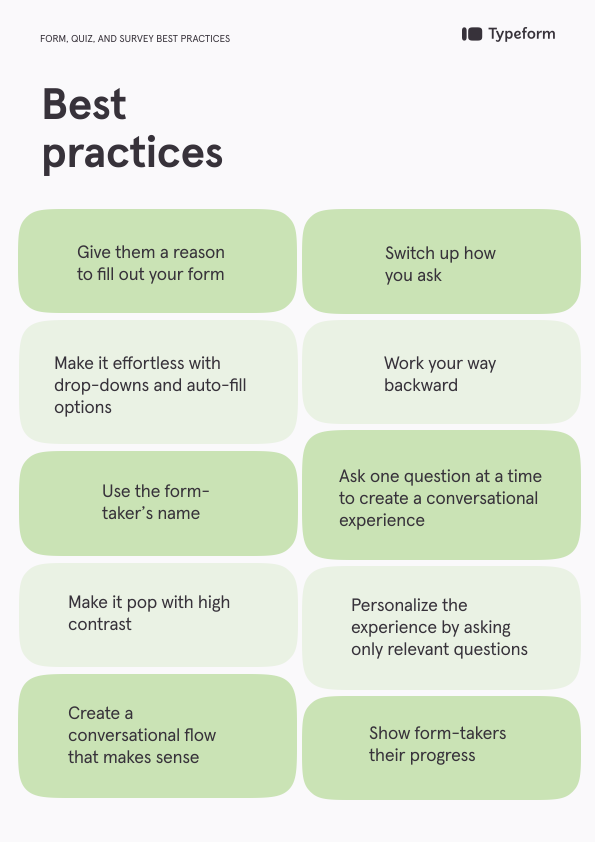
Form, quiz, and survey best practices

Before you get too focused on creating mobile-friendly forms and fully optimizing design, nail down the basics.

We’ve rounded up a few general best practices to make your forms effortless to fill out, whether form-takers complete them on a desktop or mobile device.

Give them a reason to fill out your form

Every time someone fills out your form, they’re giving you priceless data that can inform product development, improve your customer experience, or focus your marketing. Give them something in return.

An incentive—whether a discount, results to a quiz, or a downloadable—shows form-takers you value their time (and data).

Make it effortless

Thanks to autofill and autocorrect, we’ve become used to shortcuts, especially when typing or tapping on our phones. Carry this over to your form or quiz—leverage autofill and dropdown menus, like autofilling email domains or zip codes, that make it even easier to complete a form. 

Switch up how you ask

Keep form-takers engaged by mixing up how you ask questions. A variety of picture choice, open-ended, multiple choice, and yes/no questions keep it interesting. 

Use the form-taker’s name

Build a connection with your audience and personalize the experience by referring to your form-taker by name. Refer back to previous answers to recall their name in one or more of the following questions.

Work your way backwards

Instead of building your quiz or survey from the first question, work backwards. What data are you trying to collect? What information do you want? Knowing the end goal helps you ask the right questions.

Make it pop with high contrast

Make sure your forms are accessible and easy to complete by making them easy to read. Use text that contrasts with the background, especially for elements meant to stand out, like call-to-action (CTA) or “Submit” buttons.

Ask one question at a time

You wouldn’t bombard a friend with 20 questions all at once—don’t do it with your form or survey either. Ask one question at a time to make your form feel more like a conversation and keep form-takers moving through each question.

Create a conversational flow

Just like you wouldn’t ask a friend a bunch of questions at once, you likely won’t change topics with every question. Group similar questions—like demographics or preferences—before moving on.

For example, consider asking for their name and email before asking for feedback and whether they’d recommend your product.

Only ask relevant questions

No one wants to answer questions not relevant to them. As you build your form, only include necessary questions and consider using skip logic that lets you automatically route form-takers based on their previous answers. It creates a better experience for your form-takers.

Show their progress

Let your form-takers know how far they’ve come and how much they’ve got left until they finish your quiz. A time estimate on the welcome screen gives them an idea of the time commitment while a progress bar motivates them to keep going.

Best practices for mobile forms: 9 design tips

As more of us use our phones as mini tablets, we expect the brands we love most to adapt and create mobile-friendly forms, websites, and experiences.

Don’t worry—we’re sharing nine design tips to help you create optimized mobile forms that look great on any device.

1. Create responsive forms

While we spend a lot of time on our phones, we often switch between devices. We might find a brand on the Instagram app but prefer shopping on a desktop. Or watching shows on our tablets.

And that’s why creating responsive forms is vital to a better user experience (UX). Mobile-friendly forms are optimized to perform well on mobile, but responsive forms adjust to any device.

So, whether you use an iPhone with a small screen, a tablet, a cell phone with a large screen, or even a desktop computer, responsive design makes sure your form looks great on every single one.

By automatically resizing and reorganizing images, text, and other elements, responsive forms create a smoother user experience that functions well and looks great no matter where your form-takers open it.

2. Make your forms accessible

Your customers (or audience) likely aren’t one-size-fits-all. Some may struggle reading small text or have sensory or cognitive disabilities, so make sure you create mobile-friendly forms that are accessible to anyone.

Here are a few things to consider:

  • Are you prioritizing aesthetics and design over readability?
  • When you use video or images in your form, do you offer alt text?
  • Are you using a readable font in colors that contrast with the background?
  • Do you have too much text to easily read on a mobile screen?
  • Can form-takers view and complete your form in both landscape and portrait mode?
  • Do you provide captions for audio or video elements within the form?
  • Does the text pixelate when form-takers zoom in?

These are the basics, but you can also confirm your form’s accessibility with a checker. Typeform’s built-in accessibility checker makes sure every form you create is accessible to your audience (and when more people can fill out your form, you’re likely to bring in more data).

Pro tip: Keep in mind that mobile devices have smaller screens—just because it looks good on your computer doesn’t mean it’s accessible on smaller devices.

3. Keep them short

We’re all busy—respect your form-takers’ time by keeping your survey as short as possible. Ask only enough questions to get the data you need.

Our research found that Typeforms with more than six questions had less than a 50% completion rate.

Need to collect a wealth of data? Create a series of forms to send at intervals later so form-takers avoid mental exhaustion trying to answer 50 questions in a single form. 

And remember, form-takers are likely tapping buttons or typing on a tiny keyboard on their phone—it gets tedious after a few questions, which could increase drop-offs and reduce completions.

4. Limit open-ended questions

If you’ve ever opened an email on your phone but waited to respond until you’ve got your laptop with you, you know exactly why we suggest limiting open-ended questions.

Writing a paragraph or more on your phone is a pain. Typing using those tiny letters takes more time and is often frustrating. You want to tap more, type less.

So, when creating mobile-friendly forms, use few open-ended questions and change up question types, like:

  • Yes/no
  • Rating and ranking
  • Multiple choice
  • Dropdown lists
  • Radio buttons
  • Picture choice

‍

These question types let form-takers effortlessly tap an option instead of struggling to type answers to open-ended questions.

5. Make mobile-friendly forms that load fast

Attention spans have plummeted over the years—while two seconds may seem fast, it’s an eternity for a page to load. Visitors won’t stick around to wait for a question to load, so if you want optimized mobile forms, prioritize load times.

One of the biggest contributors to slow load times? Media. Images and video add to your form, but they can potentially slow them down, too (especially on mobile). Use sparingly and compress them when possible.

6. Design clutter-free forms

Want to create mobile-friendly forms that look great, too? Consider decluttering. Five form fields on a desktop might be fine, but on a smartphone, it feels cramped and cluttered.

Here are a few ways you can design a clean look without sacrificing data:

  • Use white space to give questions and answer options breathing room—it makes your form less overwhelming
  • Get rid of distractions, like an explanation for every question
  • Vertically stack form fields and only use one column for options

Ask questions and label form fields as succinctly as possible—answer options that go beyond a single line add clutter

Optimized mobile forms can be both beautiful and functional without being busy. One of the easiest ways to do this is to ask one question at a time. Ask a form-taker for their name in one question and then ask for their email in the next. It’s less distracting and opens up space.

7. Turn on auto-advance

Phones are tiny—the keyboards are even smaller. Make it as effortless as possible for form-takers to complete your form on their phone by leveraging auto-advance functionality and large buttons.

Mobile-friendly forms are made for people to easily tap answers, arrows, and buttons. Here’s how you can make moving to the next question and submitting their form is a breeze:

  • Make arrows or buttons large enough to move to the next question with a single tap (tiny arrows are near impossible)
  • When a question has a yes/no answer or a single answer, auto-advance the form-taker to the next question when they answer
  • Make the “Submit” button stand out with a contrasting color and sizable enough that they won’t miss it

8. Have clear error messages

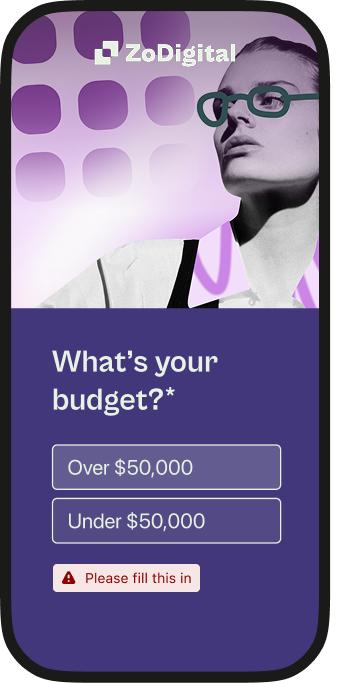
One of the most important best practices for mobile forms is giving form-takers feedback throughout the form. Use asterisks (*) to mark that a question is required or tell visitors when a question is optional.

And when someone skips a required option, instead of keeping them stuck on that question with no context, have a clear error message like, “Oops, this is required. Please answer.”

Give form-takers an explanation of why they’re stuck on a question to prevent confusion (and drop-off as a result). But you can also offer guidance when there’s no error.

For example, if you have a product recommendation quiz, tell form-takers to enter their email and submit the completed form to get their results.

9. Preview in “mobile view”

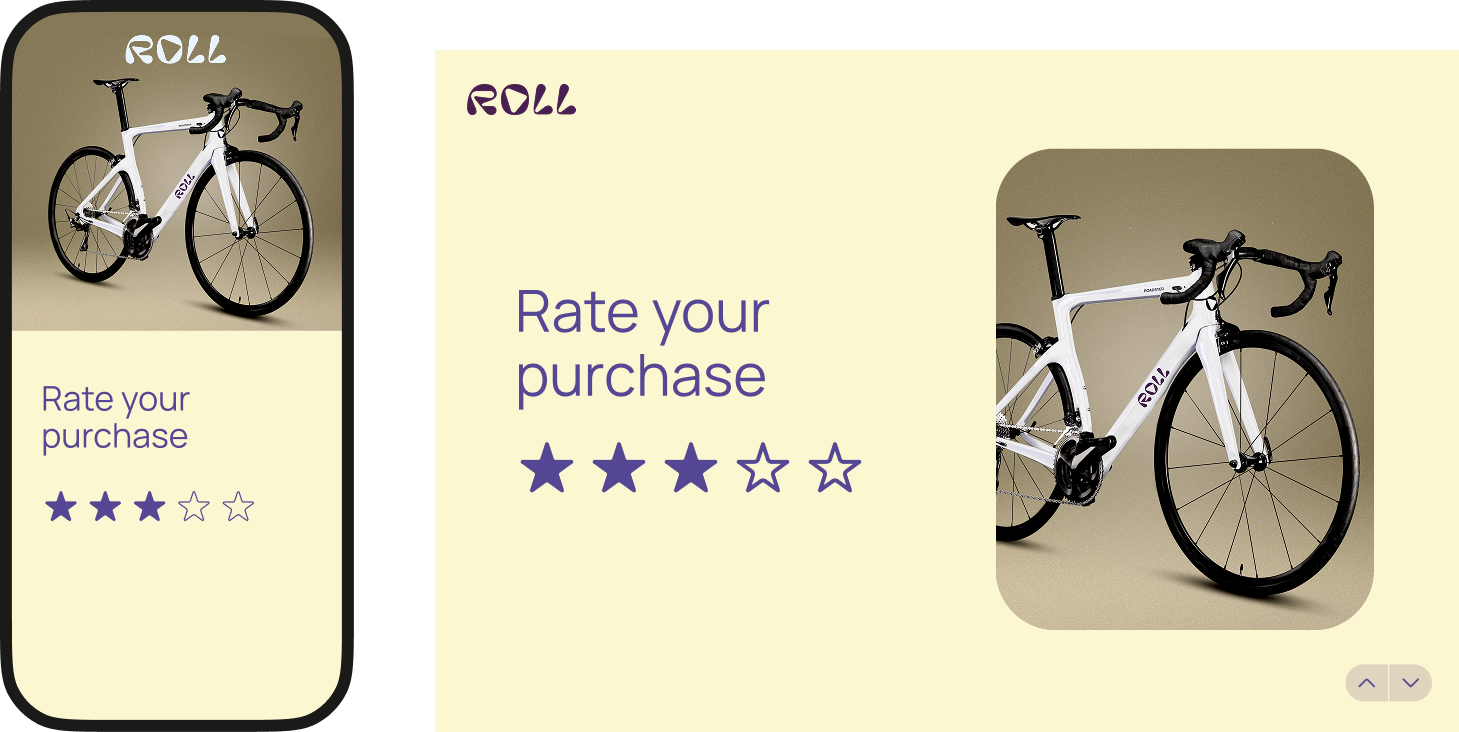
Want fully optimized mobile forms? Get a sneak peek of what your form will look like on any device before you publish it.

Sure, you could publish your form and then test it on mobile, tablet, and desktop. Or you could use Typeform’s preview mode. Create mobile-friendly forms by checking for glaring issues in preview mode, like:

  • Button and text sizing
  • Color contrast
  • The number of form fields
  • Your “Submit” button
  • Image alignment
Pro tip: Use the mobile-friendly forms checklist in this guide before you build your next form.

Why optimized mobile forms matter

These design tips are about more than making pretty mobile-friendly forms—they get you the data you need and create better mobile-optimized experiences, which means more completions and conversions.

Zero-part data (ZPD) collection

Optimized mobile forms encourage users to complete the form, giving you invaluable ZPD every time someone taps “Submit.” Whether it’s their contact details, customer feedback, or preferences, you get data to help you refine marketing, build better products, and more. 

And because you’ve created responsive forms, you can gather that data on any device.

Meeting people where they are

There’s a reason millions of businesses have taken their businesses online and e-commerce is booming—because that’s where people shop. Likewise, 68% of Typeforms are started on mobile, so it only makes sense to make mobile-friendly forms.

Your audience is on their phones. By meeting them where they are, you encourage them to start—and finish—your form.

Creating a better experience

Optimized mobile forms give form-takers a positive form-taking experience because they prioritize the UX. Every design tip we’ve shared focuses on making it almost a no-brainer for form-takers to complete your form with very little effort.

And when you make it that simple and a pleasant experience, you get higher completion rates.

Building trust and loyalty

Forms not only deliver the data you need, but they can also build instant trust and long-term loyalty with your audience. How? They show consideration and care.

Optimized mobile forms let form-takers know you care about their experience on any device, but they also show that you want to understand audience needs, preferences, and feelings.

That care builds trust with your audience that helps form-takers feel more comfortable sharing with you. And when they share more, you get better data. Consideration also builds the deeper connections required for customer loyalty.

Mobile-friendly forms, meet marketing

Forms, quizzes, and surveys are more than just a fun way to engage your audience—they’re powerful marketing tools. When done right, mobile-friendly forms can integrate seamlessly into your marketing strategy.

Here’s how:

  • Generate leads with contact forms or lead magnets that help you uncover audience wants and needs, and then score leads based on their responses.
  • Collect feedback with feedback forms that help you understand how to improve your customer support or product.
  • Get more sales with product recommendation quizzes that form-takers can complete on their phones and then shop their recommendations. You can even integrate Stripe to make shopping seamless—driving more sales.

And you can do all this by creating responsive forms that let form-takers complete your forms on any device, hassle-free.

Create mobile-friendly forms with Typeform

Form-takers won’t struggle through a clunky form that’s hard to navigate—especially not on mobile. We consume content, fill out forms, scroll social media, and even shop on our phones.

Brands that adapt to the mobile-first experience, will reap the rewards, from increased sales and more feedback to a better UX. Consumers expect you to have the same experience across devices, including forms.

So, if you’re ready to design mobile-friendly forms, use the tips we’ve shared and leverage Typeform’s preview mode to ensure your forms look great on all devices before they go live.

With 3,000+ stunning templates, mobile preview, and responsiveness built in, Typeform makes it effortless to create—and fill out—forms for you and your audience. Ready to try Typeform?

‍

How Reckon used Typeform to transform its voice of the customer program

Software Stack Editor · March 27, 2025 ·

image

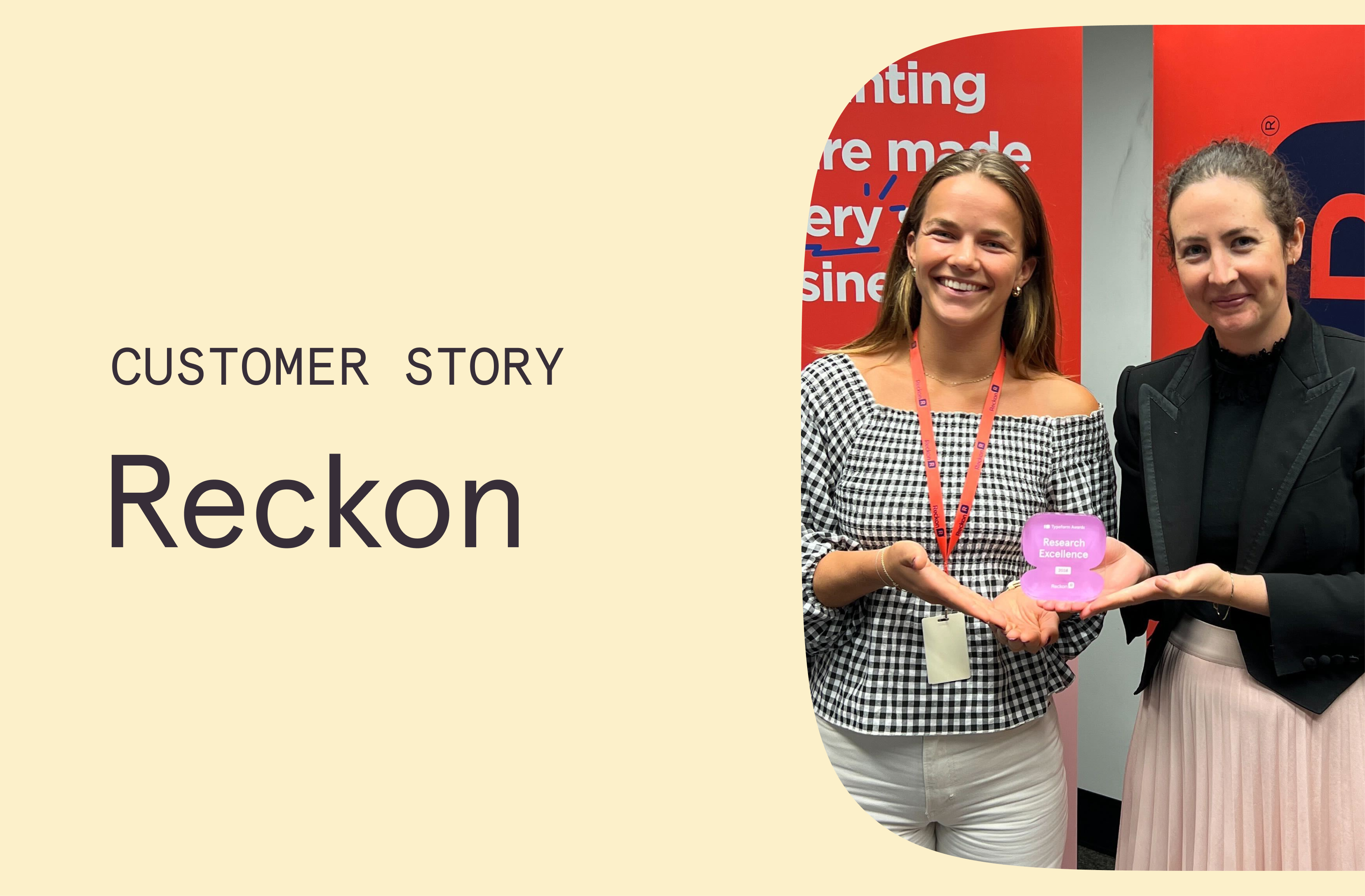
Australian-based accounting software company, Reckon, knew they needed to hear from their customers to inform and validate the business’ 2025 strategy. While they were able to rely on some customer engagement touch points, they still weren’t getting the full picture.

After much consideration, Kelly Jennings, Head of Research & Design, and Kristina Hedberg, Product Designer, decided to launch an annual customer feedback survey using Typeform. The goal of the survey was to challenge assumptions and gather actionable insights from their customers.

Preparing for success

As soon as Kelly and Kristina embarked on this project they knew it was going to be a huge survey. The company had never launched a research effort at this scale before, and there were many working hypotheses and assumptions which hadn’t been challenged for a while. They spoke with each team to understand their learning objectives, mapping everything out before creating the survey.

They spoke with 18 different leaders across the business. Kelly explained that they used the MECE method (Mutually Exclusive, Collectively Exhaustive) to help them organize information and identify overlapping themes.

Starting with the learning objectives (“what would you like to learn from our customers?”) enabled them the freedom to find overlaps in what teams were trying to learn, and scripting survey questions to answer the ultimate objective. Had they started with survey questions, they would have ended up with highly niche questions and could have struggled to get the true learning that was being sought.

They spent a lot of time working on the script and crafting the questions before they even started building it in Typeform. They workshopped everything— removing question overlaps, while considering the structure and wording to create engaging questions and minimize form fatigue.

Once they started building the survey in Typeform, logic and branching was an essential feature. Every learning objective had targeting criteria, outlining the best audience to provide the insight. Using this, alongside the segmentation questions at the start of the survey, respondents were only surfaced with the relevant questions for them.

“One of our principles when we spoke to each leader was asking about their learning objective. We asked – what are you going to do with the data? You have to take action on the data, because if you’re not going to take action, we’re not going to ask the question. We know there’s a lot of questions in the form, and we don’t want to fatigue our customers as they go through the survey.” – Kelly Jennings

Watching the results roll in

The plan for sharing the survey was simple, it would be sent via email as Kelly and Kristina only wanted to hear from existing customers. They created a 3-part email campaign to introduce the concept of an annual customer survey and remind customers to complete it. They also incentivised the survey, entering respondents into a prize draw once they’d submitted their answers. 

A survey builder’s work is never done, as they say. Kelly and Kristina keenly watched out for any recurring drop off points in Typeform and were surprised by changes in form completion time as the weeks progressed. This gave them some great insights into how they would structure the survey next time.

“It was so exciting when we finally launched the Typeform survey. I was basically sitting there refreshing the results page every five minutes. We’d spent so long mapping things out and planning it. So it was really exciting to see the results come through.” – Kristina Hedberg 

Forming new solutions

All their hard work paid off as they received 10 times more responses to the survey than they had initially expected, which proved that customers were engaged and keen to share their feedback. 

But most importantly, it was the quality of answers that made this survey a success. They were able to break assumptions and prove how strategic research can have an impact on the business.

The fact that Typeform is this really robust platform that lets you branch conditional logic – it helped get us what we needed, and get us to the heart of “you said this, and now that”. Our CEO and leadership team agreed these are the most amazing results that we’ve had from our customers for a long time. – Kelly.

The survey is now the baseline for starting new design projects. By using comments and sentiments they can build out new research around it to inform decisions they make with the project. 

The business is also undertaking several projects directly linked to the feedback they received, including revamping key areas in the software, and making support improvements by implementing live chat, and improving web ticketing and onboarding.

There are so many avenues they can take from the results – whether it’s influencing the road map or understanding customer pain points – Kristina and Kelly are delighted to see how much of an impact the survey is having across the business, and are looking forward to jumping back into Typeform as they begin preparing for the 2025 annual survey, gathering new insights and comparing results from last year. 

Feeling inspired? Get started with a template

‍

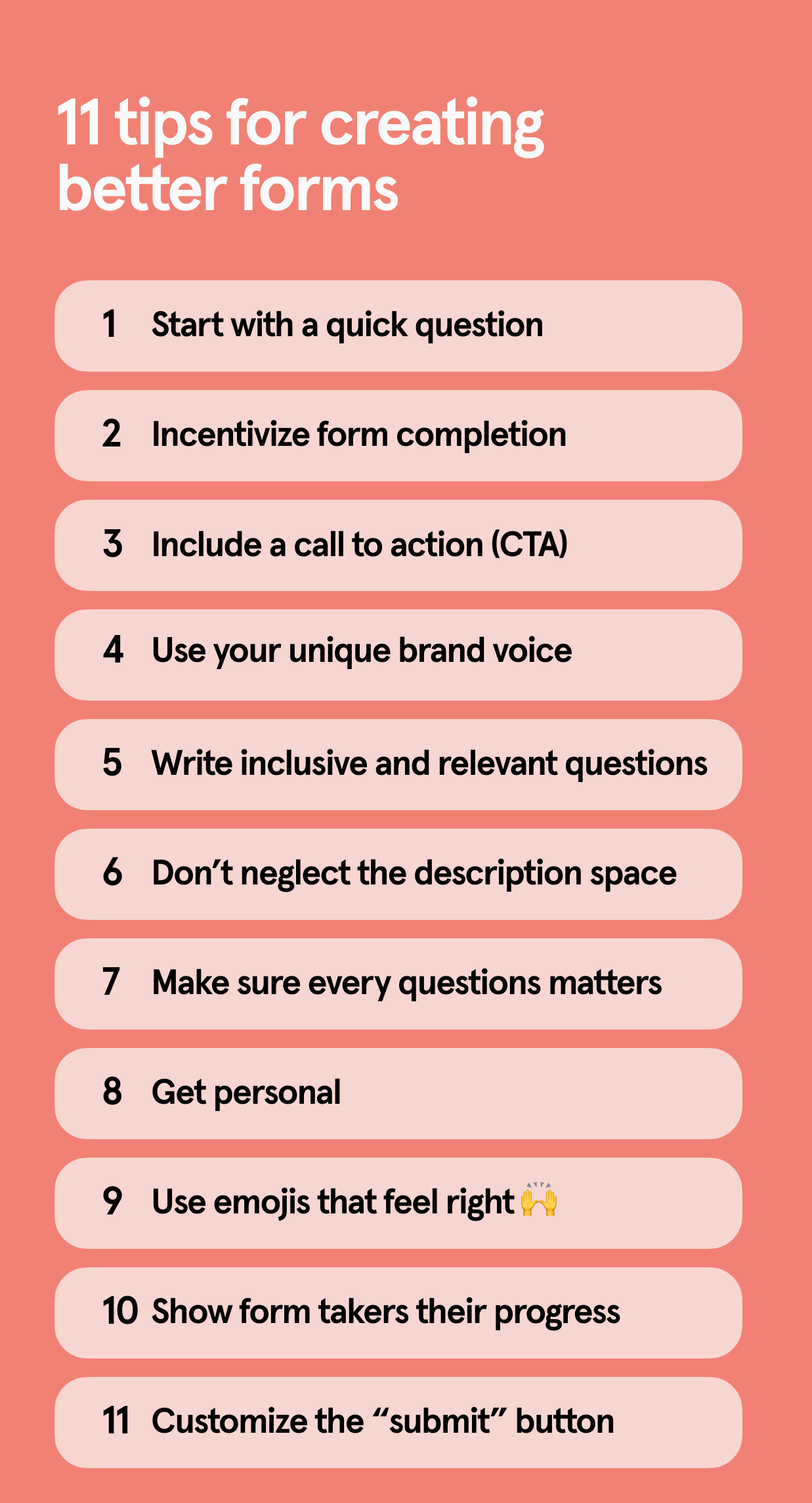
11 proven tips for creating better forms with Typeform

Software Stack Editor · March 27, 2025 ·

Creating basic forms isn’t rocket science—you add a few questions, publish your form, and share it on your social channels, website, or in emails. But you’re not here for forms that do the bare minimum.

You want to collect data, especially coveted zero-party data that comes straight from your customers. To do that, you need them to actually complete your Typeform quizzes, surveys, or forms… which means putting more effort into building your form. 

Don’t worry—it’s easy. We’re sharing 11 data-backed tips for designing forms that convert.

We wanted to understand the psychology behind conversational and well-designed forms, so we called on our friend—and Professor of Social Interaction at the London School of Economics and Political Science (LSE)—Elizabeth Stokoe. 

Stokoe studies the way we talk and has helped countless achieve their goals by transforming how they interact with customers. In short, she’s the perfect person to dive into how to create forms that engage with customers the right way.

After a few weeks of examining piles of Typeform quizzes, forms, and surveys, Stokoe shared a few tips on how to build conversational forms that’ll impress your audience… and get better results.

Tip 1: Start with a quick question

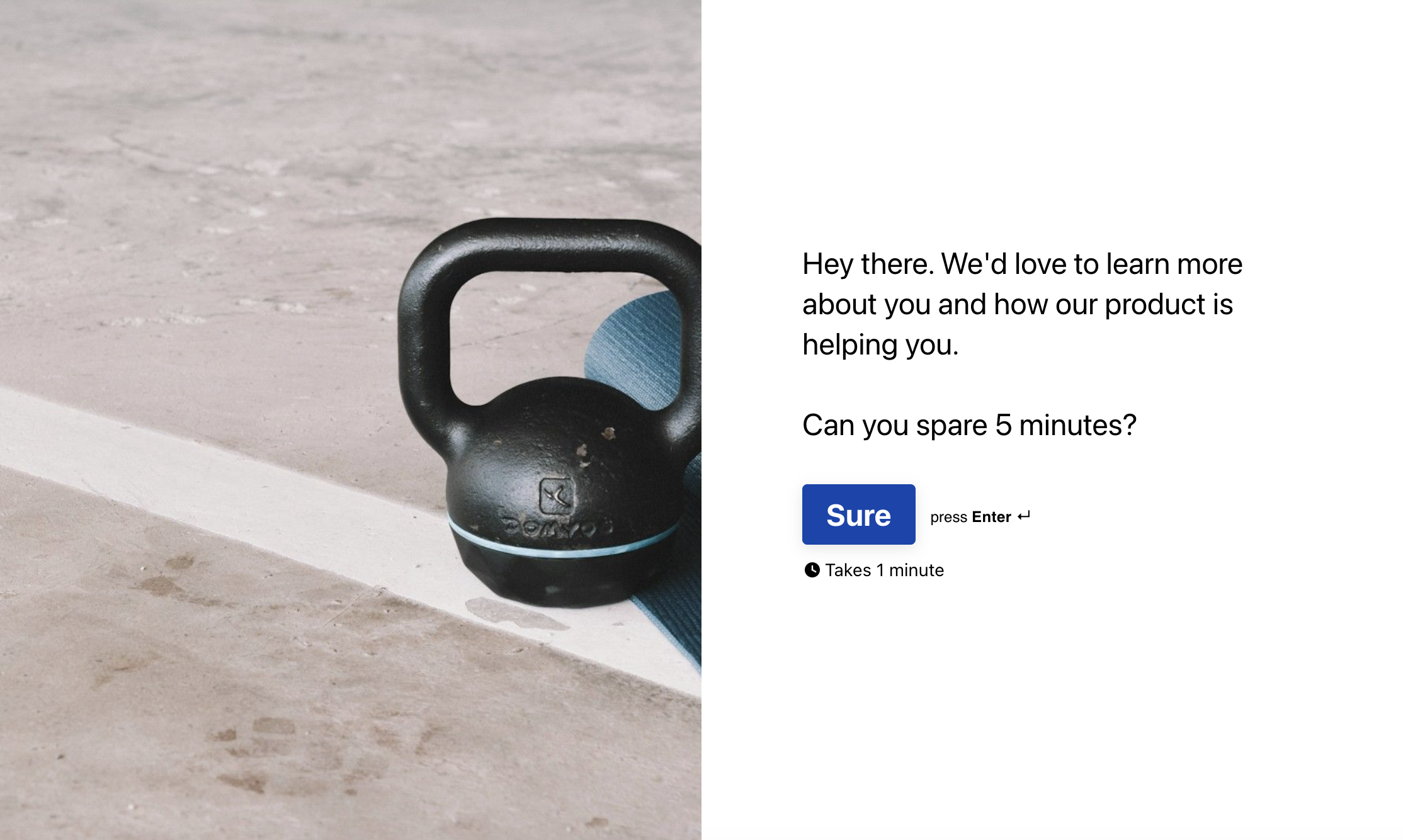
When you call a friend or meet up, you don’t typically start talking at them. You ask a question first, like, “How’s it going?” or how their weekend was. Questions create a dialog and are immediately engaging—start with a question from the start on your welcome screen.

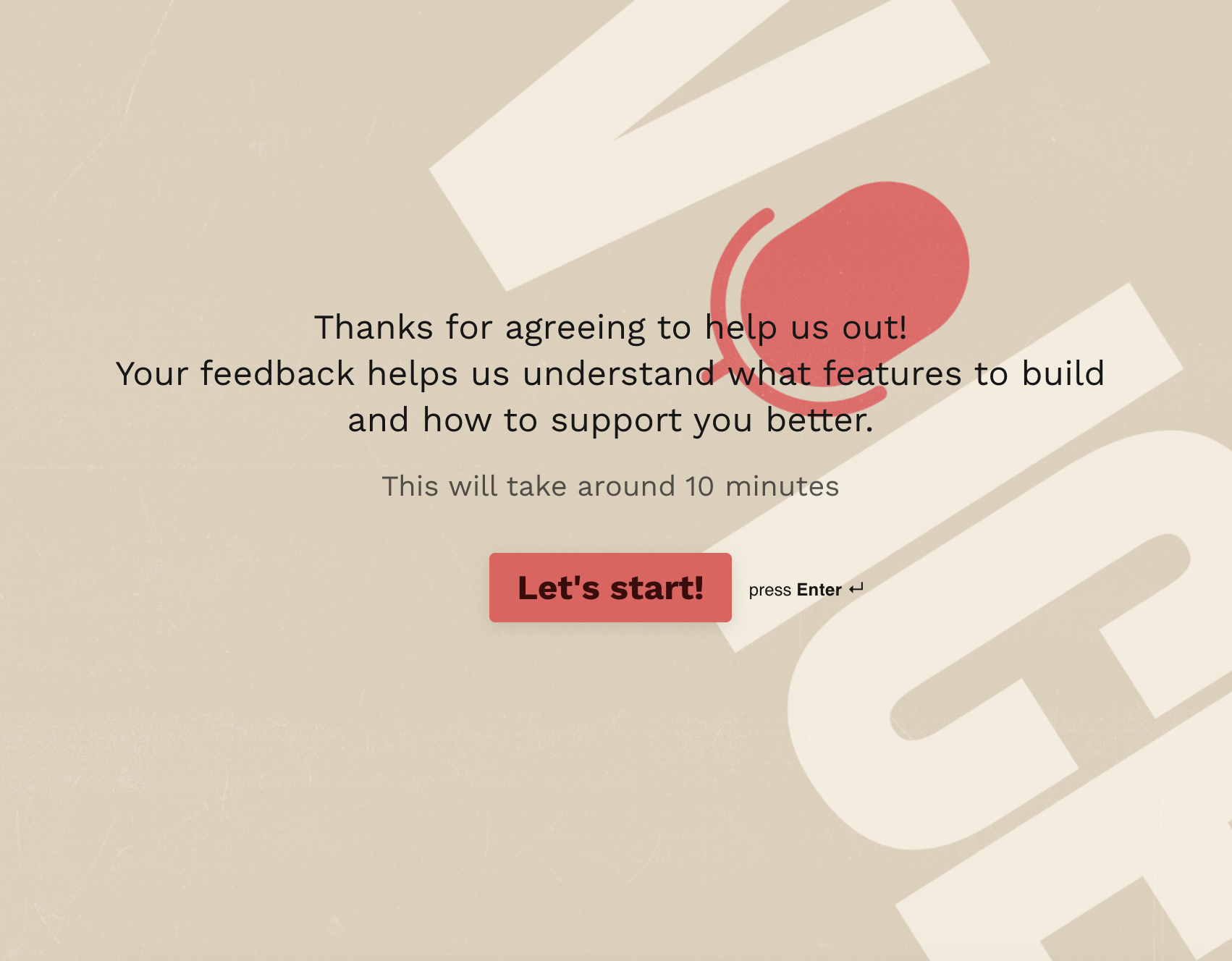
Take a look at the feedback form below. From the get-go, it asks how the onboarding experience was, directing form takers to “Give feedback” on their experience.

Want to update your welcome screen now? Check out the Help Center.

Tip 2: Incentivize form completions

As beautiful and powerful as Typeform quizzes and forms are, they won’t do you much good if no one completes them. The good news? Typeform forms have an average 47.3% completion rate (more than double other forms).

One of the best ways to boost completion rates is to show your audience why filling out your form is worth their time—especially when everyone’s busy and has limited attention spans.

‍Lead magnets, like personality quizzes, motivate people to complete your Typeform quiz (or form) because they get something in return. And, our data shows they boost completion rates by 5%.

Can’t offer a discount or personalized product recommendations? You can still incentivize quiz takers. Let’s say you want feedback. You can reassure form takers that you’ll use the feedback to create a better product for them and consider their responses when releasing new features.

Pro tip: Make sure you highlight the benefits to them early—either on the welcome screen or in the social post, email, or on the landing page where you embed the form.

Tip 3: Include a CTA

We’ve all seen the generic “Start” or “Buy now” call-to-action buttons. They’re fine. But do they inspire action? Maybe, maybe not. But with the sole job of getting people to click it, your CTA button should encourage immediate action.

Use action-oriented words and be clear about what’s going to happen next. If you’re looking for webinar registrations, you might have a CTA like, “Reserve seat.” It’s actionable and lets people know they’re reserving their seats for the webinar.

Need help changing your CTA? Check out the Help Center.

Tip 4: Use your unique brand voice

Your brand is unique. You have your own voice. Some brands are spunky and bold while others are more professional and buttoned up. No matter your brand voice, think about phrasing form questions the same way you’d ask those questions in person.

You might be less formal in a face-to-face conversation, so lean into that while staying true to your brand. Here are a few things to consider:

  1. Get rid of the jargon
  2. Speak in first-person
  3. Use contractions
  4. Be concise
Really, it’s about writing like a human. Need a little help? This is a good place to start.

Tip 5: Write inclusive and relevant questions

When someone opens your Typeform quiz, survey, or form, they’re taking time to help you, often without a tangible reward. Respect their time by asking relevant questions only (you can do this with logic). You can ask for someone’s first name, but do you really need their middle name? Nope!
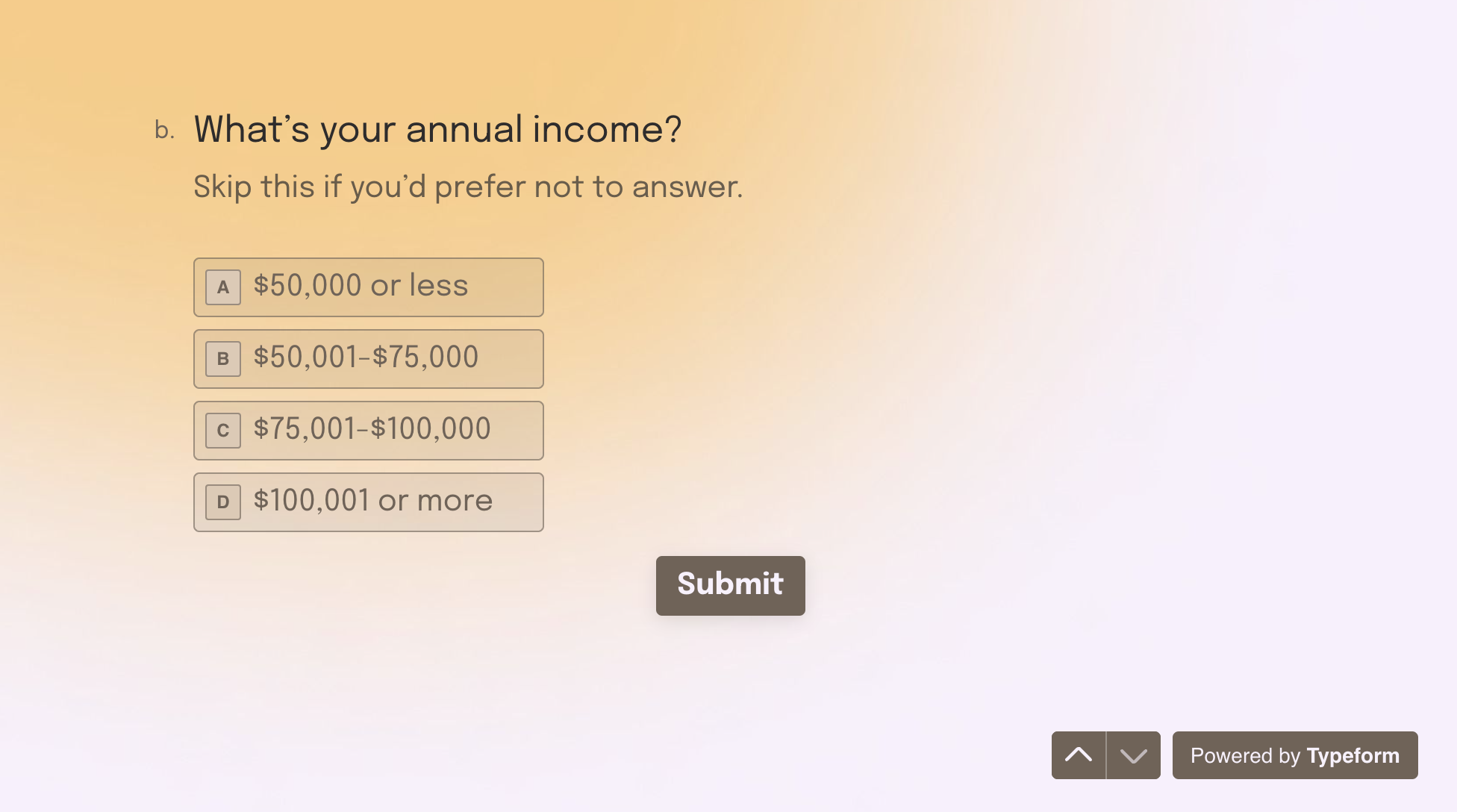
Speaking of respect… respect your audience as the diverse individuals they are. Be mindful about how you ask questions about race, gender, income, and other sensitive questions. The best way to ask? Provide inclusive options or allow them to skip.

Pro tip: Use this guide to learn how to write better demographic survey questions.

Another thing to think about when you’re writing your questions is who you’re talking to. We typically talk to people differently depending on how well we know them and our comfort level. Before you create your form, make sure you know your audience.

Tip 6: Don’t neglect the description space

Just like in a face-to-face conversation, sometimes you want more information before you answer. Think of the description space under each question as a way to provide more information without taking up space in the question text. But don’t use the description box to clarify—your question should be clear on its own.

And keep in mind that not everything needs a description. If you ask for someone’s first name, you don’t need to write “Share your first name” in the description text. Only use it when necessary.

Pro tip: Empathize with form takers’ fears about answering a question in the description text. If you ask for their email, you might add you need it to send the discount code.

Tip 7: Make sure every question matters

The more questions you add to your Typeform form, the more likely you are to overwhelm your audience—and the less likely they’ll be to complete it. Combat this by asking relevant questions only.

‍Question grouping creates structure and progress without intimidating your audience. Grouping questions is great for asking a few varied questions around the same theme, like a series of questions asking you to rate a colleague’s performance using the same 5-point scale.

Tip 8: Get personal

In real-life conversations, we use people’s names and respond to what they say. Your forms should, too. Using recall, you can recall a previous answer, like someone’s name, to create a more personalized experience.

Pro tip: People can spot inauthentic personalization, so be mindful about how often you use recall throughout your form.

Tip 9: Use emojis if it feels right

We’ve all received those well-intentioned texts that feel too direct and cold because, as hard as we try, text alone simply doesn’t translate the same way it does during an in-person conversation. You can’t gauge tone in text.

But emojis like this 💅 can give a faceless organization some personality. They convey emotion, add playfulness to your questions, and add much-needed intonation.

Emojis can also be distracting if you use too many or use them to replace words. Use them sparingly and consider your form’s tone. They’re great for product recommendation quizzes  but maybe not so much for an employee evaluation form.

Tip 10: Show form takers their progress

There’s a reason the progress bar was Typeform’s top feature of 2024—creators used it in more than 12 million forms. It makes forms feel faster and easier to fill out.

A progress bar shows people how far they’ve come and just how much further they have to go. But you can also use encouraging statements like, “You’re halfway done!” or “Just a few more questions” to move form takers through your form and set expectations.

Pro tip: Use phrases like, “And finally” in the last question so people know they’re done and your ending doesn’t feel abrupt.

Tip 11: Customize the “Submit” button

Whether you’re creating a Typeform quiz, survey, or form, they all end with the same default button text: Submit.

There’s nothing wrong with keeping “Submit” if it makes sense but don’t be afraid to get creative (and clear). Like the CTA you use on your welcome screen, your end button should be relevant to the action you want respondents to take.

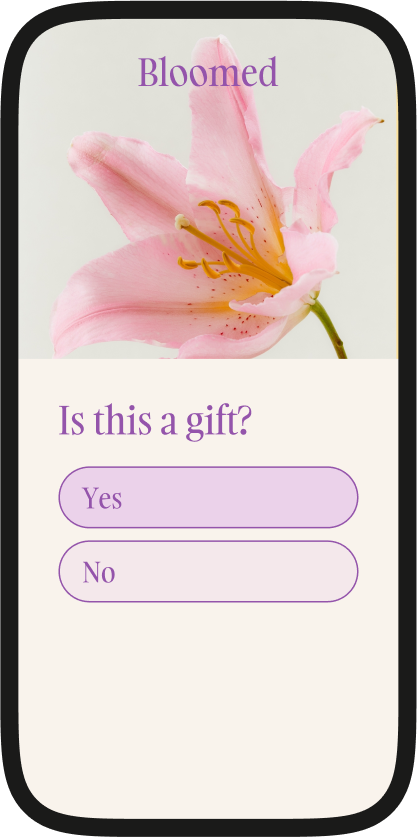
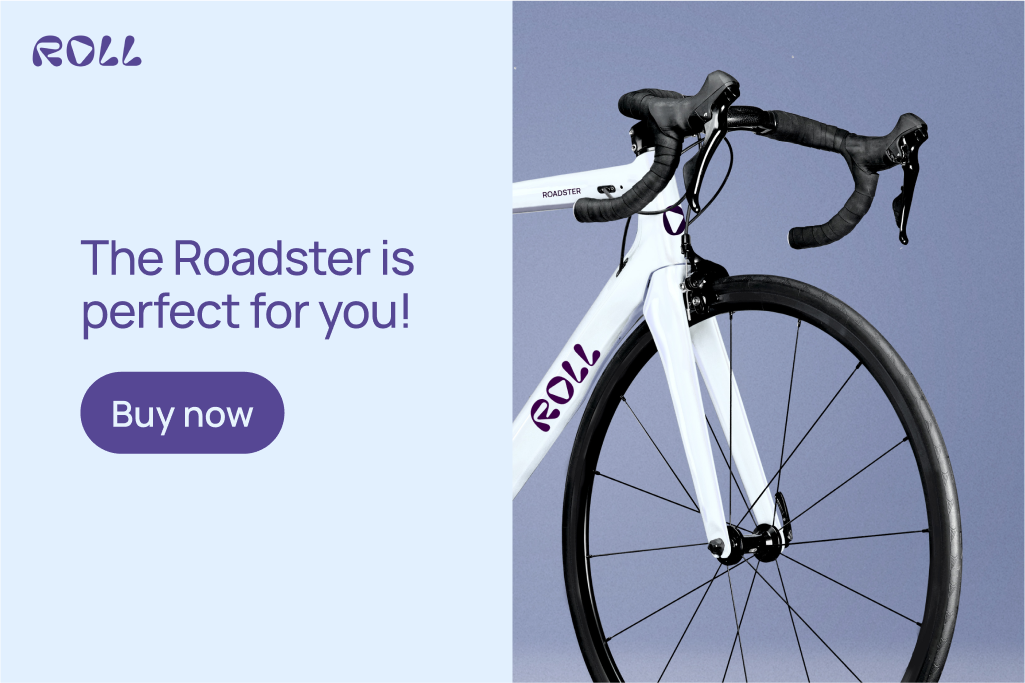
Take a look at this product recommendation quiz. It suggests a bouquet and ends by telling shoppers to buy the flowers, leading them to a checkout experience. It’s clear and action-oriented.

Need help updating the “Submit” button? Check out the Help Center.

Building forms doesn’t have to be complicated—just follow these simple tips and you’ll be well on your way to collecting ZPD and creating a great customer experience. 

Ready to get started? Try Typeform—for free.

Typeform vs. Jotform: Which is the best form builder? [2025]

Software Stack Editor · March 27, 2025 ·

As two of the top form-builders out there, Typeform and Jotform offer powerful features to create, customize, manage, and even pull reports from various forms, surveys, and quizzes. 

We’re exploring design options, essential features, data analysis tools, and more in our Typeform vs. Jotform comparison so you can decide which form builder is right for you.platform is better for you.

Typeform vs. Jotform comparison

Consistently rated well for its exceptional user experience, Typeform is one of the best Jotform alternatives for businesses looking to create beautiful and conversational forms that convert.

Typeform turns forms into conversations—helping marketers collect feedback, generate leads, boost sales, conduct research, and more. Typeform lets you build a better customer experience by adding flair to your forms with beautiful designs, a conversational format, and powerful integrations that encourage form takers to complete your form.

This focus on the user experience drives better results, too—87% of users get higher response rates than their old form builder. Typeform helps you get more with forms designed to help you stand out.

Jotform is an online form builder with comparable features, integrations, and data analysis capabilities, but there are a few things to consider if you’re thinking about Jotform.

Not sure whether Typeform or Jotform is right for you? Check out the breakdown below, which includes design, features, data analysis, integrations, support, and pricing.

‍

Typeform vs Jotform

Typeform Jotform
Design
Image layout customization ✔ Layouts ✔
Designable and customizable welcome screen and thank you pages ✔ ✔
Mobile responsiveness ✔ ✔
Integrated professional photo, video, and icon libraries ✔ ✔
Add icons from Noun Project, videos from Pexels, photos from Unsplash ✔ ✔
Features
Custom subdomains ✔ Enterprise customers only
Compliant with PCI, HIPAA, GDPR, and WCAG 2.1 ✔ ✔
Ability to sync data with other forms ✔ ✔
Data Analysis
Question-by-question drop-off analysis ✔
API and webhooks ✔ ✔
Ability to generate a report on surveys/forms ✔ ✔
Support
Live support team ✔ ✔
Help center ✔ ✔
Community forum ✔ ✔
Online resources ✔ ✔

A beautiful and fully customizable design

With Typeform, you can create stunning, on brand, and conversational forms. Typeform offers in-product features—like premium themes, layout options, brand kits, and a rich multimedia library—that help you get the data you need with forms that are effortless to fill out.

Typeform also helps you stay on brand with a range of customization options, from colors to images to logos. Choose from galleries of high-quality photos and videos or start with one of our hundreds of templates. Oh, and Typeform quizzes, forms, and surveys work and look great on any device.

With Jotform, you can also customize your forms with different layouts, fonts, and background options. 

Both platforms have a library of templates you can use as a starting point. Let’s look at Typeform and Jotform’s design abilities in action. First up, Typeform.

Typeform’s design capabilities

Typeform allows you to ask one question at a time, so your form feels more like a conversation and less like a barrage of questions (driving higher completion rates). You can even use different images and colors for each question instead of the exact same look throughout. 

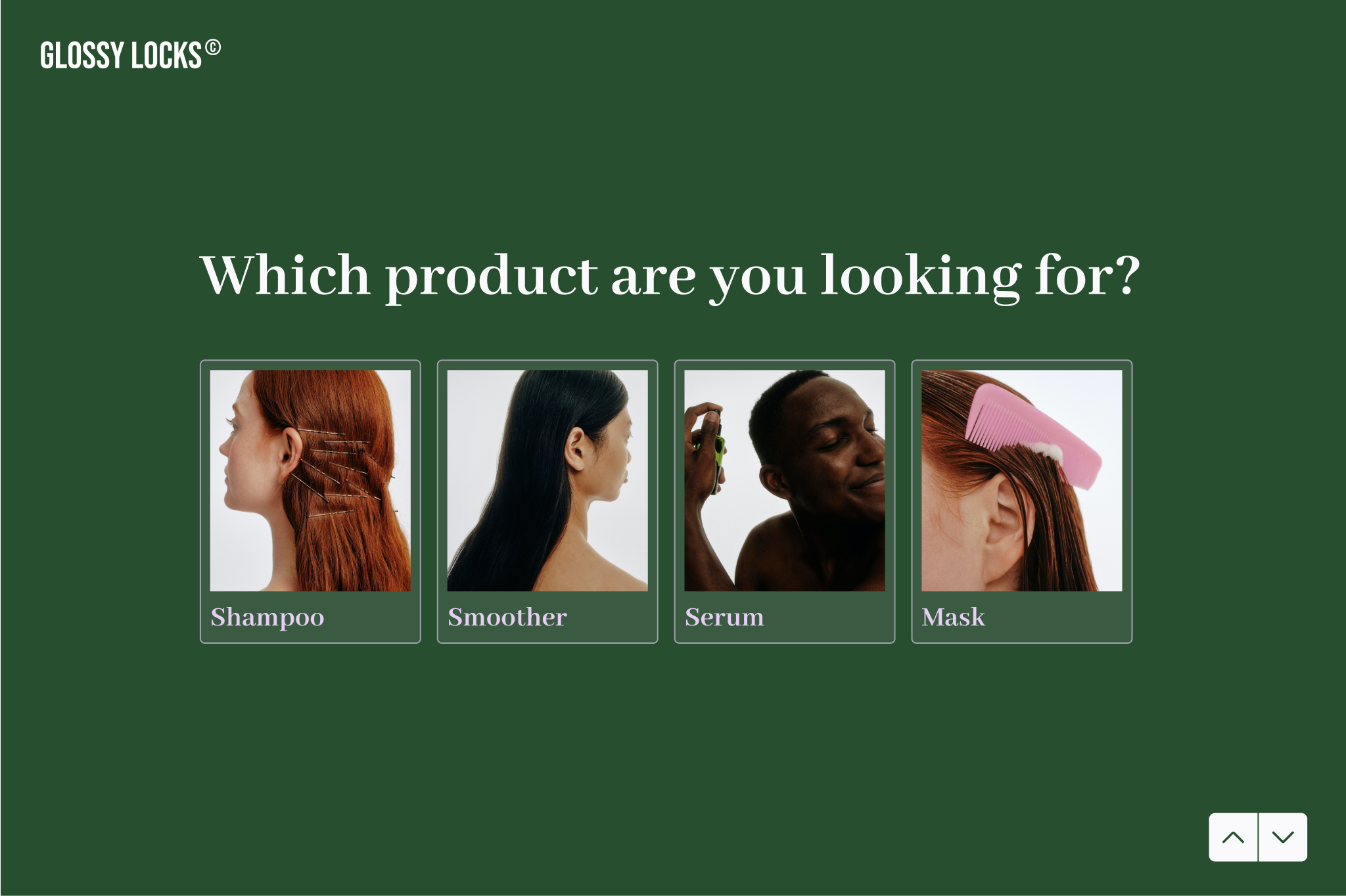
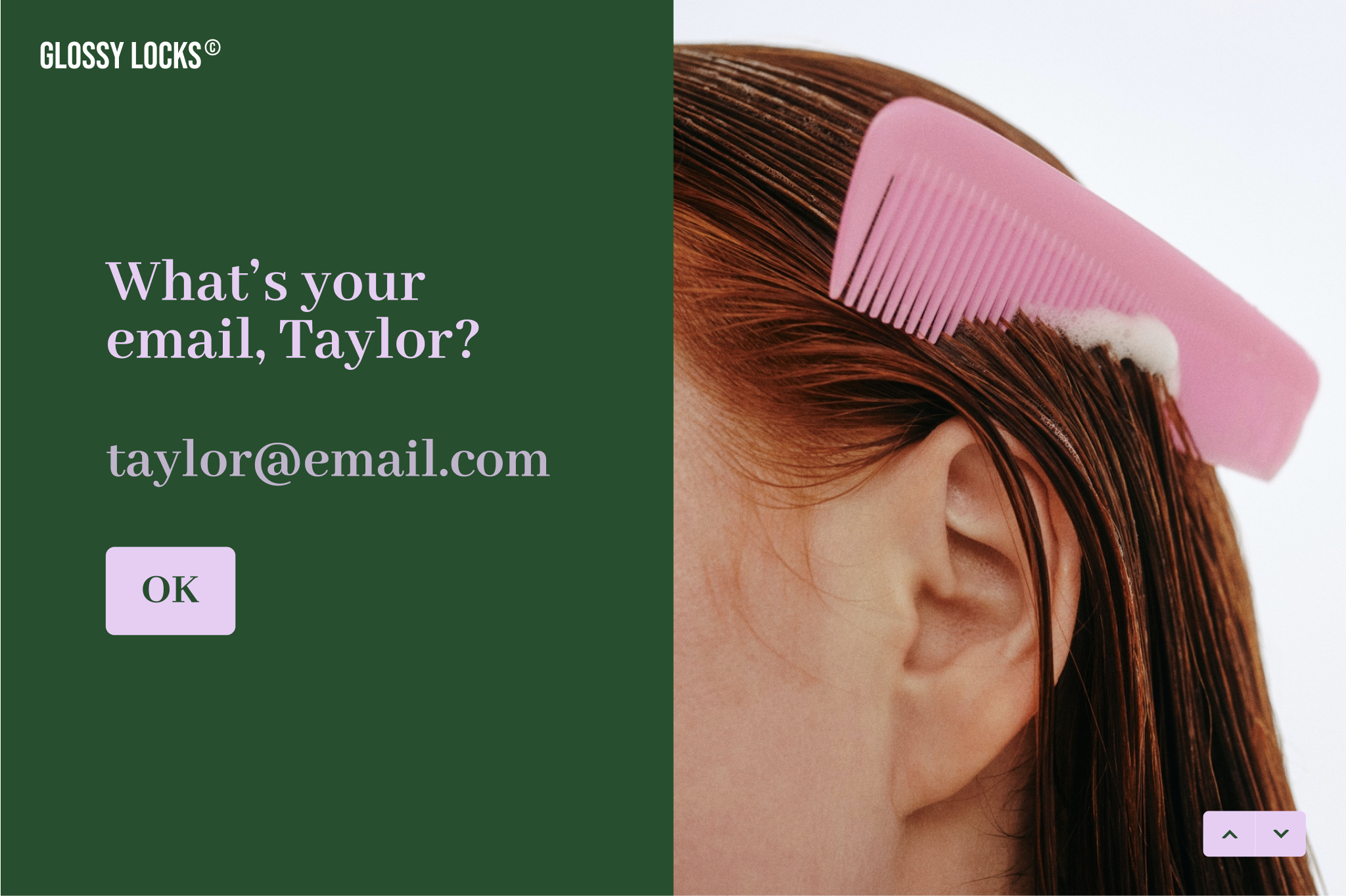
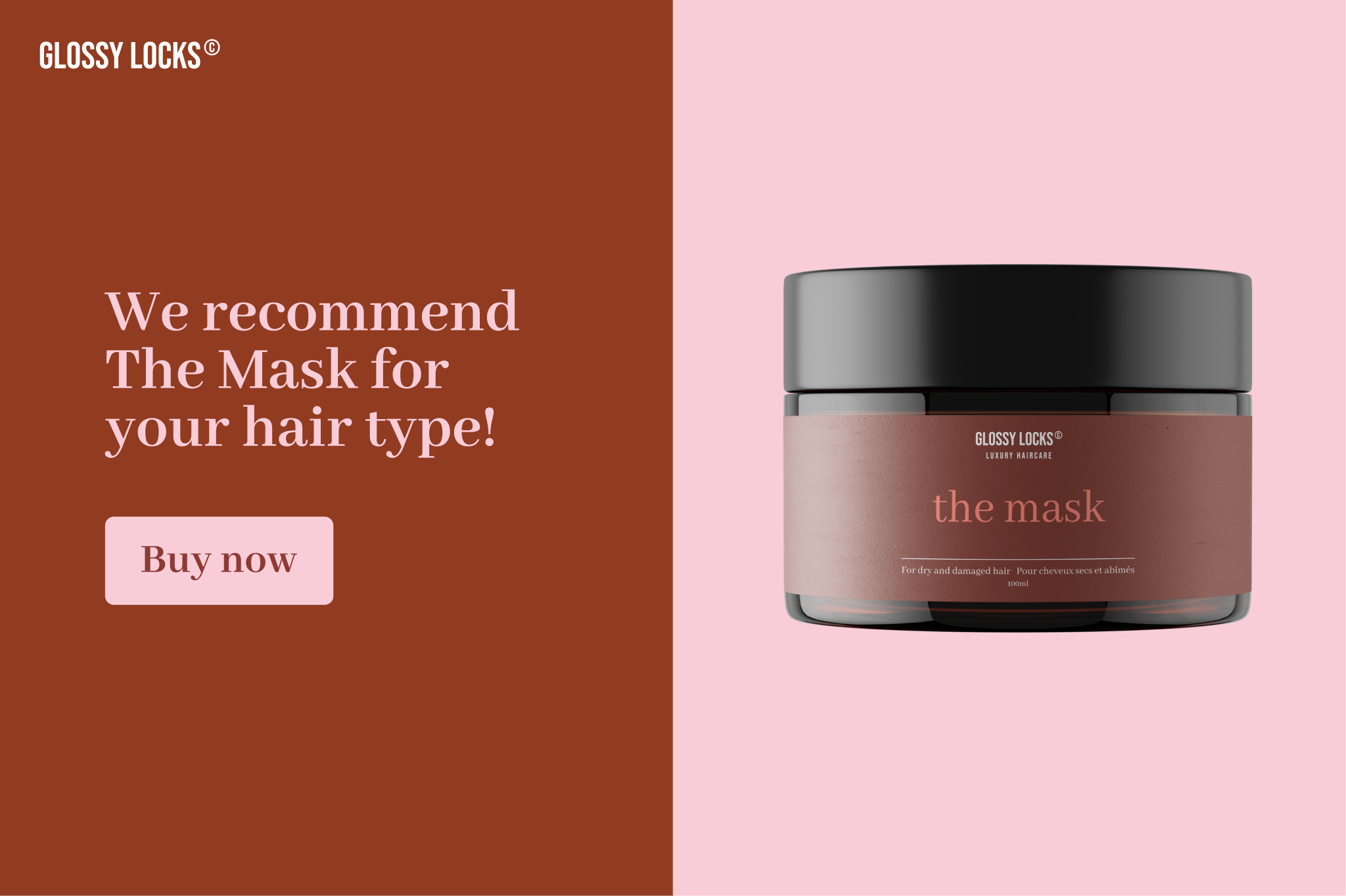
This form uses the Glossy Locks logo and color scheme to stay on brand. It also uses a picture choice question and images throughout to keep form-takers engaged.

Jotform’s design capabilities

Jotform lets users add an image at the top of the form to showcase products or a striking image to pull form takers in. It also allows you to customize the background and font colors to create a cohesive look.

Intuitive and functional features

Both Typeform and Jotform let you build, edit, and customize forms, but let’s take a closer look at Typeform and Jotform features.

Question types

It’s all about how you ask—if you ask better questions, you get better answers. Want to know how likely your customers are to recommend you? A rating question type that lets form takers choose several stars might get better results than an open-ended question.

Typeform and Jotform both offer a broad range of question types like:

  • Multiple-choice
  • Ranking
  • Rating
  • Dropdown
  • Email
  • And more

Look at the 30+ question type choices you have with Typeform, including the partial response point that lets you collect answers up to that point, even if users don’t submit their forms (available on Core Plus and higher plans). Jotform doesn’t offer this feature.

Form embedding

Once you’ve created your form, both Typeform and Jotform let you share it a few ways, including as a link, on your website, and even using a QR code. When comparing Typeform vs. Jotform for form embedding, the big difference is the email embedding capabilities.

You can embed your Typeform form directly into your email and know it will show up beautifully every time.

While Jotform allows you to embed forms in email, the Jotform support team doesn’t recommend it as it impacts the form’s functionality. Typeform’s email embed option has no impact on form functionality, so you can truly share it anywhere.

Answer recall and branching

Answer recall lets you recall a user’s previous answer to create a more conversational and personalized experience. Both Typeform and Jotform allow for recall, but Jotform uses answer piping which is a more manual process.

Typeform’s customization features also allow you to personalize what each form taker sees, depending on how they answer questions. By auto-skipping questions that aren’t relevant, you create a more satisfying and tailored experience that brings in more responses, data, and completions.

Security and compliance

Data security and privacy are paramount—especially for maintaining trust with those who share data with you by filling out your forms. That’s why Typeform is certified by these international standards:

  • ISO 27001
  • ISO 27701
  • SOC 2 Type II
  • HIPAA Type 1

‍

Typeform also complies with GDPR and CS STAR Level 1 so you can ensure your—and your audience’s—data is secure.

Typeform and Jotform have similar security certifications and both comply with GDPR and HIPAA, and they both also:

All of this increases data protection for both you and your users. 

Custom form links

Create custom domains so your form URL is something more memorable than a jumble of numbers. You’ll have to go on an enterprise plan at Jotform to access this feature, but you can customize your domain on any Typeform Plus or above plan.

Powerful data analysis

The Typeform form builder includes data analysis tools to help you understand form performance and form-taker engagement. Typeform also includes question-by-question drop-off analysis.

With Typeform, you can generate reports and use UTM tracking to stay on top of metrics and make form changes to boost performance. While Jotform offers similar capabilities, it doesn’t have some of the more insightful data analysis tools that Typeform has, like the question drop-off.

‍

Effortless integrations

With more than 120 integrations with your favorite apps and business tools, Typeform fits into your workflow seamlessly. Connect Typeform to Mailchimp for effortless embedding, auto-fill Google Sheets, set up Slack notifications, automate marketing in HubSpot, and much more in just a few clicks.

Jotform also offers a suite of integrations that help you scale your business. Both Typeform and Jotform connect to the marketing, data, and business apps you need to run everyday operations.

Typeform Jotform
Google Sheets ✔ ✔
Mailchimp ✔ ✔
Zapier ✔ ✔
Slack ✔ ✔
Salesforce ✔ ✔
HubSpot ✔ ✔
Zoom ✔ ✔
DocuSign ✔ ✔
Adobe Sign ✔ ✔
Dropbox ✔ ✔
Canva ✔ ✔
Notion ✔ ✔
monday.com ✔ ✔

Friendly support teams

Creating a stunning form, survey, or quiz in a matter of minutes with Typeform—no coding or design skills required—is effortless. But if you have a question, we’re here to help. We’ve got a help center packed with guides, videos, and more to help you. Our support team is also always available, friendly, and fast.

‍

Jotform also offers a help center and live support team. Both Typeform and Jotform have community forums where users can interact and ask questions or discuss certain issues. 

Typeform and Jotform both offer free and paid plans. Each company offers tiered plans with different monthly responses and submission limits.

Competitive pricing

Typeform and Jotform offer free and paid plans, both with tiered plans that allow different monthly response and submission limits.

Typeform Jotform
Free plan ✔ ✔
Paid plans Basic = $25/mo; unlimited forms, 100 responses Bronze = $34/mo; 25 forms
Unlimited # of forms with a paid plan ✔ Only for enterprise (top) tier
Accepts payments ✔ ✔
Currencies accepted for service subscriptions USD, EUR, GBP USD
Discounts for nonprofits ✔ ✔
Discounts for educational sectors ✔ ✔

Typeform: a powerful Jotform alternative

Typeform is the Jotform alternative providing a better experience with powerful, beautiful, and conversational forms that help you get more—and better—data.

Get started by checking out Typeform’s extensive form template library for some inspiration.

Double-barreled questions: What they are and why they’re a problem

Software Stack Editor · March 20, 2025 ·

Ever taken a survey and felt stuck on a question? You’re not alone. Chances are, you’ve run into a double-barreled question (DBQ)—one that sneaks two questions into one.

Like this:
“How satisfied are you with our product’s quality and customer service?”

Wait…which one are you asking about? Quality? Service? Both?

Here’s the deal: Clear, focused questions make your data stronger and your respondents happier. When people aren’t sure how to answer, they either guess or abandon the survey altogether—neither of which helps you get useful insights.

The fix? Simple. Ask one thing at a time. Your audience will find it easier to respond, and you’ll avoid getting vague data that doesn’t actually tell you anything.

In this article, we’ll cover what double-barreled questions are, why they’re a problem, and how to avoid them.

What is a double-barreled question?

A double-barreled question tries to ask two things at once but only gives respondents one way to answer. This forces them to choose without knowing exactly what they’re responding to—leading to muddled data.

For example:

“Do you agree that our platform is easy to use and offers great customer support?”

What if someone loves the platform’s usability but thinks support is lacking? Or vice versa? There’s no way to respond to both separately, so their answer becomes a guessing game.

When faced with unclear questions, people either:

  • Choose an answer just to move on, giving you unreliable data.
  • Abandon the survey altogether, lowering your completion rate.

Both of these are big problems. If your data is messy, you can’t confidently make decisions. Was the low rating because of a product issue? Or was it customer support? The ambiguity forces your team to rely on assumptions instead of actual insights.

The solution? Break questions into separate, focused prompts. A simple tweak, but one that makes a big difference in how you understand and serve your audience.

Why double-barreled questions are a problem

Double-barreled questions don’t just cause minor hiccups—they can throw your entire dataset off. From skewed responses to frustrated customers, these sneaky mistakes ripple through your insights, making it harder to act on feedback.

1. You Get Ambiguous Responses

The biggest issue? You can’t tell which part of the question someone is answering.

Take this:
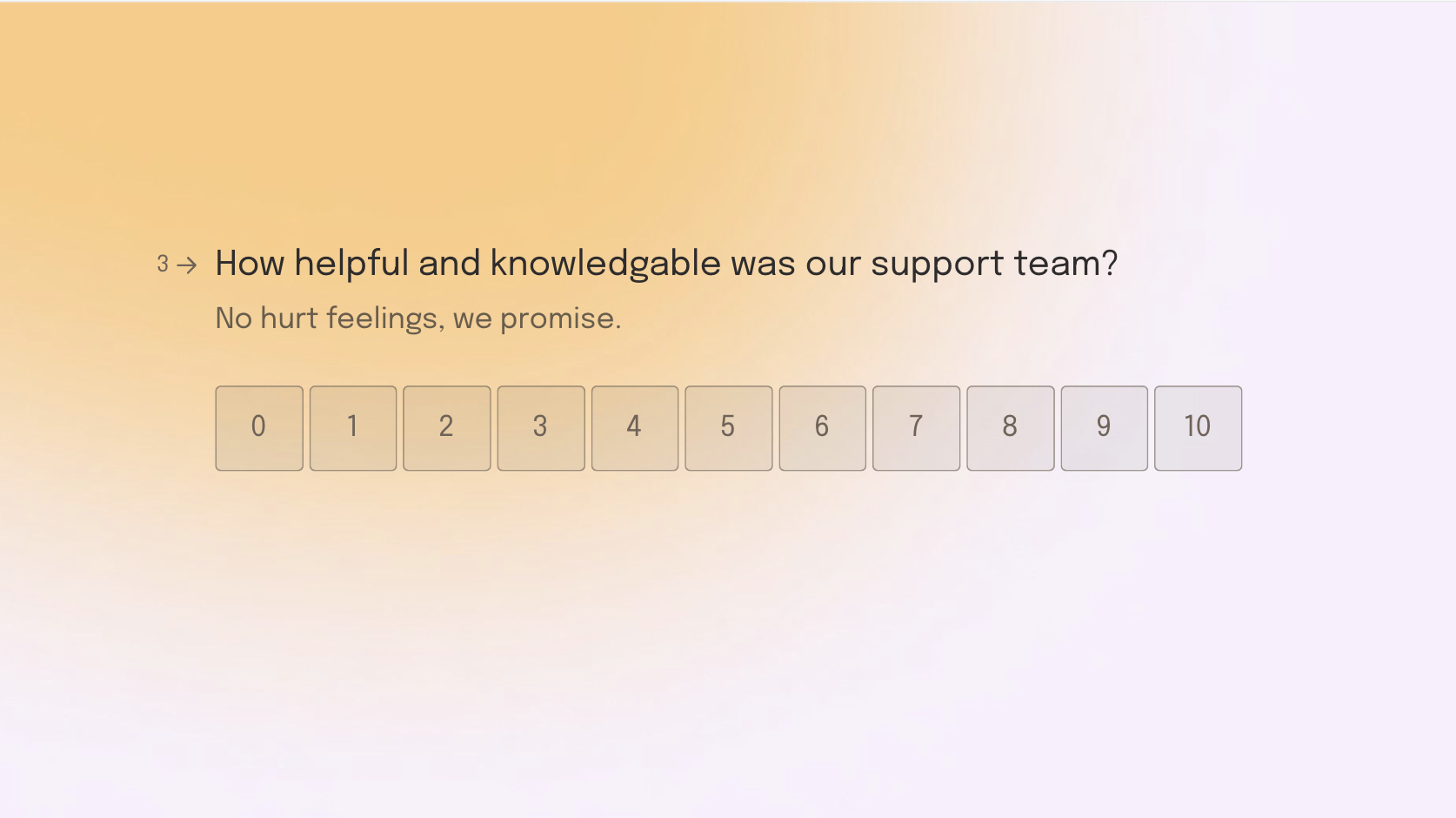
“How helpful and knowledgeable was our support team?”

If someone rates it a 6 out of 10, what does that mean? Maybe they found the team friendly but lacking answers. Maybe they got the right info but felt the experience was cold. You’re left guessing.

And guessing doesn’t lead to good business decisions.

2. Your data quality takes a hit

Unclear questions = unreliable data.

DBQs force people to pick one answer for multiple ideas, which skews your insights. You might think you’re spotting a pattern, but if that pattern is built on confused responses, it’s not real.

And unreliable data leads to bad decisions. It’s that simple.

3. It frustrates your audience

Surveys are a two-way street. When people take the time to give feedback, they expect clear, thoughtful questions.

But DBQs? They make respondents pause, second-guess, and feel uncertain. That can lead to:

  • Survey drop-offs—people quitting halfway through.
  • Rushed, inaccurate answers—just to get it over with.

Worse? It affects their perception of your brand. If your survey feels sloppy or hard to answer, they might wonder if your product or service is the same way. Not exactly the impression you want to leave.

How to spot a double-barreled question

The good news? DBQs are easy to catch once you know what to look for. The trick? Watch for sneaky little words like “and” or “or.”

These words are often a dead giveaway that you’re trying to cram two questions into one.

For example:
“Do you agree that our website is easy to navigate and visually appealing?”

Navigation and design are two separate things. Someone might love one but dislike the other. That little “and” just turned this into a double-barreled question.

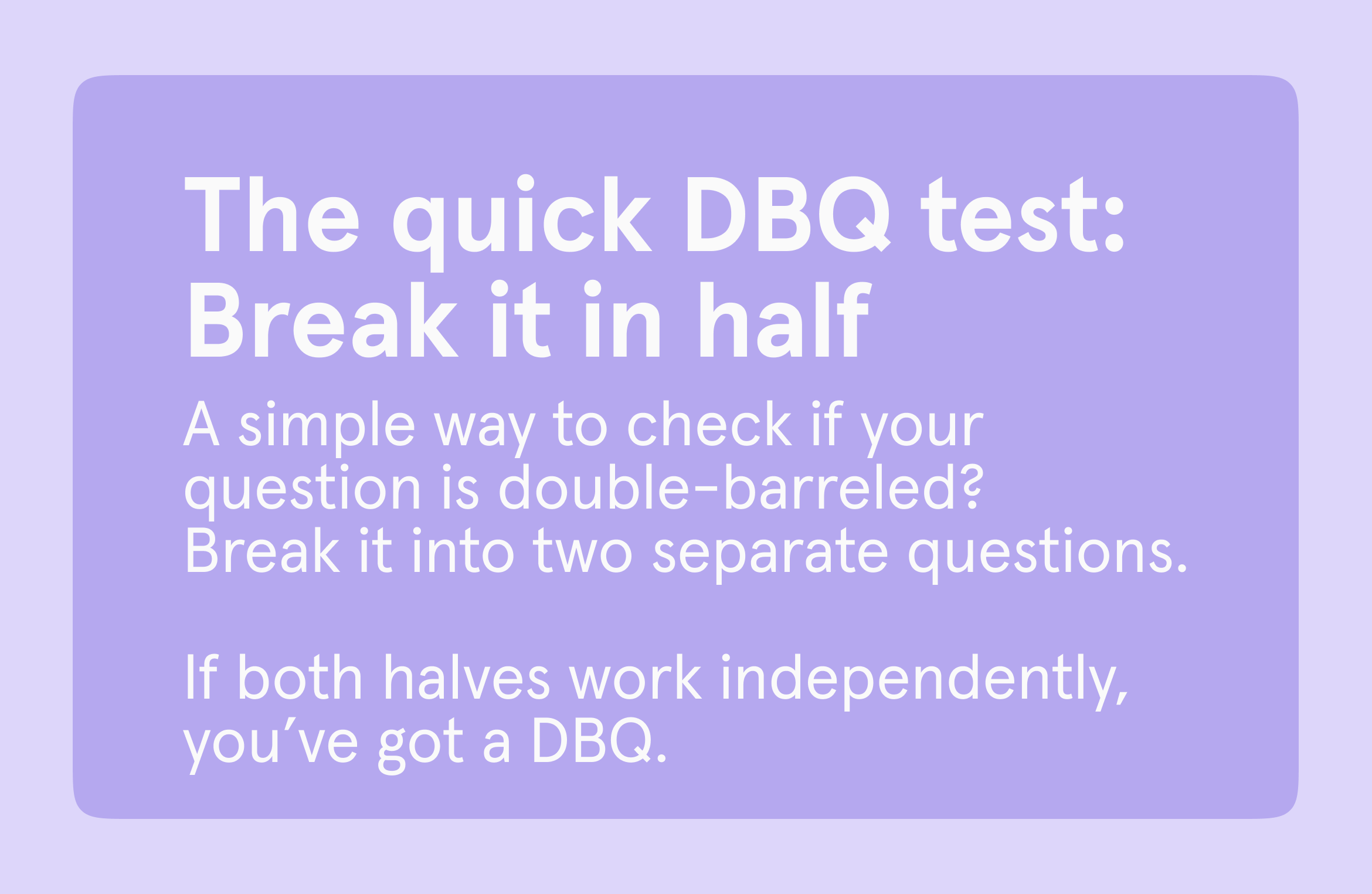
A simple way to check if your question is double-barreled:
Break it into two separate questions.

Using the example above:
✅ “Do you agree that our website is easy to navigate?”
✅ “Do you agree that our website is visually appealing?”

See how much clearer that is? Now, customers can give accurate, focused answers—no guesswork required.

Get better data by asking better questions

Want clearer insights? Start with clearer questions.

It’s easy to blame poor survey results on indecisive customers or incomplete answers. But sometimes, the issue isn’t the people—it’s the questions themselves.

Double-barreled questions confuse people. And when you strip out the vagueness, you open the door to real, honest feedback. Your respondents feel more at ease answering, and you walk away with insights you can actually trust and use.

At the end of the day, clear questions = clear data. And that clarity? It’s the difference between hoping things improve and actually making them better.

‍

‍

The feedback form formula: 4 types of forms+ 7 steps to get them right

Software Stack Editor · March 14, 2025 ·

Feedback forms often get a bad rap—and let’s be honest, they’ve earned it. Too many are confusing, dull, or so long they feel like a chore. The result? People skip them, leave unhelpful answers, or worse, walk away feeling like their opinion doesn’t matter.

But feedback doesn’t have to be this way. A well-designed feedback form invites people to share what they think and helps you connect with them.

In this article, we’ll cover four essential types of feedback forms every business should use and walk through seven steps to create forms that people actually want to complete. Whether you’re after deeper insights or stronger relationships, it all starts here.

The 4 most common types of feedback forms

When it comes to collecting feedback, most businesses rely on four main types of forms: customer, employee, event, and website. Each one serves a unique purpose, but they all help uncover insights that drive improvement.

1. Customer feedback forms

These forms help businesses understand what’s working, what’s not, and how they can improve. The key? Keep it short, engaging, and focused on what your customers care about. For example, new shoppers might be asked about delivery speed, while long-term customers could be surveyed on product quality.

Use customer feedback forms to collect insights on post-purchase experiences, support interactions, or general satisfaction.

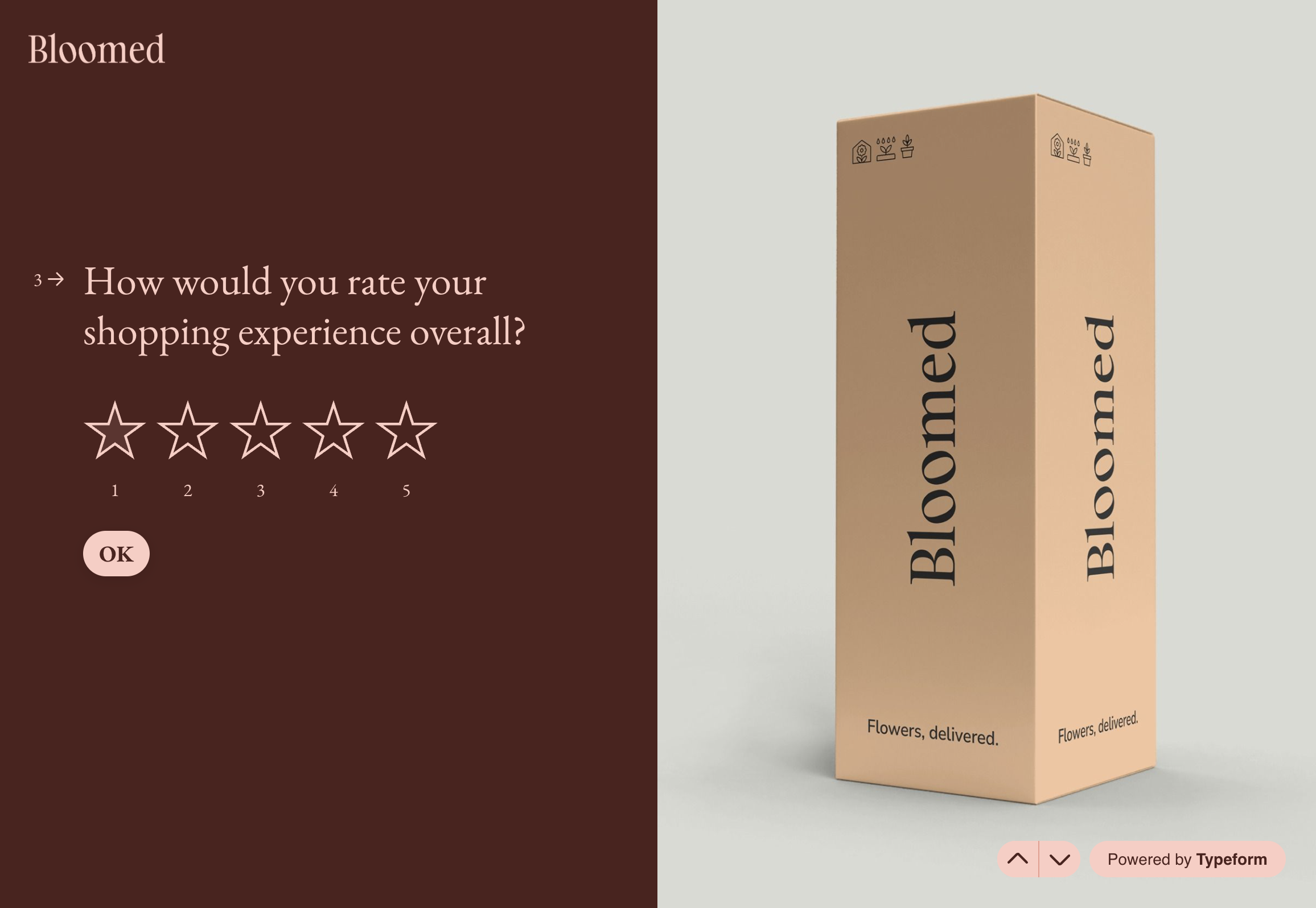
For example, this feedback form lets e-commerce customers rate delivery and product experience.

2. Employee feedback forms

Want to know what’s going on behind the scenes? Employee feedback forms give your team a safe space to share their thoughts on workplace culture, leadership, and company policies. A strong feedback culture builds trust, boosts morale, and helps create a workplace people want to be part of.

Use these forms for internal feedback on company policies, leadership, or work satisfaction.

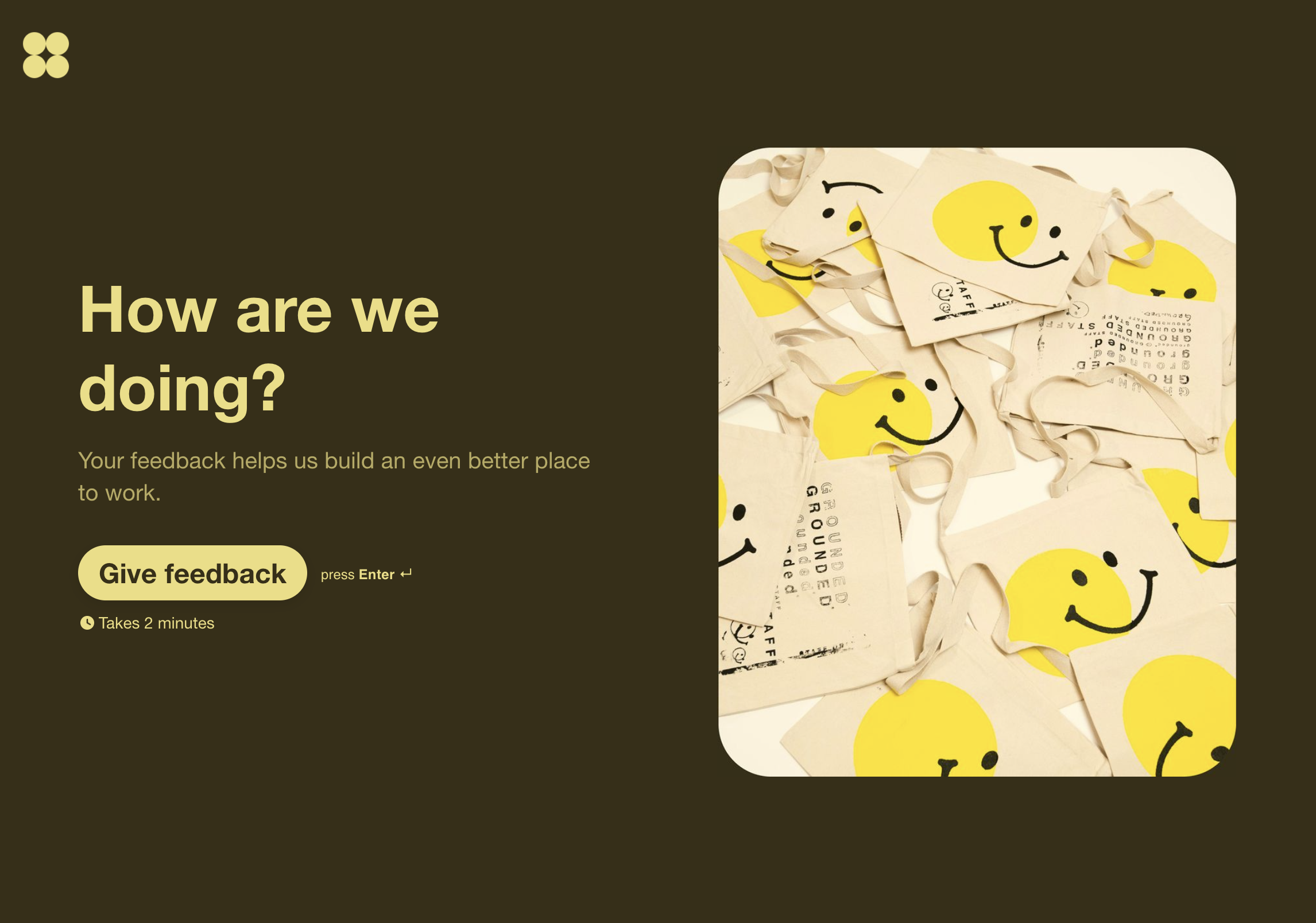
Example: Send an annual feedback form to all employees and partners.

3. Event feedback forms

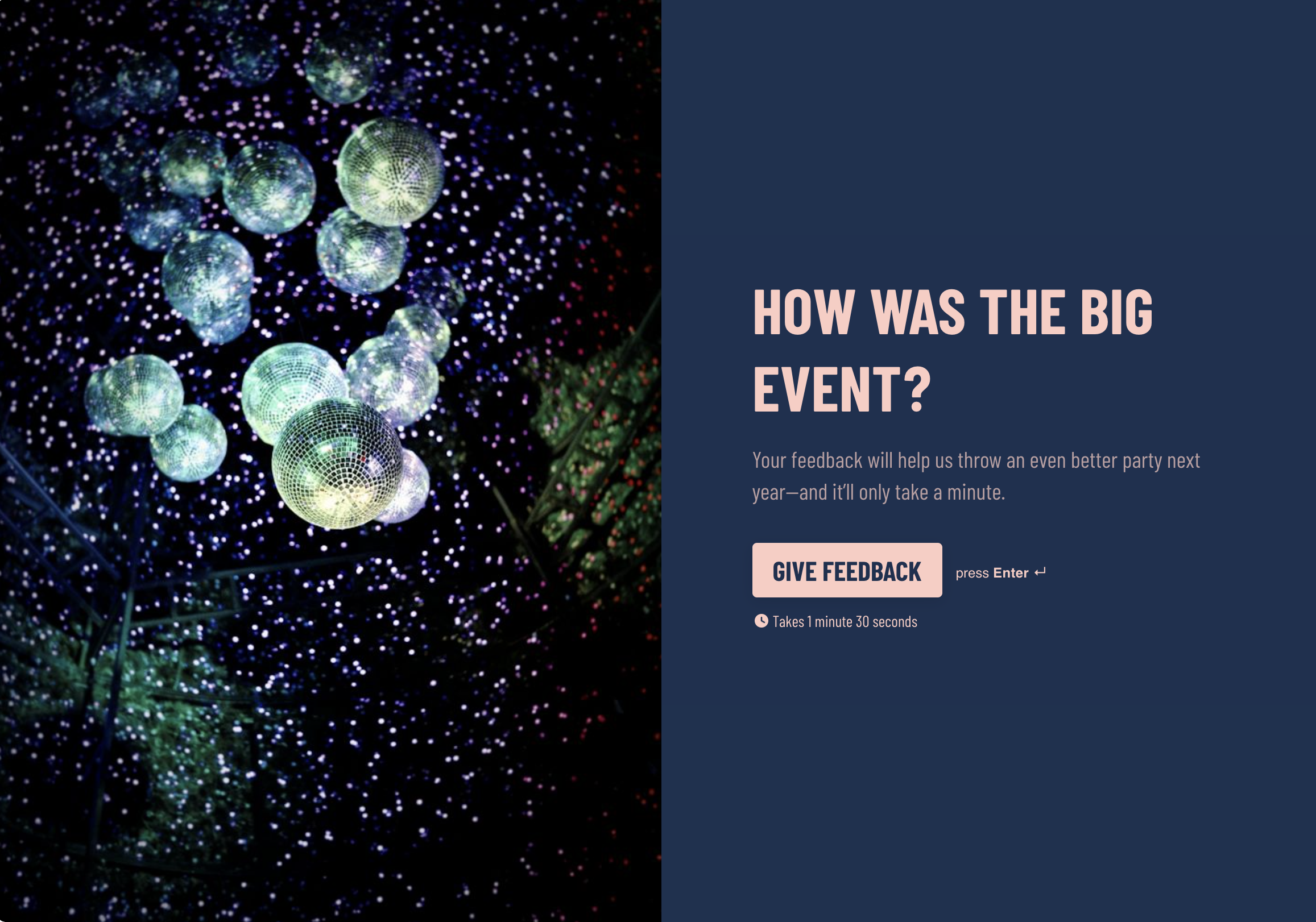
Make every event better than the last by gathering honest feedback straight from attendees. Whether you’re asking about the speakers, the venue, or the overall experience, a well-designed feedback form helps you understand what worked and what didn’t. When people feel like their input shapes future events, they’re more likely to return.

4. Website feedback forms

Website feedback forms help you understand how your customers feel as they click around your site. You can also use them to catch bugs, spot annoying popups, and map your customer’s journey. 

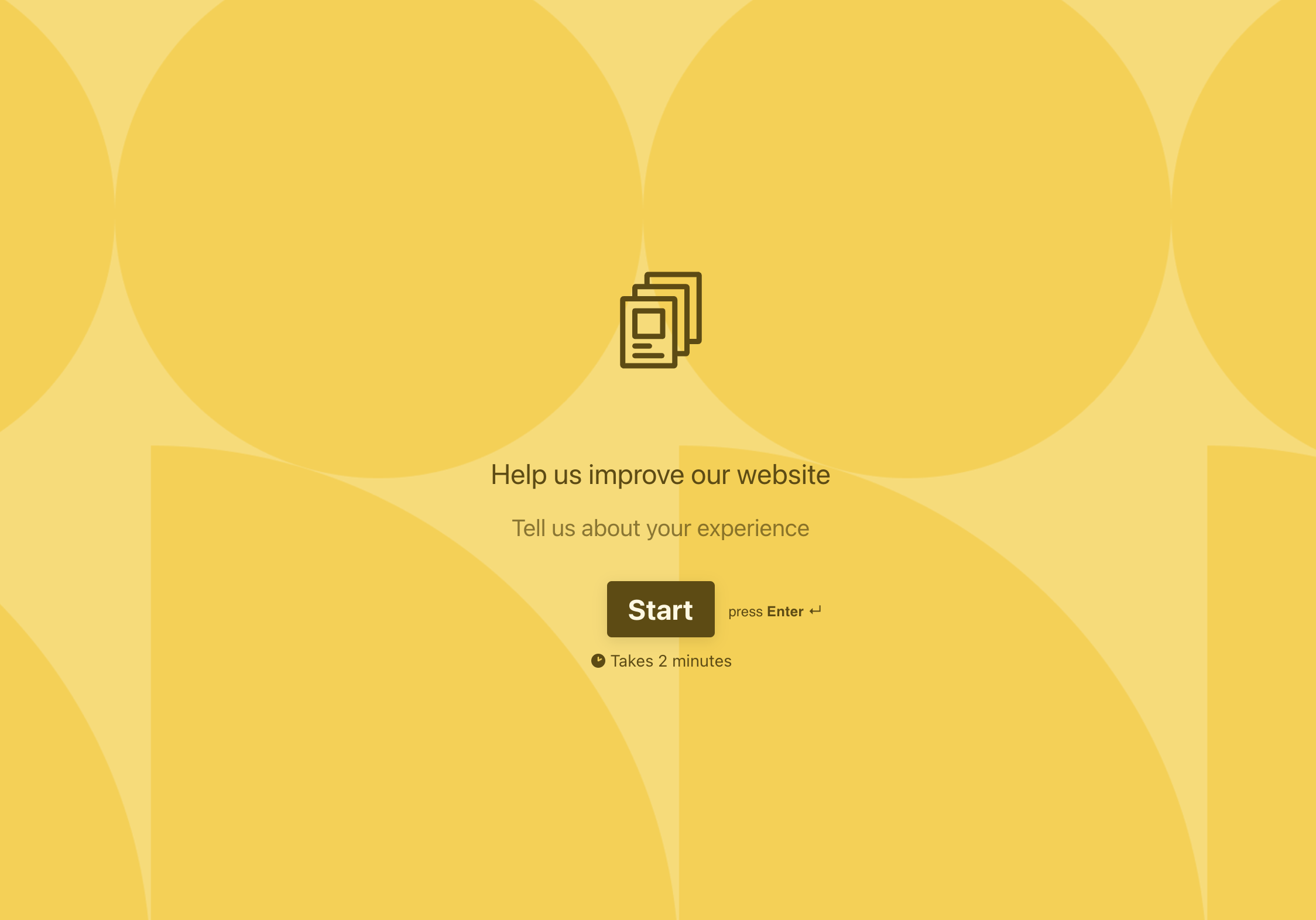
For example, say you have a form that pops up when a visitor abandons their shopping cart.

With website feedback forms, timing is everything. You don’t want to annoy a visitor who’s just about to enter their credit card details or ask for feedback before they’ve had a chance to fully experience your site. Instead, show the form at just the right moment—when they’re wrapping up their visit or seem stuck—so it feels like a natural part of their journey, not an interruption.

The 7-step guide to designing an effective feedback form

A good feedback form doesn’t just happen. It takes time (and testing) to select the right questions, test the best order, and choose relatable graphics. 

But it does get easier when you follow a step-by-step guide built on survey best practices.

Step 1: Know your goal

Start by clarifying exactly what you want to learn. A clear goal helps you ask the right questions and avoid unnecessary clutter.

Ask yourself: Are you gathering customer insights, employee sentiment, or post-event feedback?

Example: If your goal is to improve customer retention, focus your questions on pain points in the customer journey.

Step 2: Choose the right form type

Your feedback form should align with your specific objective.

  • Identify the type: Is it a customer feedback form, product feedback form, or employee satisfaction form?‍
  • Use templates: Use pre-designed templates to save time and align with best practices for feedback forms.
Table 1
Form objective Recommended feedback form type Example
Improve customer satisfaction  Customer feedback form Post-purchase survey to measure satisfaction with the shopping experience.
Enhance product features Product feedback form Feedback on a new app feature during beta testing. 
Boost employee engagement Employee satisfaction feedback form  Annual employee feedback survey about workplace culture.
Assess event success Event feedback form Post-event survey to evaluate speaker quality and event logistics.
Optimize website experience Website feedback form  On-page pop-up form asking about usability or navigation issues.
Encourage loyalty Net Promoter Score (NPS) feedback form Simple form asking users, “How likely are you to recommend us?”
Address customer complaints Customer support feedback form After-ticket survey to rate the resolution process.

Step 3: Mix up your question types

Mixing different question formats keeps your survey interesting and provides richer insights.

  • Use multiple-choice questions for quick, structured answers.
  • Add rating scales (e.g., Likert scales) to measure satisfaction or sentiment.
  • Include open-ended questions for detailed feedback.

Step 4: Keep it short

Nobody wants to spend 15 minutes filling out a survey. The shorter your form, the more likely people will complete it.

  • Aim for 5-7 questions max, unless absolutely necessary.
  • Use a progress bar or display an estimated completion time to set expectations.

Typeform’s 2023 top feature was the progress bar, with 8 million users.

Pro Tip: Only ask questions you’ll actually use—skip the “nice-to-know” ones.

Step 5: Optimize for mobile

Most people will access your form on their phone, so make sure it’s mobile-friendly.

  • Use a responsive design that adapts to different screen sizes.
  • Choose clear, legible fonts and ensure high contrast for readability.
  • Accessibility tip: Make sure buttons and text fields are easy to tap without errors.

Step 6: Test before you send

Give your form a test run before sharing it widely.

  • Share it internally: Have a colleague complete it to catch errors.
  • Check for flow: Ensure questions make sense and don’t cause confusion.

Step 7: Act on feedback

Once responses come in, use them to drive meaningful improvements.

  • Organize responses into categories (e.g., pricing concerns, usability issues).
  • Take action on key insights, like streamlining onboarding if users mention difficulty starting.
  • Close the loop by sharing updates: “Thanks to your feedback, we’ve added a step-by-step guide for new users.”

Better feedback, better relationships

Feedback is always an ongoing conversation. So start small, listen closely, and watch how better feedback helps you build better experiences. And the best feedback forms are the ones your customers actually finish.

Use our templates to build feedback forms that always hit the mark—so you can focus your energy on building the relationship.

‍

How Superside reimagined the post-event feedback experience with Typeform

Software Stack Editor · February 25, 2025 ·

Striking designs. Beautiful work. Ultra-fast turnaround times. The team at Superside—the top 1% of global creative talent—helps some of the world’s biggest brands scale in-house creative.

Superside isn’t an agency. It’s your on-call creative team, powered by AI and exceptional creative talent. And the events team puts on some stellar webinars, virtual summits, roundtables, and more.

A Superside event isn’t your run-of-the-mill business event—it’s an experience. From thoughtful content, on-point branding, and a seamless event workflow, the Superside event team has thought of everything.

But they struggled with gathering insightful post-event feedback. Without that feedback, Superside couldn’t gain any actionable data to create even better events moving forward.

Until they started using Typeform for event marketing. But before we get into that, let’s explore why post-event feedback matters:

  • Event feedback surveys can help you gauge the success of your event, providing insights into what worked, what didn’t, and how you can replicate the same success for your next event.
  • Interactive event surveys get attendees to share more about the event experience—what they thought of the event, speakers, location, and where you could improve.
  • Post-event feedback helps you better plan future events—from where you host an event and choose the speakers to how to create content that resonates with attendees.
  • Gathering feedback also builds trust with attendees by showing that you value their input and want to plan events they’ll love.
  • Leveraging post-event feedback helps you make better-informed decisions. Notice trends about the event experience of different elements of your event that attendees loved (or hated)? You can make decisions based on data—not assumptions.

Post-event feedback is invaluable. But getting it isn’t as simple as sending a quick event feedback survey. It requires intentional design, thoughtful questions, and balancing brevity with asking for enough feedback to get meaningful data.

3 ways Superside optimized its post-event feedback surveys with Typeform

Even businesses that put on beautiful events with high-impact speakers—like Superside—have a hard time collecting valuable feedback once the event ends. Lengthy event feedback surveys, vague responses, and a lack of engagement are often to blame.

But when Superside leveraged Typeform’s interactive event surveys to measure event success, the events team started getting valuable feedback they could act on and attendee insights that revealed a significant win:

Data from Superside’s post-event feedback surveys revealed a 4.8/5 attendee satisfaction score.

Let’s take a look at how Superside got more—and better—data by optimizing its event feedback surveys with Typeform.

1. Only ask relevant questions

Superside events attract a large crowd—in 2024, its virtual summits brought in over 10K registrants. But when you host multi-session events, like a virtual summit, most people don’t show up for every event.

Attendees typically pick and choose the sessions that are most interesting to them. So, if they get a post-event feedback survey asking about a session they didn’t attend, they’ll likely bounce before they get to any questions about the sessions they did attend.

Diana Kolesarova, Event Marketing Manager at Superside, wanted to create a post-event feedback survey that didn’t waste people’s time but also yielded crucial data about the event experience.

CALLOUT BOX: “It’s a little bit of the dynamic surveying that makes contribution really quick, really easy. We get quality outputs and answers from people who actually attended the sessions.” – Diana Kolesarova, Event Marketing Manager, Superside

Typeform allowed Superside to personalize questions with logic and ask different questions for people who attended different sessions. Doing so helped Superside keep attendees engaged throughout the survey with questions catered to their experience.

The result? They gathered more responses. And more relevant feedback.

2. Connect your tools

Data is only valuable if you can use it and it doesn’t sit in silos across different tools and teams. Thanks to a seamless integration with its CRM, Superside keeps the data flowing between its Typeform event feedback surveys and the tools its sales team uses most.

CALLOUT BOX: “This is basically a flow between our CRM platforms and Typeform, which pulls in the data, and our sales team can see all the data in the tools they work in. So they’re not having to go between tools.” – Diana Kolesarova, Event Marketing Manager, Superside

Everything an attendee inputs into the post-event feedback survey automatically flows into Superside’s CRM, which makes data-sharing and self-service effortless. Especially for the sales team who uses that data to tailor their follow-up.

At our Typeforum event, Diana also called out how attendee feedback allows the sales team to enrich data and personalize outreach:

“[Outreach is] more personalized based on what the event attendee shared about their experience, what kind of improvements we could make, and what they really loved.”

On top of personalization, the sales team knows which leads to prioritize because the survey asks attendees if they’re interested in Superside and want a demo. That data shows up in its CRM, allowing sales to focus on their hottest sales leads.

When nearly a quarter of your attendees fall into your ideal customer profile, personalized outreach matters even more. And it seems to be working—in 2024, Superside’s event program generated over $3 million in lifetime value.

3. Think strategically about design

As a company dedicated to executing exceptional creative work, beautiful design is integral to Superside’s events. And while eye-catching branding and design is nice to look at, Superside viewed it as a strategic part of the overall event experience.

CALLOUT BOX: “All of our events at Superside have different branding. We translate that into post-event, so into surveying, into emails. This plays into the event experience.” – Diana Kolesarova, Event Marketing Manager, Superside

The event team wanted to create a sense of brand consistency from the emails to the event branding to the post-event feedback surveys—a key part of the event experience.

Using Typeform’s design features, like brand kits, custom fonts and colors, and media upload options, Superside designed fully branded—and beautiful—interactive event surveys.

But it was more than just a pretty survey. Research shows that attendees recall events better when they see branding. Better recall means you get more accurate information from your attendees.

Design and user experience

Typeform’s interactive event surveys continued the event experience by carrying the branding over to all post-event surveys and follow-ups.

They also let Superside personalize the event feedback survey experience with logic and ask one question at a time to create a pleasant (and high-converting) user experience.

That user experience brought in better responses and richer data that the Superside event team could actually use to pull insights and improve future events.

Challenges of collecting post-event feedback

Whether you conduct an exit poll, attendee interviews, or use event feedback surveys, collecting actionable insights can be a challenge. Here’s why:

  • Timing matters. Send the survey too early and you risk recency bias and attendees not having enough time to reflect. But if you send it too late, they may forget about the event entirely.
  • No incentive. Event feedback surveys often struggle with low engagement because they don’t incentivize anyone to fill them out. Offer small discounts or exclusive content to show attendees you value their time and feedback while encouraging completions.
  • Poor survey experience. Post-event feedback surveys that are clunky, poorly designed, and ask the wrong questions make it nearly impossible to pull insightful data from responses. Attendees may abandon them or provide vague answers, which makes it difficult to get valuable insights.
  • Too long. One of the biggest reasons people don’t complete surveys is because they’re overwhelming, with a dozen questions or more—this can lower engagement rates as attendees lose interest.

On the flip side, user-friendly, interactive event surveys (like Superside’s) drive higher response rates. Post-event feedback surveys with clear instructions and well-thought-out questions minimize cognitive load, making it less work to actually complete the survey.

And interactive elements—like dropdown menus and rating scales—make it easy to answer (vs. an open-ended question) and get through the survey quickly, boosting response rates. 

With Typeform, Superside was able to address some of the most common challenges of gathering feedback and create a post-event feedback survey that delivered insightful and actionable feedback. You can, too.

Event marketing, meet Typeform

Post-event feedback can transform your events if done right. Typeform’s intuitive design abilities paired with features, like logic and multiple question types, help you get the data you need to make data-driven decisions for future events.

Did attendees appreciate the speakers? Were they overwhelmed with too many sessions at your virtual event? What did the attendees wish you did differently? A well-crafted Typeform event feedback survey encourages more responses through:

  • Intuitive and customer-focused design
  • A conversational flow
  • Asking one question at a time
  • Asking relevant questions only
  • Personalization

And if you want to do more with your data, connect Typeform to the tools you already use. Integrations with your CRM and email marketing platform continue a seamless event experience that can drive sales (like with Superside) and nurture leads.

Upcoming event? Get more post-event feedback with Typeform

Whether it’s a multi-event virtual summit or a one-off webinar, event feedback is crucial for continually delivering value at your next event.

Make sure you capture all of it with a survey builder designed to engage your attendees and deliver high-value data. Go ahead—create your next event feedback survey with Typeform.

Typeform Launches AI Suite to Power Smarter Data Collection

Software Stack Editor · February 20, 2025 ·

image

SAN FRANCISCO, Feb. 20, 2025 – Typeform, the intuitive form builder and conversational data collection platform, today announced its Winter ‘25 release, delivering more AI-powered capabilities that help companies create, interact, and analyze with AI to get deeper insights, faster. With AI infused into every step of the data collection process, customers can simplify workflows and save time, while elevating the customer experience. 

“At Typeform, we’re transforming data collection from a passive experience into a dynamic, two-way conversation,” said Aleks Bass, Chief Product Officer, Typeform. “With our latest AI capabilities, businesses can create engaging forms in minutes, uncover insights instantly, and act faster—so they can spend less time managing data and more time delivering real impact.”

From intelligent questions to interactions that feel conversational, natural, and human-like, Typeform AI is designed to help brands better understand their audience effectively and effortlessly. The suite of AI features includes: 

‍Creator AI: Typeform’s Creator AI streamlines and enhances form creation and design. For example, an e-commerce brand looking to gather customer feedback can enter a prompt like “Create a short customer satisfaction survey,” and instantly receive a form optimized for actionable insights.

‍AI Form Builder: Generate questions and structure forms instantly with a simple prompt.

  • AI Form Import: Easily import questions by copying, pasting, or uploading a Google Form. 
  • AI Brand Kit: Automatically apply brand colors, logos, and design elements using only a company URL.
  • AI Form Translation: Connect with a global audience with seamless, automatic translations in over 25 languages.
  • AI Content Optimizer: Improve question clarity to get more precise responses.

‍Interaction AI: Interaction AI improves engagement to elicit stronger responses. If a SaaS company collects testimonials and receives brief responses like “I love it,” AI will automatically follow up with additional questions to capture richer answers. 

‍Clarify with AI: Automatically detect vague responses and prompt for clarification, ensuring more detailed insights.

‍Insights AI: Insights AI transforms raw data into actionable insights. For instance, instead of manually analyzing hundreds of responses, marketers can use AI to identify customer needs, gauge sentiment, and provide instant analysis, helping teams prioritize leads and refine acquisition strategies. 

‍Ask AI: Instantly analyze data by asking simple questions, and get easy-to-understand insights and charts in return.

  • Topic Detection: Surface trending topics from large volumes of open-ended text and video responses in seconds. 
  • Sentiment Analysis: Automatically detect whether responses are positive, neutral, or negative, to quickly identify trends without manually reviewing each answer.
  • Quantitative Analysis: Convert closed-ended responses into visual reports and charts, with key insights for fast analysis.

Discover Typeform’s latest innovations at www.typeform.com/whats-new. 

‍About Typeform

Typeform is an intuitive form builder that helps over 150,000 customers collect and validate the data they need to grow their businesses. Designed with striking visuals, a conversational flow, and powerful data capabilities, Typeform changes how brands get to know people. Typeform drives more than 600 million interactions each year and integrates with essential tools including Zapier, HubSpot, and Slack. For more information, visit www.typeform.com.

How WWF Cities scaled feedback collection with Typeform

Software Stack Editor · February 18, 2025 ·

WWF Cities launched their “We Love Cities” initiative over 10 years ago to gather citizen feedback on climate action. They wanted to collect opinions and insights to help cities develop climate-related action plans.

Approaching the initiative with optimism, they built a custom website from scratch—complete with a survey for collecting feedback. 

What began as the perfect platform to connect with communities and gather insights soon grew into a bigger challenge. As more cities joined, the initial solution became unable to handle the volume of feedback that began to come in.

“When we first started ‘We Love Cities’…it was a very new idea,” explains Yoshi Fanaki, Global Communications Manager at WWF Cities. “We were initially working with just a handful of cities because we only wanted to work with ones that had done well in their climate action plans.”  By 2022, they were working with sixty cities, with numbers increasing to over seventy in 2024. As the project kept growing, the team realized they needed a more efficient way to collect and analyze feedback.

Scaling feedback collection

The WWF Cities team faced a growing challenge—managing a 300% increase in the volume of feedback. The website, originally designed to handle a modest number of cities and responses, soon became outdated and clunky. Managing the data out of a single Excel file became increasingly difficult, and analyzing or segmenting the data for individualized city reports was almost impossible.

Growing pains

Organizing the data was too time-consuming with the old system. Yoshi and the team also needed to overhaul the website to better engage the public, as well as reflect recent updates to the We Love Cities branding. They decided that the built-in feedback tool would no longer cut it. And so began their search for a smarter survey tool.

‍“We wanted a platform that could reflect the design, style, and the tone we were using,” Yoshi tells us. “And we also wanted something where the transitions between the questions would look professional.” — Yoshi Fanaki

To make things more complex, the project had to support multiple languages. Managing separate folders and forms for each city in different languages required major effort. With only one and a half team members dedicated to this, resources were stretched thin. 

Forming a new solution

The introduction of Typeform marked a turning point for the campaign. After exploring a variety of tools, they found what they needed with Typeform.

“We particularly loved the almost animated feel to the transition between questions. It just gave that extra element of a very smooth delivery that made it feel really professional,” Yoshi told us.

Typeform’s user-friendly design, as well as the ability to embed forms directly into the city profiles on the website, made it much easier for citizens to share their thoughts and feedback. 

Thanks to the brand kit feature, the forms were personalized and branded, which helped them easily add We Love Cities branding across all of their forms. This helped reduce the barrier to participation, as well as encourage a wider range of voices to contribute. Participation from various age groups, including both younger and older citizens, helped enrich the data and provide valuable insights for city planners and other stakeholders who were sent the results.

Making a difference

The impact of these changes has been transformative. With Typeform, WWF Cities not only gathers a diverse range of feedback and perspectives, it also provides a more detailed analysis of the results. The outcome? More inclusive and effective campaigns.

“It changed the way in which we were getting the data to the cities and how we were helping them see the patterns and data,” Yoshi shares.

They can now easily share a report generated from Typeform’s Results summary, allowing each city to dive into their own data with a handy overview.

Typeform’s introduction of multi-language forms was also a game-changer for the team. Instead of having to manually translate over 70 forms, they could use the multi-language form feature and let Typeform do all the work. 

The ability to handle multiple languages and the seamless integration with their existing platforms were crucial improvements that addressed many of the pain points they had experienced in the past.

Of course, we can’t underestimate the value of the data itself and the information and insights that it can uncover. When we asked Yoshi what she learned from survey participants, she said the one thing that really stood out to her was the range of interest in climate change.

Q:  “What’s one thing that you’ve learned from survey participants that you didn’t know before?”

Yoshi:  “I think the range of interest in climate isn’t just young people. I always find it really gratifying when I’m looking at the results to see that there are people in their 80s down to people in their teens all engaging in this. There’s a lot more engagement than you would imagine, given how depressing sometimes the news can be.”

Learn more about using Typeform for feedback collection and analysis in this handy guide.

Active Youth & Typeform: Forming a new conversation around climate change.

Software Stack Editor · February 18, 2025 ·

image

In 2018, President Emmanuel Macron delivered an address to the US Congress about climate change, reinforcing our joint responsibility toward a better future for our children and grandchildren. He spoke eloquently and delivered a poignant argument:

“By not mitigating CO2 emissions, and destroying our biodiversity, we are killing our planet. Let us face it, there is no planet B.”

Now, this isn’t the first time a world leader has made a plea for the planet. But it was a unique moment where a world leader shone a light on the dangers of isolationism and its threat to global prosperity. [Read: it’s not cool to not think of the well-being of everyone, and everything.]

Luckily, this isn’t idealism. It’s also not a pipe dream to ex-entrepreneur turned climate activist, Gedas Kondrackis. Far from it, Gedas and his team at Active Youth are leading the change in normalizing climate-friendly behaviors and in shaping the discourse on climate change by informing and educating the public.

Gedas and his team operate in the Baltics, and among their many projects, they are currently running a climate museum on wheels. Passionate about making a difference, for this project, they set out to tackle the challenge of accounting for the carbon dioxide (CO2) emissions generated by their museum’s visitors, as well as their own travel.

One might wonder how one would go about calculating the carbon footprint of thousands of visitors and kilometers travelled. The answer came to Gedas like a bolt of lightning: with a typeform!

A form of sustainability

Gedas and his team weren’t strangers to Typeform. In fact, they were using Typeform solutions for the recruitment of their teams and volunteers in some of their other projects. The platform’s user-friendliness was a step up from other forms the team had used before, and the ease of customization and partner integrations provided a landscape for possibility.

When we started working on our climate museum project, we realized we needed a solution that could meet our needs. If we wanted to call ourselves a climate museum and talk about sustainability, we needed to not just talk, but walk the walk.

Gedas Kondrackis

A powerful example of how technology can be used to create a more sustainable future, the typeform Gedas uses for his museum project has two versions: One is presented to incoming visitors with the guidance of volunteers that meet guests at the entrance. The other, is a self-serve typeform, accessed through a giant QR code and used at smaller events. Though the experiences are different, Gedas notes that both experiences have proven to be well-received by visitors.

More than just a mode for collecting data, for Gedas, it was critical to create an engaging experience for the museum’s visitors.

The typeform Gedas created using custom logic and calculations achieved this goal. It was engaging, and short. Both form versions asked a precise amount of questions in order for the team to calculate their impact. There are three, to be exact: how visitors get to the museum, how many people are in their group, and their estimated distance travelled in kilometers.

Responding to these questions takes approximately 15 seconds. At this point, the answers are automatically calculated, and the results are presented in real-time. If a volunteer is welcoming the guests, it’s an incredible opportunity to engage in a positive dialogue to help museum visitors get into an open mindset for the experience they’re about to encounter.

Positivity was critical, here. We worked with volunteers beforehand specifically focusing on this welcome moment. To ensure that this wasn’t a dialogue about shaming, but rather informing.

Gedas Kondrackis

More than a vehicle to present informative or curious data to visitors, these typeforms have allowed Gedas and his team to capture data more quickly and accurately than ever before, which has enabled them to measure the carbon footprint of their museum’s visits. In the last year, the typeforms Gedas created enabled him and his team to account for more than 31,870+ visitors to the museum, and more than 90 tons of CO2.

Designing a mission

When Gedas embarked on this project, his mission was simple: to raise awareness. It’s the museum’s main function. They also have educational materials online, they communicate this mission with their partners, and volunteers are also informed of their purpose.

But the other part is to physically take action. To actually try to make the environment better, and cleaner than what it is. Equipped with the data that are gathered from the typeforms, Gedas is able to take that action, and essentially, make a positive difference in the world.

Now, let’s take a moment to level set. To be clear, one of the 21st century’s greatest threats to humanity, arguably, is climate change. One of the main ways to reduce our contribution to the warming planet is to cut down on greenhouse gas emissions, of which CO2 is a main compound. And, though not a panacea for all of the planet’s ills, a very effective way to compensate for the CO2 emitted into the atmosphere is by planting more trees.

Now, Gedas, of course, knows the impact planting trees can make. So, at the end of every month, the team at Active Youth calculates the carbon footprint of their operation. This includes electricity to run the museum, travel from their visitors, as well as their own travel. Their travel needs to account for transporting their museum on wheels (four trucks carrying four massive containers).

The team then organizes, with their partner, a massive tree planting every spring. Worth noting, one tree costs 2 euro to plant, and that one tree is able to absorb around 10 kilograms of CO2 per year. Last year, Gedas and his team planted 323 trees to remedy the 90 tons of CO2, generated by the climate museum project. In total, Active Youth planted 897 trees to compensate for all of their projects, contributing to a greener, cleaner planet. After all, to quote actor Don Cheadle, what is more important than good and clean air?

Forming Purpose

From the perspective of making an impact, Gedas and his team at Active Youth are diligently creating a stronger business model while healing the climate. Armed with a for-purpose mission, their work is defined by the impact they make in the world, while also allowing the opportunity to be properly funded in order to run their team properly, and for that impact to be feasible. With a startup mindset, they’re also giving all of us a blueprint for how other businesses can make an impact by being part of the solution, instead of the problem.

True to Active Youth’s ethos for inspiring meaningful change in the world, here are a few key lessons worth noting:

1. Strive to create a more sustainable future for everyone.

2. Utilize the power of technology to collect data quickly, and accurately.

3. Use that data to create a strategy.

4. Take action in order to create impact and inspire others.

5. Work together to make a difference in the world.

Gedas’ passion for creating a more sustainable future has been the driving force behind this project. His hope is to continue to inspire people to take action and make a difference in the world.

We’re all connected in this fight against climate change, and we must work together to make a difference.

Gedas Kondrackis

Making the most of ‘Planet A’

From the human perspective, Active Youth’s tale is a great example of what kindness in numbers looks like. May we all remember that kindness is needed, both towards each other, and the planet. If you, or someone you know are wondering how to make a difference, the United Nations has released a campaign called Act Now. It’s never too late to make things better. In the words of former POTUS, Barack Obama:

“We may not be able to cap temperature rise to 2°C, but here’s the thing; if we work really hard, we may be able to cap it at 2.5°C instead of 3°C. That extra centigrade might mean the difference between whether 100 million people need to migrate, or a few. Incremental changes matter”.

How to use customer feedback management to fuel business growth

Software Stack Editor · February 18, 2025 ·

Growing your business isn’t something that happens overnight or without effort. For many businesses, rolling out new products, sales, and marketing initiatives are the biggest drivers of growth. While getting new customers in the door is important, focusing on existing customers can also create growth (usually for much less than attracting a new customer). To understand how to better serve your customers, it’s important to have customer feedback management tools.

Let’s take a look at what customer feedback management is and how it can fuel growth and improve customer engagement.

What is customer feedback management?

Customer feedback management is the practice of collecting and analyzing information about what is and isn’t working in the customer’s journey to create a better experience for current and future customers.

You can collect feedback through customer service channels, post-purchase surveys, support tickets, emails, and customer interviews. After you’ve collected and sorted the feedback, internal teams can figure out how to fix problems, streamline processes, and implement those changes. Because the changes solve customer pain points, the process helps build customer trust and loyalty.

You can think of customer feedback management as a loop, an unending chain of listening and creating better processes.

How to manage customer feedback

One way to visualize this customer feedback management loop is to use the ACAF system, which stands for Ask, Categorize, Act, and Follow-up. Using this formula, you’ll be able to effectively repeat the steps needed to continually improve the customer experience based on the feedback you get.

Ask for feedback

To start improving your customer experience, you need to find out exactly what’s working and what isn’t. The best way to do this is by simply asking your customers. Depending on your goals, this might mean creating a cross-channel strategy to gather a huge amount of data as quickly as possible, or it might mean a gradual rollout across channels over several months.

There’s no one right way to ask for feedback, just like there is no one channel that will give you the best results. Some of the most common channels you might use to interact with your customers include:

  • Email
  • Your app
  • Social media
  • Website
  • Phone
  • Text message

Each of these channels has its own strengths and weaknesses, but each one will provide you with some sort of information from certain segments of your customer base that the others may not. That’s why it’s vital to have some way of collecting feedback and channeling it to the right people for analysis.

Categorize feedback

Categorizing feedback might seem like a daunting task, especially if you’re working with a large volume of it. But this is one of the most important parts of the process because:

  1. It’s how you’ll determine if a piece of feedback is actionable or not
  2. Categorizing feedback will reveal common threads (or trends)
  3. The trends you discover will help you create goals and build new processes

Actionable and non-actionable feedback

  • Actionable feedback is any feedback you can do something about. This might include feedback about a part of your website that doesn’t work correctly or a complaint about a product. With actionable feedback, you can make a change or an improvement to prevent the same negative things from happening again.
  • Non-actionable feedback isn’t about changing or improving the function of a product, service, or channel. For example, the customer might tell you about a time your product or service was helpful. While you can’t use this type of feedback to make changes, it may be useful as a testimonial (with the customer’s permission, of course).

Identifying trends

Identifying trends as you categorize feedback will give you a lot of insight into how the customer journey is falling short. You may notice a consistent issue or complaint across channels. Pay close attention to them, as these trends point directly to an area that needs improvement.

Keep an eye on what you hear or see in poll responses compared to the data you’ve gathered about customer behavior, like time on site or how frequently a customer logs into their account. There can be real differences between qualitative and quantitative data, so make sure you aren’t identifying trends that aren’t backed up by the numbers.

If you’ve made it this far, it’s time to act.

Act on feedback

Acting on feedback doesn’t mean you start taking action on every issue that comes up. Acting on client feedback starts with creating goals. Once you have goals in place, you can begin acting internally and externally.

Creating goals

After dividing feedback into actionable and non-actionable groups and identifying trends, the next step is setting goals for what your business wants to accomplish as it addresses customer feedback. While the overall goal is to improve profitability and grow your business, remember that improving the customer experience is one of the best paths to get there.

Creating goals isn’t always easy, especially when multiple stakeholders are involved. But by keeping your goals SMART, you’ll be able to see when and if these goals are met. SMART is an acronym for:

  • Specific: The more specific a goal, the less confusing it’ll be.
  • Measurable: Goals have to have criteria you can judge them by. This can be a simple pass-fail, or it can be a spectrum from failure to success.
  • Achievable: Goals must be achievable by the team you have. Setting impossible goals is a waste of time and effort.
  • Relevant: Goals need to be pushing you toward a specific outcome. The work you’re doing has to be tied to that outcome.
  • Time-bound: Goals need to have a deadline. You may have several dates, including when certain tasks need to be completed and when you’ll review the results of the work.

Acting internally

To bring the changes you need to make to fruition, you need to start with your internal team. While the focus is on improving the customer experience, it will be your team’s responsibility to fix the issues and implement the new strategies to help your customers.

Designate action items to the appropriate teams with relevant findings, goals, and implementation strategies to get them started.

Acting externally

Your internal teams will perform the work needed to impact external customers. Depending on your goals, your customers may only notice changes in the areas where they had difficulties before, or you might invite them to take a more active role in improving your products and services. This can mean more frequent survey invitations, in-app or on-site micro-surveys and ratings, and other methods of gathering feedback.

Follow up on feedback

Following up is a multi-step process where you track changes, record responses, and then use that information to further improve upon the changes you’ve made and tackle any new issues that have sprung up.

Tracking and quantifying results

Track your progress based on the SMART goals you set. Assigning a number or letter grade to the changes will make quantifying your results easier. If possible, try to collect and track all results in one place. This will give the project leader the information they need to determine when something is finished and will make reporting on the success of these changes go more smoothly.

Refining and building new processes

Creating a new process will probably lead to other issues or reveal deficiencies in other places you weren’t aware of. But because the ACAF system is designed as a loop, constant refinement and implementation are natural.

Why you need customer feedback management

Managing customer feedback can be time-consuming, but it’s important for strengthening customer relationships and growing your business. Here are a few reasons why having a customer feedback management process in place is vital:

  • It’s easier to track feedback after a product launch or update
  • It allows for better, data-driven decision making
  • It creates opportunities for innovation using customer feedback
  • It shows customers your business is listening to their complaints or ideas

When your team manages feedback properly and uses it to create new initiatives, products, and customer service policies, your business may see improved growth. That’s because:

  • Keeping existing customers is less expensive than attracting new ones
  • Happy customers can become unofficial brand ambassadors who recommend products and services
  • Using the information you learned from customers can help refine product or service offerings
  • Customer feedback can lead to more specific, better-targeted marketing materials

What is the customer feedback loop?

The customer feedback loop is the continuous process of receiving feedback from customers and responding to it. That might mean sending a return email, or it could be as complex as overhauling your entire customer journey. In its simplest form, it looks like this:

  1. A customer has an issue or a suggestion. They share it with the company via chatbot, email, or another channel.
  2. The business analyzes and tracks that feedback.
  3. Using the feedback they receive, the business develops a plan to fix known problems or revamp a process or part of the customer journey to reduce or eliminate known pain points.
  4. The business rolls out these changes and begins tracking and analyzing new feedback to enhance the customer experience.

Types of feedback

There are two main types of feedback: direct and indirect. Both are valuable, but they require different strategies. Here are a few examples of direct and indirect feedback:

Direct

  • Post-purchase surveys
  • Customer support chats
  • Customer support calls
  • Pop-up surveys
  • Requests for features
  • Usability testing results
  • Customer satisfaction surveys
  • Feedback on social media accounts

Indirect

  • Third-party review site ratings
  • Shopping behavior changes
  • Social media posts about your company and products
  • Loss of subscribers on mailing lists
  • Discussion about your company online (Reddit, for example)

There are several metrics designed to give you more specific feedback about what is and isn’t working for your customers. These metrics collect and analyze customer feedback and qualitative data like site visits, clicks, and sales.

  • Net Promoter Score (NPS): This rating lets you gauge customer loyalty by asking them to provide a rating between 1-10 of how likely they are to recommend your company. You determine the score by subtracting the number of people rating you between 1-6 (detractors) from the number of people rating you 9-10 (promoters). 7 and 8 scores are “passives” meaning they won’t have much impact either way, but because they are close enough to promoters, it makes sense to invest time in figuring out how to get them to score higher.
  • Customer Satisfaction (CSAT): This shows how well your site meets customer expectations. The customer answers the question: On a scale of 1 (very unsatisfied) to 5 (very satisfied), how do you rate your overall satisfaction with this transaction? Divide the 4 and 5 ratings by the total number of responses to get the CSAT.
  • Goal Completion Rate (GCR): This metric shows how many visitors have taken a particular action on your app or site. This could mean clicking on a specific button on a page, signing up for an email list, or buying something. Calculate GCR by dividing the number of visitors by the number of completed goals.
  • Customer Effort Score (CES): This metric uses a scale of 1-7 to rate how easily users were able to navigate your site, make a purchase, or solve an issue. Add up all 5-7 scores, divide that number by the total number of responses, and multiply by 100 to get a score between 1 and 100.

Customer feedback management example

For this example, let’s imagine a clothing company that specializes in athletic wear for rock climbers. This company has a website where they offer all of their products. To ensure customer problems are dealt with quickly, the company has created a customer feedback management system that prioritizes fixing checkout issues.

They shared a list of known issues with the sales, web development, and customer service teams. With that list, they shared instructions with the customer service team to pass new issues directly to the web development team and to track instances of known issues in a spreadsheet.

Phase 1: A customer adds a few items to their cart, but when they go to checkout, the site empties their cart and sends them back to the homepage. The customer sends a ticket using the AI-powered pop-up assistant on the homepage.

Phase 2: That ticket arrives in the mailbox of the company’s customer service manager. The customer service manager checks their internal knowledge base to compare the problem to other known issues.

This problem is new. They forward it to the web development team.

Phase 3: The web development team examines the ticket, replicates the issues, determines the cause, and fixes it. They record this issue in the spreadsheet and mark it as resolved.

Phase 4: The customer service manager responds to the ticket to let the customer know that the problem has been solved. At the end of the message is a link to a CES survey. After the customer completes the survey, the customer service manager records the response in the shared spreadsheet.

Phase 5: Later that week, the web development team issues a report covering new issues and their solutions, along with the survey responses.

Best customer feedback management software

Handling customer feedback is much easier when you have the right tools. When weighing your options, look for flexible, powerful software that’ll integrate with your existing stack. Here are a few pieces of software that can transform how you collect, analyze, and improve your customers’ experience.

Typeform

Typeform is a platform that allows you to create interactive forms and surveys you can embed on your site, share via email, or add to a social media post. Typeform’s forms are user-friendly and mimic a real conversation by asking one question at a time. The platform collects data and thoroughly analyzes it to help you make better decisions about your customer feedback management.

Userpilot

Userpilot lets users create surveys for different parts of a customer’s journey. With templates and event triggers, you can collect feedback using several metrics.

Chisel

You can build surveys with Chisel and use it to collect data from customers and internal team members to aid in feedback management and product refinement.

Formstack

Formstack is a form-building platform frequently compared to Typeform. While Formstack offers many of the same features as Typeform, it doesn’t have integrated AI for real-time form responses.

Zonka

If your company has many different channels, Zonka can help collect and collate feedback from all your channels. Zonka can gather data from SMS, email, in-app, and site-based channels.

Canny

Canny allows users to collect feedback for products to build roadmaps for improvements and new iterations. Inform users of new features with built-in product updates.

Zendesk

Zendesk has integrations for many platforms that allow for better customer service with built-in AI, ticket automation, and analytics.

Better customer feedback, better business

Typeform makes it easy for you to create forms that integrate naturally into your site and ask the right questions at the right time. From improving email list sign-ups to gathering and analyzing the success of a survey, Typeform makes learning more about your customers and how to serve them easier.

How Double Denim Marketing increased leads by 50% with Typeform

Software Stack Editor · February 18, 2025 ·

image
  • Up to 2x: more completions for customers
  • $3.67 million: in sales
  • ~2,200: leads generated.

Typeform helps Double Denim outcompete companies that spend way more money acquiring customers. Our marketing spend is predictable and we pay less for better technology. Typeform has kept us in business.

Rob Brooks

Challenges

Attracting new leads with interactive content

Double Denim Marketing was using static forms on its website and landing pages—both for itself and its clients. Those forms were performing well, but Rob Brooks, Founder and Jeanius Marketer at Double Denim Marketing, wanted to do more to engage, convert, and qualify prospective leads who landed on those pages.

Rob had the idea of creating an interactive form for Double Denim that would calculate and demonstrate the impact of more qualified leads on prospects’ sales.

“I had an epiphany: What if I built an online calculator to engage users and better qualify leads? I researched the project, and once I figured out what we wanted to do, I looked for a way to make it happen,” explains Rob.

Rob recognized that a form with a long list of questions would have dismal completion rates. He needed a dynamic form that would take prospects through a series of questions, applying logic to determine the questions and the sequence.

“You don’t want to overwhelm your prospects with too many questions or complicated requests all at once. If you keep your ask simple, users will supply the precise information to qualify your leads.”

While Rob had a clear idea of what he wanted, his small team didn’t have the resources to hire an outside developer to build it.

At the same time, the form would need to integrate with Double Denim’s existing tools.

“Our customers are mainly logistics companies. To serve them effectively, we’ve automated our workflow. We needed a form-creation solution that played well with our other tools and integrated seamlessly with Zapier,” says Rob.

Rob tried one or two form-building solutions but rejected them because they couldn’t meet his requirements.

Then he tried Typeform.

You don’t want to overwhelm your prospects with too many questions or complicated requests all at once. If you keep your ask simple, users will supply the precise information to qualify your leads.

Rob Brooks

Solution

Logic-based, no-code forms

Rob brought his concept of an interactive calculator form to life with Typeform. He was surprised by how easy the form was to create and implement.

While Rob opted to use a bit of HTML and CSS to set up the form, he concedes that coding wasn’t necessary.

“If I wanted to, I could have just done an out-of-the-box implementation,” says Rob. “It was dead simple.”

It didn’t take long to see that the interactive form converted more, better-qualified prospects.

“It took about six weeks to start seeing results, and we were getting more qualified leads.”

Apply to client marketing campaigns

Based on this experience, Rob and his team started offering typeforms to Double Denim clients.

Some clients hesitated initially but became big supporters once they saw the results.

“I ran some split tests and showed them the hard data: Typeform outperformed traditional lead-capture methods in every scenario, leading to more conversions. All I can say is that numbers talk,” says Rob.

Today, all Double Denim customers use Typeform exclusively in their marketing campaigns.

“From our first test of a one-off campaign to fully implementing it across every customer took about three months.”

Brand CTAs and buttons

When creating typeforms for themselves and their clients, Double Denim can easily brand the CTA buttons and interactive forms to ensure a seamless, cohesive experience for users.

“I can customize the buttons and form to reflect customer branding. I can do it all without coding a single line or hiring a designer. Typeform does all the heavy lifting,” says Rob.

Qualify leads through logic-based questions

By taking leads through a series of questions that depend on their previous responses, Double Denim and its customers can easily differentiate, and focus on, the most qualified leads. They can also automatically route inquiries to the right department, reducing workload and shortening response time.

Rob gives an example:

“One of our customers has sales agencies across the U.S. When someone indicates that they need a certain type of service, they are automatically routed to the right agency for them.”

Some Double Denim customers combine typeforms with their lead scoring. He explains:

“One customer uses a scale of one to three as to how good the lead is. If the lead indicates they need support today, that bumps up the score. If they have a gmail.com or yahoo.com address, the score is marked down.”

Integrate with Zapier, PipeDrive, and more

Typeform also integrates with Double Denim’s tools—and the tools of its customers—for new efficiencies and greater productivity.

“Typeform integrates with all our tools, including PipeDrive, HubSpot, Onepage, and Google Sheets. Our two-person team can offer the same services as a bigger agency, including supercharged lead generation. We automate everything to focus on building outstanding user experiences that get results,” explains Rob.

I use Typeform on all our customers’ landing pages because I can customize the buttons and form to reflect their branding. I can do it all without coding a single line or hiring a designer. Typeform does all the heavy lifting.

Rob Brooks

RESULTS

50% more leads and conversion rates that shattered expectations

Rob’s hypothesis about interactive forms was more than correct: Double Denim saw a 50% increase in leads with Typeform versus regular static forms for itself and its customers.

“Typeform exceeded our wildest expectations, so we’re delighted—and our customers are ecstatic,” says Rob.

Conversion rates doubled after switching to Typeform, a much larger increase than Rob predicted.

“I expected a lift of 8% to 15%. One of our clients had a 7.75% conversion rate before switching to Typeform. It rocketed to 19.35%. Another saw conversions rise nearly ten points from 11.2% to 21.6%.”

The number of qualified leads has also grown thanks to Typeform, as Rob explains:

“Asking the right questions in Typeform increased the number of qualified leads. We discounted individual inquiries from consumers and focused entirely on B2B prospects. We couldn’t have done that with static forms.”

Using Typeform, Double Denim generated nearly 2,200 qualified leads for its customers, which contributed almost half of the $8 million in customer revenue attributable to Double Denim’s marketing campaigns.

“We can trace $3.67 million in revenues directly to our Typeform campaigns. That’s almost everything our campaigns have earned in the last two years. It’s a remarkable result. A product I considered ‘nice to have’ turned out to be the foundation of our success,” exclaims Rob.

Typeform is instrumental to Double Denim’s success, from increasing ROI for clients to enabling them to focus their own resources on the most qualified leads.

“Typeform gives us the tools to qualify leads with a few simple questions. It has also kept our expenses in check, allowing us to compete with bigger companies. Double Denim runs on Typeform, and that has kept us in business,” concludes Rob.

We can trace $3.67 million in revenues directly to our Typeform campaigns. That’s almost everything our campaigns have earned in the last two years.

Rob Brooks

5 ways our customers are using Typeform

Software Stack Editor · February 18, 2025 ·

image

At Typeform, we love to hear from our customers about how they’re using our products to achieve success in a fast-paced digital world.

Here are five stories from customers who have created inspiring solutions to help grow their business.

1. Increasing leads:

Double Denim Marketing grew leads by 50% when they switched from static to interactive contact forms. These forms used logic-based questions to qualify leads, resulting in higher completion rates and better-qualified leads.

“You don’t want to overwhelm your prospects with too many questions or complicated requests all at once. If you keep your ask simple, users will supply the precise information to qualify your leads.” Rob Brooks, Founder & Jeanius Marketer, Double Denim

Read the Double Denim story on our blog here.

2. Revolutionizing registration forms:

The Mid Ulster District Council in Northern Ireland transformed their time-consuming registration process for births and marriages with a seamless online booking system using Typeform and Calendly. This new system significantly improved the user experience, for both the team and end user, with over 90% of people now booking on mobile devices.

We chatted to Tom Styles, Founder & Chief Technology Officer at Tailwind Digital who helped the Mid Ulster District Council to bring this project to life.

“We wanted to build an experience that was custom-made and tailored for each user” explained Tom.

You can watch the full conversation with Tom here where he explains the team’s challenge and success with automating a complex registration process.

3. Cutting carbon emissions:

ClimateHero created a Typeform-powered carbon calculator that’s helped over one million people cut their emissions. Users have pledged to cut more than two tons of carbon emissions collectively, equivalent to removing 1.5 million cars from the roads.

We spoke to Robert Sabelström, Founder of ClimateHero, who shared how they optimize their forms to achieve a 50% completion rate and create an engaging customer journey.

You can try the Carbon Calculator for yourself:

And watch the full interview with Robert here.

4. Enhancing patient engagement and data management:

Online telemedicine start up, Teleclinic has leveraged Typeform for various purposes, including patient feedback surveys. This has led to significant improvements in their net promoter score (NPS) and survey completion rates.

Typeform’s detailed analytics help Teleclinic optimize their forms by pinpointing drop-off points, and its integration with Make workflows facilitates streamlined and automated processes. “We replaced the embedded form in our patient feedback survey with Typeform, and suddenly our NPS increased by ten. We couldn’t believe it.” Philipp Weidenbach, Head of Platform Operations, Teleclinic.

5. Growing an online academy:

The co-founder of APIsec University used feedback results collected via a typeform to enhance their educational platform. The user-friendly interface of Typeform contributed to high engagement and completion rates, making data analysis easy and insightful.

We chatted to Co-Founder Dan Barahona, about APIsec’s overnight success, and how they are now expanding their use of Typeform beyond course feedback into market research, and replacing CRM forms with typeforms. “I would just encourage folks to start to think more broadly about how they use Typeform, not just as a survey tool, but as a client customer prospect engagement technology as well.” Dan Barahona, Co-Founder, APIsec University

Learn more from Dan in the full interview here where he shares advice on getting the most from your feedback.

How SmartBug Media increased sales leads by 40% with Typeform

Software Stack Editor · February 18, 2025 ·

image
  • 40%: increase in total form completions
  • 24%: faster sales team follow up
  • 75%: less time needed to build forms.

Partnering with Typeform was a fantastic decision for our team. It allows us to run faster, do more, and offer a better user experience on our website.

Stephen Lackey, VP of Marketing, SmartBug Media

Challenges

Increasing Contact Form Completions

Leading digital agency SmartBug Media had a “Let’s Talk” button on its website that sent all incoming leads to a single contact form—and the form wasn’t fully optimized.

Part of the problem was that the static form couldn’t differentiate between different types of leads. Not all form questions were relevant to all users, so there was an opportunity to optimize the experience and increase conversion rates.

SmartBug’s VP of Marketing, Stephen Lackey, recognized the experience users were having and wanted to do something about it:

“We saw people who wanted to talk to our sales teams, others who made media inquiries—and even those who wanted to pitch us projects. Updating our contact form would be an easy way to improve their user experience and satisfaction.”

Stephen envisioned a form that he could tailor to different types of inquiries and automatically route leads to the relevant SmartBug teams.

“We needed a form-creation tool with multi-step logic and dynamic questions based on user responses.”

Routing leads to the right SmartBug team would also create a better user experience by decreasing response times, using automation to forward the inquiries to the right team members.

SmartBug’s marketing team was already using Typeform for small projects. Based on that positive experience, the team chose Typeform to develop a contact form that’d meet the needs of different audiences.

We saw people who wanted to talk to our sales teams, others who made media inquiries, and even those who wanted to pitch us projects. Updating our contact form would be an easy way to improve their user experience and satisfaction.

Solution

Tailoring Contact Forms to Multiple Audiences

Stephen and his team started by testing customized CTA buttons to see if they improved click-through rates to the Contact Us page.

“We ran a five-way multivariate CTA test through HubSpot, with buttons labeled Boost Revenue, Increase Pipeline, and Secure More Leads, among others. We saw a dramatic increase in clicks going to our Contact Us page,” says Stephen.

Knowing that customized CTA buttons helped with click-throughs, Stephen was even more convinced that a customized typeform would help increase completion rates.

A multi-step, logic-based form

The SmartBug team created a contact form that takes users through a series of questions, with each subsequent question determined by their answer to the previous one.

The first question presents users with three options:

  1. Use SmartBug to help us grow. Let’s talk services.
  2. Sell something or pitch a partnership to SmartBug.
  3. Talk with SmartBug about media or speaking opportunities.

After users complete the series of questions, they’re presented with a confirmation page with information and resources that are relevant to their inquiry.

These pages further help to improve the user experience, giving them immediate access to resources even before someone responds to their inquiry.

A user-friendly, branded experience

The SmartBug team also applied branding to their forms, without additional coding, ensuring a cohesive experience for its users.

“We added a background animation of a rocket lifting off on our contact page, reflecting our slogan, All Systems, Grow. We also vary what users see next, depending on how they answer our questions,” explains Stephen.

Developing logic-based forms without help from a developer

The entire form was developed in-house by the SmartBug team, without coding support from developers.

The team can easily update the form themselves as their needs continue to iterate.

“Typeform offers so much more than a one size fits all form. It is incredibly user-friendly. Our marketers can create dynamic, interactive forms without coding,” says Stephen.

Optimizing forms with new data insights

The multi-step, logic-based form also gives Stephen and his team new data insights into their audiences and prospective leads.

They then use these data insights to identify ways to optimize the form and improve user experience.

“You can see where your drop off rates are. You can check to see where people are answering specific questions. You can see how long it takes people on average to fill out a form. It’s an incredibly valuable tool.”

Using Typeform for other use cases

With the successful implementation of Typeform for the contact form, SmartBug’s marketing team soon came up with new use cases, including a self-guided Shopify audit for their clients.

The 12-15 question survey allows users to identify if and how they need to modify and update their Shopify theme and integrations. The form is integrated with the HubSpot platform to generate dynamic email messages that highlight opportunities for improvement.

Stephen explains: “We created this survey without having to hard code the page. Typeform integrates seamlessly with our other tools, including HubSpot. Our marketers can route data to multiple applications, and it is no longer siloed.”

“Typeform offers so much more than a one size fits all form. It is incredibly user-friendly. Our marketers can create dynamic, interactive forms without coding. We can even monitor drop-off and conversion rates for specific users and questions.”

RESULTS

40% More Sales Leads and Faster Sales Follow-up

With SmartBug’s new Typeform contact form, the company has seen a 40% increase in form completion.

“We hypothesized Typeform would increase our sales lead volume but we were pleasantly surprised to see a 40% quarter-on-quarter or year-on-year lift. Our dynamic form means we’re no longer speaking to everybody at once, and we can segment our leads based on their responses. That’s the Typeform difference,” says Stephen.

Switching to Typeform also reduced lead follow-up times by 24% thanks to the streamlined process.

“Typeform integrates leads from the contact page to HubSpot, making them instantly actionable by our sales team. That alone speeds up our response time. We also ask users what marketing platforms they’re using or hope to use, and that information helps our sales executives have better conversations with prospects. Our sales team has more at bats and better data, increasing the likelihood of closing a deal,” adds Stephen.

With the Typeform-HubSpot integration, Stephen estimates that his team is creating forms 75% faster with Typeform.

If they have a question when creating a form or the logic behind it, Typeform’s support team is always ready to help.

“We can create a dynamic form in a couple of hours, including the layout, logic, and destinations. The few times we’ve stumbled, Typeform’s help team has answered our questions in no time. That ease of use and outstanding support have given my team the confidence to take form creation to the next level without calling in developers,” says Stephen.

How to segment customers and make your marketing more effective

Software Stack Editor · February 13, 2025 ·

Every business, customer, and opportunity is unique. So, how do you deliver a personalized experience when engaging with a broad audience?

‍Customer segmentation.

By grouping customers based on shared characteristics, you can create tailored marketing campaigns that help you build deeper relationships with your target audience.

And when you talk to people based on their unique needs and interests, you’re more likely to get better-qualified leads, higher conversion rates, and longer-term relationships.

But how should you segment customers: by behavior, demographics, psychographics, or a hybrid approach?

The best segmentation strategy depends on your specific situation. We’re breaking down the four different segmentation approaches, their advantages, and how to use them. But first, you need to understand who your target audience is.

Defining your customer persona: who are your buyers?

Before you segment customers, you need to know who they are, what motivates them, and why they purchase from you.

Imagine you’re a subscription box company that delivers curated wellness products. You send out a customer persona survey to learn more about the people buying your top product—a monthly subscription of personalized fitness gear and snacks.

You discover busy professionals and parents mostly order this wellness box. After digging through survey data, you find that 25-40-year-old health-conscious individuals who value curated, time-saving wellness solutions are your primary buyer persona.

With your new knowledge, you can begin targeting these people with more personalization and tailored marketing campaigns, leading to a better user experience and higher conversions. 

But understanding your audience is just one piece of the puzzle—you need to decide how to segment customers. So let’s dig into the four different approaches to customer segmentation.

1. Behavioral segmentation: what do they do?

Behavioral segmentation is about grouping people based on their behaviors and habits.

You can segment customers by:

  • How often they make purchases
  • What they purchase
  • How much money they spend
  • How frequently they use your products or services
  • Browsing behavior

This type of customer segmentation helps you tailor marketing based on customer behavior, like how they shop, what they buy, and how they interact with your brand. 

For marketing teams, behavioral segmentation is key to creating more effective marketing campaigns and winning repeat buyers. You can deliver more personalized communication and recommendations by segmenting customers based on their behavior. 

And that results in a better overall experience for shoppers—encouraging them to “buy now” and come back again.

Pro tip: Keep a close eye on key metrics. Tracking ongoing metrics like click-through rate (CTR), lead generation rate by channel, or time to conversion will help you build out future campaigns.

2. Demographic segmentation: who are they?

Open your wallet and look at its contents. What do you see? There are likely artifacts inside that indicate your:

  • Age
  • Geographic location
  • Income level
  • Job type
  • Marital status

This information paints a picture of who you are by outlining certain aspects of your life. It’s one of the most common and intuitive forms of audience segmentation: demographics.

Demographics provide essential context. And, in marketing, this context helps create personalized strategies and campaigns that meet your customers’ needs, wants, and values.

Let’s say you run a retail store that sells outdoor apparel. Your shop is in a neighborhood of young professionals, families, and retirees with varying income levels. To maximize your chances of making a sale, you’ve got to understand who falls into each group. 

How do you do that?

You could run a giveaway for a popular item and ask individuals to share information through a brief demographic survey questionnaire in exchange for a chance to win. 

Ask for things like their age, zip code, income level, and whether they live alone or with family. By capturing this information, you’ll be able to refine your messaging, recommendations, and promotions to appeal to different groups—targeting customers with the outdoor apparel they’re most likely to buy.

→ Get started with this demographic survey questionnaire template.

For sales teams, demographics can be extremely helpful during sales calls. Speaking in a way that relates to them enhances the chance of conversion. The same goes for marketing teams—using demographic data to localize marketing campaigns or translate your messaging into different languages can make your efforts even more effective.

For startups, demographic segmentation can be a good starting point since it doesn’t require data like purchase history, browsing behavior, or other info that may not be available yet.

But be cautious about segmenting people based on how much they earn, their gender, or cultural characteristics. These demographics can open the door for discriminatory strategies if you’re not careful.

The best marketing strategies don’t rely on demographic information alone—they use a combination of segmentation strategies to learn more about what your target audience values… which brings us to the next segmentation approach: psychographics.

3. Psychographic segmentation: what motives them?

Psychographic segmentation categorizes customers based on their personality, motivations, values, and interests. This form of segmentation helps you understand not just who your customers are, but why they make the decisions they do. 

When you understand what your customers care about, you can create campaigns and experiences that feel personal and reflect your target audience’s attitudes and aspirations.

Imagine you’re marketing a fitness brand that sells high-performance workout gear. Rather than simply targeting customers based on their age or location, you can dig deeper to identify psychographic traits, like their underlying motivations for buying your gear.

Perhaps customers buy your products to feel more confident in and out of the gym. You can use this insight to create marketing campaigns that speak to the emotional side of fitness, showcasing people who embody the same values as your customers. 

By aligning your messaging with customers’ deeper motivations, you’ll create stronger connections and drive customer loyalty. 

You can gather psychographic data about customers by using surveys to dig deep into their:

  • Emotions
  • Opinions
  • Values
  • Interests
  • Preferences

Psychographics give you a deeper understanding of your customers, helping you craft strategies that go beyond transactions and build meaningful, long-lasting relationships. 

→ Here are some survey ideas to help you get started.

4. Hybrid segmentation: pick the mix that’s right for you

As the name suggests, hybrid segmentation combines two or more customer segmentation methods for a stronger segmentation strategy. You can mix behavioral and psychographic segmentation, demographic and psychographic, or any combination that suits your marketing needs. 

Using a mixed approach helps you narrow in on your target persona by weaving together all the different aspects of their life, behavior, and values. Hybrid segmentation lets you reap all the benefits of audience segmentation. 

For example, imagine you’re building a customer satisfaction survey to see what people like (or don’t like) about your brand. You wouldn’t just want to collect one type of customer information—it wouldn’t give you the holistic outlook you need to truly understand the customer experience. 

Instead, you’d create a questionnaire that collects demographics—like their name or industry—and asks customers about what they bought, why they bought it, what they liked or disliked, and if there’s anything that would improve their experience.

The result? Clearer target audiences, insights for future products and marketing campaigns, and feedback to improve your customer experience. 

Pro tip: Hybrid segmentation data can be difficult to manage, so make sure you keep your data organized. Consider using marketing or sales automation tools to streamline data collection and analysis.

Improve your customer experience with customer segmentation

Customer segmentation adds a positive and personalized experience to the customer journey.

Your customers all have distinct identities, so avoid grouping them all together as though they share the same traits, preferences, and values. Instead, test different customer segmentation strategies and see what works best for your business. Each approach comes with its own benefits and challenges.

Behavioral, psychographic, and demographic segmentation often work best when used together—giving you important context to personalize every interaction with your customers. Your job is to adjust each mix to fit your situation.

And remember this: the more personalized your sales and marketing strategy, the more likely you’ll turn leads into loyal customers who will tell their friends about you.

Why e-commerce brands need to embrace product recommendation quizzes

Software Stack Editor · February 12, 2025 ·

“Oh, Etsy has the best handmade gifts!” “Check out Amazon.”

Whether you’re shopping for that special gift you can’t find anywhere else or need an immediate restock of collagen masks, you’re probably opening your browser and heading to Amazon, Etsy, or your favorite brand’s website.

Why?

Because the rise of modern-day e-commerce over the past few decades has made it easier and more convenient than ever to shop online.

You know what it’s like to be a consumer shopping e-commerce stores. But do you know what your customers want, expect, and need from your e-commerce brand?

Growing competition among e-commerce brands

Perhaps out of desperation to stay afloat during the COVID-19 pandemic, many brands—established and new—turned to e-commerce to generate revenue.

The result? E-commerce grew by 16% in 2021. And projections indicate that e-commerce sales will skyrocket by 50% in 2025 to $7.4 trillion.

But that’s not the only thing increasing competition among e-commerce brands. Technology like Shopify has virtually eliminated the barrier to entry, making it affordable, quick, and simple to set up an e-commerce shop in minutes (and start selling almost immediately).

Now thousands of brands can join the e-commerce world—further fueling fierce competition. Another driver? E-commerce’s global reach.

Online stores can reach customers anywhere, making e-commerce more appealing to brands looking to expand into the global market and grow revenues.

More competition, higher customer expectations

With countless options, consumers don’t have to settle for a broken, disjointed, or generic e-commerce shopping experience.

McKinsey found that an overwhelming 71% of customers expect (we’d argue they demand) a personalized shopping experience—and 76% get frustrated when you don’t deliver. That’s nearly 8 in 10 shoppers who can go to your competitors if you don’t get personalization right.

Customer expectations are through the roof, and they all center around a more personalized shopping experience.

But before we dive into how to leverage e-commerce personalization, take a look at just a few of the benefits brands reap when they personalize:

  • 76% of customers are more likely to consider buying from brands that personalize
  • 78% of shoppers are more likely to make repeat purchases from brands that personalize
  • 78% of consumers are more likely to send referrals to brands that use personalization
  • Personalization can drive a 10-15% revenue increase

Meeting expectations with product recommendation quizzes

One of the most effective ways to meet consumers’ demands for personalization is by putting product recommendation quizzes (PRQs) to use. So, what is a PRQ?

A product recommendation quiz plays matchmaker between your brand and a consumer, guiding customers to one of your perfect-fit products based on their preferences or needs.

Like Nike recommending the Dunk Lows because I value fashion more than a functional basketball shoe. Or Glossly Locks suggesting a hair mask because my hair is dry and brittle.

So, how do they work? Product recommendation quizzes ask shoppers a series of questions, using their answers to point them toward a product that matches them to what they’re looking for.

Take a look at this PRQ. It asks a few questions to understand the shoppers’ skin type and shares the results with them and a personalized product recommendation based on their skin type.

Long story short, brands are turning to product recommendation quizzes for e-commerce personalization. PRQs can boost sales and give customers what they crave—to be seen and treated as individuals—but they’re more broadly reshaping the entire customer experience (CX).

The rise of product recommendation quizzes among e-commerce brands

Your customers are no longer content with a one-size-fits-all approach to marketing. They won’t shop your brand if you treat them like just another transaction. They’re human beings who expect you to treat them as the unique individuals they are.

Both their expectations and the demand for personalization have skyrocketed over the past few years—and if you can’t keep up, they’ll find a competitor who can. But there’s good news:

you can personalize at scale and elevate the customer experience with interactive quizzes, like product recommendation quizzes.

Creating personalized shopping experiences with PRQs

Shoppers want you to create personalized shopping and tailored customer experiences. But they’re also concerned about whether they can trust you with their data and how you’ll use it.

This phenomenon is known as the personalization-privacy paradox. You can’t deliver the personalization customers crave without their data, but they’re not quite comfortable sharing their data with you (not until they trust you).

“That’s the paradox of our time (as marketers)—the great irony of personalization. We want the ends, but we aren’t sure if it justifies the means. We either have personalization (and with it, data collection), or… we don’t.” – Kevin Branscum, Senior Director, Brand Marketing at Typeform

So, how do you address data privacy concerns and a customer’s need for personalization? Collect zero-party data (ZPD)—information people share with you willingly (we’ll get into this more later). ZPD collects data unintrusively, feeling natural, not forced or creepy.

Take a look at makeup brand Ogee. Its product recommendation quiz asks a few questions to help customers find the right shade without being forceful.

Swapping one-size-fits-all for e-commerce personalization

It seems like there are new marketing trends every year. While some of these trends turn into solid long-term strategies, many are just fluffy distractions away from effective marketing.

But one marketing trend that’s not going anywhere? Personalization.

Consumers want the highly personalized shopping experiences that product recommendation quizzes give them. Take Ogee—its shade match quiz walks shoppers through questions to find the perfect shade. But they don’t stop there.

Once a shopper completes the quiz, they’re directed to a shoppable landing page. And every product already has the shopper’s shade pre-selected. Talk about personalization!

Ogee also uses data collected from the product recommendation quiz to take e-commerce personalization to the next level. They use that data to segment their audience and send tailored campaigns, emails, and offers based on their results to create an individualized customer journey.

Grabbing attention with interactive quizzes

In 2004, the average attention span was 150 seconds. But just eight years later, it was cut in half. And now? 47 seconds. You have less than a literal minute to grab attention and keep your shoppers engaged.

How do you do that? You guessed it—product recommendation quizzes. They’re interactive, require active participation, and are interactive quizzes, so they capture attention and keep it.

The next big thing for e-commerce: product recommendation quizzes

PRQs make personalized shopping possible, taking customers on a guided discovery so they can find products that meet their needs. Instead of endlessly scrolling product pages to find something that might work, you direct them to personalized shopping pages (like Ogee did).

But they do more than just boost sales and give shoppers the individualized experiences they crave. Product recommendation quizzes also:

  • Create tailored journeys
  • Build trust and loyalty
  • Get zero-party data
  • Make personalization scalable

How product recommendation quizzes increase conversions

You can buy almost anything your heart desires on Amazon—clothes, kitchen gadgets, podcast equipment, you name it. But when you search for something, you get hundreds of results pages.

What product will best suit your needs? Is one pair of sunglasses better for your ski trip versus another? How do you pick the best option? It’s overwhelming and often leads to us closing the tab and not taking any action.

A product recommendation quiz gets rid of the overwhelm and helps shoppers find exactly what they’re looking for, driving action—and conversions. It also keeps shoppers engaged for longer, boosting the chance they’ll convert.

But even if you don’t see immediate jumps in conversions from interactive quizzes, you can use the data from them to nurture browsers into buyers. Whether using their answers for segmentation and retargeting or simply building brand awareness, product recommendation quizzes offer both short- and long-term ROI.

Designing tailored journeys with interactive quizzes

Product recommendation quizzes do more than increase conversions and create personalized shopping experiences—they help you design a tailored journey.

Yes, PRQs direct shoppers to their perfect-fit products. But, done well, they can give you a wealth of information about your customers, their preferences, and data to further personalize every aspect of their journey.

It starts with asking the right questions—relevant questions only. Nothing gets a shopper to exit your product recommendation quiz faster than asking a bunch of questions unrelated to the quiz.

Ogee did this flawlessly with its PRQ. Every question feels so necessary to the quiz that you might not have noticed the few questions they slipped in that had nothing to do with finding the right shade.

Why? Because, in the context of the quiz, they make sense. While my desired makeup finish doesn’t impact my shade, it feels relevant in the quiz because it still relates to makeup.

The best part? You can use that data to learn more about your customers, further segment them, send personalized offers and campaigns, and tailor every part of their journey based on the data from the PRQ.

Knowing my shade is one thing, but also knowing I like a dewy finish gives Ogee more data to make even more on-point product recommendations.

Building trust with e-commerce personalization

While one-off purchases contribute to the bottom line, you’re probably trying to build a loyal fanbase of repeat customers. That’s where e-commerce personalization comes into play.

When you take the time to get to know your customers on an individual level, you show them that you understand their unique wants and needs. And when your product recommendation quiz delivers products that perfectly suit their needs, you build trust.

That trust is the precursor to long-term customer loyalty. And that loyalty leads to a higher customer lifetime value, more referrals, and increased sales (and order values).

Zero-party data collection with quizzes

Consumers are more concerned about data privacy than ever—zero-party data is one way to calm their fears. Because it comes straight from your customers through channels like interactive quizzes (and PRQs), it feels innately less intrusive.

See how Ogee asks for the form-taker’s email but doesn’t force them to share? It feels like they understand the hesitancy to share data and will still reveal your results without the email. Trust built.

Despite their worries over data privacy, they’re still choosing to share with you, which builds trust (so long as you don’t break it). Shoppers are telling you, “Hey, I’m sharing this data with you because I trust you.”

And this data is truly invaluable. It gives you insights into their needs, preferences, and even behaviors. That zero-party data helps with e-commerce personalization and across the broader customer journey. 

Making e-commerce personalization scalable

You already know product recommendation quizzes make personalization possible beyond the quiz itself by:

  • Helping you build more accurate audience segments
  • Revealing a shopper’s needs and preferences
  • Allowing for more targeted campaigns
  • Helping you create more personalized offers

But the product recommendation quiz also scales personalized shopping experiences every time a visitor comes to your site. You might not have a personal shopper for your site, but with PRQs, visitors can feel like they have one picking out perfectly matched products for their needs.

All you have to do is create a product recommendation quiz (Typeform makes it effortless). Whether you get 10 visitors a day or 10 million, every interaction is personalized when you leverage interactive quizzes.

Deliver on customer expectations with e-commerce personalization

Personalization has become the new “it girl” of marketing—giving customers what they want while delivering serious ROI for e-commerce brands.

Whether you’re a multi-million-dollar brand or an up-and-coming e-commerce shop, product recommendation quizzes can jumpstart that scalable personalization.

The data from these interactive quizzes helps you segment your audience for better targeting and more effective marketing. And the quiz itself creates a highly personalized shopping experience that builds long-term trust and makes shoppers feel like you know them, making them more likely to convert.

Long story short, PRQs are a must-have for e-commerce brands.

Need some help building your first quiz? Check out our product recommendation quiz playbook and then start building your own PRQ with this tried-and-true template.

The future of scalable growth: How product recommendation quizzes and integrations unlock growth

Software Stack Editor · February 11, 2025 ·

E-commerce has entered an era where personalization isn’t just a nice-to-have—it’s an expectation. Shoppers demand tailored experiences that anticipate their needs, but most brands struggle to scale beyond basic segmentation and one-size-fits-all recommendations.

The reason? Traditional personalization strategies just don’t cut it anymore. This is because:

  • Reliance on third-party cookies is disappearing, forcing brands to rethink customer data strategies.
  • Many companies collect customer data but fail to activate it for meaningful personalization.
  • Manual processes don’t scale, leaving businesses unable to meet rising consumer expectations.

The good news? A new personalization strategy has emerged at the intersection of zero-party data (ZPD), product recommendation quizzes (PRQs), and smart integrations. We’ll explore how businesses can use PRQs and integrations to create scalable, data-driven personalization that fuels long-term growth.

Why zero-party data and intelligent workflows are the future of e-commerce

Let’s level-set quickly on what exactly zero-party data (ZPD) is. 

Zero-party data refers to any information your audience willingly and intentionally shares about themselves. Think of it as conversational data—the information customers would reveal in a normal conversation with you.

If zero-party data hasn’t been on your radar, you might want to read up for a few reasons:

  • Consumers both demand personalization and privacy.
  • 89% of marketing-decision makers consider personalization essential for their business’s success over the next three years.  
  • ZPD enables better personalization across the entire customer journey—from discovery to checkout or trial. 

The shift to zero-party data and intelligent workflows

Brands need to shift to privacy-first personalization powered by zero-party data (ZPD) and dynamic, automated workflows. Product recommendation quizzes are a key tool in making this shift a seamless and painless process—but not as an isolated engagement method. 

Simply collecting ZPD isn’t enough. Brands need to integrate it across all customer touchpoints, their CRM, and workflows to deliver seamless, scalable personalization—powered by the right integrations. 

Brands have relied on third-party tracking and behavioral data to fuel personalization. But as privacy concerns continue to reshape the customer experience, third-party data is becoming less and less trusted to get the job done. 

1. The death of third-party cookies is reshaping marketing, slowly

Marketers and advertising firms have been hearing for years how the death of cookies will upend the industry. And while that hasn’t exactly happened yet, it is important to keep an eye on how privacy regulations and consumer sentiment continue to shape the way brands interact with third-party cookies. 

Because it’s true: Google is phasing out cookies and privacy regulations like GDPR and CCPA are tightening data collection rules. This is partly due to the shifting winds coming from consumers directly. Shoppers are becoming increasingly aware of how their data is being used, and brands need to adapt to meet these expectations.

A Salesforce report highlights that  71% of customers are more likely to trust a company with their personal information if its usage is clearly explained. This means that transparency is no longer optional—it’s key that brands openly communicate how and why they’re asking to collect data.

Brands can no longer solely rely on passively collected data (or purchased data). They need their customers to actively and willingly share their preferences, then they need to actively apply those insights to customer experiences. 

2. Basic segmentation doesn’t cut it anymore

“Traditional” methods of personalization rely on broad segmentation. There’s a lot of guessing involved, and a lot of non-scientific bucketing of customers into simple groups like “new visitor” or “returning customer:” Yes, this approach used to be effective, but consumers’ expectations now require personalized experiences based on their unique preferences and behaviors. 

So much so that 80% of consumers are more likely to buy from brands that offer personalized experiences, but only 20% of brands believe they’re actually excelling at personalization. This gap tells a story of a significant gap between customer expectations and the personalization capabilities of the brands they buy from. 

3. Manual effort is the enemy of scalability

Being hands-on is one thing, and doing everything manually is another. Relying on a manual process for personalization—like manually analyzing customer data, creating static audience segments, and building campaign workflows from scratch—just doesn’t scale efficiently for growing e-commerce brands. 

The new era of personalization: Zero-party data + smart integrations

Unlike third-party data, or customer data that’s aggregated and sold without their knowledge or consent, ZPD provides:  

  • Transparency: Customers know what data they’re providing and how it’ll be used.
  • Accuracy: Since data comes straight from customers, there’s no guesswork or inferring involved. It reflects real preferences.
  • Actionability: Zero-party data is collected directly from the people you’re trying to reach, your customers. The insights you collect are available to immediately tailor experiences.

Why PRQs are emerging as the most effective ZPD tool

PRQs offer a value exchange—shoppers engage with a quiz to receive relevant product recommendations, and brands collect rich, structured customer insights. But the real power of PRQs isn’t in the quiz itself—it’s in what happens next.

Why integrations are the missing link in personalization

Sure, lots of brands leverage PRQs, but most fail to integrate the valuable data they collect into their broader marketing and sales workflows. Without automated workflows, PRQs are isolated engagement tools, instead of the powerful personalization engines they have the potential to be. 

The role of integrations in scalable personalization

To move beyond static, one-off personalization, brands need to seamlessly integrate PRQs into their broader tech stack. This means enabling:

  • Real-time data flow between PRQs and marketing automation, CRM, and analytics tools.
  • Personalized customer journeys triggered instantly based on quiz insights.
  • Automated segmentation and targeting that delivers dynamic, behavior-driven experiences.

Brands that win will build intelligent personalization loops

Instead of relying on batch-and-blast marketing, the next evolution of personalization is intelligent automation. A common (and recommended) automated personalization workflow these winning brands follow is:

  1. Customer takes a PRQ → Data is stored in a CRM. CDP, or email marketing tool.
  2. AI-driven insights adjust recommendations based on ongoing customer interactions..
  3. Automated workflows ensure that each interaction feels fresh, relevant, and personalized.

Automated personalization is the future

Successful brands embrace the needs and wants of their customers, and that means hyper-personalization. Brands that can grasp PRQs and deeply integrate the zero-party data they collect into their marketing strategies (while scaling) will continue to win. Not only does this shift align to customer needs, it ensures ongoing compliance with new and developing data regulations. It’s a win-win. 

The future of e-commerce: Real-time, privacy-first, fully automated personalization

This incoming era of e-commerce will be defined by brands that understand personalization isn’t just a tactic—it’s the foundation of long-term customer loyalty. The most successful brands won’t be the ones who collect the most data, but rather those who activate the right data, in the right way. Moving beyond just “recommending products” is vital to building adaptive, customer-led shopping journeys

The future belongs to brands that: 

✅ Shift to zero-party data strategies that put privacy and transparency first. 

✅ Use PRQs not just for engagement, but as a core engine fueling personalized experiences. 

✅ Invest in integrations that automate personalization at scale.

The result? A seamless, privacy-first shopping experience that feels truly personalized—at scale.

Start collecting your own zero-party data with a product recommendation quiz today.

  • « Go to Previous Page
  • Page 1
  • Page 2
  • Page 3
  • Page 4
  • Page 5
  • Interim pages omitted …
  • Page 10
  • Go to Next Page »

Get your Software Stack together. softwarestack.tech

Software Stack

© 2024–2025 - Software Stack is a trading name of SouthwestCIO Limited ac ompany registered in England & Wales 11319049

  • Knowledgebase
  • Home
  • About Us
  • Contact Us