• Skip to primary navigation
  • Skip to main content
software stack logo

Software Stack

Get your Software Stack together

  • Knowledgebase
    • All Categories
    • Accounting Software
    • Automation & Workflow Software
    • Customer Relationship Management
    • E-Commerce Shopfronts & Payments
    • Marketing Automation
    • Online Courses & Membership
    • Project Management
    • Surveys & Forms
    • Web Hosting
  • Home
  • About Us
  • Contact Us
  • Show Search
Hide Search

Surveys & Forms

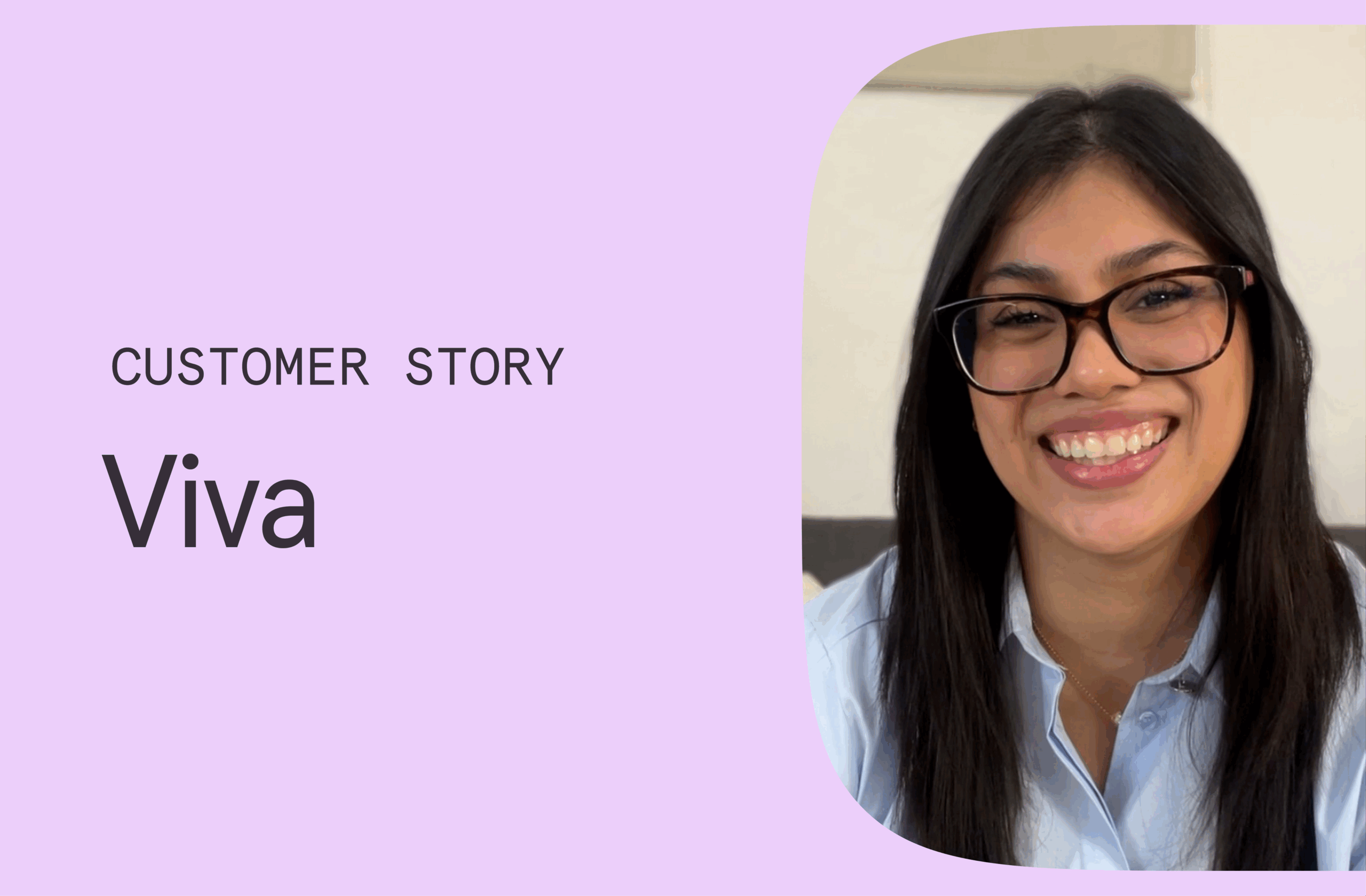
How Viva scaled talent acquisition and cut time to hire by 75% with Typeform

Software Stack Editor · October 29, 2025 ·

image

Startups move fast. Luckily, Viva, a subscription-based executive assistant (EA) service for C-level startup leaders, knows how to keep pace. Viva helps founders and executives reclaim their time while increasing productivity and improving work-life balance by pairing them with highly skilled EAs.

“Our EAs are trained to support leaders with calendar and email management, team engagement, meeting support, and travel and expense support. Where we take it to the next level is through operational support such as process improvements, data analysis reports, and special projects,” said Viva Talent Acquisition Manager Grace Castro. “Whatever companies need to reach their business goals, we’re there to help.”

With thousands of applications rolling in every month and pressure to scale quickly, Grace and the rest of the Talent team hit a bit of a roadblock: growing fast without overwhelming recruiters while still delivering an outstanding candidate experience.

Legacy systems offered low visibility

Grace had worked with her fair share of clunky legacy systems that slowed down even the most nimble teams. When Grace joined Viva, she inherited Typeform and it was love at first sight.

“Before I started using Typeform, we were a data mess. The tools we used felt like they were built 40 years ago, so functions, integrations, and data visualization were all limited. The forms were outdated and hard to use for recruiters and candidates,” Grace explained. “Without access to good data, we couldn’t see where people dropped off or how to improve the experience for candidates.”

Using Typeform to build a better, faster, and more human hiring experience

Seeing the opportunity in front of her, Grace and her team got to work. They redesigned Viva’s entire application process in Typeform, making each touchpoint more candidate-friendly.

1. Shorter, smarter forms that drive completions

By tapping into Typeform’s analytics, Grace and her team uncovered some clear friction points:

  • Top-of-funnel forms took up to two hours to complete
  • Many candidates started the application process but dropped out partway through
  • As a result, completion rates were very low

The candidate experience didn’t quite hit the mark, which reflected poorly on the business. One of the things Typeform delivered was visibility, which helped the team get to the heart of the issues.

“We finally understood why completion rates were low and why candidates were bouncing. Our application was just too long,” Grace explained. “We could see which questions caused people to drop off.”

Using those insights, the team shortened the application form, leveraged conditional logic to show only relevant questions, gave the UX a glow-up to be more attractive and user-friendly, and ensured it was fully responsive so candidates could easily apply on any device.

“It’s a very easy experience now,” Grace said. “The visuals of the design are customizable, so candidates can apply quickly on their phone or laptop, then return later to complete evaluations.”

The team also split the original form into two parts: a short initial application and a separate screening form that candidates could complete later.

Their efforts paid off:

  • Application completion time plummeted 93%, from two hours to just nine minutes
  • Completion rates jumped to 50%

2. Extending a great experience beyond hiring

Viva knows talent acquisition doesn’t stop at an offer letter. Once Grace and her team understood what a difference Typeform made during the hiring process, they quickly expanded its use across the entire employee lifecycle, including:

  • Candidate feedback surveys at multiple stages of their journey
  • Onboarding forms to collect documents and references
  • Training surveys and performance reviews
  • Staff engagement surveys throughout the year
  • PTO and leave requests
  • Customer satisfaction forms for clients using their EA service

“We use Typeform for employees and customers to get feedback and understand their experience,” Grace said. “You might think CEOs and CFOs wouldn’t have time for surveys, but that’s the incredible thing about Typeform: You can make forms as short or as quick as you like, so they actually do it.”

Thanks to Typeform’s flexibility and customization, each form feels like part of a singular, seamless Viva experience. Whether you’re a candidate, new hire, or customer, the interaction is consistent, smooth, and, most importantly, human.

3. Automating workflows to save time and cost

After optimizing the frontend, Grace shifted the team’s focus to automating manual processes that bogged down the team. The team cut time-consuming follow-ups and other administrative work by integrating Typeform with tools like Slack, Google Sheets, Notion, and Zapier. It was like a magic wand, enabling them to scale recruitment without hiring more recruiters.

Now, when someone submits a form, the right person is automatically notified in Slack. Data flows straight into Google Sheets, databases update in Notion, and basically any other automation Viva can dream up.

“Everything happens automatically in the background, reducing the manual workload and making sure nothing gets left behind,” Grace commented.

This automation revolution helped cut the time to hire from 20 days down to five. Great candidates don’t wait around, so the faster hiring speed gives Viva a real edge in securing high-quality candidates before competitors do.

4. Maintaining a human touch at scale

Viva now handles a staggering 48,000+ applications a year using Typeform. “Most tools don’t have the capacity to take on so many applicants,” Grace remarked.

At that scale, it can be hard to prevent the hiring process from resembling a series of soulless transactions. Fortunately, Viva hasn’t lost what makes their Talent team unique: a genuinely human and empathetic recruitment process. No candidate wants to be a number in a crowd. They want to be treated like human beings, and Viva has found a way to maintain their core values even as their applicant volume skyrockets.

“Typeform has allowed me to keep that human touch that we don’t want to lose,” Grace shared. “Of course, we want to keep growing as a company, onboarding more customers and building a bigger team, but never at the cost of quality or losing that human connection. What’s great about Typeform is that it lets us keep that personal touch at all our different touch points, staying true to who Viva is.”

That dedication to the personal touch elevates the entire process. It creates a top-tier hiring experience while reflecting the kind of company culture candidates can expect when they join the team.

Typeform: the tool talent teams have been waiting for

For any HR team struggling with candidate drop-off, drowning in manual tasks, or making decisions without the right hiring insights, Grace has a clear message:

“Other tools just don’t compare. Typeform is cost-effective, easy to use, and gives you the data you actually need. I wouldn’t lead another recruitment process without it.”

Viva’s biggest wins come down to two things: speed and visibility. Smooth integrations with a wide range of popular apps fuel a faster, more efficient process that allows them to scale recruitment without scaling costs. And with deeper insights across the funnel through Typeform’s built-in reporting capabilities, recruiters know what’s working — and where to focus where it really counts.

“Typeform gives us visibility on data, and understanding the drop off points, completion rates, and completion times has helped us improve the candidate experience,” Grace said. “Partnering with Typeform was definitely the best decision. What it’s done for my team is incredible.”

Want to streamline your hiring process like Viva?

Start building your next job application form with Typeform.

‍

Typeform launches AI engagement platform to turn forms into workflows

Software Stack Editor · October 23, 2025 ·

image

Typeform today launched its AI engagement platform, marking a major step in the company’s evolution from form builder to engagement ecosystem. Built on insights from over 1 billion anonymized responses, the platform unites forms, automation, and data to help small and medium-sized businesses (SMBs) capture data and turn responses into results within a unified, enterprise-grade system. 

“This launch represents a defining moment not only for Typeform, but for the millions of small businesses ready to harness AI,” said Aleks Bass, Chief Product Officer at Typeform. “With this evolution, we’re democratizing automation and intelligence, giving every team superpowers once reserved for enterprises.”

Until now, SMBs have relied on multiple tools to build forms, nurture leads, and convert customers. Typeform unites those capabilities in one integrated platform, making advanced creation, enrichment, automation, and analytics simple, accessible, and human. Early adopters have trimmed the average time to launch a campaign from days to minutes and boosted completion rates by up to 20%, transforming what used to be a manual, multi-tool workflow into a single streamlined experience.

Unveiled at Typeforum 2025, Typeform’s virtual product launch event, the new capabilities usher in the next generation of Typeform, where conversations don’t just start, but move businesses forward. 

Create Smarter Forms and More Engaging Experiences

  • Typeform AI: Now available in beta, Typeform AI creates high-performing forms and workflows trained on insights from over 1 billion anonymized responses, all from a chat-based prompt. It optimizes structure, tone, and flow to maximize completion rates and data quality. 
  • FAQ with AI and Clarify with AI: First-of-its-kind, form-embedded intelligence answers customer questions in real time, using context trained directly on company content. This dynamic guidance deepens insights, reduces drop-off, and improves accuracy within the form experience.
  • Video & Audio Blocks: Multimodal experiences add a human touch to every interaction by giving respondents the flexibility to engage through video, voice, or text. Each interaction feels natural, on-brand, and personal, capturing richer data and strengthening connections between businesses and their customers. 

Turn Every Response Into Action, Insights, and Sales

  • Contacts: Organize and segment the people behind every response. Get a unified view across all forms and connected data sources.
  • Automations: Follow up instantly with personalized workflows that engage customers and convert leads.
  • Enrichment & Follow-ups: Go beyond data collection with built-in enrichment and automated follow-ups that combine first-party responses with insights from trusted third-party sources, supporting both B2B and B2C data.
  • Smart Insights: Instantly summarize and interpret responses, turning data into clear, actionable intelligence.
  • Payments Integration: Accept PayPal, Stripe, and other payment methods directly within Typeform to drive conversion and close transactions in-flow.

“It’s rare to find a tool that’s both beautifully simple and incredibly powerful,” said Abir Syed, Co-Founder at UpCounting. “What used to take our team hours now takes minutes. Typeform’s thoughtful use of AI helps us automate manual work while preserving the personal touch that builds real relationships.”

Looking ahead, the company plans to expand its capabilities through new interaction formats, richer integrations, and deeper analytics.

Discover Typeform’s AI engagement platform at www.typeform.com.

Typeformer Stories: Alistair H. on Building Bold Products in the Age of AI

Software Stack Editor · October 16, 2025 ·

image

This series is about the people behind the product: the thinkers, builders, and doers shaping the future of Typeform and the industry. 

First up: meet Alistair, Senior Product Manager of the team on a mission to envision what the future of form-filling, form user experiences, and data collection will and should look like. 

When a Surfing Mini‑Game Redefined Product Velocity

Alistair once spent an evening building a retro surfing game where players could dodge sharks, piers, and rogue surfers. A kind of pixelated mash-up between Kelly Slater Pro Surfer and Mario Kart.

“It was a total flop, but it was fun,” he said. “And it proved something important: how fast an idea could move from thought to testable product using AI prototyping tools.”

That spirit of low-risk experimentation, fast feedback loops, and serious play now fuels the work Alistair leads at Typeform as Senior Product Manager for the team that captures all things conversational, generative AI at Typeform. And while the surfing game didn’t ship, the lessons from it now influence how some of Typeform’s most ambitious product ideas come to life.

Envisioning the Future of Forms

Alistair’s Typeform mission is deceptively simple: rethink what a form can be. He leads the team exploring the intersection of generative AI, user experience, and data collection. While PMs at other companies may be tweaking question types or optimizing button placements, Alistair is reimagining how businesses and customers interact.

He envisions a data collection future that’s more conversational and human-like. Less rigid and predictable, and far more engaging. The goal is to augment, and ultimately reinvent, how people share information, shifting toward experiences that are multi-modal, dynamic, and deeply personal.

Typeform has always stood out by putting UX and design first. Now, Alistair’s team is pushing that foundation further. “I came to Typeform with a fresh set of eyes and a mentality that everything can be broken,” he said. “I’ve been given a lot of autonomy and space to go out into the market and do research into the latest technologies and understand how these could be applied.”

“I’ve also spent a lot of time talking to customers about how they see the future of Typeform, data collection, and applied AI. How do they want to communicate with their customers in the future? How do their customers want to provide their data? What makes for an engaging experience? The future isn’t just about inserting AI into forms; it’s about evolving the entire experience.” 

The Sandbox: Building Fast, Learning Faster

At the heart of Alistair’s work is a bold initiative: rethinking how ideas become products through a company-wide AI prototyping sandbox.

The idea? Use new AI prototyping tools to dramatically accelerate the path from concept to customer-ready solutions. Identify where teams get stuck, then remove the blockers. “I’ve been studying our entire product development lifecycle. Where do ideas stall? What slows us down from concept to customer? Then I find the tooling that can fix that.”

The initiative empowers more Typeformers to get scrappy. AI tools are enabling PMs to spin up working prototypes in hours. Designers can test interaction patterns in days. Engineers can try new logic models without waiting for full plans.

It’s the beginning of a new product paradigm. One where creativity is more important than credentials, and velocity doesn’t sacrifice quality.

Real Features, Real Impact: Clarify and FAQ with AI

Two of the clearest outcomes from Alistair’s sandbox experiments are now live features in Typeform: Clarify with AI and FAQ with AI.

Clarify with AI gives a form the power to step in mid-flow. If a user response is vague or unclear, the form asks a smart follow-up question, resulting in richer data.

FAQ with AI emerged from Typejam, Typeform’s internal hackathon. It allows a form to “talk back” and answer respondent questions in real time, without leaving the form experience.

“What’s fascinating is that no customer asked for these. But when we showed them what was possible, they were blown away. It unlocked a new way of thinking.”

The team relied heavily on research sessions to validate these early ideas with real customers, getting rapid feedback, gauging surprise, and identifying use cases customers hadn’t even imagined yet. That’s a win-win: fewer assumptions, stronger validation, and more innovation. 

Guardrails for Innovation

In a world where many companies raced to add AI to stay trendy, Typeform is still moving fast, but taking a more thoughtful route. “We’ve seen the gimmicks. But gimmicks don’t last. AI is a powerful tool, but it’s not the answer to everything. That’s why we needed a framework to keep us focused on what matters.”

The product team codified a set of AI principles to guide every experiment:

  • Customer Problem First – Solve real problems. Never use AI just because it’s new.
  • Model Fit for Purpose – Choose the best model for each use case, not the most advanced.
  • Abstract the Complexity – Don’t force users to become prompt engineers.
  • Trust and Transparency – Launch carefully. Label clearly. Give users control.
  • Continuous Improvement – Feedback loops aren’t optional—they’re built in.

These principles serve as a north star, ensuring we solve real problems, not just build for fun (as much as we love a good surfer game)! They help us maintain trust and high standards as we scale.

Raising the Bar from the Inside

If there’s one way Alistair lives #HighExpectations, it’s how he pushes his team, and those around him across departments and roles, to think differently. That’s especially true when it comes to how product ideas are imagined. “I really believe this is the future: a world where idea generation and creation are democratized, and anyone can turn a concept into something real.”

Instead of separating functions, Alistair blurs them. He encourages engineers to think like PMs, designers to contribute to strategy, and PMs to code rough prototypes. It’s all part of raising the bar. Not just on what gets built, but on how people build it. 

“The technology is only going to get better. We’re working with the most early-stage version of these tools we’ll ever see. That’s why I’m pushing the team to start building now: prototype ideas, share them, show them to customers. This is a new paradigm for product development, and we’re at the forefront of adopting it.”

That collaborative, ownership-driven culture, and a mentality that encourages risk, is what makes bold bets like Clarify and FAQ possible. As Alistair put it: “You’re trying to convince someone of a future that doesn’t, and may never, exist. It doesn’t always work, but when it does, you can win big.”

Advice for Bold Builders

His piece of advice for PMs who want to take bigger swings but feel stuck in “safe” product work, and for anyone ready to lead in the next era of building? “Get good at storytelling. As the way we build changes fast, the ability to come up with something new, and communicate it, visualize it, and get buy-in, will be key. Take risks, keep learning, and show people what’s possible.” 

As he continues his work, there’s a clear legacy he hopes to leave behind. “Forms redefined. Disrupted. Multi-modal. Conversational forms you can talk to on any medium. And all with that same Typeform ‘keep-it-stupid-simple’ style we’re known for.” 

He’s not chasing gimmicks. He’s reimagining how companies collect data, and how brands connect with their customers through online interactions that are anything but ordinary. 

Build With Us

At Typeform, we launch ideas. And we’re always looking for people who want to build like that, too. If this sounds like the right place for you, join us. 

‍

Typeformer Stories: Alistair S. on Building Bold Products in the Age of AI

Software Stack Editor · October 16, 2025 ·

image

This series is about the people behind the product: the thinkers, builders, and doers shaping the future of Typeform and the industry. 

First up: meet Alistair, Senior Product Manager of the team on a mission to envision what the future of form-filling, form user experiences, and data collection will and should look like. 

When a Surfing Mini‑Game Redefined Product Velocity

Alistair once spent an evening building a retro surfing game where players could dodge sharks, piers, and rogue surfers. A kind of pixelated mash-up between Kelly Slater Pro Surfer and Mario Kart.

“It was a total flop, but it was fun,” he said. “And it proved something important: how fast an idea could move from thought to testable product using AI prototyping tools.”

That spirit of low-risk experimentation, fast feedback loops, and serious play now fuels the work Alistair leads at Typeform as Senior Product Manager for the team that captures all things conversational, generative AI at Typeform. And while the surfing game didn’t ship, the lessons from it now influence how some of Typeform’s most ambitious product ideas come to life.

Envisioning the Future of Forms

Alistair’s Typeform mission is deceptively simple: rethink what a form can be. He leads the team exploring the intersection of generative AI, user experience, and data collection. While PMs at other companies may be tweaking question types or optimizing button placements, Alistair is reimagining how businesses and customers interact.

He envisions a data collection future that’s more conversational and human-like. Less rigid and predictable, and far more engaging. The goal is to augment, and ultimately reinvent, how people share information, shifting toward experiences that are multi-modal, dynamic, and deeply personal.

Typeform has always stood out by putting UX and design first. Now, Alistair’s team is pushing that foundation further. “I came to Typeform with a fresh set of eyes and a mentality that everything can be broken,” he said. “I’ve been given a lot of autonomy and space to go out into the market and do research into the latest technologies and understand how these could be applied.”

“I’ve also spent a lot of time talking to customers about how they see the future of Typeform, data collection, and applied AI. How do they want to communicate with their customers in the future? How do their customers want to provide their data? What makes for an engaging experience? The future isn’t just about inserting AI into forms; it’s about evolving the entire experience.” 

The Sandbox: Building Fast, Learning Faster

At the heart of Alistair’s work is a bold initiative: rethinking how ideas become products through a company-wide AI prototyping sandbox.

The idea? Use new AI prototyping tools to dramatically accelerate the path from concept to customer-ready solutions. Identify where teams get stuck, then remove the blockers. “I’ve been studying our entire product development lifecycle. Where do ideas stall? What slows us down from concept to customer? Then I find the tooling that can fix that.”

The initiative empowers more Typeformers to get scrappy. AI tools are enabling PMs to spin up working prototypes in hours. Designers can test interaction patterns in days. Engineers can try new logic models without waiting for full plans.

It’s the beginning of a new product paradigm. One where creativity is more important than credentials, and velocity doesn’t sacrifice quality.

Real Features, Real Impact: Clarify and FAQ with AI

Two of the clearest outcomes from Alistair’s sandbox experiments are now live features in Typeform: Clarify with AI and FAQ with AI.

Clarify with AI gives a form the power to step in mid-flow. If a user response is vague or unclear, the form asks a smart follow-up question, resulting in richer data.

FAQ with AI emerged from Typejam, Typeform’s internal hackathon. It allows a form to “talk back” and answer respondent questions in real time, without leaving the form experience.

“What’s fascinating is that no customer asked for these. But when we showed them what was possible, they were blown away. It unlocked a new way of thinking.”

The team relied heavily on research sessions to validate these early ideas with real customers, getting rapid feedback, gauging surprise, and identifying use cases customers hadn’t even imagined yet. That’s a win-win: fewer assumptions, stronger validation, and more innovation. 

Guardrails for Innovation

In a world where many companies raced to add AI to stay trendy, Typeform is still moving fast, but taking a more thoughtful route. “We’ve seen the gimmicks. But gimmicks don’t last. AI is a powerful tool, but it’s not the answer to everything. That’s why we needed a framework to keep us focused on what matters.”

The product team codified a set of AI principles to guide every experiment:

  • Customer Problem First – Solve real problems. Never use AI just because it’s new.
  • Model Fit for Purpose – Choose the best model for each use case, not the most advanced.
  • Abstract the Complexity – Don’t force users to become prompt engineers.
  • Trust and Transparency – Launch carefully. Label clearly. Give users control.
  • Continuous Improvement – Feedback loops aren’t optional—they’re built in.

These principles serve as a north star, ensuring we solve real problems, not just build for fun (as much as we love a good surfer game)! They help us maintain trust and high standards as we scale.

Raising the Bar from the Inside

If there’s one way Alistair lives #HighExpectations, it’s how he pushes his team, and those around him across departments and roles, to think differently. That’s especially true when it comes to how product ideas are imagined. “I really believe this is the future: a world where idea generation and creation are democratized, and anyone can turn a concept into something real.”

Instead of separating functions, Alistair blurs them. He encourages engineers to think like PMs, designers to contribute to strategy, and PMs to code rough prototypes. It’s all part of raising the bar. Not just on what gets built, but on how people build it. 

“The technology is only going to get better. We’re working with the most early-stage version of these tools we’ll ever see. That’s why I’m pushing the team to start building now: prototype ideas, share them, show them to customers. This is a new paradigm for product development, and we’re at the forefront of adopting it.”

That collaborative, ownership-driven culture, and a mentality that encourages risk, is what makes bold bets like Clarify and FAQ possible. As Alistair put it: “You’re trying to convince someone of a future that doesn’t, and may never, exist. It doesn’t always work, but when it does, you can win big.”

Advice for Bold Builders

His piece of advice for PMs who want to take bigger swings but feel stuck in “safe” product work, and for anyone ready to lead in the next era of building? “Get good at storytelling. As the way we build changes fast, the ability to come up with something new, and communicate it, visualize it, and get buy-in, will be key. Take risks, keep learning, and show people what’s possible.” 

As he continues his work, there’s a clear legacy he hopes to leave behind. “Forms redefined. Disrupted. Multi-modal. Conversational forms you can talk to on any medium. And all with that same Typeform ‘keep-it-stupid-simple’ style we’re known for.” 

He’s not chasing gimmicks. He’s reimagining how companies collect data, and how brands connect with their customers through online interactions that are anything but ordinary. 

Build With Us

At Typeform, we launch ideas. And we’re always looking for people who want to build like that, too. If this sounds like the right place for you, join us. 

‍

Facebook event image size: a simple guide

Software Stack Editor · October 14, 2025 ·

If you’re planning to bring people together, you know that planning starts with an invite. And Facebook makes it easy to create an event, share the details, and get an idea of who’ll be attending (and who, regrettably, can’t make it,) all from a digital platform. A memorable Facebook event photo keeps your event top of mind and helps it stand out from the mindless scrolling of social media.

Luckily, there are plenty of tools and tips to help you create an effective, on-brand Facebook event photo. Let’s start from the top.

Typeform-Blog-Facebook-event-Inline
Picking the right frame really can make all the difference. Image by RawPixel, Unsplash

Picking the right frame really can make all the difference. Image by RawPixel, Unsplash

Facebook events are one of the most effective ways to bring people together—whether you’re hosting a virtual webinar, an in-person meetup, a product launch, or an online sale. With a well-crafted Facebook event page, you can easily share event details, invite attendees, and keep everyone informed, all in one place. The right Facebook event photo size and a clear, engaging event photo help your event stand out in busy newsfeeds, making it more likely that people will notice and RSVP. Creating the best Facebook event means paying attention to every detail, from the event photo to the event description, so your attendees know exactly what to expect. Whether your event is virtual or face-to-face, a professional event page with the correct photo size and compelling event details can make all the difference in boosting attendance and creating a memorable experience.

Facebook event image dimensions

The first tip for creating a well-designed Facebook event photo is to make sure it’s the right size and dimensions. Using the correct dimensions for your Facebook event cover photo is crucial—if your image doesn’t meet the right specs, Facebook will stretch or crop it to fit the requirements, which can result in poor visual quality and lower engagement. For best results, always use the recommended size and format.

The latest specifications for the main Facebook event photo are:

  • 1920 x 1005 pixels—this 16:9 ratio is the standard size for best quality across all screen sizes. Using the correct facebook event cover photo size (1920 x 1005 pixels) ensures your image displays properly and looks professional.

Choosing the right event cover photo size matters because it helps your event page stand out, improves visibility, and increases engagement. The image size you select affects how your cover photo appears on different devices, so always check that your image displays correctly on both desktop and mobile.

Before you upload your image, prepare your file by making sure it’s in a supported format (like JPG or PNG) and has a high enough resolution for sharp display. Optimize your file size to ensure fast loading without sacrificing quality.

Use software such as Photoshop or Canva to set the correct pixel dimensions, adjust your image, and preview how it will look after cropping. When you’re ready, upload your image to Facebook using the event cover photo upload feature.

Even if you decide to stray from the suggested pixel dimensions, stick to the 16:9 ratio so your image displays correctly across all devices.

But marketers know it’s rarely as simple as grabbing an asset that meets the minimum requirements and adding it to your content. Let’s figure out what makes a good Facebook event photo and how to make one.

What makes a good Facebook event photo?

Sometimes it’s helpful to start with what qualities make a bad example. Your Facebook event photo shouldn’t be

  • Blurry. Your image should be properly sized and work across all screen sizes
  • Generic stock images.
  • Unrelated to your brand. Who are you anyway? Make sure your branding is consistent—use your logo, brand colors, and fonts so your event is easily recognizable.
  • Filled with too much text. Facebook prefers ads and event photos with minimal text. As a rule of thumb, less than 20% of the image should contain text.

Also, Facebook says you shouldn’t include contact information like a URL, email address, or phone number in the event image.

Now let’s look at what makes a good Facebook event header:

  • Unique, eye-catching image. Attract the attention of people who may not even be aware of your company. Brainstorm ideas for your event photo to make it stand out and engage your audience.
  • Supports your brand. Use images with similar color schemes, fonts, and your logo. Consistent branding elements help your event be recognizable as you. Consider using a custom illustration style that matches your brand for added visual appeal and recognition.
  • Event details. Add the date, time, venue, and any special guests. Clearly communicate essential information through the cover image so attendees know what to expect.
  • Clarity. Help Facebook users instantly understand what the event is about. Keep the focus on the main event message and avoid unnecessary distractions.

Have a recurring event? Make a template image that you can easily edit with updated details of the next event. If you’re going it alone without a design team, Canva can be your sidekick in content creation. Canva makes it easy to craft a single Facebook event image or create a template to use over and over again.

How to add a Facebook event header

Now that you’ve got an image, it’s time to add it to your event. If you’re not already an admin to the event on Facebook, you’ll need to ask someone who is to make you an event host.

The process may vary slightly depending on the device you’re using (desktop or mobile).

Then follow these simple steps:

  • On desktop, click “Add Event Photo” at the top right of the event page. On mobile, tap “Add Event Photo.”
  • Choose your photo and reposition it if necessary.
  • On desktop, click “Save Changes.” On mobile, tap save to confirm your changes.

You can’t edit the size of your uploaded photo. But you can reposition the picture if it doesn’t exactly meet the specs.

To manage your event cover photo, you can always edit or update it later by repeating these steps.

Once you’re happy with your event details and cover photo, make sure to publish your event so it becomes live and visible to your audience.

Want to step it up a notch? Use a video in the banner for your Facebook event. Facebook recommends videos between 30 seconds and 5 minutes.

Don’t forget: You can also add photos and videos to the event page itself. Let your guests add them for that crowdsourced, community feeling by adding them as co-hosts.

Want some tips for your other Facebook images? Check out our guides on Facebook cover photo size and Facebook ad specs.

Where will the event photo show up?

Once you’ve added it, your event photo appears in four main places for Facebook users and invitees. These are:

  • The Facebook Newsfeed. On desktop this appears as 470 x 174 pixels and on mobile as 560 x 208 pixels.
  • Main event page. Right there at the top.
  • Upcoming events. The image appears as a thumbnail.
  • Suggested Events. If your event is public, it’ll appear to other Facebook users as a thumbnail.

Your event photo also appears to your friends when they browse events or receive invitations, helping to build excitement and community. For a business, having a recognizable event image can boost reach and brand recognition, especially when co-hosting with other business pages. A well-designed event photo can spark interest among potential attendees, making your event stand out.

So choose a high-quality photo that’ll look amazing at different resolutions and sizes—on both desktop and mobile.

Common mistakes to avoid with event cover photos

When designing your Facebook event cover photo, it’s easy to make mistakes that can hurt your event’s visibility and appeal. One of the most common issues is using an image that’s too small, which can lead to stretching, pixelation, and a loss of quality when Facebook scales your photo for different devices.

Another frequent problem is choosing the wrong aspect ratio—if your cover photo doesn’t match Facebook’s recommended dimensions, important parts of your event photo might get cropped out, making your event details less visible to potential attendees. Overloading your cover photo with too much text or overly complex designs can also make it hard to read, especially on mobile views where space is limited.

Additionally, using low-quality or irrelevant images can make your event look unprofessional and may confuse users about what your event is actually about. To create a professional and effective Facebook event cover photo, always use high-resolution images, stick to the correct photo size, and keep your design simple and focused on what matters most for your event and your attendees.

Optimizing your Facebook event

To get the most out of your Facebook event, optimization is key. Start by crafting a clear and concise event description that tells attendees exactly what to expect. Use relevant keywords throughout your event page to help your event show up in Facebook searches and reach more people. High-quality images are essential—not just for your event cover photo, but also for any additional photos you add to the event page. Make sure to set a specific date and time for your event, and consider creating a sense of urgency by limiting ticket availability or setting a registration deadline.

Additionally, take advantage of Facebook’s built-in features like event reminders and notifications to keep your attendees engaged and informed as the event date approaches. By optimizing every aspect of your Facebook event, you’ll increase visibility, drive attendance, and ensure a smooth experience for everyone involved.

Summing up: event photo size does matter

If you plan to use Facebook events as a key part of your social media marketing strategy, then you need a photo that hooks your audience immediately, clearly communicates your brand, and sells an honest expectation of the event you’re throwing.

Note: Always use the recommended image size for your Facebook event cover photo to avoid cropping or poor display on different devices.

Optimizing your event photo size and design can significantly enhance the overall performance of your Facebook event by increasing engagement and visual appeal.

Get it right, and you’ve taken your first small step towards a successful event.

Survey vs. questionnaire: What’s the difference?

Software Stack Editor · October 14, 2025 ·

Cement vs. concrete. Poisonous vs. venomous. Shrimp vs. prawn.

Survey vs. questionnaire.

There are a ton of words in English that people mistake for synonyms. Although these words have different meanings, they tend to be used interchangeably. But delve into the details, and you see that they’re actually very different.

Surveys and questionnaires are a great example of this. There are a few differences between them, such as sample sizes and whether or not you’re looking to report and analyze data. In this article, we’ll dive into the key difference between a survey and questionnaire every marketer, manager, and researcher should know: a survey refers to the entire research process, including design, data collection, aggregation, and analysis, while a questionnaire is just the set of questions used to gather information.

Survey vs. questionnaire: Differences and definitions

A survey collects data about a group of people so you can analyze and forecast trends about that group. As opposed to its questionnaire cousin, the data isn’t analyzed in isolation. Surveys look for trends, behavior, or a bigger picture rather than individual insights. A broader survey aggregates and analyzes data from multiple questionnaires or data sources to identify patterns and collective insights. The term survey refers to a comprehensive research method that includes not just the questions, but also the design, delivery, collection, and analysis of data. A survey includes all these elements to provide a complete understanding of the overall situation or opinion. Surveys typically involve multiple respondents, allowing organizations to aggregate responses from many people for broader insights. Surveys are often used in descriptive research to understand and characterize populations or phenomena by answering questions like who, what, where, and when. The purpose of a survey is to collect and analyze statistical data, supporting data-driven decision making.

A questionnaire collects data about individuals from a list of questions. It’s not used to look for trends, behavior, or a bigger picture. A questionnaire is usually limited in scope, and it isn’t used for gathering data or analyzing statistics.

Here’s another way to put it:

  • A questionnaire is a single-purpose data collection through a set of questions.
  • A survey is data collection using a set of questions for statistical analysis.

A survey covers the entire process from designing and delivering questions to collecting and analyzing responses, making it a comprehensive research tool.

‍

In the average person’s daily life, it’s not really a big deal to use “survey” and “questionnaire” interchangeably. But why? Well, sometimes because the context clears things up. Other times, the difference is so subtle the mishap goes unnoticed and unpunished, and so confusing the two terms doesn’t impact the message.

But these differences matter when it comes to surveys and questionnaires. Clarity is crucial if you’re the person reaching out for information. For marketers, managers, and researchers, these terms are two different beasts.

Once you have a handle on precisely what each does and doesn’t do, you’ll never mix them up again.

What is a survey?

If you’ve ever been handed a slip of paper asking for feedback after enjoying a dinner out, then you’re familiar with surveys.

Think of a survey as a major project that uses a larger dataset to analyze trends in that dataset. With a survey, you can dig deeper and find out peoples’ opinions and ideas. Surveys are designed to gain insights into behaviors, preferences, and attitudes, helping organizations make informed decisions.

By analyzing data from survey responses, you can extract valuable insights that inform research outcomes. The collected data must be unbiased to ensure accurate and useful results. Gathering detailed data through various question types allows for a comprehensive understanding of respondents. Surveys are also used to uncover trends by identifying patterns and shifts in opinions or behaviors. You can ask demographic survey questions, determine how engaged your employees are, conduct market research, and much more.

Survey types

Surveys come in many shapes and sizes, each designed to collect data for a specific purpose and provide actionable insights about your target audience. Some of the most widely used survey types include customer satisfaction surveys, Net Promoter Score (NPS) surveys, Customer Effort Score (CES) surveys, and System Usability Scale (SUS) surveys.

Customer satisfaction surveys are essential tools for measuring how happy your customers are with your product or service. By gathering feedback directly from survey respondents, businesses can identify strengths and areas for improvement, helping to boost overall customer satisfaction.

Net Promoter Score (NPS) surveys focus on customer loyalty by asking a simple but powerful question: “How likely are you to recommend us to a friend or colleague?” The responses provide a clear metric for customer loyalty and can help you track changes over time.

Customer Effort Score (CES) surveys are all about ease of use. These surveys ask customers how easy it was to complete a specific action, such as making a purchase or getting support. CES surveys help businesses pinpoint friction points in the customer journey and make practical improvements.

System Usability Scale (SUS) surveys measure how user-friendly a system or product is. By collecting data on usability, companies can refine their products to better meet user needs.

Each of these survey types is tailored to collect specific data, whether it’s about customer satisfaction, loyalty, or usability. By choosing the right survey for your goals, you can gain valuable insights into your target audience and make informed decisions that drive customer satisfaction and loyalty.

What is a questionnaire?

Flashback to the last time you joined a gym. Maybe you opted for a health check when you signed up. If so, you’d have been asked to answer a list of specific questions about your medical history.

That was a questionnaire.

Questionnaires are a common tool for collecting information from individuals, allowing organizations to gather data for various purposes. The information you provide is used to assess risk, help with diagnoses, and paint a picture of your personal medical history. Open-ended questions in questionnaires are often used in qualitative research to collect in-depth, non-numerical insights. Closed-ended questions, on the other hand, are used in quantitative research to gather numerical data that can be analyzed statistically. The data collected from these questionnaires becomes valuable research data, supporting further analysis and decision-making.

In applied research, questionnaires can help identify practical solutions to real-life problems, such as improving workplace productivity. Today, questionnaires are frequently distributed as an online form, making it easier to reach respondents and collect feedback digitally. It’s not used to look for trends, behavior, or paint a bigger picture.

Questionnaire design

Creating an effective questionnaire is the foundation of collecting high quality data and ensuring your research project delivers meaningful results. The design process starts with understanding your target audience—what are their needs, preferences, and characteristics? Tailoring your questions to your audience helps you gather information that’s both relevant and reliable.

There are several types of questionnaires, each suited to different research methods and objectives. Quantitative questionnaires use closed ended questions with predefined answer choices, making it easy to collect numerical data for statistical analysis. These are ideal for gathering large amounts of data quickly and efficiently. Qualitative questionnaires, on the other hand, feature open-ended questions that encourage detailed, written responses. This approach is perfect for collecting personal accounts and qualitative feedback that provide deeper insights.

Demographic questionnaires focus on collecting data about characteristics like age, gender, income, and education, helping you segment your audience and analyze trends across different groups. Psychographic questionnaires go a step further by exploring attitudes, values, and lifestyle choices, offering a richer understanding of what motivates your respondents. Pictorial questionnaires use images and visuals to collect responses, making them especially useful for advertising, branding, or when working with younger audiences.

To ensure the data collected is accurate and actionable, keep your questions clear, concise, and free from leading questions or unclear response options. Using online survey tools can streamline the process, allowing you to create, distribute, and analyze questionnaires with ease—no matter the size of your audience. With thoughtful questionnaire design, you’ll be well-equipped to collect data that drives high quality insights and supports your research goals.

When to use a survey vs. questionnaire

So, when all is said and done, does any of this matter? Who even cares about the terminology?

Let’s go back to the gym membership example.

When you answer all those questions about heart problems, fainting, and diabetes, your answers aren’t used to assess the health of local people in the area. Unless you reveal you have a medical condition, that questionnaire is placed in your file—until it’s needed.

But what if that medical questionnaire were being used as part of a large-scale medical research program?

Simply filing that piece of paper away wouldn’t achieve anything—the answers on it would have to be collated and merged with the answers given by other people.

And this is when the questionnaire becomes part of a survey. There’s a need to turn that raw data into actionable intelligence, which requires aggregation, analysis, and the identification of statistical trends.

Now, to dial your level of confusion up to 11, there’s also such a thing as a survey questionnaire. It starts as a simple questionnaire but later transforms into a survey—mindblown.

Imagine you’re trying to gauge how your employees feel about working with you. By using Likert scale questionnaires, you can ask people to express their feelings on a scale of, say, one to five. Then, by aggregating the scores, you can get an overall picture of satisfaction levels within your organization.

Let’s talk through some common situations where you might need to gather data and how you can choose between using a survey versus a questionnaire.

Building your pipeline

Surveys and questionnaires have their own purposes, so how do you decide which is right for what you need to accomplish?

Questionnaires are better suited for when you need quick data intake. Looking to gather contact information for new clients? A questionnaire is a great way to get everything you need.

Surveys are better for gathering large sets of data to interpret and pull trends from. Looking to create a report analyzing the behaviors of your top-converting prospects for some target audience research? A survey can help you spot and analyze big-picture trends. Collecting feedback through surveys is essential for understanding customer needs and improving your strategies based on real client input.

Collecting data

Both surveys and questionnaires work for data collection, depending on what you want to do with that data.

Surveys are typically employed when you need to collect large amounts of data about groups of people, while questionnaires are better suited for smaller groups or collecting data about individuals. It is important to ensure that the collected data is unbiased and accurate, as biased questions can compromise the quality and usefulness of the collected data.

Are you trying to gather info on which new benefits your employees want the most? A survey will do. What about helping your employees set goals for the next quarter? Try a questionnaire.

Data analysis

Surveys are the clear winner if you need to conduct data analysis. Think about a medical questionnaire—it’s helpful if you’re trying to evaluate a single patient’s health history, but you can’t use it to inform public health decisions.

A survey is built to make it easier to gather data about a large group of people, relying on qualitative data so you can pull patterns from responses at a glance. When analyzing data from surveys, you can extract valuable insights from aggregated responses to inform decision-making and research outcomes. Questionnaires typically gather quantitative data, so they tell you a lot about an individual, but are too complicated for data analysis.

Perfect your surveys and questionnaires with Typeform

We’ve covered everything you need to know about using a survey vsersus a questionnaire to gather the data you need. But how do you get started?

You don’t need to worry. Whether you need to gather information to gather customer feedback or learn more about your customers, help is at hand. Use a simple survey maker and give your survey the best possible start.

Remember that you need to ask the right questions—and in the right way, to get the best answers.

Typeform captures your participants’ attention and keeps them engaged, guiding them through your survey or questionnaire one step at a time. Conditional logic allows a customized experience for each respondent, helping you dive deeper and gather more data—without creating more surveys. And you never have to worry about security because Typeforms are PCI, HIPAA, and WCAG 2.1 compliant.

Questionnaire or survey, out-of-the-blue conversational data collection is the best way to increase engagement rates—and give your business the information it needs to grow.

How to measure employee engagement—Typeform blog

Software Stack Editor · October 14, 2025 ·

Employee engagement isn’t a one-time metric—it’s a mirror of how your people feel every day. It reflects motivation, satisfaction, trust, and belonging. And in a world of hybrid work, shifting priorities, and rapid growth, knowing how engaged your employees are has never been more critical.

Engaged employees don’t just perform better—they stay longer, advocate for your company, and build stronger cultures. But you can’t improve what you don’t measure.

Here’s how to measure employee engagement effectively (and continuously) with Typeform—so your feedback feels like a conversation, not a chore.

1. Start with the right questions

Measuring engagement begins with asking the right things. It’s not just about “Are you happy at work?”—it’s about uncovering what drives motivation, satisfaction, and trust.

How to do it with Typeform:

  • Start with a Pulse Survey template to gauge satisfaction, alignment, and well-being.
  • Use Likert scales (e.g., strongly agree → strongly disagree) for quantifiable results.
  • Mix in open-ended questions to capture nuance and ideas.

Example questions to include:

  • “I feel my work is recognized and appreciated.”
  • “I understand how my role contributes to company goals.”
  • “I see opportunities for growth within the organization.”
  • “What’s one thing we could do to improve your experience here?”

💡 Try an Employee Engagement Survey →

2. Measure engagement regularly, not annually

Annual surveys can miss what’s happening in the moment. Shorter, more frequent pulse checks give you a real-time view of morale and motivation—without overwhelming your team.

How to do it with Typeform:

  • Set up monthly or quarterly pulse surveys that take less than two minutes to complete.
  • Automate distribution using Typeform + Slack or Typeform + email integrations.
  • Track trends over time to see whether engagement is improving, holding steady, or slipping.

3. Dig deeper with eNPS

Your Employee Net Promoter Score (eNPS) is one of the simplest ways to benchmark engagement. It measures how likely employees are to recommend your company as a great place to work.

How to do it with Typeform:

  • Use a single eNPS question: “On a scale of 0–10, how likely are you to recommend [Company] as a place to work?”
  • Follow up with a logic-based open question: “What’s the main reason for your score?”
  • Analyze trends over time and segment responses by department, tenure, or location.

4. Combine quantitative and qualitative feedback

Numbers tell you what’s happening. Stories tell you why. The most effective engagement programs pair hard data with open feedback to uncover deeper meaning.

How to do it with Typeform:

  • Use matrix questions to track satisfaction across multiple dimensions (e.g., workload, recognition, leadership).
  • Add open-ended prompts like “What’s one change that would improve your work life?”
  • Visualize responses in your dashboard or export to Google Sheets or Looker Studio for analysis.

5. Close the feedback loop

Collecting engagement data is only half the job—the real value comes from acting on it. When employees see their feedback leads to real change, trust grows and engagement improves naturally.

How to do it with Typeform:

  • Send out a “You said, we did” update summarizing actions taken.
  • Use thank-you screens or automated follow-up emails to acknowledge feedback.
  • Embed video responses from leadership addressing top themes or concerns.

6. Share results transparently

Transparency builds credibility. When teams understand how their feedback shapes company decisions, engagement feels like a two-way partnership—not a black box.

How to do it with Typeform:

  • Present results visually using Typeform’s Insights dashboard or export to charts.
  • Share summaries in all-hands meetings or internal newsletters.
  • Encourage department heads to discuss results with their teams.

7. Keep engagement measurement ongoing

Engagement isn’t static—it evolves as your team grows. Build engagement measurement into your company rhythm, not just your HR calendar.

How to do it with Typeform:

  • Set recurring surveys using calendar reminders or automation tools.
  • Compare trends over time to see the impact of initiatives like new benefits, leadership changes, or policy updates.
  • Combine data from Typeform with HR analytics to see how engagement correlates with retention and performance.

Key takeaways

✅ Ask the right mix of quantitative and qualitative questions.
📆 Measure regularly—small, frequent check-ins beat annual reviews.
💬 Act on feedback and share results transparently.
📈 Track trends over time to prove ROI and retention impact.

Measure what matters—with Typeform

Employee engagement isn’t just about data—it’s about connection. With Typeform, you can design beautiful, conversational surveys that make employees feel heard while giving you the insights to drive meaningful change.

✨ Ready to start?
Try an Employee Engagement Survey Template → and start turning feedback into action.

6 steps to improving your employee onboarding experience

Software Stack Editor · September 23, 2025 ·

First days matter. Whether you’re welcoming one new hire or one hundred, onboarding is your chance to make a lasting first impression. It’s how you turn an accepted offer into an engaged teammate—and how you show new employees that they made the right choice joining your company.

But too often, onboarding feels like paperwork and process instead of connection and culture. The fix? Make onboarding more interactive, personalized, and human—the same way you’d approach great customer experiences.

Here’s how to improve your employee onboarding process with Typeform—so you can scale a warm welcome without losing the personal touch.

1. Personalize every new hire’s first day

No two employees start from the same place. Roles, locations, learning styles, and even tech comfort levels all vary. Personalized onboarding helps you meet people where they are and sets them up for success faster.

How to do it with Typeform:

  • Send a Preboarding Survey before day one to collect role details, preferences, and expectations.
  • Use Logic Jumps to adapt the experience for remote, hybrid, or in-office employees.
  • Sync responses to your HRIS or Slack to automatically notify managers about new hire needs.

Before their start date, send a short survey asking:

“What’s your preferred communication style?”
“Do you want your first week to be more structured or flexible?”

Their answers help tailor the first-week schedule, training plan, and even the welcome message.

💡 Template to try: Employee Onboarding Form Template →

2. Turn paperwork into a conversation

Let’s face it—traditional onboarding forms are nobody’s favorite. Endless PDFs and dense HR portals make a new hire’s first week feel like red tape, not a warm welcome. Typeform’s conversational format flips that experience on its head.

How to do it with Typeform:

  • Use one-question-at-a-time onboarding forms to make admin tasks simple and approachable.
  • Add friendly intro screens and light brand touches to reflect your culture.
  • Embed video messages from team leaders or founders directly in the form to make it personal.

Instead of sending an email with multiple attachments, send a form where new hires can upload documents, complete their bio, and get a short welcome video from the CEO—all in one flow.

💡 Template to try: New Hire Form →

3. Automate the admin—but keep the human touch

Automation doesn’t have to mean impersonal. With Typeform integrations, you can eliminate repetitive manual work while keeping every interaction warm and thoughtful.

How to do it with Typeform:

  • Connect Typeform to Slack, Notion, or Google Sheets to notify teams when a new hire completes their form.
  • Trigger automated welcome emails or checklist tasks via Zapier or Make.
  • Use personalized follow-ups to thank new hires or share their onboarding roadmap.

4. Design onboarding around connection, not completion

Most onboarding programs focus on checklists: forms signed, training done, boxes ticked. But real onboarding success comes from belonging and connection. Use interactive tools to make those human moments easier to scale.

How to do it with Typeform:

  • Run an “About You” survey for new hires, then share highlights in Slack or during introductions.
  • Create an icebreaker quiz to match new hires with mentors or team buddies.
  • Collect manager feedback on how the onboarding experience went using a quick follow-up Typeform.

5. Collect feedback early and often

You can’t improve onboarding if you don’t measure it. Feedback from new hires helps you spot friction points and celebrate what’s working.

How to do it with Typeform:

  • Send a First Week Feedback Form to capture initial impressions.
  • Follow up at 30 and 90 days to measure satisfaction and engagement.
  • Use Typeform analytics to track completion rates and identify trends over time.

6. Keep evolving your process

A great onboarding experience is never “done.” Roles, teams, and expectations change—and your onboarding should evolve alongside them.

How to do it with Typeform:

  • Analyze onboarding survey data quarterly to spot patterns.
  • Create pulse surveys for hiring managers to evaluate new-hire readiness.
  • Iterate your forms and flows based on real feedback—no developer required.

Build a better first day

Employee onboarding shouldn’t feel like bureaucracy—it should feel like joining a team. With the right forms and surveys at the right time, you can collect the details you need, share the warmth of your culture, and design an onboarding experience that scales without losing its human touch.

✨ Ready to create a better first day?

‍
Welcome your new hire with Typeform

‍

Powered by AI, led by humans: 3 ways to use AI in your HR workflows

Software Stack Editor · August 29, 2025 ·

Within months of ChatGPT’s launch and widespread adoption of AI, everyone—from the C-suite at billion-dollar companies to freelancers—jumped on the AI bandwagon.

“How can we use AI to automate more?”
“How can AI streamline HR workflows?”
“Will AI replace my job?”

AI’s unlimited potential and the hype around it created sky-high expectations. Do more with less—and to do it faster. But it wasn’t quite that simple. There was a disconnect between the C-suite and employees:

A 2024 Upwork Research Institute study found that 96% of C-suite execs expect AI to increase worker productivity. But over three-quarters of employees said that AI has “How can we use AI to automate more?”their workload.

Despite this misalignment, people teams are investing heavily in AI. With the right tools, you can use AI in HR workflows to hire faster, offer a better onboarding experience, and engage employees on a more human level—even when resources are tight.

But scaling with AI often means losing that critical human touch that makes employees feel seen, heard, and valued—not like just another data point.

The good news? AI doesn’t have to mean impersonal. Done right, it powers HR automation while creating personalized employee experiences. 

The question isn’t whether AI belongs in HR workflows—it’s how to use it without losing the human connection. We’re breaking down three strategies to do just that.

Whether your HR team has been small but mighty from the start or you’re navigating organizational changes, AI can help you cut your time-to-hire, simplify onboarding, and boost employee engagement.

By automating the tedious, manual tasks, AI gives you the time to do the real work—building relationships that foster long-term employee loyalty and employee satisfaction.

We know—automating your HR workflows can feel risky. Especially when employees are already wary of forms and surveys that feel like yet another task on their growing to-do lists.

And generic, AI-generated questions that feel off-brand and monotonous aren’t going to win anyone over. But with the right approach, AI can help you create dynamic, engaging workflows that feel personal and relevant.

That’s why Typeform for Talent blends HR automation with personalized touches that help you collect honest employee feedback, improve the employee experience, and create smoother onboarding.

So instead of a static form that feels like nothing more than data collection, you create personalized surveys that feel like real conversations.

Want to create those dynamic, conversational forms? Here are three ways you can use AI to create the forms employees actually fill out—without losing the human touch.

1. Auto-generate engaging forms for hiring, onboarding, and feedback

What comes to mind when you think about “AI-generated content?” Probably something generic and completely forgettable.

Sure, AI can crank out paragraphs in seconds, but something about the final product just feels “meh” and unengaging. Not the copy that attracts talent or keeps employees engaged.

That’s the challenge: AI-generated content is rarely warm and personal. But a human and personalized approach to all your HR workflows—recruitment, onboarding, and feedback—isn’t scalable.

The solution? Creator AI.

With Creator AI, you can instantly build job applications, onboarding quizzes, or check-in surveys tailored to your specific goals. Simply describe what you need and let Creator AI do the rest. You get a ready-to-use, branded, logic-powered form.

From there, you can make it your own—edit questions, add new ones, customize the design, and add that human touch. Stuck? Creator AI can suggest alternate phrasing or revisions, like recommending different question types (multiple-choice, rating, Likert scale). 

It can even create form variations for different needs. Tell Creator AI, “I need an onboarding checklist. Personalize it for the marketing department.” It’ll then adapt your original form to match the new purpose—no need to rebuild your form.

Quick, personal, and scalable.

Pro tip: Use Creator AI to align questions with your goals, like tailoring employee evaluation questions based on an employee’s department or role.

2. Personalize every path with logic and Interaction AI

The modern employee experience thrives on authentic engagement. But getting employees to genuinely engage with you can be a challenge for a few reasons:

  • If employees don’t feel like you’re truly listening, they’ll view your surveys as a waste of time.
  • If you repeatedly ignore their feedback, employees will stop sharing their thoughts—you’ve made it clear you won’t change.
  • If you use static, generic forms or surveys, you’ll make employees feel like nothing more than data, and they’ll disengage.

Many HR workflows rely on standard, one-size-fits-all surveys that feel inauthentic and don’t inspire action. And that impersonal approach delivers short, vague responses that get you nowhere.

Take a standard employee satisfaction survey that asks the same questions of all employees.

You don’t ask about the onboarding experience, so new hires don’t get to share their perspective. Or a veteran employee can’t give feedback on the negative culture changes they’ve seen over time.

Everyone gets the same questions, but not everyone gets heard.

That’s where Interaction AI and logic come in. Interaction AI asks relevant follow-up questions—automatically—when someone gives a generic answer, encouraging employees to share more.

For example, if a new hire says they don’t know how to sign up for benefits, AI can immediately share a link to your organization’s benefits page. 

Logic lets you create forms and surveys as dynamic as your employees—automatically asking relevant questions only, from the start.

Your onboarding form might include foundational training for all employees, but you also need department-specific training. With logic, you can automatically route employees, delivering resources based on their answers.

Marketers would be directed to one training, while an engineer would be routed to dev training.

Logic lets long-time employees skip training questions (automatically). And remote workers will never see the office-related questions. You create one form with multiple personalized paths—it’s that easy.

Smart follow-ups

AI-powered surveys are powerful enough on their own, but why stop there? Smart follow-ups let you keep the conversation going.

If an employee gives your company two stars, you can send an automated follow-up to get deeper feedback and understand where you’re falling short. Or, if a new hire scores poorly on a cybersecurity quiz, you can send an email or Slack message with related resources. 

3. Turn open-ended feedback into actionable insights

Even companies with renowned reputations have room for improvement. The best way to build a stronger company culture? Go straight to the source: your employees.

Employee feedback is a crucial part of HR workflows, but it’s not always time-efficient or immediately actionable. Responses aren’t insights. You need to analyze those responses and turn them into actionable takeaways you actually act on. How do you do that? You guessed it—AI.

Don’t worry—you don’t need to be a data engineer to interpret data or pull meaningful insights from employee data. With Ask AI, you can get answers to questions like, “How do new hires view the company vs. employees who’ve been here over 5 years?”

Ask AI detects themes, sentiment, and patterns across quantitative and qualitative data, turning responses into actionable insights, including charts and visualizations:

  • Ask AI: Ask it to extract insights from the data from close-ended questions.
  • Qualitative analysis: Get text and sentiment analysis to uncover key themes from open-ended answers.
  • Quantitative analysis: View detailed charts that highlight key points from close-ended questions for super fast analysis.

Pro tip: Instead of a once-a-year snapshot, gather employee feedback regularly through brief check-in surveys. Then use Ask AI to summarize results and clarify key takeaways for managers. 

Personalize HR automation at scale with Typeform for Talent

Exceptional people teams know how to use AI in HR to build the relationships behind a thriving workplace and scale HR workflows.

They’re not using AI as a human replacement. People teams use AI to automate manual tasks so they can focus more on the human side:

  • Recruitment
  • Onboarding
  • Acting on feedback
  • Employee engagement

They know that balancing AI with the human connection is crucial. That’s why they’re using Typeform for Talent. It brings together AI-powered forms to automate and scale HR workflows with the features to personalize every interaction—from recruiting and onboarding to long-term engagement.

It helps you show up more often, more meaningfully—scaling with empathy. So you can create those human feedback loops, training flows, and hiring touchpoints quickly and on a deeply human level.

Want to try out Typeform for Talent? Sign up and see how AI-powered, human-centered HR workflows can power your people teams.

Why the event registration experience is more than just a process

Software Stack Editor · August 27, 2025 ·

You’ve built an entire campaign around your upcoming event—from promotional emails to website banners, to social media hype posts.

You’ve hand-picked top experts in their fields to run workshops and speak at your virtual summit.

You’ve even created your post-event feedback survey to collect invaluable insights once the event ends.

But what about your event registration experience? Have you even considered it? Despite registration being one of the first touchpoints potential attendees have with your event, you’re still treating it as a process, a transaction.

Your process looks a little something like this:

✅ Visit registration page

✅ Input personal and company details

✅ Register

✅ Get a confirmation email

Not very inspiring (or human).

You’ve put so much care into every little detail surrounding your event to create a stellar attendee experience. Your event registration strategy deserves the same level of care.

Why? Because the reality is that the event registration experience shapes whether a visitor actually registers, if they’ll attend the event after registering, and how engaged they’ll be.

After all, a poor event registration experience sets a low bar for the event and doesn’t encourage engagement.

Long story short? Registration matters—take it seriously and treat it as an experience, not a transactional part of the sign-up process.

Find out why traditional event registration is on its way out, why brands treating the registration process as an experience are winning, and how you can design an event registration experience that boosts attendance.

Say goodbye to traditional, transactional event registration

Even if you’re hosting a free event, you’re still likely trying to generate leads to bring in revenue in the long run. And if you’re charging a ticket fee, you’re definitely trying to generate money.

But that doesn’t mean you have to treat registrants as transactions.

No one wants to feel like a dollar sign or a nameless face. Yet traditional registration processes do precisely that. Instead of creating an interactive event registration experience, the sign-up process of yesteryear is:

  • Long and inconsiderate. These sign-up forms ask any and every question imaginable, not considering that visitors may not want to spend 15 minutes just to register for an event.
  • Impersonal and cold. Registration forms don’t use any level of personalization, adding to that “transactional” feel instead of creating an inviting event registration experience.

Pitfalls to look out for with typical event sign-up forms 

We’ve all experienced never-ending forms with no branding, no personality, that feel more like a pain and less like signing up for an exciting event.

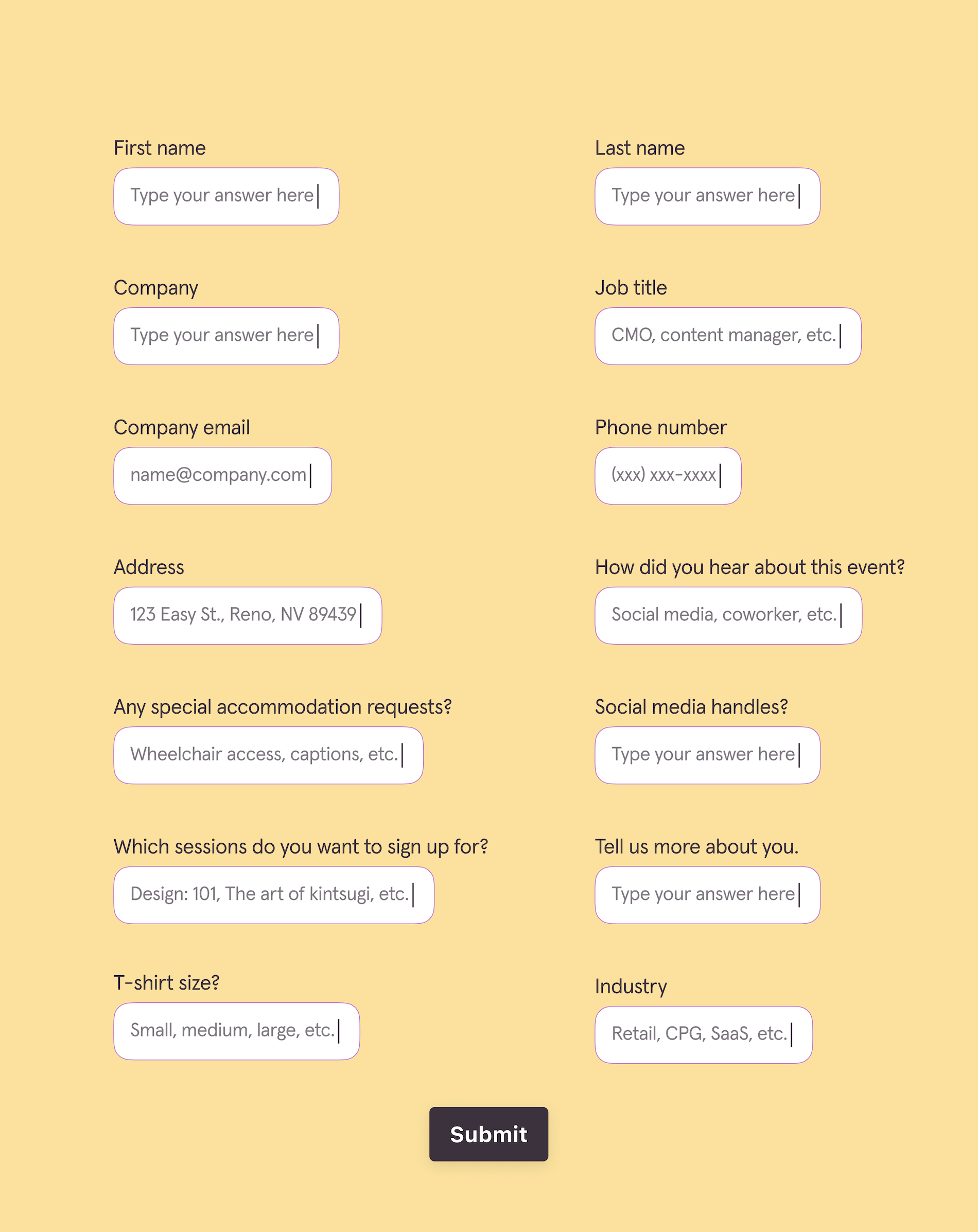
Not ideal when you’re trying to get people to register. Take a look at the mock event registration form below. Notice anything that looks unenticing?

  • Countless form fields encourage form-takers to give up before completing registration.
  • It’s generic—there’s no branding, and it’s not interactive. It just feels standard and uninspired.
  • There’s no personalization, so it feels more like a task for registrants than an event registration experience.
  • It’s not mobile-friendly, so anyone trying to register on their phone will likely bounce before they even begin.

Would you fill out that form? I wouldn’t. There’s no branding, no intro to the event, just a bunch of questions. And it’s not optimized for mobile.

Here’s why that matters:

And guess what? Forms like this have lower sign-up conversion rates and higher no-show rates.

4 elements of an event registration experience

Not sure how to improve event sign-ups? Stop thinking about registration as just a form—it’s an opportunity to create an event experience that builds anticipation and jumpstarts a successful event before the actual day of the event.

We’re breaking down four crucial elements to creating a pleasant event registration experience.

1. Capture the visitor’s attention

While a beautifully branded event sign-up form will certainly grab attention, think more holistically about attracting the right people to your event. Grab—and keep—visitors’ attention by:

  • Promoting workshops or speakers your target audience will love
  • Using cross-promotion with emails, social media, or other channels your audience uses to make them aware of your event
  • Leveraging an inviting and conversational sign-up form to create a memorable event registration experience
  • Using messaging that builds anticipation and gets visitors ready to sign up

Understand your ideal customer profile and what will make them tap “Register,” then build a highly personalized strategy around them.

2. Make it frictionless

We want things to be convenient and effortless—including sign-up forms. Make your event registration experience as frictionless as possible by allowing visitors to register with the least amount of work, like:

  • Having minimal form fields and not requiring an answer for every field
  • Allowing visitors to move through the sign-up form quickly
  • Using progressive profiling to collect data little by little vs. all at once
  • Optimizing your event registration form for mobile so visitors can fill it out however’s most convenient for them
  • Showing a progress bar or a time to complete estimate so visitors know how much more they have to fill out

It’s all about making signing up for your event easy. Event registration should get visitors excited about your event, not dreading answering dozens of questions.

3. Personalize the experience

Personalization extends far beyond emails—it’s about personalizing every element of the attendee journey. And since the event registration experience is one of their first interactions with your event, personalization should start there.

Yes, you want to use the registrant’s name throughout the sign-up form, but there are several other ways you can personalize, like using recall and logic.

Recall allows you to pull information from previous answers and fully tailor your next questions. Let’s say they indicate that they’re a B2B marketer. You can recall that information in later questions, referencing how the questions connect to B2B marketers.

Logic is another powerful way to personalize the event registration experience. By routing visitors to only relevant questions based on their answers, you create a personalized series of questions vs. having visitors answer every question.

4. Build anticipation around the event

Instead of a simple, “Thanks for registering,” leave registrants wanting more. An end screen with a quick message about behind-the-scenes content, tips to come, or other enticing content can get visitors excited about the event and keep them engaged pre-event.

But beyond the event sign-up form, you can build anticipation in the inbox and on social media by hyping up speakers, sharing exclusive tips, and offering sneak peeks into event workshops and more.  

Create a better event registration experience

The best event registration forms are seamless, engaging, and interactive. 

They pull visitors in and encourage them to sign up. How?

  • Sign-up forms use warm and inviting branding and clear messaging to highlight the event’s value prop.
  • Interactive event registration forms change up question types to keep visitors engaged while filling out the form.
  • Event registration forms connect seamlessly to email to auto-send confirmation emails and CRMs to make data collection and segmentation effortless.

The science behind an effective event registration experience

Want to transform your sign-up process into an event registration experience? Take a scientific approach. Understanding the psychology behind why people sign up for your event—or don’t—can help you optimize registration to bring in more sign-ups (and attendees).  

Registration isn’t a judgment-free zone

Who would’ve thought that a simple sign-up form could make or break your event attendance goals? Well, the event registration form is where you make your first impression—it’s where people judge your entire event.

Sure, it’s just one part of the attendee journey. But if your sign-up form is boring, overwhelming, or discourages completions, visitors will bounce before hitting, “Register.”

Think of the sign-up process as… you guessed it—an experience. Put the same amount of care into it as the actual event to create an unforgettable first impression that drives registrations.

Commitment boosts attendance

If you’ve ever booked a hair appointment or facial at a swanky spa, you’ve probably had to put your credit card on file so they can charge you should you cancel. It’s a negative consequence of not keeping your commitment.

But commitment can be driven by more positive factors, like personalization and engagement. Commitment psychology tells us that (typically) once we make a decision, we align our behavior to that decision.

So, let’s say someone signs up for your event. Commitment psychology would say they’re more likely to attend because they signed up. But to get them to attend, you need them to sign up first.

And the more personal you make the registration process, the higher the likelihood they’ll attend the event. Why? Because you’re building a personal connection with each visitor that drives their commitment to sign up and attend.

Less work means more sign-ups

We’ve already discussed how overwhelming 20+ form fields can be to a form-taker. But you can also turn off visitors by overcomplicating your registration process.

Are you using overly academic language? Asking too many questions? Requiring too many steps?

Cognitive load—the mental effort needed to process information and how much information our working memory can process at once—dictates that requiring too much from registrants will likely decrease registrations.

Why?

Because our brains want to reduce cognitive load whenever possible. We want things to be simple (and not overwhelming). So, instead of multiple steps, countless questions, and language that requires a dictionary, do this instead:

  • Keep it simple
  • Keep it short
  • Use plain language
  • Reduce cognitive load as much as possible

By lowering the cognitive load, you can drive higher completion rates from visitors who can make it through your form without much effort.

Event registration best practices to boost attendance

You’ve got the event registration strategy down and know how to leverage psychological triggers. Now what? It’s time to create an engaging, interactive event registration form.

Here’s everything you need to know to design a form that converts:

  • Be conversational. Overly formal or academic language can feel cold and uninviting. Use a friendly tone to build rapport and invite visitors in. Asking one question at a time, calling them by name, and using casual language increases trust and the likelihood your visitor will complete the event registration.
  • Be relevant. No one likes answering irrelevant questions—so don’t ask them. Using conditional logic lets you route form-takers to the right next question based on previous answers. Think of it as, “If this, then that.” If they say they’re interested in workshops only, you can direct them to questions only about workshops.
  • Be connected. You’re probably hosting an event to generate leads. So why would you not connect your event registration form to your CRM? Use integrations to connect your sign-up form to tools like a CRM or email marketing provider to flow data between tools and enable hyper-personalization.
  • Be future-minded. The goal of your event registration form is to collect data, generate leads, and drive attendance. But it’s also a powerful tool for collecting zero-party data (ZPD) and post-event feedback to use in post-event nurturing. ZPD is the ultimate data for personalization—gather as much as you can in the sign-up form.

Create experience-driven event sign-up forms to drive registrations

Generic, process-driven event registrations are out. Event registration experiences are in. That means:

  • Personalization
  • Branded forms
  • Only asking relevant questions
  • Being conversational

It’s about creating an experience instead of treating it as a to-do list task. Yes, your event registration form should collect data. But it should also be an interactive event registration form that engages visitors, gets them excited, and converts them into attendees.

The brands treating event registration as an experience—the ones prioritizing the visitor’s interaction with them—they’re the ones with sky-high attendance rates. The ones with high satisfaction scores. The ones who get rewarded for putting their registrants first.

If you don’t want to get left behind, it’s time to start rethinking the sign-up process as an event registration experience.

With a conversational flow, eye-catching designs, and a truly registrant-first experience, Typeform makes the sign-up process less of a process and more of an exciting experience for visitors. Try it out—for free.

Typeform blog | Insights and tips on online forms and surveys

Software Stack Editor · August 26, 2025 ·

image

SmartBug Media drives a 40% increase in sales leads with a single, customized Typeform

See how SmartBug used Typeform’s logic-based forms to personalize a single contact form that increased sales leads, reduced sales follow-up time, and created a better user experience.

Typeform vs. SurveySparrow: Which should you choose? [2025]

Software Stack Editor · August 4, 2025 ·

Feedback is one of the most effective ways to build better products, offer more tailored services, and create a better overall customer experience. And the best way to gather that customer feedback? With a beautiful and engaging survey experience that feels more like a conversation than another task to check off your list.

Typeform and SurveySparrow are two popular form builders offering custom design capabilities, a long list of integrations, and powerful analytics. But they differ on a few fronts, so we’re breaking down a few of their key differentiators, like features, design options, integrations, and pricing. 

Typeform vs. SurveySparrow at a glance

Want a quick overview of how Typeform and SurveySparrow stack up? Take a look. 

Typeform vs. SurveySparrow

  Typeform SurveySparrow
     
Design    
Image layout customization ✔️  
Custom fonts ✔️* ✔️ Only via CSS
Customizable welcome screen and thank you pages  ✔️ ✔️
Mobile responsive  ✔️ ✔️
Integrated professional photo, video, and icon libraries ✔️ ✔️
Add icons from Noun Project, videos from Pexels, and photos from Unsplash ✔️ Unsplash only 
     
Features    
Custom subdomains  ✔️* ✔️*
Embed forms in email  ✔️ ✔️*
Ability to sync data with other surveys/forms  ✔️* ✔️
Compliant with PCI, HIPAA, GDPR, and WCAG 2.1 ✔️ ✔️
Built-in integrations with other tools  ✔️ ✔️
AI features ✔️* ✔️*
     
Data analysis    
Question-by-question drop-off analysis ✔️* ✔️* 
API and webhooks ✔️ ✔️* 
One question at a time ✔️ ✔️ Not by default
Campaign tracking/UTM tracking ✔️*  
Generate a report on surveys/forms ✔️* ✔️*
     
Support    
Live support team ✔️* ✔️*
Help Center ✔️ ✔️
Community forum ✔️  ✔️
Online resources ✔️ ✔️
     
*Available on paid plans only    

Typeform vs. SurveySparrow comparison

While Typeform and SurveySparrow are comparable in many ways, there are a few key differences that can help you determine which survey builder will best meet your needs.

Want a comprehensive customer experience tool that offers offline surveys? SurveySparrow could be a good fit. You can ask questions almost any way you’d like, making it a viable option if you’re looking to achieve everything in a single form.

But if you want a tool that helps you create multiple beautifully branded surveys that boost both responses and customer satisfaction, Typeform may be better suited to your needs.

87% of Typeform users say they’ve achieved higher survey response rates with Typeform compared to their previous survey platform.

Typeform has an intuitive interface that allows you to build surveys, polls, and quizzes effortlessly. And with 3,000+ templates, you can customize an eye-catching form in minutes or create your own. Plus, our one-question-at-a-time format keeps form-takers engaged throughout, boosting response rates and delivering the data you need.

Once you have that data, Typeform’s AI-powered analysis can help you quickly identify trends and patterns, understand sentiment, and even generate reports. 

Here’s a more in-depth look at Typeform and SurveySparrow—from features to integrations and design capabilities.

Striking survey design

Want your survey to feel as “you” as possible? A stellar survey doesn’t feel stiff and templatized—it fits seamlessly in with your existing aesthetic. That means using your brand fonts, colors, logo, and more to create a visually stunning survey that feels consistent with the rest of your branding.

Typeform lets you import brand kits to keep everything cohesive and preserve brand recognition. The best part? You can do it all without writing a single line of code. Typeform’s customization options include:

And if you just want done-for-you design? Typeform has 3,000+ survey templates to choose from. 

Get up to 3.5x data with Typeform. 

With SurveySparrow, you’ll have to choose from survey themes or use CSS to brand your forms or surveys. While it offers white-labeled surveys, it’s only part of the paid higher-tier offering. And SurveySparrow doesn’t offer as many templates, with a library of around 800 options. 

Powerful analysis for deeper insights 

Beautifully designed, high-converting surveys are just part of the story. Once the responses start rolling in and you have a wealth of data to work with, you need a survey builder with robust analytics to help you pull insights and turn your data into action.

They need to be easy enough for anyone to use and powerful enough to get the insights you need. 

Typeform offers real-time analytics, question-by-question drop-off, and an analytics dashboard that gives a quick overview of your results. You can also use AI for even speedier analysis and deeper insights.

Typeform has a few features to make survey analysis a breeze:

  • Clarify with AI prompts your audience to get more specific with qualitative questions, transforming responses like, “I didn’t like it” into something more tangible, like “I didn’t like the orange scent.”
  • UTM and campaign tracking help you understand where survey-takers came from and seamlessly connect each survey with the rest of your marketing efforts.

SurveySparrow also offers real-time reporting, with a dashboard view and PDF exports to explore your findings. But most of its analytical tools are paywalled behind higher-tier account options, so if you’re looking for a more affordable option, you may have to lower your expectations about the level of analysis and insights you’ll receive. 

Intuitive functionality

You need a survey builder that’s both powerful and easy to use. No matter how great the feature is, if you can’t figure out how to use it, it’s well… useless. That’s why Typeform was built to be a no-code builder.

Anyone from the marketing team to HR to dev can effortlessly build a striking and conversational survey in just a few minutes—or even faster if you build with AI. And with simple collaboration, anyone can contribute in the same shared workspace.

You can even edit workspace permissions to confirm that only approved teammates have the access they need.

92% of users say Typeform makes their job easier.

Typeform’s surveys are designed to feel conversational and automatically display one question at a time. Each question is meant to be as personalized and relevant to the survey-taker as possible, with conditional logic, recall, and URL parameters all helping to boost survey completion rates. 

And what good is a survey builder if it can’t protect the data you collect? Typeform has rigorous security measures and controls in place to keep your data secure, including:

  • GDPR compliance for data protection
  • HIPAA compliance for secure payments and healthcare data
  • Custom domains for a seamless, trust-building survey experience 
  • WCAG 2.1 for accessibility

On the other hand, SurveySparrow doesn’t specialize in surveys alone—it’s a unified voice of the customer (VOC) platform. SurveySparrow offers similar security measures as Typeform, but many of its security and privacy features are only available for the highest paid plans.

If you are looking for a robust customer experience tool, SurveySparrow is a good option. But if you’re looking for a survey builder that emphasizes unforgettable design and enjoyable survey experiences, Typeform is more aligned.

Integrations that fit right in

If you’ve got an overly bloated tech stack or struggle to manage the disconnected tools you’re already using, integrations are a crucial consideration when weighing the pros and cons of survey builders.

Integrations are vital to connecting your tech stack and creating seamless data flow between your Typeforms and other tools, like email marketing, CRM, and spreadsheets.

Typeform has over 120 direct integrations, including Klaviyo, Calendly, HubSpot, and Google Analytics. These integrations make it easy to capture new leads, analyze survey results, and collaborate with your team—all without any clunky third-party apps or complicated code.  

While SurveySparrow offers several integrations, you’ll have to use a third-party tool like Zapier to connect many of them. Platforms like Airtable, WordPress, and monday.com all require this extra step, which can add both time and cost.

Typeform vs. SurveySparrow direct integrations

  Typeform SurveySparrow
     
Google Sheets ✔️ ✔️
Salesforce ✔️ ✔️
HubSpot ✔️ ✔️
Zendesk ✔️ ✔️
Mailchimp  ✔️ ✔️
WordPress ✔️ ✔️
Slack ✔️ ✔️
Dropbox ✔️  
Notion ✔️  
Klaviyo ✔️  
Figma ✔️  
Cloudflare ✔️  
GrowSurf ✔️  
Yotpo ✔️  
Square ✔️  

Support when and where you need it

No matter how intuitive your tools are, you’ll likely need help at one time or another, whether it’s a billing issue or assistance with a new feature, you need a dedicated support team to help you get the most out of the platform.

Typeform has a robust Help Center, which includes:

SurveySparrow’s support team is reachable by email for all paid plans and everyone can use the community forum—free plans included. Chat and phone support is also available, but only for business-tier plans and up.

Value that adds up

Are you getting enough value from your survey builder for the price? Before you choose which is right for you, consider which solution—Typeform, SurveySparrow, or another—will scale with you without drastic price increases.

Both Typeform and SurveySparrow have free plans, but for businesses in growth mode, you may want to choose a paid plan. Typeform paid plans start at $25 per month, while SurveySparrow plans start at $19 per month.

SurveySparrow’s free plan is limited to three surveys and 50 responses, and it doesn’t offer much flexibility with design or integrations.

With Typeform’s free plan, you can create unlimited surveys with more design capabilities, choosing from the pre-designed templates or adding your own images and color palette. 

You still have plenty of opportunity for customization on a free plan, with features like:

When you’re ready to upgrade to a paid plan, here’s how Typeform and SurveySparrow compare (when billed annually):

Pricing

  Typeform SurveySparrow
     
Basic $25/mo.
Unlimited forms
750 responses/mo.
$19/mo.
100 forms
2,500 responses/year
     
Plus $50/mo.
Unlimited forms
2,500 responses/mo.
$39/mo.
1,000 forms
15K responses/yr.
     
Business/Suite $83/mo.
Unlimited forms
50K responses/mo.
$79/mo.
1,000 forms
50K responses/yr.
     
Enterprise Custom pricing Custom pricing 

Typeform: the top SurveySparrow alternative

Your survey builder should do so much more than simply collect data. It should reinforce your brand, start conversations with your customers, and analyze responses for you so you can draw actionable insights to move your business forward.

With Typeform, you can do all that and more. Typeform has countless integrations, AI-powered features, robust insights, and a no-code builder that makes creating beautiful forms, surveys, and quizzes effortless.

Whether you’re building forms to generate leads, collect customer testimonials, or plan your next event, Typeform stands out as the leader. Ready to try it out? It’s free.

Typeform vs. Outgrow: Which should you choose? [2025]

Software Stack Editor · July 29, 2025 ·

Looking for a survey maker that can help you cut through the noise, get to know your audience, and collect better data? You’ve come to the right place.

Typeform and Outgrow are two well-known form builders with robust, user-friendly features and customizable designs. While they share many similarities, each has unique features and functionalities that might be better suited for different needs.

We’re breaking down everything you need to know about Typeform and Outgrow so you can choose the best one for your needs. Find out how they compare—from design and features to data analysis, integrations, and pricing.

Typeform vs. Outgrow at a glance

In a hurry? Here’s a quick overview of how Typeform and Outgrow stack up.

‍Typeform vs. Outgrow

  Typeform Outgrow
Design    
Image layout customization ✔️ ✔️* 
Custom fonts ✔️* ✔️* 
Customizable welcome screen and thank you pages ✔️  ✔️* 
 Mobile responsive ✔️  ✔️ 
 Integrated professional photo, video, and icon libraries ✔️ ✔️ Unsplash and Pexels only 
     
Features    
Custom subdomains ✔️* ✔️* CNAME setup only
Embed forms in email ✔️  ✔️*
Ability to sync data with other surveys/forms ✔️*   
Compliant with PCI, HIPAA, GDPR, and WCAG 2.1 ✔️  ✔️ Not PCI-compliant
Built-in integrations with other tools ✔️  ✔️ Limited on free plan
AI features ✔️*  ✔️*
     
Data analysis    
Question-by-question drop-off analysis ✔️*  
API and webhooks ✔️ ✔️* 
One question at a time ✔️  ✔️* 
Campaign tracking/UTM tracking ✔️*  Third-party integration required 
Generate a report on surveys/forms ✔️*  ✔️*
     
Support    
Live support team ✔️* ✔️*
Help Center ✔️ ✔️ 
Community forum ✔️ ✔️ 
Online resources ✔️ ✔️ 
     

*Available on paid plans only


Form builder comparison: Typeform vs. Outgrow

Typeform and Outgrow are popular platforms with comparable features, but their appearance, feel, and use cases are entirely different. 

Typeform’s renowned for our striking forms that people want to fill out. They love the gorgeous designs, intuitive experience, robust data analysis, and countless integrations. Unlike other tools, Typeforms feel refreshingly different—leading form-takers through a hyper-personalized, conversational experience.

Outgrow, on the other hand, is primarily known as a lead generation tool. It offers a range of quizzes, calculators, and form templates to capture new leads, but it lacks the variety of template designs and custom branding options that Typeform offers.

Both allow you to create forms quickly, collect data, and analyze the results. But one might be a better option depending on what you’re looking for, existing workflows, and your budget. 

Unsure which to choose? Keep reading for a deeper dive into how they compare.

Captivating designs

Delivering a stand-out form experience is crucial for capturing your audience’s attention, keeping it, and gathering richer data. It’s not enough to simply ask questions—you need to create a memorable brand experience that stops their scroll and has them clicking all the way through to “Submit.”

It starts with design. It’s no longer just a nice-to-have—it’s the expectation. People are hungry for experiences that feel engaging, personalized, and design-forward. By prioritizing brand consistency, you’ll deepen the like-know-trust factor and increase your likelihood of getting quality responses.

87% of users say they’ve achieved higher survey response rates with Typeform compared to their previous form builder.

Typeform makes it easy to create irresistible forms that put form-takers first. Our brand kits help you maintain consistent, distinct branding across all your forms with custom fonts, colors, and imagery.

Choose from over 3,000 Typeform templates, start from scratch, or speed things up with Typeform AI. And you don’t need to be design or tech-savvy to make it beautiful—the hyper-intuitive builder makes it effortless.

Typeform gives you full creative freedom to tailor every aspect of your forms with: 

Looking at Outgrow’s design capabilities, you’ll notice quite a few limitations. You can customize designs and add photos from Unsplash or Pexels, but they lack a wide variety of templates or layouts. To remove Outgrow branding or use custom branding, like brand fonts or custom domains, you’ll need their highest-priced plan.

Advanced features

Many form builders boast a long list of features, but which ones actually matter? The right tool should be as intuitive as it is powerful, with numerous ways to personalize every interaction and keep up with the rapidly evolving pace of modern marketing.

The more tailored your forms are, the better the data you collect will be. By choosing platforms that let you recall key information and adapt questions based on responses, you’ll create a better form experience and reduce drop-off rates.

That said, advanced features are only impactful if you know how to use them, so you’ll also want a builder with a user-friendly interface that doesn’t require a steep learning curve.

Typeform’s no-code builder is as easy as it gets. You can get to know your audience and tailor their experience with conditional logic, data enrichment, and URL parameters. And because Typeform asks form-takers one question at a time by default, forms feel less overwhelming and more conversational. 

There’s a reason 60% of Fortune 500 companies choose Typeform.

Typeform offers numerous features to make collaboration, security, and form creation and optimization effortless, like: 

  • Multi-user permissions that let multiple team members access specific surveys or workspaces while adding an extra layer of security and data protection.
  • Typeform AI that helps you move at rapid speed, create an engaging experience, and draw deeper insights.

Outgrow is fairly intuitive to use, offers similar conditional logic, and meets many compliance standards—but it’s not PCI-compliant. 

You can use Outgrow to create a variety of content types, including outcome quizzes, assessments, polls, calculators, and chatbots, but the options vary depending on your plan. Many advanced features are only available on the Essentials or Business plans.

Robust data analysis

It’s one thing to collect data—it’s another to understand it. An exceptional form builder will give you the tools you need to analyze responses, spot trends at a glance, and extract critical insights so you can make informed decisions.

Typeform is the front-runner when it comes to robust data analysis. Our built-in analysis and reporting tools give you a snapshot of results and in-depth features that let you dig deeper into responses.

And the easy-to-understand data visualizations and reports let you quickly identify trends and make real-time decisions.

When you want to do more with your data, you can use advanced analytics tools, like:

  • Smart Insights to summarize findings, generate charts, and uncover key themes from open-ended responses in seconds.
  • UTM and campaign tracking to see where form-takers came from and seamlessly connect each form with the rest of your marketing efforts.
  • Clarify with AI, which probes for richer responses with follow-up questions. For example, when someone answers an open-ended question with vague answers like “I liked it,” AI automatically follows up with a response like, “What did you like about it?”

While Outgrow also offers a range of data analysis tools, most are only available with its paid plans. It doesn’t currently offer question-by-question drop-off analysis, which can make it challenging to optimize your forms.

And if you want to connect your forms with your other marketing campaigns, you’ll need a third-party tool to set up campaign or UTM tracking.

Integrations with your most-loved tools

Before choosing a form builder, look beyond the features and consider what integrations it offers. Why? Because integrations connect your forms with the rest of your workflow, keeping your data flowing from one tool to the next.

Choosing a form builder that integrates seamlessly with your favorite tools won’t just save you a lot of time and manual work—it’ll make sure all your data’s synchronized and accurate so you can make smarter business decisions.

Typeform makes it easy to connect your forms with your go-to tools. In just a few clicks, you can connect your forms with over 120 direct integrations, including popular apps like Google Sheets, Salesforce, Zoom, Zapier, and Docusign.

While Outgrow offers many direct integrations, it’s missing apps like Zendesk, Docusign, Google Tag Manager, and Figma. If you want to connect with other tools, you’ll need a third-party subscription for Zapier, which requires additional setup and an added monthly cost.

‍Typeform vs. Outgrow direct integrations

  Typeform Outgrow
     
Google Sheets ✔️ ✔️
Mailchimp ✔️ ✔️
Zapier ✔️ ✔️
Slack ✔️ ✔️
Hubspot ✔️ ✔️
Dropbox ✔️ ✔️
Notion ✔️ ✔️
Monday.com ✔️ ✔️
Salesforce ✔️ ✔️
Zoom ✔️  
Docusign ✔️  
Adobe Sign ✔️  
Google Tag Manager ✔️  
Figma ✔️  
Make ✔️  
Zendesk ✔️  

Knowledgeable and reliable support

Picture this: you’re stuck on the other end of a customer support call, chat, or email chain, desperate to get the answers or support you need. The company’s help center is anything but helpful, and you keep getting rerouted through different support channels. Sound familiar?

Many of us have been there, and we never want to experience it again. That’s why choosing a form builder with a support team you can count on is paramount. You’re bound to encounter an issue or question at some point. And when you do, you’ll want a tool with accessible educational resources and fast, reliable support.

Typeform’s Help Center offers a wide range of support options, including:

You can also connect with fellow members within the Typeform community forum, get answers to your questions, and help others solve theirs.

Outgrow’s Help Center has documentation, a customer success manual, and a community forum, but its layout is disorganized and challenging to navigate.

If you need support beyond the Help Center, you can contact them via email or live chat. But you might not receive an immediate response since it’s not monitored 24/7.

More value for your money

Beyond the style and functionality a form builder offers, think about which tool can scale with your business as it grows—without breaking the bank. Many form builders, like Outgrow, offer limited features on lower-tier plans, then significantly raise prices once you exceed limits or need to upgrade.

Typeform offers both free and paid plans, with limits on form submissions and features that vary by tier. Outgrow offers a 7-day free trial, a free forms plan with restricted features, and four different paid tiers. Here’s how the tools compare on pricing (when billed annually).

Pricing

  Typeform Outgrow
     
Basic $25/mo.
Unlimited forms
750 responses/mo.
$14/mo.
5 forms
250 responses/form
     
Plus/Essentials $50/mo.
Unlimited forms
2,500 responses/mo.
$95/mo.
Unlimited forms
7,500 responses/mo.
     
Business $83/mo.
Unlimited forms
50K responses/mo.
$600/mo.
Unlimited forms
50K responses/mo.
     
Enterprise Custom pricing Custom pricing 

Typeform: The better Outgrow alternative

If you want a form builder that’ll captivate your audience and deliver actionable insights, Typeform is the ideal platform. While Outgrow offers similar features and integrations, it lacks the eye-catching designs, advanced personalization, and data analysis capabilities that Typeform has. 

And when it comes to paid plans, Typeform is a much more affordable, flexible option with unlimited forms—so you can create all the surveys, quizzes, and polls you like.

From stunning templates to an intuitive interface and AI-powered features, Typeform can help you create forms people genuinely love to fill out. Ready to experience it yourself? Try Typeform for free.

A human approach to employee engagement: Shifting from metrics to cultural mindset

Software Stack Editor · July 12, 2025 ·

Have we become so obsessed with metrics that we’ve forgotten the human side of employee engagement? Whether it’s employee satisfaction scores, retention and turnover rates, or employee net promoter scores (eNPS), we’ve been programmed to look at the numbers. It’s always, “Did we meet our key performance indicators (KPIs)?” instead of, “Do we understand what our employees need?”

Your employees are more than scores, rates, or numbers. They’re living, breathing humans. Even still, we’re looking at employee engagement as a metric.

What if we’ve been measuring the wrong thing? What if it’s time to approach employee engagement on a human level?

We’re exploring how you can reimagine engagement as a cultural, everyday practice and how you can build a more human employee engagement strategy with Typeform.
What is employee engagement? 

Each company has its nuances, but generally speaking, employee engagement is “a performance strategy that distinguishes high-performing cultures from struggling ones,” says Gallup.

Notice the phrase: high-performing cultures. Employee engagement isn’t just how many employees selected “satisfied” on your employee satisfaction survey. No—it’s about how safe employees feel expressing hard truths and feeling like they’re part of an organization that truly values what they have to say.

Employee engagement is culture. And it’s not something you can check off your to-do list when you get a majority of “satisfied” responses. Engagement is a daily commitment to building a culture of employee engagement.

A quick glance at the benefits of employee engagement

Happy employees are a huge perk, but when you create a listening culture at work, one built around true employee engagement, you can realize impressive financial, productivity, and absenteeism results, too. Take a look:

A broken employee feedback culture

We’ve all been there—HR sends its annual survey, asking for feedback and then… crickets. No response. No follow-up. No change. HR has given you yet another task (fill out this survey) so they can check it off their to-do lists—or that’s how it feels.

“Continuously asking employees for feedback without taking action only contributes to disengagement as employees lose trust in the organization’s listening efforts.” – Amanda Chaitnarine, Director of HR Diagnostics, Advisory & Data Insights at McLean & Company

Instead of opening the doors to a meaningful conversation that invites listening and potential change, feedback feels transactional. And when it feels like a chore or more transactional than conversational, you get:

  • A broken feedback loop—one where employers mark the employee engagement survey off their list and employees rush through or ignore the survey altogether because they know their feedback isn’t valued
  • Cynicism from employees who don’t think they’ll be heard
  • Silence from employees who’d rather do their jobs than fill out yet another survey that won’t change anything
  • Eventual turnover because your employees are tired of not being heard and their feedback falling on deaf ears.

On the flip side, “when employees know their feedback is being heard and acted upon, it will build trust and pave the way to expand focus to additional listening goals in the future,” says Chaitnarine.

Employee feedback is a two-way conversation—employees share, employers listen and act.

See how we’re building an employee feedback culture at Typeform. 

How to shift from a transactional to-do to a relational conversation

So, how do you foster a listening culture at work, one that embraces feedback to reap the maximum benefits of employee engagement? It starts with treating your employees as human beings, being genuinely curious about what they have to say, and inviting open conversations that build trust. 

Treat employee engagement as a conversation—not a checklist 

You’ve got KPIs you need to meet. But when considering how to improve employee engagement, think about your surveys less like a series of rating questions and checklists and more like an invitation for a real conversation.

Here’s what that might look like:

  • Going beyond superficial surveys that gather basic data but not much more. Employee engagement surveys should give you an in-depth view of employee perspectives.
  • Creating feedback moments that feel like a conversation. Personalize surveys based on someone’s role, use their first name, and create a casual (and logical) flow that feels truly conversational.
  • Understanding an employee’s “why” with open-ended questions. Get employees to express themselves in their own words to uncover why employees feel the way they do.
  • Taking action post-survey to show employees you value their input and that you’re fully invested in creating a listening culture at work that acts on employee feedback.

When you treat employee engagement surveys as an opportunity to have meaningful conversations with your teams, you invite feedback and a continuous dialogue that builds trust, encourages continual improvement, and makes employees feel seen and heard.

Express genuine curiosity—don’t try to validate assumptions 

Do you think you have an engagement problem? Or that employees are extremely satisfied with their jobs? While your assumptions might be valid, you can’t know for sure how employees feel unless you ask.

And ask to uncover insights, not to get validation for your existing assumptions. Your employee feedback survey should seek to get insights—even if they contradict what you think is true.

“We all need people who will give us feedback. That’s how we improve.” – Bill Gates

Here’s how to approach employee engagement surveys with actual curiosity:

  • Ask broad, exploratory questions that give employees the chance to bring up issues you hadn’t considered or to give you insights into why something isn’t working.
  • Ask follow-up questions that invite deeper insights into an answer (you can do this within your Typeform survey using Clarify with AI)
  • Avoid leading questions like, “How much do you enjoy your work?” that make assumptions about how employees feel and can lead you to validating what you believe vs. listening to employees.
  • Be open to accepting that the feedback you receive may not align with your preconceived ideas.

Remember, the goal of engagement surveys isn’t to prove yourself right. The goal is to listen, learn, and improve—it starts with curiosity. When you’re open and curious, you get the insights needed to take action. When you’re focused on confirming your ideas, you miss opportunities for improvement and undermine the whole point of the survey.

Build trust with employees—don’t track them

Let’s be honest: employees don’t want to give feedback when they fear the consequences or think they’ll be negatively judged for their honesty. And the data backs it up:

  • The same study showed that employees who don’t give honest feedback do so because they fear retaliation, and they don’t believe their companies really want honest feedback
  • The good news? The AllVoices survey revealed that 56% of employees who don’t share honest feedback would be more likely to be honest if they had a way to share truly anonymous feedback

Even still, some traditional engagement surveys can feel like a trap. So, instead of getting thoughtful responses and insightful data, you end up with generic answers and “meh” data that doesn’t give you any real information.

Here’s why:

  • You’re not giving employees the option to respond anonymously, so they’re not sharing honest feedback. They’re worried you might share answers with their managers or their name will be attached to feedback that isn’t so flattering.
  • You’re asking questions like, “How productive do you feel at work?” that feel like you’re tracking metrics that could potentially harm their reputation or future promotions. These questions discourage genuine feedback.

“Why should a company ask for feedback if they don’t want honest feedback? Leaders who are reading the results need to keep an open mind and see the feedback as areas to improve, and to not get frustrated by.” – Emma Bindbeutel, Director of People & Culture at Ventura Growth

Building an employee feedback culture is about trust first and foremost. Create that sense of trust by avoiding identifying questions, like their name, manager’s name, or email address. And let employees know you’re interested in creating a better employee experience and supporting them—not trying to catch them in a “Gotcha!” moment.

True employee engagement is built around relationships, around conversations. It doesn’t happen in spreadsheets or metrics met. As you create your survey, treat it as a conversation and a chance to get the data you need to foster a better workplace.

How Typeform helps you get more honest employee feedback

At Typeform, we’re best known for our stunning designs that transform generic forms into branded, beautiful, and powerful data collection forms. But we’re more than that.

When it comes to employee engagement, Typeform helps you collect more—and better—data so you can create a better workplace for your people. Here are just a few ways Typeform does that.

A conversational flow

Typeforms ask one question at a time by default, making them inherently more conversational. Imagine asking a friend 20 questions all at once. Overwhelming and confusing.

Our straightforward and conversational design gives employees the space to share honest feedback. Logic routes them through the survey based on their role, team, or experience, so they only get relevant questions, increasing the relevancy of the feedback.

And with recall, you can personalize your employee engagement survey to make it, well… more engaging. And yes, you can personalize without asking questions that jeopardize anonymity—just use previous answers to enhance future questions (automatically).

A frictionless experience

With Typeform, you can embed your survey anywhere your employees are:

  • In an email
  • On an internal landing page
  • In a Slack channel

All they have to do is click the start button and answer the questions. It couldn’t be any easier. 

Paired with on-point branding, the conversational flow, and different question types to keep them engaged, employees actually want to share feedback.

A friendly conversation

Feedback should feel like a two-way, friendly conversation—not a terrifying interrogation. Typeform lets you treat feedback as interactions with employees instead of back-to-back questions with no engagement.

Statement questions, like those encouraging employees or letting them know there are only a few left, feel casual and friendly and give them a quick break. 

But you can also phrase your questions less formally to drive completions. For example, “Work’s hard. What would make it better?” and then use picture choice to share options, like “A pizza party,” “Send me to Italy,” or “Can we get a nap room?” 

It feels like a break and is more conversational while still giving you insights into how you can support employees.

A scalable approach to employee feedback

Want to create one survey that feels personal to everyone? Typeform lets you scale personalization through logic and asking only relevant questions. It takes a little planning up front, but using logic means you can create a single employee engagement survey that is personalized to each employee.

Build an employee feedback culture and boost engagement with Typeform

We often get so caught up in the numbers that we can forget that feedback and engagement come from humans. Sure, you need to measure metrics and track KPIs, but how you go about doing that can certainly be on a human level.

Like making your employee engagement surveys more conversational and two-sided. Or acting on feedback, so employees don’t see your survey as a checklist item they don’t want to do.

And when you do, you can start making real change that fosters a listening culture at work, one that continuously improves based on employee feedback. Because, in the end, engaged employees aren’t a result of fancy perks and beautiful dashboards—they’re a result of a workplace that listens (and shows that they do).

Ask better questions. Listen more deeply. Act intentionally. Rethink employee engagement with Typeform. Try it for free.

Typeform vs. Wufoo: Which is better? [2024]

Software Stack Editor · June 27, 2025 ·

Beautifully branded forms that stand out from generic questionnaires. Dynamic features that skyrocket response rates. Powerful analytics that help you get more value from your data. Top form builders—like Typeform and Wufoo—do all this and more, making form creation effortless without sacrificing design or functionality.

Both Typeform and Wuffo are intuitive drag-and-drop form builders, loaded with integrations and analytics tools, but they differ in a few ways, including:

  • Design capabilities
  • Customer support
  • AI features

We’re exploring how these two form builders measure up—from features and design to AI and pricing—so you can decide which makes the most sense for you.

Typeform vs. Wufoo at a glance

Need a quick rundown? Here’s a brief overview of how Wufoo compares to Typeform.

Typeform vs. Wufoo

  Typeform Wufoo
Design    
Image layout customization ✔️  ✔️ Only with code 
Custom fonts ✔️* ✔️ Limited to 150 fonts
Customizable welcome screen and thank you pages ✔️ ✔️* 
Mobile responsive ✔️  
Integrated professional photo, video, and icon libraries ✔️  
Add icons from Noun Project, videos from Pexels, and photos from Unsplash ✔️  
     
Features    
Custom subdomains ✔️*  ✔️ 
Embed form in email ✔️   
Ability to sync data with other surveys/forms ✔️*  
Compliant with PCI, HIPAA, GDPR, and WCAG 2.1 ✔️  
Built-in integrations with other tools ✔️ ✔️ 
AI features ✔️*  
     
Data analysis    
Question-by-question drop-off analysis ✔️*   
API and webhooks ✔️  ✔️ 
One question at a time ✔️   
Campaign tracking/UTM tracking ✔️*   
Generate a report on surveys/forms ✔️*  ✔️ 
     
Support    
Live support team ✔️*  Email only 
Help Center ✔️  ✔️ 
Community forum ✔️   
Online resources ✔️  ✔️ 

*Available on paid plans only

Typeform vs. Wufoo comparison

While Typeform and Wufoo are comparable, there are a few obvious differences, like embed options, design, and just how much you can customize.

With conversational forms that ask one question at a time, striking designs, and AI-powered analysis, Typeforms turn forms into one of your most powerful marketing tools.

And with robust customization options, you can fully brand your form, choose from over 3,000 templates, and turn form-taking into a conversation with customers instead of a chore. Do market research, get feedback, or create product recommendation quizzes—your options are nearly limitless with Typeform.
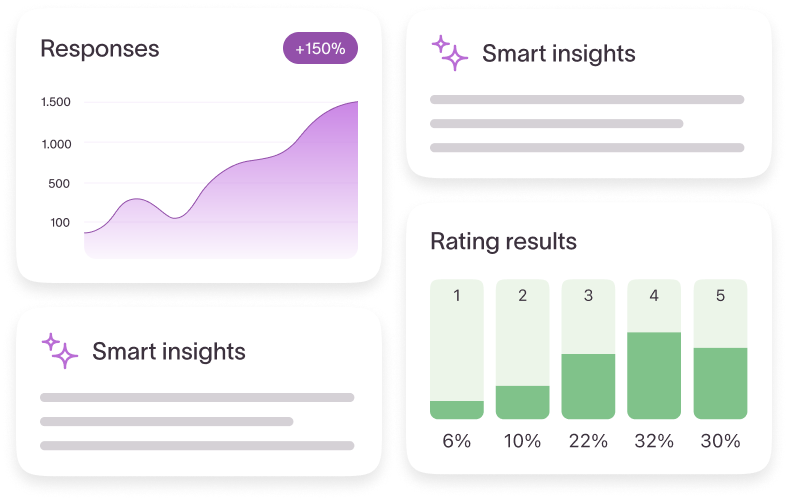
You also get all the basics, like integrations and features that make forms smarter, like logic.

While Wufoo also offers templates, quite a few integrations, logic, and data analytics, it’s not as comprehensive as Typeform. You can customize your form with design options, but again, not quite as well as Typeform.

Wufoo also integrates with many popular work apps and allows you to embed forms, but with limited options, it can make distributing and analyzing forms challenging.

Eye-catching design

Want to stand out? Create an on-brand, visually stunning form that keeps form-takers engaged.

Typeform is renowned for its design capabilities—it makes creating beautiful forms effortless. With the option to create a form entirely on your own, create with AI, or start from one of its 3,000+ templates, you’ve got nearly limitless design options.

Plus, Typeform offers customization options to elevate your design further, like:

Typeform’s straightforward drag-and-drop editor lets you design powerful, responsive forms—all with no code required. And the forms are as functional as they are attractive, with plenty of options for customization so they seamlessly blend in with the rest of your branding.

Wufoo also lets you customize your layout, fonts, and background—but what you can customize depends on your plan. Higher-tier plans have more flexibility, with only paid plans having the option to upload custom logos.

Another potential hurdle? Wufoo displays all questions at once, instead of one at a time, which can easily overwhelm form-takers, causing significant drop-off. 

While you can integrate image and design apps, Wufoo doesn’t have its own gallery of icons, videos, or images like Typeform does. You can add icons to the Typeform form builder from Noun Project, video from Pexels, and even choose from a gallery of photos via Unsplash.

Intuitive and powerful features

You can create a standard form or you can start conversations with your customers and create a form-taking experience. Part of what transforms a generic form into an engaging experience people actually want to participate in are the features.

Whether it’s logic that lets form-takers automatically skip irrelevant questions or new ways to ask questions, features matter. Here’s what Typeform and Wufoo offer.

Typeform’s conversational one-question-at-a-time format makes forms feel less like a chore while features like recall and logic personalize the experience.

87% of users say Typeform helps them gain deeper insights into their form data.

Typeform has a bounty of features that boost completion rates and get you the data you need, including:

  • Data enrichment that adds to the data you collect to give you a clear, complete picture of your customers
  • URL parameters that keep track of a form-taker’s information for greater customization and segmentation opportunities

But one of Typeform’s newest and most powerful features? Typeform AI. It includes robust features, like Creator AI, Interaction AI, and Insights AI, that all help you create and analyze smarter forms.

While Wufoo also has drag-and-drop functionality, its design customizations and features are both limited. It offers just 400+ templates and only allows you to add your branding on higher-tier paid plans.

Wufoo accepts online payments through its forms (so does Typeform), offers some native integrations, and allows for branching and logic within forms. 

Typeform is also HIPAA, GDPR, WCAG 2.1, and PCI-compliant, so you can be confident that your data, privacy, and transactions are secure. Wufoo is only GDPR and PCI-compliant.

If you work in healthcare or handle health data, you’ll want a HIPAA-compliant form builder so your customers’ data is protected and you’re complying with industry regulations. 

Wufoo also lacks the custom subdomain and email embedding capabilities Typeform has, and it’s yet to offer any AI features.

Insights powered by AI

Remarkable design, check. Optimized for responses, check. Quick and simple analysis… check? No matter how beautiful your form is, if you can’t easily analyze the results, you won’t get any value from the data you collect.

You need a form builder that makes data analysis a breeze—easy-to-understand summaries, sentiment analysis, pattern and trend identification, and even chatting with AI to uncover deeper insights.

Typeform offers robust analytics that reveal trends and summarize findings in a user-friendly dashboard (or you can have AI generate reports). Its data visualizations provide quick takeaways for the whole team, but if you want to go further into the data, you can use advanced features, like:

  • Smart insights to break down qualitative and quantitative analysis, helping you understand sentiment and trends.
  • Question-by-question analysis that shows total views and drop-off rate per question, showing you where you can optimize for higher response rates.
  • Response reports, an auto-generated report you can share via email, social media, or even printed out (don’t worry, you can customize the report too).
  • Clarify with AI to prompt more specific answers for open-ended questions, inspiring form-takers to explain why they feel a certain way (instead of only typing “I liked it”).

Wufoo has more standard analytics capabilities and lets you generate custom reports and export your data to a spreadsheet.

If you use Google Sheets, for example, you’ll have to connect Wufoo via Zapier—an extra step that can be a bit of a headache. And Google Analytics tracking is only offered for higher-tier paid plans. 

Both Typeform and Wufoo offer the option to generate reports and use UTM tracking, API, and webhooks to stay on top of metrics.

Integrations for a seamless workflow

Whether you’re sending your form out via email, sharing results with your team, or simply want to connect data to your CRM, you need direct integrations that make data flow automatic.

Whichever form builder you choose, it should fit right in with your existing tech stack. That’s where integrations come in. Take a look at some of Typeform and Wufoo’s native integrations.

Typeform vs. Wufoo direct integrations

  Typeform Wufoo
Google Sheets ✔️  Only via Zapier
Salesforce ✔️  ✔️
Stripe ✔️ ✔️
Mailchimp ✔️ ✔️
WordPress ✔️ ✔️ 
HubSpot ✔️ Only via Zapier 
Dropbox ✔️ Only via Zapier 
Slack ✔️ Only via Zapier 
Calendly ✔️  Only via Zapier 
Notion ✔️  
Figma ✔️   
Contentful ✔️  
Skyvia ✔️  

Whether you’re sending your form out via email, sharing results with your team, or simply want to connect data to your CRM, you need direct integrations that make data flow automatic.

Whichever form builder you choose, it should fit right in with your existing tech stack. That’s where integrations come in. Take a look at some of Typeform and Wufoo’s native integrations. 

Typeform has 120+ native integrations that work with everything from lead generation and developer tools to collaboration and productivity apps.

It integrates with the entire Google Suite, including Google Analytics, to connect your data with your broader site traffic. Want to get a chat notification every time you get a new response? Typeform has integrations with Slack, Microsoft Teams, and Notion.  

Wufoo offers many comparable integrations, but only some are native. The rest—like Google Suite, HubSpot, and Slack—require a Zapier connection, a third-party workflow tool.

While Zapier is a powerful platform, adding an extra step can make things clunky (and add cost). And if your team uses Notion, Figma, Contentful, or Skyvia, you won’t be able to connect to Wufoo at all. 

Support when you need it

Not sure how to sync your form data with your CRM? Just want a little support (or encouragement)? Customer support is a vital consideration with any new tool. You want to know that real humans will be available to help whenever you need it.

Typeform has an extensive library of resources—plus live help. Here’s what you can expect from Typeform support:

Wufoo has online resources, including use case guides and a blog, plus a help center with FAQs. Wufoo’s live help is limited, with a bot answering chats before connecting you to a human via email. Higher-tier plans get expedited and priority support, but only through email.

Getting the most value for the price

Whether you’re sending two forms a month or 200, you need a form builder that scales with you without the steep price hikes. Typeform and Wufoo both offer free plans, plus plans that grow with you.

Take a look at how the two compare on pricing (when billed annually):

    Typeform Wufoo
Basic   $25/mo.
Unlimited forms
750 responses/mo.
$16.25/mo.
10 forms
1,000 responses/mo.
       
Plus   $50/mo.
Unlimited forms
2,500 responses/mo.
$33.25/mo.
Unlimited forms
5,000 responses/mo.
       
Business/Suite   $83/mo.
Unlimited forms
50K responses/mo.
$83.25/mo.
Unlimited forms
25K responses/mo.
       
Enterprise   Custom pricing $210.25/mo.
Unlimited forms
200K responses/mo.

Typeform: The better Wufoo alternative

Designing beautiful, professional forms, quizzes, and surveys should be simple. When deciding between Typeform and Wufoo, choose the form builder that feels conversational, looks great, and, most importantly, encourages form-takers to share more (so you get more data).

Typeform is a powerful Wufoo alternative that captures more data while creating conversational and engaging experiences. With more integrations, more support options, and more compliance certifications, Typeform is the form builder you need. Try it out today and see for yourself—it’s free.

Transform survey responses into actionable insights using simple survey analysis

Software Stack Editor · June 27, 2025 ·

We’ve all received those emails before—the ones asking us to fill out a “quick” survey explaining our experience with a brand. Did we like what we bought? How likely are we to recommend their brand to friends and family?

Turns out, brands do this for a reason: because our answers give them crucial insights to help them do everything from building better customer experiences and personalizing marketing to designing better products.

But here’s the thing—survey responses only matter if you actually use them to understand your customers and guide your decisions.

We know, “survey data analysis” sounds intimidating. But it can be relatively simple, especially if you’ve got AI tools that quickly analyze survey responses, identify trends and patterns, and reveal customer sentiment.

We’re breaking down everything you need to know about turning responses into action.

The art of survey research

Survey data analysis is more of an art than a science. You’ll get unique findings from it, but you’ll have to interpret those findings to pull out valuable insights. Or figure out how to apply unexpected insights or results that conflict with each other.

Let’s say you’re trying to figure out if your customers prefer white, black, red, or green sneakers. You make a survey and the responses start coming in. Chances are, you won’t get 100% of survey-takers wanting the same color.

Instead, you might get 55% voting for black, 25% for green, 15% for white, and 5% for red. That data can inform your next sneaker launch or colorway. 

And that is the value of surveys: getting the data you need to make data-informed decisions that drive your business forward.

Here are just a few of the many surveys—including AI-powered ones—you can use to gather data.

NPS surveys

Net promoter score (NPS) surveys reveal how likely your customers are to recommend your products and services, giving you an idea of how happy they are with your brand, products, and services. 

Customer support review surveys

Intentionally designing an unforgettable customer experience (CX) means making every interaction throughout the customer journey as pleasant as possible. Customer feedback helps you do that.

Customer service satisfaction surveys reveal what customers think about their experience with your customer service support team—helping fuel a better CX in the long run.

Customer success story surveys

Want to learn more about how your customers are using your products or services? Or the incredible results they’re getting? A customer success survey gives them a voice while helping you understand where to double down and where you need to improve.

They also provide customer anecdotes that make for inspiring customer stories to bring in even more customers.

Concept testing surveys

Before you roll out new features or launch a new product entirely, consult with your customers. Do they want the new functionalities? Do your innovations align with their needs? Concept testing surveys check your assumptions and prevent you from wasting time building something your customers don’t actually want.  

Churn surveys

No one wants to lose customers. But when you don’t know why, you can’t make informed decisions that would help keep other customers from churning. That’s why we always ask our customers why they decided to stop using Typeform.

A simple churn survey lets us be proactive, address issues, and limit churn.

While surveys are a great tool for guiding business decisions, they can do far more than inform product roadmaps or prevent churn. Well-designed and thought-out surveys can engage employees and help you make sure everyone’s happy.

Here are a few examples we use at Typeform to help us keep employees satisfied.

Employee event feedback surveys

When we host internal events or company-wide off-sites, we want to make sure it’s an engaging, relevant, and worthwhile event for our employees. 

We use employee event feedback surveys to learn more about our employees’ experiences at the event, what they enjoyed, what they didn’t, and how we can make future events more productive and enjoyable.

Employee engagement surveys

Your employees are your biggest asset—keep them engaged and happy at work by checking in with regular employee engagement surveys. Keep a pulse on employee well-being and make adjustments to make your company a great place to work for your employees.

The 5 stages of survey analysis

Surveys are a powerful tool for gathering the customer feedback you need for sustainable business growth. But without analysis, survey results don’t mean much. Analyze survey responses to identify trends, uncover sentiment, and make data-informed decisions.

Here’s a step-by-step guide to setting yourself up for success—from the start.

1. Take a step back

It’s easy to get caught up in gathering as much feedback as quickly as possible. But before you create your survey, take a minute to think about the goal, what you want (and need) to ask, and what you’ll do with the data. 

Build your survey around the overarching goal and consider how you’ll present your findings. If you want hard numbers, using multiple-choice or yes/no question types might be a better option than open-ended questions.

Ask yourself:

  • What’s the goal of the survey?
  • Do I need stakeholder involvement? 
  • How will I present my findings?
  • What questions should I be asking to get the information I need?

2. Clean your data

You’ve published your survey, the responses are rolling in, and you’re ready to analyze the results. But can you trust the data? Before you dive into analysis, you’ll want to cleanse the data to ensure it’s accurate and representative of your customers. 

Look out for:

  • Flat-liners. People who have gone through the survey and selected either the lowest or the highest end of the scale for every answer.
  • Speeders. People who sped through ‌survey questions too fast to give any quality answers.
  • Anomalies. Responses that lie wildly outside the normal range, suggesting that they’re errors or typos.

What do you want to do with these data points? Include them knowing they’ll skew the results, or exclude them knowing you’re introducing survey bias by discounting certain responses? Remember, survey analysis is an art, not an exact science.

3. Analyze and visualize the data

Now that you’ve cleaned your data, you can analyze the numbers to uncover hidden insights. But instead of just looking at lists of numbers, you can create data visualizations that make understanding the data effortless. 

Here are some of the simplest ways to visualize survey data.

Pie charts

Create a simple pie chart to clearly illustrate the breakdown of responses by categories. Take the sneakers example from earlier. A pie chart could visualize that most people want black sneakers.

Pro tip: Use pie charts when you have fewer than six categories.

Bar charts

Want to show data that’s not a percentage of a whole (like company size) or visualize more than just a few categories? Try bar charts. 

Let’s say you want to Let’s say you want to see where employees want to go for your next off-site. A bar graph could highlight the top locations employees suggested.

Word clouds

If you’re analyzing open-text questions, you might want to draw attention to specific words or phrases with word clouds—they display the most used words in responses, with the most frequently used words appearing the biggest. 

Word clouds are a convenient way to show what terms keep popping up in open-text responses, guiding your focus.

4. Tell a story

Data should tell a story. While charts and graphs are an easy-to-understand way to share data, you’ll want more than just visuals to present your findings. Organize results to tell a cohesive narrative and reflect the original question you were trying to answer. 

Say you want to understand what features your customers want. The data shows that there are some new highly desirable features, but that what customers really want is for you to enhance existing features.

Only showing the new desired product functionalities leaves out the most important part of the story. Use data to tell a complete story.

5. Follow up and get clarity

One survey might be enough to answer the questions you set out to answer in the first place. But if it brought up more questions or you want to get a better understanding of what survey-takers meant by something, don’t hesitate to follow up.

It’s totally fine to go back and do another survey—but consider a different format that might give you more clarity. Want to go more in-depth with your customers? Conduct a few qualitative interviews to go into more detail.

Want to get more marketing insights from the Typeform team? Subscribe to Informed, our monthly newsletter where we share industry trends, related opinions, and more tips and tricks.

What tools do you need for survey analysis?

Once you’ve run your Typeform survey, you’re going to (hopefully) have a ton of responses to go through. Here are a few of the tools we use at Typeform to analyze survey data, identify patterns, and inform our decision-making.

1. A spreadsheet

Survey data analysis doesn’t have to involve complex tech stacks or complicated tools—a good ole Google Sheet is more than enough to analyze your data. Send your Typeform responses to Google Sheets or Excel (automatically with our integrations) to manage data in one place and transform it into charts and graphs.

Using one of our spreadsheet integrations, your spreadsheet will automatically sync as new responses come in. And with conditional formatting and formulas, you can take raw data and visualize it into digestible insights.

2. A business intelligence (BI) tool

Want to take survey data analysis to the next level? Consider adding a BI platform to:

  • Create automated dashboards that let you track trends over time
  • Make more sophisticated data visualizations
  • Connect data from multiple sources to get the whole picture

While you won’t need this level of detail for most surveys, BI tools work well if you want to really get into the weeds with the numbers. 

3. A qualitative analytics tool

Tools like Google Lookers help you crunch the numbers, but if you’re mostly gathering open-text responses, you’ll need a qualitative analytics tool to help you spot trends in open-ended responses automatically (like how Typeform AI can quickly identify sentiment).

Typeform integrates with a few of these tools, including MonkeyLearn and Chattermill. Or you can use Zapier to automatically move Typeform responses to your BI platform.

Data analysis for non-analysts

You don’t have to be a data analyst or genius to draw meaningful insights from your survey data. Surveys won’t necessarily give you the definitive answers to your business questions, but they can give you the data you need to make an informed decision. 

Want to learn more about analyzing survey data? Use our data analysis tips.

How to use logic to create personalized survey experiences your audience enjoys

Software Stack Editor · June 24, 2025 ·

“I’m the center of attention. My opinion is highly valued. Everyone wants to know what I think.” That’s how survey-takers should feel when they fill out your survey.

They expect you to refer to them by name, to ask relevant questions, to personalize their experience so they feel like you actually care about what they have to say.

They know they’re doing you a favor by providing feedback and invaluable insights into their thoughts and opinions about your brand.

Imagine their disappointment when a survey feels robotic, irrelevant, and not even a little bit personalized.

Deloitte found that roughly three out of four consumers are more likely to purchase from brands that deliver personalized experiences.

And yet, so many businesses use standardized forms or surveys to gather lead information, market data, and customer feedback.

Want to create an engaging survey experience and get the best ROI possible? You can’t use surveys that make people feel like they’re filing their taxes.

Create responsive surveys that adapt the survey experience based on each survey-taker’s answers instead.

Your survey should feel natural—like a conversation—not an interrogation. Logic lets you do that. We’re exploring what logic is and how it works, how to use it, and logic best practices to build better surveys.

What’s logic?

Logic is one of the best ways to subtly personalize the survey experience because it steers people through the survey based on their answers. Think about it like, “if this, then that.”

Let’s say you’re collecting customer feedback about a recent purchase. One person gives you two stars while another rates you a perfect 5 out of 5. Logic lets you direct each survey-taker to a different follow-up question automatically.

Or maybe you want to see what customers think of your product, specifically your latest feature release. But if they haven’t tried it yet, they don’t want to answer a lot of irrelevant questions about it—they’ll likely abandon the survey.

In this case, a simple logic rule that directs survey-takers to question 5 if they answer “No” lets them skip the unnecessary questions (without them ever knowing they were there).

And that’s survey logic: the art and science of guiding survey-takers through a survey in the most efficient, relevant, and personalized way possible.

Take a look at a few of the many benefits of adding logic to your surveys. 

1. You engage survey-takers instead of overwhelming them

No one wants to sit down and fill out a never-ending, tedious survey. But you increase your chances of completion drastically with a personalized survey that asks only relevant questions and takes a few minutes or less to fill out.

Logic tailors surveys by directing survey-takers to the next right question based on their previous answers. Instead of forcing them to jump around the survey themselves, logic automatically routes them to questions that make sense for them to answer.

And, most importantly, logic lets you keep your surveys short and to the point—surveys with six questions or less see higher completion rates.

Let’s say you sell flowers. You have a product recommendation quiz that helps them decide which bouquet suits them best and allows them to buy straight from the quiz.

Once someone selects their bouquet, you can ask them if it’s a gift to direct them to the right follow-up questions about packaging and a message for the card. Without logic, quiz-takers would have to skip through the questions, adding unnecessary friction.

2. Your survey feels more like a friendly conversation

People aren’t one-size-fits-all. Why should your surveys be? Not only do more tailored surveys encourage higher response rates, but they’re also just more enjoyable to fill out. The more enjoyable, the more likely people will actually fill it out.

But when you put logic to use, you can also recall information from a survey-taker’s previous answers and use that information to steer the journey.

For example, you can recall someone’s name to use it throughout the survey and make the experience feel more personalized. Or, you can recall their answer to a previous question and refer to it in your next question.

Want more insights and tips from the Typeform team? Subscribe to Informed, our monthly newsletter that keeps you up-to-date on industry trends, related opinions, tips and tricks, and other news.

Keep it short, sweet, and specific with branching and calculations

Logic is a pretty powerful tool for personalization—but how does it work? Well, its main function is to send survey-takers down a different “branch” of questions based on their previous responses.

But the best way to explain how it works is to show you. So, let’s say you’re researching book genres. You’d likely ask which genres your audience reads: fiction, fantasy, mystery, non-fiction, or romance.

If a survey-taker tells you they only read fantasy, you wouldn’t want to ask a bunch of follow-up questions about the other genres. So you set up logic to make sure they only see questions about fantasy books.

Here’s what that might look like in action:

You can see the “if-this-then-that” nature of the questions—that’s branching—you send people down one branch or the other, depending on what they say.

But if you want to make your surveys even more effective, add calculations to score leads, determine prices, and more. If you’re creating a product recommendation quiz, for example, and you want to let people make purchases within the quiz itself.

You can use calculations to determine the final price based on how much they’re buying. You’d first write a quantity question and then set up a calculation, like this:

You can multiply, divide, add, and subtract—all depending on what you’re trying to do. This feature tends to be most useful for information like quantity or cost.

Ultimately, the point is to show people only the most relevant information, making for a more engaging survey-taking experience.

Build smarter surveys with maps and jumps

Whether you’re a more technical coder or prefer to visualize logic, we’ve got logic maps and logic jumps to make logic make a bit more sense.

They don’t just guide your audience through the survey—they help you structure the logic you want to add to your surveys. Take a look.

Pro tip: More of a visual thinker? Skip to logic maps. More technical? You might prefer to work with logic jumps. 

Learn more about adding logic to your surveys here.

Visual learners, meet logic maps

You might already have an idea of how logic can enhance your surveys, but you probably want to visualize the whole thing to make sure it actually works. 

A logic map is a visual tool that lets you plot out the structure of the logic paths in your survey so you can preview a survey-taker’s experience before you finalize anything.

Logic maps are the perfect way to see the flow of your questions, even as it gets potentially more complicated (on the back end).

Want a detailed tutorial on how to use logic maps? Find one here.

Prefer to code? Try logic jumps

If you’re a coder, you might want to take a more back-end route to build out your logic. You’ll want to use logic jumps.

The three main parts of a logic jump are the “type” and “ref” definitions, the “to” object, and the “condition” object:

  1. The “type” and “ref” definitions identify which field triggers the logic jump.
  2. The “to” object identifies which field or screen the logic jump leads to.
  3. The “condition” object sets the conditions for executing the logic jump.

The “type” and “ref” give the information for the instructions about where the logic jump originates. This could be either the answer to a question or a “hidden field” value (more on those later).

The “to” object tells you where the logic jump leads to—either a new field in the survey, the default thank-you screen, or a custom thank-you screen.

The “condition” tells you when the logic jump should take place—the “this” in “if this, then that.”

For a more detailed breakdown of logic jumps, check out our guide here.

Make your surveys feel more personal with URL parameters

You know how flattering it feels when someone remembers something you told them earlier? That’s the effect URL parameters can have when used correctly in your form or survey.

URL parameters let you recall information that a survey-taker shared earlier and use it within the survey to personalize the experience. For example, if you asked someone for their name earlier in the survey, you can insert it later or make it feel more conversational.

Logic lets you take this up a level. For example, if you add logic to URL parameters, you can do things like:

  • Show or hide a form question based on what you already know about your lead or customer (from the data in your database)
  • Integrate data from your email management system or CRM to make sure people only see relevant questions
  • Create a customized journey for every lead based on a particular audience segment or persona

Let’s say you want to send out a survey using MailChimp. URL parameters are the perfect way to tailor the experience for each survey-taker. 

You send the customer satisfaction survey with MailChimp. But you want to address each customer by name when they start the survey. Well, if you add the name prompt in the URL using URL parameters, each recipient will receive an email with a unique Typeform URL, like this:

So, if your customer’s first name is Jamie, the URL would be:

https://example.typeform.com/to/nzthWI#name=Jamie 

Then you just need to add recall information to the relevant URL parameters, and Jamie will see something like this when they click on the form link in their email:

Names are just the beginning of how you can use URL parameters. You can also capture:

  • Email addresses (so you know who completed the survey)
  • Details about the lead or customer (like shoe size, so you have that information ready for future transactions through your surveys)
  • Where they came from (the traffic source)

Don’t forget about data privacy regulations with URL parameters. Here’s a handy guide to make sure you don’t accidentally cross any lines.

Logic-enriched forms: your best marketing strategy yet

Personalized forms are the secret weapon for gathering customer insights at every stage of the customer journey—or even getting to know your employees better.

According to Deloitte, 67% of consumers say they spend more money when brand personalization is done right—and their research indicates that the interest in (and expectation of) personalization is only going to continue to grow. 

It’s almost guaranteed that investing in a customization strategy will pay off. 

Need some inspiration on how to personalize your surveys? Here are just a few ways our customers use Typeform to gather zero-party data from their customers and colleagues:

  • Gathering market research data with short, personalized surveys with built-in logic-based segmentation
  • Capturing user feedback and “voice of customer” data to improve their content marketing efforts
  • Uncovering workforce engagement data
  • Finding out what their employees really thought about their latest internal events

Logic makes all of this more efficient and effective by allowing for automated segmentation. For example, at Typeform, we use logic when we run our regular net promoter score (NPS) surveys. We used to have two different surveys—one for new customers and one for more established customers. But that created unnecessary complexity.

Now we just send out one email with a single survey, and we use logic—plus our own database information—to segment our customers automatically. This allows us to show them only the questions we want them to answer (based on how long they’ve been a customer).

The result? One survey, one data file, one set of data to analyze, and a less frazzled research team. And, most importantly, lots of lovely customer data so we can make sure we’re keeping every customer happy.

Getting the most out of survey logic

If you follow the “if this, then that” line of thinking, survey logic should be pretty intuitive—especially if you set it up with logic maps.

But there are a couple of tips to make things easier when you’re first getting started—and to boost completion rates.

Plan ahead—before building your survey

Planning to add logic heavily throughout your survey? You’ll need to be 100% clear on the survey content and the different pathways before you build anything. Logic helps take survey-takers on a journey—you need to act as the guide.

There’s nothing worse than diving in, starting to build in your logic pathways, then saying to yourself, “Oh, you know what? Maybe we should delete that question. And, let’s stick that one over there. And maybe we’ll change that wording…”

That’s a recipe for breaking all of your logic. It’s a bit like building a wall and then deciding you don’t like the color of one of the bricks at the bottom of the wall.

We highly recommend planning out the entire pathway before you start building logic into your forms. Use a pen and paper or a mind-mapping software to make sure you know where you want the survey to go and what you want the end result to look like.

And don’t forget to get approval from all the stakeholders who are going to use your survey results, too. Confirm that the survey’s data will be useful to everyone.

Remember, not all question types are compatible with logic features. You can’t use matrix, statement, phone number, ranking, payment, Calendly, address, or contact info answers as conditions. But you can still use these question types in a survey with branching.

Learn more about the different options and limitations here. 

Keep it simple

We’ve said it before, but it bears repeating: keep your surveys under six questions. If you need to ask more questions than that, consider two different surveys—or think about offering incentives to keep survey-takers engaged.

Our research team has found that surveys that are longer than six questions (or that take longer than 10 minutes to complete) have far fewer responses than shorter surveys. Which is another reason to use logic.

Logic makes it easier to keep your surveys short because nobody has to answer irrelevant questions or repeat information they’ve already given you.

Running into issues as you build out logic? Troubleshoot the most common logic issues here.

Survey personalization is one of the best ways to unlock deeper insights into your customers—and keep them engaged. Try logic for yourself to see just how powerful it can be with our survey maker or form builder. 

10 tips for writing better survey and form questions (that people actually answer)

Software Stack Editor · June 23, 2025 ·

The forms that get the most responses? The ones that feel more like a conversation than a never-ending list of questions. More chatty, less formal. More flow, less rigid. And just like a conversation, high-converting forms can spark a long-lasting relationship with your customers.

They can also be a cornucopia of in-depth, rich, and actionable zero-party customer data that’ll transform your marketing strategy, messaging, and results.

It all comes down to the questions you ask—and how you ask them.

If there’s one thing we know here at Typeform, it’s how to ask questions that get people to share more. We’re sharing our data-backed deep dive into writing the surveys, forms, and quizzes that customers will actually fill out.

Here’s what you’ll learn:

  • How to write better questions
  • How to use logic to create a conversational journey
  • How to drive action with great wrap-up CTAs
  • How forms can improve marketing results across the customer journey

Let’s get into it.

Question types

The best surveys are so much more than a few multiple-choice questions. That’s why we offer dozens of different ways to ask a question. Here’s a sampling of all the question types to choose from as you build your next form.

Questions for gathering practical information

Questions for collecting opinions

  • Rating and ranking. See how form-takers rank options, rate your product or services from one to 10, or get a holistic view of their opinions with a Likert scale question.
  • Choices. Give your audience different ways to choose with multiple-choice and yes/no questions, dropdowns, or even picture choice questions.
  • Text. Get in-depth opinions with short and long text options to let form-takers fully express their opinions.

Want more research and insights from the Typeform team? Subscribe to Informed, our monthly newsletter that keeps you up-to-date on industry trends, related opinions, tips and tricks, and other news.

10 data-backed recommendations for writing questions people answer

What you ask is just as important as how you ask. Don’t worry—we’re breaking down how to ask the right questions to increase response rates and create a positive user experience (and leave a lasting brand impression).

1. Focus on your goals

This might sound like common sense, but it’s easy to get caught up in form design and choosing which questions to ask that we often neglect to stop and consider the why.

Why are you asking your audience to complete the form? Are you just collecting responses for the fun of it? Or trying to answer a specific question—what your customers like about your products, for example?

Before you jump into writing questions:

  • Define the objectives for this particular form
  • Decide how you’ll use the data you get from form-takers
  • Consider how you’ll incentivize responses

Focusing on your goals first will help you create a focused form or survey that gets you the data you’re looking for.

2. Reassure your audience

Countless studies have all come to the same conclusion: people care about their data and have serious concerns about what companies will do with it. Show them you take data privacy seriously by reassuring your audience that you’re legit and have no intention of using their data for nefarious purposes. 

Here’s how to do that:

  • Provide context on the welcome screen. Use the welcome screen to explain the purpose of your form, how you’ll use the data you collect, and how it benefits the form-taker. Use active language and make it clear that the form is a conversation with the form-taker, not just you collecting their data.
  • Include an intro statement before your questions. Our research suggests that you can improve completion rates by giving form-takers an explanation before a series of questions to give them insights into why you’re asking. For example, you might include a statement like, “Now we’re going to ask you a few questions about sneaker preferences to help us create shoes you’ll love.”

3. Ask for what you really want

Dr. Elizabeth Stokoe, a conversational analyst and an expert on asking better questions, gave an excellent example of why you need to be direct when writing your form questions. Take a look.

A window sales rep is on the phone with a potential client. He asks her, “Should I address you as Ms., Mrs., or Miss?”

She replies, “Mrs.”

He then asks, “And will your partner be there when I come by to give you the quote on your new windows?”

And she replies, “No, I’m a widow.”

Whoops. Now, instead of a positive chat about windows, they’re both sitting in awkward silence.

The problem? The salesperson avoided asking what he really wanted to know— whether someone else would be involved in the buying decision. Instead, she now feels obligated to share personal information she might not have wanted to share, creating a mutually uncomfortable experience.

And when you ask confusing, indirect questions on your form, you might not even get a response. Or form-takers might share irrelevant information because you didn’t ask the right question.

Stoke suggests asking yourself what you’re actually looking for and how you could ask the question to get that information more directly. The salesman, for example. He could have asked, “Will anyone else join our appointment?”

4. Empathize with your form-takers

Want responses that give you actionable insights? Be empathetic. Show form-takers you genuinely care about their responses and write your questions with them in mind. Here are a few ways to create an empathetic form experience.

Show people what’s in it for them

Just like lead magnets incentivize visitors to share their data in exchange for some juicy content, your forms should give form-takers a reason to complete them. Give them a reason to want to fill out your form.

Leverage “recipient design”

When talking with someone, we naturally adjust our tone, vocab, and questions to mirror the person we’re talking with —a process that conversational analysts call “recipient design.” Do this in your form by not making assumptions and using form logic to ask only relevant questions. 

For example, if you ask someone if they have a website and they don’t, logic auto-skips the question asking for the URL.

Ask questions people can answer

Write questions form-takers can answer relatively easily, without much cognitive load. If a general response will do, don’t ask for specifics. Want to know how often they leave their desks during the day? They probably can’t quantify it. But they can tell you whether it’s rare, often, or never.

You’ll also want to avoid asking questions that rely on long-term memory. Why? Because form-takers may get stuck on a single question, trying to answer accurately, and then stop after spending too much time there. 

5. Minimize bias as best you can

You want your data to be as accurate and unbiased as possible, which means getting rid of as much bias as you can when asking questions. That starts with getting rid of obvious leading questions, like, “How much do you love dogs?” It assumes everyone loves dogs (we sure do at Typeform), which can skew your data.

6. Be happy

This might sound like generic life advice, but our research found that forms with a happier tone of voice have higher conversions. Our text sentiment study revealed that positive forms had about a 55% completion rate while negative forms had a 38% completion rate.

Our best advice? Use upbeat, welcoming language.

7. You’re a human—write like one

No one wants to fill out a government form or feel like they’ve signed up to complete a tax form. Instead of turning away form-takers with a bureaucratic tone, write like a human (like you).

Typeform makes it effortless to create conversational forms by asking one question at a time. All you have to do is keep it light and conversational. Here are a few tips:

  • Talk to form-takers one-to-one. Keep things one-to-one. Use “I” instead of “We,” or you’ll make the form-taker feel like they’re talking to a panel of judges.
  • Use plain language. Keep things simple and avoid academic language or jargon.
  • Use contractions for a more conversational feel.

You can also use URL parameters and recall to personalize your form. Recall lets you use information previously collected in the form (like first names) in later questions. So, instead of asking, “What’s your favorite flavor?” you can personalize it with, “Thanks, Louise. What’s your favorite flavor?”

It feels more like a conversation with a friend than filling out a form (which helps with completion rates, too).

8. Respect form-takers’ time

We’re all busy, and we doubt anyone wants to dedicate an hour to filling out a form. Show your audience that you respect their time by keeping your form short and to the point.

Keep it under six 

Our data on data report revealed that forms with six or fewer questions had the highest completion rates. And when a form took less than a minute to complete? The completion rate was 15% higher than forms that took longer to complete.

Limit open-ended questions

Open-ended questions require written responses, which inherently take more time. As a general rule of thumb, keep it to no more than one open-ended question for every three closed questions in a short survey. For longer surveys? Keep it to a 1:6 or lower ratio.

9. Be crystal clear

Want more responses? Obviously. To drive completions, create a fun and engaging experience by:

  • Using the description field to guide the form-taker through your form. Be as precise as possible when explaining your expectations or providing guidance.
  • Split big questions into multiple parts, or use a question matrix to ask for people’s opinions on multiple topics.

10. Stay true to you

Your brand is unique—your forms should be equally so. Don’t be afraid to get creative and create a form that keeps people engaged. You can still be professional and taken seriously without being dull.

Inject humor by using unexpected examples or asking surprising questions like, “What’s your favorite 90s sitcom?” It gives form-takers a small break and keeps them engaged.

Speaking of breaks… give form-takers a break with a statement screen. It can include a funny photo and a quick, “Yay! You’re halfway there. Here’s a picture of a cat.” You can also add visual elements throughout your form, like picture choice, respond with video, and more.

Good and not-so-good form question examples

Check out how you can edit your first-draft questions and turn them into interesting questions form-takers will actually answer.

The “good question” checklist

Before you publish your form, questionnaire, or survey, ask yourself these questions (about your questions). Are your questions:

  • Easy to understand?
  • Easy to answer?
  • Given with context?
  • Likely to produce relevant answers?
  • Asking about something the form-taker knows about firsthand?
  • Unbiased?
  • Strictly necessary?
  • Conversational?
  • Brief?
  • In the correct format (open-ended versus multiple-choice)?
  • As direct as possible?

If yes, you’re good to go!

Close the deal with a strong CTA

A beautifully branded, well-written form with a disappointing call-to-action (CTA) at the end is, well, a bummer. After all, hitting “Submit” is the point of the entire exercise—make it count.

Here are a few tips for making your CTA as persuasive as your questions.

Encourage action with a CTA at the end 

You don’t want to lose all the data form-takers have shared before hitting submit (that’s why we have partial submit), which is why we suggest keeping your CTA at the end. Don’t give form-takers any reason to exit your form until they’re done.

Personalize it

Use the data you’ve collected so far to give form-takers a custom ending. Let’s say that they’ve told you they’re a copywriter. Use the final CTA to direct them towards your e-book, specifically written with copywriters in mind. 

Show them you were paying attention.

You can also personalize the final “Submit” button by including their name and redirecting them to a different URL when they’re done, depending on their answers (and what action you want them to take).

Tailor the form-taking experience with logic

No matter how brilliantly worded your questions, you won’t be collecting any zero-party data if you can’t get form-takers to complete their form. One of the most effective ways to guide people to the very end of your form is to use logic (like Superside did with their event feedback form).

Logic lets you create a form that feels like a conversation. Instead of making people scroll through irrelevant questions, you can set up your form to respond to what they’ve already told you.

Let’s say you want to survey content writers. You need to ask freelance writers one set of questions, and in-house content writers a different set. Logic lets you make sure that the freelancers only see questions about freelancing, and vice versa.

You can also allow for multiple-choice answers. Take this question:

Let’s say someone tells you they only read The New Yorker. You can show them only The New Yorker questions. Or, if they read The New Yorker and The Economist, you can then ask them both sets of questions.

Ask better questions—get better marketing data

If you want to get to know someone, you need to ask them questions. Outstanding questions. Thoughtful questions. Questions that show that you’re genuinely interested in them. That demonstrate empathy and curiosity. That give your brand a voice.  

Writing quality form questions is both an art and a science. It takes time and practice to get it right, but it’s worth putting in the effort. Good questions give you invaluable insights into your customers and prospects that you can use to:

  • Create detailed, nuanced, and powerful buyer personas
  • Offer targeted and relevant content
  • Build long-standing relationships with your target market
  • Reveal your unique brand personality
  • Segment leads and create compelling user journeys
  • Figure out what people love about your products
  • Understand lead or customer churn, and re-engage people before they leave

You don’t have to be perfect. Form-takers aren’t looking to answer a bunch of questions—they’re looking to have a conversation with you. The right questions make that possible.

Once you’ve nailed that, you can optimize your forms and surveys to get even more responses. We’ll show you how—check out our next Survey School blog about boosting response rates.

Post-event feedback: A strategic tool for better attendee experiences

Software Stack Editor · June 17, 2025 ·

The last speaker wraps up their session, people start heading out, and you breathe a sigh of relief that your event was a success. But was it really? Every event marketer knows that the event is just the beginning—you need data to measure the true success of the event.

Did it bring in any hot leads? Did the content and speakers resonate with attendees? Would they recommend your event to a friend? 

Post-event feedback answers these questions, but not automatically. Event feedback surveys often don’t get enough responses due to a lack of engagement—or their data doesn’t provide actionable insights.

Post-event feedback must be strategic to be effective. What does that look like?

  • Event feedback surveys that attendees want to fill out
  • Post-event feedback that delivers data you can act on

Conversational and powerful post-event feedback surveys encourage engagement, responses, and invaluable data that contribute to better future events and more satisfied attendees. 

So, how can you take a more strategic approach to collecting post-event feedback? I’m breaking it down.

Why post-event feedback matters

You likely have more events to run following this one, right? You probably want the next to be even better than the last. So, you need to know what went well and where you could improve. 

What did attendees enjoy? What did they get out of it? What did they want more (or less) of?

A high-quality event feedback survey gives you precise insights into what attendees thought of your event. Because the event should center around the attendee experience—not just the logistical components that bring the event to life.

An event feedback survey doesn’t leave you guessing. It helps you understand exactly how attendees feel about your event and provides actionable data to help you improve your next webinar, summit, or event.

Quality event feedback helps:

  • Refine event content and engagement strategies to keep attendees interested and actively engaged throughout entire events
  • Improve future planning and events based on attendee sentiment—if feedback consistently shows that your events start too late, you can plan morning vs. nighttime events
  • Drive retention and repeat attendance by creating a truly attendee-focused event that creates an exceptional attendee experience—give the people what they want

Post-event feedback is crucial to demonstrating event ROI—a top priority for 95% of events teams. Attendee sentiment might seem difficult to measure, but a strategic event marketing survey makes it effortless. 

But haphazardly throwing together an event survey likely won’t get you many responses, let alone prove ROI. You need to ask the right questions (I’ll dig into that later) and create a seamless and pleasant survey-taking experience. 

Traditional surveys simply don’t capture the whole picture. They rely on rigid question structures, like Yes/No or multiple-choice, which don’t allow for deeper insights. 

They’re also usually not branded well and lack interactive elements—like images, videos, or GIFs—that keep survey-takers engaged and moving through the survey. The result? Low response rates. You get minimal data, making it hard to build a better event in the future.

Interactive elements, design, branding, different question types—I know, it sounds like a lot. But with Typeform, you can design post-event feedback surveys in minutes. 

And using more than a dozen question types, recall, and logic, you can turn your survey into a truly strategic partner.

How to use feedback to create even better event experiences

Post-event feedback is about more than just seeing whether your event was a success. Post-event attendee engagement is vital to cementing a strong relationship with your attendees—so important that 92% of events teams say they’re focused on improving it, according to Forrester. 

Asking attendees to rate their experience on a scale of 1-5 doesn’t reveal much on its own. But by combining it with more strategic questions, you can gain clarity into how to deliver an even better experience next time.

Many event marketing surveys are more like questionnaires, using closed-ended questions (like Yes/No questions) and fail to capture the full scope of the attendee experience.

‍Surveys, on the other hand, are designed for large-scale analysis. Asking open-ended questions lets attendees give nuanced answers. And giving attendees the ability to rate their responses—like with Likert scale questions—gives you more clarity into how attendees really felt about the event.

These responses then allow you to analyze trends and assess attendee sentiment—something you can’t do with one-word or exclusively multiple-choice responses. This means you can confidently say, “Attendees enjoyed the breakout sessions but felt the food options could be better” and have the numbers to back it up.

You’ll also have a better understanding of your target demographic. What roles do they hold? What are their top concerns? What do they want to learn more about? 

With more in-depth insights into your ideal attendee, you can be even more precise with your marketing for the next event, helping drive retention for long-term event success—and raving fans. 

Asking the right questions means better data

You’re probably picking up that effective event feedback requires a lot more than asking, “Did you enjoy the event?” or, “Do you plan to return next year?”

Asking different question types is crucial to understanding the attendee experience. Open-ended questions invite attendees to reflect on the event and provide more specific feedback. But they can be overwhelming, so balance them with other question types, too.

Combining open-ended questions—like, “What did you like the most?”—with rating questions keeps the survey-taker engaged while getting you the type of nuanced feedback you need.

Use the Likert scale to have attendees rate the overall experience or their likeliness to recommend the event to a friend.

This mix is not only good for your data, but it also gives the survey-taker a moment to breathe between filling in open-ended questions. Changing question types is a strategic way to promote higher survey completion rates.

Some high-quality event feedback survey questions include:

  • What was the most valuable element of this event?
  • How likely are you to recommend this event?
  • How relevant was the content?
  • How could we have made your event experience better?

Get what you give: the power of strategic feedback surveys

‍

Post-event feedback requires strategy and effort—what you put in is what you’ll get out. This means thoughtful design, creative yet direct questions, and an engaging, conversational flow.

A strategic survey has plenty of benefits:

  • A higher response rate that leads to more—and better—data
  • More relevant, detailed feedback that will actually improve future event planning instead of leaving you scratching your head
  • Data-backed decision-making to make your next event even more successful than the last

You might be thinking: That sounds great, but how do I put this into practice with a survey I need to make now? Typeform makes it effortless. 

Create a striking and powerful post-event survey with Typeform

I get it—the post-event engagement flow can feel daunting. Once the event’s over, everyone is usually ready to move on.

But when you send the post-event survey is just as important as the questions you ask—you need to build a strategic survey quickly (or have one prepared before the event ends).

Typeform lets you build and send your interactive event survey out quickly so you can equip your team with the feedback you need to create even better events—faster.

  • Build a seamless survey experience with brand customization and easy integration into existing event workflows
  • Achieve higher feedback rates with a survey-taker-focused experience
  • Get rich data complete with easy-to-use analysis tools to improve future events

That’s why companies like Superside use Typeform to create post-event feedback surveys that leverage personalization, a simple one-question-at-a-time format, and a better survey-taker experience. 

‍

Typeform lets you design eye-catching event feedback surveys people want to fill out. Easily brand your survey, make it interactive, and personalize it using the attendee’s name. 

Not only does this all create a powerful, engaging survey experience, but it also brings in more responses.

‍Pro tip: Share your survey link in the webinar chat (like Zoom) for virtual events or use a QR code at live events to direct people to the survey. Always send emails with the post-event feedback survey link.

For online events, share the survey link in the webinar chat (Zoom even has a feature for adding 3rd party surveys and will redirect people to that when the session finishes). And for in-person events, use a QR code that links to the survey. In both cases, share the link in your follow-up email to maximize the opportunities for feedback.

Event feedback, meet Typeform (and better data)

What comes to mind when you think of a survey? Maybe it brings back memories from those high school fill-in-the-bubble tests. Or that feeling of overwhelm when you see a never ending screen of irrelevant questions. Either way, it’s nothing that makes you want to fill it out.

And when attendees don’t want to complete your event feedback survey, you lose access to the feedback that could make your next event a huge success.

Creating an interactive event survey experience is effortless, especially with Typeform’s native features:

  • Conversational format. Typeform surveys display one question at a time to make your survey feel more like a conversation, putting the survey-taker at ease and preventing question overload.
  • Conditional logic. If you’ve just run a multi-day event, you’ll want to divide feedback from day pass attendees vs. those who participated in the full event. Conditional logic lets you route survey-takers to the right questions based on their previous answers, so you’re getting clear data and not dragging attendees through a dozen irrelevant questions.
  • Integrations. Want all your survey responses to go straight into Google Sheets? Need to embed your event feedback survey into an email? Typeform offers 120+ integrations for a seamless workflow.
  • User-friendly design. Typeform surveys are designed to feel effortless to make and take. Attendees can easily move through the flow—and enjoy it. And, with no code required and AI-powered tools, Typeform gives you everything you need to start bringing in more feedback to power your future events. 

Not sure how to build an effective survey? Check out our top tips. If you’re a pro but looking to level up your survey design, try out some of our advanced survey tips.

Leverage strategic post-event feedback to create your best event yet 

Post-event engagement is vital to the attendee experience, and surveys are the best way to get the feedback you need. With thoughtful design and smart questions, plus powerful tools, your event feedback survey can get the rich data you need to strategically plan an even better event with happier attendees—and a higher ROI. 

Want to see an excellent post-event survey in practice? Check out how Superside reimagined the post-event feedback experience with Typeform. Then go create your own in Typeform—this template is a good place to start.
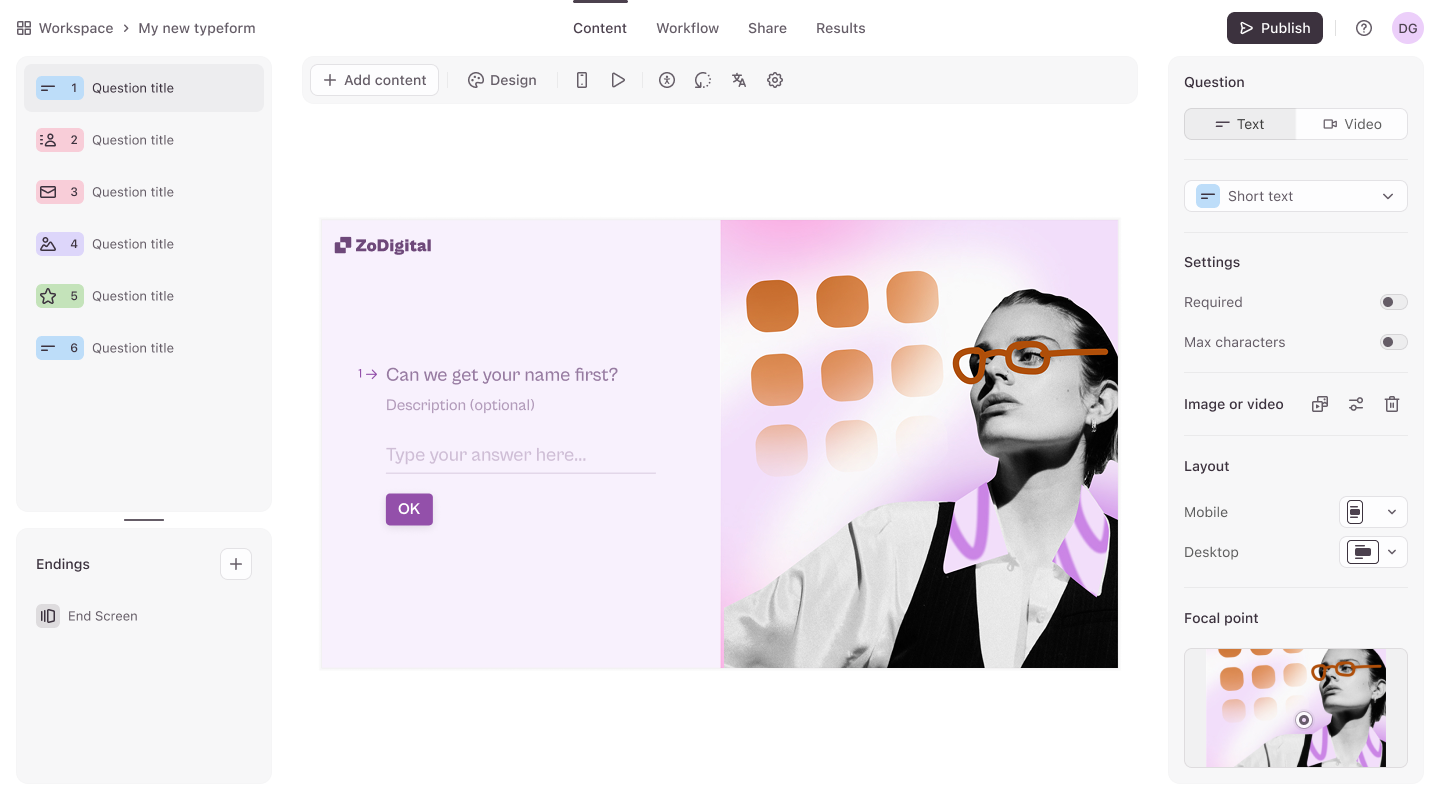
Lead generation A step-by-step guide

Software Stack Editor · June 16, 2025 ·

Lead generation A step-by-step guide

Learn how to generate more qualified leads with step-by-step tips on forms, quizzes, and conversion strategies in this free lead generation mini ebook.

Want more leads without more guesswork?
This bite-sized guide walks you through proven steps to capture and convert more leads—using better forms, smarter quizzes, and personalized workflows. Whether you’re just getting started or looking to optimize what you’ve got, these tips can help you turn traffic into traction.

Latest posts on

No items found.

About the author

Lydia is a content marketer with experience across both the B2B and B2C landscapes. Besides marketing and content, she’s really into her dog Louie.

Lead generation A step-by-step guide

https://softwarestack.tech/wp-content/uploads/2025/06/68505f5cef5363f70d4e9bf5_Frame201.png

Jun 16, 2025

Jun 16, 2025

Person

Lydia Kentowski

https://typeform.com/author/lydia-kentowski

Liked that? Check these out:

No items found.

  • Page 1
  • Page 2
  • Page 3
  • Interim pages omitted …
  • Page 10
  • Go to Next Page »

Get your Software Stack together. softwarestack.tech

Software Stack

© 2024–2026 - Software Stack is a trading name of SouthwestCIO Limited ac ompany registered in England & Wales 11319049

  • Knowledgebase
  • Home
  • About Us
  • Contact Us