• Skip to primary navigation
  • Skip to main content
software stack logo

Software Stack

Get your Software Stack together

  • Knowledgebase
    • All Categories
    • Accounting Software
    • Automation & Workflow Software
    • Customer Relationship Management
    • E-Commerce Shopfronts & Payments
    • Marketing Automation
    • Online Courses & Membership
    • Project Management
    • Surveys & Forms
    • Web Hosting
  • Home
  • About Us
  • Contact Us
  • Show Search
Hide Search

Podia

8 best alternatives to Thinkific for online creators (Features & pricing)

Software Stack Editor · July 6, 2024 ·

Looking for a place to sell online courses? You might have heard about an e-learning platform called Thinkific.

With Thinkific, creators can offer free and paid programs to unlimited students. You can upload as much course content as you want and even build a storefront to promote your offerings.

Thinkific is well-established in the course creation space, but it might not be the best fit for creators who want to branch out with other product types.

In this guide, we’ll cover the pros and cons of Thinkific as well as eight Thinkific alternatives to consider if it’s not right for your business.

Note: All pricing is accurate at the time of writing, but this is subject to change over time.

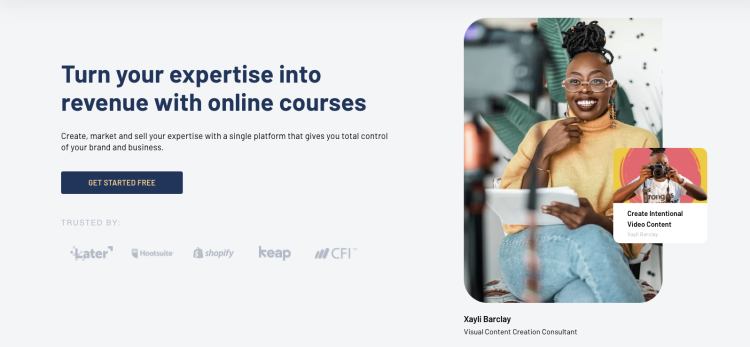
Thinkific pros and cons
Thinkific Alternatives: Image 1

Thinkific pros

Free plan: One of the biggest upsides of Thinkific is their free plan. Without paying anything upfront, you can sell a limited number of courses to unlimited students. There aren’t any transaction fees, and if you need more features, you can upgrade to a paid plan when you’re ready.

Here’s a look at the full Thinkific pricing breakdown:

Thinkific Alternatives: Image 2

Unlimited courses: If you choose to upgrade to a paid plan, you’ll be able to make unlimited courses and host as much content as you like. Some plans include helpful features like course completion certificates, assignments, and lesson prerequisites.

Website builder: Creators can use Thinkific’s drag-and-drop page builder to set up a website or storefront for their products. There are also website templates you can use to jumpstart your creativity.

Thinkific app store: If you need more functionality, the Thinkific app store comes with additional integrations and features. But be aware that some of these come at an extra cost.

Thinkific cons

It’s difficult to sell digital products other than courses: Courses are Thinkific’s bread and butter, but these days, there are countless ways to share your knowledge. If you plan to sell digital downloads, memberships, live streams, webinars, coaching programs, or services, Thinkific isn’t the best fit since it’s primarily optimized for online courses.

You never know where your creator business will take you, and only being able to offer one type of product could be a severe limitation as you grow.

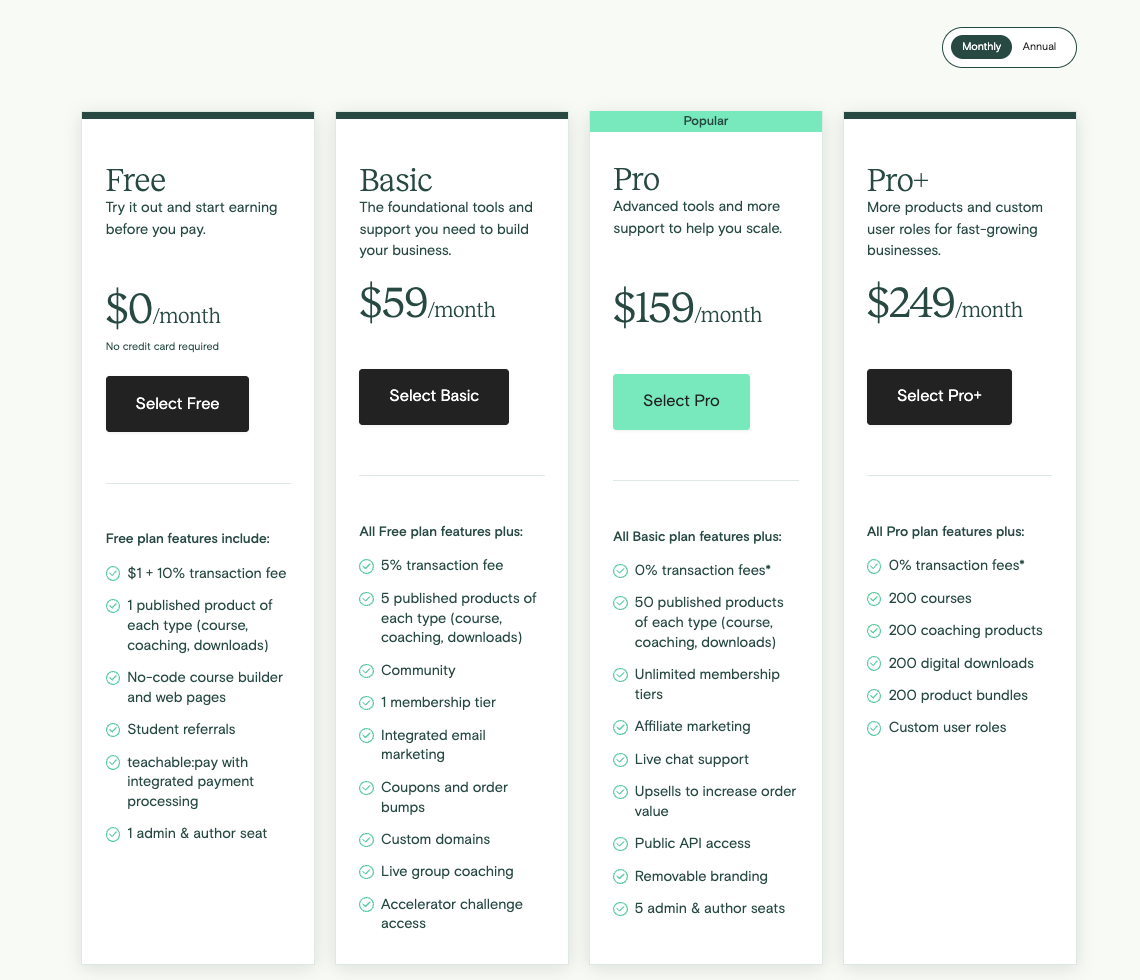
Thinkific’s free and Basic plans lack key features: Thinkific offers a free plan and a $49 per month Basic plan, but these options are missing important tools that might make them unusable for some creators.

You can only make three courses on the free plan, and to access many essential features, you’ll need to use Thinkific’s $99 per month Pro plan or above.

The Growth add-on: Creators will need to pay more for Thinkific’s Growth add-on to use premium tools. This can only be purchased as an addition to the $99/month Pro plan, and it costs an extra $50/month.

Advanced integrations, the ability to remove Thinkific branding, Zapier actions, unlimited communities, student segmentation tools, and bulk student messaging are some features that are only accessible with the Growth add-on.

Limited email functionality: Email marketing is essential for many online businesses, but Thinkific’s email tools may be too basic for many creators. You must be on the Pro plan with the Growth add-on to access features like email segmentation and bulk messages, or you’ll need to integrate with a third-party email service which likely has additional fees.

Ultimately, the course platform you choose depends on the unique needs of your business. If you determine that Thinkific is not right for you, here are eight alternatives you can check out instead.

8 Thinkific alternatives for creators

1. Podia (Best all-in-one platform for online creators)
All-in-One Platform

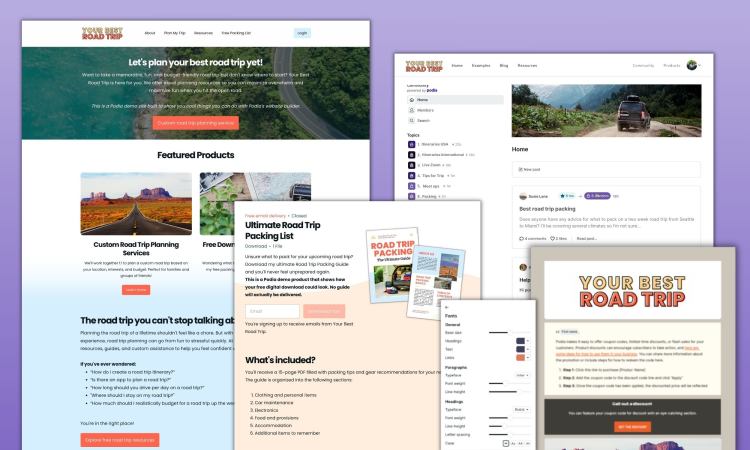
Podia is an all-in-one tool for bringing your online business to life. While Thinkific mainly focuses on course creation, Podia lets creators sell courses, digital downloads, webinars, and coaching sessions. You can also manage email marketing, affiliates, and your website under one roof.

Want to sell online courses? With Podia’s course builder, you can design a clean, visually appealing learning experience for your students in minutes. You can also offer multiple payment plans, message students through our on-page chat widget, and embed content from 1,900+ third-party platforms like SoundCloud, Typeform, and Github directly into your courses.

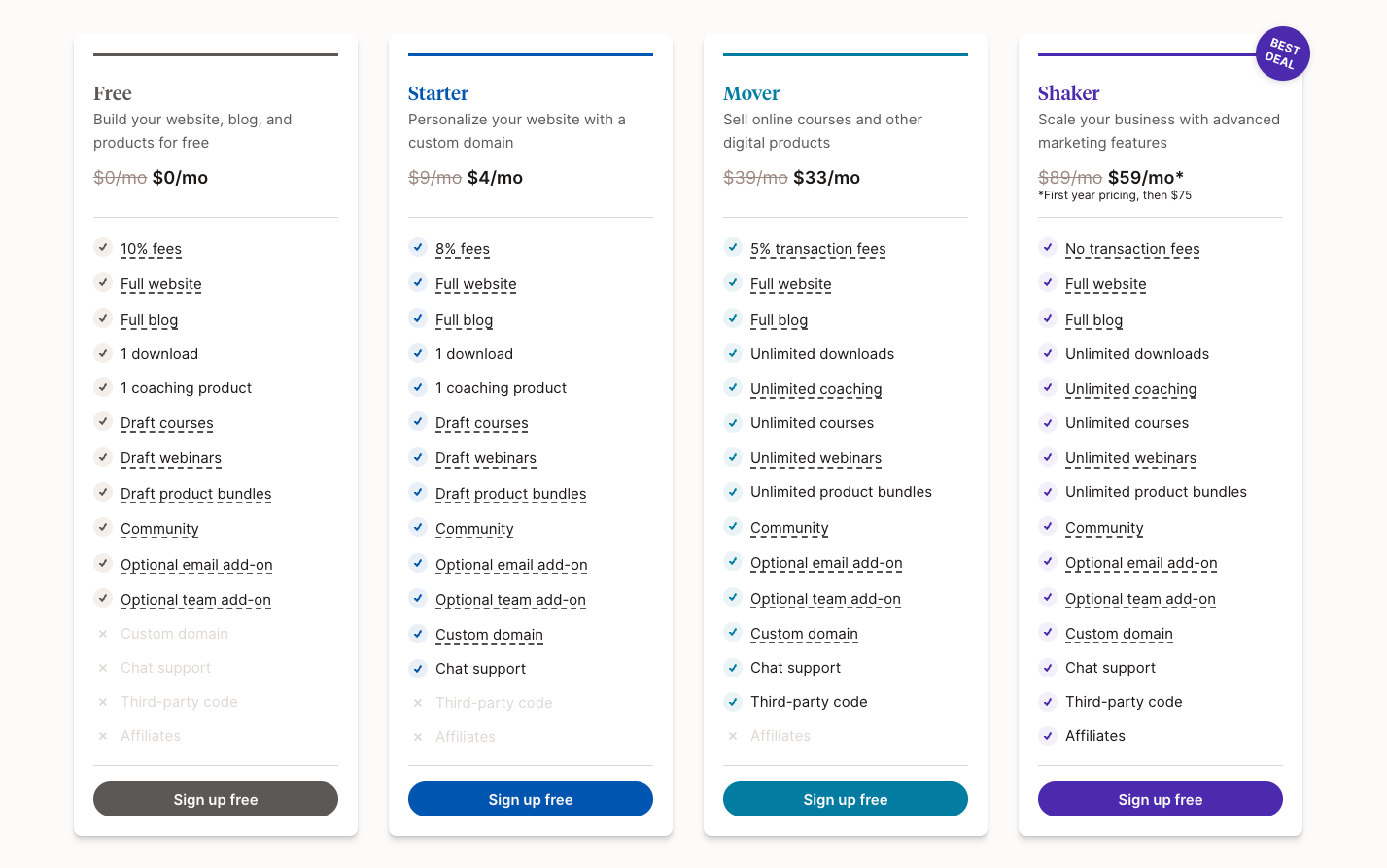
Want to sell dozens of printables and PDF files? Go for it! There are no product limits on Mover and Shaker plans, so you can let your creativity soar.

Want to build a website? Podia plans include a full website for your business. You don’t need to learn code or hire a developer. Simply use our intuitive page builder to create a digital home you love, complete with unlimited sales pages for your products and offerings.

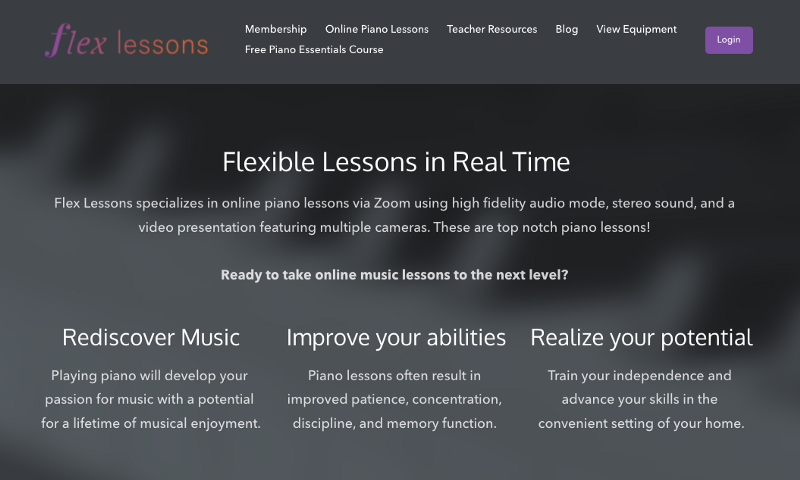
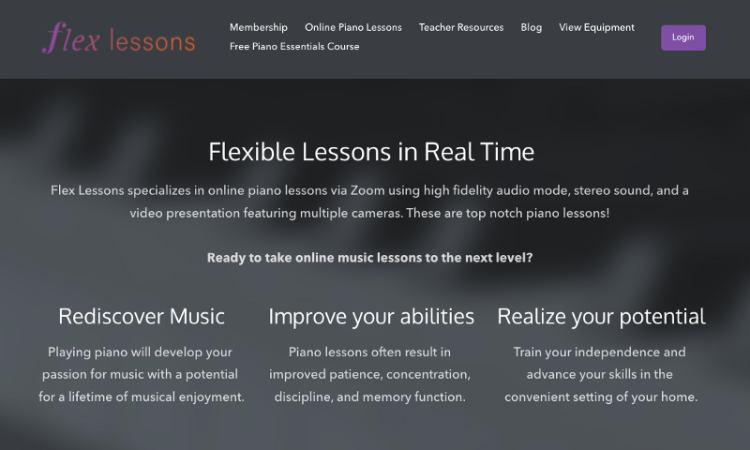
According to Podia creator and piano instructor Joseph D’Amico, “Podia makes website building so fun. I feel like I could set up a site in an afternoon, and it would look great. And if there’s something to be said for how pretty it is. It’s the best-looking one by far.”

But Podia doesn’t stop there. You can also set up your blog, build unlimited landing pages, start your email list, and sell unlimited digital downloads and coaching products. You can even make courses, webinars, and product bundles which can be launched whenever you’re ready.

Podia’s Mover and Shaker plans are competitively priced and packed with all the tools you need to run your business. Compared to Thinkific, you get a wider range of resources for a lower price with Podia.

Bottom line: Podia was built to grow with you no matter where your creator journey takes you.

Podia features:

  • All-in-one alternative to Thinkific

  • Sell unlimited courses, digital downloads, webinars, and coaching sessions on Mover and Shaker plans

  • Build a full, SEO-friendly website on all plans

  • Email marketing, affiliate marketing, upsells, coupons, and customer messaging

  • Free migrations for annual Mover and Shaker plan participants

  • Fast and friendly customer support

  • Payment integrations with Stripe and PayPal

  • Instant payouts

  • Custom domains

Podia pricing:

Learn more about how Podia compares to Thinkific.

Get your free 30-day trial from Podia now to see these features in action.

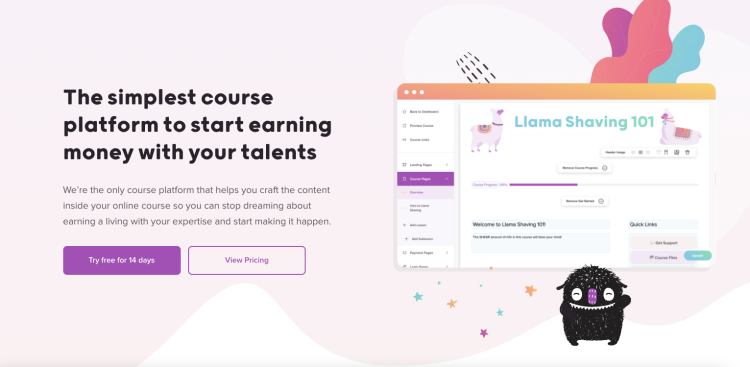
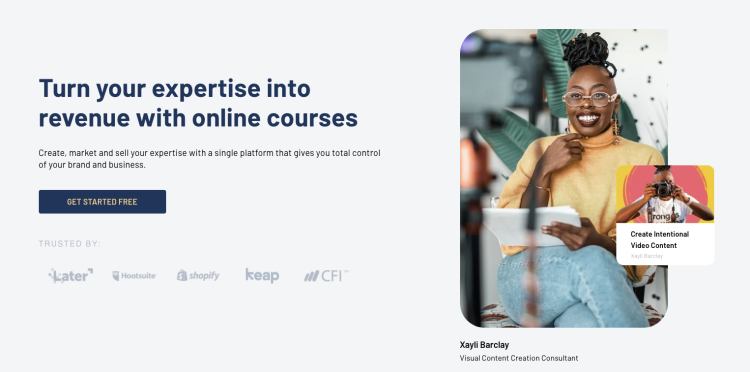
2. Teachable

Thinkific Alternatives: Image 7

Teachable is an online course platform where you can sell unlimited courses and coaching programs on all plans, including their free plan. Creators get access to course design templates, you can build a storefront for all your product offerings, and sales made through Teachable’s payment gateway are eligible for instant payouts.

Teachable features:

  • Sell courses and coaching

  • Build customizable sales pages for your courses and products

  • Coupons, subscriptions, one-time payments, memberships, and bundles

  • Basic email functionality

  • Affiliate management resources

Teachable benefits: When you build courses with Teachable, you can enable course completion certificates and add interactive elements like quizzes. There are helpful integrations you can connect with if you need more functionality. In addition to letting you sell unlimited courses and coaching products, Teachable handles behind-the-scenes financial tasks like paying you, your affiliates, and other authors.

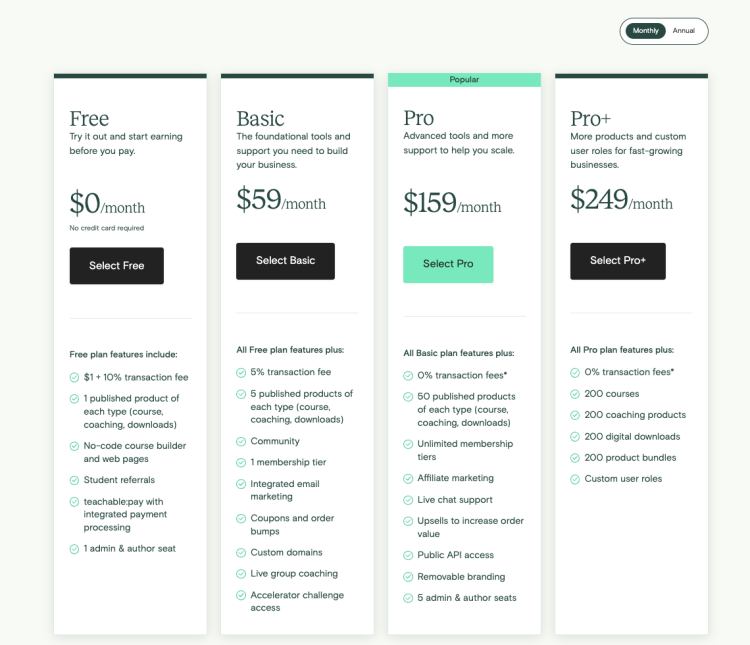
Teachable downsides: Teachable is not ideal for selling digital downloads or building a brand community. To sell communities, you must integrate with a third-party online community platform called Circle, which comes with additional costs. Also, Teachable charges high transaction fees on the free plan ($1 per sale plus 10% transaction fee).

Teachable pricing:

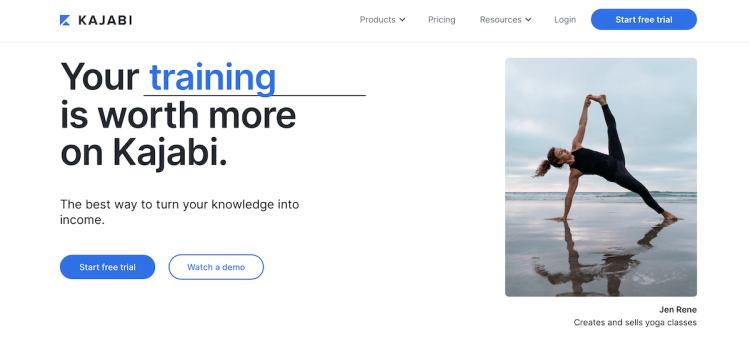
3. Kajabi

Thinkific Alternatives: Image 9

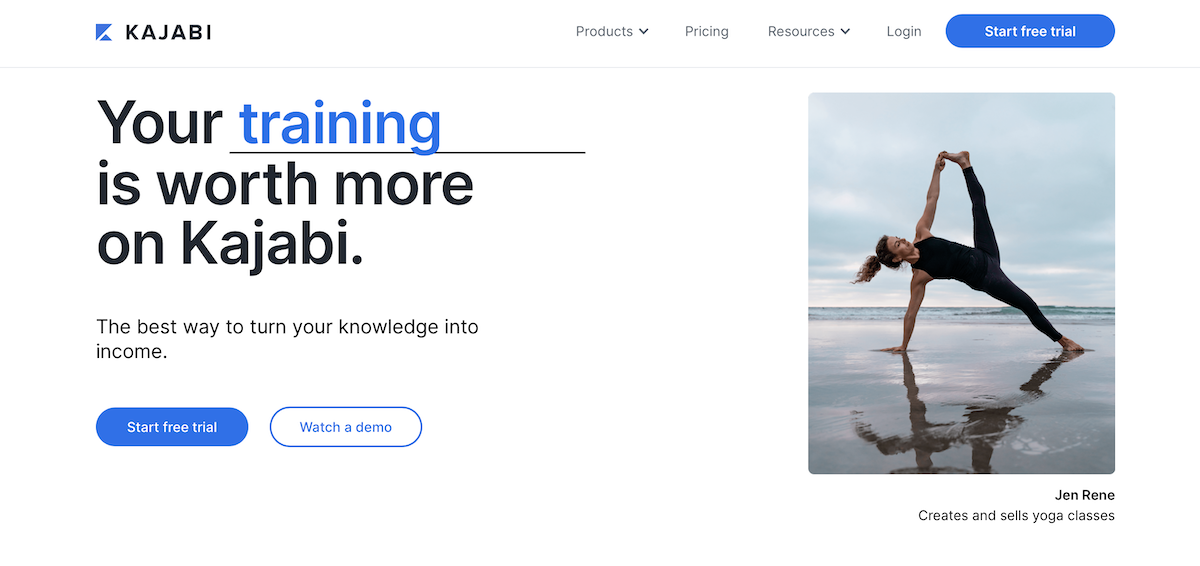
Kajabi is an all-in-one alternative to Thinkific, where you can sell courses, digital products, coaching, memberships, and podcasts. You can also use Kajabi to handle your email marketing, run your affiliate program, build your website, and track your analytics.

Kajabi also offers in-depth sales funnels called pipelines. Pipelines are automation templates that help you achieve a specific goal, like nurturing leads or launching a new product.

Kajabi features:

  • Sell courses, downloads, coaching, memberships, podcasts, and communities

  • Email marketing, affiliates, and analytics

  • Website builder and templates

  • For podcasters: Sell members-only podcasts and manage your podcast subscribers

  • Create advanced sales funnels

Kajabi benefits: Like Podia, Kajabi is an all-in-one alternative to Thinkific, which means you’ll get access to a robust suite of tools for one monthly rate. There are no transaction fees on any plans, and Kajabi has a mobile app so students can view their courses on the move.

Kajabi downsides: Kajabi comes at a higher price point than similar tools in this space. In addition to the cost, Kajabi limits the number of products you can make on all plans and the number of active members in your programs.

Here are the limits on Kajabi plans:

  • Kickstarter: one pipeline, one product, 50 active customers

  • Basic: three pipelines, three products, 1,000 active members

  • Growth: 15 pipelines, 15 products, 10,000 active members

  • Pro: 100 pipelines, 100 products, 20,000 active members

Our survey of over 900 creative entrepreneurs found that creators have an average of 10.95 products, which would mean many have to use the pricey Growth plan.

Kajabi pricing:

  • Kickstarter: $69/month

  • Basic: $149/month

  • Growth: $199/month

  • Pro: $399/month

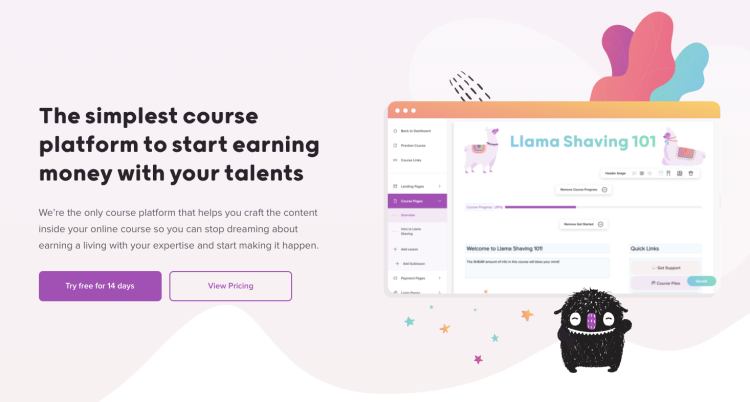
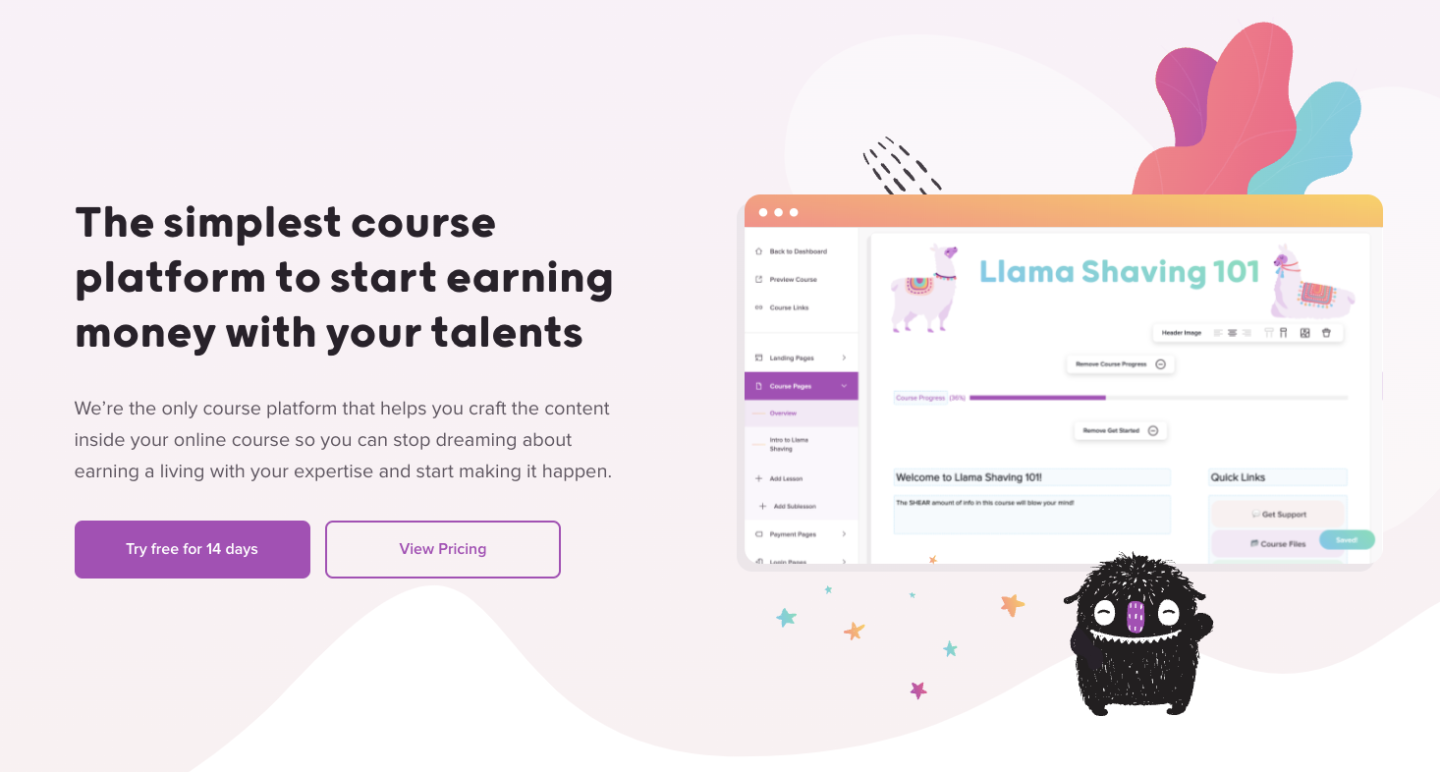
4. Teachery

Thinkific Alternatives: Image 10

Teachery makes course building simple. This software was made by course creators, for course creators, and provides just the things you need without extra bells and whistles.

With Teachery’s white-label course platform, you can upload your content into two sleek layouts, create unlimited lessons, and house helpful resources for your students in one place. When selling your courses, you’re free to make unlimited payment pages and charge a one-time fee, a recurring rate, or nothing at all.

Teachery features:

  • Unlimited courses, lessons, and students

  • Straightforward course builder with two templates

  • Sell memberships and bundle products

  • Create sales pages and landing pages

  • Integrations with Mailchimp, ConvertKit, and Zapier

  • Affiliate program

Teachery benefits: Teachery offers two payment plans, monthly and annual. Both options come with everything, so you don’t have to upgrade your plan or pay for additional add-ons as you grow.

Teachery also has a Zapier integration that allows you to connect the tool with other software in your technology stack.

Teachery downsides: Teachery is primarily used for selling courses, and it’s not optimized for selling digital downloads or services like coaching. There’s no community feature, and plans don’t include video or audio hosting. Instead, you’ll need to work with a third-party tool like Wistia, Vimeo, or YouTube.

Teachery pricing:

  • Monthly plan: $49/month

  • Annual plan: $470/year

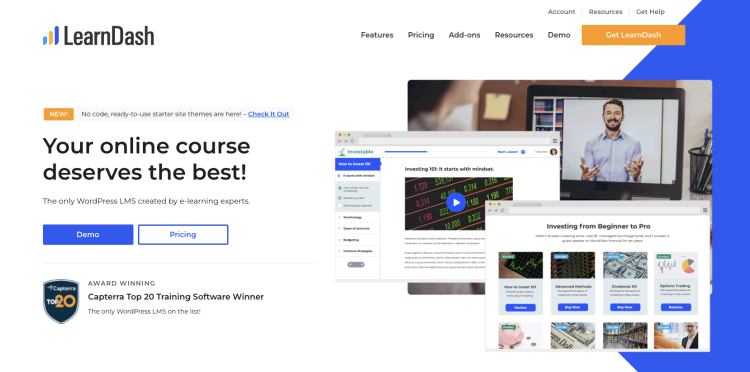
5. LearnDash

Thinkific Alternatives: Image 11

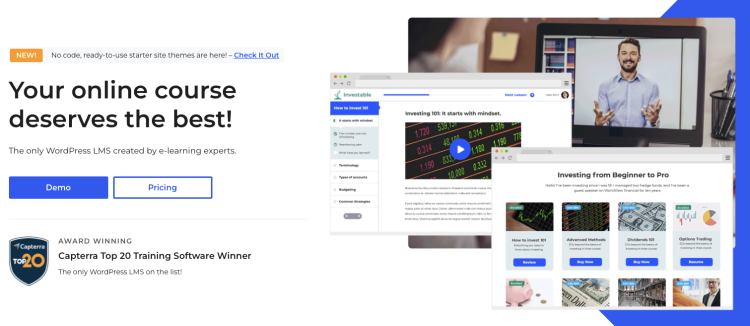
With LearnDash, you can sell unlimited courses to unlimited students from your WordPress site. Create self-study programs, drip content over time, run a course forum, and gamify your program with leaderboards, course points, and badges.

You can list your courses as memberships, subscriptions, one-time payments, or product bundles. On the design front, LearnDash has customization options and works alongside most WordPress themes and page builders like Elementor.

LearnDash features:

  • Sell courses from your own website

  • Drag and drop course builder

  • One-time payments, subscriptions, memberships, bundles, and bulk licenses

  • Gamification, quizzes, certifications, badges, leaderboards, and evaluations

  • Drip feeds, prerequisites, and required videos to improve course completion rates

LearnDash benefits: The LearnDash online course platform can be used with almost any WordPress theme. Creators who love using WordPress can add course functionality to their existing site with just a few clicks. To use the LearnDash software, you simply pay a flat rate per year based on how many site licenses you need. There are no transaction fees.

LearnDash downsides: On the feature front, LearnDash doesn’t have a webinar tool or a way to teach live. You can only send basic email notifications to students, so you’ll need to connect another tool for advanced email marketing features.

If you want to build an affiliate program for your course, you’ll also need additional software since this isn’t a LearnDash feature. Most importantly, LearnDash is a WordPress learning management system (LMS) plugin that must be used with a WordPress website.

While this is fine for creators who already have WordPress experience, beginners might face a steep learning curve. You may need to hire a developer for advanced customizations and functionality. You’ll be responsible for connecting, maintaining, and paying for add-on tools to make your site function the way you want.

On top of that, you’ll need to pay for your domain registration and third-party WordPress hosting, as well as any premium themes you may be using. Check out this guide to learn more about website hosting.

LearnDash pricing:

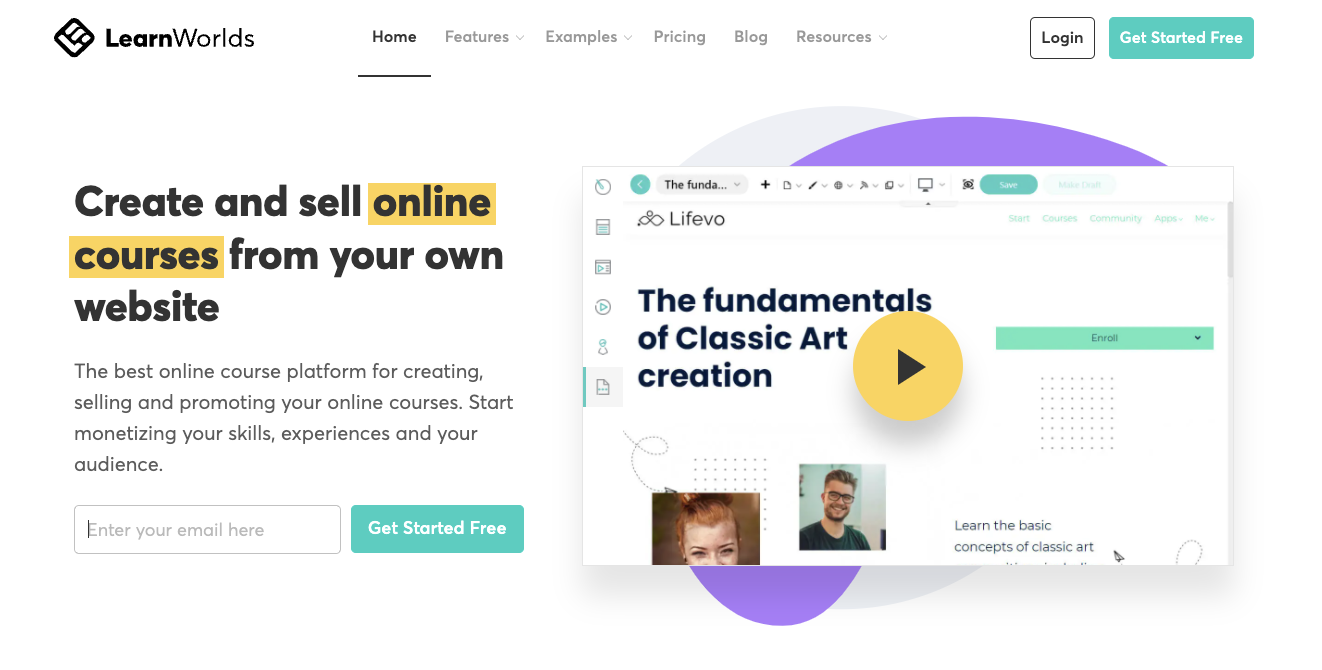
6. LearnWorlds
Thinkific Alternatives: Image 12

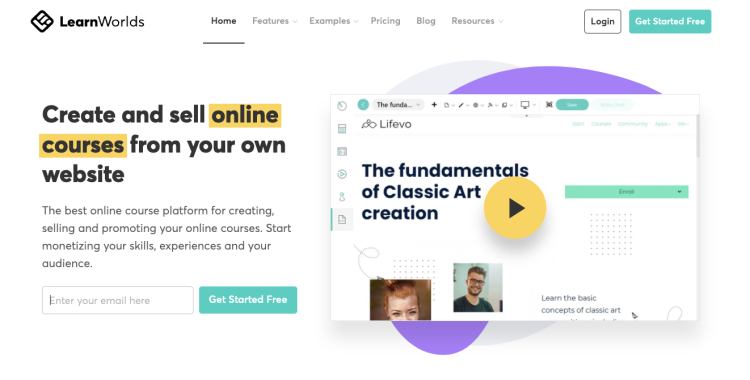
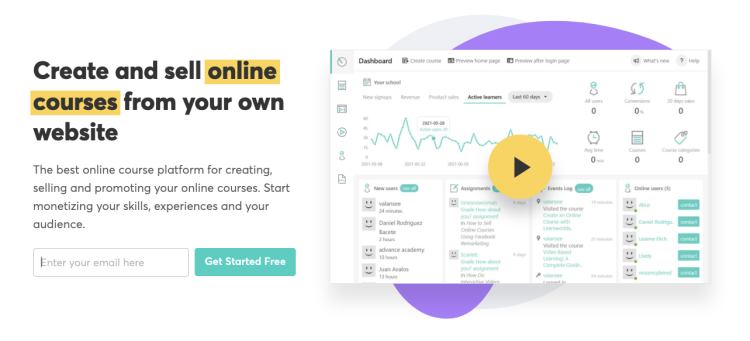
Like Thinkific, LearnWorlds puts online course creation at the forefront. Creators can sell unlimited courses with different payment options and elevate their content with LearnWorlds’s unique interactive video features. LearnWorlds lets you generate subtitles, automatic transcripts, and eye-catching overlays for your course videos. Content annotation tools are available to help your students engage deeply with your materials.

Also, LearnWorlds is a strong Thinkific alternative for creators who want to build their own mobile learning app.In addition to selling courses, subscriptions, and memberships, creators can design a white-label mobile learning platform for their students. This functionality is available to creators on the $299/month Learning Center plan for an additional cost.

LearnWorlds features:

  • Sell courses, memberships, subscriptions, and your own mobile learning app

  • Website and sales page builder

  • Pop up builder

  • Drip courses

  • Manage affiliates

  • Create an online community

  • Interactive video and course content tools

LearnWorlds benefits: LearnWorlds offers various interactive course elements like assessments, quizzes, question banks, and course completion certificates. You can edit your videos and generate transcripts directly on the LearnWorlds platform.

LearnWorlds also gives you the ability to create a white-label mobile learning app with notifications and in-app purchases for an extra fee.

LearnWorlds downsides: Since LearnWorlds is so focused on selling courses, it’s not ideal for creators who offer digital downloads, coaching, communities, and services. There’s no free plan, and the $29/month Starter plan has some limitations. You can’t offer free courses at this level, and you’ll pay a $5 fee on each course sale you make, which could add up fast.

Also, the Starter plan only comes with a three-page website. You must be on the Pro Trainer plan to build a complete website and offer free courses, memberships, subscriptions, and webinars.

LearnWorlds pricing:

  • Starter: $29/month (+$5 fee per course sale)

  • Pro Trainer: $99/month

  • Learning Center: $299/month

  • Corporate: Custom pricing

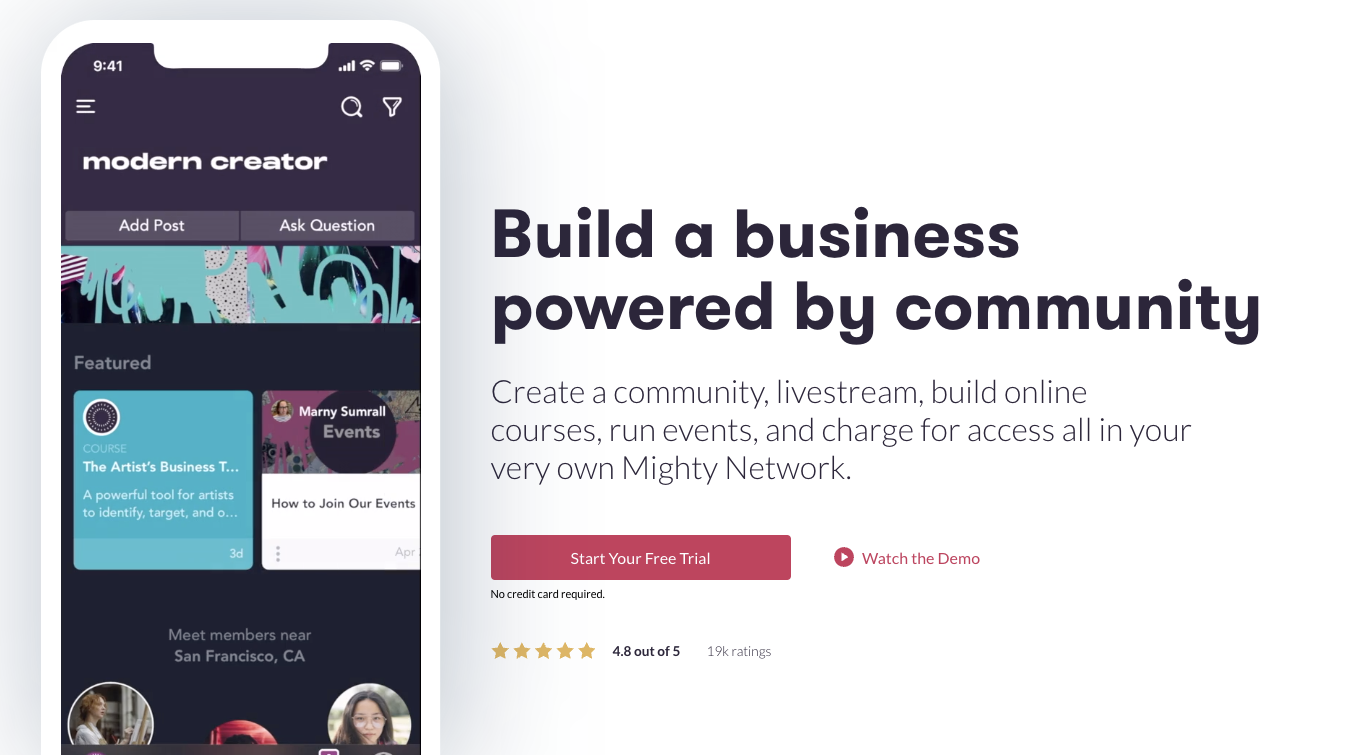
7. Mighty Networks
Thinkific Alternatives: Image 14

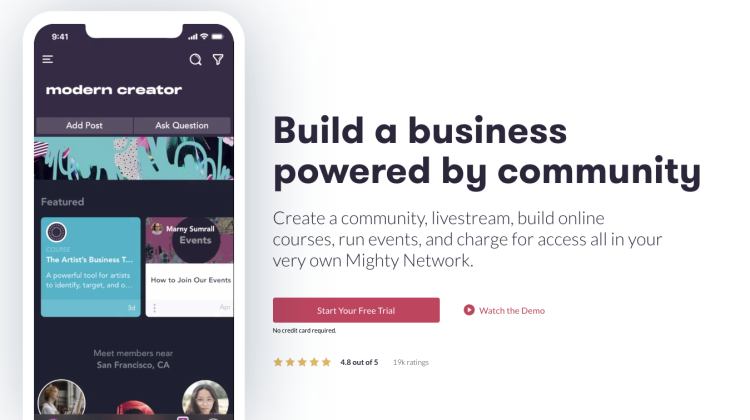
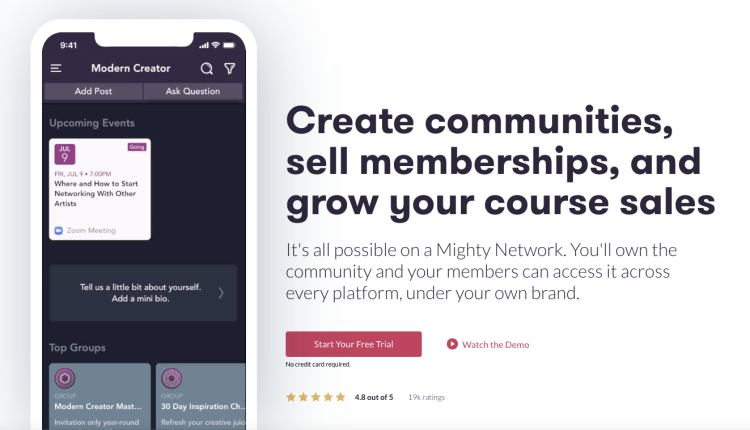
Mighty Networks is designed for running free and paid online communities. While creators can sell courses on the Business plan, the community feature is clearly the star of the show. Users like the sleek community interface and top-notch features like unlimited members, notifications, live streaming, events, and API integrations with Zapier.

If you upgrade to unlock the course creation tools, you can drip content, add additional instructors, and build a special community area for course participants.

Need a mobile app for your brand? Larger companies and businesses can sign up for Mighty Pro to design their own white-label mobile app.

Mighty Networks features:

  • Run a free or paid community with unlimited members and moderators

  • Communication features for community members like group chats and messaging

  • Create a membership site to house premium content

  • Business plan participants can create live or cohort courses

Mighty Networks benefits: On Mighty Networks’ Business plan, you can create courses with designated community areas. Communities come with advanced features like virtual and in-person events, rich member profiles, and a Discovery page for members to find new content.

Mighty Networks downsides: Mighty Networks is not optimal for selling services and coaching. It’s primarily for creators who want their community to be front and center, which may mean more real-time work than a traditional self-paced course.

You can only sell courses on the Business plan, and Mighty Networks charges transaction fees on all plans. The platform also lacks email marketing features and a website builder, but you can make a landing page to promote your community.

Mighty Networks pricing:

  • Free trial: (5% transaction fee)

  • Community plan: $39/month (3% transaction fee)

  • Business plan: $119/month (2% transaction fee)

  • Mighty Pro: Custom pricing

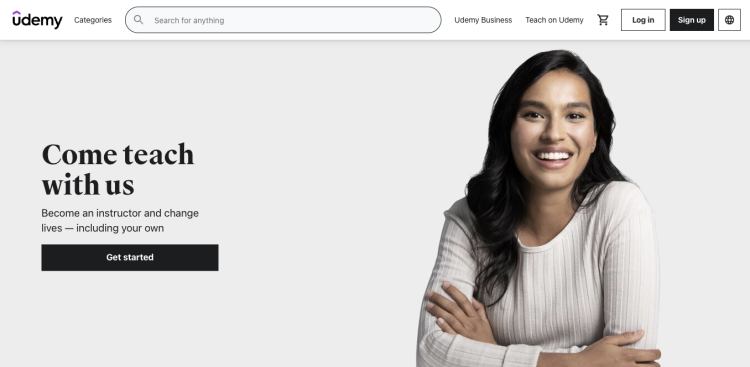
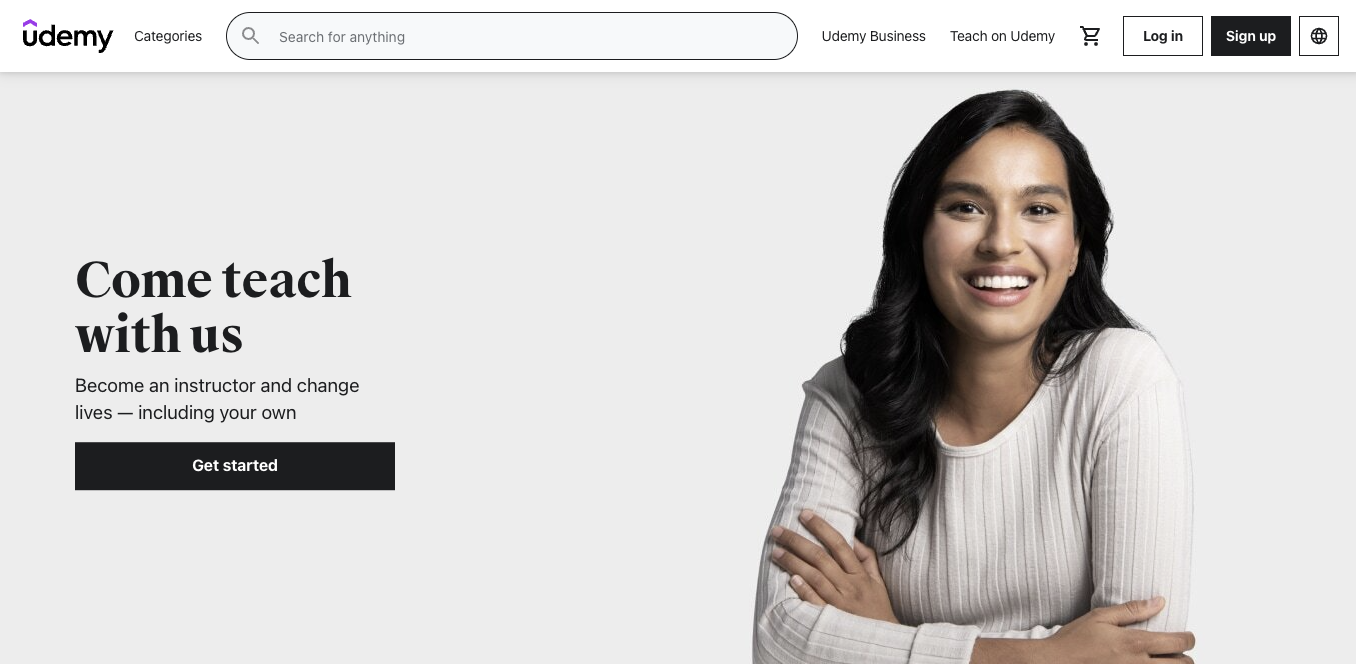
8. Udemy

Thinkific Alternatives: Image 15

Unlike the other platforms in this post, Udemy is an online learning marketplace where you can sell your courses to a wider audience. All you need to do is upload your course videos and content, and Udemy handles the bulk of the marketing for you.

Considering that they have a sizable audience of 40+ million worldwide students, this is a good option for creators who want to take a hands-off approach to selling courses. Udemy pays out using a revenue-sharing model. Udemy’s revenue-sharing plan:

Simply put, Udemy can be a good fit if you’d rather not mess with digital marketing, but you’ll earn significantly more if you send students to your course using your referral code.

Udemy features:

  • The platform has approximately 185,000 online video courses available

  • Intuitive course builder

  • Revenue sharing plan

  • Students can leave course reviews

Udemy benefits: Udemy makes it easy for new creators to get started, and you won’t need a ton of extra marketing tools to share your course with a broad audience. Students can find you directly through the platform, and Udemy has a popular affiliate marketing program. Affiliates you don’t know may promote your course to their audience, earning you extra cash.

Udemy downsides: With Udemy, you have less control over your course format and pricing. Udemy will essentially control the learning experience, and you can’t create cohorts, drip courses, or real-time offerings.

There are caps on how much you can charge for your course, and it could be sold for a fraction of the usual price if you choose to participate in site-wide deals. Udemy must approve video lessons, and there are requirements for length and quality. While a hands-off platform may sound enticing, you may earn less than if you use a creator platform that gives you control over your course sales and audience.

For example, Podia creator John D. Saunders earned $1,100 in revenue on Udemy with 1,900 customers. When he switched to Podia, he earned $10,000 on launch day alone and has since earned over $200,000.

Finally, Udemy doesn’t include a website, sales pages, email tools, or the ability to sell diverse product types like memberships, coaching, and digital downloads.

Udemy pricing:

  • Free for instructors

Which alternative to Thinkific is right for your business?

Best free alternative to Thinkific:

More affordable Thinkific alternatives:

  • Podia: Plans start at $33/month with a 5% transaction fee

  • LearnWorlds: Plans start at $29/month

  • Teachery: The annual plan comes out to about $39/month, with no transaction fees

  • LearnDash: Plans start at $199/year

  • Mighty Networks: Plans start at $39/month

Best Thinkific alternatives that integrate with WordPress:

Best all-in-one alternative to Thinkific: Podia

With Podia, you can easily sell courses, webinars, coaching, and digital downloads without limits on Mover and Shaker plans.

Because Podia is an all-in-one tool, you also get access to email, affiliates, a website builder, and customer messaging. Podia is the ideal option for creators who want their entire online business in one place, without a steep price tag.

Check it out yourself with a free 30-day trial from Podia.
How to make a website you love in an afternoon

Software Stack Editor · July 4, 2024 ·

This step-by-step guide shows you how to make a website for your small business that looks and feels like you.

Jump ahead

In this article

“I think I need to… build a website,” you think to yourself, already exhausted and overwhelmed by the six-month, six-figure coding project ahead of you. 

Well, you’re right about one thing. You do need a website. And I’m happy to report that setting one up doesn’t have to be complicated, stressful, expensive, or scary. It can even be free.

Your website is a virtual storefront for your business. It’s your little slice of the internet where you can find your target audience, connect with customers, make sales, and share your knowledge. It’s a space that you get to design and control – no weird ads or algorithms to steal your audience’s attention.

But setting up a website for the first time, or updating your existing website if you already have one, can feel like a massive chore. You have to be a web developer, graphic designer, copywriter, photographer – but all you really want to do is run your online business. 

That’s why I put together this DIY guide on how to set up a website that’s free, beautiful, and won’t take a hundred years to build – so you can get back to doing what you do best. 

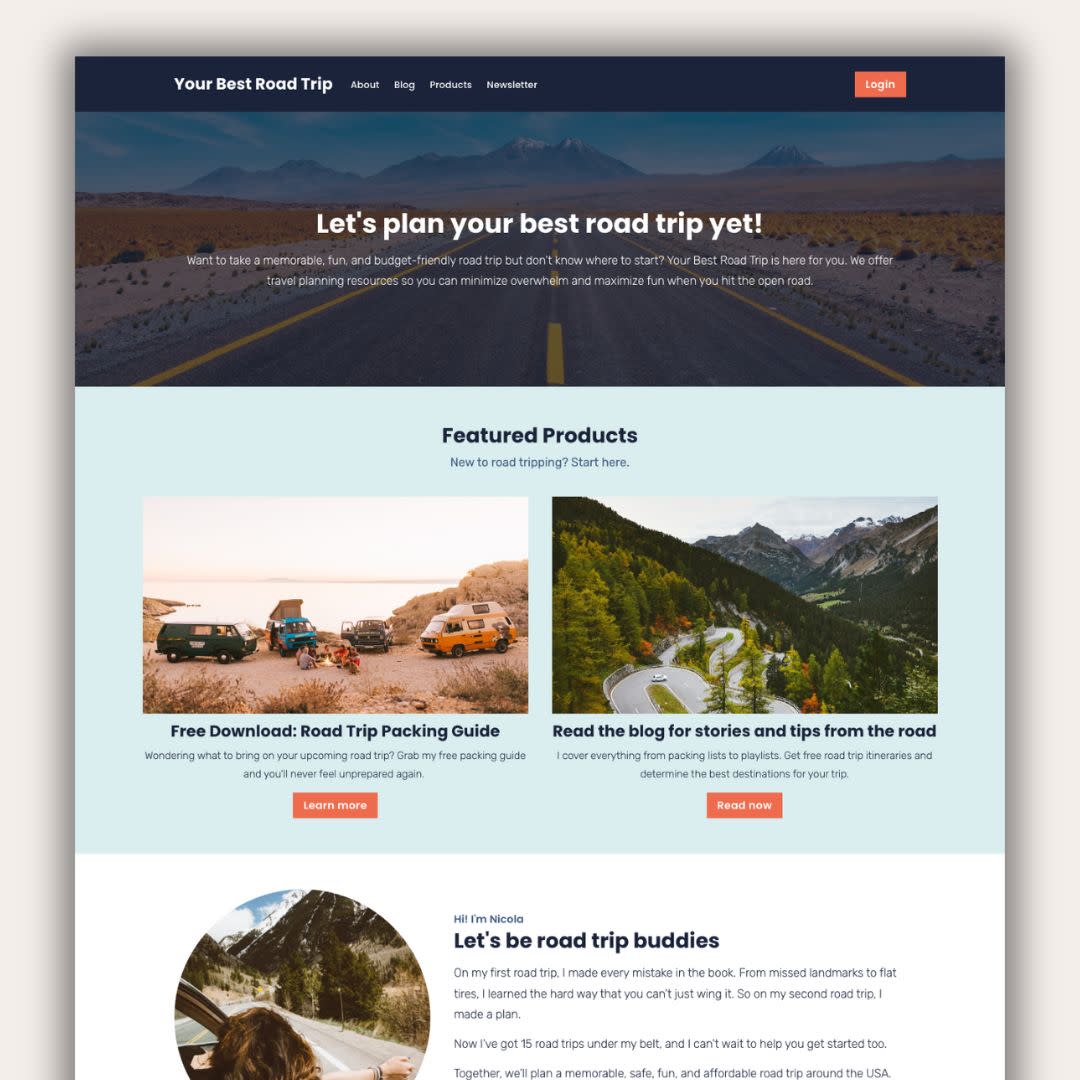
Throughout the article, you’ll see video tutorials about how to set up your website step-by-step. I’ve been wanting to make a website about one of my favorite hobbies, planning road trips, so I’ll build my new site along with you. That way you can see exactly what to do and get ideas for your own pages. 

I’m using the
Podia website builder
for these demos, but you can build your website on any platform you like. To follow along with me, grab your
free Podia account here
. 

Okay, you’ve got things to do so let’s jump right into it. Up first, what tool should you use to build a website? 

Choosing the best website builder for your business

Back in the day, setting up a website meant you had to hire a developer, learn some code, and configure all kinds of tech behind the scenes. You can still do that today if you want to, but thankfully, you don’t have to. 

Website builders are tools that let you build what you want without coding. You can set up your website pages visually and move things around however you like, then press publish. 

Some website builders also come with more features for running your online business like built-in digital products, email marketing, and content management systems. 

Here are four solid website builders to consider, starting with my personal favorite:

Podia: No surprises here!
Podia
is an all-in-one platform for running your creative online business. In less than a weekend, you can set up your website, landing pages, blog, email list, digital products, courses, affiliates, and everything else you need to start and grow a business. 

Your website, blog, and landing pages are included on the free plan and there are tons of beautiful pre-built website sections to choose from – no coding or web design experience required. Plus, website hosting, your SSL certificate, and a free Podia subdomain name are included. 

Squarespace:
Squarespace
comes with a website builder, blog, website templates, and web hosting. You can also add ecommerce website features to sell products and courses. Squarespace doesn’t have a free plan, and paid plans start at $16 per month. 

Wix:
Wix
is a free website builder that lets you set up a basic site and blog using templates. It’s a drag-and-drop builder so you don’t need to know how to code, which makes this a suitable option for beginners. You can also upgrade to a paid plan for more features like selling products, managing bookings, and basic email marketing. 

WordPress:
WordPress
is a free, open-source website-building software. Out of all the options on this list, WordPress gives you the most control and customization options, but it’s also the most technically challenging to work with. You can build pretty much anything you want, but you’ll need to use plugins and add-ons to get the most functionality. 

Even though WordPress is free, you have to pay for website hosting and your domain name. You’ll need to find a hosting provider, set up an account, install WordPress, and then add your theme and plugins to get your site up and running. 

Podia is the best website builder for beginners, small business owners, and experienced entrepreneurs because it grows with you.

  • Start a website for free
  • Sell products on the free plan
  • Build a blog with unlimited landing pages
  • Upgrade for more features (like courses and affiliates) when you’re ready

Get my free Podia account →

After you’ve picked your website builder, the next step is planning what you want your site to say. 

Planning your website content

It’s tempting to jump right into your new website builder. (Anyone else love tinkering?) But taking some time to plan makes the setup process go much smoother. Set aside an hour or two to do the following things: 

Research your audience: Who is your ideal customer or reader? Try to narrow it down and think about who exactly you’d like to work with. Then, head to YouTube, Reddit, Google reviews, or social media and look for common questions, desires, and pain points. You can use this in your website copy. 

If you want to dive deeper into audience research, check out our free Get Noticed course.

Learn how to build an audience that loves your work and with in-depth research ideas.

Join Get Noticed! for free →

Decide on your brand elements: Podia makes it super easy to customize your fonts and colors so your website feels like you. Pick your brand colors or choose from one of the color palettes built into Podia. If you have a logo, photos, headshots, or other brand assets, gather those now too. 
Outline your website structure: Decide what pages you want to have on your business website. For most people, these core pages are a great place to start: 

Pro tip: Start with less – you can always add more later.

Draft your page copy: It’s helpful to have an idea of what you want to say on each page as you set up your content in your site builder. This doesn’t have to be your final copy, but it will help you see how your website design and text work together.

Now that you’ve got a plan, it’s time to set up your website. Don’t worry if you change your mind along the way, that’s totally fine. You’ve got a starting point, so let’s do this.

Let’s build your website

The moment you’ve been waiting for. Now that you’ve picked your site builder and drafted your game plan, it’s time to build your very own website. No web development skills are needed.

I’m using Podia for my website in the examples here.
Grab your free account and we can build together
.

Setting up your main website pages

To start, let’s open up your home page by clicking on “Site” and “Edit site.” You should see a mostly empty page, and when you hover your mouse over it you’ll see a little plus sign. Click it to open the left-hand editing menu. 

In the left-hand menu, you can choose what section you’d like to add. Podia has pre-made sections for images, text, testimonials, FAQs, product features, CTAs, email sign-ups, and pretty much anything else you need. You can customize the content and design of each section you add using that left-hand sidebar. 

For this basic homepage, let’s add the following sections. 

  • Text hero that says what your business is about

  • A grid with your featured products or services

  • Bio to information about you

  • Email opt-in form

Of course, there’s way more you can do with this. When you add products to your Podia account, you’ll automatically get access to more sections like featured products and categories, but for now this this basic page works great. 

Once you’ve added the homepage sections you want, there’s one more step to make your site look and feel like you. Click on the “Design” tab in the very top menu to adjust your site-wide colors, fonts, width, images, buttons, and padding. These changes will take effect everywhere so your pages all look cohesive.

In this video, I’ll set up the homepage for my road trip website: 

[embedded content]

You can follow these same steps to set up your About page, Products page, Services page, and any other page you want to have on your website. 

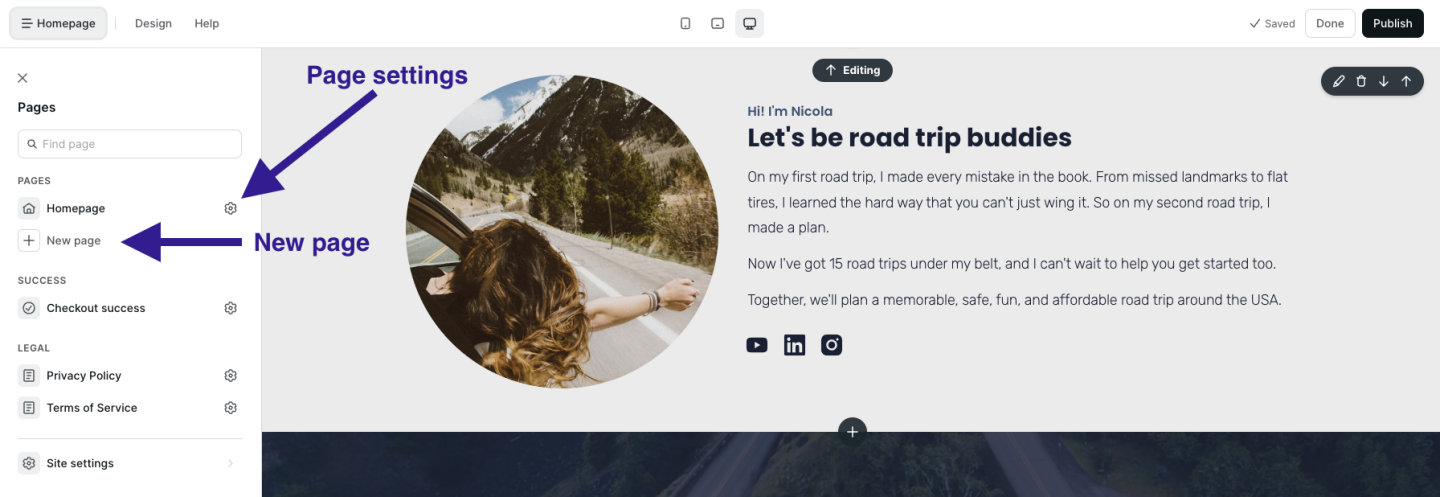
To add new pages, click on the page name at the very top of the left-hand sidebar.  Click “Add new page” to create a new page. You can click the gear next to your new page to customize the URL and page name. 

Set up your blog to attract new visitors

Next, let’s
set up your blog
. Even if you’re not a blogger, I always recommend having a blog since it’s a great way to get discovered in search, share what you know, and connect with audience members.  

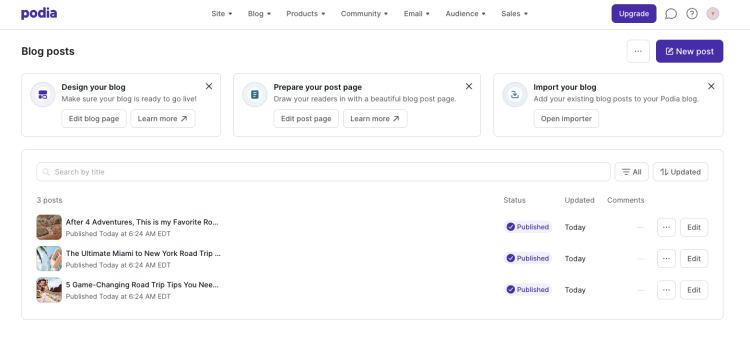
In Podia, click on “Blog” in the upper navigation to turn the free blog feature on. 

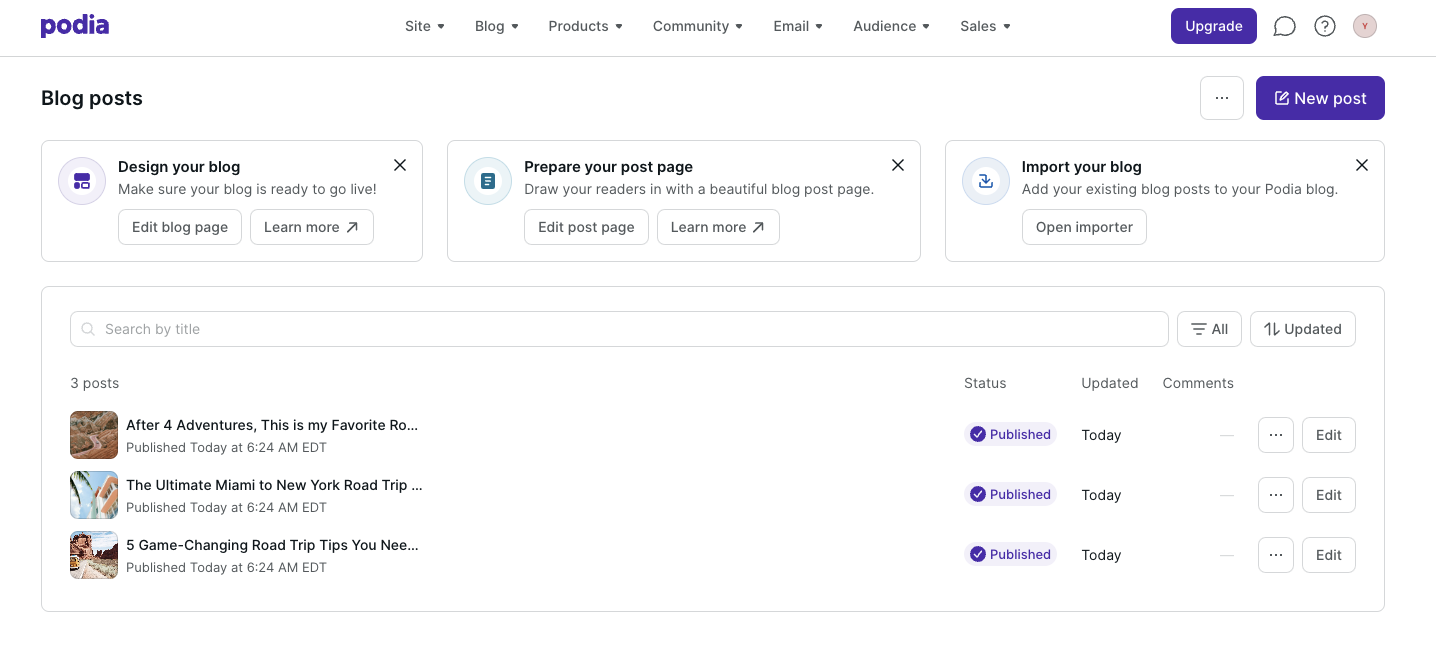
You’ll automatically see four sample posts loaded into your blog post page. You can delete these and add your own posts. 

Then, head back to the website editor and you’ll see two new pages in the left-hand sidebar – a “Blog” page and a “Blog post” page. Click on each one to customize the layout of your individual blog posts and your blog landing page. 

In this video, I’ll set up my road trip blog step by step so you can follow along: 

[embedded content]

Again, a blog can give you more ways to connect with your audience members and get discovered online. 

When people search for the topics you cover, your blog could be the search results that show up. That gives you an evergreen way to attract new readers, and you can include featured products and email opt-in forms in your blog posts to make more sales and stay in touch. 

Need some blogging tips? These articles can help:

Set up your email newsletter to stay in touch

It’s one thing to attract new visitors to your webpage, it’s another thing to keep them engaged with your brand. 

One of the best ways to make sure visitors don’t disappear into the wild west of the internet is to have an
email newsletter
. With email, you can communicate directly with your audience in their inbox, away from ads, distractions, and algorithms. 

Podia comes with
email marketing built in
so you don’t need to connect another tool, and you get your first 100 subscribers plus all email features for free.

(If you’re using another website platform or would like to use a different email service provider with your Podia website, you can use integrations to connect everything.)

You can add email sign-up forms throughout your website using the “Email form” and “Slim email form” sections, and you can also add a landing page for your email newsletter to make sure people don’t miss it.

To set up your email landing page, here’s what to do: 

  1. Go back to the website editor and add a new page

  2. Click the plus sign on the page and add an email sign-up form section

  3. In the text areas, tell people what they can expect when they sign up for your newsletter. What value will they get? Make it interesting for them.

  4. If you like, you can add other sections like your bio or FAQs

Once your page is set up, we’ll add it to the header in just a minute. 

Here’s the video so you can follow along: 

Adding your digital products to earn income

If you plan to
sell digital products
and
courses
from your website, let’s get those set up now too. 

Podia makes it super easy to add products, and you can sell one digital download and one coaching product on the free plan. If you’d like to sell more products in your online store (like courses, webinars, unlimited downloads, and unlimited coaching products), you can upgrade to the Mover plan for unlimited everything. 

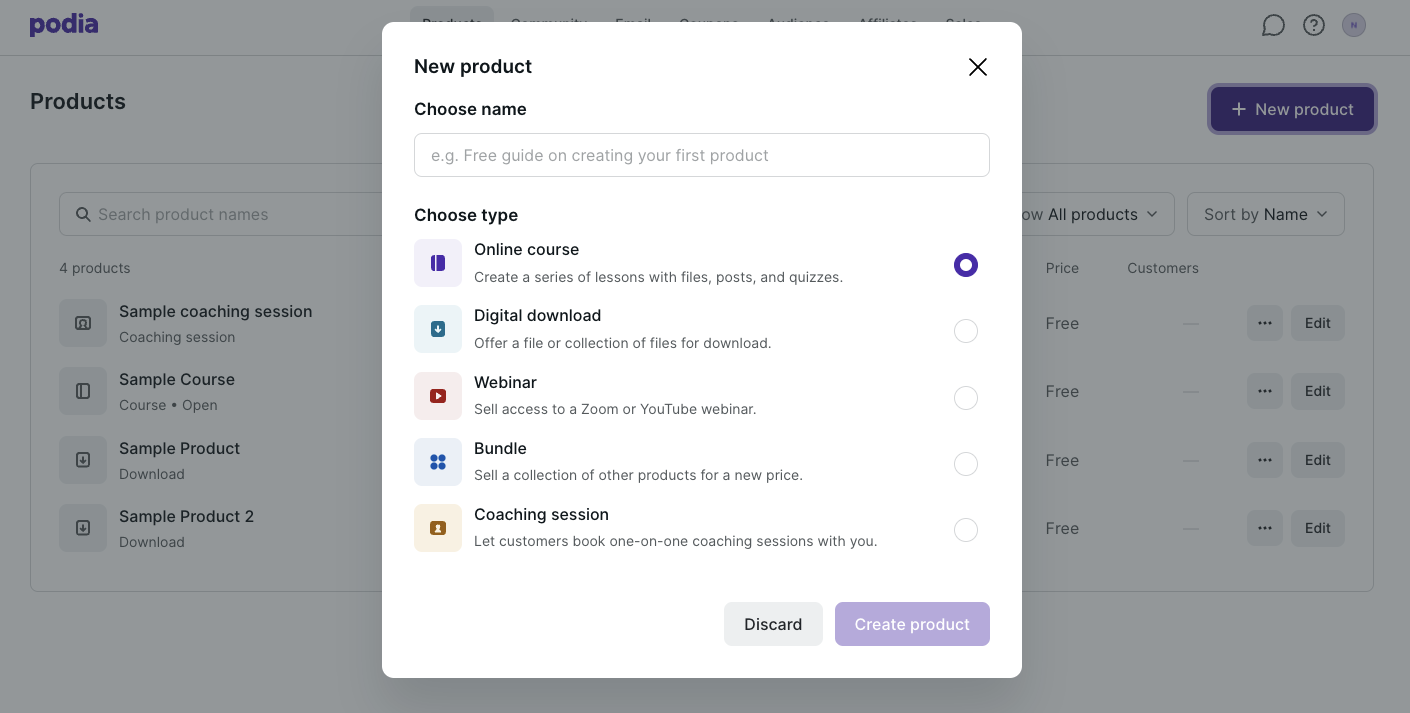
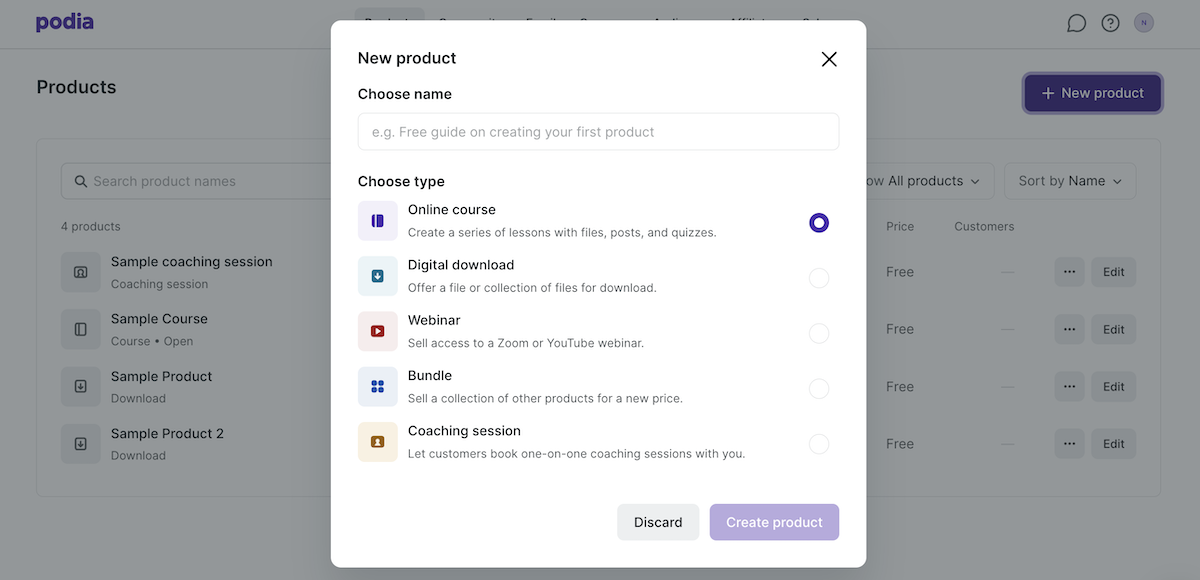
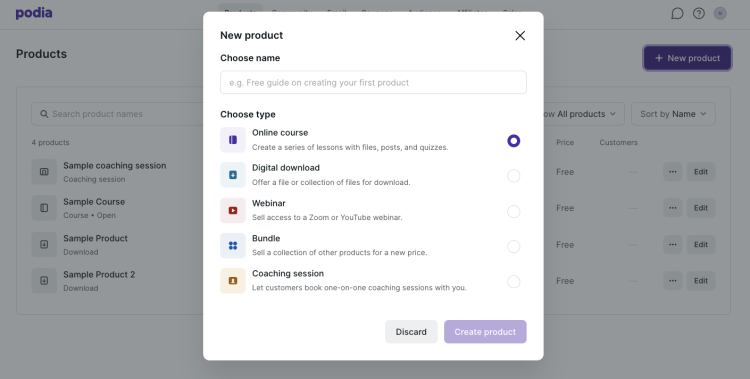
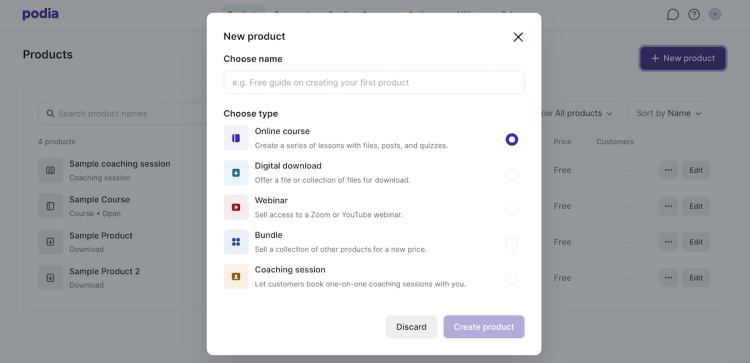
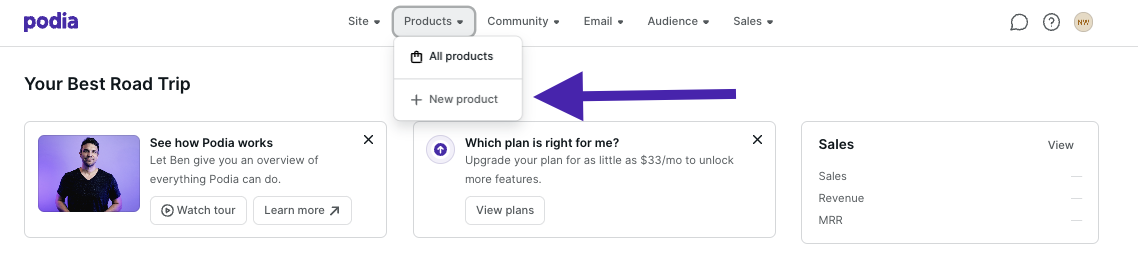
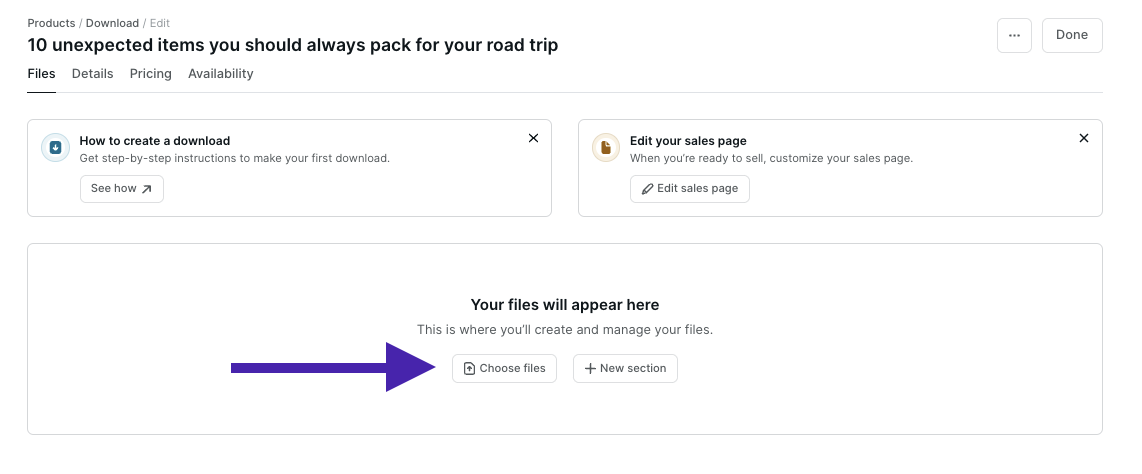
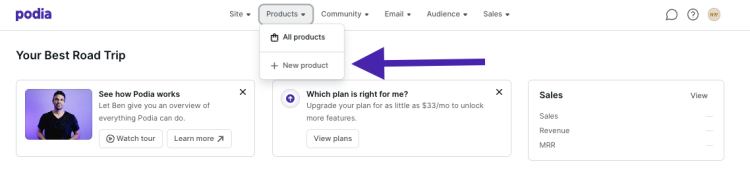
To set up your digital products, click on “Products” and click “New Product” in the upper menu. Select what type of product you’d like to add, and then you can adjust the details like title, featured image, description, pricing, availability, category, and included files. 

(Make sure to add a photo and short description for your product because Podia’s website builder can automatically show this information to save you time.)

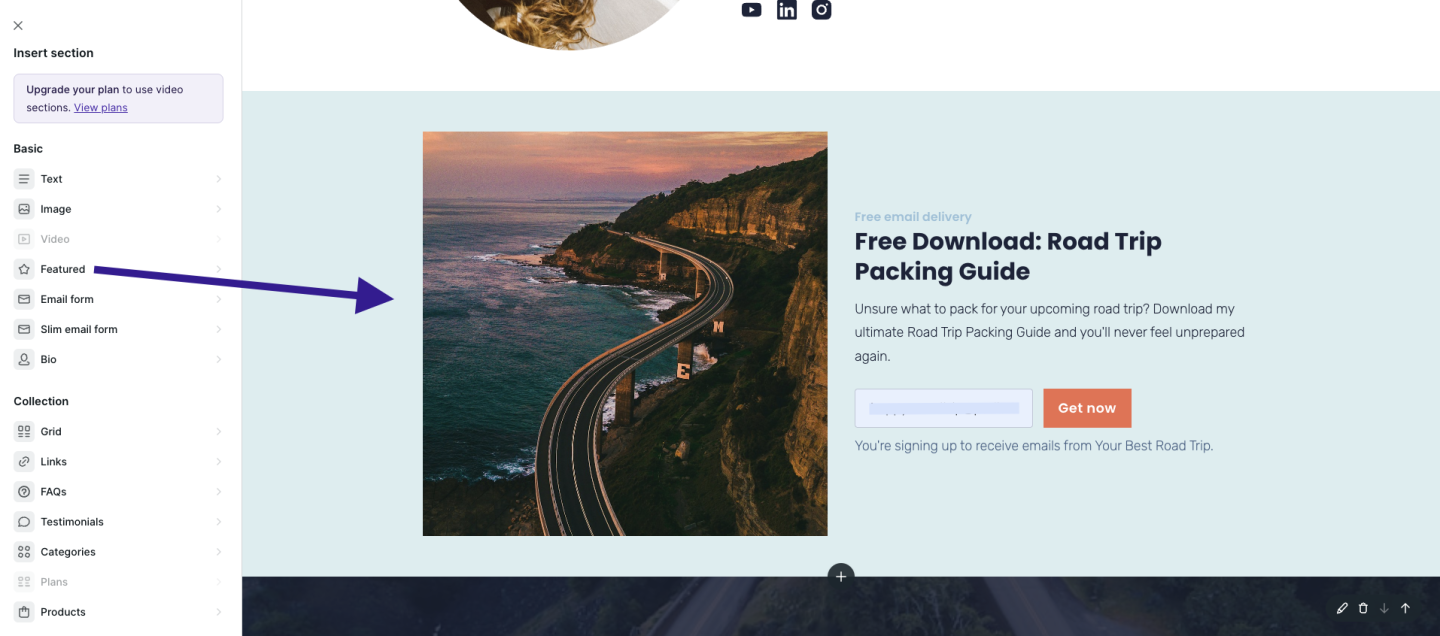
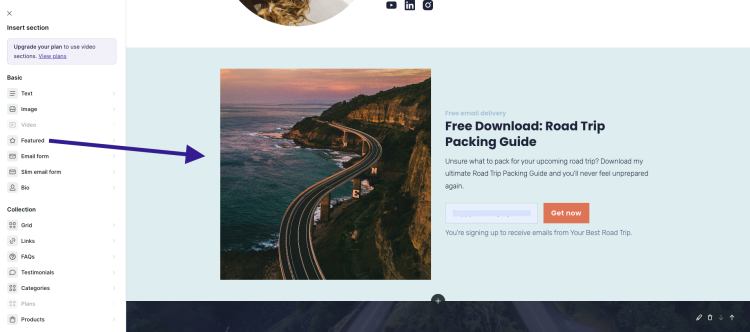
Now when you work on your website, you can use the “Featured”, “Products,” and “Categories” sections to display your products. 

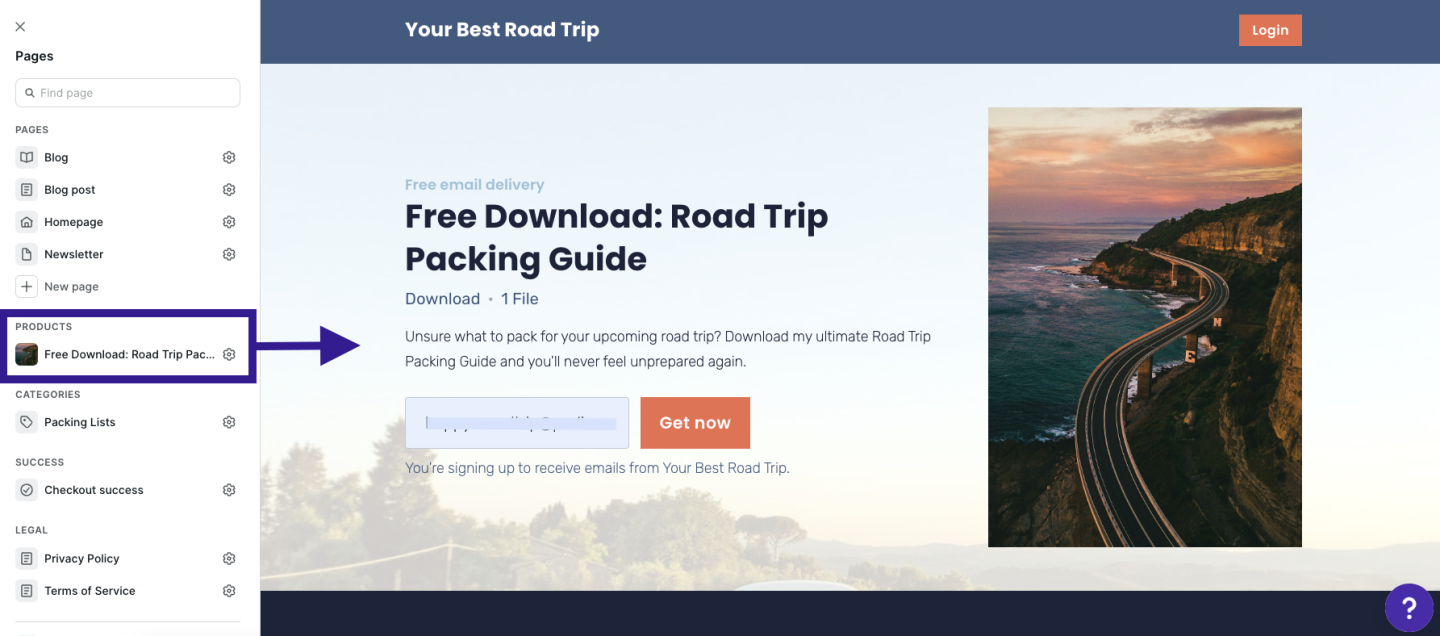
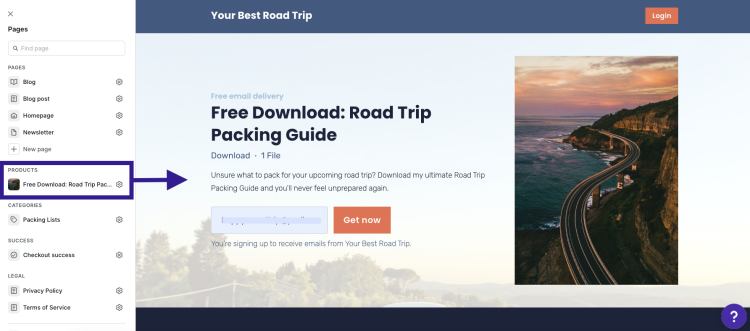
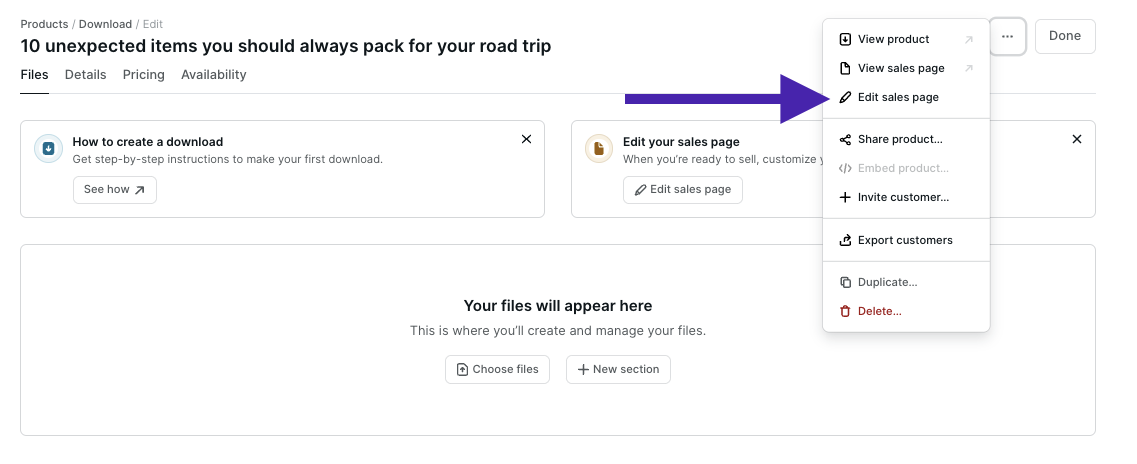
Podia automatically generates a sales page for each product, and you can customize these too. To find your product sales pages, you can scroll down to the “Products” section in the website builder and click on the product name to edit it. Then you can add sections, content, and design elements just like you did on your home page and core pages. 

Building your navigation and footer to keep everything organized

You’ve got your pages. You’ve got your blog. You’ve got your email newsletter. You’ve got your products. Now we’ll tie it all together in your header and footer so website visitors can find their way around. 

Hot take – please don’t include every single link on your website in your header. 

This is valuable real estate, so it should only direct people to your most important pages. 

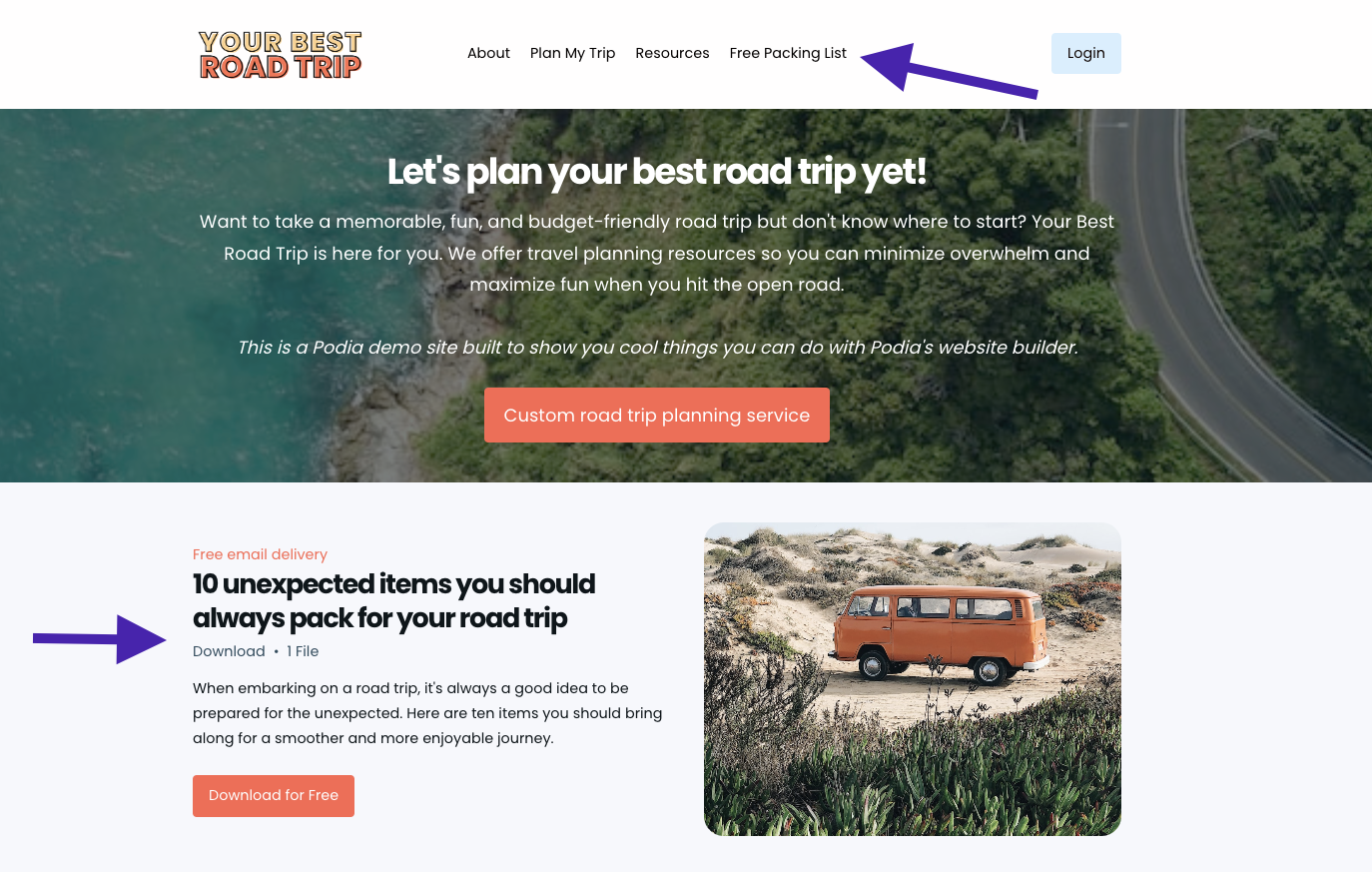
When you’re starting out, I recommend linking your about page, product or service page, blog, and newsletter landing page. As you add products, you can also add a link or two to your most popular products, or whichever products you want people to start with when they’re new to your brand. 

The footer is also prime space on your website and it shows up on every page. You can add links to important pages and socials here, as well as an email newsletter sign-up form. Add a sentence about your business in the footer so people know who you are and what you do, no matter what page they land on. 

Let’s set up the header and footer together in Podia.
Boring but important – domains, analytics, and other website settings

You’re almost done setting up your beautiful new website, but there are a few technical things to do before we share it with the world (I know, I know, you were hoping there would be no technical things, but these aren’t that scary.)

First, your domain. Your domain name is the website name that people type into the search bar to find your site. Podia’s domain name is
www.podia.com
, for example. 

Most free website builders include a free subdomain name. With Podia, your free subdomain is [yourbusinessname].podia.com. You can customize this in your account settings, and you can use this free domain for as long as you want – it’s already built into your account. 

If you’d like to use a custom domain name, you’ll need to purchase your own domain name from a domain registrar like GoDaddy, NameCheap, or Bluehost, and connect it to your website. 

Your website platform can give you instructions on how to connect a custom domain to your account after you’ve purchased the domain. Domains typically cost around $20/year. 

For most website builders, connecting a custom domain is available on paid plans. With Podia, you can connect a custom domain on the Starter plan which starts at $4/month. 

Next, analytics. No matter what website tool you’re using, it’s a good idea to connect Google Analytics so you can see your website traffic and learn more about your audience. You can do this by creating a free Google Analytics account. They’ll provide a little tiny piece of code that you can paste into your website tool. 

In Podia, you can connect Google Analytics in the “Settings” tab on the Starter plan and above. 

Last, set up your site-wide SEO and display settings like your website description, favicon, and SEO image. 

  • Meta description: Your meta description should be short, no more than 1-2 sentences, and include a high-level synopsis of the work you do.

  • Default image: This is the image that appears in the preview when your website is shared. It might also appear alongside your website in search results. You can create a generic brand image using Canva or use your logo.

  • Favicon: Look at the tabs you have open in your browser. Do you see the little images next to each one? These are called favicons. You can use Canva to create one of your own.

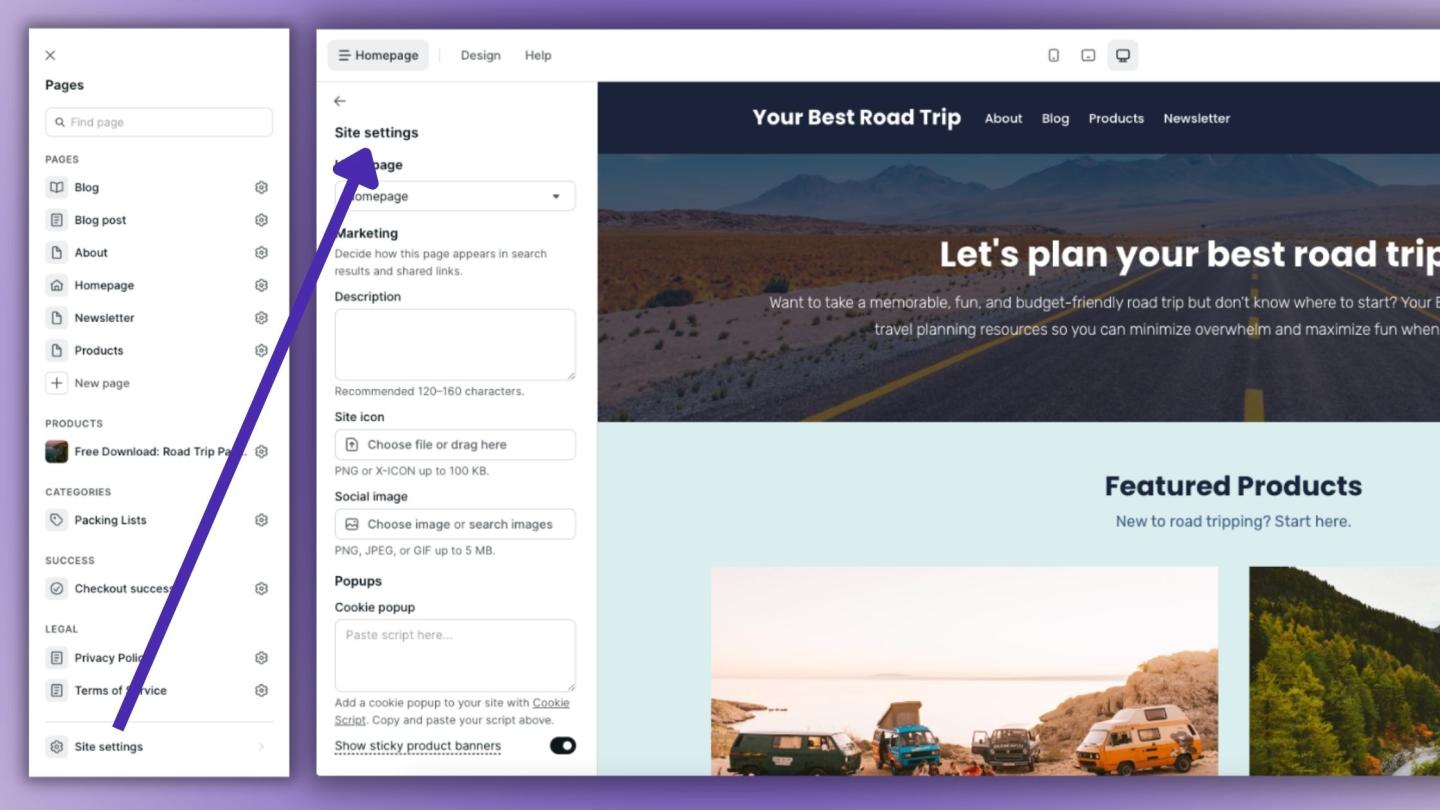
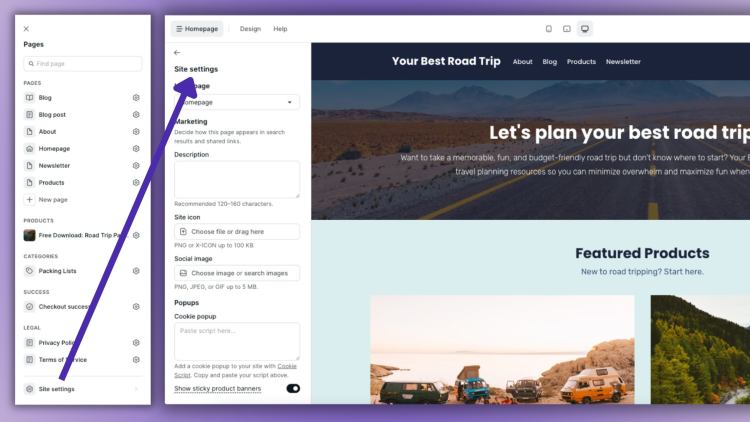
These small details can make your page look more professional. To edit these in Podia, click on the “Site settings” button at the bottom of the left-hand editing menu. 

7 Step website launch checklist

You’re almost there. I know it’s so exciting to have your online presence all set up, so let’s run through this quick website launch checklist before spreading the good news. 

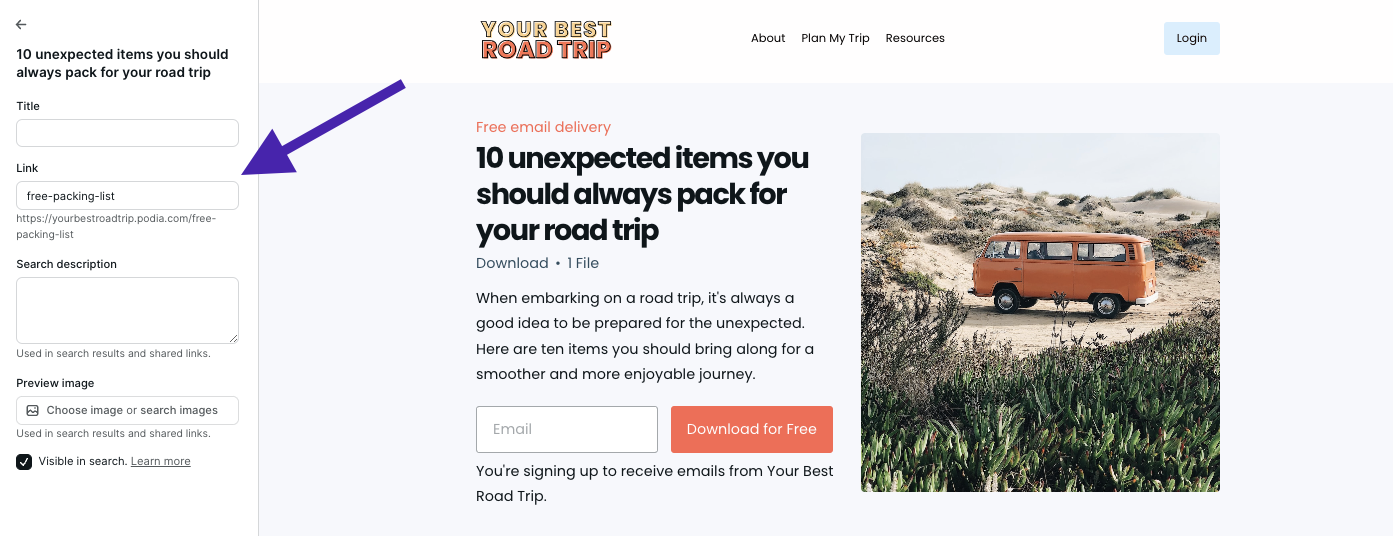
#1 Check your page URLs: Go to the page settings for each page on your site (click the gear next to the page name in the site builder) and make sure the URL link is what you want it to be. No random numbers and letters. Concise and descriptive. Remove dates unless your page is time-sensitive so your URLs don’t look outdated in the future.

#2 Check your page descriptions and SEO images: While you’re in there, make sure you have a page description and SEO image that makes sense for your page. This can help tell search engines what your content is about, which can improve your rankings and give your site a more professional look. 

#3 Check your buttons: Make sure all your buttons and links go where you want them to go. When I went through my sample website, I found several places where I’d left a button pointing nowhere, so really do try to click on everything.

#4 Delete filler text: If you used filler text (like Lorem ipsum) delete it before going live. When you insert a new section into your site, it will autofill text so you can see what the section looks like. Make sure you’ve swapped in your own words or deleted any text you’re not using. I’ve even seen huge corporate sites that forget to do this.

#5 Check your website on different devices: Pull up your website on your mobile device and desktop. Try to view it on as many different screen sizes as possible. Are there any areas that look wonky? Now’s the time to adjust.

#6 Run your entire site through Grammarly or another online proofreader: Grammarly is a free online spelling and grammar checker. I highly recommend copying and pasting every bit of text you’ve written into Grammarly before publishing. (Confession time, I just pasted my road trip website text into Grammarly and found some very silly errors… Don’t skip this step!)

#7 Ask for feedback: Finally, send your website to a few trusted friends or loved ones for feedback. They can let you know if something’s hard to read, the navigation is confusing, a product needs more explanation, or a page is showing up funny on their devices. Sometimes looking at something for hours makes us miss details others see right away. 

If you don’t have anyone you feel comfortable asking, head to the
Podia Community
. It’s free for all Podia users, and you can post your website in the “I made this” topic to get feedback from other small business owners.  

Remember, done is better than perfect. The beautiful thing about websites is that you can update them whenever you want. If you notice a typo next week, you can hop in and fix it. If you want to change your About page or decide that a picture isn’t working for you anymore, that’s an easy fix too. Don’t let perfectionism prevent you from launching. Let’s get your work out there.

You have a beautiful professional website. Now what?

You didn’t think you were done, did you?

Just kidding. Kind of. 

You’ve got an amazing website, and that’s just the beginning. There’s so much you can do as a small business owner with an online presence, and here are some ideas for how you can keep growing and taking your business to the next level. 

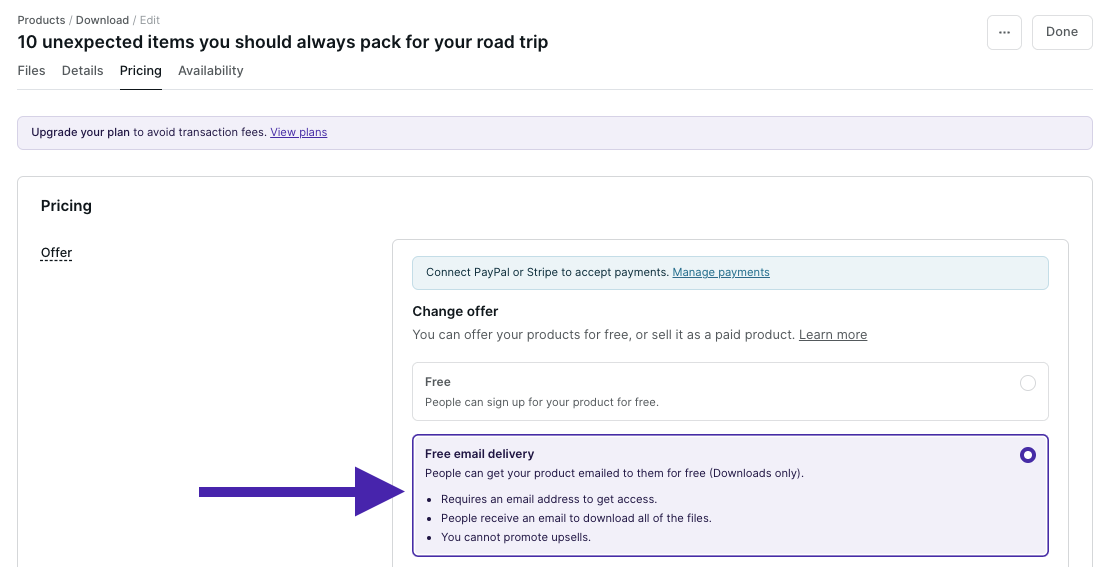
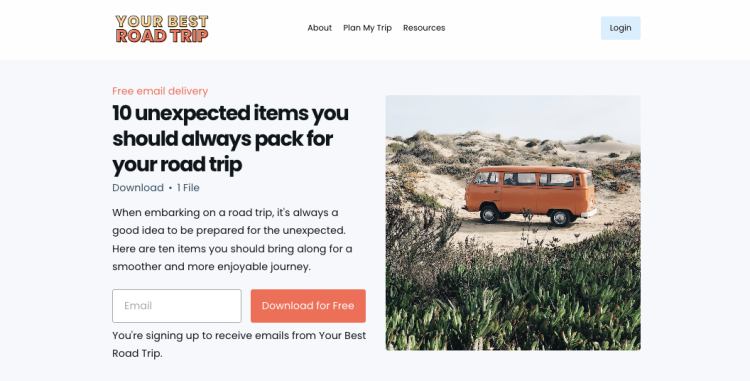
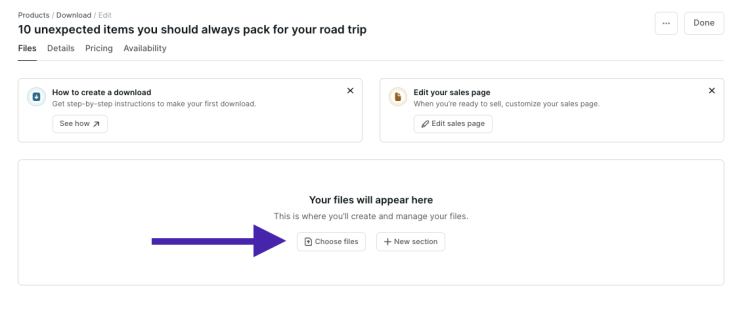
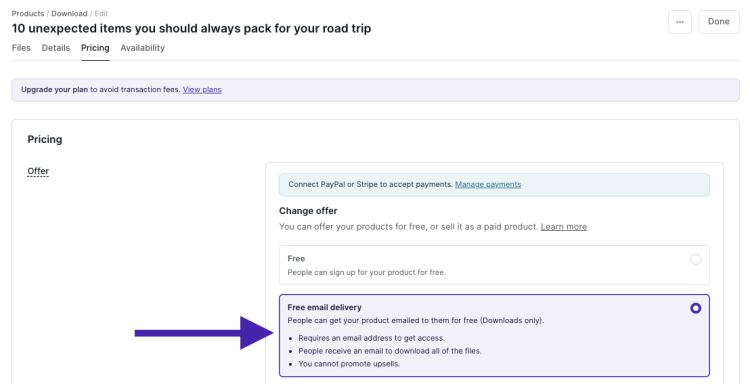
  • Grow your email list with a lead magnet: Entice new visitors to join your list with a freebie. You can set this up by adding a digital product and setting the price to “Free Email Delivery.” (
    Learn more here
    )

  • Set up a welcome email for new subscribers: Automatically send a welcome message when new subscribers join your list. You can build this in the “Campaigns” section of your Podia Email tab. (
    Step-by-step instructions here
    )

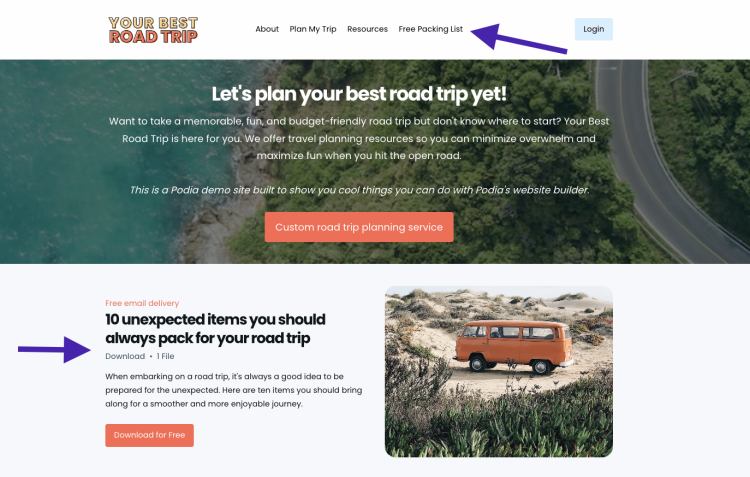
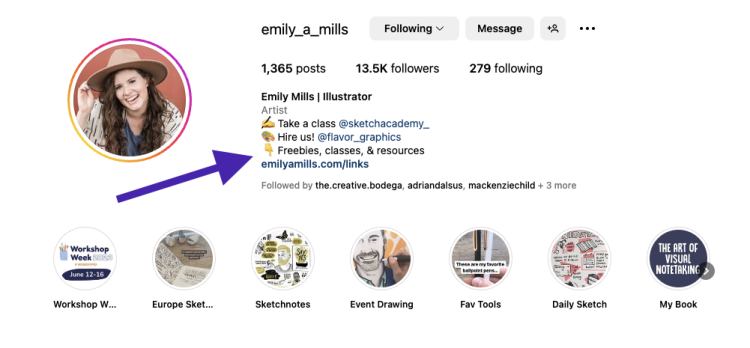
  • Create a link in bio page for your social media accounts: Add a new page to your website that directs people to your most important content. You can link this page on all your social media platforms with just a click. (
    Step-by-step guide here
    )

  • Experiment with different digital products: Courses, downloads, coaching, webinars, bundles – brainstorm different digital products that could work for your audience and give them a try. (
    Read tutorials here
    )

I want to extend an enthusiastic double-high-five to you for the work you’ve done on your website. Building a website is no small task, and you’ve done an amazing job. Websites ultimately act as an extension of ourselves in the digital world, and now you’re ready to share yours with pride. 

And if you’re still looking for a place to call home, we’d love to have you at Podia. Podia lets you build your entire website for free, and you can set up your email list, blog, landing page, and digital products too.
Sign up for free to get started
. 

That’s all there is to it. Now you’re ready to delight, inspire, inform, entertain, and educate your friends, fans, and customers. Have fun out there!

Get your free Podia account

Join the 150,000+ creators who use Podia to create websites, sell digital products, and build online communities.

Sign up free

How to make a website you love in an afternoon

Software Stack Editor · July 4, 2024 ·

“I think I need to… build a website,” you think to yourself, already exhausted and overwhelmed by the six-month, six-figure coding project ahead of you. 

Well, you’re right about one thing. You do need a website. And I’m happy to report that setting one up doesn’t have to be complicated, stressful, expensive, or scary.

Your website is a virtual storefront for your business. It’s your little slice of the internet where you can find your target audience, connect with customers, make sales, and share your knowledge. It’s a space that you get to design and control – no weird ads or algorithms to steal your audience’s attention.

But setting up a website for the first time, or updating your existing website if you already have one, can feel like a massive chore. You have to be a web developer, graphic designer, copywriter, photographer – but all you really want to do is run your online business. 

That’s why I put together this DIY guide on how to set up a website that’s beautiful and won’t take a hundred years to build – so you can get back to doing what you do best. 

Throughout the article, you’ll see video tutorials about how to set up your website step-by-step. I’ve been wanting to make a website about one of my favorite hobbies, planning road trips, so I’ll build my new site along with you. That way you can see exactly what to do and get ideas for your own pages. 

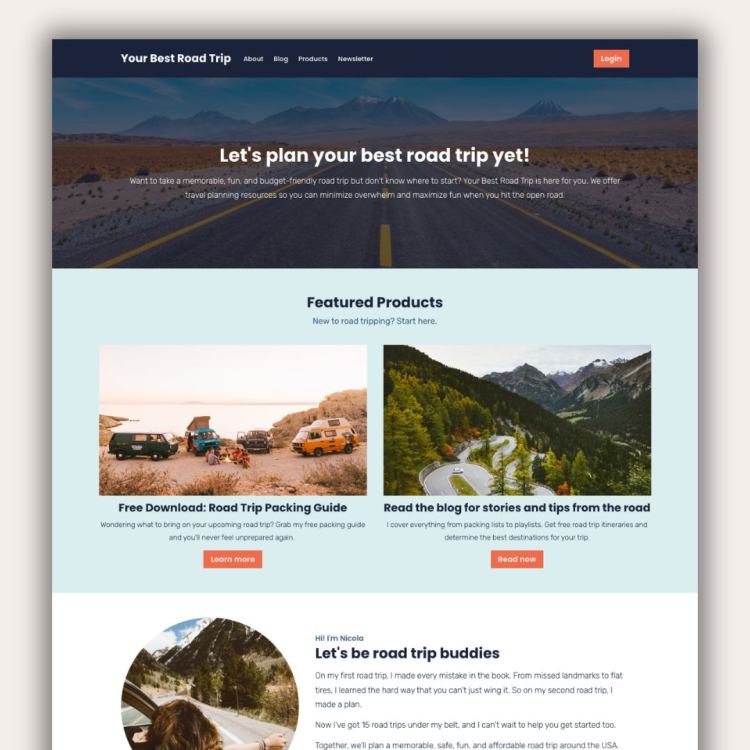
How to make a website Road Trip Example

I’m using the Podia website builder for these demos, but you can build your website on any platform you like. To follow along with me, grab your free 30-day trial from Podia here. 

Okay, you’ve got things to do so let’s jump right into it. Up first, what tool should you use to build a website? 

Choosing the best website builder for your business

Back in the day, setting up a website meant you had to hire a developer, learn some code, and configure all kinds of tech behind the scenes. You can still do that today if you want to, but thankfully, you don’t have to. 

Website builders are tools that let you build what you want without coding. You can set up your website pages visually and move things around however you like, then press publish. 

Some website builders also come with more features for running your online business like built-in digital products, email marketing, and content management systems. 

Here are four solid website builders to consider, starting with my personal favorite:

Podia: No surprises here! Podia is an all-in-one platform for running your creative online business. In less than a weekend, you can set up your website, landing pages, blog, email list, digital products, courses, affiliates, and everything else you need to start and grow a business. 

Your website, blog, and landing pages are included on both plans and there are tons of beautiful pre-built website sections to choose from – no coding or web design experience required. Plus, website hosting, your SSL certificate, and a free Podia subdomain name are included. 

Squarespace: Squarespace comes with a website builder, blog, website templates, and web hosting. You can also add ecommerce website features to sell products and courses. Squarespace doesn’t have a free plan, and paid plans start at $16 per month. 

Wix: Wix is a free website builder that lets you set up a basic site and blog using templates. It’s a drag-and-drop builder so you don’t need to know how to code, which makes this a suitable option for beginners. You can also upgrade to a paid plan for more features like selling products, managing bookings, and basic email marketing. 

WordPress: WordPress is a free, open-source website-building software. Out of all the options on this list, WordPress gives you the most control and customization options, but it’s also the most technically challenging to work with. You can build pretty much anything you want, but you’ll need to use plugins and add-ons to get the most functionality. 

Even though WordPress is free, you have to pay for website hosting and your domain name. You’ll need to find a hosting provider, set up an account, install WordPress, and then add your theme and plugins to get your site up and running. 

  • Create a website
  • Sell unlimited products
  • Build a blog with unlimited landing pages
  • Upgrade for more features (like affiliates) when you’re ready

After you’ve picked your website builder, the next step is planning what you want your site to say. 

Planning your website content

It’s tempting to dive right into your new website builder. (Anyone else love tinkering?) But taking some time to plan makes the setup process go much smoother. Set aside an hour or two to do the following things: 

Research your audience: Who is your ideal customer or reader? Try to narrow it down and think about who exactly you’d like to work with. Then, head to YouTube, Reddit, Google reviews, or social media and look for common questions, desires, and pain points. You can use this in your website copy. 

Learn how to build an audience that loves your work and with in-depth research ideas.

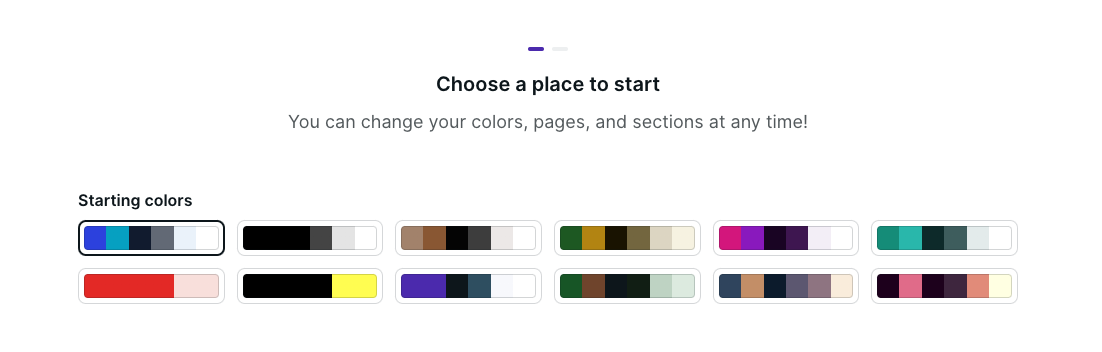
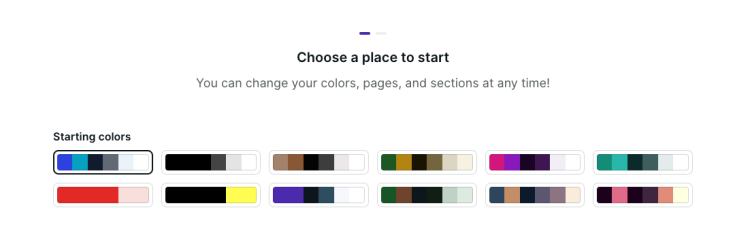
Decide on your brand elements: Podia makes it super easy to customize your fonts and colors so your website feels like you. Pick your brand colors or choose from one of the color palettes built into Podia. If you have a logo, photos, headshots, or other brand assets, gather those now too. 

Color Palettes in Podia

Outline your website structure: Decide what pages you want to have on your business website. For most people, these core pages are a great place to start: 

Pro tip: Start with less – you can always add more later.

Draft your page copy: It’s helpful to have an idea of what you want to say on each page as you set up your content in your site builder. This doesn’t have to be your final copy, but it will help you see how your website design and text work together.

Now that you’ve got a plan, it’s time to set up your website. Don’t worry if you change your mind along the way, that’s totally fine. You’ve got a starting point, so let’s do this.

Let’s build your website

The moment you’ve been waiting for. Now that you’ve picked your site builder and drafted your game plan, it’s time to build your very own website. No web development skills are needed.

I’m using Podia for my website in the examples here. Grab your free 30-day trial and we can build together.

Setting up your main website pages

To start, let’s open up your home page by clicking on “Site” and “Edit site.” You should see a mostly empty page, and when you hover your mouse over it you’ll see a little plus sign. Click it to open the left-hand editing menu. 

In the left-hand menu, you can choose what section you’d like to add. Podia has pre-made sections for images, text, testimonials, FAQs, product features, CTAs, email sign-ups, and pretty much anything else you need. You can customize the content and design of each section you add using that left-hand sidebar. 

For this basic homepage, let’s add the following sections. 

  • Text hero that says what your business is about

  • A grid with your featured products or services

  • Bio to information about you

  • Email opt-in form

Of course, there’s way more you can do with this. When you add products to your Podia account, you’ll automatically get access to more sections like featured products and categories, but for now this this basic page works great. 

Once you’ve added the homepage sections you want, there’s one more step to make your site look and feel like you. Click on the “Design” tab in the very top menu to adjust your site-wide colors, fonts, width, images, buttons, and padding. These changes will take effect everywhere so your pages all look cohesive.

In this video, I’ll set up the homepage for my road trip website: 

You can follow these same steps to set up your About page, Products page, Services page, and any other page you want to have on your website. 

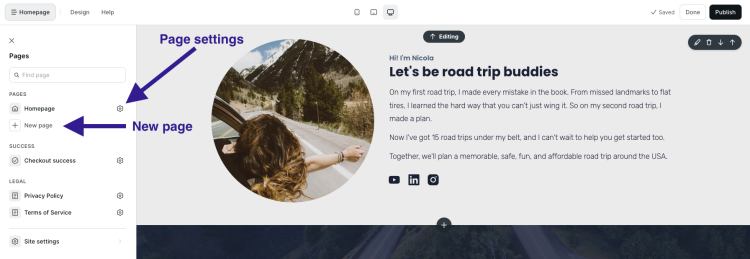
To add new pages, click on the page name at the very top of the left-hand sidebar.  Click “Add new page” to create a new page. You can click the gear next to your new page to customize the URL and page name. 

How to make a website - New page and page settings

Set up your blog to attract new visitors

Next, let’s set up your blog. Even if you’re not a blogger, I always recommend having a blog since it’s a great way to get discovered in search, share what you know, and connect with audience members.  

In Podia, click on “Blog” in the upper navigation to turn the free blog feature on. 

You’ll automatically see four sample posts loaded into your blog post page. You can delete these and add your own posts. 

How to make a website | Add your blog posts

Then, head back to the website editor and you’ll see two new pages in the left-hand sidebar – a “Blog” page and a “Blog post” page. Click on each one to customize the layout of your individual blog posts and your blog landing page. 

In this video, I’ll set up my road trip blog step by step so you can follow along: 

Again, a blog can give you more ways to connect with your audience members and get discovered online. 

When people search for the topics you cover, your blog could be the search results that show up. That gives you an evergreen way to attract new readers, and you can include featured products and email opt-in forms in your blog posts to make more sales and stay in touch. 

Need some blogging tips? These articles can help:

Set up your email newsletter to stay in touch

It’s one thing to attract new visitors to your webpage, it’s another thing to keep them engaged with your brand. 

One of the best ways to make sure visitors don’t disappear into the wild west of the internet is to have an email newsletter. With email, you can communicate directly with your audience in their inbox, away from ads, distractions, and algorithms. 

Podia comes with email marketing built in so you don’t need to connect another tool, and you get your first 100 subscribers plus all email features for free.

(If you’re using another website platform or would like to use a different email service provider with your Podia website, you can use integrations to connect everything.)

You can add email sign-up forms throughout your website using the “Email form” and “Slim email form” sections, and you can also add a landing page for your email newsletter to make sure people don’t miss it.

To set up your email landing page, here’s what to do: 

  1. Go back to the website editor and add a new page

  2. Click the plus sign on the page and add an email sign-up form section

  3. In the text areas, tell people what they can expect when they sign up for your newsletter. What value will they get? Make it interesting for them.

  4. If you like, you can add other sections like your bio or FAQs

Once your page is set up, we’ll add it to the header in just a minute. 

Here’s the video so you can follow along: 

Adding your digital products to earn income

If you plan to sell digital products and courses from your website, let’s get those set up now too. 

Podia makes it super easy to add and sell unlimited products in your online store (like courses, webinars, downloads, and coaching products).

To set up your digital products, click on “Products” and click “New Product” in the upper menu. Select what type of product you’d like to add, and then you can adjust the details like title, featured image, description, pricing, availability, category, and included files. 

(Make sure to add a photo and short description for your product because Podia’s website builder can automatically show this information to save you time.)

Now when you work on your website, you can use the “Featured”, “Products,” and “Categories” sections to display your products. 

How to make a website | Featured product section

Podia automatically generates a sales page for each product, and you can customize these too. To find your product sales pages, you can scroll down to the “Products” section in the website builder and click on the product name to edit it. Then you can add sections, content, and design elements just like you did on your home page and core pages. 

How to make a website | Product sales page

Building your navigation and footer to keep everything organized

You’ve got your pages. You’ve got your blog. You’ve got your email newsletter. You’ve got your products. Now we’ll tie it all together in your header and footer so website visitors can find their way around. 

Hot take – please don’t include every single link on your website in your header. 

This is valuable real estate, so it should only direct people to your most important pages. 

When you’re starting out, I recommend linking your about page, product or service page, blog, and newsletter landing page. As you add products, you can also add a link or two to your most popular products, or whichever products you want people to start with when they’re new to your brand. 

The footer is also prime space on your website and it shows up on every page. You can add links to important pages and socials here, as well as an email newsletter sign-up form. Add a sentence about your business in the footer so people know who you are and what you do, no matter what page they land on. 

Let’s set up the header and footer together in Podia.
Boring but important – domains, analytics, and other website settings

You’re almost done setting up your beautiful new website, but there are a few technical things to do before we share it with the world (I know, I know, you were hoping there would be no technical things, but these aren’t that scary.)

First, your domain. Your domain name is the website name that people type into the search bar to find your site. Podia’s domain name is www.podia.com, for example. 

Most free website builders include a free subdomain name. With Podia, your free subdomain is [yourbusinessname].podia.com. You can customize this in your account settings, and you can use this free domain for as long as you want – it’s already built into your account. 

If you’d like to use a custom domain name, you’ll need to purchase your own domain name from a domain registrar like GoDaddy, NameCheap, or Bluehost, and connect it to your website. 

Your website platform can give you instructions on how to connect a custom domain to your account after you’ve purchased the domain. Domains typically cost around $20/year. 

Next, analytics. No matter what website tool you’re using, it’s a good idea to connect Google Analytics so you can see your website traffic and learn more about your audience. You can do this by creating a free Google Analytics account. They’ll provide a little tiny piece of code that you can paste into your website tool. 

In Podia, you can connect Google Analytics in the “Settings” tab.

Last, set up your site-wide SEO and display settings like your website description, favicon, and SEO image. 

  • Meta description: Your meta description should be short, no more than 1-2 sentences, and include a high-level synopsis of the work you do.

  • Default image: This is the image that appears in the preview when your website is shared. It might also appear alongside your website in search results. You can create a generic brand image using Canva or use your logo.

  • Favicon: Look at the tabs you have open in your browser. Do you see the little images next to each one? These are called favicons. You can use Canva to create one of your own.

These small details can make your page look more professional. To edit these in Podia, click on the “Site settings” button at the bottom of the left-hand editing menu. 

How to make a website | Site Settings

7 Step website launch checklist

You’re almost there. I know it’s so exciting to have your online presence all set up, so let’s run through this quick website launch checklist before spreading the good news. 

#1 Check your page URLs: Go to the page settings for each page on your site (click the gear next to the page name in the site builder) and make sure the URL link is what you want it to be. No random numbers and letters. Concise and descriptive. Remove dates unless your page is time-sensitive so your URLs don’t look outdated in the future.

#2 Check your page descriptions and SEO images: While you’re in there, make sure you have a page description and SEO image that makes sense for your page. This can help tell search engines what your content is about, which can improve your rankings and give your site a more professional look. 

#3 Check your buttons: Make sure all your buttons and links go where you want them to go. When I went through my sample website, I found several places where I’d left a button pointing nowhere, so really do try to click on everything.

#4 Delete filler text: If you used filler text (like Lorem ipsum) delete it before going live. When you insert a new section into your site, it will autofill text so you can see what the section looks like. Make sure you’ve swapped in your own words or deleted any text you’re not using. I’ve even seen huge corporate sites that forget to do this.

#5 Check your website on different devices: Pull up your website on your mobile device and desktop. Try to view it on as many different screen sizes as possible. Are there any areas that look wonky? Now’s the time to adjust.

#6 Run your entire site through Grammarly or another online proofreader: Grammarly is a free online spelling and grammar checker. I highly recommend copying and pasting every bit of text you’ve written into Grammarly before publishing. (Confession time, I just pasted my road trip website text into Grammarly and found some very silly errors… Don’t skip this step!)

#7 Ask for feedback: Finally, send your website to a few trusted friends or loved ones for feedback. They can let you know if something’s hard to read, the navigation is confusing, a product needs more explanation, or a page is showing up funny on their devices. Sometimes looking at something for hours makes us miss details others see right away. 

Remember, done is better than perfect. The beautiful thing about websites is that you can update them whenever you want. If you notice a typo next week, you can hop in and fix it. If you want to change your About page or decide that a picture isn’t working for you anymore, that’s an easy fix too. Don’t let perfectionism prevent you from launching. Let’s get your work out there.

You have a beautiful professional website. Now what?

You didn’t think you were done, did you?

Just kidding. Kind of. 

You’ve got an amazing website, and that’s just the beginning. There’s so much you can do as a small business owner with an online presence, and here are some ideas for how you can keep growing and taking your business to the next level. 

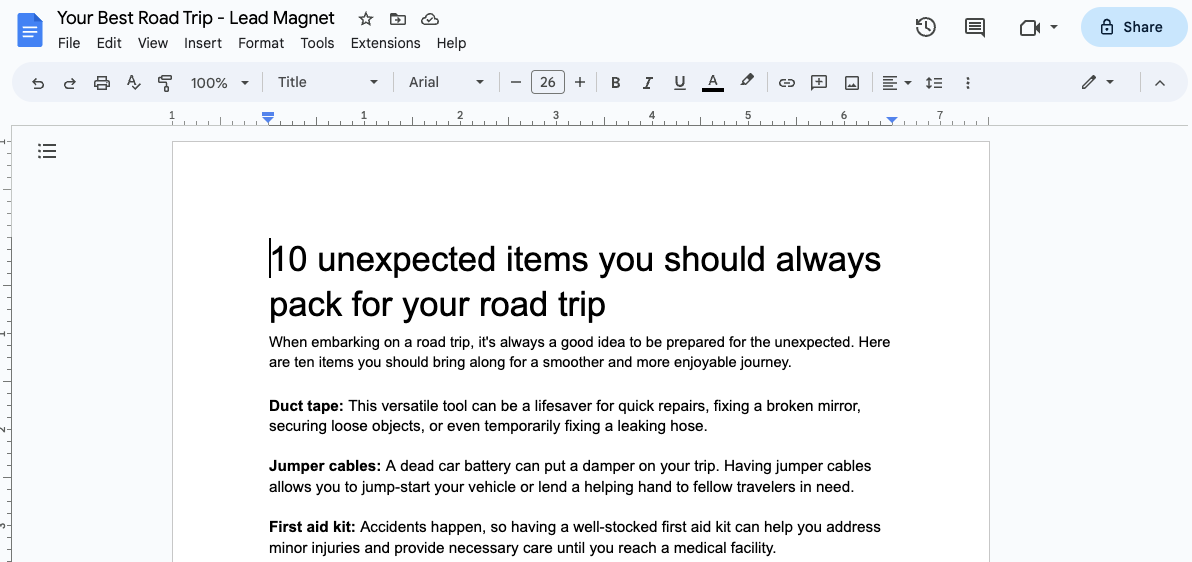
  • Grow your email list with a lead magnet: Entice new visitors to join your list with a freebie. You can set this up by adding a digital product and setting the price to “Free Email Delivery.” (Learn more here)

  • Set up a welcome email for new subscribers: Automatically send a welcome message when new subscribers join your list. You can build this in the “Campaigns” section of your Podia Email tab. (Step-by-step instructions here)

  • Create a link in bio page for your social media accounts: Add a new page to your website that directs people to your most important content. You can link this page on all your social media platforms with just a click. (Step-by-step guide here)

  • Experiment with different digital products: Courses, downloads, coaching, webinars, bundles – brainstorm different digital products that could work for your audience and give them a try. (Read tutorials here)

I want to extend an enthusiastic double-high-five to you for the work you’ve done on your website. Building a website is no small task, and you’ve done an amazing job. Websites ultimately act as an extension of ourselves in the digital world, and now you’re ready to share yours with pride. 

And if you’re still looking for a place to call home, we’d love to have you at Podia. Podia lets you build your entire website, and you can set up your email list, blog, landing page, and digital products too. Sign up for a free 30-day trial to get started. 
That’s all there is to it. Now you’re ready to delight, inspire, inform, entertain, and educate your friends, fans, and customers. Have fun out there!

9 best Gumroad alternatives for small business owners (Features & pricing)

Software Stack Editor · July 3, 2024 ·

Looking for a Gumroad alternative? Discover popular Gumroad competitors that make selling digital downloads and growing your online business a breeze.

Jump ahead

In this article

You’ve created a fabulous digital download that’s perfect for your audience, but you need a place to sell it. In your research rabbit hole, you come across an option called Gumroad.

Gumroad is an online marketplace platform for selling digital and physical products. Creators can sell videos, files, software, PDFs, ebooks, subscriptions, and memberships about any topic that makes their eyes sparkle.

Users can quickly build a basic storefront page and list as many products as they want. Gumroad also makes it easy to set up an affiliate program, offer discount codes, and generate software license keys.

Getting started is simple, and there’s no monthly fee to use the platform, making this a popular option among entrepreneurs who hope to make their first sale without a big upfront investment. But just like how there are dog people and cat people, morning birds and night owls, cilantro fans and cilantro foes, no tool is perfect for every creator.

In this post, we’ll look at some popular Gumroad alternatives to help you choose the best option for your growing business.

Note: All pricing is accurate at the time of writing, but this is subject to change over time.

Shortcomings of Gumroad

Every creator business is unique, and the tools you use to power your online empire will vary based on your priorities. While Gumroad does make it easy to list items for sale and accept payments, there are some limitations.

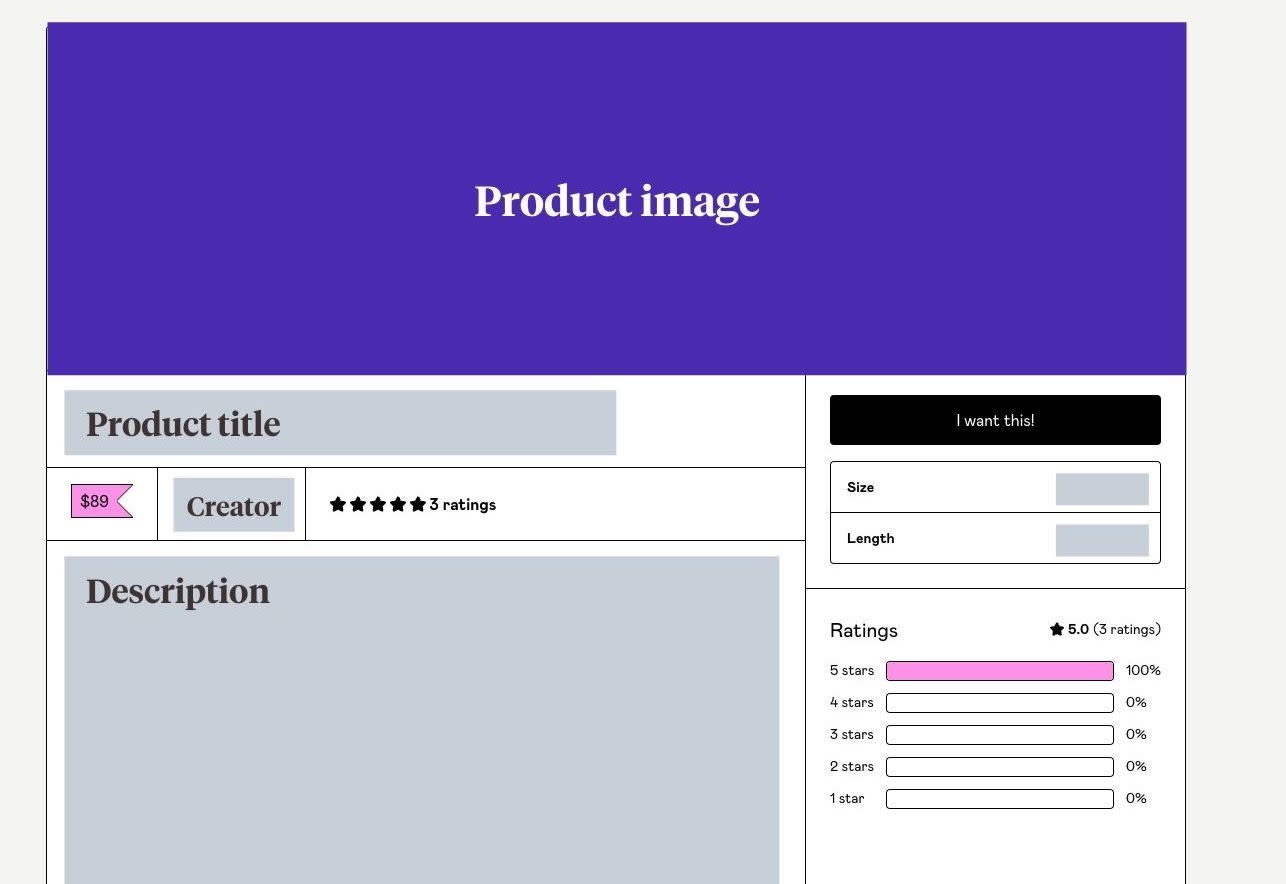
First, there aren’t many design options for product listings. Each product page comes with space to add photos, a description, and details like file size, but beyond that, there are minimal layout and style customizations available.

If you’d like to
create a full-blown sales page
or customized website, you’ll need to use an additional tool.

Second, Gumroad is primarily geared toward selling digital downloads, not
courses
or
coaching
. In our study of 900+ creators,
33.6% sold courses, and 13.8% sold coaching
. Even if you don’t have those product types now, you might want to add them in the future.

While it’s possible to sell courses by uploading several video and text files into a listing, there’s no dedicated Gumroad course viewer. Using a platform that’s made for online courses instead could give your customers a better experience.

Likewise, you can use workarounds to sell coaching sessions using Gumroad, but the software isn’t specifically built for this. You might need to connect other programs to get the results you want, which could be cumbersome and costly to implement.

Third, some Gumroad customers report that accessing customer service is challenging. There’s a help center and a support email address, but no live chat support.

90% of people feel that customer service is important
when choosing and staying with a brand, and getting speedy answers when tech issues arise can mean fewer headaches.

Finally, Gumroad charges a 10% transaction fee on all sales, whether you’re a new creator or selling thousands of products per month. While it’s true that Gumroad users don’t have to pay a monthly rate to use the platform, the transaction fees on each sale can add up quickly — especially as your sales increase.

Ideally, you would have the option to upgrade and remove transaction fees as your business grows, but with Gumroad that’s not possible.

Again, there’s no cookie-cutter mold for creator businesses, and there’s no one platform that works for everyone. If you determine that Gumroad isn’t the best fit for your needs, here are 9 Gumroad alternatives to try instead.

9 best alternatives to Gumroad

1. Podia

Podia is an all-in-one creator platform for selling your digital work, running your brand community, and offering services like coaching and mentorship. It comes with a sleek course builder, full website functionality, unlimited sales pages, and built-in email marketing features so you can communicate with your audience in one place.

Teach virtual trombone lessons. Run a membership community for sticker collectors. Create a course on how to knit matching outfits for you and your dog. No matter your passion, you can build, sell, market, and manage your entire creative business with Podia.
In addition to selling unlimited courses, digital downloads, and coaching sessions, creators get sophisticated business features like
affiliate functionality
,
email marketing
, product bundles, and upsells.

We even handle
lead magnet
delivery, and you can
grow your email list
by
offering free resources
directly from your Podia website.

And did we mention that your Podia website and sales pages will look really pretty?

According to Podia creator and
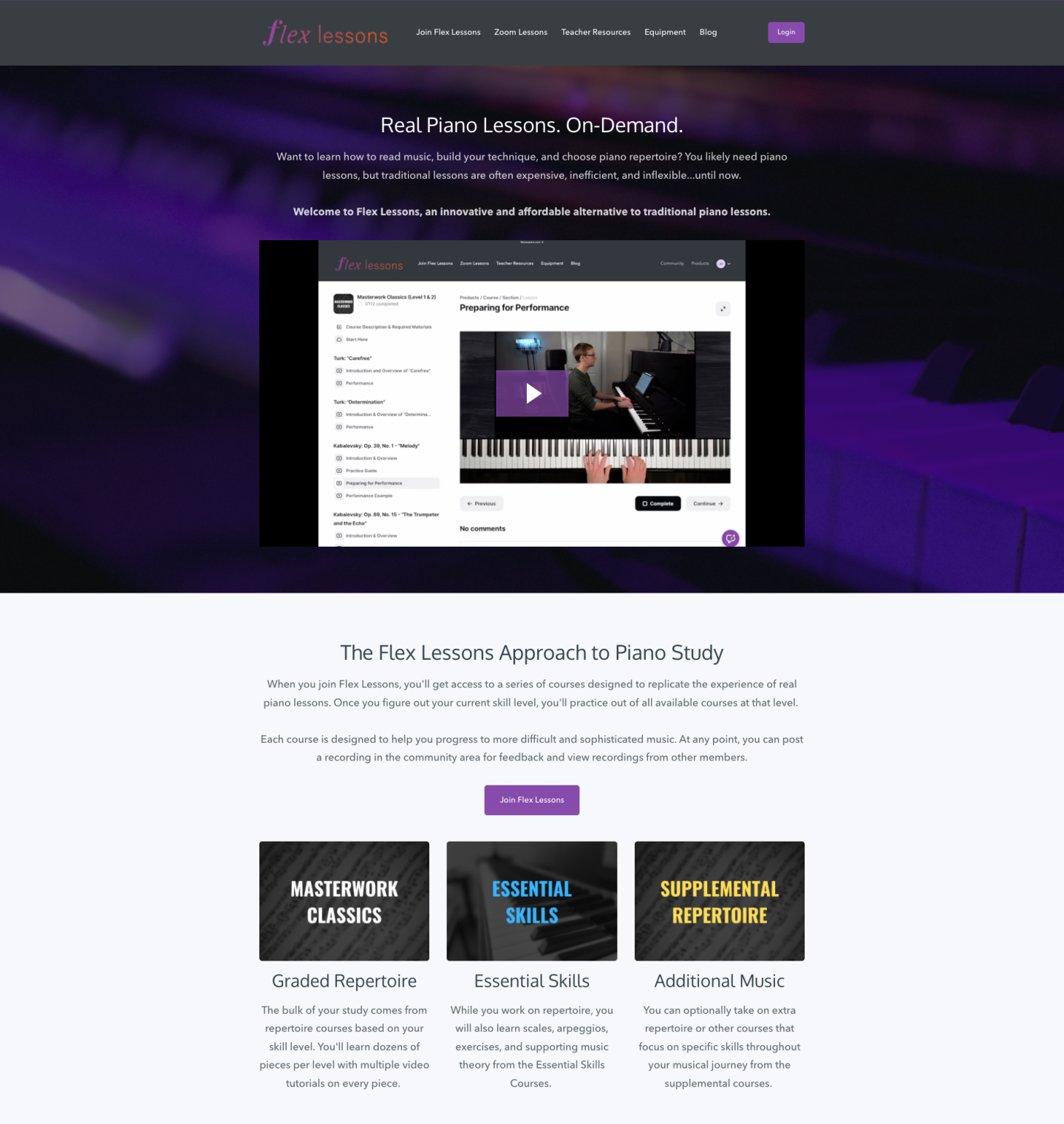
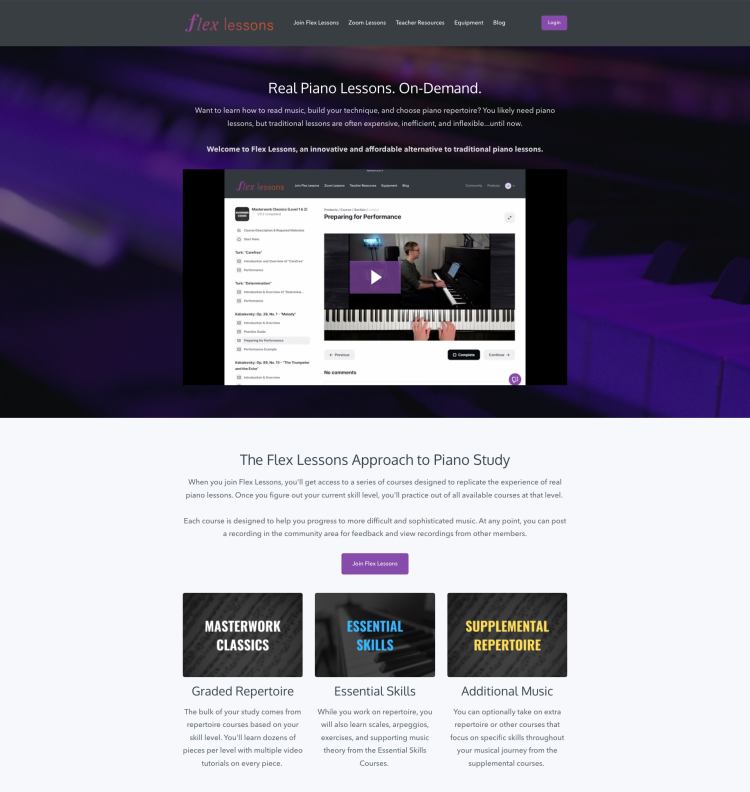
Flex Lessons
founder
Joseph D’Amico
, “Podia makes website building so fun. I feel like I could set up a site in an afternoon, and it would look great. And there’s something to be said for how pretty it is. It’s the best-looking one by far.”

Podia is also known for having friendly
customer support
through chat and email. If you get stuck at any point, we’re only a few clicks away.

With Podia, everything lives under one roof. No need to connect (and pay for) 8,000 different tools to make your business function properly. We’ve got you covered behind the scenes so you can focus on what you do best.

Podia features:

  • Sell digital downloads, courses, coaching, communities, and webinars

  • Unlimited students, products, and bandwidth with video and file hosting

  • Give customers several payment options like recurring memberships, subscriptions, one-time-payments, and payment plans

  • Offer
    real-time and pre-recorded webinars

  • Complete website and blogging functionality

  • Make
    beautiful landing pages
    to promote your products with our
    website editor

  • Premium course features like quizzes,
    drip content
    , live cohorts, and
    course completion certificates

  • Payment gateway integrations with PayPal and Stripe

  • Sell in your
    local currency
    and
    manage sales tax
    (including VAT) automatically

  • Integrations with Facebook Pixel, Pinterest Tag, and Google Analytics

  • Live
    messaging and chat features

  • Email marketing tools

  • Affiliate management

  • Custom domains

Podia pricing:

  • Free (10% transaction fee)

  • Starter: $9/month or $4/month when paid annually (8% transaction fee)

  • Mover: $39/month or $33/month when paid annually (5% transaction fee)

  • Shaker: $89/month or $75/month when paid annually

Learn more about how Podia compares to Gumroad
.

Get your free Podia account now
to see these features in action.

Get your free Podia account

Join the 150,000+ creators who use Podia to create websites, sell digital products, and build online communities.

Sign up free

2. SendOwl

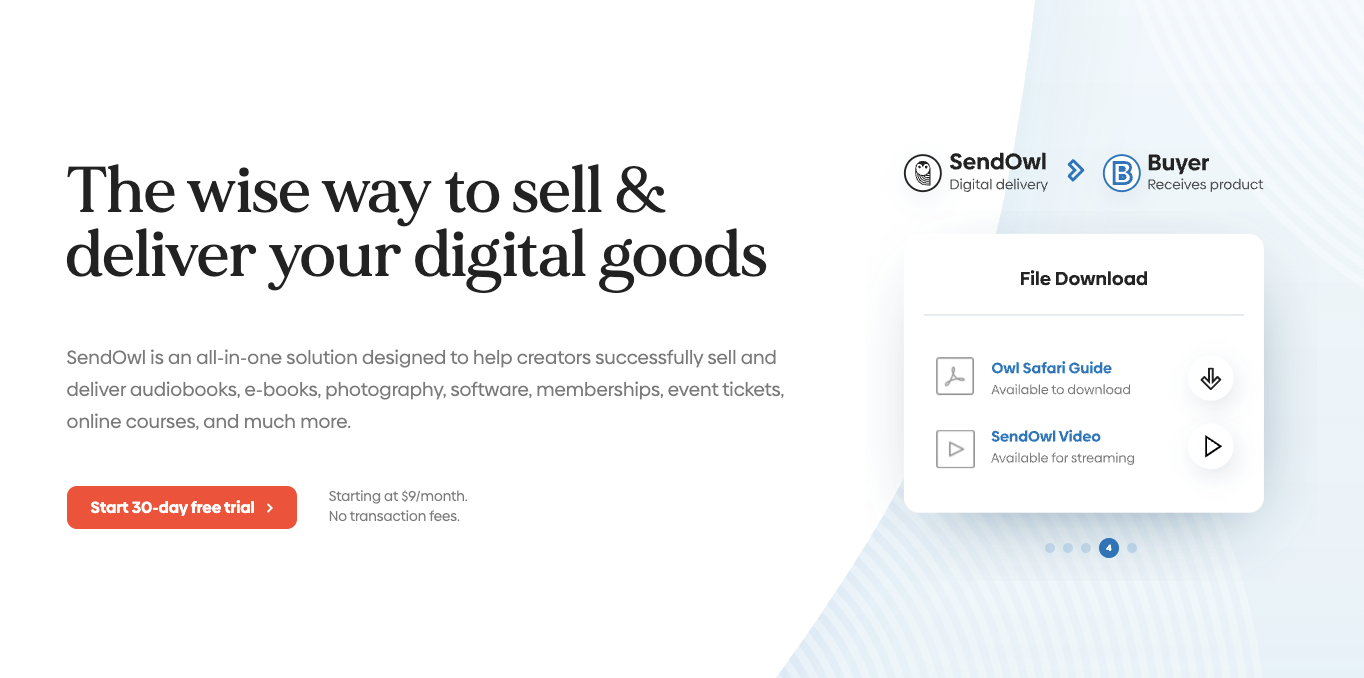
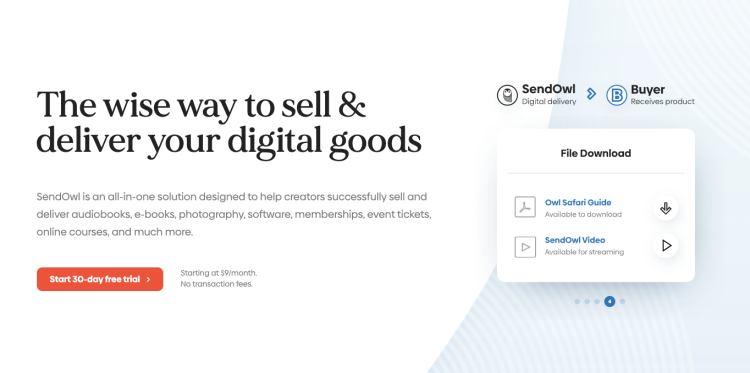
SendOwl is a platform designed for creators who sell digital products and services from their own websites. SendOwl takes care of payment processing, checkout, and file delivery so you can focus on your creative pursuits.

Because SendOwl handles everything that goes on behind the scenes, you can easily transform your existing online presence into a storefront by adding an embedded checkout button. You can also generate links to specific products to share on social media.

SendOwl features:

  • Customizable shopping cart

  • Sell memberships
    and subscriptions

  • Generate license keys

  • Drip content

  • Embeddable checkout

  • Offer coupons and discounts

  • One-click upsells

  • Cart abandonment

  • Affiliate marketing

  • Email features and templates

SendOwl benefits: SendOwl is great for creators who sell a combination of digital products and services like coaching and
tutoring
. You can customize the checkout process and sell through payment links, your own website, Shopify integrations, or SendOwl’s API.

People can buy gift purchases for others, and you can also use SendOwl to collect donations from supporters on a recurring basis.

SendOwl downsides: While you can create product cards and checkout links, you can’t build a storefront or detailed landing pages with SendOwl. Also, SendOwl isn’t ideal for selling courses since there’s no course builder or player.

SendOwl pricing:

  • Basic: $9/month

  • Standard: $15/month

  • Premium: $24/month

  • Business: $39/month

3. Sellfy

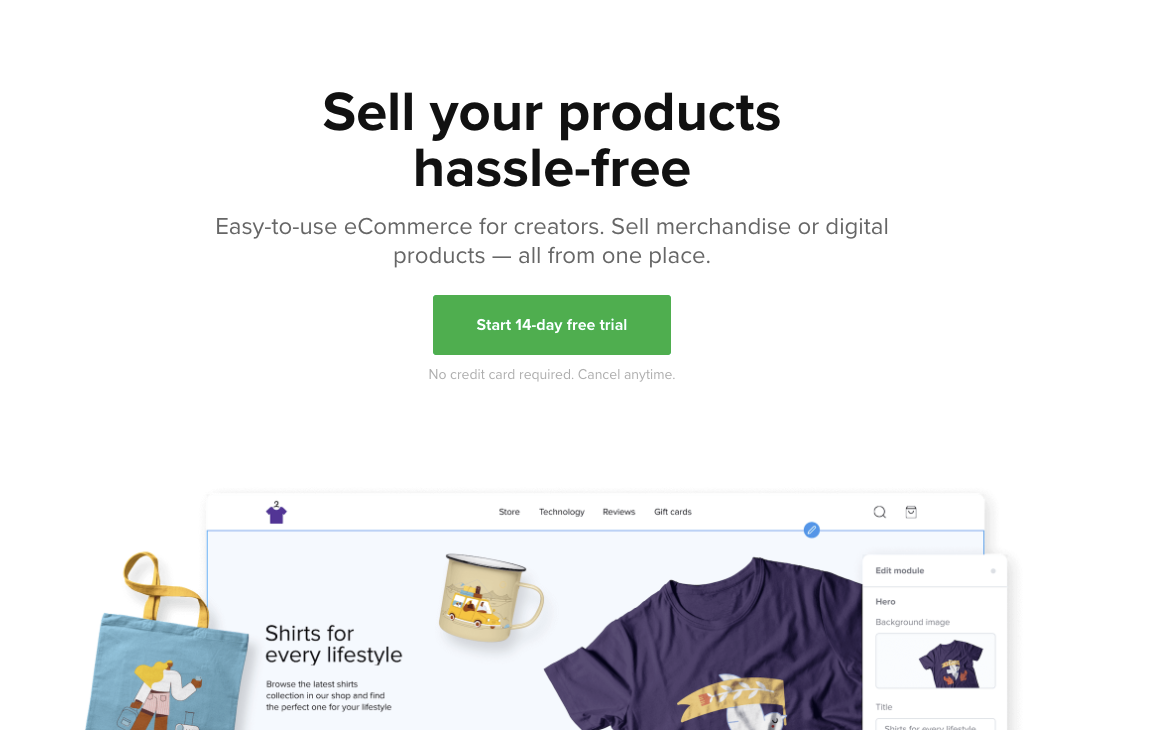
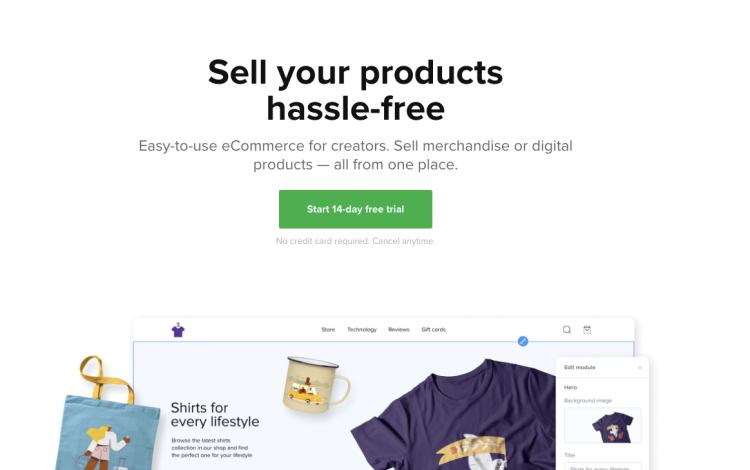
Sellfy is an ecommerce storefront software where you can run your own online shop and sell digital products, physical products, print-on-demand items, streaming, and subscriptions.

You can sell directly from Sellfy or embed purchase buttons and product cards on your own website. Create a customized shopping experience for your customers with upsells, discount codes, email marketing, shopping cart features, and cart abandonment.

Sellfy features:

  • Build an online store or sell from your own page

  • Sell digital, physical, streaming, or subscription products

  • Email marketing

  • Abandoned cart features

  • Discounts and coupons

  • Upsells

  • Facebook and Twitter Pixel integration

Sellfy benefits: Sellfy doesn’t charge any transaction fees, even on the free plan. The platform has built-in print-on-demand functionality, making it easy for creators to sell a combination of
digital and physical products
. You’ll also get 24/7 email support on all plans.

Sellfy downsides: This platform was not built for selling courses, so there isn’t a dedicated course viewer. There’s no community feature, and it also lacks affiliate marketing tools for sellers, so you’ll need to invest in additional software if you want
affiliates to promote your products
.

On Sellfy’s free plan, you’re only able to sell physical products and you’re limited to ten. The Starter plan allows you to sell unlimited physical and digital products, but they cap your annual revenue at $10,000. Earn more, and you’ll need to upgrade to the Business plan. Features like cart abandonment and product upsells are only available on the Business plan and above.

Sellfy pricing:

4. Payhip

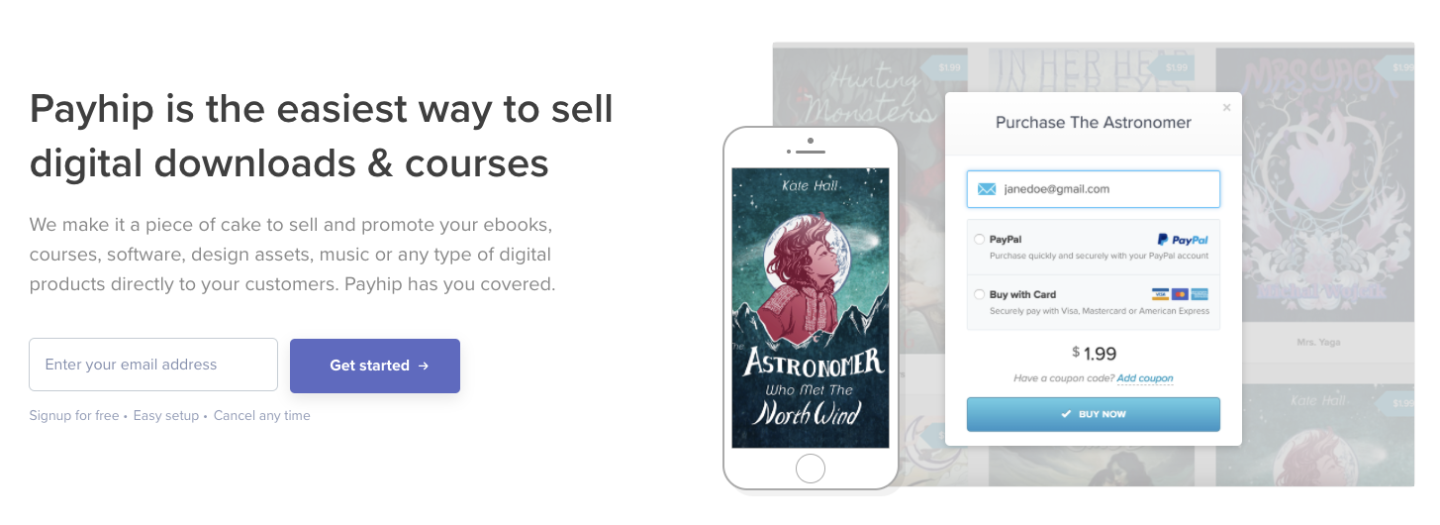
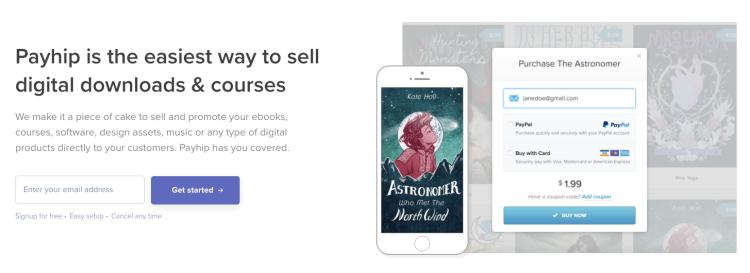
Payhip can be used to sell online courses, memberships, and digital downloads like
ebooks
, software, and videos. Like Gumroad, Payhip users get a simple storefront and a product listing page for each item they sell.

Unlike Gumroad, Payhip comes with a dedicated course builder. You can add different media types like videos, text, quizzes, and drip content, and you can customize your course style to match your branding.

Creators can also
sell memberships
on Payhip. Add different tiers and include custom content with each plan, and offer free trials to let customers explore before they buy. You can even offer physical products in addition to traditional digital downloads.

Payhip features:

Payhip benefits: Thanks to the built-in course viewer, creators aren’t limited to just selling digital downloads. Payhip also offers low transaction fees and a simple pricing structure. All plans come with full features. Creators can choose what transaction fees and monthly payments they’re comfortable with.

Payhip downsides: Payhip doesn’t offer blogging, email newsletters, or website building features. By default, product listings have a simple layout. If you want to create in-depth sales pages or a full website to showcase your work, you’ll need additional tools.

Payhip pricing:

  • Free: 5% transaction fee

  • Plus: $29/month + 2% transaction fee

  • Pro: $99/month, no transaction fee

5. SamCart

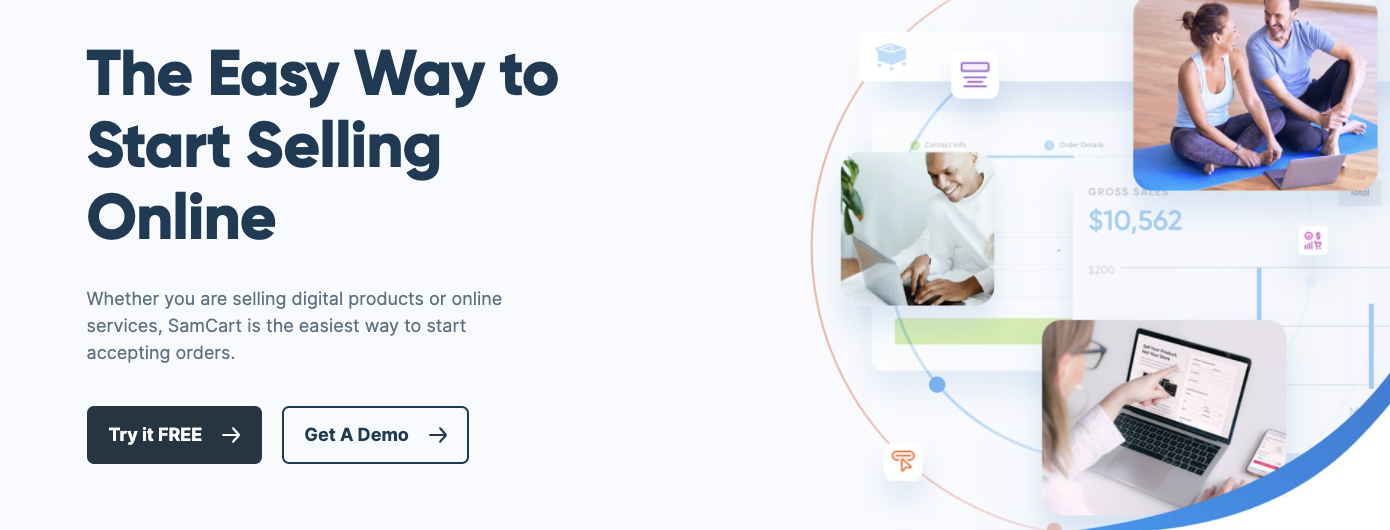
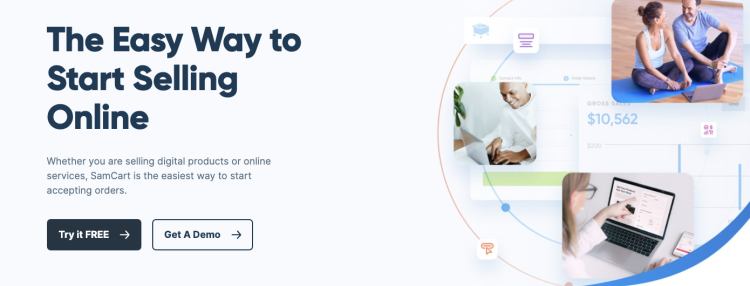
With SamCart, creators can sell and market unlimited courses, coaching sessions, digital downloads, services, and memberships. The software also comes with a drag and drop sales page builder that makes it easy to design a custom landing page for each item.

On top of that, SamCart creators can use handy features like pre-sale order bumps, varied subscription types, and one-click upsells to increase their sales.

SamCart features:

  • Unlimited products, courses, memberships, and pages

  • Bundle products

  • Custom checkout fields

  • Abandoned cart recovery

  • A/B testing

  • Affiliate center

SamCart benefits: SamCart comes with an intuitive store builder and templates so creators can design sales pages for their products. There are also exciting marketing mechanisms that can help improve conversion rates.

SamCart downsides:The SamCart affiliate management center is only available on the Scale plan and above, which could be cost-prohibitive for some creators. Also, there’s no built-in community feature. If you want to create a community around your brand, you’ll need to use a separate service.

SamCart pricing:

  • Launch: $49/month

  • Grow: $99/month

  • Scale: $199/month

6. ThriveCart

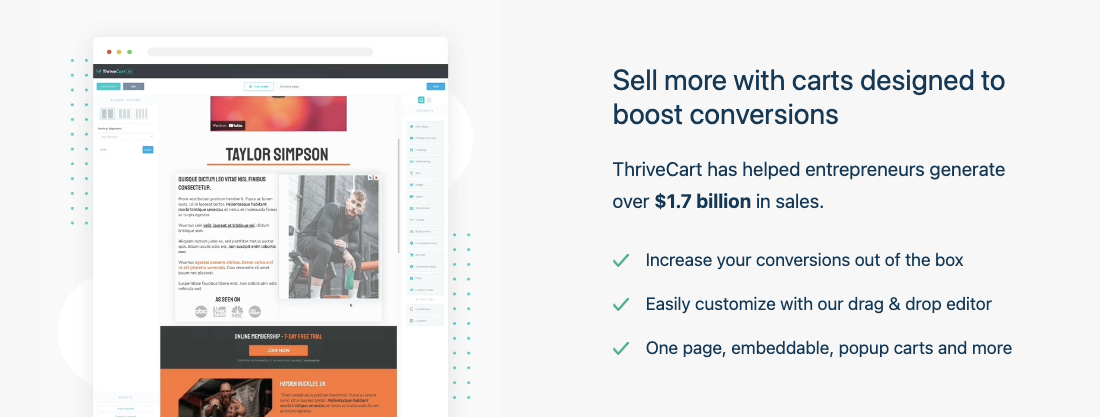
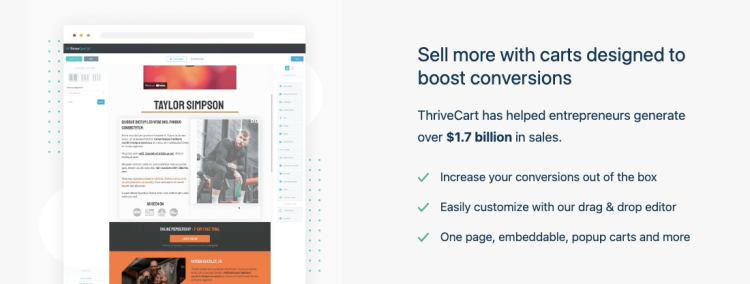
ThriveCart is a feature-rich cart platform where creators can make sales pages and build a streamlined checkout experience, complete with offer bumps, one-click upsells, and A/B testing.

Recently, ThriveCart Learn was released to all ThriveCart customers. This tool makes it possible to create courses and memberships that seamlessly connect with the ThriveCart ecosystem. ThriveCart also provides embeddable checkout boxes and pop-ups so you can sell your products from your own website.

ThiveCart features:

  • Top-notch checkout cart features

  • ThriveCart Learn is included with all plans

  • Sell courses or memberships

  • Offer free trials

  • Upsells, offer bumps, and tripwires

  • Abandoned cart recovery

  • Create automations to speed up your workflows

  • Customizable login pages

ThiveCart benefits: With ThriveCart, you’ll pay a one-time fee for lifetime access. This tool is great for creators who want to
build sales funnels
and customize their checkout experience through offer bumps and upsells. If your desired checkout experience is more elaborate, ThriveCart can make it happen.

Pro plan users also get access to premium
affiliate program
features, like shareable assets, multiple links, and detailed analytics.

ThriveCart downsides: Video hosting isn’t included with ThriveCart Learn, so you’ll have to house your videos separately if you’re selling courses or memberships that include this media type.

ThriveCart has a ticket system for getting help with your account, but real-time chat support isn’t available for creators. Also, paying for ThriveCart in full can be pricey for some business owners. It’s a big investment to make upfront, and it may make more sense to start with a less expensive option while your business is emerging.

ThriveCart pricing:

  • One time pricing

  • ThriveCart: $495

  • ThriveCart Pro: $690

7. Etsy

Etsy is a virtual marketplace where people sell their handmade creations. Creators can sell unique physical goods like crafts, furniture, textiles, and jewelry, as well as digital goods like templates, graphics, presets, and
printables
.

Customize your storefront and use Etsy tags and categories to organize your work. Customers can leave reviews of your products as social proof, and Etsy displays how many sales you’ve made alongside your average rating.

Etsy features:

  • Create a storefront for selling physical and digital items

  • Product listings with multiple images

  • Unlimited products

  • Social sharing features

  • Shoppers can “like” items and place them in their cart

  • Customers can leave reviews and star ratings

  • Built-in Etsy search and SEO features

Etsy benefits: Etsy is good for discoverability. Because it’s a well-known platform, customers may find your work while casually browsing or searching for the items you sell.

Setting up your page and listing your first product is easy. Etsy is a household name, and hundreds of third-party videos, tutorials, and courses are available to help you optimize your shop and avoid common pitfalls.

Etsy downsides: Etsy is not an ideal place for selling courses, memberships, or services. Sellers also have to pay a small listing fee of $0.20 per item, which could add up if you have many products available.

While Etsy’s popularity is great for getting your work out there, some
niches can become oversaturated
. Creators might be tempted to lower their prices to stay competitive, which can seriously dent your bottom line.

Etsy pricing:

8. Shopify

Shopify is a powerful ecommerce platform where creators can build a website to promote their products. With over 2,000,000 active users, Shopify is a popular choice for selling both physical and digital goods.

Shopify has an
app store
with over 6,000 apps to make your store function how you like. There are digital download apps, membership apps, and course apps to give you extra features, but some come with a cost.

Shopify features:

  • Sell digital or physical goods

  • Email marketing tools

  • Full website on basic plans and above

  • Website templates

  • Embeddable buy buttons

  • Allow buyers to purchase products using Apple Pay

  • Marketing automations

  • Run your business from your smartphone with the
    Shopify Mobile App
    for iOS and Android

  • 24/7 support

Shopify benefits: Shopify offers several different plans and price points for creators of all sizes. Because Shopify has a massive array of possible features, you can customize it however you want.

This is great for creators who want to formulate their online business to their exact specifications, but it could be overwhelming if you just want a simple selling platform.

Shopify downsides:Shopify is a full-scale ecommerce solution, so it may not be the best fit for someone just starting as a creator. It’s primarily used for selling physical products, there’s no free plan, and Shopify charges a transaction fee when sellers don’t use Shopify Payments.

Shopify pricing:

  • Shopify Lite: $9/month

  • Basic: $29/month, transaction fee if not using Shopify payments: 2%

  • Shopify: $49/month, transaction fee if not using Shopify payments: 1%

  • Advanced: $299/month, transaction fee if not using Shopify payments: 0.5%

  • Shopify Plus: Custom plans starting at $2000/month

9. WooCommerce

WooCommerce is free, open-source software that helps you sell your creative work on your WordPress site. Like Shopify, WooCommerce is mainly used for selling physical products, but you can connect additional apps and plugins to accept bookings, run memberships, sell courses, and beyond.

Simply purchase the add-ons you want and skip the things you don’t. While WooCommerce works well for creators who want lots of customizations, keep in mind that some of these extra tools come with hefty price tags.

Let’s say you wanted to sell product bundles and memberships using WooCommerce. You’d need the WooCommerce product bundles extension which costs $49/year and the WooCommerce memberships tool which costs $199/year.

WooCommerce features:

WooCommerce benefits: Sellers can use WooCommerce’s basic functionality for free. Because WooCommerce is built on WordPress, there are dozens of themes and templates you can use to design your storefront.If a creator needs more advanced features, they can add them on through integrations and plugins. This structure gives you more control over the selling experience, but it can be more complex to manage.

WooCommerce downsides: If you decide to use WooCommerce for your online store, you’ll need a WordPress website. You should have a decent understanding of how WordPress works and feel comfortable managing different tools, plugins, and integrations.

Using WordPress to sell digital products
has a steep learning curve, and while you certainly don’t need to be a pro, having some technical know-how will help you get up and running faster.

Even though the base functionality is free, WooCommerce can get expensive if you use multiple add-ons. Remember that you’ll also have to
pay separately for WordPress hosting
and your website domain.

WooCommerce pricing:

  • The basic platform doesn’t take any transaction fees, and it’s free to use

  • Additional costs to consider:

Find the right Gumroad alternative for you

Here’s a quick look at the best alternatives to Gumroad for different creator needs:

Gumroad competitors without transaction fees:

  • Podia: Sell your work without transaction fees on the Shaker plan

  • SendOwl: Sell digital downloads from your own website

  • Sellfy: Sell physical and digital products

  • SamCart: Access advanced marketing tools

  • ThriveCart: Pay once and use the tool for life without fees

  • Payhip: No transaction fees on the Pro pricing plan

  • WooCommerce: Free, open-source software for WordPress sellers

  • Shopify: No transaction fees on some plans if you use Shopify payments

Best Gumroad alternatives that integrate with WordPress:

Cheaper alternatives to Gumroad:

  • Podia: Depending on how much you sell, it can be significantly cheaper to go with Podia’s flat rate Shaker plan.

  • Payhip: The transaction fee on the free plan is 5%

  • Etsy: Etsy has lower fees than Gumroad until you reach over $10,000 in sales

  • WooCommerce: WooCommerce is free to use without transaction fees

Best alternatives to Gumroad for selling physical products:

  • Sellfy: Sell physical and digital items from your own site or a Sellfy storefront

  • Shopify: Sell physical and digital goods from your Shopify website

  • WooCommerce: Sell physical and digital products from your WordPress site

  • Etsy: Sell handmade items on a well-known marketplace

Best Gumroad alternative for creators who want an all-in-one solution: Podia

Podia has all the tools you need to run your online business in one place. No more connecting dozens of plugins, widgets, payment gateways, and sales page builders – everything you need plays nicely together. And you only have to remember one password.

Since Podia allows creators to sell digital downloads, courses, memberships, coaching, and communities, you won’t have to switch platforms as your business grows.

No matter what creative new idea you come up with next, we’ll be here to make it happen.
Get started today with a free Podia account
.

Get your free Podia account

Join the 150,000+ creators who use Podia to create websites, sell digital products, and build online communities.

Sign up free

8 best Teachable alternatives for course creators (Features & pricing)

Software Stack Editor · July 3, 2024 ·

Find the best alternative to Teachable for building online courses, selling digital products, and growing your online business.

Jump ahead

In this article

The e-learning market is bigger than ever, and its growth shows no signs of slowing down.

From in-person classes moving online, to experts in nearly every field making their knowledge more accessible, there’s never been a better time for creators to build and sell online courses.

There are dozens of tools available for creators who want to teach what they love online. One of the most popular options is Teachable, a platform that lets creators sell online courses and coaching.

In this guide, we’ll discuss the pros and cons of Teachable for course developers and online creators, plus eight Teachable alternatives to help you start selling your work.

Note: All pricing is accurate at the time of writing, but this is subject to change over time.

Teachable pros and cons

Teachable is a platform dedicated to selling online courses and coaching. Creators can sell ebooks and services as course add-ons, and set up workshops and conferences.

The biggest benefit of using Teachable is how easy it is to get started with course creation on the free plan. You can set up your first course without coding knowledge, and the platform takes care of all of the technical pieces.

That said, Teachable is very limited in the product types and customization options it offers creators. Most of the successful course creators on Teachable use third-party tools for email marketing,
landing page builders
, building a website, or selling memberships.

Teachable’s pricing and transaction fees can also get complicated.

Teachable pricing:

If you’re looking for a different feature set, or a more “all-in-one” option, here are eight alternatives you can try instead.

8 best alternatives to Teachable

1. Podia

Podia is an all-in-one platform where creators can build an online home for their business. With Podia, you can create a website and
sell online courses
, coaching, digital downloads, webinars, and community memberships – all from one dashboard.

Unlike Teachable, Podia also offers built-in
live chat
,
email marketing
, and
affiliate marketing
features, making it easy to market your courses and connect with your audience.

You can also use Podia to build a beautiful website for your online business – without learning to code or paying for additional website tools. Piano instructor and Podia creator
Joseph D’Amico
explains: “Podia makes website building so fun. I feel like I could set up a site in an afternoon, and it would look great. And if there’s something to be said for how pretty it is. It’s the best-looking one by far.”

With Podia, Joseph has built an innovative system for classical piano instruction. Through his business,
Flex Lessons
, students can learn from pre-recorded lessons in his membership community and live one-on-one classes.Here are some of the features that make Podia stand out.

Podia features:

Podia pricing:

  • Free (10% transaction fee)

  • Starter: $9/month or $4/month when paid annually (8% transaction fee)

  • Mover: $39/month or $33/month when paid annually (5% transaction fee)

  • Shaker: $89/month or $75/month when paid annually

All in all, Podia offers a scalable solution that your business won’t grow out of.
Learn more about how Podia compares to Teachable
.

Get your free Podia account now
to see these features in action.

Get your free Podia account

Join the 150,000+ creators who use Podia to create websites, sell digital products, and build online communities.

Sign up free

2. Thinkific

Like Teachable,
Thinkific
is designed for course creators. You can sell live lessons, pre-recorded videos, self-paced courses, and cohort programs. Thinkific also offers
course completion certificates
, assessments and assignments, and lesson prerequisites. You can even use Thinkific to build a storefront or website for your courses.

Thinkific features:

  • Video and content hosting on all plans

  • Create a website and sales pages for your products

  • Unlimited course content and communities on some plans

  • Sell courses, communities, products, bundles, and memberships

  • Voiceover PowerPoint presentation tool built-in

  • Student surveys

  • Students can leave course reviews

  • Exam integrations on higher plans

Thinkific benefits: Thinkific users pay no transaction fees on any plan, and creators get unlimited courses, content, and students on paid plans. Creators on higher tiers can also add custom CSS and HTML to their websites.

Thinkific downsides: Memberships, product bundles,
payment plans
, and subscriptions are only available to creators on the Start plan and above. Many of these features, like the email marketing and community tools, are quite limited.

Thinkific pricing:

  • Free

  • Basic: $49/month

  • Start: $99/month

  • Grow: $199/month

  • Expand: $499/month

3. Kajabi

Kajabi
is an all-in-one platform where you can sell courses, downloads, coaching,
podcasts
, memberships, and communities. You can also use Kajabi to handle email marketing, create a website,
build sales funnels
(called pipelines), and manage affiliates.

Kajabi features:

  • Create built-in sales funnels

  • Email marketing and
    affiliate marketing tools

  • No transaction fees

  • Upsells

  • Podcast features

  • Website builder with themes and blog functionality

  • Landing pages

  • Mobile app for an on-the-go learning experience

Kajabi benefits: Kajabi is one of the most feature-rich all-in-one platforms for creators. Three particularly unique features are the mobile app, blog functionality, and podcast features. Plus, there are no transaction fees on any Kajabi plan.

Kajabi downsides: The biggest downside to Kajabi is its premium price tag. Kajabi is one of the most expensive
online course platforms
, making it cost-prohibitive for many creators who are just getting started.In addition to charging a more expensive monthly rate, Kajabi imposes product limits on all plans:

  • Kickstarter plan: one product and one pipeline

  • Basic plan: three products and three pipelines

  • Growth plan: 15 products and 15 pipelines

  • Pro plan: 100 products and 100 pipelines

Our +900 creator survey revealed that creators have an average of 10.95 products, which means many would have to use Kajabi’s pricey Growth or Pro plan.

Kajabi pricing:

  • Kickstarter: $69/month

  • Basic: $149/month

  • Growth: $199/month

  • Pro: $399/month

4. Udemy

Udemy is an online course marketplace where creators can upload and sell their courses to a wide audience.
Udemy
handles the marketing of your course, but in turn, you have less control over your content, branding, and income.

Instructors on Udemy are paid through a revenue-sharing plan. If students find your course organically on Udemy, you only keep 37% of the course fee. However, when students enroll using your referral code, you keep 97%.

Udemy features:

  • Over 40 million students from around the world

  • Free to use

  • User-friendly course builder and uploader

  • Learners can leave course reviews

  • Instructors can create coupons for their courses and be included in site-wide deals

Udemy benefits: After you upload your course content, selling on Udemy is largely hands-off. This can be an excellent option for instructors who want to earn passive income on their courses without running their own marketing. With over 40 million users, Udemy can make it easier to get your course in front of a large audience.

Udemy downsides:Udemy’s features are extremely limited. There is no website builder, digital marketing tools, email features, membership sites, or digital download functionality.

When you sell your courses on Udemy, you have no control over your brand or marketing on the platform. Udemy also takes a large percentage of your sales unless your students use your referral code. At the end of the day, this can mean less money in your pocket.

Podia creator
John D. Saunders
sold his course to over 1,900 customers on Udemy, but only earned $1,100 in revenue. When he switched to Podia, he earned $10,000 on launch day alone and has earned over $200,000 on the platform since.

Udemy pricing:

  • Free for instructors

  • Revenue sharing plan:

5. Teachery

Teachery is a simple online learning platform without the bells and whistles of Teachable. In addition to creating and selling courses, you can sell bundles, build sales pages, and
launch an affiliate program
.

Both pricing plans include unlimited students and courses, and one flat rate gives you access to all Teachery features, with no hidden costs or add-ons.

Teachery features:

  • Unlimited courses, lessons, and students on both plans

  • Simple course editor with two templates

  • Memberships

  • Product bundles

  • Sales pages and landing pages to promote your products

  • Whitelabel course provider

  • Mailchimp and ConvertKit integrations

  • Affiliate program tools

Teachery benefits: Teachery is best for course creators who want to quickly get things up and running and don’t need a super customized or branded site. The minimalist platform makes it easy to get started. Plus, there are no transaction fees on either plan.

Teachery downsides: Creators who use Teachery don’t get access to a website builder or email marketing features. Teachery also doesn’t include video hosting – you’ll need to embed content through third-party tools like YouTube and Vimeo.

Teachery pricing:

  • Monthly plan: $49/month

  • Annual plan: $470/year

6. LearnDash

LearnDash
is a learning management system (LMS) plugin for WordPress. With LearnDash, creators can
sell courses directly from their WordPress site
. The plugin includes a drag-and-drop course builder and dozens of customization options for your courses. LearnDash is focused 100% on selling and hosting courses, meaning that there are no community or membership features.

LearnDash features:

  • Drag and drop course builder with dozens of customizable content styles

  • Works with any WordPress theme, or you can choose custom LearnDash themes

  • Gamification and leaderboards

  • Quizzes, certifications, and evaluations

  • Can require people to upload assignments

  • Unlimited courses and users on all plans

LearnDash benefits: The biggest benefit of LearnDash is the opportunity for customization. You can create your own branded website on WordPress, then add LearnDash for online course functionality. With WordPress, you can also use additional plugins and integrations on your site. LearnDash also charges no transaction fees.

LearnDash downsides: You need a WordPress site to use LearnDash, which means paying for web hosting and a domain in addition to LearnDash and dealing with WordPress’s steep learning curve. To make the most of LearnDash, you should be familiar with WordPress and comfortable connecting multiple plugins and integrations. You might also want to
hire a developer
or web designer to get things up and running.

In addition to the cost of website hosting and domain fees, you may need to pay for marketing tools, custom themes, membership features, and any other add-ons you need for your business. Those expenses can add up quickly.

LearnDash pricing:

7. LearnWorlds

LearnWorlds
is a platform that lets creators create and sell online courses, memberships, and even mobile learning apps. You can also build your own website with a custom domain name. The LearnWorlds mobile app builder lets you offer in-app purchases, send notifications, and even create a white-label experience with a branded app.

LearnWorlds features:

  • Sell online courses, memberships, subscriptions, and bundles

  • Website builder with custom domains and blog features (on Pro Trainer plans and up)

  • Mobile app with in-app purchases and notifications (additional fee)

  • Assessments, quizzes, question banks, and course completion certificates

  • White-label options

  • Built-in video editing and transcription tools

  • Note-taking features in the course editor (highlights/sticky notes) and interactive ebooks

LearnWorlds benefits: If your main priority is selling courses, LearnWorlds is one of the most comprehensive online learning platforms for educators and entrepreneurs. The mobile app builder gives creators a unique opportunity to create an on-the-go learning experience for their students.

LearnWorlds downsides: LearnWorlds focuses first and foremost on online courses, making it a limited choice for creators who want to sell additional digital products, downloads, coaching packages, or services.

The $29/month Starter plan may seem like a great deal, but creators pay a flat transaction fee of $5/course sale, which can add up quickly. Plus, features are limited. You can only build a three-page website, and free courses, memberships, and subscriptions can only be offered on the $99/month Pro Trainer plan and above.

LearnWorlds pricing:

  • Starter: $29/month (+$5 fee per course sale)

  • Pro Trainer: $99/month

  • Learning Center: $299/month

  • Corporate: Custom pricing

8. Mighty Networks

Mighty Networks is an online community platform that includes online course features for higher-tier plans. Creators on all plans can create and run free and paid membership communities. When you build a community on
Mighty Networks
, you can charge for memberships with recurring billing or one-time subscriptions. Advanced community features include live streams, direct messaging, virtual events, and member profiles.

Mighty Networks features:

  • Community and membership site features

  • Live streams, live events, and event calendar functionality

  • Group and private chat messaging between members

  • Unlimited members and moderators

  • Create live or cohort courses on the Business plan and up

Mighty Networks benefits: Mighty Networks was designed for running communities, which means its membership features are fairly robust. You can build landing pages, create courses with a dedicated community area, access analytics, and use other helpful membership tools.

Mighty Networks downsides: Online course features are only available on the $119/month Business plan and above. If you plan to sell coaching, consulting, or
tutoring services
, you may need to pay for additional tools. Mighty Networks users also pay a 3% or 2% transaction fee, depending on the plan.

Mighty Networks pricing:

  • Free trial: (5% transaction fee)

  • Community plan: $39/month (3% transaction fee)

  • Business plan: $119/month (2% transaction fee)

  • Mighty Pro: Custom pricing

Find the right Teachable alternative for you

Best free alternative to Teachable:

  • Podia and Thinkific offer free plans

  • Mighty Networks has a free trial

  • If you’re looking for a hands-off way to sell courses without building your own brand, Udemy is free forever

More affordable Teachable alternatives:

  • Podia: Paid plans start at $4/month with an 8% transaction fee

  • Teachery: No transaction fees, annual plan comes out to about $39/month

  • LearnWorlds: Plans start at $29/month

  • LearnDash: Plans start at $199/year

  • Mighty Networks: Plans start at $39/month

Best alternatives that integrate with WordPress:

Best all-in-one alternative to Teachable: Podia

Podia is an excellent platform for beginners and experienced creators alike. It offers everything you need to get started without the technical headache, plus all of the customization options and additional features you’ll need as your business grows.

Get started with Podia for free today
.

Get your free Podia account

Join the 150,000+ creators who use Podia to create websites, sell digital products, and build online communities.

Sign up free

9 best Gumroad alternatives for small business owners (Features & pricing)

Software Stack Editor · July 3, 2024 ·

You’ve created a fabulous digital download that’s perfect for your audience, but you need a place to sell it. In your research rabbit hole, you come across an option called Gumroad.

Gumroad is an online marketplace platform for selling digital and physical products. Creators can sell videos, files, software, PDFs, ebooks, subscriptions, and memberships about any topic that makes their eyes sparkle.

Users can quickly build a basic storefront page and list as many products as they want. Gumroad also makes it easy to set up an affiliate program, offer discount codes, and generate software license keys.

Getting started is simple, and there’s no monthly fee to use the platform, making this a popular option among entrepreneurs who hope to make their first sale without a big upfront investment. But just like how there are dog people and cat people, morning birds and night owls, cilantro fans and cilantro foes, no tool is perfect for every creator.

Gumroad Alternatives Image 1

In this post, we’ll look at some popular Gumroad alternatives to help you choose the best option for your growing business.

Note: All pricing is accurate at the time of writing, but this is subject to change over time.

Shortcomings of Gumroad

Every creator business is unique, and the tools you use to power your online empire will vary based on your priorities. While Gumroad does make it easy to list items for sale and accept payments, there are some limitations.

First, there aren’t many design options for product listings. Each product page comes with space to add photos, a description, and details like file size, but beyond that, there are minimal layout and style customizations available.

Gumroad Alternatives Image 2.1

If you’d like to create a full-blown sales page or customized website, you’ll need to use an additional tool.

Second, Gumroad is primarily geared toward selling digital downloads, not courses or coaching. In our study of 900+ creators, 33.6% sold courses, and 13.8% sold coaching. Even if you don’t have those product types now, you might want to add them in the future.

While it’s possible to sell courses by uploading several video and text files into a listing, there’s no dedicated Gumroad course viewer. Using a platform that’s made for online courses instead could give your customers a better experience.

Likewise, you can use workarounds to sell coaching sessions using Gumroad, but the software isn’t specifically built for this. You might need to connect other programs to get the results you want, which could be cumbersome and costly to implement.

Third, some Gumroad customers report that accessing customer service is challenging. There’s a help center and a support email address, but no live chat support.

90% of people feel that customer service is important when choosing and staying with a brand and getting speedy answers when tech issues arise can mean fewer headaches.

Finally, Gumroad charges a 10% transaction fee on all sales, whether you’re a new creator or selling thousands of products per month. While it’s true that Gumroad users don’t have to pay a monthly rate to use the platform, the transaction fees on each sale can add up quickly — especially as your sales increase.

Ideally, you would have the option to upgrade and remove transaction fees as your business grows, but with Gumroad that’s not possible.

Again, there’s no cookie-cutter mold for creator businesses, and there’s no one platform that works for everyone. If you determine that Gumroad isn’t the best fit for your needs, here are 9 Gumroad alternatives to try instead.

9 best alternatives to Gumroad

1. Podia

Gumroad Alternatives Image 5

Podia is an all-in-one creator platform for selling your digital work, running your webinars, and offering services like coaching and mentorship. It comes with a sleek course builder, full website functionality, unlimited sales pages, and built-in email marketing features so you can communicate with your audience in one place.

Teach virtual trombone lessons. Create a course on how to knit matching outfits for you and your dog. No matter your passion, you can build, sell, market, and manage your entire creative business with Podia.
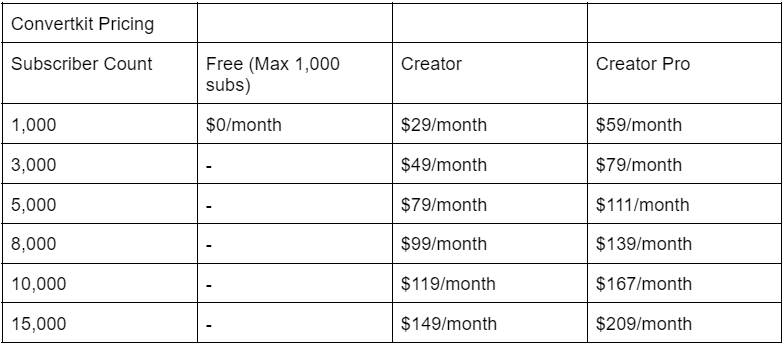
In addition to selling unlimited courses, digital downloads, and coaching sessions, creators get sophisticated business features like affiliate functionality, email marketing, product bundles, and upsells.

UPSELLS Hero Image Beekeeping Example

We even handle lead magnet delivery, and you can grow your email list by offering free resources directly from your Podia website.

And did we mention that your Podia website and sales pages will look really pretty?

According to Podia creator and Flex Lessons founder Joseph D’Amico, “Podia makes website building so fun. I feel like I could set up a site in an afternoon, and it would look great. And there’s something to be said for how pretty it is. It’s the best-looking one by far.”

Gumroad Alternatives Image 7

Podia is also known for having friendly customer support through chat and email. If you get stuck at any point, we’re only a few clicks away.

With Podia, everything lives under one roof. No need to connect (and pay for) 8,000 different tools to make your business function properly. We’ve got you covered behind the scenes so you can focus on what you do best.

Podia features:

  • Sell digital downloads, courses, coaching, communities, and webinars

  • Unlimited students, products, and bandwidth with video and file hosting

  • Give customers several payment options like subscriptions, one-time-payments, and payment plans

  • Offer real-time and pre-recorded webinars

  • Complete website and blogging functionality

  • Make beautiful landing pages to promote your products with our website editor

  • Premium course features like quizzes, drip content, live cohorts, and course completion certificates

  • Payment gateway integrations with PayPal and Stripe

  • Sell in your local currency and manage sales tax (including VAT) automatically

  • Integrations with Facebook Pixel, Pinterest Tag, and Google Analytics

  • Live messaging and chat features

  • Email marketing tools

  • Affiliate management

  • Custom domains

Podia pricing:

Learn more about how Podia compares to Gumroad.

Get your free 30-day trial from Podia now to see these features in action.

2. SendOwl

Gumroad Alternatives Image 8

SendOwl is a platform designed for creators who sell digital products and services from their own websites. SendOwl takes care of payment processing, checkout, and file delivery so you can focus on your creative pursuits.

Because SendOwl handles everything that goes on behind the scenes, you can easily transform your existing online presence into a storefront by adding an embedded checkout button. You can also generate links to specific products to share on social media.

SendOwl features:

  • Customizable shopping cart

  • Sell memberships and subscriptions

  • Generate license keys

  • Drip content

  • Embeddable checkout

  • Offer coupons and discounts

  • One-click upsells

  • Cart abandonment

  • Affiliate marketing

  • Email features and templates

SendOwl benefits: SendOwl is great for creators who sell a combination of digital products and services like coaching and tutoring. You can customize the checkout process and sell through payment links, your own website, Shopify integrations, or SendOwl’s API.

People can buy gift purchases for others, and you can also use SendOwl to collect donations from supporters on a recurring basis.

SendOwl downsides: While you can create product cards and checkout links, you can’t build a storefront or detailed landing pages with SendOwl. Also, SendOwl isn’t ideal for selling courses since there’s no course builder or player.

SendOwl pricing:

  • Basic: $9/month

  • Standard: $15/month

  • Premium: $24/month

  • Business: $39/month

3. Sellfy

Gumroad Alternatives Image 10

Sellfy is an ecommerce storefront software where you can run your own online shop and sell digital products, physical products, print-on-demand items, streaming, and subscriptions.

You can sell directly from Sellfy or embed purchase buttons and product cards on your own website. Create a customized shopping experience for your customers with upsells, discount codes, email marketing, shopping cart features, and cart abandonment.

Sellfy features:

  • Build an online store or sell from your own page

  • Sell digital, physical, streaming, or subscription products

  • Email marketing

  • Abandoned cart features

  • Discounts and coupons

  • Upsells

  • Facebook and Twitter Pixel integration

Sellfy benefits: Sellfy doesn’t charge any transaction fees, even on the free plan. The platform has built-in print-on-demand functionality, making it easy for creators to sell a combination of digital and physical products. You’ll also get 24/7 email support on all plans.

Sellfy downsides: This platform was not built for selling courses, so there isn’t a dedicated course viewer. There’s no community feature, and it also lacks affiliate marketing tools for sellers, so you’ll need to invest in additional software if you want affiliates to promote your products.

On Sellfy’s free plan, you’re only able to sell physical products and you’re limited to ten. The Starter plan allows you to sell unlimited physical and digital products, but they cap your annual revenue at $10,000. Earn more, and you’ll need to upgrade to the Business plan. Features like cart abandonment and product upsells are only available on the Business plan and above.

Sellfy pricing:

4. Payhip

Gumroad Alternatives Image 12

Payhip can be used to sell online courses, memberships, and digital downloads like ebooks, software, and videos. Like Gumroad, Payhip users get a simple storefront and a product listing page for each item they sell.

Unlike Gumroad, Payhip comes with a dedicated course builder. You can add different media types like videos, text, quizzes, and drip content, and you can customize your course style to match your branding.

Creators can also sell memberships on Payhip. Add different tiers and include custom content with each plan, and offer free trials to let customers explore before they buy. You can even offer physical products in addition to traditional digital downloads.

Payhip features:

Payhip benefits: Thanks to the built-in course viewer, creators aren’t limited to just selling digital downloads. Payhip also offers low transaction fees and a simple pricing structure. All plans come with full features. Creators can choose what transaction fees and monthly payments they’re comfortable with.

Payhip downsides: Payhip doesn’t offer blogging, email newsletters, or website building features. By default, product listings have a simple layout. If you want to create in-depth sales pages or a full website to showcase your work, you’ll need additional tools.

Payhip pricing:

  • Free: 5% transaction fee

  • Plus: $29/month + 2% transaction fee

  • Pro: $99/month, no transaction fee

5. SamCart

Gumroad Alternatives Image 14

With SamCart, creators can sell and market unlimited courses, coaching sessions, digital downloads, services, and memberships. The software also comes with a drag and drop sales page builder that makes it easy to design a custom landing page for each item.

On top of that, SamCart creators can use handy features like pre-sale order bumps, varied subscription types, and one-click upsells to increase their sales.

SamCart features:

  • Unlimited products, courses, memberships, and pages

  • Bundle products

  • Custom checkout fields

  • Abandoned cart recovery

  • A/B testing

  • Affiliate center

SamCart benefits: SamCart comes with an intuitive store builder and templates so creators can design sales pages for their products. There are also exciting marketing mechanisms that can help improve conversion rates.

SamCart downsides:The SamCart affiliate management center is only available on the Scale plan and above, which could be cost-prohibitive for some creators. Also, there’s no built-in community feature. If you want to create a community around your brand, you’ll need to use a separate service.

SamCart pricing:

  • Launch: $49/month

  • Grow: $99/month

  • Scale: $199/month

6. ThriveCart

Gumroad Alternatives Image 15

ThriveCart is a feature-rich cart platform where creators can make sales pages and build a streamlined checkout experience, complete with offer bumps, one-click upsells, and A/B testing.

Recently, ThriveCart Learn was released to all ThriveCart customers. This tool makes it possible to create courses and memberships that seamlessly connect with the ThriveCart ecosystem. ThriveCart also provides embeddable checkout boxes and pop-ups so you can sell your products from your own website.

ThiveCart features:

  • Top-notch checkout cart features

  • ThriveCart Learn is included with all plans

  • Sell courses or memberships

  • Offer free trials

  • Upsells, offer bumps, and tripwires

  • Abandoned cart recovery

  • Create automations to speed up your workflows

  • Customizable login pages

ThiveCart benefits: With ThriveCart, you’ll pay a one-time fee for lifetime access. This tool is great for creators who want to build sales funnels and customize their checkout experience through offer bumps and upsells. If your desired checkout experience is more elaborate, ThriveCart can make it happen.

Pro plan users also get access to premium affiliate program features, like shareable assets, multiple links, and detailed analytics.

ThriveCart downsides: Video hosting isn’t included with ThriveCart Learn, so you’ll have to house your videos separately if you’re selling courses or memberships that include this media type.

ThriveCart has a ticket system for getting help with your account, but real-time chat support isn’t available for creators. Also, paying for ThriveCart in full can be pricey for some business owners. It’s a big investment to make upfront, and it may make more sense to start with a less expensive option while your business is emerging.

ThriveCart pricing:

  • One time pricing

  • ThriveCart: $495

  • ThriveCart Pro: $690

7. Etsy

Gumroad Alternatives Image 17

Etsy is a virtual marketplace where people sell their handmade creations. Creators can sell unique physical goods like crafts, furniture, textiles, and jewelry, as well as digital goods like templates, graphics, presets, and printables.

Customize your storefront and use Etsy tags and categories to organize your work. Customers can leave reviews of your products as social proof, and Etsy displays how many sales you’ve made alongside your average rating.

Etsy features:

  • Create a storefront for selling physical and digital items

  • Product listings with multiple images

  • Unlimited products

  • Social sharing features

  • Shoppers can “like” items and place them in their cart

  • Customers can leave reviews and star ratings

  • Built-in Etsy search and SEO features

Etsy benefits: Etsy is good for discoverability. Because it’s a well-known platform, customers may find your work while casually browsing or searching for the items you sell.

Setting up your page and listing your first product is easy. Etsy is a household name, and hundreds of third-party videos, tutorials, and courses are available to help you optimize your shop and avoid common pitfalls.

Etsy downsides: Etsy is not an ideal place for selling courses, memberships, or services. Sellers also have to pay a small listing fee of $0.20 per item, which could add up if you have many products available.

While Etsy’s popularity is great for getting your work out there, some niches can become oversaturated. Creators might be tempted to lower their prices to stay competitive, which can seriously dent your bottom line.

Etsy pricing:

8. Shopify

Gumroad Alternatives Image 19

Shopify is a powerful ecommerce platform where creators can build a website to promote their products. With over 2,000,000 active users, Shopify is a popular choice for selling both physical and digital goods.

Shopify has an app store with over 6,000 apps to make your store function how you like. There are digital download apps, membership apps, and course apps to give you extra features, but some come with a cost.

Shopify features:

  • Sell digital or physical goods

  • Email marketing tools

  • Full website on basic plans and above

  • Website templates

  • Embeddable buy buttons

  • Allow buyers to purchase products using Apple Pay

  • Marketing automations

  • Run your business from your smartphone with the Shopify Mobile App for iOS and Android

  • 24/7 support

Shopify benefits: Shopify offers several different plans and price points for creators of all sizes. Because Shopify has a massive array of possible features, you can customize it however you want.

This is great for creators who want to formulate their online business to their exact specifications, but it could be overwhelming if you just want a simple selling platform.

Shopify downsides: Shopify is a full-scale ecommerce solution, so it may not be the best fit for someone just starting as a creator. It’s primarily used for selling physical products, there’s no free plan, and Shopify charges a transaction fee when sellers don’t use Shopify Payments.

Shopify pricing:

  • Shopify Lite: $9/month

  • Basic: $29/month, transaction fee if not using Shopify payments: 2%

  • Shopify: $49/month, transaction fee if not using Shopify payments: 1%

  • Advanced: $299/month, transaction fee if not using Shopify payments: 0.5%

  • Shopify Plus: Custom plans starting at $2000/month

9. WooCommerce

Gumroad Alternatives Image 21

WooCommerce is free, open-source software that helps you sell your creative work on your WordPress site. Like Shopify, WooCommerce is mainly used for selling physical products, but you can connect additional apps and plugins to accept bookings, run memberships, sell courses, and beyond.

Simply purchase the add-ons you want and skip the things you don’t. While WooCommerce works well for creators who want lots of customizations, keep in mind that some of these extra tools come with hefty price tags.

Let’s say you wanted to sell product bundles and memberships using WooCommerce. You’d need the WooCommerce product bundles extension which costs $49/year and the WooCommerce memberships tool which costs $199/year.

WooCommerce features:

WooCommerce benefits: Sellers can use WooCommerce’s basic functionality for free. Because WooCommerce is built on WordPress, there are dozens of themes and templates you can use to design your storefront. If a creator needs more advanced features, they can add them on through integrations and plugins. This structure gives you more control over the selling experience, but it can be more complex to manage.

WooCommerce downsides: If you decide to use WooCommerce for your online store, you’ll need a WordPress website. You should have a decent understanding of how WordPress works and feel comfortable managing different tools, plugins, and integrations.

Using WordPress to sell digital products has a steep learning curve, and while you certainly don’t need to be a pro, having some technical know-how will help you get up and running faster.

Even though the base functionality is free, WooCommerce can get expensive if you use multiple add-ons. Remember that you’ll also have to pay separately for WordPress hosting and your website domain.

WooCommerce pricing:

  • The basic platform doesn’t take any transaction fees, and it’s free to use

  • Additional costs to consider:

Find the right Gumroad alternative for you

Here’s a quick look at the best alternatives to Gumroad for different creator needs:

Gumroad competitors without transaction fees:

  • Podia: Sell your work without transaction fees on the Shaker plan

  • SendOwl: Sell digital downloads from your own website

  • Sellfy: Sell physical and digital products

  • SamCart: Access advanced marketing tools

  • ThriveCart: Pay once and use the tool for life without fees

  • Payhip: No transaction fees on the Pro pricing plan

  • WooCommerce: Free, open-source software for WordPress sellers

  • Shopify: No transaction fees on some plans if you use Shopify payments

Best Gumroad alternatives that integrate with WordPress:

Cheaper alternatives to Gumroad:

  • Podia: Depending on how much you sell, it can be significantly cheaper to go with Podia’s flat rate Shaker plan.

  • Payhip: The transaction fee on the free plan is 5%

  • Etsy: Etsy has lower fees than Gumroad until you reach over $10,000 in sales

  • WooCommerce: WooCommerce is free to use without transaction fees

Best alternatives to Gumroad for selling physical products:

  • Sellfy: Sell physical and digital items from your own site or a Sellfy storefront

  • Shopify: Sell physical and digital goods from your Shopify website

  • WooCommerce: Sell physical and digital products from your WordPress site

  • Etsy: Sell handmade items on a well-known marketplace

Best Gumroad alternative for creators who want an all-in-one solution: Podia

Podia has all the tools you need to run your online business in one place. No more connecting dozens of plugins, widgets, payment gateways, and sales page builders – everything you need plays nicely together. And you only have to remember one password.

Since Podia allows creators to sell digital downloads, courses, webinars, and coaching, you won’t have to switch platforms as your business grows.

No matter what creative new idea you come up with next, we’ll be here to make it happen. Get started today with a free 30-day trial.

8 best Teachable alternatives for course creators (Features & pricing)

Software Stack Editor · July 3, 2024 ·

The e-learning market is bigger than ever, and its growth shows no signs of slowing down.

From in-person classes moving online, to experts in nearly every field making their knowledge more accessible, there’s never been a better time for creators to build and sell online courses.

There are dozens of tools available for creators who want to teach what they love online. One of the most popular options is Teachable, a platform that lets creators sell online courses and coaching.

In this guide, we’ll discuss the pros and cons of Teachable for course developers and online creators, plus eight Teachable alternatives to help you start selling your work.

Note: All pricing is accurate at the time of writing, but this is subject to change over time.

Teachable pros and cons

Teachable is a platform dedicated to selling online courses and coaching. Creators can sell ebooks and services as course add-ons, and set up workshops and conferences.

The biggest benefit of using Teachable is how easy it is to get started with course creation on the free plan. You can set up your first course without coding knowledge, and the platform takes care of all of the technical pieces.

That said, Teachable is very limited in the product types and customization options it offers creators. Most of the successful course creators on Teachable use third-party tools for email marketing, landing page builders, or building a website.

Teachable’s pricing and transaction fees can also get complicated.

Teachable pricing:

Teachable Pricing

If you’re looking for a different feature set, or a more “all-in-one” option, here are eight alternatives you can try instead.

8 best alternatives to Teachable

1. Podia

Teachable Alternatives: Image 3

Podia is an all-in-one platform where creators can build an online home for their business. With Podia, you can create a website and sell online courses, coaching, digital downloads, and webinars – all from one dashboard.

Unlike Teachable, Podia also offers built-in live chat, email marketing, and affiliate marketing features, making it easy to market your courses and connect with your audience.

You can also use Podia to build a beautiful website for your online business – without learning to code or paying for additional website tools. Piano instructor and Podia creator Joseph D’Amico explains: “Podia makes website building so fun. I feel like I could set up a site in an afternoon, and it would look great. And if there’s something to be said for how pretty it is. It’s the best-looking one by far.”

Teachable Alternatives: Image 4

With Podia, Joseph has built an innovative system for classical piano instruction. Through his business, Flex Lessons, students can learn from pre-recorded lessons in his membership community and live one-on-one classes. Here are some of the features that make Podia stand out.

Podia features:

Podia pricing:

All in all, Podia offers a scalable solution that your business won’t grow out of. Learn more about how Podia compares to Teachable.

Get your free 30-day trial from Podia now to see these features in action.

2. Thinkific

Teachable Alternatives: Image 5

Like Teachable, Thinkific is designed for course creators. You can sell live lessons, pre-recorded videos, self-paced courses, and cohort programs. Thinkific also offers course completion certificates, assessments and assignments, and lesson prerequisites. You can even use Thinkific to build a storefront or website for your courses.

Thinkific features:

  • Video and content hosting on all plans

  • Create a website and sales pages for your products

  • Unlimited course content and communities on some plans

  • Sell courses, communities, products, bundles, and memberships

  • Voiceover PowerPoint presentation tool built-in

  • Student surveys

  • Students can leave course reviews

  • Exam integrations on higher plans

Thinkific benefits: Thinkific users pay no transaction fees on any plan, and creators get unlimited courses, content, and students on paid plans. Creators on higher tiers can also add custom CSS and HTML to their websites.

Thinkific downsides: Memberships, product bundles, payment plans, and subscriptions are only available to creators on the Start plan and above. Many of these features, like the email marketing and community tools, are quite limited.

Thinkific pricing:

  • Free

  • Basic: $49/month

  • Start: $99/month

  • Grow: $199/month

  • Expand: $499/month

3. Kajabi

Teachable Alternatives: Image 6

Kajabi is an all-in-one platform where you can sell courses, downloads, coaching, podcasts, memberships, and communities. You can also use Kajabi to handle email marketing, create a website, build sales funnels (called pipelines), and manage affiliates.

Kajabi features:

  • Create built-in sales funnels

  • Email marketing and affiliate marketing tools

  • No transaction fees

  • Upsells

  • Podcast features

  • Website builder with themes and blog functionality

  • Landing pages

  • Mobile app for an on-the-go learning experience

Kajabi benefits: Kajabi is one of the most feature-rich all-in-one platforms for creators. Three particularly unique features are the mobile app, blog functionality, and podcast features. Plus, there are no transaction fees on any Kajabi plan.

Kajabi downsides: The biggest downside to Kajabi is its premium price tag. Kajabi is one of the most expensive online course platforms, making it cost-prohibitive for many creators who are just getting started.In addition to charging a more expensive monthly rate, Kajabi imposes product limits on all plans:

  • Kickstarter plan: one product and one pipeline

  • Basic plan: three products and three pipelines

  • Growth plan: 15 products and 15 pipelines

  • Pro plan: 100 products and 100 pipelines

Our +900 creator survey revealed that creators have an average of 10.95 products, which means many would have to use Kajabi’s pricey Growth or Pro plan.

Kajabi pricing:

  • Kickstarter: $69/month

  • Basic: $149/month

  • Growth: $199/month

  • Pro: $399/month

4. Udemy

Teachable Alternatives: Image 7

Udemy is an online course marketplace where creators can upload and sell their courses to a wide audience. Udemy handles the marketing of your course, but in turn, you have less control over your content, branding, and income.

Instructors on Udemy are paid through a revenue-sharing plan. If students find your course organically on Udemy, you only keep 37% of the course fee. However, when students enroll using your referral code, you keep 97%.

Udemy features:

  • Over 40 million students from around the world

  • Free to use

  • User-friendly course builder and uploader

  • Learners can leave course reviews

  • Instructors can create coupons for their courses and be included in site-wide deals

Udemy benefits: After you upload your course content, selling on Udemy is largely hands-off. This can be an excellent option for instructors who want to earn passive income on their courses without running their own marketing. With over 40 million users, Udemy can make it easier to get your course in front of a large audience.

Udemy downsides: Udemy’s features are extremely limited. There is no website builder, digital marketing tools, email features, membership sites, or digital download functionality.

When you sell your courses on Udemy, you have no control over your brand or marketing on the platform. Udemy also takes a large percentage of your sales unless your students use your referral code. At the end of the day, this can mean less money in your pocket.

Podia creator John D. Saunders sold his course to over 1,900 customers on Udemy, but only earned $1,100 in revenue. When he switched to Podia, he earned $10,000 on launch day alone and has earned over $200,000 on the platform since.

Udemy pricing:

  • Free for instructors

  • Revenue sharing plan:

5. Teachery

Teachable Alternatives: Image 8

Teachery is a simple online learning platform without the bells and whistles of Teachable. In addition to creating and selling courses, you can sell bundles, build sales pages, and launch an affiliate program.

Both pricing plans include unlimited students and courses, and one flat rate gives you access to all Teachery features, with no hidden costs or add-ons.

Teachery features:

  • Unlimited courses, lessons, and students on both plans

  • Simple course editor with two templates

  • Memberships

  • Product bundles

  • Sales pages and landing pages to promote your products

  • Whitelabel course provider

  • Mailchimp and ConvertKit integrations

  • Affiliate program tools

Teachery benefits: Teachery is best for course creators who want to quickly get things up and running and don’t need a super customized or branded site. The minimalist platform makes it easy to get started. Plus, there are no transaction fees on either plan.

Teachery downsides: Creators who use Teachery don’t get access to a website builder or email marketing features. Teachery also doesn’t include video hosting – you’ll need to embed content through third-party tools like YouTube and Vimeo.

Teachery pricing:

  • Monthly plan: $49/month

  • Annual plan: $470/year

6. LearnDash

Teachable Alternatives: Image 9

LearnDash is a learning management system (LMS) plugin for WordPress. With LearnDash, creators can sell courses directly from their WordPress site. The plugin includes a drag-and-drop course builder and dozens of customization options for your courses. LearnDash is focused 100% on selling and hosting courses, meaning that there are no community or membership features.

LearnDash features:

  • Drag and drop course builder with dozens of customizable content styles

  • Works with any WordPress theme, or you can choose custom LearnDash themes

  • Gamification and leaderboards

  • Quizzes, certifications, and evaluations

  • Can require people to upload assignments

  • Unlimited courses and users on all plans

LearnDash benefits: The biggest benefit of LearnDash is the opportunity for customization. You can create your own branded website on WordPress, then add LearnDash for online course functionality. With WordPress, you can also use additional plugins and integrations on your site. LearnDash also charges no transaction fees.

LearnDash downsides: You need a WordPress site to use LearnDash, which means paying for web hosting and a domain in addition to LearnDash and dealing with WordPress’s steep learning curve. To make the most of LearnDash, you should be familiar with WordPress and comfortable connecting multiple plugins and integrations. You might also want to hire a developer or web designer to get things up and running.

In addition to the cost of website hosting and domain fees, you may need to pay for marketing tools, custom themes, membership features, and any other add-ons you need for your business. Those expenses can add up quickly.

LearnDash pricing:

7. LearnWorlds

Teachable Alternatives: Image 10

LearnWorlds is a platform that lets creators create and sell online courses, memberships, and even mobile learning apps. You can also build your own website with a custom domain name. The LearnWorlds mobile app builder lets you offer in-app purchases, send notifications, and even create a white-label experience with a branded app.

LearnWorlds features:

  • Sell online courses, memberships, subscriptions, and bundles

  • Website builder with custom domains and blog features (on Pro Trainer plans and up)

  • Mobile app with in-app purchases and notifications (additional fee)

  • Assessments, quizzes, question banks, and course completion certificates

  • White-label options

  • Built-in video editing and transcription tools

  • Note-taking features in the course editor (highlights/sticky notes) and interactive ebooks

LearnWorlds benefits: If your main priority is selling courses, LearnWorlds is one of the most comprehensive online learning platforms for educators and entrepreneurs. The mobile app builder gives creators a unique opportunity to create an on-the-go learning experience for their students.

LearnWorlds downsides: LearnWorlds focuses first and foremost on online courses, making it a limited choice for creators who want to sell additional digital products, downloads, coaching packages, or services.

The $29/month Starter plan may seem like a great deal, but creators pay a flat transaction fee of $5/course sale, which can add up quickly. Plus, features are limited. You can only build a three-page website, and free courses, memberships, and subscriptions can only be offered on the $99/month Pro Trainer plan and above.

LearnWorlds pricing:

  • Starter: $29/month (+$5 fee per course sale)

  • Pro Trainer: $99/month

  • Learning Center: $299/month

  • Corporate: Custom pricing

8. Mighty Networks

Teachable Alternatives: Image 11

Mighty Networks is an online community platform that includes online course features for higher-tier plans. Creators on all plans can create and run free and paid membership communities. When you build a community on Mighty Networks, you can charge for memberships with recurring billing or one-time subscriptions. Advanced community features include live streams, direct messaging, virtual events, and member profiles.

Mighty Networks features:

  • Community and membership site features

  • Live streams, live events, and event calendar functionality

  • Group and private chat messaging between members

  • Unlimited members and moderators

  • Create live or cohort courses on the Business plan and up

Mighty Networks benefits: Mighty Networks was designed for running communities, which means its membership features are fairly robust. You can build landing pages, create courses with a dedicated community area, access analytics, and use other helpful membership tools.

Mighty Networks downsides: Online course features are only available on the $119/month Business plan and above. If you plan to sell coaching, consulting, or tutoring services, you may need to pay for additional tools. Mighty Networks users also pay a 3% or 2% transaction fee, depending on the plan.

Mighty Networks pricing:

  • Free trial: (5% transaction fee)

  • Community plan: $39/month (3% transaction fee)

  • Business plan: $119/month (2% transaction fee)

  • Mighty Pro: Custom pricing

Find the right Teachable alternative for you

Best free alternative to Teachable:

  • Thinkific offers a free plan

  • Podia and Mighty Networks have a free trial

  • If you’re looking for a hands-off way to sell courses without building your own brand, Udemy is free forever

More affordable Teachable alternatives:

  • Podia: Plans start at $33/month with a 5% transaction fee

  • Teachery: No transaction fees, annual plan comes out to about $39/month

  • LearnWorlds: Plans start at $29/month

  • LearnDash: Plans start at $199/year

  • Mighty Networks: Plans start at $39/month

Best alternatives that integrate with WordPress:

Best all-in-one alternative to Teachable: Podia

Podia is an excellent platform for beginners and experienced creators alike. It offers everything you need to get started without the technical headache, plus all of the customization options and additional features you’ll need as your business grows.

Try Podia free for 30 days.

Kajabi vs Thinkific: Which is the best choice for creators?

Software Stack Editor · July 2, 2024 ·

See how Kajabi and Thinkific compare to each other (and to Podia) to help you decide what is the best platform for you.

Jump ahead

In this article

Finding the right home for your online business can be challenging, especially with so many platform options and competing information online.

While it’s tempting to just pick whatever platform you stumble on first, we recommend exploring independent reviews, talking with other creators, and reading through comparison articles like this one. The information in this article is based on public information, including customer reviews and information from each of the platforms’ websites.

While it may seem a little tedious, investing even just a few minutes of research will help you understand the core differences between the various platforms out there so you can make a confident, informed decision that’s right for you and your business.

Before we dive in, we just want to say that we believe our competitors are great and this is not about tearing anyone down — if anything, it’s about highlighting the best parts of each (and yes, the downsides), so the right creators can get matched with the right platforms.

With that said, let’s dive into our honest review of Kajabi vs Thinkific!

Kajabi: A quick overview

Kajabi is one of many “all-in-one” platforms for creators who sell online courses, memberships, and coaching.

Kajabi has been around for just over ten years and according to their website, they serve about “40,000+ serious experts, entrepreneurs and influencers around the world.”

On their website, Kajabi emphasizes the “all-in-one” aspect of their platform, while also focusing on key features including their customization templates (for websites, courses, and emails), as well as their robust, built-in analytics feature and marketing automation tools.

Based on their online reviews, Kajabi’s customers often highlight the “all-in-one” aspect with customers saying things like “Kajabi has everything you need all in one place. No more piecing together various platforms to build your business” and “Kajabi sells itself as the one home for your whole business – websites, courses, checkout, membership, landing pages, email. And all those features are pretty decent. Not best in class, but pretty good.”

And even though Kajabi is known as one of the more expensive online course creation platforms out there, one reviewer says, “when you consider that you can run online programs, host your website and blog, have emails, and more, it’s really pretty reasonable.”

Reviewers also like the fact that Kajabi provides a helpful onboarding experience to new users, as one reviewer put it: “They have the ‘onboarding a new customer’ process down. From the training to the welcome video from the founder, they do make you feel like you have made a good choice right from the start.”

Finally, customer reviews also called out the fact that Kajabi is constantly improving their product with people saying things like “They really are making it better all the time” and “I’ve been with them since the launch of the new Kajabi a couple years ago and there has been constant improvement.”

Kajabi is rated
4.3/5 stars on Capterra
and
4.4/5 stars on G2
.

Who is Kajabi best for?

Within the industry,
Kajabi
is typically considered the more “premium” option for more advanced course creators who want an all-in-one platform with a focus on analytics and marketing automation.

Because Kajabi is one of the more expensive online course platforms (and there are limitations on products, customers, etc), we believe Kajabi is best for advanced creators who:

  • Have a small number of products

  • Are not constrained by budget or price

  • Are more focused on automation and analytics

  • Are more technically savvy and comfortable with a learning curve

  • Have an established online business and want to scale their success

Kajabi’s key features

We know comparing platforms can be challenging, especially when they seem so similar, so we’ve pulled out the key features of Kajabi below (and Thinkific further down the page) so you can get a clearer sense of what each platform has to offer.

Products

Kajabi supports all kinds of products, from online courses and digital downloads to membership sites, subscriptions, coaching, and more.

As with many online course platforms, there are limits on the number of products you can host/market/sell within each of Kajabi’s plans. For example, the Basic plan ($149/month) has a limit of 3 products while the Pro plan ($399/month) allows for up to 100 products.

Websites/landing pages

With unlimited, dynamic landing pages, you can build your whole website on Kajabi or create as many landing pages as you like.

Templates

Kajabi offers “blueprints” (which are essentially pre-designed themes or templates) so you don’t have to build your product or pages from scratch (though you can if you like). Each template can be customized to fit your aesthetic and content needs.

Payment processing

Kajabi offers a payment gateway that integrates with Stripe and PayPal to make payments quick and seamless. Kajabi also offers instant payouts and does not take any additional transaction fees.

Email marketing tools

Kajabi offers advanced, built-in email marketing tools, including one-time and automated email sequences, email templates, a visual editor (for fast and easy customization), as well as audience segmentation and email analytics.

Pipelines

Kajabi offers ready-to-use “pipelines” (or sales funnels) you can customize and use to automatically capture email addresses, nurture leads, make sales, re-engage customers who abandon during the cart or checkout process, and more.

Analytics

Kajabi offers built-in analytics and reporting so you can easily track your growth across a variety of KPI’s like customers, revenue, churn rate, pageviews, and more. They also offer integrations with a variety of analytics tools including
Google Analytics
, Facebook Pixel, and more.

Customer management

Kajabi offers built-in customer management tools to help you organize/segment your contacts, communicate with your customers, automate key interactions, track student progress, and more.

Webinars/events

With “Kajabi Events” you can host webinars, live trainings, virtual conferences, pre-recorded events, and more (ideal for coaches).

Quizzes and surveys

Kajabi calls them “assessments,” but they’re essentially just quiz and survey tools that you can use to engage your students, gauge their progress, or assess how well they understand a lesson.

Chat support

Previously, live chat was only available on Kajabi’s most premium plans, but they now offer live chat support to all of their customers, regardless of which plan they’re on (available Monday-Friday, 6AM-5PM PST).

Kajabi university training

If you have a question, need help, or just want to learn more about a particular topic, check out Kajabi University which has free bootcamps, trainings, and resources.

Kajabi pricing: A quick breakdown

In comparison to all online course platforms, Kajabi is definitely one of the more expensive options, with plans starting at $69/month and going all the way up to nearly $400/month.

That being said, when you compare Kajabi’s plans to Thinkific’s Pro and Premier plans, they are not all that different in terms of pricing (though they do vary in terms of feature restrictions, product limitations, etc — more on that later in this article).

Below is a breakdown of Kajabi’s pricing across their three core plans and a high-level overview of what’s included in each:

  • Kickstarter ($69 per month): 50 landing pages, 1 product, 1 funnel, 250 contacts, 50 customers

  • Basic ($149 per month): Unlimited landing pages, 3 products, 3 funnels, 10,000 contacts, 1,000 customers

  • Growth ($199 per month): Unlimited landing pages, 15 products, 15 funnels, 25,000 contacts, 10,000 customers

  • Pro ($399 per month): Unlimited landing pages, 100 products, 100 funnels, 100,000 contacts, 20,000 customers

Thinkific: A quick overview

Like Kajabi, Thinkific also markets itself as an “all-in-one online course platform” that “empowers anyone to quickly create and deliver stunning courses on their own branded site.”

Thinkific has been around for about a decade and according to their website, their platform “makes it easy to share your knowledge, grow your audience, and scale your business” and they serve over 50,000 creators.

On Thinkific’s website, they emphasize the “all-in-one” aspect of their product as well as the “exceptional student experiences” they help their customers deliver with customers saying, “I love how easy and straightforward it is to use! Students have also shared that it is user-friendly” and “I love the simplicity of Thinkific from an administration standpoint and that it’s so user-friendly for those who take my courses. I’ve never once had a participant email me with any issues navigating this platform!”

Based on their recent reviews, customers seem to love the fact that Thinkific is easy to learn and use with customers saying things like “Thinkific was easy to use right from the start,” “I love the simplicity and ease of setting things up in Thinkific,” and “[Thinkific is] easy to use and set up. I am not a tech person and I set up a whole online course in 3 days so it’s pretty cool.”

Thinkific also emphasizes the ease of use and have a whole section on their website dedicated to their customer support with claims such as “we don’t go home until every question has been answered” and “90% of questions answered in less than 5 hours.”

Customers seemed to echo this claim on review sites saying things like “ I appreciate the helpful support from the Thinkific team. They do a great job of answering our many questions, “customer service was outstanding and helpful” and “the Thinkific Helpdesk is genuinely helpful, and their response time is lightning fast.”

Thinkific is rated
4.6/5 on Capterra
and
4.7/5 on G2
.

Who is Thinkific best for?

While
Thinkific
claims they are best for “everyone from small businesses, creatives, consultants, coaches, authors, speakers, and trainers to professional associations, larger companies and universities use Thinkific today,” we think their ideal audience is:

  • Creators who are more budget conscious

  • Creators who don’t want to spend a ton of time on design

  • Beginners who want to test the waters with a limited, but free plan

  • Creators who want very customized courses/student experiences

  • Creators who want to get up and running quickly without a steep learning curve

  • Creators who are more focused on the course/student experience vs growing/scaling their businesses

Thinkific’s key features

Just like we covered Kajabi’s key features above, it’s time to shine a spotlight on everything Thinkific has to offer so you can get a clearer sense of which online course platform is best for you.

Course builder

Like many online course platforms, Thinkific offers a drag-and-drop course builder that makes it easy to add content to your course, including video, audio, pdf, text, quizzes, and assignments. Thinkific also has pre-built course templates you can use to get set up faster and more efficiently.

Course website/landing pages

With Thinkific, you can build a site for your course using customizable course landing pages. Thinkific’s course websites includes 3 primary pre-designed themes you can choose from (with 3-4 styles for a total of 12 theme + style combos) and features such as a pre-built instructor, curriculum, key learnings, and course review sections.

Live lessons with Zoom

With Thinkific, you can offer live lessons (individual or group) with Zoom Meetings or Zoom Webinars, directly from within the platform (requires a paid Zoom account).

Integrations with email service providers

While Thinkific does not offer advanced built-in email marketing tools, they do offer native integrations with popular email service providers such as Aweber, Mailchimp, ConvertKit, Constant Contact, and ActiveCampaign.

Communities

Create conversations in a supportive environment with Thinkific’s Community feature. Communities live as a dedicated page on your Thinkific site and act like a Facebook group in that students and instructors can converse via written posts and comments.

Assignments

Just like in a real classroom, you can require your students to submit assignments that need to be approved before they can complete your course.

Quizzes

Test your students’ knowledge and recall with multiple choice quizzes at the end of your learning modules.

On-Lesson discussions

Allow your students to create conversation, ask questions, or provide feedback within your course. Discussions can be public or hidden and admins and/or students can be notified when there is activity on discussion threads.

Exams integration

Create highly customizable exams and surveys with a variety of question types including multiple choice, ranking and more (please note that this feature does require a third-party integration and also has limitations on how many responses you can collect).

Student surveys

Collect feedback from your students at the beginning and end of your course or anytime you want specific insight into their experiences.

Course completion certificates

Reward and motivate students with built-in course completion certifications. Thinkific offers a few different templates you can customize and automatically send to students who complete your courses.

Automated student messages

While Thinkific doesn’t offer advanced built-in email marketing tools, they do offer the ability to send customizable messages to students which could be helpful for welcoming new students, progress notifications, and more.

Student course reviews

Capture feedback and testimonials by automatically requesting reviews after students complete your courses.

Student progress tracking

With Thinkific, both you and your students can track progress within the student experience, and within your activity feed as well as in progress reports which include when a student last signed in, quiz and survey results, and video performance metrics.

Deliver self-directed, group, or hybrid courses

Thinkific supports all types of courses, including self-guided courses (where students start and end on their own schedules), group courses, and hybrid courses which may include interactive and self-directed lessons.

Evergreen vs scheduled courses or lessons

Create courses and classes that are always available (evergreen) or courses and classes that have a specific start and end date.

Private or hidden courses

Control who has access to your courses with private or hidden courses, which are only visible to specific students (perfect for when you want to market a course, but don’t want students to enroll yet).

Prerequisite courses or lessons

Require students to complete certain courses, lessons, or assignments before starting a new module or course.

Require video completion

Similar to perquisite courses or lessons, you can require students to watch certain (or all of your) videos before moving on to the next lesson.

Drip courses

Deliver your course content over time with drip courses. Drip courses are perfect for when you want to pre-launch a course (and have an official start date) or whenever you’d like to control how fast or how slowly your students consume your content.

Coupons + promotions

Entice students to buy with evergreen or limited-time only coupon codes that can be applied to your course or subscription offering.

Payment processing + Instant payouts

Like most online course platforms, Thinkific also offers a secure payment gateway for accepting student payments and also offers creators instant payouts.

Integrations with analytics providers

While you can use Thinkific to track student progress, you’ll need to integrate with a third-party analytics tool (like Mixpanel, Google Analytics, etc) to get access to more robust tracking, analytics & reporting.

Affiliates

Make your students your biggest advocates by creating your own affiliate program through Thinkific. An affiliate program is a great way to promote your online course (and hopefully make more sales) without doing the promotion yourself.

Thinkific pricing: A quick breakdown

Thinkific offers 5 plans ranging from $0 (Free plan) all the way up to $499/month (Expand plan), which is actually more expensive than Kajabi’s “Pro” plan, which is their most expensive.

In terms of pricing, the main differences between Thinkific and Kajabi are that Thinkific offers a free plan and two plans that are more affordable than Kajabi’s least expensive plan, making Thinkific the better options for creators who are just getting started or for those who are more budget conscious.

That being said, once you get past Thinkific’s first two plans, their “Grow” and “Expand” plans start to feel more similar to Kajabi, at least in terms of price.

They both have similar limitations on features and number of products, admin users, etc., but it is important to know that in general, you will get more features/functionality with Kajabi (i.e. – more customization, better reporting/analytics, advanced email marketing tools, etc.) than with Thinkific.

Kajabi vs Thinkific pros and cons

Now that you know the basic elements of Kajabi vs Thinkific, let’s breakdown the pros and cons of each.

Above we covered the basics of Kajabi vs Thinkific, from how they present themselves online and what their customers think about them, to their key features, plans, and pricing.

In this section, we dive deeper into the pros and cons of both platforms, giving you more insights to consider during your decision-making process.

Kajabi Pros

There’s a lot to love about Kajabi, from the robust feature set to advanced customization and analytics features, however, there are a few specific pros about Kajabi that may be important to keep in mind comparing it to Thinkific or other all-in-one course platforms.

Built-in email marketing tools (even on the “Basic” plan)

Unlike Thinkific, Kajabi offers advanced, built-in email marketing tools with one-off emails or complex drip sequences, advanced segmentation capabilities, robust email analytics, and more (they even include email marketing on their “Basic” plan, which Thinkific does not).

While you can send student messages in Thinkific, you’d need to use one of their email integrations with ConvertKit, MailChimp, and others to leverage more advanced email marketing strategies.

Built-in pipelines/sales funnels

Unlike Thinkific, Kajabi offers a robust “Pipelines” feature which includes ready-to-use funnels that you can use to automatically capture email addresses, nurture leads, make sales, re-engage customers who abandon during the cart or checkout process, and more.

Built-in membership tools

While Thinkific allows you to create a membership site, it’s not a “native” feature and does require a couple of workarounds within the product (i.e. – creating a bundle, setting up recurring payments with Stripe, creating a community, etc).

Kajabi, on the other hand, offers a built-in Membership feature which allows you to instantly create a polished, professional membership site in one click.

More design/customization options

While Thinkific offers some “expertly designed templates” for both courses and sales pages, Kajabi offers more of them with more customization options.

That being said, both Kajabi and Thinkific offer advanced customization options (access to code editor for customizing HTML/CSS), which means you have the ability to get granular with your design if you so choose (for access to the code editor, you’d have to pay at least $199/month with Kajabi and $99/month with Thinkific, plus the cost of a designer/developer, if needed).

More robust reporting + analytics

While Thinkific offers some reporting, it’s focused more on tracking student engagement, though it does provide some light analytics around sales, revenue, etc.

Kajabi, on the other hand, offers much more advanced reporting and analytics covering all ends of your business, from page views and site traffic to student progress, revenue, and more. That being said, Thinkific does offer integrations with analytics tools such as Mixpanel, Google Analytics, etc.

Built-in blog

While you can use Thinkific to create a site for your course, you won’t be able to add a blog, which is something you can absolutely do with Kajabi.

14-day free trial

Like many all-in-one online course platforms, Kajabi offers a 14-day free trial, but it does require a credit card to get started (compare to Thinkific which offers a free plan).

Zero transaction fees

Like Thinkific, Kajabi does not charge transaction fees, which allows creators to keep more of what they earn.

Kajabi Cons

No all-in-one course platform is without its drawbacks and Kajabi is no exception. Below we cover some of the potential cons of Kajabi to keep in mind when comparing Kajabi vs Thinkific.

Expensive

With Kajabi, you’re getting a robust, all-in-one platform for building, marketing, and selling your digital products, but it comes with a hefty price tag. Kajabi’s “least expensive” plan is $149/month and goes all the way up to $399/month (though it’s important to know that Thinkific’s pricing structure is not all that different).

No free plan

While Thinkfic offers a free plan Kajabi only offers a 14-day free trial that requires a credit card, which is not ideal for budget-conscious creators or those who are just getting started.

More focused on the “business” side vs the student experience

While Thinkific is laser-focused on helping creators deliver an exceptional education experience, Kajabi is more focused on providing creators with the tools they need to turn their knowledge into a thriving business.

That’s not to say that Kajabi doesn’t offer a high-quality student experience, but it just doesn’t offer the same level of customization for courses/the student experience as Thinkific does (and vice versa, Thinkific is lacking when it comes to the sales/marketing/analytics side of things).

No built-in course completion certificates

Unlike Thinkific (which offers native course completion certificates that can be customized and automatically delivered to students when they complete a course), Kajabi does not offer built-in course completion certificates (you’d have to use a third-party tool like Canva to create them then set up automated emails to deliver them upon course completion).

Limits on just about everything

Kajabi’s plans have restrictions on just about everything, from the number of products you can sell to the number of pipelines, emails, contacts, admin seats, and more. That being said, Thinkific’s plans also have limits around things like admin seats, and access to specific features, so they’re not all that different in that respect.

May be too complicated for certain creators

While Kajabi offers a ton of amazing features, learning how to use each one (and how they work together) can be time-consuming and overwhelming, especially if you’re just getting started and aren’t as tech-savvy (Thinkific, on the other hand, seems to have less of a learning curve, with customers lauding their simplicity and ease of use).

Thinkific pros

Like Kajabi, Thinkific also has a lot of pros that may be important to consider when comparing Kajabi vs Thinkific. Let’s get into the pros first to see how they stack up against Kajabi.

Offers a free plan

While Kajabi does offer a 14-day free trial, it requires a credit card and once the trial is over, the plans are quite expensive. Thinkific, on the other hand, offers a free plan and a “Basic” plan ($49/month) which are much more accessible to new creators or creators who are more budget conscious.

Unlimited courses, students, and video/content hosting on all paid plans

Like Kajabi, Thinkific allows creators to have an unlimited number of students and unlimited video and content hosting for all courses (or other products) you create. However, unlike Kajabi, Thinkific allows creators to sell an unlimited number of courses (Kajabi has limits on every plan).

Focused on educators and the student experience

While Kajabi is laser-focused on providing creators with the tools they need to build, market, and sell their products, Thinkific is laser-focused on providing creators with the tools they need to build and deliver exceptional education experiences for their students.

Of course, there is overlap, but if the student experience is very important to you (and you want to customize a lot about it), Thinkific is going to be the better choice.

Large suite of student engagement tools

If interacting with students and keeping them engaged is important to you, you’ll love the large suite of student engagement tools Thinkific has to offer, including discussions, assignments, student course reviews, quizzes, surveys, automated student messages, and more. Kajabi offers some of these features, but not all.

Ability to customize course content

While Kajabi also offers the ability to customize your course content, Thinkific seems to offer the most options, from the type of course and the lessons you offer (self-directed, group, hybrid, evergreen, scheduled, etc) to controlling visibility (private vs hidden courses), having prerequisite lessons or courses, adding quizzes, surveys, and assessments into the content, video course compliance features, and more.

No transaction fees

Like Kajabi, Thinkific also does not charge transaction fees, which means creators get to keep more of what they earn without being dinged by hefty fees.

Advanced CSS/HTML editing available

Like Kajabi, Thinkific offers advanced customization options for creators on their “Start” plan ($99/month), however, on Kajabi, you have to upgrade to their most expensive plan (“Pro” plan, $399/month) to get access.

Affiliate features available on Basic plan

With Thinkific’s Basic plan ($49/month), you can have your own affiliate program complete with affiliate reporting. To get those same features on Kajabi, you’d have to upgrade to their Growth plan ($199/month) which is significantly more expensive.

Phone + email support

Like Kajabi, Thinkific also offers email support, but unlike Kajabi, Thinkific also offers phone support which may be a big plus for certain creators. That being said, Kajabi does offer live chat support 5 days a week while Thinkific does not offer live chat support at all.

More third-party integrations

While both Kajabi and Thinkific offer many third-party integrations, Thinkific has their own “app store” with similar integrations as Kajabi offers, plus unique integrations with Sumo, Mixpanel, CartStack, and Shopify (which are not available on Kajabi).

Intuitive and easy to use

After reading through hundreds of public reviews, it’s clear that the majority of Thinkific’s customers love that the platform is intuitive and easy to use.

This lack of a learning curve makes it an ideal option for newer creators or those who just want to get set up and running quickly and without delay (compare to Kajabi which may be more time-consuming and difficult to learn for certain creators).

Thinkific cons

Just like Kajabi, Thinkific has drawbacks that may be important to consider when comparing the two all-in-one online course platforms. Keep in mind, some of the cons listed below may not be an issue for some creators, but may be deal-breakers for others. It’s up to you to decide!

Primarily for courses, not memberships, digital downloads, or webinars

While one of Thinkific’s pros is being laser-focused on courses, that is also a downside in that they don’t offer the same level of quality or support for other digital products, including memberships and digital downloads.

Thinkific does not allow you to sell digital downloads directly and to sell a membership, you have to leverage several “workarounds” to create it, as it’s not a native feature the same way it is on Kajabi.

Free plan has major limitations

While having access to a free plan is awesome (especially for new creators), it’s not going to give you everything you need to build, market, and sell your courses.

For example, the free plan only allows you to host one course and does not include key features like email integrations, analytics integrations, a custom domain, drip content, or most of the other things you’d need to scale and grow.

Think of the free plan more as a “free sample,” which is great for testing out the product, but not great if you’re trying to build a successful, thriving business.

“Email marketing” is very basic (no robust functionality)

While Thinkific offers email marketing integrations with Aweber, Mailchimp, ConvertKit, Constant Contact, and ActiveCampaign, the email tools they offer are very basic and do not allow you to send complex drip sequences nor do they offer robust analytics or segmentation (like Kajabi does).

If email is a big component of your business (and for many creators, it is), you’ll have to use one of their third-party email integrations and pay for the software in addition to your Thinkific monthly subscription.

No built-in pipelines/sales funnels

Similar to above, Thinkific does not offer built-in pipelines/funnels, which means no “ready-to-use” templates for capturing email addresses, nurturing leads, re-engaging customers, and more.

No ability to add a blog to your course website

Using Thinkific, you can create a website for your course with as many pages as you like, but one thing you cannot add to your site is a blog, which is an important component for SEO, organic discoverability, lead capture, showcasing authority, and more (compare to Kajabi which does allow you to add a blog to your website).

Limited reporting + analytics

While Thinkific does offer student progress reports (tracking metrics such as log in dates/times, course completion status, video views, and more), it does not offer advanced analytics for your site, email marketing, sales, etc.

That being said, Thinkific does offer integrations with analytics tools like Google Analytics and Mixpanel, but it does not offer the robust tracking or analytics available within Kajabi.

No VAT processing

Thinkific markets itself as a “tax inclusive platform” which means “taxes are included in all of the prices,” however, they do not offer built-in VAT processing.

If you serve a lot of European based customers, you’ll need to use one of their workarounds, such as incorporating tax into the price (which isn’t ideal if you serve customers from a variety of locations) or integrating with Quaderno to help you calculate tax at different rates.

Dated aesthetics + UI

When reading through recent customer reviews, a good number of Thinkific customers complained that the Thinkific UI is not as modern and sleek as they’d like with reviewers saying things like “I find the surface a little outdated and for me it’s complicated to find my way through to set everything up” and “the design/interface of the course pages is not very modern when compared to other alternatives” and others calling the platform “clunky to work with” and “confusing to navigate.”

That being said, there were plenty of reviewers who did not mention that at all (or said the opposite), so take this “con” with a grain of salt.

Limits on design options/customization

Similar to the note above, some reviewers love the design and customization options Thinkific has to offer, while others complained of the limitations and that things like landing pages were difficult to build.

For example, one 2021 reviewer said “needs more functionality for the landing page. Not as easy to build. Limited features for adding text and images” and another said “Although you can build your landing pages, the level of customization is limited to only a few options.”

As mentioned above, there were plenty of reviews that did not mention this issue (or said the opposite), so take this “con” with a grain of salt.

Issues with “Discussions” feature

A few reviewers also called out issues with the “Discussions” feature within Thinkific, noting that “it doesn’t have an easy-to-use built-in discussion area” and that the “discussion forum definitely needs some work.” This review from 2021 said the Discussions feature was her “biggest disappointment” because the “functionality is really lacking.”

Again, this was only a handful of reviews, but may be important to consider if student discussions are particularly important to you.

Not “cheap” (especially in comparison to Kajabi)

While it’s true that Thinkific does offer a free plan and a Basic plan at just $49/month, both plans are very limited, which means if you really want to scale your business, you’re going to have to upgrade to one of the more expensive plans.

A third online course platform for comparison: Podia

As mentioned at the beginning of this article, we are here to provide an honest and straightforward review of some of our
our top competitors
, as well as our own platform (yes, even the downsides) to help you make the right decision for you and your business.

While it’s true that we have more insight into our own product than we do for Kajabi or Thinkific, we’ll do our best to put our biases aside and just focus on what we know to be true about our product and what people say about it in independent reviews.

Podia: A quick overview

Like Kajabi and Thinkific, Podia is also an all-in-one online course platform that gives creators everything they need to sell courses, webinars, downloads, and memberships.

Podia was founded in 2014 and the platform serves “50,000+ creators,” which is similar to both Thinkific and Kajabi in terms of audience size. Like
Kajabi
, Podia also emphasizes the “all-in-one” aspect of the platform (and relieving the hassle of the “duct tape solution”) while emphasizing the fact that you can sell any kind of digital product on the platform, including online courses, webinars, memberships, and digital downloads (it’s worth noting that
Thinkific
is much more focused on online courses vs all types of digital products, which is one of Podia’s main selling points).

The Podia site also highlights their marketing tools, including our site builder (which allows you to build beautiful, modern, mobile-friendly websites or landing pages), their email marketing tools, live chat widget (a feature that’s totally unique to Podia), and their affiliate marketing feature.

Finally, Podia has a free plan that includes a full website, an online community, one digital download, and one coaching product. You don’t have to pay anything to get started and you’ll only pay a 10% transaction fee if you make a sale.
Podia’s free plan
makes it easy for creators to start their online business without a huge upfront investment.

In terms of reviews, Podia’s customers tend to focus on the simple, intuitive design with customers saying things like “PODIA hands down is SIMPLE to use. No muss, no fuss, SIMPLE” and “I can say so many good things about Podia. It has helped me build my business with so much ease. I love how simple it is to build a course.”
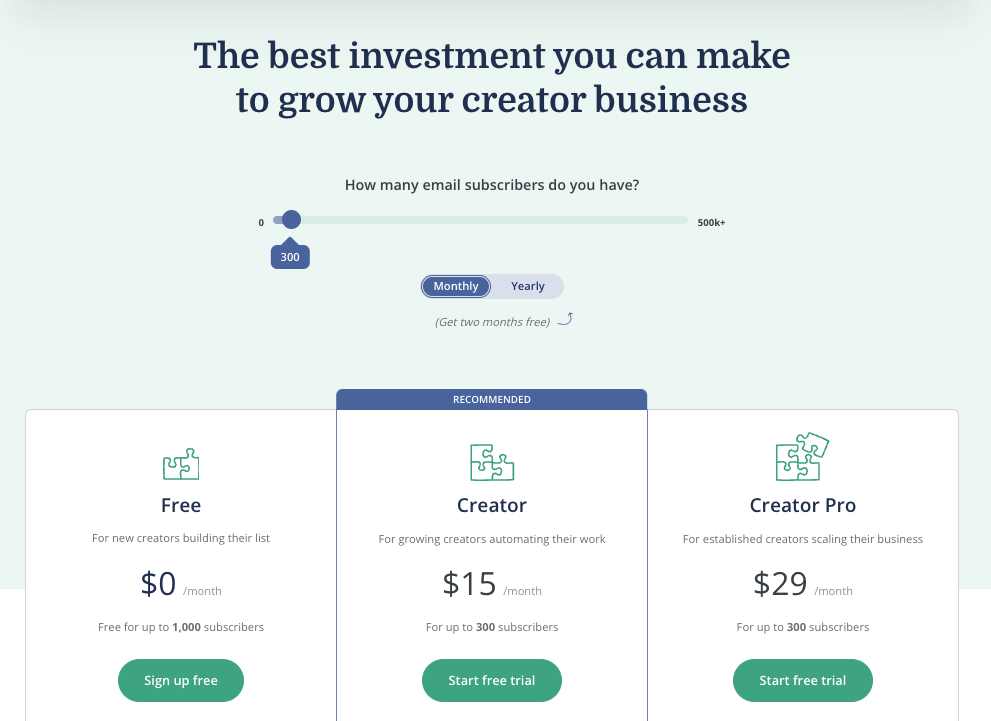
One person also loves how the simplicity saves him time: “In using Podia for these past few days, I’m seeing how the simplicity can help me take more action faster & get more value to my people without getting hung up in the tech.”

Customers also seem to love the lack of limits on everything from products and customers to pages and emails, saying things like “looove the fact that you get unlimited everything, so no more tiers to squeeze through” and “I like the fact that Podia gives its users unlimited hosting of video content through one of the premium video platforms. This means that you can upload all kinds of videos, as well as PDF and other types of learning materials, without having to worry about potentially ‘running out of storage’.”

Finally, Podia customers seem to love Podia’s stellar customer service, saying things like “The customer service is absolutely amazing!” and “they have exceptional chat customer service. If you have any problem, you can just ask them and they answer really fast.”The
free migration service
is also a helpful bonus for those switching platforms and is mentioned throughout the reviews (“the team were able to migrate me in less than 24 hours and the support is so personal and caring”).

While very close, it’s also worth noting that Podia is rated
4.8/5 stars on Capterra
, while Kajabi is rated 4.3/5 stars and Thinkific is rated 4.6/5 stars on Capterra.

Who is Podia best for?

At its core, Podia is for creators who are looking for a simple, intuitive, and affordable all-in-one platform that supports all types of digital products while providing seamless content delivery. It’s also ideal for creators who want the flexibility to grow their businesses without limitations and to get the helpful and responsive support they need to succeed.In a nutshell, we believe Podia is best for creators who:

  • Want a simple, intuitive, and affordable all-in-one course platform

  • Sell (or plan to sell) online courses, webinars, memberships, communities, coaching, and/or digital downloads

  • Want the option of getting started with a free plan

  • Want to offer live chat on their own website and sales pages

  • Want fast, helpful, and friendly customer support

  • Don’t want limits on the number of products they can create

Podia’s key features

While there’s a lot of love about Podia, below are the key features that are highlighted prominently on the Podia Features page and throughout the site, as well as what was mentioned most frequently in public reviews.

Podia’s free plan

Podia makes it easy for creators to start their online businesses without breaking the bank. Podia’s free plan comes with a full website, one digital download, one coaching product, and an online community where you can connect with your followers.The free plan also enables you to start growing and communicating with your email list. Free plan users only pay a 10% transaction fee on sales.
Create your free account today.

Online courses

Podia offers creators a simple and intuitive
course builder
that makes course creation easy. With Podia, you can build beautiful and modern standalone courses, drip courses, bundled courses, and more. You can even pre-sell courses, allowing you to validate ideas and earn sales before putting in any work.

Digital downloads

Podia supports every type of
digital download
you can imagine, for eBooks and PDFs to templates, music, audio, video, and more. Sell downloads on their own, use them as lead magnets to capture emails, or bundle them together with others products.

Webinars with live or pre-recorded videos

Host live or pre-recorded
video sessions
with unlimited participants by connecting your YouTube Live or Zoom accounts, and your audience will be able to register – and pay – for access through your Podia site.

Membership sites

With Podia, you can create as many
membership plans
– for as many members – as you want, with each featuring different perks, content, and prices.Membership sites include public and members-only posts, product bundling with your memberships, recurring subscriptions for members, and integrations with Facebook, Slack, or Palapa.You can set up all the details of your membership through our
community feature.

Coaching

Run your coaching business directly from Podia! Sell one-to-one coaching sessions with built-in scheduling integrations with many popular platforms, including Calendly, Acuity, YouCanBookMe, and Savvycal.You can also integrate coaching directly into your courses, which is especially helpful for student satisfaction and course completion rates.

Affiliate programs for your customers

Turn your fans into sales reps by launching your own affiliate program. Within your
affiliate program
, you can set custom commission terms, invite affiliates, and reward them for helping you grow your business (only available on “Shaker” plan).

Beautiful, easy-to-build custom website/pages (no coding required)

Using
Podia’s site editor
, you can quickly and easily build a custom, professional-looking website for your online business (as well as custom landing/sales pages) without design or technical knowledge.

Built-in email marketing tools

Send one-off emails or automated, multi-touch sequences with Podia’s built-in
email marketing tools
. The built-in marketing tools also include email capture, segmentation capabilities, email analytics, and more. Bonus: Podia is also the only online course platform that gives you complete revenue metrics for every email you send.

Live chat messaging to interact with visitors and customers (exclusive to Podia)

The same way Podia offers chat support to potential and current Podia customers, you can also offer
live chat
to your potential and current customers by enabling the “live chat” widget on your website and sales pages. This functionality is unique to Podia and is not available through Thinkific or Kajabi.

Embedded checkout

Sell in more places (and increase your chances of conversion) with
Podia’s embedded checkout feature
, which features a fast and simple checkout process that’s been tested and optimized for conversion (available on “Shaker” plan).

Automatic VAT calculation for EU customers

If you’re in the EU, Podia will calculate the amount of VAT due from each customer, add the VAT to the customer’s bill, collect that money to your Stripe or PayPal account, and store all the tax data you need to make an accurate VAT return.

Payment plan options

If your customers prefer to pay in installments (vs all upfront), you can allow your students to pay over time with Podia’s simple payment plan options.

Coupons

Entice customers to buy (and make more sales) by creating custom coupons for individual customers, one-time purchase, limited-time deals, and more.

Pre-sell courses

If you have a course idea (or your course is WIP), you can use Podia to pre-sell your course, which means you can promote it, capture email addresses, and even collect payments before putting in any of the work (great for validating ideas, as well).

Bundles

Have similar products you want to sell together? Use Podia’s Bundle feature to sell complementary products together at a discounted rate as a way to increase sales.

Upsells

Increase the size of every order by offering relevant upsells (like additional products or a mix of products and live trainings, webinars, etc) to customers who purchase your digital downloads.

Quizzes

Test your students’ knowledge and ensure concepts are being properly absorbed by incorporating quizzes throughout your online courses.

Drip content

Want your content to arrive at specific intervals? Use Podia’s Drip Content feature to automatically deliver specific content at specific times throughout the customer journey.

Student comments

See student questions, get their feedback, or just start a conversation by allowing customers to “like” and comment directly within your course content.

Course completion certificates

When students complete a course, automatically recognize and reward their effort with a simple yet elegant course completion certificate (available on Mover and Shaker plans).

Podia pricing: A quick breakdown

With
paid plans
starting at just $4/month (and only going up to $89/month), Podia is considered much more accessible to creators at every level, which is why “good value for the money” tends to be a highlight across public reviews.

Kajabi, on the other hand, is much more expensive and far more limiting in comparison to Podia’s plans, even though Podia offers over 90% of the same features as Kajabi.

And speaking of limits, Kajabi has limits on just about everything, and while Thinkific has fewer limits on things like number of courses, students, etc., they have considerable limitations when it comes to email marketing and membership tools, lack of support for digital downloads, and more.

Podia, by comparison, gives you unlimited products on Mover and Shaker plans, built-in email marketing and membership tools, support for digital downloads, and everything else you could need to run your online business. Below is a high-level breakdown of what’s included in each of Podia’s four plans:

Now that you know a bit more about Podia, let’s dive further into the pros/cons, so you can compare them to the pros/cons of Kajabi vs Thinkific

It wouldn’t be a fair evaluation of all three online course platforms without a review of Podia’s pros and cons. Our honest assessment is below, but we encourage you to check out reviews sites and independent reviews of Podia to form your own conclusions.

Podia Pros

In addition to all of the key features listed above, below are some of the reasons creators love Podia, according to our internal data as well as public data on review sites.

A true “all-in-one” online course, website, and email platform

Podia supports every type of digital product you can imagine (including online courses, digital downloads, community, coaching, memberships, and webinars), plus, the platform offers built-in tools for building your own website/landing pages, capturing leads, sending emails, processing payments, tracking revenue, student progress, and so much more.

Simple, intuitive, and easy to use

There’s a reason Podia is rated so highly for “ease of use” in independent reviews — it’s dead simple. And it was intentionally designed that way, making it a great choice for creators at every level, regardless of their design or technical ability.

Affordable monthly plans

From the outside, it may seem like Thinkific is the most affordable option, given that they have a free plan, and their first paid plan starts at $49/month. But if you’re serious about growing your business, at some point, that free plan isn’t going to work for you anymore, which means you’d have to upgrade to Thinkific’s $99/month plan.

The problem is, that plan has fewer features and more restrictions than Podia’s Mover plan which is just $39/month and Podia’s Shaker plan which is just $89/month.

Unlimited creativity

Podia allows you to create unlimited products on all Mover and Shaker plans.

In contrast, Kajabi has limits on nearly everything.

Thinkific has fewer limits than Kajabi, but they’re more limited in terms of functionality, especially when it comes to email marketing tools, membership tools, support for digital downloads, and more.

Chat + email support 7 days a week on all plans

Podia provides chat and email support 7 days a week for all users, which means there’s always someone there if you have questions or need help.

Free migrations

If you’re moving from another online course platform, Podia will migrate all of your content for free if you become a paying customer on one of the Mover and Shaker annual plans. Neither Kajabi nor Thinkific offer free or paid migrations, which means you have to make the time-consuming (and sometimes confusing) transition on your own.

Built-in live chat on your website/sales pages

Podia is the only all-in-one online course platform that offers a built-in, live chat widget that you can use to communicate with potential customers and paying customers who are logged in to Podia. With live chat on your website and sales pages, you can answer questions and offer tailored content to your leads, enticing them to buy or engage your students, answer questions, get feedback, and more.
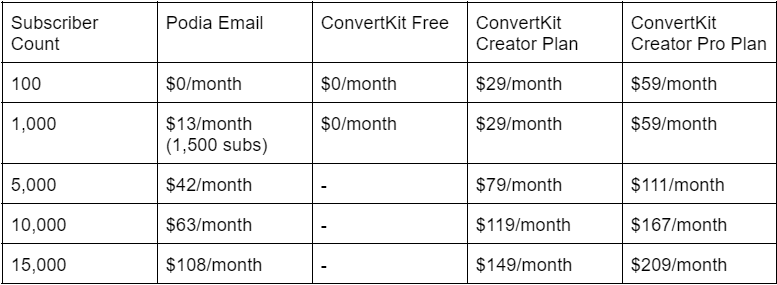
Kajabi nor Thinkific offers built-in live chat, which means if you want that feature for your online business, you’ll have to pay an additional fee every month for expensive live chat software.

Podia Cons

As with all online course platforms, Podia also has a few downsides you be aware of when comparing it to other all-in-one online course platforms like Kajabi and Thinkific.

No advanced CSS/HTML customization options

While Thinkific and Kajabi both offer advanced customization options (which means you can access the code editor), Podia does not.

This means Podia is not ideal for creators who have a very specific design aesthetic that requires custom coding and is a much better fit for creators who want a sleek, modern, and professional-looking online business, but don’t want to spend a ton of time or money trying to get it.

No pre-set templates for website, courses, or landing pages

While these are all in the works, Podia does not currently offer a robust set of templates or themes that creators can use to create their websites, landing pages, or courses (compare to Thinkific and Kajabi which offer pre-design templates for courses and websites/pages).

That being said, Podia does offer plenty of easy-to-use design options (including changing colors, fonts, adding a logo and favicon, images, videos, adding sections, etc) that allow creators to build modern, professional-looking websites/landing pages that can be customized to fit your branding or aesthetic.

No phone support

While Thinkific offers email and phone support, Podia and Kajabi do not. That being said, both Kajabi and Podia offer email and chat support (though it’s worth noting that Podia offers support 7 days a week for all their plans while Kajabi only offers support 5 days a week for their Basic plan).

Some limitations with email

Like Kajabi, Podia also has email marketing tools built directly into the product, but also like Kajabi, Podia’s email tools are not perfect, especially in comparison to email service providers that are only focused on email (vs Podia or Kajabi which are “all-in-one” tools focused on multiple features).

Both Kajabi and Podia offer very similar email capabilities, including the ability to send one-time emails or automated drip sequence and the ability to segment your audiences, however, Kajabi does offer some email templates and a “visual editor,” which allows you to move design components around (this is not currently available in Podia).

The good news is, if you don’t want to use the native email tools, both Kajabi and Podia offer integrations with popular email service providers like Mailchimp, ActiveCampaign, ConvertKit, Drip, and many others.

In comparison, Thinkific does not have an advanced, built-in email marketing system, as you’re really only able to send messages to students (vs leads) and cannot send more complex sequences (or track performance) without integrating with an email service provider like Mailchimp, ConvertKit, Aweber, etc.

How does Podia compare to Kajabi vs Thinkific?

Now that you know more about each of the three course platforms (including key features as well as their pros/cons), we’ll now compare Kajabi vs Thinkific to Podia so you can clearly see the differences between each platform.

Kajabi vs Podia

How do these two platforms stack up against each other? Check out the pro/con highlights below to see which platform might be the better choice for you.

Podia is simpler and easier to use

When you compare Podia vs Kajabi on Capterra, Kajabi has 4.0/5 stars for “ease of use” while Podia is rated 4.6/5 for the same category. It’s close, but Podia edges out Kajabi just slightly and we believe that’s due to the simplicity of the product.

While it is true that many Kajabi customers also find Kajabi easy and intuitive, we’ve also seen reviews (and heard from previous Kajabi customers) that it can be very time-consuming and difficult to learn, even if you have experience and some technical skill.

Podia is more affordable (better value)

As you can see from the chart further down the page (in the section “Let’s compare all three across every feature and offering”), Podia offers over 90% of the same features as Kajabi, but Kajabi costs significantly more than Podia (the range depends on
the plan
).

Yes, Kajabi offers advanced customization options, more templates, and slightly better analytics (more on that below), but for some creators, that’s not a reason to pay hundreds more than they would pay with Podia for nearly the same features.

That being said, every creator is different and some are absolutely willing to pay more for those few extra options — it just depends on your business, goals, and budget.

Podia offers more flexibility — Kajabi has limits on every plan

While Podia allows you to make unlimited products on the Mover and Shaker plans, Kajabi has restrictive limits on just about everything you need to run a successful online business (including number of products, marketing pipelines, and contacts.

This is not only restrictive, but can become very expensive as your business grows, as you’ll need to keep upgrading to more expensive plans in order to remove limitations.

Kajabi offers more templates

It’s no secret that Kajabi offers pre-designed templates for products, websites, and pipelines/funnels, which makes it easy for creators to get up and running quickly.

While Podia does not offer templates for products, Podia does offer basic website/page templates that can be customized (i.e. – changing colors, fonts, adding visuals, videos, logo, favicon, sections, etc) to fit your needs. Podia also has several beautiful
email templates
that are equally easy to customize.

Podia offers live chat on storefronts and sales pages — Kajabi does not

Unlike Kajabi or Teachable, Podia is the only online course platform that offers
on-page live chat
so you can answer questions and close deals with site visitors and converse with customers who are logged in to their Podia accounts.This feature is exclusive to Podia and it will give you many more opportunities to sell without having to spend additional money every month on expensive live chat software.

Podia offers course completion certificates — Kajabi does not

Like Thinkific, Podia offers built-in course completion certificates, but Kajabi does not (you’d have to use a third-party tool like Canva to create them then set up automated emails to deliver them upon course completion).

Podia offers free migrations — Kajabi does not

For anyone coming from another online course platform, Podia offers
free migrations
with any annual Mover and Shaker plans.All you have to do is provide Podia with your login information and the Podia team will handle the rest for you. Kajabi does not offer a migration service of any kind, which means you’ll have to handle the time-consuming transition on your own.

Thinkific vs Podia

Now that you know how Kajabi compares to Podia, let’s compare Thinkific to Podia (including the top pros and cons) so you can clearly see which is the best choice for you and your business.

Podia supports ALL digital products, not just courses

While Thinkific’s marketing site emphasizes “courses and membership sites” once you look under the hood, it becomes clear that Thinkific is really focused on online courses. Podia, on the other hand, is focused on all types of digital products, from courses and digital downloads to webinars, coaching, and memberships.

If you’re a creator who sells more than just online courses (or plans to in the future), this is an important differentiator, as Thinkific simply does not offer the features and functionality you need to expand your product offering.

Because Podia supports all types of digital products, you can start with any kind of product then continue to expand your product inventory over time (which is a typical growth trajectory of successful online businesses).

Podia offers advanced email marketing tools — Thinkific does not

While Thinkific allows you to send messages to your students and gives you the ability to integrate with email service providers like Mailchimp, ConvertKit, and others, Thinkific does not offer advanced, built-in email marketing tools like Podia does.

With
Podia’s built-in email marketing tools
, you can send unlimited one-time emails or more complex automated campaigns, segment and tag your list, track performance, and more — all in the same place you do everything else.

If you prefer to use your own email service provider, Podia also offers native email integrations with ConvertKit, Mailchimp, Drip, AWeber, ActiveCampaign, GetResponse, and MailerLite.

Thinkific offers more robust course customization

One of the benefits of Thinkific being so laser-focused on online courses is the fact that they offer so many customization options for your course/student experience. With Thinkific, you can offer different types of courses and lessons (i.e. – self-directed, group, hybrid, evergreen, scheduled, etc), prerequisite lessons or courses, you can require video completion, control the visibility of your courses (public, private, hidden), and more.

While Podia does offer some of the above (such as self-directed, evergreen, dripped, and scheduled courses) Podia does not yet offer prerequisites, multiple course creators or revenue sharing options. Creators can, however, use our
Zoom
integration to organize group lessons as part of the course, or embed coaching to any course lesson for your students.

Thinkific has a few more student engagement tools than Podia

Similar to the above, Thinkific also has a slight advantage over Podia when it comes to student engagement tools. With Thinkific, you can include quizzes, assignments, exams (requires integration), student course reviews, surveys, automated check-ins, and more — all of which are great for keeping students engaged.

While Podia does offer some of the above (quizzes, ability to comment/like content within the course, progress indicators, and the ability to set up drip sequences for onboarding, check-ins, etc), Podia does not currently offer assignments, exam integrations, student course reviews, or student surveys.

Thinkific and Podia offer free plans

Both Thinkific and Podia offer free plans so you can start selling your knowledge online without a big upfront budget.

On Thinkific’s free plan, you can create one course and a website, but you won’t be able to offer things like email marketing, live lessons, drip content, and affiliates.

On Podia’s free plan, you can build a complete website and an online community, and sell one coaching product and one digital download. You can also start building your email list and set up drafts of as many products as you like, so they’re ready to go the minute you decide to upgrade.

Podia offers VAT processing — Thinkific does not

If you’re in the EU, Podia will calculate the amount of VAT due from each customer, add the VAT to the customer’s bill, collect that money to your Stripe or PayPal account, and store all the tax data you need to make an accurate VAT return.

Thinkific, on the other hand, does not offer built-in VAT tax processing, which means you’ll have to use a workaround or a third-party tool to help you.

Podia offers free migrations — Thinkific does not

Any creator who’s migrated from another online course platform knows how time-consuming and frustrating that process can be, which is why Podia offers a free, white-glove
migration service
for customers on any annual Mover and Shaker plan. Neither Thinkific nor Kajabi offer this as a paid or free service, which means the entire transition is on your shoulders.

Podia has a built-in message feature between creators and students — Thinkific does not

If you don’t have live chat on your website or sales pages, you could be missing out on potential sales (not to mention engaging with and learning from potential and current customers, helping leads overcome objections, and more).

Knowing how important live chat is to the sales process, Podia offers a
built-in live chat feature
which allows creators to converse directly with leads and customers who are logged in to their Podia accounts. Neither Thinkific nor Kajabi offer a live chat feature.

TL;DR: Why choose Podia over Kajabi and Teachable as your online course platform?

Whether you read through the entire piece or jumped down to this section, you may still be wondering: Which of these all-in-one online course platforms is the best choice for me?

While we can’t make the decision for you, we recommend reading through public reviews and each section above so you can get a clearer sense of how the platforms compare to each other.

But if you just want a few quick reasons for choosing Podia over Thinkific or Kajabi, check out the list below or simply give Podia a test drive yourself by
creating a free account
.

Simple and easy to use, regardless of experience or skill

On Capterra, Podia is rated highest for “ease of use” with a 4.6/5 rating (Thinkific is rated 4.5/5 and Kajabi is rated 4.0/5), making it a great choice for creators of all levels who want a platform that’s simple, intuitive, and easy to use.

With Podia, there’s no technical or design skills required, and if you do happen to have questions, you can always reach Podia’s world-class support team 7 days a week on
chat or email
.

Just about everything is unlimited

With Kajabi, just about everything is limited including restrictions on the number of products you can sell, who you can sell to, how many websites you can have, and more. While it’s true that Thinkific has fewer limitations in terms of courses, students, hosting, etc, they are lacking in terms when it comes to email marketing, memberships, and support for digital downloads.

Podia, on the other hand, gives you unlimited students, sales, products, hosting, and website pages. You can get started for free, and when you need more features, you can upgrade to a Mover or Shaker plan for unlimited everything.

Podia also offers robust email marketing and a community feature, as well as support for digital downloads.

More bang for your buck

As you may have seen from the price comparison chart above, Podia offers the most
affordable plans
with the most features and least limitations, making it an ideal choice for beginners and advanced creators alike.

With Kajabi, you could pay hundreds more for over 90% of the same features Podia offers. With Thinkific, you will pay similar prices to Kajabi to get the same (or fewer) features and more restrictions than what you’d get with Podia OR Kajabi.

A true “all-in-one” platform with more built-in tools

While Kajabi is certainly on par with Podia in terms of being an “all-in-one” product, Thinkific is not quite up to snuff when it comes to built-in product and marketing tools.

For example, Podia offers built-in support for all products — courses, digital downloads, memberships, and webinars — while Thinkific is really more focused on courses with some support for membership sites and webinars (but both require workarounds).

Podia also offers robust, built-in
email marketing tools
complete with broadcast and drip sequences, segmentation, and analytics, whereas Thinkific really only offers “student messaging” that’s framed as “email marketing,” as it doesn’t have the robust functionality you need to go beyond simple “welcome” or “check-in” style messages.

In our opinion, Thinkific is more focused on the course/student experience, which is great, but that alone isn’t going to help you build or scale a thriving business.

Live chat included on YOUR website and sales pages

There’s a reason live chat is featured on the websites of the world’s most successful companies — it’s an effective tool that can help you engage your visitors, overcome objections, and make more sales.

Knowing this, Podia has a
live chat messaging feature
built into the product that you can add to your website and sales pages, so you can offer a more personalized customer experience and close more sales. This feature is exclusive to Podia and is not available through Kajabi, Thinkific, or other “all-in-one” online course platforms.

Free migration included on annual Mover and Shaker plans

If you’re moving from another platform to Podia, you’ll love Podia’s
free migration service
which is included on all annual Mover and Shaker plans. Simply provide your login information to the Podia team and they’ll move all of your products, customers, and more to the Podia platform for free.

There’s no headache, frustration, or wasted time — you can just pick right back up where you left off. Neither Thinkific nor Kajabi offers a migration service of any kind, which means you have to make the time-consuming and sometimes frustrating “move” on your own.

Always evolving to accommodate industry trends & customer requests

If you want a platform that’s always open to your feedback and
constantly making updates
to the product, Podia is the right place for you.

Every month, the team ships updates to existing products while building out new ones to accommodate industry trends and customer requests, ensuring the product is always up-to-date and secure.

Try Podia for free to see how it compares to Kajabi and Thinkific

You could read all of the reviews and comparison articles in the world, but you won’t truly know which platform is right for you until you give them a try.

Try Podia today for FREE
to see exactly how it stacks up against Kajabi, Thinkific, and other online course platforms. You can set up your website, community, and first product without paying a dime, and you can even make drafts of other product types to see how things work behind the scenes.

While we hope you become a Podia customer, we also want you to select the online course platform that’s right for you and your business, so no matter what you decide, we wish you the best of luck on your journey and hope you find success!

Get your free Podia account

Join the 150,000+ creators who use Podia to create websites, sell digital products, and build online communities.

Sign up free

Kartra vs Kajabi: Which is the best choice for creators?

Software Stack Editor · July 2, 2024 ·

See how Kartra and Kajabi compare to each other (and to Podia) to help you decide what is the best platform for you.

Jump ahead

In this article

Whether you’ve just started your online business or you’re looking to switch platforms, the question of “which platform is right for me?” will inevitably come up.

To get answers, you’re doing the sensible thing: checking ratings, reviews, and reading blog posts like this which may not have all of the answers, but can hopefully point you in the right direction.

In this blog post, we’ll be evaluating two popular “all-in-one” business solutions — Kartra and Kajabi — so you can see what they’re all about, how they compare to one another, and which one will be the best fit for you and your business.

This article is informed by our knowledge of the industry (more on that in a moment) as well as the information we found on the Kajabi and Kartra websites, in public reviews on comparison sites like Capterra and G2, and even in other comparison articles like the one you’re reading now.

Before we dive in, we’d like to call attention to the fact that this article was written by the Podia team, another “all-in-one” solution for digital content creators that may also be on your radar (if we’re not on your radar, you’re in luck, as we’ll also be covering our platform as a third option for comparison).

While it may seem like it would be impossible to conduct an unbiased evaluation of our competitors and our own platform, we really did our best to assess each platform honestly and transparently, using public information vs our own perceptions and biases.

We also want to make it clear that this article is not about tearing any of our competitors down — if anything, it’s about highlighting the best parts of each (and yes, the downsides), so the right creators can get matched with the right platforms.

With that said, let’s get into our honest review of Kartra vs Kajabi, starting with Kajabi.

Kajabi: A quick overview

According to the Kajabi marketing site, Kajabi is an “all-in-one business platform to create and scale your knowledge business” with “a full suite of world-class online business tools working seamlessly together.”

In terms of history, Kajabi has been around for a little over a decade (they came on the scene in 2010) and according to their website, they serve about “40,000+ serious experts, entrepreneurs and influencers around the world.”

Throughout their marketing, Kajabi focuses on the “all-in-one” aspect of the platform, while also promoting key features including the “customizable templates” (which can be used to build “personalized websites, theme-based landing pages, and emails”), their robust analytics feature, and marketing automation features (which can help you gain insight into your customer base and provide more personalized customer experiences).

Based on their public reviews across sites like Capterra and G2, Kajabi’s customers seem to love the “all-in-one” aspect of the product, as it allows them to consolidate their toolsets while saving them money and making their day-to-day processes more efficient. As one reviewer from Capterra put it: “Kajabi has everything you need all in one place. No more piecing together various platforms to build your business.”

And while Kajabai tends to be known as one of the more “pricey” online course platforms out there, one reviewer says, “when you consider that you can run online programs, host your website and blog, have emails, and more, it’s really pretty reasonable.”

Reviewers also like the fact that Kajabi provides a helpful onboarding experience to new users, with one Capterra reviewer saying “I also thought the onboarding process was pretty strong in that they sent you email trainings which helped with the setup” and “they have the ‘onboarding a new customer’ process down. From the training to the welcome video from the founder, they do make you feel like you have made a good choice right from the start.”

Reviewers also highlighted the fact that Kajabi is constantly improving their product (multiple people said things like “they are always innovating to improve things”), which is important, as according to one of their customers, “[Kajabi] does everything. But it’s not the best at anything.”

Kajabi is rated
4.3/5 stars on Capterra
and
4.4/5 stars on G2
.

Who is Kajabi best for?

When you compare
Kajabi
to all of the other online course platforms out there, it’s one of the more expensive options and is generally viewed as a more “premium” solution. For this reason, it tends to attract more advanced creators who’ve struggled with the “duct tape solution” and are in need of an “all-in-one” course platform complete with an in-depth CRM, analytics, advanced marketing features, and more.

But a more robust solution like Kajabi also comes more complexity, a heftier price tag, and limitations on products, customers, and more; for these reasons, we believe Kajabi is most ideal for advanced creators who:

  • Have a small number of products

  • Are not constrained by budget or price

  • Are more focused on automation and analytics

  • Are more technically savvy and comfortable with a learning curve

  • Have an established online business and want to scale their success

Kajabi’s key features

From their beautiful templates and student engagement tools to their pipelines and automations, there’s a lot to love about Kajabi. Below we highlight their core features so you can get a clear comparison between Kartra vs Kajabi.

Products

Kajabi supports nearly every type of digital product you can think of including online courses, digital downloads, membership sites, subscriptions, coaching, and more.

There’s just one catch: With every Kajabi plan comes strict limits on the number of products you can offer within each of Kajabi’s plans. For example, the Basic plan ($149/month) has a limit of 3 products while the Pro plan ($399/month) allows for up to 100 products.

Websites / landing pages

With Kajabi, you can build your whole website (including a blog, about page, homepage, more) and create as many beautiful landing pages as your heart desires (there are no limits on landing pages and a good number of templates to choose from).

Templates

Speaking of templates, Kajabi includes a nice library of them within their Page Builder so you don’t have to build your pages from scratch. Simply select your page type (like lead capture, sales policy, etc) then easily customize it to fit your branding or desired aesthetic.

Payment processing

Like most all-in-one online course platforms, Kajabi offers a secure payment gateway that integrates with Stripe and PayPal to capture customer payments quickly, safely, and efficiently. Kajabi also offers instant payouts and does not take any additional transaction fees.

Email marketing tools

Send one-time or automated email sequences with Kajabi’s built-in email marketing tools. The system also includes email templates and a visual editor for quick customization, plus audience segmentation tools and analytics so you can track growth and engagement.

Pipelines

Similar to Kartra, Kajabi offers pre-made “pipelines” (or funnels) you can customize and use to automatically capture email addresses, nurture leads, make sales, re-engage customers who abandon during the checkout process, and more (great for building sales funnels).

Analytics

Track your performance at every step of your marketing funnel with Kajabi’s built-in analytics and reporting tools. Within your dashboard, you’ll be able to easily track revenue, churn, pageviews, subscriber rate, and more.

Customer management (CRM)

With Kajabi’s built-in CRM, you can keep track of all your subscribers/customers/students, organize them into segments, review purchasing history, progress, send notifications, and more.

Webinars/Events

Host webinars, live trainings, virtual summits, pre-recorded events, and more with Kajabi Events (perfect for coaches or anyone who is selling 1-on-1 or group services).

Quizzes and surveys

Engage your students, track progress, test student knowledge, gain insight into leads, and more with Kajabi “Assessments” which are easy-to-use quizzes and surveys.

Live chat support

Have questions or need help? Kajabi is available to answer your questions and provide helpful guidance on live chat and email 5 days a week (Monday-Friday, 6AM-5PM PST) on their Basic plan and 24/7 on their Growth and Pro plans.

Kajabi University training

Whether you’re just getting started or want to learn something specific, Kajabi University has tons of free bootcamps, in-depth guides, training videos, webinars, and more to help their customers succeed.

Kajabi pricing: A quick breakdown

With plans starting at $69/month and going all the way up to nearly $400/month, Kajabi is certainly one of the more expensive online course platforms out there, but it’s still cheaper than ClickFunnels (more on that later).

Below is a breakdown of Kajabi’s pricing across their 4 core plans and a high-level overview of what’s included in each so you can get a sense of which plan might be the right choice for you:

  • Kickstarter ($69 per month): 50 landing pages, 1 product, 1 funnel, 250 contacts, 50 customers

  • Basic ($149 per month): Unlimited landing pages, 3 products, 3 funnels, 10,000 contacts, 1,000 customers

  • Growth ($199 per month): Unlimited landing pages, 15 products, 15 funnels, 25,000 contacts, 10,000 customers

  • Pro ($399 per month): Unlimited landing pages, 100 products, 100 funnels, 100,000 contacts, 20,000 customers

Kartra: A quick overview

Like Kajabi, Kartra also markets themselves as an “all-in-one platform” that has “everything you need, all in one place!”

But unlike Kajabi, Kartra has only been around for a few years (Kartra was founded in 2018 while Kajabi was founded in 2010); it’s unclear exactly how many customers Kartra serves, but their Facebook group has over 20,000 members in it, which may give you a sense of their size.

On their website, Kartra emphasizes their robust feature set and alleviating the “duct tape problem” that so many creators struggle with when it comes to running a cohesive online business. They also emphasize their support, intuitiveness, and the fact that the “all-in-one” nature of the platform can save you lots of time and money.

On public reviews on sites like G2 and Capterra, customers echo these statements, particularly around the “all-in-one” aspect, with 2021 reviews saying things like “it has everything in one, email, funnels, memberships, and so much more,” “it’s a one stop shop for all marketing and CRM and lead generation needs” and referring to Kartra as “a comprehensive, all-in-one-business solution.”

Customers also noted the money and time-saving benefits that come along with an “all-in-one” solution like Kartra, saying things like “I was able to deactivate other CRMs and apps that we were using. In fact, at the end of the day, I was able to save money,” and “I do not need any other software to host or market my online courses. Everything ties together. So much time and money saved!”

Outside of the “all-in-one” and time/money-saving benefits, some reviewers also highlighted Kartra’s ease-of-use saying things like “everything is easy to learn and straightforward to use” and “I love how easy it is to set up sales pages and start selling straight away. Before Kartra I would battle with my wordpress pages and setting up forms, but with Kartra I started to sell products and services almost instantly.”

Some reviewers were also impressed with the tagging/automations functionalities, saying things like “the way the leads are classified and able to be tagged are definitely awesome!” and “it also manages my database with ease and I can send follow up email sequences with ease. It’s made my marketing so easy and follow up sales are set on auto-pilot.”

While there was a lot of positive comments about the software, there were also a lot of negative comments about the lack of customer support and complexity of the platform with reviewers saying things like “extremely slow UI and terrible customer support,” “support is just awful!” and “the customer support function has recently deteriorated very significantly.”

We’ll get into this more later in the article, but we thought it might be worth mentioning as Kartra’s overall ratings (see below) seemed to be brought down by these recurring negative comments and may be important to consider if reliable customer support is important to you.

Kartra is rated
3.9/5 stars on G2
,
4.5/5 stars on Capterra
, and
2.9/5 stars
on Trustpilot.

Who is Kartra best for?

As an “all-in-one” solution with a robust feature set including advanced automations, funnels, tagging, and more, we believe
Kartra
may be best for more advanced business owners who have a solid grasp of the aforementioned and are looking for ways to consolidate their toolsets and make their processes more efficient (and to save time/money in the process).

However, with the robustness of the platform comes more complexity and a steep learning curve (we’ll get more into this later in the article), so be sure to take that into consideration when making your decision.

To recap, we believe Kartra is best for:

  • Those looking to consolidate their toolsets

  • Businesses that sell a variety of products: services and digital/physical products

  • Beginners who can invest time and resources into learning a more complex system

  • More advanced business owners who can handle a steeper learning curve

  • More established businesses that have a need for advanced automations, funnels, etc.

  • Business that would like to save money by consolidating tools (however, not everyone will save money by using Kartra, but it may be possible depending on your current toolset, business, etc)

Kartra key features

With the high-level intro’s out of the way, let’s get into the meat of the Kartra platform. What’s under the hood? What makes it special and unique? Below we dive into their core features, starting with Checkouts.

Kartra Checkouts

In addition to being fast, easy, and secure, Kartra’s Checkout feature is highly customizable, allowing you to sell any type of product, accept a variety of payment methods, offer multiple payment options (i.e. – one-time, recurring, free trials, etc), custom checkout fields, and more.

The Checkout feature also has free templates, the ability to serve up different offers based on on-site or purchasing behavior, cart abandonment tagging (for easy follow-ups), the ability to add upsells, downsells, cross-sells, add-ons, special promotions, and more.

Kartra Pages

Like Kajabi, Kartra also offers a drag and drop page builder/editor that comes with 500+ professionally designed, mobile-optimized page templates, as well as pop-up templates for capturing leads, promoting special offers, and more.

Along with being able to build beautiful landing pages, you can also build a full site through Karta (though it doesn’t offer robust blogging capabilities), conduct split tests, customize each page by device types, and track performance across all pages.

Kartra Leads

Kartra Leads is essentially their version of a CRM, which allows you to see detailed information on each of your contacts. You can organize, tag, and even score each contact based on their on-site or purchasing behavior and track their journeys with robust historical data (this gives you more visibility into the journeys of your customers, allowing you to more easily identify patterns, detect issues, adjust your approach based on data, and more).

Kartra Funnels & Campaigns

Build multi-page flows that span the whole customer journey, including capturing leads and converting them into customers, repeat business, brand advocacy, and more.

Funnels & Campaigns also sync with your CRM tagging system and email marketing tools (and have robust “if this” “then that” style automations), making it easy to build complex sequences designed to make you more sales. This feature also includes pre-made marketing campaigns you can use as is or customize according to your goals and needs.

Kartra Mail

Send one-off or automated email/SMS campaigns or build more complex, automated email sequences. It also includes built-in segmentation that syncs with their Funnels & Campaigns feature (for building more advanced automations funnels), split testing (for testing content and subject lines), and email analytics for tracking KPI’s including open rates, clicks, revenue, and more.

Kartra Memberships

Organize and share your content with your members using Kartra’s drag and drop membership portal builder. The builder includes membership site templates that, once set up, you can use to deliver your content, training material, courses, and more (you can also offer different membership tiers for different customer types). This feature includes progress tracking (for you and members), engagement tools, analytics, and a robust CRM for managing members.

Kartra Surveys & Quizzes

Learn more about your leads/customers/subscribers by sending a survey or test your students’ knowledge with a custom quiz. This feature includes a variety of question types and templates you can use to quickly and easily gather insight into your audience.

Kartra Videos

Unlike a traditional video player, Kartra’s video player allows you to add calls-to-action, pop-ups with special offers, and checkout buttons directly into the video experience. It also allows you to assign tags based on consumption so you can send more targeted messages, follow-ups, rewards for completion, and more.

Kartra Help Desks

Instead of paying for customer service software, Kartra includes a fully integrated Help desk portal with support ticketing and live chat so you can communicate directly with customers whenever there’s an issue that needs your attention.

Kartra Calendars

If you offer coaching services like one-on-one or group training sessions, Kartra’s Calendar feature is perfect for you, as it will allow leads/customers to book scheduled sessions with you when it’s convenient for them.

Kartra Forms

Kartra’s Forms include a variety of form templates for capturing leads and collecting specific information with custom fields. You can also tag leads and add automation rules for specific types of leads, ensuring each lead has a more personalized journey/experience.

Kartra Affiliates

Get your products in front of more people with Kartra’s Affiliate feature, which allows you to recruit, manage, and track your affiliates, all from one convenient dashboard. Use the affiliate management tools to offer flexible commission structures and tiers, use payment milestones, send instant commissions, and more. You can also vet your affiliates by sending out a questionnaire to interested parties and approving them manually.

Integrations & API

While Kartra markets themselves as an “all-in-one” solution, they also offer a variety of native and custom integrations with major payment gateways, email service providers, membership platforms, calendar apps, and more. You can also use their API to build custom integrations for whatever tools or systems you may need.

Kartra Analytics

Track your performance from one convenient dashboard with Kartra’s Analytics feature, which tracks everything from traffic and conversions to subscriptions, email performance, Help desk analytics, and more.

Kartra Agency

If you’re an agency or business that runs multiple Kartra accounts for clients, Kartra Agency consolidates all of your accounts into one “master” account, so there’s no need for multiple logins or confusion. From this one account, you can handle all billing, reports, analytics, credentials, and more, making it a simpler and more streamlined solution.

Kartra Marketplace

Whether you want to hire an expert to help you learn and/or manage your Kartra account or sell your services (like consulting, marketing, design services, and more), you can do it all from the Kartra Marketplace.

Kartra pricing: A quick breakdown

It doesn’t take much to see that both Kartra and Kajabi are more “pricey” and that alone could be a reason to pass for certain businesses, but if you’re able to pay at least $119/mo, either platform could be a good fit.

But rather than comparing on price alone, it may be more important to look at the limitations within each plan and to assess them within the context of what’s important to you and what you need for your business to succeed.

For example, if you’re just starting out and you are more budget conscious, Kartra’s starter pricing plan at $119/mo may be an attractive option for you, especially in the beginning when you’re trying to grow. However, you may feel limited by the bandwidth and video limitations (among other things), which could ultimately lead to you paying $229/mo in order to lift those restrictions.

Of course, Kajabi’s base plan at $149/mo also has restrictions around products, pipelines, contacts, and members, BUT, it doesn’t have restrictions around bandwidth, the number of emails you can send, or video, which depending on what you’re selling (i.e. – video-heavy online courses or training programs or email training courses), could be incredibly important to you.

Kartra vs Kajabi pros and cons

Now that you know the basic elements of Kartra vs Kajabi, let’s breakdown the pros and cons of each

By now, you should have a high-level sense of each platform, including their positioning, who they serve, what their customers say about them, and the core features they offer. Now let’s dive into the specific pros and cons of each platform so you can see which may be a better fit for you.

Kajabi Pros

You know what features Kajabi offers, but what are some of the reasons you may want to choose them over Kartra or another platform? Below we dive into Kajabi’s pros.

Designed specifically for those selling online courses and other digital products

Unlike Kartra which is designed for all types of businesses, Kajabi was designed specifically for those who sell specific types of products, including online courses, digital downloads, webinars, memberships, and more.

This means Kajabi is an ideal choice for digital product creators, as the product and features will be tailored specifically to the needs of your business. While Kartra can still be a good choice for creators, it’s not going to have the same features and functionality around certain things like building your online course, engaging with your students, conducting webinars, and more.

Similar CRM and tagging/segmentation/automation capabilities as Kartra

Like Kartra, Kajabi also has a robust CRM with detailed information on each user (including contact info, purchasing history, date of last activity, and so much more) as well as advanced segmentation and tagging capabilities that allow you to set up complex automations. Kartra’s version may be just slightly more advanced, but it’s a close call.

Native webinar feature

Speaking of conducting webinars, Kajabi has a built-in webinar feature which is perfect for creators who are using (or want to use) webinars as a marketing or educational tool. And because it’s built directly into the product, using it will feel seamless and integrated.

Kartra, on the other hand, does not have a webinar feature (that being said, they do have a built-in calendar feature which could be great for individual or group coaching sessions, but it’s not quite the same as a true webinar feature).

Unlimited landing/sales pages on every plan

While Kajabi does have strict limits on products, pipelines, contacts, members, websites, and admin users, it does allow you to create unlimited landing/sales pages, which is great if you’d like to create a full website with a variety of landing pages, a complex funnel with multiple sales pages, and more.

In comparison, you can only host up to 100 pages on Kartra’s Starter plan ($119/mo), though you can get unlimited pages if you upgrade to their $229/mo plan or above.

Unlimited emails on every plan

With Kajabi, you can send unlimited emails to your subscribers no matter which plan you’re on, which is a big pro if email marketing is a core component of your business (and let’s be honest, what successful business doesn’t use email marketing?).

In contrast, you can only have up to 2,500 leads and send up to 15,000 emails/month on Kartra’s Starter plan, which again, is not ideal if you have a bigger email list and want the freedom to contact those subscribers as often as you like.

Community tools to engage with students

As a true platform for digital content creators, Kajabi comes complete with community engagement tools including assessments, course comments, progress tracking, and community management tools that you simply won’t find on Kartra.

True “quiz” feature for assessing student knowledge

While Kartra does offer a “Surveys & Quizzes” feature, it’s really more of a survey tool you can use to conduct quizzes. In contrast, Kajabi offers “Assessments” with separate surveys and quizzes you can use to either gather insights or assess (and grade) your students’ knowledge.

More premium look-and-feel (more user-friendly, less clunky)

Kajabi is known for being a modern and premium solution in the industry not only on the outside, but on the inside, as well; this translates into a more intuitive and user-friendly interface and experience for customers and students.

For some, this may also be true of Kartra, but we also saw a few online reviews saying the opposite, particularly in reference to the page designer (more on that in the “Kartra Cons” section below).

Helpful, reliable support (5+ days/week) + access to Kajabi University

Kajabi is known for having great customer support, which is available 5 days a week on both email and live chat for their Basic plan and 7 days a week on their Growth and Pro plans. Kajabi also offers customers access to their library of free resources and trainings, which are no doubt helpful, as the platform has also been known for complexity and a bigger learning curve.

While Kartra advertises great customer support, public reviews tell a totally different story with more negative reviews about their customer service than positive (more on that in the “Kartra Cons” section below).

Has a free mobile app

With Kajabi’s free mobile app, you can easily manage your content, students, notifications, and more all from your phone. And students can quickly and easily get updates, consume content, engage with you or other community members, make purchases, and more. In contrast, Kartra does not offer a free mobile app.

True FREE trial (no money down)

Unlike Kartra which charges $1 for their trial, Kajabi offers a true 14-day free trial, which gives potential customers a full two weeks to try the product totally risk free (however, Kajabi does require a credit card to sign up).

Kajabi Cons

Now that you know what’s good about Kajabi, let’s cover some of the potential downsides so you can get a clear and accurate understanding of the platform.

Very expensive

With plans starting at $149/mo and going all the way up to $399/mo, Kajabi is definitely one of the more pricey options out there; for some creators that price point will be attainable, but for others it will be totally out of reach, regardless of how many flashy features or awesome benefits are included.

That’s not to say that Kartra is “cheap” or even more affordable (in fact, the pricing options across both platforms aren’t all that dissimilar), but Kartra has a $119/mo plan which could be more attainable and affordable for certain creators (again, there are a lot of limitations with that plan, so be sure to take that into consideration).

Limits on nearly everything across all plans

While you can send an unlimited number of marketing emails and create an unlimited number of landing pages, every Kajabi plan has strict limitations on products, pipelines, contacts, members, websites, and admin users.

If you’re just starting out, this may not seem like a huge deal, but as your business grows, so will your product offerings, customers, pipelines, and more, which means you’ll have to keep upgrading (and paying more) just to lift restrictions and get access to basic things your business needs.

Fewer templates

While Kajabi certainly has a nice library of beautifully designed page and email templates, it’s not as robust as the hundreds of templates you’ll find within Kartra (or within their marketplace if you want even more). And there are templates for pretty much everything: landing pages, membership sites, checkout forms, pop-ups, emails, and more.

No native calendar integration

Unlike Kartra which has a calendar feature built directly into the product (for coaching or training sessions), Kajabi does not offer a direct calendar integration. That being said, Kajabi does have their “Events” feature, which would allow you to create an event (like a webinar or training session), allow people to register for it, have it launch at a specific time, etc.

Does not natively/automatically handle VAT

While Kartra automatically calculates and adds the sales tax or VAT to your checkout process, Kajabi does not add sales tax natively into your pricing, which means you’d have to either do it manually or use a separate tool to help you do that. For some, this may not be a big deal, but if you’re based in the EU, this could be a dealbreaker.

No native A/B split testing

While Kartra has split testing built directly into the product (allowing you to test different versions of your pages and emails), Kajabi does not (though you can still run split tests by creating two versions of the page and then sending them out via email or linking to different social media campaigns, then comparing stats after a period of time).

May be difficult to learn and use for some creators

With any software, there’s always going to be a learning curve, but Kajabi is known to be a bit more complex and can be difficult to learn for certain creators (this is especially true with an “all-in-one” solution that has a large feature set and robust functionality).

Of course, according to public reviews, Kartra seems even more complex and difficult to learn (more on that in the “Cons” section for Kartra), so the learning curve could be an issue with either platform. The one upside to Kajabi is they offer great customer support via email and live chat and also have a robust library of training resources.

Kartra Pros

Now that we’ve covered Kajabi’s pros and cons, let’s do the same for Kartra so you can more easily compare and contrast the two options.

Sell unlimited products

No matter which Kartra plan you choose, you can sell an unlimited number of products — this is not true of Kajabi. Kajabi has strict product limitations across all three of their plans, which could be an issue depending on the number of products you are selling (or plan to sell).

Sell any type of product: services, digital, or physical

With Kartra you can sell any kind of product you like, including digital products (like online courses, digital downloads, memberships, and more), physical products (including items that have multiple SKU’s), and services (like training or coaching sessions). This is not true of Kajabi, which really only supports digital products and services.

Slightly more advanced email automation system

While both Kartra and Kajabi offer advanced email marketing tools, Kartra’s toolset is slightly more advanced with a visual builder for their email automations, as well as built-in split testing which would allow you to test different variations of your subject lines and email content (compare to Kajabi which has more of a “linear” email builder and no built-in split testing).

Native calendar feature

If you sell consultations or training sessions, you’ll love Kartra’s built-in calendar feature which will allow leads and customers to book time with you (and pay you for it!). In contrast, Kajabi does not offer a built-in calendar feature, but they do have an “Events” feature which would allow you to do something similar (like host a webinar or training session that requires registration and payment, etc), but it’s not an exact one-to-one comparison.

Native Help desk system for live chat/tickets

Another cool feature Kartra has is their native Help desk feature which includes live chat and a ticketing system for you to communicate with your customers when they have questions or issues (this is particularly helpful for anyone who may be paying for customer support software and wants to consolidate their toolset).

Kajabi, on the other hand, does not offer a Help desk feature complete with live chat or a ticketing system (if you want that, you’d need to pay for separate software which could be expensive).

Built-in Behavioral Adaptive Marketing capabilities

With Kartra, you can market and sell products to specific groups or individuals based on specific criteria, including past purchasing behavior, on-site behavior, or by other ways that you’ve tagged your contacts within the Kartra CRM system. This allows you to market and sell more relevant products to your audience and hopefully, make more sales (while Kajabi has similar functionalities, the feature is not exactly the same).

Affiliate program available on all plans

Unlike Kajabi which only offers their affiliate program on their Growth plan ($199/mo) and above, Kartra offers their built-in affiliate program across all plans, regardless of price. This can be helpful if affiliates are central to your business or if you want to start an affiliate program without upgrading beyond the $119/mo plan.

Automatically handles VAT

If you live in the EU, you’ll be happy to know that Kartra automatically calculates and adds the sales tax or VAT to your checkout process so you don’t have to use a workaround or pay for a separate tool. In contrast, Kajabi does not natively add sales tax to your offers, making it a bit more work for you (and potentially more expensive if you have to spend more time and money on a tool to help you do it).

Built-in A/B split testing for pages and emails

If you’re all about optimizing your marketing/sales experiences (like testing different landing pages, different page elements, subject lines, and email content), Kartra may be ideal for you as they offer built-in AB split testing for your landing pages and emails.

Kajabi, on the other hand, does not offer built-in AB split testing, though (as mentioned above) you can still run split tests by creating two versions of the page and then sending them out via email or linking to different social media campaigns, then comparing stats after a period of time.

Kartra Cons

Now that you know more about what makes Kartra special and unique, let’s cover some of the potential downsides so you can compare them to Kajabi or any other options you may be considering.

Significant limitations on Starter plan, particularly around bandwidth

Even though Kajabi also has limitations on each of their plans, so does Kartra, particularly on their Starter plan.

At just $119/mo, the Starter plan may seem attractive at first, but when you look at the limitations within the plan — including limits on leads, custom domain, number of emails per month, bandwidth, videos, pages, products, memberships, admin seats, and more — that $119/mo doesn’t actually get you all that much.

These kinds of limitations would be especially detrimental for any business with an email list of more than 2,500 or those who rely heavily on video within their marketing or products.

Not focused on online course creators specifically

While you can use Kartra to sell any kind of product, the product itself is not built specifically for digital products or digital content creators. This means that you won’t get the same features and functionalities that come standard in a platform like Kajabi that’s built specifically for those who sell digital products.For example, Kartra doesn’t support webinars, it doesn’t have an online course builder or robust student engagement tools. Again, this may not be an issue if you’re not selling courses, webinars, etc., but if you are, this may be an important factor to consider.

No built-in blogging platform

With Kartra, you can build a full website for your business, but there is no blogging feature (complete with SEO functionality) which means you’d need to either forgo a blog from your site (which could hurt your organic discoverability, ability to build trust and showcase authority, etc.) or you would need to use a separate tool, which could be more headache, cost, etc.

Becomes very expensive as your customer base grows

As noted above, the $119/mo Starter plan may seem attractive at first, but as your business grows, you’ll need to keep upgrading (and paying more) in order to lift basic restrictions around the number of leads you can have (and as Kartra notes on their website, leads are the “bloodstream of your business”).For example, once you go beyond 2,500 leads, your monthly premium almost doubles to $229/mo and once you surpass 12,500 leads, your monthly premium goes up to $339 (and so on and so forth).

No native webinar functionality

While Kajabi has a built-in webinar feature that’s included with all plans, Kartra does not. It’s true that you could use Kartra’s calendar feature to book training sessions, but you won’t be able to use that to run true “events” like conferences, summits, live or pre-recorded events, and more.

May be more clunky/less intuitive/less user-friendly

While some Kartra users find the platform simple and easy to learn/use, many public reviews say the opposite, complaining that the software can be buggy, clunky, and not as user-friendly or intuitive as other options out there.Here’s a quick snapshot of what people are saying (reviewers seemed to focus a lot on the page builder and the email system):

  • “Building landing pages is sometimes tedious and loading times in the backend are relatively slow” -Capterra 2021

  • The builders within the software are not the greatest. I feel that they are slow and clunky.” – Capterra, 2020

  • “The Page builder at times is a little clunky” – Capterra 2020

  • “Their page designer is also a bit on the clunky side without a lot of flexibility, and that’s one place where they lost me. I don’t like being held to rigid flows, templates and outlines.” – G2 2019

  • “Not intuitive for email … Trying to send emails, find customer lists, etc. is not intuitive.” -G2 2021

  • “[The email] doesn’t flow as well as other platforms. When editing emails it’s a little bit more cumbersome because it has a pop-up that you put your info in if you [are] copy and pasting, which I can’t stand.” -G2, 2021

  • “Their email editor needs some help” -Capterra 2021

  • “It desperately needs a way to search and find the emails that you have written in the autoresponder sequence. It’s utterly painful trying to find certain emails in the sequence to edit them and specific landing pages.” -Capterra 2020

Poor customer service (according to numerous public reviews)

While Kartra advertises great customer support on their website, public reviews tell a very different story with complaints ranging from unhelpful to totally unresponsive support. Here’s a quick snapshot of just some of the customer support-related reviews we saw on G2, Capterra, and other reputable review sites:

  • “Support was useless.” -G2, 2021

  • “Buggy and poor support … extremely restrictive and poor customer service and support. Probably the worst decision we made was using kartra for our membership … Extremely buggy, constant issues, slow loading pages,” – Capterra 2021

  • “I’ve been trying for over a month and a half to get refunded with ZERO response. But plenty of marketing to get [you] to renew. NO phone support is a disaster. The product is only as good as the company. And the company, unfortunately, is a disaster.” – Capterra 2021

  • “No problem with the software – but a very big problem with the customer support function which has recently deteriorated very significantly” -Capterra 2020

  • “Extremely slow UI and terrible customer support … Customer support was absolutely awful and incompetent, when I tried to get help from the Facebook community they deleted my post and directed me to customer support who was useless. Found out later they know it’s an issue and were hiding it. Knowing what we know now, we would not have signed up for Kartra” -G2 2020

  • “THEIR CUSTOMER SUPPORT IS THE WORST. You have to wait up to 6 days for an answer from their unqualified team. All they do is send you links to their FAQ or Blog and don’t look at your issues.” – G2 2019

Very complex with a sharp learning curve (according to public reviews)

Like the reviews we saw regarding customer support, we saw similar reviews regarding the complexity of the product and time-consuming learning curve associated with getting set up and understanding how the system works. Here’s a quick snapshot of what reviewers are saying:

  • “There’s a bit of a learning curve at the beginning “ -Capterra 2021

  • “Kartra is like a magic lamp. You can not just pay for it, rub it for a while and expect that it will make you a fortune. You have to invest in yourself or hire someone to do it for you. I recommend you to try and see for yourself what you think and how it could work for you and your business. I wish you the best of luck.” – Capterra 2021

  • “Very hard to use and manage for my business to expand … Everything was hard to understand, it was time consuming and they kept asking me to purchase additional stuff I couldn’t afford” – Capterra 2021

  • “It is certainly a learning curve. I eventually had to hire one of their experts in order to implement my course on the platform.” – Capterra 2021

  • “At [the] initial stage it is quite complicated to learn the features.” – Capterra 2021

  • “Very nice, but not as easy as portrayed” -Capterra 2020

  • “[There’s] A fairly steep learning curve to be effective in using everything Kartra has to offer” -Capterra 2020

  • “Kartra is not there yet. Many features, little mastery … I understand that Kartra is a very complex system, but it is far from ideal and the requested upgrades are painfully slow. I’ve been using Kartra for 10 months now and I have two memberships built, numerous pages, and over 10 classes on two calendars. It’s been a frustrating system and difficult company to work with.” -G2 2020

  • “The learning curve is not a curve, it’s more like a 90-degree wall. In spite of the videos and online Wiki, this is a very complicated system to configure. All of the power and flexibility (and there is a whole lot of both) has translated into a system that is not intuitive in the least.” – G2 2019

No true free trial (costs $1)

While Kajabi offers a true 14-day free trial (though there is a credit card required), Kartra charges potential customers $1 to test drive their product. This isn’t terrible, just something to keep in mind when comparing the two trial options.

A third online course platform for comparison: Podia

As mentioned upfront, the purpose of this article is to provide an honest and straightforward review of
our top competitors
, as well as our own platform (yes, even the downsides) to help you make an informed and confident decision.

Obviously we have more insight into our own product than we do for Kajabi or Kartra, but we’ll do our best to put our biases aside and just focus on the facts, as well as what our customers are saying on review sites and in independent reviews.

Podia: A quick overview

Like Kajabi, Podia is also an “all-in-one” online course platform that gives creators everything they need to sell courses, memberships, communities, webinars, digital downloads, and coaching services.

Podia was founded in 2014 (about four years after Kajabi and about four years before Kartra) and the platform serves “50,000+ creators,” which is similar to Kajabi in terms of size (Kartra does not publicly list how many customers they have).

Similar to Kajabi and Kartra, Podia also emphasizes the “all-in-one” aspect of the platform while highlighting the fact that you can sell any kind of digital product on the platform (compare to Kartra which is not a true “all-in-one” online course platform and does not provide all of the same features and support needed for digital product creators).

Beyond digital products, the Podia site also focuses on the marketing tools included within the platform, including the
site builder
(which allows you to build beautiful, modern, mobile-friendly websites or landing pages), the
email marketing tools
(which allow you to send one-off emails or automated sequences), the
live chat widget
(a feature that’s totally unique to Podia), and the
built-in affiliate marketing feature
, among other things.

In public reviews, Podia customers often emphasize the simple, intuitive design with reviewers saying things like “it delivers high value with its simple and intuitive interface” and “I absolutely love Podia’s user interface – it is extremely intuitive and easy to navigate as the creator.”

Reviewers also love the lack of limits on products, customers, and pages, saying things like “I looove the fact that you get unlimited everything, so no more tiers to squeeze through” and “I like the fact that Podia gives its users unlimited hosting of video content through one of the premium video platforms. This means that you can upload all kinds of videos, as well as PDF and other types of learning materials, without having to worry about potentially ‘running out of storage.’”

In comparison, both Kajabi and Kartra have strict limits on things like products, customers, bandwidth, videos, and more. Reviewers also seem to like the accessible price tag (Podia is almost always rated 5/5 stars in the “value for money” category on Capterra) with reviewers saying things like “the price [is] super affordable and simple. No complications like others.”

Finally, Podia customers seem to love Podia’s premium
customer service
, saying things like “best support I’ve ever come across in an online platform. I don’t feel like a number or a statistic – but a real person,” “support is super helpful and responsive. 10 out of 10 in helpfulness” and “the Podia support is particularly amazing. I’ve gotten personal help from the CMO, among others. Can’t speak highly enough of these folks.”

The
free migration service
is also a helpful bonus for those switching from other platforms and is mentioned throughout some of our public reviews (“the team were able to migrate me in less than 24 hours and the support is so personal and caring” and “The team made it easy for me to migrate over”).

While very close, it’s also worth noting that Podia is rated
4.6/5 stars on Capterra
, while Kajabi is rated 4.3/5 stars and Kartra is rated 4.5/5 stars (on Capterra).

Who is Podia best for?

After serving creators for close to a decade, we believe Podia is ideal for creators who are looking for a simple, intuitive, and affordable all-in-one platform that supports all types of digital products, including online courses, digital downloads, communities, coaching services, webinars, and more.

It’s also ideal for creators who want the flexibility to grow their businesses without limitations and to get the helpful support they need when they need it.To recap, we believe Podia is best for creators who:

  • Want a simple, intuitive, and affordable all-in-one course platform

  • Sell (or plan to sell) online courses, webinars, communities, coaching, and/or digital downloads

  • Want to offer live chat on their own website and sales pages

  • Want fast, helpful, and friendly customer support

  • Don’t want to deal with product limits

Podia’s key features

While we encourage you to check out the Podia
Features page
for more information, below is a high-level recap of our core features and what’s great about each one.

Free plan

Podia’s free plan includes a website, online community, one digital download, and one coaching product. You can also build your email list and sending a limited number of broadcasts on the free plan. This means that you can start growing your online business without a huge upfront investment. You’ll only pay a 10% transaction fee when you make a sale and you’re welcome to use the free plan as long as you like.

Online courses

Building online courses is fast, easy, and even fun with Podia’s simple and intuitive
course builder
. Build beautiful and professional-looking courses, drip courses, bundled courses, email courses, and more. If you have an idea you want to test out, you can also pre-sell courses, allowing you to validate ideas and earn sales before doing any work.

Digital downloads

No matter what you’re selling — eBooks, PDF’s, templates, videos, audio files — you can host, market, and sell it on Podia (and you can be sure your products will be delivered to your students automatically and seamlessly). Sell
digital downloads
on their own, use them as lead magnets to capture emails, or bundle them together with other products to increase AOV. The sky’s the limit!

Webinars with live or pre-recorded videos

Hosting a virtual conference? A group training webinar? A one-on-one session? With Podia’s Webinar feature, you can host
live or pre-recorded events
with unlimited participants by connecting your YouTube Live or Zoom accounts, and your audience will be able to register – and pay – for access through your Podia site.

Community

Host your
community
directly on Podia to sync with your online business and offer the engagement tools you need to keep your members active and engaged. Create and sell as many community plans – for as many members – as you want, with each featuring different perks, content, and prices. Podia Community includes public and members-only posts, free trials for potential members, product bundling, recurring subscriptions for members, and more!

Affiliate programs for your customers

Turn your fans into your own little sales army by launching your own fully integrated affiliate program. Set custom commission terms, invite affiliates, and reward them for helping you grow your business.

Podia’s built-in
affiliate program
also includes affiliate management tools including the dashboard (where you can track sales), levels of availability (i.e. – invite-only, closed, open), custom links for your affiliates, and more. Affiliate resources are available on the Shaker plan.

Beautiful, easy-to-build custom websites/landing pages (no technical or design skills needed!)

With Podia’s intuitive
site editor
, you can quickly build a beautiful, professional-looking custom website for your online business, complete with custom landing/sales pages. No coding or design skills needed — just open up the editor and start customizing!

Built-in email marketing tools

Engage your subscribers with one-off emails or automated, complex sequences with Podia’s suite of
built-in email marketing tools
. Email capture, segmentation capabilities, and email analytics are included (and get this — Podia is one of the only online course platforms that gives you complete revenue metrics for every email you send so you can literally see which emails are paying off!).

On-page live chat messaging to interact with visitors and customers (Podia only!)

Live chat is one of the fastest and easiest ways to communicate with leads and customers and it’s now available to you through Podia. Simply enable the
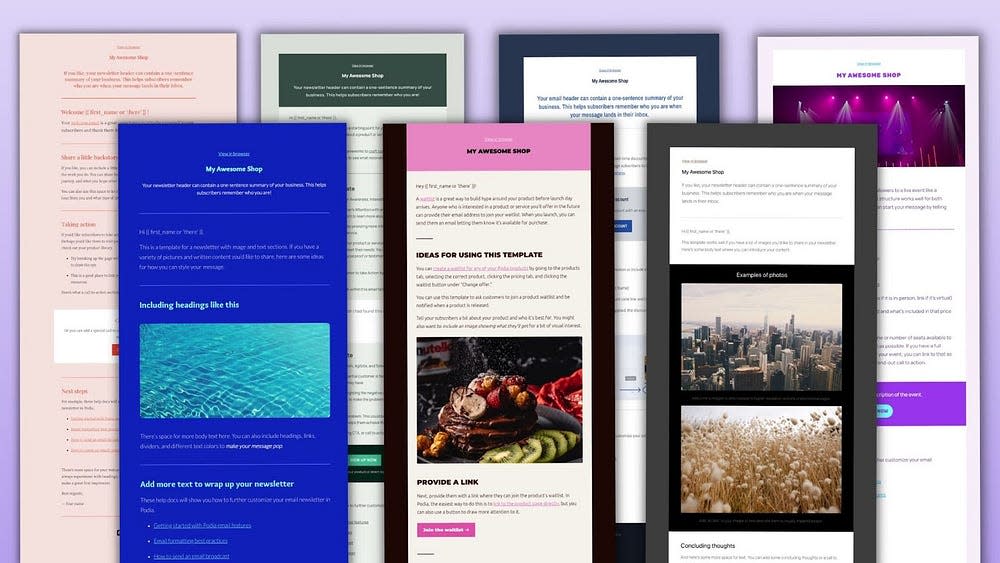
“live chat” widget
on your website and sales pages and you can start engaging leads, answering questions, overcoming objections, and assisting current customers. This functionality is unique to Podia and is not available through Kajabi or Kartra.
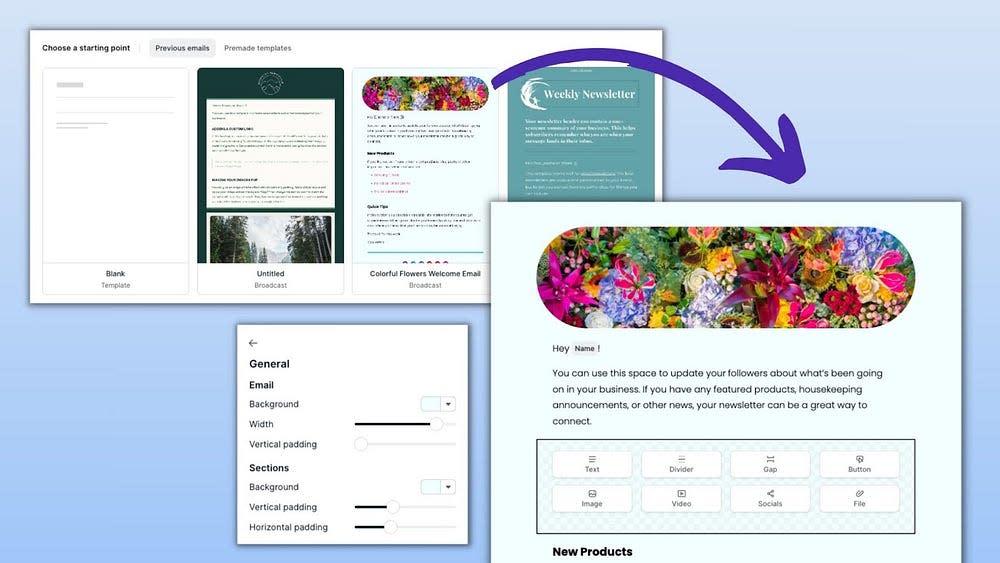
Embedded checkout

Use Podia’s simple
embedded checkout feature
to ensure a fast, secure, and seamless “checkout” experience directly on your website (or any other page on the internet). The checkout has also been tested and optimized for conversion and is only available through Podia on the Shaker plan — not available on Kartra or Kajabi.
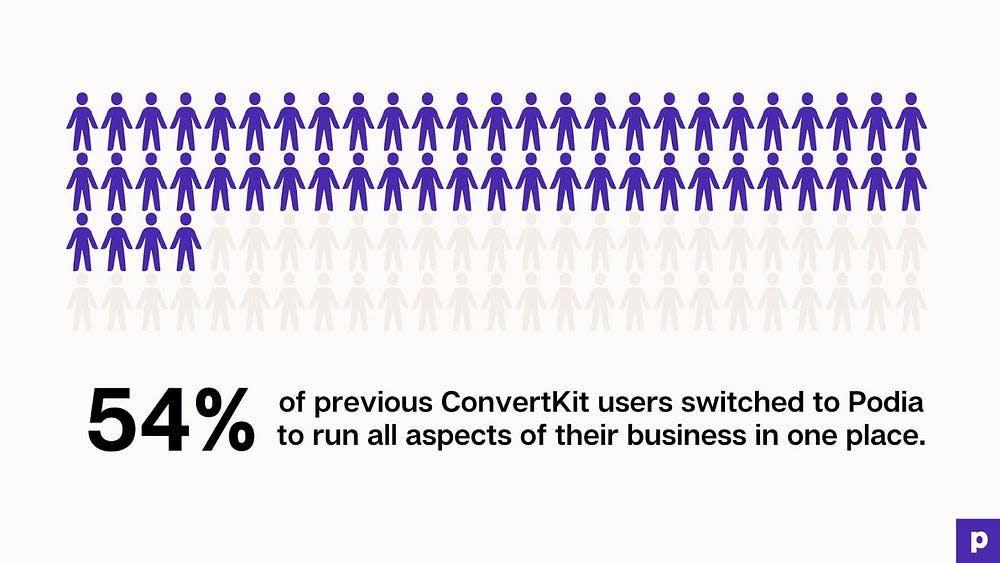
Automatic VAT calculation for EU customers

No more worrying about tax! If you’re in the EU, Podia will calculate the amount of VAT due from each customer, add the VAT to the customer’s bill, collect that money to your
Stripe
or
PayPal
account, and store all the tax data you need to make an accurate VAT return.

Payment plan options

Sometimes customers prefer to pay in installments (vs one lump sum); with Podia, you can offer payment plan options, giving your customers more financial freedom and flexibility (and more ways to pay means more ways to earn!).

Coupons

Running a special discount or promotion? Create custom coupons for individual customers, a one-time purchase, or a limited-time sale, and more to entice customers and earn more money.

Pre-sell courses

If you have an idea for a course or product, but you want to validate it first, you can use Podia to promote it, capture email addresses, and even collect payments before putting in any work.

Bundles

Have a bunch of similar products you’d like to sell together? Use Podia’s Bundle feature to sell complementary or related products together at a discounted rate as a way to increase sales and average order value.

Upsells

Have a product that would be the perfect add-on to another related product? Offer it as an upsell at checkout to help increase sales and average order value.

Quizzes

Be sure your material is understood by your students with graded quizzes featuring fill-in-the-blank questions, true/false, multiple choice, and more.

Drip content

Want your content to be delivered within a specific timeframe? Podia’s Drip Content feature will automatically deliver specific content at specific times throughout the customer journey.

Student comments

Spark conversation, answer questions, or get feedback by allowing customers to comment directly within your course content.

Course completion certificates

When students complete your courses, give them a virtual “high five” with a course completion certificate that can be customized with your course information and student information.

Podia pricing: A quick breakdown

With a free plan and paid
plans
starting at just $9/month or $4/month when you pay annually (and going up to just $89/month), Podia is considered much more affordable to creators at every level. This is why Podia tends to receive 5/5 stars in terms of value on review sites like Capterra. On price alone, Podia is clearly the least expensive option across the board (in fact, you could pay up to 3x more by going with Kartra or Kajabi — check out the chart below to see what we mean):

Now that you know a bit more about Podia, let’s dive further into the pros/cons, so you can compare them to the pros/cons of Kartra vs Kajabi

We’ve covered the pros and cons of Kajabi and Kartra, but what about Podia? What’s good about Podia? And what’s not so good? Let’s take a closer look together so you can make the right decision for you and your business.

Podia Pros

What’s so great about Podia? What makes it unique or different from Kajabi or Kartra? Let’s find out! Below we dive into the pros of Podia.

Focused on creators who are selling courses, webinars, community & more

Like Kajabi, Podia is also designed specifically for those who sell digital products including online courses, community, webinars, digital downloads, etc. Within Podia, you’ll find plenty of features and functionalities that you need to build, market, and sell your products, including product builders, student engagement tools, sales pages, email marketing, affiliates, and so much more.

Simple, intuitive, and easy to learn/use (for you and your customers)

There’s a reason Podia is rated 4.6/5 stars for intuitiveness (compare to Kajabi which is rated 4.1/5 stars and Kartra which is rated 4.0/5 for intuitiveness on Capterra) — it’s simple, user-friendly, and easy to learn, not only for you, but for your customers, as well.

The secret is in the sleek and modern interface, simplified navigation, clear dashboards, helpful in-app copy, and more. Podia also has helpful and responsive chat and email support 7 days a week for all users, which makes it easy for customers to get answers to any questions they may have along the way.

Sleek and modern with a premium look-and-feel

Not only does Podia look good on the inside, it also looks sleek and modern on the outside, with beautiful landing pages, polished emails, cutting-edge checkouts, smooth lead capture, and more. When you use Podia, you’re guaranteed a clean and professional-looking business.

Affordable monthly plans (great value)

While Podia doesn’t have 100% of the same features as Kajabi and Kartra (more on that in the sections below), it does have a ton of overlap, which means in some cases, you can get over 90% of the same features for a fraction of the cost. Check out the chart below to see what we mean or jump to the “big comparison chart” below to get even more detail.

Create as much as you want

While Kajabi and Kartra place strict limitations on all of their plans, Podia does the opposite with unlimited products, courses, webpages, customers, and hosting on all Mover and Shaker plans.

Native course completion certificates

If you’re selling online courses, you may want to reward your customers with a course completion certificate, which can be done simply and seamlessly through Podia. In contrast, Kajabi and Kartra do not offer native course completion certificates (you’d have to use a third-party tool like Canva to create them then set up automated emails to deliver them upon course completion).

Free migrations

One thing that’s unique about Podia is the free migration service that’s included with all annual Mover and Shaker plans, which means if you’re switching from another platform (like Kajabi, Kartra, or somewhere else), the Podia team can migrate to Podia for free!

Kajabi and Kartra do not offer a migration service of any kind, which means if you’re moving from another platform, you’ll have to do all of that work yourself (which could cost you a lot of time and headache).

True free plan

Both Kajabi and Kartra offer trials of their products, but Podia is the only one of the three to offer a free plan. On Podia’s free plan, you can build your website, set up an online community, and sell one coaching product and one digital download.

Podia Cons

Now that you know what’s to love about Podia, let’s cover some of the potential pitfalls so you can easily compare the three options and make a more informed and confident decision.

Affiliate program only available on Shaker plan

Unlike Kartra which includes their affiliate feature on their Starter plan ($119/mo), Podia only includes the affiliate feature on their Shaker plan ($89/mo); the same is true for Kajabi, which only includes their affiliate feature on their Growth plan ($199/mo) and above.That being said, Podia’s Shaker plan is $30 less than Kartra’s Starter plan, so you could pay less to get access to a built-in affiliate program, plus you’ll get access to a bunch of other features included in Podia’s Shaker plan.

Less advanced CRM

All of your customers, leads, and subscribers within your Podia account will have information attached to them — their names, contact info, when they signed up, purchasing history, and more. However, the CRM features are not as robust as what you’ll find within Kartra or Kajabi, which will provide you with more detailed information, as well as the ability to tag, segment, score, and even send them into specific funnels or automations (Podia has some segmentation and automation capabilities, but they are not as advanced as Kartra or Kajabi).

No built-in Behavioral Adaptive Marketing

With Kartra, you can market and sell products to specific groups or individuals based on things like their past purchasing behavior, on-site behavior, or by other ways that you’ve tagged them within the Kartra system. Podia does not currently offer a feature like this, but if it’s helpful to know, Podia is always evolving to include additional features, including more advanced marketing tools.

No way to natively add offers or CTA’s to videos

Unlike Kartra which gives you the ability to add CTA’s and special offers within the Kartra video player, Podia does not yet offer this type of functionality. That being said, Kartra does have very strict limitations around bandwidth and video on their Starter ($119/mo) plan, which you may want to take into consideration if you’re signing up for this specific feature or if video is a core component of your content or marketing.

No built-in AB split testing

While Kartra offers built-in AB split testing (so you can test different landing page variations, test out different page elements, subject lines, or email content), neither Podia or Kajabi offer a way to do this natively.

No native calendar integration

While Podia does not offer a native calendar feature (like Kartra does), Podia does have a built-in Webinar feature (which you can use for for summits, conferences, trainings, marketing, etc) and also offers integrations with calendar tools like Calendly, Acuity,
YouCanBook.Me
, and SavvyCal (Kajabi also has an “Events” feature which will allow you to host webinars, as well and also offers calendar integrations).

How does Podia compare to Kartra vs Kajabi?

Now that we’ve covered the pros and cons of Kajabi, Kartra, and Podia, let’s compare them to each other so you can get a clear sense of which platform is the right choice for you.

Kajabi vs Podia

How does Podia compare to Kajabi and vice versa? Below we cover the main pros and cons of each platform.

Podia has a free plan, Kajabi has a free trial.

Kajabi offers a 14-day free trial so you can try out their features. Podia, on the other hand, offers an entire free plan that includes your website, online community, and the ability to sell one coaching product and one digital download.

You can stay on Podia’s free plan for as long as you like and you can always upgrade as your business grows. Free plan participants pay a 10% transaction fee on sales, but there are no upfront monthly costs.

Podia is simpler and easier to learn/use

Simplicity, intuitiveness, and ease of use can be a difficult metric to assess, but when looking at Capterra reviews, Podia is rated
4.8/5 stars for intuitiveness
while Kajabi is
rated 4.3
. While that’s not a huge difference, Podia is clearly in the lead, likely due to our simple interface, easy-to-navigate product, clear dashboards, helpful in-app copy, and more.

In public reviews, Kajabi is often applauded for being easy to use, with reviewers saying things like “this platform for online learning is very logical and easy to use” and “it’s easy to learn, setup and manage,” but we also see a few recent reviews saying the opposite: “it can be more user friendly or demo should be there on software itself, so that person may now how to use features” and “clunky, cumbersome to use.”

Podia offers similar features as Kajabi, but for far less money

When you compare the features between Podia and Kajabi (which you can do in the “big comparison chart” below), you’ll find that Podia offers over 90% of the same features as Kajabi, but for a fraction of the price.

Of course, there are things you can get through Kajabi that you won’t find on Podia (like templates, advanced customization options, and pre-made funnels/pipelines/templates), but you have to ask yourself if those features alone are worth the massive price hike.

Kajabi offers more advanced customization options

With both Kajabi and Podia, you can create beautiful, custom sales websites, landing pages, and emails. But with Kajabi, you’ll get more templates for the aforementioned and also access to the code editor if you want more advanced customization options (keep in mind, you’ll still need to know how to code and/or hire someone who can make those changes for you vs Podia which offers beautiful, simple templates without any tech or design skills needed).

Kajabi offers pre-set pipelines/funnels — Podia does not

While you can use Podia to build sales funnels from scratch, Podia does not include any “pre-set” pipelines/funnels to help you get started (compare to Kajabi which does include pre-set pipeline templates you can use to create complex email sequences and automations). This may be an important differentiator for those looking to create more sophisticated marketing funnels while saving time in the process.

Kajabi offers more templates

Like Kartra, Kajabi also offers a library of pre-set templates for websites, landing pages, and emails, which can be helpful if you want a beautiful online business without hiring a tech team or designer to build it for you.

Podia does include email templates
, and the Podia Editor has plenty of customization options available to help you build a clean, modern, and professional-looking online business without getting bogged down in design details (or hiring a team to build it for you).

Kajabi has slightly more advanced analytics

Kajabi and Podia offer almost exactly the same analytics, but Kajabi has two additional analytic options that Podia does not: Tracking pageviews and being able to segment the data by a specific timeframe (but you can get those metrics by integrating your Podia account with Google Analytics).

Kajabi’s analytics Dashboard is also a little clearer and easier to follow, but these are all things Podia is working to actively improve in 2021 and beyond.

Podia offers live chat on websites and sales pages — Kajabi does not

As a business owner, you know how important live chat can be when it comes to learning about your leads, answering questions, overcoming objections, and most important, closing the sale.

For this reason, Podia comes with a
live chat feature
that allows you to converse instantly with leads who visit your website or sales pages, as well as customers who are logged in to their Podia accounts. In contrast, Kajabi does not have a live chat feature of any kind; this means if you want live chat functionality, you’d need to pay for customer support software which can be expensive.

Podia offers course completion certificates — Kajabi does not

One way to reward your students after completing a course is to send them a course completion certificate, and with Podia, you can do this automatically. Kajabi, on the other hand, does not offer native course completion certificates, which means you’d need to use a workaround that can be time-consuming and add more complexity to your student management processes.

Podia offers nearly unlimited everything — Kajabi has limits on every plan

If you go with one of Podia’s Mover and Shaker plans, you can create unlimited products and courses, and host all the content your heart desires.

Like Kartra and Kajabi, Podia also has limits on things like admin seats, but the core components of your business (what you’re selling, who you’re selling to, and how much you can sell) is unrestricted on Mover and Shaker plans.

Podia offers free migrations — Kajabi does not

If you’re moving from another platform (like Kajabi or Kartra) the Podia team will help you migrate to Podia
absolutely free
(with any annual Mover and Shaker plan). Compare to Kajabi which does not offer a migration service of any kind.

Kartra vs Podia

Now that you know how Podia and Kajabi compare, let’s compare Kartra vs Podia so you can get a sense of how the two platforms stack up against each other.

Podia’s free plan vs. Kartra’s $1 trial

Like Kajabi, Kartra offers a 14-day trial so you can test their product. The Kartra trial costs $1. Podia offers an entire free plan that you can use to launch your online business, create your website, and even sell your first product. You’ll only pay a 10% transaction fee when you make a sale.

Podia is designed for course creators who are selling digital products — Kartra is not

Like Kajabi, Podia is designed specifically for those selling things like online courses, digital downloads, community, webinars and more. For this reason, Podia has everything a digital content creator needs, including student management and engagement tools, assessments, course completion certificates, and more.

In contrast, Kartra is designed for any type of business selling any type of product, making it more of a “generalist” vs audience-specific solution. For this reason, Kartra may be missing key features you need for your business today and possibly the features/functionalities you need tomorrow as the industry grows and evolves.

Podia offers native online course and webinar features — Kartra does not

While Kartra does have a calendar feature for selling time, it doesn’t have a native online course or webinar feature, both of which are essential for most digital creators.

Podia, on the other hand, was built for digital creators and therefore has a robust online course feature to help you build, market, sell, and deliver your content seamlessly to your audience. It also has a built-in
webinar feature
for conducting training sessions, conferences, and summits which is not currently available through Kartra.

Podia is simple, intuitive and easy to learn/use — Kartra is very complex and has a steep learning curve

As we’ve covered throughout this article, Podia is known for being simple, intuitive, and easy to learn and use — both for creators and students.

In contrast, Kartra is known for being much more complex and more difficult to learn/use, which is what you’ll see reflected in public reviews and ratings. Kartra even has a marketplace where you can hire Kartra consultants to help you get set up because it can be so time consuming and difficult to learn.

Podia is affordable for creators at every level — Kartra is more expensive

While Kartra has a few features that Podia does not (you can see which in the big comparison chart below), Kartra more expensive than Podia, making it inaccessible to some creators.

Podia, on the other hand, offers a free plan
and three affordable paid plans
that are less expensive than both Kajabi and Kartra, despite offering many of the same features and even some that Kajabi and Kartra do not have.

Podia has built-in email marketing with Podia Email — Kartra does not

If you’d like to run your email in the same place as the rest of your business, you can sign up for Podia Email for unlimited message sends, automations, campaigns, tags, and segments. Your plan only increases as your list grows, so you’ll have all the features of an advanced email marketing platform no matter how many subscribers are on your list.

In comparison, Kartra’s Starter plan only allows you to send up to 15,000 emails per month to up to 2,500 leads, which is not ideal for businesses with larger email lists or those which rely deeply on email marketing (and what online or e-commerce business doesn’t?).

As you upgrade through Kartra, you’ll be able to send unlimited emails, but you’ll always have a limit on the number of leads you can have with each plan (Podia, on the other hand, allows you to have an
unlimited number of subscribers
no matter which paid plan you’re on).

Kartra offers pre-built funnels & automations — Podia does not (but you can build them from scratch)

One of the advantages of Kartra over Podia is the pre-built funnel feature, which allows you to quickly build complex sequences and automations without having to build them completely from scratch. Kartra also offers more robust and advanced segmentation, tagging, and automation options that make complex funnels possible.

Podia Email comes with pre-made email templates. While we do offer much of the same functionality required to build complex sequences and funnels, there aren’t pre-built templates for funnels just yet (you’ll have to build them from scratch, but we believe Podia is so easy to use, building anything from scratch will be a breeze) and you won’t have the exact “automation options” as you’ll find with Kartra or Kajabi.

Kartra has a more robust CRM with advanced tagging/segmentation capabilities

Similar to the above, Kartra has a more robust CRM feature which goes deep on each customer/lead/subscriber with robust tagging/segmentation/automation features that make building complex sequences and funnels (and utilizing their Behavioral Adaptive Marketing features) possible.

In comparison, Podia’s CRM is a bit more basic in that it will provide you similar information about your contacts, but you won’t be able to segment, tag, score, etc in the same ways you can with Kartra or Kajabi (at least not yet).

Kartra offers native A/B split testing — Podia does not

If you’re all about testing and optimization, Kartra may be for you as they offer native A/B split testing capabilities that will allow you to test different page variations, different page elements, email subject lines, and email content — all while tracking performance. Like Kajabi, Podia does not currently offer native A/B split testing capabilities, but that will likely change over time.

Kartra can be used to sell physical products — Podia cannot

With Kartra, you can sell a variety of products including digital or physical products as well as services (like training sessions). In contrast, Podia only supports digital products (like online courses, digital downloads, memberships, webinars, etc.) and services (like training or coaching sessions).

Kartra offers advanced customization options — Podia does not

Along with 500+ templates for landing pages, emails, checkout forms, and pop-ups, Kartra also offers advanced customization options, allowing you to customize the code to your exact specifications.

Podia, on the other hand, does not have advanced customization options, but we believe that Podia’s simple design and
easy-to-use editor
more than makes up for this fact as you can get beautiful, professional-looking websites, landing pages, and emails without getting lost in design details or code.

Podia looks and feels clean/modern — Kartra can feel clunky and not user-friendly

While Kartra may have more features and functionalities, Podia is still rated higher in terms of intuitiveness and reviewers seem to drawn to the aesthetic saying things like “the beautiful and modern layout is what attracted me to Podia!” and “Podia is easy to use and it is BEAUTIFUL.”

In contrast, Kartra tends to get the opposite feedback on public review sites with reviewers saying things like “some things in general with the interface are not that straightforward” and “lacks in the user-friendly department …” and “not quite so user friendly as advertised.”

Podia offers free migrations — Kartra does not

If you’re moving from another platform (like Kartra or Kajabi), Podia offers a
free migration service
with all annual Mover and Shaker plans so you can stay focused on creating/selling (vs getting set up).

In comparison, Kartra does not offer a migration service of any kind, which means the burden of moving all of your content and contacts will fall on your shoulders (this may be even more difficult given the complexity of Kartra and steep learning curve).

TLDR: Why choose Podia over Kajabi and Kartra as your online course platform?

By now, we’ve covered the three platforms (Kajabi, Kartra, and Podia) from a high-level and detailed point of view. We’ve laid out the key features within each system, the pros, the cons, and everything in between. Now it’s time for you to decide which platform is right for you.

But before you do, we’d like to make one final case for why you should choose Podia over Kajabi, Kartra, or any of the other alternatives out there.

Built specifically for content creators who are selling digital products

As we’ve mentioned throughout this article, Podia is (and always has been) designed for content creators who are selling digital products including online courses, communities, webinars, coaching services, and more.

This means you’ll not only have access to the features you need to run a successful online business, but you’ll also be using software that was developed specifically for your needs, including tools that are easy to learn and use (saving you time and headache), a system that’s user-friendly and intuitive (which means more productivity and less frustration), and a team that’s dedicated to helping creators succeed (and is committed to building a product that will do so, today, tomorrow, and into the future).

While Kajabi can claim something similar, the same is simply not true for Kartra, which is a solution for any business that sells any type of product. It’s like going with a generalist vs a specialist; the generalist can provide you with some things, but you’re not going to get the same expertise, knowledge, comfort, and care you can expect from the specialist.

Simple and easy to use, regardless of experience or skill

On Capterra, Podia is rated highest across all 3 platforms for “ease of use” with a
4.6/5 rating
and is lauded in public reviews for being simple, intuitive, user friendly, and easy to use.

In comparison, Kartra is rated 4.0/5 and Kajabi is rated 4.0/5 for “ease of use” on Capterra and both (particularly Kartra) are known for being complex with a steep learning curve that can be so difficult, you may have to hire a consultant to help you get set up and moving on the platform.

In contrast, Podia requires no technical or design skills, and there’s no lengthy training or hundreds of hours worth of resources to get through before you can understand how to use the platform. And if you ever do have questions or need help, Podia’s friendly and helpful customer support team is standing by, plus we have a robust library of HelpDocs and free resources.

Just about everything is unlimited

As an online business owner, there’s no better feeling than to see your sales pouring in; but imagine if as that’s happening, you get an alert from your online business platform telling you that you need to pay them more because you’ve hit your limit on leads, products, members, or something else.

If you go with Kartra or Kajabi, this scenario is entirely plausible, as both platforms have strict limits on the core components of your business, including the number of leads, products, members, websites, funnels, bandwidth, and more.

Podia, on the other hand, gives you options with unlimited students, sales, products, webpages, video hosting, and more, without worrying about suprize overages. This means you can stay focused on growing your business without worrying about arbitrary limitations that are not always within your control.

More affordable and better value

It’s this simple: If you go with Kartra or Kajabi, you will likely pay more than what you’d pay if you were to go with Podia.

Now, if you need code-based customization options or access to more complex marketing automation tools, it may be worth it to pay more for Kartra or Kajabi, but if you don’t need those things (and not every business does), there’s no reason to pay so much more for the same or similar features. Plus, Podia has a few unique features that you won’t find with Kartra or Kajabi.

Live chat included on YOUR website and sales pages

Have you ever noticed that the most successful businesses all use some type of live chat software? Companies will pay exorbitant fees for live chat features because they work, not only in addressing questions from leads, but overcoming sales objections, gathering customer research insights, training staff, and so much more.

For this reason, we’ve built a simple and easy-to-use
live chat feature
directly into the Podia platform, which means you can seamlessly communicate with customers and leads (and make more sales!) without the high cost (or headache) of expensive live chat software.

This is a feature you will ONLY find on Podia — it’s not available through Kajabi or Kartra.

Free migration included on annual Mover and Shaker plans

If you’re moving from another platform (like Kajabi or Kartra) to Podia, the Podia team will help you migrate to the Podia platform absolutely free with all annual Mover and Shaker plans. There’s no headache, frustration, or wasted time and you can get “back to business” much faster.

In comparison, neither Kajabi or Kartra offers a
migration service
of any kind, which means you have to make the time-consuming and sometimes frustrating “move” on your own.

A free plan instead of a free trial

While Kajabi offers a 14-day free trial, it does require a credit card to get started and Kartra will charge you $1 to test drive their platform.

In comparison, Podia’s
free plan
is 100% free and includes a website, an online community, a digital download, and a coaching product.

This means you can focus on assessing the platform and getting your business off the ground without worrying about your trial expiring and getting automatically hit with a hefty monthly fee.

Always evolving to accommodate industry trends & customer requests

In an industry that’s constantly changing, it’s incredibly important to partner with a company that is dedicated to evolving with those changes and constantly making improvements based on technological advances, industry trends, and of course, customer feedback.

Podia always has (and always will be) a creator-first platform, which means we’re always making updates to the product and building innovative features based entirely on what our customers need today, while also thinking to the future for what they’ll need tomorrow.

Try Podia for free to see how it compares to Kajabi and Kartra

When it comes to finding the perfect platform for your online business, there’s no substitute for hands-on experience, which is why we recommend trying out all three platforms before making your final decision. You can sign up for a 14-day trial with Kajabi or Kartra, and with Podia,
you can grab a free plan
.

During your trials, be sure to ask yourself questions like…

  • Is this platform easy for me to learn and understand?

  • Can I quickly create and launch things that work (without bugs or technical assistance)?

  • How reliable and accessible is the support?

  • Am I enjoying the experience or feeling frustrated and overwhelmed?

  • Will I earn enough money selling products to cover the monthly subscription?

  • Will my customers find this platform easy to use? Will they enjoy the purchasing/learning experience?

Having answers to the questions above (coupled with hands-on experience) should give you everything you need to make an informed and confident decision.

While we hope you become a Podia customer, we also want you to select the online course platform that’s right for you, so no matter what you decide, we wish you the best of luck on your journey and hope you find success!

Get your free Podia account

Join the 150,000+ creators who use Podia to create websites, sell digital products, and build online communities.

Sign up free

Kajabi vs Thinkific: Which is the best choice for creators?

Software Stack Editor · July 2, 2024 ·

image

Finding the right home for your online business can be challenging, especially with so many platform options and competing information online.

While it’s tempting to just pick whatever platform you stumble on first, we recommend exploring independent reviews, talking with other creators, and reading through comparison articles like this one. The information in this article is based on public information, including customer reviews and information from each of the platforms’ websites.

While it may seem a little tedious, investing even just a few minutes of research will help you understand the core differences between the various platforms out there so you can make a confident, informed decision that’s right for you and your business.

Before we dive in, we just want to say that we believe our competitors are great and this is not about tearing anyone down — if anything, it’s about highlighting the best parts of each (and yes, the downsides), so the right creators can get matched with the right platforms.

With that said, let’s dive into our honest review of Kajabi vs Thinkific!

Kajabi: A quick overview

Kajabi is one of many “all-in-one” platforms for creators who sell online courses, memberships, and coaching.

Kajabi has been around for just over ten years and according to their website, they serve about “40,000+ serious experts, entrepreneurs and influencers around the world.”

On their website, Kajabi emphasizes the “all-in-one” aspect of their platform, while also focusing on key features including their customization templates (for websites, courses, and emails), as well as their robust, built-in analytics feature and marketing automation tools.

Based on their online reviews, Kajabi’s customers often highlight the “all-in-one” aspect with customers saying things like, “Kajabi has everything you need all in one place. No more piecing together various platforms to build your business” and “Kajabi sells itself as the one home for your whole business – websites, courses, checkout, membership, landing pages, email. And all those features are pretty decent. Not best in class, but pretty good.”

And even though Kajabi is known as one of the more expensive online course creation platforms out there, one reviewer says, “When you consider that you can run online programs, host your website and blog, have emails, and more, it’s really pretty reasonable.”

Reviewers also like the fact that Kajabi provides a helpful onboarding experience to new users, as one reviewer put it: “They have the ‘onboarding a new customer’ process down. From the training to the welcome video from the founder, they do make you feel like you have made a good choice right from the start.”

Finally, customer reviews also called out the fact that Kajabi is constantly improving their product with people saying things like, “They really are making it better all the time” and “I’ve been with them since the launch of the new Kajabi a couple years ago and there has been constant improvement.”

Kajabi is rated 4.3/5 stars on Capterra and 4.4/5 stars on G2.

Who is Kajabi best for?

Within the industry, Kajabi is typically considered the more “premium” option for more advanced course creators who want an all-in-one platform with a focus on analytics and marketing automation.

Because Kajabi is one of the more expensive online course platforms (and there are limitations on products, customers, etc.), we believe Kajabi is best for advanced creators who:

  • Have a small number of products

  • Are not constrained by budget or price

  • Are more focused on automation and analytics

  • Are more technically savvy and comfortable with a learning curve

  • Have an established online business and want to scale their success

Kajabi’s key features

We know comparing platforms can be challenging, especially when they seem so similar, so we’ve pulled out the key features of Kajabi below (and Thinkific further down the page) so you can get a clearer sense of what each platform has to offer.

Products

Kajabi supports all kinds of products, from online courses and digital downloads to membership sites, subscriptions, coaching, and more.

As with many online course platforms, there are limits on the number of products you can host/market/sell within each of Kajabi’s plans. For example, the Basic plan ($149/month) has a limit of 3 products while the Pro plan ($399/month) allows for up to 100 products.

Websites/landing pages

With unlimited, dynamic landing pages, you can build your whole website on Kajabi or create as many landing pages as you like.

Templates

Kajabi offers “blueprints” (which are essentially pre-designed themes or templates) so you don’t have to build your product or pages from scratch (though you can if you like). Each template can be customized to fit your aesthetic and content needs.

Payment processing

Kajabi offers a payment gateway that integrates with Stripe and PayPal to make payments quick and seamless. Kajabi also offers instant payouts and does not take any additional transaction fees.

Email marketing tools

Kajabi offers advanced, built-in email marketing tools, including one-time and automated email sequences, email templates, a visual editor (for fast and easy customization), as well as audience segmentation and email analytics.

Pipelines

Kajabi offers ready-to-use “pipelines” (or sales funnels) you can customize and use to automatically capture email addresses, nurture leads, make sales, re-engage customers who abandon during the cart or checkout process, and more.

Analytics

Kajabi offers built-in analytics and reporting so you can easily track your growth across a variety of KPI’s like customers, revenue, churn rate, pageviews, and more. They also offer integrations with a variety of analytics tools including Google Analytics, Facebook Pixel, and more.

Customer management

Kajabi offers built-in customer management tools to help you organize/segment your contacts, communicate with your customers, automate key interactions, track student progress, and more.

Webinars/events

With “Kajabi Events” you can host webinars, live trainings, virtual conferences, pre-recorded events, and more (ideal for coaches).

Quizzes and surveys

Kajabi calls them “assessments,” but they’re essentially just quiz and survey tools that you can use to engage your students, gauge their progress, or assess how well they understand a lesson.

Chat support

Previously, live chat was only available on Kajabi’s most premium plans, but they now offer live chat support to all of their customers, regardless of which plan they’re on (available Monday-Friday, 6AM-5PM PST).

Kajabi university training

If you have a question, need help, or just want to learn more about a particular topic, check out Kajabi University which has free bootcamps, trainings, and resources.

Kajabi pricing: A quick breakdown

In comparison to all online course platforms, Kajabi is definitely one of the more expensive options, with plans starting at $69/month and going all the way up to nearly $400/month.

That being said, when you compare Kajabi’s plans to Thinkific’s Pro and Premier plans, they are not all that different in terms of pricing (though they do vary in terms of feature restrictions, product limitations, etc. — more on that later in this article).

Below is a breakdown of Kajabi’s pricing across their three core plans and a high-level overview of what’s included in each:

  • Kickstarter ($69 per month): 50 landing pages, 1 product, 1 funnel, 250 contacts, 50 customers

  • Basic ($149 per month): Unlimited landing pages, 3 products, 3 funnels, 10,000 contacts, 1,000 customers

  • Growth ($199 per month): Unlimited landing pages, 15 products, 15 funnels, 25,000 contacts, 10,000 customers

  • Pro ($399 per month): Unlimited landing pages, 100 products, 100 funnels, 100,000 contacts, 20,000 customers

Thinkific: A quick overview

Like Kajabi, Thinkific also markets itself as an “all-in-one online course platform” that “empowers anyone to quickly create and deliver stunning courses on their own branded site.”

Thinkific has been around for about a decade and according to their website, their platform “makes it easy to share your knowledge, grow your audience, and scale your business” and they serve over 50,000 creators.

On Thinkific’s website, they emphasize the “all-in-one” aspect of their product as well as the “exceptional student experiences” they help their customers deliver with customers saying, “I love how easy and straightforward it is to use!” Students have also shared that it is “user-friendly” and “I love the simplicity of Thinkific from an administration standpoint and that it’s so user-friendly for those who take my courses. I’ve never once had a participant email me with any issues navigating this platform!”

Based on their recent reviews, customers seem to love the fact that Thinkific is easy to learn and use with customers saying things like, “Thinkific was easy to use right from the start,” “I love the simplicity and ease of setting things up in Thinkific,” and “[Thinkific is] easy to use and set up. I am not a tech person and I set up a whole online course in 3 days so it’s pretty cool.”

Thinkific also emphasizes the ease of use and have a whole section on their website dedicated to their customer support with claims such as “we don’t go home until every question has been answered” and “90% of questions answered in less than 5 hours.”

Customers seemed to echo this claim on review sites saying things like, “I appreciate the helpful support from the Thinkific team. They do a great job of answering our many questions, “Customer service was outstanding and helpful,” and “The Thinkific Helpdesk is genuinely helpful, and their response time is lightning fast.”

Thinkific is rated 4.6/5 on Capterra and 4.7/5 on G2.

Who is Thinkific best for?

While Thinkific claims they are best for “everyone from small businesses, creatives, consultants, coaches, authors, speakers, and trainers to professional associations, larger companies and universities use Thinkific today,” we think their ideal audience is:

  • Creators who are more budget conscious

  • Creators who don’t want to spend a ton of time on design

  • Beginners who want to test the waters with a limited, but free plan

  • Creators who want very customized courses/student experiences

  • Creators who want to get up and running quickly without a steep learning curve

  • Creators who are more focused on the course/student experience vs growing/scaling their businesses

Thinkific’s key features

Just like we covered Kajabi’s key features above, it’s time to shine a spotlight on everything Thinkific has to offer so you can get a clearer sense of which online course platform is best for you.

Course builder

Like many online course platforms, Thinkific offers a drag-and-drop course builder that makes it easy to add content to your course, including video, audio, pdf, text, quizzes, and assignments. Thinkific also has pre-built course templates you can use to get set up faster and more efficiently.

Course website/landing pages

With Thinkific, you can build a site for your course using customizable course landing pages. Thinkific’s course websites includes 3 primary pre-designed themes you can choose from (with 3-4 styles for a total of 12 theme + style combos) and features such as a pre-built instructor, curriculum, key learnings, and course review sections.

Live lessons with Zoom

With Thinkific, you can offer live lessons (individual or group) with Zoom Meetings or Zoom Webinars, directly from within the platform (requires a paid Zoom account).

Integrations with email service providers

While Thinkific does not offer advanced built-in email marketing tools, they do offer native integrations with popular email service providers such as AWeber, Mailchimp, ConvertKit, Constant Contact, and ActiveCampaign.

Communities

Create conversations in a supportive environment with Thinkific’s Community feature. Communities live as a dedicated page on your Thinkific site and act like a Facebook group in that students and instructors can converse via written posts and comments.

Assignments

Just like in a real classroom, you can require your students to submit assignments that need to be approved before they can complete your course.

Quizzes

Test your students’ knowledge and recall with multiple choice quizzes at the end of your learning modules.

On-Lesson discussions

Allow your students to create conversation, ask questions, or provide feedback within your course. Discussions can be public or hidden and admins and/or students can be notified when there is activity on discussion threads.

Exams integration

Create highly customizable exams and surveys with a variety of question types including multiple choice, ranking and more (please note that this feature does require a third-party integration and also has limitations on how many responses you can collect).

Student surveys

Collect feedback from your students at the beginning and end of your course or anytime you want specific insight into their experiences.

Course completion certificates

Reward and motivate students with built-in course completion certifications. Thinkific offers a few different templates you can customize and automatically send to students who complete your courses.

Automated student messages

While Thinkific doesn’t offer advanced built-in email marketing tools, they do offer the ability to send customizable messages to students which could be helpful for welcoming new students, progress notifications, and more.

Student course reviews

Capture feedback and testimonials by automatically requesting reviews after students complete your courses.

Student progress tracking

With Thinkific, both you and your students can track progress within the student experience, and within your activity feed as well as in progress reports which include when a student last signed in, quiz and survey results, and video performance metrics.

Deliver self-directed, group, or hybrid courses

Thinkific supports all types of courses, including self-guided courses (where students start and end on their own schedules), group courses, and hybrid courses which may include interactive and self-directed lessons.

Evergreen vs scheduled courses or lessons

Create courses and classes that are always available (evergreen) or courses and classes that have a specific start and end date.

Private or hidden courses

Control who has access to your courses with private or hidden courses, which are only visible to specific students (perfect for when you want to market a course, but don’t want students to enroll yet).

Prerequisite courses or lessons

Require students to complete certain courses, lessons, or assignments before starting a new module or course.

Require video completion

Similar to perquisite courses or lessons, you can require students to watch certain (or all of your) videos before moving on to the next lesson.

Drip courses

Deliver your course content over time with drip courses. Drip courses are perfect for when you want to pre-launch a course (and have an official start date) or whenever you’d like to control how fast or how slowly your students consume your content.

Coupons + promotions

Entice students to buy with evergreen or limited-time only coupon codes that can be applied to your course or subscription offering.

Payment processing + Instant payouts

Like most online course platforms, Thinkific also offers a secure payment gateway for accepting student payments and also offers creators instant payouts.

Integrations with analytics providers

While you can use Thinkific to track student progress, you’ll need to integrate with a third-party analytics tool (like Mixpanel, Google Analytics, etc.) to get access to more robust tracking, analytics & reporting.

Affiliates

Make your students your biggest advocates by creating your own affiliate program through Thinkific. An affiliate program is a great way to promote your online course (and hopefully make more sales) without doing the promotion yourself.

Thinkific pricing: A quick breakdown

Thinkific offers 5 plans ranging from $0 (Free plan) all the way up to $499/month (Expand plan), which is actually more expensive than Kajabi’s “Pro” plan, which is their most expensive.

In terms of pricing, the main differences between Thinkific and Kajabi are that Thinkific offers a free plan and two plans that are more affordable than Kajabi’s least expensive plan, making Thinkific the better options for creators who are just getting started or for those who are more budget conscious.

That being said, once you get past Thinkific’s first two plans, their “Grow” and “Expand” plans start to feel more similar to Kajabi, at least in terms of price.

They both have similar limitations on features and number of products, admin users, etc., but it is important to know that in general, you will get more features/functionality with Kajabi (i.e. – more customization, better reporting/analytics, advanced email marketing tools, etc.) than with Thinkific.

Kajabi vs Thinkific pros and cons

Now that you know the basic elements of Kajabi vs Thinkific, let’s breakdown the pros and cons of each.

Above we covered the basics of Kajabi vs Thinkific, from how they present themselves online and what their customers think about them, to their key features, plans, and pricing.

In this section, we dive deeper into the pros and cons of both platforms, giving you more insights to consider during your decision-making process.

Kajabi Pros

There’s a lot to love about Kajabi, from the robust feature set to advanced customization and analytics features, however, there are a few specific pros about Kajabi that may be important to keep in mind comparing it to Thinkific or other all-in-one course platforms.

Built-in email marketing tools (even on the “Basic” plan)

Unlike Thinkific, Kajabi offers advanced, built-in email marketing tools with one-off emails or complex drip sequences, advanced segmentation capabilities, robust email analytics, and more (they even include email marketing on their “Basic” plan, which Thinkific does not).

While you can send student messages in Thinkific, you’d need to use one of their email integrations with ConvertKit, MailChimp, and others to leverage more advanced email marketing strategies.

Built-in pipelines/sales funnels

Unlike Thinkific, Kajabi offers a robust “Pipelines” feature which includes ready-to-use funnels that you can use to automatically capture email addresses, nurture leads, make sales, re-engage customers who abandon during the cart or checkout process, and more.

Built-in membership tools

While Thinkific allows you to create a membership site, it’s not a “native” feature and does require a couple of workarounds within the product (i.e. – creating a bundle, setting up recurring payments with Stripe, creating a community, etc).

Kajabi, on the other hand, offers a built-in Membership feature which allows you to instantly create a polished, professional membership site in one click.

More design/customization options

While Thinkific offers some “expertly designed templates” for both courses and sales pages, Kajabi offers more of them with more customization options.

That being said, both Kajabi and Thinkific offer advanced customization options (access to code editor for customizing HTML/CSS), which means you have the ability to get granular with your design if you so choose (for access to the code editor, you’d have to pay at least $199/month with Kajabi and $99/month with Thinkific, plus the cost of a designer/developer, if needed).

More robust reporting + analytics

While Thinkific offers some reporting, it’s focused more on tracking student engagement, though it does provide some light analytics around sales, revenue, etc.

Kajabi, on the other hand, offers much more advanced reporting and analytics covering all ends of your business, from page views and site traffic to student progress, revenue, and more. That being said, Thinkific does offer integrations with analytics tools such as Mixpanel, Google Analytics, etc.

Built-in blog

While you can use Thinkific to create a site for your course, you won’t be able to add a blog, which is something you can absolutely do with Kajabi.

14-day free trial

Like many all-in-one online course platforms, Kajabi offers a 14-day free trial, but it does require a credit card to get started (compare to Thinkific which offers a free plan).

Zero transaction fees

Like Thinkific, Kajabi does not charge transaction fees, which allows creators to keep more of what they earn.

Kajabi Cons

No all-in-one course platform is without its drawbacks and Kajabi is no exception. Below we cover some of the potential cons of Kajabi to keep in mind when comparing Kajabi vs Thinkific.

Expensive

With Kajabi, you’re getting a robust, all-in-one platform for building, marketing, and selling your digital products, but it comes with a hefty price tag. Kajabi’s “least expensive” plan is $149/month and goes all the way up to $399/month (though it’s important to know that Thinkific’s pricing structure is not all that different).

No free plan

While Thinkfic offers a free plan Kajabi only offers a 14-day free trial that requires a credit card, which is not ideal for budget-conscious creators or those who are just getting started.

More focused on the “business” side vs the student experience

While Thinkific is laser-focused on helping creators deliver an exceptional education experience, Kajabi is more focused on providing creators with the tools they need to turn their knowledge into a thriving business.

That’s not to say that Kajabi doesn’t offer a high-quality student experience, but it just doesn’t offer the same level of customization for courses/the student experience as Thinkific does (and vice versa, Thinkific is lacking when it comes to the sales/marketing/analytics side of things).

No built-in course completion certificates

Unlike Thinkific (which offers native course completion certificates that can be customized and automatically delivered to students when they complete a course), Kajabi does not offer built-in course completion certificates (you’d have to use a third-party tool like Canva to create them then set up automated emails to deliver them upon course completion).

Limits on just about everything

Kajabi’s plans have restrictions on just about everything, from the number of products you can sell to the number of pipelines, emails, contacts, admin seats, and more. That being said, Thinkific’s plans also have limits around things like admin seats, and access to specific features, so they’re not all that different in that respect.

May be too complicated for certain creators

While Kajabi offers a ton of amazing features, learning how to use each one (and how they work together) can be time-consuming and overwhelming, especially if you’re just getting started and aren’t as tech-savvy (Thinkific, on the other hand, seems to have less of a learning curve, with customers lauding their simplicity and ease of use).

Thinkific pros

Like Kajabi, Thinkific also has a lot of pros that may be important to consider when comparing Kajabi vs Thinkific. Let’s get into the pros first to see how they stack up against Kajabi.

Offers a free plan

While Kajabi does offer a 14-day free trial, it requires a credit card and once the trial is over, the plans are quite expensive. Thinkific, on the other hand, offers a free plan and a “Basic” plan ($49/month) which are much more accessible to new creators or creators who are more budget conscious.

Unlimited courses, students, and video/content hosting on all paid plans

Like Kajabi, Thinkific allows creators to have an unlimited number of students and unlimited video and content hosting for all courses (or other products) you create. However, unlike Kajabi, Thinkific allows creators to sell an unlimited number of courses (Kajabi has limits on every plan).

Focused on educators and the student experience

While Kajabi is laser-focused on providing creators with the tools they need to build, market, and sell their products, Thinkific is laser-focused on providing creators with the tools they need to build and deliver exceptional education experiences for their students.

Of course, there is overlap, but if the student experience is very important to you (and you want to customize a lot about it), Thinkific is going to be the better choice.

Large suite of student engagement tools

If interacting with students and keeping them engaged is important to you, you’ll love the large suite of student engagement tools Thinkific has to offer, including discussions, assignments, student course reviews, quizzes, surveys, automated student messages, and more. Kajabi offers some of these features, but not all.

Ability to customize course content

While Kajabi also offers the ability to customize your course content, Thinkific seems to offer the most options, from the type of course and the lessons you offer (self-directed, group, hybrid, evergreen, scheduled, etc.) to controlling visibility (private vs hidden courses), having prerequisite lessons or courses, adding quizzes, surveys, and assessments into the content, video course compliance features, and more.

No transaction fees

Like Kajabi, Thinkific also does not charge transaction fees, which means creators get to keep more of what they earn without being dinged by hefty fees.

Advanced CSS/HTML editing available

Like Kajabi, Thinkific offers advanced customization options for creators on their “Start” plan ($99/month), however, on Kajabi, you have to upgrade to their most expensive plan (“Pro” plan, $399/month) to get access.

Affiliate features available on Basic plan

With Thinkific’s Basic plan ($49/month), you can have your own affiliate program complete with affiliate reporting. To get those same features on Kajabi, you’d have to upgrade to their Growth plan ($199/month) which is significantly more expensive.

Phone + email support

Like Kajabi, Thinkific also offers email support, but unlike Kajabi, Thinkific also offers phone support which may be a big plus for certain creators. That being said, Kajabi does offer live chat support 5 days a week while Thinkific does not offer live chat support at all.

More third-party integrations

While both Kajabi and Thinkific offer many third-party integrations, Thinkific has their own “app store” with similar integrations as Kajabi offers, plus unique integrations with Sumo, Mixpanel, CartStack, and Shopify (which are not available on Kajabi).

Intuitive and easy to use

After reading through hundreds of public reviews, it’s clear that the majority of Thinkific’s customers love that the platform is intuitive and easy to use.

This lack of a learning curve makes it an ideal option for newer creators or those who just want to get set up and running quickly and without delay (compare to Kajabi which may be more time-consuming and difficult to learn for certain creators).

Thinkific cons

Just like Kajabi, Thinkific has drawbacks that may be important to consider when comparing the two all-in-one online course platforms. Keep in mind, some of the cons listed below may not be an issue for some creators, but may be deal-breakers for others. It’s up to you to decide!

Primarily for courses, not memberships, digital downloads, or webinars

While one of Thinkific’s pros is being laser-focused on courses, that is also a downside in that they don’t offer the same level of quality or support for other digital products, including memberships and digital downloads.

Thinkific does not allow you to sell digital downloads directly and to sell a membership, you have to leverage several “workarounds” to create it, as it’s not a native feature the same way it is on Kajabi.

Free plan has major limitations

While having access to a free plan is awesome (especially for new creators), it’s not going to give you everything you need to build, market, and sell your courses.

For example, the free plan only allows you to host one course and does not include key features like email integrations, analytics integrations, a custom domain, drip content, or most of the other things you’d need to scale and grow.

Think of the free plan more as a “free sample,” which is great for testing out the product, but not great if you’re trying to build a successful, thriving business.

“Email marketing” is very basic (no robust functionality)

While Thinkific offers email marketing integrations with Aweber, Mailchimp, ConvertKit, Constant Contact, and ActiveCampaign, the email tools they offer are very basic and do not allow you to send complex drip sequences nor do they offer robust analytics or segmentation (like Kajabi does).

If email is a big component of your business (and for many creators, it is), you’ll have to use one of their third-party email integrations and pay for the software in addition to your Thinkific monthly subscription.

No built-in pipelines/sales funnels

Similar to above, Thinkific does not offer built-in pipelines/funnels, which means no “ready-to-use” templates for capturing email addresses, nurturing leads, re-engaging customers, and more.

No ability to add a blog to your course website

Using Thinkific, you can create a website for your course with as many pages as you like, but one thing you cannot add to your site is a blog, which is an important component for SEO, organic discoverability, lead capture, showcasing authority, and more (compare to Kajabi which does allow you to add a blog to your website).

Limited reporting + analytics

While Thinkific does offer student progress reports (tracking metrics such as log in dates/times, course completion status, video views, and more), it does not offer advanced analytics for your site, email marketing, sales, etc.

That being said, Thinkific does offer integrations with analytics tools like Google Analytics and Mixpanel, but it does not offer the robust tracking or analytics available within Kajabi.

No VAT processing

Thinkific markets itself as a “tax inclusive platform” which means “taxes are included in all of the prices,” however, they do not offer built-in VAT processing.

If you serve a lot of European based customers, you’ll need to use one of their workarounds, such as incorporating tax into the price (which isn’t ideal if you serve customers from a variety of locations) or integrating with Quaderno to help you calculate tax at different rates.

Dated aesthetics + UI

When reading through recent customer reviews, a good number of Thinkific customers complained that the Thinkific UI is not as modern and sleek as they’d like with reviewers saying things like, “I find the surface a little outdated and for me it’s complicated to find my way through to set everything up” and “The design/interface of the course pages is not very modern when compared to other alternatives” and others calling the platform “clunky to work with” and “confusing to navigate.”

That being said, there were plenty of reviewers who did not mention that at all (or said the opposite), so take this “con” with a grain of salt.

Limits on design options/customization

Similar to the note above, some reviewers love the design and customization options Thinkific has to offer, while others complained of the limitations and that things like landing pages were difficult to build.

For example, one 2021 reviewer said, “Needs more functionality for the landing page. Not as easy to build. Limited features for adding text and images” and another said, “Although you can build your landing pages, the level of customization is limited to only a few options.”

As mentioned above, there were plenty of reviews that did not mention this issue (or said the opposite), so take this “con” with a grain of salt.

Issues with “Discussions” feature

A few reviewers also called out issues with the “Discussions” feature within Thinkific, noting that “it doesn’t have an easy-to-use built-in discussion area” and that the “discussion forum definitely needs some work.” This review from 2021 said the Discussions feature was her “biggest disappointment” because the “functionality is really lacking.”

Again, this was only a handful of reviews, but may be important to consider if student discussions are particularly important to you.

Not “cheap” (especially in comparison to Kajabi)

While it’s true that Thinkific does offer a free plan and a Basic plan at just $49/month, both plans are very limited, which means if you really want to scale your business, you’re going to have to upgrade to one of the more expensive plans.

A third online course platform for comparison: Podia

As mentioned at the beginning of this article, we are here to provide an honest and straightforward review of some of our our top competitors, as well as our own platform (yes, even the downsides) to help you make the right decision for you and your business.

While it’s true that we have more insight into our own product than we do for Kajabi or Thinkific, we’ll do our best to put our biases aside and just focus on what we know to be true about our product and what people say about it in independent reviews.

Podia: A quick overview

Like Kajabi and Thinkific, Podia is also an all-in-one online course platform that gives creators everything they need to sell courses, webinars, downloads, and memberships.

Podia was founded in 2014 and the platform serves “50,000+ creators,” which is similar to both Thinkific and Kajabi in terms of audience size. Like Kajabi, Podia also emphasizes the “all-in-one” aspect of the platform (and relieving the hassle of the “duct tape solution”) while emphasizing the fact that you can sell any kind of digital product on the platform, including online courses, webinars, memberships, and digital downloads (it’s worth noting that Thinkific is much more focused on online courses vs all types of digital products, which is one of Podia’s main selling points).

The Podia site also highlights their marketing tools, including our site builder (which allows you to build beautiful, modern, mobile-friendly websites or landing pages), their email marketing tools, live chat widget (a feature that’s totally unique to Podia), and their affiliate marketing feature.

In terms of reviews, Podia’s customers tend to focus on the simple, intuitive design with customers saying things like, “PODIA hands down is SIMPLE to use. No muss, no fuss, SIMPLE” and “I can say so many good things about Podia. It has helped me build my business with so much ease. I love how simple it is to build a course.”

One person also loves how the simplicity saves him time: “In using Podia for these past few days, I’m seeing how the simplicity can help me take more action faster & get more value to my people without getting hung up in the tech.”

Customers also seem to love the lack of limits on everything from products and customers to pages and emails, saying things like, “looove the fact that you get unlimited everything, so no more tiers to squeeze through” and “I like the fact that Podia gives its users unlimited hosting of video content through one of the premium video platforms. This means that you can upload all kinds of videos, as well as PDF and other types of learning materials, without having to worry about potentially ‘running out of storage.’”

Finally, Podia customers seem to love Podia’s stellar customer service, saying things like, “The customer service is absolutely amazing!” and “They have exceptional chat customer service. If you have any problem, you can just ask them, and they answer really fast.” The free migration service is also a helpful bonus for those switching platforms and is mentioned throughout the reviews (“The team were able to migrate me in less than 24 hours and the support is so personal and caring.”).

While very close, it’s also worth noting that Podia is rated 4.8/5 stars on Capterra, while Kajabi is rated 4.3/5 stars and Thinkific is rated 4.6/5 stars on Capterra.

Who is Podia best for?

At its core, Podia is for creators who are looking for a simple, intuitive, and affordable all-in-one platform that supports all types of digital products while providing seamless content delivery. It’s also ideal for creators who want the flexibility to grow their businesses without limitations and to get the helpful and responsive support they need to succeed. In a nutshell, we believe Podia is best for creators who:

  • Want a simple, intuitive, and affordable all-in-one course platform

  • Sell (or plan to sell) online courses, webinars, memberships, coaching, and/or digital downloads

  • Want to offer live chat on their own website and sales pages

  • Want fast, helpful, and friendly customer support

  • Don’t want limits on the number of products they can create

Podia’s key features

While there’s a lot of love about Podia, below are the key features that are highlighted prominently on the Podia Features page and throughout the site, as well as what was mentioned most frequently in public reviews.

Online courses

Podia offers creators a simple and intuitive course builder that makes course creation easy. With Podia, you can build beautiful and modern standalone courses, drip courses, bundled courses, and more. You can even pre-sell courses, allowing you to validate ideas and earn sales before putting in any work.

Digital downloads

Podia supports every type of digital download you can imagine, for eBooks and PDFs to templates, music, audio, video, and more. Sell downloads on their own, use them as lead magnets to capture emails, or bundle them together with other products.

Webinars with live or pre-recorded videos

Host live or pre-recorded video sessions with unlimited participants by connecting your YouTube Live or Zoom accounts, and your audience will be able to register – and pay – for access through your Podia site.

Coaching

Run your coaching business directly from Podia! Sell one-to-one coaching sessions with built-in scheduling integrations with many popular platforms, including Calendly, Acuity, YouCanBookMe, and Savvycal. You can also integrate coaching directly into your courses, which is especially helpful for student satisfaction and course completion rates.

Affiliate programs for your customers

Turn your fans into sales reps by launching your own affiliate program. Within your affiliate program, you can set custom commission terms, invite affiliates, and reward them for helping you grow your business (only available on the “Shaker” plan).

Beautiful, easy-to-build custom website/pages (no coding required)

Using Podia’s site editor, you can quickly and easily build a custom, professional-looking website for your online business (as well as custom landing/sales pages) without design or technical knowledge.

Built-in email marketing tools

Send one-off emails or automated, multi-touch sequences with Podia’s built-in email marketing tools. The built-in marketing tools also include email capture, segmentation capabilities, email analytics, and more. Bonus: Podia is also the only online course platform that gives you complete revenue metrics for every email you send.

Live chat messaging to interact with visitors and customers (exclusive to Podia)

The same way Podia offers chat support to potential and current Podia customers, you can also offer live chat to your potential and current customers by enabling the “live chat” widget on your website and sales pages. This functionality is unique to Podia and is not available through Thinkific or Kajabi.

Automatic VAT calculation for EU customers

If you’re in the EU, Podia will calculate the amount of VAT due from each customer, add the VAT to the customer’s bill, collect that money to your Stripe or PayPal account, and store all the tax data you need to make an accurate VAT return.

Payment plan options

If your customers prefer to pay in installments (vs all upfront), you can allow your students to pay over time with Podia’s simple payment plan options.

Coupons

Entice customers to buy (and make more sales) by creating custom coupons for individual customers, one-time purchase, limited-time deals, and more.

Pre-sell courses

If you have a course idea (or your course is WIP), you can use Podia to pre-sell your course, which means you can promote it, capture email addresses, and even collect payments before putting in any of the work (great for validating ideas, as well).

Bundles

Have similar products you want to sell together? Use Podia’s Bundle feature to sell complementary products together at a discounted rate as a way to increase sales.

Upsells

Increase the size of every order by offering relevant upsells (like additional products or a mix of products and live trainings, webinars, etc.) to customers who purchase your digital downloads.

Quizzes

Test your students’ knowledge and ensure concepts are being properly absorbed by incorporating quizzes throughout your online courses.

Drip content

Want your content to arrive at specific intervals? Use Podia’s Drip Content feature to automatically deliver specific content at specific times throughout the customer journey.

Student comments

See student questions, get their feedback, or just start a conversation by allowing customers to “like” and comment directly within your course content.

Course completion certificates

When students complete a course, automatically recognize and reward their effort with a simple yet elegant course completion certificate.

Podia pricing: A quick breakdown

With plans starting at just $33/month (and only going up to $89/month), Podia is considered much more accessible to creators at every level, which is why “good value for the money” tends to be a highlight across public reviews.

Kajabi, on the other hand, is much more expensive and far more limiting in comparison to Podia’s plans, even though Podia offers over 90% of the same features as Kajabi.

And speaking of limits, Kajabi has limits on just about everything, and while Thinkific has fewer limits on things like number of courses, students, etc., they have considerable limitations when it comes to email marketing and membership tools, lack of support for digital downloads, and more.

Podia, by comparison, gives you unlimited products on Mover and Shaker plans, built-in email marketing and membership tools, support for digital downloads, and everything else you could need to run your online business.

Now that you know a bit more about Podia, let’s dive further into the pros/cons, so you can compare them to the pros/cons of Kajabi vs Thinkific

It wouldn’t be a fair evaluation of all three online course platforms without a review of Podia’s pros and cons. Our honest assessment is below, but we encourage you to check out review sites and independent reviews of Podia to form your own conclusions.

Podia Pros

In addition to all of the key features listed above, below are some of the reasons creators love Podia, according to our internal data as well as public data on review sites.

A true “all-in-one” online course, website, and email platform

Podia supports every type of digital product you can imagine (including online courses, digital downloads, coaching, memberships, and webinars), plus, the platform offers built-in tools for building your own website/landing pages, capturing leads, sending emails, processing payments, tracking revenue, student progress, and so much more.

Simple, intuitive, and easy to use

There’s a reason Podia is rated so highly for “ease of use” in independent reviews — it’s dead simple. And it was intentionally designed that way, making it a great choice for creators at every level, regardless of their design or technical ability.

Affordable monthly plans

From the outside, it may seem like Thinkific is the most affordable option, given that they have a free plan, and their first paid plan starts at $49/month. But if you’re serious about growing your business, at some point, that free plan isn’t going to work for you anymore, which means you’d have to upgrade to Thinkific’s $99/month plan.

The problem is, that plan has fewer features and more restrictions than Podia’s Mover plan which is just $39/month and Podia’s Shaker plan which is just $89/month.

Unlimited creativity

Podia allows you to create unlimited products on all Mover and Shaker plans.

In contrast, Kajabi has limits on nearly everything.

Thinkific has fewer limits than Kajabi, but they’re more limited in terms of functionality, especially when it comes to email marketing tools, membership tools, support for digital downloads, and more.

Chat + email support 7 days a week on all plans

Podia provides chat and email support 7 days a week for all users, which means there’s always someone there if you have questions or need help.

Free migrations

If you’re moving from another online course platform, Podia will migrate all of your content for free if you become a customer on one of the Mover and Shaker annual plans. Neither Kajabi nor Thinkific offer free or paid migrations, which means you have to make the time-consuming (and sometimes confusing) transition on your own.

Built-in live chat on your website/sales pages

Podia is the only all-in-one online course platform that offers a built-in, live chat widget that you can use to communicate with potential customers and paying customers who are logged in to Podia. With live chat on your website and sales pages, you can answer questions and offer tailored content to your leads, enticing them to buy or engage your students, answer questions, get feedback, and more.

Kajabi nor Thinkific offers built-in live chat, which means if you want that feature for your online business, you’ll have to pay an additional fee every month for expensive live chat software.

Podia Cons

As with all online course platforms, Podia also has a few downsides you be aware of when comparing it to other all-in-one online course platforms like Kajabi and Thinkific.

No advanced CSS/HTML customization options

While Thinkific and Kajabi both offer advanced customization options (which means you can access the code editor), Podia does not.

This means Podia is not ideal for creators who have a very specific design aesthetic that requires custom coding and is a much better fit for creators who want a sleek, modern, and professional-looking online business, but don’t want to spend a ton of time or money trying to get it.

No pre-set templates for website, courses, or landing pages

While these are all in the works, Podia does not currently offer a robust set of templates or themes that creators can use to create their websites, landing pages, or courses (compare to Thinkific and Kajabi which offer pre-design templates for courses and websites/pages).

That being said, Podia does offer plenty of easy-to-use design options (including changing colors, fonts, adding a logo and favicon, images, videos, adding sections, etc.) that allow creators to build modern, professional-looking websites/landing pages that can be customized to fit your branding or aesthetic.

No phone support

While Thinkific offers email and phone support, Podia and Kajabi do not. That being said, both Kajabi and Podia offer email and chat support (though it’s worth noting that Podia offers support 7 days a week for all their plans while Kajabi only offers support 5 days a week for their Basic plan).

Some limitations with email

Like Kajabi, Podia also has email marketing tools built directly into the product, but also like Kajabi, Podia’s email tools are not perfect, especially in comparison to email service providers that are only focused on email (vs Podia or Kajabi which are “all-in-one” tools focused on multiple features).

Both Kajabi and Podia offer very similar email capabilities, including the ability to send one-time emails or automated drip sequence and the ability to segment your audiences, however, Kajabi does offer some email templates and a “visual editor,” which allows you to move design components around (this is not currently available in Podia).

The good news is, if you don’t want to use the native email tools, both Kajabi and Podia offer integrations with popular email service providers like Mailchimp, ActiveCampaign, ConvertKit, Drip, and many others.

In comparison, Thinkific does not have an advanced, built-in email marketing system, as you’re really only able to send messages to students (vs leads) and cannot send more complex sequences (or track performance) without integrating with an email service provider like Mailchimp, ConvertKit, AWeber, etc.

How does Podia compare to Kajabi vs Thinkific?

Now that you know more about each of the three course platforms (including key features as well as their pros/cons), we’ll now compare Kajabi vs Thinkific to Podia so you can clearly see the differences between each platform.

Kajabi vs Podia

How do these two platforms stack up against each other? Check out the pro/con highlights below to see which platform might be the better choice for you.

Podia is simpler and easier to use

When you compare Podia vs Kajabi on Capterra, Kajabi has 4.0/5 stars for “ease of use” while Podia is rated 4.6/5 for the same category. It’s close, but Podia edges out Kajabi just slightly and we believe that’s due to the simplicity of the product.

While it is true that many Kajabi customers also find Kajabi easy and intuitive, we’ve also seen reviews (and heard from previous Kajabi customers) that it can be very time-consuming and difficult to learn, even if you have experience and some technical skill.

Podia is more affordable (better value)

Podia offers over 90% of the same features as Kajabi, but Kajabi costs significantly more than Podia (the range depends on the plan).

Yes, Kajabi offers advanced customization options, more templates, and slightly better analytics (more on that below), but for some creators, that’s not a reason to pay hundreds more than they would pay with Podia for nearly the same features.

That being said, every creator is different, and some are absolutely willing to pay more for those few extra options — it just depends on your business, goals, and budget.

Podia offers more flexibility — Kajabi has limits on every plan

While Podia allows you to make unlimited products on the Mover and Shaker plans, Kajabi has restrictive limits on just about everything you need to run a successful online business (including number of products, marketing pipelines, and contacts).

This is not only restrictive, but can become very expensive as your business grows, as you’ll need to keep upgrading to more expensive plans in order to remove limitations.

Kajabi offers more templates

It’s no secret that Kajabi offers pre-designed templates for products, websites, and pipelines/funnels, which makes it easy for creators to get up and running quickly.

While Podia does not offer templates for products, Podia does offer basic website/page templates that can be customized (i.e. – changing colors, fonts, adding visuals, videos, logo, favicon, sections, etc.) to fit your needs. Podia also has several beautiful email templates that are equally easy to customize.

Podia offers live chat on storefronts and sales pages — Kajabi does not

Unlike Kajabi or Teachable, Podia is the only online course platform that offers on-page live chat so you can answer questions and close deals with site visitors and converse with customers who are logged in to their Podia accounts.This feature is exclusive to Podia and it will give you many more opportunities to sell without having to spend additional money every month on expensive live chat software.

Podia offers course completion certificates — Kajabi does not

Like Thinkific, Podia offers built-in course completion certificates, but Kajabi does not (you’d have to use a third-party tool like Canva to create them then set up automated emails to deliver them upon course completion).

Podia offers free migrations — Kajabi does not

For anyone coming from another online course platform, Podia offers free migrations with any annual Mover and Shaker plans. All you have to do is provide Podia with your login information and the Podia team will handle the rest for you. Kajabi does not offer a migration service of any kind, which means you’ll have to handle the time-consuming transition on your own.

Thinkific vs Podia

Now that you know how Kajabi compares to Podia, let’s compare Thinkific to Podia (including the top pros and cons) so you can clearly see which is the best choice for you and your business.

Podia supports ALL digital products, not just courses

While Thinkific’s marketing site emphasizes “courses and membership sites” once you look under the hood, it becomes clear that Thinkific is really focused on online courses. Podia, on the other hand, is focused on all types of digital products, from courses and digital downloads to webinars, coaching, and memberships.

If you’re a creator who sells more than just online courses (or plans to in the future), this is an important differentiator, as Thinkific simply does not offer the features and functionality you need to expand your product offering.

Because Podia supports all types of digital products, you can start with any kind of product then continue to expand your product inventory over time (which is a typical growth trajectory of successful online businesses).

Podia offers advanced email marketing tools — Thinkific does not

While Thinkific allows you to send messages to your students and gives you the ability to integrate with email service providers like Mailchimp, ConvertKit, and others, Thinkific does not offer advanced, built-in email marketing tools like Podia does.

With Podia’s built-in email marketing tools, you can send unlimited one-time emails or more complex automated campaigns, segment and tag your list, track performance, and more — all in the same place you do everything else.

If you prefer to use your own email service provider, Podia also offers native email integrations with ConvertKit, Mailchimp, Drip, AWeber, ActiveCampaign, GetResponse, and MailerLite.

Thinkific offers more robust course customization

One of the benefits of Thinkific being so laser-focused on online courses is the fact that they offer so many customization options for your course/student experience. With Thinkific, you can offer different types of courses and lessons (i.e. – self-directed, group, hybrid, evergreen, scheduled, etc.), prerequisite lessons or courses, you can require video completion, control the visibility of your courses (public, private, hidden), and more.

While Podia does offer some of the above (such as self-directed, evergreen, dripped, and scheduled courses), Podia does not yet offer prerequisites, multiple course creators or revenue sharing options. Creators can, however, use our Zoom integration to organize group lessons as part of the course, or embed coaching to any course lesson for your students.

Thinkific has a few more student engagement tools than Podia

Similar to the above, Thinkific also has a slight advantage over Podia when it comes to student engagement tools. With Thinkific, you can include quizzes, assignments, exams (requires integration), student course reviews, surveys, automated check-ins, and more — all of which are great for keeping students engaged.

While Podia does offer some of the above (quizzes, ability to comment/like content within the course, progress indicators, and the ability to set up drip sequences for onboarding, check-ins, etc.), Podia does not currently offer assignments, exam integrations, student course reviews, or student surveys.

Podia offers VAT processing — Thinkific does not

If you’re in the EU, Podia will calculate the amount of VAT due from each customer, add the VAT to the customer’s bill, collect that money to your Stripe or PayPal account, and store all the tax data you need to make an accurate VAT return.

Thinkific, on the other hand, does not offer built-in VAT tax processing, which means you’ll have to use a workaround or a third-party tool to help you.

Podia offers free migrations — Thinkific does not

Any creator who’s migrated from another online course platform knows how time-consuming and frustrating that process can be, which is why Podia offers a free, white-glove migration service for customers on any annual Mover and Shaker plan. Neither Thinkific nor Kajabi offer this as a paid or free service, which means the entire transition is on your shoulders.

Podia has a built-in message feature between creators and students — Thinkific does not

If you don’t have live chat on your website or sales pages, you could be missing out on potential sales (not to mention engaging with and learning from potential and current customers, helping leads overcome objections, and more).

Knowing how important live chat is to the sales process, Podia offers a built-in live chat feature which allows creators to converse directly with leads and customers who are logged in to their Podia accounts. Neither Thinkific nor Kajabi offer a live chat feature.

TL;DR: Why choose Podia over Kajabi and Teachable as your online course platform?

Whether you read through the entire piece or jumped down to this section, you may still be wondering: Which of these all-in-one online course platforms is the best choice for me?

While we can’t make the decision for you, we recommend reading through public reviews and each section above so you can get a clearer sense of how the platforms compare to each other.

But if you just want a few quick reasons for choosing Podia over Thinkific or Kajabi, check out the list below or simply give Podia a test drive yourself with free 30-day trial.

Simple and easy to use, regardless of experience or skill

On Capterra, Podia is rated highest for “ease of use” with a 4.6/5 rating (Thinkific is rated 4.5/5 and Kajabi is rated 4.0/5), making it a great choice for creators of all levels who want a platform that’s simple, intuitive, and easy to use.

With Podia, there’s no technical or design skills required, and if you do happen to have questions, you can always reach Podia’s world-class support team 7 days a week on chat or email.

Just about everything is unlimited

With Kajabi, just about everything is limited including restrictions on the number of products you can sell, who you can sell to, how many websites you can have, and more. While it’s true that Thinkific has fewer limitations in terms of courses, students, hosting, etc., they are lacking in terms when it comes to email marketing, memberships, and support for digital downloads.

Podia, on the other hand, gives you unlimited students, sales, products, hosting, and website pages.

Podia also offers robust email marketing and a community feature, as well as support for digital downloads.

More bang for your buck

Podia offers the most affordable plans with the most features and least limitations, making it an ideal choice for beginners and advanced creators alike.

With Kajabi, you could pay hundreds more for over 90% of the same features Podia offers. With Thinkific, you will pay similar prices to Kajabi to get the same (or fewer) features and more restrictions than what you’d get with Podia OR Kajabi.

A true “all-in-one” platform with more built-in tools

While Kajabi is certainly on par with Podia in terms of being an “all-in-one” product, Thinkific is not quite up to snuff when it comes to built-in product and marketing tools.

For example, Podia offers built-in support for all products — courses, digital downloads, memberships, and webinars — while Thinkific is really more focused on courses with some support for membership sites and webinars (but both require workarounds).

Podia also offers robust, built-in email marketing tools complete with broadcast and drip sequences, segmentation, and analytics, whereas Thinkific really only offers “student messaging” that’s framed as “email marketing,” as it doesn’t have the robust functionality you need to go beyond simple “welcome” or “check-in” style messages.

In our opinion, Thinkific is more focused on the course/student experience, which is great, but that alone isn’t going to help you build or scale a thriving business.

Live chat included on YOUR website and sales pages

There’s a reason live chat is featured on the websites of the world’s most successful companies — it’s an effective tool that can help you engage your visitors, overcome objections, and make more sales.

Knowing this, Podia has a live chat messaging feature built into the product that you can add to your website and sales pages, so you can offer a more personalized customer experience and close more sales. This feature is exclusive to Podia and is not available through Kajabi, Thinkific, or other “all-in-one” online course platforms.

Free migration included on annual Mover and Shaker plans

If you’re moving from another platform to Podia, you’ll love Podia’s free migration service which is included on all annual Mover and Shaker plans. Simply provide your login information to the Podia team and they’ll move all of your products, customers, and more to the Podia platform for free.

There’s no headache, frustration, or wasted time — you can just pick right back up where you left off. Neither Thinkific nor Kajabi offers a migration service of any kind, which means you have to make the time-consuming and sometimes frustrating “move” on your own.

Always evolving to accommodate industry trends & customer requests

If you want a platform that’s always open to your feedback and constantly making updates to the product, Podia is the right place for you.

Every month, the team ships updates to existing products while building out new ones to accommodate industry trends and customer requests, ensuring the product is always up-to-date and secure.

Try Podia for free to see how it compares to Kajabi and Thinkific

You could read all of the reviews and comparison articles in the world, but you won’t truly know which platform is right for you until you give them a try.

Try Podia today for FREE for 30 days to see exactly how it stacks up against Kajabi, Thinkific, and other online course platforms. You can set up your website, courses, and products without paying a dime to see how things work behind the scenes.

While we hope you become a Podia customer, we also want you to select the online course platform that’s right for you and your business, so no matter what you decide, we wish you the best of luck on your journey and hope you find success!

Kartra vs Kajabi: Which is the best choice for creators?

Software Stack Editor · July 2, 2024 ·

image

Whether you’ve just started your online business or you’re looking to switch platforms, the question of “which platform is right for me?” will inevitably come up.

To get answers, you’re doing the sensible thing: checking ratings, reviews, and reading blog posts like this which may not have all of the answers but can hopefully point you in the right direction.

In this blog post, we’ll be evaluating two popular “all-in-one” business solutions — Kartra and Kajabi — so you can see what they’re all about, how they compare to one another, and which one will be the best fit for you and your business.

This article is informed by our knowledge of the industry (more on that in a moment) as well as the information we found on the Kajabi and Kartra websites, in public reviews on comparison sites like Capterra and G2, and even in other comparison articles like the one you’re reading now.

Before we dive in, we’d like to call attention to the fact that this article was written by the Podia team, another “all-in-one” solution for digital content creators that may also be on your radar (if we’re not on your radar, you’re in luck, as we’ll also be covering our platform as a third option for comparison).

While it may seem like it would be impossible to conduct an unbiased evaluation of our competitors and our own platform, we really did our best to assess each platform honestly and transparently, using public information vs our own perceptions and biases.

We also want to make it clear that this article is not about tearing any of our competitors down — if anything, it’s about highlighting the best parts of each (and yes, the downsides), so the right creators can get matched with the right platforms.

With that said, let’s get into our honest review of Kartra vs Kajabi, starting with Kajabi.

Kajabi: A quick overview

According to the Kajabi marketing site, Kajabi is an “all-in-one business platform to create and scale your knowledge business” with “a full suite of world-class online business tools working seamlessly together.”

In terms of history, Kajabi has been around for a little over a decade (they came on the scene in 2010) and according to their website, they serve about “40,000+ serious experts, entrepreneurs and influencers around the world.”

Throughout their marketing, Kajabi focuses on the “all-in-one” aspect of the platform, while also promoting key features including the “customizable templates” (which can be used to build “personalized websites, theme-based landing pages, and emails”), their robust analytics feature, and marketing automation features (which can help you gain insight into your customer base and provide more personalized customer experiences).

Based on their public reviews across sites like Capterra and G2, Kajabi’s customers seem to love the “all-in-one” aspect of the product, as it allows them to consolidate their toolsets while saving them money and making their day-to-day processes more efficient. As one reviewer from Capterra put it: “Kajabi has everything you need all in one place. No more piecing together various platforms to build your business.”

And while Kajabai tends to be known as one of the more “pricey” online course platforms out there, one reviewer says, “When you consider that you can run online programs, host your website and blog, have emails, and more, it’s really pretty reasonable.”

Reviewers also like the fact that Kajabi provides a helpful onboarding experience to new users, with one Capterra reviewer saying, “I also thought the onboarding process was pretty strong in that they sent you email trainings which helped with the setup” and “They have the ‘onboarding a new customer’ process down. From the training to the welcome video from the founder, they do make you feel like you have made a good choice right from the start.”

Reviewers also highlighted the fact that Kajabi is constantly improving their product (multiple people said things like, “They are always innovating to improve things.”), which is important, as according to one of their customers, “[Kajabi] does everything. But it’s not the best at anything.”

Kajabi is rated 4.3/5 stars on Capterra and 4.4/5 stars on G2.

Who is Kajabi best for?

When you compare Kajabi to all of the other online course platforms out there, it’s one of the more expensive options and is generally viewed as a more “premium” solution. For this reason, it tends to attract more advanced creators who’ve struggled with the “duct tape solution” and are in need of an “all-in-one” course platform complete with an in-depth CRM, analytics, advanced marketing features, and more.

But a more robust solution like Kajabi also comes more complexity, a heftier price tag, and limitations on products, customers, and more; for these reasons, we believe Kajabi is most ideal for advanced creators who:

  • Have a small number of products

  • Are not constrained by budget or price

  • Are more focused on automation and analytics

  • Are more technically savvy and comfortable with a learning curve

  • Have an established online business and want to scale their success

Kajabi’s key features

From their beautiful templates and student engagement tools to their pipelines and automations, there’s a lot to love about Kajabi. Below we highlight their core features so you can get a clear comparison between Kartra vs Kajabi.

Products

Kajabi supports nearly every type of digital product you can think of including online courses, digital downloads, membership sites, subscriptions, coaching, and more.

There’s just one catch: With every Kajabi plan comes strict limits on the number of products you can offer within each of Kajabi’s plans. For example, the Basic plan ($149/month) has a limit of 3 products while the Pro plan ($399/month) allows for up to 100 products.

Websites / landing pages

With Kajabi, you can build your whole website (including a blog, about page, homepage, more) and create as many beautiful landing pages as your heart desires (there are no limits on landing pages and a good number of templates to choose from).

Templates

Speaking of templates, Kajabi includes a nice library of them within their Page Builder, so you don’t have to build your pages from scratch. Simply select your page type (like lead capture, sales policy, etc.) then easily customize it to fit your branding or desired aesthetic.

Payment processing

Like most all-in-one online course platforms, Kajabi offers a secure payment gateway that integrates with Stripe and PayPal to capture customer payments quickly, safely, and efficiently. Kajabi also offers instant payouts and does not take any additional transaction fees.

Email marketing tools

Send one-time or automated email sequences with Kajabi’s built-in email marketing tools. The system also includes email templates and a visual editor for quick customization, plus audience segmentation tools and analytics so you can track growth and engagement.

Pipelines

Similar to Kartra, Kajabi offers pre-made “pipelines” (or funnels) you can customize and use to automatically capture email addresses, nurture leads, make sales, re-engage customers who abandon during the checkout process, and more (great for building sales funnels).

Analytics

Track your performance at every step of your marketing funnel with Kajabi’s built-in analytics and reporting tools. Within your dashboard, you’ll be able to easily track revenue, churn, pageviews, subscriber rate, and more.

Customer management (CRM)

With Kajabi’s built-in CRM, you can keep track of all your subscribers/customers/students, organize them into segments, review purchasing history, progress, send notifications, and more.

Webinars/Events

Host webinars, live trainings, virtual summits, pre-recorded events, and more with Kajabi Events (perfect for coaches or anyone who is selling 1-on-1 or group services).

Quizzes and surveys

Engage your students, track progress, test student knowledge, gain insight into leads, and more with Kajabi “Assessments” which are easy-to-use quizzes and surveys.

Live chat support

Have questions or need help? Kajabi is available to answer your questions and provide helpful guidance on live chat and email 5 days a week (Monday-Friday, 6AM-5PM PST) on their Basic plan and 24/7 on their Growth and Pro plans.

Kajabi University training

Whether you’re just getting started or want to learn something specific, Kajabi University has tons of free bootcamps, in-depth guides, training videos, webinars, and more to help their customers succeed.

Kajabi pricing: A quick breakdown

With plans starting at $69/month and going all the way up to nearly $400/month, Kajabi is certainly one of the more expensive online course platforms out there, but it’s still cheaper than ClickFunnels (more on that later).

Below is a breakdown of Kajabi’s pricing across their 4 core plans and a high-level overview of what’s included in each so you can get a sense of which plan might be the right choice for you:

  • Kickstarter ($69 per month): 50 landing pages, 1 product, 1 funnel, 250 contacts, 50 customers

  • Basic ($149 per month): Unlimited landing pages, 3 products, 3 funnels, 10,000 contacts, 1,000 customers

  • Growth ($199 per month): Unlimited landing pages, 15 products, 15 funnels, 25,000 contacts, 10,000 customers

  • Pro ($399 per month): Unlimited landing pages, 100 products, 100 funnels, 100,000 contacts, 20,000 customers

Kartra: A quick overview

Like Kajabi, Kartra also markets themselves as an “all-in-one platform” that has “everything you need, all in one place!”

But unlike Kajabi, Kartra has only been around for a few years (Kartra was founded in 2018 while Kajabi was founded in 2010); it’s unclear exactly how many customers Kartra serves, but their Facebook group has over 20,000 members in it, which may give you a sense of their size.

On their website, Kartra emphasizes their robust feature set and alleviating the “duct tape problem” that so many creators struggle with when it comes to running a cohesive online business. They also emphasize their support, intuitiveness, and the fact that the “all-in-one” nature of the platform can save you lots of time and money.

On public reviews on sites like G2 and Capterra, customers echo these statements, particularly around the “all-in-one” aspect, with 2021 reviews saying things like, “It has everything in one, email, funnels, memberships, and so much more,” “It’s a one stop shop for all marketing and CRM and lead generation needs,” and referring to Kartra as “a comprehensive, all-in-one-business solution.”

Customers also noted the money and time-saving benefits that come along with an “all-in-one” solution like Kartra, saying things like, “I was able to deactivate other CRMs and apps that we were using. In fact, at the end of the day, I was able to save money,” and “I do not need any other software to host or market my online courses. Everything ties together. So much time and money saved!”

Outside of the “all-in-one” and time/money-saving benefits, some reviewers also highlighted Kartra’s ease-of-use saying things like, “Everything is easy to learn and straightforward to use” and “I love how easy it is to set up sales pages and start selling straight away. Before Kartra I would battle with my WordPress pages and setting up forms, but with Kartra I started to sell products and services almost instantly.”

Some reviewers were also impressed with the tagging/automations functionalities, saying things like, “The way the leads are classified and able to be tagged are definitely awesome!” and “It also manages my database with ease, and I can send follow up email sequences with ease. It’s made my marketing so easy and follow up sales are set on autopilot.”

While there was a lot of positive comments about the software, there were also a lot of negative comments about the lack of customer support and complexity of the platform with reviewers saying things like, “Extremely slow UI and terrible customer support,” “Support is just awful!” and “The customer support function has recently deteriorated very significantly.”

We’ll get into this more later in the article, but we thought it might be worth mentioning as Kartra’s overall ratings (see below) seemed to be brought down by these recurring negative comments and may be important to consider if reliable customer support is important to you.

Kartra is rated 3.9/5 stars on G2, 4.5/5 stars on Capterra, and 2.9/5 stars on Trustpilot.

Who is Kartra best for?

As an “all-in-one” solution with a robust feature set including advanced automations, funnels, tagging, and more, we believe Kartra may be best for more advanced business owners who have a solid grasp of the aforementioned and are looking for ways to consolidate their toolsets and make their processes more efficient (and to save time/money in the process).

However, with the robustness of the platform comes more complexity and a steep learning curve (we’ll get more into this later in the article), so be sure to take that into consideration when making your decision.

To recap, we believe Kartra is best for:

  • Those looking to consolidate their toolsets

  • Businesses that sell a variety of products: services and digital/physical products

  • Beginners who can invest time and resources into learning a more complex system

  • More advanced business owners who can handle a steeper learning curve

  • More established businesses that have a need for advanced automations, funnels, etc.

  • Business that would like to save money by consolidating tools (however, not everyone will save money by using Kartra, but it may be possible depending on your current toolset, business, etc.)

Kartra key features

With the high-level intro’s out of the way, let’s get into the meat of the Kartra platform. What’s under the hood? What makes it special and unique? Below we dive into their core features, starting with Checkouts.

Kartra Checkouts

In addition to being fast, easy, and secure, Kartra’s Checkout feature is highly customizable, allowing you to sell any type of product, accept a variety of payment methods, offer multiple payment options (i.e. – one-time, recurring, free trials, etc.), custom checkout fields, and more.

The Checkout feature also has free templates, the ability to serve up different offers based on on-site or purchasing behavior, cart abandonment tagging (for easy follow-ups), the ability to add upsells, downsells, cross-sells, add-ons, special promotions, and more.

Kartra Pages

Like Kajabi, Kartra also offers a drag and drop page builder/editor that comes with 500+ professionally designed, mobile-optimized page templates, as well as pop-up templates for capturing leads, promoting special offers, and more.

Along with being able to build beautiful landing pages, you can also build a full site through Karta (though it doesn’t offer robust blogging capabilities), conduct split tests, customize each page by device types, and track performance across all pages.

Kartra Leads

Kartra Leads is essentially their version of a CRM, which allows you to see detailed information on each of your contacts. You can organize, tag, and even score each contact based on their on-site or purchasing behavior and track their journeys with robust historical data (this gives you more visibility into the journeys of your customers, allowing you to more easily identify patterns, detect issues, adjust your approach based on data, and more).

Kartra Funnels & Campaigns

Build multi-page flows that span the whole customer journey, including capturing leads and converting them into customers, repeat business, brand advocacy, and more.

Funnels & Campaigns also sync with your CRM tagging system and email marketing tools (and have robust “if this” “then that” style automations), making it easy to build complex sequences designed to make you more sales. This feature also includes pre-made marketing campaigns you can use as is or customize according to your goals and needs.

Kartra Mail

Send one-off or automated email/SMS campaigns or build more complex, automated email sequences. It also includes built-in segmentation that syncs with their Funnels & Campaigns feature (for building more advanced automations funnels), split testing (for testing content and subject lines), and email analytics for tracking KPI’s including open rates, clicks, revenue, and more.

Kartra Memberships

Organize and share your content with your members using Kartra’s drag and drop membership portal builder. The builder includes membership site templates that, once set up, you can use to deliver your content, training material, courses, and more (you can also offer different membership tiers for different customer types). This feature includes progress tracking (for you and members), engagement tools, analytics, and a robust CRM for managing members.

Kartra Surveys & Quizzes

Learn more about your leads/customers/subscribers by sending a survey or test your students’ knowledge with a custom quiz. This feature includes a variety of question types and templates you can use to quickly and easily gather insight into your audience.

Kartra Videos

Unlike a traditional video player, Kartra’s video player allows you to add calls-to-action, pop-ups with special offers, and checkout buttons directly into the video experience. It also allows you to assign tags based on consumption so you can send more targeted messages, follow-ups, rewards for completion, and more.

Kartra Help Desks

Instead of paying for customer service software, Kartra includes a fully integrated Help desk portal with support ticketing and live chat so you can communicate directly with customers whenever there’s an issue that needs your attention.

Kartra Calendars

If you offer coaching services like one-on-one or group training sessions, Kartra’s Calendar feature is perfect for you, as it will allow leads/customers to book scheduled sessions with you when it’s convenient for them.

Kartra Forms

Kartra’s Forms include a variety of form templates for capturing leads and collecting specific information with custom fields. You can also tag leads and add automation rules for specific types of leads, ensuring each lead has a more personalized journey/experience.

Kartra Affiliates

Get your products in front of more people with Kartra’s Affiliate feature, which allows you to recruit, manage, and track your affiliates, all from one convenient dashboard. Use the affiliate management tools to offer flexible commission structures and tiers, use payment milestones, send instant commissions, and more. You can also vet your affiliates by sending out a questionnaire to interested parties and approving them manually.

Integrations & API

While Kartra markets themselves as an “all-in-one” solution, they also offer a variety of native and custom integrations with major payment gateways, email service providers, membership platforms, calendar apps, and more. You can also use their API to build custom integrations for whatever tools or systems you may need.

Kartra Analytics

Track your performance from one convenient dashboard with Kartra’s Analytics feature, which tracks everything from traffic and conversions to subscriptions, email performance, Help desk analytics, and more.

Kartra Agency

If you’re an agency or business that runs multiple Kartra accounts for clients, Kartra Agency consolidates all of your accounts into one “master” account, so there’s no need for multiple logins or confusion. From this one account, you can handle all billing, reports, analytics, credentials, and more, making it a simpler and more streamlined solution.

Kartra Marketplace

Whether you want to hire an expert to help you learn and/or manage your Kartra account or sell your services (like consulting, marketing, design services, and more), you can do it all from the Kartra Marketplace.

Kartra pricing: A quick breakdown

It doesn’t take much to see that both Kartra and Kajabi are more “pricey” and that alone could be a reason to pass for certain businesses, but if you’re able to pay at least $119/mo, either platform could be a good fit.

But rather than comparing on price alone, it may be more important to look at the limitations within each plan and to assess them within the context of what’s important to you and what you need for your business to succeed.

For example, if you’re just starting out and you are more budget conscious, Kartra’s starter pricing plan at $119/mo may be an attractive option for you, especially in the beginning when you’re trying to grow. However, you may feel limited by the bandwidth and video limitations (among other things), which could ultimately lead to you paying $229/mo in order to lift those restrictions.

Of course, Kajabi’s base plan at $149/mo also has restrictions around products, pipelines, contacts, and members, BUT, it doesn’t have restrictions around bandwidth, the number of emails you can send, or video, which depending on what you’re selling (i.e. – video-heavy online courses or training programs or email training courses), could be incredibly important to you.

Kartra vs Kajabi pros and cons

Now that you know the basic elements of Kartra vs Kajabi, let’s breakdown the pros and cons of each

By now, you should have a high-level sense of each platform, including their positioning, who they serve, what their customers say about them, and the core features they offer. Now let’s dive into the specific pros and cons of each platform so you can see which may be a better fit for you.

Kajabi Pros

You know what features Kajabi offers, but what are some of the reasons you may want to choose them over Kartra or another platform? Below we dive into Kajabi’s pros.

Designed specifically for those selling online courses and other digital products

Unlike Kartra which is designed for all types of businesses, Kajabi was designed specifically for those who sell specific types of products, including online courses, digital downloads, webinars, memberships, and more.

This means Kajabi is an ideal choice for digital product creators, as the product and features will be tailored specifically to the needs of your business. While Kartra can still be a good choice for creators, it’s not going to have the same features and functionality around certain things like building your online course, engaging with your students, conducting webinars, and more.

Similar CRM and tagging/segmentation/automation capabilities as Kartra

Like Kartra, Kajabi also has a robust CRM with detailed information on each user (including contact info, purchasing history, date of last activity, and so much more) as well as advanced segmentation and tagging capabilities that allow you to set up complex automations. Kartra’s version may be just slightly more advanced, but it’s a close call.

Native webinar feature

Speaking of conducting webinars, Kajabi has a built-in webinar feature which is perfect for creators who are using (or want to use) webinars as a marketing or educational tool. And because it’s built directly into the product, using it will feel seamless and integrated.

Kartra, on the other hand, does not have a webinar feature (that being said, they do have a built-in calendar feature which could be great for individual or group coaching sessions, but it’s not quite the same as a true webinar feature).

Unlimited landing/sales pages on every plan

While Kajabi does have strict limits on products, pipelines, contacts, members, websites, and admin users, it does allow you to create unlimited landing/sales pages, which is great if you’d like to create a full website with a variety of landing pages, a complex funnel with multiple sales pages, and more.

In comparison, you can only host up to 100 pages on Kartra’s Starter plan ($119/mo), though you can get unlimited pages if you upgrade to their $229/mo plan or above.

Unlimited emails on every plan

With Kajabi, you can send unlimited emails to your subscribers no matter which plan you’re on, which is a big pro if email marketing is a core component of your business (and let’s be honest, what successful business doesn’t use email marketing?).

In contrast, you can only have up to 2,500 leads and send up to 15,000 emails/month on Kartra’s Starter plan, which again, is not ideal if you have a bigger email list and want the freedom to contact those subscribers as often as you like.

Community tools to engage with students

As a true platform for digital content creators, Kajabi comes complete with community engagement tools including assessments, course comments, progress tracking, and community management tools that you simply won’t find on Kartra.

True “quiz” feature for assessing student knowledge

While Kartra does offer a “Surveys & Quizzes” feature, it’s really more of a survey tool you can use to conduct quizzes. In contrast, Kajabi offers “Assessments” with separate surveys and quizzes you can use to either gather insights or assess (and grade) your students’ knowledge.

More premium look-and-feel (more user-friendly, less clunky)

Kajabi is known for being a modern and premium solution in the industry not only on the outside, but on the inside, as well; this translates into a more intuitive and user-friendly interface and experience for customers and students.

For some, this may also be true of Kartra, but we also saw a few online reviews saying the opposite, particularly in reference to the page designer (more on that in the “Kartra Cons” section below).

Helpful, reliable support (5+ days/week) + access to Kajabi University

Kajabi is known for having great customer support, which is available 5 days a week on both email and live chat for their Basic plan and 7 days a week on their Growth and Pro plans. Kajabi also offers customers access to their library of free resources and trainings, which are no doubt helpful, as the platform has also been known for complexity and a bigger learning curve.

While Kartra advertises great customer support, public reviews tell a totally different story with more negative reviews about their customer service than positive (more on that in the “Kartra Cons” section below).

Has a free mobile app

With Kajabi’s free mobile app, you can easily manage your content, students, notifications, and more all from your phone. And students can quickly and easily get updates, consume content, engage with you or other community members, make purchases, and more. In contrast, Kartra does not offer a free mobile app.

True FREE trial (no money down)

Unlike Kartra which charges $1 for their trial, Kajabi offers a true 14-day free trial, which gives potential customers a full two weeks to try the product totally risk free (however, Kajabi does require a credit card to sign up).

Kajabi Cons

Now that you know what’s good about Kajabi, let’s cover some of the potential downsides so you can get a clear and accurate understanding of the platform.

Very expensive

With plans starting at $149/mo and going all the way up to $399/mo, Kajabi is definitely one of the more pricey options out there; for some creators that price point will be attainable, but for others it will be totally out of reach, regardless of how many flashy features or awesome benefits are included.

That’s not to say that Kartra is “cheap” or even more affordable (in fact, the pricing options across both platforms aren’t all that dissimilar), but Kartra has a $119/mo plan which could be more attainable and affordable for certain creators (again, there are a lot of limitations with that plan, so be sure to take that into consideration).

Limits on nearly everything across all plans

While you can send an unlimited number of marketing emails and create an unlimited number of landing pages, every Kajabi plan has strict limitations on products, pipelines, contacts, members, websites, and admin users.

If you’re just starting out, this may not seem like a huge deal, but as your business grows, so will your product offerings, customers, pipelines, and more, which means you’ll have to keep upgrading (and paying more) just to lift restrictions and get access to basic things your business needs.

Fewer templates

While Kajabi certainly has a nice library of beautifully designed page and email templates, it’s not as robust as the hundreds of templates you’ll find within Kartra (or within their marketplace if you want even more). And there are templates for pretty much everything: landing pages, membership sites, checkout forms, pop-ups, emails, and more.

No native calendar integration

Unlike Kartra which has a calendar feature built directly into the product (for coaching or training sessions), Kajabi does not offer a direct calendar integration. That being said, Kajabi does have their “Events” feature, which would allow you to create an event (like a webinar or training session), allow people to register for it, have it launch at a specific time, etc.

Does not natively/automatically handle VAT

While Kartra automatically calculates and adds the sales tax or VAT to your checkout process, Kajabi does not add sales tax natively into your pricing, which means you’d have to either do it manually or use a separate tool to help you do that. For some, this may not be a big deal, but if you’re based in the EU, this could be a dealbreaker.

No native A/B split testing

While Kartra has split testing built directly into the product (allowing you to test different versions of your pages and emails), Kajabi does not (though you can still run split tests by creating two versions of the page and then sending them out via email or linking to different social media campaigns, then comparing stats after a period of time).

May be difficult to learn and use for some creators

With any software, there’s always going to be a learning curve, but Kajabi is known to be a bit more complex and can be difficult to learn for certain creators (this is especially true with an “all-in-one” solution that has a large feature set and robust functionality).

Of course, according to public reviews, Kartra seems even more complex and difficult to learn (more on that in the “Cons” section for Kartra), so the learning curve could be an issue with either platform. The one upside to Kajabi is they offer great customer support via email and live chat and also have a robust library of training resources.

Kartra Pros

Now that we’ve covered Kajabi’s pros and cons, let’s do the same for Kartra so you can more easily compare and contrast the two options.

Sell unlimited products

No matter which Kartra plan you choose, you can sell an unlimited number of products — this is not true of Kajabi. Kajabi has strict product limitations across all three of their plans, which could be an issue depending on the number of products you are selling (or plan to sell).

Sell any type of product: services, digital, or physical

With Kartra you can sell any kind of product you like, including digital products (like online courses, digital downloads, memberships, and more), physical products (including items that have multiple SKU’s), and services (like training or coaching sessions). This is not true of Kajabi, which really only supports digital products and services.

Slightly more advanced email automation system

While both Kartra and Kajabi offer advanced email marketing tools, Kartra’s toolset is slightly more advanced with a visual builder for their email automations, as well as built-in split testing which would allow you to test different variations of your subject lines and email content (compare to Kajabi which has more of a “linear” email builder and no built-in split testing).

Native calendar feature

If you sell consultations or training sessions, you’ll love Kartra’s built-in calendar feature which will allow leads and customers to book time with you (and pay you for it!). In contrast, Kajabi does not offer a built-in calendar feature, but they do have an “Events” feature which would allow you to do something similar (like host a webinar or training session that requires registration and payment, etc.), but it’s not an exact one-to-one comparison.

Native Help desk system for live chat/tickets

Another cool feature Kartra has is their native Help desk feature which includes live chat and a ticketing system for you to communicate with your customers when they have questions or issues (this is particularly helpful for anyone who may be paying for customer support software and wants to consolidate their toolset).

Kajabi, on the other hand, does not offer a Help desk feature complete with live chat or a ticketing system (if you want that, you’d need to pay for separate software which could be expensive).

Built-in Behavioral Adaptive Marketing capabilities

With Kartra, you can market and sell products to specific groups or individuals based on specific criteria, including past purchasing behavior, on-site behavior, or by other ways that you’ve tagged your contacts within the Kartra CRM system. This allows you to market and sell more relevant products to your audience and hopefully, make more sales (while Kajabi has similar functionalities, the feature is not exactly the same).

Affiliate program available on all plans

Unlike Kajabi which only offers their affiliate program on their Growth plan ($199/mo) and above, Kartra offers their built-in affiliate program across all plans, regardless of price. This can be helpful if affiliates are central to your business or if you want to start an affiliate program without upgrading beyond the $119/mo plan.

Automatically handles VAT

If you live in the EU, you’ll be happy to know that Kartra automatically calculates and adds the sales tax or VAT to your checkout process, so you don’t have to use a workaround or pay for a separate tool. In contrast, Kajabi does not natively add sales tax to your offers, making it a bit more work for you (and potentially more expensive if you have to spend more time and money on a tool to help you do it).

Built-in A/B split testing for pages and emails

If you’re all about optimizing your marketing/sales experiences (like testing different landing pages, different page elements, subject lines, and email content), Kartra may be ideal for you as they offer built-in AB split testing for your landing pages and emails.

Kajabi, on the other hand, does not offer built-in AB split testing, though (as mentioned above) you can still run split tests by creating two versions of the page and then sending them out via email or linking to different social media campaigns, then comparing stats after a period of time.

Kartra Cons

Now that you know more about what makes Kartra special and unique, let’s cover some of the potential downsides so you can compare them to Kajabi or any other options you may be considering.

Significant limitations on Starter plan, particularly around bandwidth

Even though Kajabi also has limitations on each of their plans, so does Kartra, particularly on their Starter plan.

At just $119/mo, the Starter plan may seem attractive at first, but when you look at the limitations within the plan — including limits on leads, custom domain, number of emails per month, bandwidth, videos, pages, products, memberships, admin seats, and more — that $119/mo doesn’t actually get you all that much.

These kinds of limitations would be especially detrimental for any business with an email list of more than 2,500 or those who rely heavily on video within their marketing or products.

Not focused on online course creators specifically

While you can use Kartra to sell any kind of product, the product itself is not built specifically for digital products or digital content creators. This means that you won’t get the same features and functionalities that come standard in a platform like Kajabi that’s built specifically for those who sell digital products. For example, Kartra doesn’t support webinars, it doesn’t have an online course builder or robust student engagement tools. Again, this may not be an issue if you’re not selling courses, webinars, etc., but if you are, this may be an important factor to consider.

No built-in blogging platform

With Kartra, you can build a full website for your business, but there is no blogging feature (complete with SEO functionality) which means you’d need to either forgo a blog from your site (which could hurt your organic discoverability, ability to build trust and showcase authority, etc.) or you would need to use a separate tool, which could be more headache, cost, etc.

Becomes very expensive as your customer base grows

As noted above, the $119/mo Starter plan may seem attractive at first, but as your business grows, you’ll need to keep upgrading (and paying more) in order to lift basic restrictions around the number of leads you can have (and as Kartra notes on their website, leads are the “bloodstream of your business”). For example, once you go beyond 2,500 leads, your monthly premium almost doubles to $229/mo and once you surpass 12,500 leads, your monthly premium goes up to $339 (and so on and so forth).

No native webinar functionality

While Kajabi has a built-in webinar feature that’s included with all plans, Kartra does not. It’s true that you could use Kartra’s calendar feature to book training sessions, but you won’t be able to use that to run true “events” like conferences, summits, live or pre-recorded events, and more.

May be more clunky/less intuitive/less user-friendly

While some Kartra users find the platform simple and easy to learn/use, many public reviews say the opposite, complaining that the software can be buggy, clunky, and not as user-friendly or intuitive as other options out there. Here’s a quick snapshot of what people are saying (reviewers seemed to focus a lot on the page builder and the email system):

  • “Building landing pages is sometimes tedious and loading times in the backend are relatively slow.” -Capterra 2021

  • The builders within the software are not the greatest. I feel that they are slow and clunky.” – Capterra 2020

  • “The Page builder at times is a little clunky.” – Capterra 2020

  • “Their page designer is also a bit on the clunky side without a lot of flexibility, and that’s one place where they lost me. I don’t like being held to rigid flows, templates and outlines.” – G2 2019

  • “Not intuitive for email … Trying to send emails, find customer lists, etc. is not intuitive.” -G2 2021

  • “[The email] doesn’t flow as well as other platforms. When editing emails, it’s a little bit more cumbersome because it has a pop-up that you put your info in if you [are] copy and pasting, which I can’t stand.” – G2 2021

  • “Their email editor needs some help.” – Capterra 2021

  • “It desperately needs a way to search and find the emails that you have written in the autoresponder sequence. It’s utterly painful trying to find certain emails in the sequence to edit them and specific landing pages.” – Capterra 2020

Poor customer service (according to numerous public reviews)

While Kartra advertises great customer support on their website, public reviews tell a very different story with complaints ranging from unhelpful to totally unresponsive support. Here’s a quick snapshot of just some of the customer support-related reviews we saw on G2, Capterra, and other reputable review sites:

  • “Support was useless.” – G2 2021

  • “Buggy and poor support … extremely restrictive and poor customer service and support. Probably the worst decision we made was using Kartra for our membership … Extremely buggy, constant issues, slow loading pages.” – Capterra 2021

  • “I’ve been trying for over a month and a half to get refunded with ZERO response. But plenty of marketing to get [you] to renew. NO phone support is a disaster. The product is only as good as the company. And the company, unfortunately, is a disaster.” – Capterra 2021

  • “No problem with the software – but a very big problem with the customer support function which has recently deteriorated very significantly.” – Capterra 2020

  • “Extremely slow UI and terrible customer support … Customer support was absolutely awful and incompetent, when I tried to get help from the Facebook community, they deleted my post and directed me to customer support who was useless. Found out later they know it’s an issue and were hiding it. Knowing what we know now, we would not have signed up for Kartra.” – G2 2020

  • “THEIR CUSTOMER SUPPORT IS THE WORST. You have to wait up to 6 days for an answer from their unqualified team. All they do is send you links to their FAQ or Blog and don’t look at your issues.” – G2 2019

Very complex with a sharp learning curve (according to public reviews)

Like the reviews we saw regarding customer support, we saw similar reviews regarding the complexity of the product and time-consuming learning curve associated with getting set up and understanding how the system works. Here’s a quick snapshot of what reviewers are saying:

  • “There’s a bit of a learning curve at the beginning.“ – Capterra 2021

  • “Kartra is like a magic lamp. You cannot just pay for it, rub it for a while and expect that it will make you a fortune. You have to invest in yourself or hire someone to do it for you. I recommend you try and see for yourself what you think and how it could work for you and your business. I wish you the best of luck.” – Capterra 2021

  • “Very hard to use and manage for my business to expand … Everything was hard to understand, it was time consuming, and they kept asking me to purchase additional stuff I couldn’t afford.” – Capterra 2021

  • “It is certainly a learning curve. I eventually had to hire one of their experts in order to implement my course on the platform.” – Capterra 2021

  • “At [the] initial stage it is quite complicated to learn the features.” – Capterra 2021

  • “Very nice, but not as easy as portrayed.” – Capterra 2020

  • “[There’s] A fairly steep learning curve to be effective in using everything Kartra has to offer.” – Capterra 2020

  • “Kartra is not there yet. Many features, little mastery … I understand that Kartra is a very complex system, but it is far from ideal, and the requested upgrades are painfully slow. I’ve been using Kartra for 10 months now and I have two memberships built, numerous pages, and over 10 classes on two calendars. It’s been a frustrating system and difficult company to work with.” – G2 2020

  • “The learning curve is not a curve, it’s more like a 90-degree wall. In spite of the videos and online Wiki, this is a very complicated system to configure. All of the power and flexibility (and there is a whole lot of both) has translated into a system that is not intuitive in the least.” – G2 2019

No true free trial (costs $1)

While Kajabi offers a true 14-day free trial (though there is a credit card required), Kartra charges potential customers $1 to test drive their product. This isn’t terrible, just something to keep in mind when comparing the two trial options.

A third online course platform for comparison: Podia

As mentioned upfront, the purpose of this article is to provide an honest and straightforward review of our top competitors, as well as our own platform (yes, even the downsides) to help you make an informed and confident decision.

Obviously we have more insight into our own product than we do for Kajabi or Kartra, but we’ll do our best to put our biases aside and just focus on the facts, as well as what our customers are saying on review sites and in independent reviews.

Podia: A quick overview

Like Kajabi, Podia is also an “all-in-one” online course platform that gives creators everything they need to sell courses, memberships, webinars, digital downloads, and coaching services.

Podia was founded in 2014 (about four years after Kajabi and about four years before Kartra) and the platform serves “50,000+ creators,” which is similar to Kajabi in terms of size (Kartra does not publicly list how many customers they have).

Similar to Kajabi and Kartra, Podia also emphasizes the “all-in-one” aspect of the platform while highlighting the fact that you can sell any kind of digital product on the platform (compare to Kartra which is not a true “all-in-one” online course platform and does not provide all of the same features and support needed for digital product creators).

Beyond digital products, the Podia site also focuses on the marketing tools included within the platform, including the site builder (which allows you to build beautiful, modern, mobile-friendly websites or landing pages), the email marketing tools (which allow you to send one-off emails or automated sequences), the live chat widget (a feature that’s totally unique to Podia), and the built-in affiliate marketing feature, among other things.

In public reviews, Podia customers often emphasize the simple, intuitive design with reviewers saying things like, “It delivers high value with its simple and intuitive interface” and “I absolutely love Podia’s user interface – it is extremely intuitive and easy to navigate as the creator.”

Reviewers also love the lack of limits on products, customers, and pages, saying things like, “I looove the fact that you get unlimited everything, so no more tiers to squeeze through” and “I like the fact that Podia gives its users unlimited hosting of video content through one of the premium video platforms. This means that you can upload all kinds of videos, as well as PDF and other types of learning materials, without having to worry about potentially ‘running out of storage.’”

In comparison, both Kajabi and Kartra have strict limits on things like products, customers, bandwidth, videos, and more. Reviewers also seem to like the accessible price tag (Podia is almost always rated 5/5 stars in the “value for money” category on Capterra) with reviewers saying things like, “The price [is] super affordable and simple. No complications like others.”

Finally, Podia customers seem to love Podia’s premium customer service, saying things like, “Best support I’ve ever come across in an online platform. I don’t feel like a number or a statistic – but a real person,” “Support is super helpful and responsive. 10 out of 10 in helpfulness,” and “The Podia support is particularly amazing. I’ve gotten personal help from the CMO, among others. Can’t speak highly enough of these folks.”

The free migration service is also a helpful bonus for those switching from other platforms and is mentioned throughout some of our public reviews (“The team were able to migrate me in less than 24 hours and the support is so personal and caring” and “The team made it easy for me to migrate over.”).

While very close, it’s also worth noting that Podia is rated 4.6/5 stars on Capterra, while Kajabi is rated 4.3/5 stars and Kartra is rated 4.5/5 stars (on Capterra).

Who is Podia best for?

After serving creators for close to a decade, we believe Podia is ideal for creators who are looking for a simple, intuitive, and affordable all-in-one platform that supports all types of digital products, including online courses, digital downloads, coaching services, webinars, and more.

It’s also ideal for creators who want the flexibility to grow their businesses without limitations and to get the helpful support they need when they need it. To recap, we believe Podia is best for creators who:

  • Want a simple, intuitive, and affordable all-in-one course platform

  • Sell (or plan to sell) online courses, webinars, coaching, and/or digital downloads

  • Want to offer live chat on their own website and sales pages

  • Want fast, helpful, and friendly customer support

  • Don’t want to deal with product limits

Podia’s key features

While we encourage you to check out Podia for more information, below is a high-level recap of our core features and what’s great about each one.

Online courses

Building online courses is fast, easy, and even fun with Podia’s simple and intuitive course builder. Build beautiful and professional-looking courses, drip courses, bundled courses, email courses, and more. If you have an idea you want to test out, you can also pre-sell courses, allowing you to validate ideas and earn sales before doing any work.

Digital downloads

No matter what you’re selling — eBooks, PDF’s, templates, videos, audio files — you can host, market, and sell it on Podia (and you can be sure your products will be delivered to your students automatically and seamlessly). Sell digital downloads on their own, use them as lead magnets to capture emails, or bundle them together with other products to increase AOV. The sky’s the limit!

Webinars with live or pre-recorded videos

Hosting a virtual conference? A group training webinar? A one-on-one session? With Podia’s Webinar feature, you can host live or pre-recorded events with unlimited participants by connecting your YouTube Live or Zoom accounts, and your audience will be able to register – and pay – for access through your Podia site.

Affiliate programs for your customers

Turn your fans into your own little sales army by launching your own fully integrated affiliate program. Set custom commission terms, invite affiliates, and reward them for helping you grow your business.

Podia’s built-in affiliate program also includes affiliate management tools including the dashboard (where you can track sales), levels of availability (i.e. – invite-only, closed, open), custom links for your affiliates, and more. Affiliate resources are available on the Shaker plan.

Beautiful, easy-to-build custom websites/landing pages (no technical or design skills needed!)

With Podia’s intuitive site editor, you can quickly build a beautiful, professional-looking custom website for your online business, complete with custom landing/sales pages. No coding or design skills needed — just open up the editor and start customizing!

Built-in email marketing tools

Engage your subscribers with one-off emails or automated, complex sequences with Podia’s suite of built-in email marketing tools. Email capture, segmentation capabilities, and email analytics are included (and get this — Podia is one of the only online course platforms that gives you complete revenue metrics for every email you send so you can literally see which emails are paying off!).

On-page live chat messaging to interact with visitors and customers (Podia only!)

Live chat is one of the fastest and easiest ways to communicate with leads and customers and it’s now available to you through Podia. Simply enable the “live chat” widget on your website and sales pages and you can start engaging leads, answering questions, overcoming objections, and assisting current customers. This functionality is unique to Podia and is not available through Kajabi or Kartra.

Automatic VAT calculation for EU customers

No more worrying about tax! If you’re in the EU, Podia will calculate the amount of VAT due from each customer, add the VAT to the customer’s bill, collect that money to your Stripe or PayPal account, and store all the tax data you need to make an accurate VAT return.

Payment plan options

Sometimes customers prefer to pay in installments (vs one lump sum); with Podia, you can offer payment plan options, giving your customers more financial freedom and flexibility (and more ways to pay means more ways to earn!).

Coupons

Running a special discount or promotion? Create custom coupons for individual customers, a one-time purchase, or a limited-time sale, and more to entice customers and earn more money.

Pre-sell courses

If you have an idea for a course or product, but you want to validate it first, you can use Podia to promote it, capture email addresses, and even collect payments before putting in any work.

Bundles

Have a bunch of similar products you’d like to sell together? Use Podia’s Bundle feature to sell complementary or related products together at a discounted rate as a way to increase sales and average order value.

Upsells

Have a product that would be the perfect add-on to another related product? Offer it as an upsell at checkout to help increase sales and average order value.

Quizzes

Be sure your material is understood by your students with graded quizzes featuring fill-in-the-blank questions, true/false, multiple choice, and more.

Drip content

Want your content to be delivered within a specific timeframe? Podia’s drip content feature will automatically deliver specific content at specific times throughout the customer journey.

Student comments

Spark conversation, answer questions, or get feedback by allowing customers to comment directly within your course content.

Course completion certificates

When students complete your courses, give them a virtual “high five” with a course completion certificate that can be customized with your course information and student information.

Podia pricing: A quick breakdown

With plans starting at just $39/month or $33/month when you pay annually (and going up to just $89/month), Podia is considered much more affordable to creators at every level. This is why Podia tends to receive 5/5 stars in terms of value on review sites like Capterra. On price alone, Podia is clearly the least expensive option across the board (in fact, you could pay up to 3x more by going with Kartra or Kajabi.)

Now that you know a bit more about Podia, let’s dive further into the pros/cons, so you can compare them to the pros/cons of Kartra vs Kajabi

We’ve covered the pros and cons of Kajabi and Kartra, but what about Podia? What’s good about Podia? And what’s not so good? Let’s take a closer look together so you can make the right decision for you and your business.

Podia Pros

What’s so great about Podia? What makes it unique or different from Kajabi or Kartra? Let’s find out! Below we dive into the pros of Podia.

Focused on creators who are selling courses, webinars, & more

Like Kajabi, Podia is also designed specifically for those who sell digital products including online courses, webinars, digital downloads, etc. Within Podia, you’ll find plenty of features and functionalities that you need to build, market, and sell your products, including product builders, student engagement tools, sales pages, email marketing, affiliates, and so much more.

Simple, intuitive, and easy to learn/use (for you and your customers)

There’s a reason Podia is rated 4.6/5 stars for intuitiveness (compare to Kajabi which is rated 4.1/5 stars and Kartra which is rated 4.0/5 for intuitiveness on Capterra) — it’s simple, user-friendly, and easy to learn, not only for you, but for your customers, as well.

The secret is in the sleek and modern interface, simplified navigation, clear dashboards, helpful in-app copy, and more. Podia also has helpful and responsive chat and email support 7 days a week for all users, which makes it easy for customers to get answers to any questions they may have along the way.

Sleek and modern with a premium look-and-feel

Not only does Podia look good on the inside, it also looks sleek and modern on the outside, with beautiful landing pages, polished emails, cutting-edge checkouts, smooth lead capture, and more. When you use Podia, you’re guaranteed a clean and professional-looking business.

Affordable monthly plans (great value)

While Podia doesn’t have 100% of the same features as Kajabi and Kartra (more on that in the sections below), it does have a ton of overlap, which means in some cases, you can get over 90% of the same features for a fraction of the cost.

Create as much as you want

While Kajabi and Kartra place strict limitations on all of their plans, Podia does the opposite with unlimited products, courses, webpages, customers, and hosting on all Mover and Shaker plans.

Native course completion certificates

If you’re selling online courses, you may want to reward your customers with a course completion certificate, which can be done simply and seamlessly through Podia. In contrast, Kajabi and Kartra do not offer native course completion certificates (you’d have to use a third-party tool like Canva to create them then set up automated emails to deliver them upon course completion).

Free migrations

One thing that’s unique about Podia is the free migration service that’s included with all annual Mover and Shaker plans, which means if you’re switching from another platform (like Kajabi, Kartra, or somewhere else), the Podia team can migrate to Podia for free!

Kajabi and Kartra do not offer a migration service of any kind, which means if you’re moving from another platform, you’ll have to do all of that work yourself (which could cost you a lot of time and headache).

Podia Cons

Now that you know what’s to love about Podia, let’s cover some of the potential pitfalls so you can easily compare the three options and make a more informed and confident decision.

Affiliate program only available on Shaker plan

Unlike Kartra which includes their affiliate feature on their Starter plan ($119/mo), Podia only includes the affiliate feature on their Shaker plan ($89/mo); the same is true for Kajabi, which only includes their affiliate feature on their Growth plan ($199/mo) and above. That being said, Podia’s Shaker plan is $30 less than Kartra’s Starter plan, so you could pay less to get access to a built-in affiliate program, plus you’ll get access to a bunch of other features included in Podia’s Shaker plan.

Less advanced CRM

All of your customers, leads, and subscribers within your Podia account will have information attached to them — their names, contact info, when they signed up, purchasing history, and more. However, the CRM features are not as robust as what you’ll find within Kartra or Kajabi, which will provide you with more detailed information, as well as the ability to tag, segment, score, and even send them into specific funnels or automations (Podia has some segmentation and automation capabilities, but they are not as advanced as Kartra or Kajabi).

No built-in Behavioral Adaptive Marketing

With Kartra, you can market and sell products to specific groups or individuals based on things like their past purchasing behavior, on-site behavior, or by other ways that you’ve tagged them within the Kartra system. Podia does not currently offer a feature like this, but if it’s helpful to know, Podia is always evolving to include additional features, including more advanced marketing tools.

No way to natively add offers or CTAs to videos

Unlike Kartra which gives you the ability to add CTAs and special offers within the Kartra video player, Podia does not yet offer this type of functionality. That being said, Kartra does have very strict limitations around bandwidth and video on their Starter ($119/mo) plan, which you may want to take into consideration if you’re signing up for this specific feature or if video is a core component of your content or marketing.

No built-in AB split testing

While Kartra offers built-in AB split testing (so you can test different landing page variations, test out different page elements, subject lines, or email content), neither Podia nor Kajabi offer a way to do this natively.

No native calendar integration

While Podia does not offer a native calendar feature (like Kartra does), Podia does have a built-in webinar feature (which you can use for summits, conferences, trainings, marketing, etc.) and also offers integrations with calendar tools like Calendly, Acuity, YouCanBook.Me, and SavvyCal (Kajabi also has an “Events” feature which will allow you to host webinars as well and also offers calendar integrations).

How does Podia compare to Kartra vs Kajabi?

Now that we’ve covered the pros and cons of Kajabi, Kartra, and Podia, let’s compare them to each other so you can get a clear sense of which platform is the right choice for you.

Kajabi vs Podia

How does Podia compare to Kajabi and vice versa? Below we cover the main pros and cons of each platform.

Podia is simpler and easier to learn/use

Simplicity, intuitiveness, and ease of use can be a difficult metric to assess, but when looking at Capterra reviews, Podia is rated 4.8/5 stars for intuitiveness while Kajabi is rated 4.3. While that’s not a huge difference, Podia is clearly in the lead, likely due to our simple interface, easy-to-navigate product, clear dashboards, helpful in-app copy, and more.

In public reviews, Kajabi is often applauded for being easy to use, with reviewers saying things like, “This platform for online learning is very logical and easy to use” and “It’s easy to learn, setup, and manage,” but we also see a few recent reviews saying the opposite: “It can be more user friendly or demo should be there on the software itself so that person may know how to use features” and “clunky, cumbersome to use.”

Podia offers similar features as Kajabi, but for far less money

When you compare the features between Podia and Kajabi, you’ll find that Podia offers over 90% of the same features as Kajabi, but for a fraction of the price.

Of course, there are things you can get through Kajabi that you won’t find on Podia (like templates, advanced customization options, and pre-made funnels/pipelines/templates), but you have to ask yourself if those features alone are worth the massive price hike.

Kajabi offers more advanced customization options

With both Kajabi and Podia, you can create beautiful, custom sales websites, landing pages, and emails. But with Kajabi, you’ll get more templates for the aforementioned and also access to the code editor if you want more advanced customization options (keep in mind, you’ll still need to know how to code and/or hire someone who can make those changes for you vs Podia which offers beautiful, simple templates without any tech or design skills needed).

Kajabi offers pre-set pipelines/funnels — Podia does not

While you can use Podia to build sales funnels from scratch, Podia does not include any “pre-set” pipelines/funnels to help you get started (compare to Kajabi which does include pre-set pipeline templates you can use to create complex email sequences and automations). This may be an important differentiator for those looking to create more sophisticated marketing funnels while saving time in the process.

Kajabi offers more templates

Like Kartra, Kajabi also offers a library of pre-set templates for websites, landing pages, and emails, which can be helpful if you want a beautiful online business without hiring a tech team or designer to build it for you.

Podia does include email templates, and the Podia Editor has plenty of customization options available to help you build a clean, modern, and professional-looking online business without getting bogged down in design details (or hiring a team to build it for you).

Kajabi has slightly more advanced analytics

Kajabi and Podia offer almost exactly the same analytics, but Kajabi has two additional analytic options that Podia does not: Tracking pageviews and being able to segment the data by a specific timeframe (but you can get those metrics by integrating your Podia account with Google Analytics).

Kajabi’s analytics Dashboard is also a little clearer and easier to follow, but these are all things Podia is working to actively improve in 2021 and beyond.

Podia offers live chat on websites and sales pages — Kajabi does not

As a business owner, you know how important live chat can be when it comes to learning about your leads, answering questions, overcoming objections, and most important, closing the sale.

For this reason, Podia comes with a live chat feature that allows you to converse instantly with leads who visit your website or sales pages, as well as customers who are logged in to their Podia accounts. In contrast, Kajabi does not have a live chat feature of any kind; this means if you want live chat functionality, you’d need to pay for customer support software which can be expensive.

Podia offers course completion certificates — Kajabi does not

One way to reward your students after completing a course is to send them a course completion certificate, and with Podia, you can do this automatically. Kajabi, on the other hand, does not offer native course completion certificates, which means you’d need to use a workaround that can be time-consuming and add more complexity to your student management processes.

Podia offers nearly unlimited everything — Kajabi has limits on every plan

If you go with one of Podia’s Mover and Shaker plans, you can create unlimited products and courses and host all the content your heart desires.

Like Kartra and Kajabi, Podia also has limits on things like admin seats, but the core components of your business (what you’re selling, who you’re selling to, and how much you can sell) is unrestricted on Mover and Shaker plans.

Podia offers free migrations — Kajabi does not

If you’re moving from another platform (like Kajabi or Kartra) the Podia team will help you migrate to Podia absolutely free (with any annual Mover and Shaker plan). Compare to Kajabi which does not offer a migration service of any kind.

Kartra vs Podia

Now that you know how Podia and Kajabi compare, let’s compare Kartra vs Podia so you can get a sense of how the two platforms stack up against each other.

Podia is designed for course creators who are selling digital products — Kartra is not

Like Kajabi, Podia is designed specifically for those selling things like online courses, digital downloads, webinars, and more. For this reason, Podia has everything a digital content creator needs, including student management and engagement tools, assessments, course completion certificates, and more.

In contrast, Kartra is designed for any type of business selling any type of product, making it more of a “generalist” vs audience-specific solution. For this reason, Kartra may be missing key features you need for your business today and possibly the features/functionalities you need tomorrow as the industry grows and evolves.

Podia offers native online course and webinar features — Kartra does not

While Kartra does have a calendar feature for selling time, it doesn’t have a native online course or webinar feature, both of which are essential for most digital creators.

Podia, on the other hand, was built for digital creators and therefore has a robust online course feature to help you build, market, sell, and deliver your content seamlessly to your audience. It also has a built-in webinar feature for conducting training sessions, conferences, and summits which is not currently available through Kartra.

Podia is simple, intuitive and easy to learn/use — Kartra is very complex and has a steep learning curve

As we’ve covered throughout this article, Podia is known for being simple, intuitive, and easy to learn and use — both for creators and students.

In contrast, Kartra is known for being much more complex and more difficult to learn/use, which is what you’ll see reflected in public reviews and ratings. Kartra even has a marketplace where you can hire Kartra consultants to help you get set up because it can be so time consuming and difficult to learn.

Podia is affordable for creators at every level — Kartra is more expensive

While Kartra has a few features that Podia does not, Kartra is more expensive than Podia, making it inaccessible to some creators.

Podia, on the other hand, offers two affordable paid plans that are less expensive than both Kajabi and Kartra, despite offering many of the same features and even some that Kajabi and Kartra do not have.

Podia has built-in email marketing with Podia Email — Kartra does not

If you’d like to run your email in the same place as the rest of your business, you can sign up for Podia Email for unlimited message sends, automations, campaigns, tags, and segments. Your plan only increases as your list grows, so you’ll have all the features of an advanced email marketing platform no matter how many subscribers are on your list.

In comparison, Kartra’s Starter plan only allows you to send up to 15,000 emails per month to up to 2,500 leads, which is not ideal for businesses with larger email lists or those which rely deeply on email marketing (and what online or e-commerce business doesn’t?).

As you upgrade through Kartra, you’ll be able to send unlimited emails, but you’ll always have a limit on the number of leads you can have with each plan (Podia, on the other hand, allows you to have an unlimited number of subscribers no matter which plan you’re on).

Kartra offers pre-built funnels & automations — Podia does not (but you can build them from scratch)

One of the advantages of Kartra over Podia is the pre-built funnel feature, which allows you to quickly build complex sequences and automations without having to build them completely from scratch. Kartra also offers more robust and advanced segmentation, tagging, and automation options that make complex funnels possible.

Podia Email comes with pre-made email templates. While we do offer much of the same functionality required to build complex sequences and funnels, there aren’t pre-built templates for funnels just yet (you’ll have to build them from scratch, but we believe Podia is so easy to use, building anything from scratch will be a breeze) and you won’t have the exact “automation options” as you’ll find with Kartra or Kajabi.

Kartra has a more robust CRM with advanced tagging/segmentation capabilities

Similar to the above, Kartra has a more robust CRM feature which goes deep on each customer/lead/subscriber with robust tagging/segmentation/automation features that make building complex sequences and funnels (and utilizing their Behavioral Adaptive Marketing features) possible.

In comparison, Podia’s CRM is a bit more basic in that it will provide you similar information about your contacts, but you won’t be able to segment, tag, score, etc. in the same ways you can with Kartra or Kajabi (at least not yet).

Kartra offers native A/B split testing — Podia does not

If you’re all about testing and optimization, Kartra may be for you as they offer native A/B split testing capabilities that will allow you to test different page variations, different page elements, email subject lines, and email content — all while tracking performance. Like Kajabi, Podia does not currently offer native A/B split testing capabilities, but that will likely change over time.

Kartra can be used to sell physical products — Podia cannot

With Kartra, you can sell a variety of products including digital or physical products as well as services (like training sessions). In contrast, Podia only supports digital products (like online courses, digital downloads, memberships, webinars, etc.) and services (like training or coaching sessions).

Kartra offers advanced customization options — Podia does not

Along with 500+ templates for landing pages, emails, checkout forms, and pop-ups, Kartra also offers advanced customization options, allowing you to customize the code to your exact specifications.

Podia, on the other hand, does not have advanced customization options, but we believe that Podia’s simple design and easy-to-use editor more than makes up for this fact as you can get beautiful, professional-looking websites, landing pages, and emails without getting lost in design details or code.

Podia looks and feels clean/modern — Kartra can feel clunky and not user-friendly

While Kartra may have more features and functionalities, Podia is still rated higher in terms of intuitiveness and reviewers seem to drawn to the aesthetic saying things like, “The beautiful and modern layout is what attracted me to Podia!” and “Podia is easy to use, and it is BEAUTIFUL.”

In contrast, Kartra tends to get the opposite feedback on public review sites with reviewers saying things like, “Some things in general with the interface are not that straightforward” and “Lacks in the user-friendly department …” and “Not quite so user friendly as advertised.”

Podia offers free migrations — Kartra does not

If you’re moving from another platform (like Kartra or Kajabi), Podia offers a free migration service with all annual Mover and Shaker plans so you can stay focused on creating/selling (vs getting set up).

In comparison, Kartra does not offer a migration service of any kind, which means the burden of moving all of your content and contacts will fall on your shoulders (this may be even more difficult given the complexity of Kartra and steep learning curve).

TLDR: Why choose Podia over Kajabi and Kartra as your online course platform?

By now, we’ve covered the three platforms (Kajabi, Kartra, and Podia) from a high-level and detailed point of view. We’ve laid out the key features within each system, the pros, the cons, and everything in between. Now it’s time for you to decide which platform is right for you.

But before you do, we’d like to make one final case for why you should choose Podia over Kajabi, Kartra, or any of the other alternatives out there.

Built specifically for content creators who are selling digital products

As we’ve mentioned throughout this article, Podia is (and always has been) designed for content creators who are selling digital products including online courses, webinars, coaching services, and more.

This means you’ll not only have access to the features you need to run a successful online business, but you’ll also be using software that was developed specifically for your needs, including tools that are easy to learn and use (saving you time and headache), a system that’s user-friendly and intuitive (which means more productivity and less frustration), and a team that’s dedicated to helping creators succeed (and is committed to building a product that will do so, today, tomorrow, and into the future).

While Kajabi can claim something similar, the same is simply not true for Kartra, which is a solution for any business that sells any type of product. It’s like going with a generalist vs a specialist; the generalist can provide you with some things, but you’re not going to get the same expertise, knowledge, comfort, and care you can expect from the specialist.

Simple and easy to use, regardless of experience or skill

On Capterra, Podia is rated highest across all 3 platforms for “ease of use” with a 4.6/5 rating and is lauded in public reviews for being simple, intuitive, user friendly, and easy to use.

In comparison, Kartra is rated 4.0/5 and Kajabi is rated 4.0/5 for “ease of use” on Capterra and both (particularly Kartra) are known for being complex with a steep learning curve that can be so difficult, you may have to hire a consultant to help you get set up and moving on the platform.

In contrast, Podia requires no technical or design skills, and there’s no lengthy training or hundreds of hours worth of resources to get through before you can understand how to use the platform. And if you ever do have questions or need help, Podia’s friendly and helpful customer support team is standing by, plus we have a robust library of HelpDocs and free resources.

Just about everything is unlimited

As an online business owner, there’s no better feeling than to see your sales pouring in; but imagine if as that’s happening, you get an alert from your online business platform telling you that you need to pay them more because you’ve hit your limit on leads, products, members, or something else.

If you go with Kartra or Kajabi, this scenario is entirely plausible, as both platforms have strict limits on the core components of your business, including the number of leads, products, members, websites, funnels, bandwidth, and more.

Podia, on the other hand, gives you options with unlimited students, sales, products, webpages, video hosting, and more, without worrying about surprise overages. This means you can stay focused on growing your business without worrying about arbitrary limitations that are not always within your control.

More affordable and better value

It’s this simple: If you go with Kartra or Kajabi, you will likely pay more than what you’d pay if you were to go with Podia.

Now, if you need code-based customization options or access to more complex marketing automation tools, it may be worth it to pay more for Kartra or Kajabi, but if you don’t need those things (and not every business does), there’s no reason to pay so much more for the same or similar features. Plus, Podia has a few unique features that you won’t find with Kartra or Kajabi.

Live chat included on YOUR website and sales pages

Have you ever noticed that the most successful businesses all use some type of live chat software? Companies will pay exorbitant fees for live chat features because they work, not only in addressing questions from leads, but overcoming sales objections, gathering customer research insights, training staff, and so much more.

For this reason, we’ve built a simple and easy-to-use live chat feature directly into the Podia platform, which means you can seamlessly communicate with customers and leads (and make more sales!) without the high cost (or headache) of expensive live chat software.

This is a feature you will ONLY find on Podia — it’s not available through Kajabi or Kartra.

Free migration included on annual Mover and Shaker plans

If you’re moving from another platform (like Kajabi or Kartra) to Podia, the Podia team will help you migrate to the Podia platform absolutely free with all annual Mover and Shaker plans. There’s no headache, frustration, or wasted time and you can get “back to business” much faster.

In comparison, neither Kajabi or Kartra offers a migration service of any kind, which means you have to make the time-consuming and sometimes frustrating “move” on your own.

Always evolving to accommodate industry trends & customer requests

In an industry that’s constantly changing, it’s incredibly important to partner with a company that is dedicated to evolving with those changes and constantly making improvements based on technological advances, industry trends, and of course, customer feedback.

Podia always has (and always will be) a creator-first platform, which means we’re always making updates to the product and building innovative features based entirely on what our customers need today, while also thinking to the future for what they’ll need tomorrow.

Try Podia for free to see how it compares to Kajabi and Kartra

When it comes to finding the perfect platform for your online business, there’s no substitute for hands-on experience, which is why we recommend trying out all three platforms before making your final decision. You can sign up for a 14-day trial with Kajabi or Kartra, and with Podia, you can grab a free 30-day trial.

During your trials, be sure to ask yourself questions like…

  • Is this platform easy for me to learn and understand?

  • Can I quickly create and launch things that work (without bugs or technical assistance)?

  • How reliable and accessible is the support?

  • Am I enjoying the experience or feeling frustrated and overwhelmed?

  • Will I earn enough money selling products to cover the monthly subscription?

  • Will my customers find this platform easy to use? Will they enjoy the purchasing/learning experience?

Having answers to the questions above (coupled with hands-on experience) should give you everything you need to make an informed and confident decision.

While we hope you become a Podia customer, we also want you to select the online course platform that’s right for you, so no matter what you decide, we wish you the best of luck on your journey and hope you find success!

How to create a value-packed lead magnet in under 30 minutes

Software Stack Editor · June 28, 2024 ·

Learn how to come up with a lead magnet idea that attracts your target audience and set it up in Podia – in less time than you think!

Jump ahead

In this article

Have you ever pulled up to the coffee shop drive-through window and learned that the car in front of you paid for your order? Getting something for free, especially something as valuable as that early-morning cup of joe, can make your whole day feel brighter.

Your audience also likes getting things for free, and your impact can go far beyond a caffeine buzz. Giving a helpful free resource to your followers can lead to positive customer relationships, more sales, and feelings of trust and appreciation toward your business.

The best way to do this is with a lead magnet.

What is a lead magnet?

A lead magnet is a piece of content like a free ebook, video training, email course, printable, or checklist that you offer in exchange for your followers’ contact information. It acts as an incentive to attract target audience members, and the ultimate goal is to build an email list of potential customers who love your work.

Lead magnets should help your audience do something specific. The most effective lead magnets are actionable and show someone the answer to a problem they can solve in the next few minutes.

Essentially, they’re bite-sized wins that leave the viewer wondering what else you could teach them.

Lead magnets are…

  • Action-oriented: They help the reader do something specific and make progress toward a goal.

  • Concise: The viewer should be able to consume the content in a short period of time and walk away feeling accomplished.

  • Related to your niche: You want to attract your specific target audience, not everyone and the kitchen sink.

  • Things people want: You only have a few seconds to pique someone’s interest. Go for quick, juicy wins over big-picture solutions.

Why should I make a lead magnet?

Sitting down to create anything takes work, and you may be wondering if it’s really worth it to make a product that you’ll give away for free.

Even though lead magnets won’t put money in your pocket today, they can be incredibly lucrative for your business in the long run.

  1. First, a lead magnet can help you establish credibility with your followers. By showcasing your expertise and providing something of value for free, you can position yourself as an authority in your field. When followers need information related to your niche, you’ll be the one they turn to.

  2. Second, a lead magnet is a fast way to build your email list. With an email list, you have a direct and reliable way to communicate with your audience, promote your digital products, and nurture relationships over time. 

In this article, you’ll learn how to make a lead magnet that attracts the right people, provides value, and stays true to your brand.

In Podia’s
step-by-step website guide
, I set up a site for my road trip planning business,
Your Best Road Trip
. Now, I want to grow my email list by creating a helpful free lead magnet.

Throughout this post, I’ll give you a front-row seat to my creative process so you can see exactly what I’m doing at each step of the way. If you’d like to follow along,
grab your free Podia account now.

You don’t have to spend weeks on your lead magnet to make a big impact. In fact, you may be able to set one up in as little as half an hour. Let’s get started.

What lead magnet should I make?

Let’s say you have an online business teaching yoga classes. You create a lead magnet that’s all about picking the right color palette for your home office, and it’s good – really good. In fact, it’s one of the best resources ever created about home office color palettes. 

The problem is that this lead magnet isn’t going to attract the right audience for your business. Sure, it might be an amazing resource, but you’ll end up with an email list filled with home decor DIYers instead of yoga enthusiasts. 

While putting together a random freebie can be fun, one of your lead magnet’s main jobs is to draw in your target audience. There’s no point in building a list of people who aren’t interested in what you offer, so here are four questions you can ask yourself to find a topic that resonates:

  1. What questions do you get asked the most often? Creating a resource that answers a frequently asked question is helpful for your audience and also saves you time. Instead of answering questions in your DMs, you can direct people to your free resource. 

  2. What questions are people asking in the wild? Take a look at the questions people are asking on other blogs or in YouTube comments. Find a creator in your niche and scroll down to the comment section on their videos or website. Pro tip: You can use the command+find feature and search for the question mark symbol (?) to find questions faster.

  3. What’s the main problem your audience is trying to solve? Can you provide the first step to solving this problem or one resource that would get them going in the right direction? 

  4. What products or services do you want to launch in the future? Are there any smaller products you can make that would be a natural introduction to your bigger offers? For example, if you hope to offer a 12-week fiction writing course, a free workbook about fiction world-building or character development would be a logical first step.

After you answer these questions, see if you can find a common problem with a straightforward solution. The solution should be something that the viewer could implement in a matter of minutes. 

Remember, lead magnets should give people quick wins, they don’t need to be overly extensive and elaborate.

BUILD TOGETHER

I wasn’t certain what topic to cover for my road trip lead magnet, so I used the questions above to get clarity.

What questions do you get asked most often? When I reflected on conversations and emails with friends and family about their upcoming road trips, I realized that people always ask me about car maintenance items and what they should pack. People seem very concerned with being prepared should they experience car trouble or get lost.

What questions are people asking in the wild? I checked out the comment section under YouTube videos about road-tripping and made note of some common questions.

Lead magnet guide: YouTube Audience Research

Here are some of the questions that came up most frequently:

  • How much time do I need to road trip from point A to point B
  • What exactly do I need to bring on my road trip?
  • Do I need to pack XYZ items?
  • How much will all this cost?
  • Are road trips safe?

Think of the main problem your audience is trying to solve: Since my website is about planning road trips for beginners, I expect that the biggest problems will be where to go, what to do, and logistics. For someone new to this type of travel, overwhelm is a big issue.

What products or services do you want to launch in the future? I want to launch a coaching service where I help people plan custom road trips, so providing a resource for people who also want to plan a road trip makes sense here.

Questions like how much time it takes to get from Point A to Point B or how much a route costs will vary based on each trip, but a packing list feels like something helpful to everyone and it could reduce overwhelm.

Plus, I know that a person interested in a road trip packing list is probably in the planning stages, so they’re a potential customer for my future products.

I’m going to make a road trip packing list based on my experiences, but to give it some extra intrigue and make it stand out from the millions of other packing lists out there, I’m going to focus on 10 unexpected things that people should bring. This makes the list less overwhelming and piques curiosity since viewers will wonder what they’re missing.

Designing a lead magnet that’s unmistakably yours

You have your lead magnet topic nailed down, and the next step is to write out a draft of what you’d like to say. 

The best lead magnets are short, actionable, relevant to your business, and filled with value. This is true whether you’re making a PDF, spreadsheet, video, cheat sheet, case study, mini online course, email sequence, or any other type of lead magnet. 

The goal of your lead magnet is not just to collect email addresses, but also to create a strong foundation for a long-lasting and mutually beneficial relationship with your audience. 

Here are some tips to remember as you outline: 

  • Keep it short: You want to provide a quick win for your audience, something they can easily consume and implement. No need to write your magnum opus at this stage. 

  • Remember your niche and products: Think of your lead magnet as the first step on a journey that connects with the other products or services you offer. 

  • Help your audience take action: When you solve one of your audience’s problems, you build trust and establish yourself as an authority. If you’ve helped subscribers achieve something that matters to them, they’re more likely to open your emails, trust your recommendations, and ultimately make purchases from you. 

With that in mind, open up a blank document and start brainstorming. Write a script for your free video training, list out ideas for your checklist, outline the lessons of your mini-course, or draft your ebook. 

Here are some tools to make the creation process quicker and smoother: 

  • Grammarly:
    Free proofreading software that can help you catch typos and improve your sentence structure. 

  • Hemingway:
    Another writing and editing tool that can improve readability and give you suggestions for other ways to phrase things.

  • Unsplash:
    Free-use stock photos you can use without attribution. (Don’t pull images off Google Images since they might not be royalty-free, which could cause copyright issues.) 

  • Descript:
    A video editing and transcription tool that you can use to add effects and overlays to your videos, or transform your video and audio files into text. 

BUILD TOGETHER

For my road trip free lead magnet, I started by brainstorming all the packing list items I wanted to include in a Google Doc. Then I went through and wrote a few sentences about why that item is important and what it can be used for.

Lead magnet guide, example of written content for road trip packing lead magnet

The full document is less than two pages long, but if someone has never gone on a road trip, this simple packing list will help them feel more prepared and potentially prevent sticky situations.

Now that you know what to say, export your lead magnet into a format that your audience can access. There’s a few ways you can do this, depending on what you’re making. 

  • Option 1: Saving your written lead magnet as a PDF: This is the simplest option. If you’ve typed your lead magnet content into Word, Pages, or Google Docs, save the document as a PDF and export it to your computer. 

  • Option 2: Uploading an unlisted YouTube video: If you’d like to use a video or webinar replay as your free lead magnet, you can upload it to YouTube and save the video as unlisted. Only people who have the exact URL can find the video, and you can send the URL to subscribers instantly when they sign up. 

  • Option 3: Creating resources with Canva: If you’d like to add more design elements to your lead magnet, you can do this with a popular graphic design tool called
    Canva
    . It’s free to use and there are tons of templates for all types of projects, like ebooks, printables, checklists, journals, brand kits, and more to help jumpstart your creativity.  

  • Option 4: Create a drip email sequence to deliver your course or challenge content slowly over a few days. You can do this with an email marketing platform like
    Podia Email.

Of course, there are tons of other ways you can set up your lead magnet, so your choose the option that makes the most sense for your product and press publish. 

For my road trip packing list, I used Canva to make the information more visually appealing. You can see my step-by-step process in the video below.

[embedded content]

“Is my lead magnet any good?” 5 step checklist

How do you go from a good lead magnet to a great lead magnet? Follow this quick 5-step checklist to ensure you’re giving your ideal followers exactly what they’re looking for. 

  1. How could someone make a meaningful improvement to some aspect of their life within 10 minutes of downloading this lead magnet?

  2. Why would your audience rate the pain point that your lead magnet addresses as above a 7 out of 10 in importance?

  3. What is one major benefit, pain, or technique that your audience will remember and take away from your lead magnet?

  4. What about the title of your lead magnet will make your audience stop what they’re doing to sign up?

  5. Have you gone through the signup process for your lead magnet yourself, to make sure it looks right on different devices and the confirmation emails all work?

Now that your lead magnet has passed with flying colors, it’s time to share it. In the next chapter, you’ll learn how to add your lead magnet to Podia and create a landing page to capture sign-ups.

How to create a lead magnet for free in Podia

Podia includes lead magnet functionality on all plans, including the free plan, and you can easily make your lead magnet available to the public. 

To distribute your lead magnet for free,
create a digital download product
and set the delivery method to free email delivery. Simple and easy!

This method works well with files, such as ebooks, audio files, video files, or PDFs. 

In this video tutorial, I’ll walk you through how to set up your lead magnet as a free digital download with email delivery. If you prefer to read, keep scrolling for text and photo instructions. 

[embedded content]

Step 1: Click on Products in the top bar of your navigation, and select “New Product.” 

Step 2: When the window pops up, select “Digital download.”

Step 3: In the digital download editor, you can add files to your digital download product. You can upload as many files as you like as long as each individual file is under 5GB. If you upload multiple files, these will be automatically zipped by Podia’s system once they’re downloaded by your customers. 

Step 4: Once you’re done uploading the files, head over to the Pricing tab to set up the file delivery method.

Step 5: Under Pricing, select Edit, then choose Free Email Delivery. This will ensure customers need to enter their emails to sign up for your free product without needing to create an account.

Step 6: Once you have everything set up, make sure to Publish your product.

Step 7:
Edit your lead magnet sales page
to share more information about your lead magnet and encourage people to download it. Click on the three dots on the right-hand side of your product and choose “Edit site” from the drop-down menu. 

This will take you to your lead magnet’s landing page. All Podia products automatically come with a sales page so you can easily promote your offer, and
Podia’s point-and-click website builder
has several different customization options.  

This is the default page: 

If you just want a simple place to promote your product, this page works great out of the box. You can also add other details like text, images, testimonials, FAQs, CTAs, and grids by clicking the plus sign under each section. 

Finally, edit the page settings to to add an SEO description and make sure your lead magnet URL is what you’d like it to be. Your best bet is something short and easy to remember. 

Hit publish and you’re good to go. 

Customers can now visit this page and download the lead magnet you created in exchange for their email address. After entering their email address, the file will be delivered via email, and the user will be added to the product as a customer.

The last step is getting more followers onto your email list. You’ve worked hard on your lead magnet, and there are many people out there who could benefit from your resource. In the final chapter of this guide, we’ll cover how to promote your list, gain subscribers, and make a bigger impact.

 Now that you have your lead magnet and sales page set up in Podia, it’s time to share your link far and wide. Here are some ways you can publicize your lead magnet on your channels to get your work in front of more eyes.

#1 Leverage your website

Your website is prime real estate, so make sure you’re featuring your lead magnet on your most visited pages. In Podia, you can include a lead magnet sign-up form on any page by adding a product block. 

For my road trip website, I’m adding a link to my lead magnet sales page to the header menu and putting a call to action banner on the home page. 

#2 Create blog or podcast content

Another way to feature your free resource is to write blog posts related to your lead magnet topic and include an opt-in form within the content. You can also create podcasts about your lead magnet topic and include a link to the freebie in your show notes. 

I have three articles about road trips on my website, and I added a lead magnet opt-in section to the bottom of each so website visitors can easily find it.

#3 Use social media 

Share snippets or teasers of your lead magnet on platforms like Instagram, Facebook, Twitter, Pinterest, or LinkedIn. Don’t forget to add the link to your opt-in page to your social bios so people can easily find it. 

Podia creator
Emily Mills from Sketch Academy
includes links and the word “Freebies” in her Instagram bio to point people in the right direction. 

(Need a custom link in bio page?
You can create one for free with Podia
.)

#4 Collaborate with influencers and other creators 

Another way to reach more people is to partner with other creators and small business owners in your niche who have a similar audience. You can cross-promote each other’s lead magnets, contribute guest blog posts, do social media takeovers, or arrange podcast appearances. 

In your author bio or within the content, mention your lead magnet and provide a link to your opt-in page to capture new subscribers.

#5 Engage with your audience

When audience members reach out to you through email, direct messages, or in the comments section on your social media platforms, respond to their questions and mention your lead magnet as a resource that can further help. You can also add a link to your lead magnet in your email signature. 

#6 Connect in communities and online forums

Are you a part of any entrepreneurial groups or online communities? This can be a great place to share your new lead magnet. Check the group rules to see if there’s an appropriate place to link your work, but often there’s a section where self-promotion is allowed. 

#7 Join “Get Noticed!”

If you’d like to learn more about growing your audience,
check out Podia’s free Get Noticed! course
. Get Noticed! is an in-depth 5-module course based on dozens of creator interviews, thousands of survey responses, and the techniques 19 successful creators used to get in front of the right people.

You’ll explore audience growth myths and truths, how to find irresistible angles in your content, examples of growth across different platforms, and tips for staying consistent.

Get free access to the “Get Noticed!” course
Sign up now

Creating a lead magnet is an important step in building your online business. Lead magnets help you grow your audience, showcase your expertise, build connections with followers, and share your knowledge with those who need it. With this solid foundation, there’s no limit to where your creator journey will take you. 

Build your lead magnet for free with Podia today
. We can’t wait to see what you make. 

SIGN UP NOW

Get your free Podia account

Join the 150,000+ creators who use Podia to create websites, sell digital products, and build online communities.

Start free →

How to create, sell, and profit from an online course

Software Stack Editor · June 28, 2024 ·

This guide is everything you need to know about creating, launching, and selling a course this year.

Jump ahead

In this article

No matter who you are, you have something to teach the world.

Maybe it’s a long-time passion of yours – something you’ve always loved to teach and answer questions about – or maybe it’s something you’ve only considered creating content for in your most far-flung dreams.

Either way, you know if you could just find a way to bottle up that spark and deliver it to the world, to customers, you’d be unstoppable.

Luckily, today it’s easier than ever to turn your knowledge into revenue-driving online courses that can change the lives of your customers.

No matter what subject matter or topic you want to teach, how much experience you have in creating videos and lessons, or whether you’ve ever put together a marketing campaign in your life, creating an online course can be accomplished in a few simple, easy steps.

Sound good? Then let’s get started.

Who should create an online course and what are the benefits? 

The rewards of creating an online course – making more money, earning passive income, reaching more people, making a bigger impact – can be tempting.

But getting there takes work. And the only way to stay motivated to do the work (and actually enjoy it) is to know that you’re doing something that you should be doing.

Here are two questions to help you decide if making an online course is the right move for you:

“Do I have something to teach?”

There’s a very good chance that for the people in your circle, you’re an expert on something. Maybe you’re great at managing money, or computer skills, or cooking, or finding cheap travel deals, or home decorating. Maybe you’re super-organized and can do magic with spreadsheets.

You might already know what gift or skill people come to you for. Or you might not (though chances are, the people around you do!), in which case, we’ll help you figure it out.

If there’s something that you can teach others that will help them in their life or work, creating an online course is a great way to get it out there.

“Do I want to start an online business?”

You’ve probably seen the photos on Instagram. An inspirational guru posting a snapshot of their “daily life” in the form of a cocktail on the beach on a Tuesday.

“Start an online business,” they tell you, “you’ll make money in your sleep. Just buy my coaching program and I’ll show you how.”

In reality, building an online business looks nothing like that Instagram photo. It can be hard work and a lot more time consuming behind the scenes. But it’s incredibly rewarding work, too. When a student who completes your course tells you that you changed their life, it will be one of the most gratifying things you ever hear. 

So ask yourself, do you really want to start an online business and put in the work required to get the results you want? 

“There are so many ways to make a living online – how do I know if courses are the right fit for me?” 

These days, you can build a business selling digital products, coaching, blogging, YouTubing, getting brand sponsorships, and about a million other ways. So how do you know if courses are the right call for you? Try making a small, simple course and see how it goes. You’ll… 

  • Overcome any mental barriers before sinking tons of time into a big project. Even building a small course and getting it in front of people will show you that these concerns can’t hold you back from success.

  • Get valuable student feedback without much time invested. The very best courses aren’t first versions; they’re courses that have been iterated on over time, incorporating student feedback along the way. The most important step in this process is simply to get started.

  • Learn a lot along the way! Everything that may seem challenging to you now, like creating content and writing a sales page, will get much, much easier after you do it for the first time.

How to come up with ideas for your online course

[embedded content]

To come up with an idea for your online course, start by thinking about your ideal audience – or the people who you think would buy your course one day. 

If you already have a blog, email list, or social media following, look at your followers. If you don’t have an audience already, simply look to the people around you: your friends and co-workers. 

Try asking the people you have access to these 5 questions, either over email, on 1:1 calls, through a survey, in your social media comments, or any other way that you can do today. 

  • “Tell me about your experiences with [topic].”

  • “What’s your biggest challenge with [topic]?”

  • “How are you currently dealing with those challenges?”

  • “What would solving these challenges allow you to achieve?”

  • “What blogs do you read frequently? What communities are you a part of online?”

Keep a note of any common trends you hear. If multiple people are experiencing the same challenges and pain points, there might be an opportunity for you to share a solution. 

Another way to do this is to head to public channels and forums like YouTube or Reddit and search for questions around your course idea. Remember: Any problem worth solving in a course has probably already been written about. And if it’s a real problem for people, they’re probably seeking solutions online. So head to the comments section and see what you can find. 

Do you see any patterns or recurring ideas?

By now you should have a list of potential online course topics that you could tackle based on what you’re good at and what you’ve learned from your research, so let’s hone in on the best ones.

We’ll be judging all of the ideas based on two factors:

  • Passion: How excited are you to work on this? If you hate working on something, its’ profit potential doesn’t matter, because you’re likely to quit before you get there!

  • Profit potential: Is it a problem that people would pay to have solved for them? A good framework for thinking about this is “do people already spend money to solve this problem, in the form of books, apps, services, etc…?”.

Plot the ideas from your list on the Passion/Profit Matrix.

We’re looking for the ideas that land in the top right quadrant: the ones that you’re excited to work on and that you’ll be able to sell.

Once you have your idea chosen, it’s time to get to work on building your course.

How to plan and build your course content

The first time you make a course, it’s tempting to sit down and brain dump everything you can think of into a list, then use that as your course outline. But this can quickly lead to information overwhelm for you and your students, so we have another approach you can try. 

Start with the end result.

You don’t need to teach your students everything you know about a topic. You just need to teach them exactly what they need to know to achieve the result you promised.

At Amazon,
they write a press release announcing a product launch
before they even start working on the product. They don’t publish the release, of course. But the internal process of writing the press release makes them focus on what’s most important: the elements of the product that are exciting and useful for their customers.

Amazon starts with the end result and builds backward from there. And that’s how we’re going to approach your course, too.

What is the end result you want your students to achieve?

When you begin to build your outline, the answer to the question above goes at the top.

Then, your first module or course section will get your student excited about why they’re taking the course.

After that, break down the end result into the various steps that need to be taken to achieve it.

Remember that your goal is not to teach everything you know. It’s to teach everything your student needs to achieve a result.

Once you have the end result broken down into its component parts and dropped into an outline, you’re ready to make your course content.

Online courses typically have the following components. You can mix and match these media types depending on what makes sense for each lesson, so don’t overthink this step. 

Use the tools you already have (like a smartphone, your computer webcam, your headphones, and anything else that you’ve got on hand. You don’t need the most fancy equipment to share what you know, and getting too caught up in the logistics of “perfect” content will only slow things down. Plus you can always go back later and update modules as your business grows. 

  • Video

    • Pro: Engaging, multi-sensory, builds the strongest relationship between the student and teacher.

    • Con: Can be more time-consuming to create.

  • Audio:

    • Pro: Students can take the content “on the go” and listen anywhere.

    • Con: Easier to get distracted while listening to, can be harder for non-native speakers to understand.

  • PDF:

    • Pro: PDF guides are easier to go back to and reference than audio/video, and PDF worksheets help walk students through doing the work.

    • Con: Typically lower engagement than audio/video.

  • Text:

    • Pro: This is the “easiest” to produce for creators that are comfortable with writing. Requires no additional tools or skills.

    • Con: Writing well can be difficult (but anyone can learn!)

  • Quizzes:

    • Pro: You can use quizzes as a way to see how well learners are grasping the course material.

    • Con: Not every topic lends itself well to quizzes, so it might not make sense for your program.

A note on accessibility: When publishing video and audio content, consider that you may have students who are hearing-impaired or who don’t natively speak your language. Make sure that everyone has a good learning experience by including transcripts of any video/audio files. 

As for the online course creation process, this video tutorial will show you exactly how to set up your course in Podia in about 10 minutes.

[embedded content]

Still need an online course platform? You can create unlimited online courses and digital products, as well as your website, landing pages, blog, email marketing, and affiliates with Podia’s Mover plan. (
The Mover plan costs $39/month paid monthly or $33/month paid annually.
)

The pitch: pricing and packaging your online course

Well done! By this point, your content is complete and the course is nearly ready to ship.

There are just two critical steps left: naming and pricing your course.

The name is the first thing that anyone who encounters your course will see.

If you get it right, it will pique their curiosity, draw them in, and make them eager to learn more.

If you get it wrong, they’ll move on and ignore your course.

  • Great course names are targeted. The name makes clear exactly who this course is for. “Knife Skills 101: Learn To Cut With Confidence” is a better name than “Knife Skills”, because it tells the prospective student what level of skill the course is geared toward.

  • Great course names are results-oriented. The name conveys the result that the student can expect by taking the course. “Knife Skills 101: Learn To Cut With Confidence” is also a better name than “Knife Skills” because it tells the prospect what outcome they’ll see at the end of the course.

  • Great course names are unambiguous. The name doesn’t use fluffy language or jargon that confuses the prospect and makes them think hard about what the course is really about. “Knife Skills 101: Learn To Cut With Confidence” leaves no question as to what the course is about.

Pricing is a deep, complex topic, but you don’t have to make it one.

We recommend a simple model of goal-based pricing. What is it that you want out of your course?

  • Do you want to reach the highest number of people? If you just want to reach as many people as possible (for example, if you’re using the course as a lead generation tool), then offer it for free. If there’s no barrier to enrolling, you’re likely to see more signups.

  • Do you want to make the highest total number of sales? Then price your course low enough to make it a “no-brainer” for as many people as possible, which is something under $30 depending on your niche (look at competing courses for some benchmarks).

  • Do you want to earn the most total revenue? This is where you get to charge the big bucks. For most creators, it’s a lot easier to earn $1,000 selling a $1,000 to one person than by selling a $20 course to 50 people. Go high with your pricing, and test to see what the market will pay for.

You’re not setting your pricing in stone, and you can — and should! — always try different pricing as you grow your online business.

Writing an online course sales page that converts

You’ll need a great sales page to show your product off to the world and make it easy for interested customers to buy. This is the page that your emails and social posts will link to, and it’s a great place to share all the details about your course.

Writing a great sales page is a lot like writing great marketing emails: if you’ve done the deep work to understand your audience and the language that they use, then the hardest part is already finished.

There are plenty of copywriting formulas out there, but the one we recommend is the simple and straightforward PAS Formula by legendary copywriter
Dan Kennedy
.

PAS stands for:

  • Problem

  • Agitate

  • Solution

To use the PAS formula, write your sales page in the following order:

Section 1: Problem – What’s the problem that your course solves for your customer?

State it at the very top. That’s your headline.

Remember: don’t worry about “wordsmithing” anything…just use the words that you’ve seen your audience using to describe their challenges!

Section 2: Agitate – What are the pains that having this problem causes for your prospect?

List them here, both as a reminder and a warning of what the cost of not solving the problem could be.

Section 3: Solution – The big reveal!

Share your solution to the reader’s problem, and why they should act on it now.

And there it is!

After you’ve got the foundation of your sales page down, you can add other elements like testimonials, FAQs, and promo videos, as well as any other information that will help your target audience make a decision. 

Here’s how you’ll set up a landing page in Podia step-by-step. 

  1. In the “Products” tab, click “Edit” next to the name of your course

  2. Click on the three dots int he top right corner and select “Edit sales page” 

  3. Podia makes a default sales page for every product you create that looks great out of the box, but you can also customize it however you want. 

  4. Click the plus sign anywhere on the page to add more sections, like images, text, CTAs, FAQs, testimonials, grids, links, and anything else you like.

Launching your course

You’ve researched, drafted, built, and packaged your course, and now it’s time to launch it to the world. 

When Podia creator Em Connors launched her first online course, she did a live launch window where people could only buy the course for a short period of time. Before the course was ready, she spent months building an email list and an audience on Instagram, and in the weeks leading up to the launch she told them about the course that was coming soon. 

The result? Em made 5 figures in just a few days!
You can read more about Em’s live launch strategy in this creator story
. 

While live launching can be fun, it’s also a lot of work for a burst of time. Another option is to set up an evergreen course, which is always available for purchase. With an evergreen or self-paced course, anyone who learns about your course can buy it any time, which can work well when you’re first starting out and growing your audience.   

No matter which approach you choose, keep these marketing ideas in mind to keep sales flowing long into the future: 

  • Email marketing: Growing an email list is something you can do right now for
    free with Podia
    . Start growing your list and building connections with subscribers so when you have something to sell, you’ve already got an audience built in. 

  • Promote your course on your social media channels and in your YouTube content

  • Link to your course from your blog posts so people who enjoy your content have the option to sign up and see more of your work.

  • Set up an affiliate program so your students can sell your course for you in exchange for commission.

  • Work with other small business owners in your niche. You can cross-promote each other’s products so everyone gets a larger audience.

Building an online course can feel like a big project, but you already have everything you need to get started! You can build your online course, sales pages, affiliate program, and email list in Podia,
so grab your account today to start building
. 

We can’t wait to see what you make!

SIGN UP NOW

Get your free Podia account

Join the 150,000+ creators who use Podia to create websites, sell digital products, and build online communities.

Start free →

How to create a value-packed lead magnet in under 30 minutes

Software Stack Editor · June 28, 2024 ·

Have you ever pulled up to the coffee shop drive-through window and learned that the car in front of you paid for your order? Getting something for free, especially something as valuable as that early-morning cup of joe, can make your whole day feel brighter.

Your audience also likes getting things for free, and your impact can go far beyond a caffeine buzz. Giving a helpful free resource to your followers can lead to positive customer relationships, more sales, and feelings of trust and appreciation toward your business.

The best way to do this is with a lead magnet.

What is a lead magnet?

A lead magnet is a piece of content like a free ebook, video training, email course, printable, or checklist that you offer in exchange for your followers’ contact information. It acts as an incentive to attract target audience members, and the ultimate goal is to build an email list of potential customers who love your work.

Lead magnets should help your audience do something specific. The most effective lead magnets are actionable and show someone the answer to a problem they can solve in the next few minutes.

Essentially, they’re bite-sized wins that leave the viewer wondering what else you could teach them.

Lead magnets are…

  • Action-oriented: They help the reader do something specific and make progress toward a goal.

  • Concise: The viewer should be able to consume the content in a short period of time and walk away feeling accomplished.

  • Related to your niche: You want to attract your specific target audience, not everyone and the kitchen sink.

  • Things people want: You only have a few seconds to pique someone’s interest. Go for quick, juicy wins over big-picture solutions.

Why should I make a lead magnet?

Sitting down to create anything takes work, and you may be wondering if it’s really worth it to make a product that you’ll give away for free.

Even though lead magnets won’t put money in your pocket today, they can be incredibly lucrative for your business in the long run.

  1. First, a lead magnet can help you establish credibility with your followers. By showcasing your expertise and providing something of value for free, you can position yourself as an authority in your field. When followers need information related to your niche, you’ll be the one they turn to.

  2. Second, a lead magnet is a fast way to build your email list. With an email list, you have a direct and reliable way to communicate with your audience, promote your digital products, and nurture relationships over time. 

In this article, you’ll learn how to make a lead magnet that attracts the right people, provides value, and stays true to your brand.

In Podia’s step-by-step website guide, I set up a site for my road trip planning business, Your Best Road Trip. Now, I want to grow my email list by creating a helpful free lead magnet.

Throughout this post, I’ll give you a front-row seat to my creative process so you can see exactly what I’m doing at each step of the way. If you’d like to follow along, grab your free 30-day trial of Podia now.

Lead magnet guide: Editing your lead magnet's sales page step 2

You don’t have to spend weeks on your lead magnet to make a big impact. In fact, you may be able to set one up in as little as half an hour. Let’s get started.

What lead magnet should I make?

Let’s say you have an online business teaching yoga classes. You create a lead magnet that’s all about picking the right color palette for your home office, and it’s good – really good. In fact, it’s one of the best resources ever created about home office color palettes. 

The problem is that this lead magnet isn’t going to attract the right audience for your business. Sure, it might be an amazing resource, but you’ll end up with an email list filled with home decor DIYers instead of yoga enthusiasts. 

While putting together a random freebie can be fun, one of your lead magnet’s main jobs is to draw in your target audience. There’s no point in building a list of people who aren’t interested in what you offer, so here are four questions you can ask yourself to find a topic that resonates:

  1. What questions do you get asked the most often? Creating a resource that answers a frequently asked question is helpful for your audience and also saves you time. Instead of answering questions in your DMs, you can direct people to your free resource. 

  2. What questions are people asking in the wild? Take a look at the questions people are asking on other blogs or in YouTube comments. Find a creator in your niche and scroll down to the comment section on their videos or website. Pro tip: You can use the command+find feature and search for the question mark symbol (?) to find questions faster.

  3. What’s the main problem your audience is trying to solve? Can you provide the first step to solving this problem or one resource that would get them going in the right direction? 

  4. What products or services do you want to launch in the future? Are there any smaller products you can make that would be a natural introduction to your bigger offers? For example, if you hope to offer a 12-week fiction writing course, a free workbook about fiction world-building or character development would be a logical first step.

After you answer these questions, see if you can find a common problem with a straightforward solution. The solution should be something that the viewer could implement in a matter of minutes. 

Remember, lead magnets should give people quick wins, they don’t need to be overly extensive and elaborate.

BUILD TOGETHER

I wasn’t certain what topic to cover for my road trip lead magnet, so I used the questions above to get clarity.

What questions do you get asked most often? When I reflected on conversations and emails with friends and family about their upcoming road trips, I realized that people always ask me about car maintenance items and what they should pack. People seem very concerned with being prepared should they experience car trouble or get lost.

What questions are people asking in the wild? I checked out the comment section under YouTube videos about road-tripping and made note of some common questions.

Lead magnet guide: YouTube Audience Research

Here are some of the questions that came up most frequently:

  • How much time do I need to road trip from point A to point B
  • What exactly do I need to bring on my road trip?
  • Do I need to pack XYZ items?
  • How much will all this cost?
  • Are road trips safe?

Think of the main problem your audience is trying to solve: Since my website is about planning road trips for beginners, I expect that the biggest problems will be where to go, what to do, and logistics. For someone new to this type of travel, overwhelm is a big issue.

What products or services do you want to launch in the future? I want to launch a coaching service where I help people plan custom road trips, so providing a resource for people who also want to plan a road trip makes sense here.

Questions like how much time it takes to get from Point A to Point B or how much a route costs will vary based on each trip, but a packing list feels like something helpful to everyone and it could reduce overwhelm.

Plus, I know that a person interested in a road trip packing list is probably in the planning stages, so they’re a potential customer for my future products.

I’m going to make a road trip packing list based on my experiences, but to give it some extra intrigue and make it stand out from the millions of other packing lists out there, I’m going to focus on 10 unexpected things that people should bring. This makes the list less overwhelming and piques curiosity since viewers will wonder what they’re missing.

Designing a lead magnet that’s unmistakably yours

You have your lead magnet topic nailed down, and the next step is to write out a draft of what you’d like to say. 

The best lead magnets are short, actionable, relevant to your business, and filled with value. This is true whether you’re making a PDF, spreadsheet, video, cheat sheet, case study, mini online course, email sequence, or any other type of lead magnet. 

The goal of your lead magnet is not just to collect email addresses, but also to create a strong foundation for a long-lasting and mutually beneficial relationship with your audience. 

Here are some tips to remember as you outline: 

  • Keep it short: You want to provide a quick win for your audience, something they can easily consume and implement. No need to write your magnum opus at this stage. 

  • Remember your niche and products: Think of your lead magnet as the first step on a journey that connects with the other products or services you offer. 

  • Help your audience take action: When you solve one of your audience’s problems, you build trust and establish yourself as an authority. If you’ve helped subscribers achieve something that matters to them, they’re more likely to open your emails, trust your recommendations, and ultimately make purchases from you. 

With that in mind, open up a blank document and start brainstorming. Write a script for your free video training, list out ideas for your checklist, outline the lessons of your mini-course, or draft your ebook. 

Here are some tools to make the creation process quicker and smoother: 

  • Grammarly: Free proofreading software that can help you catch typos and improve your sentence structure. 

  • Hemingway: Another writing and editing tool that can improve readability and give you suggestions for other ways to phrase things.

  • Unsplash: Free-use stock photos you can use without attribution. (Don’t pull images off Google Images since they might not be royalty-free, which could cause copyright issues.) 

  • Descript: A video editing and transcription tool that you can use to add effects and overlays to your videos or transform your video and audio files into text. 

BUILD TOGETHER

For my road trip free lead magnet, I started by brainstorming all the packing list items I wanted to include in a Google Doc. Then I went through and wrote a few sentences about why that item is important and what it can be used for.

Lead magnet guide, example of written content for road trip packing lead magnet

The full document is less than two pages long, but if someone has never gone on a road trip, this simple packing list will help them feel more prepared and potentially prevent sticky situations.

Now that you know what to say, export your lead magnet into a format that your audience can access. There are a few ways you can do this, depending on what you’re making. 

  • Option 1: Saving your written lead magnet as a PDF: This is the simplest option. If you’ve typed your lead magnet content into Word, Pages, or Google Docs, save the document as a PDF and export it to your computer. 

  • Option 2: Uploading an unlisted YouTube video: If you’d like to use a video or webinar replay as your free lead magnet, you can upload it to YouTube and save the video as unlisted. Only people who have the exact URL can find the video, and you can send the URL to subscribers instantly when they sign up. 

  • Option 3: Creating resources with Canva: If you’d like to add more design elements to your lead magnet, you can do this with a popular graphic design tool called Canva. It’s free to use and there are tons of templates for all types of projects, like ebooks, printables, checklists, journals, brand kits, and more to help jumpstart your creativity.  

  • Option 4: Create a drip email sequence to deliver your course or challenge content slowly over a few days. You can do this with an email marketing platform like Podia Email.

Of course, there are tons of other ways you can set up your lead magnet, so you choose the option that makes the most sense for your product and press publish. 

For my road trip packing list, I used Canva to make the information more visually appealing. You can see my step-by-step process in the video below.

“Is my lead magnet any good?” 5 step checklist

How do you go from a good lead magnet to a great lead magnet? Follow this quick 5-step checklist to ensure you’re giving your ideal followers exactly what they’re looking for. 

  1. How could someone make a meaningful improvement to some aspect of their life within 10 minutes of downloading this lead magnet?

  2. Why would your audience rate the pain point that your lead magnet addresses as above a 7 out of 10 in importance?

  3. What is one major benefit, pain, or technique that your audience will remember and take away from your lead magnet?

  4. What about the title of your lead magnet will make your audience stop what they’re doing to sign up?

  5. Have you gone through the signup process for your lead magnet yourself, to make sure it looks right on different devices and the confirmation emails all work?

Now that your lead magnet has passed with flying colors, it’s time to share it. In the next chapter, you’ll learn how to add your lead magnet to Podia and create a landing page to capture sign-ups.

How to create a lead magnet in Podia

Podia includes lead magnet functionality on all plans, and you can easily make your lead magnet available to the public. 

To distribute your lead magnet for free, create a digital download product and set the delivery method to free email delivery. Simple and easy!

This method works well with files, such as ebooks, audio files, video files, or PDFs. 

In this video tutorial, I’ll walk you through how to set up your lead magnet as a free digital download with email delivery. If you prefer to read, keep scrolling for text and photo instructions. 

Step 1: Click on Products in the top bar of your navigation and select “New Product.” 

Lead magnet guide: Adding your lead magnet to Podia step 1

Step 2: When the window pops up, select “Digital download.”

Step 3: In the digital download editor, you can add files to your digital download product. You can upload as many files as you like as long as each individual file is under 5GB. If you upload multiple files, these will be automatically zipped by Podia’s system once they’re downloaded by your customers. 

Lead magnet guide: How to add your lead magnet to Podia step 3

Step 4: Once you’re done uploading the files, head over to the Pricing tab to set up the file delivery method.

Lead magnet guide: Editing your lead magnet's sales page step 1

Step 5: Under Pricing, select Edit, then choose Free Email Delivery. This will ensure customers need to enter their emails to sign up for your free product without needing to create an account.

Lead magnet guide: How to add your lead magnet to Podia step 5

Step 6: Once you have everything set up, make sure to Publish your product.

Step 7: Edit your lead magnet sales page to share more information about your lead magnet and encourage people to download it. Click on the three dots on the right-hand side of your product and choose “Edit site” from the drop-down menu. 

This will take you to your lead magnet’s landing page. All Podia products automatically come with a sales page so you can easily promote your offer, and Podia’s point-and-click website builder has several different customization options.  

This is the default page: 

Lead magnet guide: Editing your lead magnet's sales page step 4

If you just want a simple place to promote your product, this page works great out of the box. You can also add other details like text, images, testimonials, FAQs, CTAs, and grids by clicking the plus sign under each section. 

Finally, edit the page settings to add an SEO description and make sure your lead magnet URL is what you’d like it to be. Your best bet is something short and easy to remember. 

Hit publish and you’re good to go. 

Customers can now visit this page and download the lead magnet you created in exchange for their email address. After entering their email address, the file will be delivered via email, and the user will be added to the product as a customer.

The last step is getting more followers onto your email list. You’ve worked hard on your lead magnet, and there are many people out there who could benefit from your resource. In the final chapter of this guide, we’ll cover how to promote your list, gain subscribers, and make a bigger impact.

Now that you have your lead magnet and sales page set up in Podia, it’s time to share your link far and wide. Here are some ways you can publicize your lead magnet on your channels to get your work in front of more eyes.

#1 Leverage your website

Your website is prime real estate, so make sure you’re featuring your lead magnet on your most visited pages. In Podia, you can include a lead magnet sign-up form on any page by adding a product block. 

For my road trip website, I’m adding a link to my lead magnet sales page to the header menu and putting a call-to-action banner on the home page. 

Lead magnet guide, chapter 4, website

#2 Create blog or podcast content

Another way to feature your free resource is to write blog posts related to your lead magnet topic and include an opt-in form within the content. You can also create podcasts about your lead magnet topic and include a link to the freebie in your show notes. 

I have three articles about road trips on my website, and I added a lead magnet opt-in section to the bottom of each so website visitors can easily find it.

#3 Use social media 

Share snippets or teasers of your lead magnet on platforms like Instagram, Facebook, Twitter, Pinterest, or LinkedIn. Don’t forget to add the link to your opt-in page to your social bios so people can easily find it. 

Podia creator Emily Mills from Sketch Academy includes links and the word “Freebies” in her Instagram bio to point people in the right direction. 

Lead magnet guide, chapter 4, social media

(Need a custom link in bio page? You can create one for free with a 30-day trial of Podia.)

#4 Collaborate with influencers and other creators 

Another way to reach more people is to partner with other creators and small business owners in your niche who have a similar audience. You can cross-promote each other’s lead magnets, contribute guest blog posts, do social media takeovers, or arrange podcast appearances. 

In your author bio or within the content, mention your lead magnet and provide a link to your opt-in page to capture new subscribers.

#5 Engage with your audience

When audience members reach out to you through email, direct messages, or in the comments section on your social media platforms, respond to their questions and mention your lead magnet as a resource that can further help. You can also add a link to your lead magnet in your email signature. 

#6 Connect in communities and online forums

Are you a part of any entrepreneurial groups or online communities? This can be a great place to share your new lead magnet. Check the group rules to see if there’s an appropriate place to link your work, but often there’s a section where self-promotion is allowed. 

#7 Join “Get Noticed!”

If you’d like to learn more about growing your audience, check out Podia’s free Get Noticed! course. Get Noticed! is an in-depth 5-module course based on dozens of creator interviews, thousands of survey responses, and the techniques 19 successful creators used to get in front of the right people.

You’ll explore audience growth myths and truths, how to find irresistible angles in your content, examples of growth across different platforms, and tips for staying consistent.

Get free access to the “Get Noticed!” course Sign up now

Creating a lead magnet is an important step in building your online business. Lead magnets help you grow your audience, showcase your expertise, build connections with followers, and share your knowledge with those who need it. With this solid foundation, there’s no limit to where your creator journey will take you. 

Build your lead magnet with a 30-day free trial of Podia today. We can’t wait to see what you make. 

How to create, sell, and profit from an online course

Software Stack Editor · June 28, 2024 ·

No matter who you are, you have something to teach the world.

Maybe it’s a long-time passion of yours – something you’ve always loved to teach and answer questions about – or maybe it’s something you’ve only considered creating content for in your most far-flung dreams.

Either way, you know if you could just find a way to bottle up that spark and deliver it to the world, to customers, you’d be unstoppable.

Luckily, today it’s easier than ever to turn your knowledge into revenue-driving online courses that can change the lives of your customers.

No matter what subject matter or topic you want to teach, how much experience you have in creating videos and lessons, or whether you’ve ever put together a marketing campaign in your life, creating an online course can be accomplished in a few simple, easy steps.

Sound good? Then let’s get started.

Who should create an online course and what are the benefits? 

The rewards of creating an online course – making more money, earning passive income, reaching more people, making a bigger impact – can be tempting.

But getting there takes work. And the only way to stay motivated to do the work (and actually enjoy it) is to know that you’re doing something that you should be doing.

Here are two questions to help you decide if making an online course is the right move for you:

“Do I have something to teach?”

There’s a very good chance that for the people in your circle, you’re an expert on something. Maybe you’re great at managing money, or computer skills, or cooking, or finding cheap travel deals, or home decorating. Maybe you’re super-organized and can do magic with spreadsheets.

You might already know what gift or skill people come to you for. Or you might not (though chances are, the people around you do!), in which case, we’ll help you figure it out.

If there’s something that you can teach others that will help them in their life or work, creating an online course is a great way to get it out there.

“Do I want to start an online business?”

You’ve probably seen the photos on Instagram. An inspirational guru posting a snapshot of their “daily life” in the form of a cocktail on the beach on a Tuesday.

“Start an online business,” they tell you, “you’ll make money in your sleep. Just buy my coaching program and I’ll show you how.”

In reality, building an online business looks nothing like that Instagram photo. It can be hard work and a lot more time consuming behind the scenes. But it’s incredibly rewarding work, too. When a student who completes your course tells you that you changed their life, it will be one of the most gratifying things you ever hear. 

So ask yourself, do you really want to start an online business and put in the work required to get the results you want? 

“There are so many ways to make a living online – how do I know if courses are the right fit for me?” 

These days, you can build a business selling digital products, coaching, blogging, YouTubing, getting brand sponsorships, and about a million other ways. So how do you know if courses are the right call for you? Try making a small, simple course and see how it goes. You’ll… 

  • Overcome any mental barriers before sinking tons of time into a big project. Even building a small course and getting it in front of people will show you that these concerns can’t hold you back from success.

  • Get valuable student feedback without much time invested. The very best courses aren’t first versions; they’re courses that have been iterated on over time, incorporating student feedback along the way. The most important step in this process is simply to get started.

  • Learn a lot along the way! Everything that may seem challenging to you now, like creating content and writing a sales page, will get much, much easier after you do it for the first time.

How to come up with ideas for your online course

To come up with an idea for your online course, start by thinking about your ideal audience – or the people who you think would buy your course one day. 

If you already have a blog, email list, or social media following, look at your followers. If you don’t have an audience already, simply look to the people around you: your friends and co-workers. 

Try asking the people you have access to these 5 questions, either over email, on 1:1 calls, through a survey, in your social media comments, or any other way that you can do today. 

  • “Tell me about your experiences with [topic].”

  • “What’s your biggest challenge with [topic]?”

  • “How are you currently dealing with those challenges?”

  • “What would solving these challenges allow you to achieve?”

  • “What blogs do you read frequently? What communities are you a part of online?”

Keep a note of any common trends you hear. If multiple people are experiencing the same challenges and pain points, there might be an opportunity for you to share a solution. 

Another way to do this is to head to public channels and forums like YouTube or Reddit and search for questions around your course idea. Remember: Any problem worth solving in a course has probably already been written about. And if it’s a real problem for people, they’re probably seeking solutions online. So head to the comments section and see what you can find. 

Do you see any patterns or recurring ideas?

By now you should have a list of potential online course topics that you could tackle based on what you’re good at and what you’ve learned from your research, so let’s hone in on the best ones.

We’ll be judging all of the ideas based on two factors:

  • Passion: How excited are you to work on this? If you hate working on something, its’ profit potential doesn’t matter, because you’re likely to quit before you get there!

  • Profit potential: Is it a problem that people would pay to have solved for them? A good framework for thinking about this is “do people already spend money to solve this problem, in the form of books, apps, services, etc…?”.

Plot the ideas from your list on the Passion/Profit Matrix.

243142ccf66f1e179bb7c2b0a4ccdf90942b549c course-passion-profit-matrix-1

We’re looking for the ideas that land in the top right quadrant: the ones that you’re excited to work on and that you’ll be able to sell.

Once you have your idea chosen, it’s time to get to work on building your course.

How to plan and build your course content

The first time you make a course, it’s tempting to sit down and brain dump everything you can think of into a list, then use that as your course outline. But this can quickly lead to information overwhelm for you and your students, so we have another approach you can try. 

Start with the end result.

You don’t need to teach your students everything you know about a topic. You just need to teach them exactly what they need to know to achieve the result you promised.

At Amazon, they write a press release announcing a product launch before they even start working on the product. They don’t publish the release, of course. But the internal process of writing the press release makes them focus on what’s most important: the elements of the product that are exciting and useful for their customers.

Amazon starts with the end result and builds backward from there. And that’s how we’re going to approach your course, too.

What is the end result you want your students to achieve?

When you begin to build your outline, the answer to the question above goes at the top.

Then, your first module or course section will get your student excited about why they’re taking the course.

After that, break down the end result into the various steps that need to be taken to achieve it.

Remember that your goal is not to teach everything you know. It’s to teach everything your student needs to achieve a result.

Once you have the end result broken down into its component parts and dropped into an outline, you’re ready to make your course content.

Online courses typically have the following components. You can mix and match these media types depending on what makes sense for each lesson, so don’t overthink this step. 

Use the tools you already have (like a smartphone, your computer webcam, your headphones, and anything else that you’ve got on hand. You don’t need the most fancy equipment to share what you know, and getting too caught up in the logistics of “perfect” content will only slow things down. Plus, you can always go back later and update modules as your business grows. 

  • Video

    • Pro: Engaging, multi-sensory, builds the strongest relationship between the student and teacher.

    • Con: Can be more time-consuming to create.

  • Audio:

    • Pro: Students can take the content “on the go” and listen anywhere.

    • Con: Easier to get distracted while listening to, can be harder for non-native speakers to understand.

  • PDF:

    • Pro: PDF guides are easier to go back to and reference than audio/video, and PDF worksheets help walk students through doing the work.

    • Con: Typically lower engagement than audio/video.

  • Text:

    • Pro: This is the “easiest” to produce for creators that are comfortable with writing. Requires no additional tools or skills.

    • Con: Writing well can be difficult (but anyone can learn!)

  • Quizzes:

    • Pro: You can use quizzes as a way to see how well learners are grasping the course material.

    • Con: Not every topic lends itself well to quizzes, so it might not make sense for your program.

A note on accessibility: When publishing video and audio content, consider that you may have students who are hearing-impaired or who don’t natively speak your language. Make sure that everyone has a good learning experience by including transcripts of any video/audio files. 

As for the online course creation process, this video tutorial will show you exactly how to set up your course in Podia in about 10 minutes.

Still need an online course platform? You can create unlimited online courses and digital products, as well as your website, landing pages, blog, email marketing, and affiliates with Podia’s Mover plan. (The Mover plan costs $39/month paid monthly or $33/month paid annually.)

The pitch: pricing and packaging your online course

Well done! By this point, your content is complete, and the course is nearly ready to ship.

There are just two critical steps left: naming and pricing your course.

The name is the first thing that anyone who encounters your course will see.

If you get it right, it will pique their curiosity, draw them in, and make them eager to learn more.

If you get it wrong, they’ll move on and ignore your course.

  • Great course names are targeted. The name makes clear exactly who this course is for. “Knife Skills 101: Learn To Cut With Confidence” is a better name than “Knife Skills”, because it tells the prospective student what level of skill the course is geared toward.

  • Great course names are results-oriented. The name conveys the result that the student can expect by taking the course. “Knife Skills 101: Learn To Cut With Confidence” is also a better name than “Knife Skills” because it tells the prospect what outcome they’ll see at the end of the course.

  • Great course names are unambiguous. The name doesn’t use fluffy language or jargon that confuses the prospect and makes them think hard about what the course is really about. “Knife Skills 101: Learn To Cut With Confidence” leaves no question as to what the course is about.

Pricing is a deep, complex topic, but you don’t have to make it one.

We recommend a simple model of goal-based pricing. What is it that you want out of your course?

  • Do you want to reach the highest number of people? If you just want to reach as many people as possible (for example, if you’re using the course as a lead generation tool), then offer it for free. If there’s no barrier to enrolling, you’re likely to see more signups.

  • Do you want to make the highest total number of sales? Then price your course low enough to make it a “no-brainer” for as many people as possible, which is something under $30 depending on your niche (look at competing courses for some benchmarks).

  • Do you want to earn the most total revenue? This is where you get to charge the big bucks. For most creators, it’s a lot easier to earn $1,000 selling a $1,000 to one person than by selling a $20 course to 50 people. Go high with your pricing, and test to see what the market will pay for.

You’re not setting your pricing in stone, and you can — and should! — always try different pricing as you grow your online business.

Writing an online course sales page that converts

You’ll need a great sales page to show your product off to the world and make it easy for interested customers to buy. This is the page that your emails and social posts will link to, and it’s a great place to share all the details about your course.

Writing a great sales page is a lot like writing great marketing emails: if you’ve done the deep work to understand your audience and the language that they use, then the hardest part is already finished.

There are plenty of copywriting formulas out there, but the one we recommend is the simple and straightforward PAS Formula by legendary copywriter Dan Kennedy.

PAS stands for:

  • Problem

  • Agitate

  • Solution

To use the PAS formula, write your sales page in the following order:

Section 1: Problem – What’s the problem that your course solves for your customer?

State it at the very top. That’s your headline.

Remember: don’t worry about “wordsmithing” anything…just use the words that you’ve seen your audience using to describe their challenges!

Section 2: Agitate – What are the pains that having this problem causes for your prospect?

List them here, both as a reminder and a warning of what the cost of not solving the problem could be.

Section 3: Solution – The big reveal!

Share your solution to the reader’s problem, and why they should act on it now.

And there it is!

After you’ve got the foundation of your sales page down, you can add other elements like testimonials, FAQs, and promo videos, as well as any other information that will help your target audience make a decision. 

Here’s how you’ll set up a landing page in Podia step-by-step. 

  1. In the “Products” tab, click “Edit” next to the name of your course

  2. Click on the three dots int he top right corner and select “Edit sales page” 

  3. Podia makes a default sales page for every product you create that looks great out of the box, but you can also customize it however you want. 

  4. Click the plus sign anywhere on the page to add more sections, like images, text, CTAs, FAQs, testimonials, grids, links, and anything else you like.

Launching your course

You’ve researched, drafted, built, and packaged your course, and now it’s time to launch it to the world. 

When Podia creator Em Connors launched her first online course, she did a live launch window where people could only buy the course for a short period of time. Before the course was ready, she spent months building an email list and an audience on Instagram, and in the weeks leading up to the launch she told them about the course that was coming soon. 

The result? Em made 5 figures in just a few days! You can read more about Em’s live launch strategy in this creator story. 

While live launching can be fun, it’s also a lot of work for a burst of time. Another option is to set up an evergreen course, which is always available for purchase. With an evergreen or self-paced course, anyone who learns about your course can buy it any time, which can work well when you’re first starting out and growing your audience.   

No matter which approach you choose, keep these marketing ideas in mind to keep sales flowing long into the future: 

  • Email marketing: Growing an email list is something you can do right now for with Podia. Start growing your list and building connections with subscribers so when you have something to sell, you’ve already got an audience built in. 

  • Promote your course on your social media channels and in your YouTube content

  • Link to your course from your blog posts so people who enjoy your content have the option to sign up and see more of your work.

  • Set up an affiliate program so your students can sell your course for you in exchange for commission.

  • Work with other small business owners in your niche. You can cross-promote each other’s products so everyone gets a larger audience.

Building an online course can feel like a big project, but you already have everything you need to get started! You can build your online course, sales pages, affiliate program, and email list in Podia, so grab your 30-day free trial today to start building. 

We can’t wait to see what you make!

How to build an audience that loves your work

Software Stack Editor · June 27, 2024 ·

This guide contains everything you need to know about getting your work noticed and building an audience of engaged fans.

Jump ahead

In this article

Thousands of creators use Podia to run their businesses, and when we talked to the most successful creators, we found that they have a few things in common.

People who grow an audience publish consistently. They usually choose one channel that they focus on before they try to build an audience everywhere. They usually don’t have a specific product to sell or a business strategy in mind when they start building. And, most of the time, the creators who succeed are the ones who make things they actively enjoy making.

This guide is for anyone who wants to build an audience of their own. It’s for you. You’ll learn how to discover what your audience is really looking for. You’ll learn how to make sure there are people who notice when you hit publish. And you’ll learn how to have people waiting and ready to buy once you’ve launched your next product.

It doesn’t matter if you already have a product to sell or if you’ve never pressed publish in your life. If you want your work to get noticed, this guide is for you. 

Prefer to watch?

This guide is also available as a free online course

This guide is a companion piece to Get Noticed!, a free course with worksheets and additional resources to help you grow your audience.
Join Get Noticed! for free →

4 audience-building myths you should ignore

First, let’s tackle some audience-building myths so that growing your audience isn’t harder than it has to be.

Myth #1: Your audience is everyone on the internet 

When building your audience, shouldn’t you start with everyone on the internet? It seems like that’s what you’re supposed to do, but then why do so many creators end up burning out before they ever really get going?

The chart below represents all of the people you could potentially reach. The people at the top are the easiest to reach, but the pool of potential audience members is the smallest. At the bottom, the pool is huge, but it’s a lot more difficult to get audience members. 

Let’s divide this chart into six segments, starting from the top:

  1. Immediate family and friends: These are people you can call up or text.

  2. Acquaintances: These are people you know, but not that well. Maybe you can email or direct message them.

  3. Warm connectors: This includes people who would recognize your name, but that you don’t know personally. They might respond to a cold email.

  4. Cold connectors: These are people whose names you recognize, but that you don’t know personally.

  5. Unknown connectors: This includes people in your niche you don’t know, and who don’t know you.

  6. Everyone else: This is anyone on the world wide web.

Where on this chart are strangers on the internet? You guessed it, at the bottom.

The strength of our connections can vary with different circles of people you know — which means our approach to interacting with them should also vary. And the weaker the connection, the more time you have to spend to build trust, which is why it can feel so frustrating to start with “everybody” as your audience.

You can grow an audience from any and all of these segments. You can start at the top and work your way down, or you can work on multiple segments at once, but the most important takeaway is that you don’t have to start with strangers on the internet.

Myth #2: Success means millions of followers

When people talk about building an audience, they usually point to some number of subscribers or followers. YouTube sends out its coveted play button awards based on how many subscribers a channel has. Many companies award sponsorship dollars to podcasts based on their number of downloads. 

If you really think about it though, what matters to you probably isn’t how many people you have in your audience, but how much those people care about the things you create. When people care about something, they’re more likely to drop what they’re doing to listen, watch, read, comment, share, or buy. These aren’t just followers, they’re fans.

Would you rather have 50,000 email subscribers who ignore most of your emails, or 500 highly engaged subscribers who drop everything when they see an email from you in their inbox, reply with questions, and buy your products?

Myth #3: Your content should be everywhere

It’s possible to build an audience without being everywhere all the time. In fact, here are a few reasons it might be easier and more effective.

  1. Focusing on one platform lets you be more consistent: Consistency, or showing up regularly for your audience, is really important when it comes to growing an audience. When you focus on one platform, you give yourself more time to show up consistently.

  2. Focusing on one platform lets you become an expert on that platform: Every platform has unique features and algorithms, so by focusing on one platform, you’ll have an easier time learning which strategies are most effective for getting your content in front of people.

  3. Focusing on one platform can keep you from burning out: Trying to be everywhere all the time, especially if you have limited time and energy, can become overwhelming. When you’re overwhelmed, it’s harder to stay motivated to show up, even if it’s something you’re passionate about. Focusing on one platform makes it easier to spend your time and energy sustainably.

  4. Focusing on one platform lets you build a deeper relationship with your audience: Focusing on one platform makes it easier to consistently engage with audience members and you’ll more quickly learn what type of content resonates and provides the most value for your audience.

And don’t get me wrong, if you’ve got the time and energy or some extra help and a solid plan for posting on multiple platforms, go for it. The takeaway here is that you don’t have to.

Myth #4: If you skip the latest trend you’ll be irrelevant 

It can feel really tempting to hop on the bandwagon and go after that shiny new platform. Maybe everyone’s telling you you should make short videos or launch a podcast or start a blog, and you find yourself asking “What if there’s an audience waiting for me that I’ll miss out on if I don’t jump on the latest trend?”

It’s that question that causes many creators to spend time trying to grow an audience on a platform or with a medium that’s not really a great fit. Check out this story from Podia creator
Valeria Hernández
:

“Everyone’s on TikTok right now. For awhile, I was like, ‘Oh, I should be on TikTok. I feel like I’m missing out.’ I got on it and it just was not my vibe. I enjoy consuming it, but creating, I just didn’t find a rhythm with it as much. So instead of doing TikTok I’ve been focusing more on emails and newsletters. I’m a very long-winded person. I love to talk. TikTok was just not my jam because I can’t say everything I need to say in 15 to 60 seconds.”

So remember, your audience doesn’t need to be everyone on the internet. Success doesn’t necessarily mean having the most followers. Your content doesn’t have to be everywhere all at once, and you aren’t doomed if you don’t love the latest social media trends. 

Up next, we’ll cover how to find your target audience and make content that they love.

Finding your target audience and conducting audience research

When you talk to successful creators and ask what they wish they’d done sooner, building a strong understanding of their target audience tops the list. 

At the beginning, making content feels like the most important step toward building an audience. But as soon as your work starts getting noticed, you’ll run into other questions. 

You don’t have to figure this out overnight, but starting with this makes it easier to understand who you’re creating content for, what content matters to them, and how to listen to your target audience so you know exactly what to say. This approach can ultimately turn your content into a business that brings in more people and more revenue. 

Start with an educated guess then go out into the wild

Where do you start your research? First, you put together your best guess. Right now, who do you think is the best fit for your content? This can be an educated guess based on observations you make about your audience.

Then you go out into the wild and look at what real people have to say so that you can test your ideas and get more information from exactly the people you want to reach. 

If you’ve already started to publish, the easiest way to start doing research is by looking at who gravitates to you. Podia creator
Valeria Hernández
noticed there was an audience she was naturally attracting.

“I noticed a trend that a lot of my clients were women of color and they were experiencing very similar issues. That’s when I realized that this could be a really cool subset of people that I serve. And me being Latina, I understand what they’re going through and I also can speak to specific things that they would be struggling with that maybe other people wouldn’t.”

Find examples of specific people dealing with the problems you solve

If you want to build an audience — and especially if you want to build a business — you’ll need to hear about your audience’s struggles in their own words.

Casey Richardson
learned a ton about her audience through five-minute one-on-one calls:

“I went to all of my social media platforms and I said, ‘Hey, I’m building a course to help Black women understand business management. If I can talk to you for five minutes to ask questions, let me know.’ I figured that anybody that set up a call with me, they were my target audience.

So I had those five-minute calls and asked them things like what keeps them up at night, what are their biggest fears, and where they want to be in one year. And I would just repeat back to them exactly what they said and they felt like I was reading their minds.”

80% of the women Casey spoke to on those initial calls eventually converted to customers. 

When you give people the space to share their struggles in their own words, it becomes possible to make content that leaves people saying “Oh my gosh, you’re reading my mind.”

It can feel intimidating to strike up conversations, especially if they’re with people you don’t know. While you’re working up to that, there is another way you can hear from real people.

Pay attention to what your target customers are already doing online

Your audience is leaving comments, having discussions, writing book reviews, and generally talking to each other online in ways that are easy for you to drop in on. Some of the easiest ways to pull exactly the words your audience uses to describe their problems are:

  • Look for other creators who serve similar audiences and see the types of comments people leave on their work.

  • Visit forums (like Reddit) and online communities to look for questions and people venting.

  • Look up popular books on your topic and read the reviews on Amazon. You’ll be surprised at how descriptive people are about how the books helped them and what other information they wish the book had included, which is a great source of ideas for new content.

How to say exactly what your audience wants to hear without being a mind-reader

Having a system for organizing what you’re hearing from your audience is so important. It tells you which content ideas are worth pursuing and helps you find ways to make your content really resonate.

When you talk to your audience, you’re going to uncover incredible stories, hard challenges, and patterns that they experience in their everyday life. To make sense of it all, keep an eye out for four types of information:

  1. A problem that lots of people in your audience experience: The question to ask here is “Do a lot of people mention this problem?” Seeing the problem talked about specifically or hearing it come up often in conversations can signal that this is a common problem.

  2. How they feel about that problem: As you’re talking with people, take note of any “feeling” words you hear and also pay attention to tone, volume, and body language. People may use the actual word for whatever emotion they’re feeling, or they may describe their feelings in other ways like “I was desperate” or “I feel like I’m drowning.”

  3. What they’ve tried to do to solve that problem in the past (including trying to ignore it): We can really sweeten the deal when we know what solutions folks have already tried and why they fell short. These are often found after desire statements like “I wish” or “I would have loved it if (fill in the blank).” When you identify what people have tried and how that solution fell short, you identify potential opportunities to provide better solutions.

  4. A list of problems that you — with your expertise and approach to content — can solve for people. The problems you are uniquely positioned to solve are great candidates for topics that lead to audience growth.

Categorizing your research like this is useful because it gives you a clear sense of the most valuable things to focus on. Now let’s look at how you can set your work apart. 

The one sentence test to make your content more interesting

You’ve got your target audience and an idea of their pain points and needs, but how do you make your content stand out from the millions of other videos, blog posts, pictures, and reels out there? 

This one-sentence test can be used on any piece of content you make. 

  • Can you sum up, in a sentence or maybe two, the most interesting thing about it? 

  • If you were to share that sentence with someone in your target audience, would they stop to read, watch, or listen to what you’ve created? 

When someone comes across your content, they’re making snap judgments and decisions about whether or not something is interesting enough to merit their time and attention. You have a tiny window to convince them that what you’re offering is worth consuming before they move on.

Earlier, you learned about audience research and how to look for the real words and phrases people use to describe their problems and struggles.

If you use that language as a part of the offer you’re making in your titles, subject lines, thumbnails, and descriptions, and if you’re concise enough to communicate your offer within the small window of time you’re afforded, you’ll have a much easier time earning your audience’s attention.

Let’s check out some real examples of this idea in action.

Em Connors
is an online course creator and marketing coach who shares tons of Canva tips through Instagram. We’re going to check out one of her Instagram reels and see if we can spot some of the things she did to make her offer interesting.

First, she uses elements that identify the target audience:

  • The Canva logo, so you know immediately that this has to do with Canva

  • The word “reel” is an Instagram-specific format

If I’m a person who uses Canva and is also trying to make content on Instagram, I know right away this is probably relevant to me.

She also addresses a pain point by saying “transform any graphic into a reel.” A pain point is a specific struggle or problem someone is experiencing. Here, Em is appealing to anyone with the pain point of wanting to make video graphics but not knowing how or not having the time to animate.

During the reel, Em says, “Here’s how to turn any social media graphic that you have already made in Canva into a reel in about two seconds.”

Just in the first few seconds, Em has already indicated some kind of value to the viewer. Value could have to do with time, money, or even energy.

So when she says “graphic that you have already made in Canva” you might think ‘Nice! I don’t have to spend the extra time or energy making something from scratch.’ And then she says “in about two seconds.” You’re telling me I can do this in less time than it’s taking for me to ask this question?

Let’s check out another example.

Jay Clouse
is a creator educator who runs The Lab, an online community for creators, conducts creator interviews on his Creative Elements podcast, and shares his insights and experience through his Creator Science newsletter.

We’re going to look at two things from Jay, an
email subject line
, and a companion YouTube video title.

This email subject line comes out of the gate strong with “$200K per month” communicating value to the reader. That’s followed by something surprising… “coloring book empire?”

What this subject line is really saying is “If this business can earn $200,000 per month, maybe yours can too.”

The video title does something similar, mentioning $200K per month and the surprising “Coloring Book Empire,” but first it identifies the subject as a YouTuber.

If you’re a YouTuber with a type of business you’re pretty sure will never earn $200K per year, let alone per month, this is instantly intriguing.

Jay knows that his audience is full of people who are trying to build a business and make an income from their creative work, and these examples do a fantastic job of appealing to those interests.

These are just two examples of how matching what you offer in your content to what you’ve learned from your audience research can make your content interesting enough to earn your audience’s time and attention. 

If you did this with every piece of content, you’d be head and shoulders above most of what’s out there. 

How to reach more people

After you’ve made amazing content, how do you make sure people see it? You may think of hitting publish as the last step in your content creation workflow, but you can get a lot more out of your work if you find other ways to distribute it. 

Distribution is an extra step you can take after publishing to get your work in front of more people, and it can help you rise above the sea of noise online. 

Check out these distribution ideas from successful creators.

#1 Reshare your content across multiple platforms

First, don’t be afraid to reshare your content across multiple platforms. I know it sounds simple, but
Veronica Green
from Cultivating Confidence notes that your followers might only see your work on one channel. It’s worth spending a few extra minutes to promote new content anywhere you have a presence. 

“I just created a YouTube video. I just put a new one up finally. I share stuff on social media about it. I take out clips, I take out quotes, I just post the pictures, I made carousels, and then I emailed my list about it, even though some of them may have seen it. I don’t know who has and who hasn’t and not everybody opens your emails.”

#2 Engage on online forums and communities

Some creators distribute their knowledge–and links–by commenting on forums like Reddit, Facebook groups, and other speciality online communities. 

Veronica used this strategy to give her blog posts an extra boost. When people in Facebook groups ask questions relevant to her work, she provides a valuable and supportive response. If she has a blog post that can help them, she also shares a link to her article. 

Robert Williams
from Folyo found some of his earliest customers by brainstorming product ideas with fellow creators in online communities. Many of the community members were also potential customers. He says, “The people who were giving me feedback on my idea and helping me improve it also ended up signing up and paying for it.”

#3 Collaborate with relevant brands in your industry

Other creators extend their reach through collaboration with similar brands in their niche. When you connect with a creator who has a relevant target audience, you get in front of more people who might be interested in your offers. 

Podia creator and Odunife founder
Tamkara Adun
grew her audience by guest posting and connecting with other creators in her space. While this strategy takes time, Tamkara ultimately built a community based on reciprocity where she would share work that inspired her, and other creators would repost her content in return. 

“I did a couple of guest posts on other really big accounts that were in my niche. When I did the guest posts for them, they exposed me to their audience, and some of their audience would come to my page and see that the content there was also engaging and they would follow me.”

If your target audience doesn’t use social media, you can still do outreach by meeting your ideal clients where they are. For Kaye Carroll from
Zea Mays Printmaking
, this meant reaching out through academic networks.

“Our video tutorials are useful for printmaking students who don’t have access to a press or studio themselves, so we’ve been getting in contact with printmaking professors and offering a special rate for them to subscribe to our videos and share them with their students. This allows us to grow our audience outside of our local sphere and also attract younger subscribers.”

#5 Learn about blog post and YouTube SEO

Finally, if you create long-form content like blog posts or YouTube videos, it may be worth spending some time learning about search engine optimization, or SEO. 

Becky Mollenkamp
optimizes her blog posts for search, and now, clicks from search engines are the number one source of traffic to her website. 

And classical piano instructor
Joseph D’Amico
found that writing SEO articles attracted an entirely new client base for his music business, which he loved.

SEO is an entire course in itself, but we do have some resources linked below to help you get started.

Bottom line, when you publish a blog post, upload a YouTube video, create a social media post, or send a newsletter, don’t stop there! 

Whether you share advice in online forums, collaborate with other brands in your industry, offer related workshops, speak at events, or dive into the world of SEO, it’s worth giving your content many opportunities to shine.

Consistency is hard. This makes it easier

When building an audience, posting great content is just the first step. To continue to reap the benefits of your hard work–and grow your following even bigger–you have to have
consistency
. 

Consistency multiplies the effects of your effort. 

So far in this guide, you’ve put in a lot of work. All the things you’ve done already are going to help with audience growth, but if you add consistency to the mix, you’ll take all your hard work to the next level. 

Here are some tips that make it a bit easier to stick with it.

  • Having a consistent posting schedule and cadence builds trust and makes it easier to become part of your audience’s routine

  • Consistency makes you better at doing the things you love, so your quality will naturally improve over time

  • Focus on creating content that feels fun and energizing

  • Simplify your to-do list so you can consistently do the things that matter most in your business

  • Batching content can help you stay on track, even when life gets busy

  • Not enough content to post? Try repurposing the work you’ve already done

  • Don’t be afraid to ask for help and bring in outside freelancers or assistants 

  • Reflect on why you’re doing this work in the first place

We recommend picking a cadence and schedule that feels doable for you, and commit to publishing consistently. 

At the end of the time period you set for yourself, reflect on what happened.  

If the answer is no, it could be time to iterate and change things up. If the answer is yes, stick with it! 

Up next, we’ll look at how to solidify your audience for the long haul through your email list. 

Solidifying your audience through email

What if you could always communicate with your audience regardless of which platform you’re on?
Building an email list
is a great way to own your audience and secure your access to them long into the future. 

Most creators grow their audience on social media because it’s where the people are. It’s also somewhat risky because social media platforms aren’t always predictable or reliable. Social media platforms change their terms of service, update their algorithms, evolve to favor certain mediums over others, go offline and, on rare occasions, disappear for good. If you grow your audience in one of these places, there’s no guarantee that you’ll have the same access to them tomorrow as you have today.

Owning your audience
means having the ability to reach the audience you’ve built no matter what happens to a given platform and being able to take that audience with you wherever you go. 

An email newsletter is the best way to own your audience.

Starting an email list isn’t just about avoiding some of the negative aspects of social media. Your
email newsletter
gives you the ability to connect with your audience in ways that social media falls short.

Your audience is more likely to see your email newsletter

First, content shared in an email newsletter reaches a larger percentage of your audience than sharing it on social media. Because email isn’t affected by algorithm changes and doesn’t rank content based on what’s good for the platform, you have the same chance of reaching your audience every time.

Second, people typically hold on to their email addresses for a long time, even as new platforms come and go. Once someone gives you access to their inbox, unless they unsubscribe, they can be with you for the long haul. 

Your audience is also more likely to engage with your emails–and purchase your products

Your newsletter subscribers aren’t only more likely to see your content. According to Emily Mills, they’re also more likely to engage with your content.

“Email is the main way that I communicate with people because that’s where my largest responsive audience is. I have more followers on Instagram, but just because you have a bunch of followers doesn’t mean that they actually engage with you. My email list is highly engaged, and so that’s my number one method of communicating with people.”

Newsletter subscribers can also be more likely than social media followers to purchase from you because email newsletters make it easy for your audience to get to know and trust you.

If you can build an engaged email list, your audience will see more of your content, feel more connected with you, trust you more, enthusiastically share you with others, and ultimately buy more of your products. The best news of all is that you can start building your email list today.

If you’re a Podia user, you already have access to a
free and easy email tool
. You can find the email feature in the email tab of your Podia dashboard. If you don’t have a Podia account yet,
you can sign up for free.

How to get the right people to join your email list

Now you know why an email newsletter is the best way to connect with and own your audience, what’s next? Do you simply drop a signup form on your website and hope for the best?

It’s not quite that simple. Unlike that epic neighborhood lemonade stand you started when you were eight, email newsletters aren’t an “if you build it, they will come” situation.

Here are some things you can do to attract subscribers.  

  • Think of your email list as a product. Put yourself in a potential subscriber’s shoes and think about what you can offer to make them feel like giving your space in their inbox and their attention is a no-brainer. 

  • Make it easy for your audience to sign up by linking to your newsletter where they engage with your content. People can’t join your newsletter if they don’t know it exists. Make sure you’re pointing people to your email newsletter signup form on your main website pages, in your
    social media bio link
    , and within your content. 

  • Let your audience know what they can expect. Explain to people who your newsletter is for, what happens when they sign up, what content they’ll get, and how often they’ll get it. 

  • Offer something in exchange for signing up. Your followers have approximately nine-hundred-thirty-eight-thousand-two-hundred-seventy-six newsletters they can sign up for on a given day. To make yours stand out, offer something of value in exchange for their email address. Some creators offer special deals on their products or early access to new content. Other creators use
    lead magnets
    like free checklists, digital downloads, ebooks, or mini-courses to grow their lists. 

  • Don’t forget about 1:1 connections. Finally, you can also grow your email list through 1:1 connections, both online and in person.

Whether you’re offering exclusive content or deals, creating a valuable free lead magnet, or simply reaching out to audience members one by one, the important thing is to start building your email list today. You’ll never regret having direct access to more people, so choose a tactic that makes sense for your business, and start getting the word out. 

I have followers on my email list, now what?

Once you have people on your email list, you want to continue growing your trust and relationship with them — which means they need a reason to keep opening the messages you send over time.

Let’s check out some other strategies for keeping your list engaged.

Keep your list engaged with a value-packed onboarding sequence

Becky Mollenkamp’s
email open rate is around 50% which is nearly double what’s considered to be a high open rate. One of the strategies she attributes her success to is using an onboarding or opening sequence to make sure her new subscribers are getting
a ton of value
right away.

Periodically remove uninterested followers from your list

Becky also points to her practice of regularly cleaning or culling her email list. This means if someone on her list hasn’t opened, clicked, or replied for a period of time, she removes them. Removing people from your list seems counterintuitive, but Becky explains why it makes a lot of sense.

 “I don’t have a giant list…I do a lot of scrubbing of cold subscribers and try to keep only the people who actually engage with my list, which is why my open rates are at almost 50%, which is high. And that’s because I make sure that I have people on my list that actually want to be there.”

Be human, and be helpful

Em Connors
points to authenticity and providing a lot of value as key strategies for driving higher engagement.

“I just try to be human, I don’t want to be a robot. I use extra words that make it sound like I’m talking to someone. When I pretend I’m texting my best friend, or I’m emailing my best friend, or talking to a friend, it just takes a weight off my shoulders that was making me think I had to be something other than myself.” 

Use news stories or trending topics to connect with subscribers

You don’t necessarily have to get personal to find those connection points. Khe Hy sometimes ties in popular culture or events to find common ground with his subscribers.

“I try to understand what other content my readers are consuming. Are they listening to this specific podcast or reading this new book? That gives me an entry point into another thing to write about. If all of my readers are following a specific TV show, is there a way to weave that into my storytelling, into my links, into my blog post?”

These are just a handful of ideas you can start using right now to keep your email list more engaged which hopefully leads to more opens, more clicks, and more sales. It’s okay to take your time with these and not rush right into making sales. 

Spend time connecting, not just selling

Becky Mollenkamp stresses that allowing your audience to get to know who you are is what ultimately turns subscribers into customers.

“Don’t forget, it’s ‘Know, like, trust, and then buy.’ A mistake I see people making is thinking, ‘I got them, I better hurry up and sell them something.’ I think my open rates are high because I take that time to make sure that they get to know who I am. I show up authentically and I speak conversationally so they feel like, ‘That’s an email I want to read’ and ‘I don’t think she’s going to hit me with a bunch of sales pitches every two minutes.’ And I think that helps.”

When you show up authentically–creating things you enjoy, being yourself, connecting your experiences and expertise to real problems–you make it easier for your audience to connect and engage with you. You don’t just attract followers, but you build an audience of fans.

I hope you’ve come away from this guide with ideas and inspiration for your creator business, and that you feel excited and confident about growing your audience.

This is the end of the guide, but not the end of your journey. If you haven’t already checked out our online course,
Get Noticed!
, you can head there to find worksheets and additional resources that will help you put this information into practice. 

And if you need a place to build your business and audience,
you can do it on Podia for free
. 

Email marketingConvertKit review: Best (and worst) features, according to 31 previous customersIn this ConvertKit review, you’ll hear from 31 former ConvertKit customers about ConvertKit’s pros and cons and why many made the switch to Podia Email.

Software Stack Editor · June 21, 2024 ·

In this ConvertKit review, you’ll hear from 31 former ConvertKit customers about ConvertKit’s pros and cons and why many made the switch to Podia Email.

Jump ahead

In this article

ConvertKit is a popular email marketing platform among creators. It’s known for its visual automation builder, templated sign-up forms and landing pages, and detailed audience analytics, but is it the right choice for you?

In this ConvertKit review, you’ll hear from 31 former ConvertKit users about the things they liked, the things they didn’t like, and why they made the switch to Podia Email.

Your email marketing tool is one of the most important pieces of your online business — It’s how you’ll grow your audience, connect with followers, and promote your digital products. But important doesn’t have to mean complicated and expensive.

Ideally, your
email marketing platform
will have enough features to do what you want without being overwhelming. Bonus points if it doesn’t cost an arm and a leg.

While we were building
Podia Email
, we asked Podia users to share their experiences with other email platforms — both positive and negative — including
ConvertKit
.

In this post, we share those findings and we cover:

  • What ConvertKit’s users like best about their email marketing tools

  • Where ConvertKit’s previous customers ran into challenges with their product

  • Why some of those users decided to switch to Podia for their email marketing

While we’d obviously love for you to choose Podia, we’ve tried to give an honest review rather than simply critiquing ConvertKit because we want you to find the right thing for your business, no matter what you choose.

TL;DR

  • Previous ConvertKit customers liked that there was a free plan, but feature limits made it difficult to use. 37% said ConvertKit’s high pricing was their #1 issue with the platform.
  • Some users liked being able to run complex automations, but others found ConvertKit to be too complicated and overwhelming to set up.
  • ConvertKit has nice templates for landing pages and email forms, but these templates are difficult to customize. Users who wanted more flexibility felt limited.
  • 54% of people said the main reason they switched from ConvertKit to Podia was because they wanted their entire business (email, website, products, etc.) in one place. Podia’s affordable pricing was the second most common reason people switched.

Easy automations that do what you want them to do, a full-featured free plan, and unlimited landing pages that you can customize however you want  - 
try Podia Email for free today
.

What are the best features of ConvertKit?

ConvertKit is an email platform where creators can grow their audience, connect with followers, automate their email marketing, and earn money from digital products.

You can start by making embeddable email opt-in forms and standalone landing pages to direct people to your list. When you’re ready to send a broadcast or newsletter, ConvertKit has a point-and-click email designer and a library of templates you can use as a starting point, or you can create a custom email from scratch.

You can also build automated campaigns using the visual automation builder and add tags and segments to your audience based on actions they take (like clicking a link in an email or purchasing a digital product).

ConvertKit is primarily an email tool, so you’ll need to connect other software to run different aspects of your business. Luckily, they integrate with plenty of
website platforms
,
course platforms
, CRMs,
landing page builders
, and other resources.

Of all these ConvertKit features, these are the things that our 31 survey respondents liked the most:

ConvertKit has a free plan

ConvertKit’s free plan lets you have up to 1,000 subscribers, and you can send unlimited broadcasts. You can make as many forms and landing pages as you like, but you won’t get access to automations or integrations at this tier.

That said, ConvertKit’s free plan is a good way to test out the basic features of the platform, like the email builder and landing page designer, before committing to a paid plan.

Create visual automations

ConvertKit is well known for its visual automation builder, which lets you build detailed pathways, workflows, and funnels for your subscribers. One previous user specifically mentioned that they liked having “multiple funnels, triggers, and tags” to work with, and you can use as many segments and tags as you like to organize your audience.

ConvertKit shines for creators who need to build detailed customer journeys with multiple entrance and exit points, or who need hyper-specific automations to promote products.

Design emails and pages with pre-made templates

Other ex-users said they liked how ConvertKit’s email editor and landing page builder had pre-designed templates so they could make emails, opt-in pages, and landing pages quickly.

While there are limitations on what you can customize (particularly on your pages and forms, which we’ll discuss below), the designs look good out of the box. All you have to do is add your text, images, and links, and you’ll be on your way.

ConvertKit also lets you make your own email templates that you can use again and again.

Track data and stats for each subscriber

Another area where ConvertKit gets top marks is audience analytics. One respondent pointed out that they liked having “more information on each person in my audience, like where they click, which email they open, etc.”

You’ll have access to subscriber stats and subscriber scoring (available on the Creator Pro plan) so you can see lots of information about your audience. For example, you can see which opt-in forms are most popular, which subscribers have gone cold, and which emails have the highest deliverability and open rates.

As we mentioned earlier, you can also use ConvertKit to create unlimited tags and segments for your audience so you always send the right message to the right people.

What did previous customers not like about ConvertKit?

On the flip side, the 31 former ConvertKit users we surveyed weren’t fans of the expensive price, complex automations builder, and limitations with landing page designs.

ConvertKit’s pricing is expensive

37% of past users said their biggest problem with ConvertKit was the high price tag.

There is a free plan, but it only has basic features for up to 1,000 subscribers. If you want more functionality, you’ll need to choose a paid Creator or Creator Pro plan.

On both of these plans, pricing goes up as your list size increases. Here are some examples of what you can expect to pay on different ConvertKit tiers:

So, what’s the difference between these plans?

With ConvertKit’s free plan (up to 1,000 subscribers), you get:

With Creator, you get everything in free, plus:

  • Live chat & email support

  • Free migration from another tool

  • Automations

  • Third-party integrations

  • One additional team member

And with Creator Pro, you get everything in the previous two plans, plus:

It’s nice to have a free plan, but it won’t work for a lot of users because ConvertKit gates important features like automations, integrations, and customer support to paid plans only.

You’ll have to pay at least $15/month (for the Creator plan with 300 subscribers) to start experimenting with automated campaigns or get help with your business.

Plus, the visual automation builder is one of ConvertKit’s main selling points, but it’s not available until you get on a Creator plan, which can drastically jump up in price as your list grows.

Building automations and funnels can get complicated

Speaking of the visual automation builder, many respondents found ConvertKit’s automations too overwhelming to set up and manage. Some reviewers liked having lots of options, but other reviewers mentioned things like, “UI (user interface) was clunky” and “segmentation was so complicated” as their top cons.

While it’s true that you can do a lot of complex campaigns and workflows with ConvertKit, most creators simply need a platform that can send emails and run some basic automations like welcome messages, sales funnels, and nurture sequences.

If it gets too complicated, email marketing can feel like a chore. Plus, no one likes logging into their email account and seeing a whole web of automations with no idea what anything does.

Creators typically don’t want their businesses to be more complicated, and there’s no reason to pay top dollar for features you don’t actually need. Unless you’re certain you need highly specific automations for your business, ConvertKit could be more complicated and pricier than necessary.

Landing pages and opt-in forms have design limitations

It’s true that ConvertKit has nice-looking landing page templates and email opt-in forms, but there are limits on what you can customize. As one past user noted, “I didn’t like the limitations on the opt-in forms I created, and the previews weren’t actual views.”

Currently, ConvertKit doesn’t have a way to build landing pages or forms from scratch — you have to edit the existing templates that you’re given.

For instance, if you choose a landing page template with two columns, you only have the option to add elements (like images, buttons, dividers, or bulleted lists) within those columns. There’s no way to add additional sections beyond the base design. The options can feel limiting if you have a layout in mind that doesn’t align with a template.

Also, ConverKit’s landing pages are designed for email capture, not selling products or directing people to other URLs. Nearly all landing page templates have a prominent email opt-in form by default, and you’ll have to use custom CSS if you want to remove the email sign-up box from your page.

This makes it difficult to use ConvertKit’s landing pages for anything outside of gathering emails, so you could end up needing to pay extra for a third-party landing page builder.

Why are people switching from ConvertKit to Podia?

When asked why they switched from ConvertKit to Podia, respondents highlighted the lower price point, simple email builder, and the ease of having everything in one place.

Podia is less expensive for nearly all users

ConvertKit pricing goes up as you grow your list and upgrade to higher tiers, but
Podia
includes all email features on all plans, including the free plan. This means that your price only changes as your list grows, and creators with smaller lists have all the same advanced features as those with larger ones.

Unless you have between 100 and 1,000 subscribers, all Podia Email plans are less expensive than their ConvertKit counterparts. Here are a few examples of how the pricing shakes out for ConvertKit and Podia based on list size:

In addition to a lower price, Podia Email plans also have extra features for running your online business. 

Podia Email can be purchased as an add-on to any Podia base plan, including the free plan. By default, all Podia Email plans include your
full website
,
unlimited customizable landing pages
,
unlimited email opt-in forms
,
your own community
, and the ability to
sell a digital download
and
coaching product
. 

You can also run unlimited
email automations
on Podia’s free plan – this feature is limited to paid plans with ConvertKit.

Podia’s email editor is easy to use

Point, click, and customize. That’s all you need to do to make your emails look amazing in Podia. You can pick a
professionally designed template
, blank slate, or use a previous email as a starting point so you don’t have to reinvent the wheel each time you send a message. 

Make a design you love? You can use it as a custom template in your broadcasts or email campaigns as many times as you like.

Within your emails, you can add text sections, columns, featured callouts, social media links, videos, CTAs, and files for your customers to download. 

Plus, Podia’s email templates come with advice for what to write in addition to
design elements
, so you’ll never have to worry about knowing what to say. 

Podia lets you run your business all in one place

Over half of the people surveyed (54%) said that the number one reason they switched from ConvertKit to Podia was that they wanted to run all aspects of their business in one place.

ConvertKit is a great option for email marketing, but the ecommerce features are limited and there’s no website or community tool. Many of the creators we heard from found Podia’s all-in-one approach to be more straightforward and cost-effective since they didn’t have to connect (and pay for) a ton of extra tools. 

With Podia, your products, customers, landing pages, opt-in forms, courses, community,
affiliates
, and website are all already connected to your email marketing. 

This means you can customize the way you email your followers based on whether or not they’ve bought a product, joined a waitlist, or expressed interest in a particular topic without lots of complicated tags and integrations. 

Let’s say you wanted to set up a waitlist for an online course you plan to sell. 

In ConvertKit, you’d need to set up an opt-in form or landing page specifically for your waitlist and tag any subscribers who join through that form. During the launch, you can send messages to the people with this tag to promote the product. 

But once the course is live, you probably don’t want to keep messaging people who have already purchased it, so you will need to integrate ConvertKit with your online course platform. You would then need to set up another tag for people who have made a purchase and use that tag to exclude them from any future promotional messages you send to waitlist members. 

In Podia, your course, email, and customers are already in the same place. All you need to do is set up the course and put it in waitlist mode. Podia automatically generates a landing page for the course and anyone who signs up will be added to that course’s waitlist. 

From there, you can send messages or campaigns to people on that waitlist using Podia’s easy
audience filters
. Once the course is live, Podia automatically tracks people who have purchased it. Once again, you can use audience filters to exclude people who already have the product from future emails.

You don’t have to do any fancy setup behind the scenes or remember what a dozen different tags mean, and you won’t have to worry about getting your wires crossed since Podia has all the information about your customers in one place. 

Here are some ways Podia’s all-in-one platform can make life easier:

  • Run automated welcome emails whenever someone joins your email list

  • Automatically send customized email sequences to customers after they purchase a particular product

  • Message only people who have (or haven’t) purchased a product

  • Follow up with people who have joined your waitlist. Podia’s waitlist feature is available on all plans, including the free plan

  • Set up lead magnets that funnel people into automated marketing automations 

  • Use link clicks to add tags to subscribers, then create automated email sequences about the topics they’re interested in 

Having everything in one place makes it easier to keep an eye on your
customer data
, too. With Podia, you can see all your metrics, like open rates, new subscribers, purchases, and income generated from each email, in one dashboard. 

If you want to consolidate your online business into one place and get rid of extra fees and integrations, Podia could be the right fit for you too. 

Is ConvertKit right for me?

ConvertKit is a great option for content creators and small business owners who need an email service provider with lots of complex automations. It comes at a steeper price point than platforms like Podia, but it might be worth it for you if you need a visual automation builder. ConvertKit is also a good choice if you only want landing pages for collecting emails (not selling products) since that’s what ConvertKit’s templates are set up for. 

Podia is a better option for online creators who want to simplify their business with everything in one place. You can create unlimited emails and campaigns, use beautiful email templates (or design your own), build a full website, set up landing pages from scratch for any purpose you need them for, and sell any kind of product you imagine. 

Since you won’t need lots of extra tools and plugins, your overall business expenses will likely be lower than they would be if you cobbled everything together yourself. 

For affordable, easy-to-use, and powerful marketing features that don’t feel overwhelming, give Podia a try.
It’s free to get started
. 

We can’t wait to see what you make.


Email marketing FAQs

What is ConvertKit?

ConvertKit is an email marketing platform that lets you grow your email list through sign-up forms and landing pages, create automated campaigns, send broadcasts, and sell digital downloads. There’s a limited free plan for up to 1,000 subscribers, and paid plans start at $15 per month.

What are some ConvertKit alternatives?

Unsurprisingly, our favorite ConvertKit alternative is
Podia Email
! You can also read about other email marketing tools similar to ConvertKit in these guides.

What are the benefits of ConvertKit?

ConvertKit lets you send unlimited broadcast messages and create unlimited campaigns. There are pre-designed email templates, an easy email builder, and a visual automation builder. You can also sell digital downloads using the ecommerce feature.

What are the disadvantages of ConvertKit?

ConvertKit works well for managing your email, but you’ll need to connect other tools to build your website and sell products beyond downloads. More tools means more tech you’ll need to manage and potentially more fees. Plus, ConvertKit’s pricing gets expensive as your list grows and as you need more features.

What is the best email marketing software?

We’re a little biased here, but we think 
Podia Email
 is the best email marketing service around. With Podia Email, you get a beautiful email builder, templates, and unlimited email sends on all plans. You can also make email marketing campaigns and see how much money you earn from each email. Podia Email is automatically connected to your website, landing pages, products, courses, customers, and everything else. 
Sign up for free
.

SIGN UP NOW

Get your free Podia account

Join the 150,000+ creators who use Podia to create websites, sell digital products, and build online communities.

Start free →

Creator storiesHow Casey Richardson is bringing access to knowledge, community, and capital to Black female entrepreneursLearn how Casey Richardson used her experience in tech funding to found BLAZE Group and empower a community of Black women entrepreneurs.

Software Stack Editor · May 9, 2024 ·

Learn how Casey Richardson used her experience in tech funding to found BLAZE Group and empower a community of Black women entrepreneurs.

Jump ahead

In this article

Two and a half years ago, Casey Ariel Richardson’s life looked a lot different. She lived in the Bay Area and worked for Bank of America, structuring multimillion-dollar loans for tech companies. But she found that she was always the only Black woman on the team — and in over ten years of working in finance, she never saw funding given to a Black business.

“It showed me that not only was the knowledge not getting there, the capital wasn’t getting to my communities,” Casey recalls.

In October 2020, Casey decided to change that.

Armed with her experience in tech funding and business, she quit her 9-to-5 job and founded
BLAZE Group
 — Building Leaders & Accepting Zero Excuses — to provide knowledge, mentorship, and community to the historically underserved community of Black women entrepreneurs.

Fast forward to 2023: BLAZE Group offers online courses through Blaze Knowledge Academy, group coaching programs, an online community, an app, in-person retreats, a semiannual virtual summit, and proprietary research, all led by Casey and her global team.

How did she do it in just two years? A combination of providing resources that meet a specific, underserved need, intentional audience building, and choosing the right tools and team.

From corporate finance professional to game-changing entrepreneur

Before she became a full-time entrepreneur, Casey was a finance professional, structuring multibillion-dollar loans for tech companies. It kept her on the cutting edge of new tech — but she also saw disparity in her team and the businesses they were funding. “I was always the only Black woman on the team. It showed me that my education, my knowledge, my exposure just was not available in my communities.”

Black women are the
fastest-growing group of entrepreneurs
in the United States — but only 3% have “mature” businesses, and 61% self-fund their startup capital. There’s a major disparity in the funding and resources available to Black women entrepreneurs compared to their white male counterparts.

In the summer of 2020, Casey joined the protests against police brutality. She found strength and community that were missing from her day-to-day work. “I felt more alive protesting than I had in all of my years of doing those sexy deals,” she says. “I was rubbing shoulders with the people who were bold enough and courageous enough to lead things that actually matter.”

By October, she was done with the limits of her corporate finance job — not in spite of how successful she was, but because of it. What else could she do with that talent? How could she use her expertise in tech and finance to help other Black women succeed?

“I’m really good inside of these four walls. But I would put money on myself any day to believe that I could take up even more space in the world. So I quit.”

She quit her job, moved to Africa, and started building BLAZE Group, a location-independent business that empowers Black women around the world to do the exact same thing.

BLAZE Group
specifically targets entrepreneurs in their first three years of business building, which Casey calls the “entrepreneurial phase.”

“BLAZE exists to really help them understand how to lead their companies in ways that keep them around. And we do that through tech-enabled solutions, Podia being one of them,” she says.

To serve that audience, Casey had to build genuine relationships with them.

Why you should build an email list (and how to start)

Casey knew that she wanted to create a business intensive online course from the jump — but it was important to build an audience before she launched her first product.

Building an audience is the
top challenge creators face
, and many launch their first product without any marketing or audience building. That can lead to a disappointing launch, a struggle to get their product in front of people, and content that doesn’t resonate with potential customers.

Casey didn’t want that to happen with the launch of BLAZE’s first product. So, she approached her initial audience-building activities with a clear goal: to build an email list.

Why email subscribers over social media followers? “I knew I wanted to be able to get and own relationships,” explains Casey.

When you
own your audience
, you build relationships with them on your own terms, using a platform or channel you control. You don’t have to rely on a social media algorithm to get your content in front of people — you have a scalable, direct line of communication, like an email newsletter or online community.

“On Instagram, you don’t own the relationship. You don’t know what their email address is, and if their handle changes, you better hope you know what the new handle is,” Casey says.

“I wanted to own relationships and be able to get in front of them often to build that brand awareness and trust.”

Casey used two main tactics to
build her email list
:

  1. Reaching out to her existing network

  2. 15-minute discovery calls with her target audience

1. Reaching out to her existing network

There’s a lot of advice out there about how to grow your audience, and many creators think that their first customers will be strangers who found them via social media. But when you start your audience from scratch, you’re missing out on a huge potential source of support: Your friends and family!

Casey reached out to everyone in her circle, letting them know she was starting a newsletter about entrepreneurship and asking if they’d like to subscribe.

“I started by going through my most recent text messages, Instagram DMs, Twitter, Facebook… I set the timer and sent as many as I could in five-minute increments,” she describes.

Many friends and family took Casey up on the offer, and she began building a solid email list leading up to her product launch.

2. 15-minute discovery calls with her target audience

When you get to know your
target audience
 — their goals, challenges, and values — you can create content and products that resonate with them.

And the best way to get to know them is by talking to them.

Casey posted on social media, sharing that she was building a course to help Black women understand business management. “If I can talk to you for 15 minutes and ask questions, let me know,” she added.

She knew that people who set up a call with her were her target audience: Black women interested in entrepreneurship.

Instead of discussing course content or marketing herself, Casey asked questions like, “What keeps you up at night? What is your biggest fear? In one year, where do you wanna be?” She used the time to make the women feel seen and understood. In turn, she learned what was most important to address in her course content.

“Just holding space for that and making them feel safe, that’s a huge part of the magic.”

“By the end of most of those calls, they were like, ‘Can I buy the course now?’” Casey remembers. She was still building the course, but she collected their email addresses and promised to let them know when it launched.

When the course was finally ready, she promoted it to the email list she built with these two tactics. “There was already this anticipation from all of those people. They were ready to enroll.”

The results? 80% of the women she spoke to on those initial calls converted to customers.

More than two years later, Casey still offers free discovery calls as part of her sales process. If potential clients have questions about the Blaze Business Intensive, they can schedule a
free Perfect Fit Call
with Casey.

“On average, it takes five follow-ups to close a deal. I don’t think enough entrepreneurs know that,” says Casey. “I use those calls to really seal the deal.”

Today, BLAZE offers online courses and masterclasses, group coaching programs, an online community, webinars, the
TablexTribe mobile app
, a semiannual virtual summit (a 2022
Webby Awards honoree
for Best in Business and Finance), and proprietary research.

How does she manage all of those things with so much intentionality and care?

Casey has put together an international team that helps her scale different parts of her business, including:

  • A content marketer and blogger based in Nigeria

  • A junior consultant based in London

  • A brand and production manager (her fiancé!) who grew the
    BLAZE Group Instagram
    from 1,300 followers in May 2022 to 70,000+ at the start of 2023

  • An executive assistant in Kenya

  • A research analyst who publishes
    research papers
    across industries, helping BLAZE find new consulting clients

  • A production assistant for the semiannual Blaze Virtual Summit

She doesn’t just hire people to join her team — she hires tools, too.

“I hire tools with a quickness,” Casey laughs. “And I love that because there’s scale.”

An increase in revenue doesn’t always mean your business is scaling, especially if you’re doing more work or spending more money to achieve that growth.

“The increase in revenue should not be the main goal,” explains Casey. “If you’re increasing costs at the same rate that your revenue increases, your bottom line doesn’t change.”

“Scale happens when you can increase revenue, and your costs and time spent barely change.”

Previous experience in tech taught Casey how powerful no-code tools, integrations, and automations can be. As she built BLAZE Group, she leveraged low- and no-code solutions like Podia and Zapier to keep everything running smoothly.

How Casey uses Podia for her courses, community, and downloads

“Podia was the first application I used to offer things at scale,” Casey shares.

Tools like Podia give Casey “more time to do intentional things,” like the one-on-one discovery calls she offers potential clients.

Casey built her first digital product, the
Blaze Business Intensive
online course, with Podia. It’s a six-week, self-paced course on “Business Building, Business Management and Business Excellence for Today’s Black Woman.”

“It was completely no-code. I actually built it back when Podia was doing the 14-day free trials,” Casey remembers. “I built the entire course within that window and started selling it before that expired so I could be immediately profitable.”

(Want to follow in Casey’s footsteps?
Sign up for a free Podia plan
, take as long as you need to get your course content set up, then upgrade when you’re ready to start selling.)

The course is part of the
Blaze Knowledge Academy
, a collection of business education resources Casey built on her Podia site. The Academy also includes:

Casey initially ran the Blaze Women’s Network
on Facebook
, but she didn’t like how customers had to log into different places to access their courses and products.

When Podia launched its community feature, she
moved her community
over. Now, it’s on the same platform as her courses, webinars, and digital downloads, making it easy for her audience to access all of her content — and go from free members to paying customers — in one place.

“People can join the Blaze Women’s Network absolutely free,” Casey explains. We do virtual coworking sessions, I host webinars, and then that funnels people into the paid courses.”

In addition to introducing customers to helpful products, Casey’s community gives members a friendly and supportive place to connect with other founders.

“It used to be that ‘content was king,’ but now things are shifting to ‘community is king.’ People are looking for community-centric programs… and the communities that don’t feel like spam come across as genuine.”

(
Learn more about how Casey and other creators run thriving online communities.
)

Her experience using Podia has given Casey a rubric for what to look for in a no-code creator tool. “You have a very agile system that’s allowed me to do some end-to-end solutions, right on the platform,” she describes. “And I’ve taken that same scorecard when I assess tools because I want to be able to scale with it.”

“It truly is beautiful to use solutions like Podia to impact the entire world in ways that are cost-effective and very accessible to people who are marginalized today.”

Don’t try to do everything all at once

Given all of Casey’s accomplishments in just over two years of running BLAZE, her advice to new creators might come as a surprise: Do less — at least when you first get started.

“Keep the main thing, the main thing,” she advises. Hustle culture tells new entrepreneurs that there’s never enough work done or content created. But Casey reminds fellow creators, “There’s only so much you can do, no matter how amazing you are.”

“You don’t have to do all of the things outta the gate, and it’s going to be really, really hard to perfect several things at once when you’re just starting.”

She recommends starting with a signature offering, then building from there. “I started with the Blaze Intensive, my first course, and that is still my signature course. Entrepreneurs should spend time figuring out what their signature offering needs to be, what they want to be known for, before they start adding on a whole bunch of things.”

There’s a lot to navigate at first: your messaging, target audience, marketing, technology, customer satisfaction. But once you do? You open up the potential for so much more.

“I know we have the potential to do a million things. Maybe in 200 years. Because Blaze will still be around. But that doesn’t need to happen today.”

We’re so glad to be a part of Casey’s journey, and we can’t wait to see what’s next for her and BLAZE Group — this year, 200 years from now, and all the time in between.

SIGN UP NOW

Get your free Podia account

Join the 150,000+ creators who use Podia to create websites, sell digital products, and build online communities.

Start free →

Creator storiesHow Asha Downes started a natural hair coaching business based on science and self-acceptanceLearn how Asha Downes turned her natural hair journey into an educational coaching business centered on radical gentleness, science, and self-love.

Software Stack Editor · April 29, 2024 ·

Learn how Asha Downes turned her own natural hair journey into an educational coaching business centered on radical gentleness, science, and self-love.

Jump ahead

In this article

From a young age, Asha Downes dreamed of having long hair. She loved playing hairdresser with friends and experimenting with different styles, but she was always told that it was impossible to grow her Afro-textured hair to the long lengths she desired.

Everything changed when Asha was in her late teens. While browsing YouTube, she discovered a creator with her same hair texture who was growing long, natural hair. Despite everyone saying that it couldn’t be done, the creator’s hair was healthy and full. Asha knew that if this creator could do it, she could too.

Asha dove deep into the science behind hair growth. As she learned how to nurture and care for her hair, Asha shared her journey with the world and amassed a significant following on
YouTube
and social media. She launched
1:1 coaching
and
educational products
to better serve her audience, and along the way, learned that growing long hair is much more than achieving a specific style. It’s a radical movement of self-acceptance.

Today, Asha runs
Naturally High Hair,
a company that helps other women grow their natural hair through personalized mentorship and
info-packed workshops
. She won Podia’s 2022 Fall Creator Fellowship, and we were wowed by her gentle, holistic approach to caring for her clients. On top of that, she’s working towards an advanced qualification in trichology to deepen her expertise in her field.

Here’s how Asha turned her passion into a coaching and education business that’s transforming women’s hair — and lives — for the better.

Turning a passion project into a creative business through authenticity

When Asha started learning about natural hair care, she wasn’t alone. Other women around the world were also documenting their natural hair journeys. She recalls, “This was before YouTube was the commercial space it is now, so people were just sharing their tips, recipes, trials, and tribulations.”

“It was paradigm-shifting to see so many Black women talking about this together, even though we’re all in different countries. We’re all going through this experience, and now it has a name: The natural hair movement.”

When Asha decided to share her story publicly, she was drawn to YouTube because that’s where other creators in the space were already spending time. “I was joining them,” she explains. “I didn’t know where I was headed. I just wanted to be part of it.”

On her channel, Asha documented everything as she began to unlearn and relearn how to take care of her natural hair. It was a passion project, and Asha focused on sharing her authentic self. Her audience loved following along, and over the years,
her YouTube channel
and
Instagram account
grew.

“While I was documenting my journey in the very early stages, I wasn’t looking at the views or the subscribers,” she remembers. “It was a place to share my journey with my hair. People found it interesting and started to follow.”

As Asha’s social media reach expanded, her content creation process became more strategic, and she brainstormed future resources to help her viewers.

Meanwhile, Asha was working full-time and living in different countries across Europe. She looked into hair-related jobs for big companies, but none of them felt quite right.

Asha became a creator just to share her personal experience. Her upbeat and transparent videos resonated with people, and she realized that she could have a real impact. She knew that monetization would allow her to invest back into serving her audience and growing her expertise. In her mind, this passion project was transforming from a hobby to a business opportunity, if only she could give it her full attention. Then everything fell into place.

Asha was between jobs visiting the Caribbean when the pandemic forced worldwide lockdowns. With nowhere to go and time on her hands, it felt like a sign to take the plunge.

“There wasn’t an opportunity in front of me to do what I was passionate about. It was during lockdown when I had that time to myself that I decided I would make my own opportunity.”

So Asha got to work.

The power of a super simple launch

Asha initially planned to sell physical haircare products, but a mentor looked at her substantial online presence and suggested that she offer personalized consultations instead. That advice, combined with difficulties sourcing supplies during a global pandemic, sent Asha down the digital path.

Asha’s first product was a 1:1 regimen-building consultation. She wasn’t sure how her audience would respond, so she kept her launch plan simple. She made a Typeform application and
posted the link on Instagram
with an explanation of her coaching services.

“I talked about what I was doing and encouraged people to apply,” she shares. “I got over 200 responses. They were only applying to be coached by me, so they didn’t have to pay, but they gave me their email addresses and shared their hair concerns. Then I responded to them and included a booking link.”

This is a genius way to test an idea without a huge upfront investment. Asha made her product attainable and gauged how much interest she had from her target audience.

Through the applications, she learned what her audience needed in their own words and grew her email list. Those who felt like it was a good match became her first customers, and she proved that her idea had legs before spending countless hours and dollars on a big launch.

Asha started meeting with clients, but she quickly learned that her audience’s needs went deeper than recommending products and creating customized hair regimens.

“I realized this work involves more than just picking products and styles. We’re going to have to do some mindset work.”

“There’s a strong connection between self-acceptance and growing your hair long and healthy for the first time. Your hair can only be preserved and destroyed. It’s a dead fiber. You can’t revive it, so everything you do to your hair, your hair remembers and will affect its future.”

With this understanding in mind, Asha shifted to a more holistic approach
focusing on hair acceptance and self-love
.

“One of the core tenets of my program is this idea of radical gentleness. To be gentle with your hair, you have to accept it. You have to be patient with it and be okay with it looking a certain way. I realized there’s this connection between radical self-acceptance and gentleness and preserving your hair so it can grow longer.”

Listening to her audience helped Asha expand the content of her coaching program and define the shape of her business as a whole. As she continued to work with customers, Asha discovered that one-off coaching was helpful for proactive clients who already had a positive relationship with their hair, but it wasn’t working for clients who needed more accountability.

This inspired her to create a comprehensive coaching program called Longer Lengths™, which provides sustained support over a longer period of time while customers build healthy hair mindsets and habits.

Today, Longer Lengths™ is Asha’s signature coaching offer and the primary way she works with people individually. To accommodate clients at all stages in their hair journey, Asha also offers a
90-minute Grow-Your-’Fro Long Hair Crash Course
.

Asha sells her on-demand crash course as an evergreen product so customers can have a quick win any time, and she takes batches of Longer Lengths™ clients a few times per year.

Having an intentional mix of programs is a great choice for creators who offer coaching. Self-serve products are more affordable and scalable, giving customers an opportunity to interact with you before making a bigger investment. Higher-ticket 1:1 programs are ideal for clients who want more hands-on interaction. By having both, you can reach more people in your target demographic.

Up next, we’ll explore Asha’s approach to overcoming challenges and maintaining a sustainable business aligned with her passion and her audience’s needs.

Asha’s tips for getting out of your own way

Every business has hard moments, but Asha has learned to handle obstacles with confidence. Her secret? Bring in experts, wrangle imposter syndrome, and lean into individuality.

Asking for help is a time-saver

Whether she’s working with mentors to iron out business ideas or bringing on
video editors
and social media consultants, Asha always asks for assistance when she needs it.

Since deciding to go all in on her business, Asha has
worked with several freelancers
, specialists, assistants, and coaches, including a free mentor provided by a UK nonprofit for early-stage entrepreneurs, to keep her on the right track.

“I know I don’t have all the answers.”

She says, “It’s easy for me to see the value in consulting with somebody specialized in marketing or accountability or selling online courses because I understand that, while there are free resources online,
time is worth so much more
.”

“I know I don’t have all the answers… Speaking to an expert helps me cut through the clutter and avoid wasting time. That’s why I place a high value on that kind of insight.”

Need help in your business but don’t know where to start?

Take a page from Asha’s book and see what resources are available through your local chamber of commerce, or look for business and entrepreneurship nonprofits in your area. You can also join the
Podia Creator Community
to get feedback on your work and bounce ideas around with other creators.

Finding proof to face imposter syndrome head on

Everyone feels
imposter syndrome
in their business sometimes, but Asha has reframed this as a positive sign
she’s growing and expanding
. To keep her inner critic at bay, Asha has a few tricks.

First, keep a positive record. “I keep a record of anything good that I do,” Asha elaborates. “I have a list of my accomplishments, so I start programming my mind to focus on positive things in my life.”

To create your own positive record, set up a folder on your computer where you save five-star feedback and kind notes from customers. When you feel down or uncertain, open your file and remember how awesome you are.

Second, become an expert in your subject area. According to Asha, “Another way to battle imposter syndrome is to become really obsessed with the thing you’re offering. I don’t mind being obsessed with something to the point that other people think it’s a bit strange. I have a whole database about hair. I’m constantly reading about hair and hair science.”

Diving into your niche and gaining knowledge can lessen those feelings of uncertainty. You can do this through personal research, practice, or
investing in higher education credentials like Asha
.

Third, be prepared. One of Asha’s most intense experiences with imposter syndrome happened when she sat down to
film a YouTube video
after taking a break for a few months. Flooded with negative thoughts about her content, she felt paralyzed.

When she spoke with her accountability coach about the incident, they realized that a lack of specifics made it hard to film in the moment — the video script wasn’t fully formed, and the purpose was unclear. Once she defined her goals, revisited her video, and made improvements, her feelings of imposter syndrome faded.

Now, Asha asks herself, “How can I prepare the task so that even if I’m experiencing those feelings, I still feel okay? Why am I creating this video, and what do I want people to do after they watch it? Once I have that answer, it’s easier for me to sit through any discomfort I’m feeling.”

Simply put, imposter syndrome is a part of life for creators, but it doesn’t have to be a dealbreaker. As Asha puts it, “The great thing about facing that situation is that you begin to become the kind of person who doesn’t run away in the face of fear.”

Lean into the things that make you unique

Embrace the characteristics that make you stand out as a creator. Having a particular personality trait or skill set can set you apart from the competition and connect you with more customers.

“Apply yourself and go for it,” Asha says. “And then continue applying yourself in other areas to bring your unique twist to whatever you are doing. In my case, I can also provide consultations in German or Spanish.”

Asha also has a research background that gives her content a special scientific spin.

“Don’t focus so much on the specifics of what others in the space are doing. Bring your unique angle and continue to strengthen those things that make you stand out.”

By asking for help, managing imposter syndrome, and sharing your special skills and traits, you’ll be on the way to
creating a business you’re proud of
.

“Follow your passion. I’m really glad to have created this program that involves self-acceptance, empathy, hair science, cosmetic science, accountability, styling, nutrition, and health and to merge all of that into one.”

Want to follow in Asha’s footsteps?
Create your website
,
offer your first coaching product
, or
create a digital product
for your audience, all
for free with Podia
. We can’t wait to see where your passion takes you.

SIGN UP NOW

Get your free Podia account

Join the 150,000+ creators who use Podia to create websites, sell digital products, and build online communities.

Start free →

Podia updatesIntroducing Podia Email: Beautiful email marketing in the same place as the rest of your businessPodia Email puts your email marketing in the same place as your website, digital products, courses, and community.

Software Stack Editor · April 18, 2024 ·

Jump ahead

In this article

  • Podia Email adds a visual designer, filtering, segmentation, tags, forms, and automation. Everything you need to run your business in one place. 

  • On August 31st, Podia Email will become an optional add-on to Podia

  • What have people like you done with Podia Email so far? Here are some examples from the 700+ beta testers

  • Robert Rodriguez,
    Robert Rodriguez Music
     

  • Moira Hutchison,
    Wellness with Moira

  • Zemekia Pearson-Lockett,
    Blooming Lotus Birthing and Womb Wellness

  • Leslie-Anne Eades,
    LMNTL

  • More to come (and how to enter the $2,000 August Fellowship)

What makes email — almost 50 years after the first marketing email was sent in 1978 — the most effective sales channel for online businesses?

The 2020s are the era of “the algorithm.” Social media platforms own audiences, promote the content they want to promote, remove content that “breaks” rules (even when it doesn’t), and generally change at a moment’s notice. In the last couple of years alone, Instagram feeds became cluttered with suggested posts, TikTok has flirted with being banned, Twitch overhauled and then immediately rolled back sponsorship rules, YouTube changed monetization of videos with swearing, ChatGPT and AI have threatened the very nature of search engines and blog SEO, Reddit policies led to blackouts of major communities, and Twitter changed its name to “X.” 

These networks can be incredible tools for growing an audience, and there are countless
stories of creators
who have had their lives changed by growth on a platform. But to rely solely on the good will of a giant platform is dangerous — and that’s why email marketing can’t be beat. 

An email list is an audience you own. You can build it over time, take it with you when you switch tools, and send messages that people actually read (instead of being seen by 0.01% of your Facebook fans). The email playbook of content to lead magnet to welcome series to email launch has persisted because it works. There’s no better way to communicate directly with your audience. No better way to show them your products. No better way to get sales. 

With over 100,000 creators on Podia, we’ve seen people have phenomenal success with email. We’ve also seen that despite the power of email as a channel, email marketing platforms still have some frustrating problems. They’re hard to use, get messy over time, and most importantly — it’s a huge pain to get them to connect to the rest of your business. 

Instead of having everything just work, you have to figure out how to get a new sale to trigger a new subscriber, who gets added to a list, who gets a specific tag, who gets added back to your main email list…it’s all an unnecessary headache.

Podia has had basic email marketing features for a while, but today we’re announcing a massive overhaul designed to take the headache out of owning your audience — and let you run your entire business from a single platform. 

[embedded content]

What does a great email platform need? 

  • You have to be able to send beautiful emails. This is non-negotiable; your emails need to be customizable so that they can feel like yours. Starting from a professionally designed template is a bonus! 

  • Your emails have to reach the right people. Segmentation gives you way more control over who you talk to and what you show them. It needs to be easy to segment your email list — and usually the hardest part is getting the right data. 

  • You need automated email campaigns, so that you can reach your audience when they’re most interested in what you have to say. Welcome emails and automated launches take a massive burden off you, but they also help you sell more because they trigger when your audience is most likely to take action. 

  • You need to connect it to the rest of your business. An email platform is no good without email addresses! Every platform has some way to get your subscribers into it — whether that’s forms, imports, or integrations — but the real question is what information you get alongside the email address. Ideally, your email marketing platform would have everything about a person’s history with you (what they’ve bought from you, what they’ve downloaded, how much they’ve spent). 

When we set out to rebuild Podia Email, we knew you needed to be able to send beautiful emails, to the right people, automatically, in the same place as everything else. 

So that’s what you can do. The new email builder lets you start from professionally designed templates, add (and link) images, use buttons, format text, choose fonts, change background colors, change text colors, customize headings, adjust email width, tweak line spacing, and generally make your emails look and feel the way you want them to look and feel. 

Segmentation and filtering are here too. And because Podia Email is in the same place as your website and products, there are some bonuses that are hard to find in other platforms.

  • You can see exactly how many sales you get (both number of sales and revenue) from each email.

  • Segments and filters let you filter your audience based on what products they have (or don’t have), when they signed up, how recently they were active, how much they’ve spent with your business, and other information that is hard or impossible to get into other platforms, even with Zapier or native integrations. 

  • Tags are available through forms/link clicks — and most of the time you won’t even need to tag your subscribers. Because the important things (like product purchases) are tracked for you without additional setup.

  • Lead magnets are hosted in Podia as Podia products, and you can offer them through a Podia website or landing page (or with embedded checkout on a third-party site). Nothing to stitch together!

As you can see, this is a completely new product that completely changes how email works in Podia (and gives you new ways to use email marketing in your business). There are tons more features I haven’t mentioned here, and more still that we’re in the process of building. 

And because of that, there’s also going to be a change to how Podia Email’s pricing works. 

On August 31st, Podia Email will become an optional add-on to Podia

As of today, everyone who uses Podia will have full access to test out the new Podia Email platform and send as many emails as they like. On August 31st, Podia Email will become an optional, paid add-on to Podia (although anyone with under 100 subscribers will still have full access for free). No one will be charged for Podia Email automatically. This is a fully opt-in add-on, and you won’t be charged unless you sign up.

I know this is a change, and not an entirely pleasant one. It’s never ideal to have a platform change pricing, and right now a lot of platforms in the market are announcing price changes. One of the things I value about Podia is that we try to be open and honest about the decisions we make and why, so I wanted to share some context about this decision and how we’ve been working to design pricing that’s as fair as possible. 

  1. The platform has to be great. You’re going to use email to communicate with your audience, and that means your messages have to look and feel like yours. The platform has to be easy to use, and it has to interact with everything else you have in Podia. We knew what we built would take a lot of resources, both to build initially and to keep improving over time — because it’s something you’re going to use to run your business. 

  2. Podia incurs a cost every time an email is sent from Podia, so it was never going to be sustainable to keep email as part of base Podia plans. But we wanted to get it right, and we’ve been working on this for two years — first to understand what would be fair, then to understand what we needed to build, and finally to build the new platform. 

  3. Whatever pricing we landed on would have to be fair. Podia is one of the most affordable platforms on the internet because anyone should be able to get the tools they need to start an online business.
    That’s why we introduced a free plan last year
    , and it needed to be true for Podia Email’s pricing too. 

The cost structure meant that we would need to eventually charge for email (both to cover costs, and to be able to keep investing in improving the platform). But rather than charge for the features Podia Email used to have — which, frankly, wasn’t something we felt comfortable charging for — we knew we had to build something that could compete with the rest of the market, feature for feature. 

As an all-in-one platform, there was an opportunity to offer tools that other email products can’t at a price that other tools won’t. 

To that end, we ultimately decided to price Podia Email based on the number of opted-in subscribers in your account (people with fewer than 100 subscribers get full access for free). As things stand, we’re pretty sure we’re the most affordable major email platform on the market, and
you can see the full pricing here
. 

This is where we landed after considering four other serious options, and I wanted to share why we didn’t think those options would best serve you. 

  • Keeping email as part of base Podia plans, without charging for email. Unfortunately, it costs money to send emails. As more and more people use Podia Email, the cost to operate Podia Email would increase — that would be unsustainable for Podia, but it would also prevent us from continuing to invest in the platform and building the new features you need.

  • Raising the price of Podia plans to offset the cost of email. I stand by Podia Email as an excellent product (that will only keep improving). But not everyone is going to want to use Podia Email, and that’s ok. You should be able to use whatever email platform you want, and baking the cost of Podia Email into base Podia plans would unfairly force some people to pay for a platform they don’t use. 

  • Having a flat rate for a Podia Email add-on. Flat rates are uncommon for email platforms because the people who send the most emails are also the ones who run up costs. With a flat rate, that means that the smaller creators are subsidizing the larger ones! A flat rate also makes it harder for new people to get started (because the flat rate tends to be higher than entry price in other pricing models), which is the opposite of what we’re looking for.  

  • Charging for the number of emails sent, instead of subscriber counts. There are a handful of platforms that charge based on emails sent instead of number of subscribers. We considered this option for a long time, but ultimately decided against it because it can create a lot of variability for your business and is hard to keep track of. You shouldn’t have to keep track of whether or not your bill is going to change every month, or weigh the decision to send a given email (and therefore have to pay more). Your audience is yours, and you should be able to communicate with them as often as you want without worrying about sending one too many emails.

Ultimately, pricing based on subscribers made the most sense. 

Whichever pricing we chose would have to scale in some way with how much people use Podia Email — it’s the only way to have prices that are affordable for people just starting businesses but also fair for big senders (in a way that covers the cost of sending emails). People with more subscribers also tend to send more emails, so pricing based on subscribers is the best way to keep the platform affordable for every stage of business. 

Subscriber-based pricing also lets Podia keep unlimited monthly email sends. A lot of email platforms put a cap on the number of emails each month (even if you pay for subscribers). Podia Email doesn’t, because they’re your subscribers. You should be able to talk to them as much as you want. 

As of today (until August 31st), everyone has full access to Podia Email regardless of your subscriber count. 

If you’d like to migrate your email marketing from another platform,
Podia is offering free migration services
.

What have people like you done with Podia Email so far? Here are some examples from the 700+ beta testers

Before Podia Email was available to everyone, over 700 beta testers joined the new platform to report bugs, stress-test features, and suggest improvements. The result of that process has led to a more powerful platform, changes to make the interface easier to use, and the addition of new features — and our team is going to keep working on Podia Email as we keep getting feedback. 

Podia Pros
are tech experts who spend a lot of time using and comparing different platforms, so it was important to get their perspectives on the new Podia Email. Here’s what Pro
Adrian Dalsus
had to say about the new platform.

Adrian Dalsus, Despegue Musical, Optimination

“Designing a single email with images, gifs, buttons and formatting takes me about 30 min on another platform. In Podia Email it was half, and without leaving the platform where I have all my business. It’s extremely easy, like everything in Podia.

I feel like Podia managed to simplify (and make exciting again) a process that the rest of the email marketing industry has made complicated. Creating a campaign or broadcast with Podia is as easy as writing an email in Gmail, but better.

Sending a simple email with any email marketing platform can mean wasting an hour configuring technical aspects, jumping from menu to menu, confirming and reconfirming details. Today, I feel like I’m genuinely one email and five minutes away from communicating with my audience.”

But you don’t have to be a pro to use Podia Email — and you shouldn’t have to be. Podia Email is designed so that anyone at all can create beautiful emails and send them to the right people.

The feedback from beta testers has been overwhelmingly awesome to read, so I wanted to share some of the emails they’ve been sending and what they have to say about the experience. 

Robert Rodriguez,
Robert Rodriguez Music
 

Robert Rodriguez, Robert Rodriguez Music

“Podia’s new email update is a total game-changer! It feels like they’ve taken a giant leap forward, making the entire platform work together so smoothly. And the customization is absolutely fantastic, letting me tweak my emails to match my style and website.

Also, the new formatting features let me play around with image and text sizes until everything looks just right. But the real winner here is the template feature. Whether I’m using a premade one or crafting my own, it’s a breeze. I’ve been wanting to launch a newsletter, and the old Podia Email format wasn’t quite there. Now, I can create newsletters using my own custom template, saving me time and effort!

This update has truly empowered me to connect better with my audience. I’m excited to see what’s next!”

See Robert’s full email in your browser

Moira Hutchison,
Wellness with Moira

Moira Hutchison, Wellness with Moira

“Using Podia Email has supported me in streamlining the way I connect with and stay in touch with my clients, students and community. Having the email service in-house, so to speak, with my courses and products creates ease and cohesiveness in my business.

The visual editor is intuitive and easy to use — I am very happy with what I have been able to create thus far. I am thrilled to notice that not only have my open rates improved using Podia Email but my click rates have also improved!!

Thank you Podia — I look forward to my continued use of your service and support.”

See Moira’s full email in your browser

Zemekia Pearson-Lockett,
Blooming Lotus Birthing and Womb Wellness

Zemekia Pearson-Lockett, Blooming Lotus Birthing and Womb Wellness

“Podia Email was a game changer for me! The templates made it super easy to create attractive, professional emails. Since using these templates I have gotten great feedback from my subscribers about how vibrant and engaging my emails are.

Utilizing the campaign setting, I’ve even generated a custom welcome email that is automatically sent out to customers that have enrolled in my course. The “lead magnet” and “newsletter” templates are my personal favorites. With the content suggestions, I have so many ways to creatively and uniquely express the different elements of my brand.

Podia Email has allowed me to create effective, eye catching emails while saving tons of time.”

See Zemekia’s full email in your browser

Leslie-Anne Eades,
LMNTL

Leslie-Anne Eades, LMNTL

“Having all the tools to run my business in one place allows me to focus on the heart of what I do instead of constantly managing the operations & multiple platforms. It conserves my time, money & energy resources.

Podia Email allows me to utilize pre-existing templates or create my own so I can quickly draft and send custom emails to my subscribers and community. The entire system is intuitive & easy to understand as a creator, and leaves me feeling empowered and efficient.

Sending a monthly newsletter, general updates on offerings, and keeping in contact with my people is simple with Podia Email.”

See Leslie-Anne’s full email in your inbox

More to come (and how to enter the $2,000 August Fellowship)

This is still just the beginning of Podia Email. We’re going to keep working to make this platform the best it can be, so that you have more and more tools to grow your business.

As part of that work, it’s helpful to have as many of you as possible join in and give Podia Email a spin. That’s why entry into Podia’s August Fellowship (and a chance to win $2,000) is simple — all you have to do is send an email using Podia Email and you’ll be automatically entered to win. You don’t even have to fill out an application.

I can’t wait to see the beautiful emails you’ll send. And, as always, I can’t wait to see what you’ll build next. 

  • « Go to Previous Page
  • Page 1
  • Page 2
  • Page 3
  • Page 4
  • Page 5
  • Page 6
  • Go to Next Page »

Get your Software Stack together. softwarestack.tech

Software Stack

© 2024–2025 - Software Stack is a trading name of SouthwestCIO Limited ac ompany registered in England & Wales 11319049

  • Knowledgebase
  • Home
  • About Us
  • Contact Us