• Skip to primary navigation
  • Skip to main content
software stack logo

Software Stack

Get your Software Stack together

  • Knowledgebase
    • All Categories
    • Accounting Software
    • Automation & Workflow Software
    • Customer Relationship Management
    • E-Commerce Shopfronts & Payments
    • Marketing Automation
    • Online Courses & Membership
    • Project Management
    • Surveys & Forms
    • Web Hosting
  • Home
  • About Us
  • Contact Us
  • Show Search
Hide Search

Podia

How to run a stress-free Black Friday sale in your online business (with checklist!)

Software Stack Editor · September 19, 2025 ·

Love it or hate it, Black Friday is almost here. While everyone’s waiting for big brands to drop deals, I bet your audience would be just as thrilled to see something from you. Whether it’s a new product launch, a discount, or a special promotion, this is an incredible chance to take advantage of the shopping hype, boost sales, and grow your business.

In this article, I’ll break down an easy system you can use to run a Black Friday Cyber Monday sale in your online business that more or less runs on autopilot, including:

  • Why creators often miss out on Black Friday/Cyber Monday, and what you can do differently

  • 5 steps to run a smooth, low-drama promotion that actually works

  • A launch checklist you can use to make sure you’re ready, long before Black Friday rolls around

Like most things with running a business, pulling off a successful Black Friday sale comes down to good planning. So let’s do that together! Here’s everything you need to launch, promote, and run a Black Friday Cyber Monday sale in your business.

Podia has everything you need to build your online business, from websites and blogging to digital products and email marketing. Try Podia free for 30 days and launch the business you’ve always wanted to build.

Why most creators miss out on Black Friday

Black Friday has a way of sneaking up on you. One minute it’s August, and the next, everything’s pumpkin flavored and you’ve got 13,000 sale emails in your inbox. Blink, and you’ve completely missed your chance to give your business a boost.

A lot of creators skip Black Friday because they don’t think it’s relevant to them. But I want to challenge that — you don’t need to be a big corporation to run a sale, and we have tons of Podia creators who grow their revenue and client base during this big shopping season.

Other entrepreneurs forget about Black Friday, then scramble at the last minute, throwing something together and ending up with a messy, stressful promotion. And things can go sideways fast without a plan.

  • Tech breaks at checkout

  • You forget to add your coupon code to an email before it goes out

  • Half of your social media platforms get ignored

  • People don’t even know you’re running a sale until it’s too late

This is one big recipe for frustration, missed opportunities, and money left on the table while your competitors cash in.

Luckily, there’s an easy fix. You can set yourself up for success this Black Friday (and for any future sale or launch) using simple steps that take the stress out of the process and help you actually enjoy the weekend.

How to run a stress-free Black Friday sale in your online business

Running a good Black Friday sale comes down to planning — the more you’re able to set up and schedule in advance, the easier your sale window will be.

The steps below work for any promotion or launch you run, so don’t limit yourself to just Black Friday weekend. A lot of what we talk about can be done ahead of time, so you’re set up for a smooth, drama-free launch day, whether it’s for Black Friday, a summer sale, a New Year’s special, or any other big promotion that makes sense for your business.

One thing to note: As you work through the planning, keep showing up for your audience in the usual ways. Share free content, send newsletters, post blogs, and talk about what you’re creating. The more you do this, the more natural it all feels when you have something to sell.

And when launch day arrives, your audience will be just as excited as you are.

Step 1: Plan out what your sale will be

The first step to running a successful Black Friday/Cyber Monday sale is deciding what your promotion will actually be. The fun part is that it doesn’t have to be a “traditional” sale if you don’t want it to be. BFCM is simply a moment when more people are ready to buy. You get to decide how to show up.

What you offer depends on where you are in your business:

  • If you’re new to business and launching your first product, make this your big debut. If you struggle with procrastination, having a deadline with potential buyers can help you make the push from idea to finished product.

  • If you’re working on a new product or offer, use BFCM as the kickoff for a bigger program or course.

  • If you already have a library of products, create a bundle to give people more value while boosting your average order size.

Of course, you can always keep it simple with a discount ($5 off, 20% off). Or you can make it feel more exclusive, like offering a private coupon code to your email list without running a big public-facing sale.

Once you know the shape of your promotion, decide on these details upfront:

  • Which products are included and what do you need to do to get them ready for the big day?

  • What’s the discount or special offer, and are there any limitations (e.g., will you cap it after a certain number of uses)?

  • How long will the sale run? Just Friday, the full weekend, or all the way through Monday?

With these pieces in place, you’ll have a clear plan that keeps your messaging consistent and your launch stress-free.

Step 2: Set up marketing assets

Now that you know what you’re offering, it’s time to set up the marketing pieces that will bring people in. The goal here is to get everything ready in advance so when the sale goes live, you’re just answering questions, cheering people on, and enjoying launch day.

Start with your sales page. If you’re selling an existing product, you can use the same page you already have and add a banner or update the copy to let people know the sale is happening. If you’re offering something new or want a fresh look, create a custom landing page for your promotion.

Next, create the assets to announce your sale, launch, or promotion. You’ll use these assets wherever you normally connect with your audience:

  • Social posts (Instagram, TikTok, X, YouTube): Aim to post each day your sale is live on each platform you regularly use. To get your creative juices flowing, you can share pictures from your finished product, behind the scenes video clips, past customer testimonials, and an explanation of all the benefits people get when they join.

  • Blog posts: Create a longer-form blog post where you share details about your sale and why it’s worth buying now.

  • Email newsletters: Continue to share details of what you’re working on, so your audience is ready for sale day.

Tools like Canva make it easy to create graphics, and a simple doc works great for planning what you’ll say. Most social media platforms have a schedule-in-advance feature so you can go ahead and stage your posts now.

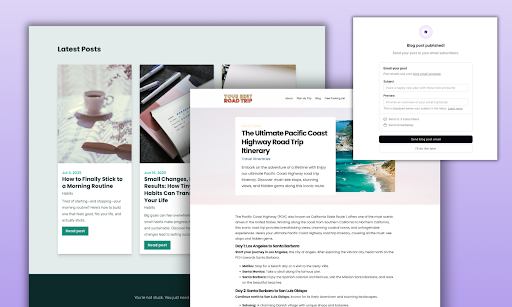
If you blog with Podia, you can also schedule your articles ahead of time, so they’re published automatically on your go-live day.
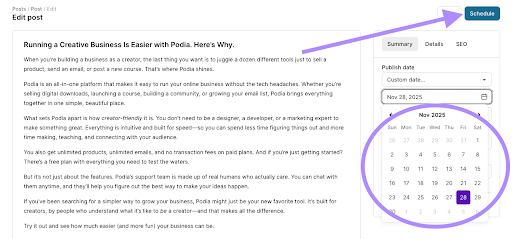
Schedule posts on Podia

Finally, draft a line or two for a call-to-action (CTA) banner on your website. When you run your sale, you’ll add this banner to your home page, so no one misses it, even if they’re not on your email list.

In Podia, you can create this banner in the website builder with a text section. Add a headline announcing your sale, add your coupon code, and save it as a reusable section.
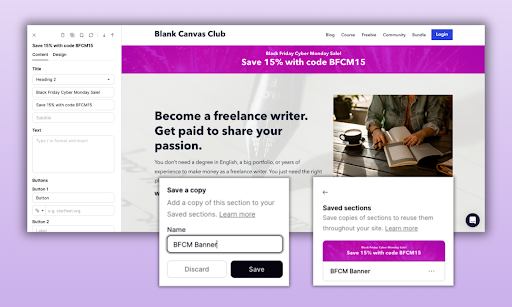
Headline banner on website

Then, when launch day hits, drop it onto your homepage, blog, or anywhere else you want to grab attention.

Step 3: Write and schedule your emails

Email is the engine that powers your BFCM sale. You’ll use it to build excitement ahead of launch day, guide people through checkout, and remind them to grab the deal before it disappears.

And the best part is that you can write everything ahead of time, schedule it, and let it run on autopilot while you focus on answering questions and connecting with buyers. (Podia even has flash sale email templates you can use for your messages, so you don’t have to design from scratch!)
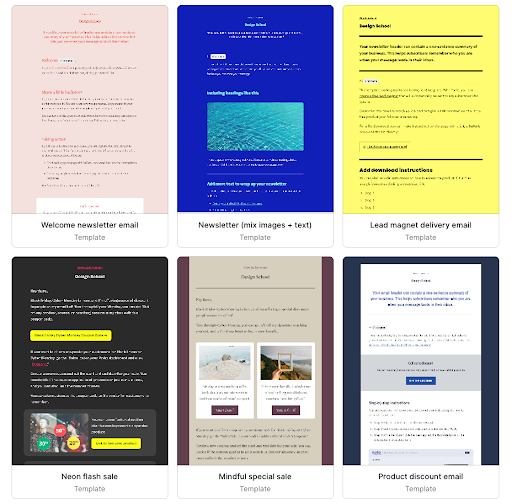
Flash sale email templates on Podia

Here’s a simple lineup you can copy for your promotion:

Teaser #1 (about a week out): Let your audience know something exciting is coming. Add a call to action like “mark your calendars,” and maybe share something free (like a blog post, lesson, or resource) to give them a taste of your teaching style. Make sure to only send this to people who don’t already own the product you’re offering for sale.

Teaser #2 (the day before launch): Build anticipation with a case study, testimonial, or preview of what’s included. If your sale has limits (like “first 10 buyers”), let people know exactly when it starts so they can set their alarms.

Launch day: The big announcement! Share the sales page link, coupon code, and step-by-step instructions to make buying as easy as possible.

Reminder (mid-sale): Highlight what’s included again, maybe with a short video walkthrough or chapter/lesson sample. Keep the emphasis on what your buyer’s life will be like after they buy your product.

Testimonial (mid-sale): Share a story from a past customer or beta tester. If it’s a brand-new product, you can use testimonials from your other offers or your business in general to highlight your teaching style. Just make it clear where the praise is coming from.

Last chance (final day): Send a final reminder email a few hours before the doors close. Remind people what they’ll miss if they don’t act now.

Thank you (after the sale): Follow up with gratitude for buyers and for those who engaged with your emails. Share a helpful tip or resource as a thank-you gift to show appreciation that they’re part of your community, purchase or not.

Pro tip: Always set your email filters so you’re not sending promo messages to people who already own the product.

In Podia, you can do this by setting up your email and clicking filter → has products → doesn’t have product → specific product → name of your sale item.
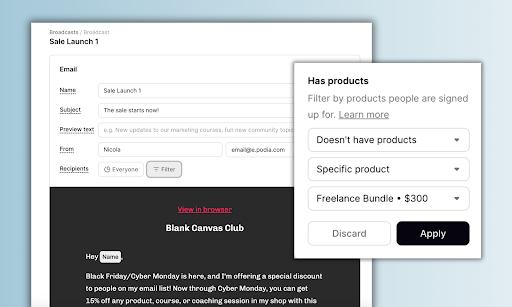
Set email filters

Read more about how to filter your audience in this help doc.

After you’ve set up your launch emails, your next task is to write your welcome sequence for people who purchase your product.

This is a short automation that kicks in once someone buys the product you’re promoting during your sale. As exciting as it is to get out there and reach new customers, it’s just as important to take care of those who do take the plunge.

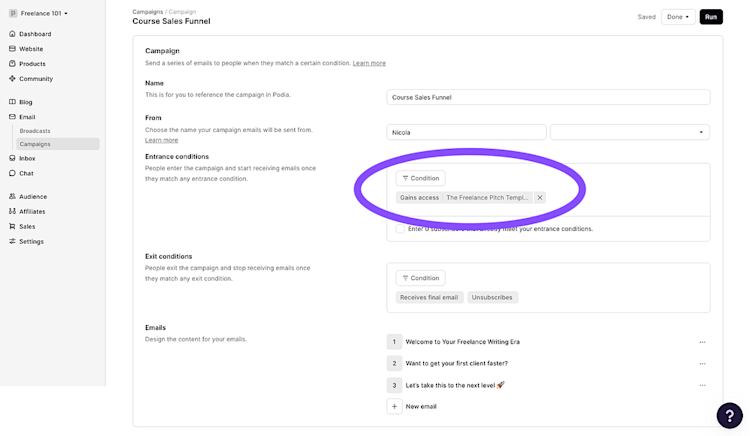
In Podia, you can set this up using the campaigns feature. Set the entrance condition to “Gains access to: Product name” and give each email a few days delay so they’re spaced out. Then you can go into each email and customize the message or add more information.
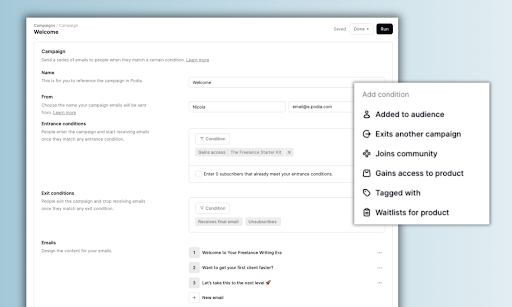
Campaigns feature on Podia

Here’s a simple and warm outline you can use as a jumping off point:

  • Email 1: Welcome them in, tell them about your business, and explain how to get started with their new product.

  • Email 2: Share a few tips for how to be successful in your program and let them know that they can respond to the email if they have any questions.

  • Email 3: (Add a few more days delay here to give people time to enjoy your product) Ask for a testimonial or review. You can use these stories for future launches.

That’s it! Set it all up now, and when launch day hits, your emails will go out like clockwork while you sip coffee and celebrate new sales rolling in.

Step 4: Test your tech

You’ve put in the work to plan your offer, make your marketing materials, and schedule your launch emails, so now it’s time to make sure everything runs smoothly when your sale goes live. This is where you connect the dots, publish your setup, and test it from start to finish so buyers have a seamless experience.

First, complete your product and publish it. You can keep it hidden until your actual sale launches, but publishing lets you double check that all your links and pages are working the way they should.

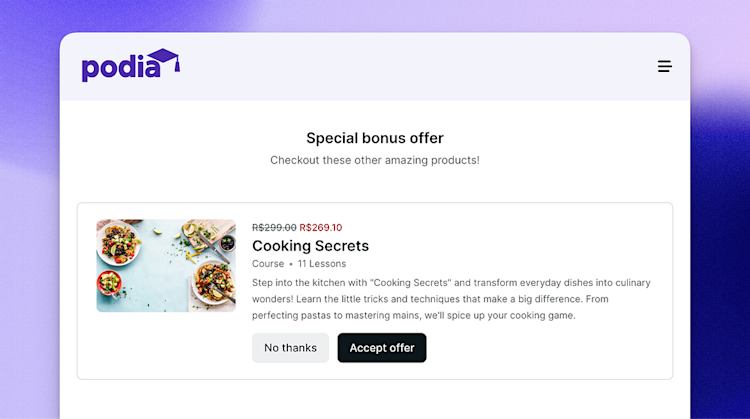
Next, add an upsell to your product. BFCM is prime time for boosting your order value, and with upsells, you can let your buyers grab a second related item during checkout for a discounted price. It’s a simple way to increase revenue with zero extra effort.

In Podia, you can add an upsell to your product in one click on the pricing page. See how to add an upsell to your product step by step here.
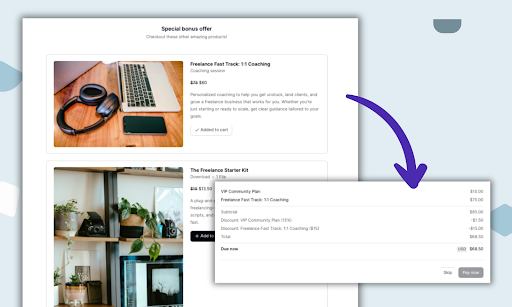
Add an upsell to a product

Set up your coupon. Go to the “Sales” tab in the Podia dashboard and click “Coupons” to set one up. You can customize which products the coupon applies to, what the discount should be, how long it’s valid, and how many times it can be used.

You can also customize the coupon code then copy and paste the code so people can type it in at checkout, or generate a special link that automatically applies the discount to the relevant pages.

Read more about how coupons work in Podia in this help doc.
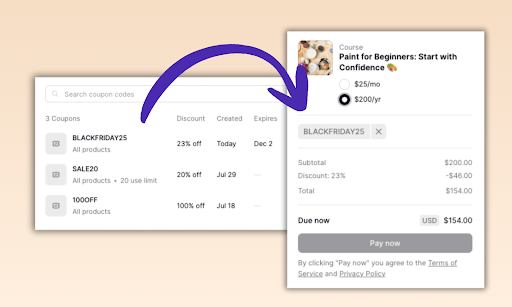
customize coupon codes

Publish your sales page. Make sure the copy is final, images are in place, and the banner or promo details are crystal clear. Again, you can keep this hidden for now by not linking to it on your site until the sale goes live, but it’s nice to have everything ready to go in advance.

Then, check your links. Click through every button, email, and banner to confirm they lead where they should. Replace any placeholder text, paste in coupon codes, and give everything a final polish.

Finally, go through the checkout process yourself (or ask a friend) to make sure it’s smooth and clear. Better to catch hiccups now than on launch day when buyers are lining up at your virtual door.

Aim to have all this done the day before you launch at the latest, so you have time to make adjustments if needed. The key to a stress-free Black Friday/Cyber Monday is not having to get up at 3am to fix your coupon codes last minute.

Step 5: Launch day!

Today’s the day! You’ve scheduled your emails, prepped your posts, and polished your pages. Now it’s time to share your promotion with the world.

If you’re running this for Black Friday Cyber Monday, your sale will usually run from Friday through the end of the day on the following Monday. If you’re planning a different sale period, keep it short (a few days max). That way, you can keep the energy high and promote consistently without feeling like you’re nagging.

You’ve already done most of the prep work, so it’s just a matter of pressing “Go” on a few things:

  • If you’ve set your product to hidden, change it to “Visible.”

  • Add a big banner to your homepage and any other pages you promote regularly. (You’ve already written the copy for this in Step 2.)

  • Share your sales page in your social bios and link-in-bio.

  • If you didn’t schedule your blog posts and social posts in advance, press publish on your launch communications. Otherwise, they’ll go live on the schedule you set.

  • Stay present on social media to post reminders, answer questions, and celebrate each new buyer.

  • Keep an eye on your inbox for questions and support requests (someone will always misplace a coupon code — it’s part of the fun).
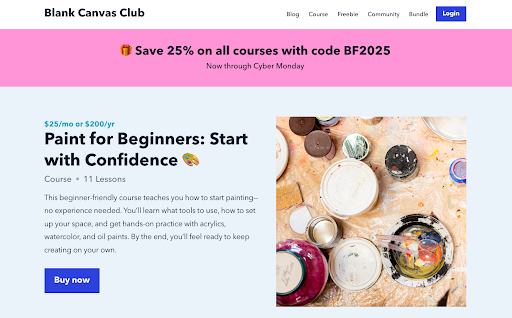
Add big banners on homepage

This is your chance to connect with your audience, keep the energy high, and enjoy the results of all your planning. Don’t forget to celebrate your hard work!

Your Black Friday sale checklist

To recap, here’s a checklist to prepare your store and marketing efforts for Black Friday Cyber Monday:

  • Choose which product will be part of your promotion

  • If launching a new product, make it and use your BFCM deadline to avoid procrastination

  • Add an upsell to your product to increase your order value

  • Set up your sales page

  • Set up your coupon code

  • Write a blog post promoting your sale and schedule it for launch day

  • Write and design (at least) four social media posts and schedule them for the launch period

  • Write and schedule an email for each day of your sale in your email software

  • Create an automated welcome sequence for new sign-ups

  • Check your email filters (don’t send promos to people who already bought)

  • Test your links and coupon code in a fresh browser

  • Add your sales page to your link-in-bio so it’s easy to find

  • Add a sale banner with the coupon code to your homepage

  • Link your product from relevant blog posts

  • On launch day, turn everything live

  • Answer questions quickly in emails and comments

  • Post in real time responding to FAQs

  • Thank your followers, supporters, and email list once the sale is done

And of course, have fun with it! This is a chance to reach more people and bump up your sales, which can put your business in a better position for months and years to come.

Drive sales during Black Friday Cyber Monday, the stress-free way

Running a sale can feel like a big production, but with a plan in place it’s really just a series of small, doable steps — and you’ve already mapped them out. Whether it’s Black Friday, a holiday promo, or a product launch of your own, you don’t have to do it alone.

Podia has your website, digital products, sales pages, email, and community all in one place, so you can spend less time wrangling tech and more time connecting with your customers. Start your 30-day free trial today and start planning your best launch yet.
FAQ

How does Black Friday Cyber Monday work?

Black Friday Cyber Monday (BFCM) is the shopping weekend that kicks off the holiday season in the U.S. It starts the Friday after Thanksgiving and runs through Monday. Businesses often run sales and discounts during this period to encourage people to shop for the upcoming holidays.

What are some Black Friday marketing strategies for creators?

The best BFCM marketing plans start before the weekend. Build anticipation with teaser emails and social posts, share a clear timeline for your promotion, and make sure your sales page, coupon codes, and checkout links are all tested ahead of time.

Throughout the promotion period, use a mix of your usual channels like email, social, and even blog posts so your audience can’t miss what you’re offering. Make sure you’re explaining how your program can address your audience’s pain points and how their life could be different after joining. Share testimonials and customer reviews to build trust and give followers a look behind the scenes at what’s included to build excitement.

What are some Black Friday sale ideas for small businesses?

It depends on what makes sense for your business goals, products, and lineup. A lot of businesses do a percentage discount or flat rate sale, like 20% off or $5 off any product. But you can also get creative with it by:

  • Launching a brand-new product on Black Friday
  • Offering bundles that give customers more value
  • Running an exclusive discount just for your email list (and encourage people to join beforehand so they don’t miss out)
  • Setting up a coupon with a limited number of uses to create urgency
  • Selling a product at normal price but adding on a free 1:1 coaching session as a special BFCM perk.

The key is to choose an offer that makes sense for your audience and business stage.

What tools do I really need to start an online business?

Software Stack Editor · September 16, 2025 ·

You’ve got an idea for an online business, and now it’s time to actually bring it to life.

The tricky part? If you search for what tools you “need,” you’ll find endless lists with dozens of apps, subscriptions, and complex platforms. Add them all up, and you could be paying hundreds of dollars every month before you’ve even made your first sale. Not ideal.

The truth is, you probably don’t need all that.

At Podia, we’ve seen thousands of solo business owners build amazing businesses with way fewer moving parts than you’d expect. In fact, you might only need one platform to get things off the ground.

In this post, I’ll walk you through the essentials. What you really need to start an online business is:

  • A website to tell people what you do

  • Digital products and courses to make money

  • Email marketing to keep in touch with your audience

Plus, I’ll share a simple game plan for growing your audience once you have those three things in place (because even the best tools on the planet won’t do much if no one’s visiting).

So let’s take a look at what you actually need to start your online business.

Quick note — Podia has your website, products, email marketing, and blogging all built into one tool, so you don’t have to juggle a ton of tech. Start your 30-day free trial today.

Right at the top, I want to address those long lists of things you “need to have” to build a business online — you know, the ones that make it seem like you need to be a tech expert or have a big budget before you even begin. You can spend weeks signing up for trials, connecting apps, and fiddling with settings without actually moving your idea forward.

Most creators don’t start their online business with investors or a giant team. They start with an idea, a laptop, and maybe a Saturday afternoon to finally make it real.

What you don’t need at this stage is a complicated setup that drains your energy (and your wallet) before you’ve even published your first page.

Your business isn’t supposed to start fully formed. It’s supposed to grow. We often see entrepreneurs begin with just one offer, then add more as they learn what their audience wants. Maybe you launch with a simple digital download, and six months later, you’re ready to add a course. Or you start with a newsletter, and later you’re ready to build a membership.

That’s why the best tool for you isn’t a huge stack of single-purpose apps. It’s an all-in-one platform that grows alongside your business, so you can keep things simple today while leaving the door open for tomorrow.

The simplest path forward is usually the strongest. Your business will grow and evolve, but the only way to learn what works is to get something live, then improve and build on it over time.

It starts with just three puzzle pieces.

#1 You need a website, ideally with landing pages and blogging

A website is your home base for your business on the internet. It’s where people can connect with you and learn about what you offer, and it also serves as a hub for your products, email list, and articles. With a website, you can keep everything organized in a space that you own.

When deciding where to build your website, there are a few things to look out for:

  • Easy to use: Your website should be easy to set up and update so you can make changes as your business grows. No need to call a developer just to change a picture or a few lines of text.

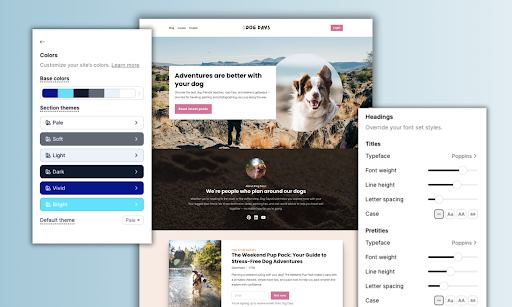
  • Customizable: Your website should look and feel like you, so customizations are a must. Look for a tool that lets you adjust your colors, fonts, layouts, and design elements to reflect your branding.

  • Connected to your products and email list: Your website is where you’ll tell people about your products and newsletter, so everything needs to play nicely together. If you’re using separate platforms, make sure they integrate together. Or keep things simple with an all-in-one website tool that also has your products and email out of the box (like Podia).

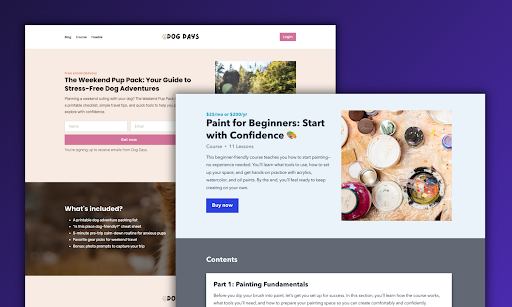
Example of Podia customizable website

In addition to connecting to your products, your website should also have sales pages and landing pages. This is where you’ll tell prospective buyers what your product includes and how it can help them reach their goals.

You’ll also want a website tool with blogging functionality. A blog gives you space to share your ideas with readers, and it also helps new people discover you through search engines. Every post you write is a chance to answer the exact questions your future customers are typing into Google.

But more importantly, it’s space to go deeper with your audience. By sharing helpful, high-quality posts, you build trust and show your expertise, which makes people more likely to buy when you offer a paid product.

Example of Podia blogging

See how to build your Podia website step by step over on our YouTube channel!

Once you have a website, the next step is creating and selling digital products. These come in all shapes and sizes, and some of the most popular product types are:

Digital products are the heart of your online business. They’re how you turn your ideas into income, and you’re not limited to just one. As your business grows, you’ll get new ideas and hear feedback from your audience.

Maybe you want to set up a community for bakers to share their best recipes, or a free vacation packing checklist to grow your email list. Maybe your productivity ebook is doing really well, so you want to transform it into a full-length course.

With the right tool, you can experiment and expand without hitting limits.

Example of Podia digital download

That’s where an all-in-one platform like Podia shines. You can upload files, build courses, create memberships, and set up community spaces and discussion forums for your customers.

You can make your products free, one-time purchases, or subscription-based. Podia also lets you add upsells, bundle products together, and offer free trials for your customers. Payment plans are easy to set up too, so your audience can pay in a way that works for them.

Podia integrates with Stripe and PayPal for payment processing, and we’ll handle checkout and product delivery so you can focus on building your business.

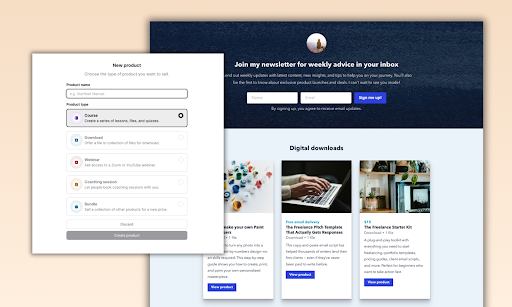
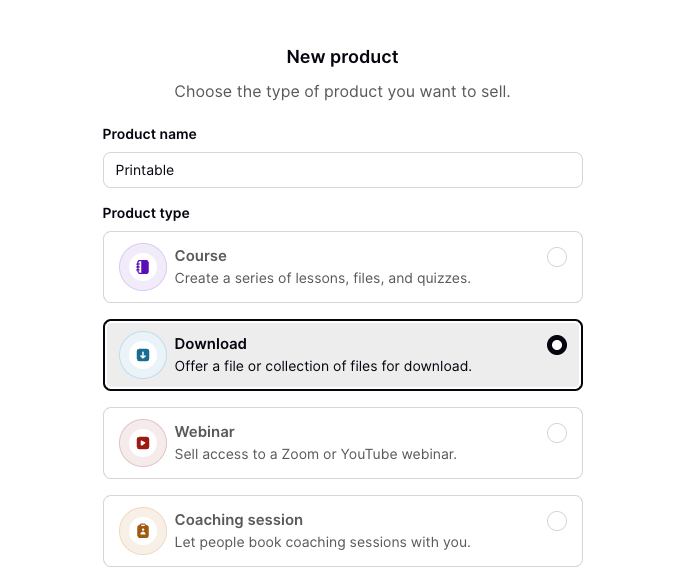
Example of Podia New Product set up

If you’re just starting out, I recommend beginning with a simple digital download because it’s quick to create, easy to share, and a great way to learn what your audience responds to. Plus, you can sell it unlimited times, so there’s no cap on what you could earn. Here’s how to set one up.

Bonus tools for making your digital products

Your products can be as simple or complex as you like. We’ve seen tons of successful creators record course videos on their phones, write ebooks in Word, and call it a day. But if you’re looking for tools to make product creation a bit easier, here are a few I recommend.

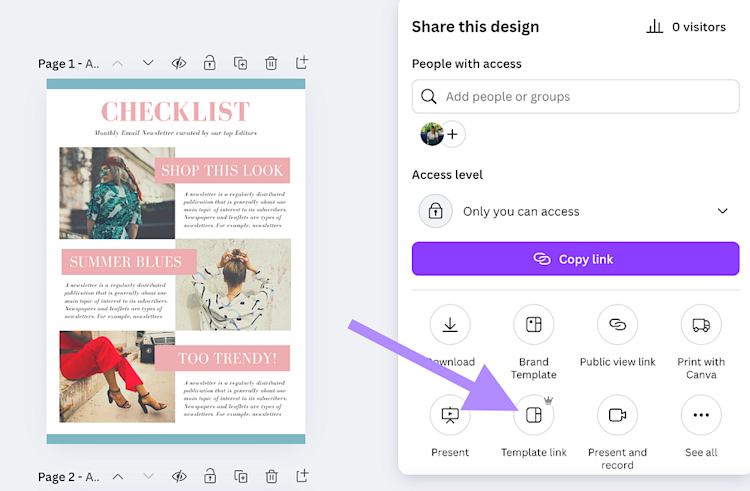
  • Canva: Canva is graphic design software that you can use to make visuals for your website, social media pages, blog posts, and products. They have templates that you can use, so it’s fast to make checklists, guides, ebooks, slide presentations, and other visual media for your business.
  • G Suite: Google Sheets, Docs, and Slides are a nice way to create products because you can invite collaborators to comment and edit during the building process, and you can share the finished product as a template that customers can download to their own Google accounts. (This works great for sharing spreadsheets since your customers can duplicate, add their own data, and go!)
  • iMovie: If you’re a Mac user, iMovie comes free on your computer and works well for basic video editing.
  • CapCut: If you want to edit videos on your phone, the CapCut app is a good choice.

#3 You need an email list and newsletter to stay in touch

Once you have your website and a plan for your digital products, the last piece of the puzzle is email marketing. Your email list is how you stay in touch with your biggest supporters — the people who’ve opted in to hear from you. It’s how you’ll send newsletters, build automated welcome sequences, run sales funnels, and keep your audience updated on new content or product launches.

Publish a new blog post or YouTube video? Let your email list know.

Launching a new product? They’ll be the first to hear about it.

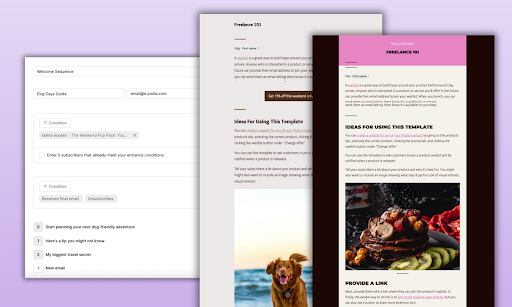
Example of Podia welcome email sequence set up

At a basic level, your email marketing tool should make it easy to:

  • Collect and manage a list of people who’ve opted in

  • Offer sign-up opportunities through website forms and lead magnets

  • Send one-off emails, like updates or newsletters

  • Set up automated campaigns, like welcome sequences, sales funnels, or product launches

It’s also helpful to segment and tag your audience. That way, you can send targeted messages to people who meet certain criteria in your business. For example, you could share a discount code with people who haven’t bought your course yet, or send an exclusive note to those on a waitlist.

As your business grows, your email list will become one of your most powerful tools. Set it up from day one, add a sign-up form to your website, and get in the habit of sending consistent newsletters to your list, even if you only have a handful of subscribers. By the time you’re ready to launch new products, connecting with your audience will feel natural.

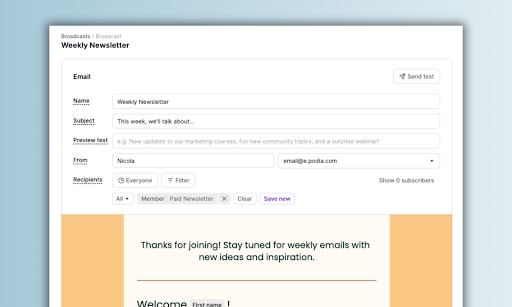
Example of Podia weekly newsletter set up

Read more about how to build an email newsletter that grows your business.

Bonus: You need a way to reach your audience

When you’re starting your online business, your website, digital products, and email list are all things you control. But even if everything is set up perfectly, your business won’t grow unless new people actually find your work.

That’s why there’s a fourth “bonus” puzzle piece: audience reach. This isn’t a tool you buy; it’s about putting your work in front of the right people. You can do this through social media, YouTube, blogging, or niche communities and forums. The key is choosing platforms that fit your strengths and interests.

For example:

  • If you love writing, lean into a blog. Share advice, tutorials, or stories that show your expertise.

  • If you love video, start a YouTube or TikTok channel. Short tutorials, behind-the-scenes looks, or quick tips can attract followers who are likely to be interested in your products.

  • If you like community interaction, take a look at forums like Reddit or Facebook Groups. Engaging directly with your audience helps you understand their needs and creates a natural place to share your products.

The key is to start simple and start creating. Aim to make 2–3 posts to get going: one introducing yourself and what you offer, another sharing your best advice, and maybe a third showcasing your product or a free resource. In your profile or bio area, make sure you include a link back to your website (and lead magnet, if you have one!) so that people can find more information about you.

Then make a plan to post a few times a week at a cadence that’s sustainable for you. Most social platforms will let you schedule out your posts in advance so you can create and plan in bulk when you’re feeling inspired.

At the end of the day, it’s less about which platform you pick and more about consistently providing value. By giving your audience useful content for free, you start building trust, connection, and interest — so when you launch your products, people are ready to buy.

For more info on reaching your audience, make sure to check out this workshop replay on our YouTube channel. We cover how to find your audience, get them onto your list, and get them excited about your upcoming products.

Many people overcomplicate starting an online business by trying to juggle a dozen different tools before they’ve even made their first sale. In reality, you only need three things to begin:

  • a website so people can find you

  • digital products to bring in revenue

  • an email list to stay in touch with followers and customers

With Podia, you can do all of that in one place. Build your website, create and sell products, and run your email marketing without wrangling multiple platforms or logins.

Your business will grow and evolve over time, but the simplest way to start is to take action today. Start your 30-day free trial of Podia and get your business up and running.

How to grow your Podia website traffic (7 different strategies)

Software Stack Editor · September 1, 2025 ·

If you’ve ever felt like your website is invisible, you’re not alone. Many creators put time and energy into building a great site and digital products, only to see traffic stay flat and sales slower than expected.

It’s frustrating to pour hours into content, site design, and updates, only to get a trickle of visitors in return. But the good news is that you don’t need a giant budget or a marketing team to turn things around.

With the right strategies, like SEO, content marketing, collabs, and email, you can steadily attract the right visitors, build an audience, and turn your traffic into paying customers for your digital products — without feeling like you’re shouting into the void.

In this guide, we break down 7 strategies you can use to get more website traffic to your Podia site today, so you can make more sales and grow your work long into the future.

Podia has your website, blog, digital products, audience data, and email marketing built into one easy platform. Start your 30-day free trial today.

7 ways to get more traffic to your Podia website

Website traffic isn’t everything, but it is a big thing.

More eyes on your work can lead to:

So when we talk about growing your website traffic, we’re not just talking about getting more clicks. It’s the start of a cycle that fuels your whole business.

More visitors mean a bigger audience. A bigger audience means more sales, more feedback, and more resources to reinvest in creating the products your people want. And with every turn of that cycle, your business grows stronger.

The first step? Simply getting more people to discover you. That’s why these 7 traffic-building strategies are worth putting into action today so you can set the foundation for everything else to grow.

#1 Optimize your website for search engines

Up first, let’s make it easy for people to find you.

You can do this through search engine optimization, or SEO. SEO is essentially a set of steps you can take to help search engines understand what your work is about when they scan your website. Search engine algorithms use this information to determine what pages to show in the search results.

For example, let’s say you teach a course about how to make amazing chocolate chip cookies. If someone searches for “best chocolate chip cookie course”, we want your course to be up at the top of the page!

You can improve your odds of getting that first slot by giving search engines lots of signals and information about what you do. The clearer you can explain what your site is about, the better search engines can understand where to place you.

While there’s no guaranteed way to influence your position on the search engine results pages (search engine algorithms are proprietary), there are a few widely-agreed-upon steps you can take to give your site the best chance of being discovered.

Out of the box, Podia has several spaces where you can tell visitors and search engines what your work is about. Here’s how to make the most of them.

Related post: How to build your website in Podia step-by-step

SEO tip 1: Add a site description

First, go to the Podia website editor and scroll all the way down to find your site settings.

Podia website editor Site settings gear

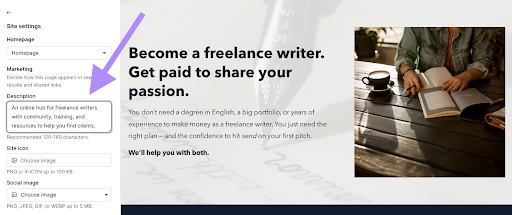
Click into the site settings gear, and you’ll see an option to add a site description. Here, you should share between 120–160 characters that broadly explain what your business is about, using any keywords you’re targeting naturally within the text.

For example, if you run a business helping aspiring freelance writers, your site description could be: “An online hub for freelance writers with community, training, and resources to help you find clients, grow your business, and get paid to write.”

Add a site description in site settings

Now, when search engines scan your website to learn what your business is about, they’ll see keywords like “freelance writers”, “find clients”, “grow your business”, and “get paid to write”, which makes it easier to understand what you do.

SEO tip 2: Add individual page descriptions

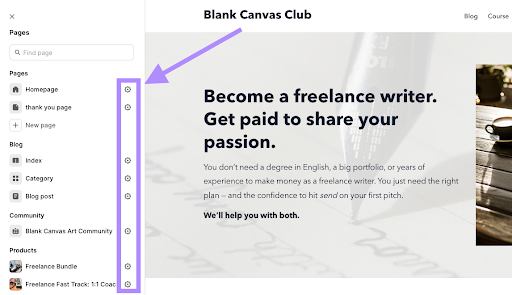
Next, go to the website builder and click the gear beside each page to open the page settings.

Add individual page descriptions

This lets you customize the title, URL, and page description on a page-by-page basis. Again, you can use all these spaces to tell website visitors and search engines what each page is about.

Give each page a clear page title, URL, and description that includes your target keywords. (Note, each website page and blog post should have a different target keyword.)

SEO tip 3: Use headings to break down information on your pages

Within each website page, you should use the appropriate heading hierarchy for your content. This helps search engines (and, more importantly, your readers) determine what content is most important on your page.

  • H1 heading: Use this for the most important title on the page. There should only be one H1 heading per page.

  • H2 heading: Use H2s for key headlines throughout the page to call out important information

  • H3 heading: Use H3s as subheadings within an H2 heading, if needed

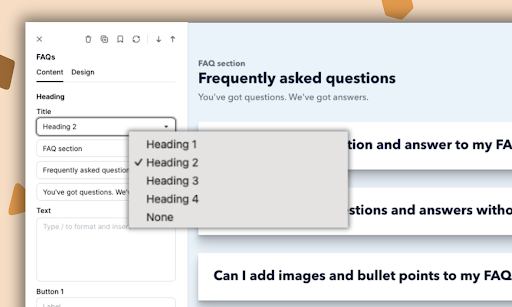
When you add a new section to any page of your website, you can set the heading designation in the “Content” tab. You can also adjust headings in the text editor by pressing the slash / key.

Set heading designations in Content tab

When you add a site description, page descriptions, and proper headings, you’ll be set up correctly from day one. Take some time to update these fields and make sure everything looks good behind the scenes, then onward to links.

SEO tip 4: Interlink your website pages

Now that you’ve got your pages configured correctly, the next step is to make sure they’re all connected to one another in a logical way.

There are two reasons for this:

  1. It improves the experience for your visitors. If someone lands on your site, likes what they see, and wants to learn more, a thoughtful internal link structure helps guide them to the next step — whether that’s another article, a product page, or a signup form. Instead of hitting a dead end, they’re invited deeper into your world.

  2. It helps search engines understand your site. When your pages are linked together, Google can see how your content is related. The more connected, relevant information you have, the more authority your site builds over time — which means better chances of showing up in search results.

Now, this doesn’t mean every page needs to be crammed into your header menu (that would get overwhelming fast). Instead, think about how your content naturally fits together and link accordingly.

For example, if you offer courses and coaching products, you might have a page about your coaching offers and a page about your courses. Each of those pages would link out to the individual sales pages for all the products in each category.

Or, if you write blog posts, you can link them together by topic. For example, a post about “How to paint with watercolors” could link to another post on “Watercolor supplies for beginners.” From there, you can also point readers toward your “Watercolor Basics” course, so they always have a clear next step.

Here are a few practical ways to link your pages together:

  • Link from your blog posts to your related products or services. (For example, a blog post about “How to get started painting” could link to your “Beginner’s Painting Course” page.)

  • Use related links at the end of blog posts to guide readers to more articles on the same topic.

  • Add contextual links within your content, pointing to deeper resources on your site where it feels natural.

  • Make sure your most important pages (like product sales pages or your email signup page) can be reached from multiple spots across your site, like your homepage and site footer.

The goal isn’t to force links everywhere, but to build a web of connections so both people and search engines can easily understand what your site is about and where to go next.

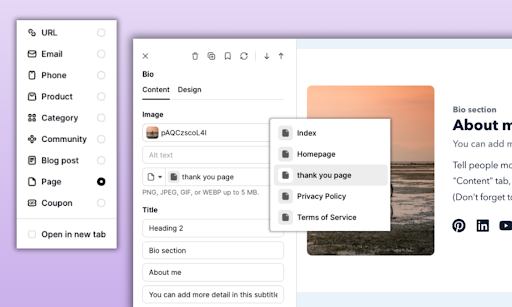
One perk of using an all-in-one tool like Podia is that it’s super easy to interlink your content. Podia’s smart link feature lets you choose from a dropdown menu of products, blog posts, and website pages whenever you add a link on your site, so you don’t have to copy and paste a bunch of URLs.

Smart Link feature

Now that all your pages are linked into a happy little web (that’s easy for your customers to navigate), it’s time to enhance your site with blog posts, lead magnets, and other resources to serve your target customers.

#2 Add blog posts to your Podia website (and make sure they’re set up correctly for search)

Your website is a space to tell people about who you are and what you do, and your blog is a more dynamic place where you can share your experiences, answer questions, and go more in-depth about the topics you’re passionate about.

A blog is also a tool to boost your website traffic, since each article gives you another opportunity to show up in the search results and reach more people.

For your first blog posts, I recommend answering the questions you’re asked most often in your business. What do your prospective customers want to know? What do you get asked in your DMs and comments?

If you’re totally new without an audience, look at Reddit threads, YouTube videos, and social posts related to your niche and scroll down to see what kinds of comments people are leaving. Chances are, you’ll find some good questions to answer when you write your blog posts.

A few quick tips:

  • Address one topic per blog post

  • Link to related blog posts or website pages from within your articles

  • Add an email sign-up form or lead magnet form to each blog post so people can get on your list

Podia has blogging built in, so you can start your blog, add as many posts as you want, and customize the layout right in the website builder. Everything will look cohesive, and you don’t need to learn any new tools.

Blog example

There are also SEO settings so you can improve your chances of showing up in the search results for the topics you write about.

In Podia, click on “Blog” on the left-hand side of your dashboard. Click “New post” to add an article to your Podia website.

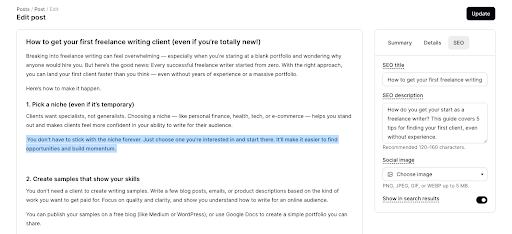
You can type your blog post content directly into the text editor and add images, videos, embeds, buttons, and other text effects right on the page.

Type blog post directly into text editor

Then, click on “Summary” on the right side of the page and customize the post URL to match what your post is about. Keep this short, simple, and descriptive so the search engine robots can easily understand what your article covers.

Next, click into the “Details” tab to customize your excerpt and featured image. You can also choose if you want to allow comments or not, and put your posts into categories.

Finally, click into the “SEO” tab. Here you can add your SEO title and description. Use the same strategy you used for the site description. You should tell your readers and search engines what your page is about using relevant keywords, and then press publish.

For every article you publish, there’s a chance that someone searching for that question will find your work and learn about you. The more you post, the more potential people you could meet and the more eyes you’ll get on your website.

(Pro tip: Keep up the internal linking we talked about in step #1! Someone interested in your blog post might also be interested in a related article or product, so make them easy to find with internal links.)

New to blogging? Don’t make these 15 blogging mistakes!

Next, we need to set up a way for you to stay in touch with the people who visit your website. An email list is the move here, and you can convert more website visitors into email subscribers with a lead magnet.

A lead magnet is a free product that you give away to people who are interested in what you offer. When a visitor signs up for your lead magnet, they are automatically added to your email list, and Podia will send them the product straight to their inbox.

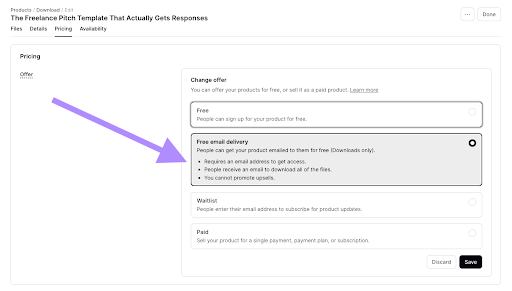
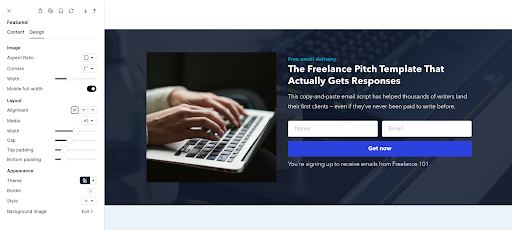
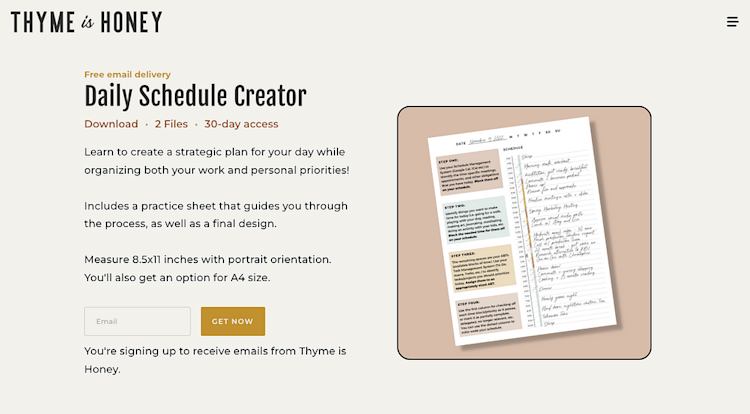
Your lead magnet can be a checklist, minicourse, ebook, printable, digital download, or anything else that helps your audience get closer to their goals. You’ll set it up like you would any other digital download in your Podia account, and set the price to “Free email delivery”.

Free email delivery option for lead magnets

On your website, you can click into a page where you want to promote your lead magnet and add a “Products” section type. Select your lead magnet from the drop-down menu and customize it using the content and design tabs.

Customize lead magnet from products section

Press publish, and now anyone who visits your site will be able to sign up for your freebie and learn more about what you do.

(Pro tip: Use Podia Email campaigns to automatically trigger a welcome sequence when someone signs up for your lead magnet. It’s a great way to start the relationship off on the right foot.)

You can also create content around your lead magnet and share it on your social media channels or any other place you have an audience, which brings us to #4.

Help doc: How to create a lead magnet in Podia

#4 Create free content on your preferred channels

You’ve got a website, blog, and free lead magnet ready to go, so the next thing to do is share all that hard work on any channel where you already have an audience, even if it’s a small one.

You can:

  • Add a link to your website in your link in bio (you can even build a custom link in bio page in Podia!)

  • Add a link to your site, lead magnet, and relevant pages in the captions of your YouTube videos

  • Pop a note about your free lead magnet in your email footer

  • Share your blog posts on Facebook, LinkedIn, Pinterest, Instagram, TikTok, or Reddit

  • Share your lead magnet periodically on your platforms, too, so new followers can find it

But beyond just sharing your site and freebie, I also recommend regularly creating free resources and content on at least one channel. This is called content marketing, and it’s a key way to get your work in front of people who aren’t already in your audience.

If social isn’t your jam, I totally get it — no one is saying you have to become an overnight influencer — but do aim to have at least one platform where you regularly put your work out there for people to find. That can be YouTube, Facebook, LinkedIn, Pinterest, Instagram, Bluesky, TikTok, Reddit, X, a niche community, or any other platform that makes sense for your audience.

For Podia customer Em Connors, that platform was Instagram. When she had the idea to make a Canva course, she also made a new Instagram account for her business. She spent the next six months leading up to her launch sharing social media tips and Canva strategies, without asking her followers for anything in return.

Every day, she posted educational, inspirational, or entertaining content, and her audience grew. “I was there to help,” Em shares, “I wanted them to think of me when they think of Canva.”

This approach isn’t limited to Instagram either. “Pick one platform and go all in on it,” Em advises. “Don’t spread yourself too thin, and get to know it inside and out.”

Once you’ve selected a platform, consistency is key.

“Every day, [I show up]. I show my face all the time, so my followers know who I am. They hear me speaking and get a glimpse of what it would be like to take one of my courses.”

By showing up consistently and sharing valuable free content, Em had a five-figure launch when her course was finally ready to share. Her audience already knew her teaching style and trusted her expertise, so it was a no-brainer to sign up when the course became available.

This works with growing your website traffic too because if you build a bond with your audience, they’re much more inclined to go check out the new blog posts, lead magnets, and products you share with them on your channels.

If you’re not sure what type of valuable free resources to share, use these post ideas as a starting point:

  • Repurpose a blog post or video

  • Share your backstory in your business

  • Your biggest tip for your niche

  • Your biggest blunder in your niche

  • A hot take or thing you do differently from others

  • News in your industry

  • A tutorial explaining how to do something

  • A step-by-step breakdown of how you reached a goal

Related post: How to monetize your social media following (even with a small audience)

#5 Do collabs with other creators in your niche

Another great way to get more people to your Podia website is by collaborating with other entrepreneurs in your niche. If there are creators in your industry who share a similar audience, consider a reciprocal promotion.

For example, you might feature each other in your email newsletters, write guest blog posts for each other’s websites, swap social media shoutouts, or highlight each other’s lead magnets.

There are a few ways to approach this depending on your goals:

  • For visibility and reach: A traditional collaboration works well. Think of it as simply introducing your audiences to each other. You share their business with your followers, and they do the same for you.

  • For product promotion: Go deeper by swapping launch details, co-hosting a webinar, or creating a bundle that combines both of your offers. This way, your audiences get more value and both of you benefit from the exposure.

This is one of the ways educator Tamkara Adun grew her social media following to over 60k fans.

When she started her Instagram account, Tamkara wanted a space to connect with others interested in African history from a decolonized, African-centered perspective.

The more information Tamkara posted, the more people engaged, reposted, and tagged their friends. Followers also started volunteering their own knowledge and experiences, creating a reciprocal learning environment.

Tamkara kept this momentum going by contacting thought leaders she admired through comments or direct messages. She told them their posts resonated with her and reshared their content to amplify their voices. They would often visit her page and follow her in a spirit of reciprocity.

Tamkara also did collaborations with bigger accounts in her space. “When I did guest posts for them, they exposed me to their audience, and some of their followers came to my page and followed me.”

In just two years, her account grew from 50 followers to over 24,000.

“People can sense when you love what you’re doing,” she explains. “It builds trust and loyalty. I focused on posting good content that people naturally wanted to share, putting me in front of more people.”

To find your first collaboration partner, you can head to the Podia Community. If you share a bit of information about your target audience, you might meet some other entrepreneurs who are eager to connect. The Podia Community is free with any Podia account, so start your 30-day free trial to get started.

#6 Use consistent email campaigns and newsletters to send your audience back to your website

You’ll often use your website to grow your email list through sign-up forms or lead magnets, but don’t forget that you can also use email to drive people back to your website.

Every email you send is a chance to remind subscribers to visit again, check out what’s new, and dive deeper into your content or products.

Chances are, even your most loyal fans haven’t read every article you’ve published or seen every product you’ve created. Regularly sharing links to your site gives them an easy way to discover more of what you have to offer.

Pro tip: I like to go back through my evergreen content once a year, make updates, and then reshare it with my list. It’s an easy way to keep valuable content in circulation without reinventing the wheel.

Here’s a simple system I recommend when you’re first starting out:

Create a welcome campaign that automatically sends when someone joins your list.

  • Email 1: Welcome them to your brand and introduce your business.

  • Email 2: Share your best free content (blog posts, YouTube videos, etc.) to provide value.

  • Email 3: Highlight a paid product and invite them to learn more.

Send regular newsletter emails (about once a week). These should focus on value and resources that help your audience reach their goals. Include links to your blog posts, product pages, or other resources so readers naturally click back to your site.

Use a newsletter template to make sending faster. Podia offers more than a dozen starter templates you can customize to fit your brand.

Staying in touch with your subscribers is how you stay top of mind. Someone might not be ready to buy when they first sign up, but months later, that consistent newsletter could be exactly what brings them back to your site and makes them feel ready to purchase.

What email newsletter platform should I use?

10/10 recommend Podia for your email newsletters! Podia has your email marketing automatically connected to your website, blog, and digital products, so you don’t need to wire up a bunch of tech. You can use Podia for sending newsletters and building automated sales funnels to keep your business running behind the scenes.

Related posts: Discover the best email newsletter platforms or check out this handy guide on what to look for when choosing your email newsletter software.

#7 Set up your own affiliate program

A final way to bring more traffic and sales to your Podia website is with an affiliate program. Affiliates are partners (often past customers or people in your niche) who recommend your products to their own audiences. When someone buys through their link, they earn a commission. Because you only pay commissions on actual sales, it’s a low-risk way to get more eyes on your work.

What makes affiliates so powerful is that they send new people straight to your site. Every blog post they write, every newsletter they send, every social post they share about your products drives fresh traffic to your business. And there’s a good chance that traffic is the right fit for what you offer, since it’s coming from a recommendation by someone who already enjoys your work.

In this way, affiliates act like your very own marketing team, helping you get discovered by audiences you might not reach on your own.

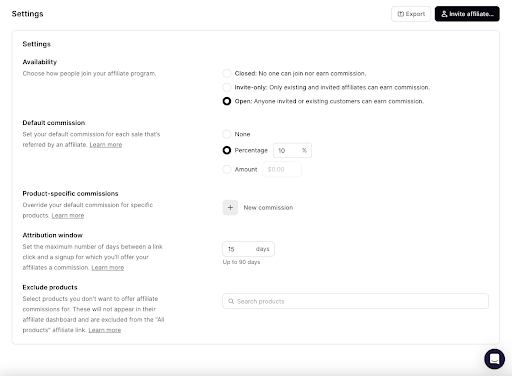
Podia makes it simple to set up your very own affiliate program, with full affiliate features available on the Shaker plan. You can choose which products are part of the program, set the commission rates, and decide whether to make your program invite-only or open to anyone.

Set up affiliate program in Settings

You can even email your affiliates directly to share launch updates, new products, or promotional materials, which makes it easier for them to send even more people your way.

Check out this guide for the full scoop on building an affiliate program in Podia.

How to boost your Podia site traffic, grow your audience, and make more sales

Getting more eyes on your work is the first step to growing your business, and you can make sure you’re set up for success by doing these 7 things:

  1. Optimize all your website pages so search engines and readers can figure out what your business is about

  2. Add blog posts to expand your reach and help more people

  3. Create a free lead magnet to bring people into your email list

  4. Create free content on social media and any other channels where you have an audience, and point viewers back to your site

  5. Do collabs with other brands in your industry for more exposure

  6. Send regular emails and newsletters to keep your business top of mind

  7. Set up your own affiliate program so previous customers and partners can promote you to their audiences

With these key pieces in place, you’ll have a system to keep new people coming your way, learning from you, and ultimately, buying from you.

You can build every piece of this system (including your website, blog, digital products, lead magnets, email marketing, and affiliates) in Podia, so grab your 30-day free trial today to start growing a business you love.

How to teach art online: A simple guide for artists

Software Stack Editor · August 21, 2025 ·

If you love creating art and teaching others, offering online art lessons and programs is a great way to combine your passions (and earn some income, too).

But getting started can feel overwhelming.

Should you sign up for an established platform or go out on your own? How will students find your schedule and book classes? Should you create a course? And how do you even handle payments?

Luckily, you don’t need to figure it all out alone. In this guide, we’ll walk through:

  • Why teaching art online can feel complicated (and how to keep it simple)

  • What you really need to start your own online art business

  • How to grow your audience and make consistent sales, even if you’re starting from scratch

By the end, you’ll have a clear path to share your artistic passions with the world, and I bet it will be easier than you think.

You can build everything in this guide using Podia, and there’s a 30-day free trial so you can test everything out before you pay anything. Sign up today to set up your website, online art products, lessons, and email marketing.

Teaching art online doesn’t need to be complicated

When you take the leap into teaching art online, you’ll probably have a lot of questions.

  • What kind of equipment do I need?

  • Should I teach live or pre-recorded classes?

  • Where should I set everything up online?

  • How will I make money?

Those are all valid questions, and the search for answers can get overwhelming fast.

Start researching platforms and you’ll end up buried in tech jargon, endless features, and tools that don’t play nicely together. Then there’s the pressure of finding students, getting them to sign up for your paid programs, and keeping them around for the long haul.

And even once you’ve picked your tools, the setup process can feel like a puzzle with a hundred missing pieces. No wonder so many people get stuck before ever launching.

But the good news is that pulling everything together doesn’t have to be intimidating. In fact, you can probably get the foundation of your online art teaching business set up in a single weekend.

Because you don’t actually need a complicated tech stack or expensive gear. You just need your art supplies, a simple website, a digital product or two, and an email list to connect with your students.

The 4 things you really need to teach art online: art supplies, a website, digital products, and email marketing

Okay, it’s one thing to say that starting your online art business is simple, it’s another thing to actually do it. So let’s walk through everything you’ll need step by step.

#1 Gather your art supplies and filming setup

First is the most obvious, and probably something you already have on hand if you’re an artist yourself. Art is visual, so you’ll need the supplies and tools required to make art in your medium. You can’t teach painting classes without paint!

Spend some time assembling the pencils, canvases, sketchpads, yarn, thread, or digital tools you’ll need to make your work.

(Pro tip: While you do this, make a note of everything you use to provide a quick and easy checklist for your students!)

You’ll also need a way to show your students what you’re doing as you create your art. Simple is best here. If you’re drawing, painting, or making something with your hands, you can use a gooseneck phone stand or tripod, attach your phone, and point your phone camera at your work surface. Position your work under the phone camera and voila, you’re ready to film!

Don’t get too hung up on having tons of camera angles when you’re new. Also, you can always add a voiceover later if it feels too tricky to narrate and film at the same time.

If you’re offering live classes, you can use the same setup with your phone camera pointed down at your workspace. Join your Zoom, Meet, or Hangouts call from your computer with your webcam on so your face is visible in the class. Then join the call a second time from your phone — the one you’re using to film. Share your screen in the call from your phone so your students can see your workspace and your face throughout their live session.

If you have a specific art teaching setup in mind, there are tons of great YouTube videos that show you how to create your virtual studio, but remember that simple is often best. Getting started is more important than getting it perfect.

#2 Set up 1–2 online products

Next, you’ll decide what online products you want to offer. Many art teachers do 1:1 classes or live group sessions, but we’ve also seen art teachers offer courses, community memberships, and digital products like templates and patterns.

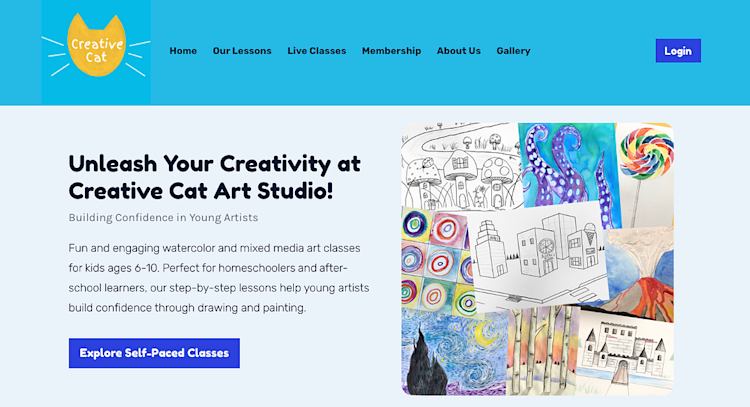
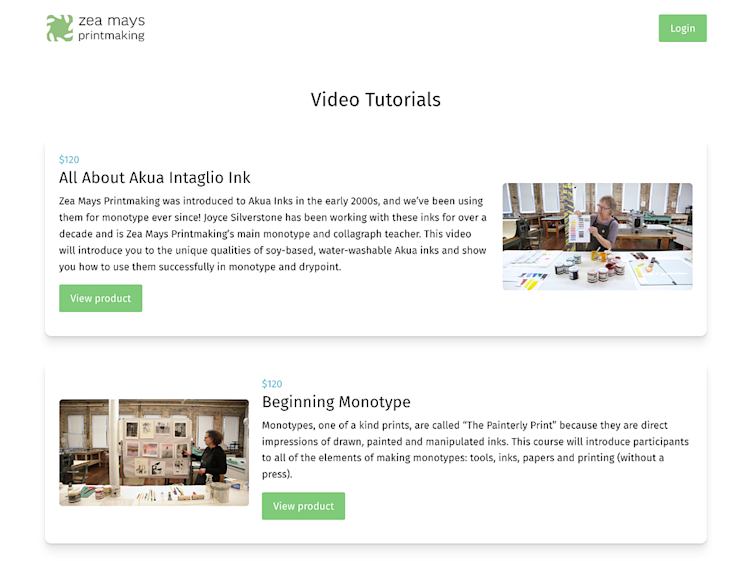
For example, Amy and Ella Bartley from Creative Cat Art Studio teach art classes for children. They offer live classes and self-paced lessons, and their students get access to video tutorials as well as printable worksheets and resources with each project. They also have a gallery area on their website to showcase student artwork.

Creative Cat Art Studio homepage

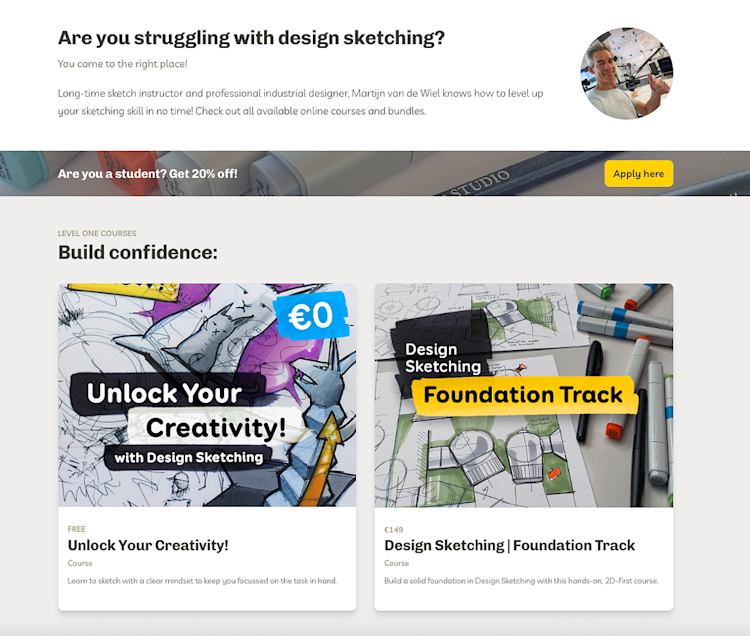
Sketch instructor and industrial designer Martijn van de Wiel teaches design sketching. He offers beginner and advanced self-paced courses, as well as custom workshops for teams. He also shares blog posts and sketching hacks on his website so prospective students can see his teaching style and learn more about what he offers.

Design Sketching courses

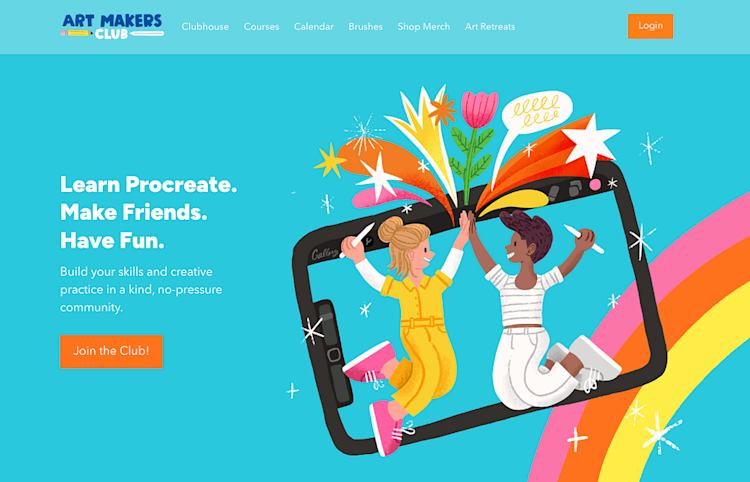
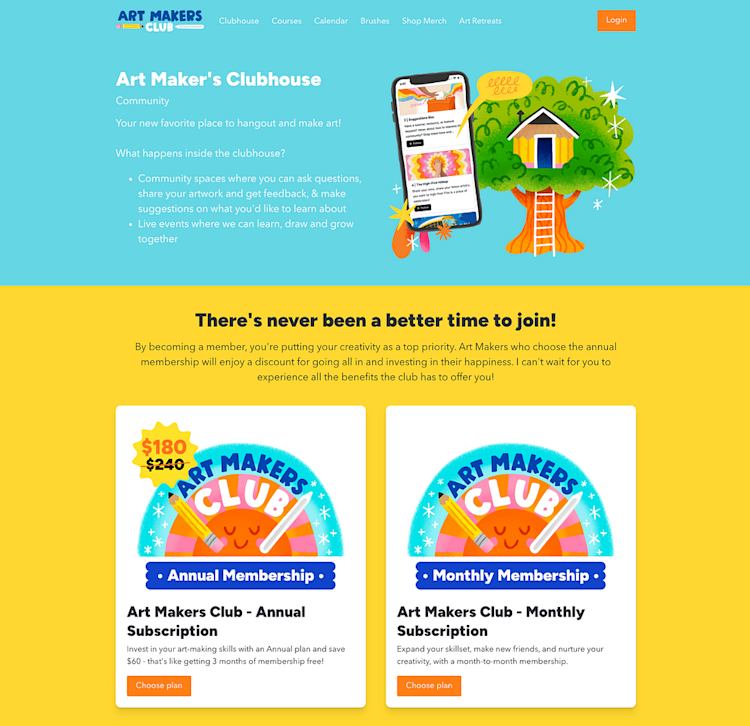
And Lisa Bardot runs the Art Makers Club, a community membership for digital artists learning Procreate. Members can watch tutorials and meet other artists, and there are live events, feedback sessions, and hangouts each month. The membership also includes courses and tutorials, as well as exclusive Procreate brush sets.

Art Makers Club community membership

Podia makes it easy to set up digital downloads, courses, webinars, community memberships, and 1:1 coaching sessions or lessons so you can configure your business however you like.

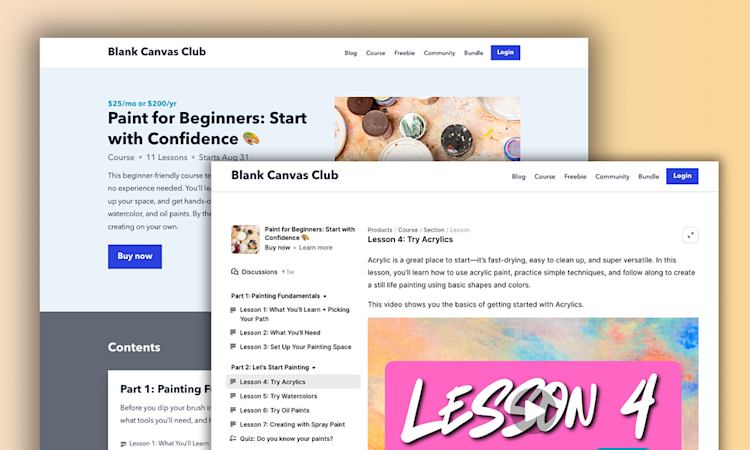
If you’re brand new, I recommend starting with just one or two offers. You can use Podia to offer individual art lessons using the coaching product type, or you can create a digital download video tutorial showing students how to do something, for instance.

As you grow, you can make evergreen courses that can be sold an infinite number of times, cohort programs with live teaching elements, or even a membership area with regular new content for that delicious recurring revenue.

No matter what you make, Podia makes it easy to process payments, charge one-time fees, offer payment plans, or set up subscriptions for your products. You can also add seat limits and time limits to your products, add upsells, create coupons, and combine your products to create enticing bundles.

You can learn more about how to make different types of products in Podia in these guides:

#3 Make a simple website

The next thing you’ll need to get your work out there is a website. And yes, I mean a real website, not just an Instagram profile or YouTube channel.

Even if you have the greatest social media presence around, you’ll still need a place where you can connect with people and tell them about your products — away from the algorithms and competition on social.

With Podia’s website builder, you can create as many pages as you like and build sales pages, landing pages, and even a blog. Everything is automatically connected to your products and email list (more on that in a minute), so you don’t have to worry about audience members getting lost in the shuffle.

You can also customize your layouts, colors, fonts, and page designs to make your website feel like you. (Hellooo gallery sections to show off your artwork!)

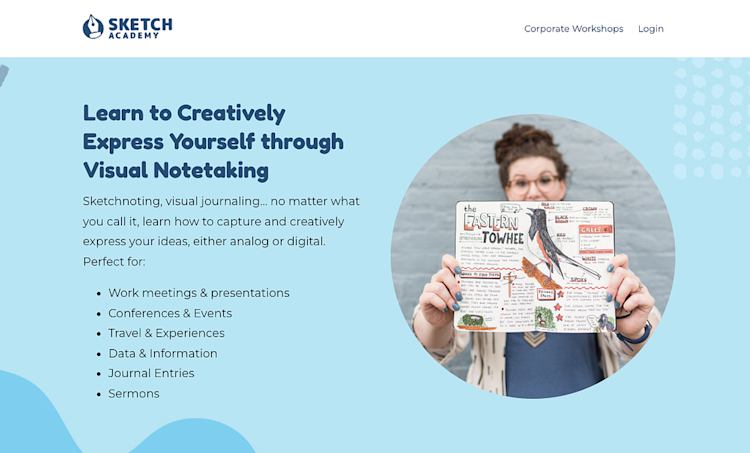
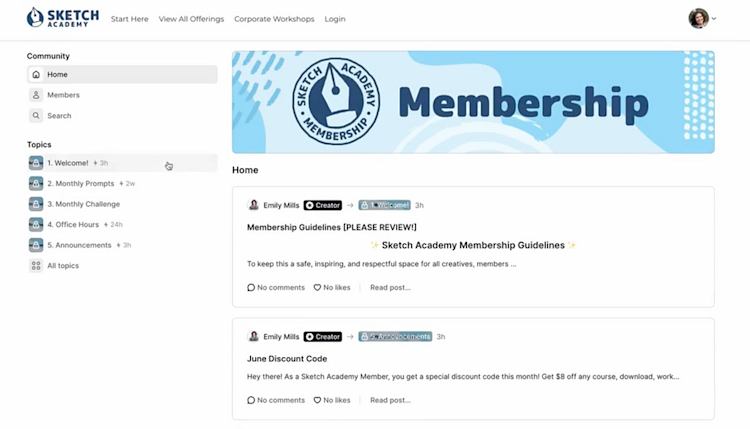
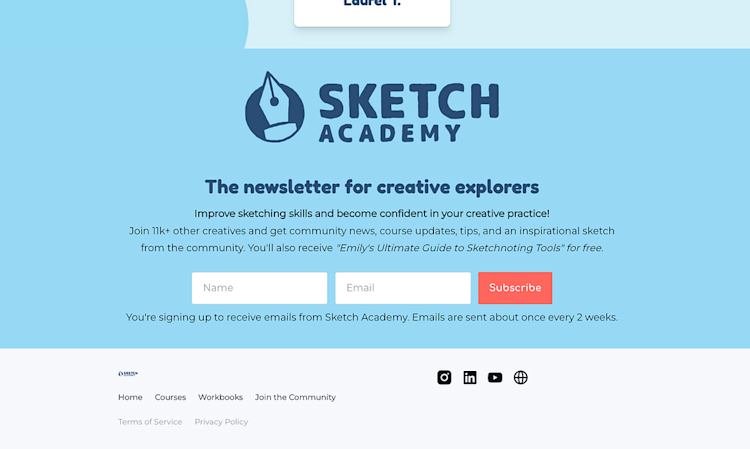
For example, Emily Mills from Sketch Academy uses a bright color palette and fun background designs for her art business. Her home page has information about Sketchnoting, freebies and paid products, an “about” section, and customer testimonials to build credibility.

Sketch Academy homepage

The nice thing about having a website you control is that you can update it whenever you want as your business grows. And when that website is already connected to all your products, managing everything is even easier.

Whenever you add a new product in Podia, we’ll automatically generate a sales page for you so you have a place to send your customers. You can use this page as is or customize it however you like, and all sales pages have an easy “buy now” button and checkout page so your customers can buy from you.

Podia also has blogging built in, so you can reach more people and build your audience with helpful content. A blog gives you more opportunities to appear in search engine results and lets you help your readers by sharing art tips and tutorials for free, right on your site.

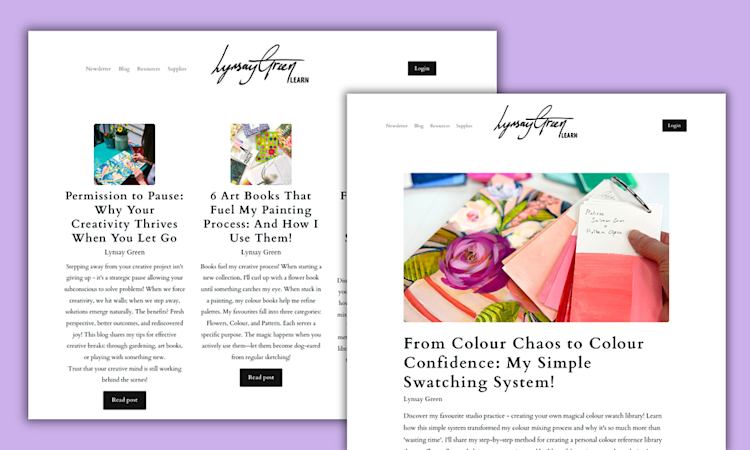
Artist Lynsay Green does this on her website alongside her painting courses and programs. Her blog has great advice for painters around topics like color theory, creating a great studio space, and how to get out of a creativity rut.

Lynsay Green blog posts

I recommend starting with a simple homepage that includes information about you and links to your courses and programs.

Then, customize the sales page for each product you offer with extra information, testimonials, or FAQs.

And finally, set up your blog with 2–3 articles that will help your target audience.

You’ll add to this over time, but these core elements are perfect for getting you up and running fast.

You should also include email sign-up forms throughout your website so people can join your email list, which takes us to #4.

#4 Start your email list so you can grow with email marketing

You need your website and digital products to find customers and make sales, but your email list is how you’ll build trust and stay in touch with them long into the future.

Think of it like this: we get a zillion emails in our inboxes every day. If someone is choosing to hear from you, that means they care about what you have to say and are likely a good fit for your business.

When you send regular newsletters, you can share tips and advice to solidify your position as an expert and valuable resource. That way, when you run a sale or promotion in the future, you’ll already have a list of people who know, like, and trust your work.

Here are a few tangible ways to get your email marketing up and running in your online art business:

  1. Add an email sign-up form to the homepage or footer of your website. If you have a blog, add an email form to the bottom of each blog post. (Here’s how to do this in Podia.)

  2. Set up a free lead magnet using a digital download product. In the pricing tab, set the price to free email delivery. This will let someone download your free product in exchange for joining your email list.

  3. Set up your welcome email sequence to fire whenever someone joins that list. In your welcome emails, you can tell people about your business and art products. You can build this using Podia’s campaign feature.

  4. Send out a regular newsletter and share helpful art tips, information about your products and programs, and other content that’s interesting to your fans.

By doing these steps, you’ll build a consistent email presence and a system that automatically brings new subscribers into your list. Those new subscribers will be welcomed and introduced to your paid art products too, so you never miss out on a potential sale, even while you’re working on other parts of your business.

And all of this grows with time.

The more blog posts and content you create, the more people will know about your brand and visit your website. That means more people will see your email sign-up forms and lead magnets, resulting in more subscribers.

As you launch new things in the future, you’ll already have everything built in to keep in touch with customers and prospects under one roof. Add promotional emails for new products into your welcome series, share what you’re working on in your newsletter, or even ask your subscribers what products they want to see next.

When you’ve got a direct line of communication with your biggest supporters, there’s no limit on how much you can grow.

Build an art business you love all in one place

Teaching art online doesn’t have to be complicated — in fact, all you need is your art supplies, a smartphone to film, and an all-in-one platform like Podia to manage the technical stuff.

Here’s a quick overview of how to start teaching art online

  1. Gather your art supplies and set up a simple filming area

  2. Create 1–2 online products, like 1:1 sessions, courses, or tutorials for your students

  3. Make a website with a home page, product sales pages, and a blog

  4. Start your email list to stay in touch with customers, send newsletters, and grow your business on autopilot

You can build all that and much more with Podia, so start your 30-day free trial today. I can’t wait to see where your art takes you.

FAQ

What’s the best online art teaching platform?

Podia is the best option for teaching art online because you can build your website, digital products, courses, and email list all in one place. You can also connect with your audience, offer free lead magnets to build a following, share blog posts, and create a community around your art with Podia.

Do I need a degree to teach art online?

Nope, not necessarily. When you’re starting your own online art business, what matters most is your ability to explain concepts clearly and help students reach their goals. Many successful online art teachers are self-taught artists who share their personal techniques and creative process.

Where can I teach art online?

You can teach art through platforms like Podia, where you can sell courses, host live workshops, and share digital downloads all in one place. You can also use platforms like YouTube and social media to demonstrate your skills and build a following around your work, which can be a big advantage when you launch your paid products.

Can I teach art online without being on camera?

Yes! Many online art teachers record voiceover tutorials, use screen recordings for digital art, or focus the camera only on their hands as they demonstrate. Being on camera helps build connection, but it’s not required.

How do I attract students to my online art classes?

Promote your classes on social media, create blog posts that answer your audience’s questions, start an email newsletter, and share free tips or mini-lessons to build trust with your audience. Over time, your free content helps bring new students to your paid courses.

What platform should I use for my newsletter and downloads?

Software Stack Editor · August 13, 2025 ·

If you’re building an online business, you probably need two things right away: a way to sell and deliver your digital downloads and an email newsletter to grow your audience.

The challenge? Most platforms are built for one or the other. You might find a great email tool that can’t deliver products or a great product platform with clunky email features. Before long, you’re stuck managing and paying for tons of different tools when all you really want to do is help your audience and start making sales.

That’s why it makes sense to choose a platform that does both from the start.

With Podia, you can send newsletters and deliver your digital downloads in one place, with all your audience data, sales, and emails automatically connected. No extra integrations or scattered tools. Just one simple, powerful home for your business.

Here’s how to use Podia’s email and product features together to grow your audience and sell what you know. (Start your 30-day free trial here to test everything for yourself.)

When you’re starting an online business, your tech stack often grows faster than you expect.

You launch your first digital download and sign up for a platform to sell it. Then you realize you also need an email list, so you add a newsletter tool. A website builder comes next. Maybe a blog platform.

And before long, you’ve got a dozen different subscriptions just to run the basics.

The cost is a problem (those monthly fees add up fast). But the real drain is the management. Instead of making stuff, you’re:

  • Switching between dashboards to check sales and subscribers

  • Manually moving customer data from one tool to another

  • Piecing together reports to figure out which emails actually led to purchases

  • Learning multiple interfaces instead of focusing on your products

And the more tools you add, the more complex it gets. Every new product launch means making sure all your tools are connected, your automations are working, and your customer information is in sync. One broken integration can throw off your entire system.

Worse, as your business grows, you might hit the limits of one of those tools — forcing you to switch platforms and rebuild everything you’ve already set up.

It’s a constant game of catch-up that pulls your attention away from what really matters: creating products your audience loves and building relationships that lead to sales.

Here’s the thing:

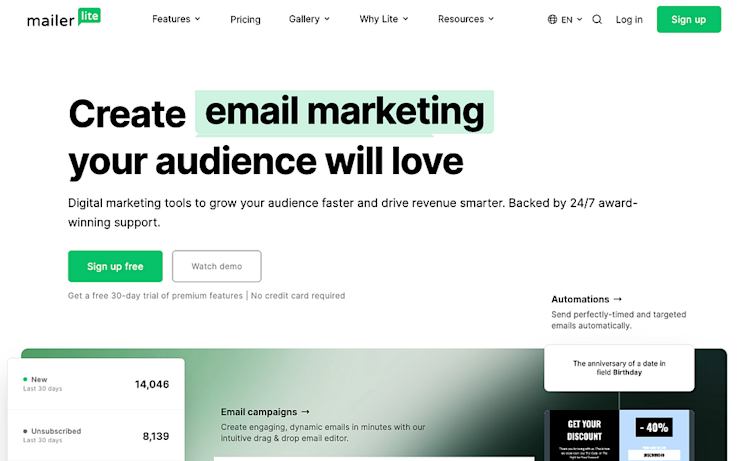
There are plenty of solid digital download platforms, like Sellfy, Gumroad, and Payhip. And there are plenty of newsletter platforms out there, like Mailchimp, Kit, MailerLite, and Substack.

But there are also platforms that do both, like Podia.

Podia is the best platform for building your email newsletter and selling digital downloads because everything is connected out of the box. You can also set up a website, blog, and other types of products like courses, coaching, and community so you don't have to move as your business grows.

With a tool that does both, your data and customers are already connected, so you don’t need to pipe information between different software. It’s easier to manage everything in one spot, and you’ll often save by not having to pay for two (or more) different tools.

You also get a more granular look at your data, which can show you which email subscribers have bought which product, and what email newsletters drive the most sales.

Everything is built to work together from day one, so instead of stitching together a tech stack, you can focus on creating, marketing, and selling.

And because Podia also has features like courses, coaching, community memberships, affiliates, and customer chat messaging, you won’t have to migrate your audience or rebuild your automations when you’re ready to expand.

So here’s a look at how digital downloads and newsletters work in Podia, so you can see if it’s the right fit for your business.

How to make digital downloads with Podia

Up first, you need a place to set up and sell your digital download files.

A digital download can be a PDF, ebook, template, workbook, guide, audio file — or just about anything you’d like to share.

In Podia, you can use the digital download product type and upload nearly any type of media file, like videos, audio, PDFs, or text files. You can also add as many files as you like to each listing.

Then, you’ll set the price. Your digital download can be free or paid, and you can set up a one-time fee, subscription, or payment plan. You can also make your digital downloads available for free email delivery, which turns them into lead magnets for growing your email list.

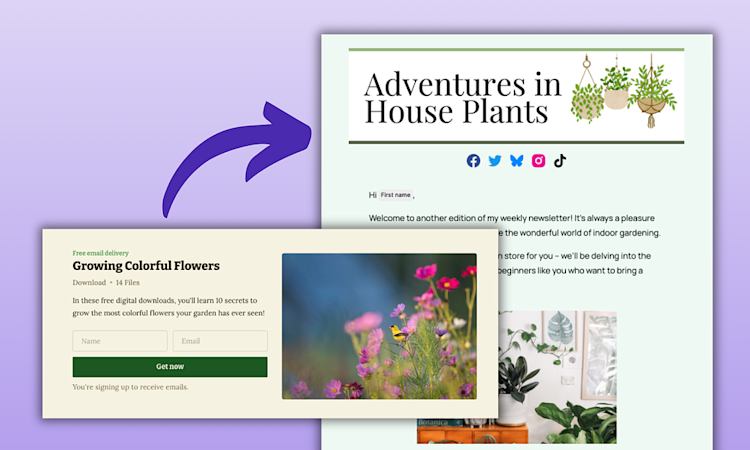
digital download for free email delivery example

Everything you make in Podia comes with a sales page that’s automatically generated from the description you add to your product, so you can send people there and start making sales right away. But you can also customize your sales page with sections like testimonials, FAQs, images, videos, and author bios.

Once your page looks the way you like, you can share it with your audience. We’ll handle the checkout on our end (you just need to connect PayPal or Stripe), and we’ll also make sure the files are automatically delivered to your buyers.

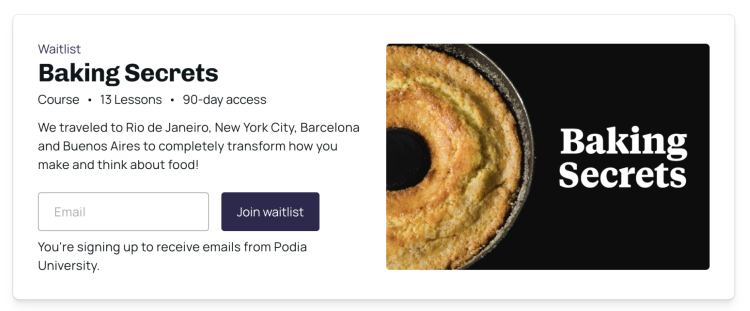
You can add upsells to your products, make bundles of related items, throw sales with coupons, and gauge interest in an idea before you build with waitlists.

Waitlist example baking secrets course

All these features are available out of the box and work for any product you make, so all you need to do is add your files and share your page with your customers, and leave the rest to us.

You might be thinking, “That sounds great, but where do the customers come from?” A great place to start is with your email list.

How to build your newsletter and email list with Podia

In addition to housing your digital downloads, Podia also has email marketing features that you can use to find and connect with prospective buyers.

You can:

  • Add an email sign-up form to your website and blog in just a few clicks.

  • Create free lead magnets that visitors can sign up for in exchange for their email addresses.

  • Automatically segment and tag your audience using built-in tracking tools.

  • Send emails to just people who have or haven’t bought your products.

  • Create automated email campaigns that run whenever someone takes action in your business.

Podia also has an email editor where you can design your newsletter to match your brand, use previous emails as a starting point for your next email, and choose from a library of over a dozen customizable templates.

design newsletter in email editor example

Newsletters can be sent in real-time or scheduled out for the future if you want to get ahead in your planning. You can also set up automated welcome campaigns, sales funnels, nurture sequences, and launches so your business runs smoothly behind the scenes.

And when it comes to growing your email list and actually getting people in the door of your business, you’ve also got options.

You can add email sign-up forms throughout your website and blog, create a standalone landing page for your newsletter, offer free lead magnets, and add people to your list automatically when they purchase a product. You can also use Podia to make a link in bio page (with an email sign up form, of course) to take people from social media follower to newsletter subscriber.

Lead magnet examples Road Trip example

The more you promote your sign-up form, the more people will enter your email list and newsletter, and the more people you can tell about your paid products.

The magic of having both together

You’ve got your digital download, you’ve got your email list, but what does it look like when you combine the two?

Let’s say you have an ebook digital download that you want to sell. You have a website and blog on Podia, so you add an email newsletter form on your homepage and blog. Everything is already connected, so anyone who signs up for your list is automatically added to your Podia audience.

Then, you used Podia’s email campaign feature to automatically send a welcome sequence to new subscribers. Whenever someone joins, they get a 3-part email sequence that introduces them to your business, shares some valuable tips and insights, and then introduces them to your paid ebook. Some of them buy it right then, but others don’t, and that’s totally fine.

Because next week, you’ll send out an email newsletter, and in that newsletter, you’ll also have a link to your ebook product. You’ll share blog posts, insights, and helpful tips that your target audience will love. They’ll learn from you, and next time you have a product to launch, you’ll have a group of people already listening to what you have to offer and excited to learn more.

And with time, this system grows. The more blog posts you publish, the more people will see your email form to join your newsletter. Those people will enter your automations, which means more eyes on your work and more potential buyers.

When everything is connected for you, you don’t have to maintain two separate systems. You don’t have to make a complicated network of tags and rules just to send people where you want them to go. With less time spent on tech, you’ll have more time to send great newsletters and build even more digital downloads that your audience will love.

Podia lets you run your newsletter and deliver downloads in one place

By building your newsletter and digital products in the same spot, you’re setting up a system that helps you find new audience members, bring them into your business, get them on your email list, and nurture those connections long term.

Over time, this system grows and so does your business, all without a ton of extra work for you.

Podia has your digital downloads and email newsletter, as well as your website, blog, courses, community, affiliates, and other tools to build a successful online business — all in one place. Start your 30-day free trial today to see what you can make.

FAQ

What is the best platform for selling digital downloads and sending newsletters?
The best platform is one that lets you do both in one place, so your products and audience are connected from the start. Podia lets you sell digital downloads, send newsletters, and manage your entire business without extra integrations.

Can I sell digital downloads through my email newsletter?
Yes. With an all-in-one platform like Podia, you can link directly to your products in your newsletters, send automated sales campaigns, and track which emails lead to purchases.

Do I need separate tools for my newsletter and digital downloads?
No. You can save time and money by using a single platform that handles both. This keeps your audience, sales, and email data connected automatically.

What file types can I sell as a digital download?
You can sell PDFs, ebooks, templates, workbooks, videos, audio files, and more. Podia supports multiple file formats so you can deliver your content exactly as you want. You can also add several different files to each product, so you can mix and match the type of files you offer.

How do I grow my email list while selling products?
The best way to grow your list is with free lead magnets, or digital downloads that you give away for free. When someone downloads your free product, they’ll be added to your email list automatically, giving you a chance to nurture them into customers.

What are the advantages of using Podia for both newsletters and downloads?
Podia connects your email marketing and product sales (along with your website, courses, and audience info) in one place, so you can see which subscribers have purchased, automate targeted campaigns, and avoid the hassle of managing multiple tools.

How to sell a course and build a community in one place

Software Stack Editor · August 11, 2025 ·

When you think about your ideal online business, you might imagine sharing what you know, helping people reach their goals, and building a space where your audience members can connect.

Maybe that means launching your first online course, starting a community, or doing both at the same time. But the moment you start looking into how to make it happen, you realize it’s not as simple as you hoped.

One tool handles courses. Another manages your community. A third sends emails. And you need a place to build your website, too. Soon, you’re juggling logins, paying for multiple subscriptions, and just trying to make everything play nicely together.

It’s expensive, it’s complicated, and it pulls you away from what really matters: sharing your knowledge, building relationships, and helping your audience grow.

That’s where Podia comes in.

With one platform, you can create and sell your course, run your community, and connect with your audience, all without the duct tape or technical headaches. Everything is designed to work together, so you can spend less time managing tools and more time doing what you love.

Here’s how you can make your course, build a community, and stay connected with your people in one place using Podia.

Podia has your website, email, digital products, and community, and everything is connected out of the box. To try it for yourself, you can click here to start your 30-day free trial!

3 ways to build your course and community in Podia

When you choose an all-in-one platform like Podia, your community is automatically connected to your website, blog, digital products, courses, customers, and email marketing. You’ve also got lots of options for how you can configure your community areas, courses, and programs, so you can make exactly what you want for your business.

To help you combine courses and community in one platform, let’s look at three simple structures you can use in Podia.

Option 1: Create courses and a dedicated community space with Podia’s community feature

The first option is the most straightforward:

Customers can sign up for whatever programs they’re interested in, and you’ll sell everything individually.

On the course side, you can set up as many courses as you like, and these can be self-paced, cohort, or dripped on a schedule. You can make your courses free or paid, and you can offer one-time payments, payment plans, or monthly/annual subscriptions.

You can add as many modules and lessons as you like, and each lesson can contain videos, audio files, images, text, embeds, and file downloads to help you teach your content effectively. Podia also generates a sales page for every course you set up, so you have an easy way to share information and point buyers to the checkout page.

Podia course example Blank Canvas Club

Communities have a similar setup, but instead of getting a course after signing up, your members will get access to a community area with posts, comments, and exclusive content.

Your communities can be free, paid, or a mix of both, and you can offer as many subscription plan tiers as you need. You can charge annual or monthly subscriptions for access, and you can limit seat numbers and access durations as needed. It’s also easy to add a private area within your community for specific groups, which works well if you offer cohorts or mastermind programs and want people to have separate areas to interact.

Within your community, you can organize content by topic, share announcements, and upload media files like videos and images. Members can interact through posts, comments, and reactions.

Podia community set up example

Moira Hutchison from Inner Wisdom Academy, for instance, offers both free and paid plans within her community. The free tier includes weekly mindset sessions and journaling prompts, and the paid plan comes with in-depth resources like guided meditations and video trainings.

In addition to her community, Moira sells an instant access online course and 1:1 consultations that can be purchased a la carte. All these products are offered under one roof in Podia, and a prospective customer can browse through and select what they want to buy.

Inner Wisdom Academy free and paid community membership

But Podia also lets you package your community plans with products, which takes us to option two.

Option 2: Include products and courses with different community tiers

Another option is to include courses and products with each community tier you offer using Podia’s “included products” feature. When you add products to a specific community tier, anyone who signs up will have access to the community and any included products for as long as they are a member.

Podia included products feature

This lets you create different tiers with different prices depending on what’s included in each. All you need to do is create the products and courses you want to offer, publish them, and add them to your community plans when you set up each tier.

When your customers sign up, they’ll see a community area and a product area in their dashboard where they can access everything in one place.

Podia dashboard community products

Jonathan and Ashley Longnecker from Tiny Shiny Home do this for their support community — fans and subscribers can sign up for a monthly subscription, and higher tiers come with several included products.

Tiny Shiny Home community tiers

And Oliver Mann from Unleash Your Ink includes products with his community plans, too. His community has two tiers, monthly and annual, and each tier comes with five products, including a self-paced course and an email course.

Unleash Your Ink products included in community

Bundling your courses and products within community tiers can make it more enticing for your audience and turn a one-time sale into recurring income.

Option 3: Set up discussion forums within each course you offer

In addition to a dedicated community space, Podia also allows you to add discussion forums directly into your online courses and products. This option works best if you mainly want to use your community as a space for course participants to connect and collaborate.

If you enable course discussions, your students will sign up for your course and immediately see their course modules and lessons. They’ll also see the discussion area within the course viewer where they can ask questions, share insights, and receive updates from your business.

This is particularly useful for office hours, FAQs, or even sharing Zoom links for group calls related to the course material. Each course you set up can have its own discussion board, and only people who are part of the course can see the content.

Podia discussion forums

The nice thing about having everything in one place with Podia is that you can test out all these options and see what works best for your business. No need to pay for tons of integrations and plugins — you get to focus on your content and your people.

And speaking of your people…

Podia also helps you find and grow your audience

For your courses and community to grow, you need customers. And you shouldn’t have to spend 24/7 looking for those customers, so Podia has some tools in place to help you attract new audience members on autopilot and connect with them long into the future.

Get discovered through your website and blog

Your website serves as your online home base, where you control your brand and content without the distractions of social media algorithms.

Podia has an easy-to-use website builder where you can create a beautiful, customized site with unlimited landing pages, sales pages, and blog posts, without needing to know code.

Classical piano instructor Joseph D’Amico from Flex Lessons uses Podia for his website, blog, virtual piano lessons, and community membership program.

He says, “Podia makes website building so fun. I feel like I could set up a site in an afternoon, and it would look great. And if there’s something to be said for how pretty it is, it’s the best-looking one by far.”

Flex Lessons Beginner Plan

Podia also includes built-in blogging features on all plans, allowing you to publish articles that help people find you through search results. By creating blog posts around your audience’s questions and pain points, you can attract organic traffic and demonstrate your expertise.

You can then add links and calls-to-action within your blog posts to direct readers to your email list, community, and online courses.

The more you write, the more opportunities you have to be discovered by search engines and potential customers who are actively looking for the information you provide.

Connect with subscribers through email marketing, newsletters, and automations

Your email list is one of your most valuable assets because it allows you to consistently communicate with customers and prospects. Podia includes email marketing tools with unlimited sends, customizable templates, audience segmentation and tagging, and automated campaigns. Your subscribers, tags, and customer lists are automatically connected with your products and website, so no need for manual syncing.

Podia also makes it easy to set up a free lead magnet, which is a great way to grow your list (even if you’re starting from zero).

A lead magnet is a free resource that you give out on your website, like a workbook, checklist, template, or mini-course. Once someone signs up for your free resource, they can be automatically added to an email welcome sequence with valuable tips and insights, and eventually, details about your paid courses and community programs.

You can also send out a regular newsletter to stay top of mind and continue providing value. That way, when you promote your next offer, you’ll have a list of people already excited to hear from you.

Reach new customers with affiliate marketing

To further scale your business, Podia’s Shaker plan lets you create your own affiliate program. With affiliates, happy customers can promote your courses and community in exchange for a commission, which means you get in front of more audiences without spending tons on marketing.

You can customize attribution windows, commission rates, and select which products are included or excluded from your affiliate program. Plus, Podia automatically has an affiliate filter built into your email marketing that allows you to message people in your affiliate program, so you can keep them up to date on all the things happening in your business.

When you combine your website, blog, email, and affiliates with your community and course offerings, you can make a system that attracts new customers and introduces them to the work you do. Which means more members in your community, more students in your courses, and more sales in your business long term.

Your courses, community, and customers, all in one place

With Podia, everything you need to create courses, run a community, and build an audience for your business is interconnected and easy to use. You can create dedicated community spaces with flexible pricing tiers, package community access and products together, or let people interact directly within your courses using built-in discussion features.

Once you’ve got your community and course configured the way you like, you can use Podia to attract and nurture your audience through a great website, blog posts, email marketing, newsletters, automated campaigns, and affiliate marketing.

And because everything is interconnected, you don’t need to juggle a ton of tools or worry about integrations firing correctly across different platforms. Everything is under one roof, so you can spend your time building a business that you and your customers love.

Try Podia free for 30 days to see what you can make.

FAQ

Can I sell my course and build my community in one platform?
Yep! Podia has community features and online course-building tools all in one platform, and you can make as many products and community tiers as you like. Both courses and online community plans can be free or paid, and you can combine them into packages to let your students interact with one another.

What types of products can I sell on Podia?
You can sell digital downloads, webinars, courses, memberships, community plans, coaching, and any other type of digital product you can dream up. Everything is connected, so your customers don’t need to jump between different apps to enjoy your content.

Can I build my online course with Podia?
Yes, you can build as many online courses as you like with Podia. Courses can be free or paid, and you can charge one-time fees, subscriptions, or payment plans. Within your courses, it’s easy to add videos, audio files, text, images, embeds, downloads, and any other type of media you like. You can also enable discussions and comments on a course-by-course basis to give customers a private area to discuss their materials.

Can I build my online community with Podia?
Yes, you can build an online community with Podia. Podia lets you create as many tiers or plans as you like, so you can have a free and paid community all in one. You can also make private channels and package your courses with community plans to make even more enticing offers.

Is Podia good for beginners?
Yes, Podia is a great option for beginners because you get all the tools you need to build your business in one place. You can set up your website, create your courses and products, start your community, and grow your audience with email marketing without having to connect and pay for a ton of different tools. If you have products on another platform, Podia also has free migrations available. Start your 30-day trial here.

How Jimmy Daly built a lean, profitable community by thinking like an entrepreneur

Software Stack Editor · July 31, 2025 ·

When Jimmy Daly left his job in 2020, he had a new mortgage, a baby on the way, and a clear goal: turn a side project Slack group into a sustainable, profitable business in one year.

Five years later, Superpath is a thriving community membership for content marketers, with three core revenue streams and a lean team powered by simple tools.

All that happened because Jimmy took a big leap, scaled back when needed, and thought like an entrepreneur, which ultimately shaped every part of how he built and rebuilt his business.

Here’s how he did it.

Jimmy uses Podia to share resources with community members, handle payments, and manage Superpath behind the scenes. If you’re looking for an all-in-one tool that keeps your business simple and gives you everything you need to grow, start your 30-day free trial of Podia today.

From side project to profitable business in one year

Superpath began as a simple Slack group for content marketers. Jimmy had been working in business-to-business content marketing for over a decade, and he knew that content marketers craved real connections, community, and professional development opportunities.

So he created Superpath, a space where they could talk shop, solve problems, and build skills to use in their careers. He didn’t try to monetize it immediately, but he knew the idea had legs if he could commit to building it full time.

His boss at the time agreed and became an early investor in the project. When Jimmy left his job, he and his former boss made a funding agreement that included one year of salary and basic expenses — just Podia, Slack, and a few other tools to keep things running.

Superpath homepage

“The goal was really to find out, is this a business? Can we get this profitable?” Jimmy shares, “We capped it at one year. We had to be profitable because there was no more funding after that.”

Giving the project a hard deadline forced Jimmy to go all in and take it seriously. With no plan B and a one-year runway, Jimmy’s goal was to find out if this idea had the potential he thought it did.

Before launching Superpath, Jimmy grew his audience

Jimmy brought a rare combo of skills to the table: content marketing, sales, and a deep understanding of his audience. And he didn’t just know his target audience — he was part of it too.

Over the years, he had built a following of the very people Superpath was made for. He published blog posts, created content for his work, shared personal projects, and nurtured his professional network, long before the community was a thing.

When he launched Superpath, he wasn’t starting from scratch because he brought his audience along with him.

In a blog post about the early days of Superpath, Jimmy talks about how his existing social media and email newsletter subscribers became some of his first paying customers.

He explains,

“When it came time to launch Superpath, I created a ‘coming soon’ page and shared it with my Twitter followers and newsletter subscribers. Within a few days, 195 people had signed up to learn more. A handful of those people ended up being our first paying customers. It was the little bit of momentum I needed to start stacking wins. It would have been so much harder to start without an audience.”

That early momentum helped Jimmy keep going, and it all started because he showed up for his audience before the product was even ready.

This is something you can do in your business, too.

If you start sharing what you know and establishing yourself as an expert, you’ll already have a built-in group of people listening when your idea comes to life.

No matter what stage you’re at today, building an audience will make the steps you take tomorrow easier and more effective, and could even bring you your first buyers like it did for Superpath.

Learn more about how to set up your newsletter and email list in Podia.

Keeping things simple on purpose

Another thing that made Superpath successful early on was that Jimmy kept the business simple.

From the beginning, it ran on a small, efficient tech stack:

The business model was simple, too. Superpath earns revenue through paid community memberships, sponsorships with brands, and a writers marketplace where freelance content marketers and hiring companies can connect.

Each of these income streams makes up about a third of Superpath’s revenue and is tied directly to the community’s needs, which helps keep operations focused and overhead low.

Superpath Pro community plan

“Our business is lean. We’re able to run it with a small team because we keep things simple and focused,” Jimmy explains.

That simplicity meant less time managing clunky systems or paying for tools that just created more work. And with lower monthly costs, it wasn’t such an uphill climb to hit that profitability mark within the year.

But growth brings challenges, too. And in 2023, Superpath hit a major one.

Scaling back to move forward

By 2023, Superpath had started to grow a team and expand, but economic uncertainty and the rise of AI tools like ChatGPT hit the business hard. Superpath’s revenue fell, and Jimmy had to lay off his one full-time employee.

To save money, he scaled back operations even further and had to take a critical look at every part of the business to decide what could stay and what had to go.

“2023 was a really difficult year. I had to face the very realistic scenario that this is over if I don’t fix it,” Jimmy shares.

“But the silver lining is that the business became better. Simpler. More aligned with our customers. I’m not wasting time on things that don’t work.”

That mindset still guides Jimmy today.

Until recently, Superpath had both a free and a paid version of the community. The free Slack group had grown to over 24,000 members, which is an amazing accomplishment, but it was challenging to manage.

On top of that, free members weren’t converting to paid plans as often as Jimmy hoped, so he had to make a difficult decision to get rid of the free community tier.

“We were too small a team to manage two communities. We needed to focus on making one the absolute best experience possible.”

Benefits of Superpath Pro

Although closing down a large community is never easy, it was the right choice for the Superpath business because it allowed Jimmy to focus his time and resources on his paying customers.

Letting go of what wasn’t working made space to double down on what was.

Building a business that fits your life

Jimmy now runs the business with help from a few contractors, but the tools and systems behind Superpath have stayed simple, even five years later. And that’s the point. The business was designed to support his life, not take it over.

“One of the things that I wrote down as I was putting together a very, very rough business plan for this community is that I wanted it to be sustainable over time. Obviously, this was not meant to be a giant, fast-growing venture-backed startup. It’s not that, it’s me,” he explains.

To be sustainable, Superpath needed to work with Jimmy’s lifestyle so he could actually keep building it without burning out.

“I had a kid on the way, and I’ve had another kid since then. I have a lot of hobbies,” he shares. “I live in Colorado, so I love to go trail running, skiing, and camping. Running the business had to work well for me, it had to support the family, and I needed to enjoy it.”

A business that drains you isn’t going to last. The whole point is to create something you actually want to wake up and work on.

“I think that’s what I’m most proud of,” he reflects. “Here I am, still going five years later. And I think that’s a huge win that I’ve been able to create this thing that supports my life and my ambitions in a couple of different ways.”

Keeping the business simple, with just a few income streams, basic tools, and a small team, helps keep costs and complexity low. That gives Jimmy more time, flexibility, and control over how he works. He’s not running a startup chasing mindless exponential growth. From day one, he built Superpath to last.

Committing like an entrepreneur

In addition to keeping the business simple and focused on serving his audience, part of why Superpath has been so successful is that Jimmy doesn’t just think of himself as a content creator — he’s a business owner too.

“Think of yourself as an entrepreneur,” Jimmy advises. “Content creation is part of what you do, but it’s not the whole picture. As an entrepreneur, I think about high-level strategy, I work with a CPA, I consider finances, I manage a team, and I collect customer feedback.”

Most importantly, thinking like an entrepreneur means committing to your idea and taking it seriously.

“You have to hold yourself accountable because it can be very slow in the beginning,” Jimmy says.

“In my case, I left my job to work on this full time, and that’s when it happened. I had been running it as a side project before that, and I made this really significant commitment. As you might imagine, I felt some pressure to make this thing work, and that’s a wonderful thing. That’s what helped me take it seriously and build it into a business that’s now five years old, and I hope it runs for many more years. You have to find a way to force yourself to commit.”

And once you do, there’s a lot of potential on the other side.

“Honestly, I think it’s just such a fantastic time to make the leap,” Jimmy tells other entrepreneurs.

“You have everything working for you now. One person can be as effective as five because of AI. The tooling is all there, and I think people are so much more interested in interacting and engaging with creators than they are with large brands. I think the stage is set for you.”

Jimmy’s journey shows that building a successful business isn’t about chasing constant growth or adding more and more. It’s about focus, clarity, and making intentional choices that serve both your audience and your life.

When you treat your creative work like a real business and stay committed, you can build something that lasts — and actually enjoy the process along the way.

How to use Jimmy’s story in your own business

The Superpath story offers a quiet but powerful counterpoint to the “build fast, grow big” advice many business gurus and influencers shout, and you can follow the Superpath example when you build your own business.

In fact, I highly recommend you do!

As you think about what’s next in your business, keep these takeaways in mind:

Start building your audience now: Superpath’s first customers came from Jimmy’s existing audience and network, long before Superpath launched.

Even if you don’t know what your business will look like just yet, I recommend starting your email list now if you haven’t already. Start sharing what you know, reaching out to your network, and building connections with your audience today to give future you a leg up.

Keep your tech stack lean: You don’t need the most complicated and expensive tech to start a successful online business. Start with straightforward tools that help you do the basics, like creating products, connecting with customers, accepting payments, and sending newsletters. (Podia lets you do all this with paid plans starting at just $33/month.)

Growing your business might mean making it simpler: Growth doesn’t always mean adding more things to your business. Sometimes you might have to take things away from your business to move forward, and that’s not a bad thing.

Build for the long term: Remember, the goal isn’t to go viral. It’s to be in business five years from now and enjoying the work you do every day.

Every business is different, but yours should support the life you want to live. If you keep things focused, flexible, and built for the long haul like Jimmy did, you’ll give yourself the best chance to succeed.

And if you still need a place to set up that business, Podia has your website, digital products, email marketing, and checkout all in one place. Start your 30-day free trial today and take the first step toward a profitable, sustainable business that lasts.

Podia

Software Stack Editor · July 24, 2025 ·

image

Create a course that turns your expertise into income. Learn the system we’ve seen thousands of creators use to successfully launch profitable online courses.

Read full article

chevronRight icon

How to teach music online and build a profitable business you love

Software Stack Editor · July 11, 2025 ·

If you love music, building a career around it can feel like the ultimate dream. Teaching is one of the most rewarding ways to share that passion, and for many people, in-person lessons are the natural place to start. You get to share what you know, connect with students, and make a real impact.

But over time, the reality of teaching face-to-face can be challenging. You’re often stuck repeating the same lessons with each client, your income is tied to your time, and your student base is limited to people nearby. 

Teaching music online can offer a unique opportunity to keep sharing the work you love, minus the less-fun stuff. (No more long commutes!)

If you’ve ever wondered how to take your music business online — and actually make it work — you’re not alone. The good news? It’s totally doable, and it’s easier than you might think.

In this guide, you’ll learn:

  • Why starting an online music teaching business can get tricky, and how to keep it simple

  • The three things you need to start teaching music online

  • Examples and advice from successful online music teachers who have been in your shoes

By the end, you’ll be ready to teach music online and grow a business that gives you more freedom, more income, and more impact.

Podia has everything you need to set up your online music business. You can offer 1:1 lessons, sell courses and sheet music, or even make a membership community where learners can practice together. Start your 30-day free trial today.

Teaching music online doesn’t have to be complicated

Once upon a time, the only way to teach music was to meet students in a classroom, studio, or private home. You could only teach so many hours in a week, and your income was forever tied to your availability. Take a week off for vacation, and your earnings dry up. 

On top of that, you were limited to your local area, and you or your students might face long commutes to get to lessons. 

That’s why teaching music online has become so popular. Now, more than ever, it’s possible to teach from anywhere, reach more students, and even earn money while you sleep.

But here’s the thing, most guides to online music teaching just tell you to get a Zoom account and start, without addressing important questions like:

  • How will students find my music classes?

  • How do I accept payments securely?

  • How do I avoid double bookings?

  • How do I stay in touch with students?

Some music teachers turn to platforms that list them in directories, which can simplify a few things. But those platforms often take a big cut, offer little customization, and don’t give you a reliable way to stay in touch with your students, which could be a problem down the road. 

You want to grow something that’s truly yours, not just rent space on someone else’s platform.

That’s why I recommend building your online music business on a platform you own. You’ll have more control and flexibility to grow in the ways that make sense for you.

And it’s easier than you might think.

The 3 things you really need to teach music lessons online: website, digital products, and email marketing

Yep, just those three!

You need a website so people can find you, products so people can book and pay for your programs, and email marketing so you can stay in touch with everyone. 

Here’s how to set everything up.

#1 Your website is how people find you

First, you need to set up a website that tells people who you are and what you offer. This is how new and existing customers will find you, book music lessons, and buy your other programs. 

Your website can be as simple or involved as you want. I’ve seen beautiful single-page business websites, and equally beautiful full-size websites with product pages, blog posts, and special landing pages for offers and promotions. 

(If you’re just starting, go simple and add more pages and design elements as your business grows.)

Your website is a powerful tool for organic discovery because when someone searches for the type of music classes you offer, there’s a chance your site will show up in the search results. And you can improve those odds by adding blog posts that answer common questions your audience has.

That’s exactly how classical piano instructor Joseph D’Amico grew his business, Flex Lessons. He set up a great website and wrote blog posts on topics his ideal students were searching for. He added helpful information to his product pages and used search-friendly keywords in his titles and URLs.

Now, when someone searches for online classical piano lessons, there’s a good chance they’ll find Joseph’s site and sign up. This gives him a steady stream of customers who are actively looking for what he offers.

Flex Lessons Online Music Teaching Example

In addition to helping you get discovered naturally by search engines, your website also keeps you connected with your existing audience. 

If you mainly post on social media or YouTube, for example, your website is a home base that you control. You can show your products and share your story, all in a space that’s free from distractions and competing content.

But how does someone go from website visitor to paying customer? That’s where your products come in.

You can learn more about how to build your website in Podia in this help doc. And you can watch a real-time Podia website-building session in this YouTube video.

#2 Your online lessons, courses, and products are how people learn from you

Once you’ve got your music website, the next step is to decide what kinds of lessons, products, and offers you want to make. 

Selling 1:1 online music lessons on Podia

The most straightforward option is 1:1 online music lessons. Your customer can book a virtual session, pay for their class, and you’ll meet using a video platform like Zoom, FaceTime, or Google Hangouts.

You can set this up in Podia by adding a “Coaching” product type, pasting a link to your calendar booking software (like Calendly, SavvyCal, and YouCanBookMe), setting a price, and pressing publish. 

Coaching product to sell online music lessons

Podia automatically generates a sales page for each product you make, and you can customize this to add more details about your offer. Then, after a prospective customer visits your sales page and signs up for a class, they’ll see your calendar to grab a time slot and instructions for how to prepare.

Pro tip: You can also use this setup to handle payments and bookings for your in-person music lessons. Make another coaching product, but this time clearly state that it’s an in-person class and include instructions for where you’ll meet.

Using the same calendar system will prevent you from being double-booked, and Podia can manage the checkout so you aren’t chasing payments.

Ryan Inglis does this with his in-person and online guitar and ukulele lessons. People who live in his town can sign up for in-person sessions, and people who live far away can book classes virtually.

Ryan Inglis Teaches Guitar Online and in-person

Offering online courses, digital downloads, and memberships for your music students

Beyond music lessons, you can also expand your music business to include online courses, memberships, and other digital products. Your students can buy these evergreen products any time (hello, making money while on vacation, lounging poolside), and you can sell them as many times as you want without having to do the work again.

Online courses, for instance, are a great fit for students who don’t have compatibility with your schedule or just want to learn on their own time. If you live in Australia and have an interested customer in Canada, an online course allows them to learn from you without having to stay up all night.

Mr. Henry from Mr. Henry’s Music World sells elementary music education content for educators, parents, and students. His music resources are organized into value-packed courses that teachers can sign up for and use in their classrooms. That allows teachers to buy what works with their curriculum and use it when it suits them and their students, all while saving time.

Mr. Henry's Music World Courses

Online courses can also make great free lead magnets. Joseph D’Amico from Flex Lessons offers a free Piano Essentials course that students must take before booking their first lesson together. 

He says, “I attract a lot of adult beginners, and I realized that I was saying the same thing to all of my students, almost verbatim. They all have almost the same questions. They are all making almost the exact same mistakes. Surely there’s a way to automate this.” 

Now, new students go through the Essentials course first so they have a strong foundation before their live lesson, which saves everyone time.

Flex Lessons Piano Essentials Course

In addition to online courses, we see a lot of successful music creators sell other products like sheet music, practice resources, music journals, and collaborative memberships. 

Anne Crosby Gaudet from Music Discovers, for instance, sells harp sheet music along with online lessons and video courses. She also provides free resources like a downloadable weekly practice planner and harp tutorial videos, so prospective students can see her teaching style before committing to a paid program. 

Anne Crosby Gaudet Music Discoveries

Another option is to set up a membership or community where new content is added on a regular schedule. This allows you to generate recurring subscription revenue, plus it gives your students an opportunity to collaborate. Your membership community can have live programming, exclusive videos, feedback areas — anything that makes sense for your business.  

The beauty of doing this with an all-in-one tool like Podia is that you can launch a new product, see what resonates with your audience, and adjust as you go.

#3 Your email marketing is how you stay in touch with everyone

Once you’ve set up your website and products, the last piece of the puzzle is having a reliable way to communicate with students and potential customers. Nothing beats email for this.

Your email list lets you share newsletters, content, and new products with all the people who are part of your business. Anyone who buys a product or lesson from you is automatically added so you can keep in touch, and you can also use this list to build connections with newcomers. 

Here’s a quick system that tons of Podia creators successfully use to grow their email list. 

First, create a free introductory product and list it on your website. This can be a mini course, a piece of sheet music, a 15-minute get-to-know-you call, a printable practice journal, or any other freebie that makes sense for your business. 

Then, when someone signs up for this free offer, automatically enter them into your email welcome campaign. 

A campaign is a series of emails that are sent automatically, so you aren’t tied to your inbox 24/7. Your welcome campaign should have three emails that run over the next three days. (You can always add more to this, but if you’re just starting out, three works great!)

  • Day 1: Tell the new subscriber about your business and your brand, and share some info about your musical background.

  • Day 2: Share free resources they might enjoy, like your top blog post or a YouTube video that can get them closer to their music goals.

  • Day 3: Tell them about a paid product they might be interested in, like a private music lesson, online course, or membership to your music community. Ideally, this paid product should connect to your free product at the beginning.

It can be tough to get someone to spend money with your business when you’re still strangers. But by giving lots of value first, your paid offers feel like a natural next step instead of a hard sell.

And the best part is that even if someone doesn’t buy from that Day 3 email, they’re still on your email list. You can still keep them updated with new products and offers, and continue building that connection through newsletters and more helpful content. 

Even if students aren’t actively learning with you right now, your email newsletter keeps you top of mind. That way, when they are ready, you’ll be the first person they think of.

And as you make new products, courses, and offers, you won’t have to pitch to an empty room because you’ll already have an email list of people who are ready to hear from you and interested in what you do.

And that’s how you give yourself security long into the future.

You can run your entire online music business all in one place

With a website, a few products, and your email list, you have everything you need to turn your passion for music into an online teaching business. 

You’re no longer limited by your schedule, your location, or how many hours are in a day. You can teach students around the world, sell courses and resources that generate income even when you’re not offering lessons, and grow a community of learners who love what you do.

And hey, if you’re looking for a home base to build your music business, we’d love to have you at Podia. Podia brings your website, products, email list, payments, and customer info all into one hub so you can spend more time teaching and less time on tech. Try Podia free for 30 days to see where your music can take you.

FAQ

Is it possible to teach music online?

Yes, you can teach music online with 1:1 virtual lessons, online music courses, and memberships. Online lessons and programs let you work with customers from all over the world since you aren’t limited by your location. You just need a website to attract customers, digital products to organize your offers and accept payments, and an email list to stay in touch with your audience.

What is the best platform for online music lessons?

The best online music teaching platform is Podia because you can create music classes and sell digital products like music courses, sheet music, and memberships. You can also set up your website, build your email list, and run a community for your students all in one place.

Can I really make money teaching music online?

Yes! Many musicians earn income through 1:1 online lessons, digital products like courses or sheet music, and memberships or subscriptions. Teaching virtually lets you reach more students and create income that isn’t tied to your availability.

Can I teach music online and still offer in-person lessons?

Absolutely. Many teachers use their online business as a central hub to manage both online and in-person sessions. You can use the same tools to handle bookings, collect payments, and share resources for both formats.

How do I find students for my online music lessons?

Students can find you through your website, social media, YouTube, referrals, or search engines. Many teachers use blog posts, lead magnets, and email marketing to attract and nurture potential students over time.

10 examples of printables you can sell online (that actually grow your business)

Software Stack Editor · July 11, 2025 ·

A few weeks ago, I got a sewing machine and started learning how to sew. As a beginner, printable sewing patterns have been a game-changer. I’ve picked up a handful of patterns from small creators online, and it’s been so easy. I find a pattern I like, buy it, print it at home, and start creating within minutes. (Okay, the actual sewing part takes longer, but you get the idea.)

Selling a printable product might not sound as flashy as launching your signature course or high-ticket membership program, but it can be one of the easiest and most effective ways to grow your business. Printables are relatively quick to create, easy to sell again and again, and often come at a lower price point, making them a perfect entry point for new customers.

And even if your printables are simple, they can still have a big impact. Whether your product helps someone stay organized, learn something new, reach a personal goal, or finally sew that fun tote bag from Pinterest, there’s probably an audience out there who will be glad you made it.

But you may be wondering, what printable should I make?

In this article, we’ll share 10 examples and ideas for printable products you can create once, sell online, and use to grow your audience and your business for the long haul.

This article is packed with printable product ideas, but you’ll also need a place to sell your printable after you’ve made it. With Podia, you can sell printables (and other digital products), build your website, and grow your email list all in one place. Start your 30-day free trial today.

10 ideas for printables you can sell online (+ real creator examples)

To help you make the best printables possible, here are a few quick tips to keep in mind:

  • As you put your printable together, remember to always include clear printing instructions so your customers can use the product without needing to email you for help.

  • If you’re making a product that your customer will write on, remember to leave enough space for your buyer to fill in their information by hand after printing.

  • Design your files in a few common print sizes (like 8.5” x 11” and A4) to make printing easy for buyers around the world.

  • With Podia, you can upload multiple versions of your printable to the same product listing, so your customers can download the one that works best for them.

Each of the ideas below can be customized to fit your audience and niche, so think of this list as your starting point.

Related post: How to make real money selling printables online (step by step)

#1 Planners and trackers

Printable planners and trackers help people stay organized, reach their goals, or simply keep track of something important in their lives. These can be daily, weekly, or monthly planning pages, or more specific tools tailored to your niche, like a content planner for creators, a chore tracker for families, or a habit tracker for clients working on personal development.

For example, Starla from Coffee with Starla has a mood tracker printable that buyers can use to monitor their emotions. It spans 30 days, and customers can customize the tracker with their own mood categories and color palette.

Coffee with Starla mood tracker printable

And Jennifer Dobson sells a weekly habit tracker printable designed for coaches and their clients. The printable includes reflection sections and space for notes, making it a useful tool for anyone who wants to stay consistent in their habits.

Jennifer Dobson habit tracker printable

How to use this idea in your business:

Planners and trackers are an obvious fit if your business centers on organization, personal development, or productivity, but they’re also super adaptable.

Think about what your audience needs to plan or track (like workouts, meals, finances, content, travel, study time, etc.) and create a printable that simplifies that process for them. If you sell other digital products, courses, or services, you can also make a planner or tracker that goes along with your main offer.

For example, if you sell a strength-training program, offer a matching workout log. If you run a travel consultation service, you could design a trip planner. You can sell these products as standalone options or bundle them together to give more value.

You can build your planner or tracker using graphic design tools like Canva or Adobe, or programs like Google Docs, Word, or Google Sheets. When you’ve got your design looking the way you want, export it as a PDF file and add it to Podia as a digital download product to start making sales.

Step-by-step guide: You can see how to set up a digital download product in Podia in this help doc.

#2 Classroom activities

Printable classroom activities are educational resources designed for teachers, homeschoolers, parents, or caretakers to use with children. Think worksheets, activity books, reward charts, or themed learning packs that can cover everything from school subjects to real-world skill-building.

If your audience includes educators or caregivers, creating classroom activities and learning resources is a win-win. Kids get to learn something new, adults save time by not having to create materials from scratch, and everyone can explore and have fun together.

Noni from Love to Play Co does this through her ABC activity books, themed reward charts, how-to-draw worksheets, and feelings bingo cards. All Love to Play Co printables have kid-friendly designs and can help parents and children build positive emotional skills while having fun.

Love to Play Co printables

Becky and Jenny from LitWits Workshops sell literature learning resources. They create interactive materials for dozens of books that students, teachers, and parents can use to spark a love for reading. With each book they teach, Becky and Jenny offer an optional set of printable activities that accompany the lesson.

LitWit Workshops printable

And Kayla O’Neill sells themed printable packs for children to learn about each season, as well as other fun topics like grocery shopping and discovering different bugs. The fall season pack, for example, covers colors, letters, numbers, fall-themed vocabulary words, and fall puzzles. She also sells printable planner pages for parents.

Kayla ONeill printable packs

How to use this idea in your business:

If your audience includes teachers, students, or parental figures looking for fun ways to support learning, classroom printables are a strong fit. Start by thinking about what subject or theme your audience would be excited to teach (like emotions, seasons, reading skills, vocabulary, holidays, nature, etc.).

Then you can use a design tool like Canva to create your activity pages, or hand-draw them and scan them as PDFs. You can use Podia to sell your printables as downloadable products, and don’t forget to bundle multiple activities together for added value.

Pro tip: If your printables will be used with kids, let buyers know they should laminate them if they want to reuse them again in the future.

#3 Coloring sheets

Coloring sheets are another fun printable idea to sell to your audience, and they work for adults and kids alike. Coloring sheets are designs that you’ve either created digitally or drawn by hand. They typically start out as black and white line drawings, and your buyer can purchase, print, and color them in as many times as they like.

This idea pairs well with classroom activities, and it also could be a good fit for artists and anyone whose customers are looking for entertainment and relaxation.

For example, designer and illustrator Mackenzie Child offers four different free coloring sheets for adults and kids, as well as a bundle of all his designs. Each coloring sheet comes as an 8.5×11” PDF for easy printing.

Mackenzie Child colorable printables

And Carol Heady from Creative Nook Designs sells a combination of physical coloring books and digital printable versions, so her audience can choose whatever format works best for them. Her digital “Castles on a Cliff” coloring book, for example, comes as an 8.5” x 11” PDF and includes an instruction page and 20 different castle-themed coloring pages.

Creative Nook Designs printable

How to use this idea in your business:

For coloring sheets, most people either:

  • Hand-draw them and digitize them using a tool like Photoshop

  • Create them digitally using tools like Illustrator, Canva, or Procreate

No matter which route you go, it’s important to make sure your lines are clean and clear on a white background so buyers can add their own colors. Save your designs in common printing sizes and export them as PDFs. Then, upload the files to your Podia account to sell easily as digital downloads.

#4 Flashcards

If you have an audience of learners, flashcards could be another valuable printable to build. We’ve seen creators make and sell subject matter flashcards for kids (science, social studies, math, etc.), memorization tools for language learners, study aids for exams and certifications, and other resources to help their audience lock in their learning.

Maxine Luzia, for instance, sells a set of 200+ printable astrology flashcards that help her audience deepen their understanding of astrology. The cards come with an instruction sheet and are organized into three levels, making them accessible for beginners and more advanced learners.

Maxine Luzia astrology flashcard printable

And Tiffani from Study with Tiffani includes vocabulary flashcards inside her courses and lessons for English language learners. These printable cards give her students a hands-on way to review and retain what they’re learning, and they add value to her course content.

Study with Tiffani flashcard printables

How to use this idea in your business:

If your audience is learning something that involves memorization, like vocabulary, concepts, symbols, or key facts, flashcards are a great printable to offer. You can use a tool like Canva, Photoshop, or Adobe Illustrator to create your flashcards. Canva has ready-made templates that make it easy to get started.

Typically, you can fit 6–8 cards per page, depending on the size and how much information is on each one. Since flashcards are usually double-sided, include a clear instruction sheet explaining how buyers should print and flip the pages correctly.

Save your cards and instructions as PDFs, then upload them as a Podia product so customers can easily download and print them at home.

#5 Calendars

Printable calendars can be both practical and creative. You can sell blank calendars with beautiful designs that buyers fill in themselves, or pre-filled calendars that include prompts, milestones, or tasks relevant to your niche. They’re great for helping people plan their days, stay organized, work toward a goal, or simply add some stylish decor to their home or office.

Kari Sayers from Gorgeous Mindset does this by offering a calendar for her Manifestation Journal Challenge. The calendar comes with a different writing prompt each day to help customers stay focused and motivated on their manifestation journey.

Gorgeous Mindset Manifestation calendar printable

And take a look at this Summer Family Activity Calendar by The Carnahan Fam, which includes a printable 24″ x 36″ poster and themed activity card stickers. Families can print and cut the cards, then use them to plan fun activities all summer long around themes like “make something,” “around the world,” and “family fun time.”

Carnahan Fam summer activity calendar printable

How to use this idea in your business: First, decide how large your calendar will be. Standard sizes like A4 or 8.5” x 11” are easiest to print, but oversized 24″ x 36″ posters can add that extra wow factor. Then use tools like Canva or Adobe Illustrator to create your calendar grid.

From there, you can customize the calendar based on your niche:

  • Add prompts or daily challenges to help your audience take action.

  • Include holidays or milestones that are relevant to your industry.

  • Add themed stickers or cards that they can cut out and use to customize their calendar.

  • Or, keep it simple with a fun design and let your buyers personalize it themselves.

Export your files as PDFs to make printing easy, then upload to Podia to start selling.

#6 Art prints and home decor

Prints, quotes, and beautiful art designs make it easy for your customers to decorate their space. When you sell printable artwork, your buyers can find your work, buy it, print it, and display it, all from the comfort of home. We’ve seen motivational quotes, classroom decorations, and unique digital art prints all sell on Podia, so if your audience wants to add some design flair to their home, nursery, classroom, or office, this could be a good fit.

For instance, Dani Bruflodt from Thyme is Honey offers this printable Virginia Woolf quote in two sizes, 8.5” x 11″ and 24″ x 36″. The black-and-white design makes it easy and inexpensive to print, and it’s available as a free download for anyone looking to add inspiration to their space.

Thyme is Honey Virginia Woolf printable

And The Carnahan Fam (who makes the summer calendar printable above) sells printable posters designed for families and children. These include emotional regulation tools and visual guides that help kids identify and talk about their feelings, while doubling as thoughtful, beautiful wall decor for homes, kids’ rooms, or classrooms.

Carnahan Fam poster printable

How to use this idea in your business: Printable art is a great fit if you’re a designer, artist, or just someone with an eye for visuals.

Create your artwork or quote design in multiple sizes, such as A4, 8.5” x 11”, and 24” x 36”, so buyers can print what fits their space. Export your designs as high-resolution PDFs to ensure clean, crisp prints, and include tips for printing at home vs. using a professional print service. This helps your customers get frame-worthy prints they’ll be proud to share.

Upload the files and instructions to Podia, and let your buyers download and enjoy their new decor right away.

Pro tip: The Carnahans include detailed print instructions on their product sales page, and they explain exactly what settings to use when printing at popular print shops. This saves time for buyers and ensures they get great results, without needing extra back-and-forth with the seller.

#7 Greeting cards and invitations

Printable greeting cards and invitations are a fun, low-cost way for your audience to celebrate holidays, milestones, or everyday moments. You can create virtually endless designs, and buyers can download the card file, print it out, fold it, and personalize it with their message. This product works well for audiences who love hosting, DIY projects, or sending personal notes.

Single Girls DIY does this with a fun Thanksgiving greeting card printable. This 3D turkey card can be printed and assembled at home, and there’s blank space for the buyer to add a message.

Single Girls DIY Thanksgiving card printable

And Laleo Bilingual Therapy provides a freebie printable greeting card designed for speech-language pathologists to send home with students. The card includes a QR code that links to important parent information at the beginning of the school year.

Laleo Bilingual Therapy greeting card printable

How to use this idea in your business: A standard greeting card is 5” x 7” when folded, which fits in an A7 envelope. To design it, create a file that’s 10” x 7” with the front design placed on the right half of the page. Leave the left half blank or lightly designed so the buyer can fold the card and write their message inside.

Especially for greeting cards, make sure to include a print guide with clear instructions for printing, folding, and recommended paper types (like cardstock for durability). Then export as a PDF and upload your files to your Podia account to sell or give away.

#8 Crafting supplies

Get your creative juices flowing with crafting printables for your audience. These might include decorative icons, themed images, borders, quotes, or backgrounds that can be used in scrapbooks, journals, planners, greeting cards, and other crafty projects. If your audience enjoys DIY, journaling, or creative expression, this type of printable can be an easy yes.

For example, HeART Space offers crafting printable packs with different themes. Buyers can print the designs on regular paper, sticker paper, vellum, or other crafting materials to use anywhere their creativity takes them.

HeART Space crafting printable packs

If you’re a creative person or work with a crafty audience, printable art elements can be a great way to share your designs and help customers with their projects.

How to use this idea in your business: Start by thinking about elements you’d enjoy using yourself, like icons, borders, inspirational quotes, or seasonal designs that could work with your crafting projects.

You can design your elements digitally in tools like Canva, Photoshop, or Illustrator, or hand-draw them and convert them into high-quality digital files. If your designs are intended for stickers, transfers, or other specialty uses, be sure to include clear printing and usage instructions so your buyers know exactly how to get great results.

Bundle your designs into themed printable packs, export them as PDFs or PNGs, and upload to Podia for easy delivery and repeat sales.

#9 Quilting, sewing, and pattern-based printables

In addition to crafting resources, printable patterns for sewing, quilting, knitting, crochet, and other handcrafts are a great fit if your audience loves making things. You can make templates for clothing, quilts, embroidery designs, knitting patterns, crochet projects, or any other DIY project that works best with a step-by-step guide.

Bonus points if you pair your printable pattern with a course, tutorial, or community where buyers can learn and create together.

To see this in action, take a look at this Block of the Month quilting program by Rachelle Denneny. Buyers receive a new printable quilting block pattern each month, and the blocks come together to form a large, finished quilt by the end of the year. Along with the printables for each block pattern, Rachelle includes video tutorials to guide customers through every step of the process.

Quilting Block of the Month printable

The Craft Table also has beautiful printable patterns, like this pattern for hand embroidering flowers. This embroidery product comes with patterns, diagrams, and tracing templates so buyers of all levels can download, print, and make the finished product.

The Craft Table pattern printables

How to use this idea in your business: If you teach or share content about sewing, knitting, quilting, or crafting, selling patterns is a natural next step that can help your audience enhance their skills.

Creating printable patterns may require specialized tools or software, so if you’re not sure where to start, check forums like Reddit, online crafting communities, or your favorite creators to see what tools they recommend.

Once your pattern is ready, export it in standard print sizes like US Letter or A4, and clearly label each piece. For this one, it’s extra important to include instructions or assembly guides to help buyers use the pattern correctly.

Then you can upload your files to Podia to sell and deliver the product instantly. You can even bundle it with a course or tutorial to offer even more value.

#10 Games

Finally, printable games are a versatile option because they can be customized for any niche. You can make bingo cards, matching games, word searches, scavenger hunts, trivia, and pretty much any other kind of entertaining game you can come up with.

You can even do printable game packs, like Single Girls DIY. They sell a huge Christmas-themed game bundle with tons of printable games, including bingo cards, Scattergories, word scrambles, and trivia. Plus, the bundle comes with printable Christmas-themed decorations, so buyers can get everything they need for a fun party in one spot.

Single Girls DIY Christmas games printables

How to use this idea in your business: Design your printable games using Canva, Google Docs, or any design software you’re comfortable with. For bingo, there are even free bingo card generators that randomize the card layout for you.

To make your products even more enticing, consider bundling several games together around a theme, like a holiday, learning goal, or travel destination. Bundles give your buyers more activity options while helping you earn more revenue per sale.

Upload your game bundle to Podia, set your price, and you’re ready to start selling.

How selling printables can be part of your long-term business strategy

The best part about selling printables is that they’re flexible. You can offer them as simple, one-off products or use them as part of a larger system to grow your business over time.

Once you’ve created your printable and added it to a platform like Podia, you can increase its value by offering upsells or bundles with even more resources your audience will love. Then, after someone purchases, you can automatically enroll them into an email campaign that welcomes them, builds a connection, and shares helpful advice related to their purchase.

Over time, these email campaigns can automatically introduce your audience to your other products and programs. And you can continue nurturing that relationship through your email newsletter by sharing helpful tips, new product launches, and other resources for your customers.

The more people who buy your printable, the more people join your email list, and the more people enter this system that builds trust, connections, and long-term sales. Printables can be a starting point, but they can also be a powerful driver that brings you new customers and bigger sales long into the future.

And hey, if you’re still looking for a place to build all this, grab your 30-day free trial of Podia today. You can sell printables and other digital products, create a website, build an email list, run automations, and send your newsletter, all in one place. Your first printable could be the start of something big, and I can’t wait to see where it takes you.

FAQ:

What are printables?

Printables are digital files that people can buy, download, and print at home or a print shop. This allows them to use the product instantly without waiting for shipping, and you can sell the same file over and over again without having to manage inventory.

How can printables be sold online?

To sell printables online, you’ll need to make your file and export it as a PDF or other shareable file type. Then you can use a platform like Podia to upload your file, set a price and description, and create a sales page to drive new customers to your product. Podia handles the checkout, payments, and file delivery, so all you need to do is make your product and share it with your audience.

What are examples of printables that sell well?

Some examples of printables that sell well for online businesses are planners, trackers, classroom activities, coloring sheets, flashcards, calendars, art prints, greeting cards, crafting supplies, quilting and sewing patterns, and games. These products work well because they help the buyer get closer to their goal, learn something new, or have fun!

What tools are used to create printables?

To make your printable file, a lot of entrepreneurs use tools like Canva, Illustrator, or Photoshop. To sell your printable, Podia is a great choice since you can add products, create sales pages, set up bundles, and build your website and email list all in one place. Start your 30-day free trial of Podia today to see what your business could look like.

10 profitable ideas for templates to sell online

Software Stack Editor · June 23, 2025 ·

If you want to start making money online, selling templates is a great place to begin. They’re quick to create and easy to sell, and once everything is set up, they can be a powerful first step to bring people into your business long-term.

But what kind of templates should you sell?

After watching +150,000 entrepreneurs just like you build businesses on Podia, we’ve got some suggestions.

In this article, we’ll share:

  • 10 ideas for templates to sell online

  • Examples of how to use each template in your business

  • The system you can use to bring in more sales and build customer relationships long into the future

By the end of this article, you’ll have several great template examples to get you started, so you can make more sales and grow your online business.

With Podia, you can sell templates along with courses, digital downloads, community, coaching, and any other digital product you like. Podia also has your website and email all in one spot, so you can build your business without connecting a ton of tech. Start your 30-day free trial.

10 examples of templates to sell online (and make money!)

If you have a tool that saves you time, keeps you organized, or helps you get closer to your goals, you might already have a template your audience would be willing to pay for.

Take a look through each of these template ideas to get inspiration from real creators so you can build a great template your audience loves.

(To go a step further, you can also check out this guide on how to sell templates online to turn those one-time sales into a system that brings in new customers on autopilot.)

#1 Canva templates

Okay, hear me out. Canva templates might not seem groundbreaking — nearly every “template ideas” article has Canva on the list — but there are virtually endless possibilities for what you can create. Plus, Canva makes it easy to share your template with other users in seconds.

Canva is graphic design software for making images, icons, logos, slide presentations, worksheets, and other visual media.

Business owners use it to create images for social media, teachers use it to create classroom resources, job seekers use it to make nice resumes, and my mom uses it to create invitations to the family reunion. Wedding invitations, calendars, flyers, wall art, ebooks, itineraries — you can make it all in Canva.

So basically, if your target audience could use some pretty graphics in their life, you can probably save them time with a Canva template.

For example, Margaret Bourne from Confident Blogger Academy sells media kit templates for bloggers and influencers. They can customize the template directly in Canva and use it when pitching brands and applying for press opportunities.

Confident Blogger Acadamy media kit template

Levee Road Studio sells Canva pin templates so business owners can make more Pinterest content in less time. All they need to do is add their own colors, titles, and images to the pin templates, and they’re ready to post.

Levee Road Studio pin templates

And Jessica Hanlon offers a 15-page Canva template to help clients set the art direction for their branding photoshoots. This template helps photographers understand their customers and capture images that are more aligned with their brand and personality.

Jessica Hanlon Canva template

How to use this idea in your business: If your target audience members need visuals, whether it’s for business, learning, entertainment, or life in general, you can speed up the creation process by creating a guideline template in Canva.

Design your template and leave space for your buyer to add their own information. Then click “Share” and select “Template link” to share your finished product as a template that others can edit.

Learn more: How to sell digital downloads in Podia

#2 Notion templates

Notion is productivity and organization software that lets people build a digital home base for their work. Notion is mainly page-based, so you can create pages to remember notes, keep track of long-term projects, and keep up with to-do lists. You can also add spreadsheet pages for organizing data and interlink pages together so it’s easy to find all the information you need in one spot.

Notion has built-in templates for things like student agendas, travel planners, workout trackers, and workplace goal sheets, but you can also make your own templates based on your specific audience.

Like how the Art of Healing Earth offers this Master Notion System for organizing your life and achieving your goals. This Notion template comes with daily and weekly schedules, business organization tools, habit trackers, and dashboards for organizing your goals all in one central hub.

Art of Healing Earth Notion template

And Luscofia has a free agenda Notion template with weekly and monthly review pages, as well as space for tasks and events. The download also comes with instructions on how to use Notion for buyers who are new to the system.

Luscofia Notion template

How to use this idea in your business: Notion templates work great for planners, calendars, journals, organizers, and data management. Think: what can I help my target audience organize?

Like Canva, Notion has easy sharing features. Once you’ve set up your page, select “Publish to web” and make sure “Allow duplicate as template” is toggled on to let others access your template.

Most businesses and entrepreneurs are on social media in some form, so if you serve anyone who uses social media, templates can lighten their load. With templated social media content (like images, captions, cover banners, etc.), you give people a starting point that they can customize with their branding and messaging.

To see this in action, take a look at Paula Hickey from PSH Virtual Solutions. Paula sells a social media template pack that comes with Instagram graphics, Pinterest pins, channel covers, and a media kit. The template ensures that buyers have a consistent look across all their social media platforms, and they can easily customize their fonts and colors to match their style.

PSH Virtual Solutions social media template

How to use this idea in your business: If your customers use social media, you can help them save time by creating sets of great-looking templates that they can reuse. Make them using a tool like Canva or Adobe Express, then add them to Podia to sell to your audience.

Pro tip: This could make a great lead magnet if you offer bigger-ticket social media courses or social media management services too!

#4 Spreadsheet templates

Who doesn’t love a good spreadsheet?

Spreadsheets are great for helping your audience plan tasks, make a budget, or calculate information in an organized way. You can also use spreadsheets to set up calendars, trackers, and manage data. With a spreadsheet template, you set up all the fields first, and your buyer can fill in their data to see the results.

For example, this budgeting spreadsheet bundle by Bravely Go comes with monthly budgeting templates, a debt organizer and payoff strategy, a 31-day spending tracker, and a financial to-do list to help people get ahead on their financial journey. They recommend using the bundle with Google Sheets, and customers can add all their details after they download.

Bravely Go spreadsheet template

And Marijana Kay from Freelance Bold sells a project planner spreadsheet for freelance writers. The spreadsheet works with Google Sheets and Excel and helps freelancers manage their workload, track income, and have more balance in their business.

Freelance Bold spreadsheet template

How to use this idea in your business: Spreadsheet templates are best for organizing data and projects, so think about what info your target audience members might use to get closer to their goals. You can build your spreadsheet in Google Sheets or Excel with all the formulas and fields set up and ready to go, then they can add their own information for a quick win.

To sell your spreadsheet in Podia, you can upload the file as a digital download. Since every spreadsheet is different, it’s a good idea to include a training video or instruction sheet for your customers.

#5 Journal templates

Journaling templates are a great way to help your audience organize their thoughts and reflect. Journals can include prompts and discussion questions, and they also pair well with planners so people can keep track of what they do each day, week, and month. Your journal can be a digital product built in a tool like Canva or Notion, or you can make a printable version if that makes more sense for your audience.

For instance, Pen to Publish sells templates for bible study notebooks and prayer journals. Buyers can customize the journal and use it themselves or use it as a resource for their church.

Pen to Publish study notebook template

And Matt Ragland sells a bullet journal program for people who love the BuJo planner method. His program comes with printable templates and tracing sheets you can use to set up your own bullet journal (even if you’re not an artist).

Matt Ragland bullet journal template

How to use this idea in your business: Journaling can be a powerful tool for your customers, so create your journal template with prompts and guiding questions that will help them get closer to their goals. A journal can also make a great upsell product or bundle add-on to help your customers get more out of their purchases.

#6 Art and crafting templates

Art and crafting projects often rely on templates, patterns, or guides to create the finished product. If you’re an art educator or crafting creator, templates can make your designs easily accessible for your students. Sewing patterns, painting guides, tracing worksheets, and hand-lettering templates could all be things that help your customers create their best work in less time.

A great example of this is artist Jo Hill, who teaches textile courses and sells embroidery templates. Students can choose from different design templates (like garden birds, bees, and festive wreaths) that can be used in their free-motion embroidery projects.

Jo Hill embroidery templates

And artist Pamela Groppe also has templates for her audience, like this traceable highland cow template for painters. Her audience members can buy just the painting template or add on her 14-page workbook at checkout for more in-depth guidance.

Pamela Groppe highland cow template

How to use this idea in your business: Art, crafting, sewing, quilting, crochet, and other creativity educators, this one is all you! Give your students a head start on their next project with a digital or printable template.

Some of these can be designed using standard tools like Adobe or InDesign, but for certain projects (like drafting and grading sewing patterns), you might need to use specialized software.

Once it’s ready, you can add your template to Podia as a standalone digital download or bundle it with other products and upsells to help your audience go further in their craft.

#7 Copywriting templates

If your target audience needs written copy for their website, client communications, or other aspects of their business, copywriting templates can save them time. With writing templates, you provide the layout of what to say, and your buyer fills in the details.

For example, Jenny Roth sells a plug-and-play copywriting template to help business owners craft great contact pages for their websites. It comes with six website sections that buyers can customize and use to make their page more effective.

Jenny Roth copywriting template

And Kaleigh Moore from The Writing Lab offers a freelance writing template bundle, which includes 11 templates that help writers save time and get more clients. There are templates for proposals, writing pitches, and onboarding emails, as well as other behind-the-scenes communications that freelancers need.

Writing Lab freelance writing template

How to use this idea in your business: Writing templates can be as simple as a Word Doc or Google Doc. Type in the structure of the template, leaving blank spaces where your buyer should add their information. You can highlight these spaces using a different color so it’s easy to find and customize. Then upload your doc as a digital download product in Podia, and watch the sales roll in.

#8 Email templates

Similar to copywriting templates, email templates can be a game-changer if your audience members send newsletters or run sales funnels. Most business owners use email in some way, so if you can help your clients save time with some pre-made email templates, that’s a win!

Photographer Meg Marie does this with her email template library. This bundle of twenty-one email templates is specially designed for her audience of brand photographers, and it covers things like new client inquiries, wardrobe and style tips for upcoming shoots, and emails asking for referrals and reviews.

Meg Marie email template library

And speaking of photographers, Kelli Connor also sells email templates for photography professionals in her niche. Her product includes 50 evergreen email newsletters that can be sent throughout the year, and buyers can customize them and set them up with minimal editing.

Kelli Connor photography email templates

How to use this idea in your business: This idea works great if you serve other creators who need content for their businesses. You can create the email drafts using Word, Docs, or another word processor, and leave blank spaces for your customers to add their own customizations. Then you can sell the document as a digital download file that your buyers can copy, paste, customize, and send.

#9 Lightroom templates

Lightroom is a popular photo editing software, and anyone can create preset templates that change the look of a photo with just a click. If you’ve got a knack for making photos look great, presets let you share that talent with your customers.

Cole Connor, for instance, offers a freebie with his Lightroom presets for real estate photography. This is a great download for a realtor, Airbnb host, or anyone who needs to get nice interior shots. Cole’s preset template serves as a free lead magnet that points people toward his full course about how to take better real estate photos.

Cole Connor Lightroom presets template

Signature Edits sells bundles of presets created by professional photographers and retouchers that all center around certain themes like “Moody,” “Summer,” or “Christmas.” Buyers can pick individual preset packs or buy a full bundle that comes with all presets for one flat rate.

Signature Edits bundles of presets templates

And Jill Gum sells a Lightroom preset bundle geared toward casual users who want to improve their smartphone pictures — no need to be a professional photographer to benefit! Her presets give photos a brighter look so buyers can add her aesthetic to their personal photos whenever they want.

Jill Gum Lightroom presets templates

How to use this idea in your business: This works best if your audience has an interest in photography or just wants to take better photos.

To make presets, add a photo to Lightroom, customize it by adjusting the photo settings until it looks the way you want, then click “Create Preset.” You’ll give your preset a name, and then you can export the photo with the preset attached as a DNG file. When your audience imports your file into their own Lightroom account, they’ll be able to access the preset you made.

To sell them, you can add all your files as digital downloads in Podia, set your price, and press publish.

#10 Niche templates

Finally, there are lots of templates that don’t fit into a neat category because they’re specific for your audience. Templates that help your buyers plan their novels, pitch their services, track their blog post traffic, draft a great cover letter, or create the perfect travel itinerary can be a no-brainer for your audience when they see how much time you could save them.

For example, beauty entrepreneur Bex Irvine sells templated text scripts that other beauty professionals can use with clients. The scripts cover everything from review requests and price changes to setting boundaries with clients, and everything is templated out, so buyers never have to wonder what to say.

Bex Irvine text scripts templates

Or take Esther Kurtz from WriteOn. Esther’s target audience is authors, so she created a template to help them develop characters for their novels. Her character planning template covers all major details to consider when creating lifelike leads and has an audio explaining how to use it.

WriteOn character planning template

And Emily Shultz from JobSpark uses a free resume template as a lead magnet to connect with prospective career coaching clients. The free template is a great starting point, but for people who want to go deeper, Emily also offers 1:1 coaching and resume revision services.

JobSpark resume template

How to use this idea in your business: This one is all about getting specific with your audience. Send out an email or post on social media to ask your customers what kinds of templates would make their lives easier. You might get an idea that’s totally unique to your industry, and that’s awesome! Imagine how excited your people will be when you make a template that’s exactly customized to their needs.

The simple system you can use to sell templates online

Once you’ve decided which template will work best for you, there are a few more things you can do to incorporate it with the rest of your online business.

Step 1: Make your template and add it to Podia. Podia handles the checkout, payment processing, and file delivery for you, and your sales page, website, and email marketing are already connected.

Step 2: At checkout, add any related products as upsells. These will be shown to your buyer during checkout, and you can add exclusive discounts to entice them to buy.

Step 3: Use Podia’s built-in email marketing feature to send a welcome sequence whenever someone purchases your template. These emails will go automatically and can include information about your business, valuable tips and content, and links to other products they might like.

Step 4: Drive more sales to your template with blog posts and social media content. You can link to your template within your free content, so people find you organically. After you’ve made some sales, you can also add an affiliate program for your template to let happy customers earn a commission for promoting you.

You can read about this system in more detail in this article: How to build a sales funnel in Podia.

Building a business around your online template idea

You’ve got your template. You’ve got your system. Now the last step is to set everything up in Podia. You can add your template as a digital download product, set your price, and customize your sales page, all in one spot. And you can also use Podia to add upsells for related products and build automated email campaigns that promote any other courses, coaching programs, webinars, and offers you make in the future.

It all starts with a template, so start your 30-day free trial today. I can’t wait to see what you make.

FAQ

What are digital templates?

Digital templates are ready-made, customizable files that help people save time and get closer to reaching their goals. They can be created in tools like Canva, Notion, Google Docs, or Excel, and can be customized no matter your niche or industry.

Do I need design experience to sell templates online?

Nope, you don’t need design experience to sell templates. Many creators use beginner-friendly tools like Canva to build and sell templates that solve specific problems. You can also create text templates and scripts for your audience to use, which only require a word processor to make.

How do I choose a profitable template idea?

Start by thinking about what problems your audience is trying to solve. Great template ideas are often born from your own experience, so look for tasks you’ve streamlined or repeated and consider turning those into templates others can use. You can also ask your audience what kinds of templates they’re interested in on social media or via email.

Where can I sell my templates online?

You can sell your templates directly to your audience using a tool like Podia. Podia lets you upload your digital files, set a price, and start selling immediately. Podia handles payment processing and file delivery for you, and your website, sales pages, and email marketing are all connected out of the box.

How to make real money selling printables online

Software Stack Editor · June 17, 2025 ·

Selling printables online is one of the easiest ways to start making money with digital products. They’re simple to create, and after making them once, you can sell them forever. But what makes them especially powerful is how they can fit into a bigger business system, not just as one-time products, but as the first step in a long-term relationship with your audience.

Printables were actually the first digital product I ever sold, so they’ll always have a soft spot in my heart. And I know they can be a game changer if you use them well.

In this guide, we’ll cover:

  • Types of printables you can sell, no matter your niche

  • How to set up your first printable product in Podia

  • Tips for expanding your earnings with related courses, bundles, and offers

By the end, you’ll have a step-by-step guide for selling your printables online and turning that simple download into a system that brings in long-term income and happy fans.

With Podia, you can sell printables and more digital products like online courses, community, coaching, and webinars. Podia also has your website, blog, and email marketing, so you have everything you need to grow your business. Start your 30-day free trial today.

Are printables worth my time?

At this point, you might be wondering if printables are really worth your time. They usually sell for a few dollars, and they might not feel as exciting as something like a signature online course. But that’s exactly what makes them such a great starting point.

Unlike more hands-on offers like coaching, memberships, live webinars, or interactive courses, you only have to create a printable once. If it’s helpful to your audience, you can sell it unlimited times, which means you could potentially reach a huge group of people.

Because printables are typically sold for lower price points, it gives potential customers a low-risk way to buy from you. And best of all, you can use it as an opportunity to introduce them to the rest of your business. Low cost doesn’t have to equal low value, so think of this as a chance to get your foot in the door and show your buyers just how much you have to teach them.

What printables should I sell?

Great question! There are so many directions you can take, depending on your audience and the things you teach in your business.

Some creators sell planners, calendars, journals, or habit trackers. Others offer educational materials like worksheets, flashcards, or classroom activity kits. You might create wall art, greeting cards, party decorations, coloring pages, sewing patterns, or household labels.

The best printables are useful, fun, or time-saving.

The key is to think about what your audience needs. What’s something they could use, print, or fill out to make their life easier or more enjoyable?

If your target audience is busy parents, a printable summer activity workbook to keep the kids occupied could be a great fit. If you work with clients who are interested in personal development, a printable journal with mindfulness prompts would be right up their alley. If you teach marketing to fellow entrepreneurs, a printable content calendar could save them precious time in their day.

Systems and productivity expert Dani Bruflodt, for example, has a printable daily schedule tool that helps her audience organize their time and stay focused on their priorities.

Thyme is Honey daily schedule printable

And Emma Freeman from Deep Rooted Healing teaches mixed media art classes, book-making, and creativity, so one of her products is a set of printable illustrations for art journaling.

Deep Rooted Healing printable

As always, if nothing is jumping out at you, the best way to get ideas is to ask your audience.

Send out an email, post on social media, or ask someone in your target audience directly next time you see them: “What kind of printable resources would make your life better?” Then use their ideas as a starting point.

How to sell printables online, step by step

Once you’ve got your idea locked in, you can follow these four steps to get everything set up, make your first sale, and incorporate your printable into the rest of your business.

  1. Step 1: Make your printable file

  2. Step 2: Add it to Podia

  3. Step 3: Set up a sales page so buyers can find you

  4. Step 4: Use email marketing to keep the momentum going

We’ll also look at a few bonus ideas you can use to expand your earnings with upsells, product bundles, and subscriptions.

But first…

Step 1: Make your printable product

Before you can start selling your printable, you need to make it. (I know, I know — groundbreaking advice, right?)

Luckily, there are plenty of tools you can use to bring your product to life.

Canva is a great option for beginners, but you can also use platforms like Google Sheets, Google Slides, Excel, Illustrator, or InDesign to create your printable resource. You can even hand-draw something on an iPad or tablet if you want.

It’s a good idea to create your printable file in a common printing size like A4 or US Letter (easier for home printing), and when you finish, make sure to export your final product as a PDF. PDFs essentially lock your design in place, which helps ensure your formatting stays the same when your buyer goes to print.

If you’re using Canva, for instance, you can click “Create a design” and then choose “Print products” to pull up a menu of popular sizes and templates. This way, you know your design will look just as good in real life as it does on your screen.

Canva create a design print products

Pro tip: If your printable has complex printing instructions (like a sewing pattern that needs to be assembled after printing), make sure to include an instructions sheet for your buyer. This makes it easier for them to use your product right away and reduces your customer support messages.

Okay, onward to selling.

Step 2: Add your printable to Podia

Once your printable file is ready, log in to your Podia account and go to the “Products” section in the left sidebar. Create a new product and choose “Download.”

Podia New product screen

Here, you’ll add your printable file, give your product a title and a description, and set your price. Printables are often sold as one-time purchases, but you can also offer them for free, set up a payment plan, charge a subscription, or include them in a membership or bundle.

Podia set product pricing options

Click “Publish,” and you’re all set.

Podia will handle the file delivery and payment processing when someone buys your printable.

All you need to do is attract buyers, and one of the easiest ways to do that is with a great sales page.

Step 3: Create your sales page

For people to buy your products, they need to be able to find them. That’s why Podia automatically creates a simple sales page for every product you add.

The system pulls in your product details like title, description, featured image, and price, and everything looks nice right out of the box.

Printable sales page example

But if you want to go a step further, you can also customize your sales page using Podia’s point-and-click website builder.

Click into the Podia website builder, and you’ll see a list of all pages on your site. Find the name of your printable to update your sales page.

Podia’s website builder lets you change your site colors and fonts, customize your product page layout, and add additional website sections like testimonials, FAQs, or an author bio, all in a few clicks.

Podia website builder for printables

For printables, it’s a good idea to include a note making it clear that this is a digital product.

I recommend adding a text section that says something like: “This is a digital file. Nothing physical will be shipped. You’ll receive a PDF to download and print at home.” That way, your buyer knows exactly what they’re signing up for.

Once your sales page is ready, you can link to your product in your blog posts, website, social media bio, video captions, or anywhere else your audience spends time. You can also incorporate it into your email marketing by sharing it with your newsletter or adding it to your email welcome sequence for new subscribers.

Then you can continue to use email marketing to make even more sales, which takes us to the next step.

Step 4: Continue selling in your email marketing

Selling a printable once is awesome! But using it to bring someone into your business? That’s where the real value is. And email marketing is the gold standard for keeping the momentum going after someone signs up for one of your products.

Here’s an example of how that might look:

Someone finds your printable on your blog, in a social post, or through a search. They buy it, Podia automatically delivers the file to their inbox, and you do a happy dance!

Then the next day, they automatically enter an email welcome sequence that you built in Podia. Over the next week, they get these emails:

  • Email 1: You introduce them to your brand and business and share some tips for how they can use their new printable.

  • Email 2: You share some free advice or lessons learned on your journey. Maybe you link to a popular blog post or YouTube video.

  • Email 3: You tell them about another paid product, like a course, coaching offer, or subscription, related to your printable. You might even offer a discount code as a perk for being an existing customer.

This format helps your new buyers get to know you and your work, while also providing them with even more value and building trust.

And the best part? You don’t have to sit on your computer manually sending all these emails. Everything is run automatically through Podia. All you have to do is set up an email campaign, write the emails, set the start trigger to “Gains access to [printable]”, and everything will run for you in the background.

You get to do the work once and benefit over and over again. And, hey, if your customer doesn’t buy the additional products you tell them about, that’s totally fine too. Because now they’re on your email list, where you can stay in touch through regular email newsletters, let them know about sales, and tell them about future products you make.

When you use it alongside email marketing, your printable becomes a powerful way to bring people into your business for the long haul.

And with that, here are even more ways you can expand.

Expand your printable revenue with bundles, upsells, subscriptions, and other products

Once you’ve got one printable selling, you can increase the total value of each order with bundles, upsells, subscriptions, and related products.

If you have several related printables, you can sell them as one-off downloads or package them together and sell them as a bundle for a higher price. For example, if you have a habit tracker, weekly planner, and goal-setting worksheet, those could easily become a “New Year Productivity Pack.”

When I was selling printables for teachers, I sold several different packs of classroom activities individually, but I also had a mega bundle of all my printables that people could get for a discounted price. The discount was a great deal for them, and I made more off each transaction.

Similarly, Coco’s Caravan sells printable sensory bin activities for kids. Rather than selling each printable individually, she bundles them into one product with 14 different activities, so her customers get more value.

Coco Caravan Sensory Bin Printables

Upsells are another way to expand your earnings on each printable sale. An upsell is a product your customer sees right after checkout, like a related printable, course, or template. Usually, upsells have a special discount that’s only available right then to make it even more enticing to buyers. In Podia, you can add as many upsells as you like to each product, and customers can buy one, some, or all of them.

Another option to get more mileage out of your printable is to turn it into a membership or subscription product.

For instance, if you design monthly planner pages, seasonal homeschool worksheets, or themed holiday decor, a monthly printable subscription might be the perfect fit since people can join once and get access to fresh printables on a regular schedule.

That’s what Justine Hovey does in her VIP crafting membership.

Justine Hovey VIP membership

Customers can buy individual crafting printables, but they can also upgrade to get a full VIP membership with tons of crafting resources and inspirational project ideas.

Sell your printables online and build a system that grows

Selling printables is a great way to start getting your work out there and helping your audience, and it doesn’t require complicated tools or months of production time. All you need is an idea that helps people, a free design tool like Canva, and a Podia account, and you can start making sales today.

And once your printable is out in the world, there are tons of opportunities to grow. Use the printable as a starting point to bring people into your email list, add upsells and product bundles, and even turn your work into a recurring subscription if you like. As long as you’re providing value, you’re doing it right.

You can set up your printables and everything else you need to build your business in one tool with Podia. Start your 30-day free trial and upload your first printable today.

FAQ:

What are printables?

Printables are digital files that customers can download and print at home. Think planners, worksheets, art prints, checklists, habit trackers, templates, calendars, and crafting patterns. They’re usually quick to create and super versatile, which makes them a favorite digital product for creators just getting started (and seasoned sellers, too!).

How can printables be sold online?

To sell printables online, you just need a few basics:

  1. A printable file that you’ve created (like a PDF or PNG)
  2. A place to host and sell it (like Podia, hi!)
  3. A simple sales page (also made in Podia)
  4. A way to let your audience know about your printable, like social media, a blog, or an email list

Once your product is uploaded and live, customers can buy and instantly download your printable.

What is the best site to sell printables?

Podia is the best site for selling printables online because you get everything you need to sell and grow your business, all in one place. You can:

  • Upload your digital files and price them however you like
  • Create a beautiful sales page in minutes
  • Offer upsells, bundles, or subscriptions to boost your income
  • Build a website and blog with unlimited landing pages for bringing traffic to your products
  • Grow your email list and build automations to make more sales in the future

Podia handles your checkout, payment processing, and file delivery, so all you need to do is create your products and tell your audience about them.

What are examples of printables that sell well?

The best-selling printables help your audience get closer to achieving their goals. Here are a few examples that we see perform well on Podia:

  • Daily and weekly planners
  • Habit trackers
  • Budget and expense trackers
  • Digital wall art and decor
  • Kids’ activity sheets
  • Classroom and homeschooling resources
  • Art journaling decorations
  • Journaling prompts
  • Content calendars

If it saves someone time, makes life easier, or helps them stay organized, there’s probably a printable version people are looking for.

13 online community examples for creators and solopreneurs

Software Stack Editor · June 9, 2025 ·

When you search for online community examples, you’ll mostly find massive corporate groups and social media forums. While those communities can be interesting, they’re often very different from the personal, intentional space you want to create as a solopreneur.

Building a community is one of the most powerful ways to grow your audience, earn recurring income, and connect with people who truly care about what you do. Whether it’s a free space, a paid membership, or a community built around a course or product, the right community can become the heartbeat of your business.

But it can be hard to picture what that looks like for your small business without some real, relatable examples.

That’s why we’ve put together 13 examples of online communities from creators and entrepreneurs just like you who are using their spaces to share knowledge, host events, support their work, and bring people together.

Use these mini case studies to spark ideas for your own community, and get ready to start building a space you and your members love.

With Podia, your online community is already connected to your courses, products, website, and email marketing, so you can manage your business in one place. Start your 30-day free trial and start growing your community today.

The Marketing Club — paid community with weekly and monthly live sessions

The Marketing Club paid community

Brittany Hardy and Jennifer Kolbuc run The Marketing Club, a paid membership community designed to help business owners and online entrepreneurs plan, learn, and collaborate on their marketing.

Inside the community, members get access to a monthly content planning workshop, guest training webinars, and weekly co-working sessions, all hosted live on Zoom. Alongside the live programming, the community offers a space where members can share wins, ask questions, and support each other as they grow their businesses.

To grow their membership, Brittany and Jen hosted a free live webinar where they shared the behind-the-scenes story of how they built their business to $100K over three years. At the end of the session, they introduced The Marketing Club and gave attendees a clear picture of what they’d get by joining.

This free webinar helped them attract new leads, grow their email list, and convert attendees into paying members. Even if someone didn’t join right away, they were still added to the email list, giving Brittany and Jen the chance to nurture those leads and encourage sign-ups later.

Takeaway you can use for your business: Host a free session with lots of value that ends with a promotion for your community. Gather email addresses so you can follow up with attendees in the future.

Tiny Shiny Home community

Jonathan and Ashley Longnecker run Tiny Shiny Home, a YouTube channel documenting their journey building an off-grid homestead in the desert. They use their community as a way for fans to support their work directly, so they can keep creating great content.

Memberships start at just $5/month, and supporters get perks like early access to videos, stickers, behind-the-scenes updates, and video shoutouts. All members receive a digital recipe book, and higher-tier plans come with access to several of the Longneckers’ digital products.

That said, the main purpose of the community is to let fans support the channel so Jonathan and Ashley can create more content, similar to how many creators use Patreon.

The family promotes the community in the caption of every YouTube video, making it easy for new viewers to learn more. And as their channel has grown, their community has too.

Takeaway you can use for your business: Add a simple, visible call to action to your free content to grow your paid community.

Read the full story of how the Longneckers built their YouTube channel in this article.

Folyo — paid client leads subscription community and newsletter

Folyo subscription community

Robert Williams runs Folyo, a paid subscription for U.S.-based website design agencies looking for client leads. Each week, he curates high-quality website design projects that are actively accepting proposals and sends them directly to members’ inboxes. This means members can spend less time hunting for gigs and land more work with less effort.

In addition to the weekly leads, members get access to a private community area and exclusive resources to help them grow their businesses.

While many creators think they need to build their community for everyone and grow as large as possible, Robert took a different approach. He focuses on serving one specific niche, which allows him to offer a premium membership that delivers real value by solving their biggest pain point: finding quality client leads.

Takeaway you can use for your business: Build a community around something your audience would normally have to do for themselves, but that you can make easier, faster, or more effective.

Read about how Robert built his simple and powerful business on Podia in this creator story.

Inner Wisdom Academy mindset community

Moira Hutchison, founder of Inner Wisdom Academy, runs a membership community that helps people connect with their intuition and find balance. The community has a free plan that includes weekly mindset sessions and journaling prompts, making it easy for people to start engaging with the content right away.

For those ready to go deeper, Moira also offers a monthly paid plan with additional resources like moon cycle guides, guided meditations, and video trainings. All members, free and paid, can talk in the community to reflect, share, and support one another.

In addition to a free plan, Moira also offers a 7-day free trial for new members. This gives people a low-pressure way to explore the full community before committing, so they can be sure it’s the right fit for them.

Takeaway you can use for your business: Offer a low-barrier entry point like a free plan or trial to let people experience the value of your community before they buy.

Bees Hooping Studio community

Bee Varga uses her membership community to teach hula hoop fitness and give her audience everything they need to train and stay motivated in this fun sport. Members get access to a library of over 700 hula hoop training videos they can watch anytime, making it easy to practice at their own pace.

Alongside the on-demand content, Bee offers a private community space where members can ask questions, share progress, and get direct support. She regularly joins the conversation, offering tips, encouragement, and new techniques to help members stay engaged and improve their skills.

One cool strategy Bee uses to encourage community signups is offering three discounted spots each month. There’s a button on her site that links to a coupon, and if the discount is still available, new members can claim it automatically. It’s a simple but effective way to create urgency and reward people for jumping in quickly.

Takeaway you can use for your business: If you’re offering a discount for your community, set up a time limit or limited number of coupons to encourage people to take advantage fast.

Art Makers Clubhouse — art hub with live events and procreate brushes

Art Makers Clubhouse community

If you love creating digital artwork, you’ll love Lisa Bardot’s Art Maker’s Club community. This membership community is designed to help digital artists improve their skills together. Inside the Clubhouse, members can share their artwork, get feedback, ask questions, and even suggest topics they’d love to learn about next.

In addition to community access, members get exclusive Procreate brush sets and are able to attend live events taught by Lisa. The Clubhouse is available as both a monthly and an annual membership, with the annual plan offering a discount for long-term members.

To promote her community, Lisa has a beautiful sales page with customer testimonials and a video that shows people exactly what they’ll get inside.

Takeaway you can use for your business: Give members a say in what they learn next to keep them engaged, invested, and more likely to stick around.

Just Feel It Fitness — virtual fitness classes with 1- and 3- month packages

Just Feel It Fitness community

Meryl Marciante from Just Feel It Fitness teaches both in-person and virtual fitness classes, and her online community helps people stay active no matter where they are. Members get access to five live workout sessions each week, held Monday through Friday, plus replays they can watch anytime that fits their schedule.

To make joining flexible and approachable, Meryl offers one-month and three-month membership packs. Both options include access to all workouts and the community space, so members work on their fitness from the comfort of home.

Takeaway you can use for your business: Offering different membership durations is a great way to get people in the door and excited about your program. They can start with a shorter plan like one month, and when they see how great it is, upgrade to a longer plan.

Whole Food Plant Based Cooking Show support community

Jill and Jeffrey Dalton, the creators behind The Whole Food Plant-Based Cooking Show, run a support community so their YouTube fans can help financially sustain the channel.

For a small monthly fee, members get access to monthly product giveaways, free ebooks, and the ability to vote on which recipes the Daltons should make next.

What makes their community stand out is the tiered access. They offer a free plan alongside paid ones, allowing fans to stay in the loop even if they aren’t in a position to support financially. It’s a smart way to build connections off social platforms and keep communication open with their full audience, away from the whims of the algorithm.

Takeaway you can use for your business: A free community tier lets you stay connected with fans who aren’t ready to pay. This can be helpful for communicating with your audience since social media posts often get buried, whereas messages shared in your community go straight to members’ inboxes.

Simply Marketing Society community membership

Shana Showers runs Simply Marketing Society, a membership community designed to help fellow business owners sell their offers more effectively without the overwhelm. Members get access to a supportive community space where they can connect and collaborate, plus practical resources to put their marketing plans into action.

Each month, members receive done-for-you email templates to save time and inspire content ideas. They also get access to a vault of evergreen training videos on topics like sales page templates, AI prompts, and how to make sales on social media.

As a bonus, annual members also get access to an exclusive launching mini-course to help them plan their promotions. Adding more value to annual plans is a great strategy for making these bigger-ticket options look enticing — not only will members save money when they buy a year upfront, but they’ll also get an extra resource to help them grow.

Takeaway you can use for your business: Offering fresh templates and done-for-you tools each month can keep members sticking around for the long-haul.

Virtual Miss Friday coworking community

Michelle Dale, founder of Virtual Miss Friday, runs a virtual coworking community designed for VAs, stay-at-home parents, freelancers, digital nomads, and online business owners who are looking for more structure in their workday.

The community offers live coworking and professional development sessions almost every day, giving members daily opportunities to stay accountable, learn new skills, and connect with others who understand their work-from-anywhere lifestyle.

There’s a strong emphasis on both productivity and community — on a given day, members can go to a live social event, get feedback on a new business idea, or ask questions to the group just like they would at an in-person coworking space.

To help new members get excited about joining, Michelle includes a live calendar of events on her sales page. This makes it easy for prospective members to see exactly what’s coming up and how the community fits into their routine.

Takeaway you can use for your business: A consistent schedule and public event calendar shared on your sales page can help potential members see the value of your community before they join.

LMNTL Club Community — three tiers with group sessions, coaching, and VIP perks

LMNTL Club community tiers

Matt and Leslie are the creators behind LMNTL, and they run a community designed to help people slow down, reflect, and reconnect with themselves and others. The community has three tiers that have more features as you go up.

The basic free plan comes with reflection prompts and self-care tips, as well as access to community spaces for meeting new people. The next tier comes with yoga classes and monthly self-care group calls, and the highest tier includes a monthly 1:1 coaching session and other VIP perks.

The way they’ve structured their plans works well for taking people through a natural progression through their offers. Their free community option serves as a first step for people who might be interested in their coaching programs one day, and it’s easy to upgrade to the second or third plan as their needs change.

Takeaway you can use for your business: A free community tier can be a powerful way to build relationships and give potential customers a low-risk way to experience your work before they buy.

Sketch Academy — art membership with prompts, discount codes, and office hours

Sketch Academy art membership community

Emily Mills is a sketch artist and educator who runs Sketch Academy. In addition to her sketchnoting courses, live workshops, and digital resources, Emily offers a paid community membership that helps her audience stay consistent with their drawing practice.

Community members receive monthly drawing prompts, themed challenges, tutorials, and how-to videos to build their skills over time. Emily also hosts dedicated office hours where members can ask questions and get feedback, plus she offers discount codes for other products and courses as an added perk. Inside the community, all these resources are organized into five topic areas so members can easily find what they’re looking for.

Emily promotes the community through her email list and prominently features it on her website’s “Start Here” page. Her community sales page also has a video walkthrough of what the membership includes so prospective customers can see exactly what they’re getting when they buy.

Takeaway you can use for your business: Use topics inside your community to organize different types of content. That way it’s easy for someone to find your latest announcements, office hours, challenges, and other content you’ve made.

Namaste and Coco Latte community

Namaste and Coco Latte by Marie-France Pellerin is a yoga and wellness studio that offers a private community space as an alternative to social media. Instead of relying on algorithms or scattered Facebook groups, members get a dedicated home where they can share stories and support each other’s wellness journeys in a distraction-free place.

The studio offers two membership plans — monthly and annual — and all plans come with community access as well as pilates sessions, yoga classes, mindfulness practices, healthy recipes, and virtual events.

Takeaway you can use for your business: If your audience wants less noise, your community can be a peaceful alternative that you control.

There’s no one “right” way to build an online community. Some creators offer free spaces to connect and explore. Others build high-value paid memberships with exclusive content, live sessions, and hands-on support. Many do both.

The most important thing is that you make a place where you and your audience enjoy spending time. Because once you’ve got that, there are so many different ways you can grow moving forward.

With Podia, you can build an online community with unlimited members, spaces, and pricing tiers. Podia also comes with your website, email marketing, and digital products built in, so you have everything you need to promote your space, bundle it with other offers, and grow for the long haul.

Use these examples as inspiration and start building your version of community today with a 30-day free trial of Podia. I can’t wait to see what you make.

How to sell templates online and drive real sales for your business

Software Stack Editor · May 26, 2025 ·

If you’ve ever made a checklist, spreadsheet, email sequence, or design file to make your life easier, you might be sitting on a digital product that people would pay for.

Templates — tools that help people complete a task, solve a problem, or create something new — are one of the easiest ways to start (or grow) an online business. They’re quick to set up, simple to sell, and don’t require a huge audience to start seeing results.

They’re also a great way to build trust with your audience. When someone buys a template from you and finds it genuinely helpful, they’re more likely to come back for your bigger offers, like courses, coaching, or memberships.

In this guide, you’ll learn:

  • How to make the right template for your audience

  • How to set up and sell your template in Podia

  • A system you can use to sell higher-ticket products like courses, coaching, and memberships, using your template as a jumping-off point

We have seen thousands of Podia customers build their businesses by selling templates, and you can too. Here’s how to build your own system that brings in more sales and customers who love what you do.

With Podia, you can start by selling templates online and grow with courses, webinars, memberships, and other digital products. Your website and email marketing are already connected, so you have everything you need to grow. Start your 30-day free trial today.

Can I really build a business selling templates online?

Many solopreneurs think that a signature course or high-ticket offer will bring in steady income. But they quickly realize that without an audience, a sales strategy, or a way to build trust, those sales are really hard to come by.

To get customers in the door, they need something smaller — an entry point that makes it easy for new buyers to say yes.

Selling templates is a great solution, but without the right follow-up strategy, creators end up with one-off sales instead of long-term customers.

You don’t want to leave money on the table, which is why you need a system (a 4-part system, to be exact) to turn your templates into a sales machine that builds trust and grows your business.

How to successfully sell templates online with Podia

There are dozens of tools where you can upload a template, slap on a price tag, and make a few sales. But I’m guessing you want more than that.

An automated system for building customer relationships and bringing in consistent revenue sounds a lot more appealing than a handful of one-off purchases, so here’s a simple, four-step system you can follow to set that up:

  1. Choose the right template to sell

  2. Create your template in Canva or Google Docs, Sheets, or Slides

  3. Set up your template in Podia

  4. Scale it with upsells, bundles, and email marketing

With the right system in place, your template isn’t just a product. It’s the first step to building something bigger.

Step 1: Choose the right template to sell

Up first, you need a template to sell. This template should be tailored to your target audience members and should help them achieve something, save time, or get organized so they can reach their goals.

Ask yourself:

  • What goals does my target audience have?

  • What tools does my target audience member use to reach those goals?

  • Is there anything they need to track or organize to reach that goal?

  • Do they need to do anything on a schedule or with a calendar?

It’s also worth looking through all the tools you use in your own business.

If you teach music lessons, do you have instrument practice trackers or study worksheets that you use with students? If you offer home organization coaching, do you have any spreadsheets or workbooks that help your clients tame the clutter?

The tools you use yourself can be a great starting point for your template, and you can confidently say you’ve put them to the test!

6 ideas for templates you can sell online

Templates can come in all shapes and sizes, but if you’re not sure where to start, here are some of the most popular template ideas we see among Podia customers.

  • Canva templates: Canva is graphic design software where you can make social media templates, Pinterest pin templates, slide decks, ebook templates, and other visual media. Anyone can make a design and share it as a template so other people can enjoy it.
  • Notion templates: Notion is productivity and organization software where you can build calendars, to-do lists, notes, and other custom pages. Like Canva, you can easily share pages as templates for others to use.
  • Lightroom preset templates: Lightroom is a photo editing app, and you can create and sell your own filter templates (called “presets”) to make images look a certain way. Photographers often sell Lightroom presets so other photography enthusiasts can replicate their style.
  • Planner templates: Planner pages or trackers work well for keeping track of habits, goals, or weekly, monthly, or daily schedules. You can make blank planner templates with your own designs, or pre-fill them to help customers organize their day.
  • Spreadsheet templates: Spreadsheets are the gold standard for managing data, but they can be complicated to set up if you don’t know all the formulas. If you’re a spreadsheet whisperer, you can sell templates that are already formatted so buyers can simply add their data and get results fast.
  • Printable templates: Printables are resources that people can print out and use as a starting point for their creativity, like sewing patterns, embroidery templates, and classroom activity cutouts.

For example, Karen Da Costa creates Sophrology worksheet templates that other professionals can use in their practice. These templates work with Canva and can be customized however the buyer likes.

Karen Da Costa Sophrology worksheet templates

And Shana Showers from Simply by Shana offers a template toolkit for health and wellness coaches. Inside, they get access to a workbook template, email templates, and blog post templates that are designed for their niche.

Simply by Shana template toolkit

Remember, the main goal of your template is to provide a framework that helps your audience member do something quicker or easier. So if you’re stuck on what to make, you can always get insights by asking them directly.

Send out an email asking your target audience members what kind of template would be useful to them or even post a question on social media asking for ideas. If you make a resource they’ve asked for directly, you’ll already have buyers ready to go when it’s time to sell.

But before we start selling, we have to do some building.

Step 2: How to create templates using Canva and Docs

After you’ve landed on your template idea, you still need to make it. Luckily, you don’t need tons of fancy software — a Canva account, or Google Docs, Slides, or Sheets will work great.

Making templates to sell in Canva

If you’re building in Canva, start by selecting a blank file in the size you want your template to be. Canva has pre-made files already sized for social media posts, ebooks, slide decks, and other popular designs.

Once you’ve got the correct file size, you can add any design details, fonts, text, images, and elements you need to create the template. Your customer might decide to add their own customizations, but you should still provide enough structure that they can use the template more or less as is.

Once your template looks the way you like, click “Share” in the top right corner. You can download the template as a PDF file or select “Template link” to let your customers access a digital version. If you use the “Template link” option, your buyer will be able to click the link, and a copy of your template will be added to their Canva account so they can use it without editing the original.

Canva share template link

Making templates to sell in Google Docs, Slides, or Sheets

You can also create templates to sell online using Google Docs, Sheets, or Slides. Google Docs works well for text-based templates, like workbooks, checklists, worksheets, or daily planners. Google Slides is best for presentation templates that your buyer can customize. And Google Sheets makes it easy to share spreadsheet or calendar templates.

The process to make a template is the same across all Google tools. First, pull up a blank file. Give it a name and create your template directly in the file, just like you would any other document.

For example, if you’re making a spreadsheet, add the formulas and conditional formatting into the sheet, but leave the data section blank. If you’re making an email newsletter template, type your copy in Docs and add placeholders where your buyer will need to customize with their information.

When you’re finished, click “Share” in the top right corner. Under “General access,” change the settings so anyone with the link can edit. Then copy the link.

Google share copy link

This will generate a long URL that you can use to share your template with others, but there’s one more step!

In that URL, you’ll see the word “edit”. Delete “edit” and replace it with “copy”. This will force anyone who clicks the link to make a copy of your document in their own Google Drive account so they don’t edit your original.

Quick tip: I like to hand-draw my template ideas on paper first so I can bring my idea to life without getting stuck on tech limitations. For me, it’s easier to build something in Canva or Docs when I at least have a basic drawing to go off of (even if it’s of the “stick figure” variety).

Now that your template is ready, let’s talk about how to deliver it to your customers (we’ll cover the setup details in Step 3).

There are two main ways to share a template:

1. Upload a PDF file. This is the simplest option and works best for templates people will print and use by hand like planners, calendars, or sewing patterns. Just export your template as a PDF and upload it directly to Podia.

2. Create an instruction sheet with a shareable link. If your template is something people will customize digitally — like a Canva design, spreadsheet, or Notion planner — you’ll want to include a shareable link. To do this, create a short PDF or Doc that explains how to access and use the template, and paste the link inside. That way, your customer gets clear instructions and can start using the digital template without confusion.

When you sell your template on Podia, you’ll upload either the final PDF or the instruction sheet as the product file — whichever makes the most sense for your audience.

Step 3: Set up your template in minutes on Podia

Your template is ready for its grand debut, so let’s add it to Podia so your customers can buy it.

In your Podia dashboard, click on the “Products” tab and select “New product”. Give your product a name and choose “Download” as the product type.

Upload your PDF template file or instructions sheet, then add a description and featured product image for your template. This information will automatically show up any time you share your product on your Podia website, so you don’t have to spend hours copying and pasting.

Podia dashboard new products download screen

Click into the “Pricing” tab to set a price for your template. You can charge a one-time fee or offer a payment plan.

In the “Availability” tab, you have the option to add seat limits, a start date, and access duration restrictions for your product. These features are helpful if you want to run cohort programs or drive urgency with limited availability, but for your first template, I think it’s best to keep everything open to capture as many interested customers as possible.

Once you’ve got everything configured the way you like, press “Publish,” and your product will be ready to go.

Published template example

Next, we need to give prospective buyers a way to find and buy your template by setting up a sales page. A great sales page shows visitors how your template can help them and makes them excited to buy it, so here’s how to set one up.

Head to the “Website” tab in your Podia dashboard, and you’ll see a list of all pages on your website. Podia automatically generates a sales page for every new product you make, so find the one that matches the name of your template and click it to open the page.

By default, you’ll see a banner at the top of the page with your product title, image, price, description, and “Buy now” button. You can also add other elements to the page by clicking the plus sign and choosing a section from the left sidebar.

Podia dashboard website pre-made layout options

The sidebar has pre-made website layouts for text, images, videos, testimonials, FAQs, author bios, and other elements, so you can add whatever you need to tell your story.

Sales page example

Share your shiny new sales page on your social media channels, blog, website, YouTube videos, or anywhere else you have an audience. Visitors will be able to learn more about your business, see how your template can help them, and make a purchase all from one place.

Read more about how to edit your product sales page in this help doc.

Step 4: Scale beyond templates to grow your business long-term

Your template is live, you’re sharing it with your audience, and those first sales are starting to roll in — amazing!

But the real opportunity goes beyond a single sale.

When someone buys your template and sees the value you provide, they’re more likely to be interested in your other offers too. That’s why it’s important to have a plan for what comes next.

Here are three simple ways to turn a one-time purchase into long-term growth:

  • Add upsells to your product pages to offer something extra at checkout.

  • Bundle your template with related products to increase the value of each order.

  • Set up an automated email campaign that introduces new customers to your other products, like courses, coaching, or memberships.

These small steps can make a big difference — not just in your revenue, but in how supported your customers feel after they buy from you. Here’s how to set up everything in Podia and give your buyers a great experience.

Upsells

One of the easiest ways to increase your earnings from each sale is by adding upsell products to your template, and Podia makes it simple to do.

An upsell is an additional product shown to your customer at checkout. Often, upsells include a limited-time discount to encourage customers to add them to their order right away. It’s a great way to boost your average order value while giving your customers even more of what they need.

To add an upsell in Podia, open up your template product and click on the “Pricing” tab. Scroll down to the “Upsell” section and click “New upsell”. You’ll be able to select the products or subscription plans you’d like to offer as upsells and customize the discount for each one. Click “Create” to turn your upsell live and watch your total order value increase.

Upsell example

To get the most bang for your buck with upsells, it’s best to include products that are naturally related to your template.

For example, if you’re selling social media Canva templates, a great upsell could be:

  • A workshop about growing your audience on social media

  • A bundle of social media prompts that pair perfectly with the templates

  • A mini-course on how to use Canva in your business

The goal is to offer something that helps your customer go further, faster, while making them feel even happier they bought from you.

Bundles

As your product lineup grows, another way to provide value and increase your earnings is to create bundles of related products. With a bundle, you give buyers access to a large collection of products for one discounted price.

You can make bundles of different templates or package your templates with other items, like courses, coaching sessions, or workshops.

For example, Angelique Duffield bundles her animated video mockup templates with her Canva masterclass training to give her customers more value.

Angelique Duffield bundle

And Signature Edits, a photography business that helps photographers and creators develop their skills, sells dozens of different Lightroom preset collections for $59 a piece, or a bundle of all Lightroom presets for a flat rate of $97. The bundle price makes it a no-brainer to upgrade if you’re interested in more than one preset template pack.

Signature Edits bundle

Bundles can make your offer more appealing and increase your bottom line, all while giving your audience more great resources.

Email campaign

Upsells and bundles help you increase your earnings at checkout, but what happens after someone hits “buy”? That’s where email campaigns come in. A thoughtful follow-up sequence can turn a one-time buyer into a loyal customer who’s excited to hear from you again.

With Podia Email, you can automatically send a series of emails after someone purchases your template. Over a few days, you can welcome them into your world, share helpful resources, and gently introduce other products they might love.

Here’s a simple, proven email sequence we’ve seen Podia creators use to build trust and boost long-term sales:

  • Day 1: Send a welcome email. Introduce yourself, thank them for their purchase, and let them know how to get in touch if they have questions. Share where they can follow you or find more of your work.

  • Day 2: Offer a free tip or resource. Help your customer get even more value from their purchase and make progress toward their goals. This shows them you’re here to help, not just to sell.

  • Day 3: Share a paid product. By now, your customer has had a great experience with your template and emails, making it a natural time to let them know about your course, coaching, or other bigger-ticket offers.

To set this up in Podia, create a new campaign and set the entrance condition to “Gains access to: [Name of your template]”. Then add your emails, customize each one, and set time delays between them.

Podia new campaign gains access to screen

Learn how to create an email campaign step by step in this help doc.

And your emails don’t have to stop there. Once someone buys your template and finishes the campaign, they’re also part of your email newsletter list. That means you can keep showing up in their inbox with helpful content, new offers, and valuable insights. They get closer to reaching their goals, and you never have to launch to an empty email list again.

It all starts with a template. But what you’re really building is a connection that can grow with your business.

Start selling templates and turn buyers into lifelong customers

Selling a template isn’t just a way to make your first sale. It’s the start of a system that can power your entire business.

Your template brings people in and shows them the value of what you offer. From there, upsells and bundles increase the size of each order, automated email campaigns turn one-time buyers into repeat customers, and your newsletter keeps them engaged long after their first purchase.

That’s how a single product becomes something much bigger: a sustainable, growing business built on trust and connection.

With Podia, you can start selling templates — and building the rest of your online business system — in minutes. Podia includes your website, email marketing, courses, webinars, memberships, and affiliates, so you have everything you need to turn your ideas into income today and in the future.

So why not see what could happen when you make and sell your first template? Start your 30-day free trial of Podia today.

8 digital download examples that are proven to drive sales and grow your business

Software Stack Editor · May 12, 2025 ·

A few years ago, I started selling digital downloads online to build another income stream for my blog. The first thing I made was a simple printable — it was quick to set up (I hand-drew everything in a free doodle app on my tablet), and my audience loved it because it helped them save time.

Since then, I’ve talked to hundreds of successful online entrepreneurs and learned that digital downloads are a pretty common starting point if you want to make money online.

Making a digital download for your business is a great way to bring in more cash, share what you know, and learn the ropes of selling online before you sink tons of time into something more involved, like a signature course or membership program.

And beyond that, you can also use your digital download as a powerful first step to bring new people into your business, build their trust, and make sales long into the future.

In this article, we’ll look at:

  • 8 different digital download examples that are proven to drive sales and bring in engaged customers (plus examples of real entrepreneurs who are using each idea successfully)

  • Advice for how you can apply each digital download idea to your own business

  • Tips for how to grow your business on autopilot long into the future, using your digital download as a starting point

With the right digital download idea, you’ll be on your way to building a full system to earn money in your business. So let’s take that first step.

Sell as many digital downloads as you like with a 30-day free trial of Podia. Podia also has your full website, online courses, email marketing, and affiliates, so you have everything you need to grow no matter what stage of business you’re in. Get started for free.

8 digital download ideas that can grow your business

A helpful digital download can drive signups and sales for your online business, so let’s take a look at eight of the most popular (and profitable) digital download ideas we’ve seen across Podia users.

#1 Printables

My personal favorite! A printable is a digital file that someone can download, print out, and use however they like. While physical items require you to print, assemble, ship, and store inventory, digital printables allow your customer to handle the printing and assembly so they can use their product instantly. (That’s way less on your plate, and your buyer doesn’t need to wait for items to ship. Win-Win!)

Workbooks, worksheets, calendars, trackers, and planners all make great printables. Dani Bruflodt from Thyme is Honey is a systems and efficiency expert who offers printable calendars for monthly, weekly, and daily planning. She also offers printable quotes that can be turned into artwork.

Thyme is Honey free downloads

And Tamkara Adun from Odunife offers printable worksheets and activities that go along with the children’s book she published. This way families can go deeper on the content of the book together.

Tamkara Adun printable worksheets

How to use this idea in your business: You can use a tool like Canva, Word, or Google docs/sheets/slides to format your printable. You can even hand draw your printables and scan them into your computer or draw them on a tablet with a stylus like I did. Export your printable into PDF format and upload it as a digital download product in Podia to sell.

Learn how to add your first digital download in Podia in this help doc.

#2 Ebooks

Ebooks are the move if you have lots of information to share and prefer writing over other mediums, like video and audio. Ebooks can cover any topic that makes sense for your audience, and they can be as long or short as you like. Think guidebooks, tutorials, or even a story or novel if it suits your niche.

For example, Mark Moeykens from Big Mountain Studio sells ebooks about SwiftUI and development. He includes lots of images and graphics in his ebooks and also offers ebook bundles.

Big Mountain Studio ebook

And Ayurvedic practitioner Salila Sukumaran offers an ebook of daily Ayurvedic reminders that people can download and use in their practice.

Salila Sukumaran ebook Ayurvedic reminders

How to use this idea in your business: Open up your favorite word processor and start typing — yep, it’s that easy. Here’s a quick step by step of how to take your ebook from concept to finished product:

  1. Outline what topics you want to cover in your ebook. These are your main headings or chapters.

  2. Draft what should go in each chapter, then step away from it for a few hours and revisit to give it an editing pass.

  3. Have a friend/mentor take a look to give feedback.

  4. Post your book content in a tool like Grammarly for a proofread.

  5. Export your ebook as a PDF.

  6. Upload it to Podia as a digital download product to make it available for purchase.

You can also use tools like Canva to style your ebook and add cool formatting, but if you’re feeling overwhelmed, just keep it simple. The content is the most important part anyway, so if your text is solid, your book will be a hit.

#3 Canva templates

Speaking of Canva, Canva templates are one of the most popular types of digital downloads we see these days. Canva is graphic design software that’s accessible to everyone, and you can make professional-looking images and designs even on the free plan.

If you have a knack for designing in Canva, they make it very easy to sell your templates to others with the “Share” feature. This digital download idea works best if your audience includes other entrepreneurs, service providers, or professionals who need digital content for their own businesses.

Levee Road Studio, for instance, offers Canva Pinterest templates for her audience of aspiring Pinterest managers. Her custom pin templates speed up their creation process so customers can make more pins for their clients fast.

Levee Road Studio Canva Pinterest templates

And blogging coach and educator Margaret Bourne from Confident Blogger sells a Canva Blog Branding Toolkit template to help bloggers develop their brand identity. Her audience of bloggers can use these templates to create a stronger voice and visual design.

Confident Blogger Canva Blog Branding template

How to use this idea in your business: Open up Canva and create the design you’d like to sell as a template. Click “Share”, then click “Template link”. This option is available for Canva Pro users. This will generate a link that allows anyone who clicks it to use it as a template in their own Canva account, without altering the original.

Share a template design in Canva

Then, you can create a PDF instruction page explaining to buyers how to access their template (with the link included) and upload this to Podia as a digital download.

#4 Notion templates

Notion is software used for productivity and notetaking, and users can create calendars, spreadsheets, journals, to-do lists, and other workflows for getting things done. Notion comes with several templates built-in, but if you have a layout you’ve designed, they also make it easy to share custom templates with others.

For instance, Paroles de Plumes helps authors finish and publish their writing projects, and they’ve created a Notion template for managing author/reader communication and scheduling through the editing process.

Paroles de Plumes Notion template

And Sofia from Luscofia has a whole library of Notion templates for her audience of creative freelancers, including project management templates, content creation templates, and a daily/monthly/weekly planner template.

Luscofia Notion template

How to use this idea in your business: Like Canva, Notion makes it easy to share your templates with others. You can turn any page in Notion into a template by following these steps:

  1. Customize the page how you like

  2. Click “Share” in the top right corner

  3. Press “Publish” then “Publish to web”

  4. Toggle on “Allow duplicate as template”

  5. Click “Copy web link” to get a URL for your template

From there, you can create a PDF with instructions and your link for customers. Then upload the PDF (including the link!) to your digital download product in Podia.

#5 Niche templates

Canva and Notion templates are definitely popular, but you don’t have to stick to those two platforms to make templates that resonate. If there are other tools, software, or resources that make sense for your niche, your audience members might be happy to get their hands on them.

For example, beauty entrepreneur Bex Irvine offers text message templates that other beauty professionals can use when working with clients. This streamlines communication and helps her clients set boundaries so they can spend less time crafting the perfect message and more time doing what they love.

Bex Irvine text message templates

Presets are another popular download to sell, and the photography and marketing brand Signature Edits sells Lightroom presets to their audience, so aspiring photographers can create beautiful images faster.

Signature Edits Lightroom presets

And speaking of photographers, Kelli Marie offers a pack of 52 email templates for photography entrepreneurs that can be customized for their specific studios. This is enough for one email newsletter per week for a year, and customers love having everything ready to plug and play.

Kelli Marie email templates

How to use this idea in your business: You’ll follow the same steps as you would for any other template to create this digital download, but the important thing here is to figure out what your specific niche really needs.

I recommend asking a few of your target audience members to hop on quick 15-minute calls and asking them directly. What resources would help them achieve their goals faster? What template product would make their eyes light up?

#6 Spreadsheets

Are you a spreadsheet whisperer? If so, I envy you. And you probably can make some money selling your genius spreadsheet concoctions online.

At Podia, we most often see spreadsheets used in the budgeting or finance niches, but we’ve also seen successful content planners, habit trackers, inventory trackers, household organizers, and pricing calculators — basically if your audience needs to organize something, a spreadsheet could be a great tool to make for them.

For instance, Freebird Financial offers a spreadsheet for tracking business income and expenses. The spreadsheet also makes it easy for customers to see profit and loss statements and know their numbers to inform their financial decisions.

Freebird Financial business spreadsheet

Or take a look at The Station Bakery. They offer a cake pricing calculator spreadsheet so bakers know exactly how much they should be charging for different kinds of cakes.

The Station Bakery cake pricing spreadsheet

How to use this idea in your business: A quick and easy way to do this is to build your spreadsheet in Google Sheets, then click “Share” and change the access to “Anyone with the link”. This will generate a sharable link.

In the URL/link, find the word “edit” and replace it with “copy”. This will force anyone who clicks the link to download their own copy of the spreadsheet to their Google Drive account, instead of editing the original that you made.

Then you can create a digital product in Podia with instructions for how to use the spreadsheet (maybe even a video walkthrough if that’s your jam!) and the link that they can use to download their own version.

#7 Audio files

A lot of digital download example lists focus on written products and PDFs, but if you prefer other mediums, you can absolutely make these too.

For example, instead of writing an ebook, you could record an audiobook. Instead of sharing a list of written affirmations, you could create audio ones for people to listen to while they go about their day. If you have a podcast, you could charge for access to exclusive bonus episodes. If you’re a musician, you could offer your songs and albums for sale as digital downloads.

Dave Henderson teaches people how to make artificial rock formations, and he sells an audio book where he explains everything you need to know to create your own waterfalls, grottos, ponds, and pools. There’s also an ebook version, and a bundle where you can get both the written and audio options.

Dave Henderson bundle ebook and audio

And Tamkara Adun from Odunife also offers audio resources for students (in addition to her ebooks and worksheets we talked about earlier). She teaches African languages and offers sets of flash cards with basic greetings and introductions, along with audio files to help students get the right pronunciation.

How to use this idea in your business: Record your audio content on your computer or phone — no need to overthink it. Then upload the audio files directly into Podia as a digital download product, add a price, and you’ll be on your way.

#8 Video trainings

Like audio content, videos are a great way to add some variety to your digital product lineup, and you can share tutorials, trainings, films, walkthroughs, and any other type of video content you like. This works particularly well if you’re teaching visual skills or just want to show your customers what it’s like to work with you face to face without having to schedule a ton of individual calls.

Artist Kathleen Speranza sells masterclasses and video workshops to help other painters improve their skills. Her workshops cover topics like still life painting, landscapes, lighting, and color theory, and students can enroll and learn at their own pace.

Kathleen Speranza color workshop

And online art school Zea Mays Printmaking also shares video tutorials for artists, with topics like woodcutting, screenprinting, etching, and home papermaking.

Zea Mays Printmaking video tutorial

How to use this idea in your business: Record your video using your computer or phone. You can upload the video file to Podia on its own using the digital download product type, or you can combine it with worksheets and instructions if it makes sense for your content.

How to use digital downloads to grow and scale your business

Now you’ve got lots of ideas for your digital download, and that’s a great first step! But you also need to think about how this download plays into your business as a whole.

Because making a few sales is awesome.

But building a full system where you use your digital download to attract ideal audience members, run sales funnels to let them know about other offers and boost sales, and send great newsletters to continually share value and build trust? Now you’re unstoppable.

Here’s how to set it all up:

Step 1: Choose a digital download from the list of ideas above. Publish your digital download on your Podia website and set up a sales page where people can buy. (Instructions on how to set up a sales page in Podia here.)

Step 2: On the pricing page for your product, you’ll see an option to add an upsell. This is an additional product that Podia automatically shows to your customers at checkout, and you can give them a special discount code to make the order bump even more enticing. Pick a product that’s related to your digital download, add it as an upsell, add a discount, and press publish.

Step 3: Build an email automation that runs whenever someone buys your digital download. On the first day, you should send a welcome email to tell people about your business. On the second day, share free value and insights, as well as links to your most popular blog posts or YouTube videos. And on the third day, let them know what other products, services, programs, or resources you offer.

Using a series over three days gives people time to learn about you and see the value you offer before they buy more, and as you add more products to your business, you can add more emails to this automation. You can set this up to run automatically in Podia whenever someone signs up for your digital download product. (Step by step instructions for email campaigns here.)

Step 4: Now your system is built, so the last step is to continually attract more people to your digital download in Step 1. You can do this by writing blog posts around that same topic and adding links to your digital download within the blog post so it’s easy to find.

You should also let people know about your digital download product on social media, your website, or anywhere else you have an audience.

If you follow these four steps, you’ll be on your way to growing a system where people find you, buy your download, and learn more about who you are and what you do — all on autopilot. You can expand your system with more products, blog posts, email campaigns, and upsells as your business grows, but it all starts with a digital download.

What digital download example will you use in your business?

You have eight digital download examples that you can test in your business, so your next step is to start building. I bet you can get your first download product up and running in an afternoon with Podia, so if you haven’t already done so, grab your 30-day free trial today.

You can make and sell unlimited digital downloads, as well as courses, webinars, coaching sessions, and memberships, and everything is automatically connected to your website, blog, and email list. I can’t wait to see what you make!

Frequently asked questions

What are the best digital downloads to sell online?

Some of the most popular and profitable digital downloads are printables, ebooks, Canva templates, Notion templates, niche-specific templates, spreadsheets, audio files, and video trainings. These attract customers and drive sales, especially when they help people save time or learn something valuable.

How can I make money selling digital downloads?

Digital downloads are a great way to earn income without ongoing production or shipping costs. Start by creating a helpful product, like a planner or ebook, and publish it on your Podia site. From there, you can add an upsell, build an automated email sequence, and drive traffic with content and social media—creating a system that runs on autopilot.

What tools do I need to create digital downloads?

You can use tools you already know and love, like Canva, Google Docs, Notion, or even a simple microphone or phone camera. The most important thing is to create something useful for your audience. Then, you can upload your file directly to Podia and start selling in just a few clicks.

Do digital downloads really work for growing an online business?

Yes! Many creators use digital downloads as a powerful first product. They’re low-effort to create, easy to sell, and can help you grow your email list, make your first sales, and build trust with your audience. Plus, they can lead into bigger offers like courses or memberships.

What kinds of digital downloads work best for beginners?

Printables and ebooks are a great place to start if you’re new to selling digital products. They’re quick to make, easy to customize, and don’t require any fancy tools. You can even hand-draw your first product! (Raises hand)

Can I sell templates as digital downloads?

Absolutely. Canva templates, Notion templates, email templates, Lightroom presets, and even text message templates are all great options. If it saves someone time or helps them do something better, chances are it’ll sell well.

How do I deliver digital downloads to my customers?

Podia handles delivery for you. Just upload your file (like a PDF, spreadsheet, audio file, or video) and Podia will instantly deliver it to your customers after purchase—no extra tools or software required.

How to make money with your email newsletter (even with a small list!)

Software Stack Editor · April 17, 2025 ·

You started your newsletter to connect with your audience, but now you’re wondering how to turn those opens and clicks into income. The good news?

You don’t need millions of subscribers to create a newsletter that pays you back.

You don’t even need thousands.

You just need the right people for your business and the right products that help those people solve their problems and reach their goals.

In this guide, we cover:

  • Why it’s tough to make money with a newsletter and what you can do differently

  • Five steps you can use to monetize your newsletter on autopilot

  • Examples from real creators who are using newsletters to grow, scale, and sell

Your newsletter shouldn’t just be another thing to manage. Instead, let’s make it a key part of your business that brings you new customers and profits.

Need a place to start your newsletter? Podia comes with email templates, automations, tagging, and segmentation, plus it’s free for your first 100 subscribers. Podia Email is automatically connected to your website, blog, and products so you can run everything under one roof. Start your 30-day free trial today.

Why is it so hard to make money with a newsletter?

If you’re reading this, you’ve probably put some work into starting a newsletter. (And if you haven’t started one yet, check out this post first, then come back!)

You’ve likely built up an email list — maybe it’s 20 subscribers, maybe it’s 20,000 — but monetizing it? That feels like a mystery.

You don’t want to spam people. You don’t want to sell 24/7. You started a newsletter to share your knowledge and stories, not to build the next infomercial channel.

And it’s tough because a lot of newsletter advice assumes you have a massive audience or a team behind you. Meanwhile, your newsletter takes time to write, send, and grow, and if it’s not making money, it can start to feel like a drain instead of an asset.

Everyone says your email list is your most valuable tool as a creator, but if you’re doing everything “right” and it’s still not generating income, what gives?

Is the only option to charge for access with paid newsletter subscriptions? Is it really just a numbers game? Or is there something you’re missing?

It’s easy to fall into the trap of thinking, “I need a bigger audience before this works,” or “I guess email just isn’t for me.”

But here’s the thing: creators just like you are making real income from newsletters. And they’re doing it without a mountain of subscribers, a megaphone, or a magic wand.

They’re using their email list as the engine to sell their digital products — and they’re doing it with simple systems that anyone can set up.

How to monetize your newsletter by charging a subscription fee for access

Before we set up your newsletter to sell your digital products, let’s talk about another monetization option: charging for access to your newsletter itself.

Yep, you can actually get paid to write your newsletter by gating access and charging a subscription fee. This can be a great fit if you love writing and you’re excited to consistently create new content for your subscribers. If showing up regularly in your readers’ inboxes sounds like your dream job, a paid newsletter might be the right move.

That said, I also encourage you to build the sales system we’re about to walk through using digital products. It’s easier to scale because it doesn’t rely on you creating content day in and day out, and you can use automations to keep things working even when you’re focused on other parts of your business.

The best part? You don’t have to choose one or the other. You can absolutely have a paid newsletter to generate recurring revenue and a free newsletter that sells your digital products. You can also use the steps we outline below to get more paying members onto your premium newsletter. Just swap out the featured course or digital download with a link to your paid newsletter, and you’re on your way!

Building a newsletter that brings steady sales and customers

Your email newsletter isn’t just a way to stay in touch. It’s also a great sales channel.

When you sell digital products (like courses, ebooks, templates, memberships, or even a premium paid newsletter), your newsletter becomes the perfect tool for letting subscribers know what you offer, why it matters, and how they can buy.

To set this up, we need to walk through the whole process a person takes to go from stranger to subscriber to customer, and make sure we’re making the most of every revenue opportunity along the way.

1. First, we’ve got to get people on that list

Wait, I thought this post was about monetizing a newsletter, not growing one!

Yep, we’ll get there! It’s all interconnected.

Everything you do later to earn from your newsletter works so much better if new people are consistently joining your list.

That’s why step one in monetizing your newsletter is to attract the right people — the ones most likely to buy from you.

The biggest list in the world doesn’t matter if the people on it aren’t interested in what you sell, so instead of attracting everyone under the sun, start with a lead magnet. A lead magnet is a free digital product like a download, mini-course, or video training that’s related to your paid offer.

Think about the main outcome your paid product helps people achieve, then work backwards. What’s a quick win that someone could get in 10 minutes, something that helps them take the first step toward that outcome?

That’s a perfect lead magnet topic.

(You can also get even more lead magnet ideas in this article.)

Once you’ve made your lead magnet, the next step is to create a landing page for it. This page should clearly explain the benefits of signing up and make it easy to access the freebie. You should also let people know that when they sign up, they’re also joining your email newsletter.

Then, link that page everywhere (your blog posts, link-in-bio, YouTube descriptions, website header, and footer) so people can’t miss it.

For instance, Maria Ebenezer offers a free 5-day email training lead magnet that teaches subscribers how to structure their event staffing agencies. She links to this lead magnet in her website header on her “Free Resources” page so it’s easy for target customers to find.

Maria Ebenezer email training lead magnet

Marta in Spanish has a newsletter sign-up form right at the top of her website home page so it’s one of the first things you see. Her audience can unlock special deals on her products in exchange for signing up.

Marta in Spanish newsletter sign up form

And Emily Mills from Sketch Academy shares a clear sign-up form for her free resource, “Emily’s Ultimate Guide to Sketchnoting Tools,” at the bottom of most pages on her site.

Emily Mills Sketch Academy sign up form

You can also make a short sales page for your newsletter itself. Tell people what they’ll get when they join, what kinds of topics you cover, and how your messages can bring value to their inbox.

And yep, add that page to your site navigation too.

2. When someone signs up, redirect them to an upsell product

Two steps in, and we still haven’t gotten to your actual email newsletter, and that’s because there’s SO much opportunity here.

Once your lead magnet is out in the world and people are signing up, you’ve got their attention. And that moment right after they subscribe? It’s a perfect opportunity to introduce a paid offer.

Before your first newsletter even hits their inbox, you can use that momentum to introduce a low-lift offer or discount, something that deepens the relationship and gives them a chance to become a customer right away.

You can do this by redirecting your lead magnet sign-up form to a thank-you page that only new subscribers see. On that page, offer an upsell that’s aligned with your lead magnet and welcoming to someone who’s just discovering your work.

Think:

  • A special coupon code

  • An exclusive product bundle

  • A mini-course, ebook, or paid webinar workshop

  • An invitation to book a free consultation

  • Or anything else that feels like a natural next step

For example, career coach Angee Linsey from Dare to Be Deliberate offers a free career vision exercise as her lead magnet. When someone signs up, they’re sent to a thank-you page with a short video where Angee walks them through the exercise. On that same page, she invites them to book a 15-minute discovery call, which naturally flows into her coaching services.

Dare to be Deliberate Lead Magnet thank you page

To set this up, see how to redirect your email sign-up forms in Podia in this help doc.

3. Automatically welcome new subscribers to your list and let them know about your paid products

Now your subscriber is on your list, but don’t wait until your next weekly or monthly newsletter to say hi.

We’re all about momentum here, so instead, let’s build a simple automated welcome sequence that shows every new subscriber who you are and what you offer.

Think of it as a mini tour of your online shop to get newsletter subscribers excited about what’s to come.

A simple three-part welcome sequence works great:

  1. Day 1: Send a warm welcome and introduction to your business. Share your story, who you help, and what you’re all about.

  2. Day 2: Share a helpful free resource, like a blog post, podcast episode, or YouTube video. This builds trust and delivers value right away, showing your new subscribers that you’re an expert in your field.

  3. Day 3: Invite subscribers to buy one of your paid products. Tell them what outcome they can achieve and what they can find inside. This is a great place to include testimonials, case studies, sample lessons, or screenshots of discussions within your programs. And remember to add a big shiny CTA button so recipients can easily purchase.

This sequence just has three emails so you can get everything set up fast, but you can repeat emails two and three as many times as you like. There’s no such thing as too much value, and the more you help people, the more open they’ll be to hearing about your paid programs.

No high-pressure sales tactics here. You’re just making sure that everyone who joins your list knows what’s available and how to take the next step.

And best of all, subscribers will still get your regular newsletter after the sequence finishes. So even if they’re not ready to buy right away, they’ll have context for future updates and know exactly where to go when they are ready.

Read more about setting up email campaigns in Podia Email in this help doc.

4. Include your products in your regular newsletter cadence

Finally, the part where we talk about your actual newsletter!

By now, you’ve built an onboarding flow that attracts potential buyers, gives them something valuable, welcomes them into your business, and tells them about your paid products. All this runs in the background, so once you set it up, you’re free to focus on your newsletter!

Your newsletter is a space where you can share stories, advice, and inspiration, all while building strong connections with your audience. But don’t forget to regularly remind your audience about the digital products you offer.

This can be as simple as including a monthly shop update (like “here’s what’s new in my business,” or “save 20% on templates this weekend”) or adding a quick product mention at the end of your regular newsletter.

One easy formula many Podia creators use is to include a CTA block at the bottom of every email featuring a product spotlight, discount, limited-time offer, or update about an upcoming product.

For example, if you’re running a cohort program and spots are filling up, mention it with a sales page link in every email you send while it’s open.

It doesn’t have to be over the top either. As Lindsay Della Vella from Midnight Medical Coding says, “I send out a weekly newsletter to everyone on my email list. There are links to the community posts in it — so people join the community each week from the newsletter.”

Again, your pitch doesn’t have to be the focus of every message, but including it regularly keeps it top of mind for readers who are on the fence.

Quick tip: Podia Email comes with product-friendly newsletter templates so you don’t have to start from scratch. But if you do want to create your own template, you only need to set up your email once and reuse it for faster building. Learn more about designing emails and campaigns in this help doc.

And remember, the bulk of your newsletter should still be valuable, relevant content. Make it so helpful that people want to stick around and are naturally curious about what else you have to offer.

Here’s a sample format you can follow for your newsletters:

  • Intro: Quick update from your business or personal life

  • Helpful tip: A blog post, short lesson, or YouTube video

  • Inspiration: Something you’ve read, watched, or enjoyed lately

  • Product feature: One of your products or services that you want to highlight

This is similar to the newsletter structure used by Daniele from Swiss Innovation Academy. His emails include stories, tips, and bonuses, plus regular mentions of his ebooks and courses. He also has a dedicated landing page for his newsletter in the header of his website with links to past editions so prospects can see what to expect.

Swiss Innovation Academy landing page header

You can also mix in behind-the-scenes content as you build more products, customer stories, reviews, testimonials, and waitlist links for upcoming launches.

Sharing your waitlist helps segment your most interested subscribers so you can give them early access or share exclusive discount codes. You can also ask this group for feedback as you build to make your product even better.

Brittney Ellers, for example, had success sharing a waitlist with her email newsletter subscribers when she launched her first live course.

She says, “I did an email sequence with a waitlist and was able to sign up three women from my email list, making my first $3K through online coaching. My profession as a pelvic physical therapist has traditionally been stuck in the 1:1 brick and mortar model, and this win expanded my earning potential/capacity. It blew my mind!”

Brittney Ellers newsletter sign up form

As you get into the flow of writing your newsletter, it’s important to keep your whole system in mind. Your newsletter isn’t separate from your courses and products — they’re all interconnected.

As you combine the steps of

  • growing your list with target customers and potential buyers,

  • offering an upsell that’s related to your main paid product,

  • welcoming new subscribers right when they’re most excited to hear from you, and

  • regularly sharing your product alongside your valuable newsletter content,

you create a flywheel of growth.

More content brings in more subscribers. More subscribers bring in more sales. More sales buy you the freedom to keep creating, and the cycle continues.

It’s a sustainable system — and with Podia, you can build the whole thing in one place. (Start your 30-day free trial today!)

Do I need a huge audience to make money with my newsletter?

Nope! But you do need a clear offer and a system that brings new people into your business. Having a gargantuan list isn’t nearly as important as having the right people in your ecosystem, and when you have a plan in place to find those people, your business naturally grows over time.

Here are a few different ways people like you are building businesses and making money with their newsletters — that aren’t dependent on list size.

Brittany Hardy teaches marketing and offers website design services for entrepreneurs. She explains, “My email list is just shy of 7,000 active subscribers, and it’s really my main promotion channel for my business. Getting traffic to my blog actually starts with growing my email list, which is done mainly via Facebook lead ads. Once they are on my email list, they hear from me 1–2x a week, Mondays with a story-type email or a tutorial, and Fridays, I’ve introduced a “Marketing Gems” roundup style email.”

Cindy Cisneros teaches creativity courses, and she noticed a huge improvement when she moved away from social media in favor of sending newsletters. She says, “In just one year, I’ve grown my audience by 200% and generated my first $2,000 in revenue. I’ve refined my content and format to better serve my members and started offering paid webinars in my state, resulting in an impressive 30% signup rate from attendees.”

And Vanessa Lake offers online resources for mental health and stress management for officers and first responders. In her business, having a newsletter led to more opportunities and sales when she published her book.

She explains, “I wrote a book for officers, and because I was able to reach people nationwide and grow my email list, I was able to get the support of another more established author. That author endorsed my book which increased the following on my email list and social media pages, which has increased book sales.”

No need to play the numbers game. You can still do great things in your business no matter how many people are on your list.

Monetizing your newsletter isn’t always about the newsletter — it’s about the system you build around it.

When you connect your products, content, audience, and other projects with your newsletter, all the pieces of your business build on each other.

Customers who buy one product learn about other products, people who like your blog posts find out about your courses, influencers in your niche promote your projects to their audience — and it can all grow together in a way that feels natural and sustainable.

When your newsletter becomes part of a bigger business system, you go from simply sharing ideas to driving real growth.

And with Podia, you can build your newsletter, landing pages, products, and everything else you need to run a successful online business all in one place. Try Podia free for 30 days and start turning your newsletter into income.

A buyer’s guide to email newsletter platforms for solo business owners and creators

Software Stack Editor · April 2, 2025 ·

Everyone in the world seems to be building an email newsletter. And here you are! Looking for an email newsletter platform.

But with so many options out there — Podia, Mailchimp, Flodesk, Substack, Kit, Beehiiv — how do you know which one is right for you? When every platform claims to be the best, who do you believe?

Here’s the thing: choosing an email newsletter tool isn’t just about sending emails. You also need a platform that gives you the flexibility to create, market, and sell whatever you want as your business grows — so you can turn your newsletter into real revenue.

In this guide, we’ll walk you through:

  • Why your email tool should do more than just send emails

  • What features you really need to build a business around your newsletter

  • A comparison between all-in-one platforms and standalone email newsletter tools so you can make the right choice for your business

By the end, you’ll have a clear roadmap for choosing an email platform that not only delivers newsletters but also helps you build on your creative work.

With Podia, your email newsletter is automatically connected to your website, products, customers, and sales data, so you don’t have to wire up a bunch of tech. Get your 30-day free trial today to start building your online business.

What other email newsletter buying guides miss

A lot of email newsletter buying guides only focus on email features. Which technically makes sense… because they’re email newsletter buying guides.

  • Beehiiv, Ghost, and Substack have paid newsletters and paywalled content

  • Mailchimp is a go-to for basic email marketing with a free plan

  • Kit (formerly ConvertKit) has complex email automations

  • Flodesk has beautiful templates

And so on…

While this is helpful, this approach misses the bigger picture.

Your newsletter alone likely isn’t your whole business. If you only focus on sending email, which most newsletter tools will do well, you might not notice what features they lack. And these missing pieces can cause tension as you grow.

  • Beehiiv, Ghost, and Substack don’t support selling other types of digital products or courses

  • Mailchimp doesn’t have monetization features, so you’ll need to connect more tools to make money with your list

  • Kit and Flodesk don’t include your website or blog, so again, you’ll need extra integrations

The truth is, pretty much any modern newsletter platform can help you share great emails with your list. But what about when you want to grow? Are you going to learn (and pay for) new tools every time you have another idea, or can you make what you want in one place that’s already connected to your newsletter?

In this buying guide, we’re going beyond pressing send. Instead, we’ll cover all the things you need to build a thriving online business that’s anchored by a profitable and scalable email newsletter.

If you’re looking for a detailed platform comparison, you can check out this article for our top 3 email newsletter platforms, plus 10 alternatives.

What you really need when building a business around your email newsletter

To grow your online business, you need:

  • Email newsletter features to connect and nurture your list

  • Monetization features and digital products to make money with your list

  • Marketing features to find new subscribers and customers

You can find all-in-one tools that do everything above or standalone tools if you prefer to go piece-by-piece, but these three elements give you plenty of flexibility as you grow.

#1 Easy newsletter features

Okay, the obvious one right at the top. It should be simple to set up a beautiful newsletter, and you should be able to send as many messages as you want without running into arbitrary limits.

Look for an email newsletter tool that lets you customize your emails and choose your own colors, layouts, and designs. Templates are great for getting started faster, and ideally, you’ll be able to save your design preferences and work from past emails to save time.

You should also be able to get people onto your list with newsletter sign-up forms. Your email sign-up forms should be customizable, so they match your branding and look cohesive on your website.

In addition to looking great, you should also be able to control who gets each email. Sometimes you might want to message all newsletter subscribers, subscribers who’ve bought a product, subscribers who have clicked a link in a previous email, or another subset of your audience. Your email newsletter tool should make this information readily available and give you plenty of options for tagging, segmenting, and filtering your people.

Finally, it’s also important to have email analytics to learn what resonates with your audience. Learning how many people opened, clicked, or bought from a particular message gives you valuable information about what your audience likes so you can create even better content for them.

It’s one thing to build a great newsletter, but to earn money from your newsletter, you also need monetization tools. There are a few ways you can turn your newsletter into a source of income for your business, regardless of list size:

Charge for newsletter access: With a paid newsletter, your subscribers pay a one-time, monthly, or annual fee to get exclusive newsletter content from you, delivered straight to their inboxes.

Create a membership community with your newsletter: Going one step further, you can also create a membership community area in addition to your newsletter. Paying newsletter subscribers also get exclusive content, digital products, and space to interact. This lets you provide more value for your subscribers and charge higher prices.

Sell digital products and courses: You can also sell digital products, like courses, webinars, and downloads to your email audience. Tell people about your products in your newsletters or create automated campaigns that run after a new subscriber joins to let them know what you have to offer.

Offer 1:1 coaching or services: Your subscribers are on your list because they like what you have to say, so they might also be interested in paying for more of your time in a 1:1 setting. Coaching and customized services can be a great way to give subscribers more support and make an impact.

To see newsletter monetization in action, take a look at Swiss Innovation Academy. Several times a month, Daniele shares a story, new content, and bonuses with his audience, and his emails also include information about paid products they might be interested in.

He uses Podia for his email newsletter, website, blog, and digital products because “you have everything under one roof, no synching, no no-code setups between different services. In just a few clicks, I have a newsletter sent to 8,000+ people.”

Swiss Innovation Academy newsletter page

How to create a paid newsletter in Podia

You can set up a paid newsletter for your audience in Podia using a community membership product.

  1. Create a community plan for premium newsletter subscribers. You can let them pay monthly or annually, and you can include products with their subscription.
  2. In Podia Email, create your newsletter and filter your audience so you send it only to people who have purchased your premium community plan.
  3. Podia keeps track of all of this data for you automatically so it’s easy to only send your premium newsletter to paying members.

Podia paid newsletter

In addition to offering paid newsletters and other digital product types, you should also be able to add upsells, coupons, waitlists, and presales to your business. All of these selling features can be used alongside your email newsletter to help you close more sales.

Send special coupons to people who haven’t bought a particular product yet, give waitlist members early access to your cohort program, or send a testimonial request to people who have already purchased something from you.

This is a big benefit of having everything in one tool — you can easily see who is paying for what and customize your newsletters accordingly.

Learn how to send your newsletter to certain subsets of your audience in Podia in this help doc.

#3 Marketing features

Your email newsletter is a fantastic marketing tool for your business, but you also need to promote your newsletter to attract new subscribers. That’s why you should look for a newsletter tool that comes with landing pages, blogging, and lead magnets for lots of opportunities to get discovered.

At the very minimum, your newsletter deserves a proper landing page. This page should tell prospective subscribers what they can expect from your emails, like how often you’ll send and what topics you cover.

Writer, coach, and podcaster Jessica Stipanovic does this on her website by adding a “Newsletter” page in the top header navigation. It’s easy to find the page, and visitors can see exactly what they’ll get if they sign up.

Jessica Stipanovic newsletter

If you enjoy writing — which I’m guessing you do if you want to start an email newsletter — a blog is another great way to reach more people and bring them into your business.

When someone is looking for information about your niche, there’s a good chance they’ll turn to search engines. If you have lots of blog content about your topic, they could naturally find your blog posts. And if you have an email sign-up form on those blog posts, even better, because you know those readers are already interested in the very topics you write about.

For instance, Monica Verma from Monica Talks Cyber publishes blog posts based on her newsletters and has an email sign-up form at the top and bottom of each article. Someone reading this post is a great fit for her newsletter, and it’s easy for them to join for more of her work.

Monica Talks Cyber blog post email signup form

This also works with lead magnets, or free resources that you give away in exchange for people’s email addresses.

Lead magnets can be mini courses, ebooks, video trainings, or any other freebie that makes sense for your audience. (We’ve got a dozen lead magnet ideas in this post!) Add your lead magnet to your blog posts, website, social media bio links, and video captions, and watch your list grow with ideal audience members.

Lead magnet examples Road Trip example

When your email newsletter, monetization, and marketing features all work together, you can build a system where you’re consistently finding new subscribers, bringing them in with great email content, and sharing paid products that are aligned with their interests.

Best of all, you can run most of this system automatically, so your workload doesn’t get unmanageable as your list grows.

Some platforms have all these features in one place, and some require extra integrations to make this happen. In the next section, we’ll break down what type of tool is best for your business.

From brick and mortar to $3K in sales online

Brittney Ellers thought her industry required in-person interactions, but she recently created and launched an online coaching program that brought in $3K in sales! She found her clients through her email newsletter.

“When I launched my first LIVE course (with pre-recorded content and live guidance/coaching components), I did an email sequence with a waitlist and was able to sign up 3 women from my email list — making my first $3K through online coaching. My profession as a pelvic physical therapist has traditionally been stuck in the 1:1 brick and mortar model, and this win expanded my earning potential/capacity. It blew my mind!”

For Brittney, having her newsletter, marketing, and monetization already connected made it easy to follow new ideas as her business evolved.

Once you know what you need in an email newsletter platform — great email tools, monetization options, and built-in marketing — you face another big decision:

Do you want an all-in-one platform that gives you everything in one place, or do you prefer to mix and match different tools that integrate with each other?

The case for all-in-one platforms

With an all-in-one platform like Podia, everything is already connected. Your email list, digital products, website, and sales data all live in one place, which translates to:

  • Less tech setup: No need to duct-tape different tools together with integrations.

  • Fewer subscriptions and payments: One tool means one bill, so you don’t have to manage multiple software costs.

  • Everything is connected for you: Your email, sales, and audience data are automatically linked, so you can send personalized messages without exporting spreadsheets or syncing lists manually.

When everything is built to work together, you can spend more time creating and selling instead of troubleshooting tech.

That’s what Kat and Kev from The Spain Pathway found when building their business. They say, “I was trying to do so much individually that it was taking so much time. [With an all-in-one] I could focus my efforts on helping others move abroad.”

The case for standalone tools

If you love customizing every part of your workflow, you might prefer to use specialized tools for different needs. Your lineup would probably look something like this:

  • A dedicated email platform for sending newsletters

  • A digital product platform for selling courses and downloads

  • A separate checkout system for handling payments

  • A website builder to create your online presence and blog

  • Additional software for managing affiliates

  • And various third-party apps to connect everything

This approach can work well if you have a very specific tech stack in mind and don’t mind keeping track of multiple tools and subscriptions. But it also comes with trade-offs.

You’ve got a lot more up-front setup, and you’ll need to manage integrations, updates, and potential compatibility issues long-term. You’ll likely end up paying more since you’ll need a separate plan for every tool you use, and you’ll also be responsible for making sure your audience info and sales data goes where it needs to go.

If you know you need code-level customizations and highly specific features, piece-by-piece is worth considering. But after watching +150,000 solo entrepreneurs and creators build businesses on Podia, we hear time and time again that simplicity is the name of the game.

That’s why Geoff Fry from Snare Drum Essentials joined Podia, saying, “It’s easy to use, payments are straightforward, and the fees are more affordable compared to other platforms I’ve tried. Podia has made it simple for me to build a steady stream of residual income while focusing on creating content.”

Want to see how an all-in-one platform can streamline your business? Try Podia free for 30 days.

When finding the best email newsletter platform, focus on what you need to build your business

As you start your newsletter, think about how it plays a part in your bigger business. How will you get new people to join? How will you monetize? Can you make other products as your business evolves?

You can find standalone tools that just manage your email newsletter, but for many solo creators, an all-in-one option means fewer tech headaches, lower prices, and more time to make content you love.

You can read reviews of specific email newsletter platforms in this article, but if you’re still on the fence, I encourage you to give Podia a try. We have a 30-day free trial, and you can use all email newsletter features, and build your website, blog, landing pages, and digital products all under one roof.

I can’t wait to see what you make.

How to teach yoga online and scale your practice (without working 24/7)

Software Stack Editor · March 25, 2025 ·

Teaching yoga is your passion — but turning it into a sustainable, full-time business can feel like a stretch. There are only so many hours you can teach in a day, and only so many students you can fit into your studio. Eventually, your income hits a ceiling, and burnout starts to creep in.

That’s why more yoga instructors are moving their businesses online. In this guide, we’ll cover:

  • Why teaching online can help you scale your business without burnout

  • How to turn your yoga business into an online yoga business

  • The simple system you can use to find more clients and customers for your programs

In less time than you think, you can complement your in-person yoga classes with digital products and online sessions, working with students all over the world and creating consistent, recurring revenue streams.

You can build a beautiful online yoga business with Podia. Podia supports live and pre-recorded courses, yoga memberships, and 1:1 sessions. You can also build your yoga studio website, blog, and email list — all in one place. Start your 30-day free trial today.

I want to grow my yoga business, but the burnout is real

You got into yoga to help people feel better, not to end up exhausted yourself. Between driving to studios, managing class schedules, filling workshops, and trying to grow your student base, it’s easy to feel like you’re constantly in motion — and not the mindful kind.

When your income is tied to how many classes you can teach in a week, scaling your business is really tough. You’re stuck trading time for money, and the only way to earn more is to do more. That’s not exactly what you imagined when you started this path, and it’s probably not sustainable long-term.

But what if your classes could keep working for you, even when you’re not actively teaching? What if your yoga business could grow without requiring more of your time and energy?

That’s where teaching yoga online comes in.

As an online yoga teacher, you can offer live virtual classes and sell replays of your previous classes so students everywhere can access them anytime. Your audience base is significantly bigger, and you can repurpose the hard work you’ve already done so it brings you money while you’re doing other things.

I just did a quick search through our database for “yoga” and found over 200 entrepreneurs selling all kinds of yoga programs like courses, memberships, 1:1 sessions, and yoga teacher training resources.

One of these business owners is Rachel from Ahimsic Health Yoga. Thanks to her online yoga sessions, Rachel was able to move to another country and keep her business going without losing income.

She says, “I teach Zoom classes and store pre-recorded classes for my members. I also run online yoga and meditation courses. I’ve created my dream, an online yoga platform that I can take anywhere in the world with me!”

Ahimsic Health Yoga

Simply put, there are so many ways you can set up your business to match your style and passions, and you can get everything up and running in a weekend.

Here are the three things you need to do to set up your yoga business, as well as an easy system you can follow to find new customers on autopilot — so you can make money while you meditate.

And sidenote: Podia is a great option for teaching yoga online because everything is included, so you can focus on your practice instead of managing a bunch of tech.

As Abby Turner of Yoga Traveler Online puts it, “It saves me so much time to have all my business in one site — programs, website, email marketing, and blog! I love to watch my membership grow because of Podia!”

But these steps work no matter what tools you use, so if you have other platforms you prefer, have at it!

How to teach yoga online step by step

To have a successful online yoga business, you need a digital product, like an evergreen course or live video class that people can join. You’ll also need a business website to tell people who you are and what you do, as well as an email list for finding and connecting with new students.

Step 1: Set up your yoga offers and digital products

First, think about what kind of virtual classes you’d like to offer. There are lots of different ways you can format this based on your preferences and the type of yoga you teach.

Live or pre-recorded webinars: Offer webinars if you want to teach live classes online and then sell the replay recording as an on-demand option after the class is over. This is the closest option to a traditional yoga class where people come together at a set day and time. But the benefit is that you have unlimited “studio” space, and you can keep selling your webinar after it’s over by uploading a video replay.

For example, International School Functional Yoga Teachers runs periodic webinars that students and yoga practitioners can join. Customers can sign up for the live session or buy it after the date has passed to access a replay. They also sell a membership that includes access to all past webinar recordings for a monthly fee.

International School Functional Yoga Teachers

Online courses: Another option is to create a course with lots of yoga videos and flows that your students can work through at their own pace. You can make different courses for different ability levels, yoga disciplines, or focus areas, and you have the option to bundle them together into bigger offers.

Kathy Cook from Desa Yogi Iyengar Yoga does this by offering a variety of online courses and workshops that cover different topics like heart health, spine care, and posture. She also has a bundle where students can save 30% when they buy all six course programs together.

Desa Yogi Iyengar Yoga bundle

Yoga membership community: You can set up a community membership where members get access to a library of videos they can watch at their own pace. Your community can include a live element where people can join a Zoom or video call for real-time sessions, and you can make free and paid tiers with different content on each tier.

Andrea Russell runs a yoga and wellness business with a large yoga membership program. Her membership has +200 on-demand class recordings that people can watch anytime, and they can join unlimited live classes for as long as they’re a member.

Andrea Russell Sanctuary Membership

1:1 Coaching: We also see online yoga teachers offering private coaching sessions to work with clients on their yoga technique, mindfulness, meditation, or other projects. You can offer one-time sessions for private yoga classes or create a bundle of coaching sessions for ongoing support.

Suzanne Martin offers 1:1 Vedic coaching sessions where students can get questions answered and discuss their holistic well-being. Clients can also book personalized Ayuryoga sessions online or at her in-person studio.

Suzanne Martin Yoga Vedic coaching

Sell digital downloads: Another option is to make guides, ebooks, journals, or printable cards with yoga positions or affirmations for your students. This is a great way to supplement your yoga classes and training materials, and you can also use these resources as upsells or add-ons to give your clients more value.

Teach Yoga for All, for example, has yoga teacher trainings and workshops geared toward instructors, healers, and students. They also sell an ebook of meditation scripts and prompts that other yoga teachers can use in their practice.

Teach Yoga for All ebook

As your business grows, you may want to experiment with all of these product types, but let’s start with something simple.

Pull out your phone, film a short yoga session, and upload the video as a digital product. Then you can add a price and description, and press publish to make it live. You’re officially online!

Step 2: Create your online yoga website

Next, you need one cohesive place to tell everyone about your yoga business. I recommend making a website because you can customize it however you want, and you’ll have plenty of space to talk about your products, classes, and teaching philosophy.

You can also share information about your in-person classes (times, studio address, booking info) and other programs you offer, like retreats.

It may be tempting to skip the website and rely on social media or YouTube, but this can limit you. You don’t really own your audience on a third-party platform, and algorithms can change at any time. With a website, you have a distraction-free space to connect with customers that’s fully in your control.

If this is your first time building a website, keep it simple.

Here’s a quick 5-page layout you can set up:

  • Homepage: This is the main page of your website, and it should include information about you and your yoga story, featured products/classes, and an email sign-up form.

  • About: Here you can go more in-depth about your experience and certifications. You can also answer FAQs and let people know how they can contact you.

  • Online Yoga: On this page, share all your virtual programs so people can buy them and participate any time they want.

  • In-Person Yoga: If you offer in-person classes along with your virtual ones, create a page with information, like your class schedule and studio address.

  • Blog: If you enjoy writing, a blog is an awesome way to expand your reach and find new customers. Share written articles or embed YouTube videos, audio files, podcasts, or other types of media to turn casual website visitors into paying customers.

Take a look at this yoga business website by Mirabelle D’Cunha. Mirabelle offers online and in-person yoga classes, corporate programs, meditation sessions, and workshops. She uses a blog to share her expertise and connect with new readers.

Mirabelle also links her main pages in her header navigation so her visitors can easily find what they’re looking for.

Mirabelle D'Cunha blog page

For your website, start with a simple layout using the five pages above, and you can always add more as your business grows.

Step-by-step guide: How to set up your website in Podia

Step 3: Set up your email list

Next, you’ll add an email list to your business. This is important because your email list or newsletter gives you a consistent way to stay in touch with your students.

When you post on platforms like Instagram, YouTube, and TikTok, you’re competing with thousands of other yoga creators. But your email list? That’s a space you own.

You can talk directly with people who are interested in what you have to offer, and let them know about any upcoming classes, events, and products you’re making. It’s a powerful tool for making sales and building bonds with your students long into the future.

To set this up, you’ll need an email marketing tool. (If you’re using Podia, email marketing is built in and free for your first 100 subscribers.)

Your email list is essentially just a list of people who have said they want to receive emails from you, and to get people to join, you can add a newsletter sign-up form to the website you set up in Step 2.

You can also add your sign-up form to your link in bio, blog posts, or anywhere else you’ve got an online presence. (We’ll talk about how to get even more people onto your list in the next section.)

Here’s a look at how Suzanne Martin gets signups for her newsletter. On key pages of her website, she has a sign-up box that tells people to sign up for information about upcoming classes, retreats, and workshops, as well as special offers.

Suzanne Martin Yoga newsletter sign up

It’s also important to think about what to include in your newsletter. You can share information about your live classes and virtual classes, new programs you’re building, promotions for your evergreen products, links to blog posts and YouTube videos, or other helpful tips and advice your audience would enjoy.

Decide on an email cadence, like once a week or once a month, and go ahead and set up a calendar reminder now so you don’t forget to send it.

Your newsletter goes out to the people who have opted to hear from you, and it’s a great way to stay in touch with your most engaged fans. It’s also a key ticket to building recurring revenue in your business without the hassle, which is what we’ll talk about in the next section.

Finding customers for your online yoga business (while you sleep)

When you’re teaching yoga in person, students probably find you by walking by or seeing your studio on Google Maps. With a virtual yoga business, you lose out on foot traffic and map visibility, but you also open up your classes to anyone, anywhere in the world.

So, how do you find these seemingly endless droves of eager students?

You build a system where you give away something for free (called a lead magnet) in exchange for a website visitor’s email address. Then you send an automated series of emails that tell them all about you, your virtual yoga business, and what you offer.

Over time, you point them to your paid products and sessions, and all this runs behind the scenes while you’re teaching, creating, or enjoying some well-deserved time off.

Here’s how to set this up in Podia:

  1. Create your free lead magnet. There are tons of ideas you can use for your lead magnet in this guide, but an obvious one is to give away a free on-demand video class. Record a video of yourself doing a yoga flow or tutorial so viewers can see your teaching style.

  2. Add your product. Next, you’ll add a new digital download product and upload your yoga video. Give your free training a title and description, then set the pricing to “Free email delivery”. This will let your audience sign up and watch your video instantly, and they’ll also be added to your email list.

  3. Make a landing page for your lead magnet. This page should tell people why they should sign up for your freebie and what benefits they’ll get from your program. You can link to this page anywhere you have an audience, like your social media bios, video captions, website footer, and blog posts.

  4. Set up an automated sales funnel. After someone signs up for your freebie, automatically enter them into an email campaign that runs over the next few days. This series should give them info about you and your business and also point them toward your paid programs. You can say something like, “Hey, if you enjoyed my free class, I actually offer more classes as part of this course/membership/bundle/etc. You should check it out if you’d like to continue working together.”

  5. Keep sending regular newsletters. After they’ve completed your sales funnel, they’ll also be on your list to receive your newsletter with product updates and promos. Even if they don’t buy right away, they could be a client in the future.

Related post: How to build a sales funnel for your online business in Podia

This funnel gradually takes people from strangers to students without being too salesy or pushy. You’re giving away something for free and building trust, and if they like what you have to offer, they can join your digital programs without a bunch of manual work from you.

And the best part is the more you share your lead magnet, the more the system grows. There’s no limit to the number of people you can work with, so share that lead magnet far and wide to get more fans, more subscribers, and ultimately more paying customers.

Teaching yoga online gives you space to grow without maxing out your workload

If you’re looking for ways to reach more students without being limited by location and time, teaching yoga online could be a good way to expand your business.

With an online element, you have space to grow with digital products, courses, live virtual sessions, coaching, memberships, and pre-recorded classes. And it doesn’t necessarily require more work on your end because after you’ve made your products, you can build a system for finding new customers on autopilot.

You can set everything up in Podia, the all-in-one platform for solopreneurs and small business owners. Your website, digital products, courses, landing pages, email list, newsletter, and customer details are all connected in one tool, so scaling is as simple as Adho Mukha Svanasana.

Start your 30-day free trial of Podia today to start building your dream online yoga business. We can’t wait to see what you make.

Frequently Asked Questions

Can I teach yoga from home?

Absolutely! Teaching yoga from home allows you to reach students worldwide through live virtual classes and recorded sessions. This approach not only broadens your audience but also enables you to generate income without being confined to a physical studio.

What’s the best platform to teach yoga online?

Podia is an excellent platform for teaching yoga online because you can offer live and pre-recorded yoga classes, online courses, memberships, and one-on-one sessions. With Podia, you can also build your yoga studio website, blog, and email list—all in one place.

How do I start an online yoga business?

To start an online yoga business, begin by creating digital products such as online courses, memberships, or coaching sessions. Next, set up a website to showcase your offerings and provide a seamless experience for your students. Finally, focus on marketing, like blogging, posting on social media, and growing your email list with a free lead magnet, to grow a student base for your digital yoga offers.

How do I get more clients for my online yoga classes?

To attract more clients to your online yoga classes, you can use this simple sales funnel to reach new people, get to know them, and bring them into your business. Create a free lead magnet (such as a free mini course or free yoga class) that people can get when they join your email list. Build an automated email campaign that tells new subscribers about your business and yoga philosophy. Then let them know about your paid products and continue sharing value, all on autopilot.

How to build a membership site that drives real recurring revenue for your solo business

Software Stack Editor · March 22, 2025 ·

Building a membership website can be a great way to turn your audience into customers and build a recurring revenue stream. But building a successful membership is the kind of project that takes time and continued effort to get right.

Off the bat, you’ll have to decide on your initial membership model and pricing, what kinds of exclusive content you want to provide, and which membership platform to use for your members-only area.

But you’ll also need to think about finding new members, building your landing pages, setting up email marketing, and ways to scale with additional products as your business grows.

In this article we’ll walk you through:

  • The things you need to build a membership site today

  • How you can set up your membership to drive revenue for your business today and in the future

  • Best practices from Podia customers who are building successful businesses around their membership site

By the end of this guide, you’ll have everything you need to get straight to the end goal: recurring revenue and a healthy online business.

Podia is an all-in-one tool where you can build a membership site that’s automatically connected to your website, digital products, blog, email list, and customer data. Start your free trial today.

What you need to build a (profitable) membership site

A lot of people who set up membership sites make the mistake of only focusing on the membership and forget to make a game plan for everything else that goes into it.

You can build the best membership in the world, but if no one finds it, you won’t make any sales. That’s why you also need to think about your website, sales pages, email marketing, and ways to get fresh eyes on your work, in addition to your membership content.

The most successful memberships have a system in place to attract people to the membership long term. This runs on autopilot so you can focus on providing value for your members and enjoying the space you’ve created.

After watching thousands of Podia users set up profitable memberships, here’s a quick rundown of what this system could look like:

  • First, an easy one. Set up your membership area with some great starter content and a community area where your members can connect.

  • Next, build a landing page that you can use to promote your membership to your audience and tell people what to expect.

  • Create a free lead magnet about a topic that’s related to your membership. Share the lead magnet with your audience and throughout your business to grow your email list.

  • As people sign up for your email list via your free lead magnet, run an automated sales funnel where you offer helpful advice and pitch your membership to new subscribers.

  • Finally, as your business grows, consistently add new membership content and create additional products like courses, coaching, and packages to increase sales.

If this sounds like a lot, you’re not alone. But here’s another thing we learned from those thousands of successful Podia customers:

You don’t have to get everything perfect from day one.

Instead, focus on choosing a platform that will help you do all of this when the time is right, without having to switch tools or pay for tons of integrations. (We obviously throw our hand up for that! You can start your 30-day free trial here.)

That way you can experiment and adapt as your business and audience grow, and you won’t be limited in what you can make.

Here’s how to set everything up.

Setting up your membership site and content area

The first thing to do is to set up your actual membership product, including your first few pieces of content. What you make depends on the kind of membership you’re building — some are more content heavy while others are more community focused — but the main thing is that new members should have at least a few things ready for them when they join.

Start by adding 2–3 pieces of content or resources to your membership. These can be courses, downloads, templates, webinars, discussion prompts, or upcoming calendar events that your members get access to.

If you want there to be an interactive community element, seed your community with prompts and insights so newcomers have things to engage with. An “introduce yourself” thread (with your own intro!) is a great place to start.

To get some ideas for your membership, take a look at how these two businesses format their programs:

The Marketing Club membership by Jen and Brittany is geared towards business owners who want help with digital marketing and social media. It includes weekly accountability work sessions, live digital marketing workshops, a monthly content planning party, and quarterly marketing bootcamps.

Members also get access to Jen and Brittany if they have questions and a community of fellow entrepreneurs for collaboration and networking.

The Marketing Club membership

The Legalmiga Library by Taylor M. Tieman, Esq. also has a membership element, but this one focuses more on content. When a small business owner signs up, they get access to a library of resources, workshops, contract templates, and self-study courses for the duration of their membership.

Legalmiga Library membership library card

Whether you decide to lean more toward interactive events or more toward content and resources in your membership, you should also think about how often you’ll add more material, and what your next few posts might be.

You don’t have to make everything just yet, but plan at least the next month of content so you aren’t in a scramble once your membership goes live.

After you’ve added your membership content to your platform of choice, you also need to add your plans and pricing.

To keep it simple, start with just one tier with a monthly or annual payment option. As you go, you can add more tiers with different types of exclusive content if it makes sense to do so.

Create a landing page to convert visitors into customers

Next, your membership needs a sales page. This landing page is likely the first place people will really get the low down on your product, so use the space to tell them what’s included and what they’ll get out of it.

A few things to include on your landing page:

  • A detailed breakdown of what’s included in your membership, and how often new content is added

  • A short about you section so that visitors can learn about who you are and what you do

  • Testimonials from previous customers (If you don’t have this for launch, ask your first few members to share their feedback and add it to your page later)

  • FAQs to address common concerns and give more information

  • If your offer is time-sensitive, you can also embed countdown timers or create seat limits to drive urgency

To get some ideas for your landing page, check out this one by Andrew Lane.

Design Hacker Andrew Lane Sprint

This page is for a 30-day sprint, and he includes his personal background overcoming common issues his target audience is facing, a detailed description of where they’ll be after the sprint, and lots of past client reviews. He’s also embedded a countdown timer in the page to drive urgency.

To set up a landing page like Andrew’s in Podia, head to the help center to see how to customize your product sales pages and embed countdown timers.

Build a sales funnel to reach new members on autopilot

You’ve got your membership and your sales page to promote it, so now let’s connect those pieces with your audience. You can do this through an automated sales funnel, and if you set it up right, this could bring you new members long into the future.

First, create a free lead magnet or resource that you give away in exchange for an email sign up. This can be something like an ebook, checklist, workshop, or quick training video, and you can see a dozen more lead magnet ideas in this article.

To keep things simple, you can even share one piece of content that’s included in your membership to show people what to expect, like a preview. Simple and quick is key here, because when someone opts-in to your freebie, you’ll also automatically get them on your email list.

Then you can run an automated email sequence to nurture that relationship and point people toward your paid membership. Here are some ideas for what you can include, spaced out over a few days so you stay top of mind.

  • Day 0: Welcome new subscribers to your business and remind them where they can access their free resource.

  • Day 1: Share some information about you and the business, including how you got started and your experience overcoming any pain points they might also be experiencing.

  • Day 2: Share a helpful tip, resource, or blog post to give them a quick win.

  • Day 3: Send readers a soft pitch for your membership, letting them know what is included and what other people are saying about it.

  • Day 4: Share another helpful tip, resource, or blog post to continue building trust.

  • Day 5: Give your full sales pitch for joining the membership. (Hint: You can always use the copy from your sales page as a starting point.)

  • Day 10: A few days later, share a reminder only with people who haven’t signed up yet. You can share a coupon or bonus offer if you want to sweeten the deal. (A shameless plug: Podia keeps track of who has what product for you so you can easily message the right people.)
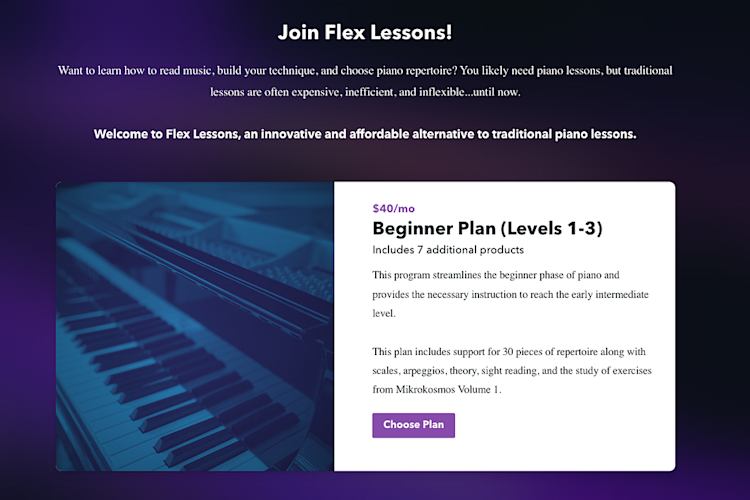
If they don’t purchase after your automated intro sequence, no stress. You’ve still got this person on your email list, and you can continue to share newsletters and other product updates as your business grows. And the more people you have on your list, the more potential customers you’ll have to build your membership.

And speaking of getting more people on your list, don’t forget to share your lead magnet or newsletter sign-up form anywhere you have an audience, like on your social media channels, in your link in bio, in blog posts, and on your website.

Case Study: Building a social media content membership with Brittany Hardy

If you want to see how all this works together, look at how Podia Pro and marketing expert Brittany Hardy set up her social media content membership for a niche industry.

Within the membership, subscribers can get industry-specific social media captions and content for the month, released monthly.

The lead magnet that points them to the membership is one month of social media content done for them. They sign up and are instantly redirected to a landing page that has all 30 days of captions and editable Canva images ready to go.

That page also has a callout that lets them know they can get even more months of content when they join the membership. There’s a link where they can subscribe monthly or annually, right then and there. This is great because if they’re happy with their free sample, there’s very little friction to join the full product.
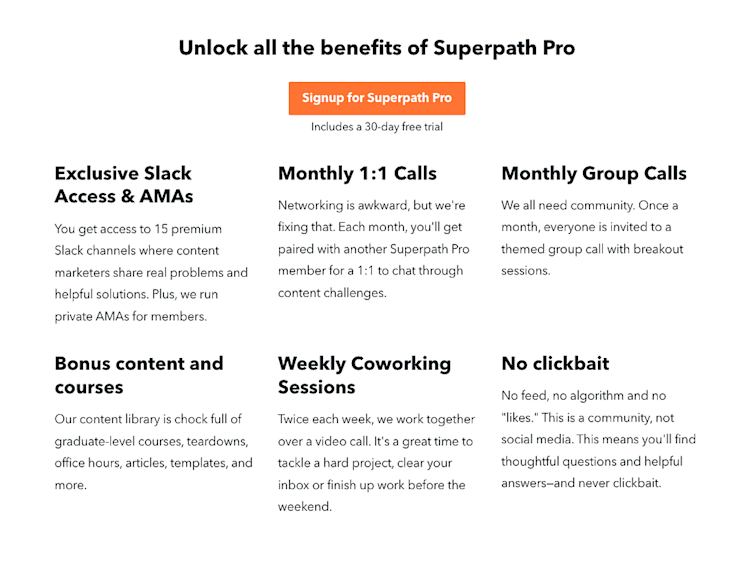
If they don’t sign up, that’s fine too, because they’re still on the email list. So at the end of each month, Brittany can email everyone who signed up for the freebie but didn’t sign up for the paid membership and let them know that the next month of content is about to be released. If they want access, now’s the time to join.
Scale with new content and products

Once this is moving, you’ve got a solid foundation to regularly bring new customers to your business. But there are a few more things you can do to scale your membership and keep the revenue flowing.

Add new content to your membership often so it becomes more valuable and makes people want to stay subscribed. Also, you can email people who haven’t purchased your membership whenever you add new stuff as a little self-promo-without-feeling-too-salesy option.

Add more products to your business that complement your membership. Could you make a coaching program, or online courses, or a webinar series around the same topic as your membership? If so, that could be a way to get more sales. Not everyone wants to sign up for a recurring subscription, but they might be interested in a one-time workshop or “pick my brain” session, so don’t leave that money on the table.

Add upsells at checkout. An upsell is a product or service that people can get at a discount, but only if they buy it right away when they’re checking out. This is a great way to increase your total order value for each sale you make. (See how to set up upsells for your membership in this help doc.)

Blog about topics related to your membership. What questions come up in your membership again and again? Write public blog posts that address these issues and then link to your lead magnet or paid membership within the blog post content. The more content you can create for your target audience, the more opportunities you have to get them onto your list and into your full business system.

For instance, Thibaut from Guitar Plug and Play writes great blog posts about learning to play guitar and includes this section at the bottom of each article.

Guitar Plug and Play

It has three options for going back to the blog, joining the free course, or signing up for a paid masterclass. This is a great way to make sure anyone who lands on his posts also can get on the email list or even make a purchase.

Learn how to set up your blog step by step in this help doc.

The more great products, blog content, upsells, and membership materials you add, the easier it will be for your ideal customers to find you and enjoy your business.

Case Study: Anatomy of a 6-figure membership business with Rob Williams

Podia Pro and entrepreneur Rob Williams built a six-figure membership business that consistently brings in revenue and new customers.

Robert’s system starts with a landing page-style homepage for his website that clearly explains what people get out of the membership. There’s nothing in the website’s header (to reduce distractions), and he uses a simple layout that clearly outlines the target pain point of his audience.

Robert Williams FOLYO home page

He also has several blog posts that target keywords his ideal audience would be looking for. These articles provide tons of value and answer their questions, while also pointing people to even more value in the paid programs.

Robert Williams FOLYO blog post articles

In the footer of every blog post, Robert includes a free preview of what readers could get in the paid membership, and if someone signs up for the lead magnet, they’ll automatically be added to his email list where he can run automated sales funnels.

Robert Williams FOLYO footer

That simple system is how Robert built a 6-figure membership business.

He says: “Over the years I’ve wasted countless hours designing my website, redesigning it, adding a bunch of useless features… and ultimately ended up ripping it all out. Full disclosure: my website is now generating about $13.75K per month. It really only requires a few pages, and I run no ads or do any social media. It’s really just my website targeting a few high-value keywords that my offering is perfect for.“

How to set up a profitable membership site as a solo business owner

To set up a profitable membership site, you’ll need great membership content (obviously), but in order to get more sales with ease, you should also have:

  • A platform that lets you add all kinds of membership content, products, and posts

  • A customizable landing page where you can share information about your program, testimonials, FAQs, and what your members can expect

  • A sales funnel that takes people from free lead magnet, to email list, to automated email campaign, to paid membership on autopilot

  • A plan to scale with new content, more product types, and blogging to reach even more people and increase your total order value

With these in place, you’ll have the freedom and flexibility to grow your business however you like, all while your membership happily chugs along earning you money.

And if you need a place to house your shiny new membership site, give Podia a try.

Podia has your membership, website, blog, email marketing, digital products, and audience data all in one tool, so you don’t have to make a ton of plugins and integrations talk to each other. You can use Podia free for 30 days, so start your profitable membership business today.

3 best email newsletter platforms for solopreneurs and creators

Software Stack Editor · March 19, 2025 ·

A newsletter is a great way to connect with your audience, but if you’re a solopreneur or creator, you need more than just a newsletter. You need a way to turn your subscribers into customers, build an engaged community around your work, and grow your business.

Most posts about the “best newsletter platforms” focus on email tools alone. And while that’s important, email is just one piece of the puzzle. If you’re building a business, you need a platform that helps you do more without juggling multiple tools or paying for extra software.

In this guide, we’ll cover:

  • Why it’s important to choose an email newsletter platform that also supports your business

  • Three top choices for email newsletters that help you grow and monetize your audience

  • Ten more solid newsletter platforms for solopreneurs and creators

With the right newsletter tool by your side, you’ll have the flexibility to grow, monetize, and evolve your business on your terms.

Podia is an all-in-one option for building an online business and your email newsletter is already connected to your website, blog, customer data, and digital products. Start growing your business and sending great emails on your 30-day free trial.

You need more than just a newsletter. Here’s why.

Email is a powerful tool, but it’s rarely the whole business. To grow your audience and generate income, you need an email newsletter platform that also helps you:

  • Get discovered through your website, blog, and SEO

  • Turn visitors into subscribers with lead magnets, landing pages, and sign-up forms

  • Sell digital products like courses, memberships, and downloads

  • Scale your business with marketing tools like coupons, upsells, and affiliates

When your platform gives you more than just email, you have options. You can go all in on a paid newsletter, use your list to promote your blog and social content, launch new courses and products, or experiment with different revenue streams — all without switching platforms every time you want to try something new.

Instead of outgrowing your tools, you have the flexibility to build your business however you want.

Not every email newsletter tool includes every feature above, and that’s okay. The key is finding one that fits your goals. That’s why this guide covers both all-in-one platforms that help you build a business and simple newsletter tools that keep email front and center.

If you want a platform that gives you options, our top picks are Podia, Kit, and Mailchimp. Each offers tools to help you grow your audience, send great newsletters, and build a business you love.

Let’s take a closer look at what makes these three platforms stand out. Then in the next section, we’ll cover 10 additional email newsletter tools that could also work for you.

Methodology

How did we come up with this list?

To put together this list, we specifically looked at how each platform performs for teams of one and solopreneurs. What features do they have for building your business? How easy is it to get started? Can you do everything you need to do in one place?

As composer and music entrepreneur Robert Rodriguez puts it, “I don’t want to deal with multiple companies and multiple subscriptions. I want one place to handle all (or at least most) of my business tools.”

And financial empowerment educator Johan Lobmeyer says, “When you start your business, you want to keep things simple and cannot afford to waste time integrating dozens of tools together.”
So we kept this feedback front of mind as we researched the email newsletter features and business-building capabilities of each tool.

For each platform on the list, we watched demos and found recent tutorials to see how different features work. In some cases, we were able to sign up for free trials to test the startup process. We also powered through a small library’s worth of help center docs, pricing pages, and support resources for each platform (so you don’t have to).

Most importantly, we drew on feedback and interviews from our customers over the years, since solopreneurs like you are the experts.

Top 3 platforms for email newsletters: Podia, Kit, Mailchimp

Podia — best all-in-one platform for building your newsletter and online business

Podia Home Page

Podia is an all-in-one platform where you can run your email marketing alongside your website, blog, online courses, digital products, and everything else you do in your business. Podia is designed to help you build a system around your work, so you can:

  • Find new customers with a customizable and SEO-friendly website and blog

  • Bring them onto your email list with lead magnets, email sign-up forms, and landing pages

  • Nurture them with email marketing through automated campaigns and welcome sequences

  • Send as many newsletters as you like using the easy email editor and template library

  • Sell products like courses, downloads, webinars, coaching, community, and bundles

  • And scale your work as you go with upsells and affiliate marketing

Podia has your email marketing and email newsletters built into the same tool where you do everything else, so you don’t have to worry about any additional integrations. All plans come with unlimited email sends, and your first 100 subscribers are free. After that, you only pay for what you need as your list grows.

Podia Email Thumbnail

All Podia Email plans come with:

Plus, Podia also has one-click blog post emailing. Whenever you publish a blog post, you can click to have it automatically sent to your email audience too. You can customize the blog post emailing template so it looks exactly the way you like, and this way, your members can easily see what new content you’re publishing.

You can also set up a paid newsletter by creating a digital product, setting the price you’d like to charge, and then sending your premium newsletter content only to the people who have previously purchased that product.

Podia automatically keeps track of who has what product so you can filter your subscribers and send. You can also generate a link to each of your previous newsletters to share on your website if you’d like to give people a preview of your work.

That’s one way Daniele from Swiss Innovation Academy prompts his newsletter on his landing page, which is also linked in the header of his website.

Swiss Innovation Academy newsletter page

How does it help me build a business?

With Podia, you have all the features you need to set up a successful business around your email newsletter. You can create systems and sales funnels to get new subscribers on autopilot, and you have lots of options for products and services to offer those customers. Best of all, you don’t have to worry about setting anything up behind the scenes since it’s already connected for you, so you can focus on building a business you love.

Podia pricing

  • Mover Plan ($39/month or $33/month billed annually): Includes your website, online store, blogging, landing pages, and unlimited products (courses, downloads, coaching, memberships, webinars, and community plans). 5% transaction fees.

  • Shaker Plan ($89/month or $75/month billed annually): Offers all features in the Mover Plan plus affiliate marketing. No transaction fees.

All Podia plans come with full email marketing features (including newsletters) free for up to 100 subscribers. After that, you’ll only pay more as your list grows.

Here’s a look at some of the Podia Email pricing tiers:

  • Up to 500 subscribers: $9/month or $7/month paid annually

  • Up to 1500 subscribers: $17/month or $13/month paid annually

  • Up to 2500 subscribers: $25/month or $20/month paid annually

  • Up to 5000 subscribers: $42/month or $34/month paid annually

Again, all plans come with all email features. The only difference is the size of your list. Podia also has integrations with popular email marketing tools if you prefer, but we hear time and time again that running everything in one place keeps things simple.

Pros: Your email newsletter is already connected to your website, blog, and digital products. You can segment and message your audience based on what products they have or haven’t purchased, what opt-in form they used, and any other metric in your account. Podia keeps track of all that for you, so you don’t have to set up an elaborate web of tags. You can also send unlimited emails on all plans.

Cons: Podia has a point-and-click newsletter and website builder, so it won’t be the best fit if you want to edit the code or HTML of your messages.

Kit (formerly ConvertKit) — free newsletter with landing pages and lead magnets

Kit home page

Kit is an email marketing and newsletter tool that also has helpful features for growing your business. You can choose from their premade newsletter templates or create one of your own and use segments and tags to email certain subsets of your audience.

Kit also comes with landing pages and forms to make free lead magnets and email sign-up pages, and you can embed your forms into your existing website. You can also set up a creator profile with public-facing posts (your newsletters, but in blog format) and a list of links.

On the automations front, Kit has a visual automation builder where you can build as many custom automations as you want on the Creator and Creator Pro plans. You’re limited to just one basic automation on the Newsletter plan.

Kit also comes with monetization features built in, like the ability to sell digital products, run a paid newsletter, or accept donations. You also have the option to get paid for promoting other creators or newsletters if you’re on the Creator or Creator Pro plans. They charge a 3.5% + 30c transaction fee on all sales earned through the platform.

How does it help me build a business?

Kit has lots of different monetization options that revolve around email, and there are built-in features where you can earn money for promoting other people or pay to be promoted in other newsletters. Kit also lets you set up unlimited landing pages and forms with lead magnet delivery to grow an audience for your business.

Kit pricing

Like most email platforms, Kit pricing goes up as your list grows. This is where the pricing starts if you have 1,000 email subscribers.

  • Newsletter Plan (Free): Up to 10,000 subscribers, unlimited landing pages and opt-in forms, send unlimited email broadcasts.

  • Creator Plan ($29/month, $290/year): Price for up to 1000 subscribers, unlimited visual automations, email sequences, additional users, free and paid recommendations.

  • Creator Pro Plan ($59/month, $590/year): Price for up to 1000 subscribers, all Creator Plan features, subscriber scoring, newsletter referral system, advanced analytics, and priority support.

Pros: Kit has good features for building an audience (landing pages, sign-up forms, lead magnet delivery) and monetization (paid newsletters, digital products, earn from ads). You can also use their basic newsletter feature for free for up to 10,000 subscribers.

Cons: Compared to other tools, Kit’s pricing gets expensive as your list grows. While you can build your newsletter for free for up to 10,000 subscribers, the catch is that you automatically must include space to recommend other creators on your forms and in your newsletters. This can be distracting for your subscribers since it diverts attention away from your work.

Mailchimp — free newsletter with website but no monetization tools

Mailchimp home page

Mailchimp is often one of the first tools people find when they get started with email marketing because there’s a free plan. You can use Mailchimp for free for up to 500 contacts, and you can send a maximum of 1,000 emails per month on that plan.

While it’s nice to be able to start for free, 1,000 emails per month is pretty low if you’re close to that 500-contact limit, especially if you want to send a weekly newsletter. So for sending regular newsletters, you’ll likely need the Essentials or Starter plan.

Mailchimp has a website builder and landing page tool so you can create a place to attract new people to your email list. You can also unlock automations, segmentation, and A/B testing on higher-tier plans.

But there are no digital products or payment processing, so if you want to charge for your newsletter, create a paywall, or sell downloads, courses, etc., you’ll need integrations and third-party tools.

How does it help me build a business?

You can get started for free and send occasional emails (no more than 1,000 per month) to up to 500 subscribers on the free plan. You can also use the website tool and landing page builder to create sign-up forms for growing your list. There are also social media features so you can share content with your social channels too.

Mailchimp pricing

This is where pricing starts if you have 500 email subscribers, and prices go up as your list grows.

  • Free Plan (Free): Up to 500 contacts, 1,000 monthly email sends (500 daily limit), basic email templates, single-step automation, surveys, and basic reporting.

  • Essentials Plan ($13/month, $156/year): Up to 500 contacts, 5,000 monthly email sends, all Mailchimp templates, A/B testing, multi-step customer journeys, 24/7 email and chat support.

  • Standard Plan ($20/month, $240/year): Up to 500 contacts, 6,000 monthly email sends, custom email templates, advanced segmentation, behavioral targeting, send time optimization, 24/7 email and chat support.

  • Premium Plan ($350/month, $4,200/year): Starts at 10,000 contacts, 150,000 monthly email sends, all Standard Plan features plus multivariate testing, advanced segmentation, predictive analytics, priority customer support, and unlimited audiences.

If your plan’s contact or email send limit is exceeded, you will have to pay overages (except for the Free plan, where sending will be paused until the next monthly plan cycle).

If you want to use Mailchimp’s website feature, there could be an extra add-on fee.

  • Free: All website features except for custom domains and live chat support

  • Core: ($10/month): All website features including the ability to connect a custom domain and live chat support

Pros: You can set up your email marketing and website in the same place, which makes it easier to keep everything connected. Mailchimp is a relatively common tool in the online business world so there’s a good chance it will integrate with other platforms in your stack.

Cons: There are no monetization features, so you’ll need other tools to make money off your list. There are also email send limits on all plans, contact limits on all plans, and connecting a custom domain for your website is an extra $10/month. If you go with the free plan, you only get email support for the first 30 days.

There are about a million ways to make an online business, so of course, not every tool will be right for every person. Here are 10 more newsletter tools you can check out for even more options.

Ghost — website and newsletter platform for bloggers

Ghost homepage

Ghost is a blogging and email newsletter tool where you can set up a website as well as free, subscriber-only, and paid articles. It’s best for those who want to primarily monetize through paid newsletters and paywalled blog content.

Ghost also has nice website templates that are fully customizable so you can make your site and blog look however you like. That said, there aren’t other product types, so you’ll need another tool for courses, webinars, downloads, and communities.

Ghost pricing

These are the starting prices for each Ghost plan. The pricing goes up as your list of free and paid members grows.

  • Starter ($11/month or $9/month billed annually for 500 members): 1 newsletter, 1 team seat, 1 premium tier, 5mb file uploads.

  • Creator ($31/month or $25/month billed annually for 1,000 members): 3 different newsletters, 2 team seats, 5 premium tiers, 100 mb file uploads.

  • Team ($63/month or $50/month billed annually for 1,000 members): 10 different newsletters, 10 team seats, unlimited premium tiers, 250mb file uploads.

  • Business ($249/month or $199/month billed annually for 10,000 members): Unlimited newsletters, team seats, and premium tiers, 1GB file uploads.

Beehiiv — newsletter platform with sponsor network and boosts

Beehiiv home page

Beehiiv includes your website, newsletter, and email list. You can create your article once, post it to your blog, and send it out to your email subscribers. You can charge for newsletter access and create different publications around different topics.

Something that makes Beehiiv unique is that you can also monetize through their ad network or Boosts system. With the ad network, you can get paid for displaying sponsor ads in your newsletters, and with boosts, you can pay other creators to promote you in their newsletters.

There is a free plan so you can get started without upfront costs, but all monetization features are only available on the Scale plan and up, so you won’t be able to earn with ads, boosts, or paid newsletters until you upgrade.

Beehiiv pricing

  • Launch Plan (Free): Up to 2,500 subscribers, unlimited email sends, website, up to 3 publications, audience segmentation.

  • Scale Plan ($43/month, $517/year): Pricing for 1000 subscribers. All Launch Plan features plus access to the ad network, boost network, paid subscriptions, email automations, referral program, and support for up to 3 team members.​

  • Max Plan ($96/month, $1,151/year): Pricing for 1000 subscribers. Includes all Scale Plan features, removes Beehiiv branding, unlimited team members, and up to 10 publications.

The free plan is available for up to 2,500 subscribers, and the Scale and Max plans both start at the prices listed above for 1,000 subscribers. The prices go up as your list grows.

Substack — blogging and newsletter subscription tool

Substack homepage

Like Ghost and Beehiiv, Substack is a paid newsletter tool where you can publish free content or gate your articles so only subscribers can see them. You write your articles and publish them on your Substack page, and if you set them to public, anyone can read them. Substack will add sign-up pop-ups and inline forms throughout the content to encourage readers to join your list, and you can create free and paid membership tiers.

Substack has limited customizations and few branding options, but the plus side is that you’ll be able to get started fast. All you need to do is sign up, add your content, and start sharing. All Substack publications have a similar look and feel, but this might be fine for you if you just want to put up your blog posts, send them to your newsletter list, and go.

Substack pricing

MailerLite — Email newsletter with website and digital products

MailerLite home page

MailerLite is an email service provider with your website, email list, and landing pages. On higher plans, you can sell digital products and add a blog. All paid plans come with unlimited landing pages and email sends.

There’s a free tier which is nice for getting started, but the free plan doesn’t include blogging or any website templates, and you’re limited to 10 landing pages. Free plan members only get email and chat support in their first 30 days.

MailerLite pricing

  • Free Plan (Free): Up to 1,000 subscribers, 12,000 monthly email sends, 1 user seat, website, automations, 10 landing pages, and email & chat support for the first 30 days.

  • Growing Business Plan ($10/month, $108/year): Price for 500 subscribers, unlimited email sends, 3 user seats, ability to sell digital products, blogging, unlimited landing pages.

  • Advanced Plan ($21/month, $226.80/year): Price for 500 subscribers, unlimited user seats, 24/7 live chat & email support, smart sending, Facebook integration, custom HTML editor, promotion pop-ups, enhanced automations.

Flodesk — Nice newsletter templates and unlimited subscribers

Flodesk home page

Flodesk is an email tool that’s known for having nice email templates. They offer two plans — an email marketing plan that includes unlimited email sends and subscribers, and an email marketing + ecommerce plan that also comes with sales pages, payment processing, and digital product delivery.

The nice thing about Flodesk is that all plans include as many subscribers as you want and unlimited email sends. You can use their templates to create artsy and unique-looking newsletters too.

That said, there isn’t a paid newsletter feature built-in, nor is there a blog or website tool, so you’ll need to attach these tools separately. If you want to share your content as a blog post and in a newsletter, you’ll need to copy it over manually. But for making newsletters directly in the app, Flodesk has a lot of design options.

Flodesk pricing

  • Free Plan (Free): Access to forms, landing pages, and link-in-bio tools.

  • Email Marketing Plan ($38/month, $35/month paid annually): Unlimited emails, unlimited subscribers, audience segmentation, templates, and custom domains.

  • Email Marketing Plan + Ecommerce ($64/month, $59/month paid annually): Unlimited sales pages, payment processing, checkout flows, online payments, and instant product deliveries. (Ecommerce is an add-on that you can use with an Email Marketing plan.)

Constant Contact — digital marketing and email tool with social media and SMS features

Constant Contact home page

Constant Contact is an email and digital marketing tool where you can stay in touch with your audience. There’s an email builder and lots of templates, and you can integrate with Shopify, WooCommerce, and other selling platforms if you’d like to get customers onto your email list.

One nice feature that Constant Contact has on the Standard plan and up (starting at $35/month), is that you can set up a newsletter archive. Constant Contact will provide links to your last 100 email newsletters that you can embed on your website if you want to share examples of your past work. There are also SMS messaging and social media scheduling features built in.

On the flip side, Constant Contact doesn’t have paywalls, paid newsletters, or paid subscriptions, but you can use integrations to get these features if you like. There are also subscriber, storage, and send limits on all plans, and you’re limited to the number of segments you can make on the Lite and Standard plans.

Constant Contact pricing

Constant Contact charges based on email subscriber number, and the prices jump up quite a bit as your list grows. Here’s where they start if you have up to 500 subscribers on your list:

  • Lite ($12/month): For up to 500 subscribers, includes 1 user, 1GB storage, 1 custom segment, and 10x subscriber count email sends.

  • Standard ($35/month): For up to 500 subscribers, includes 3 users, 10GB storage, 10 custom segments, and 12x subscriber count email sends.

  • Premium ($80/month): For up to 500 subscribers, includes unlimited users, 25GB storage, and 24x subscriber count email sends, custom automations, and unlimited segments.

AWeber — Email marketing with automations and templates

AWeber home page

AWeber is an email marketing and automation tool with a drag-and-drop email newsletter builder, customizable theme settings, and campaign automation. You can customize your emails with audience personalization and create custom segments on higher-tiered plans.

There are limits on the Free and Lite plans, so if you want to use segmentation (beyond one segment) or make lots of different landing pages and automations, you’ll need the Plus plan which costs $30/month for 500 subscribers. All plans have send limits, and even though they’re pretty high so you likely won’t bump up against them, it’s a bit strange to have an “unlimited” plan that still limits email sends.

AWeber also lacks monetization tools so you’ll need to connect with another platform to charge for newsletter access or integrate with your products/course tool if you want to keep track of who has what product.

AWeber pricing

  • Free: Up to 500 subscribers, 3,000 email sends per month, 1 email list, 1 landing page, 1 email automation.

  • Lite ($15/month or $12.50/month billed annually): Price for 500 subscribers, email sends limited to 10x subscriber count, 1 email list, 3 landing pages, 3 email automations, 1 custom segment.

  • Plus ($30/month or $20/month billed annually): Price for 500 subscribers, email sends limited to 12x subscriber count, unlimited email lists, landing pages, automations, and segments.

  • Unlimited ($899/month): Unlimited subscribers, 15x subscriber count email sends, and unlimited landing pages, email lists, automations, and segments.

Benchmark — email newsletters that integrate with Shopify

Benchmark home page

Benchmark has a drag-and-drop email builder that lets you create email newsletters and automations for your business. There are pre-made email templates, and you can set up landing pages and sign-up forms to grow your list. If you sell products online through Shopify, you can also connect Benchmark with your Shopify ecommerce store to feature your products.

One thing to pay attention to with Benchmark is that there are contact limits, form limits, and send limits on both the Free and Pro plans. Plus, Benchmark doesn’t have monetization features or your website built in, so you may need other tools for this.

Benchmark pricing

  • Free: Includes up to 500 contacts and 3,500 emails per month, 1 sign-up form, and reports.

  • Pro ($15/month or $13/month paid annually): Price for 500 contacts, 7,500 email sends per month, 25 sign-up forms, email automations, landing pages, A/B testing.

  • Enterprise: For lists of 25,000 or higher, unlimited sign-up forms, send-based pricing.

MailPoet — Email marketing WordPress plugin

MailPoet home page

MailPoet is a WordPress plugin that allows you to add email marketing and newsletters to your existing WordPress website. It comes with email newsletter templates, sign-up forms, and basic marketing automations. Plus, you can connect it with WooCommerce if you want to send emails based on what people have purchased.

MailPoet doesn’t have its own checkout or monetization features, but it’s a solid choice if you’re already using WordPress for your business and just need to add email.

MailPoet pricing

This is the MailPoet pricing for a list of 500 subscribers. The price goes up on the Business and Agency plans as your subscriber count grows.

  • Starter (Free for up to 500 subscribers): Includes up to 5,000 email sends per month, sign-up forms, and basic email marketing automations.

  • Business ($10/month or $9/month billed annually): Price for 500 subscribers, includes unlimited email sends, segmentation, and targeted marketing automations.

  • Agency ($30/month or $26/month billed annually): Price for 500 subscribers, includes everything on Business but you can use MailPoet on 50 websites (good for web design professionals).

Moosend — Simple email marketing without monetization features

Moosend pricing page

Moosend is a simple email marketing tool where you can build landing pages and sign-up forms for your list. All plans come with unlimited email sends and the ability to set up automated emails, and the pricing is based on the number of contacts you have.

For sending newsletters, Moosend has templates you can customize, or you can build from scratch. There are also email segmentation and automation features built in. Moosend is all about email, so it’s a good option if you already have a tool for your website, digital products, blog, and other business features. There isn’t payment processing built in, so you’ll need to use an integration if you want to charge for newsletter access.

Moosend pricing

  • Pro ($9/month or $7/month paid annually): Price for 500 contacts, includes unlimited email sends, landing pages, email automations, and sign-up forms.

There are also Plus and Enterprise accounts if you need additional features like transactional emails and SSO. These prices aren’t publicly listed.

What’s the best newsletter platform for my solo business?

No matter what kind of business you’re building, the right email platform should support your growth. To recap, here are all 13 newsletter platforms and what they’re best for:

  • Podia — best all-in-one platform for building your newsletter and online business

  • Kit — free newsletter with landing pages and lead magnets

  • Mailchimp — free newsletter with website but no monetization tools

  • Ghost — website and newsletter platform for bloggers

  • Beehiiv — newsletter platform with sponsor network and boosts

  • Substack — blogging and newsletter subscription tool

  • MailerLite — email newsletter with website and digital products

  • Flodesk — nice newsletter templates and unlimited subscribers

  • Constant Contact — digital marketing and email tool with SMS features

  • AWeber — email marketing with automations and templates

  • Benchmark: email newsletters that integrate with Shopify

  • MailPoet: email marketing WordPress plugin

  • Moosend: simple email marketing without monetization features

If you’re still on the fence, we’d love to show you what Podia can do. Start your 30-day free trial to set up your website, blog, and email newsletters, as well as your first digital products. Your first sale could be right around the corner.

Whether you need an all-in-one solution or a simple newsletter tool, choosing the right fit means you can focus on what matters most: creating, connecting, and building a business you love.

  • Page 1
  • Page 2
  • Page 3
  • Interim pages omitted …
  • Page 6
  • Go to Next Page »

Get your Software Stack together. softwarestack.tech

Software Stack

© 2024–2026 - Software Stack is a trading name of SouthwestCIO Limited ac ompany registered in England & Wales 11319049

  • Knowledgebase
  • Home
  • About Us
  • Contact Us