• Skip to primary navigation
  • Skip to main content
software stack logo

Software Stack

Get your Software Stack together

  • Knowledgebase
    • All Categories
    • Accounting Software
    • Automation & Workflow Software
    • Customer Relationship Management
    • E-Commerce Shopfronts & Payments
    • Marketing Automation
    • Online Courses & Membership
    • Project Management
    • Surveys & Forms
    • Web Hosting
  • Home
  • About Us
  • Contact Us
  • Show Search
Hide Search

Online Learning & Community

How to sell digital products online and earn passive income

Software Stack Editor · June 3, 2025 ·

Selling digital products online is how thousands of creators, educators, and entrepreneurs are building real businesses and earning passive income. Whether you’re dreaming of turning your expertise into an online course or want to monetize your design templates or ebooks, this guide is your step-by-step walkthrough. Want more proof? Elearning and online courses are expected …

Continue

The post How to sell digital products online and earn passive income appeared first on LearnWorlds.

5 effective strategies to boost SaaS user adoption

Software Stack Editor · June 3, 2025 ·

User adoption in SaaS is challenging. Getting users to not only try your product but truly integrate it into their lives is no small feat, especially with all the competition. And yet, it’s absolutely essential to the survival and growth of all SaaS companies. In this blog, we break down the journey to effective SaaS …

Continue

The post 5 effective strategies to boost SaaS user adoption appeared first on LearnWorlds.

13 best LMS for UK businesses in 2025

Software Stack Editor · June 1, 2025 ·

The need for specialised knowledge grows, and employee development is already a central point of discussion. Addressing those big business changes can be difficult, especially when trying to keep up with new markets, evolving roles, and filling critical skill gaps. To help you select a learning management system for 2025, we created a table that …

Continue

The post 13 best LMS for UK businesses in 2025 appeared first on LearnWorlds.

How to Build a Powerful Personal Brand as an Introvert

Software Stack Editor · May 30, 2025 ·

What do Bill Gates, Warren Buffet, and Steve Wozniak have in common? Apart from being extremely successful businessmen, they’re all introverts. Yes, you’ve read that right. Three men who build powerful personal brands and industry-disturbing businesses are all introverts.

While it sometimes might feel that extroverts rule the world, most recent surveys show that most of the world actually leans towards introversion. When it comes to growing a personal brand, it might seem impossible for an introvert; it’s easier than it looks. It simply requires a different approach tailored specifically to your personality.

A quiet personal brand can be just as powerful as a loud one – use your unique personality traits to your advantage. So, if you’re wondering how to build a personal brand as an introvert, we’re here to help with the best introvert branding tips.

Embracing your unique qualities as an introverted creator

As an introvert, you have a unique set of character traits. These traits can have a huge positive impact on your personal brand, so don’t shy away from leaning into them to build a strong and authentic personal brand:

  • Deep thinking: Research shows that the introverted brain is more active even when relaxed compared to the extroverted brain – it turns out that introverts think more, and they’re able to think deeply about things. Strategic thinking allows you to make the right decisions when building a personal brand.
  • Authenticity: Authentic self-branding is key to success, and for introverts, it might be easier to achieve because they can hone in on their authentic character traits a little easier. Extroverts are more likely to give in to social pressure, which might lead them to build a brand based on pleasing people rather than being authentically self.
  • Deep connections: While socializing feels like a chore to introverts, they have an exceptional ability to create deep, meaningful connections. When building a personal brand as an introvert, this ability can become the superpower that allows you to find better ways to connect with your core audience.
  • Creativity: Introvert’s abilities to focus and be in solitude often allow them to be more creative than extroverts, whose creativity goes out more toward people. It can be a huge advantage when it comes to brainstorming ideas, creative assets, and content for your personal brand.

Defining your personal brand vision

The first step to successful personal branding for introverts is to define your brand vision. Your personal brand vision is one of the fundamental pieces of building a strong personal brand. It outlines your direction and purpose and allows you to stay on track and true to your authentic self.

So, take your time to reflect on your personal brand and your business. You might want to consider journaling with prompts to help you brainstorm the right answers. Considering answering these questions:

  • What are my personal brand goals?
  • What do I want to achieve with my personal brand? For example, I want to increase sales, establish myself as an expert, connect with like-minded people, etc.
  • What are my personal values?
  • How can my values translate into my personal brand and business?
  • How do I want to make my core audience feel?
  • What are my strengths?
  • What things I’m exceptionally good at?
  • What things I’m confident in?
  • What is my audience struggling with? What are their pain points?

After reflecting, you’ll have a much clearer vision for your personal brand. As an introvert, you really want to hone into things you’re good at and that bring you joy, and you should focus on developing and accentuating them when you build your personal brand.

Building a digital presence that feels true to you

Many people believe that to build a personal brand online, they have to be extroverted. However, the online world is the perfect place for introverts to build a personal brand – there is no pressure of real-life social interactions, just you and your screen.

While being an extrovert certainly makes things like interacting with people on social media and building connections easier, introverts can also successfully create content. The key to exceptional marketing for introverts is to adapt online platforms to fit your personal needs and strengths.

Blog

Written content can be a phenomenal way for introverts to build a personal brand online. Writing blog posts and articles gives you time to think and put your thoughts in the correct order. It’s often a solitary activity, and it allows you to put your deep strategic and critical thinking skills to use.

So, consider starting a blog or creating a profile on platforms like Medium. Focusing on creating quality blog content will allow you to establish yourself as the expert in your field and offer great value to your audience without the added stress of having to speak to large crowds and use up all of your social battery.

Video

You might be thinking that video content is an absolute no-go for introverts. However, we challenge you to think about it again. While impromptu videos for IG stories or trendy TikTok videos might be too exhausting for an introvert, there are ways to utilize creating videos.

First and foremost, creating videos for socials without being on a camera can be a great way to utilize video content as an introvert. You can utilize your creativity to create graphics and film content and edit it into something entertaining and informative. Use a voiceover feature, or only do subtitles – whatever feels more comfortable.

Also, certain video platforms might be easier. For example, YouTube can be a great way for introverts to create video content without too much pressure to perform. YouTube has a bit of a slower pace, and people enjoy not only trendy, fast-paced content but also slower, more authentic, and unique content like vlogs and cozy chit-chat videos.

Audio

Podcasts might or might not be challenging for introverts because they require a lot of talking. However, if podcasts are your preferred or desired way of building a personal brand, then there is a solution to make it easier for you as an introvert.

One thing that might help is writing scripts for every episode beforehand. This will help alleviate the stress and anxiety of having to come up with things to say on the spot and will help you get your point across with much more ease and clarity.

Social Media

Social media can be a great place to grow your personal brand, even as an introvert. Because social media can be all-consuming and demanding of your attention, it’s important to set boundaries and focus on creating the type of content that feels authentic to you.

Also, don’t feel pressured to reply to every single comment right away. Set specific times during the day when you dedicate your time to social media engagement. That’ll allow you to alleviate some of the pressure and anxiety that comes with having to deal with social interactions as an introvert.

Developing content and networking strategically

When it comes to building a personal brand as an introvert, you want to focus on intentionality and quality. That’s especially true for content creation, which can often lead introvert creators to burnout. Figure out what type of content your target audience wants to see, and focus on creating well-crafted, well-researched, creative content that’s unique to you.

You might create fewer posts than other people create, but that’s okay. Remember: quality over quantity. Your goal is to show up as an authentic self and share your expertise. Being intentional with content creation will allow you to stick with content creation long-term without burning out.

Networking and connecting with people in your industry and your audience is not something you can avoid. So, let’s talk about introverted networking strategies to help you achieve your goals with minimal discomfort.

Use your ability to forge deep connections with people by doing one-on-one online meetings to develop meaningful connections without the pressure of being in a group setting. Also, you might want to find forums and niche online groups in your industry that offer you an opportunity to engage and connect with others at your own pace. Prioritizing genuine connections is just as crucial as focusing on quality over quantity when creating content.  

Consistency and authenticity in your brand

Every introvert’s superpower is their ability to be true to themselves. Use that to your advantage when building a personal brand. It’s easy to compare yourself to other creators who are different from you, but try to avoid it. What works for someone who’s extroverted might not work for you, and that’s okay.

When in doubt, return to your brand vision and reflect on it before creating more content or promoting yourself. Once you establish sustainable ways to create content and show up as an expert in your field, stick to these methods. You have excellent critical thinking skills and exceptional creative abilities, so use them to create a personal brand that’s unique to you.

Examples of successful introvert brands

To prove that introverts can successfully build strong and successful personal brands, let’s look at three examples to help inspire you.

Jenna Kutcher

‍

‍

Jenna Kutcher is a marketing expert, online course creator, NYT bestselling author, and, you guessed it – an introvert. Despite being an introvert, she was able to build a successful wedding photography brand that later turned into a multi-million dollar online course brand and even a successful book deal.

Lana Blakely

‍

‍

A Swedish YouTuber and content creator, Lana Blakely, blew up with her video “A Real Day in the Life of an Introvert” almost five years ago, catapulting her channel to success. As an introvert, she was able to build an authentic brand on YouTube, creating valuable content that’s true to her values, which now has over 1.5 million subscribers.

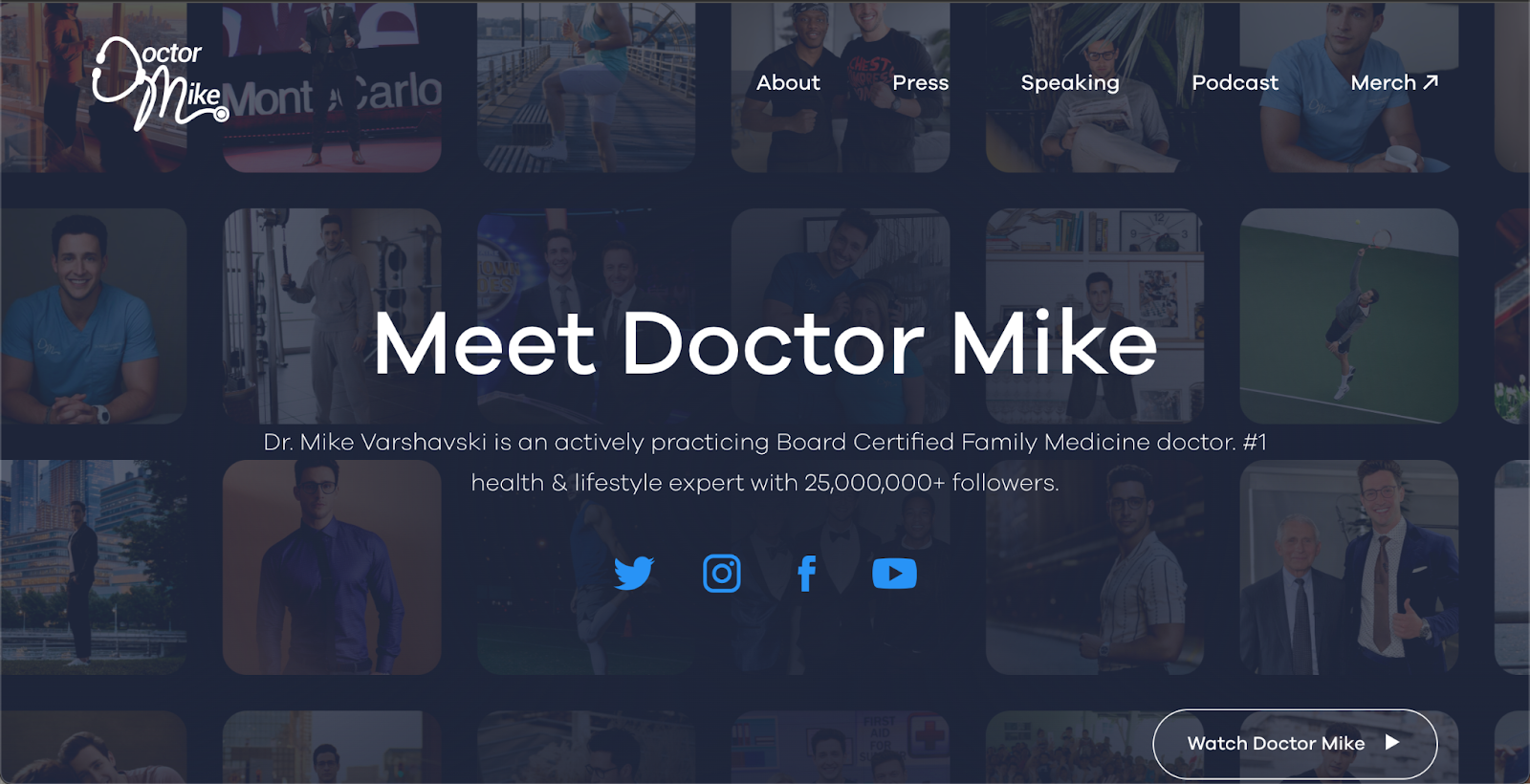
Doctor Mike

‍

Doctor Mike is a board-certified family physician and an internet personality. And guess what? He’s also an introvert. He started his internet career by posting informative yet educational videos on YouTube and other social media platforms and managed to build a strong personal brand even as an introvert.

Common challenges and how to overcome them

Personal branding for shy people and introverts does come with a set of challenges.

Social media burnout

Social media can be exhausting for introverts because it’s ever-changing, fast-moving, and always demands constant engagement for you to stay relevant. If you’re not careful, it can be very easy to burn out from creating content on social media.

A very straightforward way to avoid social media burnout as an introvert is to set clear boundaries. Use time-batching to batch-create content once per week or per month, set daily or weekly times for social media engagement, and turn off notifications so they won’t distract you during the day. This can help you manage your energy better and avoid feeling overwhelmed.

Self-promo discomfort

It can be very awkward and uncomfortable to promote yourself on social media. We get it. You might avoid sharing your achievements or even your expertise online, which are essential parts of building a personal brand. If you feel awkward and uncomfortable, you’ll probably avoid creating content at all, which can negatively impact your brand’s growth.

A quick way to remove the self-promo discomfort is to reframe it as offering value to your audience. Instead of blatantly shouting about your achievements or offers, share valuable insights, lessons learned, or mistakes made. Not only does it make for much more engaging content, but it also allows you to overcome any discomfort you might feel.

The pressure to always be “on”

As an introvert, you might feel a lot of pressure to always be “on.” You might want to always be socially interacting, engaging, and researching. You might find yourself working during weekends or after work hours, and after a while, it can lead to you feeling tired and empty.

The great news is that you don’t need to always be “on.” To build a successful personal brand, consistency over the long term is much more important than the intensity with which you show up. So, instead of posting every day, find a more sustainable schedule and stick with it. Plan content in advance and use social media scheduling tools to schedule new posts.

You can do this

Building a personal brand as an introvert is not only achievable but can also be extremely rewarding in the end. As an introvert, you want to hone in on your strengths and authentic character traits to build your personal brand online and make new connections with your audience and industry professionals.

Don’t shy away from building a personal brand just because you might feel that you’re different than someone else. That’s exactly why you want to build a personal brand: to show off your unique set of values, goals, and expert skills. No better time to start than now.  

‍

2025 Teachable Pricing And Plan Updates

Software Stack Editor · May 28, 2025 ·

image

At Teachable, it’s always been our goal to help you create, manage, and share education products globally that deliver a best-in-class student experience. 

To keep meeting that promise, today we’re announcing updates to our pricing and plan structure. These changes allow us to continue investing in tools that fuel your growth and help your business move forward.

Those updates cover a variety of changes, mainly:

  • Four new plans—Starter, Builder, Growth, and Advanced—with increased access to features that better serve the key stages of your business journey
  • Lower transaction fees, so you can keep more of what you earn
  • Separating memberships, community, and bundles from published product counts and transitioning to counting total products

Since we last changed our pricing and plan structure in January 2023, we’ve launched a ton of exciting new features and improvements to the Teachable platform—recently including one-time password logins, a student hub, enhancements to our top-rated mobile app, and more. We have plenty more on the way too, which you can learn all about in this webinar recording.

We know that platform changes can have a big impact on how you do business. Let’s dive in a bit deeper to see the specifics of what these updates might mean for you and your team.

‍Below is an overview of plan changes. You can also check out our Help Center article for the full details.

Introducing our new plans: Starter, Builder, Growth, and Advance

As the online learning industry has evolved, so too has the way you work in Teachable. Our new plan structure is designed to grow with you and your business from first launch to high-scale operations, with each plan serving a key phase of that journey.

These plans are available to new schools starting the week of June 2, 2025. Between June 15 and July 15, 2025, existing schools will automatically be granted the plan best fit for their current enrollment and total products published. If you’re curious about how this might impact you, check out our FAQ. 

Starter plan 

The Starter plan is where to begin exploring what’s possible on Teachable. Whether you’re testing a product idea or building your first course, Starter gives you all the tools you need to create and sell your first product at your own pace. 

Builder plan 

True to its name, the Builder plan is made to help you build out the base of your business and grow with confidence. Whether you’re validating your first digital product or thinking up ways to expand your offerings, Builder is the best place to start. 

The Builder plan has added benefits, including:

Growth plan

When you’re ready to reach more people, showcase your own branding, streamline your operation, and grow your revenue, the Growth plan is for you. Benefit from increased flexibility and selling power as you expand your product catalog and refine your sales strategy.

The Growth plan unlocks: 

  • Unlimited bulk user imports, so you can easily migrate or bring your students in from other sources via CSV file.
  • Custom user roles to create and manage granular permissions for your team members.
  • Unlimited subtitle and translation generation, so you can share courses in up to 70 languages at no additional cost. 

Advanced plan

When you’re ready to break out of business-as-usual and grow your reach and revenue, the Advanced plan is for you. Built for experienced creators and teams who are already operating at scale and ready to go even further, the Advanced plan supports advanced automations and high sales volume with the flexibility you need to grow efficiently. 

The Advanced plan has all the features highlighted in our Builder and Growth plans as well as our highest publish-product limit, at 100 total published products

Lower transaction fees

Our new plan structure takes a more creator-friendly approach to transaction fees. In other words, you get to keep more of what you earn and won’t be penalized for selling more. 

You’ll benefit from 0% base transaction fees on the Builder, Growth, and Advanced plans. For those just getting started, the Starter plan includes a 7.5% transaction fee, designed to keep upfront subscription costs low while still offering the core tools needed to launch.

Payment processing and commerce service fees (e.g. credit card fees or PayPal charges) may still apply, but Teachable won’t take a percentage of your earnings except on the Starter plan.

Updates to published product totals

With all of our new plans, we won’t be counting bundles, memberships, and communities in your total number of published products. As such, all new plans allow you to publish and sell an unlimited number of bundles, memberships, and community spaces. 

So whether you want to spark deeper engagement with your audience through community discussions or earn ongoing income through memberships, you can now sell them without limits. These offerings are essential for building engagement and recurring revenue, and they’re now more accessible than ever.

As always, all of our new plans still allow you to create an unlimited number of courses, coaching, and digital downloads in draft mode.

Investing in a better future

These plan updates reflect our commitment to improving your workflows, building innovative features, and ensuring Teachable evolves alongside your needs and goals. Our new plans ensure you have access to the right tools at all phases of your business—and as your business grows, we’ll continue to grow with you. 

With expanded feature access, lower fees, and more flexible selling capabilities, Teachable can continue to be the top choice for businesses and creators who are serious about providing the best learning experiences possible. 

Your success drives everything we do. We’re excited to keep partnering with you—and to keep providing the tools and support you need to thrive.

How to enhance videos with AI to improve student engagement

Software Stack Editor · May 26, 2025 ·

Ever finished filming a course video, only to realize editing is the real challenge? Adding subtitles, translating for different languages, and making the content interactive can quickly turn into a full-time job. And you’re not alone. Educators everywhere are looking for smarter ways to enhance video quality and keep learners engaged. It’s no surprise that …

Continue

The post How to enhance videos with AI to improve student engagement appeared first on LearnWorlds.

New App Store rules: What school owners should know about Apple outside payments

Software Stack Editor · May 26, 2025 ·

Big news recently shook up the world of iOS apps. On April 30, a U.S. judge ruled that Apple must now allow apps in the U.S. App Store to include links or buttons that direct users to an external payment page on the web. This decision stems from the Apple case, a legal dispute between …

Continue

The post New App Store rules: What school owners should know about Apple outside payments appeared first on LearnWorlds.

How to create a high-converting sales page: examples and proven tips

Software Stack Editor · May 26, 2025 ·

Creating a sales page isn’t just about putting your product or service online. It’s about making a connection—showing your target audience why your course matters, what benefits it brings, and how it helps them take the next step. If you’ve ever landed on a page that didn’t speak to your needs, you already know: not …

Continue

The post How to create a high-converting sales page: examples and proven tips appeared first on LearnWorlds.

How to sell templates online and drive real sales for your business

Software Stack Editor · May 26, 2025 ·

If you’ve ever made a checklist, spreadsheet, email sequence, or design file to make your life easier, you might be sitting on a digital product that people would pay for.

Templates — tools that help people complete a task, solve a problem, or create something new — are one of the easiest ways to start (or grow) an online business. They’re quick to set up, simple to sell, and don’t require a huge audience to start seeing results.

They’re also a great way to build trust with your audience. When someone buys a template from you and finds it genuinely helpful, they’re more likely to come back for your bigger offers, like courses, coaching, or memberships.

In this guide, you’ll learn:

  • How to make the right template for your audience

  • How to set up and sell your template in Podia

  • A system you can use to sell higher-ticket products like courses, coaching, and memberships, using your template as a jumping-off point

We have seen thousands of Podia customers build their businesses by selling templates, and you can too. Here’s how to build your own system that brings in more sales and customers who love what you do.

With Podia, you can start by selling templates online and grow with courses, webinars, memberships, and other digital products. Your website and email marketing are already connected, so you have everything you need to grow. Start your 30-day free trial today.

Can I really build a business selling templates online?

Many solopreneurs think that a signature course or high-ticket offer will bring in steady income. But they quickly realize that without an audience, a sales strategy, or a way to build trust, those sales are really hard to come by.

To get customers in the door, they need something smaller — an entry point that makes it easy for new buyers to say yes.

Selling templates is a great solution, but without the right follow-up strategy, creators end up with one-off sales instead of long-term customers.

You don’t want to leave money on the table, which is why you need a system (a 4-part system, to be exact) to turn your templates into a sales machine that builds trust and grows your business.

How to successfully sell templates online with Podia

There are dozens of tools where you can upload a template, slap on a price tag, and make a few sales. But I’m guessing you want more than that.

An automated system for building customer relationships and bringing in consistent revenue sounds a lot more appealing than a handful of one-off purchases, so here’s a simple, four-step system you can follow to set that up:

  1. Choose the right template to sell

  2. Create your template in Canva or Google Docs, Sheets, or Slides

  3. Set up your template in Podia

  4. Scale it with upsells, bundles, and email marketing

With the right system in place, your template isn’t just a product. It’s the first step to building something bigger.

Step 1: Choose the right template to sell

Up first, you need a template to sell. This template should be tailored to your target audience members and should help them achieve something, save time, or get organized so they can reach their goals.

Ask yourself:

  • What goals does my target audience have?

  • What tools does my target audience member use to reach those goals?

  • Is there anything they need to track or organize to reach that goal?

  • Do they need to do anything on a schedule or with a calendar?

It’s also worth looking through all the tools you use in your own business.

If you teach music lessons, do you have instrument practice trackers or study worksheets that you use with students? If you offer home organization coaching, do you have any spreadsheets or workbooks that help your clients tame the clutter?

The tools you use yourself can be a great starting point for your template, and you can confidently say you’ve put them to the test!

6 ideas for templates you can sell online

Templates can come in all shapes and sizes, but if you’re not sure where to start, here are some of the most popular template ideas we see among Podia customers.

  • Canva templates: Canva is graphic design software where you can make social media templates, Pinterest pin templates, slide decks, ebook templates, and other visual media. Anyone can make a design and share it as a template so other people can enjoy it.
  • Notion templates: Notion is productivity and organization software where you can build calendars, to-do lists, notes, and other custom pages. Like Canva, you can easily share pages as templates for others to use.
  • Lightroom preset templates: Lightroom is a photo editing app, and you can create and sell your own filter templates (called “presets”) to make images look a certain way. Photographers often sell Lightroom presets so other photography enthusiasts can replicate their style.
  • Planner templates: Planner pages or trackers work well for keeping track of habits, goals, or weekly, monthly, or daily schedules. You can make blank planner templates with your own designs, or pre-fill them to help customers organize their day.
  • Spreadsheet templates: Spreadsheets are the gold standard for managing data, but they can be complicated to set up if you don’t know all the formulas. If you’re a spreadsheet whisperer, you can sell templates that are already formatted so buyers can simply add their data and get results fast.
  • Printable templates: Printables are resources that people can print out and use as a starting point for their creativity, like sewing patterns, embroidery templates, and classroom activity cutouts.

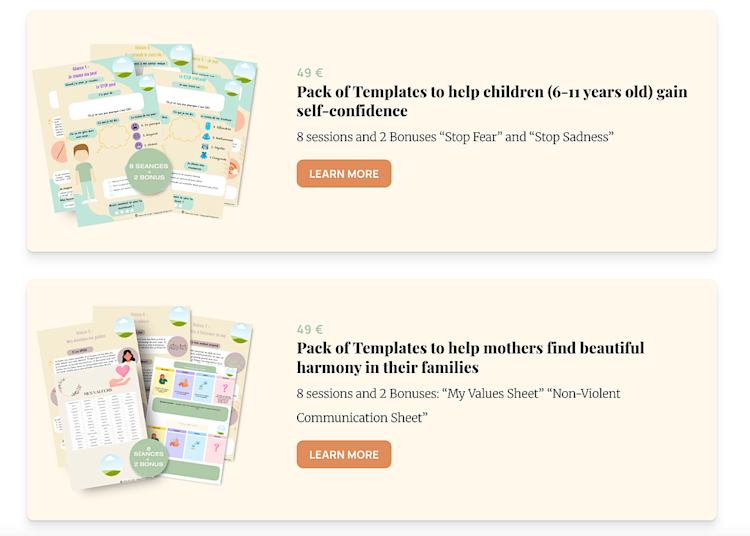
For example, Karen Da Costa creates Sophrology worksheet templates that other professionals can use in their practice. These templates work with Canva and can be customized however the buyer likes.

Karen Da Costa Sophrology worksheet templates

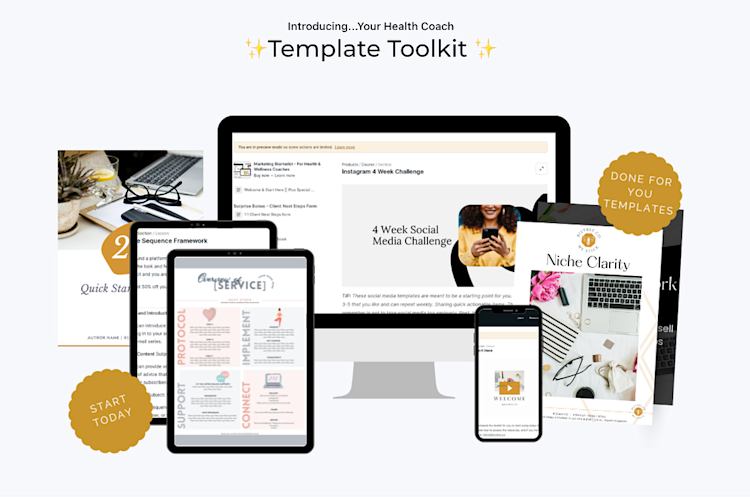
And Shana Showers from Simply by Shana offers a template toolkit for health and wellness coaches. Inside, they get access to a workbook template, email templates, and blog post templates that are designed for their niche.

Simply by Shana template toolkit

Remember, the main goal of your template is to provide a framework that helps your audience member do something quicker or easier. So if you’re stuck on what to make, you can always get insights by asking them directly.

Send out an email asking your target audience members what kind of template would be useful to them or even post a question on social media asking for ideas. If you make a resource they’ve asked for directly, you’ll already have buyers ready to go when it’s time to sell.

But before we start selling, we have to do some building.

Step 2: How to create templates using Canva and Docs

After you’ve landed on your template idea, you still need to make it. Luckily, you don’t need tons of fancy software — a Canva account, or Google Docs, Slides, or Sheets will work great.

Making templates to sell in Canva

If you’re building in Canva, start by selecting a blank file in the size you want your template to be. Canva has pre-made files already sized for social media posts, ebooks, slide decks, and other popular designs.

Once you’ve got the correct file size, you can add any design details, fonts, text, images, and elements you need to create the template. Your customer might decide to add their own customizations, but you should still provide enough structure that they can use the template more or less as is.

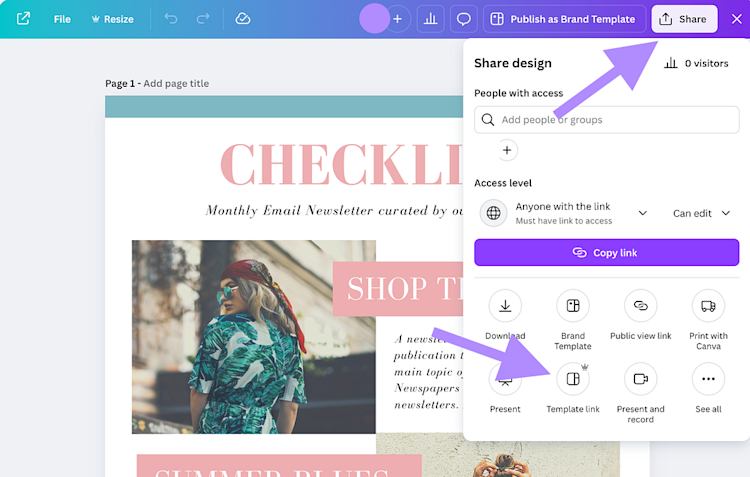
Once your template looks the way you like, click “Share” in the top right corner. You can download the template as a PDF file or select “Template link” to let your customers access a digital version. If you use the “Template link” option, your buyer will be able to click the link, and a copy of your template will be added to their Canva account so they can use it without editing the original.

Canva share template link

Making templates to sell in Google Docs, Slides, or Sheets

You can also create templates to sell online using Google Docs, Sheets, or Slides. Google Docs works well for text-based templates, like workbooks, checklists, worksheets, or daily planners. Google Slides is best for presentation templates that your buyer can customize. And Google Sheets makes it easy to share spreadsheet or calendar templates.

The process to make a template is the same across all Google tools. First, pull up a blank file. Give it a name and create your template directly in the file, just like you would any other document.

For example, if you’re making a spreadsheet, add the formulas and conditional formatting into the sheet, but leave the data section blank. If you’re making an email newsletter template, type your copy in Docs and add placeholders where your buyer will need to customize with their information.

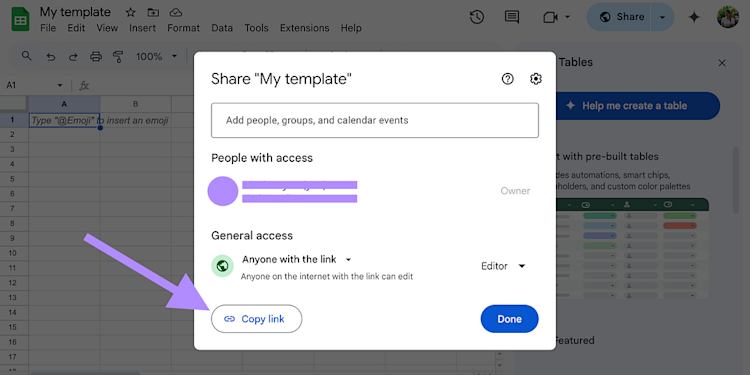
When you’re finished, click “Share” in the top right corner. Under “General access,” change the settings so anyone with the link can edit. Then copy the link.

Google share copy link

This will generate a long URL that you can use to share your template with others, but there’s one more step!

In that URL, you’ll see the word “edit”. Delete “edit” and replace it with “copy”. This will force anyone who clicks the link to make a copy of your document in their own Google Drive account so they don’t edit your original.

Quick tip: I like to hand-draw my template ideas on paper first so I can bring my idea to life without getting stuck on tech limitations. For me, it’s easier to build something in Canva or Docs when I at least have a basic drawing to go off of (even if it’s of the “stick figure” variety).

Now that your template is ready, let’s talk about how to deliver it to your customers (we’ll cover the setup details in Step 3).

There are two main ways to share a template:

1. Upload a PDF file. This is the simplest option and works best for templates people will print and use by hand like planners, calendars, or sewing patterns. Just export your template as a PDF and upload it directly to Podia.

2. Create an instruction sheet with a shareable link. If your template is something people will customize digitally — like a Canva design, spreadsheet, or Notion planner — you’ll want to include a shareable link. To do this, create a short PDF or Doc that explains how to access and use the template, and paste the link inside. That way, your customer gets clear instructions and can start using the digital template without confusion.

When you sell your template on Podia, you’ll upload either the final PDF or the instruction sheet as the product file — whichever makes the most sense for your audience.

Step 3: Set up your template in minutes on Podia

Your template is ready for its grand debut, so let’s add it to Podia so your customers can buy it.

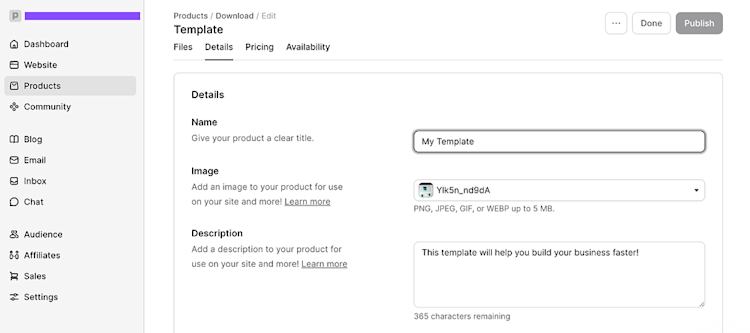
In your Podia dashboard, click on the “Products” tab and select “New product”. Give your product a name and choose “Download” as the product type.

Upload your PDF template file or instructions sheet, then add a description and featured product image for your template. This information will automatically show up any time you share your product on your Podia website, so you don’t have to spend hours copying and pasting.

Podia dashboard new products download screen

Click into the “Pricing” tab to set a price for your template. You can charge a one-time fee or offer a payment plan.

In the “Availability” tab, you have the option to add seat limits, a start date, and access duration restrictions for your product. These features are helpful if you want to run cohort programs or drive urgency with limited availability, but for your first template, I think it’s best to keep everything open to capture as many interested customers as possible.

Once you’ve got everything configured the way you like, press “Publish,” and your product will be ready to go.

Published template example

Next, we need to give prospective buyers a way to find and buy your template by setting up a sales page. A great sales page shows visitors how your template can help them and makes them excited to buy it, so here’s how to set one up.

Head to the “Website” tab in your Podia dashboard, and you’ll see a list of all pages on your website. Podia automatically generates a sales page for every new product you make, so find the one that matches the name of your template and click it to open the page.

By default, you’ll see a banner at the top of the page with your product title, image, price, description, and “Buy now” button. You can also add other elements to the page by clicking the plus sign and choosing a section from the left sidebar.

Podia dashboard website pre-made layout options

The sidebar has pre-made website layouts for text, images, videos, testimonials, FAQs, author bios, and other elements, so you can add whatever you need to tell your story.

Sales page example

Share your shiny new sales page on your social media channels, blog, website, YouTube videos, or anywhere else you have an audience. Visitors will be able to learn more about your business, see how your template can help them, and make a purchase all from one place.

Read more about how to edit your product sales page in this help doc.

Step 4: Scale beyond templates to grow your business long-term

Your template is live, you’re sharing it with your audience, and those first sales are starting to roll in — amazing!

But the real opportunity goes beyond a single sale.

When someone buys your template and sees the value you provide, they’re more likely to be interested in your other offers too. That’s why it’s important to have a plan for what comes next.

Here are three simple ways to turn a one-time purchase into long-term growth:

  • Add upsells to your product pages to offer something extra at checkout.

  • Bundle your template with related products to increase the value of each order.

  • Set up an automated email campaign that introduces new customers to your other products, like courses, coaching, or memberships.

These small steps can make a big difference — not just in your revenue, but in how supported your customers feel after they buy from you. Here’s how to set up everything in Podia and give your buyers a great experience.

Upsells

One of the easiest ways to increase your earnings from each sale is by adding upsell products to your template, and Podia makes it simple to do.

An upsell is an additional product shown to your customer at checkout. Often, upsells include a limited-time discount to encourage customers to add them to their order right away. It’s a great way to boost your average order value while giving your customers even more of what they need.

To add an upsell in Podia, open up your template product and click on the “Pricing” tab. Scroll down to the “Upsell” section and click “New upsell”. You’ll be able to select the products or subscription plans you’d like to offer as upsells and customize the discount for each one. Click “Create” to turn your upsell live and watch your total order value increase.

Upsell example

To get the most bang for your buck with upsells, it’s best to include products that are naturally related to your template.

For example, if you’re selling social media Canva templates, a great upsell could be:

  • A workshop about growing your audience on social media

  • A bundle of social media prompts that pair perfectly with the templates

  • A mini-course on how to use Canva in your business

The goal is to offer something that helps your customer go further, faster, while making them feel even happier they bought from you.

Bundles

As your product lineup grows, another way to provide value and increase your earnings is to create bundles of related products. With a bundle, you give buyers access to a large collection of products for one discounted price.

You can make bundles of different templates or package your templates with other items, like courses, coaching sessions, or workshops.

For example, Angelique Duffield bundles her animated video mockup templates with her Canva masterclass training to give her customers more value.

Angelique Duffield bundle

And Signature Edits, a photography business that helps photographers and creators develop their skills, sells dozens of different Lightroom preset collections for $59 a piece, or a bundle of all Lightroom presets for a flat rate of $97. The bundle price makes it a no-brainer to upgrade if you’re interested in more than one preset template pack.

Signature Edits bundle

Bundles can make your offer more appealing and increase your bottom line, all while giving your audience more great resources.

Email campaign

Upsells and bundles help you increase your earnings at checkout, but what happens after someone hits “buy”? That’s where email campaigns come in. A thoughtful follow-up sequence can turn a one-time buyer into a loyal customer who’s excited to hear from you again.

With Podia Email, you can automatically send a series of emails after someone purchases your template. Over a few days, you can welcome them into your world, share helpful resources, and gently introduce other products they might love.

Here’s a simple, proven email sequence we’ve seen Podia creators use to build trust and boost long-term sales:

  • Day 1: Send a welcome email. Introduce yourself, thank them for their purchase, and let them know how to get in touch if they have questions. Share where they can follow you or find more of your work.

  • Day 2: Offer a free tip or resource. Help your customer get even more value from their purchase and make progress toward their goals. This shows them you’re here to help, not just to sell.

  • Day 3: Share a paid product. By now, your customer has had a great experience with your template and emails, making it a natural time to let them know about your course, coaching, or other bigger-ticket offers.

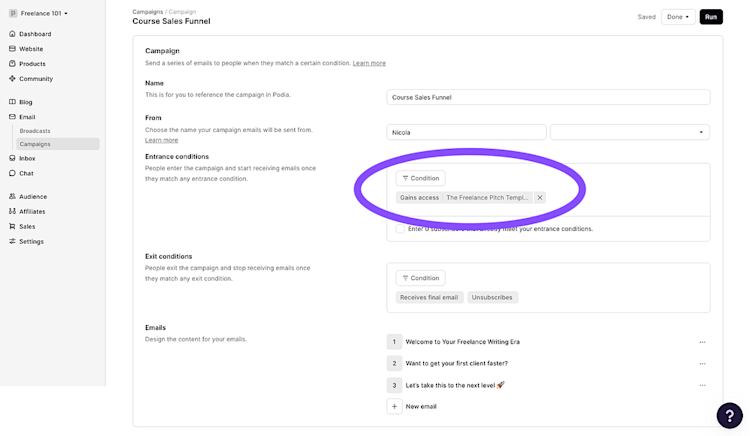
To set this up in Podia, create a new campaign and set the entrance condition to “Gains access to: [Name of your template]”. Then add your emails, customize each one, and set time delays between them.

Podia new campaign gains access to screen

Learn how to create an email campaign step by step in this help doc.

And your emails don’t have to stop there. Once someone buys your template and finishes the campaign, they’re also part of your email newsletter list. That means you can keep showing up in their inbox with helpful content, new offers, and valuable insights. They get closer to reaching their goals, and you never have to launch to an empty email list again.

It all starts with a template. But what you’re really building is a connection that can grow with your business.

Start selling templates and turn buyers into lifelong customers

Selling a template isn’t just a way to make your first sale. It’s the start of a system that can power your entire business.

Your template brings people in and shows them the value of what you offer. From there, upsells and bundles increase the size of each order, automated email campaigns turn one-time buyers into repeat customers, and your newsletter keeps them engaged long after their first purchase.

That’s how a single product becomes something much bigger: a sustainable, growing business built on trust and connection.

With Podia, you can start selling templates — and building the rest of your online business system — in minutes. Podia includes your website, email marketing, courses, webinars, memberships, and affiliates, so you have everything you need to turn your ideas into income today and in the future.

So why not see what could happen when you make and sell your first template? Start your 30-day free trial of Podia today.

How to sell content online: A step-by-step guide

Software Stack Editor · May 22, 2025 ·

The online education market alone should generate US$203.81 billion [1] in revenue by next year, fueled by demand for online courses, ebooks, and videos, while new platforms like Patreon and LearnWorlds empower millions to earn through digital products. I started selling digital content both as a side hustle and to grow a business. In all …

Continue

The post How to sell content online: A step-by-step guide appeared first on LearnWorlds.
Effective strategies to market your online course

Software Stack Editor · May 22, 2025 ·

Let’s be real for a second. Creating an online course is a huge milestone. It means you’ve packaged your expertise, passion, and hours (weeks… months…) of hard work into something valuable that can genuinely help people. But here’s the hard truth: the internet doesn’t owe your course any attention. Just putting your course online doesn’t …

Continue

The post Effective strategies to market your online course appeared first on LearnWorlds.
How to Use Quizzes in Your Funnel with Teachable’s AI Quiz Generator

Software Stack Editor · May 22, 2025 ·

PDFs. Free templates. Downloadable checklists.

These lead magnets used to convert extremely well, until everyone started using them. When we’re accustomed to seeing freebies offered left and right, it gets easy to scroll past them.

So, if you noticed that your marketing funnels are not converting as well as they used to, or you see that offering free downloadable content as a bonus for your course students doesn’t get them as engaged as before, know that it’s not just you.

Today’s audience craves novelty, interaction, and personalization. They want to feel seen, heard, and understood. Which is understandable, who doesn’t want to feel special, and be entertained?

This is where quiz marketing shines.

Interactive quizzes are one of the most effective tools in your creator’s funnel toolkit. Interactive content can help you start meaningful conversations, segment your audience, and keep your students engaged throughout their journey.

While it used to be time-consuming to build interactive quizzes in the past, with tools like Teachable AI quiz generator, building one takes minutes. Let’s break down exactly how to incorporate quizzes into your marketing funnel and make the most of this powerful tactic to grow your business.

Why quizzes convert (and outperform static lead magnets)

The average lead magnet conversion rate is anywhere between 20% and 25%, according to Leadpages. The average quiz conversion rate? 40.1% across all industries, coaching, courses, and education included. And this number has remained unchanged since 2013.

Quizzes are strategic marketing tools and, when done well, can outperform ebooks, webinars, and downloadable PDFs by a mile. Here’s why:

  • Quizzes spark curiosity: Quizzes create an open loop (“Which type of X are you?”) that our brains are desperate to close. We simply must know the answer. This is why quizzes are so magnetic and highly clickable.
  • Quizzes build trust faster: When we take a quiz and receive a personalized answer, we feel seen and understood. That’s a powerful first impression, one that builds credibility and trust before the pitch.
  • Quizzes segment leads: Quizzes give us an opportunity to understand who someone is and what they need. This knowledge is invaluable when crafting a sales pitch and new products.
  • Quizzes boost student engagement: Interactive content like quizzes is useful not only to attract leads but to keep students who are enrolled in your courses remain engaged with the course material. 

Where quizzes fit in your funnel

Are you curious to test out the quizzes for your business, but aren’t sure where to place the quizzes in your marketing strategy? Well, the good news is that quizzes are highly flexible and effective across the entire sales funnel, no matter what industry you’re in.

Here’s how to take advantage of quizzes at each stage of your funnel:

Top of funnel (TOFU): Quiz as lead magnet

At this stage, use a quiz as the gateway. It can be a fun, valuable, low-friction way to get people onto your email list. Here are some examples of potential quizzes:

  • “What Type of Learner Are You?”
  • “What’s Your Wellness Archetype?”
  • “Which Website Template Is Right For You?”

These types of quizzes are great to promote on social media and through paid ads. It’s an effective way to get the attention of cold leads and turn them into warm ones.

Pro tip: When you craft the quiz results, make sure they are valuable to the audience. Include a tip, a resource, or an actionable next step that addresses a pain point or nudges the quiz taker in the right direction.

Middle of funnel (MOFU): Quiz for personalization

Once you have someone on your email list and you have warmed them up to your brand and offers, you may want to use a quiz to help your warm leads make a decision. A quiz can help your audience self-identify and choose the right product for them.

The keyword is “self-identify” here, you’re not making an active sales pitch to them on this one product they need to buy or a course they must join. You present your programs to them, and based on the pain points of the person taking the quiz, they’re presented with the solution, a program designed for them.

Here are a few examples:

  • “Which of My Programs Is Right for You?”
  • “1:1 Coaching or On-Demand Course?”
  • “Ready to Scale? Take the Quiz to Find Out”

Bottom of funnel (BOFU): Quiz for engagement

Once someone is already an active customer and a student in your online course, use interactive quizzes to boost engagement and offer them the best personalized learning experience.

After someone finishes a module or the course, test them on their knowledge. A quick quiz will gamify the process and entice your students to pay attention when consuming course material so they can nail the quiz.

This is where tools like Teachable’s AI Quiz Generator come in handy.

How Teachable’s AI Quiz Generator works

Building an interactive quiz to test your students’ knowledge and boost their engagement used to take hours, you had to come up with questions, design result logic, and connect everything to your email delivery system. That’s not the case anymore.

The Teachable AI Quiz Generator tool is available to all course creators and has revolutionized the quiz creation process, it only takes a couple of clicks for the interactive content to be ready for your students.

When you have the course material ready, you can choose which section of the course you want to turn into a quiz. Our smart AI generates quiz questions based on the material, and also gives you possible answers. You can then review the questions and answers and edit them as needed. Easy as slicing a pie, yet the impact is huge.

You can repeat the process as many times as you need, within one course and for your other courses. Test different variations and see what works. You can update the quiz questions at any time with the AI generation tool.

Real creator examples: Quiz funnels that work

The best way to learn is to see quiz marketing in action. Here are a few powerful examples of creators using quizzes to grow their businesses strategically:

Jenna Kutcher

‍

‍

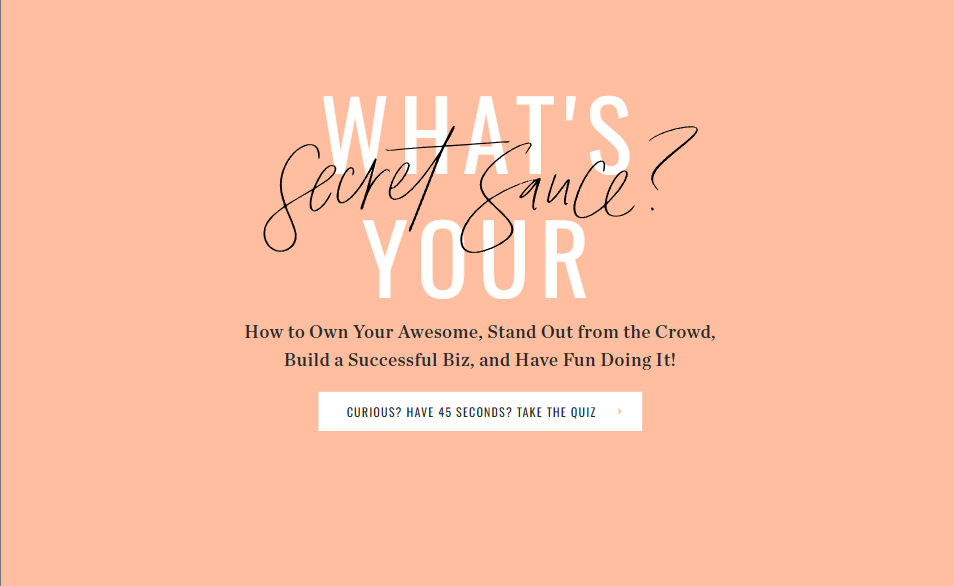
Marketing expert and NYT bestselling author Jenna Kutcher uses quizzes to grow her email list and does it successfully. Her “What’s Your Secret Sauce?” quiz has grown her email list to over 100,000 subscribers. The number of leads is not the only benefit, she has designed this course to help her understand her audience better so she can create better offers.

Wild Fleurette

‍

‍

Lynn from Wild Fleurette, a flower design boutique, offers a quiz, “What’s Your Bouquet Style?” which is the perfect type of quiz for anyone who lands on their website, looking for help with flower design for weddings.

Penguin Random House

‍

Even one of the biggest publishing houses in the world uses quizzes to get people onto their email list. They offer a “What type of reader are you?” quiz that speaks perfectly to their core audience, readers.

Tonic

‍

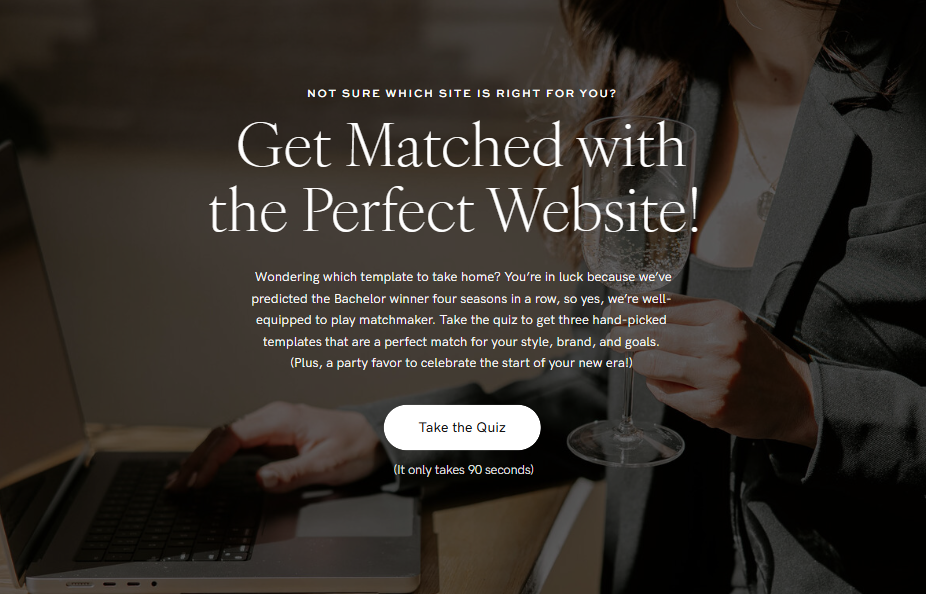
Tonic is a high-end website design boutique selling services and templates for online entrepreneurs. They have a quiz, “Get Matched with the Perfect Website,” which they use to get people on their email list and help them connect their target audience to the right product.

This quiz generated over 1,000 new email leads in the first month after the launch. On the results pages, they offer an exclusive discount code for people who want to make a purchase. That quiz result discount code has directly brought in over $50,000 in revenue.

Kaye Putnam

‍

‍

Kaye Putnam, a psychology-driven brand strategist and online course creator, has created a quiz, “What’s your brand personality quiz?” that was taken over 100,000 times and generated over $100,000 in online course revenue. Talk about impressive!

How to create your quiz in Teachable in five easy steps

Are you ready to increase your student engagement and ensure their satisfaction with your online course is unmatched? Well, no easier way to achieve that than with Teachable’s AI Quiz Generator.

Here’s how you can take advantage of quizzes to boost student engagement:

Step 1: Find your course

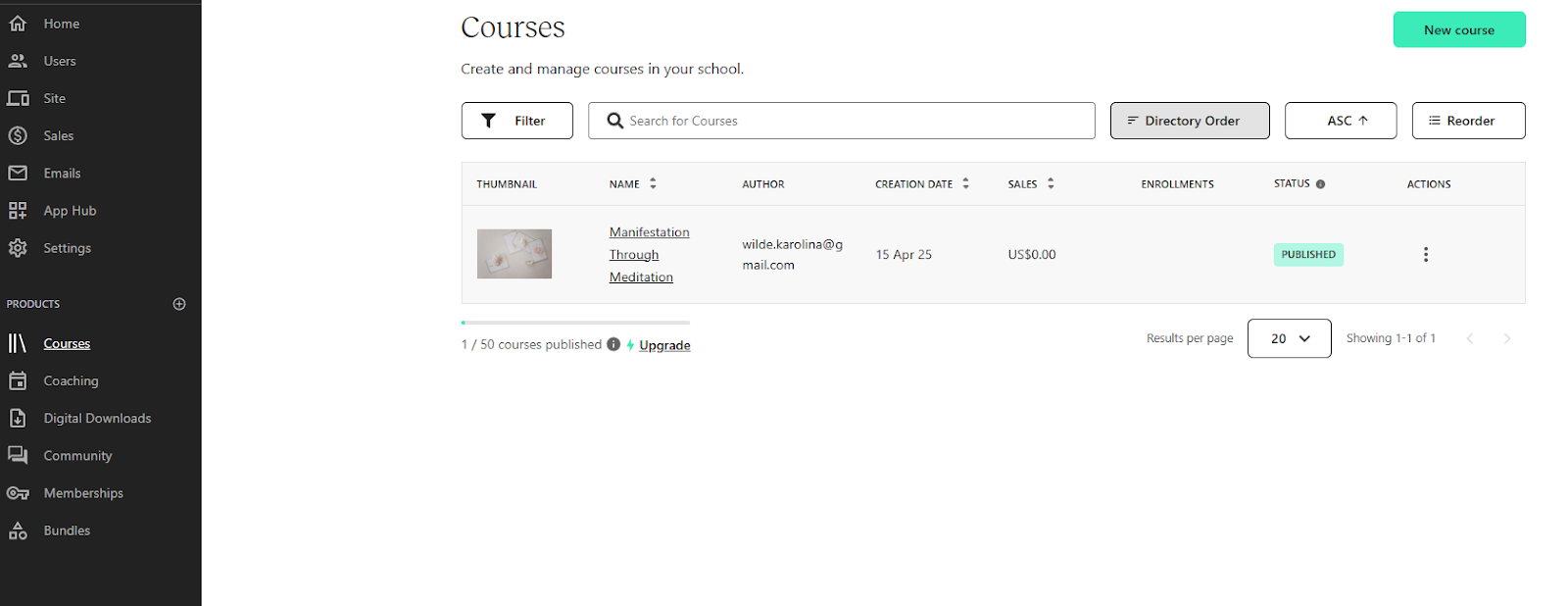
In your Teachable Dashboard, go to Courses and select the course for which you want to create interactive quizzes.

‍

Step 2: Choose a module

In your online course curriculum, choose a module you want to create a quiz for. Click the big button Add Content. A menu will appear, in the Educational Tools section, find the Quiz button.

‍

Step 3: Create the quiz

A new window will open where you can manually write the questions, or click the Generate Questions button in the top right corner.

‍

Step 4: Use AI assistant

When you select the option to generate questions, another window will pop up. Here you can select which module you want to include in the quiz and which lessons.

Once you select that, click the button Generate Questions and watch the AI magic happen.

Step 5: Review and launch

The AI will generate questions and answers based on your course material. Review the content, and when ready, click the Save button in the bottom right corner.

‍

Your interactive quiz is ready to go! It will show up in your course curriculum now, and you can select to grade content or not.

Ready to take your business to the next level? Create high-converting quizzes with Teachable today. 

FAQs

1. How do I create a quiz if I don’t have time to write questions?

Teachable’s AI Quiz Generator eliminates the need to write questions from scratch. Simply select a module, hit “Generate Questions,” and the AI pulls quiz content directly from your existing course materials. You can edit or publish as-is in minutes.

2. Can I use a quiz as a lead magnet outside my course content?

Absolutely. While the AI quiz tool is ideal for in-course engagement, you can also create marketing quizzes manually and embed them on landing pages or link them from social media. Just ensure results include a clear CTA and a Teachable-powered next step.

3. Do quizzes actually increase course sales or just email subscribers?

Both. Quizzes help pre-qualify leads and direct them to the most relevant offer, which shortens the sales cycle and improves conversion rates. Case in point: creators like Kaye Putnam and Tonic have generated 100k+ in revenue using quiz funnels.

4. Can I customize the tone and questions for my niche audience?

Yes. You can edit any AI-generated quiz to reflect your brand voice or customer niche. Whether you’re a wellness coach or a business consultant, you can tailor the quiz to feel highly relevant and aligned with your ICP.

5. How does quiz engagement affect student satisfaction or completion rates?

Interactive quizzes keep learners engaged, especially when placed at the end of lessons or modules. They gamify the experience, reinforce key takeaways, and reduce drop-off, which ultimately improves satisfaction and retention.

‍

‍

How to run a competitive analysis as a creator (with AI-assisted action plan)

Software Stack Editor · May 21, 2025 ·

Competitive analysis for creators, coaches, and online entrepreneurs is just as important as it is for big businesses. In today’s creator economy, it’s not enough to just create, you need to find ways to differentiate.

Whether you’re building a course, membership site, coaching program, or digital product, chances are your audience has seen similar things before. So, how do you make your offer the number one choice?

That’s where competitive analysis comes in.

Performing market research is not about copying others. It’s about understanding your niche and space, identifying opportunities, and crafting a unique angle that helps you achieve two things: connect with your audience and set you apart from your competitors.

A strategic look at your competitors can unlock clarity in your creator strategy. Let’s dive into how to do market research for creators the right way.

What is competitive analysis?

In short, competitive analysis is the process of evaluating others in your niche to better understand how they serve your target audience, what the gaps are in their offers, and how you can use that to your advantage to serve the audience even better.

For online course creators, coaches, and online entrepreneurs, competitive analysis means:

  • Analyzing other coaches, course creators, and influencers in your industry
  • Looking at their product or service offerings
  • Reviewing their content on various platforms to determine what’s working and what’s missing
  • Finding out their pricing, positioning, and messaging
  • Examining their audience’s engagement and marketing funnels

Market research for creators is essential. It helps you spot trends, surface content gaps, and refine your own niche analysis in the process. After you conduct the competitive analysis, you’re in a much stronger place to create an offer that speaks more clearly to your audience and addresses the pain points they have.

Best tools and templates to use

To perform a basic competitive analysis, you don’t need a fancy setup or expensive tools. You can get started with your laptop and a simple Google Sheet. However, using the right tools can make your process smoother and more actionable. Plus, you may be able to perform the market research much quicker.

Here’s a list of tools that are worth considering to help make your process more efficient and easier:

  • Google Sheets / Notion: Helps you create databases to keep track of all the features, pricing, strengths, and gaps.
  • SparkToro: This tool allows you to discover where your audience hangs out online–what podcasts they listen to, what social channels they use most frequently, and what keywords they look for.
  • Ubersuggests: Uncover the best SEO keywords and strategy, find out keyword performance, and get traffic breakdowns.
  • Teachable’s Course Directory: For course creators, utilize the Teachable course discovery to browse real creator offerings in various niches to analyze formats, pricing, and product structures.
  • ChatGPT (or Claude): Use AI to help you quickly run analyses, summarize competitor content, identify messaging patterns and performance, and extract content themes and topics that are relevant and effective.

Steps to run a competitive analysis (with and without AI)

So, how do you run an effective competitive analysis campaign? It’s actually easier than you think. Here’s a structured step-by-step process to guide you through the whole process:

Step 1: Define your niche and goal

The very first step is to clarify your goals and unique angle:

  • What’s your core offer? A course, a coaching program, or an exclusive membership?
  • Who is your target audience?
  • What’s your business goal? Are you trying to launch, grow, or reposition?

Answering these questions will give you a solid ground to build on. To make this step-by-step process easier to understand, let’s use an example.

Let’s say you’re a certified yoga teacher who wants to launch an online course as a way to diversify income and scale your business. Here’s how your answers to the questions above might look:

  • Your core offer: An online course on practicing yoga.
  • Your target audience: Millennial moms who want to invest in their wellness and health, but have limited time.
  • Your business goal: Launch a new offer to expand your business and make it scalable (because in-person yoga classes are not).

Step 2: Identify 3–7 relevant competitors

The next step in the process is to look for creators who serve a similar audience to your target audience and do something similar to what you want to do. That includes:

  • Direct competitors: People in the same niche with the same offers.
  • Adjacent competitors: People in a different niche who have a similar format or marketing funnel.
  • Aspirational competitors: People in your niche who are at the level you’re aiming for.

How do you find these people? Well, it’s fairly simple. Use Google, YouTube, TikTok, Instagram, or Teachable course discovery to identify your competitors.

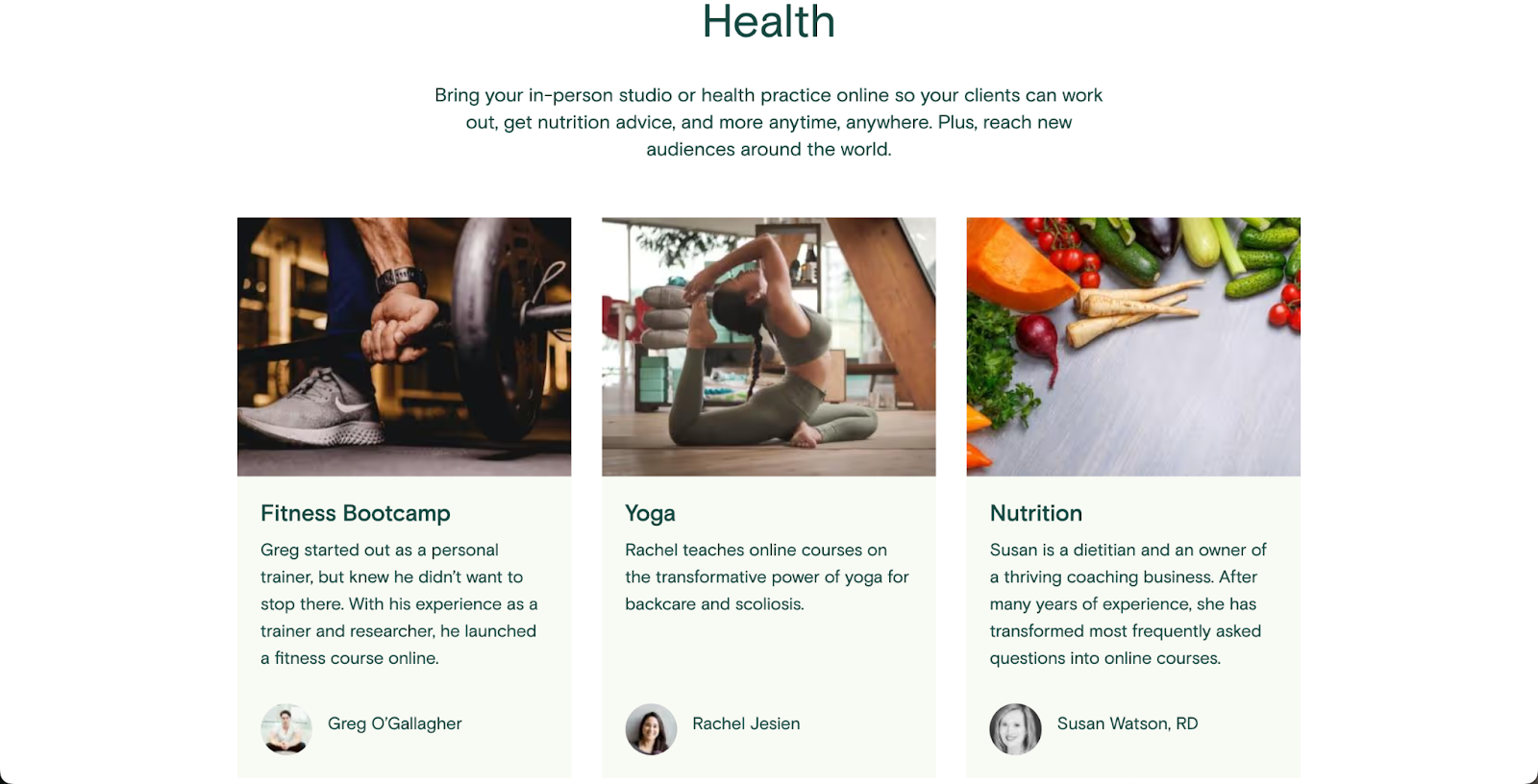
Let’s come back to our yoga instructor example. Because you want to create an online course, let’s go to Teachable’s course discovery to see what’s available.

‍

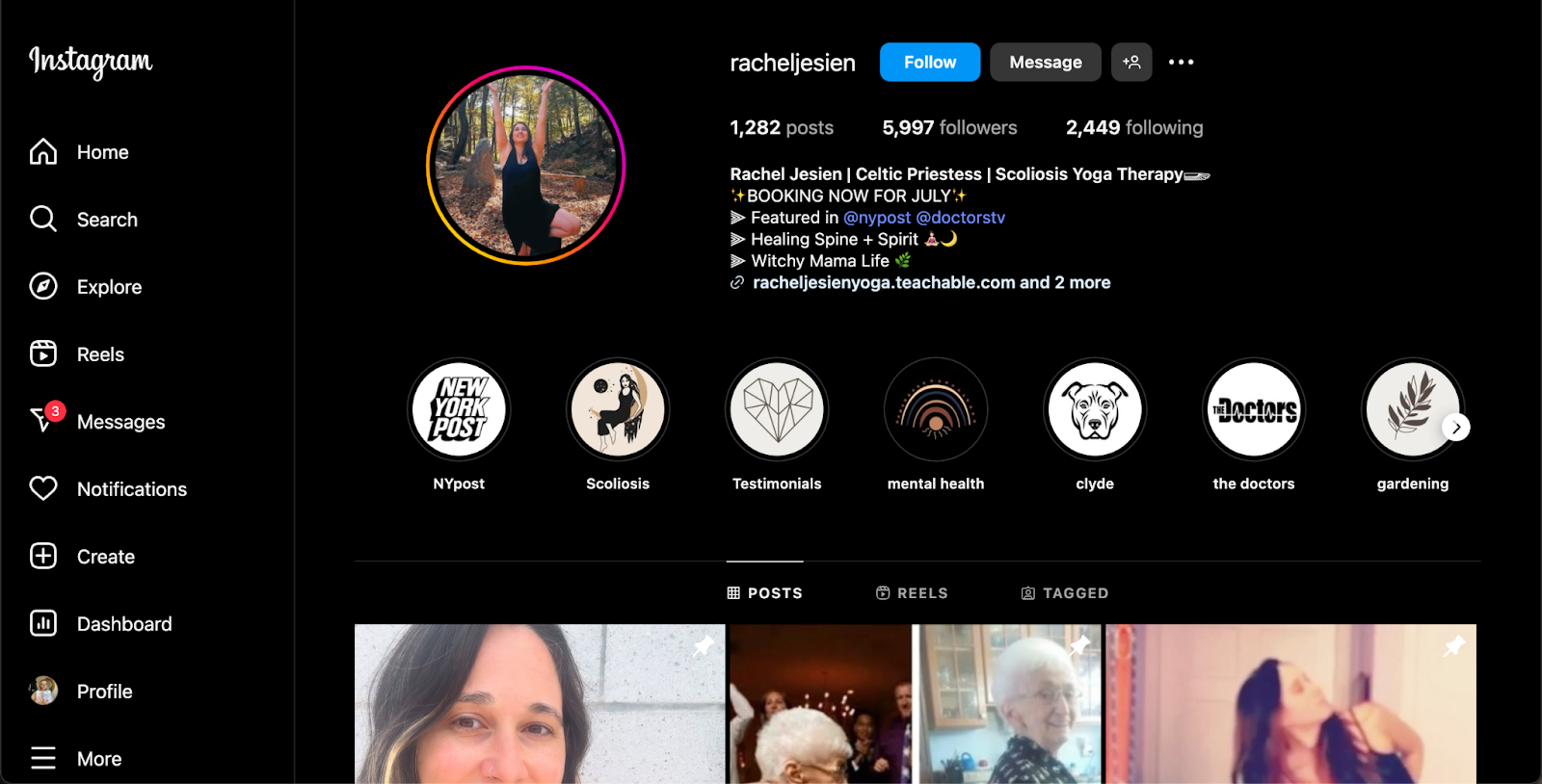
And here’s your first competitor—Rachel Jesien, who already has multiple courses on yoga. If you Google her name, you can find her Instagram.

‍

After reviewing the posts, you may see that while you’re in the same niche (yoga), your audience and business approach may not align. So, you put Rachel into the “adjacent competitor” list.

While you’re on Instagram, utilize it to search for direct competitors. In the Search bar, type in “yoga for moms” and see what comes up.

While Instagram search is not the most refined, you can still see what some accounts pop up, like this one that offers yoga for toddler moms:

‍

This account offers yoga practice tips for busy moms with small kids, you have a very clear audience overlap. So, add this account to your “direct competitors” list.

Next, let’s see what YouTube has to offer. It’s a good place to do your competitive market research because there are a ton of yoga teachers posting their classes online.

‍

After searching for “yoga for moms” on YouTube, you can find tons of channels. Not all will target your target audience, but some might. Like this channel, “Boho Beautiful Yoga.”

‍

This is a large channel with millions of subscribers that has offers you want to sell, too, and a very clear target audience overlap. You can save this competitor to your “aspirational competitors” list.

Using this method, go through various platforms to compile a solid list of relevant competitors.

Step 3: Evaluate their offers

All right, the third step is to take a better look at the competitor list you made and evaluate their offers. For each competitor, answer these questions:

  • What’s their main product or service?
  • What’s the promise or transformation they sell?
  • What’s included in their offer?
  • How are their offers priced and positioned?

This is where having a running Google Sheet or Notion database comes in handy to keep track of all the different competitor analyses at a glance.

Circling back to our yoga instructor example—let’s analyze the offer of one of the direct competitors we found while doing research earlier, the “Yoga for Toddler Moms” Instagram account.

The creator has a link in their Instagram bio that leads to a professional-looking Linktr page, which tells us they have two offers:

  • 1:1 coaching
  • Membership site

‍

Let’s run a quick analysis of what appears to be the main offer:

  • Main product/service: A monthly membership for moms of toddlers.
  • The promise/transformation they sell: Finding calm and time for yourself in the chaos of being a mom is possible, here’s how.
  • What’s included: Yoga classes designed to fit into a busy schedule, a range of tailored meditations, sound healing classes, a community of moms, and printable materials.
  • Pricing and positioning: It’s $6/month or $50/year for the subscription. They offer a 25% discount for those who choose the yearly subscription. Very well-priced offer that’s appealing even to moms on a budget.

‍

Step 4: Analyze their messaging and content strategy

Once you have a solid breakdown of your competitor’s offers, it’s time to take a look at their messaging and content strategy to see what works and what doesn’t.

Break down their brand voice, values, and key differentiators:

  • What tone of voice do they use?
  • What’s their unique point of view?
  • What topics do they cover the most?
  • What content drives the most engagement?

This is where you can use tools to help you perform an in-depth social media content analysis.

Let’s get back to our previous yoga instructor example and examine the Instagram account of the hypothetical direct competitor “Yoga for Toddler Moms”:

  • What tone of voice do they use: Empathetic, friendly, uplifting, and genuine.
  • What’s their unique point of view: Motherhood is beautiful, but exhausting, and you’re not alone in going through it.
  • What topics do they cover the most: Gentle parenting, navigating motherhood, getting back into routines after kids, and how to emotionally regulate.
  • What content drives the most engagement: Sharing relatable motherhood insights on Reels.

Step 5: Deconstruct their funnel

Once you’ve analyzed everything there’s to analyze in terms of their content strategy, it’s time to take a deeper dive into your competitor’s marketing funnels.

Consider going through the buyer’s journey when possible:

  • Sign up for their lead magnets and free webinars
  • Review their welcome emails and automated email sequences
  • Track how they make a sale once you’re in their ecosystem

As you go through these funnels, take notes on which elements feel polished, generic, pushy, or helpful. What resonates with you and entices you to purchase? What’s missing? What would you do differently?

Let’s return to our yoga example. Our hypothetical competitor for yoga practice courses, “Yoga for Toddler Moms,” has a pretty good funnel set up. They offer a free bundle for stressed moms that offers valuable tools for their target audience in exchange for an email address:

‍

The landing page is designed professionally, and the offer is clear and communicates the value people will receive if they choose to sign up.

Step 6: Spot the gaps and opportunities

The last and final step in your competitor analysis journey is to review all the research you’ve done so far, spot the gaps, and identify opportunities in those gaps. Ask yourself these questions:

  • What pain points are the competitors solving?
  • Which audience segment are they overlooking?
  • Are their offers too generic or too advanced?
  • How can you differentiate with your delivery format, community, support, or storytelling?

This is the step where your creator strategy takes shape. Use all the research you’ve done to sharpen your angle, not copy someone else’s.

Let’s see what gaps and opportunities we can spot in our hypothetical yoga practice competitor, “Yoga for Toddler Moms”:

  • What pain points are the competitors solving: Offer a manageable way for new moms to find time to invest in their well-being even when life is busy and hectic, and help find a supportive community of people who are going through the same thing.
  • Which audience segment are they overlooking: The competitor focuses on toddler moms only, which may overlook moms with infants and older kids who need the same support.
  • Are their offers too generic or too advanced: Their offer is too niche, and it may be leaving out a large portion of the target audience (an issue that can be fixed with a simple copy adjustment).
  • How can you differentiate with your delivery format, community, support, or storytelling: Make it more personal (share your own experience of being a mother, and how you handle being a mom while still finding time for yourself), expand your audience to more than toddler moms (include infant moms, and moms of pre-school age kid who are navigating the same landscape), create an online course on post-natal yoga to recovery.

Bonus: Use AI to speed up analysis

Manual competitor analysis can be time-consuming. The good news is that current AI tools can help you speed up the process and analyze a lot of content quickly. Here are some prompts to try:

  • “Summarize the unique positioning of these 3 online courses.”
  • “What audience segments are these creators targeting?”
  • “List content themes and topics from the last 10 blog posts/newsletters of [X].”

Pro tip: If you use the Pro version of ChatGPT, make sure to take advantage of their “Deep research” feature, which performs a much more in-depth research and can offer much more insights into your competitor analysis.

Teachable’s advantage: Built-In differentiation

Competitive research helps you identify gaps and opportunities in the market, and Teachable gives you the tools to fill those gaps and take advantage of those opportunities quickly and efficiently.

Here’s how Teachable can help you stand out:

  • All-in-one platform: You can host courses, offer coaching, and sell digital downloads all from a single dashboard.
  • Custom branding: You can create landing pages to sell products and your online courses that reflect your unique personality and match the rest of your brand.
  • Easy upsells: Teachable allows you to offer upsells and order bumps with ease to offer extra value to your audience and increase your revenue.
  • Taxes handled for you: You don’t have to worry about handling payments or taxes—Teachable does it for you, so you can focus on other parts of your business.

Action plan: Run your first competitive analysis in five days

Are you ready to take your business to the next level? While competitive analysis may look intimidating, it doesn’t have to be a hard process. Don’t believe us? Well, here’s the plan of action on how to run a competitive analysis for creators in the next five days to help you see what’s possible:

Day 1: Define your niche + pick your competitors

Dedicate one hour to:

  • Clarify your products, audience, and goals
  • Choose 307 creators, coaches, and entrepreneurs to analyze in your niche

Day 2: Collect data on their offers

Spend two to three hours (use AI tools to help you save time) to:

  • Review competitor products, pricing, and bonuses
  • Note what transformation they’re selling
  • Create a spreadsheet or database with side-to-side comparison

Day 3: Analyze messaging and content

Dedicate two hours to:

  • Analyze landing pages, read emails, and review social captions
  • Utilize AI to help you find repeated phrases and branded frameworks
  • Identify their tone of voice and who it is attracting

Day 4: Deconstruct their funnel

Two hours is all you need to:

  • Sign up for the email newsletter via the freebie
  • Map their delivery journey from the landing page to the freebie delivery and sale
  • Screenshot inspiring content and things you would change (make a note on how)

Day 5: Identify your edge

Dedicate one hour to brainstorm:

  • What’s missing in your competitor’s approach?
  • How can you take advantage of the neglected pain point?
  • Draft a quick mission statement that highlights your unique edge

In five days and less than ten hours of work, you’ll have a solid content strategy to help launch or boost your online business. Now, it’s time to start building.

Level up your strategy and use Teachable to deliver offers your competitors can’t match.

How to choose a SaaS LMS in 2025: A full guide

Software Stack Editor · May 20, 2025 ·

The LMS market is growing fast—it’s expected to more than double by 2028 [1]—and there are many LMSs to choose from. The best way to choose a SaaS LMS is to match what the learning platform offers with what your team actually needs. Start by outlining your learning goals and then make a shortlist of …

Continue

The post How to choose a SaaS LMS in 2025: A full guide appeared first on LearnWorlds.
10 best LMS for remote teams in 2025

Software Stack Editor · May 20, 2025 ·

Looking for a learning tool to serve your remote team? Here’s a quick look at some of the best LMS for remote teams in 2025, along with their G2 scores based on real user feedback. If you’re exploring training and development software for remote teams, these platforms are a great place to start. LMS for …

Continue

The post 10 best LMS for remote teams in 2025 appeared first on LearnWorlds.

10 best LMS for remote teams in 2025

Software Stack Editor · May 20, 2025 ·

Looking for a learning tool to serve your remote team? Here’s a quick look at some of the best LMS for remote teams in 2025, along with their G2 scores based on real user feedback. If you’re exploring training and development software for remote teams, these platforms are a great place to start. LMS for …

Continue

The post 10 best LMS for remote teams in 2025 appeared first on LearnWorlds.
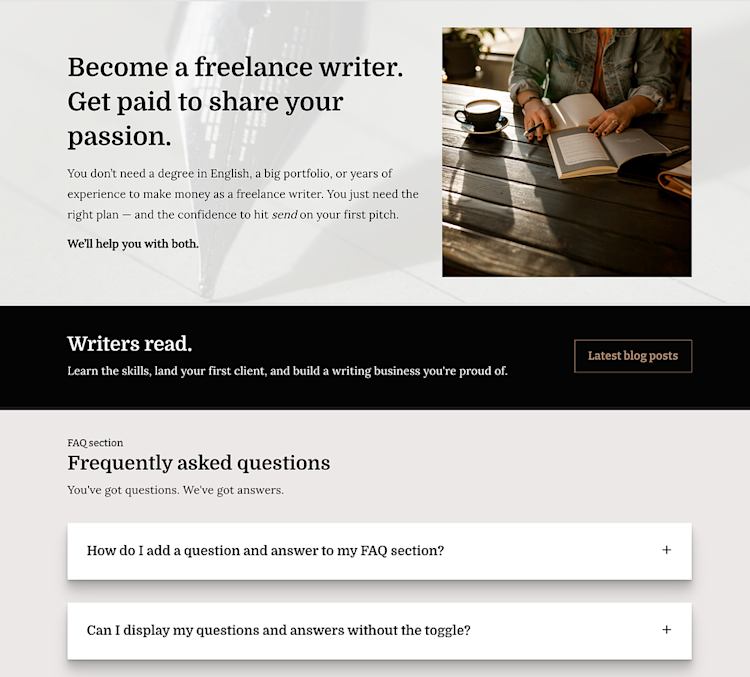
You Ask. We Deliver — Improvements for Q1 2025

Software Stack Editor · May 19, 2025 ·

At LearnWorlds, we have a tradition and commitment to taking our customers’ feedback very seriously. Our users rely on our platform every day to shape the future of education, so they are the real experts. In the “You Ask. We Deliver.” series, we highlight customer-requested improvements gathered by our team to enhance your experience𑁋along with …

Continue

The post You Ask. We Deliver — Improvements for Q1 2025 appeared first on LearnWorlds.
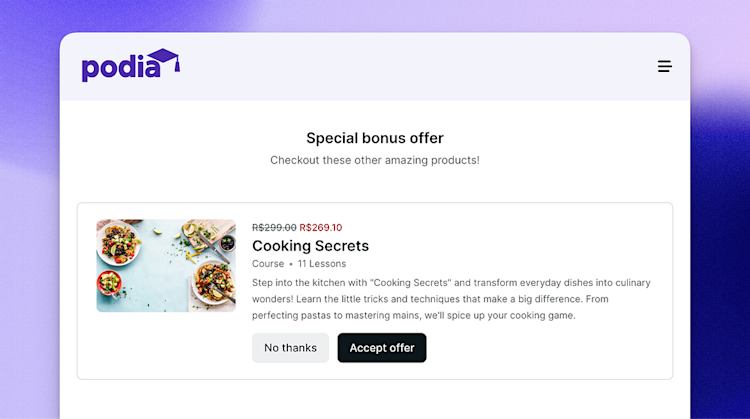
The 11 best platforms to sell digital products in 2025

Software Stack Editor · May 19, 2025 ·

If you are a creator or entrepreneur, you probably know this already: selling digital products is one of the best ways to make money online. As more people continue to go after digital stuff, finding the right platform to sell these products matters.  In this article, we’ll look at the top platforms for digital product …

Continue

The post The 11 best platforms to sell digital products in 2025 appeared first on LearnWorlds.
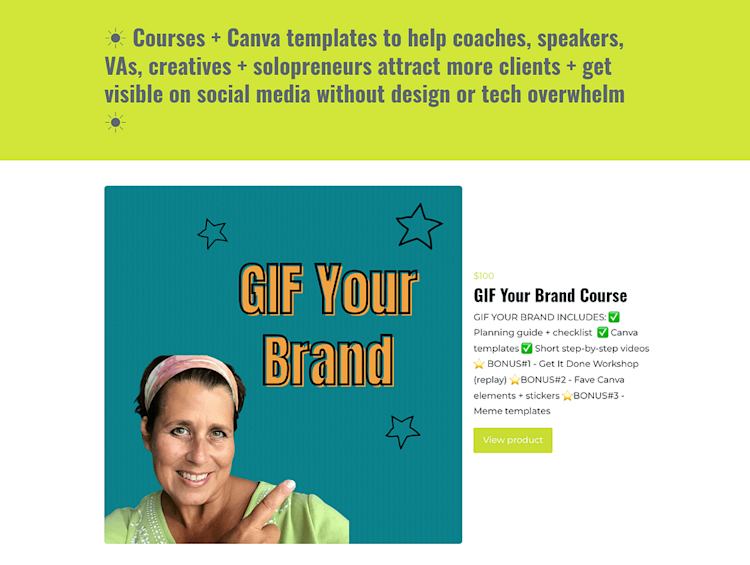
LMS vs CMS: What are the differences and which one do you need?

Software Stack Editor · May 16, 2025 ·

As an educator who got to experience both the traditional classroom and the world of online learning, I realized quite early (luckily) that teaching online is more than just the content you provide. Much like in-person, offline learning, it’s more about how you can combine content with an experience that will engage, inspire, and empower …

Continue

The post LMS vs CMS: What are the differences and which one do you need? appeared first on LearnWorlds.
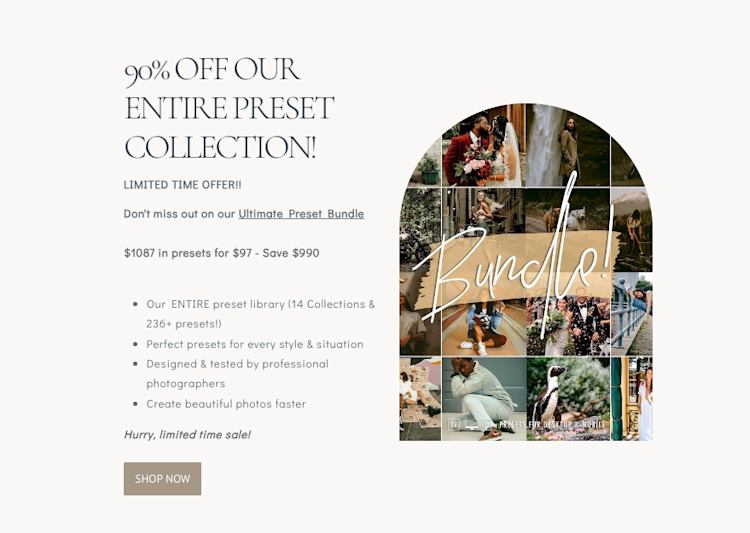
Best ecommerce LMS platforms to scale and sell online courses

Software Stack Editor · May 16, 2025 ·

If you’re building a course business, you already know it’s not just about publishing content. It’s about selling it—reliably, smoothly, and in a way that scales with you. Most learning management systems do an okay job at hosting content. But when it comes to growing course sales, offering flexible pricing, or handling payments securely, too …

Continue

The post Best ecommerce LMS platforms to scale and sell online courses appeared first on LearnWorlds.
  • « Go to Previous Page
  • Page 1
  • Interim pages omitted …
  • Page 6
  • Page 7
  • Page 8
  • Page 9
  • Page 10
  • Interim pages omitted …
  • Page 35
  • Go to Next Page »

Get your Software Stack together. softwarestack.tech

Software Stack

© 2024–2025 - Software Stack is a trading name of SouthwestCIO Limited ac ompany registered in England & Wales 11319049

  • Knowledgebase
  • Home
  • About Us
  • Contact Us