• Skip to primary navigation
  • Skip to main content
software stack logo

Software Stack

Get your Software Stack together

  • Knowledgebase
    • All Categories
    • Accounting Software
    • Automation & Workflow Software
    • Customer Relationship Management
    • E-Commerce Shopfronts & Payments
    • Marketing Automation
    • Online Courses & Membership
    • Project Management
    • Surveys & Forms
    • Web Hosting
  • Home
  • About Us
  • Contact Us
  • Show Search
Hide Search

Online Learning & Community

Is X still a valid platform for creators?

Software Stack Editor · April 23, 2024 ·

image

Social platforms regularly face a slew of government regulations, creator backlash, and data usage debates, but X (formerly known as Twitter), may be taking the word ‘controversy’ to a whole new level.

The platform has seen major changes since Elon Musk bought it for $44 billion in April 2022. Not everyone is thrilled with these changes, to say the least.

Here’s just a handful of the headline-worthy changes X has recently faced…

  • A new pay-to-tweet model that allegedly comes as a solution to “curb the relentless onslaught of bots” 
  • Platform restrictions in Brazil, Pakistan, and Australia for unhinged content and user accounts
  • Misreported brand-safety ratings from DoubleVerify
  • Over 30% decrease in market value and billions lost since Musk’s takeover
  • Advertisers rapidly leaving or decreasing spending on the platform
  • Elon is being sued for more than $500 million in unpaid severance after laying off over 1,000 employees.

For Creators, the stakes are high as they face a new reality where visibility comes with a price tag—both to their wallets and their reputations.

So does that mean that creators should avoid X at all costs? Well, maybe. One thing is for sure: Creators need to be in the know and leverage the changes to stay ahead.

In this article, we’ll unpack some of the most vital changes and challenges X has been facing and explain what you need to know about growing your audience on X.

A brief overview of the X-travaganza

Here’s what you need to know about the significant shifts that are reshaping X and what they mean for you as a creator.

You may need to pay to Tweet

Elon has been floating around the idea of requiring users to pay to Tweet for several months, but a recent rise in bot accounts has pushed him to take action. New users on X will need to pay $1 per year to post, reply, like, and bookmark Tweets.

While the fee is almost minor for most users, it marks a significant departure from the traditionally free access that social media users are accustomed to. 

This move might deter new creators and casual users from joining X, potentially reducing the diversity of voices and content. 

For you, this could mean less competition and a more select type of audience that agrees with—or at least tolerates—the changes on the platform.

X is in the middle of several government regulation challenges

On top of the new fees, X is facing legal and regulatory challenges in several countries. 

Recent bans and restrictions Pakistan, Brazil, and Australia are particularly troublesome if you’ve cultivated a following in these regions. 

These bans not only restrict your content’s reach but also complicate engagement with a segment of your global audience. 

Adapting might mean finding new ways to connect with these followers outside X or using other platforms to maintain your presence in these areas.

Advertisers are spending less on X

The financial health of X has been rocked not just by a declining user base but also by a significant retreat of advertisers. 

After misreported brand-safety metrics by DoubleVerify came to light, showing a lower safety rate than actual, many advertisers reduced their spending or left the platform entirely. 

This reduction affects the platform’s revenue and could lead to fewer resources for creator support and innovation. 

A steep decline in market value by over 30% signals a lack of confidence in X’s direction and management under Musk’s leadership. 

For creators, this volatility suggests that investing heavily in X might come with risks, including reduced platform support and potential instability. 

Diversifying your social media presence can help lower these risks, ensuring that changes at X have less impact on your overall online presence and income.

Next steps: Strategies for savvy creators

X’s latest changes don’t have to be doom-and-gloom for you as a creator. 

Here are a few ideas for you if you already have an audience on X or if you’re just starting out:

For creators who are already using X

Get more cozy with your audience: You’ve worked hard to build your audience; now it’s time to deepen those connections. Consider more direct communication methods, like newsletters or exclusive content on other platforms that your audience can follow without interruption.

Monetize creatively: With ad revenues potentially dwindling, look to diversify your income. Think about direct sponsorships, launching paid subscription models, or using X to drive traffic to monetizable platforms like Teachable, where you can sell courses directly related to your X content. Learn how you can create a new stream of income by creating and selling an online course on X.

Check out the latest features: Despite its issues, X continues to roll out features to enhance user and creator experiences. If you qualify, tap into free premium features that could help expand your reach and refine your audience engagement.

For creators who are new to X

Evaluate the cost-to-benefit ratio: Given the new pay-to-tweet model, it is crucial to decide if potential reach and engagement on X justify the cost. Start small, test the waters with minimal investment, and track your ROI closely. Consider testing out similar platforms like Threads.

Build your audience across multiple platforms: Don’t put all your eggs in the X basket. Establish your presence on multiple platforms to safeguard against sudden policy changes or platform instability. Exploring rising platforms like LinkedIn can be beneficial.

Check out our article on the recent growth of LinkedIn as a creator platform.

Capitalize on niches: X’s shifting landscape might deter broader audiences, but niche communities may become more vibrant. Tailor your content to these specific groups to build a dedicated follower base quickly.

As we watch how X evolves, remember that the core of your strategy should focus on audience engagement and content value, which are pivotal regardless of platform changes.

So, what’s the verdict? Is X still a valid platform for creators? The answer isn’t as straightforward as a simple yes or no. 

As with any platform change, creators need to keep a keen eye, a steady hand, and perhaps a bit more courage than before. But where there is change, there is an opportunity to grow your impact and income.

Start by identifying the audience that you’re excited to serve with this free worksheet.

‍

Digital Product Creation Tools and Resources

Software Stack Editor · April 23, 2024 ·

We’re a big fan of digital products – and for good reason. As we’ve explored in depth, digital products, such as digital downloads, are a low-risk way to generate passive income with minimal investment necessary. Meanwhile, they offer convenience and support to your audience, not to mention are here to stay. Deloitte’s ConsumerSignals recently found that “US adults surveyed estimate spending from $120 to $130 per month across 12 digital goods and service categories” and that, as a spending category, digital products and services measured comparably to traditional everyday categories, such as apparel and electronics.

We’ve covered what digital products are, the numerous types to consider, and why to sell them, but when it comes to getting started, it can be easy to get overwhelmed or stuck somewhere along the way. Whether you’re in the ideation, design, marketing, or selling phase, we’ve rounded up everything you need to get them up and running – and working for you. Here are digital product creation tools to help you execute with ease. 

‍

Starting your journey: Idea generation and market research

For many digital product creators, coming up with an idea is the easy part. In fact, creators may have so many great ideas that they can’t commit to or follow through with any of them. Fortunately, there are resources to help you flesh out an idea, so that it can move forward into being executed. 

Basic and traditional software, such as Microsoft Office and Google Drive, is helpful but limited, in the sense that capabilities are linear in scope. Fortunately, there are innovative brainstorming apps and mind-mapping tools to make collaborating more effective. 

‍

Brainstorming and mind-mapping resources

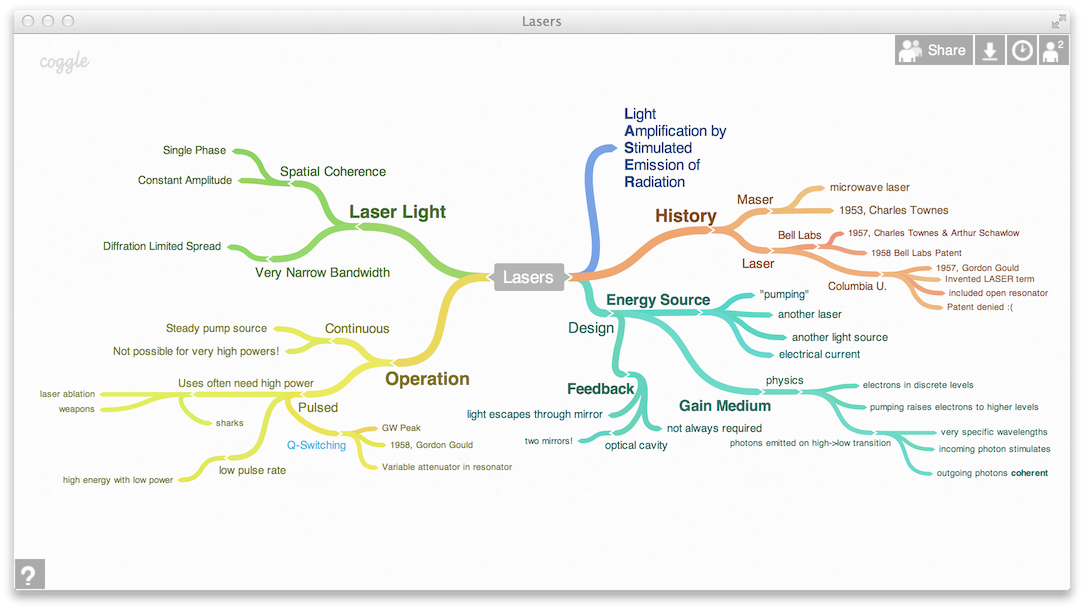
MindMeister 

With MindMeister, you can visualize ideas with different mind map layouts to choose from, collaborate with your team, and manage tasks – all in one place. On the free plan, you can create up to three mind maps with unlimited collaborators. Paid plans are under $20/month per user but require a 6 or 12-month commitment. 

Coggle 

Similarly, Coggle is a web application that allows you to create branching diagrams and collaborate with others. While it doesn’t have as many bells or whistles as MindMeister, let alone the capabilities of Miro or Stormboard, it’s a simple, easy-to-use, and effective resource for organizing thoughts and collaborating with others. With the free plan, you get three diagrams. Paid plans are under $10/month per user. 

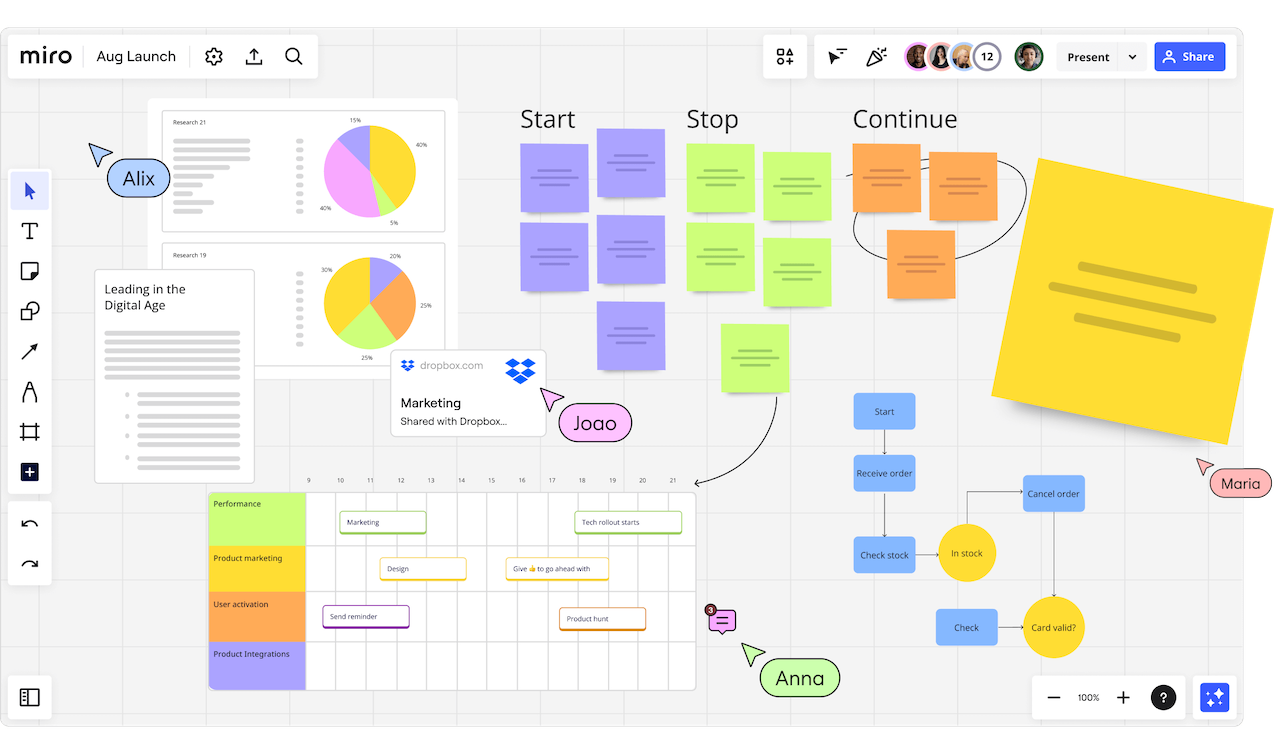
Miro 

Miro is also a collaboration app with a much wider range of templates and integrations. It facilitates visual project management, making it ideal for team communication. Comparably priced to other mind-mapping software, Miro is ideal if you’re looking for versatility and enhanced capabilities over basic functionality. 

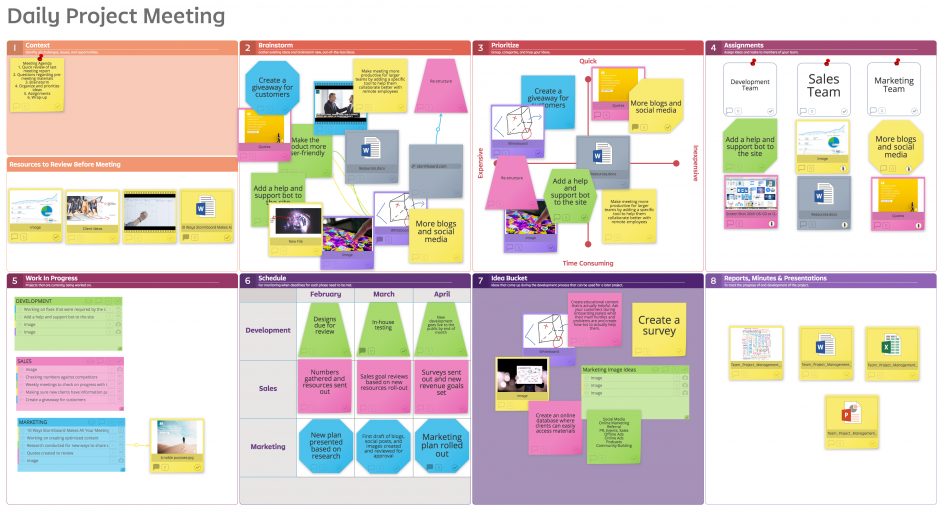
Stormboard 

Finally, Stormboard has a more corporate look and feel, helping teams stay on track. Like the others, it offers many interactive features. In addition to collaborative templates, you can hold meetings, manage projects, and facilitate structured brainstorming sessions. While it is trusted by many corporate organizations, the business plan for digital product creators and small-business owners is under $10/month. 

‍

Market research resources

Once you have some potential product ideas, you can test them out using simple market research tools. Even if you’re not a researcher or marketer, these simple resources can help you get into the mind of your customer: 

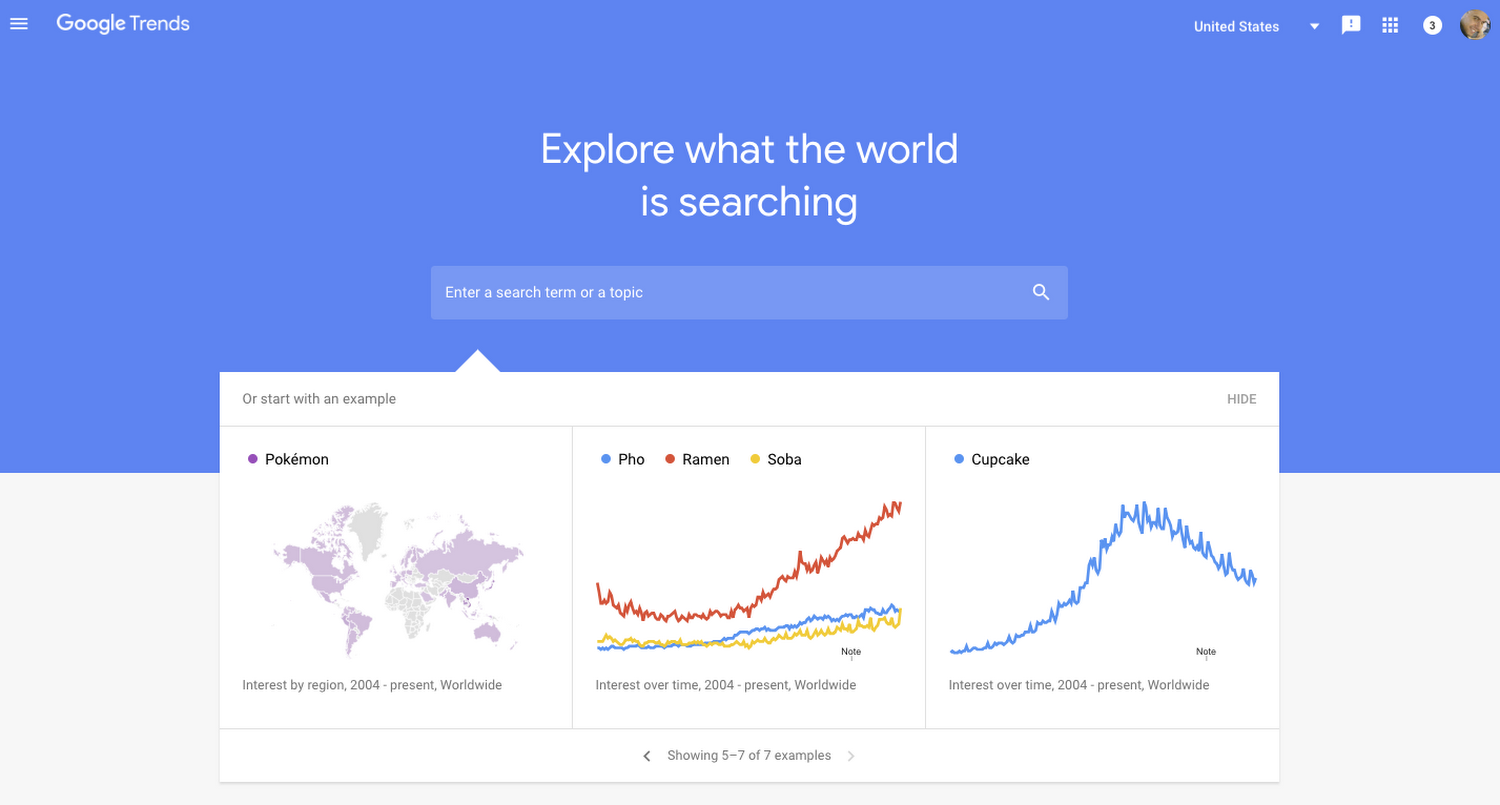
Google Trends

Google Trends is helpful for identifying topics that are trending, as well as keywords for content planning and search-engine optimization (SEO). It gives you insight into what people are searching for generally, and you can utilize this free service to discover what people are interested in – what there is already a demand for – and brainstorm product ideas accordingly. In addition to seasonal trends, you can also take note of trends by location and analyze competition. 

AnswerThePublic

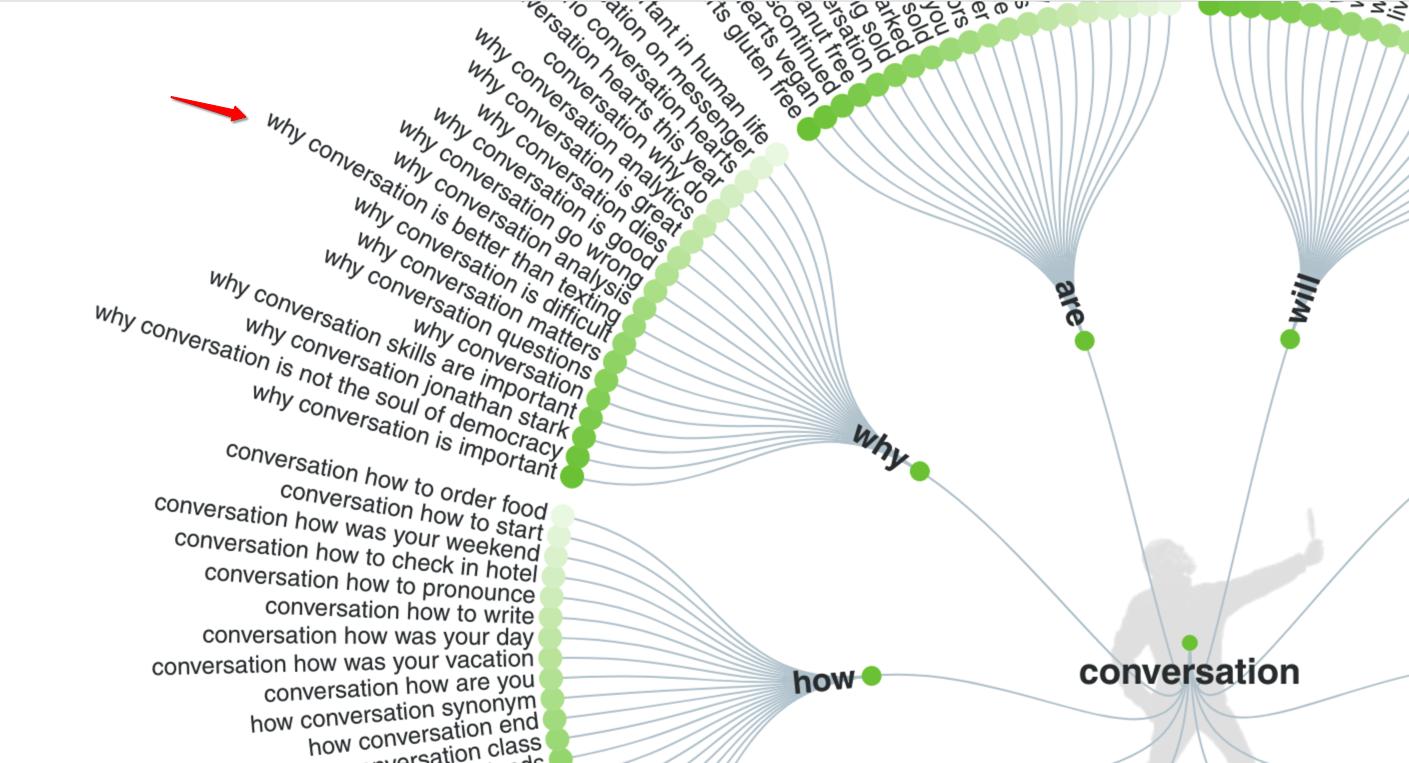
AnswerThePublic is similar to Google Trends, only it expands on topics, so you can get even deeper into the minds of your audience to see exactly what they’re asking about them. Hello, editorial calendar cheat sheet! You can also see analytics and similar search terms to help with SEO efforts. With the free version, which you simply need to create an account to use, you get three searches a day. Upgrading to the $11/month plan gets you 100 free searches a day. 

Google Forms 

Create an easy-to-use form with various fields, including short and long answers, multiple choice, checkbox, and dropdown, to ask your audience simple questions and gain valuable data about their preferences. Market researchers and public relations specialists use surveys to get feedback directly from their audiences about their likes and dislikes, pain points, experiences, etc. to create a product, service, or experience tailored to them. Google Forms allows you to customize fields and appearance, while collecting, organizing, and analyzing responses that can also be easily transferred onto a Google Sheet or exported. 

(Pro tip: Squarespace and Wix users can also create forms connected to your website. You can get notified when new responses come in via email and sync your Google Drive to collect responses in a Google Sheet. Depending on what kind of survey you’re creating, having it live on your website, rather than linking away to a Google Form, might be a better user experience for your audience – and keeps them engaged on your site.) 

‍

Section 2: Bringing your ideas to life – easy design and creation tools

Graphic design resources

You don’t need to be a graphic designer or artist to have visually-appealing, attention-grabbing graphics. In fact, with the resources in this section, people will think you have an amazing graphic designer on your team. 

Canva

Canva is by far the best for beginners, with endless templates, sorted by asset type (i.e. Instagram post – square, YouTube thumbnail, etc.), and even an expansive library of stock photos to choose from. Beyond social media assets, Canva also offers templates for presentations, resumes, whiteboards (similar to the digital product creation tools mentioned in Section 1), and more – all quick and easy to create, especially with their new free AI image generator. Additionally, Canva has the functionality to collaborate with other team members. There is a free version, but the $15/mo paid plan is well-worth the investment, thanks to the high value and endless features for digital product creators.

Adobe Spark

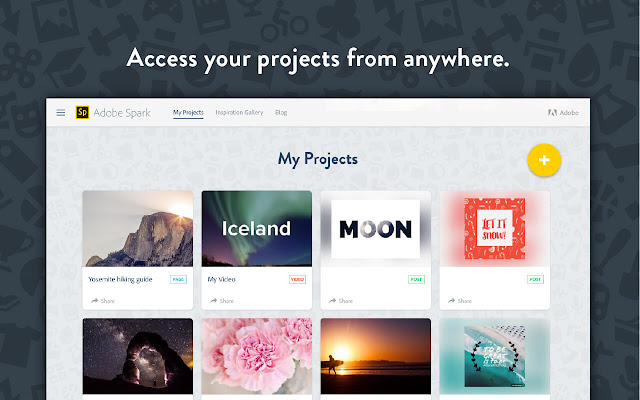
Adobe Spark, on the other hand, offers more advanced design and professional-level features. You might choose this platform if you’re working on more complex customization projects. While it is ideal for intermediate designers, newly-introduced AI features can accomplish advanced-level tasks. If you’re an Adobe Creative Cloud user, Adobe Spark is an obvious choice for seamless integration.  

‍

Website resources

Once you have a product to sell, as well as design assets to promote said product, it’s time to showcase your products on a website. Selling products on your website can come with an additional monthly cost (which is why we’re a bit biased that Teachable truly is an all-in-one solution). Nevertheless, these website-building platforms are great for offering digital products: 

WordPress

Ideal for tech-savvy creators, this classic website builder boasts endless themes and plugins to work with. Be mindful, though, that there are two WordPress routes you can take: 

  • WordPress.com takes care of hosting, security, and maintenance for you, but has limitations on customization and plugins. 
  • WordPress.org requires you to find your own hosting provider and take care of security and maintenance, but allows for full customization and plugin installation.

Wix

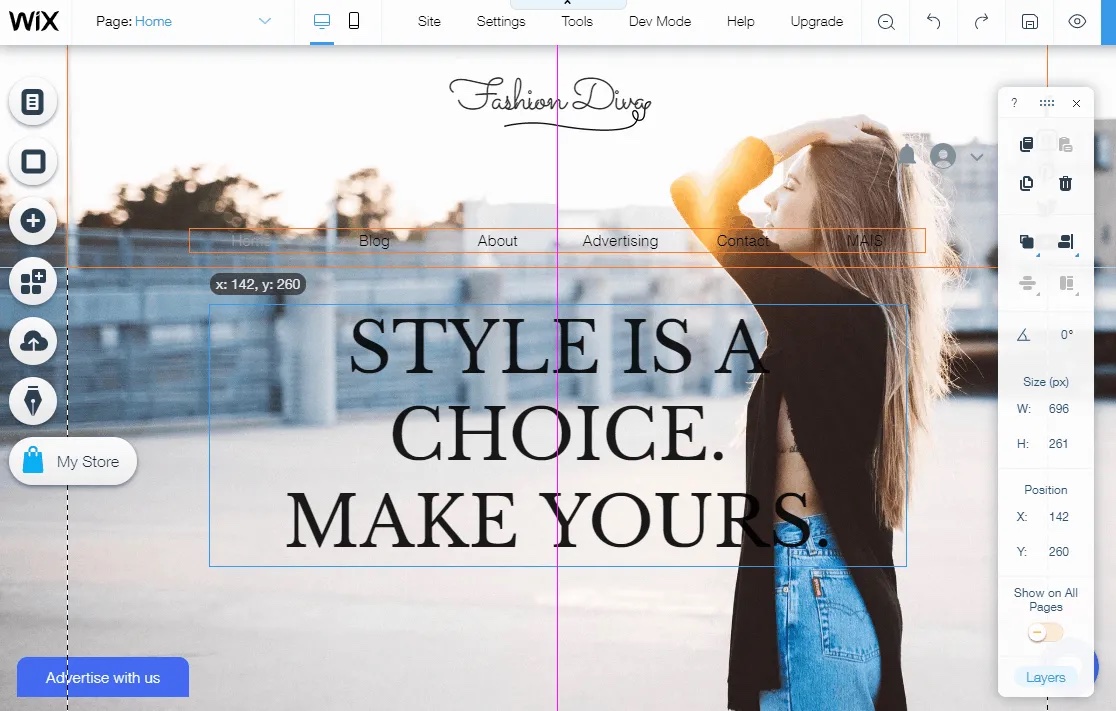
With Wix, you can stay connected to third-party apps you know and love, as well as utilize its business-essential tools, such as email and SEO. With many templates to choose from, it’s on the intermediate side but still easy to use with many support features, including AI plus community of Wix users. 

Squarespace

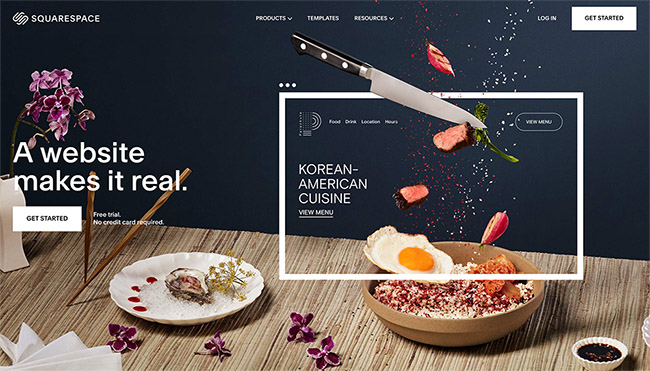
Squarespace has similar features to Wix, but is even more user friendly with simplistic functionality, such as a drag-and-drop builder, and aesthetically-pleasing templates that are easy to customize. 

Course creation resources 

Teachable 

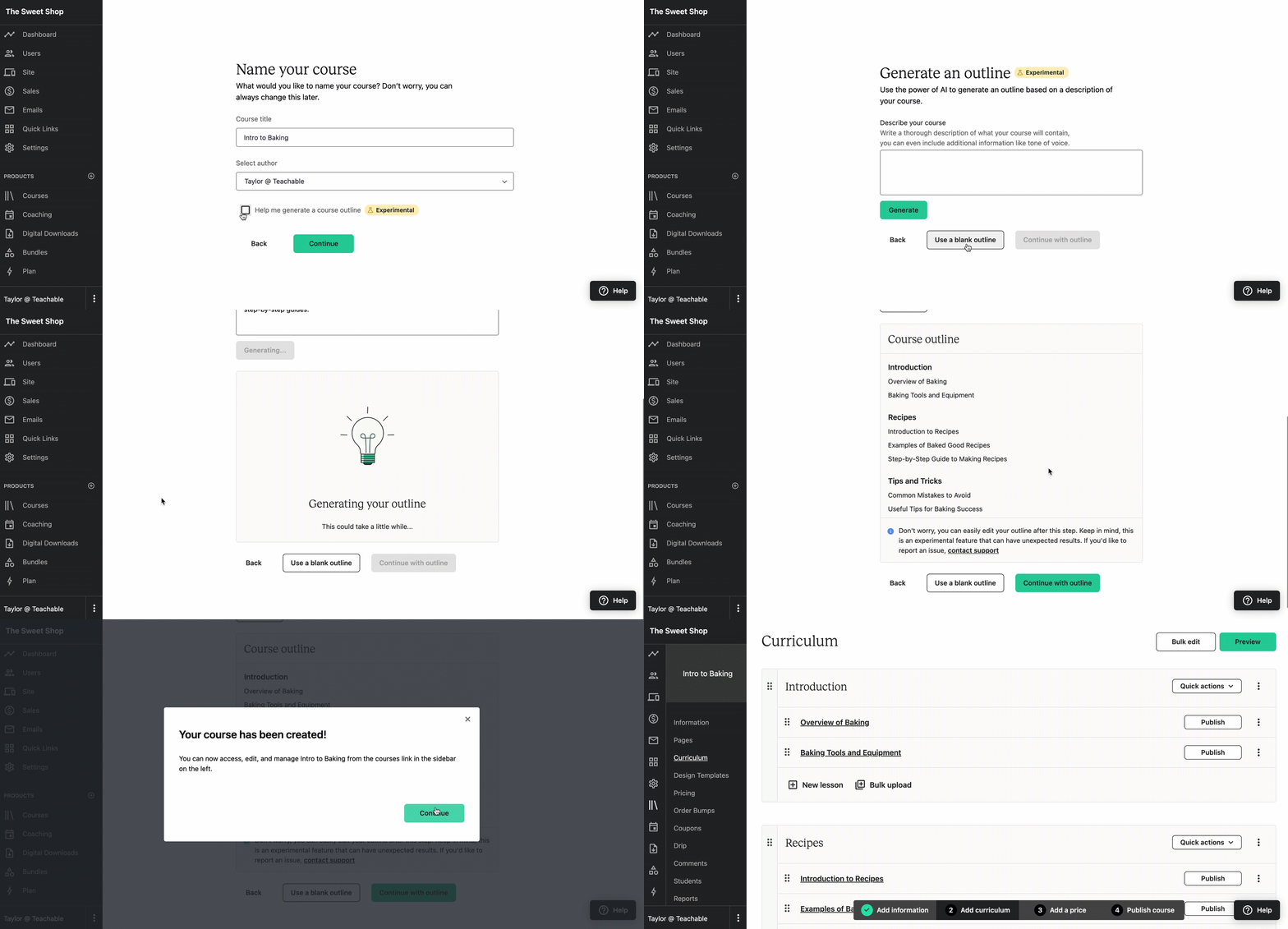
Of course, if you don’t want to go through the trouble of website maintenance, you can lean on us. Teachable is a one-stop shop for creating, hosting, and selling digital products and online courses. We even have built-in AI features to support you in the process! 

Video creation resources

Whether it’s essential to your digital products or not, video content is a great skill to have and addition to either your offering, marketing strategy, or both. Fortunately, it’s even easier than ever to create quality videos with the help of these reliable resources. 

VideoAsk

VideoAsk is a beginner-friendly platform that’s great if you’re dipping your toes into video creation. It allows you to add interactive elements, such as polls and questions, to your videos. As with all video resources in this section, there are various pricing tiers tailored to experimenting (with the free plan), individuals ($30/month or 20% less with annual subscription), and businesses ($50/month or 20% less when you pay annually).

Descript

Descript, on the other hand, offers advanced editing features, ideal if you’re already somewhat familiar with creating and have content to edit. These features are ideal for fine-tuning and include transcribing and collaborating tools. 

AI options 

You can even leverage AI for video content creation. While we firmly believe AI is not a substitute for human creativity or originality, it can support you in the complex content creation process. Here’s how: 

  • ChatGPT is ideal for creative writing, so you might consider using it during the initial brainstorming process, as well as for scriptwriting. It can also lend a hand for research, summarizing, and curating your content. 
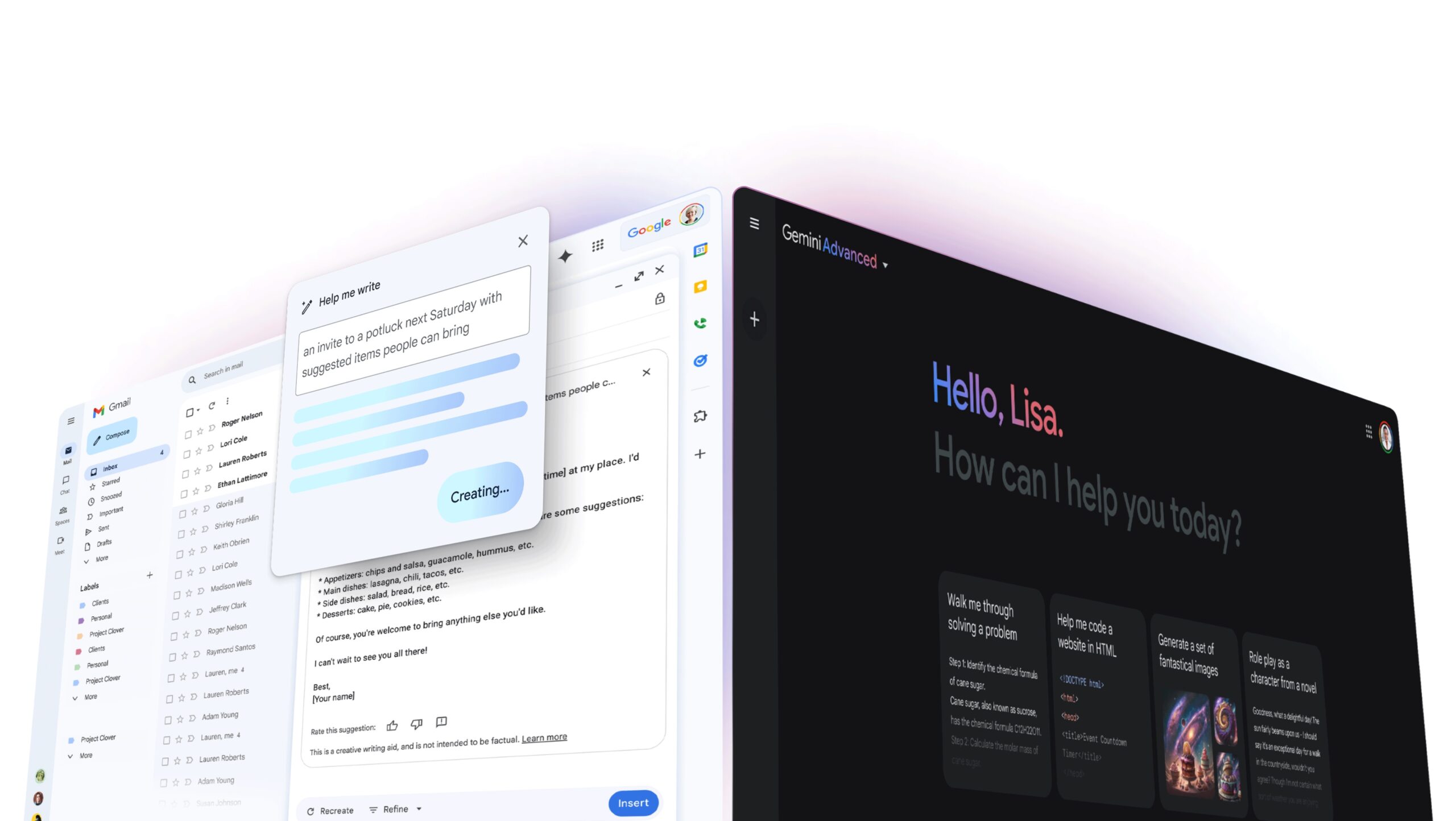
  • Powered by Google, Gemini is also a great resource for brainstorming and scriptwriting, especially if you want to factor in trending news and information, plus SEO optimization. ‍
  • Claude AI is best for ethically-sourced information, so consider when you need credible sources, fact-checking, and to explain complex material.

‍

Section 3: Getting the word out – marketing for beginners

Once you have a home for them, it’s time to spread the word and promote your digital products by sharing the link with your audience. Social media platforms, including Instagram, TikTok, X (formerly Twitter), and Facebook, are an obvious place to start. And if it doesn’t feel that obvious or simply feels unnatural, know that you have to talk about your digital products, so that your audience can know they exist. Engaging on these platforms also helps your audience grow by allowing your ideal customers to find you! 

Social media resources 

Streamline your social media communications with the help of beginner-friendly social media scheduling tools: 

Meta Business Suite

You don’t have to look far for help scheduling social media posts; you can schedule Facebook and Instagram posts all from Facebook’s creator hub, Meta Business Suite. All you need to take advantage of the professional dashboard is a page or business account, which is free. In addition to scheduling, you can also create ads, see analytics on post engagement, and more.  

Buffer 

If you’re looking for a simple, streamlined service for scheduling posts and reviewing analytics, Buffer is your best bet. 

Hootsuite

If your social media strategy is a bit more complex and nuanced, Hootsuite is a great go-to, as you can manage multiple accounts and collaborate with team members. 

‍

Email marketing resources 

Email marketing is essential for communicating with your audience through newsletters or email blasts. Many website builders, including Wix and Squarespace, now have email marketing features. While you don’t need a website to sell digital products, if you do have one, utilizing built-in email marketing is great for branding and cohesion, as well as keeping everything in one place. If you don’t have a website your products live on, a newsletter provider can help you stay in touch with your audience and communicate how they can find your products and offerings. 

There are many email marketing platforms to choose from with comparable pricing (including effective free plans) and features. Here are some options we recommend and why you might lean toward them: 

SEO resources 

As we’ve touched on, SEO stands for search-engine optimization, and it refers to how easily your product can be found when people are searching for something similar on the web. Fortunately, there are easy-to-implement tools, so SEO can be one less thing you have to stress over. 

Yoast SEO for WordPress

Yoast SEO is a WordPress plug-in that will scan and rate the copy on your web pages. It offers recommendations for how to improve SEO, making it a must-have for WordPress users. 

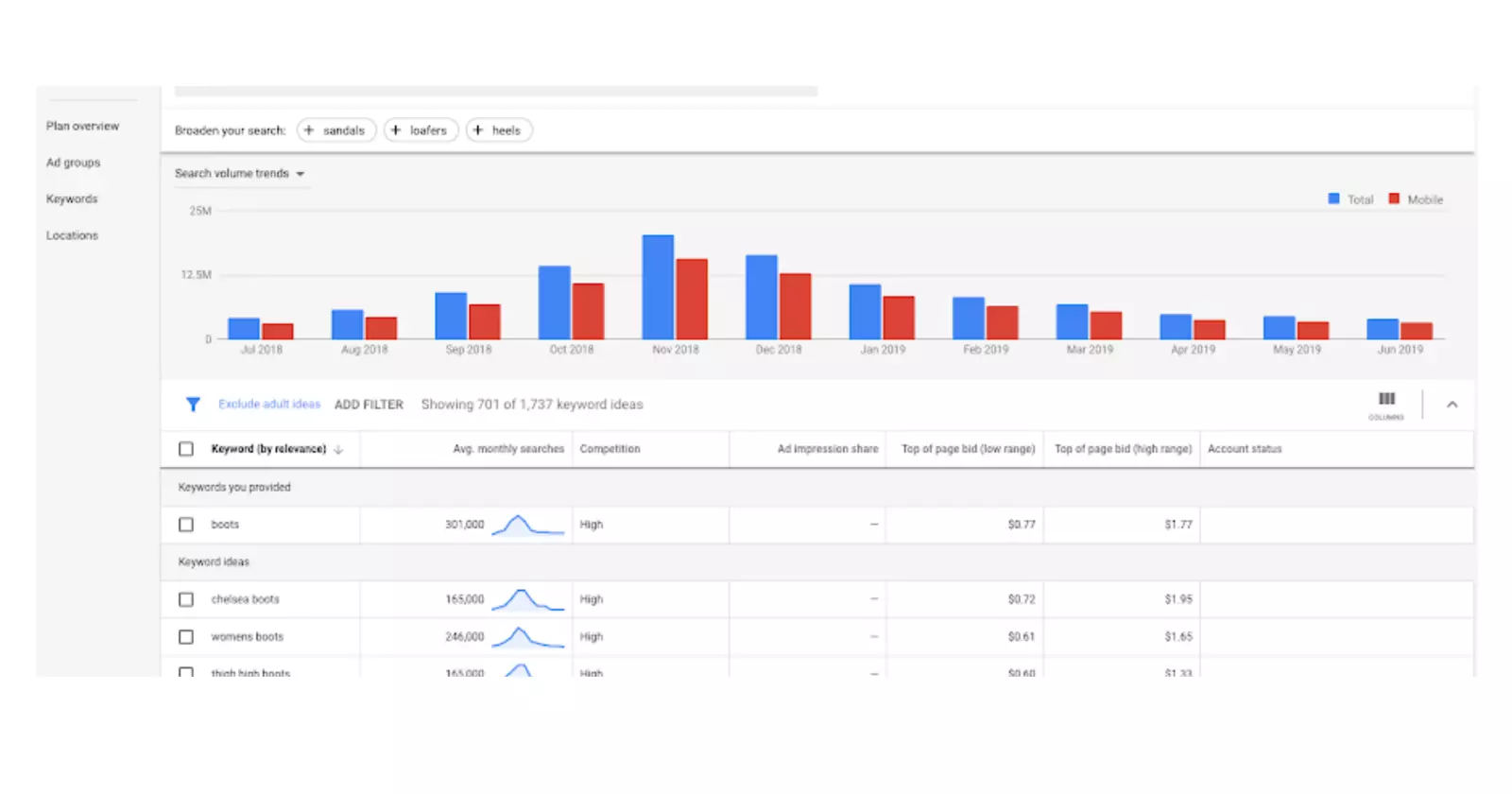
Google Keyword Planner

If you’re not a WordPress user, you can turn to Google Keyword Planner, which is a free tool to help research, identify, and assess relevant keywords you can incorporate on the front and back-end of your website and product page. 

‍

Section 4: Understanding your audience – feedback and analytics tools

Analytics resources 

Reviewing website visitor behavior is valuable information to understand what is and isn’t resonating. One way to do this is with heatmap tools, which offer color-coded maps of where users click, spend their time and for how long, etc. Understanding user engagement can help with ways to improve and optimize. 

Google Analytics is a great resource for overall analytics, while Hotjar and Crazy Egg have advanced heatmap capabilities to increase conversion. It’s always a good idea to start with the essentials and work your way up to diving deeper as you grow and learn. 

Customer feedback resources 

Similar to creating forms for market research and analyzing initial ideas, you can also utilize simple surveys to get feedback about your current product offerings. By tracking product performance, you can gain more valuable insight on ways you can improve or what more customers might be willing (and eager!) to buy from you. As mentioned above, this is a technique many public relations specialists utilize to understand the public even better. 

Google Forms

As mentioned above, this is a convenient option that is already connected to your Google Drive. It’s easy to customize and helps organize and store the data you collect. 

SurveyMonkey‍

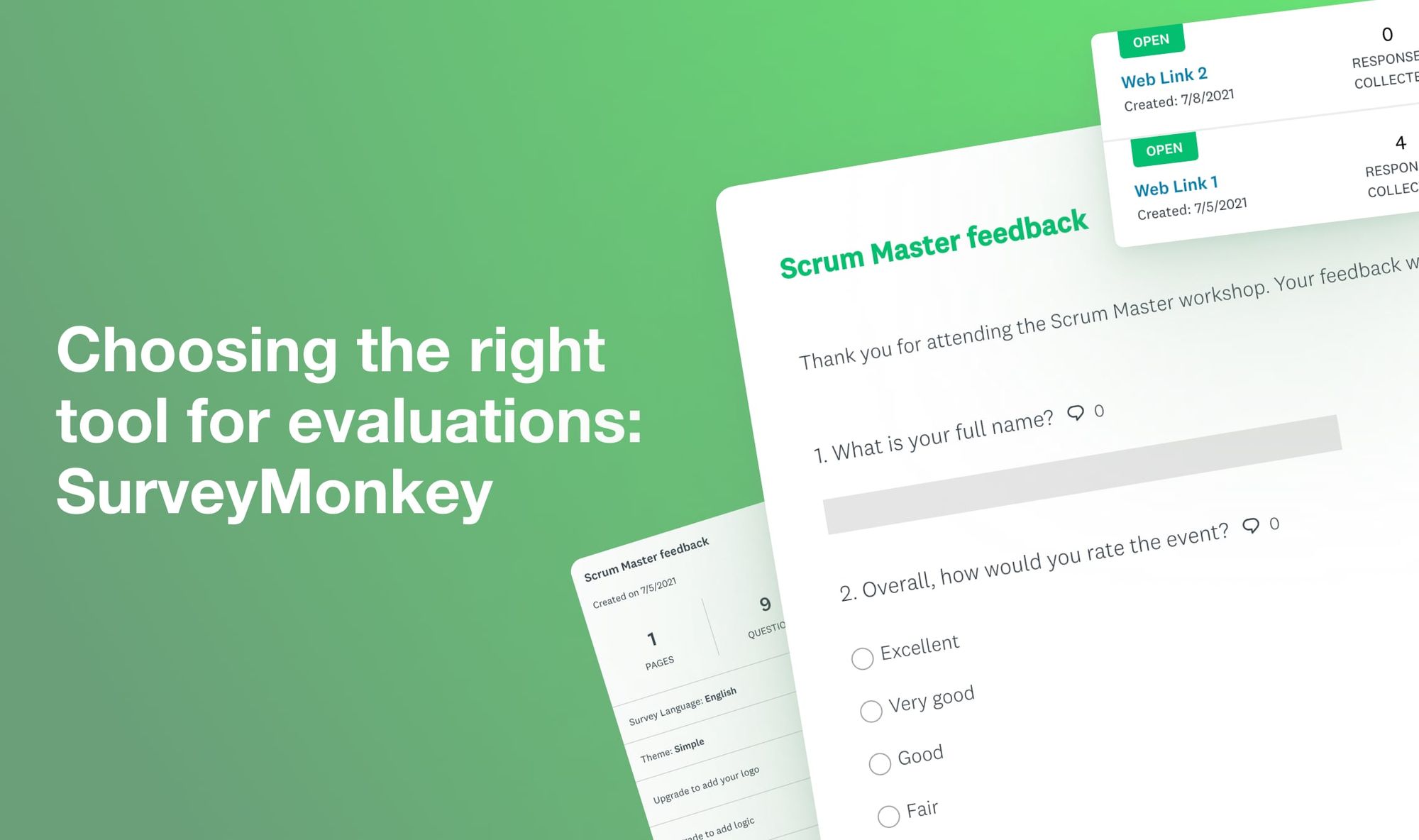
A third party app that can easily be integrated into other web platforms, SurveyMonkey is a tried-and-true survey app that allows you to go deeper with your survey needs. Whether you’re requesting simple feedback or complex research, SurveyMonkey has a vast collection of templates and question types, plus analytics and reporting features. It also comes in the form of a third-party integration, so it’s most likely compatible with your other digital product creation tools. 

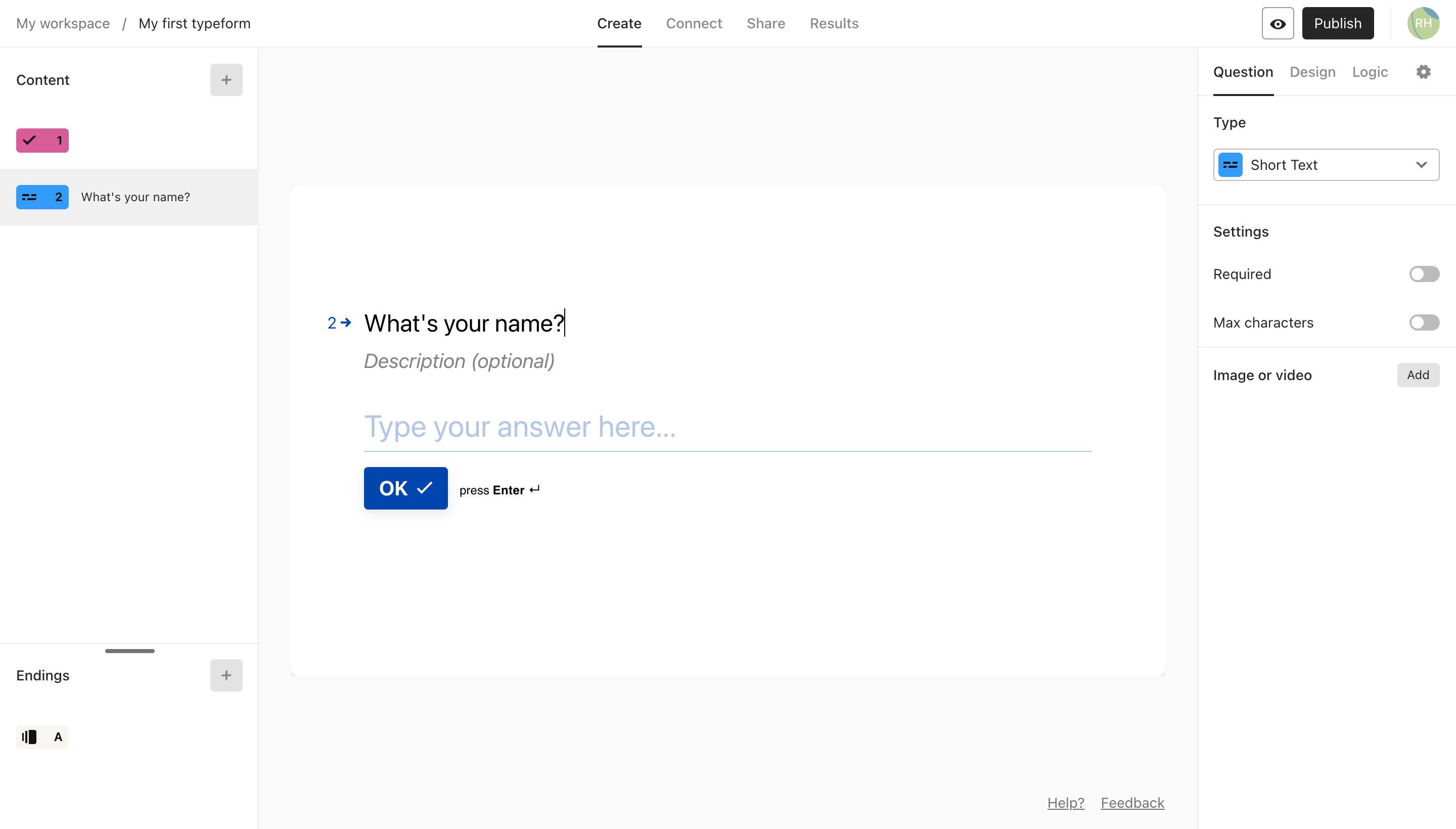
Typeform 

Typeform offers an engaging user experience, beyond a basic survey. With its interactive interface, aesthetically-pleasing themes you can customize, and conversational functionality, it’s great for engaging with your audience. 

Website Forms

Again, most website-building platforms, including Wix and Squarespace, have forms that can be directly embedded onto your website. Not only can you collect information at any time if it’s always available, it’s also a lead magnet opportunity – to capture site visitor information, so that you can connect with them in the future, build a relationship, and market your digital products to them. 

‍

Section 5: Continuous learning and support

Digital product creation comes with a learning curve. Technology is constantly evolving and adapting to offer more intuitive tools and features. It’s important to stay up to date with industry trends. Fortunately, we have many opportunities to support your continued learning, including our blog, podcast, teachable:u (mini courses), teachable:hq (online community) educational events, and more. 

Even if you don’t tap our resources, there are many creators and experts with their own platforms for sharing digital product creation and selling information, not to mention other online communities and forums, such as Facebook groups or Reddit subreddits, to connect with other digital product creators and learn from their experiences. Research your niche or topics that resonate with you to find some individuals or groups to follow and connect with. 

‍

Conclusion

Every digital product creator will have different tools in their toolkit. While there are seemingly endless resources to consider, it’s a good idea to consider and weigh your specific wants and needs before committing to all of them. The key to success is to start with simple-yet-effective, multipurpose resources that are compatible, and gradually build up your tool kit as you scale your offerings and business. (Pro tip: When considering some of these third-party resources, research to see if there are integrations or plug-ins for what you already know and use.) 

Embrace the learning process by being open to trial and error. You have all you need to take action and create your first digital product today. 

How to Record Audio on PowerPoint – Windows & Mac Instructions

Software Stack Editor · April 22, 2024 ·

Recording your PowerPoint presentation as a video can make a difference when pitching a client, internally, or transforming your slides into an online course.

Now that Microsoft added a recording function directly into PowerPoint, it has become easier to create a video out of any presentation.

All you need is to start recording yourself narrating.

In this tutorial, we will be taking you through the step-by-step process of recording audio on PowerPoint for both Windows & Mac.

Why Record PowerPoint Presentations?

PowerPoint is a great tool to give live presentations, but there are cases where you won’t be able to present live.

While you could send a PPT file or PDF export, a presentation recording allows you to capture the sentiment of the topic, and helps connect with your audience.

Videos are more engaging than presentations, and especially when giving a lecture or training online, video is a better solution.

Let’s hit that record button and go directly to the instructions:

Recording a PowerPoint Presentation on Windows

Windows is the default option for PowerPoint, follow the instructions below to turn your slides into video. All you need to do is find the Record tab and follow the step-by-step instructions to create a video presentation in no time.

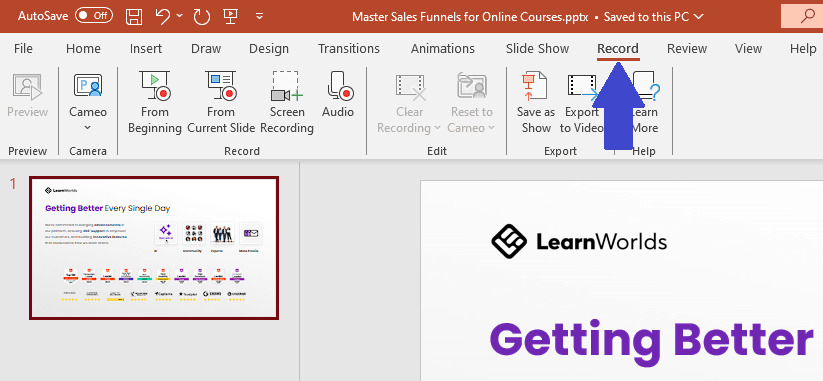
Go to the Record Tab

Located in your toolbar, the record tab includes all the options for recording a video inside the software. Click on it to bring up all the options for recording a video.

Selecting the record tab in Microsoft PowerPoint.

Record slide show

Now, you need to start the audio recording and follow the steps to record your PowerPoint slides to turn them into video.

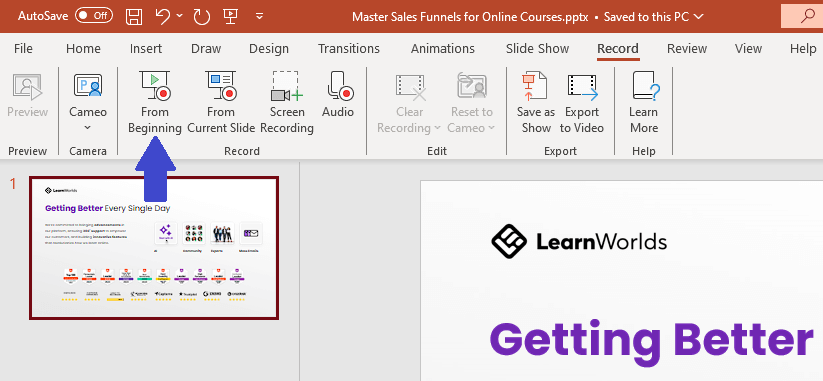
Start the Recording

Choose whether to start the recording from the beginning or a specific slide. This will bring you to the full-screen recording mode.

Record powerpoint slides from the beginning.

Settings

Be sure to check all the recording options including the camera, microphone, narration, and letter size of the transcription before you start recording.

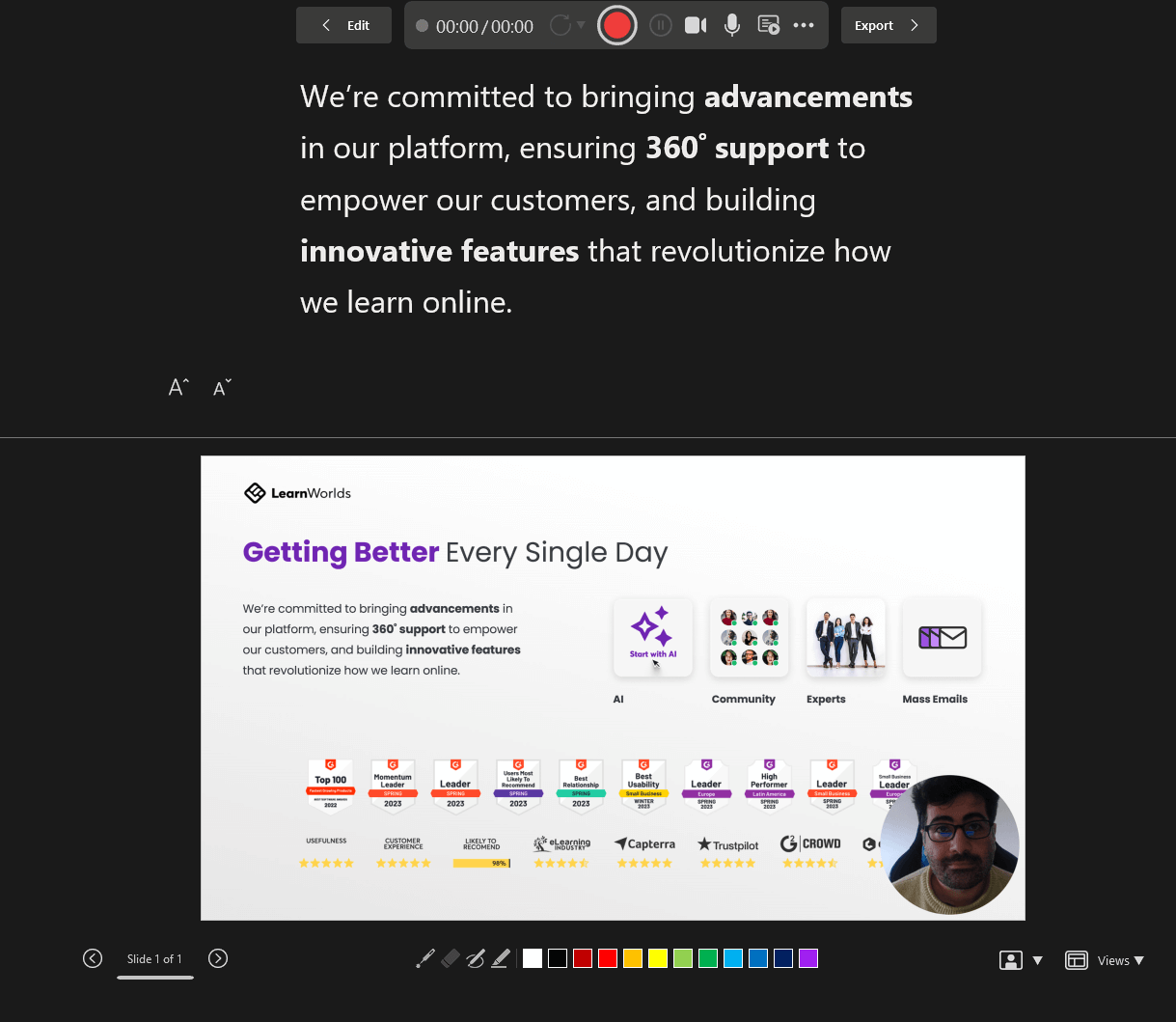
Start recording

Click on the red circle to start recording. Wait for the countdown and start presenting (or narrating).

Presenter View on PowerPoint while recording with the slide transition options and transcript.

Tip: Replay the video playback and ensure the recording is good enough before saving. You may need to delete and reshoot it.

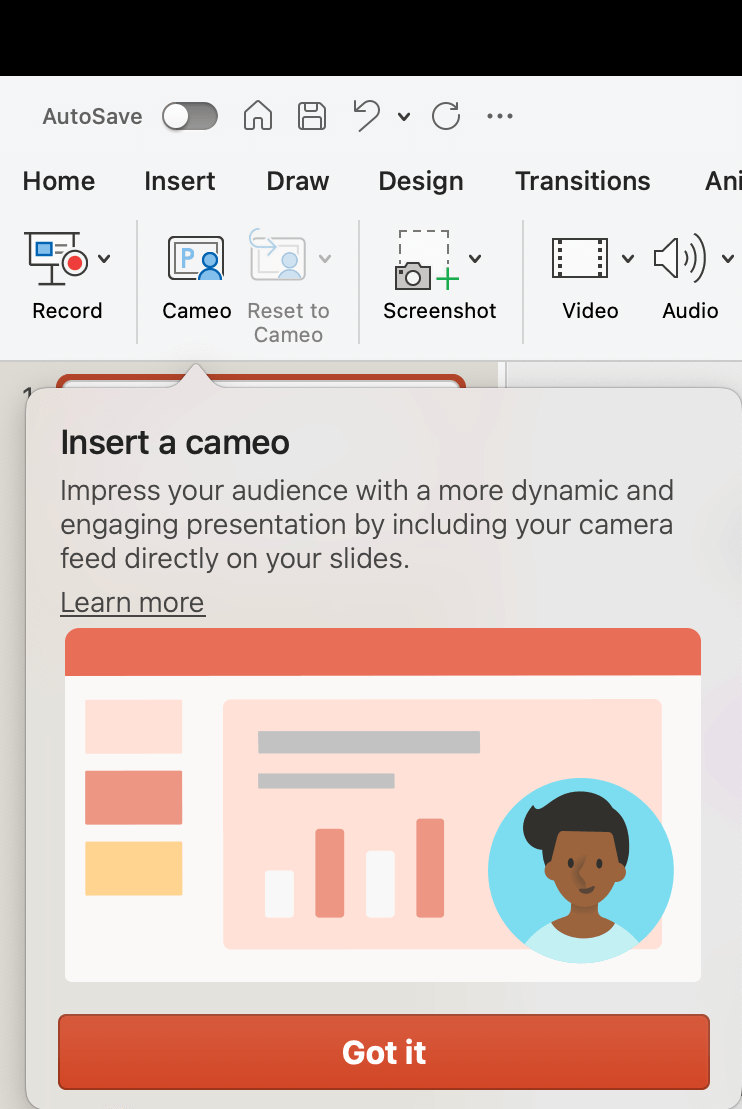
Use the Cameo feature

A recent addition to Microsoft PowerPoint is the Cameo feature where you can also record video from your webcam directly into the presentation. Read more on Microsoft’s website about it.

On the presentation, all you need to do is click on the camera icon 📹 while in presenting mode.
Control the presentation, timing, and transitions

While in presenting mode, you can control the transition between the slides by clicking the next slide button. You will also see the time you are recording to control your timing between slides.

Keep an eye on the timer.

Export the Video

On Windows, there is the Export option in your toolbar to save the recording as a video. Alternatively, you can go through the main menu, but it’s easier after you hit stop to just export directly.

Recording toolbar on Microsoft PowerPoint highlighting the export option.

Choose a destination for your video or audio file before hitting the button for “Export Video”.

Exporting the video file after recording in Microsoft PowerPoint.

Customize Export

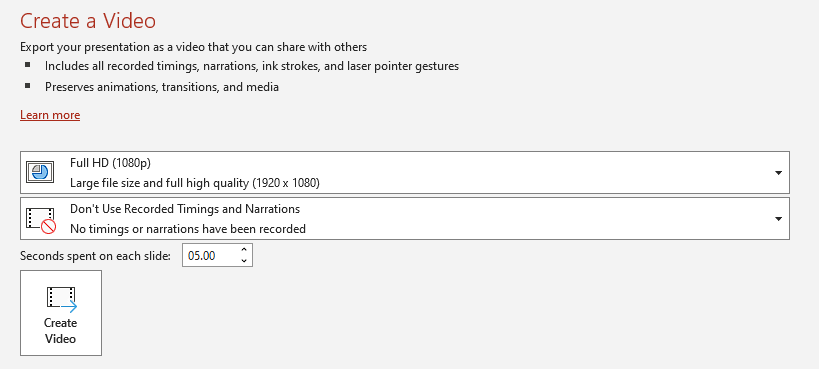
Choose “customize export” and select your preferred setting for the video file. Here is where you can select your preferred quality, dimensions, and more.

Then, click “Create Video” to get your video file.

Choosing the settings for video exports in Microsoft PowerPoint.

Edit the Recording

For longer video recordings, it’s a good idea to do some video editing, trim pauses, and make your presentation look more professional. You may want to add transitions or sounds as well.

Especially if you are creating an online course or training, your presentation will look more professional after editing. Consider a professional video editor to help you out.

Check out our choices for video training tools to edit your videos.

Upload to your LMS

For video training or courses, you will need somewhere to host and deliver your videos to your learners.

LearnWorlds is the top online course platform, you can easily upload your video as a video learning unit.

You can try LearnWorlds a 30-day free trial:

Your professional looking Academy in a few clicks

Start FREE Trial

Recording a PowerPoint Presentation on Mac

While PowerPoint is a Microsoft software, many Mac users download and use it on their computers as well. With more than 40k reviews on the app store, PowerPoint is a very popular Keynote alternative.

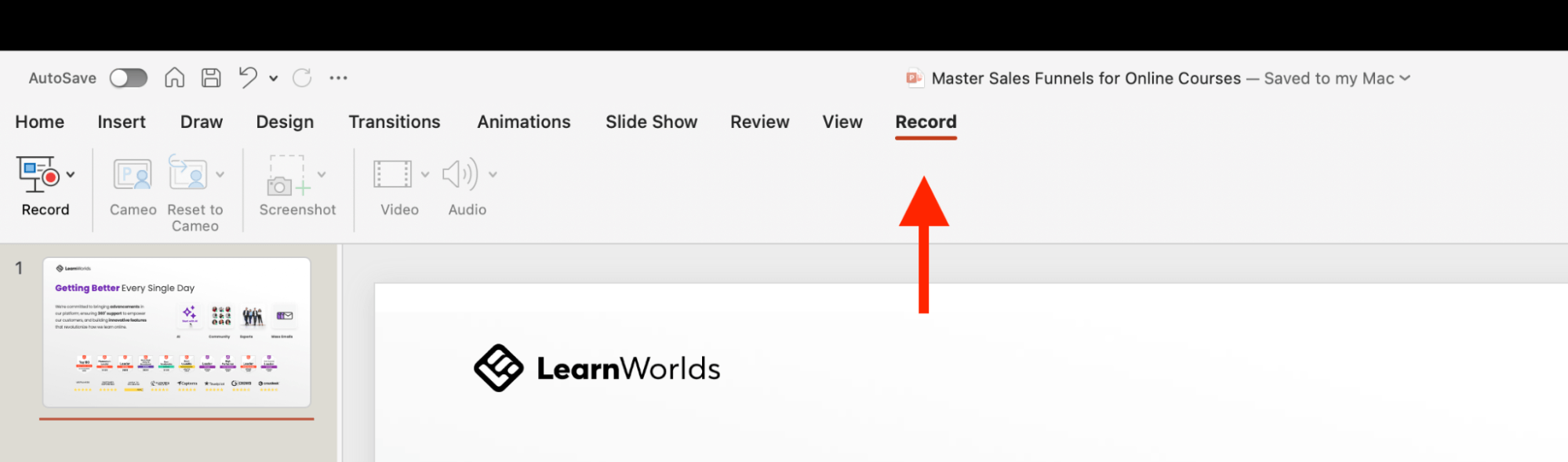
Go to the Record tab

PowerPoint on Mac has a dedicated tab for recording. Find it at the right side of your toolbar.

Recording a powerpoint presentation on Mac.

Record the Presentation

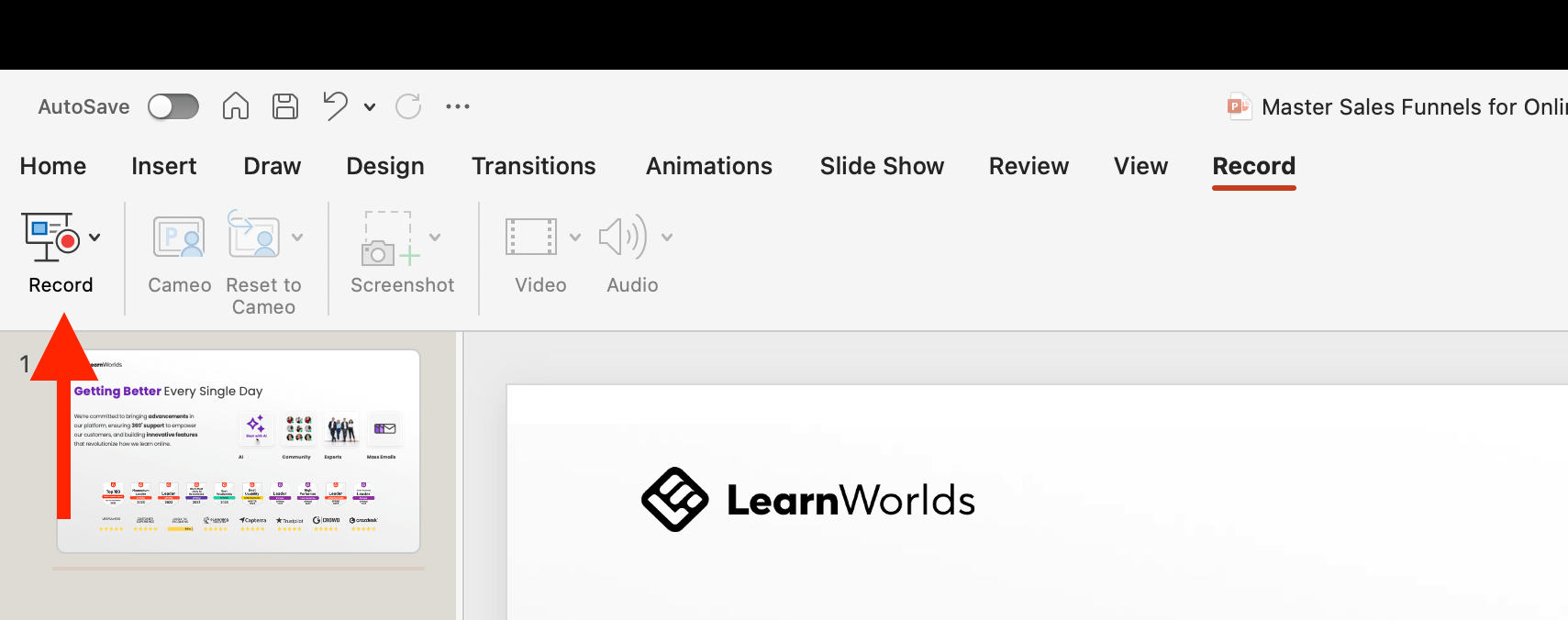
The next step for recording your slide show is to click on the record icon on the left. Click on the icon with the red circle to bring up the full-screen presenting mode.

Recording a presentation on PowerPoint on Mac. Showing the Slideshow record button.

Control the presentation, slide transition & timing

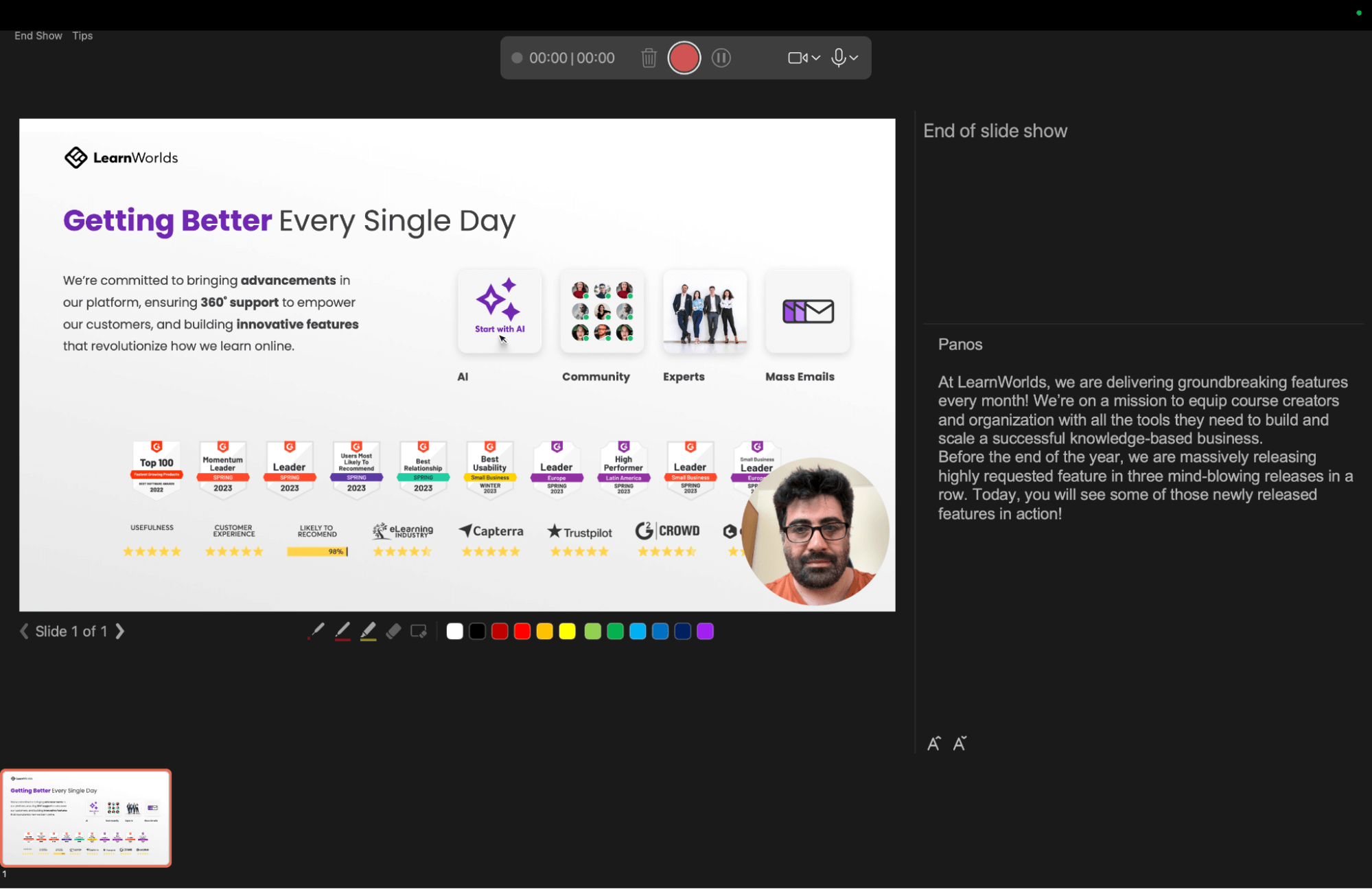
You can choose whether to show your camera, mute the microphone, use the highlighter, or change slides while narrating.

You can monitor the time you spend recording, and you can record, pause, or stop the recording at any time. The transcript helps to record the narration by reading while recording.

When you press record, wait for the countdown timer and then start speaking.

Slideshow presentation recording on Mac, how the presentation seems when presenting.

Cameo on Mac

You can use the Cameo feature to add a video recording of yourself to the presentation.

Use the audio button icon if you just want to insert audio. You can play the audio while presenting a slide live, instead of recording a voice-over.

Adding a cameo on PowerPoint on a Mac.

Replay the video to ensure it was recorded correctly

Before you end the slideshow (End Show option), watch the playback to ensure you have a high-quality recording.

Export Video File

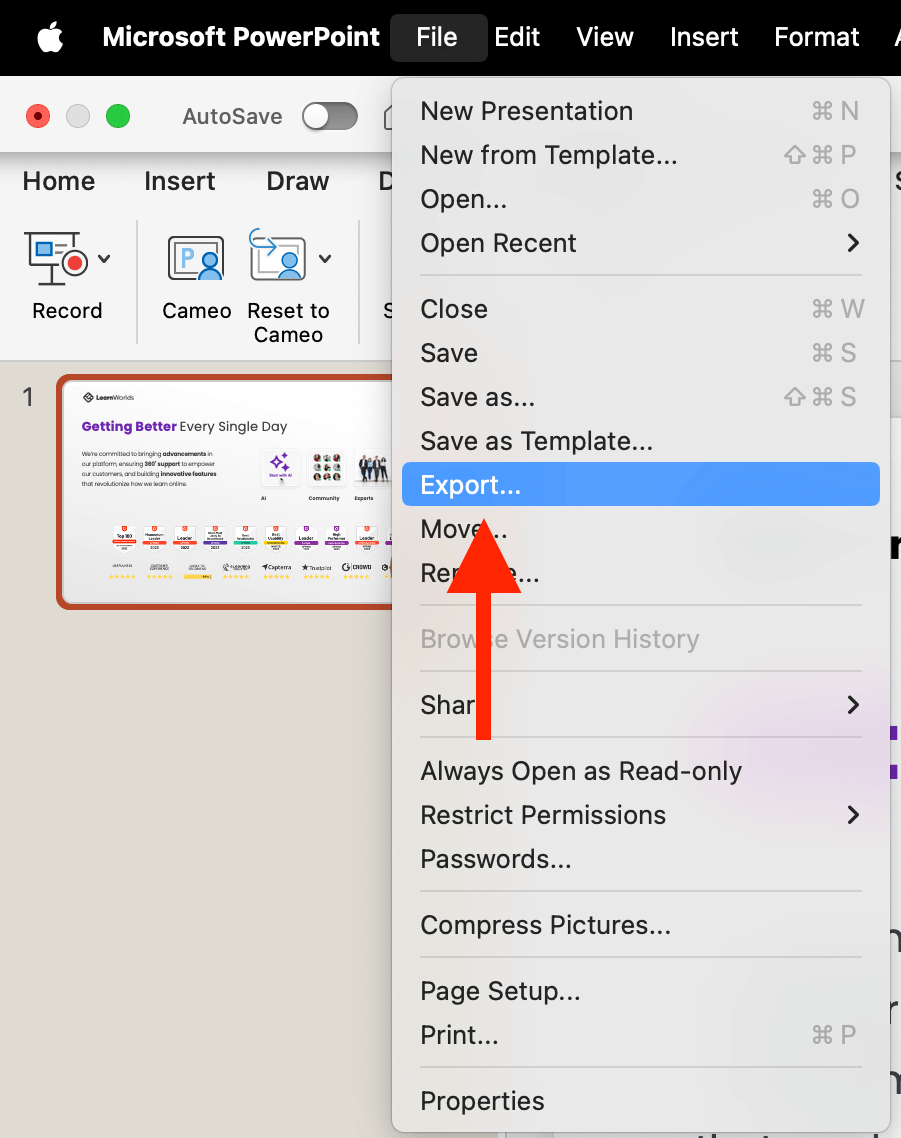
Mac’s “File” toolbar is hidden, so you need to move your cursor out of bounds on the top of your screen to find the “Export…” option.

Choose “File” above the toolbar, and then “Export…”

Exporting a video recording on a Mac. Showing the File menu with export selected.

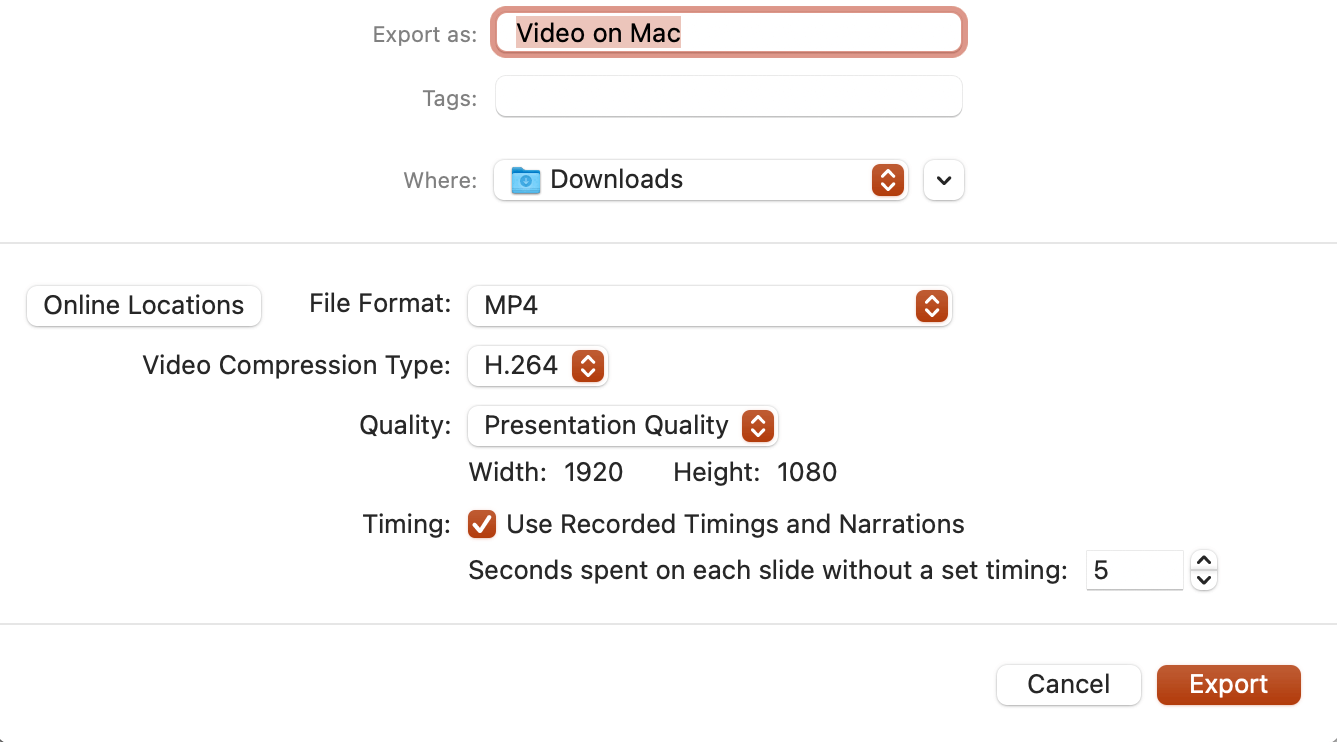
Choose Destination

Next, choose a destination for your video file.

Setting for exporting a PowerPoint presentation. Format, quality, timing, and more.

Customize Export: Compression, Format, Quality, TImings & Narration

Choose the format (MP4 or MOV) instead of a PowerPoint file, the compression, and presentation quality. Be sure to customize the settings to your liking.

Edit the Recording

Be sure to trim pauses, and do some editing of the video. This is especially important for longer videos for a more professional output. Consider hiring a video editor for better editing.

Upload to your LMS

For video training or courses, you will need somewhere to host and deliver your videos to your learners.

LearnWorlds is our recommended best learning management system, you can easily upload your video as a course or any other training material. It comes with everything you need to create and sell online education out-of-the-box.

You can try LearnWorlds a 30-day free trial:

Your professional looking Academy in a few clicks

Start FREE Trial

Additional Tips for Recording Audio on Powerpoint

After many meetings, recordings, and live webinars I have hosted over the years, I came to understand the huge importance of high-quality audio in any live interaction,

Before you start recording, be sure you are ready with the right video lighting setup and microphone setup.

You will need to be ready:

  • A good microphone (depends on your budget) – and test the sound quality
  • Reduce external noise (close windows, have sound absorbents like audio sponges in the room, etc.)
  • Prepare your speaking notes or transcript
  • Prepare for multiple takes (recordings)
  • Practice before-hand

Additionally, be sure your face is well-lit, and for more professional setups, you may need to buy lights for your video recordings.

Recording your presentation comes with many advantages, like making it more engaging and getting to be “present” even asynchronously to your audience.

It makes a huge difference, especially when taking your training material from offline presentations into online courses!

Frequently Asked Questions (FAQs)

How do I record a PowerPoint presentation as a video?

PowerPoint includes the built-in ability to record video in slideshow mode and record both audio and your webcam for a more personalized experience.

Can you record a PowerPoint in presentation mode?

Yes, there is a tab dedicated to recording videos in PowerPoint without any additional plugins.

Can you video record yourself on PowerPoint?

Yes, PowerPoint allows you to use the Cameo feature to either add video to your slides or record the presentation while you narrate it.

How do I convert a PPT slideshow into a video?

You will need to record a narration on top of your presentation. You can skip the narration and just record the slides with a transition to create a video.

Can PowerPoint record computer audio?

Yes, you can record audio from your microphone.

How do you add audio and video to a PowerPoint presentation?

You can either record and insert it at that moment or import video and audio from your computer to PowerPoint by clicking on the “Insert” tab.

The post How to Record Audio on PowerPoint – Windows & Mac Instructions appeared first on LearnWorlds.

Behind the scenes: Carrie Brummer’s blueprint for building a community

Software Stack Editor · April 19, 2024 ·

After a decade dedicated to teaching teenagers, Carrie Brummer pivoted to focus exclusively on adults, many of whom are self-taught artists grappling with the nuances of their craft. 

This shift led to the creation of Artist Strong, an online school and community that has become a sanctuary for artists seeking to refine their skills and express themselves more confidently through their art. Through Artist Strong, Carrie leverages her extensive experience in the art world, including her active engagement in solo and group exhibitions. 

Carrie wanted to provide “a more asynchronous experience where people don’t feel this like rush that they have to respond right away to things.”

For years, Carrie struggled to find a platform—outside the confines of social media platforms—to host her growing community of artists. That’s when she turned to Teachable.

We recently interviewed Carrie to learn how she is building an impactful community on Teachable, balancing running a community with growing her existing course business, and how you can craft a community for your students.

Here’s what we’ll cover in this post…

  • Why is creating a community important for impact-focused creators?
  • What were some challenges that Carrie faced when building her community?
  • How is Carrie currently using a community to serve her students?
  • How can you start using Teachable to build a community?

“I always wanted a community component…I had a lot of people who would constantly email me, telling me that they don’t want to be on social media all the time.” -Carrie Brummer

Why is creating a community important for impact-focused creators?

‍

For impact-focused creators like Carrie Brummer, building a community is essential for educational purposes and fostering a supportive network that enhances the transformative impact of their teachings. 

This shift was also motivated by the need for a focused space that was free from the distractions of social media, “They don’t like that it sucks them into other things and that they’d be distracted.”

By fostering a community, Carrie aims to provide a platform where artists can “fill in their learning gaps” and develop a strong voice in their artwork, away from the fast-paced and often superficial interactions on social media. 

What were some challenges that Carrie faced when building her community?

One of the primary hurdles was managing multiple platforms, which often confused and frustrated her students due to different logins and interfaces. Carrie discusses her students’ difficulties with technology, noting, “People complain about having multiple logins; they don’t like having to keep track of all of the passwords and how they sign into things.” 

There were also numerous technical integration problems across platforms: “But we still had endless tech issues where people couldn’t still use the single sign-on to get into the other platform.”

Carrie also faced the logistical challenge of making sure that her students could easily access and utilize the community space without feeling overwhelmed: “And my students were constantly saying they tried to show up and they couldn’t, and they’d give up because they were tired of trying.” 

The frustration from these complications led her to search for a better solution, which she found in Teachable’s community feature. This feature allowed her to consolidate her educational content and community interactions in one place, greatly simplifying the user experience for her students.

‍“It’s so much easier that they can go into the course, work on something in the program, and if it’s not pertinent to the direct comments of that lesson, they can still hop on over to the community and post their art or get feedback or ask questions.” -Carrie Brummer

The switch to Teachable also addressed the problem of student engagement and retention in the community.

By integrating the courses and community into a single platform, Carrie not only streamlined the process but also enhanced the interactive aspect of her teaching, thereby alleviating some of the major challenges she initially faced.

How is Carrie currently using a community to serve her students?

Carrie Brummer uses her Teachable community to enhance the learning experience by providing a structured, supportive environment where students can engage deeply with content, receive personalized feedback, and interact with peers. 

Carrie explains: “I have one signature program. It’s called self-taught to self-confident. And that’s where I spend most of my time.” She structures this community around several vital activities:

  1. Weekly Check-Ins: “So one is called the weekly check-in… they need to post their questions and artwork before Monday because they have a call with me every Monday.” This regular interaction ensures that students remain engaged and receive timely feedback that helps them progress.
  2. Art Sharing and Feedback: “Then I also wanted them to have a space where they could just post things like accountability… I don’t really need feedback on them, but I wanted to show you guys I’m showing up.” Carrie encourages continuous sharing to foster a habit of regular practice and community support.
  3. Celebrating Wins: “And the third category for self-taught to self-confident is actually a wins category. I’m trying to make sure they’re actually promoting and celebrating their strengths.” Highlighting successes is crucial for building confidence and motivating students.

By facilitating these structured interactions, Carrie’s community goes beyond typical course offerings, providing a space where students can grow their skills and develop their artistic voices in a supportive, interactive environment.

Start building your community on Teachable

Are you looking for a place to host your growing community? Teachable offers the tools and support you need to create an engaging and supportive environment, much like Carrie Brummer has with her community.

 By leveraging Teachable’s integrated features, you can facilitate meaningful discussions, share resources more efficiently, and encourage peer-to-peer support among your students.

When you set up your community on Teachable, you’ll get access to…

  • Structured Interaction: Organize your community into categories that promote ease of use and enhance member interaction.
  • Seamless Course Integration: Connect your courses directly to community discussions to provide a comprehensive learning experience.
  • Active Engagement: Keep your community lively with multimedia posts, regular challenges, and celebratory milestones to encourage continuous participation.
  • Supportive Environment: Foster a welcoming space that encourages new members to participate and existing members to thrive.

Teachable simplifies the management of your courses and community and amplifies the impact of your educational content. With all the tools in one place, you can focus more on teaching and less on tech challenges.

Ready to start your community? Click here to use Teachable to set up and manage your courses and community.

Podia updatesIntroducing Podia Email: Beautiful email marketing in the same place as the rest of your businessPodia Email puts your email marketing in the same place as your website, digital products, courses, and community.

Software Stack Editor · April 18, 2024 ·

Jump ahead

In this article

  • Podia Email adds a visual designer, filtering, segmentation, tags, forms, and automation. Everything you need to run your business in one place. 

  • On August 31st, Podia Email will become an optional add-on to Podia

  • What have people like you done with Podia Email so far? Here are some examples from the 700+ beta testers

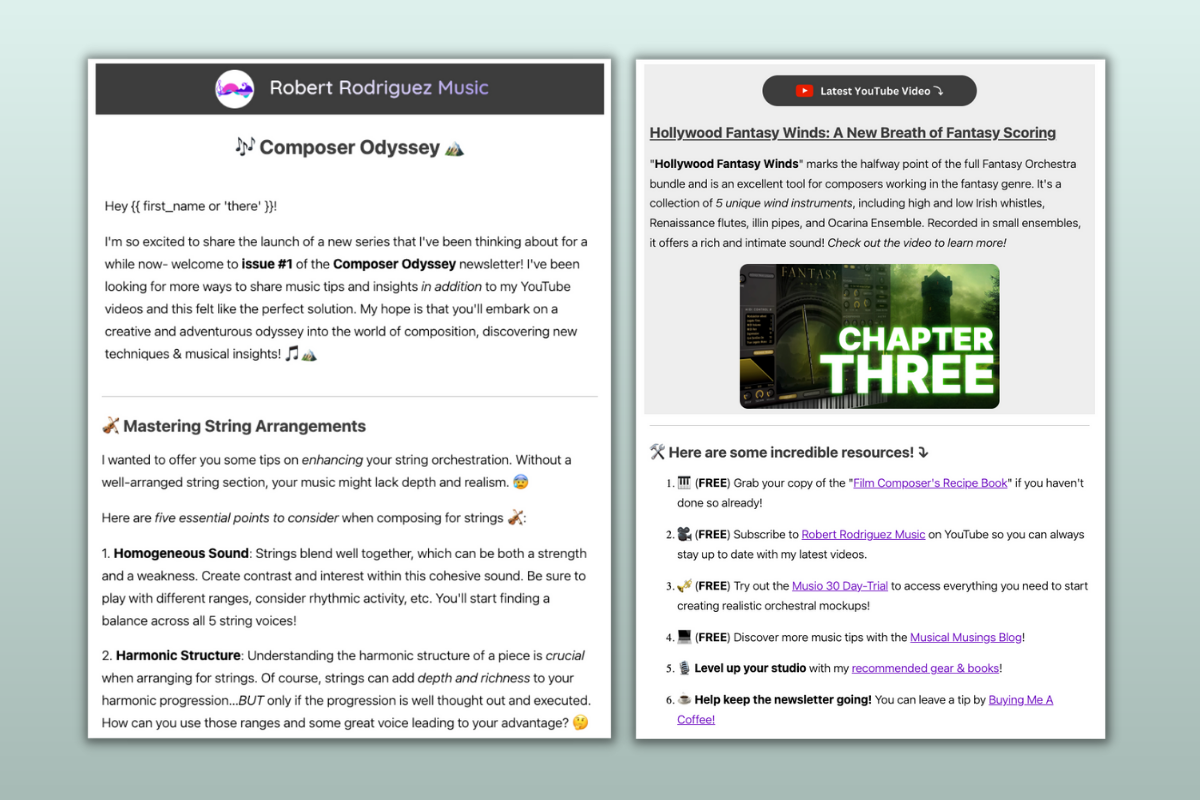
  • Robert Rodriguez,
    Robert Rodriguez Music
     

  • Moira Hutchison,
    Wellness with Moira

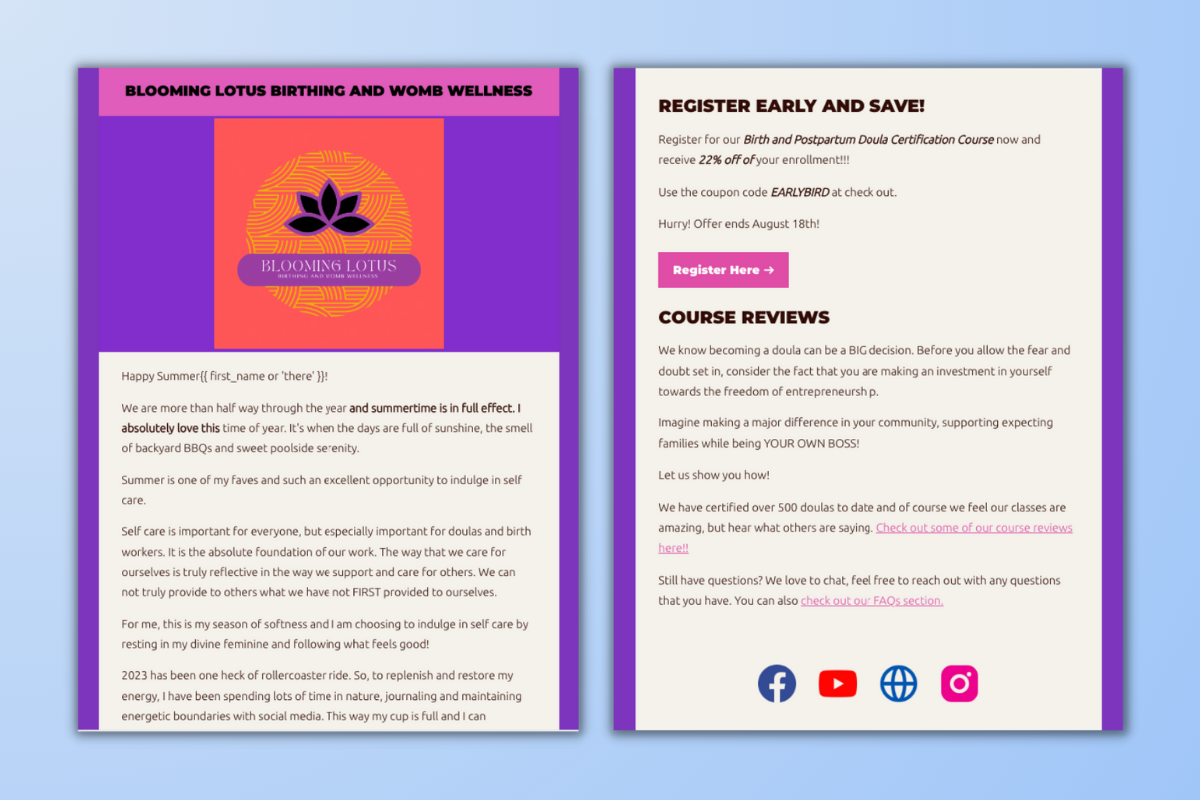
  • Zemekia Pearson-Lockett,
    Blooming Lotus Birthing and Womb Wellness

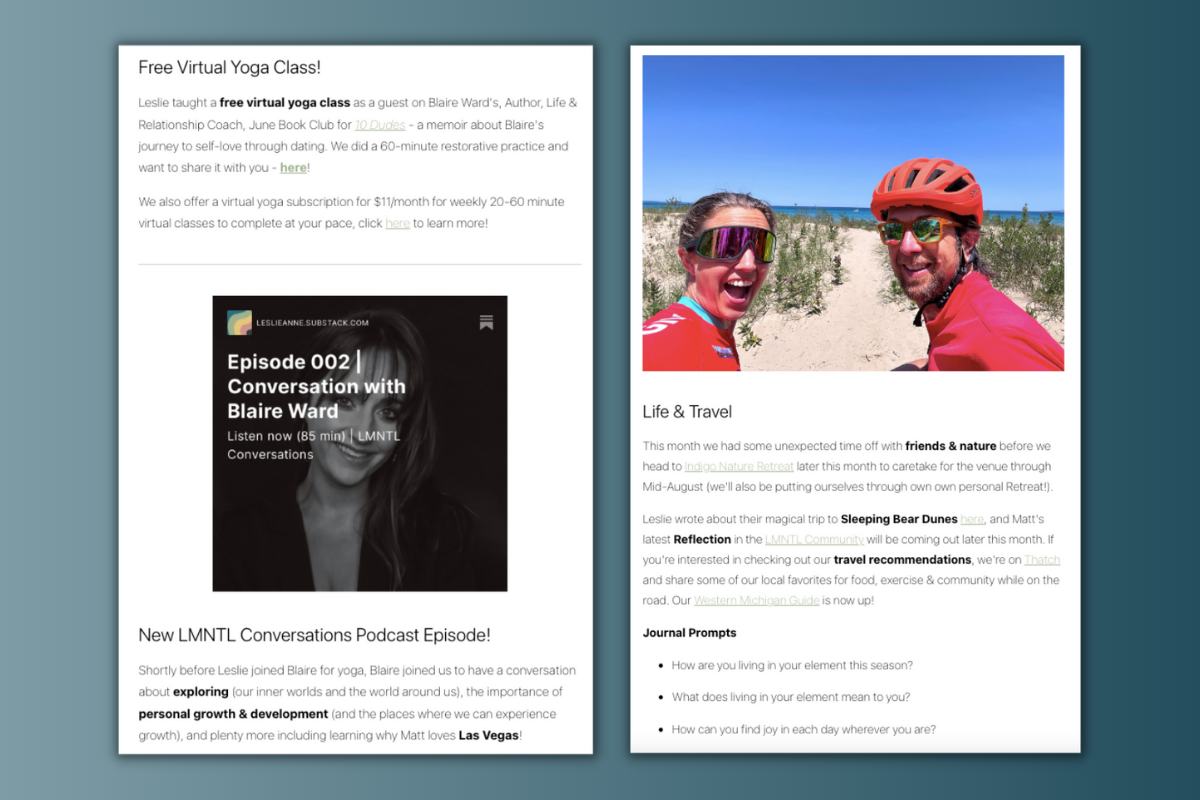
  • Leslie-Anne Eades,
    LMNTL

  • More to come (and how to enter the $2,000 August Fellowship)

What makes email — almost 50 years after the first marketing email was sent in 1978 — the most effective sales channel for online businesses?

The 2020s are the era of “the algorithm.” Social media platforms own audiences, promote the content they want to promote, remove content that “breaks” rules (even when it doesn’t), and generally change at a moment’s notice. In the last couple of years alone, Instagram feeds became cluttered with suggested posts, TikTok has flirted with being banned, Twitch overhauled and then immediately rolled back sponsorship rules, YouTube changed monetization of videos with swearing, ChatGPT and AI have threatened the very nature of search engines and blog SEO, Reddit policies led to blackouts of major communities, and Twitter changed its name to “X.” 

These networks can be incredible tools for growing an audience, and there are countless
stories of creators
who have had their lives changed by growth on a platform. But to rely solely on the good will of a giant platform is dangerous — and that’s why email marketing can’t be beat. 

An email list is an audience you own. You can build it over time, take it with you when you switch tools, and send messages that people actually read (instead of being seen by 0.01% of your Facebook fans). The email playbook of content to lead magnet to welcome series to email launch has persisted because it works. There’s no better way to communicate directly with your audience. No better way to show them your products. No better way to get sales. 

With over 100,000 creators on Podia, we’ve seen people have phenomenal success with email. We’ve also seen that despite the power of email as a channel, email marketing platforms still have some frustrating problems. They’re hard to use, get messy over time, and most importantly — it’s a huge pain to get them to connect to the rest of your business. 

Instead of having everything just work, you have to figure out how to get a new sale to trigger a new subscriber, who gets added to a list, who gets a specific tag, who gets added back to your main email list…it’s all an unnecessary headache.

Podia has had basic email marketing features for a while, but today we’re announcing a massive overhaul designed to take the headache out of owning your audience — and let you run your entire business from a single platform. 

[embedded content]

What does a great email platform need? 

  • You have to be able to send beautiful emails. This is non-negotiable; your emails need to be customizable so that they can feel like yours. Starting from a professionally designed template is a bonus! 

  • Your emails have to reach the right people. Segmentation gives you way more control over who you talk to and what you show them. It needs to be easy to segment your email list — and usually the hardest part is getting the right data. 

  • You need automated email campaigns, so that you can reach your audience when they’re most interested in what you have to say. Welcome emails and automated launches take a massive burden off you, but they also help you sell more because they trigger when your audience is most likely to take action. 

  • You need to connect it to the rest of your business. An email platform is no good without email addresses! Every platform has some way to get your subscribers into it — whether that’s forms, imports, or integrations — but the real question is what information you get alongside the email address. Ideally, your email marketing platform would have everything about a person’s history with you (what they’ve bought from you, what they’ve downloaded, how much they’ve spent). 

When we set out to rebuild Podia Email, we knew you needed to be able to send beautiful emails, to the right people, automatically, in the same place as everything else. 

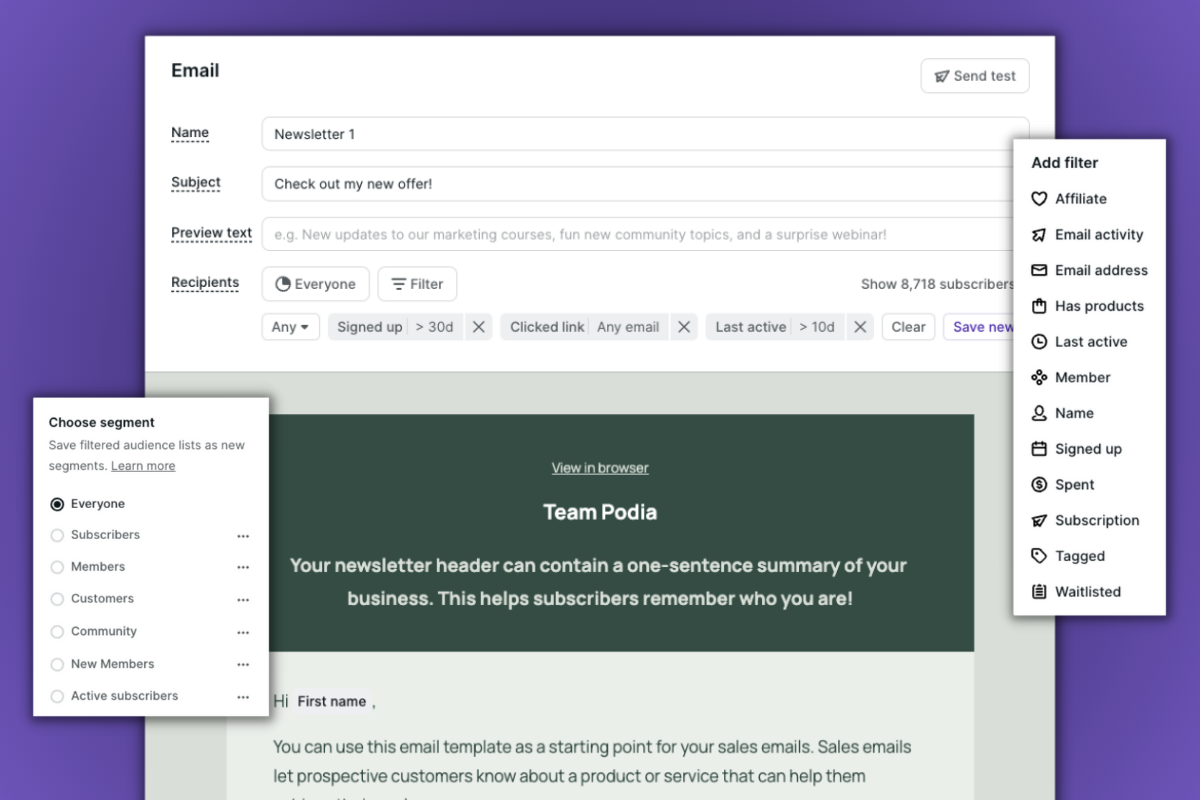
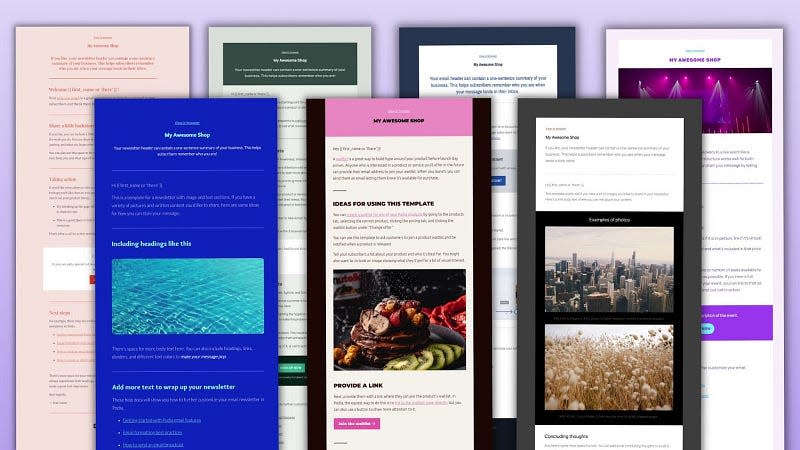
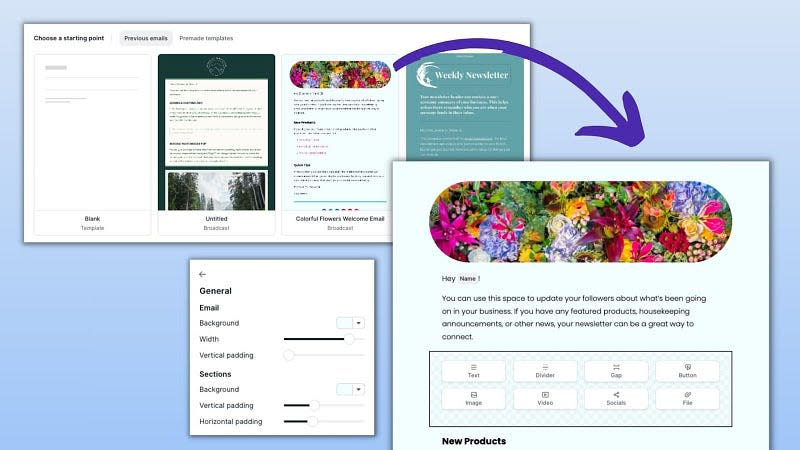
So that’s what you can do. The new email builder lets you start from professionally designed templates, add (and link) images, use buttons, format text, choose fonts, change background colors, change text colors, customize headings, adjust email width, tweak line spacing, and generally make your emails look and feel the way you want them to look and feel. 

Segmentation and filtering are here too. And because Podia Email is in the same place as your website and products, there are some bonuses that are hard to find in other platforms.

  • You can see exactly how many sales you get (both number of sales and revenue) from each email.

  • Segments and filters let you filter your audience based on what products they have (or don’t have), when they signed up, how recently they were active, how much they’ve spent with your business, and other information that is hard or impossible to get into other platforms, even with Zapier or native integrations. 

  • Tags are available through forms/link clicks — and most of the time you won’t even need to tag your subscribers. Because the important things (like product purchases) are tracked for you without additional setup.

  • Lead magnets are hosted in Podia as Podia products, and you can offer them through a Podia website or landing page (or with embedded checkout on a third-party site). Nothing to stitch together!

As you can see, this is a completely new product that completely changes how email works in Podia (and gives you new ways to use email marketing in your business). There are tons more features I haven’t mentioned here, and more still that we’re in the process of building. 

And because of that, there’s also going to be a change to how Podia Email’s pricing works. 

On August 31st, Podia Email will become an optional add-on to Podia

As of today, everyone who uses Podia will have full access to test out the new Podia Email platform and send as many emails as they like. On August 31st, Podia Email will become an optional, paid add-on to Podia (although anyone with under 100 subscribers will still have full access for free). No one will be charged for Podia Email automatically. This is a fully opt-in add-on, and you won’t be charged unless you sign up.

I know this is a change, and not an entirely pleasant one. It’s never ideal to have a platform change pricing, and right now a lot of platforms in the market are announcing price changes. One of the things I value about Podia is that we try to be open and honest about the decisions we make and why, so I wanted to share some context about this decision and how we’ve been working to design pricing that’s as fair as possible. 

  1. The platform has to be great. You’re going to use email to communicate with your audience, and that means your messages have to look and feel like yours. The platform has to be easy to use, and it has to interact with everything else you have in Podia. We knew what we built would take a lot of resources, both to build initially and to keep improving over time — because it’s something you’re going to use to run your business. 

  2. Podia incurs a cost every time an email is sent from Podia, so it was never going to be sustainable to keep email as part of base Podia plans. But we wanted to get it right, and we’ve been working on this for two years — first to understand what would be fair, then to understand what we needed to build, and finally to build the new platform. 

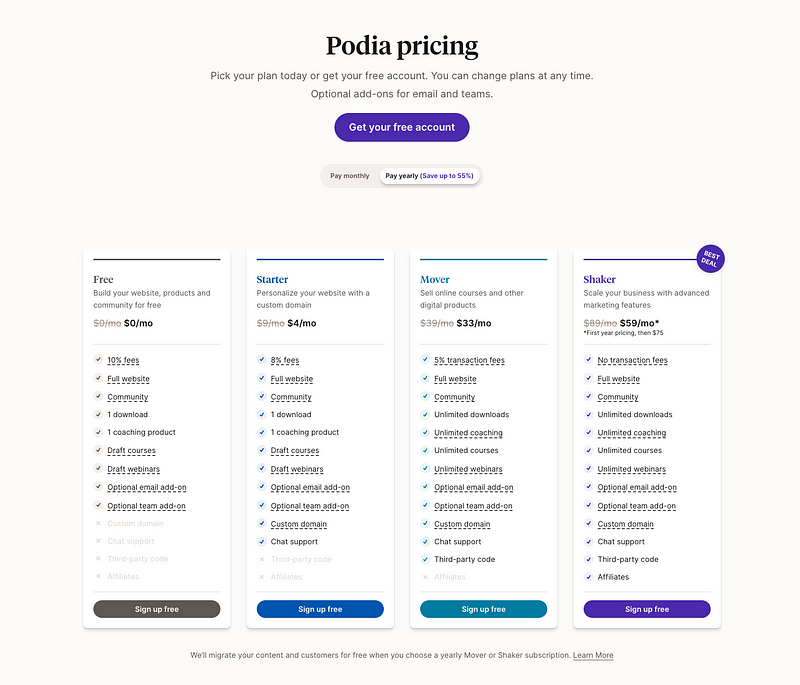
  3. Whatever pricing we landed on would have to be fair. Podia is one of the most affordable platforms on the internet because anyone should be able to get the tools they need to start an online business.
    That’s why we introduced a free plan last year
    , and it needed to be true for Podia Email’s pricing too. 

The cost structure meant that we would need to eventually charge for email (both to cover costs, and to be able to keep investing in improving the platform). But rather than charge for the features Podia Email used to have — which, frankly, wasn’t something we felt comfortable charging for — we knew we had to build something that could compete with the rest of the market, feature for feature. 

As an all-in-one platform, there was an opportunity to offer tools that other email products can’t at a price that other tools won’t. 

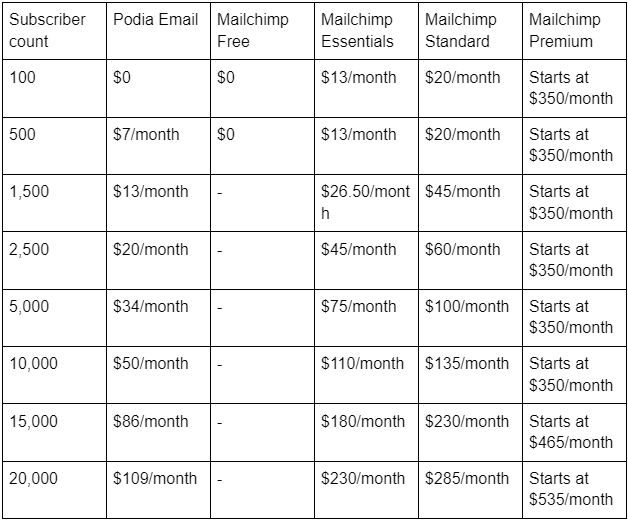
To that end, we ultimately decided to price Podia Email based on the number of opted-in subscribers in your account (people with fewer than 100 subscribers get full access for free). As things stand, we’re pretty sure we’re the most affordable major email platform on the market, and
you can see the full pricing here
. 

This is where we landed after considering four other serious options, and I wanted to share why we didn’t think those options would best serve you. 

  • Keeping email as part of base Podia plans, without charging for email. Unfortunately, it costs money to send emails. As more and more people use Podia Email, the cost to operate Podia Email would increase — that would be unsustainable for Podia, but it would also prevent us from continuing to invest in the platform and building the new features you need.

  • Raising the price of Podia plans to offset the cost of email. I stand by Podia Email as an excellent product (that will only keep improving). But not everyone is going to want to use Podia Email, and that’s ok. You should be able to use whatever email platform you want, and baking the cost of Podia Email into base Podia plans would unfairly force some people to pay for a platform they don’t use. 

  • Having a flat rate for a Podia Email add-on. Flat rates are uncommon for email platforms because the people who send the most emails are also the ones who run up costs. With a flat rate, that means that the smaller creators are subsidizing the larger ones! A flat rate also makes it harder for new people to get started (because the flat rate tends to be higher than entry price in other pricing models), which is the opposite of what we’re looking for.  

  • Charging for the number of emails sent, instead of subscriber counts. There are a handful of platforms that charge based on emails sent instead of number of subscribers. We considered this option for a long time, but ultimately decided against it because it can create a lot of variability for your business and is hard to keep track of. You shouldn’t have to keep track of whether or not your bill is going to change every month, or weigh the decision to send a given email (and therefore have to pay more). Your audience is yours, and you should be able to communicate with them as often as you want without worrying about sending one too many emails.

Ultimately, pricing based on subscribers made the most sense. 

Whichever pricing we chose would have to scale in some way with how much people use Podia Email — it’s the only way to have prices that are affordable for people just starting businesses but also fair for big senders (in a way that covers the cost of sending emails). People with more subscribers also tend to send more emails, so pricing based on subscribers is the best way to keep the platform affordable for every stage of business. 

Subscriber-based pricing also lets Podia keep unlimited monthly email sends. A lot of email platforms put a cap on the number of emails each month (even if you pay for subscribers). Podia Email doesn’t, because they’re your subscribers. You should be able to talk to them as much as you want. 

As of today (until August 31st), everyone has full access to Podia Email regardless of your subscriber count. 

If you’d like to migrate your email marketing from another platform,
Podia is offering free migration services
.

What have people like you done with Podia Email so far? Here are some examples from the 700+ beta testers

Before Podia Email was available to everyone, over 700 beta testers joined the new platform to report bugs, stress-test features, and suggest improvements. The result of that process has led to a more powerful platform, changes to make the interface easier to use, and the addition of new features — and our team is going to keep working on Podia Email as we keep getting feedback. 

Podia Pros
are tech experts who spend a lot of time using and comparing different platforms, so it was important to get their perspectives on the new Podia Email. Here’s what Pro
Adrian Dalsus
had to say about the new platform.

Adrian Dalsus, Despegue Musical, Optimination

“Designing a single email with images, gifs, buttons and formatting takes me about 30 min on another platform. In Podia Email it was half, and without leaving the platform where I have all my business. It’s extremely easy, like everything in Podia.

I feel like Podia managed to simplify (and make exciting again) a process that the rest of the email marketing industry has made complicated. Creating a campaign or broadcast with Podia is as easy as writing an email in Gmail, but better.

Sending a simple email with any email marketing platform can mean wasting an hour configuring technical aspects, jumping from menu to menu, confirming and reconfirming details. Today, I feel like I’m genuinely one email and five minutes away from communicating with my audience.”

But you don’t have to be a pro to use Podia Email — and you shouldn’t have to be. Podia Email is designed so that anyone at all can create beautiful emails and send them to the right people.

The feedback from beta testers has been overwhelmingly awesome to read, so I wanted to share some of the emails they’ve been sending and what they have to say about the experience. 

Robert Rodriguez,
Robert Rodriguez Music
 

Robert Rodriguez, Robert Rodriguez Music

“Podia’s new email update is a total game-changer! It feels like they’ve taken a giant leap forward, making the entire platform work together so smoothly. And the customization is absolutely fantastic, letting me tweak my emails to match my style and website.

Also, the new formatting features let me play around with image and text sizes until everything looks just right. But the real winner here is the template feature. Whether I’m using a premade one or crafting my own, it’s a breeze. I’ve been wanting to launch a newsletter, and the old Podia Email format wasn’t quite there. Now, I can create newsletters using my own custom template, saving me time and effort!

This update has truly empowered me to connect better with my audience. I’m excited to see what’s next!”

See Robert’s full email in your browser

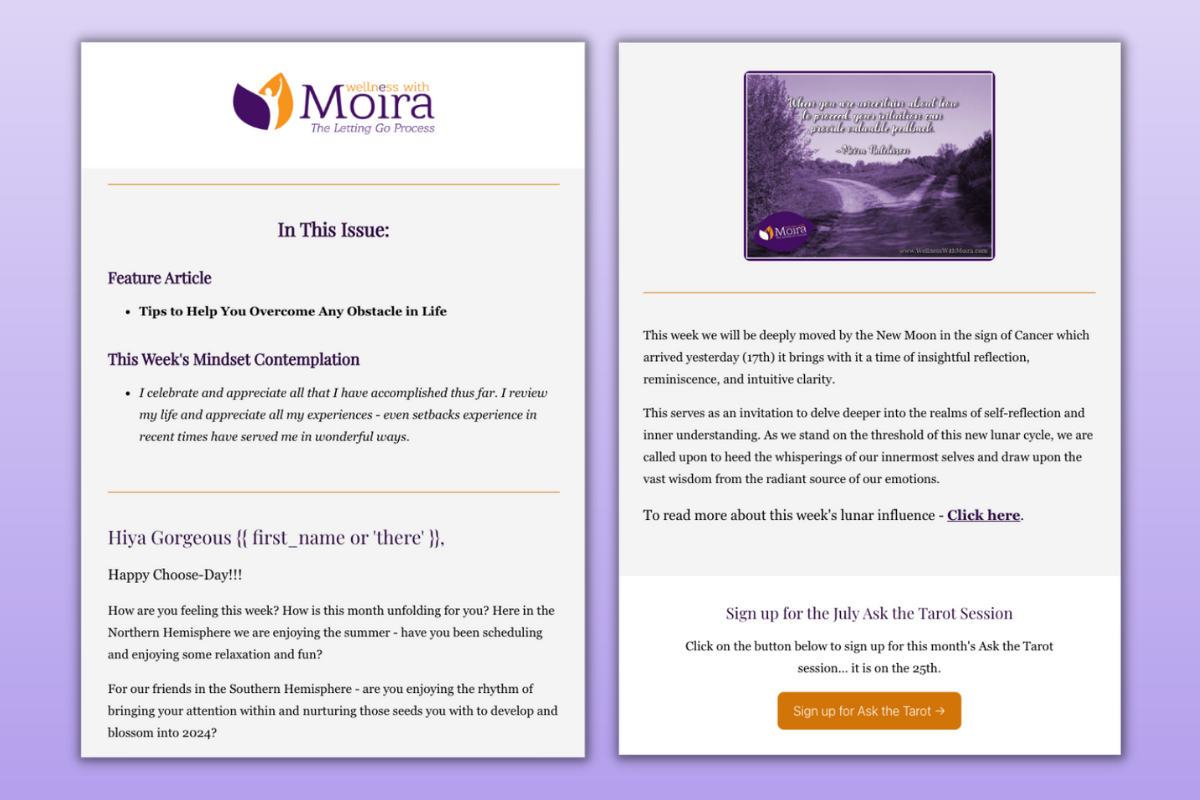
Moira Hutchison,
Wellness with Moira

Moira Hutchison, Wellness with Moira

“Using Podia Email has supported me in streamlining the way I connect with and stay in touch with my clients, students and community. Having the email service in-house, so to speak, with my courses and products creates ease and cohesiveness in my business.

The visual editor is intuitive and easy to use — I am very happy with what I have been able to create thus far. I am thrilled to notice that not only have my open rates improved using Podia Email but my click rates have also improved!!

Thank you Podia — I look forward to my continued use of your service and support.”

See Moira’s full email in your browser

Zemekia Pearson-Lockett,
Blooming Lotus Birthing and Womb Wellness

Zemekia Pearson-Lockett, Blooming Lotus Birthing and Womb Wellness

“Podia Email was a game changer for me! The templates made it super easy to create attractive, professional emails. Since using these templates I have gotten great feedback from my subscribers about how vibrant and engaging my emails are.

Utilizing the campaign setting, I’ve even generated a custom welcome email that is automatically sent out to customers that have enrolled in my course. The “lead magnet” and “newsletter” templates are my personal favorites. With the content suggestions, I have so many ways to creatively and uniquely express the different elements of my brand.

Podia Email has allowed me to create effective, eye catching emails while saving tons of time.”

See Zemekia’s full email in your browser

Leslie-Anne Eades,
LMNTL

Leslie-Anne Eades, LMNTL

“Having all the tools to run my business in one place allows me to focus on the heart of what I do instead of constantly managing the operations & multiple platforms. It conserves my time, money & energy resources.

Podia Email allows me to utilize pre-existing templates or create my own so I can quickly draft and send custom emails to my subscribers and community. The entire system is intuitive & easy to understand as a creator, and leaves me feeling empowered and efficient.

Sending a monthly newsletter, general updates on offerings, and keeping in contact with my people is simple with Podia Email.”

See Leslie-Anne’s full email in your inbox

More to come (and how to enter the $2,000 August Fellowship)

This is still just the beginning of Podia Email. We’re going to keep working to make this platform the best it can be, so that you have more and more tools to grow your business.

As part of that work, it’s helpful to have as many of you as possible join in and give Podia Email a spin. That’s why entry into Podia’s August Fellowship (and a chance to win $2,000) is simple — all you have to do is send an email using Podia Email and you’ll be automatically entered to win. You don’t even have to fill out an application.

I can’t wait to see the beautiful emails you’ll send. And, as always, I can’t wait to see what you’ll build next. 

How to Create a Digital Certificate – 4 Best Certificate Generators for Your Online Course

Software Stack Editor · April 17, 2024 ·

Haiden Hibbert

Haiden Hibbert

I’m a Content Manager at MemberSpace helping entrepreneurs and creators sell digital products.

Offering a certification program or a certificate of completion can be a game-changer for your online course. Not only does it provide a sense of accomplishment for your students, but it also enhances the credibility of your course and likelihood that your students will share about it online. You don’t need design skills or an accredited program to offer a certificate to your students – all you need is a certificate generator! We’ve narrowed down the top four tools to help you create a digital certificate that your students will be proud to display.

Launch an online course!

The easiest way to accept membership payments or one-time charges for digital products like online courses, communities, content libraries, and more — all from your own website!


Start selling now

Get started for free! 5 minutes to set up.

Table of Contents

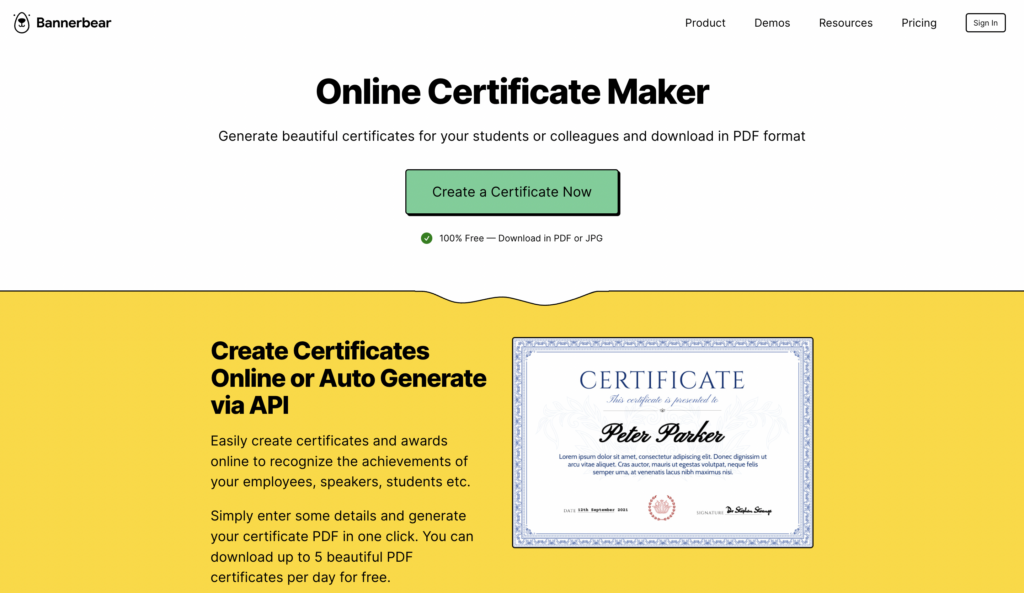
1. Bannerbear

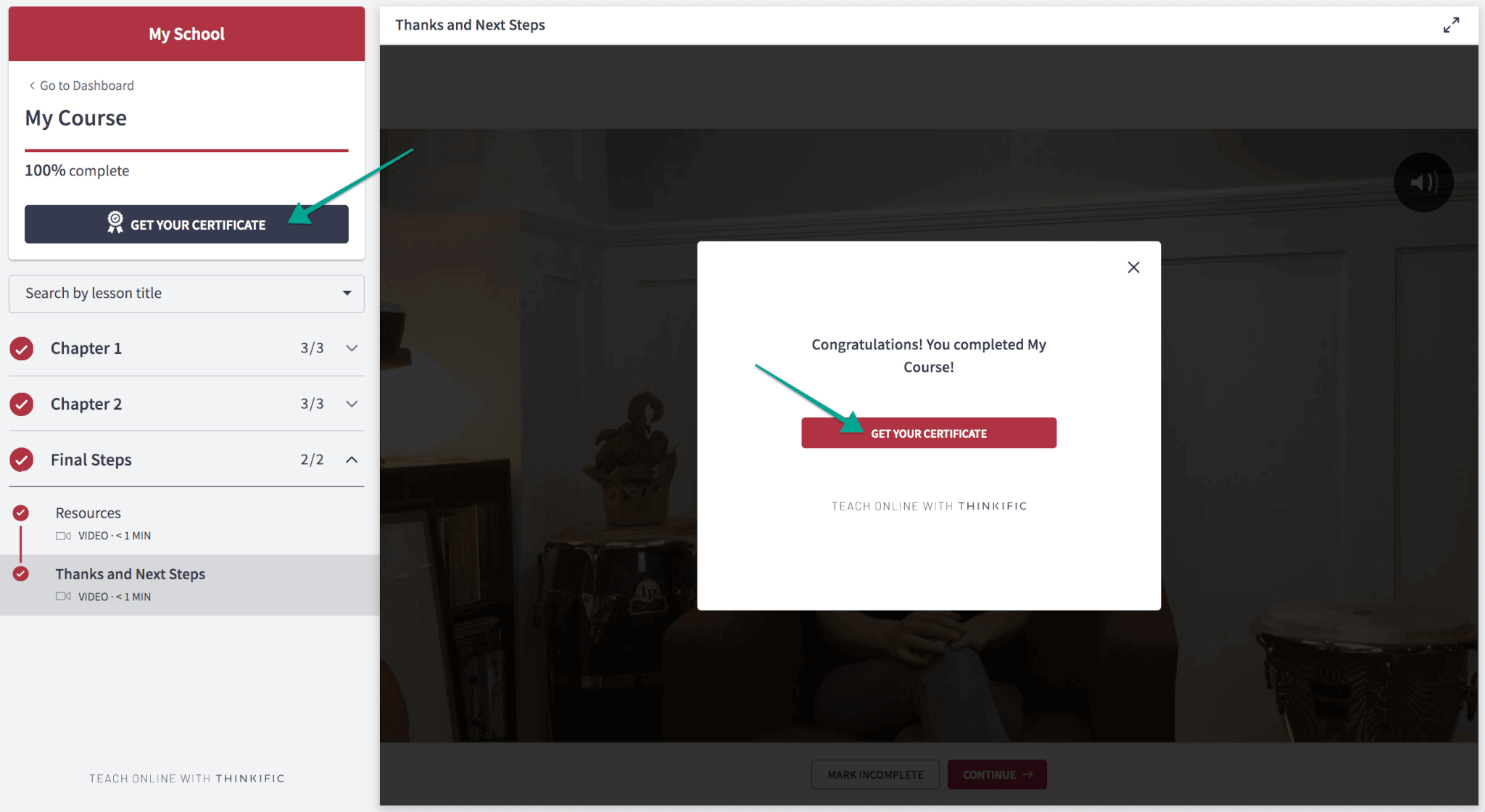
First up, we have Bannerbear. This user-friendly certificate generator lets you whip up professional-looking certificates in one click. You can create up to five PDF certificates per day for free, which include the student’s name, a subtitle, a date, and signature.

Price: Free

Key features:

  • Auto resizing (i.e. if someone has a long last name, the tool will resize it on the certificate for you)
  • No design skills needed
  • Integrations with Zapier, Airtable, Integromat and more
  • Can produce certifications in bulk through their API

Bannerbear certificate generator
Bannerbear is a free certificate generator and marketing tool that helps creators and businesses auto-generate designs.

2. Canva

Canva is definitely the most flexible, feature-rich certificate generator on our list! This popular design tool has thousands of certificate templates to choose from, and the drag-and-drop editor makes customizing your designs super easy. 

Price: Free plan, Paid plans starting at $15/month

Key features:

  • Easy drag-and-drop editor
  • Thousands of templates
  • Over 3 million free stock photos and graphics
  • Simple to share and download certificates in any format
  • Design printing and delivery (if you want to send physical certificate copies)
  • Create your own templates

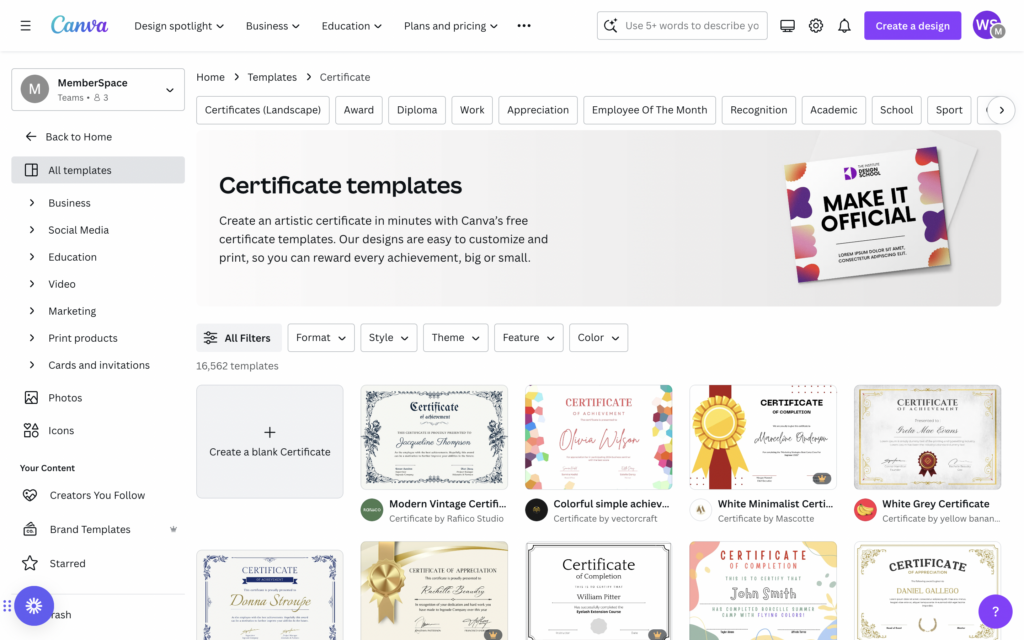
Canva certificate generator
Canva’s free plan allows course creators to choose from and customize thousands of certificate templates.

3. Adobe Express

Adobe Express is another certificate generator and design tool that’s similar to Canva, making it easy for non-designers to create professional certificates with their templates and drag-and-drop editor. While it’s not free forever, you can test it out at no charge for 30 days. 

Price: Free trial, then $9.99/month

Key features:

  • Free certificate templates
  • Drag-and-drop editor
  • More than 25,000 Adobe Fonts to choose from
  • Resize in one-click to share across social media channels
  • Create your own templates

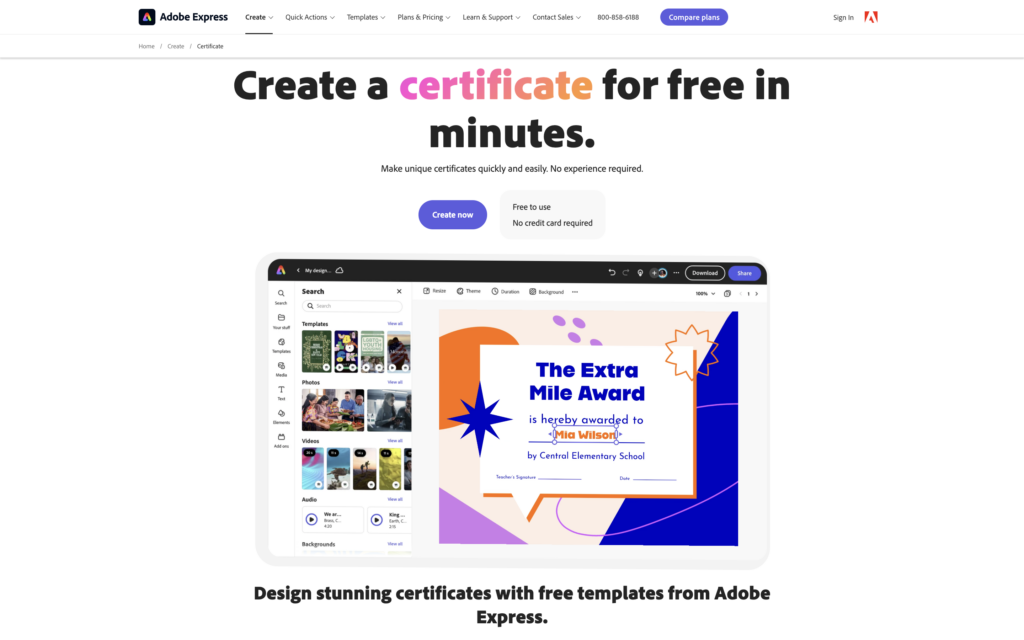
Adobe Express is another easy-to-use certificate generator with a drag-and-drop editor and free certificate templates.

4. VistaCreate

Last but not least, VistaCreate is another user-friendly design platform with a variety of certificate templates. With its huge library of design elements and simple interface, you can create professional-looking certificates quickly.

Price: Free plan, Pro $10/month

Key features:

  • More than 100,000 free design templates
  • Over 1 million photos, videos, and vectors
  • Brand Kit with colors, logos, and fonts
  • Sticker maker
  • HD download

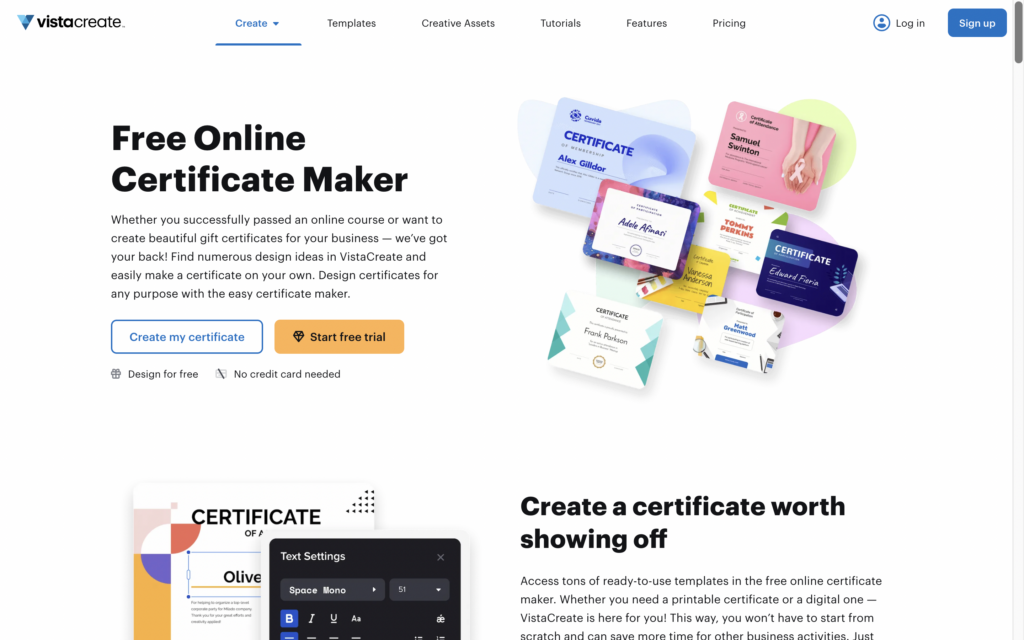
Vista Create Certificate Maker
VistaCreate is another design tool that makes crafting certificates, posters, and other marketing materials easier than ever.

How to create a digital certificate

In addition to using a certificate generator, there are a few other steps to consider when adding a certificate to your online course. 

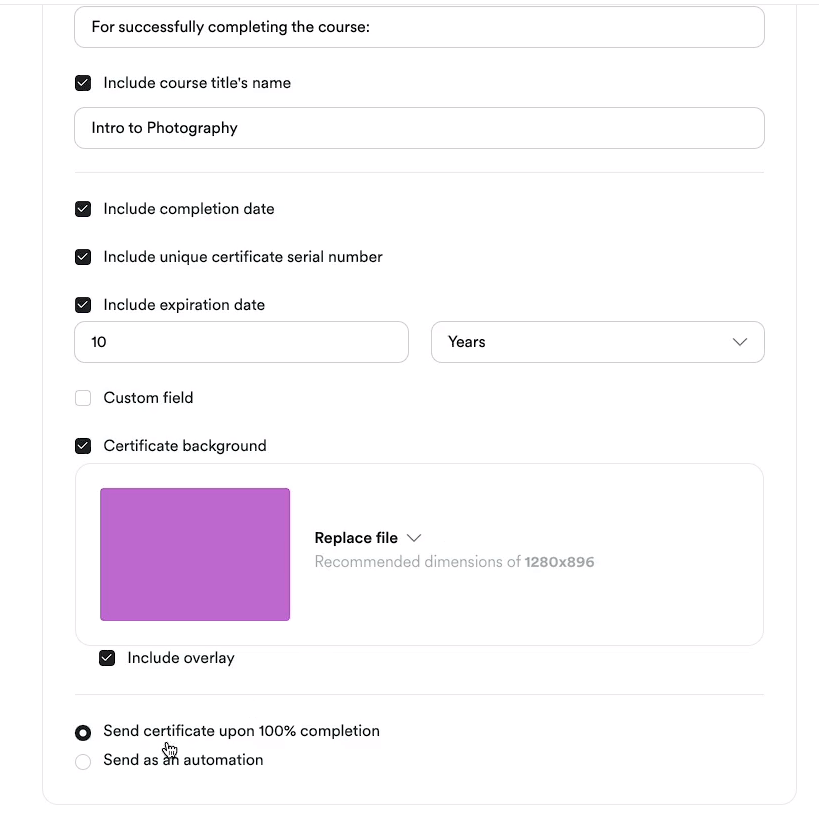
  1. Decide what to include on the certificate, such as:
    • Course name and description
    • Student name
    • Date of completion
    • Your signature and logo
    • Any additional relevant information. Depending on your course or certification program, you may want to include additional details such as the student’s score, the duration of the course, or any special achievements.
  2. Give your students instructions on how to claim their certificates.
    Communicate what students need to do to earn their certificates, whether that’s completing the course, taking a final exam, or something else. Consider using a survey or quiz tool to collect student info, like how they want their name displayed on the certificate. 
  3. Send the certificate to your students.
    Once your student has met the requirements for earning the certificate,  let them know they will receive it via email within a certain number of days!

Why add a certification to your online course?

It’s more than just a piece of (digital) paper! Offering certificates to your online course students comes with many benefits, including: 

  • Increased perceived value. Offering a certificate of completion or a certification program enhances the perceived value of your course. It demonstrates that your course provides tangible outcomes and skills that students can showcase to potential employers, clients, etc.
  • Improved student engagement and completion rates. The prospect of earning a certificate can motivate students to stay engaged and complete your course.
  • Enhanced credibility and trust. Providing certificates from a reputable source (i.e., your course or business) enhances your credibility as an educator and expert in your field.
  • Sense of accomplishment for students. Earning a certificate gives your students a sense of achievement and pride and acknowledges all of the effort and time they put into your course. 
  • Competitive advantage. Offering a certification program can differentiate your course from competitors in your niche. It adds an extra layer of value and can attract students who are looking for credentials to boost their skills and/or career opportunities.

Final Thoughts

Creating a digital certificate program for your online course can be a powerful way to add value, recognize your students’ achievements, and enhance your brand’s credibility. By choosing the right certificate generator and following the steps outlined in this blog post, you can design professional certificates that your students will be eager to earn and proudly share with others.

For more tips and strategies on online courses, check out MemberSpace University. 

Need help with your online course?

Connect with our friendly team, weekdays 10am – 6pm ET.

Let’s chat!

The post How to Create a Digital Certificate – 4 Best Certificate Generators for Your Online Course appeared first on .

5 Best Quiz Tools for Your Online Course

Software Stack Editor · April 17, 2024 ·

Haiden Hibbert

Haiden Hibbert

I’m a Content Manager at MemberSpace helping entrepreneurs and creators sell digital products.

You’ve put in the hard work to create an online course that shares your knowledge and expertise with your audience. But how can you ensure that your students are truly engaging with and retaining the information you’re teaching? One of the most effective strategies is incorporating quizzes into your course!  In this blog post, we’ll take a look at the best quiz tools available, as well as some best practices around crafting engaging quiz questions. 

Launch an online course!

The easiest way to accept membership payments or one-time charges for digital products like online courses, communities, content libraries, and more — all from your own website!


Start selling now

Get started for free! 5 minutes to set up.

Table of Contents

Best quiz tools for your online course

Creating an online course can be a huge undertaking, so it’s important to find a tool that makes crafting quizzes quick and easy. We’ve narrowed down the best five options for course creators of all experience levels, and yes, they all have free plans or trials! 

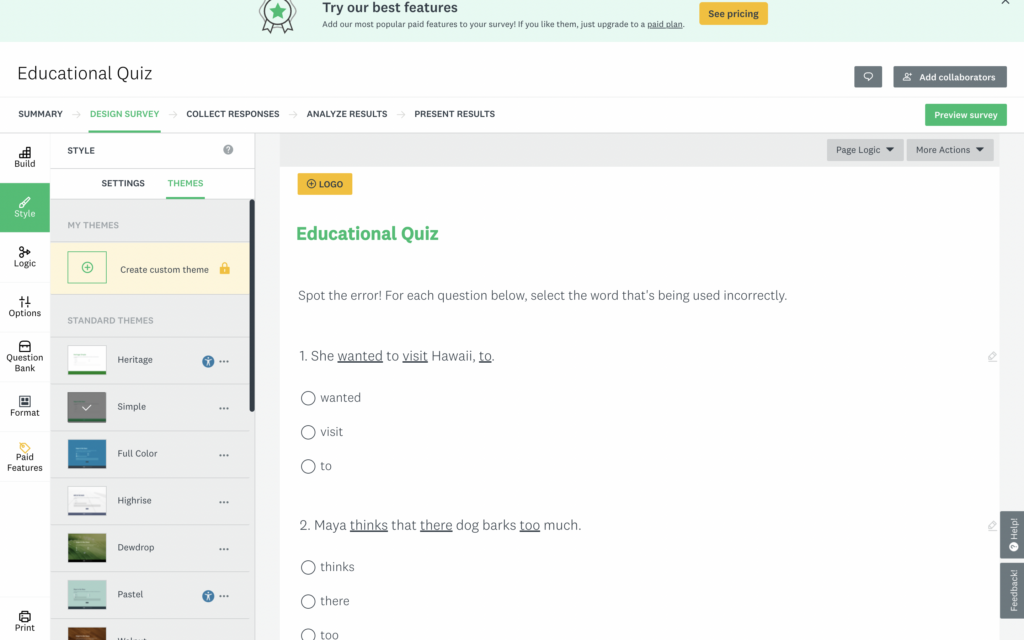
1. Google Forms

If you’re looking for a free quiz tool with basic features, Google Forms might be the perfect option for your online course. You can create custom quizzes and surveys that include any type of question and easily embed them on your website. 

Price: Always free!

Key Features: 

  • Assign point values, set answers, and automatically provide feedback
  • Add collaborators
  • Manage how responses are collected
  • Show a progress bar
  • Customize a confirmation message
  • Share results summary/analytics with students

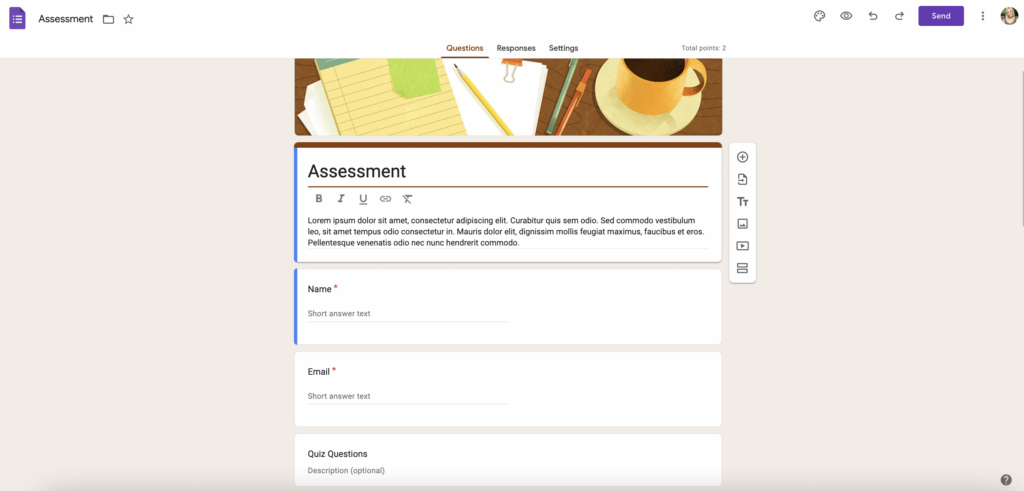
Google Forms is a great option for beginner course creators and offers the basic features you need to launch quizzes quickly.

2. Survey Monkey

If you’re looking for another free, beginner-friendly option that offers more features than Google Forms, Survey Monkey is a great choice.  With the free plan, you can create unlimited quizzes with up to 10 questions each. 

Price: Free plan, Premium plans starting at $25/month

Key Features:

  • Start from scratch, use a template, or build with AI
  • Use free themes to create a professionally-designed quiz
  • Customize the look by adding your logo, changing the font, colors (paid account)
  • Question bank
  • Progress bar
  • Embed your quizzes on your website or share a link

Survey Monkey is a user-friendly quiz tool that makes it quick and easy to generate assessments and embed them into your online course.

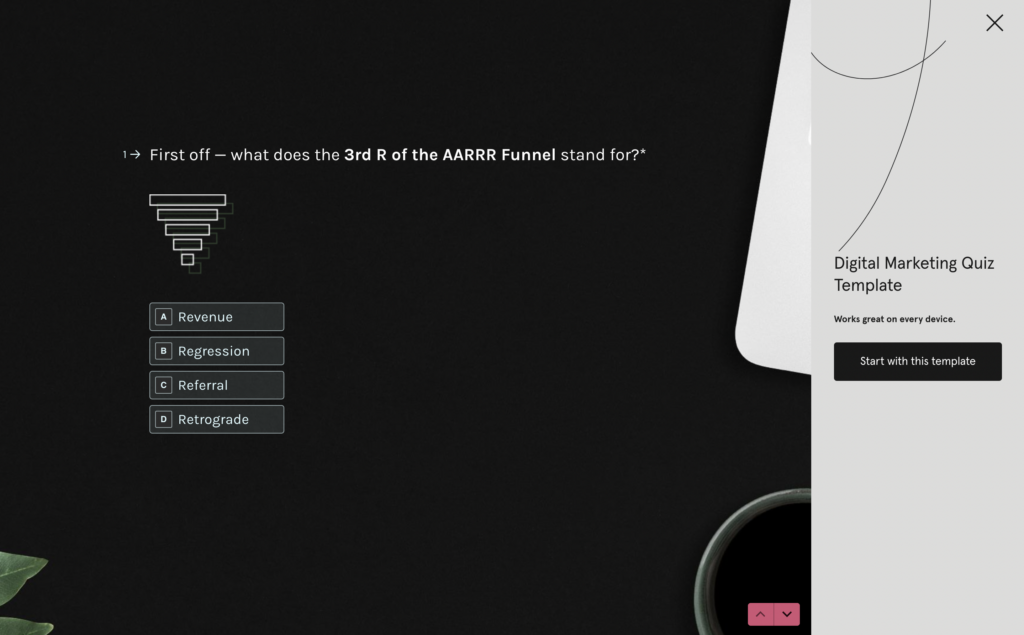
3. Typeform

For a sleeker-looking quiz with a modern design, check out Typeform. The free plan is a bit more limited than Google Forms and Survey Monkey (you can create quizzes and collect up to 10 responses before upgrading), but if you want a nicer aesthetic with the same user-friendliness of the other tools, the cost is worth it. 

Price: Free plan, Paid plans starting at $25/month

Key Features:

  • Unlimited number of quizzes
  • Quiz templates
  • Design flexibility
  • Branching and calculations, scores, and variables (allows you to show your students different questions based on their answers)
  • Custom Ending screens to show any message you’d like, depending on the outcome of the quiz
  • Export quiz results

Online Quiz Tools typeform
Typeform is the best all-in-one quiz tool for course creators of all experience levels. It’s easy to use and generates clean, visually-appealing assessments that can be embedded on any site.

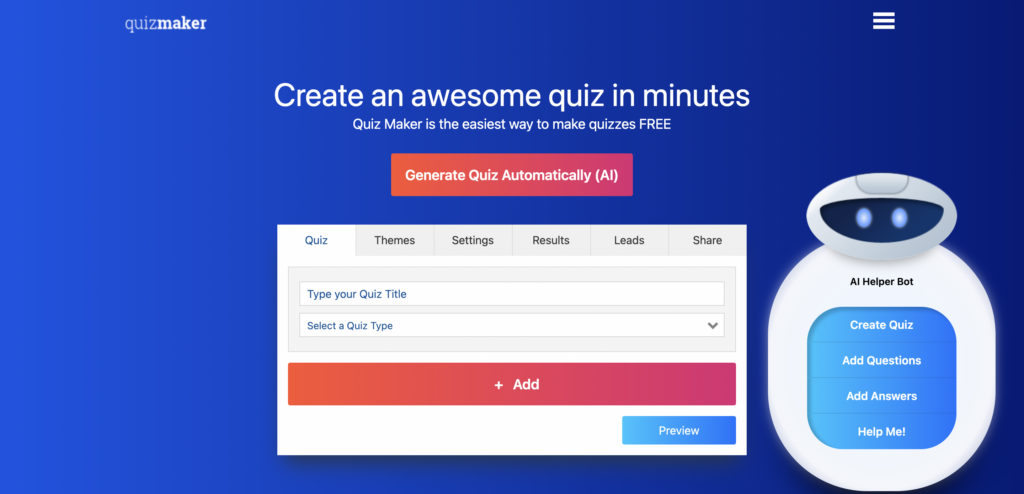
4. Quiz Maker

Quiz Maker is a dedicated quiz creation tool that offers a free 7-day trial. The tool offers AI-generated quizzes and feedback, a wide range of question types, tons of integrations, and design flexibility. If you want a more robust quiz tool with lots of features and integrations, QuizMaker is a great option. 

Price: Free trial, paid plans starting at $28/month

Key Features:

  • Ability to assign grades and certificates
  • Auto-grading option
  • Leaderboards and timers
  • Customizable look and feel
  • AI based feedback platform
  • Multi-language translations

Quizmaker online quiz tool
Quizmaker is a great assessment option if you want to create multiple quizzes for your students. It offers tons of design flexibility, integrations, and features.

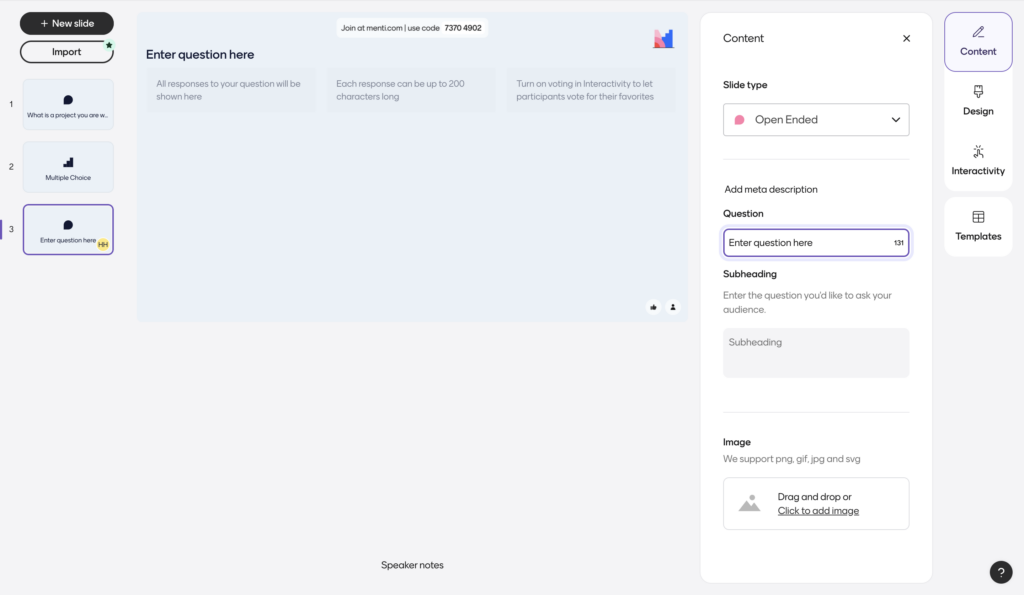
5. Mentimeter

Mentimeter is a presentation tool that also allows you to create quizzes. This is a great option if you want your quizzes to be visually appealing and offer a more engaging, interactive experience. They have lots of templates you can choose from, and the free plan includes up to 50 quiz takers per month. 

Price: Free plan, paid plans starting at $9/month

Key features:

  • Add your own company logo and branding
  •  Word clouds, polls, quizzes, and slides 
  • Export results to Excel
  • Flexible branding and customization 

Online quiz tool Mentimeter
Mentimeter is a quiz generator tool that allows you to create live, interactive, and beautiful-looking assessments for your online course.

How to add quizzes to your online course

Now that you know about some of the best quiz tools available, let’s talk about how you can incorporate quizzes into your online course. Here are three options to consider:

  • At the end of each lesson – A simple way to keep your students engaged is by adding a brief quiz (around 1-3 questions) at the end of each lesson. This serves as a quick check-in to ensure they’ve understood the key concepts covered in the lesson.
  • At the end of each module – If your course is divided into modules, consider adding a slightly longer quiz (around 3-5 questions) at the end of each module. This allows you to assess your students’ understanding of the topics covered throughout the module and give students the chance to recap topics before moving onto the next section.
  • At the end of the entire course – For a more comprehensive assessment, you can create a longer quiz that covers the content of the entire course (no more than 10 questions). This quiz can serve as a final step for students to complete the course or even earn a certification.

When you create an online course with MemberSpace, you have the flexibility to embed your quizzes or share links to them anywhere within your course! 

Why add a quiz to your online course?

As a course creator, quizzes can be one of the most effective tools you have to gain a clearer picture of what’s working well in your course and what areas might need improvement. 

Adding quizzes to your online course can also: 

  • Help students retain information better by reinforcing key concepts
  • Allow students to assess their own understanding of the course material, identifying areas where they may need to focus more attention
  • Serve as milestones, motivating students to complete the course 
  • Be used to control the pacing of your course, ensuring students have a solid grasp of each section before moving on to the next
  • Help you create personalized learning paths, directing students to additional resources or lessons based on their individual needs and performance (Typeform allows you to create custom End screens based on quiz performance, so you could add in those resources there)
  • Be used as requirements for earning course certificates or completing the course

Best practices for writing quizzes

Don’t worry if you’re not an expert quiz creator – these best practices are easy to implement and will help you design assessments that help your students get the most out of your course. 

  • First, start by thinking about what you want your students to take away from each lesson or module. Jot down the key concepts, skills, or ideas that you want to reinforce. These will serve as the foundation for your quiz questions.
  • Next, consider the types of questions you want to include. Mixing things up with multiple choice, true/false, fill-in-the-blank, and short answer questions. 
  • Aim for questions that are clear and concise. No trick questions!
  • When it comes to the length of your quizzes, keep them focused and manageable. For a quick check-in after a lesson, 1-3 questions should suffice. For an end-of-module assessment, 3-5 questions is a good target. And for a comprehensive end-of-course quiz, you can go a bit longer (10 questions max), but make sure your students can complete it in one sitting.
  • Finally, before launching your quiz, give it a thorough review. If possible, have a friend take the quiz to ensure it functions smoothly and provides a positive user experience.

Final Thoughts

Incorporating quizzes into your online course is a powerful way to ensure your students are getting the most out of your teaching. By using a quiz tool like Google Forms, Survey Monkey, or Typeform, and integrating it into your course using MemberSpace, you can easily create and add quizzes to your online course. Get started for free today!

Need help with your online course?

Connect with our friendly team, weekdays 10am – 6pm ET.

Let’s chat!

The post 5 Best Quiz Tools for Your Online Course appeared first on .

17 Best Ebook Creator Software for 2024

Software Stack Editor · April 17, 2024 ·

It’s 2024 and digital creators have a lot to cheer about as software continues to hit the scene helping them navigate their way around ebook creation. Such tools are like magic wands for authors, publishers, course creators, and all kinds of online creators making it easier than ever to bring stories and ideas to life.

As it seems, such tools are essential because ebooks are here to stay. Research by Future Marketing Insights shows that the global ebook market is only getting bigger as it is expected to reach $32.19 billion by 2032, jumping from $19.95 billion in 2022.

Ebooks carry a huge potential and can be useful to anyone interested in monetizing their knowledge and skills, selling them as digital products, or creating lead magnets.

Your professional looking Academy in a few clicks

Start FREE Trial

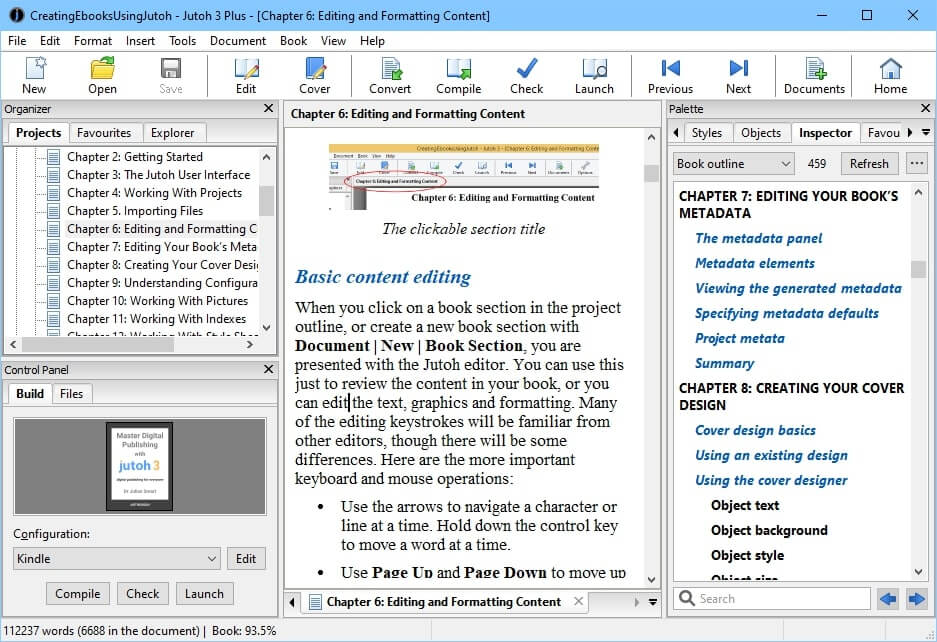
Now, if you want to create ebooks but need help figuring out where to start, we’ve got you covered! In this article, we present a list of 17 ebook creator tools that can help you create and publish your books easily and quickly.

Better yet, some of these tools won’t cost you a penny, as they are available as free ebook creators! So, let’s dive right in.

Choosing the Best Ebook Creator Tools for Your Business

1. Adobe InDesign

Image Source: SlideModel

Adobe InDesign is a professional desktop publishing software that provides a comprehensive set of tools for designing print and digital publications. It offers advanced typographic controls, precise layout customization, and support for importing and exporting various file formats. InDesign integrates seamlessly with other Adobe Creative Suite applications allowing for efficient workflows in creating books, magazines, brochures, and interactive PDFs.

It also offers a wide range of templates and design tools and its features include paragraph and character styles, grid systems, master pages, and other interactive elements. With support for various formats, InDesign is suitable for both print and digital publishing projects and comes with many guide tutorials to help you get started.

Unique Features

✔ Professional-grade design tools
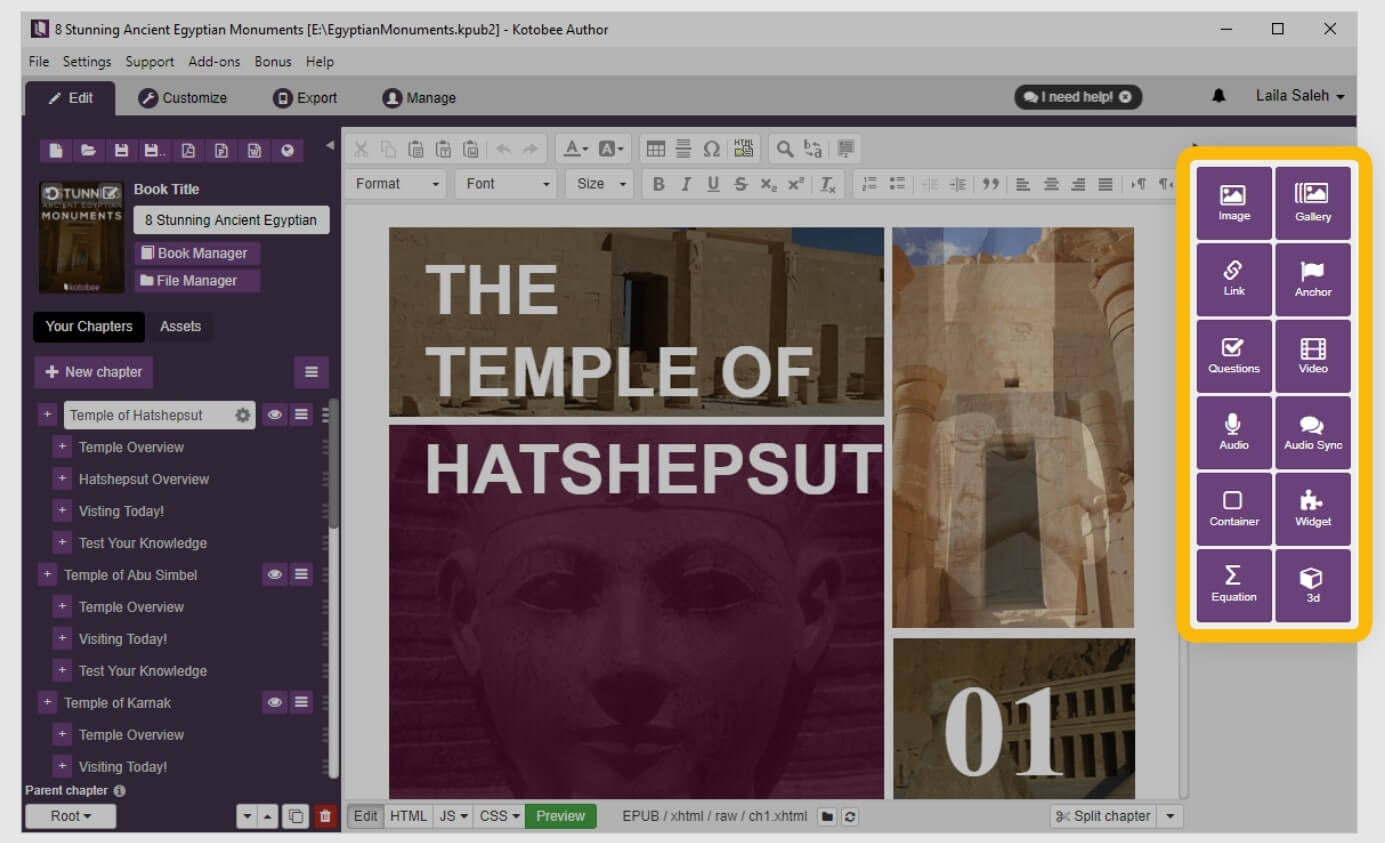
✔ Precise layout control
✔ Advanced typographic options
✔ Seamless integration with other Adobe products

Supported formats

✔ Adobe InDesign supports EPUB, PDF, HTML, XML, and more.
Operating System
✔ Windows, MacOS

Templates

Offers a wide range of customizable templates for various ebook types which you can check out here.

Pricing

Adobe InDesign has a 7-day free trial. There are different pricing plans for individuals, businesses, students, and teachers.

For Individuals:

  • Monthly: €40.29/mo
  • Annual, paid monthly: €26.86/mo
  • Annual, prepaid: €322.21/yr

There is also the option to buy Creative Cloud All Apps:

  • Monthly: €103.2/mo
  • Annual, paid monthly: €68.68/mo
  • Annual, prepaid: €793.65/yr

For businesses, it offers the Creative Cloud All Apps that include business features. The prices change depending on how many licenses you need:

  • Annual, paid monthly: €77.49/mo/license
  • Annual, prepaid: €929.88/yr/license

For students and teachers, there is a discount of 65% on the entire collection of Creative Cloud All Apps:

  • Annual, paid monthly: €19.99/mo/license
  • Annual, prepaid: €239.85/yr/license

To access Adobe InDesign you will first need to set up a free Creative Cloud membership. There are two types of membership – the Single App plan or the Creative Cloud All apps which has the entire collection of tools.

*Pricing information retrieved from Adobe InDesign on April 8th, 2024

2. Calibre

Image Source: Calibre

Calibre is a versatile e-book management tool that allows you to organize, convert, and manage your e-book libraries. It supports a wide range of e-book formats and provides features for editing metadata, organizing collections, and syncing with e-reader devices. Calibre includes tools for converting e-books between formats, enabling you to optimize the reading experience across different devices.

Additionally, it offers plugins for extending functionality and customization options for the user interface. Calibre is compatible with multiple operating systems and its open-source nature and user-friendly interface make it a popular choice for ebook enthusiasts and authors alike.

Unique Features

✔ Comprehensive ebook management
✔ Conversion and editing capabilities
✔ Open-source software

Supported formats

✔ Calibre supports EPUB, MOBI, PDF, PRC, HTML, RTF, and more.

Operating System

✔ Windows, macOS, and Linux.

Templates

It comes with a unique Calibre template language and advanced formatting options.

Pricing

Calibre is open-source and completely free to use.

*Pricing information retrieved from Calibre on April 8th, 2024

3. Scrivener

Image Source: Literature and Latte

Scrivener is a powerful writing software designed for authors, screenwriters, and researchers. It offers advanced organization tools, a customizable interface, and support for managing long-form writing projects. With export options for EPUB, MOBI, and PDF formats, Scrivener is ideal for those looking to create complex and structured ebooks.

Its features include an environment for organizing research, notes, outlines, and drafts, allowing users to break down their writing into manageable chunks. Scrivener offers customizable templates for various writing projects, such as novels, screenplays, and academic papers. It also includes tools for outlining, character and plot development, version control, and seamless integration with reference materials.

Unique Features

✔ Advanced writing and organization tools
✔ Customizable interface
✔ Support for long-form writing projects

Supported formats

✔ EPUB, MOBI, PDF, DOCX, and more.

Operating System

✔ Windows, macOS, iOS.

Templates

The tool offers pre-designed templates for various writing projects. You can also download more from third-party sources.

Pricing

Scrivener comes with a 30-day free trial and you can purchase it in the following ways:

  • Full version: $59.99 (for Windows or Mac OS)
  • Educational License: $50.99 (for students and academics)
  • Bundled package: $95.98 (Windows + Mac OS)
  • iOS app: $23.99

If you are already using Scrivener 1 for Windows or Mac with an older version, you can upgrade to version 3 for $25.

*Pricing information retrieved from Scrivener on April 8th, 2024

4. Sigil

Image Source: Sigil-ebook

Sigil is an open-source ebook editor known for its editing capabilities via a WYSIWYG editor and its ability to visualize changes in real-time, offering a code view for advanced users to directly edit the underlying HTML and CSS. This ebook maker allows users to create and edit EPUB files with ease, making it a valuable tool for authors and publishers.

With cross-platform compatibility and customizable templates, Sigil offers flexibility and control over ebook creation. The platform has a user-friendly interface with features for formatting text, adding images, and embedding metadata. Additionally, it provides validation tools to ensure compatibility with different e-reader devices and platforms.

Unique Features

✔ WYSIWYG editing
✔ Support for HTML and CSS
✔ Open-source software
✔ Metadata Editor
✔ Themeable icons

Supported formats

✔ EPUB (both ePub 2 & ePub 3)

Operating System

✔ Windows, macOS, Linux.

Templates

The tool allows users to create custom templates.

Pricing

Sigil is free to use and serves as a multi-platform ebook editor that uses Qt and QtWebEngine.

*Pricing information retrieved from GitHub on April 8th, 2024

5. Pressbooks

Image Source: Lireo Designs

Pressbooks is a web-based ebook publishing platform that simplifies the process of creating and distributing professional-quality ebooks. It offers intuitive design tools, collaborative editing features, and seamless integration with ebook distribution platforms. It also has customizable templates, themes, and styles for designing book layouts and covers.

With support for EPUB, MOBI, and PDF formats, Pressbooks is suitable for self-publishing authors and small publishers. The tool includes tools for importing, editing, and organizing content, with support for multimedia elements and interactive features. Authors can collaborate with editors and reviewers using built-in collaboration tools, and export their books to various formats.

Unique Features

✔ Web-based platform
✔ Intuitive interface
✔ Collaborative editing
✔ Seamless ebook distribution

Supported formats

✔ EPUB, MOBI, PDF, and more.

Operating System

✔ Web-based (accessible on any OS).

Templates

The platform provides customizable book themes. For more information on ebook appearance, check Pressbook’s user guide here.

Pricing

Pressbooks comes with a 7-day free trial and the following pricing plans:

  • Self-publisher: $12/mo or $120/yr (per book)
  • Collaboration: $40/mo or $400/yr (per book)
  • Enterprise: $425/mo (custom package)

*Pricing information retrieved from PressBooks on April 8th, 2024

6. Vellum

Image Source: Vellum

Vellum is a macOS-only ebook formatting tool designed to create beautifully formatted ebooks and print books with minimal effort. It offers intuitive design tools and pre-designed templates for various book formats, allowing you to focus on content creation. With Vellum you can use drop caps and embed fonts, import manuscripts easily, and preview your ebooks to see how they appear across devices.

The tool includes features for customizing typography, layout, and styling, with real-time previews to visualize the final output. It also provides seamless export options for publishing to multiple e-book platforms and print-on-demand services.

Unique Features

✔ Mac-only software
✔ Elegant ebook templates
✔ Automatic formatting
✔ Easy-to-use interface

Supported formats

✔ EPUB.

Operating System

✔ macOS.

Templates

Vellum offers professionally designed templates for fiction and non-fiction ebooks.

Pricing

Vellum comes with the following pricing plans:

  • Vellum Press: €239.99
  • Vellum Ebooks: €189.99

With both plans, you can create unlimited ebooks, but with Vellum Press you also get Paperbacks. The above pricing does not include tax.

*Pricing information retrieved from Vellum on April 8th, 2024

7. Canva

Image Source: Canva

Canva is a popular user-friendly graphic design tool that offers a wide range of templates and design elements for creating visually appealing ebooks. Its drag-and-drop interface and extensive library of images and fonts make it easy to customize ebook covers and interiors. It supports various formats and is suitable for authors and designers.

Canva also includes features for collaborating with team members, sharing designs, and exporting high-quality graphics for both print and digital formats. It also provides integration with various publishing platforms and social media networks.

Unique Features

✔ User-friendly graphic design tools
✔ Extensive library of templates and design elements
✔ Collaboration features

Supported formats

✔ PDF (Standard & Print), PNG, JPG, SVG.

Operating System

✔ Web-based, and accessible on Android and OS devices (iPad, iPhone, etc).

Templates

Canva offers many customizable templates for ebook covers and interiors.

Pricing

Canva comes with a free trial (30 days) and a free plan that offers basic features and it’s aimed for use by one person. Its paid plans include:

  • Canva Pro: €109.99/yr (for one person)
  • Canva for Teams: €240/yr (for the first 5 people)

*Pricing information retrieved from Canva on April 8th, 2024

8. Kindle Create

Image Source: KDP.Amazon

Kindle Create is a free ebook formatting tool provided by Amazon for authors publishing ebooks on Kindle Direct Publishing (KDP). It simplifies the formatting process with its user-friendly interface and automatic conversion features. Supporting the EPUB format for different Kindle devices, it streamlines the ebook publishing process for self-publishing authors, who can easily publish their ebooks to the Kindle Store directly from the application.

The tool allows importing Word documents, adding interactive elements such as drop caps and images, and customizing styles and layouts. Kindle Create also includes tools for previewing how the book will appear on Kindle devices and provides guidance on optimizing the reading experience for Kindle readers.

Unique Features

✔ Simplified ebook formatting tool provided by Amazon
✔ Automatic conversion from Word documents
✔ Preview options for Kindle devices

Supported formats

✔ EPUB.

Operating System

✔ Windows, macOS.

Templates

Kindle Create offers basic formatting options for ebook layout.

Pricing

You can download Kindle Create for free whether you are using a PC or Mac.

*Pricing information retrieved from Amazon on April 8th, 2024

9. Pages

Image Source: Apple Support

Pages (formerly iBooks Author) is a word processing and page layout application developed by Apple, available on macOS and iOS devices. It offers a user-friendly interface with advanced typography tools, templates, and design features for creating documents, reports, and digital books.

The tool includes collaboration tools for real-time editing and commenting, as well as seamless integration with iCloud for syncing documents across devices. Authors can export their work in various formats compatible with Apple devices and other publishing platforms.

Unique Features

✔ Part of the iWork suite
✔ Intuitive interface
✔ Extensive formatting and design options
✔ Advanced typography
✔ Collaboration tools

Supported formats

✔ Pages (proprietary format), DOCX, PDF.

Operating System

✔ macOS, iOS.

Templates

The tool provides a variety of professionally designed templates for ebooks and other documents.

Pricing

Pages is free to use and it is accessible via Mac devices and the web.

*Pricing information retrieved from Authors Apple on April 8th, 2024

10. Kotobee Author

Image Source: Kotobee Support

Kotobee Author is a comprehensive ebook authoring software that allows users to create interactive ebooks enriched with multimedia content e.g. quizzes, and simulations. Its easy-to-use interface, customizable templates, and robust security features make it suitable for educational institutions, corporate training, and digital publishing projects.

The tool also includes features for customizing navigation and layout. Authors can publish their e-books to various platforms and devices, including web browsers, mobile apps, and e-reader devices. It supports EPUB, MOBI, and HTML5 formats, offering added flexibility and creativity in ebook creation.

Unique Features

✔ Comprehensive ebook authoring software
✔ Multimedia-rich content creation
✔ Built-in ebook viewer
✔ Interactive elements

Supported formats

✔ EPUB, MOBI, PDF, HTML5.

Operating System

✔ Windows, macOS.

Templates

Kotobee Author has customizable templates for ebook creation. Check Kotobee’s services on Ebook Design here.

Pricing

The tool offers a free plan and the following paid ones:

  • Basic: 1 user – $150 (min), 100 users – $4000 (max)
  • Premium: 1 user – $300 (min), 100 users – $8000 (max)
  • Institutional: 10 users – $2000 (min), 100 users – $10,000 (max)

*Pricing information retrieved from Kotobee on April 8th, 2024

11. BookWright

Image Source: All About Planners

BookWright is a free ebook publishing software provided by Blurb, a platform designed for creating and publishing print books and ebooks. With its intuitive interface and customizable templates, BookWright enables authors to create professional-quality ebooks for print-on-demand and digital distribution.

The tool comes with various design tools, multiple layout options, customizable styles, and fonts, as well as the ability to add images and text. It supports the PDF format and offers integration with Blurb’s distribution network, further simplifying the ebook publishing process.

Unique Features

✔ Intuitive ebook publishing tool
✔ Templates for print-on-demand
✔ Templates for digital distribution

Supported formats

✔ PDF.

Operating System

✔ Windows, macOS.

Templates

BookWright offers customizable templates for different ebook layouts. You can browse these templates here.

Pricing

BookWright is a free standalone downloadable software offered by Blurb.

*Pricing information retrieved from Blurb on April 8th, 2024

12. Jutoh

Image Source: Jutoh

Jutoh is a cross-platform ebook creation tool that offers a range of features for formatting and publishing ebooks. Its WYSIWYG editor, support for multiple formats (including EPUB and MOBI), and built-in ebook viewer make it a versatile solution for authors and publishers seeking flexibility and ease of use.

Jutoh includes templates and stylesheets for consistent formatting, as well as tools for adding images, tables, and footnotes. Also, it offers features for validating e-books and optimizing them for compatibility with different e-reader devices. On top of that, it comes with various features for formatting, styling, and previewing the final output of an ebook.

Unique Features

✔ Cross-platform ebook creation tool
✔ Support for multiple formats
✔ WYSIWYG editing
✔ Built-in ebook viewer
✔ Stylesheets for consistent formatting
✔ Ebook validation and optimization

Supported formats

✔ EPUB, MOBI, PDF, DOCX, and more.

Operating System

✔ Windows, macOS, Linux.

Templates

Jutoh allows users to create custom templates.

Pricing

There are many versions of the Jutoh platform with different pricing options:

  • Jutoh 3 Standard Edition: $45.00 / £35.00 / €40.00
  • Jutoh 3 Plus Edition: $90.00 / £70.00 / €80.00
  • Jutoh 3 Upgrade: $20.00 / £15.00 / €18.00
  • Jutoh 3 Plus Upgrade: $45.00 / £35.00 / €40.00

The above prices exclude VAT taxes. The full price including taxes varies depending on the appropriate rates for your country.

*Pricing information retrieved from Jutoh on April 5th, 2024

13. Google Docs

Image Source: 9to5Google

Google Docs is a cloud-based word processing application and online document editing platform provided by Google, that offers basic formatting options for creating ebooks. It supports DOCX and PDF formats, and offers features for formatting text, adding images and links, and tracking changes, with seamless integration with other Google Workspace applications.

While limited in advanced design features, Google Docs is a convenient option for collaborative ebook creation and sharing. It allows users to create, edit, and collaborate on documents in real-time, making it suitable for collaborative writing projects such as co-authoring books or sharing drafts with editors. It has the same capabilities as Microsoft Word and it’s accessible via a Gmail account.

Unique Features

✔ Collaborative online document editing
✔ Basic formatting options for ebook creation
✔ Cloud storage
✔ Integration with Google Workspace apps
✔ Easy and user-friendly

Supported formats

✔ DOCX, PDF.

Operating System

✔ Web-based & Mobile (accessible on any OS or Android device).

Templates

There are limited templates available, but users can create custom layouts.

Pricing

Google Docs is free for personal use and comes with a Drive cloud storage of 15GB. Its business plan has a cloud storage of 2TB per user and costs $12 per user/month when billed yearly and $14.40 per user/month when billed monthly.

*Pricing information retrieved from Google on April 8th, 2024

14. FlipHTML5

Image Source: SoftwareAdvice

FlipHTML5 is a versatile digital publishing platform that allows the creation of interactive ebooks, magazines, catalogs, and more. Its HTML5-based technology, customizable templates, and multimedia capabilities make it an ideal choice for creating engaging digital publications for online distribution.

The tool converts PDF documents into interactive HTML5-based flipbooks and offers customization options for designing flipbooks with multimedia elements, animations, and custom branding. It also includes features for publishing flipbooks online, embedding them on websites, and sharing them via social media and email. With it, you can track reader engagement and analytics to optimize your content and distribution strategies.

Unique Features

✔ Interactive ebooks
✔ HTML5-based technology
✔ Reader engagement analytics
✔ Custom branding
✔ Multimedia capabilities

Supported formats

✔ HTML5, PDF.

Operating System

✔ Web-based (accessible on any OS)

Templates

FlipHTML5 provides customizable templates for ebook creation. You can browse them here.

Pricing

The platform has a free plan and offers both monthly and annual subscription options:

Monthly subscription:

  • Professional: $15/mo
  • Platinum: $35/mo
  • Enterprise: $99/mo

Annual subscription (comes with 30% discount):

  • Professional: $12.5/mo billed at $149/yr
  • Platinum: $25/mo billed at $299/yr
  • Enterprise: $83.5/mo billed at $999/yr

*Pricing information retrieved from FlipHTML5 on April 8th, 2024

15. Draft2Digital

Image Source: Draft2Digital

Draft2Digital is an ebook distribution platform that simplifies the process of publishing and distributing ebooks to multiple retailers like Amazon Kindle, Apple Books, Barnes & Noble, and Kobo. It has an easy-to-use interface and simplified ebook formatting options allowing you to create ebooks easily and quickly.

While primarily focused on distribution, Draft2Digital offers basic formatting tools and support for EPUB, MOBI, and PDF formats. With it, you can also create cover designs, manage metadata, track sales and royalties, and optimize book listings for discoverability and marketing purposes.

Unique Features

✔ Easy-to-use interface
✔ Simplified ebook formatting
✔ Sales and royalties tracking
✔ Book listing optimization

Supported formats

✔ EPUB, MOBI, PDF.

Operating System

✔ Web-based (accessible on any OS).

Templates

The platform offers basic formatting options for ebook layout. Learn more here.

Pricing

Draft2Digital is free to use but gets a percentage on each book you sell. The platform gets 10%, the stores that sell your book 30%, and you get to keep the remaining 60% of the list price of your book.

*Pricing information retrieved from Draft2Digital on April 8th, 2024

16. Ulysses

Image Source: MakeUseof

Ulysses is a distraction-free writing environment designed to boost writing productivity. With its advanced organization tools and seamless export options, Ulysses is ideal for authors seeking a focused writing experience. It includes features like full-screen mode, typewriter scrolling, customizable themes, and typography settings.

The platform offers a minimalist interface with organizational tools for managing writing projects, including folders, tags, and filters. The app provides seamless synchronization between devices via iCloud, ensuring users can access their work anywhere. With its focus on simplicity, flexibility, and productivity it is suitable for writers of all genres and skill levels.

Unique Features

✔ Distraction-free writing environment
✔ Advanced organization tools
✔ User-friendly interface
✔ Seamless export options

Supported formats

✔ DOCX, PDF, EPUB.

Operating System

✔ macOS, iOS

Templates

The platform allows users to create custom templates. Explore Ulysses’ styles and themes and learn how to create your own here.

Pricing

Ulysses has both monthly and annual subscriptions that cost $5.99 and $39.99 respectively. This pricing applies to the U.S. and may vary depending on your location. To find out how much it costs in your country, you need to check the App Store.

*Pricing information retrieved from Ulysses on April 8th, 2024

17. Atticus

Image Source: Atticus.io

Atticus is another minimalist writing tool focused on providing a distraction-free writing experience. It supports DOCX, PDF, and TXT formats, and offers basic formatting options, and a clean interface for authors to focus on their writing. While limited in advanced features, Atticus is a lightweight option for authors seeking simplicity in their ebook creation process.

The platform offers real-time collaboration features, and version control tools, enabling authors to track changes, revert to previous versions, and merge edits seamlessly. Atticus also provides commenting and annotation tools for feedback and discussion, as well as task management features for assigning roles and deadlines. Focused on collaboration and communication, Atticus facilitates efficient teamwork and coordination in writing projects of any scale.

Unique Features

✔ User-friendly interface
✔ Focus on writing productivity
✔ Distraction-free interface
✔ Feedback and discussion tools
✔ Collaboration features

Supported formats

✔ DOCX, PDF, TXT.

Operating System

✔ Web-based (accessible on any OS).

Templates

There are limited templates available, with an emphasis on simplicity.

Pricing

Atticus has no monthly fees and can be yours forever with a one-time payment of $147.

*Pricing information retrieved from Atticus on April 8th, 2024

How to Create an Ebook: Checklist & Essential Tips

Before you start building your ebook, make sure to check out the following tips and suggestions we’ve prepared to help you on every stage of your ebook creation process.

Producing the ebook content:

  • Plan strategically by defining your audience, topic, and goals for your ebook.
  • Craft new compelling content and collect the existing materials you need that resonate with your audience and align with your ebook’s purpose.
  • Add images, videos, engaging fonts, and other multimedia elements.
  • Organize your content into logical chapters or sections and include a table of contents and page numbers.

Designing and formatting your ebook:

  • Take advantage of your chosen ebook creation software to streamline the formatting process and ensure your ebook looks professional.
  • Prioritize ebook design by investing time in creating an eye-catching ebook cover and layout with interactive elements.
  • Make sure your ebook is accessible to all readers.

Reviewing and optimizing your ebook:

  • Optimize your ebook for search engines implementing SEO techniques to improve discoverability.
  • Carefully proofread and review your ebook to catch any errors or formatting issues before publishing.
  • Think about the legal aspects and ensure compliance with copyright laws and permissions.

Promoting your ebook:

  • Choose an e-book publishing platform that aligns with your goals, and audience reach, whether it’s self-publishing on Amazon or distributing through other channels.
  • Talk about your ebook on social media, email, and other channels.
  • Encourage reader engagement by adding strategic calls to action – CTAs.
  • Monitor sales, downloads, and check reader feedback to track performance.
  • Use feedback to refine and continuously improve your ebook for better results.

These tips can work as your ultimate checklist when creating your ebook. Putting them into practice can help you maximize your ebook performance, reach, and success, helping you hit the goals you’ve set for it.

💁‍♂️ Need more guidance? Check our 8-Step Ebook Creation Guide for Beginners

Create Stunning Ebooks: Ready to Start Working on Yours?

Creating an online ebook is not as difficult as it seems, and getting all the help you can get from any ebook creator software makes the entire process a lot easier. This list of ebook creator tools presents several options to choose from and you may pick the one that suits you best.

Google Docs and Canva are for you if you want a simple and easy-to-use solution that removes the complex technicalities in the middle. Then again, if you are more experienced and want to go all in to get the full suite you can opt-in for Adobe InDesign.

Take ebook creation to the next level to create professional ebooks that sell, print books, and bring your best content pieces forward.

Start working on your own ebook today. Try LearnWorlds for free and find out how to make it happen!

Your professional looking Academy in a few clicks

Start FREE Trial

Frequently Asked Questions (FAQs)

Q1: What are ebook creator tools?
Ebook creator tools are software or online platforms designed to assist users in creating, formatting, and publishing ebooks. These tools offer a range of features to simplify the ebook creation process, including formatting options, design templates, and distribution capabilities.

Q2: Why should I use ebook creator tools?
Ebook creator tools streamline the ebook creation process, making it easier for authors, publishers, content, and course creators to produce professional-quality ebooks. These tools often provide customizable templates, formatting options, and distribution channels, saving time and effort while ensuring a polished final product.

Q3: What features should I look for in ebook creator tools?
When choosing an ebook creator tool, consider features such as formatting capabilities, design templates, supported file formats, ease of use, and distribution options. Look for tools that offer flexibility, customization, and compatibility with your specific needs and preferences.

Q4: How do I choose the right ebook creator tool for my project?
To choose the right ebook creator tool, assess your project requirements, such as the type of content you’re creating, your budget, and your technical expertise. Research different tools, read reviews, and consider factors like user interface, available features, and customer support before making a decision.

Q5: Can I create different types of ebooks with ebook creator tools?
Yes, ebook creator tools typically support the creation of various types of ebooks, including fiction and non-fiction books, textbooks, manuals, reports, and more. Many tools offer customizable templates and formatting options to accommodate different ebook genres and styles.

Q6: Do I need design or technical skills to use ebook creator tools?
While some ebook creator tools may require basic design or technical skills, many are designed with user-friendly interfaces and intuitive features that make ebook creation accessible to users of all skill levels. Beginners can often create professional-quality ebooks with minimal experience or training.

Q7: Are there free ebook creator tools available?
Yes, there are several free ebook creator tools available, including open-source software and online platforms that offer basic ebook creation features at no cost. While free tools may have limitations compared to premium options, they can still be effective for simple ebook projects or if you are on a tight budget.

Q8: Can I publish and distribute ebooks created with ebook creator tools?
Yes, many ebook creator tools include built-in publishing and distribution options, allowing you to publish and distribute your ebooks directly from the platform. Alternatively, you can export your ebooks in common file formats and distribute them through other channels, such as ebook retailers or your own website.

Your professional looking Academy in a few clicks

Start FREE Trial

Further reading you might find interesting:

  • Sell Digital Downloads: The Complete Guide
  • Knowledge Economy: How to Sell Knowledge Online
  • How to Create and Sell Profitable Online Courses: Step-by-Step Guide
  • Personal Branding Guide: How to Build Your Brand Strategy
  • 183 Profitable Online Course Ideas With Examples
  • Why the Creator Economy Is Booming and How You Can Join In
  • How to Make Money on YouTube: 7 Ways to Monetize

The post 17 Best Ebook Creator Software for 2024 appeared first on LearnWorlds.

Top 7 Blackboard LMS Alternatives

Software Stack Editor · April 17, 2024 ·

.ez-toc-list.ez-toc-list-level-1 .ez-toc-page-1:nth-child(2) {
display: none;
}

Blackboard LMS is a flexible Learning Management System known for its long-standing presence in online learning for higher education and businesses. With features like online collaboration, forums, virtual classrooms, and integration with video conferencing tools, it offers rich learning experiences based on social learning. It also works well with accessibility tools to ensure everyone can participate.

Blackboard Learn has a robust assessment engine, supports multiple content types, and is SCORM compliant. It also features an AI Design Assistant, so you can build your courses faster. Learners can build their profiles to monitor their learning history, while admins can group users into categories based on diverse criteria, such as skills or departments.

Blackboard LMS excels at providing a collaborative learning environment, but it lacks other aspects that may be important for your business. That’s why we have created this list of the top 7 Blackboard LMS alternatives—to enable you to review more options that may fit your specific needs better.

Pricing

Blackboard Learn offers a 30-day free trial. Pricing is available upon request.

👎What we don’t like about Blackboard LMS

While Blackboard Learn is a feature-rich LMS, it has some limitations and performance issues.

❌Limited reporting
❌Limited customization
❌Learning curve
❌Outdated design
❌Occasional technical glitches
❌Inconsistent mobile app performance
❌Complicated administration

7 Best Blackboard Learn Alternatives

Let’s see the top LMS providers that offer similar but better features than Blackboard Learn.

1. LearnWorlds – Our Top Choice 🔥

LearnWorlds is a versatile cloud-based platform that helps you create, deliver, and monitor training in a fully branded and modern learning environment. Our platform covers diverse training needs, like new employee onboarding, compliance training, skills training, and customer education. Our native mobile app ensures that even deskless employees have access to your training programs.

LearnWorlds is SCORM-compliant and supports multimedia, video, eBooks, assessments and self-assessments, podcasts, certificates, and other content. With our one-of-a-kind AI assistant (with over 200 pre-built prompts!) and our built-in authoring tool, you can easily create engaging and effective training modules and courses that address skills gaps in your company.

Our learning platform offers real-time metrics that include both course performance and learner progress, so you be on top of the training status in your company anytime, anywhere. If you want to monetize your training courses, LearnWorlds is eCommerce-ready and features modern, customizable templates to help you build your own “market front” to sell your courses.

Overall, LearnWorlds is a cost-effective e-learning solution that offers efficient user and content management software.

Pros & Cons

Pros

  • AI assistant with built-in prompts
  • SCORM compliant
  • Highly customizable design
  • Website builder
  • Interactive content
  • Built-in authoring tool
  • Fully white labeled
  • Native, branded mobile apps
  • Robust reporting
  • Efficient administration: multiple automations & bulk actions
  • Advanced security features & GDPR compliance
  • Custom user roles & permissions
  • Multiple schools
  • Exams, self-assessments, surveys & certificates
  • Built-in community with groups, discussion boards, and more
  • eCommerce ready
  • Top-notch customer support

Cons

  • Limited gamification
  • No content library
  • Slight learning curve

Pricing

LearnWorlds offers a 30-day free trial and the following pricing plans:

  • Starter $29/mo
  • Pro Trainer $99/mo
  • Learning Center $299/mo
  • Corporate: Custom

💁For more information about feature availability per plan, visit our website.
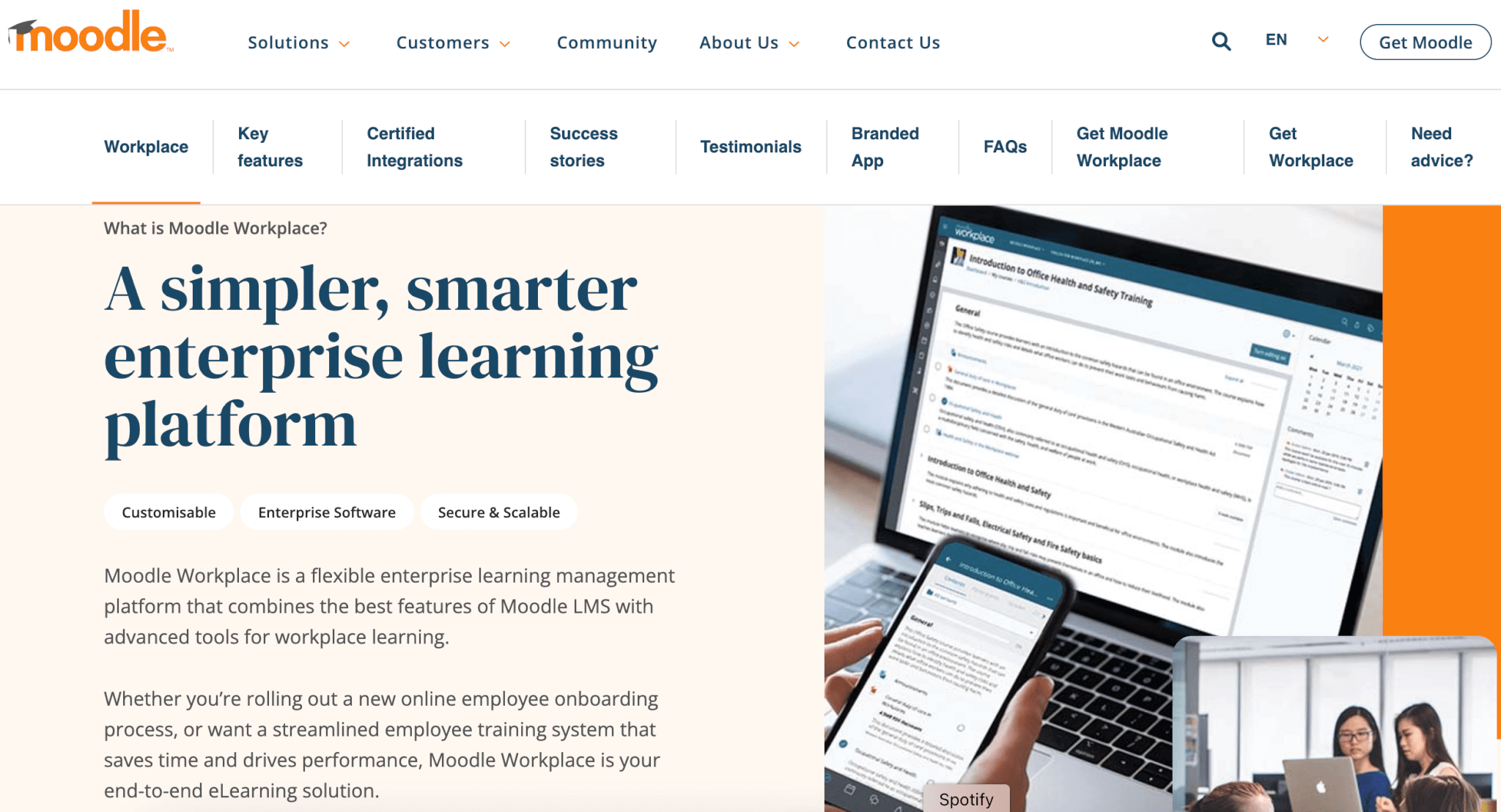
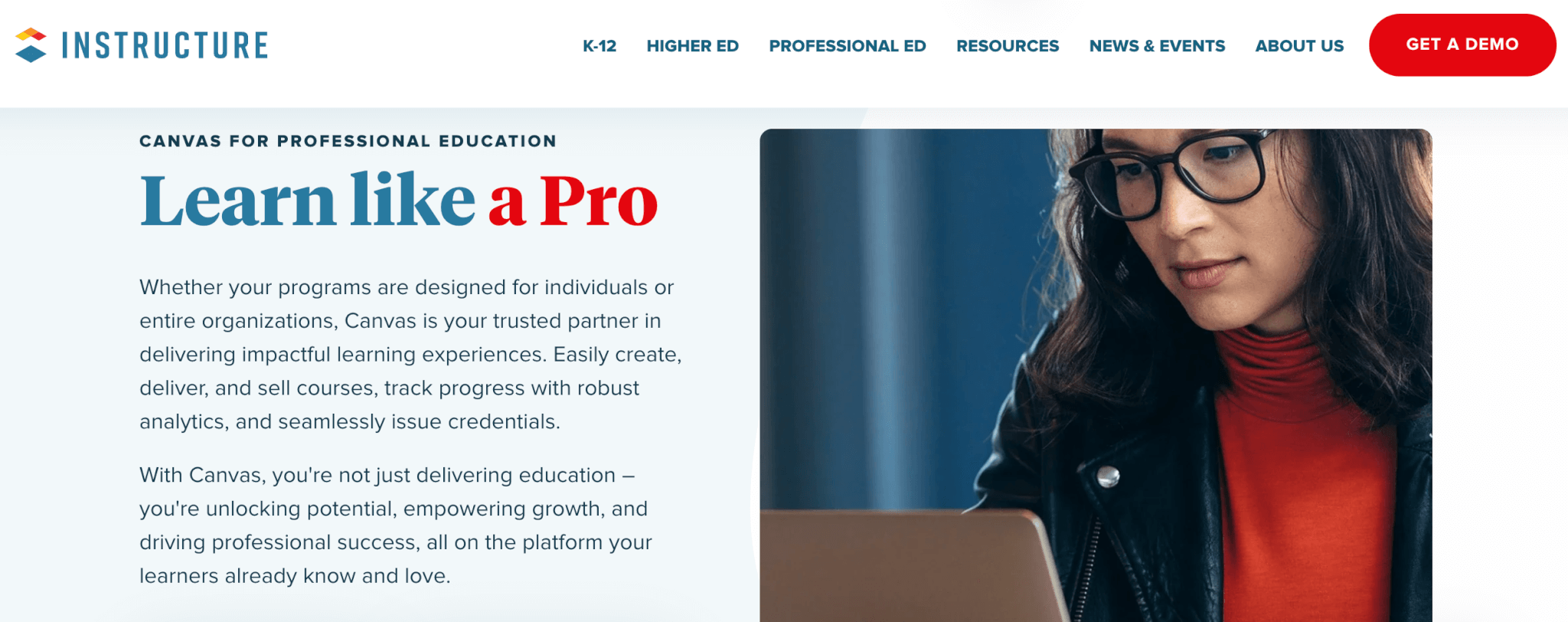
9000+ brands trust LearnWorlds to train their people, partners & customers.

Start a FREE Trial

2. Moodle

Moodle LMS (Moodle Workplace) is a highly customizable LMS with a plethora of built-in add-ons and integrates with open-source and premium third-party tools, including libraries with ready-made training courses from reliable content providers.

On the admin side, Moodle offers robust user management, task automation, and permission controls. It also boasts advanced reporting features and intuitive meeting scheduling. Known for its commitment to quality learning experiences, Moodle offers comprehensive assessments, gradebook management, and the ability to issue badges and diplomas.

Pros & Cons

Pros

  • Customizable
  • Highly automated
  • Built-in content library
  • Regularly updated
  • Promotes learner interactions

Cons

  • Not very intuitive
  • Requires technical expertise
  • No AI course creation
  • Slow loading times & glitches
  • Limited reporting

Pricing

Moodle offers a free trial and 1 pricing edition that costs $130.

3. Canvas LMS

Canvas LMS by Instructure is a versatile open-source Learning Management System ideal for K-12, Higher Education institutions, and businesses of all sizes and industries. It supports various training delivery methods, including self-paced, synchronous, and blended learning. It integrates with video conferencing tools like Zoom, Microsoft Teams, Google Classroom, and Adobe.

Canvas LMS stands out for its communication tools, LTI function, advanced grading capabilities, and accessibility options that offer an inclusive learning experience. The Canvas Catalog allows you to create a professional, branded marketplace to sell online courses. Other standout features include its uncluttered User Interface, certificate builder, powerful reporting with interactive data visualizations, and mobile apps.

Pros & Cons

Pros

  • Robust security features
  • Rich communication tools
  • Clean User Interface
  • Advanced assessment system
  • Supports multimedia and interactive learning

Cons

  • Occasional performance issues
  • Difficulty integrating with third-party tools
  • No AI
  • Confusing navigation for admins
  • Limited quiz functionality

Pricing

Available upon request.

4. Google Classroom

Google Classroom is a web-based learning platform with a user-friendly interface that additionally integrates with all Google Apps. It helps streamline communication and share documents and videos. Learners can also collaborate on documents in real time and access course materials anytime, even offline (for some functionalities). The mobile-friendly design ensures accessibility for learning on the go.

However, Google Classroom lacks advanced features and is, therefore, best suited for educational institutions and businesses without major training requirements. It can’t support complex course-building or advanced assessments, and its data analysis capabilities are also basic.

Pros & Cons

Pros

  • Free to use
  • Easy to use
  • Streamlines communication
  • Mobile friendly
  • Accessibility features

Cons

  • Limited content types supported
  • Limited feedback options
  • Lacks engagement features
  • Limited reporting
  • Security concerns

Pricing

Google Classroom is free to use.

5. D2L Brightspace

D2L Brightspace features an intuitive UI and an AI-powered content editor for easy customization. It enables personalized learning paths and complies with accessibility standards for inclusivity. With various integrations, data flow among your systems is seamless.

Additionally, D2L Brightspace provides custom reports, ready-made courses, gamification elements, certificates, and access to in-house experts for skills mapping and course creation. However, some users mention that the UI and mobile app are not very user-friendly. Additionally, it lacks customization and scalability options, which might be an issue for large institutions.

Pros & Cons

Pros

  • AI-powered
  • Detailed reporting
  • Seamless integrations
  • Social learning
  • Accessibility features

Cons

  • A bit expensive
  • Learning curve
  • Limited design customization
  • Limited mobile app functionality
  • Performance issues with large user bases

Pricing

Available upon request.

6. Sakai

Sakai is an open-source LMS with rich functionality and customization capabilities through its multiple plugins and Learning Tools Interoperability (LTI). Sakai boasts a robust feature set for online course management and collaboration tools like forums, email, and chat. Learners can showcase their work through ePortfolios, while instructors track performance with a built-in gradebook.

On the downside. setting up and maintaining Sakai requires technical expertise while ths UI is also a bit dated and data analysis capabilities are rather basic. Since it’s an open-source platform, it is also more susceptible to security threats compared to other LMSs.

Pros & Cons

Pros

  • Free to use
  • Highly customizable
  • Collaborative learning
  • Supportive community
  • Regular updates

Cons

  • Learning curve
  • Not intuitive
  • Requires technical expertise
  • Limited reporting
  • Security concerns

Pricing

Sakai is free to use.

7. TalentLMS

TalentLMS is a versatile and user-friendly LMS that offers positive user experiences. It’s equipped with built-in content authoring, an AI assistant, and TalentLibrary, a content repository featuring animated characters. While the platform offers gamification features to boost engagement, its community feature is somewhat limited.

TalentLMS supports customizable learning paths and rich assessments, along with comprehensive insights provided by customizable reports. Additional features include user roles and permissions, automated tasks such as course management and email communications, and a white-label mobile app.

Pros & Cons

Pros

  • Intuitive interface
  • Built-in content library
  • AI-powered
  • Detailed reporting
  • Advanced gamification

Cons

  • Limited design customization
  • User limits per plan
  • Technical issues with integrations
  • Limited course editing tools
  • Needs more robust assessment builder

Pricing

All TalentLMS pricing plans come with user limits. The platform doesn’t offer a free trial, but they do offer a free plan that allows for up to 5 users and 10 courses.

Standard plans (based on the number of registered users) include:

  • Starter: $89/month
  • Basic: $189/month
  • Plus: $369/month
  • Premium: $569/month
  • Enterprise: custom pricing for companies with more than 1000 users

Active plans (based on the number of active users) include:

  • Starter Active: $179/month
  • Basic Active: $399/month
  • Plus Active: $489/month
  • Premium Active: $649/month

Which Blackboard Alternative Caught Your Attention?

Blackboard LMS has withstood the test of time and, with its rich collaborative tools and accessibility features, is definitely a reliable platform for delivering online training. That said, the LMS market offers a plethora of options with engaging features and higher ease of use.

LearnWorlds stands out as the most feature-rich LMS that supports interactive, social learning experiences while offering in-depth reporting and robust assessments. Ηighly customizable and scalable, LearnWorlds is the platform that can support your training needs as your business grows.

Try LearnWorlds with a 30-day free trial now!

9000+ brands trust LearnWorlds to train their people, partners & customers.

Start a FREE Trial

Further reading

  • 100+ Elearning Statistics, Facts and Trends
  • The 19 Best Learning Management Systems
  • SCORM 101: The Definitive Guide to Choose a SCORM Compliant LMS
  • What is an LMS (Learning Management System)?
  • Designing A Training Program: How to Boost Employee Performance With eLearning
  • 7 Brilliant Ways to Use an LMS for Upskilling and Training

The post Top 7 Blackboard LMS Alternatives appeared first on LearnWorlds.

Creator storiesCreativity professor Juan Muñoz published his newsletter for 162 weeks in a row. Here’s how his experiments paid off.What if school got learning wrong? Here’s how university creativity professor Juan Muñoz is making more impact as a creator by first becoming a better student.

Software Stack Editor · April 13, 2024 ·

What if school got learning wrong? Here’s how university creativity professor Juan Muñoz is making more impact as a creator by first becoming a better student.

Jump ahead

In this article

On the first day of class, creativity and innovation professor Juan Muñoz told his students they could turn in their homework any way they wanted.

“It can be written down, it can be in your own handwriting, it can be typed on the computer, it can be a video, it can be a podcast–you can do whatever you want to do. If you want to send a messenger dove with your homework, that’s fine. You don’t have to be confined by a piece of paper or Google Doc,” he instructed.

But even with this freedom, his university students still turned in identical PDFs with the same formatting every single time.

“I was so frustrated,” Juan remembers. “I thought this was the simplest task in the world. How are they going to learn creativity if they can’t even get this done?”

As the pattern continued, Juan wondered if there was a bigger issue at play.

“Students have been programmed for ten, fifteen years in school. They’ve been taught that, whether you’re great or not great, you’ll get a worse grade if you deviate from whatever template that teacher gave you. There’s an intrinsic fear of deviating from the standard path.”

Juan could see that this internalized programming was hurting creativity, and he wanted to change things.

Juan loved teaching, but he felt constricted by university rules. In his free time, he read TechCrunch and other entrepreneurial publications, which gave him the idea to start a business.

At the time, there wasn’t an active entrepreneurship ecosystem in Juan’s home country of Costa Rica, so Juan decided to help get the ball rolling.

“I have a civil engineering degree, and I knew people would think, ‘What does this guy know about business?’ So the first thing I did was I wrote all of my ideas down in a blog and spread them around. I launched my creator career by sharing my ideas online and sharing the things I can do.”

Today, Juan teaches creativity, goal-setting, entrepreneurship, and business through his online learning platform,
Épico Academia
. He offers online courses, a library of free workshops, and a paid weekly email newsletter to help people live more creative and epic lives.

Here’s how experimenting, taking unexpected paths, and continually learning helped Juan build a thriving online business and unlock a holistic approach to entrepreneurship that’s fulfilling and fun.

How to provide content in a way that doesn’t feel like school

With his experience creating courses as a university professor, making content wasn’t a challenge for Juan. He just had to figure out the most impactful way to deliver that content.

“The biggest friction is getting people to consume the content we make,” Juan shares.

“People will buy a course and only a handful will go through it. It feels like school. Even if nobody’s making me do it and I’m really interested, my brain goes back to school mode. There’s a teacher, there are modules, there are classes.”

So Juan started experimenting with other ways he could get his content to his audience.

“What if I try an
email-based course where you receive a cool email every week for a year
? Or TikTok-type content, just 30-second videos. Can I create a course with tons of 30-second videos? I don’t know, maybe. I’ll try it out and see if it works.”

Having the right technology in your corner can make experimenting with different delivery methods and content formats easier. Before, Juan used
Gumroad
to sell his products, but he felt limited because the platform was mainly for PDFs and files.

When he switched to
Podia
, Juan gained access to a wide variety of product types so he could test out different formats and make his lessons more exciting.

“I love how Podia allows me to do basically whatever content I want in whatever order I want. I can make a course that’s just 100, 30-second videos and have people go through them.”

Podia is an all-in-one platform that makes it easy to
sell online courses
,
digital downloads
,
community
,
coaching
, and
webinars
about the topics you love. You can also manage your
email marketing
,
affiliates
, and
website
from one streamlined dashboard. If you have a lot of ideas, Podia can make them happen.
Register for free today.

SIGN UP NOW

Get your free Podia account

Join the 150,000+ creators who use Podia to create websites, sell digital products, and build online communities.

Start free →

One experiment that paid off was a pro-Monday email newsletter

Speaking of experimenting, when Juan tried something different that went against the norm, he ended up creating one of his favorite assets:
The Monday newsletter
.

In the early days of his online business, Juan noticed a trend.

“Every Sunday night and Monday morning, people would post memes about how much they hate Mondays,” Juan says. “I thought, there’s always going to be a Monday. You can’t escape it. So why are you still hung up on this?”

“I started realizing these are the same people that come to me and say, ‘I don’t like my life, I don’t like my job, I want to get better,’ and there was a pattern. I love marketing and branding, and I thought this would be an interesting brand idea because it’s easy to hate Monday. There’s already a club for that, and it’s a big club. But how do you do the opposite?”

Juan started a newsletter all about how much he loved Mondays where he shared one tip, concept, or idea that would help his readers make the most out of their day.

“It attracted a lot of people because people were unhappy with something in their life and I was talking about ways to make their life better. It made people question, ‘Why do I hate Monday?’”

Juan published his Monday newsletter for 162 straight weeks and the
consistency compounded his follower count and impact
. He took a break when his daughter was born, then brought the newsletter back when he had more time during lockdowns.

Today, this experiment-turned-newsletter continues to grow through word-of-mouth referrals, and Juan still loves writing it every week.

To become a better creator, learn as much information as you can about the topics you’re interested in

Not every idea comes together as seamlessly as the Monday newsletter, and Juan found that the best way to get clarity on product and content ideas was to become a student again.

“I’m always mind blown about the fact that we get to live in a world where we can learn from anyone and anyone can learn from us. It’s amazing. If I’m into marbles, I can find someone that’s so much more into marbles that they’ll teach me new things. They can be in Singapore, I might not even know their name, but I can learn from their content.”

To become a successful creator today, learn as much as you can about the topics you love.

“I urge people to consume whatever they’re curious about,” Juan recommends. “Often you can even find free content on social media. And when you consume content, you realize, this is not that deep. This guy is talking about marbles. You don’t have to have a Ph.D. in a subject.”

“There used to be experts,” Juan explains. “There were people that knew everything about one subject because there was only a limited amount of information available. There wasn’t infinite information like we have today, and that information was sequestered somewhere. So there was someone who knew everything about it, and they were the expert. But that’s not the case anymore.”

“There are a lot of people that know a lot, and there are a lot of people that know a little, but there’s always someone that knows less than you. So you can make content for them and still have a big impact.”

Simply put, the more you get out there and learn, the more knowledge you’ll have to share with people around you. If you’re feeling stuck on what or how to teach, try switching roles and becoming a student again to reignite your inspiration.

What if you created things just for the sake of creating them?

One of the most profound lessons Juan learned in his entrepreneurial journey is that there are many different routes people can take to share their passions.

Juan says, “We have these preconceived notions about how things should work. We look online and see how other creators are running their businesses and think that’s exactly how we should run ours too. Instead, get inspired by what others are doing and pick and choose things that work for you. If you go to Podia’s website,
there are dozens of creator profiles
. Read these profiles and you’ll see that there are so many different ways you can do this.”

Creating also shouldn’t be all about reaching a particular outcome, financial milestone, or follower count. Instead, find a balance between Telic and Atelic goals.

“Telic goals are things that have a very fixed outcome that you can measure. Atelic goals are good to do for the sake of doing them. I think people should approach creating with both types of goals in mind,” Juan shares.

“Sure, it would be great to get a million dollars a year out of your course, but if that doesn’t happen, just having
created the course
is good in and of itself. There’s growth aside from the money.
Building an audience
is the same way. If you only focus on the number of subscribers and followers, it’ll be frustrating. But if you focus on creating excellent content every day, just doing that is beneficial to you and to that audience,” Juan reminds.

“If you’re actually helping other people out, then it doesn’t matter if it’s one person or a million.”

Plus, there’s value in your work simply existing in the world.

“If you send out a tweet,
Instagram post
, or video and nobody sees it, it’s still there. Someone can find it eventually. Also, getting likes on a post and helping people through your post are two very different things. I enjoy a lot of things that I don’t double-tap. Just because nobody double-tapped your post or retweeted your tweet doesn’t mean it wasn’t beneficial.”

“Creating is a visceral thing. It’s emotion, it’s vulnerable, it’s very honest,” Juan relates. “It’s a picture of who you are and what you think, and putting that out there and having no one engage with it is horrible.”

“But even if nobody buys it, it’s still valuable. You still learned a lot. You can use that knowledge in consulting or your next job or anywhere. Nobody can take that away from you. That’s soul bound.”

To stay in touch with what really matters, Juan explains how important it is to remember where you came from and celebrate everything you’ve achieved so far.

“I recommend that creators keep journals and think about what you’re doing now through the eyes of yourself five years ago, or ten years ago, or twenty years ago. Ask yourself what you would think about your work now. Because past you would probably think it’s great.”

Finally, Juan reminds creators that the most important thing is getting your work out there. It isn’t about getting record-breaking sales, likes, or clients.

“I think it’s arrogant to assume people won’t want your product. It’s arrogant because you’re making a decision for someone else. Let them make the decision. If they want it, they’ll buy it. If they don’t, they won’t. You just have to make it available to them. Be more mind-blown by the world, learn as much as you can, and make things–other people will make their own decisions.”

“Create your thing and put it out there, Juan says. “You never know what will happen next.”

Marketing and sales9 best email marketing platforms for creators and small businessesCreate engaging newsletters, build high-converting email campaigns, and understand subscriber behaviors with these 9 best email marketing platforms.

Software Stack Editor · April 13, 2024 ·

Create engaging newsletters, build high-converting email campaigns, and understand subscriber behaviors with these 9 best email marketing platforms.

Jump ahead

In this article

You’re ready to get serious about email list building, so it’s time to find the right email marketing platform for your online business. 

An email marketing platform is a tool that helps you design emails, manage your list, create distinct groups of subscribers based on interests and behaviors, and track how well your emails perform. You can use your email marketing software to connect with customers and followers, promote new products, share informational content, and run automated campaigns. 

With dozens of email service providers (ESPs) that cater to small businesses, finding the right one takes time and effort. 

We’re here to help.

Today, we’ll take you through nine of the best email marketing platforms for creators. We’ll look at core features and pricing, in addition to calling out who they’re best for. Without further ado, let’s dive in.

9 best email marketing platforms to grow your list and build meaningful connections

#1 Podia

Podia is an all-in-one platform where you can
manage your email marketing
,
build a website
,
sell digital products
,
create online courses
,
run an online community
,
offer coaching
, and
work with affiliates
– all with a single tool. 

Podia Email
is easy to use and comes with in-depth analytics, segmentation, tags, unlimited automated campaigns, and unlimited email sends. You can also filter your recipient list based on what products they’ve purchased, how long they’ve been a subscriber, affiliate status, and time since last active. 

You can quickly create beautiful emails with Podia’s point-and-click email builder, or start with one of the professionally designed email templates to save time. You can also use previous emails as a starting point so you’re not reinventing the wheel. 

Best of all, Podia Email is automatically connected with your digital products and website so you can feel confident that your subscribers, tags, and customer lists are connected properly behind the scenes. No more worrying about clunky integrations or paying for dozens of different tools – with Podia, your whole business can thrive under one roof.

Podia Email features: 

  • Free plan

  • Unlimited email sends

  • Easier-than-drag-and-drop email editor

  • Customizable email templates

  • Unlimited broadcasts and newsletters

  • Unlimited automated campaigns

  • Segmentation and tags

  • Analytics, including sales per email 

  • Drip campaigns

  • Full website with unlimited website pages

  • Sell digital products (downloads, webinars, coaching, memberships, courses)

  • Beginner-friendly online course builder

  • Online community feature

  • On-page customer messaging

Who is Podia Email best for?

Podia is the best email marketing software for creators who want to manage their emails from the same place they sell their digital products and house their website. When all your tools are automatically interconnected, you’re less likely to encounter technical hassles while running your business. 

All Podia plans include unlimited email sends and full email marketing features for up to 100 subscribers. You can purchase an optional Podia Email upgrade if you’d like to add more subscribers, but you’ll still have all the same advanced features regardless of list size. 

Podia Email pricing

You’ll start by choosing the
Free, Mover, or Shaker plan
.

  • Free: Includes a website, community, one digital download, one online coaching product, and customer messaging

  • Mover: $39/month, includes everything on the free plan plus unlimited
    digital products
    , unlimited courses, and our intuitive
    online course builder

  • Shaker: $89/month, includes everything on the Mover plan plus
    affiliates
    ,
    webinars
    , and third-party code

All Podia plans come with 100 email subscribers for free. All plans, even the free plan, include unlimited sends each month and you get the full features of
Podia Email
, including templates, automations, tagging, and segmentation. 

You also have the option to add on email subscribers as you grow so you’re never paying for more than you need:  

  • Up to 500 subscribers: $9/month

  • Up to 1,500 subscribers: $17/month

  • Up to 2,500 subscribers: $25/month

  • Up to 5,000 subscribers: $42/month

  • Up to 10,000 subscribers: $63/month

  • See the full pricing scale here

Let’s say you have an email list with around 1,500 subscribers. You could sign up for a free Podia plan and add on your email subscribers for a total of $17/month. In addition to full email features, you’d also get your website, one digital download, one coaching product, and your online community. 

Now imagine your business expands and you’re ready to add online courses to your product lineup. You could upgrade to Podia’s mover plan for $39/month and keep the 1,500 subscriber email add-on for $17/month, which brings your monthly total to $56/month. 

At this price point, you’d have premium email marketing features as well as unlimited digital products, unlimited online courses, unlimited customers, unlimited landing pages, and unlimited email sends all in one intuitive platform. 

Explore Podia Email without paying a cent when you sign up for a free plan – your first 100 subscribers are completely free. 

Get your free Podia account

Join the 150,000+ creators who use Podia to create websites, sell digital products, and build online communities.

Sign up free

#2 Mailchimp

Mailchimp
is a big name in the email marketing software industry and it has a free plan that makes it easy for new entrepreneurs to get started. The free plan includes up to 500 subscribers and 1,000 monthly email sends, but if you want helpful features like email scheduling and automations, you’ll need to upgrade to a paid plan. 

All paid plans include pre-built templates for your email newsletters and campaigns, as well as chat and email support. For more features, Mailchimp’s Premium plan includes advanced segmentation, unlimited audiences, and unlimited team seats. 

Mailchimp features:

  • Free plan

  • Subscriber limits on all plans

  • Email send limits on all plans

  • Email templates

  • Forms and landing pages

  • A/B testing on paid plans

  • Email scheduling on paid plans

  • Website

  • Landing pages

Who is Mailchimp best for?

Mailchimp is best for creators who need email marketing features but don’t need to send a high volume of emails per month, since all plans have email send limits. 

Mailchimp pricing

Mailchimp offers four different plan tiers and the price of each tier increases as your list grows. Each plan also has email send limits, so if you hope to send lots of messages to your followers, this is something to keep an eye on.

  • Free: Up to 500 contacts with 1,000 monthly email sends

  • Essentials: Starting at $13/month for 500 contacts and 5,000 monthly email sends

  • Standard: Starting at $20/month for 500 contacts and 6,000 monthly email sends

  • Premium: Starting at $350/month for 500 contacts with 150,000 monthly email sends

#3 ConvertKit

ConvertKit
is a creator marketing platform with tools to help you build your email list, create automations, and sell digital downloads. Users like being able to design custom subscriber journeys based on entrance and exit conditions, and there are email styling features so you can make your messages match your brand. 

ConvertKit features:

Who is ConvertKit best for?

ConvertKit is best for users who want a visual automation builder so they can design custom email marketing campaigns and pathways for their subscribers. ConvertKit is also a good choice if you need unlimited landing pages and opt-in forms. 

ConvertKit pricing

ConvertKit has three plans that increase in price as you add more subscribers. 

  • Free plan: Up to 1,000 subscribers 

  • Creator plan: Starting at $15/month for 300 subscribers, $29/month for 1,000 subscribers, $79/month for 5,000 subscribers

  • Creator Pro plan: Starting at $29/month for 300 subscribers, $59/month for 1,000 subscribers, $111/month for 5,000 subscribers

#4 MailerLite

MailerLite
is an email marketing tool with email templates, digital products, and a website builder. You can set up automation workflows to keep in touch with your contact list even when you’re out of the office, and you can integrate MailerLite with most of the apps and tools you already use and love. 

MailerLite’s free plan includes up to 1,000 subscribers, but you have a limit of 12,000 email sends per month. You can build a website but are limited to 10 landing pages and cannot sell digital products. Additionally, free plan users only get access to support for the first 30 days.

When you’re ready to upgrade, MailerLite has two paid plans, Growing Business and Advanced, that both increase in price as you gain more subscribers. Paid plans include unlimited email sends, unlimited websites, and the ability to sell digital products like subscriptions and paid newsletters. 

MailerLite features

Who is MailerLite best for?

MailerLite’s paid plans are suitable for those who need multiple websites, the ability to sell digital downloads, surveys/quizzes, and paid newsletters. Paid plans also have unlimited email sends each month. 

MailerLite pricing

  • Free: Free for up to 1,000 subscribers with a limit of 12,000 email sends per month

  • Growing Business: Starts at $10/month for up to 500 subscribers, $15/month for 1,000 subscribers 

  • Advanced: Starts at $20/month for up to 500 subscribers, $30/month for 1,000 subscribers

#5 ActiveCampaign

ActiveCampaign
focuses on enterprise-level automation capabilities for managing email marketing efforts at a larger scale. ActiveCampaign also offers Customer Relationship Management (CRM) functionality, allowing you to track and manage leads and potential clients.

Like most email marketing software, ActiveCampaign offers different plans and pricing tiers based on the number of contacts or subscribers you have. You can send an unlimited number of emails to subscribers, regardless of your plan, and there are audience segmentation tools so you can create targeted lists based on specific criteria and deliver tailored campaigns.

While ActiveCampaign doesn’t have an integrated website or ecommerce features, it can integrate with platforms like WooCommerce, Shopify, and Magento.

ActiveCampaign features:

  • Email templates

  • Drag-and-drop email designer

  • Segments and tags

  • Automations and email scheduling

  • Landing pages

  • Unlimited email sends

  • Facebook custom audiences

  • CRM and sales automation

  • Lead scoring

  • A/B testing (also known as “split-testing”)

Who is ActiveCampaign best for?

ActiveCampaign is best suited for creators and ecommerce businesses who are familiar with complex email marketing tactics. The Plus plan is good for small teams with three user seats and the Professional plan is good for bigger teams with five user seats. There’s also an Enterprise plan for corporations.  

ActiveCampaign pricing

ActiveCampaign has four plans that increase in price as you add more contacts. You get unlimited email sends on all plans as long as your total subscriber count is below 250,000. 

ActiveCampaign plans:

  • Lite: $39/month for 1,000 contacts, $61/month for 2,500 contacts, $99/month for 5,000 contacts

  • Plus: $70/month for 1,000 contacts, $125/month for 2,500 contacts, $168/month for 5,000 contacts

  • Professional: $187/month for 2,500 contacts, $262/month for 5,000 contacts

  • Enterprise: Custom pricing 

#6 AWeber

AWeber
is an email tool where you can connect with followers, sell digital products, and use automation features to keep your business moving behind the scenes. 

AWeber has a free plan that includes up to 500 subscribers, but you can only send 3,000 emails per month. You’re also limited to one automation, one email list, and one landing page. The free plan also includes ecommerce functionality that works through Stripe, and you’ll have access to email and chat support. 

Lite and Plus plans increase in price as you add more subscribers, but you’ll get unlimited email sends. On the Unlimited plan, you can add as many subscribers as you want for a flat rate, but your email sends are limited to 12x subscriber volume per month.

AWeber features: 

Who is AWeber best for?

AWeber is best for users who need email marketing features like email split testing, sign-up form split testing, RSS to email, HTML emails, and web push notifications. These features are available on all of AWeber’s paid plans.

AWeber pricing

With AWeber, you can choose from the following plans: 

  • Free: Up to 500 subscribers

  • Lite: Starting at $14.99/month for up to 500 subscribers 

  • Plus: Starting at $29.99/month for up to 500 subscribers

  • Unlimited: $899/month with unlimited subscribers

#7 Brevo (Formerly SendinBlue)

Brevo
(formerly known as Sendinblue) is an email marketing platform for businesses that need a CRM tool to track leads and communicate with potential clients. In addition to email marketing tools, Brevo offers SMS marketing, WhatsApp campaigns, live chat, and Chatbot features. 

Brevo also offers subject line A/B testing so you can figure out which subject lines perform the best (although these
email subject line formulas
should get you on the right track). 

With Brevo, plans are determined based on features and how many emails you’d like to send per month. You can have unlimited contacts, but there are email send limits on all plans. Plans go up to one million monthly email sends, but if you need more than that you can contact Brevo for a custom plan. 

Brevo features:

  • Free plan

  • Email marketing

  • WhatsApp marketing

  • SNS Campaigns 

  • Chatbot

  • Email template gallery 

  • Push notifications

  • Transactional emails

  • Workflow editor

Who is Brevo best for?

All Brevo plans come with unlimited contacts and pricing is based on email sends. If you have a large list but don’t communicate with them very often, this could be a good solution. Brevo is also a good choice for users who are looking for email marketing coupled with transactional emails, in-depth sales tracking, and chat tools. 

Brevo pricing

  • Free plan: Email limit of 300 sends per day

  • Starter plan: Starting at $25/month for 20,000 monthly email sends, $69/month for 100,000 monthly email sends

  • Business plan: Starting at $65/month for 20,000 monthly email sends, $129/month for 100,000 monthly email sends

  • Brevo Enterprise: Custom pricing

#8 Flodesk

Flodesk
is known for having nice-looking email templates and layouts. There are two sides to Flodesk – email and checkout. The email plan gives users unlimited subscribers, emails, forms, workflows, and segments, and the checkout plan lets users set up unlimited sales pages, checkout pages, upsells, and digital download deliveries. 

All Flodesk plans are unlimited. On the Email plan, you can have unlimited email subscribers and send as many emails as you like. On the Checkout plan, you can sell unlimited products to unlimited customers. There’s no free plan with Flodesk, but they do offer a 30-day free trial so you can test out their features. 

Flodesk features:

  • Unlimited emails and subscribers

  • Unlimited landing pages and email opt-in forms

  • Automations

  • Segments

  • Upsells 

  • Checkout pages

  • Transactions and digital file delivery

Who is Flodesk best for?

Flodesk is best for visual brands that want to send photo-heavy emails. The Flodesk templates are well-suited for ecommerce, and their checkout tool is a good fit for businesses selling digital files. 

Flodesk pricing

Flodesk has three plans, Email, Checkout, and Everything. 

  • The Email plan costs $38/month and includes email marketing features

  • The Checkout plan also costs $38/month and lets you sell digital products

  • The Everything plan includes the tools of email and checkout for $64/month

#9 GetResponse

GetResponse
is an email marketing tool that offers a range of plans based on the number of contacts you have. They have a free plan that includes up to 500 contacts and 2,500 email sends per month, along with a visual email editor and pre-designed templates. You can also set up a website with 10 pages for free. 

As you upgrade to higher-priced plans, you get additional features like unlimited monthly email sends, A/B testing, email automations, and email scheduling. Features like automations, autoresponders, and welcome emails are only available on paid plans. 

To access ecommerce and features for making online sales, you’d need the top tier Ecommerce Marketing plan and integrations with your online course platform or digital store. 

GetResponse features: 

  • Free plan

  • Email marketing automation and campaigns

  • Unlimited email sends per month on paid plans

  • Basic and advanced segmentation

  • Website builder and landing pages

  • Promo codes and webinars

  • Ecommerce marketing and abandoned cart recovery

  • Responsive email templates

  • Autoresponder 

  • Analytics and reporting capabilities

  • Email and chat customer support on paid plans

Who is GetResponse best for?

GetResponse’s free plan is somewhat limited, but it works if you don’t need to send automated emails or sell digital downloads. The paid plans are a good choice if you need unlimited email sends, social media integrations, and complex automation and segmentation. 

GetResponse pricing

Here are the GetResponse pricing plans:

  • Free: 2,500 email sends per month

  • Email Marketing: Starting at $19/month for 1,000 contacts, $29/month for 2,500 contacts

  • Marketing Automation: Starting at $59/month for 1,000 contacts, $69/month for 2,500 contacts

  • Ecommerce Marketing: Starting at $119/month for 1,000 contacts, $139/month for 2,500 contacts

  • Max2: Custom pricing

Try these 9 best email marketing services to take your business to new heights

The right email platform can help you stay in touch with your target audience on your own terms. Your software of choice should be user-friendly so you don’t waste time setting up complex systems that you don’t really need, and it should give you all the tools you need to execute whatever email marketing strategy you like. We hope this list helps you find the best email marketing solution for you. 

Need a place to start? 

Podia is an all-in-one platform that connects your email with your website and digital products.
Sign up for free
. 

Get your free Podia account

Join the 150,000+ creators who use Podia to create websites, sell digital products, and build online communities.

Sign up free

How to Create a WordPress Content Library – Sell Resources and Documents on Your Website!

Software Stack Editor · April 12, 2024 ·

Haiden Hibbert

Haiden Hibbert

I’m a Content Manager at MemberSpace helping entrepreneurs and creators sell digital products.

As a small business owner or entrepreneur, you may have a wealth of digital content, documents, and resources that you want to share with your audience. By creating a content library on your WordPress website, you can monetize your valuable assets and provide your customers with easy access to the information they need. In this blog post, we’ll explore what a content library is, how to choose the right plugin for your needs, and step-by-step instructions on how to create your own WordPress resource library.

Launch a WordPress content library!

The easiest way to accept membership payments or one-time charges for digital products like content libraries, online courses, communities, and more — all from your own website!


Start selling now

Get started for free! 5 minutes to set up.

Table of Contents

What is a WordPress content library?

A content library, also known as a resource or document library, is a collection of digital content like videos, online courses, PDFs, and templates, that you can offer to your audience. Some business owners and creators choose to offer free content libraries, while others use it as an opportunity to add a new revenue channel and earn passive income. 

Types of content to include in your resource library

Your resource library can be anything you want it to be! Here are some popular content types to consider including:

  • Ebooks
  • PDF guides
  • Online courses
  • Videos 
  • Templates
  • Stock photos and videos 
  • Ready-to-use social media posts

How to set up your WordPress resource library [FREE TEMPLATE]

To help you organize your resources on your website, we created a free content library wireframe that you can use as a guide. Download the template here. 

The following section will walk you through how we recommend structuring your website pages, with example URL structures in the captions! 

Content library template
This free content library wireframe includes layout ideas for a sales page, members-only homepage, category pages, and product pages.

Step 1: Add your content library pages to your website

Your WordPress resource library should include four types of pages: 
 
  •  A sales page to advertise your content. Share information about what’s included in the resource library, pricing, and clear call-to-action buttons.

WordPress document library template
Content library sales page, yoursite.com/content-library/

  • A members-only homepage, which should be the first page customers see after they pay to access your resources. Show a preview of your documents by category and link each category to its own page.

WordPress resource library template
Members-only homepage, yoursite.com/content-library/welcome/

  • Category pages that should display all the content, documents, and resources within a particular category. Link each resource to its own page for members to download or view the content.

WordPress content library template
Category page, yoursite.com/content-library/videos/

  • Content pages that will house a single resource, such as a template, video, or PDF.

WordPress content library wireframe
Individual content/product pages, yoursite.com/content-library/videos/video-1/

Step 2: Install the WordPress document plugin, MemberSpace, to password protect your pages

It takes just a few minutes to install the WordPress plugin, MemberSpace. 

  1. Log into your WordPress admin site and click Plugins on the lefthand side. Keep in mind, you’ll need to be subscribed to their Creator plan or higher to install MemberSpace.
  2. Then, search for MemberSpace and select the plugin. 
  3. Click Install and Activate. 
  4. Select Manage Plugin.
  5. Click Configure Settings > Create your account.

Create MemberSpace account

Once you’ve installed MemberSpace and created your account, it’s time to connect your website, protect your content library pages, and set up your pricing! 

Here’s how it works: 

1. Add your content library to MemberSpace and protect your members-only pages. You’ll simply add the URLs for your documents and resources, and MemberSpace will restrict access to them, requiring members to sign up and pay to view them.

Content library
To protect your content library pages, add the URL(s) to MemberSpace.

2. Connect to Stripe to handle payments securely. If you don’t have a Stripe account, it only takes a few minutes to set one up.

Stripe MemberSpace integration for fitness business

3. Set a price for your content library. MemberSpace offers flexible pricing options, including one-time, recurring, or multiple payments, as well as a free tier. However, recurring payments are the most popular option for content library memberships.

4. Click Verify Install.

Now people can visit your website and join your plans to get access to your content library resources!

WordPress Content Library Tutorial

For more help on creating a WordPress resource or document library, check out our video tutorial. 

Step 3: Promote your WordPress resource library

Once your content library is set up, it’s time to promote it to your target audience! Here are some ideas to get you started:

  • Share previews of your resources on social media to generate interest and drive traffic to your sales page.
  • Write blog posts that highlight the value of your content library and include calls-to-action to encourage readers to sign up.
  • Offer a limited-time discount or a free trial to incentivize potential members to join.
  • Reach out to influencers or bloggers in your niche and offer them complimentary access in exchange for a review or promotion.
  • Include information about your content library in your email newsletter and encourage subscribers to sign up.

Final Thoughts

Creating a content library on WordPress is a fantastic way for business owners, entrepreneurs, and creators to add a new income stream to their existing business, monetize their specialized knowledge, and grow their online community.

Continue to add valuable resources over time and engage with your audience! This is the best way to steadily grow your membership business. For more resources and guidance on scaling your membership, be sure to check out MemberSpace University.

Need help with your WordPress content library?

Connect with our friendly team, weekdays 10am – 6pm ET.

Let’s chat!

The post How to Create a WordPress Content Library – Sell Resources and Documents on Your Website! appeared first on .

A common Thread for creators: Meta might have a cash bonus with your name on it

Software Stack Editor · April 10, 2024 ·

image

Has the golden era of earning cold-hard cash from social media platforms finally returned?

We’re staking it at a solid maybe.

Meta recently announced the launch of a new performance-based payout campaign on Threads and Instagram. This move comes off the back of a wider Meta initiative to help creators monetize across their platforms that goes beyond limited ad revenue sharing.

At its core, Meta’s latest updates aim to simplify and amplify the way creators earn money online. With the introduction of performance-based bonuses, creators can earn based on the engagement and performance of their content—think views, likes, shares, and overall virality.

But before you start counting your digital dollars, you need to read the fine print of these new updates. 

Find out how much content creators actually make on different platforms—plus their monetization strategies.

What are the new performance bonus programs?

Meta just introduced new performance bonus programs across Threads and Instagram. These innovative initiatives mark a significant departure from traditional ad revenue-sharing models, focusing instead on rewarding creators for the engagement and performance of their content. 

Here’s what sets these programs apart:

Performance-based cash bonuses: Unlike previous models that paid creators based on ad placements within their content, these new programs allocate bonuses based on content performance metrics such as views, likes, and shares. This shift prioritizes content quality and audience engagement over mere ad visibility.

We’ve had a long-standing belief that a creator’s value lies in the work they produce and the audience they cultivate. So for many Teachable creators who already thrive in this environment, this will be a welcome move.

No monthly earning limits: In a bold move, Meta has removed the cap on how much creators can earn per month through these programs. This unlimited earning potential is designed to motivate creators to produce more engaging and high-quality content.

Threads bonus program: This program rewards creators for engaging content based on performance metrics or the volume of posts. It’s a move that incentivizes creativity and consistent engagement with the audience.

Instagram bonus program: This initiative targets Reels, photo carousels, and single-image posts, offering bonuses for content that captures audience engagement and adheres to Meta’s content standards.

Will you be eligible for Meta’s performance bonus programs?

So, you’re probably wondering, “Am I going to be one of the lucky ones getting those sweet, sweet Meta bucks?” Well, it depends. Meta is hand-picking creators for the programs before opening performance bonus-earning opportunities for a wider variety of creators.

If you’re aiming to get noticed and considered for the Threads and Instagram performance bonus programs, here are a few ways you can stand out…

Get familiar with Meta’s monetization policies: Make sure you’re aligned with Meta’s community standards, residing in an eligible country, and staying clear of hate speech, violence, and sexualized content.

Promote authentic, organic content: Meta has made it clear that they value natural and real audience interactions. That means artificially boosted followers or views and paid engagement strategies may disqualify creators from performance bonuses.

Post and engage consistently: Building and growing an established presence on Instagram and Threads is important for securing cash bonuses. This includes having a significant follower base and a history of regular, consistent content that resonates with your audience.

Make sure your content is 100% accurate: Content flagged as misinformation or false news may make you ineligible for monetization. 

There are plenty of lucrative ways for creators to monetize outside of platforms. Check out how everyday creators made their first online sales, without going viral or having millions of followers.

What should you do next?

Savvy creators will see the new Meta performance bonuses programs as a way to supplement their income, not as their main income source.

The truth is, you can’t rely on Meta to keep its word on what program rollouts will look like. Meta has changed the terms and conditions of its program—or even canceled program plans entirely—with little for creators. Which is why it’s important to diversify your income sources

While getting a nice cash bonus is great, full-time creators need to gain full control over their income. That’s where selling your own products like digital downloads, courses, and community membership comes into play.

Read this article to find out how you can create and sell your products from scratch and start owning your income and impact.

‍

30 Ways to Make Money Online from Home

Software Stack Editor · April 9, 2024 ·

Over the years, the idea of making money online has become increasingly prevalent and even enticing, someone would say.

Whether you’re looking to supplement your income, escape the limitations of the 9 to 5 traditional full-time job, or achieve financial freedom, the internet offers a plethora of opportunities for earning money from the comfort of your own home—or anywhere with an internet connection, for that matter.

Making money online describes the process of generating income through various activities conducted on the internet. This could involve anything from providing freelance services to selling digital products or creating and monetizing digital content.

These and many more we will cover in this article, as we explore the various avenues available and offer practical insights and strategies for online business success.

Your professional looking Academy in a few clicks

Start FREE Trial

🙋 Check out the best 50 business ideas for women in 2024.

If you’re ready to take control of your financial future and unlock the potential of the digital economy, let’s dive in!

1. Try Freelance Writing

If you are skilled in writing, have attention to detail, and possess the ability to conduct thorough research, why not leverage those skills and become a freelance writer?

Freelance writing offers flexibility, autonomy, and the potential to earn substantial income. For example, freelance writers can earn up to 30 dollars per hour as beginners, and up to 150 dollars per hour as experts.

Whether you’re a seasoned wordsmith or just starting, freelancing writing allows you to work on projects you’re passionate about while enjoying the freedom to set your schedule and rates. Not to mention, there is a growing demand for quality content across various industries.

A screenshot of Amelia Tait's website showing her About Me section and pieces of her work in freelance journalism.
Freelance Journalist Amelia Tait showcases her portfolio (Image Source)

Startup costs are relatively low, consisting mainly of a computer/laptop and word processing software. Success in freelance writing requires dedication, professionalism, and the willingness to improve your craft continuously.

Aspect Description
Entry Difficulty Moderate – Needs a portfolio and credibility.
Startup Costs Low to Moderate – Initial expenses to set up a website (around $100), and purchasing professional software or tools (estimated $50-$200).
Skills/Experience Required Proficient writing skills, understanding of grammar and style, and research abilities.
Earning Potential Beginner freelance writers – $20-$50/hour
Experienced professionals – $100-$300/hour or more.
Monthly earnings vary from hundred to several thousand dollars.
Equipment Needed Computer/laptop (estimated $500-$1500),
Reliable internet connection (monthly cost varies),
Word processing software (e.g., Microsoft Word, Google Docs),
Additional software or tools depending on specialization (variable).

Sites that can help you find freelance writing gigs:

  • Upwork
  • Freelancer
  • Fiverr
  • Textbroker
  • Contena
  • ProBlogger
  • LinkedIn

Such platforms can provide access to clients, job listings, and networking opportunities for freelance writers.

2. Start Freelance Design

If you have a knack for design and creativity, freelance design could be the perfect online money-making venture for you. With a know-how in graphic design, web design, or multimedia design, you can offer your services to clients worldwide.

You can become a graphic designer or illustrator and start selling your designs to those who need them. The more niche you go, the better, so don’t be afraid to show your talent or choose a specialty e.g. templates, infographics, etc.

A screenshot of Mike Perry's colorful designs and posts on his Instagram profile.
Freelance Designer Mike Perry features his work on Instagram

To get started, you will need a portfolio, customer testimonials, and promoting your services to freelance sites and social media (see example above). Startup costs may include design software subscriptions. Earning potential varies based on experience and specialization, with rates ranging from $25-$150 or more per hour.

Success as a freelance designer hinges on your ability to deliver high-quality work, meet client deadlines, and stay updated on industry trends and technology.

Aspect Description
Entry Difficulty Moderate to high. Entry into freelance graphic design typically requires a strong portfolio demonstrating your design skills.
Startup Costs Relatively low if you already have the necessary equipment. If you need to invest in software or additional training, costs can increase.
Skills/Experience Required Proficiency in using Adobe Photoshop, Illustrator, or other relevant tools. Understanding design principles, typography, color theory, and composition. Strong communication skills and the ability to understand and meet client requirements are important.
Earning Potential High, but it varies depending on factors such as skill level, specialization, client base, and geographic location. Beginners from $25/hour and experts up to $150/hour.
Equipment Needed A reliable computer or laptop with graphic design software (e.g., Adobe Creative Suite), a high-quality monitor, a graphics tablet (optional but beneficial for some designers), and a stable internet connection.

Where you can find freelance design gigs:

  • Upwork
  • Freelancer
  • 99designs
  • Behance
  • Dribbble
  • LinkedIn
  • DesignGrowd

You may use Dribbble to showcase your portfolio, LinkedIn for networking and client outreach, and DesignCrowd to crowdsource design projects.

3. Sell Online Courses

Do you have expertise in a particular subject or a specific skill? Then, you can share your knowledge with others through online courses! Whether it’s academic tutoring like English language instruction, or any other type of specialized training, there’s a demand for online education across a wide range of topics.

🙋 Here are 183 profitable online course ideas and examples you can look into.

Startup costs may include course creation software, marketing expenses, and possibly investments in equipment or resources for course production. Earning potential can be substantial, with successful course creators earning thousands of dollars per month.

A screenshot of Louise Shanagher's online academy website offering online courses on creative mindfulness.
Louise Shanagher offers online courses on Creative Mindfulness (Image Source)

Success in selling online courses requires creating valuable content, engaging with your audience, and continuously improving your courses based on feedback. Building credibility and a strong brand presence in the e-learning market is equally important.

Aspect Description
Entry Difficulty Low – anyone can easily learn how to create and sell online courses.
Startup Costs Variable. May include equipment for content creation (e.g., camera, microphone, lighting), course creation software or Learning Management System (LMS), and marketing expenses.
Skills/Experience Required Expertise in the subject matter being taught, content creation skills (e.g., video recording, editing, graphic design), marketing and sales skills.
Ability to engage and motivate learners effectively.
Earning Potential Very high. Successful course creators can generate passive income streams and scale their earnings through multiple courses, memberships, or additional offerings.
Equipment Needed A computer or laptop, recording equipment (e.g., camera, microphone, or smartphone), Video editing software, lighting equipment (if recording video content), a reliable internet connection, and an online course platform for hosting and delivering your courses.

Leveraging social media, email marketing, and content marketing strategies can further promote your courses, helping you attract learners.

Online learning platforms like LearnWorlds, provide tools and resources to help you create and sell online courses to a global audience. Teaching online not only allows you to make a positive impact on others but also provides a rewarding source of income.

Start sharing your expertise with the world and building your online academy with LearnWorlds today!

Your professional looking Academy in a few clicks

Start FREE Trial

4. Start a Blog

If you have a passion for writing and a unique perspective or ideas to share, you may consider starting a blog! Blogging allows you to express yourself, and connect with like-minded individuals.

Most importantly, it offers you the possibility to cash out money through advertising, sponsored content, affiliate marketing, digital product sales, memberships, or other monetization strategies.

A screenshot of Adam Enfroy's blogging business website.
Adam Enfroy’s blogging business made $1 million in under 2 years (Image Source)

Choose a niche that aligns with your interests and expertise, and create valuable content that resonates with your audience. The demand for high-quality content is ever-increasing, offering several opportunities to aspiring bloggers in various industries.
Since there is competition, you must create content that discusses unique angles.

With dedication and persistence, your blog can become a go-to resource in your niche and a lucrative source of extra income.

Aspect Description
Entry Difficulty Moderate. Starting a blog requires choosing a niche, creating content, and building an audience.
Startup Costs Relatively low. Basic costs include domain registration, web hosting, and potentially premium themes or plugins whose pricing may vary.
Skills/Experience Required Writing and marketing skills, knowledge of the chosen niche, basic understanding of content management systems (e.g., WordPress), SEO principles, and basic graphic design skills for creating visuals.
Earning Potential Variable – it depends on factors such as niche, audience size, engagement, and monetization methods used.
Equipment Needed A computer or laptop, a reliable internet connection, and basic software for writing and editing content.

Platforms that can assist with blogging:

  • WordPress
  • Blogger
  • Medium
  • Wix
  • Squarespace
  • Google Analytics
  • Canva
  • Adobe Spark

On top of these, you will need the help of social media platforms (TikTok, Facebook, Instagram, etc.) for promotion and audience engagement.

5. Play Online Games

Did you know you can make money out of playing online games? With the growing popularity of e-sports and online gaming platforms, several opportunities arise for skilled gamers who choose to monetize their passion.

Whether it’s competing in tournaments, testing games and offering feedback, streaming gameplay on platforms like Twitch, or creating gaming-related content on YouTube, there are numerous ways to turn your love of gaming into a profitable venture.

A screenshot showing the YouTube channel of esport player Shroud.
Esports player ‘Shroud’ (Michael Grzesiek) on YouTube (Image Source)

While the initial investment may include gaming equipment and possibly gaming subscriptions or accessories, the earning potential can be significant for top players and influencers. Success in gaming requires dedication, skill development, and building a loyal audience through engaging content and personality.

Familiarity with game mechanics, and tactics, and an understanding of gaming communities can also give you a competitive advantage.

Aspect Description
Entry Difficulty Low to moderate. Mastering certain games or competing at a high level may require significant time and effort.
Startup Costs Variable. Some games are free to play, while others need to be bought or have additional in-game items or subscriptions. Investing in additional gaming tools like controllers, headsets, or gaming mice/keyboards is optional and adds to the initial cost.
Skills/Experience Required Varies depending on the game. Some online games are accessible to beginners and require minimal skills, others may demand strategic thinking, hand-eye coordination, teamwork, or quick reflexes.
Earning Potential Professional esports players can earn anywhere from a few thousand dollars to millions of dollars annually.

Successful streamers and content creators can earn anywhere from a few hundred dollars to several thousand dollars per month.

Entry-level testers – from $20 < per hour, experienced testers or those in leadership positions $40,000 to $100,000 or higher annually.

Equipment Needed A compatible device (e.g., computer, gaming console, smartphone), and an internet connection. The specific requirements may vary depending on the game’s platform and hardware specifications.

Using your personal computer, you can access a vast library of games through platforms like Steam, Epic Games Store, and Origin. You can do the same with gaming consoles – PlayStation, Xbox, Nintendo Switch, etc. and mobile devices – smartphones or tablets.

Other platforms that enable online gaming monetization:

  • YouTube Gaming
  • Twitch
  • Discord
  • Patreon
  • Roblox

6. Complete Online Surveys

Completing online surveys is another great way to make money in your spare time.

With the rise of market research and online survey platforms, there is a significant demand for consumer opinions and feedback, leading to a wide range of available surveys.

Several companies and market research firms choose to pay individuals to share their opinions on products and services through online surveys.

Why it works? While the pay is typically low and doesn’t get you rich overnight, completing surveys is a convenient and low-effort strategy to earn some extra cash.

A screenshot of the Swagbucks website encouraging visitors to join in for free.
Get on websites like Swagbucks and start completing surveys (Image Source)

You can begin by signing up for reputable survey sites like Swagbucks or Toluna, and start earning rewards (including gift cards), while simply sharing your thoughts.

Aspect Description
Entry Difficulty Low – no specialized skills or experience needed.
Startup Costs Very low to none – most online survey platforms are free to join.
Skills/Experience Required Basic computer literacy, ability to follow instructions, and attention to detail.
Earning Potential Low to moderate. The earning potential varies depending on the number of surveys available, participant demographics, and the payout rates of survey platforms.
Equipment Needed A computer, smartphone, or tablet with internet access.

Other noteworthy survey sites include:

  • Vindale Research
  • Pinecone Research
  • MyPoints
  • Opinion Outpost
  • Survey Club
  • Harris Poll Online

7. Build an Online Store

Dreaming of starting your own e-commerce business? Why not launch an e-commerce store? With the right products, marketing strategy, and business model, an online store can be a lucrative venture that offers added flexibility and scalability.

All you need is a platform that can help you set up and manage your online store, from product listings and inventory management to payment processing and shipping.

A screenshot of Wayfair company featuring home goods such as bed linen and counters.
Nate Morris co-founded Wayfair – an ecommerce company selling home goods (Image Source)

Startup costs may include website hosting, domain registration, and possibly inventory or product sourcing expenses. Earning potential varies based on product selection, pricing strategy, and marketing efforts, with successful online store owners earning thousands of dollars per month.

Whether you’re selling handmade crafts, niche products, or dropshipping items, an e-commerce store will help you reach customers around the globe. Competition can be fierce, especially in popular niches, requiring strategic positioning and differentiation to succeed.

Aspect Description
Entry Difficulty Moderate to high.
Startup Costs Vary depending on the platform used. Higher costs if building a custom website or investing in inventory. Also may include website hosting, domain registration, e-commerce platform fees, product inventory, or marketing expenses.
Skills/Experience Required Understanding of e-commerce platforms, product selection and sourcing, website design, digital marketing, customer service, and basic business management skills.
Earning Potential Moderate to High. Varies depending on product selection, niche market demand, marketing effectiveness, and scalability of the business model.
Equipment Needed A computer or laptop, internet connection, a camera or smartphone for product photography. May need packaging materials if shipping physical products, or customer service tools for managing inquiries and orders.

Popular platforms for setting up online stores:

  • Shopify
  • WooCommerce
  • Etsy
  • Amazon
  • eBay

🙋 Read our guide to find out how to sell online courses on your Shopify store.

8. Invest in Affiliate Marketing

Interested in earning passive income through online marketing? Then affiliate marketing is the answer. The affiliate marketing industry is large and continues to expand as more businesses seek to leverage affiliate partnerships to drive sales and leads.

This type of marketing involves promoting products or services and earning a commission for every sale or referral made through your unique affiliate link.

A screenshot of affiliate marketer Shwan Collin's blog showing the About Me section and professional summary.
Affiliate Marketer Shawn Collins created the Affiliate Summit over 20 years ago (Image Source)

If you already have a blog, getting started with affiliate marketing is easier. Joining these high-paying affiliate networks and affiliate programs in your niche, while creating valuable content that promotes valuable products or services, will have you watching those commissions rolling in.

Aspect Description
Entry Difficulty Relatively low. It depends on your ability to understand marketing strategies, analyze data, and build relationships with affiliate networks or programs.
Startup Costs Low to moderate. The basic costs include setting up a website or blog, purchasing a domain name and hosting, and possibly investing in marketing tools or advertising.
Skills/Experience Required A basic understanding of digital marketing concepts, such as SEO, content marketing, and social media marketing, can be beneficial.
Earning Potential High. It depends on factors such as niche profitability, product quality, audience engagement, and marketing effectiveness.
Equipment Needed A computer or laptop, internet connection, and basic productivity tools are essential. Additionally, you may need tools for website building, content creation, keyword research, and performance tracking.

Some popular affiliate networks and platforms include:

  • Amazon Associates
  • ShareASale
  • CJ Affiliate
  • Rakuten Marketing
  • ClickBank
  • JVZoo

9. Sell Digital Downloads

If you consider yourself a creative individual and have a talent for creating digital products, this is for you. Whether it’s digital artwork, printables, e-books, or music you are creating, there’s a market for digital downloads across a wide range of niches.

The best part of this is that it only requires minimal effort, but has unlimited potential for scalability, and it can be a very profitable and rewarding venture.

A screenshot of Kelsey Rodriquez's website showcasing her art and prints.
Visual Artist and Content Creator Kelsey Rodriguez sells templates and prints (Image Source)

Platforms like Etsy, Amazon, eBay, and Gumroad, can help you out as they provide a marketplace for creators to sell digital products to a global audience.

Aspect Description
Entry Difficulty Low to Moderate. Entry into selling digital products requires creating high-quality products and establishing a good online presence to reach potential customers.
Startup Costs Low – if you create products using existing tools and platforms. However, investing in new software, design tools, marketing, or hosting services may increase costs.
Skills/Experience Required Proficiency in creating digital products such as e-books, templates, courses, graphics, or software. Understanding market demands, marketing strategies, and basic business skills like pricing, customer service, and branding.
Earning Potential High, but depends on product quality, demand, marketing effectiveness, and pricing strategy. Successful digital product creators can generate passive income streams and scale their earnings over time.
Equipment Needed A computer or laptop with necessary software/tools for product creation (e.g., design software, content creation tools, programming environments). Additionally, reliable internet access and potentially hosting services for selling products online.

Apart from online courses, LearnWorlds allows you to easily create, market, and sell your digital creations like e-books, checklists, templates, and more. Get your 30-day free trial today!

Your professional looking Academy in a few clicks

Start FREE Trial

10. Start a YouTube Channel

Passionate about creating video content? Start your own YouTube channel. YouTube offers a platform for creators to share their talents, interests, and expertise with a worldwide audience.

All you need to do is pick your niche/topic and then focus on creating YouTube videos. These can be anything from educational tutorials to entertaining vlogs, or product reviews. Whichever you choose, there’s an audience out there waiting for your content.

A screenshot of Ryan's World YouTube channel.
YouTube channel ‘Ryan’s World’ has over 3 million subscribers (Image Source)

While competition is fierce, particularly in popular categories such as gaming, beauty, fitness and lifestyle, there exists immense potential for success if you can effectively differentiate your offerings.

Aspect Description
Entry Difficulty Moderate to high. Easy to create a YouTube channel, but can be difficult to stand out and gain traction on the platform.
Startup Costs Relatively low-cost. Basic recording equipment such as a camera or smartphone and video editing software.
Skills/Experience Required Proficiency in video production, editing, and storytelling. Knowledge of YouTube’s platform and algorithms, SEO (Search Engine Optimization), and audience engagement strategies is beneficial.
Earning Potential High, but not guaranteed. You can generate substantial income through ad revenue, sponsorships, merchandise sales, and other monetization strategies. Earnings vary depending on niche, audience size, engagement rate, and advertiser demand.
Equipment Needed Basic recording equipment such as a camera or smartphone, microphone, tripod, and video editing software. Additional equipment like lighting, backdrops, and accessories can enhance video quality.

🙋 Check a few options of YouTube video editing software here.

With monetization options like advertising, sponsorships, and merchandise sales, YouTube can be a viable source of income if you consistently produce high-quality content and cultivate a strong connection with your audience.

11. Become a Virtual Assistant

If you’re ready to put your organizational skills to work, consider becoming a virtual assistant. This role offers flexibility, autonomy, and the opportunity to work from home or anywhere with an internet connection.

Virtual assistants provide administrative, technical, or creative support to businesses and entrepreneurs remotely. From managing emails and scheduling appointments to conducting research and managing social media accounts, these professionals play a crucial role in helping businesses run smoothly.

A screenshot of Fancy Hands website offering virtual assistance services.
Join companies like Fancy Hands to offer virtual assistance (Image Source)

So if you have experience in customer service, project management, or graphic design, this is another great opportunity for you.

Aspect Description
Entry Difficulty Moderate.
Startup Costs Relatively low. Startup costs for virtual assistants are minimal as they often involve setting up a home office with basic equipment.
Skills/Experience Required Strong organizational and time management skills, excellent communication abilities, and proficiency in administrative tasks e.g. email management, scheduling, data entry, and basic bookkeeping.

Familiarity with office software suites (e.g., Microsoft Office, Google Workspace) and online communication tools.

Earning Potential Moderate to high. Earning potential for virtual assistants can vary depending on factors such as experience, skill set, specialization, and client base.
Equipment Needed A reliable computer or laptop, high-speed internet connection, phone service, office software suites (e.g., Microsoft Office, Google Workspace), project management tools, and possibly a headset for phone calls or video conferencing.

There are many popular companies providing virtual assistance services that you can join like FancyHands and Belay. Also, these platforms can connect you with businesses seeking your services:

  • Upwork
  • Fiverr
  • Freelancer
  • PeoplePerHour
  • FlexJobs
  • Indeed
  • LinkedIn

12. Launch a Podcast

Podcasting offers a platform for individuals to share their thoughts, ideas, and expertise with listeners around the world. Whether you’re exploring a niche topic, or interviewing interesting guests, there’s a podcast format that suits your style and interests.

The podcasting industry is growing rapidly and by 2025 is expected to go beyond $23.5 billion. Beginner podcasters can earn up to $10,000 per year while top experts up to 30 million per year.

A screenshot of Guy Raz's podcast show website featuring him laughing.
The Great Creators Podcast with Guy Raz (Image Source)

Starting a podcast is easier than you might think. All you need is a microphone, recording software, and a hosting platform to get started. Firstly, choose a topic that resonates with your audience and aligns with your expertise or interests. Then, plan your episodes, record engaging content, and edit your audio to perfection.

Aspect Description
Entry Difficulty Moderate. Requires planning, equipment, and technical know-how. Building an audience and standing out in a crowded market can be challenging.
Startup Costs Low to Moderate. Basic equipment like a microphone, headphones, recording/editing software, and hosting platform subscription are essential.
Skills/Experience Required Ability to plan and structure content effectively. Basic audio editing skills, strong communication skills, and consistency in content delivery.

Technical knowledge for recording and editing audio is useful but can be learned over time.

Earning Potential Moderate to High. Depends on audience size, niche/topic relevance, engagement, and marketing efforts.
Equipment Needed A quality microphone, headphones, pop filter, audio interface, recording and editing software, and a reliable computer. Additionally, a hosting platform for publishing episodes and analytics tracking.

Once your podcast is live, promote it through social media, your website, and podcast directories like Apple Podcasts, Spotify, and Google Podcasts.

Engage with your listeners through feedback and comments, and consider monetization options like sponsorships, affiliate marketing, merchandise sales, premium content subscriptions, and listener donations.

13. Tutor Online

Online tutoring allows you to share your expertise with students around the world. At the moment, there’s a demand for online tutors across various disciplines, so you may teach academic subjects like math, science, or language, or offer specialized instruction in music, art, or test preparation subjects.

Startup costs are minimal, consisting mainly of a reliable internet connection, a computer/laptop, and possibly specialized software or tools for virtual tutoring sessions.

A screenshot showing the BSR Idiomas Academy website encouraging site visitors to learn languages through online courses.
Online language coaching academy BSR Idiomas (Image Source)

Earning potential varies based on subject expertise, experience, and demand, with tutors earning hourly rates ranging from $15 to $50 or more per hour. Success in online tutoring requires strong communication skills, subject proficiency, and the ability to adapt teaching methods to meet individual student needs.

Aspect Description
Entry Difficulty Moderate. Expertise in a particular subject or skill, along with the ability to effectively convey information to students. Previous teaching or tutoring experience can be beneficial.
Startup Costs Low to moderate. Expenses may arise for creating a website for marketing purposes or promoting services on tutoring platforms.
Skills/Experience Required Proficiency in the subject(s) being taught, strong communication skills, patience, adaptability, and the ability to tailor teaching methods to individual student needs.
Earning Potential Moderate to High. Earning potential varies depending on subject demand, expertise level, reputation, geographic location, and market saturation.
Equipment Needed A computer or laptop with a webcam and microphone, a stable internet connection, suitable software or tools for conducting online sessions (e.g., Zoom, Skype, Google Meet), and possibly additional teaching aids or materials.

Platforms like Tutor.com, Chegg Tutors, and VIPKid can connect you with students seeking personalized instruction.

Apart from marketplaces though, there is always a better option:

Creating your own online academy using an all-in-one platform like LearnWorlds that enables you to schedule and conduct live sessions right through the platform and comes with some robust e-learning authoring and marketing tools.

Your professional looking Academy in a few clicks

Start FREE Trial

14. Become a Website Developer

Website development offers lucrative opportunities for individuals with skills in programming, coding, and web design. If you possess these skills, perhaps you can start creating websites for clients or building and selling templates or themes.

Earning potential varies based on expertise and project complexity, with website developers earning hourly rates ranging from $50 to $150 or more.

A screenshot of the website of Web Designer and Developer Chris Coyier.
Web Designer and Developer Chris Coyier gets creative on his website (Image Source)

To get started, you will need to invest in some web development tools and software subscriptions. You may also need to consider training or certification courses unless you are already qualified in this area. Building a strong portfolio to showcase your projects is essential for demonstrating your skills to potential clients or employers.

Aspect Description
Entry Difficulty Moderate.
Startup Costs Relatively low. Basic tools such as a computer or laptop and internet access are essential. Additional costs may include purchasing textbooks or online courses for learning web development skills.
Skills/Experience Required Proficiency in HTML, CSS, and JavaScript is essential. Familiarity with frameworks and libraries like React, Angular, or Vue.js is beneficial.

Understanding responsive design principles, version control systems (e.g., Git), and basic design principles can also be advantageous.

Earning Potential Moderate to High. Depends on skill level, specialization, geographic location, and demand for web development services.
Equipment Needed A computer or laptop with a webcam and microphone, a stable internet connection, suitable software or tools for conducting online sessions (e.g., Zoom, Skype, Google Meet), and possibly additional teaching aids or materials.A computer or laptop with internet access, text editor or integrated development environment (IDE) for coding, and web browsers for testing. Knowledge of graphic design tools like Adobe Photoshop or Sketch can be beneficial for front-end developers. Familiarity with command-line interfaces (CLI) and version control systems like Git is also important.

Platforms like Upwork, Freelancer, and Toptal provide opportunities to help you find clients and relevant projects.

15. Work as a Social Media Strategist

The increasing importance of social media in marketing strategies across industries ensures a steady demand for social media strategists. With skills in social media management, content creation, analytics, and audience engagement, you can offer valuable services to clients looking to establish or enhance their online presence.

Competition in the field is significant and this will require you to differentiate yourself by offering unique services, staying updated on industry developments, and delivering measurable results for your clients.

A screenshot of Mari Smith's website encouraging site visitors to get her free Facebook guides.
Social Media Strategist Mari Smith is the ‘Queen of Facebook’ (Image Source)

Earnings may vary based on experience and client demand, however, as a social media strategist, you can expect to get hourly rates ranging from $25 to $100 or more.

Aspect Description
Entry Difficulty Moderate to high. A combination of relevant education, experience, and demonstrated skills in social media management, marketing, analytics, and content creation.
Startup Costs Relatively low. Expenses for software subscriptions, analytics tools, and advertising budgets, depending on the scale of your operations and client requirements.
Skills/Experience Required Proficiency in social media platforms, content creation, community management, analytics, and advertising. Strong communication, writing, and visual storytelling skills are crucial.
Earning Potential Moderate to High. Experienced social media strategists with a proven track record of driving results for clients can command higher rates and secure long-term contracts.
Equipment Needed A computer or laptop with internet access, relevant software (e.g., social media management tools, graphic design software), a smartphone for mobile access, and possibly a camera for content creation. Access to analytics tools and advertising platforms may be necessary.

Platforms that can help you as a social media strategist:

  • LinkedIn (for networking and job opportunities)
  • Social media platforms themselves (for showcasing expertise and connecting with potential clients)
  • Freelance platforms like Upwork, Indeed, and Freelancer (for finding gigs)
  • Industry-specific job boards and forums

Additionally, online courses and certification programs can help you further enhance your skills and credibility in the field.

16. Offer Transcription Services

Transcriptionists convert audio and video recordings into written text. With good typing skills, attention to detail, and proficiency in grammar and punctuation, you can provide transcription services to clients in various industries such as media, legal, healthcare, and academia.

Transcribing is an excellent option, and you can choose to do this full-time or part-time as a way of making extra money. If you have a computer/laptop, transcription software, foot pedals, or other transcription equipment, you are good to go.

A screenshot of TranscribeMe website talking about their audio and video transcription services.
Become a freelancer with TranscribeMe and start earning from anywhere (Image Source)

Earnings vary based on typing speed, accuracy, and project complexity, but transcriptionists’ rates typically range from $15 to $30 or more per audio hour.

Aspect Description
Entry Difficulty Moderate.
Startup Costs Relatively low.
Skills/Experience Required Excellent typing skills with a high level of accuracy. Attention to detail, strong listening, and comprehension skills. Familiarity with transcription software and formatting guidelines.
Earning Potential Moderate to High. Depends on typing speed, accuracy, specialization (e.g., medical or legal transcription), and client demand.
Equipment Needed A computer or laptop, transcription software (e.g., Express Scribe, TranscribeMe), headphones, transcription foot pedal (optional), and a comfortable workspace.

Platforms like TranscribeMe, Rev, and GoTranscript offer plenty of opportunities to find transcription projects.

17. Become a Freelance Photographer

Another option for freelance work is photography. Freelance photography offers creative opportunities to capture images and record precious life moments. If you love photography, you can choose to specialize in portrait photography, event photography e.g. for weddings, product photography, or fine art photography.

As a freelance photographer, you can earn anywhere from a few 100 to several thousand dollars per project, however, profits vary based on expertise, niche specialization, and client demand.

A screenshot of Scoopshot website featuring the creations of professional photographers and encouraging site visitors to create an account for free.
Create your profile on Scoopshot to get discovered for your services (Image Source)

Startup costs may include investing in photography equipment, such as cameras, lenses, and lighting gear, as well as marketing expenses for building your portfolio and attracting clients.

Aspect Description
Entry Difficulty Moderate to high. Requires a strong portfolio demonstrating your photographic skills.
Startup Costs Moderate to high depending on the equipment you already possess and your desired niche. Necessary equipment includes a high-quality camera, lenses, lighting equipment, editing software, and possibly additional accessories e.g. tripods or filters.
Skills/Experience Required Proficiency in photography techniques, including composition, lighting, and editing. Strong communication skills are important for interacting with clients and understanding their needs.
Earning Potential Varies widely. Depends on factors such as skill level, specialization, client base, and geographic location. Experienced photographers with a strong portfolio and good marketing skills can ask for higher rates.
Equipment Needed A high-quality camera (DSLR or mirrorless), a variety of lenses suitable for different types of photography, lighting equipment (such as flashes or continuous lights), editing software (e.g., Adobe Lightroom, Photoshop), and a computer for post-processing work.

Make sure to check out sites like Upwork, FotoFetch, and PeoplePerHour to find freelance work. Platforms like Shutterstock, Adobe Stock, and Getty Images can also provide opportunities to sell your photos and earn royalties.

18. Do Social Media Copywriting

Social media copywriters craft engaging and compelling content for businesses and brands to share on social media platforms. With skills in writing, marketing, and audience engagement, you can easily create content that resonates with target audiences and drives engagement and conversions.

The demand for social media copywriters continues to grow across various industries and businesses of all sizes. Competition is high, especially in popular niches or among established freelancers.

A screenshot of copywriter Kira Hug's website featuring her baking in front of a bright green-colored background.
Conversion Copywriter Kira Hug helps businesses optimize their social media (Image Source)

While earnings vary based on experience and project complexity, you may expect to earn $20 to $75 or more per hour. As a startup investment, you will only need to set up a home office and possibly invest in writing tools or resources.

Aspect Description
Entry Difficulty Moderate. No formal education is required.
Startup Costs Minimal. Basic equipment such as a computer and internet access are typically sufficient.
Skills/Experience Required Skilled in writing engaging copy for various social media platforms. Understanding of brand voice, target audience, and marketing objectives. Knowledge of social media analytics and trends. Strong communication skills to collaborate with clients or marketing teams.
Earning Potential Moderate to High. Earning potential can increase with experience, specialization in certain industries or niches, and proven results in driving engagement and conversions through copywriting.
Equipment Needed A computer or laptop, internet access, and access to social media platforms. Familiarity with social media management tools and analytics software may also be beneficial.

You may begin searching for freelance opportunities on Upwork or Fiverr. Staying active on LinkedIn for networking purposes and establishing a strong social presence can help.

Content creation platforms such as Contently or Skyword, and social media management tools with job boards or freelancer directories might also come in handy.

19. Become a Search Engine Evaluator

Search engine evaluators analyze search engine results and provide feedback on their relevance, accuracy, and usefulness. With good research skills and attention to detail, you can work as a search engine evaluator for companies like Google, Bing, or Yahoo.

Demand is determined by these three big organizations or other search engine providers. While there are no specific numbers publicly available, there is a consistent need for evaluators to assess and improve search engine algorithms and results quality.

A screenshot of Appen website explaining who they are and their services to site visitors.
Appen frequently hires remote workers for search engine evaluation projects (Image Source)

Search engine evaluators typically earn rates ranging from $10 to $20 or more per hour, but this varies depending on project availability and employer budget.

Aspect Description
Entry Difficulty Moderate. Requires passing an assessment or exam to demonstrate understanding of search engine guidelines and criteria.
Startup Costs Minimal or no direct startup costs.
Skills/Experience Required Strong analytical skills and attention to detail. Familiarity with search engines and online research techniques. No specific degree or prior experience is usually required, but a background in marketing, linguistics, or information technology can be advantageous.
Earning Potential Moderate. Earnings vary depending on the company you work for, the number of tasks available, and your efficiency. Search engine evaluators are often paid an hourly rate or per task completed.
Equipment Needed A computer or smartphone with internet access is required. Specific software or tools may be provided by the employer for completing evaluation tasks.

Companies offering search engine evaluation positions often recruit directly through their websites or through third-party job platforms.

Some popular companies in this space include Appen, Lionbridge, and iSoftStone. Job search websites and platforms like Indeed, Glassdoor, and LinkedIn can also be useful for finding search engine evaluator positions.

20. Build a Video Editing Business

Video editing offers creative opportunities to tell stories and convey messages through visual storytelling. As a video editor, you could edit videos for clients or create and sell video templates or stock footage.

The demand is high in various industries including marketing, entertainment, education, and social media. To succeed, you will need to invest in and know how to use video editing software like Adobe Premiere Pro or Final Cut Pro and have a strong portfolio to attract clients.

A screenshot of video editor Zach King's YouTube channel.
Zach King creates short ‘magical’ videos featuring his video editing skills (Image Source)

Earning potential varies based on expertise, project complexity, and client demand, but you can earn anywhere between $25 to $100 per hour.

Aspect Description
Entry Difficulty Moderate to High. You need a strong portfolio showcasing editing skills, and possibly formal education or training in video production.
Startup Costs Moderate to High. Purchase or upgrade video editing software, invest in high-quality hardware (powerful computer or workstation), acquire video footage and music licenses, set up a dedicated workspace, and marketing expenses to promote your services.
Skills/Experience Required Proficiency in video editing software e.g. Adobe Premiere Pro, Final Cut Pro, or DaVinci Resolve. Understanding of video production principles, including storytelling, pacing, color grading, and audio mixing. Strong attention to detail, creativity, and the ability to collaborate with clients.
Earning Potential Moderate to High. Earning potential can vary depending on factors such as skill level, specialization (e.g., wedding videos, corporate videos, commercials), client base, and geographic location.
Equipment Needed A high-performance computer with video editing software, sufficient storage for video files, a high-resolution monitor, video and audio peripherals (e.g., cameras, microphones). Other tools may be required based on specific project needs (e.g. green screens, lighting equipment).

Freelance platforms such as Upwork, Freelancer, and Fiverr can help you find clients and projects. Word of mouth, networking platforms, and industry-specific forums or groups for connecting with potential clients and collaborators can be helpful as well.

Also, you can tap into online marketplaces for stock footage and music, such as Shutterstock and Epidemic Sound.

21. Offer Coaching Services

The coaching industry is diverse and encompasses various niches, including life coaching, career coaching, business coaching, executive coaching, health and wellness coaching, and more.

As personal and professional development becomes increasingly value, the demand for coaching services will grow reaching 9,9 million by 2034.

A black and white screenshot of Tony Robbins' website featuring an inspirational quote by him.
Learn by the world’s famous Life Coach and Business Strategist Tonny Robbins (Image Source)

Coaches offer individuals guidance, support, and accountability to help them achieve their personal or professional goals. The hourly rates for this profession range from $50 to $300 per hour.

Startup costs may include investing in coaching certifications, specialized training, and possibly marketing expenses. You will need strong communication and listening skills, empathy, emotional inteeligence, as well as the ability to motivate and inspire others.

Aspect Description
Entry Difficulty Moderate to High. Requires expertise or experience in a specific field or domain. Coaching certifications or credentials can enhance credibility and marketability.
Startup Costs Low to Moderate. Expenses for obtaining coaching certifications or credentials, setting up a website or marketing materials, and using coaching software or tools for 1:1 sessions.
Skills/Experience Required Expertise in a specific field or domain relevant to your coaching niche. Understanding coaching techniques, such as active listening, powerful questioning, goal setting, and accountability.
Earning Potential Moderate to High. Coaches with a strong client base and high demand for their services can ask for higher rates. Offering group coaching or online courses can increase earnings by serving multiple clients simultaneously.
Equipment Needed Minimal. Basic equipment – a computer or laptop, internet connection, and possibly coaching software or tools for scheduling, client management, and online sessions.

Several resources and platforms can help you build coaching programs, allowing you to simplify your offerings and streamline your services, including LearnWorlds.

🙋 Make Money Selling Coaching Online: Your Guide to Success

Other useful tools for marketing your services, connecting with clients, and managing your coaching businesses include:

  • Coach.me
  • Noomii
  • BetterUp

Also, The International Coach Federation (ICF) can help you obtain the relevant certifications, and offer the opportunity to expand your professional network. Make sure to leverage social media platforms for marketing and outreach, build your own website and blog to showcase your expertise and attract clients.

22. Work as a Bookkeeper

Bookkeepers help businesses and individuals manage their financial records, track expenses, and maintain accurate financial records. With skills in accounting, finance, and attention to detail, you can offer bookkeeping services to clients in any industry.

Small businesses, freelancers, entrepreneurs and non-profit organizations are among those that most often require bookkeeping services. The market size varies depending on location and economic conditions, but remains generally robust.

A screenshot of Intuit Quickbooks website telling site visitors to sign up to their ProAdvisor program for free.
Get listed on QuickBooks online directory and connect with potential clients (Image Source)

Startup costs are low, consisting mainly of setting up a home office and possibly investing in bookkeeping software or tools. Earnings vary based on experience and client demand, and hourly rates range from $20 to $50 per hour.

Aspect Description
Entry Difficulty Moderate. Requires solid understanding of accounting principles and bookkeeping practices. Formal education, on-the-job training, or self-study can be beneficial.
Startup Costs Relatively low. Basic office supplies, accounting software, and possibly a computer are typically the main expenses.
Skills/Experience Required Proficiency in accounting software (QuickBooks or Xero), knowledge of accounting principles (e.g., debits, credits, reconciliation), organizational skills, and the ability to maintain confidentiality.
Earning Potential Moderate to High. Earning potential depends on factors such as location, level of experience, client base, and specialization. Offering specialized services or serving niche markets can increase earnings.
Equipment Needed A computer or laptop with accounting software, office supplies (e.g., paper, pens, folders), internet access, and possibly a printer/scanner. Additional software or equipment for specific tasks, such as receipt scanning or document management.

While there are freelance platforms like Upwork and Freelancer where bookkeepers can find clients, many bookkeepers also rely on local networking, referrals, and industry-specific directories to connect with potential clients.

QuickBooks ProAdvisor or Xero Advisor Directory can also help bookkeepers showcase their expertise and attract clients seeking assistance with these software platforms.

23. Take Up User Testing

User testing involves evaluating websites, apps, and products to provide feedback on their usability, functionality, and user experience. If this sounds something like you’d do, you can become a user tester for companies looking to improve their digital products.

What you need is a computer/laptop, a reliable internet connection, and possibly specialized software or tools for testing tasks. Earning potential varies based on project availability and rates set by the platform, but user testers usually earn rates ranging from $10 to $20 or more per test.

A screenshot of the UserTesting website showing a woman of Asian descent using a laptop and prompting business owners to use their services.
Get on a platform like UserTesting and start completing tests (Image Source)

You should know that user testing offers a supplemental income rather than a full-time career for most testers. Opportunities in the field are affluent and will continue to rise reaching 4.8 million by 2031, as businesses increasingly recognize the importance of usability and user experience.

Aspect Description
Entry Difficulty Low to Moderate. Basic computer skills and an understanding of usability principles. Formal education or experience in user experience (UX) design is beneficial, but not necessary.
Startup Costs Minimal to None. You can sign up to many platforms as a user tester for free.
Skills/Experience Required Basic computer knowlegde, ability to follow instructions, and good communication skills. Understanding of usability principles and user experience concepts can improve your effectiveness as a tester.
Earning Potential Moderate. Can vary depending on the number of tests you qualify for and complete, and the rates by testing platforms. Some testers may earn a few 100 dollars per month, while others may earn less, especially when starting out.
Equipment Needed A computer or smartphone with internet access. Some tests may require specific hardware or software configurations, but these are usually specified in the test instructions.

Some popular platforms where you can sign up as a user tester:

  • UserTesting
  • Userlytics
  • Trymata (formerly TryMyUI)
  • UserFeel
  • EnrollApp

These platforms can connect you with businesses and organizations seeking feedback on their websites, apps, and other digital products, allowing you to work as a user tester remotely.

24. Start a Dropshipping Business

Dropshipping allows you to sell products to customers without holding inventory or managing shipping logistics. With an e-commerce platform and supplier partnerships, you can easily set up a dropshipping business and start selling products online.

Startup costs for a dropshipping business are relatively low, consisting mainly of website hosting, domain registration, and marketing expenses for driving traffic to your store.

A screenshot of dropshipper and founder of Woodies Cory Stout inside a yellow car wearing sunglasses.
Dropshipper and founder of Woodies Cory Stout has serveral passion projects (Image Source)

Earning potential varies based on product selection, pricing strategy, and marketing efforts, with successful dropshippers earning profits from each sale without the overhead costs of inventory management. Success in dropshipping requires finding reliable suppliers, optimizing product listings for conversions, and providing excellent customer service.

Aspect Description
Entry Difficulty Relatively low. Acessible to beginners with minimal upfront investment and technical knowledge.
Startup Costs Low compared to traditional retail businesses.
Skills/Experience Required Basic understanding of e-commerce principles, digital marketing, customer service, and order fulfillment. Skilled in using dropshipping platforms or other specialized dropshipping software.
Earning Potential Moderate to High. Earnings vary based on factors such as niche selection, marketing effectiveness, and supplier relationships. You can make substantial profits, but competition and market saturation can impact profitability.
Equipment Needed A computer or laptop, reliable internet connection, and a smartphone for managing your online store, communicating with suppliers, and monitoring sales.

Shopify, WooCommerce, and other e-commerce platforms offer built-in dropshipping functionality and resources for setting up and managing your store. Additionally, online marketplaces like AliExpress, Oberlo, SaleHoo, and Spocket provide access to a wide range of products and suppliers suitable for dropshipping businesses.

25. Become a Social Media Community Manager

Social media community managers help businesses and brands build and engage with their online communities on platforms like Facebook, Instagram, X, TikTok and LinkedIn, and other community-building channels.

If you have knowledge in social media management, content creation, and community engagement, you can assist businesses in expanding their online presence and nurturing meaningful relationships with their followers.

A screenshot of Rachel Miller's website showing her holding a smartphone in front of a bright maroon background on the left, and encouraging site visitors to take action and learn what their audience wants on the right.
Social Media Strategist Rachel Miller helps people create content that hooks (Image Source)

Setting up a home office and investing in social media management tools or software subscriptions, will help you get started. As a social media community manager you could be earning $20 to $75 or more per hour.

Career prospects for skilled community managers spans across various industries, including e-commerce, education, tech, entertainment, and more.

Aspect Description
Entry Difficulty Moderate. Experience with and knowledge of social media platforms and a portfolio showcasing previous community management work or social media campaigns.
Startup Costs Relatively low. Most tasks can be performed using free social media management tools. Investing in paid analytics tools or social media advertising can enhance performance and reach.
Skills/Experience Required Skilled in using various social media platforms. Understanding of social media analytics, excellent communication skills (both written and verbal), ability to engage with diverse audiences, creativity and ability to handle customer inquiries and complaints effectively.
Earning Potential Moderate to High. Depends on experience, client base, and industry. Experienced social media community managers with a proven track record of driving engagement and growth for clients can get higher rates.
Equipment Needed A computer or laptop with internet access, knowledge of social media management tools (e.g., Hootsuite, Buffer), graphic design skills for creating engaging content (optional), and familiarity with customer relationship management (CRM) software for handling inquiries and feedback.

As a social media community manager you might need the following:

  • LinkedIn (for networking and job opportunities)
  • Indeed, Glassdoor, and FlexJobs (for job listings)
  • Social media platforms (for networking and showcasing skills)
  • Certification in social media management (e.g., HubSpot Social Media Marketing Certification).

26. Write and Sell eBooks

Writing and selling eBooks offer a fantastic opportunity to monetize your expertise or creativity. If you are knowledgeable in a specific subject or have a flair for fiction, eBooks can be an excellent source of passive income.

You can self-publish your eBooks on popular digital platforms, often with minimal upfront costs. Your earnings may vary based on your book topic, market demand, and marketing efforts, but you can earn substantial royalties from eBook sales.

A screenshot of Seth Godin's online book store featuring several colorful book covers.
Seth Godin’s online book store (Image Source)

With the rise of digital publishing platforms and the increasing popularity of eBooks among readers, the market size for eBooks is constantly growing – we are talking about a projection of 32.1 billion by 2032. Like other markets however, competition can be fierce, especially in popular genres such as romance, mystery, and self-help.

Aspect Description
Entry Difficulty Moderate. While anyone can write an eBook, achieving success may require marketing savvy and persistence.
Startup Costs Low to Moderate. Might include expenses for professional editing, cover design, and marketing services to enhance the quality and marketability of your eBook.
Skills/Experience Required Strong writing skills are essential. Knowledge of your chosen topic or genre, as well as understanding the eBook publishing process, formatting, and marketing.
Earning Potential Moderate to High. Can be significant, especially if you have a large and engaged audience or write in a popular niche. Success requires ongoing marketing efforts and engagement with readers.
Equipment Needed A computer or laptop for writing and formatting your eBook, word processing software (e.g., Microsoft Word, Scrivener), and design software for cover creation (e.g., Adobe Photoshop, Canva). Access to an internet connection for research, publishing, and marketing.

Popular platforms for self-publishing eBooks:

  • Amazon Kindle Direct Publishing (KDP)
  • Smashwords
  • Draft2Digital
  • Apple Books

Social media platforms, author websites, and email marketing can also help promote your eBook and connect you with readers.

🙋 5 Popular Monetization Strategies for Online Courses

27. Sell Used Items

Declutter your personal space and make money by selling used items online. Whether it’s clothing e.g. vintage clothing, electronics, furniture, or collectibles, there are people actively searching for them. To succeed in this, you will need adequate knowledge of online marketplaces and the ability to create compelling product listings.

Startup expenses are minimal, consisting mainly of listing fees and shipping expenses. Earning potential depends on the quality and demand for your items, but with the right approach, you can exchange items you no longer need turning them into cash.

A screenshot of the Rokit Vintage website showcasing vintage denim clothes.
Rokit Vintage by Maurice and Mark Freedman focuses on sustainability and ethical fashion (Image Source)

The market for used items encompasses a wide range of products. Demand for certain items may fluctuate based on trends, seasons, and regional preferences. Competition can vary depending on the niche and platform you choose.

Aspect Description
Entry Difficulty Low to Moderate. Success may depend on factors such as market knowledge, pricing strategy, and effective marketing.
Startup Costs Relatively low, especially if you’re selling items you already own. However, costs may include expenses for cleaning, repairs, packaging materials, and online marketplace fees.
Skills/Experience Required Basic understanding of the items being sold (e.g. condition, value, and market demand). Strong organizational skills for inventory management, and effective communication skills for dealing with potential buyers.
Earning Potential Moderate. Varies depending on the types of items you sell, their condition, and market demand. While some items may fetch high prices, others may sell for less. Diverse inventory can increase earning potential over time.
Equipment Needed Basic equipment includes a computer or smartphone for listing items online, a camera for taking quality photos, and packaging materials for shipping items to buyers.

Popular platforms for selling used items online include:

  • eBay
  • Amazon
  • Craigslist
  • Facebook Marketplace
  • Poshmark
  • Etsy

Each platform has its own advantages and target audience, so it’s important to choose the one(s) that best suit your products and selling preferences.

28. Buy and Sell Domain Names

Buying and selling domain names or ‘domain flipping’ can be a lucrative online business if you have an eye for valuable domains and understand market trends.

Domain flipping involves purchasing domain names at a low price and reselling them at a higher price for a profit. You can identify valuable domain names by considering factors like keyword relevance, brandability, and market demand. To succeed in this, you need great research skills, patience, and the ability to identify valuable domain opportunities.

A screenshot of Sedo website showing a woman with curly hair sitting in front of a desk using a laptop on the right and text explaining what site visitors can do with Sedo on the left.
Domain name marketplace Sedo helps you earn money with domains you own (Image Source)

The growing demand for domain names is fueled by the expansion of online businesses and digital presence. Currently there is strong competition especially for premium domain names and in popular niches e.g. technology, health and fitness, finance, e-commerse, lifestyle, real estate amongst others. Earning potential varies based on the quality and demand for your domain names, but successful domain flippers can earn significant profits – from a few hundreds to thousands of dollars per sale.

Aspect Description
Entry Difficulty Moderate. Requires knowledge of the domain market, including understanding trends, valuation, and potential resale value.
Startup Costs Relatively low, including domain registration fees and investments in domain appraisal tools or research resources.
Skills/Experience Required Negotiation skills, understanding legal aspects of domain transfers, and marketing skills to attract potential buyers are beneficial.
Earning Potential High. Depends domain quality, demand, and market trends. Premium domains can fetch significant prices, while others may only sell for a modest profit or may not sell at all.
Equipment Needed A computer/laptop with internet access for research and transactions. Domain management tools and services for portfolio management, tracking market trends, and identifying potential acquisition opportunities.

Online marketplaces that facilitate buying and selling domain names:

  • Sedo
  • Flippa
  • GoDaddy Auctions
  • Namecheap Marketplace

Domain forums and communities, such as NamePros, can also provide valuable insights, networking opportunities, and potential sales channels.

29. Invest in Stocks

Investing in stocks not only provides an opportunity to make money fast but also offers the potential for long-term wealth accumulation. While it carries risks, it also provides opportunities for capital appreciation and dividend income.

Startup costs vary based on your investment strategy and brokerage fees, but you can start investing with as little as a few hundred dollars. Earning potential depends on market performance and your investment decisions e.g. duration, but historically, stocks have delivered attractive returns over the long term.

A screenshot of Investopedia showing the latest headlines, various article titles, and summaries.
Learn more about stocks by Investopedia, the leading source of financial content (Image Source)

A rough estimate of potential earnings from stock investments over time could be around 5% to 10% per year on average.

The stock market encompasses various exchanges and thousands of publicly traded companies worldwide. So you may choose from a wide range of stocks across different sectors, industries, and geographic regions.

Aspect Description
Entry Difficulty Moderate to High. Understanding financial markets, investment principles, and risk management. While anyone can start investing, achieving success, it requires continuous learning and experience.
Startup Costs As little as a few hundred dollars, using online brokerage platforms. Costs such as brokerage fees and taxes should also be considered.
Skills/Experience Required Knowledge of financial markets, investment principles, and risk management. Understanding fundamental and technical analysis, as well as market trends. Regular monitoring of investments and adjusting strategies as needed.
Earning Potential Potentially High; but variable. Stocks offer the potential for significant returns over the long term, but they also involve risks, including the possibility of loss.
Equipment Needed A computer or smartphone with internet access to research investments, monitor market trends, and place trades through online brokerage platforms. Access to financial news and analysis tools are beneficial.

Financial news websites, investment forums, and educational resources like Investopedia can provide valuable information and additional insights, should you need them.

30. Try Print on Demand

Print on demand (POD) allows you to create and sell custom-designed merchandise without holding inventory, like t-shirts, mugs, phone cases, or posters. The POD market expands as more individuals and businesses seek for more personalized products.

With increasing consumer demand for unique and customized items, opportunities for print on demand businesses to thrive are abundant across various industries and niche markets.

A screenshot of Amazon Merch on Demand website, showing an empty laptop desk with a tablet and colorful drawings on the wall on the right and a text encouraging site visitors to become Merch on Demand Content Creators.
You can choose to become a Merch on Demand Content Creator with Amazon (Image Source)

Startup costs include design software subscriptions and marketing expenses for successful promotion. Earning potential varies based on product sales and profit margins, but with the right designs and marketing strategies, you can build a successful print on demand business and generate passive income from each sale.

Aspect Description
Entry Difficulty Moderate. No formal qualifications are required, and beginners can enter with relative ease. However, success may depend on factors like niche selection, marketing strategies, and design quality.
Startup Costs Low to Moderate. Expenses for domain registration, website hosting, design software subscription (if needed), and marketing expenses.
Skills/Experience Required Basic computer skills for setting up and managing an online store. Design skills for creating or customizing artwork, although some print on demand platforms offer design tools or access to designers.

Understanding of e-commerce principles, including product selection, pricing strategies, and customer service. Strong marketing and branding skills.

Earning Potential Moderate to High. You can generate substantial income streams combining product sales, upselling, cross-selling, and brand partnerships. Scaling the business by expanding product offerings or targeting multiple niches can increase earning potential over time.
Equipment Needed A computer or laptop with internet access. Design software or access to design tools for creating or customizing artwork (optional if using pre-made designs).

Depending on the chosen printing method (e.g., direct-to-garment, sublimation), additional equipment such as a printer, heat press, or cutting machine may be required for in-house production.

Various platforms offer print on demand services, such as:

  • Shopify
  • Printful
  • Teespring
  • Redbubble
  • Society6

These platforms provide tools for setting up and managing online stores, integrating with popular e-commerce platforms, and offering a wide range of customizable products.

Social media platforms like Instagram, Facebook, and Pinterest can also help promote your POD products and reach a broader audience through targeted advertising and influencer partnerships.

How to Make Money Online: Choose Your Side Hustle or Start Your Own Business

As we’ve explored in this guide, each online money-making activity comes with its unique set of challenges, startup costs, and earning potential. Whether you choose to dip your toes into freelancing, explore the world of e-commerce, or leverage your creativity through content creation, the possibilities are endless.

Success in the online arena requires dedication, perseverance, and a willingness to adapt to changing trends and technologies. By choosing your side hustle or starting your own online business, you’re not just making money – you’re taking control of your financial future, embracing flexibility, and unlocking new opportunities for growth and fulfillment.

So, whether you’re a seasoned entrepreneur or just starting out, take the plunge and start monetizing your skills online. With determination and creativity, the digital world is yours to conquer!

Whatever you decide, we have your back. Try LearnWorlds today!

Your professional looking Academy in a few clicks

Start FREE Trial

Further reading you might find interesting:

  • 183 Profitable Online Course Ideas With Examples
  • Knowledge Economy: How to Sell Knowledge Online
  • How to Create and Sell Profitable Online Courses: Step-by-Step Guide
  • Personal Branding Guide: How to Build Your Brand Strategy
  • Sell Digital Downloads: The Complete Guide
  • Why the Creator Economy Is Booming and How You Can Join In
  • How to Make Money on YouTube: 7 Ways to Monetize

The post 30 Ways to Make Money Online from Home appeared first on LearnWorlds.

The 15 Best Mighty Networks Alternatives Reviewed

Software Stack Editor · April 9, 2024 ·

Mighty Networks is an online community platform with built-in course and website builders. With Mighty Networks, you can sell courses and memberships while bringing the members of your community together. Mighty Networks is addressed to anyone who already has or wants to create and grow an online audience under their own brand.

Its key advantage versus having a group on a social media platform such as Facebook Groups or Forum-like websites is that it eliminates the noise and distractions these platforms have and allows you to build your own branded website, while offering monetization options and a “private space” for your community.

Mighty Networks undoubtedly stands out for its strong community features that even similar platforms lack. But, it comes with more than a few shortcomings in terms of educational features and customization capabilities.

In this post, we’re reviewing the top 15 alternatives to Mighty Networks for course creators.

But first, allow us to present to you LearnWorlds as the best Mighty Networks alternative – a more comprehensive solution for edupreneurs, content creators, coaches, and even small businesses looking to create an engaged learning community!

Try LearnWorlds today with a 30-day free trial and discover why it’s as close to an all-in-one platform as it gets!

Your professional looking Academy in a few clicks

Start FREE Trial

Top Mighty Networks Competitors

  • 1Learnworlds
  • 2Hivebrite
  • 3BuddyPress
  • 4Circle
  • 5Kajabi
  • 6Thinkific
  • 7Patreon
  • 8Podia
  • 9MemberVault
  • 10Uscreen
  • 11Discord
  • 12Bettermode
  • 13Facebook
  • 14ToucanTech
  • 15Disciple

Mighty Networks Pricing & Plans

Mighty Networks offers a free trial and five pricing plans and charges transaction fees on all pricing plans. The Mighty Pro plan allows you to build your own branded, native mobile app.

  • Courses – $99/mo
  • Community – $41/mo
  • Business – $179/mo
  • Path-to-Pro – $360/mo
  • Mighty Pro – Schedule a call

*Pricing information retrieved from Mighty Networks in April 2024.

Mighty Networks Advantages & Disadvantages

A screenshot of Mighty Networks' home page showcasing their mobile capabilities.

Let’s see in detail the strong suits and weak points of Mighty Networks.

Mighty Networks Advantages 👍

As expected, Mighty Networks has strong community features. For example, you can organize your group members into categories (e.g., based on their profession) and also into subgroups, with each group having access to the content most relevant to them.

Members can upload their own content, follow other members, and chat privately. They also have control over the type of notifications they receive and where they receive them.

  • Advanced community features
  • Personalized and customizable activity feed
  • AI community builder
  • Drip-feed content
  • Separate pricing for community and courses
  • Native video uploading
  • Native app available (at extra cost)

Mighty Networks Disadvantages 👎

Mighty Networks falls short in educational features and, perhaps more surprisingly, in marketing and selling. More specifically, there’s no provision for a payment plan, creators can choose among predefined prices only, there’s no integration with PayPal, and the only currency accepted is USD.

Another downside is that only members of your community can buy the courses.

  • No support for quizzes, assignments, or certificates
  • Can’t sell the courses outside the community
  • Inflexible payment and pricing options
  • Stripe is the only available payment gateway
  • Limited customization
  • Limited marketing options: no affiliate marketing or coupons
  • Integration with email marketing tools only via Zapier
  • No phone support

Best Mighty Networks Alternatives for Your Online Courses

Although Mighty Networks is a very good community-building platform, it’s definitely worth taking a look at some more options.

In this section, we review the top 15 Mighty Networks alternatives for you.

1. LearnWorlds – Our Top Choice

If you’re serious about educating your audience or customers while also providing ample social learning opportunities, LearnWorlds is a far more versatile and integrated platform than Mighty Networks.

A screenshot of LearnWorlds' home page.

LearnWorlds is a social online course platform. It comes with an impressive and customizable website builder that features industry-leading templates — perfect for your niche online learning business– so you can create a stunning website and landing pages exactly like you imagined them.

The platform’s built-in eLearning capabilities are quite impressive too: built-in community, AI Assistant for content creation, interactive videos, multiple learner assessment options, certificates, badges, gradebook, automations, a plethora of customization options, and integrations with video conferencing tools. All and more the tools you need to provide personalized and unparalleled learning experiences for your learners.

LearnWorlds’ community and social features are built-in along with the e-commerce & e-learning capabilities, making it a more powerful all-in-one platform than the competition. You can enable the community as a standalone feature or boost community engagement with comments while taking an online course.

Pros

  • Built-in community
  • Advanced elearning features (courses, analytics, assessments and more)
  • Customizable website builder
  • White-labeled website
  • Native mobile app for Android & iOS
  • Advanced learning features
  • Webinar support (Zoom & Webex)
  • Multiple selling options and payment gateways
  • Webhooks & API
  • Exceptional customer support
  • Real-time reporting

Cons

  • Slight learning curve
  • Less advanced community features
  • You need a paid Zoom license for live-streaming

How much does LearnWorlds cost?

LearnWorlds offers a 30-day free trial and 3 main plans:

  • Starter – $29/mo
  • Pro – $99/mo
  • Learning Center – $299/mo
  • High Volume & Corporate – you need to talk with sales

*Pricing information retrieved from LearnWorlds in April 2024.

LearnWorlds is a much cheaper and, considering its rich features, wiser alternative to Mighty Networks for creators who prioritize learning as much as building an online community.

If you are looking for more than a community management system, and more of an LMS (Learning Management System) to monetize your audience with online courses, LearnWorlds is the right choice for you!

💁 Compare LearnWorlds with Mighty Networks

Your professional looking Academy in a few clicks

Start FREE Trial

2. Hivebrite vs. Mighty Networks

a screenshot of Hiverbrite's homepage

A powerful online community platform, Hivebrite provides educational institutions, non-profits, and businesses with the tools they need to create, engage, and grow their community.

With Hiverbrite, you can control whether your community is open to anyone or invite-only. Hivebrite also offers advanced database management, with filters, profile update tracker, and much more. Another cool community feature is direct messaging, RSS feed and the personalized weekly newsletter. Members can upload content, but you’re still in control – you get instantly notified and can edit or delete content as you see fit.

Hivebrite features powerful email and engagement analytics to see how your campaigns are performing and how engaged community members are, identifying the most active users.

It also gives you the option to build a fully branded mobile app available on Android and iOS. The mobile app features geolocation, so community members can discover and connect with members close to them.

Hivebrite allows you to sell memberships, create donation pages, and also charge per online event.

All is well and good so far, but you may have noticed that Hivebrite is heavily community-oriented. This means that it lacks learning features like gamification, gradebook, quizzes, or learner analytics. It also lacks integration with marketing tools and doesn’t offer any options to promote your offerings via affiliate marketing.

Pros

  • Privacy settings
  • User content moderation
  • Advanced database management
  • Branded mobile app
  • Engagement analytics
  • Paid events

Cons

  • Doesn’t support SCORM content
  • Lack of learning features
  • Lack of learning analytics
  • Basic website customization
  • Unclear pricing
  • Few integrations

How much does Hivebrite cost?

Hivebrite doesn’t disclose its prices on the website. To get a quote, you need to request a demo.

Some sources claim that pricing begins at $500-$600 per month.

3. BuddyPress vs. Mighty Networks

a screenshot of BuddyPress homepage

BuddyPress is a free community WordPress plugin that you can add to your WordPress site and build an online community. BuddyPress allows you to build different groups within the community and has features that resemble social media profiles, friendships, direct messaging, and activity dashboards.

On the downside, BuddyPress can help you create a social networking platform and nothing more. If you want to create and sell courses or memberships, you must use an WordPress LMS plugin. Depending on the features it offers, you may need several plugins to get where you need, like email and marketing tools and payment gateways.

Although in theory, you can use several add-ons to add more features, BuddyPress doesn’t play well with all themes, so that limits your options.

Pros

  • User-friendly
  • Rich community features
  • Ability to add third-party plugins to extend its functionalities
  • Free to download

Cons

  • Available only if you have a WordPress site
  • Doesn’t work well with all themes and plugins
  • Limited support
  • It’s not a comprehensive solution

How much does BuddyPress cost?

BuddyPress is free and sustained by a community of volunteers.

4. Circle vs. Mighty Networks

a screenshot of Circle.so homepage

Circle is a community platform that doesn’t disappoint: private chat rooms, private messaging, live streams, searchable member database, and events are just of the few community features you’ll find. It’s addressed to coaches, businesses, clubs and organizations, and creators who want to build an online audience.

When it comes to marketing and sales, Circle is a much stronger tool than Mighty Networks, as it features upsells, coupons and discounts, and flexible pricing. It allows for subscriptions starting with a weekly option. It also supports more than 1000 integrations to boost its functionalities.

Though you can upload video, audio, and text files, and host live events, Circle doesn’t have further learning features to engage your audience and monitor learning. Like most community platforms we’ve reviewed today, it’s a great option to bring together your audience, but it’s not built for online education.

Pros

  • Single Sign-On
  • Rich community features
  • Multiple selling and promotion options
  • White label
  • Private Circle community

Cons

  • No white-label mobile app
  • Limited preset settings
  • Supports basic learning content only
  • No learning analytics

How much does Circle cost?

Circle offers a 14-day free trial and has 5 pricing plans:

  • Basic – $49/mo
  • Professional – $99/mo
  • Business – $219/mo
  • Enterprise – $399/mo
  • CirclePlus – you need to contact the sales department for a custom quote

*Pricing information retrieved from Circle in April 2024.

5. Kajabi vs. Mighty Networks

Screenshot of Kajabi showing a yoga pose on the homepage.

Kajabi is an all-in-one course platform that enables you to build your website, create sales funnels and automated marketing campaigns, and sell online courses, memberships, and digital products in one place.

Kajabi has stronger sales and marketing tools than Mighty Networks but it lacks advanced community management features. Its learning features and customization capabilities are not impressive either, with key features such as interactive content and advanced quizzing missing from the platform.

Pros

  • Automated sales funnels
  • Built-in marketing tool
  • Easy to use
  • Good for selling other digital products as well
  • Good customer support

Cons

  • Expensive
  • Lack of advanced community features
  • Basic learning features
  • Limited website and course customization

How much does Kajabi cost?

Kajabi offers a 14-day free trial. Other than that, it’s one of the most expensive course creation platforms.

  • Basic plan – $149/mo
  • Growth plan – $199/mo
  • Pro plan – $399/mo

*Pricing information retrieved from Kajabi in April 2024.

💁 Compare Kajabi to LearnWorlds

💁 Compare Kajabi to Teachable

6. Thinkific vs. Mighty Networks

Screenshot of Thinkific's website showing Xayli Barclay

Thinkific is an intuitive course creation platform with sales and marketing features that enable creators to successfully market and sell their courses. It lacks the advanced community features of Mighty Networks but it’s superior in terms of elearning capabilities, as it offers quizzes and certificates. It also offers selling and payment options, like digital downloads and installments.

Thinkific features beautiful, customizable website templates and is easy to use both for course creators and end users. It also supports tons of integrations to supercharge your course as you wish, it has zero transaction fees, and offers a free plan.

Pros

  • Free plan
  • Plenty of options to sell courses
  • No transaction fees
  • Easy to use

Cons

  • Gets exponentially more expensive
  • No email marketing tool
  • Community feature available only with Pro plan and above
  • Basic learning features
  • Mobile app offers only basic features

How much does Thinkific cost?

Thinkific offers a limited free plan for testing its platform. Here is Thinkific’s pricing breakdown:

  • Free Plan – $0
  • Basic – $48
  • Start – $97
  • Grow – $195
  • Expand – $488
  • Thinkific Plus – Customized pricing

*Pricing information retrieved from Thinkific in April 2024.

💁 Want to see more Thinkific alternatives?
💁 Compare Thinkific to LearnWorlds

7. Patreon vs. Mighty Networks

A screenshot of patreon's home page focusing on art memberships.

Patreon is a crowdfunding site (hence the name – “patronage”) that allows creators from podcasters and artists to writers and non-profits to create memberships and offer rewards to their patrons.

Creators can either sell memberships with a recurring monthly payment or they can charge per creation. They can get started for free and start paying a percentage of their monthly earnings (which differs depending on the plan they’ve chosen) once they start making money.

Patreon supports text, images, video, and audio, so it’s possible to sell simple courses using it. To help you with that, Patreon integrates with popular marketing tools like MailChimp and Discord. Patreon also offers a mobile app through which creators can chat live with their patrons.

Patreon could work as a free Mighty Networks competitor (free to start with, at least) as they both focus on helping creators connect with their community, even if Patreon is positioned as a crowdfunding platform.

Pros

  • Mobile app
  • Live chat with your audience
  • Free to start
  • Supports video and live streaming

Cons

  • Transaction fees
  • No learning analytics
  • No educational features
  • No phone customer support

How much does Patreon cost?

Patreon has 2 pricing plans, with each one offering more features and taking a larger percentage of the donations. Getting started on Patreon is free.

  • Pro – 8% commission
  • Premium – 12% commission

* Pricing information retrieved from Patreon in April 2024.

8. Podia vs. Mighty Networks

A screenshot of Podia showing selling digital products as a solution.

Another all-in-one platform, Podia stands out for its competitive pricing. If you want to sell simple video courses and digital downloads, it will do the job just right.

Podia’s marketing capabilities are far better than Mighty Networks’: it has a built-in email marketing tool that enables you to build sales funnels, create automated email campaigns, and send broadcast emails.

It also features customizable, professional-looking email templates to make this task a bit easier for you. And, Podia has several tricks up its sleeves to help you sell effectively: affiliate marketing, coupons, fast checkout, and upsells.

Podia’s built-in community is also quite engaging as it allows for user-generated content and interaction through comments and likes. Even so, it’s definitely many steps behind what Mighty Networks offers.

Another downside is that Podia comes with pretty basic functionalities and lacks advanced educational features.

Pros

  • Zero transaction fees
  • Low-cost
  • Robust email marketing tool
  • Chat widget
  • User-friendly

Cons

  • Lacks advanced features
  • Not great analytics or reporting
  • Limited website customization
  • No white labeling

How much does Podia cost?

Podia offers a free 14-day trial,a free plan with 8% transaction fees and limited features, and 3 paid plans:

  • Free – Free plan
  • Starter – $9/mo
  • Mover – $39/mo
  • Shaker – $89/mo

*Pricing information retrieved from Podia in April 2024.

9. MemberVault vs. Mighty Networks

MemberVault, as the name suggests, is a membership site that supports courses, one-to-one services, and digital products, making it a good option for creators and coaches. It differentiates itself from other similar sites with its “binge and buy” marketplace. The marketplace, in combination with its strong engagement tracking feature, enables creators to identify warm and hot leads and send them targeted, personalized emails and offers.

MemberVault has more noteworthy learning features than Mighty Networks, like gamification, basic quizzing options, and dripped content.

That said, MemberVault’s learning features are still limited and it has no learner analytics. Another major downside, especially when compared to Mighty Networks, is that it doesn’t have a discussion feature.

Pros

  • Affiliate marketing and coupons
  • Drip content
  • Gamification
  • No transaction fees
  • Advanced engagement analytics

Cons

  • Only two payment gateways available (Stripe and PayPal)
  • No community building feature
  • Few learning features
  • No mobile app
  • Limited number of integrations

How much does MemberVault cost?

MemberVault offer a 7-day free trial and the following pricing plans:

  • 5 Product Plan – $19/mo
  • 15 Product Plan – $49/mo
  • Unlimited Plan – $99/mo

*Pricing information retrieved from MemberVault in April 2024.

10. Uscreen vs. Mighty Networks

How a Uscreen community is on the web.

Uscreen is primarily a platform for video creators to monetize their content through e-commerce & memberships. But, it goes beyond just selling the video content and offers a complete community for video creators.

You can use it to create your own video platform, think Masterclass.com style video lessons on your own website. Uscreen also comes with TV & mobile applications, as well as exceptional video streaming features.

With Uscreen, you can either have a standalone community on your website or through the mobile app, or add social and commenting features on videos & streaming.

Overall, it is a very attractive, easy-to-use platform suitable for creators who care about the usability of their community, but comes at a steep cost and hidden fees. Uscreen is a premium offering, which is why they offer with a support team to help you develop your website and apps on higher plans. It’s suitable for video creators with a big following and little time to set up their community, but not a great option for smaller businesses.

Pros

  • Easy-to-use
  • Great user interface
  • Ecommerce and monetization features
  • Mobile & TV Apps

Cons

  • Expensive for their features
  • Hidden fees & per user fees
  • Customer support is lacking

How much does Uscreen cost?

Uscreen’s pricing seems pretty straightforward by unlocking features in each plan, but tends to rise quickly with additional hidden fees like +$0.99 per paid member for memberships and +$200 per month for the second app.

  • Growth – $199/mo
  • Pro – $599/mo (includes one app either Android or iOS)
  • Plus – you need to contact sales for a custom quote

*The TV streaming app is only available on the Plus membership.

*Pricing information retrieved from Uscreen in April 2024.

11. Discord vs. Mighty Networks

A visual representation of Uscreen's community.

Discord is a free community platform for younger generations and geekier topics from education, gaming, entertainment, technology, and more!

It is both simple & powerful. You can start with a free community for your members or friends to hang out, chat with text or audio, or even stream video (mostly for gaming). Discord’s unique functionalities begin with both fan-made and professional bots and addons that increase the functionality of the platform.

Even Midjourney’s AI image generator works mainly through their Discord server and you can invite the bot into your own server for more privacy!

Discord may remind you of the IRC forums modernized, where everything is about the people and the channels they create. It is being used mostly by streamers, gamers, and friend groups, but can also host paid invite-only communities Discord calls Server Subscriptions.

Unfortunately, Discord lacks a lot of features other community platforms have like libraries of content and additional products, as it focuses on channels for organizing materials and chats.

Pros

  • Free
  • Easy-to-use
  • Huge community & discoverability
  • Great for streamers

Cons

  • Takes a 10% fee
  • HD streaming is on the higher plan (but it’s cheap)
  • No file / media organization
  • Basic monetization / sales features

How much does Discord cost?

Discord charges 10% of your subscription fee.

*Pricing information retrieved from Discord in April 2024.

12. Bettermode (Tribe.so) vs. Mighty Networks

How a bettermode community platform looks from the inside.

Tribe rebranded to Bettermode late in 2022 and transitioned from a general community platform to a customer-centric platform for enterprises.

Since the rebranding, Bettermode is focusing on becoming a customer-centric community and Help Center platform, offering a place for brands to host a community of their clients, add a Q&A section, upvote ideas and features, offer a Help Center, and host live or physical events.

What makes it different from other platforms here is the asset and media management through the resources functionality.

Pros

  • Clean & easy UI
  • Great features for businesses
  • Strong moderation features
  • Detailed analytics
  • White-label options

Cons

  • Very expensive
  • Not suitable for smaller businesses
  • Missing groups & foldering functionality
  • Missing monetization features like landing pages
  • No mobile app

How much does Bettermode cost?

Bettermode offers a free trial and 4 pricing plans as follows:

  • Free – a free plan
  • Lite – $24/mo
  • Pro – $59/mo
  • Pro – you need to contact sales for a custom quote

*Pricing information retrieved from Bettermode in April 2024.

13. Facebook Groups vs. Mighty Networks

A visualization of the Facebook groups' mobile app.

Be where your community is present! That would be the moto for building an online community using Facebook Groups instead of using a premium platform.

Facebook already has a huge user-base and many active users making it a no-brainer for building communities. The challenge though is having a monetizable community and being in control of your customer’s data.

On the one hand, most community platforms try to add the features that Facebook already offers in groups. On the other hand, the limited reach of community posts and not owning your own data like the content and your user’s email can be frustrating.

Facebook groups is the free full-featured alternative to Mighty Networks but comes with steep limitations for community admins, including difficulties on monetizing a Facebook Group the way you would do a premium community.

Pros

  • Large user-base of Facebook
  • Easy-to-use
  • Great features for engagement

Cons

  • Difficult monetization
  • Limited reach of group posts
  • Limited reporting & analytics
  • No data ownership

14. ToucanTech vs. Mighty Networks

How ToucanTech looks on a mobile app.

ToucanTech is an alumni and supporter management software that combines community, CRM, communications, and fundraising.

It focuses primarily on educational institutions, both K12 and academic, non-profits, and small to medium businesses.
While its pricing is not transparent, users report that it’s a value-for-money solution compared to equivalent solutions and are very happy with the support they receive building their community.

ToucanTech really understands their audience, and it’s a great solution for education & non-profits, but not a great fit for creators and businesses selling to B2C audiences.

Pros

  • Good support
  • Good for fundraising
  • Great database management
  • Specialized for education, charities, and SMEs

Cons

  • No transparent pricing
  • No free trial
  • Not easy-to-use
  • UI is outdated
  • Users report glitches & bugs

How much does ToucanTech cost?

ToucanTech does not publicly provide any pricing or free trial. You need to directly reach out to their sales team to arrange a demo.

15. Disciple vs. Mighty Networks

How disciple media community looks like.

Disciple is a full-featured community platform for anyone looking to build communities as a safe space that they own and control. With Disciple, you can create multiple groups to segment your audience, post content and videos, Livestream, sell online courses and subscriptions.

It also comes with strong reporting and analytics capabilities to monitor and understand your community.

Disciple comes with a web-app and native mobile apps on higher plans for both iOS and Android.

Disciple is a great platform for communities and has everything you will need, but comes at a very steep price and only yearly or 6-month subscriptions, making it a premium offering for only bigger influencers and businesses who can afford a few thousand dollars’ subscriptions per year.

Pros

  • Clean and friendly UI
  • Mobile app for iOS/Android
  • Great support
  • Full control of the community & customization

Cons

  • Expensive with only yearly or 6-month payments
  • Many add-on pricing options (e.g. Courses)
  • Features like live-streaming, more admins, and important integrations are on a higher plan
  • Mobile apps are missing some features of the web-app

How much does Disciple cost?

Disciple offers a free trial and 4 pricing plans as follows:

  • Grow – £499/mo (500 members)
  • Pro – £833/mo (5000 members)
  • Enterprise – you need to contact sales for a custom quote

*Pricing information retrieved from Disciple in April 2024.

Choosing a Community Management or Course Creation Platform

Our review of the top Mighty Networks competitors has come to an end. Mighty Network has built its reputation as a robust online community management platform. It does the job pretty well offering impressive features on that front that resemble social media platforms, such as personalized feed and user-generated content.

Yet most membership sites like Mighty Networks fall short when it comes to course creation.

If you would like to educate your audience, as well as engage with them meaningfully, then LearnWorlds is your go-to tool.

LearnWorlds is with you with a vibrant built-in community, strong marketing features, a vast library of resources, and exceptional customer support, so nothing can stop you from being successful in monetizing your knowledge.

Would you like to take a feel of what it’s like working with a platform like LearnWorlds? Try LearnWorlds for free for 30 days – no commitment, no credit card required, and with most features available!

Your professional looking Academy in a few clicks

Start FREE Trial

Further reading you might find interesting:

  • How to Teach Online & Earn Money: Definitive Guide
  • How to Create and Sell Profitable Online Courses: Step-by-Step Guide
  • How to Start an Online School + Infographic
  • How Much Money Can You Make Selling Online Courses?
  • How To Start A Profitable Online Course Business From Scratch
  • The Essential Guide on How to Create Cohort-Based Courses
  • Introducing the Most Advanced Online School Site Builder

Mighty Networks FAQs

What are the best alternatives to Mighty Networks?

LearnWorlds is the best alternative to Mighty Networks for training, e-learning, and business communities. Circle is another option for general communities. Buddypress is a great option for WordPress sites. And, Disciple is the premium option offering for bigger brands.

Who are Mighty Networks competitors?

LearnWorlds, Hiverbrite, Circle, Uscreen, Kajabi, Bettermod, and Disciple are the top closest competitors to Mighty Networks for community building.

Is Circle better than Mighty Networks?

Both Mighty Networks and Circle have their pros and cons. It depends on what kind of community you are building, the features, and if the difference in price is worthwhile for you. Mighty Networks might be the best option for building communities and managing them.

Does Mighty Networks have a free pricing plan?

No, Mighty Networks doesn’t offer a free plan.

What is Mighty Networks used for?

Mighty Networks enables anyone who has an online audience, business or individual, to put together, manage, and grow their community. On Mighty Networks, you can sell memberships, online courses, and digital products, and host online events while offering your community members an experience resembling social network platforms.

Is Mighty Networks a social media platform?

Mighty Networks is an online community platform. Businesses, solopreneurs, edupreneurs, and more use Mighty Neworks to build their community or bring together their social media followers.

How do I cancel my Mighty Networks plan?

You can cancel your plan anytime directly from within your Mighty Network. Just go to Network Settings > Your Plan.

The post The 15 Best Mighty Networks Alternatives Reviewed appeared first on LearnWorlds.

7 Simple Steps To Build A Personal Brand In 90 Days

Software Stack Editor · April 9, 2024 ·

image

In the world of clicks and pixels, personal branding is your golden ticket to breaking the internet, in the best way possible. Ronne Brown is a living, breathing testament to the power of personal branding. From starting her entrepreneurial journey in her home, making beauty products to becoming a branding maestro and financial freedom fighter, Ronne’s story is nothing short of cinematic.

And now, she’s ready to share her playbook with you.

In this post we’ll be breaking down Ronne’s expert insights, gleaned from her climb from mopping floors to banking millions, we’re diving deep into actionable steps that promise to elevate your brand. 

But first, let’s get to know Ronne Brown

Meet Ronne Brown: From zero to seven-figure hero

Ronne Brown’s journey from the humble beginnings of making beauty products in her home to becoming a renowned branding maestro and a champion of financial freedom is a narrative sure to keep you at the edge of your seat. We asked Ronne to share her biggest wins—and losses—with us. Here’s what she had to say…

‍Have you always had an entrepreneurial mindset?

“Yes, I started my first business in 2009 making beauty products in my home and selling them online.”

Tell us about your first sale? What did that mean to you?

“My first sale gave me reassurance and it lit the fire under me. This was confirmation that I could do it. It’s something about that first sale that makes you feel like you can accomplish anything.” 

When did you first realize you could become a creator full time?

‘After taking people on the journey with me and allowing them to see the process of my business/brand I hit six figures and shortly after hit seven figures. While the financial accomplishments were great my audience loved being able to see me go from 0 to 7 figures. It was the process of seeing my journey that excited them the most. That’s when I realized that being a creator was possible and that people love behind the scenes more than anything.”

When you feel imposter syndrome creeping in, what do you do?

“The first thing I do is remember that God has a bigger purpose for my life and that I was called to be great. I practice positive affirmations speaking success and abundance over myself constantly. I remind myself that nothing will happen in my comfort zone and from there I take the leap.”

What is your favorite part about what you do?

“My favorite part about what I do is that I get to help people experience financial freedom. With financial freedom it gives people more options and time to spend with their families.”

What has been your biggest win or proudest moment in business—so far? 

“My biggest accomplishment has been retiring from Corporate America,  becoming the first seven figure earner in my family, retiring my mom and being able to be home with my children.”

When was a time where you failed miserably but learned a valuable lesson?

“Right before the pandemic I had a Girl CEO in-person conference planned; however, I had to pivot to an online conference. I was crushed because we sold over 400 tickets but I felt like I failed miserably! What I learned in that moment was the power of pivoting. We decided to make the event virtual and it ended up being a success. Today we are gearing up for our 2024 Girl CEO Conference and I’m so excited.”

As a branding expert, why is branding so important for a business/creator?

“Branding is extremely important because it is how your customers connect with you beyond your product or service.”

What is a business or creative goal you’ve set for yourself for the year? 

“Outside of teaching entrepreneurs how to grow their businesses online I started a passion project to empower women on the go to prioritize self-care again through plant based skincare and feminine care products. The name of the brand is Herlistic and my goal is for the mission and the product to touch women all over the globe.”

What advice do you have for someone just starting their creator journey? 

“Think about the problem you are going to solve. Ask your audience what they want to see from you and be sure to post that type of content consistently. Over time you will grow a community that loves, shares, and always remembers your brand.”

7 simple steps to kickstarting your personal brand in 90 days

2024 is buzzing with talk about personal branding, and it’s clear why. 

Standing out in your field, establishing credibility, and snagging those opportunities doesn’t come by accident. It’s all about strategy, and, let’s be real, a bit of elbow grease. 

Ronne Brown knows a thing or two about this. She didn’t just wake up one day with a million followers. It took sweat, tears, and a heck of a lot of savvy moves. 

So, buckle up, because we’re about to dive into Ronne’s secret sauce for personal branding.

Step 1: Identify your Unique Value Proposition (UVP)

Kick things off by figuring out what makes you, well, you. What’s your secret ingredient? Ronne’s was her authentic journey from homemade beauty concoctions to a beauty empire. Yours could be your unique perspective, unparalleled skills, or even your personal story. Pinpoint what sets you apart and own it. This isn’t just about standing out; it’s about being unforgettable.

Step 2: Show up as yourself

Your online persona is your digital handshake — make it count. Ronne didn’t just show up online; she showed off, sharing her journey, her wins, and even her setbacks. Choose your platforms wisely and make sure they’re where your audience likes to hang. Then, fill them with content that’s so uniquely you, your followers can’t help but hit “like.”

Step 3: Engaging with Your Audience

This is where the magic happens. Engagement is more than just a buzzword for Ronne; it’s the cornerstone of her brand. Share your journey, ask for input, and genuinely interact with your followers. This isn’t just about building a brand; it’s about building a community. Your audience isn’t just a group of followers; they’re your future brand ambassadors.

Step 4: Stay consistent with your content

If there’s one thing Ronne nails every time, it’s consistency. Your followers should know what to expect and when to expect it. Whether it’s your posting schedule, your content themes, or your visual style, keep it consistent. This creates a sense of reliability and trust — essential ingredients for a strong personal brand.

Step 5: Leverage your story

Your story is your strongest marketing tool. Ronne’s narrative of transformation and triumph is at the heart of her brand. Share your journey, the highs, the lows, and everything in between. This vulnerability isn’t just relatable; it’s compelling. It transforms followers into fans, and skeptics into supporters.

Step 6: Expand your reach

Don’t put all your eggs in one basket. Ronne expanded her brand across multiple platforms and ventures, from social media to skincare. Explore collaborations, guest posts, or even start a podcast. Each new platform is a new opportunity to share your voice and your vision.

Step 7: Invest in continual learning

The digital landscape is always changing, and so should you. Ronne’s commitment to growth — both personal and professional — is a big part of her success. Stay curious, stay learning, and stay ahead of the curve. Whether it’s a new social media platform or a trend in your industry, keep your knowledge fresh and your skills sharp.

How to access more of Ronne Brown’s branding secrets

You’ve journeyed through the blueprint of transforming your personal brand, but why stop here? 

The realm of personal branding is vast and nuanced, and Ronne Brown has more wisdom to share. If you’re ready to delve deeper and truly elevate your personal brand, there’s an unparalleled opportunity waiting for you.

We’ve partnered up with Ronne Brown to give you a deeper look at personal branding with an exclusive course on Teachable called, “Becoming the Brand with Ronne Brown”.

When you sign up for a free plan on Teachable today, you’ll get access to the course at no additional cost!

You can learn to…

Create a magnetic personal brand: Articulate your unique value with a compelling personal brand statement.

Foster deeper connections with your audience: Master the art of building genuine relationships with your audience.

Sustainably grow your community: Acquire practical tips for nurturing and expanding your community.

So if you’re ready to build a personal brand that truly stands out, connects, and cuts through the noise, sign up for a Teachable free plan today and gain immediate access to “Becoming the Brand with Ronne Brown” today!

Kajabi vs Thinkific: A Side-by-Side Comparison

Software Stack Editor · April 8, 2024 ·

When comparing online course platforms, two popular choices are Kajabi vs Thinkific. Both platforms are used by dozens of thousands of creators and businesses selling online courses.

While they offer similar features, in reality they are very different elearning platforms suited for different cases. We tested both platforms and looked at their sales and marketing tools, course creation (authoring) tools, and e-learning features for a complete picture of what you should expect at each.

This guide will help you choose which course platform is the right fit for You!

Disclaimer: The information in this comparison is based on publicly available information on Kajabi and Thinkific pricing and support pages, as well as our individual research and reviews on their accounts. We’re also comparing the top-level plans of both platforms where all the features and capabilities are fully enabled.

This comparison was updated in April 2024.

Kajabi vs Thinkfic in a Nutshell

Thinkific is a dedicated platform that’s made specifically for creating and delivering online courses and training. It also comes with many integrations with other software to make it easy to run a course business.

Meanwhile, Kajabi follows a multitasking mindset. It’s an all-in-one marketing platform that lets you do much more than just course creation. Kajabi offers a number of useful features for email marketing, course website design, and sales funnels.

Our Top Choice: LearnWorlds

LearnWorlds is an all-in-one course platform and Learning Management System (LMS), packed with features to create engaging learning experiences and branded academies.

Whether you’re a business aiming to launch a robust training program, or a course creator looking to expand your audience and monetize your knowledge, LearnWorlds provides all the tools you need to scale and succeed.

LearnWorlds has everything you need to create, manage, and sell online courses on any topic.

More than the features, LearnWorlds puts its customers on a pedestal with industry-leading support. Every support site rates LearnWorlds the top in customer support compared to Thinkific & Kajabi.

You can start with LearnWorlds with a 30-day free trial:

Your professional looking Academy in a few clicks

Start FREE Trial

Comparing Features & Pricing

When you dream of creating a successful eLearning business, there are many things to consider. Both Kajabi and Thinkific have done a great job for many educators, helping them with their educational journey.

Thinkific Kajabi LearnWorlds
Course Authoring

Winner: LearnWorlds
General Features / Functionalities

Winner: Kajabi
Ease of Use

Winner: Thinkific
Customer Service

Winner: LearnWorlds
Value for Money

Winner: LearnWorlds
Total

Winner: LearnWorlds
Thinkific Kajabi LearnWorlds
Course Authoring

Winner: LearnWorlds
General Features / Functionalities

Winner: Kajabi
Ease of Use

Winner: Thinkific
Customer Service

Winner: LearnWorlds
Value for Money

Winner: LearnWorlds
Total

Winner: LearnWorlds

Each platform comes with its own strengths and weaknesses and is suitable for different uses. In our experience, the most comprehensive solution for online courses is LearnWorlds.

Which is Right for You?

Both Kajabi and Thinkific are good choices for creators, entrepreneurs, and SMEs looking to launch simple video courses. However, each platform comes with strengths and weaknesses of its own, making it more suitable for different situations.

Thinkific

Thinkific is designed with a focus on course building and SMEs. The target audience of Thinkific includes individual entrepreneurs, creators, educators, and SMEs selling courses or educating their audience.

Its free plan makes it an ideal choice for beginners, but soon enough you will have to upgrade to a more inclusive one and purchase additional features separately to unlock its full potential.

Kajabi

Kajabi is geared towards marketing & sales. The platform caters to a wide audience, including online course creators with little technical knowledge, digital entrepreneurs, SMEs, freelancers, creators, and individual instructors.

These users usually want to sell simple video courses and downloadable content, without much educational requirements.

Screenshot showing how Kajabi's interface is when building a course.

Kajabi Overview

Kajabi is a popular platform for many creators because it combines marketing and knowledge selling in one place.It’s equipped with marketing tools that can help you earn from your online courses, coaching services, membership, community websites and affiliate programs. Basically, Kajabi aims to provide a sufficient toolkit for your eLearning and marketing efforts.

Kajabi pros

User-friendliness: Kajabi is designed to be simple and intuitive, so you won’t have to wrestle with complex controls or confusing interfaces.

Built-in Email Marketing Tools: Kajabi brings to the table its own set of email marketing tools, saving you the trouble of scouting for external resources and integration costs.

Integrations: It plays well with other popular software, making it easier for you to use your favorite tools alongside Kajabi.

Sales Pipeline Building: Kajabi offers the ability to build sales funnels or pipelines, an essential feature to help streamline your sales process and increase conversions.

Online Community Feature: It comes with an inbuilt online community feature, allowing you to create, grow, and manage your community without needing a third-party platform.

Ready-to-use Course Templates: Kajabi provides pre-designed templates for your courses, saving you a considerable amount of time and effort in designing your course layout from scratch.

Kajabi cons

Expensive: Even the lowest-priced plan of Kajabi pricing options might feel a bit expensive when compared to other platforms. Kajabi’s trial also requires a credit card and will charge you in 14 days if you don’t cancel.

Limited Design Control: While it offers some customization options, you might find it doesn’t provide as much control over website design as you’d like.

Limited Learning Features: Compared to some competitors, Kajabi may offer fewer additional features when it comes to creating courses or learning tools.

No Free-For-Life Plan: Unlike Thinkific, Kajabi doesn’t offer a free plan for life. This could be discouraging for those wanting to try out the platform long-term without financial commitment.

Active-customers restrictions: Kajabi has strict maximum limits for users, sales funnels, and products that can be limiting if you are planning to sell a large number of different products to a wide audience.

Thinkific Overview

Let’s now talk about Thinkific, a platform that’s solely about creating and selling online courses. Thinkific makes things easy for beginners dipping their toes in online course creation with its user-friendly interface. It’s got your back from arranging your content to putting it up for sale online, covering all the necessary basics.

Thinkific Pros

Free Plan: Thinkific offers a free forever plan to get you started, although it’s a bit limited. You can include only one course and one community, and there are restrictions on offering discounts, coupons, or using affiliate selling. But, it allows for unlimited students on the platform.

Covers all the Basics: With Thinkific, you’ll have all the fundamental tools at your fingertips to kickstart your online course creation journey easily.

Website Builder: The platform offers a user-friendly drag-and-drop page editor that simplifies building a beautiful homepage and functional landing pages. You can also connect your custom domain and not use the Thinkific subdomain for your academy.

In-platform Sales and Marketing Tools: Thinkific comes with built-in tools for sales and marketing, to help you start your course distribution.

Integrations: Thinkific is compatible with popular software and tools, so you can easily integrate your preferred external applications.

Online Learning Communities: The platform offers online learning communities, a feature that can enhance student engagement and interaction, by having a membership area they can post & comment. The instructor can also interact with their students from there.

White-Label Option: Thinkific gives you the option for white-labeled courses, letting you put your brand front and center.

Thinkific Cons

Limited Website Themes: With Thinkific, you might find that your options in themes and templates are somewhat restricted, but consider that they are more customizable than the ones in Kajabi.

Basic Course Authoring Features: Thinkific’s course authoring tools are fairly basic and might not offer the range of features you’d find on other platforms, like LearnWorlds.

No SCORM, TinCan, or AICC Support: If your content relies on SCORM, TinCan, or AICC formats, you’ll find that Thinkific doesn’t support these must-have industry standards.

Limited Live Chat Support: Thinkific offers 24/7 email support through their ticketing system, but phone and live chat support have restricted availability during specific hours, and that is only for Thinkific plus customers.

Video Playback Limitations: Your students may find the video play tricky. Adjusting video speed each time and getting in and out of full-screen mode isn’t the best-case scenario for eLearning. Third-party video integrations, like the one Thinkific uses, affect the viewing experience, especially on mobile.

Ease of Use

Kajabi offers effortless usability and functionality due to its integrated design, where you can manage everything from a single location using an all-in-one platform.

Unlike a WordPress-hosted site, you won’t need to spend hours adjusting plugins or extensions to ensure their proper compatibility. Kajabi simplifies the process of creating online courses, membership sites, coaching products, communities, and more.

How a course product is shown for the admin in Kajabi.

Thinkific is a user-friendly online course platform that provides easy-to-use tools for creating a website and selling courses. It is both beginner-friendly and customizable for more advanced outcomes.

How creating a course is shown for the admin in Thinkific.

You don’t need programming knowledge to build courses, and their intuitive drag-and-drop interface makes course creation quick and straightforward. Although you don’t need coding skills to use it, Thinkific provides you with the option to add custom code, if you want to create a more personalized experience for your students.

Course Creation (Authoring)

Kajabi offers various features for course creation. You can upload video and audio files, create quizzes and assessments, and issue course certificates. It provides customizable templates, blueprints, and user-friendly design tools to simplify course creation.

Editing a course on Kajabi, how the UI looks and the options for changing lessons and activities.

Thinkific also offers course creation tools, allowing you to structure your curriculum according to your preferences. If you’re a new course creator, Thinkific provides you with some ready-to-use templates to assist you in organizing your ideas and transforming your expertise into sellable courses.

How to edit lessons and courses on Thinkific. The user interface.

LearnWorlds takes course creation to the next level. Its course builder enables you to create, organize, and fully customize your course content. LearnWorlds also supports SCORM, which is the industry standard when hiring instructional designers to build the course for you and allows for advanced quizzes and learning automations to make your work easier and the learning experience more personalized.

Your professional looking Academy in a few clicks

Start FREE Trial

Compare LearnWorlds Vs Kajabi
Compare LearnWorlds Vs Thinkific

Features & Functionalities

Let’s dive deeper into an analysis of the features and functionalities of both tools, exploring how these capabilities can contribute to the growth of your aspirations!

Assessments

Kajabi lets you create and customize assessments that serve as tests or surveys that you can publish on your website’s homepage and landing pages.

A quiz block learning activity or quiz. How to create a new quiz on Thinkific.

Thinkific offers a quiz builder for crafting multiple-choice questions to assess your students. These quizzes serve as valuable formative assessments, providing feedback and reinforcing the course material. Additionally, you can export and review the results at a later time.

How to create a new quiz on Kajabi, showing the question and answers.

Analytics & Reporting

With Kajabi’s Analytics, you can access various metrics including net revenue, offers sold, and page views. It also provides advanced metrics, such as MRR (Monthly Recurring Revenue), ARPU (Average Revenue per User), and Churn Rate (% of users that stop using your service).

The various options for Kajabi's reporting an analytics, from revenue to subscriptions to page views and more.

In your Analytics dashboard, you can find reports on Net Revenue, which shows your daily earnings after deducting refunds or discounts, and Subscription Metrics that help assess your business’s health.

Thinkific Analytics Orders Report allows you to examine trends and obtain an overview of total orders within a specified time frame. It helps answer questions about unique student orders and identifies products with higher order counts.

Thinkific's analytics dashboard showing the student engagement.

You can also leverage tracking and analytics apps to gather, organize, and analyze student data. This enables you to understand student behavior, improve student experience, refine marketing strategies, and enhance student support systems.

Native Mobile apps

Kajabi offers a mobile application for both Apple and Android users. This app provides your students with easy access to all your courses, coaching, and website content with just a single touch.

Thinkific recently introduced a mobile app designed for users of their Start and Grow plans. This app is compatible with both Android and Apple devices and offers a wide range of features to foster engagement and connectivity. Turning on the mobile app feature automatically creates a shareable link that your students can use to download the app.

The only true White-Labeled Mobile App

LearnWorlds on the other hand, offers you the opportunity to use a White-Label Mobile App Builder to develop your own custom mobile learning app for iOS and Android.

With this tool, you can take advantage of the user-friendly click-and-edit visual builder, allowing you to create a professional eLearning app without the need for coding expertise.

Developing your own educational app would cost north of $50.000, with LearnWorlds you get that with a small additional fee on your plan.

Build the perfect branded mobile app for your academy. Instantly.

Make your business shine with an impressive mobile app. Maximize the power of the best mobile app builder for elearning & start delivering great learning on-the-go experiences. Ready in under 60 minutes!
Get started for free
An example of a mobile app for elearning. How to create a mobile app for elearning. Fully white labelled for your online academy.

Memberships & Community

Kajabi Communities is a recent addition that offers a set of tools for building and monetizing a successful community. It includes various features such as live calls, challenges, leaderboards, accountability tools, real-time chat, and more. Kajabi acquired Vibely to add on it’s community features.

The option to create a community on Kajabi. Choosing screen.

Thinkific Communities lets you create an online space where members can connect and work together on a specific topic. You can either build a community around your courses to make them even more valuable or create a separate community that you can sell as its own product. Thinkific Memberships is another feature that lets you create a membership site where you can offer exclusive access to your courses and communities.

How the user side of the community looks on Thinkific.

Website Builder

Kajabi provides a diverse collection of visually appealing templates that are readily available for use and can create a professional outcome. With their integrated website builder, you can personalize these templates and tailor them to your specific needs.

Building a website using Kajabi's templates.

Thinkific offers a user-friendly tool with a drag-and-drop page builder. This lets you create both course pages and general websites. But keep in mind that if you want to make your sales pages look more elegant, you’ll need a basic understanding of design.

Building an ugly website on Thinkific

If your design skills are limited, you might end up with pages that don’t look very professional. You can always use the provided templates and make small changes easily. However, if you’re aiming for a more spectacular design, you might need help from a professional designer.

On the other hand, LearnWorlds offers a user-friendly website builder that enables you to effortlessly design landing and sales pages for your online school through a frontend editor based on templates. It is designed to be beginner-friendly, requiring no coding skills, while still allowing for extensive customization options.

Sales and Marketing Features

Thinkific provides tools that help you keep track of orders, make discount coupons and create subscriptions. These features are only available if you upgrade to a paid plan. Also, you can set up an affiliate program with custom payment terms.

On the other hand, Kajabi has some notable marketing tools. Kajabi’s logic focuses on its sales funnel, pipelines, and sales automation features which includes email marketing tools. Even courses are part of the products in a sales funnel for Kajabi.

Kajabi's funnel templates showing different options for pre-build funnels.

Email Marketing and Automations

Kajabi includes built-in email marketing software to assist you in creating effective and efficient email campaigns. Kajabi includes one-off broadcasts and sequences/automations for more efficient email marketing.

Kajabi's example of a sales funnel automation.

Email sequences/automations are a series of emails triggered when a visitor takes a specific action, like completing a form or making a purchase. Email broadcasts, on the other hand, are emails sent to a specific audience, such as an email blast, newsletter, or individually crafted messages.

Thinkific also comes with email broadcasts but lacks any email automations. To make up for it, it offers more integrations with top email marketing software like MailChimp, ConvertKit, Constant Contact, AWeber, ActiveCampaign, and EngageBay.

How an email looks in Thinkific

Furthermore, Thinkific enables you to grow your email list by using attractive popups and opt-in forms, offering valuable incentives on your Thinkific landing pages.

Customer Service

Kajabi provides a variety of support options to assist you. You can reach Kajabi’s support team through live chat, email, or telephone. In cases where your concern is not urgent or if live chat is not available, you can send an email inquiry to support@kajabi.com.

Reviews about the Kajabi support are mostly positive and pretty happy with the user experience provided by their support staff and Kajabi university.

While Thinkific provides round-the-clock email support by submitting a ticket, the availability of phone and live chat support is limited to specific hours. Additionally, before being connected to a human agent, you may need to interact with a chatbot or navigate through an automated phone system.

Reviews about the Thinkific support are mostly positive, but stay in the realm of the software, and do not go above and beyond as Kajabi & LearnWorlds’ support teams.

LearnWorlds is often praised as having the best support in the industry, with the team going above and beyond to help our customers succeed. Offering 24/7 support by email, a live chat, and onboarding calls for higher plans.

Michelle Byfield
Technical Services Manager at Noble Works

Every step of the way the LearnWorlds support team helped us with our questions, setup and workarounds to enable us to deliver in the way we needed. LearnWorlds is a wonderful platform that has enabled our company to continue to deliver our training courses in the new online environment.

on G2

Michelle Byfield
Technical Services Manager at Noble Works
Every step of the way the LearnWorlds support team helped us with our questions, setup and workarounds to enable us to deliver in the way we needed. LearnWorlds is a wonderful platform that has enabled our company to continue to deliver our training courses in the new online environment.

on G2

Video Hosting

Kajabi and Thinkific both host their videos through Wistia, which is the state of the art in video hosting services today.

Both support video lessons and embedding videos on their website builders. They do offer similar reporting and analytics for video based on Wistia.

Here is where LearnWorlds shines as well, by taking video to the next level with its proprietary technology to add interactivity to videos and enhance the learning experience. You can add quizzes, pop-ups, navigation, and more on top of your videos.

Your professional looking Academy in a few clicks

Start FREE Trial

Certificates

Both Kajabi and Thinkific provide you with the ability to create and customize the certificates awarded to your students.

With Thinkific you have the option to select from various certificate designs or incorporate your own personalized background image. Thinkific lets you feature the student’s name, course completion and expiry dates, and other customized fields.

How a certificate looks on Thinkific.

Kajabi enables you to distribute both generic and personalized completion certificates to students through your Kajabi account. You have the flexibility to personalize the appearance of your certificates using themes and templates designed to align with your brand.

The various settings when setting up a certificate on Kajabi.

Payment Gateways

Kajabi integrates with two reliable payment gateways, Stripe and PayPal, to facilitate easy and secure payment collection for your audience. These platforms are available internationally and enable you to receive payments directly on your Kajabi website.

Kajabi is also beta testing their own payment gateway Kajabi Payments.

On the other hand, Thinkific provides Thinkific Payments, its native payment gateway and the default option for subscribers in the USA, UK, and Canada. For subscribers from other countries, Thinkific also supports external payment gateways, with Stripe and PayPal. In addition to this, you can offer various payment transaction types, including one-time payments, subscriptions, payment plans and digital wallets such as PayPal, Apple Pay, and Google Pay.

Integrations

Kajabi strives to include as many functionalities as possible inside their own product, offering only the essential basics of integrations. The most important being Zapier which helps integrate with many other software.

Thinkific provides a large number of integrations for streamlining workflows, automating tasks, and enhancing the customer experience. Thinkific goes a step beyond here by creating native integrations through Thinkific Apps allowing other companies to build integrations to their ecosystem as well.

Comparing Kajabi’s Price with Thinkific

When it comes to picking the perfect online course platform, understanding the cost is a big part of the decision. Pricing changes based on the features, number of users, products/courses, and other factors.

LearnWorlds is the most value-pack platform across all pricing levels when compared to Kajabi and Thinkific:

Kajabi Thinkific LearnWorlds 🏆
Free Trial Yes Upon request Yes
Forever Free Plan No Yes No
Lower tier Basic: $149 per month Basic: $49 per month Starter plan: $29/month (plus $5 per course sale)
Mid Tier Growth: $199 per month Start – $99/month Grow – $199/month Pro Trainer plan: $99/month
High Tier Pro Plan: $399/month Expand – $499/month Learning Center plan: $299/month
Enterprise plan Yes Yes Yes
Kajabi Thinkific LearnWorlds
Free Trial
Yes Upon request Yes
Forever Free Plan
No Yes No
Lower Tier
Basic Plan: $149/month Basic – $49/month Starter plan: $29/month (plus $5 per course sale)
Mid Tier
Growth Plan: $199/month Start – $99/month Grow – $199/month Pro Trainer plan: $99/month
High Tier
Pro Plan: $399/month Expand – $499/month Learning Center plan: $299/month
Enterprise plan
Yes Yes Yes

*Pricing information was updated on April 2024

What User Reviews Say?

We’ve collected reviews from two well-known websites, G2 and Capterra, where real users share their experiences. By comparing these reviews, we can get a better idea of what it’s like to use these platforms, straight from the people who have actually used them.

LearnWorlds gets top reviews across both review platforms, while Kajabi is lagging behind in most categories. In 2024, Thinkific took a slide in reviews as it’s quality of service has been reduced after laying off 150 employees the past 2 years.

Kajabi Thinkific LearnWorlds
G2 4,3 4,6 4,7
Capterra 4,3 4,4 4,7

*Review scores were updated on April 2024.

Kajabi Thinkific LearnWorlds
G2
4,4 4,7 4,7
Capterra
4,4 4,5 4,7

Which one is the best?

Kajabi and Thinkific are both excellent platforms for creating and selling online courses. However, it’s essential to be aware of the distinctions between them before making a decision.

🥇 Why choose LearnWorlds?

LearnWorlds is the best choice for creating an elearning academy. It offers advanced educational features like quizzes, exams, certifications, flexible courses, interactive videos, and the only one that supports SCORM courses. At the same time, LearnWorlds’ ecommerce features and marketing automations are top-class and can match what Kajabi has to offer.

Your professional looking Academy in a few clicks

Start FREE Trial

Why choose Kajabi?

Kajabi is a platform made for people who focus on marketing & sales. Kajabi is mainly an all-in-one marketing platform which enables you to build a business on selling digital products like courses, build communities, and offer coaching programs.

It’s an easy platform to use and keeps most functionalities you need in one place. You pay a little more than alternatives, but don’t need to foot the bill for additional software in most cases.

Why choose Thinkific?

Thinkific is an online course platform that offers instructors and students a user-friendly environment for teaching and learning. It serves as an efficient solution for creating and selling online courses. Authors, speakers, subject matter experts, and others use Thinkific to expand their online businesses or monetize their expertise.

Thinkific comes with better features for elearning and building academies compared to Kajabi, but lacks it’s all-inclusive marketing & sales capabilities. Thinkific is more suitable for educators teaching or training and for creating lead capture academies.

Other eLearning platform options

If none of the above fits your criteria, there are always more online learning platforms to review, from simple coaching platforms like Teachable to complete LMS like Docebo or TalentLMS.

Teachable

Teachable enables influencers and creators to expand their businesses by developing and offering courses. Teachable is a more basic platform focused on simple video courses & coaching. It comes with less customization capabilities but works better for new course creators and coaches.

Teachable has a more open free plan with less feature limitations but higher fees:

  • Teachable free plan: Yes with 1$ plus 10% transaction fees per sale
  • Teachable pricing: 39$/month

Compare Kajabi Vs Thinkific Vs Teachable Vs LearnWorlds
Compare LearnWorlds vs Teachable

Podia

Podia’s key features include publishing online courses in a step-by-step manner, selling courses through a user-friendly and cost-effective platform, and providing coaching sessions or cohort-based courses.

Podia is the cheapest alternative in the list, and only works if you need a sales page for a video course, don’t expect many educational features.

  • Podia free plan: Yes with 8% transaction fees per sale
  • Podia pricing: 33$/month

Read more about LearnWorlds vs Podia

Frequently Asked Questions (FAQs)

What is the difference between Kajabi and Thinkific?

Thinkific is mainly focused on the creation of online courses, whereas Kajabi offers a comprehensive suite that includes marketing and sales tools as well. In other words, Thinkific is more focused on the creation process, while Kajabi provides a broader range of features for running an online learning business.

Which one is better, Kajabi or Thinkific?

Deciding between Kajabi and Thinkific depends on your needs. If you’re looking for an all-in-one solution with marketing tools, Kajabi could be a better fit. However, if you’re primarily focused on creating and selling online courses, especially as a beginner, Thinkific might be the better choice due to its simplicity. However, when considering value for money,

LearnWorlds stands out as it blends the benefits of both Thinkific and Kajabi, but at a more reasonable cost.

Why do people use Kajabi?

People use Kajabi because it simplifies the process of creating and selling online courses or digital products by offering an all-in-one platform. It includes features for marketing, sales, and website building, making it a good fit for entrepreneurs and small businesses that prefer a comprehensive tool. However, there are also alternatives like LearnWorlds. This platform not only meets those same needs but also offers even greater flexibility and customization options.

What are Thinkific competitors?

There are several competitors to Thinkific in the online course platform market. Notable names include LearnWorlds, Kajabi, Teachable, and Podia.

Can you build courses on Thinkific?

Yes, you certainly can. Thinkific is an online platform designed for course creation and selling. It provides a variety of tools to do just that using a simple drag-and-drop builder. However, depending on what you require, you might come across certain constraints, particularly if you’re using the free version of the service.

Can I build a website on Thinkific using the page builder?

Yes, you can indeed build a website on Thinkific. They provide some templates and a user-friendly drag-and-drop builder to help you create your site. Thinkific comes with limitations on customization, and if you don’t know html or css you are limited to their builder’s templates.

.quote-box .tabs-container .tab.active {
position: relative;
-webkit-box-shadow: 0 20px 50px rgba(51,51,51,.12);
box-shadow: 0 20px 50px rgba(51,51,51,.12);
z-index: 10;
background-color: #fff;
}

@media screen and (max-width: 480px){
.prl_1rem_480 {
padding-left:1rem !important;
padding-right:1rem !important;
}
}

The post Kajabi vs Thinkific: A Side-by-Side Comparison appeared first on LearnWorlds.

Email marketingMailchimp review: We surveyed 112 of their ex-customers about what they loved (and didn’t love) about the email marketing platformIn this Mailchimp review, you’ll hear from 112 former Mailchimp customers about Mailchimp’s pros and cons, and why many made the switch to Podia Email.

Software Stack Editor · April 5, 2024 ·

In this Mailchimp review, you’ll hear from 112 former Mailchimp customers about Mailchimp’s pros and cons, and why many made the switch to Podia Email.

Jump ahead

In this article

If you’re looking for an email marketing tool, chances are you’ve come across Mailchimp. Mailchimp is one of the most well-known and widely-used email service providers on the market, and they’ve been a big name in the industry since they set up shop back in 2001.

Today, Mailchimp is still a solid email marketing platform, and it probably wouldn’t get recommended so often if that weren’t the case.

But it’s not without criticism, so it’s worth taking a look at what former Mailchimp customers loved about the platform, and why they ultimately left.

At Podia, we periodically run surveys to make sure we’re building the best features for our customers. Around the time we launched
Podia Email
, we asked people to tell us about their experiences with other email tools.

One hundred and twelve people said they had used Mailchimp, and they shared some of the things they liked and disliked about it.

No platform will be perfect for everyone, Podia included, so we’re sharing the findings of these surveys to help you choose the best tool for you and your business.

Your email marketing is important. Your email list is important. When you set up these essential parts of your business with the right platform, you can avoid lots of legwork (and expensive, duct-taped-together software hacks) down the road.

In this guide, we’ll cover:

  • What Mailchimp does well, according to previous customers

  • What Mailchimp does NOT do well, according to previous customers

  • Why people switch from Mailchimp to Podia Email

Let’s find out what real customers had to say about Mailchimp.

TL;DR

  • People choose Mailchimp because they like the free plan, email templates, and analytics.
  • But their former customers told us they decided to look for a different email marketing platform because the free plan had too many limitations and the paid plans were expensive. Some also found it difficult and unintuitive to use.
  • 14% of previous Mailchimp users said they didn’t like anything about the platform at all.
  • Many people who previously used Mailchimp now use Podia because Podia is more affordable, easier to use, and all-in-one.

See why creators are switching from Mailchimp to Podia Email. Try Podia and you’ll get unlimited email sends with a platform that’s simple to use and already connected to everything else. It’s free for your first 100 subscribers, and you can set up automations and scheduled emails from day one.
Sign up for Podia
.

What does Mailchimp do well, according to customers?

Mailchimp is a popular email marketing software option for a good reason. Plenty of users are happy with the tool and have used it for a long time, and Mailchimp’s free plan makes it a good starting point for many creators.

First, here’s a high-level look at Mailchimp’s features:

  • Pricing: Mailchimp’s pricing is based on subscriber count and features. Select how many contacts you need and pick the plan that has the features you want. Prices go up as you add contacts or advance to higher-level plans.

  • Audience: Within your account, you can have different audiences, segmentation, contact profiles, and tags to manage your subscribers.

  • Design: Mailchimp comes with email templates and an email design studio. You can remove the Mailchimp branding on paid plans.

  • Marketing: Sending emails is Mailchimp’s bread and butter, but they also have email scheduling, landing pages, pop-up forms, and a social media posting feature.

  • Automation: Build single-step or multi-step automations. You can also make advanced automations with multiple starting points and branching points, as well as in-depth customer journeys.

  • Insights and reporting: Mailchimp has A/B testing, multivariate testing, and a subject line tool. Higher-tier plans also include features like send-time optimization and delivery by time zone.

  • Website: Mailchimp also includes a website with unlimited pages and a free Mailchimp domain. You can connect a custom domain on the $10/month website plan, purchased separately from email plans.

  • E-Commerce: Mailchimp doesn’t let you sell products directly, but you can integrate with +300 tools to get this functionality.

  • Support: Free users get email support for 30 days, and paid plans have email and live chat support. The highest-tier Premium plan also comes with phone support.

These features stood out most with the +100 previous Mailchimp users we talked to:

Mailchimp has a free plan

Of those surveyed, 10% said their favorite thing about using Mailchimp was the free plan.

Mailchimp’s free version lets you have up to 500 subscribers and send 1,000 emails per month with a maximum send limit of 500 emails in a day. The free plan also includes a landing page and website, and you get email support for the first 30 days.

When you’re first starting your online business, a free plan removes initial barriers to entry and makes the platform more accessible — that’s why we have a free plan at
Podia
, too!

Though Mailchimp did face criticism for recent changes to its free plan (the number of free subscribers dropped from 1,000 to 500), it’s still a good option if you’re building your business on a tighter budget.

Email templates and customizations

Another thing former customers like about Mailchimp is the customizable email templates. Based on the survey, 14% of previous users liked how you can customize your colors, fonts, text sizes, and other formatting options within your emails. There’s also a large library of templates to choose from if you need a place to start.

One respondent said that they loved “the easy and elegant design templates” and another said that there were “lots of flexible template options integrated right into the email creator.”

Because Mailchimp is a no-code email builder, you don’t need to know HTML or CSS to make your emails look nice.

Analytics and customer data

Also on the list of positives were Mailchimp’s analytics tools and customer tracking features. All plans have basic reporting, tags, segmentation, and a subject line helper. Higher-tier plans come with A/B testing and other content optimization tools.

As sewing instructor and previous Mailchimp user
Monika Potaszynska
puts it, “[Mailchimp’s] analytics were very detailed. I could segment my audience more quickly with pre-set options such as ‘opened/didn’t open last five campaigns.’”

Bottom line: Mailchimp gets good marks for the following:

That said, when asked what they liked about using Mailchimp, 14% of respondents said they didn’t like anything. Let’s dig into what people weren’t a fan of.

What does Mailchimp NOT do well, according to past customers?

No platform is perfect for everyone, even a platform as well-known as Mailchimp. In general, the previous users we heard from weren’t too keen on the cost, complexity, and limited free plan.

Mailchimp pricing gets expensive quickly

One big downside of Mailchimp according to past users? The price.

Just over 30% of survey respondents said their least favorite part was the expensive price tag and that they didn’t like how Mailchimp’s prices had gone up in recent years.

Mailchimp offers four different plans with increasingly advanced features, and they all go up in price as you add on more subscribers. The only exception is the free plan, which tops out at 500 subscribers and has limited features. We’ll cover that more in-depth later.

This means there are potentially hundreds of pricing combinations available, and it can be confusing to figure out what you need. Plus, a feature you want might be gated on a higher tier plan, meaning you’ll have to upgrade everything to use it.

Here’s how Mailchimp’s pricing plans work for the first few subscriber tiers.

As your list grows, your monthly price could also grow significantly, especially if you want more advanced features.

Another thing ex-users didn’t love about Mailchimp’s pricing was the overage fees. Mailchimp has email send limits, which means there’s a set number of messages you can send to your followers every month. This is true of all plans, even the top-tier ones.

For instance, you can only send 1,000 emails per month on the free plan. On the top-tier Premium plan, you can only send 15x the total number of subscribers you have (so you can send 15,000 total emails if your list has 1,000 subscribers).

Mailchimp will charge overages if you go over this amount, which can lead to an unpleasant surprise bill. This can be a big limitation for creators and small business owners because you may want to write an extra
newsletter
one month, run a flash sale, or simply send out a spontaneous update.

Instead of doing it when inspiration strikes, you’ll need to calculate if you have enough sends left for the month.

Some users found Mailchimp to be complicated

The previous Mailchimp users we surveyed are split on whether or not they found Mailchimp easy or difficult to use.

While 21% of respondents said that Mailchimp was easy to use, 33% said that it was complicated to figure out. People seemed pretty divided on this topic — some said it was a breeze and others said they could hardly get an email set up without headaches.

One user felt like the interface was “all over the place”, and another user pointed out that building emails in Mailchimp slowed down their computer so severely it was difficult to get anything done.

Limited free option

Mailchimp’s free plan gives you up to 500 subscribers, but the downside is that you’re limited to sending just 1,000 emails per month.

You also don’t get access to essential features like email scheduling or automation tools on the free plan, so you’ll have to keep track of all your messages manually.

On top of that, free Mailchimp users only get customer support for the first 30 days after signing up, which means you’re on your own if issues arise later.

At the end of the day, being able to use any tool for free is great, so you can’t knock the free plan too hard. But with many companies offering a free option and comparable feature set, you might find a better platform that suits your needs.

Which brings us to our next section:

Why are people switching from Mailchimp to Podia Email?

The main reasons people are leaving Mailchimp in favor of Podia Email are the cost, ease of use, and feature-rich free plan. People also love having the option to run their entire business under one roof.

Podia is less expensive than Mailchimp

For 16% of respondents,
Podia’s price tag
was the number one reason they switched away from Mailchimp. Across nearly all pricing tiers, Podia Email is less expensive than Mailchimp.

In general, Podia’s pricing is simpler since all email features are available on all plans. You only upgrade as your list grows, and when that time comes, Podia’s prices are some of the lowest in the industry.

Here’s how the pricing for Podia and Mailchimp compare:

In many cases, even Mailchimp’s lowest-tier plan is significantly more expensive than Podia. As your list grows, Mailchimp could be over twice as pricey for the same number of subscribers.

And unlike Mailchimp, all Podia Email plans come with full features and unlimited email sends.

Mailchimp is less expensive if you have 100–500 subscribers, but after that point, Podia Email could easily save you hundreds or thousands of dollars each year.

Podia has a simple and intuitive email interface

Hey, price isn’t everything.

Previous Mailchimp users also like how Podia is simple to use so you can quickly make whatever type of email you want. Podia Email has a library of
templates
to help you start building fast, and you can also use your previous emails as a starting point, so you don’t have to work from scratch.

If you do want to start from scratch, you can add sections and make style changes in the email builder with just a few clicks.

Podia’s simple email editor interface
and ease of use were the primary reasons for switching for 20% of survey respondents.

As Podia creator
Susanne Rudd
puts it,

“Mailchimp is quite complicated as the help guides are full of links to other parts (if you want to know x you need to know y first). I find I start with one issue and end up with lots more! It’s not at all straightforward to use. I love how clear and straightforward Podia is.”

And Liz Reitzig from
Nourishing Liberty
said,

“It (Mailchimp) was SUPER hard to use and too complicated and that made it difficult for me to learn. I’ve been using Podia email now for a few months and just not retaining (thankfully) habits from past platforms.”

If you’d like to see how easy Podia Email is, you can try it for yourself for free.
Create your free Podia account,
and click the “Email” tab to start building emails and campaigns.

Podia’s free plan has advanced email features (and more!)

Mailchimp may give users a higher number of subscribers on the free plan, but Podia has more features.

With Podia, you get a
website
,
community
,
landing pages
, and the ability to sell a
digital download
and
coaching product
. You also get full email features (including
marketing automations
, scheduling, campaigns, unlimited email sends, and all email templates) for up to 100 subscribers.

Mailchimp gates automations, advanced segmentation, and email scheduling on higher-tiered plans.

With Podia, you only pay more as your list grows, so someone with 20 subscribers has the same advanced features as someone with 20,000. List size doesn’t have to determine your marketing strategy, which is why Podia gives you all the tools of a premium platform from day one.

Plus, you can start making sales by offering a digital download, coaching product, or community, and you can even set up a lead magnet to drive traffic to your email list.

Unlike Mailchimp which limits support to the first 30 days, you will always have email support on Podia’s free plan. (If you’d like quicker chat support, that’s available on the
Starter plan
and above. Starter plans start at just $4/month when you pay annually.)

Podia is an all-in-one platform for running your online business

Perhaps the most important reason people switch from Mailchimp to Podia is that Mailchimp focuses mainly on email and Podia is an all-in-one platform for running your entire online business.

Podia Email is automatically connected to your products, website,
courses
, community, customers,
affiliates
, and any other data inside your Podia account. You don’t need to set up any integrations or mess with code to make your tools talk to each other — everything is ready to go from the minute you sign in.

It’s no wonder 61% of survey respondents mentioned having everything in one place as their reason for switching.

As compassionate time management coach
Anne Boccato
puts it,

“I had to begin using a paid service to create evergreen campaigns, and Podia came out with the revamped email tool right as I began looking for an affordable email service that did what I needed. It’s extra convenient to have it link to my courses, students, and products.”

Mom entrepreneur coach
Ami Youngs
said they switched because,

“I wanted everything in one place, and Podia email was easier to use even without all the functions that Mailchimp was capable of.”

And sewing instructor
Monika Potaszynska
mentioned that,

“It made sending emails to my customers easier. I want to start a membership, so having everything in one place was very important to me.”

And holistic aromatherapist
Erin Oberlander
said,

“I wanted a one-stop shop for everything in my business.”

Because everything is all in one place with Podia, it’s also easy to see your
analytics and email data
right in your dashboard, including how much income you’ve made off a particular email.

In just a few clicks, you can also send messages to specific subsets of your audience, like people who have signed up for your lead magnet but have not bought your paid course, people who haven’t clicked an email recently, or customers of a particular product.

Plus, an all-in-one platform means that your email is connected to your website builder and landing pages, all of which you can customize any way you want.

Build a beautiful website and set up as many landing pages for products and
email capture forms
as you need. You can use unlimited signup forms to funnel new members into different tags, so you always send the right message to the right people.

Podia’s email builder is user-friendly for beginners and experienced creators alike. You don’t need to learn a complicated third-party platform to get your business (and your products, and your email) up and running.

Simply put, if you want to run your business in one place with your email automatically connected to your products, website, and customers, Podia could be a good fit for you too.

Mailchimp Review: Is Mailchimp right for you?

Mailchimp works well as an email marketing tool and has lots of features. Mailchimp stands out because it has a free plan with a 500-subscriber limit and users generally like the easy-to-use templates and analytics.

Mailchimp also has automations, campaigns, and advanced optimization features available on higher-priced plans.

Podia Email, on the other hand, shines because it is already connected to your customers, courses, community, website, coaching, affiliate marketing, and other products, so you can have the simplicity of running everything in one place.

Podia’s pricing is lower than Mailchimp’s in most cases, and the free plan gives you way more advanced features. No one wants to spend hours connecting dozens of tools and complicated tech, so we made Podia simple and easy, with everything you need out of the box.

If you’re still on the fence about which platform is right for you, we’d love for you to give Podia a try. It’s free, and the free Podia Email plan comes with all email marketing features and room for 100 subscribers,
so take it for a spin today
.

It might just be the right Mailchimp alternative for you too.


Email Marketing FAQs

What is Mailchimp?

Mailchimp is a popular email marketing tool for businesses, individuals, startups, and creators. You can use Mailchimp to stay in touch with followers and subscribers through email, and some plans include digital marketing tools, advanced segmentation, and helpful automations.

What are some Mailchimp alternatives?

Unsurprisingly, our favorite Mailchimp alternative is
Podia Email
! You can also read about other email marketing tools similar to Mailchimp in these guides.

What are the disadvantages of Mailchimp?

The disadvantages of Mailchimp are the cost, complexity, and limited free plan. Mailchimp’s pricing and plans have changed recently, and people seemed split on whether or not they found Mailchimp very easy or very difficult to use. Plus, there are email send limits on all plans so you could be faced with overage charges if you send too many emails.

Is it good to use Mailchimp?

Mailchimp is a good choice if you’re looking for a basic email service tool with a free plan for up to 500 subscribers. They have a lot of users who like the service, but if it’s not for you, you can consider an alternative like Podia Email for lower prices.

Is Mailchimp actually free?

Yep! Mailchimp has a free plan that you can use if your contact list is under 500 subscribers. It includes 1,000 monthly email sends, tags, and basic segmentation. Keep in mind that if you go over the monthly email send limit, there may be overage charges, and you’ll need to pay extra for features like automations and email scheduling.

What is the best email marketing service?

We’re a little biased here, but we think Podia Email is the best email marketing service around. With Podia Email, you get a beautiful email builder, templates, and unlimited email sends on all plans. You can also make email marketing campaigns and see how much money you earn from each email. Podia Email is automatically connected to your website, landing pages, products, courses, customers, and everything else.

SIGN UP NOW

Get your free Podia account

Join the 150,000+ creators who use Podia to create websites, sell digital products, and build online communities.

Start free →

How to Create a Paid Members-Only Real Estate Marketing Content Library

Software Stack Editor · April 5, 2024 ·

Haiden Hibbert

Haiden Hibbert

I’m a Content Manager at MemberSpace helping entrepreneurs and creators sell digital products.

If you’re a pro at real estate marketing and social media, you can turn your skills into a profitable members-only content library for other realtors. By offering ready-to-use social media and marketing materials like templates, guides, and online courses, you can teach other real estate professionals how to market their businesses and earn recurring revenue while you’re at it. 

In this post, we’ll walk through each step of how to launch a real estate marketing content library, from figuring out your niche to deciding on content types to launching your membership.

Launch a real estate marketing content library!

The easiest way to accept membership payments or one-time charges for digital products like content libraries, online courses, communities, and more — all from your own website!


Start selling now

Get started for free! 5 minutes to set up.

Table of Contents

Figure out your target audience

Before you start creating your content library, it’s important to understand who your target audience is. Targeting all real estate agents is a bit too general, so think about what area of the industry you specialize in and what unique insights you can offer. Consider what your customers’ goals, challenges, and needs are, and what kind of content they’ll be willing to pay for. This will help you create a content library that really speaks to your target audience and provides them with the tools and knowledge they need to succeed in their marketing efforts.

Types of content to include

Your content library should have a variety of materials to cater to different needs, such as:

  • Templates for marketing listings (like flyers and brochures)
  • Social media templates and post ideas
  • Website templates
  • Stock photos
  • Online courses
  • Buyer and seller guides

✨ Content Tip: Start small! You don’t have to have hundreds of templates or a comprehensive online course to launch your content library. You can start with a few types of content and add more resources overtime. 

How to create your real estate marketing content library

Once you’ve figured out your niche and the type of content you’ll create, it’s time to add your exclusive resources to your website! Here’s a simple, three-step process to launch your content library with MemberSpace.  

Step 1: Set Up Your Website Pages

Your content library website should have three main pages:

  1. A sales page that showcases what content you offer, prices, testimonials, and clear call-to-action buttons. This page is super important because it’s where you’ll convince potential members to sign up for your content library. Make sure to highlight the benefits of your membership and how it can help them improve their real estate marketing efforts.

Real Estate marketing content library
Use this example real estate marketing content library website as inspiration for your own!

2. A welcome page that your customers see first when they buy access to your membership, giving them a sneak peek of all the content they can use. This page should be engaging and exciting, making your new members feel like they’ve made a great decision by signing up.

A members-only welcome page serves as your members’ home base when they sign up or log in, making it easy to find and access all of your marketing resources.

3. Category pages that display all the products in each category, like templates or guides, with download buttons linking to Canva templates or other pages on your site that house your products. These pages should be easy to navigate and well-organized, so your members can quickly find the content they need.

Real estate social media templates
Organizing your content by category is another way to make your marketing content library easy to navigate.

To make launching your content library website easier, you can download our free content library template that includes pre-made category and sub-category pages, as well as individual product pages to help you organize your content. This template will save you time and ensure that your content library looks professional and is easy to navigate.

content library template
If you need some help creating your content library, use our free HTML template.

Also, make sure your content library pages have a clear and organized URL structure. For example:

  • www.yourwebsite.com/content-library
  • www.yourwebsite.com/content-library/welcome
  • www.yourwebsite.com/content-library/templates/template-1

Most website builders let you turn off things like pagination and recommended posts, so your content pages look clean and focused. This will make it easier for your members to find what they’re looking for and navigate your content library with ease.

Step 2: Install MemberSpace

MemberSpace is a powerful tool that helps you protect your exclusive marketing resources and accept payments easily on your website. 
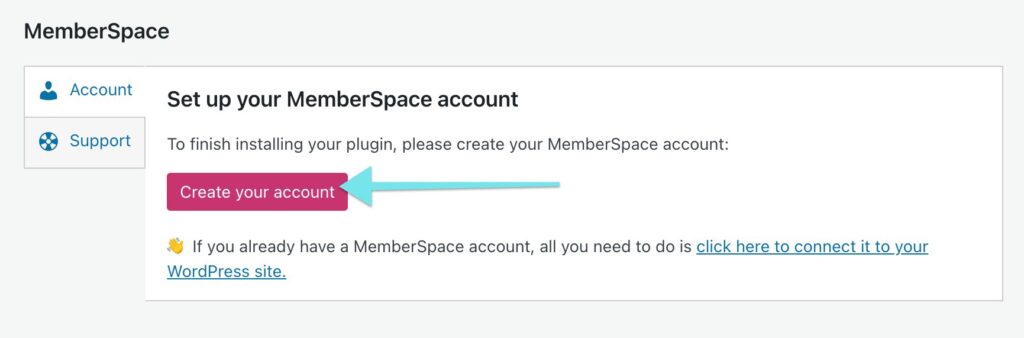
To set it up:

  1. Create an account for free. 
  2. Add your content library to MemberSpace and protect your members-only pages. You’ll simply add the URLs for your marketing resources, and MemberSpace will restrict access to them so members have to sign up and pay to view them. 
  3.  Connect to Stripe to handle payments securely. If you don’t already have a Stripe account, it takes just a few minutes to set one up. 
  4. Set a price for your marketing content library. You can choose between one-time, recurring, or multiple payments, as well as free. (Recurring payment is the most popular option for content library memberships.) 
  5. Add the install code to your website to enable MemberSpace functionality (this also only takes a few minutes!).

And just like that, you’re ready to start selling your content library to real estate professionals!

Check out our video tutorial to see how this all works on a live website: 

Step 3: Promote your content library

Once your real estate marketing content library is ready to go, it’s time to let your target audience know about it. Here are a few ways you can promote your website:

  • Use your social media channels to showcase your content library and share snippets of what’s inside. This will give potential members a taste of what they can expect and encourage them to sign up.
  • Create blog content about real estate marketing tips and strategies. Then, add a call-to-action to sign up for your content library membership for more resources. 
  • Partner with other real estate professionals to cross-promote your resources. 
  • Offer limited-time discounts or free trials to bring in new members. This is a great way to get people in the door and show them the value of your content library.
  • Use email marketing to reach potential customers and highlight the benefits of your content library. Send out targeted emails to your list, showcasing specific pieces of content and explaining how they can help improve their real estate marketing efforts.
  • Host a webinar or live Q&A session to give potential members a behind-the-scenes look at your content library and answer any questions they may have.

Final Thoughts

Creating a members-only content library for real estate marketing is a great way to share your knowledge, help other realtors succeed, and make some passive income. By understanding your target audience, offering a range of valuable content, and using tools like MemberSpace to protect and sell your resources, you can build a successful content library that makes you a go-to expert in real estate marketing.

Remember, your content library is a living, breathing thing. Don’t be afraid to update and add to it regularly based on feedback from your members and changes in the industry. The more value you provide, the more loyal your members will be, and the more successful your content library will become. 

To get started, create a MemberSpace account for free and let us know if you have any questions!

Need help with your real estate marketing content library?

Connect with our friendly team, weekdays 10am – 6pm ET.

Let’s chat!

The post How to Create a Paid Members-Only Real Estate Marketing Content Library appeared first on .

Podia updatesPeople are moving their blogs to Podia: 38 customers share why they’re going with “the Goldilocks platform”Podia blogging is here! See what 38 creators had to say about why they started blogging with Podia, why they switched from another platform, and why Podia’s blog feature might be the right fit for you.

Software Stack Editor · April 5, 2024 ·

Thirty-eight creators share why they started blogging with Podia, why they switched from another platform, and why Podia’s blog feature might be the right fit for you too.

Jump ahead

In this article

Starting today, anyone can build their blog on Podia for free.

When Podia launched in 2014, it was primarily an online course platform. Over the years, we added more product types, like digital downloads, webinars, and coaching. You can now build a full, beautiful website on Podia, with more and more customization options coming out this year. Just a few months ago, Podia introduced an advanced email marketing tool. 

And now, you can build a beautiful blog on Podia too. 

It doesn’t make sense to have separate websites for your blog and your digital products (not to mention a separate email tool), but until now your options have been limited — it’s been either “use 2 or more tools” or “wrestle with plugins and code until you get something that kind of works.” 

Now you have a third option, and I think you’ll find (like many of our early blogging beta testers did) that it might make sense to bring your entire online home over from WordPress, Squarespace, Wix, or another website builder. 

To help you decide if
Podia blogging
is right for you, we’re sharing honest feedback and reviews from 38 of our blogging beta testers. 

Some of these customers moved existing blogs from other platforms onto Podia and some started blogging with Podia for the first time – and all 38 of these people posted reviews of Podia Blogging on their own blogs, for their own audiences. 

(We encouraged users to share their thoughts, but we didn’t edit their content or do any type of pre-approval because we wanted you to hear exactly what they had to say.)

So here’s what 38 creative entrepreneurs had to say about why they started blogging with Podia, why they switched from another platform, and why Podia’s blog feature might be the right fit for your business too.

Find out why creators call Podia blogging “the Apple of website platforms” and “a Goldilocks platform.” ✨ With Podia, your blog is free and it’s already connected to everything else.

Get your free account

Creators started blogging with Podia to get more customers and followers 

Starting a blog for the first time can feel daunting. But Podia’s blogging feature is so straightforward that many creators decided it was time to start. And it only took a few posts for them to see how blogging could help their businesses.  

Guelda Redman
and
Lionel Renier
started blogging with Podia to share their expertise and passions. 

Guelda says, “Blogging is an important tool that you can use to expand your reach and become known as an authority in your field. Do you have to be an expert in all areas? No. Each of us has something to share that someone else needs to hear.”

Raúl T. Pereyra
and
Sorrel Pindar
started their blogs to build connections with their audience, and Podia allowed them to do that without headaches. 

Raúl says, “By sharing personal anecdotes, witty insights, and creative approaches to leadership challenges, I can connect with mission-driven leaders on a deeper level.”

Claudia Tudor
was previously relying on just social media to grow an audience, but she wanted more space to elaborate on her thoughts. When she gave Podia blogging a try, she was pleased to see her network grow. 

“Although I am at the very beginning, I see that some of my likes or comments come from people I don’t know. My network seems to increase and I certainly feel confident my net is growing in the near future.”

Kirstie from Learn with Pickles
and
Elisa Kuusela
also found that blogging offered a way to share ideas away from the noise and challenges of social media. 

Other creators started blogging with Podia to improve their rankings in search engines.  

According to Podia Pro
Glen Long
, “Publishing content regularly via a blog is a great way to create awareness for your site (and your project or business) and gives you a constant stream of things to talk about on social media. Fresh content is also a major signal to search engines like Google and Bing that your site is one to watch (and hopefully feature in their results pages).”

Whatever your reason for adding a blog to your business, Podia makes it easy and fun to get started.

Creators left other blogging platforms for Podia because it’s easier to have everything in one place 

Have you ever had to switch cell phone providers? Or switch your utilities when you move into a new flat? Or, gulp, change your address with the DMV?

Switching platforms is notoriously un-fun, but when blogging became available on Podia, many users who had blogs on other platforms switched to Podia and didn’t look back. 

(Don’t worry,
Podia’s blog post importer makes switching a breeze
!)

Abby Turner from
Yoga Traveler Online
started blogging with WordPress in 2020, but didn’t like dealing with technical issues. 

She recalls, “I kept getting errors that pages were not working and I did not know how to fix them.  I did not know how to link my two sites together so my blog in WordPress was not helping me to grow my business.” 

She loved using Podia for her products and email, so when the blogging feature was released, switching was a no-brainer.

“The idea of having everything “in-house” became extremely important. I already had my website, product pages, and emailing service all in Podia. I quickly learned that I wanted my blog on my Podia site as well. No more pesky error messages, no more maintaining four different URLs. Everything streamlined on one site.”

Joseph D’Amico
also left WordPress for the simplicity of Podia. “Podia’s simplicity and all-inclusive design remind me of what I like about Apple,” he says. “In short, everything you really need is included and it just works. This has been very different compared to my experience with WordPress, which at times was frustrating and needlessly complicated.” 

When
Gail from Growth Capacity Resources
switched from WordPress to Podia, it became easier to update posts and publish more consistently.

“WordPress has always felt overly complicated, time-consuming, and not fun. It took days to set up my site, and I never really understood how it all worked. This means that my website existed so people could find me, but I didn’t update it or post new articles as much as I wanted to.”

Technical difficulties with MailerLite’s blogging feature also prevented
Sabrina Koncaba
from publishing as much as she wanted. 

Sabrina writes, “My transition to Podia was motivated by a desire for seamless branding and a frustration with technical issues on other platforms. MailerLite, while offering plenty of customization options, was marred by technical difficulties that hindered my ability to consistently post content to my blog.”

Even creators with long histories on other platforms were excited to make a change. 

Jon Sabillon
left Squarespace after 8 years so that he could build a blog on Podia because he wanted “an all-in-one space where my music, courses, coaching, and blog could coexist seamlessly, instead of being scattered across different platforms.”

Aimee from
Becoming your own Best Friend
switched from Blogger after 16 years on the platform, and
Pedro Branco
left Shopify for Podia because it was easier to run everything in one place.

Randal Gilmore
switched from Squarespace to Podia because they found Squarespace’s design outdated and wanted a fresh start with a platform that felt more like home. 

“I am moving into my new blog home here at Podia.com,” Randal writes.

“My old blog house on Squarespace was just so 1990s and desperately in need of updating. But when I thought about the resources and effort that would require, I started looking around for a new home, one that already had the latest blog features built into it, one I could move into right away, a home designed to make my friends feel comfortable coming over and enjoying a stimulating conversation.”

Users on other platforms also switched to Podia for a more friendly feel.
Jennifer Ann Falandys
usually shares her writing on Medium but is eager to switch to Podia to give her blog a more personal touch.

“There is nothing like having a native blog platform to share things in a more personal way with my readers,” she shares. “Sometimes I feel like there is a lot of pressure to get everything right before I hit publish on Medium. Here, on Podia, is where I want to create my home.”

Moving a blog to a new platform can feel like a complicated task, but many Podia users said it was worth it to have everything in one place on a tool that’s easier to manage. Plus, Podia’s blog post importer makes switching much faster and headache-free.

No trip to the DMV required. 

Is Podia blogging right for you too?

Starting a blog or moving an existing one is a big task, and you deserve to have as much information as possible to make that decision. Here’s why new and experienced bloggers alike enjoy Podia blogging – according to the posts they published on their own blogs. 

Blogging on Podia is free

Everyone should be able to start a blog without a huge upfront expense, so Podia blogging is available on the free plan. 

You get a free Podia subdomain and you can add unlimited articles, images, and anything else you want without running into random limits. Podia handles hosting and all the tech behind the scenes so you can have your blog up and running without spending a dime. 

Howard Cain
was already using Podia for his digital products, and he liked how “there are no additional costs to set up or integrate your new blog.”

Lori Battaglia
also appreciated that a free platform meant less pressure on her new design business. She says, “Podia offered a worry-free opportunity to create the brand I wanted to share for FREE while I was building. This took the pressure off and provided a time for me to think through what the content to offer my readers in my blog.” 

Your Podia blog is already connected to the rest of your business 

When everything is connected, you can spend less time making tools talk to each other and more time working on your passions.

Creators who blog and sell digital products like
Mike Spadier
don’t have to worry about clunky integrations or things breaking. 

As
Aneatra Dorsey
puts it,

“I found the Goldilocks platform with ALL the things at a super affordable price! It’s a fantabulous resource for selling various types of digital products! Podia serves as an all-in-one platform, streamlining the entire process. It offers features for creating, hosting, and selling your digital products, all within one user-friendly interface. This means less time managing different tools and more time focusing on your business.”

And
Lane Johnson
agrees, saying, “Previous blogging tools I used were quite capable of creating very professional-looking blog posts and had all the features you would need to manage your posts. But the user experience, for me, was fairly clunky, and they weren’t integrated with the website and other important tools like email, e-commerce, digital sales, etc., without a lot of clunky plugins. Integration is one of the key benefits of the Podia platform. Everything is all there in the same application.”


“Podia is the Apple of website builders. It just works…and it leaves WordPress in the dust.”

Joseph D’Amico, Flex Lessons

Podia blogging is simple and easy to use

Another standout feature of Podia blogging is that it’s easy to use. To share an article, all you need to do is open up a new post and start typing. (Or, as
Ksenia Semirova
puts it,  “Write, post, and enjoy.”)

Hon Dr Joseph Randolph Bowers
,
Mariah Odegaard
,
Olivier de SO ikigai
and many other creators wrote about how Podia lets you make your blog look exactly how you like without getting bogged down in code or complicated add-ons. 

Maureen Beaucond
says, “I love to write and I write something almost every morning with my cuppa coffee. But I have always hated the strung-out boring tasks of posting a blog! Since I moved all of my digital business to PODIA, I have enjoyed the simplicity of not messing with the tech part of anything! ANYTHING!!”

Sundar Kadayam
also had an easy experience creating new blog posts, noting that, “writing rich text posts with formatting is simple with the recently revamped text editor that is at the heart of writing blog posts on Podia.”

Ease of use meant time saved for
J.D. Hyter
: 

“My blog was up and running in 30 minutes flat. They take all the headaches out of building a blog. The designer is beginner-friendly. You can add text, images, and videos at the snap of a finger.”

Gurpreet Singh
had a similar experience with getting his blog set up fast: “From not having a blog to being able to publish my first post took me less than 30 minutes! This included watching a 6-minute video tutorial made by the Podia Team.”

Not wanting to waste time learning complicated new software,
Alison Smith
says “Podia gives me that middle ground that enables me to quickly produce a professional-looking blog post with minimal learning.” 

And
Caitlin Fisher
wrote, “No widgets or formatted blocks – it’s just a simple word processor and basic embeds available when you type a slash (/). I love the simplicity of it.”

Podia is so simple that you can manage it yourself, without needing to hire a developer or pay for an expensive custom website. 

According to
Podia Pro Brittany Hardy
, “it’s so important for business owners to have something that they can manage themselves (and Podia is that platform!).”

Your Podia blog automatically comes with features to make running a business easier 

Podia blogging is free, already connected to everything else you do, and simple and easy to use. It also has helpful features to keep your business running smoothly. Unlike other blogging platforms – they don’t come with a higher price tag.
Daniele Catalanotto
liked how Podia has native blog post scheduling for future dates.

“I have the possibility to schedule articles in the future; that’s a welcome feature for my productivity as I could write blog articles in batches and release them over time.”

No need for fancy plugins – Podia also has SEO features right out of the box.

Samantha Ludwitzke
mentioned that “SEO is a huge part of running an online shop, and Podia’s developers were smart to make it a priority when they created the platform’s design. Simply click on the SEO tab, and fill out the different fields. No more guessing where to link everything.”

Creators can also use Podia’s embed feature to add other types of media from around the web into articles.
Eli Natoli
likes how Podia has “integrated features such as adding YouTube videos, podcast episodes, social posts, and offering downloads to build your audience.” 

This means creators like
Nicky Raby
can use their Podia blog to share YouTube videos and get more reach,
Hon Dr Joseph Randolph Bowers
can embed a presentation replay, and
Juriste Pedagogue
can feature courses and ebooks at the end of each blog post.

Get your free Podia account

Join the 150,000+ creators who use Podia to create websites, sell digital products, and build online communities.

Sign up free

If you’re looking for a blogging tool that automatically connects with the rest of your business, is easy to use, has all the features you need, and is free, Podia blogging is the right fit for you. 

If you’ve never blogged before, now is the perfect time to start. As fellow Podia blog users mentioned, a blog can help you bond with your audience and get discovered by new people. 

If you’ve got some blogging experience under your belt, you’ll love how much easier Podia is than other tools out there. Switching to Podia is simple, and you’ll be able to run all aspects of your business under one roof. 

Our users don’t call us a “Goldilocks platform” and the “Apple of blogging platforms” for nothing,
so create your free account today to try Podia blogging for yourself
. 

We can’t wait to see what you create.

  • « Go to Previous Page
  • Page 1
  • Interim pages omitted …
  • Page 29
  • Page 30
  • Page 31
  • Page 32
  • Page 33
  • Interim pages omitted …
  • Page 35
  • Go to Next Page »

Get your Software Stack together. softwarestack.tech

Software Stack

© 2024–2025 - Software Stack is a trading name of SouthwestCIO Limited ac ompany registered in England & Wales 11319049

  • Knowledgebase
  • Home
  • About Us
  • Contact Us