• Skip to primary navigation
  • Skip to main content
software stack logo

Software Stack

Get your Software Stack together

  • Knowledgebase
    • All Categories
    • Accounting Software
    • Automation & Workflow Software
    • Customer Relationship Management
    • E-Commerce Shopfronts & Payments
    • Marketing Automation
    • Online Courses & Membership
    • Project Management
    • Surveys & Forms
    • Web Hosting
  • Home
  • About Us
  • Contact Us
  • Show Search
Hide Search

Online Learning & Community

How to Self-Publish a Book and Make Money – A Guide for Indie Authors

Software Stack Editor · May 31, 2024 ·

Haiden Hibbert

Haiden Hibbert

I’m a Content Manager at MemberSpace helping entrepreneurs and creators sell digital products.

In the past, publishing a book meant submitting manuscripts to editors and anxiously waiting to see if they would escape the dreaded “slush pile.” Rejection letters were all-too-common, leaving many talented writers feeling discouraged and unsure of how to share their work with the world.

However, times have changed, and more and more writers are now turning to their own websites to sell their work directly to readers, bypassing traditional publishers and maintaining complete control over their content, brand, and pricing.

Platforms like MemberSpace have opened up countless doors for indie authors looking to monetize their work in creative ways. From selling serialized stories to bundling a book series to starting an online book club, the possibilities are endless.

In this guide, we’ll walk through the process of self-publishing your book on your website and explore some strategies you can use to start generating income from your writing!


Self-publish your book!

The easiest way to accept membership payments or one-time charges for digital products like online courses, communities, content libraries, and more — all from your own website!


Start selling now

Get started for free! 5 minutes to set up.

Table of Contents

Step 1: Create your author website

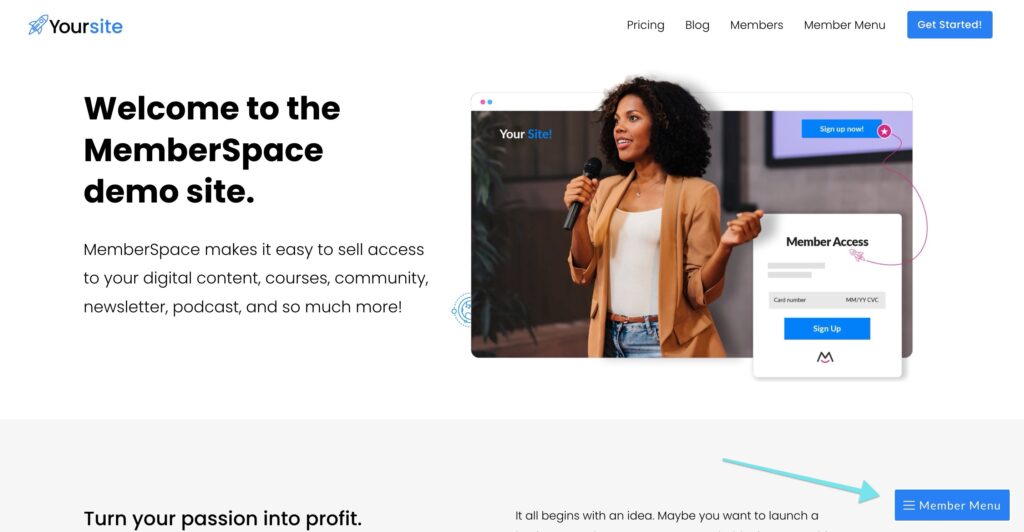
If you don’t already have your own website, you’ll need to set one up to showcase your books, accept payments, and grow your online community. You can use a website template from a builder like Squarespace to quickly launch your site. Don’t worry about perfecting it – just get a home page up with some information about you and your writing. We’ll go over how to add sales pages for your book(s) in the next step. 
 
For some visual inspiration, check out these eBook websites from MemberSpace creators. 

Previous
Next

Step 2: Set up sales pages for your books

For each book you want to sell, you’ll need to create a sales page to advertise them. This is where customers will purchase your work. The pages should include:

  • An image of the cover of your book
  • An enticing description of what your book is about
  • Pricing information
  • A “buy now” button 

You can also include links to other related books that you’ve written on these pages!


Step 3: Create download pages

Next, create download pages on your website where customers can access a digital version of your book after making a purchase. These pages will be locked, so readers have to pay before they can download your books. There are a few of ways you can do this: 

  • Create a PDF version of your book and  upload your book file to MemberSpace to protect the download link. This helps to ensure the file can only be accessed by customers who’ve purchased the book directly. You can also add our extra security code to your protected page. (Recommended)
  • Design your eBook on a platform like Canva and create a “public view link” to share with customers
  • Add your book’s content directly to pages on your website

✨ Website Tip: In your site’s navigation, be sure to nest the download page(s) beneath the public sales page. It will look something like this:

yourwebsite.com/book-title/
yourwebsite.com/book-title/download
 

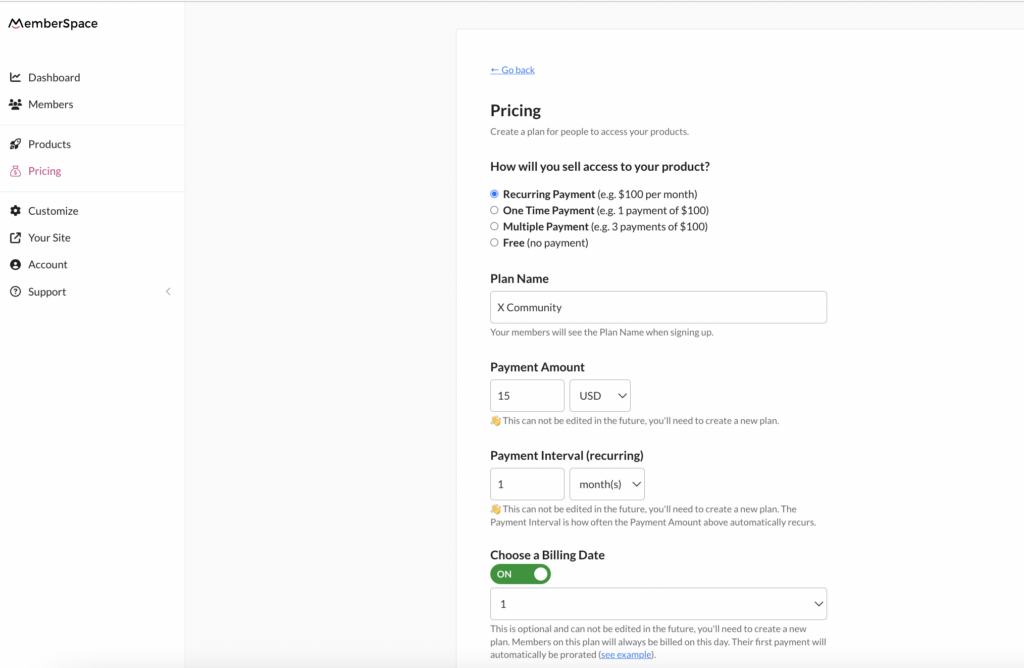
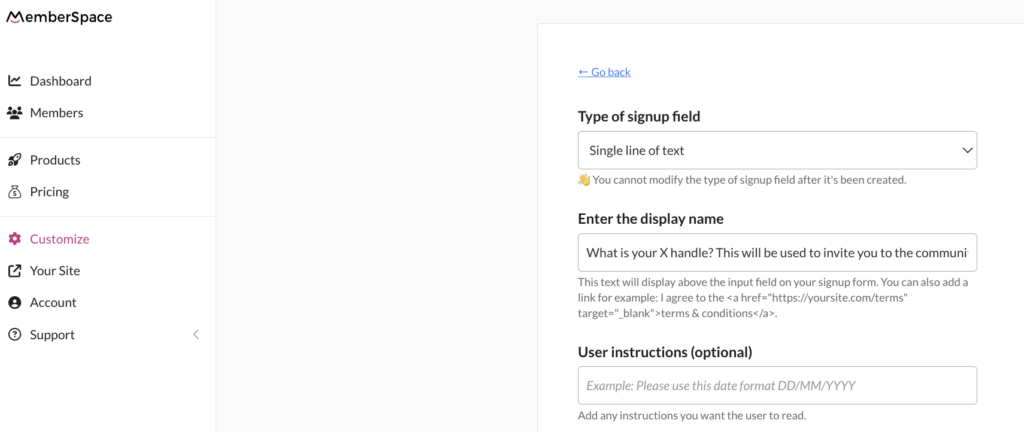
Step 4: Protect your pages with MemberSpace

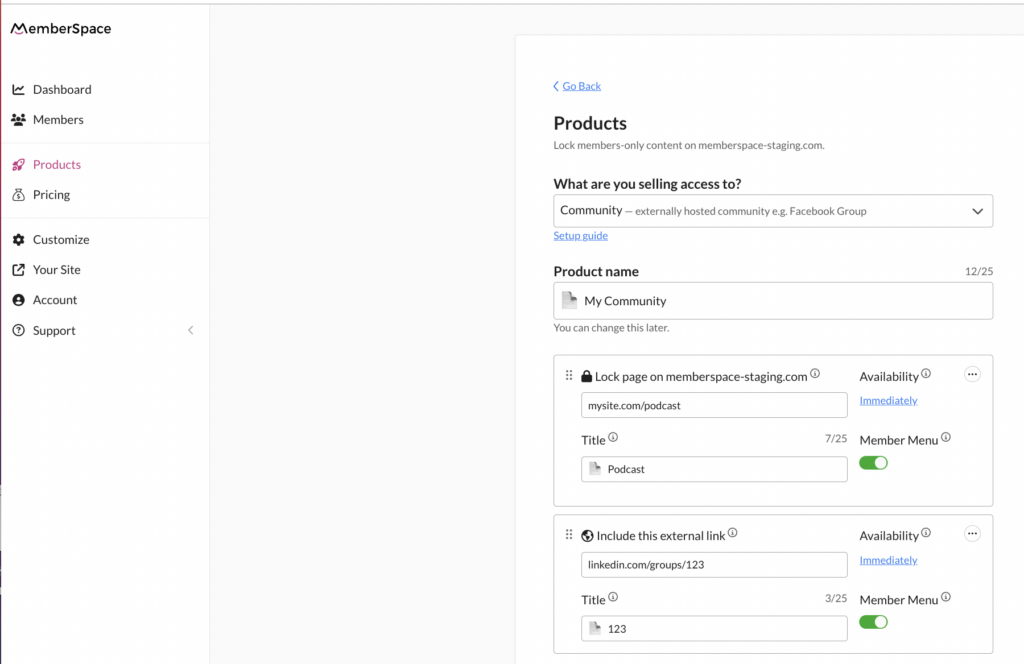
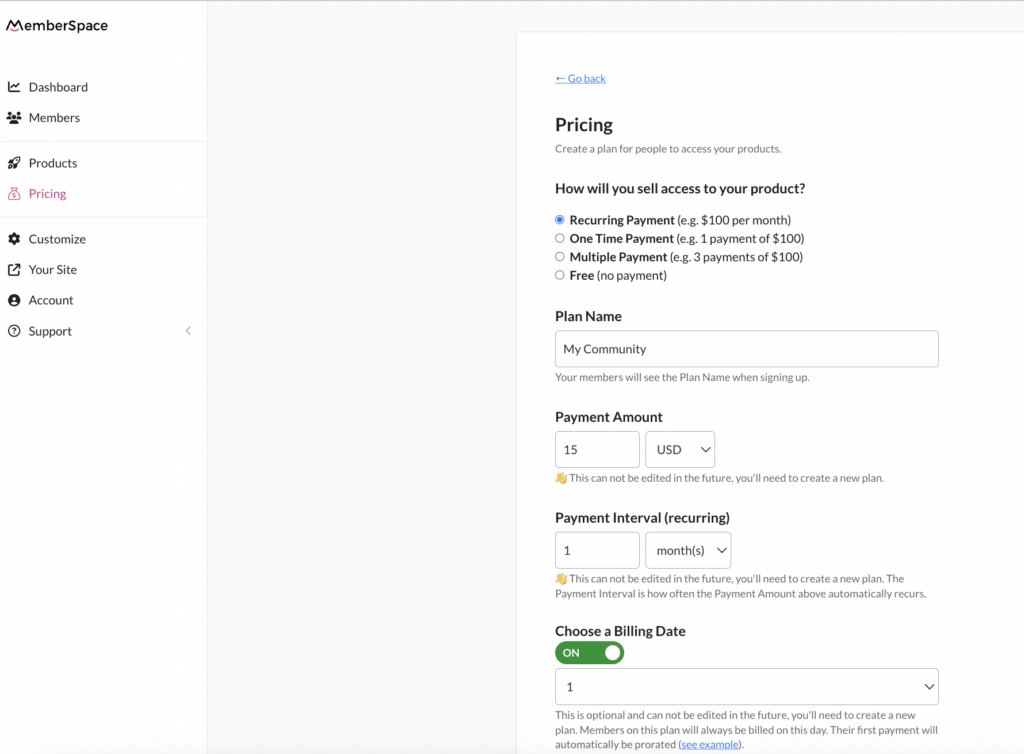
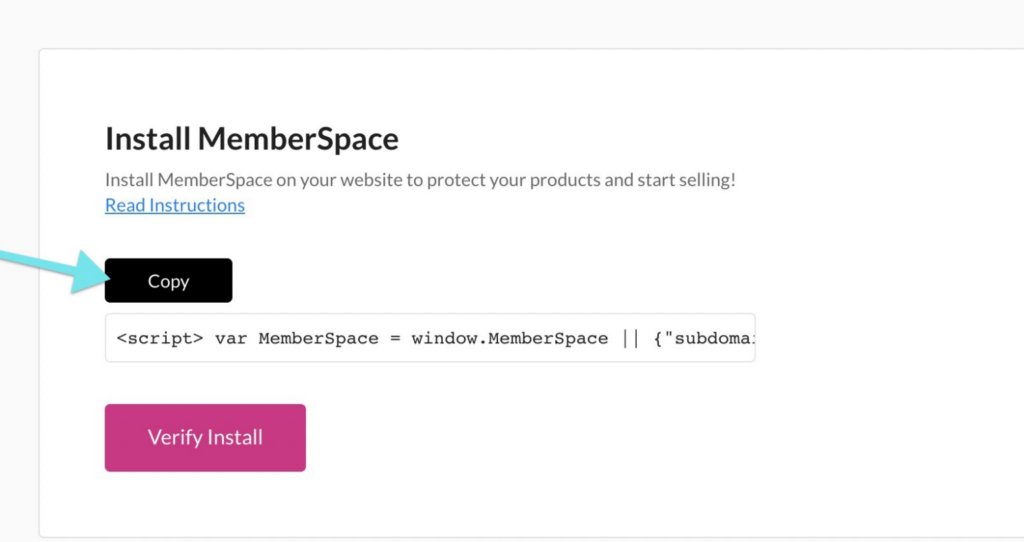
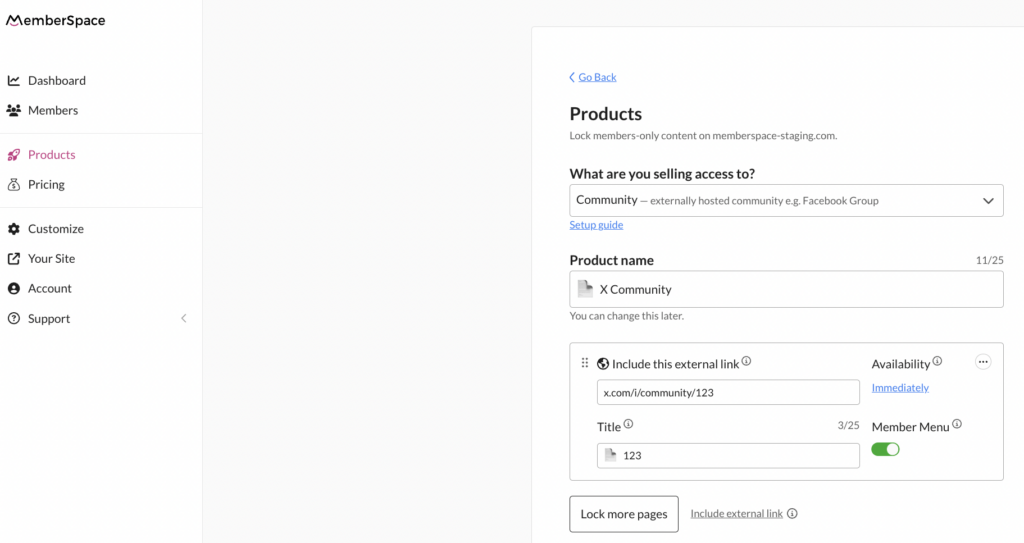
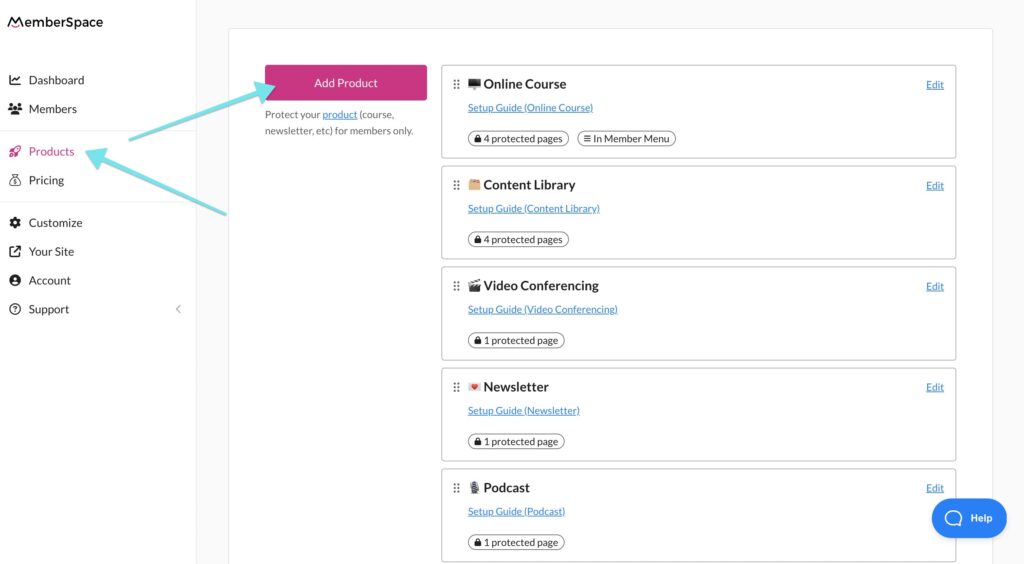
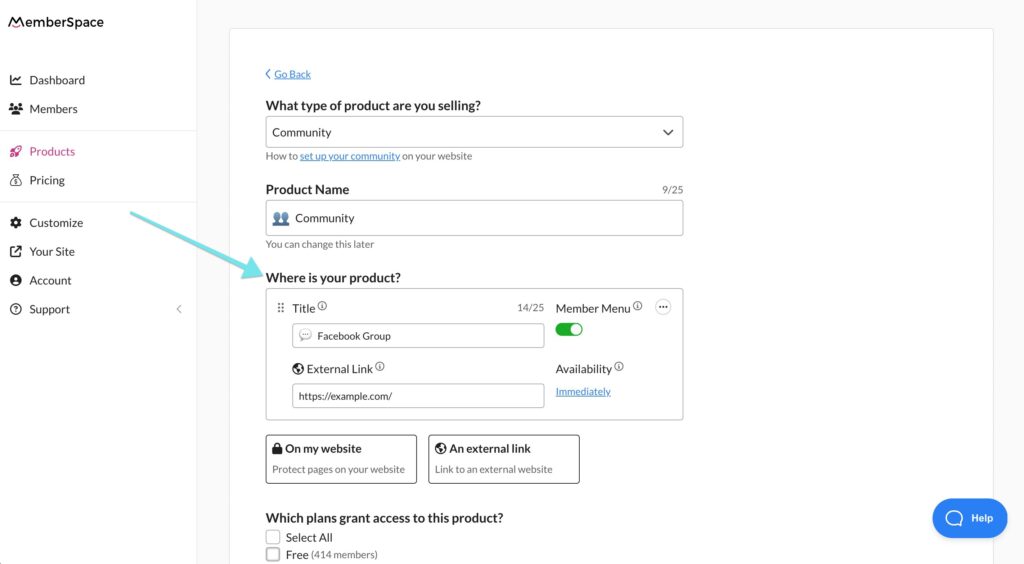
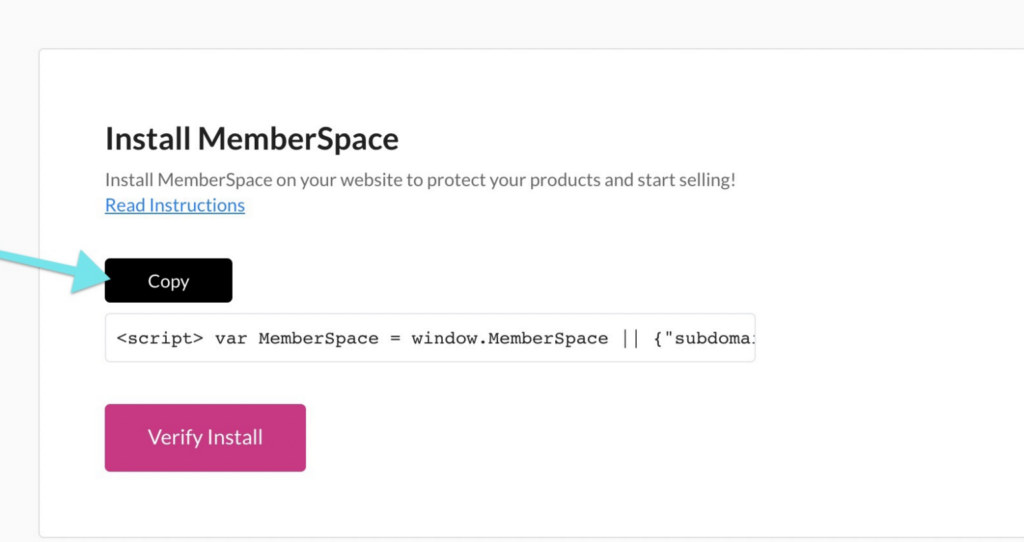
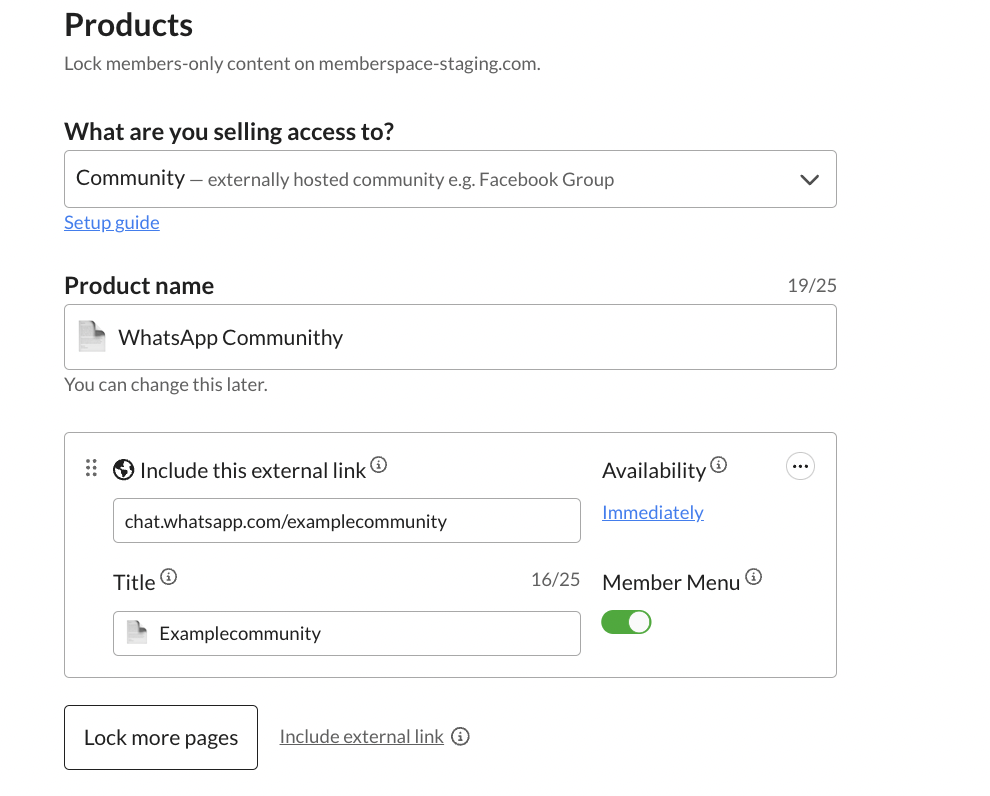
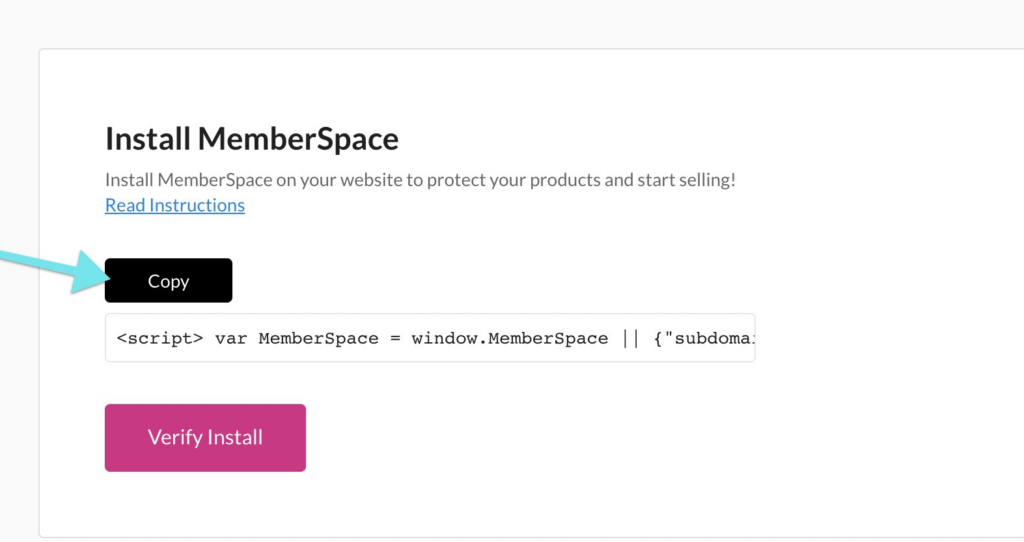
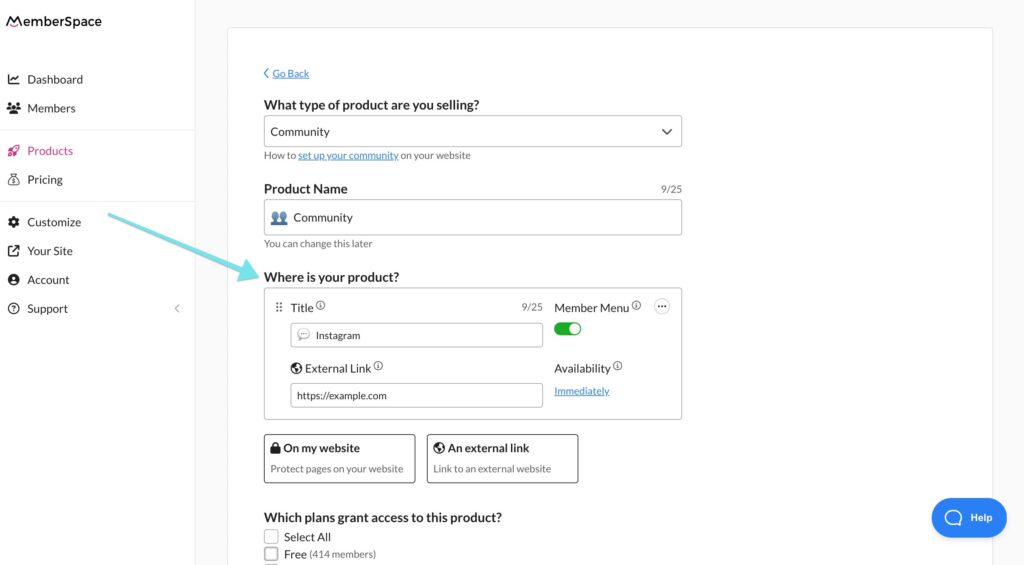
To ensure only paying customers can download your books, you’ll need to use MemberSpace to lock your private download pages. To do this, you’ll just add your book title and the URLs for any pages you want to be behind the paywall. 


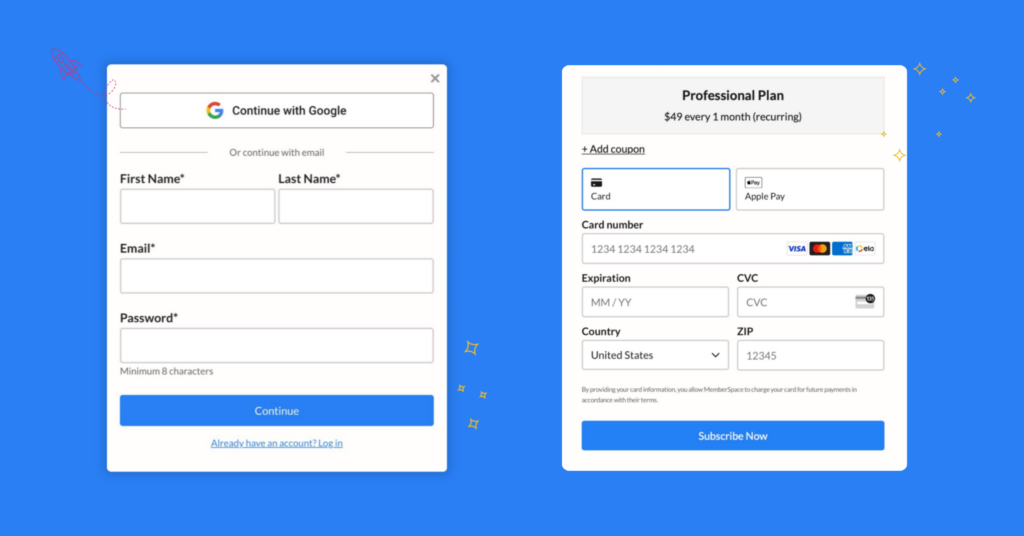
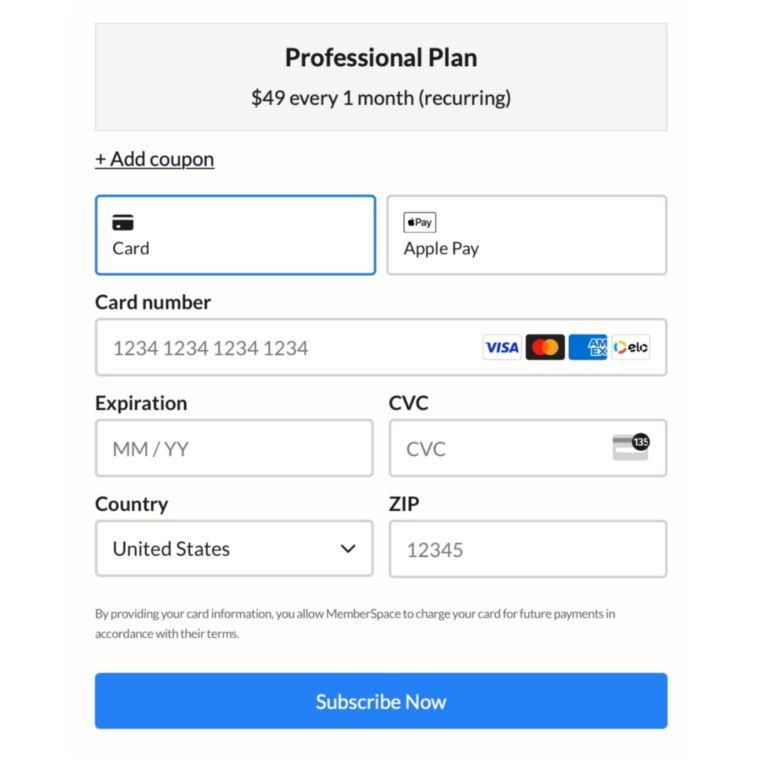
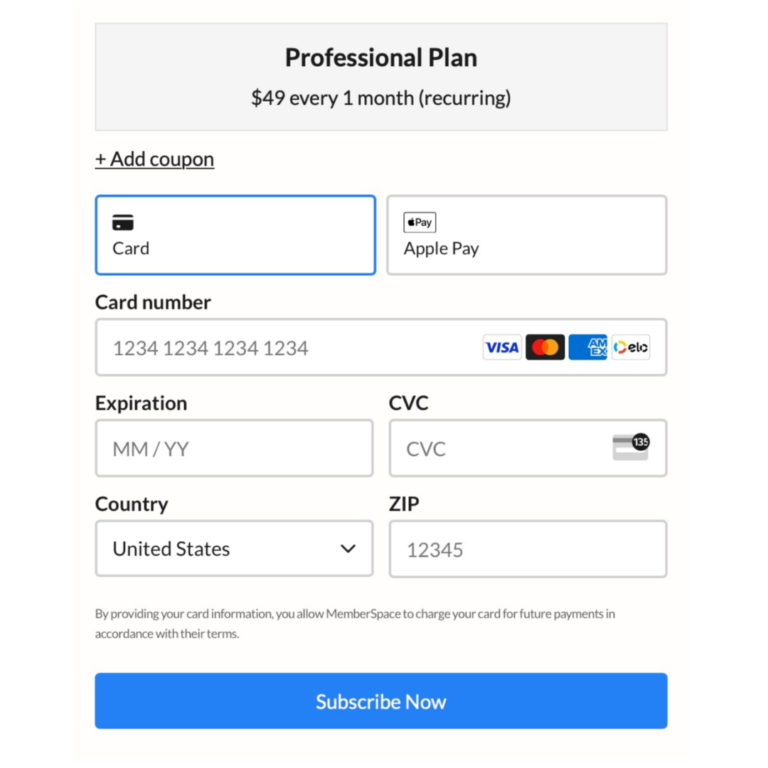
This will require your readers to fill out signup and payment forms before they get access. 

self publish a book with MemberSpace
You can restrict access to any pages on your website with MemberSpace, so only paying customers can access your book.

Step 5: Choose a payment method

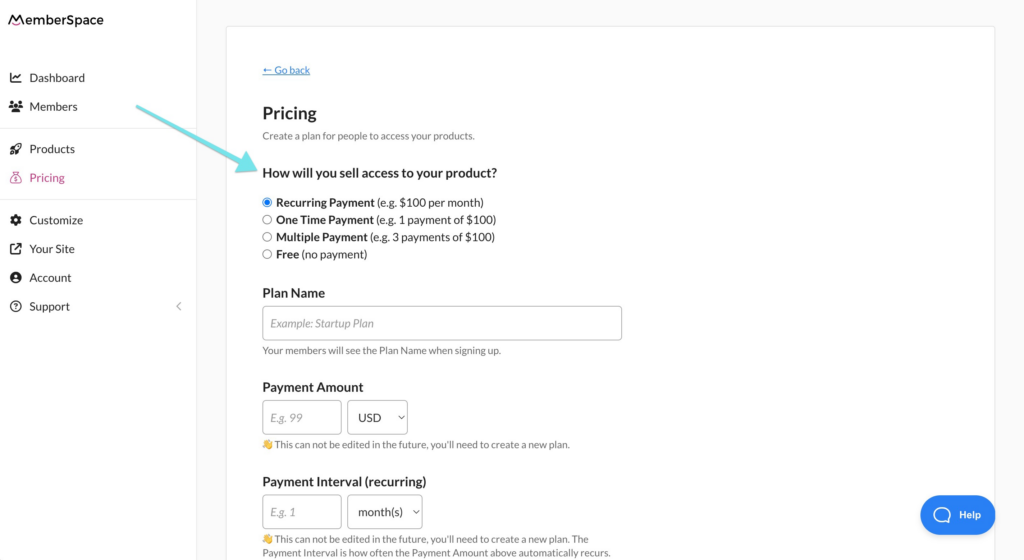
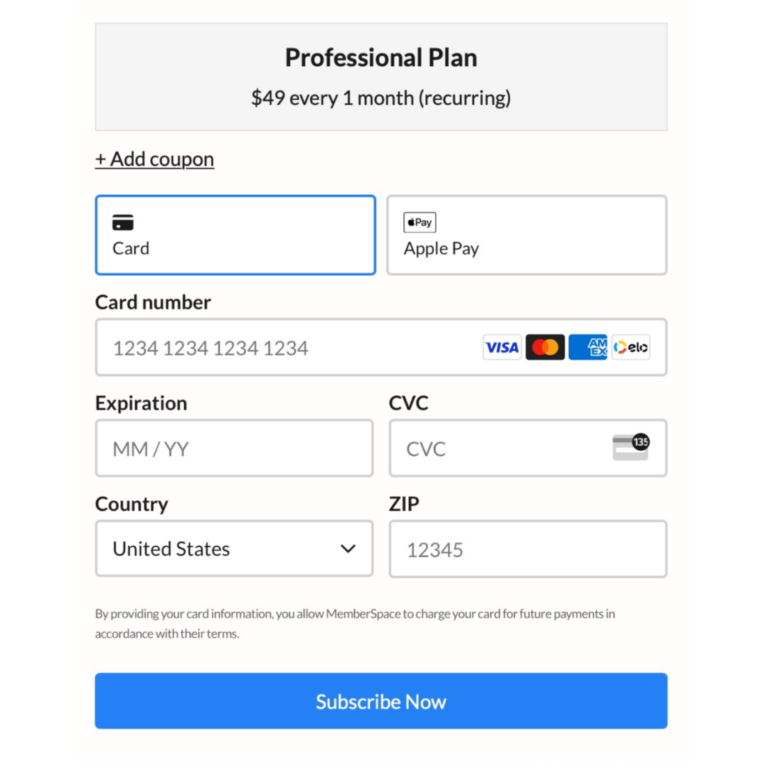
With your download page set up, it’s time to decide how you’ll accept payments for your writing. MemberSpace has a built-in integration with Stripe, allowing you to process payments via credit card, Apple Pay, or Google Pay on your website. 

You have several options when it comes to selling access to your book:

  1. One-time payment – Sell your eBook as a single product for a one-time fee.
  2. Subscription-based access – Release chapters or excerpts of your book over time and charge a recurring subscription fee.
  3. Bundle deals – Group a series of books together and sell them as a package.
  4. Free eBooks as lead magnets – Offer some books for free to attract potential customers and grow your email list.

With MemberSpace, you can sell your eBook for a one-time payment, bundle it with other digital products, or drip out access chapter by chapter with a membership payment.

Creative ways to make money as an indie author

The beauty of self-publishing is that you aren’t limited to one source of income – you can create multiple income streams from your writing and reader community! Here are some additional ways you can make money as an indie author. 

Serialize your book

Consider releasing your eBook chapter by chapter and charging readers a monthly subscription fee. This approach can help build anticipation and generate a steady income stream. MemberSpace makes it easy to serialize your book and manage subscriptions. 

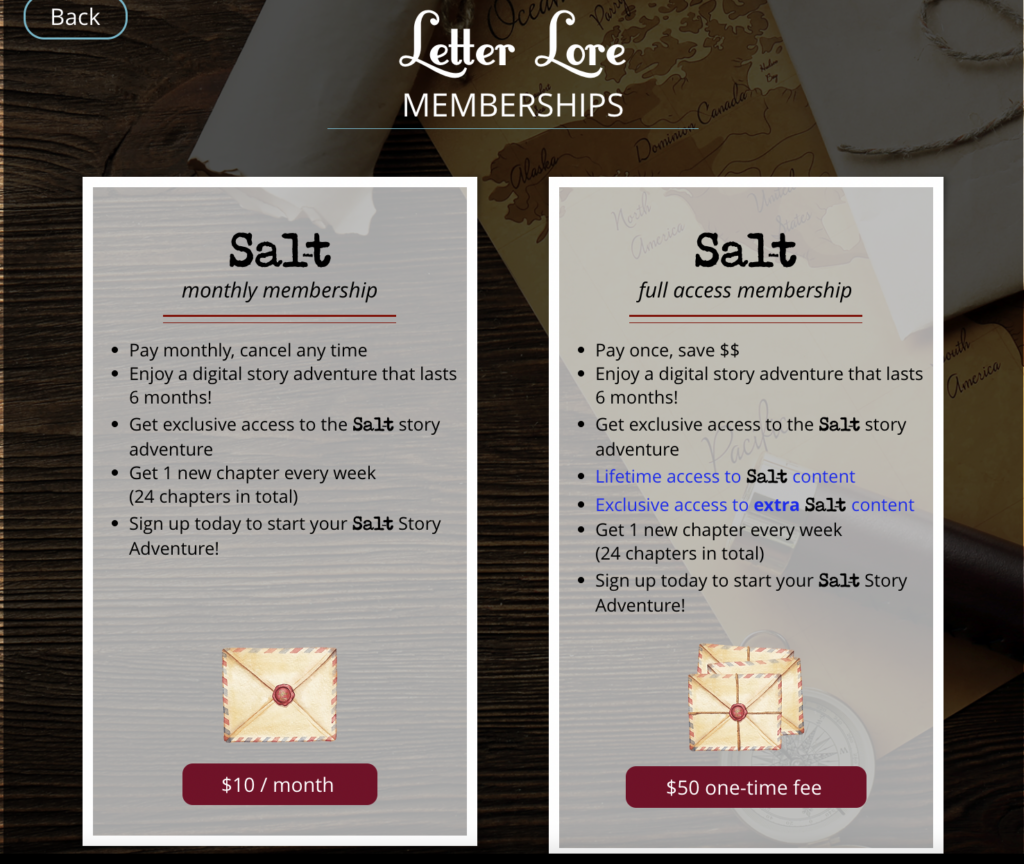
Letter Lore Membership retention strategies
Readers sign up for Letter Lore to experience a “story adventure,” where they get access to a new chapter each week. Subscriptions are sold for a monthly or lifetime access fee.

Bundle your books

If you have multiple books in a series or in the same genre, consider bundling them together as a package deal. This can be a great way to increase overall sales!

Create a community for your readers

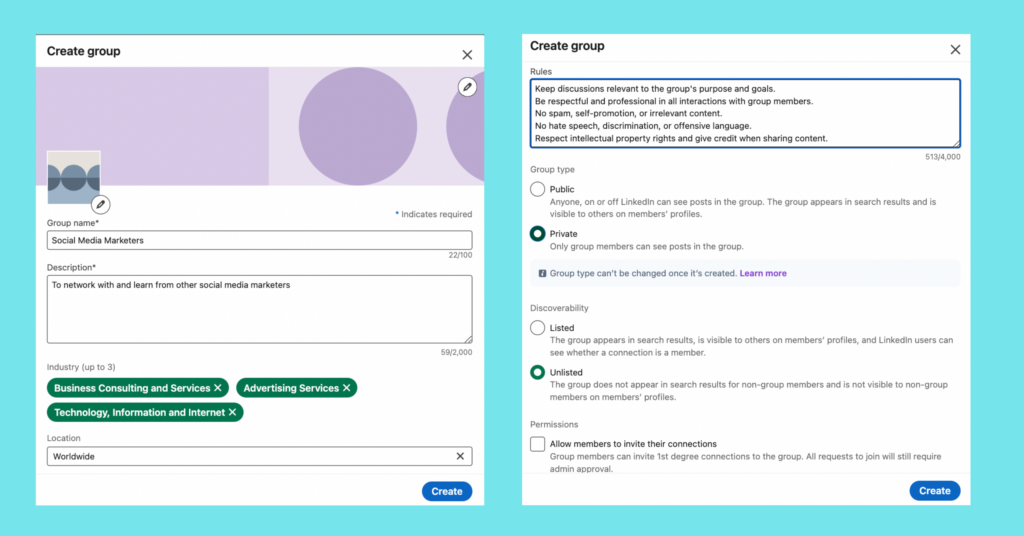
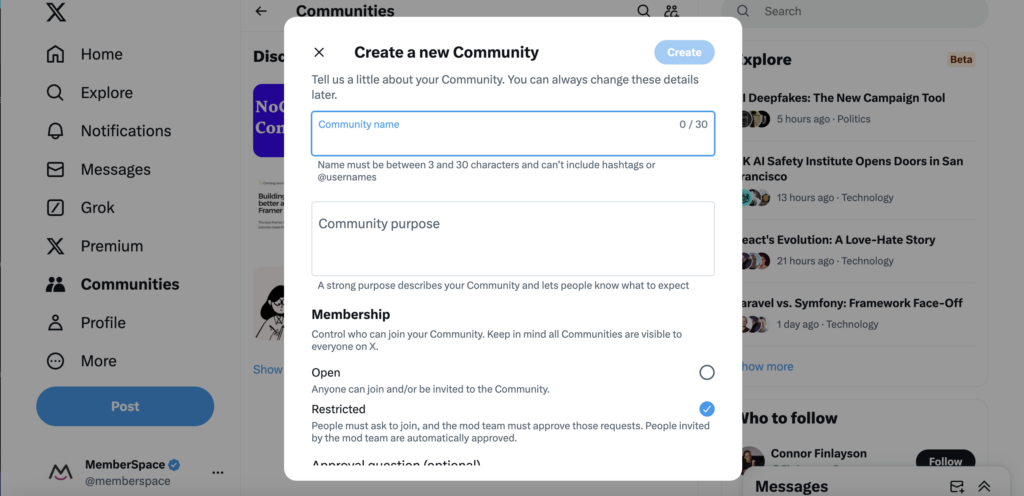
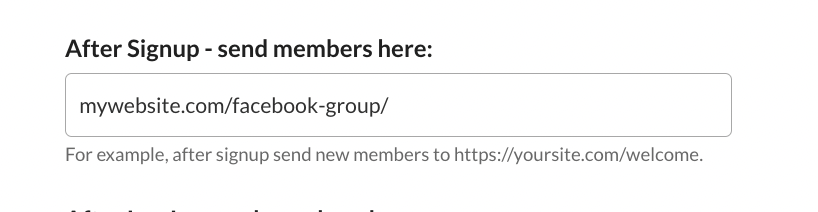
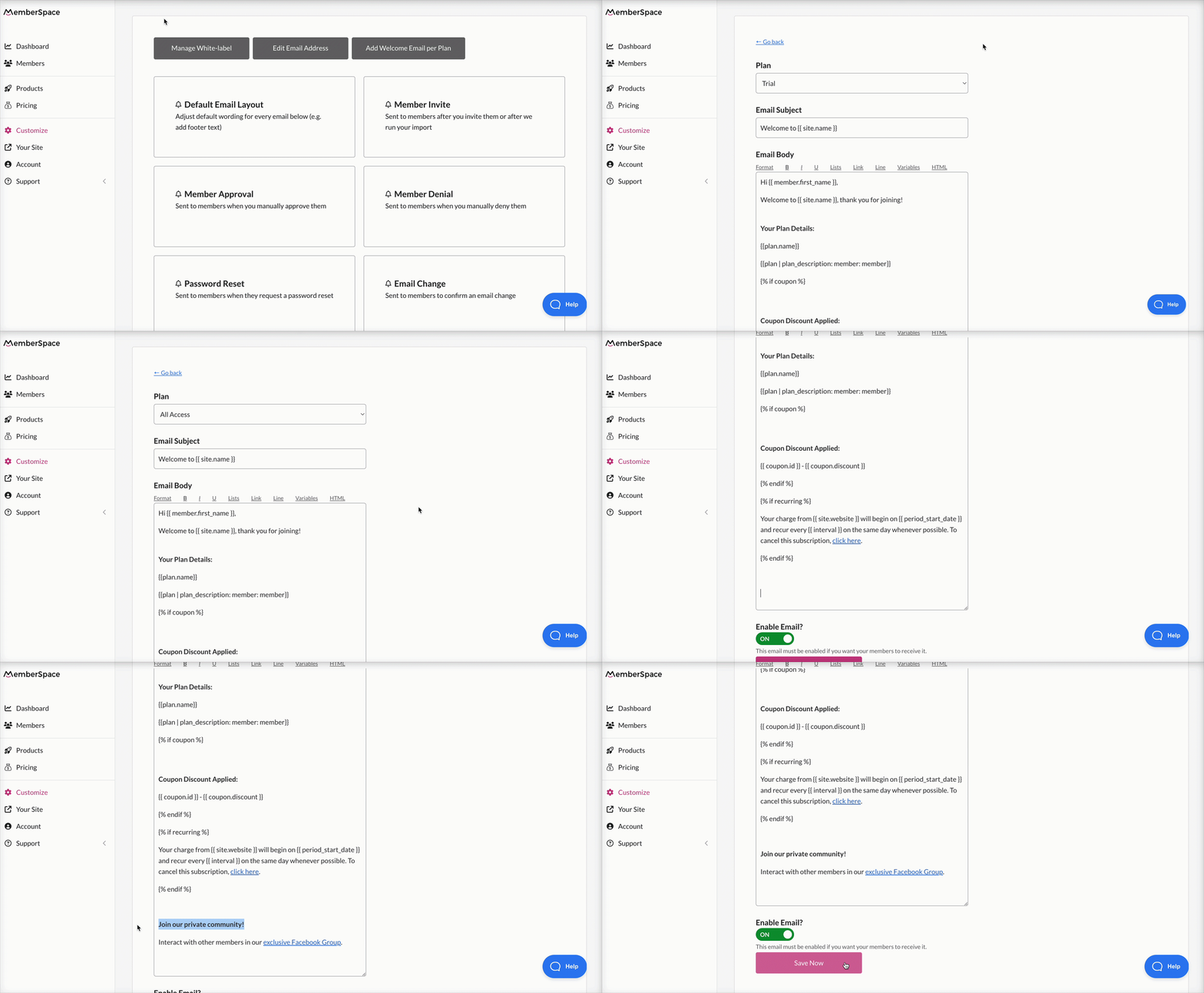
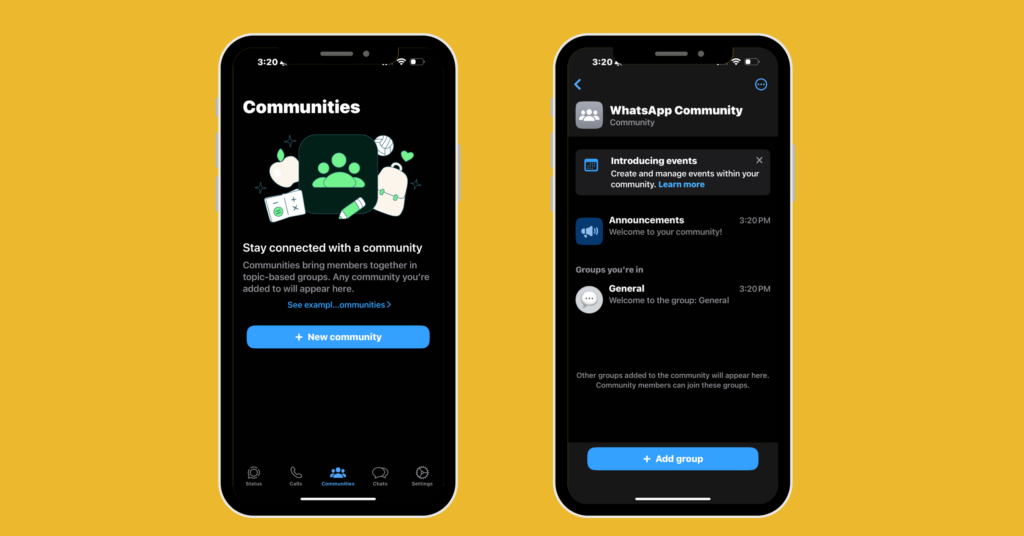
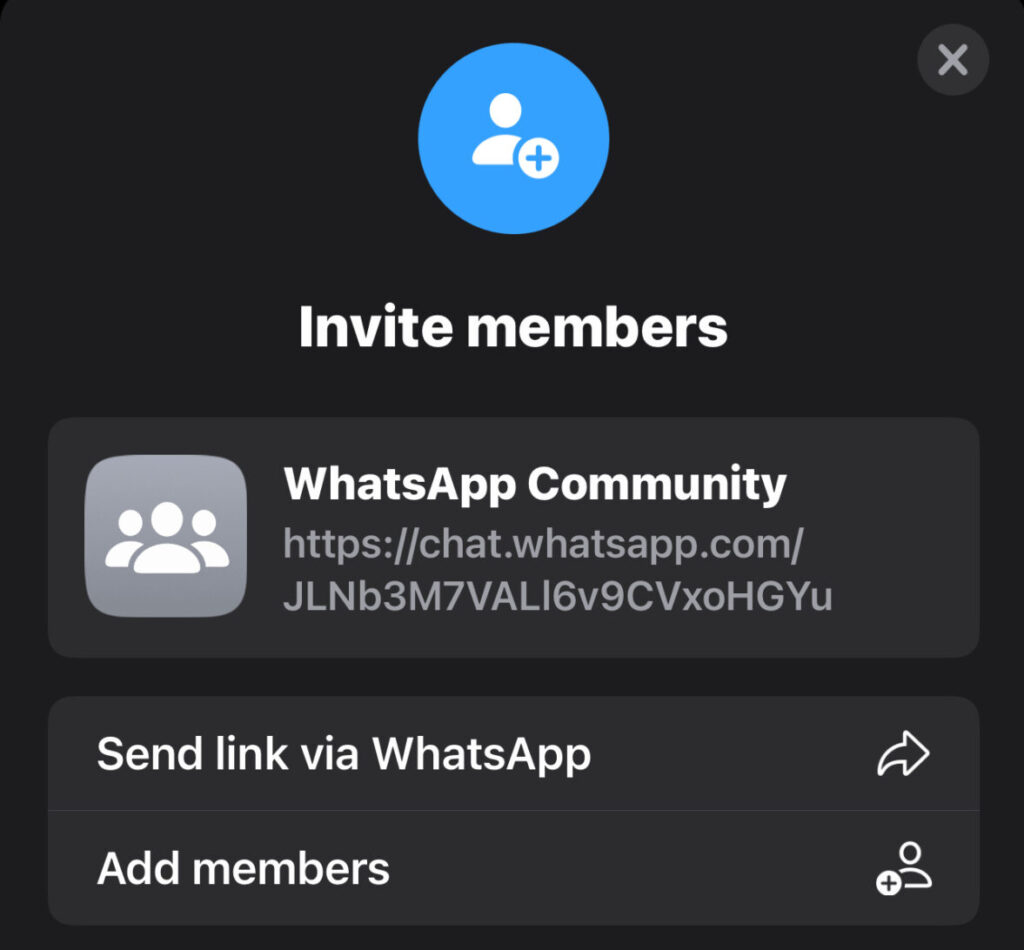
Building a dedicated community around your work can foster reader loyalty and provide additional revenue opportunities. Consider creating a members-only forum or Facebook group where your fans can interact with you and each other. You can offer exclusive content, sneak peeks, and special discounts to your community members.

Start an online book club

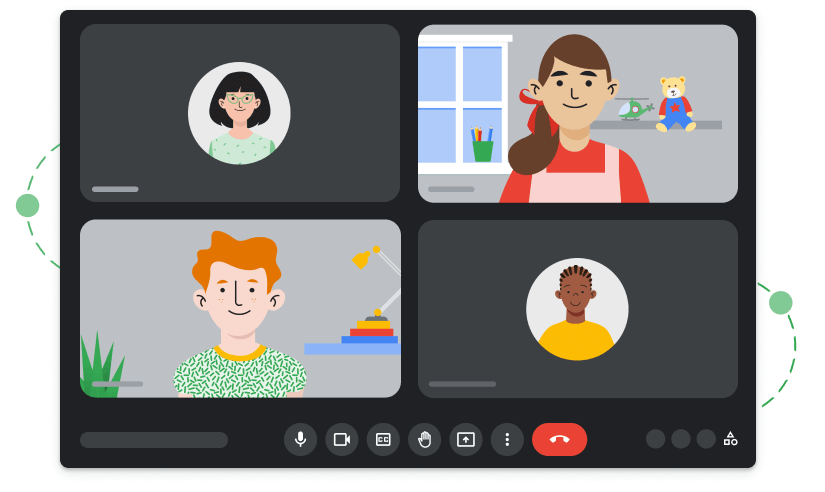
Another way to engage with your readers and promote your books is by starting an online book club. You can host live Q&A sessions, discussions, and events related to your books and writing process. This can help you build a loyal fan base and generate interest in your work. You can use platforms like Zoom, Google Meet, or social media to host your book club meetings and events.

Final Thoughts

If you want a more flexible way to make money as an indie author with a lower barrier to entry than traditional publishing, consider selling your books on your own website. MemberSpace makes it easy to get up and running in just a few steps. Get started with a free trial today, and let us know if you have any questions!

Need help launching your book?

Connect with our friendly team, weekdays 10am – 6pm ET.

Let’s chat!

The post How to Self-Publish a Book and Make Money – A Guide for Indie Authors appeared first on .
What is an LMS (Learning Management System)?

Software Stack Editor · May 28, 2024 ·

In today’s digital age, the way we learn and train has been transformed by technology, and at the heart of this transformation is Learning Management Systems (LMSs). An LMS is a versatile tool that helps educators, trainers, and organizations manage and deliver educational content efficiently.

From schools and universities to corporate training programs and government agencies, the use of LMS platforms has revolutionized the approach to teaching and learning. The demand for online and blended learning is growing rapidly, as is the size of the LMS market, which is expected to reach 69.6 billion by 2030.

Because of this, understanding the role and benefits of an LMS becomes essential, especially for educators and online instructors. This article explains what an LMS is, its benefits and different types, and how you can choose the right one for your business!
P.S. If you are looking for an LMS, check out our list of the best Learning Management Systems in the market.

Your professional looking Academy in a few clicks

Start FREE Trial

What is a Learning Management System (LMS)?

A Learning Management System (LMS) is a powerful software application that can help you plan, manage, and deliver elearning content.

An LMS is a tool that facilitates the administration, documentation, tracking, reporting, and delivery of educational courses or training programs. It is used widely in the eLearning industry and is a great management and distribution vehicle for learning programs across various sectors.

LMSs support synchronous (live) and asynchronous (self-paced) learning, providing tools for creating interactive content, conducting assessments, and monitoring learner progress. This technology has become essential in modern education and training, enabling efficient and effective learning experiences tailored to the needs of diverse users.

Use cases of learning management systems

The role and functions of LMS software vary depending on the learning goals of the instructor or company that is using it, and ultimately the industry they are in.

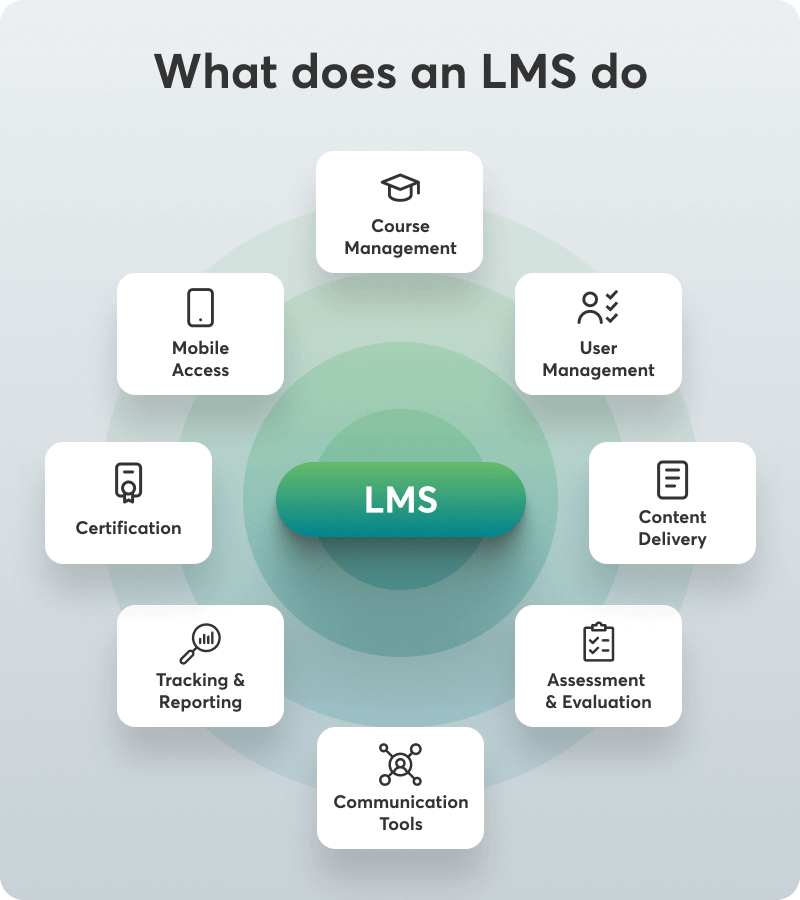
A graph created by LearnWorlds showing the different functions of an LMS (Learning Management System) and how it operates.

These are the most common categories of individuals and organizations that utilize an LMS:

Schools / Academic Institutions

A school or any other academic or learning institution uses an LMS to help teaching professionals assign online learning, share educational resources and materials (assessments, ebooks, quizzes), and manage student grades.
In many cases, it aids the education management of a K-12 school, as it can monitor student enrollments, keep records up-to-date, store students’ information, including their contact details, and track learner progress.

Note

The popular tool Microsoft Teams is not an LMS—as might be considered mistakenly—but can be integrated into one.

Virtual and Elearning-based Learning Associations

Online institutions such as LinkedIn Learning, Udemy, and Khan Academy allow people to grow their skills through online courses and professional development programs. These are not considered free LMSs but learning marketplaces.

Corporate Training Departments

Small businesses, medium-sized companies, and large enterprises that want to offer employees an easily accessible and standardized learning environment as a training solution where they learn and grow at their own pace purchase LMSs.
A Corporate Learning Management System (LMS) can streamline the training management process, helping you build an online corporate training program that covers your training needs. It can also make the onboarding process for new employees a lot easier.

Nonprofit Organizations

Nonprofit organizations often don’t have the appropriate resources to train volunteers effectively. Using an LMS as a training platform can help standardize the training process and make it available and accessible to all internal stakeholders.
Nonprofits also leverage LMS systems to sell online courses as an additional revenue source to support their mission.

Content Providers

Content providers create training content, promote it, and sell it. With the right LMS that offers multiple monetization options, any course instructor can create, manage, and sell educational content to those interested in boosting their knowledge or skills in any field.

Wholesale Companies

An LMS can keep distributors, resellers, and internal sales teams up-to-date with the latest products and promotions. It also enables collaborative learning among internal (existing employees or new hires) and external stakeholders (learners) through tutorials, webinars, and other collaboration tools and interactive learning activities.

Why use a learning management system?

With an LMS, you can plan, manage, and deliver training content for different purposes depending on who you are or who you represent. You can also use it to track online training initiatives.

These purposes may serve different functions in any of these settings:

Educational institutions: An LMS offers an open, user-friendly, and flexible learning environment that creates personalized learning paths for students, delivers online course modules, and even supplements real-time in-class instruction. This works as part of a blended learning setting where face-to-face instruction is still offered at schools, colleges, and universities.

Corporate training: HR resources administration initiatives in an organization use an LMS as a training tool. It can be part of talent management or the onboarding process, employee training, partner training, member training, compliance training, and sometimes sales enablement. The most prominent industries include healthcare/medicine, sales/marketing, software, and tech.

Customer training: Some companies want to educate customers on how to use their products in addition to educating their staff. These companies use an LMS to allow their customers to learn about their product or service—what they sell and how it works. This reduces support calls and increases engagement and product satisfaction.

Extended enterprise training: Similar to what they do for their customers, companies offer online training resources to external sales channels, partners, and franchisees.

Freelancing: LMSs are also used by people who want to monetize knowledge. They create and sell online courses by teaching what they know, establishing a viable or additional source of income as freelance online instructors. These guys or gals are also known as edupreneurs.

As you can see, an LMS can carry out all of these activities and be used in different ways to achieve a unique outcome. It sounds like the ultimate multi-tool!

The benefits of using an LMS

Using an LMS has its advantages, but this depends much on the features it offers. Every LMS is different because of what it can do for you.

According to the Encyclopedia of Distributed Learning, the six elements that make up the LMS concept are interoperability, accessibility, reusability, durability, maintenance ability, and adaptability.

So, generally, every LMS can:

  • Provide access to learning material on the go.
  • Offer flexibility in individual learning pathways.
  • Offer easy and fair evaluation based on attendance and assessment.
  • Use many learning materials (text – PDF, image, audio, video, templates, etc).
  • Support elearning materials from one or various sources (SCORM, xAPI, AICC, LTI, Cmi5).
  • Track progress and provide an analysis of user learning.
  • Measure learning impact and performance success.
  • Automate the learning process.

Diving into more specifics, though, it can do all of the following for learners, businesses, and schools:

LMS benefits for learners

  • Ensure they’ve been delivered and are up-to-date with required training.
  • Make formal and informal learning easily accessible.
  • Attain the skills and knowledge required to develop professionally.
  • Boost workplace productivity through the boost of performance.

LMS benefits for businesses

  • Reduce learning and development costs.
  • Decrease training time and improve productivity and overall performance (workers, consumers, and external partners).
  • Engage and expand to diverse learning audiences.
  • Organize training resources from one central location.
  • Assess learner progress and corporate performance.
  • Measure knowledge retention.

LMS benefits for schools/educational institutions

  • Track the time it takes students to complete assessments.
  • Manage multiple classes or groups with assignments, scorings, and data tracking using only one tool.
  • Incorporate more interactive elements into your learning programs.
  • Introduce ways to communicate with each other and the instructor, saving valuable time.

What are the different types of LMSs?

Even though an LMS can do many great things, not every LMS can do everything. There are many categories of LMSs because each specializes in certain aspect(s) or seems to serve a specific purpose better than others.

LMSs differ in terms of:

  • Deployment type
  • Pricing
  • Licensing
  • Specifications
  • Customer types

The following table gives you a quick overview of the different types of LMSs available.

Certainly! Here’s the table with the provided data, formatted according to your template:

LMS Type Deployment Type Pricing Model Licensing Specifications Customer Type
Open Source LMS Open Source: Free version with open and adaptable source code. (e.g. Moodle) Free, with possible costs for additional services and plugins. Free License Often supports SCORM, Tin Can API/xAPI, AICC, LTI, and CMI-5. All types – depends on customization.
Commercial Cloud-based Cloud-based (SaaS): The vendor hosts all data; no installation is required, and there are automatic updates and vendor support (e.g., LearnWorlds). Subscription (monthly/yearly) or pay per user. Paid License Often supports SCORM, Tin Can API/xAPI, AICC, LTI, and CMI-5. Enterprise, Corporate, Academic.
Self-hosted LMS Self-hosted: The customer purchases a license and maintains the LMS on their server without vendor support. Pay per learner/user, license fee. Paid License Supports SCORM, Tin Can API/xAPI, AICC, LTI, and CMI-5. Enterprise, Corporate.
Desktop Application Desktop Application: Works as a desktop app, some may support smart devices for team collaboration. Pay per user license fee. Paid License Varies, may support common eLearning standards like SCORM. Enterprise, Corporate.
Mobile Application Mobile Application: Accessible on smartphones, allows for uploading learning content on the go. Subscription (monthly/yearly) or pay per user. Paid License Often supports mobile-friendly formats, may include SCORM or xAPI. Enterprise, Corporate.
Custom-built LMS Custom-built: Tailor-made system built and maintained by in-house or contracted developers. Pay-as-you-go, development and maintenance costs. Varies (often proprietary). Can be designed to support any required eLearning standards. Specific to the organization’s needs.
Industry-specific LMS Industry-specific: Developed for a specific industry, includes relevant training assets like certifications and training activities. Varies (subscription, pay per user). Paid License Typically supports industry-relevant formats and standards (may include SCORM). Specific industries (e.g., healthcare, aviation).
Partner LMS Varies: May be cloud-based, self-hosted, or custom-built, targeting partner training. Varies (subscription, pay per user). Varies (often paid). Supports standards like SCORM, Tin Can API/xAPI to facilitate partner training. Enterprise.
Enterprise LMS Varies: May be cloud-based, self-hosted, or custom-built, targeting enterprise training. Varies (subscription, pay per user). Varies (often paid). Supports standards like SCORM, Tin Can API/xAPI to facilitate comprehensive training. Enterprise.
Corporate LMS Varies: May be cloud-based, self-hosted, or custom-built, targeting corporate training. Varies (subscription, pay per user). Varies (often paid). Supports standards like SCORM, Tin Can API/xAPI to facilitate corporate training. Corporate.
Academic LMS Varies: May be cloud-based, self-hosted, or custom-built, targeting academic institutions. Varies (subscription, pay per user). Varies (often paid). Often supports standards like LTI, SCORM, Tin Can API/xAPI to facilitate academic learning. Academic institutions.
Deployment Type Pricing Model Licensing Specifications Customer Type
Open Source LMS
Open Source Free, with possible costs for additional services and plugins. Free License Often supports SCORM, Tin Can API/xAPI, AICC, LTI, and CMI-5. All types – depends on customization.
Commercial Cloud-based
Cloud-based (SaaS) Subscription (monthly/yearly) or pay per user. Paid License Often supports SCORM, Tin Can API/xAPI, AICC, LTI, and CMI-5. Enterprise, Corporate, Academic.
Self-hosted LMS
Self-hosted Pay per learner/user, license fee. Paid License Supports SCORM, Tin Can API/xAPI, AICC, LTI, and CMI-5. Enterprise, Corporate.
Desktop Application
Desktop Application Pay per user license fee. Paid License Varies, may support common eLearning standards like SCORM. Enterprise, Corporate.
Mobile Application
Mobile Application Subscription (monthly/yearly) or pay per user. Paid License Often supports mobile-friendly formats, may include SCORM or xAPI. Enterprise, Corporate.
Custom-built LMS
Custom-built Pay-as-you-go, development and maintenance costs. Varies (often proprietary) Can be designed to support any required eLearning standards. Specific to the organization’s needs.
Industry-specific LMS
Industry-specific Varies (subscription, pay per user) Varies (often paid) Supports standards like SCORM, Tin Can API/xAPI to facilitate specific industry needs. Industry-specific.
Enterprise LMS
Enterprise LMS Varies: May be cloud-based, self-hosted, or custom-built, targeting enterprise training. Varies (subscription, pay per user). Varies (often paid). Supports standards like SCORM, Tin Can API/xAPI to facilitate comprehensive training. Enterprise.
Corporate LMS
Corporate LMS Varies: May be cloud-based, self-hosted, or custom-built, targeting corporate training. Varies (subscription, pay per user). Varies (often paid). Supports standards like SCORM, Tin Can API/xAPI to facilitate corporate training. Corporate.
Academic LMS
Academic LMS Varies: May be cloud-based, self-hosted, or custom-built, targeting academic institutions. Varies (subscription, pay per user). Varies (often paid). Often supports standards like LTI, SCORM, Tin Can API/xAPI to facilitate academic learning. Academic institutions.

But let’s explore these in more detail.

Deployment type

Open Source: An open-source learning management system (aka open source LMS) is the free version of an LMS in which the source code is open and free for anyone to use and adapt to their specifications.

Commercial:

  • Cloud-based (SaaS) or hosted: A cloud-based platform like LearnWorlds is an LMS where the vendor hosts all data, programs, and applications on its server. No installation is required, updates are automatic, and the vendor offers support services. LearnWorlds also enables mobile learning (aka learning on the go) through its powerful Mobile App Builder.
  • Self-hosted: Self-hosted LMS is an installed LMS. In this case, the customer purchases a license and installs and maintains the LMS on their server. The vendor here doesn’t offer support services, and it’s up to the IT team/department to maintain the platform and make upgrades.

Desktop Application: This is an LMS that works as a desktop application. Some desktop apps also work on smart devices, which can facilitate team collaboration, but not every LMS offers this option.
Mobile Application: An LMS that is accessible on smartphone devices and you can upload learning content while on the go.

Custom-built: A custom-built LMS is a tailor-made system built and maintained by a team of developers employed or contracted by your company.

Industry-specific: An LMS developed for a specific industry hosts training assets such as certifications, training activities, or games related to industry-specific skills and knowledge.

Pricing model

Pay per active user: you pay for each active user during each payment circle.

Pay per learner: you pay for the number of learners regardless of their online/offline status.

Pay as you go: you pay for what you use – the number of users and what courses they take.

License fee/subscription: you pay a monthly or yearly license fee to use the system.

Licensing

Free License: Free license LMS is usually an open-source system. Although this is a free LMS, it has an added expense, which goes directly to the programmer or the IT team you hire to work the code and any additional plugins for you.

Paid License: Paid LMSs require a monthly or yearly fee to use. While most systems work on subscription (recurring payments), some may offer the option to buy it upfront with a one-time payment.

Specification

Not every LMS supports the same elearning formats. To keep up with portability and the eLearning standards, some LMSs support one (or more) of the following formats:

  • SCORM (1.2/2004): The SCORM standard helps authoring tools communicate with your LMS. It allows content creation and formatting to be supported by the entire platform.
  • Tin Can API/xAPI: Tin Can API or xAPI is an elearning software specification allowing learning systems and content to communicate. The learning experiences it records from this communication are saved to the Learning Record Store (LRS).
  • AICC: The AICC is the first elearning standard developed by the aviation industry. Its job is to allow the LMS and elearning content to communicate via HAC protocols and HTML.
  • LTI: Learning Tools operability is a standard developed by the IMS Global Learning Consortium for remote apps. It is most suitable for higher education and academia.
  • CMI-5: CMI-5 is the newest standard for LMSs and AICC’s successor. It has all the capabilities of SCORM and xAPI.

These formats allow you to import the same content into a different standards-compliant LMS. For an LMS to stay current in the market, it needs to be able to support any of these eLearning standards. Looking out for these when investing in an LMS vendor is important.

Customer type

An LMS may differ in terms of its target audience too. So it may specifically be for Enterprise training – targeting enterprises and other organizations (Partner LMS/Enterprise LMS), Corporate training – targeting businesses and corporations (Corporate LMS), or Academic education– targeting educational institutions or schools (Academic LMS).

Key Differences Between LMS vs. LCMS, LXP, and LRS

Educational technology, as we know it today, also features a variety of platforms designed to support different aspects of learning and content management.

So, apart from the LMS, you might have also read or heard about:

  • LCMS (Learning Content Management System)
  • LXP (Learning Experience Platform)
  • LRS (Learning Record Store)

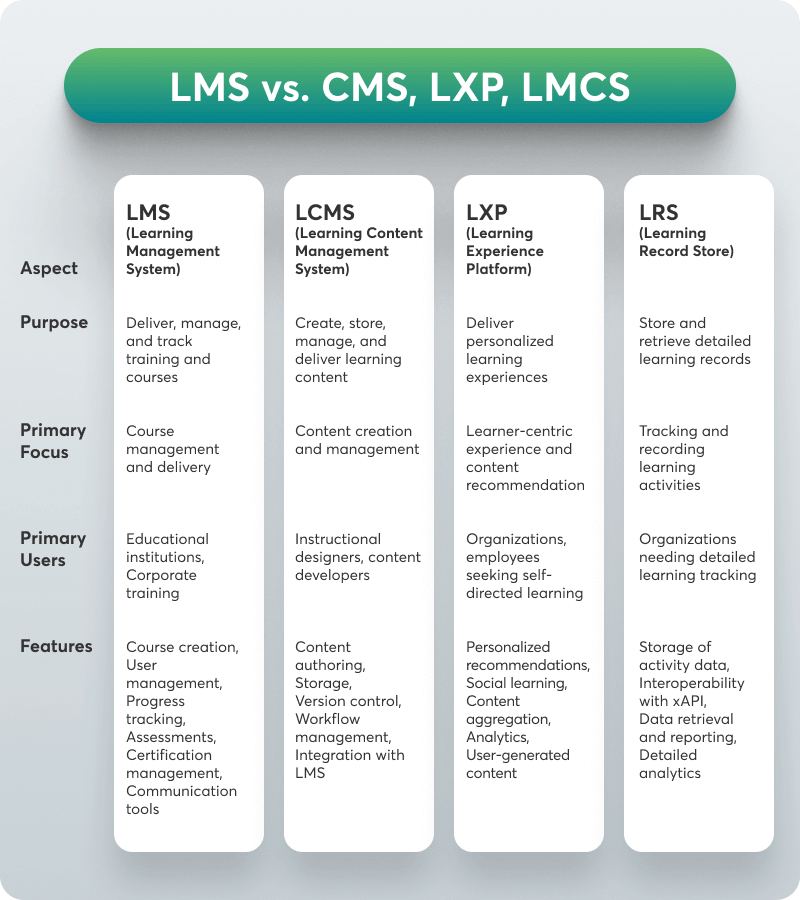
The table below lists the key differences between these systems and explains each’s purpose, primary focus, users, and key features.

LCMS (Learning Content Management System)

An LCMS focuses on creating, storing, managing, and delivering learning content. It is a web-based portal that enables instructional designers and content creators to develop, reuse, and manage learning materials more efficiently in a collaborative environment.

LXP (Learning Experience Platform)

An LXP is a learner-centric platform that focuses on delivering personalized learning experiences. It aggregates content from multiple sources and uses AI to recommend learning paths and resources tailored to individual learners.

LRS (Learning Record Store)

An LRS is a specialized database designed to store and retrieve learning records. It works with the Experience API (xAPI) to track and record learning activities across multiple platforms and contexts.

Understanding these distinctions can help you choose the right learning management tool for your business or organization.

How do learning management systems work?

Every LMS is different and packed with unique capabilities.
Some LMS platforms offer built-in course authoring tools that help you produce training content. In contrast, others don’t and can only assist you in other aspects, like managing and distributing training materials.

Using an LMS, you can upload these training materials – also known as ‘training assets’ to the learning base of the system. In this online learning environment that you create, remote learners can access your course content from their desktop or mobile devices.

The Essential LMS Features

LMSs have advanced and expanded their toolkit in ways that were impossible a decade ago. Today, an LMS comes with a different set of features and capabilities.

For an LMS to get the title of LMS, it needs to have the following three basic features:

  • User management 🙍‍♂️: managing the role of academy staff e.g. the instructor, teacher, tutor, or manager (see user custom roles).
  • Storage and distribution 📂: keeping important information such as training resources safe and distributing content to those eligible to access it.
  • Monitoring and assessment 🎯: tracking and measuring each learner’s progress and performance.

On top of these, there are also advanced LMS features that are considered to be game-changers. These are the following:

  • Content & Course Management ✏: Any LMS can also be equipped to create and manage course materials and learning content.
  • Gamification 🧩: Gamification features include progress bar points, flashcards, badges/achievements, and actual games that are important for boosting learner engagement. LMSs that offer gamification have an added advantage over others.
  • Reporting and Analytics 📊: With this feature, you can generate insightful data on who and how is using the system, looking into key training metrics like learner progress and course completion rates.
  • Social Learning 💬: The ability to communicate in a social environment and exchange ideas and opinions is essential in learning. LMSs that offer social learning features like a dedicated learning community, discussion forums, and instant messaging are more advanced than others.
  • Support Services 🙋‍♂️: Support has a huge role to play in an LMS. If it is inadequate or not there when you need it, you won’t be able to carry out your tasks effectively or use the software to its fullest potential.
  • Instructor-Led Training Classroom 👨‍🏫: A key feature for virtual classroom-based classes especially for schools or academic institutions.
  • Mobile Learning 📱: The ability to offer learning on the go via a mobile app where learners can access training courses 24/7.
  • Intuitive User Interface 💻: A friendly and easy-to-use user interface creates a positive user experience and is important for non-tech-savvy learners and users new to using eLearning technology.
  • Certification 🏆: Offering certificates is a must-have feature for learners who want to get certified in their career field and companies that want to provide such an opportunity to their employees.
  • E-commerce 🛒: Not every LMS offers an e-commerce option allowing users to transact and sell digital products.
  • Integrations 🛠: An LMS should be able to integrate with third-party tools that allow data to roam freely and synchronized, offering more automation in terms of productivity, monetization, administration, and e-commerce.
  • Localization 🌎: The ability to offer multi-language support that suits the needs of people based outside the LMS vendor’s origin country.
  • White Labelling 🎨: The white labeling option allows you to remove the LMS vendor’s logo and add your own on your website host address URL and your homepage. A truly white-label option though gives you much more than the majority of LMSs can.
  • Security 🔒: An LMS must be able to provide you with intellectual property protection that helps to secure your content, user information, and other sensitive data, but not every LMS can offer it.

While in the old days, it would have been impossible for an LMS to author, create, and sell learning content and activities and keep your content secure, some online learning platforms, including LearnWorlds allow you to do so.

Your professional looking Academy in a few clicks

Start FREE Trial

So, an LMS’s capabilities largely depend on whether or not it comes with such important features. Some LMSs can manage and deliver training content, while others can help you create and sell training.

What to Pay Attention to When Choosing an LMS?

If you are searching for an LMS solution, ensure you know what you are looking for regarding features, capabilities, and support and have a rough estimate of how much you are willing to invest in it. This should help you align the LMS vendor’s strengths with your training objectives and budget.

How much does a learning management system cost?

While there are many different pricing models, the price of an LMS may range depending on the type of LMS you choose and how many seats you need. The pricing is important because it determines an expense you set for yourself – your course business or on behalf of the organization you work for or represent.

How to choose a learning management system?

The first step is deciding what type of LMS you need. Should it be cloud-based or desktop-based? Currently, the cloud-based LMS is the most popular choice.
That’s because of the following:

  • Higher adoption rates
  • Lower upfront costs
  • Zero maintenance/upgrades of software
  • Easier integrations

These elements show that a cloud LMS is more cost-effective than a desktop one.
Also, make sure you further distinguish your options. For example, are you looking for a corporate LMS or academic LMS? What are your prerequisites and what are your needs?

Look carefully into the features it offers and its capabilities and match them to your own needs, in the same way you’d when buying a smartphone or laptop.

Finally, make sure you try out free demos and trials.

Your professional looking Academy in a few clicks

Start FREE Trial

What are some examples of learning management systems?

Because of their prevailing features and capabilities, some LMSs are better suited for academic, corporate, or enterprise LMSs.
Check out some examples for each.
Examples of academic LMS:

  • Google Classroom
  • D2L Brightspace
  • Blackboard Learn
  • Schoology

Examples of corporate LMS:

  • Paylocity
  • Seismic Learning
  • Docebo
  • 360Learning

*As seen on the G2 list of Corporate LMS.

Examples of enterprise LMS:

  • Adobe Captivate Prime
  • TalentLMS
  • Stream LXP from the Learning Pool
  • LearnUpon LMS

*As seen on the eLearning Industry list of top Extended Enterprise LMS.

Top Online Learning Platforms:

  • LearnWorlds
  • Udemy
  • TalentLMS
  • Thinkific

*As seen on the G2 ratings on user satisfaction.

Take these LMS examples as an indication of the wealth of options available, but make sure you choose the one best suited to your needs.

Looking for the Best LMS for Your Business?

An LMS is an important component of online learning. As you can see, it is much more than just an e-learning platform for creating and delivering online education.

As education moves from traditional learning, online learning becomes part of a larger knowledge-based society. This rising trend encourages new businesses, coaches, and trainers to search for cost-effective solutions that improve productivity, provide effective training, and ensure performance.
So, why not use an LMS that can do all of that?
Start your journey with a top-notch LMS platform like LearnWorlds. Try it for free with a 30-day trial!

Your professional looking Academy in a few clicks

Start FREE Trial

The post What is an LMS (Learning Management System)? appeared first on LearnWorlds.

What is an LMS (Learning Management System)?

Software Stack Editor · May 28, 2024 ·

In today’s digital age, the way we learn and train has been transformed by technology, and at the heart of this transformation is Learning Management Systems (LMSs). An LMS is a versatile tool that helps educators, trainers, and organizations manage and deliver educational content efficiently.

From schools and universities to corporate training programs and government agencies, the use of LMS platforms has revolutionized the approach to teaching and learning. The demand for online and blended learning is growing rapidly, as is the size of the LMS market, which is expected to reach 69.6 billion by 2030.

Because of this, understanding the role and benefits of an LMS becomes essential, especially for educators and online instructors. This article explains what an LMS is, its benefits and different types, and how you can choose the right one for your business!
P.S. If you are looking for an LMS, check out our list of the best Learning Management Systems in the market.

Your professional looking Academy in a few clicks

Start FREE Trial

What is a Learning Management System (LMS)?

A Learning Management System (LMS) is a powerful software application that can help you plan, manage, and deliver elearning content.

An LMS is a tool that facilitates the administration, documentation, tracking, reporting, and delivery of educational courses or training programs. It is used widely in the eLearning industry and is a great management and distribution vehicle for learning programs across various sectors.

LMSs support synchronous (live) and asynchronous (self-paced) learning, providing tools for creating interactive content, conducting assessments, and monitoring learner progress. This technology has become essential in modern education and training, enabling efficient and effective learning experiences tailored to the needs of diverse users.

Use cases of learning management systems

The role and functions of LMS software vary depending on the learning goals of the instructor or company that is using it, and ultimately the industry they are in.

A graph created by LearnWorlds showing the different functions of an LMS (Learning Management System) and how it operates.

These are the most common categories of individuals and organizations that utilize an LMS:

Schools / Academic Institutions

A school or any other academic or learning institution uses an LMS to help teaching professionals assign online learning, share educational resources and materials (assessments, ebooks, quizzes), and manage student grades.
In many cases, it aids the education management of a K-12 school, as it can monitor student enrollments, keep records up-to-date, store students’ information, including their contact details, and track learner progress.

Note

The popular tool Microsoft Teams is not an LMS—as might be considered mistakenly—but can be integrated into one.

Virtual and Elearning-based Learning Associations

Online institutions such as LinkedIn Learning, Udemy, and Khan Academy allow people to grow their skills through online courses and professional development programs. These are not considered free LMSs but learning marketplaces.

Corporate Training Departments

Small businesses, medium-sized companies, and large enterprises that want to offer employees an easily accessible and standardized learning environment as a training solution where they learn and grow at their own pace purchase LMSs.
A Corporate Learning Management System (LMS) can streamline the training management process, helping you build an online corporate training program that covers your training needs. It can also make the onboarding process for new employees a lot easier.

Nonprofit Organizations

Nonprofit organizations often don’t have the appropriate resources to train volunteers effectively. Using an LMS as a training platform can help standardize the training process and make it available and accessible to all internal stakeholders.
Nonprofits also leverage LMS systems to sell online courses as an additional revenue source to support their mission.

Content Providers

Content providers create training content, promote it, and sell it. With the right LMS that offers multiple monetization options, any course instructor can create, manage, and sell educational content to those interested in boosting their knowledge or skills in any field.

Wholesale Companies

An LMS can keep distributors, resellers, and internal sales teams up-to-date with the latest products and promotions. It also enables collaborative learning among internal (existing employees or new hires) and external stakeholders (learners) through tutorials, webinars, and other collaboration tools and interactive learning activities.

Why use a learning management system?

With an LMS, you can plan, manage, and deliver training content for different purposes depending on who you are or who you represent. You can also use it to track online training initiatives.

These purposes may serve different functions in any of these settings:

Educational institutions: An LMS offers an open, user-friendly, and flexible learning environment that creates personalized learning paths for students, delivers online course modules, and even supplements real-time in-class instruction. This works as part of a blended learning setting where face-to-face instruction is still offered at schools, colleges, and universities.

Corporate training: HR resources administration initiatives in an organization use an LMS as a training tool. It can be part of talent management or the onboarding process, employee training, partner training, member training, compliance training, and sometimes sales enablement. The most prominent industries include healthcare/medicine, sales/marketing, software, and tech.

Customer training: Some companies want to educate customers on how to use their products in addition to educating their staff. These companies use an LMS to allow their customers to learn about their product or service—what they sell and how it works. This reduces support calls and increases engagement and product satisfaction.

Extended enterprise training: Similar to what they do for their customers, companies offer online training resources to external sales channels, partners, and franchisees.

Freelancing: LMSs are also used by people who want to monetize knowledge. They create and sell online courses by teaching what they know, establishing a viable or additional source of income as freelance online instructors. These guys or gals are also known as edupreneurs.

As you can see, an LMS can carry out all of these activities and be used in different ways to achieve a unique outcome. It sounds like the ultimate multi-tool!

The benefits of using an LMS

Using an LMS has its advantages, but this depends much on the features it offers. Every LMS is different because of what it can do for you.

According to the Encyclopedia of Distributed Learning, the six elements that make up the LMS concept are interoperability, accessibility, reusability, durability, maintenance ability, and adaptability.

So, generally, every LMS can:

  • Provide access to learning material on the go.
  • Offer flexibility in individual learning pathways.
  • Offer easy and fair evaluation based on attendance and assessment.
  • Use many learning materials (text – PDF, image, audio, video, templates, etc).
  • Support elearning materials from one or various sources (SCORM, xAPI, AICC, LTI, Cmi5).
  • Track progress and provide an analysis of user learning.
  • Measure learning impact and performance success.
  • Automate the learning process.

Diving into more specifics, though, it can do all of the following for learners, businesses, and schools:

LMS benefits for learners

  • Ensure they’ve been delivered and are up-to-date with required training.
  • Make formal and informal learning easily accessible.
  • Attain the skills and knowledge required to develop professionally.
  • Boost workplace productivity through the boost of performance.

LMS benefits for businesses

  • Reduce learning and development costs.
  • Decrease training time and improve productivity and overall performance (workers, consumers, and external partners).
  • Engage and expand to diverse learning audiences.
  • Organize training resources from one central location.
  • Assess learner progress and corporate performance.
  • Measure knowledge retention.

LMS benefits for schools/educational institutions

  • Track the time it takes students to complete assessments.
  • Manage multiple classes or groups with assignments, scorings, and data tracking using only one tool.
  • Incorporate more interactive elements into your learning programs.
  • Introduce ways to communicate with each other and the instructor, saving valuable time.

What are the different types of LMSs?

Even though an LMS can do many great things, not every LMS can do everything. There are many categories of LMSs because each specializes in certain aspect(s) or seems to serve a specific purpose better than others.

LMSs differ in terms of:

  • Deployment type
  • Pricing
  • Licensing
  • Specifications
  • Customer types

The following table gives you a quick overview of the different types of LMSs available.

Certainly! Here’s the table with the provided data, formatted according to your template:

LMS Type Deployment Type Pricing Model Licensing Specifications Customer Type
Open Source LMS Open Source: Free version with open and adaptable source code. (e.g. Moodle) Free, with possible costs for additional services and plugins. Free License Often supports SCORM, Tin Can API/xAPI, AICC, LTI, and CMI-5. All types – depends on customization.
Commercial Cloud-based Cloud-based (SaaS): The vendor hosts all data; no installation is required, and there are automatic updates and vendor support (e.g., LearnWorlds). Subscription (monthly/yearly) or pay per user. Paid License Often supports SCORM, Tin Can API/xAPI, AICC, LTI, and CMI-5. Enterprise, Corporate, Academic.
Self-hosted LMS Self-hosted: The customer purchases a license and maintains the LMS on their server without vendor support. Pay per learner/user, license fee. Paid License Supports SCORM, Tin Can API/xAPI, AICC, LTI, and CMI-5. Enterprise, Corporate.
Desktop Application Desktop Application: Works as a desktop app, some may support smart devices for team collaboration. Pay per user license fee. Paid License Varies, may support common eLearning standards like SCORM. Enterprise, Corporate.
Mobile Application Mobile Application: Accessible on smartphones, allows for uploading learning content on the go. Subscription (monthly/yearly) or pay per user. Paid License Often supports mobile-friendly formats, may include SCORM or xAPI. Enterprise, Corporate.
Custom-built LMS Custom-built: Tailor-made system built and maintained by in-house or contracted developers. Pay-as-you-go, development and maintenance costs. Varies (often proprietary). Can be designed to support any required eLearning standards. Specific to the organization’s needs.
Industry-specific LMS Industry-specific: Developed for a specific industry, includes relevant training assets like certifications and training activities. Varies (subscription, pay per user). Paid License Typically supports industry-relevant formats and standards (may include SCORM). Specific industries (e.g., healthcare, aviation).
Partner LMS Varies: May be cloud-based, self-hosted, or custom-built, targeting partner training. Varies (subscription, pay per user). Varies (often paid). Supports standards like SCORM, Tin Can API/xAPI to facilitate partner training. Enterprise.
Enterprise LMS Varies: May be cloud-based, self-hosted, or custom-built, targeting enterprise training. Varies (subscription, pay per user). Varies (often paid). Supports standards like SCORM, Tin Can API/xAPI to facilitate comprehensive training. Enterprise.
Corporate LMS Varies: May be cloud-based, self-hosted, or custom-built, targeting corporate training. Varies (subscription, pay per user). Varies (often paid). Supports standards like SCORM, Tin Can API/xAPI to facilitate corporate training. Corporate.
Academic LMS Varies: May be cloud-based, self-hosted, or custom-built, targeting academic institutions. Varies (subscription, pay per user). Varies (often paid). Often supports standards like LTI, SCORM, Tin Can API/xAPI to facilitate academic learning. Academic institutions.
Deployment Type Pricing Model Licensing Specifications Customer Type
Open Source LMS
Open Source Free, with possible costs for additional services and plugins. Free License Often supports SCORM, Tin Can API/xAPI, AICC, LTI, and CMI-5. All types – depends on customization.
Commercial Cloud-based
Cloud-based (SaaS) Subscription (monthly/yearly) or pay per user. Paid License Often supports SCORM, Tin Can API/xAPI, AICC, LTI, and CMI-5. Enterprise, Corporate, Academic.
Self-hosted LMS
Self-hosted Pay per learner/user, license fee. Paid License Supports SCORM, Tin Can API/xAPI, AICC, LTI, and CMI-5. Enterprise, Corporate.
Desktop Application
Desktop Application Pay per user license fee. Paid License Varies, may support common eLearning standards like SCORM. Enterprise, Corporate.
Mobile Application
Mobile Application Subscription (monthly/yearly) or pay per user. Paid License Often supports mobile-friendly formats, may include SCORM or xAPI. Enterprise, Corporate.
Custom-built LMS
Custom-built Pay-as-you-go, development and maintenance costs. Varies (often proprietary) Can be designed to support any required eLearning standards. Specific to the organization’s needs.
Industry-specific LMS
Industry-specific Varies (subscription, pay per user) Varies (often paid) Supports standards like SCORM, Tin Can API/xAPI to facilitate specific industry needs. Industry-specific.
Enterprise LMS
Enterprise LMS Varies: May be cloud-based, self-hosted, or custom-built, targeting enterprise training. Varies (subscription, pay per user). Varies (often paid). Supports standards like SCORM, Tin Can API/xAPI to facilitate comprehensive training. Enterprise.
Corporate LMS
Corporate LMS Varies: May be cloud-based, self-hosted, or custom-built, targeting corporate training. Varies (subscription, pay per user). Varies (often paid). Supports standards like SCORM, Tin Can API/xAPI to facilitate corporate training. Corporate.
Academic LMS
Academic LMS Varies: May be cloud-based, self-hosted, or custom-built, targeting academic institutions. Varies (subscription, pay per user). Varies (often paid). Often supports standards like LTI, SCORM, Tin Can API/xAPI to facilitate academic learning. Academic institutions.

But let’s explore these in more detail.

Deployment type

Open Source: An open-source learning management system (aka open source LMS) is the free version of an LMS in which the source code is open and free for anyone to use and adapt to their specifications.

Commercial:

  • Cloud-based (SaaS) or hosted: A cloud-based platform like LearnWorlds is an LMS where the vendor hosts all data, programs, and applications on its server. No installation is required, updates are automatic, and the vendor offers support services. LearnWorlds also enables mobile learning (aka learning on the go) through its powerful Mobile App Builder.
  • Self-hosted: Self-hosted LMS is an installed LMS. In this case, the customer purchases a license and installs and maintains the LMS on their server. The vendor here doesn’t offer support services, and it’s up to the IT team/department to maintain the platform and make upgrades.

Desktop Application: This is an LMS that works as a desktop application. Some desktop apps also work on smart devices, which can facilitate team collaboration, but not every LMS offers this option.
Mobile Application: An LMS that is accessible on smartphone devices and you can upload learning content while on the go.

Custom-built: A custom-built LMS is a tailor-made system built and maintained by a team of developers employed or contracted by your company.

Industry-specific: An LMS developed for a specific industry hosts training assets such as certifications, training activities, or games related to industry-specific skills and knowledge.

Pricing model

Pay per active user: you pay for each active user during each payment circle.

Pay per learner: you pay for the number of learners regardless of their online/offline status.

Pay as you go: you pay for what you use – the number of users and what courses they take.

License fee/subscription: you pay a monthly or yearly license fee to use the system.

Licensing

Free License: Free license LMS is usually an open-source system. Although this is a free LMS, it has an added expense, which goes directly to the programmer or the IT team you hire to work the code and any additional plugins for you.

Paid License: Paid LMSs require a monthly or yearly fee to use. While most systems work on subscription (recurring payments), some may offer the option to buy it upfront with a one-time payment.

Specification

Not every LMS supports the same elearning formats. To keep up with portability and the eLearning standards, some LMSs support one (or more) of the following formats:

  • SCORM (1.2/2004): The SCORM standard helps authoring tools communicate with your LMS. It allows content creation and formatting to be supported by the entire platform.
  • Tin Can API/xAPI: Tin Can API or xAPI is an elearning software specification allowing learning systems and content to communicate. The learning experiences it records from this communication are saved to the Learning Record Store (LRS).
  • AICC: The AICC is the first elearning standard developed by the aviation industry. Its job is to allow the LMS and elearning content to communicate via HAC protocols and HTML.
  • LTI: Learning Tools operability is a standard developed by the IMS Global Learning Consortium for remote apps. It is most suitable for higher education and academia.
  • CMI-5: CMI-5 is the newest standard for LMSs and AICC’s successor. It has all the capabilities of SCORM and xAPI.

These formats allow you to import the same content into a different standards-compliant LMS. For an LMS to stay current in the market, it needs to be able to support any of these eLearning standards. Looking out for these when investing in an LMS vendor is important.

Customer type

An LMS may differ in terms of its target audience too. So it may specifically be for Enterprise training – targeting enterprises and other organizations (Partner LMS/Enterprise LMS), Corporate training – targeting businesses and corporations (Corporate LMS), or Academic education– targeting educational institutions or schools (Academic LMS).

Key Differences Between LMS vs. LCMS, LXP, and LRS

Educational technology, as we know it today, also features a variety of platforms designed to support different aspects of learning and content management.

So, apart from the LMS, you might have also read or heard about:

  • LCMS (Learning Content Management System)
  • LXP (Learning Experience Platform)
  • LRS (Learning Record Store)

The table below lists the key differences between these systems and explains each’s purpose, primary focus, users, and key features.

LCMS (Learning Content Management System)

An LCMS focuses on creating, storing, managing, and delivering learning content. It is a web-based portal that enables instructional designers and content creators to develop, reuse, and manage learning materials more efficiently in a collaborative environment.

LXP (Learning Experience Platform)

An LXP is a learner-centric platform that focuses on delivering personalized learning experiences. It aggregates content from multiple sources and uses AI to recommend learning paths and resources tailored to individual learners.

LRS (Learning Record Store)

An LRS is a specialized database designed to store and retrieve learning records. It works with the Experience API (xAPI) to track and record learning activities across multiple platforms and contexts.

Understanding these distinctions can help you choose the right learning management tool for your business or organization.

How do learning management systems work?

Every LMS is different and packed with unique capabilities.
Some LMS platforms offer built-in course authoring tools that help you produce training content. In contrast, others don’t and can only assist you in other aspects, like managing and distributing training materials.

Using an LMS, you can upload these training materials – also known as ‘training assets’ to the learning base of the system. In this online learning environment that you create, remote learners can access your course content from their desktop or mobile devices.

The Essential LMS Features

LMSs have advanced and expanded their toolkit in ways that were impossible a decade ago. Today, an LMS comes with a different set of features and capabilities.

For an LMS to get the title of LMS, it needs to have the following three basic features:

  • User management 🙍‍♂️: managing the role of academy staff e.g. the instructor, teacher, tutor, or manager (see user custom roles).
  • Storage and distribution 📂: keeping important information such as training resources safe and distributing content to those eligible to access it.
  • Monitoring and assessment 🎯: tracking and measuring each learner’s progress and performance.

On top of these, there are also advanced LMS features that are considered to be game-changers. These are the following:

  • Content & Course Management ✏: Any LMS can also be equipped to create and manage course materials and learning content.
  • Gamification 🧩: Gamification features include progress bar points, flashcards, badges/achievements, and actual games that are important for boosting learner engagement. LMSs that offer gamification have an added advantage over others.
  • Reporting and Analytics 📊: With this feature, you can generate insightful data on who and how is using the system, looking into key training metrics like learner progress and course completion rates.
  • Social Learning 💬: The ability to communicate in a social environment and exchange ideas and opinions is essential in learning. LMSs that offer social learning features like a dedicated learning community, discussion forums, and instant messaging are more advanced than others.
  • Support Services 🙋‍♂️: Support has a huge role to play in an LMS. If it is inadequate or not there when you need it, you won’t be able to carry out your tasks effectively or use the software to its fullest potential.
  • Instructor-Led Training Classroom 👨‍🏫: A key feature for virtual classroom-based classes especially for schools or academic institutions.
  • Mobile Learning 📱: The ability to offer learning on the go via a mobile app where learners can access training courses 24/7.
  • Intuitive User Interface 💻: A friendly and easy-to-use user interface creates a positive user experience and is important for non-tech-savvy learners and users new to using eLearning technology.
  • Certification 🏆: Offering certificates is a must-have feature for learners who want to get certified in their career field and companies that want to provide such an opportunity to their employees.
  • E-commerce 🛒: Not every LMS offers an e-commerce option allowing users to transact and sell digital products.
  • Integrations 🛠: An LMS should be able to integrate with third-party tools that allow data to roam freely and synchronized, offering more automation in terms of productivity, monetization, administration, and e-commerce.
  • Localization 🌎: The ability to offer multi-language support that suits the needs of people based outside the LMS vendor’s origin country.
  • White Labelling 🎨: The white labeling option allows you to remove the LMS vendor’s logo and add your own on your website host address URL and your homepage. A truly white-label option though gives you much more than the majority of LMSs can.
  • Security 🔒: An LMS must be able to provide you with intellectual property protection that helps to secure your content, user information, and other sensitive data, but not every LMS can offer it.

While in the old days, it would have been impossible for an LMS to author, create, and sell learning content and activities and keep your content secure, some online learning platforms, including LearnWorlds allow you to do so.

Your professional looking Academy in a few clicks

Start FREE Trial

So, an LMS’s capabilities largely depend on whether or not it comes with such important features. Some LMSs can manage and deliver training content, while others can help you create and sell training.

What to Pay Attention to When Choosing an LMS?

If you are searching for an LMS solution, ensure you know what you are looking for regarding features, capabilities, and support and have a rough estimate of how much you are willing to invest in it. This should help you align the LMS vendor’s strengths with your training objectives and budget.

How much does a learning management system cost?

While there are many different pricing models, the price of an LMS may range depending on the type of LMS you choose and how many seats you need. The pricing is important because it determines an expense you set for yourself – your course business or on behalf of the organization you work for or represent.

How to choose a learning management system?

The first step is deciding what type of LMS you need. Should it be cloud-based or desktop-based? Currently, the cloud-based LMS is the most popular choice.
That’s because of the following:

  • Higher adoption rates
  • Lower upfront costs
  • Zero maintenance/upgrades of software
  • Easier integrations

These elements show that a cloud LMS is more cost-effective than a desktop one.
Also, make sure you further distinguish your options. For example, are you looking for a corporate LMS or academic LMS? What are your prerequisites and what are your needs?

Look carefully into the features it offers and its capabilities and match them to your own needs, in the same way you’d when buying a smartphone or laptop.

Finally, make sure you try out free demos and trials.

Your professional looking Academy in a few clicks

Start FREE Trial

What are some examples of learning management systems?

Because of their prevailing features and capabilities, some LMSs are better suited for academic, corporate, or enterprise LMSs.
Check out some examples for each.
Examples of academic LMS:

  • Google Classroom
  • D2L Brightspace
  • Blackboard Learn
  • Schoology

Examples of corporate LMS:

  • Paylocity
  • Seismic Learning
  • Docebo
  • 360Learning

*As seen on the G2 list of Corporate LMS.

Examples of enterprise LMS:

  • Adobe Captivate Prime
  • TalentLMS
  • Stream LXP from the Learning Pool
  • LearnUpon LMS

*As seen on the eLearning Industry list of top Extended Enterprise LMS.

Top Online Learning Platforms:

  • LearnWorlds
  • Udemy
  • TalentLMS
  • Thinkific

*As seen on the G2 ratings on user satisfaction.

Take these LMS examples as an indication of the wealth of options available, but make sure you choose the one best suited to your needs.

Looking for the Best LMS for Your Business?

An LMS is an important component of online learning. As you can see, it is much more than just an e-learning platform for creating and delivering online education.

As education moves from traditional learning, online learning becomes part of a larger knowledge-based society. This rising trend encourages new businesses, coaches, and trainers to search for cost-effective solutions that improve productivity, provide effective training, and ensure performance.
So, why not use an LMS that can do all of that?
Start your journey with a top-notch LMS platform like LearnWorlds. Try it for free with a 30-day trial!

Your professional looking Academy in a few clicks

Start FREE Trial

The post What is an LMS (Learning Management System)? appeared first on LearnWorlds.

7 Customer Onboarding Challenges and How an LMS Can Beat Them

Software Stack Editor · May 28, 2024 ·

The customer journey doesn’t stop when a sale is closed. On the contrary, the after-purchase stage is decisive in engaging customers and turning them into brand advocates.

Once you close a sale, the first action item on your list is to enable customers to leverage the full capabilities of your product or service. One way to achieve this is through customer enablement or onboarding.

Customer onboarding is not just a matter of first impressions – it’s part of meeting customer expectations and delivering a smooth customer experience.

With a customer onboarding process in place, new customers will enter the post-purchase phase of the customer journey feeling supported. They will have all the resources they need to master the product’s features and discover use cases they hadn’t realized existed.

A successful customer onboarding experience can help:

✅ reduce time to value
✅ promote feature/product adoption
✅ increase customer satisfaction, and
✅ lower customer churn rates.

This sounds good, in theory. In practice, onboarding new clients is not always smooth sailing and the results are not as anticipated.

In this post, we’ll explore the 7 most common client onboarding challenges and how incorporating a Learning Management System (LMS) into your strategy can help you overcome them.

9000+ brands trust LearnWorlds to train their people, partners & customers.

Start a FREE Trial

7 Customer Onboarding Challenges & How an LMS Can Help

Customer onboarding is your chance to successfully meet customer needs and pave the way to much-desired customer retention. A customer education LMS will help you streamline, scale, and monitor customer onboarding.

With rich functionalities and automations, an LMS is the ultimate solution to overcome these 7 most common customer onboarding challenges:

1

Complex product

This is a problem all too common among SaaS businesses – your product has (too) many features and capabilities. And that comes at the cost of a learning curve that hinders feature adoption.

Did you know that 86% of customers say that they would be more likely to stay loyal to a business if they knew that they would have access to educational and welcoming onboarding content post-sale?

Therefore, you must find a way to help your customers discover your product and realize its value before they give up on it.

How an LMS can help: Using an LMS, you can offer a wide range of useful training content for new users and even build structured modules, thus providing a comprehensive customer onboarding experience with all the resources they need.

From step-by-step walkthrough tutorials and written guides to live training sessions and webinars, an LMS can help you deliver real-time and asynchronous onboarding support, combining them as needed.

Our advice: choose an LMS with a built-in AI tool to create, refine, or repurpose content. This will save time, money, and human resources, and give you the flexibility to create diverse content fast, whenever needed.

💡 Help customers discover top features and use cases for them by adding qualification questions upon sign-up. Segment customers and launch targeted email campaigns with product tutorials, tips, and resources.

2

Limited customer support

As your customer base expands, your customer support team or customer success managers might become overwhelmed and not reply in a timely manner. This impedes effective onboarding and frustrates customers.

The solution is a tech-touch customer onboarding strategy that will relieve the workload of your customer support teams while empowering customers.

How an LMS can help: An LMS can take self-service onboarding to a new level by becoming a comprehensive knowledge base with documentation, FAQs, community forums, and guides your customers can access 24/7. Eventually, the number of incoming tickets will decrease, eliminating the need to hire new staff and lowering customer support costs even as your company grows.

💡Chatbots are another essential addition to enabling self-service, as they can reply to and solve simple queries in real-time.

3

Customer churn

Customer churn during onboarding is not uncommon. A welcome email with a couple of links to your training resources is not always enough to turn new users into customers.

Consistent and direct communication, as well as a well-structured onboarding strategy, are key to establishing customer relationships and preventing early-stage customer churn.

How an LMS can help: An LMS allows you to deploy training courses with personalized learning paths and keep customers engaged throughout the process, offering a positive user experience.

💁 For example, you can offer your course on a mobile app and send in-app notifications and learning reminders. Plus, with game mechanics like badges and milestones, you can keep customers hooked during the process. Consider offering a certificate to further motivate them to finish their training.

💡Before building user onboarding material, it’s important to understand customer expectations. Build detailed ICPs, examine your product’s position in the market and how it differentiates from your competitors, and analyze customer support tickets for common queries. Some will still abandon the product, so make sure to add a customer exit survey to understand what went wrong.

4

Diverse client base

Having a broad customer base makes it difficult to segment customers and personalize the onboarding experience. Customers may come from different industries or company sizes, or they may plan to use your product in different ways. Some might need basic features, while others more advanced ones.

How an LMS can help: An LMS allows you to create customer segments and groups based on the customers’ common characteristics and automate workflows for easier user management and administration. You can personalize their experience by creating different learning environments and personalizing welcome screens and your messaging.

💡Integrate your LMS with your CRM to create personas and segment customers based on these personas. Identifying common characteristics and pain points will help you create more targeted training material.

5

Global reach

Operating on a global level imposes similar and even harder challenges than having a diverse client base since, in this case, you have to address scalability challenges (catering to a large customer base), language barriers, and cultural differences.

How an LMS can help: A Learning Management System helps you deploy training on a large scale with content that is available online and asynchronously, reducing the need for one-to-one support. Most LMSs support several languages to cater to the needs of larger organizations, while built-in AI tools facilitate content translation.

💡 Use a translation solution, like Weglot, that you can seamlessly connect with your LearnWorlds school to transform your training programs into dynamic, multilingual learning experiences.

6

No data on customer engagement with training

Most companies offer some type of onboarding material – usually a knowledge base with support articles or video tutorials on their YouTube channel, etc.
The problem is that, in most cases, it’s hard to understand how customers respond to these resources and whether they effectively meet customer education needs.

How an LMS can help: An LMS helps you put together your onboarding material in one place and monitor how customers interact with it. It offers built-in solutions, like survey builders, to collect customer feedback and ask follow-up questions.

An LMS will also provide accurate metrics with autogenerated, customizable reports. You can monitor anything from course completion rates and certificates issued to engagement with specific modules.

💡 Monitor learner progress throughout the process and set up an automation to re-engage users who show signs of abandoning the onboarding course.

7

Frequent product updates

Your product team is on a roll, developing and releasing new features every few months. While this is great news, it can make it harder for your client-facing teams to keep up and also for you to update your knowledge bases.

How an LMS can help: With an LMS, you can ensure your customer-facing teams, from sales to customer support and success teams, are up to speed with all product updates. You can easily create and share new training material to their existing courses.

Similarly, you can update your knowledge hub, so customers always have fresh information.

💡 Send automated notifications to users about new updates and the availability of related training to ensure they are always informed.

Customer Onboarding Complete – What’s Next?

Congratulations on deploying a customer onboarding program! Next, don’t forget to collect and act on customer feedback, whether it concerns your product, onboarding process, or resource availability. Offering rewards can also boost customer loyalty and help you create repeat customers.

A Learning Management System like LearnWorlds allows you to offer smooth customer onboarding experiences that engage customers and boost loyalty. Explore features like our AI assistant, built-in content authoring, rich integrations, branding, reporting, automations, assessment, survey and certificate builders, user tagging and segmentation, and many more!

Start your 30-day free trial now to see how LearnWorlds can transform your customer training once and for all.

9000+ brands trust LearnWorlds to train their people, partners & customers.

Start a FREE Trial

Further reading you might find interesting:

  • What is an LMS (Learning Management System)?
  • The 19 Best Learning Management Systems
  • 10 Best Customer Education Platforms
  • Customer Enablement: Why It Matters & Best Practices for Successful Implementation
  • Product Knowledge Training 101: How to Deploy an Effective Program
  • Customer Onboarding Strategies: Why Tech-Touch is the Best Option

The post 7 Customer Onboarding Challenges and How an LMS Can Beat Them appeared first on LearnWorlds.

How To Create an eLearning Website with Templates & Examples

Software Stack Editor · May 28, 2024 ·

Are you an educator or a business owner who wants to build an elearning website? If so, you have come to the right place.

The all-powerful LearnWorlds Site Builder can help you build a training website within minutes. The website builder comes with 50+ elearning website templates, full customization, and added functionalities like pop-ups, controlling visibility, HTML/CSS editing, and much more!

Your professional looking Academy in a few clicks

Start FREE Trial

Are you ready? Let’s get started.

How to Create an eLearning Website in 4 Simple Steps [2021]

  • 1Step #1: Choose Your eLearning Website Template
  • 2Step #2: Customize Your Elearning Website
  • 3Step #3: Create (or Upload) Your Online Course
  • 4Step #4: Launch Your eLearning Website
  • 5Elearning Website Examples

When it comes to online education, there are many online learning platforms and Learning Management Systems (LMS) that can help eLearning professionals build their websites to sell online courses. That said, you still may need an authoring tool for the actual course creation.

At LearnWorlds, we pride ourselves on being one of the top providers of comprehensive learning solutions. Our platform combines intuitive and elegant website design, mobile responsiveness, pre-made & customizable templates, and course authoring in one tool that gives you full control of your elearning website and the user experience. Create your website today, hassle-free!

Building Your eLearning Website: 4 Easy Steps

Your eLearning website is the platform you are going to use to share knowledge, facilitate learning, and reach your audience. Whether you aim to educate students, train employees, or create a repository of specialized courses, it’s going to be the most versatile tool in your inventory!

With this guide, we’ll quickly walk you through the steps to create an engaging, user-friendly, and effective online learning environment that caters to your business needs using our powerful no-code Website Builder. 

Step #1: Choose Your eLearning Website Template

Let’s see the first step to building an online learning platform to sell your online courses. Our Site Builder comes with a set of customizable elearning website templates to make the web design process easier for you.

Unlike eLearning marketplaces such as Coursera, Udemy, Udacity, or edX, where the UX design and learning environment are pre-defined, LearnWorlds, as a truly white-label eLearning platform, allows for in-depth customization even if you’re a complete beginner. With our platform, you can build your course pages exactly as you like to match your brand (after all, you’re a knowledge entrepreneur and personal branding matters!).

Choose an elearning website template to build your online course business on.


The first step when you create a LearnWorlds account is to choose the template you want to work with.


There are 50+ Professional Templates to choose from. Choose which one works for your industry and further customize it to fit your elearning business:

  • Art & Design
  • Coaching
  • Customer Education
  • NGOs (and other NonProfits)
  • Professional Training
  • Fitness
  • Healthcare
  • Medical
  • Financial

Then, use the following tools to customize the website experience further as you like. Give it a professional or fun mood, and design it for children, K12 education, or corporate training. The choice is yours!

The Site Flavors (Full website templates)

The Site Flavors feature allows you to completely redesign your entire school in just a few clicks. You can clone your current site, edit the theme, customize the design on your own page, and instantly switch and update the entire website with a brand-new design!

Site flavors in your LearnWorlds school

You can create as many designs as you need for any occasion or just to refresh your site. You can even make short-term changes to your school’s site without compromising the site’s original design. Learners will view your learning website’s new design only when you activate it.

For example, you can create a Black Friday version of your website, keep it on for 24 hours, and instantly return to your original website theme.

Select a theme that describes your business or industry best and is closest to the website style you want to create to attract your target audience. If you offer courses on professional development, for example, go for a more sleek template.

💁 Remember: all our templates are mobile responsive because a responsive website is equally important as a good-looking website.

Once you have chosen a template, give it a name and click on ‘Create site flavor’. Start making your changes, and click ‘Save’. At any point, you can go back and edit it.

💁 To access the Site Flavors, log in to your LearnWorlds school, click on the Website > Design, and then select ‘Manage Site Flavors.’

The Page Templates (Full page templates)

Apart from the full website templates, there are also some ready-made templates for specific pages you want to add to your website like your homepage, landing page, About page, Thank You page, Contact page, Courses page, After login page, Payment page, and many more. We even offer course website (and page) templates out of the box.

Access the list of page templates from the Site Flavors page. Pick one and hover over it, clicking on ‘Edit in Site Builder.’

Inside the site builder, click on Pages + ‘Add new’ on the top menu.

Page templates in your LearnWorlds school

Each template has a different layout, structure of zones, and design elements, so you get to choose those that suit your preferences.

Design Zones

What’s great about the Site Builder is that it allows you to customize each content block or section of your landing page, even if you have zero experience with coding or frontend/backend web development!

Each type of page (Landing, 1 Click Sales Funnel, Courses, About Us, and so on) has its own variety of design zones allowing you to make unique and limitless combinations of layouts.

For example, you can choose the design for your Hero section (aka website header) by going through a set of ready-made designs that present the elements of text, image, and video content in different ways.

Design Zones
Hero section (website header) layout options

The same goes for your product section, your FAQs, your offers, pricing tables, email grabbers and contact forms, student info, and even your CTAs sections, amongst others.

Then again, if you prefer to get creative on your own, you can easily build your own layout with just a few clicks.

You can access the design zones by clicking on the ‘Add Section’ button on the page you are currently editing.

Adding widgets

While working on the design of the sections, you can add your own widgets.

Inside a widget, you can embed code, add any type of image you want, or insert a video from YouTube, Vimeo, or Wistia.

Add a widget options

Click on ‘Add a Widget’ or the + sign to open a collection of ready-to-use headings, icons, GIFs, vector graphics, animations, counters, event calendars, tabs, accordion, typing effects, buttons, social media buttons, video placeholders, and so much more to create your content.

Customized Experience, Visibility, and Pop-ups

There is now a way for you to offer a more personalized, inclusive, interactive, and high-quality learning experience to your users.

With our unique tagging system, you can add tags for your students. This way, you segment your customer base and then create zones on your landing page that are visible only to specific individuals or a group of students.

Apart from the ability to personalize the design of the page for a specific user (from Page Templates > Student Info), you can also customize the signup fields through your ‘Site Settings’ with the addition of user-specific questions in their registration process.

This is an important functionality to try out, especially if you have different target audiences and you are running distinct marketing campaigns for them. It also helps to distribute content or any other course-related information relevant to their needs.

From now on, each student will have their own UTMs, too, allowing you to track where they came from using Google Analytics and better monitor what they are doing inside your platform.

You can also create pop-ups that you can show to all your visitors and students or customize them to a specific group.

💁 Read more on the pop-ups here.

Step #2: Customize Your Elearning Website

The Theme Explorer is basically the command center of your website when it comes to customizing your school. The changes you make here are applied to your entire website. It is built to help you keep things consistent. For example, if you choose a color scheme or a font combination, those will be applied across your site, not only on your course’s landing page.

There is a plethora of premade color schemes that you can choose from, as well as font combinations and even content layouts. Selecting or modifying any of these options, you will instantly view how your page will look as the site updates immediately. Cool, right?

Suppose you’re an educational institution with red and blue colors in your brand that wants to create a school website. Wouldn’t it make sense that you’d also want those colors to reflect on your online educational platform?

The branding process is made super easy for you with Theme Explorer since you can easily set your primary and accent brand colors and apply them across your entire website. For further customization of your elearning site, you can access Theme Explorer.

From there, you can adjust the colors you use, the fonts, and the page layout and instantly see their effects applied to your page.

Colors: Choose the colors for your brand, background, and text. If you can’t find the colors you need from the color palette, enter the RGBA codes that match your preferences.

Typography: Use the typography settings to choose your font family, headings, and text sizes. You can choose three or more fonts from a rich library of font styles.

Buttons & Inputs: Change the display buttons and inputs easily by increasing or decreasing your font sizes, paddings, and border-radius.

Layout: Decide on the height of your sections on the page and make them as big or small as you wish.

To use the Theme Explorer, click on the ‘Design’ tab inside the Site Builder.

As you go deeper into adding the content on your page, you will notice that the right-hand toolbar is there to help you make further customization* on the elements you add in your sections.

From here, you can make individual changes to text sizes, colors, element position/alignments, and appearance. Also, you can insert links between your pages or decide which elements should be visible to whom and by which devices (smartphones, tablets, desktops/laptops).

*If you know how to code, there is always the option to add custom CSS code.

Step #3: Create (or Upload) Your Online Course

To launch your elearning site, you need at least a course to get you started.

Creating online courses can be a piece of cake, especially if you already have some content that you can reuse, like blog posts, PowerPoint presentations, video tutorials, podcasts, or even infographics.

Everything that adds to the knowledge of the subject you are teaching can go into your course content.

Just think about which learning materials and activities you want to add to your courses.

Would it be a text, an ebook, audio, a series of PDFs, a webinar, a YouTube video, an assignment, a quiz, a SCORM/HTML5-type of content, gamification elements, a certificate of completion, or all of them?

Once you create your first course, you can repeat the process for new courses.

Step #4: Launch Your eLearning Website

Before launching your elearning site and your mobile app, there are a couple of important things to consider.

These are pricing your course, choosing an efficient eCommerce solution – a payment gateway from where you will accept payments – your go-to marketing tools, establishing your website’s domain name and connecting your site domain.

Pricing your online course

There are many tactics to price your course, but the most effective is finding the optimal price tag for your course and discovering where the best value for money is.

Ask for the price at which you feel comfortable, taking into consideration its length and the time and effort you put into building your course.

Also, consider the number of learners you are ready to take in and evaluate the time you need to spend with them. You can offer a full self-paced course at a low price, but if you offer coaching, live classes, and feedback, you can’t undervalue your own time.

💁 For more information, check our Ultimate Guide on How to Price Your Course.

Choosing a Payment Gateway

LearnWorlds supports a range of payment options. You can choose one or combine any of the following payment gateways:

  • Stripe
  • PayPal
  • Shopify
  • PagSeguro

Out of these, Stripe is the only payment gateway that supports subscriptions and payment plans. If you want to accept payments for specific European countries, you will need the following local payment gateways:

  • iDeal (Netherlands)
  • Bancontact (Belgium)
  • Giropay (Germany)
  • Sofort (Germany, Austria, Italy, Spain, Belgium, The Netherlands)
  • Przelewy24 (Poland)

💁 For more information on how to use the local payment gateways, click here.

Investing in marketing tools

Some marketing tools can make your life as an edupreneur a lot easier.

Whether you want to automate mundane tasks, prepare email campaigns, or communicate with your students directly, LearnWorlds integrations are at your disposal.

screenshot of LearnWorlds integrations

💁 Visit our integrations page and check which software or app works best for you.

Connecting your domain

If you already own a website or a domain name, then you can easily connect it to your LearnWorlds account. To do this, you will need to choose whether to use your main domain as your school’s website or a sub-domain.

Let’s say you own www.myperfectonlinecourse.com, you can connect your school – myschool.learnworlds.com, to the address.

If you already have a website or blog connected to the domain, you don’t want to lose that. Here comes the subdomain to save the day!

You can create a subdomain like “academy” and connect your school there. In this case, it looks like academy.myperfectonlinecourse.com

Other popular subdomains are:

  • Academy
  • School
  • University
  • Course(s)
  • Training
  • Elearning
  • Education
  • Coaching
  • Program(me)
  • Online

💁 For more information on how to connect your domain name with your LearnWorlds site, click here.

Once you have everything in place, you are ready to launch your course website using these templates!

Elearning Website Examples

Here, you will find some great examples of elearning websites from online educators across the web to get inspired. See how to develop an eLearning portal as these guys have:

Salad Academy

Salad Academy is a WEB3 academy focused on NFT gaming courses. It’s a great example of a gaming education website with a playful tone in its design while offering free courses.

a screenshot of Salad Academy's landing page showing gaming figures

Unraveled Academy

The Unraveled Academy teaches photography and photo/video editing skills while it nurtures a big community of amateurs and professionals. Their academy is an example for anyone looking to get inspired while launching creative courses.

a screenshot of Unraveled Academy's landing page showing a group of people holding hands and walking in front of an RV


Lokalise Academy

Lokalise Academy teaches localization for every part of your business: Marketing, Design, Development, and more. The beautiful combination of colors and animated visuals will inspire any professional elearning website!

a screenshot of lokalise Academy showing an animated woman working on her laptop

Maples

Maples is a school providing anti-money laundering for B2B customers. Its landing page is a perfect example of elegant, simple, and sophisticated, yet eye-catching and modern, design – perfect for corporate training where you want to focus more on the substance and less on the looks.

a screenshot of Maples' landing page describing the company's services with dark background

AIMRRA

AIMRRA (American International Medical Record Review Association) provides training and certifications for healthcare professionals. Their landing page is as comprehensive as a landing page can be – site visitors and members can see at a glance all the available products and options in one intuitive page.

a screenshot of AIMRRA's landing page showing a smiling woman

We’re Helping You Build Your eLearning Website From Scratch

Whatever needs to go into your elearning website development, LearnWorlds has it. With our unique Site Builder, the website design process is made simple.

Any online course creator can rapidly and effortlessly build an entire school using hundreds of ready-made templates and widgets. Businesses can create an eLearning website for training their employees. It offers an all-in-one solution that replaces many third-party tools and requires zero code skills.

So what are you waiting for?

As the elearning industry is growing, use your expertise to provide paid on-demand training courses or learning programs to people who could benefit from leveling up their skills. You can even provide free courses to train your employees or customers. In this post, we’ve shown you how to make an educational website, so you can get started ASAP.

You can create mini-courses and digital downloads as lead magnets to boost course enrollment and lead generation. Whatever your business model and course material you have, whether you are a startup or an established enterprise, you will discover that LearnWorlds is the ideal platform for monetization and business growth.

Start your own free 30-day trial with LearnWorlds today and build the elearning website of your dreams!

Your professional looking Academy in a few clicks

Start FREE Trial

Further reading you might find interesting:

  • Knowledge Economy: How to Sell Knowledge Online
  • Starting an Online Course Business from Scratch
  • How to Create and Sell Profitable Online Courses: Step-by-Step Guide
  • Sell Digital Downloads: The Complete Guide
  • How To Create an eLearning Website with Templates & Examples
  • The 19 Best Learning Management Systems

The post How To Create an eLearning Website with Templates & Examples appeared first on LearnWorlds.

2024 Instagram Marketing Tips for Course Creators

Software Stack Editor · May 28, 2024 ·

When it comes to your courses, products, or offers, people buy because of you. Because they know, like, and trust you. Isn’t that the case for most—if not all—of the offerings you sell? And these days, it’s imperative that you build your audience before you’re in launch mode for your course. How does your audience get to know you before you’re running your next course launch? Through social media platforms like Instagram. Here are some Instagram marketing tips that will help increase your course sales—for free.

A behind-the-scenes hub

These days, your phone is like what the TV was back in the 1950s—a hub for news and entertainment. Now, TV is being phased out (just like radio was at that time) and the smartphone is the new hub.

Instagram is the go-to app where you share the journey and the behind-the-scenes of your life as a course creator and educator.

Plus, when you’re sharing behind-the-scenes content viewers are able to get to know you on a deeper level. They’re also seeing the work you’re creating on your other channels like your blog, Facebook live show, or podcast, for example.

Exclusively you

As you share your journey and give sneak peeks of your upcoming projects, launches and products, your followers are invited to get to know you and your business on a level that’s unlike anywhere else. Plus, as you share the behind-the-scenes of your work with your students inside your courses, as well as your student success stories, outside viewers will want to be inside your course the next chance they get so they can get that high-touch experience with you for themselves.

As you continue to stay interesting and relevant to them, your followers will sign up for your course the day that they need it.

The key most course creators miss

Whether you have zero or 100k Instagram followers today, you can use Instagram for marketing and attract the right followers who will turn into students of your courses. Your goal? Attract quality followers over quantity.

That’s right. You don’t need 50,000 followers on Instagram to make an impact to your course sales. Even with 100 followers, you can generate sales from Instagram. Even if 3% of your followers convert and join your course, that’s three students you didn’t have before. That is why following along our Instagram marketing for course sales tips is crucial.

Is more better?

Here’s the thing: It takes dedication and consistency to grow one account well that attracts your target follower.

But most online business owners and course creators typically have two accounts. One for their personal life (cute kids, food pics, funny selfies) and another for their business life (very professional, everything branded to a T, posts that look like ads). The key to growing a high-quality following is to grow one account that’s a happy medium between the two accounts that most entrepreneurs juggle.

This means scaling back on the personal content that doesn’t relate to your target follower at all. And we’re going to add more of a human element to your business-related posts. Think: less sales driven and more people driven. The reason we do this relates to the first point: Followers enroll in your courses because they know, like and trust you as the course teacher.

Thematically you

As a personal brand, you want to choose between two to five themes that you’ll share on a consistent basis. These are themes related to you and your business. They’re also themes that your target or ideal student can relate to. For example: You’re a jewelry maker whose ideal customer is a women ages 25-30 who believes in sustainable living, loves animals, and isn’t waiting around for a partner to buy her a piece of jewelry. Then as a personal brand, you may share posts related to these themes:

  • Pets
  • A dating life or love life
  • Green beauty products
  • Independence, motivation, and drive

These themes don’t specifically relate to jewelry (and that’s the point). But they all speak to and attract that ideal customer so that they actually care about you and your business, as well as your jewelry that resonates with them.

Source: Polina Tankilevitch, Pexels

Instagram marketing tips to implement now

1. Be authentic: Optimize your personal brand

Here are a few Instagram strategy tips for utilizing Instagram for business. Optimize your one profile to be an impactful personal brand and effective marketing tool for course sales.

Your username

Your username is also known as your Instagram handle. For example: ours is @teachable. As a personal brand, you want this field of your profile to be as close to your personal brand name as possible. Keep it simple and memorable. And avoid long, complicated, hard-to-read or, double entendre letter combinations.

Your name

The name field is the primary part of your Instagram profile. Why? Because it’s searchable. This is where you share a targeted keyword or two that your ideal followers are already searching for on Instagram.

Not sure what keywords your target follower is using?

Ask yourself:

  • What niche is your account in? Travel, fashion, business, health, etc.
  • What is the purpose of your account?
  • Who is your ideal follower?

For example: The niche for @EliseDarma’s account is travel. The purpose of her account is to help others travel more by starting their own freelance business. Her ideal follower is someone who is interested in travel and becoming a digital nomad. So in her name field, she’s used the keywords “Digital Nomad Entrepreneur.”

You only have 30 characters for this field, so take your time finding the best search-friendly keywords.

Your bio

This is where you showcase your personal brand as a course creator and let a future follower know what the value is in following you. In 150 characters or less, you need to describe who you help and how you help them, plus include a compelling call-to-action to your link. For example: if you teach people how to make their own jewelry, the Bio could say that you help budding designers tap into their talents through the art of custom-made jewelry.

This lets a potential follower know the value they get by choosing to follow your account. Be clear about what they’re in for so don’t be afraid to use the lingo and jargon of your target follower, too.

The CTA

Next, don’t forget the all-important call-to-action to the one link in your Bio. That’s right–with Instagram, you have just one link that you can drive people to (that is, until you hit 10,000 followers and can use the “swipe up” feature in your Stories to share multiple links).

The last line of your Bio needs to tell people why they should click on the one link you’re given to share on your profile. What’s in it for them? Be specific.

It could lead to:

  • Your latest blog post
  • A free guide
  • Your latest YouTube video
  • A 10% discount code to your product shop

Finally, if it fits within the tone of your brand, don’t be afraid to use emojis to add some personality or save on character space to get your message across.

2. Attract your targeted followers on Instagram

Let’s get into the nitty-gritty details of how you can grow on Instagram to reach 1,000 or 10,000 highly targeted followers that will become course students. Two major things will help you reach 1,000 quality followers: content shared in your posts on your feed and content shared in your Instagram Stories.

What you share in your Stories will become the content for your Highlights, which are the “bubbles” below your Bio that permanently live on your profile, directly on top of all your posts. Highlights are gold. They are like your own mini personal brand website–without followers even having to leave the app.

The types of content to share in your feed

First, let’s talk about the content of your feed and the kind of posts you will share. A lot of course creators get stuck at this part. Consider the following types of content.

Personal images

These are of yourself, your workspace, your lifestyle, etc. Basically, images that represent those themes you already chose for yourself as a personal brand.

instagram photo example

Quote cards

Create quotes that literally speak directly to your target follower to inspire, educate, or entertain. We like to use Canva to makes these for free, and Pinterest is a great resource for inspiration.

instagram quote card example

‍

Copyright-free stock photos

Stock photos aren’t all cheesy. There are amazing, high-quality sites like Unsplash and Pexels that offer very Instagram-friendly photos. With curation, stock photos can take your feed far.

stock photo instagram example

Reposted images

It’s best to get permission from the original poster first and then give their handle credit the caption. But some big accounts only share other people’s images. It’s possible to grow using just this tactic.

reposted image insta example

Videos

These can be quick snippets filmed while on-the-go and edited using apps on your phone, or even reposted from your Stories.

3. Optimize the content you share in your feed

One of the best Instagram marketing tips is all about optimization. We find that content has a huge impact on how fast you grow and the quality of followers you attract. Consistency is definitely key. Posting once a day seems to be the sweet spot for most. But, there’s also strategy to your content game.

When it comes to posting content, we like to use the acronym CHECT.

Content

Instagram is a visual platform. Your content in your feed needs to be high quality (in resolution, framing, and editing) and consistent to what attracts your ideal follower.

Hashtags

It’s best if you use hashtags that are targeted to your niche, industry and the lifestyle interests of your target follower. Avoid using hashtags that have millions of posts already as they’ll likely attract bot accounts or spammy comments.

Engaging

By engaging, we mean you need to engage with the comments on your posts by replying back. What’s more, engage with other accounts in your niche or industry (see more about engagement below).

Captions

Think of your captions as mini or micro blogs. Use this space to share value (educate, entertain, or inspire), tell stories about yourself or your students, share student wins, and to give hacks or tips that your target follower and future student would find insanely helpful.

Tagging

By tagging, we’re referring to a few spots like the location of the post or your location when sharing the post. We’re also talking about other accounts. For example: brands, other people’s handles, repost or feature accounts or big accounts in your industry.

As far as Instagram marketing tips go, CHECT is a solid start. Using this checklist each and every time you post on your feed, your content will attract and resonate with your target follower who’ll most likely become a course student.

4. Use Instagram Stories

Using Instagram Stories is the second component to attracting your 1,000 quality followers. But how do you know the difference between what to post in your feed versus what to post in your Stories?

As a general Instagram marketing tips rule of thumb , put your best foot forward with high-quality posts and captions in your feed. Then share your behind-the-scenes, raw moments and your “journey” in your Instagram Stories. Instagram Stories can help boost your course sales in two ways. First, it can drive attention to your latest posts. Secondly, it can permanently live in your Highlights saved on your profile.

5. Boost engagement with Instagram Stories

Since the newsfeed of Instagram is no longer chronological, all your followers may not see your newest post in their feed. This is where Instagram Stories come in handy.

You can use them to drive attention to your latest post in a few ways:

  • Share a screenshot of your new post in your Stories and have fun with the text, gifs and eraser tools to create curiosity
  • Share a screenshot of your feed with the latest and newest post hidden behind an emoji or blurb of copy
  • Ask a question and let your followers know that the answer is in the caption of your latest post
  • Share a poll with your audience. Tell them that you shared your thoughts on this topic in your latest post…so they have to go there to find out what you think!

6. Use Instagram Highlights

Your Instagram Stories are an excellent place to be consistent on sharing the themes you already selected as part of your personal brand. Why? What you share in your Stories can later be saved as Highlights on your profile (those “bubbles” that live right below your Bio).

Highlights are hugely powerful on Instagram because they are like your own mini personal brand website. As a course creator, you want these Highlights to mimic the topics you’ve already featured in your website’s navigation bar, as well as feature tangible peeks at your course and student successes.

Here are some ideas for Highlights you could feature on your profile:

  • Top Tips
  • Faves
  • Student Reviews
  • Contact Me
  • Team
  • Podcast
  • Tutorials
  • Freebies
  • Templates
  • Weekly Review

By strategically sharing updates in your Stories that can be saved as evergreen content in your Highlights, new followers will quickly get a sense of your expertise as a course creator within the first few moments of finding your profile.

7. Go behind the scenes

Behind-the-scenes (BTS) content is a great way to connect with your audience. It offers exclusive access, which can make them feel valued and build trust. It also offers an authentic, human touch that is often lacking in picture-perfect social media feeds. To that end, it might require less editing and therefore be easy to produce. 

8. Lean into UGC

User-generated content (UGC) is content that is created by your customers, people that have tried your products and are willing to share their experience. While videos are increasingly popular in the world of Instagram marketing, photos, testimonials, reviews, and comments are also beneficial. UGC is a form of social proof, helping you build trust among your audience. It can also help widen your reach by introducing your offerings to the user’s network, boost engagement, and create community. You can create a hashtag specific to your brand to encourage your audience to engage and offer incentives for UGC with giveaways and contests and/or partnering with micro-influencers. There is no one-size-fits-all method, so experiment accordingly. 

9. Get carousel creative

The carousel feature on Instagram allows you to post more than one photo or video—up to 10—to your feed, allowing viewers to swipe through. This gives you, the course creator, more space for creativity and your audience an opportunity to engage by swiping. You can use this feature to share information, tell a story, introduce an offering, and more. In addition to story-telling and educating, a carousel could be used to show different features or modules of your course or spotlight testimonials and social proof. 

Source: Envato

10. Consider collaborations and cross promotion

As mentioned above, partnering with micro-influencers can support your UGC strategy. Additionally, you might brainstorm other opportunities for partnerships and collaborations. Cross promotion is when you promote another brand or creator in exchange for them promoting your online course. Consider what brands or individuals align with your online courses and how a partnership can be mutually beneficial. 

11. Offer live sessions

Another way to connect with your audience is to go live on Instagram. This offers your audience the opportunity to tune in with you live, perhaps for a tutorial or Q&A session. You can also gauge interest in a topic area or offer a snippet of content you’ll be covering in your online course. At the end of the session, you can reuse the content by saving the video and posting the replay to your grid. 

12. Interact to increase engagement

If you want engagement from your audience (and you do!), you need to engage and interact with your audience. In addition to boosting your engagement for the sake of the algorithm (in other words, for Instagram to prioritize your content), this is an important part of your strategy because it creates a sense of community. It makes your audience feel seen and connected. That human touch is important for building and strengthening relationships. 

13. Set clear goals

While it may seem obvious that you’re using Instagram marketing for course sales, get even more clear and specific about what your goals are. What is the sales number you’re trying to hit? How many customers would you like to convert? Who are you trying to reach? Beyond that, where are your Instagram promotions leading your potential clients? What is the CTA? Is there a clear path that guides them to your course landing page? What stage of the marketing funnel is your content? Once you know where you’re going, you can outline a clear path to getting there. 

14. Review analytics

Reviewing the analytics of your Instagram posts via Meta Business Suite can offer valuable insight into what is and isn’t working. This can save you time and money by knowing where to focus your resources. Meanwhile, you can get a better understanding of your audience through demographic stats, as well as spot trends based on what is performing well. Take advantage of this wellspring of information that is available to you. 

Source: Meta Business Suite

15. Boost posts

Once you have quality content that meets your goals, you might consider boosting them through Meta Business Suite to expand your reach. Promoting on the platform allows you to allocate a budget, set your audience, and track how well your Facebook or Instagram ads do.

16. Show proof

As we’ve explored, social proof is the psychological idea that customer decision-making is influenced by others. UGC is one form of social proof. Others include testimonials, media mentions, numbers and ratings, and more—all of which you can use for selling courses on Instagram. Choose a range of testimonials that highlight various benefits—not just praising the course but why and how it provides value. It can also be helpful to include credibility boosters, such as the reviewer’s name, title, company name, and even photo.  

Wrap up

Instagram growth is about consistency—one of the top online course marketing tips we can share. Stick with it, aim for quality over quantity, and keep going. Follow these simple Instagram marketing tips to build your brand, attract an audience, and sell your course.

‍

Kajabi vs. Teachable: A Side-by-Side Comparison

Software Stack Editor · May 27, 2024 ·

@media screen and (max-width: 480px){
.prl_1rem_480 {
padding-left:1rem !important;
padding-right:1rem !important;
}
}

Whether you’re a creator, a life coach, or a digital creator, creating a course is one of the best ways to grow your online business. Kajabi and Teachable are major course platforms in the space, but both have pros and cons.

Kajabi and Teachable are major course platforms in the space with tens of thousands of users. Both have their advantages and disadvantages, depending on the use case you need them.

Kajabi is an all-around marketing & business platform, able to deliver in many circumstances, while Teachable is more suited to creators and coaches just starting with online courses.

We tested Teachable and Kajabi to determine the best platform for your courses and compared the features you’ll need as a course creator.

This comparison guide of Teachable vs. Kajabi provides a detailed overview of each tool, making it easier to get your online course business off the ground.

Kajabi Teachable LearnWorlds
Course Authoring

Winner: LearnWorlds
General Features / Functionality

Winner: LearnWorlds
Ease of Use

Winner: Teachable
Customer Service

Winner: LearnWorlds
Value for Money

Winner: LearnWorlds
Total

Winner: LearnWorlds
Kajabi Teachable LearnWorlds
Course Authoring

Winner: LearnWorlds
General Features / Functionality

Winner: LearnWorlds
Ease of Use

Winner: Teachable
Customer Service

Winner: LearnWorlds
Value for Money

Winner: LearnWorlds
Total

Winner: LearnWorlds

⚠Disclosure: Information on pricing, customer support, and customization options comes from public-facing pages on the Kajabi and Teachable websites. Some features mentioned in this review may only be available if you purchase a top-tier paid plan.

The review and screenshots were created by subscribing to the lowest level of each software for a month and extensively testing the software. It also includes comments and opinions created with years of experience as a competitor in the elearning ed-tech market.

LearnWorlds is a direct competitor with both Teachable and Kajabi. LearnWorlds is the superior software for creating, marketing, and selling online courses. It is the choice of entrepreneurs, educators, and businesses who genuinely care about delivering a better experience for their learners, employees, and customers.

Our Top Choice: LearnWorlds

Kajabi and Teachable both possess commendable qualities, but if your goal is to provide the ultimate learning experience to your students, LearnWorlds stands out as the ideal choice!

LearnWorlds has everything you need to create, manage, and sell online courses on any topic.

It has more advanced elearning features like SCORM support, in-depth reporting & analytics, full website-building capabilities, a robust course builder and AI course creator, and learning & marketing automations.

Also, LearnWorlds puts its customers on a pedestal with industry-leading support.

When you sign up for LearnWorlds, you’ll get the best online course platform available in the market, freeing you from technical complications as you focus on growing your business.

Try LearnWorlds with a free 30-day trial; no credit card is required:

Your professional looking Academy in a few clicks

Start FREE Trial

In a Nutshell

Teachable is an online course platform that allows you to create courses and offer one-on-one coaching.

In contrast, Kajabi is an all-in-one marketing platform for course creation, podcasts, group coaching, individual coaching, and membership sites.

In our review, Kajabi scored better in marketing, and website-building capabilities, while Teachable has better course authoring, is easier to use, and is cheaper to start with.

LearnWorlds wins by far in Course Authoring, Features, Customer Service, and Value for Money.

In-Depth Comparison of Kajabi vs. Teachable

Starting from pricing, Kajabi is more expensive than Teachable which offers a free plan that supports unlimited students. Teachable’s free plan is a budget-friendly option to create a single course with just a few videos.

Kajabi offers a free 14-day trial with a required credit card 🛑 but no free plans. If you like the platform and want to keep using it after the trial expires, you must sign up for a Kajabi subscription.
Both platforms check off the following:

  • allow you to offer free and paid courses
  • set up recurring payments for memberships
  • create a free or paid community for your audience
  • have their proprietary mobile apps

Lastly, Teachable started focusing on education and shifted towards coaching, making it more educator-friendly with more options when creating educational courses, quizzes, and assessments.

On the other hand, Kajabi offers the basics for a video course structure with knowledge checks, however, it lacks advanced learning features and analytics that more demanding educators are looking for.

Kajabi or Teachable: which is better?

It depends on whether you’re looking for a proper learning management system or a course creation tool packed with marketing features. Teachable is the better option for coaching products, while Kajabi is ideal for users who focus on sales and digital products rather than courses.

But, if you are serious about education, LearnWorlds is a better choice than both.

Kajabi Overview

Kajabi is one of the most popular all-in-one platforms for monetizing your knowledge and skills. It comes with a complete set of marketing tools (email marketing, affiliate marketing, etc.), making promoting online courses, coaching services, and memberships easier.

Pros

  • Easy to use
  • Features an AI Creator Hub
  • Offers robust sales and marketing tools
  • Integrates with popular software packages
  • Comes with tools for building sales funnels/pipelines
  • Access to a built-in community (purchased Vibely, a community platform, in 2022)
  • Has ready-made templates

Cons

  • No free plan once the trial expires
  • Few design customization options
  • Course authoring tools aren’t as advanced as they could be
  • Limited learning features
  • Emphasizes product sales (not the learning experience)
  • Lack of elearning reporting & analytics
Kajabi's funnel template options inside an account.

Kajabi Pricing

Kajabi is the most expensive course platform at $149 per month. All prices below are for monthly plans, but you can save 20% if you pay annually:

Kickstarter plan: $69/month
Basic plan: $149/month
Growth plan: $199/month
Pro plan: $399/month

*Pricing retrieved in May 2024 from Kajabi’s pricing page.

Who Is It For?

Kajabi is for digital entrepreneurs, business owners, and online course creators who want access to a full suite of digital marketing tools. The platform is ideal for “non-techy” users interested in scalability.

💁 Read Kajabi vs. LearnWorlds to see how Kajabi stacks up against our top choice for eLearning software.

Teachable Overview

Teachable is an easy-to-use platform designed with course creators and coaches in mind. It doesn’t come with many customization options, making it a good choice if you are just starting with online course creation.

Pros

  • Free plan with limited features
  • Features an AI Curriculum Generator
  • Includes all the basics you need to get started
  • It comes with a landing page builder
  • Loaded with sales and marketing tools
  • Third-party integrations available
  • Provides 24/7 customer support

Cons

  • Very high transaction fees for the free plan
  • Limited website customization
  • Doesn’t include advanced course authoring features
  • No live chat support
  • Emphasizes sales features instead of learning
  • Doesn’t support TinCan, SCORM, or AICC
Teachable's course player, how it looks to a user before adding images.

Teachable Pricing

Teachable offers a free plan with some feature limitations allowing only up to one product per category – course, coaching, and downloads. Similarly to Teachable’s basic plan, the free plan also comes with transaction fees.

Free plan: $0/month ($1 + 10% transaction fees)
Basic plan: $59/month (+ 5% transaction fees)
Pro plan: $159/month (0% transaction fees)
Pro+ plan: $249/month (0% transaction fees)
Business plan: $665/month (0% transaction fees)

*Pricing retrieved in May 2024 from Teachable’s pricing page.

Who Is It For?

Teachable is ideal for new course creators. It’s also a good option for coaches, solopreneurs, and creative professionals who want simple video courses and booking-style coaching features.

Teachable isn’t a feature-packed platform, and it’s simple to use, so it’s great for users with basic tech skills. However, if you have extensive experience with course creation, you may find it lacking in educational capabilities.

💁 Read Teachable vs. LearnWorlds to understand why LearnWorlds is a better option for course creators.

Ease of Use

Both Kajabi and Teachable are easy to use and do not require any special skills. Teachable’s interface is slightly better and more friendly than Kajabi’s.

Once you log into Teachable, you see the steps to get started and the support resources. Kajabi shows a long list of feature categories, which might be overwhelming for a new course creator.

Building a course in Kajabi seems intimidating, but you can easily get the hang of it. Kajabi uses the wording “products” referring to a downloadable ebook, single video, or even podcast.

Choosing a product on Kajabi screen, showing the options for a course, podcast, community, or coaching.

Teachable offers an easier course creation interface, and the addition of the AI course outline generator makes it a breeze to create the learning units for your first course.

Teachable's AI course creation creating an outline with the input for a history of animation course.

All that said, Teachable is a better choice for new course creators who may not have fully fleshed out their courses yet, while Kajabi is geared more toward experienced creators who know what they are doing.

Then, building your website and landing pages and setting up your marketing emails and sales follows a similar approach, with both platforms having easy-to-use simple interfaces and point-and-click or drag-and-drop features around.

The best part is that both come with site templates. The only downside is that creating a beautiful website requires some design skills, and if you want to customize the code on Teachable you will need to purchase the higher plan.

Course Creation (Authoring)

Both Kajabi and Teachable promote themselves as course platforms where you create and sell online courses as their primary functionality.

Below is a review of both platforms’ course creation functionality and a more in-depth look at some of the features.

Kajabi’s Course Creation

Kajabi comes with course creation templates based on different product types:

  • Mini-course
  • Online course
  • Evergreen training
  • Membership
  • Community
  • Coaching program
  • Start from scratch

It also allows several content formats, files, and activities to be uploaded, such as video, audio, PDF, quizzes, community posts, leaderboards, and more.

An example course on Kajabi showing different learning units, videos, and pdfs.

The downside of Kajabi is that those features sound great but need to be more complex. Quizzes are great if you offer a video course with some knowledge checks.

For advanced users creating serious training courses though, Kajabi lacks educational features like advanced assessments, question banks, SCORM, and interactivity features.

Teachable’s Course Creation

Teachable has more authoring features than Kajabi, which is why we recommend it for users who want to focus on teaching and coaching over selling digital products.

What makes Teachable such a great platform for beginners is that it has an intuitive interface, making it as easy as possible to get your course up and running.

Setting up a course on Teachable, how it looks to the administrator when adding learning units and settings.

Teachable allows you to create rules regarding quiz completion, video watching, and lecture order. This is a more advanced feature than Kajabi’s category lock, which offers a linear progression path.

The platform also offers several templates for course completion certificates, making it easy to recognize and award your learners’ achievements.

Teachable's certificate. Using a template to create a certificate for a course on teachable.

Assessments

The platform also supports multiple question types as assessments, including open-ended, multiple-choice, and fill-in-the-blank. You can give a passing score and see the quiz score at the reporting of the assessments.

You can also manually grade assessments for open-ended questions.

Manually grading a quiz on Teachable, example of a course.

The platform allows you to create graded and ungraded quizzes, but graded quizzes are only available with the Pro and Business plans.

Additionally, the platform doesn’t support many question types. If you don’t want to use multiple-choice questions, you’ll have to ask learners to submit their responses in HTML or rich text.

Adding quizzes with questions and answers to a Teachable course.

Community Features

Kajabi recently bought the community platform Vibely and has integrated it with their software, offering more advanced community-building features.

In the community, your members can create posts, answer comments, add photos, create discussions, send private messages, and challenges, and you can schedule meetups or live events.

Settings up a community as a product on Kajabi.

Teachable does not have a built-in community but has native integration with Circle.so. Circle was co-founded by the ex-VP of Product and ex-VP of Growth of Teachable, but it’s a different product, and you will need to pay extra for the community features it offers.

Analytics & Reporting

Kajabi offers in-depth analytics to help you identify your most profitable courses and keep track of enrollments. The Analytics Dashboard shows you how many people have enrolled in your courses and how much revenue you’ve earned.

Kajabi also has a sidebar showing your recent activity, such as net revenue, opt-ins, subscription metrics, page views, product progress, and offers sold.

It also offers video and audio engagement reports to monitor the progress of your students, but not much in terms of learning analytics.

Teachable, on the other hand, offers four course reports, helping you better understand your learners:

  • Lecture completion – View average completion rates for your course.
  • Video stats – View how videos in your course are performing (including data on video engagement, play rates, etc.). You can also view a retention report for each video.
  • Quiz scores – View how students are performing on your course quizzes on average.
  • Leaderboards – View which students have made the most course progress.

It also includes revenue reports, and stats, and integrates with Google Analytics and Mixpanel to get a better view of how your school is performing.

Sales & Marketing Features

Kajabi’s funnels are one of its most powerful features in marketing and sales. You can create email marketing automations and combine it with trigger events such as a webinar, a landing page, or a checkout.

Kajabi comes with everything you need to build a marketing engine, such as lead capture forms, email sequences, a checkout system, various payment methods, landing page building, thank you pages, etc.

Kajabi is the undisputed winner in this category, and it’s often categorized as a marketing platform over a course platform because of these great features.

On the other hand, Teachable allows you to create an affiliate program, encouraging current learners to refer other people to your courses, offers built-in tools to track referrals, and ensures affiliates get paid on time.

Teachable also allows you to create a dedicated page for each course and send mass emails.

The power of Teachable is its order bumps feature. While you can achieve a similar effect with Kajabi, on Teachable, you can offer a suggested “upsell” to your customer right on the checkout page, thus increasing your sales at the last moment.

How to use Order Bumps on Teachable, how they look on the checkout page.

Email Marketing, Funnels, & Automations

Kajabi has built-in email marketing, eliminating the need to purchase and learn to use a separate tool. The visual editor comes with hundreds of templates, making it easy to create custom courses, preview them, and make updates.

The platform also offers advanced email analytics allowing you to see how many subscribers you have, what percentage of emails are delivered, and what percentage of recipients opened each email.

Kajabi subscribers can access automations that use if-then logic to streamline and trigger specific actions. For example, you can use automation to send a certificate of completion once a student completes a course.

Creating a sales funnel with Kajabi, how it looks to create a free downloadable funnel.

Teachable is more limited, as it only allows sending one-time emails to students. For email marketing campaigns you’ll need to use a separate email marketing tool. While it lacks many built-in automation tools, you can also use Zapier to automate tasks between the course platform and other apps.

Kajabi comes with ready-made funnels, taking the guesswork out of nurturing leads and persuading them to sign up for a course, community, or membership site. It has templates for common tasks like product launches, giveaways, and webinars, and you can even create a custom sales page for the programs you create.

Teachable doesn’t have built-in funnel features. This makes it more difficult to generate leads, nurture and turn them into paying customers. Again, you can use another tool like ClickFunnels to complete these tasks.

Payments & Memberships

Teachable offers a number of payment options as well as its payment gateway: Teachable:Pay.

With Teachable, you can have four pricing options:

  • Free
  • One-time purchase
  • Payment plan
  • Subscriptions

These options give you flexibility on how to price and sell your products, and with subscriptions you can offer a membership option for your students – if you are selling a community.

Membership sites with different subscription levels are ideal for course creators who teach students at different skill levels.

For example, if you’re a clarinetist, you can set up a membership that includes every beginner, intermediate, and advanced course you’ve produced.

Teachable offers its own payment gateway, however, it’s not available in every country and comes with pretty high fees, especially if you are not in the U.S. (retrieved from Teachable’s support pages):

Payment method/type Fee
US Card fee 2.9% + 30¢
US PayPal fee 3.49% + 49¢
International card fee 3.9% + 30¢
International PayPal fee 4.99% + 49¢

Kajabi has released a beta version of its own payment gateway this year, Kajabi Payments, but it also integrates with Stripe and PayPal for payments.

Kajabi Payments is available only to selected customers in the U.S. and costs 2.9% + 30¢ per transaction, and adds additional fees as:

  • 0.5% recurring billing
  • 1.5% for international cards
  • 1% currency conversion

Kajabi also offers similar features to Teachable where you can set one-off payments, installments, or subscriptions. Combining the subscriptions with its new community features, makes it easy to offer memberships.

Pricing options on courses and products on Kajabi.

Kajabi vs Teachable on Building a Website

Both platforms offer a website builder to create landing pages, login screens, and checkouts for your online courses. You can customize your theme, images, logo, fonts, color, and content.

Neither site builder is very advanced though, and are rather limited by their templates.

Creating a website through Teachable's templates.

You will find all the features you will need to create your website:

  • Templates
  • Checkout zones
  • SEO / meta description settings
  • Lead captures
  • Custom domains (connecting your website)

To truly customize your website, you will need the highest plan in both Teachable and Kajabi, costing you $665 and $399 per month respectively.

While building a basic site with templates and a few drag-and-drop zones is easy on both platforms, creating a stunning branded website will require HTML/CSS coding skills and a higher plan to unlock it.

Removing the branding for both plans would require at least the $159/m plan.

But beware! Teachable is never white-labeled. The reality is that every login and checkout screen goes through a Teachable subdomain.

Whichever plan you have, you can’t truly white-label Teachable; it only removes the branding below.

💁 You can compare the white-labeling options of each platform in this article.

Mobile App

Both platforms have mobile apps for instructors and students, but neither offers a white-label version of their app only for your school. Both apps act as marketplaces including the company’s brand and are used to access courses from all instructors using the software.

Your learners can download the app and access your courses from a smartphone with either platform. However, the Teachable app is only available on iOS devices (Apple), whereas Kajabi’s app works on iOS and Android.

So, if you have an Android device or don’t want to exclude several students from enrolling in your courses, consider choosing Kajabi.

Screenshots of Kajabi's app on iOS.

A marketplace app means that your courses are under Kajabi’s or Teachable’s brand and are shown side-by-side with your competitors.

💡 Only LearnWorlds offers a truly white-labeled mobile app.

Build the perfect branded mobile app for your academy. Instantly.

Make your business shine with an impressive mobile app. Maximize the power of the best mobile app builder for elearning & start delivering great learning on-the-go experiences. Ready in under 60 minutes!
Get started for free
An example of a mobile app for elearning. How to create a mobile app for elearning. Fully white labelled for your online academy.

Integrations

Integrations allow you to use third-party websites and applications in conjunction with an online course platform.

Kajabi doesn’t have many integrations, but that’s because it’s an all-in-one platform with many built-in functions. As of May 2023, you can use the following tools with Kajabi:

  • Stripe
  • AWeber
  • PayPal
  • Segment
  • Google Tag Manager
  • ActiveCampaign
  • ConvertKit
  • Drip
  • MailChimp
  • Meta Pixel
  • Google Analytics

Teachable has even fewer integrations than Kajabi. You can use the course platform with these tools:

  • Active Campaign
  • TikTok Pixel
  • Circle.so
  • AWeber
  • Meta Pixel
  • ConvertKit
  • Mailerlite
  • Google Analytics
  • Segment
  • MailChimp
  • Sumo

The good news is that both platforms integrate with Zapier as an intermediary, which allows you to connect thousands of other software with your course platforms.

Customer Service

Kajabi wins Teachable in terms of customer service, as the platform offers 24/7 live chat support with its Growth and Pro plans. Teachable offers email support between 8 a.m. and 8 p.m. EST daily and priority support only to Business plan subscribers.

Teachable’s customer support receives a lot of negative comments on review sites, while Kajabi seems to offer decent support.

**I have to note here that Kajabi’s plans start at higher prices, and it makes sense to have better support for the software you are paying more for.

Both platforms have knowledge bases, videos, blogs, and courses filled with answers to FAQs and tips related to online course creation. You will find a lot of useful material to grow your business and how to use the platform.

Pricing Plan Comparison

Kajabi offers four paid plans and an option for custom pricing for enterprise users. Teachable also offers four paid plans and a free-forever plan, while Kajabi does not have any. However, Teachable’s free and basic plans come with steep transaction fees.

Kajabi offers a 14-day trial but requires a credit card as well. You need to be confident you want to use Kajabi to try it.

For the pricing table below, we are comparing the pricing of each software based on their monthly plans.

Kajabi Teachable LearnWorlds
Free Trial 14 days with credit card 14 days no credit card needed 30 days no credit card needed
Free Plan X $0 per month for one course X
Tier 1 Kickstarter: $69 per month Basic: $59 per month Starter: $29 per month
Tier 2 Growth: $199 per month Pro: $159 per month Pro: $99 per month
Tier 3 Growth: $199 per month
Pro: $399 per month
Pro+: $249 per month Learning Center: $299 per month
Tier 4 Enterprise: Custom Pricing Business: $665 per month High Volume: Custom Pricing
Transaction Fees X Free plan: $1 + 10%
Basic: 5%
No fees on Pro and higher plans
Starter: $5 per sale
No fees on Pro and higher plans
Kajabi Teachable LearnWorlds
Free Trial
14 days with credit card 14 days no credit card needed 30 days no credit card needed
Free Plan
X $0 per month for one course X
Tier 1
Kickstarter: $69 per month Basic: $59 per month Starter: $29 per month
Tier 2
Growth: $199 per month Pro: $159 per month Pro: $99 per month
Tier 3
Growth: $199 per month
Pro: $399 per month
Pro+: $249 per month Learning Center: $299 per month
Tier 4
Enterprise: Custom Pricing Business: $665 per month High Volume: Custom Pricing
Transaction Fees
X Free plan: $1 + 10%
Basic: 5%
No fees on Pro and higher plans
Starter: $5 per sale
No fees on Pro and higher plans

Which Platform Is the Best: Teachable or Kajabi?

Answering this question depends on how you plan to use the platform. If you are new to the market and building up your first business, Teachable is a better choice.

Signing up for a free-forever plan and being able to quickly set up payments with Teachable:Pay is great for beginners.

Kajabi is the best option if you want to scale your business. You can start with an online course, expand into a membership site, and then create a community of people eager to buy every time you release something new.

The downside of Kajabi is that it’s expensive. If you are not already making some money, Kajabi might not be a good choice.

But our preferred choice is LearnWorlds. Our course platform beats both over price, quality, support, and learning features. Take LearnWorlds for a 30-day trial spin today.

Your professional looking Academy in a few clicks

Start FREE Trial

Alternatives for Kajabi and Teachable

If you’re not sold on Kajabi or Teachable, you have a few other options.

  • LearnWorlds: A cloud-based platform LMS that has everything you need to monetize your knowledge and skills. It also outperforms Kajabi and Teachable in terms of learning management features. You can create interactive videos, use SCORM files, protect your intellectual property, and so much more.
  • Thinkific: Like Kajabi and Teachable, Thinkific comes with a simple site builder, eliminating the need to learn to code. However, Thinkific doesn’t have as many course authoring tools as other platforms. For example, there’s no grade book to keep track of student progress.
  • Podia: Podia has more community features than Teachable, but it lacks basic LMS features. For example, you can’t create assessments or publish interactive videos.

💡 Compare Kajabi Vs. Teachable Vs. Thinkific Vs. LearnWorlds.

FAQs

What’s the difference between Teachable and Kajabi?

Teachable focuses on educational and coaching features and less on marketing automations than Kajabi. You can use Teachable to create unlimited courses and provide 1:1 coaching, but it isn’t designed for memberships or online communities.

Teachable has some third-party integrations but fewer marketing features. Kajabi is a better choice for business owners needing scalability. Teachable offers a user-friendly experience to those new to course creation, and want to focus on learning management rather than marketing.

Which one is better, Kajabi or Teachable?

It depends on your needs. Teachable is ideal if you’re just getting started with course creation and don’t have much experience creating learning modules, setting course compliance requirements, or handling enrollments.

Kajabi is the better option for online course creation to grow your business. To sign up for Kajabi, you should feel ready to create marketing campaigns, work with email marketing tools, and move potential customers through your sales funnel. Kajabi is also a good choice for those who want to launch online communities, create membership sites, or offer group coaching.

Does Kajabi own your content?

No. You retain ownership of everything you create, so you can update or delete your content at any time. Kajabi doesn’t own any of your course content.

What are Kajabi’s competitors?

Some of Kajabi’s top competitors include LearnWorlds, Thinkific, Teachable, and Karta. Out of these options, LearnWorlds is the most robust. The cloud-based LMS platform comes with a suite of tools to help you create courses and market them to members of your target audience. LearnWorlds also has a site builder that makes it possible to create custom course designs instead of recycling the same few templates.

Does Kajabi offer hosting?

Yes, Kajabi offers hosting. Before you launch your website, you’ll need to purchase a custom domain from GoDaddy, Name.com, or another registrar.

Is Teachable cheaper than Kajabi?

In most cases, Teachable is cheaper than Kajabi. How much it costs depends on which plan you choose. The free plan has no monthly fee, but you’ll pay transaction fees of $1 plus 10% of every sale. If you upgrade to a paid plan, you’ll pay $59 to $665 per month to access the platform. The transaction fees drop to 5% once you’re enrolled in a paid plan.

Kajabi doesn’t offer a free plan, and its cheapest paid option is $69 per month. However, its top-tier plan is $399 per month compared to $665 per month for Teachable’s business plan. Kajabi doesn’t charge any transaction fees.

The post Kajabi vs. Teachable: A Side-by-Side Comparison appeared first on LearnWorlds.

How to Create a Private YouTube Channel for Your Online Community

Software Stack Editor · May 24, 2024 ·

Haiden Hibbert

Haiden Hibbert

I’m a Content Manager at MemberSpace helping entrepreneurs and creators sell digital products.

If you’ve searched for a way to create a private YouTube channel for your community – chances are you’ve come up short or found a complicated workaround that requires a ton of manual work. There really isn’t a straight forward way to set your channel to private, but there is an alternative to manage access to your videos and provide exclusive content to a community of subscribers. 

In this post, we’ll walk through how to set up a private YouTube “channel” on your own website! With this approach, you can embed your YouTube videos on your site, restrict access to them, and allow your community to subscribe for paid or free access to your content! 

Create a Private, Paid YouTube Channel

The easiest way to accept membership payments or one-time charges for digital products like online courses, communities, content libraries, and more — all from your own website!


Start selling now

Get started for free! 5 minutes to set up.

Table of Contents

Step 1: Set your exclusive videos to “unlisted” 

The first step is to decide which YouTube videos you want to be part of your private subscription and then set them to Unlisted. You can change the settings for existing videos by opening up the video, clicking Edit, and changing the visibility from Public to Unlisted. For future videos, you will simply set the video to Unlisted before it gets published. 

Making a video Unlisted means that anyone who has the link to the video can view it, but these videos don’t show to viewers in the Videos tab of your YouTube channel page or in YouTube’s search results. 

Unlisted private YouTube videos
Unlisted videos are not visible to the public and can only be accessed if someone has a link to the video.

Step 2: Install MemberSpace on your website

To protect your private video content, create subscriptions, and accept payments on your website, you’ll need to install MemberSpace. This takes just a few minutes and works with any CMS!

Use our simple install instructions to help you add the MemberSpace code to your site.

Step 3: Protect your YouTube videos

After installing MemberSpace, you’ll need to upload each Unlisted YouTube video to the MemberSpace backend. This will create Content Links, which provide the highest level of security for your videos and create a unique, secure link for each video that is only accessible to subscribers when they are signed in on your website. You can either place or embed these links on your website pages. 

If you need some inspiration on how to set up your pages, check out our free website wireframes. 

YouTube channel content links
Content Links are the most secure way to protect your private YouTube videos.

✨ Access Tip: You can make your videos accessible to all paying customers, and/or use MemberSpace’s manual approval setting to grant access to new subscribers. 

Step 4: Set a price for your videos

If you want to charge subscribers for your private YouTube videos, you can easily and securely do this with MemberSpace’s Stripe integration. You can also create a free plan if you don’t want to charge for some (or all!) of your videos, giving you the flexibility to offer a mix of free and paid content.

Private YouTube channel
Choose how you want to sell access to your product and set your billing details, like payment frequency and billing date.

Step 5: Share your signup link

Once you’ve set up your YouTube video subscription, MemberSpace will generate a signup link that you can share with your community (anywhere you’d like – on your website, social media, email campaigns, etc). When clicked, the link opens up a sign up form on your website that requires people to subscribe and pay for access to your videos.

Private YouTube channel signup
When subscribers go to sign up for your video membership on your website, they will see signup and payment form like this.

Final Thoughts

By following these steps, you can create a private YouTube channel on your own website, giving you full control over access to your content and the ability to monetize your videos. With MemberSpace, setting up and managing your subscription is easy, allowing you to focus on creating great content for your community. Sign up for a free trial today!

Need help with your YouTube channel?

Connect with our friendly team, weekdays 10am – 6pm ET.

Let’s chat!

The post How to Create a Private YouTube Channel for Your Online Community appeared first on .

How to Create a Private LinkedIn Community – Monetize your LinkedIn Group in 5 Steps

Software Stack Editor · May 22, 2024 ·

Haiden Hibbert

Haiden Hibbert

I’m a Content Manager at MemberSpace helping entrepreneurs and creators sell digital products.

If you’ve established a strong presence on LinkedIn and have an engaged community of connections, you might be wondering how to start monetizing your network.  Creating a paid LinkedIn Group can be a great way to generate revenue while providing even more value to your community. 

While it’s technically against LinkedIn’s terms of service to directly sell access to your group, there are still plenty of ways to monetize your online community without violating any rules. The key is to build a community membership on your own website using a platform like MemberSpace. By doing this, you can charge members for access to exclusive content, resources, or services, and then invite them to your LinkedIn Group as an added bonus.

Here are some examples of how you can monetize your LinkedIn Group:

  1. Host a private podcast for your community members and, as part of the subscription, give them access to your private LinkedIn group. This way, they can discuss the podcast episodes, ask questions, and network with other listeners.
  2. Sell an ebook and, with a purchase, invite members to join your LinkedIn group to discuss the book and related topics, network, etc. This creates a built-in audience for your book and provides additional value to your readers.
  3. Create and sell an online course and give students access to your LinkedIn group when they purchase the course. The group can serve as a place for students to ask questions, share their progress, and connect with other learners.
  4. Build and sell a content library of resources like templates, guides, etc., and invite your subscribers to your LinkedIn group. 

Now that you have some ideas for monetizing your LinkedIn Group, let’s walk through five easy steps to make it happen!

Monetize a LinkedIn Group!

The easiest way to accept membership payments or one-time charges for digital products like online courses, communities, content libraries, and more — all from your own website!


Start selling now

Get started for free! 5 minutes to set up.

Table of Contents

Step 1: Create a private LinkedIn Group

To open your new community, visit the LinkedIn Groups page on your account and click Create Group. You’ll need to add a group name, description, rules, location, discoverability (listed or unlisted), and permissions (public or private). 

A couple of things to note: 

  • You can’t switch your group from public to private once you open it, so be sure to make it private!
  • “Allow members to invite their connections” should NOT be checked off – you want to make sure you are  the only one who can invite people (after they pay, of course!)


Anyone can create private LinkedIn Group. Visit the Groups page on your account and fill in some details like a group name, description, and rules.

Step 2: Install MemberSpace on your website

To create your community membership, protect exclusive content on your website, and sell membership access, you’ll need to install MemberSpace on your website. It works with any CMS and takes just a few minutes to add the snippet of code. 

Install MemberSpace for paid LinkedIn Group
To install MemberSpace, all you need to do is add a snippet of code to your website. We have install instructions, so no tech experience needed!

Step 3: Set up your membership

In order to sell access to your community, you’ll need to set up a membership and protect the content that you plan on offering your members – your LinkedIn Group, a podcast, online course, etc. 

To do this, open up your new MemberSpace account and go to Products > Add Product. Select Community and add the URLs for the pages you want to lock on your website, as well as the LinkedIn Group link (by clicking Include external link). 

After you add your links, be sure to enable the Member Menu! This will add a floating button on the bottom right corner of your website that allows people to login/signup and then access links to your LinkedIn group, as well as your other membership offerings.

Monetize LinkedIn group with MemberSpace
In this example, the online community includes a private podcast and LinkedIn Group.

Step 4: Set pricing 

Once you’ve created your membership, it’s time to decide what you’ll charge subscribers. MemberSpace has a built-in integration with Stripe, so you can process payments easily and securely on your website. Depending on how you structure your community, you can accept one-time, recurring, or multiple payments, and set up different membership tiers if you want varying levels of access to your community. 

After you’ve set up your community membership and pricing, customers will be able to sign up on your website and pay via credit card, Apple Pay, or Google Pay.

set pricing for Linkedin group
With MemberSpace, you can charge your community members however you’d like with the built-in Stripe integration.

Step 5: Invite connections to join your LinkedIn Group

After members join your online community, you’ll need to invite them to your LinkedIn Group (there’s an Invite Members button next to the group name). If you’d prefer, you can also have your members request to join your group instead, and then you will add them. Just be sure to give them access to the group link via:

  • The Member Menu,
  • A welcome email (this can be automated with MemberSpace), OR 
  • A community dashboard on your website

Final Thoughts

If LinkedIn is where your online community spends a lot of there time, it’s a great idea to consider monetizing your connections by creating a private, paid LinkedIn Group. The key is to create a membership on your own website using a tool like MemberSpace. This lets you charge members for exclusive community resources. After they pay, you can invite them to join your private LinkedIn Group as a bonus. To get started, sign up for a free MemberSpace trial!

Need help with your LinkedIn community?

Connect with our friendly team, weekdays 10am – 6pm ET.

Let’s chat!

The post How to Create a Private LinkedIn Community – Monetize your LinkedIn Group in 5 Steps appeared first on .

How to Monetize X (Twitter) Communities – Set up Subscription Payments in 5 Steps

Software Stack Editor · May 22, 2024 ·

Haiden Hibbert

Haiden Hibbert

I’m a Content Manager at MemberSpace helping entrepreneurs and creators sell digital products.

As a creator, you’ve probably noticed the growing popularity of X’s community feature. Similar to Facebook Groups, X Communities allow you to create open or private spaces where you can set community guidelines, moderate posts, and manage members. However, if you’re looking to charge members to join,  X doesn’t offer a native way to monetize your community directly. 

But don’t worry – there’s a simple “hack” you can use to create a paid community on X. By setting it to private and selling access through your website, you can turn your  community into a new revenue stream. 

Launch a paid X community!

The easiest way to accept membership payments or one-time charges for digital products like podcasts, online courses, communities, content libraries, and more — all from your own website!


Start selling now

Get started for free! 5 minutes to set up.

Table of Contents

Step 1: Create your X Community

To get started, create your community, give it a name, and add a “community purpose.” Then, set your Community to “Restricted” so you can moderate who joins (by only inviting/accepting paying members). 

Keep in mind that you can only create a new community if you have an X account that is:

  • At least six months old
  • Public
  • Connected to a verified phone number or email address
  • Not associated with a history of violating X’s Terms of Service.

Create Twitter community
To create a new Community, visit the Communities tab on the left side of your X account and click the Create Communities button.

Step 2: Add MemberSpace to your website

To accept payments for your X Community, you’ll need to integrate MemberSpace into your website. MemberSpace allows you to accept payments, manage member data, send emails to members, and grant access to additional community resources and perks, such as webinars, videos, group coaching, and online courses.

MemberSpace works with any CMS, and you don’t have to have technical experience to install it! We have step-by-step instructions to show you how.

Step 3: Protect your community 

To ensure all your new members can access your community, add your X profile URL to MemberSpace and enable the Member Menu. This will add a floating button in the bottom right corner of your website, allowing members to easily access your community link and any other resources you want to offer your members. 

Protect twitter community
You can add any page on your website or external link to your community.

Step 4: Set a price for community access

MemberSpace has a built-in integration with Stripe, making it simple to accept payments on your website. To join your community, members will fill out a sign-up form and pay using their credit card, Apple Pay, or Google Pay.

You have several options when it comes to pricing! You can charge members on a recurring, one-time, or multiple payment basis, or even offer free access (most communities opt for recurring monthly payments). With MemberSpace’s flexible billing options, you can also choose how often you charge members, the amount, and the specific date of the month.

Twitter community pricing
With MemberSpace, you can charge your community members however you’d like with the built-in Stripe integration.

Step 5: Invite new members!

Once someone signs up on your website and pays for access to your X Community, it’s time to welcome them in. There are two ways to do this:

  1. Option 1: During the sign-up process on your website, ask members to share their X profile. This way, you can invite them to the community after they make a payment. Anyone who is invited by the moderator (you) are automatically approved.
  2. Option 2: Share the community link in an automated welcome email, text message, or on a members-only page on your website. Members will then request to join, and you will approve them. 

Twitter community invite
Customize your signup form on your website to ask members for their X handles, so you can invite them to your community once they pay.

Final Thoughts

There are tons of benefits to selling access to your X community on your website, including: 

  • Having total control over your pricing and membership offerings, so you can offer your members additional perks like a content library, private podcast, or community newsletter
  • Easier moderation and better security for your group because you will only be admitting paying members
  • Higher quality signups that lead to better conversations – again, payment helps weed out people who are not genuinely committed or interested in your content!

If you need any help setting up your private X community, let us know! You can get started with a free MemberSpace trial today. 

Need help with your X community?

Connect with our friendly team, weekdays 10am – 6pm ET.

Let’s chat!

The post How to Monetize X (Twitter) Communities – Set up Subscription Payments in 5 Steps appeared first on .

Do Subreddits Make Money? How to Create a Paid Reddit Community

Software Stack Editor · May 22, 2024 ·

Haiden Hibbert

Haiden Hibbert

I’m a Content Manager at MemberSpace helping entrepreneurs and creators sell digital products.

If you’re a fan of Reddit, you’ve probably thought about starting your own subreddit at some point. And if you’re really passionate about your topic, you might have even wondered if there’s a way to turn your subreddit into a source of income.

I’ve got some good news and some bad news. The bad news is that Reddit’s terms of service don’t allow you to directly monetize your subreddit. 

But here’s the good news: there’s a clever workaround that allows you to create a paid community around your subreddit. The key is to build your online community on your own website using a tool like MemberSpace. This way, you can sell access to exclusive content, like a community newsletter or private podcast, and then give your paying members access to your subreddit as a bonus. In this post, we’ll walk through the step-by-step process!

Create a paid subreddit!

The easiest way to accept membership payments or one-time charges for digital products like online courses, communities, content libraries, and more — all from your own website!


Start selling now

Get started for free! 5 minutes to set up.

Table of Contents

Step 1: Create a private subreddit

When you create your new subreddit, make sure to set it to private. This means it will only be visible and accessible to redditors you’ve explicitly allowed in, so you can control who has access to your community and ensure that only your paying members can see and interact with your content.

private subreddit
When you create a new subreddit, simply set it to Private to ensure only your paying members get access.

Step 2: Install MemberSpace on your website

Next, head over to your website and install MemberSpace. This is the tool that will allow you to create a membership program and protect your content. It’s super easy to set up, and takes just a few minutes to add the install code to your website. 

Install memberspace for paid subreddit
To install MemberSpace, all you need to do is add a snippet of code to your website. We have install instructions, so no tech experience needed!

Step 3: Protect your subreddit

Using MemberSpace, create a new product and add the URLs for your subreddit and any other community resources or perks you want to offer on your website. This could be things like private newsletters, podcasts, or even exclusive video content.

Once you add the URLs, make sure to enable the Member Menu option. This will add links to your subreddit and other community resources to a floating button/menu in the bottom right corner of your website (accessible only to paying members). 
Paid reddit community
Fill out your subreddit’s details and URL to ensure only paying members get access.

Step 4: Set a price for your membership community

Next, it’s time to decide how much you want to charge for access to your community. Think about the value you’re offering and what your target audience would be willing to pay. Remember, you can always adjust your pricing later if needed.

MemberSpace makes it easy and secure to accept payments on your website with the built-in Stripe integration. You can charge members however you’d like with a payment form on your site via credit card, Apple Pay, or Google Pay. 
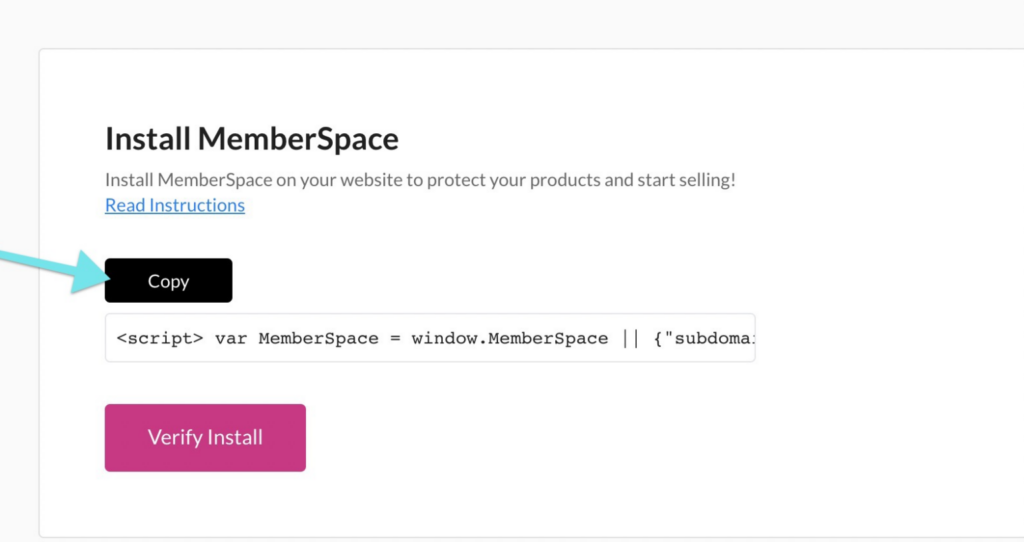
Pricing for paid subreddit
MemberSpace allows for lots of billing flexibility, so you can determine how to charge customers, how often, what day of the month, etc.

Step 5: Share your subreddit with new members

Once someone subscribes to your membership program, send them an invite to your private subreddit. The easiest way to do this is to request that members share their reddit profile in the signup form. Then, you can visit the profile and click “Invite to community,” select your paid subreddit, and send the invite!

Final Thoughts

If you’re an active Reddit user and want to turn your account into a source of income, building an online community around a private subreddit is a great option. Launch a community newsletter or private podcast, or sell access to an online course or ebook. Then, invite your members to join your subreddit to chat about your content, ask questions, and get to know each other. To get started, sign up for MemberSpace for free today!

Need help with your Reddit community?

Connect with our friendly team, weekdays 10am – 6pm ET.

Let’s chat!

The post Do Subreddits Make Money? How to Create a Paid Reddit Community appeared first on .

12 Best Online Coaching Platforms for 2024

Software Stack Editor · May 22, 2024 ·

Do you want to start selling coaching online but don’t know how to start an online coaching business? Picking the right online coaching platform sounds like a great first step! A coaching tool can truly enhance your coaching services by enabling you to streamline processes and offer a transformational experience—as promised—to your clients.

We’ve decided to give you a hand with this decision by singling out the 10 best online coaching platforms. These platforms offer most of the features most coaches normally need from their coaching software when they sell online, regardless of their online coaching business model or niche.

Platform Best for Unique Features Pricing
LearnWorlds All-in-One Platform One-on-one sessions, branded mobile app, reflection journal, built-in community, email marketing & marketing automations, including emails and funnels. Starts at $29/month
Mighty Networks Community Building Branded mobile apps, events, memberships Starts at $49/month
Kajabi All-in-One Solution Sales funnels, email marketing, website builder Starts at $69/month
Thinkific Online Course Creation Customizable course websites, quizzes, student discussions Starts at $49/month
Coach Accountable Coaching Management Client progress tracking, session scheduling Starts at $20/month
Paperbell Coaching Business Client booking, payments, client portal Starts at $57/month
Satori Holistic Coaching Goal tracking, journaling, progress reports Basic starts at $1/month.
Core starts at $25/month.
Coaching Loft Coaching Business Client management, scheduling, billing Starts at $39/month
Upcoach Coaching Programs Program templates, progress tracking Starts at $20/month
Nudge Coach Health Coaching Health tracking, messaging, habit formation Free plan available.
Grow starts at $60/month.
Simply.Coach Individual Coaching Session notes, goal setting, reminders Starts at $19/month
Profi Personal Development Self-reflection tools, progress tracking Starts at $79/month
Best for Unique Features Pricing
LearnWorlds
All-in-One Platform One-on-one sessions, branded mobile app, reflection journal, built-in community, email marketing & marketing automations, including emails and funnels. Starts at $29/month
Mighty Networks
Community Building Branded mobile apps, events, memberships Starts at $49/month
Kajabi
All-in-One Solution Sales funnels, email marketing, website builder Starts at $69/month
Thinkific
Online Course Creation Customizable course websites, quizzes, student discussions Starts at $49/month
Coach Accountable
Coaching Management Client progress tracking, session scheduling Starts at $20/month
Paperbell
Coaching Business Client booking, payments, client portal Starts at $57/month
Satori
Holistic Coaching Goal tracking, journaling, progress reports Starts at $33/month
Coaching Loft
Coaching Business Client management, scheduling, billing Basic starts at $1/month. Core starts at $25/month.
Upcoach
Coaching Programs Program templates, progress tracking Starts at $39/month
Nudge Coach
Health Coaching Health tracking, messaging, habit formation Free plan available.Grow starts at $60/month.
Simply.Coach
Individual Coaching Session notes, goal setting, reminders Starts at $19/month
Profi
Personal Development Self-reflection tools, progress tracking Starts at $79/month

💁 Heads up! Try out LearnWorlds for 30 days free for a taste of the best coaching platform:

Your professional looking Academy in a few clicks

Start FREE Trial

What is an Online Coaching Platform?

An online coaching platform is a digital tool or software that facilitates coaching services over the internet. It provides a virtual environment where coaches and their clients can interact, communicate, and engage in coaching sessions remotely, one-to-one, or as part of a group.

These platforms offer a range of features and tools designed to support various coaching aspects, such as scheduling sessions, conducting video calls, sharing resources, tracking progress, and handling payments.

Online coaching platforms can cater to different types of coaching and aim to streamline the coaching process, making it more convenient and accessible. Many platforms offer additional features like course creation tools, community forums, and client management functionalities that enhance the coaching experience.

Key Features to Look For in Online Coaching Platforms

The 9 features discussed below will help you provide clients with the best coaching experience and run your business more efficiently. Let’s examine these features and how they can help.

🎨 White Labeling: An online coaching platform that supports white labeling allows you to remove the platform’s branding and reinforce your brand.

🛠 Marketing Tools: You will need these to build sales funnels, communicate through email, build landing pages, upsell, and cross-sell coaching programs and other digital products.

🏷 Sales Options: Creating discounts, offering coupons and bundles, selling subscriptions and memberships, and using affiliates can help you attract clients. Payment processing is also vital for a frictionless checkout experience, so look for integrations with tools like Stripe and PayPal.

📹 Live Sessions and Scheduling: Regardless of the type of coaching you’re offering, whether you’re a life coach or a business one, you need a platform that schedules one-on-one or group sessions and webinars easily, and integrates with video conferencing tools to hold the sessions.

👥 Community Features: Nothing drives engagement more than building a strong community. Features like discussion forums where clients can share their content, a blog, and user profiles are all community features that maximize online coaching benefits.

💻 Digital Products: Create the coaching program you’ve imagined by adding videos, eBooks, podcasts, or other digital downloads. Adding all these together in a course with a clear learning path is even better!

✍ Assessment Tools: Self-evaluation and progress monitoring are essential. Look for assessment tools like built-in forms with questionnaires, reflection journals, and quizzes to track client progress and prompt clients to reflect on their progress.

📱 Mobile App: Building a coaching app can offer clients access to a course wherever they are. With in-app notifications, you get to skip the formality of emails and communicate with clients more easily than ever.

⚙ Analytics: Your coaching platform should offer real-time analytics on learner progress and business insights, like sales, canceled subscriptions, etc. These are key to knowing where your online coaching business is headed and how clients progress through their program.

12 Top Coaching Software for Your Online Coaching Programs

Professional coaches deserve the best online coaching platform to facilitate their day-to-day operations and offer quality services to their clients. Here are our top choices for you:

1. LearnWorlds – Our Choice

LW

LearnWorlds is the best platform for online coaching. Our product is a comprehensive tool that simplifies digital coaching by streamlining how coaching sessions are scheduled and held. The Calendly integration enables coaching clients to book their sessions based on your availability, and with private notes, you can stay on top of each client’s journey.

LW Course

LearnWorlds also offers engaging community features to boost engagement and unite your clients. A blog, course discussions, groups, and the RSS feed will help your clients interact, exchange experiences, and stay informed about relevant topics that interest them.

As for sales, marketing, and management tools… how many options are too many? LearnWorlds integrates with the most popular marketing tools, allows you to use affiliates, and offers coupons and free trials. It also gives you plenty of selling options, like standalone courses, bundles, memberships, and subscriptions.
You can also close coaching calls and integrate with a calendar app to directly manage your coaching clients from the platform.

Pros

  • One-to-one and group coaching sessions
  • Notes, responses, and client feedback are kept all in one place
  • Drag-and-drop website builder with customizable templates
  • White labeling
  • AI Course Creator
  • Native mobile app
  • Advanced community features
  • Multiple-purpose built-in forms
  • Assessments to increase accountability and measure progress

Cons

  • No built-in billing functionality
  • Learning curve due to multiple features

Pricing plans

LearnWorlds offers a 30-day free trial (no credit card required) and 4 main plans:

  • Starter: $29/month
  • Pro: $99/month
  • Learning Center: $299/month
  • High Volume & Corporate: Contact sales

Your professional looking Academy in a few clicks

Start FREE Trial

💁 If you still need proof of evidence, check out LearnWorlds Alternatives, and discover why it is better than the rest!

2. Mighty Networks

Mighty Networks

Mighty Networks is an online community platform that also meets the needs of online coaches. It integrates with Calendly so that you can schedule one-to-one or group sessions and “events” for group coaching sessions.

With Mighty Networks’ powerful community features, like groups, user-generated content, and a personalized news feed, you can engage your coaching clients and bring them together to join forces and support each other in their transformation journeys.

Pros

  • Supports one-to-one and group coaching
  • Multiple community features
  • Native mobile app
  • White labeling
  • Good marketing options

Cons

  • Limited pricing options (predefined prices to select from only)
  • Inflexible payment options (no PayPal integration or payment plans)
  • Email marketing tools are available only through Zapier integration
  • No scheduling tools
  • Lacks billing functionality

Pricing plans

Mighty Networks comes with a 14-day free trial and offers the following plans:

  • Community plan: $49/month
  • Courses plan: $119/month
  • Business plan: $219/month
  • Path-to-Pro plan: $360/month
  • Mighty Pro plan: Request demo

*Pricing information received from Mighty Networks in May 2024.

3. Kajabi

Kajabi

Kajabi is a course platform also addressed to online coaches. The platform stands out for its supportive community and built-in marketing tools. Kajabi allows you to build courses and offers tools to help you build sales funnels and automate marketing communications.

Although you can build several landing pages and remove Kajabi branding, the customization options are limited.

Pros

  • Several sales options (bundles, memberships, and more)
  • AI Tools
  • Note-taking
  • Sales funnels
  • Built-in marketing tools and CRM
  • Supportive creator community

Cons

  • Expensive compared to others
  • Basic community features
  • Lack of advanced website customization
  • Lack of advanced analytics

Pricing plans

Kajabi offers a 14-day free trial and 4 pricing plans:

  • Kickstarter plan: $69/month
  • Basic plan: $149/month
  • Growth plan: $199/month
  • Pro plan: $399/month

*Pricing information received from Kajabi in May 2024.

💁 See more Kajabi Alternatives
💁 Compare Kajabi with LearnWorlds

4. Thinkific

Thinkific

Thinkific is an intuitive course creation platform supporting coaching sessions via Zoom integration. It allows coaches to build their own white-label website and sell courses and digital products.

Thinkific offers no marketing automation features but many sales options and a smooth checkout process with order bump prompts. Coaches can schedule appointments using the Calendly integration.

Pros

  • User-friendly interface
  • Nice community features
  • Free plan available (limited features)
  • Multiple sales options
  • White label
  • AI Tools

Cons

  • Basic course-building features
  • No mobile app
  • Not many plugins
  • Lack of advanced coaching features (like note-taking)

💁 See more Thinkific alternatives.
💁 Compare Thinkific with LearnWorlds.

Pricing plans

Thinkific has a 30-day free trial and the following pricing plans:

  • Free Plan: $0
  • Basic: $49/month
  • Start: $99/month
  • Grow: $199/month
  • Expand: $499/month
  • Thinkific Plus: Custom pricing

*Pricing information received from Thinkific in May 2024.

5. Coach Accountable

Coach Accountable

CoachAccountable is a coaching solution that prompts clients to be more active in the coaching process by giving them access to their progress via the client portal. CoachAccountable also allows you to design a coaching program and offers diverse options for clients to interact in groups and message directly. To boost accountability, it also features checklists, journal prompts, session reflection, and easy-to-track metrics.

Pros

  • Calendar tools and reminders (for both coach and coachee)
  • Rich coaching tools, such as assessments, worksheets, and journal
  • Automated invoicing and billing
  • Mobile app
  • White label

Cons

  • Clunky user interface
  • Learning curve due to many functionalities
  • Becomes a bit expensive as the number of clients increases
  • When people sign up after receiving an offer, they automatically become clients without signing a contract and must be manually removed.

Pricing plans

CoachAccountable offers a 30-day free trial. The pricing plans are based on the number of clients a coach or team of coaches serve. Some indicative plans:

  • Starter plan (2 clients): $20/month
  • Level 1 (5 clients): $40/month
  • Level 2 (10 clients): $70/month
  • Level 3 (20 clients): $120/month
  • Level 3.5 (35 clients): $200/month
  • Level 4 (50 clients): $250/month
  • Level 4.5 (75 clients): $340/month
  • Level 5 (100 clients): $400/month

*Pricing information received from Coach Accountable in May 2024.

6. Paperbell

Paperbell

Another online coaching platform, Paperbell, takes the administrative tasks off your hands so you can focus on your coaching practice. Some outstanding features are advanced scheduling and booking options, integrated onboarding for new clients, several “mixed” coaching packages and contracts, and client surveys.

Moreover, Paperbell has flexible selling options and offers payment plans for your clients. It supports several tool integrations to host live sessions and private note-taking, although notes are not saved per session.

Pros

  • Flexible, premade coaching packages
  • Ability to sell digital downloads
  • Easily accessible client history
  • Automated emails and reminders
  • Flexible sales options

Cons

  • No online courses
  • Limited integrations
  • Limited storefront page customization
  • No mobile app
  • Limited flexibility with booking (no option to reschedule appointments in less than 24 hours)

Pricing plans

Paperbell charges a flat rate of $57/month and offers all features and unlimited clients, packages, contracts, and files

*Pricing information received from Paperbell in May 2024.

7. Satori

Satori

Satori is coaching software that streamlines workflows and client management. It allows you to create personalized proposals and coaching packages, take notes, and use automatic time conversion to avoid mistakes when booking appointments. You can also intake forms, easily book group sessions, have one-touch client enrollment, send follow-up reminders to clients to schedule sessions, track their progress, and more.

To boost sales, Satori enables you to offer discounts and payment plans. It also automates billing and features a dashboard where you can view essential business metrics.

Pros

  • Intuitive user interface
  • Excellent customer support
  • Automatic reminders to clients
  • Automated billing and scheduling
  • Coaching questionnaires for easier assessments

Cons

  • No Zoom integration
  • No option to create a course
  • No mobile app
  • No advanced reporting

Pricing plans

Satori offers a 30-day free trial and the following plans:

  • Essentials plan: $33/month
  • Pro plan: $49/month
  • Leader plan: $124/month

*Pricing information received from Satori in May 2024.

8. Coaching Loft

Coaching Loft

Coaching Loft is another coaching management platform that stands out. This robust software aims to help you boost productivity by minimizing mundane tasks. It allows you to effectively build, manage, and organize your coaching practice to deliver a fluent coaching experience. Coaching Loft integrates with multiple calendars and automates booking.

It features session notepads where you can overview client progress, private notes, and questions you may have assigned them, assign “actions,” and set goals and milestones.

Pros

  • Mobile app
  • Progress monitoring and accountability prompts
  • Note-taking (session notepad)
  • Library of coaching questions
  • Coaching agreements & invoicing

Cons

  • No community features
  • No course creation features
  • Basic analytics

Pricing plans

Coaching Loft offers a 14-day free trial and the following pricing plans for Individual coaches:

  • Basic: $1/month (2 Clients/Coachees / 50 MB Storage Capacity)
  • Core: $25/month (10 Clients/Coachees / 500 MB Storage Capacity)
  • Premium: $55/month (30 Clients/Coachees / 1 GB Storage Capacity)
  • Master: $95/month (Unlimited Clients/Coachees / 2 GB Storage Capacity)

*Pricing information received from Coaching Loft in May 2024.

9. Upcoach

Upcoach

Upcoach is a specialized coaching platform that supports various coaching formats, including one-on-one, group, and cohort programs. Users can enroll clients, schedule sessions with built-in tools, and integrate with Google Calendar. While lacking native live sessions, it offers Zoom integration.

It boasts a suite of engagement tools, including habit tracking and forums, and provides client management features like a CRM tool and progress tracking. Upcoach is scalable, catering to both group coaching and online courses, making it a versatile choice for coaching professionals.

Pros

  • Robust program and course builder
  • User-friendly interface
  • Basic automation for workflow simplification
  • Effective client management/CRM
  • Template creation for efficiency
  • Custom branding options
  • Suitable for various coaching formats
  • Fast and reliable platform performance

Cons

  • Limited storage (5GB cap)
  • Limited customization options
  • No native payment system
  • No native video hosting
  • Limited user community and support resources

Pricing plans

Upcoach offers the following pricing plans based on the number of clients you serve:

  • Basic: $39/month (Unlimited coaching programs, Up to 15 clients, Unlimited courses, Enhanced support – within 48h)
  • Pro: $99/month (Unlimited coaching programs, Unlimited clients & courses, Premium support (within 24h), Team member seats available for $39/month per seat.)

*Pricing information received from Upcoach in May 2024.

10. Nudge Coach

Nudge

Nudge Coach is a mobile app and platform designed for health and wellness coaches to support their clients. It enables coaches to communicate with clients, set and track goals, share educational content, and integrate data from fitness-tracking devices. The platform enhances client engagement through challenges and rewards while prioritizing data privacy and security.

Nudge Coach is a comprehensive tool for coaches to guide their clients toward better health and fitness outcomes. It streamlines communication and goal tracking while offering educational resources and motivational features.

Pros

  • Customizable white-label mobile app
  • Easy and low-tech setup
  • Program builder with automated nudges
  • Internal messaging and community engagement
  • User-friendly mobile app for clients
  • Knowledge base and live chat support
  • Custom branding options

Cons

  • Limited features
  • No payment system
  • Limited customization
  • Relatively expensive
  • No community
  • External payment handling

Pricing plans

Nudge Coach offers a free trial for up to 5 clients and the following plans:

  • Free: $0/month (Up to 5 clients – includes essential features, excluding some advanced options.)
  • Grow: $60/month (Up to 50 clients – includes all Free plan features plus data exports.)
  • Scale: $100/month (Up to 100 clients – additional clients at $1/month each. Includes all Grow plan features, with company admin and team accounts.)
  • White Label (Optional SSO and more): Custom pricing. Requires 12-month agreement, and includes all Scale plan features, branded apps, launch training, and priority support.

*Pricing information received from Nudge Coach in May 2024.

11. Simply.Coach

SimplyCoach

Simply.Coach is an intuitive online coaching platform designed to streamline coaching interactions with its user-friendly interface and robust features. With Simply.Coach, coaches can effortlessly schedule sessions, set goals, and keep track of client progress through easy-to-use session notes and progress tracking tools.

Clients benefit from seamless communication and goal setting, supported by gentle reminders and personalized coaching plans. The platform offers a range of resources and tools to enhance the coaching experience, empowering coaches to focus on what they do best: guiding clients toward their personal and professional aspirations.

Pros

  • User-friendly interface
  • Efficient session management
  • Robust tools for goal setting and progress tracking
  • Ability to create personalized coaching plans
  • Affordable pricing
  • White labeling
  • Coaching program templates

Cons

  • Fewer advanced features and integrations (compared to other platforms)
  • Limitations in scalability (not as suitable for larger businesses)
  • Limited customization
  • Lack of comprehensive customer support options

Pricing Plans

Simply.Coach offers a free 14-day trial and pricing packages for solopreneurs and businesses:

For Solopreneurs:

  • Starter: $19/month
  • Essentials: $39/month
  • Growth: $59/month
  • Leap: $89/month

For Businesses:
The pricing for businesses changes according to the number of active coaches selected. You may choose up to 25 coaches, but if you need more, contact the team for special pricing.

  • CoCreate: $99/month
  • Surge: $199/month
  • Enterprise: Custom pricing

*Pricing information received from Simply.Coach in May 2024.

12. Profi.io

Profi

Profi.io is a platform tailored exclusively for personal development coaches. Its feature-rich interface empowers coaches to craft tailored coaching programs using tools like goal-setting frameworks, progress-tracking mechanisms, and reflective exercises. The platform offers a seamless experience, and clients can access intuitive self-assessment tools, progress dashboards, and interactive feedback loops.

Profi’s powerful analytics engine generates comprehensive insights, enabling coaches to fine-tune strategies and nurture client growth effectively. With its emphasis on user-centric design and actionable insights, Profi redefines the coaching journey, fostering meaningful transformations and sustainable personal development outcomes.

Pros

  • User-friendly interface
  • Tailored for personal development coaching
  • Self-reflection and progress-tracking tools
  • Detailed progress reports
  • Centralized team calendar

Cons

  • Limited versatility (for coaches in other niches)
  • Scalability limitations for larger businesses or those offering diverse coaching services
  • Limited integration options
  • Lack of extensive customization capabilities

Pricing Plans

Profi offers the following pricing plans:

  • Solo plan: Starting from $79/month (has a 30-day free trial)
  • Team, Corporate & Network plans: Starting from $79/month per coach seat (no trial available, but you can request a demo).

*Pricing information received from Profi.io in May 2024.

The Ultimate Coach’s Tech Stack: Other Tools You Will Need

As a coach, building a robust digital presence is essential for reaching and engaging with your audience. That’s why we’d say that beyond the core coaching software, you need to use various tools to streamline operations, enhance communication, and elevate your brand.

From establishing a professional website to managing payments and scheduling sessions seamlessly, there are some indispensable components you can consider.

A Branded Website

Your website serves as the digital storefront for your coaching business, offering visitors a glimpse into your services and expertise. It’s the hub where potential clients can learn about your coaching philosophy, explore available programs, and ultimately decide to engage with your services.

Tool examples: LearnWorlds Site Builder, WordPress, Wix, Weebly, Dorik.

Email Marketing Software

Effective communication is key to nurturing relationships with your audience. An email marketing tool can help you create targeted campaigns, automate follow-ups, and deliver valuable content directly to your subscribers’ inboxes. This tool is instrumental in building trust, staying top-of-mind, and converting leads into loyal clients.

Tool examples: MailChimp, Mailerlite, Active Campaign, AWeber, ConvertKit.

Payment Processor

Streamlining the payment process for your coaching business is crucial. A tool like Stripe provides a secure and seamless way to accept payments online. Features like recurring billing and easy integration simplify financial transactions and ensure a smooth experience for everyone involved.

Tool Examples: Stripe, PayPal, Square.

Design Tool

Visual content plays a significant role in capturing attention and delivering your brand’s message. You can use a simple design tool to create beautiful graphics, presentations, and marketing materials with little design expertise. You can also create media posts, and promotional flyers to boost your brand’s identity with ease.

Tool Examples: Canva, Visme, Adobe Creative.

Session Scheduling Tool

Managing your schedule and booking appointments is essential for maximizing your time and productivity. Tools like Calendly can simplify the process by allowing clients to view your availability in real-time and book sessions at their convenience. With automated reminders and customizable settings, you can minimize scheduling conflicts and focus on delivering exceptional coaching experiences.

Tool Examples: Calendly, Acuity Scheduling, Doodle.

Video Conference Software

Virtual sessions are central to coaching. Video conference tools like Zoom provide reliable environments for hosting remote coaching sessions and facilitating real-time communication, screen sharing, and client collaboration.

Tool Examples: Zoom, Skype, Webex, Microsoft Teams, Google Meet.

Analytics Tool

Understanding how your coaching business is performing and where opportunities for improvement lie is crucial for long-term success. Google Analytics, for example, provides valuable insights into website traffic, user behavior, and conversion rates, allowing you to make data-driven decisions and optimize your digital strategy accordingly.

Tool Examples: Google Analytics, Mixpanel, Hotjar.

Form Builder
Gathering feedback, conducting surveys, and collecting client information is essential to running a coaching business. A form builder allows you to create engaging surveys and questionnaires that capture valuable insights from your audience. Using customizable templates and interactivity, you can streamline data collection and enhance the client experience.

Tool Examples: LearnWorlds Form Builder, Typeform, Jotform, SurveyMonkey.

E-commerce Platform

If you offer digital products or merchandise, an e-commerce platform is essential for selling and distributing your offerings online. Platforms like Shopify provide robust e-commerce solutions, allowing you to create customized online stores, manage inventory, process payments securely, and provide a seamless shopping experience for your clients.

Tool Examples: Shopify, WooCommerce, BigCommerce.

Ready to Take Your Coaching Business to the Next Level?

All the virtual coaching platforms we’ve seen here can facilitate your business process in some way. But if you don’t settle for anything less than the crème de la crème, take LearnWorlds for a spin!

We’re sure you will love the rich learning and assessment capabilities, selling and marketing features, and session scheduling and booking options. And, if you need advice on how to sell coaching services online, our free resources will answer all your questions!

Your professional looking Academy in a few clicks

Start FREE Trial

Frequently Asked Questions – FAQs

Q1. What is the best online coaching platform?

LearnWorlds is the best choice coaching platform that covers all your needs in terms of scheduling and conducting live sessions, allowing your clients to book their appointments based on your availability and enabling you to send reminders before and keep notes during the sessions. It has a native mobile app, a built-in community, robust assessment options, and integrates seamlessly with Zoom and Webex.

Q2. How do you build a coaching platform?

You can build your own coaching website by choosing an online coaching platform with a website builder. You can use the website builder to create landing pages to introduce yourself and sell your courses and services. With the course builder, you can create learning materials for your clients and assign timeslots for live coaching sessions.

Q3. What are the benefits of using an online coaching platform?

Coaches offering their services online can benefit from using an online coaching platform in multiple ways:

  • Automate administrative tasks, like appointment booking and billing.
  • Expand reach and client base beyond geographical limitations.
  • Enhance communication via marketing tools to attract and retain clients.
  • Foster community engagement through blogs, groups, and forums.
  • Offer additional resources like eBooks, checklists, and webinars to improve the coaching experience.

Q4. What is the difference between a coach and a mentor?

The key difference between coaching and mentoring is that coaching is about helping someone unlock their full potential, while mentoring is about sharing your expertise.

Q5. How do I know if I am qualified as a coach?

To be qualified as a coach, you must ensure that the training program you receive meets the requirements of the ICF (International Coach Federation) accrediting body, such as a specified number of hours.

The post 12 Best Online Coaching Platforms for 2024 appeared first on LearnWorlds.

Knowledge Economy: How to Sell Knowledge Online

Software Stack Editor · May 20, 2024 ·

Scientia Potentia Est
Knowledge is power

Knowledge is the most valuable resource we possess. The thirst for learning has fueled the rise of knowledge entrepreneurs.

Whether you are a blogger, vlogger, educator, or creator, people seek out your knowledge and value it by spending time engaging with your content. The time has come to leverage your expertise by selling it.

LearnWorlds enables creators to package their knowledge as an online course, coaching, or digital product and sell it to their audience. Start monetizing your knowledge with a 30-day free trial of LearnWorlds:

Your professional looking Academy in a few clicks

Start FREE Trial

What is Knowledge?

Knowledge is an awareness of facts, a familiarity with individuals and situations, or a practical skill. (Wikipedia)

Knowledge vs. Information vs. Data

But, you might ask, what is the difference between knowledge, information, and data?

The following are simplified definitions of the three concepts based on the Oxford Dictionary:

  • Data are facts and statistics. These are the building blocks of knowledge.
  • Information is learned or provided facts. It is data we collect or learn from others.
  • Knowledge is the collection of data or information in a meaningful sequence. In this case, it leads to understanding and the ability to use it to provide value.
The pyramid of knowledge separating knowledge, information, and data.
The pyramid of Knowledge. Knowledge is on top, the middle layer is Information and Data sits on the bottom.

How to Monetize Your Knowledge & Expertise

Knowledge is a valuable resource and can only be acquired through rigorous studying, practicing, and collecting information. Selling knowledge is lucrative and can be a very profitable business.

Having the expert knowledge (or know-how) that others seek can be packaged as an expensive digital product or training program.

Here are different ways you can profit from your expertise:

  • Online Courses / Training
  • Community & Membership Sites
  • Coaching
  • Consulting
  • Newsletters
  • Books / Ebooks
  • Podcasts
  • Video
  • Tutorials
  • Templates
  • Events & Webinars

Online Courses

If you want to earn a high income from home, online courses are one of the best ways. Whether you’re a teacher, accountant, doctor, or someone who loves the topic they are an expert on, online courses can easily be your profitable way to earn an income on the side of whatever else you do.

Online learning is highly valued, and the trick is to deliver knowledge interestingly and help your students achieve the promised results. Premium courses offer difficult-to-find knowledge or use an instructor-led approach like one-on-one or group live lessons to deliver impactful results.

P.S.: LearnWorlds is the best option for selling online courses, coaching, and training to your audience:

Your professional looking Academy in a few clicks

Start FREE Trial

Corporate Training

A more advanced form of course is selling corporate training. Companies often pay for employee training from external experts.

An external expert is a subject-matter-expert who sells their expert knowledge. In this case, your target audience is corporations looking for digital transformation, upskilling, or reskilling employees.

Community & Membership Sites

Membership sites are best suited for continuous education and a sense of community. They are for highly engaged learners who come back for more.

Platforms such as WordPress offer membership plug-ins that help you sell access to members of your site. Squarespace, Wix, and other website builders provide similar solutions. But, the best way to create a membership community is with specialized software.

P.S.: Did you know you can host your premium community or sell subscriptions through LearnWorlds as well?

Coaching

Coaching might be the best option for you if you’d like to teach others one-on-one. You could coach individuals in person or online (e.g., via Zoom) or charge for group coaching sessions where multiple people learn together under your guidance.

Coaching is about leading people to self-realization rather than providing the solution, as consulting does. It’s also an easier way to start, and there are many online certifications and training to become an online coach.

Consulting

Consulting takes many forms, but the goal is to provide a solution based on your experience. In the case of consulting, the customer pays you directly to provide targeted knowledge or expertise in a topic they don’t have the expertise.

Consulting is there to tackle a problem and get direct access to a solution. So, whether you offer B2B consulting on business, marketing, or financial topics or industry-specific ones, a consultant can be a high-paying one-off service or a multi-year contract to deliver expert-level work.

Newsletters

Newsletters are the new trend in paid subscriptions. More and more experts are figuring out that building an email list might be great, but monetizing it with premium content is easier than selling other digital products.

Many influencers already have a premium newsletter, especially in B2B industries. While not a new idea, it’s been on the rise over the past few years, and many tools like Substack offer an easy way to build a newsletter and monetize it.

Growth-Waves is a premium newsletter on B2B Marketing that features topics such as SEO, SaaS, Case Studies, Community-Led Growth, and more.

Books / Ebooks

Packaging your knowledge in a book is always on-trend and can also help you develop your personal brand. Even without making splashes with sales, having a book featured on the social media platforms you are using is enough to position you as an expert on a topic.

And, you can easily self-publish to marketplaces like Amazon or sell ebooks from your website.

Podcasts

Podcasts are quickly becoming one of the most popular ways to distribute information online. You can reach out to potential customers through podcasts and promote your expertise while they listen on their commute, while exercising, or even while working.

While you may only know free podcasts, premium podcasts exist inside membership sites, such as Patreon and Spotify.

Video

Creating YouTube videos or TikTok shorts and sharing your expertise for free is a great way to build an audience. You could shoot tutorial videos, explain difficult concepts, educate your audience, or share valuable life lessons.

While the biggest creators can make a lot of money from advertising share due to their large followerships, knowledge creators are more suited to affiliate marketing, sponsorships, or selling their own products.

Templates

If you use templates for your business or know that they could help others in their business ventures, consider selling them on your website or through an online marketplace like Etsy or CreativeMarket.

Creating these templates will require some upfront time, expertise, and energy. However, once you prepare them, you can sell them repeatedly without much effort. It’s a great way to earn passive income with the knowledge you already have!

Events

Webinars, seminars, and workshops are another way to turn the information you know into revenue. They can be free to grow your email list or promote another product.

Paid webinars or physical seminars can be one-off masterclasses, workshops, or specialized topics with high audience interaction.

Offline experiences come at a premium, while online experiences can reach a wider audience internationally. Consider your options, and launch the right event for you, depending on the demand!

Step-by-Step Guide to Monetize Your Knowledge

In a digital world, knowledge has become the most valuable commodity, and it’s only becoming more valuable with time.

People are looking to learn new skills and improve their lives. They love to learn from experts in the field and look for creators who can help them reach their learning goals and guide them through the chaos of information toward true knowledge!

The good news is that you no longer need technical knowledge to create your course or ebook. You can use an all-in-one platform like LearnWorlds to create, sell, and earn from your knowledge online.

Your professional looking Academy in a few clicks

Start FREE Trial

Step 1 – Equipment and tools

You already have the essential tools to start your business: your smartphone or laptop. Ideally, you need a good microphone, which should cost no more than $25-50.

Then, you need a platform to host and sell your knowledge products.

Here is what you need to start selling your expertise:

  • A smartphone (or laptop)
  • A microphone
  • A learning platform like LearnWorlds

Step 2 – Plan the content

As an expert, you will need to create content for your audience. Whether you are creating an online course, book, or workshop, you need to plan your content.

Find any material you already have, and create a plan to create what is missing.

You will act as an educator, creating a step-by-step plan to impart your knowledge to your students.

Then, you need to decide on the various formats you need, for example:

  • Text
  • Video
  • Presentations
  • Podcasts
  • Live sessions

Map out your content, and create a comprehensive plan for what to work on.

Step 3 – Create the content

Now, it’s time to put that content plan into action.

You will need to start writing your content and scripts, shooting the videos, or preparing your presentations for the live sessions/workshops.

You might even need to rework some of the previous material, such as PDFs, templates, checklists, or anything else you already have, in a format that will be useful for your customers.

Step 4 – Upload your content to a platform

Choose the right platform to sell your knowledge.

We recommend LearnWorlds for most knowledge products like:

  • Courses
  • Training
  • Community / Membership Sites
  • Coaching Programs
  • Digital Products

With LearnWorlds, you get a user-friendly e-learning platform with powerful marketing tools to sell your products. You can monetize your knowledge and your audience with educational products, sell subscriptions or offer digital downloads of any kind.

Your professional looking Academy in a few clicks

Start FREE Trial

You can also host digital products on your own website or marketplaces like:

  • Amazon
  • Etsy
  • Udemy

Step 5 – Sell your knowledge

Then, you need to focus on your online business, promoting and selling the product itself. Even the best products can’t be sold by themselves, and you will have a difficult time if you are competing in a marketplace.

First, you must build an audience base, such as YouTube Channel subscribers, a LinkedIn audience, or an email list.

Then, you need to capture the audience’s attention and promote your product with a compelling offer.

Read our ultimate guide on selling online courses, to learn how to use the same process to sell any knowledge product.

Final thoughts

We’re all knowledge workers now, whether we realize it or not. The rise of digital products means people create value on a never-before-seen scale.

Selling your knowledge is a simple but effective way to put your skills to work for you; this includes everything from writing an e-book to creating an online course.

You only need some original content and the right platform to launch it.

Take advantage of the growing creator economy and join the knowledge economy. Shape the future of humanity by sharing your knowledge with the world!

And, if you already have a digital business, knowledge products such as courses and education programs can support your business as upsells, marketing lead captures, or even new revenue streams.

Don’t miss out on the Knowledge Revolution; join LearnWorlds.

The post Knowledge Economy: How to Sell Knowledge Online appeared first on LearnWorlds.

How to Create Paid Facebook Groups – Accept Payments for Your Private Community

Software Stack Editor · May 17, 2024 ·

Haiden Hibbert

Haiden Hibbert

I’m a Content Manager at MemberSpace helping entrepreneurs and creators sell digital products.

Creating a private, paid Facebook Group is a great way for creators and entrepreneurs to build an engaged online community and monetize their expertise. And with nearly 1.8 billion users, Groups remains one of the top platforms for online communities (even despite Facebook’s declining popularity!). 

So, how do you start charging members to join? The easiest way to create paid Facebook Groups is to sell access through your website and use a membership platform like MemberSpace to process payments. 

There are tons of benefits to this approach: 

  • You have total control over your pricing and membership offerings, so you can offer your community additional perks like workshops, a content library, or an online course
  • Requiring payment to join ensures that your members are genuinely interested in your group (AKA no spammy signups!)
  • By only providing the group link to paying members, your community will be more secure and easier to moderate
  • Many potential members already use Facebook, making it easier for them to engage with your content.

Launch a paid Facebook Group!

The easiest way to accept membership payments or one-time charges for digital products like communities, online courses, content libraries, and more — all from your own website!


Start selling now

Get started for free! 5 minutes to set up.

Table of Contents

Step 1: Set up a private Facebook Group

If you don’t have your group set up already, you’ll need to create one and set it to “hidden” so people cannot find the community unless they have then link. Then, turn on membership approval so you can moderate who is able to join. 


When opening up your Facebook Group, be sure to set it to Private and Hidden to ensure only paying members are able to view it.

Step 2: Install MemberSpace on your website

To ensure only paying community members can access your Facebook Group, you’ll need sign up for MemberSpace for free and connect it to your website (it works with any CMS and takes just a few minutes to install!). 

Install memberspace for paid facebook groups
To install MemberSpace, all you need to do is add a snippet of code to your website. We have install instructions, so no tech experience needed!

Step 3: Protect your Facebook Group 

In this step, you’ll use MemberSpace to create a signup/login area on your website so paying members can access your group. 

First, go to Products and add a new Community. This is where you’ll add the URL for your group. This will require members to sign up and pay for your community before they get access to the group link.

Paid Facebook Groups MemberSpace
To protect a new product with MemberSpace, go to Products > Add Product.

Protect paid Facebook Group
Fill out your Facebook Group’s details and URL to ensure only paying members get access.

✨ Make sure Member Menu is enabled. This will add your Facebook Group link to a menu in the bottom right corner of your website that is only accessible once someone logs in or signs up and pays for group access. 
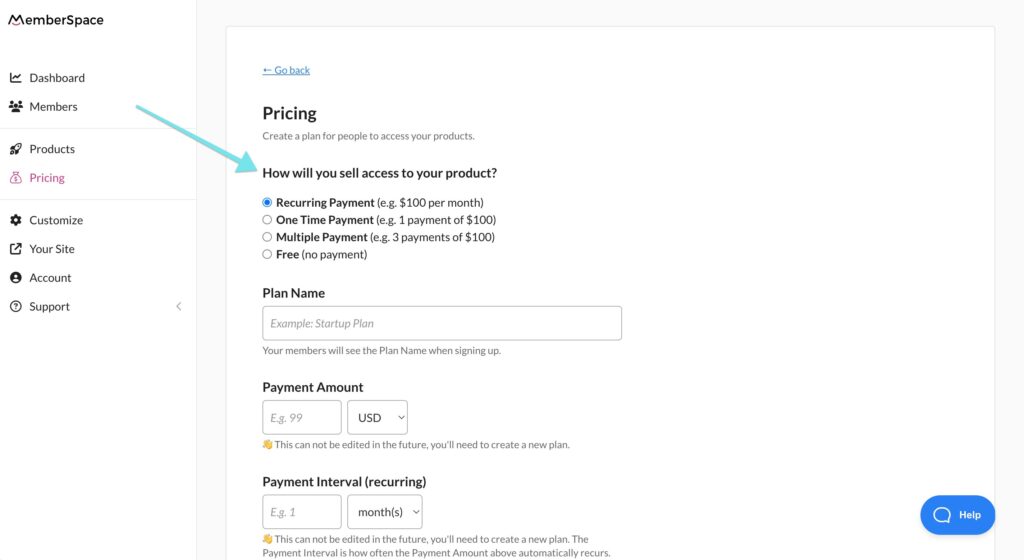
Step 4: Set a price for access to your group

MemberSpace integrates directly with Stripe, so it’s easy to accept payments securely on your website. Recurring payment is the most common option for online communities, but you can also choose from multiple payment, one-time payment, and free. 

When someone goes to signup for access to your group, they’ll be prompted to pay via credit card, Apple Pay, or Google Pay. 

Paid Facebook Group pricing
MemberSpace allows for lots of billing flexibility, so you can determine how to charge customers, how often, what day of the month, etc.

Meditation Business payment gateway
When a member goes to signup on your site, they’ll have to fill out a payment form like this.

Step 5: Share your group with new members

Once you’ve added your Facebook Group to MemberSpace and set up your pricing, it’s time to make sure all new community members get access to your group after they sign up. There are a few ways to do this, so choose the one that works best for your workflow/business!

  • Option: Automatically redirect them to a members-only page that contains a link to the group, or redirect them directly to your Facebook Group. You can do this when you set a price for community access. Members will then request access and you’ll approve them (knowing the requests are only coming from those who paid and received the link via your signup process).

Send new members to any URL after they signup, like your Facebook Group or a landing page dedicated to your group.

  • Option 2: Send out a welcome email to new community members with a link to the group. This can be automated with MemberSpace to send after someone signs up on your website. Like option one, members will request access and you’ll approve them. 

Join private Facebook group
Automatically send out a welcome email with information about your community and a link to join the Facebook Group.

 
  • Option 3: Add members on Facebook after they sign up through your website. 

Paid Facebook Group Example – The Social Broker

The Social Broker membership community is a great example of how to create a successful paid Facebook group. By using MemberSpace, this community offers members access to a private group, along with other perks like coaching, guest speakers, customizable templates, and workshops. This model not only provides a sense of exclusivity and value for members but also generates a steady income stream for the business.

Social Broker Paid Facebook Group
The Social Broker paid Facebook Group offers members tons of perks, like guest speakers, workshopts, coaching, and custom training.

Final Thoughts

Creating a paid Facebook Group is a great way to build a community around your expertise while adding a new revenue stream. MemberSpace makes it easy to set up and manage your paid group. You’ll be able to control your pricing, decide what perks to offer members, and keep your group private and secure. To get started, sign up for a free MemberSpace trial, and let us know if you have any questions – our support team is happy to help!

Need help with your Facebook Group?

Connect with our friendly team, weekdays 10am – 6pm ET.

Let’s chat!

The post How to Create Paid Facebook Groups – Accept Payments for Your Private Community appeared first on .

How to Create a Paid WhatsApp Community – 5 Steps to Monetize your Group Chat

Software Stack Editor · May 17, 2024 ·

Haiden Hibbert

Haiden Hibbert

I’m a Content Manager at MemberSpace helping entrepreneurs and creators sell digital products.

WhatsApp is a great tool for creators, coaches, and membership business owners looking to offer a live chat to their online community. With features like sub-groups, announcement groups, polls, video calls, and file sharing, WhatsApp makes it easy to create a home for your members to interact with you and each other. 

However, one key feature WhatsApp lacks is the ability to create a paid community. That’s where MemberSpace comes in! By integrating MemberSpace with your WhatsApp community, you can:

  • Provide members with a secure, private group link
  • Charge for community access directly through your website
  • Securely manage payments

Launch a paid WhatsApp Community!

The easiest way to accept membership payments or one-time charges for digital products like online courses, communities, content libraries, and more — all from your own website!


Start selling now

Get started for free! 5 minutes to set up.

Table of Contents

Step 1: Open your WhatsApp Community

Anyone can create a WhatsApp community – all you need to do is download the app for iOS or Android. Once you’ve got the app installed, you can also use WhatsApp on your desktop if you prefer. 

To create a WhatsApp community, open the app and click the Community tab at the bottom of your screen.

Step 2: Install MemberSpace on your website

Next, you’ll need to add MemberSpace to your website. Any CMS works! This will enable a signup/login area on your site so new members can pay to get access to your WhatsApp community. 

Install MemberSpace for paid Whatsapp group
To install MemberSpace, all you need to do is add a snippet of code. We have install instructions for each CMS, so you don’t need technical experience to do this. It takes just a few minutes!

Step 3: Protect your WhatsApp community 

To ensure that only paying members get access to your private chat, you’ll need to set up a new Community in MemberSpace. Just add the name of your community and the URL, and then enable the Member Menu option, which will make your paid community link accessible via a floating button in the bottom right corner of your website. 

Whatsapp community link
You can protect your WhatsApp community link and provide it to new members by adding the link to MemberSpace.

Member Menu Whatsapp community
Once you’ve installed MemberSpace and added your Online Community, a Member Menu button will be activated in the bottom right corner of your website.

✨ Community Tip: At any point in the future, you can add more offerings to your membership community with MemberSpace, like coaching sessions, template libraries, or podcast episodes! Simply add your content to your website and add the URLs to your Online Community in MemberSpace. 
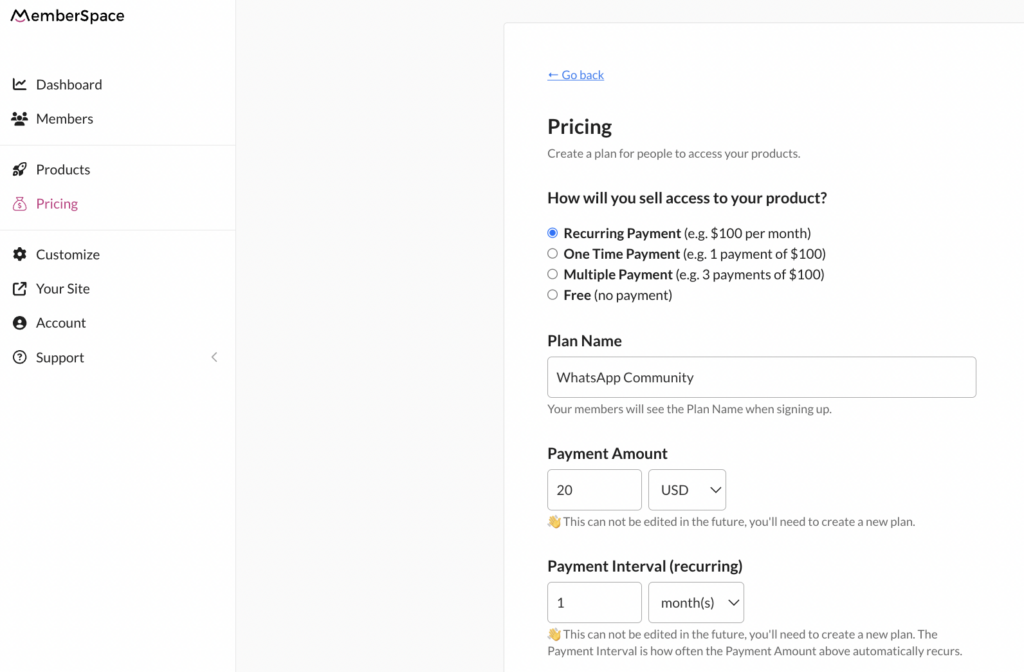
Step 4: Set a price for access to your WhatsApp community 

After protecting your community link, it’s time to set up your pricing! You can create one or multiple pricing tiers and charge customers a recurring subscription fee for ongoing access to your group. 

Whatsapp community pricing
MemberSpace integrates with Stripe for payment processing, making it easy and secure to accept payments on your website via credit card, Apple Pay, and Google Pay.

Step 5: Share your community with new members

Once a new member signs up for your WhatsApp community, you can send them the invite link. The easiest way to do this is to copy the invite link and send it via email or text. You can use MemberSpace to send an automated welcome message including the link that will get sent out as soon as someone signs up on your website. 

Whatsapp community link
WhatsApp offers a few different ways to invite/add members to your community.

Final Thoughts

Combining WhatsApp and MemberSpace is a great way to create an exclusive, valuable community experience for your members. Setting up a paid WhatsApp community is simple and straightforward, even if you don’t have technical experience. With just a few steps, you can start accepting payments, protecting your community link, and inviting new members to join your group. If you’re ready to get started, create a MemberSpace for free today! 

Need help with your WhatsApp community

Connect with our friendly team, weekdays 10am – 6pm ET.

Let’s chat!

The post How to Create a Paid WhatsApp Community – 5 Steps to Monetize your Group Chat appeared first on .

How to Create a Paid Instagram Community – A Better Alternative to Instagram Subscriptions

Software Stack Editor · May 17, 2024 ·

Haiden Hibbert

Haiden Hibbert

I’m a Content Manager at MemberSpace helping entrepreneurs and creators sell digital products.

Building a following on Instagram is no small feat – especially with the ever-changing algorithm and increasing competition among creators. So if you’ve managed to grow an engaged community on the platform, you’re probably wondering the best ways to monetize it!

While Instagram does have a paid subscriptions feature that allows followers to subscribe for access to exclusive content, it leaves you at the mercy of the platform’s rules and payout policies, which isn’t ideal when you’re looking for a sustainable and reliable source of income.

In this post, we’ll walk through a more flexible alternative to Instagram subscriptions – selling access to a paid Instagram account on your own website! This way,  you remain in control of your pricing, your member data, and any additional perks you want to offer your community, like group coaching sessions, newsletters, or private podcast episodes – all in one place. 


Launch a paid Instagram account!

The easiest way to accept membership payments or one-time charges for digital products like podcasts, online courses, communities, content libraries, and more — all from your own website!


Start selling now

Get started for free! 5 minutes to set up.

Table of Contents

Step 1: Set up a private Instagram account

If you haven’t yet, you’ll want to start by opening up a private Instagram account, or setting your current profile to private. This is where you’ll build and grow your paid community, share exclusive content, host live Q&As, encourage discussions among your followers, talk to members in your DMs, etc.

Private Instagram account
Switch your Instagram account to private so only paying members can join.

Step 2: Add MemberSpace to your website

MemberSpace is the tool you’ll use to accept payments for your paid Instagram account on your website. All you need to do is sign up for MemberSpace for free and add a snippet of code to your website (this takes just a few minutes and we have install instructions for each CMS, so no tech expertise necessary!). 

Use our simple install instructions to help you add the MemberSpace code to your site.

Step 3: Protect your Instagram page

Next, you’ll use MemberSpace to create a signup/login area on your website so you can share the URL for your private Instagram and accept payments for access to your account. 

First, go to Products and add a new Community. Under Where is your product?, select An external link. This is where you’ll add the URL for your profile. 

Private instagram community
By adding your Instagram profile link, new members will get access to it as soon as they sign up.

✨ Be sure to enable Member Menu. This will add your Instagram profile link to a menu in the bottom right corner of your website (only logged in members can see the menu). 

Step 4: Set a price for access

Once you’ve added your paid Instagram profile as a new product, it’s time to decide how much you’ll charge members for access! MemberSpace has a built-in Stripe integration, so accepting payments on your website is a secure and easy process. All you have to do is connect to an existing Stripe account or create a new one, and choose from one-time, recurring, or multiple payment and then indicate your pricing. 

When someone goes to sign up for access, they’ll fill out your signup form and pay via credit card, Apple Pay, or Google Pay. 

Sell private Instagram
Choose how you want to sell access to your product and set your billing details, like payment frequency and billing date.

When community members go to sign up on your website, they will see a payment form like this.

Step 5: Share your profile with new members

As soon as someone signs up for your paid Instagram on your website, you’ll need to provide them with the profile URL so they can request to join. In addition to using the Member Menu, there are a few ways to do this with MemberSpace:

  • Option 1: Send out a welcome email that includes a link to your Instagram profile, so they can request to join
  • Option 2: Redirect new members to a “secret” landing page after they sign up for your community and include the link on that page. You’ll need to protect this page with MemberSpace so only members can view it.
  • Option 3: When someone signs up for access to your community, you can manually send them the link to your Instagram profile — this can be done via email, text, or any other method you prefer.

Final Thoughts

Creating a paid Instagram community can be a lucrative way to monetize your following and build a sustainable income stream as a creator. By using MemberSpace to accept payments and manage access to your private Instagram account, you maintain full control over your community, pricing, and other membership offerings! You can have everything up and running in just a few minutes, without any tech expertise required. Get started for free today!

Need help with your Instagram community?

Connect with our friendly team, weekdays 10am – 6pm ET.

Let’s chat!

The post How to Create a Paid Instagram Community – A Better Alternative to Instagram Subscriptions appeared first on .

Try these 7 underrated ways to maximize revenue from digital products

Software Stack Editor · May 17, 2024 ·

When it comes to digital product and online course marketing, the process for maximizing digital sales is cyclical, not linear. Meaning, it’s not a step-by-step process you will do once and forget about. Unlike passive income, where you can “set it and forget it,” maximizing digital product revenue requires revisiting often. 

The good and bad news: There is not a one-size-fits-all model for how to go about this. Rather, it requires a unique combination of strategies determined by what your product is, who your audience is, market conditions, and more. The good news: We have seven approaches you can take no matter what you’re selling. Adapt them to your own business to evolve your earning potential. Learn how to boost sales and generate more income from your online courses, e-books, and templates with these seven steps. 

{{tableofcontents-component=”/blog-shortcodes/table-of-contents”}}

Identify your target audience and niche

For online course marketing and more, understanding who your target audience is key to delivering them quality content they’ll be excited to buy—ideally again and again. Before you determine your target audience, consider where there might already be a demand. Is there a demographic that is already interested in your content or products? Focus on the people you can best serve (or are already serving), and consider how you can serve them even better by determining their wants, needs, and desires. This can be done by asking for feedback from existing or intended customers, analyzing customer data already at your disposal, and conducting your own market research. 

Once you’ve done your homework, you can narrow a broad market group down to a specific niche. This involves getting even more specific about who your audience is, beyond just their demographics and preferences. Want to learn more about identifying your niche? Check out this blog post. 

Why is this so underrated?

Many creator businesses underestimate the power of truly understanding their target audience because it seems like common sense, yet they often rely on broad assumptions rather than deep insights. This oversight can lead to generic marketing strategies that fail to resonate on a personal level, missing out on significant revenue potential. Additionally, the process of gathering detailed customer feedback and conducting thorough market research is time-consuming and requires effort, which many companies are reluctant to invest. However, those who do take the time to intimately know their audience can create highly targeted and compelling content that drives repeat purchases and fosters brand loyalty.

Create high-quality, valuable content

This brings us to our next step: As you consider who your audience is and how you can best serve them, you can start to design and create valuable content they truly want and can benefit from. Do your products solve a problem or satisfy a need? Once you know how they will bring value to your customers, you can build accordingly. Create products that are high-quality and user-friendly. Even if this takes more time, energy, and resources, it will help you build trust among your audience and encourage repeat purchases, organic referrals, word-of-mouth marketing, etc. to maximize digital sales and sustain your business.

Why is this so underrated?

Some creators undervalue the impact of creating high-quality content because they are often focused on quick wins and immediate sales rather than long-term growth. The pressure to produce content rapidly can lead to a compromise on quality, which ultimately undermines customer trust and satisfaction. Furthermore, high-quality content requires a significant investment in terms of time, creativity, and resources, which many companies are hesitant to commit. However, those who prioritize quality over quantity can differentiate themselves in a crowded market, leading to increased customer loyalty, higher conversion rates, and sustained revenue growth through repeat purchases and positive word-of-mouth.

{{firstdigitaldownload-component=”/blog-shortcodes/call-to-action”}}

Develop a strong marketing strategy

Before we get into effective marketing, you’ll need to price your product. Pricing too low may cause customers to undervalue your product, while pricing too high can lose your audience that feels it’s not within their budget. Find a sweet spot based on the time and energy it took to create the product, production costs, etc., that honors your creativity and ingenuity, while being competitive with similar products on the market. You can always lower prices through seasonal promotions, but it can be harder to raise your prices once they’ve been set. 

Once you have the numbers set, it’s time to plan your digital product or online course marketing strategy. Leverage different marketing channels that feel aligned to you (in other words, what you know you’ll communicate regularly, consistently, and comfortably on) and your product. This will increase your visibility and attract potential customers to your product. 

Why is this so underrated?

Many businesses overlook the importance of a strong marketing strategy because they assume a great product will sell itself. This can lead to missed opportunities and disappointing sales. The process of crafting a comprehensive marketing plan—balancing pricing, selecting channels, and maintaining consistent communication—requires a strategic approach and ongoing effort, which some find daunting. Without a targeted marketing strategy, even the best products can get lost in the crowded digital marketplace. By investing in a well-thought-out marketing plan, businesses can boost visibility, attract more customers, and ultimately increase sales and revenue.

Leverage email marketing for promotion

Once you have your product and marketing in plan in place, utilize your email lists to communicate the value of your product. With all marketing channels, you have a limited time to hold your audience’s attention. People are inundated with work and marketing emails daily, and attention spans are more limited than ever. Grab attention with a subject line that speaks directly to your target audience. 

Next, tailor your email communications based on your relationship with your audience—how they would want to hear from you. Perhaps you position yourself as a trusted friend, the authority on a certain subject, etc. You might write them in letter format in a newsletter, whereas on other marketing channels you would grab their attention in a different way. 

Finally, show don’t tell: Rather than simply telling them what the product is, explain why it’s important and how it will impact their lives. Highlight unique benefits relevant to them, and always circle back to your call to action (CTA)—the action you want the customer to take to achieve your goal of maximizing digital sales.

email marketing example

Why is this so underrated?

Email marketing often flies under the radar because many businesses see it as outdated compared to newer digital platforms. There’s a misconception that social media or other channels are more effective, leading to underutilization of email’s direct and personal approach. Crafting impactful email campaigns requires careful planning and personalization, which can seem daunting. However, when done right, email marketing can build stronger relationships with your audience, leading to higher engagement, trust, and more sales.

Utilize social proof and testimonials

You can establish credibility and continue building trust through social proof—the psychological idea that customer decision-making is influenced by others. Simply put, if others give your product(s) their stamps of approval, others are more likely to follow suit. This can be achieved by displaying testimonials, media mentions, numbers and ratings, and more on your product landing page and within your marketing channels. 

Choose a range of testimonials that highlight various benefits—not just praising the product but why and how it provided value. It can also be helpful to include credibility boosters, such as the reviewer’s name, title, company name, and even photo.  

The more you can communicate how tried and true your product is, the higher your conversion rate and digital product revenue will be. 

Abagail Pumphrey of the Boss Project Honest Teachable Review

Why is this so underrated?

Many creators and digital business owners overlook social proof because they often focus on their content and product features instead. This can lead to missed opportunities for building trust with potential customers. Collecting and showcasing authentic testimonials can seem time-consuming, but it’s a powerful way to demonstrate the real-world impact of your product. By sharing genuine customer experiences, you can enhance your credibility and make it easier for new customers to feel confident in their purchasing decisions, thereby increasing your conversion rates and sales.

Offer upsells and bundle deals

To maximize digital sales, you can consider relevant products to recommend to your customers through upsells and bundle deals. As a reminder, an upsell is an opportunity to encourage customers to upgrade or make an additional purchase. This could be additional products or add-ons, or upgrading for access to premium features. Bundles take it a step further, offering an incentive to buy multiple products at a time. This could be as simple as “people also bought” recommendations, a promotion where you have to buy a certain number to receive a discount, or bundling products together for a specific reason. 

Why is this so underrated?

Upsells and bundle deals can be powerful tools that business owners selling digital products tend to overlook. Don’t miss out on valuable opportunities for increasing profitability by only focusing on the initial sale. The idea of suggesting additional products or creating bundle offers may seem daunting or even unnecessary to some. However, by taking advantage of these strategies, digital product businesses can not only increase their earnings but also provide added value and convenience to their customers, enhancing their overall experience.

Continuously analyze and optimize your approach

As with many things in life, it’s important to reflect on this product cycle and evaluate what’s working and what isn’t. This is where revisiting the process, as we mentioned at the beginning of this article, comes into play. Consider how you can consistently improve your digital products and retain your customers. 

For both, customer feedback can be really valuable for adapting your strategies to meet their wants and needs. In addition to feedback, provide your customers with excellent service and support and continue to engage them through your marketing channels. Other ways to improve your offerings include monitoring metrics and continuing to do your market research. Use this information to enhance or shift if need be. 

Ultimately, optimization through evaluation is key for maximizing your digital product sales.

Why is this so underrated?

Regular reflection and evaluation are essential for growth and success. By revisiting and refining your processes, you can identify areas for improvement and adapt to meet the changing needs of your customers. Embracing customer feedback, providing excellent service, and staying engaged through marketing channels are important steps in this ongoing optimization journey. Understanding and using metrics and market research allows you to make informed decisions and stay ahead of the curve. Prioritizing optimization through consistent evaluation can really help in your quest to maximize digital product sales and revenue and sustain long-term success in the creator economy.

{{createdigitaldownload-component=”/blog-shortcodes/call-to-action”}}

Wrap up

We’ve discussed why maximizing digital sales is not a linear, one-time process but a series of strategies you will want to come back to again and again. Before you start creating your high-value products, identify who your audience is and what they really want or need. Develop a strong marketing strategy that leverages email and social media marketing. Lean on social proof, and consider creative promotions. And finally, evaluate and repeat. 

FAQs for maximizing your digital product sales and revenue

How can I increase sales of my digital products?

Increasing sales requires constantly reevaluating your products to determine how you can better serve your customers. It is not a linear, one-time process but a series of strategies you will want to come back to again and again. Before you start creating your high-value products, identify who your audience is and what they really want or need. Develop a strong marketing strategy that leverages email and social media marketing. Lean on social proof, and consider creative promotions. And finally, evaluate and repeat. 

What marketing strategies work best for selling online courses?

Leverage different marketing channels, including email and social media, that feel aligned to you and your product. This will increase your visibility and attract potential customers to your product. With your niche in mind, consider targeted, content, and affiliate marketing. Leverage social proof, such as testimonials, reviews, and media mentions, to build trust, as well as limited-time promotions and offers to elicit urgency. 

How do I price my digital products effectively?

Find a sweet spot based on the time and energy it took to create the product, production costs, etc., that honors your creativity and ingenuity, while being competitive with similar products on the market. Pricing too low may cause customers to undervalue your product, while pricing too high can lose your audience that feels it’s not within their budget. You can always lower prices through seasonal promotions, but it can be harder to raise your prices once they’ve been set. 

What are some ways to promote my e-books and templates?

Similar to online course marketing, utilize different marketing channels, including social media and email marketing, as well as optimizing for search engines (SEO), when promoting e-books and templates. 

For ebooks: Start marketing early to build anticipation. Make your ebook available on many different platforms, and encourage readers to leave a review, so it gets more traction. You might also consider collaboration with influencers to spread the word and/or offering incentives, such as bonus offerings, to people who preorder the ebook.  

For templates: Templates, on the other hand, can be promoted through tutorials, comparisons, and even free samples. Consider who your templates are most suited for, and from there you might do targeted ads or collaborations with influencers relevant to your audience. If you’re just starting out, you might consider discounts, promotions, or giveaways to spread the word. 

{{yourjourney-component=”/blog-shortcodes/call-to-action”}}

Zoom vs Meets 2024: Here are the Differences, Pros and Cons

Software Stack Editor · May 17, 2024 ·

The video conferencing market has shown significant growth in recent years. For instance, in 2023, North America had a substantial share of the video conferencing market thanks to giants like Google Meet and Zoom.

Of course, the choice of video conferencing software can make a significant difference in the success of live courses and webinars—but which one reigns supreme for your educational needs? 

In this comprehensive article, we’ll explore the nuanced differences between Google Meet and Zoom, focusing on features that matter most for live instruction and interaction. From user interface and accessibility to unique functionalities for educators, we’ll guide you through each platform’s offerings to help you make an informed decision.

{{tableofcontents-component=”/blog-shortcodes/table-of-contents”}}

How to choose video conferencing software

When selecting video conferencing software for hosting live courses and webinars, it’s important to prioritize features that enhance interactivity, reliability, and user engagement. Look for platforms offering robust video and audio quality to ensure clear communication. High-definition video support and superior sound clarity can significantly impact the participant’s experience.

Interactivity tools such as live polling, Q&A features, and even breakout rooms are all essential for engaging participants and fostering interaction in educational settings. You should also consider the software’s scalability, and it should accommodate your expected audience size without compromising performance.

Key features of Google Meet

Google Meet offers a suite of features tailored to facilitate effective online courses and webinars, ensuring a seamless and interactive experience for both hosts and participants.

  • High-Quality Video and Audio: Google Meet provides high-definition video and audio conferencing, which is essential for clear communication and engagement. Its adaptive layout automatically adjusts to accommodate multiple participants efficiently.
  • Screen Sharing and Presentation: Instructors can share their screens or present slides, documents, and videos, making it easier to convey complex information or demonstrate processes live.
  • Real-Time Captioning: Utilizing Google’s speech recognition technology, Meet offers real-time captioning, enhancing accessibility for participants with hearing impairments and aiding comprehension in noisy environments.
  • Breakout Rooms: This feature allows hosts to split participants into smaller groups for discussions or workshops, fostering collaboration and deeper engagement in the course material.
  • Polls and Q&A: Engage participants with live polls and Q&A sessions, enabling real-time feedback and interaction, which is crucial for dynamic learning environments.
  • Integration with Educational Tools: Google Meet integrates seamlessly with various educational platforms and tools, including Google Classroom and G Suite, providing a cohesive ecosystem for managing courses, materials, and communication.
  • Recording and Replay: Hosts can record sessions for later review or for participants who couldn’t attend live, ensuring that the educational content is accessible anytime.
  • Adjustable Layouts: Participants can choose their viewing layout, focusing on the presenter, a specific document, or a gallery view of all participants, tailoring the experience to their learning preferences.
  • Security Features: With robust security measures in place, including encryption and meeting controls, educators can maintain a safe and secure learning environment.

Key features of Zoom

Zoom has emerged as a powerful tool for virtual learning and webinars, offering an array of features that cater to the needs of educators and hosts.

‍

  • HD Video and Audio: Zoom for webinars provides high-definition video and audio conferencing, which is essential for maintaining clear and effective communication. This clarity is crucial for keeping participants engaged and ensuring that content is delivered successfully.
  • Interactive Breakout Rooms: A standout feature for education and training, breakout rooms allow hosts to divide larger groups into smaller, focused discussions or learning groups, enhancing engagement and collaboration.
  • Webinar Tools: Zoom’s webinar functionality is robust, supporting large audiences with features like attendee registration, polling, and Q&A sessions, enabling real-time interaction and feedback.
  • Screen Sharing and Whiteboard: Presenters can share their screens with ease, facilitating detailed demonstrations and presentations. The whiteboard feature allows for real-time collaboration and illustration of concepts.
  • Recording and Transcription: Sessions can be recorded for later review or for those who cannot attend live. Automatic transcriptions help provide an accessible text version of the content discussed.
  • Virtual Backgrounds and Touch-up Features: These features help presenters maintain a professional appearance and minimize distractions in their background.
  • Integration Capabilities: Zoom integrates with numerous educational and productivity tools to streamline the workflow and enhance the overall learning experience.
  • Polling and Hand Raising: Engage participants with interactive polls and allow them to signal when they have questions or comments, fostering a dynamic and interactive learning environment.
  • End-to-end Encryption: With enhanced security features, including end-to-end encryption, hosts can ensure that their sessions are secure and private.

{{checkplans-component=”/blog-shortcodes/call-to-action”}}

User experience: Google Meet vs Zoom

The user experience of Google Meet and Zoom directly reflects their design philosophies and target audiences, with each platform offering distinct features and interfaces that cater to various user preferences and requirements.

Ease of Use

Google Meet is renowned for its simplicity and integration with Google’s ecosystem. Its interface is straightforward, allowing users, especially those already familiar with Google products, to navigate and utilize its features effortlessly. Meeting setup is quick, and joining a meeting is intuitive, requiring just a few clicks, which is particularly beneficial for users with varying levels of tech-savviness.

In contrast, Zoom offers a more feature-rich interface that, while slightly more complex, provides quick access to a broad range of functionalities. Its user interface might require a bit of a learning curve compared to Google Meet, but it allows for more flexibility and customization by catering to users who may require more advanced features.

Features and Interactivity

Zoom takes the lead in terms of interactive features, such as breakout rooms, virtual hand raising, polling, and a wider range of reactions, which all enhance and improve participant engagement. These features make Zoom particularly suited for dynamic and interactive webinars or classes.

Google Meet, while more limited in interactive features compared to Zoom, offers a clean and uncluttered interface, focusing on simplicity and ease of use. Its recent updates have introduced more interactive options, such as hand raising and polling, but it still maintains a focus on straightforward, no-fuss functionality.

Google Meet also has better image quality, which can be great for video presentations and especially for people who are joining via smartphone and want to view things like images or documents in a React app more clearly. Designers and other visual creators should definitely prioritize this.

Performance and reliability comparison

When comparing the performance and reliability of Google Meet and Zoom, it’s crucial to consider various factors like stability, video/audio quality, and scalability to gauge which platform offers the most dependable experience.

  • Stability and Uptime: Both Google Meet and Zoom are known for their high uptime and stability. However, Zoom has carved out a reputation for robust performance, even under heavy loads, which is vital for hosting large webinars or meetings without interruption. Google Meet also offers reliable performance, particularly benefiting from its deep integration with Google’s infrastructure, ensuring a stable service for users.
  • Video and Audio Quality: Zoom provides superior video and audio quality, which remains consistent even with larger participant numbers. Its ability to deliver high-definition video and clear audio without significant lag is a key strength. Google Meet also offers high-quality video and audio, though some users report slightly lower consistency in quality during large or extended meetings compared to Zoom.
  • Scalability: Zoom stands out for its scalability by effectively accommodating a large number of participants without a drop in performance. This capability is particularly important for webinars or large classes. Google Meet has improved its scalability, but Zoom still leads, especially in handling large-scale and complex meetings.
  • Technical Support and Reliability: Both platforms offer substantial support, but Zoom’s extensive support resources and rapid response can be crucial for troubleshooting during important sessions. Google Meet benefits from Google’s overall infrastructure and support but may not match Zoom’s specialized attention in every scenario.

Integrations with online course platforms

The integration of video conferencing tools like Google Meet and Zoom with online course platforms significantly enhances the digital learning experience, providing seamless interaction and content delivery. Here’s how each platform fares in terms of integration with popular educational platforms.

Google Meet’s Integrations

As part of Google Workspace, Google Meet offers natural and straightforward integration with Google Classroom and other Google apps, facilitating a unified educational environment. Teachers can schedule and start Meet sessions directly from Google Classroom, streamlining the process and enhancing the user experience.

Zoom’s Integrations

Zoom offers more extensive integration capabilities with a range of learning management and educational platforms, including:

  • Canvas
  • Teachable
  • Moodle
  • Blackboard
  • Google Classroom

These integrations allow educators to schedule and launch Zoom meetings directly from within the course management system, providing a seamless transition for students. Moreover, Zoom’s features, like attendance tracking, recording storage, and in-depth analytics, all add value to its integration, offering educators enhanced tools for monitoring and engagement.

Both platforms facilitate easy access to video conferencing within course platforms, making it easy for Teachable course creators to present their content the way they imagined it. 

However, Zoom’s broad integration capabilities and additional features give it an edge, particularly for institutions using a variety of learning management systems. In contrast, Google Meet’s advantage lies in its deep integration with Google Workspace, ideal for educators and institutions already embedded in Google’s ecosystem.

{{checkplans-component=”/blog-shortcodes/call-to-action”}}

Pricing and plans

The pricing structures of Google Meet and Zoom are designed to cater to a range of needs, from casual users to large enterprises, with specific considerations for those hosting webinars and courses.

In comparing overall value for money, Zoom typically offers more flexible pricing, especially if you require specific webinar features without needing a broader suite of business tools. Google Meet, on the other hand, provides better value if you’re already using or plan to use the Google Workspace suite extensively. 

Google Meet

Initially free for basic use, Google Meet’s more advanced features, which are particularly relevant for hosting courses and webinars, require a subscription to Google Workspace. 

The Workspace plans start with a Business Standard tier, which provides meeting recordings and larger participant capacities, and scale up to Enterprise levels, offering advanced control and security features. It’s perfect for those who don’t like long-term subscriptions and want to escape vendor lock-in that’s often the result of longer-term software purchases. 

Pricing for Google Workspace begins at $12 per user per month for the Business Standard plan, escalating to higher tiers for more extensive needs.

Zoom

Zoom provides a free Basic plan, suitable for smaller, more informal meetings. However, for hosting larger webinars and courses, their paid plans are necessary. The Pro plan starts at $14.99 per month per host and supports up to 100 participants with meeting durations longer than 40 minutes.

For webinars and larger meetings, Zoom offers specific add-ons; the Webinar plan can accommodate up to 10,000 view-only attendees. Zoom’s pricing escalates with the number of participants and additional features, like increased cloud recording storage.

Because of this, you shouldn’t overburden your small business savings account with Zoom’s higher-tier plans if your primary need isn’t for large webinars or extensive meeting durations. Overinvestment in such specific features can lead to unnecessary financial strain, especially if your business doesn’t frequently host large-scale events. 

Security and privacy: which is safer?

When evaluating the security and privacy of Google Meet and Zoom, it’s essential to consider the measures each platform employs to protect users and data.

  • Google Meet: Built on Google’s secure infrastructure, Google Meet benefits from the same robust security measures that safeguard other Google services. This includes things like two-factor authentication, encryption in transit and at rest, and advanced protection against phishing and malware. Google Meet automatically encrypts all data, and meetings are given unique, encrypted IDs to help prevent unauthorized access. Google’s commitment to user privacy ensures that Meet does not use customer data for advertising and complies with stringent global compliance certifications.
  • Zoom: Following some initial security concerns, Zoom has significantly strengthened its security features. It now offers end-to-end encryption for all users, password protection for meetings, and waiting rooms to control access. Zoom’s role-based user security, meeting locks, and watermarks add layers of security, especially for sensitive communications. Furthermore, Zoom complies with a range of compliance certifications and conducts regular third-party security audits.

Both platforms are continuously updating their security measures to address evolving threats and maintain user trust. However, the choice between them might depend on specific security needs or organizational compliance requirements. 

For instance, organizations deeply integrated into the Google ecosystem might prefer Google Meet for its seamless integration and uniform security policies. At the same time, those requiring detailed user access controls and customization might lean towards Zoom. 

​​Likewise, one has to imagine how both platforms will be vulnerable to things like employment identity theft down the road—AI deepfakes are on the rise, and we all know how trusting everyone is to a colleague’s smiling face on video.

Pros and cons of Google Meet

Pros of Google Meet

  • Integration: Meet seamlessly integrates with Google Workspace, enhancing productivity and collaboration through shared calendars, documents, and more.
  • Simplicity: Known for its user-friendly interface that makes it accessible for users of all skill levels.
  • Accessibility: Offers real-time captioning and is accessible on various devices, promoting a greater degree of accessibility and inclusivity.
  • Security: Benefits from Google’s robust security infrastructure to ensure a high level of data protection and meeting privacy.

Cons of Google Meet

  • Features: Lacks some of the advanced interactive features and customization options available in other platforms like Zoom.
  • Scalability: While suitable for a range of meeting sizes, it may not perform as smoothly as competitors in very large webinars or events.
  • Dependency: It’s best leveraged within the Google ecosystem, which might limit its appeal for users or organizations not fully invested in Google’s suite of products.

Pros and cons of Zoom

Pros of Zoom

  • Feature-rich: It offers extensive interactive tools like breakout rooms, polls, and virtual hand-raising, enhancing engagement in webinars and courses of all kinds.
  • Scalability: Excellently handles large numbers of participants without compromising on performance, ideal for big webinars.
  • Customization: Provides numerous settings and options to customize meetings and webinars to suit specific needs.
  • Integration: Integrates with a variety of educational tools and platforms, offering flexibility across different learning environments.

Cons of Zoom

  • Security: Despite improvements over the years, early security concerns have left a lasting impression on some users’ perceptions of its safety.
  • Complexity: The wide array of features can be overwhelming for new users, requiring a steeper learning curve compared to more straightforward platforms.
  • Pricing: While it offers a free tier, access to advanced features necessary for larger webinars comes at a higher cost compared to some competitors.

Making the decision: which is right for your needs?

At the end of the day, choosing between Google Meet and Zoom hinges on your specific needs and preferences. If you prioritize a user-friendly interface and seamless integration with Google Workspace tools, Google Meet is the optimal choice. It’s particularly beneficial for those already embedded in the Google ecosystem, offering a straightforward, secure experience.

If you require a platform with advanced interactive features and customization options to engage participants actively, Zoom is more suitable. Its ability to handle large webinars, extensive integration capabilities, and detailed control over user interactions make it ideal for dynamic and large-scale events. 

Learn more about Teachable’s Zoom integration

Check out these resources:

‍

Product Knowledge Training 101: How to Deploy an Effective Program

Software Stack Editor · May 15, 2024 ·

.ez-toc-page-1:nth-child(5) {
display: none;
}

Product knowledge training is a training program that explains a product or service in detail, along with all its benefits and use cases. The scope of product knowledge training is to enable the learner to use, sell, or promote the product effectively, depending on their role.

Product knowledge is not only about exploring product features and functionalities – a full-fledged training program offers a deep understanding of a product’s position in the market and its target audience. This way, employees have a rounded view of the product and the problems it solves, as well as how it compares to similar offerings.

9000+ brands trust LearnWorlds to train their people, partners & customers.

Start a FREE Trial

Product knowledge concerns companies across diverse industries, such as those selling SaaS or tech products, retail, and financial services. It’s also common among industries like manufacturing and healthcare, where knowing how to use the product is pivotal for the user’s safety.

In this post, we’ll dive deep into product knowledge training and explain why it’s important, what it entails, who it’s for, and how to deploy engaging and effective product knowledge for different audiences.

Why is Product Knowledge Important?

Product knowledge is essential for all customer-facing employees, first and foremost, and for customers too.

Whether a sales rep tries to close a sale or a customer support agent replies to a ticket, product knowledge training equips employees with the skills they need to provide a superior customer experience and effectively meet customer needs: the sales rep will guide the client toward the best solution for their needs, and the customer support agent will reply swiftly and solve the issue without referring the customer to a superior or putting them on hold.

At every touchpoint during the customer journey, well-versed employees serve clients better and, therefore, inspire trust. This directly reflects on your brand – if the customer trusts your employee, they trust your brand as well.

The benefits of product knowledge in a nutshell:

  • Handle client objections
  • Close more sales, faster
  • Build trust with prospective customers
  • Offer fast & efficient technical support
  • Maintain a unified brand image
  • Increase product adoption
  • Improve customer satisfaction
  • Empower customers to enjoy your product/service fully
  • Boost customer retention

Who Needs Product Knowledge?

Let’s start by saying that every new employee needs to know about your product, from Val on your sales team to Mary in finance. Therefore, product knowledge should always be part of new hire training, even if the depth of the course will vary.

Overall, the following groups are the most common recipients of product training:

Sales Representatives

Product training is an indispensable part of your sales training and sales enablement strategy. A salesperson is often the first person customers interact with. And even if they’re not the first, they’re the ones customers interact and associate your brand with the most.

Whether selling online or in physical stores, sales staff need to know the ins and outs of your product or service. It’s the most effective way they will build trust and present the product enthusiastically and in detail, so each customer can see its value and how it addresses their specific needs.

Product knowledge will also help them effectively address customer questions, overcome client objections, and promote complementary products (upsell).

Customer Success Managers

Customer success managers are most common with SaaS B2B products and deal with top-tier clients. Therefore, they should be able to serve them in an impeccable manner, resolve any issues that arise, and answer questions with confidence, ideally without having to refer the client to another team member.

Product training enables them to achieve in-depth knowledge to assist their clients and ensure a smooth customer experience.

Customer Support Agents

Similar to customer success managers, your support team needs thorough knowledge and quick access to a comprehensive knowledge base that will help them troubleshoot and resolve tickets in a timely and efficient manner.

Along with your customer success and sales team, these three groups are top priorities when it comes to product knowledge training; they’re the people customers come the most in contact with and have a huge impact on how they perceive your company.

Therefore, they need to be fully aligned with your brand image and offer consistent, high-level customer service that reflects your values and ethics.

External Partners

Affiliates, resellers, distributors, and other external partners will also greatly benefit from product knowledge. External partners need to understand your product and its benefits so they can promote it to the clients that the product will fit best, and in a way that will convince them of the superiority of your product over competitive ones.

Marketing Team

Your marketing department is also required to “sell” your company’s product, even indirectly. Anyone involved in product marketing needs to be able to position it in a favorable light and differentiate it from competitors’ products.

This is possible only through training sessions that focus mostly on customer profile, brand image, and industry knowledge. This group doesn’t need to know every little button and setting but rather the benefits and use cases your product features translate into.

Customers

Last but not least, customers also need to receive a type of product knowledge training, which is most commonly referred to as customer onboarding or customer education.

Product education is also an integral part of the product offering and can significantly impact the probability of closing deals thanks to the perceived additional value.

In some cases, like in healthcare, product training is not a nice thing but a requirement to prove that the user is qualified to use the product or has become a product expert. In such cases, you also need to increase the difficulty level with assessments and offer a certificate at the end of the training course.

What Does Product Knowledge Training Entail?

Product knowledge is more than exploring product features. A comprehensive program should introduce learners to related knowledge so they have the full picture: brand image, industry and competition, and ideal customer persona.

Let’s see these elements of product knowledge in more detail.

Product Training

Product training is focused on showing how your product works. It is at the core of product knowledge, and its difficulty level and focus vary depending on who it is aimed for.

For example, product training needs to be as detailed and thorough as possible for customer-facing teams, especially for those answering technical questions.

Meanwhile, product training for your partners or your sales & marketing teams should focus on linking product features to benefits and use cases.

Brand Image

In the same way that retail staff often wear the same outfits so customers can tell who they are, any salesperson should handle clients and present themselves in a specific manner that reflects your brand image.

In other words, all employees (and that includes those who do not directly interact with clients) must know the story behind your brand, your tone of voice, and your messaging, so they can deliver the same message across all touchpoints – a message that aligns with your values and mission and resonates with your customers.

Industry Knowledge

Customers are more knowledgeable than ever, and so should your sales reps and marketers. Ensure they stay on top of industry trends and the current state of the competition.

This will not only provide a better understanding of your own product and how it meets current customer needs; it will also help them identify key differentiators, brainstorm ideas for feature releases, position the product favorably, and be better prepared for customer objections.

Customer Profile

Knowing your product is one part of the equation. On the other end stands who it’s made for, your customers. This means that sales reps and marketers must understand the customer goals, pain points, and key motivators.

6 Tips for Deploying Product Knowledge Training

As you can see, product knowledge can get complicated. Therefore, you need to have a solid plan for rolling out your program to suit the needs of different learners. Let us help you with that with 6 foolproof tips:

Use a Learning Management System (LMS)

A Learning Management System will literally untie your hands. With a versatile LMS like LearnWorlds, you will have access to features that will help you build and deliver training programs tailored to the unique needs of your diverse audiences.

Here is a taste of what you’ll be able to do with LearnWorlds:

  • Scale your program to different locations and audiences with multiple schools.
  • Leverage built-in content authoring tools & our AI assistant for faster course creation and content repurposing
  • Choose or combine training delivery methods: offer self-paced courses, on-demand training material, or live training sessions and webinars
  • Develop & deliver diverse content, building personalized learning paths
  • Efficiently manage users with access controls and custom user roles
  • Brand the learning environment to boost your brand
  • Deliver training on mobile devices via your own native mobile app
  • Use built-in tools to evaluate your program, such as Survey Builder and Course Insights
  • Build learner assessments and Certificates
  • Set up seamless integrations with your current tech stack & APIs
  • Protect proprietary knowledge with advanced security features

Discover these and many more features with a LearnWorlds 30-day free trial!

9000+ brands trust LearnWorlds to train their people, partners & customers.

Start a FREE Trial

Use Microlearning

Short and sweet training modules are very effective for product knowledge training. Being bite-sized and designed to be easily comprehensible, microlearning offers unique benefits:

  • Microlearning modules are engaging – the lessons are broken into 3-minute videos, which can hold the attention even of the most difficult viewer.
  • It prevents cognitive overload. Bite-size material is easy to understand because it only offers the gist and doesn’t bombard learners with nice-to-have info.
  • It is easy to consume on the go or from mobile devices. In fact, mobile learning and microlearning are a perfect match!
  • It is easy to assimilate. When the learner is not overwhelmed with information, they are better able to internalize the new knowledge.
  • Due to its format, it’s perfect for providing training at the point of need (just-in-time or on-the-job training), where learners need a quick “cheat sheet.”
  • An ideal way to support long-form courses and provide microlearning to enhance spaced repetition and facilitate long-term knowledge retention.

Offer Diverse Training Resources

Like with any training course, product knowledge must include a variety of content to satisfy different learning preferences and training needs to achieve maximum learner engagement and better comprehension.

In our experience, this is the content that works best for our clients:

  • Videos for step-by-step product walkthroughs
  • Role-plays to facilitate knowledge assimilation through practice in a “safe” environment
  • Quizzes & assessments to help learners achieve the learning objectives through repetition and practice
  • Infographics for a quick cheat sheet they can use at the point of need
  • Gamification elements like badges
  • Case studies so they can link features to use cases and inspire clients
  • FAQs to address the most commonly asked questions

Customize per Role

Remember Mary in finance, who only needs some basic product information? Well, Jen in the product development team might need some more training, as she needs to become a product expert to brainstorm and advance the product further.

This means that you can’t deploy just one product knowledge program and disseminate it as is. Create different versions of your course depending on who the audience is.

You don’t want to overwhelm people who are not deeply involved in the product with too much detail, nor leave those who need to know it best with important questions.

Leverage AI

Customizing your training program to meet the requirements of each audience sounds like hard and time-consuming work. But it doesn’t have to be! We are lucky to live in an era where technology has advanced to the point where Artificial Intelligence has become our best business partner.

Use AI tools – some, like ChatGPT, are even available for free – to repurpose and modify content faster. If your LMS offers an AI assistant, even better. For example, with LearnWorlds AI assistant, you can easily create, edit, and repurpose content or even build your course plan using pre-built prompts! So even if you know very little about AI, we have made it very easy for you to use our AI tool to build an engaging and effective course.

Continuously Evaluate & Update

Make sure your training program is beneficial for all intended audiences by tracking important data from different sources. For example, you can:

  • Measure business metrics (NPS, sales cycle, churn, support tickets served)
  • Check your LMS reports for analytics on learner engagement and course completion
  • Send out feedback surveys
  • Conduct one-to-one interviews

Analyze the insights to tweak your program and continuously improve it. You should also refresh your learning material with every new product or feature update to ensure everyone is on the same page.

Moving Forward With Product Knowledge

There’s no questioning the importance of product knowledge, which is the building block for a competent workforce and empowered customers. Therefore, it should be part of your overall employee training or customer education strategy.

As we review the best practices and “jobs to be done” for a scalable and custom-made training program, it becomes evident that a lightweight Learning Management System like LearnWorlds can support your efforts every step of the way.

Join more than 9,000 happy clients and start building your online academy today, with a 30-day free trial!

9000+ brands trust LearnWorlds to train their people, partners & customers.

Start a FREE Trial

Further reading

  • What is an LMS (Learning Management System)?
  • The 19 Best Learning Management Systems
  • SCORM 101: The Definitive Guide to Choose a SCORM Compliant LMS
  • 18 Best Online Course Platforms Comparison Guide
  • 10 Best WordPress LMS Plugins Comparison
  • The Benefits of Mobile Learning: Unveiling Its Power and How It Works

The post Product Knowledge Training 101: How to Deploy an Effective Program appeared first on LearnWorlds.

How to Create a Paid Slack Community – 5 Steps to Monetize your Channel

Software Stack Editor · May 14, 2024 ·

Haiden Hibbert

Haiden Hibbert

I’m a Content Manager at MemberSpace helping entrepreneurs and creators sell digital products.

If you’re looking for a way to make your online community more valuable and engaging, creating a private Slack channel might be the perfect solution. As a creator, coach, or entrepreneur, you can provide your members with an exclusive space to discuss your content, share their experiences, and connect with you and each other. 

The best part? You can easily monetize your paid Slack community using MemberSpace! 


Launch a paid Slack community!

The easiest way to accept membership payments or one-time charges for digital products like podcasts, online courses, communities, content libraries, and more — all from your own website!


Start selling now

Get started for free! 5 minutes to set up.

Table of Contents

Step 1: Create your Slack workspace and private channels

Start by creating a new Slack workspace. You can create multiple channels for your community members to discuss different topics, or even have different groups or cohorts get access to their own channels. Whatever you decide, make sure to make each channel private, so only paying members can access them. 

Private Slack Channel
When creating a new Slack channel, go to settings and change it to a private channel so only paying members get access.

Step 2: Connect your website to MemberSpace

Next, you’ll need to create a MemberSpace account for free and install it on your website. This is the tool you’ll use to add a sign up form on your website and accept payments for your paid Slack community. It takes just a few minutes to add the snippet of code and works with any CMS. 

Install MemberSpace for private slack community
To install MemberSpace on your website, you’ll need to add a snippet of code. We have step-by-step instructions for each CMS, so don’t worry if you don’t have tech experience!

Step 3: Add your Slack workspace to MemberSpace

Once you’ve set up your Slack and MemberSpace accounts, it’s time to add your workspace URL to MemberSpace. This will ensure that your members are able to  find it once they sign up and pay.

Adding your Slack community URL to MemberSpace will ensure new members get access when they sign up.

By enabling the Member Menu option, your paid Slack community link will be accessible via a floating button in the bottom right corner of your website. 

Member Menu Whatsapp community
By enabling Member Menu, your new members will be able to access all of your community links in one place, including your Slack workspace URL.

Step 4: Set a price for access to your channel

Recurring payment is the most popular option for memberships, but you can charge your members however you’d like to join your community. MemberSpace offers lots of billing flexibility and integrates directly with Stripe to make payment processing secure and streamlined. 

Once you’ve set up your pricing plan, members will be able to sign up and pay via credit card, Apple Pay, or Google Pay on your website. 

To create a pricing plan for your paid Slack community, go to Pricing and choose how you want to sell access to your product.

Accept payments for private Slack community
Once you’ve set up your pricing plan, members will be able to sign up and pay on your website through a payment form like this.

Step 5: Automate new member invites

Because you’ve set your Slack channel to private, new members will need to be invited to join once they sign up on your website. Don’t worry – you can automate the entire process by connecting your Slack and MemberSpace accounts via Zapier!


MemberSpace Slack Zapier
One of the many actions you can automate with Zapier – new members can be invited to your private channel as soon as they subscribe.

Private Slack Channel Example – Boss Project

MemberSpace customer, Boss Project offers a private Slack Channel (AKA “your online executive team”!) to members who sign up for the highest tier of their membership community, along with other perks like group coaching calls, a content library, and an online academy. 

This is an amazing value-add for community members who want lots of support and guidance. 

Boss Project private Slack channel
Check out Boss Project’s membership for inspiration on how to structure your paid Slack community.

Final Thoughts

Selling access to a private Slack channel is a great way to launch an online community, share your expertise, and add a new income stream! You can also add your Slack channel to an existing membership as a way to increase the value of an existing community. To get started, sign up for MemberSpace for free!

Need help with your Slack community?

Connect with our friendly team, weekdays 10am – 6pm ET.

Let’s chat!

The post How to Create a Paid Slack Community – 5 Steps to Monetize your Channel appeared first on .

  • « Go to Previous Page
  • Page 1
  • Interim pages omitted …
  • Page 27
  • Page 28
  • Page 29
  • Page 30
  • Page 31
  • Interim pages omitted …
  • Page 35
  • Go to Next Page »

Get your Software Stack together. softwarestack.tech

Software Stack

© 2024–2025 - Software Stack is a trading name of SouthwestCIO Limited ac ompany registered in England & Wales 11319049

  • Knowledgebase
  • Home
  • About Us
  • Contact Us