• Skip to primary navigation
  • Skip to main content
software stack logo

Software Stack

Get your Software Stack together

  • Knowledgebase
    • All Categories
    • Accounting Software
    • Automation & Workflow Software
    • Customer Relationship Management
    • E-Commerce Shopfronts & Payments
    • Marketing Automation
    • Online Courses & Membership
    • Project Management
    • Surveys & Forms
    • Web Hosting
  • Home
  • About Us
  • Contact Us
  • Show Search
Hide Search

Learnworlds

Customer Onboarding Strategies: Why Tech-Touch is the Best Option

Software Stack Editor · March 19, 2024 ·

Customer onboarding can really make it or break it for your business. SaaS providers know this better than anyone, but the truth is customer onboarding is essential for any business that cares about keeping their customers.

There are several approaches to customer onboarding: high, mid, low, and tech-touch. Recent research suggests that tech-based solutions are preferred by customers – but all in good time.

In this post, we will explore these 4 popular approaches to customer onboarding, along with the pros and cons of each one. But first, here are three key facts about the importance of customer onboarding that you may not be aware of.

Why Should I Care About Customer Onboarding?

The question is, why wouldn’t you? We won’t drill down to every little way customer onboarding benefits your company, but we will give you 3 universal truths that ought to do it:

1. Increase product adoption

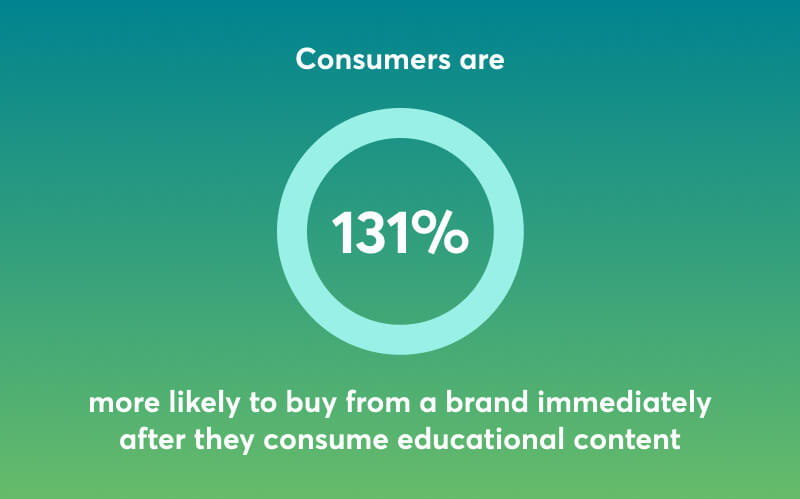
Customer onboarding doesn’t start with the purchase. It starts the first time the prospective client becomes aware of your brand – and educational content at that stage is powerful. In fact, consumers are 131% more likely to buy from a brand immediately after they consume early-stage, educational content. Imagine the power it has next.
Educating your customers on your product is key to increasing product adoption and product usage. As customers discover features and use cases (even ones they didn’t know about), they are better able to leverage the value of your product and make it part of their work or personal routine. When they use it, they like it. The more they use it, the more they like you!

2. Reduce operational costs

As customers become more knowledgeable, the incoming number of support tickets will decrease, and so will one-to-one calls. Customers will be able to turn to a centralized knowledge base, or they might not need it at all if they’ve taken a training course you’ve prepared for them.

Over time and with a streamlined onboarding program in place, you will be able to scale your business without increasing the number of your customer support and CSM agents. This will free up resources for more strategic moves while allowing for a high level of customer service.

3. Prevent customer churn

Customer onboarding additionally helps build a connection with new customers and strengthen loyalty with repeat ones. This happens not only because customers feel valued but also because they are able to incorporate your product into their lives and benefit from it.

We can’t stress enough the importance of customer retention. If you didn’t know it already, it costs 5 to 25 (!) times more to acquire a new client than to retain an existing one.

And now that we’ve made our case for customer education, let’s move on to the 4 common approaches to customer onboarding.

4 Popular Customer Onboarding Strategies

The following strategies are popular customer engagement models. Note that opting for one doesn’t necessarily exclude the other.

1. High-Touch Customer Onboarding

A high-touch onboarding program (and overall customer service) is as personalized as it gets. It involves one-to-one meetings with step-by-step walkthroughs of the product and frequent check-ins from a dedicated Customer Success Manager (CSM). The goal of the check-ins is to anticipate customer needs and prevent any issues before they arise, adding an additional layer of personalized assistance and attention.

On the flip side, high-touch onboarding is also high maintenance. This is why most businesses offer this service to their most high-paying clients. Even so, you may not be able to keep it up as your business grows, as it requires a lot of time and involvement from your customer success team, which can’t grow at the same rate.

Pros

  • Highly personalized and engaging
  • Promotes product adoption & prevents customer churn
  • Access to honest customer feedback helps uncover pain points sooner
  • Contributes to higher Customer Lifetime Value

Cons

  • Expensive
  • Hard to implement (conflicting time zones)
  • Hard to scale (resource-heavy)

2. Mid-Touch Customer Onboarding

Mid-touch customer onboarding involves face-to-face interactions, but on a lesser level. A common example is a webinar where you do product tours and step-by-step tutorials – except these webinars are open to your entire customer base and are not one-to-one. This approach requires the involvement of more team members but on a lower scale and frequency.

For example, your customer support team might be present to answer technical questions about your product on the spot while your CSMs or product team do the presentation. Usually, there’s also a timeslot allocated for FAQs where customers can ask follow-up questions. Υour team might also send a follow-up email with product tips.

Pros

  • Highly scalable
  • Accessible to all clients
  • Somewhat personalized
  • Cost-effective

Cons

  • Resource intensive
  • Complex implementation (with multiple teams involved)

3. Low-Touch Customer Onboarding

Low-touch customer onboarding is mostly self-service onboarding. It means that you automate a big part of the customer onboarding process. With this approach, old and new users will find a knowledge base with customer support articles and videos describing key functionalities and maybe receive an occasional email with tips and advice or updates about new product features.

As the name suggests, there is not much personal contact involved. This approach is not ideal to build true customer engagement since the customer barely interacts with anyone in the company.

Solely relying on low touch is not effective customer onboarding for very complex products or for customers that are not tech savvy. Still, it’s a decent solution for small businesses that can’t afford to deploy full-pledged customer training or offer personalized customer support.

Pros

  • Budget-friendly
  • Highly scalable
  • Accessible to all clients

Cons

  • Not effective for complex products or inexperienced users
  • Lacks personalization and, therefore, has a lower impact on customer satisfaction than other strategies

4. Tech-Touch Customer Onboarding

Living in the digital age, it’s no exaggeration to say that a successful customer onboarding experience must involve the use of technology, and that includes AI as well. Customers are expecting to have access to resources that will allow them to solve issues on their own.

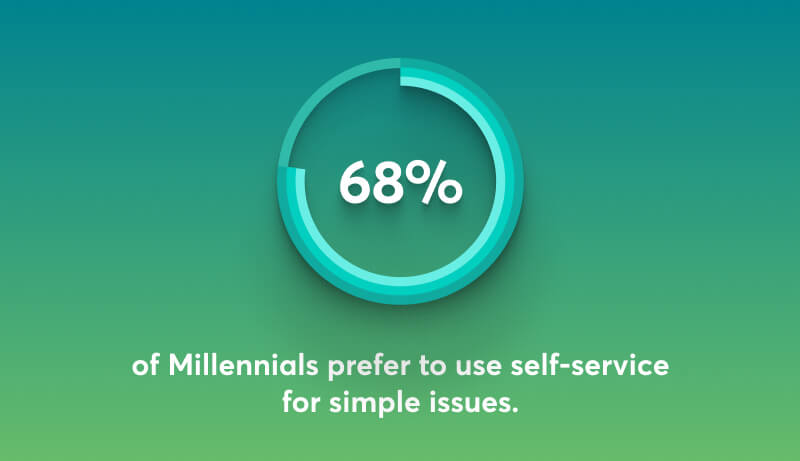
A research Salesforce survey shows that 61% of customers prefer to use self-service for simple issues. And this percentage is even higher among younger generations – 68% for Millenials and 64% for Gen Z. (“Simple” is key here – more complex issues require personalized assistance).
Tech-touch user onboarding involves a wide array of activities, some of them also used in low and medium-touch strategies:

  • Centralized knowledge base
  • Email sequences
  • In-app wizards
  • Chatbots
  • Content marketing (live webinars, on-demand videos, articles)
  • Social media customer service
  • Customer training course

Pros

  • Modern approach
  • Highly scalable
  • Cost-effective
  • Effective and consistent user onboarding
  • Nurtures customer relationships
  • Accessible to all clients

Cons

  • Resource intensive

Is Tech-Touch Customer Onboarding The Best Choice?

In most cases, yes! A tech-touch user onboarding process doesn’t mean fully automated, impersonal onboarding. It means using technology (besides your CRM to store customer data) to educate and connect with your customers.

Especially if you decide to go with a customer training program, you will be able to build your own community of brand advocates who can engage in discussions and share tips. And by offering a training course that showcases your product from A to Z, your customers will become proficient faster. If that sounds like a good idea, see some of the top customer education platforms to centralize and scale your customer education program.

A tech-touch customer onboarding not only doesn’t exclude access to CSMs; if anything else, it offers instant, on-demand access to resources to everyone without distinguishing between low-tier and high-tier customers. Plus, the option to connect through multiple touchpoints increases customer engagement and brand loyalty.

A tech-touch customer onboarding strategy also allows customers to choose among multiple resources, therefore creating a more tailored user experience for them. Despite the initial investment, in the long run, a tech-touch approach is the most cost-effective and efficient solution as it reduces the number of support tickets and one-to-one consultations.

First Impressions Matter

… but so do the second and third ones! If you want first-time customers to become “good customers,” then your onboarding checklist should include more than a welcome email. From optimizing your sales process to increase conversion rates to offering after-purchase support, a positive customer experience should involve multiple touchpoints.

The tech-touch model is the most profitable and effective customer success model for most businesses. It enables you to offer your customers relevant educational resources accessible from different sources, therefore helping them use your product effectively.

LearnWorlds LMS is the perfect fit for your customer education program. Help your customers discover and use your product through engaging videos, microlearning content, and fun quizzes. Enable them to access training material wherever they are through a branded mobile app. Boost your brand and even monetize your program with our white-label platform and eCommerce features.

Sign up now for a 30-day free trial!

9000+ brands trust LearnWorlds to train their people, partners & customers.

Start a FREE Trial

Further reading

  • 10 Best Customer Education Platforms
  • Bite-Sized Courses: Unlock The Door to Effective Customer Training
  • How To Boost Your Customer Success With Customer Onboarding
  • Customer Training: 12 Important KPIs You Need To Measure Success
  • The Blueprint to Build and Scale a High-Impact Customer Education Program

The post Customer Onboarding Strategies: Why Tech-Touch is the Best Option appeared first on LearnWorlds.
Best 7 Kartra Alternatives for 2024

Software Stack Editor · March 19, 2024 ·

Finding the right platform to streamline your online business operations and enhance your digital presence is paramount. Kartra, with its comprehensive suite of tools for email marketing and funnel building, among other features, has long been a favorite among entrepreneurs, business owners, and marketers alike.

However, as the demands of the digital world continue to shift, exploring other market options becomes not just essential, but necessary for staying ahead of the curve.

Whether seeking more specialized features, greater flexibility, or simply a fresh perspective, these platforms offer robust solutions to meet your evolving needs. Stay put as we explore these 7 top contenders designed to empower your online ventures.

Before we go on, you should know our best alternative to Kartra is our very own platform – LearnWorlds. Try it out for free, and explore its advanced capabilities yourself!

Your professional looking Academy in a few clicks

Start FREE Trial

First, let’s go over Kartra’s pricing, advantages, and disadvantages.

Kartra Pricing & Plans

Kartra has a 30-day free trial and offers the following pricing plans:

  • Starter: $119/month
  • Growth: $229/month
  • Professional: $549/month
  • Enterprise: 250k contacts – $900 /month, 500k contacts – $1500/month, 1M contacts $2000/month

All pricing plans offer unlimited web pages, videos, products, and the ability to create memberships and courses, funnel mapping, and forms.

*Pricing information retrieved from Kartra in March 2024.

Kartra Advantages & Disadvantages

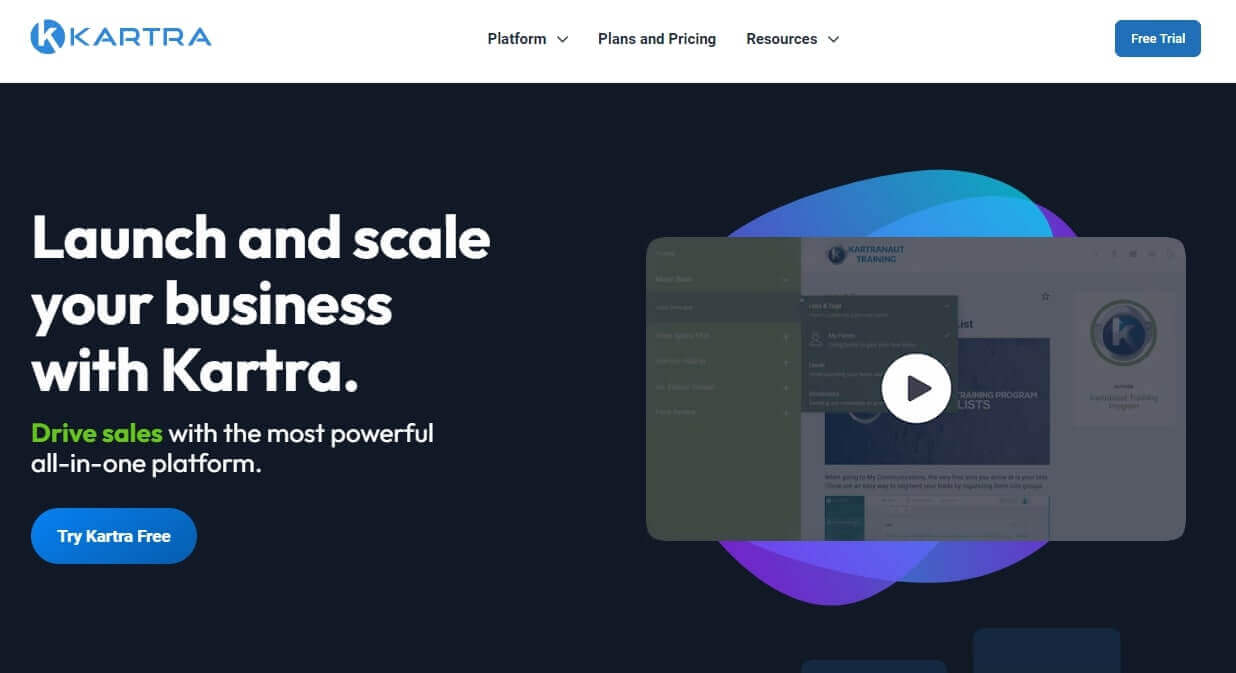
A screenshot showing the website of Kartra.

Kartra is a sales and marketing platform designed to streamline and automate online business operations. With its comprehensive suite of tools, Kartra enables users to create, launch, and manage marketing campaigns, sales funnels, memberships, and more, all from a single dashboard.

Kartra Advantages 👍

Kartra can help you build high-converting landing pages, manage your customer communications with ease, and track analytics. It is more suitable for solopreneurs who want to supplement their income or build an email list, and agencies handling multiple sites. In both cases, it empowers you to efficiently manage your online presence and maximize your sales and marketing efforts.

Apart from online courses, the platform allows you to sell physical products via its cart functionality and coaching sessions using the calendar. Its calendar and webinar capabilities are both built-in.

Pros

  • Large variety of landing page templates
  • Built-in sales and marketing features
  • Funnel building and membership site management
  • Affiliate marketplace
  • Form builder and opt-in forms to collect leads
  • Ability to set up a helpdesk offering live customer support
  • Ability to sell physical products
  • Can handle multiple clients for agencies

Kartra Disadvantages 👎

Kartra is strong when it comes to sales and marketing automation, making it easy for users to build funnels and email sequences. However, its course creation features are rather basic compared to other platforms.

It supports various media types and allows you to upload content, but you cannot create quizzes, tests, assessments, or certificates of completion. While it’s an easy-to-use tool, it can be challenging and time-consuming to build a landing page. Also, advanced customization options are not available in the Starter plan.

Cons

  • Limited hosting for online courses
  • Limited integrations
  • Trial requires a credit card and it’s a long process
  • Complex website builder
  • Steep learning curve for beginners
  • Many of its features require an upgrade (e.g. Helpdesk, LiveChat)

1. LearnWorlds – Our Top Choice

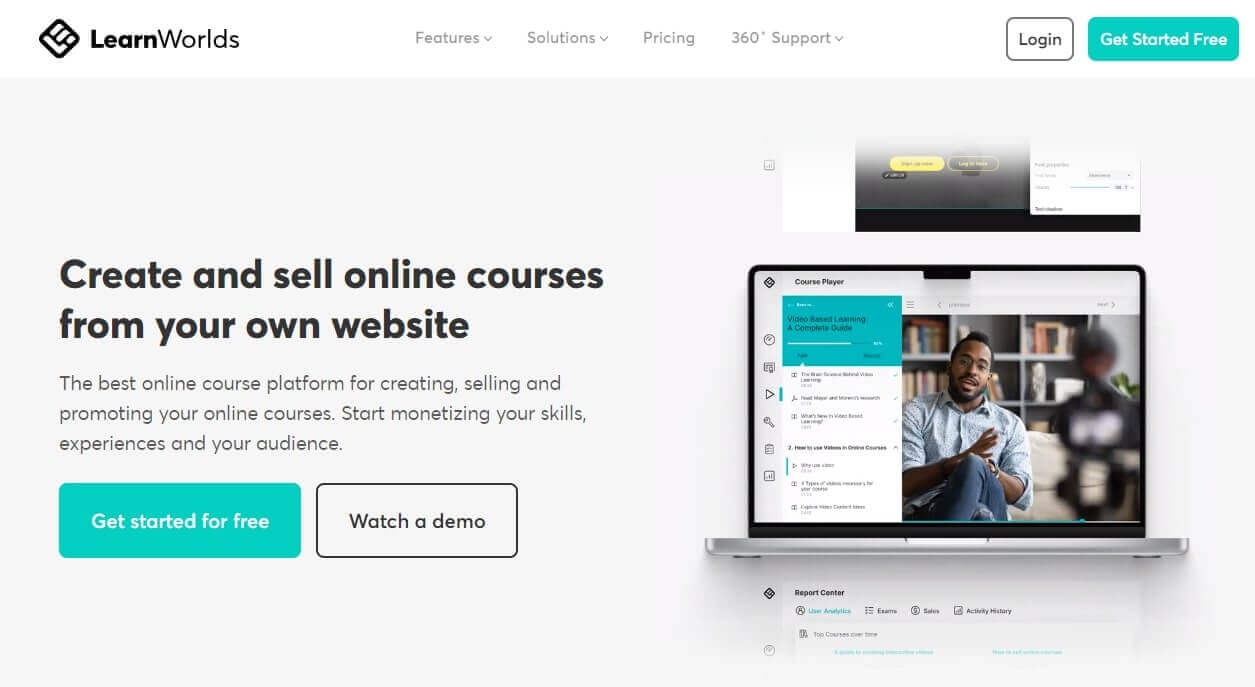
A screenshot showing the website of LearnWorlds.

LearnWorlds is a premium all-in-one e-learning platform that helps you create and sell online courses. With its intuitive AI course builder, no-code Website Builder, and customizable templates, you can easily design engaging and interactive educational and training content tailored to your audience and build your online academy from scratch.

LearnWorlds also provides integrated marketing and sales functionalities to help you effectively promote and monetize your courses. The platform offers advanced course authoring and assessment tools, SCORM-compliance, as well as student engagement features including a built-in community and discussions. While Kartra offers some capabilities for selling online courses, it is not as specialized in this area as LearnWorlds, and the latter offers more cost-effective pricing options.

Pros

  • Best-in-class course authoring tools
  • Advanced assessments through a robust Assessment Builder
  • AI-course builder
  • Customized templates and a no-code Website Builder
  • Interactive Video Editor
  • SCORM file support
  • In-depth reporting and learning analytics
  • Certificates
  • Zoom & Webex and marketing integrations (& Zapier)
  • Native mobile app on iOS & Android (fully white-label)

Cons

  • Learning curve due to complex features
  • No built-in email marketing tools
  • No marketplace for courses

How much does LearnWorlds cost?

LearnWorlds offers a 30-day free trial and the following paid plans:

  • Starter: $29/month
  • Pro: $99/month
  • Learning Center: $299/month
  • Enterprise: you need to talk with sales

*Pricing information retrieved from LearnWorlds in March 2024.

LearnWorlds is a truly modern all-in-one e-learning platform that can help you build online learning experiences and sell courses that stand out. Try LearnWorlds today!

Your professional looking Academy in a few clicks

Start FREE Trial

Check out LearnWorlds’ top competitors here.

2. Kajabi vs. Kartra – The Feature-Packed Option

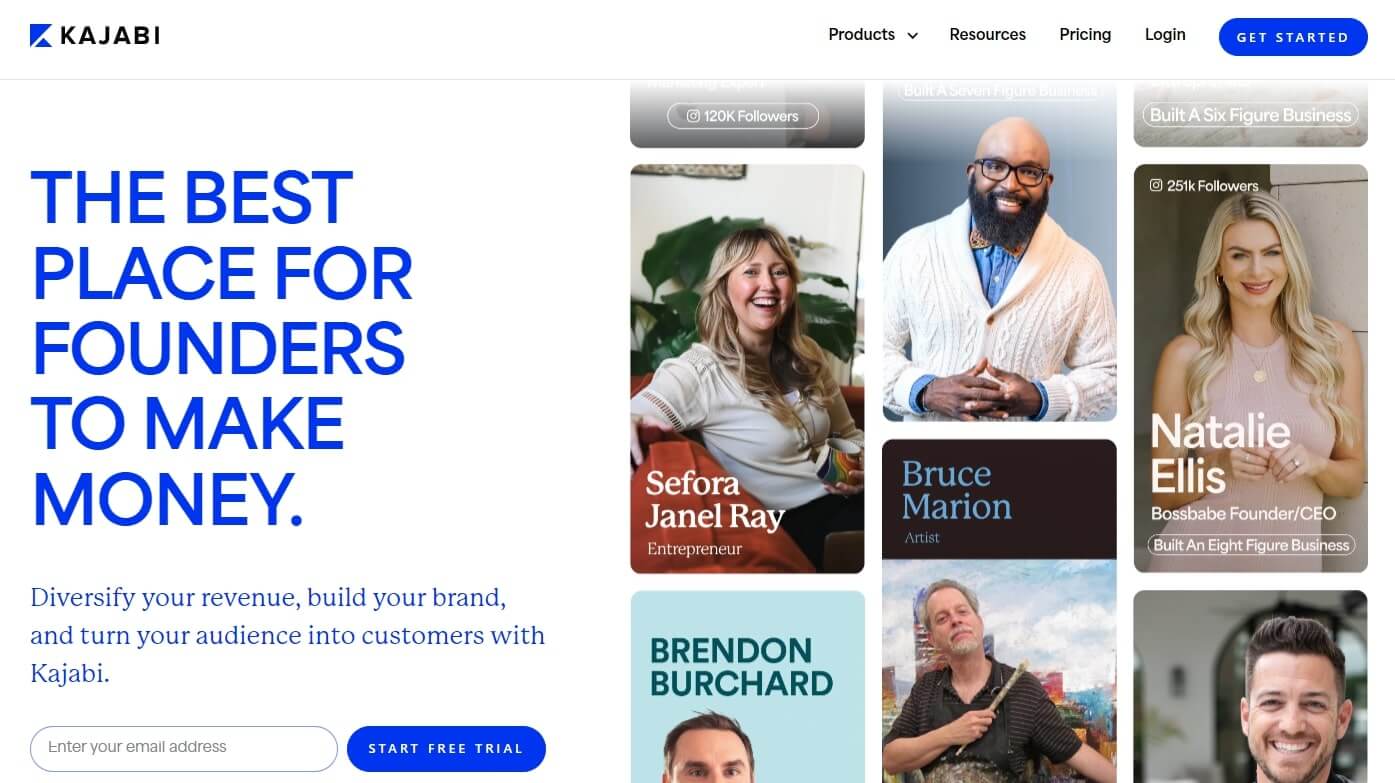
A screenshot showing the website of Kajabi.

Kajabi is a comprehensive platform for creating, marketing, and selling digital products and online courses. Offering an intuitive interface and a wide range of customizable templates, Kajabi empowers entrepreneurs and educators to quickly launch their online businesses without the need for technical expertise.

With built-in features for content hosting, email marketing, memberships, and sales funnels, Kajabi provides everything users need to build a successful online presence and monetize their expertise. Both Kajabi and Kartra offer the same features, however, the first provides more templates and branding options, as well as reporting tools.

Pros

  • Simple and easy to use
  • Sales page templates
  • Powerful marketing features and email marketing tools
  • Built-in community
  • Drag-and-drop website builder
  • Multiple custom domains (on higher plans)

Cons

  • No free plan (14-day trial – credit card required)
  • Limited design capabilities
  • Limited course authoring tools
  • Emphasizes product sales, not the learning experience

How much does Kajabi cost?

Kajabi has a 14-day free trial and comes with the following pricing plans:

  • Basic plan: $149/month
  • Growth plan: $199/month
  • Pro plan: $399/month

*Pricing information retrieved from Kajabi in March 2024.

💁 Check out the detailed comparison guide of Kartra vs. Kajabi.
3. Podia vs. Kartra – The Minimalist Choice

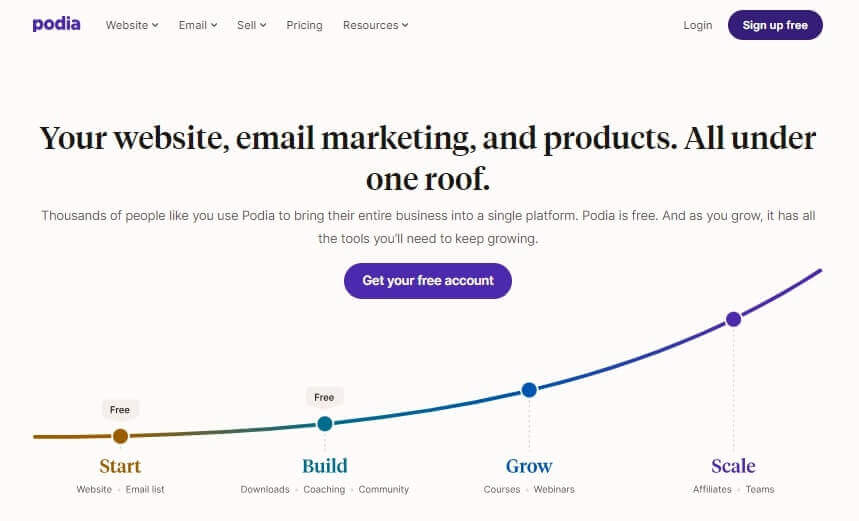
A screenshot showing the website of Podia.

Podia is a user-friendly platform designed to simplify the process of selling digital products, courses, and memberships online. With its intuitive interface and customizable storefront, Podia allows course creators to showcase and monetize their content. It also offers built-in tools for email marketing, affiliate management, and customer support, enabling users to focus on creating and delivering value to their audience.

Both Podia and Kartra prioritize simplicity and ease of use. While Kartra offers a broader range of marketing features and integrations, Podia excels in its clean and minimalist interface, making it particularly appealing to creators who value simplicity and aesthetics. Compared to Kartra, Podia is also a more cost-effective solution.

Pros

  • Built-in email marketing
  • Has a free plan
  • Affiliate management
  • Cost-effective pricing
  • Intuitive and user-friendly interface
  • Strong community features

Cons

  • Basic educational and reporting features
  • No white-labeling option
  • Lack of advanced capabilities (SSO, API, Website Builder, automation, etc.)

How much does Podia cost?

Podia comes with a free plan and offers the following monthly paid plans:

  • Starter: $9/month
  • Mover: $39/month
  • Shaker: $89/month

*Pricing information retrieved from Podia in March 2024.

4. Groovefunnels vs. Kartra – For Longer-Term Value

A screenshot showing the website of Groove.

GrooveFunnels is an all-in-one marketing platform that provides a suite of tools for building and optimizing sales funnels, websites, and online stores. With its drag-and-drop interface and pre-designed templates, GrooveFunnels makes it easy for users to create professional-looking pages and funnels without any coding or design skills required.

In addition to its funnel-building functionality, GrooveFunnels also offers email marketing, affiliate management, and analytics capabilities, providing users with everything they need to grow their online business. It distinguishes itself with its lifetime pricing option, making it a more affordable choice for long-term use compared to Kartra’s subscription-based model. The platform also provides more customization and integration options, with the ability to tailor the marketing stack to meet specific needs.

Pros

  • Integrated email marketing
  • Affiliate management
  • Ready-made templates and memberships
  • Lifetime access pricing option
  • Video marketing, e-commerce, and blogging tools

Cons

  • Limited support, documentation, and tutorials
  • Interface is less intuitive compared to other platforms

How much does Groovefunnels cost?

Groovefunnels has a free plan that is the equivalent of a 30-day free trial. It offers the following paid plans:

  • Creator+ Plan: $42/month (when paid annually $497/year)
  • Premium+ Plan: $299/month
  • Premium+ Lifetime plan: one-time full payment of $2,497 or 3 x $997

*Pricing information retrieved from Groove in March 2024.

5. ClickFunnels vs. Kartra – For Advanced Optimization

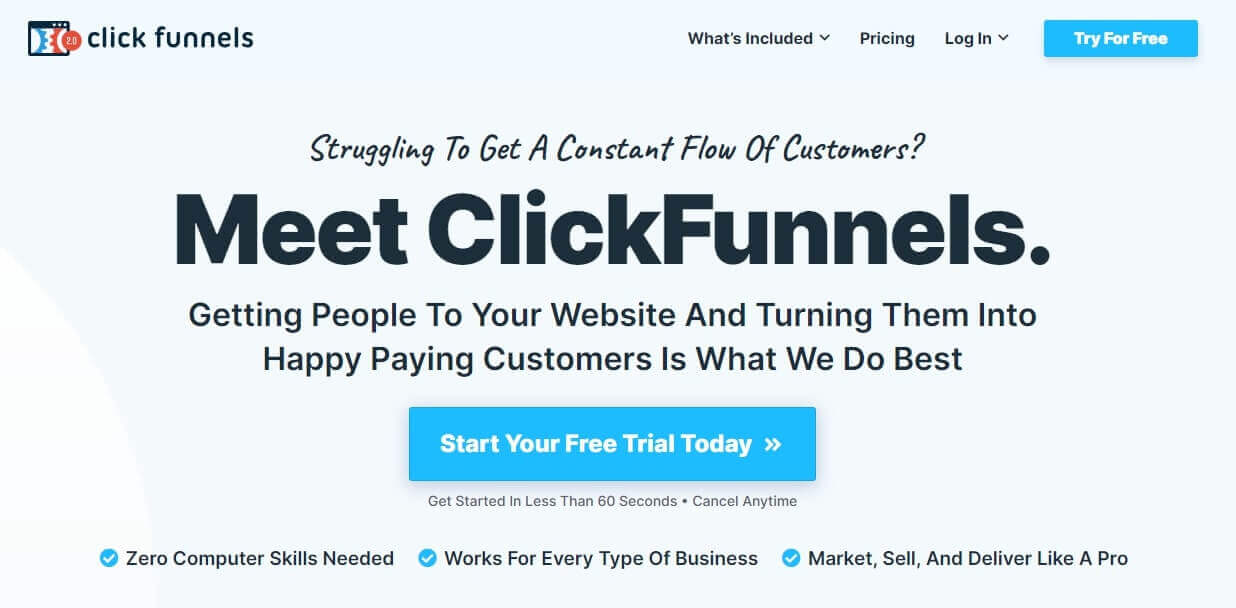
A screenshot showing the website of Clickfunnels.

ClickFunnels is a popular sales funnel builder that simplifies the process of creating and optimizing marketing funnels. It offers a user-friendly drag-and-drop editor, pre-designed funnel templates, and a variety of integrations with third-party tools. ClickFunnels is known for its ease of use and simplicity, making it an ideal choice for entrepreneurs and small businesses looking to quickly launch their online sales funnels.

However, compared to Kartra, ClickFunnels lacks some advanced features such as built-in email marketing and membership site management. Additionally, ClickFunnels is more limited in terms of scalability and customization options. While ClickFunnels is a solid choice for sales funnel building, Kartra offers a more comprehensive solution for businesses looking to manage their entire marketing ecosystem in one platform.

Pros

  • Easy and quick to get started
  • User-friendly and no-code drag-and-drop page builder
  • Pre-designed funnel templates for various industries
  • Integration with third-party tools and services
  • Powerful conversion optimization tools (including A/B testing)
  • Variety of marketing automation tools and workflows
  • One-click upsells and downsells
  • Video hosting and affiliate marketing
  • Mobile app

Cons

  • Limited features compared to other all-in-one platforms (including Kartra)
  • Higher price point for the full feature set, especially for larger businesses
  • Less flexibility in customization options
  • Limited email marketing functionality
  • Basic e-learning features
  • Doesn’t support PayPal for one-time offers or one-click upsells
  • Doesn’t support communities or coaching

How much does ClickFunnels cost?

ClickFunnels comes with a 14-day free trial and has monthly and yearly subscriptions. The platform has the following monthly packages:

  • Basic: $147/month
  • Pro: $197/month
  • Funnel Hacker: $297/month

*Pricing information retrieved from Clickfunnels in March 2024.

6. Builderall vs. Kartra – For WordPress

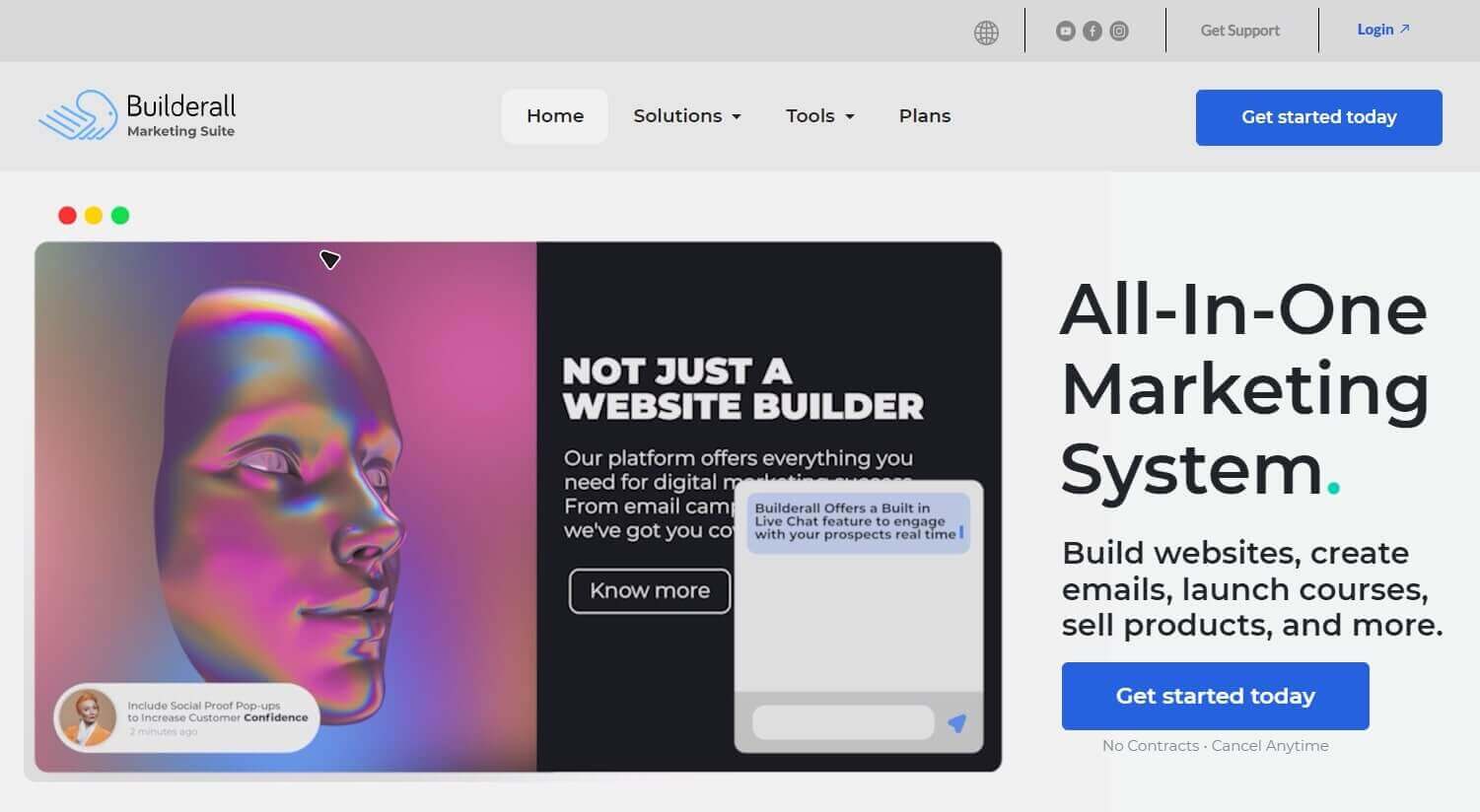
A screenshot showing the website of Builderall.

Builderall is a comprehensive digital marketing platform that offers a wide range of tools for building websites, sales funnels, and online businesses. With its drag-and-drop interface and customizable templates, Builderall makes it easy for users to create professional-looking websites and sales funnels.

The platform provides features for email marketing, customer relationship management (CRM), and e-commerce, enabling users to manage all aspects of their online business from a single platform. Its pricing plans tend to be more affordable than Kartra making it an attractive option for budget-conscious users who still want access to a wide range of marketing tools.

Pros

  • Affiliate program
  • Free trial available
  • Allows WordPress installation and plugin integration
  • Social media automation and email marketing features (autoresponders)
  • Advanced lead management tools and e-commerce features
  • Done-for-you funnels and drag-and-drop builder
  • Quick page load speed (compared to other platforms)
  • Affordable pricing packages
  • Membership management

Cons

  • Ambiguous customer support quality
  • Can be difficult to use for beginners
  • Less intuitive interface
  • Limited documentation compared to other platforms

How much does Builderall cost?

Builderall offers the following monthly pricing plans:

  • Core: $17/month
  • Essentials: $47/month
  • Advanced: $97/month
  • Premium: $247/month

*Pricing information retrieved from Builderall in March 2024.

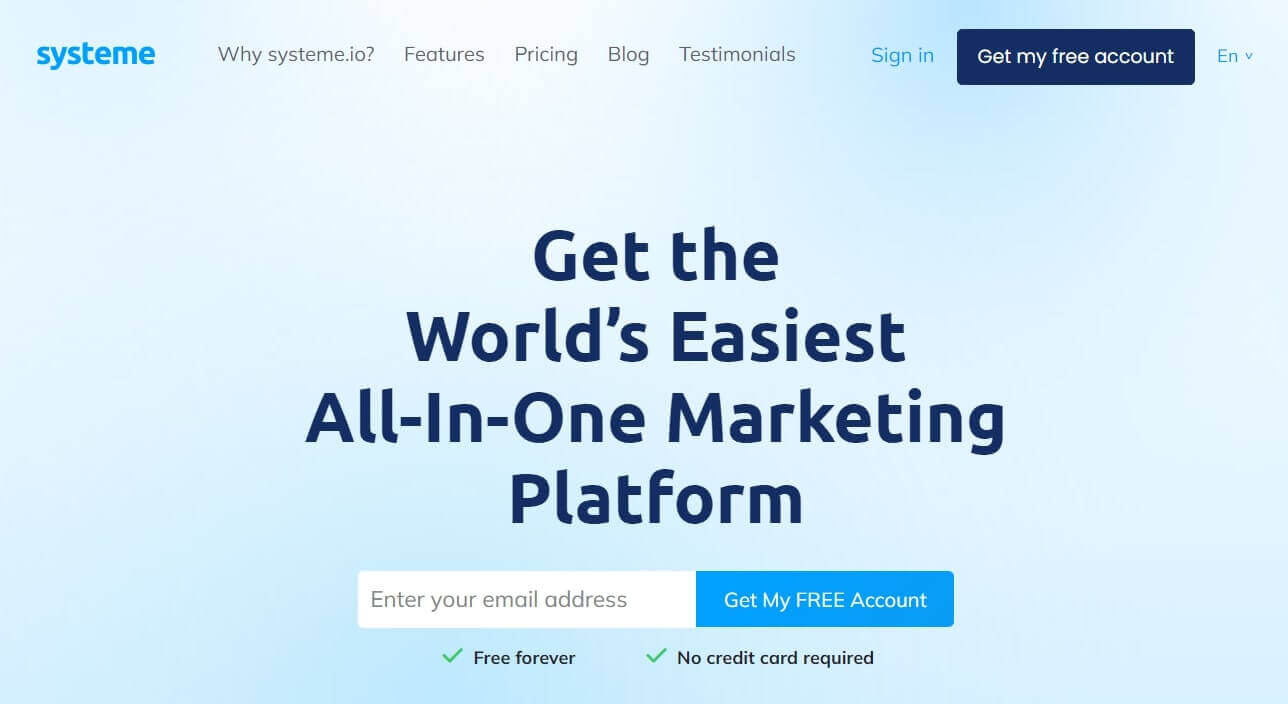
7. Systeme.io vs. Kartra – The Simple Option

A screenshot showing the website of Systeme.io.

Systeme.io is an all-in-one marketing platform designed to simplify the process of building and growing an online business. With it, you can manage your online marketing efforts and drive growth. Its intuitive interface and comprehensive set of features allow you to create websites, sales funnels, and email campaigns with ease.

From lead generation and customer segmentation to sales tracking and marketing automation, As the newest player in the market, Systeme.io offers similar features to Kartra at a lower price point and it is more suitable for small businesses and solopreneurs. While it may not have all the advanced features of Kartra, it offers good value for those who prioritize affordability and simplicity.

Pros

  • Free trial
  • Easy-to-use platform
  • Affordable pricing plans with comprehensive features
  • Funnel building, email marketing, affiliate program, and video hosting
  • Simple and user-friendly interface
  • Built-in tools for automation, analytics, and customer support
  • Migration support features for new subscribers

Cons

  • Less extensive feature set compared to other platforms (including Kartra)
  • Limited customization for templates and design
  • Lacking variety in integrations and third-party tools
  • No in-depth documentation and tutorials

How much does Systeme.io cost?

Systeme.io has a free plan and comes with monthly and yearly subscriptions. It has the following paid monthly packages:

  • Startup: $27/month
  • Webinar: $47/month
  • Unlimited: $97/month

All plans include unlimited emails, file storage space, and students. They have no transaction fees and offer affiliate programs and online support.

*Pricing information retrieved from Systeme.io in March 2024.

Choosing a Better Kartra Alternative for Your Online Business

In this article, we explored the best Kartra alternatives and explored each one in-depth looking into its strengths and weaknesses. While Kartra offers a robust suite of features for building and managing an online business, other platforms like LearnWorlds, Groovefunnels, and Builderall are also viable options offering unique advantages.

Ultimately, the best platform for your online business will depend on factors such as your budget, desired features, customer support, level of technical expertise, and specific business goals.

By carefully evaluating these factors and comparing the features and capabilities of each platform, you can make an informed decision that aligns with your business needs and sets you up for success in the digital marketplace.

We highly recommend our very own platform – LearnWorlds. Get your 30-day trial today!

Your professional looking Academy in a few clicks

Start FREE Trial

Further reading you might find interesting:

  • 183 Profitable Online Course Ideas With Examples
  • How to Start a Profitable Online Course Business From Scratch
  • Knowledge Economy: How to Sell Knowledge Online
  • How to Create and Sell Profitable Online Courses: Step-by-Step Guide
  • Sell Digital Downloads: The Complete Guide
  • How Much Money Can You Make Selling Online Courses?
  • How to Make Money on YouTube: 7 Ways to Monetize

The post Best 7 Kartra Alternatives for 2024 appeared first on LearnWorlds.

Top 10 Canvas LMS Alternatives

Software Stack Editor · March 19, 2024 ·

Canvas LMS by Instructure is an open-source Learning Management System primarily tailored for K-12 and Higher Education institutions but also for companies of all sizes and industries.

The platform supports different training delivery methods via integrations with video conferencing and collaboration tools, such as Zoom, Microsoft Teams, Google Classroom, and Adobe. Therefore it’s suitable whether you want to offer self-paced, synchronous, or blended/hybrid learning.

The platform boasts robust communication tools, including instant messaging, group chatting, audio notes, and video capabilities. Additionally, it incorporates an advanced grading system and gradebook to streamline the assessment process.

With Canvas Catalog, you can effortlessly create a professional, branded marketplace utilizing pre-designed templates. This feature allows you to list and sell online courses categorized by department, organization, or team.

Other Canvas LMS features that stand out are its clean User Interface, accessibility features, certificate builder, easy self-registration, customized dashboards, real-time reports, and LTI (Learning Tools Interoperability) function. It also offers mobile apps for access on the go.

This all sounds good, right? So, why look for an alternative?

👎What we won’t like about Canvas LMS

Although Canvas LMS is indisputably a versatile LMS, it comes with several shortcomings that will make you think twice before investing in it.

  • ❌ Confusing navigation for admins
  • ❌ Inconsistent mobile app performance (glitches)
  • ❌ Quizzes are hard to build & offer limited customization options
  • ❌ Third-party integrations are hard to set up
  • ❌ No AI assistant
  • ❌ Limited number of automations

The Best Alternatives to Canvas

If you’re looking for an LMS that will not give you technical headaches, we have some more intuitive platforms to suggest.

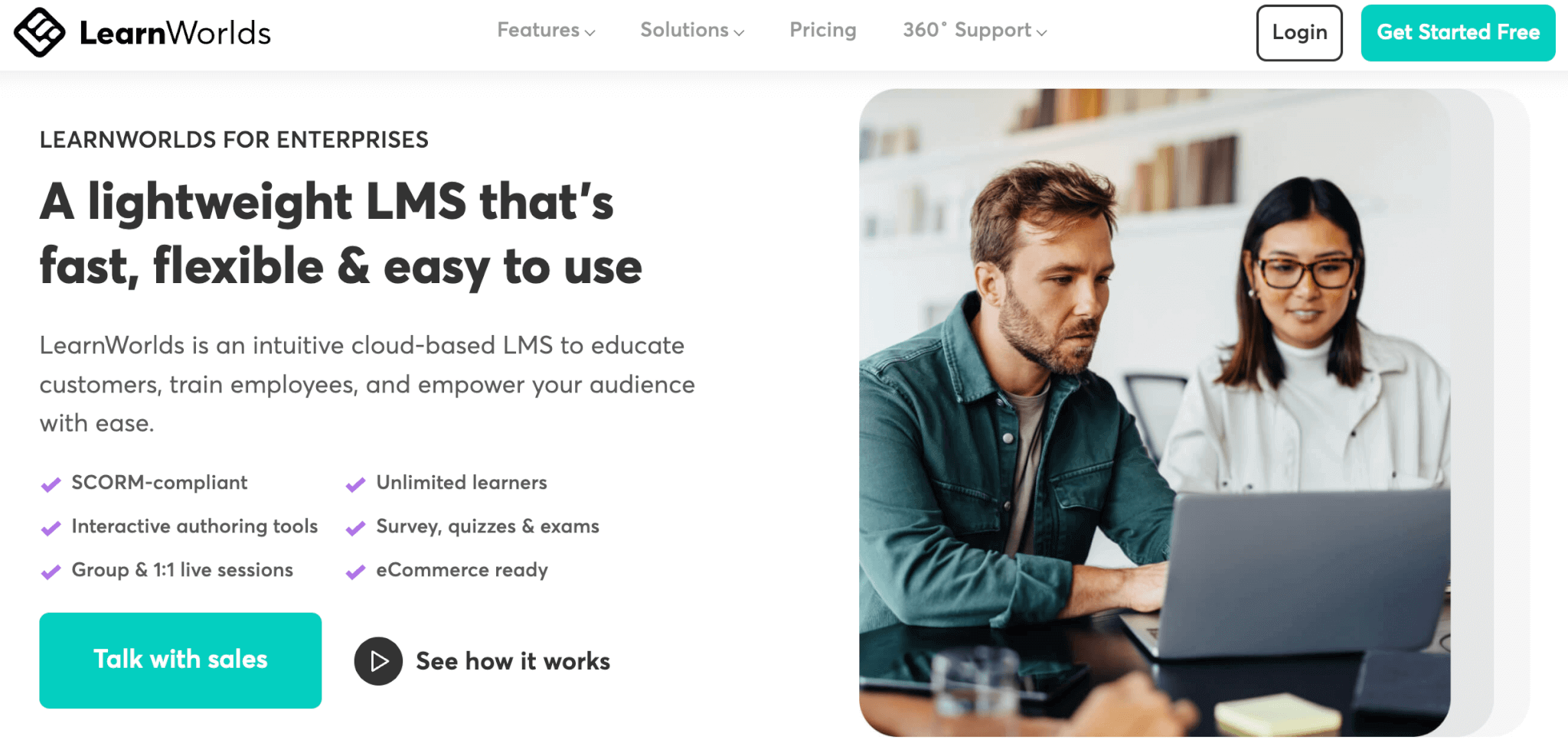
1. LearnWorlds – Our Top Choice 🔥

LearnWorlds is a flexible cloud-based platform catering to all aspects of an eLearning program, from course creation to training delivery and monitoring. From employee onboarding to compliance training, upskilling, and customer education, our platform seamlessly addresses diverse corporate training needs. Even deskless employees can enjoy a smooth learning experience through our native mobile app.

Our AI assistant (featuring more than 200+ pre-built prompts!) and built-in authoring tool empower you to craft engaging training modules with interactive content effortlessly. Enrich your course with videos, eBooks, PDFs, quizzes, self-assessments, certificates, and much more!

Moreover, tracking online training progress is made simple with real-time metrics, allowing you to monitor employee advancement at any given moment. Discover the various options LearnWorlds offers to oversee training progress and overall training status within your company.

Pros & Cons

Pros

  • AI assistant with built-in prompts
  • SCORM compliant
  • Highly customizable design
  • Website builder
  • Interactive content
  • Built-in authoring tool
  • Fully white labeled
  • Native mobile apps
  • Robust reporting
  • Efficient administration: multiple automations & bulk actions
  • Custom user roles & permissions
  • Multiple schools
  • Exams, self-assessments, surveys & certificates
  • Built-in community with groups, discussion boards, and more
  • eCommerce ready

Cons

  • Limited gamification
  • No content library
  • Slight learning curve

Pricing

LearnWorlds offers a 30-day free trial and the following pricing plans:

  • Starter $29/mo
  • Pro Trainer $99/mo
  • Learning Center $299/mo
  • Corporate: Custom

💁For more information about feature availability per plan, visit our website.

9000+ brands trust LearnWorlds to train their people, partners & customers.

Start a FREE Trial

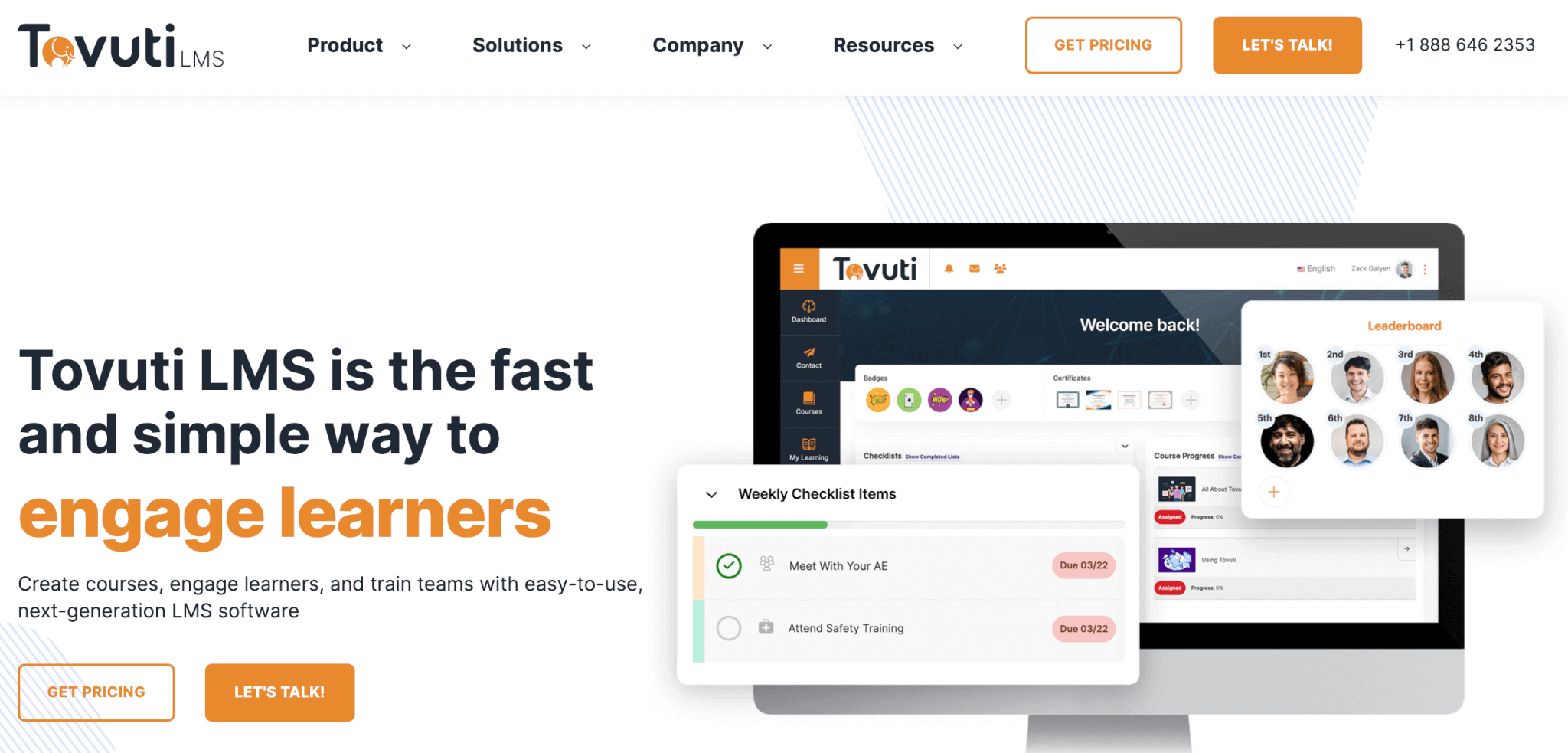
2. Tovuti LMS – The Gamified Learning Alternative

Tovuti LMS is a modern learning solution for training employees, customers, or partners. It offers versatile course authoring tools for creating over 40 interactive, gamified content types. With features like whiteboards, screen sharing, and session recording, it ensures engaging online sessions. Learners also have access to personalized portals, transcripts, and social networking capabilities.

Tovuti prioritizes security with regular updates and allows for customizable user groups and permissions. Detailed reports on learner behavior and course performance aid decision-making, while the Team Lead Dashboard facilitates reporting and communication through direct messaging. It also offers a content library with ready-made content and a mobile app.

Pros & Cons

Pros

  • Intuitive, elegant UI
  • Content library
  • Built-in course authoring
  • AI assistant

Cons

  • A bit expensive
  • Slow customer support
  • Initial learning curve
  • Needs more robust reporting

Pricing

Tovuti LMS charges a setup fee of $2500. The pricing is calculated based on the number of users in tandem with the length of the contract.

* Pricing information retrieved from Tovuti LMS on February 27, 2024.

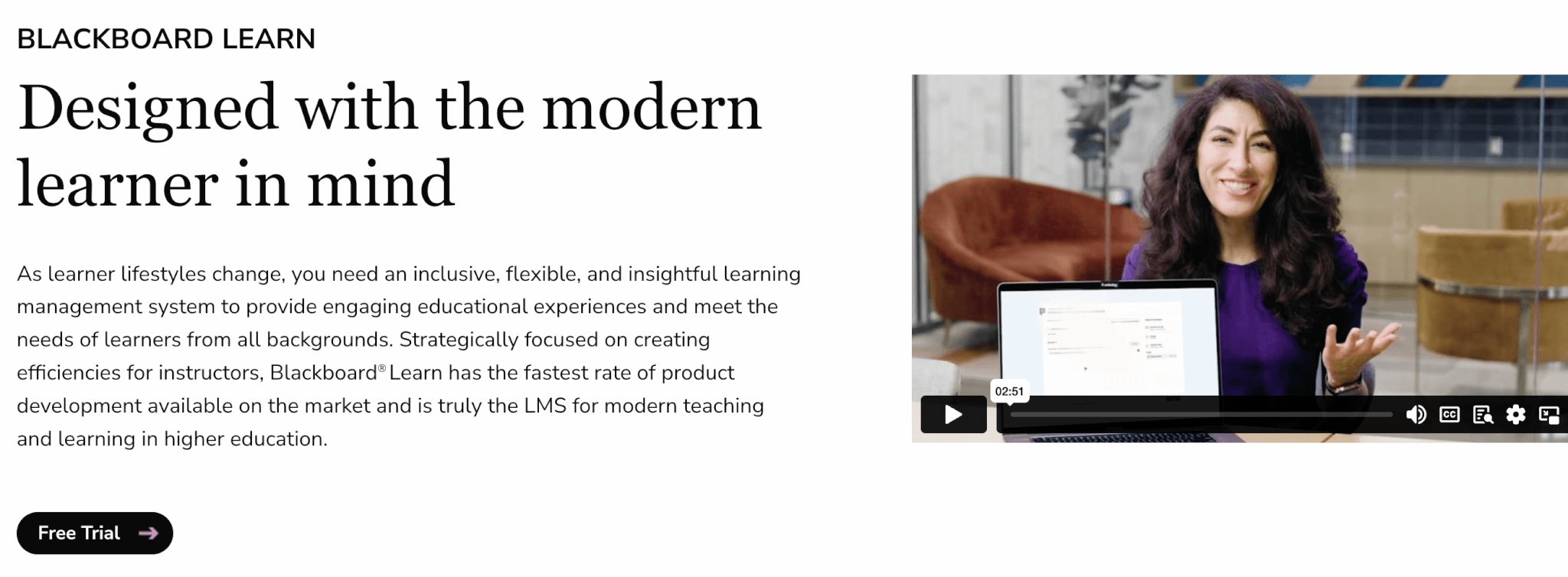
3. Blackboard Learn – The Collaborative Learning Alternative

Blackboard Learn is a versatile LMS and one of the longest-standing providers of online learning for both educational institutions and businesses. The platform offers multiple online collaboration features, forums, virtual classrooms, AI Design Assistant for course creation, and rich assessments.

It also integrates with accessibility tools to ensure you create an inclusive learning environment. Although content management is easy, some reviews mention the platform’s design is outdated, and some admin tasks need too many steps to be completed.

Pros & Cons

Pros

  • User-friendly
  • Promotes social learning
  • AI-powered
  • Robust assessment engine

Cons

  • Limited reporting
  • Outdated design
  • Occasional technical glitches
  • Inconsistent mobile app performance

Pricing

Blackboard Learn offers a 30-day free trial. Pricing available upon request.

4. Talent LMS – The User-Friendly Alternative

TalentLMS is a versatile, user-friendly LMS with built-in content authoring, an AI assistant, and TalentLibrary, a regularly updated content repository with animated characters. The platform features gamification features to enhance engagement, although its community feature is rather limited.

TalentLMS allows for customizable learning paths and rich assessments, and provides comprehensive insights with customizable reports. Other features include user roles and permissions, automated tasks like course management and email communications, and white label mobile app.

Pros & Cons

Pros

  • AI-powered
  • Content library
  • Advanced gamification
  • Robust reporting

Cons

  • Limited assessments
  • Outdated UI
  • User limits per plan
  • Technical issues setting up integrations

Pricing

All TalentLMS pricing plans come with user limits. The platform doesn’t offer a free trial, but they do offer a free plan that allows for up to 5 users and 10 courses.

Standard plans (based on the number of registered users) include:

  • Starter: $89/month
  • Basic: $189/month
  • Plus: $369/month
  • Premium: $569/month
  • Enterprise: custom pricing for companies with more than 1000 users

Active plans (based on the number of active users) include:

  • Starter Active: $179/month
  • Basic Active: $399/month
  • Plus Active: $489/month
  • Premium Active: $649/month

* Pricing information retrieved from TalentLMS on February 27, 2024.

5. Moodle – The Flexible Alternative

Moodle LMS (Moodle Workplace) is a flexible SaaS LMS with multiple built-in add-ons. It additionally offers integrations with both open-source and premium third-party tools to enhance its functionality. Furthermore, it seamlessly integrates with libraries of ready-made learning programs.

Moodle allows you to create multiple fully branded environments, coupled with robust user management, task automations, and permission controls. Advanced reporting capabilities and intuitive meeting scheduling are also available. Moodle is highly focused on quality learning experiences. Therefore, it offers rich assessments, gradebook management, and the issuance of badges and diplomas.

Pros & Cons

Pros

  • Highly customizable
  • Multiple automations available
  • Advanced security features
  • Content library

Cons

  • Outdated & complex UI
  • Learning curve
  • No AI course creation
  • Slow loading times & glitches

Pricing

Moodle offers a free trial and 1 pricing edition that costs $130.

* Pricing information retrieved from Moodle on February 27, 2024.

6. D2L Brightspace – The Inclusive Education Alternative

D2L Brightspace boasts an intuitive UI and an easy-to-use AI-powered content editor. It allows for personalized custom learning paths and is compliant with accessibility standards for inclusive experiences. It features several integrations to facilitate data flow among your systems.

It also offers custom reports and dashboards, ready-made courses, gamification elements and certificates, and access to in-house experts for skills mapping and course creation.

Pros & Cons

Pros

  • Intuitive content management
  • Rich learning features
  • Highly customizable
  • Pleasant UI

Cons

  • Lacks detailed support documentation
  • Initial learning curve
  • Cumbersome configuration
  • Navigation for admins can be tricky

Pricing

Available upon request.

7. LearnDash – The WordPress LMS Alternative

LearnDash is a WordPress LMS plugin that enables you to connect your online academy to your existing website. It offers rich educational features like drip-fed content, learner assessments and knowledge checkpoints after each session, certificates and badges, progress bars, and Focus Mode to allow for a distraction-free learning environment.

LearnDash additionally integrates with multiple add-ons to supercharge its original functionality. Notable disadvantages, however, include hidden costs that come with add-ons and the fact that it requires some level of tech knowledge to install and maintain.

Pros & Cons

Pros

  • Rich learning features
  • Highly customizable
  • Intuitive course builder
  • Focus mode

Cons

  • Needs technical knowledge
  • Hidden costs due to add-ons (eg., SCORM)
  • Limited design customization
  • Lacks robust reporting

Pricing

LearnDash comes with three basic subscription plans. The only difference between them is the number of site licenses that come with each one:

  • Basic (1 license): $199/year
  • Plus package (up to 10 licenses): $399/year
  • Pro package (unlimited licenses): $799/year

* Pricing information retrieved from LearnDash on February 27, 2024.

8. Open EdX – The Open-Source Alternative

Open EdX is an open-source LMS, with rich learning features. The platform is highly customizable, offering multiple integrations. The platform supports several types of content and is SCORM-compliant. It features course forums to promote collaboration but offers no further opportunities for interaction.

Overall, the platform is much easier for front users than admins. It requires some level of tech-savviness to set up, which makes it less intuitive than other options on this list. However, it features extensive documentation and a supportive community to find solutions to technical issues that may arise. Users also mention that the platform is reliable, stable, and secure.

Pros & Cons

Pros

  • Free
  • Modern User Interface
  • Highly customizable
  • Supports LTI

Cons

  • Requires coding knowledge
  • Hard to set up and configure
  • Limited interactive activities
  • Manual registrations only

Pricing

Open EdX is free to use.

9. CYPHER Learning – The Social Learning Alternative

CYPHER Learning is an intuitive LMS that focuses on delivering collaborative and engaging learning experiences with features like chats, forums, wikis, mass alerts, and a full array of gamification elements. The platform features an AI content assistant to speed up course creation.

CYPHER Learning also has a robust report system with real-time analytics, dashboard widgets, and compliance management tracking. It features several automations and a powerful AI-powered assessment builder.

Pros & Cons

Pros

  • AI-powered
  • Multiple automations
  • Social and gamified learning
  • Robust assessments

Cons

  • Learning curve
  • A bit expensive
  • Needs more robust reporting
  • Admin UI is a bit confusing

Pricing

Available upon request.

10. Rockstar Learning Platform by ELB – The LXP Alternative

The Rockstar Learning platform by ELB Learning is an LMS/LXP that focuses on the creation of microlearning learning content for mobile consumption. Its microlearning module builder enables you to create videos on the spot. The platform also enables you to import user-generated content through social channels and supports integrations for polls, discussions, and video conferencing.

Rockstar Learning Platform supports auto-enrolment and recurring training, offers an in-depth reporting system, and custom user roles, and has an open API for further integrations. Nonetheless, the platform is a bit complex to set up and requires multiple integrations to enrich its functionalities.

Pros & Cons

Pros

  • Native video authoring
  • Multilingual learner UI
  • Easy integration of user-generated content
  • White-labeled

Cons

  • Limited assessments
  • Requires multiple integrations
  • A bit expensive
  • Complex set up

Pricing

Available upon request.

What’s Your Favorite Canvas Alternative?

We’ve seen some excellent alternatives to Canvas LMS. Some score higher in terms of User Interface intuitiveness, others in ease of course creation… it all depends on what you’re looking for.

If you want a Learning Management System that has it all, try LearnWorlds. LearnWorlds enables you to build or import rich interactive content and diverse learning activities that engage learners, a powerful AI assistant that helps create or repurpose existing content, detailed reporting, advanced assessments, and so much more you simply need to see for yourself.

Start your 30-day free trial now!

9000+ brands trust LearnWorlds to train their people, partners & customers.

Start a FREE Trial

The post Top 10 Canvas LMS Alternatives appeared first on LearnWorlds.

How to Build a Coaching Program: Templates, Tips & Examples

Software Stack Editor · March 19, 2024 ·

Over the last few years personal and professional development has become more popular than ever. Coaching programs have emerged as powerful tools for guiding individuals toward accomplishing their biggest goals and aspirations.

According to a 2023 report published by Allied Market Research, the online coaching market is expected to grow at 14% CARG reaching $11.7 billion globally in 2032.

Whether you are an aspiring coach hoping to create your own program or an entrepreneur seeking to implement coaching as part of your employee development strategy, understanding the fundamentals of building a coaching program is essential.

In this comprehensive guide, we’ll look into the step-by-step process of creating a coaching program, offering actionable insights, templates, and real-world examples to help you get started.

Even if you are embarking on this journey for the first time or seeking to enhance an existing program, this article will equip you with the knowledge and resources you need to build impactful coaching experiences that inspire growth, transformation, and fulfillment for your clients.

First, let’s get started by going over some basics.

What is a Coaching Program?

A coaching program is a structured and systematic approach designed to help individuals or groups achieve specific goals, improve skills, or overcome certain obstacles or challenges. It typically involves a series of sessions facilitated by a skilled coach who provides guidance, support, and accountability to the participants.

Coaching programs can cover various areas such as personal development, career advancement, leadership skills, health and wellness, and more. The program’s structure may include goal setting, action planning, skill-building exercises, feedback sessions, and progress tracking, all tailored to the unique needs and objectives of the participants.

The ultimate purpose of a coaching program is to empower individuals to unlock their potential, maximize their performance, and achieve desired outcomes in their personal or professional lives.

Why Create a Coaching Program?

Coaching programs are considered to be transformative vehicles for growth and achievement, benefiting those joining the program as well as its creators.

Let’s go over the benefits for the learners and creators a.k.a coaches, who want to build a coaching business and are choosing to invest in it.

Benefits for Learners

Personal Growth: Participants in coaching programs experience significant personal growth as they gain clarity on their goals, develop new skills, and overcome obstacles that may have been holding them back from achieving what they want.

Accountability and Support: Having a coach provides participants with accountability and support, helping them stay focused, motivated, and on track toward achieving their objectives.

Customized Guidance: Coaching programs offer personalized guidance tailored to the individual needs and circumstances of each participant, ensuring that they receive relevant, prompt, and actionable advice.

Confidence and Empowerment: Through the encouragement and feedback provided by the coach, participants build confidence in their abilities and feel more empowered to take bold actions toward realizing their aspirations.

Improved Performance: Participants often experience improved performance in various areas of their lives, whether it’s in their career, relationships, health, or personal development, leading to greater satisfaction and fulfillment.

As it becomes obvious, coaching programs offer a wide range of benefits for its participants – learners, while helping them embark on a transformative journey to improve their personal and professional lives.

Benefits for Creators

Impact and Influence: Creating a coaching program allows creators to make a meaningful impact in the lives of others by sharing their expertise, knowledge, and experience.

Professional Fulfillment: Developing a coaching program is highly rewarding for creators, as it allows them to leverage their skills and passion to help others succeed.

Monetization: Coaching programs can be an opportunity for coaches to monetize their knowledge through various means, providing them with a scalable source of income and the potential to build a sustainable business around their expertise.

Brand Building: By delivering valuable content and achieving tangible results for participants, creators can enhance their brand reputation and credibility within their industry, attracting more clients and opportunities.

Flexibility and Freedom: Creating a coaching program offers flexibility in terms of scheduling and delivery, allowing creators to maintain a healthy work-life balance while still serving clients effectively or even while working full-time.

Coaching program creators can also reap the benefits the program offers while building on their expertise. They can also start earning a decent amount of money from it, which makes coaching a great investment to begin with.

💁🏼‍♂️ Find out How Much Money Can You Make Selling Online Courses
Building an Online Coaching Program: 5 Easy Steps

Moving on to how creators can start developing their coaching programs from scratch, we have prepared an easy-to-follow guide to further streamline the process.

So if you are wondering how you can start coaching clients and grow your business, you are going to find this resource useful.

Step 1: Define the Purpose of Your Coaching Program

The first step to building a coaching program is defining its purpose. This requires you to answer the ‘why’ behind it, as well as finding out who your target audience is, your goals and objectives, and the scope of the program.

Identifying your target audience

Understanding who your program is designed for enables you to tailor your content, coaching model and approach, and messaging to meet the specific needs and preferences of your audience.

To identify your target audience, consider the following:

Look into demographic characteristics: Start by defining the demographic characteristics of your ideal participants, such as age, gender, occupation, income level, education level, and location.

Think about psychographic traits: Delve deeper into the psychographic traits of your target audience, including their interests, values, beliefs, motivations, challenges, and aspirations.

Conduct market research: Gather insights into the needs, preferences, and pain points of your target audience. This can involve surveys, interviews, focus groups, and analysis of existing data and trends.

Do a competitive analysis: Evaluate your competitors and similar coaching programs to understand their target audience and identify gaps or opportunities in the market that you can capitalize on.

Gather feedback and validation: Seek feedback from potential participants or trusted professionals in your network to validate your assumptions and ensure alignment between your program offerings and the needs of your target audience.

By clearly identifying your target audience, you can tailor your coaching program to address their specific needs and preferences, increasing its relevance and appeal.

Clarifying Goals and Objectives

Setting clear and measurable goals for your coaching program will help you stay focused, track its progress, and evaluate its success. For this, it might help to ask yourself the following questions:

  • What is the outcome or impact you want to achieve for your participants?
  • What specific outcomes do you want participants to achieve by the end of the program? (make sure these are SMART goals)
  • What knowledge, skills, behaviors, or mindset shifts do you want them to develop or experience as a result of participating in the program?
  • How will you track progress and evaluate the impact of your program on participants?
  • How does your coaching program contribute to your long-term vision and mission? (align goals with your vision as a coach or organization)

By clarifying your goals and objectives, you create a roadmap for your coaching program that guides decision-making, resource allocation, and program delivery, ultimately maximizing its impact and value for participants.

Defining the Scope of the Program

Defining the scope of your coaching program involves outlining the boundaries, deliverables, and parameters that govern the program structure and content. This helps manage expectations, ensure clarity, and maintain focus throughout the program.

To define the scope of your program, consider the following:

Program Duration

Determine the duration of your coaching program, including the total number of sessions, session frequency, and overall timeline.

For example, will it be a short-term program spanning 3 to 4 weeks or a longer-term program extending several months or even a year?

Session Structure

Define the structure of each coaching session, including the format, agenda, topics, activities, and duration. How can the sessions be organized to maximize engagement, learning, and progress?

Program Components

Identify the core components or modules of your coaching program, such as curriculum topics, coaching techniques, resources, and support materials. For this, you will need to think about which content and resources will be included to support participants’ learning and development.

Delivery Methods

Determine how the coaching program will be delivered, whether through in-person sessions, virtual meetings, online courses, group workshops, individual coaching sessions, or a combination of these methods.

Participant Responsibilities

Clarify the roles and responsibilities of participants, including attendance expectations, participation requirements, assignments, and action steps. What do participants need to do to fully engage and benefit from the program?

Scope Limitations

Set clear boundaries and limitations on what is included in the coaching program and what falls outside its scope. This may include specific topics or areas that will not be covered, as well as any limitations of your role as a coach or other responsibilities.

By defining the scope of your coaching program, you establish clear parameters that guide the program’s development, delivery, and management, ensuring that you are offering a structured learning experience for all participants.

Step 2: Design Your Coaching Program

Once you decide on your target audience, and got your objectives in place, you are ready to start planning your coaching program by organizing your sessions and curriculum.

To make this possible, you will need to determine the session length and frequency and develop an effective program outline.

First, think about the time constraints and availability of your participants and yourself.
Shorter sessions (e.g. 30-60 minutes) may be more suitable for you if you are a busy entrepreneur, while longer sessions (e.g. 90 minutes to 2 hours) allow for more in-depth discussions and activities. Frequency can vary based on the program’s intensity and objectives, ranging from weekly sessions to bi-weekly or monthly meetings.

Then, to develop a curriculum framework, break down your program goals and objectives into modules or topics that will be covered in each session, ensuring a logical progression of learning.

Your curriculum outline needs to include session topics, learning objectives, key concepts, activities, and resources for each module. While planning these, stay flexible as this will help you customize your content later on based on your participants’ needs, interests, and progress.

Having a specific framework in place can help you create a signature coaching program as well. This is a unique offering showcasing your expertise, approach, and style in the best way possible, setting it apart from other generic coaching services. It reflects your distinct methodology, philosophy, and values as a coach.

The best part? It is a reusable coaching framework that you can use multiple times to help clients accomplish a specific goal. This means you don’t have to design every client’s coaching journey from scratch every time.

Selecting coaching techniques and methodologies

Familiarize yourself with various coaching styles, such as directive coaching, non-directive coaching, cognitive-behavioral coaching, and solution-focused coaching, to find out which one is more suitable for you.

It might be helpful to consider the strengths and limitations of each coaching style and how they align with the goals and preferences of your learners. Then adapt your coaching approach based on their individual needs, learning styles, and personalities.

Also, you can make use of various coaching tools and resources to enhance the coaching experience and facilitate learning and growth. Such toolkits may include assessments e.g. personality assessments, leadership assessments, worksheets, templates, ebooks and text readings, videos, case studies, and real-life examples.

Incorporating assessment and feedback mechanisms

Define clear metrics and indicators to track your learners’ progress and measure the effectiveness of the coaching program. This may include quantitative measures like performance metrics and goal attainment, as well as qualitative feedback including self-assessments, and reflections.

Implement a system for collecting and documenting progress data throughout the program, such as progress journals, check-in surveys, or progress review meetings.

On top of this, create opportunities for ongoing feedback and reflection between you and your learners to assess progress, address challenges, and celebrate successes.

When doing so, it’s essential to encourage open and honest communication and provide constructive feedback that is specific, actionable, and supportive. Use this type of feedback from learners to refine and improve the coaching program, curriculum, and delivery methods as needed.

Need an all-in-one online course platform that has robust assessment tools and covers all your coaching needs? Try LearnWorlds.

Your professional looking Academy in a few clicks

Start FREE Trial

Step 3: Create Your Coaching Program Materials

Depending on the type of coaching services you will be offering, it’s important to decide how you are going to deliver them and what type of coaching resources you will need to include in your program content.

For example, as a coach offering life coaching or health coaching you will most likely conduct 1:1 coaching sessions instead of group coaching ones, to better meet individual client needs. You may also need to use specific health-related questionnaires to assess each case of potential clients effectively.

Then again, if you are offering executive coaching, perhaps a group coaching program is more suitable to help your clients build and develop the skills they need as part of a larger team or community. For this, you may plan to use coaching exercises like role-playing or visualization.

Creating templates, checklists, and guides

Think about the content creation needs of the program and decide whether you want to build any templates, checklists, worksheets, exercises, guides or other resources to help you and your clients.

Session outlines

Session outlines serve as roadmaps for coaching sessions, ensuring that each session is structured, purposeful, and focused on achieving specific objectives.

Here’s how to create effective session outlines:

  • Start by defining the overarching goal or theme of the session.
  • Break down the session into key segments, such as introduction, discussion, activities, and conclusion.
  • Outline the main topics or discussion points to be covered in each segment.
  • Include prompts or questions to facilitate meaningful dialogue and exploration.
  • Allocate time for each segment to ensure that the session stays on track.
  • Provide space for participants to jot down notes, reflections, and action steps.
  • Review and refine session outlines based on feedback from participants and observations during sessions.

Worksheets and Exercises

Worksheets and exercises are valuable tools for enhancing learning, promoting self-reflection, and facilitating skill development in coaching programs.

Here’s how to create engaging worksheets and exercises:

  • Identify the key concepts, skills, or activities you want to reinforce or explore further.
  • Design worksheets that encourage participants to reflect on their experiences, identify patterns, and set goals.
  • Develop exercises that allow participants to practice new skills, experiment with different approaches, and apply learning to real-life scenarios.
  • Use a variety of formats, such as fill-in-the-blank, multiple-choice, open-ended questions, and interactive activities, to cater to different learning styles.
  • Ensure that worksheets and exercises are visually appealing, user-friendly, and easy to understand.
  • Provide clear instructions and explanations for each worksheet or exercise.
  • Encourage participants to complete worksheets and exercises between sessions to deepen their learning and engagement with the material.

Crafting supporting resources

As complementary and supporting materials, you might want to also prepare a list of text readings, books, articles, downloadable PDFs, e-books, and more.

Reading materials

Reading materials complement coaching sessions by providing additional insights, perspectives, and resources for your clients to explore independently.

Here’s how to curate effective reading materials:

  • Select high-quality articles, books, research papers, blog posts, and other relevant resources that align with the themes and topics covered in the coaching program.
  • Provide a mix of foundational readings and contemporary literature to offer a comprehensive understanding of the subject matter.
  • Offer summaries or discussion questions for each reading to guide participants’ engagement and encourage critical thinking.
  • Organize reading materials into categories or themes for easy reference and accessibility.
  • Share reading materials through your chosen digital platform, email newsletters, or online portals to ensure easy access for participants.
  • Encourage participants to share their insights, questions, and reflections on the reading materials during coaching sessions or in online discussion forums.

Multimedia Resources

Multimedia resources, such as videos, podcasts, and webinars, can enhance learning by providing visual and auditory stimulation, offering alternative perspectives, and illustrating more complex concepts in a dynamic and engaging format.

Here’s how to incorporate multimedia resources into your coaching program:

  • Identify multimedia resources that complement the themes and objectives of the coaching program.
  • Curate a diverse selection of multimedia content, including interviews with experts, TED talks, instructional videos, virtual workshops, and audio recordings.
  • Integrate multimedia resources into coaching sessions as supplemental learning materials or assign them as pre-work or homework assignments.
  • Provide guidance and context for each multimedia resource to help participants understand its relevance and how it relates to their learning goals.
  • Encourage participants to reflect on their insights, takeaways, and questions after engaging with multimedia resources, and discuss them during coaching sessions.
  • Leverage technology platforms and tools to facilitate access to multimedia resources, such as embedding videos in digital workbooks or creating playlists on streaming platforms

These resources can be included in a coaching package to offer additional value to your clients. You may choose to bundle these together in a single offering or even sell them as separate products or add-ons with different pricing.

Download these done-for-you templates for your coaching program!

Get Free Templates

Step 4: Prepare to Launch & Deliver Your Coaching Program

Once your coaching materials are ready, you can start preparing your program launch. For this, you will need to have a dedicated sales funnel or a marketing campaign in place to promote it effectively and encourage potential clients to participate.

💁🏼‍♂️ Need help? Learn How to Launch Your Online Course in 8 Steps

Recruiting and onboarding clients

To attract clients to your coaching program, you will need to build a strong online presence through a professional website. Leverage social media like LinkedIn to network and build relationships with potential clients and industry peers.

There is also email marketing, so if you already have an email list with interested subscribers, you can start promoting your coaching program there or via a pre-launch landing page, encouraging them to join in.

Last but not least, you can offer free resources or workshops to demonstrate your expertise and attract potential clients to your coaching program.

Conduct initial client assessments

The majority of coaches work with sessions using a video conferencing tool like Skype, Zoom, or Webex as a standalone tool, or inside a robust online course platform like LearnWorlds. Such tools are going to help you onboard new clients to the program and can kick-start the coaching process.

The first session involves assessing the needs of each client after completing the coaching form. This is a structured tool used to facilitate the communication between you and your clients that documents essential information on their progress and insights into the coaching relationship.

Before onboarding clients into your coaching program, you will need to conduct initial assessments to understand their goals, needs, and readiness for coaching.

Here are some tips on how to approach initial client assessments:

  • Develop intake questionnaires or surveys to gather information about clients’ backgrounds, challenges, objectives, and expectations for coaching.
  • Schedule discovery calls or meetings with potential clients to discuss their coaching goals, clarify expectations, and assess compatibility.
  • Collaborate with clients to establish clear, specific, and measurable goals for their coaching journey, ensuring alignment between their objectives and your coaching approach.
  • Use assessment tools or inventories such as personality assessments or goal-setting exercises, to gain deeper insights into clients’ strengths, preferences, and areas for growth.
  • Set clear boundaries including confidentiality, payment terms, and communication protocols, to establish a mutual understanding and agreement between you and your clients.

Delivering coaching sessions effectively

Getting to know your clients better and building rapport is fundamental for establishing a trusting and supportive relationship with them.

Practicing active listening during your sessions will demonstrate genuine interest and attention. It will help validate their thoughts, feelings, and experiences to foster a sense of understanding, empathy, and compassion, excluding judgment from the equation.

As a coach, you will be required to be authentic and transparent in your interactions. It will be your responsibility to create connection and trust, by sharing relevant personal experiences and insights. In all cases, you are also expected to treat your clients with respect and be mindful of their boundaries, cultural differences, and communication preferences.

Facilitating meaningful discussions

To keep the conversation going and stay on track with each session’s goals, you will need to implement some strategies in your coaching plan:

Clarify Objectives: Begin each session by clarifying the objectives and desired outcomes with your clients. Ensure that both you and your clients are aligned on the focus and purpose of the session.

Ask Powerful Questions: Use open-ended questions, reflective prompts, and exploratory inquiries to encourage deep reflection and self-discovery. Avoid leading questions and instead invite clients to explore their thoughts and feelings openly.

Active Engagement: Encourage active participation and engagement from your clients. Create a safe and non-judgmental space where clients feel comfortable sharing their thoughts, concerns, and aspirations.

Reflective Listening: Practice reflective listening by paraphrasing, summarizing, and validating your clients’ thoughts and emotions. Use linking and wrap-up questions, and reflect on their words to demonstrate understanding.

Challenge and Support: Strike a balance between challenging your clients to explore new perspectives and supporting them through their challenges. Offer constructive feedback and insights while providing encouragement and validation.

Facilitate Action Planning: Help your clients translate insights into actionable steps by co-creating action plans. Encourage them to set goals and identify concrete actions they can take to move towards their desired outcomes.

Managing logistics and scheduling

Efficient scheduling is essential for managing coaching sessions successfully, ensuring a smooth client experience as part of the coaching program.

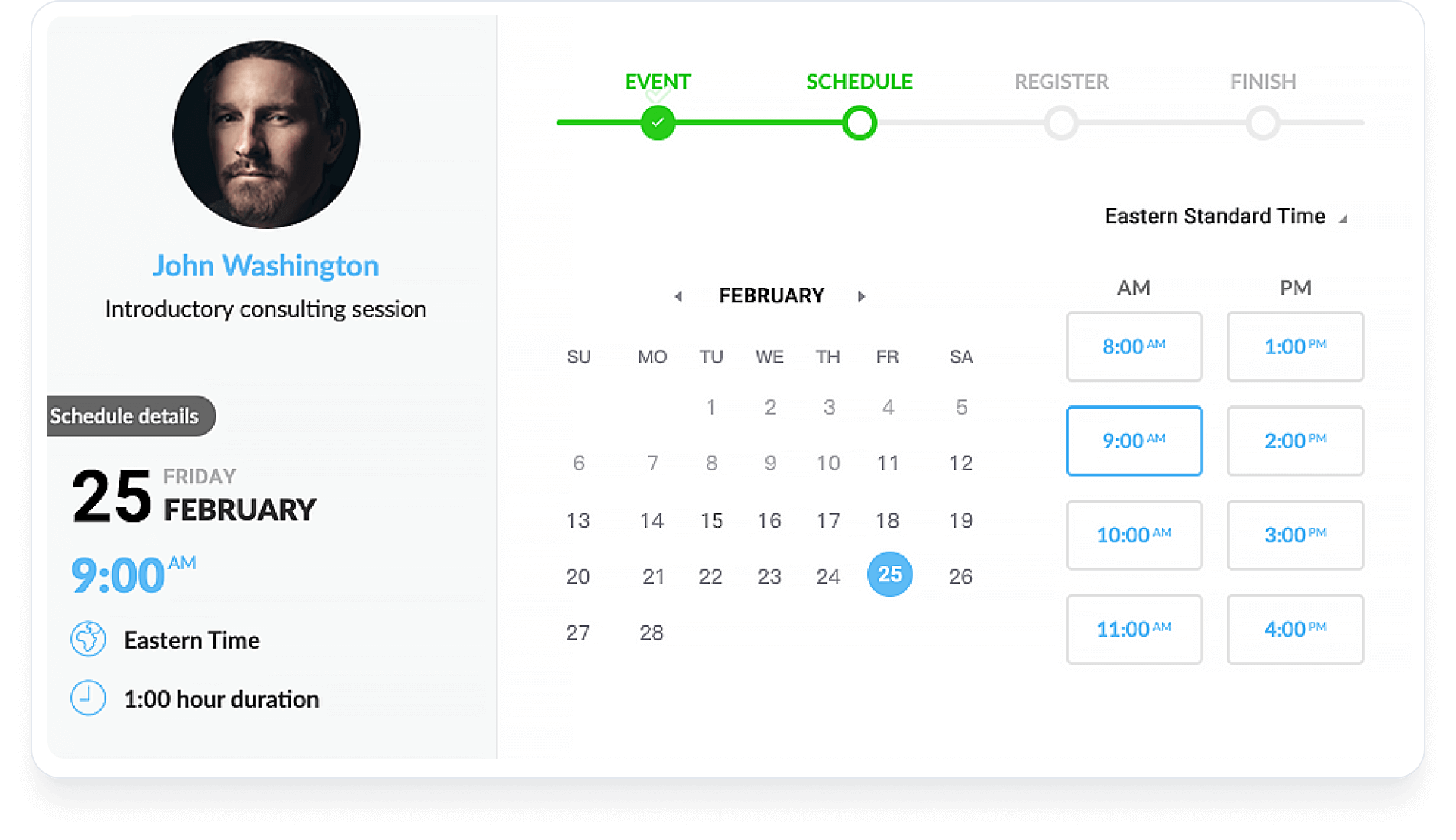
To make this possible, consider using an online scheduling tool like Calendly, to allow clients to book sessions at their convenience. These tools offer features such as calendar integration, automated reminders, and customizable availability.

You can also set up automated reminders for upcoming sessions to reduce no-shows and keep clients informed. Remind them of upcoming appointments via email or SMS, and include relevant details such as session time, agenda, and any pre-session preparation required.

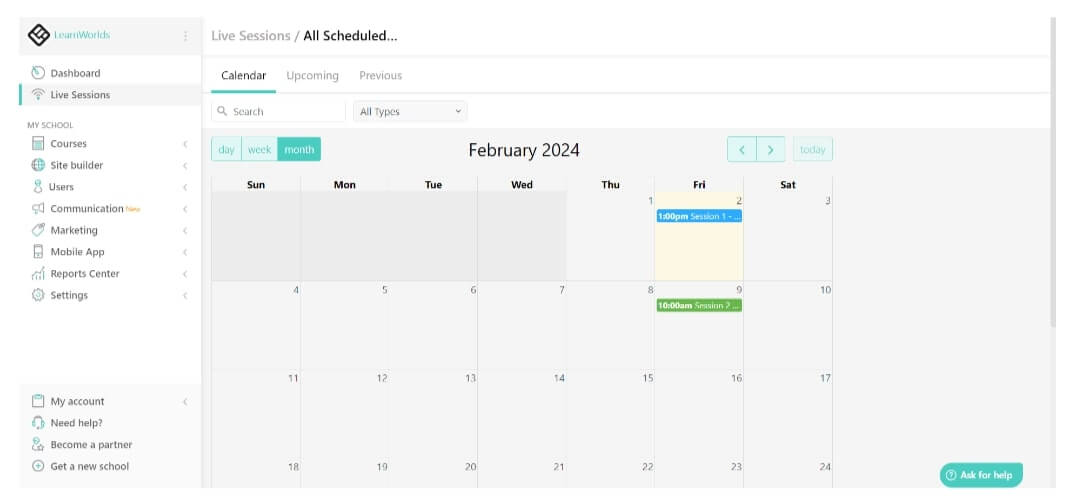
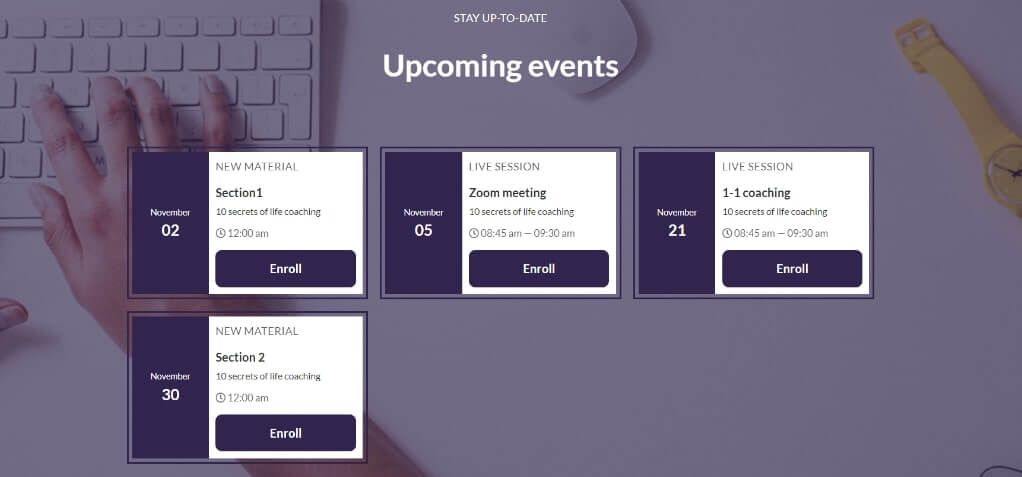
Scheduling live sessions in LearnWorlds

If you are using an online course platform to deliver your program, look for a calendar integration to avoid double bookings and ensure accurate availability. Syncing your schedule across multiple devices and platforms helps you stay organized and prevents scheduling conflicts.

Make sure to offer your clients a range of time slots to choose from, including evenings and weekends, to accommodate their schedules effectively.

Step 5: Monitor and Evaluate Your Coaching Program

Finally, to ensure your clients are making strides toward their goals, tracking their progress and evaluating your program’s effectiveness is imperative.

Tracking client progress

Establish clear benchmarks and milestones aligned with the client’s objectives. These provide measurable checkpoints to gauge progress and adjust strategies as necessary.

Regularly gather feedback from clients to understand their perception of progress, challenges faced, and areas requiring further attention. This insight allows for tailored adjustments to the coaching approach, ensuring alignment with the client’s evolving needs and aspirations.

Evaluating program effectiveness

Assessing the overall effectiveness of the coaching program is vital for continuous improvement and client satisfaction. This entails evaluating client outcomes against predefined goals and objectives. Analyze quantitative data, such as goal attainment and behavioral changes, alongside qualitative feedback to gauge the program’s impact.

Additionally, gather testimonials and reviews from clients to capture their experiences, successes, and areas of growth. Positive testimonials serve as valuable social proof and can help in attracting future clients, while constructive feedback informs program refinements and enhancements.

💁🏼‍♂️ LearnWorlds’ in-depth reporting gives you the most accurate and powerful insights into your clients’ progress and your coaching program’s performance.

BONUS: Inspiring Coaching Program Example

Offering effective coaching requires more than just knowledge and skills—it demands a commitment to embodying key qualities and employing effective strategies for success.

In this bonus section, we’ll feature a few existing successful coaching programs to help you gather some inspiration. Besides learning from top industry leaders never goes out of fashion.

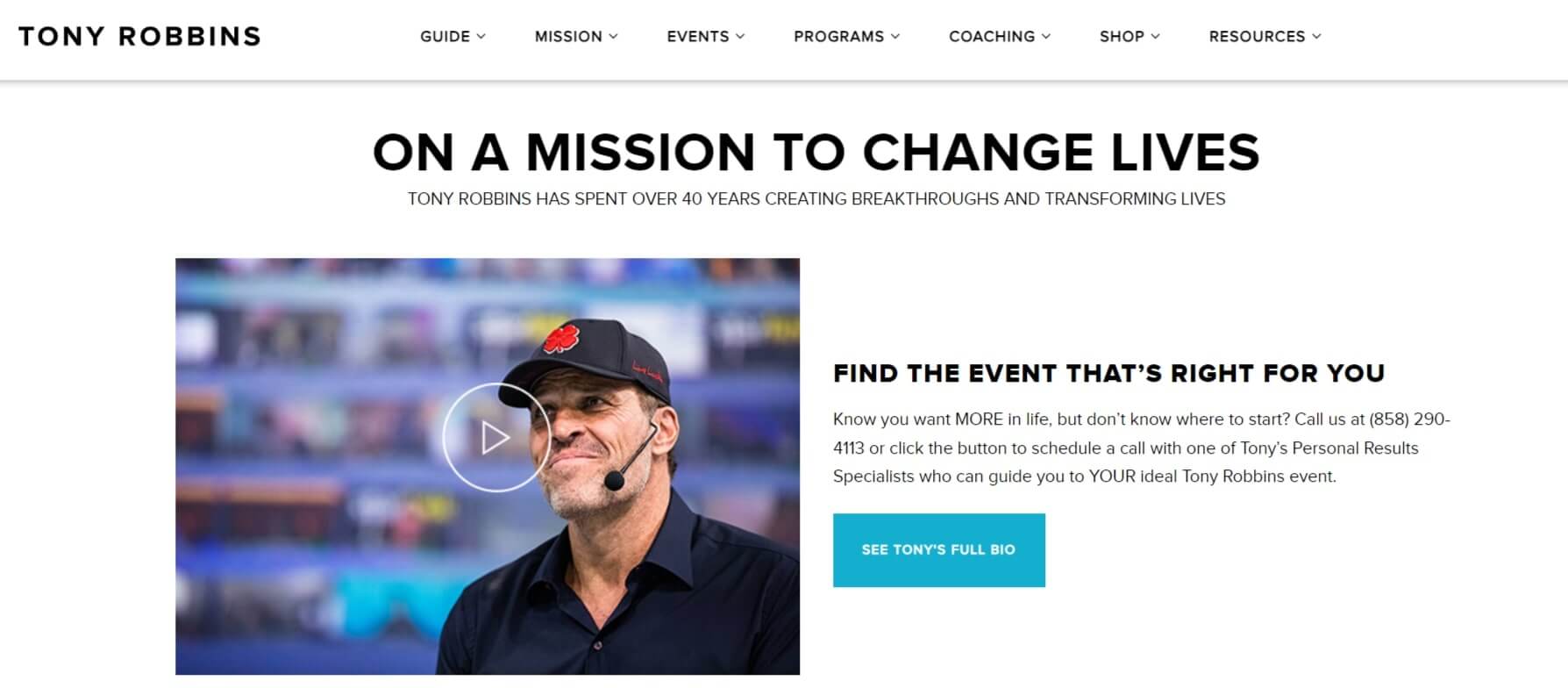
Tony Robbins – ‘Unleash the Power Within’

You know it and we all know it; Tony Robbins is perhaps the most recognizable coach in the world. This life and business strategist, motivational speaker, and best-selling author is known for his high-energy seminars, books, and coaching programs focused on personal development, wealth creation, leadership, and peak performance.

Some of his well-known ones include ‘Unleash the Power Within’, Date With Destiny’, ‘Business Mastery’ and ‘Life Mastery’.

Through his coaching, Robbins utilizes a combination of psychology, NLP (neuro-linguistic programming), and practical strategies to help individuals achieve breakthrough results in their personal and professional lives.

Robbin’s coaching resources include: blog posts, videos, seminars, workshops where participants engage in immersive learning experiences, books and publications, online courses and training programs, interviews, and podcasts.

Brené Brown – ‘The Daring Way’

Brené Brown is an American professor, author, and podcast host who has gained widespread acclaim for her work on vulnerability, courage, shame, and empathy. She is the author of several best-selling books, including “The Gifts of Imperfection,” “Daring Greatly,” and “Braving the Wilderness.”

Brown’s coaching and speaking engagements focus on helping individuals and organizations cultivate resilience, authenticity, and wholehearted living.

Through her TED Talks, books, podcasts, and online courses, Brown has inspired millions of people worldwide to embrace vulnerability, practice courage, and live more fulfilling lives. She is known for her engaging and relatable storytelling style, which resonates with audiences from diverse backgrounds.

Brown’s coaching resources include: books, workbooks, discussion guides, glossaries, checklists, online courses, podcasts, in-person conferences – live workshops, seminars, and speaking engagements for individuals, organizations, and conferences worldwide.

Robin Sharma – ‘The 5 AM Club Method’

Another renowned personality – Robin Sharma, is a Canadian author, speaker, and leadership expert known for his motivational books and coaching programs.

He is best known for his book “The Monk Who Sold His Ferrari” and his “Leadership Wisdom” series, inspiring millions of readers worldwide. Sharma’s coaching focuses on personal mastery, leadership development, and achieving excellence in both personal and professional life.

Sharma provides coaching and leadership development programs tailored to individuals, teams, and organizations.

His coaching and training offerings often draw from his books, including “The Leader Who Had No Title” and “The 5 AM Club,” as well as his online courses and seminars.

Sharma’s coaching resources include: books and publications, live seminars and workshops, online courses and programs, virtual coaching, interviews, and podcasts via ‘The Mastery Sessions’ podcast show.

Ready to Build Your Own Coaching Program?

Building a coaching program is not only an opportunity to share your expertise and make a positive impact but also a transformative experience for both you and your clients.

As you have learned throughout this guide, the process involves thoughtful planning, creativity, and a commitment to continuous improvement. However, the rewards far outweigh the challenges.

By creating a coaching program, you have the chance to:

  • Empower individuals to reach their full potential and achieve their goals.
  • Establish yourself as an authority in your field and build a thriving coaching practice or business.
  • Make a meaningful difference in the lives of others and contribute to positive change in your community or industry.

Remember, every successful coaching program starts with a single step. Whether you are a seasoned coach or just starting out, do not let fear or uncertainty hold you back. Take that first step, and the rest will unfold naturally as you gain momentum and confidence along the way.

Start building your coaching business with LearnWorlds. Get your free trial today!

Your professional looking Academy in a few clicks

Start FREE Trial

Further reading

  • 10 Best Online Coaching Platforms
  • How to Start a Profitable Online Course Business From Scratch
  • Knowledge Economy: How to Sell Knowledge Online
  • How to Create and Sell Profitable Online Courses: Step-by-Step Guide
  • Sell Digital Downloads: The Complete Guide
  • How Much Money Can You Make Selling Online Courses?
  • How to Make Money on YouTube: 7 Ways to Monetize

The post How to Build a Coaching Program: Templates, Tips & Examples appeared first on LearnWorlds.

17 Innovative Business Models for Monetizing your Online Academy

Software Stack Editor · March 14, 2024 ·

Online education is a dynamic and competitive field, and standing out requires more than quality content. It’s about how you package, market, and monetize that content to create sustainable and growing income sources.

In this article, our focus will be on dissecting and understanding various lucrative business models that have been employed by some of the most successful course creators.

We will touch upon the 17 innovative business models that are changing the game in online education. We’ll look at different ways to turn eLearning platforms into profitable ventures while also providing quality education.

💡For the full insights, we urge you to dive into our comprehensive, on-demand webinar “Generate multiple revenue streams with an online school.” This free on demand webinar delves deeper into each of these strategies, offering insights, real-world examples, and practical tips to implement them effectively and help you enhance your online education business.

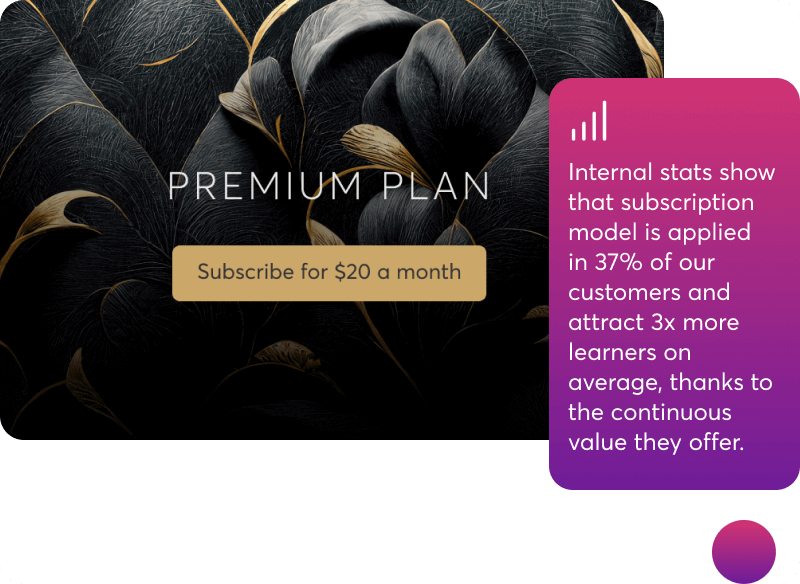
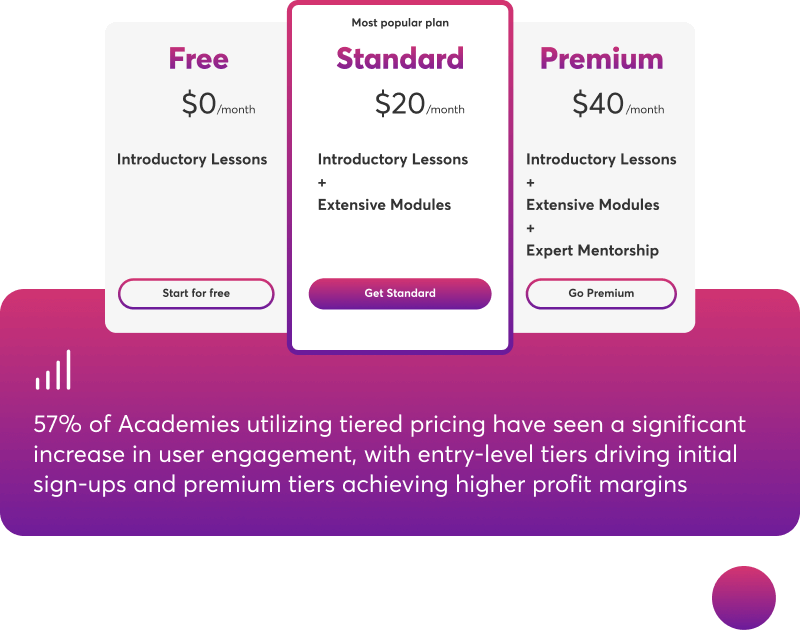
Don’t miss this opportunity for an in-depth exploration of pioneering eLearning business models.

Watch on demand

Business Models & Strategies to Monetize Your Online Academy

First of all, keep this in mind: it’s not just about choosing a model; it’s about understanding your audience, leveraging your content’s strengths, and staying ahead in the ever-changing landscape of online education.

Each of these models offers a unique approach to monetizing online learning, catering to various niches and learner preferences. The beauty lies in their adaptability and potential for innovation.

Whether you’re a seasoned educator or a budding entrepreneur, understanding these models can be the key to unlocking the full potential of your online academy.

Direct Monetization Strategies

1. The Classic One-Time Purchase:

This model is as straightforward as it gets: Pay once, learn forever. Learners pay once and gain lifelong access to your course.

It’s perfect for content that doesn’t require frequent updates, offering a robust way to monetize niche expertise.

You can boost your earnings potential by cross-selling courses and products after the initial purchase.

The classic one-time purchase model is perfect for specialized fields like photography or medicine where learners want targeted skills.

2. Subscription:

A continuous learning journey: Imagine Netflix, but for learning.

Subscriptions ensure a steady revenue stream and cater to learners who crave continuous upskilling. It’s a dynamic model for a broad spectrum of topics.

This model offers great flexibility and opportunities for growth as you can easily introduce premium features or tiered plans to grow your business.

It also has a broad appeal as it is suitable for all learning sectors, from tech to personal development.

3. Tiered Success:

Tiered pricing is the art of catering to different learners’ needs and budgets. From basic to premium, each level offers more content and personalized features.

This model excels in encouraging users to upgrade for more feature-rich tiers and deepening user engagement.

This model is perfect for businesses offering services, like coaching or consulting. For example, a coaching academy can provide its live 1:1 coaching sessions command for a premium price and offer at the same time entry-level self served courses provide at an affordable price that will help customers start their learning journey.

4. Freemium:

The teaser effect: Free content? Yes, but with a twist. The freemium model offers a taste of your courses, luring learners in, and then monetizes through advanced features or content.

It’s a stellar strategy for building a user base. You can start with no-cost content, enticing learners to see the value and upgrade for more, thus converting them to paid customers.

5. Building a Community through Memberships:

Think of a loyal tribe, all eager to learn and grow together. Members pay a fee for exclusive content and community features, ensuring a consistent income and a dedicated user base.

The purpose of the membership community is to transform followers into a dedicated audience, strengthening your educational impact and revenue.

Indirect Monetization Strategies

6. Monetizing Certifications:

Certifications add credibility to any course. Charging for these can be a clever way to add an extra revenue stream while incentivizing learners to complete your courses.

You can offer certifications for course completion, adding value for learners and an additional revenue stream for you. You can even use certification as a strategy for upselling more courses and encouraging re-certification.

7. Strategic Sponsorship:

Aligning with brands or companies can open new monetization avenues. It’s about creating value-packed partnerships that enhance your platform’s offerings.

For example, if you run a financial asset management academy, you can partner with top portfolio management software so that your offerings have broader reach to targeted audiences.

8. The Affiliate Marketing Game:

You can utilize affiliate marketing in two powerful ways

  • by creating an affiliate network that promotes your courses for commissions, or
  • by affiliating with essential services and tools your learners use.

By affiliating with other products or services, you can earn commissions and provide added value to your learners. It’s a win-win strategy for cross-promotion and revenue generation.

9. Licensing:

Share your knowledge, as your content has value. Licensing it to other institutions or platforms can be a lucrative way to extend its reach and generate income.

This indirect monetization model is perfect for specialized fields like IT or healthcare, where your expertise can meet educational needs across institutions without diluting your brand.

10. Corporate Training:

Tailoring to businesses: Companies constantly seek quality training for their employees. Offering customized eLearning solutions to businesses can unlock significant revenue potential.

You can create tailored training solutions that align with corporate goals and workforce needs.

In this case, revenue models can range from per-session, per learner pricing to flat rates for comprehensive training solutions, often incorporating branded course materials.

The corporate training model is a great fit for sectors needing ongoing professional development like IT, HR, and Leadership.

11. Consultation:

Beyond the course: Post-course consultations can be a goldmine. They provide personalized value to learners while significantly boosting your earnings.

You can provide one-on-one or group consultations to enhance course effectiveness and skill application.

Keep in mind that expert sessions can significantly increase revenue, adding a premium option to your course offerings.

12. Job Placement Services:

By connecting your course graduates with potential employers, you create an ecosystem that benefits all parties and opens up a new revenue channel.

You can tap into a new revenue stream by earning placement fees, enhancing your platform’s profitability.

13. Merchandising:

Selling course-related merchandise can not only boost revenue but also increase brand visibility and loyalty.

This way, you open an additional revenue stream with significant profit margins for your online course business.

For example, if you run a photography academy, you can pair your courses with custom photography accessories, as a way to spike your course sign-ups and increase your revenue at the same time.

Emerging Business Models

14. Hybrid Learning and Subscription Boxes:

This innovative model combines online learning with physical products. It enhances the learning experience and offers a unique way to monetize.

You can merge online learning with physical products and deliver themed boxes with educational tools and resources. This will help keep your learners engaged and provide you with a consistent revenue stream.

15. Royalties and Reselling:

Earning royalties from your courses or reselling them can provide a passive income stream, particularly for high-demand or evergreen content.

This business model is ideal for those of you looking to scale without creating new content, and course creator experts and /or consultants.

16. Blockchain Certifications:

Offering blockchain-backed certifications can add a layer of credibility and uniqueness to your courses, appealing to tech-savvy learners.

If you are a tech company, you can make your online courses more attractive for app building by issuing a blockchain certification at the end of the course.

17. Mobile App Monetization:

Transform your courses into app-based learning experiences. With in-app purchases, you can tap into the mobile market and open new revenue streams.

Also, keep in mind that microlearning via mobile apps increases course completion rates.

With this business model you are reaching out to an on-the-go audience who are usually more willing to pay a more premium pricing for this flexibility.

Choosing the Right Model for Your Business

The business models we’ve discussed are not just innovative examples of eLearning’s potential; they are powerful tools for global empowerment. These models go beyond mere profit-making strategies—they are transformative pathways that open doors to knowledge and opportunity for learners everywhere.

This brings us to a pivotal decision: which of these groundbreaking models aligns best with your vision?

To guide you through this crucial choice, we invite you to watch our free, on-demand webinar: “Generate multiple revenue streams with an online school.” This is a webinar meticulously designed to offer you deeper insights into each model and to provide you with a strategic framework for making the most informed decision for your business.

Don’t miss this opportunity to unlock the full potential of your online school. Click the button below to access the webinar video now and take the first step towards shaping the future of your education business.

Watch on demand

The post 17 Innovative Business Models for Monetizing your Online Academy appeared first on LearnWorlds.

How to Track Employee Training & Measure ROI

Software Stack Editor · March 7, 2024 ·

You don’t run your business on rough estimations and hinges, so why should you do so with employee training? Besides, employee learning and development is a business investment on its own – it’s closely tied to your business KPIs and goals, necessitating a portion of your budget and offering a measurable ROI. As such, it deserves your full attention and close monitoring.

In this post, we’ll explore all the benefits of tracking employee training, what data you should look for, and the best tools for the job – along with the pros and cons of each option. Let’s dive in!

4 Reasons Why You Should Track Employee Training

Employee training has numerous benefits for your employees and your business. Employees are happier, more productive, stay longer. With a competent and loyal workforce, your business can thrive. In order to reap these benefits, though, you have to keep tabs on your employee training programs to ensure they’re meeting your expectations. Here’s why:

1. Measure Training ROI

You probably know how much money you’ve spent to deploy employee training, but do you know how much you’ve made as a result? Training ROI is a complex thing to measure, and maybe you won’t be able to measure it with 100% accuracy. However, the more data sources you look into, the better you will be able to evaluate it (more on that in a bit!).

Knowing your training ROI means you’ll be able to manage your budget more efficiently and reallocate your resources as needed. Not only that, but for L&D professionals, proving ROI is essential to prove the value of their work and to secure or even increase their training budget.

2. Address Knowledge & Skills Gaps

Tracking employee training means you will monitor how employees perfom both during the course and on the job. You’ll also get to speak with them directly and hear their thoughts about your training program and the extent to which it has helped them.

This will allow you to identify knowledge and skills gaps and address them effectively with additional learning material, mentoring, or on-the-job training, therefore reinforcing the learning objectives of the course.

3. Comply With Regulations

Compliance and detailed record-keeping go hand in hand. You need to know at any time that all employees have successfully completed their compliance training, when a certificate is due to expire, and that your company overall is on track with the compliance regulations of your industry.

If you’re in a heavily regulated industry, you understand how important compliance is and that it goes beyond fines and penalties. Compliance often involves health & safety, and not abiding or being aware of regulations and best practices can jeopardize the well-being of your employees and the environment.

4. Create More Effective Training Programs

Tracking employee training is multi-faceted – it involves tracking learner performance, evaluating employee performance after the training, getting manager and employee feedback, and more.

This training data and feedback from diverse sources will give you an accurate picture of the effectiveness of your program but also of what’s lacking and what needs to be improved – this is key to designing better training programs in the future and achieving your respective goals.

What Should You Track? 3 Types of Metrics to Ensure You’re in Control

There is a vast pool of information waiting for you, provided you’re up for some digging! Below we share the most common and reliable sources of data to track employee training:

Learning Metrics

Leaning metrics refer to metrics that measure course effectiveness and knowledge retention.

  • Completion rates: This is the no-brainer metric that first comes to mind when tracking employee training initiatives. Although superficial, a completion rate will give you a first idea of how engaging your training course has been. Not only that – in the case of compliance training, it will help you ensure there are no weak leaks among your workforce.
  • Assessment scores: Individual and average assessment scores will give you an accurate idea of how well employees have assimilated the information and parts of the training they might still feel unsure about.
  • Certificates earned: The number of certificates earned is a quick way to check whether all employees have finished mandatory training.
  • Engagement with training activities: There are ways, especially if you use a Learning Management System, to monitor learner behavior down to activity level. How much time they spent on each activity, whether they completed a video or not, whether they passed a test on the first attempt, and more. All this will help you understand whether your training course is engaging or not.

Employee metrics

Employee training has been closely associated with pivotal employee metrics, namely:

  • Employee satisfaction
  • Employee engagement
  • Retention

These metrics are the results of multiple factors. It’s hard to identify the degree to which they can be safely attributed to employee training. However, if employees refer to their training experience positively in your employee satisfaction survey, it’s safe to say it has played a significant part.

  • Employee performance: Employee performance can be measured in different ways depending on the type of training and is often intertwined with other metrics. For new hire onboarding, for example, it can mean time to productivity. In compliance training, you might need to measure the number of incidents. For job-specific skills training, it can refer to faster turnaround or higher sales figures.
  • Behavioral changes: Behavioral changes are tied to soft skills and are evaluated rather than measured. For example, better time management is clearly manifested as timely or faster turnaround for projects (measurable) but also a better life balance and less work-related stress (not measurable).Behavioral changes affect the whole team and not just individual employees. For example, when employees develop conflict resolution skills or when they’re trained in Diversity, Equity, and Inclusion (DEI), there will be less friction in the workplace.Similarly, as employees become more adaptable and resilient, your business will be able to navigate change more smoothly. These traits and skills can be evaluated through performance reviews, observations, and feedback from supervisors or peers.

Business Impact

The most tangible results are expressed in business metrics and KPIs. At this point, it’s worth noting that it’s essential to define your desirable KPIs before deploying training. And it’s almost impossible not to, since usually a business deploys training in order to improve specific business results. Indicatively, some KPIs to watch are:

  • Customer metrics: CSAT (Customer satisfaction score), NPS, number of support tickets, churn, CLV.
  • Financial metrics: sales, training cost reduction, revenue, and gross/net profit margin.

4 Tools to Track Employee Training

You have more than one option to track and record employee training data with tracking software. Here, we present you with 4 different tools, each one addressing different business needs and training delivery methods:

Learning Management System (LMS)

A Learning Management System is hands-down the most efficient tool to deliver and track employee training, from new employee onboarding to upskilling and compliance training. An LMS enables you to offer learners diverse training content formats (eBooks, PDFs, videos, quizzes) and supports several training delivery methods (synchronous, asynchronous, blended, mobile).

Most LMSs offer built-in report tools that help you stay on top of your elearning initiatives without you having to do excessive manual work. You can see how individual employees, departments, or entire branches perform in a few seconds, with just a few clicks.

LMSs have several functionalities that allow you to monitor several metrics, even in real-time, like training completion rates, individual and average course scores, number of certificates issued, time spent on each learning activity, quiz scores, and more.

Most LMSs have filters so you can monitor only the data you need, and can be scheduled for automatic delivery. Your training records are kept for life in one place, together with all your training material. Make sure you specifically ask your LMS vendor about their reporting system, as some LMSs tend to be either overly complex or offer superficial metrics only, like course completion rates.

Overall, an LMS is the most complete training solution, offering multiple options to monitor learner performance through:

  • Surveys
  • Learner assessments
  • Gradebook
  • Certificate management
  • Reporting tool

Pros

  • All-in-one solution to centralize, distribute, and monitor training
  • Content authoring capabilities
  • Advanced analytics: insights on course and learner performance
  • Integration with workplace tools
  • Minimal manual work required

Cons

  • It could be expensive if you only have one training course

Need more information about how to pick the right LMS for your business? Download our LMS Guide now, and you’ll learn practical tips to cut through the noise and choose the best LMS for your needs!

Training Management System (TMS)

A Training Management System is a platform that helps businesses organize and streamline instructor-led training and VILT. A TMS undertakes all “housekeeping” tasks, like course scheduling, logistics (for on-site training sessions), learner registration, reminder emails, budgeting planning & forecasting, and, of course, detailed reporting.

Keep in mind that, as opposed to an LMS, Training Management Software doesn’t always have content creation or training delivery capabilities. Therefore, it’s a good option if you implement instructor-led training and need a tool to handle administrative tasks.

Pros

  • Advanced analytics, including Business Intelligence
  • Automation of admin tasks

Cons

  • Only works for ILT and VILT
  • Doesn’t support content authoring or delivery; TMSs focus only on admin tasks

Employee Training Tracking Software

Another solution to track employee training progress is to use specialized training tracking software. Employee training trackers specialize in monitoring training and help with admin tasks, like training assignments, documentation, reminder emails, etc.

Pros

  • In-depth training reports
  • Effective compliance monitoring

Cons

  • Doesn’t support content authoring or delivery

Google Sheets

This zero-cost solution can serve as a training log for small companies who are offering few on-site or online training courses or when the pricing of other tracking tools is off-limits for your budget. In such cases, good old Google Sheets or Excel will do the job just fine.

Pros

  • Zero cost
  • Good solution for small companies

Cons

  • Time-consuming
  • Requires a lot of manual work
  • Limited data analysis
  • Not efficient for large-scale training initiatives

To Track or Not to Track?

When it comes to employee training, it’s not a question of whether to track it but how. If you don’t want to juggle between tools, a Learning Management System is an integrated, cloud-based solution to streamline, deliver, and track your training programs.

Our platform, LearnWords, is a user-friendly LMS that supports interactive, engaging learning experiences and automates the most mundane admin tasks. Our platform features in-depth analytics and reports, advanced assessments, built-in surveys, and a certificate builder. Plan your next employee development or business initiative, knowing that your workforce can keep up! Start your 30-day free trial now!

9000+ brands trust LearnWorlds to train their people, partners & customers.

Start a FREE Trial

Further reading you might find interesting:

  • 100+ Elearning Statistics, Facts and Trends
  • The 19 Best Learning Management Systems
  • SCORM 101: The Definitive Guide to Choose a SCORM Compliant LMS
  • What is an LMS (Learning Management System)?
  • The Benefits of Mobile Learning: Unveiling Its Power and How It Works

The post How to Track Employee Training & Measure ROI appeared first on LearnWorlds.

What is Online Learning? Brief History, Benefits & Limitations

Software Stack Editor · March 6, 2024 ·

In the rapidly evolving landscape of education, one term has become increasingly prominent: online learning. As technology continues to prevail in every aspect of our lives, the education industry has been quick to adapt, embracing digital platforms to deliver learning experiences beyond the limitations of traditional classrooms.

But, what exactly is online learning, and how does it reshape the way we acquire knowledge and skills?

In this article, we will answer that and explore online learning in depth looking into its origins, methodologies, benefits, and implications for the future of education.

By examining the benefits and challenges of online learning, we will acquire an understanding of its transformative power and its role in shaping the educational landscape of tomorrow.

Your professional looking Academy in a few clicks

Start FREE Trial

Whether you’re a seasoned educator, a lifelong learner, or simply curious about the evolution of digital education, stay put as we learn more about how we can teach and learn in the digital age.

Definition of Online Learning

Online learning, also referred to as e-learning, digital learning or even sometimes virtual learning, encompasses a broad spectrum of educational activities facilitated through digital technologies.

Online learning is a form of education where instruction and learning take place over the internet and through digital learning tools or platforms like online learning platforms, and learning management systems (LMS).

Instead of traditional face-to-face interactions in a physical classroom, online learning relies heavily on technology to deliver educational content, facilitate communication between instructors and learners, and assess learner progress.

History of Online Learning: The Roots & Evolution

The roots of online learning are deeply intertwined with the development of computing technology and the Internet. Its evolution can be traced back to the mid-20th century when pioneers began exploring the potential of technology to enhance educational experiences.

To better understand online learning and how it has emerged to become what it is today, let’s briefly travel back in time to go over its key milestones.

Period/Year Key Developments in Online Learning
1960s Beginnings of computer-based training (CBT) using mainframe computers.
1970s Introduction of PLATO system for computer-assisted instruction.
1980s Emergence of teleconferencing and satellite-based distance learning.
1990s he advent of the World Wide Web; birth of the modern Internet era.
1994 The first online course was launched by the University of Toronto.
1997 Launch of Blackboard, a pioneer in online course management systems.
1999 The term “e-learning” was used for the time in a professional context by Elliott Masie at the TechLearn conference at Disney World.
2002 Massachusetts Institute of Technology (MIT) launches OpenCourseWare, making course materials freely available online.
2005 YouTube was founded, providing a platform for educational video content.
2006 Introduction of Massive Open Online Courses (MOOCs) by Canadian and American universities.
2015 Introduction of online coding boot camps for technical skill development.
2016 Rise of mobile learning with the proliferation of smartphones and tablets.
2019 Growth of adaptive learning platforms, personalized to individual student needs.
2020 Rapid expansion of online learning due to the COVID-19 pandemic, highlighting its importance and accessibility.
Present Continued innovation with virtual reality (VR), augmented reality (AR), and artificial intelligence (AI) technologies in education.

Early Experiments in Distance Education

In the 1950s and 1960s, early experiments with computer-based instruction laid the groundwork for what would later become online learning.

Programs such as PLATO (Programmed Logic for Automatic Teaching Operations) introduced interactive learning experiences through computer terminals connected to centralized mainframe computers. These systems enabled students to access course materials, complete assignments, and communicate with instructors remotely.

A few years later, the concept of distance learning – which involves delivering instruction to students who are not physically present in a traditional classroom setting, further propelled this evolution.

Institutions such as the Open University in the United Kingdom and the University of Phoenix in the United States pioneered distance learning models, leveraging postal mail, radio broadcasts, and eventually, early forms of online communication to reach remote learners.

The Internet Revolution

The widespread adoption of the Internet in the 1990s marked a significant turning point in the development of online learning as well. The emergence of the World Wide Web democratized access to information and communication, paving the way for developing web-based learning platforms and creating online courses.

In 1983, the online educational network ‘Electronic University Network’ (EUN) became available for use on Commodore 64 and DOS computers, and the first course to be completely held online was launched one year later by the University of Toronto.

Other educational institutions, corporations, and individuals then began exploring the potential of the Internet to deliver educational content and facilitate interactive learning experiences.

Advancements in Learning Management Systems

The late 20th and early 21st centuries witnessed the rise of learning management systems, which provided centralized platforms for delivering, managing, and tracking online learning activities.

Platforms such as Moodle (Modular Object-Oriented Dynamic Learning Environment) which was the first open-source LMS, revolutionized the way educational content was delivered and facilitated collaboration between instructors and learners in virtual environments.

Learners were using a downloadable desktop application and from there they would choose which content they wanted to export on their computers.

The rise of Massive Open Online Courses (MOOCs)

In the 2010s, the advent of Massive Open Online Courses (MOOCs) further transformed the landscape of online learning.

MOOC platforms started offering free or low-cost access to courses from leading universities and institutions around the world, reaching millions of learners globally. MOOCs popularized the concept of open and accessible online education, sparking discussions about the future of traditional higher education and lifelong learning.

Continued Innovation and Expansion

Online learning continues to evolve rapidly today, driven by advancements in technology, pedagogy, and learning science.

Since the millennium, the elearning industry has grown by 900%, and by the end of 2025 is expected to triple. The global elearning market will reach $336.98 in 2026 and by 2032, the total value projection is estimated to hit a trillion.

Already data shows that around 90% of organizations offer digital learning to train employees, confirming its crucial role in corporate training environments as well.

💁🏼 Find out How to Build a Great Online Corporate Training Program

There is no doubt that innovations such as adaptive learning, virtual reality, and artificial intelligence are reshaping the online learning environment, providing learners with more personalized, immersive, and engaging educational experiences with real impact on their personal and professional lives.

Types of Online Learning

From interactive multimedia-rich modules to live-streamed lectures, online learning today offers a diverse array of tools and resources tailored to meet the needs of learners across several disciplines and levels of expertise.

It encompasses various forms of educational content and activities delivered online, such as online courses, lectures, video tutorials, quizzes, presentations, online classes, live webinars, and more.

Online learning can be categorized into various types, including synchronous and asynchronous learning, as well as blended learning.

Synchronous Learning:

This involves real-time interaction between instructors and students, often through video conferencing tools (like Zoom or Skype), chat rooms, or virtual classrooms.

Synchronous learning mimics the structure of traditional classroom instruction, with scheduled lectures, discussions, and other activities.

Asynchronous Learning:

In asynchronous mode, learners access course materials and complete assignments at their own pace. While there may be deadlines for assignments and exams, online students have flexibility in terms of when and where they engage with the content.

Asynchronous learning typically involves pre recorded lectures, discussion forums, online quizzes, and other interactive elements.

Blended Learning:

Also known as hybrid learning, this approach combines online instruction with face-to-face interactions. Learners may attend some classes in person while completing others online.

Blended learning offers the benefits of both traditional and online education, providing flexibility while still allowing for direct engagement with instructors and peers.

Key Benefits of Online Learning

Online learning offers several advantages, including accessibility for learners with geographical or scheduling constraints and flexibility in pacing and scheduling.

It can support a variety of educational resources, accommodate diverse learning styles, and offer opportunities for personalized learning.

Here are some of the key benefits of online learning:

  • It offers flexibility to learners to access course materials at their own pace.
  • It provides accessibility to education for learners from various locations and those unable to attend the classroom physically.
  • It is more cost-effective than traditional classroom instruction, as it reduces expenses associated with physical infrastructure, commuting, and materials.
  • It allows for greater personalization tailoring learning experiences to individual learners’ preferences, abilities, and learning styles.
  • It supports a variety of resources including text-based materials, videos, audio recordings, interactive modules, e-books, live-streamed lectures, and more.
  • It has a global reach connecting learners with instructors and peers from around the world, fostering cross-cultural exchange, collaboration, and exposure to diverse perspectives and experiences.

Understanding these benefits and multiple facets of online learning is crucial, so let’s take a closer look at each.

Flexibility and accessibility for learners

Online learning offers unparalleled flexibility for learners, allowing them to access educational resources and participate in self-paced learning programs fitting their daily schedules.

Unlike traditional brick-and-mortar classrooms with fixed schedules, online learning caters to the diverse needs of students, whether they are full-time working professionals seeking to enhance their skills or individuals with busy lifestyles balancing multiple commitments.

Additionally, online learning breaks down geographical barriers, enabling individuals from remote or underserved areas to access high-quality education that may not have been feasible otherwise. By providing 24/7 access to the learning material, online platforms empower learners to take control of their education and pursue their academic or professional goals on their own terms.

Cost-effectiveness and scalability

One of the most significant advantages of online learning is its cost-effectiveness and scalability. By leveraging digital technologies and eliminating the need for physical infrastructure, such as classrooms and textbooks, online courses can be delivered at a fraction of the cost of traditional education.

This affordability makes education more accessible to a wider audience, including individuals with limited financial resources or those unable to afford traditional tuition fees.

Moreover, online learning platforms have the potential for rapid scalability, allowing institutions to accommodate a larger number of students without the constraints of physical space or instructor availability. This scalability is particularly advantageous for organizations looking to expand their educational offerings or reach new markets without significant investments in infrastructure.

Customization and adaptability to diverse learning styles

Online learning platforms offer a wealth of tools and resources to cater to diverse learning styles and preferences. From interactive multimedia content to adaptive learning algorithms, these platforms can personalize the learning experience to suit the individual needs and preferences of each student.

Learners can choose the format and pace of their studies, engage with interactive exercises, and simulations, complete coursework, and receive instant feedback to track their progress and identify areas for improvement. Additionally, online courses often incorporate various multimedia elements, such as videos, animations, and gamified activities, to enhance engagement and retention.

Some platforms with advanced features like LearnWorlds, even go the extra mile offering instructors the ability to communicate with their learners as well as learners communicating with their peers, via online discussion boards, in private or public groups, and as part of a wider online learning community.

Give LearnWorlds a spin and explore its awesome capabilities. Get your free trial today!

Your professional looking Academy in a few clicks

Start FREE Trial

Global reach and democratization of education

Online learning transcends geographical boundaries, enabling access to education for individuals around the world. Regardless of location or time zone, learners can connect with instructors and peers, fostering a global learning community.

This global reach not only enriches the educational experience by facilitating cross-cultural exchange and collaboration but also promotes inclusivity and diversity within the learning environment.

Moreover, online courses often offer language localization options, making educational content accessible to non-native speakers and individuals with different language preferences.

By offering this level of access to education, online learning empowers individuals from all walks of life to pursue their academic and professional aspirations, regardless of socio-economic status or geographic location.

Advantages of Online Learning Disadvantages of Online Learning
Flexibility in scheduling and access to materials. Lack of face-to-face interaction, leading to feelings of isolation.
Accessibility for learners from diverse geographical locations. Technical issues such as internet connectivity problems or software glitches.
Variety of resources including multimedia materials and interactive tools. Greater self-motivation required to stay on track with coursework.
Customization to cater to individual learning styles and preferences. Limited hands-on learning opportunities for certain subjects or skills.
Cost-effectiveness, often requiring fewer resources than traditional education. Proneness to distractions like social media or household chores.
Global reach, connecting learners and educators worldwide. Concerns about the quality and credibility of online programs.
Opportunities for collaboration and networking among learners. Dependence on technology, leading to potential technical challenges.
Adaptability to diverse learning needs and schedules. Potential for digital divide, disadvantaging learners without access to technology.

Challenges of Online Learning

Despite its advantages though, online learning also presents challenges such as the need for reliable internet access and proper computer equipment.

It also requires the self-discipline of learners to stay motivated and focused and comes with potential limitations that may hinder social interaction as well as hands-on learning experiences.

Some of the key challenges of online learning include:

  • It often lacks face-to-face interaction found in traditional classrooms, which can lead to feelings of isolation and reduced opportunities for socialization.
  • It can present technical difficulties such as internet connectivity issues, software glitches, or hardware malfunctions, disrupting the learning experience and causing frustration.
  • It requires greater self-motivation to stay on track with coursework, manage time effectively, and resist distractions, which can be challenging.
  • It offers limited hands-on learning for certain subjects or skills that are difficult to teach and learn effectively in an online format; those requiring hands-on practice, laboratory work, or physical manipulation of materials.
  • It can be prone to distractions such as social media, email, or household chores, making it difficult for learners to maintain focus and concentration.
  • It raises quality and credibility concerns related to educational content and credentials, requiring learners to carefully evaluate the reputation and accreditation of online programs.

Now, let’s examine these downsides in greater detail as well.

Social isolation and lack of face-to-face interaction

Without the physical presence of classmates and instructors, online learners may miss out on spontaneous discussions, group activities, and non-verbal cues that facilitate communication and relationship-building in traditional classrooms. This lack of social interaction can impact engagement and satisfaction with the learning experience.

Technical difficulties and hands-on learning

Online learners may encounter challenges accessing course materials, participating in virtual sessions, or submitting assignments due to technical glitches or outages. These disruptions can undermine the reliability and effectiveness of online learning platforms, requiring robust technical support and contingency plans to minimize their impact on the learning process.

When such problems occur, offering hands-on learning experiences becomes even more difficult. Laboratory experiments, fieldwork, or technical training may be impractical or insufficiently replicated in online environments, limiting opportunities for tactile exploration, observation, and skill development.

Combining online learning with on-site learning though, will allow learners to pursue disciplines that require practical application and experiential learning opportunities.

Self-motivation and potential distractions

Without the structure and supervision provided in traditional classrooms, online learners must possess strong self-discipline, time management skills, and intrinsic motivation to stay on track with coursework and meet deadlines.

The lack of external pressure and accountability can make it challenging for some learners to maintain focus and consistency in their studies. The convenience and accessibility of online learning can increase susceptibility to distractions, requiring learners to implement strategies for minimizing interruptions and creating conducive study environments.

💁🏼 Check out this guide on how to increase student engagement in online learning.

Quality assurance and accreditation concerns

With the wide variety of online courses and credentials available, learners must be extra careful when assessing the reputation, accreditation, and instructional quality of online programs.

Poorly designed or unaccredited courses may lack academic rigor, relevance, or recognition, undermining the value and credibility of the credentials obtained. This underscores the importance of conducting thorough research and due diligence when selecting online learning opportunities to ensure alignment with educational and career goals.

💁🏼 Here are 13 things to consider when determining the value of your online course.

Moving Forward: The Responsibility of Online Instructors & Course Creators

Our digitally-driven world makes everything possible today, and this is one of our biggest assets. Even the hardest challenges can be addressed and resolved effectively; all it takes is staying creative, flexible, and open to trying new things.

This goes out to not only online learners but especially to aspiring online instructors and course creators. Making digital learning a reality starts with a dream and a passion project. Once you have that everything else falls into place, having the right dose of determination and perseverance.

To make sure online learning environments are as inclusive and effective as should be, the next generation of educators needs to think about the instructional methods and strategies they are planning to use and select their equipment carefully.

Pedagogical considerations and instructional design challenges

Diving into the more theoretical and practical aspects of the work of educators, it’s important to go over some key pedagogical considerations and instructional design practices.

Below are some educational principles and strategies to take into account when creating online learning experiences:

Pedagogical Considerations

These are the principles and theories of teaching and learning that guide the design of online courses. Pedagogical considerations involve understanding how students learn best and selecting appropriate instructional methods and strategies to facilitate learning in an online environment.

This may include considerations such as active learning, learner-centered approaches, scaffolding of content, and the use of formative assessment to gauge student understanding.

💁🏼 Need help with course design? Accelerate Course Design with 18 Proven Course Templates

Instructional Design Challenges

These refer to the various hurdles and complexities that educators and instructional designers may face when creating effective online learning experiences.

Challenges may arise in areas such as content organization and sequencing, designing engaging and interactive activities, ensuring accessibility and inclusivity for all learners, managing learner engagement and motivation, and integrating technology tools effectively into the learning experience.

Instructional designers must address these challenges to create meaningful and impactful online courses.

Online course platforms, LMSs, and other tools

The technological means they will use to make this happen have to offer scalable capabilities, robust and advanced features, and provide the innovative solutions they need.

Must-have features in online learning platforms and LMSs include:

🧩 Assessments and feedback: Tools for providing timely and constructive feedback to learners, including automated quizzes, peer assessments, instructor feedback, and self-assessment activities, facilitate continuous improvement and reflection.

💬 Collaboration and social-building tools: Collaboration and communication among learners, instructors, and peers through virtual platforms, discussion forums, group projects, and collaborative tools, which can foster a sense of community and shared learning experiences.

📊 Detailed reporting & analytics: Track progress, monitor performance, and assess learning outcomes through data-rich analytics offered by an LMS, helping to facilitate informed decision-making and targeted interventions.

📝 SCORM-compliance: Ensures that your learning content aligns with the desirable e-learning market standards and is compatible with different LMSs. It allows for interoperability between various tools and platforms, ensuring seamless integration and consistent user experience across different systems.

📲 Mobile Learning: Use of mobile apps on devices such as smartphones and tablets to deliver educational content and facilitate learning activities. It enables learners to access educational resources anytime, anywhere, thus promoting flexibility and accessibility.

🎨 White-labeling: Removing the branding of the LMS provider to customize the appearance and branding of your e-learning website to align with your own brand identity. This can include customizing the platform’s logo, color scheme, and other visual elements.

🎮 Gamification: Involves integrating game design elements and mechanics into e-learning content to engage learners and motivate them to participate in learning activities via the use of points, badges, and leaderboards.

🎥 Live sessions: Real-time, synchronous learning experiences that offer instructor-led opportunities – instructors and learners interact with each other in virtual classrooms or webinars aiding collaboration, and engagement.

🛠 Integrations: Ability to connect with other software systems and tools, such as CRM (Customer Relationship Management) systems, content repositories, video conferencing tools, and third-party applications, enabling seamless data exchange, and enhanced functionality.


💡 AI-powered functionality: Utilizes AI and machine learning algorithms to automate processes, personalize learning experiences, and provide intelligent insights. This enhances efficiency, effectiveness, and scalability in e-learning by leveraging advanced technologies to support learners and instructors throughout the learning journey.

Lead the Change as a Course Creator: Embrace Online Learning

In this article, we have explored the evolution of online learning, from its early days in computer-based instruction to its current status as a transformative force in education.

As we’ve seen, online learning holds immense potential for democratizing education by overcoming geographical barriers and providing access to unique learning experiences. For the modern digital creator, educator, and trainer, there are huge opportunities to teach online and monetize knowledge while empowering learners from all around the world.

By embracing innovative pedagogical approaches, and fostering interactive learning environments, you can easily create value-packed online courses that cater to the unique needs and preferences of your learners.

Start building your online academy by leveraging a robust learning platform like LearnWorlds. Try it out for free today!

Your professional looking Academy in a few clicks

Start FREE Trial

Further reading you might find interesting:

  • 183 Profitable Online Course Ideas With Examples
  • How to Start a Profitable Online Course Business From Scratch
  • Knowledge Economy: How to Sell Knowledge Online
  • How to Create and Sell Profitable Online Courses: Step-by-Step Guide
  • Sell Digital Downloads: The Complete Guide
  • How Much Money Can You Make Selling Online Courses?
  • How to Make Money on YouTube: 7 Ways to Monetize

The post What is Online Learning? Brief History, Benefits & Limitations appeared first on LearnWorlds.

Kartra Vs Kajabi for Online Courses, Training, and Coaching

Software Stack Editor · March 1, 2024 ·

Kartra and Kajabi are two popular marketing platforms for selling digital products. They are both used by many course creators, coaches, and businesses selling online courses as of their income streams.

This comparison will focus on whether these are good choices for course creators.

Kajabi is an all-around marketing platform with course authoring capabilities (creating a course), able to deliver in many circumstances.

While Kartra is more about selling digital products, coaching sessions, and limited content hosting for simple courses, it comes with the additional capabilities of selling physical products through a cart functionality.

We tested Kajabi and Kartra to determine the best platform for selling your courses. While they look similar, their functionalities differ significantly as they focus on different features and support different creators and businesses.

Our Top Choice: LearnWorlds

Kajabi and Kartra are both great at marketing & selling but are found lacking on the elearning front. If your goal is to provide the ultimate learning experience to your students, LearnWorlds is the ideal choice!

LearnWorlds has everything you need to create, manage, and sell online courses.

It comes with advanced elearning features like

  • built-in community,
  • SCORM support,
  • elearning reports & analytics,
  • robust course builder, and
  • learning automations.

Along with all the marketing and sales automations you would expect:

  • email marketing,
  • sales funnels,
  • landing page builder,
  • checkout,
  • and much more.

When you sign up for LearnWorlds, you’ll get the best online course platform available in the market, freeing you from technical complications as you focus on growing your business.

Try LearnWorlds with a free 30-day trial; no credit card is required:

Your professional looking Academy in a few clicks

Start FREE Trial

P.S.: Check out more Kartra Alternatives.

Comparing Kartra VS. Kajabi VS. LearnWorlds

Kartra does great on sales, funnels, landing pages, and marketing, while Kajabi is an excellent all-around marketing tool, but none excel at course creation.

Comparing the two, Kartra is better at offering marketing tools, while Kajabi is better for sales funnels and website building.

Katrta Kajabi LearnWorlds
Course Authoring

Winner: LearnWorlds
Marketing Features

Winner: Kartra
Landing Page Building

Winner: LearnWorlds
Ease of Use

Winner: Kajabi
Customer Service

Winner: LearnWorlds
Value for Money

Winner: LearnWorlds
Total

Winner: LearnWorlds
Kartra Kajabi LearnWorlds
Course Authoring

Winner: LearnWorlds
Marketing Features

Winner: Kartra
Landing Page Building

Winner: LearnWorlds
Ease of Use

Winner: Kajabi
Customer Service

Winner: LearnWorlds
Value for Money

Winner: LearnWorlds
Total

Winner: LearnWorlds

Pricing Comparison

Both platforms have a trial that requires a credit card and no free plan. They also start at a higher pricing cost above $100 monthly and quickly increase on the higher-tier.

Kartra Kajabi LearnWorlds
Free Plan X X X
Free Trial 14 days 30 days 30 days
Is Trial with a Credit Card Required? Yes Yes No
Tier 1 $119 /mo $149 /mo $29 /mo
Tier 2 $229 /mo $199 /mo $99 /mo
Tier 3 $549 /mo $399 /mo $299 /mo
Kartra Kajabi LearnWorlds
Free Plan
X X X
Free Trial
14 days 30 days 30 days
Is Trial with a Credit Card Required?
Yes Yes No
Tier 1
$119 /mo $149 /mo $29 /mo
Tier 2
$229 /mo $199 /mo $99 /mo
Tier 3
$549 /mo $399 /mo $299 /mo

In-depth Comparison: Kartra or Kajabi

Kartra Overview

Kartra is a sales & marketing platform with functionalities that make it suitable for running an online business or selling products as an additional revenue stream for solopreneurs and agencies.

You can easily set up a landing page and start selling courses, coaching, consulting, or physical products using Kartra, or capture leads and use one of its ready sales funnels and automations to sell your other products.

Whether you are looking to supplement your income as a creator or, build an email list, or handle multiple sites for small clients as an agency, Kartra can do that!

Kartra is owned by Genesis Digital, a group of companies that includes WebinarJam and EverWebinar.

Unique Characteristics

Kartra comes with some unique characteristics you won’t find on Kajabi. For example, its cart functionality allows you to sell physical products and directly sell coaching sessions using the calendar.

  • Sell physical products
  • Built-in calendar & webinar features
  • Help desk
  • Agency features

Pros

  • Many templates for landing pages
  • Has many built-in features for sales & marketing
  • Affiliate marketplace
  • Handles multiple clients for agencies

Cons

  • 30-day Trial requires a credit card (and a long process)
  • Many features require upgrade – Helpdesk, Surveys, LiveChat
  • Difficult-to-use website builder
  • Limited integrations

Personal note: I have used many website builders. Kartra’s is intuitive but a little challenging to use. The templates help a lot, but take time to customize to the look you want to achieve for a landing page. Also, custom code is locked in the Starter plan, making customization more difficult.

Kartra Pricing

Starter: $119 /mo
Growth: $229 /mo
Professional: $549 /mo
Enterprise: 250k contacts – $900 /mo, 500k contacts – $1500 /mo, 1M contacts $2000 /mo

Who is it for?

Kartra is ideal for agencies or solo marketers and creators selling products to their audience. It can also be used for businesses looking to sell products as an additional revenue stream.

Kajabi Overview

Kajabi is one of the most popular all-in-one platforms for selling online courses or other digital products. Kajabi comes with all the bells and whistles you expect, like email marketing, automations, affiliate marketing, landing pages, checkout pages, and more.

You can sell coaching services, memberships, community access, or build your consulting business there.

While Kajabi sounds like it can do everything for serious educators and training providers, it lacks some essential features for elearning creation and delivery but makes up with marketing features.

Unique Characteristics

When you compare Kajabi with Kartra, it has more features for creating online courses and a more complete community. It also offers the Kajabi App, where your students can access your material on their smartphones; even though it’s not white-labeled, it’s an advantage over Kartra.

  • Online course creation: Quizzes, Video hosting, Drip lessons, etc.
  • Built-in community
  • Mobile app (shared with others)

Pros

  • Simple & easy to use
  • Powerful marketing features, including email marketing tools
  • Sales page templates
  • Built-in community
  • Drag-and-drop website builder
  • Multiple custom domains (on higher plans)

Cons

  • Does not have a free plan (14-day trial)
  • Design capabilities are limited
  • Course authoring is limited
  • Emphasizes product sales, not the learning experience

Kajabi Pricing

Kajabi is the most expensive course platform at $149 per month and only offers a 14-day trial period to test it out.

All prices below are for monthly plans, and you can save 20% if you pay annually:

Basic plan: $149 / m
Growth plan: $199 / m
Pro plan: $399 / m

*Pricing retrieved in February 2024 from Kajabi’s pricing page.

Who is it for?

Kajabi is for digital entrepreneurs, business owners, and online course creators who want access to a full suite of digital marketing tools. The platform is ideal for “non-techy” users interested in scalability.

Read Kajabi vs. LearnWorlds to see how Kajabi stacks up against our top choice for eLearning software. And Kajabi Alternatives to check other platforms similar to Kajabi.

Creating Courses

Both Kartra and Kajabi offer the tools you need to create online courses in a user-friendly interface. Hosting and delivering the course content is included in all plans of both platforms.

Kajabi is the most comprehensive of the two, offering multimedia-rich courses including videos, downloadable resources, and pdfs, and even allowing you to create quizzes.

An example of Kajabi's course outline functionality.
An example of a course in Kajabi

Kartra, on the other hand, supports various media types, but its content creation capabilities are much more limited than Kajabi. You can only upload media and cannot create quizzes, tests, assessments, or certificates of completion.

Kartra's different options for products.

Note: If you want a modern course platform with powerful elearning features like assessments, certificates, and educational features, LearnWorlds is the best choice.

Sales & Marketing Tools

Kartra and Kajabi excel in sales & marketing advanced automations, even affiliate management features to grow your business.

You can build almost any sales funnel in both platforms, including:

  • Funnel builder (pages)
  • Email sequences
  • Automation features
  • Affiliate programs

Kartra boasts its behavioral adaptive marketing features as unique, segmenting users based on certain characteristics. With the behavioral adaptive features, you can show an offer or a section to a specific user while hiding it from the others.

One of the adaptive marketing features having a selection on to whom to display a block.
Behavioral adaptive features on Kartra

You can also use built-in calendars to sell consulting or coaching directly on Kartra. The calendars come with their sales funnel, an advanced feature missing from Kajabi.

Calendar feature on Kartra and how to book consulting or coaching calls in the funnel.
Kartra’s calendar feature to book coaching or consulting

On the other hand, Kajabi comes with pre-built funnels for creating effective email campaigns or a funnel to sell your products and courses. Kajabi is also great for building email marketing automations and one-off broadcasts to reach your users.

Building a sales funnel in Kajabi
Email marketing funnel automations by email on Kajabi

Landing Pages

Kartra offers many landing page templates and has a template for every niche or case! You don’t need to bother yourself with design, structure, etc. Even without marketing knowledge, you can immediately have your product’s page sales-ready.

Just choose a template and change the text & images.

Different options for filters and templates for landing pages on Kartra.
Landing page templates with filters by Kartra

Then, you use the drag-and-drop page builder to edit the page. It’s pretty easy, but I found the editor a bit clunky to use. It requires some getting used to, and be sure to save often.

While it’s great for landing pages, Kartra is not suitable as a website builder. Don’t replace your website with a Kartra just yet!

An example of using the page editor of Kartra by adding a block with a CTA of Add to cart.
Editing a landing page on Kartra by adding a block

P.S.: Kartra’s unskippable tutorials are pretty annoying. They show up with every new template. The software can be improved a lot in UI/UX.

On the other hand, Kajabi provides a diverse collection of visually appealing templates that are readily available for use and can create a professional outcome. With their integrated website builder, you can personalize these templates and tailor them to your needs.

Showcasing Kajabi's landing page and website building capacibilities.

Kajabi’s site builder and templates are not as good as Kartra’s, but the UI is a little more intuitive and seems a little faster on loading pages.

Membership Sites & Communities

While you can build a membership site with comments with Kartra, I wouldn’t go that far to call it a community. It only offers some basic commenting and post-scheduling features.

The interface is hard to figure out, and the wizard takes too long to finish.

Kajabi offers a truly integrated community feature you can use to sell subscriptions and memberships while your users can engage with each other.

You can create multiple groups, circles, have free and paid spaces, and more. You can even post events with attendance and connect a live webinar to them.

An example of Kajabi's community feature for a kitchen or cooking course.
A screenshot of Kajabi’s community features

If you want to create a community space for learning, the best choice is LearnWorlds. You can combine social interactions with learning to improve the user experience and engage your audience.

An example of how LearnWorlds' community functions.
A screenshot of LearnWorlds’ community features

Mobile App

Kajabi comes with a mobile app shared among all Kajabi users. Users can access their courses and content through the community, but beware, as your competitors will also be included in the app.

How the Kajabi App looks on an iOS device.

Kartra does not have an app.

If you want a white-labeled mobile app, then LearnWorlds is your right choice!

💡 Only LearnWorlds offers a truly white-labeled mobile app.

Build the perfect branded mobile app for your academy. Instantly.

Make your business shine with an impressive mobile app. Maximize the power of the best mobile app builder for elearning & start delivering great learning on-the-go experiences. Ready in under 60 minutes!
Get started for free
An example of a mobile app for elearning. How to create a mobile app for elearning. Fully white labelled for your online academy.

Customer Service

Kajabi users are overall happy with the support giving a 4 out of 5 stars for the customer service. There are a few comments about needing help with the system and hiring an external assistant to finalize their setup.

Chat support is only available on higher plans, though. Kajabi’s basic plan only comes with email support.

Kajabi review on Getapp

Kartra’s reviews on their customer support are also good, with four stars. However, they only offer email support, and some users complain that some replies take too long.

Kartra review on Getapp.

The best platform for customer support is LearnWorlds with an overall 4.5 stars out of 5 for our support and positive comment.

LearnWorlds’ support is fast, responsive, and always helpful. With LearnWorlds, you are not building your elearning business alone, but with the help of an expert team at your side!

Choosing the Right Platform for You

There is only one better platform for your business than the one that fits your specific needs. We tried both platforms and spent some time working on them to deliver this review, and we suggest you do the same before you choose which platform works best for your business.

Between Kajabi vs Kartra, our top choice would be LearnWorlds!

We are proud to have developed the most comprehensive platform to create, market, and sell online courses. It has everything you need to build, manage, and grow your business under one roof.

Try LearnWorlds with a 30-day free trial.

Your professional looking Academy in a few clicks

Start FREE Trial

FAQs

Is Kartra better than Kajabi?

Kartra is better at sales automation than Kajabi, but worse at user experience and support. Use Kartra if you are selling a simple digital product, but if you want great email marketing campaigns and online courses, Kajabi is better.

Is Kartra good for courses?

No, Kartra only offers basic features for creating online courses. If you are selling online courses, it’s better to use LearnWorlds than Kartra.

What does Kartra replace?

Kartra replaces ClickFunnels, Kajabi, Gumroad, and other alternatives. It also replaces your landing page builders, email automation tools, e-commerce platforms, and simple hosting providers for single-page websites.

Is Kartra better than ClickFunnels?

Kartra is better at sales funnel than ClickFunnels, but ClickFunnels is better at email automations.

The post Kartra Vs Kajabi for Online Courses, Training, and Coaching appeared first on LearnWorlds.

LearnWorlds Partners with Upwork to Expand Access to eLearning Expertise

Software Stack Editor · February 27, 2024 ·

LearnWorlds, the premier Learning Management System (LMS) with AI, community, and e-commerce capabilities, partners with Upwork, the world’s leading work marketplace. The LearnWorlds Marketplace on Upwork connects course creators and training organizations with top eLearning professionals.

With the growth of online learning, the need for quality eLearning experiences rises. Responding to this need, LearnWorlds and Upwork have launched the LearnWorlds Marketplace on Upwork’s platform, allowing content creators, educators, and businesses to connect with talented experts in course creation, instructional design, as well as marketing, and selling of online courses.

Panos Siozos, CEO of LearnWorlds, comments on the partnership:

“eLearning is now the default mode of learning for all organizations that want to grow fast and efficiently. But eLearning can also be difficult to get right unless you have the right partners by your side.

Partnering with Upwork enhances our mission to empower the eLearning ecosystem, offering unparalleled expertise for creating the impactful learning experiences that today’s learners and employees deserve.”

Adel Farahmand, VP of Partnerships and Business Development at Upwork, adds:

“Upwork is thrilled to partner with LearnWorlds in highlighting a directory of freelance talent with expertise in e-learning platforms who can help new educators streamline their course creation process.

The rise of e-learning has reduced barriers to education for millions, creating global economic opportunities, and we’re excited to tap into the extensive global network of skilled freelancers on Upwork to help further reduce that barrier.”

The LearnWorlds-Upwork marketplace is now active, connecting users with LearnWorlds-certified experts directly through the Upwork platform.

You can also explore the LearnWorlds community’s expertise through the LearnWorlds Experts Directory.

📢 For media inquiries, please contact andreea@learnworlds.com

About LearnWorlds

LearnWorlds is a cloud-based, no-code, white-label, all-in-one LMS for creating and selling online courses. More than 9,500 businesses, training organizations, and professional trainers in more than 140 countries trust the platform to sell online courses, train employees, and educate customers. LearnWorlds stands out with its user-friendliness, exceptional content authoring, powerful website builder, extended customizability, and dedicated customer support, all of which make it an indispensable tool for L&D professionals, educators, designers, and developers.
(www.learnworlds.com | hello@learnworlds.com)

About UpWork

Upwork is the world’s largest work marketplace that connects businesses with independent talent from across the globe. We serve everyone from one-person startups to large, Fortune 100 enterprises with a powerful, trust-driven platform that enables companies and talent to work together in new ways that unlock their potential. Its talent community earned over $3.8 billion on Upwork in 2022 across more than 10,000 skills in categories including website & app development, creative & design, customer support, finance & accounting, consulting, and operations. Learn more at upwork.com and join us on LinkedIn, Facebook, Instagram, TikTok, and X, formerly Twitter.

Your professional looking Academy in a few clicks

Start FREE Trial

The post LearnWorlds Partners with Upwork to Expand Access to eLearning Expertise appeared first on LearnWorlds.

  • « Go to Previous Page
  • Page 1
  • Interim pages omitted …
  • Page 14
  • Page 15
  • Page 16

Get your Software Stack together. softwarestack.tech

Software Stack

© 2024–2026 - Software Stack is a trading name of SouthwestCIO Limited ac ompany registered in England & Wales 11319049

  • Knowledgebase
  • Home
  • About Us
  • Contact Us