• Skip to primary navigation
  • Skip to main content
software stack logo

Software Stack

Get your Software Stack together

  • Knowledgebase
    • All Categories
    • Accounting Software
    • Automation & Workflow Software
    • Customer Relationship Management
    • E-Commerce Shopfronts & Payments
    • Marketing Automation
    • Online Courses & Membership
    • Project Management
    • Surveys & Forms
    • Web Hosting
  • Home
  • About Us
  • Contact Us
  • Show Search
Hide Search

Email Marketing

The SMB Guide to the 7×7 Rule PowerPoint

Software Stack Editor · October 9, 2025 ·

The 7×7 rule for PowerPoint makes your team updates, sales pitches or investor meetings more transparent and engaging.

Instead of cramming information into your slides, this simple design principle helps you communicate quickly and effectively to better connect with your audience.

In this post, you’ll learn the psychology behind the 7×7 rule and how to use it to create digestible, data-backed presentations that get faster buy-in from leads and stakeholders.

What is the 7×7 rule in PowerPoint presentations?

The 7×7 rule (or “7 by 7 rule”) is a cognitive design principle that keeps your PowerPoint presentations clear, focused and engaging.

PowerPoint 7×7 rule: No more than seven lines of text per slide or seven words per line

Here’s an example of a slide that uses the 7×7 rule:
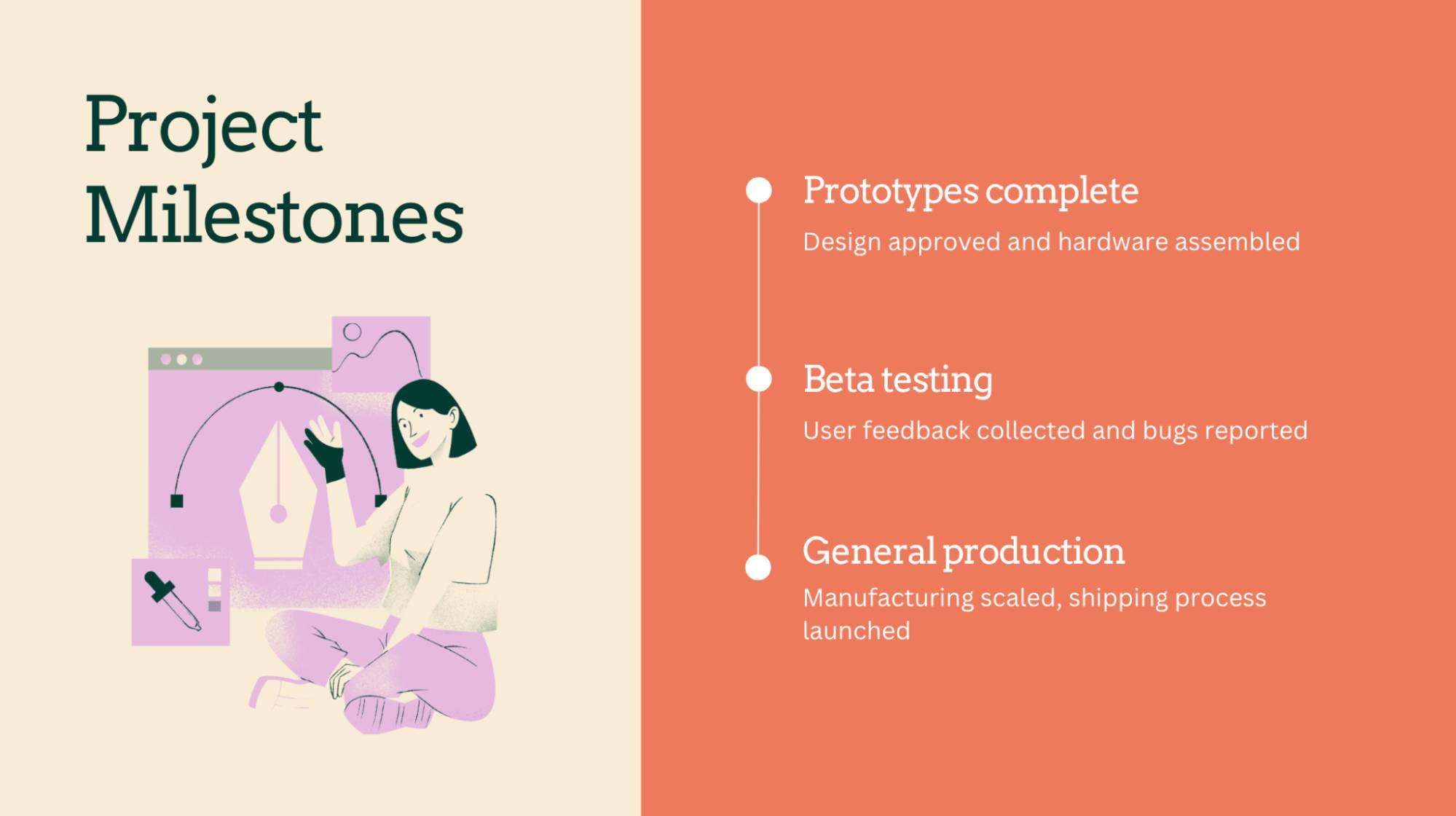
7×7 rule PowerPoint slide example

This concept is rooted in cognitive psychology and is based on how people process information. Too much text overwhelms your audience and distracts you as the speaker (you’ll learn more about this science in the next section).

Most small and mid-sized businesses (SMBs) don’t have full-time design teams. According to Venngage research, almost half of marketers struggle with design layout for data, stats or copy.

If you create your own, the 7×7 rule is a fast, reliable way to make business presentations look polished and perform better.

Keeping slides clean allows you to add the details verbally. By better engaging audiences, you make your message more likely to resonate.

You can apply it across almost any slide deck, including:

Note: If you don’t use PowerPoint, apply the 7×7 rule in Google Slides, Canva, Venngage or any other tool where you create presentation slides.

No matter the setting, the 7×7 rule helps your audience understand, remember and act on what you share.

Recommended reading
https://www-cms.pipedriveassets.com/blog-assets/5-creative-content-marketing-ideas.png

A beginner’s guide to creative content marketing (with examples)

What are the psychological principles behind the 7×7 rule?

The 7×7 rule for PowerPoint taps into how our brains naturally process information. Using fewer lines and words reduces mental strain and allows your audience to focus on the important content.

Humans have limited attention spans and memory, especially in fast-paced business settings. When slides contain only the core information, people are more likely to grasp the message and listen to what you say.

Here are three core psychological principles that explain why the 7×7 rule works.

Occam’s Razor: our brains prefer simplicity

Occam’s Razor says that when faced with multiple options, we instinctively choose the one that requires the least mental effort to understand.

Our brains are wired to prefer simple, clear explanations over complex ones. Cleaner slides feel more intuitive and trustworthy to customers and prospects – especially in sales, where complexity often causes doubt or confusion.

Let’s say a small business owner is pitching her service to a potential client. Her original slide lists 10 features with chunky, jargon-heavy descriptions.

After applying the 7×7 rule, she uses fewer words and bullet points to explain benefits in plain language. The client immediately connects with the value and asks for a follow-up.

Cognitive Load Theory: keeps your audience engaged

The 7×7 rule reduces cognitive load (i.e., the mental effort to process a specific amount of information).

According to Cognitive Load Theory, people disengage or miss the point when you overwhelm working memory.

Here’s the basic process of how we process and remember information:
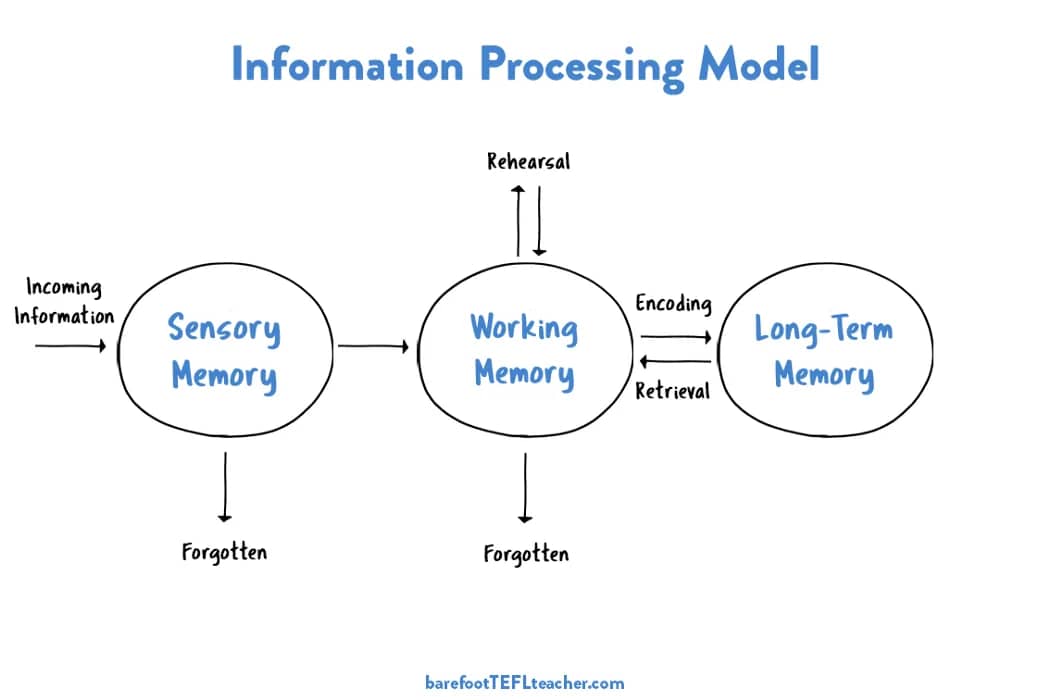
7×7 rule PowerPoint brain processing model

Limiting text and focusing each slide on one core message helps your audience stay mentally present and follow your narrative.

Imagine a founder presenting a financial report to investors. Instead of using a dense mix of text and graphs, she chooses to simplify her slide to a short headline, three bullet points and one chart.

Now, the audience listens intently instead of reading ahead or zoning out.

Miller’s Law: boosts clarity and recall

Miller’s Law says people can only hold about seven pieces of information in short-term memory. The 7×7 rule taps into this by limiting how much content appears on each slide to help your message stick.

Attention is crucial for impactful presentations and for what your audience remembers afterward. Focused slides improve learning and recall, and they’re especially useful in pitches, training or client onboarding.

Here’s a simplified representation of what that looks like:

7×7 rule PowerPoint Miller's Law

For example, a sales rep is onboarding a new client. His original training deck covered too many steps simultaneously, and even an experienced colleague found it confusing.

After applying the 7×7 rule, each of his slides focuses on one key concept. The client retains more, asks fewer follow-ups and learns faster, reducing the need for ongoing support.

Recommended reading

https://www-cms.pipedriveassets.com/blog-assets/4_Sales-Motivation.jpeg

6 ways to hack sales psychology and sell better

5 steps for SMBs to use the 7×7 rule in PowerPoint presentations

The 7×7 rule isn’t just a presentation design tip. This mindset shift compels you to simplify your message, prioritize content and communicate more effectively.

Here’s how you can apply it to keep your audience’s focus, step by step.

1. Draft key points before designing slides

Lay out your main points before looking at any presentation templates. Outline the ideas you want your audience to walk away with instead of starting with flashy visuals.

As an SMB, you often build decks quickly for clients, investors or your team. Without a straightforward narrative, you’ll likely pack in too much information instead of strategic storytelling.

Drafting core points before designing anything ensures you treat every slide like a stepping stone in the story.

For example, you might break down a sales presentation into 3–5 core takeaways: first, showing that you understand the customer’s pain points; then explaining how your product solves that problem; backing it up with proof, like a case study or key data; and finally, ending with a clear next step or call to action.

Focus on differentiating each page from the previous slide. Write down the key message you want people to remember, then design visual elements around it.

2. Limit slide text using the 7×7 rule

When drafting your copy, follow the 7×7 rule: there should be no more than seven lines of text per slide and line.

In sales, training or strategy sessions, overloading information makes you redundant as a speaker. The rule ensures your slides support your presentation skills. Here’s an example:
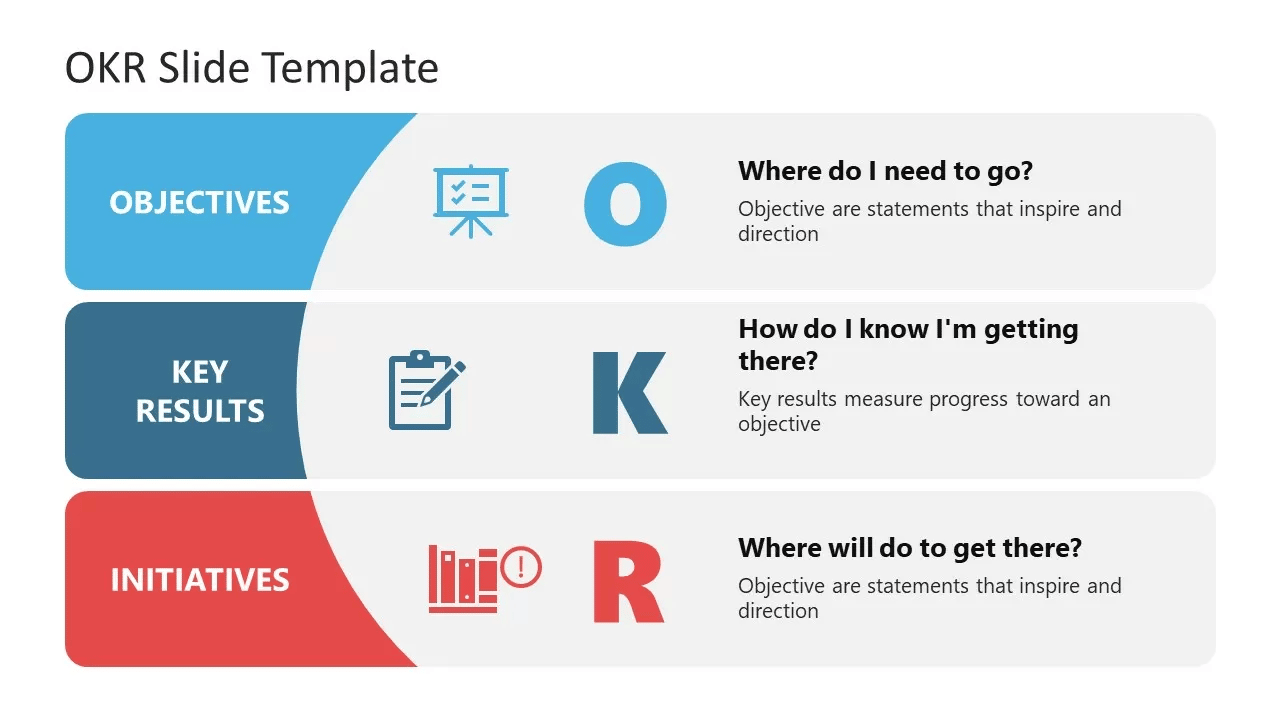
7×7 rule PowerPoint slide design

Let’s say you’re prepping a demo for a new client. Ensure each slide has five punchy lines (each under seven words) and expand verbally during the call.

As you’re not reading out text, you spend more time making eye contact, answering questions and building a stronger connection that leads to a sale.

Here’s how to stick to the 7×7 rule to create professional presentations:

  • Use bullet points to anchor your main takeaways

  • Avoid long sentences and think in headlines (e.g., “Team hit Q2 targets early” instead of “Our team successfully reached the second quarter’s goals ahead of schedule”)

  • If you need more detail, say it out loud, instead of writing it on the slide

  • Try specifically designed 7×7 PowerPoint templates to stick to the format

Don’t write down everything you want to say. Add just enough to keep your ideas top-of-mind and your audience engaged.

3. Use visuals to support, not distract

Use visual aids (e.g., charts, diagrams, icons or infographics) to reinforce your message without competing. The goal is to make your point more straightforward, faster and memorable.

According to Decktopus research, over 70% of audiences say slides should contain less than 25% text. However, nearly everyone agreed they should always include visuals.

A relevant graphic or screenshot helps your audience “get” topics in seconds, whether you’re explaining a sales funnel, client results or internal processes.

For example, here’s a quarterly sales chart where the data is the main feature
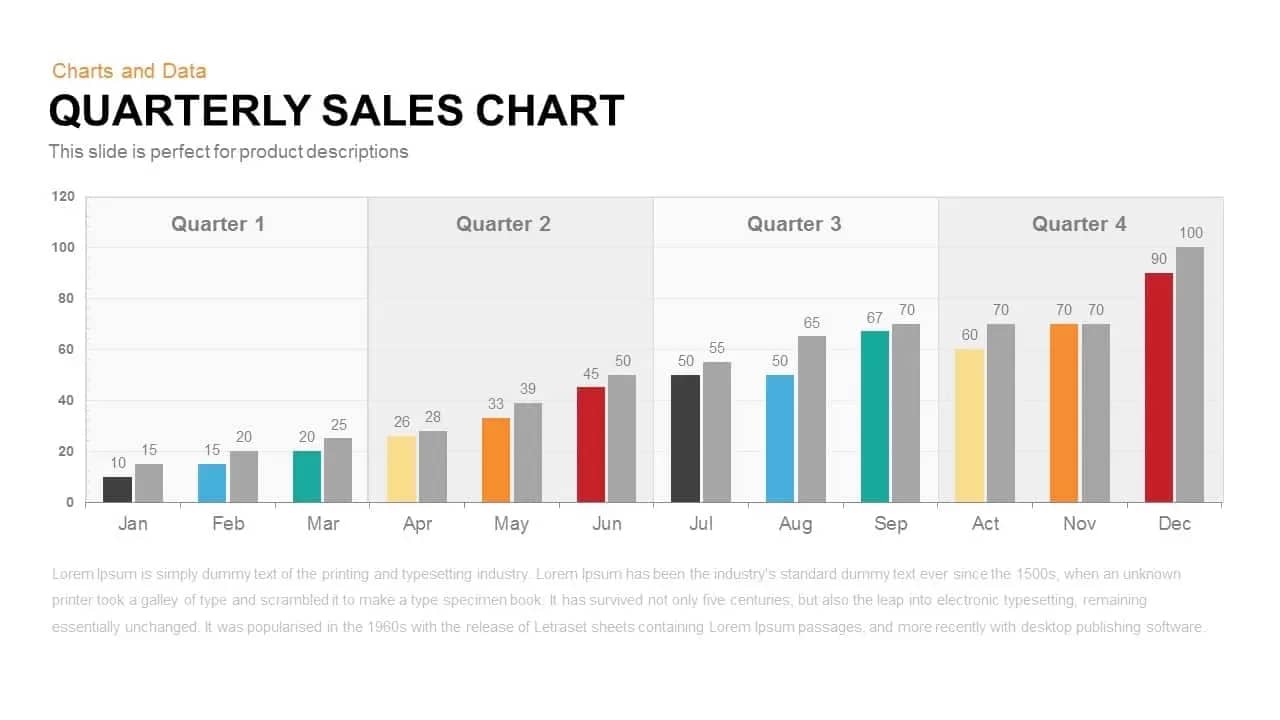
7×7 rule PowerPoint slide with chart

A rep presenting to a lead may want to show pipeline momentum. Instead of listing deal stages in text, he includes a customer relationship management (CRM) screenshot with open deals highlighted. This visual proof helps the client immediately grasp the tool’s value.

Here’s how to thoughtfully use visuals alongside your 7×7 PowerPoint design:

  • Replace blocks of text with a simple chart or infographic

  • Use icons to separate points or sections

  • Add screenshots from tools you use (e.g., your CRM system or analytics dashboard)

  • Keep visuals clean and avoid overdone animations or stock images that don’t add meaning

  • Use consistent visual styles (e.g., colors, fonts and layouts) to maintain a polished look

High-quality, relevant images and designs help you save time, build trust and make your message stick.

Download the Sales Presentation Templates ebook

Nail your sales presentations with this guide containing the 8 slides you need and tips on how to make them.

4. Practice explaining the content aloud

Run through your deck aloud before presenting to confirm that your slides support your words. The 7×7 format means less text to read off the screen, which can trip you up if you aren’t prepared.

For busy SMB leaders juggling multiple roles, writing a full script might not be realistic. But practicing out loud helps you catch awkward phrasing, trim what’s not needed and feel more confident when it’s time to present.

Let’s say you find yourself reading each bullet word for word. Revise the title slides into lines of no more than seven words.

The next time you read through, you’ll explain points more naturally and leave space for questions.

Here’s how to ensure you turn your slideshows into conversations:

  • Present to a friend or teammate and ask, “Am I reading this or explaining it?”

  • If you can’t talk through a slide without reading it verbatim, simplify the content

  • Time yourself and look for places that drag or feel cluttered

  • Record a quick practice session to catch weak spots

  • Adjust the language on slides to act as cues, not scripts

By trimming your slides down into prompts and practicing in advance, you’ll land your message with clarity and confidence.

Note: If you’re nervous about public speaking, rehearse in low-stakes settings (e.g., with a colleague or in a team meeting) before high-pressure moments.

5. Design for quick scanning

Structure each slide so your audience understands it in under five seconds. Use layout, spacing and visual hierarchy to guide the eye.

SMB teams often present to busy clients, executives or stakeholders who skim first and focus second.

They’ll miss the message if your slides are visually chaotic or overly dense. Quick-scanning design like this slide with three short chunks of text helps your key points land instantly, even before you speak a single word:
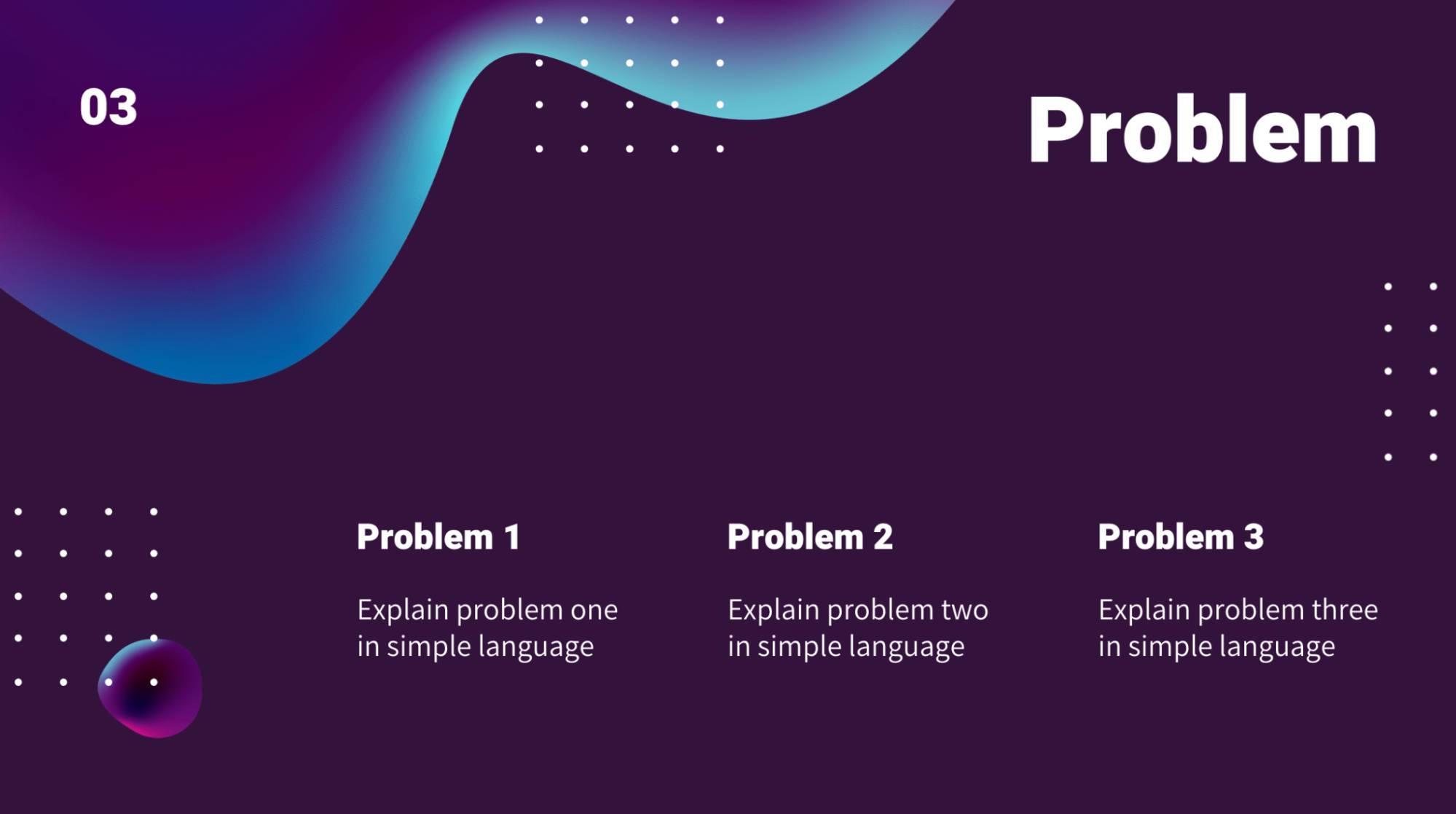
7×7 rule PowerPoint skimmable slide

Imagine you’re pitching a website redesign. Instead of cluttering the page with multiple screenshots and paragraphs of copy, you highlight a slide title and single concept (e.g., a “before and after” image).

The client instantly sees the difference, and the sales conversation moves smoothly.

Here’s how to design your 7×7 slides for quick scanning:

  • Use clear headers and large fonts for key takeaways

  • Left-align text so it’s easier to skim

  • Add white space between sections to avoid visual overload

  • Use consistent formatting (e.g., bullet styles or text sizes)

Choose one that best supports your point instead of mixing too many visuals on one slide. If your audience can’t pick up the central message of your slide in a few seconds, it’s time to simplify.

Recommended reading
https://www-cms.pipedriveassets.com/Value-Selling_2023-01-06-174451_ltup.png

How to grow revenue with value selling (plus real brand examples)

How to present engaging sales data using Pipedrive and the 7×7 rule

Use the 7×7 rule alongside Pipedrive’s sales reports to create clean, engaging slides highlighting one meaningful insight at a time.

SMBs often face pressure to present performance data in weekly team briefs, client check-ins or investor updates. Following the 7×7 rule makes it easier to incorporate that data clearly without cluttering slides with numbers and jargon.

The benefits extend to clients, teammates or executives, who can grasp what matters immediately and take action.

Pair your insights with a clear dashboard screenshot for more engaging decks, persuasive conversations and (often) shorter sales cycles.

Let’s say you’ve just wrapped up a batch of product demos and want to share what leads thought of the experience. You ran a short post-demo survey with three options and stored the answers in Pipedrive:

  1. Very confident

  2. Somewhat confident

  3. Still unsure

Generate a CRM chart of that information by adding a new manual report:
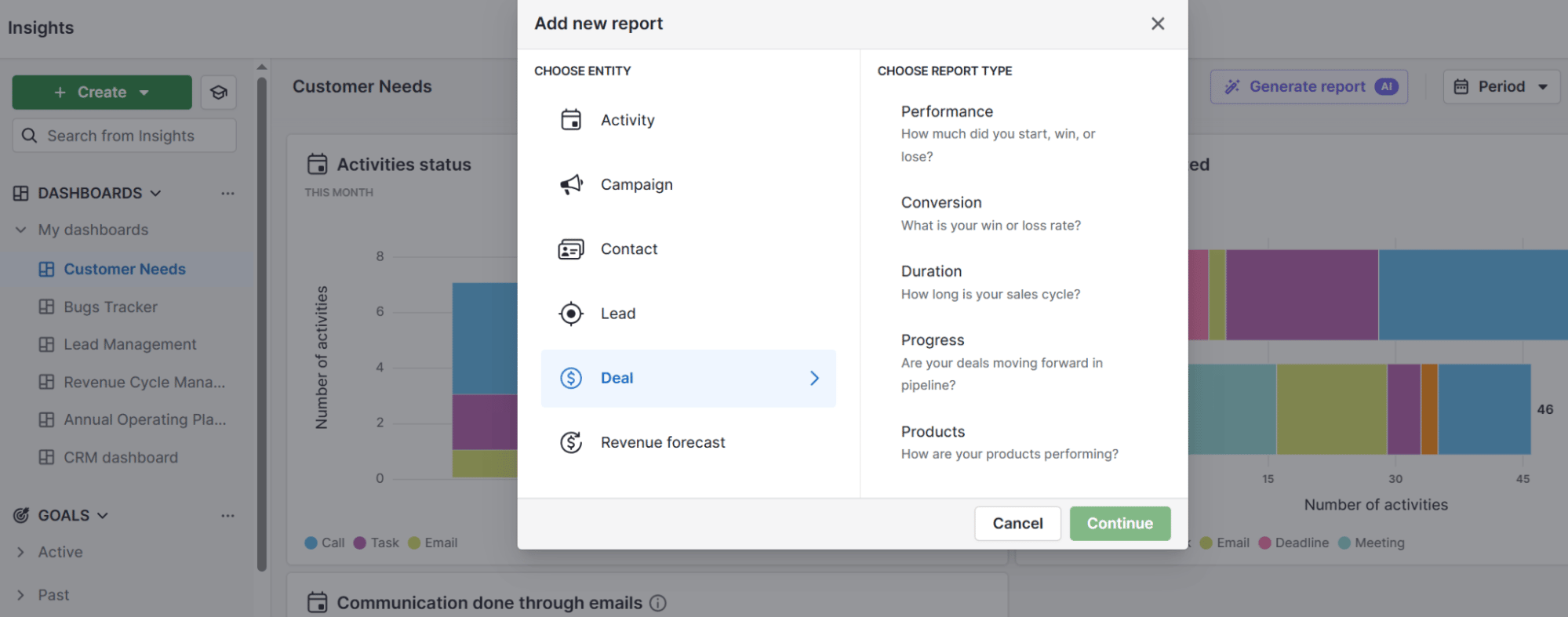
7×7 rule PowerPoint Pipedrive add report

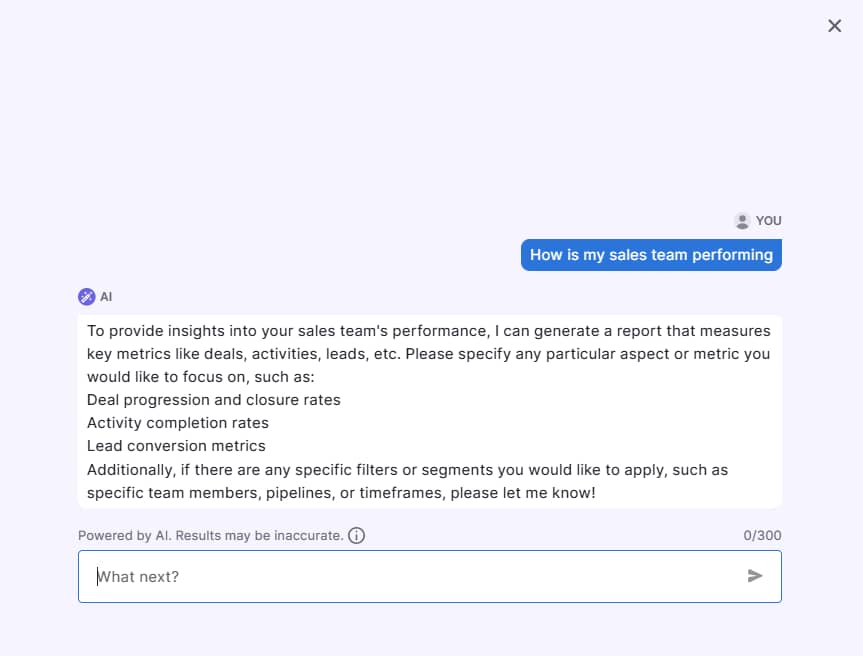
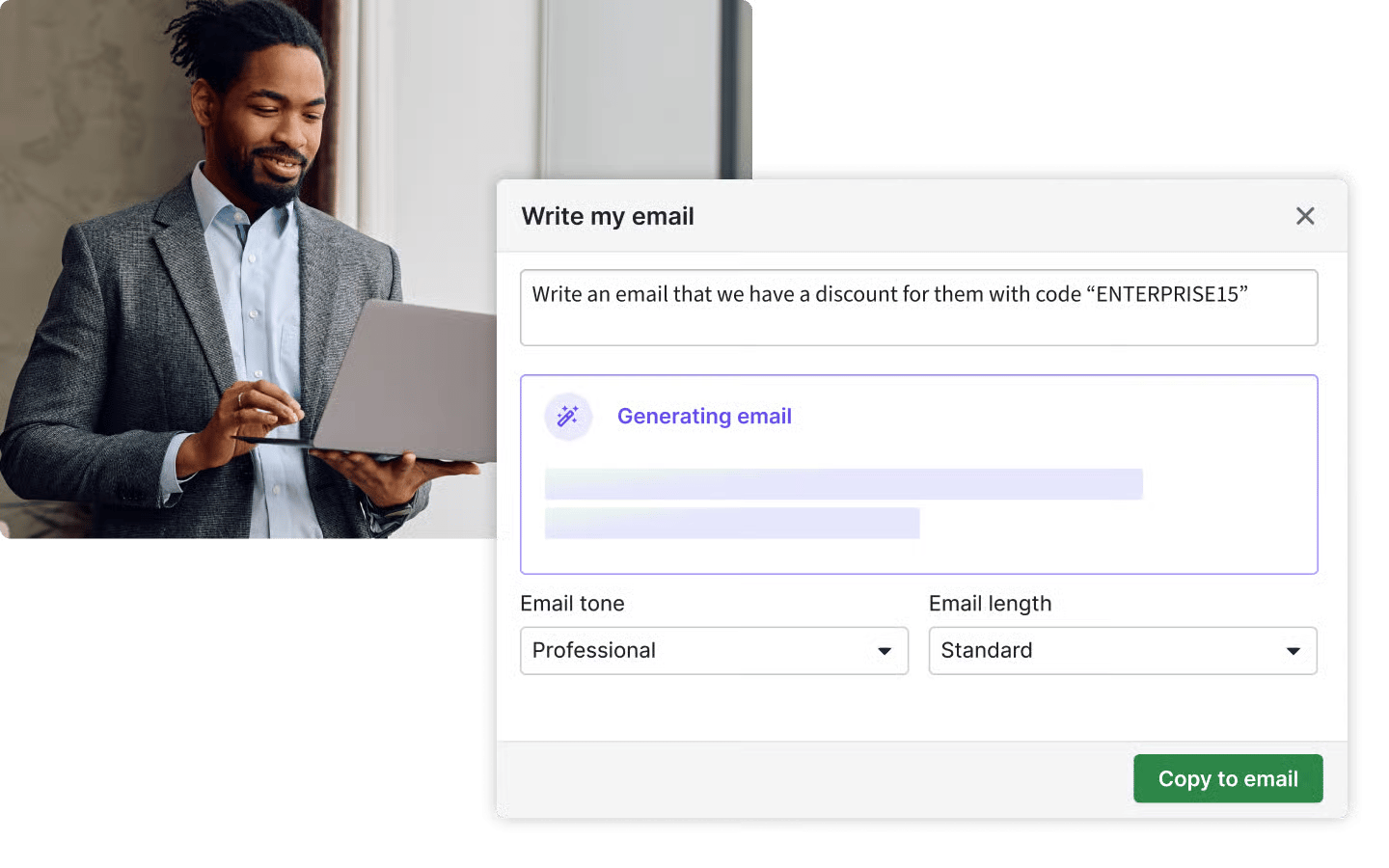
You can also use the AI report generator to create one. Tell the AI tool, using your own words, what you’d like the report to focus on.

For example, you could say, “What were the results of last month’s product demo survey?”
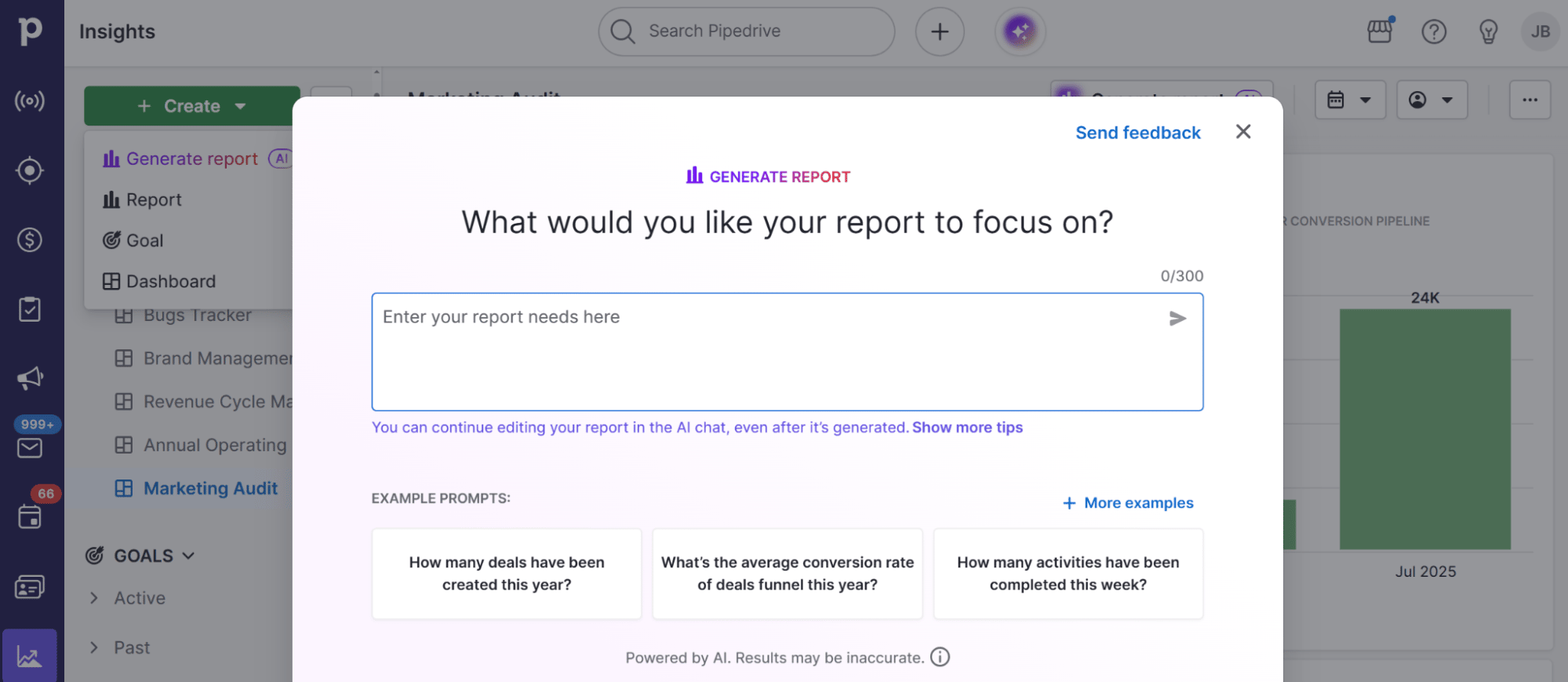
7×7 rule PowerPoint Pipedrive AI report generator

Once you have the insights, choose the type of chart that best fits (e.g., funnel, bar or pie) and display only the metrics that support one key point. Here’s what that looks like:

7×7 rule PowerPoint Pipedrive survey response report

When you’re happy, export the report and place it as the central visual in your PowerPoint slide. To highlight key insights, add no more than seven short bullet points (each under seven words).

Your final slide may look like this:
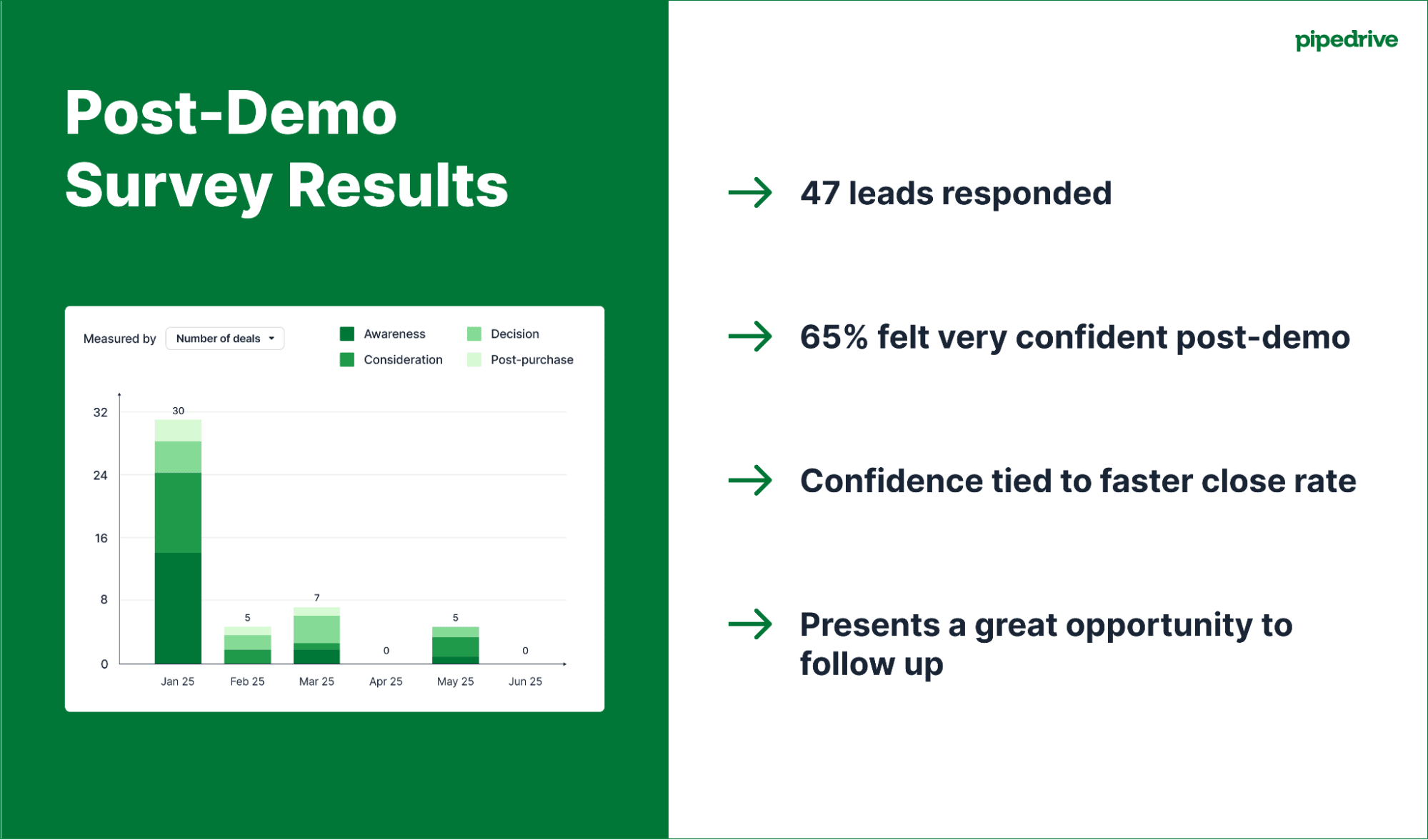
7×7 rule PowerPoint Pipedrive survey report slide

Sticking to one core chart and using minimal text leaves space for the story. As the presenter, you guide the audience through the “so what” without reading from the screen.

Whether it’s an internal review or pipeline stand-up, applying the 7×7 rule to your sales presentations helps you tell data-backed (not data-buried) stories.

7×7 rule PowerPoint FAQs

  • Most people searching for the “7 rules of PowerPoint” refer to the 7×7 rule.

    This guideline suggests using no more than seven lines of text per slide and seven words per line to create clear, stunning presentations that boost audience engagement.

  • PPT is short for Microsoft PowerPoint files, the presentation software.

    If you see “7×7 rule PPT”, it references the PowerPoint design rule.

  • The symbol “×” is the multiplication sign and is different from the letter “x”.

    Within the 7×7 rule, it means “seven lines by seven words”, like a grid.

    However, typing “What is the 7×7 PowerPoint rule?” into search engines will still bring up the correct results (as most people use the letter “x” as a shortcut).

Final thoughts

The 7×7 rule helps you create clear, focused PowerPoint presentations that are easier to deliver and capture your audience’s attention.

Include real business data from a robust CRM platform to make your slides more compelling.

Try Pipedrive free for 14 days to quickly generate charts and insights that strengthen your message and help grow your business.

A Simple Guide to Price Elasticity of Demand

Software Stack Editor · October 9, 2025 ·

A software company increases plan pricing by 10% and sign-ups stay steady. A supplier does the same to its next-day delivery rates, and orders drop fast. Why does that happen?

The price elasticity of demand (PED) explains why matching price changes have different results in different scenarios. It’s also a reliable way for small businesses to test pricing strategies and plan promotions.

This guide shows how price elasticity works, including how to calculate and apply it to business decisions. You’ll also learn how to track the impact in your sales software.

What is the price elasticity of demand (and why does it matter in a small business)?

The price elasticity of demand measures how much customer demand changes when you adjust your prices. It’s like a “price sensitivity meter” for your products.

If demand barely moves after a price change, it’s called inelastic.

If demand changes a lot, it’s elastic.

Here’s a simple example:

Inelastic demand

Elastic demand

When coffee shops put latte prices up, most customers still buy their morning cup because it feels essential to them and is still very affordable.

A small price jump in luxury watches causes demand to drop as customers can wait or find cheaper alternatives. Unlike coffee, it’s a significant purchase.

Both types of price elasticity of demand apply in B2B sales. Customers will likely accept a small price change if your specialist product is deeply tied to users’ daily operations, like accounting software. That’s an example of inelastic demand.

A small price jump could push customers to switch providers if you sell a less critical tool with many cheaper alternatives, like a generative AI app. That’s an example of elastic demand.

Whatever the context, elasticity follows the same formula:

Price Elasticity of Demand (PED) = % change in quantity demanded ÷ % change in price

We’ll explain this method in more detail shortly, with some examples.

What price elasticity means for SMB sales and marketing teams

Pricing mistakes can be costly for small and budget-conscious businesses. Understanding price elasticity helps them make informed decisions about how much to charge for products daily and during sales promotions.

This practice helps SMBs avoid expensive errors that slow or halt growth, like chasing overly price-sensitive leads when inelastic products bring better margins.

When you know how customers are likely to respond to cost increases, you maximize profitability by charging as much as they’re happy to pay without risking a drop in demand or driving people away to cheaper competitors.

Both sales and marketing teams benefit from knowing how elasticity affects their products and audience segments:

  • Salespeople can spot price-sensitive leads, recommend the right products and avoid over-discounting, which leads to better margins and more confident sales pitches

  • Marketers can decide which products to discount, when to push bundles and how to tailor offers based on buyer behavior

For example, if you know certain products have inelastic demand, focus on generating as much interest as possible rather than offering unnecessary discounts that cost your small business.

If a product has elastic demand, highlight lower costs or unique value-adds (like extra features or support) in pitches and content to convince price-sensitive customers to convert.

Note: Elasticity can vary between customer segments. The exact percentage change might not impact one group but significantly impact another. That’s why you must track how different audiences respond to changes and then tweak pricing or messaging accordingly.

How to calculate price elasticity of demand (the easy way)

This simple formula for calculating PED works for any product in any industry:

Price elasticity of demand = (% change in quantity demanded) / (% change in price)

Here’s a quick to show how it works:

You sell software-as-a-service (SaaS) at $50/month and usually get 200 monthly sign-ups. After a $10 price rise, monthly sign-ups drop to 160.

How to calculate PED:

  1. Find the percentage change in price

(60 − 50) ÷ 50 = 0.2, or a 20% increase

2. Find the percentage change in quantity demanded

(160 − 200) ÷ 200 = −0.2, or a 20% decrease

3. Divide the change in demand by the change in price

(−20% ÷ 20%) = −1

Economists usually drop the minus sign to get the absolute value. What matters most is how significant the demand shift is, not whether it went up or down. So, the −1 above is a price elasticity of demand of 1.

This PED value of 1 is called unit elastic demand. The price increase offsets the sign-up drop, so total revenue stays the same.

Each result tells you something different about how customers respond:

PED value and demand type

What it means

0 – perfectly inelastic demand

Demand doesn’t change, whatever the price

Example: Critical medicines that have no close substitutes

Less than 1 – inelastic demand

Small change in demand when prices change

Example: Everyday essentials like soap or gasoline

1 – unitary elasticity

Demand changes proportionally with price (revenue stays the same even if demand drops)

Example: Our SaaS product above

More than 1 – elastic demand

Higher prices bring demand down

Example: Luxury goods with a high availability of substitutes, like vacation packages

∞ (infinity) – perfectly elastic demand (also called “PED”)

Customers switch immediately when prices rise

Example: Commodities in highly competitive markets, like oil or currency exchange

That basic formula works fine for small changes. It’s super quick and easy to apply. However, when prices or demand shift by more than about 10%, the midpoint method is more accurate.

This method compares changes using the average of the old and new numbers, not just the starting point. It works like this:

% change = (new − old) ÷ average of old and new

For example, if the price goes from $50 to $60 and sign-ups drop from 200 to 160, the midpoint method gives a PED of 1.22. That’s a bit more elastic than the earlier result of 1.

It’s a slight difference that can affect how you interpret and act on the outcome.

Recommended reading

https://www-cms.pipedriveassets.com/KPIs-for-Sales.jpg

20 most important KPIs for sales teams to track

What affects the price elasticity of demand?

Price elasticity isn’t fixed. Many factors influence how customers respond to price changes, and the same product might be elastic in one context and inelastic in another.

These factors offer a practical lens for spotting where pricing flexibility exists and doesn’t, so you can use your limited time wisely and focus your efforts where they’ll have the most impact.

Here they are in more detail:

Factor

How it works

Necessity vs. luxury

Essential products and services are generally more price inelastic because customers need them regardless of cost.

Luxury items are more elastic for the opposite reason: customers can easily skip or delay their purchases without negatively impacting their lives.

B2B example: accounting software for payroll (inelastic) vs. a premium add-on for polishing sales proposals (elastic).

Availability of substitutes

The more options customers have, the more price elasticity. If there are many close substitutes, even tiny price increases can push customers to competitors. Unique products have more inelastic demand because they’re harder to replace.

B2B example: proprietary sales analytics tool with industry-specific datapoints (inelastic) vs. project management software (elastic).

Brand loyalty and cost of switching

Strong brands have less elastic demand because customers value their unique benefits. Tight marketing budgets make it harder for SMBs to build loyalty than larger competitors, so demand may be more sensitive to price changes.

High switching costs also reduce elasticity. The costs could be financial (e.g., paying for new hardware) or time-based (e.g., learning new interfaces).

B2B example: Long-term Pipedrive users with unique workflows (inelastic) vs. first-time customer relationship management (CRM) software buyers comparing options (elastic).

Income proportion

Expensive purchases relative to customer income are more elastic because buyers can afford to spend a little more without affecting their quality of life.

For instance, 10% of $5 is only 50c, whereas the same percentage of $50,000 is $5,000, which is around a month’s earnings for the average American and therefore more impactful.

B2B example: A 10% price increase on office coffee subscription (inelastic) vs. 10% increase on a custom software build (elastic).

Period

Demand can become more elastic as customers learn about alternatives or change their habits.

Short-term demand may be inelastic, while long-term demand becomes elastic.

B2B example: a SaaS renewal offer after a sudden price rise (short-term, inelastic) vs. customers switching platforms after six months (long-term, elastic).

These factors often overlap and shape your customers’ sensitivity to price changes.

Before you make any rash increases, ask yourself these five questions:

  1. Is your product essential or a luxury?

  2. How many close substitutes exist?

  3. How strong is your brand differentiation?

  4. What percentage of customer income does your product represent?

  5. Are you analyzing short-term or long-term demand?

The more factors suggesting inelastic demand, the more room you have to adjust pricing without losing customers.

Recommended reading

https://www-cms.pipedriveassets.com/Brand-Positioning.png

What is brand positioning: The ultimate guide with 4 examples

4 small business tactics for applying elasticity insights (with examples)

Tracking the price elasticity of demand for your products is just the first step. Now, you need to put what you learn to good business use.

Here are four simple ways to use PED insights to close deals and generate more revenue.

1. Limited-time discounts for elastic products

Temporarily reduce pricing on products with elastic demand to boost sales quickly.

Creating a cheaper option in a competitive market generates new interest, even if it’s just for a week or two. You may also push some hesitant buyers who already know about your brand into finally making a decision.

Fast, discount-based promotions like this are called flash sales. They’re helpful in SMBs as they create urgency without the significant marketing spend of an ongoing campaign.

Flash sales are particularly effective in these situations:

  • Introducing a new product or feature (i.e., building interest)

  • Clearing extra inventory (e.g., at the end of a longer promotion or ahead of a product update)

  • Filling slow sales periods (e.g., out-of-season travel tickets)

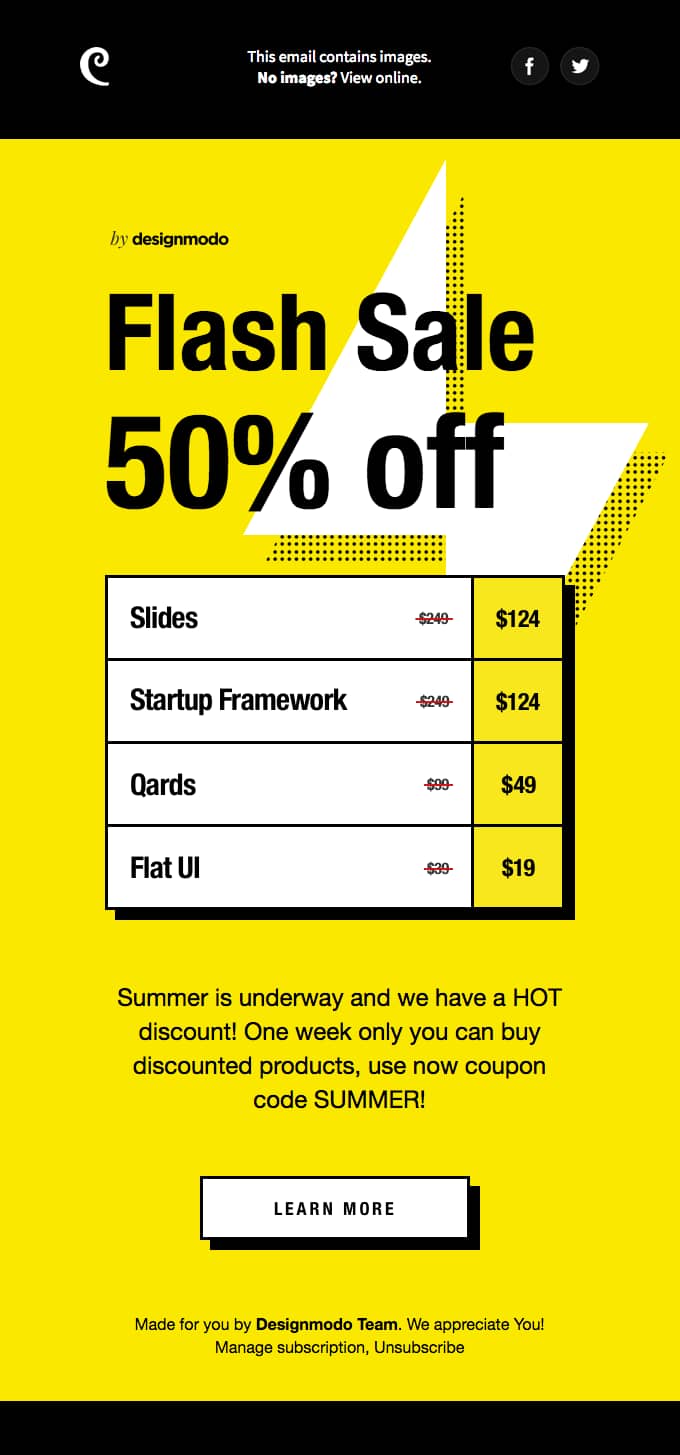
Whatever the reason, promote one-off discounts through email and social media, like Designmodo did here:

Price elasticity of demand Designmodo promotional email

The email content is bold and to the point. As soon as you open, you know how much discount you’ll get (a substantial 50%), with some tangible examples. There’s also a clear deadline and CTA to inspire action.

2. Bundle elastic products with higher-value items

Bundle elastic products with inelastic ones to make them more appealing without dropping prices.

Buyers are more likely to commit if they feel they’re getting extra value and not just paying less because of a discount. This approach works exceptionally well when you’re selling on a smaller scale and margins are already tight, as you can protect your profit while finding ways to grow.

Here are some effective pairings:

  • Must-have product + helpful add-on (e.g., business laptop bundled with an annual cloud storage plan)

  • Core service + complementary support (e.g., monthly social media management with content marketing strategy sessions included)

  • Entry-level tool + a premium feature (e.g., a basic CRM plan in a package with three months of advanced reporting)

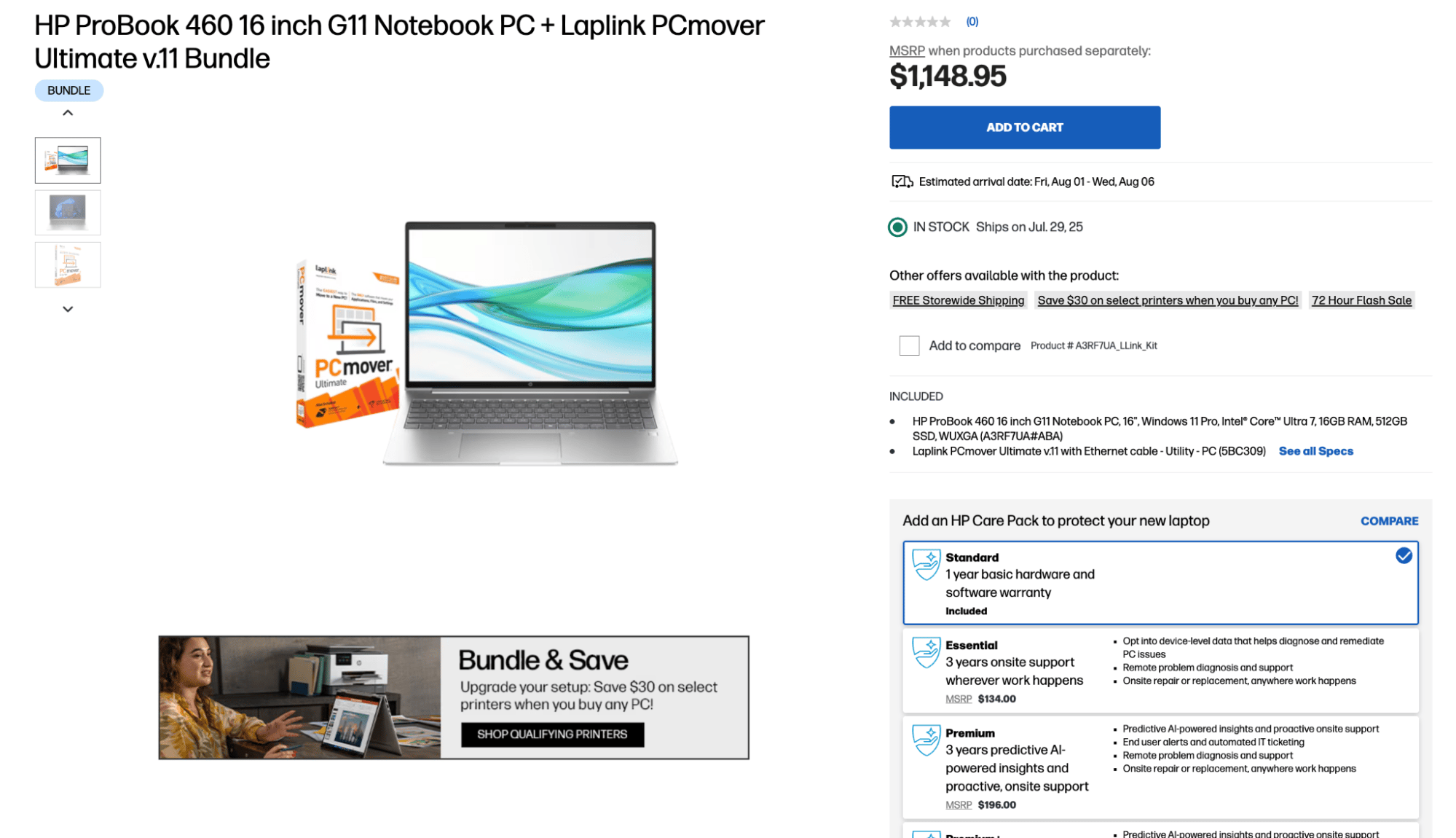
HP is a hugely successful brand that uses bundling in its business store, pairing elastic and inelastic products to grow sales. Look at all the bundle options available on this single product:

Price elasticity of demand HP laptop bundle page

High-spec laptops are essential to HP’s professional audience, but the products it bundles with them – file transferring software, printers and extended warranties – are not. These extras have more elastic demand on their own but feel more valuable as part of a package.

Bundling is an entirely scalable pricing technique. Although HP is a major brand, it works just as well for lower-cost items and smaller target audiences.

Want to Learn How to Influence Your Prospect’s Buying Decisions?

Get inside the head of your customers and take advantage of consumer psychology with this Psychological Selling Guide.

3. Plan pricing tiers based on how audiences respond to price

Create pricing plans that reflect how much different customer types are ready to pay.

Elastic segments convert more often at lower prices. To attract them, offer a cheaper entry-level plan, then upsell later once they’ve seen your product’s value.

Inelastic segments will likely pay for premium features like supported onboarding and out-of-hours help. You’ll still need to prove value, though. Tailored product demos and case studies will help close those deals.

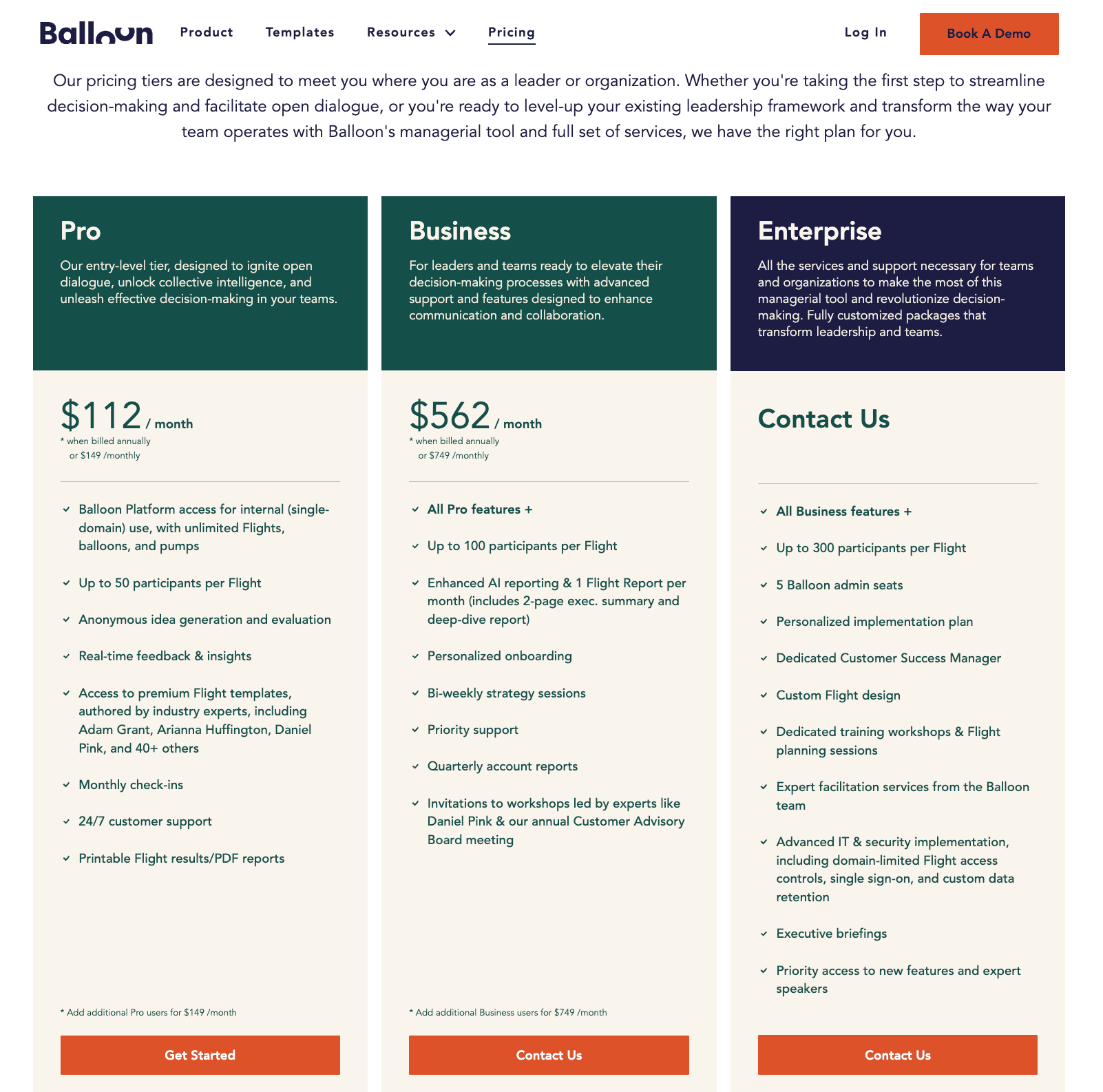
For example, small SaaS company Balloon has three pricing options:

Price elasticity of demand Balloon pricing plans

The Pro tier has fewer features but is less than a third the cost of the next option. You can also “Get Started” instantly. The Business and Enterprise tiers are more expensive and use a “Contact Us” CTA instead, letting the sales team prove value before asking for a bigger commitment.

Note: Tiered pricing harnesses the framing effect, where people naturally compare options side by side. A mid-range option often just feels right when it’s between cheaper and more expensive choices. It becomes the “safe” choice.

4. Use a freemium model to win over elastic buyers

If it suits your product, use a freemium model to remove the entry barrier entirely. Freemium is where you offer a limited free plan to demonstrate value and then upsell users by inviting them to upgrade as their needs grow.

Many low-cost business tools in competitive markets use this approach. Giving free access in the short run helps them hook prospects and build trust, creating momentum.

For example, Dropbox offers 2GB of free cloud storage. It makes money by upselling those free users to one of four paid packages:

Price elasticity of demand Dropbox pricing plans

Many price-sensitive Dropbox customers start by storing files in a free account. The more they add, the more valuable the service becomes to them and the more likely they are to upgrade.

They could choose the $9.99/month Plus plan when that time comes. However, the “Best Value” Professional tier, with extra storage and security, might be just as appealing for $16.58/month.

Technically, those free users could switch providers, but that means moving files across (extra effort) and rebuilding trust with another company. The freemium model stops it from happening.

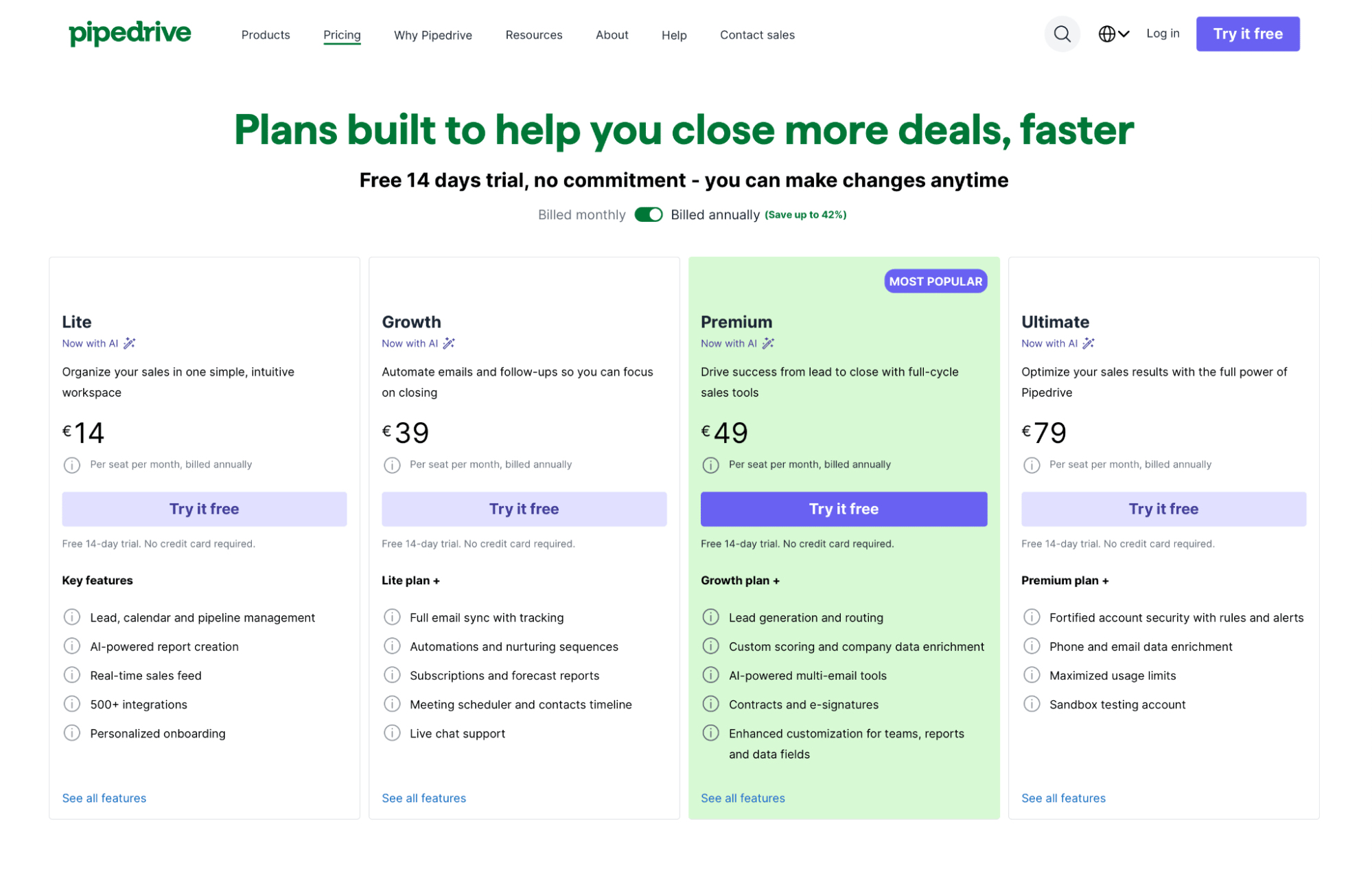
Not every product suits a true freemium model. If offering a permanently free tier isn’t viable for your business, a time-limited free trial can achieve a similar goal: reducing the barrier to entry and letting elastic buyers experience your product’s value before they commit.

For example, Pipedrive offers a 14-day free trial with full access to premium CRM features. This free trial makes it easy for teams to explore and test the platform risk-free and upgrade with confidence when they’re ready.

Price elasticity of demand Pipedrive pricing plans

Recommended reading

https://www-cms.pipedriveassets.com/blog-assets/psychological-selling-guide_200512_175315.png

Psychological selling guide: How to better understand your leads

Use your CRM to track pricing impact

Once you’ve tried a pricing tactic, the next step is to measure its real-world impact. The goal is to learn what works (or doesn’t) and make better strategic decisions.

This context is where your CRM system becomes more than a contact database. It’s your control panel for tracking how pricing changes affect deal size, conversion rates and sales cycles.

Use your CRM dashboards and reporting features to monitor the following sales metrics:

  • Lead-to-deal conversion rates. See whether pricing changes are convincing more prospects to say yes. A drop points to resistance. An increase shows you’ve found a better fit.

  • Deal value by segment. Compare deal sizes across different types of customers. You’ll quickly learn which segments are most sensitive to price and who’s happy to pay more.

  • Sales velocity and average time to close. Look at how long deals are taking to move through the sales pipeline. Faster closes prove that your new pricing is more compelling or clearer.

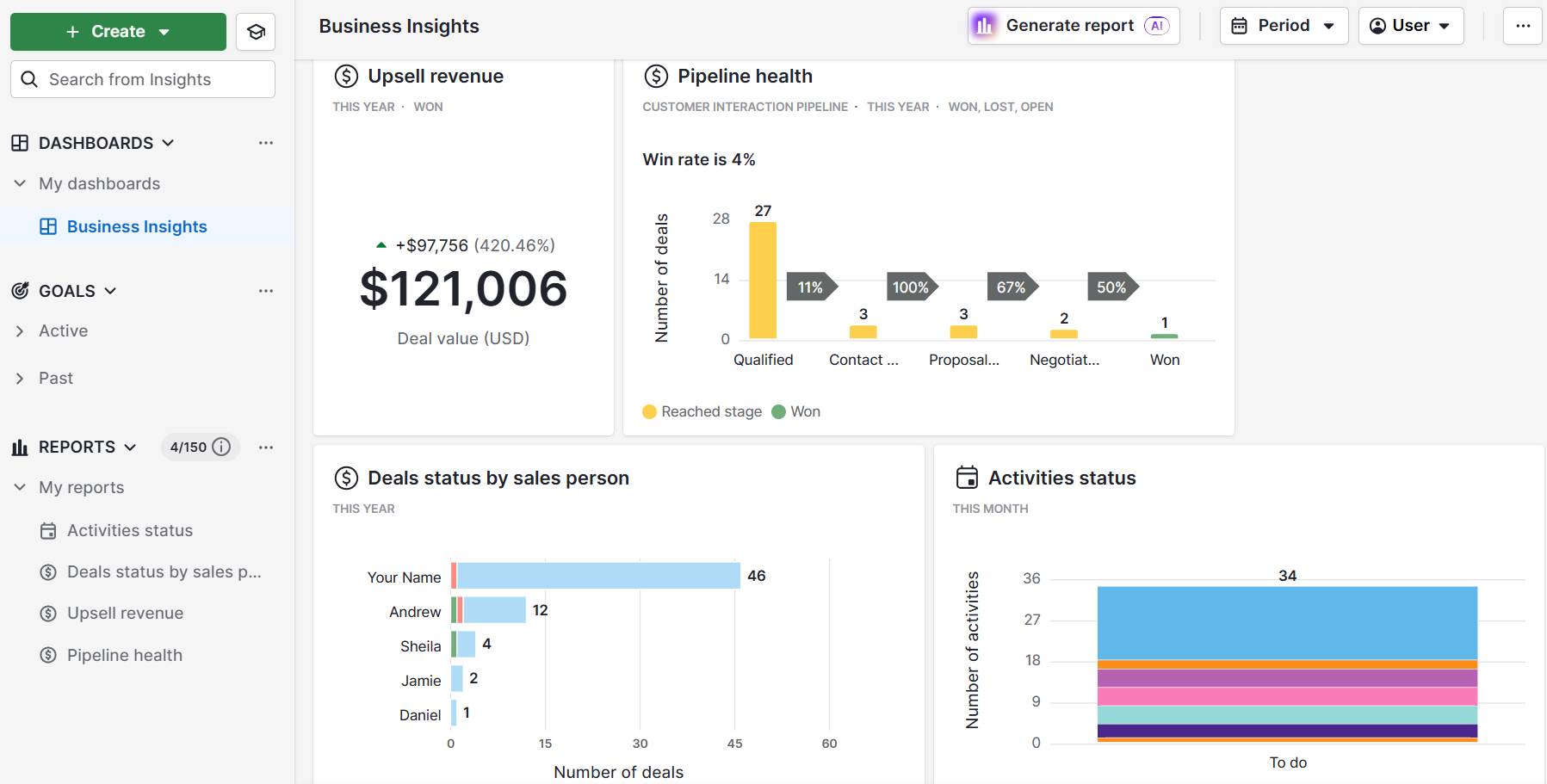
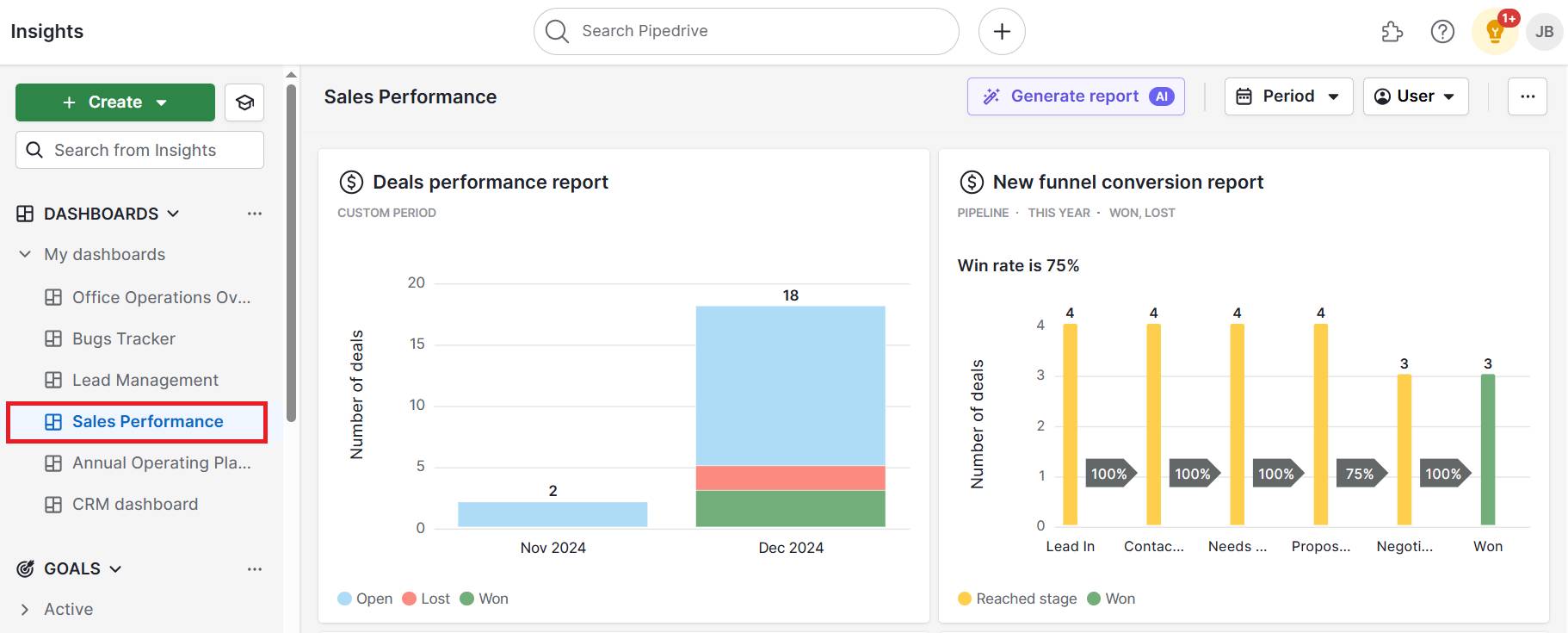
Pipedrive’s Insights dashboard makes analysis effortless. Build custom reports by product, sales funnel stage or customer type and see the impacts of pricing changes over time.

This feature is handy for spotting trends after promotions or discounts:

Price elasticity of demand Pipedrive performance dashboard

Ultimately, sales metrics provide real-world feedback on how price elasticity impacts your business, so you can confidently keep improving.

Recommended reading

https://www-cms.pipedriveassets.com/blog-assets/measure-and-track-entire-team_blog.jpg

How to measure and track your entire sales team’s performance

Price elasticity of demand FAQs

  • Yes, and it often is.

    The law of demand states that there is typically an inverse relationship between product price and quantity demanded. When the price rises, demand falls, and vice versa.

    This results in a negative value when calculating PED. However, economists usually focus on the absolute value to measure the strength of the response, not the direction.

  • While price elasticity of demand measures how buyers react to price changes, price elasticity of supply (PES) measures how much quantity supplied changes when the product’s price changes.

    PES tends to be lower when suppliers can’t adjust output quickly in the short run. Different supply curves show this on a graph: steeper for inelastic supply and flatter for elastic.

  • Cross-price elasticity of demand measures how demand for a product changes when the price of a substitute good or complementary product changes.

    For example, if Microsoft Teams gets more expensive, the demand for Zoom will likely increase because they perform the same function.

    The formula for this is:

    Cross-price elasticity = (% change in quantity demanded of Product A) ÷ (% change in price of Product B)

    If the result is positive, the products are substitutes. If it’s negative, they complement one another. This knowledge helps with product bundling and pricing strategy decisions.

  • Income elasticity of demand shows how demand changes when consumer income changes, not price.

    It helps predict how sales will respond to economic trends. For example, luxury goods often have high income elasticity, while basic tools show little change.

    In contrast, price elasticity looks at the percent change in demand due to a proportional change in the product’s price.

Final thoughts

Price elasticity is a core concept in microeconomics, but it’s just as valuable to small business leaders, sales pros and marketers.

More than just theory, it’s a powerful tool for better decision-making – one that helps you plan effective promotions and product launches, even when margins are tight.

So, instead of guessing how audiences will react to price decreases or how a price increase will impact your demand curve, start pulling historic sales records from your CRM and back your strategies with data.

Download Your Sales and Marketing Strategy Guide

Grow your business with our step-by-step guide (and template) for a combined sales and marketing strategy.

6 Powerful Real Estate Guide Tips for SMBs

Software Stack Editor · October 9, 2025 ·

Real estate guides attract high-intent prospects and establish your expertise in the local market.

When done well, they capture leads researching their next move and position you as the trusted advisor they’ll call when ready to buy or sell.

In this article, you’ll discover how to create real estate guides that convert browsers into clients. You’ll also get step-by-step advice on promoting your guides and nurturing leads to closed deals.

Key insights from real estate guides

  • Real estate guides help you attract serious prospects who are actively researching buying or selling decisions by offering valuable local market insights they can’t find anywhere else.

  • The best guides mix general real estate advice with specific local knowledge, such as neighborhood price trends, seasonal timing tips and trusted local service providers.

  • Creating successful guides means building a complete system, from researching what prospects want to promote across multiple channels to tracking which sources bring the best leads.

Turn guide downloads into paying clients with automated follow-ups, lead scoring and targeted email campaigns that keep you top-of-mind during long decision cycles. Start your 14-day free trial with Pipedrive to build a system that converts prospects into closed deals.

What are real estate guides?

Real estate guides are lead magnets that offer valuable data in exchange for customer information. They’re typically short documents that explore specific topics that interest real estate prospects.

For instance, a home buyer’s guide for New York might include a checklist for a successful home inspection and an overview of the appraisal process.

A busy professional researching their first home-buying experience would gladly share their email address for this insider knowledge.

Sharing guides helps real estate professionals:

  • Capture qualified leads. Serious home sellers and potential buyers will sign up for property advice from a realtor, meaning higher conversion rates than general web traffic.

  • Build trust and authority. Helpful content positions you as the local expert. People will see you as someone who will help them find their dream home and achieve homeownership.

  • Stay top-of-mind. Prospects will reference your guide throughout the buying or selling journey, and your name will be visible as they make decisions.

  • Generate referrals. If prospects are satisfied with your guide, they’ll share it with others and recommend you to family and friends.

The key is creating a free guide that solves your target audience’s challenges. Different prospects need different information, which is why successful real estate brokers create multiple guides.

Recommended reading

https://www-cms.pipedriveassets.com/blog-assets/real-estate-sales-stack.jpg

The real estate sales stack tools & softwares

6 types of high-converting real estate guides

Real estate agents focus on six main types of guides to engage customers. Each one solves a specific problem that faces key real estate customer segments:

Real estate guide type

What it covers

1. First-time real estate buyers’ guides

A cComplete walkthrough of the home-buying process, including local lenders, neighborhood price ranges, inspection checklists and hidden costs to budget for.

2. Seller preparation guides

Room-by-room preparation checklists, staging strategies that increase sale prices, repair priorities and realistic timeline expectations.

3. Local market guides

Neighborhood deep-dives with recent prices, school districts, walkability scores, planned developments, statistics and buyer demographics.

4. Investment property guides

Cash flow calculators, rental yield analysis, tax deduction strategies, property management companies and market opportunity assessments for specific areas.

5. Downsizing guides

Practical advice for empty nesters, including home valuation strategies, right-sizing tips, moving logistics and finding communities that match their new lifestyle.

6. Relocation guides

Complete city guide covering utility setup, school enrollment processes, healthcare providers, local services and cultural insights.

When choosing what to create, consider your customer’s needs. For example, first-time buyers want simple explanations, while sellers need action steps. Similarly, investors look for numbers and data, while people moving to your area need practical local information.

Understanding these motivations helps you create content that drives consultations.

The complete guide to real estate sales

When it comes to Real Estate Sales, process is king. Optimize your process with our free ebook guide.

How to create a real estate guide that generates leads

To create a guide that people want to download, research your audience and create strategic content. Follow these four steps to build a high-converting real estate guide.

1. Research your audience’s problems

Research lets you base your guide on what prospects ask about. When you understand their real problems, more people download your guide and contact you.

Start your research by downloading the real estate guides from agents in your area. Read each one and create a spreadsheet for columns about topics, quality and what’s missing.

Here’s an example analysis of three fictional guides and what they’re missing:

Real estate guide and what it’s missing

Your opportunity to stand out

First-time buyer guide: Missing local lender recommendations.

Include specific banks and credit unions in your area, with interest rates and which lenders work best for different situations.

Seller’s guide: No mention of virtual tours or digital marketing.

Explain how to create virtual tours and optimize listings using tools like multiple listing services (MLS).

Real estate investing guide: Only contains general numbers with no local data.

Provide neighborhood-specific rental rates, property taxes and future affordability. Show which areas have stronger demand and why.

Look for outdated information and generic advice that could apply anywhere. These are good opportunities to create a more up-to-date and helpful guide for local prospects.

Also, pay attention to their lead capture process. How many form fields do they use? How quickly do they follow up? These details help you create a smoother experience.

Next, send a brief survey to your past clients. Ask about the buying or sales process, what information they wish they had earlier and what resources helped them most.

You could also join local Facebook groups for real estate in your area. Look for posts where people ask questions or mention what frustrated them. If multiple people have the same problems, it’s likely a good topic for a real estate guide.

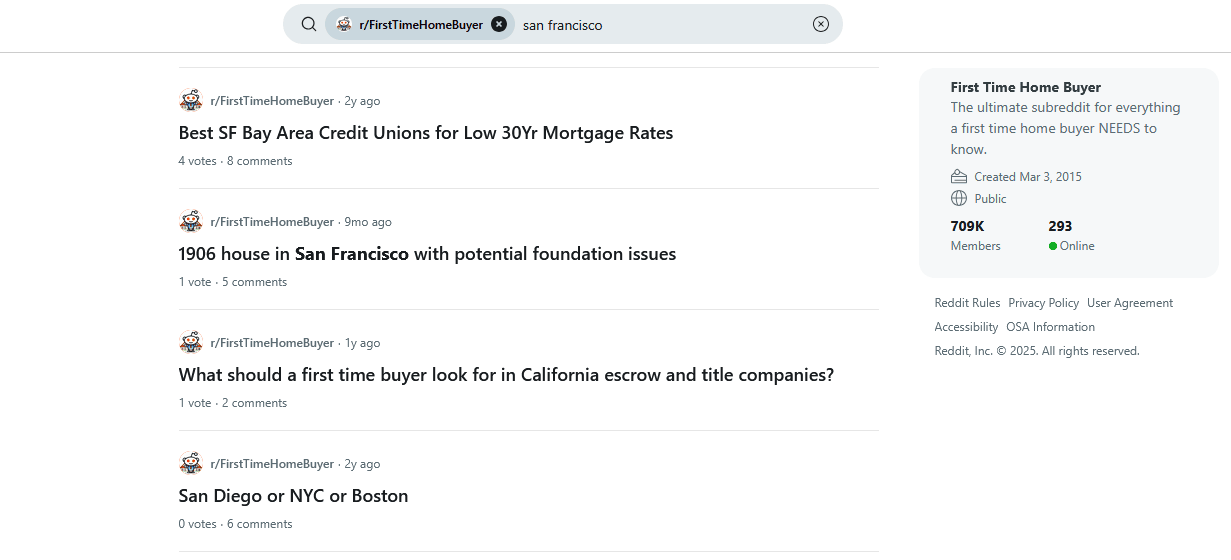
Another solid resource is Reddit, particularly the r/RealEstate and r/FirstTimeHomeBuyer subreddits. Search for posts mentioning your city, and look for universal concerns you can address with local examples.

Real estate guides Pipedrive Reddit research

Research takes time, but it separates your guide from prospects who ignore it. You’re building a foundation based on real questions from real people.

2. Structure your guide for maximum engagement

Most people scan content for specific information, rather than reading from start to finish. If you structure your real estate guide for easy reading, you’ll help them find what they want.

Begin each section with a problem. Explain the solution with specific details, then give an actionable next step.

For example, you could open by stating that most first-time buyers underestimate closing costs. Then, explain what closing costs include and provide an easy way for readers to calculate theirs.

It’s also crucial to break your content into bite-sized pieces that busy people can scan. Here’s an example layout from Studio MJA:

Real estate guides sample layout

Each section should solve one problem rather than trying to cover everything at once.

To keep readers engaged:

  • Keep paragraphs to three sentences since readers skip longer blocks of text

  • Use bullet points for lists of items, steps or tips

  • Include a table of contents so readers can jump to relevant sections

  • Add fill-in worksheets, comparison charts and printable checklists

  • Use charts or graphs to show local data, like market trends and home prices

  • Break up text with visual elements every 200–300 words to maintain interest

Make your guide as interactive as possible. Include practice calculations and checklists (for online guides) that readers can use during their search.

These tools make your guide more valuable and give prospects a reason to keep it nearby.

3. Add content that builds authority

Local knowledge proves you’re the expert in your area, setting you apart from agents who provide generic advice.

You must prove your know-how to convert leads into clients and help them make informed decisions. Encourage them to do their due diligence and offer to assist with the process.

One of the best ways to show your expertise is by sharing real stories from recent deals. Without using client names, tell readers what you did as the buyer’s agent and how it turned out.

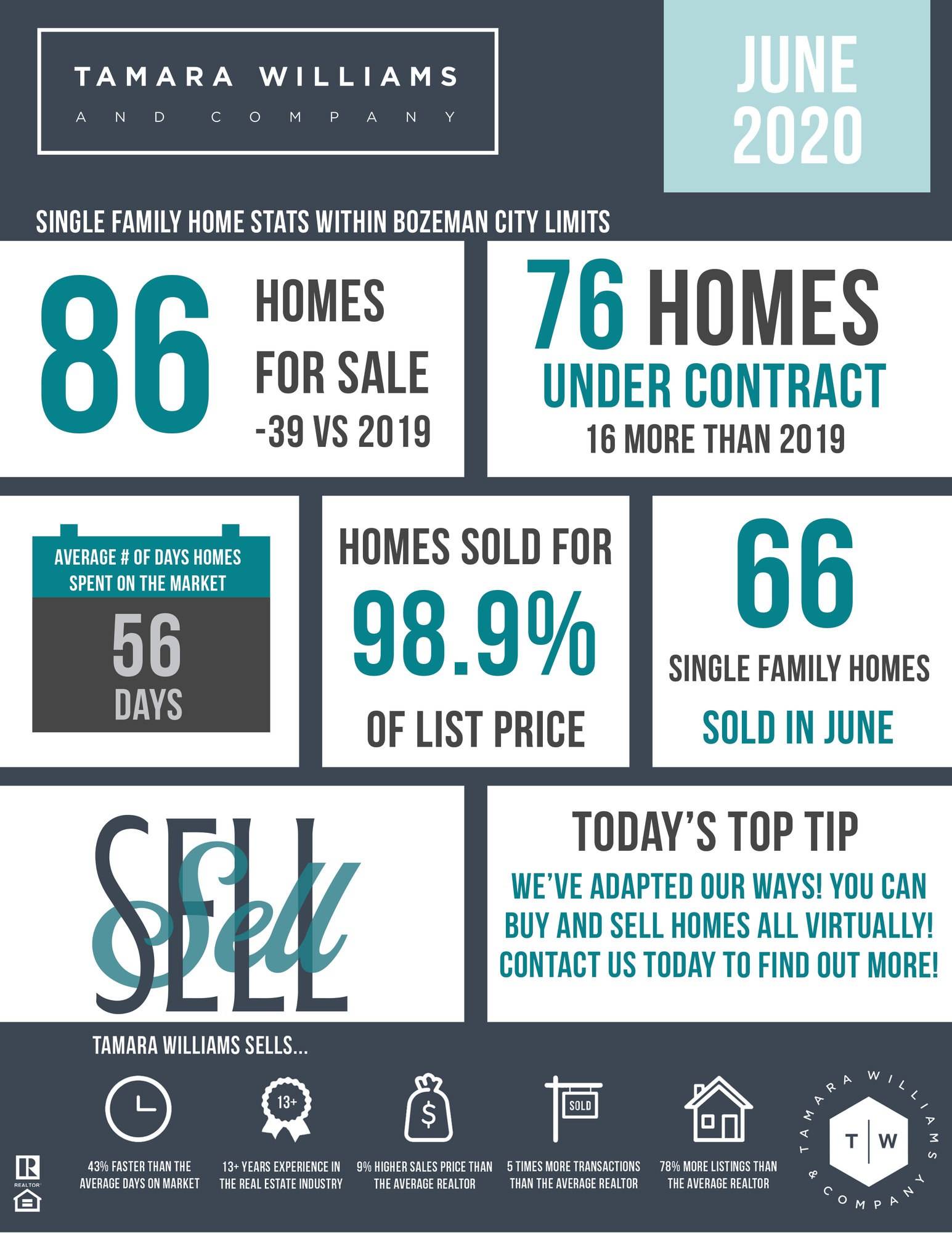
Check out this example from Tamara Williams & Company, showcasing sales metrics for family homes in Bozeman:

Real estate guides Tamara Williams & Company

It sets expectations for sellers (like how long their home will be on the market) and shows why this company is worth trusting (they sell houses quicker, more often and for higher prices).

You should also tackle the big worries that keep prospects up at night.

Create sections that address fears like “What if the real estate market is too hot to enter?” or “What if the housing market crashes next year?”. Readers trust you when you calm these fears with actionable data and examples from your deals.

Beyond stories and objection handling, your guide needs content only a local expert could provide. Here’s what works best:

Content type and why it matters

What to include

Neighborhood price analysis: Shows that you know local values

Include average price per square foot and recent sales KPIs.

Example: “Riverside district averages $425/sq ft because of the school rating and new facilities.”.

Seasonal market timing: Proves that you track patterns that other agents miss

Show data on the best months to buy or sell, average time on market and price differences.

Example: “March listings seek 23% faster than December and here’s why”.

Local inspection issues: Demonstrates your experience with area-specific problems

List common issues like neighborhood age and negotiation strategies.

Example: “75% of pre-1985 homes here need electrical updates. Here’s how to handle it”.

Lender and service provider reviews: Shows you have insider connections

Compare local banks, credit unions and mortgage brokerages. Provide rates for contractors and inspectors you recommend.

Example: “For inspections, I recommend Johnson & Associates. They’re thorough and provide same-day reports”.

Closing cost breakdowns: Proves that you know the real numbers

List every fee buyers pay in your area (including down payments and the average mortgage payment).

Example: “In our country, transfer tax is $1,200, title insurance is $650 and attorney invoices are between $800 and $1,000.”

Bidding strategy examples: Highlights how you win deals in competitive markets

Share recent examples of successful offers and what made them work.

Example: “My client won by offering the asking price with a flexible closing date that worked for the seller. Sometimes, timing matters more than money.”.

Market prediction and trends: Establishes you as a local market expert

Analyze recent data, new project reports, zoning changes and economic factors affecting your area.

Example: “The new train station opening will likely increase property values by 15–20% within half a mile, based on similar projects in neighboring areas.”.

To stand out, make every piece of advice as specific as possible. Instead of saying “get pre-approved”, explain which three local lenders offer the best rates and how to get pre-approval from them.

The more detailed and local your advice, the more valuable readers find your guide.

Note: If you’re in the US, as a National Association of Realtors (NAR) member, you’re bound by a strict code of ethics. Providing accurate, transparent information demonstrates your commitment to these professional standards.

4. Set up lead capture systems

The whole point of creating guides is to generate leads for your real estate business. When someone downloads your guide, they’re genuinely interested. Getting their contact details means you can follow up and turn them into paying clients.

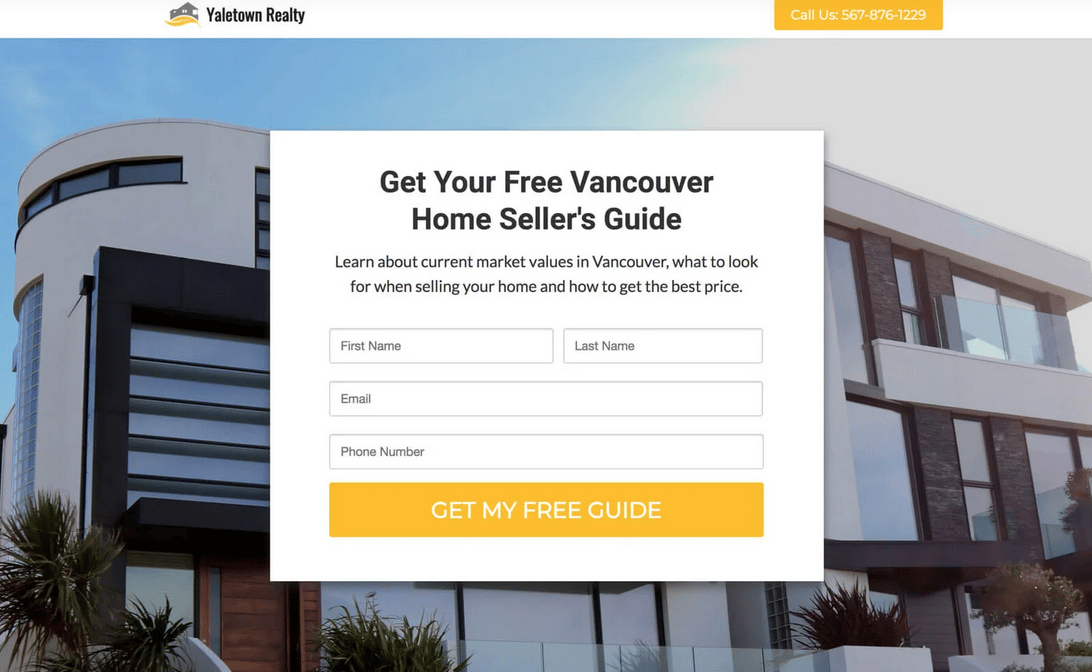
You’ll need a simple landing page for each guide with a clear URL that’s easy to share. It should focus on getting people to download your guide, like this example from Yaletown Realty:

Real estate guides Yaletown Realty example

Your headline makes the most significant difference to how many people download your guide. Focus on the specific benefit they’ll get, rather than describing what’s inside.

For instance, “How to Sell Your House Fast in New York” promises a clear outcome, while “Seller’s Guide” doesn’t tell them what they’ll gain from reading it.

Keep your lead form as simple as possible. Once people trust you enough to download your guide, they’ll happily share more details when you follow up.

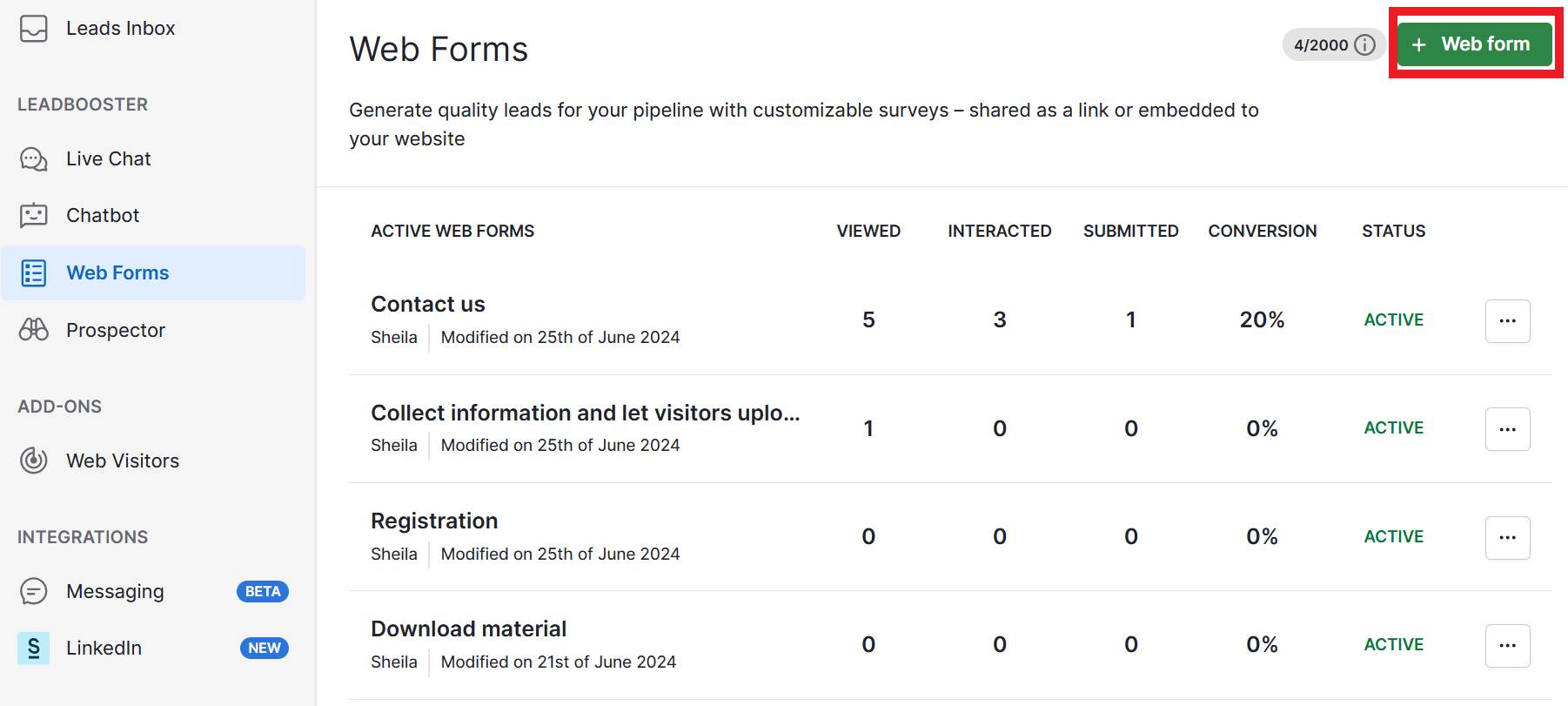
Pipedrive’s customer relationship management (CRM) system can help you capture leads. You can build sign-up pages using the Web Forms feature.

In Pipedrive, go to the Web Forms section and create a new form with the fields you want to collect.

You’ll get an embed code to paste into your landing page or use the direct link to send people to a form. Anyone who fills it out automatically becomes a new lead in your sales pipeline.

Note: Most people will find your guides through social media, so test your landing pages on mobile devices before you launch them. If your page doesn’t work correctly, you’ll lose potential leads to competitors with better mobile experiences.

How to promote your real estate guides

You need to promote your guide to get downloads and generate leads. The best promotion strategy combines multiple channels to reach prospects wherever they spend time online.

Here’s where to focus your real estate marketing efforts:

Promotional channel

What it works best for

Email to past clients

All guide types: Past clients already trust you and might refer friends and family.

Facebook groups

First-time buyer and local market guides: People ask questions and seek advice in these communities.

LinkedIn posts

Investment property guides: Professionals and homeowners often seek investment advice on LinkedIn.

Google and Facebook ads

All guide types: Targets people actively searching for real estate help on these platforms.

Open house flyers

First-time buyer and local market guides: Open house attendees want to buy local property.

Local newspaper ads

All guide types: Older demographics read local papers to find housing information.

Radio sponsorship

Local market guides: Commuters hear about your neighborhood expertise while driving through the area.

Here’s where many real estate professionals hit a roadblock. You’ve promoted your guide across multiple channels, and people download it.

Without a system to follow up with these new leads, you’re missing out on potential clients who showed interest. Targeted email follow-ups are essential.

Pipedrive’s Campaigns feature lets you send these email follow-ups. You can segment your audience based on which guide they download and send relevant content that matches their interests and stage in the buying process.

If someone downloads your investment guide, enroll them in a drip marketing campaign that shares sales successes and market research.

If they’re a first-time buyer, send them an email series with tips on getting pre-approved, what to look for during a home tour and testimonials from other first-time buyers.

Recommended reading

https://www-cms.pipedriveassets.com/blog-assets/real-estate-task-management.png

The definitive guide to real estate task management

How to convert downloads into clients with Pipedrive

Getting downloads is a great start, but your follow-up process turns initial interest into signed agreements. You must build a relationship, demonstrate your value and guide the prospect toward a consultation.

A CRM system is the engine for this process, helping you optimize every interaction. Here’s how to build a system to convert downloads into clients.

1. Create an instant follow-up strategy

When someone downloads your guide, they’re at their most interested. A fast response within the first hour helps you make a strong impression before they lose motivation.

Instead of manually tracking every download, use your CRM’s sales automation tools to engage every lead.

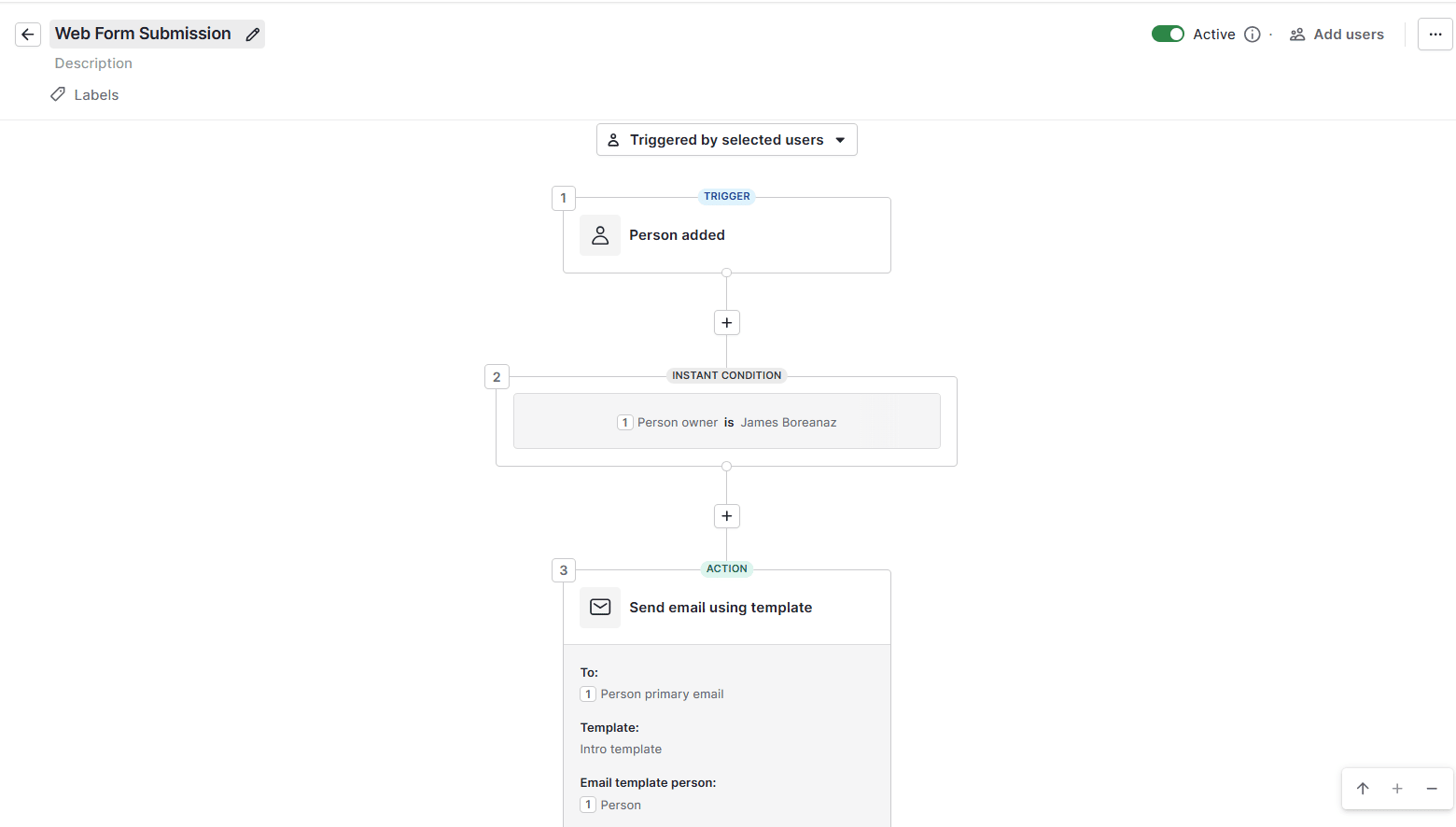
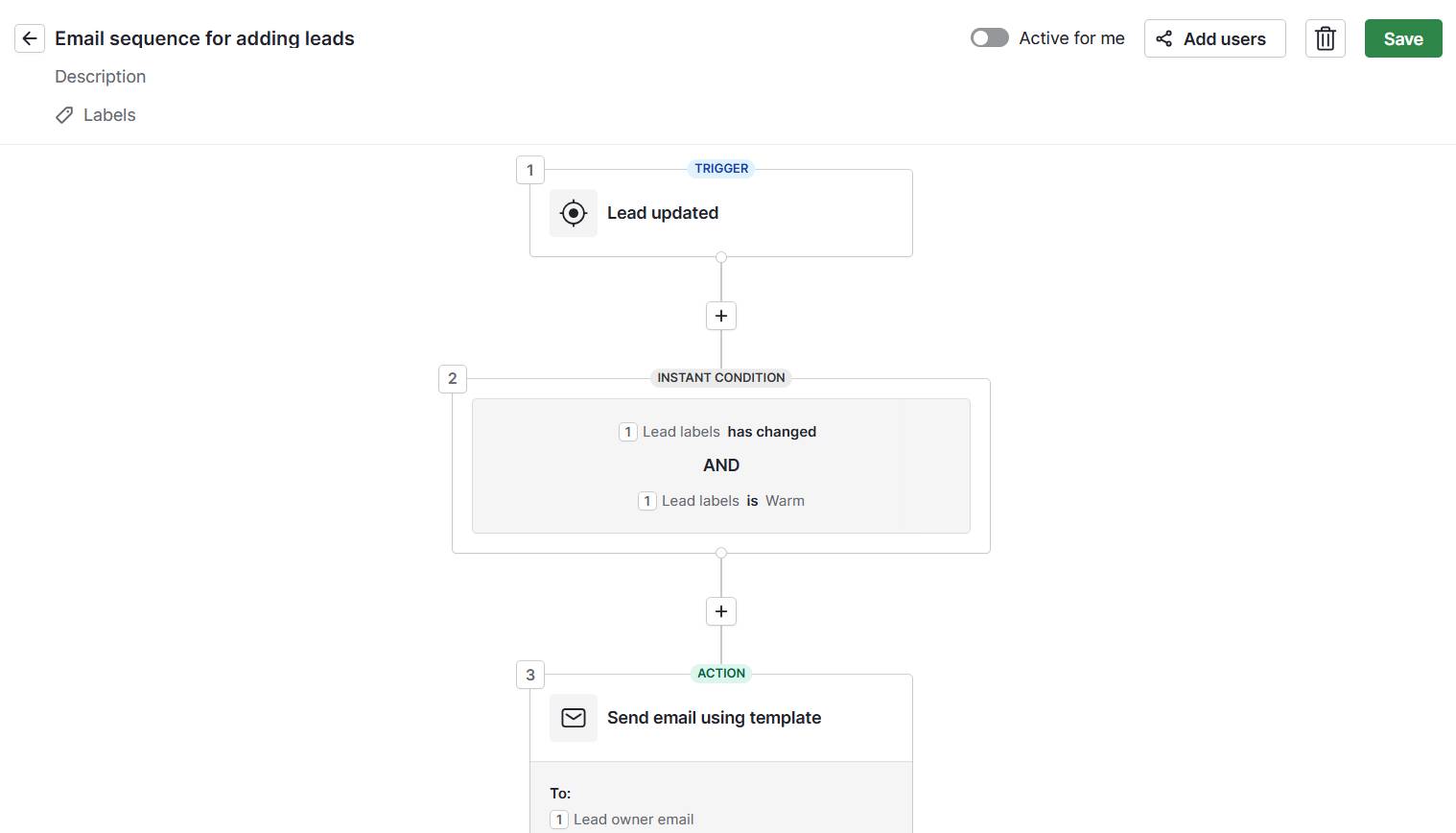
With Pipedrive, you can set up workflow automation to run a welcome email series as soon as someone submits your guide’s Web Form.

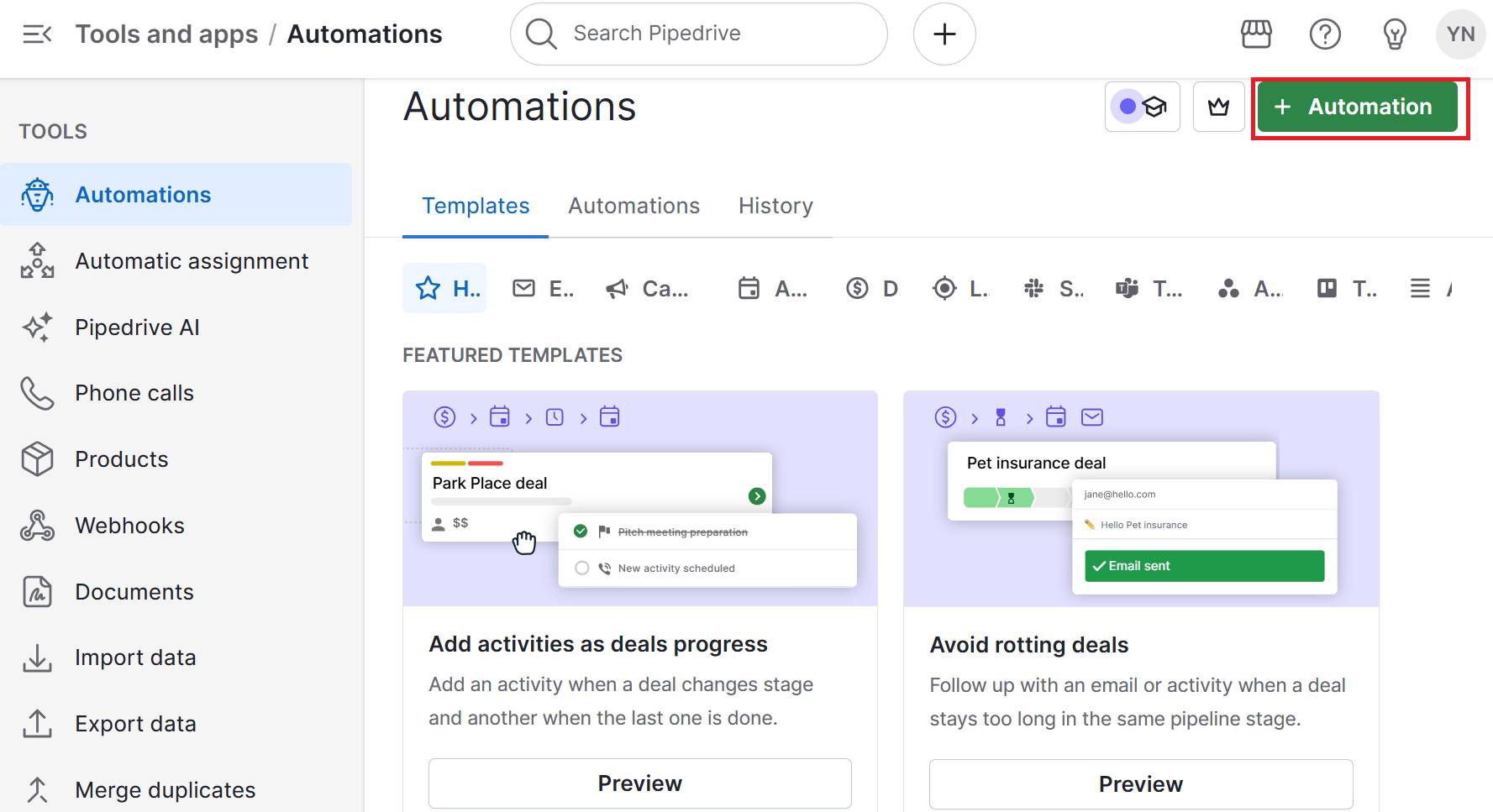
Go to “Tools & Apps” > “Automations” and click “+ Automation” to create a new workflow.

Set your trigger to “Web Form is submitted”. Whenever someone fills out your guide forms, it’ll activate the automation.

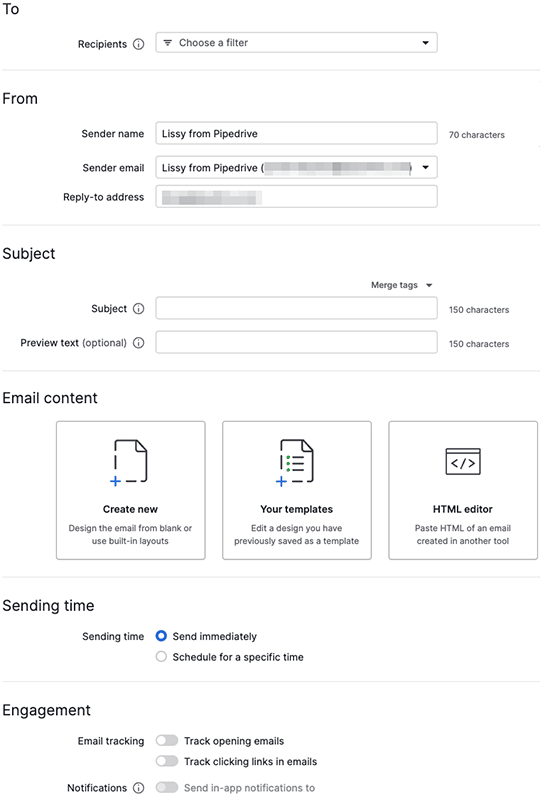
Next, add an email action to deliver the guide immediately. Click “+ Add action” and select “Send email”. Write a template message that includes the guide attachment and your contact information.

Real estate guides Pipedrive send email

Add another action to create a deal in your real estate pipeline. Set it to route new leads to your first pipeline stage so that every guide download is trackable in your CRM, rather than just sitting in your leads inbox.

You can also schedule an activity like calling real estate leads with the “Create activity” action. Set this for the next day with a clear description like “Follow up on guide download” so you can contact the lead.

2. Use long-term nurturing

Most people take months before they’re ready to buy or sell. Your job is to stay relevant throughout their entire customer journey.

To do this, you must create targeted lifecycle campaigns that provide ongoing value without being pushy.

A CRM with email marketing tools lets you set up different nurturing sequences. For example, with Pipedrive’s Campaigns feature, go to “Marketing” > “Campaigns” and create sequences based on which guide someone downloaded.

Real estate guides Pipedrive Campaigns feature

Build a seller sequence that includes things like:

  • Monthly neighborhood market reports showing recent homes for sale and price trends

  • Seasonal home selling and improvement tips that increase property value

  • Recent sales in their area showing how the listing agent secured a great deal for new home sellers

For first-time buyers, create content around:

  • New listing alerts in their budget and preferred neighborhoods

  • Mortgage rate updates and changes to lending requirements

  • Local market timing advice about when to start looking seriously

Schedule these emails to send every 2–3 weeks. Include your contact information and make it easy for people to reply when they’re ready to take the next step.

3. Qualify and score your leads

As you generate leads, you need a way to separate serious prospects from casual browsers. Build a system to determine who needs immediate attention and who is okay with automated nurturing.

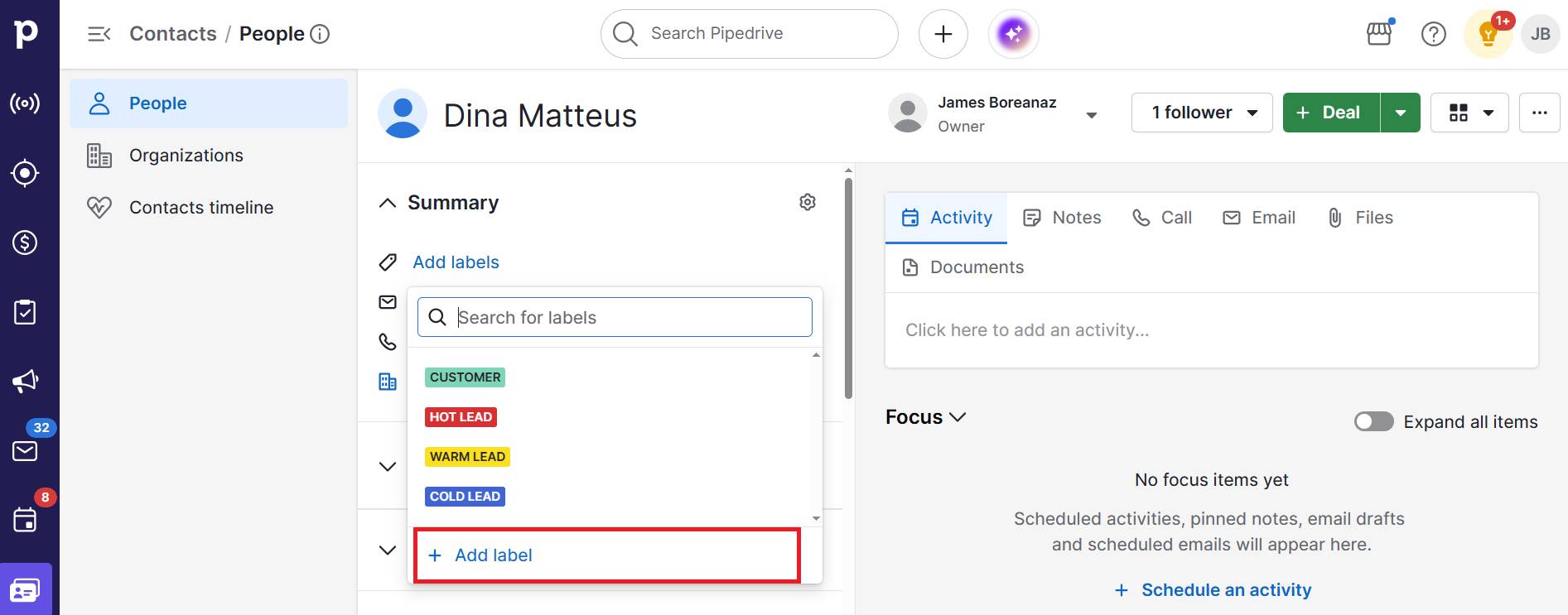
Create a simple lead scoring system in your CRM using custom fields. In Pipedrive, go to “Settings” > “Data fields” and add a field called “Lead score” with options for hot, warm and cold.

The real power comes when you connect lead scores to pipeline stages. You can use workflow automation to update scores based on meaningful actions and see their stage.

For instance, you could set up an automation that marks a lead as “hot” when they book a meeting and move to your pipeline’s “Consultation” stage. They’ve taken a concrete step that shows interest, and now you can easily see that at a glance.

In contrast, deals that sit stagnant need a different treatment. Create an automation that changes prospects to “cold” if they haven’t moved through your pipeline in 30 days.

Your routine becomes much more efficient when you can always see your hottest prospects. Filter your contact list so hot leads appear first and spend your most productive hours on the sales conversations most likely to close.

4. Measure success and optimize performance

Track what works to improve your results. Knowing which guide generates the most valuable clients allows you to make more innovative marketing strategies.

Are your investment guides generating higher-value clients than your seller guides? Is Facebook giving you a better return than your local newspaper ads?

Pipedrive tracks where your leads come from when they fill out your online forms. You can see this data in any deal’s detail view under the source information sidebar.

Build custom reports to track your lead-to-client journey using Pipedrive’s Insights feature. Go to “Insights” and click “+ Create” > “Report” to build reports.

With these reports, you can:

  • Track deals by source using a “Deal Performance” report. Filter by “Status = Won” and group by source origin to see which web forms generate the most closed deals.

  • Analyze conversion rates by comparing total leads to won deals for each source. See what percentage of downloads from each guide turn into clients. You should adjust your follow-up strategy if the rate is low.

  • Measure sales velocity using a “Deal Duration” report to determine how long leads from different guides take to move through your entire sales process. Spot which guide types convert faster, and set realistic expectations for future lead generation efforts.

Monitoring these metrics allows you to make data-driven decisions that grow your real estate business faster.

Recommended reading

https://www-cms.pipedriveassets.com/Real-Estate-Marketing-Ideas.png

19 real estate marketing ideas to generate more leads

Final thoughts

Real estate guides work when you solve problems for prospects in your local market. Create content only a local expert could provide, then build systems that automatically follow up and track results.

Successful agents treat guides as long-term lead generation assets. They create helpful content and focus their marketing budget on what results in real estate transactions.

Start a 14-day free trial with Pipedrive and see how much easier it is to capture real estate leads and turn them into paying clients.

3 Top Ways to Boost Customer Value for SMBs

Software Stack Editor · October 9, 2025 ·

Customer value helps businesses boost loyalty, drive referrals and maximize ROI – even with limited resources.

Yet many SMBs struggle to measure and improve it, often stretching resources too thin or missing key moments in the customer journey.

In this article, you’ll learn what customer value is, why it matters and three actionable ways to increase it so you can strengthen long-term relationships, reduce churn and unlock more predictable revenue growth.

Key takeaways

  • Customer value is a customer’s perception of how much your product or service is worth based on functional, monetary, social and psychological factors.

  • For SMBs, prioritizing customer value improves loyalty, drives referrals and maximizes ROI without requiring large budgets or teams.

  • Many SMBs struggle to measure and improve customer value, but using tools like CRMs helps overcome this challenge.

  • Pipedrive helps SMBs increase customer value with personalization, touchpoint optimization and value-driven offers – start a 14-day free trial to strengthen loyalty and accelerate growth.

What is customer value?

Customer value definition: Customer value represents the total benefit a consumer receives from a product or service compared with the cost they pay.

In practical terms, the value of the customer shows how much your business:

Customers weigh benefits against sacrifices. If the total customer benefits outweigh the total customer costs, the value for money is high.

Here’s how to calculate customer value:

Customer value = perceived value / price paid

You can also quantify customer value with the customer lifetime value (CLV) formula:

CLV = (average purchase value × purchase frequency) × customer lifespan

Note: CLV identifies high-value customers from a revenue perspective, but doesn’t capture the full picture of customer value as a lived experience.

Keeping the distinction clear ensures you don’t overlook the emotional, social and functional drivers that keep customers coming back. More on measuring CLV later.

Here’s a breakdown of the key components of CLV:

Average purchase value

How much a customer spends on average per transaction.

Purchase frequency

How often a customer buys from you over a certain period.

Customer lifespan

How long a customer continues buying from your business.
CLV estimates are powerful customer value indicators for SMBs. They highlight which customers bring the highest return on sales and guide where to focus sales and marketing strategies.

McKinsey research shows that companies that focus on delighting customers extract more value from their existing customer base, which translates into stronger financial results.

By understanding customer value, you can allocate resources more effectively, strengthen loyalty and grow profits without overspending.

Recommended reading

https://www-cms.pipedriveassets.com/Customer-research-management.png

Customer resource management: a practical guide for growing businesses

Why customer value is important for SMBs

Customer value is a critical metric for maximizing growth and profitability when managing limited resources.

Here are the main reasons small businesses should prioritize customer value:

  • Focus limited resources efficiently. SMBs often have smaller marketing and sales budgets. Tracking customer value helps prioritize high-value customers and campaigns to optimize spend for the best results.

  • Improve customer retention. Satisfied customers are more likely to buy again, reducing churn and acquisition costs. Understanding what customers value most allows SMBs to tailor offers and improve their offerings.

  • Drive growth without scaling headcount. Increasing customer value means SMBs can grow revenue without adding large marketing or sales teams. Upselling, cross-selling or improving experiences boosts sales without extra staff.

  • Inform strategic decisions. Tracking customer value provides insight for smarter decision-making across the business. The data shows which products to improve, what pricing customers will accept and which services deliver the highest returns.

Prioritizing customer value enables SMBs to strengthen customer loyalty, maximize ROI and build sustainable growth without overextending resources.

Recommended reading

https://www-cms.pipedriveassets.com/blog-assets/return-on-sales-ratio.png

How to calculate your return on sales ratio: formula, definition and more

How to measure customer value: tips for SMBs

SMB sales can measure customer value by tracking repeat purchases, feedback, engagement and advocacy.

Here’s how SMBs can track and measure customer value in practice.

Track repeat purchases and subscription renewals

Repeat purchases and subscription renewals are clear indicators of good customer value.

Customers who return consistently or renew subscriptions show that your product or service meets their needs. SMBs can use this data to identify their most loyal segments and focus retention efforts where they have the biggest impact.

To start measuring, focus on specific behaviors that reveal loyalty and revenue potential:

  • Segment customers. Group customers based on their buying patterns. As a result, you can prioritize marketing and retention resources toward the segments generating the most value.

A client relationship management (CRM) platform centralizes customer purchase history, making it easy to spot repeat business and subscription activity patterns.

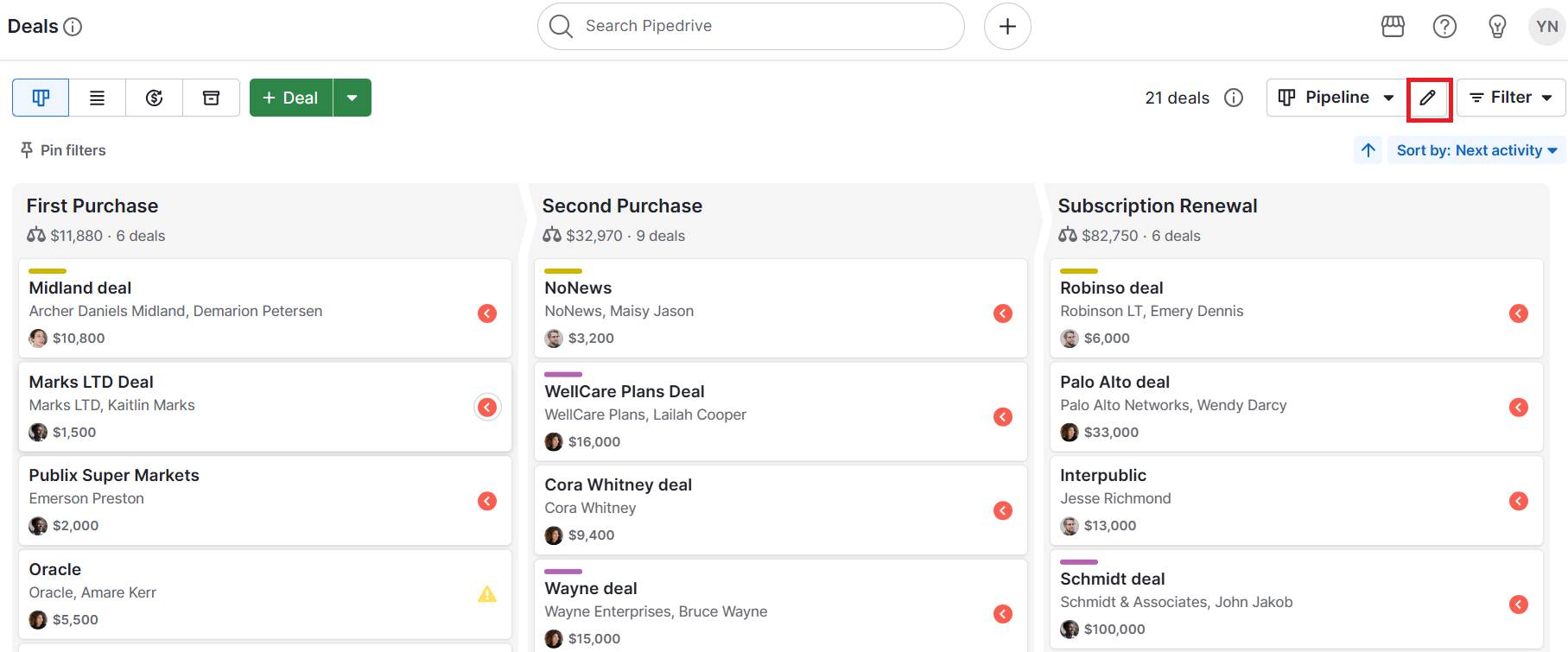
With Pipedrive, for example, you can create pipeline stages for repeat purchases and subscriptions.

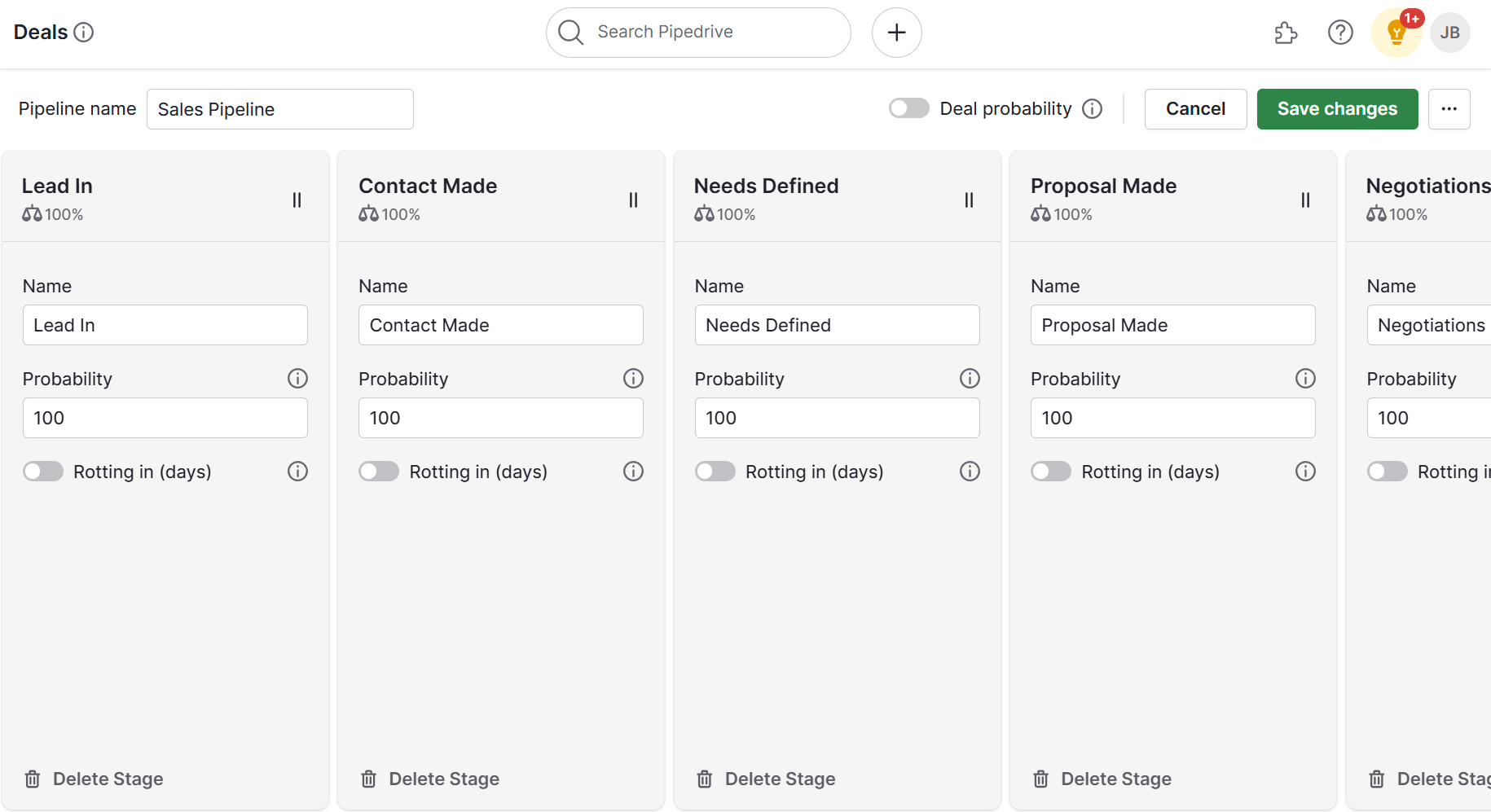
Here’s an example of a workflow with custom stages in Pipedrive:

Customer value Pipedrive custom pipeline stages

Each stage can represent a step in the customer’s journey, such as first purchase, second purchase or subscription renewal. Then, you can track customers in real time.

Download our Customer Journey Map Template

Start mapping your customer journey with our free customer journey template.

Use simple customer surveys

Surveys give SMBs direct insight into what customers value, how satisfied they are and what they think of your brand reputation.

Customer feedback uncovers the information needed to improve offerings, user experience and engagement.

Well-designed surveys can also help you segment customers based on perceived value and tailor future interactions.

Consider these steps to turn customer survey data into actionable insights:

  • Ask value-focused questions. Include items such as, “Which feature or service is most valuable to you?” or “How likely are you to recommend us?” These answers reveal what customers appreciate most and where to make improvements.

  • Segment responses for analysis. Organize survey results by customer group or score to spot patterns. This segmentation helps you create tailored offers, messaging and campaigns for different segments.

A CRM links survey responses to customer profiles, creating a holistic view of engagement and satisfaction.

Pipedrive lets you record survey results and connect feedback to individual deals or accounts. From here, you can filter and segment customers by their survey scores, track trends over time and trigger follow-up actions such as personalized offers.

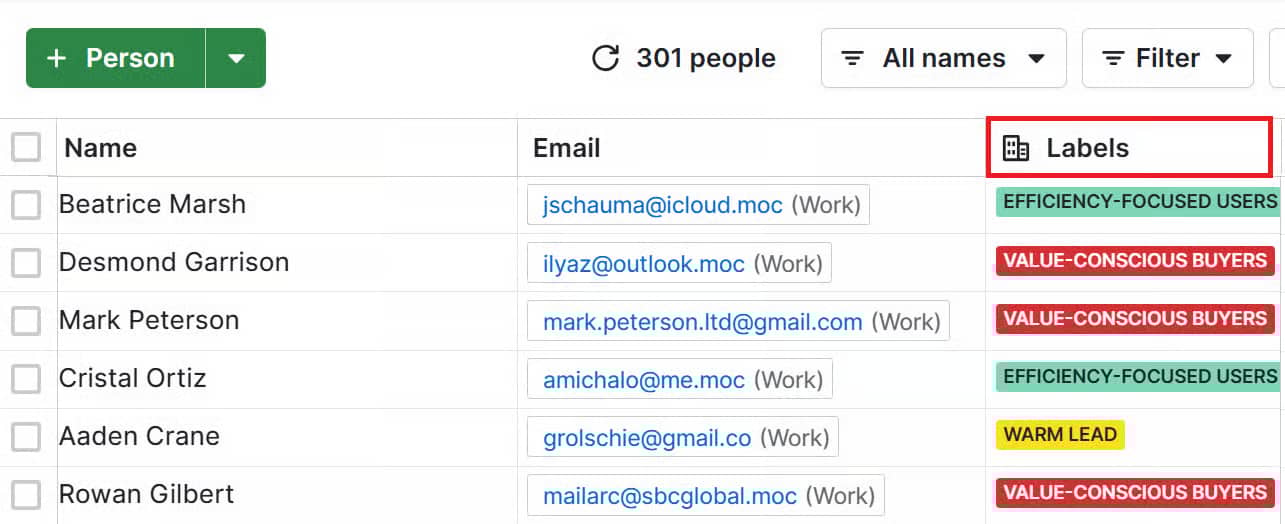
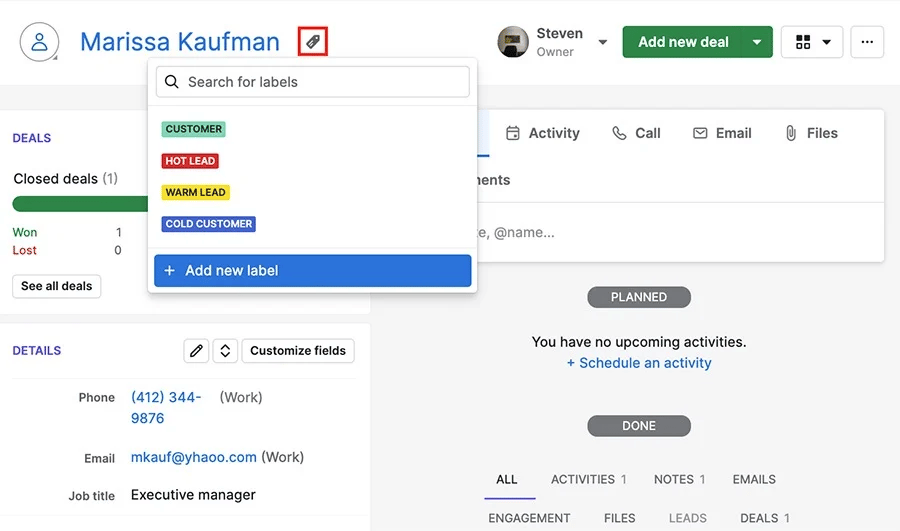
Here’s an example of labeling users in Pipedrive to create customer segments:

Customer value Pipedrive segmentation

Linking survey responses to a CRM turns feedback into actionable insights. SMBs can prioritize high-value segments and make data-driven decisions that improve retention, satisfaction and revenue.

Monitor engagement with your brand

Customer engagement is a strong indicator of perceived value and future purchases.

Customers who actively open emails, click links or respond to campaigns show interest and loyalty. Low engagement can signal disengagement or dissatisfaction. Tracking these behaviors allows SMBs to target follow-ups and nurture campaigns effectively.

To understand engagement, focus on measurable actions that indicate interest and involvement:

  • Track email interactions. Monitor opens, click-through-rates and replies to emails. These insights reveal which customers are paying attention to your messaging and help you tailor email content to boost interest.

  • Analyze website and content activity. Track website visits, downloads and time spent on key pages. Customers who engage consistently are more likely to make repeat purchases.

A sales CRM consolidates engagement data alongside customer records, giving a holistic view of behavior and interest over time.

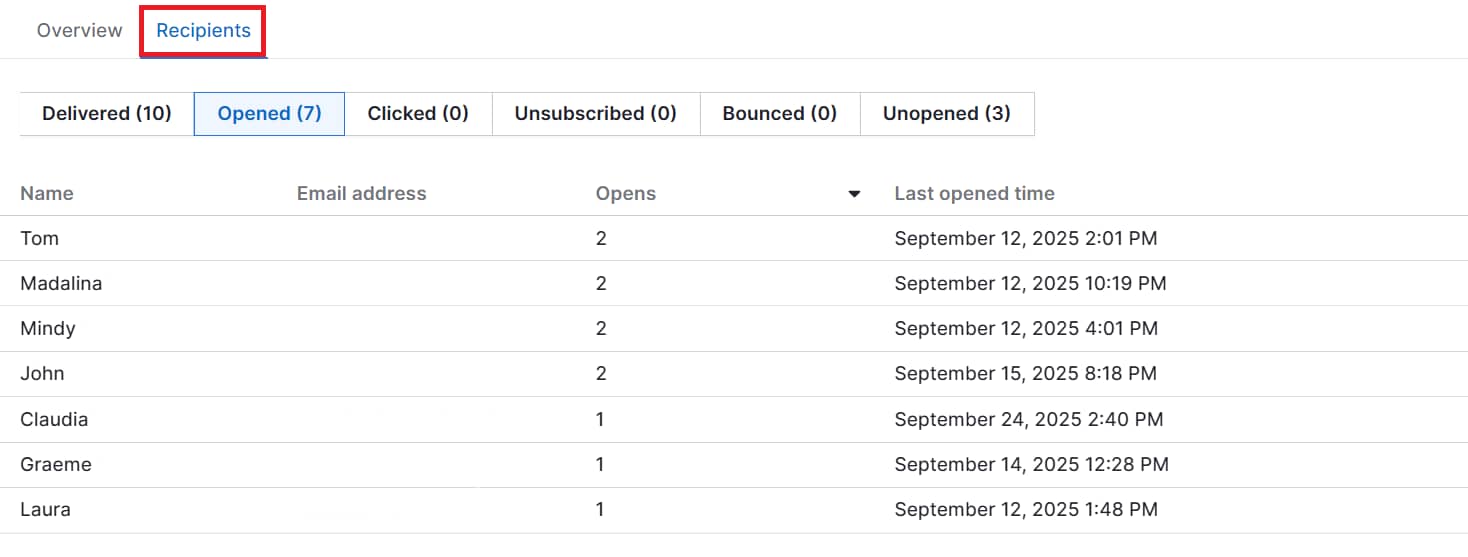
Pipedrive’s CRM lets you log all activity (including email opens, clicks and call notes) in one place.

Here’s an example of the email activity you can track in Pipedrive:

Customer value Pipedrive email engagement

This data ensures your sales and marketing efforts focus on the customers most likely to generate ongoing value.

Estimate CLV in a simple way

CLV estimates help SMBs identify high-value customers and make smarter decisions about marketing spend, retention and product development.

To calculate and interpret CLV effectively, follow these steps:

A CRM stores historical purchase data and calculates trends over time, allowing you to easily calculate CLV.

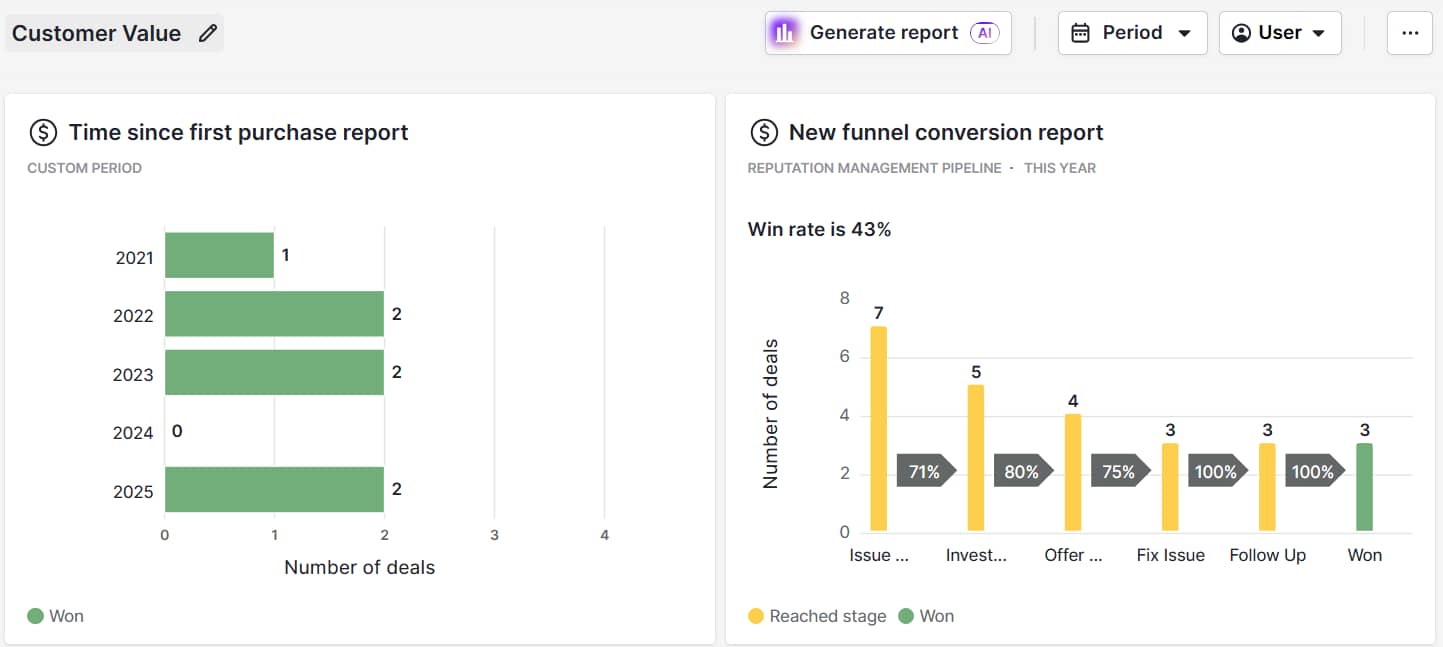
Use Pipedrive to pull historical deal data for each customer to track customer longevity. For example, you can create custom dashboards to automatically visualize CLV trends:

Customer value Pipedrive insights dashboard

Track total revenue per customer, repeat purchase frequency and time since first purchase to identify high-value customers and prioritize efforts accordingly.

Get organized with your free sales pipeline excel template

Looking for a more streamlined way to manage your sales? Download this free sales pipeline template and test it out now.

Watch referral and advocacy behaviors

Monitoring who recommends your business and how often helps SMBs reward advocates and leverage them for growth.

Referrals and word-of-mouth recommendations are strong indicators of customer value because satisfied customers generate new revenue at minimal cost.

To capture the impact of advocacy, focus on observable behaviors and patterns:

Tracking referrals and advocacy helps SMBs identify their most influential customers, reward loyalty and maximize relationships to drive sustainable growth.

Recommended reading

https://www-cms.pipedriveassets.com/Social-Media-Marketing-2024.png

Social media marketing: Everything small businesses need to know in 2025

3 ways to increase customer value and improve business outcomes

SMBs can increase customer value by creating more personalized experiences, optimizing key touchpoints and offering incentives that meet customer expectations.

Here are three practical ways to increase value and drive better business outcomes.

1. Personalize the customer experience

A personalized experience increases customer value by making them feel understood and appreciated, boosting loyalty, repeat business and lifetime revenue.

Take a look at Duolingo as an example.

After a user signs up, the app initiates a series of emails designed to engage and guide them through their language learning journey. These include welcome emails, progress updates and reminders to motivate learners.

Here’s the initial email:

Customer value Duolingo personalized email

These emails boost customer value by offering useful tips and advice, both of which support and motivate consumers to continue using the service.

Use these strategies to make personalization practical and effective:

  • Analyze CRM data to understand behavior. Track past purchases, interactions and preferences. This insight helps predict what customers want and informs targeted messaging and offers.

  • Tailor communications and follow-ups. Send emails or messages relevant to each customer’s needs or milestones. Personalized outreach increases engagement and demonstrates that your business values them as individuals.

  • Use examples of personalized offers. For instance, suggest an upsell based on previous purchases or congratulate a customer on a relevant milestone. These gestures strengthen emotional connection and encourage repeat business.

Pipedrive offers a suite of personalization tools that empower SMBs to tailor their customer interactions effectively.

Here are some of the key features:

Custom fields and segmentation

Create custom fields to capture specific customer information, enabling precise segmentation.

Benefit: Target communication based on customer attributes.

Automated workflows

Set up workflow automations to send personalized emails and reminders based on customer behavior and interactions.

Benefit: Send timely and relevant communication automatically.

Lead scoring

Implement lead scoring to prioritize high-value prospects.

Benefit: Focus efforts on leads with the highest potential

With these CRM features, SMBs can deliver personalized experiences that strengthen customer relationships.

Pipedrive in action: TrekkSoft used Pipedrive to personalize marketing efforts by segmenting leads and automating marketing campaigns. This tailored approach doubled sign-ups, increased email outreach from 500 to 4,000 per week and boosted sales team productivity fourfold.

2. Optimize touchpoints across the buying journey

When SMBs focus on touchpoints that matter most (like onboarding, customer support and education), they create a seamless experience that strengthens long-term relationships.

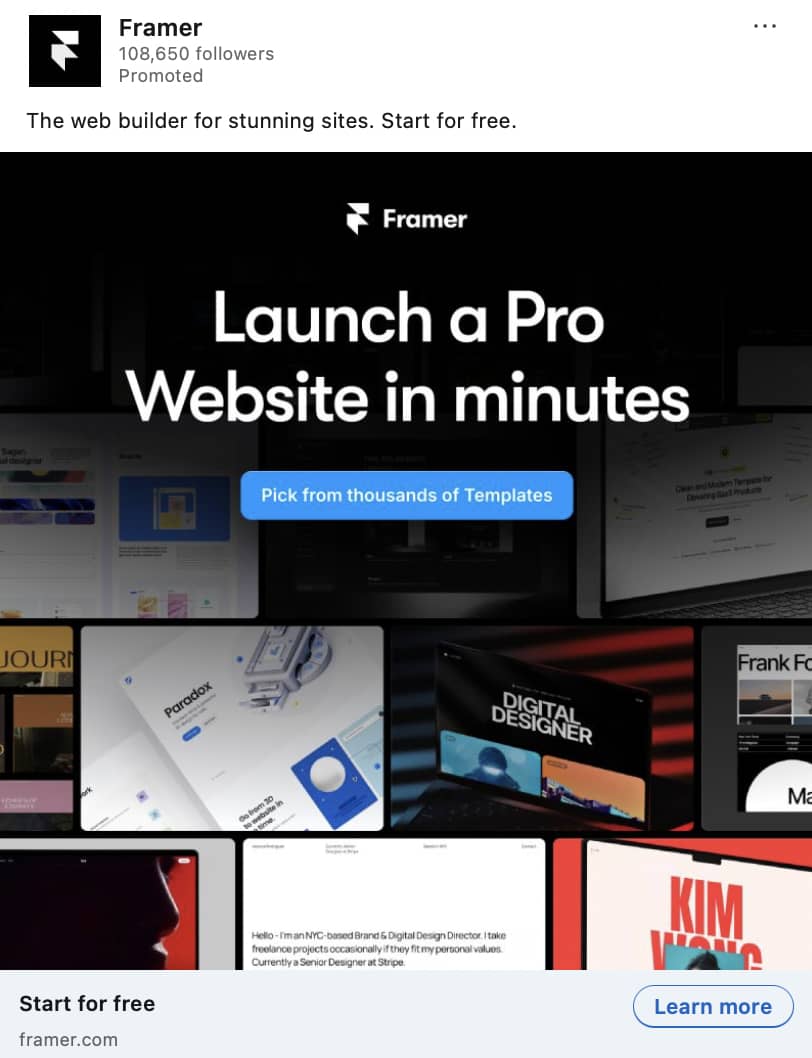
Here are a couple of examples from website builder Framer. The first is one of the company’s paid social media ads on LinkedIn:

Customer value Framer LinkedIn ad

The ad raises brand awareness, introduces Framer’s value proposition and sets the stage for future interactions that can lead to conversions.

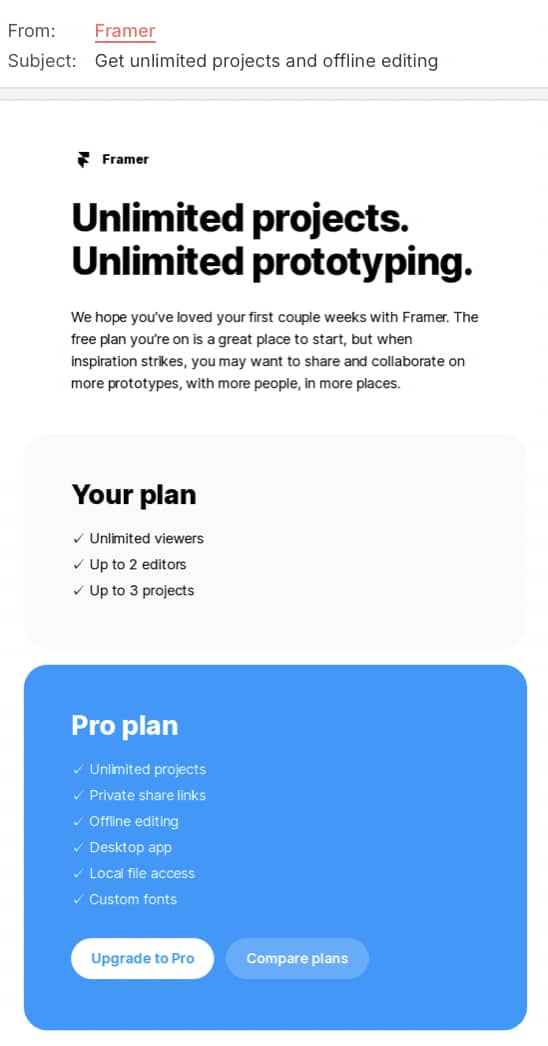
The second example is this post-purchase email:

Customer value Framer upselling email

The email suggests additional templates and features customers might like, keeping the brand top of mind after their initial purchase.

These communications at different points in the buying journey strengthens relationships, boosts loyalty and increases customer lifetime value (CLV).

Here’s how to refine key customer interactions to create a smoother journey:

  • Deliver educational content. Empowered customers are more engaged, loyal and likely to renew. Share guides, tips and best practices to help customers maximize the product.

CRM systems like Pipedrive give you full visibility of the customer journey, helping you spot key touchpoints and identify where customer engagement will make the biggest impact.

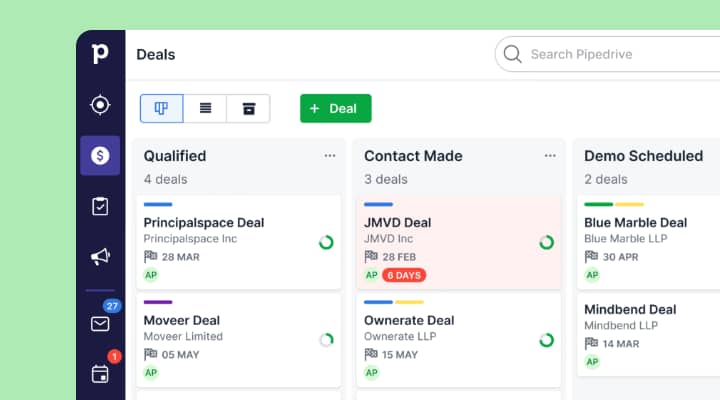
For instance, manage a sales pipeline that mirrors your sales process and monitor how leads and deals progress through each stage. This allows you to align outreach and resources with customer needs at the right time.

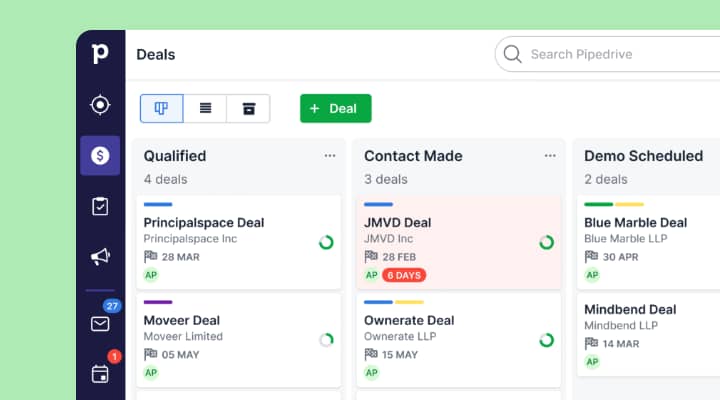
Here’s how these stages appear in Pipedrive:

Customer value Pipedrive custom deal stages

With this oversight, you can nurture leads effectively, sharing information at the right time to increase the likelihood of conversion.

Pipedrive in action: Full-service digital agency Spark Interact introduced automated follow-up emails, clear sales pipeline stage definitions and activity prompts to ensure no leads slip through the cracks. The CRM’s structured and predictable sales process generates 12% annual revenue growth for the agency.

3. Create value-driven offers and incentives

Offering tailored bundles, loyalty programs or small perks encourages repeat purchases and increases a customer’s perceived value.

TechSolution is a good example.

The growing SaaS company launched a loyalty program that offered personalized incentives like early access to features, exclusive webinars and tiered rewards.

The points-based system rewarded customers for actions like referrals, completing surveys and product usage. Members could redeem points for feature upgrades, exclusive webinars or priority support.

The program’s tiered rewards unlocked greater benefits as customers advanced, adding a gamified element that boosted engagement.

Thanks to the TechSolution loyalty program:

  1. Customer referrals rose, driving a 22% increase in new customer acquisition

  2. 40% of new customers reported that recommendations from existing users influenced their decision to join

  3. Participation in product feedback surveys and beta testing grew by 78%

These results show that well-designed, personalized incentives can enhance customer engagement and loyalty to drive long-term success.

Consider these approaches to craft offers that resonate with your customers:

  • Implement loyalty or referral programs. Rewarding repeat purchases or referrals strengthens engagement and incentivizes advocacy. As a result, you retain loyal customers and attract new ones without overspending.

  • Offer small, high-value perks. Free add-ons, priority support or exclusive content enhance satisfaction. These perks improve how a customer feels about your brand, increasing their likelihood of buying again.

Pipedrive’s CRM helps SMBs design and deliver effective incentives by providing insight into purchase patterns.

For example, sales reps can create product reports. These reports show which products or services sell most, allowing them to tailor incentives likely to drive repeat purchases.

Here’s how this information appears in Pipedrive:

Customer value Pipedrive product report

The CRM also highlights the optimal stage in the buying journey for offering rewards or perks, ensuring timely and impactful incentives.

Pipedrive in action: Tiffany Largie, a business coach and speaker, used Pipedrive to manage client relationships and offer personalized incentives. By segmenting her customer base and tailoring offers, she increased client engagement and grew her business to $2.5 million.

When done well, these approaches build lasting relationships. Combining bundles, loyalty programs and small but meaningful perks increases value and engages customers long after their first purchase.

Customer value FAQs

  • The four types of customer value are:

  • Delivering the best customer experience depends on your target audience.

    CRMs like Pipedrive provide insights into customer behavior, helping businesses refine touchpoints and deliver tailored communication to enhance CX.

  • Using an accounting software as an example, here’s what customer value looks like:

    • Businesses pay a subscription (cost)

    • They gain streamlined invoicing, automated reconciliations and high-quality financial reporting (functional value)

    • Teams save time and reduce errors (monetary value) as a result

    The software also improves credibility with investors or clients by:

  • The definition of customer value is the same in marketing as it is in other contexts:

    For marketers, increasing customer value means identifying pain points, refining messaging, optimizing offers and focusing resources on attracting and retaining the most profitable customers.

Final thoughts

Increasing customer value drives SMB growth through loyalty, retention and smarter resource use.

By personalizing experiences, refining your ideal demographic touchpoints and offering meaningful incentives, you strengthen client relationships to boost sales.

A CRM like Pipedrive helps turn strategies into action with centralized customer data, journey tracking and tailored offers.

Sign up for a 14-day free trial to strengthen loyalty and accelerate growth.

The Risk of ‘Set and Forget’ in Your Marketing Funnel Automation

Software Stack Editor · October 9, 2025 ·

The post The Risk of ‘Set and Forget’ in Your Marketing Funnel Automation appeared first on ClickFunnels.

Automating your marketing funnels can save you time, increase conversions, and streamline your sales process. It’s tempting to set up your funnel, hit the “launch” button, and forget about it, letting the automation do all the work. After all, one of the main benefits of automation is that it runs in the background, giving you freedom to focus on other aspects of your business.

But the “set and forget” is a dangerous mentality for your marketing funnel. While marketing funnel automation can run your sales process on autopilot, you should constantly monitor, test, and optimize for the best results.

Without ongoing adjustments, your funnel may become outdated, inefficient, or ineffective. You can start to lose conversions or customer satisfaction.

Let’s dive into why “set and forget” can be risky for your funnel automation. We’ll show you how to stay on top of your marketing systems to ensure continuous growth and success.

  • Why “Set and Forget” Is a Dangerous Mindset
    • Changing Customer Behavior
    • External Market Changes
    • Lack of A/B Testing
    • Missed Opportunities for Lead Nurturing
  • How to Keep Your Funnel Automation Effective and Fresh
    • 1. Regularly Monitor and Analyze Your Funnel’s Performance
    • 2. Run Consistent A/B Tests
    • 3. Keep Your Content Up to Date
    • 4. Adapt to New Tools and Technology
    • 5. Engage with Your Leads Post-Purchase
  • Why Funnel Automation Tools are Essential for Scaling
    • 1. Easy Funnel Creation
    • 2. Advanced Analytics and Reporting
    • 3. Built-In Email Automation
    • 4. Flexible Integration Options
  • Don’t Let “Set and Forget” Sabotage Your Funnel

Why “Set and Forget” Is a Dangerous Mindset

The goal of automating is to save time and scale your business. However, once you’ve created your funnel, assuming it will keep working indefinitely can be tempting. Unfortunately, this approach can lead to several issues that hinder your funnel’s effectiveness over time.
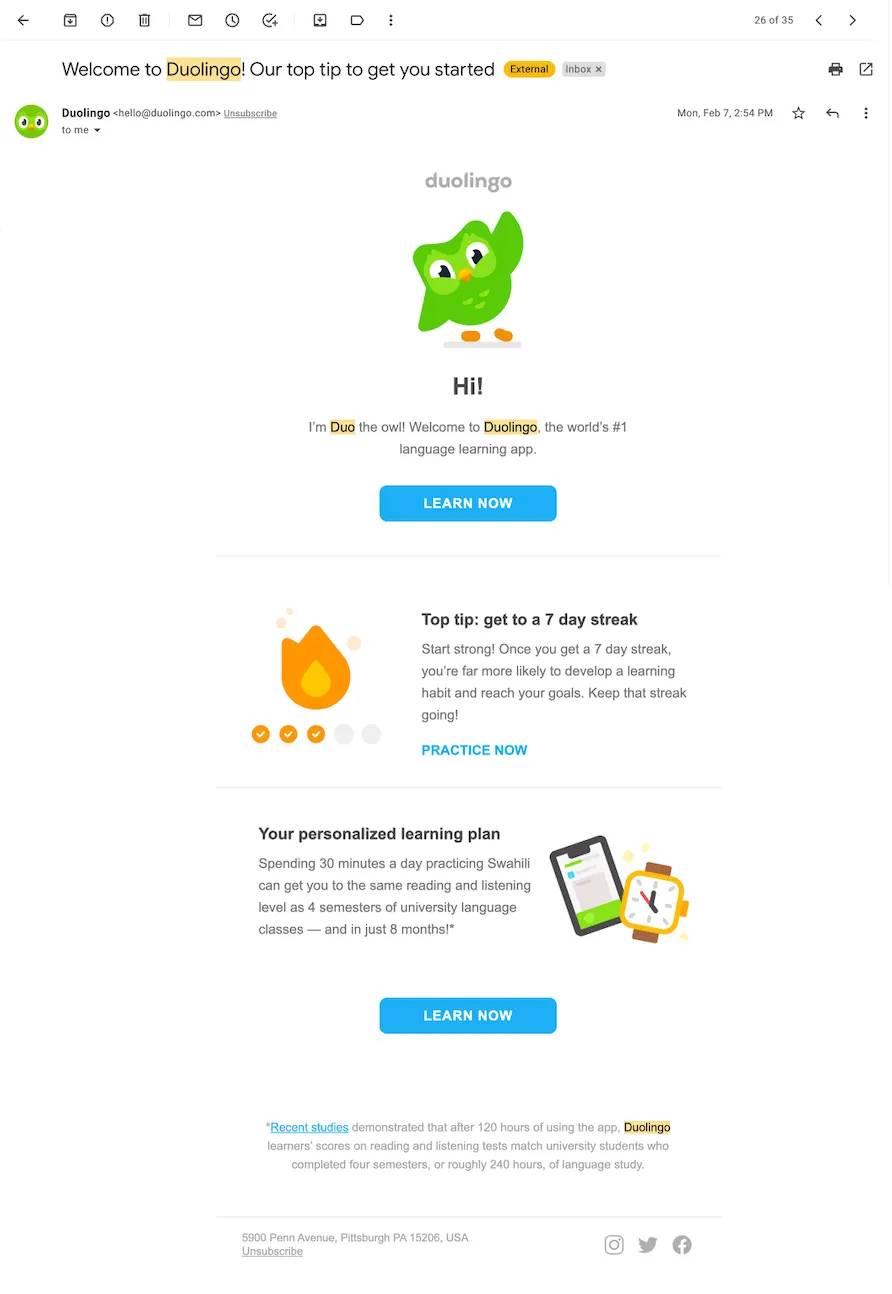
Changing Customer Behavior

Customer preferences, behaviors, and interests are constantly shifting. Just because your funnel crushed it when you first launched doesn’t mean it’ll perform at that same level forever. Your audience evolves. Their needs, pain points, and buying habits change, and your funnel needs to evolve with them.

For example, your original email sequence may have hit all the right notes with your audience. It got clicks, conversions, and real momentum. But your audience will eventually crave different content, new formats, or updated offers. Engagement and conversions can drop if your funnel doesn’t adapt.

External Market Changes

The market never sits still. Competitors drop new offers, trends shift overnight, and new platforms or tech can change how your audience discovers and engages with content. You can easily fall behind if your funnel doesn’t evolve with the landscape.

Automated funnels are powerful, but they aren’t set in stone. They need to be flexible enough to ride the wave of market trends and shifts in consumer behavior. That means checking in, adjusting, and staying current.

Let’s say a new social platform suddenly takes off and your ideal audience flocks to it. You’re leaving money and momentum on the table if your funnel doesn’t capture that traffic through fresh content, new entry points, or platform-specific offers.

Lack of A/B Testing

One of the biggest benefits of funnel automation is the ability to test and optimize everything. A/B testing lets you experiment with different parts of your funnel—headlines, offers, email copy, call-to-action buttons—so you’re not just guessing what works but proving it with data. You’ll miss out on those crucial insights that drive better results if you treat your funnel like a one-and-done setup.

For example, imagine your funnel starts with an opt-in page. You can quickly see what gets more signups by testing two opt-in page variations, one with a bold headline and the other with a softer, more benefit-focused message. Without A/B testing, you’re flying blindfolded and likely leaving conversions on the table.

Optimization isn’t a one-time task; it’s an ongoing advantage. Keep testing and tweaking, so your funnel can keep improving.

Missed Opportunities for Lead Nurturing

Just because someone opts into your funnel doesn’t mean they’re ready to buy on the spot. That’s where lead nurturing comes in. It’s one of the most potent (often overlooked) parts of a successful automated funnel.

Send follow-up emails and lead nurturing sequences. These keep potential customers engaged, build trust, and guide them towards buying on their timeline.

It’s normal for a lead to check out your offer but not buy immediately. Without ongoing follow-up, a person can forget all about you. But with automated nurturing emails like reminders, value-packed content, or a time-sensitive incentive, you stay on their radar and increase the chances they’ll return when they’re ready to say yes.

How to Keep Your Funnel Automation Effective and Fresh

So, how can you avoid the pitfalls of “set and forget” and ensure your funnel remains a powerful tool for generating leads and sales? Here are five strategies to keep your sales funnel continuously optimized, no matter the industry:

1. Regularly Monitor and Analyze Your Funnel’s Performance

Track your funnel’s performance and analyze key metrics like conversion, bounce, and email open rates. Reviewing your funnel’s data regularly allows you to identify any areas that need improvement. Look for patterns, weaknesses, or bottlenecks preventing leads from converting. Adjust accordingly.

2. Run Consistent A/B Tests

Continuously A/B test the various components of your funnel, such as landing pages, email copy, and call-to-action buttons. This will help you identify the most effective strategies and refine your funnel to increase conversions over time. Regular testing ensures that your funnel stays relevant and optimized.

3. Keep Your Content Up to Date

Review and update your funnel’s content regularly to ensure it stays fresh and relevant to your audience. This includes revising your emails, replacing outdated offers, and ensuring your landing page copy aligns with current trends and customer interests. Doing this aligns your funnel with your audience’s evolving needs.

4. Adapt to New Tools and Technology

Marketing tools and platforms evolve constantly. New technologies, integrations, and features can help improve your funnel’s effectiveness. For instance, integrating Facebook ad funnels or using the latest email automation tools can enhance your funnel’s ability to nurture leads and drive conversions. Stay informed about new tools and trends to stay ahead of the curve.

5. Engage with Your Leads Post-Purchase

Your funnel shouldn’t stop once a customer has completed a purchase. Use post-purchase emails to nurture customer relationships, offer additional resources, or ask for feedback. You build brand loyalty and increase the chances of repeat purchases by continuing to engage with your customers after the sale.

Why Funnel Automation Tools are Essential for Scaling

A powerful funnel automation platform can help you build, monitor, and optimize your sales funnels, whether you’re a coach, running an e-commerce brand, or scaling any other type of business.

The right tool makes managing every moving part of your funnel easier, even as your audience and offer stack grow. Here’s what to look for:

1. Easy Funnel Creation

A user-friendly drag-and-drop editor lets you build professional, high-converting funnels in just a few clicks. With a wide selection of templates tailored to different business models—coaching, e-commerce, or digital products—you can quickly set up a funnel that fits your goals without needing design or coding skills.

2. Advanced Analytics and Reporting

Robust analytics tools give you the insights to track your funnel’s performance and make smart, data-driven decisions. From conversion tracking and A/B test results to detailed lead behavior, these tools help you understand what’s working and what needs improvement to continuously optimize your funnel for better results.

3. Built-In Email Automation

Email automation makes it easy to set up sequences that nurture leads, follow up consistently, and build strong relationships over time. With the proper setup, your leads continue to move through the funnel without needing constant manual input. You save time while keeping engagement high.

4. Flexible Integration Options

A good funnel automation platform integrates seamlessly with a wide range of third-party tools, like email marketing services, CRM systems, and payment gateways. You can manage every part of your funnel smoothly from one centralized place.

Don’t Let “Set and Forget” Sabotage Your Funnel

Automation is a total game-changer, but here’s the truth: you can’t just build your sales funnel automation and forget it. Funnels need love, testing, and tuning to keep firing on all cylinders.

Keep an eye on how things are performing, try new ideas, and stay connected with your leads. That’s how you “build it smart, scale it fast” to turn your funnel into a growth machine that keeps your business moving forward.

Start Your ClickFunnels 14-Day Free Trial Now!

Thanks for reading The Risk of ‘Set and Forget’ in Your Marketing Funnel Automation which appeared first on ClickFunnels.

6 Automated Funnel Myths That Are Killing Your Conversions

Software Stack Editor · October 7, 2025 ·

The post 6 Automated Funnel Myths That Are Killing Your Conversions appeared first on ClickFunnels.

Automated marketing funnels are a game-changer for scaling your business and boosting conversions. But let’s be real, there’s a lot of noise out there. And with that comes many myths that make funnels seem more complicated or less effective than they actually are.

The truth is, these misconceptions can seriously hold you back. Whether you fear tech, think automation feels impersonal, or believe funnels are only for “big” businesses, none of it tells the full story.

In this blog, we’re breaking down the seven most common myths about automated marketing funnels and setting the record straight. You’ll get a clearer picture of how funnel automation really works and why it’s one of the most powerful ways to nurture leads, drive sales, and scale with less stress.

  • Myth 1—Automated Funnels Don’t Work for Small Businesses
    • The Truth—Automation Is for Every Business
  • Myth 2—Automated Funnels Are Impersonal
    • The Truth—Automation Can Be Highly Personalized
  • Myth 3—Funnels Are Only for E-Commerce Businesses
    • The Truth—Funnels Work for Any Business Model
  • Myth 4—Setting up an Automated Funnel Is Too Complicated
    • The Truth—Building a Funnel Is Easy With the Right Tools
  • Myth 5—Once It’s Set Up, You Can Forget It
    • The Truth—Funnels Need Ongoing Optimization to Convert
  • Myth 6—Automation Means Losing Control
    • The Truth—Automation Enhances Your Control and Focus
  • Why You Should Embrace Funnel Automation

Myth 1—Automated Funnels Don’t Work for Small Businesses

Many small business owners hesitate to implement automated marketing funnels because they believe automation is only for large corporations with big budgets. They worry that computerized systems might be too complicated or costly to set up for smaller businesses.

The Truth—Automation Is for Every Business

Automated funnels are incredibly scalable and can work for businesses of all sizes. Whether running a local service business or a small e-commerce store, it can help you streamline your marketing process. Businesses of all sizes can set up funnels, track leads, and nurture them through the sales journey—all without a large team or complicated infrastructure.

Automation doesn’t have to be expensive or complicated. In fact, it can save small businesses time and money by eliminating repetitive tasks, reducing human error, and allowing you to focus on more critical aspects of your business.
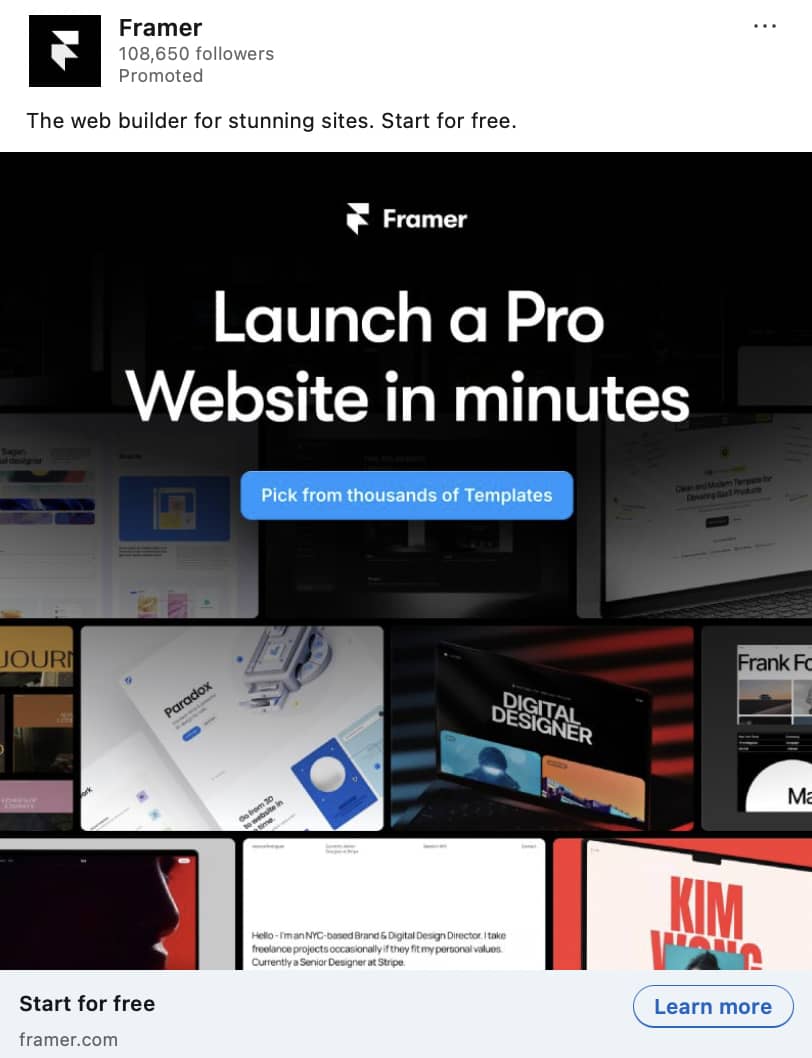
Myth 2—Automated Funnels Are Impersonal

Another common myth is that automated funnels are cold and robotic, making the customer experience feel impersonal. Some think automation means sending generic messages that won’t resonate with their leads.

The Truth—Automation Can Be Highly Personalized

The beauty of automated funnels is that they can be personalized and tailored to your leads’ specific interests, behaviors, and actions. For example, with email marketing automation, you can segment your leads and send them messages based on their previous interactions with your business. You can customize your offers, content, and even timing based on where each lead is in the sales journey.
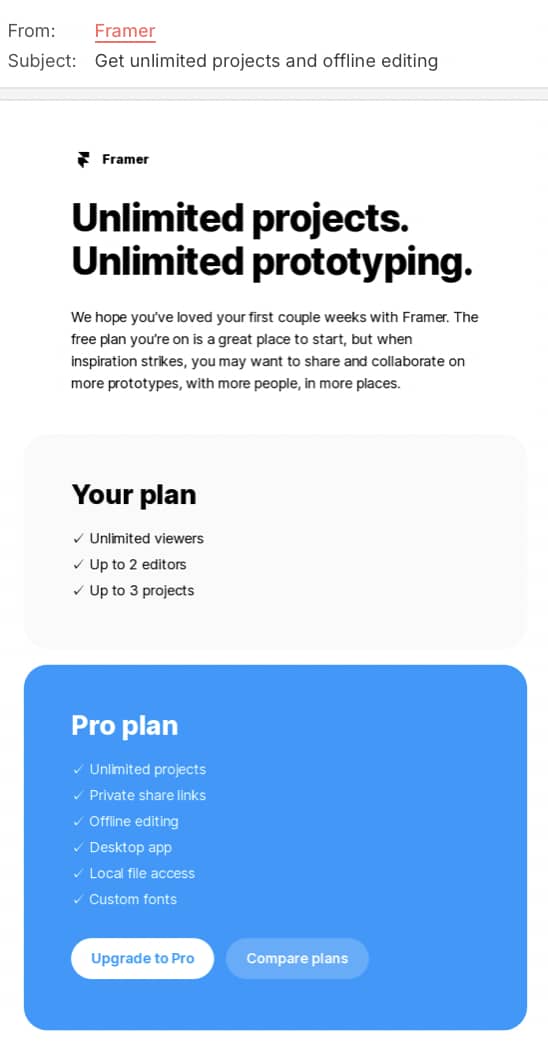
With the right automation tools, your messages can feel personal and human while saving time. Create a customized experience that builds trust, engagement, and conversion by combining automation with targeted personalization.

Myth 3—Funnels Are Only for E-Commerce Businesses

Some believe that automated marketing funnels are only helpful for e-commerce businesses or companies selling physical products.

The Truth—Funnels Work for Any Business Model

This assumption is far from the case. Funnels can benefit any type of business, whether you offer services, digital products, or consulting.

While e-commerce businesses often use funnels to sell products, service-based businesses can also benefit from automated funnels. For instance, a coaching sales funnel can nurture potential clients, offer free content like webinars or consultations as lead magnets, and ultimately guide leads toward signing up for a coaching package.

Funnels are versatile and built to fit your business model. Whether offering a free ebook, a digital course, or an exclusive consultation, a funnel works behind the scenes to do the heavy lifting. It automatically captures leads, nurtures trust, and turns prospects into paying clients. For coaches and service-based businesses, that means more growth with less grind.

Myth 4—Setting up an Automated Funnel Is Too Complicated

Another common misconception is that creating an automated funnel is too complex and requires technical knowledge you don’t have. The idea of coding or designing an entire system can be intimidating to those without a tech background.

The Truth—Building a Funnel Is Easy With the Right Tools

Thanks to innovative funnel-building software, setting up a lead generation or sales funnel for your business is straightforward and requires no coding skills. These tools come with pre-built templates, drag-and-drop editors, and simple integrations, making funnel creation accessible even for beginners.

With these user-friendly tools, you can quickly build and launch a funnel, set up automated email sequences, and start capturing leads without any hassle. You don’t need to be a tech expert to implement an automated marketing funnel that works effectively for your business.

Myth 5—Once It’s Set Up, You Can Forget It

Some people think the work is done once their automated funnel is live. Just set it and forget it, right? Others believe funnels are just for collecting leads; the job is over once someone enters the funnel.

The Truth—Funnels Need Ongoing Optimization to Convert

Automated funnels do save time by running in the background, but they’re not a “one-and-done” solution. To really make them work, you need to track performance, test different elements (like subject lines, CTAs, and upsell offers), and use that data to refine your approach.

And here’s the bigger picture: funnels aren’t just about generating leads; they’re about converting them. That means every stage of your funnel, from the welcome email to the post-purchase follow-up, should work toward a sale (and even a repeat sale). With the right AI funnel builder software, you can automate smarter, personalize better, and improve results over time.

Myth 6—Automation Means Losing Control

Some business owners fear implementing funnel automation means losing control over their leads, customers, or content. They worry that relying too much on automation could result in missed opportunities for personal connection or individualized follow-up.

The Truth—Automation Enhances Your Control and Focus

Funnel automation doesn’t leave you out of the loop. It gives you more control over your sales process. By automating follow-ups, lead nurturing, and communication, you can spend more time focusing on what really matters: building relationships, refining your offers, and improving your customer experience.

Automation gives you more control over when and how you engage with leads. You can set up triggers to send messages at just the right time, ensuring your leads are engaged and moving through the funnel toward conversion.

Why You Should Embrace Funnel Automation

Automated marketing funnels can completely transform your business. You can streamline lead generation, nurture relationships, and boost conversions, all while saving time and effort. By understanding the true power of automated funnels, you can implement systems that allow you to scale without sacrificing personal connection or quality.
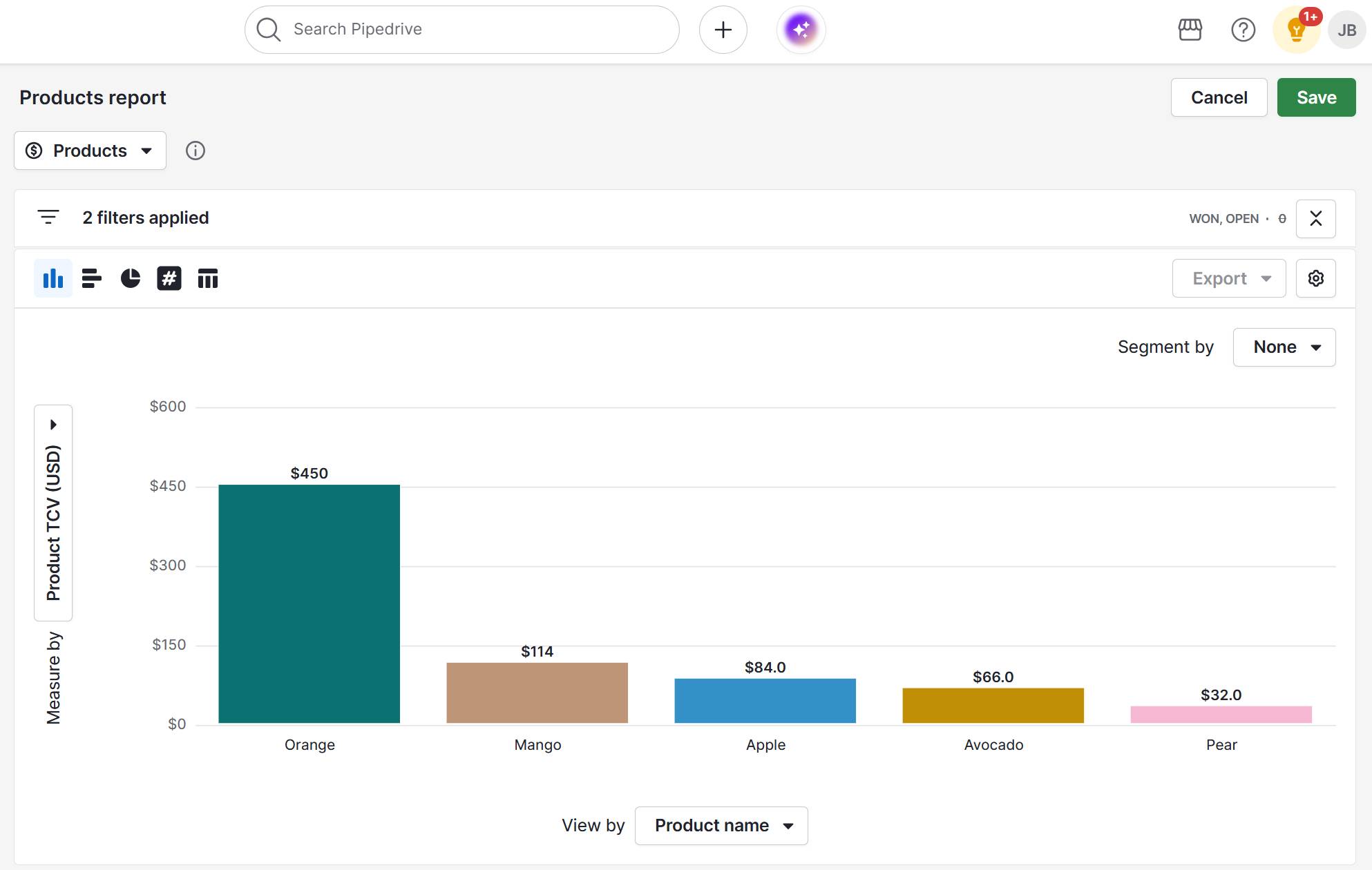
It’s time to ditch the myths and finally build a funnel that matches the vision you have for your business. You built a dream—now build it a funnel.

Click Here to Build Your AI Funnel For Free!

Thanks for reading 6 Automated Funnel Myths That Are Killing Your Conversions which appeared first on ClickFunnels.

5 Top Conversational Marketing Tips to Grow Your SMB

Software Stack Editor · October 6, 2025 ·

GC

Gabriela CampagnaSEO Content Writer, Pipedrive

Conversational marketing turns website and social media visits into real-time sales opportunities.

Yet many small businesses struggle with knowing how to use conversational marketing effectively and which tools deliver results.

In this article, you’ll learn how to identify high-intent pages and channels, choose the right chat and messaging tools and measure the ROI of your conversational marketing efforts.

You’ll also see how a CRM like Pipedrive can help your SMB prioritize high-potential prospects, shorten sales cycles and convert more deals efficiently.

Key takeaways

  • Many SMBs struggle to choose the right tools and tactics, but focusing on high-intent pages, the most effective channels and implementing conversational AI overcomes this challenge.

  • Pipedrive’s CRM centralizes visitor data, tracks engagement and qualifies leads, helping SMBs prioritize prospects and close deals faster – start a free 14-day trial today.

What is conversational marketing?

Conversational marketing turns website and social media visits into real-time sales opportunities.

A conversational marketing strategy uses dialogue-driven tools like chatbots, live chat and messaging apps to connect with potential customers instantly.

Instead of having web visitors fill out static forms or wait for email responses, these tools let visitors ask questions, get answers and move through the customer journey immediately.

Here’s an overview of the conversational marketing process in a typical customer journey:

Conversational marketing process in a customer journey

First, a visitor encounters a chatbot or live agent on a website or social media page. Once the tool determines their needs, it routes them to the next step – like live support or a self-service solution.

Immediate and personalized interactions transform casual visitors into engaged prospects, driving higher sales velocity.

Conversational marketing vs. inbound marketing: what’s the difference?

Inbound marketing attracts prospects while conversational marketing turns prospective interest into immediate engagement.

Inbound marketing

Conversational marketing

Definition: Focuses on attracting leads over time using content that educates or entertains.

Examples: Blog posts, downloadable guides, social media campaigns, email newsletters and SEO-driven website content.

Purpose: Creates awareness and builds trust, gradually guiding prospects through the sales funnel.

Definition: Engages visitors instantly and interacts with them in real time.

Examples: Live chat, marketing chatbots, personalized messaging or interactive product recommendations.

Purpose: Instead of waiting for a lead to fill out a form or respond to an email, conversational marketing meets them where they are and immediately moves them forward in the sales process.

The two approaches complement each other. Inbound marketing attracts a steady flow of qualified leads, while conversational marketing captures and nurtures those leads in the moment.

Example: A visitor reading a blog post on your website might encounter a chatbot offering a free consultation. Or, a downloadable guide could trigger a follow-up email with personalized advice.

Together, they create a seamless user experience that pulls prospects in and guides them through the funnel.

Recommended reading

https://www-cms.pipedriveassets.com/blog-assets/sales-funnel-image.png

Sales funnels: definition, process, stages, template and examples

Why conversational marketing matters for SMBs

Today’s buyers expect speed, better personalization and meaningful interactions.

As technology advances, these expectations will continue to grow.

Conversational marketing allows small businesses to meet these expectations by providing instant answers that guide them toward a purchase.

Here are some of the other benefits of conversational marketing for SMBs:

  • Shorter sales cycles. Qualify leads instantly through chatbots, live chat or AI-driven messaging, reducing the time from interest to conversion.

By combining speed, personalization and automation, conversational marketing lets SMBs convert more leads without overextending their resources.

Recommended reading

https://www-cms.pipedriveassets.com/blog-assets/how-to-create-personalized-emails.png

How to sell more with personalized emails in 2025

5 tips to use conversational marketing to grow your SMB

Conversational marketing allows SMBs to engage with prospects instantly, qualify leads faster and drive more sales.

Use the five conversational marketing tips below to achieve these key outcomes.

1. Find the right pages and channels

Effective conversational marketing relies on identifying where visitors show the strongest buying intent.

Not all pages and channels deliver equal results. By finding where your prospects spend time and what they interact with, you can use the right marketing platforms to target your efforts, increase engagement and accelerate conversions.

Here’s how to pinpoint the right pages and channels:

  • Identify high-intent pages. Use website analytics to spot pages that indicate strong purchase intent, such as pricing pages, demo request forms or detailed product pages. These are where visitors are most likely to respond to real-time engagement.

  • Focus on top-performing channels. Identify which channels your audience uses most frequently (like WhatsApp for local businesses, LinkedIn for B2B sales or email for existing customers) and prioritize them for conversational campaigns.

  • Review visitor insights. Use tools to track who visits your site, what content they interact with, their pain points and how long they stay. These insights help you uncover high-potential leads, tailor your messaging and follow up effectively.

To get the most value from web visitor data, SMBs need more than surface-level analytics.

A sales CRM with web tracking integrations shows who your visitors are and how they behave online. This level of detail provides the necessary context to engage with prospects in real time.

With Pipedrive, for example, the Web Visitors add-on shows how users found you, what they engaged with and how long they stayed.

You can then analyze visitor behavior along with your other website data to:

By combining these analytics with Pipedrive’s tracking, SMBs can pinpoint their highest-value pages and channels and prioritize leads most likely to convert.

Pipedrive in action: Inkwell and The Pitch used Pipedrive’s Insights dashboard and custom fields to track which channels and lead sources delivered the highest-quality opportunities. This visibility helped them focus on the pages and marketing campaigns that mattered most, fueling 32% annual growth and tripling revenue since 2020.

2. Set up relevant conversational tools

Effective conversational marketing depends on using the right mix of tools to engage visitors in real time without overwhelming your team.

SMBs often don’t have the resources to staff live chat 24/7, but they can combine automation with human support to balance efficiency and personalization. Choosing the right setup ensures prospects always get the quick responses they expect.

Here’s how to set up the right conversational tools:

  • Combine both for flexibility. The most effective approach is often a hybrid. Let a chatbot handle the first touchpoint, then route more complex questions to a live agent. This way, you deliver fast support without sacrificing personalization.

To maximize results, these tools must connect seamlessly with your CRM.

Pipedrive’s Leadbooster chatbot software makes this simple by capturing visitor details, qualifying leads and syncing them directly into your sales pipeline. You can even design personalized conversation flows that guide prospects to book a meeting or request a demo without leaving the site.

By automating the early stages of engagement, SMBs save time while ensuring no valuable lead slips through the cracks.

3. Ensure accuracy in AI integration

AI-powered tools only drive results if they deliver accurate, helpful and natural responses to prospects.

Poorly trained bots risk frustrating visitors. When done well, conversational AI can enhance customer experience and keep your pipeline healthy. Accuracy comes from preparation, regular refinement and knowing when to let humans take over.

Here’s how to ensure accuracy in AI integration:

  • Train with real customer data. Feed your chatbot with FAQs, past customer queries and proven sales scripts so it can recognize common needs and respond with clear, relevant answers.

By treating conversational intelligence as a support tool rather than a full replacement, SMBs can deliver fast, accurate interactions that build trust.

4. Keep the customer at the center

Conversational marketing only works when interactions feel personal, supportive and focused on the customer’s needs.

Prospects want to feel understood and guided through the buying journey with meaningful conversations. By keeping the customer at the center, SMBs can build stronger relationships, increase conversion rates and boost customer retention.

Download our customer journey map template

Start mapping your customer journey with our free customer journey template.

Here’s how to adopt a customer-centric approach:

  • Personalize with CRM data. Use details like name, company, location and previous interactions to tailor conversations. With Pipedrive, chatbots and live chat pull data directly from your CRM so every exchange feels relevant.

  • Give customers control. Provide clear options, like booking a sales demo, speaking to a rep or accessing resources, so visitors never feel stuck in a loop. Giving them choices keeps the experience smooth and frustration-free.

Put the customer at the center of every interaction to create engaging, personalized experiences that optimize satisfaction and drive more conversions.

5. Focus on ROI and future-looking strategies

Conversational marketing should deliver measurable business impact, not just more conversations.

To stay competitive, SMBs must track ROI, scale proven tactics and prepare for the next wave of customer engagement. Here’s how to do it:

  • Measure with clear KPIs. Track conversion rate, sales velocity and customer satisfaction to see how conversational marketing tools affect revenue. Pipedrive’s Insights dashboard makes it easy to measure these metrics and visualize how leads move through your pipeline.

  • Start small, then scale. Launch conversational marketing on one high-impact page or campaign first. Once you prove ROI, expand across more pages, communication channels and audience segments.

Here’s how to add an insights dashboard in Pipedrive:

conversational marketing Pipedrive Insights dashboard

By focusing on ROI today and preparing for emerging technologies, SMBs can build conversational marketing strategies that drive sustainable growth. Check out some real-world successes below.

Recommended reading

https://www-cms.pipedriveassets.com/Customer-Obsession.png

How to implement customer obsession as an SMB to drive revenue and retention

Real-world conversational marketing examples

Conversational marketing helps SMBs turn every user visit into an immediate opportunity to guide prospects toward conversion.

Here are some real examples of conversational marketing done well.

HoorayHR: real-time messaging with chatbots

The cloud-based human resource management software HoorayHR uses conversational marketing to provide real-time support for HR-related queries.

The company’s chatbot answers SMB’s customer questions about recruitment processes, benefits and employee management instantly:

Conversational marketing HoorayHR chatbot

By automating routine questions, HoorayHR frees up staff to focus on more complex tasks while ensuring visitors always get immediate assistance.

Visitors feel heard and supported, which builds trust and encourages them to take the next step: signing up for a demo, downloading resources or starting a trial.

Pipedrive in action: By integrating Pipedrive’s CRM functionality with its chatbot system, HoorayHR tracked conversations, qualified leads and seamlessly handed off high-potential prospects to its sales team. As a result, the company shortened its sales cycle and closed deals twice as fast.

Banco Bolivariano: WhatsApp customer support

The financial institution Banco Bolivariano built an automated digital assistant, Avi, on WhatsApp to provide real-time support and guide customers through banking services.

Banco Boliviarno Conversational marketing

Here’s how it works:

  • Customers engage Avi to ask questions about account balances, branch locations, loans or credit card services

Avi led to a 46% reduction in call center volumes, with reps dealing with 98% of inquiries through WhatsApp. Seventy percent of Banco Bolivariano’s customers also prefer WhatsApp over other digital channels.

By leveraging WhatsApp conversational marketing, Banco Bolivariano delivers a streamlined, personalized service. It also reduces strain on call centers and increases revenue from additional services.

LinkedIn: personalized social media ads

LinkedIn uses conversational marketing to nurture prospects through automated, personalized ads.

The platform sends users targeted ads based on their profile, behavior and engagement. These ads feature tailored content that guides users toward conversion.

Here’s an example:

Conversational marketing LinkedIn ad

Users receive content that aligns with their interests and professional goals. This tactic increases engagement and encourages actions such as signing up for a demo, downloading a guide or exploring a product trial.

By leveraging personalized, conversational ads, SMBs create meaningful interactions that move prospects closer to conversion.

Recommended reading

How our sales team uses Chatbot to convert more customers

Conversational marketing FAQs

  • A common example is a chatbot on a website answering FAQs and guiding a visitor to book a demo.

    Text messages (SMS) are also an example of conversational communication in marketing, sending messages directly to a consumer’s mobile device.

  • Traditional marketing involves using offline channels like print, TV, radio and direct mail to promote products or services to a broad audience.

  • SMBs typically use live chat, chatbots, messaging apps like WhatsApp and Facebook Messenger and social media direct messages.

    These channels are easy to implement, cost-effective and enable real-time conversations without overloading small teams.

  • Conversion marketing is a set of strategies for turning leads into customers, using tools like landing pages, email campaigns, retargeting ads and call-to-actions.

    Unlike conversational marketing, which engages prospects in real-time dialogue, conversion marketing focuses on guiding visitors through the sales funnel across multiple channels.

  • Conversational marketing moves visitors toward a purchase with real-time dialogue. General human conversation isn’t goal-oriented.

  • Combine conversational marketing with other marketing activities – like email campaigns, social media, content marketing, paid ads and retargeting – for best results.

    For example, use real-time chat to capture leads from landing pages, then nurture them with automated email sequences or targeted ads.

Final thoughts

Conversational marketing helps SMBs engage visitors in real time, shorten sales cycles and build stronger customer relationships.

Focus on high-intent pages, use the right channels and tools, personalize customer interactions and track ROI to drive results.

A CRM like Pipedrive strengthens conversational marketing by centralizing visitor data, tracking engagement, qualifying leads and automating follow-ups. Every interaction becomes measurable and actionable, helping SMBs put high-potential prospects first.

Sign up for a free 14-day trial today to capture and convert more leads.

6 Proven Push vs Pull Marketing Techniques

Software Stack Editor · October 6, 2025 ·

Push vs. pull marketing – these two approaches are the foundation of every successful marketing strategy. Master both and they’ll help you consistently fill your sales pipeline.

Push marketing helps you generate immediate visibility and sales, while pull marketing helps you build long-term trust and loyalty. The real power, however, lies in knowing how and when to use each.

In this guide, you’ll learn how to combine both tactics to grow your business faster.

Key takeaways for push vs. pull marketing

  • Push marketing sends your message to prospects, while pull marketing attracts them to your brand.

  • The most effective marketing plan combines both approaches, using pull marketing to generate interest and trust with a long-term perspective and push marketing to drive growth with a short-term perspective.

  • To create a successful hybrid strategy, you must understand your customer journey and deploy the right tactics at each stage.

Push vs pull marketing: what’s the difference?

The main difference between push and pull marketing is how you engage with your target audience.

  • Push marketing is a direct approach to customers. You take your product to them, like using a megaphone to broadcast a message to an audience. The idea is to present your message to people to generate interest and direct sales.

  • Pull marketing works by bringing customers to you. It’s more like a lighthouse, guiding people already searching for answers or solutions. You create content and a strong brand positioning so customers seek you out independently.

Here’s a more detailed look at how the two types of marketing differ:

Push marketing

Pull marketing

The goal: To create immediate demand and quick sales

The goal: To build a loyal audience, generate referrals and create long-term brand value

The approach: Show an audience a promotional message (outbound marketing)

The approach: Attract an audience by providing helpful resources (inbound marketing)

The communication: Flows one way, from the business to the customer

The communication: Is a two-way conversation that encourages engagement

The focus: Your company’s brand identity and products

The focus: Helpful content and the customer’s needs

It helps to look at the specific marketing tactics involved to see how these theories play out. First, consider the outbound methods of push marketing.

Recommended reading

https://www-cms.pipedriveassets.com/Brand-awareness.png

The essential guide to brand awareness for small businesses

When to use push marketing (+ examples)

A push marketing strategy is the right choice when you can’t afford to wait for customers to find you.

It’s a proactive approach that helps you achieve business goals, especially when you need to build sales momentum quickly.

Push marketing is most effective in three key situations.

1. Driving immediate action and quick wins

An outbound push is the best way to get results when you have a time-sensitive goal.

The main strength of push marketing is speed. It can create a sense of urgency and encourages potential customers to act immediately, which is ideal for hitting short-term sales goals.

Here are some examples of how push marketing helps in specific business scenarios:

When to use push marketing

Why?

Launching a new product or feature

You must build buzz from a standing start and get your first wave of users

Running time-bound promotions

You have a special offer to make before the deadline expires

Hitting crucial sales targets

The end of the quarter is approaching and your team needs to acquire new customers to meet targets

Here are two examples in practice:

  • Social media advertising. A SaaS company runs some pay-per-click (PPC) display ads offering a discount for new customers. The ads appear in the LinkedIn feeds of professionals who fit their ideal customer profile, pushing them to a purchase decision.

  • In-store promotions. Discounts, product placement, or free samples to drive direct sales and brand awareness in stores, potentially as part of a time-bound campaign across multiple channels

In both cases, the goal is to trigger an immediate response. It could be a purchase, a click, a sign-up or a booked meeting – anything that will generate measurable results quickly.

While many modern push tactics are digital, traditional marketing methods are still effective for specific industries.

For example, consider Fenty Beauty’s 2017 launch. To make an impact in a crowded market, the brand pushed teasers and announcements to Rihanna’s massive social media following.

Following this, it launched simultaneously in 17 countries, backed by strategic partnerships and in-store displays with major retailers like Sephora.

The campaign reportedly generated an estimated $100 million in sales within its first 40 days, proving that a strong push can create instant market dominance.

2. Building brand awareness from the ground up

Push marketing lets you create initial demand and introduce your brand to an audience that’s not yet aware of your solution.

When your business is new, customers don’t know to look for you. A push marketing promotional strategy is essential in these situations:

When to use push marketing

Why

Launching a startup business

You need to get your new business’s name in front of investors, potential customers and the media from day one

Entering a new market or region

You have to educate a new audience about who you are and what problem you solve

Introducing an innovative solution

People can’t look for a solution if they don’t know that one like yours exists

In practice, these awareness-building efforts might include tactics such as:

  • Podcast sponsorships. A new financial services company sponsors a popular business podcast. An ad read introduces the startup to thousands of listeners, pushing the brand name out to a relevant audience.

  • Industry trade shows. An IT company sets up a booth at a conference. Engaging attendees and offering sales demos allows it to push its solution to a concentrated group of potential buyers.

The objective here is not necessarily an immediate sale, but to plant a seed and make your brand visible so customers can find it later.

3. Targeting specific high-value accounts

Push marketing lets you target specific high-value accounts with personalized messaging.

This targeted approach is ideal in scenarios like these:

When to use push marketing

Why

Managing a long and complex sales cycle

The customer journey needs multiple touchpoints with different stakeholders.

Selling to a particular customer demographic

You know exactly which companies and job titles to reach and can contact them directly.

This marketing approach leads to some of the most targeted tactics, such as:

  • Engaging on social media with target companies: An enterprise software company identifies 50 target companies and uses LinkedIn to engage with them. This can be combined with other activities, e.g., hosting invite-only virtual roundtables.

  • Highly targeted advertising: Display ads & retargeting campaigns targeted to specific job titles, industries, locations etc.

When to use pull marketing (+ examples)

Pull marketing is a long-term approach that helps you build a trusted brand that people find when they have a problem.

Instead of pushing messaging to customers, you encourage them to come to you with valuable content and experiences.

The pull approach in marketing is most effective in these three situations.

1. Building a trusted brand and long-term assets

A trusted brand and durable marketing assets enable sustainable business growth. They often outlast short-term tactics and compound in value over time.

Because your content works around the clock, it helps establish your company as the go-to expert in the field. Unlike a paid ad that vanishes when you stop paying, a helpful blog post or guide attracts qualified leads for years.

Pull marketing is essential in situations like:

When to use pull marketing

Why

Differentiating your company in a crowded market

You build trust and stand out by consistently providing expert guidance and insights.

Establishing thought leadership

You become the authoritative source in your industry, attracting high-quality prospects.

Creating evergreen marketing assets

You invest in content that generates traffic and leads long after you publish it.

In practice, building these assets might include these examples of pull marketing:

  • Writing in-depth blog posts. A software company writes a comprehensive guide to processes, strategies, techniques etc. It ranks on Google, attracting users trying to improve their processes.

  • Hosting webinars and workshops. A project management software company hosts a free monthly webinar on productivity hacks for remote teams. It builds an email list and establishes the company as an expert.

These efforts aim to build a library of content that continuously attracts your target customer base over time.

For instance, consider Ahrefs, an SEO software company. Instead of spending heavily on paid ads, it focused on creating in-depth blog posts and video tutorials that solve its audience’s problems.

This strategy worked remarkably well. Ahrefs grew its blog traffic by 1,136% over a few years, going from 15,000 monthly visits to hundreds of thousands. It only publishes around two weekly posts, but each article targets topics people actively search for on Google.

Its content attracts qualified traffic years after publication, proving that pull marketing creates evergreen assets that work around the clock.

2. Capturing high-intent leads

Pull marketing captures prospects who already know they have a pain point and are actively searching for solutions.

Your goal is to be the best and most visible answer they find. If you succeed, you’ll connect with people who are interested in what you have to offer.

Here’s when this approach is most effective:

When to use pull marketing

Why

Your audience uses search engines to research

You can capture traffic from people looking for answers related to your product.

The customer journey is research-heavy

You provide the information leads need at an early stage, guiding them toward your solution.

You need to generate qualified leads more efficiently

Since leads who find you have already identified their needs, they come pre-qualified.

Here are two examples of how to capture customers who are already looking for you:

  • Search engine optimization (SEO). An accounting software firm creates a high-quality small business invoicing template optimized for search engines. The page ranks on Google, capturing thousands of potential customers looking for that solution.

  • Customer reviews and case studies. Your company encourages happy customers to leave reviews on sites like G2 or Capterra. When potential buyers research competitors, the positive word-of-mouth pulls them toward choosing your product.

These tactics work by aligning your approach with customer intent. You’ll attract prospects much further down the sales funnel who are closer to making a purchase.

3. Nurturing an audience and building community

Pull marketing keeps leads engaged and builds lasting relationships after you attract them.

Since you provide ongoing value, you can turn one-time visitors into long-term relationships. You transform your marketing efforts into an ongoing brand loyalty machine.

This long-term engagement is helpful for scenarios such as:

When to use pull marketing

Why

You have a long sales process

You must stay top-of-mind by providing consistent value until the prospect is ready to buy

Customer loyalty is a key goal

You build a relationship with your audience, meaning they’re more likely to choose and stick with you

You want to build a brand following

You create a community of fans who engage with your content marketing and advocate for your brand

This approach includes tactics like:

  • Email newsletters. A B2B marketing company sends a weekly newsletter with curated tips, industry news and case studies. In this way, it keeps its brand in its subscribers’ inboxes, nurturing them until they’re ready to buy.

  • Social media management. A company shares daily tips and tutorials on Instagram. It creates an influencer marketing program, where trusted figures in the industry advocate for the brand. Over time, it builds a community that turns to the company for expert advice.

These strategies build trust and loyalty, which lead to sustainable business growth.

How does the Pipedrive CRM help me run effective marketing campaigns?

The Pipedrive CRM enables you to run powerful email campaigns with Pipedrive Campaigns and helps you convert website visitors that are driven by your marketing campaigns into leads with webforms and website chats.

In addition, Pipedrive acts as a central hub to empower collaboration between your marketing and sales teams – and to create seamless customer journeys and a great customer experience.

Pipedrive email marketing software

A carefully crafted email campaign goes a long way. Build, send, automate and analyze email campaigns with Pipedrive Campaigns and create seamless workflows by combining CRM and email marketing software.

  • Email builder: With Campaigns by Pipedrive, you can either choose from a range of out-of-the-box free email templates, import pre-existing HTML templates or use a drag-and-drop email editor in the email marketing software, create an email from scratch or modify an existing one from our template editor.

  • Email segmentation: With Campaigns’ email segmentation tool, you can filter your recipient list based on campaign data, interactions etc. and send targeted emails to make sure the right message gets delivered to the right people.

  • Email analytics: Campaigns by Pipedrive allows you to deep dive into your data through the campaign reports and insights feature. Discover which campaigns win the hearts of your audience with real-time reporting.

  • Email automation: Campaigns by Pipedrive offers a workflow automation feature, meaning you can trigger emails to be sent out automatically, e.g. for nurturing campaigns and other email sequences.

Capture leads with Pipedrive

Pipedrive web forms to capture website visitors driven by push or pull marketing campaings

Convert traffic generated by your marketing campaigns into leads on your website with Pipedrive’s tools for lead capture.

  • Chatbot: Pipedrive’s Chatbot acts as a tireless team member who instantly engages your website visitors 24/7. Customize how it looks, the questions it asks and how it replies. Tailor questions on different web pages, and depending on visitors’ answers, qualify them immediately or route them to an available sales rep.

  • Live Chat: Have available sales reps add a human touch when needed – from anywhere. They can seamlessly pick up conversations started by a Chatbot using the Pipedrive web or mobile app. If your team ever gets too busy, your Chatbot steps in so no leads slip away.

  • Web Forms: Give your visitors an easy and reliable way to share their contact information with you. Pipedrive’s Web Forms is intuitive to use yet highly customizable, allowing you to share or embed forms in your website or social media and let the leads roll in.

Push vs. pull marketing FAQs

  • Pull marketing tends to be more cost-effective long-term since content and SEO continue to attract leads over time. Push often requires ongoing investment in ads.

  • Yes, a hybrid approach is ideal. Small businesses can start with cost-effective pull tactics (e.g., content, SEO) to build trust and momentum over time while using push tactics (e.g,. ads) to accelerate short-term growth.

Final thoughts

A winning marketing strategy uses push and pull marketing to balance quick sales with building long-term customer relationships.

Whether launching a new product or scaling an existing company, the right mix of push pull marketing helps you create integrated customer journeys across multiple touchpoints.

Start a 14-day free trial with Pipedrive and see how it can empower your marketing and sales efforts.

11 Top Customer Feedback Tools for SMB Growth

Software Stack Editor · October 3, 2025 ·

Customer feedback tools help you understand your customers’ thoughts and turn those insights into measurable business growth.

The right tools allow you to spot problems early and improve your products based on real customer needs. With a more customer-centric approach, you’ll quickly build stronger relationships with those who buy from you.

In this guide, you’ll find the best customer feedback tools for small businesses and learn how to choose the right one. You’ll also get practical tips for collecting feedback and using those insights to increase sales.

Key takeaways from customer feedback tools

  • Customer feedback tools range from simple survey builders to comprehensive platforms that monitor reviews, analyze sentiment and track conversations across multiple channels.

  • The most significant benefit is turning scattered customer opinions into actionable data that directly improves your products, reduces churn and identifies upselling opportunities.

  • Free plans work for basic testing, but most businesses need paid features like unlimited responses, CRM integration and advanced analytics to scale effectively.

Pipedrive’s workflow automation connects with leading feedback tools to automatically create follow-up tasks when customers submit responses. Start your 14-day free trial to see how customer insights can drive more sales.

6 types of customer feedback software

Customer feedback software helps you collect, organize and analyze what your customers think about your business. It makes it easy to gather opinions through surveys, reviews, direct messages and more, then turns that data into actionable customer insights.
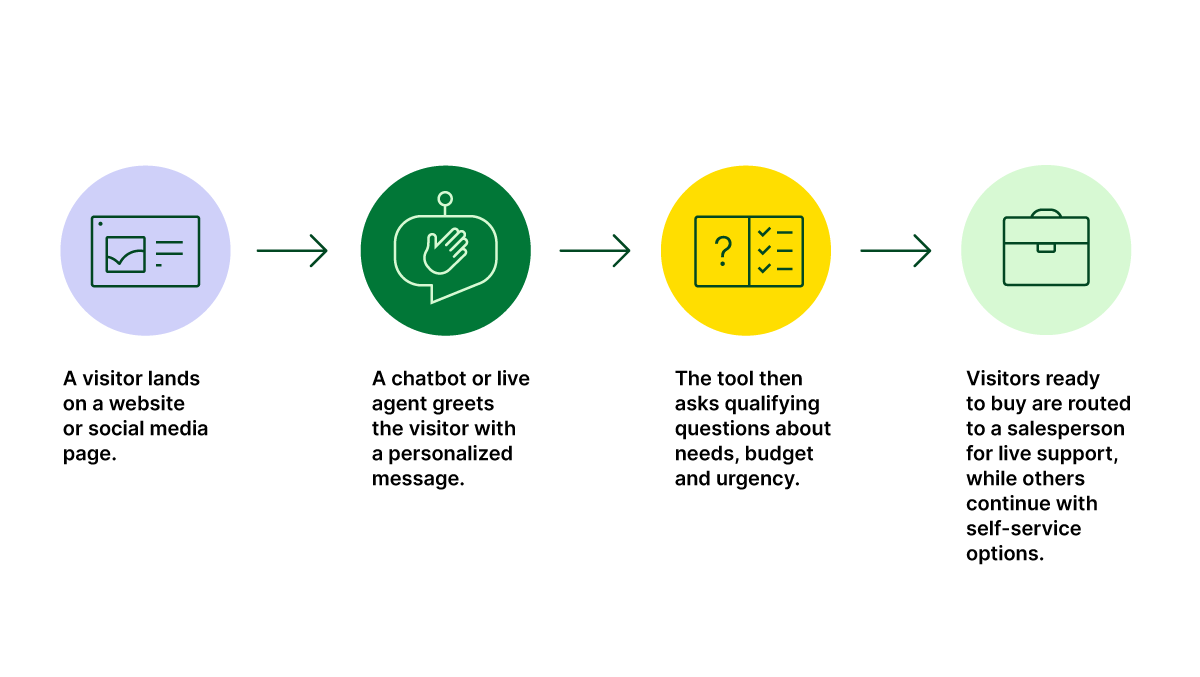
That’s why tracking customer feedback is essential, especially for small and medium businesses (SMBs), where every customer relationship impacts the bottom line. It helps you understand what’s working and what isn’t, so that you can boost sales.

Here are the main types of feedback software and what to look for in each:

Customer feedback software

How you can use it

1. Customer survey tools

Create and send questionnaires to customers.

  • Survey builders

  • Multiple question types

  • Response tracking

2. Review management

Monitor and respond to online reviews.

3. Live chat feedback

Collect real-time feedback on website features.

4. Email feedback tools

Send feedback requests through email campaigns.

5. Website feedback analytics

Add feedback forms to your responsive website.

6. All-in-one customer feedback platforms

Combine multiple feedback methods in one tool.

  • Multiple collection methods

  • Unified dashboard and advanced reporting

  • CRM integration

The right type of feedback tool depends on how your customers prefer to communicate and where you most need their input. Many small businesses start with one kind and add others as they grow.

Recommended reading

https://www-cms.pipedriveassets.com/Customer-Service-Report.png

What are customer service reports? Key metrics explained

11 best customer feedback tools in 2025

The right feedback software does more than gather opinions. It can reduce customer churn and build customer loyalty.

Here are the best customer feedback tools for improving customer support and driving repeat sales through lasting relationships.

1. SurveyMonkey

SurveyMonkey is an online platform for building, sharing and analyzing surveys. It helps businesses collect feedback, conduct market research and gather employee insights through different survey types and question formats:

Customer feedback tools SurveyMonkey dashboard

SurveyMonkey’s free plan lets you create unlimited surveys for things like product feedback, but it limits you to 10 questions and only allows you to view up to 25 responses per survey. It works well for general feedback collection across teams, such as measuring customer satisfaction.

How businesses use SurveyMonkey:

  • Collect basic feedback or run quick polls for free, as long as you don’t need to see more than 25 responses (Free plan)

  • Choose from 500+ templates for customer satisfaction, product feedback and market research (Free plan)

  • View responses and export customer data as a PDF or spreadsheet for analysis (Standard Monthly plan)

  • Remove SurveyMonkey branding from your surveys and use advanced features like A/B testing questions (Advantage Annual plan)

  • Collaborate with team members and control who can view, edit and comment on survey results (Team Advantage plan)

  • Use AI to build surveys and identify patterns in responses (all paid plans)

The free plan works for basic testing, but serious customer feedback collection requires a paid plan to access all response data and remove branding.

2. Typeform

Typeform is a tool for creating forms and surveys that ask one question at a time, making the experience more like a conversation. This interactive style can help increase completion rates.

Customer feedback tools Typeform

It helps create engaging forms that make a good impression, like lead capture forms or welcome email questionnaires. The free plan offers unlimited forms but caps you at 10 responses per month.

How businesses use Typeform:

  • Create a simple contact or registration form with basic branding (Free plan)

  • Use conditional logic to show different questions based on a customer’s answers (Free plan)

  • Collect up to 100 responses per month and access basic integrations (Basic plan)

  • Remove Typeform branding, add your logo and use custom subdomains with up to 1,000 responses monthly (Plus plan)

  • Access advanced analytics and support up to 10,000 responses monthly with priority support (Business plan)

Typeform creates a substantial visual impact and interactive customer experiences. The free plan is relatively limited, so businesses should use a paid plan for ongoing customer feedback.

Note: Typeform integrates with Pipedrive through Zapier and offers a direct integration with Pipedrive, creating new deals when someone fills out your form. You can map form responses to specific Pipedrive fields and choose which pipeline stage to send new leads to.

3. Jotform

Jotform is an online form builder with features beyond simple surveys, including payment processing, e-signatures and data management.

Customer feedback tools Jotform

It’s a cloud-based, no-code solution that allows you to create custom forms by dragging and dropping elements from various form fields.

Jotform is helpful for different types of data collection, not just feedback. The free plan offers up to five forms, with 100 monthly submissions and 100 MB of storage space.

How businesses use Jotform:

  • Create almost any type of form using a library of over 10,000 templates (Free plan)

  • Collect up to 10 payments or 100 e-signatures per month without a paid subscription (Free plan)

  • Get more monthly submissions (1,000) and remove Jotform branding from your forms (Bronze plan)

  • Access 50 forms, 2,500 monthly submissions and 10 GB storage (Silver plan)

  • Gain HIPAA compliance functionality for handling sensitive healthcare information (Gold plan)

  • Use the Jotform API to build custom integrations with your business software (Enterprise plan)

Jotform’s free plan makes it a solid tool for startups and small businesses needing versatile operations, sales and feedback forms. Its compliance features make it worthwhile for healthcare companies.

4. Survicate

Survicate is a customer feedback solution that runs surveys on your website, inside your mobile app or through email. It lets you gather feedback right at the moment a customer is interacting with your product or service:

Customer feedback tools Survicate

Asking users about a specific feature right after using it makes the feedback more accurate across the entire customer journey.

How businesses use Survicate:

  • Run one website or in-app survey at a time and collect up to 25 responses per month (Free plan)

  • Track customer engagement with net promoter score (NPS) surveys, measure delight with customer satisfaction score (CSAT) surveys and gauge effort with customer effort score (CES) forms (Free plan)

  • Sync responses to your CRM for sales use cases (Free plan)

  • Add your branding and get survey-level analytics and visual reports (Starter plan)

  • Get unlimited surveys, recurring user feedback, advanced targeting and team collaboration (Growth plan)

  • Use AI-powered tools to find advanced insights, like sentiment and automatic feedback analysis (Growth plan)

Survicate helps get specific types of feedback and gauge customer sentiment. The free plan offers useful features, but limited responses mean you’ll likely need to upgrade quickly.

Note: Survicate integrates with Pipedrive through Zapier. The user-friendly integration creates feedback notes in Survicate’s Feedback Hub and updates customer profiles with survey responses.

5. Google Forms

Google Forms is a free tool for creating simple forms and feedback surveys. It’s part of the Google Workspace suite and can support questions like multiple choice, open-ended and Likert scales.

Customer feedback tools Google Forms

Google Forms is for businesses or individuals who need a functional way to gather information at no cost. It’s useful for internal team surveys, simple event RSVPs or basic customer feedback forms where budget is the primary concern.

How businesses use Google Forms:

  • Create unlimited surveys with unlimited questions and collect unlimited responses for free

  • Automatically send all responses to a Google Sheet for easy sorting, filtering and analysis

  • Add collaborators to let multiple team members build and edit a form together

  • Use basic skip logic to send users to a specific section based on their answer (limited to dropdown and multiple-choice questions)

  • Embed forms directly onto a webpage or send a link via email

Google Forms provides straightforward data collection. While it doesn’t offer many question types or advanced reporting features, its free availability and syncability with other apps make it worthwhile for small businesses with a small budget.

6. Zonka Feedback

Zonka Feedback is a customer experience platform that lets you collect multi-channel feedback:

Customer feedback tools Zonka Feedback

It captures experiences and feedback at all touchpoints, including in-person, offline, online, through email and mobile SMS. It also provides a space for active listening.

A key feature is its ability to run surveys on tablets or smartphones in kiosk mode, meaning you can capture feedback on-site without an internet connection.

How businesses use Zonka Feedback:

  • Collect up to 25 responses per month across web, email and links (Free plan)

  • Create surveys to measure key marketing metrics like NPS, CSAT and CES (Free plan)

  • Get more responses and use more offline devices for on-site feedback (Starter plan)

  • Remove Zonka Feedback branding and trigger surveys via SMS or QR codes (Professional plan)

  • Automate actions by integrating with CRMs to create tickets or send notifications based on feedback (Professional plan)

Zonka Feedback captures omnichannel feedback, meaning you’ll only need one tool. Combined with a CRM like Pipedrive, it provides almost everything you need to track and supply your customers’ needs.

7. Qualtrics

Qualtrics is an enterprise-level platform for complex research and in-depth analysis of customer and employee feedback:

Customer feedback tools Qualtrics

It’s suitable for larger teams needing advanced statistical tools to manage feedback across the company. Qualtrics’ capabilities also mean a steeper learning curve and higher cost for a small business than other tools.

How businesses use Qualtrics:

  • Create an introductory survey with up to 500 responses and see a summary of the results (Free plan)

  • Use advanced logic, like randomizing choices or requiring responses, to improve data quality (Free plan)

  • Analyze open-ended text comments, identify topics and perform sentiment analysis without manual reading (using Text iQ on paid plans)

  • Build and share dashboards to report on key metrics across the business (paid plans)

  • Integrate with enterprise systems like Adobe to connect feedback data with operational data (paid plans)

While Qualtrics offers a functional free plan for basic surveys, its core strength lies in its premium offerings (like advanced analytics features). It’s a powerful tool – likely more than most small businesses need for day-to-day feedback.

Note: Qualtrics integrates with Pipedrive through the Qualtrics API. You’ll need a developer to build the connection so that survey responses automatically create deals and trigger workflows.

8. UserVoice

UserVoice is a product feedback management system. It helps software companies capture, organize and prioritize feature requests from their customer base.

Customer feedback tools UserVoice

It’s useful for product teams that want to manage customer ideas and communicate their product roadmap. Instead of tracking requests in spreadsheets, UserVoice provides a central hub for users to submit and vote on ideas.

How businesses use UserVoice:

  • Collect and track feature ideas and bug reports through an in-app widget (all plans)

  • Create a public feedback portal where users can see, discuss and vote on ideas submitted by others (all plans)

  • Analyze feedback from specific customer segments, such as filtering ideas from high-value accounts (Premium plan)

  • Communicate new product updates directly to the users who requested a particular feature (Premium plan)

  • Integrate with tools like Jira or Azure DevOps to link customer feedback directly to development tasks (Premium plan)

UserVoice is a specialized tool for making product decisions. It’s ideal for SaaS businesses focused on building a user-driven roadmap, rather than general customer satisfaction surveys for small companies.

Note: UserVoice integrates with Pipedrive through Zapier and Make. Users adding new suggestions create deals or activities for your team to follow up on in Pipedrive’s CRM.

9. Hotjar

Hotjar is a customer behavior analytics tool that helps you understand how customers use your site. It offers heatmaps, visitor recordings, form analytics and feedback polls:

Customer feedback tools Hotjar

Hotjar is valuable for marketers, UX designers and product managers who want to see how users behave, rather than just reading survey responses.

Heatmaps show customer interactions as visual feedback (like clicks and scrolling patterns), helping you find friction points and usability issues.

How businesses use Hotjar:

  • Create unlimited heatmaps and session recordings with 35 daily sessions (Free Basic plan)

  • Set up feedback widgets and collect up to 20 monthly survey responses (Free Basic plan)

  • Track up to 100 daily sessions and use basic filtering options (Plus plan)

  • Get unlimited customizable surveys and integrations with up to 500 daily sessions (Business plan)

  • Use advanced analytics, Hotjar’s custom API and collaboration tools (Scale plan)

Hotjar provides deeper insights into user behavior that traditional surveys can’t capture, with a free plan for small websites. The pricing increases as your business grows, and some advanced features are only available on higher-tier plans.

Note: Integrating Pipedrive and Hotjar through Zapier helps sales teams understand which website interactions led to customer feedback. You can update deals in Pipedrive when Hotjar creates new feedback responses or recordings.

10. Canny

Canny is a customer feedback management tool. It creates a central hub where customers can submit feature requests, vote on ideas and track product development from suggestion to completion.

Customer feedback tools Canny

Instead of managing feedback through emails and support tickets, Canny puts all customer input in one place.

How businesses use Canny:

  • Collect feedback in a public portal where users can vote on ideas (all plans)

  • Capture feedback from customer conversations using Autopilot AI, which finds feedback in chats, calls and reviews (all plans)

  • Create custom domains and statuses to match your brand and workflow (Core plan and above)

  • Integrate with project management tools like Jira and Slack to sync feedback with development tasks (Pro plan)

  • Build private feedback boards for internal teams and set up advanced user permissions (Pro plan)

Canny is suitable for B2B SaaS companies that want to build products based on customer ideas. It offers a free plan for small teams, but pricing scales quickly as user engagement grows.

Note: Canny integrates with Pipedrive through Zapier. When users submit feedback, it creates activities in Pipedrive for your sales team to follow up with prospects.

11. Mention

Mention is a social media monitoring and brand listening tool that tracks conversations about your business on the web and social media platforms. It helps companies monitor their reputation by finding mentions of their brand, products and keywords.

Customer feedback tools Mention

The platform analyzes mentions from social networks, news websites, blogs, forums and review sites. It gives businesses a complete picture of their online presence.

How businesses use Mention:

  • Set up keyword alerts to monitor brand mentions, competitor analysis and industry discussions across social media and web sources

  • Create advanced search queries to filter results and exclude irrelevant mentions

  • Analyze sentiment and track key metrics like reach, volume and engagement to measure brand health and campaign impact

  • Generate reports and dashboards to visualize pain points and gather insights for stakeholders

Mention offers custom pricing for your needs and scale, making it suitable for businesses of various sizes. It makes sense for marketing professionals who must track their company’s online reputation.

Note: Mention integrates with Pipedrive through Zapier. When the platform captures a relevant new brand mention, users can add a task or note to an existing deal.

How to use customer feedback tools

Customer feedback tools work best when they’re part of a connected system rather than standalone solutions.

Here’s how to get the most value from these platforms and integrate them with your sales and marketing processes.

1. Ask for feedback at the right moments

Timing matters when collecting customer feedback. Knowing how to ask customers is crucial, but getting it at the right moment increases the customer’s chance to reply.

Try to send surveys immediately after key interactions, such as purchases, support tickets or sales demos, when the experience is fresh in customers’ minds.

Most CRM tools let you automate feedback requests so your team can send them at the right moment. For example, in Pipedrive, you can set up workflows that send feedback requests when deals move to “Won” status or when you mark activities complete.

Customer feedback tools Pipedrive example

You can also create email sequences that wait a certain amount before sending, so customers have enough time to experience your product.

Pipedrive’s workflow automation builder makes this simple with drag-and-drop triggers and conditional logic that lets you customize timing and create an integrated helpdesk solution.

2. Keep surveys short and focused

Short surveys improve response rates and provide higher-quality data. Stick to 3–5 questions that relate to your business goals and avoid asking about everything at once.

Here’s an example of a straightforward feedback form:

Customer feedback tools Pipedrive example

Ask your main questions using a scale, then give customers a way to provide additional feedback if they wish to.

Using a mix of rating scales and open-ended questions gives you both quantitative and qualitative data. Rating scales give you measurable data you can track over time, while open-ended questions reveal the actionable insights behind customer opinions.

Feedback tools let you create survey templates for different purposes, like post-purchase satisfaction or feature requests. Choose the proper survey to send based on the customer’s interaction with your business.
Recommended reading

https://www-cms.pipedriveassets.com/Customer-Complaints-Response.jpg

How to respond to customer complaints (with 6 templates)

Pipedrive in action: With a CRM, you can track feedback from collection to implementation. For example, Document360’s CEO, Saravana Kumar, has highlighted Pipedrive’s usefulness for customer feedback:

“Pipedrive has helped us to streamline and automate our sales process to serve a huge volume of prospects and respond to customers’ queries for better customer service.”

Using Pipedrive, you can log responses as customer records so your team sees feedback history during conversations.

Customer feedback tools Pipedrive notes

The platform’s pipeline stages help you track feedback status and set up automated reminders to follow up with customers after implementing their suggestions.

Turn Maybe Into Yes With These Killer Follow Up Email Templates

These customizable follow up email templates will help you boost your chances of breaking through to your busiest prospects.

Final thoughts

Customer feedback tools help you understand customers’ thoughts, so you can improve your products and boost retention.

Choose a tool that works where your customers spend their time. Focus on your most significant knowledge gaps, then connect the feedback to your CRM to create follow-up tasks for your sales team.

Start a 14-day free trial with Pipedrive and see how much easier it is to capture customer feedback and turn those valuable insights into sales growth.

Top Attraction Marketing Strategies and Tips

Software Stack Editor · October 3, 2025 ·

Attraction marketing is a practical, powerful way to entice customers without pitching your product. With the right tactics, you’ll spark interest, build trust and position yourself as the brand people think of when they’re ready to buy.

In this post, you’ll learn how to create a successful attraction marketing formula, including seven strategies to engage and convert your target customers.

What is attraction marketing?

Attraction marketing earns your audience’s attention by offering real value upfront. Instead of pushing your product, you share helpful content that builds trust over time. When someone digesting all this content is ready to purchase, you’re already top of mind.

This approach can help small and medium-sized businesses (SMBs) without big ad budgets or teams stand out. Creating genuine connections and establishing a brand as the go-to authority naturally encourages sales.

For example, 360Learning’s CLO, David James, hosts “The Learning & Development Podcast”:

Attraction marketing 360Learning podcast

By consistently delivering valuable, relevant insights, the podcast positions 360Learning as a trusted voice in learning and development (L&D).

When listeners face a training challenge, they’re more likely to turn to the platform they already see as an expert.

Let’s say you run a small IT consultancy. Instead of cold-pitching to clients, you:

Instead of selling or being promotional, your attraction marketing makes potential buyers feel like you’re simply helping. Building this trust and authority leads to customer loyalty and long-term growth.

Recommended reading

https://www-cms.pipedriveassets.com/blog-assets/content-hub.png

Everything you need to know about content hubs

Typical types of attraction marketing content

Your company’s best attraction marketing tactics depend on where your audience spends time and what kind of content they value.

Whether a solo consultant or a small agency, you don’t need to be everywhere. Consistently show up where it counts with content that educates, supports or inspires your ideal customers.

Here’s a breakdown of content examples for each typical attraction marketing channel:

Attraction marketing channel

Content examples

Content marketing

  • Blog posts

  • How-to guides

  • Case studies

  • Whitepapers (research-backed reports that explore specific topics)

  • Checklists

  • Thought leadership articles (content that shares your unique insights)

Email marketing

Social media marketing

  • Quick tips

  • Carousel posts (multi-image social posts)

  • Behind-the-scenes content

  • Marketing infographics (visual content that simplifies concepts or processes)

  • Customer or audience polls

  • User-generated content (photos, videos or reviews your customers create)

Video marketing

  • Explainer videos (short videos that break down your product or service)

  • Product walkthroughs (step-by-step video or image guides of how to use your product)

  • Customer testimonials

  • Q&As (answering common customer or industry questions)

  • Webinars (live or recorded online presentations and workshops)

Influencer marketing

  • Guest posts (articles written by an external expert published on your blog or vice versa)

  • Expert collaborations (partnering with an industry pro to create content)

  • Co-hosted webinars (two brands or experts hosting together)

  • Channel takeovers (letting an influencer or partner post on your social account for a day)

Podcasts

While not a channel itself, search engine optimization (SEO) is a key strategy that helps potential customers discover your attraction marketing content through search.

Once your content is discoverable, the next step is making sure you deliver it in the right places. Start with the channels you’re already active on that feel natural for your business and audience.

Focus on being helpful (not salesy) and let the value you share do the heavy lifting.

Recommended reading

https://www-cms.pipedriveassets.com/Social-Selling_2024-02-26-184202_dczk.jpg

Social selling 101: How to build trust and grow sales

How to create a successful attraction marketing formula

Attraction marketing works best when there’s a plan behind your efforts. A successful formula involves knowing your audience, creating content they care about and using tools you already have to deliver it consistently.

Here’s how to implement attraction marketing step by step.

Identify your target audience and understand their needs

Clearly define your ideal customers and learn what matters most to them. Attracting new buyers means targeting the right people with content that helps them solve problems or achieve goals.

When you understand your audience’s needs and pain points, you’ll create relevant, helpful resources that people are far more likely to engage with.

Let’s say you provide payroll software for small companies. You discover that your ideal customer is frustrated by confusing sales tax laws, so you create simple guides and videos that explain them.

By addressing this real pain point, you become a trusted source (not just a software provider). When it’s time to choose a solution, you’re already top of mind.

Start by building buyer personas based on customers’ voices to guide your messaging. Interview current and prospective customers and segment them into group templates. For example, you may include:

  • Fictional names (e.g., “Evan the Entrepreneur”)

  • Roles (e.g., “Founder”)

  • Top challenge (e.g., “Spending too much time on manual payroll each month”)

  • Primary goal (e.g., “Automate payroll and stay compliant with minimal effort”)

  • Channels they frequently use (e.g., “LinkedIn and email)

Here are some examples of questions that’ll help you build rich templates:

Attraction marketing buyer persona questions

The more detail you have on your audience and buyers, the quicker you can craft content that speaks directly to the problems they’re trying to solve.

Here are four tips to get those insights:

  1. Use customer surveys or feedback forms to gather common challenges and pain points at scale

  2. Run short interviews or focus groups with current or past clients to dig deeper into their goals, hesitations and decision-making process

  3. Analyze customer relationship management (CRM) data in tools like Pipedrive to spot patterns (e.g., which industries you attract most and features that get more engagement)

  4. Review sales calls and emails to uncover recurring questions and turn them into helpful content

The better you know your current audience and customer base, the easier it is to build resources that attract the same type of people.

Better understand your customers with our Buyer Persona Templates

Use these templates to ensure your solution always aligns with your customers’ interests and needs

Map the customer journey to plan content and channels

Mapping the customer journey helps you understand where buyers are in the decision-making process and what information they need to move forward.

Attraction marketing is all about meeting people where they are. If someone’s just discovering they have a problem, they need education and reassurance (not a sales pitch, yet). On the other hand, someone comparing options wants proof you’re the right choice.

Break down your customer journey into three basic stages.

  1. Awareness: A potential customer is identifying a challenge or opportunity

  2. Consideration: They’re exploring solutions

  3. Decision/purchase: They’re ready to choose a provider

Attraction marketing funnel

Note: Retention and advocacy come after conversion, so focus on these three initial stages to improve attraction marketing.

Your goal is to create quality content that meets buyers at each stage. Let’s say you run a marketing automation tool for small businesses.

An early-stage prospect might search for “how to grow an email list”. At the awareness stage, a blog post or lead magnet on that topic would attract them. Later, a case study or product demo video could help them choose you when comparing tools.

Identify key touchpoints between your audience and brand before someone buys for each of these stages. For instance:

  • A Google search that leads to your blog post explaining a common industry challenge (awareness)

  • A social post shared by someone in their network that highlights a helpful comparison guide (consideration)

  • A free checklist they downloaded from your website to prep for buying (decision)

Here are some more examples of common touchpoints:

Attraction marketing digital touchpoints

Once you have this list, ask yourself these questions to start planning your content:

  • What questions do customers have at each stage and touchpoint?

  • Which channels are they using (Google, YouTube, TikTok, LinkedIn, email)?

  • What kind of content would build trust and move them forward?

When you map the journey first, attraction marketing feels more intentional because every resource has a clear role to play.

Download our customer journey map template

Start mapping your customer journey with our free customer journey template.

Assess the competition to uncover opportunities

Competitor analysis helps you see how similar brands engage your ideal audience, so you can find ways to stand out.

In attraction marketing, the aim is to grab attention but then hold it by delivering valuable information. Seeing what others are doing (or missing) gives you a clearer picture of where you can offer something better or more unique.

For example, you might share comparison tables to differentiate yourself from big-name brands:

Attraction marketing ButterDocs comparison table

Let’s say you run a project management platform for agencies. If most competitors focus on flashy features but don’t mention collaboration or onboarding processes, you have an opportunity.

You could create a blog series or video walkthroughs showing how your tool simplifies client communication – a key pain point no one else is talking about.

Here are five ways to start assessing your competition:

  1. Search your product or service category and note which brands rank on search engines and social media

  2. Review their blog, email content, social channels and ads to see what topics they cover and how they speak to their audience

  3. Identify gaps in their content to spot what’s missing and which questions go unanswered

  4. Pay attention to engagement (comments, shares, company reviews, etc.) to learn what’s resonating

  5. Highlight where you have a unique edge (e.g., better support, a more straightforward process or niche expertise)

Great attraction marketing differentiates your brand as more useful, relevant or trustworthy than your competitors.

Create a marketing calendar to execute your campaigns

Once you’ve planned your attraction marketing strategy, a clear calendar helps you stick to it consistently and purposefully.

This content works best when it feels natural and timely. In other words, it means showing up with the right message at the right moment (instead of posting anything just to stay active).

A scheduling or calendar app helps you plan and visualize your attraction marketing campaigns. For instance, Hootsuite or CoSchedule (below) both integrate with Pipedrive through Zapier.

Attraction marketing marketing calendar

Let’s say you want to attract new leads ahead of tax season for your payroll software. You might schedule:

  • A blog post titled “5 payroll tax mistakes small business managers make before April 15”

  • A downloadable “Essential SMB tax prep checklist”

  • An email series sharing weekly tips for staying compliant

  • Social posts that break down IRS updates or common tax pitfalls

This value-first content builds trust before sales conversations start. It also positions your brand as the helpful expert that customers want to work with.

Here’s how to build and manage a simple marketing calendar:

  1. Start with key dates like product launches, seasonal events, industry moments, etc.

  2. Work backward from these dates to plan supporting content by awareness, consideration or decision journey stages

  3. Assign content types to each campaign (e.g., blogs, emails, videos and social posts)

  4. Use a project management tool like Pipedrive’s Projects to track tasks, assign owners and meet deadlines

  5. Leave room for flexibility so you can create and add timely content based on marketing trends or audience questions

With a clear calendar, your attraction marketing becomes a consistent system that builds trust and brand loyalty over time.

Recommended reading

https://www-cms.pipedriveassets.com/Content-marketing-metrics-for-conversion.png

19 content marketing metrics to track and improve conversions

7 attraction marketing tips to delight your target audience

To be successful, attraction marketing content must feel genuinely helpful and thoughtfully tailored to your audience. With so much noise online, you need to put in the groundwork and stay consistent to stand out.

Here are seven top tips to be more engaging and memorable, with real-world examples of attraction marketing for each.

1. Show off your personality

Your brand personality is the tone, voice and vibe you give off in your content. In other words, how you sound consistently when people “hear” you online.

When your attraction marketing messages sound human, your audience connects with you naturally. As you become familiar, people are more likely to follow, engage with and eventually buy from you.

For example, AI productivity software Notion uses conversational copy and playful visuals to create a unique personality:

Attraction marketing Notion landing page

Everything feels cohesive and down-to-earth, whether it’s a YouTube tutorial or a product update. Learning the tool feels effortless and enjoyable – perfect for attracting creative professionals and small teams who may not be as tech savvy.

Here’s how to choose and show off your own brand’s personality:

  • Define 3–4 traits that describe how your brand should sound (e.g., approachable, helpful, witty)

  • Write like a person talking to another person (forget buzzwords and jargon)

  • Add little personality touches like emojis, humor or individual stories where appropriate

  • Use your chosen voice consistently across blogs, emails, social captions and videos

  • Test and refine your tone based on what your audience responds to

When your brand sounds like a real person with something interesting to say, people are more likely to stick around and listen.

Note: While brand voice is your consistently friendly or bold communication style, your tone shifts depending on the situation (e.g., sounding upbeat in social posts or serious in customer support replies).

2. Build trust with honesty

Potential buyers will only engage with brands that seem transparent and trustworthy, especially in the early customer journey stages where they know nothing about you.

Telling the truth about what your product can and can’t do addresses common objections head-on. This honesty builds credibility and helps you attract customers who are a genuine fit for your service.

For example, project management tool Basecamp is known for its no-nonsense approach to marketing.

On its homepage and blog, it openly admits who the tool is for (“smaller, hungrier businesses) and not (“big, sluggish ones”):

Attraction marketing Basecamp homepage copy

This honesty filters the right audience and stays top of mind for similar customers who aren’t ready to convert immediately.

Here’s how to build trust in your attraction marketing:

  • Be upfront about what your product does best (and where it may not be a good fit)

  • Use real numbers, behind-the-scenes content or customer quotes to tell your brand story

  • Create FAQs or myth-busting resources to address doubts early

  • Admit mistakes or share lessons learned when relevant (people appreciate vulnerability)

  • Focus on helpfulness first, not just conversions

When your brand leads with honesty, you’ll attract more of the right customers with less effort.

3. Use storytelling to create emotional connections

Storytelling helps your brand connect more deeply with customers by showing the human side behind the business.
Stories make your message more memorable and relatable. They help potential customers see themselves in the situations you describe, such as:

For example, social media management platform Buffer uses blog posts to tell stories about its remote work culture and team dynamics.

In one, it introduces its “Open Salary System”, which lays out how the company pays every role from admin to CEO:

Attraction marketing Buffer salaries

These stories (especially when combined with honesty and transparency) build emotional connections with like-minded professionals.

When they need a tool to help manage their social media platforms, they’ll already feel aligned with Buffer’s values and be far more likely to choose it over a faceless competitor.

Here’s how to use storytelling in your attraction marketing:

  • Share real stories from your customers, team or journey as a business

  • Use emotion (e.g., frustration, joy, relief or pride) to create connections

  • Structure stories with a clear before and after (including a challenge, turning point and outcome)

  • Choose narratives that reflect your audience’s own experiences or aspirations

When your brand makes people feel something, there’s a good chance they’ll remember and think of you when they come to buy.

4. Establish authority with thought-leadership content

Thought-leadership content helps you earn credibility by sharing valuable perspectives, original insights or strong opinions on topics your audience cares about.

Attraction marketing works best when people see you as a trusted expert. Sharing unique knowledge shows you have something to say and a reason people should listen.

For example, revenue AI platform Gong has built a strong presence by publishing fresh, research-backed takes on modern selling:

Attraction marketing Gong Labs

Gong Labs reports challenge outdated tactics, offer actionable advice and portray the company as an authority on revenue intelligence.

This content attracts business owners and sales leaders who want to drive revenue more effectively and would be a good fit for Gong’s paid product.

In addition to publishing original research or data-backed insights, here’s how to create your own content that strengthens authority:

  • Get your CEO or founder to share lessons learned from unique, real-world experiences (and build their personal brand at the same time)

  • Take a stance on key industry topics (even if it’s a bit polarizing)

  • Tie your perspective back to common problems your audience is facing

  • Test different formats like blog posts, LinkedIn articles, webinars or podcast episodes to see what resonates best

When you consistently share sharp, original insights, you lead conversations instead of joining them to draw in the right audience.

5. Leverage customer stories to make your product relatable

Customer stories show your audience how real people use your product to solve problems, making your solution feel more tangible and results achievable.

In attraction marketing, these narratives help buyers imagine themselves succeeding with your product. When someone sees a person like them getting value, they’re more likely to believe they can do the same and sign up.

For example, graphic design platform Canva often shares how small businesses and creators use its tools to achieve their goals.

On its blog and social media platforms, you’ll find stories like “How Canva helped one agency land $10,000 projects”:

Attraction marketing Canva LinkedIn post

These stories are compelling because they’re personal, emotional and grounded in everyday wins. They inspire others while showing what’s possible with the product.

Here’s how to do the same with your content:

  • Choose relatable customers whose stories align with your target audience

  • Focus on transformation (what was life like before and after using your product?)

  • Use quotes, visuals and tangible outcomes to make it feel authentic

  • Test visual formats (e.g., short videos vs. carousels) to see which is most engaging

  • Highlight different types of success indicators like revenue, time saved or confidence gained

The more your audience sees people like them succeeding with your product, the more likely they are to believe they can, too.

6. Use high-value lead magnets

Lead magnets are valuable resources people get from you in exchange for contact information, such as a course, template or e-book. To attract the right people, this content should solve a real problem (not just aim to collect emails).

In attraction marketing, the best lead magnets teach something useful, build trust and show off your expertise. They make people think, “If the free content is this good, imagine what the product’s like”.

For example, marketing intelligence tool Ahrefs offers free courses about SEO and blogging that teach readers how to drive traffic that converts:

Attraction marketing Ahrefs Academy

These high-quality courses build goodwill as they’re educational and available without signing up.

Ahrefs attracts marketers, founders and content creators who get value upfront and learn how the tool can help them achieve even more.

Here’s how to make the most of high-value lead magnets:

  • Pinpoint and solve a specific problem your target audience struggles with

  • Pick a format your audience will actually use (e.g., a free template, checklist or short course)

  • Keep the content practical, skimmable and actionable

  • Make the lead magnet easy to access and promote it regularly in relevant channels

A great lead magnet aligns with your product’s strengths, so the next logical step for your audience is to try it.

7. Let data guide and power your strategy

The best brands use data to determine what’s working, what’s not and where to focus their attraction marketing efforts next. They also use the findings themselves as content to build trust.

Tracking and learning from how people engage with your content helps you make data-driven decisions. You show up where your audience spends time with content that meets real customer needs.

By using tools and databases you already have (e.g., Google Analytics or CRM reports), you can spot trends like:

  • Which blog posts or videos attract the most traffic

  • Which lead magnets convert best

  • Where drop-offs happen in your marketing funnel

  • What questions customers ask before converting

Use these findings to craft more engaging content and proactively address objections. When the time comes to buy, the decision then feels easy.

You can also use the data you uncover to market your product. For example, accounting software Xero uses a powerful statistic in its social media bios, “Over 4.2 million subscribers globally”:

Attraction marketing Xero Instagram bio

It’s short, clear and instantly communicates authority. The huge number tells potential customers they’re not alone and millions of other businesses trust this product.

While your user numbers may not be as high, smaller wins (like a “95% customer satisfaction rate”) can build credibility and show real value to potential buyers.

Here’s how to use data to improve your attraction marketing:

  • Set clear goals for each piece of content to measure its success (e.g., email sign-ups, time on page, demo requests)

  • Track performance with platforms like Google Analytics, your CRM’s reporting tools or analytics software like Hotjar or Optimizely (if you can afford them)

  • Regularly review which content performs best and what people are ignoring

  • Use audience feedback and FAQs to find new content ideas

  • Keep testing by changing formats, trying new channels and experimenting with messaging

Attraction marketing becomes far more effective when your strategy is shaped by real insights instead of assumptions.

Recommended reading

https://www-cms.pipedriveassets.com/Delight-the-Customer.jpg

10 reliable ways to delight the customer and amplify customer loyalty

How to use Pipedrive alongside your attraction marketing strategy

Pipedrive’s CRM system acts as a central hub to organize, track and optimize your attraction marketing efforts.

The software powers your strategy in two key areas:

  1. Understanding your audience

  2. Managing the customer journey

First, Pipedrive centralizes all customer data from forms, surveys and interactions, giving you a clear view of who your audience really is.

Use contact labels to tag people and businesses based on pain points, interests or behaviors to build sharper customer personas:

Attraction marketing Pipedrive contact labels

For example, you might add “Price-sensitive”, “Loves webinars” or “E-book downloaded”. These tags help you segment audiences and tailor attraction marketing content accordingly.

The more precise your insights, the more relevant and compelling your content will be. With everything stored in one place, it’s easier to spot patterns and personalize your messaging at scale.

Pipedrive’s customizable deal stages also let you track where each prospect is, from initial brand awareness to decision-making.

Use them to build separate pipelines for different campaigns or segments:

Attraction marketing Pipedrive deal stages

This visibility makes it easier to serve the right content at the right time – whether that’s a how-to guide for early-stage leads or a case study for those closer to buying.

Other helpful features include:

  1. Using Projects to plan and schedule your content calendar so campaigns stay on track

  2. Tracking engagement in Campaigns to see which emails or lead magnets spark interest and refine what you send next

  3. Automating follow-ups to keep leads warm with timely, personalized content based on behavior

  4. Scoring leads based on interactions (like email clicks or form fills), so you know who’s most engaged and where to focus your energy

By using Pipedrive alongside your attraction marketing, you’ll turn guesswork into a clear, data-driven process that grows your audience and boosts sales.

Attraction marketing FAQs

  • Attraction marketing aims to build trust and interest with leads before you try to sell to them.

    Attraction marketing’s definition also captures its purpose: sharing helpful, valuable content that draws in the right audience.

    By the time someone is ready to buy, they already know and trust your brand.

  • Here are a few attraction marketing examples that business-to-business (B2B) brands use effectively:

    • Blog posts that educate or solve problems

    • Social media tips, tutorials or behind-the-scenes content

    • Free tools or lead magnets (like templates, quizzes or courses)

    • Customer success stories that show real results

    These attraction marketing techniques all help entice potential buyers by offering value upfront.

  • While there’s no one-size-fits-all approach, try these proven strategies when building your attraction marketing plan:

    • Map the buyer journey to plan content that fits every stage

    • Create helpful resources that answer your audience’s questions

    • Use data and insights to guide what you create and share

    • Demonstrate honesty and transparency to build trust

    Together, these strategies help attract the right buyers and earn their trust over time.

  • Attraction marketing helps draw people to your brand through valuable inbound marketing content rather than pushing products.

    For online businesses, this approach is especially powerful for lead generation.

    By sharing helpful, relevant resources across your digital marketing efforts (e.g., search, social and email), you’ll attract new customers organically.

Final thoughts

Attraction marketing helps you build lasting relationships, attract higher-quality leads and position your brand as a helpful authority in your industry.

By understanding your customers and consistently delivering content that meets their needs, you’ll turn prospects into loyal customers more effectively.

With its easy-to-use CRM and project management features, Pipedrive helps you handle customer data and track every step of the buyer journey in one place. Try it free for 14 days to create marketing that delights your audience and grows your business.
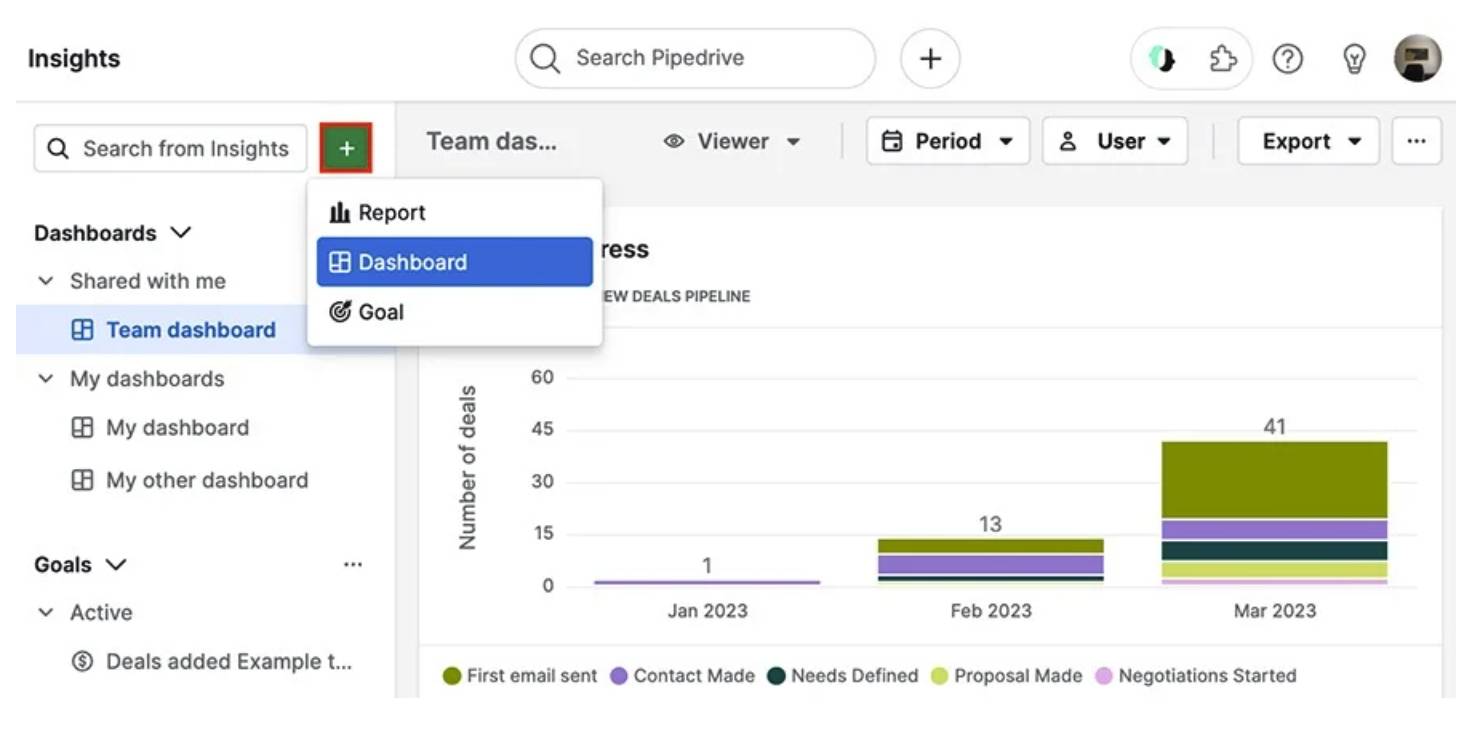
The Essential Marketing Infographics Guide

Software Stack Editor · October 2, 2025 ·

As a small and medium-sized business (SMB) owner, your content must work harder to grab attention among big-name brands. Even without an in-house designer or large budget, well-planned marketing infographics can engage your target audience and get them to convert.

In this post, you’ll learn how to create visual content that keeps your sales pipeline flowing and moves the needle.

What is a marketing infographic?

A marketing infographic combines data, text and design to present information in a way that’s easier to digest and more memorable. This type of visual content communicates a brand’s message quickly and clearly.

Infographics help your busy SMB showcase its value faster. Speed and clarity are crucial for capturing audiences and standing out against more established companies.

For example, here’s part of a process infographic explaining email delivery:

Marketing infographic Pipedrive email delivery

It uses simple icons and short paragraphs to simplify and make the content more approachable for readers.

Marketers typically use infographics as top-of-funnel (TOFU) content. In this “awareness” stage of your marketing funnel, people are just learning about your brand:

Marketing infographic Pipedrive funnel

Your goal here is to grab attention and build interest (not go straight for the sale, as people aren’t ready to buy).

Infographics work well in this stage because they’re eye-catching, shareable and easy to digest. They allow potential customers to engage with your brand in a low-pressure way while still picking up useful information.

However, you can use infographics throughout your marketing and sales process to:

  • Explain a complex product or service

  • Highlight key stats or benefits of what you offer

  • Share the results of a customer story or case study

  • Recap insights from a blog post, webinar or workshop

  • Support a sales pitch or email with a quick visual summary

As this article shows, effective digital marketing infographics do more than just inform. They inspire people to act.

Recommended reading

https://www-cms.pipedriveassets.com/What-is-Marketing.png

What is marketing? 5 strategy tips every SMB should know

Why should SMB owners use marketing infographics?

The best infographics make your message easier to absorb, remember and act on. When every brand competes for audiences’ limited time and attention, thoughtful resources cut through the noise.

It’s no wonder Venngage reports that infographics are marketers’ most successful types of visual content:

Marketing infographic Venngage report

Infographics can be powerful assets in your content marketing strategy. They convey value instantly, whether you’re explaining your service or proving results.

According to Canva research, 91% of businesses use visual communication to be more efficient. Teams use it to explain ideas clearly, speed up decision-making and connect better with audiences.

Here are four key benefits of business infographics for SMB marketing:

Marketing infographic benefit

Why it works

Increase content engagement

Infographics make complex information visually appealing and highly shareable.

Build credibility

Sharing data-driven, visual proof of success (like ROI stats or case studies) builds trust and authority with prospects.

Create stronger calls-to-action (CTAs)

Infographics provide clear, compelling reasons for leads to move forward with decisions.

Save time in your sales process

Visually addressing common objections or questions helps you close more deals.

A single infographic can also deliver value across multiple touchpoints. They’re easy to repurpose across email marketing, sales presentations and your website.

Recommended reading

https://www-cms.pipedriveassets.com/Marketing-Management-Tools.png

The ultimate marketing management tools guide

5 simple steps to create a content marketing infographic

When created intentionally, infographics become powerful tools in your content marketing efforts.

You just need to clarify why you’re making one, who it’s for and what action you want people to take after seeing it.

Here’s a step-by-step guide for using marketing infographics more effectively.

1. Define your infographic’s goal

Before you start designing, clarify what you want your infographic to achieve. A clear aim (e.g., a specific sales goal) helps you stay efficient and align your content with tangible, intended business outcomes.

Without big budgets or endless resources, every piece of content needs to pull its weight. Decide if you want your infographic to:

Capture your core takeaway in one sentence. For example:

“This infographic will help potential customers understand our onboarding process, so they feel more confident booking a demo”.

Your goal aligns your team and makes every decision easier, from what data to include to where to share your infographic once live.

Here’s how to determine yours:

  • Identify which customer journey stage the infographic will support (e.g., brand awareness, consideration or decision) to shape the message and tone

  • Choose one clear objective to give it purpose (e.g., explaining a product benefit, showcasing a success story or simplifying a common process)

  • Decide how you’ll measure impact (e.g., through downloads, email sign-ups, click-throughs or time on page), so you know if the infographic is achieving its goal

By setting a target and success indicators, you’ll build strategic assets that support a broader marketing plan.

2. Identify the target audience

A compelling infographic speaks directly to specific customer needs, questions or pain points. For example, you may target decision-makers from specific company sizes or existing leads who have yet to convert.

When you know your customer, you can tailor every infographic component (i.e., language, tone, visuals and data points) to what matters most to them.

Narrowing your focus also helps make your message more effective and actionable. For instance, this Smart Insights infographic lays out the inbound marketing funnel:

Marketing infographic Smart Insights funnel

The company targets business owners at SMBs who want to drive downloads, demos and sales with their content marketing. By positioning itself as a trusted resource, Smart Insights increases the likelihood that readers will convert when they’re ready to invest in a membership.

Your customer relationship management (CRM) software is a goldmine for finding key audience information.

Let’s say you use Pipedrive to store key contact data.

Marketing infographic Pipedrive contact list

You can identify individuals by organization and customer type (as above) or even by job roles, industries, pipeline stages and interaction history. These details help you build clearer customer segments on which to base infographics.

For example, you might categorize:

Reviewing FAQs or sales conversations also helps you spot recurring questions or objections that could become infographics.

The more specific your target audience, the more likely your content is to resonate and drive results.

Better understand your customers with our Buyer Persona Templates

Use these templates to ensure your solution always aligns with your customers’ interests and needs

3. Collect relevant data

Your marketing infographic needs relevant, accurate information to attract and convince potential customers.

In fact, Venngage research also suggests data visualizations are marketers’ most popular type of visual content. The right stats give your infographics credibility, while also showing you understand readers’ real challenges.

In the example below, the project management tool Asana highlights stats from its original research:

Marketing infographic Asana report

Instead of reading through a wordy report, readers understand the story the data is telling at a glance.

Your segments guide the theme and content of your infographic. To find the best-fit data, think about what information each audience needs to take the next step. What’s holding them back?

Determine what data you can gather to:

  • Address common objections

  • Highlight a success story from the same industry

  • Break down how your product solves an operational pain point

Once you’ve pinpointed the type of insight you need, find it. You likely already have a lot of valuable data at hand – you just need to know where to look.

Here’s how to collect relevant customer and market information:

Where to look

What you can learn

CRM system (e.g., Pipedrive)

Identify sales trends, common challenges or successful outcomes you can showcase

Database notes and call recordings

Find real customer stories of feedback

Support tickets and FAQs

Spot recurring user issues or questions

Performance metrics

Demonstrate your product’s impact on customers (e.g., time saved or revenue growth)

Industry statistics or market research

Add context or topical authority

For instance, say you run a B2B software company that helps mid-sized logistics firms improve fleet efficiency.

Your sales team has been filtering won deals in your CRM for the past six months. It notices that 70% of successful clients had the same pain point: tracking fuel usage. Notes and call recordings also reveal that compiling reports was a major frustration.

To create an infographic, you gather:

  1. A customer quote from a recent demo about time savings

  2. Internal data showing a 30% reduction in fuel costs after three months

  3. Industry research about rising fuel prices in the logistics sector

Including this information validates your product’s value and directly addresses a high-priority concern for similar prospects.

Using data that matters to your audience makes your infographic feel trustworthy and persuasive. These two things help move leads closer to a decision.

4. Choose a tool with infographic templates

A tool with ready-made templates saves time and ensures your content looks clean, engaging and on-brand. You won’t need an in-house team or freelance designers to create polished and professional infographics.

For example, Canva offers a beginner-friendly drag-and-drop editor across millions of templates:

Marketing infographic Canva templates

It’s especially handy for social media marketing. Pre-set dimensions for every major platform and brand kits keep your visuals consistent.

Other popular design tools with infographic templates include:

  • Venngage – for more data-heavy visuals, with options to visualize charts and stats

  • Piktochart – offers templates designed for marketing, presentations and reporting

  • Visme – ideal for interactive infographics and more complex visual content

Templates can also inspire your own infographic designs, so you never have to sit staring at a blank page.

When choosing an infographic marketing tool, pick one that:

  • Offers templates for different content types (like timelines, comparison charts or process breakdowns)

  • Lets you easily customize fonts, colors, icons and layout

  • Allows collaboration if your team is working together on design and approvals

  • Provides download and sharing options for web, email or print

Start with a layout that fits your goal, then update the content and colors to match your brand style and audience needs.

5. Share through content marketing efforts

Sharing your infographic through the right content marketing channels helps you reach your audience and guide them further along the buyer journey.

Thoughtful distribution ensures your infographic gets the attention it deserves and drives real results.

First, focus on the channels where your audience is already active, such as your email list, blog or social media. Think about how your infographic fits into your existing marketing campaigns when choosing where to share it.

For example, see if it would work as part of a:

Before publishing, consider the best format and dimensions for each platform. A long, vertical email infographic that looks great as a newsletter might cut off or prove hard to read on Instagram.

For instance, this horizontal Unbounce “landing page rehab” infographic is ideal for how-to guides and presentations:

Marketing infographic Unbounce tips

On the other hand, square or vertical formats perform better on specific social media platforms (like X) and smaller mobile screens.

Remember, one infographic can become an article, several social posts, a slide deck or a downloadable lead magnet. Repurposing drives more value from every piece of content.

Partner with influencers or other businesses to share your infographic. You’ll expand your reach and build credibility through trusted networks.

Recommended reading

https://www-cms.pipedriveassets.com/blog-assets/b2b-email-marketing-ideas-examples.png

5 high-converting B2B email marketing ideas [with samples]

How to use marketing infographics as part of your Pipedrive sales process

Marketing infographics can support your entire sales funnel, especially during the lead-nurturing phase. A CRM like Pipedrive provides the tools to deliver the right content at the right moment.

First, create contact labels to group people and organizations based on deal stage, interest level or past engagement:

Marketing infographic Pipedrive contact labels

This intent and behavioral segmentation lets you tailor your infographic content to speak directly to each group’s interests or concerns.

Next, build sequences of personalized emails using Campaigns by Pipedrive:

Marketing infographic Pipedrive Campaigns

For example, set up a series for warm leads with a comparison infographic that helps clarify your value over a competitor’s. Or design one to send alongside a customer success story from their industry.

Then, let Pipedrive’s workflow automations send infographics at strategic points. A good opportunity is right after a product demo or consultation:

Marketing infographic Pipedrive automations

Reinforcing your message with a visual keeps your solution top of mind without manual follow-ups.

Once you send emails, track how leads engage with them using Pipedrive’s Insights for Campaigns:

Marketing infographic Pipedrive campaign reports

Look for improved (or declining) email opens, clicks and conversion rates tied to infographic content to guide your future efforts.

You can also run Pipedrive’s AI report generator to ask for insights in your own words:

Marketing infographic Pipedrive AI reporting

This easy-to-find data can help refine your message or timing for better results.

Pipedrive’s features help you create and share thoughtful, data-driven infographics that move leads closer to becoming customers.

Recommended reading

https://www-cms.pipedriveassets.com/Marketing-Reporting.png

Marketing reporting: how to create reports that inform decisions

9 best practices for creating high-quality marketing infographics

An engaging, informational infographic can be one of your most effective marketing tools. It has the potential to earn backlinks and boost your search rankings when shared widely.

Whether you’re creating a flowchart, process or timeline infographic, a few wise choices can ensure your content always delivers real value to your audience.

Here’s how to use infographics in marketing for the best results:

  1. Keep it simple – focus on one key message or idea to avoid overwhelming your audience

  2. Use plenty of white space – allow room for your visuals and text to breathe, making the infographic easier to digest

  3. Prioritize visual hierarchy – arrange elements so the most important information stands out first (e.g., use larger fonts, bold text or contrasting colors)

  4. Stick to a consistent color scheme – apply a limited palette that aligns with your brand to maintain visual harmony

  5. Use high-quality icons and images – select clear, relevant visuals that support your message (not distract from it)

  6. Include data-driven insights – include charts, graphs and statistics to back up your claims and make the infographic more authoritative

  7. Be concise – aim for clarity over complexity with short, punchy text and let visuals do the talking

  8. Test and optimize – monitor your infographics’ performance to see what resonates with your audience and adjust accordingly

  9. Consider search engine optimization (SEO) – when embedding infographic images, include keyword-rich titles, meta descriptions and alt text so searchers can discover them organically

Following these best practices helps your infographics look more credible and support your broader marketing goals.

Final thoughts

A well-designed marketing infographic can boost engagement, build trust and move leads closer to a purchase.

The right tools make the process faster and more effective. With easy-to-use templates, you don’t need a graphic design background to create something impactful.

Pair that with a CRM that helps you segment your audience and automate your outreach so infographics land where and when they need to. Try Pipedrive free for 14 days and see how your marketing can directly support your sales pipeline.

Keep Your Multi-Offer Funnel Friendly With Automation

Software Stack Editor · October 2, 2025 ·

The post Keep Your Multi-Offer Funnel Friendly With Automation appeared first on ClickFunnels.

Managing a multi-offer funnel can be a tricky balancing act. It’s easy to overwhelm your audience and lose the sale. But with the right automation in place, you can keep your funnel clean, your message clear, and your leads moving.

Next-level automation helps you deliver the right offer to the right person at the right time without manually pulling the strings. That means more personalized experiences, better conversions, and a whole lot less friction for both you and your customers.

In this post, we’ll show you how to use automation to make your multi-offer funnel smoother, smarter, and way more effective. You’ll be able to sell more without doing more.

  • What Is a Multi-Offer Funnel?
  • Why Automation Is Essential for Multi-Offer Funnels
    • 1. Personalizes the Customer Experience
    • 2. Keeps Leads Engaged
    • 3. Saves Time
    • 4. Increases Conversion Rates
    • 5. Improves Funnel Consistency
  • How to Set Up Automation in Your Multi-Offer Funnel
    • 1. Start with Segmentation
    • 2. Set Up Triggered Emails and Sequences
    • 3. Automate Time-Based Offers
    • 4. Employ Upselling and Cross-Selling
    • 5. Implement Lead Scoring and Retargeting
  • What to Look for in an Automated Multi-Offer Funnel
    • Easy Funnel Creation
    • Email and Automation Integrations
    • Pre-Built Funnel Templates for Multi-Offer Funnels
    • A/B Testing and Analytics
    • Smart Tagging for Personalized Follow-Ups
  • Scale Your Business with Smart Automation

What Is a Multi-Offer Funnel?

Unlike traditional funnels that focus on a single offer, multi-offer funnels provide several options to customers. They choose the product or service that best fits their needs.

For example, you might use a multi-offer funnel to present a low-ticket offer to new leads. Then, upsell them on a mid-ticket product after their initial purchase. And, finally, offer a high-ticket coaching package to buyers ready for a premium experience.

The most challenging part of a multi-offer funnel? Keeping it simple and personal without losing your mind (or leads). That’s where automation steps in. The right approach and tools can have you up and funneling in a day, delivering personalized offers that convert without the headache.

Your funnel builder keeps everything organized behind the scenes, guiding visitors through multiple offers smoothly, without confusion or drop-off. That translates to fewer missed opportunities and more conversions, all with less manual hustle.

Why Automation Is Essential for Multi-Offer Funnels

Managing a multi-offer funnel without sales funnel marketing automation can quickly become a headache. From segmenting leads to managing follow-up emails and tracking offers, it’s easy for things to get lost in the shuffle. Smart automation simplifies this process, ensuring each lead sees the right offer at the right time.

Here are the top five reasons why automation is essential for multi-offer funnels:

1. Personalizes the Customer Experience

With automation, you can segment your leads based on their behavior and interests, ensuring they only see the most relevant offers. For example, suppose a lead is interested in a low-ticket product. Automated flows can guide them to an upsell or related product in the purchasing sequence. These personalized offers are more likely to convert, as they feel tailored to the individual’s needs.

2. Keeps Leads Engaged

A multi-offer funnel can become overwhelming if you don’t properly nurture your leads. Automation allows you to send timely, automated follow-up emails, reminding leads of their previous interactions with your offers and gently guiding them to a purchase. By staying engaged with your leads at the right time, automation helps maintain interest without becoming pushy or intrusive.

3. Saves Time

Instead of manually managing each lead and offer, automation does the heavy lifting for you. Automated email sequences, upsell triggers, and post-purchase follow-ups allow you to focus on more important tasks like improving your products, content, and business strategy.

4. Increases Conversion Rates

Automation makes sure that leads don’t slip through the cracks. Automated follow-ups, abandoned cart recovery, and personalized content delivery increase your chances of converting leads into customers by pushing the right offers at the right time. For example, your system automatically prompts someone who bought a low-ticket item with an upsell for a complementary mid-ticket product.

5. Improves Funnel Consistency

When juggling multiple offers, it’s easy for messaging, timing, or follow-up steps to become inconsistent. It’s especially true as your funnel grows. Automation ensures every lead receives a consistent experience, no matter when or how they enter your funnel. Automation helps you build trust, reinforce your brand, and reduce the chances of leads getting mixed messages or falling through the cracks.

How to Set Up Automation in Your Multi-Offer Funnel

Setting up automation in your multi-offer funnel doesn’t have to be difficult. Use these five steps to automate the process and keep your funnel user-friendly:

1. Start with Segmentation

Before you can automate your funnel, you need to segment your leads. Divide them into categories based on their interests, behaviors, or previous purchases. For example, a lead downloading a free ebook gets added to a group interested in low-ticket products. A lead who purchases a product moves to a group for upselling higher-value offers, and so on.

2. Set Up Triggered Emails and Sequences

Automated email sequences are a critical part of funnel automation. Trigger an email sequence that nurtures leads based on their actions once they enter your funnel. For instance, if they download your free ebook, send them a series of emails offering related products or providing additional educational content.

3. Automate Time-Based Offers

Set up automation to trigger limited-time offers based on when someone enters your funnel. You’re adding urgency without manually tracking timing—perfect for flash sales, bonuses, or early-bird deals that motivate action and keep momentum high.

4. Employ Upselling and Cross-Selling

Once a lead has purchased, automation kicks in to offer them complementary products. Set up automated order bumps, one-click upsells, or even time-sensitive offers to maximize each customer’s value without manual intervention.

5. Implement Lead Scoring and Retargeting

Lead scoring allows you to track how engaged your leads are and which stage of the funnel they are in. With automation, you can use retargeting ads or personalized emails to move leads through the funnel based on their score. For example, someone interacted with a low-ticket offer but hasn’t purchased. You can trigger retargeting ads or email reminders to encourage them to complete the purchase.

What to Look for in an Automated Multi-Offer Funnel

Not all funnel software is created equal. Look for the following capabilities when determining which funnel software is best for your business.
Easy Funnel Creation

Creating a sales funnel—whether for coaching, services, or multiple offers—doesn’t have to be complicated. With drag-and-drop builders and customizable templates, you can design a funnel that matches your brand and guides your audience without needing any technical skills.
Email and Automation Integrations

Pick a modern funnel tool that integrates easily with platforms like ActiveCampaign, Mailchimp, and others, making automating email sequences, follow-ups, and reminders simple. This keeps leads engaged across multiple offers and ensures no opportunity falls through the cracks.
Pre-Built Funnel Templates for Multi-Offer Funnels

Many platforms now offer pre-designed funnel templates built explicitly for multi-offer flows. Whether selling low-ticket items, online courses, or high-ticket coaching programs, you can start with a proven layout and adapt it to fit your strategy.

A/B Testing and Analytics

Testing is key to funnel optimization. Look for tools that allow you to easily A/B test headlines, CTAs, and offer placements. Real-time analytics give you the clarity to see what’s working, what’s not, and where to improve for better conversions.

Smart Tagging for Personalized Follow-Ups

With the right automation tools, you can tag leads based on their actions, like what they clicked, downloaded, or skipped. That means your follow-up emails, offers, and next steps can feel personal without you manually sorting every lead. It keeps your funnel responsive and relevant, helping you move people forward without missing a beat.

Scale Your Business with Smart Automation

Automating your multi-offer funnel with the right tools can dramatically improve your efficiency, increase conversions, and scale your business faster. An AI sales funnel builder helps streamline everything from email sequences to upsells and retargeting, while creating a personalized journey for every lead that enters your funnel.

Whether you’re a coach, running an e-commerce site, or growing another type of business, using a multi-offer funnel allows you to automate lead capture, optimize your offer flow, and scale with far less manual effort.

Ready to get started?

Start automating your multi-offer funnel to generate more leads, conversions, and revenue with less effort—because “Your funnel, your future.”

Try ClickFunnels for Free Today!

Thanks for reading Keep Your Multi-Offer Funnel Friendly With Automation which appeared first on ClickFunnels.

Create a Landing Page Without a Full Website (Fast and Easy)

Software Stack Editor · September 30, 2025 ·

The post Create a Landing Page Without a Full Website (Fast and Easy) appeared first on ClickFunnels.

You don’t need to build an entire website to start getting sales, leads, or signups. In fact, building a website right out of the gate is one of the biggest mistakes new entrepreneurs make.

The process not only takes weeks of your time, but also costs thousands in design and development fees before you even know if your business idea will work.

The best strategy is to set up a landing page that converts visitors into customers. With a landing page creator, you can build one in minutes without writing code.

In this blog, you’ll learn how to create a landing page fast, what makes it effective, and why you don’t need a full website to start winning online.

  • Why You Don’t Need a Full Website to Launch
  • The Simplicity of Funnel-Based Landing Pages
  • What to Include on Your Landing Page (and What to Leave Out)
  • Speed Is Your Secret Weapon
  • Test First. Expand Later.
  • Don’t Let “I Need a Website” Slow You Down

Why You Don’t Need a Full Website to Launch

There’s a common misconception that every online business needs a traditional website with a homepage, about page, blog, navigation menu, and all the bells and whistles. But unless you’re running a full-blown content brand or e-commerce store with hundreds of SKUs, that setup slows you down.

Your goal right now isn’t to inform. It’s to convert. And websites aren’t built to convert. They’re built to explore. Every menu option, blog post, or social link is another potential exit point from your page. That’s the opposite of what you want when trying to get someone to take action.

A landing page strips out the noise. It focuses your visitor’s attention on one thing: your offer.

So if you’re trying to book appointments, grow your email list, pre-sell a course, launch a webinar, or even validate a new product, a single landing page is more than enough to get results. And it’s faster to build.

The Simplicity of Funnel-Based Landing Pages

Creating landing pages used to require coding skills and design experience. But now with modern funnel builders, you can create one in minutes without any technical knowledge.

The process works like this: you choose a template that’s already proven to convert, customize it with your content, and publish it. That’s it.

The templates give you options like email signup forms, product sales pages, webinar registration, and free download offers. Each one is designed to get visitors to take one specific action.

What to Include on Your Landing Page (and What to Leave Out)

Most people try to cram everything onto their landing page. Their entire life story, every product feature, links to their social media. This TMI confuses visitors, and they leave without taking action.

Instead, include only what moves someone toward your goal:

  • A clear headline that explains what you’re offering
  • A simple explanation of how it helps them
  • Proof that it actually works (testimonials, reviews, results)
  • One obvious button that tells them exactly what to do next

Leave out everything else. No navigation menu. No links to other pages. No secondary offers. If it doesn’t help someone say yes to your main offer, it doesn’t belong on your landing page.

Speed Is Your Secret Weapon

Every day you spend tweaking a website is a day you’re not selling. That’s why landing pages give you such an advantage.

Let’s say you have an idea for a free challenge. Instead of waiting to build an entire site to promote it, you can spin up a landing page in a few minutes, write three simple emails, and launch. You’ll get traffic, signups, and data before buying a domain name.

That’s the power of moving fast with intent. You don’t need to be “perfect” to go live. You just need a clear message and a landing page that captures it.

Test First. Expand Later.

Starting with a landing page lets you find out if people want what you’re selling before you spend months building a website.

You know your message needs work if nobody signs up for your offer. You can change your headline, try a different angle, or pivot to something else entirely. Testing various elements one at a time takes minutes with a landing page instead of weeks with a full website.

But if people do sign up, you know you’re onto something. You can add more pieces like email follow-ups, thank you pages, or additional products. This is how you build a business based on what actually works (not what you think might work).

Don’t Let “I Need a Website” Slow You Down

While your competitors are still choosing fonts and debating whether to include a blog, you can already start collecting customers with a simple landing page.

Think about it. Every day you spend building a website is a day you’re not testing your offer with real people.

A landing page lets you get feedback from actual customers in days. You’ll know if your pricing is right, if your message resonates, and if people actually want what you’re selling.

Stop overthinking funnel creation. Launch your landing page with a simple page creator and start getting real results.

Video

Infographic

You don’t need an entire website to start generating sales, leads, or signups; launching with a landing page is often a smarter choice for new entrepreneurs. This infographic outlines the steps to build a landing page without a complete website.

6 Steps to Build a Landing Page Without a Full Website Infographic

Try ClickFunnels for Free, and Build Your Landing Page in Minutes

Thanks for reading Create a Landing Page Without a Full Website (Fast and Easy) which appeared first on ClickFunnels.

A Simple Guide to the Future of B2B E-Commerce

Software Stack Editor · September 30, 2025 ·

B2B e-commerce is evolving fast, fueled by digital transformation and new customer behaviors.

Competing amid all the change takes more than just keeping up – you need to get ahead.

This article explores eight key predictions shaping the future of B2B e-commerce, backed by expert research and insights. You’ll also learn practical ways to boost sales and earn long-term customer loyalty as the landscape shifts.

1. B2B marketplaces will gain on traditional channels

B2B marketplaces will reshape how businesses find and buy products from each other. They could eventually overtake conventional sales channels like direct websites and product catalogs.

The marketplace model involves B2B sales organizations allowing third parties like Amazon Business and Alibaba to sell directly on their digital platforms. The third party becomes the merchant of record (MoR), handling payments and legal duties. The B2B brand takes a share of the sales value as commission.

The streamlined procurement process means less paperwork and faster B2B transactions. Buyers can also evaluate and compare vendors side by side, so it’s easier to find the best fit.

In a BCG survey, marketplaces outperformed traditional e-commerce platforms for eight out of 10 buyers’ most important needs, including product availability, selection and customer service quality.

Future of B2B ecommerce BCG graphs

In addition to meeting their audience’s key needs, B2B companies get to sell more without extra logistical effort. Sales negotiation, user experience (UX), fulfillment and returns are all taken care of, meaning more time for sales strategies and marketing initiatives.

What to do about it

Start evaluating B2B marketplaces close to your industry and explore listing opportunities.

For example, Amazon Business and Alibaba are ideal for selling general products at scale. Knowde (chemicals) and PartsSource (healthcare supplies) cater to specific verticals.

When building your shortlist, check where your competitors are active and consider traffic volume, fee structures and buyer demographics.

Recommended reading

https://www-cms.pipedriveassets.com/E-commerce-CRM.png

What is an e-commerce CRM and why do you need one?

2. Self-service buying experiences will become the norm

B2B buyers are becoming more independent, taking greater control of their purchasing journeys. They expect consumer-grade convenience throughout – including fast, easy access to product details, pricing and ordering.

However, self-service isn’t all about information. Customer experience is just as vital.

Free trials and product sales demos increasingly influence buyers’ decisions. Of the five most-used resources in 2024, the only one to increase year over year was “own prior experience”. Trials remained the most influential.

Future of B2B ecommerce TrustRadius graph

In other words, a growing proportion of your audience must try before they trust.

Trials and demos are already common in software-as-a-service (SaaS) circles. Forward-thinking brands in many other fields are getting products into sales prospects’ hands.

For example, the office furniture company The Standing Desk offers 30-day trial packages to US customers.

Future of B2B ecommerce The Standing Desk homepage

You’ll find risk-free trials on everything from coffee beans and machines to commercial cleaning services. These companies simply lower their entry barrier to build confidence early in the customer journey.

What to do about it

Make it easy for buyers to get hands-on experiences with your product or service.

Start by offering free trials or demos. If that’s not feasible, create interactive product tours or video walkthroughs tailored to different industries and use cases.

Support your self-service experience with intuitive product pages, transparent pricing and contextual help (like tooltips or chatbot guidance).

Recommended reading

https://www-cms.pipedriveassets.com/B2B-content-marketing-strategy-for-SMBs.png

How to create a B2B content marketing strategy for your small business

3. Personalized, omnichannel customer experiences will set the standard

Sales personalization has long been standard in B2C e-commerce. Now it’s becoming essential in B2B too, changing how companies deliver information and price products.

Adobe found that 57% of B2B companies offer customer-specific pricing in their digital channels, acknowledging each client’s unique needs. For example, the industrial supplies firm Grainger shows logged-in users personalized pricing based on account history and contract terms.

Future of B2B ecommerce Grainger product page

Personalized pricing helps to streamline procurement because buyers see the price they’ll pay in real time. They don’t need to inquire or wait.

Like consumers, B2B buyers expect seamless, consistent experiences across channels. Email, e-commerce sites, sales conversations and support interactions must all be customer-centric, with accurate personal information and data-driven product recommendations.

This kind of bespoke, joined-up approach pays dividends. In a Deloitte study, leading B2B brands estimated that customers spend, on average, 62% more when buying experiences are consistently positive.

What to do about it

Use your customer relationship management (CRM) system to segment B2B customers and tailor messaging to their needs.

For example, if hands-on help boosts sales engagement and conversions for one group, increase your focus on demo-driven emails or tools like product selectors.

If another segment prefers reading and research, share relevant use cases or links to industry-specific landing pages.

Recommended reading

https://www-cms.pipedriveassets.com/Types-of-Customer-Service.jpg

9 Types of customer service: Pros, cons and when to choose each one

4. AI and machine learning will drive smarter selling, not just marketing

Artificial intelligence (AI) is no longer just a tool for B2B marketing teams. It’s becoming crucial for e-commerce sales organizations, too.

Pipedrive’s 2024 State of AI in Business report found that AI supports increased conversions and better cross-sell opportunities across the entire sales cycle.

Right now, the most common use cases are performing actions based on prompts, analyzing sales and performance data and assisting with prospecting and lead management – all are in the workflows of around half of the AI adopters Pipedrive spoke to.

Future of B2B ecommerce Pipedrive AI statistics

To get more specific, Pipedrive users are leaning on AI to:

Ultimately, these applications help sales teams focus their energy on meaningful interactions that win buyers’ trust, instead of repetitive admin like sending sales invoices.

For example, a sales rep could use Pipedrive’s AI to enrich a lead’s profile with a missing job title or company info, then get a nudge to follow up based on email engagement. Such smart suggestions make it easy to act fast without combing data or second-guessing priorities.

AI’s efficiency gains feed into our last B2B e-commerce trend of personalization. Reps will be more available to work closely on complex deals, giving high-potential leads the attention they need.

What to do about it

Identify repetitive sales tasks you can automate with AI and other sales tools.

Follow-ups, data enrichment and lead scoring are great starting points. Pipedrive can quickly help with all three.

For example, its AI-powered Sales Assistant flags when leads go cold or engage with your outreach. Meanwhile, the Pulse sales prospecting software uses enrichment data to help you prioritize accounts with the highest conversion potential.

Enterprise resource planning (ERP) software is also valuable for managing inventory, invoicing and order processing.

Then, work closely with reps to ensure these tools streamline their work. New technologies should support – not replace – the human touch needed to close complex B2B deals.

Crush your manual admin with this sales automation guide

Learn how to take advantage of new sales automation tech so you can spend more time selling

5. AI models will shape how buyers find and evaluate vendors

AI won’t just change how B2B sellers operate, it’ll transform how buyers discover and shortlist vendors.

As generative tools become more embedded in everyday workflows, buyers will increasingly rely on what they surface during AI research (much like how they use search engines now).

We’re not all the way there yet. TrustRadius found that only 21% of B2B tech buyers currently use generative AI (or gen AI) during the buying process, and 9% say the tools aren’t helpful yet.

However, this customer behavior will change rapidly as gen AI keeps advancing. For time-constrained buyers evaluating new software categories, AI’s insights will make unfamiliar topics digestible and buying decisions faster.

For example, when we ask Gemini to recommend a simple, easy-to-use sales CRM, it gives us the following information about Pipedrive:

Future of B2B ecommerce Gemini screenshot

Below it, Gemini profiles and compares other helpful products. It’s a quick and simple way to build a product shortlist and speed up decision-making.

You could even ask the app to reorder products based on a specific factor (e.g., price or social media connectivity), which you couldn’t do with standard search results.

As more buyers turn to generative AI for research, your product information’s visibility across public channels will matter more than ever. This information is where tools like the ChatGPT platform, Gemini and others source their “intelligence”.

What to do about it

Strengthen your brand presence by publishing comprehensive product guides, FAQs and other helpful content online.

Strong, publicly accessible content helps train AI models to represent your company accurately during AI-assisted research. What’s more, TrustRadius found that 90% of buyers click through to sources featured in AI overviews.

Recommended reading

https://www-cms.pipedriveassets.com/blog-assets/content-hub.png

Everything you need to know about content hubs

6. Sales teams will shift from order takers to strategic advisors

With more and more B2B sales interactions moving to digital channels, traditional sales roles focused on taking orders and providing basic information are becoming less valuable.

Gartner anticipates that 80% of B2B sales interactions will happen in digital channels in 2025, with younger buyers leading the transition. It found that 44% of millennials prefer rep-free buying experiences, compared with 33% across all age groups.

Future of B2B ecommerce Gartner research illustration

As buyers do so much research online, reps can’t afford to simply repeat what their websites say. They must evolve into supportive partners who add another layer of value to the purchase journey, giving experience-based strategic advice.

Gartner’s researchers explained:

“In a world of ‘everywhere customers’, where it’s even tougher to influence purchase decisions, sales needs to focus on helping buying groups feel more confident in their own decisions.

Instilling that confidence means positioning sellers as consultants rather than information sources. Customer-facing teams must help buyers make sense of everything they learn on their own, wherever they learn it.

What to do about it

Upskill your sales team to act as trusted advisors. Help them back up public information with real success stories, metrics and insights from customer journeys.

Equip reps with sales enablement tools, including:

Base all of these assets on customer data from your CRM.

7. ‘Headless’ e-commerce strategies will gain ground

B2B companies are shifting away from rigid digital commerce platforms toward headless setups that offer greater speed, flexibility and personalization.

Headless architecture is a composable way of building a website or app where the front end (what users see) is separate from the back end (where the data lives).

Linking the two using application programming interfaces (APIs) lets you change the design aspects and functionality customers see without reconfiguring the whole system. That means less work and fewer mistakes.

Adobe reports that 36% of B2B companies either already use a headless commerce solution or are in the process of implementing one. A further 29% are evaluating headless systems.

Future of B2B ecommerce Adobe pie charts

Popular commerce platforms for headless architecture include Shopify, BigCommerce and Adobe Commerce (formerly Magento).

Some platforms can share data with your CRM for smoother B2B sales workflows. For example, the Pipedrive-Shopify integration lets you manage sales, product catalogs and contact data in a single location.

What to do about it

Talk to your dev team about whether headless architecture could aid your site speed, design flexibility or integration capabilities. They’ll know if it’s the right fit for your B2B business.

If you have other stakeholders to persuade, discuss how integrating front- and back-office systems through APIs could make order management smoother (i.e., more profitable).

For example, linking e-commerce to back-office systems means an online order automatically triggers warehouse fulfillment, speeding up buyer journeys.

Recommended reading

https://www-cms.pipedriveassets.com/How-to-Increase-Sales.png

How to increase online sales: 14 proven techniques

8. Security posture will influence more B2B buying decisions

Online security is becoming a key part of the purchase journey, especially in tech.

According to a 2024 G2 survey, 97% of software buyers involved a security stakeholder in procurement, and 81% evaluated a vendor’s breach history before making a decision.

The heightened focus on security reflects the growing risks and fears around data breaches. These aren’t just the IT team’s concerns anymore; they’re business-critical.

ConnectWise reports that 78% of SMBs are worried a serious attack could put them out of business, yet 76% say they lack the in-house skills to deal with cybersecurity issues. They want products to keep their data safe.

Transparency around security practices is essential for e-commerce brands. Badges, compliance certifications and third-party security scores will become standard comparison points between vendors.

What to do about it

Promote your security credentials across the customer journey.

Four in five buyers say data security certifications are essential when selecting a provider, so weaving these into early touchpoints will help you win their trust.

Include badges, assessments and ratings in product listings and sales materials to build customers’ confidence and optimize your sales cycle.

Final thoughts

The future of B2B e-commerce will reward brands that offer flexible, buyer-centric and insight-driven experiences.

The traditional boundaries between B2B and B2C experiences continue to blur, with professional buyers up and down the supply chain expecting the same level of convenience they enjoy as consumers.

Adopting the right tools and strategies will put you ahead of the curve as customer expectations evolve. See how Pipedrive can support you on the journey by combining CRM, AI and automation in one simple platform.

Best Customer Transformation Guide for SMBs

Software Stack Editor · September 29, 2025 ·

Customer transformation is about shifting from firefighting problems to proactively shaping customer experiences to grow satisfaction and trust.

For SMBs, that means stronger retention and steadier revenue, even with limited resources.

This article gives you a five‑step framework for implementing customer transformation. You’ll learn how to map your customer journey, set up simple automations, personalize outreach and track the results.

Key takeaways

  • Mapping the customer journey, workflow automation and personalization are simple ways for SMBs to get started with customer transformation.

  • Clean, centralized customer data is the foundation for effective transformation and a better digital customer experience.

  • Measuring retention, engagement and response times helps SMBs track the impact of their transformation and identify areas for improvement.

  • For most SMBS, a good CRM is enough to put customer transformation into practice – try Pipedrive free for 14 days.

What is customer transformation (and why do SMBs need it)?

Instead of waiting for problems, you anticipate customer needs. Rather than treating everyone the same, you personalize interactions based on their history and preferences.

Example: Say a SaaS company loses many customers at subscription renewal. A reactive approach is to contact customers after the fact to find out why they canceled – or use initiatives like discounts to lure them back.

With a transformed approach, the sales team uses CRM insights to flag accounts with low usage and reach out weeks before renewal. Instead of losing revenue, they open conversations that lead to upsells and long-term contracts.

While most transformation advice assumes unlimited resources and dedicated teams, customer transformation isn’t just for enterprise businesses. Here’s why it matters for SMBs:

  • Building a sustainable competitive advantage. While larger companies can outspend competitors, SMBs are better able to adapt quickly and deliver more personal customer experiences. Customer transformation turns that SMB agility into an edge.

  • Retaining more customers. Transformation strengthens customer loyalty, which is cheaper and more effective than always relying on customer acquisition. Retention ensures sustainability for SMBs with limited sales and marketing budgets.

  • Doing more with the same team. Hiring is costly and slow. Transformation helps SMBs serve more customers and grow revenue without adding new roles.

SMBs need practical approaches that work with limited budgets. That’s why customer transformation for SMBs focuses on improving the use of existing tools rather than introducing new technology.

A strategic, step-by-step approach helps serve your SMB’s customer base while strengthening your market position.

Recommended reading

https://www-cms.pipedriveassets.com/AI-Customer-Experience.png

9 effective ways to use AI to improve customer experience

The 5-step customer experience transformation framework for SMBs

Customer transformation doesn’t have to mean a complete overhaul.

Pipedrive’s five-step framework breaks it into simple steps that your SMB can gradually roll out to drive results without disrupting day-to-day business.

5 step customer transformation framework

Learn how and why you should achieve each transformational step below.

1. Audit your current customer touchpoints to spot transformation opportunities

Start by defining how customers interact with your business now.

Create a simple customer journey map by tracking how people move from first contact to purchase.

If you use a customer relationship management (CRM) platform like Pipedrive, look at sales deals you made and the communication history to understand the timeline of customer relationships.

Market research like this helps you understand your target audience better. Look for these specific issues:

  • Communication gaps. Where do customers typically go silent or express frustration?

  • Response time delays. How long does your team take to respond to different types of inquiries?

  • Information silos. Do customer details live scattered across different team members’ notes?

  • Inconsistent experiences. Do different team members handle similar situations differently?

Document findings in a shared spreadsheet to easily spot patterns or pain points.

The goal isn’t perfection. A solid overview of your current baseline lets you pinpoint areas to optimize the customer experience.

Example: A small marketing agency audits its touchpoints and finds that new prospects often wait more than 48 hours for a response to discovery call requests. Documenting this in a shared spreadsheet highlights a high-priority area for improvement.

2. Centralize and organize your customer data to see the full picture

Consolidate all customer information into unified records so your team has a single source of truth.

For instance, store records in your CRM or a shared Google Drive.

While poor data quality sabotages transformation efforts before they start, organized data allows you to understand specific customer expectations and personalize outreach.

Here’s how to compile easily accessible customer data:

  • Decide what data matters. Focus on information that helps effective marketing decision-making, such as customer preferences, demographic and psychographic segments or buying history.

  • Standardize how you capture data. Create clear rules for entering information so everyone contributes consistently (e.g., always include next steps or tag by company size).

  • Segment and prioritize customers. Identify high-value, at-risk or expansion-opportunity accounts so your team knows where to focus.

Pipedrive’s duplicate detection feature merges scattered customer records and eliminates confusion.

Customer transformation Pipedrive merge duplicates

Use the custom label function for quick market segmentation. Tags like “high-value”, “at-risk” or “expansion-opportunity” help your team customize marketing tactics.

Customer transformation Pipedrive custom labels

The more thorough your data is, the more effective your customer transformation efforts will be.

Example: The same marketing agency centralizes all prospect data in its CRM and finds several leads duplicated across records. This error causes confusion about whether discovery calls have been scheduled. The team merges duplicates and tags prospects by priority to ensure timely follow-ups.

3. Automate routine customer interactions to free up your team

Workflow automation handles repetitive tasks so your team can focus on high-value customer conversations.

While more for customers is great, doing it consistently is what drives customer transformation.

For small teams in particular, automating tasks helps them stay customer-centric and respond quickly to customer needs, even when they’re short on time.

Use the customer segments you created in the last step to decide which tasks to automate first. Focus your marketing automation strategy on the groups where it will have the biggest impact.

Here are some examples:

  • Welcome email series – new customer onboarding that introduces your team, sets expectations and provides useful resources

  • Follow-up reminders – automatic tasks to make contact when deals stall or to check in with new customers

  • Renewal alerts – notifications before contract renewals so you can be proactive and confirm pricing with customers

  • Milestone celebrations – automated messages acknowledging customer anniversaries or achievements

Pipedrive has a range of automation templates to help you get up and running fast.

Customer transformation Pipedrive automations

Remember that automation should enhance human connection, not replace it. Prioritize personal outreach for difficult conversations and relationship building to maintain customer satisfaction.

Example: The agency sets up an automated email sequence for prospects who request a discovery call. This activity ensures that every lead receives a timely response.

Automation creates consistency, while personalization creates connection. Your next step is to make every interaction feel tailored to the customer.

Pipedrive in action: Real estate franchising network J’achète en Espagne used Pipedrive to automate personalized emails at different sales pipeline stages.

In addition to saving hours of admin time, automation contributed to a 20% increase in revenue. As founder Thomas Rouer explains:

“We have filters like prospects, customers who bought or did not buy and region. If you have a template that you just need to push, it saves so much time. My team can focus on selling.”

4. Personalize customer experiences to improve engagement

Personalization helps you build stronger relationships by showing customers you appreciate them and listen to their needs.

Transform generic interactions into personalized experiences using these methods:

  • Reference past interactions and purchase history in emails or calls. “Hi [First Name], I noticed you bought [Product A] last month. Here’s a tip on getting the most from it”.

  • Segment your email list by lifecycle stage or customer behavior to deliver targeted messaging. Send high-value customers an exclusive update, while new customers get onboarding tips.

  • Use insights from CRM data to suggest relevant new products or resources. If a customer frequently purchases [Product B], suggest a complementary add-on before they ask.

Artificial intelligence (specifically generative AI) makes it easier than ever to personalize messages.

Pipedrive’s AI email writer summarizes customer conversations in just a few seconds. Once you’re up to speed, prompt the AI to include details specific to the customer.

Customer transformation Pipedrive AI email

Lastly, select the tone and length of email you need for an AI-driven email that’s professional, well-written and customer-focused.

Example: A marketing agency prospect ticks that they’re interested in social media management on their discovery call request form. The agency’s sales rep uses the AI email writer to suggest helpful resources, like their LinkedIn guide.

5. Measure the impact of your transformation efforts so you can improve

Remember: you can’t improve what you don’t track.

The right metrics show whether your customer transformation is impacting your business goals and revenue growth.

For SMBs, focus on simple, actionable data points:

Metric

How to measure it

Customer retention rate

Export your customer list from your CRM and compare the number of active customers at the start and end of a period.

Calculate: (active customers at end ÷ active customers at start) × 100

Customer response time

Use your CRM system or helpdesk to track timestamps for incoming inquiries and when your team first replied.

Average these across all inquiries to get your response time.

Customer engagement

Check email opens or clicks, content downloads or product usage reports in your CRM or marketing analytics tool.

Segment by customer group to spot who is highly engaged or at risk.

Pipedrive’s revenue forecast report shows the value of your open and expected deals over time. This data shows whether your improved overall customer experience translates to increased profitability.

Customer transformation Pipedrive revenue forecast

Review these metrics quarterly and adjust your marketing strategy based on what the data reveals. For example:

  • Customer retention rate is declining. Identify the point in the customer journey where churn occurs. If customers stop using a key feature after week two, send a targeted tutorial or schedule a check-in call at that stage.

  • Response times are slow. Check which channels or types of inquiries are lagging. If support emails take two days to respond, set automated reminders for the team and assign specific agents to high-priority questions.

  • Customer engagement is low. Compare engagement across segments. For inactive users, try adding interactive content like product demos or webinars. For active users, test A/B variations of emails to see which content drives more clicks.

  • Revenue from deals is below forecast. Analyze which customer segments are underperforming. For instance, offer bundle deals to mid-tier accounts with declining renewals. Create upsell campaigns for customers who recently purchased complementary products.

Customer transformation is iterative. Small improvements compound over time into significant competitive advantages.

Example: The marketing agency team notices prospects aren’t engaging with the LinkedIn guide in their email. When it tests a new AI-written email highlighting relevant social media case studies, click-through rates improve.

Following these steps drives steady gains in customer transformation. Additionally, SMBs should monitor their progress closely for anything that might undo it.

Recommended reading

https://www-cms.pipedriveassets.com/Essential-competitive-analysis-guide.png

The essential guide to competitive analysis (including template)

Customer transformation mistakes SMBs should avoid

Being aware of mistakes from the start of your SMB’s transformation strategy prevents costly missteps. Here are a few pitfalls to watch for.

Trying to transform everything at once

Transforming everything in one go overwhelms teams and slows down day-to-day work.

Instead, tackle one step at a time. Clean up your customer data first, then move on to automation. Only add personalization after you’ve completed these steps.

Taking transformation slow and steady ensures sustainable growth.

Ignoring data quality in CRM records

Tidying up data isn’t the most exciting task, but avoiding this step has a knock-on effect.

Automated emails with incorrect names damage relationships. Market segmentation based on outdated information lessens the impact of marketing campaigns.

Keeping your data clean gives you the biggest return on investment (ROI) for your efforts. Check your customer records periodically for duplicates or incomplete entries to ensure organization and accuracy.

Not asking for customer feedback

Transformation should improve customer experience, but you won’t know if you’re succeeding without asking customers directly.

Send simple surveys after implementing changes via a website chatbot or email. Here’s a simple example from insurance company Getsafe:

Customer transformation feedback email

Use the customer feedback to optimize your approach.

Focusing on vanity metrics instead of business impact

Enterprise transformation often emphasizes metrics like “digital engagement score” or “omnichannel optimization”.

Large companies can afford to invest in these because they have complex ecosystems and dedicated teams to act on the insights.

For SMBs, tracking vanity metrics is a distraction. Instead, focus on metrics like retention that actively drive growth.

Set up a simple report on your CRM to track your metrics over time and see whether your actions are making a difference.

Recommended reading

https://www-cms.pipedriveassets.com/sales-dashboard-templates.png

Sales dashboard: How to monitor team performance (with free excel template)

Implementing transformation without team training

CRM tools and automation workflows only succeed when your team understands how to use them effectively.

Invest time in training team members on new processes. Explain how individual contributions support broader business goals. Remember that initiatives like workflow automation improve the employee experience too.

When everyone understands the “why” behind the tools, your team is more likely to stick to new processes.

Customer transformation FAQs

  • Customer transformation (CX transformation) is the process of shifting from reactive customer service to proactive, data-driven experiences.

    The goal is to improve loyalty, streamline customer interactions and deliver business value.

  • Customer transformation focuses specifically on improving customer experiences and relationships.

    Digital transformation covers technology adoption across all business processes.

  • The customer transformation timeline depends on the scope. By improving existing processes and using current tools, SMBs can see results in weeks.

    Introducing new digital technologies may extend the timeframe, as teams need time to learn and integrate them effectively.

Final thoughts

Customer transformation helps SMBs differentiate themselves and compete with larger businesses, even without a big budget.

Simple automation and personalization can be enough to begin a new era of your customer experience (and operational efficiency for your team).

Your CRM is key to making this transformation real. Pipedrive lets you centralize customer records, automate tasks, track engagement and monitor revenue in one place.

Start your 14-day free trial today.

5 Practical Customer Touchpoint Tips for SMBs

Software Stack Editor · September 26, 2025 ·

Every customer interaction with your business defines how buyers perceive your brand, shaping their loyalty and directly impacting sales.

The challenge is knowing where all customer touchpoints occur and how to optimize them for better results.

This article shows you how to identify, analyze and improve touchpoints across the customer journey. Learn practical strategies and examples to streamline processes, personalize communication and turn interactions into growth.

Key takeaways from customer touchpoints

  • For SMBs who struggle to manage touchpoints consistently, using a CRM can streamline communication and follow-ups.

  • Pipedrive’s CRM makes it easy to track, automate and personalize every touchpoint so you can drive long-term growth – sign up for a free 14-day trial.

What are customer touchpoints?

Customer touchpoints are the points of contact between a consumer and your business.
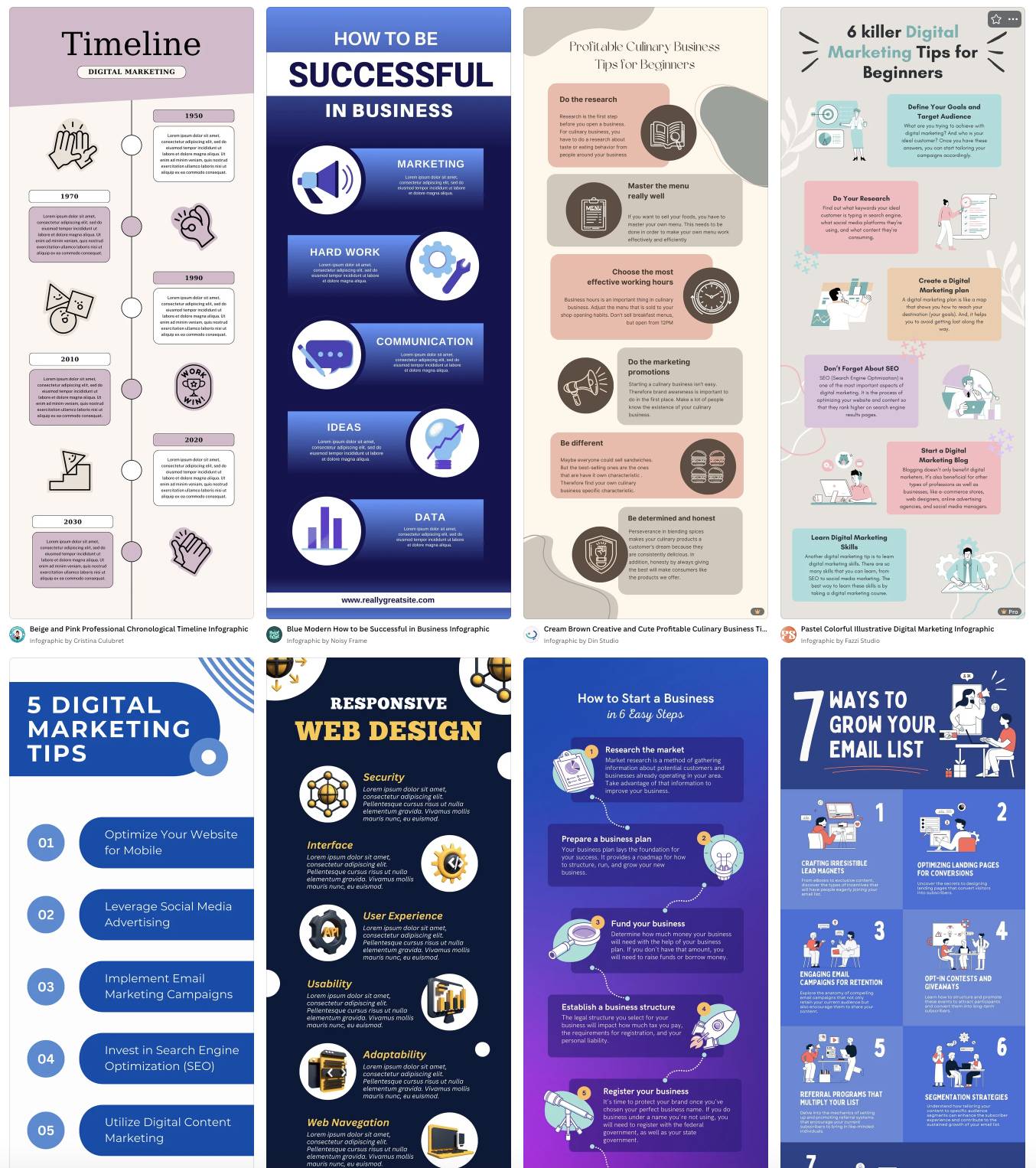
These touchpoints happen online or offline. For example, interacting with staff in-store or discovering your business online and becoming a loyal customer.

What are touchpoints for? Put simply, each touchpoint shapes how your target customer base perceives your business and influences their purchasing decisions.

Small and medium-sized businesses (SMBs) need reliable touchpoints to understand customer needs, tailor their products to the right market and boost sales effectively.

What are common SMB client touchpoints (with examples)

Customer touchpoints fall into three main stages: pre-purchase, purchase and post-purchase:

Customer touchpoints along the customer journey

Source: The Power MBA

Touchpoint mapping shows the full customer journey. The process identifies where you can improve engagement, reduce friction and deliver a better experience.

The following sections explain each stage more closely, with examples of customer touchpoints showing how they work.

Pre-purchase consumer touchpoints

Pre-purchase touchpoints occur before the customer buys from you.

Consistent, trustworthy and engaging pre-purchase experiences build the momentum that drives conversions.

For example, a prospective customer could:

Here’s an example of a paid social media ad from website builder SaaS Framer on LinkedIn:

Customer touchpoints Framer LinkedIn ad

Source: LinkedIn

By appearing in users’ feeds, this ad raises brand awareness and introduces Framer’s value proposition. It also highlights a solution to a common pain point: building and launching a website.

Here’s how the ad nurtures leads at the start of their journey:

In short, this touchpoint captures interest. It informs potential customers and sets the stage for future interactions that can lead to conversions.

Purchase touchpoints

Purchase touchpoints occur at the point of sale.

They directly affect how smooth and satisfying the customer’s experience is when making a purchase.

Common examples include customers:

Take a look at this confirmation email from vegan skincare brand Haoma:

Customer touchpoints Haoma purchase email

Source: Really Good Emails

This email engages the customer immediately after buying, reinforcing their decision and creating a positive emotional connection with the brand.

Highlighting the tree-planting initiative also enhances Haoma’s brand perception. Customers learn that their purchase has a meaningful impact beyond the product itself.

Post-purchase consumer touchpoints

Post-purchase touchpoints happen after the customer completes their purchase.

They’re key for building customer loyalty, ensuring repeat business and sales referrals.

Typical examples include existing customers:

Here’s another example from Framer:

Customer touchpoints Framer upselling email

Source: Really Good Emails

This post-purchase email suggests additional templates and features customers might like, keeping the brand top of mind after their initial purchase.

It also strengthens relationships and boosts loyalty and customer lifetime value (CLV) without a significant marketing spend.

Recommended reading

https://www-cms.pipedriveassets.com/Marketing-Management.jpg

Everything you need to know about SMB marketing management

Why customer touchpoints matter for SMBs

Monitoring and optimizing your SMB’s customer touchpoint strategy helps you deliver a seamless buyer journey, build better relationships and get more value from your limited resources.

The key benefits include:

Enhancing customer success

Smooth, consistent touchpoints grow trust and reduce friction.

As a result, it’s easier for consumers to move through the customer journey and make a purchase.

Shaping first impressions

A quick reply or smooth checkout sets the tone for the entire customer relationship.

Positive early interactions create confidence in your business and help you stand out from competitors.

Spotting bottlenecks

Monitoring customer interactions identifies where people drop off, such as abandoned carts, unanswered inquiries or confusing website pages.

Fixing these points improves the journey and prevents lost sales.

Stretching resources

SMBs often operate with limited sales budgets and staff.

Focusing on the most impactful touchpoints ensures efficient use of time and money, maximizing return on investment.

Driving referrals

Positive experiences, like quick issue resolution or attentive service, encourage customers to leave reviews and recommend your business to others, expanding reach at minimal cost.

Boosting loyalty

Thoughtful customer support, timely follow-ups and helpful communication show that you care.

These consistent experiences turn one-time buyers into long-term, repeat customers.

By paying attention to each touchpoint, SMBs can create a customer journey that satisfies buyers and drives growth for long-term success.

Recommended reading

https://www-cms.pipedriveassets.com/Customer-Sentiment.png

Everything you need to know about customer sentiment

5 simple but effective ways to identify customer touchpoints

Listing all possible customer interactions, gathering feedback and creating a customer journey map are some ways to identify touchpoints.

These five steps help your SMB pinpoint key interactions and optimize the customer journey.

1. Create a customer journey map

Identify customer touchpoints by tracking the key interactions across the entire customer journey.

Start by outlining the stages your customers move through so you can see where touchpoints naturally occur. To do this, create a clear framework of the buying journey for your ideal customer persona.

Here’s how the map might look:

  • Pre-purchase (also known as awareness and consideration). New customers discover your business through ads, social media posts, search engines or word-of-mouth. They research your products, read reviews and compare options.

Mapping these stages helps you understand where customers interact with your brand and the opportunities to improve their experience.

Download our Customer Journey Map Template

Start mapping your customer journey with our free customer journey template.

CRM systems like Pipedrive let you track and visualize the entire journey, making it easy to see where touchpoints exist and where additional customer engagement could help.

For example, create pipeline stages to align the process with your unique customer journey. Then, monitor leads and deals as you nurture them.

Here’s how these stages look in Pipedrive:

Customer touchpoints Pipedrive custom deal stages

With this oversight, you can nurture leads effectively, sharing information at the right time to increase the likelihood of conversion.

Pipedrive in action: Network Financial Planning uses Pipedrive to streamline client acquisition and management. Integrating lead creation, sales tracking and project management gives the business a full view of the customer journey.

Since adopting Pipedrive, the solo operation has expanded to a team of six, with 85% of its processes now running through the platform. The company also completes over 50% more activities.

2. List all possible interactions

Identifying every way a customer interacts with your business ensures you take every opportunity to influence and improve their experience.

Start by thinking broadly about how people might come into contact with your brand. For example, a customer might:

To capture all of these interactions systematically, follow these key steps:

Audit your channels

Action: List all online and offline platforms where customers can see or engage with your brand.

Purpose: Capture every touchpoint and provide a complete view of where potential customers first encounter your business.
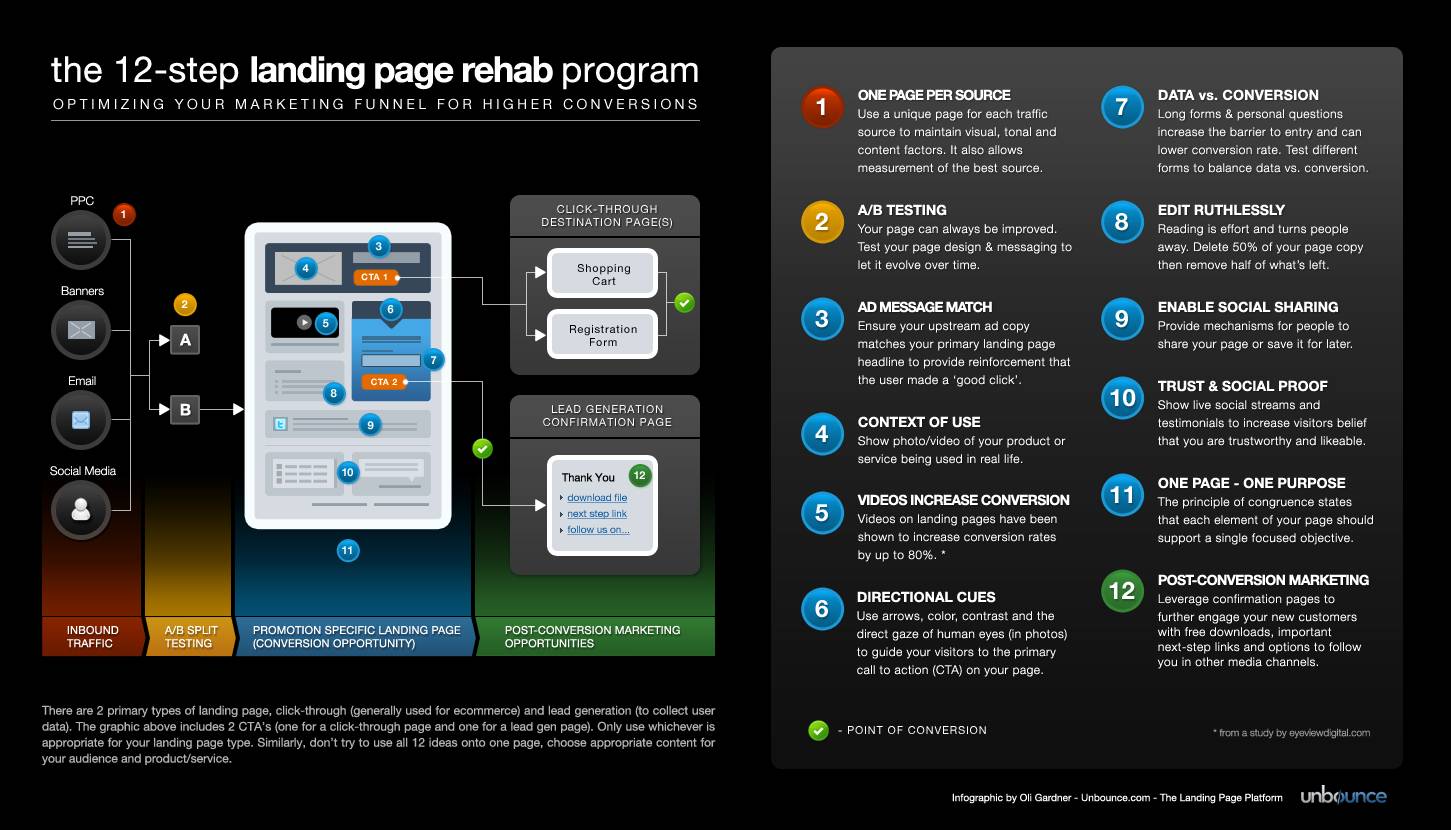
Track communication touchpoints

Action: Include emails, chatbot messages, phone calls and direct messages.

Purpose: Understand how customers ask questions, raise complaints or concerns and respond to your outreach, highlighting key engagement points.

Review marketing campaigns

Action: Identify every ad, social post or content piece that sparks engagement.

Purpose: Reveal which marketing efforts attract attention and create meaningful opportunities to connect with customers.

By listing all interactions, you create a comprehensive map of potential touchpoints to optimize engagement at every stage.

3. Gather customer feedback

Asking customers for feedback gives you direct insight into which touchpoints matter most and where you can improve the overall experience.

Example: A SaaS company sends a short net promoter score (NPS) survey after onboarding a new customer. It asks for feedback about ease of use, clarity of instructions and overall satisfaction.

Customer responses reveal that certain features are confusing or that in-app guidance is insufficient, highlighting touchpoints that need improvement.

This direct feedback allows the company to refine the product experience, increase user satisfaction and boost customer retention.

Apply these strategies to collect meaningful feedback from customers at every point:

Send online feedback surveys and forms

Action: Ask users targeted questions after key interactions like onboarding, feature use or support calls.

Purpose: Pinpoint which touchpoints work well and where users encounter difficulties.

Encourage reviews

Action: Request reviews on your website or review platforms.

Purpose: Reveal what users value most and expose friction points that may not appear in internal data.

Include feedback prompts in emails

Action: Add short, easy-to-complete questions in follow-up emails after product use.
Purpose: Gather more accurate and actionable insights.

Monitor social channels

Action: Track comments, messages and user discussions online.

Purpose: Collect more honest feedback than customer surveys or forms, revealing insights that users might not be comfortable sharing in direct responses.

Centralizing and analyzing this data is another key part of the process.

A CRM like Pipedrive allows you to see patterns, identify key touchpoints and understand customer behavior throughout the journey.

Use Pipedrive’s sales dashboards to view key customer data at a glance and quickly spot trends in engagement, drop-offs and conversions

Customer touchpoints Pipedrive insights dashboard

This visibility helps SMBs identify which touchpoints are working well and which need improvement.

By analyzing these patterns, you make data-driven business decisions to optimize interactions and enhance the overall sales cycle.

4. Check your analytics

Monitoring analytics lets you see exactly how customers interact with your brand and identify which touchpoints are effective.

Example: On reviewing its analytics, a financial services firm notices that many potential clients visit the “Investment Plans” page but abandon the process before scheduling a consultation.

This data highlights a key touchpoint where prospects hesitate. The business now has an opportunity to improve the user experience by clarifying plan benefits or simplifying the booking process.

Consider the following strategies to analyze your client touchpoints:

Track website behavior

Action: Monitor page views, clicks, bounce rates and navigation paths using tools like Google Analytics.

Purpose: Identify which web pages attract attention, which lose visitors and which touchpoints need optimization.

Monitor social media interactions

Action: Review likes, shares, comments and clicks across social platforms.

Purpose: Understand which posts or campaigns generate engagement and which touchpoints fail to resonate.

Analyze email marketing performance

Action: Measure email opens, click-through rates and conversions from newsletters, drip campaigns or promotions.

Purpose: Reveal how effectively your communications drive action and where customers disengage.

Track conversion paths

Action: Map how leads move from first contact to purchase using CRM data.

Purpose: Pinpoint areas of friction and make necessary improvements.

Centralizing and analyzing customer data is essential for understanding effective touchpoints. A single source of truth helps you see patterns and identify where leads drop off across the buying journey.

Pipedrive’s sales CRM consolidates all interactions (like website visits, emails, calls, social engagement and support requests) into one platform.

This data allows businesses to visualize customer behavior, identifying which touchpoints drive conversions and lose business leads.

Pipedrive’s custom reports and insights feature also make it easy to track key metrics at a glance, monitor trends over time and measure the effectiveness of specific touchpoints.

Customer touchpoints Pipedrive insights report

By analyzing the data, your SMB can make informed decisions to improve customer interactions and increase sales.

5. Involve your frontline staff

Frontline employees see firsthand how customers interact with your business, making them a valuable source of insight into which touchpoints work well and which need improvement.

Example: A consulting firm asks client-facing consultants to report which questions or concerns come up most often during client meetings.

These insights reveal recurring friction points, such as unclear onboarding instructions, confusing proposals or gaps in service explanations. Identifying these issues allows the firm to optimize these touchpoints and improve the overall client experience.

Follow the steps below to involve your staff in identifying and refining customer touchpoints:

Conduct sales team interviews

Action: Meet with sales, support or service employees to ask about common customer questions and complaints.

Purpose: Gain direct insight into which touchpoints influence customer satisfaction and conversion.

Create staff feedback forms

Action: Ask employees to log frequent issues or observations from their daily customer interactions.

Purpose: Identify key patterns across touchpoints.

Host workshops or brainstorming sessions

Action: Bring teams together to map the customer journey from their perspective.

Purpose: Uncover touchpoints by collaborative team sessions that analytics or surveys might not reveal.

Track anecdotal observations

Action: Encourage staff to note unusual interactions, exceptional experiences or moments where customers hesitate.

Purpose: Highlight opportunities to improve engagement.

Involving frontline staff gives SMBs a clear view of customer pain points and opportunities for improvement.

Recommended reading

https://www-cms.pipedriveassets.com/Feedback-tracker-best-practices.png

How to use a feedback tracker to drive sales and satisfaction

How SMBs can optimize customer touchpoints

Optimizing consumer touchpoints gives SMBs a practical way to improve the buying journey, increase sales and drive growth.

Here are some practical strategies for strengthening key touchpoints.

Map the customer journey with simple tools and methods

Mapping the customer journey helps SMBs see the big picture, making it easier to understand how customers move through the sales process and how to refine each stage for better results.

There’s a lot of complex software on the market for plotting and tracking customer journeys. However, smaller businesses with limited budgets don’t need to invest in expensive tools.

Here are some simple, cost-effective tools and methods for mapping purposes:

  • Create basic CRM pipelines. A simple and customizable CRM like Pipedrive lets you create deal stages that mirror the customer journey. Tracking leads as they move through stages highlights where customers stall and helps you prioritize improvements.

These tactics give SMBs a clear, actionable view of the customer journey to make improvements without a significant investment.

Focus on high-impact client touchpoints

Not all interactions carry the same weight, so SMBs can maximize resources by prioritizing touchpoints that require small changes for the biggest wins.

Example: A small consulting firm notices leads dropping off when booking a discovery call. By simplifying the booking process (removing unnecessary form fields and adding an automated confirmation email), the company can quickly improve the user experience.

These small changes lead to more consultations without draining time and resources.

Here’s how to identify high-impact touchpoints for your business:

  • Analyze conversion data. Review CRM metrics or analytics tools to identify touchpoints where leads stall but require minimal effort to fix. Focusing on these quick wins helps you boost conversions with low-effort improvements.

  • Collect customer feedback. Ask clients which interactions were confusing, slow or frustrating. Feedback highlights the touchpoints that affect satisfaction so you can prioritize improvements with the biggest impact.

  • Review support team insights. Consult frontline employees about common customer questions or complaints. Their observations reveal critical touchpoints that may not appear in data alone, helping you focus on critical changes that improve the overall journey.

Prioritizing these high-impact touchpoints ensures your SMB uses its time and resources efficiently. Your businesses will be able to deliver a smoother customer experience that drives conversions and builds brand loyalty.

Improve communication speed and clarity

Fast and clear communication reduces confusion, strengthens trust and ensures customers move smoothly through the buying journey.

Example: A small SaaS company notices that prospects often request a sales demo but don’t book a session unless they get a timely response. By responding quickly to their request, the company increases the likelihood of conversion.

Follow these tips to make your communication with customers more effective:

  • Automate routine messages. Use CRM tools like Pipedrive to send instant email confirmations, follow-ups and reminders. Email automation ensures customers receive timely updates without adding extra work for staff.

  • Standardize messaging. Create clear, concise templates for emails, chat responses or in-app notifications. Consistent messaging helps customers understand processes and expectations, minimizing confusion across touchpoints.

  • Monitor response times. Track how quickly staff respond to inquiries using CRM dashboards or analytics. Identifying slow points allows SMBs to adjust workflows or resources so that customers always receive prompt, reliable communication.

Clear and consistent communication helps SMBs build trust, engage leads and convert more prospects into loyal customers.

Personalize follow-ups

Personalizing follow-ups strengthens relationships, improves nurturing and increases the likelihood of renewals or long-term partnerships.

Example: A small manufacturer delivers a conveyor system to a food packaging company. After installation, the manufacturer emails a personalized maintenance schedule, troubleshooting video and recommended attachments.

This tailored follow-up helps the client maintain their equipment efficiently. It minimizes downtime and shows that the manufacturer understands their specific customer needs.

Here are some tips to make follow-ups more effective:

  • Send tailored thank-you messages. Include the customer’s name and reference their recent order or interaction. Personalized customer appreciation makes them feel valued, loyal and likely to buy again.

  • Offer relevant recommendations. Suggest compatible products, upgrades or services based on the customer’s purchase history. Targeted recommendations help clients get more value and drive additional sales.

  • Schedule timely reminders. Send follow-ups at the right moment, such as before scheduled maintenance or product upgrades. Timing messages to align with client needs ensures relevance and encourages action.

A CRM helps SMBs manage personalized follow-ups by planning, scheduling and automating communications.

Pipedrive, for instance, allows businesses to schedule follow-up emails and set automated reminders for sales reps to contact leads.

Here’s an example of an email automation sequence in Pipedrive:

Customer touchpoints Pipedrive email automation sequence

Writing compelling emails can be a time-consuming, laborious process that strains sales and customer support reps. When content quality starts to drop, conversions will too.

The Pipedrive AI email generator eases creative stress by turning natural language instructions on tone, style and length into high-quality email drafts.

Pipedrive AI email writer

This functionality ensures every follow-up is timely and relevant, turning each interaction into an opportunity to deepen engagement and drive conversions.

Customer touchpoints FAQs

  • Understanding customer journey touchpoints helps SMBs better understand where consumers engage with the business.

    As a result, they can optimize the buying experience, meet customer expectations and nurture leads more effectively in real time.

  • Customer touchpoints vary depending on the business and the target audience. They often sit within five stages of the buying journey:

  • Common examples of customer touchpoints include:

Final thoughts

Every customer touchpoint directly shapes satisfaction, loyalty and growth. To optimize every stage of the buying journey, SMBs must map all touchpoints, prioritize high-impact moments and personalize communication.

Use a tool like Pipedrive’s CRM to centralize interactions, automate reminders, schedule personalized follow-ups and track engagement performance.

Sign up for a free 14-day trial to transform every customer interaction into stronger relationships and higher conversions.

7 Best Marketing Agency Software Solutions

Software Stack Editor · September 26, 2025 ·

When marketing agencies use the right software stack, scattered projects and messy workflows become smooth, organized systems.

But with so many options available, knowing which tools are worth your time and budget can be hard.

In this article, you’ll discover seven must-have software solutions supporting different marketing agency needs and how to pick the best fit for your business.

Key takeaways from marketing agency software

  • The right marketing agency software stack combines CRM, project management, reporting, social media, email, content and accounting tools.

  • Start with tools that solve your biggest pain points – like client relationship management and project coordination – before adding specialized platforms.

  • Look for software designed specifically for agencies, like white-label reporting and multi-client management features, rather than generic business tools.

  • Pipedrive works as your agency’s CRM, project management platform and email marketing tool in one solution – try it free for 14 days.

What are key features to look for in marketing agency software?

The right marketing agency software combines must-have functionality and user-friendliness to boost productivity.

While every agency has unique needs, here are the core features to consider when evaluating your options:

Feature

Why it matters

Customer relationship management (CRM)

Project management

  • Delivers timely and on-budget marketing campaigns

  • Handles task assignment, deadline management, document sharing and approval workflows

  • Standardizes recurring project types with template functionality

Reporting and analytics

  • Automates custom report generation in real time, saving agencies valuable hours

  • Updates clients and stakeholders with professional, branded reports containing key data and insights

Time tracking and billing features

  • Captures billable hours, tracks project expenses and generates accurate invoices

  • Integration with accounting platforms like QuickBooks and Xero ensures seamless financial data flow

Collaboration tools

  • Streamlines teamwork for distributed staff and team members on the go

  • Provides team visibility through built-in messaging plus real-time commenting and editing capabilities

Integration ecosystem

  • Connects with existing workflows using extensive third-party integrations via application programming interfaces (APIs) or automation tools like Zapier

  • Adds tool functionality to ensure flexibility as your agency needs evolve

Security and compliance

Ultimately, knowing which features to prioritize and what you can add later as you scale is essential to investing in the right technology for your company’s needs.

How to choose marketing agency software for your SMB?

Follow these six simple steps to select software that aligns with your marketing business and growth plans:

  1. Audit your current workflows. List your pain points – think scattered client communications, manual reporting and project bottlenecks. Prioritize functionality that will have the fastest impact.

  2. Consider your team size. Small agencies benefit from all-in-one platforms combining CRM, project management and basic reporting. Larger agencies (20+ people) may need additional functionality through tools that integrate well together.

  3. Plan your total budget. In addition to software subscription and integration fees, account for any hidden costs, such as tool onboarding time and staff training expenses.

  4. Evaluate integration capabilities. Consider software that best fits your workflow and connects seamlessly with your existing tech stack to reduce manual effort and eliminate project, data and team silos.

  5. Try before you buy. Leverage free trials from reputable platforms before you commit to test-drive features on real workflows with your team.

  6. Focus on user adoption. Involve your team in tool evaluation and selection. Prioritize software that they find intuitive and valuable for their work.

Now that you have a clear picture of your marketing agency’s requirements, it’s time to navigate the best options on the market.

Top 7 marketing agency software solutions

The right marketing tool will transform your agency operations.

Here are seven platforms that address different aspects of marketing agency workflows, including an all-in-one solution and specialized software to address specific functions.

1. Best for CRM and end-to-end client communication: Pipedrive

Pipedrive is a customer relationship management (CRM) tool that helps marketing agencies communicate with their clients while tracking leads and deals in one place.

Marketing Agency Software Pipedrive sales pipeline

Potential clients often need several meetings and team approval before signing a marketing contract. The relationship changes completely once they become paying clients.

With Pipedrive, you can monitor exactly where each prospect is in your sales process. And communicate with them effectively at each stage of the marketing funnel.

Once you’re working together, all client marketing information (outreach, project history, email chains, renewal info, etc.) stays on the platform so nothing falls through the cracks.

Key Pipedrive features for marketing agencies

Here are the specific functionalities that make Pipedrive work well for marketing agency workflows:

  • Visual deal pipelines. See where each deal or client project stands with sales pipeline stages like “Discovery call” or “Campaign launch”. Customize steps to suit your unique workflows.

  • Client team management. Interact with multiple contacts at each client company, from the CMO who approves budgets to the project manager who needs weekly updates.

  • Campaign milestone reminders. Automatically schedule sales and marketing client follow-ups like “send monthly performance report” or “schedule quarterly strategy review”.

  • Email sync and notifications. See your full conversation and project history without digging through Slack or hunting down old email threads.

While these features are enough to help most marketing agencies stay organized and connected to their clients, remember that the best CRM for your business depends on your agency’s size and workflows.

How to know if Pipedrive is right for your marketing agency

Consider size, pain points and tech preferences to decide if Pipedrive is the best option for your agency.

Pipedrive is a good fit if…

Look elsewhere if…

You’re a small to midsize agency (five to 50 people) that’s losing deals in lengthy sales cycles.

You’re a large agency (100+ people) that needs custom integrations with specialized marketing tools.

Your team juggles multiple client contacts and campaign types without a clear system.

You want an all-in-one platform rather than connecting separate CRM and campaign reporting tools.

If you’re undecided, Pipedrive offers a 14-day free trial to experience the platform before you commit.

Pipedrive in action: Marketing agency CreativeRace set up customizable pipelines in Pipedrive to keep track of and reach out to leads. With a defined lead generation and sales process, it increased lead-to-opportunity conversion speed by 42%.

As Sales Director Oliver Lee says, “A lot of other CRM tools either aren’t user-friendly or are simply too expensive. Pipedrive is significantly better value than other CRMs, but still has an easy-to-use interface.”

Pipedrive integrations

Pipedrive’s Marketplace offers hundreds of out-of-the-box CRM integrations to slot easily into your tech stack, including:

Pipedrive also integrates with Zapier, opening workflow automation to more business apps.

Zapier’s automated workflows help you cut down on repetitive tasks. For example, if you’re a marketing agency for software companies, you could set up the following trigger:

“When a new SEO retainer deal closes in Pipedrive, automatically create an ‘SEO audit’ project in Asana and add the client to the ‘Monthly SEO Reports’ list in Mailchimp”.

Supercharge Your Sales with This Zapier and Pipedrive Guide

Learn how to combine Zapier and Pipedrive to automate hours worth of annoying manual tasks and spend more of your time selling

Pipedrive pricing

Pricing plans start at $14 for Lite and go up to $79 for Ultimate (all paid per user, per month when billed annually).

The tiered plans let you start small and add more features as your agency grows. You can enrich your plan with add-ons like:

You get everything you need to manage projects, clients and campaigns in one place.

Recommended reading

https://www-cms.pipedriveassets.com/Automation-Marketing-Definition.png

What is marketing automation?

2. Best for standalone client reporting and analytics: AgencyAnalytics

AgencyAnalytics allows marketing agencies to create automated client campaign reports and dashboards.

Marketing agency software AgencyAnalytics dashboard

Source: AgencyAnalytics

Pulling data manually from different platforms to create client reports can take hours. You jump between Google Analytics, Facebook Ads Manager and email platforms to compile basic campaign performance data for your presentations.

AgencyAnalytics puts your marketing data in one place for quicker reporting with less manual input.

Key AgencyAnalytics features for marketing agencies

Here are the specific features that help agencies streamline reporting workflows:

  • Customizable dashboards. See SEO rankings, PPC spend, social engagement and email performance in one view.

  • Automated client reports. Schedule weekly or monthly reports so clients get updates automatically.

  • White-label reporting. Reports show your agency branding instead of AgencyAnalytics’ for a professional look.

  • Campaign comparison functionality. Compare performance across different clients or periods to determine which strategies work best.

These features help marketing teams save time on reporting tasks. With this in mind, the best analytics tools depend on your client reporting needs and data sources.

How to know if AgencyAnalytics is right for your marketing agency

Consider your current reporting workload and client expectations to see if you need to add AgencyAnalytics to your tool suite.

AgencyAnalytics is a good fit if…

Look elsewhere if…

You manage campaigns across multiple platforms and create client reports manually.

You only need basic reporting from one or two platforms.

Your clients expect professional, branded reports with consistent delivery schedules.

You prefer simple Excel spreadsheet reports or your clients don’t need detailed analytics.

You’re a small to midsize agency (five to 20+ clients) that needs to scale reporting without hiring more staff.

You’re a very small agency managing fewer than five clients with simple campaign tracking.

AgencyAnalytics offers a 14-day free trial, so you can test whether it streamlines your reporting workflows effectively.

AgencyAnalytics integrations

AgencyAnalytics connects with the other marketing tools agencies use daily, including:

  • Google Analytics 4. Pull website traffic and conversion data directly into client reports.

  • Mailchimp. Track email marketing performance alongside other campaign metrics.

  • All standard social media apps. Report performance on Facebook, LinkedIn, Instagram and more.

With over 80 integrations, AgencyAnalytics gives you a comprehensive picture of your marketing efforts to share with clients.

AgencyAnalytics pricing

AgencyAnalytics’ Agency pricing is $179 per month, billed annually. The plan includes 10 clients, with each additional client costing $10 per month.

Recommended reading

https://www-cms.pipedriveassets.com/ESG-Report.png

How to write a stellar ESG report for stakeholders (with examples)

3. Best for social media management: Hootsuite

Hootsuite is a social media management platform that helps marketing agencies schedule posts, monitor mentions and track performance.

Marketing agency software Hootsuite analytics

Source: Hootsuite

Managing social media for several clients means constantly switching between apps. Bring different posting schedules and brand voices into the mix, and it gets chaotic fast.

Hootsuite provides a single dashboard to centralize client accounts.

Key Hootsuite features for marketing agencies

Here’s how Hootsuite helps agencies manage multiple social media accounts:

  • Multi-account posting. Schedule posts across Facebook, Instagram, Twitter and LinkedIn. No need to log in to each platform separately.

  • Content marketing calendar view. See all planned client posts and spot gaps or overlaps in content schedules.

  • Social listening. Monitor brand mentions and hashtags for all clients, so you can respond to comments or catch potential issues.

  • Team collaboration. Assign posts for approval, leave comments on content and manage who can access which client accounts.

As you consider how these features can help your marketing agency organize its social media strategies, remember that the tool depends on your team’s size and account volume.

How to know if Hootsuite is right for your marketing agency

Consider how many social accounts you manage and what your workflow needs are before opting for Hootsuite.

Hootsuite is a good fit if…

Look elsewhere if…

You manage social media for five or more clients with regular posting schedules.

You only handle social media occasionally or for one or two clients.

Your team members need collaboration tools for content creation and approval.

You need advanced social commerce features to track return on investment (ROI).

You want to monitor client mentions and engagement from one place.

You prefer simpler tools focused on just scheduling.

Hootsuite offers a 30-day free trial so you can see if its functionality matches your needs before you commit.

Hootsuite integrations

Hootsuite connects with popular platforms, including:

  • Asana. Link social media campaigns to your project management tool.

  • Slack. Get notifications when posts get published or need approval.

  • Adobe Creative Suite. Import graphics and videos directly into your content calendar.

  • Google Analytics 4. Track how social media traffic converts on client websites.

With over 100 integrations available, Hootsuite can likely slot easily into your existing marketing strategies and tools.

Hootsuite pricing

Hootsuite pricing starts at $99 monthly for the Standard tier (billed annually). The plan includes up to five social accounts.

For unlimited social accounts, choose the Advanced plan at $249 per month (billed annually).

Recommended reading

https://www-cms.pipedriveassets.com/Social-Selling_2024-02-26-184202_dczk.jpg

Social selling 101: How to build trust and grow sales

4. Best for marketing collaboration and project management: Asana

Asana is a project management platform that helps marketing agencies organize internal workflows and coordinate team tasks.

Marketing agency software Asana project overview

Source: Asana

Marketing campaigns can involve many team members and freelancers. Designers create assets, copywriters draft content and account managers review deliverables.

In addition, everyone has different deadlines. Clear project organization is essential to avoid creative work bottlenecks and campaign launch delays.

Marketing agencies can use Asana to break down campaigns into manageable tasks and keep internal teams coordinated.

Key Asana features for marketing agencies

Here’s how Asana helps marketing agencies keep campaigns on track:

  • Creative workflow management. Set up approval processes so nothing goes live without proper sign-offs.

  • Campaign task templates. Create reusable workflows for common projects like product launches or seasonal campaigns.

  • Resource allocation. See who’s working on what and when, helping you balance workloads and avoid overloading team members.

  • Internal team communication. Keep project discussions, file sharing and updates organized by campaign.

Good task management can remove a huge headache for agencies. Along with functionality, there are a few other things to consider to see if Asana is right for you.

How to know if Asana is the right marketing agency management software

Consider your current project organization and team collaboration needs:

Asana is a good fit if…

Look elsewhere if…

You manage campaigns with multiple team members and overlapping deadlines.

You’re a small agency with simple task lists.

Your team struggles with creative approval processes and project handoffs.

You need advanced time tracking or detailed resource management features.

You want to standardize workflows across different campaign types.

You prefer simpler tools focused just on basic task management.

Asana offers a free plan, so you can try the platform out and scale up if necessary.

Asana integrations

There are over 100 Asana integrations, including agency tools like:

  • Pipedrive. Automatically create a task or project when you start, close or move a deal. It’s ideal if you already use Pipedrive’s CRM and want to use it as your central marketing hub.

  • Mailchimp. Track Mailchimp email campaigns and key performance indicators (KPIs) in Asana tasks.

  • Slack. Turn ideas and action items from Slack into trackable tasks and comments.

With plenty of other options, you can sync your marketing agency project management software with your most-used tools.

Asana pricing

Asana’s free plan covers basic task management.

Most agencies will need to start with the Starter plan at $10.99 per month (billed annually). This tier includes features like project dashboards and universal reporting.

Note: If you choose Pipedrive as your marketing CRM, you can add Projects for just $6.67. It’s an ideal option for teams that work best with fewer platforms but still want the functionality of a project management tool.

You get an overview of all your tasks, draw data straight from your CRM and keep your team members and projects on track.

5. Best for search engine-optimized content creation: Surfer SEO

Surfer SEO is a content optimization tool that gives you data-driven guidance to create copy that can rank on search engine results pages (SERPs).

Marketing agency software Surfer SEO editor

Source: SurferSEO

Content that drives more traffic and generates SEO leads means understanding two things. First, what Google wants to see. Second, what competitors are doing better.

Surfer SEO analyzes the top-ranking pages for any keyword and tells you what your content needs to compete.

With this knowledge, you can deliver measurable traffic increases that justify your clients’ content marketing investment.

Key Surfer SEO features for marketing agencies

These Surfer SEO features help you create content that’s more likely to rank:

  • Content scoring. Get a real-time score as you write. See how well your content messaging matches what’s currently ranking for your target keywords.

  • One-click optimization. Use AI to improve content and add internal links.

  • Content structure guidance. Get recommendations for ideal word count, heading structure and how many times to use key phrases.

  • Automated SEO audits. Easily find opportunities to improve your client’s traffic.

These features help you create content faster and drive traffic. However, the best SEO tool will depend on how much content you produce and your clients’ goals.

How to know if Surfer SEO is right for your marketing agency

Content marketing is a core part of most agency services, but not every agency needs a content optimization tool. Here’s how to understand if Surfer SEO is for you:

Surfer SEO is a good fit if…

Look elsewhere if…

You regularly create blog posts for clients across multiple industries.

You only create long-form content occasionally or focus mainly on social media content.

You need to show measurable SEO improvements and ranking results.

You need a full SEO suite with backlink analysis (which sites link to your content) and technical audits (checking for site issues that impact SEO).

Your team wants data-driven guidance rather than guessing what will rank well on search engines.

You prefer simpler writing tools without SEO complexity or real-time optimization features.

Surfer offers a seven-day money-back guarantee for first-time subscribers so you can see if its content workflow fits your team.

Surfer SEO integrations

Surfer SEO connects with standard content creation tools, including:

  • Google Docs. Optimize content directly in Google Docs with real-time SEO suggestions.

  • Google Search Console. Analyze your existing content performance and find optimization opportunities.

  • Contentful. Create content within your content management system (CMS) to reduce copy-and-pasting between tools.

  • ChatGPT. Get search data while creating AI-generated content.

Surfer SEO also has an API that lets different apps share data.

You can use the API to connect Surfer SEO to your existing tools. Or can use it to build your own content marketing automations.

Surfer SEO pricing

Surfer SEO’s Essential plan is $79 per month (billed annually) and suits small businesses.

At $175 per month (billed annually), the Scale plan includes weekly content performance reports – which may be a better fit for most agencies.

6. Best for multi-client email marketing: Mailchimp

Mailchimp helps you manage email campaigns for multiple clients when you join its Mailchimp & Co program, designed for agencies and freelancers.

Marketing agency software Mailchimp dashboard

Source: G2

Managing email marketing for multiple clients usually means creating separate accounts for each one. Or mixing client data in often confusing ways.

Mailchimp & Co lets you connect all your client accounts to yours and manage them from one centralized dashboard.

You can switch between client campaigns without losing track of which audience or template belongs to whom.

Key Mailchimp features for marketing agencies

Here are the features that help agencies manage email marketing efficiently:

Switching email platforms later can be a pain and even mess with your email deliverability. It’s well worth comparing platforms and features before you make a decision.

How to know if Mailchimp is right for your marketing agency

Here are a few things to consider before choosing Mailchimp as your multi-client emailing platform:

Mailchimp is a good fit if…

Look elsewhere if…

You manage email marketing for many clients and need centralized account management.

You run simple newsletters for a small amount of clients.

You want to create landing pages to go with your email campaigns.

You want an email platform that will stay affordable as you scale.

You’re interested in getting listed in a partner directory to attract new clients.

You prefer working with an email platform that has a simple user interface minus unnecessarily complex functionality.

Mailchimp’s 14-day free trial lets you see if it’s the email marketing platform for you.

Mailchimp integrations

Mailchimp connects with hundreds of marketing and business apps, including:

  • Google Analytics. See which email campaigns drive the most traffic and customer conversions on client websites.

  • Pipedrive. Automatically add new clients to the right email list – ideal if you already use Pipedrive and want to streamline or scale follow-ups with minimal effort. Here’s how to integrate Mailchimp into Pipedrive’s all-in-one marketing automation toolkit.

  • Shopify. Track purchase behavior and send targeted product recommendation emails for your e-commerce clients.

These connections eliminate manual data entry between your email marketing and other agency tools.

Mailchimp pricing

Mailchimp’s Essentials plan allows you to send up to 10,000 emails per month with three audience segments. The plan costs $13 monthly if you have up to 500 contacts. Annual pricing is available through the sales team.

You join the Mailchimp & Co program when you sign up at no additional cost, or later when you have more email clients.

Tip: Pipedrive has its own email tool, Campaigns by Pipedrive, offering a solid alternative if you want your CRM and email marketing in one place.

The add-on enables you to tailor your marketing messages using your CRM data. The result is more relevant emails and even better conversions.

7. Best for billing and finance operations: Sage Intacct

Sage Intacct is a cloud-based accounting platform that helps marketing agencies manage their invoicing, expense tracking and financial reporting tasks.

Marketing agency software Sage Intacct

Source: G2

Marketing agencies have complex billing needs. Some clients are on retainer, while others pay per project.

You need to track profitability by campaign or service type. Plus, good forecasting to plan freelancer budgets.

Sage Intacct is for businesses with complex billing that need financial visibility to make informed business decisions.

Key Sage Intacct features for marketing agencies

Sage Intacct offers some features designed to simplify complex agency finances:

  • Project-based billing. Track billable time and expenses, then automatically generate invoices.

  • Multi-client financial reporting. See profitability by client, service type or time period to understand which parts of your business make the most money.

  • Automated invoicing workflows. Set up recurring invoices for retainer clients and automated payment reminders to improve cash flow.

  • Expense management. Track client expenses, team travel and overhead costs with approval workflows to keep spending organized.

Sage Intacct’s features cater specifically to agencies and project-based businesses looking to keep track of their financial management. You’ll need additional tools to manage different aspects of your marketing services.

How to know if Sage Intacct is right for your marketing agency

Consider your current billing challenges and financial reporting requirements to see if Sage Intacct is a fit.

Sage Intacct is a good fit if…

Look elsewhere if…

You bill multiple clients with different project types and payment schedules.

You’re a small agency with simple monthly retainer billing.

You need detailed profitability reporting by campaign or service.

You need basic invoicing, not complex project tracking.

You want automated billing.

You don’t have a big budget for accounting software.

Choosing the right billing and accounting software is a big decision. Before you commit, talk to Sage’s sales team to get your questions answered.

Sage Intacct integrations

Sage Intacct comes with hundreds of integrations to make accounting easier, including:

  • Time tracking apps. Connect tools like Harvest or Toggl to automatically sync billable hours into project billing.

  • Ramp. Link credit card transactions, reimbursements, payments and vendor bills in real time.

  • Payroll systems. Unify your payroll and financials without duplicate data entry or complex integrations.

  • Payment processors. Connect with credit card payment systems to automate invoice collections and improve cash flow.

When your systems work well together, you reduce the chances of billing errors that could become costly over time.

Sage Intacct pricing

Sage Intacct offers custom pricing plans specific to your business. Some sources report annual pricing starting from $9,000.

Recommended reading

https://www-cms.pipedriveassets.com/Corporate-finance.png

Corporate finance made simple: tips every SMB should know

Marketing agency software FAQs

  • Marketing agency software is a suite of tools that helps agencies efficiently manage clients, campaigns, reporting and internal workflows.

    The right marketing agency software works together to let teams focus on delivering results instead of juggling tools.

  • Focus on the marketing agency software solution that solves your biggest workflow challenges and integrates well with your existing stack.

    Consider factors like scalability, options and how the software supports collaboration.

  • Provide hands-on onboarding training and gradually set up the workspace to include your chosen marketing agency software.

    Rushing the rollout can lead to resistance from team members and productivity drops.

Final thoughts

There are hundreds of SaaS tools, but the best marketing agency software stack is what makes your life easier. One way to do that is to choose solutions that cover multiple bases.

Pipedrive is an all-in-one agency CRM, project management software and email marketing tool – ideal for handling all your sales and marketing efforts. Try the platform free for 14 days and see how it can transform your workflows.

The Ultimate Event Marketing Playbook for SMBs

Software Stack Editor · September 26, 2025 ·

Events are one of the best ways to get personal with potential customers, but you need a solid plan to get people to show up.

Effective event marketing is your playbook for promoting the event, filling every seat and creating genuine sales leads.

In this guide, you’ll learn how to make the most of your event marketing. You’ll discover how to build hype before your event and turn that energy into a packed sales pipeline.

Key takeaways for event marketing

  • Event marketing is promoting an event to fill seats and meet potential customers.

  • Brands use event marketing to turn in-person conversations into sales opportunities.

  • A strong event marketing plan covers how to promote the event, capture leads on the day of the event and follow up to close deals.

  • Pipedrive’s CRM helps you automate lead capture and follow-up, so you can nurture every prospect. Try Pipedrive free for 14 days and close more sales from your next event.

What is event marketing?

Event marketing definition: Event marketing promotes a brand by hosting or participating in an event.

It’s the entire process of communicating with your audience before, during and after the event to drive attendance and ensure it delivers a return on your investment. The goal is to engage customers and generate leads.

Marketers use different types of events to achieve specific business goals. Here’s a look at the most common events and why they’re valuable for your business:

Types of events

Why they matter for your small business

Webinars and virtual events

Webinars generate leads at a low cost. You can educate a large audience and establish your company as a thought leader in your industry.

Trade shows and conferences

These events put you face-to-face with your target demographic. They’re ideal for capturing high-quality leads at your brand’s pop-up and generating sponsorships.

Workshops and in-person training

Live event training delivers hands-on value, which builds trust. It’s perfect for demonstrating a complex product or upselling features to existing customers.

Product launch events

Launches create a surge of excitement and media attention around your new product. They help you drive initial sales and build market momentum.

Local meetups and seminars

Smaller, casual events build a stronger community around your brand in specific regions. They’re great for nurturing personal relationships with key customers and prospects.

The right event management plan turns event attendees into leads and customers. It builds a connection with your audience that a simple ad or email can’t match.

A quick example: Pipedrive’s webinar series

Pipedrive’s webinar program is a textbook example of how to turn educational content into highly qualified sales leads.

Event marketing Pipedrive webinar series

Here’s what Pipedrive’s marketing schedule generally looks like:

  • Before the event. Pipedrive advertises the webinar on sites like LinkedIn, using problem-focused titles to get the right people interested. Users sign up through a form, which gives Pipedrive their contact details.

  • During the event. Pipedrive’s team gives practical tips and shows how their tool solves the problem. They also hold a live Q&A session to answer audience questions.

  • After the event. A recording is posted on the Pipedrive website so people can watch it anytime. The company also sends follow-up emails to everyone who registered.

This model shows effective event marketing through a series of digital events rather than one large-scale conference or trade show.

Another example: Adobe MAX conferences

Adobe hosts an annual conference called Adobe MAX, which is a masterclass in building community and generating excitement through experiential marketing.

Event marketing Adobe MAX example

Here’s a look at Adobe’s marketing schedule:

  • Before the event. Adobe starts building hype months in advance. The company announces keynote speakers and launches engaging social media campaigns. It also starts creative contests to get the audience and influencers involved early.

  • During the event. The conference is an immersive hybrid event. It uses a mobile app for schedules and hosts hands-on training workshops. Adobe live-streams the main keynotes to include a global audience that couldn’t attend in person.

  • After the event. Adobe uploads session recordings for on-demand viewing. It sends out highlight reels and post-event surveys, and uses themes from the event to guide its content marketing for future events.

Adobe’s strategy makes MAX a conference that inspires and energizes its user base.

Recommended reading

https://www-cms.pipedriveassets.com/The-SMB-guide-to-influencer-marketing-to-building-trust-authority-and-reach.png

The SMB guide to influencer marketing strategies: how to build trust, authority and reach

How to create an event marketing strategy in 4 steps

A solid event marketing strategy ensures that every dollar you spend contributes directly to your sales pipeline.

These four steps will guide you through the event lifecycle, from planning to measuring your final ROI.

1. Pre-event planning: laying the groundwork for a high ROI

Your goal before any event is to get the right people to show up on the day.

Success hinges on choosing the best promotional plays for your audience.

Before you send an email invitation, there are a few things you need to do:

  • Define some specific, measurable marketing goals (e.g., book 20 qualified meetings or register 150 webinar attendees)

  • Identify the ideal customer profile you want to attract or meet

  • Set a clear budget for your promotional activities, including any ad spend

If you have those basics covered, you can start building your strategy. Once you have a shortlist of promotional methods, compare what each one offers.

Here are some key approaches to consider:

Marketing channel

Why it works

Broad email marketing campaigns

Email campaigns are an easy way to drive registrations for events where a large audience is the main goal. It’s the most direct way to reach your existing contacts.

Targeted social media ads

Ads let you reach a highly specific new audience. Use platforms like LinkedIn to find potential attendees based on their job titles, industries or professional interests.

Partnership marketing (or co-marketing)

Brand collaboration with another relevant, non-competing company gives you a warm introduction to its audience. It adds credibility and can expand your reach.

One-to-one marketing

Direct marketing is an effective way to secure meetings with high-value targets at your event. A well-researched message shows you’re serious about connecting.

Here are some tips to get the most from these methods.

  • When running email campaigns, don’t rely on a single announcement. A sequence that builds from awareness (“We’re excited to announce…”) to urgency (“Last chance to register!”) is more effective.

  • If you’re using social ads, target people who follow the event organizer’s company page on LinkedIn and use the event’s official hashtag to join the online conversation.

  • Likewise, if you decide to work with a partner, make it as easy as possible for them to promote you. Give them a promo pack with pre-written email copy, social media posts and images.

The best strategies blend these methods. When you mix channels, you create multiple touchpoints and can reach your ideal attendees in different contexts.

How Pipedrive can help turn strategy into action

A customer relationship management (CRM) system makes executing these marketing strategies much easier.

Pipedrive’s Campaigns add-on gives you tools to run a professional email campaign that drives registrations.

Use a three-part email sequence to build interest and urgency:

  • Announcement. Include details about the event (what, when, where), the key benefit for attendees and a clear call-to-action to register.

  • Value add. Send a follow-up email that shares more value, like a speaker spotlight or the session agenda.

  • Final reminder. Finish with a short, urgent email sent a day or two before the event (or before early-bird pricing ends) to drive last-minute decisions.

To build your sequence, go to the Campaigns tab in the main menu and click “+ Campaign” to open the email builder.

Event marketing Pipedrive create email campaign

Now, use Pipedrive’s AI email writer to draft the copy for your announcement email. In the editor, select the “AI writer” icon in the toolbar.

Give it a simple prompt about your event to generate a strong first draft quickly.

Next, edit your draft as needed and go to the Recipients section and choose the filtered email list you want to target.

Rather than sending it immediately, schedule the campaigns to send at a specific time that’s best for your audience.

When the first campaign is complete, return to the Campaigns dashboard and create your value-add email.

Update the copy and schedule it for a few days after the first one. Repeat the process for your final reminder email to complete the sequence.

Recommended reading

https://www-cms.pipedriveassets.com/FOMO-Marketing-Strategies.png

7 FOMO marketing strategies for SMBs that convert browsers into buyers

2. During the event: making every conversation count

The pre-event plan gets people in the door, but the sales conversations you have on the day drive sales revenue.

The event itself can be chaotic, with many booths and brand activations. You need event marketing tools to cut through the noise and find the best sales opportunities.

Your team’s on-site success comes down to a few core event strategies:

  • Use a digital lead capture system and ditch the business card fishbowl

  • Ask questions to qualify leads before you start pitching

  • Focus on the quality of conversations, not the quantity

  • End every promising conversation with a clear and agreed-upon next action

The biggest mistake teams make at events is inconsistent lead generation.

When one person writes notes, another collects business cards and a third sends themselves emails, leads will fall through the cracks.

The solution is having a single event platform your team uses for every lead. It could be your CRM’s mobile app or a simple QR code at your booth that directs visitors to a lead form or landing page on your event website.

Here’s an example of what this looks like in practice:

Event marketing Unlicensed Orchestra example

A unified system means you capture leads in the same way. They’re ready for immediate follow-up as soon as the event is over.

Once your capture system is in place, you can focus on the quality of your conversations. The goal is to determine if a prospect is a good fit as quickly as you can.

Asking a few targeted questions can help you qualify leads on the spot. Here are some simple discovery questions to guide your discussions:

Goal

Example question

Uncover a need

“What’s the biggest challenge your team faces right now with [their area of work]?”

Understand the timeline

“What does your timeline look like for finding a solution to [their challenge]?”

Identify authority

“Who else on your team is usually involved when you look at new tools or services?”

The answers to these questions are gold. Capture them as notes in your CRM. This context allows you to send a personal and relevant follow-up message instead of a generic template.

Finally, never end a good conversation with a vague “we’ll be in touch”. A strong conversation always ends with a concrete next step you both agree on. It turns a casual chat into the first stage of your sales process.

How Pipedrive can help automate lead capture

A successful on-site lead workflow includes three quick actions that vastly improve the event experience for marketers:

  1. Scan business cards. Capture a new prospect’s contact information in the moment.

  2. Add qualifying notes. Record the answers to your questions for personalized follow-up.

  3. Tag leads. Apply a unique label to group your event contacts for easy tracking later.

Pipedrive’s mobile functionality lets you digitize every conversation as it happens.

To manage your conversations at the event, open the Pipedrive mobile app. From the main menu, select “Contact scanner” to record a prospect’s details using your phone’s camera.

Event marketing Pipedrive business card scanner

After scanning, Pipedrive creates a contact.

Before you save it, scroll down to add notes and apply a specific event label to keep everything organized.

Event marketing Pipedrive contact notes

Finally, if you agree on a next step during your conversation, schedule it immediately.

In the new contact’s profile, choose “Add activity” and create a follow-up task.

Event marketing Pipedrive add activity

For a more hands-off approach, create a Web Form (you’ll need to add the LeadBooster feature to your plan).

Go to the Leads tab and select “Web Forms > New Web Form”.

Event marketing Pipedrive Web Forms

Choose “Registration” and set up important fields in the form builder. When you’re finished, use a free online tool to turn your form’s URL into a QR code for visitors to scan.

Recommended reading

https://www-cms.pipedriveassets.com/Event-checklist-templates-for-small-businesses.png

Event checklists explained: templates and tips for revenue generation

3. Post-event follow-up: turning conversations into customers

The conversations at an event get you in the door, but you need a solid follow-up strategy to convert prospects into customers.

An effective follow-up strategy should look something like this:

Speed is your greatest advantage. The enthusiasm from a great conversation fades quickly, so sending a prompt email the next day shows you’re organized and keeps the momentum going.

Your email also needs to be personal. Avoid sending a generic “Thanks for visiting our booth” blast to everyone.

A better approach is to segment leads into tiers based on the notes you took at the event. For example, you can group your new contacts into hot, warm and cool leads:

Lead quality

Who they are

Hot leads

Highly interested people who asked for a sales demo or meeting. Email them within hours to schedule that next step.

Warm leads

Qualified leads with a longer timeline. Send them a personal email that references your chat and gives relevant information (like case studies) about what interested them.

Cold leads

Contacts you scanned but barely spoke with. Add them to a general, automated email nurture campaign to track their engagement over time.

Here’s what it looks like to label your contacts in Pipedrive’s CRM:

Event marketing Pipedrive lead labels

For your hot and warm leads, mentioning a detail from your chat makes a huge difference. A simple reference separates your message from the dozens of other follow-ups they’ll get.

Remember that most leads from an event aren’t ready to buy immediately. Don’t discard them if they don’t reply to your first email.

Entering your warm and cool leads into a long-term nurturing plan helps build brand awareness. When they’re ready to make a decision, you’ll be the first person they think of.

How Pipedrive automates your post-event follow-up

Pipedrive’s automation tools let you segment your new contacts and send the right message as soon as possible.

Here’s how Pipedrive helps with each step of your follow-up strategy:

  • Creating email templates. Prepare personalized messages in advance to save time.

  • Building automations. Trigger emails and tasks for your hottest leads.

  • Segmenting event leads. Use filters to create hot, warm and cold email lists in real-time.

  • Launching nurture campaigns. Keep in touch with your long-term prospects.

To get started, write your messages in Pipedrive. Go to Company settings and select “Email templates”.

Create templates for your hot and warm leads, using merge fields to add personalization.

Event marketing Pipedrive merge fields

Go to the Workflow Automation tab to build your workflow.

Set the trigger for when Pipedrive creates a new contact and add a condition that the person must have your event label, like “Q4 Summit 2025”.

Add an “If/else condition” that checks the person’s labels.

Set the condition for the “Yes” branch to be “Person > Label > is > Hot”. The “No” branch will apply to warm leads.

Event marketing Pipedrive workflow automation

Last of all, assign the correct email to each branch.

In the “Yes” branch, add an action to send your hot lead template. In the “No” branch, add an action to send your warm lead template. Pipedrive will send the right follow-up based on the label your team applied on-site.

You can build automations for each segment based on their event label – one for hot leads, another for warm – and trigger personalized follow-ups automatically. For a more in-depth look at Pipedrive’s Automations, check out the video below.

4. Measuring your success: calculating true event ROI

Tracking your event ROI lets you measure the financial impact of your efforts as new leads move through your sales pipeline.

The trick is to use the contact labels you created for each lead during the event. These tags let you filter your main pipeline to see only the deals from that specific event.

Event marketing Pipedrive event labels

You’ll see your event leads’ performance in real-time. You can track the number of deals and their combined value, separate from all your other sales activities.

Use this data to work out your ROI and report your marketing results to stakeholders.

To calculate your ROI, you first need the total event cost. Make sure you include all expenses for an accurate result.

The formula for ROI is the total revenue minus the event cost, all divided by the cost.

For example, say the event cost $5,000 and you’ve closed $20,000 in deals. Your current ROI is ($20,000 − $5,000) / $5,000 or 300%.

The best way to monitor these numbers is with a dedicated sales dashboard that pulls all your key event marketing metrics into a visual report.

Your sales dashboard should show your total leads, pipeline value, deal win rate and total revenue closed from the event. It gives you a live look at the event’s ongoing performance.

Event marketing Pipedrive event dashboard

With this detailed context, you can optimize your next event’s digital marketing efforts.

How Pipedrive improves your event reporting capabilities

A CRM gives you the hard data to track your sales KPIs and prove an event’s value.

Pipedrive’s reporting tools track every deal from your event to calculate your ROI.

To start, you need to see all the deals from your event. Go to the Deals view and filter deals for your event label.

Event marketing Pipedrive label filter

Next, go to the Insights tab, click the “+” icon and select “Dashboard”. Give your new dashboard a clear name to create a space for all your event reporting.

Event marketing Pipedrive create dashboard

Inside the dashboard, click “+ Add report”. Choose a Deals started report to see the total number of leads and pipeline value from the event.

Event marketing Pipedrive add report

Add another report to your dashboard, this time for Deals won. This report will show you the total revenue you’ve closed from the event.

Use the live data to calculate your ROI. Take the total revenue from your “Deals won” report and apply the formula above to get your ROI percentage.

Download Pipedrive’s general event checklist template

Use this comprehensive template as your go-to guide for planning and successfully executing any business event.

4 advanced tactics to maximize event conversions

Once you have the fundamentals of event marketing down, you can use additional tactics to stand out from the crowd.

Here are four event marketing best practices top performers use to make the most of every event:

Advanced marketing tactic

Why it maximizes conversions

1. Host an exclusive side-event

Something like a private dinner for your top prospects creates a relaxed environment away from the noisy event.

It makes your guests feel valued and gives your sales team uninterrupted time to build relationships.

2. Secure a speaking slot

Presenting on a panel or hosting a workshop positions you as an industry expert.

It builds massive credibility and attracts a pre-qualified audience already interested in your expertise.

3. Run a pre-event reconnaissance campaign

If it isn’t your event, use LinkedIn and the event’s agenda to find leads that match your target audience profile weeks in advance.

Sending hyper-personalized outreach to book meetings before the event starts means you’ll spend the time in high-value conversations.

4. Create a targeted post-event content piece

Create a valuable report like “The top 5 takeaways from the summit”.

Sending this to new leads reinforces your expertise and gives you a natural reason to re-engage them.

Use these tactics to move beyond just attending events and start creating memorable experiences for your most important prospects.

Recommended reading

https://www-cms.pipedriveassets.com/Event-Ticketing-Software.png

11 best event ticketing software systems: use cases, key features and pricing

Event marketing FAQs

  • The 5 Ps of event marketing are plan (goals), place (venue/platform), people (audience), promotion (marketing) and process (attendee experience).

  • Social media builds buzz before an event with ads and user-generated content. It engages attendees during the event with live content and extends its value after with highlight content.

Final thoughts

Successful events are a powerful way to generate revenue, and a solid event marketing plan is what turns conversations from the event floor into closed sales.

A sales CRM gives you the control to execute that plan at every touchpoint. It organizes your leads, automates follow-up and tracks results so you always know your ROI.

Try Pipedrive free for 14 days and see how it can streamline your event workflow and help you close more deals.

B2B Social Media Marketing, Strategy & Services

Software Stack Editor · September 26, 2025 ·

Buyers research in public. They compare vendors, ask peers for advice and react to expert posts long before they speak with sales. B2B social media marketing meets that intent where it happens and turns attention into qualified conversations.

A focused B2B social media marketing strategy builds credibility with the decision-makers involved in a purchase, from evaluators to budget owners. Customer proof, product walkthroughs and clear points of view reduce uncertainty and lift meeting acceptance rates.

Capture clicks, comments and direct messages with forms or integrations and send them to your customer relationship management (CRM) system with a defined next step so social interactions turn into scheduled meetings and trackable opportunities in your sales pipeline.

Speed and consistency close the loop. Capturing UTM data, auto-assigning owners and setting service level agreements (SLAs) on social leads ensures fast follow-up.

Key takeaways for B2B social media marketing

  • Build a focused strategy around your ideal customer profile (ICP) and buying committee, using clear content pillars (proof, product, POV) and CTAs that route to meetings or trials.

  • Pick two core platforms (often LinkedIn and YouTube) and one to test, then judge performance by meetings, opportunities and pipeline in your CRM.

  • Capture every click, comment and direct message (DM) with UTMs, assign owners with SLAs for fast follow up and log context to keep handoffs clean.

  • Use Pipedrive to centralize social-sourced leads, automate assignments and follow ups. Report meetings, opportunities and pipeline so you invest where ROI is proven, try Pipedrive free for 14 days.

What is B2B social media marketing?

B2B social media marketing is the use of channels like LinkedIn, YouTube, X, Reddit and industry communities to reach defined accounts, educate buyers and generate sales-ready interest. It blends organic and paid programs to influence awareness, consideration and meeting creation.

The work spans content marketing and conversion. Content demonstrates outcomes with proof and practical guidance. Conversion paths move prospects to a clear next step, book a call, start a trial, join a webinar or request pricing, with tracking that ties every interaction back to the pipeline in your sales CRM.

Done well, it’s a coordinated motion across marketing and sales: consistent messaging, clean handoffs from social to reps and measurement that goes beyond vanity metrics to meetings, opportunities and revenue.

B2B buyers now prefer a self-directed journey of digital discovery

– Edelman & LinkedIn, 2024 B2B Thought Leadership Impact Report

How do I build a B2B social media marketing strategy?

Start with the buying committee. Define ideal customer profile (ICP), roles and recurring questions by stage. Map content to those moments: customer proof for risk reduction, product snippets for evaluation and POV posts to frame the problem you solve.

Choose clear conversion paths. Every post should point to a next step that sales can act on, book a call, start a trial, register for a webinar or download a playbook. Track with UTMs and capture sources in your CRM so sales meetings and opportunities are attributable.

Set a publishing rhythm you can sustain. Establish content pillars (proof, product, POV), assign owners and create an approval flow that protects voice without slowing you down. Review performance weekly and adjust topics, formats and CTAs based on reply quality and meetings created.

Align with sales early. Share a calendar of upcoming posts, enable sales reps with short reply guides and route high-intent comments or DMs to owners with an SLA. The strategy works when content, conversion and handoff operate as one motion.

Recommended reading

https://www-cms.pipedriveassets.com/B2B-content-marketing-strategy-for-SMBs.png

How to create a B2B content marketing strategy for your small business

What are the best social media platforms for B2B marketing and how to choose?

Use the platforms your buyers already trust, then judge each by reach in your ICP, format fit and ability to create meetings and pipeline.

  • LinkedIn: Primary B2B network for reach, targeting and credibility, best for thought leadership, customer proof and direct meeting CTAs.

  • YouTube: Searchable sales demos, tutorials and case study videos that sales can reuse, great for long-tail discovery and enablement.

  • X (Twitter): Real-time industry conversation and expert distribution, useful for founders and product leaders to build authority.

  • Reddit and niche communities: Authentic research moments, participate helpfully, collect insight and route qualified interest.

  • Facebook and Instagram: Retargeting, sales events and broad-audience industries, pair with clear offers and tracking.

  • TikTok: Viable if your ICP is present, short product walkthroughs and tips can earn low-cost attention.

Recommended reading

https://www-cms.pipedriveassets.com/Sales-Enablement.png

Sales enablement: definition, benefits and how-to guide

What are B2B social media marketing best practices that drive sales?

Start with a clear, consistent message. Pick three or four themes that match buyer questions, customer proof, product walkthroughs, practical tips and a leadership point of view, stick to them across channels.

Lead with outcomes, then show how. Use short clips or carousels to demonstrate the result, followed by a simple next step (book a call, start a trial or register for a demo). According to the Content Marketing Institute’s 2025 B2B research, 58% of marketers say video delivers the best results.

Repurpose with intent. Turn one case study into a 60-second video, a short post thread and a one-pager for sales. Make it easy to pass along, according to Demand Gen Report’s 2024 study, 72% of B2B buyers share content with teammates.

Bring experts to the feed. Feature product managers, solution engineers and customers in simple, repeatable formats. Familiar faces build trust and sales can reuse those clips in outreach.

Measure what moves deals using sales dashboards. Review reply quality, meetings booked and opportunities opened each week. Cut formats that earn likes without conversations and double down on posts that lead to sales meeting bookings.

Turning social into revenue: attribution and handoffs

Forrester’s Buyers’ Journey Survey (2024) found that buyers see social media as meaningful and impactful throughout the purchase process, therefore, make every interaction attributable and handoffs fast and consistent.

Capture source data at the edge. Add UTM parameters and campaign IDs to every link and map them in your CRM with campaign and UTM tracking. For comments and direct messages, capture details through web forms or live chat and chatbot, then route them to an owner with lead routing rules.

Set ownership and speed standards. Assign social-sourced leads automatically, enforce response targets with SLA reminders and use email templates to keep replies consistent. Make it easy to book time directly from the thread with a meeting scheduler.

Log context sales can use. Record the post, topic and pain point that sparked the interaction, plus the next step and date, use custom fields so the story travels with the record.

Report beyond vanity metrics. Track meetings, opportunities and revenue with pipeline reporting and compare results by platform and message in source and channel dashboards so budget moves to what creates sales conversations.

How to choose between B2B social media marketing services and an agency

Choose the model that fits your goals, pace and internal capacity. Use this quick comparison to decide how to staff and scale without losing sales alignment.

Option

When it fits

What’s included & cautions

In-house and services

You own strategy, need help with production, paid or community.

Content production, paid setup, analytics and community.

Caution: cadence can slip and accountability can blur.

B2B social media marketing agency (managed program)

You want an end-to-end program tied to meetings and pipeline.

Strategy, content, paid, community and reporting.

Caution: requires strong governance and CRM/source tracking.

Hybrid (internal lead and specialist partners)

You keep strategy/voice, outsource execution at scale.

Creative pods, paid media, influencer marketing ops and analytics.

Caution: coordination overhead, set SLAs and a single owner.

Recommended reading

https://www-cms.pipedriveassets.com/B2B-customer-acquisition-tactics-tools-and-metrics.png

9 B2B customer acquisition strategies to try in 2025

How to choose a B2B social media marketing agency

Here are some steps for choosing the right B2B social media marketing agency:

  1. Define success. Set targets for meetings, opportunities and pipeline from social, do not focus on just impressions or followers.

  2. Check domain fit. Ask for case studies in your industry, sample assets and example creative campaign briefs.

  3. Audit measurement. Confirm UTM discipline, CRM mapping and cohort reporting by platform, message and audience.

  4. Test the operating model. Review their cadence for planning, approvals, posting and rapid iteration.

  5. Validate creative and POV. Run a small creative test to assess voice, proof usage and narrative consistency.

  6. Confirm paid media chops. Look for clear learning agendas, audience design and budget pacing controls.

  7. Run a pilot with exit criteria. 60–90 days, one ICP, one offer, agreed SLAs and a go/no-go based on meetings and early pipeline.

How Pipedrive supports B2B social media marketing (sales alignment)

Pipedrive turns social engagement into qualified leads you can act on. Web Forms and live chat and chatbot help in capturing contacts from LinkedIn, YouTube, X and communities with integrations, campaign management solutions and UTM tracking.

Context travels with the lead. Use custom fields to store the source platform, post and offer, then route new leads with lead routing rules to the right owner. Add a direct path to book time with the built-in meeting scheduler to convert interest while it’s fresh.

Speed and consistency come from workflow automation. Assign owners automatically, start follow-ups when a form is submitted or a meeting is booked and use SLA reminders to keep response times tight. Teams reply with email templates and stay on track with activity sequences.

Revenue impact is visible in one place. Pipeline reporting shows meetings, opportunities and value from social cohorts, while source and channel dashboards compare performance by platform, message and audience.

Managers coach on what works, marketing sees which posts drive conversations and teams stay accountable with activities and goals to track follow-ups and hit targets.

FAQ for B2B social media marketing

  • Using platforms like LinkedIn and YouTube to reach a defined ICP with proof, product education and clear CTAs that create meetings, opportunities and pipeline.

  • Start with LinkedIn for reach and targeting, add YouTube for searchable demos, then test a third channel based on your ICP, judge platforms by meetings and pipeline created in your CRM.

  • Map content to buyer questions by stage (proof, product and POV), set conversion paths (demo, trial and webinar) with UTMs and align handoffs to sales with SLAs for fast follow-up.

  • Use services if you own strategy and need execution help, choose a B2B social media marketing agency for an end-to-end program tied to meetings, opps and clear reporting.

Final thoughts

B2B social media marketing works when it’s built for outcomes: the right message on the right platform, a clear path to act and a fast, consistent handoff to sales.

Keep the program small enough to run well, measure it against meetings and opportunities, then scale the formats and channels that move deals.

Use Pipedrive as the operating layer, social is more than awareness. Leads are captured with context, follow-ups happen on time and revenue from social cohorts is visible.

Customer Experience Outsourcing | CX Management & Outsourcing

Software Stack Editor · September 26, 2025 ·

Customer experience (CX) outsourcing gives revenue teams a way to meet rising demand without adding permanent headcount. Buyers expect fast answers across chat, email, voice and social, whereas trials create a spike in product questions.

Renewals and expansions depend on timely help. An outsourced model can extend coverage to 24/7, add languages and protect response speed so qualified intent inquiries turn into scheduled sales meetings and stage-tracked opportunities in your sales pipeline.

With the right setup, outsourced CX fits your sales motion through clear service level agreement (SLAs) and defined handoffs. Align on three metrics: first response time (FRT), time to qualified transfer (TQT) and appointment set rate (ASR) to protect speed, context and conversion.

Conversations are captured in your customer relationship management (CRM) software, so notes, next steps and qualification data stay with the account. The guide covers operating models, omnichannel management, service levels tied to revenue, partner selection and a 90 day rollout.

Key takeaways for customer experience outsourcing

  • Customer experience outsourcing gives revenue teams 24/7 coverage, added languages and faster response without permanent headcount.

  • Tie outsourced omnichannel customer experience management to revenue outcomes with clear routing, shared playbooks and CRM captured context.

  • Set and review SLAs that move sales, first response time, time to qualified transfer and appointment set rate, to protect intent and lift meeting rates.

  • Select partners with sales literacy, native integrations, robust QA and transparent reporting, then pilot narrowly with clear exit criteria and scale on results.

  • Roll out over 90 days and use a CRM like Pipedrive to centralize interactions, automate SLA timers and report pipeline from outsourced channels, explore how it works and try Pipedrive free for 14 days.

What is customer experience outsourcing for sales?

Customer experience outsourcing is a managed service where a partner handles customer interactions under your brand across channels like chat, email, voice, in-app and social, while feeding context into your CRM and handing qualified opportunities to sales.

In a sales context, scope often includes appointment setting, pricing and trial support, light qualification, warm transfers to reps, renewal assistance and routing expansion signals to account owners.

Unlike generic call coverage, outsourced customer experience is governed by playbooks, QA and service levels tied to revenue outcomes. You define the audience, scripts, brand standards and escalation paths.

The partner provides trained agents, workforce management, multilingual capacity and reporting. Together you operate one knowledge base, one qualification rubric and a cadence of calibrations so pre-sale conversations create momentum instead of friction.

Outsourcing, once viewed primarily as a way to reduce costs, is increasingly seen as an effective source of additional skilled capacity and innovation capabilities.

– McKinsey, 2024

How outsourced CX supports revenue across the funnel

Outsourced customer experience can absorb inbound demand at the top of the funnel. Agents handle first responses via chat and email as part of inbound lead management, answer basic questions and route qualified interest with lead routing rules to the right sales rep. Speed here protects intent and lifts meeting rates.

Note: The Lead Response Management Study found that replying within 5 minutes makes teams 21x more likely to qualify a lead than waiting 30 minutes, staffing chat/email via outsourced CX helps you hit that mark.

During trials, partners guide activation, remove friction and capture product feedback. Conversations are logged in your CRM so notes, blockers and next steps travel with the account. That context shortens discovery and improves forecasting.

Near renewal, a save desk can surface risk early. The sales team escalates usage concerns, aligns on remediation steps and books time with the account owner. For expansion, agents flag new stakeholders or use cases and trigger warm transfers to sales.

The model works when qualification is consistent. Use one set of criteria for fit and intent, define warm transfer standards and review a sample of interactions weekly.

Recommended reading

https://www-cms.pipedriveassets.com/Customer-Service-management.jpg

Everything you need to know about customer service management

Outsourced omnichannel customer experience management

Omnichannel CX spans chat, email, voice, social DMs and in-app messaging. Each sales channel should serve a specific outcome: chat moves pricing questions to a meeting link, voice handles complex use cases and books a consult, email confirms decisions with a brief recap and next steps.

Routing rules protect intent. Simple questions stay in the CX queue. Qualified interest transfers to sales within a defined time and edge cases escalate to a specialist with a clear handoff path.

Brand voice and knowledge stay consistent. The partner works from your knowledge base, scripts and macros. Release notes flow into enablement and sales agents tag recurring themes so marketing and product see what prospects ask most.

Measurement and key performance indicators (KPIs) ties channels to revenue. Track first response time (FRT) by channel, time to qualified transfer (QTQ), appointment set rate (ASR) and customer satisfaction (CSAT) for pre-sale interactions.

As KPIs improve, meeting volume and qualified opportunities rise. Include first contact resolution (FCR) too: according to SQM Group, every 1% improvement in FCR drives a 1% rise in CSAT and about 1% lower support costs, linking channel KPIs directly to loyalty and margin.

Customer experience outsourcing service levels that move revenue

Set service levels that support revenue moments. Focus on first response time (inbound sales), time to qualified transfer, appointment set rate and pre-sale CSAT. Add a quick data check so each transfer includes the essentials: what was discussed, who owns it and the next step with a date.

Set targets by channel and intent. During business hours, reply to chat in under a minute and to sales emails within the hour. Create fast lanes for high intent signals. Align incentives to these sales targets and review a small QA sample each week to lift both speed and quality.

Monitor downstream impact. Track no show rates and time to first meeting after transfer. If bookings don’t hold, improve the handoff and confirmation steps. Treat service levels as a living agreement and recalibrate monthly based on volume, channel mix and results.

Note: Forrester reports that 53% of US online adults abandon purchases if they can’t find a quick answer and 73% say valuing their time is the most important part of good service. Set tight service level agreements, sub-minute chat and under-hour email and create fast lanes for high-intent signals.

Recommended reading

https://www-cms.pipedriveassets.com/Sales-Enablement.png

Sales enablement: definition, benefits and how-to guide

Build vs. buy: when customer experience management outsourcing makes sense

Outsourcing works when demand outpaces coverage, especially during trials, launches or seasonal peaks. It also helps when you need 24/7 or multilingual support, but can’t justify permanent headcount. The goal is faster responses without diluting brand or qualification.

Organizations are increasingly focusing outsourced work on front-office and core capabilities like sales and marketing to unlock incremental value.

– Deloitte, Global Outsourcing Survey 2024

Keep core strategy and governance in-house. Own the knowledge base, qualification rubric, CRM fields and sales reporting. The partner supplies trained agents, workforce management and capacity across channels.

Anchor the decision in cost per qualified transfer versus your fully loaded internal cost (including delays).

How to select an outsourced CX partner

Use this checklist to vet vendors for revenue impact:

  • Proven outcomes. Appointment setting, trial support and renewals – ask for vertical case studies and outbound call samples.

  • CRM/help desk fit. Native integrations, clear field mapping and reliable activity logging, confirm data ownership.

  • SLA readiness. Agree service levels and a simple handoff checklist: owner, timeframe, context and next step.
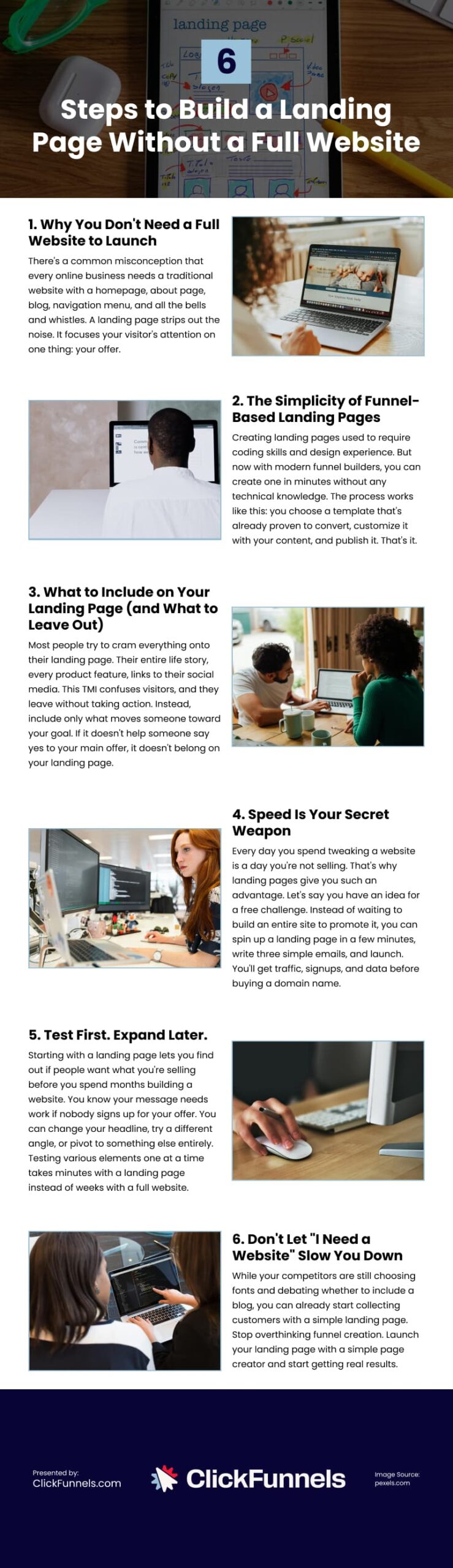
  • Quality review and coaching. Hold weekly review sessions of a sample of calls and chats, use a simple scorecard and check that required fields and next steps are recorded.

  • Security and data protection. Document how customer data is handled, confirm security certifications and sign a data-processing agreement, keep logs of who accessed what.

  • Coverage and staffing. Define hours and languages, how quickly new team members are trained and a staffing plan for busy periods and launches.
  • Reporting visibility. Provide easy-to-read reports by channel and by audience or message, with shared access for your team and the partner.
  • Pilot design. Target a narrow audience with one offer for 30–60 days, with clear success criteria tied to meetings booked and opportunities created.

Recommended reading

https://www-cms.pipedriveassets.com/Outsource-cold-calling.png

How to outsource cold calling services: scale your sales without hiring

Implementation plan: a 90-day rollout for revenue teams

The following CX outsourcing plan lowers risks, keeps messaging consistent and proves improvements in response time, sales handoffs and meetings booked, with clear actions and checkpoints at every phase.

  1. Days 0–30 (foundations): Align scripts, tone of voice with sales mirroring (matching buyer language and pace) and qualification criteria. Map CRM fields, build a shared knowledge base, set channel-specific service level targets, set up test queues and create baseline reports.

  2. Days 31–60 (pilot): Open limited hours and a small set of channels. Handle first responses, apply the qualification criteria and record structured notes. Hold weekly quality reviews with sales managers, refine the handoff and confirmation steps. Track first response time, time to qualified transfer and meeting rate.

  3. Days 61–90 (scale): Expand hours, languages and channels based on the pilot. Set a simple cadence: daily check-ins, weekly quality reviews and a monthly service-level review. Finalize reports for first response time, time to qualified transfer, meeting rate, customer satisfaction and pipeline from outsourced channels, then publish a short improvement plan.

How Pipedrive supports outsourced CX for sales

Pipedrive gives revenue teams a clear, shared view of every interaction. Email sync, sales call tracking and custom fields keep customer history, qualification notes and next steps in one place, so handoffs to sales include the context that moves deals forward.

Sales automations route conversations to the right owner, apply SLA timers and trigger warm transfer tasks with the details a rep needs to act quickly. Alerts surface risks when response times slip or required data is missing, helping managers coach in real time.

Sales dashboards track the metrics that matter for outsourced channels: First Response Time, Time to Qualified Transfer, Meeting Rate, CSAT and pipeline created from the cohort. Shared views keep your partner accountable and make it easy to compare performance by channel, message and segment.

With Pipedrive as the operating layer, outsourced CX stays aligned to revenue goals: consistent qualifications, faster handoffs and measurable impact across the funnel.

  • A partner handles pre and post sale interactions under your brand, then passes qualified opportunities to sales with notes logged in your CRM.

  • Coverage across chat, email, voice, in-app and social, using shared playbooks and one knowledge base with clear routing to sales.

  • First response time, time to qualified transfer, appointment set rate and CSAT, review weekly with QA samples and 14–30 day stage checks.

  • When you need 24/7 coverage, new languages or seasonal scale without headcount, compare cost per qualified transfer and keep governance and data ownership.

Final thoughts

Customer experience outsourcing can unlock faster response, cleaner handoffs and more meetings without expanding headcount. The model works when it’s governed like a revenue program: one knowledge base, clear qualification rules, omnichannel coverage and service levels tied to outcomes.

Make visibility the standard. Operate from your CRM, review SLAs and QA every week and tune routing and scripts based on what moves prospects forward.

With the right partner and operating cadence, outsourced CX becomes a repeatable way to capture intent, protect renewals and create pipeline.

  • « Go to Previous Page
  • Page 1
  • Page 2
  • Page 3
  • Page 4
  • Interim pages omitted …
  • Page 44
  • Go to Next Page »

Get your Software Stack together. softwarestack.tech

Software Stack

© 2024–2025 - Software Stack is a trading name of SouthwestCIO Limited ac ompany registered in England & Wales 11319049

  • Knowledgebase
  • Home
  • About Us
  • Contact Us