• Skip to primary navigation
  • Skip to main content
software stack logo

Software Stack

Get your Software Stack together

  • Knowledgebase
    • All Categories
    • Accounting Software
    • Automation & Workflow Software
    • Customer Relationship Management
    • E-Commerce Shopfronts & Payments
    • Marketing Automation
    • Online Courses & Membership
    • Project Management
    • Surveys & Forms
    • Web Hosting
  • Home
  • About Us
  • Contact Us
  • Show Search
Hide Search

Email Marketing

Best Knowledge Management Software Solutions for SMBs

Software Stack Editor · June 24, 2025 ·

Knowledge management (KM) software consolidates scattered insights into searchable resources, enhancing collaboration and accelerating decision-making.

KM tools come in different forms and serve different purposes. What you need depends on who will use it and what problems you need it to solve.

In this guide, you’ll find top knowledge management software tools for small businesses, categorized by use case and budget, plus tips on choosing the right one for your team.

Types of knowledge management software

There are two main types of knowledge management software, also often referred to as knowledge management systems (KMSs): internal tools for your team and external tools for your customers. Knowing the difference helps you choose the right solution for your specific audience and use case.

Note: Knowledge management software refers specifically to the tools used in capturing and sharing a company’s collective knowledge. For a deeper dive into building effective information management for SMBs, read our guide on knowledge management systems.

Internal KMS

An internal KMS stores your company’s knowledge (e.g., processes, training materials and employee handbooks). Only your employees, internal stakeholders or contractors can see the information, and users have different access permissions depending on their role or department.

Types of internal KMS include:

  • Internal knowledge bases

  • Company wikis

  • Document management systems

  • Team collaboration platforms

  • Learning management systems

For example, a sales team might have an internal KMS to store sales playbooks, scripts to handle objections or sales training resources.

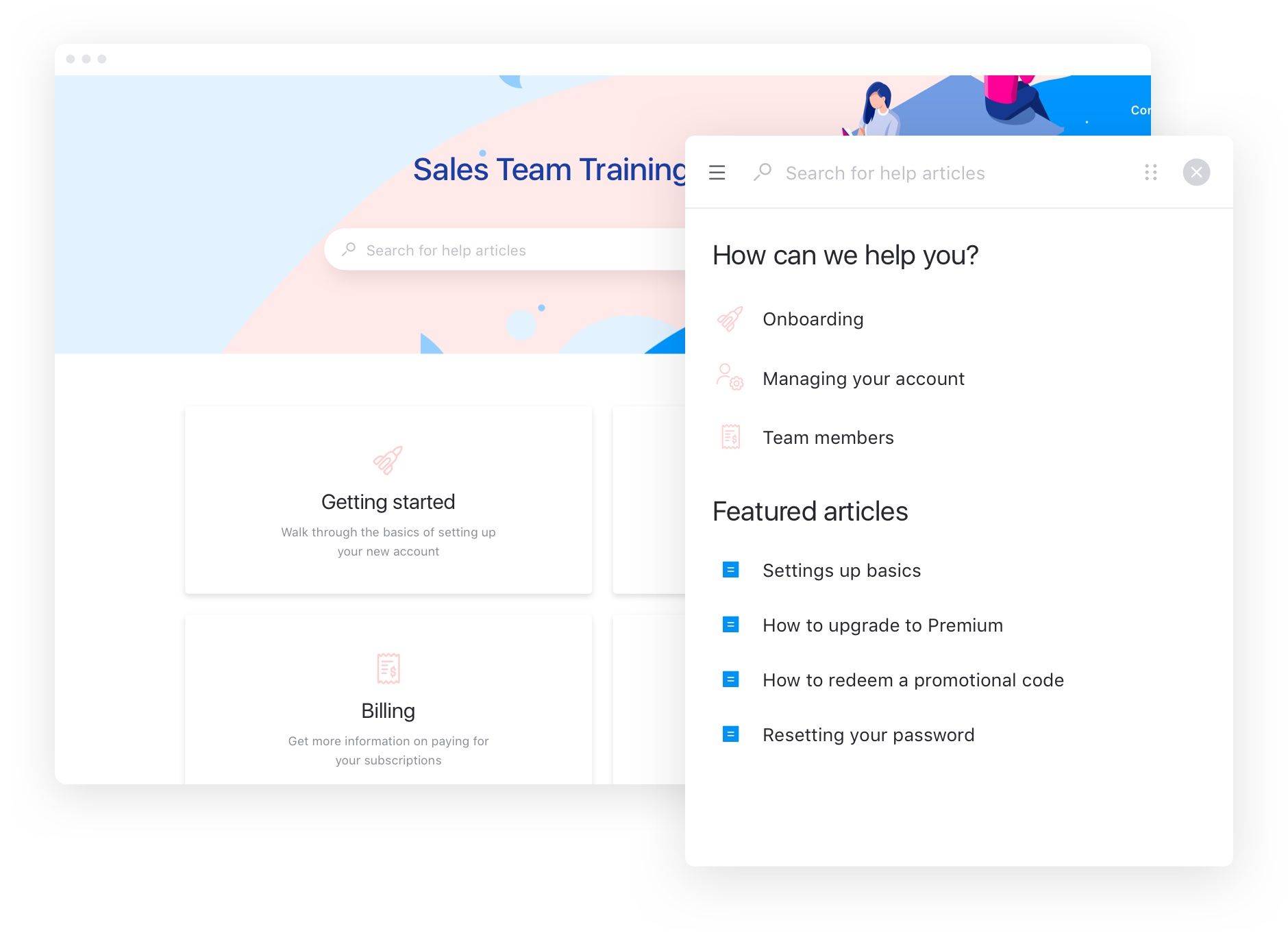
Here’s the interface for an internal sales team knowledge base built using the Stonly platform:
knowledge management software internal sales

Internal KM software can speed up the employee onboarding process by answering new sales hires’ questions and helping them understand your sales methodology in their own time.

External KMS

An external KMS stores knowledge that people outside your company can access. It contains public or customer-facing information.

Types of external KMS include:

  • Customer-facing knowledge bases

  • Self-service or customer portals

  • Community forums

  • Product documentation sites

An external KMS may store pricing pages, case studies, customer success stories or product guides in an accessible, easy-to-search interface.

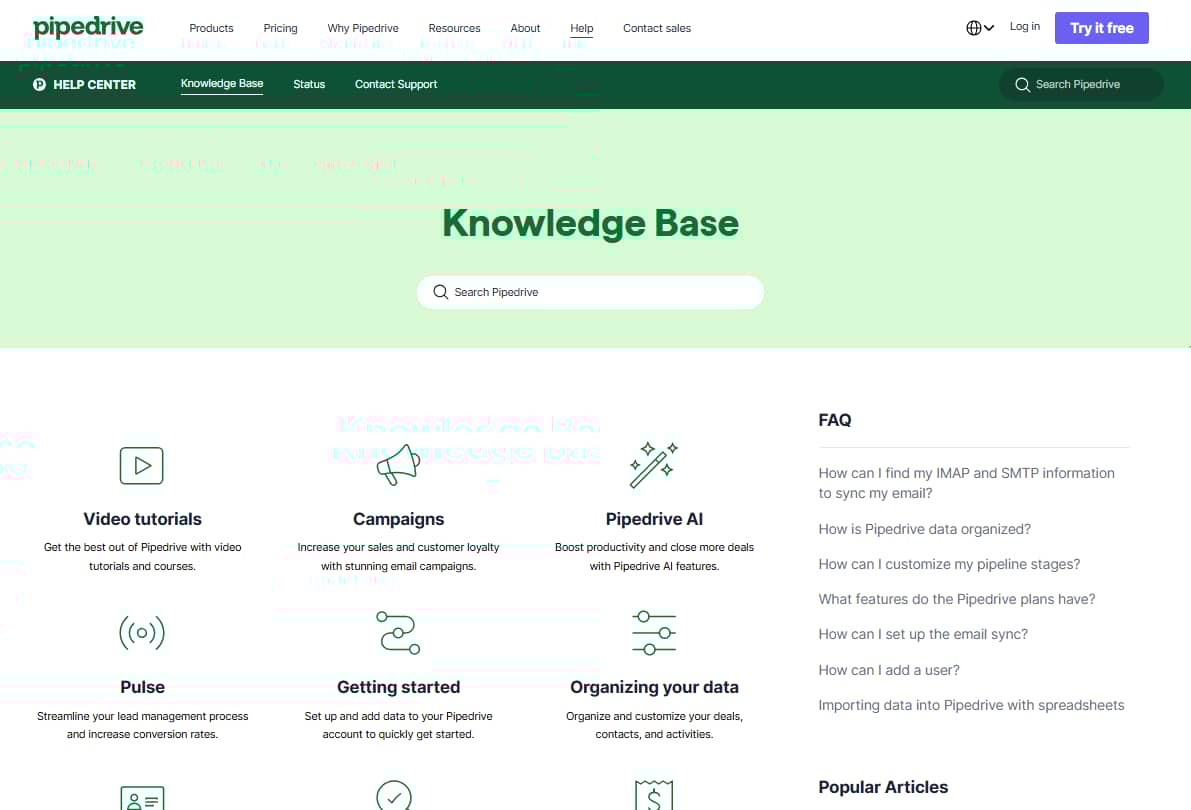
For example, here’s a look at Pipedrive’s customer-facing knowledge base:
knowledge management software pipedrive knowledge base

External knowledge management software boosts efficiency and improves the customer experience. Say a customer wants to connect your tool with Slack at 2 AM. They can visit your help center, search for “Slack integration” and address their issue without waiting to contact support during business hours.

Many businesses repurpose existing tools as knowledge management systems based on their needs. Popular options include wiki-style platforms, document storage systems, search-focused tools and CRM add-ons (more on these later). You can configure these tools to work as either internal or external knowledge bases.

Recommended reading

https://www-cms.pipedriveassets.com/Types-of-Customer-Service.jpg

9 Types of customer service: Pros, cons and when to choose each one

18 best knowledge management software options

A good KMS leads to better employee satisfaction, cost savings and improved customer experience. However, it’s difficult to choose one with so many different options and types, so we narrowed down a list of free and low-cost solutions.

Here are some of the best knowledge management software tools for small businesses, organized by category.

Document management systems (internal)

Document management systems store, share and control access to your company’s files. All from one centralized repository.

Document management systems can be both external and internal. However, small businesses generally use them internally for employee handbooks, training materials, project files and company policies.

Here are some top document management systems.

Pipedrive Smart Docs

Pipedrive Smart Docs is a document hosting service that centralizes files for internal use. Unlike standalone document management systems, Smart Docs lives inside your CRM. You must integrate it with a hosting service like Google Drive, OneDrive or SharePoint to store your documents.

knowledge management software Pipedrive smart docs

Your sales team can use Pipedrive Smart Docs to create proposals, contracts and quotes using intuitive templates. Create and share trackable links for these documents when you send them to clients. The system will notify you when someone engages with the document.

With Pipedrive Smart Docs, you can save time through its auto-fill feature. When you create or use a template within a deal, it automatically fills data fields with information from your CRM.

Permissions controls also let you determine who can use or edit documents across your team.

Smart Docs is available on Professional plans and up, or as an add-on for other plans.

Why use Pipedrive Smart Docs: With Pipedrive Smart Docs, you can request an e-signature. When the document is sent, you can track the status of those signatures within a deal so you can follow up immediately, speeding up your sales cycle.

Google Drive

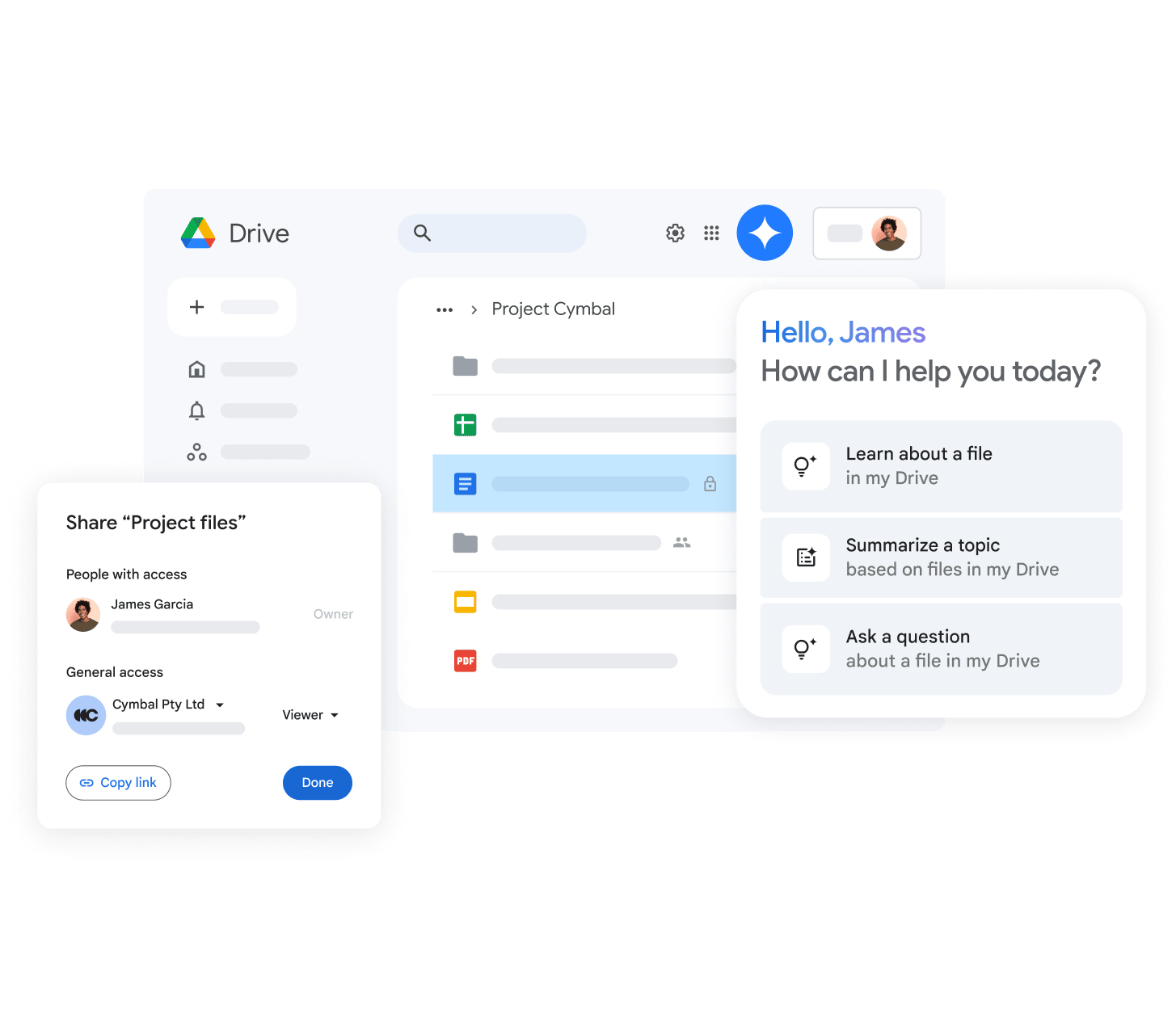
Google Drive is a cloud storage tool for real-time collaboration with your team. It allows you to create shared files or folders for different projects and set who can view, comment on or edit each file.
knowledge management software google drive

The tool has a regular search bar and an AI-powered search solution (Gemini) to find any file within your storage. Google Drive also syncs all files automatically and saves every change you make. You can even go back to old versions if you make mistakes.

Why use Google Drive: Google Drive lets you work on and edit files with your team in real time. It’s a free tool with excellent collaboration features, and is a seamless addition if you already use Gmail or other Google tools.

Dropbox

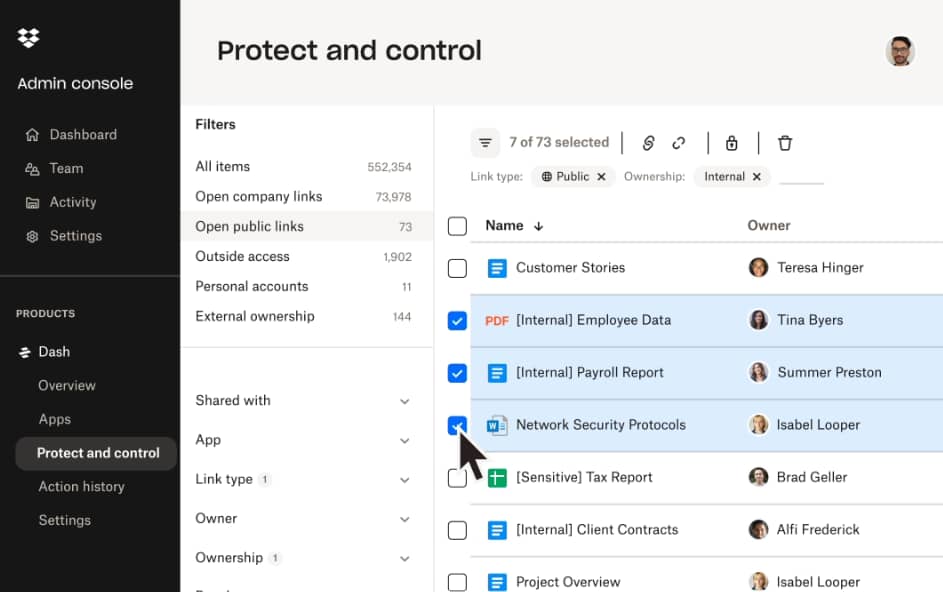
Dropbox excels at storing and sharing large files that won’t fit in an email. You can create shared folders where your team can add videos, images, presentations and documents.
knowledge management software dropbox storage

The tool has a feature called Dropbox Dash, which uses generative AI to quickly find files. It also integrates with Teams and Slack to find key information from your messages.

With Dropbox, you can create shareable links with expiration dates when sending promotions to sales prospects. You can also see when recipients view or download your files to time follow-ups.

Why use Dropbox: Dropbox has advanced security features that allow you to control who can view and access files and create passwords for important documents.

Team collaboration platforms (internal)

Team collaboration platforms focus on real-time editing and shared content creation rather than just storing finished documents.

Teams use these internal platforms for project wikis, meeting notes, shared research and collaborative documentation.

Here are some top team collaboration platforms.

Trello

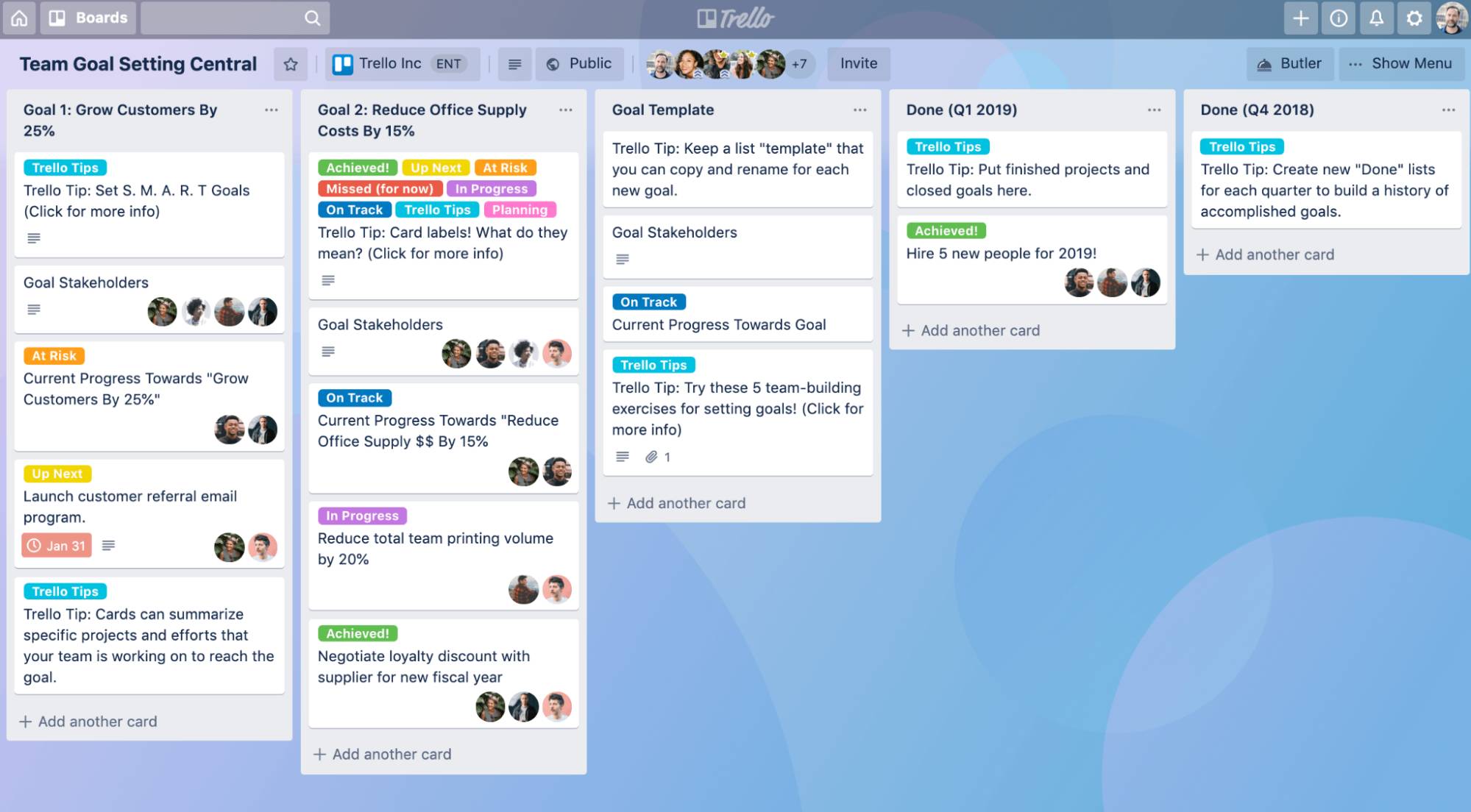
Trello organizes your team’s work using boards, lists and cards. You can create boards for different projects and move cards through stages like “to do”, “in-progress” and “done”.
knowledge management software trello interface

Each card can hold documents, checklists, due dates and team member assignments. You can attach files from Google Drive, Dropbox or your computer. Trello also sends notifications when team members update cards or leave comments.

Your team can use Trello boards as a simple knowledge base for project documentation. Store meeting notes, project requirements and team decisions on cards that everyone can access and update.

Why use Trello: Trello’s kanban cards make it easy for team members to find information at a glance. They can check the project status and access relevant documents without asking teammates for updates.

Confluence

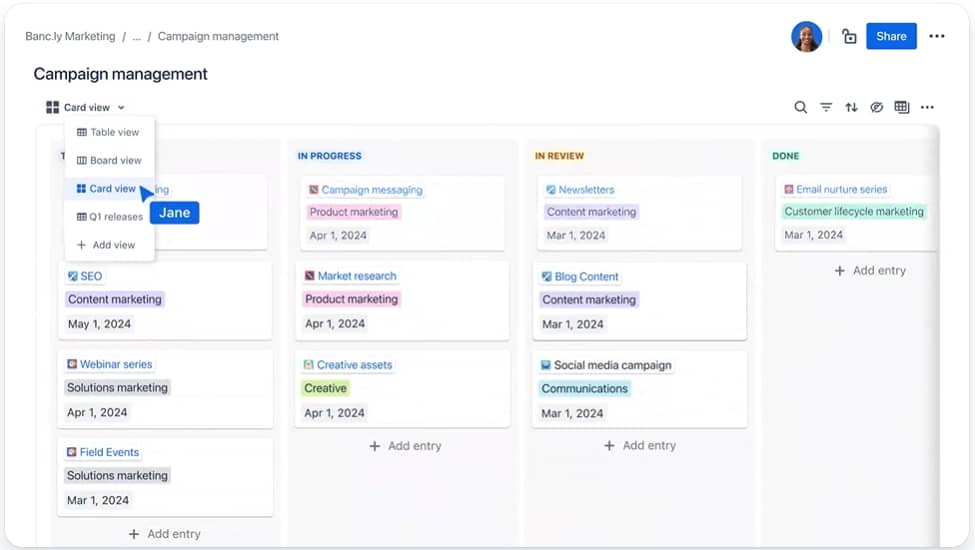
Confluence helps your team build knowledge bases together. It’s like a knowledge wiki where you can create, share and collaborate on company documentation.
knowledge management software confluence

Create pages with text, images, tables and embedded videos. Confluence has templates for meeting notes, project plans and team documentation. You can organize content into spaces for different departments or projects.

The tool also connects with Jira for project management and Slack for team communication.

Why use Confluence: Confluence is a good fit for creating structured company knowledge, integrates with other Atlassian tools and has powerful search capabilities.

Slab

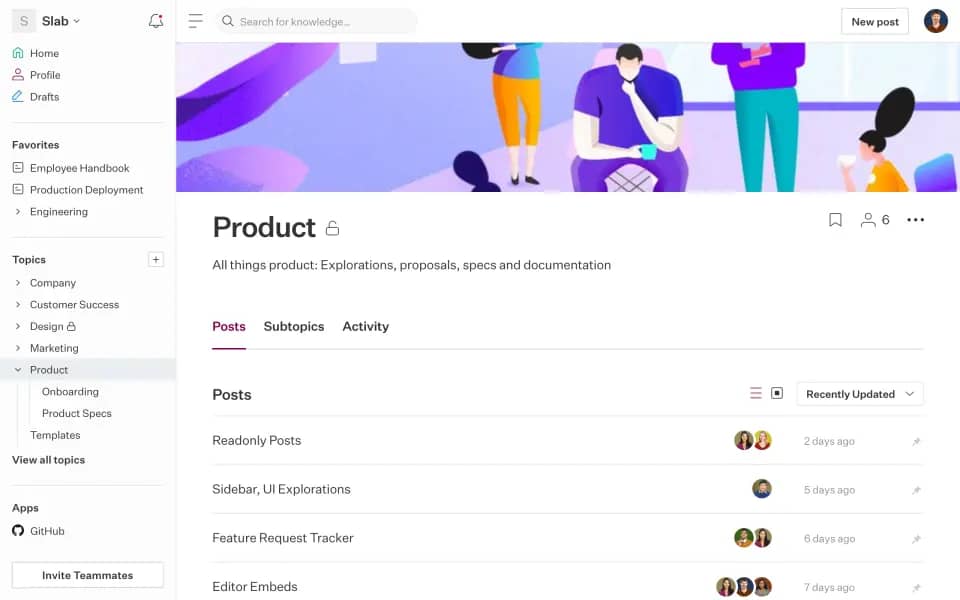
Slab makes it easy to find and update information with a clean, user-friendly interface. Small teams can also use it as a wiki to create and organize company knowledge.
knowledge management software slab interface

The platform uses AI-powered search to find information quickly and lets you create team spaces, set permissions and collaborate on documents in real-time. It makes it easy to keep knowledge current with automated reminders for content updates.

Slab also integrates with Slack, GitHub and other popular work tools.

Why use Slab: Slab’s documents content owners and when the document was last updated for each post to boost accountability and keep information fresh.

Download your guide to managing teams and scaling sales

The blueprint you need to find a team of superstars and build a strong foundation for lasting sales success

Learning management systems (internal)

Learning management systems are used for structured training and education. Their purpose is learning, not information access.

LMS can be internal (i.e., to train employees) and external (i.e., to educate customers). However, many companies use them internally for employee onboarding, compliance training and skills development.

Here are some top LMS tools.

TalentLMS

TalentLMS is a training platform that helps you create and launch courses easily. The tool’s AI capabilities let you create content from your materials or use existing templates.
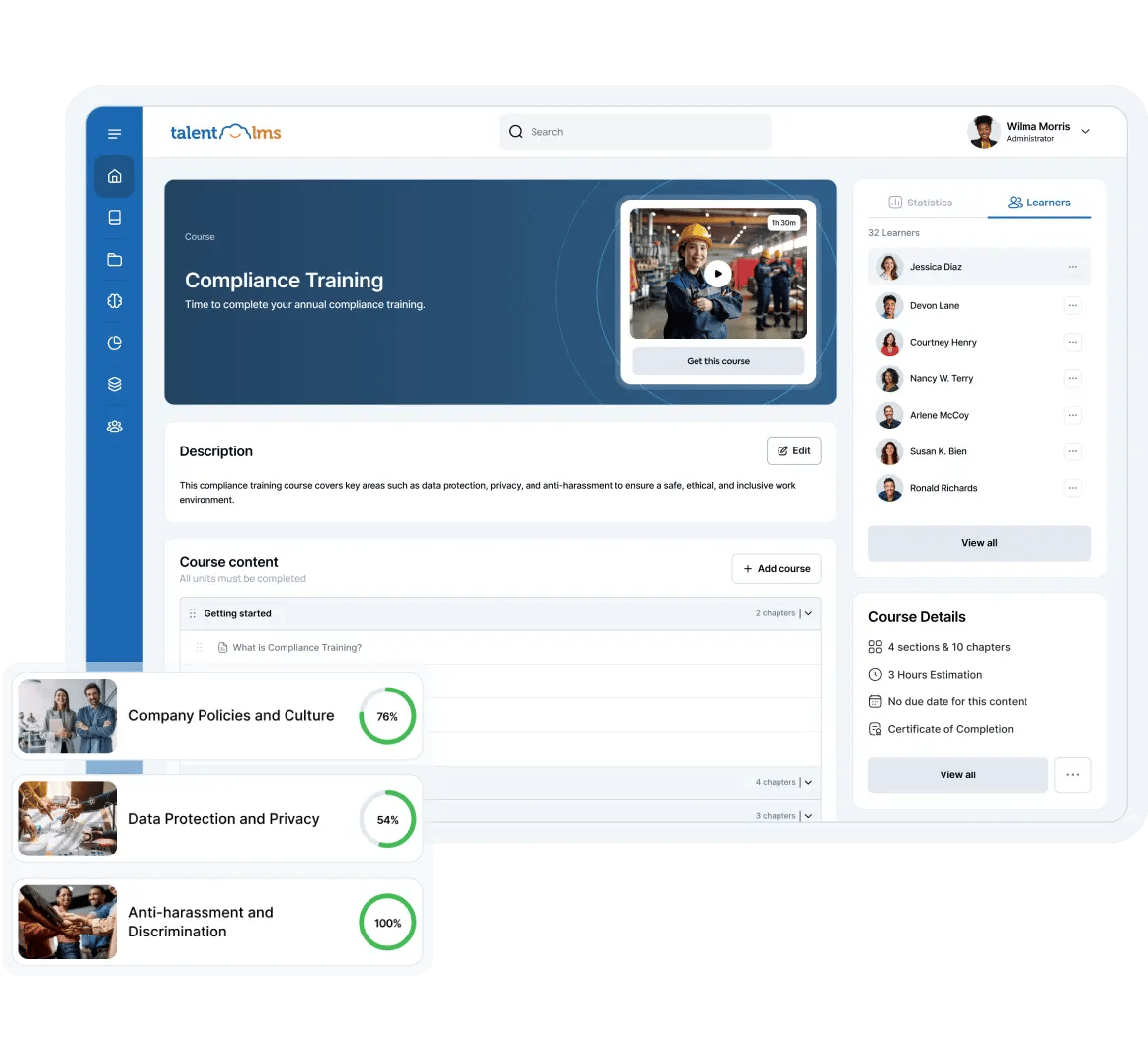
knowledge management software talentlms interface

The tool’s AI features can also use your company’s knowledge to help you find employee knowledge gaps or create learning paths customized to each person based on role or experience.

TalentLMS includes gamification features like leaderboards and badges to boost learner engagement and has user management features so you can assign roles and permissions.

Why use TalentLMS: TalentLMS has an AI feature that helps employees plan their careers. It analyzes your employees’ current skills and career goals to show them which courses they should take to achieve them.

Absorb LMS

Absorb LMS is another learning platform that lets you create courses, track progress and deliver training to internal teams or external clients.
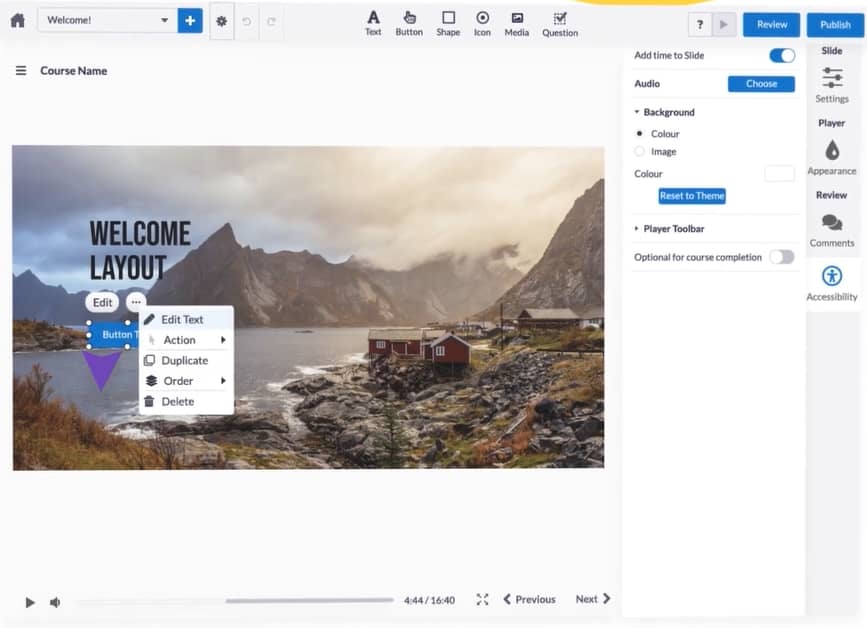
knowledge management software absorb lms

The platform includes AI-powered content creation tools and social learning features. It lets you add animations, buttons, videos and quizzes to keep learners engaged.

You can build courses quickly using templates or import content from external providers. Absorb LMS also integrates with your CRM and HR systems to automate training assignments.

Why use Absorb LMS: Absorb LMS offers accessibility features to help you create a more inclusive learning environment. The features include blind/low vision support, hard-of-hearing assistance and keyboard compatibility.

Docebo Learn LMS

Docebo Learn LMS helps you create and deliver courses for specific audiences. This tool also works as an employee and customer learning platform.

knowledge management software docebo learn

Docebo Learn LMS uses AI to personalize the learning experience for each learner. It also offers free extensions that give you more creative power with gamification, custom domains and audit trails.

Why use Docebo Learn LMS: Docebo’s Creator feature uses AI to help you customize learning content for different audiences. It also provides AI translations so you can cater to global and remote teams, no matter where they are.

Product documentation sites (external)

Product documentation sites organize technical documentation for specific products or software. They’re usually tied to development workflows, with a focus on technical how-to content.

Businesses use these external sites as API documentation, user guides and troubleshooting resources.

Here are some top product documentation sites.

GitHub

GitHub lets your development team create wiki docs alongside their code. The wikis are regular Git repositories that store Markdown files. Development teams use these files to create API documentation and user guides.
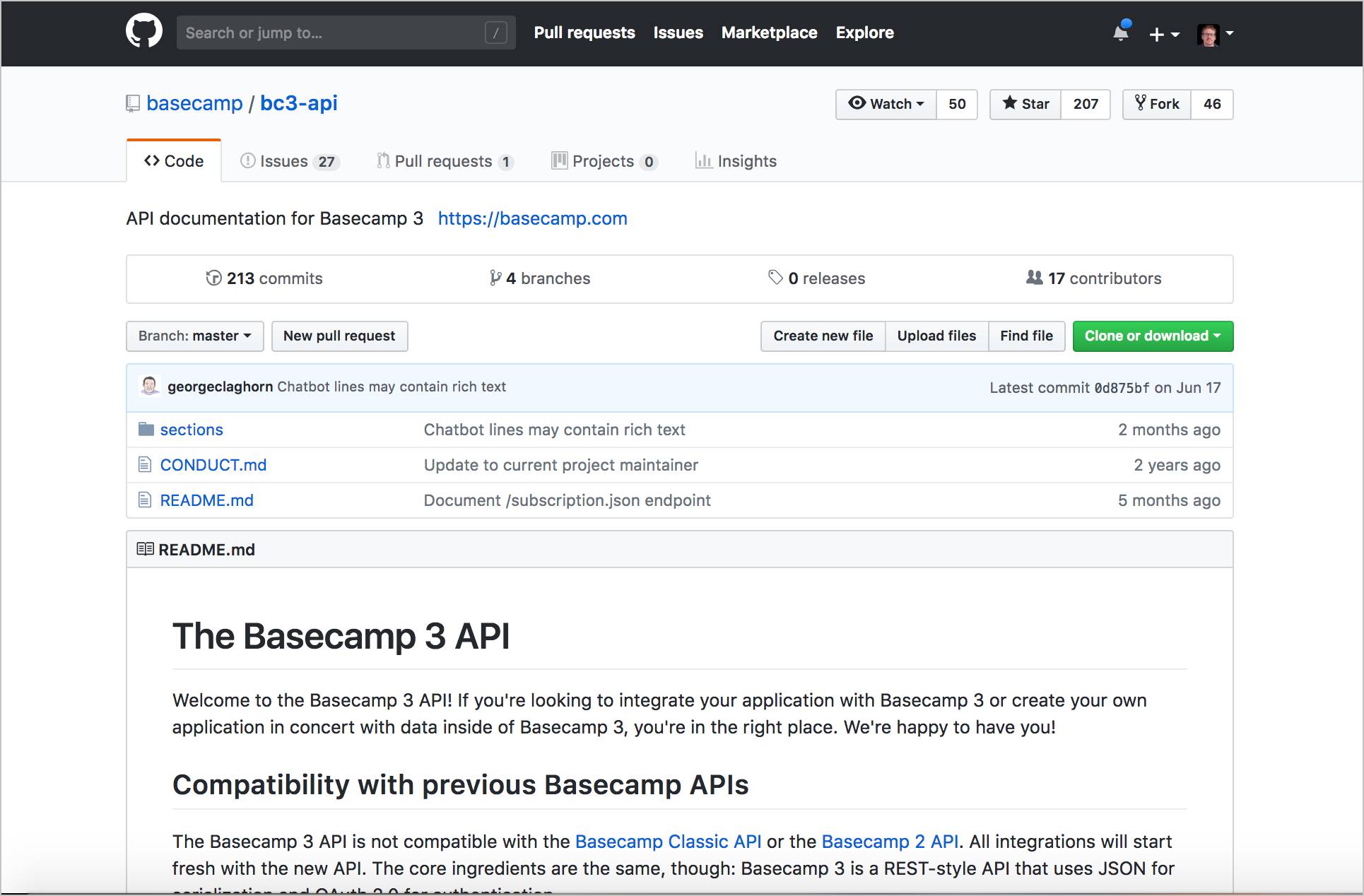
knowledge management software github wiki

Multiple people can contribute using standard Git workflows. However, rather than being able to collaborate in real time, you’ll have to edit, commit and push changes.

You can make your wiki public for open-source projects or keep it private for internal use. The platform allows you to link and organize wiki pages to a simple navigation structure.

Why use GitHub: You can edit documentation directly in your browser or download the files to work on your computer offline. This feature gives your team flexibility in updating docs.

Nuclino

Nuclino consolidates all your team’s work into one place. You create, organize and collaborate on documents in real time.

knowledge management software nuclino interface

The platform organizes content in multiple ways. You can use lists, boards or visual mind maps, and link pages together for easy navigation. Nuclino also has quick search capabilities and advanced filtering.

Teams use Nuclino for project documentation, meeting notes and knowledge management. You can create different workspaces for different topics and control who can access this information. Wikis can be public or private.

Why use Nuclino: Nuclino’s graph view shows how all your information connects. You can easily see relationships between topics and discover related content.

BookStack

BookStack is a free, open-source wiki platform that you can host yourself. It lets you organize your documentation with books, chapters and pages for a user-friendly structure.
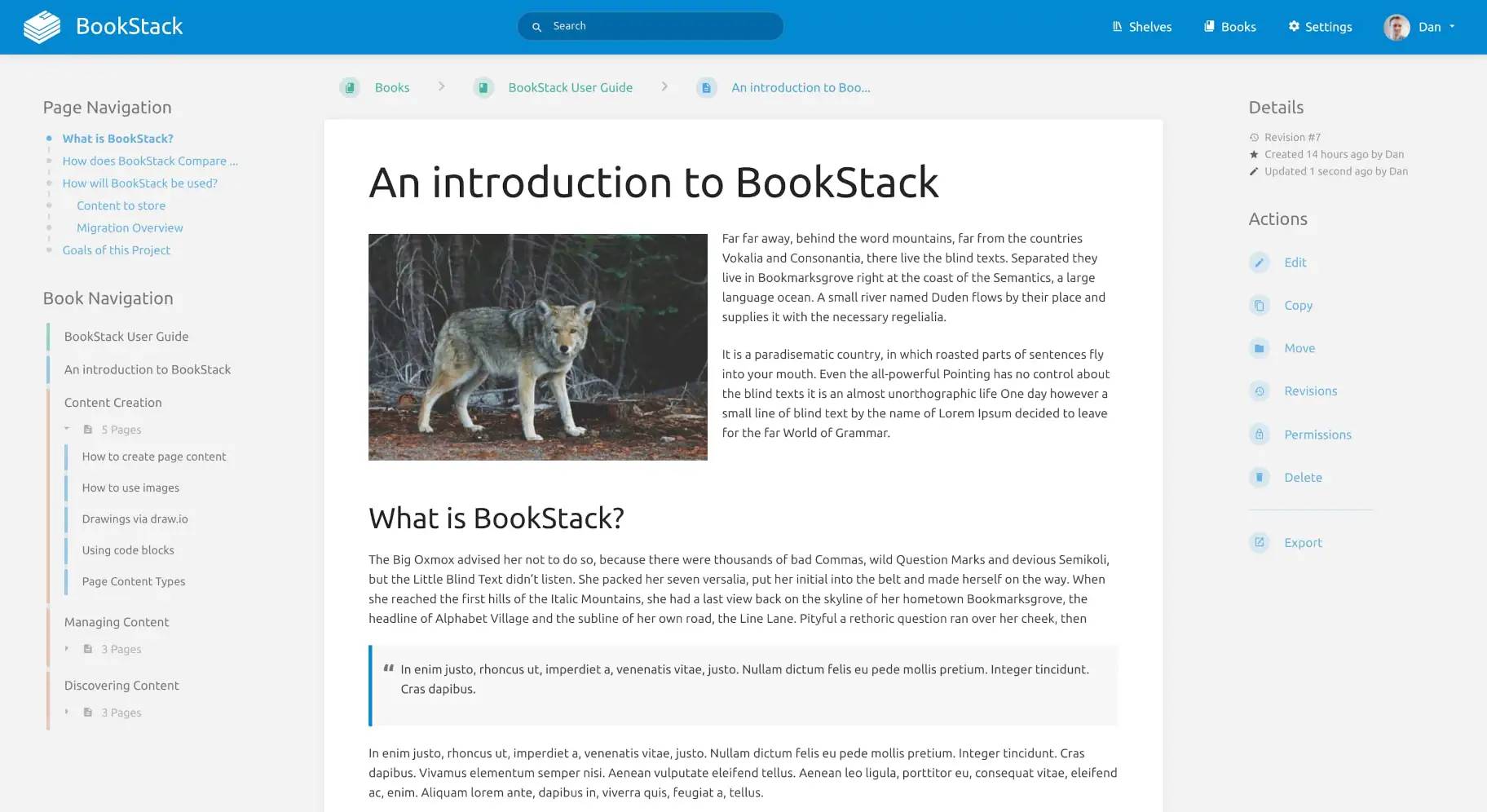
knowledge management software bookstack interface

The platform has a simple visual editor, so creating content requires no technical skills. It also includes diagramming tools for flowcharts and technical drawings. BookStack supports multiple languages and user permissions.

Small businesses can use BookStack for internal documentation and procedure manuals. You can customize the look with your branding and control who can view or edit different sections.

Why use BookStack: With BookStack, you can include direct links to paragraphs, which makes drawing connections for other team members easier.

Customer-facing knowledge bases (external)

Customer-facing knowledge bases act as help centers for customer support. They allow customers to find answers to common issues, reducing support tickets.

Companies use them for FAQs, troubleshooting guides, product information and step-by-step tutorials.

Here are some top customer-facing knowledge bases.

Helpjuice

Helpjuice is a knowledge base software for creating customer help centers. You can build FAQs, troubleshooting steps and product guides to reduce support tickets by giving customers instant answers.
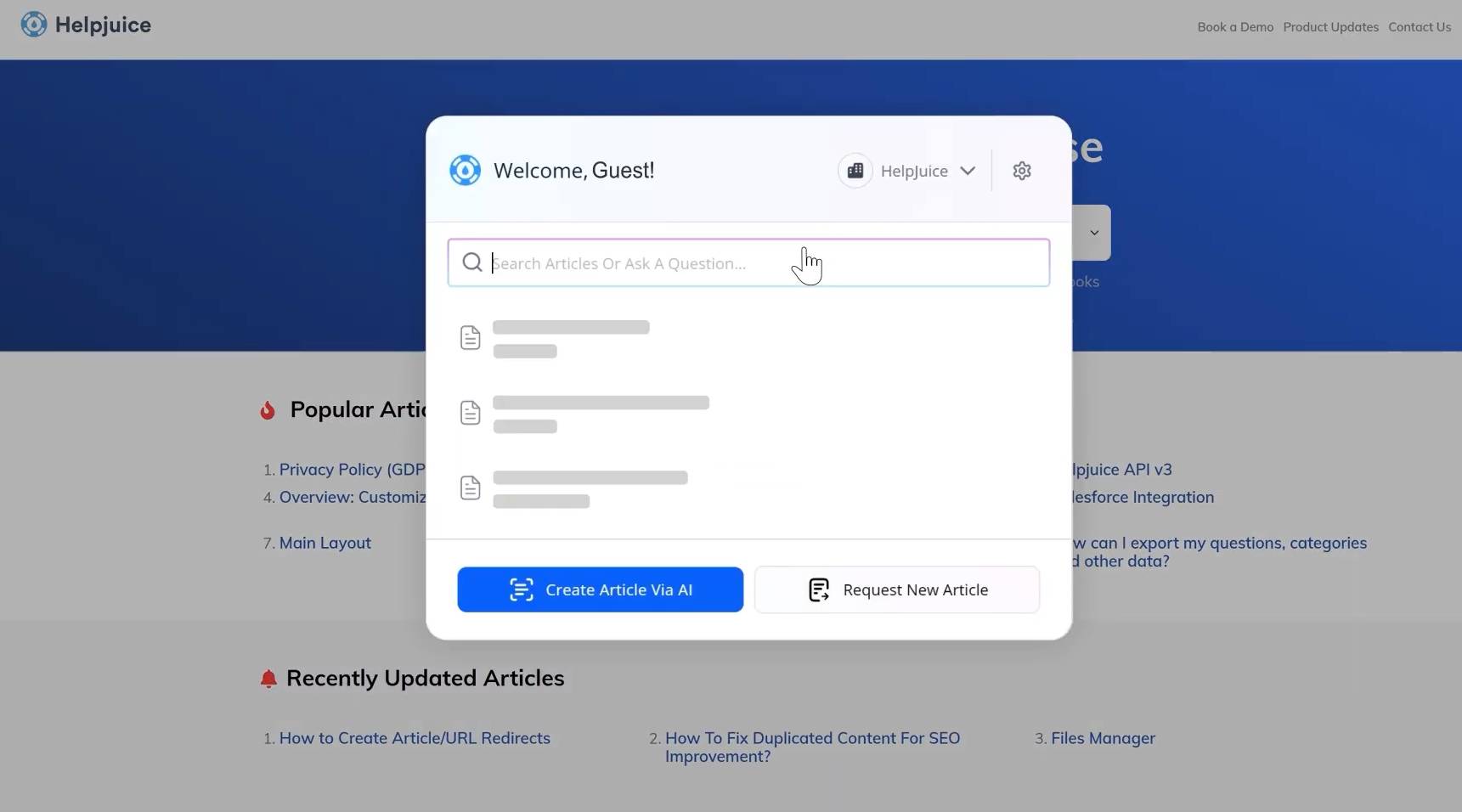
knowledge management software helpjuice interface

The system’s AI features can help you create articles and smart searches. You can also use Helpjuice’s browser extension to capture the information you want to add to the knowledge base.

The software also provides analytics to show which articles are most helpful and what customers search for.

Why use Helpjuice: Helpjuice’s natural language search understands what customers are looking for, even when they don’t use exact keywords. This feature makes it easier for people to find the right answers quickly.

Notion

Notion lets you create knowledge bases with multimedia content. You can build pages with text, images, videos and databases that customers can browse.
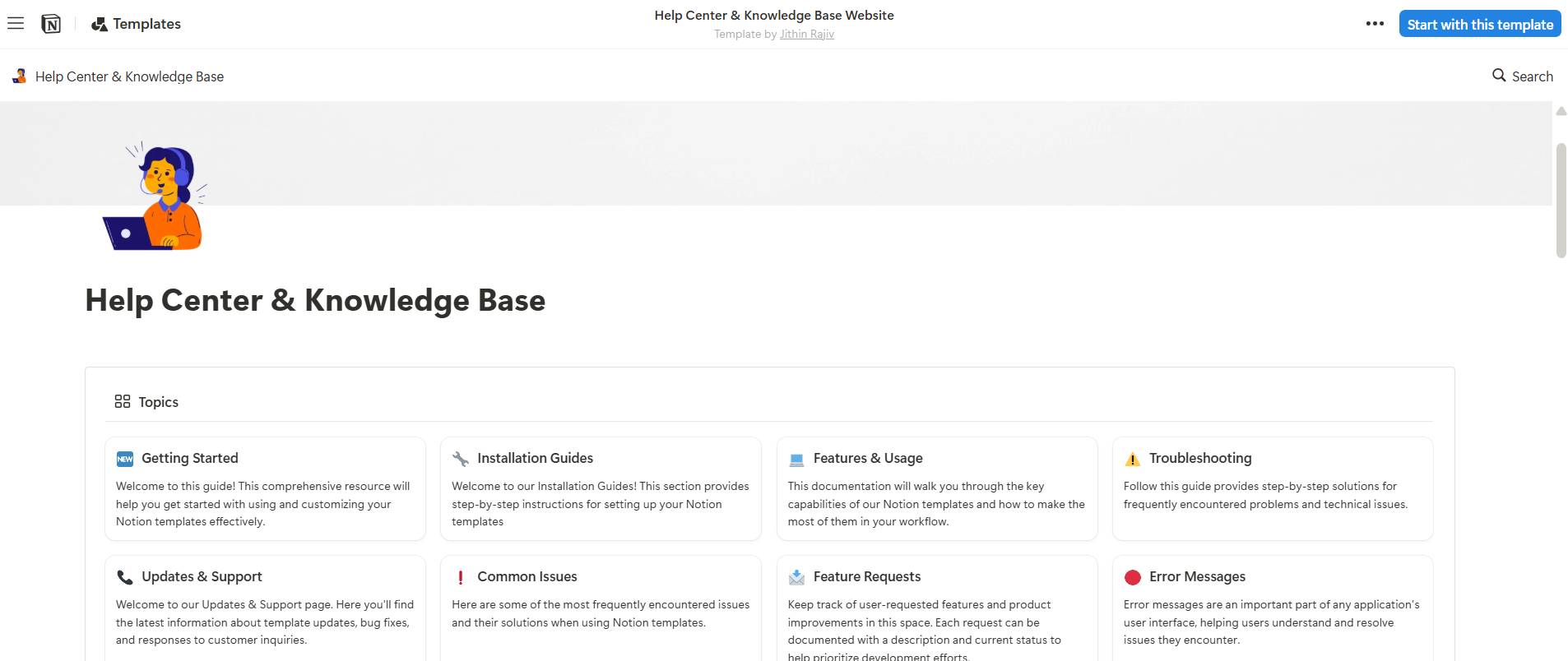
knowledge management software notion interface

Notion has control permissions to make some content public for customers and keep other sections private for your team.

You can also embed forms, calendars and other tools directly into your knowledge base. The platform syncs across all devices and integrates with many popular business tools.

Why use Notion? Notion has 30,000+ templates, including templates for professional knowledge bases.

Helpsite

Helpsite is a simple knowledge base platform that helps you create help centers in minutes. You can build public knowledge bases for customers or private ones for internal teams.
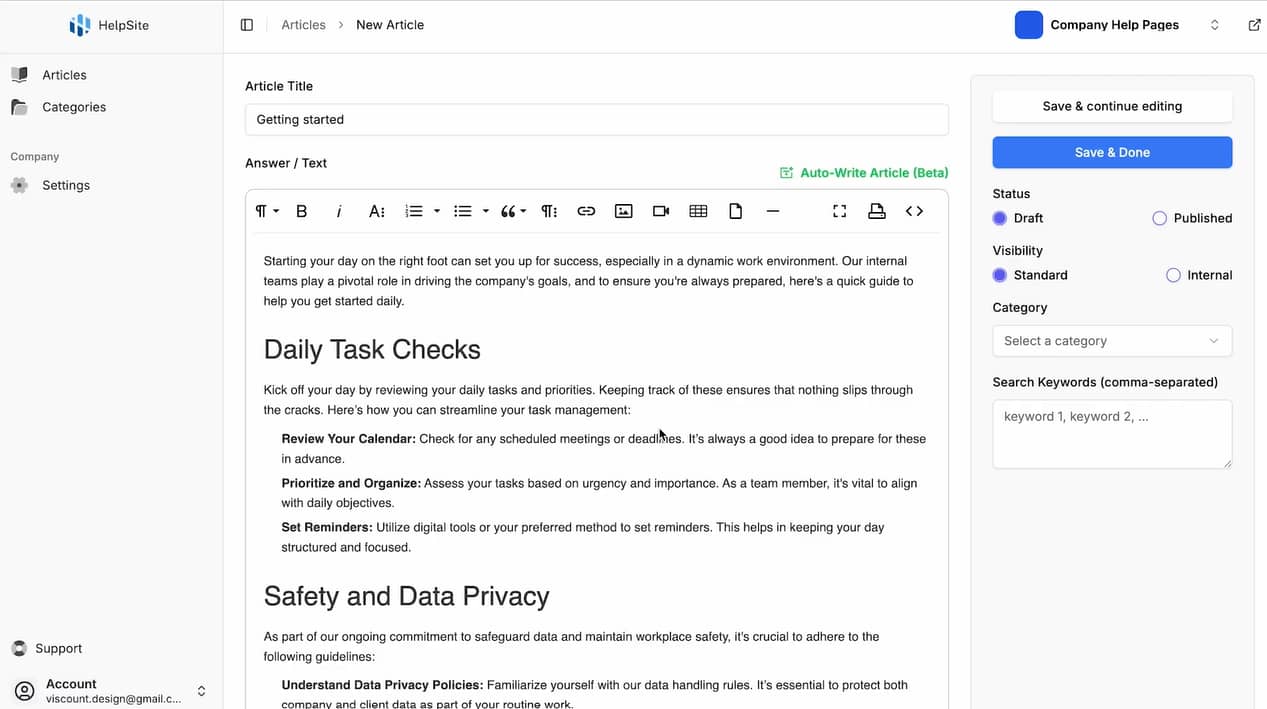
knowledge management software helpsite interface

Helpsite makes your knowledge base searchable and mobile-friendly and requires no technical setup. Its AI features can generate articles automatically, so you can launch a fully functional help center quickly and scale as you grow.

The platform also handles hosting and provides analytics to track what customers are reading.

Why use Helpsite: With Helpsite, you can create separate knowledge bases for different audiences, which is helpful when you manage multiple products or brands.

Self-service portals (external)

Self-service software or portals allow customers to handle routine tasks by themselves. Companies use self-service portals when customers frequently need to:

The portal gives customers direct access to perform these actions 24/7 without waiting for business hours.

Here are some top self-service portals.

Clinked

Clinked helps you create branded client portals. You can share files, manage tasks and communicate with clients in one place. The platform lets you customize everything with your branding to look like your own software.
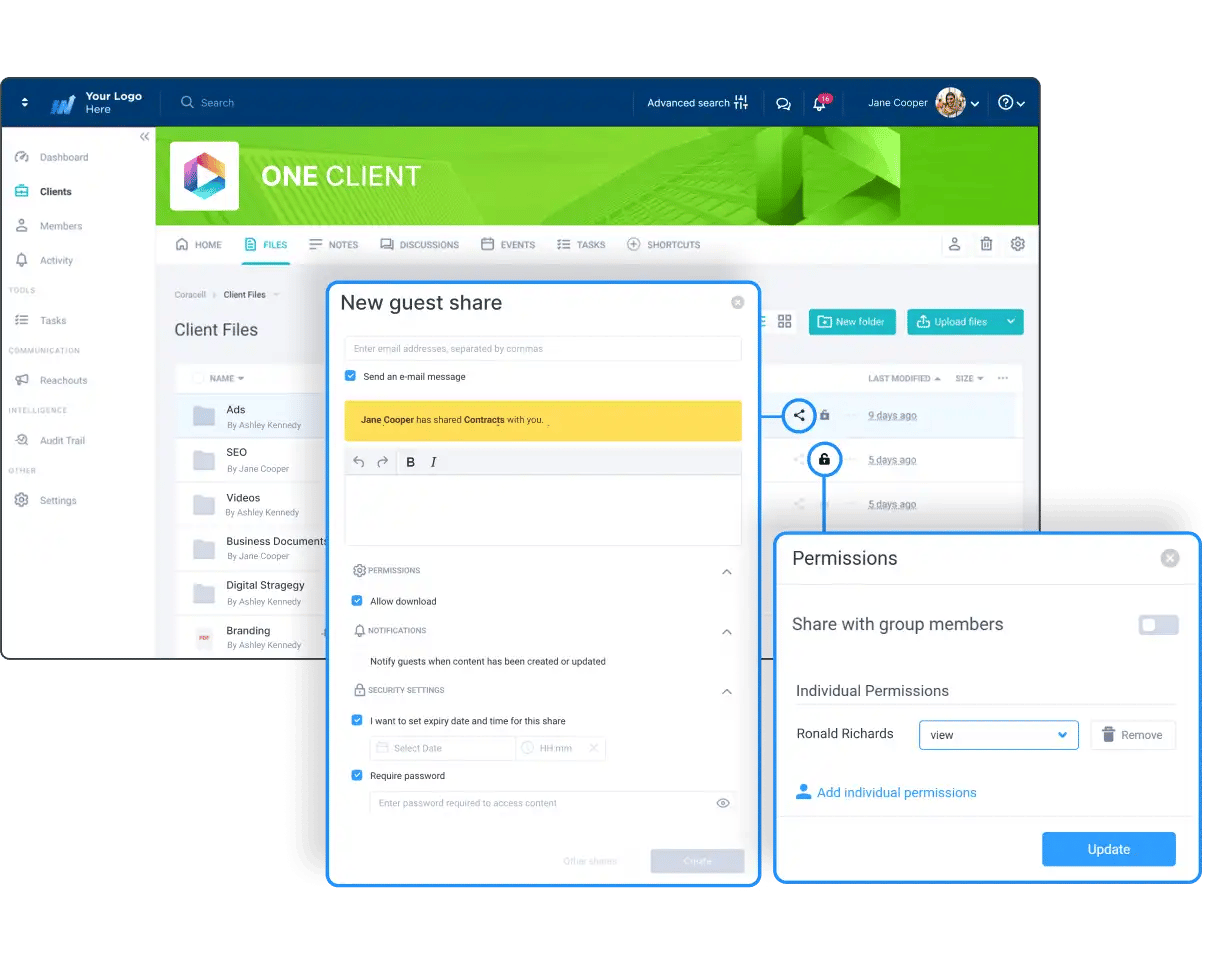
knowledge management software clinked interface

With Clinked, you can store documents securely and control who can access what files. The software also includes messaging tools for real-time communication and task management features. You can assign tasks and check timelines to keep everything on track.

Why use Clinked: You can manage approvals and request files or e-signatures from your client using Clinked. The platform will send notifications to whoever needs to perform the next action in your workflow.

SuperOkay

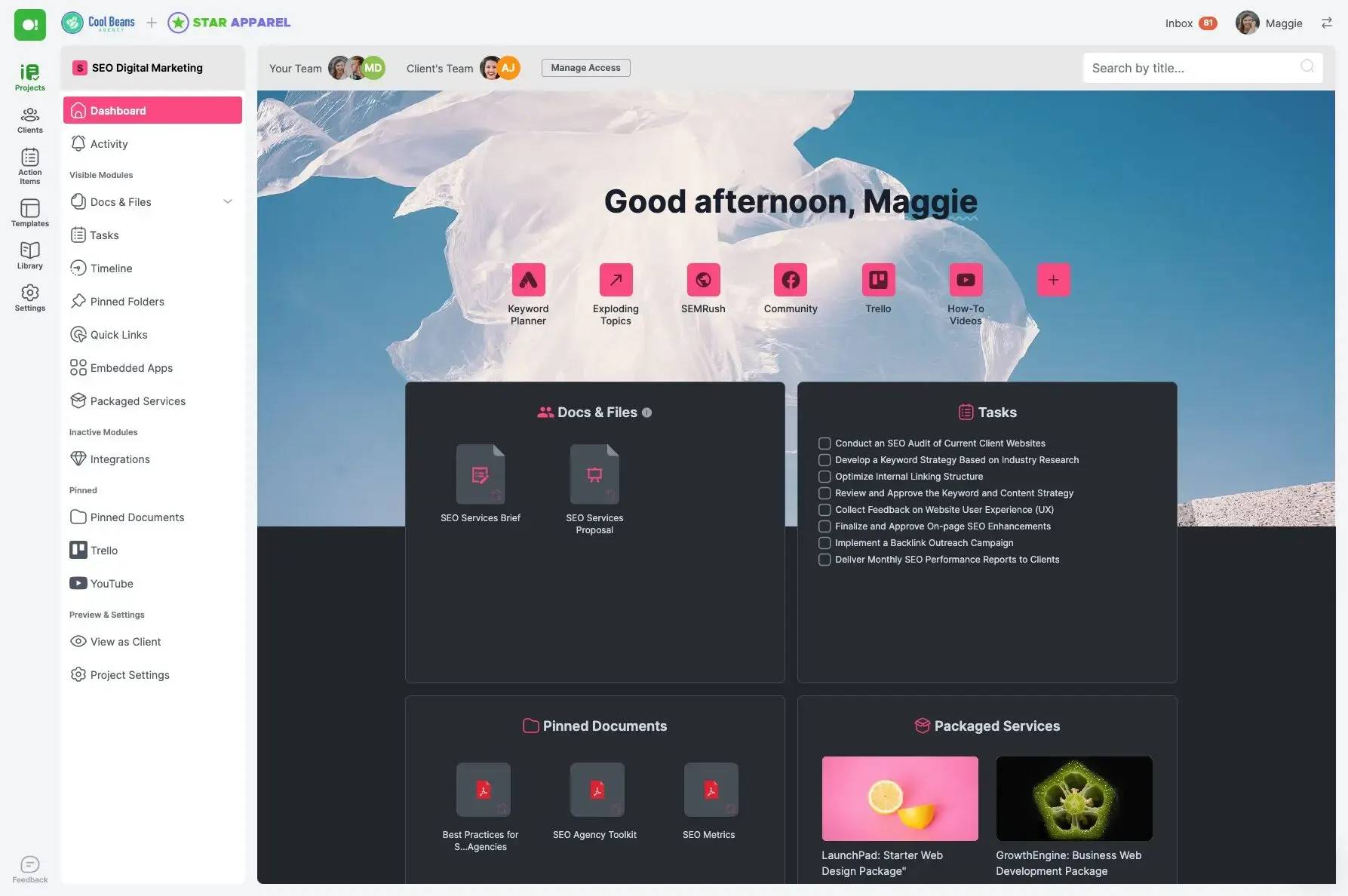
SuperOkay helps agencies and freelancers create client portals for project collaboration. You can share documents, manage tasks and collect client feedback in one branded space.
knowledge management software superokay interface

SuperOkay includes interactive document features like forms, surveys and approval workflows. It also allows you to embed apps, share files and track project progress all in one place.

The platform offers pre-built templates for proposals, briefs and estimates. You can create packaged services that clients can purchase directly. SuperOkay also includes task management with Kanban boards and deadline tracking.

Why use SuperOkay: With SuperOkay, you can create employee bios to include in your proposals to showcase your team’s expertise.

MyDocSafe

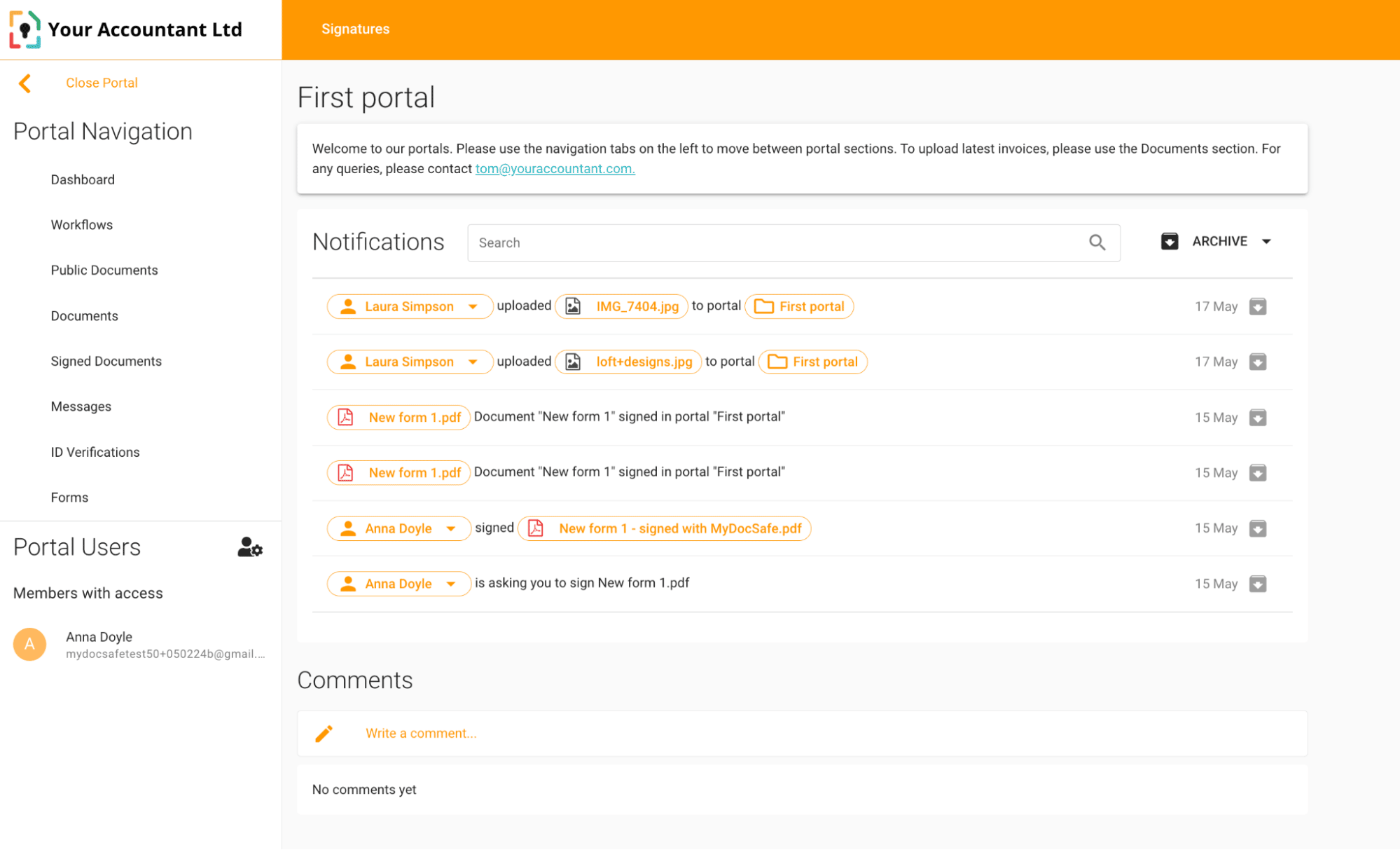
MyDocSafe helps you create secure client portals where customers can handle tasks themselves. You can set up custom workflows for different types of clients, request documents, collect payments and run ID checks.
knowledge management software mydocssafe interface

You can also customize each portal with your branding and logo. Clients can access their portal from any device to check document status, upload files and complete required tasks.

Why use MyDocSafe: Clients can complete the onboarding process through automated workflows to reduce back-and-forth emails and manual work for your sales team.

How to choose the right knowledge management software tools for your team

You need knowledge management software that helps your team work better, not just store information. Every effective KMS must nail three core functions:

  1. Discoverability, so people have easy access when they need it

  2. Searchability, so users can navigate and find information quickly

  3. Adaptability, so the content stays fresh and team members can contribute easily

Beyond these abilities, the best choice for your team depends on your specific situation. For instance, a sales team’s needs are different from those of a customer support team.

Use the following framework to identify the right solution for you.

1. Determine your primary users

Start by identifying who will be using your KMS and for what purpose. Assessment prevents you from choosing software with unnecessary features that complicate adoption and increase costs.

Defining the “who” helps determine whether you need internal or external software. If employees will be the main users, you need an internal KMS. If customers will access it, you need an external KMS.

Outlining the purpose helps determine what category of software you need. For instance, with internal software, you may have goals to boost sales team collaboration, enhance onboarding processes, store documents or roll out training material. Your external KMS may need to be geared toward customer self-service, FAQ searches or product documentation.

Consider these questions to help narrow down your focus:

  • Who will access this system daily, employees or customers?

  • What’s the main goal: internal collaboration or customer support?

  • Will people create content together or just consume information?

  • Do you need training features or just information storage?

If many use cases apply, focus on the one that would impact your business most. For example, internal documentation might speed up your team’s work. Since everyone understands your processes, customers get a faster, more consistent service.

2. Assess your team size and workflows

Your team size determines your complexity needs. For example, small teams of under 10 people can share a wiki or a document folder. Medium teams may need more structure with clear permissions and approval workflows.

Think about how knowledge sharing works in your organization. If your team collaborates in real time, you need tools with live editing features. If people work individually, simple document storage might be enough.

When you understand your workflows, it’s easier to choose features that support and optimize them rather than disrupt them.

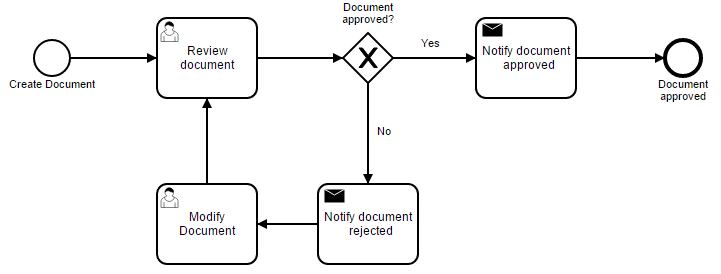
Create a simple diagram like the following that shows how information moves from creation to final use.
knowledge management software document approval

Map who creates content, who reviews it, who approves it and who consumes it.

Use this map to identify which features you need, like approval workflows, role-based permissions or collaboration tools.

3. Review your current tech stack

List the tools you use daily. Your CRM is especially important since customer-facing teams spend significant time there.

Check integration options between potential KMS solutions and your must-have collaboration tools to prevent your knowledge management system software from living in isolation. If your KMS doesn’t talk to other systems, people might stop using it, leading to informational silos.

Note: Focus on integration with the three tools your team uses most, rather than trying to connect everything. Include your CRM, your communication platform (like Slack or Teams) and your most-used document storage system. You can always add more integrations later.

4. Create an evaluation checklist

An evaluation checklist will help you focus on solving real problems. Without clear criteria, you can get distracted by features that don’t address your needs.

Use this template to compare different software options:

Key features:

Integration with your CRM

User-friendly and effective search functionality

Team permissions and access controls

Budget considerations:

Monthly cost per user $______

Setup and migration fees $______

Training and onboarding cost $______

Nice-to-have features:

Custom branding options

API access (for future integrations)

Advanced analytics, metrics and reporting

You’ll feel confident in your choice when you can point to specific criteria that led to your decision.

Recommended reading

https://www-cms.pipedriveassets.com/Build-a-Knowledge-Base.png

7 steps to build a knowledge base that customers want to use

Why Pipedrive should be part of your knowledge ecosystem

Pipedrive stores valuable information you can use as part of your knowledge ecosystem. Every sales conversation, customer interaction and successful sales pitch is there.

If a customer asks questions about your product or discusses prices with your sales reps, that information is in an email or notes in Pipedrive. All this information is valuable knowledge that you can leverage.

Here’s how to use Pipedrive’s existing features as part of your knowledge ecosystem.

Smart Docs for proposal templates

The Smart Docs add-on, mentioned under document management software above, auto-fills your deal information into proposal templates. This feature eliminates the need to switch between systems to gather information.

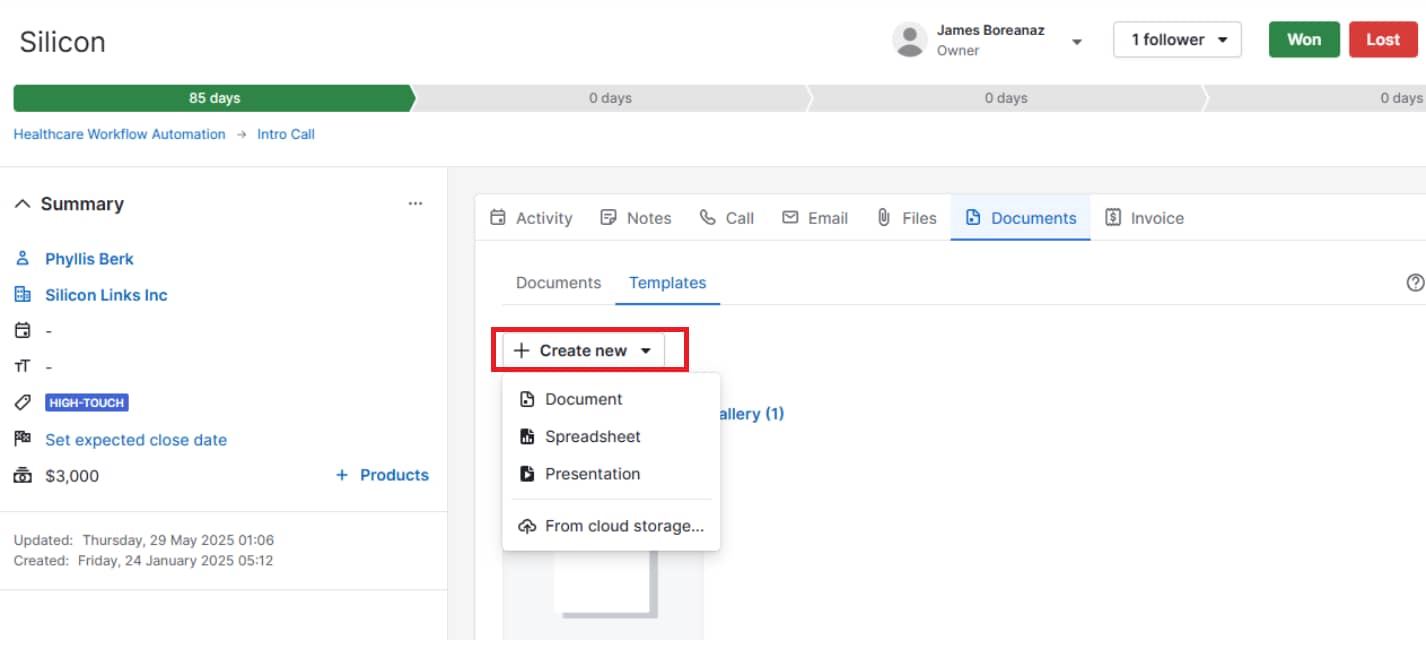
To use Pipedrive Smart Docs, you must connect to a cloud storage provider (like Google Drive or OneDrive). Once connected, you can create proposals, documents, presentations or sheets within a deal.
knowledge management software pipedrive create template

You can also use existing templates and change the document name in the editor.

You can then pull information from your deal directly into your template using custom fields. Think company name, contact details and product specifications.

knowledge management software Pipedrive edit template

For example, for a discovery call with a new client, you can select a product presentation template. All their deal details will automatically populate in the right spots, saving you time and preventing mistakes.

Custom fields and notes for customer insights

Pipedrive’s custom fields store data points beyond standard details for your specific sales funnel. Being able to tailor fields helps you analyze prospects and easily hand off accounts between reps.

Imagine your product has different subscription plans (e.g., “basic”, “standard” and “professional”). You can create a custom field with a single option that stores this information for each client.

Custom fields also appear when you download spreadsheets from Pipedrive. Say you need to analyze which prospects showed interest in specific product features. You can export your deals with custom fields as columns and then sort and filter the data in Excel.

Your notes section works similarly. Sales reps can document conversation highlights, objections raised or follow-up commitments.
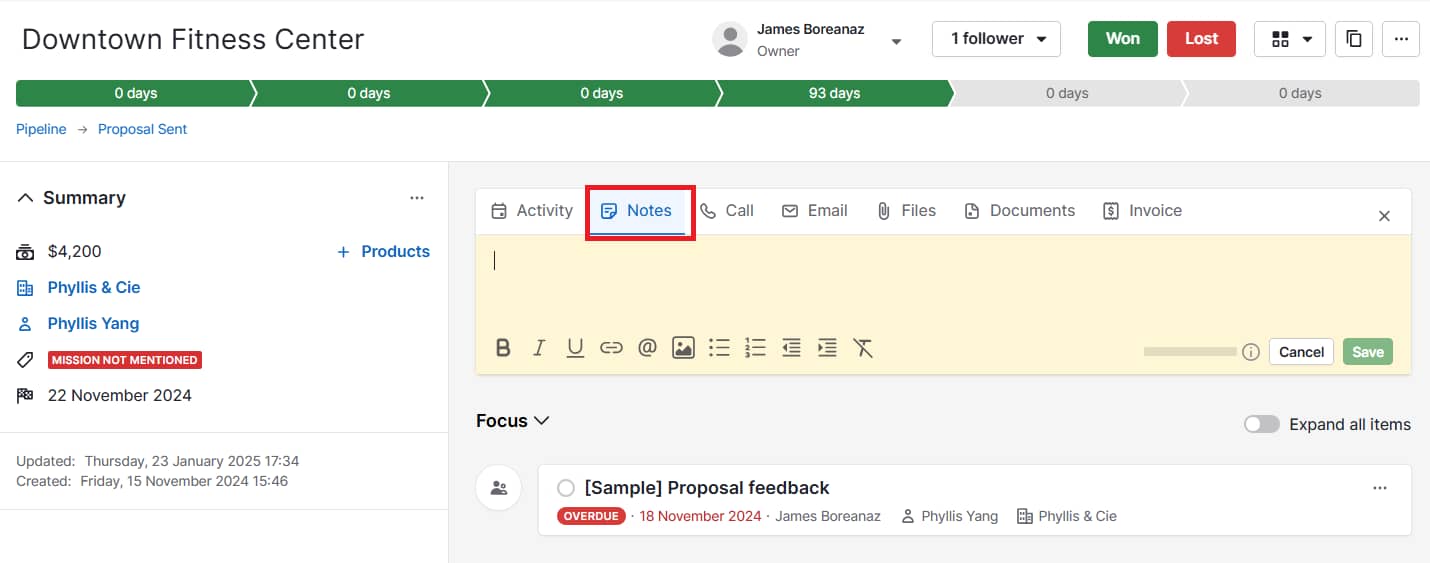
knowledge management software Pipedrive deal notes

This information helps team members pick up conversations seamlessly when covering accounts.

Workflow automation based on knowledge

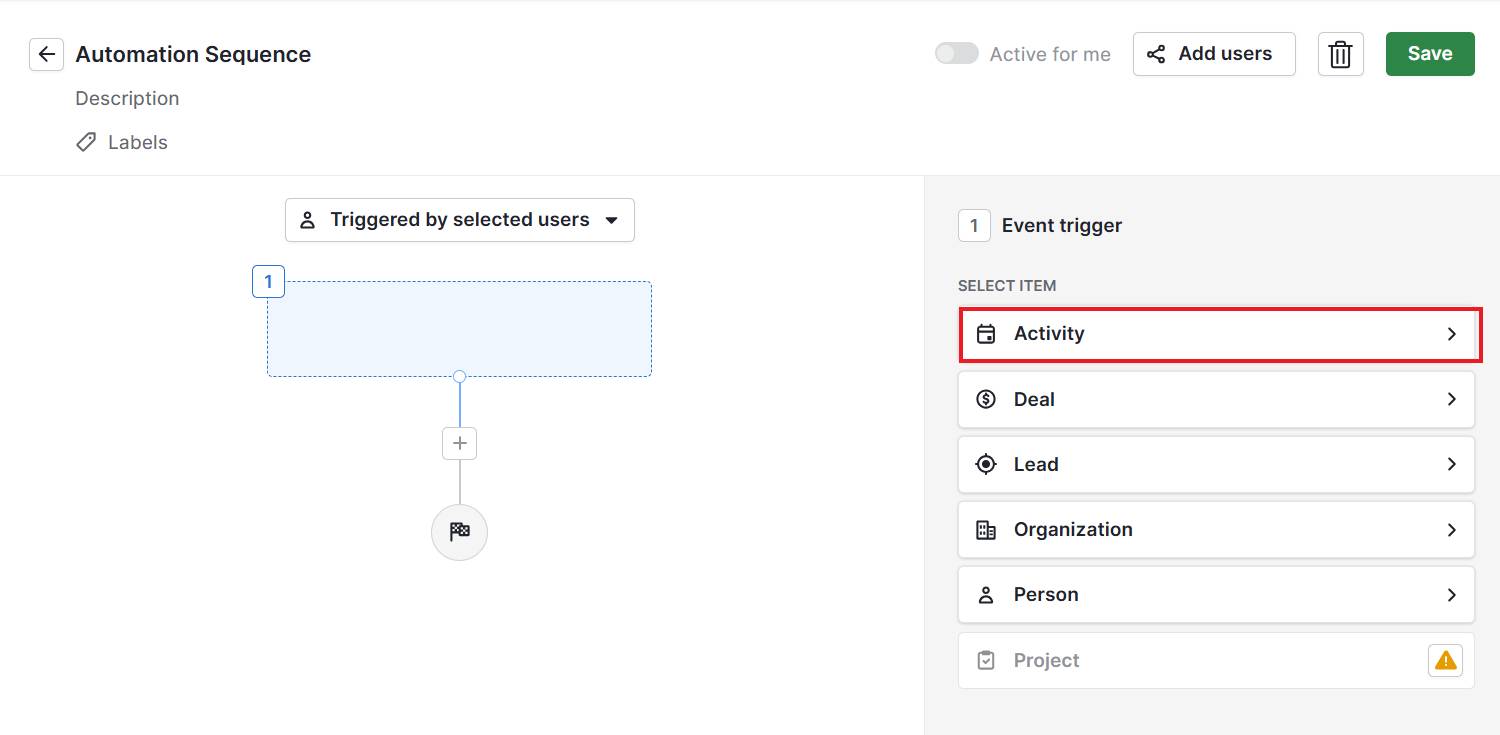
Pipedrive’s workflow automations help you preserve knowledge about your sales processes. You can create automated sequences that trigger when specific events or dates happen.

knowledge management software Pipedrive create automation

For example, when you create a deal, the system can automatically send a welcome email series. When a prospect hasn’t replied to your email, Pipedrive can send a follow-up.

Your automations represent key customer journey stages. Sales reps can see exactly what happens at each stage without asking senior members, making your sales process more consistent.

Connect Pipedrive to knowledge management software

Connecting your CRM to your knowledge management tool helps you eliminate information silos. Your sales team gets instant access to relevant documentation without switching systems.

Moreover, AI-powered knowledge management software streamlines the creation of collective knowledge.

For example, you can connect Pipedrive to Helpjuice using Zapier to achieve the following:

  • AI article creation. Create articles from your Pipedrive notes using the Helpjuice extension. Select text from your CRM, and Helpjuice will generate and upload an article to your knowledge base.

  • Deal-based article suggestions. When you create a new deal, HelpJuice suggests relevant articles for that specific sales opportunity. Customers get information tailored to their specific needs, increasing customer satisfaction.

  • Knowledge base updates. Update articles in your knowledge base from Pipedrive’s notes or comments on notes.

Knowledge flows automatically between systems without manual work. This integration turns scattered data into organized, actionable insights that improve every customer interaction.

Crush your manual admin with this sales automation guide

Learn how to take advantage of new sales automation tech so you can spend more time selling

Knowledge management software FAQs

  • Knowledge management software is a tool for storing, organizing and sharing company information. It keeps documents in one centralized place where everyone can find them, whether you’re providing internal information for employees or external customer support.

  • Knowledge management is about capturing, organizing and sharing information in your company.

    Knowledge management software is a tool that makes this practice easier. It’s a digital platform that lets you store, search and retrieve organized information.

  • A content management system (CMS) focuses on creating and publishing digital content. It’s a big component of a content marketing strategy to attract more website visitors and turn them into leads.

    Knowledge management software focuses on capturing, organizing and sharing information. It handles knowledge so people can find information and make decisions quickly.

    The main difference is that a CMS assumes you want to read about something. Knowledge management software assumes you have a problem to solve.

  • You might need a knowledge management solution if finding information becomes a daily struggle for your team. Some warning signs might include:

    • Employees asking the same questions repeatedly

    • New hires taking weeks to learn basic procedures

    • Knowledge disappearing when experienced workers leave

    • Email chains becoming unofficial knowledge storage

Final thoughts

The right knowledge management platform transforms how your team works. Choosing one depends on who it’s for (i.e., your team or customers) and how they’ll use it (the purpose or use case).

With a KMS in place, information flows smoothly and people get answers faster. Your team can focus on growing your business, and customers get immediate support.

Pipedrive stores all your customer interactions and sales knowledge in one place. You can create templates, automate workflows and connect with other knowledge tools. Start your 14-day free trial to see how organized information drives better results.

Would I Be Good at Sales? Is Sales a Good Career

Software Stack Editor · June 23, 2025 ·

If you’ve ever thought, “Would I be good at sales?”, you’re not alone. Many people wonder whether a career in sales fits their personality, skills or long-term goals.

In this article, we’ll help you determine whether a career in sales would be suitable for you. We’ll discuss the qualities that make someone good at sales, how you can build the right skills and the different positions available in the sales industry.

Is sales a good career

Let’s start with a common question: is sales a good career? Choosing a career in sales can be extremely rewarding. It offers fast-paced growth, strong financial incentives and the opportunity to build essential communication skills.

A sales career involves helping customers find the right solutions while driving business growth. It’s fast-paced, people-focused and rewarding for those who thrive in goals and results.

Sales jobs are often goal-oriented, making them ideal for individuals who enjoy a challenge. With clear metrics for success, strong performers are recognized and rewarded. A career in sales can lead to long-term success, not to mention it offers flexibility, independence and a chance to help a company grow.

The answer to “Is sales a good career?” depends on what you’re looking for, but in many cases, yes, it’s a strong and rewarding choice. Here’s why:

It’s results-driven and flexible

Sales careers are often goal-oriented, meaning your success is based on what you accomplish, not just how long you’ve been in the role.

If you enjoy working toward clear goals and seeing your progress in real numbers, this can be highly motivating. Many companies also offer flexible schedules or remote options, especially in inside sales roles.

Recommended reading

https://www-cms.pipedriveassets.com/blog-assets/sales-objectives-examples.jpg

Sales objectives: Examples that will motivate your team

It teaches transferable skills

Sales builds communication, fosters empathy, refines negotiation and sharpens problem-solving skills. Sales enhances core professional skills that are valuable in any industry.

Whether you stay in sales long term or pivot to another field, these are strengths you’ll carry with you.

There’s room to grow

Sales roles frequently lead to leadership, marketing, operations or strategy positions. With an estimated 1.8 million sales job openings per year through 2033 – mostly to replace professionals who move up or move on – this level of movement highlights how often sales serves as a stepping stone to broader business roles. Sales offers strong long-term growth and advancement opportunities, sales can be a strong foundation for future leadership roles.

You might start as a sales development representative and grow into a senior account executive, then move into management. In many companies, sales is a direct path to upper-level leadership.

It can be financially rewarding

Many sales roles offer a base salary plus performance-based commissions or bonuses. If you’re successful and motivated, you can often earn more than in other entry-level roles with similar experience requirements.

Despite this, sales can also present challenges such as dealing with rejection, managing stress and maintaining consistent performance. However, if you’re self-motivated and willing to learn, the benefits can surpass the potential drawbacks.

Should I get into sales?

Maybe you’re wondering if sales is the right fit for your personality or career path. There are several indications that you may find a role in sales appealing:

  • You like talking to new people and building relationships

  • You’re curious about how people make decisions

  • You enjoy solving problems and helping others

  • You thrive when working toward goals

  • You’re open to feedback and always looking to improve

On the other hand, if you prefer working independently with minimal interaction, or if short-term goals stress you out, you may want to consider whether another field might be a better fit.

If you’re still uncertain, try talking to people in sales roles, shadowing a colleague or applying for a sales internship. Even a short experience can give you real insight into whether you’ll enjoy it.

What makes someone good at sales

You don’t need to be extroverted, persuasive or a “natural closer” to be good at sales.

In fact, some of the best salespeople are great listeners and problem-solvers who focus more on customer needs than sales pitches.

Here are some key traits and habits of successful salespeople:

Skill

Description

Strong communication

Clearly explain products, ideas and solutions in a way others can easily understand.

Active listening

Pay close attention, ask thoughtful questions and respond with intent.

Resilience

Stay positive and motivated, even after setbacks or rejection.

Empathy

Understand customer pain points and respond with genuine care.

Curiosity

Proactively explore new industries, tools and ways to improve.

Adaptability

Adjust your approach quickly based on feedback, performance or changing needs.

Organization

Stay on top of conversations, follow-ups and pipeline progress.

Some people naturally lean into these skills, but most develop them through experience, training and feedback. If you’re willing to learn, you can grow into the role.

Recommended reading

https://www-cms.pipedriveassets.com/Pipedrive-Qualities-of-a-salesperson-21.jpg

25 Must-have Qualities to Look for in Salespeople

How to be good at sales

Once you determine sales could be a good fit, you might ask how you can get better at it.

Whether you’re just starting out or want to refine your skills, here are a few key areas to focus on.

1. Know your product or service

Great salespeople deeply understand what they’re selling – not just by memorizing features, but by knowing the value it offers, the problems it solves and why people choose it over the alternatives.

Having this understanding allows you to communicate effectively with your customers. When you can clearly explain how your solution meets their needs, you move from just selling a product to providing a useful solution.

2. Focus on listening, not pitching

The best sales conversations are two-way. Ask open-ended questions and listen to your customer’s priorities before offering a solution.

Active listening builds trust and helps you match your pitch to their needs. It shows you’re not just trying to sell something, but also focused on solving their problems.

3. Learn to handle rejection

Rejection is a part of sales. Not every conversation will lead to a deal, and that’s okay.

Take each “no” as an opportunity to improve your process, refine your messaging and better understand customer objections. Staying confident and consistent will pay off in the long run.

4. Use sales tools to stay organized

Customer relationship management (CRM) software can help you keep track of leads, follow-ups and deal stages. It also makes it easier to collaborate with your team and spot trends in your pipeline.

Staying organized means fewer missed opportunities and more timely outreach. The right sales tools let you focus more on selling, not just managing tasks.

5. Practice and get feedback

Sales is a skill, and like any skill, it improves with practice. Record calls, review emails, ask a mentor for tips or join a workshop. The more you seek feedback, the faster you’ll grow.

Feedback helps you see your mistakes and improve. The more you focus on learning, the faster your skills and confidence will grow.

Different types of sales roles

Sales isn’t a single job – it’s a wide field with roles that suit different personalities and career goals. Here are a few common types of sales jobs:

Business development

Also known as sales development, this role focuses on researching, reaching out to and qualifying new leads.

It’s ideal for individuals who like starting conversations and identifying opportunities.

Account executive

Account executives manage sales conversations from start to finish. They work with qualified leads, run product demos and close deals.

These roles often come with performance targets and bonuses, making them a great fit for goal-driven individuals.

Account management

Account managers focus on existing customers. Their role is to maintain relationships, support renewals and upsell new solutions when appropriate.

This position is a good fit if you enjoy long-term relationship building and supporting clients in reaching their goals.

Inside sales

Inside sales reps work remotely or by phone and email. They usually manage a higher volume of leads with help from digital tools, using features like email automation, lead scoring and sales pipeline management.

This role is ideal if you like multitasking, working independently and leveraging technology to sell effectively.

Field sales

Field sales involve meeting customers in person, attending events or traveling to client sites. It is often used in industries with complex or high-value products.

If you prefer face-to-face interactions and building rapport in real-world settings, this could be a great match.

How to build your sales skills from scratch

If you’re just getting started in sales or want to make a career shift, don’t worry – there are many ways to gain experience and build your confidence:

  • Start small: Offer to help with sales-related tasks in your current job or volunteer project

  • Take online courses: Many platforms offer free or low-cost training in sales skills

  • Read books and blogs: Learn from experts in the field and stay current on trends

  • Find a mentor: Reach out to someone in sales and ask about their experience and tips

  • Practice cold outreach: Even informal practice helps build communication and resilience

Remember, most salespeople improve through experience. You don’t need to know everything from day one, you just need to have the drive to get a little better every day.

Recommended reading

https://www-cms.pipedriveassets.com/sales-skills.png

13 essential sales skills that’ll help you close more deals (and how to develop them)

You don’t need to be perfect to start

One of the biggest misconceptions about sales is that you must be naturally persuasive or outgoing. In reality, success in sales often comes down to preparation, consistency and a genuine interest in helping people.

According to Gartner’s Accelerate Sales in 2025 report, organizations where sellers feel connected see a 24% increase in performance. A positive, supportive environment not only improves results, it also increases motivation, retention and overall job satisfaction.

You’ll learn as you go, and that’s part of what makes sales such a rewarding career. Each conversation helps you improve, each deal teaches you something new and every challenge helps build confidence and resilience.

If you’re curious, motivated and willing to learn, sales might be a great fit for you.

Get hands on with sales using Pipedrive

If you’re wondering whether you would be good at sales, one of the best ways to find out is to try some of the tools sales teams use. With Pipedrive, you can experience what it is like to organize leads, manage conversations and track deals.

Pipedrive is easy to use. The Kanban style helps you organize leads, track conversations and manage deals from start to finish. As prospects move through each stage of the sales pipeline, it’s a great way to understand the flow of a sales process without needing formal experience.

Features like Scheduler make it simple to book meetings, and Caller lets you make and track calls directly in the CRM – perfect for follow-up and improving your outreach.

These tools and features provide a realistic sense of what it is like to work in sales day-to-day. Even if you’re just starting out, you’ll quickly learn how to structure your outreach and gain insights into sales progress.

Final thoughts

If you’ve ever asked yourself, “Would I be good at sales?”, the answer might be yes – but only you can decide. You don’t need to have every skill right now. What matters is that you’re interested, open to learning and ready to explore.

Sales offers a unique mix of challenge and opportunity. It can teach you how to communicate better, manage time, think strategically and connect with people. Whether you stick with it for a year or build a long-term career, the experience alone can help shape your future success.

Try Pipedrive free for 14 days and take your first steps into the world of sales.

5 Top Issue Tracking Software Tools for SMBs

Software Stack Editor · June 23, 2025 ·

Issue tracking software helps SMBs identify, manage and resolve problems efficiently – from software bugs to customer complaints.

Without the right system, problems can slip through the cracks. You waste time switching between emails, chats and spreadsheets to track one issue.

In this article, you’ll learn how issue tracking software solves those challenges. You’ll also discover five tools that help SMBs manage issues better and learn what to look for when picking the right software for your business.

What is issue tracking software?

Issue tracking software identifies, manages and monitors problems throughout a project’s lifecycle or within the organization. Issues can range from software bugs and feature requests to customer complaints.

Using the software, teams can:

  • Log new problems in the issue backlog

  • Assign them to the right people

  • Set priorities

  • Add comments or attachments

  • Track progress from creation to completion

The exact functionality varies depending on the platform you use.

Issue tracking system software vs. bug tracking software vs. project management tools

Bug tracking software and project management tools are similar to issue tracking software, but they’re not the same. Understanding the differences helps you choose the right solution for your business.

Software type

Definition

Bug tracking software

Bug tracking software focuses on finding and fixing software bugs and is mainly used in software development.

How it differs from issue tracking software: Issue tracking software helps different teams handle all kinds of tasks, not just bugs.

When to use it: When focused on debugging and maintaining code within development teams.

Project management software

Project management tools plan, schedule and coordinate entire projects. They typically include features like Gantt charts, cost budgeting and resource allocation.

How it differs from issue tracking software: Issue trackers resolve individual tasks or problems rather than manage the full project scope.

When to use it: When planning and overseeing large projects from start to finish involving timelines, milestones and multiple phases.

Choosing the right tool depends on whether your main goal is fixing issues fast, managing bugs or overseeing full project timelines.

Recommended reading

https://www-cms.pipedriveassets.com/Problemoesung.png

The sales manager’s guide to troubleshooting

5 best issue tracking software tools for SMBs

The right issue tracking software helps SMBs track and manage problems efficiently. The software should be easy to use, help you respond to problems quickly and keep projects moving forward.

Here are some of the best issue management software solutions on the market:

1. Pipedrive

Pipedrive is a sales CRM that helps SMBs track and manage leads throughout the customer lifecycle. The software gives sales teams an overview of every stage in the sales process, making it easier to organize leads, nurture them effectively and close more deals.

In addition to its lead management features, Pipedrive works well for issue tracking, especially for SMBs that want to manage customer issues without switching tools.

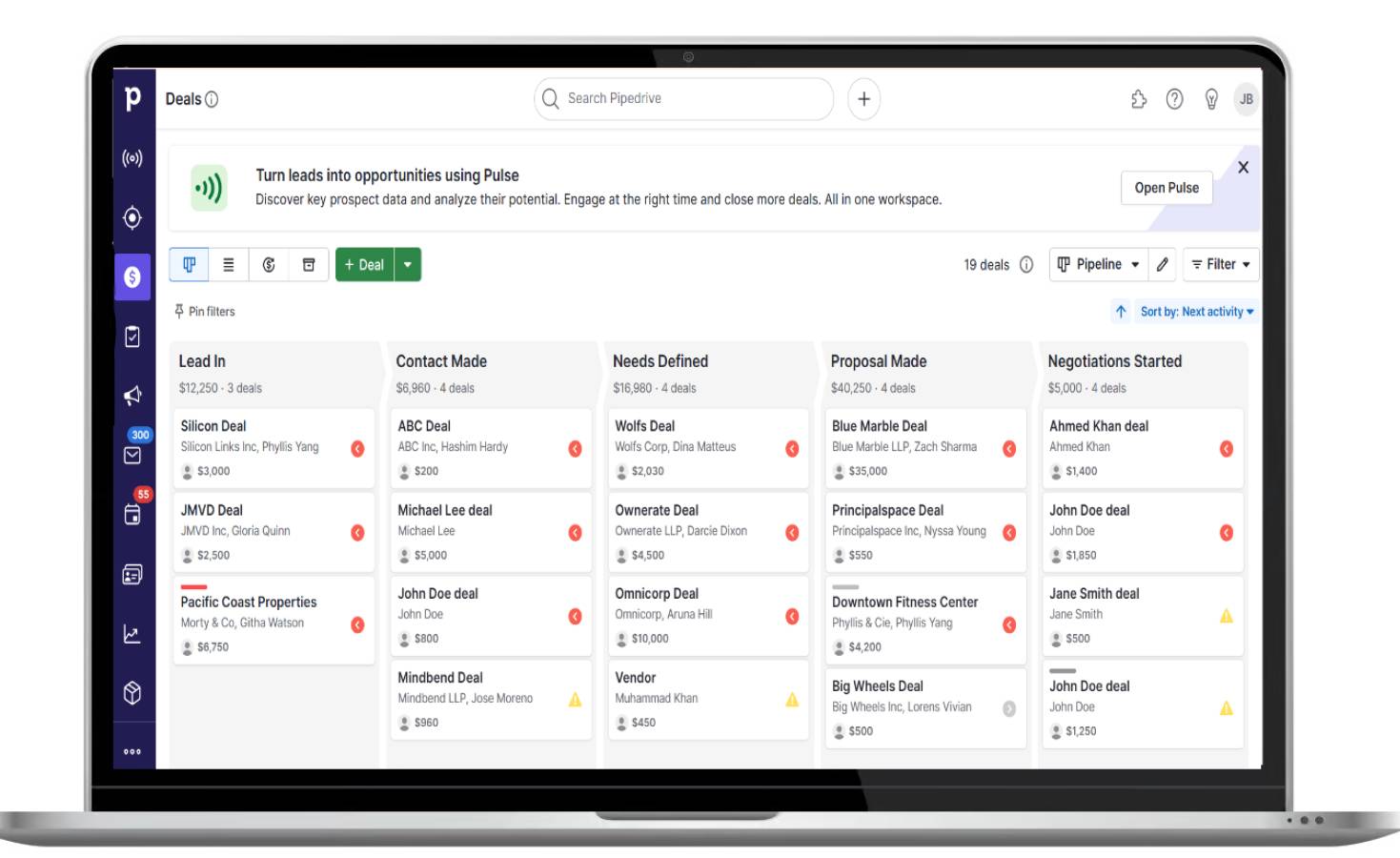
Issue tracking software Pipedrive deal pipeline

You can build custom pipelines to track support tickets, service requests or internal tasks, all from where you manage deals. Your team doesn’t have to juggle multiple tools to manage sales and support.

Say an existing customer submits a support request. Using Pipedrive, your team can track that issue in the pipeline next to their sales history.

As a result, reps can respond quickly and deliver a more personalized experience.

Download our sales pipeline course e-book

In the Sales Pipeline Course, Timo Rein, co-founder of Pipedrive, teaches you how to make more sales with exclusive advice and insights in 11 valuable lessons.

The interface is also user-friendly. Team members can drag and drop issues between stages, set deadlines and assign tasks without training.

Here’s a look at Pipedrive’s issue tracking features in more detail:

Customizable pipelines

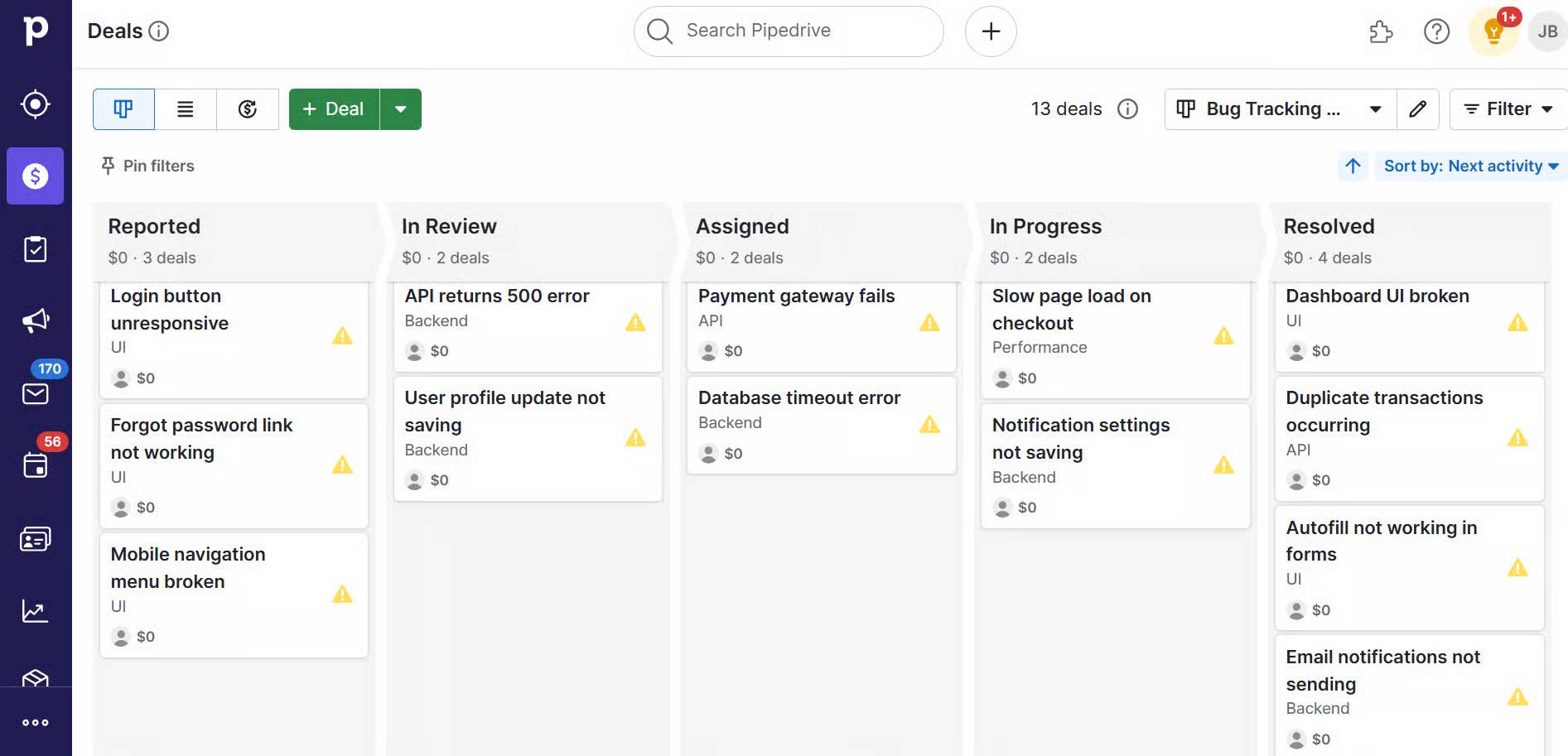
Set up a dedicated pipeline for issue tracking through the pipeline management tool. These pipelines help you log, track and prioritize issues before assigning them to the relevant person.

Go to “Pipedrive > Settings > Pipelines” and create a new pipeline. Then, customize the pipeline stages to match your process. An example workflow might look like this:

Issue reported → In Review → Assigned to Sales Rep → In Progress → Resolved

Here’s an overview of how this workflow might look in Pipedrive:

Issue tracking software Pipedrive issue tracking pipeline

Add-ons and integrations

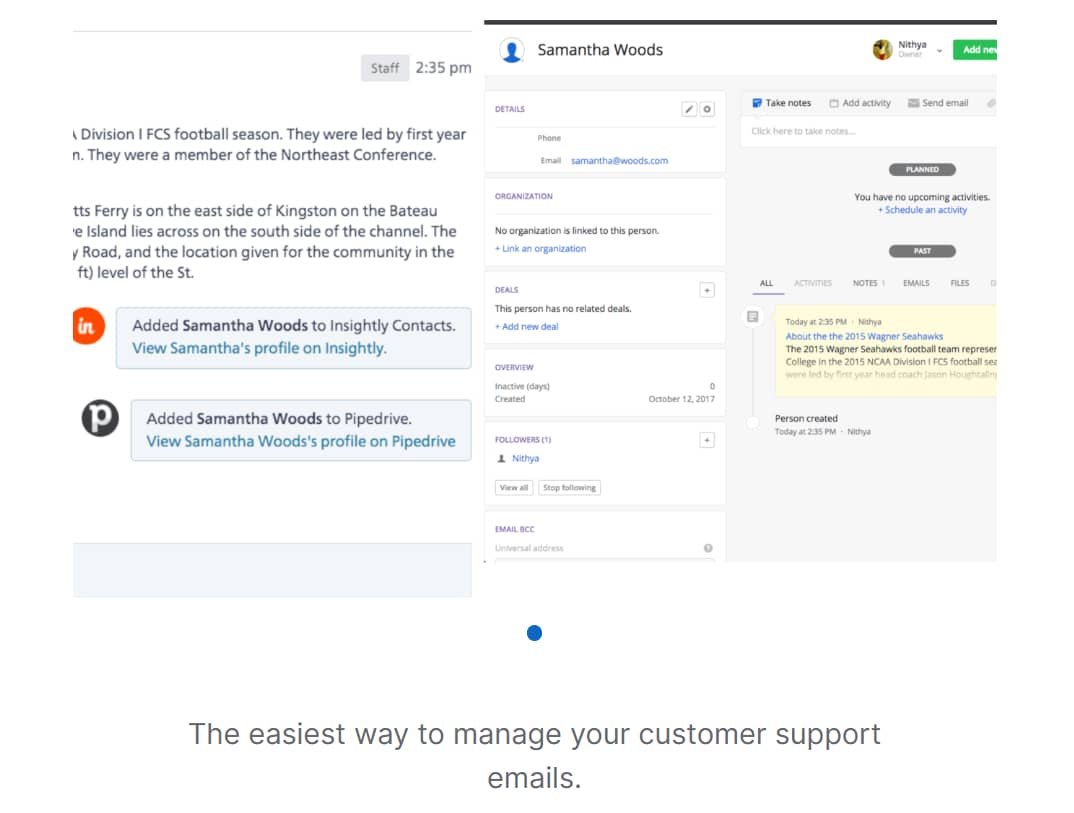
Pipedrive offers add-ons and integrations such as SupportBee (an email ticketing system) and Re:amaze (a multi-channel messaging platform). These integrations turn customer messages into tickets and link them to the right deal.

The image below shows how SupportBee pulls contacts into Pipedrive:

Issue tracking software Pipedrive SupportBee integration

By linking messages directly to the right contact, your team gets the full context at a glance.

For example, if a customer emails about a billing issue, your team can see past interactions. Your sales reps can reply faster and skip repeated questions, making support more helpful and personal.

Pipedrive also provides an open API (application programming interface), allowing users to build custom integrations and plugins to fit their specific workflows.

Use case: A small software business uses Pipedrive to manage sales and customer support. When a customer emails about a login issue, the SupportBee add-on turns it into a ticket linked to their deal history. The team sees the full context, replies quickly and tracks progress through a custom pipeline.

Automations

Use Pipedrive’s built-in automations to streamline issue management. Assign tickets to the right people, send follow-up email reminders or move issues to the next stage in the pipeline when tasks are complete.

Automations keep issues moving, letting your team focus on what matters most: solving problems.

Here’s a breakdown of how Pipedrive’s automations work:

With the right automations, you can reduce manual work, respond faster and ensure nothing slips through the cracks.

2. DoneDone

DoneDone is a straightforward issue and bug tracking tool for non-technical teams. Users can create and assign tickets, track progress and communicate about each issue.

Issue tracking software DoneDone

Here are some of DoneDone’s key features:

  • Manage tickets easily. Users can create tickets by filling out a simple form, assigning them to team members and setting priority levels. Each ticket’s status updates as it moves through stages (“Open”, “In Progress” and “Closed”, for example) so everyone stays on the same page.

  • Respond to customers with email Integration. When a customer emails your support team, DoneDone creates a support ticket from the message. Your team replies on the platform and customers get responses by email, keeping the process smooth and efficient.

  • Collaborate within tickets. Team members can add internal comments, tag colleagues and attach files within each ticket. You keep all related communication in one place, making it easy to follow the thread and avoid missed status updates.

For teams without technical expertise, DoneDone is a practical choice. Its simple interface makes it easy to manage issues without a steep learning curve or complex setup.

Use case: A startup retail business uses DoneDone to handle customer questions and issues without a dedicated IT team. When a customer emails a product return request, DoneDone creates a ticket automatically. The team assigns it to the right person, tracks the status and communicates internally to ensure fast, organized responses.

3. Marker.io

Marker.io is a website feedback and bug reporting tool that streamlines communication between less-technical users and development teams. It boosts teamwork by letting users report issues from your website with screenshots and details.

Issue tracking software Marker.io

This functionality means non-technical stakeholders can provide clear, detailed feedback without explaining complex issues. This easy feedback prevents misunderstandings between issue reporters and developers.

Here’s an overview of Marker.io’s key features:

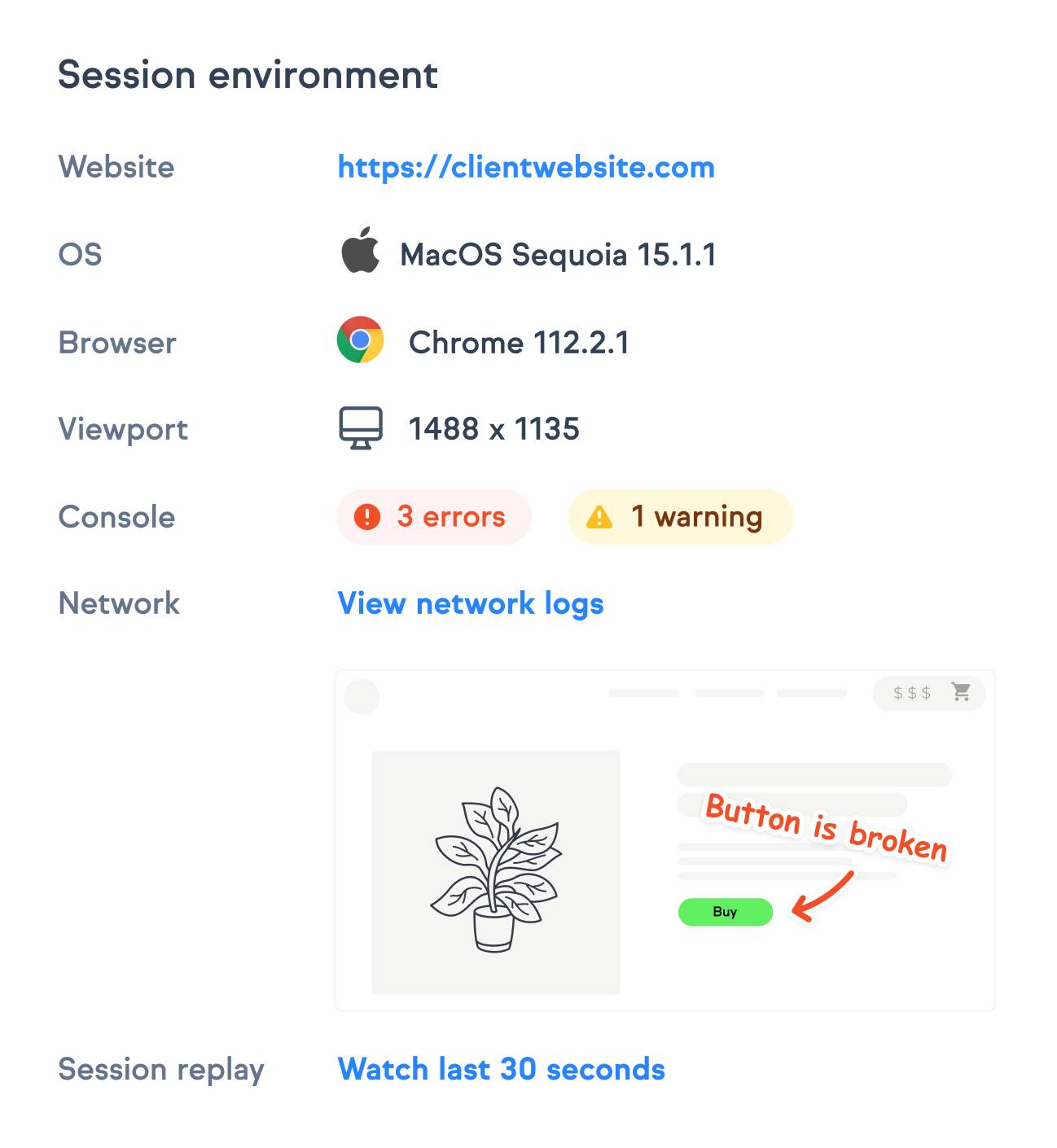
  • Capture bugs directly from the browser. Users take screenshots, add annotations and highlight issues without leaving the webpage, making feedback clear and visual.

  • Collect technical details automatically. Marker.io gathers information like browser type, URLs and console logs with every report. The software then gives users the context they need to fix problems quickly.

  • Collaborate within the platform. Team members can add comments, reply to feedback and discuss issues within Marker.io, keeping communication clear and centralized.

Marker.io is useful for SMBs that want to simplify feedback and issue reporting between clients, designers and developers.

Use case: A marketing team spots a website glitch while reviewing a campaign page. They capture the issue with a screenshot, annotate it and send the report directly through Marker.io. Developers get all the details instantly, speeding up the fix and ensuring the website runs smoothly.

4. Userback

Userback is a feedback and issue tracking tool that helps teams collect, understand and act on product feedback. End users can submit feedback directly on websites or applications using visual annotations, such as screenshots and screen recordings.

Issue tracking software Userback

Letting users submit feedback directly on your website makes it faster to report issues. Developers and product teams can quickly understand the problem, fix it faster and reduce downtime.

For SMBs with limited resources, this efficiency is powerful. You can quickly improve the user experience and build a more polished product, ultimately leading to happier customers and more sales.

Here’s a breakdown of some of Userback’s core features:

  • Collect feedback in real time. Capture user feedback the moment it happens. Your team can identify and respond to issues early, improving product quality without delay.

  • Categorize and prioritize issues. Use tags and filters to group feedback by urgency, topic or product area. These labels help small teams focus their efforts where it counts most.

  • Customize the widgets for your brand. Tailor the feedback widget to match your brand positioning and target specific use cases. Adjust location, colors, fonts and language to fit seamlessly into your website or app without disrupting the customer journey.

Userback offers a reliable solution for SMBs looking for a straightforward, visual way to collect actionable feedback directly from end users.

Use case: A small e-commerce team uses Userback to collect bug reports during a new product launch. Customers submit screenshots with notes when pages don’t load or buttons don’t work. The team resolves issues within hours, reducing cart abandonment and boosting conversions.

5. BugHerd

BugHerd is an issue tracker designed for teams that build and manage websites, especially marketing and web development agencies. The software makes it easy to share websites, gather feedback and make quick fixes to produce a seamless user experience.

Issue tracking software BugHerd

Here’s a closer look at BugHerd’s key features:

  • Pin feedback directly on the page. Users click anywhere on your website to report issues. Each comment is turned into a task with a visual cue so developers know exactly where to look.

  • Capture technical context automatically. BugHerd logs essential technical information with every piece of feedback. For example, it captures browser type, operating system and screen resolution. This information helps developers resolve issues quickly without asking users for extra details.

  • Track progress with a built-in Kanban board. Feedback and bug reports are sent to BugHerd’s built-in task board, which uses a Kanban layout. Teams can view tasks by status, assigning them to the right person and manage website updates in one place.

Although BugHerd is typically used by marketing and development teams, it’s useful for any SMB that wants a simple way to collect website feedback, streamline communication and speed up issue resolution without technical complexity.

Use case: A small digital agency uses BugHerd to gather client feedback during website launches. Clients pinpoint issues directly on the site, sending clear tasks to the team. Their feedback speeds up fixes, improves communication and helps deliver websites on time.

How issue tracking software helps SMBs

Issue tracking software helps SMBs centralize problem management and hold teams accountable while offering prompt issue visibility. The tools enable teams to deliver speedy fixes and boost customer satisfaction, increasing the chances of closing deals.

Here’s how issue tracking software drives these benefits for SMBs:

Centralizes issue reporting

Issue tracking software gives SMBs a single place to log problems, feedback or bugs – whether from customers, internal teams or external partners.

Centralizing this information prevents issue reports from being scattered across platforms or a software issue tracking Excel template.

For example, a support rep can view all customer complaints in one central location instead of digging through separate emails and chat messages. With this insight, the rep can quickly identify recurring issues, prioritize urgent problems and coordinate fixes faster.

Improves accountability

Issue tracking systems allow you to assign issues to specific team members with clear ownership and deadlines. Allocating issues creates accountability, prevents tasks from being overlooked and helps managers track project progress without follow-ups.

Say that a website bug is assigned to a developer with a clear deadline. With this task in place, the developer knows exactly what to fix and by when.

This clarity reduces delays and lets developers complete their work without needing constant check-ins from management.

Speeds up response times

By organizing issues by priority, category or due date, SMBs can tackle the most important problems first. Team members spend less time figuring out what needs attention and more time resolving issues, which leads to faster turnaround and better outcomes.

Imagine a customer support team sorts tickets by urgency and product area. The team quickly fixes critical bugs by prioritizing issues before addressing minor requests.

The process speeds up resolutions and keeps customers happy.

Enhance customer satisfaction

Timely issue resolution makes customers feel heard and valued. When SMBs can track and respond to complaints or requests quickly, it builds trust and improves the overall customer experience.

Consider a SaaS company using issue tracking software to manage billing queries.

The company builds stronger client relationships and reduces churn by responding promptly and resolving billing issues efficiently.

Recommended reading

https://www-cms.pipedriveassets.com/Best-IT-management-software-tools-for-SMBs.png

IT management software: 12 top tools to boost efficiency and compliance

Key features to look for in issue tracking software

To choose the right issue tracking software, focus on tools that simplify communication, enable customization and provide clear visibility into progress.

Here are the key features to look for when selecting issue tracking software:

A simple user interface

Choose software that’s easy to use with minimal training. The easier it is to navigate, the faster your team can get it up and running effectively.

Look for a clean layout, clear navigation and simple controls. Drag-and-drop tasks, customizable views and filtering options all enhance usability.

Take Pipedrive as an example. The CRM offers a drag-and-drop pipeline, visual progress stages and easy task assignment, helping teams get started quickly without technical training.

Here’s an example of how easy it is to move tasks in one Pipedrive:

Issue tracking software Pipedrive drag and drop pipeline

This simplicity reduces the learning curve. Your team can focus on solving issues instead of struggling with complicated software.

Note: Jira, Git and GitHub are popular issue trackers, but their complexity can be challenging for SMBs with limited time or resources. Simpler tools typically offer faster adoption and cheaper pricing options.

Customizable processes

Every business has its own way of managing issues. The best tools let you customize statuses, priorities and workflows to match your team’s process.

Here are some customizations to look for:

  • Custom status labels to reflect your workflow stages

  • Adjustable priority levels to highlight urgent tasks

  • Flexible workflow steps that match how your team operates

  • Multiple pipelines for different issue types

  • Custom fields for capturing specific information relevant to your business

  • Options to automate task movement based on status changes or deadlines

Pipedrive lets you build pipelines with stages and priority levels that reflect your custom workflow. You can create tailored pipelines for sales, support tickets or any other process, keeping everything organized and aligned with how your team works best.

Here’s a visual of how to create your own pipeline stages in Pipedrive:

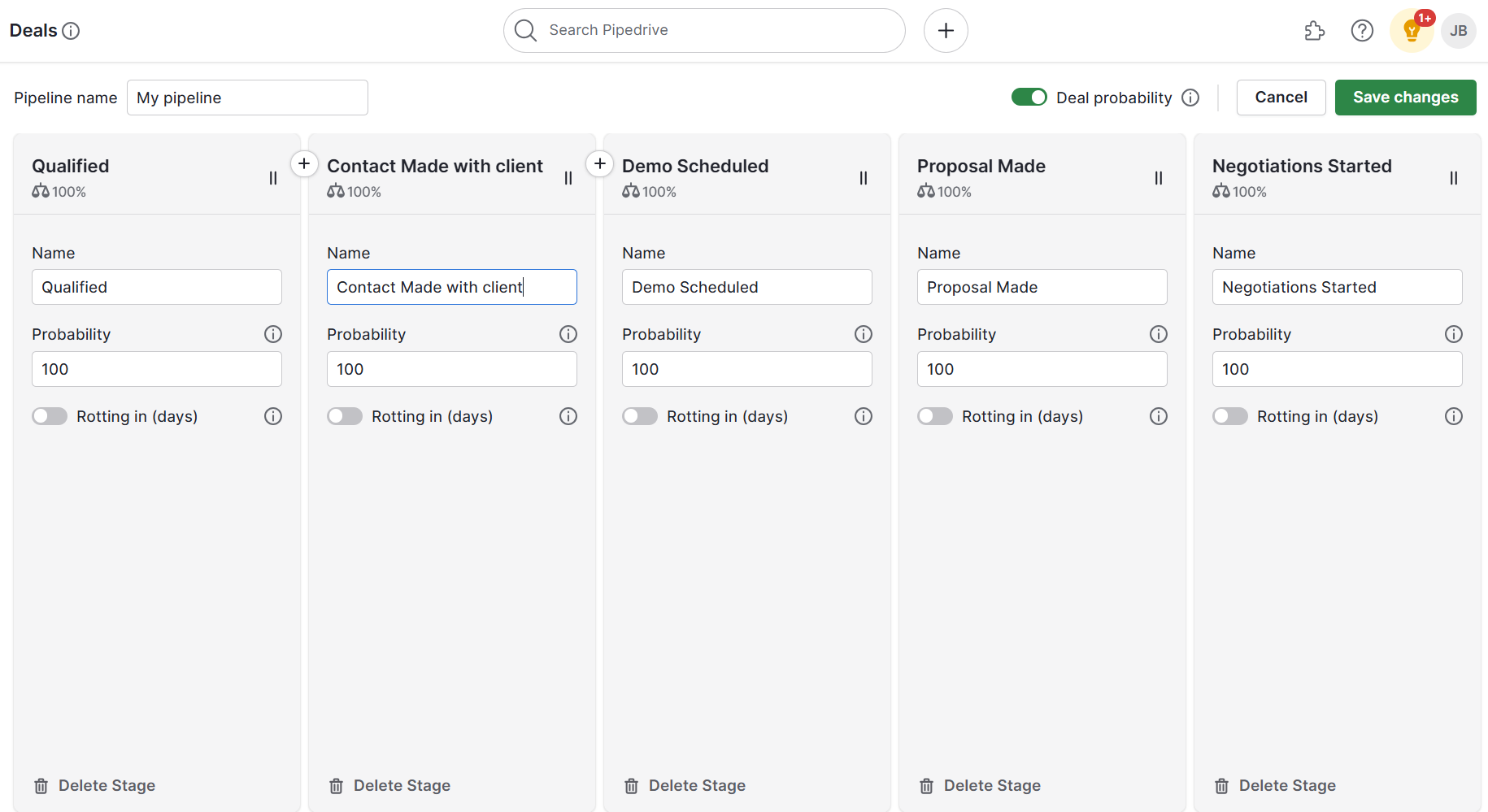
Issue tracking software Pipedrive custom pipeline stages

If your team needs total customization (without using an existing platform as a base), you may prefer an open-source issue tracker. An open-source tool offers more customizations as you build the software from scratch, but requires more technical knowledge.

Assignment and ownership tracking

It should be easy to assign issues to specific team members, set deadlines and monitor who’s responsible for certain issues. Assigning issues ensures accountability, which motivates individuals to move the timeline forward, hit key milestones and work toward resolution.

When evaluating assignment and ownership tracking features, look for:

  • Clear visibility of who owns each issue and its deadlines

  • Ability to reassign tasks easily if workloads shift

  • Automated reminders for overdue or upcoming tasks

  • Dashboards or reports showing individual and team progress to help managers track accountability

Use a sales CRM like Pipedrive to simplify accountability management. Pipedrive lets you assign tasks directly within custom pipelines, set deadlines and easily reassign issues as priorities change.

The image below shows a team member being assigned a new task:

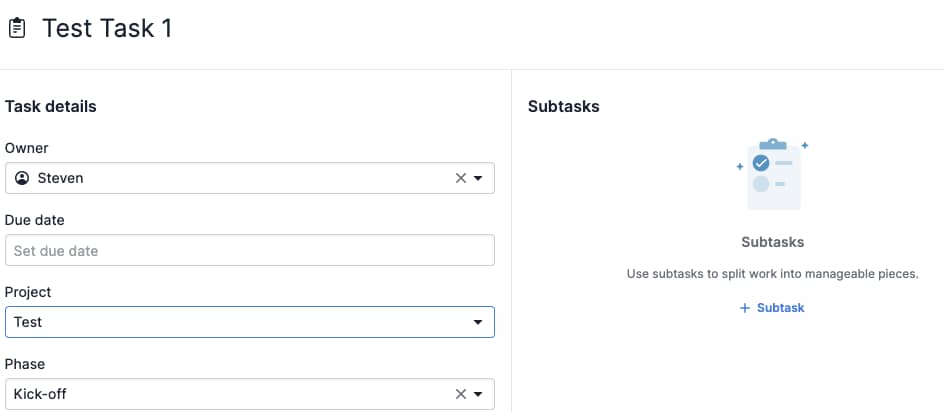
Issue tracking software Pipedrive assign tasks

Pipedrive’s automated notifications and visual dashboards make it easy to monitor ownership and ensure a timely issue resolution process.

Reporting and analytics

Built-in reporting helps you track metrics such as resolution time, issue volume and recurring problems. Analyzing these insights enables you to identify and resolve bottlenecks as quickly as possible.

It also shows you which issues occur most frequently and measures how quickly your team resolves them.

All this data helps you make informed decisions about where to allocate resources, improve processes and address challenges before they escalate.

For example, if reports show that customer inquiries about shipping delays spike during certain times, you can allocate more staff or streamline communication during those periods. You improve response times, and customer satisfaction increases.

Here are some key reporting and analytics features to look for:

  • Customizable dashboards that highlight your most important metrics

  • Trend analysis to spot recurring issues over time

  • Filters to drill down by issue type, priority or team member

  • Visual charts and graphs for easy data interpretation

Pipedrive’s custom dashboards highlight the metrics that matter most to your team.

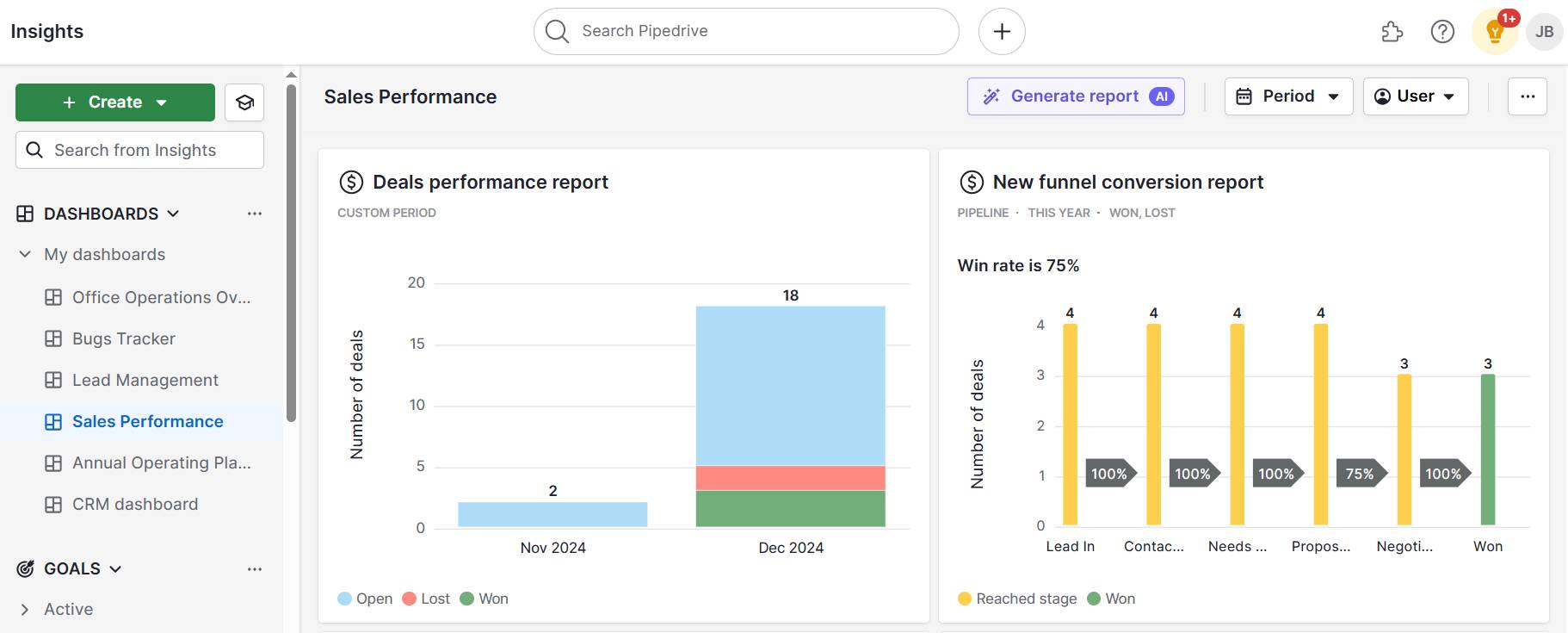
Here’s an example of a Pipedrive dashboard:

Issue tracking software Pipedrive custom dashboards

You can customize the view to choose which data you’ll see and quickly spot areas needing attention.

Integration with other tools

Many SMBs already use tools like CRMs, helpdesks or project management tools. Choose issue trackers that work with your existing tech stack to make your work easier.

For example, if you use Pipedrive’s CRM to nurture leads and prospects, you might use the following integrations for issue tracking:

  • Zendesk for managing customer support tickets alongside your sales data

  • Trello to organize and track tasks and bugs with a visual project board

  • Slack to receive real-time issue alerts and collaborate instantly with your team

These integrations connect issue tracking with your sales, support and team communication channels, helping you resolve problems faster.

Final thoughts

When choosing an issue tracking system, look for easy-to-use tools with customizable workflows, clear task ownership and helpful reports.

Use Pipedrive’s CRM to align issue management with your sales pipeline. Centralizing these activities lets you solve problems quickly and ensure customers receive the support they need at every step of the buying journey.

Sign up for a free 14-day trial to see how Pipedrive tracks issues alongside deals and provides real-time insights that keep your team focused and customers satisfied.

5 Best Expense Management Software Tools for SMBs

Software Stack Editor · June 23, 2025 ·

Managing business expenses manually is time-consuming, error-prone and frustrating for SMB finance teams and employees.

From lost receipts to delayed reimbursements, outdated processes slow down your operations and increase compliance risks. Without proper visibility or controls, small but frequent costs can easily add up and slip through the cracks.

This guide explores how expense management software streamlines approvals and improves real-time spending visibility. We’ll cover top tools, must-have features and how to build an efficient system – plus how to do it all with Pipedrive.

What is expense management software, and why is it important?

Software for expenses management is a tool that helps businesses track, approve and reimburse employee expenses in one place.

It reduces manual work, such as data entry or creating expense reports, making it easier to manage spending and follow company policies.

With the right system, finance teams can stop relying on spreadsheets, email threads and disconnected processes.

Take receipts. With traditional processes, employees must keep paper copies, scan them manually, and then email them to finance.

With tools like Xero, employees can instantly scan receipts using a mobile app. The app extracts key details like date, amount and vendor automatically.

expense management software Xero receipt scanning

Once scanned, the receipt can be forwarded directly to the finance team or added to an expense report for approval.

Below are some important ways that expense management software can support SMB teams:

  • Save time by automating expense tracking and approvals. Teams can use workflows to route submissions to the right approver and update statuses automatically. Automation cuts down on back-and-forth and speeds up the reimbursement process.

  • Improve visibility into company expenses. Real-time dashboards help managers and finance teams see where money is going. With clearer insights, teams can spot unusual spending patterns and intervene as needed.

  • Enforce company policies without added admin. Expense management software flags out-of-policy claims or duplicate charges before approval to keep compliance management in check without burdening employees or finance.

  • Reduce errors from manual data entry. When tools sync with corporate cards or bank accounts, expenses flow in automatically. Instant submissions keep records accurate, minimize double entries and simplify monthly bookkeeping.

By replacing manual processes with an all-in-one expense management system, teams can reduce admin work, control spending and make smarter business decisions.

Download Pipedrive’s Basic expense report template

Our more straightforward option, with fields for date, category, amount and descriptions.

Top 5 dedicated expense management software tools

Whether you need a full-featured platform, travel and expense management software or a simple way to track employee expenses, these five expense management solutions have you covered.

Note: We selected tools based on ease of use, automation capabilities, accounting system integrations, real-time financial reporting and policy enforcement features. Each brings a unique approach to simplifying the expense management process.

1. Expensify: Best for growing teams

Expensify is a well-known expense management platform that simplifies how companies handle employee expenses.

It’s built for ease of use and automation, helping teams capture receipts, categorize transactions and process reimbursements with less manual work. Its mobile app and real-time syncing with bank accounts make it especially convenient for employees on the go.

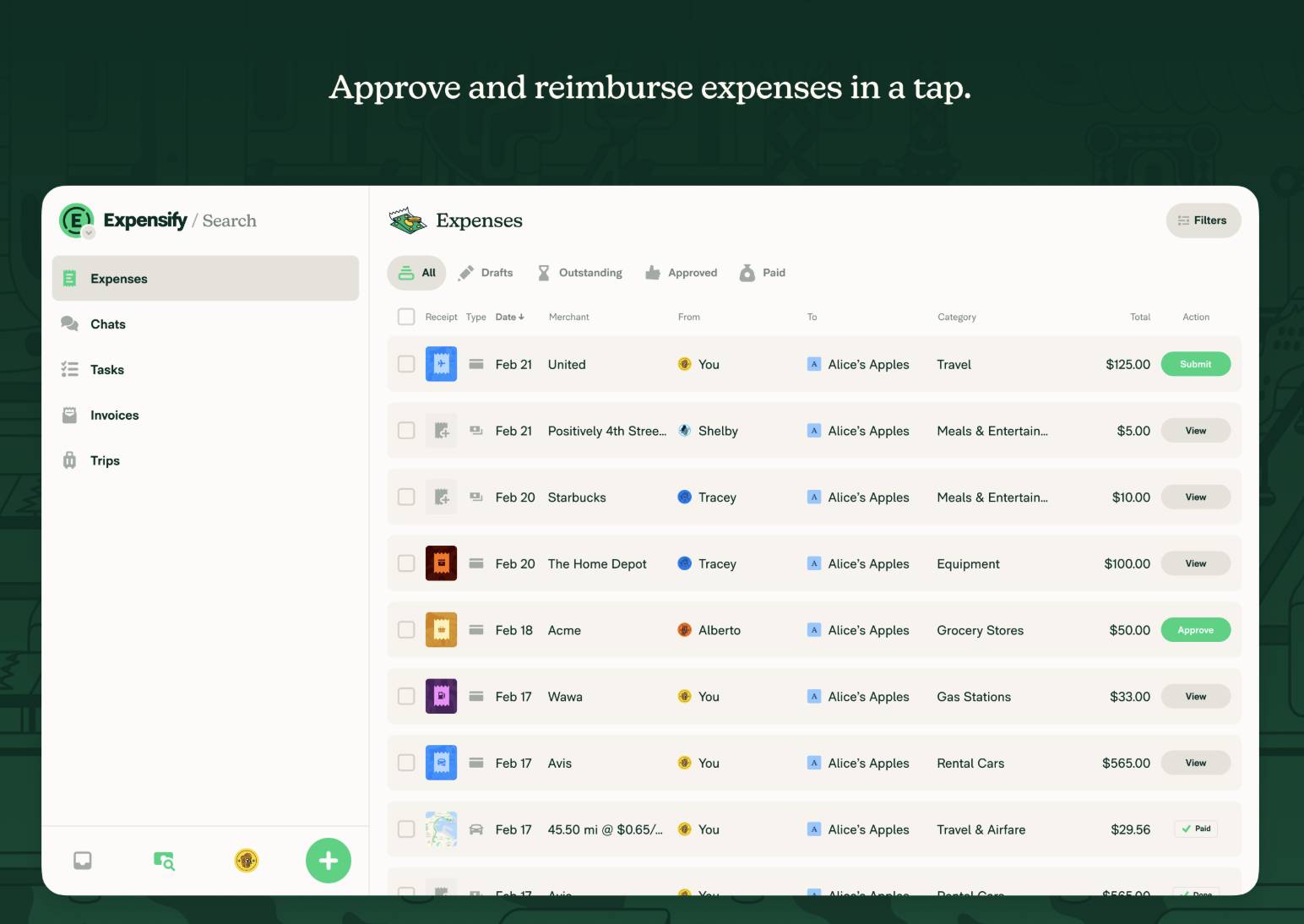
expense management software Expensify dashboard

Customers appreciate how easy it is to snap a photo of a receipt, submit it and move on without delays.

The setup can initially feel complex, especially for companies with layered approval rules. Once teams configure the system, it runs smoothly and reduces time spent on expense admin.

Key features:

  • Mobile app for on-the-go receipt capture

  • Automatic expense categorization and policy enforcement

  • Credit card and bank account syncing

  • ACH reimbursements to employee bank accounts

  • Customizable approval workflows

  • Integrations with accounting software like QuickBooks and Xero

What users are saying:

“I love the ease of use of Expensify, especially the SmartScan feature, which allows me to take a picture of a receipt and have the data automatically extracted – it saves a lot of time.” – G2 reviewer

Who Expensify is best for:

Expensify is a good fit for growing teams that want to streamline expense reports without hiring more admin help. It’s especially useful for companies with remote employees or frequent travel expenses that need a mobile-first, automated solution.

2. Payhawk: Best for expense automation

Payhawk is an all-in-one expense management platform built for automation and control.

It combines corporate cards, spend tracking and bill payments in one system, giving corporate finance teams a real-time view of employee spending. Businesses benefit from the platform when they want to replace fragmented tools with a single solution.

expense management software Payhawk dashboard

Users like how Payhawk automates the entire expense lifecycle, from receipt capture to reconciliation. Its ability to set spend limits, define approval workflows and connect directly with ERP systems makes it a powerful choice for finance teams that want to eliminate manual work.

Some users mention that smaller teams may not need the full range of features Payhawk offers. However, the platform’s flexibility means it can scale as companies grow.

Key features:

  • Corporate cards with built-in spend controls

  • Automated receipt capture and categorization

  • Real-time dashboards for tracking expenses

  • Custom approval workflows and multi-level approvals

  • Integration with ERP and accounting systems like NetSuite and SAP

  • Support for multiple entities and currencies

What users are saying:

“Payhawk makes managing business expenses incredibly efficient. The integration with our accounting software (Exact Online) was quick and smooth. Team members love having their own company cards, and it’s easy to manage spending limits or pause cards when needed.” – G2 reviewer

Who Payhawk is best for:

Payhawk is ideal for mid-sized and larger businesses that want to automate their expense management process from start to finish. Its deep functionality and ERP integrations make it a strong choice for companies with complex finance operations.

3. QuickBooks Online: Best all-in-one option

QuickBooks Online is a widely used accounting software with built-in expense management tools. It’s designed for small businesses that want a centralized platform to handle bookkeeping, invoicing, payroll and expense tracking without juggling multiple systems.

expense management software QuickBooks Online dashboard

Users appreciate how QuickBooks makes it easy to connect bank accounts, track expenses by category and attach receipts. It automatically pulls transactions from linked credit cards or bank accounts and helps teams stay organized for tax time.

Users may feel overwhelmed at first, especially with so many features in one place. However, the all-in-one setup is a major advantage for businesses that want a full financial overview.

Key features:

  • Expense tracking with receipt capture and categorization

  • Direct bank and credit card syncing

  • Customizable expense policies and approval workflows

  • Reports and dashboards for spending insights

  • Integration with apps like Expensify and PayPal

  • Mobile app for expense tracking on the go

What users are saying:

“Quickbooks online is a fantastic tool for accounting firms. Its user-friendly interface makes it easy to navigate, even for those who aren’t tech-savy.” – G2 reviewer

Who QuickBooks Online is best for:

QuickBooks Online is a good fit for small businesses that want an all-in-one accounting system with built-in expense management. It’s best for teams needing financial visibility and simplicity without adding another platform to their stack.

4. Ramp: Best for corporate controls

Ramp is a corporate card and expense management solution focused on helping companies automate workflows, reduce waste and enforce tighter spend controls.

Ramp stands out by helping companies enforce expense policies automatically. Admins customize approval workflows and define rules for employee spending, ensuring compliance without manual oversight.

expense management software Ramp dashboard

The platform also integrates with ERP systems like NetSuite and SAP, as well as accounting software such as Xero and QuickBooks.

Ramp’s mobile app allows employees to capture receipts and track expenses in real time, simplifying the reimbursement process and cutting down on manual work.

Its focus on eliminating redundant or wasteful spending makes it particularly appealing to CFOs and finance leaders looking for long-term efficiency.

Key features:

  • Corporate cards with automated spend limits

  • Real-time expense tracking and approval notifications

  • AI-powered insights to reduce unnecessary spending

  • Receipt capture and categorization via a mobile app

  • ERP and accounting system integrations

  • Automated reimbursements and ACH payments

What users are saying:

“Ramp makes it easy to record and manage expenses while I’m on the go via SMS. I love how Ramp texts me after I use my card, prompting me to upload a receipt and then providing a reason for the transaction.” – G2 reviewer

Who Ramp is best for:

Ramp is a great fit for fast-growing companies and mid-market teams wanting to control employee expenses and reduce unnecessary spending. Its built-in policy enforcement and AI recommendations make it a powerful expense management tool for scaling financial operations.

5. Spendesk: Best for scalability

Spendesk is a travel and expense management software solution for companies ready to scale.

It offers an all-in-one expense management platform that handles everything from receipt capture and expense approvals to reimbursement workflows and credit card controls.

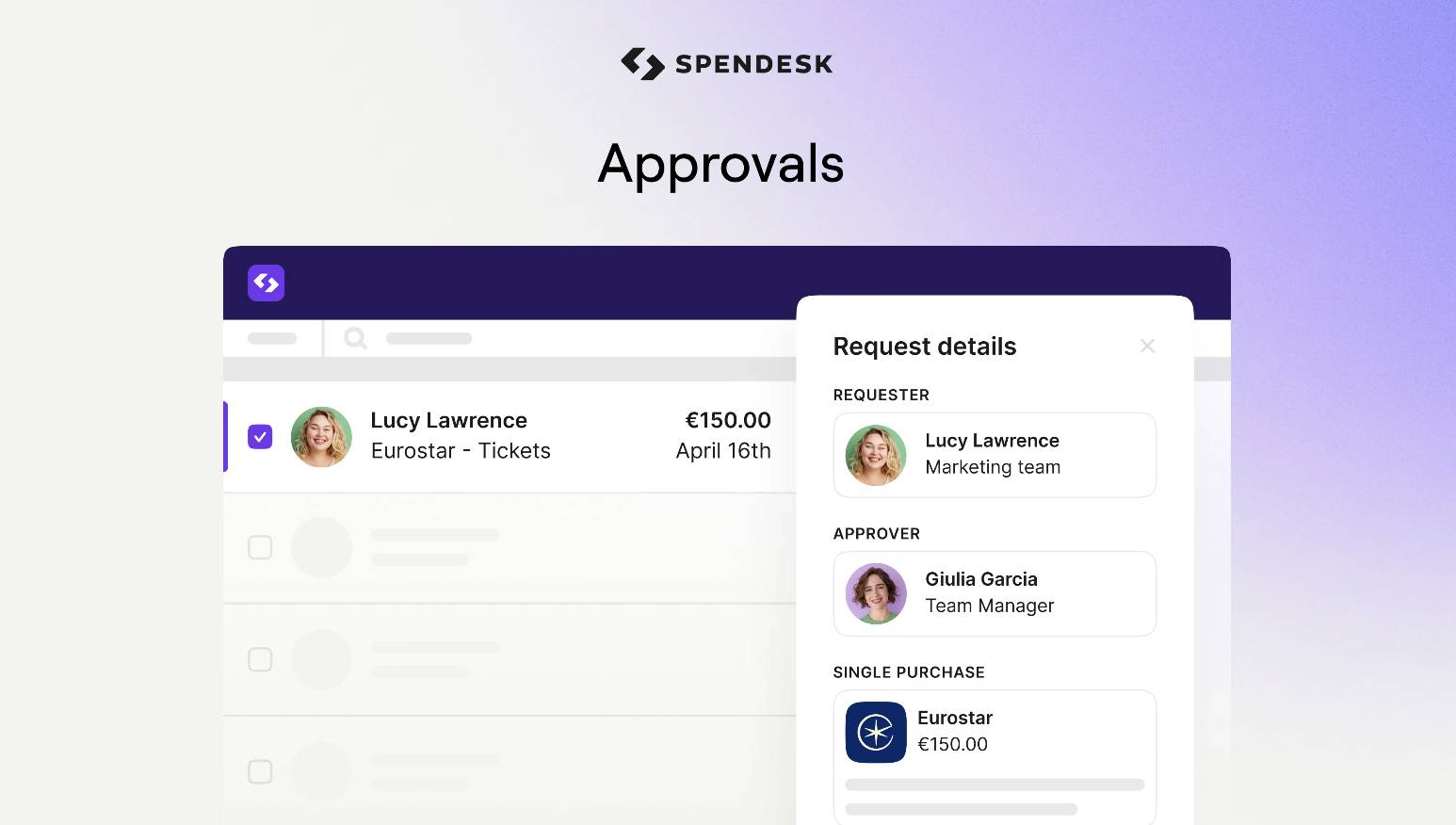
expense management software Spendesk

One of Spendesk’s strengths is its ability to centralize financial data across teams while maintaining flexibility. Whether it’s travel expenses, SaaS CRM subscriptions or client meals, businesses use Spendesk to categorize and track every type of employee expense with ease.

By syncing Spendesk with their accounting software or ERP, finance teams can automate approval workflows, set company policies and eliminate manual data entry. Spendesk also includes robust dashboard features to monitor spending patterns.

Key features:

  • Physical and virtual corporate cards for employee spending

  • Integrated approval workflows and expense reimbursement tracking

  • Customizable company policies and spend limits

  • Mobile app for expense submissions and receipt capture

  • Seamless integration with tools like Xero, QuickBooks and NetSuite

  • User-friendly dashboard to analyze financial data and expense reports

What users are saying:

“I like that it simplifies the completion of expense reports and makes it easier to schedule business travel in one place. Easy to upload receipts and very convenient.” – G2 reviewer

Who Spendesk is best for:

Spendesk is ideal for scaling startups and small businesses that need a flexible expense management system with strong automation and visibility features. It’s especially useful for companies with distributed teams and multiple spend categories to manage.

Recommended reading

https://www-cms.pipedriveassets.com/Corporate-finance.png

Corporate finance made simple: tips every SMB should know

What should you look for in expense management software?

The best expense management software helps your team save time, enforce policies and make smarter financial decisions. But not all tools offer the same functionality, especially for small business needs.

Before choosing a provider, compare how each platform handles core expense workflows such as approvals, expense tracking and reimbursements.

Here’s a breakdown of the key features to look for and what each one means for your expense management process:

Feature

Description

Automated expense tracking

Captures and records expense data from receipts, credit card transactions and bank accounts. Automated data capture reduces manual data entry.

Mobile access

Lets employees submit expenses, capture receipts and view approval status from a mobile app. Ideal for travel expenses and remote teams.

Custom approval workflows

Enables you to define multi-step approval paths based on employee roles or expense types, speeding up processing and ensures accountability.

Integrations

Connects with accounting software (e.g., Xero), ERP tools (e.g., NetSuite) and corporate cards to centralize financial data.

Policy enforcement and compliance

Automatically flags out-of-policy expenses and duplicate claims, helping teams follow company policies and streamline audit readiness.

These features give your finance team the control and visibility it needs while simplifying the reimbursement process for employees.

Recommended reading

https://www-cms.pipedriveassets.com/Accounting-and-Invoicing-Software.jpg

The best accounting and invoicing software in 2025

How to create an expense management system with Pipedrive

Not every small business needs software for expense management. If your team already works in Pipedrive, adding another tool for tracking reimbursements or vendor costs might create more complexity than value.

With pipeline management, customizable data fields and workflow automations, you can build a capable expense software for better small business management directly inside your CRM.

Pipedrive is a good option for small businesses that want to streamline their expense workflows, stay organized and gain visibility into spend management without switching tools or paying for overlapping software.

Here’s how to set it up:

1. Centralize expense-related activities in custom pipelines

Pipedrive makes it easy to create a visual workflow for handling business expenses, from submission to approval.

For example, an agency might create a pipeline to manage employee expense reports. Team members log each reimbursement request as a new deal, and finance or admin staff move the deal through predefined stages as they review and approve each submission.

To create a custom pipeline for expenses:

  • Go to the “Deals” tab and click the dropdown arrow next to your current pipeline

  • Select “+ Add new pipeline” and name it something like “Expense Approvals”

  • Add deal stages like “Submitted”, “Under review”, “Approved” and “Paid”

  • Use filters to view expenses by category, amount or employee

Expense management software Pipedrive custom pipeline

Using custom pipelines gives your team a clear, real-time view of where each request stands, reducing back-and-forth and ensuring no expense falls through the cracks.

2. Use custom fields to capture key expense data

To keep your expense tracking organized and actionable, you need more than just notes in a deal card. Pipedrive’s custom fields let you log the details you need without cluttering your CRM with irrelevant data.

To add custom fields for expenses:

  • Go to “Company settings” and click on “Data fields” under the “Manage fields” section

  • Choose “Deals” as the data type and click “+ Add custom field”

  • Create fields such as “Expense Amount”, “Category”, “Employee Name” and “Payment Method”

  • Use field types like dropdowns for categories and currency for amounts

  • Add these fields to your custom pipeline layout so they’re visible on every deal card

Expense management software Pipedrive custom fields

Your finance team can quickly filter and report on expense data, making it easier to spot trends and ensure expenses align with company policies.

3. Automate approvals and reminders with workflows

Manually chasing approvals or tracking reimbursement statuses can drain your team’s time and slow the reimbursement process. Pipedrive’s workflow automations help you eliminate these delays by automating repetitive admin tasks.

For instance, a tech startup might set up a workflow that notifies a manager when an employee submits a new expense.

Once approved, the deal stage can automatically move forward, and the finance team receives a task to process the payment.

To set up an expense approval workflow:

  • Go to “Tools and apps” in the main menu and click “Workflow Automation”

  • Click “+ Create new workflow”

  • Choose a trigger, like “Deal enters stage ‘Submitted’”

  • Add an action, such as “Send email to manager” or “Create task for finance team”

  • Add additional actions like changing the deal stage or sending a Slack notification

  • Name your workflow and activate it

Expense management software Pipedrive expense approval workflow

Teams use approval workflows to keep every expense on a consistent approval process.

4. Integrate with accounting and expense tools via Zapier or native apps

While Pipedrive can manage the approval process, you may need to sync expense data with your accounting system or automate reimbursement tasks. Integrating Pipedrive with tools like QuickBooks or Xero helps close the loop between your CRM and finance stack.

For example, the Rexpense Pipedrive integration lets you manage and report expenses directly within your CRM.

It helps teams log expenses faster, attach receipts and assign costs to specific deals or projects, making it ideal for service-based businesses that want to track spending across clients.

To integrate Pipedrive with accounting and expense tools:

  • Visit the Pipedrive App Marketplace

  • Search for the app you want to connect (e.g., “QuickBooks”, “Xero” or “Google Sheets”)

  • Set up the trigger in Pipedrive (e.g., “Deal moves to stage ‘Approved’”)

  • Define the action in your connected tool (e.g., “Create new expense in QuickBooks”)

  • Test and activate your integration

expense management software Pipedrive Marketplace

You can use integrations to streamline bookkeeping and sync financial data across platforms.

Note: You can also use Pipedrive’s Projects tool to manage expenses tied to specific client work or internal initiatives. By linking tasks, files and expense-related activities within a single project, teams can track progress, assign responsibility and stay on budget.

Expense management software FAQs

  • Not every company needs a dedicated expense management platform.

    However, if you’re still using spreadsheets, handling reimbursements manually or struggling with policy enforcement, expense management software can help you save time and reduce errors.

    Small businesses often start with built-in features in tools like Pipedrive, then expand to platforms like Expensify or Payhawk as complexity grows.

  • Expense management software automates time-consuming tasks like receipt capture, expense approvals and employee reimbursement tracking.

    Expense software also eliminates manual data entry and centralizes expense data in one place, helping finance teams gain real-time visibility into business expenses.

  • For startups and small teams, user-friendly tools like Expensify, QuickBooks or even custom Pipedrive pipelines offer enough functionality to cover the basics.

    Platforms like Payhawk, Spendesk or Ramp provide automation, ERP integrations and detailed spend controls for more advanced needs.

    If you’re looking for the best expense management software for a small business, prioritize solutions that are easy to set up, scale with your team and integrate well with your existing accounting system.

Final thoughts

Managing business expenses doesn’t have to be time-consuming or error-prone.

Pipedrive offers a flexible, user-friendly way to build a custom expense management system inside your CRM – no extra tools required.

Start your free 14-day trial of Pipedrive and see how easy it is to centralize approvals, track employee spending and reduce manual work from day one.

Effective Campaign Management for SMBs

Software Stack Editor · June 20, 2025 ·

Marketing campaigns boost business growth and support sales and marketing objectives. For small businesses, though, the demands of campaign planning and execution can be overwhelming.

Campaign management can be challenging due to limited time, tight budgets and multiple channels to manage. However, with the right structure and tools, small businesses can run effective campaigns that get results.

In this article, you’ll learn how to successfully manage a small business marketing campaign. You’ll also discover the best campaign management software and how to make the most of it in your campaigns.

What is campaign management?

Campaign management is the process of planning, executing and evaluating marketing campaigns. There are several types of campaigns that marketing teams can run, depending on their goals.

Email marketing campaigns

Sending a series of emails to a targeted list to inform, nurture or convert prospects into customers. Email marketing involves customer segmentation, copywriting and scheduling.

Social media marketing campaigns

Coordinating social media activity to boost engagement or visibility. Social media marketing involves planning and scheduling social media posts on platforms like LinkedIn and Instagram.

Content marketing campaigns

Using blog posts, landing pages, video marketing and events like webinars to attract and convert audiences. Content marketing involves content creation, search engine optimization (SEO) and content distribution.

Paid advertising campaigns

Putting paid placements on search engines, websites or social media platforms. In digital marketing, paid advertising involves copywriting and bidding on ad space and keywords.

Affiliate marketing campaigns

Partnering with third parties to promote offerings. Affiliate marketing involves recruiting affiliates, tracking links and managing commissions.

Influencer marketing campaigns

Collaborating with creators to reach specific audiences. Influencer marketing involves influencer outreach, content approval and performance tracking.

OOH (out-of-home) marketing campaigns

Placing physical advertising in public spaces like billboards and vehicles. OOH marketing includes media buying, creative design and placement logistics.

Here’s an example of an email marketing campaign from Spark, an AI email management platform and calendar app:

Campaign management Spark email campaign

The campaign announces a new feature to an audience familiar with the tool, keeping them up-to-date and offering more opportunities to engage with the brand.

Running a successful campaign involves different roles and coordinating several moving parts. Some of the main campaign management tasks include:

Note: Multi-channel campaigns require even more sophisticated marketing management. That’s because multi-channel marketing involves multiple assets, marketing activities and customer touchpoints.

How can small businesses benefit from campaign management?

Campaign management isn’t just for large corporations. Effective campaign management delivers value to small businesses in several ways.

Aligning on objectives

Campaign management allows team members to align on shared goals for their campaigns. These goals might include:

For example, sales and marketing teams can coordinate to ensure campaigns announce a new feature that the sales team wants to push in the coming quarter.

Achieving campaign goals

Good campaign management allows small businesses to run campaigns effectively and efficiently. Having a plan before executing allows for thoughtful, data-driven decision making. As a result, campaigns are more likely to reach goals like attracting and converting new customers and growing a brand’s reach.

Evaluating success

By tracking the performance of their marketing activities, teams can discover what’s working and what’s not and adjust their campaigns accordingly.

This data-driven approach helps avoid wasted spend and effort. These are valuable outcomes for small businesses with limited budgets and resources.

Download Your Sales and Marketing Strategy Guide

Grow your business with our step-by-step guide (and template) for a combined sales and marketing strategy.

What does campaign management involve?

A structured approach to campaign management involves various stages of planning, execution and measurement.

Let’s explore each stage, using the example of a productivity software company running an email campaign to promote a new product launch.

Strategic planning

Strategic planning is the process of defining goals, target outcomes and messaging for an effective marketing campaign. It also involves aligning campaigns with the small business’s marketing strategy.

The strategic planning process ensures that every campaign serves a clear purpose and supports business growth goals, such as lead generation.

In our productivity software example, say the company wants to support business growth by increasing revenue from new product sales. The team plans a campaign specifically intended to support the new product launch.

Strategic planning is a vital first step in the campaign management process. It helps teams stay focused and maximize their efforts and resources.

Audience segmentation and targeting

Audience segmentation and targeting involve dividing your audience into groups so you can tailor content to each group’s needs and preferences.

Effective audience segmentation and targeting ensure relevant content reaches the right people. This outcome is central to the success of any marketing campaign.

In our example, the productivity software company might segment its target audience by:

  • Customer demographics, like occupation or industry

  • Prospects’ level of engagement with previous campaigns

  • Existing customers’ in-app behavior

The company would then send each group different content about the product launch.

Potential customers might receive introductory information about the company, for example. Meanwhile, experienced users could receive advanced productivity tips or upgrade offers.

Personalized emails enhance the customer experience by delivering relevant content. When email messaging speaks directly to a customer, they’re more likely to engage and take the desired next action.

Recommended reading

https://www-cms.pipedriveassets.com/B2b-Customer-experience.png

B2B customer experience: what it involves and 5 CX best practices

Creative development

Creative development is the process of creating the messaging, design and overall look and feel of a marketing campaign.

Creative development ensures the campaign and its message resonate with audiences. The process also focuses on aligning the campaign with the company’s brand positioning.

In our email campaign example, creative development might involve:

  • Planning the sequence of messaging within the email journey

  • Designing the visual components for the campaign

  • Writing the email content, subject lines and CTAs (calls-to-action)

Creative development involves multiple stakeholders collaborating to shape the campaign. These stakeholders usually include designers, writers and brand managers.

Execution and channel management

Execution and channel management are about launching and managing a campaign through specific channels.

This aspect of the process is crucial for the success of any campaign. It ensures timely delivery and smooth operations across platforms.

In our email campaign example, execution and channel management would involve:

  • Building and testing the full email sequence. This sequence might include promotional emails, feature highlights and productivity tips.

  • Setting up triggers for automated follow-up emails based on user behavior. This behavior might include email opens, link clicks or form submissions.

  • Ensuring email deliverability by verifying list quality, subject lines and domain reputation.

Careful execution and channel management ensure all campaign activity takes place as planned.

Monitoring and optimization

Monitoring and optimization involve tracking performance during the campaign. This stage is also about making adjustments to improve results in real time.

In our example, the productivity software company might monitor and optimize its email campaign by:

  • Tracking campaign performance (i.e., by measuring clicks and conversion rates)

  • Conducting A/B testing to experiment with variations in email subject lines

  • Adjusting send times based on engagement data to improve open and click-through rates

Monitoring and optimizing activity also allows small businesses to make better use of their marketing spend by continually identifying which efforts offer the most return on investment.

Reporting and analytics

Reporting and analytics involve reviewing the data at the end of the campaign. The aim is to evaluate success and inform the direction of future campaigns.

In our example, the productivity software company would evaluate what worked well – and what didn’t – in its email marketing campaign. To do this, the company would analyze email marketing metrics such as:

The marketing team would then turn this data into actionable insights for the next campaign. For example, a high unsubscribe rate from a particular audience could suggest a need for better customer segmentation.

The state of sales and marketing 2024

Discover key statistics about sales and marketing

Best marketing campaign management software

Campaign management software can make planning and executing campaigns quicker and easier for small businesses.

Here are four of the best marketing campaign management software solutions for SMBS:

1. Pipedrive

Pipedrive’s CRM helps marketing and sales teams manage and optimize email marketing campaigns.

In Campaigns, Pipedrive’s email marketing software, customizable dashboards offer real-time insights into campaign performance. The system’s drag-and-drop functionality makes campaign building quick and easy.

Campaign management Pipedrive Campaigns drag drop

Pipedrive’s project management software allows marketing teams to assign campaign tasks, plan work and track progress.

Campaign management Pipedrive project management

Pipedrive integrates with tools like ActiveCampaign, Zapier and Google Ads Lead Forms to connect marketing data across platforms.

Download Your Sales and Marketing Strategy Guide

Grow your business with our step-by-step guide (and template) for a combined sales and marketing strategy.

2. Brevo

Brevo is a marketing automation platform built for multi-channel campaign management. It allows businesses to conduct outreach campaigns through SMS, WhatsApp and chat from a single interface.

Campaign management Brevo WhatsApp template

Brevo’s customizable templates make it easy for small teams to scale their campaigns while personalizing communications at every marketing campaign stage.

3. Hive

Hive is a project management tool for campaign planning, task coordination and team collaboration. It supports campaign management through built-in templates, timeline views and approval workflows.

Campaign management Hive approval workflow

For marketing teams, Hive is useful for coordinating campaign stakeholders. The software’s integrations with tools like Zoom and Slack help streamline internal communications.

4. MailerLite

MailerLite provides small businesses with a suite of email marketing tools for campaign management.

The software supports full-funnel A/B testing and dynamic customer segmentation.

Campaign management MailerLite  customer segmentation

Other features include:

  • Drag-and-drop builders for one-off emails and newsletters

  • Landing page creation tools

  • Embedded sign-up forms and pop-ups

MailerLite’s integration with Pipedrive allows you to track customer interactions and use the data to refine your sales strategies.

Recommended reading

https://www-cms.pipedriveassets.com/The-best-AI-marketing-tools-for-SMBs.png

Best AI for marketing: essential AI marketing tools for SMBs

Best practices for using campaign management tools

To make the most of the marketing campaign management tools you use, follow these best practices:

Centralize campaign assets and data

Keeping all campaign assets and data in one place helps small businesses stay organized. It also allows them to maintain version control and reduce errors.

Use your campaign management platform to store all the content relating to your campaigns, including:

Centralization ensures everyone on your team can access what they need easily, whenever they need it. Many platforms allow you to group assets by campaign or channel, making the material easier to find.

Having a single source of truth for campaign material saves time and supports consistency. It also makes onboarding new team members smoother.

Set clear objectives and KPIs for the software

Knowing what you want from a campaign management system helps you choose the right tool and use it effectively.

For example, you may want a tool to help you:

  • Save time on repetitive tasks

  • Streamline team collaboration

  • Gain better insight into campaign performance

Setting clear objectives allows you to prioritize the right features when evaluating the options.

After choosing which software to use, identify KPIs to measure how well the software supports those goals (e.g., faster approval times).

Make use of automation functionality to save time

Take advantage of all of your software’s time-saving automations. Many campaign management tools include functionality to reduce manual workload, speed up execution and ensure timely and consistent communication with your audience.

In Pipedrive, for example, you can create automated marketing campaigns for a wide range of use cases, including:

Using these triggers, Pipedrive executes email campaigns without manual input, saving time and effort for sales and marketing teams.

Use collaborative features to streamline communication

Strong communication is essential for effective campaign management. Look for collaborative features in your campaign management software, such as:

  • Task assignments

  • Calendar apps

  • File sharing

These tools reduce the need for long email chains and prevent misunderstanding.

Features supporting content approvals, feedback and deadline management keep campaigns on track. These options also help ensure teams work efficiently without missing any steps in the collaborative process.

Use analytics and reporting to review and optimize campaigns

Analytics and reporting are vital for understanding what’s working and where to improve. Monitor marketing metrics like open rates, click-throughs, conversions and cost-per-lead to assess campaign performance.

Most platforms offer customizable dashboards and real-time reporting to give you instant visibility into results.

For example, Pipedrive’s email analytics and reporting shows you:

Conversion and engagement metrics

Monitor open and click-through rates to understand who’s engaging with your emails.

Delivery

Ensure your content reaches the right audience so your most significant leads don’t miss out.

Campaign performance over time

Get real-time updates about your campaigns’ performance, so you can update your marketing strategy as needed.

Link performance

See how your contacts engage with embedded links in your emails.

Who’s unsubscribing

Track when contacts subscribe or unsubscribe to comply with GDPR.

Bounce rate

Trace how many emails aren’t delivered successfully.

Here’s an example of a campaign performance report in Pipedrive:

Campaign management Pipedrive campaign performance report

You can use this data to optimize creative assets, refine targeting or adjust timing in future campaigns.

Recommended reading

https://www-cms.pipedriveassets.com/Affiliate-Management-Software.png

Affiliate management software: features, benefits and 12 top tools

Final thoughts

Campaign management is essential for executing focused, coordinated and measurable marketing initiatives.

A robust campaign management system helps small businesses align campaign efforts across channels. By streamlining key processes, the software allows SMBs to save time and drive growth through their campaigns.

An all-in-one CRM like Pipedrive helps small businesses plan, automate and track campaign activity. Sign up for a free 14-day trial to try Pipedrive’s campaign management system.

5 Best Advertising Management Software Tools for SMBs

Software Stack Editor · June 20, 2025 ·

Advertising management software (AMS) helps businesses manage paid ad campaigns across platforms from a single location.

With dozens of vendors promising automation, the right advertising management software must deliver measurable outcomes such as faster campaign deployment, streamlined media budget allocation or real-time performance analytics.

In this article, you’ll learn the key benefits of AMS and how to determine if it’s the right fit for your business. You’ll also learn about the top AMS platforms and the features to look for to help you make an informed decision on which solution to use (if any).

What is advertising management software?

AMS brings all your ad activity into one place, from social media to search and display ads. The software helps you plan, run, track and improve paid campaigns (also called pay-per-click or PPC ads) from a single platform.

By centralizing these activities, businesses can improve efficiency, optimize budget spending and adjust strategies to get the best results.

For example, instead of separately monitoring Facebook Ads, Google Ads and LinkedIn campaigns, a marketing team can use a single dashboard to identify which channel delivers the highest return on ad spend (ROAS).

The team can then quickly shift budget from underperforming platforms to those generating more conversions, reducing waste and improving overall campaign performance.

Note: AMS often overlaps with advertising agency management software. AAMS streamlines operations (like project management, client communication and campaign tracking). Agencies use this software to manage ad accounts for different clients.

How advertising management software works

Ad management software consolidates the tools and data needed to plan, manage and monitor paid ad campaigns.

Here’s how the software usually works (although specifics vary depending on the platform):

Campaign creation

Users can design ads, upload creative assets (like images, videos and copy) and choose the most effective ad formats (such as carousel, video or display) for their campaigns.

You can also set campaign objectives, allocate budgets and define your ideal audience. For example, you can target people based on customer demographics, interests or behaviors.

Ad placement

The software uses customer data and campaign goals to automatically place digital ads across multiple platforms.

Say that your audience uses Facebook and LinkedIn. The software places ads on these platforms to target audiences where they’re most active.

Tracking and analytics

AMS integrates tracking pixels, UTM parameters and platform-specific analytics to collect data on ads’ performance.

The software monitors success metrics in one unified dashboard, including:

Optimization

The software adjusts ad targeting, messaging and budget to improve the user experience and boost results.

Adjustments include changing bids, optimizing retargeting ads or pausing underperforming ads.

Reporting

AMS platforms generate reports with visual dashboards that break down campaign performance.

AMS reports highlight top-performing ads, identify trends and provide actionable insights. This information helps users make data-driven decisions and improve ROAS.

Advertisement management software can streamline the entire ad lifecycle, from creation to reporting. The software helps businesses run more efficient, data-driven campaigns across channels.

5 top advertising management software solutions for SMBs

Manual ad management can be time-consuming, draining resources and leading to inconsistent results. A good AMS platform streamlines campaign creation, automates performance tracking and centralizes data – saving time while improving return on investment (ROI).

Here’s a roundup of five top solutions for SMBs:

1. Pipedrive

Pipedrive is a user-friendly CRM platform that helps SMBs manage sales pipelines, track leads and strengthen customer relationships. When connected with ad platforms, it can boost ad campaign performance and ROAS by linking marketing efforts to sales results.

Advertising management software Pipedrive sales CRM

For example, users can sync leads from ad platforms like Google Ads and Facebook Ads directly into Pipedrive. This integration allows sales teams to track and nurture leads without wasting time on manual data entry.

Advertising management software Pipedrive Facebook Ads

Here are some of the other ways you can use Pipedrive to boost your advertising strategy:

Optimize ad campaigns

Pipedrive helps SMBs create targeted ad campaigns using customer insights from its CRM. By segmenting audiences based on demographics, deal stages, purchase history and engagement patterns, businesses can serve more relevant ads that boost conversions and ROI.

For instance, you can identify a segment of repeat buyers who previously purchased high-margin products, then deliver ads promoting exclusive bundles or loyalty discounts tailored to them.

Automate follow-ups

Pipedrive’s workflow automation triggers follow-ups and tasks when leads interact with ads. As a result, sales teams can provide timely and personalized engagement with potential customers, increasing the chances of conversion.

For instance, when a prospect fills out a lead form from a Facebook ad, Pipedrive can instantly assign that lead to a sales rep and schedule a follow-up call. Your team responds quickly, and no potential leads fall through the cracks.

Track ad performance

Pipedrive integrates with analytics tools (like Google Analytics), helping you track ad spend, impressions, clicks and conversions alongside your sales data. This combined view lets you see which marketing campaigns generate the most valuable leads, not just the most clicks.

For example, if a Google Ads campaign drives a high volume of leads but a Facebook Ads campaign delivers more closed deals, you can shift the budget toward Facebook to maximize ROI.

Align sales and marketing

Pipedrive streamlines collaboration between sales and marketing teams by giving you a clear view of ad performance. Both departments know which ad campaigns drive the best leads and which channels drive the highest conversions.

Here’s how the sales and marketing teams can view key performance insights in a Pipedrive dashboard:

Advertising management software Pipedrive dashboard

The marketing team can use this data to refine messaging, while the sales team prioritizes outreach to leads from top-performing campaigns.

2. Skai

Skai (formerly Kenshoo) is an omnichannel marketing platform that helps businesses automate and optimize cross-channel campaigns. The software uses AI-driven insights and cross-channel reporting to allow users to maximize ROAS on multiple platforms.

Advertising management software Kenshoo Skai

Here are some of Skai’s key features:

  • AI-powered bid and budget management. Skai uses machine learning to adjust bids and allocate budgets across channels.

  • Advanced audience targeting. The platform lets businesses build precise audience segments, allowing for highly personalized campaigns.

  • Comprehensive reporting and insights. Skai delivers detailed cross-channel reports with actionable insights, helping teams identify top-performing ads, spot trends and fine-tune campaigns.

Skai’s attribution modeling also tracks how different channels work together. For example, it can show how a customer who clicked a Facebook ad later converted after a Google search.

3. Sprout Social

Sprout Social is a social media ad management platform. The software simplifies the creation and management of ads across social media platforms like Facebook, Instagram, X (formerly Twitter) and LinkedIn.

Advertising management software Sprout Social

Here are some of Sprout Social’s core ad management features:

  • Centralized ad campaign management. Sprout Social lets SMBs manage ads across social platforms from a single dashboard, ensuring consistent messaging and performance tracking across channels.

  • Advanced analytics and reporting. The platform offers in-depth analytics for ad campaigns, providing insight into engagement, impressions, click-through rates and conversions.

  • Social listening and audience insights. Users can monitor conversations around their brand or industry to discover trending topics or customer pain points.

Sprout Social’s reports can also track ROI, helping businesses quickly identify underperforming ads and optimize campaigns in real time.

4. Semrush

Semrush is an all-in-one marketing platform that offers advertising management solutions, including paid search and display ads. The software helps SMBs research keywords, create targeted ads and analyze competitors to strengthen digital marketing strategies.

Advertising management software Semrush

Here are some of Semrush’s main digital advertising management features:

  • Keyword research tools. Semrush allows businesses to identify high-performing keywords for paid search campaigns by providing data on search volume, keyword difficulty and cost-per-click (CPC).

  • Competitor ad analysis. The platform offers insights into competitors’ ad strategies, including their target keywords, ad copy and estimated traffic.

  • Ad tracking. Semrush tracks the performance of paid search and display ads, offering metrics such as impressions, clicks, conversions and costs.

These features support more informed decision-making and help SMBs manage advertising efforts in a data-driven, efficient way.

Note: Keywords determine when and where ads appear in search results. By using relevant keywords in ads, businesses ensure ads reach the right audience and avoid wasting budget on irrelevant traffic.

5. WordStream

WordStream is a digital marketing platform that helps businesses manage paid ad campaigns on sites like Google and Facebook. It offers tools for campaign optimization, performance tracking and budget management to improve advertising results.

Advertising management software WordStream

Here are some of its advertising-related features:

  • Smart recommendations and alerts. The platform provides automated suggestions to improve campaigns (such as refining keywords, adjusting budgets or improving ad copy) based on real-time performance.

  • Cross-platform ad reporting. WordStream’s dashboard monitors key metrics like clicks, conversions, CPC and ROAS across multiple ad channels.

  • Automated bidding and budget tools. WordStream monitors key metrics (like clicks, conversions, CPC and ROAS) across multiple ad channels. Businesses can then directly compare performance across different platforms.

These features help businesses optimize ad performance, adjust budgets in real time and maximize the ROI across multiple platforms.

Recommended reading

https://www-cms.pipedriveassets.com/Social-Media-Marketing-2024.png

Social media marketing: Everything small businesses need to know in 2025

What SMBs can achieve when they implement AMS

Advertising platforms help SMBs streamline ad campaign creation, optimization and tracking. Businesses can improve ROI, save time and manage cross-channel efforts without needing extensive resources.

Here are some key advantages:

Improve efficiency

Ad management tools automate tasks like ad creation, scheduling and optimization, saving valuable time. By streamlining these processes, businesses can focus on high-priority activities – like closing more deals.

For example, automation tools can adjust bids, pause underperforming ads or create A/B tests for ad creatives without manual input. Automating these activities leads to smoother workflows and faster execution.

Crush your manual admin with this sales automation guide

Learn how to take advantage of new sales automation tech so you can spend more time selling

Optimize budgets and ad spend

Advertising management software tracks budgets, monitors CPC and optimizes ad spend. These features give SMBs better control of budgets and spending, improving ROI and ensuring optimal ad performance.

For instance, they can set daily or campaign-specific limits, track expenses in real time and ensure ads don’t exceed budget constraints.

Automatically adjusting bids also helps businesses allocate budgets more effectively.

Imagine that an e-commerce business uses AMS software. The platform tracks ad performance across different channels and makes adjustments to improve it.

For example, the software might allocate more budget to a Facebook campaign that generates more conversions while reducing spending on underperforming Google Ads.

Enhance targeting and audience segmentation

Advertising management software allows SMBs to segment audiences based on specific criteria such as demographics, online behaviors and past interactions. As a result, ads reach the most relevant prospects, improving ad relevance and increasing conversion rates.

Think about a business trying to target users who have previously visited the company website but didn’t complete a purchase. With an AMS platform, the business can target these people, leading to more engaging ads that drive higher returns.

Make data-driven decisions

Real-time analytics and reporting provide SMBs with actionable insights into ad performance. Businesses can track key metrics like CTRs, conversions and ROAS, allowing them to make data-driven adjustments to improve results.

Say a campaign’s CPC is higher than expected. A business can use an AMS platform to identify the higher costs and create a solution to reduce CPC. Access to these real-time insights allows businesses to pivot quickly and enhance campaign performance.

Download Your Guide to Sales Performance Measurement

The must-read guide for any sales manager trying to track, forecast and minimize risk. Learn how to scale sales with data-backed decisions.

Manage campaigns across multiple platforms

Many advertising management platforms offer cross-platform functionality. This functionality allows businesses to manage ads from different channels from a single dashboard, making tracking performance and optimizing ads across platforms easier.

For example, a business could adjust ad copy and targeting strategies for Facebook and Instagram campaigns from the same platform. This centralized control lets them create consistent messaging across channels without manually adjusting copy in each platform.

Note: For optimal results, many successful agencies combine their advertising management systems with purpose-built project management software for advertising agencies to create a comprehensive technology stack that supports both client-facing and internal processes.

Is advertising management software right for your business?

Advertising management software can deliver major benefits, but it’s not the right fit for every SMB. These platforms’ complexity, pricing or technical demands may outweigh the value they provide – especially for businesses with simple ad needs or highly specific campaign goals.

Here are some of the challenges SMBs face when using AMS:

Targeting competitive niches

For businesses operating in highly competitive niches (like bespoke services or legal firms), the software may struggle to keep up with the customization and local targeting needed to stay competitive.

These platforms often rely on broad automation rules and may not understand the nuanced search intent that can impact ad sales in these industries.

Without manual control over keyword selection, bidding strategies and messaging, campaigns can underperform or miss key opportunities.

Creating and managing simple ad campaigns

If your business only runs a handful of simple ad campaigns, an AMS platform could introduce unnecessary costs and complexity.

Using native tools within platforms like Google Ads or Facebook Ads may be enough.

In these cases, manual ad management might be the better option.

If you decide to manage ads manually but still want to view ad performance in a single location, you can set up a Google Looker dashboard. These customizable dashboards can track live performance metrics across channels.

Here’s an example of a Google Looker dashboard:

advertising management software Google Looker dashboard

However, dashboard creation requires technical skills like connecting APIs or writing SQL queries.

If you don’t have these technical skills, consider hiring an ad specialist or freelancer to handle setup and management.

Though potentially more expensive up front, hiring an expert often leads to better results, particularly in competitive industries where personalized strategy matters.

SProfessionals know how to use the software effectively, tailoring campaigns that off-the-shelf automation can’t match.

Get organized with your free sales pipeline excel template

Looking for a more streamlined way to manage your sales? Download this free sales pipeline template and test it out now.

If your main goal is to connect ad performance with sales performance (without investing in a full AMS), Pipedrive’s CRM system offers a practical alternative.

By integrating Pipedrive with platforms like Google Ads or Facebook Ads, you can automatically sync leads into your CRM, track where they came from and monitor how they move through the sales pipeline.

These insights give your team visibility into which ads generate high-quality leads, helping you prioritize follow-ups and increase sales.

Recommended reading

https://www-cms.pipedriveassets.com/Why-CRM-is-important.png

Why CRM is critical for business growth and success

Final thoughts

Advertising management software can be valuable for a small business, streamlining ad creation, optimization and performance tracking.

However, the complexity and costs may outweigh the potential benefits for some businesses (especially those with simpler needs or a niche focus).

If your business doesn’t need a full AMS platform but wants to link ad campaigns to real sales results, Pipedrive provides a smart middle ground. The CRM integrates with ad platforms and offers built-in sales tracking, helping you connect marketing efforts to revenue.

Sign up for a free trial to see how Pipedrive simplifies lead management and ad optimization.

7 Pro Tips for Cutting Your CAC Without Killing Conversions

Software Stack Editor · June 20, 2025 ·

The post 7 Pro Tips for Cutting Your CAC Without Killing Conversions appeared first on ClickFunnels.

If your Customer Acquisition Cost, or CAC, is creeping up, it’s time to get serious about optimizing your sales funnel. You’ve got two choices: (1) keep spending more, hoping your customers stick around long enough to make it worthwhile, or (2) get craftier about how you attract and convert leads in the first place.

How do you cut your CAC without slowing your growth? It starts with changing your focus.

Instead of only fixing ads, improve your funnel. Understanding what CAC entails, why funnels matter more than ads, and how to make every dollar work harder will help you get better results.

  • Understanding CAC and Why It Matters
    • 1. Hook Smarter With Clear Messaging
    • 2. Warm Traffic Is Your Secret Weapon
    • 3. Stop Leaks in Your Funnel
    • 4. Use Initial Offers to Cover Your Costs
    • 5. Utilize Data to Find More Buyers
    • 6. Follow Up Automatically to Stop Losing Sales
    • 7. Simplify Your Funnel to Reduce Costs
  • Cut Your CAC With a Smarter Funnel

Understanding CAC and Why It Matters

Customer Acquisition Cost (CAC) is the total you spend to get one paying customer. That includes your ad budget, creative costs, software tools, and even the time your team spends on marketing. Say you spend $120 to get a customer, but that customer only spends $90 with you. You’re losing money.

Many people assume the answer is to improve ads or get cheaper clicks. But here’s the thing: better ads don’t always fix a leaky funnel.

If the message is fuzzy or the path to purchase is confusing, you’ll keep burning cash. The real power is in building a funnel that smoothly captures attention, builds trust, and guides people to buy. 

So, how do you put power back into your hands? Check out the seven tips below to cut your CAC without hurting your business.

1. Hook Smarter With Clear Messaging

One of the biggest reasons CAC spikes is weak hooks. Think about the last time you scrolled on social media. Did you stop for an ad that was confusing or unclear? Probably not. If your ad doesn’t grab attention and speak directly to your customer within the first few seconds, you’ll pay a premium for clicks that don’t convert.

The fix? Start with headlines and offers that are pain-based and curiosity-driven. Make your message so clear that your dream customer thinks, “This is exactly what I need.”

For example, if you sell fitness gear, don’t say, “Quality sportswear available.” Instead, say, “Tired of workout clothes that don’t last? Try gear that moves with you and never quits.” This simple shift hooks attention, improves traffic, and reduces your CAC.

2. Warm Traffic Is Your Secret Weapon

Cold traffic—people who have never heard of you—costs the most because they need more convincing. But warm traffic, like your email subscribers, past visitors, or social media followers, already know and trust your brand. These folks are way easier and cheaper to convert.

To warm up leads, build lead magnet funnels that collect email addresses. Exchanging freebies like guides or discounts for that contact information helps. Then, nurture those leads with helpful emails.

For example, if you run a cooking site, offer a free recipe ebook. Then, follow up with emails sharing cooking tips and product recommendations. Use your funnel-building software to automate this nurture sequence and steadily warm leads before making your pitch.

3. Stop Leaks in Your Funnel

Imagine your funnel as a pipe. If a pipe is leaking, you lose water. In this case, when your funnel leaks, you lose potential customers and waste your ad budget.

To cut CAC, find out where people drop off. Is it your landing page? Your checkout? Maybe they get stuck because your headline isn’t convincing or the checkout has too many steps.

For example, if 70% of people leave your page right before checkout, test different headlines, calls-to-action, or testimonials to boost trust and reduce uncertainty. Your funnel-building software should let you split-test these elements easily, changing one thing at a time and watching CAC drop as you get it right.

4. Use Initial Offers to Cover Your Costs

One clever way to keep your customer acquisition costs low is to offer something small and valuable immediately after someone signs up. This is often called a tripwire offer. It’s a low-priced product, like a $27 guide or mini-course, that helps cover your ad spend right away.

For example, after someone downloads your free resource, follow up with a useful offer at a small price. If they buy, that money can help pay for the ad that brought them in. After that, you can continue building the relationship through follow-up emails and introduce them to higher-value products over time.

This simple strategy gives your funnel the power to pay for itself early while keeping your customers happy and your long-term profits growing.

5. Utilize Data to Find More Buyers

You don’t need to guess who your best customers are if you use quality funnel-management software. Your funnel already knows.

Use your software to track what people do, like which product they buy or if they accept an upsell. Turn that intel into funneling power, creating better-targeted audiences for your ads.

Let’s say the people who buy most from you are moms looking for eco-friendly baby products. Use what you know to create a “lookalike audience” on Facebook or Google. These platforms will then show your ads to people similar to your best customers.

Understanding and targeting your buyers helps you spend less on ads and get better results. It’s like finding more of your dream customers without the guesswork.

6. Follow Up Automatically to Stop Losing Sales

Lots of funnels focus only on closing the sale right away. How about the people who show interest but haven’t bought anything yet? Ignoring them is a missed opportunity. Your best chance at making a sale is often after the first try.

Set up automatic follow-ups that do the work for you using your funnel-building software. For example, email those who leave without buying within minutes. If they still don’t buy, offer a bonus or small discount the next day. You can also create custom messages based on their actions, like watching a video or clicking a link.

These thoughtful follow-ups help you convert more leads into buyers without spending more on ads. It’s like giving your funnel a second chance to close the deal and making every dollar count.

7. Simplify Your Funnel to Reduce Costs

More difficulty on your customer’s end results in a higher CAC. Too many steps in your funnel can lead to confusion and lost sales. If people have to click through several pages and see multiple calls to action before they can buy, chances are they’ll drop off. 

Take a fresh look at your funnel. Can you remove extra decisions or combine pages without losing impact? For example, consider incorporating funnel and checkout pages into one high-converting page, simplifying the process for speed and purchases.

The goal isn’t just fewer steps. It’s creating fewer chances for people to get lost along the way.

Cut Your CAC With a Smarter Funnel

When your CAC climbs, don’t just toss more money at ads and hope for the best. Rethink your funnel. Your business isn’t built on page views or pixel fires. It’s built where cost meets conversion. 

With the right hook, the right structure, and the right follow-up, your funnel becomes your most powerful acquisition engine. This funnel software was built for dreamers and doers—those ready to stop guessing and start growing.

Stop playing defense. Build smarter, leaner, and more persuasive funnels that lower costs while boosting conversions.

Build Your Appointment Page With ClickFunnels. Try for Free

Thanks for reading 7 Pro Tips for Cutting Your CAC Without Killing Conversions which appeared first on ClickFunnels.

Turn Browsers Into Buyers With an Emotion-Driven Product Launch Funnel

Software Stack Editor · June 20, 2025 ·

The post Turn Browsers Into Buyers With an Emotion-Driven Product Launch Funnel appeared first on ClickFunnels.

Your product launch looked perfect on paper: great offer, compelling copy, and months of preparation. Then, launch day came, and the sales barely trickled in. 

Sound familiar?

It’s easy to blame your pricing, audience, or timing. However, the real culprit might be your lack of emotional triggers.

Research from behavioral psychologists shows that 95% of purchasing decisions happen in the emotional centers of the brain.¹ In other words, shoppers decide to purchase, then use logic to justify what they already want to buy.

Want people to feel compelled to buy from you? Below, we’ll share the strategies you can use to tap into human emotions and turn browsers into buyers in your product launch funnel.

  • Reassure Them From the Start
  • Tackle Their Buying Journey Layer by Layer
    • 1. Trust Layer
    • 2. Solution Layer
    • 3. Social Proof Layer
    • 4. Objection Crusher
    • 5. Conversion Trigger
  • Monitor Emotional Scroll Drop-Off
  • Design Your Emotional Architecture
  • Use Micro-Emotions to Control Buying Behavior
  • Turn Emotion Into Long-Term Revenue
  • Ready to Launch Your Emotion-Driven Funnel?

Reassure Them From the Start

When someone lands on your product launch funnel, their emotional state is fragile. They’re hopeful but skeptical, excited but cautious. One wrong move, and they’re gone forever.

Most entrepreneurs make the mistake of trying to say everything at once, overwhelming visitors with features and benefits. The clever copy sounds impressive, but it feels disconnected.

Your visitor needs to feel three things within seconds of arriving:

  • “This is exactly what I’ve been looking for!”—A headline directly addressing their biggest problem.
  • “This actually works for people like me.”—Real before and after results or demo videos showing the product in action.
  • “I can trust this person to deliver!”—A call-to-action button that clearly shows the benefit of the next step, inviting the user to say ‘yes’ without hesitation.

When you nail these emotional touchpoints, visitors understand your offer and feel drawn to it. It’s not like you’re some shady salesperson trying to make a quick buck.

Tackle Their Buying Journey Layer by Layer

Most product pages feel like lifeless, static walls of information. But a well-built page? It’s a story. A carefully structured, emotion-first narrative that builds belief with every swipe. 

Here’s the scroll-based structure that can turn lookers into converts:

1. Trust Layer

Don’t wait until the bottom to build credibility. Put logos, expert mentions, media features, or review stars right below the hero. The sooner you establish trust, the faster resistance fades.

2. Solution Layer

Show them how this product fits into their life with their next scroll. Not with specs, but with situations. Use lifestyle photos or short copy to say: “This is how your life will look with our product.”

3. Social Proof Layer

Load this section with video testimonials, before/afters, and user-generated content. Real faces, real voices. This isn’t marketing. It’s evidence.

4. Objection Crusher

Anticipate the “Yeah, but…” moments before your prospect even asks. Is it too expensive? Is shipping slow? What if it breaks? Address every concern with precision and simplicity.

5. Conversion Trigger

Now that belief is high and doubts are low, it’s time to tip them over. Add a limited-time bonus, bundle offer, or fast-action discount. Create a moment they don’t want to miss.

Each scroll section is informative and persuasive. Each one pushes your visitor closer to a yes.

Monitor Emotional Scroll Drop-Off

Most marketers obsess over bounce rates and time on page. But these surface-level metrics don’t tell you why people leave.

What you want to track is emotional scroll drop-off. Discovering the moment your visitor loses trust, interest, or belief clues you into what to change on your page.

Diagnose where your funnel is leaking by watching these scroll checkpoints:

  • Intro: Track how many people leave within 10 seconds of landing. High early exits mean your headline doesn’t connect with their biggest problem.
  • Social proof: Monitor scroll depth through your testimonials section. Big drops here signal that your social proof feels generic or comes from people they don’t relate to. 
  • The CTA: Watch heat maps around your buy button. If people scroll down but don’t click, your offer doesn’t match what you promised or isn’t compelling enough to act on.

The best funnel software makes testing these metrics easy and fast. Clone your page, swap in a new testimonial, adjust your headline, or reframe the offer to see what works. In e-commerce, speed to test equals speed to revenue.

Design Your Emotional Architecture

Since customers make buying decisions with their emotions and then use logic to justify the purchase, you must appeal to their feelings first and fast. Funnels that ignore this and focus only on features and benefits suffer.

Structure your funnel pages to trigger specific emotions at each step. When someone first arrives, make them feel understood. As they scroll, help them feel hopeful about their future. They must feel confident that your product or service will work for them when they reach your offer. 

Use motion-powered product stories with scroll-triggered animations to reveal benefits gradually without overwhelming visitors. Create dynamic pacing by guiding attention with visual hierarchy and interactive elements. Connect your upsells, cart pages, and email follow-ups so the emotional momentum carries through every step.

Each page in your funnel should move visitors closer to believing your solution will transform their lives. It should get them excited about your upcoming new product.

Use Micro-Emotions to Control Buying Behavior

Most marketers think in broad emotions like excitement or fear. However, the biggest conversion gains come from triggering micro-emotions at precise moments, like the slight anxiety when someone sees “Unlock early access before it’s gone.”  Or the tiny dose of excitement from seeing “Join the movement before it goes mainstream.”

These micro-emotions happen in seconds but compound into major conversion decisions. To use them, place scarcity indicators near your main call-to-action buttons. Add progress bars to multi-step forms so people feel the momentum building. Show recent sign-up or purchase notifications that appear every 30-60 seconds.

With these micro-triggers working behind the scenes, you can turn hesitant browsers into confident buyers within seconds of their first click.

Turn Emotion Into Long-Term Revenue

Don’t make the mistake of focusing on the sign-up or sale and forgetting what happens next. Build funnels that connect emotionally so your customers don’t just buy once and disappear.

Emotional connections create repeat buyers. When someone feels understood by your brand and sees real results from your product, they trust you with future purchases. They recommend you to friends. They become your best marketing channel without you paying for ads.

Emotion-driven funnels outperform feature-focused pages because they create customers who return, refer others, and defend your brand online.

Ready to Launch Your Emotion-Driven Funnel?

Emotion can make or break your funnel’s success. How you leverage it determines whether visitors bounce in seconds or become lifelong customers who refer their friends.

Ensure every element of your funnel serves the emotional journey. Your headline should create an instant connection. Your social proof should build confidence. Your offer should feel like the obvious next step your customer has been waiting for.

Use the tips above to help you build a product launch funnel that feels natural and compelling. When emotions align with your message, conversions follow.

Book – Traffic Secrets

Thanks for reading Turn Browsers Into Buyers With an Emotion-Driven Product Launch Funnel which appeared first on ClickFunnels.

Crack the Code: 7 Smart Tips to Turn Cold Leads into Sales

Software Stack Editor · June 20, 2025 ·

The post Crack the Code: 7 Smart Tips to Turn Cold Leads into Sales appeared first on ClickFunnels.

Your landing page gets visitors every day.

But they show up, take a quick look, and leave without doing anything.

You’ve tried changing headlines, tweaking colors, and rewriting your copy.

Still, nothing seems to stick.

What if those same visitors actually stayed on your page long enough to see what you offer?

With the right strategy and approach, you can turn your landing page into something much more—a funnel. And those cold visitors into warm leads who want to buy from you.

Want to learn how to create a high-converting landing page that becomes a powerful funnel? Here are seven ways to make it happen.

  • 1. Start With a Strong Hook
  • 2. Simplify Your Page Layout
  • 3. Build Trust with Social Proof
  • 4. Strengthen Your Call to Action (CTA)
  • 5. Use Expert Funnel Techniques
  • 6. Track Your Metrics
    • Conversion Rate
    • Bounce Rate
    • Scroll Depth
    • CTA Clicks
  • 7. Run A/B Tests and Optimize Continuously
  • Why Many Landing Pages Fail
  • From Landing Page to Lead-Generating Funnel

1. Start With a Strong Hook

You have about 5 seconds to grab someone’s attention before they click away.

That means your headline has to be clear and speak directly to your audience.

Instead of saying, “Download Our Free Guide,” try “Get the 7-Step Checklist That Tripled Our Email Signups in 30 Days.”

In other words, get to the point fast. Tell people exactly what they’ll get and why it matters to them.

2. Simplify Your Page Layout

To optimize your landing page for lead generation, remember that less is more.

Keep your landing page design clean and focused by using the following:

  • One clear CTA: Avoid using multiple buttons or links that might distract visitors.
  • Short copy: Write like you’re sending a casual text to a friend.
  • Strategic white space: Give your design room to breathe without clutter.
  • Mobile-first design: Optimize for mobile to ensure visitors can easily read and navigate your page.

Think of your landing page as a conversation. Get to the point, offer value, and show the user their next step.

3. Build Trust with Social Proof

People visiting your site will want to know if this product or service worked for someone like them. That’s where social proof comes in.

Effective social proof includes testimonials from happy clients, screenshots of results or messages, star ratings or review counts, and numbers of downloads or users (if relevant).

Now, you might be thinking, “But what if I’m just starting out and don’t have testimonials yet?” You can still build trust by showcasing your expertise. Use quotes, certifications, or case studies demonstrating your knowledge and experience.

4. Strengthen Your Call to Action (CTA)

Your CTA button is the moment of truth where visitors either commit or click away.

Write your CTA like you’re talking to a friend, using phrases like “Get My Free Checklist” or “Show Me How This Works” instead of generic words like “Submit.”

Put one CTA near the top for quick decision-makers and another lower down after you’ve explained everything.

Only create urgency when it’s real because people can spot manufactured scarcity. And that destroys credibility.

5. Use Expert Funnel Techniques

When was the last time you got pulled into a landing page because it felt like a story? That’s exactly what expert funnel builders understand that most people miss completely.

Start by describing a problem your visitor recognizes. Then, say something like, “That’s why I created this system,” to make it feel personal and authentic.

Give them one clear win and stick to it because focused promises convert better than trying to solve everything at once.

When you build your page like this—with a story that shares a common pain and a solution—visitors feel like they’re following a helpful guide instead of being sold to.

6. Track Your Metrics

The first version of your landing page won’t be perfect, and that’s okay.

How you apply the data and learnings to create a better second (or third or fourth) version matters.

Start by tracking these essential metrics that tell you what’s happening on your page:

Conversion Rate

It shows the percentage of visitors who take action (subscribe, call, buy).

Bounce Rate

This reveals how many people leave immediately without engaging.

Scroll Depth

It tells you if people are reading your entire message or bailing early.

CTA Clicks

It shows which buttons and placements work best for your audience.

7. Run A/B Tests and Optimize Continuously

Even the best-performing landing pages can multiply their results with the right tweaks. A/B test one element change at a time on your page to see which version performs better compared to your baseline figures.

Test headlines, button colors, images, or entire layouts to see what moves your conversion needle. Run each test for at least a week or 100 conversions before calling a winner (you can’t always trust the early data).

*Pro Tips: Test the “ugly” version first because sometimes a plain, text-heavy page outperforms the pretty one. Test on the same days of the week—Tuesday traffic behaves differently from Friday traffic.

Why Many Landing Pages Fail

Many landing pages look generic with attractive colors and fonts, maybe even a video. But the truth is, a good design doesn’t automatically equal good conversion.

Here are a few reasons your page might underperform:

  • Unclear messaging: If your page has vague headlines like “Solutions for Your Business,” don’t expect people to stick around.
  • Too much clutter: Multiple CTAs, sidebar links, and endless paragraphs are a recipe for confused or overwhelmed visitors who click away.
  • Weak Call to Action: Generic buttons like “Submit” or “Learn More” tell people nothing about what happens next.
  • Lack of social proof: Without testimonials, reviews, or client logos, visitors assume you’re another sketchy internet business.
  • Slow load time: If your page takes more than 3 seconds to load, you’ve already lost nearly half your potential leads.

Do any of these common reasons sound familiar? If so, don’t worry. With a little strategy, you can easily turn your page into a lead-landing machine.

From Landing Page to Lead-Generating Funnel

If your current landing page isn’t converting, pick one strategy from this list and test it this week.

Don’t be the person who bookmarks this article and never comes back to it.

Start with your headline since that’s what people see first, then work your way down through your CTAs and social proof.

Your funnel-builder software should make building and testing these changes easy without hiring a developer or designer.

Remember that progress beats perfection every time. So celebrate even the smallest conversion wins and keep building momentum.

Start Your ClickFunnels 14-Day Free Trial Now!

Thanks for reading Crack the Code: 7 Smart Tips to Turn Cold Leads into Sales which appeared first on ClickFunnels.

June 10 service interruption: What broke and how we fixed it

Software Stack Editor · June 19, 2025 ·

image

We know you count on Pipedrive to get work done and when it’s not working, it gets in your way. That’s on us. We’re truly sorry for the disruption on June 10.

This wasn’t just a blip. It was a serious incident, and we’ve been digging deep to fully understand what went wrong and, more importantly, how to prevent it from happening again. Our teams moved fast to fix the issue and now we’re focused on tightening up the right parts of our system and learning from where we got stuck.

At Pipedrive, we aim to keep things simple and dependable, a tool you can trust to do its job every day.

Thank you for your trust in us. We’re committed to learning from this and doing better and are grateful to have you with us.

– Paulo Cunha, CEO of Pipedrive

Best Sales Pricing Strategy Examples

Software Stack Editor · June 18, 2025 ·

Getting your pricing right is one of the most important business decisions you’ll ever make. It affects everything from product perception and sales volumes to customer loyalty and your bottom line.

This guide explores common sales pricing strategies, who they’re best suited for and how to choose the right one based on your goals, market and customers.

What is a price strategy (and why is it important)?

A sales pricing strategy is a structured plan for setting and adjusting prices over time to meet business goals.

More than just picking numbers to get more revenue, pricing influences how customers view your product, how you compete in the market and how you hit your sales targets.

A strong pricing strategy in marketing or sales helps you stand out, attract the right buyers and scale sustainably. A poor one will erode profit margins and push customers toward competitors.

For example, if you price too low in a premium market, buyers will assume your product lacks quality and look elsewhere. If you price too high in a budget market, your audience will choose cheaper alternatives.

The best pricing strategies aren’t fixed; they evolve with their products and markets. Building a great one means thinking beyond immediate costs to consider the broader picture.

Here are the main factors that shape your sales pricing strategy:

  • Market conditions – such as market saturation, size of sales potential, price elasticity and broader economic trends. These factors set the context for what your customers will accept.

  • Competitive landscape – including your position relative to rivals, competitors’ unique selling propositions (USPs) and the market price sensitivity level. The competitive landscape also considers how easy it is for customers to switch.

  • Brand positioning – your desired market position, perceived quality and brand image all influence how much new customers are willing to pay (i.e., the level of buyer or consumer demand).

  • Target audience – their purchasing power, expectations and the strength of any network effects (e.g., value growing with more users to unlock price increases).

  • Product characteristics – including your production volume, stage in the product lifecycle and potential for cost efficiencies or scalability.

Once you’ve weighed these factors, you’ll see which pricing approach fits best.

Sometimes, that might mean going low to win market share quickly. In others, it could mean charging more to signal higher value.

For example, Spotify offers a free plan and promotes “music for everyone”. The company prioritizes market share by targeting a broad audience with a simple, accessible service.

Here’s how it looks in search results (part of its content marketing):

Sales pricing strategy Spotify search result

TIDAL, a competitor, only offers paid plans and advertises “high-fidelity music streaming”. It aims to be the premium option and targets a narrower audience of DJs and audiophiles.

Here’s how TIDAL shows up in search results:

Sales pricing strategy TIDAL search result

Both companies successfully target customers with thoughtful price strategies and marketing content.

Key questions you should ask yourself:

  • Do you want to take over price leadership in the long term as a market leader and set the framework for competition?

  • Do you want to create market entry barriers for subsequent competitors?

  • How should you react to new competition, changing market trends and technological innovations with your pricing?

These are just a few pain points to consider when you choose a pricing strategy. As you can see, you shouldn’t only set it once. Keep it continuously in view and check its relevance.

Recommended reading

https://www-cms.pipedriveassets.com/Microeconomics.png

A small business owner’s guide to microeconomics

7 pricing strategy examples to consider

There’s no one-size-fits-all approach to pricing. The right choice depends on your product, target market and performance objectives.

Some sales and marketing price strategies focus on launching fast and gaining as much business as possible. Others aim to build long-term value and reinforce a premium brand position. Neither is better nor worse than the other – they just fit different scenarios.

Here are seven competitive pricing strategies in use today, including their benefits, challenges and who they’re best for.

1. Skimming pricing strategy

The skimming strategy starts with a high initial price that decreases over time.

This approach allows you to target each buyer segment sequentially, starting with early adopters willing to pay more for access and moving to more price-sensitive customers later.

This strategy works best for new, innovative or in-demand products with few immediate competitors.

For example, a new SaaS platform with unique AI functionality might launch at a higher subscription price before dropping to attract small businesses.

Challenge: During the early high-price phase, competitors with similar products may capture a portion of your target market with lower-priced alternative offers. By undercutting you, they may cause you to lose momentum before you’ve reached a broader audience.

2. Penetration pricing strategy

Penetration pricing flips the price-skimming approach (see the graph below). You start with a low initial price to win attention, attract early customers and quickly gain market share.

Once your offer is firmly established and competition has been thwarted, you can raise markups to increase profit. Here’s a visual representation of how penetration and price skimming contrast:

Sales pricing strategy penetration pricing graph

Penetration pricing is useful in crowded or mature markets where low pricing will help you stand out or deter new challengers. For example, a graphic design tool offering competitive features at a much lower price might use penetration pricing to break into an established category.

Challenge: Your brand might become associated with poor quality due to the initial low prices. Additionally, fierce price wars (sparked by others drastically cutting their costs to compete) could drive down margins across the board.

3. Fixed pricing strategy

Fixed pricing means setting prices relative to the market you’re operating in.

Depending on your goals and positioning, your fixed pricing could be higher (i.e., premium), lower (budget) or around the average (mid-market).

Premium pricing

A premium pricing strategy sets high prices and anticipates a lower sales volume. It is based on differentiation and distinction from the competition through higher quality, superior benefits and strong USPs.

Brand management is also crucial here. You can achieve a willingness to pay higher prices by delivering a better customer experience and not just by developing new product features.

Best for: Brands targeting high-income consumers or niche markets where quality and exclusivity matter most (e.g., luxury goods, innovative tech).

Budget pricing

A low-price strategy (or economy pricing) increases sales volume through lower prices.

Margins here are thin, and brand perception may need to take a back seat. It takes tight cost control and lots of sales to stay profitable at scale.

Best for: Price-sensitive markets or businesses competing on volume (e.g., discount retailers, bulk suppliers).

Mid-market pricing

Many small businesses position their offerings near the average price, achieving a medium margin at a medium sales volume.

If you use this and competitors’ prices drop, you’ll need to follow suit to protect deals, but doing that could hurt your margins.

Best for: Companies aiming for steady growth with moderate pricing in competitive, mainstream markets.

Challenge: Fixed pricing puts you at the mercy of the market average. Fluctuations in that equilibrium price make fixed strategies harder to maintain and can quickly erode profit margins if you’re unprepared. You may need to adjust your prices frequently or risk being undercut by competitors with lower-priced offerings.

4. Luxury pricing strategy

Luxury pricing defies classic supply-and-demand laws by setting high prices to make products more attractive to potential customers. Higher prices are used as a kind of benefit because they convey prestige and status.

This strategy is common in high-end markets like art and jewelry. It relies on buyers seeing price as a form of exclusivity (and having the money to spend), which only works when the product has status connotations. Classic examples are rare paintings and Rolex watches.

Challenge: Your brand must convey the right signals, like trust, high-quality craftsmanship and exclusivity to engage select audiences who associate price with status. Otherwise, you risk making your offer seem overpriced or inaccessible rather than desirable.

5. Price competition strategy

Price competition means closely tracking the market leader’s pricing and matching or undercutting it to capture market share. You might follow the dominant price point or act as a challenger seller trying to disrupt the space.

For example, retailer Aldi claims to offer the “lowest prices of any national grocery store”:

Sales pricing strategy Aldi pricing advertisement

This claim is part of Aldi’s price competition strategy and a bold attempt to disrupt the U.S. grocery market, having entered as a challenger from Germany.

Price competition suits companies in highly commoditized or competitive markets. For example, cloud storage firms often compete on price per gigabyte because their core features are similar, buyers are highly cost-sensitive and users can easily switch providers.

Challenge: Mutual undercutting can significantly deteriorate a previously profitable market if too many competitors get involved. It creates a race to the bottom that makes the entire market unsustainable.

6. Price differentiation strategy

Price differentiation means that you adapt pricing based on buyer, context or volume instead of offering one fixed cost.

This flexible approach suits companies with diverse customer segments, like travel, hospitality, publishing and B2B services firms. It helps them maximize revenue across different groups and contexts without making catch-all pricing decisions.

Common types of price differentiation include:

  • Geographical differentiation. You define prices for different regions. Typical examples include different prices for books and press products in different American states. Local economics often guide this.

  • Personal differentiation. Members of certain groups pay different prices. Examples include discounts for students (like Amazon offers) or rates for disability insurance, which can be prohibitively expensive for professions like pilots or mountain guides.

  • Seasonal differentiation. Products cost more when market demand is high. For example, travel and hotel rooms are much more expensive during the peak season than off-peak.

  • Volume-based differentiation. Customers pay according to the amount or number purchased. By offering lower prices for larger orders, companies can pass the cost savings directly to their customers.

Challenge: Companies must ensure that the cost savings from larger orders outweigh any price reductions offered elsewhere. Managing multiple price points also adds operational complexity. You’ll need clear rules and strong systems to stay organized.

7. Target cost pricing strategy

Target cost pricing works similarly to price differentiation. However, here you determine what each customer will pay and try to achieve the maximum from each individual. It’s a dynamic pricing strategy, and also a form of value-based pricing.

The selling price of a product varies for different customers depending on their needs, readiness to pay and negotiating skills.

Target cost pricing is best suited to industries where sellers offer highly tailored solutions and pricing isn’t typically public, like professional services and consulting. For example, some business owners and coaches use this real-time pricing tactic to sell costly consulting programs.

Challenge: Customers may perceive pricing as unfair or discriminatory, potentially harming long-term customer relationships and brand reputation, especially if pricing details become known between clients.

Recommended reading

https://www-cms.pipedriveassets.com/Win-Win-Situation.jpg

Win-win situations in sales: creating value for both sides

How to choose the right pricing strategy

The right pricing structure depends on your market, customers and goals. Choosing requires some simple market research.

Start by asking:

  • Who are you selling to and what matters most to them (e.g. price, quality, speed, support)?

  • How unique is your offer?

  • Do you want to grow fast or build long-term value?

  • How sensitive is your audience to price changes?

Ultimately, your strategy should match your position in the market.

New entrants looking to build customer bases often use penetration price strategies, for example.

Established brands with strong recognition might use premium or skimming models to protect margins.

Price competition or volume-based differentiation can help you stay relevant in highly competitive spaces.

There’s no perfect formula, but by thinking about your goals, product and audience, you can choose a strategy that supports growth without damaging your brand or bottom line.

Recommended reading

https://www-cms.pipedriveassets.com/Unique-Selling-Proposition.png

Unique selling proposition: Definition, guide and examples

Effective pricing strategy options: a quick comparison

Got some ideas but in a rush?

Here’s a quick comparison of common pricing strategies, including when they work best and what to watch out for.

Strategy

Details

Skimming pricing strategy

Price level: High transitioning to lower

Best for: Innovative or in-demand products

Challenge: Competitors may undercut before prices drop

Penetration pricing strategy

Price level: Low transitioning to higher

Best for: New entrants seeking fast growth

Challenge: Brand may be seen as low quality, risk of price wars

Fixed pricing strategy (premium)

Price level: High

Best for: Differentiated offers with strong competitive advantages

Challenge: Must justify higher price or risk losing customers

Fixed pricing strategy (mid-market)

Price level: Medium

Best for: Broad appeal with steady margins

Challenge: Market shifts can erode markets or cause undercutting

Fixed pricing strategy (budget)

Price level: Low

Best for: High-volume sales with tight cost control

Challenge: Thin margins, brand perception may suffer

Luxury pricing strategy

Price level: Very high

Best for: Status-driven or niche markets

Challenge: Only works if brand signals exclusivity and value

Price competition strategy

Price level: Low or matched to the market leader

Best for: Commoditized markets or challenger brands

Challenge: Can trigger a market-damaging race to the bottom

Price differentiation strategy

Price level: Varies by buyer group

Best for: Broad or segmented audiences

Challenge: Complex to manage, risk of inconsistent margins

Target cost pricing strategy

Price level: Varies by customer

Best for: Bespoke or high-touch offers (e.g., consulting)

Challenge: Can appear unfair or inconsistent if exposed

Our comparison table is a simple starting point, but the best pricing method aligns with your goals, market and customers, all of which could change as your business evolves.

Revisit your pricing strategy annually or quarterly to ensure it remains competitive, profitable and meets buyer expectations.

Note: Other pricing models, like cost-plus pricing, bundle pricing, freemium pricing, psychological pricing and loss leader tactics, can also be effective, especially in e-commerce or high-volume markets. However, these approaches tend to be more niche or situational, so we’ve focused our guide on the most broadly relevant pricing strategies.

Final thoughts

Proper pricing is crucial to a business’s success and competitiveness.

However, you must consider several factors: the market, overhead costs (i.e., production costs), your target group, your offering’s strengths and your positioning.

With this information, you can select from different pricing strategies. Strategic brand management is not just a complement to your pricing strategy but an integral component. Strong brand messaging can elevate the perceived value of your products or services, increasing profitability by allowing for higher markup pricing.

9 steps to creating the perfect sales strategy (with free template)

In this handbook, we’ll walk you through what your sales strategy needs, plus there’s a free strategy template to get you started!

Why Social Media Belongs in Your Sales Funnel

Software Stack Editor · June 18, 2025 ·

The post Why Social Media Belongs in Your Sales Funnel appeared first on ClickFunnels.

TikTok, Instagram, LinkedIn, and Facebook: these platforms might not immediately come to mind when mapping out your sales funnel. But judging by where your potential customers spend their time and how they discover businesses today, it’s clear why social media should be part of your conversion strategy.

So, what exactly can social media integration do for your business? And what should you look for in funnel software to make this integration work for you? This post covers ways social media can boost conversions and shows how to make it happen.

  • How Social Media Can Help Build Your Brand
    • Drives Qualified Traffic
    • Supports Funnel Stages
    • Helps You Scale
  • Making Social Media Integration Work
    • Use Automation to Bridge the Social-Funnel Gap
    • Leverage Social Metrics for Better Funnel Decisions
  • Choose Software with Strong Social Features
  • Social Integration Fuels Growth

How Social Media Can Help Build Your Brand

Social media benefits your funnel in so many ways (and vice versa). Here’s how:

Drives Qualified Traffic

You might think of social media as a tool for getting your brand out there or building a community, and it is. But it can also be much more. When used strategically, social media becomes a powerful way to bring new people into your sales funnel. You’re showing up where your audience already spends their time, on platforms like Instagram, TikTok, Facebook, LinkedIn, or X.

Each social platform is like its own world full of potential customers. When you post things like short videos, helpful tips, or behind-the-scenes content, you’re naturally guiding people toward the next step—visiting your website, downloading a free guide, or booking a consultation call.

The key difference is connecting your social content to your funnel. People might engage with your posts and feel interested, but that interest disappears quickly without a clear path forward.

Bonus Benefit: When your social media and funnel system connect, you can track someone’s entire journey from that first comment or ‘Like’ to becoming a paying customer.

Supports Funnel Stages

Trust is the foundation of any relationship. For your funnel to work, people need to trust you. Social media helps you build that trust across the entire funnel.

For example, you can use different platforms to attract people at the top of your funnel. Post stories they relate to, videos that teach them something, or content about challenges they face. Forget about selling at this stage. Focus on being consistent and helpful to gain recognition from your audience.

Social media platforms give you ways to deepen those relationships for the middle and bottom of the funnel. Go live to answer questions in real-time, share behind-the-scenes content that builds more trust, and post client success stories that show what’s possible.

When you announce your offers, people are more receptive because they already know and trust you from all the helpful content you’ve shared.

Helps You Scale

You might wonder: “What if I just handle social and funnels separately?” While it’s possible, it’s not scalable. Without integration, you’re stuck manually importing contacts, switching between platforms, and losing track of where people came from. That delay costs you sales.

If you’ve ever missed a hot lead because you didn’t follow up quickly enough or struggled to remember who engaged with what content, integration could have solved that problem. Your audience expects fast responses and smooth experiences. You can deliver exactly that when your social media and funnel work together.

Studies suggest businesses that respond within five minutes of initial contact are nine times more likely to convert a lead1. You’ll miss that window if you’re relying on manual systems. But with the right funnel marketing automation, a social interaction can instantly trigger a personalized email or follow-up sequence without you lifting a finger.

Making Social Media Integration Work

Now that you know what social media can do for your funnel, let’s see what this looks like in practice and what tools make it possible.

Imagine you’re a fitness coach offering an online program. You post a short video on Instagram demonstrating a quick 3-minute morning routine. In the caption, you invite followers to sign up for a free 5-day workout challenge. 

Now, let’s say you’ve integrated Instagram with your sales funnel software. When someone clicks the link in your bio, they’re directed to a landing page created with your funnel builder. They enter their email and are automatically placed into an email sequence. Behind the scenes, your software tags them as a “fitness challenge lead,” tracks their engagement, and sends a reminder if they don’t complete the sign-up.

Two days later, they receive a message through Facebook Messenger (also integrated with your funnel software) offering them a 20% discount on your full program. Because you tracked their behavior and used social triggers, you’ve built a seamless experience that feels personal even though it’s automated.

So, how can you integrate social media with your funnel?

Use Automation to Bridge the Social-Funnel Gap

Social media never sleeps, and neither should your funnel. You unlock the power of automation by connecting both systems. Workflow sequences can trigger actions based on what people do on your social platforms.

For instance, when someone clicks a link in your Instagram bio and signs up for your lead magnet, your funnel software can automatically tag them, add them to a welcome email sequence, and track their interest level. Employ different follow-up sequences based on what they’re interested in when they comment on your posts or engage with your content. A good quality funnel software can handle that tracking and follow-up for you.

Save time and create a personal and timely experience by connecting your social media with your funnel. When people get relevant follow-ups based on what they actually engaged with, they’re much more likely to become customers.

Leverage Social Metrics for Better Funnel Decisions

When your funnel software and social media work together, you gain access to valuable behavioral data. You can track which platforms drive the most leads, what type of content converts best, and where users drop off in your funnel.

For example, let’s say your TikTok videos generate more sign-ups than Facebook ads. That insight tells you where to spend your ad budget. Or, if most drop-offs occur after the third email in your sequence, you’ll know to revise that content. You’ve found yourself a golden re-engagement tool if your retargeted Instagram Story ads bring back users who abandoned your checkout page. 

This feedback loop is only possible when your funnel software is integrated with social analytics. Without it, you’re making decisions based on assumptions rather than facts.

Choose Software with Strong Social Features

Not all funnel tools offer equal social integration. Look for these capabilities when evaluating software:

  • Native connections with platforms like Facebook, Instagram, and TikTok
  • Easy lead capture from social media posts and profiles
  • Automatic tagging and tracking of social visitors
  • Built-in tools for engaging with social media followers

You also want a tool that makes it easy to add social proof, like customer testimonials or video reviews, directly into your landing pages. Some software even lets you test different page versions to see which ones convert better when people come from social media.

When choosing a sales funnel platform, make sure it connects easily with the social media tools you already use. The best platforms offer simple drag-and-drop builders, automatic lead tracking, and ways to organize your contacts based on how they found you. This way, your social media activity feeds directly into your sales process without extra work on your part.

Social Integration Fuels Growth

The question isn’t whether social media should be part of your funnel strategy. It’s whether you’re making the most of what’s already happening on those platforms. Integration might be the missing piece if you’re seeing engagement, clicks, or interest on social but not seeing those people convert.

When your sales funnel software and social media channels work together, you can unlock automation, personalization, and insights that set you apart. You’re no longer guessing how your audience behaves. You’re tracking it, responding to it, and using it to grow your business.

If you haven’t done so already, now is the time to connect your social media to your funnel platform. It could be exactly what your business needs to take the next step forward.

1https://www.leadresponsemanagement.org/lrm_study/

Book – Dotcom Secrets

Thanks for reading Why Social Media Belongs in Your Sales Funnel which appeared first on ClickFunnels.

How AI Is Shaping the Creator Economy — and What Comes Next

Software Stack Editor · June 17, 2025 ·

image
Nathan Barry

In previous careers Nathan has been a designer, author, and blogger. After learning the power of email marketing he gave up a successful blogging career to build Kit. Outside of work Nathan spends his time playing soccer, woodworking, and chasing after his two little boys. (Read more by Nathan)

The Definitive Customer Service Management Guide

Software Stack Editor · June 17, 2025 ·

Strong customer service management can build trust and loyalty with buyers, leading to repeat business and advocacy. However, providing a top-notch customer experience doesn’t happen by accident.

In this article, you’ll learn how to exceed customer service targets with a five-step practical strategy and the right technology.

What is customer service management?

Customer service management (CSM) oversees and improves how your business supports buyers before, during and after a purchase.

These activities work together to provide an excellent customer experience (CX) that encourages sales and helps retain long-term clients.

For instance, you may train agents to use a mix of support services (e.g., phone calls, chatbots and live chat) to quickly resolve customer issues. This coordinated approach reduces churn and boosts contract renewals.

While CSM typically focuses on post-sale tasks, it also plays a role before someone becomes a customer (e.g., answering questions, providing demos or guiding decision-making).

For example, CSM includes daily activities like:

By streamlining workflows and tracking key metrics, CSM helps teams deliver consistently high-quality support.

Recommended reading

https://www-cms.pipedriveassets.com/AI-customer-service-guide-for-SMBs.png

The SMB owner’s guide to AI customer service

What are the benefits of customer service management?

Providing the best possible buying and post-sale experience helps your business in multiple ways. For example, according to Zendesk research, great customer service encourages 75% of consumers to spend more.

Here are some ways managing customer service benefits your organization.

Keeps customers happier with a consistent CX

Coordinating all customer care tasks ensures buyers get quick, accurate help every time. This consistency builds trust and keeps people coming back.

For example, technology can prioritize support tickets based on urgency and assign issues to the right team member, ensuring no query slips through the cracks.

A Hyken study found that for 48% of people, great customer service matters more than price, making consistency a competitive edge.

Boosts team efficiency

CSM optimizes workflows and automates routine tasks, so support reps spend less time juggling tickets and more time solving problems.

Faster, more accurate responses reduce the chances customers need to reach out again for the same issue. Get this wrong two or three times, and Coveo research suggests people will likely abandon your brand.

Supporting your team with the right customer service processes, data and technology empowers them to deliver the best interactions without burning out.

Provides clear insights to improve service quality

Tracking performance metrics and satisfaction scores helps you spot trends, identify bottlenecks and fix issues before they escalate. These insights also reveal opportunities (e.g., introducing relevant upsell offers) by helping you understand customer needs better.

For example, monitoring average resolution time (ART) can suggest that certain reps need more support or that processes need improvement.

With these insights, you can adjust your tactics and organize training to keep service levels high.

Recommended reading

https://www-cms.pipedriveassets.com/Types-of-Customer-Service.jpg

9 Types of customer service: Pros, cons and when to choose each one

5 ways to create an effective customer service management strategy

Customer-facing teams need the right tools, systems and processes to deliver effective service. They also need a leader who can motivate them.

Here are five top tips for building and managing excellent customer service operations.

1. Be transparent with your team

Transparency means keeping your team informed about goals, challenges, performance expectations and changes that affect their work. It builds trust and reduces confusion.

People respond well to open communication. According to Gallup research, 70% of team engagement depends on the manager’s behavior. Your team will be more motivated and productive when you’re transparent and supportive.

Here’s what transparency looks like in customer service management:

  • Explain decisions. Talking through decisions with your team encourages them to get on board. For example, explaining why you’ve switched customer service software could help them embrace a new tool.

  • Request 360-feedback. When everyone constructively delivers feedback, people gain valuable insights into how their work affects others. A culture of growth and accountability leads to stronger teamwork and continuous improvement.

  • Ask questions. Asking clarifying questions demonstrates it’s okay to be unsure and request more information. Team members will learn it’s safe to double-check facts, preventing miscommunication.

When teams understand the bigger picture, they’re more likely to stay engaged and motivated.

2. Use rewards and recognition to motivate

Celebrating wins through praise, shout-outs or incentives reinforces good performance and shows your team their efforts matter.

Consistently finding ways to motivate can be challenging with so many other jobs to complete. However, it’s essential for maintaining a positive work environment.

Make sure team members know you support them and want them to succeed. Pipedrive research suggests that actively boosting your colleagues creates an ambitious workforce that’s 20% more likely to hit its goals.

Employee support

Here’s how to motivate, reward and support your team:

  • Set achievable goals. Break down difficult targets into manageable objectives to tackle each day or week. Use gamification tactics (e.g., competition or point-scoring) to increase participation and engagement.

  • Personalize rewards. Remember that everyone is unique. An introverted team member may appreciate a private thank you, while an extroverted employee might prefer public praise.

  • Be creative with rewards. Many people are motivated by bonuses and commissions, but not every company can afford big financial incentives. Instead of forgoing rewards, offer paid time off, restaurant vouchers and more.

Regular recognition boosts morale and reinforces great performance. Even small gestures show your team their work matters.

Download your guide to managing teams and scaling sales

The blueprint you need to find a team of superstars and build a strong foundation for lasting sales success

3. Learn to handle busy periods and difficult situations

Give your team the right tools, training and processes to stay calm and effective during high ticket volume or when dealing with upset customers.

Excellent customer service management addresses common internal issues while maintaining a flawless CXe. For example, you may be short-staffed, but still need to handle customer problems promptly.

Here are a few customer service strategies to demonstrate leadership when busy periods or difficult situations arise:

  • Reschedule tasks. Learn to prioritize immediate customer requests and postpone less important meetings.

  • Delegate tasks to the relevant departments. Some issues may be better suited to another team. For example, route a complaint about a recent social media campaign to marketing.

  • Use technology to meet service goals. Investing in technology (chatbots, live chat, etc.) streamlines workflows for your support team.

How your team handles pressure directly impacts customer satisfaction and team morale. A well-prepared team can stay productive and turn tough moments into opportunities to impress.

4. Help your remote teams work efficiently

Set up tools and processes that keep team members aligned and productive, regardless of location.

Without structure and support, remote teams may feel disconnected or overwhelmed. With the right systems and communication channels, they’ll collaborate better and deliver great service.

For example, you could use tools like:

  • Slack for quick check-ins

  • Zoom for real-time team meetings

  • A shared help desk dashboard to track ticket status

If it’s been a while, check in and address any issues preventing them from delivering the best experience. Helping everyone stay in sync reduces miscommunication.

Here are some examples of questions to ask remote teams:

  • Is there anything you struggle with when it comes to your work?

  • Are the tools familiar and easy to use?

  • Do you feel like your workload is manageable?

  • Would you benefit from more regular or less regular meetings?

With team feedback, leaders can create a strategy to simultaneously improve the employee experience and service delivery.

5. Invest in ongoing training and development

Keep your team’s skills sharp to ensure they handle issues confidently and stay updated with changing customer expectations. Ongoing training and development should focus on product updates, communication skills and using new tools effectively.

For example, you may notice longer ticket resolution times after a major product update. In response, you roll out short weekly training sessions and create a searchable knowledge base to improve metrics.

Customer service is always evolving. Teams that keep learning stay more adaptable and confident. These improved skills lead to more consistent customer interactions with lower response times.

Employees want to learn. According to PwC research, 77% of workers are keen to adapt to new ways of working. Some 72% are also excited about learning and growing within their roles.

Customer service PwC report

To keep your customer service team confident and capable, make learning part of their weekly workflows.

Here’s how to invest in your team’s development:

  • Schedule short, regular training sessions (even 15–30 mins can make a difference)

  • Encourage peer-to-peer learning and knowledge sharing

  • Keep a central hub with updated frequently asked questions (FAQs), product information and service guidelines

  • Offer clear development paths for reps who want to grow into new roles

  • Use customer data and feedback to spot training gaps and improve sessions

Ongoing training keeps your team sharp, service consistent and customers happy. When reps are confident in their knowledge, they handle issues faster with more empathy.

Recommended reading

https://www-cms.pipedriveassets.com/Sales-as-a-Service.jpg

Revolutionizing customer experience: Sales as a service

How to reach your customer service goals with technology

Using the right technology helps you streamline support, improve response times and consistently meet customer service goals.

Software implementation is a growing priority for many teams. Pipedrive’s research also suggests that companies have invested more in technology in recent years (despite economic struggles).

Here are some ways business owners implement tools to make customer service management more efficient.

Use live chat and chatbots

Chat functions direct customers to knowledge base resources, collect customer information and even assign them to a rep. Handling these lower-level requests takes the pressure off staff in busy periods.

Chatbots are virtual agents that simulate human conversations, typically with text messages. They use customer feedback and conditional logic to complete simple tasks such as:

  • Checking shipping updates and order statuses

  • Troubleshooting simple problems

  • Redirecting customers to self-service options, such as FAQs

Chatbots also help support agents approach situations with the information they need to resolve queries quickly.

For example, Pipedrive offers a customizable combination of a Chatbot and Live Chat for quick, convenient service.

Tailor Chatbot’s playbook template on each page of your website, offering customers different responses to help with different intentions:

Customizable chatbot

For example, if your customer engages Chatbot on:

  • The FAQ page, set it to pull up an answer they might be looking for

  • A product troubleshooting page, you’ll know they haven’t found a self-service answer, so Chatbot can direct them to a rep more quickly

When someone is ready to speak virtually with team members on other customer service channels, they can request Live Chat:

Customer service Live chat

When this happens, your customer service team receives a notification to react quickly and improve conversion rates.

Automatically schedule meetings

Scheduling software allows you to automatically set up meetings and free up time for more strategic activities. It cuts down on back-and-forth emails, reduces no-shows and ensures customers get help faster.

When scheduling is seamless, your team can focus on solving problems instead of managing calendars.

For example, Pipedrive’s Scheduler tool helps customer service teams share meeting availability and syncs everyone’s calendars:

Automatic Scheduler Tool

Agents can propose specific times or available slots while managing appointment times in a calendar view.

Collect data and view trends

Data collection and trends offer valuable information on specific performance targets and improvement areas.

Fixing these issues (e.g., high ticket volume on certain topics or slow response times during peak hours) helps you improve workflows, allocate resources better and deliver a smoother customer service experience.

By regularly reviewing metrics (you’ll learn which in a couple of sections), your team can make smarter decisions and avoid recurring problems.

Tracking every activity with your CRM allows you to:

  • Remove the daily busywork. Automate as many workflows as possible to free up reps and the management team.

  • Make informed, data-driven decisions. Automatically view trends with visualized pipelines, graphs and charts without scanning a spreadsheet.

  • Track individual performance. View and compare individual data from customer service agents. Measure key performance indicators (KPIs) and create goals to keep standards high.

For example, Pipedrive’s CRM dashboard allows you to generate visual reports that make data easy to understand.

Customize your dashboard with variable report block sizes and configurations. Filter data by periods and individual users or teams.

Customer service Pipedrive report

You can also rearrange report blocks to view them in your preferred order. To do this, hover over the report, click the move icon in the top right corner and drag it to the desired location.

The higher your pricing plan, the more datasets, trends or visualizations you can create.

Use automation to proactively solve common issues

Automation helps you anticipate customer inquiries and deliver helpful information before they have to ask for it. Being proactive saves your support team’s time while offering faster answers.

Let’s say a new user is struggling to update their payment card details. Automated welcome emails with onboarding tips (like how to update billing details) solve the issue before it becomes a ticket.

Pipedrive’s Campaigns makes it easy to build and automate helpful communication:

Craft automated emails, manage content and access sales and marketing data all within your Pipedrive account.

As everything lives under one digital roof, you can monitor campaigns and keep communication consistent.

Use omnichannel workflow management

Omnichannel workflow management allows businesses to connect customer support tickets across multiple channels (usually through a contact center).

Accessing all available information across multiple touchpoints prepares teams to provide better customer service.

For example, a buyer may first reach out via social media before speaking with a call center agent. With an omnichannel approach, the whole team can see previous support messages, get up to speed quickly and address that person’s needs.

Here are some tips to get the most out of omnichannel management:

  • Choose tools that integrate with your CRM system so you log all communication in one place

  • Train agents on how to navigate and use cross-channel history effectively

  • Set up automatic ticket tagging and routing based on channel or topic

  • Map your customer journey and optimize touchpoints for speed and consistency

Support teams can resolve issues more quickly and accurately when they have full visibility into past interactions.

Track crucial customer service metrics

Customer service metrics (e.g., response times, customer retention rates and satisfaction scores) measure your team’s performance using clear, consistent data.

This data helps you spot trends, prevent issues from escalating and make smarter decisions that benefit your team and your customers.

Other typical customer service metrics include:

Customer satisfaction (CSAT) score

Quantifies how happy customers are with your company’s products, services or interactions.

Net Promoter Score (NPS)

Measures customer loyalty by asking how likely someone is to recommend your company.

Ticket volume

Counts the number of incoming support requests over a specific period.

Ticket backlog

Tracks how many unresolved tickets are currently pending.

First contact resolution (FCR)

Measures how often you resolve issues in a single interaction without needing follow-up.

Customer effort score (CES)

Shows how easy or difficult it was for a customer to get their issue resolved.

Escalation rate

Measures how often customer service representatives need to pass issues to senior staff or other departments.

Customer engagement score

Highlights how engaged a customer is with your service.

To run a high-performing support team, you need visibility. Metrics give you the insight to act before problems grow.

Here’s how to implement them effectively:

  • Start with the basics – track response time, resolution time, ticket volume and CSAT

  • Set clear benchmarks – define what success looks like for your team

  • Use dashboards – visual tools (like Pipedrive) make it easier to spot trends and stay on top of changes

  • Review regularly – weekly or monthly check-ins help you stay agile and improve consistently

  • Take action on insights – use what you learn to train your team, fix workflows and improve service

Tracking the right metrics helps you move from reactive to proactive support. When you understand what’s happening behind the scenes, you’ll lead your team more effectively and keep customers happier.

Customer service management FAQs

  • Good customer service management is crucial for businesses:

    It helps you respond to queries promptly and address customer complaints more effectively.

    It provides a competitive advantage, especially if you offer support in time zones or languages your competitors don’t.

    Gleaning regular insights and feedback also helps you improve products to encourage more sales.

  • Providing good customer service supports your business needs by improving efficiency and driving revenue growth.

    Some of the key benefits include enhanced brand reputation, positive word-of-mouth marketing and increased referrals.

    The happier and more loyal customers are, the more leads you’ll convert and the more money you’ll make.

  • To create exceptional customer service, focus on:

    • Understanding customer problems and needs deeply

    • Responding quickly to customer questions with empathy

    • Creating personalized experiences and interactions

    • Proactively problem-solving

    • Teach reps skills like active listening and showing empathy

    Consistently training your team and using feedback to improve helps you exceed expectations and positively impact your bottom line.

Final thoughts

Customer service management is crucial for delivering exceptional support that keeps buyers happy and loyal.

While all customer service managers sometimes struggle with day-to-day operations, deploying the right strategies and technologies is key to maintaining customer relationships.

Try Pipedrive free for 14 days to centralize your data, automate communications and start exceeding customer expectations.

The Essential Content Hub Guide

Software Stack Editor · June 17, 2025 ·

A compelling digital marketing strategy needs a persistent source of high-quality content. Creating, organizing and effectively distributing those resources from one place aligns your team and helps searchers find and act on the information they need.

In this article, you’ll learn five steps to create a content hub that attracts and engages more of your target customers.

What is a content hub?

A content hub is a central, organized space on your website where all sales and marketing resources live. Your audience can find content on specific topics or themes all in one place.

A content hub is a strategic tool for small and medium-sized businesses (SMBs). These libraries help build trust by showing expertise and supporting the buyer journey with helpful, relevant resources.

For example, here’s what Pipedrive’s content hub looks like:

Content hub Pipedrive resources

The tab includes a variety of resources, from video tutorials to developer documents and downloadable e-books.

Note: You’ll rarely find a section labeled “content hub” in a company’s website menu. Usually, it’s under titles such as “Learning center”, “Guides” or “Resources”.

A content hub can contain information in different formats, like:

You can organize your hub’s content by audience type, topic, format or funnel stage – whatever best supports your customer journey.

Let’s say you run an HR consulting firm. You work with growing startups that need help with hiring, onboarding processes and compliance.

Your content hub could include:

A startup founder visiting your hub could get answers to their hiring questions, download a checklist and walk away with more trust in your expertise (all before ever speaking to you).

Recommended reading

https://www-cms.pipedriveassets.com/B2B-content-marketing-strategy-for-SMBs.png

How to create a B2B content marketing strategy for your small business

Benefits of a content hub

A content hub helps you convert visitors into customers. By organizing your knowledge, you make it easier for your audience to find what they need, trust your brand and take the next step.

Instead of constantly chasing new leads with paid ads, you create a long-term asset that attracts and nurtures prospects organically.

Here are five reasons why you need a content hub:

  1. Better user experience (UX). Users find relevant content all in one place. Organized topics make it easier to find what they’re looking for without switching from your blog to YouTube to LinkedIn.

  2. Increased trust. A content marketing hub signals expertise to prospects, enhancing your brand’s credibility and serving as a long-term competitive advantage.

  3. Greater reach. A content hub benefits search engine optimization (SEO) by presenting multiple types of content at once, engaging users for longer.

  4. Longer-lasting content. Unlike social media feeds, a content hub is an owned, permanent digital asset.

  5. A smoother customer journey. A content hub’s variety aids prospects at all customer journey stages, accelerating purchasing.

When your audience can easily find the answers they need, they’re more likely to trust your solution, return for more and convert when the time is right.

Recommended reading

https://www-cms.pipedriveassets.com/Content-Marketing-Automation.png

Content marketing automation: Which tasks should I automate?

How to create a content hub in five steps

You don’t need a huge team or complex tools to build a high-performing content hub. With a clear plan and the right approach, you can start small and scale over time.

Here are five steps to get started.

1. Determine your goals and target audience

A content hub should serve a clear purpose and specific groups of people. This first step helps you anchor everything (from resources to how you organize and measure success) to support business objectives from day one.

When your goals and audience are well-defined, your content becomes more strategic. It speaks directly to the needs of the right people and leads them toward actions that benefit your business, like downloading a lead magnet or booking a sales call.

Let’s say you’re a software-as-a-service (SaaS) company that sells workforce planning software. You aim to drive demo bookings by targeting HR leaders at companies with 200–1,000 employees.

To match that intent, your content hub should focus on addressing headcount forecasting challenges through:

  • ROI calculators for workforce management

  • Buyer guides to compare vendors

  • Articles on agile hiring strategies

Here’s how to plan your content creation efforts:

A clear goal and audience profile keep your hub focused and performing optimally.

Better understand your customers with our Buyer Persona Templates

Use these templates to ensure your solution always aligns with your customers’ interests and needs

2. Choose the right content hub software

The right software makes creating, managing and scaling your content hub easier. It also ensures your resources are user-friendly and searchable as your content library grows.

Imagine you’re a growing accountancy platform with limited developer support. You need a solution that allows your marketing team to build out pages, tag content by topic or persona and analyze engagement – all without writing code.

In this case, you might choose a content management system (CMS) like WordPress:

Content hub WordPress example

The platform’s ease of use and flexibility allow small teams to add and update content without technical help.

Here’s how to choose the right hub software:

  • Prioritize scalability. Make sure the tool can handle growing content volumes and evolving categories.

  • Check integration options. Look for platforms with robust APIs so you can connect and sync data across systems seamlessly. It should work well with your customer relationship management (CRM) platform, analytics tools and SEO plug-ins.

  • Ensure design flexibility. Choose an app that lets you maintain your brand look and create a great UX.

  • Consider access and approval controls. Ensure clear roles for editors, contributors and reviewers in larger teams.

  • Make sure it’s affordable. Look for pricing that fits your budget without hidden fees and offers good value as you scale.

The right platform should save time, reduce friction and help your team stay focused on creating content that converts.

3. Audit and organize existing content

A content audit helps you uncover high-performing assets to reuse, outdated pieces to update and gaps worth filling.

Without a proper audit, you risk duplicating efforts or surfacing irrelevant content. Organizing what you have ensures your hub is focused, credible and easy to navigate.

Let’s say you’re an agency with hundreds of blog posts. An audit reveals that:

  • Several posts on onboarding overlap

  • Some of your highest-traffic content is buried deep in the site

  • Key case studies are missing tags

With this insight, you can consolidate similar topics, resurface valuable posts and create a stronger structure.

Here’s how to get started auditing your hub:

  • Inventory all your content. Use a spreadsheet or content audit tool to log blog posts, guides, videos, case studies, etc.

  • Assess performance. Look at metrics (e.g., traffic, bounce rate, time on page, backlinks and conversions) to see what’s positively impacting your strategy.

  • Evaluate relevance. Check whether the content is accurate, up to date and aligned with your target audience’s needs.

  • Identify themes and categories. Group similar content together to inform your site structure and tagging.

  • Decide what to keep, update, merge or remove. Make sure everything you include in your hub adds value.

An organized content base helps users find what they need faster, while making your brand feel more credible and trustworthy.

4. Plan a smart content strategy

A thoughtful content strategy defines what you’ll create, how you’ll present it and where each resource fits into the buyer journey.

This plan ensures that everything you publish is purposeful to engage and convert the right people at the right time.

For example, if you’re a marketing agency targeting e-commerce brands, your strategy might include:

  • Thought leadership blogs to attract search traffic

  • Video tutorials for engagement

  • Gated templates to generate leads

You’d also tailor each piece of content to a specific customer journey stage, from brand awareness to decision.

Content hub marketing funnel

This clarity helps avoid guesswork and ensures your content supports people’s challenges and questions.

Here’s how to shape your strategy:

  • Outline key themes and content types. Focus on topics that align with your audience’s pain points and business goals (e.g., case studies, explainer videos and interactive tools).

  • Map content to the buyer journey. Ensure you have a mix of awareness, consideration and decision-stage content.

  • Design your content structure. Plan how pieces will be grouped (e.g., by topic, industry or format) and interlinked for straightforward navigation and better SEO.

  • Create a publishing schedule. Maintain consistency by planning what to publish and when with a marketing calendar.

When your strategy is in place, align marketing, sales and product teams so content supports cross-functional goals and becomes a growth engine.

5. Publish and continuously optimize your hub

Search engines and buyers reward fresh, helpful content. Regular optimization keeps your hub aligned with audience needs and business priorities.

Once your content is live, continue to improve what exists, fill content gaps and respond to what your audience engages with most.

Imagine an IT services company that launches a hub with blogs and whitepapers. After tracking analytics, they notice high engagement on cloud migration topics but poor performance on cybersecurity content.

These insights lead them to update articles with video explainers and refined CTAs to “Book a free consultation” (that work in migration topics) and see positive results.

Here’s how to keep your hub performing:

  • Monitor performance. Use tools like Google Analytics, heatmaps and CRM reports to track what’s working. Use these insights to tweak layouts, headlines, calls to action (CTAs) and internal links.

  • Refresh existing content. Update articles regularly with new data, visuals or links to keep them relevant. Start with the highest-impact pieces, like landing pages for key topics or resources.

  • Close content gaps. Look at search queries, user feedback and sales conversations to spot missing topics.

  • Optimize for SEO. Interlink related pieces, improve meta descriptions and target long-tail keywords to improve rankings and help customers discover you.

  • Test and improve CTAs. Try new placements, wording or formats to boost conversions.

Refining your content hub over time ensures it continues to attract and engage the right people.

Recommended reading

https://www-cms.pipedriveassets.com/B2B-Report-Guide-and-Best-Practices.png

The ultimate guide to B2B reporting: basics to best practices

How Pipedrive works alongside your content hub

Pipedrive helps you capture, measure and act on the interest your content hub generates. By tracking interactions, you’ll maximize key opportunities to turn visitors into customers.

For example, you can capture leads directly from your content hub using customizable Web Forms on gated whitepapers, guides or contact pages:

Content hub Pipedrive Web Forms

These leads flow straight into your sales pipeline to streamline timely follow-ups.

Setting up workflow automations also means you act instantly when someone downloads a resource or completes a form:

Content hub Pipedrive Automations

Triggering emails or task reminders ensures you never overlook a potential customer, even when your team is busy.

You can also score leads by tracking how deeply prospects engage with your content (such as time spent on pages or the number of resources viewed) and sync these scores into Pipedrive.

This prioritization helps your sales team focus on the most engaged and ready-to-buy prospects.

Finally, Pipedrive’s real-time reporting ties your content’s performance directly back to deals and conversions:

Content hub Pipedrive reporting

Understand which blog posts, guides or videos drive pipeline growth within outreach so that you can invest wisely in your content strategy.

Combining your hub with Pipedrive creates a comprehensive system that turns content engagement into actionable sales opportunities – boosting revenue and growing your business efficiently.

Content hub FAQs

  • For an engaging digital experience, organize your content hub clearly around main topics or themes relevant to your audience.

    Use a clean, easy-to-navigate layout with categories and subcategories to help visitors quickly find what they need.

    Mix different content types (e.g., articles, videos, guides and infographics) to keep it engaging.

    Ensure your design reflects your brand identity and includes strong CTAs guiding users toward next steps.

  • Digital asset management is your company’s system for organizing all your content (like images, videos and documents) in one central place.

    It makes your content workflow smoother by helping teams collaborate and publish efficiently.

    Ensuring consistent content quality and messaging also helps you target omnichannel audiences more effectively across websites, social media, email and more.

  • Great content hubs provide clear, valuable resources tailored to their audiences. They act as a single source of truth for users seeking reliable information.

    Three successful content hub examples include:

    • NerdWallet: NerdWallet breaks down complex finance into easy-to-understand guides and tools. Content subtopics cover credit cards, banking, investing and personal loans.
    • Mayo Clinic News Network: Mayo Clinic (a major medical institution) provides health news, expert advice and patient stories.
    • REI Uncommon Path: REI’s content hub focuses on outdoor lifestyle topics with articles, videos and podcasts. Topics for outdoor enthusiasts range from gear reviews to conservation issues.

Final thoughts

Creating a quality piece of content takes time and effort. Centralizing content management in a hub makes it easier for searchers to find what they need and extend every resource’s impact.

A CRM helps you turn these visitors into loyal customers by tracking, engaging and nurturing leads. Try Pipedrive free for 14 days to make managing your sales pipeline alongside your content strategy simple and effective.

Better understand your customers with our Buyer Persona Templates

Use these templates to ensure your solution always aligns with your customers’ interests and needs

The Definitive Corporate Culture Guide for SMBs

Software Stack Editor · June 17, 2025 ·

Small and medium-sized business (SMB) owners face more external changes than ever while trying to ensure their company’s success.

Performance, innovation and customer focus remain essential, but a strong workplace culture offers a competitive advantage and financial benefits.

In this article, you’ll learn how modern working influences company culture and how to assess and positively influence your own

What is corporate culture?

Corporate culture is the mix of shared values, attitudes and norms that shape how employees work and interact within an organization. It influences everything from your reputation to employee engagement levels.

For example, a software company may encourage a culture of “transparency”. Leaders share business updates openly, team members give honest feedback and everyone views mistakes as learning opportunities.

In that organization’s culture, people will trust and collaborate freely for faster problem-solving and better cross-team outcomes.

Corporate culture includes elements like:

  • Core values (e.g., innovation, accountability or inclusion)

  • Dress codes and work environments (e.g., formal vs. casual)

  • Communication styles (e.g., structured emails vs. Zoom meetings)

  • Decision-making processes (e.g., top-down vs. collaborative input)

  • Work-life balance expectations (e.g., clear boundaries vs. always-on availability)

  • Recognition and reward systems (e.g., public praise, bonuses and growth opportunities)

Note: Core values are the foundation of a company’s culture and play a significant role in guiding behavior and decisions.

These expectations shape how your company operates and how team members feel about their daily work.

Recommended reading

https://www-cms.pipedriveassets.com/Personnel-management.jpg

Personnel management: definition, importance and emerging trends

4 types of corporate cultures

While every company has its own unique organizational culture, University of Michigan professors Robert Quinn and Kim Cameron identified that most fall into four broad categories.

Knowing which type your company leans toward can help you make better hiring, leadership and growth decisions.

Here are the four types of corporate culture:

Type

What it looks like

1. Clan culture

A teamwork-focused environment where relationships come first.

Example: A small agency where everyone pitches in and celebrates wins together.

2. Adhocracy culture

Innovation-driven, with freedom for risk-taking and experimenting.

Example: A tech startup that rewards bold ideas and quick pivots.

3. Market culture

Performance-oriented and competitive, where results are the top priority.

Example: A sales consultancy with leaderboards and ambitious growth targets.

4. Hierarchy culture

Structured and rule-based, focused on stability and efficiency.

Example: A manufacturing company with strict processes and clear reporting lines.

While most organizations blend elements from each category, knowing your dominant culture can help you structure and improve processes more effectively.

Why is a good corporate culture essential?

Many sectors are changing rapidly and dynamically. To ensure growth and adaptability, SMB workplace cultures must also evolve to meet new challenges and opportunities.

A strong, healthy culture aligns your teams and gives them a reason to care about the company as a whole.

Here’s how creating one leads to real business value.

Increases revenue

A strong culture drives higher productivity and engagement, naturally improving your bottom line. According to Gallup research, these types of cultures increase net profit by 85% over five years.

When employees understand your company’s mission and feel connected to it, they work with more focus and deliver better results.

A study by Heidrick & Struggles also states that the most successful companies’ culture was the “glue” that held them together in the face of 2020 challenges.

Example: A software-as-a-service (SaaS) company where accountability is a core value. Product teams tie quarterly goals directly to customer outcomes, and sales teams are rewarded for renewals and acquisitions.

This alignment leads to faster feature rollouts and a 15% increase in expansion revenue over 12 months.

Boosts morale

A strong corporate culture shapes people’s feelings about their work, team and leadership. If you create a sense of belonging, people feel motivated and show up fully.

According to McKinsey research, employees with a “higher sense of purpose” are more likely to stay and engage in their roles. High morale also reduces burnout and turnover, which leads to happier teams and lower hiring costs.

Example: An accounting platform builds a culture around flexibility and public recognition. Team members can adjust their hours when needed, and managers regularly highlight wins in meetings.

As a result, people strive to do their best work, employee retention improves and sick days drop by 20% over the year.

Delivers better customer experiences

Happy, supported employees serve customers better. They go the extra mile because they care about the company’s success.

When you embed your culture in onboarding processes to follow-ups, you create a consistent, standout customer experience (CX).

Example: A call center adopts a “customer-first” culture and empowers agents to solve problems without scripts or approvals. That autonomy leads to faster resolutions, a 25% drop in escalations and higher satisfaction scores across key accounts.

Recruits better candidates

A good company culture signals whether an organization is a fit for job seekers. If you’re known for open communication and professional development opportunities, top talent will come to you.

Example: A marketing agency builds its employer brand around a collaborative, creative culture. It highlights these values in job posts and social content and sees a 30% increase in qualified applicants and shorter time-to-hire for key roles.

Recommended reading

https://www-cms.pipedriveassets.com/Creative-Team-names.png

How to choose a team name for your workplace (with 195+ examples)

How has modern working influenced company culture?

The way SMBs work today looks very different from even a decade ago. This shift has reshaped company culture in major ways. From remote work to new generational expectations, employees want more than just a paycheck.

Here are two examples of how these issues impact today’s corporate culture.

Remote working and home offices

Before the COVID-19 pandemic, 17% of US employees worked from home five days or more per week. By January 2022, this number had risen to 59%.

Corporate culture Pew Research Study

According to FlexJobs research, remote working options are now the most important factor for workers considering new careers or job opportunities.

Companies must keep pace with the expectations of potential applicants who value hybrid working schedules. However, this is easier for some industries to accommodate than others. If it doesn’t work for yours, have an open discussion about alternative benefits to find a middle ground.

Generational differences

There are now five generations in the workplace, each with its own preferences and expectations. Companies must stay flexible to consider and accommodate these.

For instance, around 74% of Millennial and Gen Z employees will quit their roles if there aren’t skills development opportunities. According to Deloitte research, these generations crave jobs that balance good money, meaning and well-being.

Corporate culture Deloitte study

On the other hand, Baby Boomers are known for being more loyal to employers and comfortable with a hierarchical culture. However, a Checkr survey revealed that they also report the highest dissatisfaction with workplace culture of all generations.

Companies that neglect the opinions of each generation within their workplace culture may find it challenging to attract the best new hires.

Recommended reading

https://www-cms.pipedriveassets.com/The-Flexible-Work-Effect-on-Well-being.png

The flexible work effect on well-being: transforming lives and workplaces

11 questions to assess the state of your corporate culture

Before you can improve your organization’s culture, you need a clear picture of your current employee experience and expectations.

Understanding this baseline helps you spot gaps between what you promise and what team members feel so that you can make focused, meaningful changes.

Here are 11 questions to help you assess the state of your overall culture:

  1. How do you handle mistakes and conflicts?

  2. Do employees stand behind the company, or do they just do the bare minimum?

  3. How do employees behave toward each other and leaders?

  4. Do you appreciate and communicate small and big achievements?

  5. Do you offer childcare or support for caregivers?

  6. Is there a clear, organized process for employee feedback?

  7. Does the leadership team walk the talk and adhere to company values?

  8. Is employees’ work-life balance well-adjusted?

  9. What kind of flexible working models do you offer, and how do they impact office culture?

  10. Are there forms of health promotion, such as gym memberships and cycle-to-work schemes?

  11. Why do employees leave your company?

Your customers’ experiences also reflect your workplace culture. If complaint handling is complicated and slow, it suggests you don’t value after-sales service and could impact future purchases.

When assessing your team and processes, include insights from stakeholders and customers to cover all bases.

Download Your Sales and Marketing Strategy Guide

Grow your business with our step-by-step guide (and template) for a combined sales and marketing strategy.

How to build a strong company culture

Building a strong culture requires intention, consistency and leadership. When done right, the results speak for themselves.

The Heidrick & Struggles study found that 82% of CEOs increasingly focus on company culture. Those who comprehensively advance change (known as “cultural accelerators”) note a 91% revenue increase compared to 44% for other companies.

However, changes don’t happen overnight. According to Gallup, companies that work to improve their culture often see the biggest gains within three to five years.

Here’s how to start building a strong corporate culture:

  • Create a mission statement with management. Solidify what your company stands for and how your work culture will reflect these values.

  • Brief your leaders. Explain that managers must act as role models and set the standard for the wider team.

  • Organize team training and events. Give employees a chance to socialize outside of work, develop their skills and strengthen team-building.

  • Offer your employees perks. Ask your staff about the perks they’d value and create policies that include these (e.g., continuing education opportunities, mentoring advice or hybrid working).

  • Encourage information sharing. An office culture where employees create, share and update knowledge through efficient processes (e.g., a knowledge base) allows them to learn from each other constantly.

  • Communicate important information publicly. Transparency helps prevent employees from feeling “left out” and shows that you value every team member.

  • Ensure candidates are a good cultural fit. Human resources (HR) should assess how well candidates align with your culture to maintain a cohesive and positive work environment.

You don’t need fancy perks to build a positive company culture. What matters most is being open with your team and committing to living your organization’s values.

Recommended reading

https://www-cms.pipedriveassets.com/Organizational-Behavior.png

How to boost company performance with organizational behavior

A positive corporate culture example

The best way to understand what a strong culture looks like is to see it in action. Let’s explore a fictional example.

BrightPath is a growing e-learning platform that serves enterprise clients. It has around 80 employees and is scaling fast.

The company believes that when employees feel connected and valued, they’ll stay engaged and serve customers better. The leadership team focuses on a culture of trust, recognition and continuous growth.

Here are a few ways they bring that culture to life:

  • Monthly town halls and weekly team check-ins to keep communication open and honest

  • Flexible work schedules that allow employees to choose remote, hybrid or in-office schedules

  • “Learning Fridays”, where teams spend two hours each week exploring new skills or e-learning trends

  • A Slack recognition system where peers can celebrate each other’s contributions in real time

Over the course of a year, employee satisfaction scores rise by 35%, the product team releases features faster and client renewal rates hit an all-time high.

Rather than making culture a one-off initiative, be like BrightPath and embed it into your everyday working experience.

Final thoughts

Investing in your corporate culture (especially as a fast-moving digital business) can directly impact team performance and profitability.

Companies that succeed create workplaces that attract and retain the best talent, fostering a productive and committed workforce.

When you’ve built this high-performing culture, help your team collaborate more efficiently with Pipedrive’s suite of sales tools. Try it free for 14 days to stay aligned and close more deals.

10 Qualities Your Funnel Marketing Software Should Have

Software Stack Editor · June 11, 2025 ·

The post 10 Qualities Your Funnel Marketing Software Should Have appeared first on ClickFunnels.

It’s one thing to have a great business idea and another to know how to attract and keep the right audience for your product or service.

The funnel marketing software you choose can make all the difference in turning visitors into customers. The goal is building funnels, so partnering with the right platform to create, manage, and optimize your funnels matters.

Whether you’re selling to other businesses (B2B) or directly to customers (B2C), think about your business’s unique needs when picking the best software. You might be a startup looking for powerful tools without breaking the bank. Whatever your situation, there’s a funnel solution made for you.

Keep reading for tips on choosing the right funnel software to grow your business.

  • What is Sales Funnel Software?
  • How to Use Sales Funnel Software
  • 10 Features Your Funnel Marketing Software Should Have
    • 1. Email Campaign Automation
    • 2. Funnel Blueprint
    • 3. Funnel Page Builder
    • 4. Pre-built Templates
    • 5. Lead Management Integration
    • 6. Checkout System Integration
    • 7. Sequence Creation
    • 8. Advanced A/B Testing
    • 9. Live Analytics Monitoring
    • 10. Integration with Third-Party Tools
  • Simplify Your Funnel, Amplify Your Growth

What is Sales Funnel Software?

Funnel-building sales software automates the process of turning potential customers into paying ones, making the journey through your sales pipeline smoother and more efficient.

While it’s possible to build your funnel using a series of DIY methods, this strategy often takes considerably more time. A more comprehensive sales funnel tool can dramatically streamline the process, leading to higher conversion rates and increased sales.

How to Use Sales Funnel Software

Sales funnel software is most effective when the right processes are in place. While relatively simple in practice, the method behind the process must be strategic. Consider this tactical three-part framework:

  • Develop a Sales Funnel—Define the different stages of your sales process. These stages might vary slightly based on your business, but generally consist of:
    • Awareness
    • Interest
    • Consideration
    • Intent to purchase
    • Action
  • Add Your Leads—Integrate the sales funnel software with your lead generation tools and strategies.
  • Track and Evaluate—Keep an eye on your sales progress and assess your results with the software’s tracking and reporting tools.

10 Features Your Funnel Marketing Software Should Have

Now, on to those 10 features you want in a funnel software solution. Pick one that has:

1. Email Campaign Automation

The best email campaigns use triggers to automatically add people to email lists when they take specific actions, like clicking a link or filling out a form. Once they express interest, the automation flow sends them follow-up emails, guiding them down the sales funnel. Without automation, manually managing follow-ups would be super time-consuming for employees and increase the chance of potential leads slipping through the cracks.

2. Funnel Blueprint

A funnel mapper lets you quickly design automated sequences by mapping out each step of your marketing plan. You can also use a simulator to predict costs and profits at each stage. This data helps you see and understand how to build a strong, successful sales funnel within budget.

3. Funnel Page Builder

Most sales funnels include special pages designed to encourage a specific action. A good funnel software should have an easy drag-and-drop builder for creating and optimizing these pages for lead generation, as they are updated frequently based on campaigns and promotions. It should also offer forms to collect customer information and connect seamlessly with your email marketing tools.

4. Pre-built Templates

Using pre-made templates for sales funnels and campaigns can save you time. These templates come with ready-to-go designs and automation, so you can focus on optimizing your campaign rather than getting caught up in design details.

5. Lead Management Integration

Lead management software helps you organize customer information, such as emails and purchase history. It makes it easier to sort and target your leads. Simplify lead nurturing using funnel software with built-in lead management, so you don’t need extra subscriptions.

6. Checkout System Integration

It’s smart to pick sales funnel software with a built-in checkout. This option saves you from using separate platforms like Shopify or dealing with complicated payment setups. With secure payment options, a built-in checkout lets customers buy quickly and easily. One-click checkout and ready-made templates will save you and your customers time.

7. Sequence Creation

A sequence builder lets you easily set up and adjust your sales funnel. Without it, connecting emails and landing pages can be confusing and lead to mistakes. You can quickly add, remove, or reorder steps with a simple drag-and-drop builder. The automation options make it quick and easy to follow up with customers or adjust your strategy if something isn’t working.

8. Advanced A/B Testing

A/B testing helps you see which page, email, or ad version works better. Improve your sales funnel by testing two options and getting more conversions. It’s useful for ads, emails, landing pages, checkout pages, and forms. Good software will track your tests and help optimize your campaign.

9. Live Analytics Monitoring

Sales funnel analytics track customers’ actions before they exit the sales funnel. The software metrics can show user behavior inside the funnel and may even track actions from ads and social media. It gives key data like conversion times and success rates in one efficient tool. 

10. Integration with Third-Party Tools

This capability allows your funnel software to connect with other platforms, such as payment processors or social media, creating a smooth workflow across your business.

Simplify Your Funnel, Amplify Your Growth

Choosing the right software for your business needs doesn’t have to feel overwhelming. Funnel marketing software can help you save time by automating and improving your funnels. It streamlines the entire process, from attracting leads to closing sales, so that you can focus on growing your business.

Try ClickFunnels for Free, and Build Your Landing Page in Minutes

Thanks for reading 10 Qualities Your Funnel Marketing Software Should Have which appeared first on ClickFunnels.

Debunking 7 Common Myths About Sales Funnels

Software Stack Editor · June 11, 2025 ·

The post Debunking 7 Common Myths About Sales Funnels appeared first on ClickFunnels.

If you’ve been working on your marketing for a while, you’ve probably heard about the benefits of building sales funnels. You may have read blogs, joined webinars, or even tried funnel-building tools. But here’s the thing—many business owners get stuck believing myths that hold back their leads, sales, and growth.

Knowing how funnels work helps you build a more intelligent system that turns leads into loyal customers. This is all about funnels (not features) and focusing on what actually moves your business forward. Whether you’re just starting out or tweaking what you have, it’s time to zero in on what works.

  • Myth 1: A Sales Funnel Is Just a Website with a Form
  • Myth 2: Sales Funnels Are Only for Online Businesses
  • Myth 3: You Need Fancy Software to Build a Funnel
  • Myth 4: One Funnel Works for Every Audience
  • Myth 5: Funnels Are Set-It-and-Forget-It
  • Myth 6: More Leads Automatically Mean More Sales
  • Myth 7: Funnels Are Just for Sales, Not Value
  • Rebuild Your Funnel with Truth, Not Myths

Myth 1: A Sales Funnel Is Just a Website with a Form

You might believe that simply adding a lead capture form to your homepage turns it into a sales funnel. While forms are essential tools for collecting information, a true funnel guides visitors through a strategic sequence that builds trust, offers value, and motivates them to act.

Unlike a static website, a sales funnel is dynamic. You’re not just presenting information. You’re leading someone down a path.

Begin by attracting them with a compelling message or free offer. Then, nurture that relationship through follow-ups, emails, and personalized content. Finally, you’ll present the solution they’ve been searching for.

If your funnel is just a one-page site, you’re missing out on the multi-step process that turns curiosity into commitment.

Myth 2: Sales Funnels Are Only for Online Businesses

You may have heard that funnels are for digital products, online courses, or e-commerce stores. That belief couldn’t be further from the truth. Everyone can benefit from using a sales funnel, whether you’re a local service provider, real estate agent, or coach. 

Imagine you’re a landscaper in a small town looking to build your business. Even though your company is in-person, you can still use a funnel for lead generation. You might run a Facebook ad offering a free guide on seasonal lawn care. Visitors enter their email to get the guide, and over the next few weeks, you send tips, testimonials, and offers. Eventually, when they’re ready to invest in their yard, your name will be at the top of their mind.

Funnels aren’t exclusive to the online world. They’re about building relationships, and that applies in every industry.

Myth 3: You Need Fancy Software to Build a Funnel

It’s easy to get caught up in shiny tech tools that promise drag-and-drop builders, automation, and advanced analytics. While these tools can make funnel building easier, they aren’t required to get started.

You can build your first funnel using free or low-cost tools. For example, you could use a Google Form as your lead capture, a simple email marketing tool for follow-ups, and a series of helpful blog posts or YouTube videos to nurture trust. The most critical component isn’t the platform; it’s the message.

Investing in funnel-building software as your business grows can help scale your systems. But don’t let a lack of tech stop you from getting started now.

Myth 4: One Funnel Works for Every Audience

Don’t fall for the temptation of building one funnel and running all your traffic through it, assuming it will work for everyone. That’s like using the same script to sell to a student, a parent, and a business executive. It’s not going to land the same way.

Each audience segment has its own motivations, objections, and decision-making process. If you don’t tailor your funnel accordingly, you risk losing potential buyers who don’t feel like you understand their needs. Let’s say you sell a fitness program. A funnel for busy professionals might emphasize flexibility and stress relief. At the same time, one for new moms could focus on regaining energy and confidence.

The more you personalize your funnel content, from funnel page headlines to email sequences, the more likely you are to convert visitors into customers.

Myth 5: Funnels Are Set-It-and-Forget-It

Once you launch your funnel, you might think your work is done. You’ve got emails scheduled, landing pages designed, and ads running. But the truth is, a sales funnel is a living system that needs attention and optimization.

Over time, your audience’s behavior will reveal what’s working and what’s not. You might notice people click your landing page but don’t sign up. Or they join your list but stop opening emails. These are clues that something needs to be adjusted. Maybe your offer needs to be clearer or your subject lines more compelling.

Regularly reviewing your funnel analytics allows you to refine and improve results. It’s not about perfection on the first try but continuing to grow and adjust. The more you test and tweak, the more your funnel becomes a finely tuned conversion machine.
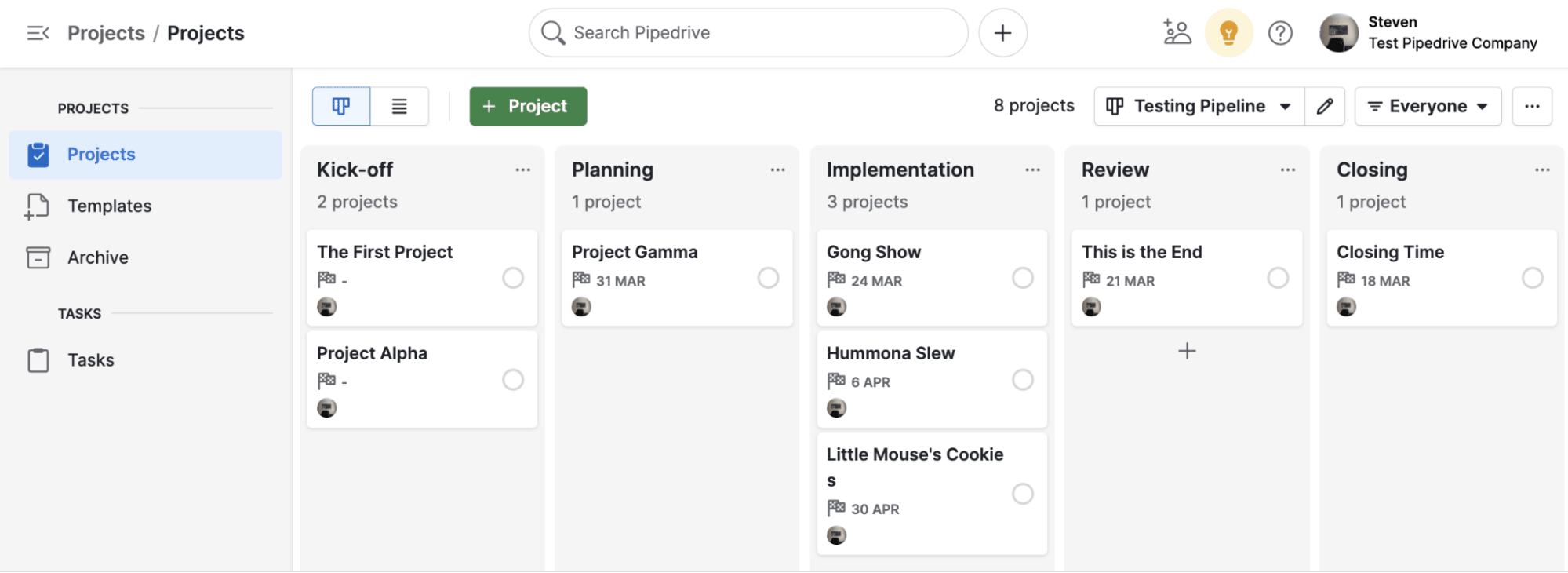
Myth 6: More Leads Automatically Mean More Sales

It’s easy to assume that more traffic will solve all your sales problems. But quantity doesn’t always equal quality. If your funnel attracts the wrong people, you’ll have a bloated email list and few paying customers.

You want to attract people who are not only interested but also ready and able to buy. This is where lead qualification becomes crucial. That starts with clarity in your messaging. Be specific about who your offer is for and who it’s not for.

For example, instead of offering “marketing tips,” offer “a conversion blueprint for six-figure course creators.” That level of precision filters out people who aren’t a good fit and helps you nurture leads who are more likely to convert into sales.

Myth 7: Funnels Are Just for Sales, Not Value

You might think of funnels as a way to drive revenue, but they’re also powerful tools for delivering long-term value. Every email you send, video you post, or webinar you host is an opportunity to help your audience solve problems before they even buy from you.

When you shift your mindset from “selling” to “serving,” your funnel becomes more effective. People begin to trust you because you’re showing up with valuable, actionable content. You’re giving before asking. And that builds the kind of relationship that leads to loyalty and referrals.

Consider adding an educational email series to your funnel or a bonus PDF that dives deeper into your core topic. These touches demonstrate care and expertise and go a long way in winning over skeptical leads.

Rebuild Your Funnel with Truth, Not Myths

The more you understand a sales funnel, the more equipped you are to build one that works. Don’t fall for the myths that you need perfect tools, a massive ad budget, or a one-size-fits-all approach. What you really need is clarity, intention, and a deep understanding of the people you serve.

If your funnel isn’t performing as you hoped, return to the fundamentals. Are you guiding visitors with purpose? Are you solving problems with your content? Are you building trust through value?

When you start asking those questions and applying actual strategies that work, you’ll move from guesswork to growth. A user-friendly funnel-building platform should get you up and funneling in a day, making real progress. Fast.

One Funnel Away

Thanks for reading Debunking 7 Common Myths About Sales Funnels which appeared first on ClickFunnels.

Simple AIDA Model Definition for Marketing

Software Stack Editor · June 9, 2025 ·

While every customer is different, you can influence how people discover your brand, from the moment they first notice it to when they (hopefully) pull out their credit card.

The AIDA model, used for over 100 years, offers a fundamental advertising framework for engaging prospects and driving sales. It’s the basis for the modern marketing funnel and helps you develop a strategy for reaching and converting your target audience.

In this article, we’ll show how AIDA can help you quickly and strategically plan and implement marketing strategy tools so more customers choose your brand.

What is the AIDA model?

AIDA model definition: The AIDA marketing model is a framework that outlines the stages of a buyer’s journey from first impression to purchase. Developed by American advertising advocate Elias St. Elmo Lewis, it illustrates how advertising can impact decision-making. This formula helps businesses optimize digital marketing communications and sales funnels.

It’s also known as the AIDA formula or the AIDA principle. Use the AIDA model as a secure and structured way to guide sales prospects through the four sales stages, starting at the awareness stage and ultimately converting leads into customers.

Recommended reading

https://www-cms.pipedriveassets.com/sales-goals_2023-02-23-120955_tgra.jpg

How to set up an effective marketing funnel

How to apply the AIDA model in marketing

AIDA is an acronym for the four stages companies use to address potential customers and influence their purchase decisions:

These four stages are sequential.

AIDA Model Pipedrive

Let’s dive deeper into each stage.

1. Attention

The first stage is attention. Effective advertising begins with capturing the target audience’s attention through imagery, emotion or copywriting. Marketers can use various approaches to grab attention through advertising, content marketing or social media posts, such as a Facebook ad, a compelling news story, a viral video or eye-catching colors on a storefront.

2. Interest

This stage creates the potential customer’s interest in a specific offer. Companies can present the product details on a landing page, in a flyer or through a product webinar to tap into a prospect’s pain points or needs.

3. Desire

Desire, in this context, means making the prospect want to own the product or use the service. This stage combines rational arguments with an emotional connection to address the target audience’s needs.

Potential methods for driving desire include customer testimonials, celebrity endorsements, social proof or videos showing the product’s benefits in everyday life (e.g., how it offers more joy, recognition, security or whatever else customers desire).

4. Action

At the end of the third stage, the customer knows they want the product because it solves their pain points. Now, they need to complete the purchase.

Use a clear and explicit call to action (CTA), such as a button that prompts people to buy. For online or interactive marketing like landing pages, blog posts or social media ads, ensure the user interface is intuitive to prevent technical issues.

The AIDA framework is a reliable guide for creating structured marketing strategies. Align each campaign stage with this template to attract, engage and convert potential customers. This approach ensures you don’t overlook any steps in your marketing efforts.

Incorporating AIDA model marketing strategies allows you to craft messages that effectively guide consumers through the buying process, enhancing brand interaction and conversion rates.

Recommended reading

https://www-cms.pipedriveassets.com/Next-Best-Action-Guide.png

Next best action: definition, benefits and guide

Extensions of the AIDA model to AIDA-S and AIDCAS

The original AIDA formula now has a couple of variations, which add two more stages: satisfaction and conviction.

AIDA-S

The AIDA-S model assumes the customer journey doesn’t end with the purchase. The fifth stage, satisfaction, measures customers’ feelings about the product by asking whether they would buy from the same company again or recommend the brand to others.

Companies can conduct interviews, analyze customer reviews or develop buyer personas to learn consumers’ thoughts and improve products and services. These tools provide valuable data about retention so companies can enhance the customer experience.

AIDCAS

The AIDCAS model includes the satisfaction stage but also inserts a stage between desire and action: conviction. This stage involves building trust and convincing customers that they need the product or service by showing them proof points (e.g., a testimonial or case study).

Conviction is vital when customers are aware, interested and know they want the product, but still have questions or purchase objections.

During the conviction stage, companies can compare their offer with competitors’ or make the sales team available to potential customers for questions or conversations. These strategies help relieve worries or fears.

9 steps to creating the perfect sales strategy (with free template)

In this handbook, we’ll walk you through what your sales strategy needs, plus there’s a free strategy template to get you started!

An example of the AIDA model

The AIDA model often depends on multiple customer contacts to reach the final action. To illustrate, let’s consider an example:

A small business seeks a new customer relationship management (CRM) system. The business owner searches Google, and one of the top results catches her eye. Stage 1, Attention, is complete.

While watching YouTube videos at home, she sees an ad for the same CRM cataloging its various benefits. Curious, she watches the full advertisement, which leads to stage 2: Interest.

A few days later, at an industry conference, she sees that the CRM has a booth and chats with one of the reps. The rep shares case studies with her and offers her a free trial. She’s now at stage 3, the Desire to purchase.

At the end of the free trial, she upgrades the company to a paid subscription, completing the process with stage 4, Action. If everything goes well in the satisfaction stage, subscription renewals and sales referrals to other potential customers are likely.

The buying process isn’t always so straightforward, with a purchase after one successful advertisement campaign. However, this case study shows the power and possibilities of the AIDA model for marketing messages.

Critique of the AIDA model

Despite its widespread popularity and applications, the AIDA model sometimes has a public relations problem. One critique is that its step-by-step representation is too rigid. It assumes all stages follow one another chronologically.

In reality, however, the stages can overlap, interact in complex ways or be skipped altogether. For example, a customer may proactively start researching a problem to solve a pain point, bypassing the attention and interest stages to reach a solution.

Another example of rigidity is that the AIDA model depicts a successful purchase. If one of the stages does not function as expected, the customer journey might proceed differently.

Because of this, the AIDA model alone is not enough. It must be part of a diverse content marketing strategy that considers the twists and turns of the modern customer journey.

For instance, what happens if a customer shows interest in a product but decides it costs too much or doesn’t meet their needs? Companies could then offer a different product as an alternative. While not technically part of AIDA, that’s still an effective way to convert a prospect into a sale.

The AIDA model provides a solid foundation, but marketers should know there are other successful sales processes. Combining different approaches often leads to a positive outcome.

Recommended reading

https://www-cms.pipedriveassets.com/blog-assets/email-strategy-techniques-illustrations.png

9 Email marketing strategies you need to know in 2025

Final thoughts

While there’s no universal approach to marketing and sales, the AIDA model’s staying power makes it a reliable framework.

AIDA applies as much to complex campaigns as to individual social media posts or email marketing sequences. Use it as the model prescribes or adapt it to fit your company’s goals when planning or optimizing content.

Download our customer journey map template

Start mapping your customer journey with our free customer journey template.

How a Drag-and-Drop Funnel Builder Can Boost Your Business

Software Stack Editor · June 6, 2025 ·

The post How a Drag-and-Drop Funnel Builder Can Boost Your Business appeared first on ClickFunnels.

If you’ve ever tried building a funnel from scratch, you already know how much work it can be. Landing pages, email sequences, automation, and tech setup can quickly get overwhelming, especially if you’re not a developer or designer.

The good news is, you don’t need to be. A drag-and-drop funnel builder takes the complexity out of the process and helps you move faster. You can create, launch, and improve your sales journey with just a few clicks.

Whether you’re a coach, consultant, small business owner, or e-commerce entrepreneur, a drag-and-drop funnel builder can make a real difference for your business. It can save you money, reduce costs, and give you the freedom to focus on growth.

  • Launch Funnels Without Needing Tech Skills
  • Keep Your Budget In Check While Building Big
  • Get Instant Visual Feedback As You Create
  • Spend Less Time Coding and More Time Scaling
  • Use Built-in Tools to Maximize Every Funnel
  • Hypothetical Use Cases for Drag-and-Drop Funnels
  • Start Building Smarter, Not Harder

Launch Funnels Without Needing Tech Skills

One of the biggest barriers to building a sales funnel is the belief that it’s a highly technical task. You might believe you need a developer to code every landing page or an expensive designer to make it visually appealing. But with a drag-and-drop builder, you can control your funnel’s design without needing advanced skills. 

Imagine this: you log into your funnel platform, choose a professionally designed template, and start dragging elements into place. Want to add a video block? Just drag it in. Need to tweak the headline? Click and type. It’s that simple. Adjust spacing, colors, fonts, and more, all in real-time. And because the interface is intuitive, you don’t have to worry about breaking anything. 

This flexibility is especially important if you’re launching a new campaign on a tight schedule. Instead of waiting on a developer, you can publish your funnel in hours, not days. That speed and control give you a major advantage in a competitive market.

Keep Your Budget In Check While Building Big

Hiring a web designer or developer every time you need a new funnel can add up quickly. Even if you’re tech-savvy, the time you spend manually building and troubleshooting pages is time taken away from running your business. A drag-and-drop funnel builder helps you cut costs without sacrificing quality.

With most funnel builders, you get access to a library of high-converting templates. These designs have already been tested and optimized for conversion, so you’re not starting from scratch. Quickly customize the templates to fit your brand, add your content, and launch.

Make changes on the fly since you’re not relying on third parties to update your funnel. If you notice a drop in conversions, you can edit the page, change your call to action, or adjust your offer, all within minutes. This kind of adaptability is critical in today’s fast-moving business environment.

Get Instant Visual Feedback As You Create

When you use a drag-and-drop builder, what you see is what you get. You don’t have to preview and re-preview your funnel to see how your edits look. Every change you make appears instantly on your screen, which speeds up your workflow and minimizes errors.

This visual editing experience also helps you make better design decisions. Immediately see how a headline looks next to an image or how a form fits on the page. You’re no longer guessing how your funnel will appear to visitors because you can view it from their perspective as you build it.

That real-time feedback is invaluable, especially when getting a campaign live quickly. It helps you stay focused on what matters most: the message, the user experience, and (ultimately) the conversion.

Spend Less Time Coding and More Time Scaling

Let’s face it: you need to spend time growing your business, not wrestling with code. A drag-and-drop builder lets you shift your focus from technical implementation to strategic execution. That means more time creating offers, writing copy, and analyzing results.
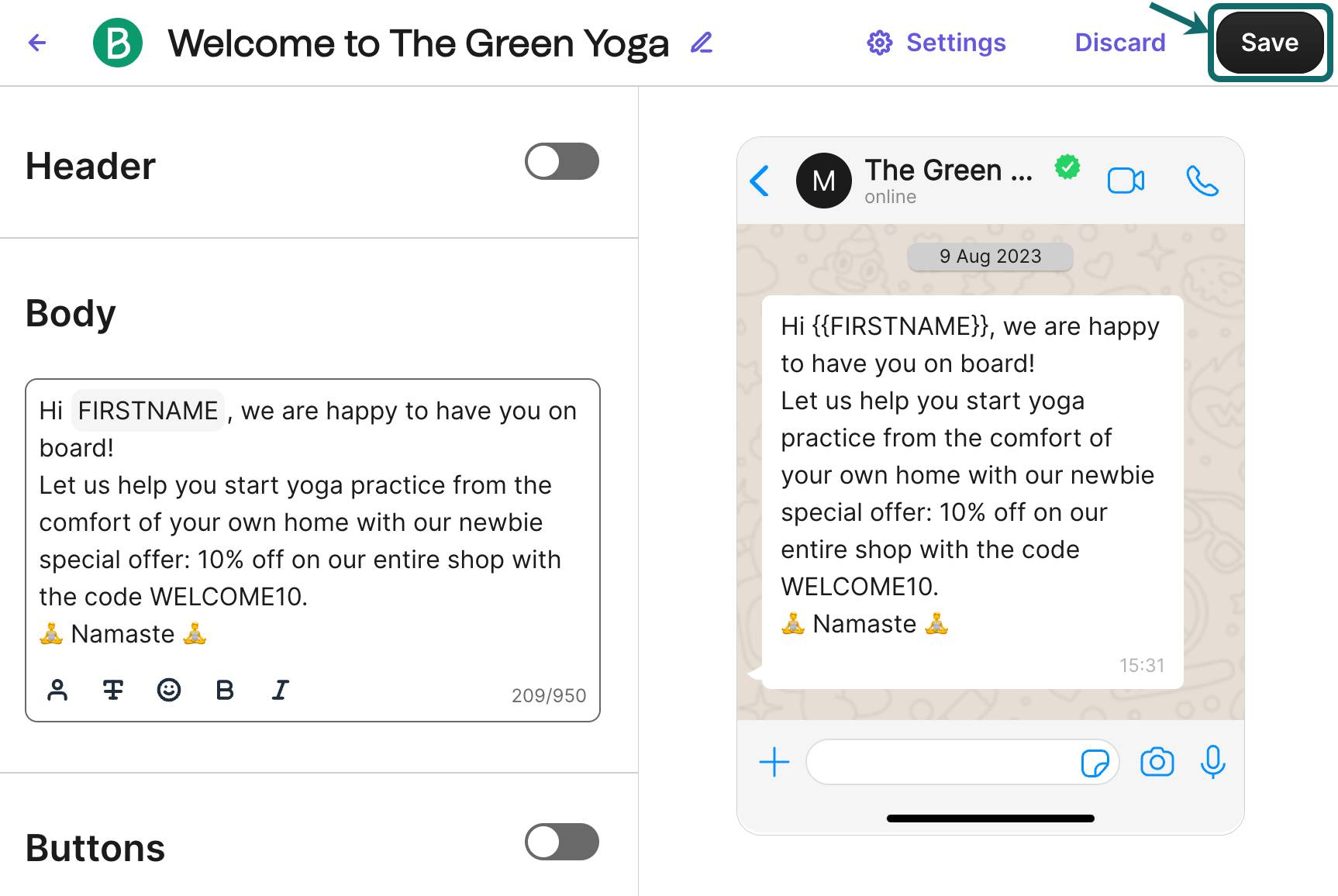
You can also experiment more freely. Since building and adjusting a funnel is so easy, you can test new ideas quickly. Maybe you want to try a new lead magnet, change your webinar registration page, or launch a limited-time discount. With a traditional approach, these changes could take days. But with a visual website funnel builder, you can instantly roll out updates.

This level of flexibility helps you create faster and adjust your strategy as you go. You’re no longer tied down by complex systems or waiting on someone else to make a change. You’re in the driver’s seat.

Use Built-in Tools to Maximize Every Funnel

Most drag-and-drop builders come with additional tools that boost your marketing. You’re not just getting a page editor. You often get a full suite of features designed to help you convert more leads. Here are a few that stand out:

  • Email Automation—Set up follow-up sequences that trigger based on user actions.
  • A/B Testing—Improve performance by experimenting with different headlines, images, or layouts.
  • Analytics Dashboards—Track visitor behavior and conversion rates without a separate tool.

These features work together to help you make data-driven decisions and continuously improve your funnels. And because everything is under one roof, there’s no need to juggle five different platforms.

Hypothetical Use Cases for Drag-and-Drop Funnels

Let’s look at some common business scenarios to give you an idea of how to use an intuitive funnel creator for your business.

You’re a life coach offering a 30-day transformation program. You want to run ads for a free mini-course, nurture new leads via email, and eventually invite them to a discovery call. Using a drag-and-drop builder, you create a funnel that includes all your funnel pages, a thank-you page, an email sequence, and a booking form—all in a single afternoon. 

How about you own an online boutique? You launch a seasonal promotion with a funnel that starts with a product showcase page, includes a coupon code, and ends with a one-click checkout. You use the funnel builder to A/B test two versions of your product page—one with lifestyle photos, the other with plain images—and track which one converts better. That’s not just efficient. That’s strategic.

These examples highlight how a funnel-building tool can help your business succeed. Find one that does many things and does them well.

Start Building Smarter, Not Harder

If you’ve been holding off on building or refining your sales funnel because it feels too technical or too expensive, a drag-and-drop funnel builder could be the solution you’ve been waiting for. You’ll spend less time figuring out how to launch and more time growing your business.

The beauty of these tools is that they make high-level marketing accessible to everyone. Whether you’re a solopreneur with no design experience or a growing team that needs to move fast, drag-and-drop builders let you execute your ideas quickly, confidently, and professionally.

So don’t let tech overwhelm keep you from making progress. Choose a platform that empowers you to build, test, and optimize easily and gets your funnel in front of the people who need what you offer. The sooner you do, the faster you’ll start seeing results.
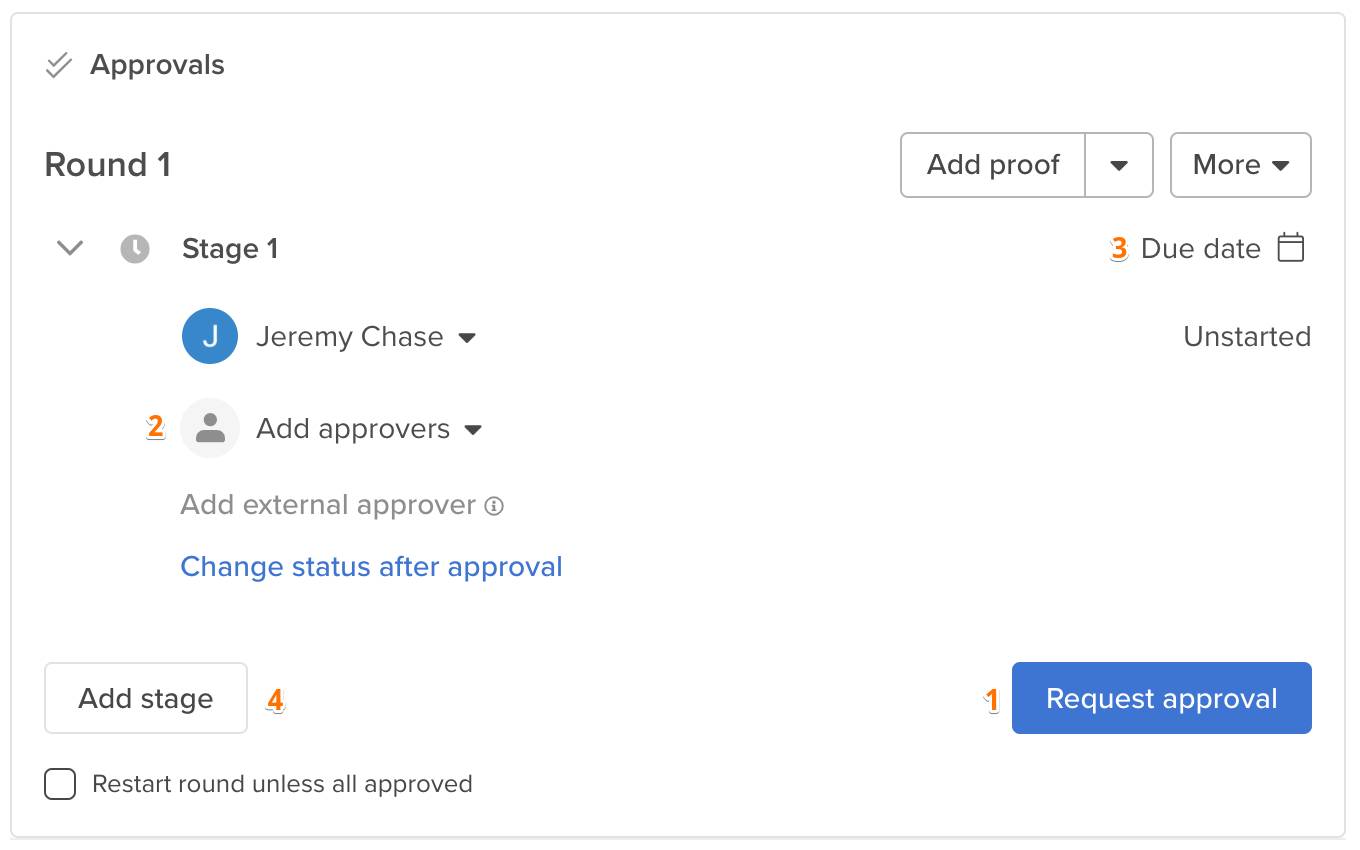
Click Here to Build Your AI Funnel For Free!

Thanks for reading How a Drag-and-Drop Funnel Builder Can Boost Your Business which appeared first on ClickFunnels.

  • « Go to Previous Page
  • Page 1
  • Interim pages omitted …
  • Page 8
  • Page 9
  • Page 10
  • Page 11
  • Page 12
  • Interim pages omitted …
  • Page 44
  • Go to Next Page »

Get your Software Stack together. softwarestack.tech

Software Stack

© 2024–2026 - Software Stack is a trading name of SouthwestCIO Limited ac ompany registered in England & Wales 11319049

  • Knowledgebase
  • Home
  • About Us
  • Contact Us