• Skip to primary navigation
  • Skip to main content
software stack logo

Software Stack

Get your Software Stack together

  • Knowledgebase
    • All Categories
    • Accounting Software
    • Automation & Workflow Software
    • Customer Relationship Management
    • E-Commerce Shopfronts & Payments
    • Marketing Automation
    • Online Courses & Membership
    • Project Management
    • Surveys & Forms
    • Web Hosting
  • Home
  • About Us
  • Contact Us
  • Show Search
Hide Search

CRM

Capsule CRM vs Deals: Which is best for your business?

Software Stack Editor · September 9, 2025 ·

image

If you want your business to grow, you need a way to create and manage customer relationships. As a result, your customer relationship management (CRM) software is one of the most important tools in your arsenal.

Choosing the best CRM software isn’t always so straightforward. Many seem to offer similar features and pricing, but the actual experience of using the software can be vastly different. Rather than just going with the most popular choice, it’s important to take the time to compare the different options and find a system with the right features that your team will actually enjoy using every day.In this guide, we compare Capsule CRM and Deals (ActiveCampaign’s CRM). Both tools can help you track opportunities, manage pipelines, and keep on top of follow-ups, but they also have some key differences that you need to be aware of.

By the end of this guide, you’ll have a better understanding of what both CRMs have to offer and which one will be the right fit for your team.

Capsule and Deals plans compared

For most small businesses and startups, a CRM that offers good value while scaling with your needs is a priority. A pricing model that’s hard to budget, or a plan you outgrow too quickly, can become more hassle than it’s worth.

If you’re just getting started, Capsule’s free plan is a helpful way to try out a dedicated CRM. You get access to all the essential features you need, including:

  • Up to 2 users
  • 250 contacts
  • 1 sales pipeline
  • 5 custom fields
  • Contact history & activity log
  • Gmail & Outlook add-ons
  • Android & iOS mobile app

Deals is available as part of ActiveCampaign’s marketing platform. ActiveCampaign doesn’t offer a free plan, but you can try it (and its CRM capabilities) on a 14-day free trial.

Capsule and Deals (through ActiveCampaign) both offer affordable entry-level plans.

Capsule Starter plan ActiveCampaign Starter plan

Dedicated CRM

Marketing platform with built-in CRM

$18/user/mo for 30,000 contacts

Starting at $15/month for 1 user and 1,000 contacts

Shared mailbox, templates, Gmail/Outlook add-ons

Full email marketing platform

Pipeline, tasks, goals

Basic CRM features (add-ons available)

Core sales reporting

Marketing and CRM reporting

Capsule’s Starter plan gives you an affordable, predictable way to run your pipeline without paying for a full marketing suite. ActiveCampaign Plus is compelling if you’re primarily buying marketing automation and want a basic CRM in the same platform.

Both platforms also have higher-tier plans with additional features. Here’s what you get with Capsule’s premium plans:

  • The Growth plan adds useful features like workflow automations, multiple pipelines, multiple project boards, advanced sales reporting, and more
  • The Advanced plan includes up to 120,000 contacts, contact enrichment, and 50 project boards
  • The Ultimate plan layers on premium onboarding, dedicated account management, and priority support for larger rollouts.

Meanwhile, ActiveCampaign’s Plus, Pro, and Enterprise plans expand the email marketing, automation, and reporting features. However, as your email contact list grows, so does the cost.

For example, if you had 50,000 email contacts, the cheapest option is ActiveCampaign’s Plus plan at $609/mo (compared to $36/mo for Capsule’s Growth plan with 60,000 contacts).

In addition, if you want to upgrade ActiveCampaign’s Deals CRM features, you’ll need to purchase separate add-ons ($68/mo for the Pipelines enhanced CRM add-on and $111/mo for the Sales engagement enhanced CRM add-on), significantly pushing up the price.

What features and functionality do Capsule CRM and Deals offer?

When you’re comparing Capsule with Deals and looking at their different features, it quickly becomes obvious that they’re two very different platforms.

Capsule is 100% a CRM and, as a result, all its features naturally revolve around managing customer relationships. It gives you all the essential CRM tools you’d expect, like contact and pipeline management, alongside flexible features that adapt to your workflow.

For example, with Capsule’s Tracks feature, you can easily create task templates for repeatable processes, such as running product demos or onboarding new customers. The built-in Project Boards help manage your work post-sale, helping you deliver better customer experiences.

Capsule also comes with an AI Content Assistant to support your communication, while the Sales Analytics tools give you comprehensive insights into your team’s performance.

Deals, in contrast, is part of ActiveCampaign’s all-in-one marketing platform. You get your standard CRM functionality, but the focus is firmly on the marketing side of things. You can capture lead data and manage your contact details, but if you want to take things further, you’ll need to purchase one or more additional add-ons (available on the Plus plan and above).

For example, ActiveCampaign’s Pipelines enhanced CRM add-on unlocks features like enhanced pipeline management, deal records, account records, and lead scoring. The Sales engagement enhanced CRM add-on includes all of those features, plus automated 1:1 email and win probability.

For businesses focused on managing customer relationships, Capsule offers a streamlined experience with practical, easy-to-use features. If you’re primarily looking for a marketing platform with basic CRM capabilities, Deals makes sense.

Which CRM connects best with your existing software?

Even the smallest business uses a variety of different apps every day, from calendars to spreadsheets. The right CRM should slot into your stack with minimal fuss.

Capsule plugs neatly into the day‑to‑day tools most small teams already use, including:

These integrations make it easy to keep all your data connected, enabling you to share vital information between your CRM, inbox, and email marketing. Capsule also connects with thousands of other apps through Zapier, or you can use the API to build custom integrations.

Deals lives inside ActiveCampaign’s marketing suite, allowing for deep integrations between your CRM and marketing (as long as you don’t mind using the same platform for both). It offers over 900 integrations, with more available through Zapier.

If you prefer to keep marketing tools interchangeable, Capsule offers the cleanest fit with minimal setup. If you’re campaign‑led and want CRM actions driven by marketing data, Deals benefits from ActiveCampaign’s wider marketing ecosystem.

Which CRM is best for ease of use?

One of the primary things to look for in any CRM is ease of use. After all, it doesn’t matter how amazing the features are or how cheap it is; if it’s too complicated to use, you may as well go back to using a Rolodex.

If you want a CRM your team can pick up quickly and maintain without hours of admin, Capsule is the simpler choice. The CRM is designed from the ground up to get you productive fast: set up a pipeline, create a contact, and add a deal.

With Capsule, reps can add notes, create tasks, and move deals with minimal effort. You can save even more time with Tracks for repeatable work, and Workflow Automations handle the more menial tasks. It’s also easy to get started by transferring your existing data from spreadsheets or other apps and CRMs using Import2.


“What I like best about Capsule CRM is its simplicity and ease of use, which makes it accessible to users of all technical skill levels. The user interface is clean and intuitive, allowing you to get started quickly without a steep learning curve or the need for extensive training.”

Matt. C

G2 review

If you’re already running complex marketing automations and want CRM actions woven into those flows, Deals will feel familiar, but just expect a bit more setup. For example, you can set up automated deal creation based on criteria such as lead score.

Deals offers extensive options because it sits alongside email and marketing tools; the extra power is there when you need it, but it can take longer to dial in the right flows.

Which CRM offers more customization and flexibility?

Every business has its own way of working, whether it’s how you move deals through the pipeline, what data you need to track, or how you organise your tasks.

Capsule gives you the freedom to shape your CRM around the way your business works. You can adjust Sales Pipelines to reflect your process, add Custom Fields to capture the details that matter most, and organize information using Tags and DataTags.

Deals also offers plenty of ways to customize your data, including custom fields, custom objects, and AI-suggested segments. ActiveCampaign’s personalization particularly shines when used for marketing campaigns, with advanced personalization fields and dynamic content.

You can also tailor the CRM aspect with segmented contact lists and pipelines tailored to match your sales process. The automation builder is powerful, but setting up these flows and rules often requires more time and marketing know-how, particularly for teams that haven’t used automation tools before.

In short, both CRMs provide strong customization options, but Capsule keeps it straightforward and accessible, making it easier for growing teams to tailor their setup without technical expertise. Deals is better suited if your priority is advanced automation tied closely to marketing activity and you’re comfortable investing more time in setup and ongoing management.

Which platform is best for support and security?

Customer relationships are built on customer information. When you’re handling your customers’ valuable data, you need a platform that keeps it secure, offers straightforward filtering, and makes core details and history readily available when you need them.

Capsule provides reliable support for every plan. All users can access email support backed by a comprehensive online help center. Teams on the Ultimate plan receive extra assistance, including a dedicated account manager, tailored onboarding, and priority response to make sure they get the most from the platform.

On the security side, Capsule is SOC 2 Type II certified, which means that its systems and processes meet rigorous standards for safeguarding data. The platform also uses encryption in transit and at rest, role-based access permissions, and routine backups to keep information protected and accessible. The company also complies with GDPR, so you can be confident that your customers’ data is safe.

ActiveCampaign is a large US-based provider that offers support through email, live chat, and community forums. The level of service you receive depends on your plan: Pro users and above get priority support, while Enterprise customers benefit from a dedicated account team and an uptime SLA.

However, some customers outside US time zones have noted that response times can be less consistent, which may be a consideration if your team works elsewhere.

From a security perspective, ActiveCampaign is SOC 2 certified and GDPR compliant. The platform carries out daily vulnerability scans and ongoing penetration testing to maintain strong protection. In short, ActiveCampaign’s size allows it to deliver enterprise-grade infrastructure and compliance, though support can sometimes feel less personal compared with smaller vendors.

Which CRM is best for my business?

Both Capsule CRM and Deals will help you track deals and manage your customer relationships, but they start from very different places. Capsule is a dedicated CRM designed to stay simple as you grow. Deals is part of a marketing platform with CRM built in.

If you want a focused CRM that your team can pick up quickly, with predictable per‑user pricing and a free plan to get started, then Capsule ticks all the boxes. You can manage your contacts, deals, pipelines, and projects without any complicated setup.

On the other hand, if you’re primarily looking for a marketing platform and the CRM is secondary, then ActiveCampaign’s built-in CRM might be enough for your needs.

For most SMB and startup teams that value a user-friendly CRM with predictable costs, Capsule is the safer choice. If your sales motion lives inside complex marketing journeys, and you’ll fully use those capabilities, Deals can be a strong fit.

Try any Capsule plan free for 14 days or sign up to our free plan to get started with a simple yet powerful CRM.

How to build an email list from scratch: 15 incredibly effective strategies

Software Stack Editor · September 9, 2025 ·

When I set out to build an email list from scratch for MarketingIdeas.com, I didn’t have a product. No pricing page. No polished brand. Just a one-liner and a waitlist.

→ Download Now: The Beginner's Guide to Email Marketing [Free Ebook]

Within a few weeks, that waitlist had grown to hundreds of people, and that list became the foundation for everything that followed. Since then, I’ve helped others build email lists from scratch using straightforward, repeatable tactics that don’t rely on paid ads or massive audiences.

Building an email list gives you something most platforms can’t: a direct, lasting relationship with the people who want to hear from you. No algorithms. No middlemen.

In this post, I’ll walk through email marketing strategies that have worked best for me and how you can use them to grow your own list, even if you’re starting from zero.

Table of Contents

  • Qualities of a Great Email List (When Building from Scratch)
  • How to Build an Email List From Scratch
  • Best Email List Builders

Qualities of a Great Email List (When Building from Scratch)

Before we jump into tactics, let’s set the foundation. Not all email lists are created equal. In my experience, a bad list (low engagement, no targeting, high spam complaints) is worse than no list at all. Here’s what makes a list valuable:

1. People asked to be there.

If you take away one thing, let it be this: never buy a list. Every subscriber should have explicitly opted in. That’s not just a legal thing. It’s a trust thing. If someone didn’t ask to hear from you, they probably won’t open your emails, and they definitely won’t buy anything from you.

2. Emails are valid and up to date.

I run regular cleanups to remove bounces, invalid addresses, and zombie subscribers. Tools like NeverBounce or Bouncer can help, but even just tracking open/click data in your email platform is a solid start. A smaller, clean list will consistently outperform a bloated one.

3. You have the right audience (who actually engages).

If I‘m sharing growth tips and half my list only cares about crypto memes, I’ve failed. Your subscribers should want what you‘re offering. That means getting specific about who you’re talking to, and keeping your content focused.

But relevance alone isn‘t enough. I’d rather have 1,000 people who open, click, and reply than 10,000 who don‘t. Engagement matters — not just for deliverability, but for momentum. If your audience is both aligned with your content AND actively participating, you’ll get replies, shares, and referrals without asking.

The sweet spot? When someone sees your email and thinks, “This is exactly what I needed right now,” and then acts on it. That‘s when you know you’ve got the right people on your list.

Pro tip: I email new subscribers when I can (more on that later). If you’re using a tool like HubSpot’s free email tracking software, it’s easy to spot your most engaged subscribers, which helps you prioritize who to follow up with first.

4. You can segment it easily.

At some point, you’ll want to send different messages to different groups by topic, company size, location, whatever. That’s hard to do if all you’ve collected is an email address. Even one or two extra data points (like industry or role) go a long way.

5. It’s constantly growing (with quality control built in).

A good list compounds. I like to aim for 3 to 5% monthly growth, whether that’s from new lead magnets, social posts, or guest appearances. The key is having one or two always-on sources driving traffic to a signup.

But here’s the counterintuitive part: making it easy to unsubscribe actually helps your growth. I know that sounds backwards, but hear me out. When someone can leave with one click, it builds trust and improves your list quality. You only want genuinely interested subscribers anyway.

If someone doesn‘t want to hear from you, that’s fine. Better to lose the contact cleanly than have them mark you as spam or just ignore your emails forever. A smaller, engaged list will always outperform a bloated, uninterested one.

So yes, grow aggressively, but keep the exit door wide open. The people who stay are the ones who want to be there.

Once you know what makes a list valuable, the question becomes: how do you build one? Here are the exact tactics I’ve used to grow lists from nothing to thousands of engaged subscribers.

How to Build an Email List From Scratch

When I started building my email list from scratch, I didn’t have a product, a newsletter, or even a lead magnet. Just a few things I’d learned the hard way and a sense that others might find them useful. You don’t need a polished setup to get going. Some of the most effective list-building tactics are surprisingly low-lift.

These are the exact tactics I’ve used to grow lists from nothing to thousands of highly engaged subscribers.

1. Build an email list from scratch with a waitlist (even pre-launch).

One of the easiest ways I’ve grown an email list from scratch is by launching a waitlist, even before I had a finished product. Whether it’s a product launch, course, service, or event, all you need is a simple landing page with one compelling line:

“The sooner you join, the sooner you’ll get access.”

marketingideas.com waitlist signup form with headline and email field.

Source

That’s it. No incentives, no ebook, no “free guide,” just a feeling of early access. Then shamelessly plug the waitlist everywhere, like speaking gigs, social posts, networking events, even DMs. Aim for 500–700 signups before you launch anything.

It doesn’t even matter what you’re launching. The waitlist gives you a head start and an email list you’ll actually own. That’s exactly how I grew my first 700 subscribers before launching MarketingIdeas.com.

Pick something you‘re working on and throw up a simple landing page this week. You’ll be surprised how many people want early access.


2. Send a personal “heads-up” email to your network.

One of the fastest ways to build early momentum is to email 50–100 friends or colleagues with a quick personal note:

  • Hey, I’m working on a new [project/product/service] that I think you’d find useful because [specific reason]. Want me to add you to the list and keep you posted?

This kind of personal touch converts 10x better than a cold blast. It’s casual, human, and gives people context before you ask for anything.

And bonus: People who join your list early are often the most engaged. They’ll open your emails, reply, and sometimes even pass them along to others. That kind of energy is hard to fake and is super helpful when you’re still figuring things out.

3. Create a lead magnet that solves one urgent problem.

I’ve seen a lot of lead magnets fall flat when people are trying to grow their email list, usually because they try to do too much. I learned this the hard way after creating a 50-page “ultimate guide” that nobody downloaded. Turns out, people want solutions, not dissertations.

A better approach is to focus on one specific problem your audience is actively trying to solve. For example:

  • A salary negotiation email template for job-seekers
  • A “starter pack” of prompts for someone launching a newsletter
  • A decision-making flowchart for founders choosing between two tools

The best-performing ones I’ve seen are simple, fast to use, and feel like they were made by someone who gets it. And with vibe coding tools, they’re easy to create. Start with one problem you solve repeatedly in conversations, and turn that into a simple template or checklist.

I usually gate the lead magnet behind a simple form, just an email field, maybe a first name. Then I promote it everywhere: in social bios, in blog post CTAs, in community forums, even in replies to relevant questions on X or Reddit. The key isn’t just creating a great resource. It’s putting it in front of the people who need it.

4. Start simple, then get smarter with progressive profiling.

Most marketers ask for too much, too soon — email, name, company, role, industry, favorite pizza topping. That’s a fast way to kill conversions.

I like to keep things light at the start. For lead magnets, I usually just ask for an email. That gets people in the door. Then, I layer on additional context gradually, a practice called progressive profiling.

Here’s what that can look like:

  • Step 1: Just ask for an email to access the free resource.
  • Step 2: On the download confirmation page, ask for the company size.
  • Step 3: In a follow-up email, prompt them to tell you more, or offer a 2-question survey about their biggest challenge.

The benefit? You lower the barrier to entry but still gather the intel you need to segment and personalize later. And since these prompts come after someone has already shown interest, completion rates are much higher.

Plus, it feels natural. You don’t learn everything about someone in five minutes. Why should email signup be different?

5. Publish one share-worthy piece of content per month.

When building an email list from scratch, I try to publish something each month that makes people think, “Wow, I need to share this.” It could be a case study with real numbers, a contrarian take, a step-by-step tutorial, or just my best advice from the trenches. Sometimes it’s behind-the-scenes stuff or quick industry observations I post on LinkedIn or X.

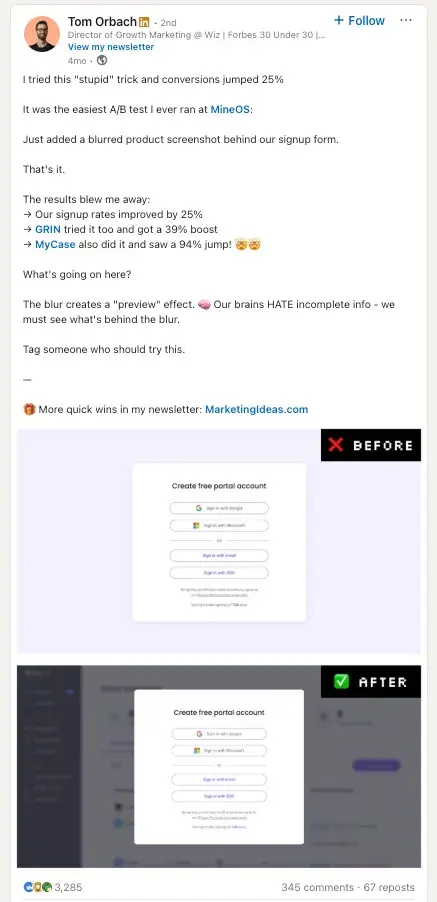
For example, I shared the results of a super simple A/B test, just adding a blurred screenshot behind our signup form. That’s it. No fancy design, no long explainer.

linkedin post showing a blurred background ab test

Source

That post got shared like crazy because it was so simple yet effective. The trick is to make sure the content stands on its own. Then, close with a clear CTA like: “More tips like this in my newsletter: [Insert URL]”

You don’t need an elaborate funnel. Just share something helpful and give people a simple next step if they want more.

One more thing: if you’re struggling to figure out what to write about, look for where people are already asking questions, like Reddit, Slack groups, X threads. Then, answer one of those with more depth than anyone else has.

6. Personally engage with every new subscriber (at least for the first 1,000).

When someone joins your list, don’t just let the confirmation email do the talking. For my first 1,000 subscribers, I sent a quick note within 24 hours, thanking them and asking what they were working on or where they needed help.

It wasn’t a campaign or automation. It was just a genuine message from me.

That simple gesture led to honest conversations, consulting gigs, loyal readers, and more than a few referrals. People remember when you treat them like a human, not just a data point.

It doesn’t scale forever, but if you’re just getting started, nothing beats personal connection.

Even as my list has grown, I‘ve kept that same energy in my welcome emails. I can’t personally reply to every new subscriber anymore, but I make sure they get immediate value and feel like they’re joining something real, not just another newsletter.

Instead of a boring “Thanks for subscribing!” message, I send new subscribers straight into the good stuff. That means real marketing tactics they can use right away, plus that sense of being part of a community of people who actually get it.

screenshot of tom orbachs welcome email showing personal branding, immediate value delivery with 4 marketing tactics, and community building with doge meme

7. Make your pop-ups helpful (not annoying).

I used to think pop-ups were annoying by default. But once I started triggering them based on behavior, they felt a lot less intrusive. In some cases, they even helped.

The offer is everything. “Subscribe for updates” won’t cut it. But something like “Want the exact checklist I used to get 1,000 subscribers? Grab it here” gives people a real reason to say yes.

Here are a few formats I’ve seen work:

  • Exit-intent popups that show up right as someone’s about to leave the tab
  • Scroll-triggered popups that appear once a reader hits a certain point in the post
  • Content upgrades that feel like a natural next step after reading

The Gamification Twist

Now, here‘s where it gets interesting. I was skeptical at first. A spin-to-win wheel felt like something I’d see on an e-commerce site selling phone cases. But then I looked at the data: 13.23% conversion rate, compared to 3–5% for standard popups.

So I tested it.

I set it to show after someone had been on my site for 100 seconds, enough time to signal genuine interest. Instead of a boring “Sign up for updates” CTA, they got to spin for something valuable: a 15-minute consult, a swipe file, or a behind-the-scenes teardown.

Not only did it increase conversions, but it made the whole signup experience feel more fun and memorable.

screenshot of a wheelio gamified pop-up showing a spin-to-win wheel with coupon prizes and an email sign-up form.

Source

These gamified versions work best for consumer-facing brands or SaaS tools with free plans, but I’ve even seen creators use them effectively for newsletters. If you want to try it, tools like OptinMonster and Wheelio make setup easy.

The key with any pop-up: Keep your prizes genuinely helpful, make it feel like a bonus (not a trick), and never interrupt the experience. It should feel like a natural next step, whether it’s a simple overlay or a spinning wheel.

8. Match your CTAs to what people are actually reading.

Generic CTAs convert like generic advice: poorly. I’ve tested this over and over, and the results are evident. If your CTA matches the content someone’s already reading, conversion rates jump.

If someone’s reading a blog post about email marketing, why not show them a CTA that says, “Want the exact template I used to get 1,000 email signups? Grab it here.” That message is way more relevant than a generic newsletter pitch.

I’ve seen personalized CTAs outperform basic ones by a long shot. HubSpot found that personalized CTAs convert 202% better. In my experience, that tracks.

That stat stuck with me, so I started keeping my setup simple, just more intentional.

I don’t overthink this part. First, I check which pages are getting the most traffic, usually in GA4. That gives me a solid starting point.

Then I ask myself: why is someone on this page in the first place? Are they looking for a how-to? Comparing tools? That context shapes what kind of CTA makes sense.

Sometimes I tweak the headline or swap in a more relevant offer. Other times, I’ll get a little fancier and trigger something based on behavior, like when someone scrolls most of the way down or visits the page more than once. HubSpot’s smart content and Optimonk both come in handy there.

9. Build email subscribers through free workshops and demos.

I’ve built some of my best email lists off the back of a simple, free workshop. Most marketers overthink this one. You don’t need a webinar series with custom slides and paid ads. You just need one good idea and a calendar link.

No fluff, no hard sell. Just something genuinely useful that solves a problem for the right audience.

Even if only 20% of attendees convert, those subscribers are high intent. They already spent time with you, learned from you, and saw the value you bring. That kind of engagement is worth way more than a cold email address.

Bonus tip: after the workshop, send the recording and slides only to attendees who joined your list. That adds exclusivity and drives more opt-ins post-event.

10. Guest post or appear on podcasts.

When I started building my email list from scratch, I didn’t have a big list. But I knew how to write, and I had a few strong opinions. So I pitched a handful of newsletters and blogs in my space, and one guest post brought in over 400 subscribers in a week.

The trick? Go where your audience already hangs out.

If you write for a blog or newsletter, include a byline like: “Tom Orbach writes MarketingIdeas.com, a free newsletter for marketers who hate fluff. Get it here.”

If you’re on a podcast, ask the host to include your signup link in the show notes. Say something like, “If you liked this conversation, I break down stuff like this every few weeks. Link’s in the notes.”

And if you’re just getting started, pitch creators are just one or two steps ahead of you. They’re usually more open to collaborating, and their audience is likely to connect with where you are right now.

One solid guest appearance can bring in 200–500 subscribers. That’s how Lenny Rachitsky — author of the wildly popular product and growth newsletter, Lenny’s Newsletter — famously built his list. It’s how I grew mine, too.

11. Grow your email list by adding value in comments.

If you don’t have time to create content consistently, commenting on other people’s posts can still build visibility and grow your list. Most marketers overlook this tactic, but it works.

Take Ben Tossell, creator of Ben’s Bites, a daily newsletter covering the latest in AI. Early on, he consistently replied to tweets about AI tools with one line: “Shouting this out in tomorrow’s newsletter!”

It was simple, straightforward, and frequent enough that people noticed. When he replied to a tweet from Google’s CEO, it got nearly 26,000 views and led to hundreds of new subscribers.

You don’t need to copy Ben’s exact approach, but I’ve seen results just by:

  • Clarifying a point or adding a useful stat
  • Sharing a relevant link (if it genuinely helps)
  • Dropping a quick stat or lesson

Pick a few people your audience already follows and comment consistently. This isn’t to promote yourself but to add something useful. Your replies should make people think, “Who is this?” That’s the start of awareness.

12. Ask at checkout, but make it optional.

If you sell anything online, your checkout flow is a goldmine for qualified email signups.

I’ve added a simple checkbox that says: “Yes, I’d like to get updates and offers.”

I always leave it unchecked by default and clearly explain what subscribers will get. No fine print, and no surprises.

In my experience, these subscribers often outperform others in open and click rates. They’ve already made a purchase or shown serious intent, which makes them some of the most valuable people on your list.

13. Leverage your existing networks (even the small ones).

You don’t need a massive following to start building your list. I learned this early on. Sometimes, your best subscribers come from the connections you already have.

If you‘ve got even a small following on Twitter, LinkedIn, or anywhere else, mention your list there. Not in a pushy way, but casually: “Started a weekly email with marketing insights that don’t make it to social. Drop me a DM if you want in.”

And here‘s something most people overlook: your email signature. I added a simple line to mine (“PS: I send weekly marketing breakdowns to 2,000+ people. Join here: [link]”), and it’s brought in dozens of subscribers from everyday work conversations.

You‘re already talking to people who know and trust you. Give them an easy way to get more of what you’re sharing.

14. Create landing pages for every major topic you cover.

Here‘s something I wish I’d done earlier: instead of sending all my traffic to one generic signup page, I started creating specific landing pages for different topics I write about.

When I guest post about email marketing, I send people to a landing page specifically about email tips. When I‘m on a podcast talking about content strategy, there’s a different page for that. Each one speaks directly to what brought them there in the first place.

HubSpot found that companies see a 55% bump in leads when they go from 10 to 15 landing pages. It makes sense. If someone found you through a specific topic, they want to know you’ll keep talking about that topic.

It’s like having different conversations with different people instead of giving everyone the same pitch. Way more personal, way more effective.

15. Turn your best subscribers into recruiters.

Once you have a few hundred engaged subscribers, some of them will love what you’re sending enough to share it. Why not make that easier for them?

I started including a simple line in my best emails: “Know someone who’d find this useful? Forward this their way. They can subscribe here: [link].”

But here‘s where it gets interesting: you can offer something in return. I’ve seen creators give their subscribers a month of free, exclusive content, or even small rewards for successful referrals. One newsletter I follow gives you a $10 coffee shop gift card for every three people you refer who stay subscribed for a month.

The key is making it feel like you’re asking for help, not running a pyramid scheme. Your best subscribers already want to share your stuff, just give them a reason and an easy way to do it.

Best Email List Builders

Now that we’ve discussed the most effective ways to grow your email list, here are a few tools that can help with the process. As I mentioned previously, you should only use these tools to build a list of subscribers who have consented to receive email from you.

1. HubSpot’s Email Tool

Best for: Crafting email templates, designing landing pages and CTAs, and managing the customer lifecycle.

You’ll be happy to know there are solutions for growing your email list without breaking the bank. HubSpot offers both paid and freemium versions of its email tools to help you get started quickly.

Additional Marketing Hub capabilities include:

  • Landing page creation
  • Pop-up and stand-alone CTA form templates
  • All-in-one solution

With HubSpot, you can boost your open and click-through rates, tailor emails to recipients, and segment your list without design or tech help. It’s easy to use, intuitive design will have you mastering email lists and campaigns like a pro.

2. Mailchimp

Best for: Designing marketing campaigns for email and landing pages that convert.

Mailchimp is another option on the market that offers email tools that range from free to paid enterprise level. This tool comes with ready-made email templates, scheduling tools, and email automation options.

Its premium offerings will help you focus on and extract the most value out of your most loyal subscribers.

3. Constant Contact

Best for: General email management and building lead generation landing pages.

Constant Contact is known as an all-in-one digital marketing platform, but it does offer a decent selection of email tools that can help your campaigns stand out and get more signups. This paid service allows users to quickly drag and drop selected images and template features into custom emails, use ready-made email templates, send automated welcome and abandoned cart emails, and analyze results with email tracking.

4. Get Response

Best for: Performing segmentation based on user behavior.

Get Response comes with what you’d expect from email marketing software with the bonus of lead scoring and landing pages built into the platform. However, this platform is not as user-friendly as the others on this list and will require a bit of a learning curve to take advantage of all the software has to offer.

Features include:

  • Contact management
  • Automation and scheduling
  • Industry-specific templates
  • Reporting
  • Landing Pages and Lead Scoring

These advanced features do come at a premium, so if you’re looking to dive deep into segmentation, you’ll need to upgrade from the free version.

5. Optimonk

Best for: Growing email, messenger, and SMS signups.

If you’re looking to upgrade your current marketing tactics for a more personal approach that gets leads, look no further than Optimonk. This platform has several integrations, including HubSpot, so chances are it will work with your existing CRM.

One of the standout features of this tool is its subscriber recognition tool, which allows you to target pop-ups only for visitors who haven’t subscribed yet.

Features include:

  • Subscriber recognition
  • A/B testing
  • Optimized for mobile
  • CTA and email templates

Best of all, they offer a free-for-forever option so you can build your list on a budget.

More Value, More Sign-Ups

You don’t need a million-dollar tool or a viral thread to build an email list from scratch. You need consistency, relevance, and a genuine desire to help your audience solve a problem.

That’s what drives sign-ups.

If you offer value, people will stick around. And if you stay curious, experiment often, and learn from what works (instead of just following trends), your list will grow faster than you think.

I treat my list like a long-term relationship. Not a transaction. Not a funnel. It’s a place where trust builds over time, and that trust pays off in more ways than clicks and opens.

Start small. Be useful. Keep going. And remember, your first 100 subscribers matter more than your first 10,000. Treat them like gold, and they’ll help you find the rest.

Editor’s note: This article was originally published in November 2020 and has been updated for comprehensiveness.

The Data-Backed Guide to Inclusive Marketing for SMBs

Software Stack Editor · September 8, 2025 ·

Many SMBs hesitate to embrace inclusive marketing for fear of getting it wrong.

However, meeting accessibility standards and reaching a wider audience is often simpler than it seems.

In this post, you’ll learn five steps to create an inclusive marketing strategy that gives you a competitive edge, builds brand loyalty and drives sales.

Key takeaways for inclusive marketing

  • Inclusive marketing means creating campaigns that reflect a range of identities, abilities and experiences.

  • While inclusive marketing can lead to stronger engagement and loyalty, it must become an ongoing process to feel authentic and resonate.

  • Success stems from speaking to your customers, auditing your current marketing, ensuring accessible design and measuring group engagement.

  • Pipedrive helps segment audiences, personalize outreach and track which inclusive efforts lead to purchases – try it free for 14 days.

What is inclusive marketing?

Inclusive marketing means creating campaigns that represent, respect and resonate with diverse audiences.

It ensures people of different backgrounds, abilities and identities feel genuinely seen in your brand’s messaging.

For example, Adobe’s When I See Black campaign highlighted the work of twelve Black artists.

The software giant spotlighted diverse creators during Black History Month, allowing them to showcase how they see themselves.

As a DEI (diversity, equity and inclusion) initiative, inclusive marketing influences how you communicate with customers.

Your brand then becomes accessible, authentic and relevant to all.

These practices help businesses build customer trust and reach a wider audience without increasing spend. It usually just takes time and a series of small, thoughtful changes.

Think of a small HR and employee management software company that refreshes its visuals to feature more types of business owners, such as:

This shift helps them connect with a broader audience who now see themselves reflected in the product story.

Here are several ways inclusive marketing can show up:

Inclusive marketing tactic

What this looks like

Representation in visuals and content

Highlighting different ethnicities, gender identities, ages, abilities, sexual orientations and body types.

Inclusive language

Avoiding jargon or stereotypes and using gender-neutral terms where appropriate.

Accessible design

Adding alt text, captions and high-contrast design for people with low vision or hearing.

Cultural sensitivity

Acknowledging different traditions while avoiding tokenism (i.e., only making a symbolic effort).

Product inclusivity

Offering different sizes, formats or use cases to include everyone.

Alternative channels

Showing up where overlooked audiences spend time (e.g., community radio, local newsletters or language-specific forums).

Diverse representation is crucial for more people to relate to your brand story and visuals and eventually buy.

Small and medium businesses (SMBs) that build stronger connections with all types of customers stand out from competitors that stick to “one-size-fits-all” messaging.

Recommended reading

https://www-cms.pipedriveassets.com/Salesforce-Diversity.png

How to achieve salesforce diversity (and why it matters)

What are the data-backed benefits of inclusive marketing?

Brands that consistently embrace diversity and inclusion in their messaging see boosts in engagement, customer loyalty and purchasing behavior.

Here are three key benefits, each supported by solid data.

Drives purchase behavior

Inclusive campaigns persuade people to purchase. When people or companies see themselves reflected in your story, they’re more likely to take the next step towards a sale.

According to Numerator research, almost half of American consumers (47%) will likely buy from brands that highlight diversity.

Other DISQO findings back this up. Around 60% of customers say inclusive ads influence their buying decisions. Within LGBTQ+ groups, that number is even higher (77%).

For small companies, this translates into real sales opportunities.

Example: An IT consulting firm begins offering webinars with live captions and multilingual support. Attendance at virtual events doubles and more sales prospects book follow-up calls.

Increases brand loyalty and trust

Inclusive marketing builds deeper, long-term trust as consumers often stick with brands they feel genuinely represent them.

Unstereotype Alliance research indicates that brands that use inclusivity in ads reduce the chance of abandonment after trial by 23% and enjoy 15% higher loyalty overall.

For small business-to-business (B2B) sales companies, that can be the difference between one-off sales and lasting customer relationships.

Example: A manufacturing business acknowledges regional holidays and cultural touchpoints in emails. Repeat orders grow steadily as customers feel the supplier truly understands and values them.

Gives you a competitive advantage

Accessibility isn’t just an ethical box to check. It’s a way to win over customers whom competitors often underrepresent.

According to the World Health Organization, around 16% of the global population lives with some form of disability.

Yet many companies still neglect people with disabilities in their sales and marketing materials.

Brands that prioritize inclusion stand out and capture market share. They even seem more meaningful (8.3%) and differentiated (12.1%) by respondents in the same Unstereotype Alliance study.

Example: A small logistics firm sends docs in HTML pages and tagged PDFs for screen readers. Distributors praise it for being considerate and easier to work with than competitors.

How to create an inclusive marketing strategy as an SMB

By planning your inclusive marketing strategy step by step, you’ll avoid guesswork and create compelling campaigns that feel more authentic.

SMBs are often closer to their customers and communities. You’re perfectly positioned to produce content that reflects the people you serve.

Here are five tips to get started.

1. Talk directly to your audience and get to know them

By understanding your customers across different identities, needs and experiences, you’ll create campaigns that resonate more deeply and avoid missing entire market segments.

When doing audience research, many SMBs build ideal customer profiles (ICPs) and buyer personas that cover job titles and budgets.

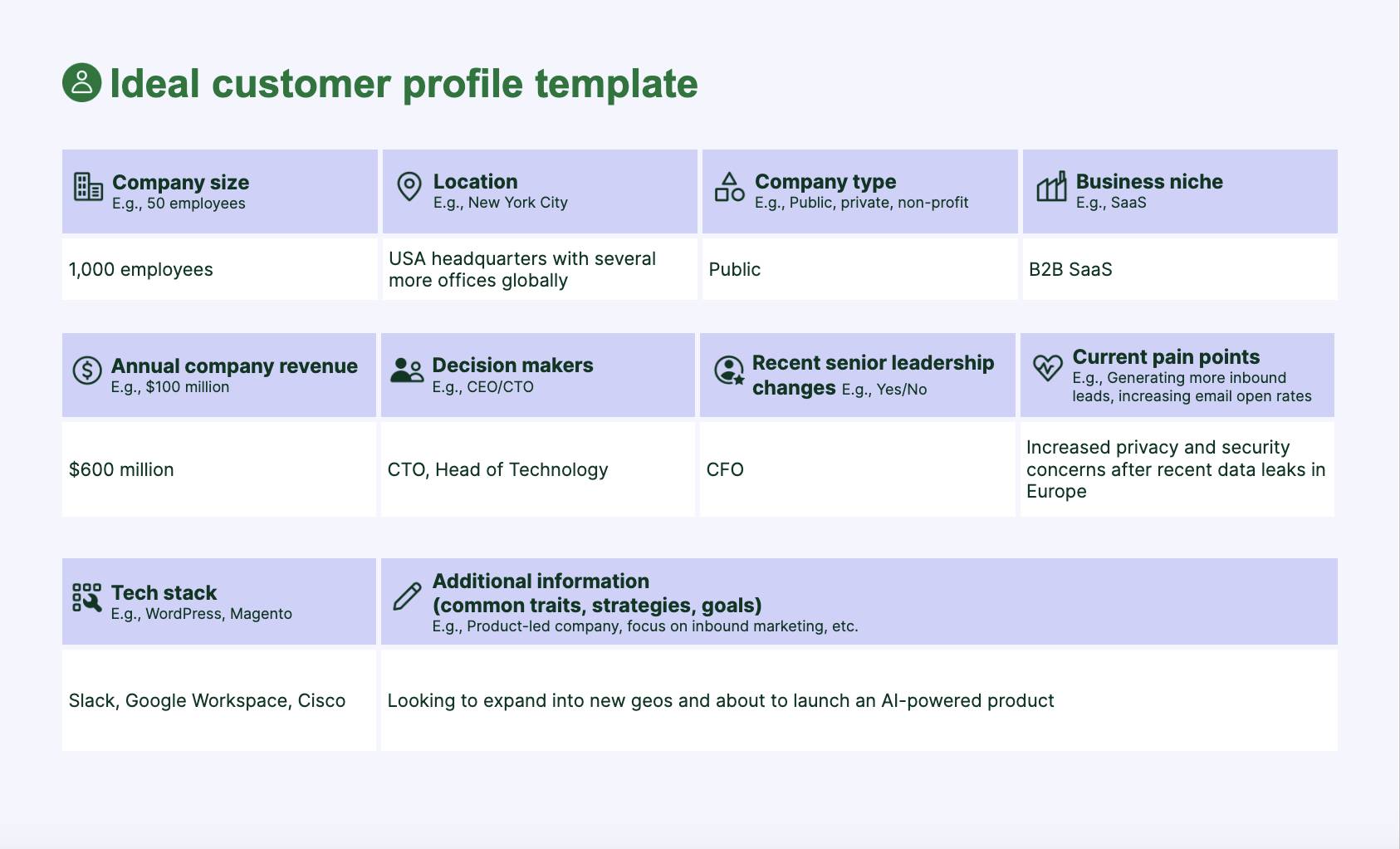
Here’s what an ICP looks like:

Inclusive Marketing Ideal Customer Profile Template

Download your ideal customer profile template

Download the ideal customer profile template to help your teams sell to the right people

While useful, inclusive marketing requires going further. You need to find out if you’re:

  • Considering customers who speak different languages

  • Accounting for accessibility needs like screen reader compatibility

  • Reflecting generational or cultural differences in how people prefer to engage

Primary research makes the difference here. Talking directly to your customers surfaces fresh, first-hand insights about barriers you may not see.

For example, a small payroll services firm may assume its clients are tech-savvy accountants.

After speaking to its customer base, it realizes many are small business owners with limited financial training and English as a second language.

By adding multilingual support and simplifying instructions, the firm makes its services more appealing to a broader set of clients and sees an uptick in satisfaction scores.

Here’s how to get to know your diverse audience:

  • Run short interviews and focus groups with customers from different backgrounds to spot needs you might miss in a one-size-fits-all persona

  • Layer in surveys that ask about inclusion preferences (e.g., “Do you prefer written, video or multilingual resources?”) instead of only business goals

  • Observe real behavior across segments using analytics tools like Hotjar or Fullstory (e.g., check if new users with accessibility needs complete onboarding at the same rate as others)

  • Build an “audience inclusion map” that highlights underserved groups of people (by factors like language, ability, socio-economic status or age) to see representation levels

When you know who you’re marketing to, inclusivity stops being a checkbox exercise and becomes a natural reflection of who you serve.

2. Audit your current marketing to spot improvement areas

A marketing audit helps you spot gaps, biases or barriers that may exclude audiences, so you can fix them and build stronger connections.

Many SMBs unintentionally lean on stock imagery or jargon-heavy copy because it’s the simplest option.

For example, of these two free stock images, one includes a far more diverse range of people:

Inclusive marketing office stock images

With an audit, you’ll pinpoint these instances and update your marketing.

Say an accounting platform previously wished users “Happy holidays”, but only showed Christmas imagery.

After expanding to include content around Ramadan, Diwali and Lunar New Year, its marketing is now more welcoming and relevant to others.

Here’s how to audit your content effectively:

  • Review your website and sales materials. Do your visuals reflect a range of subjects? Do they all look the same?

  • Check accessibility basics. Are forms easy to navigate with a keyboard? Do images have alt text? Is the text readable against background colors?

  • Look at language. Are you using overly technical terms? Gendered pronouns? Cultural references that visitors may not broadly relate to?

  • Assess your channels. Does your email list or social media ad targeting skew heavily toward one segment? Are you leaving out underrepresented groups?

Once you’ve been through everything as a team, ask a diverse group of colleagues, partners or even customers to give feedback on whether you feel like an inclusive brand.

Turn auditing into a regular process to ensure your digital marketing efforts continue to reflect a wide array of buyers.

Download Your Sales and Marketing Strategy Guide

Grow your business with our step-by-step guide (and template) for a combined sales and marketing strategy.

3. Rely on the key principles of inclusive marketing

Following the guiding principles of inclusive marketing helps every audience feel seen and valued in your campaigns.

Instead of appearing performative, your marketing will feel authentic and resonate more.

Too often, brands make one-off gestures (like a single campaign for Pride Month) instead of embedding inclusivity into everything they do.

However, 88% of LGBTQ+ consumers and 50% of the general public feel brands should support the community all year round.

Inclusive marketing Pride month study

For example, a cybersecurity firm might promote its platform as “built for every business”.

However, only integrating with US payment providers excludes international SMBs who would be great customers.

Imagine instead that the same firm builds integrations with regional providers and spotlights those companies in campaigns. The product becomes more inclusive while its marketing content reflects that real progress.

Here are some of the core principles of diverse marketing to bear in mind as you create:

Inclusive marketing principle

What it looks like in practice

Authenticity

Speak honestly and back it up with actions, not token gestures.

Representation

Share diverse voices, stories and visuals that reflect and appreciate all your customers.

Accessibility

Design so everyone can engage with your content (i.e., add captions, alt text and clear language).

Relevance

Respect cultural contexts, avoid stereotypes and adapt messaging for your audience.

Intersectionality

Remember that people hold overlapping identities (e.g., race, gender, ability).

Collaboration

Involve the communities you want to represent in your marketing.

Consistency

Weave inclusivity across all campaigns, not just one-off moments.

Inclusivity becomes a competitive advantage when you ground your content in these principles.

Instead of chasing marketing trends, your brand will build trust, loyalty and long-term relationships with the people you serve.

4. Design with accessibility in mind

Accessible design ensures that your entire audience can understand and engage with your website, app and content – so they’re more likely to buy.

However, it’s also a legal requirement under the Americans with Disabilities Act (ADA).

The US Department of Justice is also increasingly requiring online businesses to adhere to the international Web Content Accessibility Guidelines (WCAG).

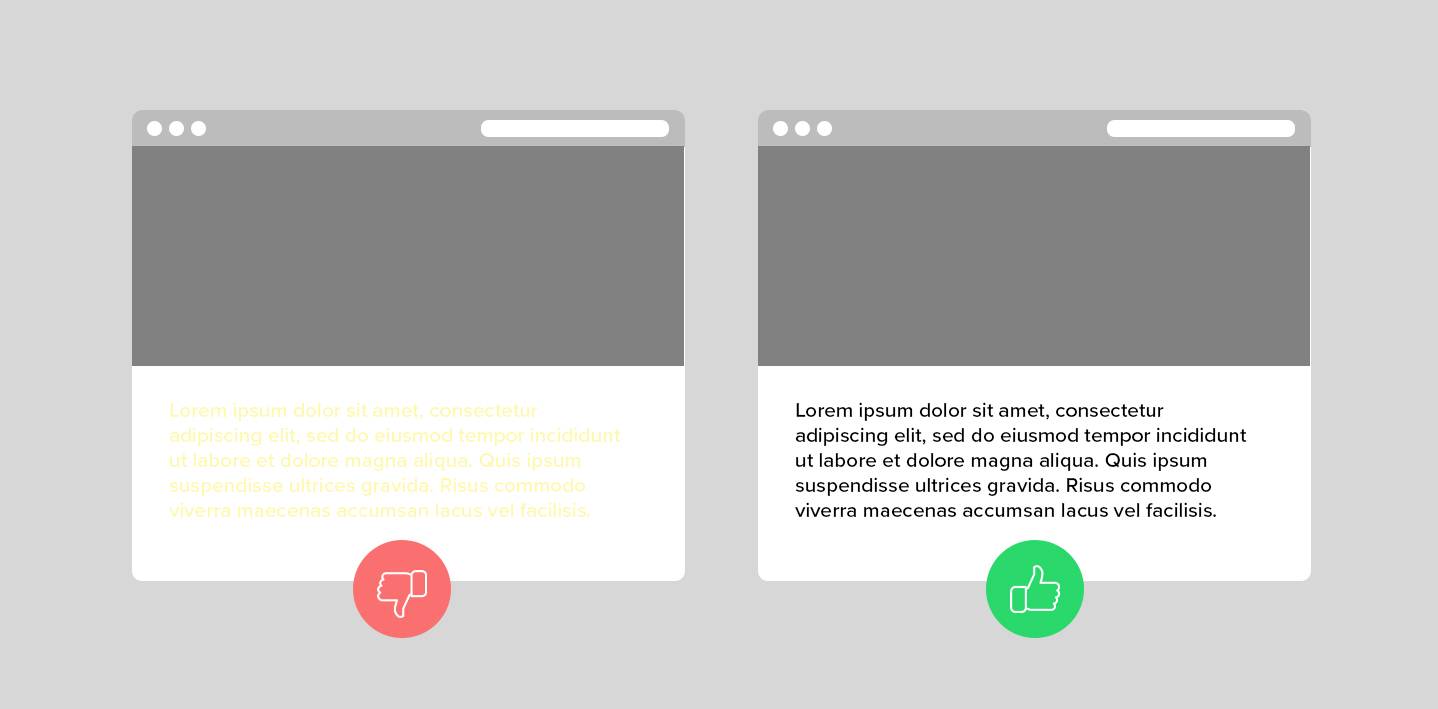
For example, high color contrast ensures you can clearly read text and visuals against their backgrounds:

Inclusive marketing ADA guidelines

This ADA and WCAG guideline makes visual cues easier to find for people with low vision or color blindness.

Say you roll out a clean, fast-loading site where:

  • Users can navigate the whole thing with a keyboard

  • Videos include transcripts

  • Images have descriptive alt text

Suddenly, your marketing is welcoming, professional and usable by all types of buyers.

By considering those with visual, hearing, cognitive or mobility differences, you can stay compliant and expand your products and services to a larger audience.

Here’s how to build accessibility into your marketing:

  • Check color contrast and font size so text is easy to read for those with low vision

  • Add alt text to images and meaningful labels to buttons so screen readers can describe them clearly

  • Provide multiple content formats (e.g., videos with captions, audio versions of blogs and plain-text PDFs)

  • Keep navigation simple with clear headings and a logical flow

You can check your website’s accessibility for free using tools like Accessibility Checker:

Inclusive marketing Accessibility Checker

By referring to WCAG and ADA standards, the tool pinpoints compliance risks and suggests tips to avoid legal penalties.

5. Test, learn from and improve your inclusive campaigns

To assess and improve your inclusive marketing efforts, you need to measure results and gather feedback from the people you’re trying to reach.

Many SMBs publish campaigns and only track metrics like customer conversion or engagement rates.

Instead, you need to get more granular. Ask, “Who did this resonate with?” or “Who did it leave out?”

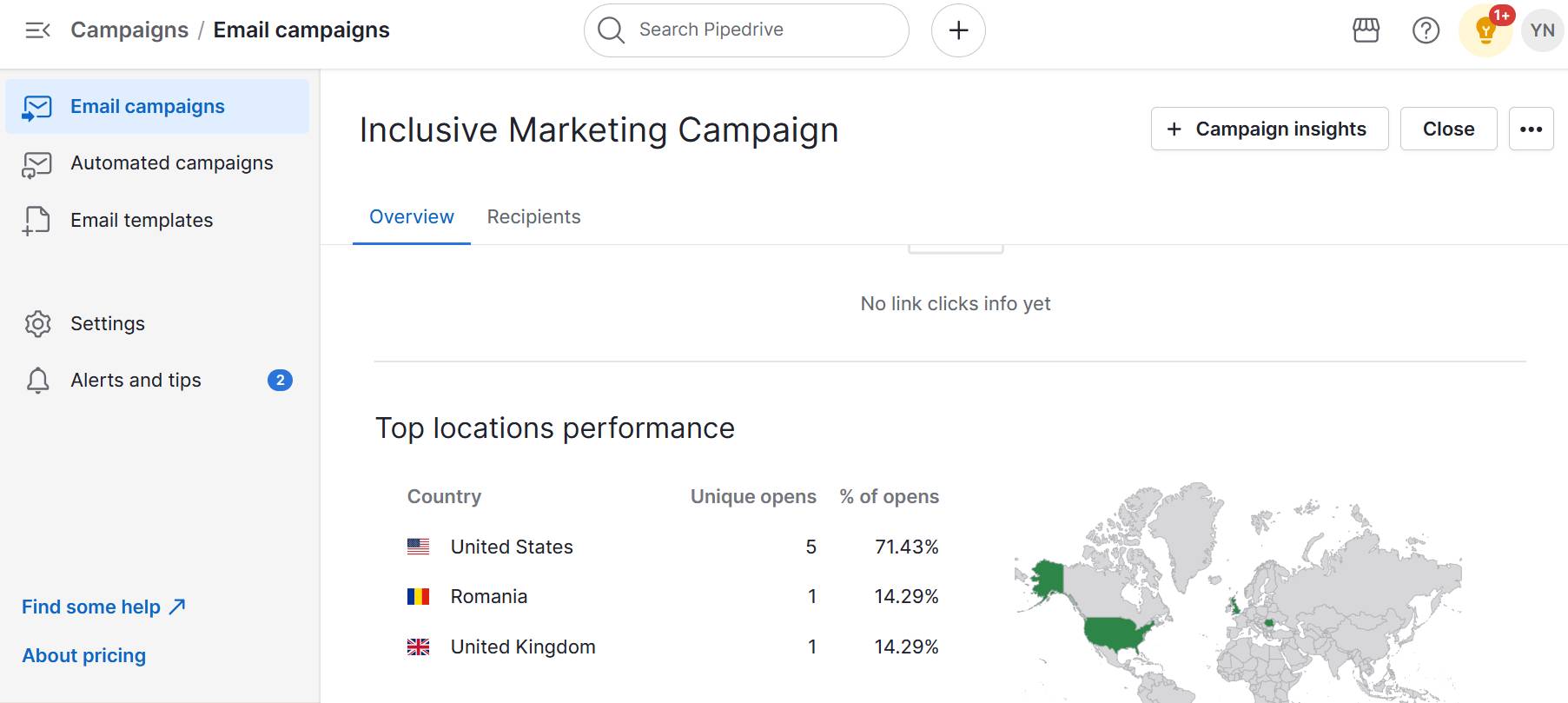
For instance, you may launch an email campaign and see strong engagement from US buyers:

Inclusive marketing Pipedrive Campaigns

You may not realize that you’re unintentionally excluding overseas customers with imagery and messaging that feels “too American”.

Say you then start:

  • Testing messaging across regions

  • Adding customer interviews with global users

  • Reviewing analytics through the lens of inclusivity

You’ll quickly uncover these instances, adjust your campaigns and grow adoption in markets you’ve overlooked.

Here’s how to test and improve your new marketing efforts:

  • Measure engagement by segment and break down results by location, language or target audience group to see who’s engaging and who’s not

  • Run A/B tests that include inclusive variations (e.g., different imagery, formats or languages)

  • Regularly ask for and record direct feedback from diverse customers or community partners about whether your marketing feels relatable

  • Document and act on learnings so inclusivity isn’t a one-off but part of continuous improvement

Inclusive marketing must be iterative to be successful.

The more you test and listen, the better you’ll get at creating campaigns that truly connect with everyone you serve.

Pipedrive in action: Marketing agency CreativeRace wasn’t sure where its leads were coming from. By using Pipedrive’s centralized contact database and reporting capabilities, it increased client acquisition by 600%.

B2B examples of inclusive marketing campaigns to inspire you

Plenty of B2B marketing teams are proving that inclusivity can drive engagement and loyalty in professional settings.

For instance, HR tech startup Equitable HR Guild launched a guide during Pride Month on how to include LGBTQIA+ employees throughout the employee lifecycle:

Inclusive marketing LGBTQIA+ LinkedIn post

Instead of rainbow logos or a one-off celebration, the resource tied directly to the company’s brand values of equity and inclusion.

As it reflected the product’s core mission, the marketing team’s campaign came across as authentic and long-term, not just seasonal.

Here are five more inclusive marketing examples from larger B2B companies and what SMBs can still learn from them:

B2B company

Inclusive marketing example

Microsoft

Launched campaigns showcasing disabled entrepreneurs using Microsoft tools.

Takeaway for SMBs: Create case studies or blog posts spotlighting customers with different abilities to demonstrate your brand’s commitment to accessibility.

LinkedIn

Built LinkedIn Learning courses designed for diverse professionals, including accessibility-focused training.

Takeaway for SMBs: Even a short guide or webinar series tailored for overlooked groups shows inclusivity.

IBM

Uses long-running initiatives to highlight accessibility in tech, featuring neurodiverse and disabled professionals.

Takeaway for SMBs: Weave inclusivity into your ongoing messaging (not just one campaign) to build lasting credibility.

Slack

Shared marketing and customer stories that highlighted remote work accessibility for global, cross-cultural teams.

Takeaway for SMBs: If you serve international or distributed clients, reflect their realities in your marketing stories to show they belong.

Canva

Created an inclusive visual library of photos and templates that showcased different races, body types and abilities.

Takeaway for SMBs: Audit your visuals to ensure your stock photos, graphics or testimonials aren’t one-dimensional.

While these are big-name brands, the lesson for small businesses is clear: inclusivity doesn’t require a Fortune 500 budget.

Since audiences don’t already have fixed opinions of your brand, SMBs can move faster, experiment more creatively and build trust quickly.

When creating your strategy, consider who and what is important to your brand and use the insights to chart your own path.

Recommended reading

https://www-cms.pipedriveassets.com/Best-B2B-marketing-trends-that-can-help-SMBs-grow.png

8 B2B marketing trends to guide your SMB strategy in 2025 and beyond

How Pipedrive enhances your inclusive marketing strategy

Pipedrive’s customer relationship management (CRM) tools allow SMBs to segment audiences, tailor communication and track what truly resonates in inclusive campaigns.

Instead of an afterthought, you can build inclusivity into the foundation of your marketing to understand, reach and support diverse audiences.

Here’s how to do it.

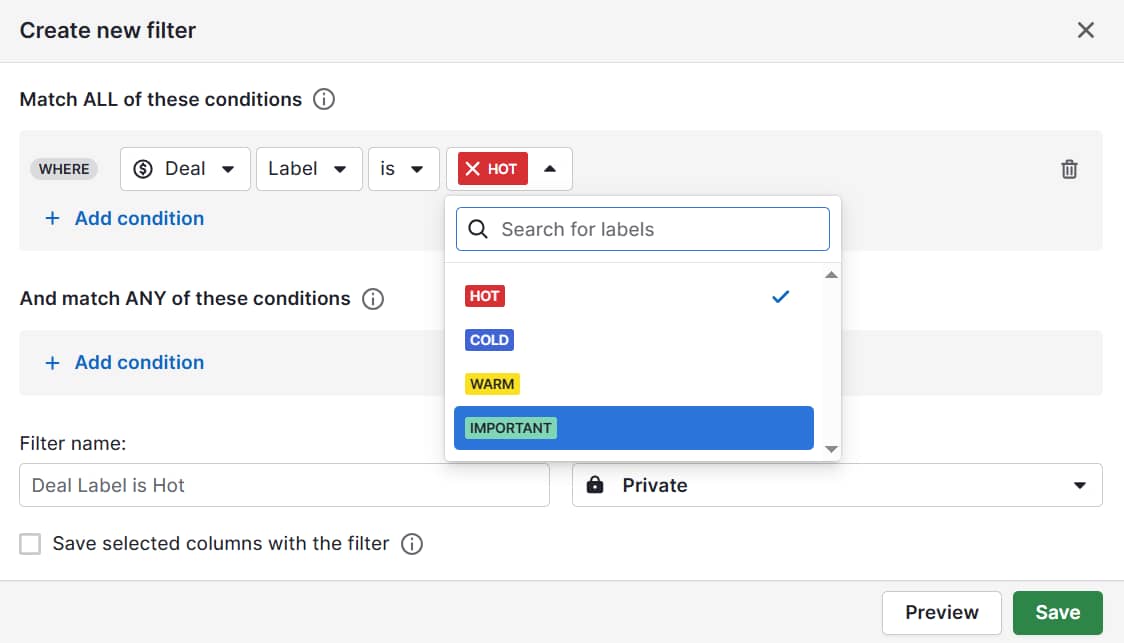
Use labels and filters to segment your audience

Start by using labels to group your audience by meaningful factors like language, location or industry.

Click “Add label” to create your own:

Inclusive marketing Pipedrive segmentation 1
Inclusive marketing Pipedrive segmentation 2

This segmentation prevents you from blasting the same message to everyone and sending communications that feel relevant and respectful.

Add custom fields to capture personalization details

Through custom fields and tags, you can respectfully capture details such as language preferences, communication styles and accessibility adaptations to tailor your outreach better.

Here’s how to set up custom fields in Pipedrive:

Instead of forcing people into a one-size-fits-all funnel, you’ll adapt your marketing to unique needs.

Use workflow automation to take pressure off your team

Set up workflow automations to schedule activities that make inclusive customer experiences feel effortless.

For instance, if someone indicates they prefer Spanish-language resources, you can automatically send translated content to increase engagement.

Here’s where workflow automation lives in Pipedrive:

Inclusive marketing Pipedrive workflow automations

Track campaign success using reports

Reporting and insights show you which inclusive messages land best with different groups.

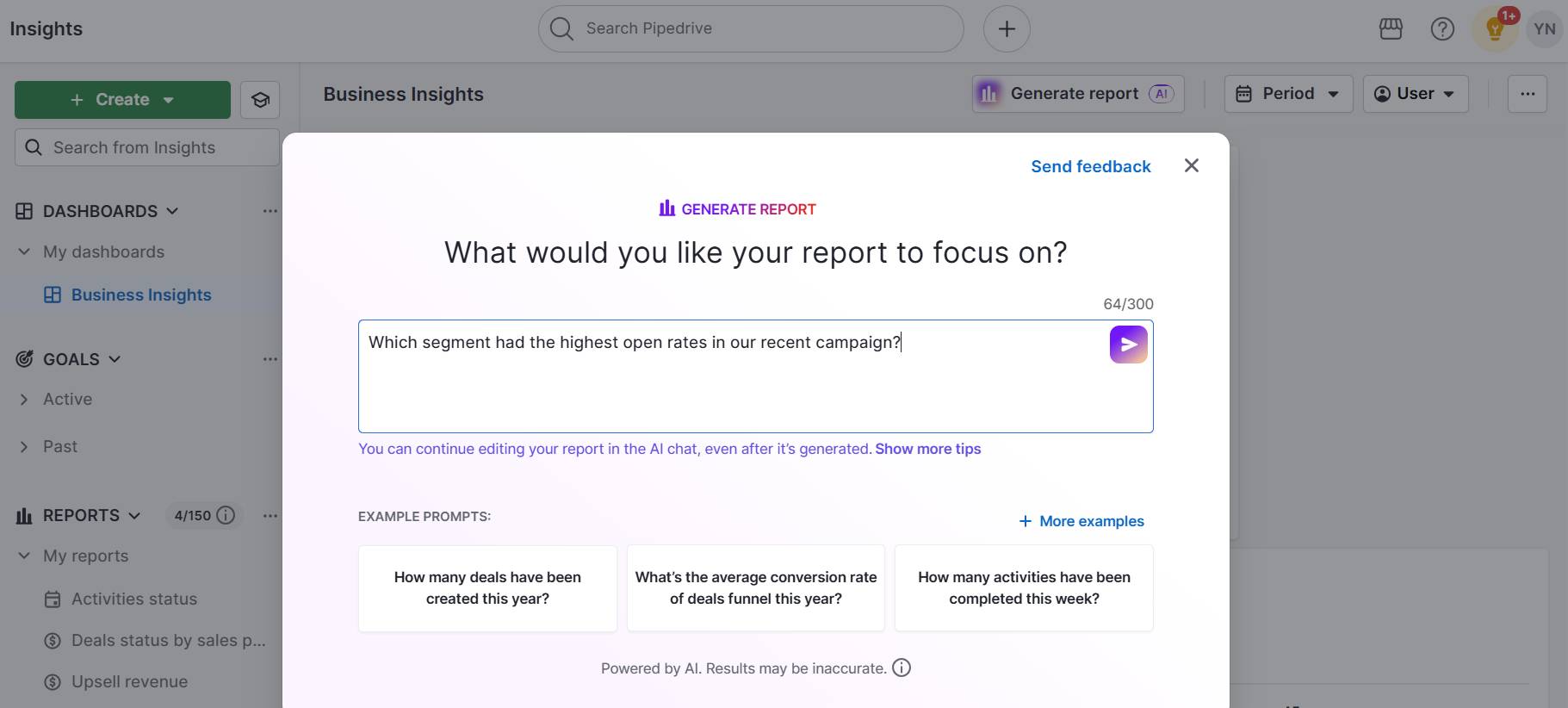
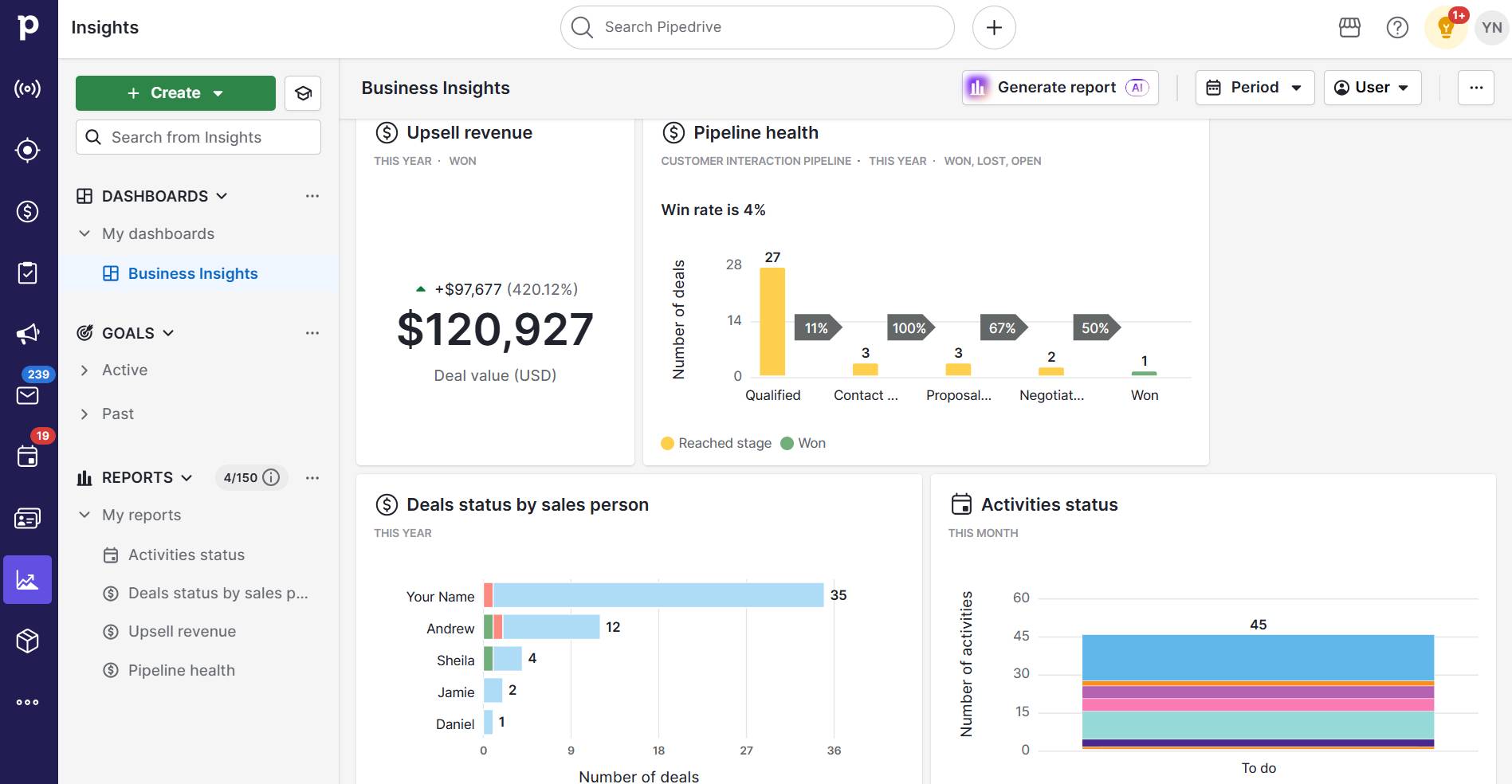
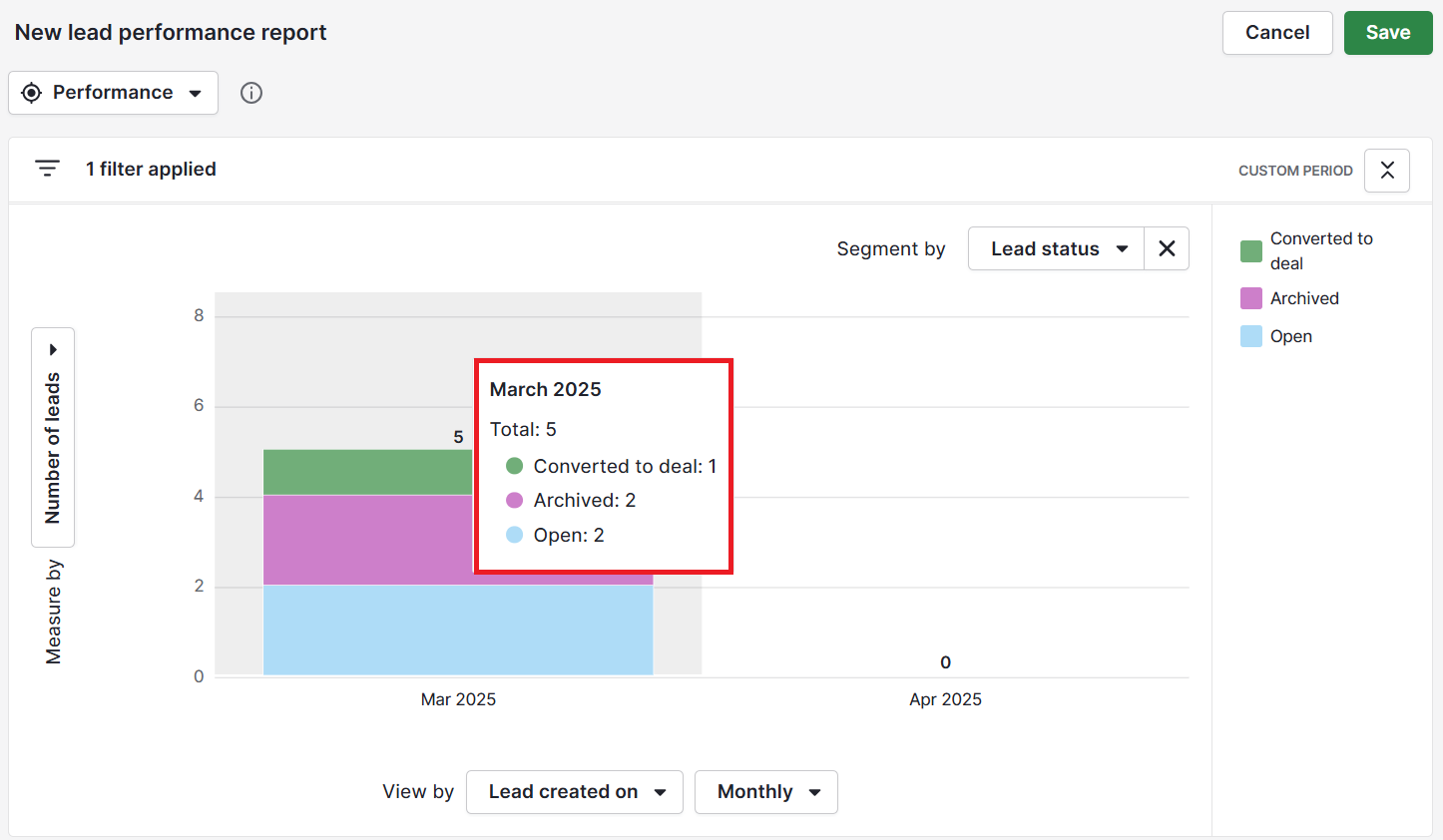
Create these manually or using natural language prompts like “Which segment had the highest open rates in our recent campaign?” through the AI report generator:

Inclusive marketing Pipedrive AI report generator

Quickly spot gaps (e.g., specific demographics not engaging as strongly) and adjust campaigns to close them.

Pro tip: Use Pipedrive to log and track accessibility and inclusion key performance indicators (KPIs) like:

– Percentage of campaign images with alt text

– Ratio of inclusive imagery (e.g., showing different ages, races and body types)

– Reading level of email copy (clear and accessible vs. jargon-heavy)

– Percentage of forms and pages that meet ADA basics (e.g., contrast level, screen-reader friendliness)

Over time, your CRM reporting patterns will help you see what’s working and where to improve.

As Pipedrive integrates with your email, social and accessibility-focused platforms, you’ll save time and keep all inclusivity efforts connected.

Use your CRM workflows to reach more people and prove that your business values who they are.

Inclusive marketing FAQs

  • Here are three strong examples of inclusive marketing done well:

    • Nike highlights athletes of all abilities, religions and backgrounds

    • Coca-Cola is famous for its multilingual, multicultural ads

    • Dove’s Real Beauty campaigns showcase diverse body types and ages

  • Inclusive marketing contributes to broader social change by shaping how audiences view identity and belonging.

    Brands use it to normalize representation, challenge stereotypes and make underserved groups feel seen.

  • Influencers with diverse backgrounds and lived experiences can amplify your message authentically.

    By partnering with voices representing different communities, SMBs can extend their reach and show a real commitment to inclusivity.

Final thoughts

Inclusive marketing helps SMBs attract more customers, build stronger loyalty and stand out from competitors who overlook diverse audiences.

At the heart of a successful strategy is a systematic approach supported by the right technology. A robust CRM helps you segment audiences, personalize communication and measure what resonates.

Try Pipedrive free for 14 days to create more effective, trustworthy marketing that translates into tangible sales.

“You can make money doing this?!”

Software Stack Editor · September 8, 2025 ·

A couple years ago, a YouTuber and artist known as Ten Hundred reached his $10k Kickstarter funding goal in 3 minutes.

That’s 180 seconds, y’all. It took longer than that to write this intro.

Click Here to Subscribe to Masters in Marketing

Brandon Smithwrick, Kickstarter’s then-director of content and creative, told me more about this campaign, which ultimately raised over $2 million.

The project? A deck of playing cards featuring his artwork.

Smithwrick shared some of Ten Hundred’s secrets (and some other hard-won wisdom) so you can turn your own (metaphorical) deck of cards into (literal, 🤞🏽) millions.

Meet the Master

Brandon Smithwrick

Founder, Content to Commas

Claim to fame: Brandon was selected by Forbes for its “30 Under 30” list in 2024

Lesson 1: Build your audience — before you need to monetize.

“I started making content three years ago, part-time, before I even saw myself as a creator,” Smithwrick says.

The day we spoke, Smithwrick had just announced that he was leaving Kickstarter to run his new media company. Three years is what it took to build an audience that could support his full-time efforts.

In fact, Smithwrick hadn’t even considered at first that this could be a money-making venture. “I was just sharing my perspective, sharing my thoughts on LinkedIn.” Soon enough, the brands came knocking — a $300 deal here, a $900 deal there.

“Wait,” he thought, “you can make money doing this?”

Smithwrick describes those early deals as “validation and proof points,” but emphasizes: “It took me three years of building that foundation to say, you know what, it’s time for me to leave my full-time job.”

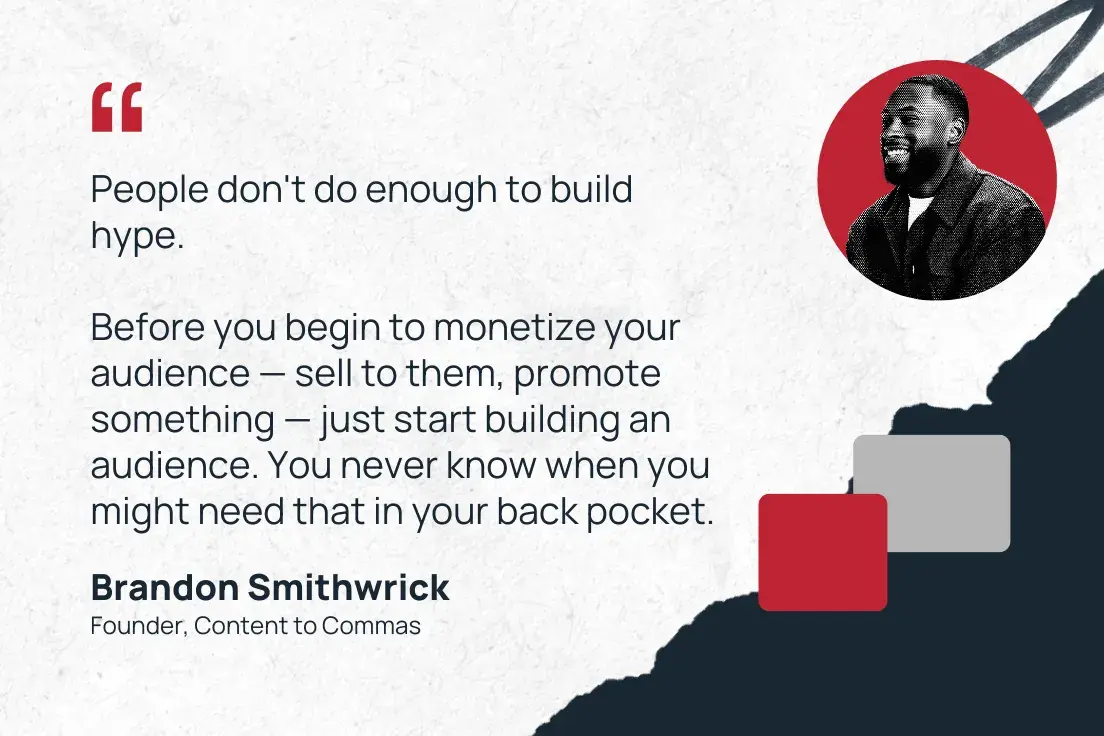
Lesson learned? “People don’t do enough to build hype,” Smithwrick says. “This is something that I’m trying to get a lot of people to understand. Before you begin to monetize your audience — sell to them, promote something — just start building an audience. You never know when you might need that in your back pocket.”

“people don't do enough to build hype. before you begin to monetize your audience — sell to them, promote something — just start building an audience. you never know when you might need that in your back pocket.”  —brandon smithwrick, founder, content to commas

(Secret #1 from Ten Hundred’s successful Kickstarter: Seriously, don’t underestimate this step — Ten Hundred currently has 826k YouTube subscribers, and he collaborated with literally thousands of his fans while designing the deck.)

Lesson 2: Don’t be afraid to go hyper-niche.

At Kickstarter, Smithwrick says, “we discovered that the general content didn’t really perform as well as the hyper-niche content.”

For instance, “games” or “comic books” aren’t nearly specific enough to reach an enthusiastic, engaged audience. “Within gaming, there‘s tabletop games, there’s role-playing games, there’s video games.”

In other words, your audience isn’t just “comic books” — maybe it’s gekiga manga or graphic novels about poodles. Getting this specific may “feel like you’re leaving out people who could be your clientele,“ but speaking to a particular niche feels more like a direct conversation, and it “only shapes your brand for the better.”

Smithwrick tells me of a conversation he had with somebody who runs an influencer agency, but only for upcycling and recycling creators. (Remember that commercial where Martha Stewart retiled her pool with old credit cards? That’s what I’m imagining here.) That’s the kind of specificity that wins.

Plus, “it really gets your client or your customer very clear on how you’re going to serve their needs.”

(Secret #2 from Ten Hundred’s successful Kickstarter: His audience wasn’t art lovers or even euchre enthusiasts. It was the custom playing card–collecting community. Say that 10 times fast.)

Lesson 3: Never skip leg day.

Smithwrick speaks an uncomfortable truth: “I can’t just have a good product to sell. I also have to have a knack at being a creator, at creating a good hook.” He wrinkles his nose, and I can hear the frustration in his voice.

“If you’re not good at social media, for a large majority, truthfully, it means your product won’t be seen by the masses.”

So what’s the solution for overwhelmed marketers?

First, recognize that “founders need to be the microphone for those brand wins.” Smithwrick acknowledges the inherent challenge: “when you’re a founder, you’re running the company.” But can you “take 30 minutes and say, look at all the wins my team sent me in this email — how can I turn this into content?”

It’s a muscle, Smithwrick tells me. And you know what they say: Never skip leg day.

“Train that muscle. Because you don‘t have to run an ad to get leads. Your organic channels can be a lead generation flywheel — you just have to let people know about the amazing work you’re doing.”

“train that muscle. because you don't have to run an ad to get leads. your organic channels can be a lead generation flywheel — you just have to let people know about the amazing work you're doing.” —brandon smithwrick, founder, content to commas

To make that more manageable, Smithwrick says he “schedules everything — it’s impossible to be posting on this cadence and not schedule out.”

Aside from that consistency, he’s also trying to “provide as much value as possible to my community.” No “promotion, promotion, promotion,” no “buy, buy, buy” — just value, consistently delivered. Three years of building this up part-time proved the model, and now, he’s betting his career on it.

(Secret #3 from Ten Hundred’s successful Kickstarter: As a muralist, Ten Hundred could have gone a more conventional monetization route, like soliciting commissions. Instead, he connected with his community to provide something of value to them. P.S. You can read about Ten Hundred in this case study.)

Lingering Questions

This Week’s Question

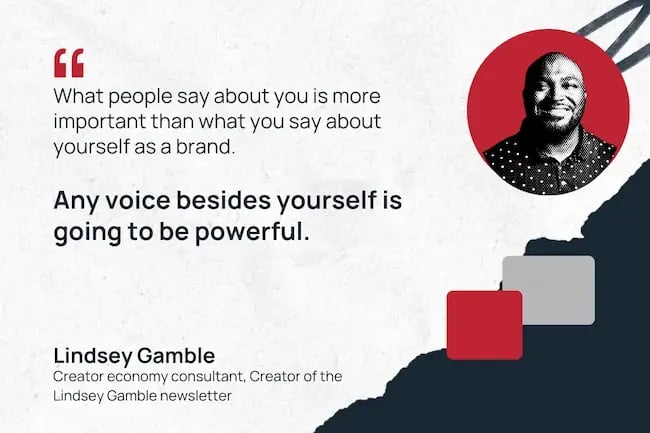
What’s a marketing strategy or trend that you think is widely overlooked but has high potential for impact right now? —Lindsey Gamble, Creator economy consultant; Creator of the Lindsey Gamble newsletter

This Week’s Answer

Smithwrick: One strategy I think is often overlooked is using social media to drive exclusive offers directly within the community you’ve already built. For example, teasing a promotion through Instagram Close Friends can give you a sense of traction before launch.

Tools like ManyChat also make it easy to create DM-only offers that feel special, such as “DM me ‘KEYWORD’ and we’ll send you our bundle pack before the public sale.” I’ve even seen brands experiment with Instagram broadcast channels, dropping discount codes for whoever acts first, turning promotions into a game of speed and scarcity. These approaches not only reward your most engaged followers but also create urgency and exclusivity, all without needing a traditional LP.

Next Week’s Lingering Question

Smithwrick asks: What’s a creative hot take that will make a marketer second-guess how they work with creatives?

Click Here to Subscribe to Masters in Marketing

5 Best B2B Influencer Marketing Strategies

Software Stack Editor · September 8, 2025 ·

Influencer marketing isn’t just for consumer brands. More and more B2B companies are using the same tactics to build credibility and speed up sales without spending millions.

The only real difference is who the creators are. Instead of TikTok and Instagram stars, B2B campaigns rely on thought leaders and industry figures to drive interest and buying decisions.

This guide teaches you how to forge fruitful, cost-effective partnerships with those people to reach your ideal customers faster. You’ll learn the types of influencer relationships to build and how to set and achieve meaningful campaign goals.

Key takeaways

  • B2B influencer marketing works by borrowing trust from industry experts, analysts and thought leaders rather than celebrity endorsements.

  • The most effective influencer strategies tie campaign goals to measurable KPIs, from engagement rates and conversions to pipeline impact and new revenue.

  • In B2B, micro- and nano-influencers typically offer stronger credibility and ROI than high-profile Instagram influencers.

  • Pipedrive’s AI CRM helps you track influencer-driven leads, automate follow-ups and measure ROI, turning influencer campaigns into a repeatable sales channel. Sign up for a free 14-day trial today.

What is influencer marketing and why does it work?

Influencer marketing is when companies partner with people who hold influence over a specific audience to promote a product or build general brand awareness.

These partnerships take many forms, such as:

Influencer marketing drives engagement and conversions by borrowing customer trust.

As audiences already see influencers as credible, their recommendations feel authentic. That trust often translates into stronger engagement and higher conversion rates, especially for younger buyers.

Sprout Social reports that 64% of social media users are likelier to buy from a brand that works with an influencer they like. The figure rises to 76% for millennial and Gen Z audiences.

At the same time, 37% of buyers across all age groups go to social media first when searching for product reviews and recommendations. Gen Z even puts social before search.

These trends prove that brand-owned content (e.g., blog posts, product pages and company social updates) isn’t always the best way to influence buying decisions – at least not alone.
That’s where influencer marketing helps.

Recommended reading

https://www-cms.pipedriveassets.com/Influencer-marketing-guide.png

Influencer Marketing Guide: Elevate Your Brand with Proven Strategies

How influencer marketing works for B2B companies

In business-to-business (B2B) sales, influencer marketing works best when brands partner with people who already shape professional conversations.

Unlike B2C, where lifestyle creators dominate, B2B credibility comes from trusted experts and practitioners. These include:

Research shows business audiences find these figures far more persuasive than celebrities and social media personalities.

According to Forrester, B2B buyers rate peers, customers and analysts as the most trusted information sources, even ahead of vendors’ sales reps. In contrast, social media influencers rank lowest, with only 44% of respondents trusting them.

For example, a co-hosted event with industry partners can be just as persuasive for a B2B audience as product placement is for a B2C one.

Here’s B2B SaaS company Freemius promoting an upcoming webinar on LinkedIn:

Influencer marketing Freemius webinar promotion

The event’s panel features a pricing expert, a tech company co-founder and an IT entrepreneur. Each has a large follower count and credibility in their niche, helping Freemius reach and win the trust of decision-makers from its target audience profile.

The more those influencers engage with the event’s promotion and follow-up content, the wider Freemius’ social media reach stretches

Influencer marketing Freemius LinkedIn comments

That ripple effect is a big part of what makes B2B influencer marketing campaigns powerful and cost-effective. Trusted voices amplify your message and build confidence among potential buyers

Four Steps to Finding the Right Leads Fast

Make instant improvements to your lead qualification process with this four-step guide full of actionable sales advice.

How to build an influencer marketing strategy: step-by-step

A B2B influencer strategy takes a little more planning than a consumer campaign.

It involves longer sales cycles, bigger buying committees and relationship-driven purchasing decisions.

That doesn’t mean it’s out of reach for smaller companies or must be expensive. You just need a solid roadmap to stay organized.

Here’s how to forge high-quality influencer collaborations on any marketing budget, one step at a time.

1. Define your campaign goals and KPIs

Before you approach any influencers, decide what success looks like. The choice will guide who you work with, the channels you use and how you measure return on investment (ROI).

Most businesses use influencer marketing to grow sales and keep customers coming back. To get there, the goals often look different. Some focus on building awareness, others on reputation management and many on driving direct conversions.

Each of these goals benefits from different influencer marketing tactics:

  • Brand awareness usually comes from sponsored posts, co-created content or social media collaborations that put your brand in front of new people.

  • Brand reputation grows when respected voices in your field endorse you (i.e., the B2B equivalent of a celebrity shout-out).

  • For conversions, tactics like discount codes, giveaways and influencer-led sales demos create trackable actions you can measure.

Tie each goal to a clear key performance indicator (KPI). Clicks and views tell you if awareness campaigns work, while sign-ups and sales show whether conversion tactics pay off.

Setting metrics early keeps your campaign focused and makes ROI easier to prove.

2. Choose your influencer marketing approach

The next step is deciding how to work with influencers.

Your goals will shape your tactics, but the right choice also depends on budget and audience fit.

Here are four common approaches B2B brands use:

Influencer marketing approach

How it works and when to use it

Micro-influencers (1,000–100,000 followers) and nano-influencers (<1,000 followers)

Smaller creators usually have closer relationships with their audiences than macro-influencers (>100k followers). Their content feels more authentic, so engagement rates are higher.

When to use: For campaigns involving high-value B2B products, where credibility and trust matter more than reach.

Podcasts and niche communities

Podcasts, LinkedIn groups, Discord channels and industry-specific Slack communities carry more weight than mainstream social networks in B2B circles.

When to use: To establish authority and credibility within a focused industry segment. Works well for thought leadership and lead-generation campaigns.

B2C-inspired strategies

You can adapt campaigns that are common in consumer marketing for B2B. Examples include recruiting influencers to offer unique discount codes for SaaS tools, running invite-only webinars or sending early access to new features.

When to use: When you want measurable conversions or trial sign-ups, especially in competitive markets where reducing friction helps buyers act faster.

Traditional influencer tactics

Standard influencer partnerships like paid posts, video reviews and co-created content remain staples. They deliver brand awareness at scale and provide reusable content for other marketing channels.

When to use: To launch new products that need broad visibility across multiple social media platforms.

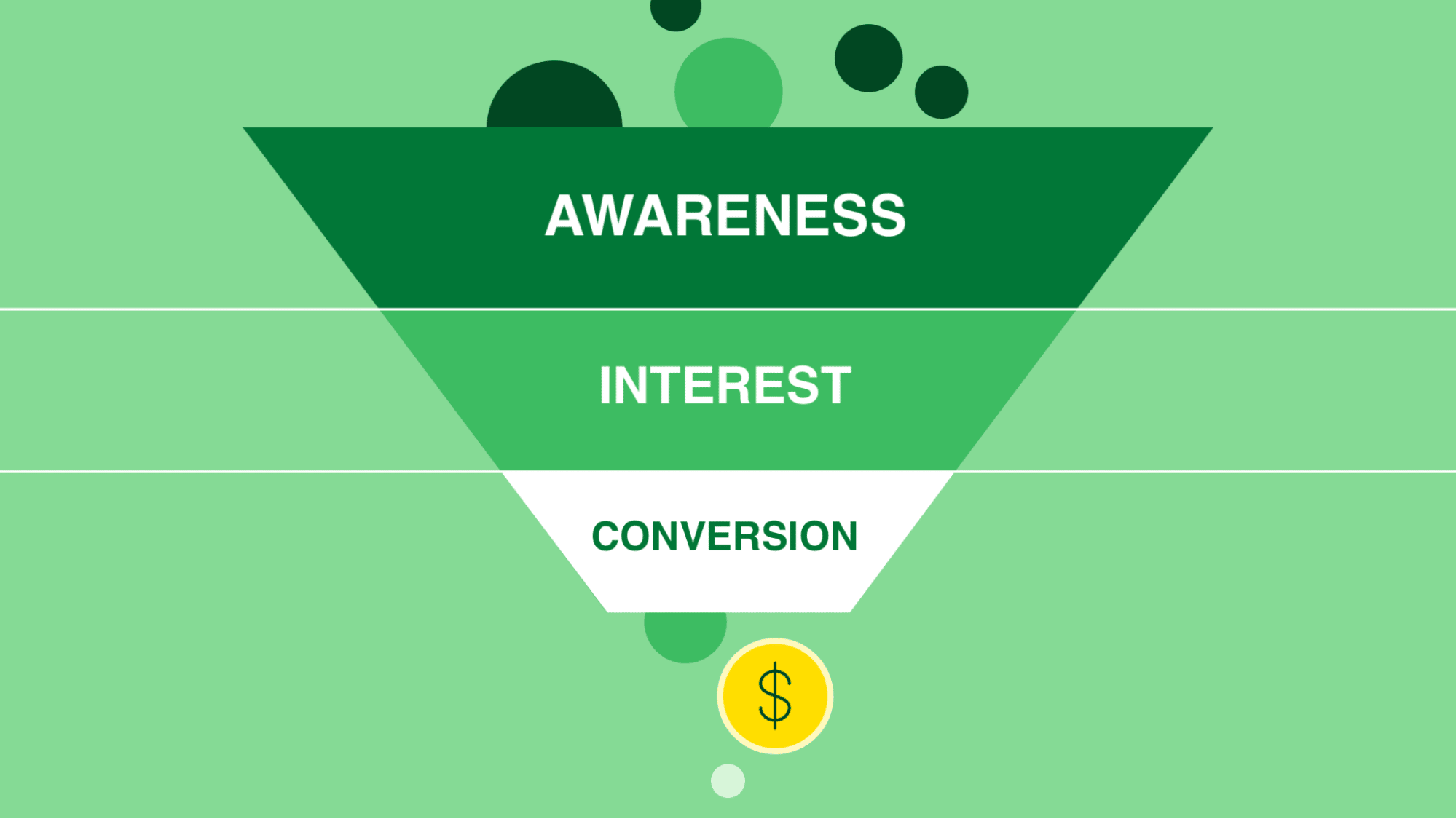
The strongest campaigns layer these tactics across the sales funnel to reflect the typical customer journey from awareness to conversion.

Influencer marketing simple sales funnel

For example, start with a podcast sponsorship to build awareness, add LinkedIn posts to nurture interest and finish with discount codes to encourage conversions.

3. Find and vet the right influencers

Look for people in your field who can spread your message.

Reach matters, but follower count alone won’t help you. What will boost visibility is an influencer whose audience overlaps with yours and whose style fits your brand.

Here’s what to check:

  • Audience demographics. Do the influencer’s followers overlap with your buyer personas? Think about age, interests, location and buying habits.

  • Engagement quality. Look for comments, shares and questions, not just likes. Meaningful interactions signal real trust.

  • Subject relevance. Does the influencer regularly post about your industry or specialism? Do others in your field respond positively?

  • Brand values. Do their tone and style align with your brand? Influencer content should feel like an extension of your marketing efforts, not something that jars your audience.

For example, Asana invited business consultant Terence Bryant to speak on leadership at its Asanathon 2024 event.

Influencer Marketing Asana Asanathon 2024 event

Bryant’s audience of executives overlapped with Asana’s targets. His focus on productivity kept the session relevant and his practical style aligned with the brand’s values. It was a perfect fit.

The opposite is also true: choose poorly and it can backfire.

For instance, ELF Cosmetics recently faced customer backlash for a mismatched influencer partnership. It chose a controversial comedian to promote its product in an ad.

The beauty brand was forced into making a public apology, proving that alignment matters as much as reach.

As for where to search for influencers, you’ve got a few reliable options:

  • Search industry hashtags on social platforms

  • Check your competitors’ brand collaborations for inspiration

  • Browse speaker lists for conferences and webinars

  • Listen to popular podcasts from your industry to find interesting guests

  • Watch who your peers engage with on social media

Once you’ve identified some good fits, engage with their content a few days before reaching out. A thoughtful comment or share is the first step toward a genuine, long-term partnership.

Ensure your website and profiles are ready to impress, too. Sprout Social found that 93% of influencers look at the quality of a brand’s existing content before agreeing to work together.

4. Structure partnerships for mutual benefit

Successful partnerships work for both sides, so pitch mutual benefits to attract content creators and social media influencers.

Remember, the aim is to craft content that feels authentic to their audience while serving your campaign goals. Influencers need to be as happy with the fit as you are.

Here are three ways to create a stand-out influencer marketing pitch:

  • Personalize outreach to make it feel purposeful and intentional. Show you’ve done your homework by citing specific social media posts or ideas you value.

  • Set realistic expectations by clearly detailing your goals, preferred formats and timelines. Leave some room for creativity to keep the content authentic.

  • Add value beyond money by offering access to your expertise, data or contacts. The best influencers are in it to further their careers, not just make a quick buck.

Pair specific content creation ideas with a broader vision for the future. Long-term plans show you’re committed to a fruitful relationship and aren’t just trying to use the influencer’s reach.

Famester reports that over 63% of brands used the same influencer for multiple campaigns in 2024, up from 57% in 2022.

Influencer marketing Famester partnerships graph

Its researchers cite the benefits as “more authentic engagement, better ROI and a deeper understanding between the brand and the influencer”.

You can manage influencer relationships in Pipedrive’s CRM alongside leads and customers. Store engagement data and tag partners by reach, industry or collaboration history to keep track of all your influencer marketing efforts.

You can access all the relevant information in the contact detail view:

Influencer marketing Pipedrive contact detail view

You could also set up a custom CRM pipeline to monitor new collaborations. Instead of the usual sales stages, you might have steps like “Identified > Outreach > Negotiation > Campaign live > Review”.

influence marketing Pipedrive custom pipeline

That way, anyone on the team can quickly see where each partnership stands and nurture the relationship if necessary.

5. Track campaign performance via business metrics

The value of influencer marketing comes from results you can measure. Don’t stop at likes or impressions – connect your campaigns to real sales outcomes.

Here’s what to measure and where to find it:

Key performance indicator

Metrics and where to find them

Engagement rates

Metrics: Comments, shares, saves and click-through rates.

Why: High engagement shows your borrowed audience is paying attention, not just passively scrolling.

Data source: Social media marketing tools (e.g., LinkedIn, Instagram, YouTube).

Conversions

Metrics: Discount code activity, tracked links and webinar sign-ups.

Why: Conversions prove that influencer activity contributes to new relationships and sales.

Data source: Customer relationship management (CRM) and marketing automation platforms.

Lead quality

Metrics: Marketing-qualified leads (MQLs) and sales-accepted leads (SALs).

Why: Generating good-fit leads who will move through your sales pipeline towards purchasing makes the effort worthwhile.

Data source: CRM pipeline reports and lead-scoring tools.

Pipeline impact

Metrics: Deals created, progressed or closed after influencer campaigns.

Why: Pipeline activity ties influencer marketing directly to new sales revenue, which is the purpose of doing it in the first place.

Data source: CRM deal reports and sales dashboards.

These KPIs help track progress, but return on investment is the ultimate measure.

ROI shows whether influencer marketing pays off compared to other channels, like traditional advertising or search engine optimization (SEO).

The basic formula for working out influencer marketing ROI is as follows:

ROI (%) = (revenue from influencer campaigns – campaign cost) ÷ campaign cost x 100

For example, if your campaign generated $15,000 in extra sales and cost $5,000, the ROI would be 200%. Here’s the calculation in our template:

($15,000 – $5,000) ÷ $5,000 x 100 = 200% ROI

With the right tracking, you can prove value to stakeholders while identifying which influencer partnerships and activities deserve more budget.

Recommended reading

https://www-cms.pipedriveassets.com/blog-assets/sales-metrics.png

Sales metrics: Definition, examples and recommendations

3 influencer marketing trends to watch in 2025 and beyond

The influencer marketing industry is still evolving fast.

The more you know about what’s happening, the easier it is to outperform slower competitors. With that in mind, here are three key shifts shaping the space.

Trend 1: AI-driven influencer discovery and lead management

AI influencer marketing tools can surface the most relevant influencers, forecast campaign performance and suggest the best content formats.

In an Influencer Marketing Hub survey, 66.5% of marketers said AI had improved their campaign outcomes and 73% believe AI can automate much of the influencer marketing process.

Platforms like Favikon (pictured below), Brandwatch and Find Your Influence save your team from manual research, while helping you target the creators most likely to deliver ROI.

Influencer marketing Favikon search interface

The best influencer marketing platforms offer free versions or trials, so you can see how they work before investing.

Once you find the right people, Pipedrive’s AI helps with the sales outreach and lead nurturing parts of effective influencer marketing.

See which leads come from influencer-driven traffic, automate follow-ups and use AI prompts to keep up with new deals in your pipeline.

Here’s an automation to showcase which leads come from influencer-driven traffic:

Influencer marketing Pipedrive lead source

Using an AI CRM turns influencer marketing into a structured, measurable sales channel rather than a one-off experiment.

For example, you could use Pipedrive’s Pulse to enrich influencer profiles with public information and the AI email writer to draft personalized follow-ups faster.

Influencer marketing Pipedrive Pulse

Together, these features let you nurture influencers and the leads they help generate at scale – without losing the human touch that makes people want to work with you.

Easy win: Start a free Pipedrive trial to see how AI can help you nurture influencer-sourced leads and measure sales performance to learn what works.

Crush your manual admin with this sales automation guide

Learn how to take advantage of new sales automation tech so you can spend more time selling

Trend 2: The growth of micro- and nano-influencers

Micro- and nano-influencers are gaining popularity because of their high engagement rates and closer ties to their communities.

Macro-influencers still play a big role in the industry, though primarily for larger brands with huge marketing budgets.

Here’s the latest data on the influencer types brands favor, as reported by Famester:

Influencer marketing preferences graph

These smaller-scale influencers often bring more credibility than celebrity endorsements, making them ideal for B2B brands looking to build authority in their specialism.

Easy win: Skip paying top-tier Instagram influencers for mass reach and instead partner with a handful of niche LinkedIn creators or podcast hosts who speak directly to decision-makers.

Trend 3: Influence beyond mainstream social platforms

While Instagram and TikTok remain essential in some spaces, LinkedIn thought leaders, podcasts, Slack communities and industry webinars influence professional buyers.

B2B companies are increasingly seeking influencers with authority in these channels. For example, here’s a prominent social media manager promoting Planable’s content management tool to over 10,000 followers on LinkedIn:

Influencer marketing LinkedIn Planable post

The inclusion of “[AD]” and “#ad” in this post means Planable compensated the user to promote its product to their followers.

These followers are professional people who trust the user’s recommendations and could be persuaded to sign up or explore the product further, much like the consumers who take recommendations from Instagram.

Easy win: Find an influencer marketing agency that specializes in B2B partnerships and can match your brand with experts who drive conversation in niche spaces. Influencer Marketing Hub’s agency directory is a great starting point.

B2B influencer marketing FAQs

  • Industry analysts, LinkedIn thought leaders, podcasters and niche bloggers are the most effective influencers for B2B marketing, as they have the trust of professional audiences.

  • The cost of an influencer marketing campaign is different for every business and engagement.

    However, research shows that 14.4% of marketers allocate 10–15% of their budget to influencer marketing – more than any other spending bracket.

  • TikTok can be useful for B2B influencer marketing campaigns that need quick, visual content such as product explainers.

    Some marketers also use TikTok for inbound recruiting (i.e., employer branding) as it involves targeting consumers.
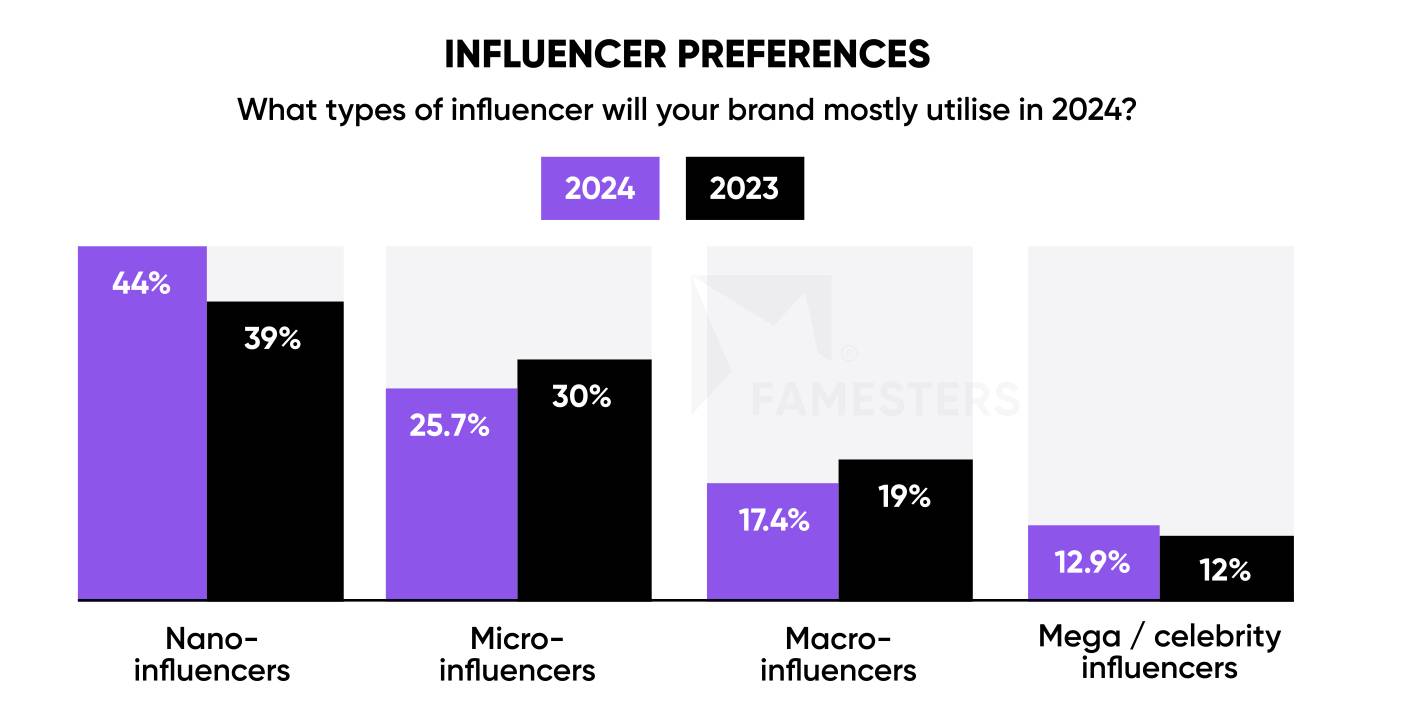
  • A mega-influencer is someone with over a million followers on social media.

Final thoughts

The strongest B2B influencer marketing campaigns involve choosing the right partners, aligning on goals and nurturing long-term relationships that feel authentic to both sides.

Treat these thoughtfully planned influencer collaborations as part of your wider digital marketing strategy. You’ll soon turn trusted voices into a consistent source of awareness, engagement and conversions – all tangible benefits you can measure in your CRM.

See how Pipedrive makes influencer marketing, lead management and performance tracking easier: sign up for a free 14-day trial today.

I tried 8 AI project management tools to see if they’re worth it

Software Stack Editor · September 8, 2025 ·

Choosing the right AI project management tool for your team can help you save hundreds (even thousands) of dollars per year.

I’ve managed projects across a variety of businesses — scrappy startups, agencies with 50+ team members, and enterprises like Dell. Regardless of the company’s scale, I noticed a common problem: rapid growth without proper infrastructure.

Download Now: The Annual State of Artificial Intelligence in 2025 [Free Report]

This often costs businesses far more than they realize. Projects running late, managers being stressed about deliverables, and tasks falling through the cracks. While the team was in firefighting mode, the next project would trickle in. And then, it would be a complete disaster with zero project visibility and fragmented ownership.

The result? Lost revenue, terrible client retention, and lower employee motivation.

AI project management tools help you avoid this scenario through effective tracking, accountability, and automation. This article will walk you through the top eight AI project management software for your business.

I’ve extensively tested each tool for hours and included my review, how I found it, the cost, and who I think it’s best for.

Table of Contents

  • What does AI project management software do?
  • How I Tested the Best AI Project Management Software
  • 8 AI Project Management Software

What does AI project management software do?

Before we dive into AI project management software, I’d recommend checking out this quick refresher video on how to successfully manage a project.

Done? Now, let’s put all that good advice into action.

AI project management tools organize projects, teams, and dare I say, lives. Instead of spending hours with more spreadsheets you can handle, chasing team members, or searching for a file, these tools can help you centralize projects in one central hub.

Once centralized, you can leverage AI-powered tools to understand the entire project context and automate workflows. I’ve set up AI workflows for my team that send deadline reminders, update spreadsheets when tasks are completed, and even schedule meetings directly within the management tool.

Thus, AI takes over the mundane aspects of project management, allowing you to focus on building and nurturing client relationships and delivering results faster.

So, which AI project management software should you choose? Well, that depends on your team size, budget, industry, and which department you want to organize first. My tests are based on real-world scenarios to help you decide the best one for your company.

How I Tested the Best AI Project Management Software

Since I work with multiple clients, I’ve used the vast majority of the project management tools in the industry at least once. For instance, my enterprise clients (like HubSpot) use Asana for content management, so I’m very familiar with the interface. Similarly, Notion and Trello are popular choices among the agencies I work with.

However, most tools have released new AI features in the last year, which is what I was excited to try out.

When I’m testing AI project management tools, I want a tool that:

  • Feels intuitive to use.
  • Manages projects, tasks, and sub-tasks well, with clear task ownership and dependency tracking.
  • Tracks accountability and sends task reminders.
  • Integrates with other tools like calendars, design software, etc., so everything is in one place.
  • Makes my team feel happy (and not overwhelmed!).

With that in mind, let’s look at how I tested these tools.

The Scenario

The scenario I chose is close to my actual life as a marketer. I tested (or have earlier used) each tool from the perspective of a remote marketing team that communicates in an async manner.

My AI project management software should be able to track a remote workflow effectively. All team members should have the ability to add comments, assign tasks, and update task status. The tool should also have an accountability system to keep the project moving.

Finally, I should be able to automate elements of the project via the AI project management tool. For instance, marking a task as complete and moving it to the appropriate list. Basically, anything that is repeatable should have the ability to be automated.

The end goal? Help the remote team work more efficiently in a central location.

8 AI Project Management Software

Project management tools are worth every penny and will pay for themselves in productivity. But if you’re worried about budgets, plenty of brilliant free project management tools exist.

Here are my top eight recommendations for project management software with AI capabilities.

1. ClickUp

ai project management, clickup homepage

Source

I’ve used ClickUp in the past, and back then, I didn’t find it too different from the other tools. However, it has recently gained popularity within my agency network. So, I decided to give it a shot, especially for its AI features.

ClickUp is cheaper than most tools on this list. It also has a handy calculator on its pricing page to estimate how much it’ll save you.

clickup pricing calculator, clickup vs other project management tools

How I Discovered ClickUp

I first used ClickUp for a social media client. They ran their operations exclusively on ClickUp, so I had to learn the ropes. The overall experience was quite intuitive.

How ClickUp Supported My Project Management

I used ClickUp to coordinate between writers, designers, and founders and keep projects on track. Like Asana, ClickUp helps manage remote teams in different time zones via a card-based task interface. You also have personalized dashboards, goal and timesheet tracking, and more.

clickup dashboard, tasks on clickup

Overall, I find Clickup’s UI to be slightly better than Asana.

My Favorite AI Features

Note: All the AI features I’ve tested below are not available on free plans.

ClickUp Brain

Brain is ClickUp’s amazing built-in AI assistant. Honestly, I love both the name and the experience.

You can access Brain in two ways: either by tagging @brain in a task or directly in the “Brain” tab. After activating the AI assistant, you can use it for a variety of things, from task creation, help using ClickUp, generating images, deep research, and more.

clickup ai assistant, clickup chatbot

I largely use Brain for quick briefs, images, meeting summaries, and creating custom autopilot agents (which we will talk about next).

ClickUp Autopilot Agents

Autopilot agents are another cool feature I found on ClickUp. Think of these as independent AI agents integrated into your project dashboard, acting on specific triggers. For instance, I created a custom agent for my hiring process using Brain.

My agent evaluates their qualifications and cover letters, and ranks the top candidates in order for me. Then, it creates a ClickUp task for each candidate interview with suggestions for interview dates, follow-ups, etc.

Pricing

  • Get started for free, unlimited members and tasks with up to 60 MB in storage.
  • Unlimited package is $7/user/month, paid annually.
  • Business is $12/user/month, paid annually

AI features are add-ons at $9/member/month.

Best For

  • Teams that want advanced AI features on a budget.
  • Brands that want to customize their tracking system heavily.
  • Complex project tracking.

2. Trello

ai project management, trello

Source

I’ve been using Trello for years now. As a content marketer, I find Trello to be the simplest project management tool to get started on. While I have tried other tools for specific use cases, I do use Trello quite regularly for small or one-off projects.

Trello organizes projects in workspaces, allowing you to create up to 10 boards in each workspace for free. Boards keep individual projects separate. For instance, if my company is launching a service while also building a product, I’d manage these two initiatives in separate boards to avoid confusion.

How I Discovered Trello

I got introduced to Trello during my first internship in 2018. The company used it to organize my two-month internship, assigning tasks for the week with checklists and deadlines. It completely changed how I perceived project management.

trello interface for a development project, trello’s project management system

Fast forward to today, I’ve used Trello for multiple things: managing content, backend business operations, and even my to-do (and grocery) lists.

How Trello Supported My Project Management

I love Trello because it is simple. You have all the essential features, onboarding is straightforward, and the free package allows up to 10 workspace members per board. I don’t think Trello suits companies looking to scale, but it’s perfect for small projects or teams.

Here’s the Trello system I used to manage the content pipeline of a website in the dog niche:

content management using trello, trello project management

As you can see in the image, I have a list where I’ve templatized article outlines. If I needed to assign a new article, I simply head to the “outline structure” and press “create card from template.” This gives me a base to work from for the next card.

trello card with article outline, templated trello card

My Favorite AI Features

Butler Automation

I’ve used Butler extensively for Trello automation. You can create automated rule-based actions, custom buttons, and email reports via Butler. Here’s an example:

trello automation, butler automation rules for trello

My rule assigns a checklist to each new article, adds the specific members responsible for it, and also sets a value for the custom field. At scale, this automation can save hours of work each week.

Trello’s “Suggestions” feature helps you identify more rules based on actions you take frequently on the board.

Power-Ups

A lot of the AI functionality in Trello is buried within power-ups. For instance, Zapier has a dedicated power-up for Trello. Another good one is Strategy AI, which helps you organize tasks based on business priorities.

But note: third-party and premium power-ups can include an add-on cost to your total subscription. It’s almost like signing up for a new SaaS tool to integrate with your management platform.

Pricing

Trello is one of the cheapest project management tools. Here are the costs (billed annually):

  • Free plan (10 members per board).
  • Standard is $5/user/month.
  • Premium is $10/user/month.
  • Enterprise is from $7.38/user/month to $17.50/user/month, depending on the number of seats.

Best For

  • Small teams and projects (<10 members).
  • Content management workflows.
  • Social media management pipelines.
  • Teams that don’t need advanced features like time tracking, detailed reporting, etc.

3. Notion

ai project management, notion

Source

I know many agencies and marketers who would swear by Notion. Personally, I find Notion’s learning curve somewhat challenging, and the interface is slightly laggy for me. However, I must say that Notion has some great organization features, solid templates, and community resources.

For instance, I was very impressed by the Notion-based client onboarding workflow of an agency I collaborate with.

notion based onboarding system, notion page interface

As you can see, the agency has organized each project phase as separate categories that link to this master page. There’s also an embedded walkthrough video.

How I Discovered Notion

I first came across Notion through a client a couple of years back. While I wasn’t a fan initially, it grew on me. I loved how I could select pre-made templates to simplify the setup process.

project management templates for notion, notion templates

While I won’t choose Notion for simple task management or one-off projects, it is great for larger, complex projects, especially client-facing ones.

How Notion Supported My Project Management

I create a lot of content on Instagram about freelancing. Notion was incredibly helpful to organize my ideas and inspiration sources in one central hub.

notion kanban view, social media management through notion

I added other team members to the Notion workspace to help with the content strategy and execution. The calendar view was also super helpful for me to visualize our posting timeline.

Pro tip: If you want to add members to your Notion free plan without triggering charges, invite them as guests and disable the team spaces feature.

My Favorite AI Features

Ask Notion

Need to quickly catch up on a project you recently joined or figure out a specific Notion feature? Notion AI makes getting answers super easy via its chatbot.

Instead of spending hours combing through data, you can just prompt Notion AI to go through your project files and give you contextual answers. I frequently use this feature to compile progress reports, summarize deliverables, or get a bird’s-eye view of the overall project.

Write With Notion’s Generative AI

While I do prefer Claude’s chatbot over Notion for creative writing, I find Notion AI convenient for quick summaries and light research.

George Chasiotis, co-founder of Restartt, shared his experience with Notion AI with me:

“We use [Notion AI] to summarize meeting notes, generate quick proposals, and even draft follow-ups after strategy calls. I’ll drop a client brief in, and Notion AI gives us a rough structure to build from; it saves me at least 30–40 minutes per doc.”

Pricing

  • Free to get started. AI features are trial-only.
  • Plus is $10/month/user, billed annually. AI features are trial-only.
  • Business is $20/month/user, billed annually. AI features included.

Best For

  • Social calendars.
  • All in one hub for business documents.
  • Onboarding flows.
  • Knowledge-heavy project management.

4. Asana

ai project management tool, asana homepage

Source

Asana is one of the oldest project management tools in this roundup. While it’s been around since 2008, I’ve recently started using it more consistently.

I turn to Asana for projects I can’t handle on Trello, but which don’t require a more robust solution like Notion or Monday. Asana has over 300+ integrations and connects seamlessly to just about any app (which makes sense given how long it’s been around).

How I Discovered Asana

Like I mentioned earlier, I was invited to Asana through HubSpot’s content management team. I was pretty impressed by how smoothly their remote operations ran on Asana. Asana made coordinating publishing times, editorial calendars, and keeping stakeholders aligned super simple. That’s when I knew I had to try it for other clients.

How Asana Supported My Project Management

I use Asana when I have multiple stakeholders and complex tasks with dependencies. Asana has built-in dependency tracking and custom fields.

You can manage projects and tasks efficiently, and communications related to projects take place within the app. This functionality is ideal for longer-term projects where different team members dip in and out.

I also think Asana’s timeline feature has the cleanest interface I’ve seen so far.

asana timeline, asana dashboard for project management

Another cool Asana feature is the ability to add goals and share them with other team members. You can create strategy maps, team goals, and personal goals.

goal setting through asana, company goal setting interface on asana

My Favorite AI Features

Asana AI Studio

Asana AI studio helps you design custom AI workflows that take draining human tasks and automate them. Simply trigger a workflow after an action (like moving a card from one column to another), and Asana will do the rest.

Here’s what Phil Portman, CEO of Textdrip, told me about his Asana workflows:

“The AI Studio Basic feature has been especially useful. We now use it to automate repetitive workflows, like routing tasks based on priority or automatically assigning ownership based on workload. We’ve also started using custom work schedules to get a clearer picture of actual capacity across time zones.”

Pricing

  • Individuals get started for free (up to 10 members per project).
  • The starter package is $10.99/user/month, billed annually. Asana AI is available from this plan onwards.
  • The advanced package is $24.99/user/month, billed annually.

Best For

  • Traditional project management without customization.
  • Small teams and individuals.

5. Monday

ai project management tool, monday

Source

Monday is an enterprise-grade project management tool used by Fortune 500 companies like Adobe and Hulu. Apart from project management, brands can also manage their Sales CRM on Monday.

If you have a complex project with multiple departments and layers, Monday’s robust interface might be the solution for you. Personally, I felt Monday’s features were a bit overwhelming.

How I Discovered Monday

I had heard of Monday in freelancer circles, but I tested it for the first time for this article.

How Monday Supported My Project Management

Monday’s core philosophy is simplicity, and honestly, I get it. If you’re trying to drive productivity across multiple departments, you want the focus to be on the work, not the tool.

monday work management dashboard, monday boards

Monday walks you through the entire process of setting up your project, priority, notes, etc. I’m not a huge fan of the overall interface, but you can’t deny that it works.

My Favorite AI Features

Product Power-Ups

This is one of Monday AI’s upcoming features.

Monday’s AI can auto-assign tasks to the right person based on project priorities, workloads, and skills. It can also help flag risks due to task ownership or timeline delay, giving project managers complete clarity on where they are at in the project.

Of course, I expect a bit of back and forth initially as you train the system and document everyone’s skills. However, if executed right, it can be a great sidekick to a project manager.

monday work management dashboard, monday boards

Generative AI

Like other tools on this list, Monday also offers generative AI capabilities. It uses OpenAI’s APIs to power features like translations, summaries, sentiment analysis, summaries, and more. I find the output similar to that of Notion or ClickUp, so there isn’t much to write about.

Pricing

Monday’s pricing structure is more rigid than ClickUp and Asana, and if you add things like the sales CRM, the price (rightfully) increases. For this article, the prices below are for project management and AI features.

  • Start for free with three boards and two seats.
  • Basic is $9/month/user, billed annually (minimum three seats, so that’s $27 a month). 500 AI credits from this plan onwards.
  • Standard is $12/month/user billed annually (minimum three seats, so that’s $36 a month).
  • Pro is $19/month/user billed annually (minimum three seats, so that’s $57 a month).

Additional AI credits are available as add-ons for Standard, Pro, and Enterprise plans.

Best For

  • Large enterprise teams with highly complex projects.
  • Brands that want their project management, sales, dev, and service CRM in one familiar interface.

6. Basecamp

ai project management software, basecamp

Source

Out of all the tools I tested, Basecamp had the most personality by far. Everything from the engaging copy to the amazing visuals pulled me in.

Basecamp is great for complex projects that generally require multiple channels of coordination. You get kanban boards (Asana/Trello style), Slack-like direct messaging, and Notion’s document handling capabilities, all in one tool.

I also like the price point of Basecamp. While the monthly price of $299 (annual billing) may be a sticker shock, it’s the most affordable option for teams of more than 57 people.
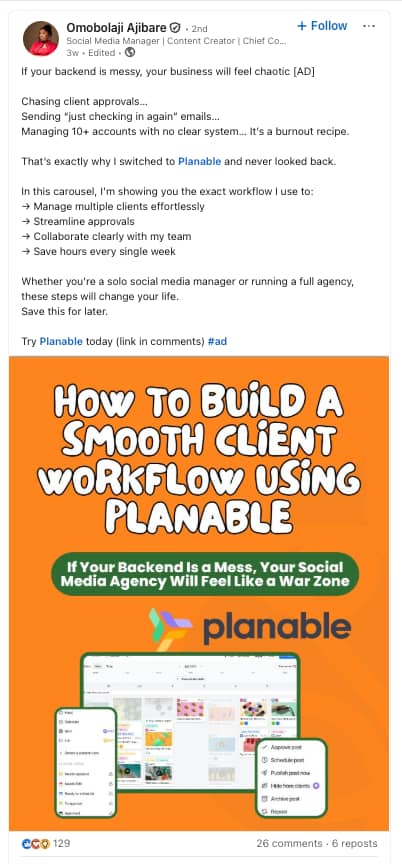
How I Discovered Basecamp

I hadn’t used Basecamp before this article, but I’m glad I got to test it out. It’s definitely a tool I’d recommend to larger teams. The onboarding process was smooth, and the sample project looked like I could get everything done in one place. I found the interface to be quite intuitive as well.

basecamp project setup, using basecamp for project management

How Basecamp Supported My Project Management

I love how Basecamp has gamified the tracking process for tasks. This helps keep everyone on the same page and eliminates the need for check-ins to some level.

basecamp progress tracker, task checkin via basecamp

Another cool feature I see myself using is Lineup and Pings. I’ve always hated the constant switching between tasks and chats. So, if I can get people to stay active on Basecamp, that could streamline communication. Easier said than done, of course.

basecamp lineup feature, private chats on basecamp

My Favorite AI Features

Project Visualization

Basecamp excels at using AI to visualize project completion and performance. With Basecamp’s Move the Needle and Mission Control and Hillchart feature, you can gauge a project’s performance without manually piecing together all the details.

The project management tool will pull the data together and provide a warning for projects that are potentially “at risk” or “concerned.”

Pricing

  • Free for one project.
  • $15 a user per month.
  • If you reach 20 members, you’ll benefit from the unlimited pro plan at $299 a month.

Best For

  • Larger businesses with >20 employees.
  • Brands that want a one-stop solution to handle internal comms and projects.

7. Slack

ai project management tool, slack homepage

Source

Love it or hate it, Slack has its uses in project management. While I’ve personally struggled a bit with Slack notifications, it’s helpful for catching a team member’s attention and getting things actioned ASAP.

I like Slack’s channel interface for organizing conversations. While other tools require separate boards or projects to control access, Slack offers built-in private channels, easy setup of group conversations, and handy integrations with other tools.

The downside? Slack can get expensive fast, especially if you want to collaborate with other organizations and have a large team. Free plans have a 90-day message limit, which means I can’t look up a past project. Slack Connect used to run up expenses significantly at my last organization.

How I Discovered Slack

Slack was the communication tool of choice at Dell, where I worked as a part of the development team. Additionally, when I started freelancing, I found that many business communities and courses use Slack communities.

slack channel, project management using slack

How Slack Supported My Project Management

I treat Slack as the main communication hub that syncs into other project management tools or apps. So, for instance, if I am working on a website design project, I’ll create a private channel for the designer, copywriter, and product manager.

We’ll first break down the project into phases and create separate threads for discussing each phase. Once we’re aligned on the action items, I create tasks directly via Slack through the Trello or Asana integration.

slack app integrations, automations on slack

My Favorite AI Features

AI Search

Out of Slack’s recent AI updates, like workflows and translations, my favorite is the search feature. Instead of just pulling up responses based on keywords, Slack AI behaves like a chatbot. It uses public conversations (not DMs) and shared files to give me a contextually relevant AI overview of the topic. I find it incredibly helpful for client deadlines and conversations.

ai search on slack, get instant answers with slack ai

Note: AI search is available only on the Business plan of Slack.

Thread Summaries

Like I mentioned earlier, Slack’s thread feature is great to tidy conversations within channels. While useful, threads can get messy; it’s like reading an entire email chain you didn’t need to be cc’d into.

That’s where Slack’s AI summaries help. It cuts through the noise and presents the important highlights and actionables, in a digestible manner.

I spoke to Roy Andraos, the CEO of DataVLab, about how they use AI in Slack: “In Slack, we’ve integrated an AI summarizer (using a custom Zapier + GPT workflow) that automatically distills long internal feedback threads into concise summaries at the end of each day.”

Pricing

  • Free plans are available, but with a 90-day limit on messages.
  • Pro plans are $7.25/user/month, billed annually.
  • Business+ plans are $15/user/month, billed annually.

Best For

  • Instant communication on projects.
  • Collaborate with other organizations, without adding them to your project management tool.

8. Loom

ai project management tool, loom homepage

Source

Powered by Atlassian (the company behind Trello), Loom is an AI-powered video tool. The premise of Loom is simple: You can record videos with a selfie camera view and screenshare.

I find Loom to be a huge timesaver when I have to give feedback to my team or walk them through a new task. I’ve also seen other marketers use it to walk clients through dashboards or even YouTube tutorials.

In the interest of transparency, I must admit that Loom can get glitchy. I’ve experienced issues with the Chrome extension not opening the selfie video and videos not uploading. However, these bugs are usually temporary.

I’m also particularly excited about Loom’s plan to launch AI videos and avatars. I use Loom for outbound cold pitches, and AI could help me personalize at scale.

How I Discovered Loom

I discovered Loom when I was applying for a job about 3-4 years ago. The company wanted me to record an introduction video for a digital project manager position (I know, the irony!). Given that I was camera-conscious at the time, taking a selfie video was slightly difficult. However, after many takes, I finally got comfortable with it. I haven’t looked back since.

How Loom Supported My Project Management

As an introvert, I’m not a huge fan of meetings. Loom helps cut down the number of meetings, while getting the point across.

For instance, if I am onboarding a new team member, I use Loom videos for the “demo” part of my SOPs. Since onboarding is fairly repetitive across new hires, this cuts down hours of repetitive questions. Plus, new members can watch at their own pace, pause or rewatch if needed and take notes.

Now, I have Loom videos for most of my agency’s key processes: content reviews, educational modules, onboarding, and more.

Here’s a peek at my video library:

loom dashboard of a company, loom screenshare videos

My Favorite AI Features

Video Editing

One of my favorite features about Loom is that it auto-enhances the video quality of shot videos. It cuts down noise and filler words to make the video more impactful and help save time.

Plus, Loom AI auto-recommends an ideal speed to watch my videos on, so I don’t have to keep asking people to watch at 1.5x.

Summaries and Tasks

After I record a video, Loom AI automatically creates a video title, written summary, and timestamps for important sections of the video. It even highlights any tasks mentioned in my video, so that I can easily transfer them to our project management software or flag them for team members.

Basically, all the grunt work is done for me. I just have to cross-check the accuracy of the generated content and then ship the video.

loom ai transcripts, loom ai summaries for project actionables

Pricing

  • Free for 25 videos (5 minutes each).
  • $18/user/month for the Business Plan (without AI).
  • $24/user/month for the Business + AI Plan.

Best For

  • Asynchronous meetings.
  • Screenshare videos.
  • Training and educational videos.

So, are AI project management tools worth it?

Yes, AI project management tools are worth it, and I urge you to try them.

If you’re not using them, or if you’re using the tools but not the AI, you are a) missing out and b) working harder than you should be.

Confused about where to get started? When I spoke to Chasiotis, I liked his thought process behind integrating AI into project management tools:

“Each tool plays a role: Notion for thinking and planning, Slack for talking, Loom for showing, and Monday/Asana, in the past, for doing. Integrating AI where it actually helps, not just for the sake of it, has helped us stay lean, responsive, and focused on execution.”

Start onboarding your team to these tools, and I’m confident you’ll be grateful you did.

Editor’s note: This post was originally published in February 2024 and has been updated for comprehensiveness.

8 Key Tips on How to Run a Business for Success

Software Stack Editor · September 8, 2025 ·

Launching and running a business can feel overwhelming.

Entrepreneurs often struggle with choosing the proper legal structure, testing product ideas and figuring out how to scale effectively.

Mastering the fundamentals of business management – like making informed decisions, managing resources wisely and seizing growth opportunities – turns that uncertainty into confidence.

This step-by-step guide outlines eight essential building blocks to running a business. Each step provides practical ways to reduce risk, seize opportunities and strengthen your own business.

Key takeaways for how to run a business

  • Scaling works best when the timing is right, since moving too fast without market readiness can hurt even strong businesses.

  • Pipedrive helps SMBs implement these lessons, turn data into smarter choices, automate tasks and support growth – sign up for a free 14-day trial.

8 steps to running a successful business for SMBs

Running a successful business requires testing ideas, building strong foundations and using effective growth strategies.

Some of the top reasons businesses fail are a lack of market need, losing out to competition and using a flawed business model.

Here are eight practical steps to overcome these challenges and build a sustainable business.

1. Test before launch

Testing before launch ensures you don’t waste resources on an idea that won’t sell. This strategy helps your business make smarter decisions and increase the chance of success.

The process involves gathering honest feedback from potential customers to confirm demand. After this, you can refine your product or service to meet customer needs.

Monzo, the UK banking app, tests new app features using A/B testing on a select group of customers.

Here’s an example of a test feature that allows customers to see their mortgage in the Monzo app:

How to run a business Monzo test features

Testing this feature allows Monzo to understand whether:

As a result, the business can adjust to improve functionality and make informed decisions about whether and when to launch the product feature to all customers.

If you’re starting a business from scratch, the premise is the same: testing provides valuable insight into customer needs, wants and behaviors, guiding you towards success.

Here are some of the ways to test your business idea:

  • Create a simple prototype. Build a basic version of your product (a minimum viable product or MVP), focusing on the core features. Share it with early users to see if it solves their pain points and test your idea quickly.

  • Run small pilot programs. Test your product with a limited group of customers to see if they will convert. Use sign-ups, pre-orders or a minor release to measure real demand. Track adoption rates and customer retention to decide if it’s worth scaling.

Testing early reduces risk, saves resources and helps you launch a product that customers want.

Even if your business is up and running, testing still matters. Customer needs and market conditions change over time, so regularly trialing new features, services or pricing models helps you stay relevant.

Small tests like piloting a new delivery option or surveying customers about updated features can reveal opportunities to improve and align your business with demand.

2. Build a strong business foundation

Building a strong foundation means operating your business clearly, working towards business goals and responding effectively to challenges.

Consider a B2B consultancy firm as an example.

In the early stages of business development, the​​ company defines its mission, vision and core values. It also creates a solid business plan and legal structure.

With these elements in place, the owner can confidently prioritize leads, set realistic sales targets and make decisions about hiring or expanding services without losing focus.

Key strategies include:

  • Writing a business plan. Provide a clear progression roadmap and reduce the risk of costly missteps with a business plan. Break your objectives into achievable milestones, then review progress and adjust strategies as needed.

  • Defining your mission, vision and core values. State your purpose and principles for consistent decision-making and team alignment. Align day-to-day operations with your mission and values to maintain focus. Revisit and refine them as your business evolves.

  • Choosing the proper legal structure. Select the right legal framework (like LLC, sole proprietorship, partnership or corporation) to protect your personal assets and support business growth. Consult a law firm or financial advisor to find the best type of business structure for your goals.

New businesses need to build these foundational elements from the ground up. Putting them in place early helps support growth and sets the stage for long-term success.

Start by ensuring your company has the proper business licenses and permits from local or state authorities to avoid fines or legal issues. Requirements differ by industry, so always check the regulations before starting operations.

Pick a business name that reflects your brand, check availability and register it. Make sure it’s easy to remember, unique and legally compliant.

If you’re already running a business, audit your foundation and update it where needed. For instance, you may outgrow a sole proprietorship and form an LLC as the business scales.

This update not only protects your personal assets but also makes it easier to bring in partners or investors.

Download Pipedrive’s lean business plan template

Our free business plan template will help you create a flexible action plan that will grow with your business.

3. Find a support network

A strong support network helps you navigate challenges and access expertise from other small business owners. It provides guidance when making critical decisions and encouragement during challenging moments.

Look at ReBlood RX as an example. The company (which repurposes expired human blood into an oxygen-delivery product for patients) contacted the Economic Development Collaborative (EDC) to expand its network and secure funding.

The EDC connected ReBlood RX with organizations that could use its technology and directed them to resources for medical startups.

The company then secured a $100,000 grant from the California Office of the Small Business Advocate and a $100,000 investment from RPV Global, which fueled product development and grew the business.

Other government agencies, like the Small Business Administration (SBA), support small businesses with entrepreneurship activities, such as securing loans, funding and mentoring.

Take a look at some of the other ways to build a support network:

  • Connect with experienced mentors. Seek guidance from successful entrepreneurs to avoid common pitfalls and gain practical insights. Use local business directories or social media to find experienced business owners and discuss challenges and opportunities.

  • Join local business associations. Participate in business associations to expand your network and learn from others facing similar challenges. Attend events, webinars and discussions to gather tips and resources.

  • Surround yourself with inspirational people. Engage with colleagues, advisors or peers who push you to improve and innovate. Ask for honest feedback to refine your strategies and use their perspectives to approach opportunities from a fresh angle.

Engaging a strong support network provides guidance, motivation and valuable connections that help your business overcome challenges and seize growth opportunities.

4. Know your market

Understanding your market helps you make smarter decisions about product design, marketing strategies and service delivery.

Use these insights to align with market trends and attract more customers.

Say that a B2B sales company interviews potential clients and researches competitors before launching its services.

The interviews and research show that:

By identifying these trends, the B2B company can provide solutions that directly address customer frustrations and stand out in the market – for example, offering modular service packages with transparent pricing and a streamlined onboarding process.

This approach meets customer expectations, builds trust and differentiates the firm from competitors.

Here are some tips for understanding your market:

A CRM is a valuable tool for collecting and analyzing customer data.

With Pipedrive, for example, users can track interactions across the sales cycle, segment leads by behavior and identify patterns that reveal what drives conversions.

Here’s an example of how to track customer interactions in Pipedrive:

How to run a business Pipedrive customer interactions

These insights help businesses refine their messaging, prioritize high-value opportunities and build stronger customer relationships.

Survey platforms (like Jotform and NativeForms) also integrate with Pipedrive, meaning you can send surveys and record responses directly in the CRM.

Centralizing feedback helps you spot trends faster and make quick decisions to improve the customer experience.

Pipedrive in action: Interesting Content uses Pipedrive’s intuitive interface and customer insights to identify what consumers need, track why deals are won or lost and refine its sales process. Since adopting Pipedrive, Interesting Content has quadrupled its revenue.

5. Develop a marketing strategy

A clear marketing plan helps you effectively promote your business, build awareness, drive engagement and generate measurable results.

Canva is a good example of developing and executing a solid marketing strategy. The platform positions itself as an easy-to-use design tool and markets itself accordingly with a user-focused approach.

Look at the company’s social media content as an example:

How to run a business Pipedrive Canva Instagram post

The posts are visually appealing and educational, sharing quick design tips, templates and creative ideas that help users get started and see immediate results.

The platform also posts user-generated content with partners and influencers to build trust and reach a wider audience.

Here’s a video post from a Canva partner:

How to run a business Canva video partner

Canva’s user-focused content marketing strategy aligns with its overall ethos. The messaging shows the platform’s simplicity and creativity, delivering its brand promise and engaging users.

Read through these tips for building an effective marketing strategy:

  • Create a strong brand identity. Design a brand that reflects your values and resonates with your target audience. Use consistent visuals, tone and messaging across all touchpoints to build recognition and trust.

  • Leverage social proof and partnerships. Share user-generated content and testimonials or collaborate with influencers to build credibility. Highlight success stories to attract new users and reinforce customer loyalty.

A well-defined marketing strategy connects your business with the right audience and highlights your value – both necessary for business growth.

Download Your Sales and Marketing Strategy Guide

Grow your business with our step-by-step guide (and template) for a combined sales and marketing strategy.

6. Build a reliable team

Employees aligned with company values help the business run smoothly, ensuring every action supports long-term growth.

Say that a small investment firm hires employees who value transparency. These employees provide consistent guidance, respond quickly to client questions and maintain trust across all interactions.

This behavior boosts client retention and strengthens the company’s reputation within the financial services industry.

Follow these steps to build a strong and reliable team:

  • Foster open communication and feedback. Create regular channels for team members to share new ideas, concerns and suggestions. Hold meetings, one-on-ones and feedback sessions to identify challenges early and improve collaboration.

Investing in a reliable team lays the foundation for consistent performance, satisfied clients and business success.

For existing businesses, building a reliable team is just as much about evolving as it is about hiring.

Regularly review whether your current team structure supports your growth goals,and don’t be afraid to reskill or upskill employees to meet new demands.

When hiring, focus on filling skill gaps and consider how each new hire strengthens your culture and capabilities.

7. Plan for growth

Running a business with growth in mind helps you plan effectively for the future.

It helps you anticipate challenges, optimize resource allocation and build a foundation that supports long-term success.

Say that a SaaS company offering project management software prepares for higher demand by scaling servers, hiring extra support staff and creating onboarding resources.

As a result, the business boosts customer satisfaction, retains clients, strengthens its reputation in the market and keeps profits healthy as it expands.

Growth takes time and hard work. The income for the first year varies widely depending on effort, startup costs and demand – some new businesses break even quickly, others reinvest before seeing profit.

Here’s how to prepare your business for growth:

  • Set quarterly and yearly growth targets. Define objectives for revenue, client acquisition and market expansion. Use these targets to plan and prepare for growth, such as budgeting for new tools or scheduling product launches to meet demand.

  • Align staffing with long-term business needs. Forecast how rising demand will affect team capacity. Prepare to hire new employees, provide training for existing staff or expand office space to ensure your team can handle growth.

Preparing for growth helps your business scale smoothly, meet customer expectations and maintain profitability while navigating new opportunities.

8. Use technology to optimize performance

Technology helps SMBs centralize and streamline business operations by managing workflows, optimizing processes and tracking performance in real-time.

Take a look at Lowlander Beer as an example. The business struggled without a central source of truth, making it hard to track performance, manage sales reps and follow up with leads.

Using Pipedrive’s sales CRM, they’ve centralized sales activity. The Insights dashboard provides clear weekly and quarterly reports, while automations ensure every lead gets attention.

Here’s an example of how the Insights dashboard appears in Pipedrive:

How to run a business Pipedrive insights dashboard

Lowlander also uses custom workflows to capture website inquiries as deals, categorize accounts by potential and direct reps’ focus to the most valuable opportunities.

Since working with Pipedrive, the company has achieved a:

The best software for running a small business depends on your business needs. However, most small businesses benefit from using a CRM to centralize sales, lead generation and marketing activity.

A CRM can help new businesses build efficient systems, while established businesses can use CRM data to identify what’s already working and scale those successes.

Here’s how to use technology to drive business success:

  • Centralize customer and sales data. Use a CRM to store client interactions, pipeline details and performance metrics in one place. It will break down data silos and help sales reps focus on the highest-potential opportunities.

  • Integrate systems. Connect systems to streamline workflows and reduce manual data entry. Ensure that marketing campaigns, customer communications and financial reporting feed into a single source of truth for more thoughtful decision-making.

  • Use AI-powered recommendations. Apply AI technology to analyze sales data and highlight the most effective actions. For example, Pipedrive’s AI-powered Sales Assistant suggests the best next steps, such as which leads to prioritize or how to shorten the sales cycle.

Centralizing data, automating tasks and using AI insights help SMBs streamline operations and focus on closing more deals.

Recommended reading

https://www-cms.pipedriveassets.com/State-of-AI-in-business-report.png

Unlocking the future: the role of AI in modern business

How to run a business FAQs

  • Start by validating your idea, creating a simple business plan and setting clear goals.

    Focus on understanding your target market and use technology to optimize sales performance.

  • A CRM system is one of the most effective ways to maximize limited resources.

    Small businesses can optimize lead generation, automate tasks and get insight into the most profitable opportunities.

  • To set up an online business:

  • Use bookkeeping software to track income and expenses in real time to manage cash flow.

    Review forecasts regularly to plan for seasonal changes or unexpected costs. Business loans can provide short-term funding, but use them wisely to avoid debt strain.

  • Yes. A business bank account separates personal and business finances, makes bookkeeping easier and builds credibility.

    Integrate a business bank account with accounting software and a business credit card for smoother operations.

  • Common types include liability insurance, workers’ compensation and coverage that protects a limited liability company from personal liability.

    Choose the type of insurance based on your business type and risks.

  • You need an employer identification number, tax ID, payroll setup and clear employment terms to hire a new employee.

    This information makes it easy to onboard full-time staff and ensure compliance with government regulations. The IRS website has a full breakdown of how to hire new employees.

Final thoughts

Whether launching a new company or improving an existing one, these eight steps can guide you toward building a successful business.

The process may feel complex, but the right tools simplify each stage. With technology, you can work smarter and scale faster – from testing ideas to managing growth.

Pipedrive’s CRM helps you put these principles into action. Centralize customer data, track leads and automate key tasks so you can focus on high-value opportunities.

Sign up for a free 14-day trial to prioritize high-value opportunities and streamline your sales process.

5 Cost-Per-Lead Challenges SMBs Face And Solutions

Software Stack Editor · September 5, 2025 ·

Cost per lead (CPL) shows how efficiently marketing spend converts into opportunities. For SMBs working with limited resources, it’s a simple way to see which campaigns deliver real value.

The key to keeping costs under control is refining your targeting so you attract high-quality leads that are more likely to convert.

In this article, you’ll learn how to calculate cost per lead, overcome the common challenges associated with this metric and practical ways to lower your expenses while filling your pipeline with leads that actually convert.

Key takeaways for cost per lead

What is cost per lead, and how do you calculate it?

Cost per lead (CPL) shows how much it costs to acquire a qualified lead. Businesses use this metric to assess the efficiency of their lead generation efforts.

A good cost per lead varies from business to business. Typically speaking, a low CPL indicates that your marketing campaigns reach the right audience at the right time.

If your CPL rises from $20 to $60, your marketing budget feels the effects immediately.

A higher CPL could signal:

Here’s how to calculate cost per lead:

CPL = Number of leads generated / total marketing spend​

Let’s use an example to demonstrate how the cost-per-lead formula works: a SaaS company spends $2,000 on a LinkedIn ad campaign to promote a free trial. Over the campaign, they capture 100 leads through web forms.

Here’s how the calculation works:

CPL = 100 / $2,000 ​= $20

In this example, your CPL is $20 per lead, meaning every lead you capture costs $20 to acquire.

You can now compare this against your average customer lifetime value to judge if the campaign was worthwhile.

Recommended reading

https://www-cms.pipedriveassets.com/blog-assets/sales-lead-generation.png

Sales lead generation: Tools and techniques to power up your pipeline

What can SMBs achieve by tracking and optimizing CPL?

CPL shows SMBs how efficiently you turn marketing spend into real opportunities.

By tracking and optimizing CPL, you can better allocate sales budgets, improve campaign targeting and fill your sales pipeline with leads that deliver a strong return on investment (ROI).

Here are the main benefits of tracking and optimizing CPL, explained in more detail.

Better budget allocation

CPL tells you exactly how much it costs to attract a sales prospect, making reducing campaigns that don’t deliver results easier.

For instance, a company running a pay-per-click (PPC) marketing campaign on LinkedIn and Google Ads. LinkedIn generates leads at $20 CPL, while Google Ads is $60 CPL.

Measuring CPL means you can redirect more spending to LinkedIn, generating three times the number of leads for the same investment.

Using a customer relationship management (CRM) system like Pipedrive helps you manage campaign performance to optimize spending.

Here’s an example of a campaign performance report in Pipedrive:

Cost per lead Pipedrive campaign performance report

With these insights, you can see if leads are converting into deals and adjust the campaign to maximize your budget.

Pipedrive in action: Spark Interact uses Pipedrive’s campaign analysis to track where leads come from, the type of enquiry (inbound or outbound) and the landing page URL. The business can see which channels drive the most valuable leads, optimize targeting and focus spend on campaigns that deliver the best results.

Building sustainable growth

Measuring CPL ensures that your business can grow without overspending.

For growing companies, sustainable growth relies on maintaining affordable customer acquisition costs (CAC).

Imagine a financial service business is scaling fast. Last quarter, its CPL was $25, and the sales team converted 15% of leads into customers.

This quarter, the CPL has risen to $40 while the conversion rate remains at 15%. The business is still bringing in leads, but each new customer costs significantly more to acquire, cutting into profitability.

By monitoring CPL, companies can spot these trends early and adjust campaigns before margins erode,creating healthy profit margins and allowing your business to scale successfully.

Effectively measure marketing activity

CPL helps SMBs quickly identify which digital marketing channels deliver the best value.

As a result, they can invest in what works and reduce their expenditures on what doesn’t.

For example, if one channel consistently generates cheaper, high-quality leads, SMBs can reallocate budgets to maximize return.

Let’s say your business runs lead generation campaigns on Facebook and Google Ads:

In this case, Facebook delivers more cost-effective leads. By reallocating more of your budget to Facebook, you can lower your overall CPL and fill your sales pipeline with higher-value opportunities.

Pipedrive in action: Combat Ready uses Pipedrive’s Insights dashboards to measure marketing effectiveness, track lead sources and monitor financial performance. These dashboards provide a clear picture of sales progress and customer behavior. The team uses them to identify winning patterns, optimize campaigns and track deals from start to finish.

Measuring CPL also helps SMBs measure marketing effectiveness in line with industry performance. By comparing your performance with the average cost per lead by industry, you can see if your campaigns are effective or overspending.

For example, if your company’s CPL is $50 while the industry average is $30, it signals that your targeting or messaging may need adjustment.

This insight helps you make smarter decisions about which channels to invest in, reallocating budget to the campaigns that generate the highest-quality leads at the lowest cost.

Download Your Sales and Marketing Strategy Guide

Grow your business with our step-by-step guide (and template) for a combined sales and marketing strategy.

Setting effective goals

Using CPL as a key performance indicator (KPI) makes goal-setting more concrete.

SMBs can set targets for lowering cost per acquisition (CPA) over time, benchmark different campaigns against one another and tie marketing spend directly to sales outcomes.

For example, say that your average CPL is $30 at the start of the year. You set a goal to bring it down to $25 within six months by testing new ad creatives and optimizing landing pages.

By the end of the period, you lower your average CPL to $24 while maintaining the same conversion rate. This improvement shows that your marketing is more cost-efficient and provides a clear win to share with your team.

5 common CPL challenges and how to overcome them

SMBs face challenges (like poor targeting and limited budgets) that increase costs and reduce marketing efficiency.

Identifying these obstacles can help you lower CPL, improve lead quality and maximize ROI.

Here are five common CPL challenges SMBs encounter and ways to overcome each.

1. High CPL from poor ad targeting

Poor targeting drives up CPL because marketing spend reaches people who are unlikely to convert.

By narrowing their audience and refining campaigns, SMBs can attract more qualified leads for less money.

Imagine that you target a broad audience on LinkedIn, aiming your campaign at “all professionals”. You spend $2,000 and generate 50 leads – a CPL of $40 – but only a few convert.

You refine your targeting to your ideal audience (like marketing managers in mid-sized tech companies). As a result, you’re more likely to attract qualified leads who are ready to engage.

Doing so lowers your CPL and increases the chances that these leads become paying customers.

Here are some ways to improve ad targeting:

  • Use lookalike audiences. Targeting lookalike audiences ​​focuses your ads on consumers who share characteristics with your best customers, like job titles or customer demographics. Reach these users by uploading top-performing customer lists to ad platforms (the exact process varies depending on the system).

  • Target specific locations, demographics or industries. Relevant customer segments help you reach people most likely to convert. Use insights from your CRM or past campaigns to identify the most valuable regions, job titles, industries or company sizes. Adjust your ad platform settings to focus on these high-value groups.

  • Refine ads based on performance data. Monitoring performance metrics lets you see which marketing strategies work best. Click-through rates (CTR), cost per click (CPC) and conversion rates are a few examples. Regularly analyze this data to adjust your audience, messaging or ad placements for the best CPL.

Use these ad targeting strategies to allocate marketing spend on high-potential leads, reduce CPL and fill your sales pipeline with prospects more likely to convert.

2. Low conversion rates on landing pages

A poor landing page can prevent leads from converting and increase your CPL even with high traffic.

Improving the user experience helps you convert existing traffic into qualified leads without spending more on ads.

Say that a small SaaS company runs a campaign that drives 1,000 visitors to its trial signup page, but only 20 people fill in the form, resulting in a CPL of $50.

The landing page’s usability is why conversions are low and the CPL is high. The page has a high load time, the sign-up form is overly complex and the CTA is unclear.

The company shortens the form, adds a clear CTA (like “start your free trial today”) and removes slow-loading elements (such as videos).

Consumers can now navigate the page with ease. As a result, the company is more likely to boost conversions and reduce CPL.

Here are some other ways to optimize landing pages to lower CPL:

  • Ensure landing pages align with ads. Consistency between ad messaging and landing page content builds trust and encourages conversions. Match headlines, visuals and offers so visitors immediately see the value promised in the ad.

  • Test layouts, headlines and images. Small changes can significantly improve conversion rates and lower CPL. Run A/B tests on different combinations of headlines, images and form placements. Analyze which versions generate the most qualified leads.

  • Optimize for mobile. Given that 91% of the US population has a mobile device, a poor mobile experience can significantly impact conversions. Ensure forms, buttons and layouts are mobile-friendly, load quickly and allow visitors to complete actions easily.

Optimizing landing pages turns more web traffic into qualified leads, builds a strong sales pipeline and lowers CPL.

3. Limited marketing budgets

SMBs often lack the budgets to test multiple channels, run large-scale campaigns or outbid larger competitors in ad auctions.

Focusing on proven strategies and maximizing existing assets helps these companies achieve strong results despite limited budgets.

A larger organization may have the budget to test 10 different ad platforms simultaneously, while an SMB might struggle. Instead, the smaller company could focus on one or two proven channels to maximize ROI and keep CPL under control.

Here are some ways to maximize smaller budgets:

  • Repurpose content. Reusing existing content across different channels reduces production costs and extends reach. For example, turn a sales webinar into blog posts, social media clips and an email series to engage audiences without creating content from scratch.

  • Focus on high-performing channels. Concentrating the budget on the platforms that deliver the most qualified leads prevents wasted spend. Use reporting tools in your CRM to track lead sources (like web forms or social media) and reallocate budget to those channels.

Pipedrive’s CRM lets SMBs see where leads come from. Use the lead source field to understand whether users convert from web forms, emails and so on.

Here’s how this appears in Pipedrive:

Cost per lead Pipedrive deal source

These insights help you identify the top-performing channels, allowing you to easily reallocate budgets to lower your CPL and get the best return.

4. Poor lead quality

Spending time and money on poor-quality leads that don’t convert increases your CPL.

Defining and prioritizing quality leads helps you focus budgets on prospects with real potential.

Say that an SMB runs ads that bring in 100 leads. However, only two convert.

The company was targeting consumers outside of its ideal customer profile. The CPL is high in this situation because most of those leads were never a good fit.

The same budget generates fewer but more valuable customers by scoring leads and targeting high-quality prospects.

Instead of paying for 100 unqualified contacts, the business attracts 20 decision-makers far more likely to engage and buy. This shift reduces wasted spend, improves sales efficiency and builds a healthier pipeline.

Here are some ways to improve lead quality:

  • Define a “qualified lead”. A clear definition helps marketing and sales teams focus on the right prospects. Use factors like industry, company size and decision-making authority to distinguish valuable leads from unqualified ones.

  • Align messaging with your ideal customer expectations. Consistent, targeted messaging attracts prospects that fit your customer profile. Match ad copy and landing page content to your best customers’ pain points and goals so only the most relevant leads engage.

  • Use lead scoring. Lead scoring helps you rank prospects based on their conversion likelihood, saving time and reducing wasted spend. In Pipedrive, for example, you can set filters to surface leads that meet your ideal criteria. Then, you can automatically focus sales efforts on the best opportunities.

Prioritizing lead quality helps you lower your CPL by spending time and money on prospects who are more likely to convert.

Start generating quality leads with your B2B Prospecting ebook

This guide will help you find high-quality leads while staying compliant with the rules and regulations.

5. Lack of tracking and analytics

Analytics lets you see which channels produce high-quality leads and which drain your budget, helping lower CPL and improve ROI.

Without proper tracking, SMBs don’t know which campaigns drive affordable leads.

For example, if a company runs campaigns across Facebook, Google Ads and LinkedIn but doesn’t sufficiently track results, it may spend money on a channel that produces low-quality leads.

By monitoring conversions, SMBs can reallocate budgets to channels that generate the most qualified potential customers.

Here are some ways to improve tracking and analytics:

  • Use free analytics tools. Platforms like Google Analytics show how much each channel costs per lead and how visitors interact with your site. Regularly reviewing these insights helps identify high-CPL channels that need adjustment.

  • Review data weekly to catch rising CPL early. Monitoring metrics regularly ensures you spot underperforming campaigns before they drain your budget. Use these insights to tweak targeting, messaging or ad spend for better results.

  • Set up conversion tracking. Conversion tracking lets you see which ads and campaigns drive leads and sales. Use tools like Google Ads, Facebook Ads or your CRM analytics to capture conversions and connect them to specific campaigns.

Pipedrive’s reporting dashboard gives SMBs a clear view of which campaigns, channels and reps generate the best ROI. You can see leads by source, track conversion rates and identify high-performing campaigns at a glance.

Here’s an example of a sales dashboard in Pipedrive:

Cost per lead Pipedrive sales dashboard

With these insights, SMBs can quickly cut budget from high-CPL sources and reallocate it to channels that deliver more qualified leads. As a result, businesses ensure that ad spend drives real business results

Recommended reading

https://www-cms.pipedriveassets.com/blog-assets/sales-budget.png

How to create a sales budget: examples, templates and expert advice

Simple but effective tips for reducing CPL

Reducing CPL helps SMBs get more value and ROI from sales and marketing budgets.

Some ways to achieve this are leveraging partnerships, following up with leads quickly and testing lower-cost ad placements.

Take a look at these activities in more detail.

Use partnerships to share marketing costs

Instead of carrying the full cost of lead generation, collaborate with non-competing businesses that target the same audience.

Teaming up with these businesses splits the price of campaigns, provides access to new prospects and reduces CPL without increasing your spend.

Take QuickBooks, Intuit and Amazon, for example. The companies partnered to let users integrate data into accounting systems.

QuickBooks and Intuit posted a joint update on Instagram about the partnership:

Cost per lead Quickbooks, Intuit and Amazon partnership

Amazon wrote and released a press release about the integration:

Cost per lead Amazon Intuit partnership

QuickBooks gains visibility with Amazon Business users, while Amazon builds credibility by aligning with a trusted accounting platform.

By co-marketing the integration, each company gets broader exposure without carrying the full marketing cost, making lead generation more efficient.

Here are some tips to build marketing partnerships:

  • Identify potential brand partners. Look for non-competing businesses that share your target audience, similar customer pain points or complementary products. Find them on social media platforms like LinkedIn, industry forums and local business networks.

  • Agree on scope and cost. Decide which marketing activities to co-run and split costs proportionally. For example, will you host joint webinars, create e-books or run social media campaigns?

Choosing the right partners and sharing marketing efforts lets SMBs expand their reach and capture high-quality leads while maintaining a low CPL.

Optimize follow-up speed

The faster you follow up with a lead, the more likely they are to enter the sales funnel and become a paying customer.

Quick follow-ups increase the conversion rate per lead, spreading your marketing spend over more paying customers and lowering your CPL.

For example, if a small industrial equipment manufacturer receives 50 leads from a targeted LinkedIn ad campaign, it must act quickly.

If the sales team waits several hours to follow up, leads might lose interest or move on to competitors. By contacting each lead quickly, the company has a better chance of converting more prospects without increasing ad spend.

Take a look at some of the ways to increase follow-up speed:

  • Prioritize lead response times. Set internal guidelines so sales reps contact leads within a set window, like 15 minutes. Track timeframes in your CRM to ensure accountability and improve response speed over time.

  • Use a CRM with automated notifications. Set rules so that new leads from web forms, AI chatbots or ad integration trigger instant alerts to salespeople. Immediate notifications ensure no lead sits idle and increase the chance of conversion.

Pipedrive’s sales CRM is well-equipped to automate follow-ups and reminders.

Leads from web forms, chatbots or marketplace integrations (with platforms like Facebook Ads or Google Ads) flow directly into the CRM. You can then create automated notifications so that sales reps can immediately reach out as soon as they enter the system.

You can also automate email sequences to ensure every lead receives prompt follow-ups. These automations let you reach out to leads when they show interest or engage with your content.

Watch the video below to learn how to set up an automated campaign in Pipedrive:

Combining instant notifications with automated emails, SMBs can maximize conversion rates, shorten the sales cycle and lower CPL.

Test lower-cost ad placements and formats

Testing ad placements and formats means running different ads across channels to see which ones perform best with your audience.

The process helps you learn what your audience responds to, how to increase sales and reduce CPL.

For example, a B2B manufacturing company might test two LinkedIn ads with different CTAs. One offers a free demo, and another provides a downloadable guide.

Testing these two CTAs helps the business identify which message generates the most qualified leads at a lower cost. As a result, the company can allocate more spend towards the most effective ad and lower the B2B cost per lead.

Here are some of the ways to put this into practice:

  • Allocate a test budget. Set aside 10–20% of your ad budget to experiment with new placements, formats or creative variations. This spending allows you to gather sales data without risking your core campaigns.

  • Run split tests. Trial different CTAs, headlines or visuals in the same campaign to see which version delivers more conversions at a lower CPL. These tests help you quickly identify what resonates with your audience.

  • Compare channels. Place similar ads on LinkedIn, Google Display or industry-specific forums to determine which channel offers the best CPL. These comparisons help you prevent overspending on underperforming platforms.

Consistently testing and adjusting your ads lets you focus your budget on formats and channels that deliver the best results.

Recommended reading

https://www-cms.pipedriveassets.com/AI-AB-Testing-for-SMBs.png

AI A/B testing for SMBs: how to get big results from small experiments

Cost per lead FAQ

  • A good CPL depends on your industry and the value of a customer.

    Your CPL should generally be low enough that acquiring leads is profitable once they convert. Comparing your CPL to industry averages is a good way to judge performance.

  • High CPL often indicates poor ad targeting, low landing page conversion rates or overspending on underperforming channels.

    Reviewing your targeting, testing ad creatives and improving follow-up speed can decrease costs.

  • To calculate CPL, divide your total marketing spend by the number of leads generated.

    For example, if you spend $2,000 on ads and generate 100 leads, your CPL is $20.

Final thoughts

Understanding CPL helps SMBs spend less time and money on ads that don’t convert and focus on channels that bring in high-quality leads.

To maximize your budget and reduce CPL, test different ad formats, optimize your follow-up sequences and work with partners to reduce ad spend.

With Pipedrive’s CRM, you can easily track lead sources, automate follow-ups and analyze campaign performance. Use these insights to reduce CPL while filling your pipeline with leads that convert.

Sign up for a free 14-day trial to turn marketing spend into qualified leads and customers.

11 Best Approval Management Software for Small Teams

Software Stack Editor · September 5, 2025 ·

Approval management software turns your review processes into smooth, predictable workflows.

With the right tool, you can easily see who needs to approve what (and by when), helping you reduce delays and complete projects faster.

In this guide, you’ll find the best approval management tools and see how they keep projects moving. You’ll also learn to integrate them with other apps to create seamless operations.

Key takeaways from approval management software

  • Approval management software can be a simple tool for making approval steps or a complete system that handles the approval process.

  • Its main advantage is replacing slow, manual approvals with automated routing to the right people, preventing delays and clarifying responsibilities.

  • Basic tools are fine for simple approvals, but growing businesses need more advanced features, like setting up special rules and keeping a history of all approvals.

  • You can connect approval tools with a CRM like Pipedrive to automatically start the next steps after approval. Start your 14-day free trial to see how it can speed up your sales and marketing work.

What is approval management software?

Approval management software stops the back-and-forth of getting permission at work by automatically moving requests through each step.

Waiting for approvals slows down projects, and you can miss sales opportunities.

Instead of chasing people through email, these tools create workflows that send requests to the right people. They’re like a digital assembly line for business decision-making.

When someone asks for approval, the software sends it to the right person and gives them a nudge if the due date is near. Once they approve it, the tool moves it to the next step or kicks off the next action.

Here are the key problems approval management software streamlines:

Approval management problems

How approval management software helps

Business bottlenecks and delays

It automatically sends requests to the right people and reminds them, so your small business projects don’t get held up

Compliance issues

It keeps a perfect history of who approved what and when, which is essential if you have to follow industry rules

Lack of visibility

It gives you a live dashboard that shows the status of every approval, so you can see where things are stuck

Manual processes

It gets rid of messy email threads and paper forms with automatic steps and digital signatures

Inconsistent procedures

It makes sure everyone follows the same approval steps for every request, even as you hire new people

Lost requests

It keeps all approvals in one place, so you can easily search for them and get updates

Small businesses use automated approval management software for everything from automated campaign reviews and budget requests to contracts and content marketing.

These 11 tools and platforms help small and medium-sized businesses (SMBs) speed up their operations.

1. Smart Docs: best for sales documents inside your CRM

Smart Docs is Pipedrive’s built-in document management and e-signature tool.

Sales teams can create branded proposals, quotes and contracts directly from their customer relationship management (CRM) system, without switching between different apps.

Approval management software Smart Docs example

You can generate sales documents using deal data, send them for approval, track client engagement and collect legally binding e-signatures in one place.

How businesses use Smart Docs:

  • Build professional business proposals, quotes and contracts with CRM data auto-filled

  • Set up internal approval flows before sending documents to prospects

  • Track when clients open, view and sign documents

  • Collect secure e-signatures without third-party tools

  • Keep all documents stored and linked to deals in Pipedrive

  • Use fields and templates for invoices, orders and sales proposals, to save time on recurring agreements

  • Generate revenue-focused insights by tracking document status across the pipeline

Smart Docs works for sales teams that want everything managed inside their CRM, from document creation to approval and signing. It eliminates the need for external approval workflow management tools and ensures your approvals stay connected to your sales process.

Pipedrive in action: Redlist, a cloud-based operational management company, used separate tools for document creation and e-signatures. After shifting to SmartDocs to handle everything in one platform, it saved each of its reps a full day’s work weekly, resulting in a 200% increase in annual sales.

2. ApprovalMax: best for finance and procurement approvals

ApprovalMax handles money-related approvals, like paying bills or approving the company’s purchases.

It connects to your accounting software to ensure you approve everything before officially recording the money.

Approval management software ApprovalMax example

The tool sends requests to people based on aspects like cost or department. Approvers get an email notification and can approve things right away.

How businesses use ApprovalMax:

  • Create approval steps that automatically go to the right people based on rules you set

  • Set spending limits so the tool approves small purchases fast, but bigger ones need a manager to sign off

  • Connect with accounting tools like Xero and QuickBooks so your approved payments automatically update

  • Track the status of all requests to see what’s waiting and who is causing delays

  • Create official reports that show the whole history of approvals for money check-ups

  • Use the mobile app to approve urgent requests when you’re not at your computer

  • Let a teammate approve things for you when you’re on holiday, while still keeping control

ApprovalMax works for businesses that process regular transactions and need clear audit trails for accounting compliance and reporting finances.

Recommended reading

https://www-cms.pipedriveassets.com/Financial-reporting-definition-and-examples.png

A guide to financial reporting for small businesses

3. Kissflow: best for custom workflow automation

Kissflow lets you build any kind of approval process without needing to code.

Its drag-and-drop builder allows you to create approval steps for anything, from HR onboarding requests to marketing tasks.

Approval management software Kissflow example

With Kissflow, you design your forms and set up rules to send them to the right people. A dashboard shows how long each step takes.

How businesses use Kissflow:

  • Build custom approval steps for HR task management, like holiday requests or new employee setups

  • Create marketing approval flows for new ads or social media posts

  • Set up IT request steps for new software or computer access

  • Get real-time reports to see how long approvals are taking and find ways to be more efficient

  • Connect with collaborative tools like Slack and Google Workspace to send updates to stakeholders

Kissflow suits businesses that need flexible approval workflows across multiple departments rather than focusing on one specific area. The workflow builder makes it easy to change processes as your business requirements change.

Recommended reading

https://www-cms.pipedriveassets.com/Human-Resource-Management.png

Effective human resource management: essential tips for business owners

4. ProcessMaker: best for complex business process automation

ProcessMaker helps businesses with complex approval steps that need to follow strict rules.

It uses a visual designer to map out processes where requests might go down different paths depending on the situation.

Approval management software ProcessMaker example

The software helps handle complex rules, like approvals that change based on cost, location or regulations. It also manages situations where many people need to approve something simultaneously.

How businesses use ProcessMaker:

  • Create approval steps that change depending on the request’s details

  • Cover complex approvals where teams from legal, finance and operations all need to check a contract

  • Build workflows that follow essential rules, like GDPR (for marketing privacy) or HIPAA (for healthcare organizations)

  • Set up systems where different people have different levels of approval power

  • Connect to other tools to get live information to help make approval decisions

  • Automatically give an approval task to someone else if the main person is away or misses the deadline

ProcessMaker works for organizations with complicated approvals that need strong cybersecurity and governance features. The platform handles situations that many simpler sales workflow tools can’t manage.

Recommended reading

https://www-cms.pipedriveassets.com/How-to-keep-operations-running-with-Healthcare-workflow-automation.png

Healthcare workflow automation: what it is and why you need it

5. Nintex: best for document-heavy workflow approvals

Nintex focuses on approval processes involving many documents, forms and content management reviews.

It integrates deeply with Microsoft Office and SharePoint to create workflows within your team’s tools.

Approval management software Nintex example

The software tracks changes, manages version control and ensures review before you publish or sign documents.

How businesses use Nintex:

  • Create document approval steps right inside Microsoft Word, Excel and SharePoint

  • Set up reviews where different people need to check and approve content in a specific order

  • Track document versions so everyone is always working on the latest one

  • Send marketing work through design, legal and management for review

  • Let managers approve or reject things directly from Microsoft Teams or Slack

  • Keep a complete record of all approvals for your files

Nintex works well for businesses that create and review many documents. It also suits teams already using Microsoft tools that want automated approval workflows built into their existing document processes.

Recommended reading

https://www-cms.pipedriveassets.com/Knowledge-management-software.png

Top 18 knowledge management software solutions

6. Zapier: best for connecting apps into a simple approval chain

Zapier automates approval workflows by connecting different business and sales tools.

It creates approval chains across applications instead of building workflows within one platform.

Approval workflow software Zapier example

You can build a “Zap” (an automated workflow) in minutes without any code. For example, when someone submits a new entry in a form, Zapier can automatically send a custom approval email or Slack message.

How businesses use Zapier:

  • Automatically start actions in other apps after an approval, like updating a database

  • Create approval steps between apps that don’t usually connect

  • Set up automatic data transfers so you don’t have to copy and paste information

  • Save completed approvals in cloud storage like Google Drive

  • Use Zapier’s own tools to build a simple dashboard for tracking your approvals

Zapier works for businesses using many apps that want to connect their approval processes without switching to a single platform. It bridges gaps between existing systems rather than replacing them.

7. Asana: best for marketers managing project-based approvals

Asana is a no-code project management tool that lets you handle approvals within your projects.

Teams can ask for sign-offs on their work from project managers, like designs or marketing ideas, without leaving the app.

Approval management software Asana example

The software treats approval requests like tasks with due dates and owners. You can use special tags to mark a task’s status (like “Needs Review” or “Approved”) and automatically pass it to the next person.

How businesses use Asana:

  • Create approval tasks for creative work, marketing campaigns and project deliverables

  • Review and approve content designs and videos using built-in markup tools

  • Set up approval templates for recurring work like blog posts and campaign launches

  • Assign backup approvers who take over when primary reviewers are busy

  • Connect approvals to other tasks so work can’t continue until reviews finish

  • Track how long different types of approvals take across projects

Asana works for teams where approvals happen as part of bigger projects. It keeps approval discussions connected to project work instead of happening in separate email threads.

Recommended reading

https://www-cms.pipedriveassets.com/Agile-Project-Management.png

Agile project management: everything SMBs need to know

8. DocuSign: best for document signing and contract approvals

DocuSign is a tool that helps you get electronic signatures on essential documents like sales contracts.

Teams can send forms for signing, see who has signed and save the final copies securely online.

Approval management software DocuSign example

It can handle situations where many people need to sign a document in a strict order. DocuSign also manages approvals that need to happen before the signing, like a manager’s review.

How businesses use DocuSign:

  • Send sales contracts to customers and then automatically send them to a manager to sign

  • Track the status of all documents and send automatic reminders to people who haven’t signed yet

  • Store signed documents safely with a complete history of who signed and when

  • Create templates for common agreements, like job contracts

  • Add approval steps so that a manager or legal team can check a document before it goes out for a signature

  • Connect signing to other work, so a new process starts as soon as someone signs a contract

DocuSign is a basic and reliable e-signature solution for businesses that need approvals. It replaces paper-based processes and provides the security and required legal standing for high-stakes agreements.

9. Adobe Workfront: best for marketing and workforce approvals

Adobe Workfront is an end-to-end work management app for managing complex projects and email campaigns.

It’s designed for medium and large marketing departments that need to coordinate tasks across many stakeholders, with built-in approval processes.

Approval management software Workfront example

Workfront centralizes everything, including project planning, resource management and creative reviews.

How businesses use Workfront:

  • Manage big marketing campaigns from start to finish, with different approval steps for writing, design and video

  • Set up “approval gates” that stop a project from moving forward until someone has reviewed it

  • Get feedback from many people on one design without getting confused by different versions

  • Use the online proofing tools to check videos frame-by-frame or compare two designs side-by-side

Workfront suits agencies that manage high-volume creative management teams.

Fast-growing SMBs can also benefit from adopting Workfront as a scalable solution early on, reducing the risk of outgrowing simpler tools and facing a difficult migration later on.

Recommended reading

https://www-cms.pipedriveassets.com/Creative-brief-guide.png

How to write an effective creative brief (with free template)

10. Smartsheet: best for spreadsheet-based approval tracking

Smartsheet is a work tool that looks and feels like an Excel spreadsheet but has key features for project management.

Teams can track tasks, set deadlines and create approval workflows without learning an entirely new interface.

Approval management software Smartsheet example

Many managers plan their work in spreadsheets. Smartsheet gives them that familiar setup but with powerful automations. You can make rules that automatically ask for approval when a project is near its due date.

How businesses use Smartsheet:

  • Organise approval requests in a spreadsheet with columns for status, date and who asked.

  • Build a project plan and create an approval flow to get the budget and timeline signed off on

  • Set up email alerts that tell approvers when a new request is ready for them

  • Use colours to show the status of approvals, so it’s easy to see what’s late

  • Create charts and reports from your approval data

  • Give people different levels of access, like “view only” or “can edit”

Smartsheet appeals to teams who already manage approvals through spreadsheets but want to reduce manual work. Operations and corporate finance teams often choose this over more complex workflow software.

Recommended reading

https://www-cms.pipedriveassets.com/blog-assets/Learning-from-sales-tracking.jpg

Turn your data into sales with this free sales tracking template and spreadsheet

11. Airtable: best for flexible database-driven approvals

Airtable is a low-code platform that combines​​ spreadsheets and an SMB database. You can build custom applications (called “bases”) for almost any type of task.

Approval management software Airtable example

Airtable doesn’t require set processes. You create tables for your projects and team members, then design your approval rules using its automation features.

For example, updating a status from “Draft” to “In Review” can trigger a notification to a specific person for approval.

How businesses use Airtable:

  • Set up approval databases with fields that matter for your business, such as budget amounts, request types or departments

  • Switch between different views, like seeing all pending approvals on a calendar or moving requests through a kanban board

  • Link invoice approvals to other information, like connecting budget requests to specific projects or team members

  • Automate notifications when someone submits a new request or when approvals sit too long without action

  • Use asset management functionality to attach files and documents so approvers have all the context they need

  • Create summary views that show approval patterns across departments or time periods

Airtable suits teams that want control over how they organize and track approvals. It takes more setup than plug-and-play solutions but gives you more power to optimize the system.

Recommended reading

Airtable Alternatives | Pipedrive Vs Airtable CRM

Integrating approval management software with your existing systems

You get the most out of an approval system when it seamlessly connects with the tools and platforms you already use.

Integrating your approval platform builds bridges between departments, breaks down data siloes and saves you time on data entry.

For small businesses, this can mean sales approvals automatically update accounting records, or marketing sign-offs trigger tasks in a project management tool.

It also organizes approvals within projects, so teams can see where work is stuck and managers can spot delays before they impact project baselines.

Connecting your approval tool to accounting software is especially useful for finance-related sign-offs. At tax time, you’ll have a complete, unchangeable record of every approval.

Instead of manually copying information between systems, everything flows smoothly, so your small team can focus on growing the business rather than managing paperwork.

You can connect your tools in three main ways:

Integration method

How it works

Native integrations

Two apps can connect directly without needing a developer’s code. This method only requires a few clicks to authorize the connection.

Example: Pipedrive’s CRM integrates directly with many of the tools in this list, including Asana and DocuSign.

Integration platforms (middleware)

Providers like Zapier and Make act as universal translators between cloud-based apps. You create “if this, then that” conditions and connect many apps that don’t have native connections.

Example: Zapier lets you connect Pipedrive with Kissflow so you can choose custom triggers and actions in your workflows.

Application programming interfaces (APIs)

APIs let your developers build direct connections between systems for custom business needs. They offer more control, but you need technical resources to implement them.

Example: Pipedrive provides a powerful API that lets you create bespoke integrations with almost any app.

The goal is to create a seamless flow where an event in one system (like a sales deal moving to the next stage) triggers the correct approval process in another.

Start by connecting your CRM. Adding an approval tool to your CRM workflows helps you get things done faster. Instead of emailing a sales manager to approve a discount, the system can do it for you.

Here are two examples of automations you can make by connecting Pipedrive with your approval software:

  • Streamline approval for finance. Moving a deal to the “Awaiting payment” stage in Pipedrive can trigger ApprovalMax to send a purchase order or invoice for manager approval.

  • Speed up legal sign-offs. Once you agree to a deal, moving it to the “Contract sent” stage can trigger DocuSign to send the contract or sales order to the client. After they sign, DocuSign can tell Pipedrive the deal is “Won”.

Here’s what Pipedrive’s workflow automation builder looks like:

Approval management software automation

If you’d rather keep everything inside one system, Pipedrive’s own Smart Docs feature makes it possible.

You can create proposals, send them for internal approval, track client engagement and collect e-signatures directly in the CRM,removing the need for external tools altogether.

Crush your manual admin with this sales automation guide

Learn how to take advantage of new sales automation tech so you can spend more time selling

Final thoughts

Approval workflow software stops you from chasing people for answers on essential business decisions.

You can see where every request is stuck, so your small business team avoids time-consuming work and meets deadlines even when juggling multiple projects.

Pick a user-friendly tool that matches how your team works. If you live in spreadsheets, try Smartsheet. If you want everything connected, start with an automation platform like Zapier.

When you’re ready, start a 14-day free trial with Pipedrive to see how its workflow automation feature connects your approvals to your sales pipeline, ensuring your projects boost revenue.

Sequences in Pipedrive: Keep follow-ups consistent and personal

Software Stack Editor · September 5, 2025 ·

Following up consistently is one of the hardest parts of sales. Without structure, leads slip through the cracks, sales cycles drag on and your team spends hours juggling manual reminders.

With Sequences in Pipedrive, you can turn follow-ups into repeatable, structured workflows.

Combine manual emails and tasks into clear steps, so your team always knows what to do next – and every prospect feels engaged personally, not spammed.

Key takeaways for Sequences

  • Build repeatable workflows of emails and tasks that keep follow-ups consistent.

  • Save time and keep your pipeline moving with structured, step-by-step playbooks.

  • Align your team with a shared process for nurturing leads at scale.

  • Pipedrive helps you nurture leads more effectively by combining Sequences with the rest of the Pulse toolkit – start your free 14-day trial to see it in action.

What are Sequences in Pipedrive?

Sequences is a feature inside Pipedrive’s Pulse toolkit that helps you build structured, repeatable workflows for lead nurturing.

Instead of chasing reminders or improvising every follow-up, you can design flows that mix manual and automatic emails with scheduled tasks – keeping your follow-ups consistent, but still human.

It’s the best of both worlds: scalable workflows that save time while preserving personal engagement.

Why use Sequences in your CRM?

How to set up a Sequence in Pipedrive

When leads pile up, even strong opportunities can be lost without a clear system to manage lead nurturing.

Sequences solve this by turning follow-ups into repeatable playbooks your team can rely on:

  • Stay consistent. Never forget a follow-up or let a deal go cold

  • Keep it personal. Sending emails manually makes every message feel authentic, while automation is always there when you need it

  • Boost efficiency. Spend less time organizing tasks and more time selling

  • Scale smarter. Share repeatable workflows across your sales team

Sequences give structure without removing the human element, helping you build stronger relationships and win more deals.

And the best part? Sequences are very easy to set-up, you can build one in just a couple of clicks.

How does Pipedrive’s Sequences work?

Using a simple builder, you can create linear flows that include:

  • Manual emails you draft and send at the right moment

  • Follow-up tasks like calls or check-ins, assigned automatically

As deals progress, your team moves through each step with clarity and confidence. Sequences don’t replace personal outreach, but they organize it into a repeatable system.

How to start using Sequences in Pipedrive

Getting started is simple:

  1. Go to Pulse > Sequences

  2. Create a new Sequence from scratch or a template

  3. Add deals when they reach key stages in your pipeline

From there, your team can work through tasks and emails with full visibility into progress and results.

Sequences as part of the Pulse toolkit

Sequences is one of the core features of Pulse, Pipedrive’s new set of tools for smarter prospecting and deal management.

Together, these features give you everything you need to focus on the right opportunities and keep deals moving:

  • Feed – a real-time workspace for managing all deal-related tasks

  • Data enrichment – instantly complete missing company and contact details

  • Custom scoring – prioritize deals based on the criteria that matter most

  • Sequences – keep follow-ups structured, consistent and personal

By combining these tools, Pulse gives sales teams a clear, scalable system for smarter selling.

Recommended reading

https://www-cms.pipedriveassets.com/Pipedrive-Pulse-Feed.jpg

Pulse Feed: The smart sales workspace built into Pipedrive

FAQs about Sequences

  • A sequence in a CRM is a structured workflow of emails and tasks used to nurture leads consistently over time.

  • Sequences keep follow-ups consistent, save time and help sales teams focus on the right opportunities.

  • They provide a repeatable playbook of emails and tasks that ensure every lead gets timely, personal engagement.

Drive consistent, personal follow-ups with Sequences in Pipedrive

With Sequences in Pipedrive, follow-ups don’t fall through the cracks. They become a repeatable system your whole team can trust.

Sequences combine structure with personalization to help you close more deals, shorten sales cycles and keep your pipeline moving.

5 Top Beauty Salon Software by Use Case

Software Stack Editor · September 4, 2025 ·

Beauty salon software isn’t one-size-fits-all. However, using the right platform can transform your day-to-day operations, whether you need better client follow-up or smoother team scheduling.

The right choice can be the difference between missed opportunities and a consistently booked calendar.

In this post, you’ll learn how to select a software solution to streamline your day-to-day operations, make more money or create a better customer experience (CX).

1. Pipedrive: best for growing revenue and client management

Pipedrive is a visual CRM (customer relationship management) tool for beauty salons focused on driving revenue growth.

The platform helps you track client interactions, follow up at the right time and build loyalty through consistent communication.

Unlike generic salon software that only lists contacts, Pipedrive helps you see where each client is in their journey (e.g., when they’ve booked a first appointment or haven’t visited in months).

Custom pipelines help you track past conversations and segment clients for promos or referrals:

Beauty salon software Pipedrive custom pipelines

Let’s say the front desk team of your nail salon wants to re-engage VIP clients who haven’t booked in 90+ days.

With Pipedrive, you can build automated workflows (step-by-step processes that run based on specific triggers you set) that:

  • Automatically tags these clients as “At-risk”

  • Sends them a personalized check-in email

  • Reminds your team to follow up if they don’t respond in three days

  • Offers a loyalty discount to bring them back

This kind of automation means fewer missed opportunities and more repeat visits without extra work for busy salons without a full-time sales team.

Pipedrive’s key features for the beauty industry include:

  • Custom client pipelines. Create stages like “First visit”, “No-show”, “Ready for upsell” or “Needs a touch-up” so your team always knows where each customer stands.

  • Automated appointment reminders. Set up workflows to remind clients to rebook every 6–8 weeks (perfect for hair color, nails or skincare services).

  • Client profiles and history tracking. Keep a record of services, product purchases, allergies and preferences so every visit feels personal.

  • Email marketing campaigns. Send personalized check-ins, birthday offers or product promotions via Campaigns to build stronger client relationships.

  • Team task assignments. Assign follow-up tasks to receptionists or stylists so no customer falls through the cracks.

  • Reporting dashboard. Track re-booking patterns, conversion rates and upsell effectiveness to see which sales tactics work.

According to one small business owner’s review:

Pipedrive is incredibly easy to use, which also makes it easy to train new team members quickly and confidently. I also really appreciate how customizable it is. Being able to create our own pipeline stages and add custom fields has made all the difference in tailoring it to fit our workflow. It’s become the core of how we manage and grow our business.

Pipedrive’s CRM system and sales reports are perfect for salons that want to stay organized, close more bookings and keep clients coming back.

Recommended reading

https://www-cms.pipedriveassets.com/Best-Practice-CRM.jpg

Best practice CRM: How to maximize your CRM investment

2. Fresha: best for scheduling and online booking

Fresha’s beauty salon booking software handles everything from online appointments to payments without the complexity of bigger systems.

The calendar view makes it easy for customers to book online 24/7, while helping you manage no-shows and staff availability:

Beauty salon software Fresha calendar

It’s handy for salons without a receptionist or solo stylists who want to stay focused on clients rather than admin.

Consider a busy hairstylist managing booking requests across multiple channels: DMs, text messages and phone calls.

With Fresha, you don’t even need a website to manage your schedule. Clients can book through social media, Google or SMS links with confirmation messages and reminders.

As bookings automatically sync to your calendar, you can free up hours of weekly admin and create a more professional online experience.

Fresha’s beauty salon appointment software includes key features like:

  • Automated confirmations and reminders. Cut down booking gaps with email and SMS notifications before every appointment.

  • Smart calendar management. Block time for lunch or days off, and easily adjust working hours for yourself or your staff.

  • Built-in no-show protection. Require debit or credit cards on file to reduce last-minute cancellations and lost income.

  • Client history and notes. Keep track of visit history, preferences and notes tied to each booking.

  • Integrated payments and POS system. Accept payments and manage tips from one place.

According to one user review:

I love how straightforward it is to use for booking appointments and keeping my time organized for myself and clients. I use Fresha every day to keep tabs on upcoming appointments and to block off work days for personal time.

Fresha’s salon management software takes the chaos out of appointment scheduling for business owners, clients and stylists.

3. Vagaro: best for marketing automation

Vagaro is a beauty salon platform that helps you get discovered (without more admin work) and streamline your CX from first search to repeat visits.

For example, the AI-powered marketing tool helps you write effective reminder emails or promo texts in seconds.

At the same time, list your services in the Vagaro Marketplace and get new customers on autopilot:

Beauty salon software Vagaro Marketplace

You can also personalize your booking flow with custom forms and reward loyal clients with redeemable points.

Take a skin clinic that offers consultations, facial packages and product recommendations. New clients sign up through the Marketplace, complete custom intake forms beforehand and even receive automated reminders before their appointment.

The clinic also sends digital gift cards for frequent visits and uses livestreams to host Q&As that turn viewers into buyers.

It’s a more straightforward way to impress new customers from the first interaction and keep them returning.

Vagaro’s key features for beauty salons include:

  • Marketplace listing. Get discovered by thousands of local people actively searching for salon service providers.

  • Custom digital forms. Send intake, consultation or waiver forms ahead of time to streamline in-person visits.

  • Automated rewards system. Create loyalty programs and automatically let clients earn points or perks based on spending, visits or referrals.

  • Livestream classes and consultations. Host events, group classes or one-on-one appointments virtually.

  • Branded booking page. Create a polished appointment booking experience that matches your salon’s visual identity.

According to one user review from a wellness business:

Everything looks classy and professional. They thought of every feature you would ever need for scheduling and marketing. This is really turning my business around. I am super grateful for this brilliant software.

Vagaro’s suite of tools helps growth-focused salons look polished, get discovered and stay top-of-mind.

Download Your Sales and Marketing Strategy Guide

Grow your business with our step-by-step guide (and template) for a combined sales and marketing strategy.

4. Square Appointments: best budget option for new salons

Square Appointments is a booking system for service-based businesses. It’s ideal for new beauty professionals who want something professional without the steep learning curve or price tag.

Individual beauty professionals need essential booking functionality rather than comprehensive salon management systems.

Square Appointments provides core features: client booking, payment processing and automated reminders. It also has a user-friendly setup, dashboards and customer-facing pages.

Here’s the straightforward checkout page of the beauty salon management software:

Beauty salon software Square Appointments checkout

For example, you may be a newly licensed nail tech who’s just started renting a chair at a local salon.

Scheduling appointments over email is becoming messy, so you set up a free booking page that links directly from your Instagram bio.

Clients see your real-time availability, choose a service and get instant confirmation. The system automatically sends reminders, and you can take payments from your phone using Square’s card reader.

Square Appointments’ key features for new beauty professionals include:

  • Free plan for individuals. Get booking and payment processing tools with no monthly fee.

  • Online booking site. Customize an appointment page that fits your style.

  • Automated reminders. Reduce no-shows with texts, emails and waitlists before salon appointments.

  • Point-of-sale integration. Accept payments and tips via card reader or tap-to-pay.

  • Basic client notes. Track service history or preferences for repeat clients.

  • Google Calendar sync. Manage your personal and salon business schedules in one place.

According to one user review:

Square Appointments attracts smaller salons and spas with its free solo plan and some of the most visually appealing payment hardware on the market. For independent stylists or small salons, it handles the basics well: appointment scheduling, payment processing and simple client management.

Square Appointments is the beauty, wellness and hair salon management software that helps you run lean but show up like a pro.

5. Mangomint: best for team and staff management

Mangomint is salon business management software that makes staff scheduling, permissions and payments easy and intuitive.

It’s especially popular with multi-location salons that want smooth operations behind the scenes and a luxury client experience up front.

Let’s say you manage a barbershop with eight stylists. Each has different schedules, specialties and commission rates. With Mangomint, staff view and manage their schedules.

You can also customize access and permission levels, so each team member sees only what they need to. Here, you can set each stylist’s service durations and prices:

Beauty salon software Mangomint team schedules

Mangomint also automatically splits tips based on service time or team involvement while tracking hours and breaks for accurate payroll. It handles the details that keep your team happy and days running smoothly.

Mangomint’s key features for larger salons include:

  • Smart employee management. Set up shifts, working hours, breaks and blackout dates across teams.

  • Custom user permissions. Control what each team member can see or do in the system.

  • Automated tip and commission handling. Ensure fair, consistent payouts with zero manual math.

  • Integrated time tracking. Record clock-ins/outs and sync data with payroll processing.

  • Stylist profile linking. Let clients book specific team members based on skills or reviews.

  • Mobile app access. Staff can check their schedule or update availability from their phone.

According to one nail salon owner’s review:

Mangomint has completely transformed the way we run our salon. The platform is incredibly intuitive and easy to use, with smart features that actually make our day smoother, like automated checkout and real-time booking updates.

Mangomint’s beauty salon scheduling software takes the stress out of managing your team so you can focus on running a premium business.

How to choose the best salon software for you

Before picking a tool, it’s essential to understand that not all salon software is built the same.

Choosing the right one depends on the functionalities you need to achieve your goals, budget and current team setup.

For example, some platforms help solo owners manage their bookings, while others work best for multi-location businesses or studios focused on automated marketing.

Before you commit to a salon software, consider these five essential questions:

Question

What to look for

What’s your most significant pain point?

Select a platform based on the category that solves your top challenge today (e.g., missing treatment requests in your DMs = beauty salon appointment scheduling software).

Are you a solo stylist or managing a team?

Consider tools that offer scheduling, permissions and payroll if you have multiple staff.

Are you planning to grow or expand your business?

Look for beauty and spa software that scales well (e.g., offers multi-location support) and isn’t only intended for individual use.

How tech-savvy is your team?

Choose platforms with easy templates, great support and seamless onboarding so everyone feels confident using them.

What’s your budget and flexibility for fees?

Consider whether you can afford a monthly subscription or a platform that takes a cut of each booking.

Even the best software will sit unused if it doesn’t fit your goals or current workflows. Instead of opting for flashy technology, think of it like hiring a team member.

Pick a tool that fills the gap you need help with most. As your business grows, you can always add more features or integrations.

Beauty salon software FAQs

  • Most beauty salons need at least three types of software:

    1. Appointment scheduling for online booking and calendar management (e.g., Fresha or Square Appointments)

    2. Point of sale (POS) to process payments and manage tips (e.g., Vagaro or Square Appointments)

    3. Client relationship management (CRM) to store notes, track visits and follow up (e.g., Pipedrive)

    Optional tools include marketing, inventory and personnel management platforms, depending on your size and needs.

  • Salons use POS (point of sale) software to track sales, process payments, manage inventory and sometimes collect tips all in one place.

    Good salon POS systems also tie into your appointment calendar and customer records so that you can check out clients seamlessly after a service.

  • Salon owners use different tools depending on their top pain points and team size.

    Some of the most common categories include:

    • Client information management to store preferences and appointment history

    • Scheduling to allow online bookings and manage calendars

    • POS and payments to accept credit cards and manage tips

    • Inventory management to track retail products, stock and backorders

    • Digital marketing and loyalty to run campaigns and offer rewards

    • Customer support to respond to inquiries quickly and professionally

    • Team management to handle service time and payroll

    Pick the category that solves your biggest challenge and add more as you grow.

Final thoughts

The right beauty salon software depends on the job you need to do better, such as attracting new clients, managing your team or streamlining rebookings.

The system most salons overlook – but later recognize as essential – is a comprehensive CRM platform.

How to Outsource Cold Calling Services (Pros, Cons & Tips)

Software Stack Editor · September 4, 2025 ·

When your sales representatives are buried in prospecting calls instead of focusing on qualified opportunities, it may be time to outsource cold calling services.

Outsourcing gives your startup or SMB access to experienced callers while freeing your internal team to focus on high-value activities. It helps you scale sales faster – often more cost-effectively – than hiring additional in-house staff.

In this article, you’ll learn how to choose the right cold calling provider. You’ll be able to identify the right service for your business needs, the challenges to consider and how to integrate external cold calling into your sales process.

Key takeaways for how to outsource cold calling services

  • Outsourcing cold calling services involves hiring an external company to generate leads for you through cold calls.

  • Successful cold calling helps you scale your sales team faster and more affordably.

  • External cold calling risks reducing your control over messaging and brand voice.

  • Pipedrive helps you keep track of your external cold calling processes – try it free for 14 days.

What does it mean to outsource cold calling services?

Outsourcing cold calling services involves hiring an external company to make sales phone calls on your behalf.

Essentially, your business engages agents to conduct sales prospect outreach while your in-house sales team focuses on closing deals.

The main difference between external and internal cold calling is the responsibilities. For external teams, you don’t need to manage cold callers directly. The cold calling company handles hiring, training and quality control for you.

Here’s how cold calling campaigns look in practice:

  1. You provide your ideal customer profile, talking points and cold calling scripts

  2. The outsourcing company assigns and trains a dedicated team

  3. Callers kickstart the outreach process with your prospective leads

  4. You get regular reports on outbound call volume, lead quality and customer conversion rates

  5. Any qualified leads get passed down to your internal sales team

Your salespeople receive notes on each conversation so they can follow up with context from previous discussions. The handoff process can vary according to the calling services you’re paying for.

For example, lead generation services focus on finding the right prospects. Cold callers make the initial contact and qualify using basic criteria (e.g., budget and timeline). The outcome is a list of hot leads to pursue.

Appointment-setting services take this process a step further. They reach out to prospects and set appointments for your sales teams. As a result, you get a calendar with booked appointments.

Direct sales services try to finalize the deal over the phone. Callers have more authority to negotiate and handle objections. In other words, you get closed deals, not leads.

Cold calling vs. telemarketing: what’s the difference?

The main distinction here is the sales focus.

Cold calling typically focuses on B2B selling, so it’s more consultative and relationship-driven. That’s why you need a professional sales team to reach out to prospects.

Telemarketing is broader and covers both B2B and B2C. It includes robocalls, automated messages and mass outreach, so it’s often more scripted, volume-driven and transactional.

Companies could outsource B2C cold calling services for consumer campaigns. For instance, an insurance company might hire cold callers to contact consumers about auto coverage options.

On the other hand, businesses could use B2B telemarketing for lead generation. A payroll service, for instance, might use automated calls to reach HR departments about switching providers.

Recommended reading

https://www-cms.pipedriveassets.com/blog-assets/b2b-sales-b2c-sales.png

B2C vs. B2B Sales Jobs: What Are the Key Differences?

Pros and cons of outsourcing cold calling services

While cold calling outsourcing services sounds like an easy way of scaling your sales prospecting without the hiring process, it also has a few downsides.

Here’s a list of outsourcing pros and cons side by side to help you understand what can work for your small or medium-sized business (SMB):

Pros

Cons

Cost-effective

Less control over brand representation

  • Risk external callers not understanding your positioning strategy

  • Miss important messaging nuances

  • Struggle to maintain brand voice consistency

Access to experienced professionals

Potential high-quality leads issues

  • External teams may struggle to understand who your target audience is

  • Prospect qualification happens with looser criteria than is preferable

  • Spend time chasing people who may not even be decision-makers

Better scalability and faster results

  • Have experienced callers working for you in weeks, not months

  • Skip lengthy hiring and sales training processes for every new person

  • Scale capacity up or down as needed

Dependency on the outsourcing company (or call center)

The internal team focuses on closing

Limited in-depth product knowledge

  • Expect external callers to struggle with highly technical questions about your product

  • Get basic sales pitches and weak answers when prospects ask probing questions

If you’re unsure whether to hire an internal team or outsource services, here are some early signs you may need to outsource B2B cold calling services.

Recommended reading

https://www-cms.pipedriveassets.com/Fear-of-Cold-Calling.png

How to get over your fear of cold calling

When should you outsource cold calling services?

Outsource cold calling when your prospecting efforts constantly underperform, whether this means you’re not generating enough leads or need more calling capacity fast.

According to the State of Cold Calling in 2025 from Cognism, generating leads through cold calls has become more complex in the last year. Cold calling success rates dropped from 4.82% in 2024 to just 2.3% in 2025 (almost half in just one year).

outsource cold calling services success rates

Your internal team may need to work twice as hard to achieve the same results, making outsourcing more valuable than ever.

Here are the specific warning signs that you should outsource cold calling:

  • “Closers” spend time prospecting instead of closing deals. Your account managers spend hours in low-level activities (e.g., cold calls or filling contact lists) when they should be negotiating sales, sending quotes or having sales conversations with qualified leads.

  • Prospecting numbers consistently fall short. Your SDRs (sales development representatives) struggle to meet the minimum target. You may miss your sales goals because the top of your sales funnel is slow, and internal sales training and coaching aren’t fast enough.

  • Need for more calling capacity immediately. You may be launching new products or entering new markets. Hiring and training SDRs takes time, so you need experienced callers to capture sales opportunities within weeks.

On the other hand, outsourcing cold calling might not be right for every company. Here are some of the reasons this service may not be beneficial to you:

  • Need for product knowledge in the first call. Your prospects expect technical explanations, sales demos or compliance management know-how. External callers often lack deep product expertise to move buyers forward – a common issue with enterprise software or medical and pharmaceutical systems.

  • The internal team has untapped capacity. You have experienced SDRs that understand your market and hit their targets, but don’t work at full capacity. In this case, you can increase their sales quotas or territories. They’re already successful, so you don’t need external effort.

  • Small niche or market targeting. Your addressable market is small, with prospects who probably know each other. Customer relationships and reputation matter more than volume, so use internal callers who fully understand your brand and product.

The decision to outsource a cold calling team or hire one internally depends on your business’s specific needs.

You may need an internal team if you’re one of many small B2B companies with a complex product. If you’re scaling your business quickly or need to disrupt new markets, outsourcing may be more beneficial in the beginning.

Recommended reading

https://www-cms.pipedriveassets.com/blog-assets/2400x1261.png

Call me, maybe: How GDPR will change cold calling

How to choose the best cold calling service provider

Choosing the right cold calling provider can be a challenge. Besides asking the right questions and keeping an eye on contract terms, you must look out for red flags before committing.

Here’s how to navigate any potential issues before they happen.

Essential questions to ask potential providers

To separate professional providers from amateur operations, ask questions on performance metrics, training processes and ongoing reporting.

Start by testing if they track meaningful data. Many providers make vague claims about “great results” without backing them up with specific metrics.

Q (You): “What’s your average conversion rate in [industry] over the last [period of time]?”

A (Them): “For mid-market B2B SaaS like yours, we see 3–5% connection rates. We qualify 20% of those connections into appointments. However, real estate performs differently due to longer sales cycles”.

This answer shows they track key sales KPIs. The connection rates are how often prospects pick up the phone and converse with the caller. They’re giving you specific measures in each step.

The B2B cold calling agency Martal Group does a great job of providing some of its metrics and results upfront:

outsource cold calling services martal group

Next, you can address the outsourcing risk of callers who don’t understand your product.

Q (You): “How would you train your callers on [your product]?

A (Them): “We start with a two-week onboarding to grasp your sales process. It includes product training sessions, role-playing common objections and shadowing your internal team. We also want to understand your buyer persona and customer journey”.

Good providers invest serious time in learning about your business. They’ll want to talk to your team and understand your company.

A good example is the LevelUp Leads agency’s process:

outsource cold calling services levelup leads

LevelUp Leads wants to ensure it understands your ideal customer profile. It gives you a sample list to confirm that the contacts match your criteria and builds a strategy around that.

Finally, you want to ensure ongoing transparency and control.

Q (You): “What reporting will I receive, and how do you monitor call quality?”

A (Them): “You’ll get weekly reports on call volume, connection rates and lead quality. We record calls for review and provide conversation notes from every qualified prospect. Our managers monitor calls daily and sometimes in real time”.

Professional providers focus on transparency. They want to improve consistently so they can better their relationship with you instead of operating in black boxes.

Here’s an example of what comprehensive reporting looks like from Belkins, another B2B cold calling agency:

outsource cold calling services belkins reporting

The reports show detailed call tracking and easy-to-understand performance dashboards.

Asking these three basic questions will help you evaluate cold calling providers properly – here’s a handy checklist for quick reference:

Cold calling vendor Q&A checklist:

What’s your average conversion rate in [industry] over the last [period of time]?

How would you train your callers on [your product]?

What reporting will I receive, and how do you monitor call quality?

Providers who answer with specific examples and data-driven evidence typically deliver better results than those who give vague promises.

Pricing models and contract considerations

Every provider has different pricing models and contract considerations. Here are the most common models you’ll encounter:

  • Per-hour pricing – you pay for the calling time, which works when doing market research or testing messaging

  • Per-lead pricing – providers get paid when they deliver prospects meeting your criteria, which brings you more high-quality leads

  • Monthly retainer – services come bundled into fixed monthly fees that provide predictable costs for ongoing campaigns

Ask for the provider’s minimum commitments, such as X number of connections or Y leads a month.

Cold calling campaigns can take weeks or even months to start producing meaningful results. Minimum commitments keep you engaged long enough to see real performance.

Ask your provider if they have any free trial periods. Smart providers offer these to reduce your risk and prove their worth.

Note: For companies that offer performance guarantees, ask what happens if they don’t meet expectations before signing any agreement. Without clear terms up front, you could end up paying for weeks of poor performance.

Red flags to watch for during vetting

The biggest warning sign is a provider who promises everything without proof to back it up. Professional cold calling services should highlight results through evidence.

Here are three red flags to watch out for:

  1. Promising unrealistic results. Be cautious of companies that guarantee dubious performance numbers (e.g., 20% conversion rates). Providers should know that results depend on your market, competition and internal follow-up processes.

  2. Refusal to provide case studies or references. Legitimate providers should be able to give examples of their work. If they can’t share results because of confidentiality, it may mean they haven’t been in the business long enough to build a track record.

  3. Claiming that they can serve any industry. Cold calling providers understand industry-specific sales cycles and decision-making processes. A provider claiming equal expertise in all sectors may lack specific in-depth knowledge in one.

Red flags often appear together. For example, a provider with unrealistic promises usually can’t give you proof. It may even target every possible client to compensate for the lack of results. Watch out for these early signs.

How to make outsourced cold calling work for your business

The key to making outsourcing work for your business is to treat your external team as an extension of your internal team.

While finding the right cold calling provider is a critical step, you must still actively manage the actual cold calling process. Here are some challenges and action steps you can take:

Challenge

Solution

Maintaining brand consistency

External providers risk diluting your brand voice. Prospects may notice when untrained callers use inconsistent messaging, harming your credibility and conversion rate potential.

  • Provide cold calling scripts as a starting point, then train providers to deviate naturally during conversations. For instance, asking follow-up questions about what prospects say rather than following the script.

Monitoring quality

You may not know if callers follow your guidelines or represent your brand correctly. You can only detect poor calls when prospects start complaining.

Measuring ROI from outsourcing services

Surface metrics like call volume or total leads don’t tell you if outsourcing is improving your bottom line. You might be paying for a low-quality activity that doesn’t generate sales revenue.

  • Calculate cost per qualified lead, not cost per call, to measure what drives revenue for your business.

  • Track the customer acquisition cost (both external and internal) to see your real investment per deal.

  • Compare against other lead generation channels (e.g., social media and email marketing strategies) to find your most profitable lead sources.

Preparing your team and processes for handoffs

External callers may pass prospects to your team without context. This means your team has to start conversations from scratch, which frustrates prospects.

  • Create handoff processes with conversation summaries and next steps.

  • Ensure sales reps know the prospect’s pain points and the follow-up actions they expect.

The above challenges are predictable and preventable. Companies that address them have better results than those that treat outsourcing as a “set it and forget it” process.

Recommended reading

https://www-cms.pipedriveassets.com/Cold-calling-script-templates.png

25 cold calling script templates and cold calling tips

How to integrate outsourced calling with Pipedrive

Pipedrive’s sales-focused customer relationship management (CRM) software can help you track and manage your outsourced cold calling efforts from first contact to close.

Here’s how to integrate Pipedrive into your outsourcing processes.

Set permissions for controlled access

You can grant the cold calling company access to your CRM by setting permissions in Pipedrive that allow them to add deals and their information. Your internal team can then check the deals and follow up.

Go to Manage users > Permission sets to find your existing settings and data.

outsource cold calling services pipedrive permission sets

Click on “+ Permission set” and then on “New Deals set”.

outsource cold calling services Pipedrive new deals set

Check which actions you want users under this set to perform. For example, you can allow cold callers to “Add deals”, then turn everything else off.

When cold callers want to pass a lead to your team, they’ll simply need to log in to Pipedrive, create a deal and enter the necessary information. They can include contact information (e.g., name, company, email, etc.), notes and attachments.

Note: You can also opt to obtain this information directly from the outsourcing company and have your team enter it in Pipedrive.

In the Manage users > Users and access tab, Pipedrive highlights the potential revenue you could win by reviving deals currently assigned to deactivated users.

outsource cold calling services Pipedrive Manage Users potential revenue

Watch this space to spot potential sales opportunities alongside your cold calling outsourcing efforts.

Track attribution with source fields

To better track where your deals are coming from, specifically if they’re coming from the cold calling company, set them as an option in the Source field.

To do this, go to Company Settings > Data fields.

In the options, just type “cold calling efforts”, “cold calling strategy” or “cold calling company”.

outsource cold calling services pipedrive custom fields

If you added users from the cold calling company from the previous step, they’ll be able to select the correct source field when creating the deal.

Recommended reading

https://www-cms.pipedriveassets.com/blog-assets/cold-email-templates.png

Write the perfect cold email with these tips and cold email templates

Monitor performance through reporting

Pipedrive’s reporting feature lets you easily track conversion rates and revenue by lead source.

Go to Insights > + Report > Lead to create a lead report.

Choose between two types of reports: performance (for leads you created or converted) and conversion (the rate at which leads convert to deals).

To check the lead source, select performance and click on “Continue”.

In the report, you can choose what graphic you’d like to see your lead information in. Pick from bar charts, pie charts and more.

Filter by specific lead data rules or segment using custom fields. Click on the section where it says “Segment by” and select “Source channel ID”.

outsource cold calling services Pipedrive source channel ID

You’ll be able to see how many leads are from your outsourced cold calling services.

Pipedrive in action: NJ Media, a Latvian marketing agency, used Pipedrive’s data to its advantage. Despite the economic challenges of 2020, the agency expanded globally into new markets.

Pipedrive’s data-driven reporting and analytic features helped the agency identify its highest-value customers in Latvia. From there, NJ Media targeted companies within similar industries and won seven new clients through cold calling efforts.

Integrate other tools to streamline workflows

In addition to using cold calling services, you can integrate Pipedrive with other cold outreach tools for visibility across all outreach channels.

Check Pipedrive’s Marketplace for cold outreach tools you may already be using. Just type in a keyword or the app name you want to integrate.

outsource cold calling services pipedrive marketplace tools

You can find an assortment of tools such as:

The above tools are just a fraction of the available integrations. Pipedrive’s Marketplace has hundreds of app connections covering every sales and marketing aspect.

How Pipedrive helps

AppAgent, a mobile app and game marketing agency, shows the power of integrating Pipedrive with other tools.

In 2020, with the pandemic looming, AppAgent lacked tools for contact information, a clear sales pipeline and reporting. Pipedrive’s sales-focused CRM solved all of these issues.

So far, what I love about Pipedrive is the simplicity. It’s a fast tool, everything looks very nice and it’s easy to organize yourself inside it.

Nenad StevanovicBusiness Development Manager

Still, the real growth accelerator came from integrations. AppAgent integrated Pipedrive with Gravity Forms to capture website leads, Dealbot for Slack to update the team on leads and Surfe to keep LinkedIn data current.

With this unified system, the team doubled easily from 15 to 30 employees.

Creating a tech stack that matches your specific workflows is key to sales success. Start with your biggest pain point and find an integration that solves it, then continually expand your ecosystem as your needs grow.

Recommended reading

https://www-cms.pipedriveassets.com/Cold-call-and-email.png

Should you choose cold calls, emails or both?

Final thoughts

Outsourcing cold calling services can help you scale your small business faster. By letting professional cold callers handle lead generation, your “closers” can focus on converting potential customers.

Choose providers who track specific metrics and offer transparent reporting. To ensure success, set up quality control systems, clear handoff processes and proper CRM integration.

Ready to optimize sales outreach for your target market? Start your free Pipedrive trial to see how proper CRM integration amplifies your outsourced call efforts.

The Essential Emotional Marketing Guide for SMBs

Software Stack Editor · September 4, 2025 ·

Think back to your last big purchase.

It probably wasn’t the product’s spec list that made you commit. It was more likely how the seller and their message made you feel.

That’s the aim of emotional marketing: to instill positive feelings that lead people to engage with brands and buy confidently.

In this guide, you’ll learn how emotional marketing works for SMBs and how to implement it. You’ll also see emotional marketing strategies in action and find practical ways of using Pipedrive to bolster your efforts.

Key takeaways

  • Emotional marketing uses human emotions to influence purchasing decisions.

  • Campaigns built on emotional triggers and storytelling are more memorable than purely rational campaigns.

  • Consistency across every channel makes your emotional message resonate.

  • Pipedrive helps you capture emotional triggers, segment audiences and personalize follow-ups. Try it for free for 14 days to see how it turns emotional marketing into measurable engagement and growth.

What is emotional marketing?

Emotional marketing is when brands design messaging and customer experiences to trigger human emotions.

The aim is to influence buyers’ purchasing decisions, build stronger connections and boost sales.

Where feature-based marketing says what a product does, emotional marketing leads with why it matters. Here are a few simple examples showing how the two tactics compare:

Feature-based marketing content

Emotional marketing content

“Our market research software processes data 50% faster”.

“Reclaim time at home by processing market research data faster”.

“This credit card has 0% foreign transaction fees”.

“Travel with peace of mind, knowing your money goes further abroad”.

“Our CRM tracks every customer interaction”.

“Strengthen connections and customer loyalty by remembering every detail that matters”.

The product feature content is accurate, but won’t spark any emotional responses. Whereas the emotional content makes potential customers feel something positive:

  • The excitement of having more family time at home

  • The relaxation of carefree travel

  • The confidence that sales relationships will grow stronger

These positive emotions add to the products’ appeal, making deals easier to close.

Other ways to build emotional connections include sending hand-written thank-you notes after sales and using local or cultural references people can relate to in creative marketing content.

Recommended reading

https://www-cms.pipedriveassets.com/Emotional-Selling.png

How to build stronger connections with emotional selling

Why emotional marketing works: key psychological principles

People don’t buy on logic alone.

Research in neuromarketing shows that 95% of purchase decisions are subconscious. Emotions guide the customer’s behavior before rational thought even kicks in.

Emotional marketing statistics aside, the tactic works because it’s simple. It taps into the brain’s instinctive decision-making system and doesn’t depend on conscious reasoning.

Here are the main psychological sales principles that explain emotional marketing’s power:

Psychological principle

Why it matters

Emotional triggers

Feelings like joy, trust, pride and nostalgia guide decision-making more than facts.

For example, Honda has studied drivers’ physiological responses to understand what excites people about different car features.

Emotional recall

People remember feelings long after facts fade. Triggering those feelings keeps your brand and product in buyers’ minds.

Apple’s Think Different campaign resonates decades later as it tied the brand to creativity and empowerment, not just computers.

Storytelling and memory

Narratives activate many parts of the brain to make brand and product experiences more memorable.

This is why SaaS companies market products using case studies. They turn other customers’ positive experiences into impactful stories.

Social proof (i.e., mirror neurons)

Emotional responses spread when people see others react to or enjoy experiences. Trust and credibility are infectious.

For instance, user-generated content (UGC) on social media sparks emotional engagement, fueling word of mouth.

Emotional bond

When customers know which brands make them feel good, they’ll return. They no longer need to risk bad experiences.

Pipedrive helps sales reps feel more in control of their work, and that positive association means they keep using the product.

Emotional marketing campaigns outperform purely rational ones because all these psychographic principles work together.

They’re a powerful tool for businesses because emotional appeal builds stronger brand loyalty. Marigold marketing strategist Simon Jeffs explained this in a DMA article:

Traditional loyalty is normally focused on keeping customers coming back through discount codes, vouchers and early access to launches and so on. This is still something brands need to be good at. But if they step it up to the next level and form really meaningful connections with consumers, that’s when you start to build emotional loyalty.

Emotional marketing also strengthens pricing power, which is your ability to charge more than a competitor for the same product without losing customers.

Google and Ipsos found that emotional YouTube ads were 40% more likely to make people say a brand is worth paying more for. It’s one more way that emotional marketing grows profitability.

Want to Learn How to Influence Your Prospect’s Buying Decisions?

Get inside the head of your customers and take advantage of consumer psychology with this Psychological Selling Guide.

How to build an emotional marketing strategy as an SMB

Building emotion into your marketing strategy for the first time is daunting, especially if you’re used to selling based on specs and prices.

Here’s a simple framework to guide you through the process, from getting to know your audience better to measuring and enjoying campaign results.

1. Understand your audience’s emotional triggers

Start by learning what really matters to your target audience.

Talk to customers directly. Read their reviews. Watch their social media comments. These unfiltered conversations help reveal the emotions behind purchasing decisions.

Let’s say you run a software company and see customers using phrases like “it saved me from the stress of…” or “it gives me more time to…”.

Those words point to emotional triggers. People buy or renew because they’re relieved about their work being easier, or grateful to have time for other tasks.

For example, in this Slack review, the user comments on how the tool “saves me from chasing updates”.

Emotional marketing Slack user review

They follow by saying “I love the Jenkins integration…”, again signaling an emotional connection to the product and how it helps them.

Once you understand these kinds of emotions, you can create messaging that reflects them.

Not sure what to look out for? Other classic buying emotions include:

  • Confidence – feeling capable or supported

  • Security – feeling safe or protected

  • Pride – feeling accomplished or recognized

  • Belonging – feeling part of a group

  • Excitement – looking forward to new experiences

  • Control – having more power over a situation

  • Joy – finding happiness in a product or outcome

  • Curiosity – being interested in trying or learning something

Build your own list as you research, then you can narrow your focus as you learn which emotions are most common.

2. Pick 1–2 core emotions to focus on

Choose the one or two emotions that show up most often or connect directly to why people choose your brand over others.

If the majority of your customer comments tie back to relief (“less stress, easier workflow”) and control (“more time, more choice”), let those emotions shape your brand voice.

If people talk mainly about belonging (“the community”), tie emotional marketing efforts to that feeling. Then, you’re ready to invite more people to come and experience it.

Take Headspace. The company uses language (e.g., “stress less”) and imagery (e.g., smiling faces, real and illustrated) on its website to convey feelings of calm and relief – two of its wellness app’s key selling points.

Emotional marketing Headspace homepage

When you choose a focus like this, your messaging feels clearer and more consistent.

Instead of lots of scattered claims, you repeat the same emotional notes your audience already cares about, reaffirming your appeal.

3. Use content to build stories around those emotions

Make those core customer emotions the backbone of your marketing content.

Weave them into your homepage, product copy and social media posts. Borrow customers’ exact language in emotional ads. Highlight emotional outcomes in sales demos and explainers.

Before long, you’ll have a more powerful brand image that people want to align themselves with.

European healthcare brand Philips is great at emotional branding. It ties lots of specific emotions to everyday items across B2B and B2C ranges:

  • Grooming tools that help you “stay sharp” (pride)

  • Toothbrushes that “have your whole mouth covered” (security)

  • Baby products that are “with your baby every step of the way” (confidence)

  • Alarm clocks that help you “take charge of your sleep” (control)

Emotional marketing Philips marketing content

Effective emotional marketing contributes to Philips’ thoughtful, caring brand identity, which is central to its ability to attract and retain customers.

Start small by reframing one product feature as a feeling. If it saves time, call out the relief. If it builds trust, highlight the confidence. If it reduces risk, stress the security.

Once you’re in the emotional messaging mindset, applying the approach across the whole customer journey gets easier.

That consistency is key to delighting your audience.

4. Deliver consistency across touchpoints

Ensure your chosen emotions show up everywhere people interact with your brand.

Consistency strengthens recall, so consistent customer experiences keep you in buyers’ minds.

That means using the same tone, imagery and emotional cues at every step of the customer journey, online and in person.

For example, if your web copy is playful, let salespeople use similar language in follow-up calls. A serious tone with lots of jargon would send mixed signals, diluting the emotional connection.

Other touchpoints to weave into your emotional branding strategy include:

Digital marketing and online interactions

In-person customer engagements

  • Social media posts and messages

  • Product marketing emails

  • Press releases

  • Online advertising

  • Onboarding materials and guides

  • Webinars or virtual events

Start by mapping out every customer touchpoint. Review each one to see if the tone, visuals and emotional cues add up.

Are your brand awareness efforts addressing the same pain points as your blog content?

Does your emotional advertising reflect common support queries?

Once you spot gaps, close them with clear guidelines and training. Share examples of the tone, words and visuals that fit your brand so every team member knows how to apply them.

5. Measure engagement, not just clicks

Track marketing performance metrics (quantitative) and signals reflecting how people feel (qualitative) to see whether your message connects or falls flat.

After all, emotional marketing’s aim is always to spark a response.

Digitally, check website, email and social analytics tools for engagement metrics like:

In-person customer engagement is more nuanced but still measurable. Look for signs like longer sales conversations and more sales referrals.

Your sales CRM is the best place to get in-person engagement data.

Use Pipedrive to track deal progress, identifying where buyers are most likely to lose interest. Notes allow you to log in-depth behavioral insights on contacts and deals.

The feature looks like this:

Emotional marketing Pipedrive notes interface

Ask leads and customers directly, too. Run quick customer surveys to see how people felt during their most recent interaction. Check whether the tone matched what they expected.

Pipedrive’s feedback integrations let you pull survey results straight into your CRM system for easy access across the company.

Emotional marketing Pipedrive feedback integrations

Remember: the goal is to spot patterns, not just gather data.

For example, if your playful social content gets lots of shares but leads go cold at their first sales demo, it’s a sign to bring the same energy into your live presentations. Those thoughtful tweaks are how you’ll shorten the sales cycle.

Download Your Guide to Sales Performance Measurement

The must-read guide for any sales manager trying to track, forecast and minimize risk. Learn how to scale sales with data-backed decisions.

Emotional marketing examples from B2B companies

Being “creative, bold, imaginative and memorable”. That’s how former LinkedIn executive creative director Kevin Frank suggested B2B brands build strong emotional connections with audiences.

Some companies already thrive from thinking this way. Here are five great examples.

1. Canva: design made easy through empowerment

Canva’s case studies show how businesses of all sizes use its accessible design tools to create standout sales pitches, product launches and rebrands.

Emotional marketing Canva case study

Through these success stories, Canva shows customers what’s possible. It sparks pride and self-belief – emotions to drive confident purchase decisions.

The message here is that design tools don’t just make work easier (features). They help people feel capable and creative (emotions).

SMB takeaway: Promote customer wins ahead of product features to build confidence and emotional connection.

2. Xerox: blending past, present and future themes

Xerox revamped its well-known 1977 Super Bowl ad, adding humor, nostalgia and a fresh “wow” factor to engage both longtime fans and new audiences.

The ad nods to Xerox’s legacy but also highlights its continued focus on innovation. What’s more, the content’s warm, playful tone makes the technology feel human and relatable.

SMB takeaway: Use nostalgia and storytelling tactics to make technical products feel approachable and memorable.

3. SurveyMonkey: empathy through customer voice

SurveyMonkey’s empathic ads tell relatable stories of turnaround and second chances.

Its campaign centers on being heard and equipping people to create change. The tone is hopeful, human and uplifting. It makes research software feel less about data and more about outcomes.

SMB takeaway: Empathy – showing you understand struggles – is a powerful emotional trigger for brand loyalty.

4. WeWork: belonging and community at work

WeWork’s story-driven campaigns about entrepreneurs finding inspiration and support in shared spaces make its service feel relatable.

The videos highlight real founders, portraying co-working as a source of belonging and empowerment rather than just a professional service.

Emotional marketing WeWork community stories

SMB takeaway: Promote community and shared values where natural. Emotional marketing works best when customers feel part of something bigger.

5. Fiverr: humor and relatability for freelancers

Fiverr’s TV and video content dramatizes dream projects coming to life through freelance support.

The campaigns evoke excitement and energy to position Fiverr as the tool that makes bold ideas possible.

SMB takeaway: Tie your service to ambition. Show how you help customers unlock confidence to achieve their goals.

Recommended reading

https://www-cms.pipedriveassets.com/Best-B2B-marketing-trends-that-can-help-SMBs-grow.png

8 B2B marketing trends to guide your SMB strategy in 2025 and beyond

How to use Pipedrive as part of your emotional marketing strategy

Emotional marketing requires real customer insights.

You need to know how people feel. What excites and persuades them. What they expect from interactions. How they view your brand.

Enter Pipedrive. Easy to use out of the box without cutting corners on data quality or depth, it’s a powerful tool for understanding and organizing people on an emotional level.

Pipedrive in action: Digital agency Spark Interact uses Pipedrive to provide personalized, timely follow-ups. Its AI sales notifications continuously learn from reps’ interactions, so the team can better time their outreach and tailor messages to clients’ needs at key moments. In seven years of using Pipedrive, Spark Interact achieved an average annual revenue growth of 12%.

Here are four practical ways Pipedrive can support your emotional marketing efforts:

  • Track emotional triggers in sales conversations. Use notes and custom fields to log the phrases customers use in emails and calls. Find emotional patterns across deals and contacts, and let them guide your marketing strategy.

  • Segment your audience by emotion, not just demographics. Use data to segment customers based on emotional cues. Then tailor messaging to each group. For example, a “risk-averse” segment might need more reassurance to convert.

  • Automate emotional follow-ups. Use workflow automation to send responses that fit customers’ feelings across the buyer journey. Intrigue a curious lead with more product info, or tap into a new customer’s excitement with a personalized thank-you message.

  • Measure engagement beyond clicks. Track email replies, forwards and longer-term interactions to check your emotional message resonates. These signals show where genuine emotional connections form and where efforts go to waste.

Here’s how that looks – a clean contacts dashboard where you can capture emotional triggers, segment audiences and track interactions in one place:

Emotional marketing Pipedrive people interface

These features and many others help Pipedrive users turn customer data into insights they can act on.

The CRM is a reliable tool for making emotional marketing practical, not just theoretical.

Emotional marketing FAQs

  • Emotional marketing is ethical as long as it’s honest and respectful.

    It only becomes unethical if it manipulates fear or misleads people.

  • Emotional marketing’s main pillars are trust, consistency, empathy and storytelling.

    Together, they help brands form emotional bonds that go beyond product features.

  • Many big brands tie products to specific emotions.

    For example:

    • Coca-Cola’s famous Share a Coke campaign sparked joy and togetherness

    • IBM’s Smarter Planet initiative makes people feel hopeful and optimistic

    • Nike’s marketing content empowers audiences by showing athletes overcoming obstacles

    These companies’ successes prove that emotional marketing works.

Final thoughts

Emotional marketing works because it reflects how people really make decisions.

Features and facts help, but feelings like joy, trust, pride and belonging really drive action and loyalty.

The opportunity for SMBs is simple: build campaigns that connect emotionally, stay consistent across all channels and measure responses that go deeper than clicks.

Pipedrive makes capturing those insights effortless, so you can act on them sooner and get ahead of feature-focused competitors. Sign up for a free 14-day trial to see it in action.

The AI revolution killed your website traffic. It’s also your biggest opportunity.

Software Stack Editor · September 3, 2025 ·

Small business owners are all saying the same thing: “My website traffic is tanking, and the stuff that used to work just doesn‘t anymore.” And they’re right. Nearly 60% of searches don’t end in a click — people are getting answers from AI and never visiting your site.

But here‘s what’s crazy: The same AI that‘s killing your traffic? It’s also your best opportunity to leapfrog the competition.

If you’re like most marketers, you’ve read the subreddits and you know it‘s been pretty bleak. Traffic’s going down, and the same amount of work is getting worse results. HubSpot surveyed more than 500 marketers, and they feel the same way. Customers are wondering, “How do we do marketing when AI is consuming our traffic?”

So you’re a business owner, your traffic’s down the drain, and you’re wondering, “What the heck do I do?” If you’re curious and willing to take action, this is the best time ever to be a small business. You have tools at your fingertips that used to require expensive agency contracts. You just need a blueprint on how to use them.

HubSpot is calling this new growth playbook, Loop Marketing, and anyone can use it. At the center of this guide is a new kind of partnership that combines AI efficiency with human authenticity to drive growth to your business.

HubSpot has given the Loop an extensive test drive. It works. Let’s dive into the four steps of implementing this playbook in your business. They are: Express, Tailor, Amplify, and Evolve.

Download Now: Free Loop Marketing Prompt Library

Express: Tell Your Story Like a Human, Scale It Like a Machine

The first thing you want to do is express who you are — define your taste, tone, and point of view before you bring in AI.

A lot of businesses are missing this crucial step. HubSpot research shows that nearly 6 in 10 don’t actually have their unique value proposition documented.

loop marketing, majority of marketing leaders don't have their unique value proposition documented

Look at these numbers — that’s a lot of people who don’t have a clear idea on their company’s brand story. Worse, an overwhelming majority of the respondents in this survey, just over three-quarters, said that teams without a clear value prop “moderately to highly” miss their goals. That’s tough for morale and for your bottom line.

What a lot of those teams may not realize is how a relatively inexpensive AI tool and a few good prompts can help address these snags — in minutes, not months. Everyone has access to the same AI tools, but what’s different about the Loop playbook is you. AI needs the context and perspectives about your business that only you can give it.

So use an AI tool — whether that’s Claude, ChatGPT, Breeze or something else that works for you — to help you create a brand style guide and to give you a simulation of customer feedback. This amounts to businesses being able to do their own market research with agency-quality personas — this would have been totally out of reach for many businesses until very recently.

One way to simulate customer feedback is with a Claude project that has all the information about your target customer. You can ask it questions about marketing campaigns you’re doing and get real-time feedback on how to make them better.

This is called the Express stage in our new Loop Marketing playbook. Basically: Only you can define your brand story, but AI can take that story and give you the kind of customer feedback that used to require expensive focus groups.

Tailor: Make Every Customer Feel Like Your Only Customer

The next step is using AI to tailor the story to your target audience.

You might be thinking, “I can already send emails to Dear {First Name}” — but you can do a whole lot better now. The history of marketing has largely been about who can make the best educated guesses possible — you find some commonality among people, guess what they want, and try to give them what you think they want.

The remarkable thing about AI is that instead of making guesses about a group of tens of thousands of people, you can instead guess what‘s most relevant to this one person. And with an AI engine that knows your business, where you’re located, who your customers are, what they’re looking for, and which ones are showing intent to buy — well, you’re going to get some pretty good guesses.

It’s not just Dear {First Name} anymore. Imagine you run a local coffee shop and your emails have coffee puns that are specific to your individual customers. You can’t create personalization tokens for puns, right? But AI can do that.

There’s a common misconception out there that using AI will make your business sound generic. But it’s really about the data you give it. For example, the HubSpot marketing team has seen conversion rates improve 82% using AI-driven personalization.

This is called the Tailor stage of Loop Marketing — think of it like getting a custom suit instead of buying one off the rack. Custom tailoring used to be a luxury, but now AI has gotten to the point where it’s within reach of even small budgets.

Amplify: Find Customers Where They Actually Are

Next, you need to amplify to meet customers where they are. This means caring how your business shows up in AI engines like ChatGPT or Perplexity — your customers aren’t clicking through from Google searches anymore. So you’re seeing a lot of traffic diminishing all over the internet.

This is where it gets interesting, because the people who do find their way to your website are higher-quality leads than ever before. Think about it like a consumer: Everyone has the same amount of research at their fingertips. It’s pure information symmetry. So if someone is looking to buy a new sofa, they can do a ton of research before landing on the website of the furniture company they’ll actually buy from.

This is called the Amplify stage of Loop Marketing, getting your message out into this new AI-driven world and getting high-quality prospects in return. Start with AEO, or AI Engine Optimization. It’s the next evolution of Search Engine Optimization (SEO) and it’s going to transform the way your company’s message is distributed.

SEO is about ranking in the top five links; AEO is about being part of the answer. There are lots of great options out there to help you get cited and recommended by those AI engines; pick one and start building on whatever visibility you already have.

And look, it’s not just about search traffic. Most marketers are spending more on events in 2025 than they did in 2024 — people are craving human interaction again. And it’s the best time yet to work with influencers, who can be that trusted person to give real-life recommendations about your business. The ROI is just tremendous: Companies like HubSpot are seeing far lower cost per lead with influencers compared to the big programmatic channels like Google and Facebook.

When AI is doing all this customization and amplification for you, you’ve got more money and energy to invest into other channels that are really, really working for you.

Evolve: Every Campaign Makes Your Next One Even Better

Here‘s what’s really cool about the Loop Marketing playbook: Every time you run through this loop, you get better. Your marketing compounds. You’re constantly improving, constantly learning, and your results just keep getting better and better. That’s why this is called the Evolve stage of Loop Marketing.

The old way, in comparison, was brutal. You’d run a campaign for weeks or even longer, and then do a big post-mortem analysis. It probably involved a lot of meetings that should have been emails.

But now you can ask AI in natural language and get immediate insights: “How should I adjust my targeting? What message resonated the most?” Making adjustments in real time means more successful and more cost-effective campaigns.

AI is ready. Are you?

The most common resistance to AI is fear — fear that AI will replace you or devalue your skills. But the future of marketing isn’t humans versus AI — it’s humans with AI. Businesses just need a guide to help them figure out how to make this human-AI collaboration work. That’s where the Loop can help.

When a big shift in technology happens, it creates massive opportunities for marketers. This was evident with early Facebook and early Google — so much money was made during those times. People aren’t seeing that same opportunity today because this shift represents a loss of control. Nobody is used to that.

But this shift is even bigger now than it was then, and marketers who are using tools like the Loop Marketing playbook and taking advantage of this moment in AI are going to see their growth compound, and fast.

If you’re willing to take action in the next 18 months, it’s going to be impossible not to succeed — the opportunities are just that big.

20 Essential CRM Metrics For SMBs

Software Stack Editor · September 3, 2025 ·

For sales-focused teams in growing SMBs, CRM metrics can mean the difference between chasing numbers and hitting targets. CRM metrics give you the clarity to focus on what drives business growth.

In this guide, you’ll learn which CRM metrics matter most for small and mid-sized businesses, why they’re essential and how to track them using a CRM system.

Use these insights to streamline your sales process, improve retention and close deals faster.

Key takeaways from CRM metrics

  • CRM metrics are measurable data points that show how well your sales, marketing and customer success efforts are performing.

  • They help small and mid-sized businesses turn daily activity into actionable insights that drive revenue, retention and smarter decision-making.

  • Sales-focused teams should prioritize customer lifetime value (CLV), lead conversion rate and pipeline velocity to improve forecasting, close more deals and increase efficiency.

  • Pipedrive makes it easy to track, visualize and act on your CRM metrics with real-time dashboards and automated reports – try it free for 14 days.

What are CRM metrics?

CRM metrics are indicators that show how well your customer relationship management efforts are performing.

Metrics include measurements such as lead conversion rate, customer lifetime value (CLV) or churn rate.

They’re a type of key performance indicator (KPI) – values companies track to see whether they’re achieving their strategic goals.

For example, tracking lead response time shows how quickly your sales team follows up with potential customers. It may indicate how accurate the customer information stored in your CRM is.

Other CRM metrics might include revenue forecasts, deal conversions or win rates or new deals in the pipeline. Here’s how this looks in a Pipedrive dashboard:

crm metrics insights dashboard

Clean CRM data and consistent tracking are critical, especially for small businesses. When resources are limited, accurate CRM adoption metrics can guide smarter decisions, highlight what to prioritize and show where to improve.

Recommended reading

https://www-cms.pipedriveassets.com/Marketing-Metrics.png

From clicks to conversions: marketing metrics every business should monitor

Why CRM metrics matter for SMBs

Small and mid-sized businesses can grow faster using CRM data to make informed choices.

A 2023 study on how CRM systems impact SME performance found that CRM adoption led to a 25–40% increase in customer retention and a 15–30% rise in sales among SMEs.

For companies with limited time, budget and people, tracking the right CRM metrics turns day-to-day activity into measurable business growth.

Here’s why it’s important to track metrics in your CRM:

  • Better decision-making. CRM metrics give leaders real-time visibility into sales performance, customer engagement and marketing campaigns. That’s why 87% of respondents use CRM software to track sales, according to Pipedrive’s State of Sales and Marketing report.

  • Early detection of bottlenecks. When you track the sales cycle or lead response time, you can quickly spot where deals get stuck or opportunities are lost, helping your team respond before it affects revenue.

  • Smarter resource optimization. CRM metrics show which workflows and channels deliver results. Knowing where to focus your time and budget increases your return on investment.

  • Alignment between marketing and sales. Research shows 74% of CRM users say their system gives better access to customer data, helping both teams stay aligned and informed. Sharing key performance indicators like conversion rate helps both teams work toward shared business goals.

  • Stronger customer retention. Metrics like churn rate, NPS and renewal rate highlight how well you’re meeting customer needs. These indicators show you how to improve the customer experience and extend the customer lifespan.

Recommended reading

https://www-cms.pipedriveassets.com/Marketing-Attribution-software.png

Marketing attribution software: 7 tools to help you track what really works

Essential metrics for every SMB to track

There are lots of CRM metrics to choose from. fFor small and mid-sized businesses, focusing on a few high-impact metrics creates clarity and control.

Let’s start with some of the most important ones to track.

Customer lifetime value (CLV)

Customer Lifetime Value (CLV) shows how much revenue a customer is expected to generate over the course of their relationship with your business. It’s a forward-looking metric that helps you focus on long-term profitability, not just short-term wins.

Formula: CLV = Average purchase value × Purchase frequency × Customer lifespan

Why it matters: When you understand CLV, you can make better decisions about:

  • How much to spend on customer acquisition

  • Where to invest in retention

  • Which sales strategies deliver the most value over time

Tracking CLV in your CRM system helps you segment customers, forecast total revenue more accurately and identify your most valuable relationships.

Did you know? Harvard Business School’s landmark study showed that acquiring a new customer can cost 5-25 times more than keeping existing ones. High CLV customers are also more likely to refer others and engage with upsell opportunities.

Customer acquisition cost (CAC)

Customer Acquisition Cost (CAC) measures how much you spend to acquire a new customer. It includes spending on marketing efforts, sales team activity and tools like CRM software or social media ads.

Formula: CAC = Total acquisition spend ÷ Number of new customers

Why it matters: CAC shows how efficiently you turn potential customers into actual buyers. If it’s high compared to Customer Lifetime Value (CLV), you’re likely overspending to close deals.

Compare CAC across different campaigns or channels to see which ones drive the most efficient growth. Over time, optimize your sales funnel to lower costs and boost return on investment.

Customer retention rate

Customer retention rate shows how many customers you keep over a specific period. A high retention rate often means you’re meeting customer needs and delivering a strong customer experience.

Formula: Retention Rate = ((Number of customers at end of period − New customers acquired) ÷ Customers at start of period) × 100

Why it matters: Retention rate is especially important for subscription-based businesses or those with long sales cycles. As mentioned above, keeping existing customers is more cost-effective than acquiring new ones.

Tip: Even a small increase in retention can significantly boost profitability. Use CRM workflows and automation for timely follow-ups and renewals.

Churn rate

Churn rate measures how many customers stop doing business with you during a specific time frame. It’s a key indicator of customer dissatisfaction or misalignment between your offer and customer expectations.

Formula: Churn Rate = (Customers lost during period ÷ Total customers at start of period) × 100

Why it matters: High churn, or customer attrition, usually signals issues with your product, service or customer support.

Some ways to boost retention include:

  • Improving onboarding to set clear expectations early

  • Using follow-ups and check-ins to strengthen relationships

  • Offering loyalty rewards or exclusive benefits for long-term customers

Acting quickly on customer feedback to resolve recurring pain points

Note: Your CRM system should help you monitor churn by tagging lost deals, tracking customer interactions and identifying at-risk accounts.

Net Promoter Score (NPS)

Net Promoter Score (NPS) measures how likely your customers are to recommend your business to others. It’s a simple yet powerful way to track loyalty and predict future growth.

Customers are asked one question: “How likely are you to recommend us on a scale of 0 to 10?”

CRM metrics net promoter score

Responses are grouped into Promoters (9–10), Passives (7–8) and Detractors (0–6).

Formula: NPS = % of Promoters − % of Detractors

Why it matters: Your Net Promoter Score (NPS) gives you a clear snapshot of customer loyalty. The higher your NPS, the more likely your customers are to refer others, renew contracts and stay engaged over time.

NPS surveys are best used after key customer interactions, like onboarding or support requests. Act on what you learn to improve customer engagement.

Recommended reading

https://www-cms.pipedriveassets.com/blog-assets/1164x609-1.jpg

How to track, measure and improve your team’s sales performance

Lead generation and qualification metrics

Leads are the starting point of every sales pipeline, but their real value comes from knowing which ones will most likely become customers.

By tracking lead generation and lead qualification metrics, small and mid-sized businesses can see how many leads they attract and how well those leads fit their ideal customer profile.

Leads

The leads metric tracks the total number of leads captured during a specific period and gives you a clear picture of how many prospects are entering your funnel.

Leads can come from various sources:

  • Website forms and landing pages

  • Social media campaigns and ads

  • Email signups or newsletters

  • Referrals from existing customers

  • Events, trade shows or webinars

  • Outbound prospecting and cold outreach

Why it matters: Tracking this metric helps measure the effectiveness of your lead generation activities and spot trends across your marketing channels.

It’s important to track both the quantity and source of leads. If lead volume is high but your conversion rate is low, that’s a signal to review your targeting, messaging or qualification process.

Note: A lead is different from a marketing qualified lead (MQL). A lead is any potential customer who shows initial interest, while an MQL is a lead that meets specific criteria – such as demographics or behavior – indicating they’re more likely to become a paying customer.

Lead conversion rate

Lead conversion rate shows what percentage of your leads turn into qualified opportunities or paying customers.

It’s a key CRM metric that reveals how effectively your sales process turns interest into revenue.

Formula: Lead Conversion Rate = (Converted leads ÷ Total leads) × 100

Why it matters: Lead conversion rate shows how well your outreach and qualification efforts are working – and where leads drop off. It’s a key indicator of alignment between sales and marketing.

With Pipedrive, you can build a lead conversion report using Insights.

crm metrics lead conversion report Pipedrive's Insights

The report shows how many leads convert within a specific period, highlights which sources bring in the highest-quality leads and helps you optimize marketing campaigns for better results.

Lead response time

Lead response time measures how quickly your team follows up with a new lead after it enters your CRM system.

The faster the follow-up, the higher the chance of conversion.

Why it matters: Use this metric to monitor how well your sales team handles inbound interest. Fast response times signal a well-organized team and strong sales workflows. Slow follow-ups might point to process bottlenecks or resource gaps.

How to measure lead response time:

  • Record the exact time a new lead enters your CRM (e.g., through a form submission, email or call)

  • Record the time of the first sales interaction logged in the CRM (e.g., email sent, call made or meeting scheduled)

  • Subtract the lead creation time from the first interaction time to calculate the response time for each lead

  • Average the response times across all leads in a specific period to monitor performance

Tip: Set alerts and automation rules in your CRM to reduce response delays. Many platforms let you assign leads instantly or trigger email replies based on lead source or form activity.

Marketing ROI

Marketing return on investment (ROI) tells you how much revenue your marketing campaigns generate compared to your spending.

It’s one of the most important CRM performance metrics for evaluating performance across your marketing strategies.

Formula: Marketing ROI = (Revenue from marketing − Marketing spend) ÷ Marketing spend × 100

Why it matters: Marketing ROI reveals which channels drive revenue and where to adjust spend for maximum impact.

Track ROI by channel, like email, paid search or social media, to see where your budget has the most impact.

By measuring ROI in your CRM platform, you connect the full journey from campaign to closed deal. That gives you better insight into how marketing affects sales outcomes.

Customer engagement rate

Customer engagement rate measures how actively your leads or prospects interact with your content, messages or campaigns.

It reflects interest and intent before a sales conversation even begins.

Engagement can include actions like:

  • Email opens

  • Link clicks

  • Content downloads

  • Ad interactions

Why it matters: A high engagement rate means your messaging resonates. A low rate may signal the need to revise your targeting or offer.

This metric helps your sales team prioritize leads based on behavior across the customer journey, not just demographics.

Recommended reading

https://www-cms.pipedriveassets.com/blog-assets/kpi-email-marketing.jpg

Nine key email marketing metrics and what they tell you about your campaigns

Deal & pipeline management metrics

Once leads are qualified, your focus shifts to managing deals through the sales pipeline.

These CRM metrics help you understand how efficiently your team moves opportunities forward, identifies bottlenecks and closes deals.

Sales pipeline value

Sales pipeline value is the expected value of all open deals in your CRM system.

It tells you how much revenue you could bring in if every deal in progress were to close successfully.

Why it matters: Sales pipeline value helps you:

It also shows whether your team has enough pipeline to meet business goals.

For example, if you have 20 open deals worth $10,000 each, your total pipeline value is $200,000. If your average close rate is 25%, you can reasonably forecast $50,000 in expected revenue.

You can segment your pipeline by stage, product or sales rep to see where the highest-value deals are concentrated and where progress may be stalling.

Segmenting helps you focus on the most promising opportunities and uncover critical bottlenecks.

Tip: Use weighted pipeline values to improve forecasting accuracy. Instead of treating every open deal as 100% likely to close, assign a probability to each stage in your pipeline.

For instance, deals in the negotiation stage might be given a 70% probability, while deals in the prospecting stage might be only 10%. Multiplying deal value by these probabilities gives a more realistic view of future revenue.

Pipeline velocity

Pipeline velocity measures how quickly deals move through your sales pipeline to become closed revenue.

It gives you a snapshot of sales efficiency over a specific period.

Formula: Pipeline Velocity = (Number of deals × Average deal value × Win rate) ÷ Sales cycle length

Why it matters: Pipeline velocity is useful for forecasting and identifying whether your pipeline is growing fast enough to meet your revenue goals. A slowdown may indicate delays in the sales process or a lack of qualified leads.

Use this metric to compare performance across teams, product lines or time frames. Faster velocity typically means better follow-ups, clearer messaging and more effective sales workflows.

Sales cycle length

Sales cycle length tracks the average time to close a deal, from first contact to final signature.

This core sales metric reflects how smoothly your sales process runs.

Why it matters: Shorter sales cycles often mean faster decision-making, higher urgency or better-fit leads. Longer cycles can result from complex deals, too many handoffs or follow-up delays.

Common reasons for a long sales cycle:

  • Too many stages in the sales funnel

  • Lack of clear qualification criteria

  • Delays in lead response time

  • Missed follow-ups or manual workflows

Industry benchmarks show how sales cycle length varies by sector.

A recent study found that SaaS and technology companies average about 67 days, manufacturing companies average 124 days and professional services close deals in around 51 days.

Knowing your industry’s typical cycle helps put your own metrics into perspective and sets realistic expectations for forecasting.

Tip: Your CRM system should give visibility into the average sales cycle by rep, deal type or source, so you can adjust strategies where needed.

Close rate

Close rate measures the number of deals your team wins compared to the number pursued.

It’s a simple, direct way to assess how effective your sales team is at turning opportunities into revenue.

Formula: Close Rate = (Number of closed-won deals ÷ Total number of deals) × 100

Why it matters: A high close rate usually means strong qualification, good timing and a sales process aligned with customer needs. A low rate might indicate poor fit, weak follow-ups or misaligned messaging.

With Pipedrive, you can track the close rate automatically through a deal conversion report.

crm metrics Pipedrive's Insights deal conversion report

Conversion reporting is split into two types of reports:

  • Funnel conversion reports. Show how deals progress between stages in your sales pipeline, highlighting where drop-offs occur.

  • Win/loss conversion reports. Reveal overall win and loss rates across different groups, such as deal owner, organization or specific time periods.

Combining these insights allows you to forecast more accurately and build a sales strategy that consistently delivers results.

Net new revenue

Net new revenue tracks how much new income your business generates within a specific period, excluding renewals or upsells from existing customers.

It reflects your ability to bring in new business and expand your customer base.

Why it matters: This metric is especially useful for understanding the direct impact of your sales and marketing strategies on business growth. It helps leadership evaluate how well the sales team is acquiring new customers and whether lead generation efforts are paying off.

You can break net new revenue down to see where growth is strongest:

  • By product – Identify which offerings attract the most new customers

  • By region – Spot geographic areas where your sales strategies are most effective

  • By campaign – Measure the ROI of specific marketing initiatives

To measure net new revenue accurately, ensure your CRM data is clean and clearly distinguishes between new and existing customers.

Find more of the best leads fast with your lead qualification ebook

Learn how to find more of the right leads faster. This 22 page ebook will help you build a scalable lead qualification process for your team.

Customer success and retention metrics

Winning a deal is just the beginning. Long-term business growth comes from keeping customers happy, engaged and loyal.

These CRM metrics help you measure customer satisfaction, identify risks and strengthen retention strategies.

Customer satisfaction score (CSAT)

Customer Satisfaction Score (CSAT) tells you how satisfied customers feel after a specific interaction.

It’s typically measured by asking customers to rate their experience on a scale from 1 to 5.

crm metrics CSAT score

Interactions typically include:

  • Support tickets or help desk requests

  • Onboarding sessions or training calls

  • Product purchases or feature activations

  • Live chat, email or phone support conversations

Why it matters: A high CSAT score suggests that your customer support and service processes are effective. Low scores may indicate gaps in communication, long resolution times or unmet expectations.

Tip: Send CSAT surveys immediately after key interactions. Timing makes the feedback more accurate and actionable.

Customer Effort Score (CES)

Customer Effort Score (CES) measures how easy it is for customers to complete a task, like resolving a problem, placing an order or getting support.

This metric is based on a single question: “How easy was it to complete your request?”

CES is often measured on a scale from 1 (very difficult) to 7 (very easy). The lower the score, the more friction the customer experienced during the interaction.

crm metrics customer effort score CES

Why it matters: Customer Effort Score (CES) highlights friction in your customer experience. When processes feel difficult, churn risk increases, often before it shows up in other feedback.

You can use CES data to optimize your workflows, support tools and CRM automations. When customers don’t need to chase answers or repeat themselves, retention and loyalty improve.

Track CES regularly to reduce churn and build a more seamless customer experience.

First contact resolution rate

First contact resolution (FCR) rate measures how often customer issues are resolved during the first interaction without requiring follow-ups or escalations.

It’s a strong indicator of efficiency and overall customer experience.

A high FCR rate shows that your support team has the tools, knowledge and authority to solve problems quickly. A low rate may suggest process gaps, unclear documentation or handoff delays.

Why it matters: Tracking FCR in your CRM helps identify patterns, such as:

  • Which issue types are more difficult to resolve on the first try

  • Which reps may need additional training or resources

  • How different channels (chat, phone, email) compare in resolution speed

  • Whether certain workflows or handoffs cause unnecessary delays

It also contributes to higher CSAT and reduced customer churn.

Average resolution time

Average resolution time tracks how long it takes to fully resolve a customer issue from the moment it’s reported.

It reflects your team’s efficiency and the complexity of the problems being handled.

How to track it:

  • Record the time the issue is first logged in your CRM system

  • Record the time the issue is marked as resolved

  • Subtract the start time from the resolution time to calculate the duration for each case

  • Average these times across all tickets in a specific period to monitor overall performance

For example, if five tickets were resolved in 2 hours, 4 hours, 6 hours, 8 hours and 10 hours, the average resolution time would be 6 hours.

Why it matters: Shorter resolution times generally lead to higher customer satisfaction, while long wait times can frustrate customers and increase churn risk.

Segmenting this metric by ticket type, channel or customer tier helps you see where delays occur and how to address them.

Renewal rate

Renewal rate measures how many customers choose to continue their subscription or contract during a given time period.

It’s a key metric for recurring revenue businesses that depend on long-term customer relationships.

Formula: Renewal Rate = (Number of renewals ÷ Number of contracts up for renewal) × 100

Why it matters: Renewal rate shows how much long-term value customers see in your product. A strong rate signals satisfaction, loyalty and effective account management, making it a critical metric for sustaining and forecasting recurring revenue.

Recommended reading

https://www-cms.pipedriveassets.com/Engagement-score-guide.png

What are Engagement Scores? How to Calculate it?

How to measure and track CRM metrics with Pipedrive

Tracking CRM metrics only works if your data is accurate, consistent and accessible.

Without the right tools, sales and marketing teams may waste time chasing leads, miss key follow-ups or overlook customer churn signals.

That’s where a CRM system comes in.

A strong CRM platform like Pipedrive centralizes customer interactions, automates routine workflows and delivers real-time visibility into your sales pipeline. It helps you track the metrics that matter without relying on manual updates or scattered spreadsheets.

Pipedrive is a CRM system designed for sales-focused teams, helping small and mid-sized businesses track deals, measure performance and improve conversion rates.

It includes built-in reporting, customizable dashboards and sales automation features that simplify tracking metrics like lead response time, pipeline velocity and customer retention rate.

Let’s look at ways to use Pipedrive to track core CRM metrics.

Pipedrive in action: AI bees is a B2B lead generation company based in Switzerland that combines human outreach with automation to deliver qualified leads. As the company scaled, it needed a CRM that could support its growing team and global client base.

With Pipedrive, AI bees built a custom CRM setup that unified lead tracking, pipeline visibility and automation. The result: 2000% growth in two years, driven by less admin, smarter reporting and more time spent closing deals.

Visualise your pipeline with real-time dashboards

Pipedrive’s sales dashboards and reports make it easy to track key sales metrics, such as close rate, sales cycle length, pipeline value and deal conversion rate.

crm metrics Pipedrive's sales dashboard

You can view metrics by team, rep, deal stage or time period to spot trends and compare performance.

To create a sales dashboard, go to the Insights tab, click the “+ Create” button and select “Dashboard” to create a new one.

crm metrics Pipedrive create a sales dashboard

Add reports by dragging them from the left panel or opening a report and clicking “Add to dashboard”.

crm metrics Pipedrive add report to dashboard

Arrange and resize your reports using the move and resize icons to design your layout.

With dashboards, you can turn your CRM data into clear, visual insights your team can act on.

Measure lead performance across all sources

Pipedrive helps you track lead performance across every channel, clarifying what’s working and what needs attention.

The best way to do this is through Insights reports, which let you build custom views of your lead data.

crm metrics insights lead performance report

Use it to monitor:

  • Lead volume by source – See how many leads come from web forms, social media, outbound outreach or paid campaigns

  • Conversion rate by channel – Compare how well different lead sources turn into qualified deals

  • Lead response time – Track how quickly your team follows up with new leads to reduce drop-offs

  • Lead status and progress – Filter leads by stage, rep or territory to identify gaps in the sales funnel

  • Campaign effectiveness – Connect lead data to marketing efforts to calculate ROI and improve targeting

By centralizing lead tracking, Pipedrive helps you capture valuable insights from every prospect interaction without switching between tools.

Monitor customer retention and engagement trends

Pipedrive keeps a full history of customer interactions, making it easier to track retention and engagement over time.

Activities lets you log every call, meeting and email as an activity to keep records organized and ensure no follow-ups are missed.

crm metrics Pipedrive Activities

Goals allows you to set measurable targets for activities or outcomes (like number of calls made or deals closed) to track performance at scale.

crm metrics Pipedrive Insights: Goals

Contact timelines let you view a chronological history of all interactions with a customer, giving you context for renewals, upsells and engagement trends

crm metrics Pipedrive contact timelines

These tools work together to give you visibility into metrics like churn, renewal and upsell rates.

For example, renewal reminders ensure contract dates don’t slip through the cracks, while deal histories make it easier to spot upsell opportunities.

CRM metrics FAQs

  • Customer lifetime value (CLV) is a common CRM metric that shows how much revenue a customer is expected to generate over time.

    It helps teams focus on long-term profitability and prioritize high-value relationships.

  • You measure CRM results by tracking performance metrics in your CRM system.

    Tools like Pipedrive use real-time dashboards and reports to measure sales performance, customer engagement and pipeline health – giving you clear insights into what’s working and where to improve.

  • CRM metrics like churn rate, Net Promoter Score (NPS) and customer effort score (CES) highlight early signs of dissatisfaction or disengagement.

    By tracking these indicators in your CRM, you can proactively identify at-risk accounts, improve service delivery and increase customer retention.

Final thoughts

From customer acquisition cost to churn rate, the right metrics reveal where to focus and how to grow.

Metrics only work if the data behind them is accurate, timely and easy to access, so building a clear CRM strategy is essential.

That’s where a CRM system like Pipedrive gives you an edge. With real-time dashboards, automation and built-in reporting, you can monitor what matters and act on it with confidence.

Want to track your CRM metrics more effectively? Try Pipedrive free for 14 days and see how visibility leads to better business performance.

How To Handle Angry Customers with Confidence

Software Stack Editor · September 3, 2025 ·

Turning customer frustration into positive experiences is one of the best ways to build rapport. That makes conflict resolution a superpower for sales and support teams.

However, there’s no single best way to handle an angry customer. The right approach depends on context, timing and your ability to recognize the first signs of frustration.

In this guide, you’ll learn how to spot those signs early and diffuse tension while maintaining trust. We’ll also explore practical steps to make every customer feel heard, so fewer issues can escalate.

Key takeaways for dealing with angry customers

  • Customer anger usually has clear triggers such as product failures, poor communication or feeling undervalued. Spotting these early helps you resolve issues before they become real problems.

  • Handling matters in the moment. Active listening, empathy statements and calm response scripts show respect and reduce tension, often turning negative interactions into loyalty opportunities.

  • The best solution is prevention. Transparent communication, clear expectations and proactive feedback loops minimize friction and stop minor frustrations from becoming full-blown anger.

  • Pipedrive helps you stay ahead by centralizing customer interactions, capturing feedback and automating follow-ups. Fewer issues slip through the cracks, giving your team more time for customers. Start your free 14-day trial.

Recognizing customer anger triggers early

Understanding customer frustration starts with recognizing the triggers that push people from slightly annoyed to genuinely angry.

If you know what creates customer anger, you can prevent it or fix it sooner. Backed by insights from the latest CCMC National Customer Rage Survey, here are the major root causes to avoid:

  • Product or service failures. Faulty items, downtime and broken features stop buyers from getting value from their purchases, and they’re all way too common. Three out of four US customers said they’d had product or service problems in the previous 12 months.

  • Poor communication. Long wait times and unhelpful support desks make bad product experiences worse. In fact, 63% of customers said their most serious service problems made them angry, and 43% shouted to show their displeasure.

  • Feeling undervalued. Frustrated customers need more than refunds and discounts to regain trust after negative experiences. Research shows 69% expect to be appreciated, comforted and taken seriously. Many prefer sincere apologies to freebies.

Customer complaints have also worsened over the years. In 1976, only 32% of people surveyed said they’d had product or service issues, but that number has since more than doubled.

Angry customers rage survey graph

Resilient businesses protect customer loyalty by spotting triggers early. Warning signs like tense body language and clipped wording in emails let sales and customer service representatives step in with a fix or switch their approach.

Let’s say an upset customer sends a sarcastic support ticket without fully explaining their issue. The help desk agent diffuses tension and gathers context by asking polite, open-ended questions. They also use the customer’s name to make the interaction more authentic.

Handling a bad experience early like this shows you care about your customer’s concerns right from the start. It demonstrates customer centricity.

Recommended reading

https://www-cms.pipedriveassets.com/Types-of-Customer.jpg

7 types of customers all sales reps meet (and how to sell to them)

How to treat angry customers in the moment

Handling angry customers is delicate, as one misstep can damage the relationship.

Patient, thoughtful responses prevent issues from forming. They also help you get difficult customers back on your side to rebuild trust.

Here are three simple ways to show unhappy customers they matter.

1. Practice active listening skills

Active listening is a powerful customer service skill. It means giving customers your full attention while they explain an issue.

Let them speak without interruption, even when they raise their voice or repeat themselves.

This response helps in two ways:

  • Your attentive silence shows that you care about the customer’s issue and will help them find a solution. It’s a sign of respect.

  • It eases frustration, making the conversation calmer and more productive. Studies show ordinary episodes of anger usually last 30 minutes or less, so the longer someone speaks, the less angry they’re likely to be.

Once the customer finishes speaking, summarize what you heard to confirm you understood.

You might say something like:

“Just to make sure I understand correctly, your order was delayed by three days, and you didn’t receive any updates?”

Recapping proves you listened carefully. It also gives you time to process the customer’s complaint and choose an appropriate response.

2. Learn empathy statements (and avoid assigning blame)

Empathic service means acknowledging customers’ feelings without needlessly admitting fault or making promises you can’t keep.

Validating a customer’s experience turns the conversation into a collaboration rather than a battle.

For example, you could follow up on your earlier recap by saying:

“That delay must have been frustrating, especially as you paid extra for priority shipping.”

Here are some other empathic statements to use or adapt:

  • “I get why that would be annoying.”

  • “That sounds really inconvenient.”

  • “I’d feel the same in that situation.”

  • “Thanks for helping me understand what you’re going through.”

Avoid generic apologies, as they can sound dismissive and may escalate frustration.

For example, “I’m sorry you feel that way” implies the customer’s emotions are the problem, not the issue itself. It’s better to say, “I’m sorry that’s happened” – it acknowledges error without assigning blame.

3. Take a deep breath and use these practical scripts

It can be difficult to handle an angry customer when emotions run high, and it’s hard to think clearly.

Thankfully, customer service reps don’t need to think on their feet when they have ready-made scripts and response templates.

The following lines give staff a framework for staying calm and solution-focused in difficult customer interactions without sounding too robotic. Just tweak any mentions of specific resolutions that align with what you can offer.

Customer support situation

Responses to build trust

Late delivery

“I’m sorry your package didn’t arrive when expected. I know how disruptive that must be, especially when you paid for priority shipping. Here’s what I can do now to make this right…”

Faulty product

“That’s understandably inconvenient – the product isn’t working as it should. Let’s get a replacement out to you today, or if you prefer, I can process a refund immediately.”

Billing error

“I understand being charged incorrectly is frustrating. Thank you for pointing it out. I’ll correct the error now and send you a confirmation email so you know it’s sorted.”

Service outage

“It can be stressful not being able to use the service when you need it. We’re working to restore access now. I’ll update you so you don’t have to chase us for answers.”

Unhelpful prior support

“I’m sorry your earlier experience wasn’t helpful. I want to ensure we sort this out properly so you can return to work. Could you walk me through what’s still unresolved?”

Each of these scripts does three vital things to protect customer relations: it validates the buyer’s frustration, avoids blame or defensiveness and moves quickly towards a solution. That’s how the best customer service teams turn anger into advocacy.

Prevent failure with your guide to handling tricky sales situations

Learn how to prevent and overcome failure for your sales team. This 18-page ebook will help you develop plans for hiring, firing, and managing a crisis.

How to prevent customer anger through great experiences

The most efficient way to handle irate customers is to avoid their anger before it starts.

Fixing friction points in the buyer journey creates improvements that satisfy many customers simultaneously. It means your support team doesn’t spend time saving individual relationships.

Here are four simple customer satisfaction strategies that work.

1. Set clear expectations at every touchpoint

Be upfront about product details such as pricing, timelines, limitations and usage policies.

By learning what to expect from early sales conversations and content, customers are less likely to feel misled or disappointed.

Like many software providers, Trello offers clear pricing information for all its packages:

Angry customers Trello pricing page

That transparency helps prospects compare plans, budget effectively and avoid future surprises. It gives them less reason to become angry customers.

You can still recover trust if you miss a smaller promise, such as a specific delivery date. Just don’t let it become a habit. Be ready to apologize and explain, ideally before the customer complains.

2. Provide transparent updates throughout

Update customers throughout sales and support journeys, even if your news isn’t positive.

Proactive communication shows respect for their time. Silence has the opposite effect, leaving customers feeling overlooked.

Share user-specific updates by messaging or calling people directly. This more personal approach should soften the blow of any disruption.

You can save time by automating the process for issues impacting larger groups. For example, GitHub shows the real-time performance status of every product function on a dedicated website:

Angry customers GitHub status page

This automated transparency is common among tech companies. It reduces unnecessary support calls while reassuring users that the company is on top of any issues – great for customer retention.

You can also automate customer updates with Pipedrive. Trigger follow-up emails, status alerts or satisfaction surveys to send at key moments in the customer journey, without adding to your team’s workload.

This strategy ensures no customers get forgotten, even in busy periods.

Angry customers Pipedrive automation setup

Whether you automate communications or not, let call center data guide the information you provide.

If rude customers often shout at reps for delivery news, build a more transparent shipping process. If most ask about upcoming features, publicize your product roadmap.

ConnectWise’s public product roadmap, for instance, gives users clear visibility into what’s coming next:

Angry customers ConnectWise product roadmap

There are also options to view past releases and share feedback. This simple tactic reduces uncertainty and empowers users to help shape the product.

3. Actively collect customer feedback

Invite feedback at key customer journey moments rather than waiting for complaints.

Surveys, quick check-ins, informal sales conversations and in-depth interviews reveal common pain points before they evolve into anger.

Pipedrive’s CSAT and NPS integrations make capturing and presenting customer feedback in your customer relationship management (CRM) system easy.

Here’s how NPS data sourced via Nicereply strengthens Pipedrive’s deal view:

Angry customers Pipedrive NiceReply integration

Centralizing sentiment data helps sales and support teams spot issues early, so they can use their customer service skills to protect relationships.

For example, Danish car dealer Andersen & Martini connected Nicereply to its CRM to capture CSAT scores after each dealership visit. Sales reps and managers could see real-time feedback and follow up the same day, often turning negative experiences into completed sales.

4. Lean on self-service customer support tools

Make it easy for customers to solve their own issues. It makes them less likely to become frustrated and may not need to contact support.

In an Emplifi survey, 39% of US consumers agreed that brands must offer self-serve customer care options. Many young B2B buyers want similar independence – Gartner found that 44% of millennials prefer rep-free buying experiences.

However, not everyone gets their information in the same way. Spread yours across channels so people can use the most convenient.

As well as the status dashboards we touched on earlier, valuable self-service tools include:

QuickBooks helps customers find their own answers while still personalizing support. Its knowledge base recommends relevant content based on the product a user signs into:

Angry customers QuickBooks support content

Registration isn’t required, however. Leads can still browse the same articles, forum discussions and video tutorials by searching or choosing a product.

They learn how QuickBooks works without signing up, making the product more tangible.

Pipedrive in action: Travel agency Surfawhile added Pipedrive’s Chatbot to its website and cut time spent on each sale by 40%. Customers got instant answers while every conversation was logged in the CRM, helping the team respond quickly and keep experiences smooth.

Customer service team checklist: essential skills, tools and support

Even the best processes won’t stop every angry customer. What matters is that your support team has the skills and resources to handle difficult customer interactions day after day.

Use this simple checklist to keep your customer service reps at the top of their game:

What your team needs

How to improve customer service

Scenario-based training

Build confidence by letting reps practice real-world complaints and test de-escalation skills.

Tip: Run quarterly role-play sessions based on real customer complaints from your CRM.

Burnout prevention measures

Reduce fatigue and turnover by ensuring staff rotate through high-pressure roles and take regular relaxation breaks.

Tip: Schedule regular “offline” blocks for simple admin or learning.

Emotional support

Create space for debriefs after difficult calls and meetings, allowing reps to regain perspective instead of dwelling.

Tip: Build a buddy system where reps can share what’s happened after tough interactions.

Tools for clear, tailored communication

Speed up responses with templates, FAQs and CRM integrations while keeping replies personal to the customer.

Tip: Update response scripts monthly and add personalization prompts.

Escalation guidelines

Save time and stress by giving reps clear rules on when and how to escalate unresolved issues.

Tip: Draw a simple flowchart showing when to escalate and who to involve.

Feedback loops

Share customer complaints and praise across teams to help sales, product, support and account management teams improve.

Tip: Hold a monthly meeting to review top customer concerns.

Recognition and rewards

Motivate staff and reinforce best practices by celebrating customer service wins involving upset or angry customers.

Tip: Share a customer success story in team catch-ups.

Ongoing product training

Ensure reps understand the latest features and policies, so they can always answer questions accurately.

Tip: Host a short product refresher session with every new feature launch.

Customer empathy workshops

Build a deeper understanding of how adverse experiences feel from the buyer’s side so that reps can respond more thoughtfully.

Tip: Invite real customers to share feedback directly with the team.

Use this checklist to build a supportive service climate, where staff feel recognized, trained and safe to ask for help.

Investing in your team like this isn’t just good HR practice – it’s a proven way to reduce escalation and keep more customers happy.

Download your guide to managing teams and scaling sales

The blueprint you need to find a team of superstars and build a strong foundation for lasting sales success

Final thoughts

You can’t always control customer anger. Some people will express dissatisfaction or leave negative reviews regardless of service quality. That’s why believing “the customer is always right” is unhelpful.

You can, however, reduce frustration, catch warning signs early and respond quickly and fairly.

Minimize friction with thoughtful CX and show your team how to deal with angry clients confidently. You’ll soon find that even tough interactions can strengthen relationships when managed well.

Pipedrive helps by centralizing interactions and automating follow-ups. With fewer problems slipping through, your team gets more time for customers. Start your free 14-day trial today.

Best Market Research Templates for Lean Teams

Software Stack Editor · September 2, 2025 ·

Every good sales strategy starts with solid market research. It’s how you learn what customers want and where competitors fall short. Yet many time-pushed small businesses skip or rush it, just to be left guessing.

A clear market research template adds structure to data collection, helping you source valuable buyer and industry insights faster and with fewer resources.

This guide’s simple templates and tips make it easy to gather the correct data and turn it into profitable decisions on pricing, product management, user experience and more.

Why use market research templates?

Templates keep your market research methodology consistent. They’re simple step-by-step processes that make data easier to organize, trust, compare and act on.

That’s true whether you’re brainstorming for product development, analyzing competitors or sizing up a new market. More specifically, standardizing data collection with templates helps you to:

  • Compare insights over time and track changes in market trends and customer needs

  • Spot patterns and differences across different target markets or customer segments

  • Share findings in clear, easy-to-read formats that decision-makers can act on fast

Suppose you produce an annual market research report to profile your target audience. To keep services and content relevant, the aim is to see how your ideal customers change over time.

You could conduct the market research without or with a template:

Without market research templates

With market research templates

You design a fresh customer survey every year, with new questions.

In one survey, you ask customers what their most used feature is. In the next one, you ask them to list their top three.

The resulting data is inconsistent, so you can’t make year-on-year comparisons or accurately inform your marketing content.

You ask the same questions in the same way every time.

You plot five years’ worth of comparable data on a graph. It shows which features stay on top and which fluctuate in popularity.

Tweaking your marketing strategy to match what matters most to customers improves engagement.

Market research gives you the whole picture. For example, this graph shows that Feature C has become more valuable to your audience, while Feature A has lost its appeal.

Market research template graph example

You could promote Feature C in marketing content to keep momentum or develop Feature A to make it more valuable again. Without the template’s consistency, you’d struggle to spot those trends or decide what to do next.

Ultimately, market research templates help you build results in stronger customer relations, meaning more sales and retention. That matters when you consider that just 57% of salespeople hit their targets in 2024, down from 61% the previous year.

Note: Each template supports a different stage in the market research process. For major research plans, you can combine various data types into a clear summary report for all stakeholders (e.g., market analysis, competitive landscape, customer pain points, etc.)

Our free market research template toolkit: what’s included

These four templates make market research faster and easier to act on. Use them individually or as a complete set to streamline your entire process.

1. Customer survey template: collect structured feedback at scale

Use this template to run quick market research surveys at scale. It helps you gather structured responses and spot trends in customer sentiment and decision-making.

Market Research Template Customer Survey Template

Example use cases include tracking customer satisfaction, testing new product messaging, building detailed buyer personas and more.

2. Interview or small focus group template: dig deeper into user behavior

Use this question-based template to guide one-on-one interviews or small group sessions (ideally fewer than five people). Voice of the customer research helps you explore customer motivations in real time while leaving space for unplanned follow-ups.

Market Research template Voice of customer research

Use this template to research while onboarding new customers, collecting UI feedback, validating assumptions about your ideal customer and more.

3. Competitive analysis template: assess features or messaging in your sector

Use this analysis template to determine what makes you stand out. It will inform marketing content late in the customer journey, when buyers compare you to other options.

Take this CRM comparison page. It centralizes everything we know about how Pipedrive compares against other CRM tools, so visitors can choose software with the qualities they need.

Market research template Competitive analysis template

A competitive analysis template helps sharpen brand positioning, benchmark products, plan pricing strategies, perform a SWOT analysis and more.

4. Market research report template: present research findings to stakeholders

Summarize what you learn about customers in one place to make the findings easier to act on.

Add background information, research methods, data graphs and next steps to this market research analysis template to build a complete picture.

Market research report template: present research findings to stakeholders

This template is handy while debriefing research teams, informing sales and marketing initiatives, updating managers and guiding rebranding.

Our report template also works as a market research template for a business plan, which is ideal for preparing a pitch deck or funding proposal. Use it to document your company’s background information, target demographic, estimated market share and pricing strategy.

Download your free Market Research Template

Download our handy template that will help you debrief teams, create sales and marketing initiatives and more.

5 tips for using market research templates to drive better decisions

A good template makes research feel less overwhelming. The following tips will help you get meaningful metrics and insights even faster and avoid wasting time on data you don’t need.

1. Tailor templates to your audience and goal

Think of a template as a starting point, not a finished product. Make it suit your project by deciding what you want to learn and tweaking the questions or sections to match.

For instance, a pricing strategy survey might skip brand perception questions to focus on buyer motivations and dealbreakers. Likewise, a SaaS startup might include onboarding processes in its competitor analysis, while a fashion retailer would leave that out since it’s irrelevant.

2. Keep research lean and focused

Only ask for the information you need. A leaner market research strategy or template means faster results and more precise conclusions.

Research suggests it can also boost response rates. SurveyMonkey found that completion rates drop from 85% for surveys with five questions or fewer to under 20% for surveys with more than 30 questions.

To make things even easier for participants, you could use a CRM like Pipedrive to pre-fill known details from contact records, like company and location.

Market research template Pipedrive People interface

Preparing survey forms like this would give recipients even less to do and make the experience feel more considerate and personal.

3. Reuse templates to spot trends over time

Consistency matters when you’re measuring change. Use the same survey or research format each time so it’s easier to find patterns, whether you’re tracking customer satisfaction or competitive positioning.

For example, if customers score your service from 1-10 every quarter for two years, you’d have eight data points to plot on a graph. That’s enough to see any statistically significant spikes and lulls easily.

Note: Statistical significance means your data shows a real, meaningful difference or relationship, not just random variation. You’re more likely to achieve it with a large, consistent set of comparable data.

4. Combine qualitative and quantitative methods

Conduct market research in different ways to capture the what and the why behind buyer behavior and sentiment.

For example, you can combine a product feedback survey (quantitative) with one-on-one calls (qualitative) to understand the stories behind the scores.

If the survey shows users struggle to navigate key features initially but soon adapt, use the calls to learn how they adjusted. Then, build what you learn into your onboarding process.

5. Share your findings in ways that influence decisions

Turn your findings into clear recommendations that link to business goals – like improving a product or shifting messaging.

A strong market research report helps you communicate what you learned and what to do next in a way that everyone understands. For example, if feedback shows users find some UI language confusing, you could update the terminology to match how your audience talks.

Once you’ve collected your insights, use a CRM to keep them front-of-mind for sales and support teams. Attach survey responses to contact records in Pipedrive using the Notes tab:

Market research template Pipedrive Notes feature

You could also upload questionnaire or survey results to the Documents tab. Adding extra context allows reps to tailor interactions in real time.

Recommended reading

https://www-cms.pipedriveassets.com/B2B-Market-Research.png

B2B market research explained: techniques and tips for growing businesses

Final thoughts

Market research doesn’t need to be slow or expensive. With the right templates, you can collect reliable insights repeatedly, giving your team the confidence to make smarter, more impactful decisions.

Start with our downloadable toolkit. You can use the templates as they are or tweak them to fit your product type, audience, goals and brand voice.

You’ll save time, reduce guesswork and focus on what matters most: understanding your customers and growing your business.

Download the State of Sales and Marketing Report for 2024/2025

Get your report

7 Best Customer Retention Marketing Strategies

Software Stack Editor · September 2, 2025 ·

Even with the best acquisition strategy, high churn will eat away at your revenue. Retention marketing helps keep the buyers you’ve worked hard to win so that your growth stays on track.

In this article, you’ll learn practical retention marketing strategies that make your customers feel valued and encourage repeat business. You’ll get seven tactics you can use in any SMB scenario, with examples, tools and tips for monitoring your results.

Key takeaways from retention marketing

  • Retention marketing focuses on turning first-time buyers into long-term customers and increasing their value to your business.

  • Personalized experiences and data-driven follow-ups strengthen relationships and improve repeat purchase behavior.

  • Tracking engagement and renewal pipelines helps identify at-risk customers and reveals which campaigns drive results.

  • Pipedrive makes it easy to manage retention marketing campaigns and monitor performance in one place – try it free for 14 days.

What is retention marketing?

Retention marketing is an umbrella term for strategies that keep customers engaged and prevent churn. The end goal is that buyers stick around longer and customer lifetime value (CLV) increases.

Traditionally, the customer success team owns buyer retention – the business goal of successfully keeping existing customers. Marketing supports this goal through campaigns that build loyalty and encourage repeat use, such as:

Today, more companies recognize that retention depends on the entire customer journey, not just the touchpoints that happen after purchase. That’s why sales teams now play a bigger role alongside marketing and customer success.

Customer retention marketing is a shared responsibility, and the best results come when these teams work together instead of in silos.

Note: A customer relationship management (CRM) tool like Pipedrive helps teams coordinate retention efforts. With one shared system, all teams can see the same data on customer health and deal history. This visibility makes it easier to spot risks and step in at the right moment.

Why SMBS should prioritize retention marketing

For small and medium-sized businesses (SMBs) with fewer resources than enterprise firms, getting more value from existing customers goes beyond cost savings.

Here are the key benefits showing why retention marketing is essential for SMBs:

Benefit

Why it matters

Lower cost than acquiring new customers

Compounding CLV

  • Customer value grows the longer the relationship lasts. After a first purchase, a customer has a 27% chance of returning; after a second, 49%; after a third, 62%.

  • The top 10% of customers spend twice as much per order, and the top 1% spend 2.5 times more.

Stronger brand advocacy

To get these benefits without adding too much complexity, SMBs should choose retention marketing tactics that are easy to implement and measure.

Recommended reading

https://www-cms.pipedriveassets.com/Marketing-Metrics.png

From clicks to conversions: marketing metrics every business should monitor

7 customer retention marketing strategies (and how to track them)

These tactics help you increase customer retention by building on each other to create a complete, connected customer experience.

1. Onboarding campaigns that stick

A clear onboarding campaign using emails and in-product SaaS tutorials guides new users through the steps that matter most. The first days after a purchase are critical, as this is when customers are most motivated and excited to use your product.

Leading customers to an early win reduces frustration and creates a better user experience.

Here’s an example from novel writing software Novelpad, showing new users how to add their first scene step-by-step:

Novelpad how to add your first scene

Along with tool tips and a checklist, an introductory offer encourages new users to work through the steps.

When customers feel progress right away, they’re more likely to build habits and keep coming back.

Track onboarding in Pipedrive with Salespanel

Custify is a tool that tracks customer behavior inside your product, including the steps and actions they’ve taken. By connecting it to Pipedrive, you can see this activity directly in your CRM.

In Pipedrive, create a pipeline stage called “Onboarding” to keep track of new customers who are still getting started.

Customer retention marketing create pipeline stage

For each contact in the onboarding stage, create an activity for a customer success manager to check in on their progress.

Customer retention marketing add activity

From the Custify data, customer success teams can see if a contact is stuck in the onboarding process. They can reach out with a personalized email or a call to offer their help.

Pipedrive in action: Lowlander Beer used Pipedrive to streamline new account onboarding, reducing onboarding time by 45%. It also built structured post-sale steps, including account checks and training, so customers receive consistent guidance after purchase.

2. Automated renewal and upsell reminders

Contacting customers before their contracts end helps prevent accounts from lapsing. It reminds customers of the value they get and gives them a chance to renew or upgrade.

Here’s an email Vimeo sends customers with gift subscriptions that are about to expire:

Customer retention marketing Vimeo email

The email prompts recipients to continue their subscription by mentioning:

  • Something they’ll miss out on (new episodes).

  • A benefit (watch anytime, anywhere.

How to track renewals in Pipedrive

Create a separate pipeline for subscription or service renewals in the CRM’s pipeline view.

Customer retention marketing add pipeline

Using the workflow automation feature, create an automatic trigger to move the deal to the renewal pipeline when the status changes to “won”.

Create an activity for a sales rep to contact the customer about their renewal and close the deal. For example, if they have a yearly subscription, set the due date for 11 months’ time.

Pipedrive in action: Marmelada Market struggled to manage renewals despite being fast with new leads. Using Pipedrive, it automated deals to renew a month before expiration, which contributed to cutting time spent on sales and admin tasks by over 50%.

3. Personalized check-ins for at-risk customers

If a user stops logging into your product as often or their purchase frequency drops, they might be at risk of leaving. Noticing these signals early lets your team intervene before the customer churns.

Reach out with tips, support or a promotion to encourage the customer to keep using your product. Here’s how Typeform does it:

Customer retention marketing Typeform email

The email encourages users to do something simple: check out the template gallery. The templates inspire users to create their own forms and surveys, bringing them back to the platform.

Identify at-risk customers in Pipedrive

In addition to providing product usage data, the Pipedrive-Custify integration assigns health scores using signals like the last login or the number of support tickets.

Customer retention marketing Custify integration

You receive alerts directly in Pipedrive when a health score drops, identifying at-risk customers so you can take action in real time.

4. Milestone and loyalty campaigns

Celebrating customer milestones, like anniversaries or usage achievements, helps strengthen the emotional connection with your brand as part of an emotional selling strategy. Sending a timely message or offer delights the customer, encouraging long-term loyalty.

Here’s an anniversary email from Semrush:

Customer retention marketing Semrush email

The email shows genuine customer appreciation and includes a gift to keep the recipient using the platform.

Track milestone and loyalty campaigns in Pipedrive

Use Pipedrive’s workflow automation to trigger tasks or emails when a milestone approaches. Create an activity with a subject like “Send anniversary message” and set the date to a week before their anniversary (to give the customer success manager or sales rep enough notice).

Note: While full-scale loyalty programs are high-value, they can be difficult and expensive for SMBs to manage. Personalized milestone emails are a lightweight alternative for offering many of the same benefits, minus the complexity of a structured program.

5. Segmented email marketing campaigns for repeat purchases

Sending follow-up emails based on purchase history makes your outreach feel more relevant and timely. Instead of an email shot with a generic promotion, you guide each customer base to their next step or give tailored product recommendations.

For example, you could:

This approach increases the chance of repeat sales and strengthens the customer relationship.

Netflix often uses this strategy.

Customer retention marketing Netflix email

It sends customer-centric emails with personalized subject lines when it adds a TV series or movie it thinks you’ll like based on your watch history.

Send segmented emails in Pipedrive

With Campaigns by Pipedrive, you can easily segment your email lists based on activities and products. For each segment, create drip sequences related to the product they bought.

Customer retention marketing Pipedrive campaign report

You can track your sequences with Campaigns’ built-in analytics. The campaign conversions report shows the percentage of recipients who opened your emails and clicked through.

6. Feedback loops and Net Promoter Score (NPS) follow-ups

A structured approach to collecting customer feedback, also known as voice of the customer (VoC), helps you spot dissatisfied customers so you can take action before they churn.

NPS is a common VoC metric for determining customer loyalty. The score asks buyers how likely they are to recommend your product or service on a scale from zero to 10.

Low scores indicate people who may be at risk of churning. High scores show brand advocates who can help spread positive word-of-mouth about their customer experience.

You can collect NPS with a simple SMS, push notifications or email like this one from Squarespace:

Customer retention marketing Squarespace email

Some email platforms include NPS templates, or you can set yours up using a platform like SurveyMonkey.

Following up on NPS feedback shows customers that you care about customer satisfaction and can help address issues that could lead to churn.

Keep track of NPS in Pipedrive

Add a custom NPS field for your contacts in Pipedrive by going to “Personal preferences > Data fields > + Custom field”.

Customer retention marketing custom field

When you receive NPS responses from a customer, add the score to the field. Sort contacts according to their score so you can easily see which customers gave a low rating.

Set up an activity for a customer success manager or customer support to reach out. They can learn the reason for the customer’s score and what they can do to resolve it.

7. Win-back campaigns for lapsed customers

Re-engaging past customers who have gone quiet is often more cost-effective than acquiring new ones. These customers already know you, so an update about new products or an offer can spark their interest again.

Audible uses this customer retention strategy with regular sales promotions.

Customer retention marketing Audible offer

If a customer enjoyed the service but not enough to pay full price, the right offer could be enough to bring them back.

Run win-back campaigns in Pipedrive

If you set up a renewal pipeline as described in step two, you can create an activity to periodically check which renewal deals didn’t move forward.

Add these to a dedicated win-back segment in Campaigns and send re-engagement emails or assign follow-up tasks to a sales rep.

Track performance by monitoring how many inactive customers return after receiving your win-back sequence.

Download Your Guide to Sales Performance Measurement

The must-read guide for any sales manager trying to track, forecast and minimize risk. Learn how to scale sales with data-backed decisions.

How to measure your retention marketing success

For SMBs, the key to measuring customer retention is to focus on just one or two metrics. Here are some options and scenarios that they suit best.

Metric

When to use it

Churn rate (% of lost customers over a period)

If you run subscriptions or recurring services and want to know how fast customers are leaving.

Customer retention rate (% retained over a period)

If you want a positive measure of customer loyalty to balance churn data.

CLV

If you need to decide how much you can spend on acquisition or retention campaigns.

Revenue from existing customers (%)

If upsells, renewals or repeat purchases are a major part of your growth strategy.

Pipeline health (number/value of renewal and upsell deals)

If you manage renewals and expansions through a CRM pipeline.

Engagement trends (activities per customer, email opens, logins, etc.)

If you want early signals from at-risk customers before they churn.

Start with churn and retention rate for a big-picture view. Add CLV when you’re budgeting, or engagement metrics if you need leading risk indicators. The goal is to pick only the ones that help you make decisions, not overwhelm yourself with data.

Example: Say a subscription-based marketing agency sees churn spike by 10% after introducing a new pricing tier. After sending surveys to the customers who left, the agency learns that many were confused by the changes and felt they weren’t getting enough value.

In response, the agency adds an onboarding email series explaining the tier benefits and offers a consultation for new subscribers, helping to bring churn back down.

In Pipedrive, you can create an Insights Revenue Forecast report and filter it to show only renewal deals (if you’ve tagged them or moved them to a renewal pipeline).

Customer retention marketing Pipedrive revenue report

The report makes it easier to spot whether your retention strategies are paying off in real time.

Recommended reading

https://www-cms.pipedriveassets.com/Reporting-Data-into-actionable-insights.png

4 steps to turn sales reporting data into actionable insights

Final thoughts

Retention marketing works when you act on real-time customer data to guide interactions and build long-term relationships. Start with simple campaigns for your current customers, track how they respond and use that insight to optimize your client retention marketing strategies.

Pipedrive helps you measure your retention marketing efforts and manage customer relationships in one place. Try it free for 14 days to start attracting repeat customers for your business.

Why creator marketing works for any business [Tips from a creator consultant]

Software Stack Editor · September 1, 2025 ·

It’s time to drop the baggage around the word “influencer.”

If you’re a maw-and-paw restaurant, and a local foodie with 300 followers agrees to rave about how bangin’ your pot pie is? Mazel tov! You’re doing influencer marketing.

“‘Influencer’ is just a general category for anyone that is able to get an audience to take an action,” says creator economy expert Lindsey Gamble.

And whether that action is starting your first creator campaign or signing a viral TikToker with 2 million followers, today’s master is gonna influence the crap outta you. In a good way.

Click Here to Subscribe to Masters in Marketing

Lindsey Gamble, a smiling man in a polka dot Polo shirtLindsey Gamble

Creator economy consultant, Creator of the Lindsey Gamble newsletter

  • Fun fact: Growing up, Lindsey’s dream was to play in the NFL. After playing Division 1 for Bryant University, he got a chance to work out with his favorite players at pro day.
  • Claim to fame: Worked as a brand ambassador and lifestyle creator for L.L. Bean, Every Man Jack, and Allagash Brewing. His self-titled newsletter was named one of the best marketing newsletters by Buffer.

Lesson 1: Everyone is a creator.

“In today’s day and age, everyone is a creator. Even if you don’t call yourself that,” says Lindsey Gamble.

Whenever you’re makin’ a Bluesky post or TikTok short on something you care about, you’re creating content. And when that content finds someone else who cares, it creates a community.

And, even if that group is small or extremely niche, the parasocial relationship between creator and community cultivates a trust that can quickly turn audience members into customers.

Case in point, when I worked for a CPAP vendor, we saw double-digit returns working with a sleep apnea influencer. Talk about hyperspecific, right?

“It doesn’t always have to be the person with the biggest followership. You just want to work with people that believe in your brand.”

And that’s the beauty of this lesson: If everyone is a creator, that means there’s a creator for every industry. Even the really boring or weird ones.

Lesson 2: There’s power in someone else’s voice.

Influencer marketing works for the same reason word-of-mouth is so effective.

“It’s all about social proof. What people say about you is more important than what you say about yourself as a brand. Any voice besides yourself is going to be powerful.”

But, like word-of-mouth, influencer marketing only works when it feels — you guessed it — authentic.

“You wouldn’t hire a plumber and then tell them what to do, right? You might tell them where the bathroom is, but they fix the problem because they have the skills and expertise.”

In other words, don’t treat the creator like what Gamble calls a “digital billboard,” asking them to simply parrot your existing message.

To plan a truly effective creator campaign, he advises starting with your pain points. For example, is there an audience you’re failing to connect with? Is your social presence on a certain platform lacking? Consider how that need could be addressed from the outside, then approach a content creator to create something entirely new.

“You work with that creator because they have a value that you don’t have as a brand or as an individual. Sometimes it’s the audience, right? More times than not, it’s their voice.”

Lesson 3: Work your way up.

Chances are good that you don’t have the budget to nab MrBeast for your next campaign. That doesn’t mean you can’t benefit from creator marketing.

“You can start small and build up,” Gamble says. “I always recommend running a couple of campaigns that are brand awareness [at first].”

After contracting with a creator, your first step should be to create a brief that outlines both your goals and your success metrics. After the content is made, analyze how it aligns with the brief.

“Do that two or three times [to make] benchmarks, and then figure out what didn’t work and what you can build on top of.”

The idea is to build a roadmap toward working with a broader portfolio of creators that address a variety of business needs.

“You might have this idea of the type of creator you want to work with, but a better start is tapping into different creators that help you get to different audiences.”

Lingering Questions

THIS WEEK’S QUESTION

“What’s one marketing habit or best practice you think we should collectively leave behind, and what would you replace it with?” — Al Iverson, Industry research and community engagement lead, Valimail; deliverability consultant and publisher, Spam Resource

THIS WEEK’S ANSWER

Gamble says: “Relying solely on last-click attribution for measuring the success of influencer marketing is a mistake.

“Sure, tracking links and promo codes show direct sales, but creators play a much bigger role in awareness, brand building, consideration, traffic, and more — all of which leads to purchases down the line, even if the link or code isn’t used.

“We need to measure the impact of creators more creatively and look at the full picture, including content performance, website traffic, brand follower growth, search lift, share of voice, brand and sales lift studies, post-campaign surveys, and other methods to capture the true impact of influencer campaigns, otherwise you’re likely missing out on the full story.”

NEXT WEEK’S QUESTION

Gamble asks: What’s a marketing strategy or trend that you think is widely overlooked but has high potential for impact right now?

Click Here to Subscribe to Masters in Marketing

Uncapped – Product update August 2025

Software Stack Editor · August 29, 2025 ·

image

Hopefully, your summer brought you some time to have some fun, see loved ones, and get a well-earned break. As the season draws to a close, we wanted to give you a rundown of everything that’s landed in your Capsule account since May – and boy, has there been a lot! Buckle up, we’re going in.

All your meetings and events, now in Capsule’s Calendar

We’ve tightened up our integrations with Microsoft and Google Workspace tools. Now you can view your calendar events inside Capsule. Get an instant snapshot of your day without switching tabs: find all your sales meetings, customer calls, Tasks, and Reminders in the Capsule calendar.

The updated calendar integrations are even smarter:

  • Autopopulate any Google Calendar meeting invite when you create an Event from a Capsule contact record
  • Join Zoom or Google Meet calls directly from the Capsule calendar
  • Attending calls with contacts not saved in Capsule? Add them to your CRM with the new connection.

Admin: now easier, faster, and smarter.
Available on all plans.

Connect your work calendar here.

Take a quick peek with preview panels

Click on a contact and see a handy preview panel pop up. Instantly see the next task, recent activity, and all the key info you need—no extra clicks, no switching screens.

No need to navigate away from the list: call, follow up, or log new activity right from the preview. Perfect for quick check-ins, managing call lists, and keeping your contacts moving forward. The same preview panel is also available for peeking into your Projects and Opportunities too!

Faster insight. Fewer clicks.

Available on Growth, Advanced, and Ultimate plans.

Check it out.

Get even more insight with Pipeline forecasting

Use the new and improved Pipeline Forecast report to get better visibility into your money inflow so you can make smarter business decisions.

Your reporting keeps getting better.

  • Find the new forecasting report in the Pipeline dashboard, under the Reports tab.
  • See when and how much you’ll earn over the upcoming months – not just when you won your Opportunity. 
  • Identify which Pipelines are earning the most in any given month, and be able to click into Opportunities straight from the dashboard.

Available on Growth, Advanced, and Ultimate.

Log in to analyze your Pipeline.

Even less admin with even more automation options

You now have a bunch of new automation options, helping reduce manual input. Here are a few ways you can use them:

  • Upselling and cross-selling: When one Opportunity closes, an automation will create a new one for the same organization.
  • Closing an Opportunity (won): Create a new Opportunity to renew subscriptions and recurring sales after you mark the initial Opportunity as won.
  • Closing an Opportunity (lost): When an Opportunity is moved to lost, create a new Opportunity to follow up after a given period of time.
  • When a Project is closed: Create another Project. Perfect for managing your repeating work.

You can also configure the automation to customize the name for the newly created Opportunity.

Available on Growth, Advanced, and Ultimate.

Let Capsule do the dog work: set up workflow automations in-app.

Never miss a follow-up with Save and Add

We’re speeding things up for you. When you’re logging an activity, tap the dropdown arrow next to the ‘Save’ button to instantly create a Task, Opportunity, or Project. Instantly setting a follow-up action means you’ll never forget a client or lead task again.

When the new Task opens, the ‘Additional detail’ field will be readily populated with the activity you just logged. Little things to make your life easier.

New for you: Quickfire round

  • Quick links into reporting*: Jump from People & Organizations to its associated analytics, or from your Projects boards straight into its dashboards for instant insights.
  • Close Projects in bulk: Fallen behind on admin? No problem. Tidying up your CRM is even easier with bulk closing, now available from the Project lists page.
  • Auto-link contacts from Gmail add-on*: Now you can instantly store each email thread against the relevant contact record in Capsule when you enable the Gmail add-on. No more copy-pasting, tab-switching silliness.

*Available to customers on the Growth, Advanced, and Ultimate plans.

Calendly

Calendly makes it easier for prospects to book a call with you. Integrating with Calendly, you can automate Opportunity creation when a new lead books a call using your link. Less admin, more lead-nurturing.

Connect Calendly and Capsule.

Typeform

Rid yourself of time-consuming follow-up. Place Typeform on the same web page as your contact forms to instantly send new contacts to Capsule CRM.

Set up the Typeform Zap.

Crunch

A new accounting connection is coming to Capsule CRM. Crunch is a straightforward accounting platform you won’t need any experience to use. With expert advice and friendly, knowledgeable customer support, you’ll never feel bogged down in numbers.

Connect to Crunch

Learn more in our upcoming webinars

What kind of company would we be if we didn’t even use the tools we sell? Well, good news, we do. And we’re revealing exactly how we use them in two upcoming webinars.

How Capsule’s sales team uses Capsule

Our sales and customer success teams are baring all: yes, we’re showing you exactly how we use Capsule day-to-day and sharing our top tips. As usual, we’ll hold a Q&A at the end, so bring your questions on September 24th at 4pm BST.

Register here – even if you can’t make it, we’ll send you a recording.

How Capsule’s marketing team uses Transpond

Our sales and customer success teams are baring all: yes, we’re showing you exactly how we use Capsule day-to-day and sharing our top tips. As usual, we’ll hold a Q&A at the end, so bring your questions on September 3rd at 4pm BST.

Register here – even if you can’t make it, we’ll send you a recording.

Many of our updates and features are the result of our customers’ suggestions. If you’re brimming with ideas that might make Capsule CRM better, we’d love to hear them. Just pop them in an email to our support team.

Likewise, if you have any questions or need some help, our friendly support team is always happy to help.

Finally, a quick shout-out to all our wonderful colleagues for their genuine care for you, our customers, and for their tireless graft. They really are good eggs, and they’ve done some bloomin’ good work.

That’s all for now, see you at the end of the year!
– The Capsule Team

Get started with Capsule CRM completely free today. Or try any Capsule plan free for 14 days.

  • « Go to Previous Page
  • Page 1
  • Interim pages omitted …
  • Page 5
  • Page 6
  • Page 7
  • Page 8
  • Page 9
  • Interim pages omitted …
  • Page 97
  • Go to Next Page »

Get your Software Stack together. softwarestack.tech

Software Stack

© 2024–2026 - Software Stack is a trading name of SouthwestCIO Limited ac ompany registered in England & Wales 11319049

  • Knowledgebase
  • Home
  • About Us
  • Contact Us