• Skip to primary navigation
  • Skip to main content
software stack logo

Software Stack

Get your Software Stack together

  • Knowledgebase
    • All Categories
    • Accounting Software
    • Automation & Workflow Software
    • Customer Relationship Management
    • E-Commerce Shopfronts & Payments
    • Marketing Automation
    • Online Courses & Membership
    • Project Management
    • Surveys & Forms
    • Web Hosting
  • Home
  • About Us
  • Contact Us
  • Show Search
Hide Search

Hubspot

21 Brand Style Guide Examples I Love (for Visual Inspiration)

Software Stack Editor · March 29, 2024 ·

Developing a consistent brand starts with creating a brand style guide. These branding rule books help graphic designers, marketers, web developers, community managers, and even product packaging departments present a unified vision of the brand to the public.

The best brands stick in our brains because their presence is defined by the repetition of the same logo, fonts, colors, and images. Once we see them enough, they become instantly recognizable. All of this is possible when each member of your team adheres to a cohesive brand style guide.

Free Download: How to Create a Style Guide [+ Free Templates]

So, what is a brand style guide? In this article, I’ll go over the elements of a style guide and share some amazing examples of them in action to help inspire your next branding project or website redesign.

Table of Contents

  • What are brand guidelines?
  • The Elements of a Brand Style Guide
  • Brand Style Guide Examples
  • Branding Guidelines Tips

Picture the most recognizable brands you can think of.

Chances are, you’ve learned to recognize them due to one of the following reasons:

  • There’s a written or visual consistency across the messaging.
  • The same brand colors are reflected across every asset.
  • The language sounds familiar.
  • It‘s all very organized and, while not rigid, it’s cohesive.

But before you sit down to create your branding guidelines, I’d recommend taking a step back and define your brand’s mission statement and buyer personas.

These strategic elements will help you dive into the tactical components of your brand style guide later.

Brand Guidelines Mission Statement

To me, your mission statement is the compass of your brand style guide. It‘s an action-oriented statement declaring your organization’s purpose.

This statement ensures that all your content is working toward the same goal and connecting with your audience. It can also guide your blog and paid content, ad copy, visual media, and slogan.
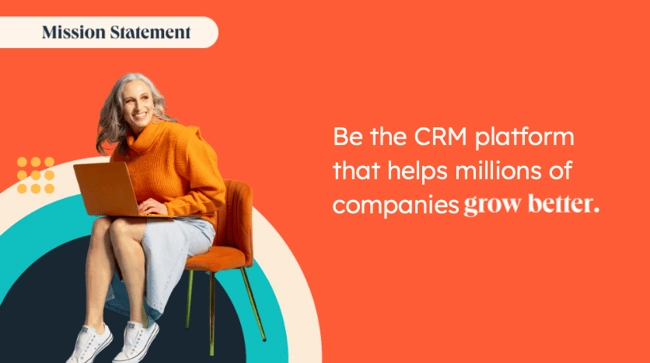
Pro tip: You can either include your mission statement within your style guide, create a separate document for reference, or distill your mission statement into a slogan that you can place at the head of your document.

Brand Guidelines Buyer Persona

A buyer persona is a fictional representation of your ideal customer. It includes details on your customer’s job title, age, gender, and professional challenges — therefore stipulating for whom your brand publishes content.

Your buyer persona guides your blog content, ad copy, and visual media, which can attract valuable leads and customers to your business.

Pro tip: Download our free resource below on how to create your own style guide with brand guidelines templates to follow. Creating a consistent style guide isn’t easy, but with these tools you can build an unforgettable one with ease.

The Elements of a Brand Style Guide

A brand style guide encompasses much more than just a logo (although that’s important, too). It visually encompasses everything your brand is about — down to your business’ purpose.

Here are some key elements that I believe make or break a brand style guide.

Logo

Your logo might seem like the simplest aspect of your branding guidelines, but in reality, I‘d argue it’s one of the most complex and most important parts.

In your guide, you should:

  • Include a visual of your logo.
  • Explain the design details of your logo.
  • Describe how your logo can be used by external and internal publishers.
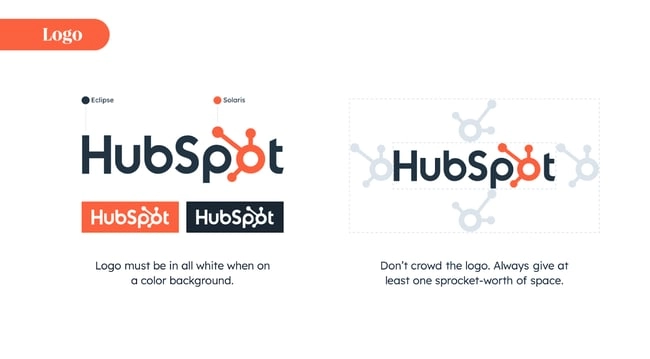
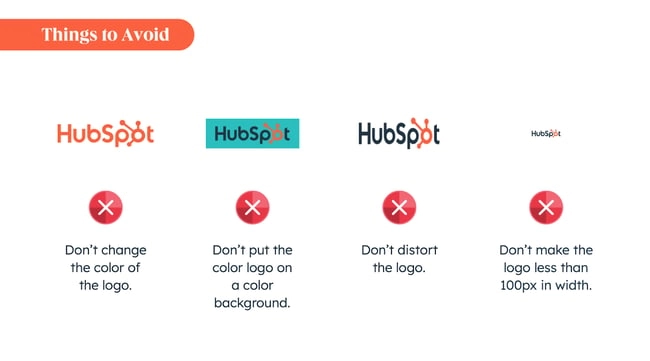
You should also include wrong usages — i.e, you might advise against rotating the design or curving the font. That way, whether you or someone else is publishing information about your company, your logo looks consistent everywhere.

Pro tip: If your brand is well-known and many outlets publish information about you, you also might want to provide an entire document outlining acceptable use policies for your logo.
Color Palette

In my opinion, the color palette is probably one of the most distinctive and recognizable parts of a company’s branding guidelines.

It’s the group of colors your company uses to design its brand assets, guiding every piece of visual content created.

These color combinations often follow HEX or RGB color codes, and govern your logo, web design, printed ads, and event collateral.
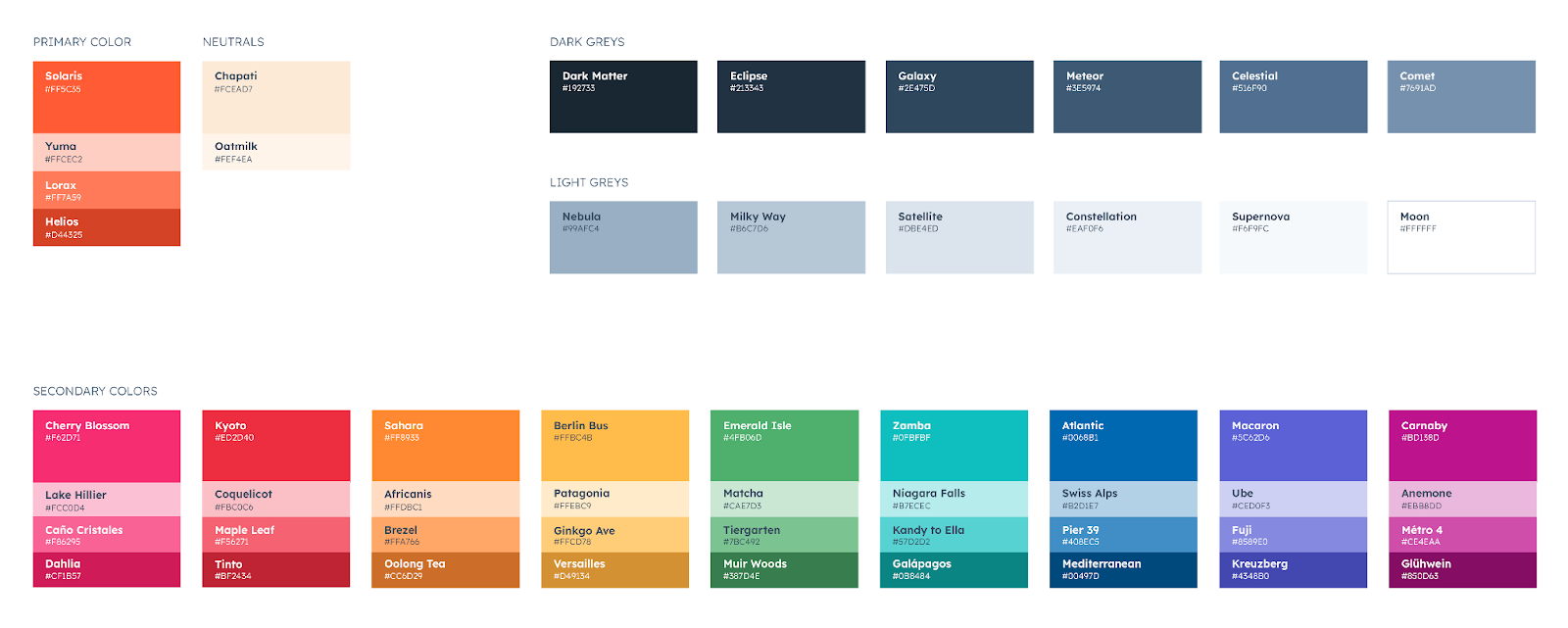
Pro tip: A brand color palette should not only include your primary color, but also a wide variety of secondary, tertiary, and neutral colors. This will allow you to come up with more dynamic and varied designs in the content creation stage.

If you don’t define an array of options, you can run the risk of having your team create content with random secondary colors, which can look inconsistent.

Typography

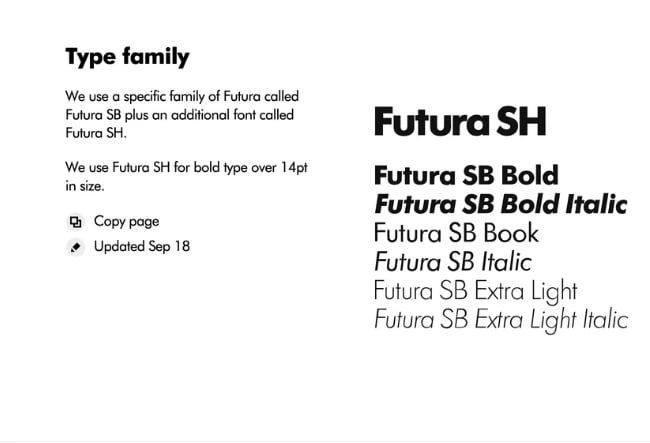
Typography is a visual element of your brand style guide that goes beyond the font you use in your company logo. It supports your brand’s design down to the links and copy on your website — even your tagline.

I recommend specifying a primary and secondary font, with a mixture of serifs and font weights for different use cases.

Remember, the goal of your branding guidelines is to empower your people and external stakeholders to create consistent but varied collateral on behalf of your brand. You don’t want to limit them with a single font option.

For instance, HubSpot’s primary font is Lexend Deca (sans-serif), while our secondary font is Queens (serif). They’re both integrated in our very own Content Hub, and our design tool, Canva, where we can use them to create assets.

Pro tip: Don’t forget that typography also plays a major role in your website’s user experience. You want to make sure it is visually appealing while also being accessible and easy to read.

Imagery and Iconography

You may be able to only include your logo, colors, and fonts in your guidelines.

However, if you’d like to create a stronger style guide, consider including approved imagery, pre-designed icons, and custom symbols for your company to use across your website and print collateral.

If your budget is smaller, you can recommend photographic styles (i.e candid versus staged, etcetera), and then direct content creators to your preferred stock photo provider (i.e. Shutterstock, Unsplash).

Alternatively, you can commission a company photoshoot at a studio and make the resulting photography available for creative use.

Pro tip: Symbols and icons can also be a great addition to your branding guidelines. As with photos, you can always find free icons online and recommend what to use versus what not to use (e.g., outlines only vs. full color).

You can also commission custom icons from a freelance graphic designer.

Brand Voice

If your company visuals are the flesh and bones of your style guide, I’m going to say your brand voice is the beating heart.
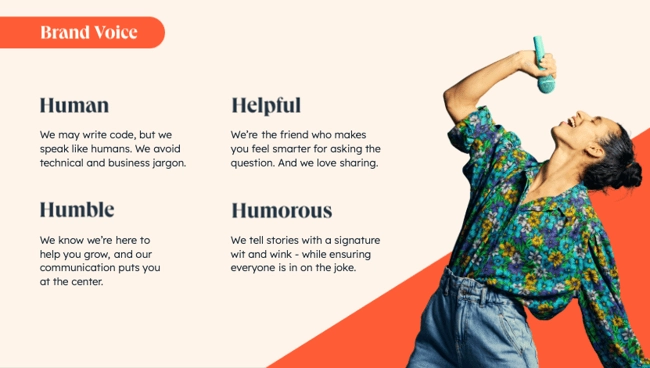
The importance of your brand voice can’t be overstated.

Maybe you want your company’s personality to be friendly and casual, or you may prefer a more distant and formal voice.

Either way, you want to make it easy for marketers, salespeople, and content creators on your team to know how to represent your brand online. This will ensure consistent messaging across all channels.

You can also include a full editorial style guide. The job of an editorial style guide is to commit an editorial stylebook on how to phrase certain products, list topics the brand can and cannot write about, and other companies it can mention.

Your editorial style guide can guide your blog content, video scripts, website and landing page copy, PR talking points, and knowledge base articles.

As you can see, the purpose of the brand style guide is to form and maintain all of the various elements of a company that, when combined, spell out the entire brand as it’s recognized.

Ready to get started? HubSpot’s Brand Kit Generator can help you create all of these key branding and style guide elements with ease (and for free).

1. Medium

See the full brand guide here.
Image Source

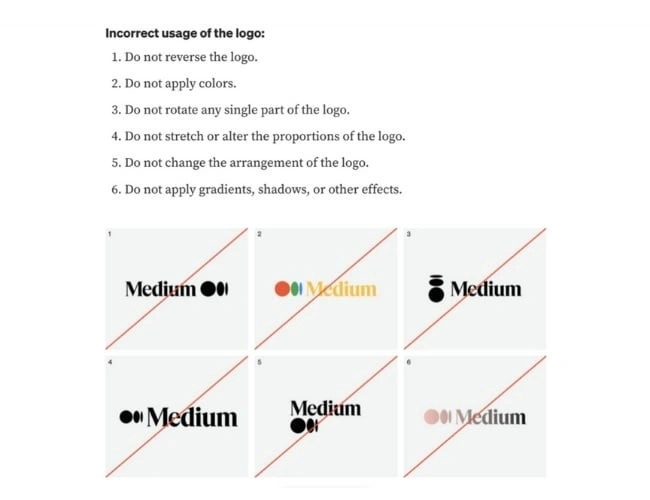
What I like: Medium‘s simple brand style guide emphasizes usage of its logo, wordmark, and symbol. Medium’s logo is the brand’s primary graphic element and was created to feel “confident, premium, timeless, and modern.”

2. Walmart

See the full brand guide here.
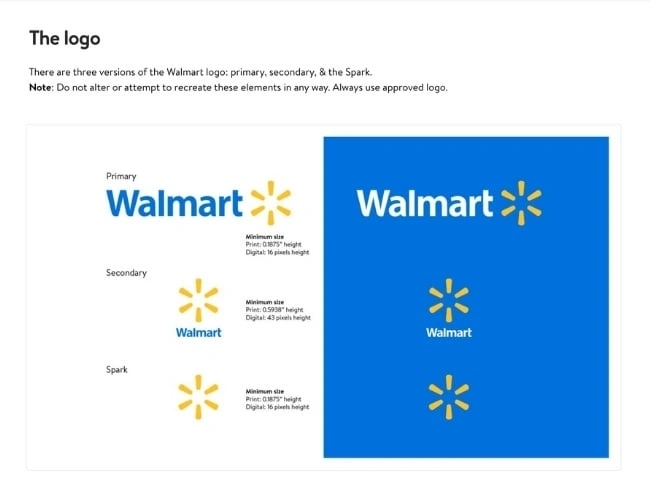
Image Source

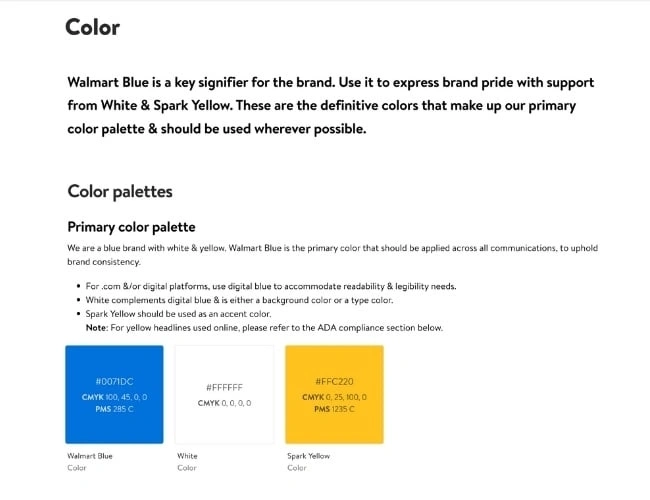
What I like: The guide includes the brand‘s logo, photography, typography, illustrations, iconography, voice, editorial style, and more. Walmart’s color palette is so integral to its brand identity that its primary color is called “Walmart Blue.”

3. Asana

See the full brand guide here.
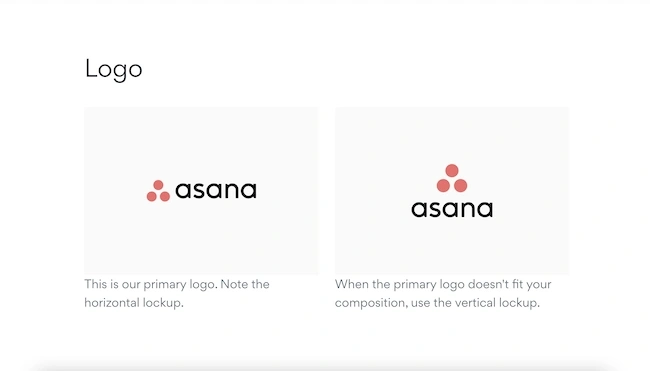
Image Source

What I like: Asana‘s simple style guide highlights its logo and color palette. It also explains how to properly use the brand’s assets.

4. Skype

See the full brand guide here.
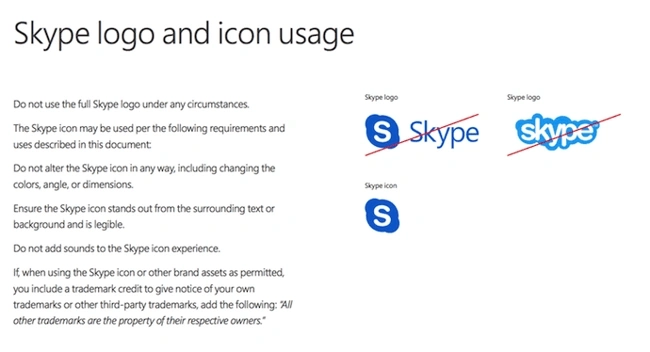
Image Source

What I like: Everyone’s favorite video chat platform also has a squeaky-clean style guide for its brand. Skype, now owned by Microsoft, focuses primarily on its product phrasing and logo placement.

5. Barre & Soul

See the full brand guide here.
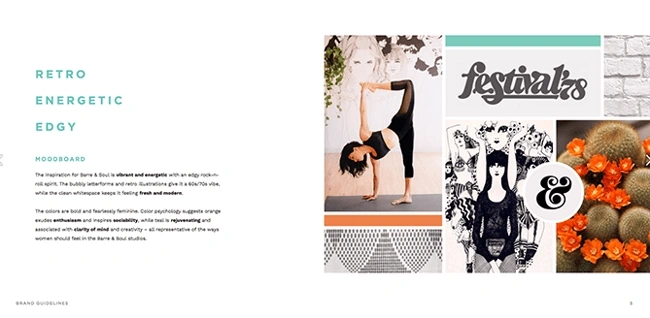
Image Source

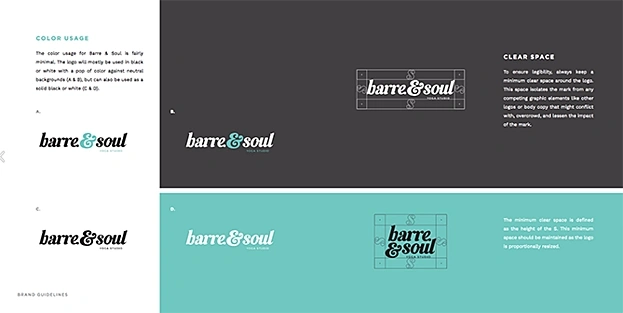
What I like: Barre & Soul’s brand style guide includes variations of its logo, logo spacing, secondary logos, supporting imagery, and a five-color color palette.

6. Spotify

See the full brand guide here.
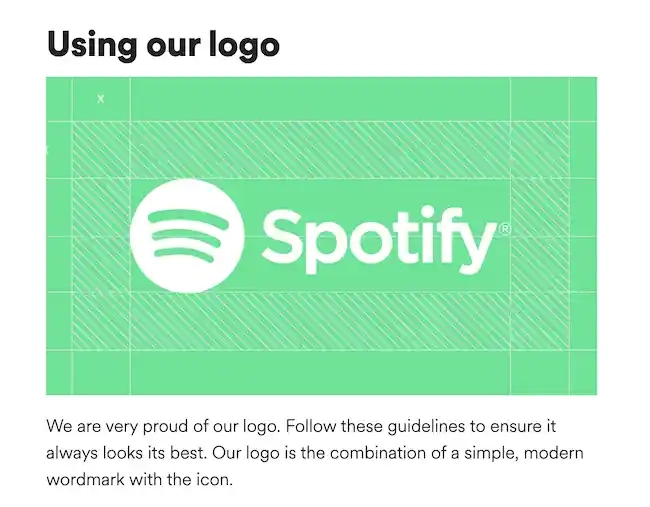
Image Source

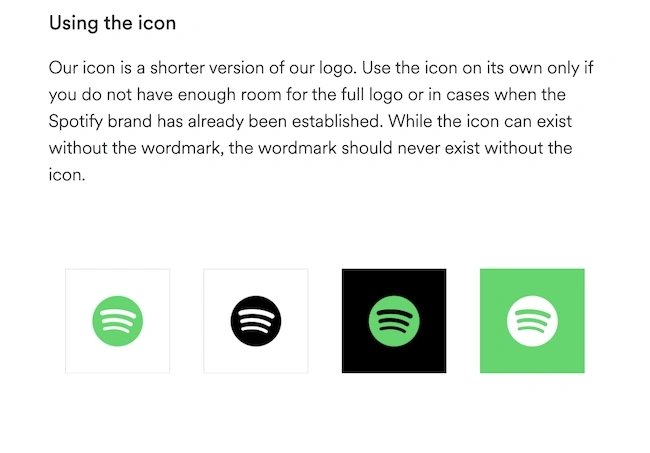
What I like: Spotify‘s color palette includes three color codes, while the rest of the company’s branding guidelines focus on logo variation and album artwork. The style guide even allows you to download an icon version of its logo, making it easier to represent the company without manually recreating it.

7. Starbucks

See the full brand guide here.
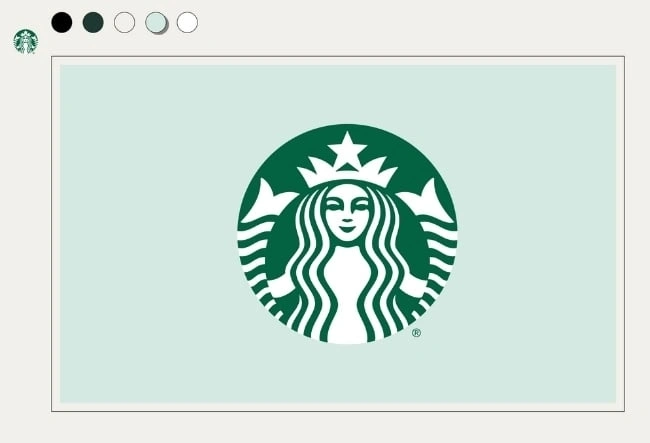
Image Source

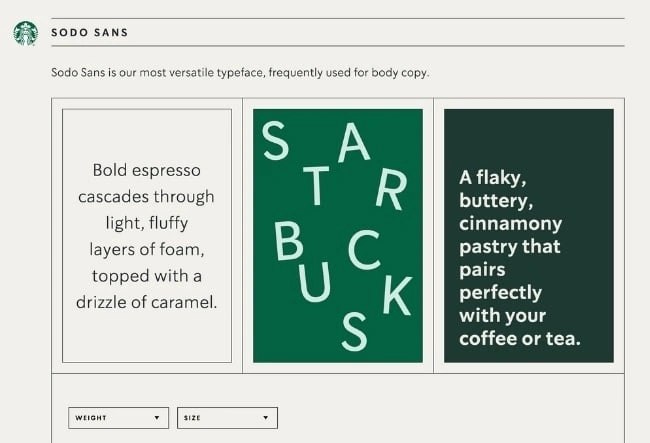
What I like: Starbucks’ interactive brand style guide includes details about how to use its core elements such as the iconic Siren logo and green color palette. Plus, the guide features a visual spectrum of how their creative assets can be used across different channels.

8. Paris 2024

See the full brand guide here.
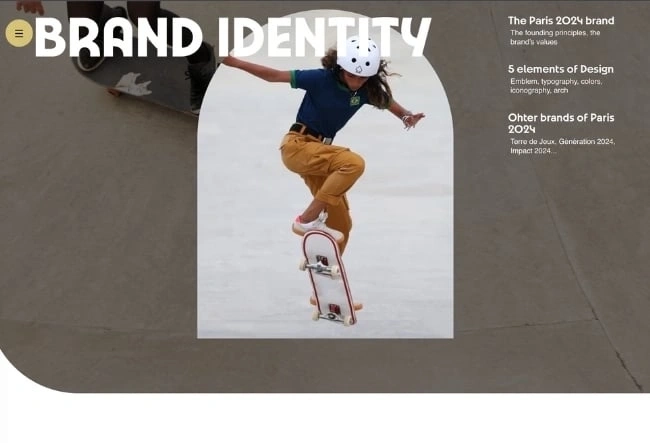
Image Source

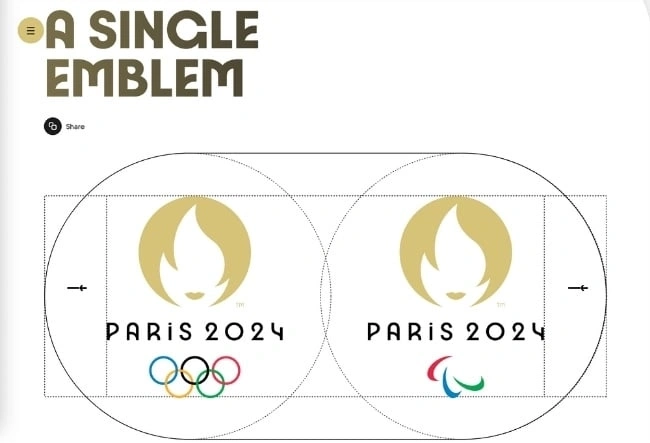
What I like: Paris 2024’s brand identity pays homage to the 1924 Olympic Games through Art Deco inspired design. Best of all, designers applied eco-branding methods to reduce the amount of ink and paper needed for physical materials as well as limit the power and data consumption on digital elements.

9. Urban Outfitters

See the full brand guide here.
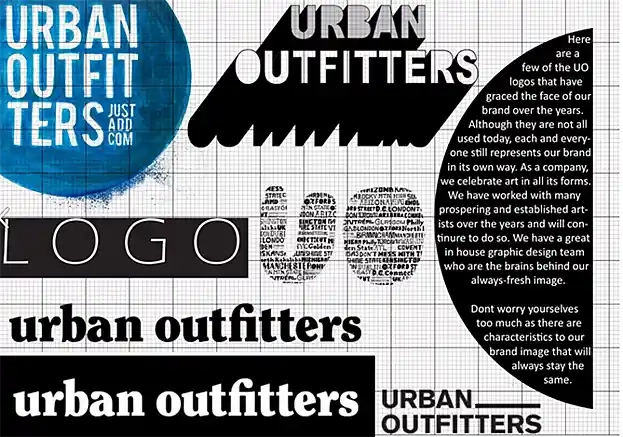
Image Source

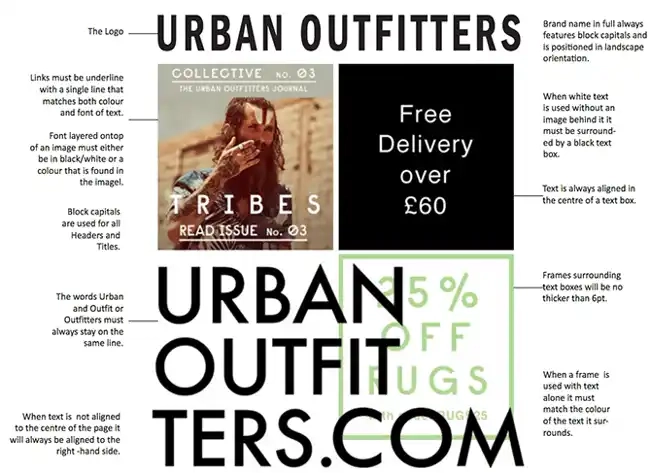
What I like: Photography, color, and even tone of voice appear in Urban Outfitters‘ California-inspired brand guidelines. Plus, the company isn’t shy to include information about its ideal consumer and what the brand believes in.

10. Love to Ride

See the full brand guide here.
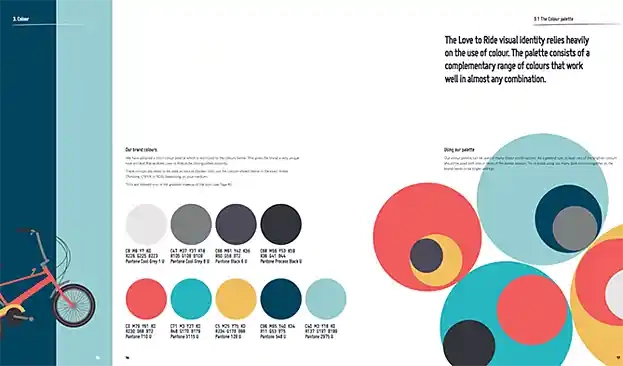
Image Source

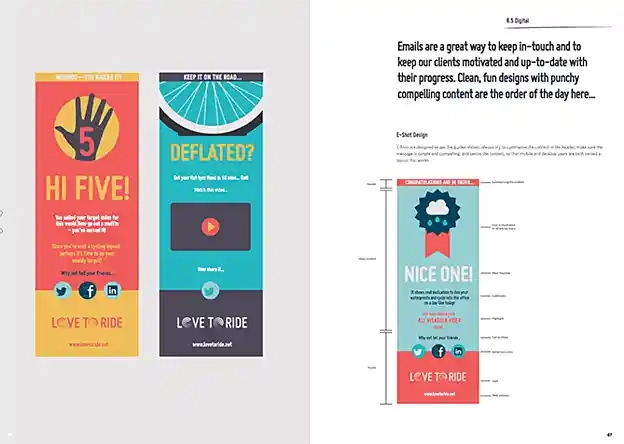
What I like: Love to Ride, a cycling company, is all about color variety in its visually pleasing style guide. The company’s brand guidelines include nine color codes and tons of detail about its secondary logos and imagery.

11. Barbican

See the full brand guide here.
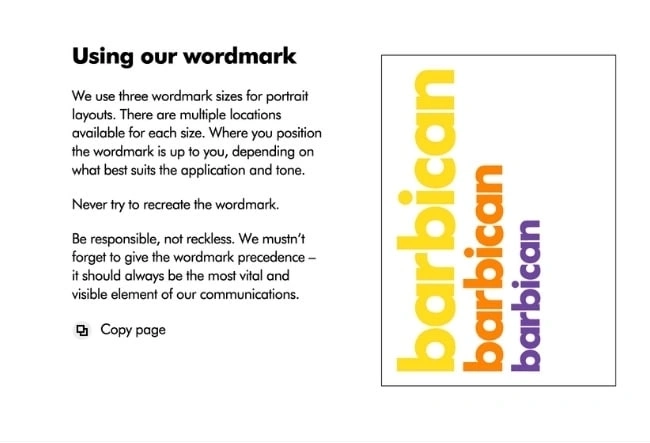
Image Source

What I like: Barbican, an art and learning center in the United Kingdom, sports a loud yet simple style guide focusing heavily on its logo and supporting typefaces.

12. I Love New York

See the full brand guide here.
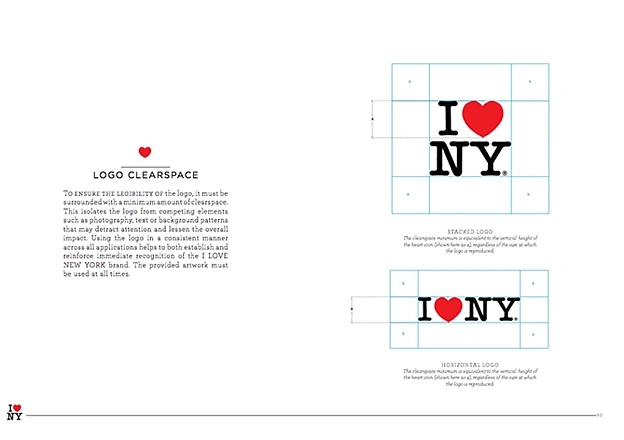
Image Source

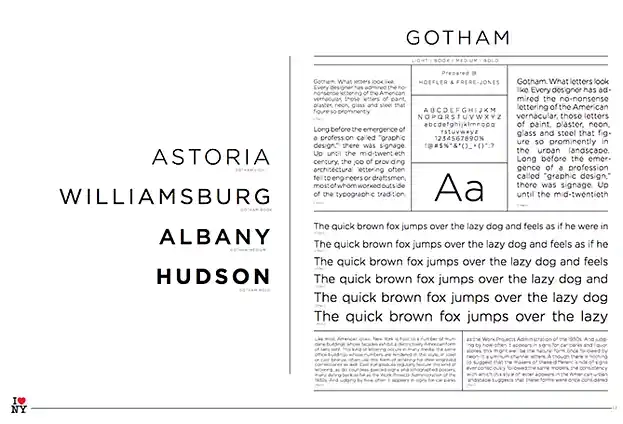
What I like: Despite its famously simple t-shirts, I Love New York has a brand style guide. The company begins its guidelines with a thorough explanation of its mission, vision, story, target audience, and tone of voice. Only then does the style guide delve into its logo positioning on various merchandise.

13. TikTok

See the full brand guide here.
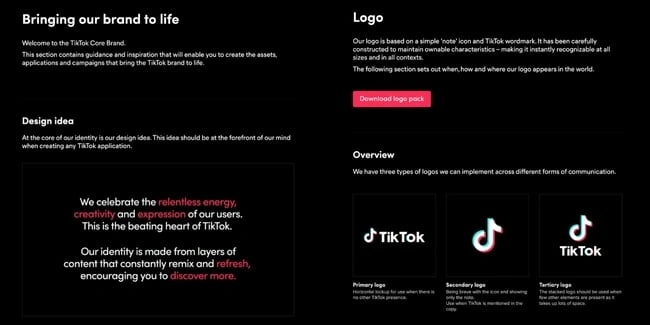
Image Source

What I like: TikTok‘s style guide isn’t just a guide — it’s an interactive brand book. First, it provides an in-depth look into how it brings its brand to life through design. Then, it gives an overview of its logo, co-branding, color, and typography.

14. University of the Arts Helsinki

See the full brand guide here.

Image Source

What I like: The style guide of the University of the Arts Helsinki is more of a creative branding album than a traditional marketing guide. It shows you dozens of contexts in which you‘d see this school’s provocative logo, including animations.

15. Ivy Lane Events

See the full brand guide here.
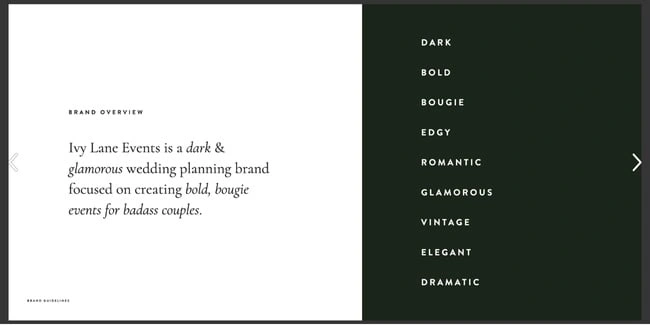
Image Source

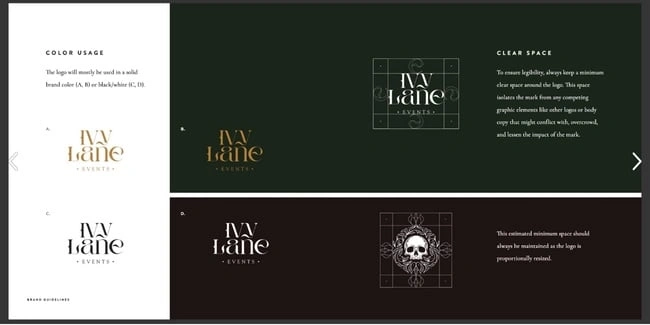
What I like: Ivy Lane Events‘ bold style guide is reflective of the edgy events the company produces. In it, you’ll find a mood board with dark, romantic visuals inspired by “victorian gothic style and vintage book art.”

16. Western Athletic Conference

See the full brand guide here.
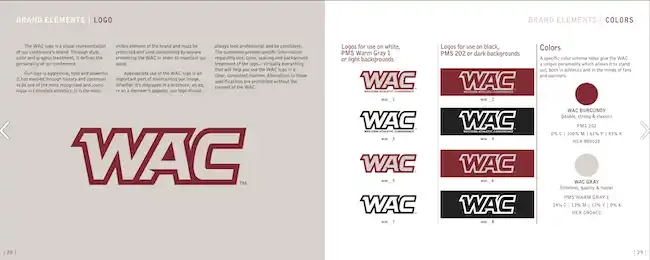
Image Source

What I like: The Western Athletic Conference’s brand style guide includes extensive information about its history, mission, and vision. It also highlights its member universities and athletic championships and awards it is involved with.

17. Discord

See the full brand guide here.
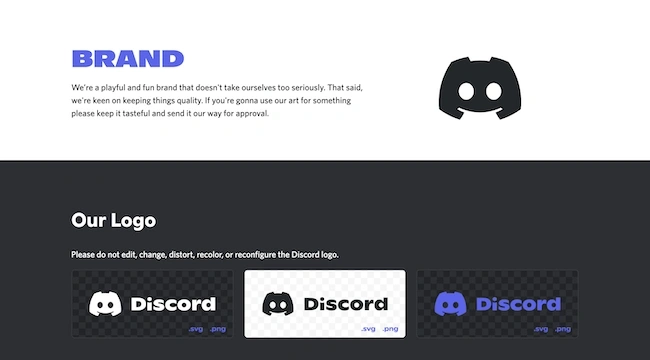
Image Source

What I like: Discord‘s brand guide is as colorful and playful as the communities it serves. The brand’s motion elements are based on the dot, which represents the Discord user interacting with others in the communities it belongs to.

18. Netflix

See the full brand guide here.
Image Source

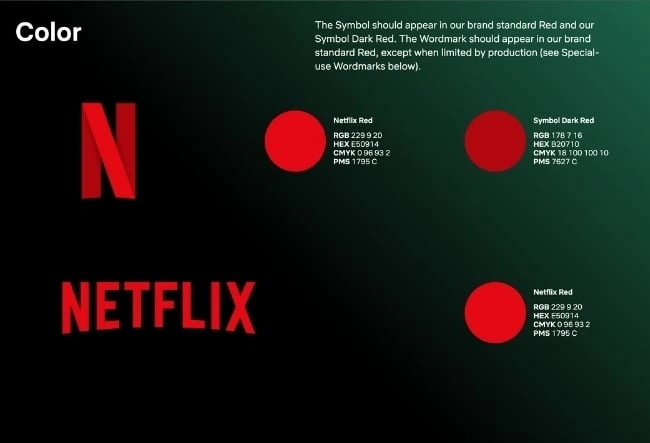
What I like: As far as its public brand assets are concerned, Netflix is focused primarily on the treatment of its logo. The company offers a simple set of rules governing the size, spacing, and placement of its famous capitalized typeface.

19. Scrimshaw Coffee

See the full brand guide here.
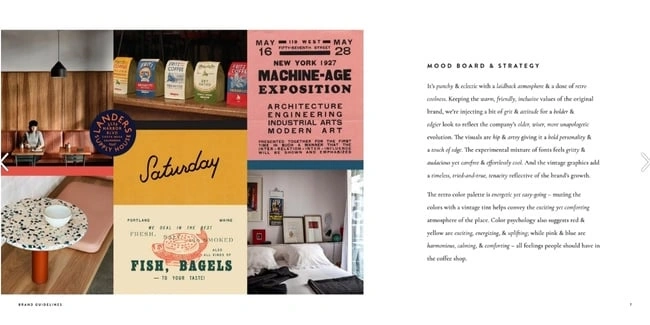
Image Source

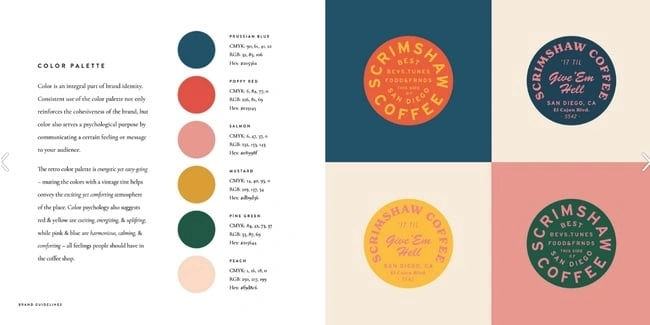
What I like: Featuring a six-code color palette, this “laid back,” “cool,” and “eclectic” brand has a number of secondary logos it embraces in various situations.

20. NASA

See the full brand guide here.

Image Source

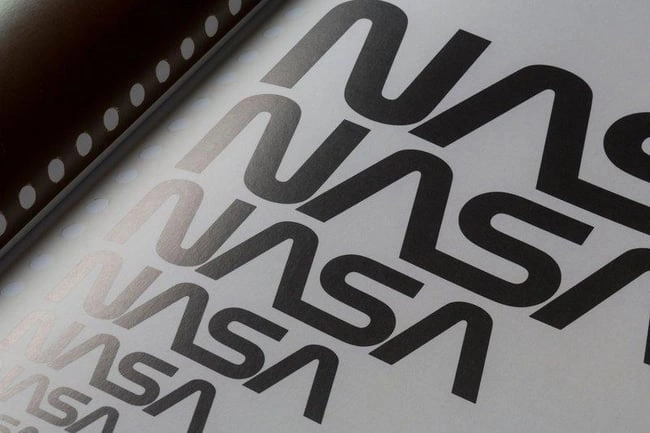
What I like: NASA‘s “Graphics Standards Manual” is as official and complex as you think it is. At 220 pages, the guide describes countless logo placements, color uses, and supporting designs. And yes, NASA’s space shuttles have their own branding rules.

21. New York City Transit Authority

See the full brand guide here.
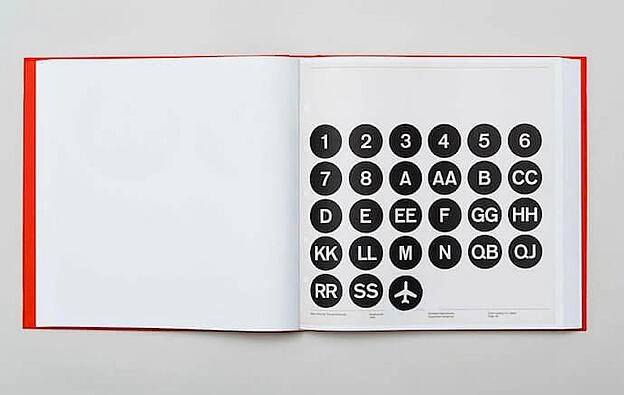
Image Source

What I like: Like NASA, the NYCTA has its own Graphics Standards Manual, and it includes some fascinating typography rules for the numbers, arrows, and public transit symbols the average commuter takes for granted every day.

Branding Guidelines Tips

If you want to take your branding style guide to the next level, let HubSpot’s Brand Kit Generator do some of the heavy lifting for you.

I’d also recommend following the best practices below, which the HubSpot Creative team has used to disseminate branding information to the rest of the HubSpot Marketing team.

This has not only made my job as a blogger easier, but also makes our branding feel well thought-out and cohesive.

1. Make your guidelines a branded document.

Whether you’re publishing your branding guidelines online or creating an internal presentation, consider making the guidelines themselves a branded document.

Ensure the published document follows your established brand voice, uses the symbols and imagery you’ve created, and employs the colors and typography that makes your brand feel like you.

Insights from HubSpot’s Creative Team

When our Creative team rolled out a visual identity refresh for the HubSpot brand, we all received access to a branded playbook that summarized all the changes and described how we should represent HubSpot online moving forward.

Not only was I a huge fan of the refresh, but also of the way it was presented to our team in a branded document.

You can do the same, regardless of your budget. Our Creative team actually used a free tool, Google Slides — so it’s totally doable for a small or freelance brand!

2. Name your brand’s colors.

You’ve already chosen your color palette — why not go as far as naming the colors?

Giving your colors unique names (aside from “blue” or “orange”) can help you tie the tactical elements of your branding into an overall theme or ethos.

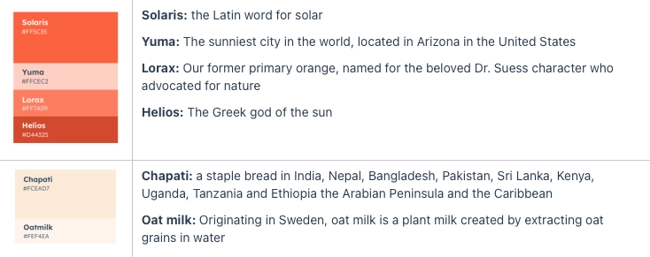
Not to mention that it’s awesome to be able to refer to company colors by a unique name. Imagine if we called Solaris, HubSpot’s primary brand color, “HubSpot Orange” — that simply doesn’t have the same ring.
Insights from HubSpot’s Creative Team

In our visual identity refresh, our Creative team brightened and intensified our color palette, then renamed the individual hues.

They wrote, “Every color, tint, and shade is based on central themes. […] Whether it’s a subway line in Paris, or a flower-lined street in Japan, the secondary color names are a veritable tour of important cultural and geographical touchstones from HubSpotters all over the world.”

Think about what makes your brand unique, and why you chose the colors that you did. For instance, if you work at a law firm that specializes in car accident cases, you might choose red as one of the brand colors and call it “Stop Light.”

3. Create easy-to-use branded templates.

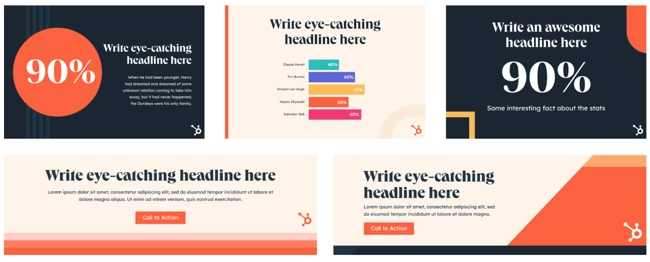
Alongside your branding guidelines should be templates to empower your team to easily design branded assets, even if they’re not designers.
Insights from HubSpot’s Creative Team

At HubSpot, we keep all of our templates in our team’s Canva account. There, anyone (myself included) can edit pre-made designs for any number of use cases.

As a writer on the HubSpot blog, I have to create graphics to supplement the information I’m sharing.

The branded templates made by our Creative team have made my work a great deal easier, and I can imagine that it’s the same for our Social Media team.

Not everyone is a designer, but with templates, you can ensure your brand looks professional no matter who creates an asset.

4. Ensure your branding is optimized for all channels.

Your branding guidelines should include different specifications for different channels.

Or, alternatively, you should have assets and designs that can be adjusted for various channels and mediums. Not only for sizing purposes, but for accessibility purposes, too.
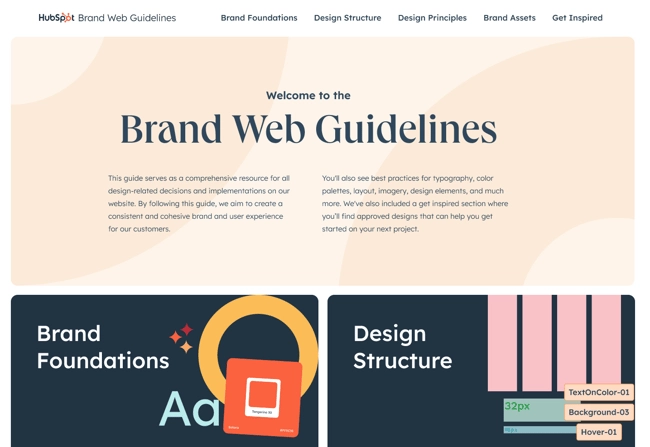
Image Source

For instance, if you primarily market your brand over Instagram and on your website, then your branding should have web accessible colors, as well as Instagram-friendly designs and sizes.

However, you don’t want to significantly change your branding from channel to channel. It should work relatively well no matter where you’re marketing your brand.

Build a Memorable Style Guide of Your Own

Once you build your unique brand style guide, customers will recognize your brand and associate it with all the visual cues you want them to.

I hope you were inspired by our list of amazing brand style guides and wish you luck in creating a timeless style of your own.

Editor’s note: This post was originally published in January 2017 and has been updated for comprehensiveness.

brand style guide

40 Rebranding Announcement Email Examples I Love (For Your Inspiration in 2024)

Software Stack Editor · March 29, 2024 ·

Ever think you’d click on a HubSpot article about rebranding announcement email examples, only to be met by a pro-wrestling anecdote? Well, batten down the hatches, reader, because we’re heading back to pre-World Wrestling Entertainment (WWE) in three, two, one.

Sparked by a long-running legal dispute with another famous WWF (the World Wildlife Fund), the World Wrestling Federation (WWF) finally relinquished its name in 2002.

The sports entertainment giant went out swinging, launching the now iconic “Get The F Out” marketing campaign before officially changing its name, logo, and website to WWE.

→ Download Now: The Beginner's Guide to Email Marketing [Free Ebook]

The WWF was already a well-known company and, despite a rebrand by force of hand, remained renowned after the fact.

Long story short? Whether you love or hate the promotion — heck, whether you love or hate pro wrestling — the WWE managed to take litigation lemons and turn ‘em into marketing lemonade.

Sadly, I don’t have that rebranding email announcement at hand (did the WWE even send one?!). But I do have a ton more incredible examples to illuminate and inspire you.

40 of the Best Rebranding Email Examples

Grab your beverage of choice and get comfy because it’s time to dig into 40 of the best rebranding email examples for your viewing pleasure. Let’s get into it.

1. Featured

In July 2023, Terkel rebranded to Featured — and with the new name came a new logo and website.

I spoke with Featured Founder and CEO Brett Farmiloe about the change.

According to Farmiloe, “‘Featured’ more clearly states what we do: get experts featured in incredible media outlets and provide feature quality content to our publishing partners.”

Brett explains that since the rebrand, more than double the number of publishers (now 1,000+) ask questions on Featured. There are also over double the number of experts answering questions on the platform (now ~30,000 experts).

Image Source

Part of the success was arguably down to Featured’s simple and direct rebranding announcement email. It offered a clear explanation of the changes — including why the company made them and how they impacted users.

But perhaps most importantly, Featured gave existing users clear guidance about what they needed to do next (login to their account via Featured.com.)

What I like: Brett and the Featured team made a bold yet carefully considered move with the name change. In Farmiloe’s words, “This was a big decision for a seed stage, venture-backed startup to make 18 months into our company history.” I love that this rebrand paid off and that the rebranding announcement was clear and well-considered.

2. Wise

Early in 2023, I opened an interesting-looking email from money transfer resource Wise.

Real talk: I clicked “open” because I was skimming emails on mobile and assumed it was a payment confirmation. To be fair to Wise, the confusion was due to my haphazard skimming (and wishful thinking!) rather than Wise’s messaging. Because that messaging, my friend, was masterful.

Image Source

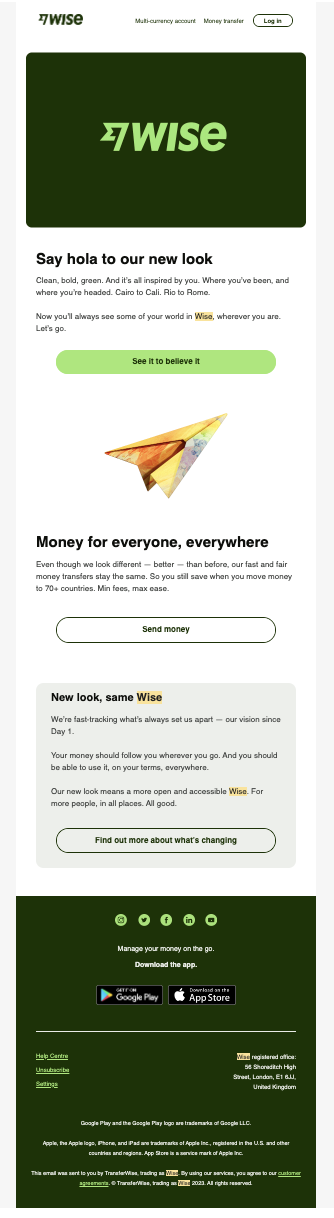
Anywho, the crux of the email was that Wise had a new look, switching up the color scheme from blue to “clean, bold, green.” Aside from the color scheme, the company had gone all out with the rebrand, sporting a new logo and different typography.

Humans aren’t always the biggest fans of change (myself included!), so having such a stark new look could’ve been unnerving for Wise’s client base.

However. the rebranding email announcement centered its customers as the inspiration for the changes. The masterful messaging also made it clear that the service remained the same despite a bold new look.

What I like: I loved how Wise put its customers at ease with clear messaging about its service, which remained the same. I also dug how everything about the rebrand was linked to the company’s values, vision, and, most importantly, its customers.

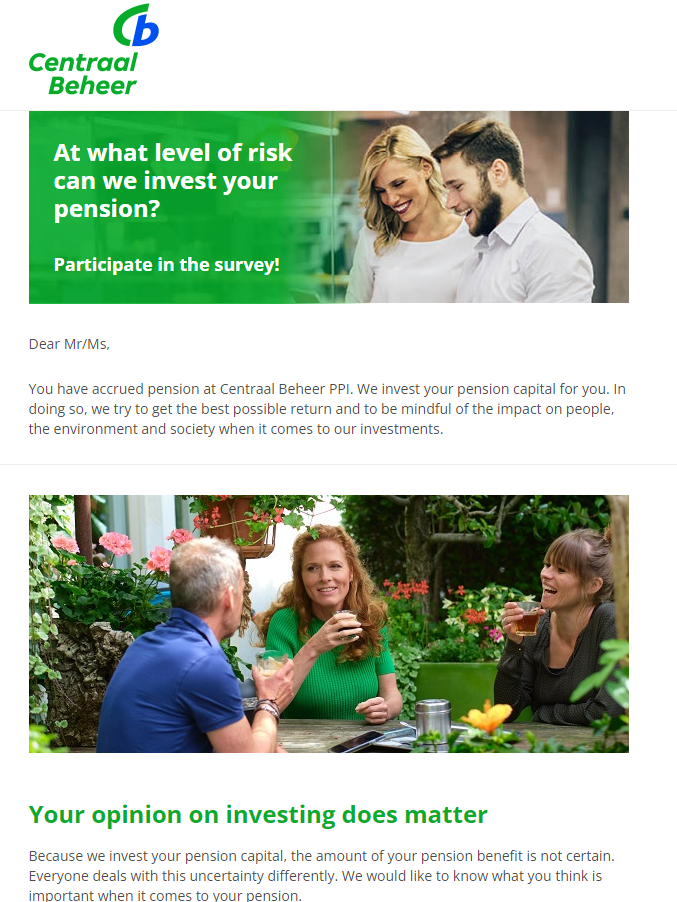
3. Centraal Beheer PPI

Shout out to Hristina Stefanova, head of operations at Goose‘n’Moose, for forwarding me this next pick and some context about the rebrand.

“The two emails come from the time I was still residing in the Netherlands and therefore making pension contributions to a Dutch pension fund,” says Hristina.

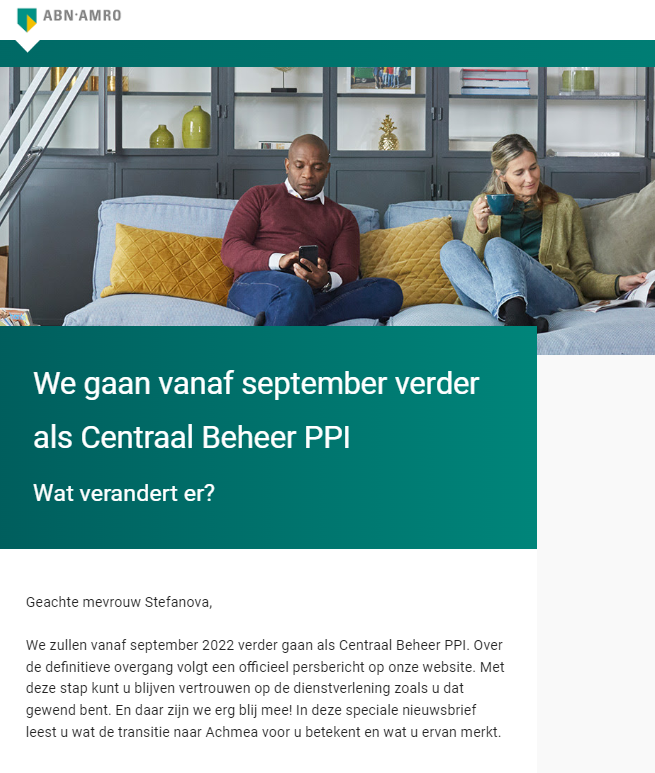
Hristina explains that the ABN Amro team opted for its existing brand identity when announcing the takeover and transfer to Centraal Beheer. But, this announcement email was one of the last (if not the last) times the company communicated under that brand identity.

Image Source

The above email screenshot is Centraal Beheer PPI’s latest look, with the most noticeable difference being the name change, logo, and color scheme.

What I like: I appreciate the way Centraal Beheer PPI announced the name change to its customers before emailing the new branding.

When it comes to anything like money or pensions, you really want to make sure you put your customers’ minds at ease during any transitions. So, I imagine this staggered approach would’ve made the changes less jarring for existing customers.

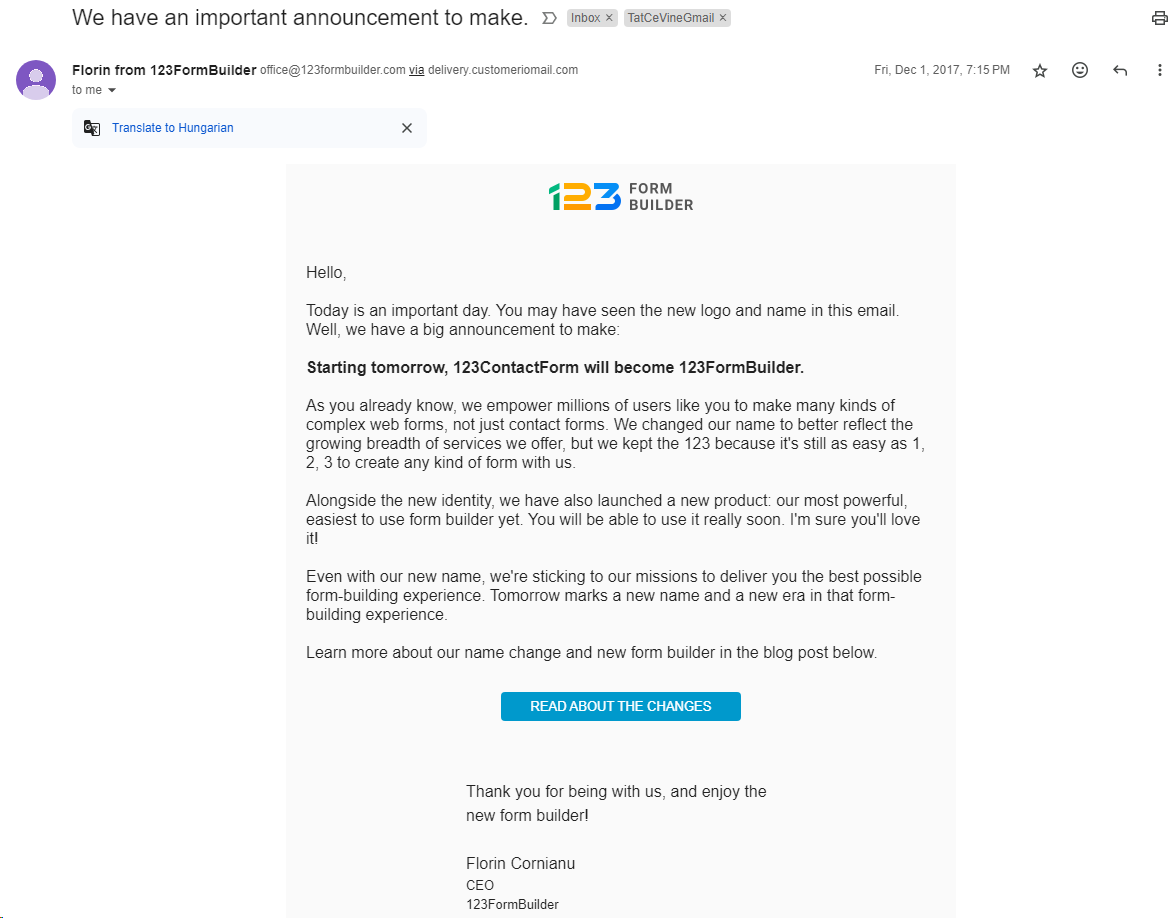
4. 123FormBuilder

123FormBuilder started in 2008 as a regular contact form tool.

The original name was 123ContactForm, and its tagline was “As easy as 1-2-3” for building contact forms. As years passed, users increasingly adopted the tool for more than just contact forms (e.g., event registration forms, order forms, surveys).

The company wanted to reflect this evolution in the name, so 123ContactForm became 123FormBuilder.

Image Source

In its rebrand email announcement, the company updated customers about the name and logo change. But 123FormBuilder also clued them into the context behind the changes.

Like Wise, 123FormBuilder’s messaging reassured its customers that despite rebranding, the company still had the same mission. A mission closely linked to doing the best for its customers.

What I like: I like that 123FormBuilder simultaneously announced the rebrand and its new product launch.

With a subject line like “We have an important announcement to make,” more people likely opened the email. And by also including the new product launch, 123FormBuilder capitalized on those extra eyeballs.

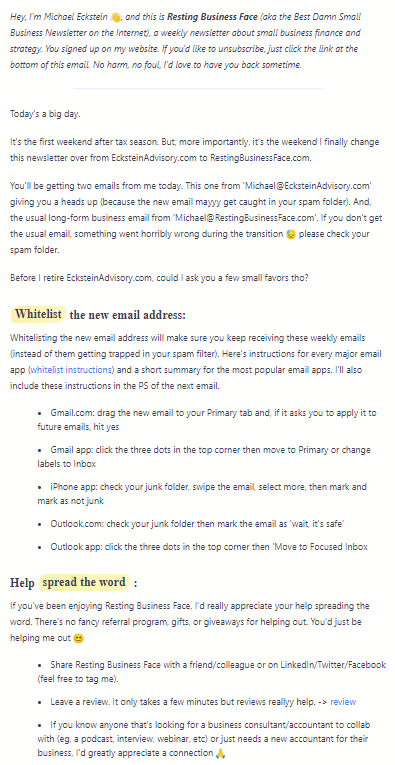
5. Resting Business Face

Our next example is from tax professional and business consultant Michael Eckstein. Eckstein is the mastermind behind Resting Business Face, a weekly newsletter about small business finance and strategy.

For context, Eckstein’s practice website originally started as ecksteintaxservices.com and then became ecksteinadvisory.com.

The latter is where the newsletter started and what eventually led to the restingbusinessface.com rebrand.

Image Source

When changing up any aspect of your business and explaining the changes to your customers, clarity is critical. And the email Michael sent out announcing the changes was impeccably clear.

Clarity aside, the content of the email stayed true to the loveably sassy tone of the weekly newsletter, which made for an engaging read. You can also tell how much Michael genuinely cares about the members on his email list.

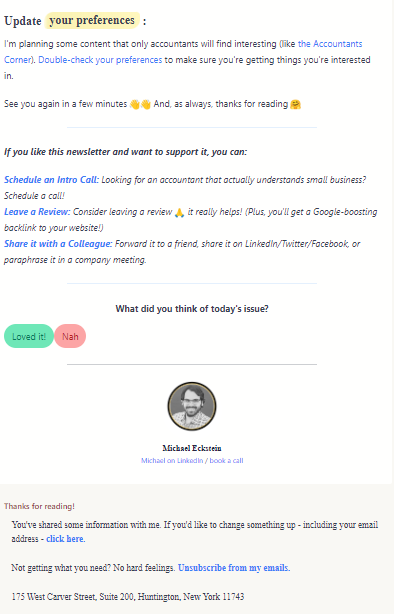
An example of this empathy is how he reminds readers about updating their preferences and thanks them for reading at the bottom.

What I like: I love that Michael has made the instructions crystal clear — including a detailed breakdown of how to allow the new email address to be listed.

Another interesting aspect of this rebranding email is that Michael gave his readers the heads-up before the changes happened. That’s a good idea because it gives the email the most chance of landing in the right place. (Rather than, say, landing in the promotions tab or spam.)

I also think the “What did you think of today’s issue?” section at the end is clever because it shows he welcomes (and therefore values) his readers’ feedback. When your emails make people feel valued, they’re more likely to resonate.

6. Candour

Candour is a digital agency offering SEO, PPC, and digital marketing services. In 2018, the company rebranded from ApplinSkinner to Candour. With the rebrand came a company name, logo, and web address change.

Image Source

The email frontloads crucial information, diving straight into the most significant change (transitioning from ApplinSkinner to Candour.) This is followed by the dictionary definition of candour: “The quality of being open and honest; frankness.”

I think this is such a creative way of introducing the new name’s meaning and, in turn, the broader connotations of the rebrand. The email then reinforces this by sharing the finer points behind Candour’s decision to rebrand: Wanting to represent its “ethos of transparency and refreshing honesty.”

What I like: I love that this email invites readers and customers to come along for the rebranding ride — making it a customer-centric collaborative journey. One way Candour achieves this is by announcing the branding changes and immediately inviting customer feedback on its new website.

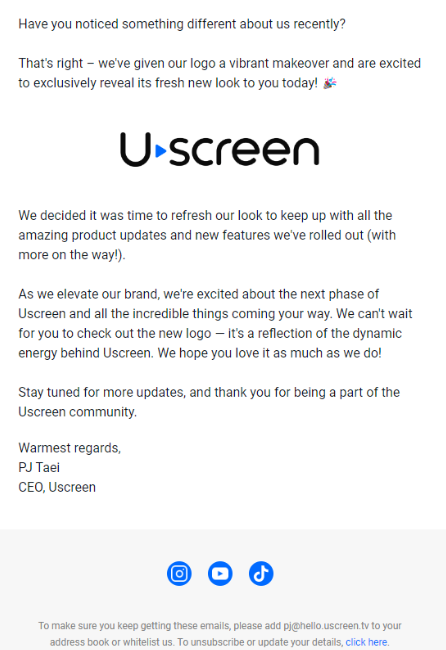
7. Uscreen

Uscreen, the all-in-one video membership platform for creators, recently rebranded. Part of its brand refresh included a “vibrant makeover” of the company logo. Towards the end of January 2024, the company sent an email revealing the change.

Image Source

I think the opening of this email is clever. As a subscriber to Uscreen’s email list, I like that the messaging makes me feel like this logo reveal is exclusive. It’s also cool how the email links the brand changes to Uscreen’s new product updates and features. The email then doubles down on this by letting readers know there are even more exciting updates en route. Overall, these touches make the email more engaging.

What I like: I like that the rebranding announcement email opens with a question. I don’t know about you, but I’m always more likely to engage with content if someone asks me a direct question. It makes me pay more attention and want to respond.

8. Shift

First things first: I’d like to thank Matt Janaway, CEO of Marketing Labs, for sharing the next three examples of rebranding announcement emails. (Pleo and Notion Calendar to follow!)

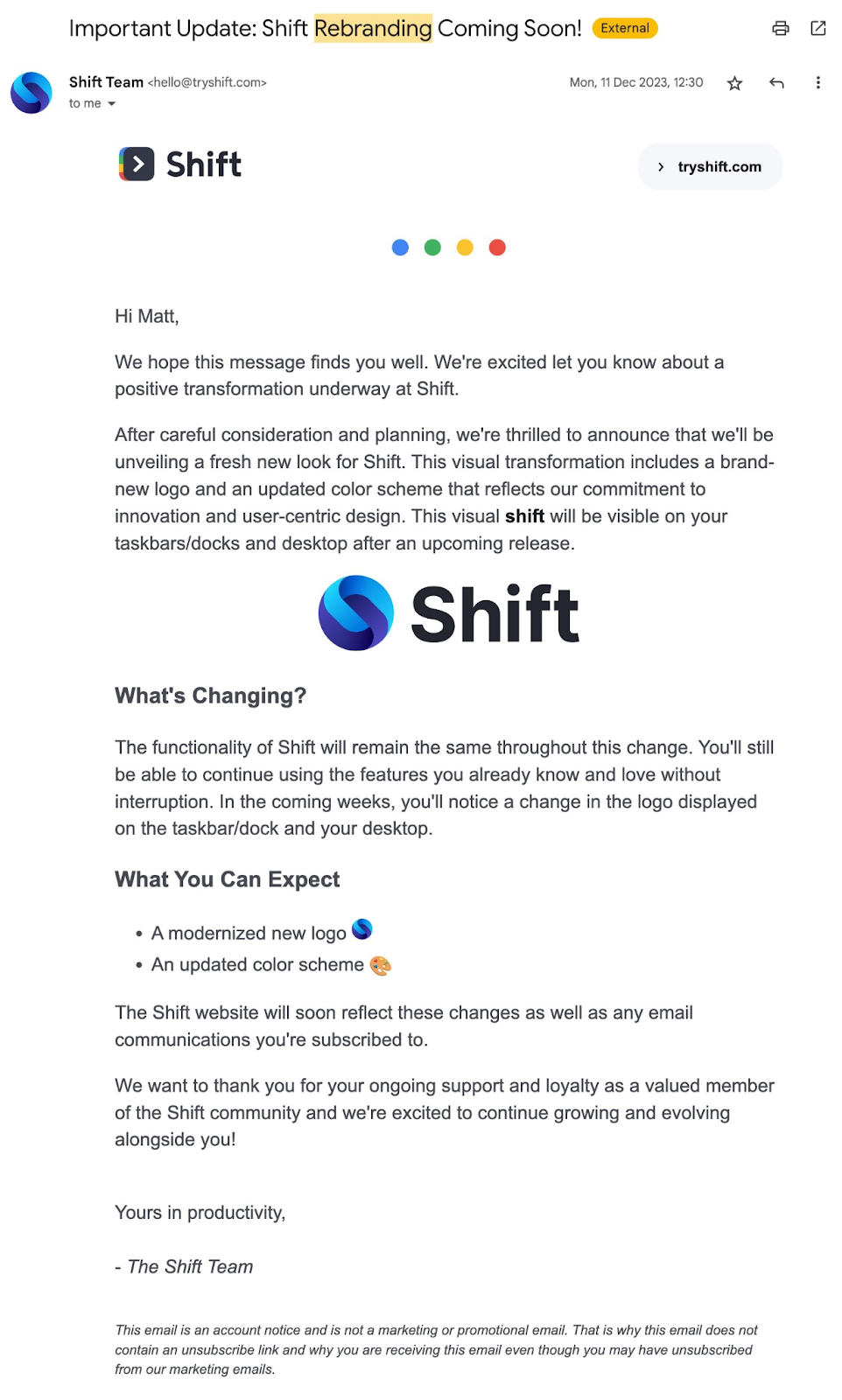
Now, let’s dive into Shift, a browser that integrates web apps. In December 2023, the Shift team emailed existing users announcing the forthcoming rebrand. The “fresh new look” included a new logo and updated color scheme.

Image Source

This rebrand announcement email example works because it’s short, sweet, and to the point. The email format also factors in user experience, with headings, bullets, and bold/italic text for a better reading experience. In short, even if you just scanned this email, you’d know what’s changing and what that means for you.

What I like: I think it’s effective how the email doesn’t just tell users what changed and why. But also where they would see the changes when using the product or interacting with the Shift brand.

9. Pleo

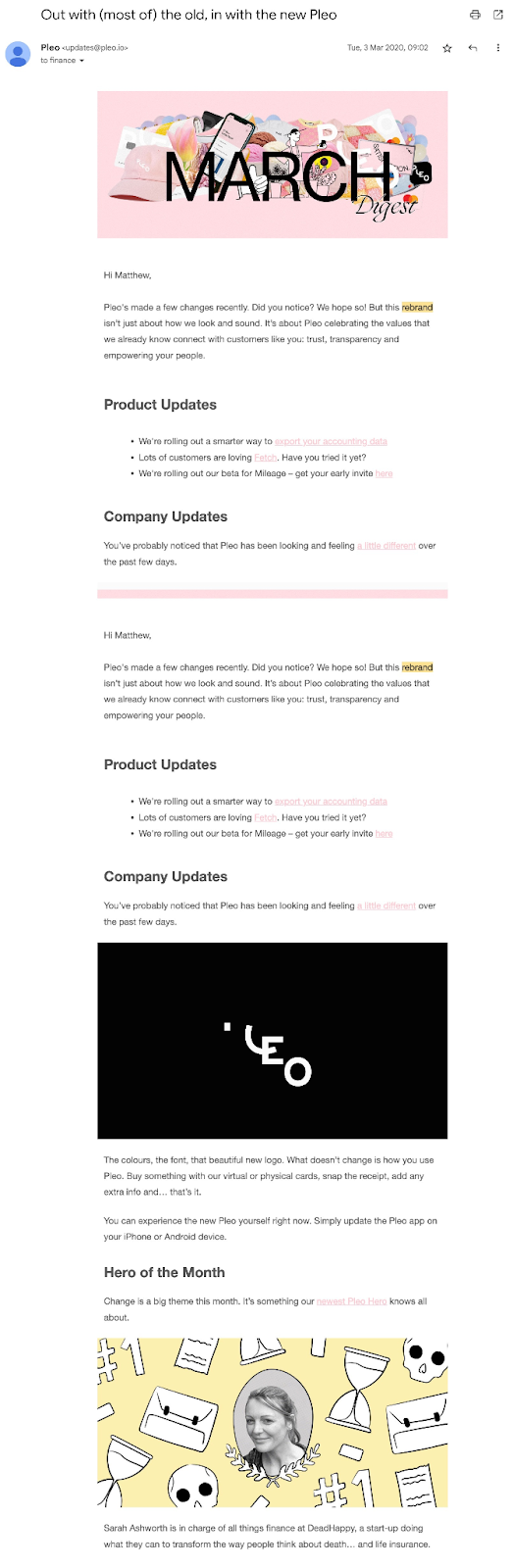
In 2020, Pleo, a business spending solution, rebranded with a new logo, color scheme, and updated fonts. Pleo initiated the changes to celebrate “the values that we already know connect with customers like you: trust, transparency, and empowering your people.”

Image Source

Pleo’s subsequent rebranding email announcement works because it’s so darn visually pleasing. The color palette is beautiful, and the headings help with readability.

Why is that important? Because when an email’s aesthetically pleasing, it’s not just easier to read, but people are more likely to want to read it all the way through.

What I like: Design delight aside, the creative subject line “Out with (most of) the old, in with the new Pleo” hooks you in without being overly sensationalized or clickbaity. In short, it lets readers know exactly what to expect from the email and does so in a fun way.

10. Notion Calendar

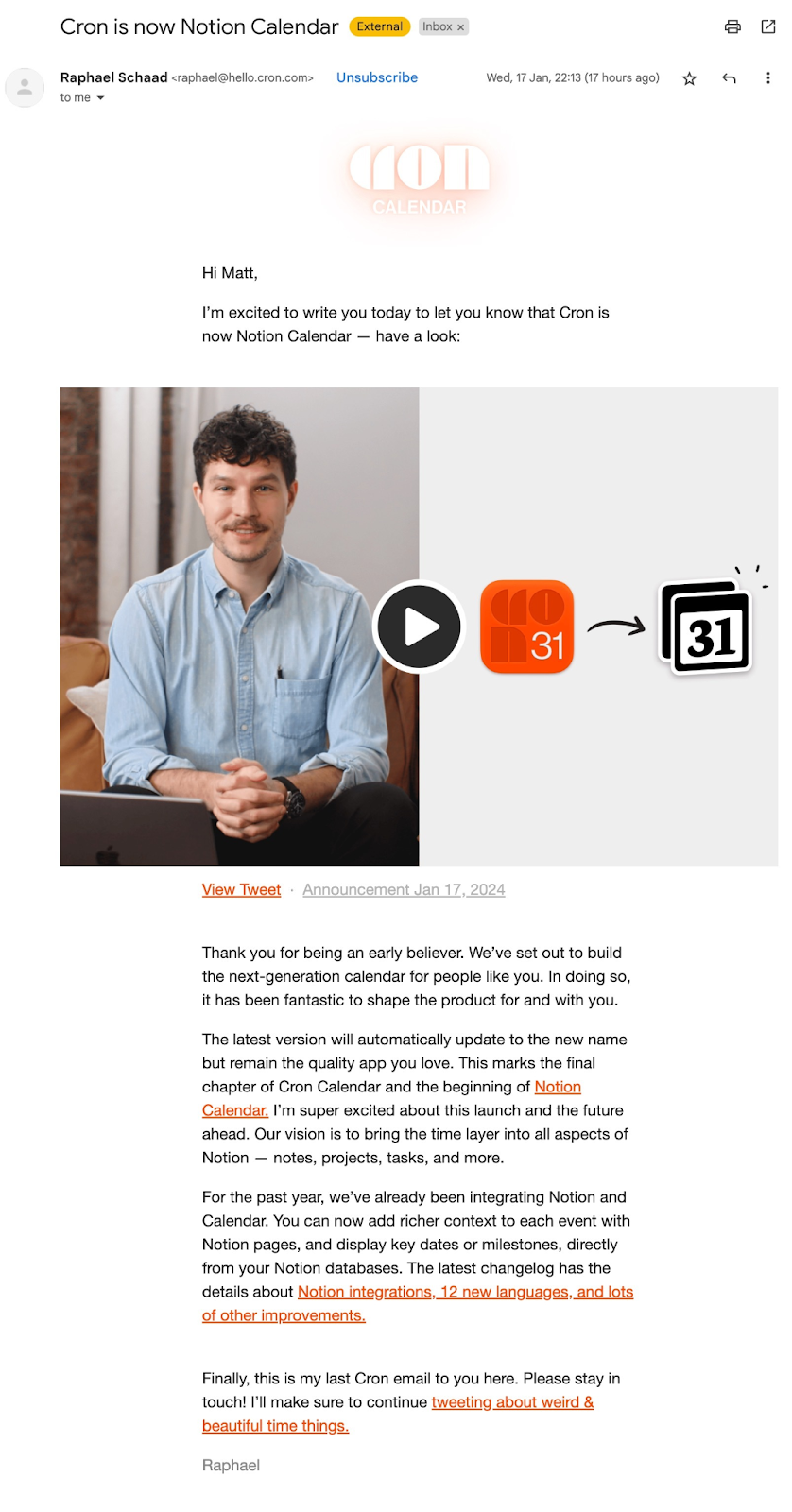
At the time of writing, the dust has barely settled on Notion’s announcement that Cron is now Notion Calendar: “A unified way to manage all the things competing for your time.”

Although they acquired Cron in 2022, the calendar app’s final amalgamation into Notion could’ve felt slightly abrasive for existing users.

Image Source

So it was paramount that Notion Calendar’s rebranding announcement email a) put existing Cron users at ease, and b) gave them everything they needed to know to continue to use the product with as little friction as possible during the transition.

In my humble opinion, the announcement did a great job of tackling both a) and b). The email clearly explained the reason for the change and what users should expect from Notion Calendar right now. Painting a vision for the future — a vision users could get excited about — was the final icing on the cake.

What I like: I think the aspect of the email I liked the most was how Raphael signed off at the end with some subtle next steps outlined for readers — i.e., stay in touch through the new email channel and stay tuned to Raphael’s X account.

11. Meetanshi

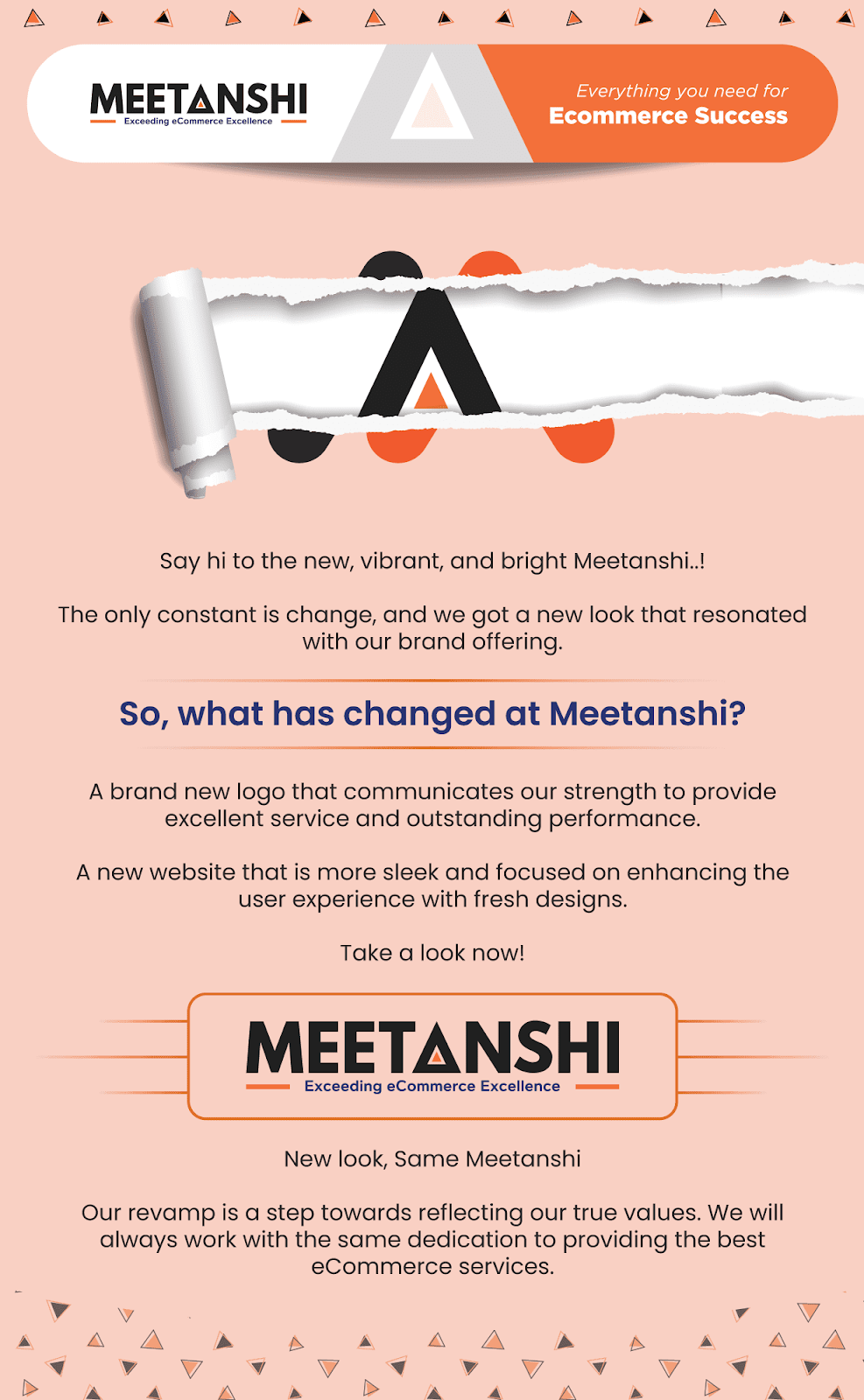
In 2021, Meetanshi, a platform providing Magento extensions, services, and solutions for ecommerce businesses, announced its rebranding with a completely new look.

The company was approaching four successful years in business and recognized how its team, core values, and offerings had evolved. The rebranding was the business’s effort to match and celebrate what “Meetanshi” had become.

Image Source

With a bold background color, sharp copy, and easy-to-read font, Meetanshi’s rebranding email announcement packs a punch. But of all those elements, I think the copy works especially well. It’s direct, yet conversational and easy to digest, making the email an easy, engaging read.

What I like: I love that peachy background color. It makes a bold statement, but it doesn’t overpower the copy, which remains legible.

12. BILL

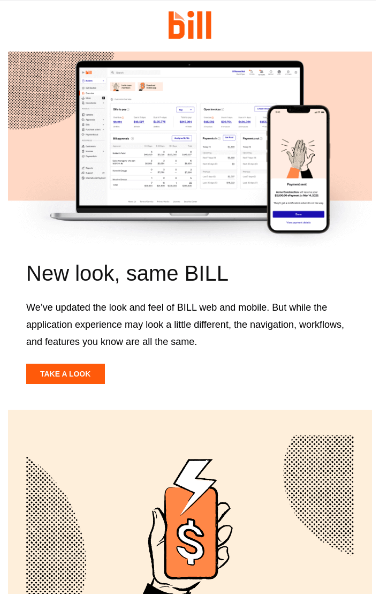
Back in 2022, financial operations platform Bill.com changed its name to BILL and began “modernizing the look and feel” of the brand. The intention behind the brand refresh was to “create a more engaging experience.”

Meanwhile, the name change was inspired by how the company is referred to colloquially by its customers.

Image Source

Although the screenshot doesn’t show it, the subject line was “Spring has sprung — and so has BILL’s new look.” Of all the subject lines I’ve seen while crafting this article, I have to say that’s one of my favorites. It’s a quirky way of saying, “Hey, we have a new look.”

The email also fits the rebrand’s aim of creating a more modern feel — especially the graphic design elements. (The hand holding a mobile phone and the dotted flourishes give the aesthetic some modern energy.)

What I like: It has to be the color palette, design flourishes, and subject line for me. All of these elements combined make an impactful rebranding announcement email.

13. LOOP

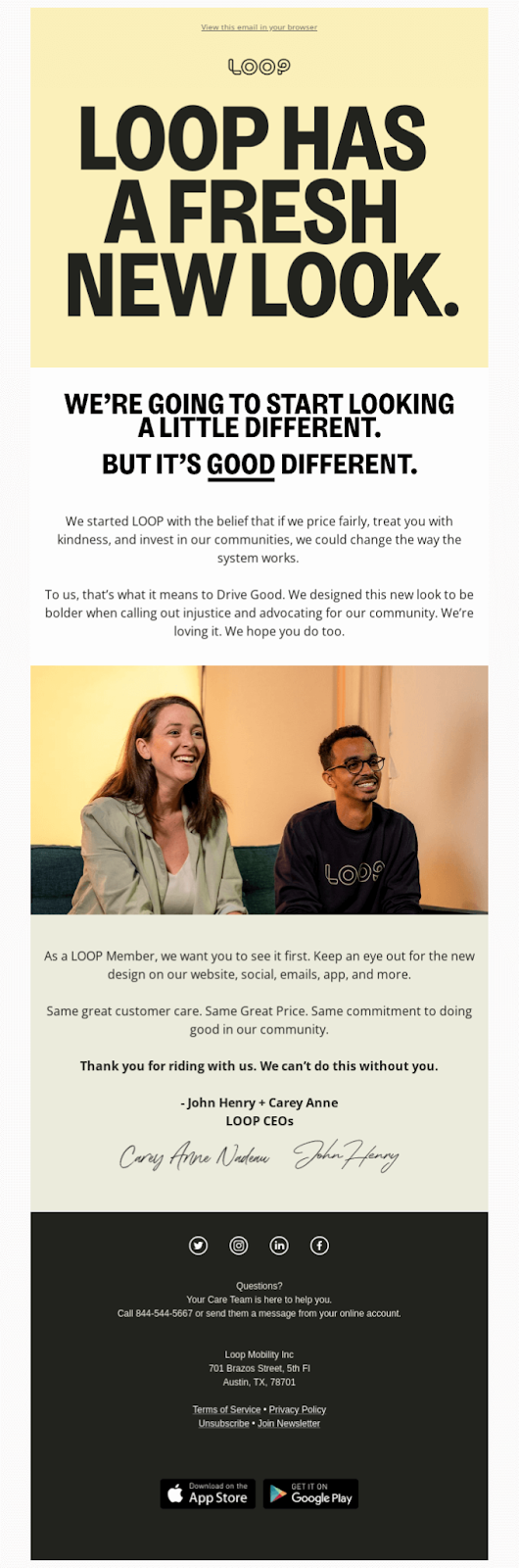
Next up is LOOP. LOOP provides fair and equitable car insurance to customers based on how and where they drive. At its core, the company is on a mission to offer a fairer alternative to what currently exists in the “broken” car insurance industry.

LOOP is also a B-Corp committed to giving back to local communities. Those noble goals feed into the brand’s “Drive Good” tagline.

Image Source

When LOOP announced the rebrand, they said, “We’re going to start looking a little different. But it’s good different.”

Using and underlining the word “good” harks back to the company mission and tagline. But the phrasing also reassures customers that while the company has rebranded, LOOP will remain true to its core mission and values.

What I like: I love that the LOOP rebrand was inspired by its mission and values. And I really love that the founders explained the intention behind the rebrand so thoughtfully in their rebranding announcement email.

14. Rocketseed

Rocketseed is a leading B2B SaaS company offering business email signature management to a global customer base. I spoke to Rocketseed’s Global Marketing Director Jennifer Bassett about rebranding.

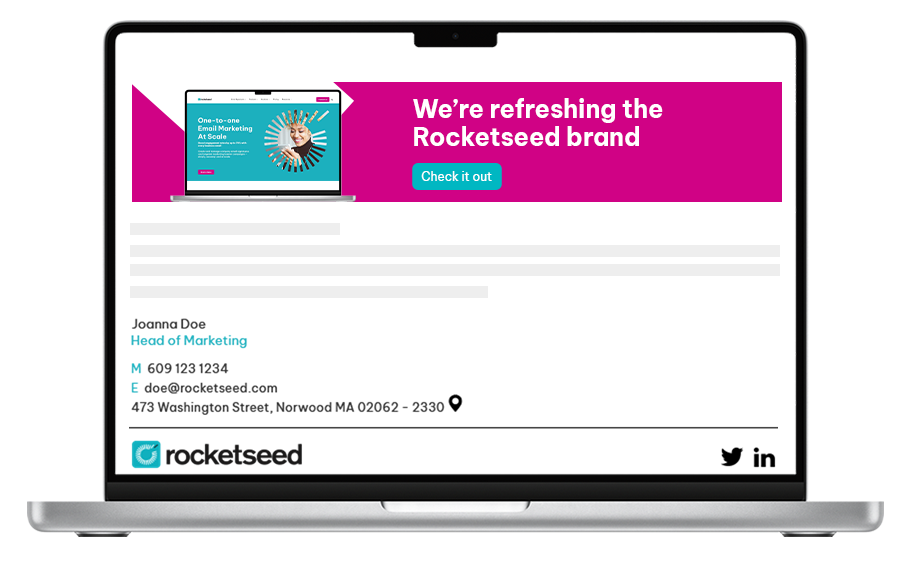
“In September 2023, following in-depth research and a strategic review, we ‘refreshed’ the Rocketseed brand to reflect the ability of our platform to give customers ‘one-to-one email marketing at scale,’” says Bassett.

Part of the brand refresh included updating various aspects of the company’s brand identity and communications while keeping Rocketseed’s name recognition and trust.

Image Source

According to Bassett, Rocketseed sent a mailer to the company database announcing the brand refresh. But, they also implemented a more sustained email approach, sending out “impactful, interactive banners announcing the brand refresh.”

These banners were “applied at the top of every business email that our staff sent to customers, prospects, and partners for the following month.”

By clicking the banner’s call-to-action (CTA), recipients could read a detailed explanation of Rocketseed’s brand refresh, its core brand values, the visual updates they could expect to see, and the significance of the new tagline “one-to-one email marketing at scale.”

What I like: I love that Rocketseed took an iterative approach to its rebranding announcement emails by sending an explainer and following up with a rebrand announcement banner at the top of all email communications.

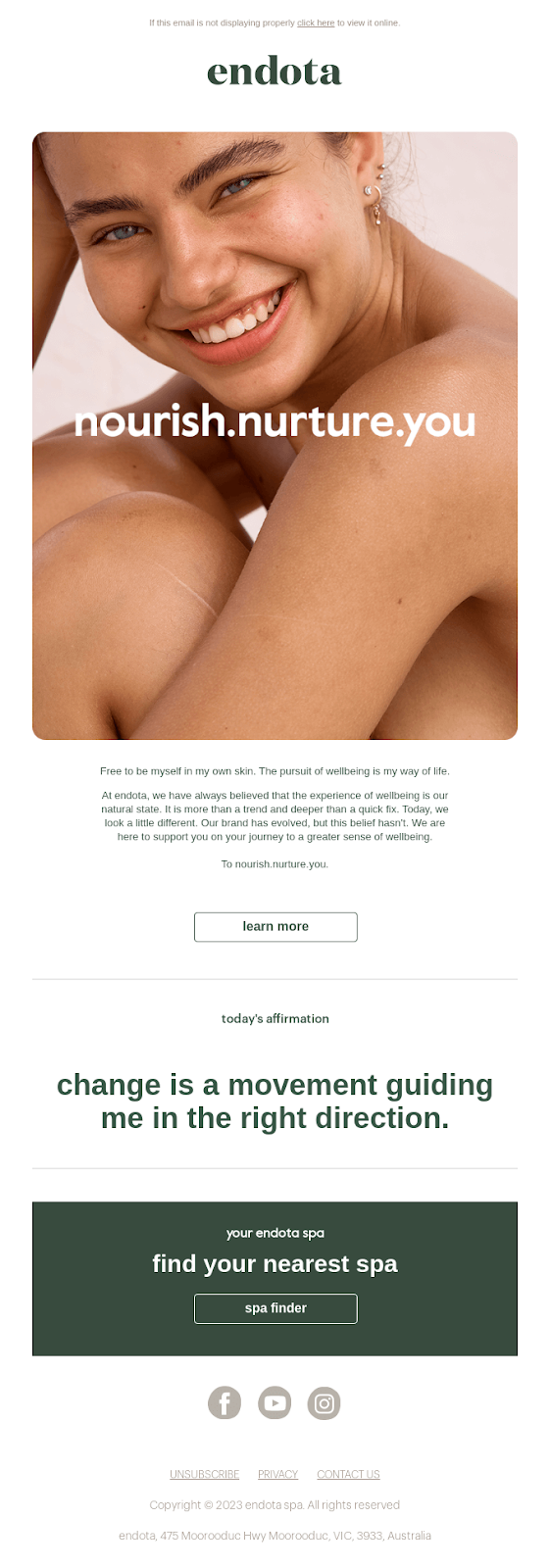
15. Endota

Endota is a purpose-led brand that develops COSMOS organic certified and results-based skincare. Endota Founder Melanie Gleeson started the company in 2000 to “give back and inspire people to connect with themselves, the environment, and others.”

Both the rebrand and the rebranding email announcement reflected Gleeson’s continued vision. You need look no further than the email’s subject line, “A new look for Endota to continue to nourish and nurture you,” to see that in action.

Image Source

The email layout, with a human image to draw the reader in and plenty of white space for readability, also works. This creates a calming vibe that reflects the nourishing element of Endota’s products.

In terms of the content, there’s not a lot of writing, but what they do have counts. Like LOOP, the brand links all the changes to its original mission. Then, it reaffirms that it’s still committed to that vision.

What I like: I think the affirmation at the end of the email is such a nice touch. It showcases Endota’s focus on helping customers mindfully embrace well-being rituals. If the brand does this on all email communications, it helps retain some continuity while subtly aligning the rebrand as a force for good.

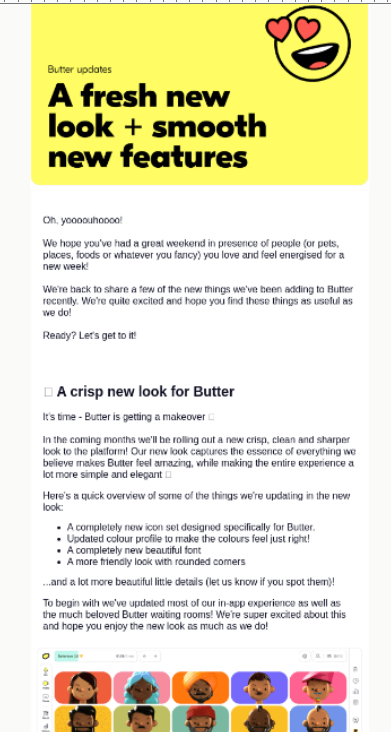
16. Butter

Butter is an online tool that helps you prepare, run, and recap collaborative sessions. In the email example below, Butter announced “A fresh new look” and some updated product features. The rebrand changes included a new icon set, color profile, and font.

Image Source

First, I love that “Oh, yoooouhoooo!” opener. It’s unlike anything else I’ve seen in other rebrand announcement emails. It just brings such a sense of levity to the email.

Then it’s followed up by a friendly “We hope you’ve had a great weekend…” Right out of the gate, this email content energized and excited me. As a result, it’s clear to me that they’ve worked hard to establish a strong brand tone of voice.

What I like: I like the subject line: “Butter updates: A crisp new look (+ a lot of smooth new stuff) ✨.” It immediately puts readers in the picture. Aaand, I’m also a sucker for an emoji — I think they make email subject lines more fun and, thus, more appealing. (A little more “clickable,” if you will.)

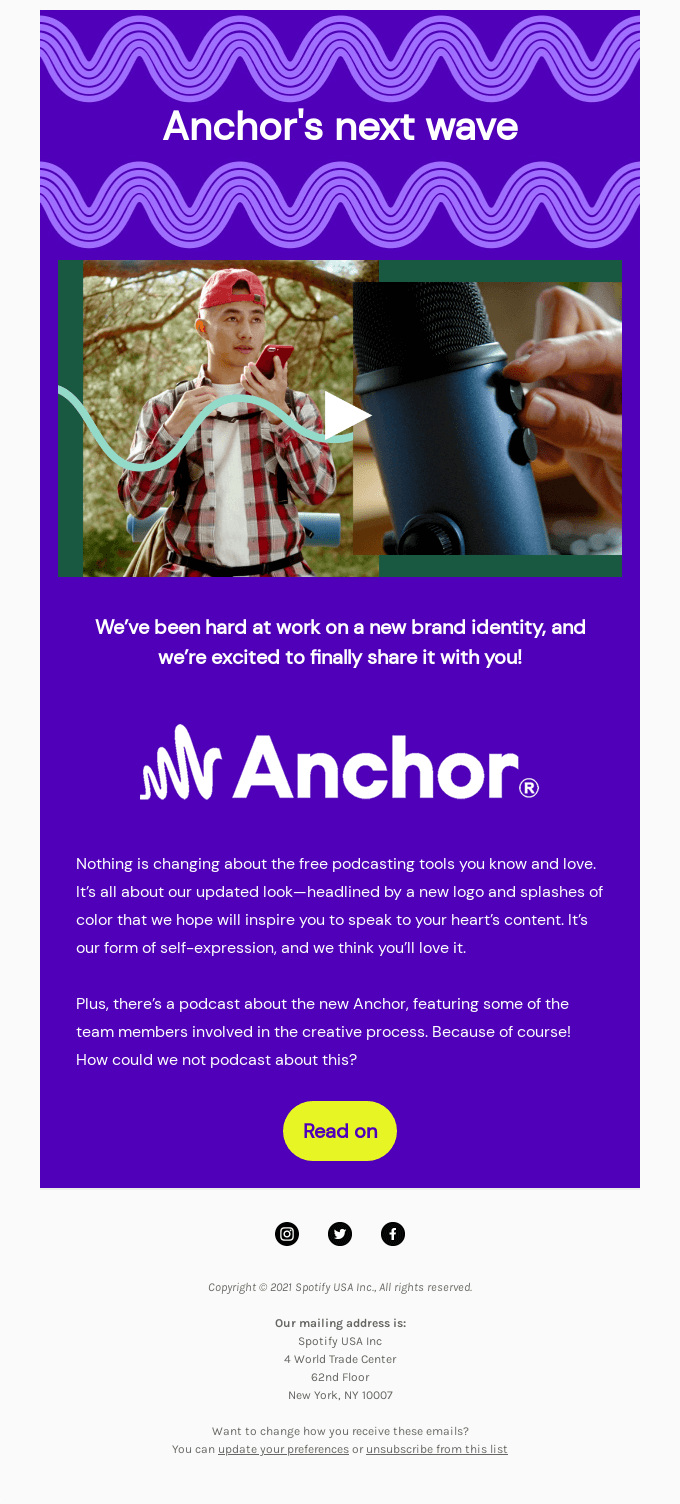
17. Anchor (Now Spotify for Podcasters)

So, the all-in-one podcast platform Anchor has been rebranded again since the below email example. For context, Spotify now owns Anchor, and the product goes by Spotify for Podcasters. Buuut, we’re not talking about that rebrand. So let’s r-r-r-rewind back to the rebranding email announcing Anchor’s “new look.”

Image Source

The subject email line “Introducing our new look” does what it says on the tin. But if I’m honest, it’s a little bland. That said, the tagline within the email body copy is delicious. “Anchor’s next wave” is a subtle nod to the rebrand, the company’s name, and the nature of the product.

The email explains the changes (a new logo and “splashes of color”) and links the rebrand back to the product. Anchor explains that this is “our form of self-expression,” and the company hopes it will inspire users to speak to their “heart’s content.”

What I like: I love that Anchor makes the rebrand more about its users than the company. They do this early by saying they’ve worked hard on the rebrand before bringing it back to how excited they are to share it with “you.” I also really like that the messaging links back to the company name and product by using words like “wave,” “splashes,” and “self-expression.”

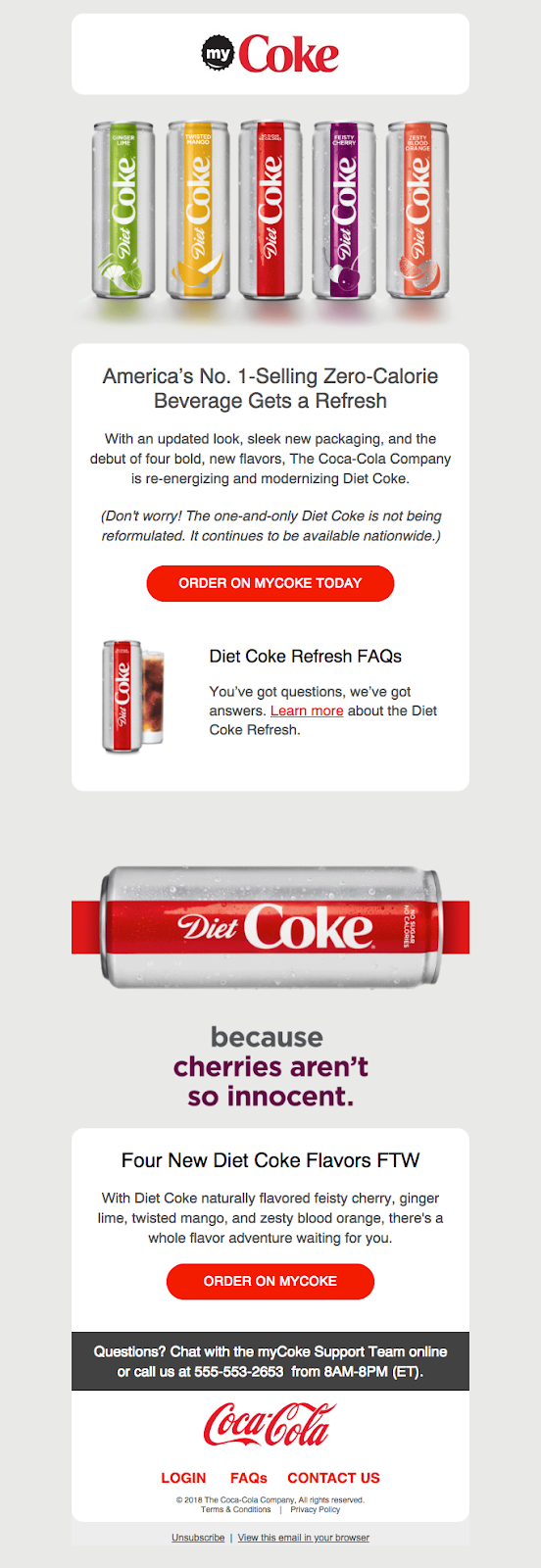
18. Coca-Cola

Now, onto Coca-Cola, the carbonated soft drink giant that needs no introduction (but it just low-key got one anyway.)

This example differs slightly from most on this list because it involves rebranding a single product from a wider brand. That’s opposed to changing a single brand element that gets applied across products or services.

Image Source

Like Anchor, the subject line “Diet Coke Gets a New Look” is pretty basic. That said, the layout and presentation of Coke’s rebranding announcement email is just so pleasing to behold.

There’s a nice balance between imagery, copy, and white space, which makes it feel PRO-fess-ional. The layout also makes it easier to absorb all the information because none of the elements are fighting with each other for your attention.

Another significant aspect of this email is how the company reassures customers that the look is changing, not the actual formula. There’s also some excellent trust-building social proof in the email’s headline: “America’s No.1 Selling Zero-Calorie Beverage.”

What I like: I like that Coca-Cola doesn’t just announce Diet Coke’s “updated look” but also takes the opportunity to introduce four new Diet Coke flavors.

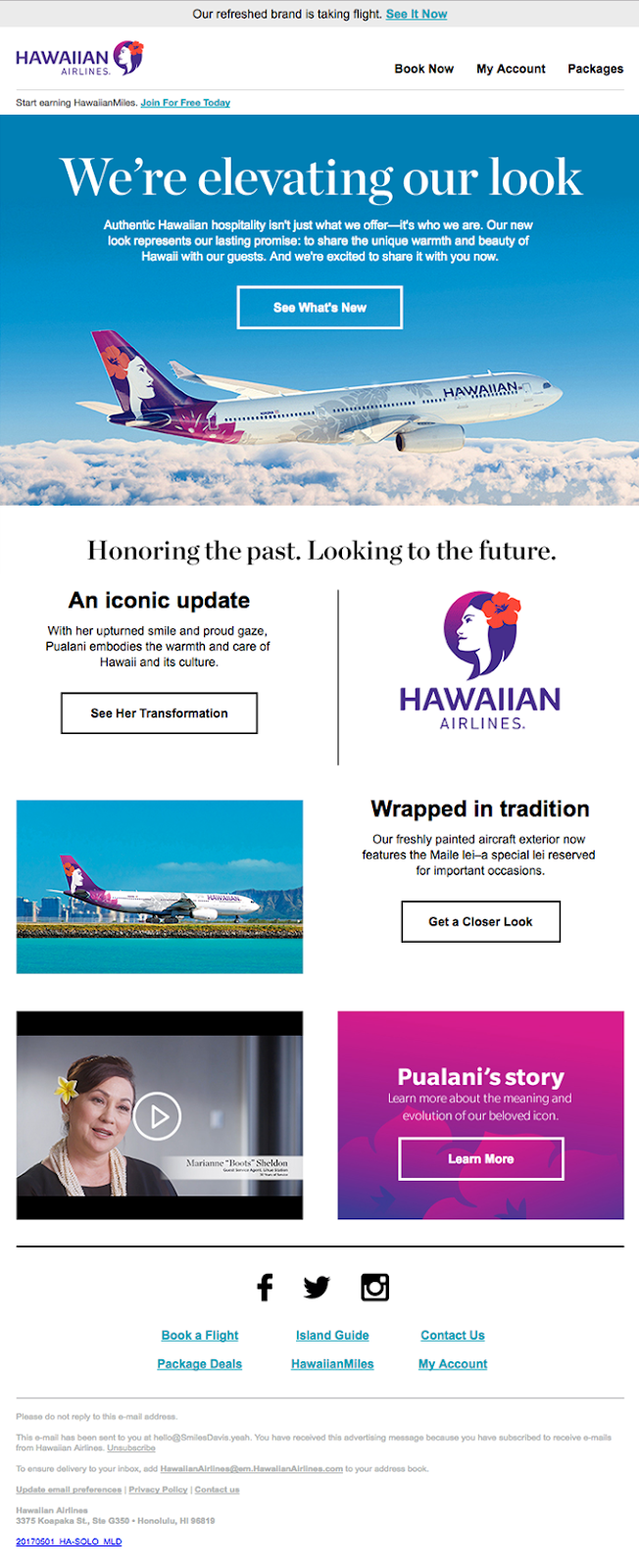
19. Hawaiian Airlines

Hawaiian Airlines, a.k.a “Hawaii’s largest and longest-serving airline,” unveiled its new look in 2017. The brand refresh included an updated logo “that honors Pualani and the Hawaiian hospitality she represents.”

Hawaiian Airlines hoped to “retain the essence of our brand and move forward with a bolder, truer expression of our unique identity.”

Image Source

The airline’s rebrand intention shone through in its email announcement, especially with phrasing like “Honoring the past. Looking to the future.” I think the subject line “A new look. The same authentic Hawaiian experience” also communicates the rebrand’s intent.

What I like: I like how respectful this rebranding announcement email example is.

By respectful, I mean Hawaiian Airlines is honoring tradition, heritage, and its vision, all while putting its customers at the heart of what they do. They mention “warmth,” “hospitality,” and “tradition,” and I’m not sure about you, but I feel all of that by reading this email.

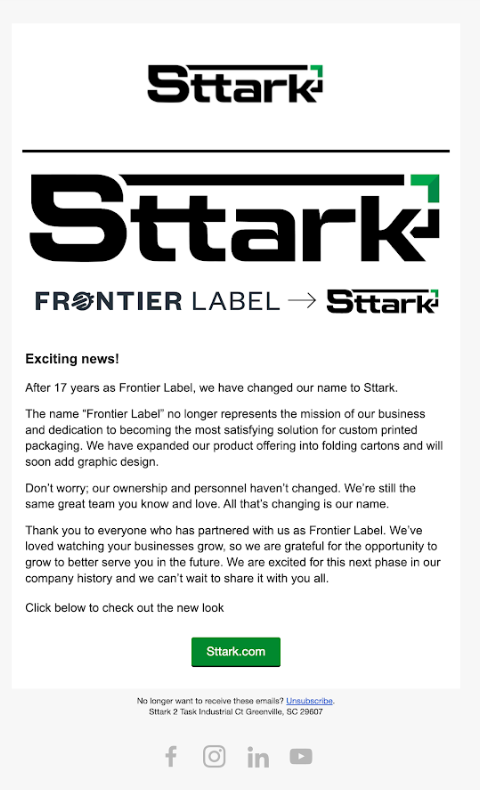
20. Sttark

Next, we have Sttark, a custom packaging company based in Greenville, South Carolina.

Over its 17 years in business, Sttark expanded its offerings beyond custom product labels to include folding cartons and graphic design services for packaging.

As a result, in 2022, the company removed the word “label” from its name and went through a rebrand, switching from Frontier Label to Sttark.

Image Source

I spoke with Anissa, who is part of Sttark’s marketing team. According to Anissa, the 2022 rebrand was also around the time Sttark began experimenting with email marketing as a company.

“We had never done consistent email marketing campaigns before going through our rebrand. We used Klaviyo to send a straightforward email to our existing customers outlining our company name change and our reason for doing so,” says Anissa. The result of Sttark’s rebranding announcement email was “A 54% Open Rate and a 5.6% Click Rate.”

What I like: I like that, in Anissa’s words, Stark wanted to send “a straightforward email.” In my humble opinion, it was precisely that: straightforward and clear, and it respectfully conveyed the rebrand.

21. Pelago

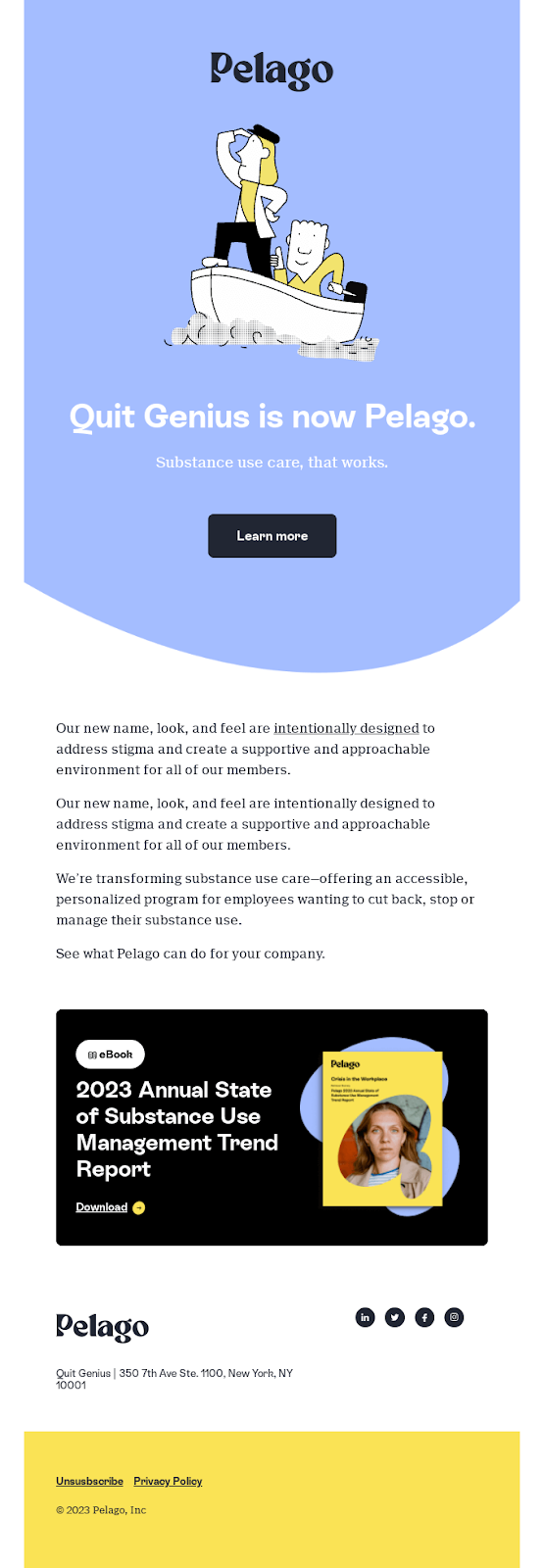
Pelago (formerly Quit Genius) is a virtual clinic for substance use management. The clinic rebranded in 2023 with a “new name, look, and feel” intended to remove the stigma surrounding substance use.

The subject line of the rebranding announcement email, “Introducing Pelago (formerly Quit Genius),” gets straight to the most apparent aspect of the rebrand: The name change. With something as big as a name change, it’s probably better to stick to the KISS (Keep it simple, stupid) principle. So, points scored there.

Image Source

I do have to address the elephant in the room, though — a stunning opening paragraph … used twice. The thing is, it’s such a forgivable “mistake” because the mission of the rebrand (“to address stigma”) isn’t just clearly stated, but it’s a beautiful ideal to aspire to. So maybe that does bear repeating?

What I like: I like the simplicity and elegance of this email. It communicates the rebrand’s why, what, and how while remaining true to Pelago’s “substance use care, that works” company ethos.

22. Wellfound

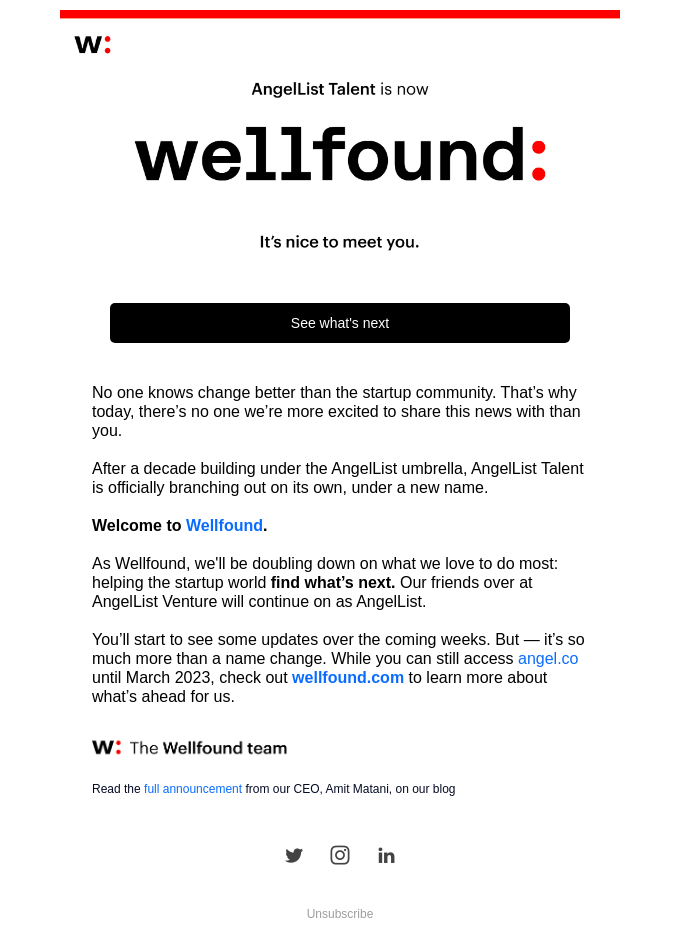
The startup job search platform rebranded from AngelList Talent to Wellfound in the latter part of 2022. A need to distinguish two businesses under the AngelList umbrella sparked the new name and rebrand.

Each company had grown to serve different customer bases. So by keeping AngelList Venture the same, while transitioning AngelList Talent to Wellfound, they could establish distance between the brands.

Image Source

Like Pelago, Wellfound was announcing a name change. Also, like Pelago, Wellfound’s email subject line keeps it clear rather than clever.

“AngelList Talent is now Wellfound” instantly gets down to business, informing existing customers about the name change. But the friendly “It’s nice to meet you” follow-up takes it from being all business to a personable exchange.

What I like: The rebrand reflects Wellfound’s increased understanding of its target audience. The rebranding email announcement takes that premise and runs with it to the finish line. (See: “No one knows change better than the startup community,” as an example of Wellfound speaking directly to its target audience in a way that resonates.)

23. Weglot

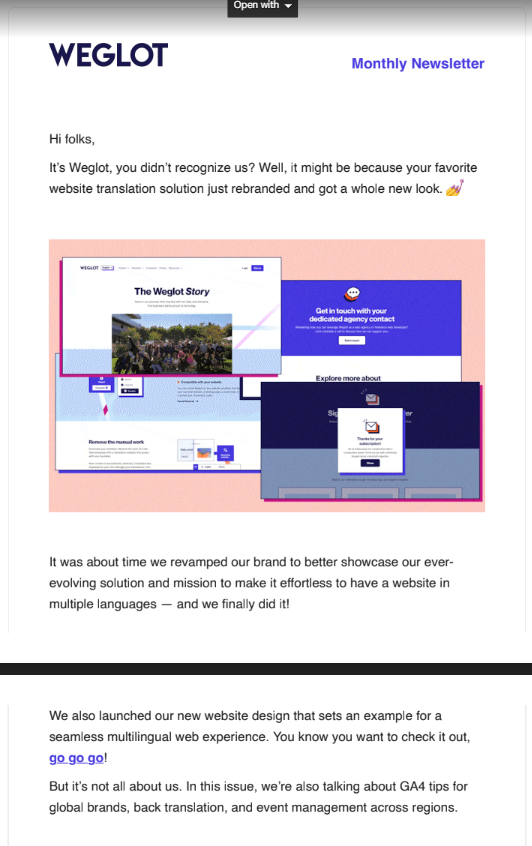
Weglot is a no-code website translation solution that allows users to launch a multilingual website. In 2023, the platform revealed a new brand identity to “better convey who we are as a company.”

The aim was to reflect on the outside all the growth Weglot experienced as a team, as well as the evolution of its product since launching in 2016.

Image Source

This rebranding announcement email had me at “💅.” (Did I mention I’m a sucker for a well-placed emoji in an email setting?)

Personal preferences aside, the email immediately grabs the reader’s attention with a question–and–answer format. The rest of the content is just as must-read, with clear, engaging messaging and plenty of white space to let it all breathe.

What I like: I love that Weglot isn’t afraid to share messaging with personality. “You know you want to check it out, go go go!” is a perfect example of a fun CTA that drives customers to take a desired action. I also love that Weglot ends the rebranding announcement email by adding value (i.e., previewing tasty morsels like “GA4 tips for global brands”) to its audience.

24. Irresistible Me

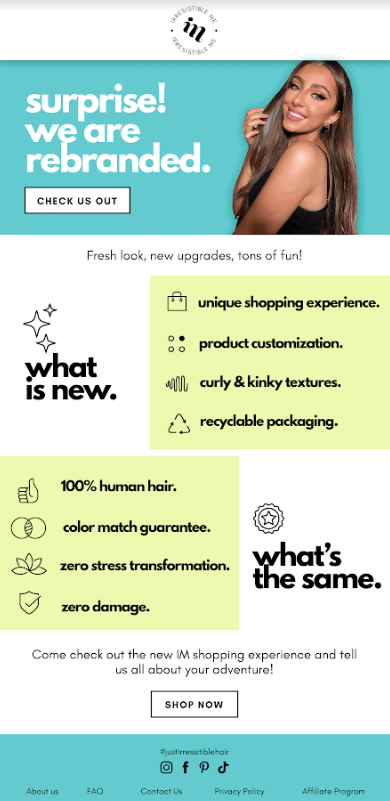
Irresistible Me is a New York-based beauty company established in 2013.

When the company rebranded, it was a comprehensive transformation encompassing every aspect of its brand identity. Irresistible Me updated its logo, redesigned the website, and revamped its product packaging.

Image Source

Now, that’s a whole lot of change to get down on paper. And I think this rebranding announcement email example captures the essence of the rebrand journey well.

The icons are also a nice touch. They help to highlight the brand changes while the bold squares of color keep the eyes moving in the right direction. By the “right direction,” I mean where the critical information is throughout the email.

What I like: You can’t tell from the screenshot, but the star icons above “what is new” and “what’s the same” aren’t static; they’re animated. It’s a subtle animation, but it draws the eye and adds personality to the email.

25. Stark

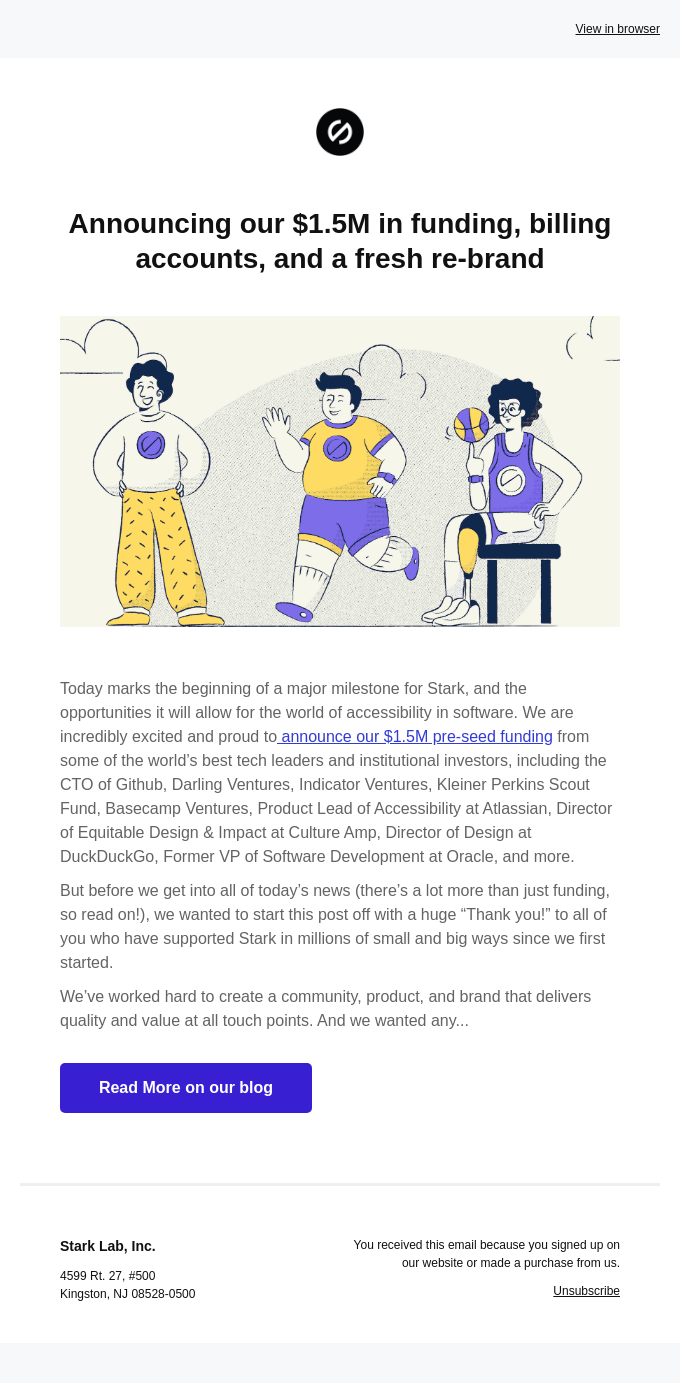
Stark is a SaaS platform offering a suite of integrated accessibility tools to over 30,000 companies.

In October 2020, the company announced “$1.5M in funding, billing accounts, and a fresh re-brand.” Through the rebrand specifically, Stark hoped to “Change the way people around the world understand, see, and know about accessibility” and “change the way the industry spotlights disability.”

Image Source

I love that Stark gets right into the heart of its rebrand mission with the top image in the rebranding announcement email.

By doing this, Stark doesn’t just tell us but shows us its goals to “make clear that accessible design is beautiful, and disabled does not mean unable.” The “Read More on our blog” CTA button also offers the option to read more about the rebrand.

What I like: Aside from the stunning image, I love that Stark has bundled several announcements into one email. It shows that the brand doesn’t want to spam email subscribers. Taking the time to thank everyone who has supported Stark is another nice touch that humanizes this rebranding announcement email example.

26. Typedream

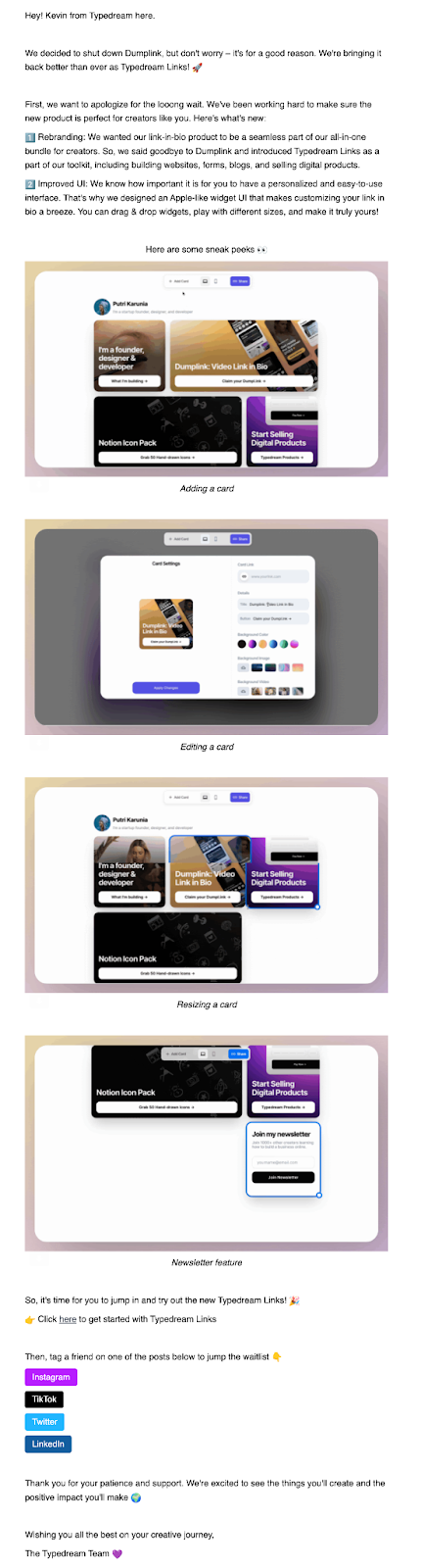
Typedream Links is a no-code link-in-bio builder.

Before it was Typedream Links, the link-in-bio builder went by Dumplink. Typedream initiated the rebrand so the link-in-bio builder could become “a seamless part” of its all-in-one bundle for creators.

Image Source

Typedream’s rebranding email is simple but effective. It explains the why behind the rebrand and introduces the tool’s improved UI.

I think it’s cool how Typedream takes the opportunity to share a sneak peek of the tool’s new features, too. Not only does this showcase the product, but the product preview images break up the text.

What I like: I love that Typedream clearly explains what readers can do next and pairs this with the social sharing CTA buttons. The sweet sign-off also brings the announcement back to what matters — the customer’s creative journey.

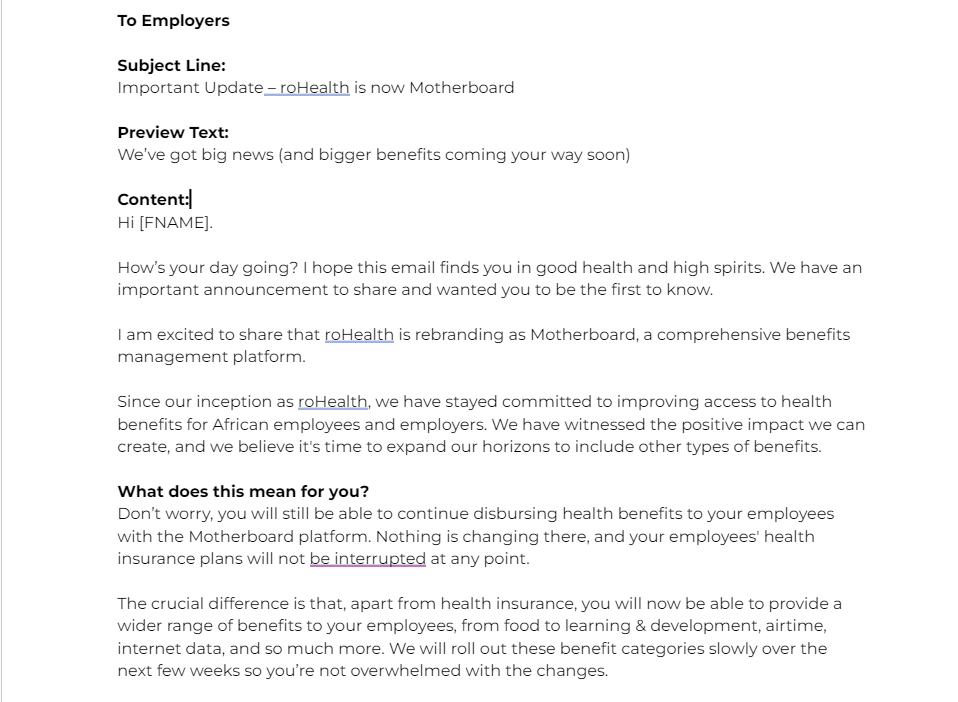
27. Motherboard

Motherboard is an employee benefits platform that used to be called roHealth.

The company changed its name to reflect the broader amount of company benefits on offer and the fact it was now a “comprehensive benefits management platform.”

Image Source

Sure, the email lacks bells and whistles. But I think that’s my favorite thing about the announcement. It has a specific target audience in mind, “Employers,” and speaks directly to them clearly and straightforwardly.

Even though there aren’t any images to break up the text, the white background, bolded subheadings, and font improve readability.

What I like: I like that the email clearly explains the changes, why they’re happening, and how they will impact this customer segment.

28. Withings

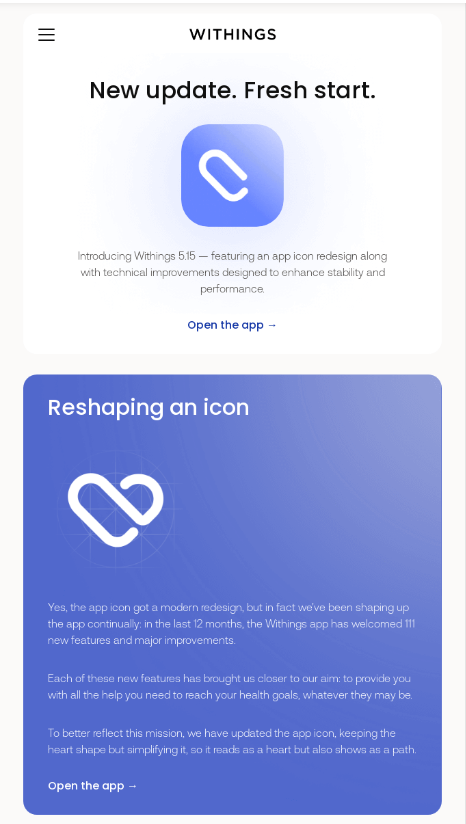
Withings is a health and fitness brand that provides health-based devices and a health-tracking app called Withings Health Mate. When the brand updated the app, it also gave the app icon a fresh look.

Image Source

Withings’ rebrand announcement email took the opportunity to address both the product updates and the logo refresh. The email explained how these changes reflected the company mission and linked that back to how its company mission relates directly to helping its app users reach their fitness goals.

What I like: I love the user-centric nature of this sentence: “Each of these new features has brought us closer to our aim: to provide you with all the help you need to reach your health goals, whatever they may be.”

It’s a great example of centering customers within your messaging. When the rubber hits the road, messaging tends to resonate better when it’s more about them (your customers) and less about you.

29. A2X

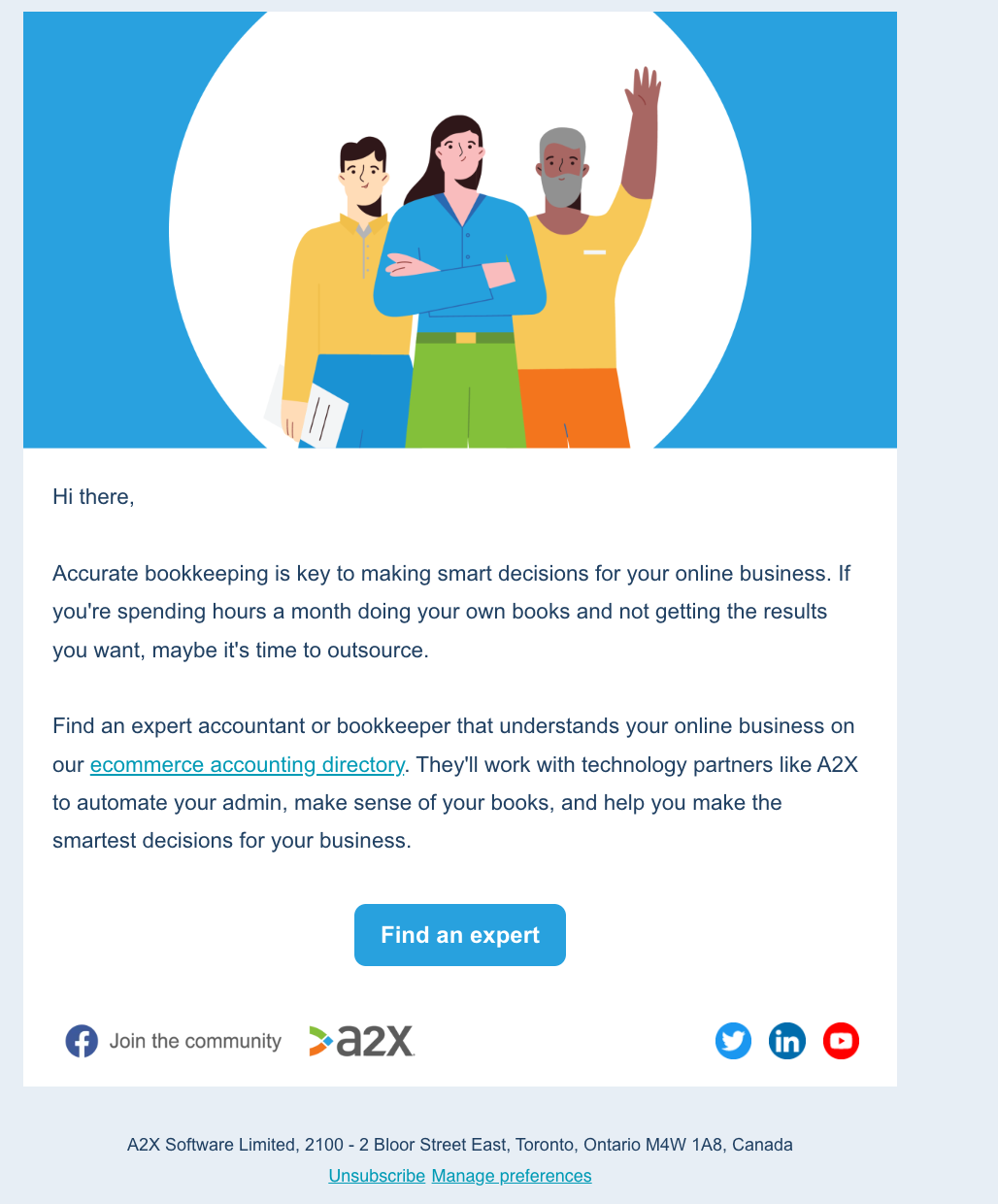
A2X, an ecommerce accounting software that serves businesses and accountants, updated its branding, switching from using illustrated images to more human ones. The image below is an example of a pre-rebrand email. As you can see, the graphics used are illustrations rather than photos of actual humans.

Image Source

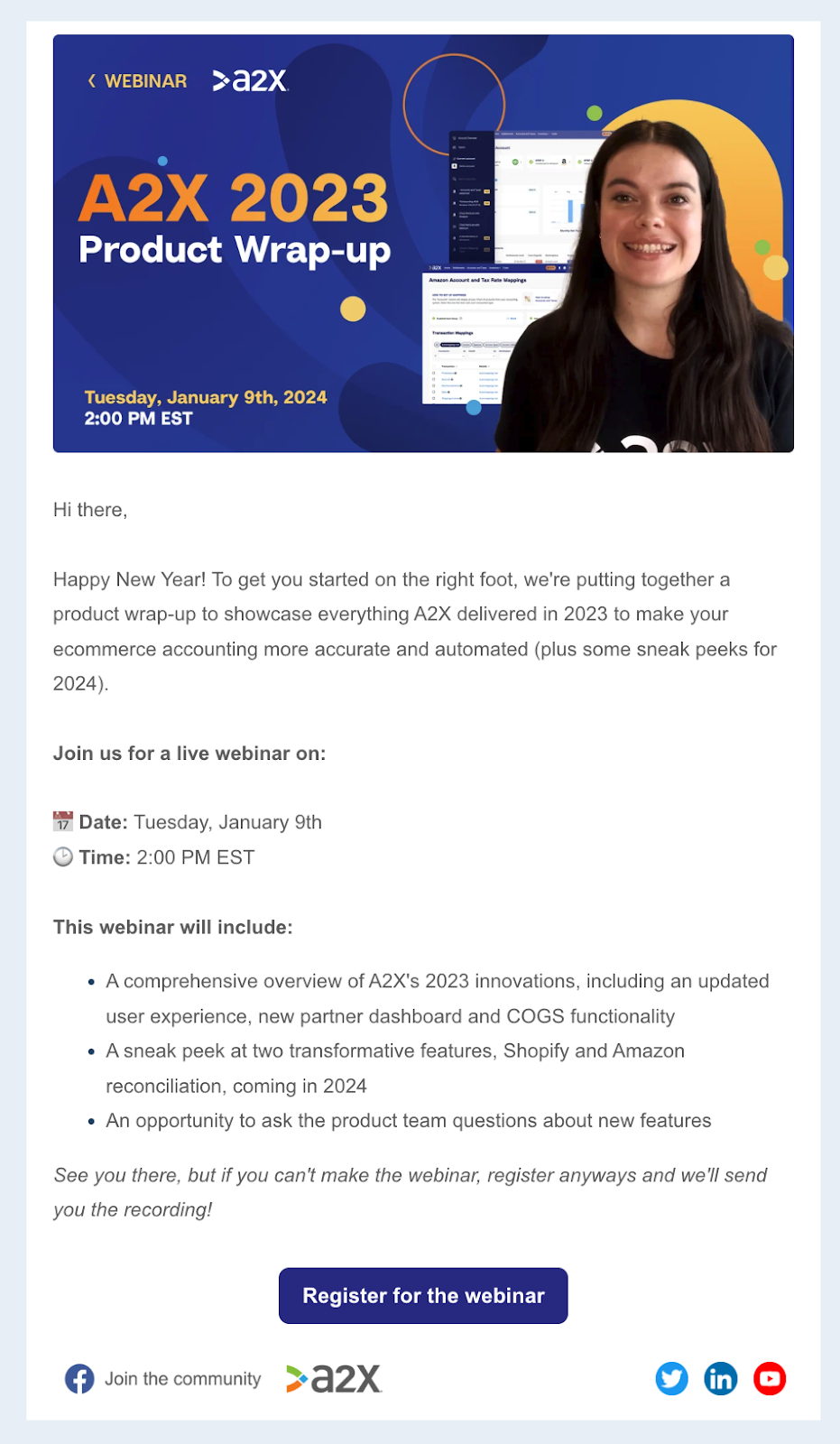
The image below is post-rebrand. The illustrated imagery in the first email is high-quality and professional. But I feel like adding an actual human makes the second email more engaging. I would also say the post-rebrand email makes me naturally trust the company more because it feels authentic.

Image Source

What I like: I think the ability to build trust between consumer and company is perhaps the biggest takeaway here, especially given:

“A consumer’s level of trust in a company drives revenue-generating behaviors such as the likelihood to purchase again, preference for a company over competitors, trial of unrelated products, and propensity to share personal data” (Forrester).

So, if you want to build trust (and drive revenue-generating behaviors), try using photos of real people in your emails. I personally don’t think the images even need to be overly “polished.”

You could use a screenshot from a company Zoom meeting rather than professional headshots, for example. The most important thing is that the people look real and genuinely relatable.

30. Zight

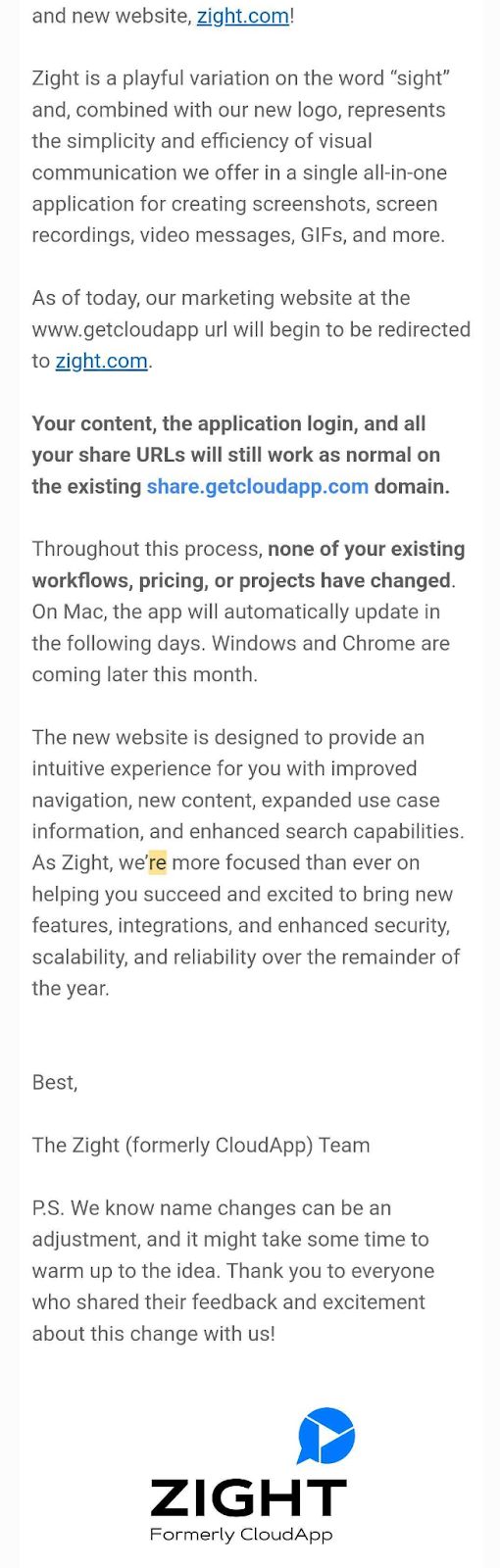
Zight (formerly known as CloudApp) is an all-in-one screen recorder. CloudApp switched to Zight in April 2023, saying: “The new name and brand identity align with our mission to create a happier and more productive workplace for all.”

Image Source

In my opinion, this rebranding announcement email example works because Zight has framed it through the customer’s lens. You can see the company has prioritized informing and reassuring existing customers about the changes.

To see this approach in action, look at how Zight takes the time to explain the changes at the start of the email. Then, the brand closes with a P.S. section that empathizes with the user (i.e., “We know name changes can be an adjustment”).

What I like: It’s a subtle touch, but I like the way Zight has bolded the information that will likely be most pertinent to existing users. This makes it easier for readers to scan the email and quickly see reassuring information like their application login and pricing remaining the same.

31. Vidico

Vidico is a video production agency for tech companies.

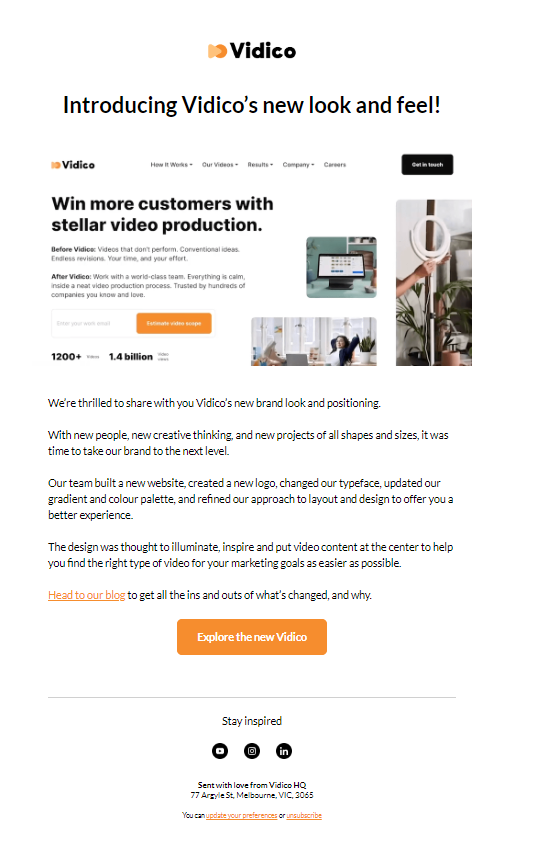
The company’s 2022 rebranding “was driven by customer feedback, which emphasized the need for a creative partner who truly understands their product,” says Vidico Marketing Manager Laura Chaves.

The rebrand included a revamped portfolio, a fresh website, a new logo, and updated visual elements.

Image Source

Vidico’s rebranding email announcement gives a short recap of what’s changed and why, plus how this impacts customers. There’s also a nice balance between the visual and written elements. The approach worked. According to Laura, the email achieved a 33% open rate and a 4% click rate.

What I like: I really like the clear “Explore the new Vidico” CTA button. I also like that the email includes a short and sweet overview of the rebrand, with the option to “Head to our blog” for people who would like to learn more.

32. Summit

Summit is a lead-scoring engine for marketing machines.

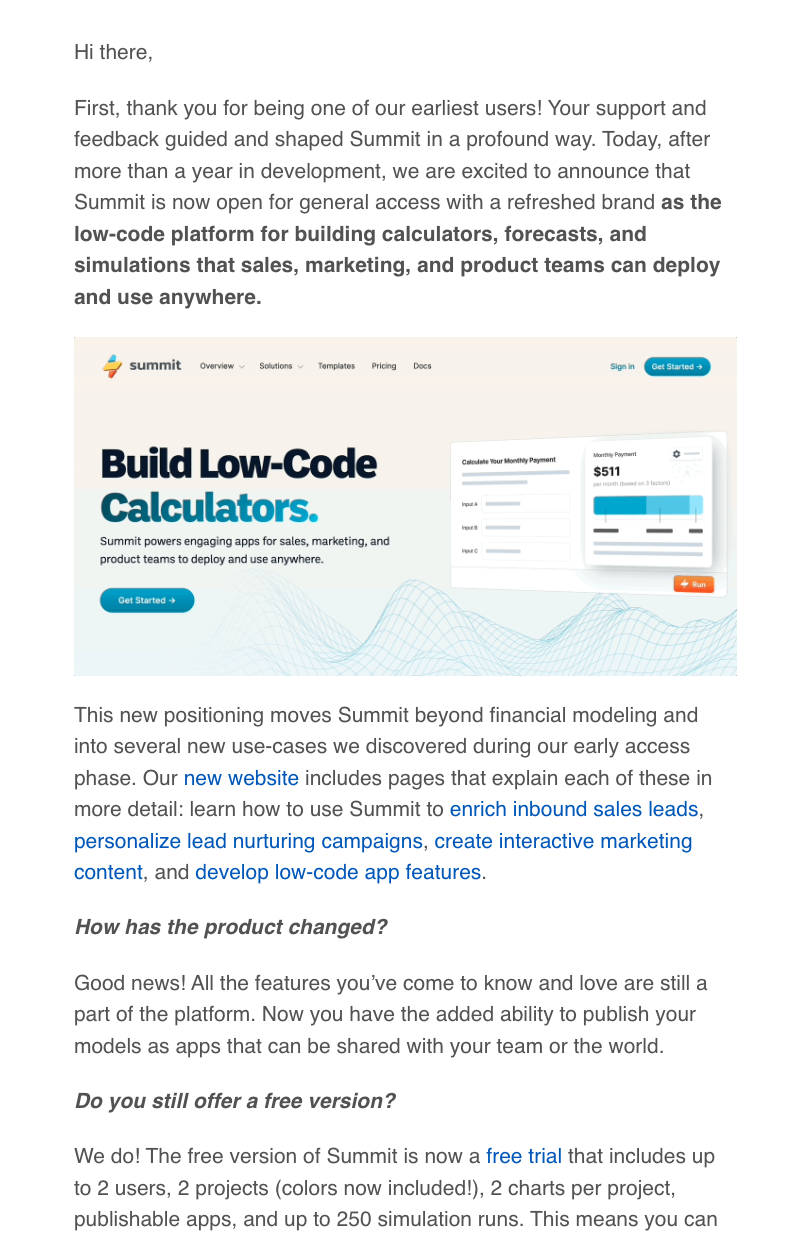
After over a year in development, Summit announced it was “open for general access with a refreshed brand.” New use cases for sales, marketing, and product teams inspired its new positioning and website.

Image Source

Summit’s rebranding email opens with an intriguing subject line, “Big news at Summit ⚡️” featuring the thunderbolt emoji (which is very similar to its logo).

So, right out of the gate, Summit announced a change and incorporated the brand identity into the subject line. There’s also a good mix of imagery, headings, and bolded text to create that email must-have — readability.

What I like: I appreciated the use of well-placed outbound links that explained and highlighted the new product use cases. I also like that Summit has taken the time to answer two customer-focused questions about 1) how the product has changed and 2) if there’s still a free version.

33. Hunter

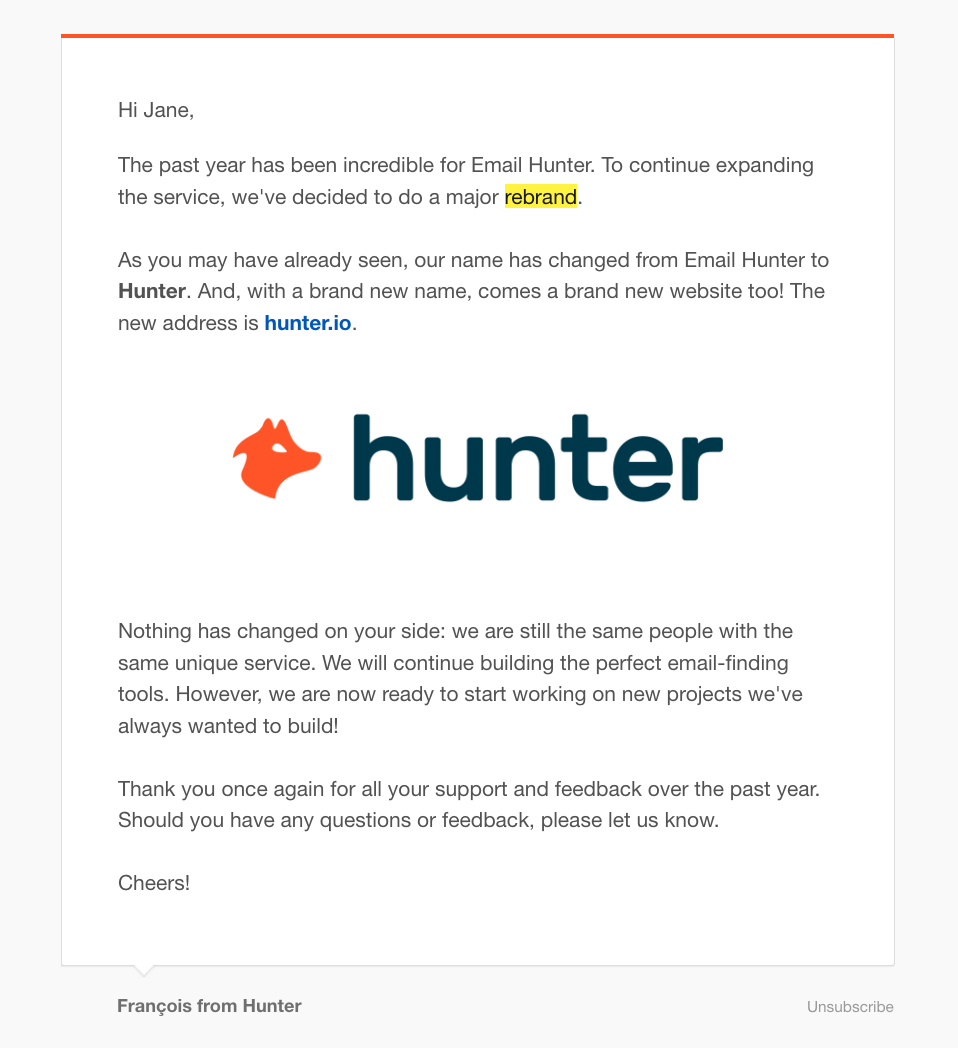
Hunter is an all-in-one email outreach platform. Formerly named Email Hunter, the company was rebranded circa 2016 with a new name, logo, and website. The rebrand was inspired by how Hunter had expanded its service.

Image Source

Hunter’s rebranding announcement email starts by taking a minute to celebrate what’s been an incredible year. Then, the company introduces the “major rebrand,” explaining what has changed regarding its brand.

But what I think steals the show in this email is the paragraph explaining that nothing has changed for Hunter’s customer base.

What I like: I like that Hunter went with this subject line: “Email Hunter becomes… Hunter!” I like it because it does the job of announcing the rebrand while avoiding the format of “New Look, Same [Insert Brand].” Don’t get me wrong, that format also explains the email is about a rebrand, but it’s pretty predictable. I also love that Hunter takes the time to thank customers for their support at the end of the email.

34. Castos

Castos is a podcast hosting platform aimed at growing brands.

The company walked the walk of its niche by discussing the rebrand on its weekly podcast. The podcast went behind the scenes, sharing the why, what, and how of the new website, logo, and color scheme.

Image Source

Although the rebrand deep-dive came via podcast, Castos worked the rebrand announcement into its weekly Podcast Roundup email. The email incorporates elements of the new brand identity, including the new color scheme.

It also takes the opportunity to share a 50% off deal and coupon code for its integration partner, MemberSpace, as part of the announcement. If you have an offer that adds value to your customer base, why not share it with them?

What I like: I love both the clear CTAs, including the CTA for the coupon. That said, the bold purple CTA button for “Listen to the Episode” is especially eye-catching. I don’t know about you, but the power of purple compels me…

35. ConvertKit

Well-known creator marketing platform ConvertKit made the bold move to rename in 2018. Although the switch from ConvertKit to Seva was short-lived, the rebranding announcement email is an interesting example.

Image Source

The email starts by openly acknowledging the rename “seems completely crazy.”

From then on, it’s hard to look away because the energy of the email seems frenzied, but darn, is it authentic.

There’s also an excellent use of a media embed (the video of Nathan Barry’s keynote speech at Craft + Commerce) to break up the text.

What I like: I love that the email ends with “If you have questions, just hit reply!” In a landscape of emails that say, “This is an automated email, do not reply” (or thereabouts), this approach adds a personal touch.

36. Netlify

Netlify is a modern web development platform for enterprises that rebranded in March 2023. The Netlify rebrand centered around a new logo, which was “an exciting first step toward a whole new visual identity.”

Image Source

Netlify’s rebranding announcement featured the main event (the new logo) at the top of the email, with a side-by-side look at old versus new. This is a visually exciting way to show the changes in action while incorporating the new brand identity into email communications.

The copy is just as exciting to read, opening with: “A spark of inspiration from over 3M developers. A new logo for Netlify.” This killer line is followed by a clear explanation of why (and when) the logo change is happening, plus a solid CTA at the end.

What I like: I love the entire feel of this email. It seems like Netlify is legitimately excited about the new logo, and that energy shines through the copy and visuals.

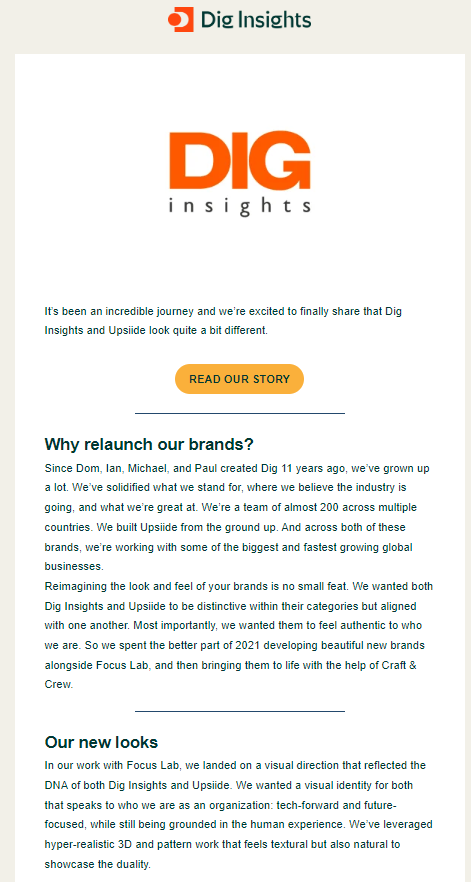
37. Dig Insights

Dig Insights is a Market Research and Consumer Insights company that rebranded in 2022.

The aim was to move from a traditional research company to a more modern, tech-first one. As such, the company sent out a rebranding announcement email explaining the changes.

Image Source

To me, this email works because it has the company’s target audience in mind. For context, Dig Insights’ clients are in marketing, so they’ll probably be more curious about the “why” behind the rebrand (which Dig clearly explains.)

The email ends with a few words from the company’s CEO discussing the new visual direction, followed by a section dedicated to “What next?” I think marketers will also appreciate those elements.

What I like: You can’t see it from the screenshot, but I love that Dig Insights’ email announcement illustrated the rebrand with a GIF. Showing the before and after with visuals is an excellent interactive touch that clarifies what has changed.

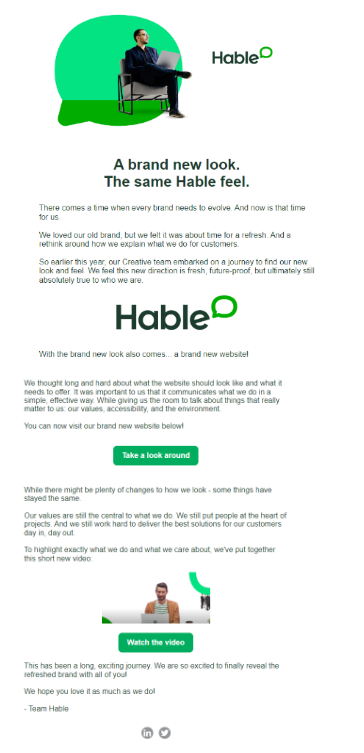
38. Hable

Hable is a change management consultancy that helps people to work better with technology. Last year (2023), Hable reached a point where the brand needed a refresh.

The brand “hadn’t been updated in some time and was no longer reflective of who we were as an organization. We’d grown up a lot, and we needed our brand to grow up with us,” says Hable’s Communications Manager Rosie Burrows-Hall.

Image Source

Because it was a “major rebrand,” Hable wanted to send out a rebrand announcement email to all contacts communicating the “new era for the organization.”

I think they achieved what they set out to do. The email takes the time to explain the brand changes and why they happened.

Hable shares some background information about how they rebranded, too. But what gives it the extra special touch is that Hable links the changes back to its customers.

What I like: I really like the overall vibe of the email. It feels well-considered and genuinely sincere, especially when Hable describes its values. The layout is also effective, with a nice mixture of imagery, text, color, and white space that keeps the email visually interesting.

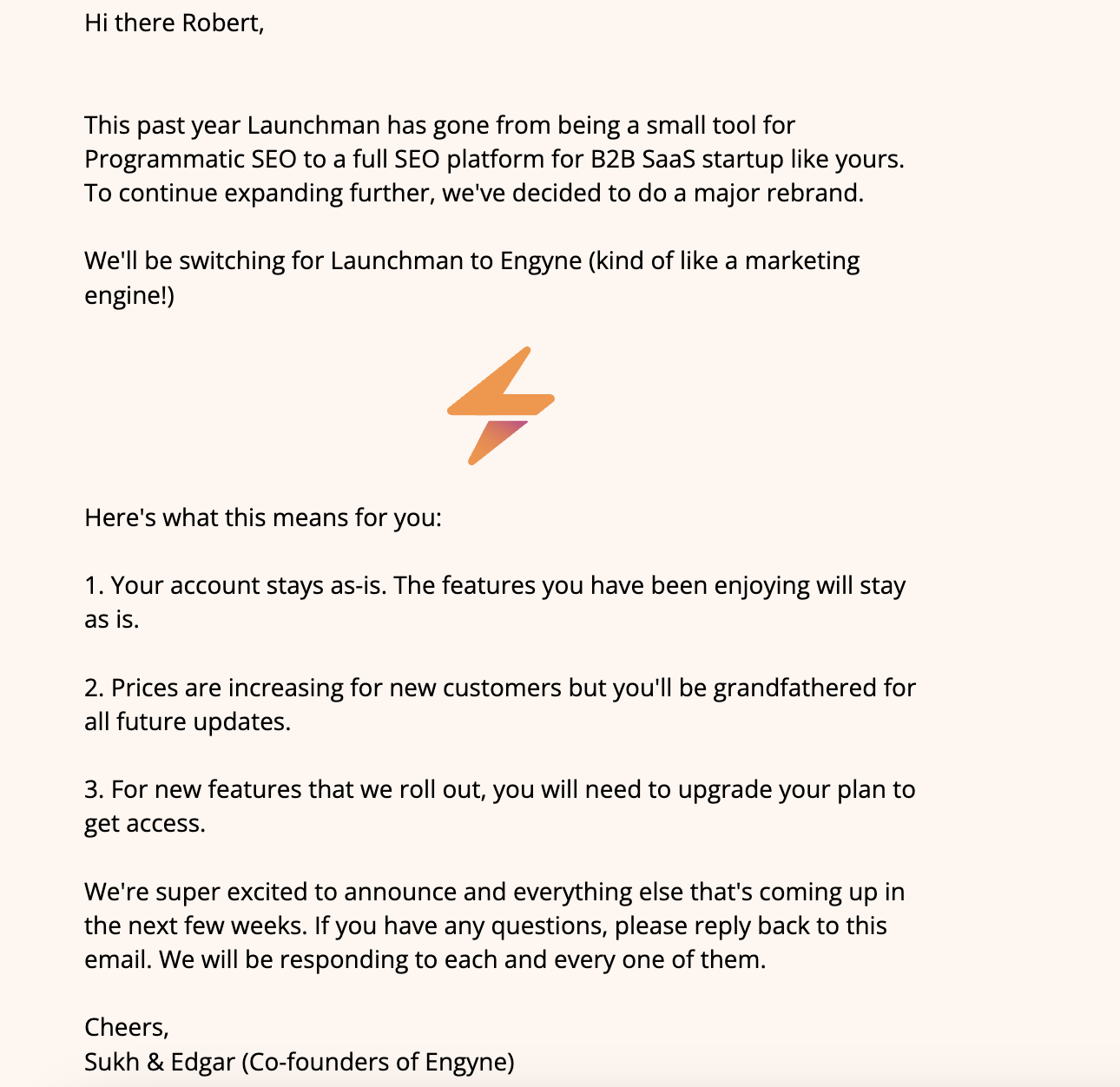
39. Engyne

Engyne is a full-fledged SEO platform for B2B SaaS startups.

Formerly launchman.com, the company offered a programmatic SEO tool that was more focused on the affiliate marketing space. Engyne rebranded last year in line with product growth and changes.

Image Source

The rebrand announcement email works because it explains the product evolution and how this has informed the brand refresh. It also does a three-step breakdown of what this means for existing users.

What I like: I like that this rebrand announcement comes directly from the founders and that they’re encouraging people to reply to the email with questions. Reassuring users that Engyne will be “responding to each and every” email response is another personalized touch.

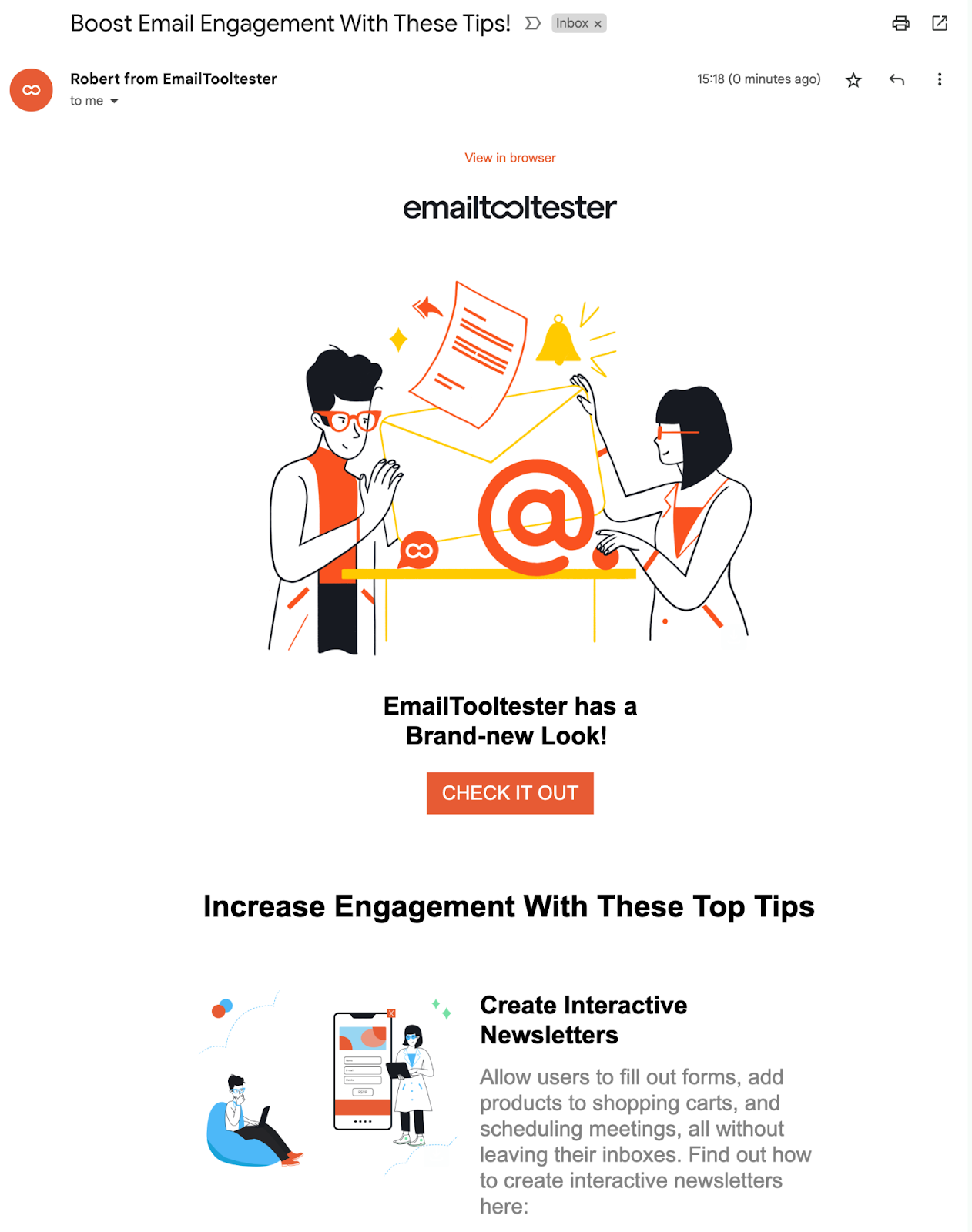
40. EmailToolTester

EmailToolTester helps small-to-medium-sized businesses compare newsletters, CRMs, and marketing automation tools. In 2023, the company rebranded and sent out a rebranding announcement email.

“We kept it very simple and didn’t even mention the rebranding in our subject line,” says EmailToolTester Founder Robert Brandl. “The reason is that when a small business rebrands, it’s huge news for that business. But generally, others don’t care too much about it. That’s why we integrated it with our other content.”

Image Source

The simplicity of this rebranding email announcement speaks to me the most. It also focuses on adding value to the reader rather than centering the brand refresh.

EmailToolTester achieves this by sharing tips to increase email engagement, with only a subtle nod to the rebrand at the top of the email.

What I like: We could argue whether customers do or “don’t care too much” about company rebrands. I love to hear about company rebrands. But maybe you don’t. At the end of the day, it’s subjective.

That said, adding the brand announcement within a broader email has worked for EmailToolTester. That’s perhaps because they followed an approach that felt true to the brand and one they believed in.

Announcing Your Rebrand

We’ve looked at how 40 other companies announced their rebrands via email, and hopefully, you’re feeling inspired. But now it’s time for you to share your rebranding announcement email your way.

Providing the messaging is clear, the most critical element for success is taking an approach you believe in. Let’s break this down.

You can get the messaging clear by explaining the what/why of your rebrand and clearly communicating how any brand changes may or may not impact customers. If it makes sense (say, customers need to activate a new account), you’ll also want to cover what they need to do next.

But how do you follow a rebrand announcement approach that you believe in? Simple. (Well, kind of. Everything seems simple on paper, right?) Ask yourself if your rebranding announcement email resonates with your brand, values, and, perhaps most importantly, your customers.

New Call-to-action

YouTube SEO: How to Optimize Videos for YouTube Search

Software Stack Editor · March 29, 2024 ·

Digging in to learn about YouTube SEO?

With video consumption at an all-time high, getting your videos at the top of the world’s largest video platform might seem difficult.

Here’s the good news: Ranking your YouTube videos doesn’t require technicalities or spammy tactics.

Instead, there are some key elements that the YouTube algorithm uses to rank the videos. YouTube SEO is about optimizing the videos around these elements and closely sticking to the algorithms.

That’s what it took us to scale our YouTube channel to around 399k subscribers and achieve the top spots for various search queries.

→ Free Templates: How to Use YouTube for Business [Download Now]

In this post, we’ll review proven YouTube SEO tips that have worked for HubSpot’s YouTube channel and will work for you, regardless of your channel size. Let’s get started.

How do your videos rank on YouTube?

YouTube Ranking Strategy

YouTube SEO Tips

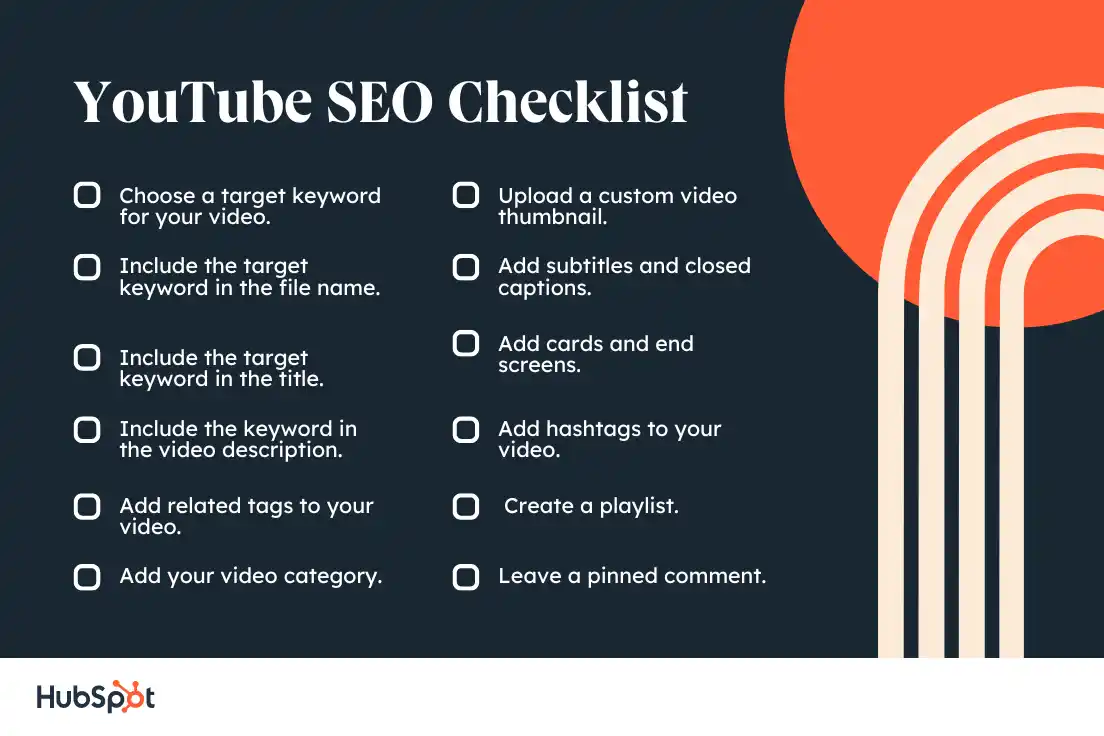
YouTube SEO Checklist

YouTube SEO Tools

How do your videos rank on YouTube?

There’s no definite answer to this question.

To get videos to rank on YouTube, we must first understand the YouTube algorithm and YouTube’s ranking factors.

Like any search engine, YouTube wants to deliver content that answers the searcher’s query. For instance, if someone searches for “how to tie a tie,” YouTube won’t deliver a video titled “how to tie your shoelaces.”

Instead, it will serve search results that answer that specific query.

As you try your hand at YouTube SEO, think about how you can incorporate terms and phrases used by your target audience.

You’ll also need to think about YouTube analytics and engagement. When it ranks videos, YouTube cares about a metric called “watch time” — in other words, how long viewers stay on your video.

A long watch time means you deliver valuable content; a short watch time means your content should likely not rank.

If you want your videos to rank, create content optimized for longer watch times. You can, for instance, prompt users to stay until the end of the video by promising a surprise or a giveaway.

Is it worth optimizing videos on YouTube?

Optimizing your videos on YouTube reaps the same results as optimizing your pages for Google: higher rankings, more clicks, and better conversions!

Optimizing your videos can achieve the desired results on YouTube and even bolster your Google search engine ranking. Google suggests optimizing your videos to improve visibility and engagement.

If you’re actively solving your prospective customers’ problems with your YouTube videos, then you’ve done 90% of the YouTube optimization work.

In addition, ranking videos on YouTube is a key element of your inbound marketing strategy, even if it might not seem that way. As recently as a decade ago, inbound video marketing was a brand new idea.

Marketers were learning that they couldn’t just publish a high volume of content — it also had to be high-quality and optimized in ways that made it as discoverable as possible through search engines.

That content was once largely limited to the written word. Today, that’s no longer the case. Instead, a comprehensive content strategy includes written work like blogs and ebooks, as well as media like podcasts, visual assets, and videos.

And with the rise of other content formats comes the need to optimize them for search. One increasingly important place to do that is on YouTube.

If you’re feeling lost, don’t worry. We cover the most important YouTube SEO tips and strategies below so you can effectively optimize your content for YouTube searches.

YouTube SEO combines basic SEO practices with YouTube-specific optimization techniques. If you’re new to search engine optimization, check out this complete SEO guide.

YouTube Ranking Strategy

To be successful on YouTube, you’ll need a clear strategy. This strategy has two parts. First, you need to understand how YouTube SEO works.

Then, you’ll want to use that knowledge as you choose a target audience, develop a plan for your channel, and set goals for growth.

How does YouTube SEO work?

YouTube is part of Google, and it uses similar search algorithms to show users the videos that best match their search queries.

When a user searches a query on YouTube, the search robots scour the video platform to deliver the best results based on these algorithms. Watch this video to understand how YouTube search algorithms work:

The search algorithms evaluate various signals and elements to rank these videos, not only on YouTube but also on Google search results.

Search history and viewer personalization play a crucial role in customizing the results.

The algorithm also uses video performance and optimization to rank videos on YouTube.

Videos with more watch time likes, and shares are placed above those with lower engagement (or high bounce rates).

Additionally, the search engine robots can’t watch the video content but crawl through the text elements like title, description, tags, and video metadata.

Optimizing the videos with a relevant title, clear and concise description, and general and specific tags can help you place your videos better than the non-optimized ones.

When combined, these signals tell the algorithm how relevant, popular, or engaging your video post is for a user’s query.

Choose a target audience.

For many content creators, audience growth starts with picking a topic and then optimizing YouTube videos. But with growth comes competition.

It was once simple to create a YouTube channel for a broad topic like “product reviews” or “tech,” but today, new YouTube channels need a more specific focus.

As you narrow your target audience, think about who you want to engage with your channel and why. Ask yourself:

  • How much do you know about your target audience?
  • Why do they spend time on YouTube?
  • What other social media platforms does your audience prefer?
  • What inspires their interest and loyalty?
  • Are there other YouTube channels or creators that you should partner with to connect with this audience?

Develop a plan.

Creating a content plan can seem simple if your YouTube channel centers on a topic you love. But most of the time, the challenge isn’t in coming up with ideas — it’s about making them happen.

Comprehensive content planning entails solid video creation capabilities with high-quality images, clear and concise video content or voiceover, a short and powerful title, long descriptive text, and a lot more.

If you want to optimize YouTube for SEO, content planning isn’t just about what videos you’re making and when to post them. It’s a process to figure out what resources you need to improve traffic, conversion, and engagement with your video content.

For example, you may have a great idea for a video about surfing, but where are you getting your footage? If you’re not recording yourself or your local community, it may be tough to find high-quality source material for your videos.

Building professional skills or a team with expertise in editing, sound, and animation can also boost the quality of your videos. But if those resources aren’t readily available to you, you may need a plan to create great videos without them.

Competitive analysis can also help with planning, whether you’re figuring out the right video length or where to promote your videos on other social platforms.

This free content planning template can help you create a solid plan for your YouTube strategy.

Featured Resource: Content Planning Templates

Set goals for growth.

YouTube offers many helpful metrics that can help you assess whether your team is meeting your strategic goals. Broad metrics can be helpful to track consistency and big shifts in performance, like algorithm changes.

But it’s also a good idea to choose focused metrics that align with your goals. For example, if you want to increase your audience, track your subscriber count, impressions, and audience retention.

If engagement is your goal, look at likes, comments, shares, and watch time. Driving web traffic? Add links to your video descriptions and annotations, then track those sources on your website.

Tracking the metrics that align with your goals will help you learn how you’re growing your audience. You can use that knowledge to create more effective videos for your users and SEO.

And that effort will help you keep growing your YouTube channel.

Perform keyword research.

A robust SEO strategy starts with effective keyword research. What search terms the searchers use to find their queries is monumental for SEO and YouTube strategists.

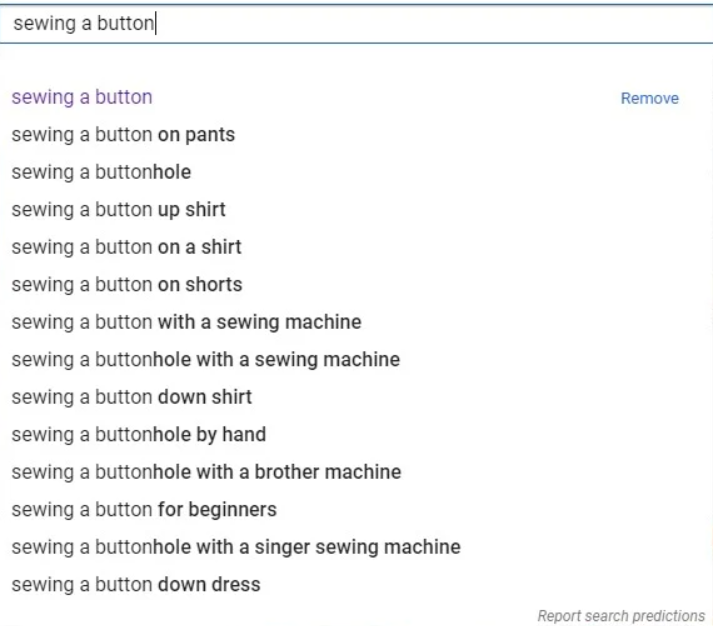
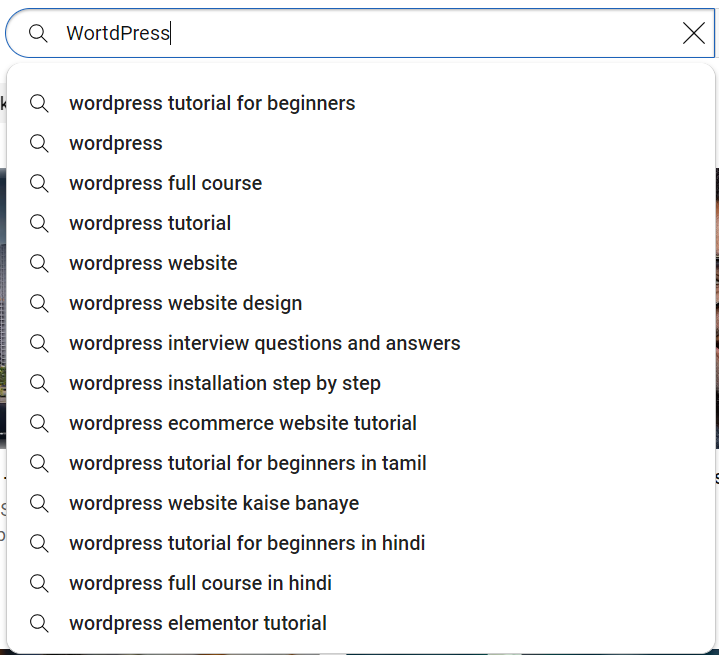
Type the main search term in the search bar, and YouTube search engine auto-suggests a long list of keywords, like Google.

Incorporating these keywords, a variation of keywords, and broad match phrases within the various elements of your YouTube video can bring the right audiences.

Kate Ross, SEO of Irresistible Me Hair Extensions, advises:

“When you’re working with YouTube SEO, think about where you’re placing your keywords. It’s like leaving breadcrumbs for viewers to find your videos. Put these keywords in your video’s file name, title, description, and tags. Imagine you’re giving YouTube a map to understand what your video is about.”

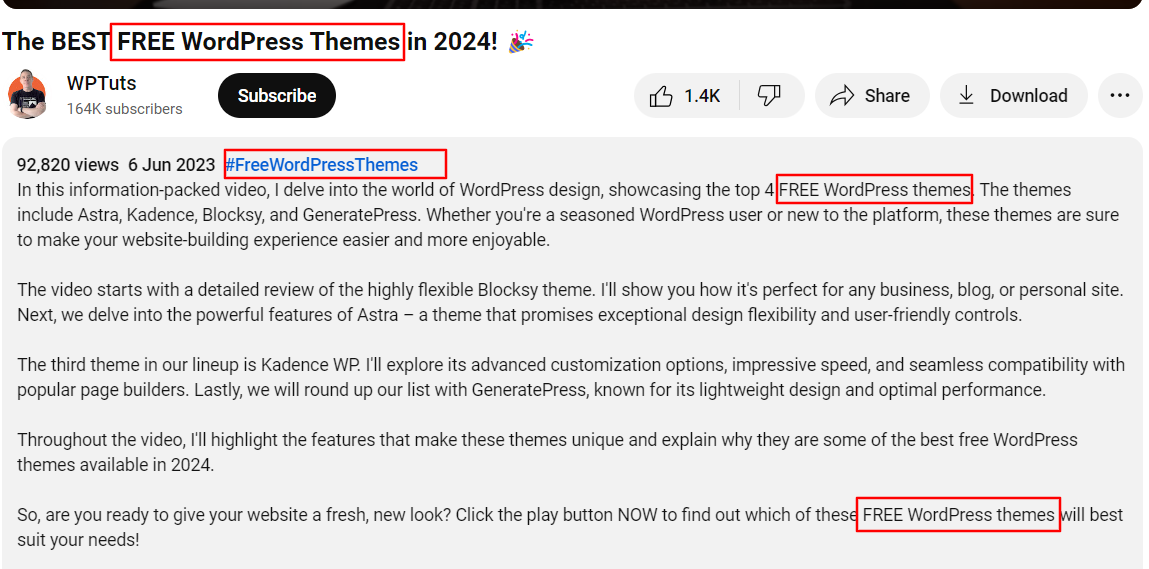
This YouTube video, for example, has the main keyword: “Free WordPress themes.” The main keyword is filled in the title, description, and hashtags. Thus, the video seems relevant to the searcher’s query of finding free WordPress themes.

Image Source

1. Rename your video file using a target keyword.

Your YouTube SEO efforts start even before you upload your video. The goal is not merely to rank it on YouTube — but also on Google.

Search robots don’t crawl the video content, only the source code of your video. By including the target keyword in the video file name, the YouTube algorithm can read the file name and all the code that comes with it when it’s uploaded.

With that in mind, replace the “business_ad_003FINAL.mov” file name (don’t be embarrassed — we’ve all been there during post-production) with your desired keyword.

For example, if your keyword is “house painting guide,” your file name should be “house-painting-guide,” followed by your preferred video file type (MOV, MP4, and WMV are some of the most common that are compatible with YouTube).

Pro tip: The best practice is to use a modifier with a keyword such as “best,” “how-to,” or “guide.”

2. Insert your keyword in the video title.

Video titles are the first point of contact for your viewers. In fact, they are an important element in helping your video index and rank.

If you have performed extensive keyword research, you’ll have a bunch of high-traffic and relevant keywords. So, your title should be as close to the user’s search terms as possible.

Be sure to include the exact keyword or a broad match at the very beginning of the title to get higher visibility.

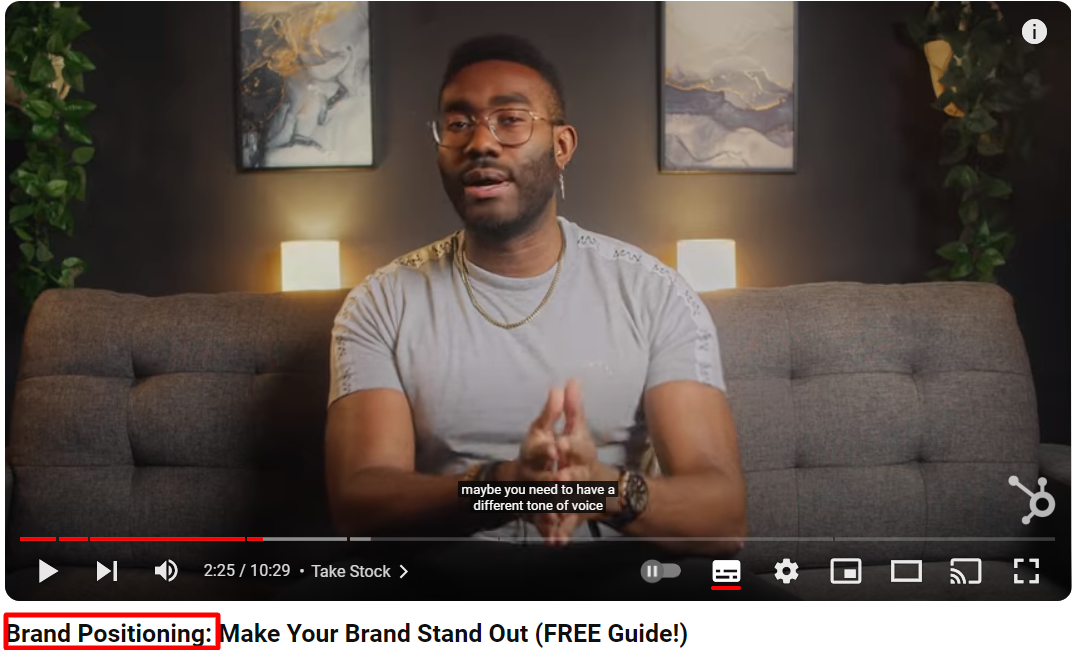
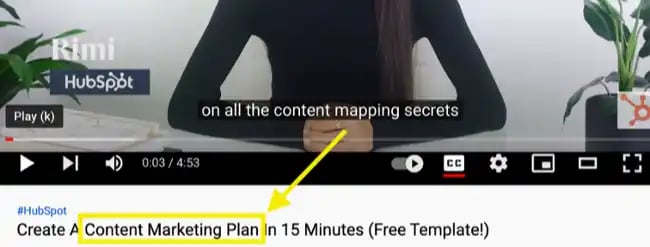
Your video title should closely represent the content of your video. For example, this HubSpot video is titled “Brand Positioning,” which is also the target keyword of the video. The video content essentially describes ways to position your brand.

Lastly, make sure to keep your title fairly short — HubSpot campaigns manager Alicia Collins recommends limiting it to 60 characters to help keep it from getting cut off in results pages.

In fact, most of our best-performing videos have title lengths between 50-60 characters.

Pro tip: Longer titles tend to perform worse than videos with short and clear titles. This is not a rule of thumb, but it is highly advisable.

3. Optimize your video description.

As important as the title, the video description describes your content in detail. The good news is that you have 5,000 characters to flaunt your video content.

A video description is important for two reasons. First, it compels the viewer to click on the video, and second, it helps the algorithm identify your content through a combination of keywords.

When a user searches for a term, the search results page only displays a maximum of 120 characters. After that point, viewers have to click “show more” to see the full description.

That’s why we suggest front-loading the description with the most attractive information.

For the later part of the description, include the exact keywords with a blend of broad matches and phrases as you describe your content.

To add more context to the description, you can include the call-to-action (CTA) text that asks the viewers to subscribe, download a free ebook, or purchase a product.

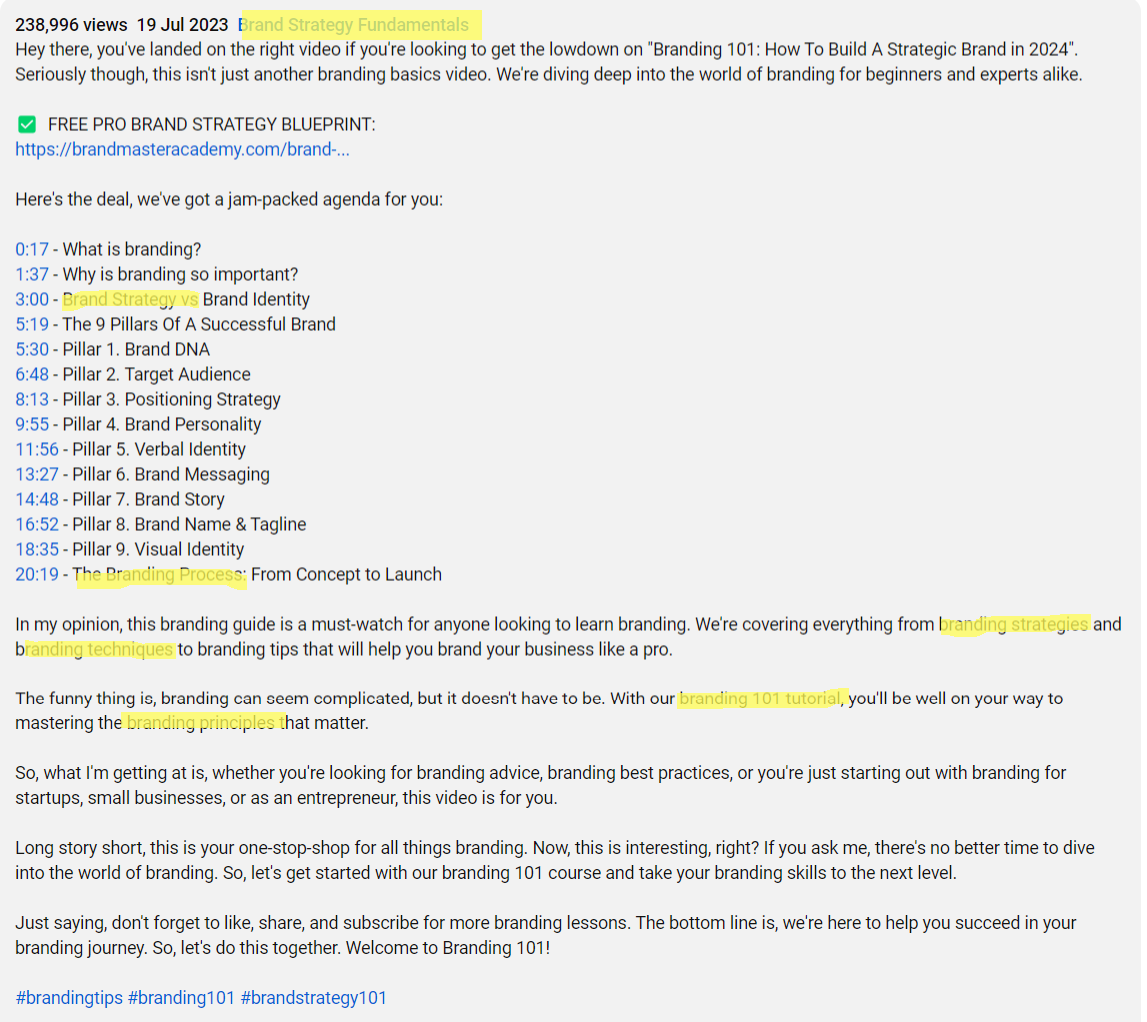
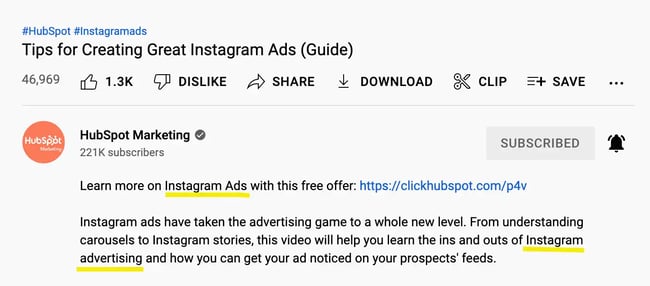
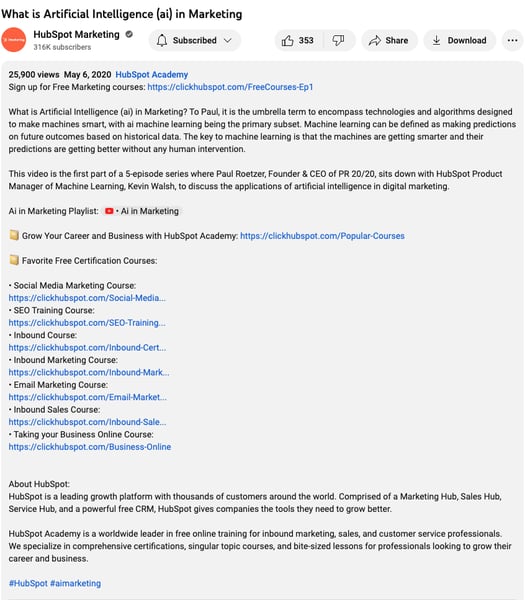
Here’s an example of a great video description from Brand Master Academy that’s optimized around a variation of keywords.

Image Source

Notice how the video description consists of a variation of keywords in the content. The description also includes the timestamps with the relevant keywords.

It is also a good practice to include five to eight hashtags in the video description that align closely with the main keyword.

An optimized description can also help you show up in the suggested videos sidebar, which can be a great source of views.

Pro tip: If you need a high-performing video description, try one of these proven YouTube description templates.

Download These Templates for Free

4. Tag your video with popular keywords that relate to your topic.

YouTube suggests using tags to let viewers know what your video is about. But you’re not just informing your viewers — you’re also informing YouTube itself.

YouTube uses tags to understand the content and context of your video.

That way, YouTube figures out how to associate your video with similar videos, which can broaden your content’s reach. According to our experiment, targeted tags can help you appear on the sidebar of the video.

Note that YouTube tags are different from YouTube hashtags (more about it in tip 9). While the tags help understand the content of your video, hashtags provide relevancy to your content and anchor your viewers through similar hashtags.

The best practice is to use popular competitors’ tags to help YouTube understand it better. To find a tag, simply go to the View Source option and search for “keywords” to find the relevant tags.

Here’s an example of finding tags for one of our videos titled “How To Create a Marketing Campaign in 2024”:

Don’t use an irrelevant tag because you think it’ll get you more views — in fact, Google might penalize you for that.

And like your description, lead with the most important keywords, including a good mix of those that are common and more long-tail (as in, those that answer a question like “How do I?”).

Pro tip: Use these simple instructions to add and make the most of tags in your YouTube videos.

5. Categorize your video.

Categorizing the videos won’t boost your rankings or improve engagement. But, by selecting the relevant category, the YouTube algorithm gets an idea of what your video is about.

YouTube’s categories divide the large repository of videos on the search engine into different categories such as gaming, education, music videos, pets & animals, fashion, and more.

Once you upload a video, you can categorize it under “Advanced settings.”

It’s important to go through a comprehensive process to find which category each video belongs in. Answer questions like:

  • Who are the top creators within the category? What are they known for, and what do they do well?
  • Are there any patterns between the audiences of similar channels within a given category?
  • Do the videos within a similar category share qualities like production value, length, or format?

Best for: Signaling to the YouTube algorithm what your video is about.

6. Upload a custom thumbnail image for your video’s result link.

Your video thumbnail is the main image viewers see when scrolling through a list of video results.

Thumbnails directly don’t affect your video SEO, but they surely boost the click-through rates (CTR). An average CTR between 2% and 10% is considered ideal and gives a positive or negative signal to the YouTube system.

While you can always pick one of the thumbnail options auto-generated by YouTube, you will notice a significant difference in clicks between the two.

Also, a custom thumbnail with a company logo is memorable and doesn’t get lost in the large pool of videos.

Joshua Uebergang, the director of Digital Darts, notes that a video’s thumbnail is the first thing viewers see on YouTube and in search results. It’s important to make it eye-catching.

“The secret is to craft your thumbnail before making the video, not at the time of upload, so the video itself delivers on the thumbnail. The best YouTubers sort out their thumbnail and title before hitting record,” Uebergang says.

He also recommends taking inspiration from competitors or similar videos.

“Look at the top videos of high-performing channels to see the thumbnails of their best videos. Sort the videos on the channel by the most popular videos. Identify the words or styles that can be mimicked, then add your style to it. Never copy,” says Joshua.

YouTube recommends using images that are 1280×720 pixels — representing a 16:9 ratio — that are saved as 2MB or smaller .jpg, .gif, .bmp, or .png files.

If you follow those parameters, it can help confirm that your thumbnail appears equally high-quality across multiple viewing platforms.

Here’s the screenshot of the video thumbnails from our HubSpot YouTube channel. Note how we have used the text and a presenter’s face to pique the viewer’s interest.

While the text in the thumbnail refers to the content of your video, the face signifies the authenticity of the video by a real person.

Insider Science also uses custom thumbnails with images that resemble the content and text to arouse curiosity.

Image Source

It’s important to note that your YouTube account has to be verified to upload a custom thumbnail image. To do that, visit youtube.com/verify and follow the instructions listed there.

What we like: Creating your own thumbnails allows you to be in charge of how your videos are presented to viewers.

7. Use an SRT File to add subtitles and closed captions.

Like much of the other text we’ve discussed here, subtitles and closed captions can boost YouTube search optimization by highlighting important keywords since the YouTube algorithm can read the texts in the source code and video.

Your subtitles and closed captions not only help with YouTube SEO but also increase the engagement of your video. Videos with captions witness a 12% increase in watch time comparatively.

However, it depends on whether you use a closed caption or a subtitle for your video.

Closed captions or transcripts are the textual representation of the audio in the same language as the audio file — including noises, such as “door open,” “exhale-inhale,” and more. Video captions assist hearing-impaired viewers to understand the video content.

Video subtitles represent the audio in different languages. Assuming that the viewers can hear the audio, the subtitles provide a useful translation into various languages.

With roughly 20% of the world’s population as native English speakers, it makes sense to use a multi-language transcription in the video.

For example, our team at HubSpot incorporates subtitles in the video that translate into multiple languages, making it accessible to non-native English speakers.

To add subtitles or closed captions to your video, you’ll have to upload a supported text transcript or timed subtitles file. For the former, you can also directly enter transcript text for a video so that it auto-syncs with the video.

Adding subtitles follows a similar process, but you can limit the amount of text you want displayed. For either, head to your video manager, then click on “Videos” under “Video Manager.”

Find the video you want to add subtitles or closed captioning to, and click the drop-down arrow next to the edit button. Then, choose “Subtitles/CC.” You can then choose how you’d like to add subtitles or closed captioning.

Pro tip: Find out how to add closed captions to your YouTube video in the video below:

8. Add Cards and End Screens to increase your YouTube channel’s viewership.

Cards

When you’re watching a video, have you ever seen a small white, circular icon with an “i” in the center appear in the corner or a translucent bar of text asking you to subscribe?

Those are info Cards, which YouTube describes as “preformatted notifications that appear on desktop and mobile which you can set up to promote your brand and other videos on your channel.”

You can add up to five cards to a single video, and there are six types:

  1. Channel cards that direct viewers to another channel.
  2. Donation cards to encourage fundraising on behalf of U.S. nonprofit organizations.
  3. Fan funding to ask your viewers to help support the creation of your video content.
  4. Link cards, which direct viewers to an external site, an approved crowdfunding platform, or an approved merchandise-selling platform.
  5. Poll cards, which pose a question to viewers and allow them to vote for a response.
  6. Video or playlist cards, which link to other YouTube content of this kind.

For detailed steps on adding a card to your video, follow these official steps from Google or check out the video below:

End Screens

End screens display similar information as cards, but as you may have guessed, they don’t display until a video is over and are a bit more visually detailed.

A good example is the overlay with a book image and a visual link to view more on the video below:

Image Source

Here’s another example of how HubSpot uses the end screens to encourage its viewers to subscribe to the channel or jump to another video.

There are a number of detailed instructions for adding end screens depending on what kind of platform you want to design them for, as well as the different types of content allowed for them by YouTube.

Google outlines the details of how to optimize for those considerations here.

It’s important to note that YouTube is always testing end screens to try to optimize the viewer experience, so there are times when “your end screen, as designated by you, may not appear.”

Take these factors into account as you decide between using either cards or end screens.

These factors may seem a bit complicated and time-consuming, but remember: The time people spend watching YouTube has more than doubled year over year.

There’s an audience to be discovered there, and when you optimize for YouTube, your chances of being discovered increase.

What we like: Cards and end screens allow you to incorporate CTAs in subtle but impactful ways.

9. Add hashtags to increase reach.

Hashtags are a part of the YouTube user interface that allows you to add related terms to your content, just as you would on LinkedIn or Instagram.

Hashtags show up right above your video title for easy clicking and discoverability. You can use your company name, as HubSpot does below, or include related keywords.

We also recommend using hashtags in your YouTube description, but don’t go overboard; the YouTube algorithm constantly checks for spam.

Overly hashtagging may get you inadvertently flagged. Instead of using every hashtag you can think of, choose two to three that you feel most accurately describe your video.

To search for the hashtags related to your video content, you can leverage the auto-suggest feature. By typing in the main keyword, the search engine suggests you with a string of keywords that are searched around that topic.

Note how Neil Patel uses a few hashtags in his video that’s centered around achieving ROI from content marketing.

Image Source

Best for: Increasing the findability of your videos through relevant topic searches.

10. Create a playlist about your video’s general topic.

Playlists are a great way to organize your videos into a compiled theme. With over 37% of millennials engaged on YouTube daily, creating a playlist for your channel can create an easy walkthrough of the videos.

The best practice is to group your videos in keyword-optimized playlists or a theme.

This won’t only signal to YouTube what your videos are about, but it will also keep viewers clicking from video to video, increasing your view count and, by extension, your rankings.

For example, Yoga with Kassandra grouped all of its short yoga classes in a playlist titled “5-15 min Yoga Classes.”

Not only is the title short and descriptive, but the playlist description includes related keywords such as “10-minute yoga classes,” “10-minute morning yoga stretches,” and “bedtime yoga classes.”

At HubSpot, we use this strategy to segment our videos based on the viewer’s interest. Each of these videos falls under the labeled theme so that users can jump to another video from the same playlist.

Best for: Brands that have multiple videos covering similar topics.

11. Experiment with video length.

Just like longer blog posts perform better than short blog posts (<1,000 words), longer videos outrank the shorter ones.

The longer a viewer stays on the page, the YouTube algorithm gets a positive signal for a higher engagement — leading it to rank better among others. So, don’t shy away from making your video as long as you can.

After all, the user is seeking a detailed answer to its query. Though the length may vary from one niche to another, the optimal video length is around 11 minutes.

For instance, the majority of Mr. Beast’s videos range from 13 minutes to 20 minutes, which we think is ideal for the audience type and content.

Image Source

However, that’s not a magical number or an obligation. Not every person on YouTube will stick around for 10 minutes or more.

For example, over 70% of watch time on YouTube happens on mobile devices. While some people can watch an hour-long video on a small screen, this figure shows how important it is to know your audience.

To find the right watch time for your audience, try creating videos of varying lengths. Then, do a quick analysis of the watch time, average view duration, and audience retention for each video and adjust your strategy.

Pro tip: Longer videos tend to bring more opportunities for ads and higher chances of earnings.

12. Use YouTube’s autocomplete feature.

This feature makes it simple to find the most popular search terms for your video topic.

Just start typing a keyword phrase (or a seed keyword) and see what other keywords and phrases come up. Then, add the most relevant terms to your title, descriptions, and tags.

You can also use this tool to discover top YouTube trends or to figure out which keywords your competitors are targeting. These insights can help you pivot your YouTube SEO strategy for better results.

Pro tip: Check out this post for more useful YouTube features.

13. Try timestamps.

Timestamps mark different sections of your videos. They make it easy for your audience to find the content they’re looking for within each video.

Adding a timestamp can improve retention and user experience because it sets expectations. Timestamps give watchers an easy way to jump to what they want to see in a video or a reason to wait for that section to appear on-screen.

Timestamps also improve SEO because they make it easier for YouTube’s algorithm to understand your video content. This helps your video appear for search terms within your video, not just the overall theme of your video.

For example, if your video is about baking a cake, your video might include sections on baking equipment or cake trends like geode cakes.

If you add timestamps to mark these sections, a user might not find your video when searching for “how to make a cake” because of competition for this keyword, but they could find it by searching for “how to make a geode cake.”

Image Source

You can manually add a timestamp or add and edit automatic video chapters with YouTube Studio. You can also look into different YouTube automation strategies and tools to speed up this process.

Best for: Segmenting long videos and helping YouTube understand the content of your videos.

14. Add a call-to-action in your video and video description.

CTAs are a powerful way to foster engagement. A CTA that offers value not only encourages likes, subscribes, and shares, but it can also improve viewer engagement metrics.

This can boost your video’s visibility in search results and the suggested video feature.

For maximum effectiveness, vary your CTAs. There are around eight different types of CTAs to drive visitors to your website or any product pages.

In one video, you might do a verbal CTA asking viewers to like, subscribe, or share. For another video, ask your audience to bookmark your video or click shared links in your description.

You’ll also want to ask your viewers to share comments and feedback. These actions aren’t just valuable for user experience. They also give signals to YouTube that your video is engaging and offering value to your viewers.

Here’s a standout example of how Cindy uses a “Subscribe” CTA to constantly remind her viewers to subscribe.

Image Source

Pro tip: Check out these CTA examples for inspiration.

15. Review YouTube search analytics.

While analytics are useful for tracking progress toward your goals, you can also actively use this data to improve your YouTube SEO.

Say you’re trying to figure out why traffic suddenly jumped up for one of your videos. It might be that your video is ranking for a popular keyword. Or a popular website recently added your video.

You can dig into the video-specific data and see why that jump happened. Then, you can figure out how to optimize other videos with the same tactics.

YouTube analytics can also help you anticipate keywords that are increasing in popularity. Optimizing your videos for those keywords early on gives you a better chance of ranking higher in those search results.

Finally, your analytics can help you better understand your audience. It’s not unusual to start a YouTube channel with an intended audience and then see those demographics shift over time.

Analyzing the age, location, and interests of your real-time audience can help you make smart changes.

Most SEOs recommend keeping an eye on these metrics to map the success of your efforts:

  • Watch time.
  • Average watch duration.
  • Impressions and click-through rate.
  • Card clicks.
  • Unique viewers.
  • Traffic sources.
  • Subscriber growth.

What we like: YouTube search analytics give you the hard numbers to see where you’re succeeding and where you have room to improve.

16. Optional: Leave a pinned comment on your video.

Leaving a comment on your video might seem over the top, but it’s a smart strategy. Not only do more comments improve your video’s rankability, but they can generate high levels of audience engagement.

A pinned comment may result in hundreds of replies, like it did for Matt D’Avelia below:

Be sure to leave an engaging comment that furthers the conversation or offers more value for readers.

Here at HubSpot, for example, we leave a resource pinned so that viewers can further their knowledge on the topic.

Pro tip: Check out this post for more on YouTube comment management.

To sum up everything we’ve just covered, here’s a quick checklist for you to go through when making sure you’ve done everything you can to optimize your YouTube videos.

1. Choose a target keyword for your video. This can be a topic, a question, or a highly specific query. If you’re not sure of the right target keyword, use a keyword research tool or simply explore YouTube’s existing content library for inspiration.

2. Include the target keyword in the file name. Don’t use spaces between each word, but rather dashes (-) or underscores (_).

3. Include the target keyword in the title. Next up, work the target keyword into the title of your video, but be creative, and be sure to do it naturally. You don’t want the title to simply be “[keyword].”

The title is the first thing users will see, so try to create intrigue and interest while promising to help the viewer in some way.

4. Include the keyword, as well as keyword variations, in the video description. The video description is the lifeblood of your YouTube SEO strategy. Write a natural description with one to two mentions of your target keyword, as well as variations of this keyword.

5. Add related tags to your video. While most users don’t use tags to find videos, they can help the YouTube algorithm categorize your video and serve it to the appropriate audience.

Add around five to eight industry tags, being sure not to overdo it so that you’re not flagged as spam.

6. Add your video category. While not as specific as tags, categories help users find your video and help the YouTube algorithm understand what your video is about.

Categories come into play on the homepage, the explore page, and the sidebar menu.

7. Upload a custom video thumbnail. Create a thumbnail that includes either a variation of your keyword or a short phrase that could generate clicks (like “1,000 organic followers, fast!”).

As mentioned, you’ll need to verify your YouTube channel to get access to custom thumbnail uploads.

8. Add subtitles and closed captions. Subtitles and closed captions are a much-needed accessibility component of your videos. They also indirectly help you optimize for YouTube search by giving YouTube a text version of your video content.

9. Add cards and end screens that tie into the topic of your video. Cards are equivalent to internal and external linking, and end screens allow you to engage viewers during those critical last few seconds when a viewer might be tempted to click on another piece of content.

10. Add hashtags to your video. Hashtags are different from tags. They show up above your video title and help you increase reach and authority by further signaling what your video is about.

11. Create a playlist about your overarching topic. One of the best ways to optimize YouTube videos is to create playlists.

Finding a few related videos and putting them in a playlist will not only attract more viewers, but it will also help the YouTube algorithm understand how your video relates to others in your upload library.

Image Source

12. Optional: Leave a pinned comment to generate engagement or provide more value. As a brand, you can and should comment on your own videos — not only to reply to your commenters but to offer more value to readers.

Now, most of the SEO tips above rely on you finding a keyword and promoting your video correctly. And not all of those tips can be carried out through YouTube alone.

To get the most bang for your videography buck, consider some of the tools below to optimize your video for search.


1. HubSpot SEO Marketing Software

Our SEO marketing software, developed here at HubSpot, allows you to find popular keywords for creating content and organizing keywords into groupings — what we call “topic clusters.”

By sorting your content into topic clusters, you can oversee which pieces of content are related to one another, which types of content you have planned, and what you’ve already created.

While the keywords you discover in HubSpot reflect their popularity in a standard Google search, many of these topics will also produce videos on Google’s search engine results pages.

In those cases, you can create topic clusters that have both blog and YouTube content belonging to them.

Clustering your content — and linking from videos to blog posts, and vice-versa — can give you more authority in the eyes of Google and YouTube, while giving you more ways to capture traffic from the people searching your topic.

Pro tip: HubSpot integrates with YouTube for useful dashboards and performance tracking.

2. Ahrefs Keywords Explorer

Ahrefs is a comprehensive SEO platform that allows you to monitor a website’s ranking, estimate the organic traffic you’d get from each keyword, and research keywords for which you might want to create new content.

One popular feature of Ahrefs is Keywords Explorer, which allows you to look up details related to a keyword you’re interested in.

And, as you can see in the screenshot above, you can filter your keyword results by search engine — including YouTube.

Ahrefs Keywords Explorer gives you a keyword’s monthly search volume, how many clicks for videos ranking for that keyword, related keywords, and more.

3. Canva

You might know Canva as a design template for creating all kinds of cards, photos, logos, and more. It just so happens that this popular product has a Thumbnail Creator for YouTube videos.

As stated in the tips above, thumbnail images are critical to promoting your content in YouTube search results and enticing users to click on your video.

Using Canva’s Thumbnail Creator, you can create the perfect preview image for your video in 1280 x 720 pixels — the thumbnail dimensions YouTube requires.

4. vidIQ Vision

This is a Chrome extension, available through Chrome’s web store in the link above, that helps you analyze how and why certain YouTube videos perform so well.

This includes the tags a video has been optimized for, its average watch time, and even how quickly that video might be gaining traffic.

The vidIQ tool then gives an SEO “score” you can use to create content that performs (or outperforms) the results you already see on YouTube.

5. TubeBuddy

TubeBuddy is an all-in-one video platform that helps you manage the production, optimization, and promotion of your YouTube content.

Its features include an automatic language translator (which helps you rank for non-English keywords), a keyword explorer, tag suggestions, a rank tracker for your published videos, and more.

6. Cyfe

Cyfe is a large software suite that offers, among other things, a YouTube analytics platform. On this platform, you can track performance on YouTube and on your site.

In addition to traffic analytics, Cyfe can show you which keywords you’re ranking for and which ones are most popular across various search engines. Sounds a lot like Google Analytics or Moz, right?

That’s because Cyfe has data from both of those tools and more built into it.

Start Optimizing YouTube Videos

Video marketing is crucial for businesses and creators. No matter what SEO tip or tool you start with, a successful YouTube channel begins with good content.

Make sure your viewers have something high-quality and relevant to watch when they find you.

Optimizing your YouTube videos can help attract more views and build community — and lead to more conversions and sales. So, start today and watch your YouTube channel grow.

Editor’s note: This post was originally published in March 2013 and has been updated for comprehensiveness.

Featured Resource, YouTube for Business Kit: 18 Free YouTube Templates, 18 design, planning, and video description templates for YouTube. Download for Free

12 Best Free (& Private) Email Accounts & Service Providers for 2024

Software Stack Editor · March 29, 2024 ·

Gmail, AOL, and Outlook are our top picks for creating free and private email accounts. These email service providers give you privacy. They provide lots of storage space. They are accessible on all internet-connected devices and browsers.

Beyond our top picks, there are other email service providers I like.

Create a new, on-brand email signature in just a few clicks. Get started here.  (It's free.)

In this guide, I’ll explain what each free email account entails. You’ll also learn about the best email service providers on which you can host your account and integrate with your business website for free right now.

Table of Contents

  • Types of Email Accounts

  • Best Free Email Accounts

  • Best Free Email Accounts for Privacy

  • How to Make an Email Account

  • Frequently Asked Questions

Types of Email Accounts

There are two main types of email service providers to choose from: email clients and webmail.

Let’s briefly explore these email service providers.

What are email clients?

Email clients are software applications you install onto your computer to manage the email you send and receive. To access this email, the client interacts with a remote email server.

Examples of email clients include Microsoft Outlook, Mozilla Thunderbird, and Apple Mail.

What is a webmail?

Webmail is an email you access only from the internet, so it exists primarily on the cloud rather than your computer. Instead of an installed application fetching your email, you manage your inbox right from your internet browser.

Examples of webmail providers include Gmail, Yahoo! Mail, and Hotmail.

Now, let’s explore the best free email service providers (and the best email accounts for privacy) you can use — both webmail and email clients included. For each email service provider, I’ve highlighted unique features to help you find the best fit.

1. Gmail: Best for Offline Accessibility

Best Free Email Accounts: Gmail

Type of email: Webmail

Core Features

  • 15 GB free email storage.

  • 99.9% protection from suspicious/spam emails.

  • Text suggestions that help you write emails faster.

  • Allows users to un-send emails within seconds of emailing.

  • Accessible on all internet-connected devices and browsers.

Who should use it: Anyone who already uses and loves the rest of Google’s products.

It might seem like an obvious top pick, but Gmail is too versatile not to get our first slot. According to Litmus Labs, Gmail has the second-highest email provider market share (behind Apple iPhone’s native email app).

Ironically, one reason for Gmail’s popularity is the communication options in your inbox that don’t involve email.

Gmail is a regular email inbox tool you can access once you have a Google account. Since it’s built into Google Workspace (formerly G Suite), creating a Gmail account is more than creating an email account. 

With Gmail, you can access a suite of free applications to chat, run video conferences, and share files with the people on your contact list. These applications include Google Play, Google Spreadsheet, Google Docs, and more.

For example, Google Hangouts, available from your inbox’s left sidebar (or the right — you can customize how your inbox is displayed), lets you text and video chat with other Gmail users if you don’t want to send an email.

Like most email accounts today, Gmail also has an intuitive calendar where you can set meetings and reminders.

Pro tip: You can also use a free product like HubSpot Meetings to schedule meetings without back-and-forth emails.

Setup experience: First, Google built Gmail’s privacy settings into the user agreement. So, if you have specific security preferences, cater to them before using your new email account. After you create your email address, Gmail redirects you to a homepage with more privacy settings.

Free Email services, Gmail securityImage Source

This section asks about your YouTube preferences because the platforms are connected through your Google account. 

Unlike other email accounts, you can use your Gmail address to log in to and manage your YouTube account. You’ll also use this account to collaborate on shared documents and spreadsheets right from a cloud-based Google Drive.

Gmail’s offering of 15 GB free email storage is something I like. This storage space makes my inbox less chaotic. I use the advanced filters option to push emails into separate folders as they arrive.

This email service also has extensive customization options. Personalizing your inbox is more than selecting graphics or themes — it lets you decide how you want your email inbox to function. You can also choose whether you want a reading pane, which emails show up at the top of your inbox, and more.

What I Like

  • Each Google account comes with a range of helpful tools and resources.

  • You can use “Labels” to create folders to organize your inbox. This helps you organize many emails, especially if you’re using your Gmail account for business.

  • There are many ways to personalize your email inbox for your specific needs.

  • Gmail is an easy-to-use and effective free tool for email.

What I Don’t Like

  • The tie-ins with other Google products can feel overwhelming if you just want to create a simple email account.

  • Primary, Promotions, and Social sections of the inbox can be helpful, but emails don’t always end up where I expect them to, so I often direct all emails to the primary inbox and sort them myself. 

  • Some settings and options are more intuitive than others, so getting used to this email experience may take longer than you’d like.

  • Some settings require you to click “Save” to make changes, while others happen automatically, which can get confusing.

  • Nested labels don’t always work properly on mobile.

2. AOL: Best for Interface Organization

Best Free Email Accounts: AOL

Type of email: Webmail

Core Features

  • 1 TB free email storage.

  • One-tap unsubscribe.

  • In-app spellchecker to reduce errors.

  • Protection from suspicious/spam emails.

  • Ability to import contacts in any file format.

  • Attachments tab with files you’ve sent or received.

  • Accessible from any internet-connected device and browser.

Who should use it: Anyone who uses email for most of their communication.

America Online (I feel nostalgic just typing those words) has quietly kept up with today’s standards for a good user experience and is now once again one of the best free email accounts available to you.

Operating as a division of Yahoo! Inc., AOL delivers your email from its classic news-driven homepage and comes with the contemporary spam filters and virus protection you’d expect from your email provider. You can also send text and instant messages from specific windows in your email inbox.

AOL has something over Gmail, though: more storage. Also, you can import email contacts from a CSV, TXT, or LDIF file, so you’re not creating your “buddy list” from scratch.

Setup experience: The sign-up experience is simple, but it seems arbitrary that there is a limit on characters in the email address. This provider also requires a phone number for verification. I got an error message on my first try signing up. On the second try, everything went smoothly, and I could easily create my new AOL email account.

 Free email services, AOL login errorOnboarding is quick and simple — it’s just choosing a theme and text settings. Then, the homepage for my new email account was full of news and ads, which I wasn’t expecting.

 Free email services, AOL adsThere was also an ad at the top of my inbox. When I clicked “Compose” to create a new email, there was a helpful set of pop-ups showing me how to create emails with their tools. The AOL inbox also offers spaces to save contacts, photos, documents, subscriptions, and travel.

What I Like

  • Large text option is great for accessibility.

  • Simplified tools make it easy for a range of users to create, organize, and send emails.

  • The “Views” section offers spaces to save contacts, photos, documents, subscriptions, and travel.

What I Don’t Like

  • Some add-on features feel dated.

  • Ads and headlines distract and fill a sizable portion of the screen.

  • Helpful icons on the right sidebar are for calendar features, but they’re small and difficult to see compared to clickable ads.

3. Outlook: Best for Multiple App Integrations

Best Free Email Accounts: OutlookImage Source

Type of email: Email client

Core Features

  • 15 GB free email storage.

  • Option to use add-ins to access other Microsoft apps like Skype.

  • Excellent filters to organize and group important emails in folders.

  • Provides aliases that add anonymity to your email and protect your identity and inbox from malicious spam.

  • Data encryption in your mailbox and after you send an email.

Who should use it: Anyone who uses many platforms to connect with others.

If you ever cringed at the sight of a “Hotmail.com” email address, you can thank Outlook for this outdated domain name.

But there’s good news: Microsoft has reinvented its longstanding email service, and your free Outlook.com email address has many advanced features waiting for you.

While it touts a calendar and message filter like Gmail, Outlook also integrates with several popular communication apps.

For example, you can connect Skype, Facebook, PowerPoint, PayPal, and even task management software such as Trello. This makes it very easy to reach and work with non-Outlook users without leaving your inbox.

Another perk — Outlook offers 15 GB of free storage for each user, along with a super-clean interface.

Setup experience: Creating an email address was super easy. However, the verification puzzle wasn’t very intuitive. So, if you take a non-traditional approach to puzzles, this step may take longer than you expect.

When I got into my Outlook inbox, there was already an ad at the top and ads on the right sidebar. The second email was a welcome with details about the Outlook mobile app, extra tools, security, and how to personalize your inbox. Then, a “Get started” panel appeared in the inbox with a 6-point checklist for setup.

 Free email services, Outlook inbox

If customizing your inbox is important to you, make some time to set up your Outlook inbox. You can access personalization choices that aren’t in this checklist, like dark mode, notifications, and accessibility, by clicking on the gear icon at the top left of your Outlook inbox.

What I Like

  • Outlook is a streamlined, professional tool for business email.

  • It’s easy and intuitive to create new folders, label or flag emails, and draft new emails.

  • Includes many useful features for sending professional emails, like buttons to prioritize emails and customize your signature.

  • Icons at the top right for Skype, OneNote, Calendar, and tips are useful add-ons for users.

What I Don’t Like

  • Promotion for other Microsoft products within this free email account can feel distracting.

  • Onboarding doesn’t seem as user-focused and comprehensive as other tools.

4. Neo: Best for Creating a Custom Email Without a Domain

 Best free email service: Neo

Type of email: Webmail with native mobile apps

Core Features

  • Custom email addresses with a free domain name.

  • Read receipt functionality for tracking opened emails.

  • Email templates for convenient reuse of frequently sent emails.

  • Priority inbox for organizing crucial emails and deferring less important ones.

  • Automatic follow-up reminders for users to respond to emails without a reply.

  • Send later feature enabling email composition and scheduling for optimal delivery time.

  • A free one-page site that aligns with a user’s domain, complete with contact forms and social media integration.

Who should use it: Small businesses and solopreneurs.

Neo is a business email platform designed to help solopreneurs, freelancers, and small businesses establish deep connections with their customers, vendors, and partners. 

For those who don’t own a domain, Neo provides a business email address with a domain name and a one-page website, enabling users to develop a unique online presence and reputation. If you have a domain name already, you can get a 30-day free trial to decide if it is the right email service for you.

With various functional features like a free co. site domain name, a user-friendly one-page website builder, schedule send capabilities, email templates, follow-up reminders, a priority inbox, and appointment scheduling, Neo supports the expansion and productivity of small businesses. Neo plans to launch email marketing capabilities in the future.

With an eye toward streamlining operations, Neo integrates calendar, contacts, and storage functionalities within the email platform. This allows users to unify their business processes and access all essential tools from a single location.

Neo provides support for multiple accounts and offers 10-100 GB of email storage. It is designed to streamline business communications and operations for users, offering a comprehensive suite of tools to optimize their business interactions.

Setup experience: Setting up with Neo is relatively straightforward. You can begin by selecting one of their business plans.

Interestingly, Neo provides flexibility in setup, allowing users to proceed with or without their domain. Neo offers a complimentary co. site domain if you don’t have one. Once you set up your domain, the process continues with account and mailbox details, followed by payment information. Neo sweetens the deal with a bonus: a free one-page site for immediate use.

After completing these steps, you’ll have a business email without owning a domain. We recommend diving deep into your chosen plan’s features to maximize your enterprise’s growth potential.

Free email services, Neo one-page website

What I Like

  • Provision of a business email paired with a free domain.

  • Professional interface, ensuring a hassle-free user experience.

  • Enhanced functionality with email templates, read receipts, and integrated mail forms.

  • Robust support and guidance for newcomers.

  • Generous storage space, going up to 100 GB.

What I Don’t Like

  • Though a 15-day free trial is available, the catch lies in completing an extensive setup process before accessing the trial features.

  • The promise of a free domain comes attached to a paid subscription.

  • The 30 MB attachment ceiling may pose challenges for certain businesses.

  • As a relatively nascent service, it may still be refining its offerings.

  • With a pre-existing domain, users are allowed to use sub-domains rather than full-fledged domains.

5. Yahoo! Mail: Best for Lots of Storage

Best Free Email Accounts: Yahoo MailImage Source

Type of email: Webmail

Core Features

  • A mammoth 1 TB free email storage.

  • Instant notifications for new emails.

  • Connects seamlessly with the Yahoo Calendar. 

  • Accessible from all internet-connected devices and browsers

  • Advanced sorting and organization of media and documents.

Who should use it: Creatives and anyone who sends and receives attachments frequently via email.

Yahoo! Mail, another well-known platform, sits beside AOL in storage space with a whopping 1 TB (that’s a terabyte) for free, along with a few key social media integrations.

You can have custom background themes and search for key information from your inbox with Yahoo! Mail.

Yahoo! Mail makes it easy to find every photo, video, and document you’ve ever attached or received via email in the tabs on your inbox’s sidebar. This makes the platform appealing to those who share documents regularly or want an album made of every photo they’ve ever shared.

Setup experience: Overall, this was a similar sign-up experience to AOL. I ran into the same error messages, too. The theme selection pop-up was also similar, but there wasn’t an option to choose larger or smaller text.

Once you’ve completed the theme selection, you’ll be in your Yahoo! mail inbox. Again, there is already an ad at the top of your inbox and an ad on the right sidebar.

The “Views” menu on the right side works the same way it does on AOL, but it also includes sections for “Emails to myself,” “Shopping,” “Wallet,” and “Receipts.” As someone who frequently sends emails to me as reminders, this is a helpful addition.

If you’re looking for more personalization, click the gear icon at the top right. Scroll past themes, message layout, inbox spacing, and message tabs, then click on “More Settings.”

Free email services, Yahoo inbox and settings

What I Like

  • Simple and easy-to-use tool that comes with a free email account and tons of storage.

  • Clicking on email draft text connects to Grammarly GO for writing suggestions.

  • Easy to use “Views” feature for organizing email and attachments.

  • Email is one tab within the larger Yahoo property for easy access to other resources.

What I Don’t Like

  • Not much of an onboarding experience, but the tool is intuitive if you’re already familiar with email.

  • It takes several clicks to update your preferences for notifications, security, filters, and more.

6. iCloud Mail: Best for Data Encryption

Best Free Email Accounts: iCloud MailImage Source

Type of email: Webmail

Core Features

  • 5 GB free email storage.

  • One-click “Unsubscribe” feature.

  • Compatible with Apple products and services.

  • Search functionality to find info about an email.

  • VIP flagging for automatic filtering of important messages.

Who should use it: People who use a Mac and want everything in one system.

If you’re a Mac user, iCloud Mail may be on your list of email service providers. Their free email account has 5 GB of storage that you can use to sync your photos, files, or email.

However, it’s important to note that the storage is shared between all of your apps and devices — so if you take a lot of photos on your iPhone, you may eat into your email storage allowance for the month. Upgraded plans start at $0.99 a month and go up to $9.99 a month.

While it’s free to create an iCloud email address, you’ll need two things to create an account:

  • An Apple ID.

  • An Apple device that your Apple ID is connected to.

If you have both things, it’s easy to create your new iCloud email account.

You can use this account through the Mail app on your Apple computer desktop or online through iCloud Mail. Below, you can see the iCloud inbox in the Mail app:

Free email services, iCloud on desktop through Mail app

And this is iCloud Mail online:

Free email services, iCloud

Features are slightly different between these two interfaces. For example, if you want to create an out-of-office auto-reply email, it’s easiest to do this online.

One of the most significant advantages of using iCloud over other email providers is the ease of integration. Apple builds its desktop and iPhone mail apps with all email clients in mind, but it pays special attention to making the experience delightful for iCloud users.

What I Like

  • This email account has the clean and visually appealing design Apple is known for.

  • It’s simple, easy, and familiar to use for Apple fans.

What I Don’t Like

  • Apple is more of an ecosystem than a service provider. This interconnection offers extra value, but it can also be frustrating if you’re looking for a simple standalone email service.

7. Mozilla Thunderbird: Best for Managing Multiple Accounts

 Free email services, Mozilla Thunderbird

Type of email: Email client

Core Features

  • Smart email organization into folders.

  • Browser-like tabs for working on multiple emails.

  • Integration with your Google Calendar for task management and meeting scheduling.

  • Large extension library to customize your experience with several apps and services.

Who should use it: Anyone looking for a simple but customizable email inbox.

Thunderbird, a free email application from Mozilla (known primarily for Firefox), offers a quick email inbox setup and a simple, easy-to-use user interface.

The app offers customizable features, such as theme settings and app extensions, to improve your email experience. The email app also allows you to open multiple emails in tabs, like how you would open various web pages in Firefox browsers.

Setup experience: To use this tool, you’ll need to download Thunderbird, so it may not be a fit if you’re looking for an online email platform.

It’s exciting that this is an open-source tool, but the many pop-ups and donation requests added to the confusion I was feeling as I tried to set up my email.

Also important to know — it isn’t free to create an email account on this platform. But if you’ve already created a free email account on another service, like Gmail, you can use this tool to create, check, and send emails from multiple accounts with Thunderbird.

Free email services, Thunderbird account setup

What I Like

  • Smart streamlined tool for receiving, sending, and organizing emails.

  • Great features for privacy, chat, and more.

  • Excellent tool for tech-savvy email users.

What I Don’t Like

  • Text in the inbox interface is small. It’s easy to increase the font size in the reading pane for individual emails, but the process of increasing font size for the interface isn’t intuitive unless you’re tech-savvy.

  • Some common processes require multiple steps. For example, you need to create a template and a filter to create an out-of-office auto-reply message.

8. Zoho

Best Free Email Accounts For Privacy: Zoho

Type of email: Webmail

Core Features

  • 100% privacy from advertisers.

  • Encrypted emails to secure sensitive information.

  • Customizable domain name.

  • Integration with Zoho CRM.

Who should use it: Startups and small businesses.

This is the first of the free email accounts for privacy to make our list, but it holds a ton of potential for businesses.

The first thing you’ll notice about Zoho is its user-friendliness. From integrating with Google Drive, Box, and other cloud-based file managers to its built-in task manager, this email service offers a simple way to accomplish all your daily tasks.

Free email services, Zoho inbox

Most of Zoho’s plans are paid, some for as little as $1 a month. But they have a free forever plan, too.

To create an email account, you need to either add a domain you own or purchase one. Then, you have to verify your domain. This can feel complicated if you just want to create a quick personal email account.

Free email services, Zoho domain

But if you’re looking for a free email account for your business, the real difference-maker is the ability to use a custom domain to create free email addresses for up to five users. The first user to sign up will become the super admin for emails on your custom domain.

What I Like

  • Professional and clean interface and email experience.

  • A free domain-based email address is a professional plus for new businesses.

  • Tons of useful business apps and features.

  • Thorough onboarding that walks through 17 key features.

What I Don’t Like

  • No chance to test the features of this email service before going through a multi-step setup process.

  • The number of apps and features can be overwhelming if you’re looking for a simple tool.

  • 25 MB attachment limit, which may be a challenge if you frequently send emails with attachments.

9. Proton Mail

Best email services for privacy, ProtonMail

Type of email: Webmail

Core Features

  • 1 GB free email storage.

  • Optimized inbox for grouping messages into folders.

  • 100% privacy (personal information is not required to open an account).

  • End-to-end data encryption that eliminates third-party access to your email.

  • Compatibility with external email clients like Apple Mail, Outlook, Thunderbird, and ProtonMail.

Who should use it: Anyone who sends and receives sensitive information.

ProtonMail offers just 500 MB of free space, but for the worthy trade of encrypted email, allowing you to send messages that nobody else can see and disappear after a month.

What’s the catch? Is the service hard to use? ProtonMail is easy to use on any device, with no software needed to encrypt your emails, as with most webmail platforms. Its inbox interface is easy to understand, like other email services on this list.

And, the tool offers quick color-coded labels to help you further organize emails that require the most care and protection.

Setup experience: Creating an account was easy, and the captcha was simple and quick to complete. For Gmail users, Proton quickly offers the suggestion to forward your Gmail account to this service.

Free email services, ProtonMail inbox

The onboarding is also inviting and easy-to-understand. It offers helpful suggestions like changing app logins to your new Proton email address. This tool is simple and intuitive, and it was easy to create useful folders and labels for my new email inbox.

What I Like

  • Streamlined tool for receiving, sending, and managing emails securely.

  • Clear focus on data protection and email protection.

  • Super easy setup and clear instructions for forwarding.

What I Don’t Like

  • Requires a paid upgrade to remove their branded footer.

  • Uses different terms to describe some features, like “Auto-reply” for vacation or away messages, which can be confusing.

10. GMX Mail

Best email service for privacy, GMX Mail

Type of email: Webmail

Core Features

  • 65 GB free email storage.
  • Easy-to-use email filter templates.
  • Protection from suspicious/spam emails.
  • External account integration to manage all emails (even from other service providers).

Who should use it: Anyone who needs multiple emails with one central inbox.

While you may not have heard of GMX Mail, it’s been around for quite a while (since 1997) — and it has a bunch of features that I think make it worth considering.

First off, GMX offers 65 GB of storage. That’s a lot of storage for a free email service. In fact, GMX claims you can keep nearly half a million messages in your inbox.

Another feature worth noting is the ability to send large attachments. While many services have low caps for your email attachments, GMX Mail allows you to send files up to 50 MB. That’s great if you share a ton of photos, presentations, or other large files from your account.

However, the feature of GMX Mail that really sets it apart is the ability to set up 10 alias email addresses, all from within one account. This can be useful in many situations — both personally and professionally.

For instance, you could use one alias for all your online purchases and logins — to keep marketing emails separate from your private messages. From a business perspective, multiple email addresses can help manage role-based emails, such as support@yourdomain.com or sales@yourdomain.com.

It’s also super easy to add a folder or add another email account so you can check multiple accounts from this service.

Setup experience: Once I logged in, there was a big ad at the top of the inbox. This was confusing at first, in part because the inbox and other sections have a small font that could be hard for some users to read. To address this, their instructions recommended I adjust the text size of my browser, which wasn’t what I was hoping for.

Free email services, GMX mail

When you open an email, it opens a new window where the font is much larger. This is good, because it makes the email easier to read, but overall, this can create a disorienting user experience.

What I Like

  • Clear and useful settings for spam detection, virus protection, blocklist, and more.

  • Settings on the left-hand sidebar are super convenient and easy to understand.

  • Supports emailing in multiple languages and has a built-in translator tool.

What I Don’t Like

  • The only way to increase font size in this email tool is to zoom in or out on the browser window.

  • Several useful features are so different from other email services they may take some getting used to.

  • Some stationery choices feel dated.

11. Tutanota

Best email services for privacy, Tutanota

Type of email: Webmail

Core Features

  • Full encryption to guarantee email privacy and zero tracking.

  • Sustainable email storage on secure servers powered entirely by renewable energy.

  • 1 GB free email storage.

Who should use it: Any individual looking for a secure free email service.

This service is an excellent choice for a private email account. It isn’t as fit for businesses or groups, but it’s a great choice for individuals looking for free and private email.

This service places a premium on security with end-to-end encryption of internal and external emails, as well as contacts. Other security features include two-factor authentication (2FA), session handling, and phishing protection.

Setup experience: After signing up, one of the first screens you’ll see is a recovery code. Once you log into your inbox, you’ll see three emails from Tutanota.

Free email services, Tutanota

Each email offers details about what sets this service apart and its dedication to security. But, there’s not a lot of information about how to use or personalize your new email account.

You can click the settings gear at the bottom left to see menus for updating templates, appearance, and other email settings.

This tool is super simple, so there aren’t a lot of the extras that other platforms have. Plus, the interface is easy to understand and use for its primary function — receiving and sending email.

What I Like

  • Open source email account service that prioritizes user privacy.

  • Focus on sustainability and environmental impact.

  • Simple and easy-to-read interface.

  • Streamlined functions make it easy to focus on writing, sending, and organizing email.

What I Don’t Like

  • You can attach images or documents, but this tool isn’t for sending images or graphic emails.

  • Folders for organization, but no flags, labels, or tags, which can make it tough to find important emails.

12. Mailfence

Best Free Email Accounts For Privacy: Mailfence

Type of email: Webmail

Core Features

  • 500 MB free email storage.

  • Excellent legal protection owing to strict Belgian privacy laws.

  • True OpenPGP end-to-end encryption on a secured infrastructure.

Who should use it: Anyone looking for a secure email account that integrates with other tools.

Mailfence is a secure browser-based email service provider based in Belgium. Given the strict privacy laws in Belgium, all your data is locked away from any third-party access.

Their free plan gives you 500 MB of email space. But to truly enjoy the best of Mailfence, you’ll have to hop on a paid plan that starts at €2.50 a month.

You’d be able to create up to 10 aliases on the paid plan and have 5 GB of email space, among many other features.

With Mailfence, it’s easy to organize your day and business because you’d be able to easily integrate your email account with your contacts, calendar, and documents.

Setup experience: The landing page after account creation has lots of text to read. This is a little overwhelming compared to other simpler email services. But once you’re in the inbox, the interface is clean and simple.

Free private email services, Mailfence intro

Some functionality isn’t super intuitive. For example, to create a folder, you click the three dots to the right of your email address at the top. Based on my experience in other email services, I would expect to add a new folder where the “Tags” option is in Mailfence’s interface.

Free email services, Mailfence inbox

What I Like

  • Easy-to-read user interface.

  • Simple encryption options to protect sensitive data.

  • Welcome email with email account details is super helpful.

  • Clear icons at the top highlight other service features.

What I Don’t Like

  • Some functionality takes some getting used to, like how to use “Tags” effectively.

  • Great for plain text emails but not as useful for emails with images or animations.

Bonus: HubSpot Free Email Integration

Free email services, HubSpot Email Integration

Type of email: Email Integration

Core Features

  • 500 email per day limit. You can send up to 500 emails per day with a free email account. This is a great limit for businesses just starting out.

  • Log customer email responses. This tool brings communication into a single space to easily meet customer expectations. It also eases potential customer frustration by placing customer call notes and email exchanges in the same place.

  • Schedule email sequences. You might copy and paste templates for customer emails. But why copy and paste when you can schedule email sequences and send customers exactly what they need to know when they need it?

  • Update contact records. Keep up with customer contact changes with a single system that connects everything you know about your customer in one place.

Who should use it: Anyone looking for a free way to connect email accounts to customer management or marketing tools.

Like Thunderbird, this email tool offers an exciting, free way to improve your email experience. As noted above, many of these free email tools are siloed systems for email creation and management. But what if you want to send beautifully designed newsletters or manage contacts with email?

If you’re creating a free email account for your business, this tool can connect your email to customer relationship management, marketing, and more. This can help your team do more from their email inboxes. You can track customer conversations, use sales automation for new leads, and send gorgeous marketing emails to your contact list.

Setup experience: Signing up with an existing email, like Gmail, is quick and simple. As soon as you log in, you’ll start learning how to send free marketing emails and connect your email to HubSpot’s free CRM.

Free email services, HubSpot Email Integration steps

The step-by-step onboarding process offers a lot of information, so make sure you’re ready to start using this tool when you sign up.

What I Like

  • Super tool for sending graphic emails, like newsletters.

  • Useful feature add-ons for small businesses looking for free email.

  • Excellent walkthroughs to make the most of marketing and integration features.

  • Connects to HubSpot CRM and other powerful business tools.

What I Don’t Like

  • The huge range of features in this free account can be a lot to take in.

  • May not be a fit for someone looking for a personal email account.

How to Make an Email Account

No matter which provider you choose, creating an email is a simple process. But, it’s still important to know best practices so you can have one that fits your needs the best. The purpose of an email is to provide a space for you to have easy, secure communications. Follow the steps below to create an email:

1. Choose An Email Provider

Select an email provider based on your needs as a user. Think about which features, such as top-tier security, email scheduling capabilities, or integrations, are the most important to you. Also, consider how much storage you will need and what type of provider works best.

2. Choose a Username

Select a username based on the purpose of the account. If it is a professional account, then your name with a significant number will do. The name of your business will do if it’s a business account. You might also consider your-name@businessname.com for professional accounts.

3. Create a Password

Email providers generally have minimum requirements for how secure your password must be. These often include a number or a special character. Follow these guidelines and choose a password that’s unique and has a variety of letters, numbers, and characters to make it extra secure.

4. Secure Your Account

Many email providers include ways to add extra security to your account. Take advantage of these features to keep your account and data safe. Setting up two-factor authentication is a great place to start.

5. Write a Signature

Set up an email signature for your account. This saves a lot of time as you are writing emails and helps keep your closing consistent. Include information like your name, your title, and your contact information.

Frequently Asked Questions

What’s the best email service provider (ESP)?

This is a tricky question with no direct answer. The best email service provider is one that addresses your unique needs. 

For instance, if you want an ESP with a large storage space, Yahoo! Mail may be ideal because it offers you 1 TB. If you want an ESP that seamlessly works with Google’s products, Gmail will be your top pick. If you are a Microsoft fan, you would want to opt for Outlook. And, if you seek an ESP with uber-level privacy and security, ProtonMail may be best for you.

Why does your email service provider matter?

Whether you’re an individual or business owner, your choice of ESP can impact your email deliverability. A reliable ESP ensures your emails land in your recipients’ inboxes and avoid the spam folders.

If you have a business, you’d want an ESP that goes beyond delivering emails. At some point, you’d need email templates, automation capabilities, and analytics to track the email engagement of your subscribers. Most ESPs falter at this except HubSpot, a platform used by 194,000+ customers in over 120 countries.

How do I pick the best email service provider for my team?

There are several variables to consider when choosing an email service provider for your team. First, you need to identify your needs and select those that are most important. These needs could include integration options, ease of automation, and customization. 

With these needs, you can research ESPs, evaluate their features, check their pricing, and read customer reviews. If your preferred ESPs offer trials, take advantage of that and test them. Every team has hopes of scaling in the future, so consider picking an ESP that can work irrespective of your team’s size.

Making the Most of Your Email

And with that, you have some of the best options for free email accounts this year. But who knows? Your next email address could be entirely different while giving you just what you need to succeed.

Editor’s note: This post was originally published in March 2018 and has been updated for comprehensiveness.

New Call-to-action

The YouTube Growth Strategy Mr. Beast, Cocomelon, & Like Nastya Use to Dominate the Internet

Software Stack Editor · March 28, 2024 ·

YouTube growth strategies continue to be a hot topic among marketers. In fact, most marketers plan to increase their YouTube budgets this year and say the platform has the highest growth potential in 2024.

Anytime you’re talking about YouTube growth (and I talk about growth a lot as the founder of Thompson Media Group), Jimmy Donaldson’s Mr. Beast channel is high on the list.

→ Free Templates: How to Use YouTube for Business [Download Now]

It’s easy to understand why. Today, the Mr. Beast YouTube channel has 240 million subscribers, the second most of any channel on the platform. There are many reasons why this channel is so popular, but the strategy I recommend most to my clients centers on expanding their view of who their ideal customer is.

YouTube’s Power Players Use This Growth Strategy

What’s the million-dollar strategy for growing your audience and your customer base? The answer is surprisingly straightforward: inclusion marketing. Yep, that’s it. I’ve built an entire consulting business around helping brands grow with inclusion in marketing and belonging, and I can spot a great strategy from a mile away.

For example, Mr. Beast employs inclusion marketing by offering his content in multiple languages. Reed Duchscher, his talent manager, explains that this is one of the primary forces driving his rapid growth.

screenshot of a linkedin post annoucing that Mr. Beast hit 200 million youtube subscribers

The strategy here is simple: get your content and products in front of more people who have the problem your brand solves. More qualified eyeballs mean more people consuming your content and buying your products.

Globalization as a growth lever is nothing new. That’s why you’ll see McDonald’s, Netflix, and Nike developing localized content around the globe.

Remember, a different language doesn’t mean we don’t have the same problem — or can’t benefit from the same solution.

As an inclusive marketing strategist and consultant, I tell my clients it’s never been easier or more cost-effective to grow your brand by including a broader diversity of consumers. I spend a ton of time talking about practical ways to use inclusive marketing as a growth lever on my podcast, Inclusion & Marketing.

This episode goes deep on how to grow your brand through globalization, including localizing your content.

And it’s not just Mr. Beast who’s embracing this strategy.

Cocomelon, Kids Diana Show, and Like Nastya have all snagged coveted spots in the top 10 most subscribed YouTube channels. How? Each of them makes their content available in multiple languages — and has earned millions of fans as a result.

Think this is just for kid cartoons and hype engines? Think again. Even business-focused brands such as GaryVee, VidIQ, and IKEA are embracing inclusion marketing.

How You Can Reach a Global Audience

These creators aren’t creating dozens of assets at a time. They’re creating one video and localizing it into other languages using dubbing and voiceover.

Once the dubbed content is made, there are two approaches creators use to get localized content to their audiences.

1. Language-Specific Channels

Cocomelon, Kids Diana Show, and Like Nastya all have multiple YouTube channels, each dedicated to specific languages.

Kids Diana Show has 119 million subscribers on the English language version of the channel. She’s added more than 72 million additional subscribers, with language channels hosting the same, but localized, content.

Like Nastya has 113 million subscribers on her English language channel. Her brand has more than 82 million additional subscribers on other language channels.

Business channels have seen success here as well. VidIQ has 1.78 million subscribers on their English language channel. And they’ve added an additional 351,000 subscribers on the Spanish language channel alone.

2. One Channel, Multiple Languages

The outlier here is Mr. Beast, who previously hosted several different channels dedicated to various languages. In 2022, that changed.

Around this time, YouTube began working with top creators like Mr. Beast to test out multi-language audio. This new feature allows creators to manage one channel by uploading different audio, thumbnails, and descriptions to their accounts.

When a user comes across the video, it’s automatically shown to them in their local language. This allows creators to deliver a seamless customer experience for their audience while also being more efficient content managers.

YouTube noted that creators who tested this multi-language audio feature saw 15% of their watch time come from views in the video’s non-primary language.

While this feature isn’t yet available to all accounts, YouTube plans a phased rollout of the functionality to more creators.

How To Use Localization In Your Brand

Of course, it’s important to consider the customer experience you’re delivering to your audience.

Over the years, I’ve interviewed dozens of consumers with identities from underrepresented and underserved communities. A common frustration they share is feeling like brands fall short by delivering substandard experiences to them.

One Spanish-speaking consumer told me that when brands don’t make their content available in Spanish, he feels like they send the message that “people who speak Spanish aren’t important.”

When it comes to engaging new consumer groups, I always coach my clients to be intentional about delivering experiences that make consumers feel seen, cared for, and like they are important rather than an afterthought. As a result of taking this approach, more of the people you want to serve will feel like they belong with you.

The end goal of this strategy is to create video content that’s accessible to people who speak other languages. But there are lots of ways to get there.

Here’s a quick video where I walk through a few of those options and provide examples and considerations for each one. I even drop some reactions and feedback from a Spanish-speaking consumer.

1. Use human-dubbed content.

Many of today’s top YouTube channels, including Mr. Beast, use a company called Unilingo to dub videos using professional translators and voiceover talent.

If you’ve ever watched a movie with audio in another language, you’ll notice that great care is taken to ensure the voiceover looks and sounds like the original. Tone match and synchronicity deliver a better experience to the end user.

Think of this as a moment to delight your audience by working with a human voice-over artist skilled in matching the original speaker’s energy, emotion, and intonation.

2. Use AI-dubbed content.

Ok, ok. I know I just told you to use human-dubbed content. But I realize that sometimes it’s just not possible.

If you haven’t noticed, the market is flooded with AI tools right now. That means you’ve got options for dubbing using artificial intelligence. Simply upload your video, select a voiceover you like, and in just a few minutes, you have a dubbed video.

If you use this option, it’s important to have the translated version verified by certified translators before publishing.

Although AI-powered translations are often good, there are nuances associated with localizing content. You’ll also want to maintain your brand voice and tone — something that can be difficult to capture with a language learning model.

The AI will translate your content verbatim when what you’re really after is transcreation. In a transcreation, you choose the words and phrases that capture the full intention and essence of what you’re saying.

In the podcast episode below, I go deep into translation, transcreation, and the proactive choices you must make when localizing content. For instance, should your brand be using gender neutral language (gendered language is very common in languages like Spanish and French), and if so, how should you approach nuances here? These decisions will have a big impact on how people perceive your brand.

3. Add multi-language subtitles to your video.

Subtitles are another way to make your YouTube videos more accessible. You can upload multiple subtitle files in other languages directly in your YouTube content studio.

youtube video subtitles landing page

YouTube also gives you the option to upload localized thumbnails, titles, and video descriptions to deliver a consistent experience in the end user’s local language.

When a user arrives on your video, they’ll hear your original audio while reading the subtitles in their preferred language.

image of the youtube translation popup window

The same rules apply when ensuring you have a high-quality subtitle translation that human translators either transcreated or verified.

Break Through the Noise with Inclusive Video Content

Think beyond your existing audience to grow your YouTube channel and your business.

Start where you can, and make improvements over time as you learn more about what your new global audience needs most from you.

Once you get into the groove of expanding content reach using inclusion, you’ll develop new relationships with new audiences that will allow them to reach new levels of success. And, at the end of the day, that’s your goal, right?

Featured Resource, YouTube for Business Kit: 18 Free YouTube Templates, 18 design, planning, and video description templates for YouTube. Download for Free

Spam Trigger Words: How to Keep Your Emails Out of the Spam Folder in 2024

Software Stack Editor · March 28, 2024 ·

I‘ve been running HubSpot’s Marketing Daily emails for about as long as I’ve been with the company (a slight nudge for you to subscribe), so I know a thing or two about getting your marketing emails to the right inbox.

I also know a lot about avoiding spam trigger words and filters. Though avoiding trigger words isn‘t enough to evade the robust systems of spam filters, it’s good to know them to keep your marketing emails in good standing with email providers like Google Mail.

To ensure your marketing emails reach your target audience, here‘s a list of spam trigger words and habits to steer clear of in your messages. But first, let’s get into the details of spam trigger words.

What are spam trigger words?

How to Avoid the Spam Folder

Spamming Examples

Spam List: Words to Avoid When Possible

→ Download Now: The Beginner's Guide to Email Marketing [Free Ebook]

Some spam trigger words are easier to avoid in marketing emails than others. For example, you don’t have to refer to your email recipients as “dear” in your marketing emails (in fact, you shouldn’t).

However, avoiding specific calls to action like “Act now!” or “Discount” could be difficult, primarily if you sell products and services.

Fortunately, spam trigger words aren’t as relevant as they used to be now that inbox service providers (ISPs) have more sophisticated methods of determining if an email is spam.

That said, I strongly urge you to be aware of words and phrases to avoid (or use sparingly) to ensure your emails reach your target recipients and avoid spam folders.

How to Avoid the Spam Folder

Here are some tips to help you protect your brand’s reputation and ensure your emails reach the inbox.

1. Send targeted content to those who have asked to receive it.

In my experience, sending marketing emails to contacts who have consented will result in positively engaged mail.

It’s also essential to send mail that contacts are expecting to receive.

For example, I only send Marketing Blog Daily emails to contacts subscribed to receive them. I do not send them to our weekly email subscribers. Contacts requesting a weekly newsletter may engage negatively if they’re emailed daily.

This may include leaving it unopened or taking more drastic measures like unsubscribing or marking it as spam.

In addition to obtaining consent and being thoughtful with outreach, I also suggest protecting a strong reputation by not sending materials to those who have stopped engaging with your emails.

It’s normal for lists to depreciate and for contacts to become unengaged. It’s important to start thoughtfully suppressing unengaged contacts before they start dragging down engagement rates and impacting reputation.

This strategy is often accompanied by a sunset policy, a plan for managing contacts that have stopped engaging.

Pro-Tip: Always include a visible unsubscribe link in your emails. This will help avoid spam triggers and will help ensure your recipients are choosing to still remain subscribed.

Screenshot of HubSpot's Marketing Daily email's unsubscribe button

2. Use the same name for every email.

I always include the same sender name for every HubSpot Marketing email I send: HubSpot Blog, Marketing. Spammers will often change their sender name between emails to confuse recipients.

So, ensure your sender name is consistent and authentic so you don‘t get lumped in with the fakers. Be authentic by using your company name, brand name, or person’s name.

3. Be mindful of your email’s content.

Include your business’ physical address so spam filters can confirm your authenticity. Also, keep a balanced ratio of images and texts, and avoid using just one large image or too many in your marketing emails.

For example, my HubSpot Marketing emails consist of 3 medium-sized featured images split up by headings and short body paragraphs.

Screenshot of HubSpot's marketing emails that include 3 images and text between the images.

4. Authenticate your brand’s marketing emails.

DMARC, SPF, and DKIM are means of authentication, and all are considered best practices.

Adding authentication to your brand’s sends won’t reverse negative reputation impact or ensure that mail is delivered to a primary inbox. Still, it can improve the trust recipients’ mail servers have in your mail.

You should also take steps to protect your brand’s sending reputation by regularly monitoring the following metrics:

Open Rate

Low opens indicate a need for unengaged contact suppression or that your sending reputation has been negatively impacted.

Click-through Rate

Low click-through rates can mean an opportunity for better segmentation or clearer CTAs.

Hard Bounce Rate

A high hard bounce can indicate that a list is outdated, although reading the bounce message will be the best way to diagnose bounce issues.

Unsubscribe Rate

A high unsubscribe rate can also mean that a list is stale or that contacts are being sent something they didn’t subscribe to.

Spam Compliant Rate

A high spam complaint rate is always a reason for pause, as that’s a strong indicator that contacts weren’t expecting mail from your brand.

Spam complaints are taken seriously by inbox service providers (ISP) and can negatively impact your brand’s sending reputation quickly.

5. Avoid the abnormal.

ISPs are looking for senders to remain as “normal” as possible from send to send — of course, “normal” is a relative term.

In general, sending to the same audiences (with the necessary segmentation) and avoiding large volume spikes can help your brand avoid the abnormal.

Knowing what you’re linking to can also help avoid the spam folder.

Just like how your brand’s reputation can dictate whether or not your mail is delivered to a primary inbox (not spam, junk, or other filtered inboxes), websites you link to carry their reputation.

Sharing a link to an external website with a poor reputation can make your mail more likely to bounce or get filtered out.

For this very reason, I only link to other HubSpot content in my marketing emails.

Speaking of abnormalities, avoid making unrealistic promises or claims (more on that later).

6. Comply with local email regulations.

Whether it’s GDPR, CAN-SPAM, CCPA, CASL, or one of the many other local regulations, complying with these local requirements will be vital to a successful mail strategy.

You must comply with the regulations and your email-sending platform’s requirements (ESP). This protects you as a sender (violating local regulations can have ramifications) and allows you to treat your contacts the way they expect to be treated based on their location.

Spamming Examples

Here are two examples of spam emails I‘ve found in my inbox. Notice how the first one is vague and only mentions a “proposal” and a “client.” This is obvious spam, and you probably think, “I’d never send a marketing email that looks like!”

Screenshot of suspicious spam email

I trust you wouldn‘t, but the vague messaging is one of many reasons it’s in the spam folder. There‘s no mention of the business’ name, physical address, or purpose.

There also isn’t an unsubscribe button.

Notice the second example below. This one mentions that I have a podcast, which is true. But it doesn‘t say it by name, and it’s making unrealistic promises to get my content to rank on YouTube in just 5 minutes. Unrealistic claims are red flags for spam filters.

Screenshot of suspicious marketing email

Furthermore, instead of including an unsubscribe link, the email urges recipients to respond to unsubscribe. When it comes to spam emails, engaging at all is risky. So, the best thing to do is not reply, especially if there isn’t a simple link to unsubscribe.

Spam List: Words to Avoid When Possible

As I said, some words and phrases are easier to avoid than others. At the very least, you’ll want to ensure you use some of these only if you absolutely need to and as little as possible.

Commerce

  • As seen on
  • Buy
  • Buy direct
  • Buying judgments
  • Clearance
  • Order
  • Order status
  • Orders shipped by shopper

Personal

  • Dig up dirt on friends
  • Meet singles
  • Score with babes
  • XXX
  • Near you

Employment

  • Additional income
  • Be your own boss
  • Compete for your business
  • Double your
  • Earn $
  • Earn extra cash
  • Earn per week
  • Expect to earn
  • Extra income
  • Home-based
  • Home employment
  • Home-based business
  • Income from home
  • Make $
  • Make money
  • Money making
  • Online biz opportunity
  • Online degree
  • Opportunity
  • Potential earnings
  • University diplomas
  • While you sleep
  • Work at home
  • Work from home


Financial – General

  • $$$
  • Affordable
  • Bargain
  • Beneficiary
  • Best price
  • Big bucks
  • Cash
  • Cash bonus
  • Cashcashcash
  • Cents on the dollar
  • Cheap
  • Check
  • Claims
  • Collect
  • Compare rates
  • Cost
  • Credit
  • Credit bureaus
  • Discount
  • Earn
  • Easy terms
  • F r e e
  • Fast cash
  • For just $XXX
  • Hidden assets
  • hidden charges
  • Income
  • Incredible deal
  • Insurance
  • Investment
  • Loans
  • Lowest price
  • Million dollars
  • Money
  • Money back
  • Mortgage
  • Mortgage rates
  • No cost
  • No fees
  • One hundred percent free
  • Only $
  • Pennies a day
  • Price
  • Profits
  • Pure profit
  • Quote
  • Refinance
  • Save $
  • Save big money
  • Save up to
  • Serious cash
  • Subject to credit
  • They keep your money — no refund!
  • Unsecured credit
  • Unsecured debt
  • US dollars
  • Why pay more?

Financial – Business

  • Accept credit cards
  • Cards accepted
  • Check or money order
  • Credit card offers
  • Explode your business
  • Full refund
  • Investment decision
  • No credit check
  • No hidden Costs
  • No investment
  • Requires initial investment
  • Sent in compliance
  • Stock alert
  • Stock disclaimer statement
  • Stock pick

Financial – Personal

  • Avoid bankruptcy
  • Calling creditors
  • Collect child support
  • Consolidate debt and credit
  • Consolidate your debt
  • Eliminate bad credit
  • Eliminate debt
  • Financially independent
  • Get out of debt
  • Get paid
  • Lower interest rate
  • Lower monthly payment
  • Lower your mortgage rate
  • Lowest insurance rates
  • Pre-approved
  • Refinance home
  • Social security number
  • Your income

General

  • Acceptance
  • Accordingly
  • Avoid
  • Chance
  • Dormant
  • Freedom
  • Here
  • Hidden
  • Home
  • Leave
  • Lifetime
  • Lose
  • Maintained
  • Medium
  • Miracle
  • Never
  • Passwords
  • Problem
  • Remove
  • Reverses
  • Sample
  • Satisfaction
  • Solution
  • Stop
  • Success
  • Teen
  • Wife

Greetings

  • Dear [email/friend/somebody]
  • Friend
  • Hello

Marketing

  • Ad
  • Auto email removal
  • Bulk email
  • Click
  • Click below
  • Click here
  • Click to remove
  • Direct email
  • Direct marketing
  • Email harvest
  • Email marketing
  • Form
  • Increase sales
  • Increase traffic
  • Increase your sales
  • Increase visibility
  • Internet market
  • Internet marketing
  • Marketing
  • Marketing solutions
  • Mass email
  • Member
  • Month trial offer
  • More Internet Traffic
  • Multi-level marketing
  • Not spam
  • One time mailing
  • Online marketing
  • Open
  • Opt-in
  • Performance
  • Removal instructions
  • Sale
  • Sales
  • Search engine listings
  • Search engines
  • Subscribe
  • The following form
  • This isn’t junk
  • This isn’t spam
  • Undisclosed recipient
  • Unsubscribe
  • Visit our website
  • We hate spam
  • Web traffic
  • Will not believe your eyes

Medical

  • Cures baldness
  • Diagnostic
  • Fast Viagra delivery
  • Human growth hormone
  • Life insurance
  • Lose weight
  • Lose weight spam
  • Medicine
  • No medical exams
  • Online pharmacy
  • Removes wrinkles
  • Reverses aging
  • Stop snoring
  • Valium
  • Viagra
  • Vicodin
  • Weight loss
  • Xanax

Numbers

  • #1
  • 100% free
  • 100% satisfied
  • 4U
  • 50% off
  • Billion
  • Billion dollars
  • Join millions
  • Join millions of Americans
  • Million
  • One hundred percent guaranteed
  • Thousands

Offers

  • Being a member
  • Billing address
  • Call
  • Cannot be combined with any other offer
  • Confidentially on all orders
  • Deal
  • Financial freedom
  • Gift certificate
  • Giving away
  • Guarantee
  • Have you been turned down?
  • If only it were that easy
  • Important information regarding
  • In accordance with laws
  • Long-distance phone offer
  • Mail in order form
  • Message contains
  • Name brand
  • Nigerian
  • No age restrictions
  • No catch
  • No claim forms
  • No disappointment
  • No experience
  • No gimmick
  • No inventory
  • No middleman
  • No obligation
  • No purchase necessary
  • No questions asked
  • No selling
  • No strings attached
  • No-obligation
  • Not intended
  • Obligation
  • Offshore
  • Offer
  • Per day
  • Per week
  • Priority mail
  • Prize
  • Prizes
  • Produced and sent out
  • Reserves the right
  • Shopping spree
  • Stuff on sale
  • Terms and conditions
  • The best rates
  • They’re just giving it away
  • Trial
  • Unlimited
  • Unsolicited
  • Vacation
  • Vacation offers
  • Warranty
  • We honor all
  • Weekend getaway
  • What are you waiting for?
  • Who really wins?
  • Win
  • Winner
  • Winning
  • Won
  • You are a winner!
  • You have been selected
  • You’re a Winner!

Calls-to-Action

  • Cancel at any time
  • Compare
  • Copy accurately
  • Get
  • Give it away
  • Print form signature
  • Print out and fax
  • See for yourself
  • Sign up free today


Free

  • Free
  • Free access
  • Free cell phone
  • Free consultation
  • Free DVD
  • Free gift
  • Free grant money
  • Free hosting
  • Free installation
  • Free Instant
  • Free investment
  • Free leads
  • Free membership
  • Free money
  • Free offer
  • Free preview
  • Free priority mail
  • Free quote
  • Free sample
  • Free trial
  • Free website

Descriptions/Adjectives

  • All natural
  • All new
  • Amazing
  • Certified
  • Congratulations
  • Drastically reduced
  • Fantastic deal
  • For free
  • Guaranteed
  • It’s effective
  • Outstanding values
  • Promise you
  • Real thing
  • Risk free
  • Satisfaction guaranteed

Sense of Urgency

  • Access
  • Act now!
  • Apply now
  • Apply online
  • Call free
  • Call now
  • Can’t live without
  • Do it today
  • Don’t delete
  • Don’t hesitate
  • For instant access
  • For Only
  • For you
  • Get it now
  • Get started now
  • Great offer
  • Info you requested
  • Information you requested
  • Instant
  • Limited time
  • New customers only
  • Now
  • Now only
  • Offer expires
  • Once in lifetime
  • One time
  • Only
  • Order now
  • Order today
  • Please read
  • Special promotion
  • Supplies are limited
  • Take action now
  • Time limited
  • Urgent
  • While supplies last

Nouns

  • Addresses on CD
  • Beverage
  • Bonus
  • Brand new pager
  • Cable converter
  • Casino
  • Celebrity
  • Copy DVDs
  • Laser printer
  • Legal
  • Luxury car
  • New domain extensions
  • Phone
  • Rolex
  • Stainless steel

Building Your Brand’s Reputation

While, unfortunately, simply avoiding a list of words won’t keep you out of the spam folder, you can still take steps to protect your brand’s reputation and work towards solid deliverability. Good luck!

The Ultimate Guide to SEO in 2024

Software Stack Editor · March 28, 2024 ·

When done right, SEO is why you can usually find exactly what you’re looking for from Google and other search engines. Yep, even if you turn to Google search for a step-by-step guide to fixing your unfortunately timed flat tire.

Harsh truth time: When it comes to business, at least in my experience, you face a digital uphill battle without having some presence on Google.

It’s no wonder then, that SEO is one of the main areas marketers are investing in this year. In fact, HubSpot data finds that 32% of marketers plan to leverage websites, blogs, and SEO as part of their overall marketing strategy in 2024.

(For context, that was only beaten by email marketing at 33%.)

In this guide, you’ll learn what SEO is, discover a strategy to build your online presence — Search Engine Optimization (SEO) — and what you must do to position your site in search engine results.

Even if you’re an SEO whiz kid and have the basics down, it’s worth sticking around. “But why?” I hear you ask.

Well, aside from sharing my knowledge based on seven years of hands-on experience in SEO, I’ve also hand-selected some of the most incredible specialists to share their number one SEO best practices with you.

→ Download Now: SEO Starter Pack [Free Kit]

Keep on reading to understand SEO or jump ahead to the section that interests you most.

What is SEO?

How does SEO work?

What’s the importance of SEO?

How does Google know how to rank a page?

What is SEO strategy?

Three Core Components of a Strong SEO Strategy

Local SEO

Should you outsource SEO or keep it in-house?

9 SEO Best Practices From Selected Industry Specialists

SEO Resources and Training

When asked to explain what SEO is, I often choose to call it a strategy to make sure that when someone Googles your product or service category, they find your website.

But this simplifies the discipline a bit.

In reality, there are a ton of ways to improve the SEO of your site pages. Search engines look for elements, including title tags, keywords, image tags, internal link structure, and inbound links (also known as backlinks). Search engines also look at site structure and design, visitor behavior, and other external, off-site factors to determine how highly ranked your site should be in their SERPs.

With all of these factors taken into account, SEO primarily drives two things — rankings and visibility.

But before diving deeper, I want to note that many resources make SEO seem complex: they might even scare you away. I promise this guide isn’t like that. I’ll break SEO down into its most basic parts and show you how to use all of its elements to create a successful SEO strategy of your own.

Rankings

This is what search engines use to determine where to place a particular web page in the SERP. Rankings start at position number zero through the final number of search engine results for the query, and a web page can rank for one position at a time. As time passes, a web page’s ranking might change due to age, competition in the SERP, or algorithm changes by the search engine itself.

Visibility

This term describes how prominent a particular domain is in the search engine results. Lower search visibility occurs when a domain isn’t visible for many relevant search queries, whereas with higher search visibility, the opposite is true.

Both are responsible for delivering the main SEO objectives – relevant traffic and domain authority.

What’s the importance of SEO?

There’s one more important reason why you should invest in and use SEO: The strategy virtually helps you position your brand throughout the entire buying journey.

In turn, SEO can make sure that your marketing strategies match the new buying behavior.

Because, as Google admitted, customer behavior has changed for good.

As of January 2024, Google holds 81.95% of the worldwide search engine market share.

What’s more, customers typically prefer going through the majority of the buying process on their own.

For example, 86% of consumers say search engines are the best way to get information. And, across all generations, people overwhelmingly use search engines to get answers online.

Finally, DemandGen’s 2022 B2B Buyer’s Survey found that 67% of B2B buyers start the buying process with a broad web search.

But how do they use search engines during the process?

Early in the process, they use Google to find information about their problem. Some also inquire about potential solutions.

Then, they evaluate available alternatives based on reviews or social media hype before inquiring with a company directly. But this happens after they’ve exhausted all information sources.

And so, the only chance for customers to notice and consider you is by showing up in their search results.

Featured Resource

  • The Complete SEO Starter Pack

How does Google know how to rank a page?

Search engines have a single goal only. They aim to provide users with the most relevant answers or information.

Every time you use them, their algorithms choose pages that are the most relevant to your query. And then rank them, displaying the most authoritative or popular ones first.

To deliver the right information to users, search engines analyze five main factors:

  • The meaning behind someone’s query, which is their most likely intent for starting a search, and how that intent matches the most helpful content.
  • Relevancy between the search query and the content on a page, and search engines assess it by various factors like topic or keywords.
  • Quality of content, which uses the E-E-A-T (we’ll discuss this further below) model to surface content that seems the most helpful based on signals like experience, expertise, authority, and trustworthiness.
  • The usability of a site, which considers page speed, mobile friendliness, and other factors related to how easy it is to discover content on a site.
  • Context, which relies on a searcher’s past behavior and settings like location.

And to analyze all this information they use complex equations called search algorithms.

Search engines keep their algorithms secret. However, over time, SEOs have identified some of the factors they consider when ranking a page. We refer to them as ranking factors, and they are the focus of an SEO strategy.

When determining relevance and authority, following the E-E-A-T framework can help tremendously. E-E-A-T in SEO stands for “expertise,” “experience,” “authoritativeness,“ and ”trustworthiness.” Here’s what each one means:

  • Expertise. You’re a subject matter expert.
  • Experience. You have personal experience with the content you write about.
  • Authoritativeness. Others see you as a source of authority, like other sites linking to your site and vouching for your credibility.
  • Trustworthiness. Your website and its content are credible and current.

Professionals who responded to our Web Traffic & Analytics Report ranked trustworthiness and expertise as the most important ranking factors for showing up in SERPs, followed by experience and authoritativeness.

As AI becomes a bigger part of the search mix, expertise and experience will become increasingly important for content writers looking to stand out from AI-generated content. Why? Because algorithms don’t have a) the expertise to develop unique opinions or b) the level of personality that a human expert has.

And although these are not direct ranking factors, they can improve your SEO content, which can impact direct ranking factors. In fact, 65% of SEOs say that Google’s 2023 algorithm update (which included the updated E-E-A-T framework) had a positive impact.

As you’ll shortly see, adding more content, optimizing image filenames, or improving internal links can affect your rankings and search visibility. And that’s because each of those actions improves a ranking factor.

Three Core Components of a Strong SEO Strategy

To optimize a site, you need to improve ranking factors in three areas — technical website setup, content, and links. So, let’s go through them in turn.

1. Technical Setup

For your website to rank, three things must happen:

First, a search engine needs to find your pages on the web.

Then, it must scan them to understand their topics and identify their keywords.

And finally, it needs to add them to its index — a database of all the content it has found on the web. This way, its algorithm can consider displaying your website for relevant queries.

Seems simple, doesn’t it? Nothing to see here… After all, since you can visit your site without any problem, so should Google, right?

Well, there’s a catch. A web page looks different for you and the search engine. You see it as a collection of graphics, colors, text with its formatting, and links.

To a search engine, it’s nothing but text.

As a result, any elements it can’t render this way remain invisible to the search engine. And so, despite your website looking fine from your perspective, Google might find its content inaccessible.

Let me show you an example. Here’s how a typical search engine sees one of our articles. (It’s this one, by the way, if you want to compare it with the original.)

Notice some things about it:

  • The page is just text. Although we carefully designed it, the only elements a search engine sees are text and links.
  • As a result, it cannot see an image on the page (note the element marked with an arrow.) It only recognizes its name. If that image contained an important keyword we’d want the page to rank for, it would be invisible to the search engine.

That’s where technical setup, also called on-site optimization, comes in. It makes sure that your website and pages allow Google to scan and index them without any problems. The most important factors affecting it include:

Website navigation and links

Search engines crawl sites just like you would. They follow links. Search engine crawlers land on a page and use links to find other content to analyze. But as you’ve seen above, they cannot see images. So, set the navigation and links as text-only.

Simple URL structure

Search engines don’t like reading lengthy strings of words with complex structure. So, if possible, keep your URLs short. Set them up to include as little beyond the main keyword (for which you want to optimize the page) as possible.

Page speed

Search engines use the load time — the time it takes for a user to be able to read the page — as an indicator of quality. Many website elements can affect it. Image size, for example. Use Google’s Page Speed Insights Tool for suggestions on how to improve your pages.

[Video: https://youtu.be/OlbJKOWEPEM]

Dead links or broken redirects

A dead link sends a visitor to a nonexistent page. A broken redirect points to a resource that might no longer be there. Both provide a poor user experience and also prevent search engines from indexing your content.

Sitemap and Robots.txt files

A sitemap is a simple file that lists all URLs on your site. Search engines use it to identify what pages to crawl and index. A robots.txt file, on the other hand, tells search engines what content not to index (for example, specific policy pages you don’t want to appear in search.) Create both to speed up the crawling and indexing of your content.

Duplicate content

Pages containing identical or quite similar content can confuse search engines. They often find it nearly impossible to display any of those pages at all. If search engines do find them, your website could be penalized. But it really depends on the extent of duplication and the context surrounding it.

Expert Insights

There are nuances to explore regarding duplicate content (and the myths surrounding it), but Olivian Stoica, Senior SEO Specialist at Wave Live Wallpapers, is here to help.

“In theory, it‘s straightforward by definition, but in practice, it depends on context. Google does not penalize duplicate content but rather has difficulty in determining the best page to rank. For most people, failing to rank because of duplicate content seems like a penalty, but it’s not,” says Stoica.

Stoica notes that there’s a nuance in duplicate content and how much the page content matches another on the same domain.

“In my experience with an SEO agency, we focused on leveraging near duplicate issues where several pages shared similarities by 70-80%. There was a lot of boilerplate content shared on hundreds of pages. We had to come up with more unique content for each page that included several page elements like visuals and text,” Stoica says.

So is boilerplate content bad? According to Stoica, that depends on how much boilerplate content you’re using on your page. “If it’s over 50-60% of the entire page content, it could damage your growth strategy,” Stoica says.

Stoica explains that he’s never seen a manual action or algorithm penalty applied for having duplicate content. But at the same time, he’s never experienced duplicate content at scale.

Final thoughts: “I think we focus on reducing and eradicating duplicate content not because it’s harmful as it might have been several years ago, or because other SEO experts would have us believe it, but because it helps optimize crawl budget,” Stoica notes.

This is essential on large websites with hundreds of thousands of pages, Stoica notes. “It’s like in life. People hate it when you repeat the same thing. So, why do it on your website?” says Stoica.

2. Content

Every time you use a search engine, you’re looking for content — information on a particular issue or problem, for example.

True, this content might come in different formats. It could be text, like a blog post or a web page. But it could also be a video, product recommendation, and even a business listing.

It’s all content.

And for SEO, it’s what helps gain greater search visibility.

Here are two reasons why:

  • First, content is what customers want when searching. Regardless of what they’re looking for, content provides it to them. Providing it’s high-quality, genuinely helpful for the end user, and doesn’t violate Google’s spam policies, the more you publish, the higher your chance of greater search visibility.
  • Also, search engines use content to determine how to rank a page. It’s the idea of relevance between a page and a person’s search query that we talked about earlier.

While crawling a page, they determine its topic. Analyzing elements like page length or its structure helps them assess its quality. Based on this information, search algorithms can match a person’s query with pages they consider the most relevant to it.

The process of optimizing content begins with keyword research.

Keyword Research

SEO is not about getting any visitors to the site. You want to attract people who need what you sell and can become leads, and later, customers.

However, that’s possible only if you rank for the keywords those people would use when searching. Otherwise, there’s no chance they’d ever find you. And that’s even if your website appeared at the top of the search results.

That’s why SEO work starts with discovering what phrases potential buyers enter into search engines.

The process typically involves identifying terms and topics relevant to your business. Then, you can convert them into initial keywords. And finally, you can conduct extensive research to uncover related terms your audience would use.

We’ve published a thorough guide to keyword research for beginners. It lays out the keyword research process in detail. Use it to identify search terms you should be targeting.

With a list of keywords at hand, the next step is to optimize your content. SEOs refer to this process as on-page optimization.

On-Page Optimization

On-page optimization, also called on-page SEO, ensures that search engines a.) understand a page’s topic and keywords and b.) can match it to relevant searches.

Note, I said “page,” not content. That’s because, although the bulk of on-page SEO work focuses on the words you use, it extends to optimizing some elements in the code.

You may have heard about some of them — meta-tags like title or description are the two most popular ones. But there are more. So, here’s a list of the most crucial on-page optimization actions to take.

Note: Since blog content prevails on most websites when speaking of those factors, I’ll focus on blog SEO — optimizing blog posts for relevant keywords. However, all this advice is equally valid for other page types, too.

Featured Resource

  • Guide to On-Page SEO Strategy
a) Keyword Optimization

According to web analysts and SEO experts, optimizing your on-page content around target keywords is the most effective SEO strategy for ranking highly on SERPs.

For keyword optimization, you’ll need to ensure that Google understands what keywords you want this page to rank. To achieve that, make sure you include at least the main keyword in the following:

  • Post’s title. Ideally, place it as close to the start of the title as possible. Google is known to put more value on words at the start of the headline.
  • URL. Your page’s web address should also include the keyword.Ideally, it would include nothing else. Also, you should remove any stop words.
  • H1 Tag. In most content management systems, this tag displays the page’s title by default. However, make sure that your platform doesn’t use a different setting.
  • The first 100 words (or the first paragraph) of content. Finding the keyword at the start of your blog post will reassure Google that this is, in fact, the page’s topic.
  • Meta-title and meta-description tags. Search engines use these two code elements to display their listings. They display the meta-title as the search listing’s title while the meta-description provides content for the little blurb below it. However, above that, they use both to further understand the page’s topic.
  • Image file names and ALT tags. Remember how search engines see graphics on a page? They can only see their file names. So, make sure that at least one of the images contains the keyword in the file name.

The alt tag, on the other hand, is the text browsers will display instead of an image for visually impaired visitors or if the image doesn’t load. However, since ALT tag resides in the image code, search engines use it as a relevancy signal as well.

That said, there’s a delicate balance to be had with ALT tag optimization. And, your main priority should always be to use this element to make your content more accessible for end users rather than more optimized for search.

Also, add semantic keywords — variations or synonyms of your keyword. Google and other search engines use them (and the added context they provide) to better determine a page’s relevancy.

Let me illustrate this with a quick example. Let’s pretend that your main keyword is “Apple.” But do you mean the fruit or the tech giant behind the iPhone?

Now, imagine what happens when Google finds terms like sugar, orchard, or cider in the copy. The choice of what queries to rank it for would immediately become obvious, right?

That’s what semantic keywords do. Add them to make sure your page doesn’t start appearing for irrelevant searches.

Pro tip: If you want to get to grips with how Google categorizes and understands text (and why semantic keywords are so important), try Google’s Natural Language API. It’s free and will give you a first-hand idea of how a few different words can completely change the categorization of your text.

Image Source

In the above example, I’m writing a quick introduction for an e-commerce product category dedicated to cat-themed designs.

Because the text is so heavily focused on why cats are great (I mean they are, of course) rather than placing the theme of ‘cat’ within the context of the actual product (cat-themed designs), Google interprets this as being more about pets than designs. That might work for a pet shop, but it’s not ideal for a design marketplace.

Image Source

In the second example, I’ve targeted my primary audience (crafters) first and placed the theme of cats in the right context from the get-go. (The ‘right’ context is to use these cat-themed designs to produce home crafts.) As you can see Google has registered words like “crafters,” “designs,” and “Cricut,” more than others. And those words are driving the broader intent of the text.

Source

As a result, Google is now classifying the text in the “Hobbies & Leisure/Crafts/Other categories” rather than so heavily in “Pets & Animals/Pets/Cats.” And that’s all because of the specificity of both the word choices and the context.

b) Non-Keyword-Related On-Page Optimization Factors

On-page SEO is not just about sprinkling keywords across the page. The factors below help confirm a page’s credibility and authority, too:

  • External links. Linking out to other, relevant pages on the topic helps Google determine its topic further. Plus, it provides a good user experience. How? By positioning your content as a valuable resource.
  • Internal links. Those links help you boost rankings in two ways. First, they allow search engines to find and crawl other pages on the site. And second, they show semantic relations between various pages, helping to determine relevance to the search query. As a general rule of thumb, you should include at least 2-4 relevant internal links per blog post.
  • Content length. This is not always the case, but long content typically ranks better. That’s because, if done well*, a longer blog post will always contain more exhaustive information on the topic, thus keeping a reader on your site longer. That’s called dwell time, and it’s considered by some to be an important ranking factor for search engines.
  • Multimedia. Although not a requirement, multimedia elements like videos, diagrams, and audio players can signal a page’s quality. It keeps readers on a page for longer, just like longer content does. And in turn, it signals that they find the content valuable and worth pursuing.

*Note: I’ve been in marketing and SEO for about seven years. But I’m a writer and editor at heart (and by trade), so here’s my heartfelt addendum regarding content length.

Please don’t write long content just for the sake of it.

That’s how you waste your reader’s time and inevitably decrease the value of your content rather than add to it.

When writing or editing, ask yourself, “Does this [section/paragraph/sentence/word/idea] genuinely add value to the piece?” and if it doesn’t, cut it.

The real aim should always be to cover the topic thoroughly without adding filler. Filler is boring to read, and it doesn’t move the piece forward.

3. Links

From what you’ve read in this guide so far, you know that no page will rank without two factors — relevance and authority.

In their quest to provide users with the most accurate answers, Google and other search engines prioritize pages they consider the most relevant but also popular to their queries.

The first two areas — technical setup and content — focused on increasing relevance (though I admit, some of their elements can also help highlight the authority.)

Links, however, are responsible for popularity.

But before we talk more about how they work, here’s what SEOs mean when talking about links.

What is a backlink?

Links, also called backlinks, are references to your content on other websites. Every time another website mentions and points its readers to your content, you gain a backlink to your site.

For example, this article in Entrepreneur mentions our Not Another State of Marketing Report page. It also links to it, allowing their readers to see other stats than the one quoted.

Google uses the quantity and quality of links like this as a signal of a website’s authority. Its logic is that web admins would reference a popular and high-quality website more often than a mediocre one.

But note that I mentioned link quality as well. That’s because not all links are the same. Some — low-quality ones — can impact your rankings negatively.

Links Quality Factors

Low-quality or suspicious links — for example, ones that Google would consider as built deliberately to make it consider a site more authoritative — might reduce your rankings.

That’s why, when building links, SEOs don’t focus on any old links. They aim to generate the highest quality references possible.

Naturally, just like with the search algorithm, we don’t know what factors determine a link’s quality, specifically. However, over time, SEOs discovered some of them:

  • The popularity of a linking site. Any link from a domain that search engines consider an authority will naturally have high quality. In other words, links from websites with good-quality links pointing to them will yield better results.
  • Topic relevance. Links from domains on a topic similar to yours will carry more authority than those from random websites.
  • Trust in a domain. Just like with popularity, search engines also assess a website’s trust. Links from more trustworthy sites will always impact rankings better.

Link Building

In SEO, we refer to the process of acquiring new backlinks as link building. And as many practitioners admit, it can be a challenging activity.

Link building, if you want to do it well, requires creativity, strategic thinking, and patience. To generate quality links, you need to develop a link-building strategy. And that’s no small feat.

Remember, your links must pass various quality criteria. Plus, it can’t be obvious to search engines that you’ve built them deliberately.

Expert Insights

Ranko Media Founder and CEO Nick Rubright has been working on link building for his projects and clients for a decade. He also speaks to website eowners every day looking for backlinging opportunities.

“A common theme I notice among website owners who are less experienced in the world of SEO and link building is that they often want to buy the backlinks, thinking search engines won’t notice, or even not realizing it’s against their spam policies,” Rubright says.

Rubright reminds us that in his experience, paying for backlinks either produces short-term results (so it works until Google finds out) or no results at all (if Google already knows the sellers you’re working with).

So, how does Google know if you’re paying for links? Well, they look for the sellers.

Rubright adds, “See, if someone tries to sell me a backlink, I can just tell Google that they’re selling right here.”

Image Source

“Eventually, the website you paid for a link on gets caught because someone like me just reports websites that sell backlinks every time they run across that in their outreach. When this happens, and Google knows the outbound links are paid for,” Rubright explains.

Google won’t count the outbound links from the domain as votes anymore, which means these backlinks produce zero ranking value.

“This seems to be true even if the websites that are selling backlinks have Google rankings themselves,” Rubright says.

Yes, this approach (paying for, rather than earning links) might seem like the more cost-effective alternative at first. But Rubright reminds us, “If you’re saving money buying links, and those links don’t do anything for your website, you’re getting zero ROI on your link-building investment.”

Link-building strategies to help you earn links:
  • Editorial, organic links. These backlinks come from websites that reference your content on their own.
  • Outreach. In this strategy, you contact other websites for links. This can happen in many ways. You could create an amazing piece of content and email them to tell them about it. In turn, if they find it valuable, they’ll reference it. You can also suggest where they could link to it.
  • Guest posting. Guest posts are blog articles that you publish on third-party websites. In turn, those companies often allow you to include one or two links to your site in the content and author bio.
  • Profile links. Many websites offer an opportunity to create a link. Online profiles are a good example. Often, when setting up such a profile, you can also list your website there as well. Not all such links carry strong authority, but some might. And given the ease of creating them, they’re worth pursuing.
  • Competitive analysis. Finally, many SEOs regularly analyze their competitors’ backlinks to identify those they could recreate for their sites, too.

Now, if you’re still here with me, you’ve just discovered what’s responsible for your site’s success in search.

The next step is figuring out whether your efforts are working.

How to Monitor & Track SEO Results

Technical setup, content, and links are critical to getting a website into the search results. Monitoring your efforts helps improve your strategy further.

Measuring SEO success means tracking data about traffic, engagement, and links. And though most companies develop their own sets of SEO KPIs (key performance indicators), here are the most common ones:

  • Organic traffic growth
  • Keyword rankings (split into branded and non-branded terms)
  • Conversions from organic traffic
  • Average time on page and the bounce rate
  • Top landing pages attracting organic traffic
  • Number of indexed pages
  • Links growth (including new and lost links)

Local SEO

Up until now, we focused on getting a site rank in search results in general. If you run a local business, however, Google also lets you position it in front of potential customers in your area, specifically. But for that, you use local SEO.

And it’s well worth it.

46% of Google searches are for local businesses. They look for vendor suggestions and even specific business addresses.

81% of consumers use Google to research local businesses, and they look for things like online reviews.

But hold on, is local SEO different from what we’ve been discussing all along?

Yes and no.

Search engines follow similar principles for both local and global rankings. However, given that they position a site for specific, location-based results, they need to analyze some other ranking factors, too.

Even local search results look different:

  • They appear only for searches with a local intent (for example, “restaurant near me” or when a person clearly defined the location.)
  • They contain results specific to a relevant location.
  • They concentrate on delivering specific information to users that they don’t need to go anywhere else to find.
  • They target smartphone users primarily as local searches occur more often on mobile devices.

For example, a localpack, the most prominent element of local results, includes almost all the information a person would need to choose a business. Here are local results Google displays for the phrase “best restaurant in Boston.”

Source

Note that these results contain no links to any content. Instead, they include a list of restaurants in the area, a map to show their locations, and additional information about each:

  • Business name.
  • Description.
  • Image.
  • Opening hours.
  • Star Reviews.
  • Address.

Often, they also include a company’s phone number or website address.

All this information combined helps customers choose which business to engage with. But, it also allows Google to determine how to rank it.

Local Search Ranking Factors

When analyzing local websites, Google looks at the proximity to a searcher’s location. With the rise of local searches containing the phrase “near me,” it’s only fair that Google will try to present the closest businesses first.

Keywords are essential for local SEO, too. However, one additional element of on-page optimization is a company’s name, address, and phone number on a page. In local SEO, we refer to it as the NAP.

Again, it makes sense, as the search engine needs a way to assess the company’s location.

Google assesses authority in local searches, not just by links. Reviews and citations (references of a business’s address or a phone number online) highlight its authority, too.

Finally, the information a business includes in a Google Business Profile — the search engine’s platform for managing local business listings — plays a massive part in its rankings.

The above is just the tip of the iceberg. But they are the ones to get right first if you want your business to rank well in local search.

What is black hat SEO?

The final aspect of SEO I want to highlight is something I also hope you’ll never be tempted to use on anything other than a test site.

For context, some SEO specialists experiment with black hat SEO for their own test websites. Through testing, these SEOs can demonstrate proof of concept and learn how to safeguard their client’s websites based on their experimentations.

But I repeat: Do not use these tactics for your clients or employers because they are not your sites to experiment with.

That said, although it might have its lure and can be used on test sites, black hat SEO typically ends in a penalty from search listings.

Black hat practices aim at manipulating search engine algorithms using strategies against search engine guidelines. The most common black hat techniques include keyword stuffing, cloaking (hiding keywords in code so that users don’t see them, but search engines do), and buying links.

So, why would someone use black hat SEO? Well, ranking a site following Google’s guidelines takes time. In some cases, depending on the budget, a website’s existing authority, and more, it can take a long time.

Black hat strategies let you cut down the complexity of link building, for example. Keyword stuffing helps users to rank one page for many keywords without having to create more content.

But as I said, getting caught often results in a site being completely wiped out from search listings.

The reason I mention it here is because I want you to realize that there are no shortcuts in SEO. And also, be aware and very suspicious of anyone suggesting strategies that might seem too good to be true…

We need only look at Google’s recent 2024 update, which, combined with its previous efforts, aimed to “collectively reduce low-quality, unoriginal content in search results by 40%” as an example.

The 40% in question refers to a large number of websites (many of which received manual actions) that published unhelpful AI-generated content, which Google ultimately viewed as spam.

Any SEO worth their salt would’ve told you to avoid abusing AI-generated content to such a degree. Yes, even when Google announced (and I paraphrase) that it was ok with AI content within reason.

But a lot of the ‘get rich quick with AI’ types sold people some serious SEO strategy snake oil that turned out to be a big serving of scaled content abuse.

Doing SEO Yourself

Be honest with yourself — are you interested in learning SEO? Do you have time to learn the basics? Do you have the resources to bring in help if you redesign your website and accidentally deindex several pages?

If the answer to any of these questions is “no,” then you might not want to take on the responsibility of SEO yourself.

SEO is a long-term play, and just like a muscle, you have to work at it consistently to see results. That can take a substantial amount of commitment. If you have any doubts, try the next best thing — delegating the work.

That said, learning about the process and becoming an SEO specialist makes you well-equipped to create content because you’ll know exactly what matters most. And there is a wide variety of SEO tools out there that will help you throughout the process.

For example, HubSpot’s SEO Marketing Software includes tools that help you optimize your content and execute your SEO strategy. You’ll get a list of issues to fix ranked based on importance and detailed insight into why those issues matter to prepare you for the future.

Get started with HubSpot’s SEO Marketing Software

Nowadays, 50% of writers also use AI SEO tools to boost content performance, and 65% of web analysts say it helps their pages rank higher in SERPs. Bloggers also say AI tools are highly effective at helping them align their web content with search intent (which hits on two of the four factors used to rank pages.)

Delegate SEO to a Team Member

If you’re not quite sure about taking on SEO yourself, consider delegating the work to a team member. If you have a person interested in growth marketing, development, or even web design, this would be a valuable skill to help grow their career.

Funnily enough, that’s actually how I got started in SEO. I was an office admin for work, but in my spare time, I was building my own website and learning about blogging. As my ‘home’ journey progressed, I realized my employer didn’t cover SEO or blogging nearly as well as they could.

I approached the CEO with a business case on why we should invest time (my time) and resources (me) in these areas. It suited the business objectives and my career goals (I got to do something creative), so it got the green light.

The next thing I knew, I was working through a Google Digital Garage Course on SEO, and the rest, as they say, is history.

Aside from assigning tasks in-house, you could hire a full-time search engine optimization specialist if you have the budget.

The person in this role can report to the marketing team, development team, or even design team. Because SEO touches nearly every function of a business while maintaining a unique set of skill requirements, this position won’t be subject to frequent changes if departments need to be restructured later on. The person you delegate to this job will contribute cross-functionally more often than not.

Expert Insights

“In my experience, text documentation with visuals and video tutorials help a lot. I’m a documentation addict from my past experience as a technical documentation writer. For me, having everything documented is keen, not only for delegating SEO tasks to a peer, but for yourself too,” says Stoica of Wave Live Wallpapers

Stoica provides an example of what this looks like in practice. Stoica delegated keyword research to teammates. They then meet weekly to discuss their progress and bottlenecks.

“After some time, they proposed new ways to conduct their research that proved they understood the assignment and how SEO works in that area,” Stoica says.

Final thoughts: “All in all, my approach to delegating some elements of SEO is by using documentations, video presentations, 1-on-1 discussions, and setting up internal processes for verifications and feedback,” says Stoica.

Outsource SEO to an Agency

You don’t have the interest in SEO, your team’s at full capacity, and you can’t spare the budget to fill a full-time SEO role. Now what? The best bang for your buck is to outsource SEO to a reputable consultant. Why?

First, a well-respected SEO consultant is highly skilled in bringing organic traffic, leads, and conversions to businesses. They do this day in and day out, so they won’t need the ramp-up time that you or a member of your team would need in order to learn the basics.

Second, a consultant can be less expensive than hiring someone full-time for the role because they don’t require insurance benefits, payroll taxes, etc. But how much exactly would you be looking at for outsourcing your SEO?

SEO can cost between $100 and $500 per month if you do it yourself with a keyword research tool. It can cost between $75 and $150 per hour for a consultant and up to $10,000 per month if you hire a full-service marketing agency. Small businesses generally spend less on SEO than big brands, so be sure to take that into account.

Incurring SEO costs can mean one of two things: the investment in your organic search strategy, or how much you pay for paid search engine marketing (SEM) services like Google Ads. If you’re paying for a tool, consultant, or marketing agency to help you optimize your web content, your bill can vary wildly with the depth of the services you’re receiving.


9 SEO Best Practices From Selected Industry Specialists

I reached out to eight specialists to get the inside scoop on their SEO best practices. Each specialist focused on a single area (i.e., Tech SEO) or way of working (i.e., working with an agency) within SEO.

Everyone was incredibly generous with their insights. So, for this section, I wanted to a) give everyone space to speak about their specialist areas within SEO and b) get out of their darn way so they could shine.

I sincerely hope this is as exciting for you to read as it was for me to put together.

1. Tech SEO (Make your site 55% faster for users.)

I spoke with Liam Fallen, SEO Consultant and Founder of the MostlyMarketing Slack Community and LiamFallen.com. Fallen has ten years of experience in SEO and has worked with companies like monday.com, Riverside.fm, and LeoVegas, focusing specifically on tech SEO.

Fallen shares his favorite tip for making a site faster for users by removing unused code. But first, he tells us why it matters.

“Removing unused code can improve performance, especially if you‘re loading 5 MB and your users only need two MB for it to function. It can be tricky to remove, as you’ll need to test that it doesn’t break anything. But if done properly, you can see a noticeable difference in load times,” Fallen says.

To get started, Fallen walks you through the complete step-by-step process below:

Source

Best for: Fallen’s site speed tip is easy to do, making it beginner-friendly. That said, even more advanced SEOs shouldn’t sleep on this tech SEO best practice.

2. SEO Content (Focus on quality and search intent.)

“There are a few very important things when it comes to creating great SEO content. I’ll focus on two,” says Ben Goodey, Founder at Spicy Margarita Content and SEO podcast and case studies community, How the F*ck.

1. Content Quality

“People often look at the state of other content on Google and think, ‘Oh, great, mine doesn’t have to be interesting, unique, or spicy in any way.’ But lowering your bar for quality when it comes to SEO is a big no in my book,” says Goodey.

Low-quality only guarantees you fit into the crowded market of bland content and don’t stand out to a reader, Goodey notes.

Goodey reminds us that “The best content, whether distributed via search or not, is filled with value, your brand, personality, your experience, and opinions. Your challenge is to be informative AND unique.”

2. Meeting Search Intent

“Search intent is the reason behind the user’s search term, and if your content doesn’t match that reason, it’s very unlikely it will rank highly in Google. To give an example, imagine someone searching ‘best CRM software,’” says Goodey.

Goodey explains that their intent is likely to research CRM software provider options and make a reasoned choice. Your content should help them do this, probably by reviewing and listing several options.

Goodey adds, “If you instead wrote an article titled ‘Why a Best CRM Software Doesn’t Exist,’ you’re unlikely to rank well because while it’s an interesting angle, it doesn’t give the reader what they want.”

Pro tip: For an example like the one above, Goodey recommends covering those unique takes within your article rather than making them the entire angle of your piece.

3. Keyword Research (Target leads and revenue — not just traffic.)

Samantha North, content strategy consultant and founder of Content Foundations and samanthanorth.com, shares her top four keyword research best practices with us below.

1. Leads and Revenue vs. Traffic

“Depending on your business model, leads/revenue matter more than mere traffic. The difference is all in the keyword. You should target commercial intent keywords to increase your leads or sales (even though they may have lower search volume),” explains North.

North recommends doing this early on in your content strategy. Doing so gives this business-critical content time to rank before you start targeting high-volume informational keywords.

North adds, “Traffic for traffic’s sake can be a misleading metric that won’t necessarily help your business’s bottom line.”

2. Reverse Engineer Your Top Competitors

According to North, you can get a strong head start on your keyword research simply by reverse engineering a few of your top competitors. To do this, you can use a tool like Semrush or Ahrefs.

Here’s how: “Once you‘ve got all their keywords, filter by the top 10 search positions, then use additional filters (such as ’how to,‘ or ’best’) to narrow down promising keywords that you can use to create problem-solving guides or competitor comparison articles,” North says.

3. Match Search Intent

Like Goodey, North reminds us that it’s vital to nail the correct search intent. Goodey points out, “If your content doesn’t match that reason [the intent behind the search], it’s very unlikely it will rank highly in Google.”

To match search intent, North says, “Always check the top 10 SERPs to understand the necessary angle for your target keyword. It might not be what you expect.”

4. Zero Volume Keywords

“Keyword research tools don’t usually give accurate search volume estimates, so don’t be afraid to target ‘zero volume keywords.’ ”If they’re highly relevant to your target audience. You should always prioritize content that serves your audience first,” says North.

4. Link Building (Don’t buy links. Earn them.)

Ranko Media’s Nick Rubright, spoke to us earlier about the hazards of buying backlinks. (Two hazards are short-term results that don’t last, meaning little to no return on investment.)

Instead, Rubright recommends earning links from websites your customers are reading. “This has been how I’ve approached link building for any website I’ve been able to sustainably grow,” says Rubright.

Rubright shares three best practices for link-building outreach — so you can earn links without paying for them.

1. Improve your prospecting

“Lots of people who are newer to SEO perceive link building as something where you somehow scrape contact data from the internet, build a huge list of sites and contact info, and send spammy outreach emails asking for a link,” says Rubright.

“The problem with this is that poorly targeted prospecting will result in low or no responses because the link or guest post topics you‘re pitching to the blogger or journalist doesn’t make sense for their audience,” Rubright says.

Aside from that, it can also permanently damage your domain’s email deliverability if your emails are getting marked as spam, which can lead to a lower success rate over time.

According to Rubright, a better approach is hand-picking your prospects to make sure that what you’re pitching adds value to their page or website.

Pro tip: “You can still use email templates, but make sure that it makes sense for your prospect to get the email you’re sending,” Rubright says.

2. Consider your pitch

“There are tons of ways to improve your email pitch, but a problem many link-building pitches have is that they don’t consider the blogger or journalist’s audience. They’ll blast out email templates with generic guest posting ideas in hopes of a response, playing the numbers game,” says Rubright.

Instead, Rubright advises that you customize your outreach email to the prospect you’re emailing.

Pro tip: “This doesn‘t mean you can’t use templates, but maybe write a custom opening line commenting on a recent article you read, or spend time detailing why you‘re pitching your link in a way that’s specific to their site. Specificity is the biggest factor in a pitch that improves response rates,” Rubright says.

3. Consider your story

“The reality of link building is that when going white hat, it’s a lot like PR. If you’re running a guest posting campaign, for example, you need to pitch ideas that are going to resonate with the blogger or journalist on the other end of the email,” says Rubright.

Rubright explains that if you‘re running a digital PR campaign, journalists and bloggers need to like the story. They also need to think it’s compelling to their audience if they’re going to publish it and credit you with a backlink.

Pro tip: “In situations where you‘re just pitching a link, I’ve found that explaining the ‘why’ behind your content asset is helpful in fulfilling this story element,” Rubright says.

Email Template Example for Link-Building Outreach

Here’s an email template Rubright uses when asking for a link to a content asset:

Hi [name]!

Just read your article about [topic]. [Comment.]

I’m emailing you today because I just finished writing a blog post about [topic] to help [audience] with [problem].

Here’s a link: [URL]

If you like it, do you think it would be worth mentioning in the section where you talked about [topic]?

Cheers,

Nick

5. Local SEO (Understand your target geographic area.)

I spoke with Christopher Levy, director of growth at Marketing Six, about local SEO best practices. Levy has ten years of SEO experience and specializes in local.

He shares his insights from the perspective of an agency or freelancer working with a client. But, you can easily apply these best practices to in-house SEO roles or work.

Administering a Google Business Profile (GBP)

“Administering a client’s GBP is an important skill set that a local SEO must learn. This includes optimizing the listing to be up-to-date and accurate, with relevant and compelling visuals. You can also share content, updates, and offers on a GBP,” says Levy.

Levy adds, “Soliciting and responding to reviews is another important role in managing a GBP that draws on skills needed for outreach.”

Pro tip: Levy recommends working with your local clients on a strategy for soliciting customer reviews and appropriate responses to reviews and comments left on GBPs.

Keyword Research for Local SEO

“When performing keyword research for local SEO, it’s important to understand that most tools used by SEO report data like keyword difficulty and monthly search volume (or MSV) based on nationwide data, or worse – data from the geographic midpoint,” says Levy.

Levy explains that‘s why it’s so important to use a keyword research tool that allows you to specify the geographic area you’re targeting.

“When you update these settings, you will likely see much different data, opening additional keyword strategies due to a lack of competitiveness within that geographic market,” Levy says.

According to Levy, client perceptions, particularly where the business owner is your point of contact, are crucial. That means you must make sure you can see local search results similar to what they see.

Pro tip: If your client is in a different market than where you are located, Levy recommends working with an SEO tool that can generate SERPs in the client’s market. You can also use a Virtual Private Network (or VPN) to make it appear to Google that you are in the target market.

6. Monitoring and Tracking SEO Results (Take a holistic approach.)

For the next two sections, I spoke with Zoe Ashbridge, the senior SEO strategist and co-founder at forank. (Bonus, she also writes for HubSpot!) She has nearly a decade of experience in digital marketing and SEO.

“It’s true that tracking SEO success can be difficult. Unlike PPC, you can’t point to a conversion and know exactly which search term drove it. However, there is a lot you can track,” says Ashbridge.

Ashbridge adds that what you track ultimately depends on your sales funnel. Still, the common metrics she tracks for SEO success include:

  • Clicks and Impressions; Separate Brand and Non-Brand Clicks. “This is very important. While SEO can do a lot with brand search, its primary role is bringing new users to the site through top and middle funnel content,” Ashbridge says.
  • Performance of Pages Built for SEO That Don’t Pull In a Lot of Brand Search. You can do this by tracking “Revenue or conversions direct from pages created at SEO’s request” using G4’s landing page report.
  • Track Sales or Conversions From Users Who Also Viewed Content. To do this, Ashbridge uses G4’s segment overlap.
  • Organic Revenue Sitewide. This is especially critical for E-commerce.

If you’re a service-based business, Ashbridge highly recommends that you also track your leads internally.

“The goal is to credit SEO for its sales assists; if SEO brings traffic to the site, your retargeting campaign and email marketing might convert them. You can identify content that’s part of the buyer journey with the segment overlap,” says Ashbridge.

Final thoughts: “Tracking SEO’s efforts does require some awareness of marketing and how it works holistically. Although tracking SEO’s efforts is an imperfect system, it’s better than the alternative: blind faith!” Ashbridge says.

7. Working With an SEO Agency (Look out for legitimacy in the data.)

“Your SEO agency must be tuned in to your business and marketing objectives. Think about the initial engagement between you and your potential agency as an opportunity for the agency to hear your needs,” says Ashbridge.

“Active listening and responses from the agency are an indicator that they’re offering tailored SEO strategy and solutions rather than out-the-box tactics,” Ashbridge says.

Ashbridge reminds us that a tailored solution brings longevity to your marketing and will support the marketing landscape rather than just SEO. That means a good agency will use SEO’s efforts to bolster other marketing efforts.

Ashbridge adds, “For example, keyword research and conversion data will be shared between SEO and PPC, and what content users are looking for will be delivered before they search it via emails. An awareness of how SEO fits into the wider marketing landscape is a sign of marketing sophistication.”

A Word on Agency Case Studies

Your agency will undoubtedly demonstrate marketing success through case studies. But Ashbridge warns us to pay close attention to “legitimacy in the data.”

“Ideally, you‘ll see (at least) screenshots from tools like Google Search Console or G4, as opposed to data only from reports created in Google Sheets. While there’s nothing wrong with the latter, unlike Google’s owned tools, they can be manipulated,” Ashbridge says.

Pro tip: Ashbridge recommends getting references, too, in addition to case studies. “An SEO with a proven track record won’t have any issue connecting you to a solid reference to vouch for their work,” Ashbridge says.

8. Doing SEO Yourself As a Business Owner (Find out if it’s the right call.)

I spoke with Olga Zhukova, a freelance SEO specialist at Olga Zhukova.com. Zhukova has experience consulting small business owners who either want to do SEO themselves or have already started doing it.

When To Do SEO Yourself

“So from my experience, when they [business owners] have a small website, it’s totally possible to do SEO optimization themselves. Most likely, that would be on-page,” Zhukova says.

In that case, Zhukova recommends the following best practices:

  1. Take time and patience to learn about SEO and what to expect from your efforts.
  2. Optimize on-page elements step by step (at the same time, find free/inexpensive tools to use).
  3. Connect at least Google Search Console and understand basic reports.

When To Address an SEO Specialist

Zhukova adds: “As for when to address a specialist, there are several options when a consultation would be of use:

  • To check the optimization performed.
  • To ask for a further strategy to follow.
  • To figure out why the website is not getting any traffic – it might be a technical issue.”

I asked Zhukova her thoughts about when it‘s best to avoid a DIY approach entirely or bring in a specialist to help with some of the ’doing’ rather than in a consultancy capacity.

When To Avoid a DIY SEO Approach Entirely

“You know, I’ve actually been thinking recently about when is the best time to hire a professional to do SEO? The bigger the site, the more ‘maintenance’ it might require,” says Zhukova.

“So if the owner doesn’t have enough time to work properly on content strategy and optimizing new pages, but there’s a budget to invest in professional services, it’s a green light to hire a specialist.”

If that’s the case, Zhukova would point out the following use cases:

  1. Before launching a website. A specialist can help you plan out the structure and do basic SEO optimization. This would be great, especially when launching medium to large online stores. The reason is that it will give them a strong start.
  2. The owner does all on-page SEO (using plugins and apps or their own knowledge). However, there are a growing number of indexation issues in the GSC and very low traffic despite all the efforts—that’d be a good time for a professional audit.
  3. Website migrations/redesign. Zhukova warns that if a business owner migrates or redesigns their website structure without using SEO recommendations, it can lead to a significant loss in traffic.

9. Delegating SEO to a Team Member (Understand the Person You’re Training)
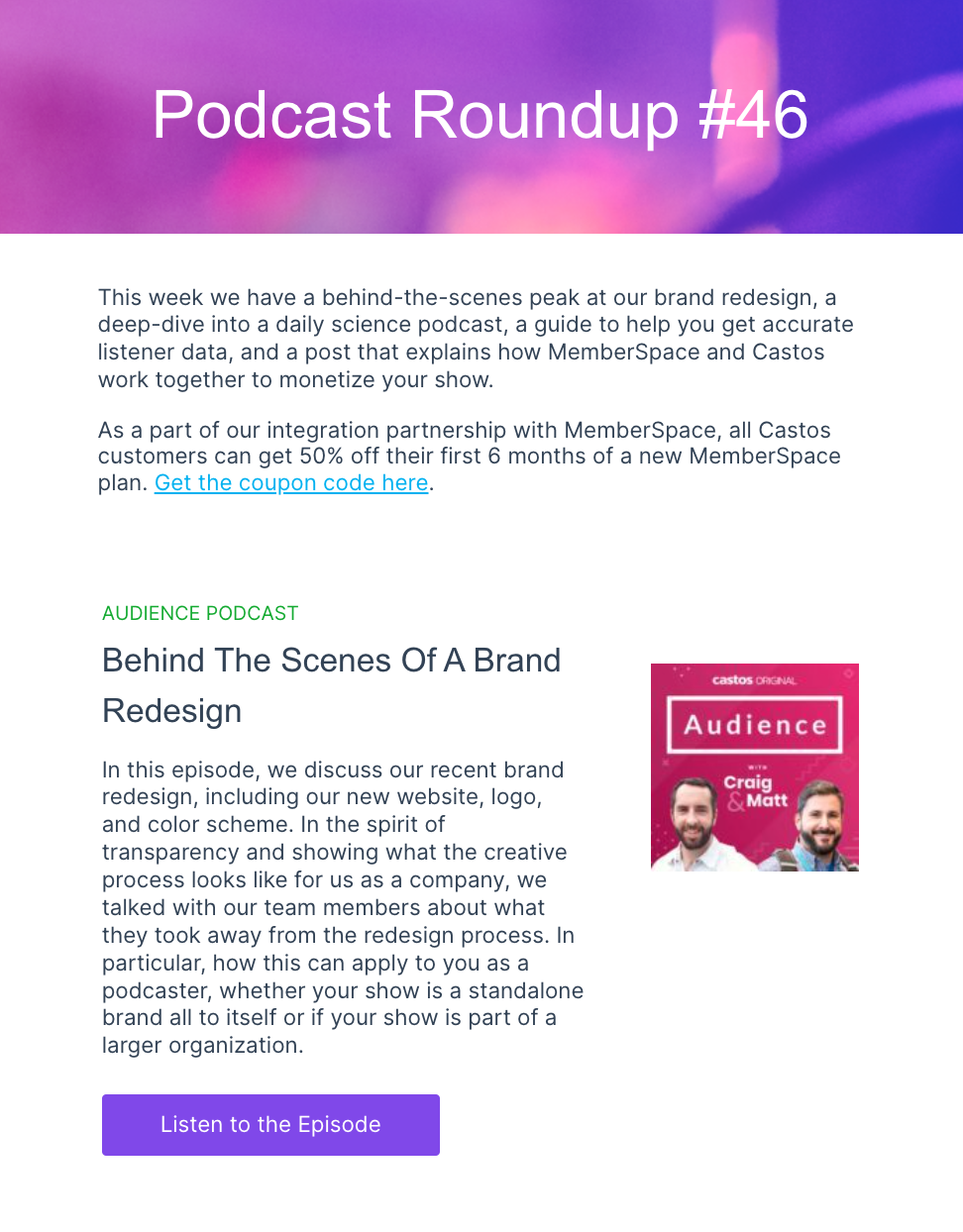
Last but by no means least, I spoke with Emma Russell, the founder of Oxford Comma Digital. Russell has a decade of experience helping start-ups and household name brands capitalize on and increase demand.

For context, I’ve worked with Russell personally. I was an in-house (and first-time) content manager, and Russell was the director of our SEO agency partner. Russell helped me swim rather than sink as I got to grips with SEO and team delegation. Further, I always admired the way she approached the agency-client working relationship.

Anyway, I‘ve gushed enough. Now let’s hand it over to Russell, who shares her best practices about delegating SEO to a team member…

How Not to Delegate

“Delegation is important — we all know that. It helps you do more SEO work that moves the needle, and it’s important to let the younger generation of SEOs learn by doing work that challenges them,” says Russell.

“In fact, it’s so important that it forms the basis of many consulting agencies revenue model: bring on a client, give that client to a recent grad, who’s really good at figuring things out, let them spend hour upon hour figuring out how to do the task and make money on all that unpaid overtime they put in… wait, hang on… that doesn’t sound so good…”

Russell adds, “Alas, that’s what delegation has looked like for years but is, thankfully, becoming ‘old school.’ At least in the SEO industry, good delegation looks decidedly different now.”

But what does “SEO delegation done right” look like?

Understand the person you’re delegating to.

Russell reiterates that this doesn’t just mean their skill levels in each area but also understanding them as people.

“Those grads I mentioned earlier probably thrive by being thrown in the deep end, but not everyone is like that. Some people have confidence issues, or imposter syndrome, or are dealing with things that are making challenges at work that much harder,” says Russell.

Russell recommends that step one is to figure out and understand how people like to learn. “Our objective is to let this person thrive, and this doesn’t look the same for everyone,” Russell says.

Brief this person properly.

“’Properly’” will depend on their skill level and their learning style. If you use a project management tool like Asana, Teamwork, or Hubspot, this can be made easier. But some people you’re delegating to will need to talk it through and ask questions,” says Russell.

Russell knows that taking the time to do this can be challenging, especially if you, yourself are extremely busy. Still, “it’s worth remembering that you’re delegating for a reason, and taking the time to get the brief stage right is completely worth it.”

Delegate to an in-house team (when you’re agency side).

“It’s worth noting that this delegation doesn’t always take place with people in the same company as yours. If you’re agency side, you’re often delegating to people within an in-house team who may have limited knowledge of SEO,” says Russell.

For this reason and many others, Russell explains that it’s worth putting serious effort into your communication skills and practicing conveying topics in a simple, non-reductionist way. Russell adds, “This will span from your documentation to your meeting communications.”

Allocate enough time.

To allow all of the above to happen, Russell advises that managers give people enough time for delegation and managing tasks properly.

Russell adds, “If you have a team member who delegates tasks to others and coaches them, they might not be a manager yet, but they need to have time to get this right. If you’re expecting them to be 100% on client work or projects, give it up. It’s not going to happen, and you’re overworking this person.”

SEO Resources and Training

This guide is just a starting point for discovering SEO. But there’s much more to learn.

Here are online training resources to try next if you or someone on your team wants to take on this skill:

  • The HubSpot SEO Academy.
  • Google Analytics Course.
  • SEO That Works course.

You can also pick SEO knowledge from industry experts and their blogs. Here are some worth reading:

  • SEMrush.
  • MOZ.
  • Yoast.
  • BrightLocal (local SEO advice).
  • Search Engine Journal.
  • Search Engine Watch.
  • Search Engine Land.
  • SEO Chatter.
  • Bruce Clay Inc.
  • WordLift Blog.

Over to You

Without actively positioning its content in search results, no business can survive long.

By increasing your search visibility, you can attract more visitors and, in turn, conversions and sales. And that’s well worth the time spent becoming an expert in SEO.

marketing

13 YouTube Description Templates That Have Helped Our Videos Go Viral

Software Stack Editor · March 27, 2024 ·

With 2.5 billion active users, YouTube is an undeniably important channel for your marketing efforts. Knowing how to optimize your YouTube channel can help you increase your chances of discoverability and reach more people.

As both a YouTuber and HubSpot‘s resident creator economy expert, I know a lot about YouTube and how to go viral on the platform. So, believe me when I say it’s not just keywords you have to think about.

→ Download Now: 7 YouTube Video Description Templates [Free Prompts]

Creating engaging YouTube descriptions is one of the most important tactics for optimizing your YouTube channel. We’ll discuss creating compelling descriptions for your YouTube channel and videos here.

youtube channel description example

YouTube Channel Descriptions

YouTube channel descriptions are a little like the About Page of a website. It appears under the “About” tab of your channel’s YouTube page.

Your YouTube channel description conveys to potential viewers what your content will cover, including the issues you tackle and the communities you serve. You’ll be able to add this when setting up your YouTube channel.

Take a look at my YouTube channel’s description as an example. Notice how I introduce myself, state the kind of content viewers can expect, and reference my target audience.

I also have links to other platforms connected to my channel, such as Instagram, X, TikTok, and my website.

As YouTube creators, our primary goal is to attract and turn viewers into subscribers, often using the channel description. With that in mind, use keywords your intended audience would use to search for your content.

See how “anime” is used multiple times in my channel’s description.

YouTube Video Descriptions

Every YouTube video includes a description that can be found under the viewport of the video.

It’s crucial that each of your YouTube videos include a unique description to increase the likelihood of your video being found when someone is searching for a particular topic.

As a YouTube content creator, I always craft my video descriptions knowing they can attract and convert an audience. So, I always optimize my video descriptions for SEO — and you should, too.

Keep reading if you‘re unsure how to start crafting compelling YouTube descriptions. I’ll explore tactics you can employ and provide templates to ensure you have everything you need to excel on YouTube.

1. Use YouTube description templates. [Free Prompts]

HubSpot compiled several YouTube video description templates to help your business provide context to your viewers, rank better in search, organize your team, and link to relevant web pages on your site.

Download These Templates for Free

2. Explain your content.

My colleague, Caroline Forsey, spoke with Eric Peters, a Senior Growth Product Manager on HubSpot’s Academy team, to explore the best tactics for writing YouTube descriptions.

He said, “[YouTube descriptions] are one of the primary ways YouTube knows what your video is about. Include links, additional resources, links to other videos and playlists, etc. Make sure the description box is easy to read.”

Peters explained that your YouTube video description and closed captioning should incorporate keywords into your description.

It also helps with accessibility for people who are deaf or hard of hearing. Hence, adding closed captioning to your videos is essential for accessibility.

For instance, take a look at one of HubSpot Marketing’s YouTube video descriptions:

A YouTube description differs from a web page meta description. Content creators explain the entire video in a YouTube description and even link to external resources.

Peters says:

“You get 5,000 characters total, so make use of it. YouTube creators use asterisks or all-caps to differentiate titles from body copy because it’s all plain text.

Consider writing up a text version of the key points from the video, or even copying the transcription and paste it into the description.”

Most of my most recent YouTube videos consist of interviews from my podcast.

So, I‘ll often save time by writing out the description I’d use for my podcast episode that would appear on Spotify or Apple Podcasts, then copying and pasting the same description into YouTube.

I‘d then tweak it to include more keywords or important links to other platforms. I’ll also customize my YouTube video description with the bold, italic, or strikethrough options at the bottom of the description box.

For information, click here.

3. Include a call-to-action (CTA).

Your YouTube description is a fantastic opportunity to ask viewers to continue engaging with your channel or find additional resources to help them learn more about a topic of interest.

For instance, let’s say I create a brief “How to Add Filters to Instagram” YouTube video, but I also have an in-depth “How to Use Instagram for Marketing” blog post. Why not link it in the description?

Most likely, anyone watching my Instagram video on YouTube would be equally grateful for the opportunity to learn more through a blog post.

Perhaps I simply want to ask viewers to subscribe, turn on notifications, or share my content with their networks. These are all acceptable CTA’s for a description.

Personally, I always include a call to action in my YouTube video descriptions, telling viewers to follow my other social media accounts, subscribe to my blog, or listen to my corresponding podcasts on other platforms.

Experience has shown me it’s best practice to format the description so that the most critical information is first.

Peters advises, “The first 200 characters are above the ‘more’ fold on the description box, so if you want your CTA/link to be seen by most people, keep it within the first 200 characters.”

After the first 200 characters, the text will be cut off, and viewers must click “Show more” to see the rest. I know I don‘t always click “Show more” when watching a video, so your audience likely won’t either.

Therefore, you must count your first 200 characters.

4. Add your personality.

A YouTube description should be fun and demonstrate your brand’s personality with a unique voice. Unlike traditional forms of advertising, this is an opportunity for you to instill creativity and humor into your content.

Brian Dean’s YouTube channel is an excellent example of this. His YouTube descriptions often mirror the way he speaks. I enjoy his descriptions because they are candid and casual, and he makes it feel like he’s writing to a friend.

Consider checking out HubSpot Academy’s comprehensive YouTube Marketing course to learn more about using YouTube for marketing purposes.

5. Use timestamps to make videos scannable.

Including timestamps in your video description can make your video more user-friendly and help your content rank well on search engines.

YouTube video timestamps appear within search results, improving user retention by directing users to the most relevant portions of videos from SERPs.

Users can search for keywords in your video’s description and click on a thumbnail on the SERP to view the portion of your video that answers their search query.

Image Source

YouTube Channel Description Examples

Every YouTube channel description should allude to a specific niche or central theme. You want to tell your audience what they will learn from your channel.

This will give them a reason to tune in to your channel, subscribe to it, and continue learning from you and your videos.

Additionally, when you add your niche to your YouTube description, your audience can more easily find you in a sea of potentially similar creators.

1. Wes McDowell

Image Source

Wes McDowell’s YouTube channel targets viewers in the digital marketing niche. The channel description mentions its mission: teaching small business owners digital marketing strategies they can use to grow their businesses.

The description also lists topics the channel will feature in its videos, invites viewers to subscribe, and describes its benefits.

Why I Love It

This YouTube channel description is clear and direct. It details what viewers will get when they come to the channel. This description also describes the marketing strategies and techniques viewers will learn.

Clarity goes a long way in making a channel easily searchable and rankable on YouTube.

2. Yoga With Adriene

Image Source

Yoga With Adriene‘s YouTube channel description highlights one of the channel’s main values: inclusion.

The channel description mentions that everyone is invited to participate and learn more about yoga through her videos, regardless of their skill level.

The description also recommends videos that beginners can watch to become familiar with the content.

Why I Love It

This channel description is an excellent example of how a company‘s mission can be useful for video content. The description gives subscribers a glimpse into Yoga with Adriene’s values, creating a connection with the viewer.

This angle is helpful for ranking on YouTube because it’s aligned with morals and values that subscribers can easily identify with.

I started watching Yoga with Adriene‘s videos partially because the channel description convinced me they’d be great for beginners (and they are!).

3. Wild Wonderful Off-Grid

Image Source

Wild Wonderful Off-Grid’s YouTube channel description positions the channel within a niche by using the keywords “off-grid,” “self-reliant,” and “building our own home” to appeal to viewers who are interested in living off-the-grid.

The description also invites viewers to visit their online store and social media profiles.

Why I Love It

This YouTube channel description establishes a niche, describes the channel’s content, provides background information about the creators, and encourages subscribers and viewers to participate further in their brand.

I also love how the description also directs their audience to other aspects of their business, such as their store and social media platforms, which fosters value for their subscribers.

4. The Pals

Image Source

The Pals‘ YouTube channel description introduces the channel’s creators, lists the video games the channel will highlight, and provides each creator’s personal YouTube channel and Roblox username.

Why I Love It

This YouTube channel description focuses on the entertainment the channel provides.

The description targets subscribers seeking gaming knowledge and mentions the creators’ journeys to set the channel apart from others in the same niche and genre.

5. Florian Gadsby

Image Source

Florian Gadsby‘s YouTube channel description introduces the channel’s creator and lists the topics viewers can expect to see when they subscribe.

It also links to the creator‘s social media and newsletter and provides information about the creator’s online store, including its restocking schedule.

Why I Love It

This YouTube channel description takes a personal approach to the subject matter. The description gives visitors clarity about the channel’s content and artistic focus.

It also encourages viewers to interact with the creator on their social media platforms to learn more about them and view more of their content.

6. SciShow

Image Source

SciShow‘s YouTube channel description introduces the channel’s creators and hints at the topics viewers can expect to see weekly.

The description also outlines the channel’s posting schedule and mentions other YouTube channels associated with the brand.

Why I Love It

This YouTube channel description tells its viewers when they will see uploads. This is an excellent strategy to ensure users visit the channel right when they’re expecting to see new content.

If views go up on a page, the YouTube algorithm will likely boost your channel to a broader audience. Just make sure you stay on schedule.

I personally avoid putting the schedule for future uploads in my descriptions because mishaps happen, and I don‘t want to let my viewers down. But that’s just a personal hang-up I have.

7. Unbox Therapy

Image Source

Unbox Therapy‘s YouTube channel description states the channel’s tagline, gives an overview of the channel’s content, and provides a contact email for business inquiries.

Why I Love It

This simple channel description piques viewers‘ interest with a captivating tagline and a straightforward explanation of the channel’s content.

It also includes an email that allows viewers to contact the creators to inquire about the business and ask professional questions about the channel.

8. IsaWelly

Isa-Welly’s YouTube channel description immediately emphasizes her Registered Nutritional Therapist and Wellbeing Coach credentials before going into the purpose of her platform and what viewers can expect.

What I Love: I love that Isa Welly establishes trust with her audience by highlighting her professional experience. The bio is also very short and to the point, reducing the chances of confusion and keeping the reader’s attention.

9. Sundas Khalid

Sundas Khalid’s YouTube channel description starts with a friendly “Hey!” before explaining who she is and what she does: “I am Sundas, and I help you succeed in the data science and tech fields.”

The description then dives into her background as a self-taught data scientist.

It also highlights her achievements as someone with 10 years of experience across two prominent companies where she was a high performer at each.

What I Love: I love Sundas Khalid because she relates to her audience by using a friendly tone and explaining that she is self-taught and from a non-tech background.

Her approach shows she creates content for viewers who may have little to no experience in the tech field but want to break into the industry or sharpen their knowledge.

I especially like how she includes a disclaimer at the end, letting readers know her opinions are her own and do not reflect those of the company she works for. It’s a great example of transparency while separating your work and creativity.

10. Matte Wolfe

What Matte Wolfe’s description lacks in words it makes up for in key links. Wolfe’s YouTube channel includes links to his blog, Twitter (now X) account, and his AI tools database.

What I Love: Wolfe’s channel description is a great model for how less is more, especially if your channel covers a broad spectrum of topics within your niche.

Just make sure you use the extra space saved in your channel to highlight important links, such as to your blog, social media channels, or business.

YouTube Channel Description Templates

Now that we’ve covered the basics look at a few templates you can use to craft a compelling YouTube description.

1. Playful YouTube Channel Description Template

You might create a playful, easy-going channel ‘About Me’ description, like this one:

Hi, I’m [Name]. This is my channel about increasing your sales, effectively targeting your audience, and growing an email list that you can use to grow your business.

If you’re a marketer who wants to learn marketing strategies to get [result, i.e., more traffic to your site], subscribe to my channel.

My channel publishes videos that focus on storytelling content that connects X, shows you how to infuse your authenticity in your brand, and gives you a marketing strategy that feels organic.

If that sounds like it could be helpful for you, please join me!


2. Third-Person YouTube Channel Description Template

Alternatively, you can craft a YouTube description that describes what your company does from a third-person point of view, like this one:

[Company] is the worldwide leader in X, Y, and Z. Since [year], [Company] has been on a mission to [insert company vision or purpose here].

To learn more about [Company], its values, and its [company offering], subscribe to our channel to stay informed.

3. Niche YouTube Channel Description Template

Tell your subscribers what you’re all about and describe your niche when writing your YouTube channel description.

[Name] and [Name] have nuanced discussions about dating, their lifestyle, and relationships. They discuss current topics that affect modern dating and how to maneuver relationship patterns. You can purchase [Name] and [Name]’s [product] to learn more about improving your knowledge of relationships.

4. Inviting YouTube Channel Description Template

Building a relationship with your followers is one of the most important things you can do as a content creator. This template invites them to join you as you grow your brand.

This channel gives everything you need to know about gaming, including the latest equipment reviews, new game reviews, and once-a-week live streams. Watch as I, [name], try to beat my high score in the latest release of [insert game name here].

5. Personal YouTube Channel Description Template

Don’t be afraid to be vulnerable with your audience. Adding personal touches to your YouTube channel description, like the template below, can help you become more authentic.

This is a personal journey of how I became a painter. Learn about what paints I purchase, the tools I use, and the techniques I learned during school. Art is my passion, and I express my love for [insert passion] through it.

6. Straight-forward YouTube Channel Description Template

Tell your audience exactly what they can expect from your channel by using this template:

This channel gives pop culture commentary through a [political ideology] political lens. We make commentary on books and current events. We also upload a new video every Wednesday and Friday.

YouTube Video Description Examples

A helpful video description can spike your audience’s interest, resulting in longer watch times, better view counts, and even new subscribers.

Plus, it can help with YouTube SEO, allowing YouTube’s algorithm to understand your content and suggest it to new users, further boosting your YouTube metrics.

1. “5 Best Coding Languages for Beginners 2021” by nicole . young

Image Source

The description of nicole . young’s YouTube video, “5 Best Coding Languages for Beginners 2021,” hooks the viewer by posing a question that will be answered in the video.

The video description also includes a benefit the viewer will gain from watching the video.

Why I Love It

In this video description, the creator summarizes the video‘s title and specifies the target audience. The text will help audiences (and YouTube) understand the video’s content.

This creator understands that the channel description is prime real estate for contact information, social media handles, and calls to action, persuading viewers to stick around.

2. “How to Write Counterpoint – Music Composition” by Music Matters

youtube video description example:  music matters

Image Source

The description of Music Matters’s YouTube video, “How to Write Counterpoint – Music Composition,“ uses keywords such as ”writing counterpoint,“ ”music composition lesson,“ and ”understanding counterpoint” to appeal to audiences that are interested in learning the music composition technique.

The description also includes timestamps that viewers can use to skip to the portion of the video that addresses the specific topic they want to learn about.

Why I Love It

This YouTube video description uses keywords to appeal to a niche audience. The specificity makes it easily searchable on YouTube. Using keywords to make each video search-friendly will drive traffic to your video’s specific content.

3. “How to Create a 90-Day Plan for your Business (+ Free Workbook)” by Anna Clark

Image Source

The description of Anna Clark’s YouTube video, “How to Create a 90-Day Plan for your Business (+ Free Workbook),” includes links to the creator’s website, courses, newsletter, and social media accounts, and a workbook that viewers can download and complete as they watch the video.

Why I Love It

It’s good to involve your viewers in other aspects of your business. The interaction and engagement you earn will help you rank against other active channels.

Directing your viewers to other resources for your business will also help your YouTube channel drive traffic to your website, increasing your authority in your business niche.

4. “How To Create An Email Sales Funnel” by Wishpond

Image Source

The description of Wishpond’s YouTube video, “How To Create An Email Sales Funnel,” hooks the viewer by stating that the video is the fourth installment in a series and linking to the previous video.

The video description also incentivizes viewers to learn more about the company.

Why I Love It

This description segments the video as a section of a more extensive series. If subscribers learn that you provide similar content on your channel, they will be more inclined to watch your other videos.

The description also lets viewers know there’s a free demo of the service. If you sell different products or services in your business, link them in the description.

5. “How to Outline Your Novel – Part 2” by Writing with Jenna Moreci

Image Source

The description of Writing with Jenna Moreci’s YouTube video, “How to Outline Your Novel – Part 2,” hooks the viewer by stating that the video is the second installment in a series and linking to the previous video.

The video description also lets viewers learn more about the creator’s products.

Why We Love It

This video description is excellent because it lets viewers know what’s coming next. Inserting a “new segment” in your YouTube series lets viewers anticipate your next video.

6. “Microgreens Growing: Materials and Beginner’s Guide” by Epic Gardening

Image Source

The video description tells viewers about the creator’s experience with microgreens, lists the supplies the creator mentions in the video, and lists ways that viewers can support the creator beyond watching their video.

Why I Love It

The creator provides a list of products used in the video. The viewers can research the products or purchase them immediately through the links.

7. “Budgeting for Beginners – How to Make a Budget From Scratch 2021” by Debt Free Millennials

Image Source

Debt Free Millennials’ YouTube video, “Budgeting for Beginners – How to Make a Budget From Scratch 2021,” teaches viewers to create a budget.

The description gives viewers an overview of the topics covered in the video and invites them to sign up for products and services through affiliated links.

It also includes links to the creator’s Instagram, Facebook group, and website so viewers can connect with the creator through different social platforms.

Why I Love It

I love that the creator has created a sense of community and togetherness. If you include your social media links in your YouTube video description, subscribers will follow you on multiple platforms to remain engaged with your content.

The content creator invites them to return for new videos and share their experiences on social media.

8. “FINALLY be consistent on social media” by Jade Beason

Jade Beason‘s video gives viewers tips and strategies for staying consistent on social media as a creator or business owner. Her video’s description is simple and captures who and what the video is intended for:

“Watch this video if you’re struggling to post consistently on social media!

If you want to learn new content creation tips, content creation hacks, how to be consistent on social media or how to create consistent content on social media, this video is for you.”

What I Love: Since Beason‘s video description is so short, it leaves plenty of room for her to list other important information, and that’s what she does.

As viewers read through the description, they‘ll find information about further learning, additional resources, Beason’s equipment, and free guides.

Even better, it’s all neatly organized into sections.

9. “The Roadmap To Making Your First $1M In SaaS (How I Did It)” by Alex Heiden

Alex Heiden‘s video documents part of his journey of trying to profit off B2B SaaS. The video’s description details how he organizes his goals and the tools he uses.

What I Love: Heiden‘s description is detailed in summarizing the video’s point. He has included chapters, which are great for SEO and helps YouTube rank the video higher in search results.

10. “Easiest Online Business To Make $100,000+ In 2024” by Jensen Tung

Jensen Tung‘s video discusses the easiest online business to start to make $100,000. The video’s title is self-explanatory, so it’s not as necessary for Tung to have the video summary at the top of the description.

So, he moved it toward the bottom and used the rest of the space to provide information on his gear, newsletter, crucial links, and other endeavors.

What I Love: Tung prioritizes the most important information in his video description, and, in this case, it‘s not the video’s summary — it’s the links and information to his other projects that views may not have been able to find as easily otherwise.

YouTube Video Description Templates

A YouTube video description is descriptive text that includes but is not limited to keywords, themes, and special concepts/guests that the content creator wants their viewers to know.

The YouTube video description increases visibility through SEO, views, and subscriptions. In each video description, the content creator will encourage their viewers to “Like,” “Share,” and “Subscribe” to their content.

An effective video description will be persuasive and informative, prompting the audience to tune in regularly.

1. Simple YouTube Video Description Template

Rather than writing a lengthy summary of your video, keep your descriptions detailed enough to let the viewer know what to expect, yet concise enough so they don’t lose interest.

Listen to how our CEO explains the difference between X and Y, and learn best practices for implementing your own strategy.

Learn more about X and Y in our course: [course link].

2. Social Media YouTube Video Description Template

You can use a YouTube channel description like this one to help new viewers connect with you on your other channels and social media platforms:

Hi there! New to [name of channel]? If so, here’s what you need to know: I like [interests related to channel] a LOT, so I use this channel to explore X, Y, and Z to help you [desired result for viewer].

Where else you can find me:

INSTAGRAM: http://instagram.com/[accountname]

TWITTER: http://twitter.com/[accountname]

LIFESTYLE CHANNEL: http://www.youtube.com/[accountname]

Join our growing community for new videos every Tuesday and Friday!

BUSINESS INQUIRIES

Please contact [PR representative] at [email or phone number].

3. Search-Friendly YouTube Video Description Template

YouTube increases visibility within keyword searches and relevant content. As a result, videos should have buzzwords in video and channel descriptions.

If you want to craft a description that explains what your video is about and incorporates a keyword description, try this:

Hey there! This lesson is part of a free online course. Take the full course here: www.company.com/course1.

Some people are unsure what X is — at its most basic, X is [brief definition of keyword]. In this video, you‘ll learn how to X, Y, and Z, to ensure you’re able to grow your brand online.

In addition, we’ll explain how you can avoid doing A. Sometimes, A is all it takes to lose a customer.

4. Teaser YouTube Video Description Template.

Use your video descriptions as an opportunity to let your viewers know when to expect new content from you, like this template:

Join the “musical nerds” on a mission to improve our musical understanding. We upload every Wednesday and Thursday. We will have Q&A sessions to answer all of your beginner questions on Wednesdays starting next week.

5. Transparent YouTube Video Description Template

Transparency is key to gaining the trust of your audience. This template is an excellent example of how to let your viewers know when you are using affiliate links in your descriptions.

What‘s up, guys? In this video, we’ll talk about an everyday makeup look you can do in 10 minutes. I‘m not an early riser, but just like anyone, I still want to look good for the day. I’ll list the products I used in this video.

Please subscribe if you are feeling my vibe. I post content weekly, and you can always find me on Insta! I’ll drop my social media handles below.

**All opinions are my own. This video isn‘t sponsored. I’m sent products for my consideration, and I earn a small percentage from sales through affiliated links. Clicking on affiliated links doesn’t cost you anything.**

6. Engaging YouTube Video Description Template

Engaging with your audience is essential for building community with them. Here, this description encourages viewers to leave suggestions in the comments section to be featured in future videos.

Hi, everyone! We‘re the Science Kidz! Today, we are experimenting to find out which popcorn brand leaves behind the least number of kernels. Will it be Orville Redenbacher’s or Act II?

Every week, we do a new experiment as part of our initiative to highlight STEM careers in Savannah, Georgia. If you have an experiment you want to see The Science Kidz try, leave a comment below. You never know — we could pick yours!

Follow me on Instagram for more experiment ideas, and tag us in some of the experiments you do with your friends!

7. Sponsored YouTube Video Description Templates

Disclosing paid sponsorships or product placements doesn‘t have to be super jargon-heavy. A template like this can help you be candid with your audience without straying from your brand’s voice and sounding like a robot.

Hey, y‘all! Today, we’ll be rebuilding a 454 Chevy Big Block motor. We‘ll be adding 200 horses to bring the motor up to 680 horsepower. I hope y’all are ready to dive into business with Motor Boyz.

This episode is sponsored by Husky tools, and we’ll be using their latest impact and driver tools to rebuild the 454. We would like to thank Anderson Auto for donating the 1972 C10 to be our frame once the motor is rebuilt and completed.

1. Use templates.

Once you have your brand voice down, create a template for your video descriptions to help save you time when uploading. If you’re having trouble making a template on your own, use HubSpot’s YouTube templates to get some inspiration.

2. Be clear and concise.

When writing a description for a YouTube video, you should aim for simplicity. Make sure all the essential information is above the fold. That way, you can ensure potential viewers know what your video is about as they search for what they need.

3. Connect with subscribers.

Use your YouTube descriptions to help new viewers connect with you on your other channels and social media platforms. In doing this, you can increase your cross-promote content more easily and boost engagement and discoverability.

Just make sure to put your social media links toward the end of your descriptions since there are more important details to keep above the fold.

4. Create a niche.

Whether you‘re writing a description for your channel or a video, you’ll want to define your niche. Start by introducing yourself or your brand, then highlight what you offer and what makes you unique.

Be sure to incorporate relevant keywords used to search for content in your niche so your target audience has a better chance of finding you.

5. Show your journey.

You may want to create a channel description asking viewers to join you on a journey you document on your YouTube channel. For instance, if your YouTube channel focuses on streaming video game content, you may invite subscribers to watch you as you attempt to win the game.

Therefore, mentioning a goal for your channel can help you gain new subscribers eager to come along for the ride as you pursue a goal.

6. Be more personal.

Create a sense of community with your channel by being more personal with your audience. When writing your descriptions, consider including personal touches, such as telling a story, using relatable language, or speaking directly to the viewer.

By offering an emotional appeal, you and your content will come off as more authentic, helping you create a stronger connection with your subscribers.

7. Create anticipation for new content.

A content creator must build excitement for the next video — a sense of urgency and anticipation for their audience. A YouTuber can create giveaways, conduct polls, and invite special guests to participate in the videos to maintain the channel’s success.

8. Make it search-friendly.

We have all done it: Having parts of an idea and hoping Google will fill in the blanks by completing the search with the rest of our thoughts.

As a content creator, you need to own each video’s related tag, including misspellings, to help refine the content under your channel. The YouTube videos must be centered around keywords, maximizing your SEO for Google and YouTube searches.

9. Lead viewers to other resources.

When crafting your descriptions, consider linking to related content that viewers might find interesting or helpful. For example, if you have a blog, you can link to a blog post that goes more in-depth on the topic you’re discussing. This will help provide additional context to the viewer and bring more traffic to your website.

10. Incorporate keywords.

Use keywords in your descriptions to increase the visibility of your YouTube channel and videos. In order to determine which keywords you should target, you‘ll need to conduct keyword research.

When crafting your description, don’t repeat the same keywords too much. Instead, insert them in a way that sounds natural. This will keep it easy to read and help you avoid keyword stuffing.

11. Tease a new initiative.

A new video is upcoming, and you need to send a teaser to your audience that will create buzz leading up to the release of the latest content. A video teaser can be uploaded to YouTube Shorts to increase anticipation.

12. Be transparent.

Authenticity sells. Viewers know when you aren‘t being transparent with them, so just be honest. If you have affiliate partners, gifted products, or sponsorships, don’t try to hide it.

Be honest with your viewers and write a disclaimer in your description.

As a YouTuber, engaging with your audience and building their trust is essential. If you lose that trust, it can be hard to win it back.

13. Maintain engagement.

Keeping your audience engaged is crucial for getting them to return for more content. When writing your video description, use a strong hook that grabs your audience’s attention and makes them want to watch.

Be sure to break down the video into sections and include timestamps for each one. This allows viewers to jump to specific parts of the video so they remain interested.

14. Plug your products.

Any time you mention or use one of your products or services in a video, you should always include a link in your description. Doing this prompts the audience to try your product or service for themselves.

Offering a discount code may also encourage potential customers to leap.

15. Test out different formats.

If your videos aren’t reaching your expectations, try experimenting with different description formats and templates.

Maybe your descriptions are too long, and they get cut off on certain devices, or perhaps there are better keywords you can optimize for. Testing out different descriptions will help give you a better idea of what works best for your brand.

Download these YouTube description templates and help your video go viral.

These must-have YouTube video and channel description templates can help you reduce the time it takes to upload and optimize your YouTube videos, getting them out to your audience quickly and with less effort.

Be sure to customize the text to enhance the reading experience because you want to be as helpful as possible for your audience.

Editor’s note: This post was originally published in March 2019 and has been updated for comprehensiveness.

New call-to-action

12 Recruiting Email Examples I Love (For Your Inspiration)

Software Stack Editor · March 27, 2024 ·

If you’re active on LinkedIn, you’ve probably received random messages from recruiters inquiring about putting you in their talent pipeline.

I’ve received countless generic recruiting messages that make it clear that no one paid attention to my account. Messages have arrived in languages that I don’t speak, or they’ve sent a copy-pasted recruiting email template to dozens of potential candidates that hasn’t been customized at all.

→ Download Now: The Beginner's Guide to Email Marketing [Free Ebook]

While cold recruiting messages can be highly effective, they often make the hiring process feel impersonal before you even formally get involved.

The recruiting process doesn’t have to feel that way. With the right recruiting email templates, recruiters and recruiting agencies can save time and effectively fuel their talent pipeline. Let’s dive into successful recruiting emails, why they work, and a template that you can use yourself.

Table of Contents

  • The Best Recruiting Emails
  • How to Write a Recruiting Email
  • Other Types of Recruiting Emails

The Best Recruiting Emails

I’ve gathered 12 emails from professional recruiters, executive search firms, and headhunters.

Use these examples to create unique recruiting email templates that can be customized for your own outreach, whether you’re drafting cold recruiting email templates or nurturing existing relationships.

Many of these recruiting emails have been anonymized for privacy.

1. Director of Tax Email

Should recruiting emails include social proof to bolster a company’s cachet? Yes, if it helps answer FAQs about the position or company. This email from Avra Talent leverages social proof in a natural way that informs the potential candidate of the size and responsibilities of the role.

Recruiting emails need to balance sharing company information without overloading the candidate. This is particularly true when headhunters are emailing a passive candidate who isn’t necessarily on the hunt for a new job.

A long-winded email full of company specifics isn’t compelling, but it needs to offer an informative introduction to the company and its mission. This email example walks that line well, providing a lot of basic company information without droning on for paragraphs.

What I like: This email briefly covers a lot of specifics but doesn’t overload the candidate with unnecessary details.

2. Revenue Marketing Manager Position

tempshort

This email example from the HubSpot marketing recruiting team has been anonymized to serve as a short recruiting email template for your own outreach.

While some emails will go into the interview process and shine a light further down the hiring road, this is short and sweet and focuses on getting a response from any interested candidates.

Recruiting email templates can call recipients to directly apply to a position, or they can offer to further the conversation.

The latter is the case in this HubSpot recruiting email template: The call-to-action (CTA) in this email makes the recipient feel like their time is respected. Further, the hiring manager isn’t trying to funnel anyone into the hiring process.

What I like: While many recruiting email templates include extensive company details, an email this direct can help have a higher response rate with passive candidates.

3. Physical Therapist Email

This email starts with a simple and direct explanation of why this candidate is being pitched, which makes it feel like this hiring manager is being thoughtful and not sending an identical email blast to dozens of people. The reference to LinkedIn helps this feel like a normal conversation and not a hard pitch.

The phrase “explore this potential match further” in the second paragraph further extends an open conversation, which should be a part of all email templates for recruiters.

Some recruiter emails tell passive candidates that they’re the perfect fit for a role at their company, and it comes across as very insincere. The recruiter could never know that without multiple conversations, so lean into the conversation versus the offer.

What I like: The email references both tangible professional experience and the soft skills on display on the candidate’s LinkedIn profile.

4. VP of Revenue Email

“Most recruiting emails are ‘look how great we are, here’s this opportunity,’” shared Lucy Meyer, a seasoned recruiter. “There’s another option, though: Share what your company is like, why you’d like to learn about the candidate, and ask if you think it could be a good fit.”

This approach to the recruitment process prioritizes relationship building, which saves recruiters time in the long run. A growing company will always be hiring, and this approach to recruiting can help fill a company’s talent pipeline with a network of potential candidates. This email example has been anonymized to serve as a template for your own outreach email.

What I like: This recruiting email template acknowledges that this is a passive candidate who’s not necessarily involved in the job search at the moment, and this prioritizes long-term relationships with talent over filling individual job openings.

5. Talent Acquisition Specialist Email

The past examples have been of cold recruiting emails, and here we see a great template for reconnecting with a warm lead. Daniel Wolken, a human resources expert and talent acquisition Specialist at DailyRemote, explained his thought process behind this email template:

“This candidate and I initially connected when he was exploring new HR opportunities. During our initial discussions, I was impressed by his passion for recruitment and talent management. Even though we didn’t have an immediate match for him then, I nurtured that relationship for future roles. This is the template that I used to reconnect with him,” Wolken says.

What I like: This warm outreach email template reiterates the previous conversation, offers a refresher of company details, and gets specific about why this opportunity might be worth exploring.

6. Ecommerce Manager Email

While this email has five substantial paragraphs, it follows a really clear, digestible template: introduction, the reason for the email, intro to the company, why this candidate is right for this company and role, what the role would look like, and further the conversation.

This email translates the candidate’s prior experience as a social media manager to this current role really well, making it clear that this was a customized message only targeting people with ecommerce experience.

What I like: The sentence “I am eager to learn about your career goals” offers insight into the leadership style in this organization and shows positive signs about company culture. That thoughtfulness coming from the CEO of the company is sure to catch the candidate’s attention.

7. Cybersecurity Position

“I crafted this for a candidate I recently encountered while searching for top application security talent,” shares Conor Hughes, an HR professional and consultant. Hughes relayed his expertise on SMB Guide and gave these insights into why he drafted this recruiting email this specific way.

“I initially discovered this individual after reading an in-depth article where she presented her work building a robust AppSec program from the ground up at her company. She clearly demonstrated deep technical expertise along with solid leadership and communication skills,” Hughes recalls.

His goal of the email was to “grab her attention by highlighting how her credentials directly match our open role,” he says.

What I like: The candidate receiving this email will immediately sense how much attention was given to their work. This opportunity is so specific, and the recruiter positions this perfectly as an exciting opportunity.

8. Australian Business For Sale Hiring Email

“The opening of the email introduces our company’s mission and the specific role we’re seeking to fill. Moving to the second paragraph, the email outlines key role responsibilities, expectations, and benefits, providing transparency about the position,” shares Sam Bass, owner of Australian Business For Sale.

Bass says the team ensures to highlight the company’s employee-centric culture that reinforces learning, growth, and innovation. “I believe giving an authentic representation of the role, and our company culture has been a significant factor in attracting top-tier talent,” he says.

What I like: This business has a wide scope (coffee shops to crocodile farms!) but still explains its mission briefly and lets the opportunity take center stage. This tactfully avoids the faux pas of talking about yourself too much when introducing the company.

9. Sales Manager Position

Company values and workplace culture are coming through in this email. These phrases speak volumes:

  • What you’ve built during your time there
  • Values-driven team
  • Make an impact here
  • No strings attached

Also, notice that this recruiting email hyperlinks the job title and sends the candidate to the full job description rather than sending an email that’s too long to digest. Cold outreach emails are most effective when they’re digestible, and this is an effective way to keep your communication concise and response rates high.

What I like: The extremely brief company summary makes it clear that this company knows who they are, who they serve, and where they’re going. That confidence and clarity are very attractive to candidates.

10. Acuity Training Sample Email

Rather than diving straight into job descriptions, Ben Richardson, founder and director of Acuity Training, initiates recruiting emails with a personalized question or anecdote. This all ties back to the individual’s professional journey.

“This approach aims to evoke a sense of connection and open dialogue, making the recruitment process feel less transactional and more like the beginning of a meaningful conversation about their career aspirations,” shares Richardson.

Richardson shared the above recruiting email template to help make cold outreach feel genuine.

“This offbeat tactic not only garners higher response rates but also sets a tone of genuine interest and engagement from the very first interaction, creating a unique touch in the recruitment process,” Richardson says.

What I like: This is a warm, direct piece of communication that sheds light on the company culture. Ben practically had me applying at “a match made in workplace heaven.”

11. Senior Software Engineer Position

This is a relatively short recruiting email but covers all of the bases: mentions of the candidate’s experience, the role, company mission, and CTA. The language choice, color, and snappy mission statement all ooze “startup” in the best way.

Mentioning past companies that the CEO has founded is a unique choice of social proof, but prior success is a currency that’s valuable to have in the startup world. It’s an effective, direct recruiting email that helps interested candidates jump straight into the hiring process.

What I like: HiHello is a digital business card company, and I like how they put their product on display in the email footer. On their website, HiHello says to “Turn every email into a branding opportunity,” and they’re embodying that message in their recruiting emails.

12. Home Care Position

This is a unique approach to recruitment communication. Instead of advertising the specific job opportunity, this advertises the workplace experience. The purpose of this email is to let candidates know what it’s like to work for this company by sharing workplace reviews.

“We opted to feature snippets of anonymous employee reviews from our Indeed Employer page in our recruiting emails, which best speak to our workplace culture,” shared Madison Serfas at Assistance Home Care.

At each New-Hire Orientation, Assistance Home Care asks new employees what drew them to apply at Assistance Home Care. Nearly every week, Serfas says she hears that it was the company’s employee reviews or a word-of-mouth referral.

“Each of the nine emails within the campaign also featured a prominent footer featuring our Great Place to Work Certification with a link to explore our Employer page as further social proof for the audience,” Serfas says.

What I like: Workplace reviews are an effective way to get candidates’ attention and be remembered for the right reasons.

How to Write a Recruiting Email

Ready to create your own recruiting email templates?

With the above inspiration, we’re going to walk through a template that you can use to improve your email communication today.

Subject Line

The job of any email subject line is to prompt the recipient to open your message.

Sometimes, you’ll see funny email subject lines like “You dropped your credit card!” only to open the email and read “…now that I have your attention.” I get a lot of cold emails. I hate when they have misleading subject lines, and I doubt I’m alone.

An off-the-wall email subject line is probably not that useful to you unless it really reflects your brand. Keep it simple and honest, as you’ve seen in the examples above. These tips can also help you write a catchy subject line.

Pro tip: Keep your subject line short enough that it can all be displayed in people’s inboxes. This means that most subject lines are about nine words or less.

Purpose of Email

Nobody likes a buried lead; disclose the purpose of your outreach in the first paragraph of your email. Avoid vague, salesy language like “Are you interested in having the career of your dreams?!”

I get cold outreach emails like this a lot for my business, and it makes the purpose of the email feel muddied.

Introduction or Reintroduction

If this is your first time reaching out, introduce yourself and your company in a few well-chosen words. Enough to let them know what you’re about without writing a novel.

If you’ve connected with this candidate in the past, reintroduce yourself and your company. Given the enormous number of emails we all get each day (more than one hundred!), it’s best not to assume that they can actively recall everything about your brand.

Pro tip: Remind candidates where you met or the details of your last conversation.

Why This Potential Candidate

When potential candidates read recruiting emails, they’re asking the question, “Why me?” If you don’t answer this, they’ll assume that they’re one of a hundred people receiving the same email.

This is particularly important when you’re making a cold recruiting email template and reaching out to a passive candidate. Good recruiting email templates need to address this at the beginning of the conversation.

Pro tip: Disclose how you found this candidate and what stood out to you, as we saw in many of the examples above.

Job Opportunity

You don’t need to copy/paste the entire job description, but you do need to share the job title and an overview of the position details. Highlight some of the best aspects of the job or benefits of working at your company.

Pro tip: Use the job title to hyperlink to the job description.

Why Your Company

Job seekers are vetting companies as much as companies are vetting them. Your email templates always need to account for this and share why your company is worth applying to.

Here are some of the forms of social proof we saw in the above examples:

  • Company reviews (happy employees).
  • Positive workplace.
  • Talent of employee body.
  • Founder success.
  • Company valuation.
  • Collaborative environments.
  • Culture of innovation.

Pro tip: Avoid the urge to throw a bunch of random social proof at candidates. Make sure whatever you share is highly relevant to the experience they’d have in the company.

Mutual Discovery

“Recruiting emails are done better when they’re done from a place of mutual discovery versus a hard pitch,” shares Lucy Meyer. “Mutual discovery starts the conversation ‘I want to learn about you, hopefully, you’ll want to learn about us.’”

While some recruiting emails try to immediately funnel candidates into the interview process, neither the candidate nor the company is really ready to jump ahead to scheduling interviews at the first point of contact. This is an important step in full-cycle recruiting that shouldn’t be skipped.

Mutual discovery prioritizes relationship building, which will result in a potentially smaller but more qualified group of applicants.

The Ask

What action do you want this potential candidate to take? Your email templates can include any number of CTAs:

  • Fill out an application.
  • Quick call.
  • Formal phone screen interview.
  • In-person interview.
  • Introduction to other candidates.

The clearer your CTA is, the higher your success rate will be with candidates following through.

Email Signature

Emails, especially cold emails, need to include a few personal details in order to answer the question recipients are asking themselves: “Is this spam or real?” Create an email signature that includes:

  • Emailer/interviewer job title.
  • Company name.
  • Contact details.
  • LinkedIn links.

Pro tip: Ask yourself what basic information you’d need to see in order to validate the seriousness of a cold outreach email; then, make sure that all of those details are included in your email signature.

Other Types of Recruiting Emails

These email examples covered warm and cold talent outreach, but other types of recruiting emails may include:

  • Follow-up email.
  • Interview invitation email.
  • Briefing of interview format.
  • Interview confirmation email.
  • Interview feedback email.
  • Rejection email.
  • Job offer letter email.
  • Checking in email (relationship maintenance).
  • Notification of a new open position.

Pro Tip: Leverage an applicant tracking system and email templates to help maintain consistent communication with candidates.

Enticing the Best Candidates

Recruiters inevitably send dozens of emails to funnel top talent into their company’s interview process, and it all starts with recruiting. These emails may be the first time candidates hear about the company and what they do, so they have incredible power.

Reflect on the cold emails you’ve received and think about what impression they left on you and how they compelled (or didn’t compel) you to take action. Use this cycle of self-reflection to help you create email templates that become talent magnets.

New Call-to-action

4 Key Insights: How AI Is Redefining Startup GTM Strategy

Software Stack Editor · March 26, 2024 ·

AI and startups? It just makes sense.

Between the prophecy of single-person billion-dollar companies, and the pinch felt by founders as VCs tighten wallets, startups are counting on AI for a winning go-to-market strategy.

It’s a smart bet, too.

In HubSpot’s survey of over 1,000 startup founders, 86% said AI has had a positive impact on their GTM strategy. Those with the highest growth and most funding are more likely to attribute their growth to AI.

Here are some more interesting tidbits from the meaty report:

1. AI Jobs Are Hot 

The report shows that 71% of startup founders already have a designated person or team that specializes in using AI in their GTM strategy, and 66% plan to hire more AI specialists in the next year.

Screenshot 2024-03-22 at 10.23.58 AM

If you can’t beat it, join it. Source: Google Trends, six-month rolling average

But the cost of hiring these folks is a top challenge for startups, along with a general lack of AI know-how, both in current employees and in integrating with existing systems.

Screenshot 2024-03-22 at 10.24.42 AM

Source: HubSpot for Startups

Those pain points mean multiple opportunities for well-timed business builders. You could:

🕵️ Help startups source AI talent more affordably;

🏋️‍♀️ Provide AI bootcamps as a benefit for current employees;

⚙️ Offer AI integration consulting services;

▶️ Create video content teaching startups how to get the most out of AI tools.

2. AI Kicks Ass in Customer Segmentation 

When plugging AI into their GTM strategy, 51% of startups report using it for customer segmentation — the most common answer.

From predictive analytics and smart pricing to personalized content, AI is helping companies turn customer targeting into an exact science.

And they’re gettin’ results:

  • 57% of startups surveyed see increased conversion rates
  • 52% see enhanced customer engagement

Don’t take our word for it. Head on over to the full report, where you’ll find examples like:

👗 How gen AI helps Stitch Fix stylists provide personalized product recs by interpreting customer feedback

🏷️ How startups that use Accenture’s dynamic pricing are boosting revenue and cutting promo spend

👍 How Intercom’s AI bot helped Frame.io score a near-perfect customer satisfaction rate

3. AI Is A Marketer’s Best Friend 

While AI gives a power-up to all functions of GTM, marketing is seeing the most impact, according to 43% of founders surveyed.

Screenshot 2024-03-22 at 10.25.22 AM

Source: HubSpot for Startups

Marketers are creative folks always on the prowl for new things, so of course they’re using AI to their advantage. Marketers say they tap AI for:

  • Creating content (48%)
  • Data analytics and reporting (45%)
  • Learning how to do things (45%)

… and saving 12.5 hours per week!

Curious? Watch my colleague and marketing maven, Caroline, use AI to beef up her writing.

@caroline4cwrites Learn three ways I use ChatGPT to supercharge my professional writing on HubSpot’s Blog team.
#bloggingtips
#contentcreation
#chatgpttips
♬ Sunshine – WIRA

4. AI Will Make Businesses More Human

Today’s entrepreneurs should think not only about how to improve results with AI, but also how to liberate and elevate their own potential with it.

I’ll leave you with a quote from Daniela Amodei – she’s the co-founder of Anthropic, the company that made Claude, one of the leading large language models.

“As we’re working on these powerful generative AI tools… [we want to] make sure humans are still at the center of that story. We hope people use Claude as a partner and collaborator that helps humans do the things they want to do and live the lives they want to live.”

There’s so many more gems in this report, so go check it out, and start using AI to supercharge your own business! 🚀

get the report

70+ Social Media Demographics for Marketers in 2024

Software Stack Editor · March 26, 2024 ·

I get it, fellow marketers — sometimes, you just need the numbers.

The juggernaut known as social media only gets bigger with every new year, and because of that, demographics shift with it. Ultimately, keeping on top of important numbers before your social media campaigns can help you achieve ROI in the long run.

Download Now: The 2023 State of Social Media Trends [Free Report]

Here, we’ve compiled the state of social media demographics, optimized with the most important data you need to know about your audience and shaping your personas for 2024.

Jump Ahead:

  • General Social Media Demographics
  • Facebook Demographics
  • Instagram Demographics
  • X (Twitter) Demographics
  • TikTok Demographics
  • YouTube Demographics
  • LinkedIn Demographics
  • Reddit Demographics
  • Snapchat Demographics

General Social Media Demographics

  • Roughly 82% of Americans between 18 and 49 years old use at least one social media site. (Pew Research Center)
  • Before working with influencers, 33% of marketers consider the demographic of their audience. (HubSpot Blog Research)
  • Snapchat has the highest number (41%) of users aged 18-29. (Statista)
  • 90% of marketers find that short-form videos such as TikTok and Instagram reels have high ROI (71%) or average ROI (27%). (HubSpot Blog Research)
  • Social media users use an average of 7.2 social media platforms per month. (Hootsuite)

Facebook Demographics

General

  • As of 2023, Facebook has over 3 billion monthly active users. (Statista)
  • Facebook has over 2 million daily active users and almost 4 million monthly active users. (Meta)
  • Facebook is the most effective platform for community building. (HubSpot Blog Research)
  • The average user in the U.S. spends 30.9 minutes on Facebook per day. (Statista)
  • Facebook is the most popular social media platform for marketers. (HubSpot Blog Research)
  • Facebook is the fourth most visited website in the U.S. (Semrush)

Age and Gender

Please note that audience data for individuals who do not identify within the binary are not reported.

  • Globally, 56.3% of Facebook users identify as male, while 43.7% identify as female. (Statista)
  • Facebook is used the most by people aged 25-34. (Statista)
  • 31% of U.S. adults regularly get news from Facebook. (Pew Research Center)
  • In terms of daily usage, 33% of Gen Z respondents confirmed that they log into Facebook at least once a day. (Ignite Social Media)
  • Facebook is the most popular social media app used by boomers, per GWI. But, TikTok, Snapchat, Reddit, and Instagram are also growing in popularity. (Insider Intelligence)

Geography

  • India has the most Facebook users at 314 million, with the U.S. in second place with 175 million users. (Statista)

Takeaways

As the most popular social media network, Facebook is definitely a platform worth investing in. Its largest user group is Gen X but it still has a wide range of users across all ages. Furthermore, Facebook is popular worldwide, making it a great social media network for brands of all industries and locations.

Instagram Demographics

General

  • There are currently over 2.4 billion monthly active users on Instagram. (Demand and Sage)
  • Instagram has the highest ROI, engagement, and highest quality leads. (HubSpot Blog Research)
  • The average amount of time per day spent on Instagram is 33.1 minutes. (Statista)

Age and Gender

Please note that audience data for individuals who do not identify within the binary are not reported.

  • Males between the ages of 18 to 24 represent the largest demographic on Instagram, followed closely by males between 25 to 34 years old. (Statista)
  • Most women on Instagram are between 18 and 34 years old. (Statista)
  • The smallest age group on Instagram is senior males 65+. (Statista)
  • On average, U.S. consumers will spend 49 minutes a day watching social video in 2024, a 5.8% increase YoY, per our June 2023 forecast. (eMarketer)

Geography

  • India and the U.S. lead the board as the countries with the largest Instagram audience sizes, similar to Facebook. (Statista)
  • For two consecutive years, the most geo-tagged city in the world on Instagram has been Los Angeles, California. (Mention + Hubspot)
  • The Asia-Pacific region has the highest engagement rate. (Mention + HubSpot)

Takeaways

Instagram is another leading social media platform with a large user base spanning all age groups, and it offers advanced ecommerce features, making it incredibly popular among consumers and valuable to brands.

X (Twitter) Demographics

General

  • X is the tenth most visited website in the U.S. (Semrush)
  • There are 360,000 posts sent per minute on X. (Statista)
  • X has 421 million monthly active users, adding 20 million in 2023. (Business of Apps)
  • The average amount of time per day spent on X is 34.1 minutes. (Statista)

Age and Gender

Please note that audience data for individuals who do not identify within the binary are not reported.

  • X’s user base heavily skews male, with only 43.6% of users identifying as female. (Statista)

Geography

  • The U.S. is the country with the most X users, at 77 million, with Japan right behind at 58.2 million. (Statista)

Takeaways

If you’re looking to build a community surrounding your brand, X is a great place to start. It’s particularly popular in the U.S., so if that aligns with your target audience, consider setting up your virtual shop there.

TikTok Demographics

General

  • The majority of TikTok creators are aged 18 to 24. (Exploding Topics)
  • 76% of users say they like it when brands are a part of special interest groups on TikTok. (TikTok)
  • According to famous TikTokers, the ideal video duration for easy consumption and retaining viewers’ attention is 10 to 17 seconds. (Pro Global Business Solutions)

Age and Gender

Please note that audience data for individuals who do not identify within the binary are not reported.

  • 21.5% of TikTok’s global audience are females between the ages of 18 and 24, and 17% are males between 18 and 24. (Statista)
  • U.S. users spend 59.8 minutes per day on TikTok. (Statista)
  • Most TikTok users in the U.S. are 10 to 19 years old, followed by 20 to 29. (Exploding Topics)
  • Gen Z prefers to watch short-form videos on TikTok over Instagram. (eMarketer)

Geography

  • The region with the largest TikTok audience is the U.S. (150 million users). Indonesia follows with 126 million TikTok users. (Statista)

Takeaways

TikTok’s audience heavily skews young, with a large Gen Z population. As such, it’s a great platform for B2C brands targeting this demographic. With short-form video taking off, it’s an opportunity for brands to not only hop on a growing trend but do it on a platform that caters to their target audiences.

YouTube Demographics

General

  • YouTube is the second most effective platform for building a social media community. (HubSpot Blog Research)
  • YouTube is the second most visited website in the U.S. (Semrush)
  • An average of 1 billion hours of YouTube content is watched on TV every day. (YouTube)
  • YouTube shorts average over 70 billion views per day. (YouTube)

Age and Gender

Please note that audience data for individuals who do not identify within the binary are not reported.

  • A quarter of U.S. adults regularly get news from YouTube. (Pew Research Center)
  • Male users account for 54.4% of the YouTube viewing population, while female users account for only 45.6% of visitors. (Global Media Insights)
  • YouTube is the second most helpful channel for finding content on the Cost of Living Crisis; TikTok is first. (Statista)
  • 68% of Gen Z users said they use YouTube for entertainment and scrolling. (Later)

Geography

  • Southern (580.1 million) and SouthEast Asia (332.6 million) have the highest number of YouTube users, followed by North (279.1 million) and South America (262 million). (Global Media Insights)

Takeaways

YouTube is the leading video platform, with a wide range of users from Gen Z all the way to Baby Boomers. With the launch of YouTube shorts and the popularity of short-form video, brands should develop a strategy to capitalize on growing interest to generate leads.

LinkedIn Demographics

General

  • Marketers can reach 900 million users with LinkedIn Ads. (Data Reportal)
  • Approximately 10.7% of the global population has a LinkedIn. (Data Reportal)

Age and Gender

Please note that audience data for individuals who do not identify within the binary are not reported.

  • 57.2% of LinkedIn users identify as male, while 42.8% identify as female. (Statista)
  • Roughly 60% of LinkedIn users are between 25 and 34 years of age. (DataReportal)
  • 31% of LinkedIn users are between 30 and 39, 23% between 40 and 49, and 17% between 18 and 29. (Statista)

Geography

  • Over 75% of members are outside the U.S. (LinkedIn)
  • LinkedIn is used in 200 countries and regions worldwide. (LinkedIn)

Takeaways

LinkedIn is still the number one social media platform for B2B brands. It’s full of decision-makers and young adults entering the workforce prime for social selling.

Reddit Demographics

General

  • There are more than 100k active Reddit communities. (Reddit)
  • Between January and June 2023, 227.57 million posts were created on Reddit. (Statista)
  • Reddit is the third most visited website in the U.S. (Semrush)

Age and Gender

Please note that audience data for individuals who do not identify within the binary are not reported.

  • Gen Z users on Reddit have increased every year. It’s anticipated that in 2024, there will be 15.4 million active Gen Z users on Reddit. (Statista)
  • A majority of Reddit users are male. (Statista)

Geography

  • The majority of Reddit’s desktop users are based in the U.S. (48.46%), followed by the U.K. (7.16%) and Canada (6.97%). (Statista)

Takeaways

Reddit’s user base has grown significantly in recent years. This suggests that consumers are becoming more interested in what the network has to offer. From an audience perspective, it’s made up mostly of male Millennials, attracting most of its users from the U.S.

Snapchat Demographics

General

  • Snapchat reaches 90% of the 13 to 24-year-old population and 75% of the 13 to 34-year-old population in 25+ countries. (Snapchat)
  • Men and women aged 18-24 are Snapchat’s main target market. (Statista)
  • 182.35 million people in India use Snapchat, and 108.8 million people in the U.S. use Snapchat. (Statista)
  • There are 364 million daily active users worldwide. (Statista)
  • There are 243 million Snapchats shared per minute on the platform. (Statista)

Age and Gender

Please note that audience data for individuals who do not identify within the binary are not reported.

  • 51% of Snapchat users worldwide are female. (The Social Shepherd)
  • About 46% of Snapchat users are male. (Statista)
  • The majority of Snapchat users are between 18 and 24 years old. (Statista)

Takeaway

One thing that’s clear with this Snapchat data is that young people love it. After Instagram introduced Stories, many thought Snapchat was on its way out. Turns out, it’s still a major player in the social media game.

Feel free to refer to this list periodically as you’re working through your editorial calendars and audits for the new year. As this time of year calls for a fresh slate, the research behind your next incredible campaign has to be fresh, as well.

Happy planning!

New call-to-action

10 Best Productivity Apps for Mac in 2024 (For Digital Specialists)

Software Stack Editor · March 26, 2024 ·

Last year, I finally made the switch to a Mac.

As a marketer by day and business development specialist by night, I use many different tools to manage my time, track tasks, keep my creative juices flowing, stay in touch, automate stuff, and keep everything nice and organized.

So, I was worried if my usual productivity apps and tools, especially the ones needing downloads, would work well on a brand-new Mac. Turns out, they all did. And my productivity surged.

So, in this piece, I’m sharing the 10 best productivity apps for Mac with all their features and golden highlights.

Download our complete productivity guide here for more tips on improving your  productivity at work.

Table of Contents

  • What are productivity apps?
  • 10 Best Productivity Apps for Mac

What are productivity apps?

Productivity apps help you work better and faster, freeing up your mental energy. Their main goal is to make you more focused and productive at a given moment.

According to employee performance research, productivity tools have an extremely positive impact on employee performance. Those who use them are more relaxed and achieve better results.

In essence, productivity apps help with task management, calendar organization, note-taking, team collaboration, and time tracking. For example, project management tools fall under this category. They let you sort tasks into boards, lists, and cards, which is super handy for staying on track.

10 Best Productivity Apps for Mac

1. Todoist

Image Source

Todoist is a task management app for organizing tasks and projects. You can create to-do lists, set deadlines, prioritize tasks, and collaborate with others.

It’s available on browsers, mobile devices, and desktop applications. Todoist organizes your projects with recurring tasks, sub-tasks, labels, and filters.

Core Features

  • Effortless task capture.
  • Recurring due dates.
  • Timely reminders.
  • Integration with Everhour, Outlook, Gmail, Google Calendar, Slack, Trello, and more.
  • Cross-device synchronization.
  • Project organization within customizable projects.
  • Versatile views, including list, calendar, and board layouts.
  • Collaborative features for sharing tasks, assigning roles, and exchanging comments.
  • Ready-made templates for jumpstarting teamwork.
  • Productivity monitoring for setting goals, tracking progress, and analyzing trends.

Pricing

  • Beginner: Free.
  • Pro: $4 per month (billed annually).
  • Business: $6 per member monthly (billed annually).

Tried & Tested: What I Think

I’ve tried other apps like Microsoft To-Do and Google Tasks, but Todoist’s quick keyboard input for dates, projects, priorities, and tags convinced me quickly to switch.

I use Todoist mainly for two things:

  • Scheduling. I love the simplicity of scheduling with it. For example, I type “Every Monday” for a task I do every week. It also works for more specific schedules, like “every three months starting March 1.”

I just type those terms, and Todoist understands commands without further input from me.

Image Source

  • Planning. I use it to plan my daily activities — from work to personal ones. On my list, you can find things like morning yoga, breakfast, writing an article, visiting the dentist, etc. Plus, Todoist’s users can make lists without strict deadlines, such as shopping lists. I personally use Notes on my iPhone for that.

Image Source

And one of the coolest things about Todoist is how it works with Alexa.

If I forget something, I just say, “Alexa, add a new meeting tomorrow at 8 am,” and boom, it’s in my Todoist in seconds.

2. Harvest

Image Source

Harvest is a time-tracking and invoicing software that manages time and expenses. It helps monitor productivity, analyze project costs, and streamline billing processes.

It also creates detailed reports to analyze project progress and performance.

Core Features

  • Tracking hours, projects, and activities with visual reports.
  • Management of invoices, expenses, and billable items.
  • Integration with popular tools like Asana, Slack, PayPal, and more.
  • Automated reminders and notifications for consistency.
  • Real-time project budgeting, forecasting, and progress tracking.
  • At-a-glance view of team workload and resource management.
  • Customizable reports and collaboration tools for project management.
  • Mobile access and online/offline time tracking.
  • QuickBooks integration for seamless accounting.
  • Simple data import/export and web-based deployment.

Pricing

  • Free Forever: $0.
  • Harvest Pro: $10.80 per seat monthly (billed annually).

Tried & Tested: What I Think

I tried to use Harvest for invoicing, and honestly, since I’m not big on accounting and all that numbers stuff (I guess every creative person feels the same), I found it really easy to use but stayed with my Google Sheets.

However, you can benefit from tracking paid/unpaid invoices and sending reminders.

Image Source

Two things I liked about its invoicing feature:

  • It automatically creates invoices from timesheets.
  • I can accept online payments through PayPal and Stripe.

I also tried its time tracker.

Compared to other trackers, I love Harvest’s privacy protection. It doesn’t:

  1. Take screenshots or video recordings of your computer.
  2. Monitor your chats or messages.
  3. Track which websites or apps you use.
  4. Allow tracking of your team’s location via GPS.

Image Source

Your employer sees your timesheets after you submit them, which is perfect for remote workers. There’s no need to worry if a private message pops up during a screenshot — Harvest tracks time accurately while respecting your privacy. I love it.

3. Monday.com

Image Source

Monday is a project management tool for managing tasks, improving collaboration, and increasing productivity. Monday helps product, design, and R&D teams work better with agile workflows.

Core Features

  • Clean interface and simple navigation.
  • Customizable workflows.
  • Task management, data visualization, workload tracking, and other project management features.
  • AI Assistant offers helpful suggestions and automation.
  • Templates for different industries and sectors.
  • Scales with team size — suitable for businesses of all sizes.
  • Document editing, project message boards, guest access.
  • Integrates with Gmail, Slack, Teams, and more.
  • Chart view, customizable dashboards for tracking progress.
  • Live chat, email support, 2FA, IP restriction.

Pricing

  • Free: $0 forever, up to 2 seats.
  • Basic: $9 a seat per month (billed annually).
  • Standard: $12a seat per month (billed annually).
  • Pro: $19 a seat per month (billed annually).
  • Enterprise: Price available upon request.

Tried & Tested: What I Think

I use Monday, Asana, and Trello for different projects. For me, Monday wins in terms of flexibility and pricing. On Monday, I track my workload for the charitable fund District #1, like a head of partnerships.

I opted for a simplified Kanban methodology to organize and prioritize my tasks with “Backlog,” “In progress,” and “Done” tabs.

My content marketing pals also use Monday’s Content Planning Template. It helps them with everything from brainstorming ideas to scheduling posts — all in one workspace.

For instance:

  • You can schedule content weeks in advance, so you always know what’s coming up.
  • Manage your workload by assigning tasks.
  • Never miss a deadline, thanks to automatic reminders.

4. Trello

Image Source

Trello is another project management tool for small teams with boards, lists, and cards for organizing tasks and projects. It’s super easy to move the cards between lists as tasks progress. You can also add descriptions, checklists, due dates, attachments, and comments to cards.

The best value for money. (Free for your whole team(!) with limited features.)

Core Features

  • Organizing projects and tasks on boards — Kanban board style.
  • Visualizing project timelines for tracking sprints and goals.
  • Planning and scheduling tasks with a calendar view.
  • Displaying location-based data on an interactive map.
  • Coordinating work across multiple boards with custom overviews.
  • Automating tasks and workflows with Butler automation.
  • Pre-designed templates.
  • Integration with apps like Slack, Miro, Salesforce, and more.

Pricing

  • Free: $0 (free for your whole team).
  • Standard: $5 per user a month if billed annually ($6 billed monthly).
  • Premium: $10 per user a month if billed annually ($12.50 billed monthly).
  • Enterprise: $17.50 per user a month, billed annually.

Tried & Tested: What I Think

I used to work mainly on Monday or Asana, but then I met a client who prefers Trello for all their projects. So I gave it a try. Right from the start, Trello was super easy to use.

I move tasks between “Brief ready,” “Assigned to writer,” etc., with just a few clicks.

Leaving comments on each card is also simple, and I like how organized and neat it all looks on the dashboard.

Top features I use:

  • Description. For a brief overview of project details to keep the client in the loop.
  • Label. Besides client labels, I also categorize tasks for myself with labels like “Urgent,” “In Progress,” or “Completed.”
  • Checklist. I use checklists to track the completion of specific tasks.
  • Attachment. I include relevant resources, documents, or images.

The best part is that images are visible on the board — there is no need to open a task to see them.

Image Source

For Mac users: Right-click an image, copy it, then paste it directly into Trello with Cmd+V.

5. Grammarly

Image Source

Grammarly is my go-to writing assistant for catching grammar mistakes, punctuation, spelling, clarity, and plagiarism.

The best thing about the app is its real-time suggestions and corrections as you type.

Core Features

  • Grammar and spelling checks.
  • Punctuation checks — commas, periods, quotation marks, and semicolons.
  • Style suggestions for enhanced clarity.
  • Feedback on sentence structure and readability.
  • Synonyms and alternative words for enriching vocabulary.
  • Plagiarism detection.
  • Browser extension for real-time assistance.
  • Integration with platforms like Gmail, Microsoft Outlook, Apple Mail, MS Word, Google Docs, Slack, LinkedIn, X, etc.
  • Personalized writing insights.
  • AI rewriting.
  • Accurate citations in APA, MLA, or Chicago style.
  • Mobile keyboard for writing on smartphones and tablets.

Pricing

  • Free Plan: $0 per month.
  • Premium Plan: $12 per month billed annually, or $30 per month billed monthly (my choice).
  • Business Plan: $15 member per month billed annually, or $25 member per month billed monthly.
  • Enterprise Plan: Custom pricing.

Tried & Tested: What I Think About It

Just like every other content writer, I adore Grammarly. It quickly fixes misspellings, mistakes, and grammar issues. I usually use it to polish my articles and write my LinkedIn posts.

It’s one of the top Mac productivity tools because it integrates perfectly with Safari, and its downloaded version works flawlessly as well.

While Grammarly is incredibly helpful, I don’t always agree with some of its suggestions. They simply don’t fit my context or sound awkward. However, despite these occasional quirks, Grammarly always helps me catch errors I overlook, especially in a rush.

6. Marinara Pomodoro Assistant

Image Source

I use the Marinara: Pomodoro Assistant Chrome extension to make the Pomodoro technique easily accessible on my Mac. The app breaks tasks into intervals, traditionally 25 minutes long with short breaks.

I’m simply in love with this method for supercharging my productivity when I struggle to pull myself together and get things done. It instantly activates my focus mode, and I become so in the zone that nothing can distract me.

Core Features

  • Progress tracking for daily, weekly, or custom periods.
  • Work interval duration adjustment.
  • Variable break durations.
  • Auto-start option for the next timer and global hotkeys.
  • Export to CSV, alarm sounds selection, optional ticking, and startup launch.
  • History report.

Pricing

  • Free forever.

Tried & Tested: What I Think

I’ve tried various Pomodoro apps before, but Marinara Pomodoro Assistant is my favorite. It works smoothly without any bugs or crashes. Also, the reports are crystal clear. I easily select a timeframe and check working intervals.

7. Evernote

Image Source

Evernote is an app for taking any kind of notes and keeping them organized. Use it to write down ideas, save web pages, or even record audio notes. It works on devices like your phone and laptop, so you can access your notes from anywhere.

Core Features

  • Quick note creation and access on any device.
  • Incorporation of content from various apps.
  • Integration with Google Calendar, Microsoft Teams, Slack, Salesforce, and more.
  • Recording and storing audio notes.
  • Turning physical documents into searchable notes.
  • Pre-made templates.
  • Web clipper — aka direct saving of online content to Evernote.
  • Search functionality within PDFs and images.
  • Instant access to frequently used notes through shortcuts.

Pricing

  • Free: $0 a month.
  • Personal: $14.99 per month or $129.99 per year.
  • Professional: $17.99 per month or $169.99 per year.
  • Teams: $24.99 user per month or $249.99 user per year.

Tried & Tested: What I Think

I didn’t switch to Evernote, but I tried it for two weeks to see if I liked it:

  • Adding audio material was awesome.
  • I liked its integration with Gmail and Google Drive. I could attach files to notes, send notes via Gmail, and share them with clients in seconds.
  • Evernote’s OCR feature lets me search PDFs quickly.

I have nothing against the app; the reason I didn’t switch is more personal. I’m used to working on Monday and making notes in default Mac apps.

8. Slack

Image Source

Slack is a popular messaging platform for communication within teams and organizations. It allows file sharing, automation with Google Analytics (and more!), and organizing conversations into channels. Slack aims to streamline communication and reduce reliance on email.

Core Features

  • Instant messaging for quick communication.
  • Integration with 2,600+ apps such as Jira, Google Calendar, HubSpot, Google Drive, and more.
  • Voice and video calls.
  • Document sharing and storage.
  • Workflow automation for streamlining tasks.
  • Collaborative brainstorming space with Canvas.
  • Advanced search functionality for finding past conversations and files.
  • Data exports for all messages.

Pricing

  • Free: $0 a month.
  • Pro Plan: $7.25 per month billed yearly or $8.75 per month billed monthly.
  • Professional: $12.50 per month billed yearly or $15 per month billed monthly.
  • Enterprise Grid: Custom pricing.

Tried & Tested: What I Think

Slack is my top choice among communication apps. Switching between chats, channels, contacts, and workspaces is just a click away.

Image Source

My favorite parts in every Slack community are channels such as #announcements and less work-related things like birthdays, celebrations, and sharing random images from the team.

That’s the first thing I check whenever I jump into a new Slack workspace. 🙂

And, as someone who enjoys structuring and making messages easier to read, I like Slack’s great formatting features in chat (bold, italic, numbered, and bullet lists).

9. Monosnap

Image Source

Monosnap is for taking, editing, and sharing annotated screenshots with the ability to blur sensitive information.

Core Features

  • Screencast recording with highlight capabilities.
  • Annotating screenshots with pens, text, arrows, and shapes.
  • Flexible screen capture options: full screen, part of the screen, or selected window.
  • Instantly share screenshots.
  • Customizable hotkeys for quick access.
  • Delayed screenshots for precise timing.
  • Blur sensitive information to maintain privacy.

Pricing

  • Free Plan: $0.
  • Non-Commercial Plan: $2.50 a month (billed yearly) or $3 a month (billed monthly).
  • Commercial Plan: $5 a user per month (billed yearly) or $10 a user per month (billed monthly).

Tried & Tested: What I Think

When I got my Mac, I switched from ShareX, which I used on my Windows, to Monosnap after a dozen tried-and-failed apps. Other apps came with poor UX or lacked imperative features like blurring.

10. Calendly

Image Source

Calendly is a popular tool for scheduling appointments. You can share your available times through a personalized booking page without the back-and-forth of emails.

It syncs with calendars such as Google Calendar, Outlook, or iCloud and provides a personalized link for booking a time slot.

Core Features

  • Shareable links to book appointments directly.
  • Alerts and notifications.
  • Appointment and event management.
  • Automated and group scheduling.
  • Customizable features — branding, forms, reports, and templates.
  • Rescheduling.
  • Integration with HubSpot, Google Calendar, Zoom, Microsoft Teams, etc.
  • Automatic time zone conversion.
  • Detailed data on bookings, conversion rates, and other metrics for performance tracking and optimization.

Pricing

  • Free: $0 a month.
  • Standard: $10 a seat per month.
  • Teams: $16 a seat per month.
  • Enterprise: Custom pricing.

Tried & Tested: What I Think

With Calendly, I have designated three event types to avoid back-and-forth emailing:

  1. For project update meetings with my clients.
  2. For initial interviews with potential partners.
  3. For consultations with other folks interested in content writing or business development.

My two extra points go to the integration with Google Calendar and Google Meet.

Also, I love how Calendly automatically adjusts time zones. Since I work with clients and partners from both Europe and the US, this feature is gold.

What’s the best productivity app?

Each of these 10 apps serves its purpose perfectly, but my three favs are:

  • Monday.com. Perfect for organizing my workflows and tracking progress.
  • Marinara Pomodoro Assistant. Helps me take work sprints and stay focused with the Pomodoro timer.
  • Grammarly. Improves my writing and catches mistakes in real time.

While I’m always open to trying out more Mac productivity apps, these three will stay on my list for a long time.

P.S. Once I put some new tools to the test, I’ll share my insights and experience with you.

New Call-to-Action

The Ultimate Guide to Marketing Strategies & How to Improve Your Digital Presence

Software Stack Editor · March 25, 2024 ·

Am I right in assuming that a major part of your marketing strategy today is digital? Probably.

Consumers and businesses alike are almost always online and on the go – and you want to be able to reach them and observe their behavior and where they spend their time.

Download Now: Free Marketing Plan Template [Get Your Copy]

But when you’re growing a business, this ever-changing digital landscape can quickly become an overwhelming one. With a number of other responsibilities and tasks that you need to do, how can you also efficiently create, fine-tune, and maintain an agile digital marketing strategy?

I’ve put together this guide about marketing strategies to help you improve your digital presence and grow better.


If you run a small business, I get that you may not know how to jumpstart your strategy. Thankfully, this digital marketing strategy template will help you get there with its actionable tips and templates to set you up for success. And did I mention that it’s free?

Now, back to the topic at hand: are you confused about the difference between a marketing strategy and marketing tactics? I’ll cover that below.

You can think about it like this: strategy is planning, and tactic is doing. Having a strategy without ways to act on it (tactics) is daydreaming, and taking actions with no common goal or plan (strategy) wastes your time.

Let’s dive a bit deeper into the differences between the two.

Characteristics of a Strategy

Marketing or not, there are three parts to any strategy:

  1. A diagnosis of your challenge
  2. A guiding policy for dealing with the challenge
  3. A set of targeted actions that are necessary to accomplish the policy

Depending on the scale of your business, your marketing strategy may include several moving parts, each with different goals. With that said, working on your strategy can become daunting at times.

So, if you’re ever feeling overwhelmed about your marketing strategy, I recommend referring to these three steps to keep you focused on achieving your objectives.

Characteristics of a Tactic

While strategies provide a framework for your overall vision, tactics determine the specific steps taken to execute that vision.

A good tactic should:

  • Be specific, actionable, and measurable
  • Align with the overall strategy
  • Have a relatively short time frame

Depending on your marketing strategy, your tactics may include email marketing campaigns, publishing a blog, or organizing an event.

Now, let’s look at digital marketing strategy.

A strong digital marketing strategy helps your business achieve specific digital goals through carefully selected mediums. Similar to marketing strategies versus marketing tactics, “digital marketing strategy” and “digital marketing campaign” are also often used interchangeably. How do they differ?

I’ll discuss that in the following sections.

What is a digital marketing campaign?

Digital marketing campaigns are the building blocks and actions within your digital marketing strategy that move you toward a specific end goal.

For instance, if the overarching goal of my digital marketing strategy is to generate more leads through social media, I might run a digital marketing campaign on X (formerly Twitter.) I’d share some of my business’s best-performing gated content on the platform to generate more leads through the channel.

Let’s tie it all together to help you create a digital marketing strategy you execute with your digital marketing campaigns.

1. Build your buyer personas.

For any marketing strategy – digital or not – you need to know who you’re marketing to. The best digital marketing strategies are built upon detailed buyer personas; creating them is your first step.

Featured Resource: Organize your audience segments and strengthen your marketing with these templates to build your buyer personas. They’ll help you organize your insights and have a clear visualization of your target audience.

marketing researching digital strategies for his online business

Buyer personas represent your ideal customer(s) and can be created by researching, surveying, and interviewing your business’s target audience.

I have to note that it’s important that the information you gather is based on real data whenever possible. Making assumptions about your audience can cause your marketing strategy to go wrong.

Buyer personas are especially helpful if you have a niche audience. For example, I run Breaking the Blueprint, a HubSpot Blog column for minority business owners and entrepreneurs — a more specific group than the general HubSpot audience.

I could publish content based on what I think they might look for and benefit from, but I’m much more effective, impactful, and helpful if I dig deep and uncover their specific interests, needs, and challenges.

To get a well-rounded picture of your persona, your research pool should include customers, prospects, and people outside your contacts database who align with your target audience.

But what information should you gather for your buyer persona(s) to inform your digital marketing strategy?

That depends on your business — it‘s likely to vary by whether you’re B2B or B2C or sell a high-cost or low-cost product.

I’ve outlined some starting points that you can fine-tune and tailor to your particular business:

Quantitative and Demographic Information

  • Location: Use web analytics tools to easily identify what location your website traffic is coming from.
  • Age: Depending on your business, this may or may not be relevant information. But if it is, it’s best to gather this data by identifying trends in your existing prospect and contact database.
  • Income: If relevant, I recommend gathering sensitive information like personal income through persona research interviews, as people might be unwilling to share these details via online forms.
  • Job Title: You can get a rough idea of this from your existing customer base, and it is most relevant for B2B companies.

Qualitative and Psychographic Information

  • Goals: Depending on what challenge your product or service solves, you may already have a good idea of the goals of your buyer persona. Cement your assumptions by speaking to real customers and internal sales and customer service reps.
  • Challenges: Speak to customers, sales and customer service reps, and any other customer-facing employees to get an idea of the common challenges your audience members face.
  • Hobbies/Interests: Ask customers and those who align with your target audience about their hobbies and interests. For example, if you‘re a fashion brand, it’s helpful to know if large segments of your audience are also interested in fitness and well-being to inform future content and partnerships.
  • Priorities: Talk to customers and target audience members to find out what‘s most important to them in relation to your business. For example, you’re a B2B software company, knowing your audience values customer support over a competitive price point is very valuable information.

By combining all of these details, you’ll be able to create buyer personas that are accurate and highly valuable for your business.

2. Identify your goals and the digital marketing tools you’ll need.

Your marketing goals should always be tied back to the fundamental goals of your business.

For example, if my business‘s goal is to increase online revenue by 20%, my marketing team’s goal might be to generate 50% more leads via the website than the previous year to contribute to that success.

My Pro Tip: I recommend using a high-level marketing plan template to outline your annual marketing strategy, identify top priorities, and more. Click here to download ours (for free).marketing-strategy-template-free

Download this Template

Whatever your overarching digital marketing goal is, you must be able to measure the success of your strategy along the way with the right digital marketing tools.

For instance, HubSpot’s Reporting Dashboard brings all of your marketing and sales data into one place, so you can quickly determine what works and what doesn’t to improve your strategy for the future. My favorite feature is that you can customize your dashboards with the drag-and-drop editor to ensure your reports feature the metrics that matter most.

3. Evaluate your existing digital channels and assets.

When reviewing your existing digital marketing channels and assets to determine what to incorporate in your strategy, it’s helpful to first consider the big picture — this will prevent you from feeling overwhelmed or confused.

Gather what you have and categorize each vehicle or asset in a spreadsheet so you have a clear picture of your existing owned, earned, and paid media.

Owned, Earned, Paid Media Framework

To do this effectively, I recommend using the owned, earned, and paid media framework to categorize the digital “vehicles,” assets, or channels you‘re already using and decide what’s a good fit for your strategy.

Owned Media

Owned media refers to the digital assets your brand or company owns, like your website, social media profiles, blog content, or imagery.

Owned channels are what your business has complete control over. The HubSpot Blog is an example of owned media, but this can also include some off-site content you own (e.g. a blog you publish on Medium).

Earned Media

Earned media, also called earned content, is anything written about or created about your business that doesn’t come from paid advertising or sponsorships. It’s published by a third party, like press mentions or media outlet coverage, people sharing your content via their networks, user-generated content, and even word-of-mouth marketing from satisfied customers.

Essentially, earned media is the recognition you receive from these efforts.

Paid Media

Paid media is the opposite of earned media, and it refers to any vehicle or channel you spend money on to catch the attention of your buyer personas.

This includes things like Google Ads, paid social media posts, native advertising (e.g. sponsored posts on other websites), or any other medium through which you pay in exchange for increased visibility.

I’ll go over an example now that I’ve outlined the framework.

Owned, Earned, and Paid Media Framework Example

Say I have an owned piece of content on a landing page on my website that’s been created to help me generate leads. I know I want to incorporate different parts of the framework rather than just working with owned, earned, or paid media alone.

To amplify the number of leads the content generates, I ensure it’s shareable so my audience can distribute it via their social media profiles. In return, this will increase traffic to my landing page. This is the earned media component.

To support my content’s success, I might post about the content on my Facebook page and pay to have it seen by more people in my target audience.

This is how the three parts of the framework can work together, although it’s not necessary for success. For instance, if my owned and earned media are already both successful, I might not need to invest in paid methods.

I recommend evaluating what solution will help you best meet your goals and then incorporating those channels into your digital marketing strategy.

Featured Resource: Keep track of your paid media efforts with HubSpot’s free Paid Media Template.

hubspot paid media template

Download the Template

4. Audit and plan your owned media campaigns.

At the heart of digital marketing is owned media — and it almost always comes in the form of content. That‘s because nearly every message your brand broadcasts can be classified as content, whether it’s an About Us site page, product descriptions, blog posts, ebooks, infographics, podcasts, or social media posts.

Content helps convert website visitors into leads and customers while improving your brand’s online presence. And when this content is search engine optimized (SEO), it can boost your search and organic traffic.

Whatever your digital marketing strategy goal is, you’ll want to incorporate owned content. To start, decide what content will help you reach your goals.

Continuing with the example from above, my goal is to generate 50% more leads on my website this year. My ‘About Us’ page is probably useless to my strategy unless it’s somehow been a lead-generation machine in the past.

If you’re feeling stuck, below I’ve outlined a brief process you can follow to work out what owned content you need to meet your digital marketing strategy goals.

Audit your existing content.

I promise marketing audits are significantly less scary than any other type of audit and much simpler.

Just make a list of your existing owned content, then rank each item according to what has previously performed best concerning your current goals.

For example, if your goal is lead generation, rank your content according to which pieces generated the most leads over the last year (such as a blog post, ebook, or site page).

The idea here is to figure out what‘s currently working, and what’s not so that you can set yourself up for success when planning future content.

Identify gaps in your existing content.

Based on your buyer personas, identify any gaps in the content you have.

For example, if you’re a math tutoring company and know through research that a major challenge for your personas is finding effective ways to study, create some.

By looking at your content audit, you might discover that ebooks hosted on a certain type of landing page convert really well (better than webinars, for example).

In the case of this math tutoring company, you might make the decision to add an ebook about “how to make studying more effective” to your content creation plans.

Create a content creation plan.

Based on your findings and the gaps you‘ve identified, make a content creation plan outlining the content needed to help you hit your goals.

This should include:

  • A title
  • Format
  • A goal
  • Promotional channels
  • Why you’re creating the content
  • The priority level of the content

This can be a simple spreadsheet and should include budget information if you plan to outsource the content creation or a time estimate if you’re producing it yourself.

5. Audit and plan your earned media campaigns.

Evaluating your previous earned media against your current goals can help you get an idea of where to focus your time. Look at where your traffic and leads are coming from (if that’s your goal) and rank each earned media source from most effective to least effective.

If you use an analytics tool, you’ll likely have an option to filter leads by source. If you’re a HubSpot user, the Sources reports in HubSpot’s Traffic Analytics tool is where you’ll find this information.

hubspot traffic analytics tool

You may find a particular article you contributed to the industry press drove a lot of qualified traffic to your website, which boosted conversions. Or, you may discover LinkedIn is where you see most people sharing content, which increases traffic.

The idea is to build a picture of what types of earned media will help you reach your goals (and what won‘t) based on historical data. However, if there’s something new you want to experiment with, don‘t rule it out just because it’s never been done before.

6. Audit and plan your paid media campaigns.

Auditing your paid media campaigns (also a simple, no-frills audit) is the same process: evaluate your existing paid media across each platform (e.g. Google Ads, Facebook, Twitter, etc.) and identify what’s most likely to help you meet your current goals.

Say, for example, you spend a lot of money on ads and find that you don’t get the results you’d hoped for. It might be time to refine your approach or scrap it all together and focus on another platform that yields better results.

Featured Resource: Use this Google Ads PPC Kit to learn how to leverage Google Ads for your digital marketing strategy.

By the end of the process, you should have a clear idea of which paid media platforms you want to continue using and which (if any) you’d like to remove from your strategy.

7. Bring your digital marketing campaign together.

You’ve done the planning and the research, and you now have a solid vision of the elements that will make up your digital marketing strategy.

To review, here’s what you should have solidified so far:

  • Clear profile(s) of your buyer persona(s)
  • One or more digital marketing-specific goals
  • An inventory of your existing owned, earned, and paid media (and what performs best)
  • An audit of your existing owned, earned, and paid media (and what performs best)
  • An owned content creation plan or wish list

Now, you bring all of your findings together to plan the campaign(s) that will make up your digital marketing strategy.

A better understanding of digital marketing strategies is vital to your ultimate success. Earning a bachelor’s in marketing or a related field can be valuable and boost your career.

In the meantime, I made a list of basic marketing strategies commonly used by teams across various industries. To make it even more helpful, I used our 2024 State of Marketing & Trends Report to order the list based on what marketers use most and find the most effective.

Digital marketing isn’t one size fits all. Every business has its own unique needs and goals; therefore, every marketing team will have their own approach. However, there are many online marketing strategies that you can implement to spread awareness about your business and attract new customers. Here are some common yet effective strategies to help you build a comprehensive digital marketing plan.

1. Email Marketing

Every few years, email marketing falls victim to the “X marketing tactic is dead!!!!!!” conversation, but it’s not. It’s one of the most leveraged channels among marketers and offers the second-highest ROI, making it one of the most important digital strategies you can implement today.

It gives you plenty of opportunity to nurture customers who are highly interested in your products. It’s important, however, to only email those who have opted-in to receive emails from you. It’s bad form to do otherwise, and it risks diminishing your email deliverability. After all, you wouldn’t subscribe to a newsletter for a brand that doesn’t interest you, right?

You can earn subscribers through your blog, contests, and even through webinars. Any time someone gives you their email — and every time they give consent to receive communication from you — you have full permission to target them with an email marketing campaign.

Featured Resource: Email Marketing Planning Template

digital marketing strategy resource: email marketing template

Download Your Free Template

Online Marketing Benefits of Email Marketing

  • Builds Relationships: Email allows you to communicate directly with your audience, establishing a personal relationship and building trust over time. You can also customize email campaigns to the interests and unique preferences of your target audience, providing more content that is relevant to their needs. Fun fact: Segmented and personalized emails drive 30% more opens and 50% more click-throughs.
  • Drives Traffic to Your Website: Emails with links to your website or blog can drive traffic to your website and engage with your brand. You can even send your email subscribers exclusive deals, promotions, or discounts, which can increase the potential for conversions.
  • Easy to Track: Email marketing campaigns can be tracked and measured, providing valuable insights such as open rates, click-through rates, conversion rates, bounce rates, and unsubscribe rates. By analyzing these metrics, you can make data-driven decisions that can help you reach your target audience more effectively.

My Pro Tip: Streamline your email marketing efforts with generative AI, as marketers told us it’s the most effective at creating emails. Try it for yourself with AI Email Writer, HubSpot’s generative AI tool that will help you automate copywriting and create marketing emails that capture attention and inspire clicks.

hubspot AI email writer interfaceTry the AI Email Writer

Recommended Reading

  • 16 Benefits of Email Marketing Your Marketing Team Must Know

  • The Ultimate Guide to Email Marketing

  • 30 Brilliant Marketing Email Campaign Examples [+ Template]

  • 12 Email Marketing Trends Marketers Should Know [According to My Inbox]

2. Video Marketing

Video, specifically short-form, is the number one trend companies leverage in their marketing strategy.

Given this, it’s no surprise that the fastest-growing platforms are a video haven, especially TikTok. Of the marketers already using the platform, 56% plan to increase their investments in 2024, making it the platform poised to grow the most this year.

graph displaying the social media paltforms that marketers will invest in in 2024Image Source

The increase in investment is also because video marketing is more effective than ever. In fact, 96% of video marketers surveyed by Wyzowl reported that video is an important part of their strategy, the highest it’s ever been in nine years.

One of the reasons videos are so effective is because they allow you to communicate with your audience in a more personal way. Plus, short-form video takes less bandwith and effort to create, you can still share a lot of information, and shorter videos align with the fast-paced attention span of many watchers.

By making video an integral part of your digital strategy, you can showcase your brand’s creativity and explore more content formats, such as product demos, explainer videos, expert interviews, customer testimonials, and more.

Online Marketing Benefits of Video Marketing

  • Boosts SEO: Since Google includes video content in its search results, implementing video as part of your marketing strategy can improve your search engine visibility. Plus, video content can be optimized with relevant titles, descriptions, and keywords, making it easier for search engines to understand and categorize the content.
  • Better Retention: Video is easier to remember than text-based content because it allows you to use storytelling techniques and communicate important messages more effectively. Video has the power to invoke emotions and create a connection with your audience, making it easier for them to consume and remember your content.
  • Enhances Reach: Video is highly shareable on social media due to its easily digestible nature. As people share your video content with their own social media networks, it exposes your brand to new audiences.

Recommended Reading

  • The Ultimate Guide to Video Marketing
  • The Best Video Marketing Channels to Grow Your Brand
  • The Video Marketing Playbook
  • 22 Video Marketing & Advertising Campaigns You’ll Actually Enjoy Watching

4. Search Engine Optimization (SEO)

SEO is optimizing your web content, structure, and technical aspects to improve its visibility and ranking on search engine results pages (SERPs). The ultimate goal of SEO is to increase organic, non-paid traffic to your website from search engines like Google and Bing.

If your product pages aren’t earning traffic, SEO is your best bet to get those pages in front of those searching for those products and services. Investing in an on-page SEO strategy is important to ensure your content engages and converts users.

According to our survey, website/blog/SEO is the second-most used channel among marketers, but they say it offers the best ROI. I’m not surprised by this because of my own experience. More often than not, I’m looking to Google to find answers to my questions, and so are my other consumer peers — among all generations, people prefer to find answers to their questions with search engines.

graph displaying consumers top preferences for finding answers online

Image Source

And, while social search (which I’ll cover below) continues to gain steam, consumers still find the best answers on search engines.

best place to find answers online

Image Source

Not sure how to get started? Download our starter pack below.

Featured Resource: SEO Starter Pack

digital marketing strategy resource: seo starter pack

Download Your Free SEO Pack

Online Marketing Benefits of SEO

  • Increases Organic Traffic: Optimizing your digital content for search engines can help you rank higher in search engine results pages (SERPs) for relevant keywords that your audience is using. As your ranking increases, so does your brand’s visibility and your website’s organic traffic.
  • Improves User Experience: When it comes to getting higher rankings, optimizing your website for users is just as important as optimizing for search engines. I recommend ensuring that your website is easy to navigate and has a clear information hierarchy so users can quickly find what they are looking for. In doing this, you not only improve the user experience, but you also increase the chances of users staying on your website longer, engaging with your brand, and ultimately, becoming customers.
  • Provides Long-Term Benefits: Unlike paid advertising, which requires ongoing investment, optimizing your content for search engines can provide long-term benefits by driving consistent and ongoing organic traffic to your website. Yes, it can take longer to reach your goals, but the payoff includes saving your business money and building an authentic brand reputation.

Recommended Reading

  • The Ultimate Guide to SEO
  • How to Create an SEO Strategy & How to Do Keyword Research for SEO
  • 19 SEO Tips Straight From the Mouths of HubSpot’s SEO Team

  • The SEO Evolution: Expert Insights into the Future Landscape of Search

4. Content Marketing

Content marketing involves creating and sharing valuable, relevant, and consistent content to attract and engage your target audience. Instead of bombarding your audience with ads and promotional messages, content marketing focuses on providing your customers with information that is actually interesting and useful to them.

Ultimately, the goal of content marketing is to build trust, establish thought leadership, and drive profitable customer action. Since buyers view around three to five pieces of content before engaging with a sales rep, content marketing is how you give them what they’re looking for.

Despite also falling victim to the “Is X marketing tactic dead???!??” by a few dissenting voices (some even call it a massive waste of your time!), blogging is one of the most popular forms of content marketing. You might call me biased because I’m a blogger writing about why blogging is important, but you can also trust the 92% of marketers who told us that they’re boosting their investments in blogging in 2024.

It’s a major play for businesses that want to attract customers who are genuinely interested in their products and services. And well-written, well-researched blog posts often answer an urgent need for a potential customer. For instance, HubSpot sells marketing software, and our users are typically marketing professionals who create plans, campaigns, and editorial calendars for their employers.

digital marketing strategy example: blogging

The key is not to blog just because: blog with the intent to solve for the customer. To effectively do so, it’s important to understand your target audience and their pain points. That way, you can write highly targeted content that’s genuinely helpful for readers, especially since consumers say they read 1-4 blog posts per month.

Another trend in the content marketing space is generative AI, and 85% of marketers say it will change how they create content this year. Those who already use it say it helps them create high-quality, better-performing content.

graph displaying how marketers think gen ai helps them in content marketing

Image Source

Online Marketing Benefits of Content Marketing

  • Boosts Web Traffic: Regularly publishing fresh and relevant blog content can improve your SEO rankings, attracting more organic visitors to your website. Plus, sharing content on your social media pages and other channels can help you stay engaged with your audience while increasing visibility.
  • Establishes Experience, Authority and Credibility: Sharing your expertise and insights through blog articles and other content helps establish you and your company as thought leaders in your industry. You can engage with your audience and provide them with useful information that speaks to their pain points, building trust and positioning yourself as a reliable and knowledgeable resource.
  • Generates Leads and Conversions: By creating engaging and relevant content, you can attract potential customers interested in your business and move them through the buyer’s journey. You can also convert readers into leads by including CTAs that encourage readers to take action, such as subscribing to a newsletter or registering for a free trial.

Recommended Reading

  • Why Blog? The Benefits of Blogging for Business and Marketing
  • How to Create a Successful Blog Strategy: A Step-by-Step Guide
  • Blog SEO: How to Search Engine Optimize Your Blog Content
  • Blogging Mistakes to Avoid According to HubSpot Bloggers
  • How to Fit AI Into Your Content Marketing Strategy [+ Its Biggest Pitfalls], According to Jasper’s Head of Enterprise Marketing

5. Paid Advertising

An organic content marketing strategy is only a portion of the story. It’s just as important to implement non-organic plays, such as paid advertising. Not only will this help you drive more brand awareness, it will also help you reach audiences who can’t find your business organically yet.

I recommend paid advertising if you’re still growing your blog or business and not getting as much traffic as you want. There are a few types of advertising you can consider adding to your digital strategy:

  • Social Media Advertising
  • Pay-Per-Click (PPC)
  • Google Ads
  • Online Advertising

Nearly every platform has an option for you to advertise — either through a display network (such as Google’s) or through its built-in ad system (such as Instagram’s, Facebook’s, and LinkedIn’s self-serve advertising portal).

Here’s one example of an ad on LinkedIn:

digital marketing strategy example: linkedin ad

What I like the most, and the biggest benefit of paid advertising, is that it’s not dependent on a content or SEO strategy where success can take a while to build. You choose a platform, create your budget, write copy, decide on images, and launch your advertising campaigns. Still, to ensure your success, I’d recommend creating an advertising plan that outlines who you’re targeting, which channels you’ll be using, and how much you plan to spend.

I recommend downloading the following template to create your plan.

Featured Resource: Advertising Plan Template

digital marketing strategy resource: advertising plan templateDownload this Advertising Planning Kit

Online Marketing Benefits of Paid Advertising

  • Targeted Campaigns: Platforms like Google, Facebook, and Instagram enable you to target your ads to specific audiences based on their demographics, interests, behaviors, and more. This helps ensure that your ads are seen by the right people who are more likely to be interested in your products or services.
  • Measurable Results: No matter which platform you advertise on, you’ll be able to track the success of your ad campaigns by analyzing performance metrics such as impressions, clicks, and conversions. By analyzing this data, you can identify which ads and targeting strategies are most effective and make informed decisions to improve future campaigns.
  • Flexibility: Paid advertising gives you the option to adjust your campaigns, targeting options, and budget based on your marketing goals and audience preferences. This can help you stay agile and responsive in the fast-moving digital marketing landscape and ensure that you are getting the most from your advertising budget.

6. Social Media Marketing

Social media marketing is another way to generate brand awareness online and boost your digital strategy. It involves creating and sharing content on social media platforms, such as Facebook, Instagram, Twitter, and others, to attract attention, drive website traffic, and generate leads.

digital marketing strategy example: giveaway on instagram

Image Source

Social media is one of the highest ROI marketing channels, and lately, a lot of its success comes from apps incorporating ecommerce. It’s now one of the leading product discovery and purchasing channels for consumers, so much so that 17% of social media users bought a product in-app in the past three months. Given this, it’s no surprise that 59% of marketers report driving more social sales than in past years.

sales made through social mediaImage Source

Social media marketing is also great for building communities around your brand. You can speak directly to your audience, engage with followers through comments and messages, and have discussions to connect with them on a more personal level. The stronger your relationship with your audience, the more loyal they will be to your brand.

Online Marketing Benefits of Social Media Marketing

  • Increases Brand Awareness: With billions of active social media users, you can reach a wide audience and increase your brand’s visibility. This is especially true if you participate in relevant social media trends, run paid campaigns, create and promote branded hashtags, and collaborate with other brands.
  • Boosts Engagement: A strong social media presence can help create a community around your brand and build a strong relationship with your followers. Plus, you can use tactics like contests and giveaways to encourage specific actions that support your marketing goals, such as asking users to tag a friend or write a review.
  • Rich Insights and Analytics: Social media platforms typically provide robust analytics tools that allow you to measure the effectiveness of your marketing campaigns, track key metrics, and gain insights for continuous improvement.

Recommended Reading

  • Social Media Marketing: The Ultimate Guide
  • How to Create a Great Social Media Strategy in 2024 (+New Data)
  • The HubSpot Blog’s 2024 Social Media Marketing Report: Data from 1400+ Global Marketers

  • How to Run a Social Media Contest That Gets Tons of Engagement
  • The Fastest Growing Social Media Platforms [New Data]

6. Influencer Marketing

The global market for influencer marketing has more than tripled since 2019, making it more popular than ever. By partnering with influencers, brands can create content that promotes their products or services while leveraging the influencer’s reach. Of marketers who used it in 2023, 86% say it was effective for their business. I don’t see this slowing down in 2024, considering that most marketers are only increasing their investments.

There are many ways you can partner with influencers, such as sponsored content, guest blogging, product collaborations, influencer takeovers, and more.

Before initiating a partnership, it’s important to research and ensure they have an engaged following within your industry or niche and are aligned with your values and messaging.

Featured Resource: The Ultimate Guide to Influencer Marketing

Download Your Free Guide

I know that influencer marketing might seem unattainable from a cost perspective as most businesses don’t have the most A list of A list influencer funds available in their budgets. The good thing is that you don’t have to use these influencers, especially since those with a high price tag aren’t the most effective type of influencer.

Micro-influencers, with 10,000 – 100,000 followers, are the most effective. Marketers prefer working with them and find them the most effective, which makes sense — the cost is lower, and these influencers typically have a stronger bond with a smaller and more engaged community, ready and open to hear from them.

microinfluencer copy

Online Marketing Benefits of Influencer Marketing

  • Brand Exposure: Partnering with influencers allows you to tap into the influencer’s existing audience and reach, which can significantly boost your brand’s awareness. By leveraging an influencer’s platform and following, you can expose your products or services to a larger audience and gain visibility among potential new customers.
  • Authentic Content Creation: Influencers are skilled in creating engaging and authentic content that resonates with their followers. By partnering with influencers, you can tap into their creativity and expertise to develop compelling content that promotes your brand’s offerings in an organic and relatable manner. Plus, user-generated content created by influencers can showcase real-life experiences with your brand, which can influence buyer decisions and foster trust.
  • Trust and Credibility: Influencers are seen as trusted authorities within their niches. When they endorse or recommend a brand’s products or services, it adds credibility and trust. This can positively influence consumer perceptions and increase the likelihood of potential customers trying or purchasing from your brand.

Recommended Reading

  • Influencer Marketing Strategy Checklist & Template

  • What Will Influencer Marketing Look Like in 2024?
  • 13 Influencer Marketing Campaigns to Inspire and Get You Started With Your Own

  • The Top Channels for Influencer Marketing

7. Podcasting

According to Edison Research, the number of Americans (aged 12+) who have listened to a podcast in the last month is up 30% from 2013.

While audio marketing and platforms like Clubhouse are different from podcasting, the idea is the same: you can educate and engage an audience; all they need is a device that plays audio.

When digging into the data, I found that podcasting and other audio content aren’t as popular as other strategies on this list. This makes sense because podcasting isn’t a channel offering the immediate ROI you might want. Dan Stillgoe, Blend’s Marketing Manager, spoke to my colleague Caroline Forsey and told her the same thing.

He said, “It’s true that you can’t directly attribute leads or revenue from a podcast, but that’s not its purpose. Podcasts are a long-term brand-building channel that can improve affinity and connection for your brand like no other channel. When you realize the long-term and surrounding benefits, podcasting becomes a clear and obvious investment.”

He added, “Podcasting is the perfect way to craft content that’s engaging and authentic — something buyers are beginning to crave in this AI era.”

For inspiration, check out the HubSpot Podcast Network:

digital marketing strategy example: hubspot podcast network

Instead of looking to podcasts to drive exponential ROI, I recommend leveraging it to drive engagement. Having podcasts in your digital strategy allows you to reach people on platforms other than search engines and social media channels, and it’s a much more unplanned, natural medium — though, of course, you should plan each episode carefully and ensure you’re delivering contact that actually serves your listeners.

As a consumer, I like the authenticity of podcasts and how it feels like a free flowing conversation. I even pay for premium membership subscriptions to some of my favorite shows to take advantage of extra content.

Featured Resource: How to Start a Podcast

digital marketing strategy resource: how to start a podcast guide

Download Your Free Guide

Online Marketing Benefits of Podcasting

  • Discoverability: Podcasts can be hosted on various platforms, such as Spotify, Apple Podcasts, and Stitcher, expanding your brand’s reach. You can also transcribe your podcasts and publish the transcript to make them more SEO-friendly. Plus, you can invite guests to speak on your podcast and have them share the episode with their followers.
  • Authenticity: Podcasting allows for a more conversational tone compared to other forms of content. The audio format lends itself to authentic and unscripted conversations, creating a sense of connection and genuine interaction between you and your listeners.
  • Sustainable: Podcasts have a long shelf life and can remain relevant for months to come, helping you get the most out of your content. Plus, you can repurpose the audio material to create blog posts, videos, ebooks, and other types of content.

Recommended Reading

  • Podcasting: What You Need + Nine Steps To Get Started

  • 3 Tips on Launching a Kickass Podcast, from My First Million Producers
  • The Anatomy of a Perfect Podcast Episode, According to HubSpot’s Podcast Expert

  • The Ultimate Guide to Podcast Audio, According to HubSpot’s Podcast Expert

8. Account-Based Marketing (ABM)

Account-based marketing is a strategic approach that focuses on targeting and engaging specific high-value accounts or key decision-makers within those accounts. Rather than casting a wide net to reach a broad audience, ABM personalizes marketing efforts to cater to the needs and preferences of specific target accounts.

For instance, let’s say my software company wants to target enterprise account XYZ Inc. Instead of a broad marketing approach, I adopt an ABM strategy and tailor my efforts to XYZ Inc. by researching its pain points and business objectives. I’ll develop personalized content tailored to its needs, engage with decision-makers and nurture relationships, and coordinate my marketing and sales efforts. All of my marketing efforts focus on what works for this one account.

Since it has a specific use case, ABM is lower on the list of popular digital marketing strategies, and I don’t recommend it to anyone but B2B organizations or industries with high-value accounts and complex sales cycles.

Dustin Brackett, CEO and Founder of HIVE Strategy, feels similarly and says he believes in the power ABM has for some organizations but understands why it’s not a popular trend: “ABM is really only valuable for organizations that have high-value customers. There isn’t a ton of ROI to be had by investing in ABM for a B2C organization, or any organization that has a lower customer lifetime value because ABM is a large investment in time, resources, and dollars.”

Featured Resource: How to Implement an ABM Strategy

Download Your Free Guide

Online Marketing Benefits of Account-Based Marketing

  • Personalized Approach: Unlike other marketing strategies, ABM enables you to create tailor-made content, communications, and campaigns for each account you target. This level of personalization helps you establish stronger relationships with your target accounts and increase the likelihood of conversion.
  • Alignment Between Marketing and Sales: Alignment between your marketing and sales team is crucial for implementing a successful ABM strategy. It ensures that both teams are focused on the same goals and committed to creating consistent experiences for accounts.
  • Improved Customer Retention: ABM emphasizes building long-term relationships with target accounts. By understanding their specific needs and providing relevant solutions, marketers can increase customer satisfaction, retention, and even drive further expansion within the account.

Recommended Reading

  • The Ultimate Guide to Account-Based Marketing
  • How to Choose the Right Accounts for ABM, from HubSpot’s ABM Product Manager
  • Account-Based Marketing vs. Inbound Marketing
  • The Best Account-Based Marketing Software

Now it‘s time to bring all of this together to form a cohesive marketing strategy document. Your strategy document should map out the series of actions you’re going to take to achieve your goals, based on your research up to this point.

Let’s discuss how our digital strategy template can help.

Digital Marketing Strategy Template

While a spreadsheet can be an efficient format for mapping your digital marketing strategy, that approach can quickly become messy and overwhelming.

To plan your strategy for the long-term – typically between six to 12 months out, I recommend a reliable digital marketing strategy document. But where to start? With our free digital marketing plan template.

This template will walk you through your business summary and initiatives, help you build your target market and competitor information, and flesh out your marketing strategy — including your budget and specific channels and metrics.

hubspot business plan template for marketing strategy

Use this digital strategy template to build out your annual digital marketing strategy and tactics. By planning out these yearly plans, you can overlay when you and your team will be executing each action. For example:

  • In January, you’ll start a blog that will be continually updated once a week, for the entire year.
  • In March, you’ll launch a new ebook, accompanied by paid promotion.
  • In July, you’ll prepare for your biggest business month — what do you hope to have observed at this point that will influence the content you produce to support it?
  • In September, you’ll focus on earned media in the form of PR to drive additional traffic during the run-up.

This approach provides a structured timeline for your activity which will help communicate plans among colleagues.

Finally, here are some examples of digital marketing campaigns and their strategies to inspire you.

1. Béis: Paid Ad

Travel accessory brand, Béis, recently launched a social media campaign to announce feature updates to one of its products. And they did it in the best way: by showing instead of telling.

digital marketing strategy example: beis

Why I Like This

In a 34-second clip distributed on Instagram Stories, the brand shows how its product performed before and how it performs now after updating the material.

This is a great campaign for a few reasons:

  • It not only highlights product improvement but shows customers that the brand is committed to iterating and improving,
  • It makes sure to include captions in the video so it’s accessible to everyone,
  • There’s a CTA button at the bottom of the screen that encourages customers to make a purchase.

2. Omsom: Social Media

Asian food brand Omsom creates starter kits for home cooks who want a simple way to cook Asian cuisine without sacrificing authentic ingredients and flavors. The brand leverages its TikTok profile to share behind-the-scenes content, recipes, and culturally relevant content.

In a recent video, the brand’s co-founder shared how it sources one of its key ingredients and how it chose the more difficult route to preserve the integrity of the food.

@weareomsom

here’s why we choose to make our lives harder as food founders! #business #sourcing

♬ original sound – Omsom

Why I Like This

Here‘s what Omsom did right:

  • Highlighted its brand values while still building excitement around the product,
  • Includes its website link in its TikTok bio,
  • Offers a discount to customers who find it through the video-sharing platform.

Sharing behind-the-scenes content is a great way to connect with your audience and share details that will simultaneously highlight your mission and/or values.

3. The General: Paid Advertising

After reports that consumers thought the brand was untrustworthy due to its low-budget ads, The General decided to revamp its entire marketing strategy.

In a commercial featuring basketball superstar Shaq, the brand addressed the elephant in the room and introduced a new and improved look.

Why I Like This

The General’s ad is a great example of effective crisis management:

  • It addresses negative perceptions head-on, showing viewers that it’s in tune with its target audience and their needs,
  • It builds back credibility by emphasizing how long it’s been in business and the number of people it has helped.

Grow Better With Marketing Strategies That Improve Your Digital Presence

As I mentioned above, your final strategy document will be individual to your business, so it’s almost impossible for me to create a one-size-fits-all digital marketing strategy template.

As you create your own, remember that the purpose of your strategy document is to map out the actions you’re going to take to achieve your goal over a period of time. If it communicates that, you’ve nailed the basics of creating a digital strategy.

If you’re eager to build a truly effective strategy to help grow your business, check out our free collection of content marketing templates below.

Editor’s note: This post was originally published in October 2019 and has been updated for comprehensiveness.

New Call-to-action

How to Give Off Good Boss Energy, According to 8 HubSpot Leaders

Software Stack Editor · March 25, 2024 ·

We all know “good boss energy” when we see it.

Maybe it’s the boss who begins each 1:1 by checking-in with you, human to human. Or, perhaps it’s the boss who goes out of her way to find new growth opportunities for you.

Act Like a Leader, Think Like a Leader: Data from 500+ Marketing Executives on How to Get Ahead in 2023

Sometimes, those qualities can be difficult to pin down. That’s why I spoke with nine HubSpot leaders about how they foster good boss energy in their roles — and how you can, too.

What is “Good Boss Energy”?

The term was started by HubSpot’s Social team as an opportunity to introduce positivity when it comes to discussing corporate culture on social media.

Leslie Green, former Managing Editor of Brand Social at HubSpot, told me, “#CorporateTok is the internet’s favorite work-vent venue. We saw a huge opportunity to flip the script on corporate negativity and celebrate all things ‘good work’ and ‘good leadership’ by introducing ‘Good Boss Energy.'”

@hubspot “Today, I will embody Good Boss Energy”. Repeat these daily affirmations to bring GBE to your office. ☕
#hubspot
#goodbossenergy
#corporatetok
♬ original sound – HubSpot

She continues, “Good Boss Energy is our Culture Code in action. HubSpot’s culture is driven by a shared passion for our mission and metrics. 

Good Boss Energy highlights the importance of authenticity in leadership and having HEART (being Humble, Empathetic, Adaptable, Remarkable, and Transparent.)”

How to Give Off Good Boss Energy, According to HubSpot Leaders

1. Having good boss energy means having good people energy.

Resa Gooding, a Principal Manager on the Customer Success team, told me about a time when two of her direct reports resigned at the same time.

Admittedly, this made her question whether she was, in fact, giving off “good boss energy”. If she was, why would those employees leave?

However, she realized her direct reports weren’t leaving her … They were leaving their jobs.

how to give off good boss energy according to resa gooding

“Both individuals were very smart and good at what they did, and I believe my role was to help them work on other aspects of themselves that would empower them to become risk-takers,” Gooding said.

She continues, “In the end I consider my ‘good boss energy’ to be really a translation of ‘good PEOPLE energy’. We need to remember that whether you are a boss or individual contributor, our purpose should be to leave everyone we come into contact with better off than when we met them.”

2. Having good boss energy requires you to listen well.

Kyle Denhoff, Director of Marketing for HubSpot’s Media team, believes that being a great listener helps him give off good boss energy.

He told me, “I pride myself on this. My mother is a clinical social worker and she taught me how to listen to people and truly understand how they see the world. While many leaders have skills and experience to direct the team, the best leaders listen first.”

He adds, “You’ll want to meet with team members 1:1 and ask thoughtful questions. Get to know them as a person, and try to understand their pain points and motivations. Be an active listener and ask follow-up questions.” 

Once you have this skill, you will notice that your team members trust you more.”

Irina Rosenblit, Senior Director of Partner Development, agrees that listening well is a major component of good boss energy. 

Rosenblit adds, “I also find it valuable to be vulnerable and acknowledge what body language you’re observing or if you’re picking up on things not being said as a way of opening the door for team members to be more open with their reservations.”

Practicing active listening takes time, but it’s a vital skill for building any good workplace relationship.

3. To have good boss energy, show empathy.

Katie Walsh, HubSpot’s Sales Director, feels that empathy is key when it comes to good boss energy. 

She says, “You need to step outside of the numbers and the data and remember it’s all about your people. If you genuinely care about your people, they feel it and appreciate it.

Then, as a leader, you can lean into that emotion to ignite a fire within your people to help them achieve what they once thought was impossible.”

It’s a misconception that strong leaders shouldn’t be too compassionate towards their employees for fear of being seen as ‘weak’. However, a recent survey found that 80% of CEOs believe empathy is a key driver of success.

4. Being a good boss requires you — sometimes — to entertain the possibility that you might not be one.

Humility is a core principle of good leadership.

Principal Manager, Mid-Market Sales, Raleigh Dugal told me, “Being a good boss probably starts with entertaining the possibility that you might not be one. 

I’m leading a relatively large number of direct reports at any given time who are all going through their own individual stressors and celebrations, trials, successes, failures, and the appropriate (or not so appropriate) emotions that accompany them.”

how to give off good boss energy according to raleigh dugal

He continues, “Trying to be mindful of where people are coming from during any given engagement is crucial — maybe they had a tough day and aren’t ready to hear any feedback today, maybe they really need to just vent about stuff not even related to work. 

Or maybe they need a deep dive on a problem they’ve been trying to solve for weeks and you need to sideline less urgent items.”

Dugal adds, “If you operate under the assumption that you won’t always, or even often, get everything right, that’s going to support a professional environment built on trust.”

5. To demonstrate good boss energy, test out strategies that help them feel challenged and empowered, like “voluntelling”.

Holly Park, Principal Manager of Customer Onboarding, told me, “Of all the strategies I employ as a manager to release this potential, the one that comes up most often from former team members is my ability to ‘voluntell’ them for special assignments. 

Apparently, I have a way of volunteering my team members for a stretch project that feels both empowering and challenging. It is in that discomfort that my team members grow.”

She continues, “How do I go about matching team member potential to opportunity? I keep a very short list of skills and ambitions of my direct reports and even their direct reports. That way, when I hear of an opportunity, I can do the matching in my head.”

In other words: Be thoughtful and intentional about identifying areas for improvement for your employees, and find projects that help them flex that muscle.

6. To exude good boss energy, be authentic.

Paul Weston, Senior Director of Product for HubSpot’s Service Hub, believes that authenticity is the key to being a good leader.

He says, “Don’t we all have imposter syndrome from time-to-time? I’m at my best when I’m just being myself, not overthinking or ‘acting’ like a leader. 

In that sense, authenticity is key. I think that people appreciate that realness, positivity, and reliability. Over time, this leads to trust and psychological safety as relationships grow.”

Weston adds, “My team knows that I’m always available to work through hard problems together, and willing to get my hands dirty. Even when work gets busy, I make room for async catch ups, quick Zoom calls, or a whiteboard session. 

The truth is that building great relationships takes time and a lot of behind-the-scenes hard work. Throughout it all, it’s important to lead with humility, clear expectations, and positive ‘we’ve got this’ energy.”

7. To give off good boss energy, be direct.

Kyle Denhoff told me that one of the most important components of a strong leader is someone who can be direct with his or her team.

He told me, “Whether it is positive or constructive feedback, it’s always best to be direct. Give people feedback in the moment. Help them understand the ‘why’ behind the feedback. If you would like to see a change in behavior or output, coach them by setting clear expectations.”

He adds, “Everyone wants to succeed and they appreciate when you help them move forward. I personally like to coach people by showing them ‘what good looks like’ — provide them with an industry example or show them something you have done in the past. Side-by-side is best.”

Being direct and offering constructive feedback can feel challenging, but this will ultimately help your team members continue to feel engaged and challenged in the workplace.

8. To give off good boss energy, check-in with your team’s well-being.

At the beginning of each 1:1, my manager starts with, “So, how are you feeling this week?”

I love this question. My answer — whether it be stressed, productive, overwhelmed, or excited — tells my manager what I need and how she can support me.

Similarly, Alanah Joseph, HubSpot’s Head of Creator Partnerships, believes it’s vital to allow her direct reports to make mistakes and be human, and she sees it as her responsibility to give them (and herself) plenty of grace.

how to give off good boss energy according to alanah joseph

As she puts it, “Being a ‘good boss’ has never been my goal. Instead, it results from a lot of self-work and my daily practice of giving myself grace. 

In battling my own perfectionism, I’ve heightened my self-awareness around my own humanness. I am allowed to make mistakes. Bad days are never ideal, but everyone has them. Learning curves are exciting because you’re developing new skills, but inevitably you will fail along the way.”

She adds, “The best thing I can do for my team is to be transparent and afford them the grace that I give to myself. My gut feeling is that if you ask your team to do their best, but provide a safe environment for people to be human, you will end up with a high-performing team. So far it’s worked for me.”

For Joseph, this includes starting each of her weekly team meetings with “Red light, green light,” as a wellness check: 

  • Green light means you’re doing great, feeling motivated, and ready to tackle the week. 
  • Yellow light means you’re close to bandwidth or you need additional support.
  • Red light means for whatever reason (no need to disclose), you can’t do your full workload that week.

What “Good Boss Energy” Means to HubSpotters

When I was collecting submissions on which HubSpot leaders’ exemplify “good boss energy”, I also got some fantastic responses from HubSpotters on why their manager had good boss energy.

For instance, Megan Scott, a Mid-Market Growth Specialist, recommended her manager Raleigh Dugal because, as she puts it, “There was one point when I felt like I was being high maintenance on his already packed calendar. He reminded me that out of all his responsibilities, helping me succeed was his top priority.”

Similarly, Principal Customer Onboarding Specialist, Bridget Donelson, says:

“Amanda Volk is my manager and she is amazing! She has super good boss energy. Examples of her awesome boss energy:

  • Always being available for me to ask a question and NEVER dropping the ball.
  • Commenting back to me on a Sunday night when I say I will be late to start on Monday.
  • Having my back 100% and bolstering my confidence when I am experiencing imposter syndrome.
  • Being able to be myself with her and bring all of my energy!
  • Doing a psych safety check in weekly and increasing her 1:1s with me when I was having a rough time.
  • Always asking about my kids and husband (caring about me as a person)
  • Offering constructive feedback and helping me create a plan for growth and development in my role mastery.  Plus, being able to admit to my weaker areas without worries of negative repercussions!
  • Celebrating my achievements with me and posting recognition in our team channel.”

The Bottom Line About GBE

Ultimately, giving off good boss energy takes time, effort, and intentionality to do effectively, but it pays off. 

It inspires your team to take bigger risks, encourages them to be more engaged and excited about the work at-hand, and lets them know they can feel comfortable being honest with you when mistakes arise.

New call-to-action

The ‘March Madness’ Effect on Company Culture — Win or Bust?

Software Stack Editor · March 25, 2024 ·

Welcome to HubSpot Perspectives, a series where HubSpotters weigh in on the latest conversations in business and marketing.

OK, admit it. Have you watched a March Madness game during work hours? I may or may not have had a game on in the background working from home.

And I’m not alone. According to a recent study, over half of fans (51%) watch March Madness on the job.

This is a big reason why some say the tournament draws negatively on worker productivity. However, others argue that companies should embrace the madness for the good of company culture.

Many already have, and employees are taking full advantage. Let’s unpack why.

Download Now: Free Company Culture Code Template

Featured Voices:

  • Kathryn Morris, Senior Project Manager at HubSpot
  • Shadé Olasimbo, Senior Video Producer at HubSpot
  • Stephen Fiske, Head of Video at HubSpot

Why are employees joining work leagues?

It’s a good question considering this year’s numbers at HubSpot. Nearly 300 people are participating in the Men’s Bracket Games, and over 160 are participating in the Women’s Bracket Games.

For Kathryn Morris, Senior Project Manager at HubSpot, this is the first year she’s joined a March Madness tournament, ever.

“I decided to join because it was presented as a fun, lighthearted way to watch the tournament and enjoy it with other HubSpotters,” says Kathryn. “The excitement of potentially winning a prize is also a draw.”

And she’s not alone. According to Statista, estimated bracket participation has increased by 41% since 2019.

Another HubSpotter has a more personal connection to the games.

“I used to work in college athletics, so March Madness was a part of my life, literally. I would be on the road for a lot of March. So when I left sports, I needed to connect with what I missed being a part of,” says Shadé Olasimbo, Senior Video Producer at HubSpot.

“Being a part of a bracket challenge (or sometimes organizing them) was always a no-brainer for me.”

march madness company culture quote, Stephen Fiske

And for Stephen Fiske, Head of Video at HubSpot, the spirit of competition and opportunity to connect with colleagues were big draws for joining in.

“I know absolutely nothing about college basketball, but anything can happen in March Madness, so I’d like to think I have a (very) small chance at winning it all,” says Stephen.

“And I always enjoy some friendly competition with coworkers, especially with people who I don’t work with on a regular basis.”

So do 80% of employees who also believe it’s beneficial to have a little “healthy competition” at work.

There seems to be a common theme throughout each of these perspectives: connection.

March Madness creates connection.

This optimistic aspect of work leagues is the main argument against concerns around productivity. And HubSpotters agree that March Madness does have a positive impact on company culture.

“It gives people something to rally around, chat about, but also as a College Ball fan, it’s a way to connect with people who might not be as into the sport as I am,” says Shadé. “Filling out a bracket, having it crumble in front of you, and commiserating with colleagues over it is all part of the fun.”

Stephen adds, “It’s a great way to encourage people on different teams, who don’t typically cross paths at work, to chat and exchange some friendly banter.”

march madness company culture quote, Shadé Olasimbo

Considering 63% of fans are actually filling out a bracket with their colleagues, it’s clear there’s a sense of community that comes along with the games.

March Madness also empowers employees to take a (mental) load off.

“I think March Madness is good,” says Kathryn. “We get to interact with new people, and chat about non-work related topics in a low stakes environment. It’s a nice mental break from work focused activities.”

Zipdo found that 85% of employees believe workplace environment affects their mood and productivity. Creating connection and good vibes through March Madness may just be a small win for your employees.

There’s magic in the madness.

There’s a good chance employees are going to watch the tournament at work whether they’re participating in a company league or not.

Here’s my take: I’d say three weeks of distraction is worth embracing if it means fostering relationships and building long-term morale.

Bonus: Who’s taking it all this year?

We couldn’t come all this way without telling you who we picked to win the trophy:

  • Kathryn’s picks: UConn (Men’s), Iowa (Women’s)
  • Shadé’s picks: UConn (Men’s), South Carolina (Women’s)
  • Stephen’s picks: UConn (Men’s), Iowa (Women’s)
  • Alana’s picks: Houston (Men’s), South Carolina (Women’s)

Can’t wait to see how this all plays out.

Want to hear our thoughts about a specific topic? Drop your idea in this form, and we may just feature it in an upcoming post.

company culture template

Diving Deep Into Marketing in Construction (My Takeaways)

Software Stack Editor · March 21, 2024 ·

As the pandemic surged in 2020, people stayed home, and demand for home improvement services went through the roof. Construction companies swooped in and launched targeted marketing campaigns.

One example is Brett Landscaping, which sold almost its stock of higher-priced porcelain paving products.

Fast forward to 2024, people are at work. The economic outlook is grim, and interest rates and inflation are high. These factors have led to one outcome: declining interest in construction and home improvements.

Our yearly business recap shows the construction industry saw decreases in customer acquisition metrics. Inbound leads are down by 3.8%, web conversions by 0.65%, and web traffic by 6.84%.

Despite these challenges, now is the best time to double down on your construction company’s marketing efforts. As Warren Buffett famously said, “Be fearful when others are greedy, and be greedy when others are fearful.”

In this article, I’ll discuss 13 marketing strategies you can use to find and acquire clients for your construction company.

Download Now: Free Marketing Plan Template [Get Your Copy]

Construction Services Marketing Strategies

Below are 13 marketing strategies you can use to generate leads and clients for your construction company.

1. Create a helpful website that communicates your value.

A few months ago, I stumbled upon a Reddit post about a business owner who wanted to build a construction website. The person said, “I just want to show some pics of work I’ve done as well as a little contact me section.”

construction redditImage source

Pictures of work and a “contact me” section alone aren’t enough to make a construction website.

From my experience, sites like this don’t deliver the desired results because they don’t communicate your value effectively. Beyond your portfolio and contact info, your website should show your services, testimonials, and case studies.

Take Turner Construction, for instance. The elegantly designed website provides information about the company, services, projects, etc.

Image source

Besides its design, I like this website because of its performance and fast-loading pages, which let users quickly see the content they want.

Turner Construction also has superb site health.

According to Ubersuggest, it doesn’t have a single SEO issue.

Image source

This means the website is SEO-friendly, uses proper meta tags, has well-formatted URLs, has no broken links, uses image alt text, etc.

Put these qualities of Turner Construction together, and you have a formidable site with great odds of ranking high in search engines.

Takeaway

Websites that work don’t have just pages. They have helpful web pages, social proof, attractive design, persuasive writing, and SEO implementation.

These qualities give leads a memorable user experience and can help bolster your conversion rates.


2. Build awareness with SEO content.

Author of Sticky Branding Jeremy Miller says, “Only 3% of your prospects are ready to buy now.”

The remaining 97% are not in purchase mode or don’t need your solution yet. Instead of considering them lost opportunities, a better strategy is to build brand awareness with SEO content.

Your goal? Educate your audience. Establish authority. Build trust. Win clients who search for information related to your services.

AFT Construction is one brand that milks its SEO content to build brand awareness. For instance, their article on Kerf door jambs ranks #1 for Kerf door jambs on Google.

Image source

But it wasn’t always this way.

According to Semrush, the article took about five months to take off and snag almost everyone who searched for Kerf door jambs.

Besides the organic visitors, this post ranks for 227 keywords.

What’s even more interesting is the $772 traffic cost that AFT saves monthly from this post.

If AFT has 100 other posts like this, they’ll save $77,200 in Google Ads costs. Add the leads that could come from these posts, and it’s easy to see why SEO content is immensely beneficial for construction companies.

Takeaway

A website is worth it only when people know it exists. One of the cheapest ways to give visibility to your site is by publishing SEO content. Remember to identify keywords that relate to your audience’s needs when creating SEO content.

Also, recognize that SEO content takes months to drive results and bring clients to your business.

3. Set up a Google Business Profile.

According to a Bright Local Survey, 98% of consumers use the Internet to find information about local businesses. One popular directory these consumers use is the Google Business Profile.

Creating or claiming your business on Google means you won’t lose revenue from people searching for you locally.

For instance, I searched for commercial construction service companies in New York, and here are the top results:

This result gives me an overview of three companies, including their address, reviews, phone numbers, business hours, and core services. I can decide who to call from this information without visiting their website.

Optimizing your Google Business Profile requires many moving parts, but here’s a snapshot of how to do it:

  • Create or sign in to your Google Business Profile with your Google Account.
  • Click “Add Location” and fill out your business information.
  • Verify your business by mail or phone.
  • Optimize your profile by adding high-quality photos of your projects and updating your business hours.

Takeaway

A Google Business Profile (GBP) increases the visibility of your business in your locality. It also helps prospects to find your contact info and make a quick call. However, one GBP element you must address is your reviews.

Many customers trust Google reviews, so encourage your clients to leave positive reviews on your GBP profile. Also, respond to both positive and negative reviews.


4. Join local directories.

Your Google Business Profile is one of many local directories like Yelp and Angie’s List. These platforms allow potential customers in your area to discover your construction company.

If I was a Yelp user, I could search for construction services in San Francisco and find several companies. With over 95 reviews and a 4.7-star rating, Prosper Construction Development stands out as a great company to work with.

Besides popular directories, Houzz, HomeAdvisor, and BuildZoom are specific for promoting construction businesses. After listing your business in a directory, you also need to optimize it to rank high in the search.

Here are some tips for doing that:

  • Submit your business information to many relevant directories.
  • Keep your listings complete, accurate, and up-to-date. Provide your company name, address, phone number, website, available hours, and services.
  • Include high-quality photos and videos of your work.
  • Get positive reviews from your customers.
  • Respond to all reviews, both positive and negative.
  • Engage with potential customers on online directories.

Takeaway

Leveraging local directories provides visibility to your business. Like your Google Business Profile, you must build reviews on these directories by providing excellent service. Also, respond to any negative feedback.

5. Be active on social media.

Many brands used to overlook social media. Today, the perception has changed. Founders and CEOs are now in charge of promoting their businesses and generating leads on social media platforms.

Brendan Bechtel, the Chairperson and CEO at Bechtel Corporation, excels at this. He uses his LinkedIn profile to share updates about the company’s projects. The example below has a massive 2,104 reactions, 56 comments, and 35 reposts.

This post can get the company a truckload of brand awareness.

Experience has taught me that the daily creation of fresh content for social media is difficult. For this reason, I’d advise you to repost your CEO‘s or employees’ thoughts on your company page — especially those going viral.

This will help you humanize your brand, build trust, and show expertise. Again, Bechtel Corporation does a great job with this.

Remember to tailor your content to different platforms when posting content on social media.

For instance, LinkedIn is great for sharing industry insights, blog posts, case studies, and testimonials.

Facebook and Instagram work well for showcasing your stunning projects, behind-the-scenes, how-to videos, and community service.

Twitter is great for joining relevant discussions, sharing tips, and engaging with industry professionals.

Takeaway

Social media marketing is all about building a connection with your audience by publishing thoughtful content. CEOs of various companies lead the charge, hoping their employees do the same.

If you’re over a one-person team, a great way to get your team in line is to incentivize them and publish content that drives the collective growth of employees and the company’s revenue.

6. Run Pay-Per-Click (PPC) campaigns.

Getting your company’s website on the coveted Google first page is a game-changer for attracting clients. The catch? SEO takes time to drive results. Remember the article about “Kerf door jambs?”

It took about five months before it became the first result.

I’d advise you to run PPC marketing campaigns like Google Ads to cover this time. This can help you rank at the top of Google’s sponsored search results.

For instance, while the keyword “construction service company” gets 90 searches monthly, its paid difficulty (32) shows it’s highly competitive to rank for. Also, it costs a whopping $9.18 per click.

It makes sense to bid for keywords in your local area to keep your costs low and targeting narrow. This improves your odds of getting a top spot when people search for your services.

For instance, a keyword like “construction service company in Boston” is easy to rank because it has a low search volume and CPC.

Takeaway

Google Ads is an excellent way to increase brand awareness quickly and get ready-to-buy leads for your construction firm. But to get more leads at lower costs, ensure you track, analyze, and optimize your ad campaigns.

7. Leverage email marketing.

Recent stats show email marketing generates $36 for every $1 spent. This makes it a cost-effective channel for developing and nurturing leads until they become paying clients.

Email-only works when you have a quality email list, i.e., a database of people who subscribed to receive communications from your company.

One effective way to build an email list is adding a form on your website — something I’ve noticed most construction websites don’t have. Newsflash: a bare form is not even enough.

To capture leads, you need to incentivize visitors with valuable freebies like an e-book, a guide, or a free consultation in exchange for their contact information.

This prevents you from losing potential customers who might leave without taking action. Here’s an example of an e-book I consider valuable from AFT construction:

Takeaway

Brilliant email marketing campaigns have the potential to transform your construction business. Pay attention to metrics such as open, click, and unsubscribe rates to gauge the success of your campaigns.

Also, while it’s tempting, buying an email list is never a good idea. Your best bet is to take the time to build your mailing list.

8. Ask for referrals from past clients.

Customers you satisfy will happily share their positive experiences and recommend your company to others.

A Nielson study reveals that 88% of consumers trust recommendations from people they know over other forms of advertising. Your referral network could also include other businesses.

Below are some referral marketing tips for your construction business:

  • Appreciate your clients for every referral they send.
  • Always ask for a referral after completing a project successfully.
  • Consider offering incentives like a discount on future services or a referral bonus.
  • Make it easy for your clients to provide referrals by suggesting how they can recommend your construction business.

Takeaway

Referral marketing is a powerful tool for growing your customers. But it can’t work if you don’t ask. As you consistently deliver exceptional service, ask your customers, “Think you might know someone interested in our product/service?”

9. Build social proof.

In the construction industry, showcasing your projects is vital to client acquisition. But beyond the pictures of fancy buildings, future clients want to know if you can deliver on time, on schedule, and within budget.

These are further proof of your expertise, and it’s where social proof shines.

Social proof is a great way to show prospective clients that your company can handle their projects based on stakeholder needs.

One way to build social proof is by creating case studies of successful past projects. Describe the challenges you faced, the solutions you provided, and the positive outcomes.

For example, Hoar Construction has over 20 completed project case studies on its website. They also include before and after images and videos to show the construction process from start to finish.

Other ways to build social proof include displaying positive reviews or testimonials and showing off industry awards and certifications on your website.

Takeaway

Building social proof requires time, patience, and consistent effort. Focus on delivering exceptional service, maintaining positive client relationships, and actively seeking testimonials.

Doing this helps your company attract more clients, stand out from competitors, and establish a strong reputation.

10. Create and promote more video content.

Video marketing has become increasingly popular in recent years. Wyzowl’s State of Video Marketing reveals that 91% of businesses use video as a marketing tool — an all-time high and a significant jump from previous years.

This data shows that creating video content, especially in the construction industry where visuals reign supreme, is an excellent way to increase awareness, engage your audience, and attract new clients.

Examples of video content you can create include:

  • Video testimonials of happy clients.
  • Behind the scenes of your staff at work.
  • Stunning and completed construction projects.
  • Time-lapse videos to capture an entire construction project.
  • Video case studies that highlight completed projects, challenges, and solutions.

I love how The Quorum Group uses high-quality videos to promote the company’s projects and employees. Blending innovation and storytelling, their eye-catching videos increase awareness and generate engagement.

For example, the Instagram video below has over 200k likes and 1400 comments.


View this post on Instagram


A post shared by The Quorum Group (@quorumgroup)

Besides getting the attention of potential clients, it shows future employees that Quorum Group may be a great place to work.

Takeaway

Video marketing is a powerful tool for promoting your construction company. It helps you establish brand authority and stand out in this cutthroat industry. But creating video content isn’t enough.

Promote them across different online channels. That’s the optimum way to increase brand awareness, reach a wider audience, and attract potential clients.

11. Join relevant associations and groups.

Associations and groups let you connect with like-minded individuals in the construction industry. This can lead to new partnerships, collaborations, and business opportunities.

You also get exclusive access to industry resources, networking events, and workshops that could be valuable to your company.

Displaying your membership certificates also shows your commitment to professional standards and ethics. You can do this on your website, social media platforms, and marketing materials.


Image Source
Title: Membership certificates in a construction website

Some examples of U.S. construction associations include:

  • American Institute of Architects (AIA).
  • American Subcontractors Association (ASA).
  • National Association of Home Builders (NAHB).
  • Associated General Contractors of America (AGC).
  • National Association of Women in Construction (NAWIC).

Takeaway

Joining associations and groups and getting a membership certificate is half the battle. The other half is gaining visibility, networking opportunities, and referrals. You can do this by contributing to the body’s goals.

Another innovative way is to share your thoughts about the body on social media. How did you join them? Why did you join? What have you learned? What benefits have you gotten? You get my drift, right?

Doing these establishes you as a credible and active participant and makes you visible to notable industry players.

12. Consider influencer marketing.

Influencer marketing isn’t just for those in the fashion, beauty, and lifestyle industry. Construction businesses can also use it to reach a wider audience and generate quality leads.

When selecting influencers, look for those with ultra-specific characteristics: large following, engaged audience, similar audience to yours, and alignment with your brand values.

Partnering with influencers can take various forms, such as sponsored content or social media takeovers to promote your products, services, or projects.

Takeaway

Influencer marketing in the construction industry requires a more targeted approach. To make it work, you must identify influencers genuinely interested in construction-related topics and agree on specific campaign goals.

13. Attend local networking events and trade shows.

Local networking events and trade shows help you connect with potential clients, partners, and industry experts. These events also allow firms to showcase their portfolio, discover industry trends, and stay up-to-date on best practices.

Here are some tips to make the most out of participating in these events:

  • Join panels or presentations to share your expertise and establish authority as a thought leader in the industry.
  • Sponsor the event to gain increased visibility and brand exposure.
  • Use social media to promote your participation and engage with other attendees online.
  • Network with other industry professionals and potential clients and offer value.
  • Follow up with individuals you meet at the event and send personalized emails to maintain the relationship.

Some popular construction events in the U.S. include:

  • National Association of Home Builders (NAHB) International Builders’ Show.
  • Associated General Contractors of America (AGC) Annual Convention.
  • World of Concrete.
  • Greenbuild International Conference & Expo.

Takeaway

Events and trade shows are excellent ways to meet potential new clients.

Attending them also gives you a shot at boosting your brand awareness, getting referrals, networking, and growing your company. Making them a part of your marketing plan will be a plus.

Construction Services Marketing Ideas

The goal of any campaign is to position your company as a reliable and trusted choice for construction-related services. To market your product and services, you can explore four construction services marketing ideas.

Idea 1: Set up a lead generation campaign.

Relying solely on referrals and networking events to get clients won’t cut it. You need a targeted lead generation campaign that brings in a steady source of high-quality leads for your company. This way, your sales pipeline never runs dry.

How to Execute

  • Identify your target audience and their pain points
  • Create valuable content such as e-books, guides, whitepapers, or free consultations that address those pain points
  • Offer this content in exchange for their email address
  • Set up drip email marketing campaigns to nurture these leads with relevant, engaging content
  • Promote your lead generation campaign on your website, social media, and paid ads
  • Track and analyze the performance of your lead gen campaign
  • Optimize to achieve better results

Idea 2: Host a local event

Organize a local event to display your construction products and services to your targeted audience. It’s also a great way to increase awareness, reach a wider audience, and generate quality leads.

How to Execute

  • Plan the event logistics, such as choosing a location, date, and venue
  • Create materials like flyers, social media graphics, and emails to promote the event and attract attendees
  • Develop an event agenda, including presentations, live demos, and opportunities for attendees to interact or ask questions
  • Use landing pages to collect contact information from attendees
  • Follow up with attendees after the event with personalized emails, offering additional information, discounts, or exclusive offers
  • Nurture leads from the event to stay top-of-mind with potential clients

Idea 3: Partner with businesses in similar industries

Collaborating with businesses in similar sectors helps your company reach new audiences.

For example, you could join forces with an interior design or landscaping company. This way, you can create joint marketing campaigns, co-host events, or offer bundled packages that combine your services with theirs.

This partnership allows you to tap into each other’s customer base and cross-promote your products. It also adds value to your offerings, making them more appealing to potential customers.

How to Execute

  • Identify businesses in related industries that could complement your services.
  • Reach out to them and propose a partnership or collaboration
  • Create joint marketing materials and campaigns that highlight the synergy between your services
  • Offer special discounts or incentives for customers who use both of your services
  • Track the campaign’s performance and make adjustments as needed to optimize the results

Idea 4: Engage in community events and sponsorships

What better way to give back to your community than to participate in events or sponsor local initiatives? This helps to increase brand visibility and establish your company as a trusted community partner.

How to Execute

  • Research and identify community events and initiatives that align with your company’s values
  • Reach out to organizers or local organizations to inquire about sponsorship opportunities.
  • Promote events through digital and traditional channels to create more awareness.
  • Take part in the event and engage with attendees to build connections
  • Prominently display your brand materials at these events to increase awareness
  • Collect contact information from potential clients and follow up promptly
  • Evaluate the success of your sponsorship campaign and optimize for future community engagement

Remember to track and analyze the performance of your marketing campaigns and make adjustments as needed to optimize your results. You can try HubSpot’s marketing automation tool to get started today.

What I Learned: My Overall Assessment of Construction Marketing

Clients are the lifeblood of successful construction businesses.

But to get them, you need a marketing strategy that effectively promotes your construction services. While every tactic may not apply to you, it’s essential to determine the most effective ones for your business.

New Call-to-action

230 ChatGPT Prompts Marketers Should Use

Software Stack Editor · March 20, 2024 ·

ChatGPT is generating a lot of buzz in the marketing industry, and if you‘re a marketer, you’re probably wondering how to use the technology to its full potential.

Fortunately, I’ve compiled a list of 190 prompts to enter into ChatGPT to take the guesswork out of figuring out how to use the AI.

If you‘re unfamiliar with ChatGPT, here’s what you need to know.

Download Now: 100 ChatGPT Prompts for Marketers [Free Guide]

What is ChatGPT?

65 ChatGPT Prompts for Marketing

How to Use These Marketing ChatGPT Prompts

25 ChatGPT Prompts for Business

27 ChatGPT Prompts for Content Creation and Social Media

9 ChatGPT Prompts for Analytics

25 ChatGPT Prompts for Email Campaigns

25 ChatGPT Prompts for Resume

11 ChatGPT Prompts for Ecommerce

23 ChatGPT Prompts for Customer Service

20 ChatGPT Prompts for Sales

What is ChatGPT?

ChatGPT is a publicly accessible tool owned by OpenAI. It uses natural language processing to pull information from around the web to answer search queries and fulfill content requests.

ChatGPT’s answers are original and have not been copied and pasted from the web.

Aside from a paid subscription version called ChatGPT Plus, the tool is free.

ChatGPT is one of the latest developments in AI tools. Suppose you‘re looking for other ways to integrate AI into your marketing workflow.

In that case, you may be interested in HubSpot’s suite of generative AI tools to help you ideate, create, and share remarkable content quickly and efficiently.

Now, let’s get into the wide range of prompts you can use to get the most out of ChatGPT.

65 ChatGPT Prompts for Marketing

  1. “List [number] ideas for blog posts about [topic].”
  2. “Write a minute-long advertisement script about [product, service, or company].”
  3. “Create a three-month social media campaign calendar for our product to [insert goal] and mention the channels we should focus on.”
  4. “List [number] viral Instagram Reels ideas about [company, product, or service].”
  5. “Generate [number] of viral TikTok ideas about [company, product, or service].”
  6. “Create three call-to-action button ideas based on the contents of this blog post.” Then, paste in the content.
  7. “Create an advertising campaign about [company, product, or service] targeting [target audience]. Include key messages and slogans and choose the best media channels for promotions.”
  8. “Write [number] Google Ad headlines from [URL].”
  9. “List common challenges faced by [buyer persona description].”
  10. “List the key marketing segments in [industry]. Which segment has the biggest opportunity for our [company, group, organization, business]?”
  11. “Write marketing copy to make my marketing emails more engaging. The copy must be about our [product, service, or company].”
  12. “Write an email subject line convincing potential customers to switch our service.”
  13. “What are 10 main points crucial to marketers trying to acquire new customers?”
  14. “Generate an AIDA for [product or service].”
  15. “Write five tweets to generate interest in [product, company, or service].”
  16. “Write a promotional LinkedIn post about [product or service].”
  17. “Write three seconds of Facebook Ad copy about [product or service].”
  18. “Write a press release about our upcoming event. Include the event’s date, time, location, and purpose.” Make sure to give ChatGPT the necessary details.
  19. “Generate five different YouTube descriptions for our video about [topic].”
  20. “Generate questions for a Facebook poll about [topic].
  21. “What marketing channels have the highest ROI?”
  22. “List ways to market my brand on TikTok.”
  23. “How can influencer marketing generate leads?”
  24. “What marketing tactics should I leverage to reach my target audience.” Make sure to describe your target audience.
  25. “What marketing channels have the lowest ROI?”
  26. “This email is to [audience]. Please rewrite it with [another audience] in mind. Their pain points are [pain points.] Be sure to keep the tone similar.” Then, paste into the email.
  27. “Take this blog post and turn it into 10 Twitter posts and four LinkedIn posts.” Then, paste in the blog post.
  28. “Turn this LinkedIn post into an email to [audience].” Paste in post content.
  29. “How can I turn this blog post into an infographic. Please give me an outline.” Then, paste in the blog post content.
  30. “I’m writing an email about [topic] to [audience]. Give me five key talking points.”
  31. “I need to A/B test subject lines for this email. Give me 10 subject line ideas and 10 pre-headers.” Then, paste in the email. 
  32. “What are the biggest pain points of [audience] in [industry]?”
  33. “I am a [title] in a [describe company] that sells [product/service type]. We market to [audience] whose pain points are [list pain points]. What objections are they likely to have?”
  34. “Give me 5 blog titles for a post about [insert subject] for [audience].”
  35. “Write a 30-second script for an explainer video about [product] that [what the product does.]
  36. “Here’s a 30-second explainer video script for our [product] that [what the product does] for [audience type]. Please give me a list of some of the different shots or animations I should include.” Paste in the script.
  37. “Here’s our latest whitepaper. We primarily market using [channels]. Give me at least 15 ideas for how we can repurpose this and turn it into a multichannel campaign.” Then, upload the whitepaper.
  38. “We’re a [type of company] launching a new [what you’re launching] in three months and need to start building out the runway. Our audience is [describe audience]. Give me an outline for what we need to do for a successful launch.”
  39. “Here’s our launch outline. Please create a marketing calendar for the different stages and milestones we’ll need to reach.” Then, upload the launch outline.
  40. “We goofed. [Describe what happened.] Give me an outline for an email and social media posts to explain what happened, apologize, and share what we’re doing to fix it.”
  41. “These are our three strategic priorities for this year [list them]. What are some KPIs to consider as we measure success?”
  42. “These are our three strategic priorities for this year [list them]. What tactics can we use to reach these goals?”
  43. “Here’s a transcript of me talking about my onboarding process. Please help me outline a document I can share with clients to communicate it to them.”
  44. “I’m creating a re-engagement campaign. Give me six ideas for emails I can send to re-engage people who haven’t opened an email in the last nine months.”
  45. “My company is known for [value prop]. Give me 10 blog post ideas that can communicate this to our audience.”
  46. “My company is known for [value prop]. What are four ways I can communicate this expertise in our proposals?”
  47. “Most of my business comes from referrals. Help me create referral language I can give to past clients and referral partners that make it easy for them to send me business. I need three versions: 1. a single sentence; 2. an email; and 3. a social media post.”
  48. “I need to get more reviews. Please help me create a campaign that asks clients for referrals.”
  49. “Help me write a script for a 30-minute workshop on what parents need to know about helping their kids get scholarships.”
  50. “Here’s my script for my upcoming training. Help me turn it into a checklist I can use as a free giveaway.” Then, upload the script.
  51. “Here are the five key takeaways for this webinar I’m teaching. [List the takeaways.] Help me turn it into a marketing outline to get people to come to the webinar.”
  52. “I need to create a sales sequence for the people who attend my webinar. Please give me an outline for those emails so I can convert them.”
  53. “Give me six headline ideas for a landing page about [product name] for [audience].”
  54. “Write a conclusion for my blog post.” Then, paste in the blog post.
  55. “Help me write a creative brief for developing a new logo so I can hand it over to my designer.”
  56. “Here’s a transcript from a recent call about client experience. Please use it to outline two blog posts: one focused on benefits to clients, the other focused on teaching other people in my industry about the importance of building a client experience.” Upload the transcript.
  57. “What’s another way to say “feeling the pressure”? Give me email subject lines for [audience] that speak to those pain points.”
  58. “Help me plan a photo and video shoot for a hot tub and sauna company that emphasizes the lifestyle.”
  59. “Help me write an email to potential clients that draws parallels between March Madness and home building and urges them to contact us for a consult.”
  60. “Give me some playful marketing language for a May email and social media campaign for a gardening store that’s tied into seasonality. I’d like five campaign ideas.”
  61. “I’m creating a new coaching offer targeted to online businesses. Here are details on the program [insert details]. Please give me 10 name and tagline ideas.”
  62. “We’re closing our showroom for a few weeks due to a family medical emergency. Please give me some copy for emails, a door sign, and social media posts to communicate this.”
  63. “Here are our current mission and values statements [insert statements]. Help me develop four ideas for messaging I can use to bring this into our marketing campaigns and operational communications.”
  64. “You’re an HR professional stressing out about employee turnover who feels like you’re going through the motions. What are 10 of your biggest pain points?”
  65. “You often hear ‘it will calm down next week’ from your clients. What are 10 other things that busy and burned-out people might say? Please also outline how a [describe your company] can help them solve each of these problems.”

Once you have all the ideas, need help putting them together? HubSpot’s FREE AI Email Writer makes it easy to generate more emails in less time. Try it here.

How to Use These Marketing ChatGPT Prompts

ChatGPT is a fantastic tool, but it’s just that, a tool. So, like any tool, to use it effectively, you have to understand how it works and what you can do. Here are six tips for making these marketing ChatGPT prompts work for you.


1. Understand what kind of output you want.

Garbage in, garbage out definitely applies here. So before you even dive into any of these prompts, make sure you have a good understanding of what it is you even want to accomplish.

If, for example, you’re asking it to create a landing page, make sure you know what a good landing page should look like so you can be hyper-clear in the beginning. You can also be clear in your feedback to ChatGPT as you refine its responses.

2. Give it a job.

Make sure the ChatGPT knows what its role is and what you’re trying to create. Tell it, “You’re an expert ____ (role) creating a _____ (what you’re creating) for your audience of (describe audience).”
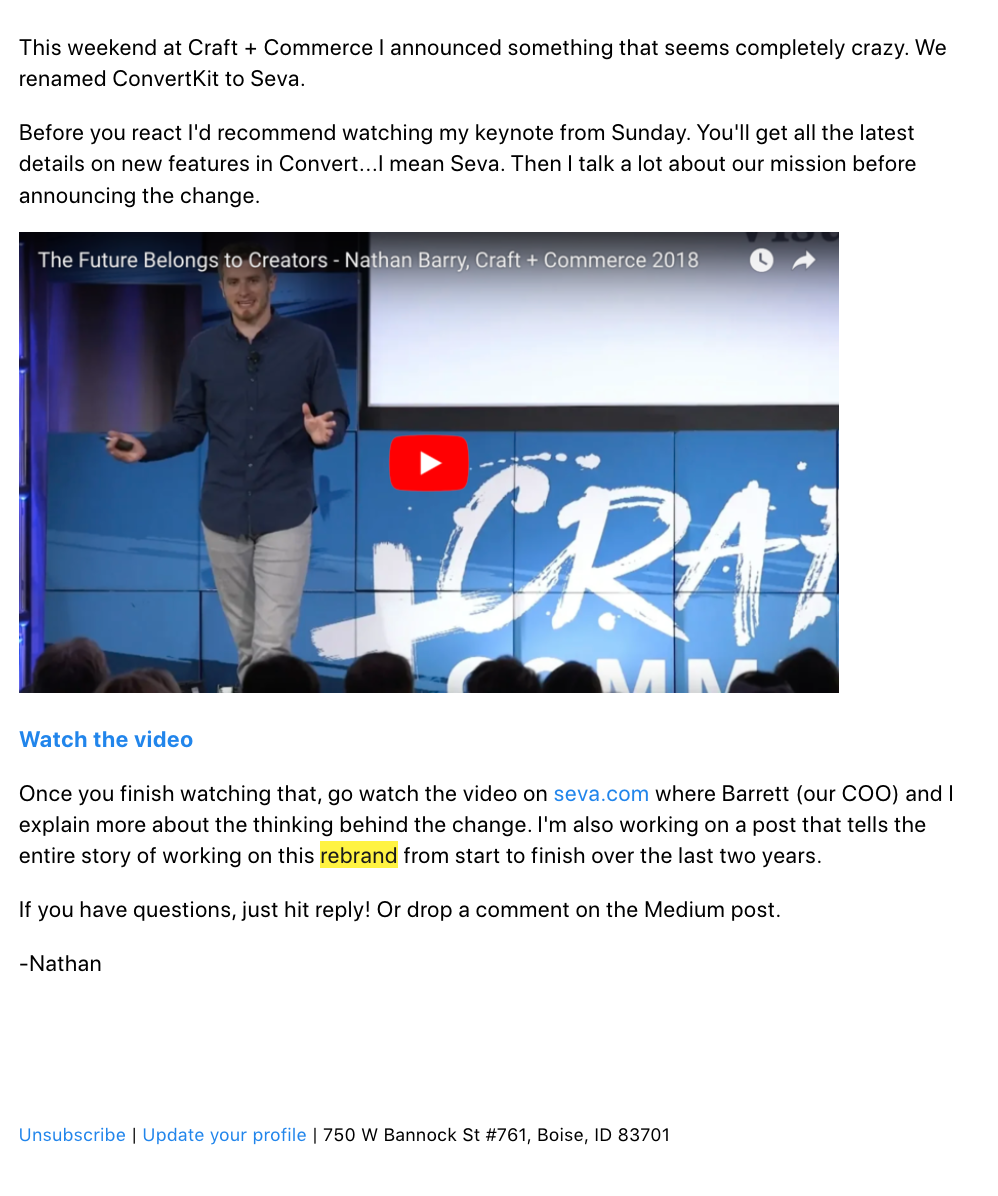
I’ve found that this approach provides the context and helps get the output you want. What’s more, because you understand the kind of output you want (step one), you can better describe the job you want ChatGPT to do.

3. Offer as much detail as you can.

When I say be as detailed as possible, I mean go overboard here. ChatGPT is a robot, a smart robot, but a robot. You have to spell out what you’re looking for. Things I always recommend people consider:

  • Any messaging or tone of voice guidelines.
  • Information you have about your target audience.
  • Specific outcomes you want it to provide, like “I need X versions of this headline or subject line.”
  • Anything you might include if you were tasking this to a team member.

Don’t be afraid to ask ChatGPT if there’s any additional information it needs. If anything seems missing, you can always add details later OR go back to the drawing board and start over.

If you’re providing a lot of information and hitting enter multiple times, consider including a note at the end, “Please don’t start yet. I’m dropping more information next. Please just say, ‘Got it,’ and I’ll add the next bit of information.”

4. Get granular and specific.

Ask questions that get right to the point. Don’t be generic here. Instead of asking, “What marketing tactics should I consider?” try a query that’s more specific.

You might consider saying, “My audience of _____ (describe your audience) has responded well to messages and campaigns about how to solve XYZ problem. My company does ______ (explain your value prop). What are some related ideas I could try?”
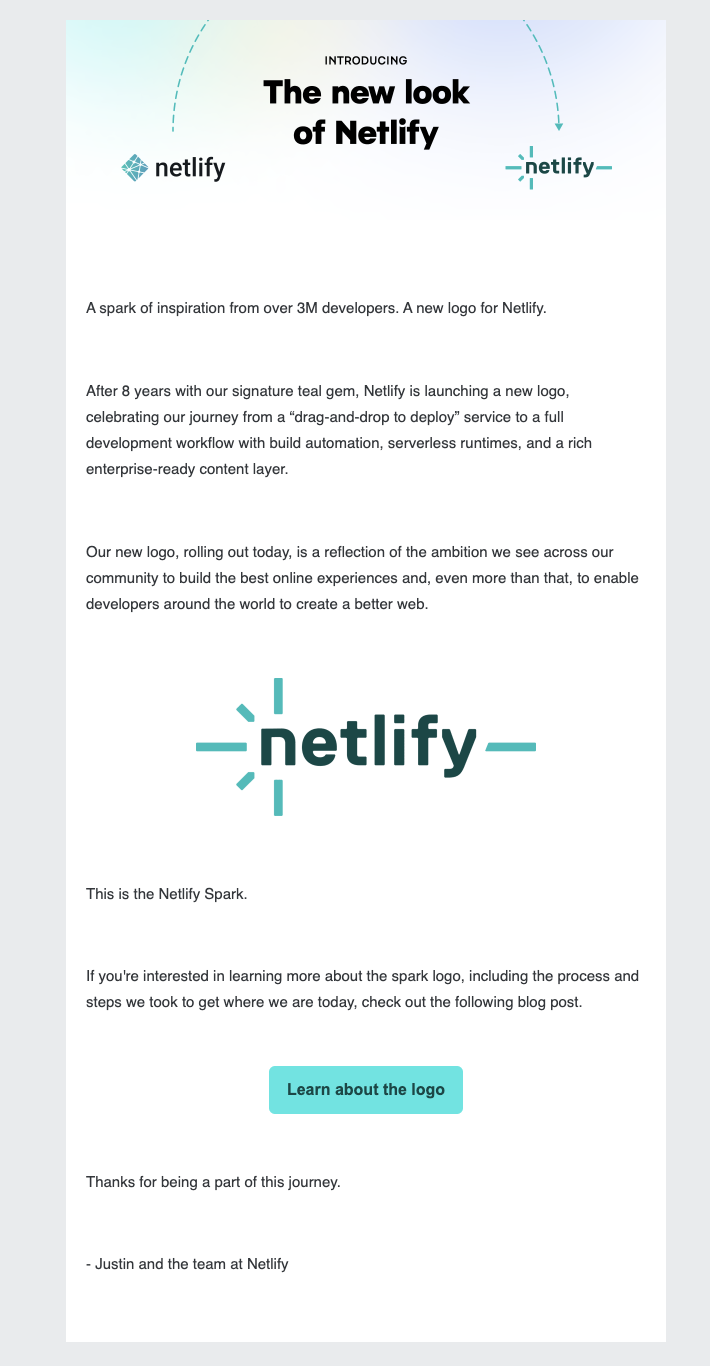
Let’s try another example. Granted, this isn’t marketing-focused, but it gives you an idea of the specificity.

“Give me a kid-friendly meal plan for five days” will give you five days of breakfast, lunch, dinner, and a snack based on foods you may or may not have or want to eat.

Instead, when you give it more context, it can help you create exactly what you’re looking for.

“I have chicken breast, salmon, and ground beef in the freezer and eggs in the fridge. I also have lots of veggies and a full dry pantry. Please give me a five-day dinner plan with Mediterranean-inspired, kid-friendly meals I can make in 30 minutes or less.”

The prompt above leads to five meal ideas, complete with ingredients and a recipe, which is much easier to use. You can use the same principles in your marketing.

5. Give helpful feedback.

If ChatGPT delivers a hot load of garbage, don’t say, “Nope, that’s not it. Try again.”

Give it the same context and type of feedback that you’d share with someone on your team. “The idea is right on, but your tone is far too formal. Try again, cutting the number of words in half and keeping things more casual yet professional.”

You can also say something like, “This completely misses the mark. I think we need to focus on ____ outcome instead.” Or you might say, “Let’s try that again. Can you give me a version that

Or if it’s spot on, say, “That’s spot on. I really like the tone, cadence, message, etc. Let’s keep going.”

6. Don’t trust it farther than you can throw it.

Because ChatGPT is designed to sound human, it often creates language that sounds good or seems logical or reasonable. The only problem? That means ChatGPT is also notorious for making up facts and statistics, so always double- or triple-check anything it spits out.

9 Statistics About AI and Marketing

Generative AI may be the new kid on the marketing block, but since GPT-4 dropped in March 2023, I’ve seen huge changes in how marketers use AI to improve and streamline productivity. And, based on HubSpot’s recent State of AI report, most marketers seem to agree.

  • 35% of marketers report using AI-driven tools in their day-to-day roles.
  • 90% believe that AI makes it easier to spend less time on manual tasks, with 88% agreeing that AI frees them up to focus on the most important parts of their roles.
  • 77% believe that AI helps pull insights from data that they otherwise wouldn’t be able to find.
  • 68% believe that people should use AI and automation but avoid becoming overly reliant on it.
  • Across the board, people say that AI and automation saves them 1 hour and 49 minutes every day.
  • The number 1 benefit marketers see in AI and automation is that it makes them more effective in their jobs. Increased productivity and less time on manual tasks make up numbers 2 and 3, respectively.
  • 89% of all marketers who use generative AI consider it effective for content creation.
  • 97% of all marketers who use generative AI consider it effective for data analysis.
  • The two most effective strategies for prompting generative AI are experimenting with different prompts to see what works best for your specific use case (#1) and providing relevant context or background information in your prompt (#2).

25 ChatGPT Prompts for Business

  1. “What are the top trends in [your industry] for 2023?”
  2. “What are the most important metrics to measure the success of our business?”
  3. “List ways to reduce cost and increase profitability.”
  4. “How can we use social media to increase brand awareness?”
  5. “How can we improve search engine optimization for our business?”
  6. “How can we improve our customer service experience?”
  7. “What are some ways we can boost productivity and employee engagement?”
  8. “What are the best tools for budgeting?”
  9. “How can A/B testing improve our website’s performance?”
  10. “How can we use automation to simplify our marketing and sales tactics?”
  11. “List the ways we can use a webinar to increase brand awareness and leads.”
  12. “What are the best practices for creating a strong company culture?”
  13. “Generate ways to use virtual tours to showcase products and services.”
  14. “List the benefits of using a digital asset management tool to organize and share company assets.”
  15. “List the benefits of using a customer journey mapping tool to improve the customer experience.”
  16. “Generate different ways to use augmented reality to enhance our [product or service].”
  17. “How can blockchain technology improve business processes and boost security?”
  18. “List the different ways we can implement a customer loyalty program to increase sales and retain customers.”
  19. “How can we use customer testimonials to boost our brand’s trust and credibility?”
  20. “What are some customer onboarding best practices?”
  21. “What are some employee onboarding best practices?”
  22. “What are common mistakes start-up companies often make?”
  23. “How can I boost employee retention?”
  24. “What are best practices in maintaining high morale within your organization?”
  25. “What are best practices for start-up businesses?”

27 ChatGPT Prompts for Content Creation and Social Media

  1. “Write an 800-word blog post about [subject], and include the following keywords in the headline, subheading, and body paragraphs.” Then, list the keywords you want ChatGPT to include.
  2. “Write a list of blog titles that include statistics on [topic].”
  3. “Write a YouTube video script about [product, blog, company, etc.].”
  4. “Write a 100-word Instagram caption about [topic] in an informative and friendly tone and include relevant hashtags.”
  5. “Write 10 YouTube headlines about [topic] and include the words [keywords].”
  6. “Generate a Twitter thread about [topic].”
  7. “Analyze this blog post for plagiarism.”
  8. “Check this blog post for spelling and grammar mistakes.”
  9. “Generate five ideas for YouTube videos about [topic, industry, company, service, product, etc.].”
  10. “Create a script for a web series that educates viewers about [topic].”
  11. “Write a script for an hour-long podcast episode about [topic].”
  12. “Write an engaging script for a virtual product launch.”
  13. Generate a simple, high-quality image for social media for a [type] company. The goal of the image must be to acquire new customers.”
  14. “Translate the following company into [language]: [copy].”
  15. “Write an outline for a blog post about [topic]. Include the keywords [keywords] in the headline and subheadings.”
  16. “Build a reader persona for [page description].”
  17. “Make the following copy more creative: [copy].”
  18. “Simply the following copy to make it easy for Grade 3 children to read.”
  19. “Rephrase the following copy.”
  20. “Write an engaging video script about [topic].”
  21. “What are YouTube marketing best practices?”
  22. “What are common mistakes marketers make in content creation?
  23. “What are best practices when marketing on Instagram?”
  24. “How can companies find influencers to collaborate with?”
  25. “What are the benefits of influencer marketing?
  26. “List five ways to generate leads from YouTube.”
  27. “List ways to convince customers to buy a product via Instagram.”

9 ChatGPT Prompts for Analytics

  1. “What are the most important KPIs for [industry].”
  2. “Write a SWOT analysis for our website traffic.”
  3. “What is a good bounce rate for our website?”
  4. “How do we boost leads on our website?”
  5. “What are the best website analytics tools?”
  6. “How can I track my company’s analytics on social media?”
  7. “How did I determine which channel generates the most web traffic for my brand?”
  8. “What social media platform generates the most leads?”
  9. “How can I optimize my website to rank higher in SERPs?


25 ChatGPT Prompts for Email Campaigns

  1. “Generate [number] subject lines for an email campaign about [product or service.].”
  2. “Write [number] holiday-themed subject lines about clothes shopping.”
  3. “What are the best subject lines to increase open rates?”
  4. “What are best practices for writing an engaging email subject line?”
  5. “Write 10 post-purchase email subject lines for [company].”
  6. “Write the body copy for a promotional email campaign about [company] spring sale. Write in an upbeat and friendly tone.”
  7. “Write a follow-up email for [your brand] with the subject line: [your subject line].”
  8. “Write an outline for a weekly email newsletter from [brand] to [target audience]. Include an intro, main point, conclusion, and call-to-action in the outline.”
  9. “What are best practices for writing engaging email copy for a marketing campaign?”
  10. “List five topics I should write about in my next email newsletter.”
  11. “How can I avoid my emails being marked as spam?”
  12. “How can I improve my sender reputation?”
  13. “How can I ensure my emails are easy to read and navigate on mobile devices?”
  14. “How can I make my emails load faster on mobile devices?”
  15. “How should I format my images and media to load properly on mobile devices?”
  16. “List the most common reasons emails are not delivered to the inbox.”
  17. “List the best practices for optimizing an email for mobile devices.”
  18. “What are the most common reasons customers unsubscribe from email lists?”
  19. “What are some of the best tools to manage marketing email lists?”
  20. “How can I boost email subscribers?”
  21. “How can I get off the email blacklist?”
  22. “How can I improve my business’ email list?”
  23. “What factors can decrease email open rates?”
  24. “What factors can boost email open rates?
  25. “List the top five email marketing tools.”

25 ChatGPT Prompts for Resume

  1. “Write a summary showcasing my skills and experiences relevant to a Social Media Manager role.”
  2. “Generate a summary highlighting my past achievements.”
  3. “Craft summary demonstrating my ability to [skill.”
  4. “Generate five bullet points highlighting achievements in [field].”
  5. “Create bullet points about my most recent [job title] role highlighting my achievements.”
  6. “Generate bullet points showcasing my ability to [skill.]”
  7. “How can I make my resume stand out against other candidates?”
  8. “What are common mistakes job seekers make on their resumes?”
  9. “What are some resume best practices to improve my job search?”
  10. “What are common formatting mistakes I should avoid in my resume?”
  11. “Copyedit my resume for any spelling or grammatical errors.”
  12. “What are some [industry] resume best practices?”
  13. “What resume design tools can I use to make my resume stand out?”
  14. “Review my resume and suggest improvement and edits.”
  15. “What are the most important keywords for applicant tracking systems to include in my resume.”
  16. “How can I make my resume more concise?”
  17. “What should I include on my resume if I’m applying in [specific industry].”
  18. “How do I tailor my resume to specific job postings?”
  19. “How can I make my resume more visually appealing?”
  20. “How can I make my resume more visually appealing?”
  21. “How can I get my resume directly to the hiring manager?”
  22. “How soon after submitting my resume should I follow up on a job posting?”
  23. “What should I include on a marketing resume?”
  24. “Based on this job description, what words should I include in my resume?”
  25. “How do I condense my [number] years of experience into a one-page resume?”

11 ChatGPT Prompts for Ecommerce

  1. “Write a description for a [product type] and include [product attributes] and [keywords].”
  2. “Generate a list of 20 audience demographics that would benefit from a [product or service].”
  3. “Think like an ecommerce expert and write 10 frequently asked questions for [your website name and URL.”
  4. “Think like an ecommerce SEO expert and write a meta tile for [your brand name] in the [inser industry] industry.”
  5. “Behave like an ecommerce SEO expert and write a meta tile for [ product name] from the [industry name] industry.”
  6. “Write a title page for [ecommerce website URL] and include [keywords].”
  7. “Write a meta description for [ecommerce website URL].”
  8. “Craft informative content for our ecommerce About Us page.”
  9. “Act as an ecommerce expert and craft a product collection description for the [product] from [brand].”
  10. “Act as an ecommerce merchandising specialist and draft a product title for [product] from [brand].”
  11. “Create an ecommerce campaign for [product, brand, or service].”

23 ChatGPT Prompts for Customer Service

  1. “What’s the best way to reach out to potential customers?”
  2. “Generate a list of ways to improve customer service?”
  3. “Create a template for an email response to customers inquiring about [product].”
  4. “Write a customer service email that addresses the following pain point.”
  5. “Generate five helpful suggestions for customers struggling with using [product].”
  6. “What are the most frequently asked questions about our [product, service, company, brand]?”
  7. “Generate a list of common issues customers have with [product name] and provide solutions for them.”
  8. “Write four personalized messages for customers asking about our [product] in a friendly tone.”
  9. “Generate 10 chatbot prompts related to our [product].”
  10. “Create a help page that explains how to use [product].”
  11. “List 10 phrases customer service agents can use to show empathy.”
  12. “Provide a template to explain standard retail return policy.”
  13. “Rewrite this paragraph to sound more friendly: [paragraph].”
  14. “Chat as if you’re a customer who can’t log into their account.”
  15. “Summarize the following knowledge base article to give step-by-step instructions.”
  16. “Write five questions for a customer experience survey.”
  17. “List the qualities of good customer service.”
  18. “What are customer service mistakes companies often make?”
  19. “How can I streamline the customer service process without losing customers?”
  20. “What’s a friendly way to respond to this message from a customer?”
  21. “Act as a customer service representative and answer the following question: [question].”
  22. “List five different ways a chatbot can greet customers.”
  23. “List five ways a chatbot can say goodbye to a customer.”

20 ChatGPT Prompts for Sales

  1. “What are cross-selling opportunities available for my [type] business?”
  2. “What are some creative ways to generate leads?”
  3. “Create a personalized sale email for potential customers. Include [topic, brand name, promo offers, etc.].”
  4. “What product customization would you recommend for this customer?” Include customer details in the prompt.”
  5. “List 10 keywords people might use when searching for our [product].”
  6. “Create five persuasive points to encourage customers to buy our [product].”
  7. “List three compelling reasons our customers should buy [product or service].”
  8. “List [number] personal branding types I can use for social selling.”
  9. “What kind of content categories and topics can I create for social selling on Instagram?”
  10. “Write a sales landing page description for [product].”
  11. “Write a cold email to a prospective customer introducing my [company or organization] and how it can benefit them using [selling points].”
  12. “Write a sales pitch about [product].”
  13. “Act as a salesperson and market [product or service] to me.”
  14. “Act as a salesperson and answer this question about [product or service].”
  15. “Write the text for a social media ad highlighting the [product or service]. Highlight paint-point-specific questions.”
  16. “Generate five buyer personas I should include in my cold outreach.”
  17. “List five personal branding archetypes I could use for social selling on LinkedIn.”
  18. “Generate a script to use when cold-calling start-up founders in my area.”
  19. “Craft an answer to this sales question.”
  20. “What questions should I ask potential buyers to uncover pain points and priorities to decide if they are a sales-qualified lead for my product?”

Using ChatGPT in Marketing

Generative AI tools like ChatGPT have the power to change everything about the way we market. I’ve already seen huge time savings when it comes to analyzing transcript and brainstorming.

And, I suspect we’re only seeing the tip of the iceberg.

However, a word of caution: ChatGPT has a ton of potential as a tool, but it’s still just a tool, which means you have to know how to use it. That’s why we’ve provided this article.

When you use the prompts here, you’ll have a leg up when it comes to knowing how to create a prompt to build out marketing campaigns, answer pressing sales questions, and free up time so you can focus on the more creative aspects of marketing.

Now that you know the prompts, it’s your turn. Time to dive in and experiment with ChatGPT to see how it fits into your marketing processes.

New call-to-action

How to Do A/B Testing: 15 Steps for the Perfect Split Test

Software Stack Editor · March 19, 2024 ·

So, you want to discover what truly works for your audience, and you’ve heard about this mythical form of marketing testing. But you have questions like: “What is A/B testing in marketing, anyway?” and “Why does it matter?”

Don’t worry! You’ll get all the answers to your burning questions. I’ll even tell you the second answer straight away…

Free Download: A/B Testing Guide and Kit

When marketers like us create landing pages, write email copy, or design call-to-action buttons, it can be tempting to use our intuition to predict what will make people click and connect.

But as anyone who’s been in marketing for a minute will tell you, always expect the unexpected. So, instead of basing marketing decisions on a “feeling,” you’re much better off running an A/B test to see what the data says.

Keep reading to learn how to conduct the entire A/B testing process before, during, and after data collection so you can make the best decisions based on your results.

Table of Contents

  • What is A/B testing?
  • History of A/B Testing
  • Why is A/B Testing important?
  • How does A/B testing work?
  • A/B Testing in Marketing
  • What does A/B testing involve?
  • A/B Testing Goals
  • How to Design an A/B Test
  • How to Conduct A/B Testing
  • How to Read A/B Testing Results
  • A/B Testing Examples
  • 10 A/B Testing Tips from Marketing Examples


If you’re a visual learner, never fear: This video walks you through everything you need to know. 

History of A/B Testing

It’s hard to track down the “true” origins of A/B testing. However, in terms of marketing, A/B testing — albeit in its initial and imperfect form — arguably started with American advertiser and author Claude Hopkins. Hopkins tested his ad campaigns using promotional coupons.

Still, Hopkins’ “Scientific Advertising” process didn’t include the key principles we use in A/B testing today. We have 20th-century biologist Ronald Fisher to thank for those. Fisher, who defined statistical significance and developed the null hypothesis, helped to make A/B testing more reliable.

That said, the marketing A/B testing we know and love today started in the 1960s and ‘70s. It was also used to test direct response campaign methods. Another key marketing moment came to us in 2000. At this time, Google engineers ran their first A/B test. (They wanted to know the best number of results to display on the search engine results page.)
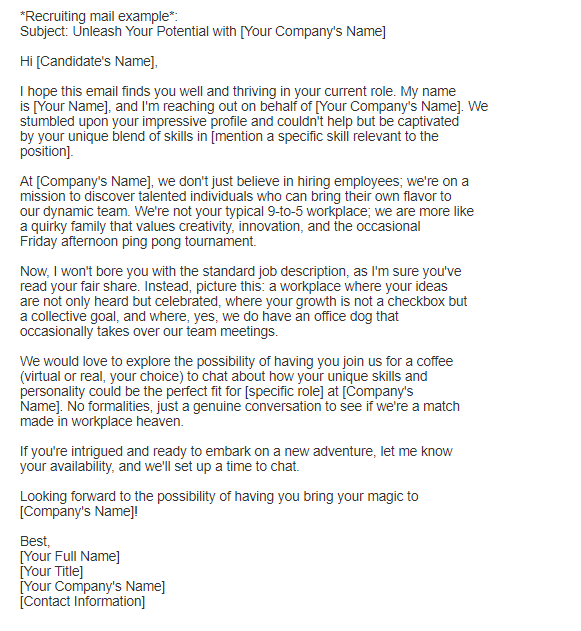
Why is A/B testing important?

A/B testing has many benefits to a marketing team, depending on what you decide to test. For example, there is a limitless list of items you can test to determine the overall impact on your bottom line. But you shouldn’t sleep on using A/B testing to find out exactly what your audience responds best to either. Let’s learn more.

You Can Find Ways To Improve Your Bottom Line

Let’s say you employ a content creator with a $50,000/year salary. This content creator publishes five articles weekly for the company blog, totaling 260 articles per year.

If the average post on the company’s blog generates 10 leads, you could say it costs just over $192 to generate 10 leads for the business ($50,000 salary ÷ 260 articles = $192 per article). That’s a solid chunk of change.

Now, if you ask this content creator to spend two days developing an A/B test on one article, instead of writing two posts in that time, you might burn $192, as you’re publishing fewer articles.

But, if that A/B test finds you can increase conversion rates from 10 to 20 leads, you just spent $192 to potentially double the number of customers your business gets from your blog.

… in a Low Cost, High Reward Way

If the test fails, of course, you lost $192 — but now you can make your next A/B test even more educated. If that second test succeeds, you ultimately spent $384 to double your company’s revenue.

No matter how many times your A/B test fails, its eventual success will almost always outweigh the cost of conducting it.

You can run many types of split tests to make the experiment worth it in the end. Above all, these tests are valuable to a business because they’re low in cost but high in reward.

You Can Find Out What Works for Your Audience

A/B testing can be valuable because different audiences behave, well, differently. Something that works for one company may not necessarily work for another.

Let’s take an unlikely B2B marketing tactic as an example. I was looking through HubSpot’s 2024 Industry Trends Report data for an article last week. I noticed that 10% of B2B marketers planned to decrease their investment in NFTs as part of their strategy in 2024.

My first thought was, “Huh, NFTs in B2B?”

Then it hit me. To have that decrease, B2B marketers must’ve been using NFTs in the first place. Even more surprising than this revelation was that 34% of marketers plan to increase investment in NFTs as part of their B2B strategy.

That’s just one example of why conversion rate optimization (CRO) experts hate the term “best practices.” Because that “best practice”? Well, it may not actually be the best practice for you.

Buuut, this kind of testing can be complex if you’re not careful. So, let’s review how A/B testing works to ensure you don’t make incorrect assumptions about what your audience likes.

How does A/B testing work?

To run an A/B test, you need to create two different versions of one piece of content, with changes to a single variable.

Then, you’ll show these two versions to two similarly-sized audiences and analyze which one performed better over a specific period. But remember, the testing period should be long enough to make accurate conclusions about your results.

An image showing an A/B test with a control and variation group

Image Source

A/B testing helps marketers observe how one version of a piece of marketing content performs alongside another. Here are two types of A/B tests you might conduct to increase your website’s conversion rate.

Example 1: User Experience Test

Perhaps you want to see if moving a certain call-to-action (CTA) button to the top of your homepage instead of keeping it in the sidebar will improve its click-through rate.

To A/B test this theory, you’d create another, alternative web page that uses the new CTA placement.

The existing design with the sidebar CTA — or the “control” — is version A. Version B with the CTA at the top is the “challenger.” Then, you’d test these two versions by showing each to a predetermined percentage of site visitors.

Ideally, the percentage of visitors seeing either version is the same.

Learn how to easily A/B test a component of your website with HubSpot’s Marketing Hub.

Example 2: Design Test

Perhaps you want to find out if changing the color of your CTA button can increase its click-through rate.

To A/B test this theory, you’d design an alternative CTA button with a different button color that leads to the same landing page as the control.

If you usually use a red CTA button in your marketing content, and the green variation receives more clicks after your A/B test, this could merit changing the default color of your CTA buttons to green from now on.

To learn more about A/B testing, download our free introductory guide here.

A/B Testing in Marketing

Here are some elements you might decide to test in your marketing campaigns:

  • Subject lines.
  • CTAs.
  • Headers.
  • Titles.
  • Fonts and colors.
  • Product images.
  • Blog graphics.
  • Body copy.
  • Navigation.
  • Opt-in forms.

Of course, this list is not exhaustive. Your options are countless and differ depending on the type of marketing campaign you’re A/B testing. (Blog graphics typically won’t apply to email campaigns, for example. But product images can apply to both email and blog testing.)

An image showing the results of A/B website testing

Image Source

But let’s say you wanted to test how different subject lines impacted an email marketing campaign’s conversion rates. What would you need to get started?

What does A/B testing involve?

Here’s what you’ll need to run a successful A/B test.

  • A campaign: You’ll need to pick a marketing campaign (i.e., a newsletter, landing page, or email) that’s already live. We’re going with email.
  • What you want to test: You’ll need to pick the element(s) you wish to A/B test. In this case, that would be the subject line used in an email marketing campaign. But you can test all manner of things, even down to font size and CTA button color. Remember, though, if you want accurate measurements, only test one element at a time.
  • Your goals: Are you testing for the sake of it? Or do you have well-defined goals? Ideally, your A/B testing should link to your revenue goals. (So, discovering which campaign has a better impact on revenue success.) To track success, you’ll need to select the right metrics. For revenue, you’d track metrics like sales, sign-ups, and clicks.

A/B Testing Goals

A/B testing can tell you a lot about how your intended audience behaves and interacts with your marketing campaign.

Not only does A/B testing help determine your audience’s behavior, but the results of the tests can help determine your next marketing goals.

Here are some common goals marketers have for their business when A/B testing.

Increased Website Traffic

You’ll want to use A/B testing to help you find the right wording for your website titles so you can catch your audience’s attention.

Testing different blog or web page titles can change the number of people who click on that hyperlinked title to get to your website. This can increase website traffic.

Providing it’s relevant, an increase in web traffic is a good thing! More traffic usually means more sales.

Higher Conversion Rate

Not only does A/B testing help drive traffic to your website, it can also help boost conversion rates.

Testing different locations, colors, or even anchor text on your CTAs can change the number of people who click these CTAs to get to a landing page.

This can increase the number of people who fill out forms on your website, submit their contact info to you, and “convert” into a lead.

Lower Bounce Rate

A/B testing can help determine what’s driving traffic away from your website. Maybe the feel of your website doesn’t vibe with your audience. Or perhaps the colors clash, leaving a bad taste in your target audience’s mouth.

If your website visitors leave (or “bounce”) quickly after visiting your website, testing different blog post introductions, fonts, or featured images can retain visitors.

Perfect Product Images

You know you have the perfect product or service to offer your audience. But, how do you know you’ve picked the right product image to convey what you have to offer?

Use A/B testing to determine which product image best catches the attention of your intended audience. Compare the images against each other and pick the one with the highest sales rate.

Lower Cart Abandonment

Ecommerce businesses see an average of 70% of customers leave their website with items in their shopping cart. This is known as “shopping cart abandonment” and is, of course, detrimental to any online store.

Testing different product photos, check-out page designs, and even where shipping costs are displayed can lower this abandonment rate.

Now, let’s examine a checklist for setting up, running, and measuring an A/B test.

How to Design an A/B Test

Designing an A/B test can seem like a complicated task at first. But, trust us — it’s simple.

The key to designing a successful A/B test is to determine which elements of your blog, website, or ad campaign can be compared and contrasted against a new or different version.

Before you jump into testing all the elements of your marketing campaign, check out these A/B testing best practices.

Test appropriate items.

List elements that could influence how your target audience interacts with your ads or website. Specifically, consider which elements of your website or ad campaign influence a sale or conversion.

Be sure the elements you choose are appropriate and can be modified for testing purposes.

For example, you might test which fonts or images best grab your audience’s attention in a Facebook ad campaign. Or, you might pilot two pages to determine which keeps visitors on your website longer.

Pro tip: Choose appropriate test items by listing elements that affect your overall sales or lead conversion, and then prioritize them.

Determine the correct sample size.

The sample size of your A/B test can have a large impact on the results — and sometimes, that is not a good thing. A sample size that is too small will skew the results.

Make sure your sample size is large enough to yield accurate results. Use tools like a sample size calculator to help you figure out the correct number of interactions or visitors to your website or participants in your campaign you need to obtain the best result.

Check your data.

A sound split test will yield statistically significant and reliable results. In other words, the results of your A/B test are not influenced by randomness or chance. But, how can you be sure your results are statistically significant and reliable?

Just like determining sample size, tools are available to help verify your data.

Tools, such as Convertize’s AB Test Significance Calculator, allow users to plug in traffic data and conversion rates of variables and select the desired level of confidence.

The higher the statistical significance achieved, the less you can expect the data to occur by chance.

Pro tip: Ensure your data is statistically significant and reliable by using tools like A/B test significance calculators.

Schedule your tests.

When comparing variables, keeping the rest of your controls the same is important — including when you schedule to run your tests.

If you’re in the ecommerce space, you’ll need to take holiday sales into consideration.

For example, if you run an A/B test on the control during a peak sales time, the traffic to your website and your sales may be higher than the variable you tested in an “off week.”

To ensure the accuracy of your split tests, pick a comparable timeframe for both tested elements. Be sure to run your campaigns for the same length of time, too, to get the best, most accurate results.

Pro tip: Choose a timeframe when you can expect similar traffic to both portions of your split test.

Test only one element.

Each variable of your website or ad campaign can significantly impact your intended audience’s behavior. That’s why looking at just one element at a time is important when conducting A/B tests.

Attempting to test multiple elements in the same A/B test will yield unreliable results. With unreliable results, you won’t know which element had the biggest impact on consumer behavior.

Be sure to design your split test for just one element of your ad campaign or website.

Pro tip: Don’t try to test multiple elements at once. A good A/B test will be designed to test only one element at a time.

Analyze the data.

As a marketer, you might have an idea of how your target audience behaves with your campaign and web pages. A/B testing can give you a better indication of how consumers really interact with your sites.

After testing is complete, take some time to thoroughly analyze the data. You might be surprised to find that what you thought was working for your campaigns was less effective than you initially thought.

Pro tip: Accurate and reliable data may tell a different story than you first imagined. Use the data to help plan or make changes to your campaigns.

How to Conduct A/B Testing

Follow along with our free A/B testing kit with everything you need to run A/B testing, including a test tracking template, a how-to guide for instruction and inspiration, and a statistical significance calculator to see if your tests were wins, losses, or inconclusive.

how to conduct an ab testBefore the A/B Test

Let’s cover the steps to take before you start your A/B test.

1. Pick one variable to test.

As you optimize your web pages and emails, you’ll find there are many variables you want to test. But to evaluate effectiveness, you’ll want to isolate one independent variable and measure its performance.

Otherwise, you can’t be sure which variable was responsible for changes in performance.

You can test more than one variable for a single web page or email — just be sure you’re testing them one at a time.

To determine your variable, look at the elements in your marketing resources and their possible alternatives for design, wording, and layout. You may also test email subject lines, sender names, and different ways to personalize your emails.

Pro tip: You can use HubSpot’s AI Email Writer to write email copy for different audiences. The software is built into HubSpot’s marketing and sales tools.

Keep in mind that even simple changes, like changing the image in your email or the words on your CTA button, can drive big improvements. In fact, these sorts of changes are usually easier to measure than the bigger ones.

Note: Sometimes, testing multiple variables rather than a single variable makes more sense. This is called multivariate testing.

If you’re wondering whether you should run an A/B test versus a multivariate test, here’s a helpful article from Optimizely that compares the processes.

2. Identify your goal.

Although you’ll measure several metrics during any one test, choose a primary metric to focus on before you run the test. In fact, do it before you even set up the second variation.

This is your dependent variable, which changes based on how you manipulate the independent variable.

Think about where you want this dependent variable to be at the end of the split test. You might even state an official hypothesis and examine your results based on this prediction.

If you wait until afterward to think about which metrics are important to you, what your goals are, and how the changes you’re proposing might affect user behavior, then you may not set up the test in the most effective way.

3. Create a ‘control’ and a ‘challenger.’

You now have your independent variable, your dependent variable, and your desired outcome. Use this information to set up the unaltered version of whatever you’re testing as your control scenario.

If you’re testing a web page, this is the unaltered page as it exists already. If you’re testing a landing page, this would be the landing page design and copy you would normally use.

From there, build a challenger — the altered website, landing page, or email that you’ll test against your control.

For example, if you’re wondering whether adding a testimonial to a landing page would make a difference in conversions, set up your control page with no testimonials. Then, create your challenger with a testimonial.

4. Split your sample groups equally and randomly.

For tests where you have more control over the audience — like with emails — you need to test with two or more equal audiences to have conclusive results.

How you do this will vary depending on the A/B testing tool you use. Suppose you’re a HubSpot Enterprise customer conducting an A/B test on an email, for example.

HubSpot will automatically split traffic to your variations so that each variation gets a random sampling of visitors.

5. Determine your sample size (if applicable).


How you determine your sample size will also vary depending on your A/B testing tool, as well as the type of A/B test you’re running.

If you’re A/B testing an email, you’ll probably want to send an A/B test to a subset of your list large enough to achieve statistically significant results.

Eventually, you’ll pick a winner to send to the rest of the list. (See “The Science of Split Testing” ebook at the end of this article for more.)

If you’re a HubSpot Enterprise customer, you’ll have some help determining the size of your sample group using a slider.

It’ll let you do a 50/50 A/B test of any sample size — although all other sample splits require a list of at least 1,000 recipients.

What is A/B testing in marketing? HubSpot’s slider for sample size grouping

Image Source

If you’re testing something that doesn’t have a finite audience, like a web page, then how long you keep your test running will directly affect your sample size.

You’ll need to let your test run long enough to obtain a substantial number of views. Otherwise, it will be hard to tell whether there was a statistically significant difference between variations.

6. Decide how significant your results need to be.

Once you’ve picked your goal metric, think about how significant your results need to be to justify choosing one variation over another.

Statistical significance is a super important part of the A/B testing process that’s often misunderstood. If you need a refresher, I recommend reading this blog post on statistical significance from a marketing standpoint.

The higher the percentage of your confidence level, the more sure you can be about your results. In most cases, you’ll want a confidence level of 95% minimum, especially if the experiment was time-intensive.

However, sometimes, it makes sense to use a lower confidence rate if you don’t need the test to be as stringent.

Matt Rheault, a senior software engineer at HubSpot, thinks of statistical significance like placing a bet.

What odds are you comfortable placing a bet on? Saying, “I’m 80% sure this is the right design, and I’m willing to bet everything on it,” is similar to running an A/B test to 80% significance and then declaring a winner.

Rheault also says you’ll likely want a higher confidence threshold when testing for something that only slightly improves the conversion rate. Why? Because random variance is more likely to play a bigger role.

“An example where we could feel safer lowering our confidence threshold is an experiment that will likely improve conversion rate by 10% or more, such as a redesigned hero section,” he explained.

“The takeaway here is that the more radical the change, the less scientific we need to be process-wise. The more specific the change (button color, microcopy, etc.), the more scientific we should be because the change is less likely to have a large and noticeable impact on conversion rate,” Rheault says.

7. Make sure you’re only running one test at a time on any campaign.

Testing more than one thing for a single campaign can complicate results.

For example, if you A/B test an email campaign that directs to a landing page while you’re A/B testing that landing page, how can you know which change caused the increase in leads?

During the A/B Test

Let’s cover the steps to take during your A/B test.

8. Use an A/B testing tool.

To do an A/B test on your website or in an email, you’ll need to use an A/B testing tool.

If you’re a HubSpot Enterprise customer, the HubSpot software has features that let you A/B test emails (learn how here), CTAs (learn how here), and landing pages (learn how here).

For non-HubSpot Enterprise customers, other options include Google Analytics, which lets you A/B test up to 10 full versions of a single web page and compare their performance using a random sample of users.

9. Test both variations simultaneously.

Timing plays a significant role in your marketing campaign’s results, whether it’s the time of day, day of the week, or month of the year.

If you were to run version A for one month and version B a month later, how would you know whether the performance change was caused by the different design or the different month?

When running A/B tests, you must run the two variations simultaneously. Otherwise, you may be left second-guessing your results.

The only exception is if you’re testing timing, like finding the optimal times for sending emails.

Depending on what your business offers and who your subscribers are, the optimal time for subscriber engagement can vary significantly by industry and target market.

10. Give the A/B test enough time to produce useful data.

Again, you’ll want to make sure that you let your test run long enough to obtain a substantial sample size. Otherwise, it’ll be hard to tell whether the two variations had a statistically significant difference.

How long is long enough? Depending on your company and how you execute the A/B test, getting statistically significant results could happen in hours… or days… or weeks.

A big part of how long it takes to get statistically significant results is how much traffic you get — so if your business doesn’t get a lot of traffic to your website, it’ll take much longer to run an A/B test.

Read this blog post to learn more about sample size and timing.

11. Ask for feedback from real users.

A/B testing has a lot to do with quantitative data… but that won’t necessarily help you understand why people take certain actions over others. While you’re running your A/B test, why not collect qualitative feedback from real users?

A survey or poll is one of the best ways to ask people for their opinions.

You might add an exit survey on your site that asks visitors why they didn’t click on a certain CTA or one on your thank-you pages that asks visitors why they clicked a button or filled out a form.

For example, you might find that many people clicked on a CTA leading them to an ebook, but once they saw the price, they didn’t convert.

That kind of information will give you a lot of insight into why your users behave in certain ways.

After the A/B Test

Finally, let’s cover the steps to take after your A/B test.

12. Focus on your goal metric.

Again, although you’ll be measuring multiple metrics, focus on that primary goal metric when you do your analysis.

For example, if you tested two variations of an email and chose leads as your primary metric, don’t get caught up on click-through rates.

You might see a high click-through rate and poor conversions, in which case you might choose the variation that had a lower click-through rate in the end.

13. Measure the significance of your results using our A/B testing calculator.

Now that you’ve determined which variation performs the best, it’s time to determine whether your results are statistically significant. In other words, are they enough to justify a change?

To find out, you’ll need to conduct a test of statistical significance. You could do that manually, or you could just plug in the results from your experiment to our free A/B testing calculator. (The calculator comes as part of our free A/B testing kit.)

You’ll be prompted to input your result into the red cells for each variation you tested. The results in the template are for either “Visitors” or “Conversions.” Still, you can customize these headings for other types of results.

You’ll then see a series of automated calculations based on your inputs. From there, the calculator will determine statistical significance.

An image showing HubSpot’s free A/B testing calculator

Image Source

14. Take action based on your results.

If one variation is statistically better than the other, you have a winner. Complete your test by disabling the losing variation in your A/B testing tool.

If neither variation is significant, the variable you tested didn’t impact results, and you’ll have to mark the test as inconclusive. In this case, stick with the original variation or run another test. You can use failed data to help you figure out a new iteration on your new test.

While A/B tests help you impact results on a case-by-case basis, you can also apply the lessons you learn from each test to future efforts.

For example, suppose you’ve conducted A/B tests in your email marketing and have repeatedly found that using numbers in email subject lines generates better clickthrough rates. In that case, consider using that tactic in more of your emails.

15. Plan your next A/B test.

The A/B test you just finished may have helped you discover a new way to make your marketing content more effective — but don’t stop there. There’s always room for more optimization.

You can even try conducting an A/B test on another feature of the same web page or email you just did a test on.

For example, if you just tested a headline on a landing page, why not do a new test on the body copy? Or a color scheme? Or images? Always keep an eye out for opportunities to increase conversion rates and leads.

You can use HubSpot’s A/B Test Tracking Kit to plan and organize your experiments.

An image showing HubSpot’s free A/B Test Tracking Kit

Download This Template Now

How to Read A/B Testing Results

As a marketer, you know the value of automation. Given this, you likely use software that handles the A/B test calculations for you — a huge help. But, after the calculations are done, you need to know how to read your results. Let’s go over how.

1. Check your goal metric.

The first step in reading your A/B test results is looking at your goal metric, which is usually conversion rate.

After you’ve plugged your results into your A/B testing calculator, you’ll get two results for each version you’re testing. You’ll also get a significant result for each of your variations.

2. Compare your conversion rates.

By looking at your results, you’ll likely be able to tell if one of your variations performed better than the other. However, the true test of success is whether your results are statistically significant.

For example, variation A had a 16.04% conversion rate. Variation B had a 16.02% conversion rate, and your confidence interval of statistical significance is 95%. Variation A has a higher conversion rate, but the results are not statistically significant, meaning that variation A won’t significantly improve your overall conversion rate.

3. Segment your audiences for further insights.

Regardless of significance, it’s valuable to break down your results by audience segment to understand how each key area responded to your variations. Common variables for segmenting audiences are:

  • Visitor type, or which version performed best for new visitors versus repeat visitors.
  • Device type, or which version performed best on mobile versus desktop.
  • Traffic source, or which version performed best based on where traffic to your two variations originated.

Let’s go over some examples of A/B experiments you could run for your business.

A/B Testing Examples

We’ve discussed how A/B tests are used in marketing and how to conduct one — but how do they actually look in practice?

As you might guess, we run many A/B tests to increase engagement and drive conversions across our platform. Here are five examples of A/B tests to inspire your own experiments.

1. Site Search

Site search bars help users quickly find what they’re after on a particular website. HubSpot found from previous analysis that visitors who interacted with its site search bar were more likely to convert on a blog post. So, we ran an A/B test to increase engagement with the search bar.

In this test, search bar functionality was the independent variable, and views on the content offer thank you page was the dependent variable. We used one control condition and three challenger conditions in the experiment.

The search bar remained unchanged in the control condition (variant A).

AB testing example: variant A of the hubspot blog search blog AB test

In variant B, the search bar was larger and more visually prominent, and the placeholder text was set to “search by topic.”

AB testing example: variant B of the hubspot blog search blog AB test

Variant C appeared identical to variant B but only searched the HubSpot Blog rather than the entire website.

In variant D, the search bar was larger, but the placeholder text was set to “search the blog.” This variant also searched only the HubSpot Blog.

AB testing example: variant D of the hubspot blog search blog AB testImage Source

We found variant D to be the most effective: It increased conversions by 3.4% over the control and increased the percentage of users who used the search bar by 6.5%.

2. Mobile CTAs

HubSpot uses several CTAs for content offers in our blog posts, including ones in the body of the post as well as at the bottom of the page. We test these CTAs extensively to optimize their performance.

We ran an A/B test for our mobile users to see which type of bottom-of-page CTA converted best.

For our independent variable, we altered the design of the CTA bar. Specifically, we used one control and three challengers in our test. We used pageviews on the CTA thank you page and CTA clicks for our dependent variables.

The control condition included our normal placement of CTAs at the bottom of posts. In variant B, the CTA had no close or minimize option.


AB testing example: variant B of the hubspot blog mobile CTA AB test

In variant C, mobile readers could close the CTA by tapping an X icon. Once it was closed out, it wouldn’t reappear.

variant C of the hubspot blog mobile CTA AB testImage Source

In variant D, we included an option to minimize the CTA with an up/down caret.

variant D of the hubspot blog mobile CTA AB testImage Source

Our tests found all variants to be successful. Variant D was the most successful, with a 14.6% increase in conversions over the control. This was followed by variant C with an 11.4% increase and variant B with a 7.9% increase.

3. Author CTAs

In another CTA experiment, HubSpot tested whether adding the word “free” and other descriptive language to author CTAs at the top of blog posts would increase content leads.

Past research suggested that using “free” in CTA text would drive more conversions and that text specifying the type of content offered would help SEO. In the test, the independent variable was CTA text, and the main dependent variable was conversion rate on content offer forms.

In the control condition, the author CTA text was unchanged (see the orange button in the image below).

AB testing example: control CTA for the hubspot blog CTA AB test

In variant B, the word “free” was added to the CTA text.

abtesting_15

In variant C, descriptive wording was added to the CTA text in addition to “free.”

variant C of the hubspot blog CTA AB test

Interestingly, variant B saw a loss in form submissions, down by 14% compared to the control. This was unexpected, as including “free” in content offer text is widely considered a best practice.

Meanwhile, form submissions in variant C outperformed the control by 4%. It was concluded that adding descriptive text to the author CTA helped users understand the offer and thus made them more likely to download.

4. Blog Table of Contents

To help users better navigate the blog, HubSpot tested a new Table of Contents (TOC) module. The goal was to improve user experience by presenting readers with their desired content more quickly. We also tested whether adding a CTA to this TOC module would increase conversions.

The independent variable of this A/B test was the inclusion and type of TOC module in blog posts. The dependent variables were conversion rate on content offer form submissions and clicks on the CTA inside the TOC module.

The control condition did not include the new TOC module — control posts either had no table of contents or a simple bulleted list of anchor links within the body of the post near the top of the article (pictured below).

AB testing example: control for the hubspot blog chapter module AB testIn variant B, the new TOC module was added to blog posts. This module was sticky, meaning it remained onscreen as users scrolled down the page. Variant B also included a content offer CTA at the bottom of the module.
variant B of the hubspot blog chapter module AB test

Variant C included an identical module to variant B but with the CTA removed.

variant B of the hubspot blog chapter module AB test

Variant C included an identical module to variant B but with the CTA removed.

variant C of the hubspot blog chapter module AB testImage Source

Both variants B and C did not increase the conversion rate on blog posts. The control condition outperformed variant B by 7% and performed equally with variant C. Also, few users interacted with the new TOC module or the CTA inside the module.

5. Review Notifications

To determine the best way of gathering customer reviews, we ran a split test of email notifications versus in-app notifications.

Here, the independent variable was the type of notification, and the dependent variable was the percentage of those who left a review out of all those who opened the notification.

In the control, HubSpot sent a plain text email notification asking users to leave a review. In variant B, HubSpot sent an email with a certificate image including the user’s name.

variant B of the hubspot notification AB test

For variant C, HubSpot sent users an in-app notification.

variant C of the hubspot notification AB test

Ultimately, both emails performed similarly and outperformed the in-app notifications. About 25% of users who opened an email left a review versus the 10.3% who opened in-app notifications. Emails were also more often opened by users.

10 A/B Testing Tips From Marketing Experts

I spoke to nine marketing experts from across disciplines to get their tips on A/B testing.

1. Clearly define your goals and metrics first.

“In my experience, the number one tip for A/B testing in marketing is to clearly define your goals and metrics before conducting any tests,” says Noel Griffith, CMO at SupplyGem.

Griffith explains that this means having a solid understanding of what you want to achieve with your test and how you will measure its success. This matters because, without clear goals, it’s easy to get lost in the data and draw incorrect conclusions.

For example, Griffith says, if you’re testing two different email subject lines, your goal could be to increase open rates.

“By clearly defining this goal and setting a specific metric to measure success (e.g., a 10% increase in open rates), you can effectively evaluate the performance of each variant and make data-driven decisions,” says Griffith.

Aside from helping you focus your testing efforts, Noel explains that having clear goals also means you can accurately interpret the results and apply them to improve your marketing strategies.

2. Test only ONE thing during each A/B test.

“This is the most important tip for A/B marketing from my perspective… Always decide on one thing to test for each individual A/B test,” says Hanna Feltges, growth marketing manager at Niceboard.

For example, when A/B testing button placement in emails, Feltges makes sure the only difference between these two emails is the button placement. No difference should be in the subject line, copy, or images, as this could skew the results and make the test invalid.

Feltges applies the same principle to metrics by choosing one metric to evaluate test results

“For emails, I will select a winner based on a predefined metric, such as CTR, open rate, reply rate, etc. In my example of the button placement, I would select CTR as my deciding metric and evaluate the results based on this metric,” Feltges says.

3. Start with a hypothesis to prove or disprove.

Another similarly important tip for A/B testing is to start with a hypothesis. The goal of each A/B test is then to prove the hypothesis right or wrong, Feltges notes.

For example, Feltges poses testing two different subject lines for a cold outreach email. Her hypothesis here is: “Having a subject line with the prospect’s first name will lead to higher open rates than a subject line without the prospect’s first name,” she says.

Now, she can run multiple tests with the same hypothesis and can then evaluate if the statement is true or not.

Feltges explains that the idea here is that marketers often draw quick conclusions from A/B tests, such as “Having the first name in the subject line performs better.” But that is not 100% true. A/B tests are all about being precise and specific in the results.

4. Track key test details for accurate planning and analysis.

“I keep a running log of how long my A/B tests for SEO took, and I make sure to track critical metrics like the statistical significance rate that was reached,” says NamePepper Founder Dave VerMeer.

VerMeer explains that the log is organized in a spreadsheet that includes other columns for things like:

  • The type of test.
  • Details about what was tested.
  • Dates.

“If I notice any factors that could have influenced the test, I note those as well,” he adds. Other factors could be a competitor having a special event or something that happened in the news and caused a traffic spike.

“I check the log whenever I’m planning a series of A/B tests. For example, it lets me see trends and forecast how the seasonality may affect the test period lengths. Then I adjust the test schedule accordingly,” VerMeer says.

According to VerMeer, this form of tracking is also helpful for setting realistic expectations and providing clues as to why a test result did or didn’t match up with past performance.

5. Test often…

When I spoke to Gabriel Gan, head of editorial for In Real Life Malaysia, for my guide on running an email marketing audit, he set out two main rules for A/B testing. For the A/B testing email, Gan recommends setting email A as the incumbent and email B as the contender.

Like Hanna, Gabriel emphasizes changing only one variable at a time. “For example, in email B, when testing open rates, only tweak the subject line and not the preview,” says Gan.

That’s because if you have more than one variable changed from the old email, “it’s almost impossible to determine which new addition you made has contributed to the improvement in OPR/CTR.”

Aside from only changing one variable at a time, Gan recommends testing often until you find out what works and what doesn’t.

“There’s a perception that once you set up your email list and create a template for your emails, you can ‘set it and forget it.’” Gan says. “But now, with the power of A/B testing, with just a few rounds of testing your headlines, visuals, copy, offer, call-to-action, etc., you can find out what your audience loves, do more of it, and improve your conversion rates twofold or threefold.”

6. …But don’t feel like you need to test everything.

“My top tip for A/B testing is only to use it strategically,” says Joe Kevens, director of demand generation at PartnerStack and the founder of B2B SaaS Reviews. Kevens explains that “strategically” means that only some things warrant an A/B test due to the time and resources it consumes.

“I’ve learned from experience that testing minor elements like CTA button colors can be a waste of time and effort (unless you work at Amazon or some mega-corporation that gets a gazillion page visits, and a minor change can make a meaningful impact),” Kevens says.

Kevens recommends that instead, it’s more beneficial to concentrate on high-impact areas such as homepage layouts, demo or trial pages, and high-profile marketing messages. That’s because these elements have a better shot to impact conversion rates and overall user experience.

Kevens reminds us that “A/B testing can be powerful, but its effectiveness comes from focusing on changes that can significantly impact your business outcomes.”

7. Use segmentation to micro-identify winning elements.

“When using A/B testing in marketing, don’t limit your target audience to just one set of parameters,” says Brian David Crane, founder and CMO of Spread Great Ideas.

Crane recommends using criteria like demographics, user behavior, past interactions, and buying history to experiment with A/B testing of these different segments. You can then filter the winning strategy for each segment.

“We use core metrics like click-through rates, bounce rates, and customer lifetime value to identify the combination that converts the most,” explains Crane.

8. Leverage micro-conversions for granular insights.

“I know that it’s common to focus on macro-conversions, such as sales or sign-ups, in A/B testing. However, my top tip is to also pay attention to micro-conversions,” says Laia Quintana, head of marketing and sales at TeamUp.

Quintana explains that micro-conversions are smaller actions users take before completing a macro-conversion. They could be actions like clicking on a product image, spending a certain amount of time on a page, or watching a promotional video.

But why are these micro-conversions important? Quintana states, “They provide granular insights into user behavior and can help identify potential roadblocks in the conversion path.”

For example, if users spend a lot of time on a product page but do not add items to their cart, there might be an issue with the page layout or information clarity. By A/B testing different elements on the page, you can identify and rectify these issues to improve the overall conversion rate.

“Moreover, tracking micro-conversions allows you to segment your audience more effectively. You can identify which actions are most indicative of a user eventually making a purchase and then tailor your marketing efforts to encourage those actions. This level of detail in your A/B testing can significantly enhance the effectiveness of your marketing strategy,” says Quintana.

9. Running LinkedIn Ads? Start with five different versions and A/B test them.

“A best practice when running LinkedIn Ads is to start a campaign with five different versions of your ad,” says Hristina Stefanova, head of marketing operations at Goose’n’Moose. Stefanova reminds us that it’s important to tweak just one variable at a time across each version.

For a recent campaign, Stefanova started with five ad variations — four using different hero images and three having the CTA tweaked.

“I let the campaign run with all five variations for a week. At that point, there were two clearly great performing ads, so I paused the other three and continued running the campaign with the two best-performing ones,” says Stefanova.

According to Stefanova, the two ads performed best and had the lowest CPC. The A/B testing exercise helped not only the specific campaign but also helped her to better understand what attracts their target audience.

So what’s next? “Images with people in them are better received, so for upcoming campaigns, I am focusing right away on producing the right imagery. All backed up by real performance data thanks to A/B testing,” Stefanova says.

10. Running SEO A/B tests? Do this with your test and control group URLs.

“Given that the SEO space is constantly evolving, it’s getting increasingly difficult to run any sort of experiments and get reliable and statistically significant results. This is especially true when running SEO A/B tests,” says Ryan Jones, marketing manager at SEOTesting.

Luckily, Jones explains that you can do things to mitigate this and make sure that any SEO A/B tests you run now — and in the future — are reliable. You can then use the tests as a “North Star” when making larger-scale changes to your site.

“My number one tip would be to ensure that your control group and test group of URLs contain as identical URLs as you can make them. For example, if you’re running an A/B test on your PLP pages as an ecommerce site, choose PLPs from the same product type and with the same traffic levels. This way, you can ensure that your test data will be reliable,” says Jones.

Why does this matter? “Perhaps the number one thing that ‘messes’ with A/B test data is control and variant groups that are too dissimilar. But by ensuring you are testing against statistically similar URLs, you can mitigate this better than anything else,” Jones says.

Start A/B Testing Today

A/B testing allows you to get to the truth of what content and marketing your audience wants to see. With HubSpot’s Campaign Assistant, you’ll be able to generate copy for landing pages, emails, or ads that can be used for A/B testing.

Learn how to best carry out some of the steps above using the free ebook below.

Editor’s note: This post was originally published in May 2016 and has been updated for comprehensiveness.

abtesting_0


11 Recommendations for Marketers in 2024 [New Data]

Software Stack Editor · March 19, 2024 ·

Our 2024 State of Marketing & Trends Report went live earlier this year, and I recently dug into the data and compiled a list of key marketing recommendations for this upcoming year to answer common questions like:

  • Which industry trends and tactics are marketers investing in?
  • What challenges are they facing?
  • And, what are their plans and expectations for 2024 and beyond?

Let’s dive into my recommendations.

Download Now: Free State of Marketing Report [Updated for 2024]

11 Data-Backed Marketing Recommendations for 2024

1. Produce short-form videos.

Our survey included more than 1,400 global B2B and B2C marketers, and over half of them told us that they’re leveraging short-form video in 2024, and it’s the format they plan to invest the most in this year. Moreover, it offers the highest ROI of any other content format.

graph displaying that short form video offers the highest ROI

Image Source

Short-form video is also incredibly effective with consumers. While I’ve yet to buy something on social media (I’m afraid of scams), the draw is certainly there for me and my consumer peers — 56% of them say they’ve bought something based on an ad they saw on TikTok.

So, why do consumers engage more with short over long-form content? When done right, short-form content is quick but concise, enabling fast-paced web users to quickly get most of the information they need. And, if a short-form video doesn’t pack all the information a person needs to convert, it usually forces marketers to point out the most important facts that will make viewers eager to learn more.

I think Miss.Excel (a company that offers Microsoft Excel courses) is a great example of using short-form videos on Instagram. In this quick video, its founder and CEO, Kat Norton, demonstrates her credibility as an Excel coach by showing viewers how to convert a list of names in all caps to proper text.

View this post on Instagram

A post shared by Kat: Chief Excel Officer (@miss.excel)

If you plan to leverage short-form content in the next year, read up on the latest trends and tips from experts in the video space to get inspiration for your strategy.

2. Make it easy to buy from you online.

We’ve written about social selling a lot here on the HubSpot Blog, but with good reason — it’s the new frontier for reaching consumers. Every time we re-run our Consumer Trends Survey, the number of people who look to social media to find products increases.

Those same users also buy products on social media, and 17% of social users bought a product in-app in the past three months.

Since consumers love it, marketers do it, and it pays off. They’re driving more sales on social media than in past years, and almost half of the marketers responding to our survey will increase their investments in social media shopping tools this year.

more sales on social

Image Source

As a result, one of my top recommendations in 2024 is to build a social selling strategy that makes it easy for people to buy from you on social media if it makes sense for what you sell. (SaaS businesses, please stay away from TikTok Shops).

However, whether you’re new to selling on social or improving your strategy, you won’t be successful without building trust.

My generational belonging tells me that I should be jumping at the chance to buy on social media, but I’m skeptical of it, as are 53% of consumers. This blog post about building trust with social selling is a great resource if you use the strategy.


3. Partner with micro-influencers.

Nearly 90% of influencer marketers say influencer marketing was effective for their company in 2023. We’ll only see it grow throughout 2024 as half of those using it plan to increase their investments.

The standout change in influencer marketing these past few years is that marketers find the most success with micro-influencers with 10,000 – 100,000 followers.

microinfluencer

Image Source

As a marketer, this makes sense. These influencers are more affordable and, most significantly, have the most tight-knit and engaged communities. As a result, micro-influencers can offer more persuasive and effective product or brand endorsements.

This also makes sense to me as a consumer. I trust and relate more to the smaller influencers and creators I follow, much more so than those with millions and millions of followers.

And, as much as people might like to say that they make their own product decisions, influencer marketing works — last year, one in four consumers bought a product based on an influencer’s recommendation.

Want to leverage influencer marketing but don’t know where to start? Check out this handy checklist.

4. Bolster your SEO with thought leadership.

Google’s redefining of helpful content and adding “experience” to the existing expertise, authority, and trust (E-A-T) framework were among the biggest SEO changes in recent years.

Now, content that ranks best is most often created by those with experience and expertise in the subjects they write about, and they use unique personal experiences and anecdotes to give it the authoritative push it needs to stand out from the crowd.

On the blog team, we feel that the best way to bolster your SEO in this “new era” of search is with subject matter experts (SMEs) and thought leadership. These people have significant experience, expertise, and authority in their niche and can provide readers with helpful and actionable information.

A great way to include SMEs and thought leaders in your content is people within your organization who have experience in the subjects you write about. If they’re not writers, ask them to contribute quotes you can feature in your blog content.

5. Do more with AI and marketing automation tools.

I know you’ve read this sentence a million times, but I’m saying it anyway — AI and automation were everywhere last year. I did get a bit of AI fatigue, but the fact is that they’re helpful tools, no longer higher-priced, inaccessible technologies only used by giant corporations.

62% of marketers say AI and automation are important to their marketing, and they can help with most things, from running complex predictive analytics reports to personalizing marketing emails to simply streamlining basic tasks to give marketers more time for complex strategies or tactics that require the human touch.

Doing more with AI will be a marketing theme throughout 2024, and I recommend giving it a shot if you haven’t already, especially since there are many use cases:

  • AI can be your content marketing assistant. Generative AI tools can help you create compelling, on-brand, and high-performing marketing content. 81% of marketers using gen AI say it effectively assists them in their role.
  • AI can help you be more effective with your data. Feed your crucial marketing data to an AI tool to quickly analyze campaign performance and identify trends to be aware of. 6 out of 10 AI and automation users analyze data with AI.
  • AI gives you time back to be more creative. Marketing is a creative role, but sometimes, we don’t have much time to be creative because of other required day-to-day tasks. It might be exciting to learn that marketers save and get back an average of 2.5 hours per day by incorporating AI tools into their processes.

Any recommendation I give for AI and automation also comes with a disclaimer: the tools you use shouldn’t be your replacements. Instead, I recommend working with your AI and viewing it as a trusty sidekick that will help you maximize your efficiency. Sean Downey, Google’s President, Americas and Global Partners, told HubSpot, “It isn’t about the technology itself. It’s about what you, as marketers, will do with it. AI can’t do anything without you — but you can do so much more with AI.”

Image Source

6. Champion social responsibility.

Consumers care that the brands they support are committed to social responsibility. They want to buy from brands that share their beliefs and attitudes, and their likelihood of purchase because of a brand’s commitment to diversity and inclusion jumped 17% from last year.

As a business, when you tell consumers about your values, you:

  • Build deeper connections with audiences with the same interests,
  • Fosters trust and loyalty,
  • Stand out from the competition and attract new customers looking to patronize businesses that share their values.

Sharing this kind of content pays off, as marketers report it offers the second-highest ROI of all the trends they leverage, and most plan to invest more in it this year.

If you take anything away from this recommendation, though, let it be this: the content you share or commitments you make to social responsibility need to be genuine. Consumers can recognize fake appeals and won’t let you get away with it; they might even call you out for it online.

7. Leverage audio for engagement rather than ROI.

Audio-first platforms like Clubhouse have popped up in the last few years, and apps like Spotify have added more live audio features. The quick jump in popularity showed us just how viral audio content can be, even when branded.

And, in 2024, it’s still worth keeping on your radar. On the consumer side, 75% of Americans ages 12+ have listened to online audio in the past week.

With marketers, podcasts or other audio content are not among the most leveraged trends, nor do they offer the highest ROI, but investments will continue to grow in 2024:

  • 39% of those who already leverage podcasts or other audio content will invest more in 2024
  • 42% of those leveraging audio chat rooms plan to invest the same amount in 2022.
  • Podcasts or other audio content are the top media formats marketers plan to leverage for the first time in 2024.

Why is this marketing format still so popular if it doesn’t offer the highest ROI?

My teammate Caroline Forsey spoke to Dan Stillgoe, Blend’s Marketing Manager, and he said it well: “It’s true you can’t directly attribute leads or revenue from a podcast, but that‘s not its purpose. Podcasts are a long-term brand-building channel that can improve affinity and connection for your brand like no other channel…Podcasting is the perfect way to craft content that’s engaging and authentic.”

Podcasts stand out to me, as a consumer, for their authenticity. Yes, hosts do research, plan episodes, and write out talking points, but I don’t get that kind of natural, free-flowing conversation from any other media I consume.

And, as Stillgoe mentioned, podcasts are a great way for your business to become a trusted voice and thought leader in your space. It’s not a true “behind-the-scenes” look, but hearing someone speak gives your business a human voice, which goes a long way in building a connection with listeners.

8. Use an omnichannel approach.

Marketers leverage an average of four platforms in their role, and Facebook (57%) and Instagram (55%) are the most popular. The two also tie for the highest ROI.

highest roi platforms

Image Source

But those are just two of many platforms, so how do you pick? I recommend these two guiding questions:

  1. Where are your audiences spending time? You’ll post into the void if you focus on a channel your audience isn’t on. Our Consumer Trends Report will tell you where your target audience groups are.
  2. How many people are on your team? Fewer hands mean choosing the most effective platforms for your business needs instead of more platforms to maximize your impact and ROI.

I know that a challenge to using multiple platforms is having enough content to share on each one. In a separate Social Media Trends Survey, we found that marketers usually share similar content across all platforms with small tweaks to tailor it to each platform. This means you aren’t pressed to create new content for every channel because you can repurpose what you already have.

9. Align sales and marketing teams.

Organizations with tightly aligned sales and marketing teams see 27% faster profit growth and 36% higher retention.

Despite its importance, aligning with sales is one of the top challenges marketers face, most significantly because of a lack of communication and needing to be clearer about overall goals and strategy.

sales marketing alingment challenesImage Source

Monica Elgemark, Chief Marketing Officer at Oneflow says that, to address the challenges of sales and marketing alignment, “It’s imperative to define clear goals and objectives that both sales and marketing teams can rally behind. Clear goals and objectives that differentiate between awareness and revenue should be considered for both sales and marketing to understand the values different campaigns bring. It is a mutual dependency between these areas that needs respect.”

10. Make the most of your marketing budget.

Most marketers had their budgets remain the same between 2022 and 2023, likely because of the economic business landscapes accelerated by the pandemic.

For example, businesses with high-priced products saw a lack of sales floor performance as decision-makers needed to spend more cautiously. Meanwhile, online marketing provided exceedingly solid traffic and conversion opportunities as consumers and prospects were stuck inside on the web.

Marketers still say their budgets will remain the same this year, but they expect budgets and resulting ROI will be scrutinized somewhat more now than in the past, likely due to economic events of the past few years. Business leaders have placed more importance on how and why money is spent as it is to maximize efficiency.

If you‘re on a team receiving more eyes, I understand how you may feel strained to be as effective as possible, especially if you’re hoping to justify more budget in the future. I recommend reading this blog post about managing your entire marketing budget and downloading our free budget planning templates to help you plan your own.

11. Focus on building hybrid strategies.

45% of the global marketers we surveyed are hybrid employees, while just 24% are fully remote. Employees are not rushing back to the office full-time, so as you plan for 2024, consider building strategies that work best for a dispersed workforce.

Not only that, but hybrid is the most popular work model (preferred by 41% of employees), followed by remote (32%), with in-person coming last (27%).

The good news? Offering flexibility could result in great employee or team retention. The top reason people we surveyed want to stay in their jobs is to maintain their flexible work schedule, beating out competitive pay.

Want more recommendations?

This isn’t our only recommendation post leveraging our Marketing Industry Trends Survey data. To help you dive deeper into data-backed tactics, we’re continuing to publish content around specific findings, trends, and strategies highlighted in our survey.

Below are just a few of the posts we’ve written recently about specific trends and tactics discovered in our research.

  • The 2024 State of Marketing & Trends Report: Data from 1400+ Global Marketers
  • The Top Marketing Trends of 2024 & How They’ve Changed Since 2023 [Data from 1400+ Global Marketers]
  • The Top 5 B2C Marketing Trends of 2024 [New HubSpot Blog Data + Expert Insights]
  • Q1 Marketing Plays That’ll Start Your Year Strong, According to State of Marketing Data

Need even more guidance for your marketing planning? We’ve got you covered with the free resource below.

Looking for even more insight? Dive into more data-backed recommendations, trends, and yearly predictions with the free resource below. 

state-of-marketing-2024

3 Tips for Creating Powerful Ads, According to Meta’s Director of Ads

Software Stack Editor · March 19, 2024 ·

Facebook is an undeniably powerful platform for advertisers.

In fact, HubSpot Blog Research found Facebook is the most popular social media network for advertising in 2024, with 62% of companies currently leveraging it. Additionally, Facebook has proven to be the social media platform that generates the biggest ROI.

But getting started on Facebook advertising can be intimidating — particularly with a limited budget. You don’t want to waste all your ad spend before identifying a strong, effective, long-term advertising strategy.

I sat down with Tarcisio Ribeiro, Meta’s Director of Ads, to discuss his three tips for getting the most out of your Facebook ad strategy. Let’s dive in.

Free Guide: How to Market on Facebook & Instagram

Tips for Creating Powerful Facebook Ads, According to Meta’s Director of Ads

1. Keep it simple.

When you first start with Facebook ads, you might feel overwhelmed by the many available options. For instance, you can create a boosted ad, a video ad, a poll ad, or a carousel ad (to name a few).

Ribeiro advises against getting too complex when you’re first starting out.

As he puts it, “One challenge I’ve seen with new Facebook Ads users is that they see the numerous capabilities we have in our Ads Manager, and without fully understanding how everything works, they try to play with everything. As a result, they end up wasting money because they’re either not being targeted enough, or they’re using the wrong capabilities.”

In other words, Don’t try to do too much, too quickly.

Start by identifying your objective — awareness, traffic, engagement, leads, app promotion, or sales. And, rather than creating a more complex video or carousel, start with a boosted post, which is an easy opportunity to discover your target audience. (More details coming shortly.).

From there, consider exploring the resources that can help you create an optimized ad. Ribeiro suggests that new Facebook Ads users take the time to take the Meta Blueprint training.

(P.S. Already a HubSpot customer? Integrate your HubSpot account with Meta Ads, and become eligible to win $15K to skyrocket your business ads strategy.)

2. Know your audience — including the details.

Ribeiro told me you must understand the audience you’re going to target — in other words, who is most likely to become a consumer.

And equally importantly, you must be willing to iterate over time to ensure your target audience becomes more refined.

“For instance,” Ribeiro says, “Perhaps you sell baby strollers. But beyond that, you have certain characteristics that pertain to your target audience — maybe it’s a higher-income market, or parents who are very mobile and need a lightweight stroller to take on trips.”

In the beginning, Ribeiro says, you may have a cohort of ten different kinds of profiles who might buy your stroller.

“But, over time, you’re going to see that 20% of those audiences are the ones who are most likely to purchase your product,” he says.

Facebook ads can help you target a more specific and niche audience. If we use the above example, perhaps you’d expected parents in the suburban areas surrounding Boston to purchase your strollers.

Still, your Ads analytics show that most of your consumers are metro-based. As you discover your true consumer, you can refine your ads strategy accordingly.

Once you’ve identified your target audience, you can leverage Facebook’s Lookalike feature to ensure your ads capture the attention of people who match the same characteristics as your current buyers.

Already a Meta customer? Click here to get 20% off HubSpot products.

3. Pay attention to the creative.

“One of the first things users notice and react to is going to be your creative,” Ribeiro told me, “so it’s important you pay attention to how you’re designing your ad.”

For context, an ad creative is the visual attributes of the advertisement, whether it be an image, video, or another format.

Consider, for instance, the fun, lighthearted, and bright designs in the Blue Bunny Ice Cream creative, shown below:

ezgif-3-4156351d46

The ad itself needs to grab the attention of your users. If you’re unsure what type of creative will resonate best with your audience, try A/B testing different styles to identify what works best.

Additionally, the type of ad you create is equally important to consider.

Ribeiro says, “Video always performs best because it‘s the most engaging. But you don’t need a big budget or sophisticated equipment for video. If you’re a small business and you only have pictures, you can actually convert those pictures into a video in our Ads Manager through our partnership with Vimeo.”

Whether you’re ready to get started with Facebook ads or take your ad strategy to the next level, hopefully, these three tips have enabled you to focus on what matters most.

The power of Facebook Ads is in the large variety of tools and the features it offers to businesses — but it’s imperative, for your purposes, that you start simple, take the time to identify your correct target audience, and design a creative that will compel your audience to take action.

Meta’s Top Tips for Great Facebook Ads

What better way to optimize your Facebook Ads by taking advice from Meta itself? Let’s take a look at what the company has to say

1. Get on the carousel bandwagon.

You can showcase several ecommerce products or different sections of the same product in a single, swipe-able advertisement and carousel ads.

Although attention is drawn to images and/or videos, consider the importance of catchy headlines, descriptions, and call-to-action buttons that provide encouragement, context, and details. Each carousel advertisement can have up to ten cards.

With carousel advertisements, marketers can link to several landing pages from each ad panel and showcase up to ten pictures or videos with various call-to-actions. You shouldn‘t feel limited if you’re not aiming for online sales because they work well on desktop and mobile devices and are compatible with most Facebook ad objectives.

great facebook ad example from Masterclass

Image Source

2. Evoke the emotions.

Your ad copy should showcase a story about the company and emphasize its characteristics.

Among the best strategies for engaging an audience is storytelling. The secret is to create an experience that affects individuals on an emotional level by leveraging their psychological and emotional characteristics.

One of the first and most important requirements is a compelling story arc that transports the viewer on an emotional journey. Second, to further connect the audience with the advertisement’s message, storylines should center on people they can relate to and identify with.

Facebook has put out a statement saying, “People tell us that authentic stories are the ones that resonate most. So we work hard to understand what type of posts people consider genuine so that we can rank them higher in Feed.” Advertisers should lean more toward the emotional side of things.

Let‘s take a look at John Lewis’ famous Christmas advert that touches hearts everywhere:

John Lewis Christmas Ad 2023

Image Source

3. Captivate with visuals.

Not only does Facebook’s algorithm prefer visual content more highly than text-based information, but visual content is also more likely to be viewed, shared, and remembered.

So, what does this mean for Facebook marketers?

The answer is that your image must be visually appealing regardless of the advertisement you produce.

A potential buyer will see an advertisement‘s image or video first. Your choice or creation of an advertisement’s image may persuade viewers to click through, learn more about a company, or simply scroll on.

A good example is Coca-Cola‘s striking color-blocking ad, with a sizable focal point (the “New” emblem). It’s surely something that‘ll catch someone’s eye!

Facebook ad example From Coca-Cola

Image Source

4. Keep your copy short and to the point.

The text is one of the first aspects of your ads to which people will pay attention. Ad copy appears in multiple places throughout an ad, even though most people only pay attention to the main text of the advertisement.

Moreover, since most people have shorter attention spans, it’s crucial to make sure your message comes across in a few words.

Look at this great example from Cash App that gets its point across with its to-the-point copy:

Cash App features short, straightforward copy in its Facebook ad

Image Source

You see, ad formats can come in various forms, each with specific benefits, whether compelling visual ads, captivating videos, interactive carousels, or immersive slideshows.

Pro tip: When looking at examples of Facebook ads, focus on those that can help you craft ads that best reach your target audience while effectively conveying your message.

5. Put user-generated content at the forefront.

When choosing which brands to invest in, customers feel more confident knowing that people are using the product/service.

According to a survey done on millennials, user-generated content is 50% more trustworthy and 35% more effective than other media types.

Even Bill Connolly, Director of Content at Monotype/Olapic, said, “We find that UGC works particularly well with dynamic product ads. In addition to using product feed images, it helps diversify the creative and minimize fatigue.”

GoPro does this incredibly well by always keeping its customers at the forefront. This way, more potential buyers can see how others use the product and whether it’s useful for them, too.

Facebook ad example from GoPro

Image Source

You see, ad formats can come in various forms, each with specific benefits, whether compelling visual ads, captivating videos, interactive carousels, or immersive slideshows. Don‘t forget that successful ads won’t always continue to perform extraordinarily well. You should always bring fresh ideas and periodically retest them to identify another maybe optimal combo.

Pro tip: When looking at examples of Facebook ads, focus on those that can help you craft ads that best reach your target audience while effectively conveying your message.

Tips for Making Great Facebook Ads

If you want to create a single high-converting Facebook ad that truly generates results, many moving parts must align. Something I’ve seen over the years is that your ad can only succeed when you listen to your audience.

Even Facebook has said it’ll only show users content that is “meaningful, relevant, and informative.”

Besides that, how else can you stand out when putting out a Facebook ad?

The customer is king.

A Brand Rated study shows that 95% of consumers check internet reviews before purchasing any product or service. What does that mean for your ads? You’ll have to highlight customer feedback to convince the rest of your target market that your brand is worth exploring.

Partner Stack has done that wonderfully by leveraging their user reviews and awards, as you can see below:

Facebook ad example from Zapier

Image Source

Stay on trend.

Customers value the new, fresh material. Customers enjoy reading anything that genuinely captivates them. Your brand will remain on top if you provide engaging content that speaks to them.

Look at how Butternut Box does this beautifully with this meme of an ad that guarantees to make an impact.

Facebook ad example from Butternut Box

Image Source

Target your audience properly.

It’s crucial to select the potential buyers to see your Facebook ads and help you connect with them. Additionally, leveraging demographic data gives you important insights into the people purchasing from your ads, allowing you to make future adjustments and optimizations more effective.

You can see that ActiveCampaign’s ad does exactly that! It reaches out to the audience by simply stating what marketing tools are available so those interested can use them.

ActiveCampaign facebook ad

Image Source

Create an engaging CTA.

By encouraging users to perform a specific action, like completing a purchase, subscribing to a newsletter, or visiting a website, a call-to-action button can help boost conversions from Facebook advertising.

You can establish a sense of urgency and make it obvious to the user what you want them to do next by adding a CTA button. This increases the likelihood that they will take the intended action.

You can see how the CTA for the ad below pops up right when someone clicks on the story. This makes it easy for anyone to sign up for IDP’s event. Facebook has even more options for calls to action as well.

facebook ads example from IDP Nigeria

Image Source

Add movement to your ads.

Your ads don’t need to be a static image or a graphic; they also have the option to be GIFS, reels, videos, and more. They are far more effective at conveying a message quickly and increasing brand exposure.

If you follow Facebook’s guidelines, you should only make videos that are no longer than 15 seconds. So you have about three seconds to grab their attention.

Here’s HP pulling the perfect video ad in only a few seconds. With the slogan “Lighter than air,” the message is clear and direct without the need for any sounds.

Image Source

With the crowded Facebook ads space, it’s becoming increasingly difficult to stand out. That’s why you should concentrate on what works best for you and test multiple formats.

Otherwise, you might miss out on making a splash with your ads!

Free Resource: How to Reach & Engage Your Audience on Facebook

  • « Go to Previous Page
  • Page 1
  • Interim pages omitted …
  • Page 46
  • Page 47
  • Page 48
  • Page 49
  • Go to Next Page »

Get your Software Stack together. softwarestack.tech

Software Stack

© 2024–2026 - Software Stack is a trading name of SouthwestCIO Limited ac ompany registered in England & Wales 11319049

  • Knowledgebase
  • Home
  • About Us
  • Contact Us