• Skip to primary navigation
  • Skip to main content
software stack logo

Software Stack

Get your Software Stack together

  • Knowledgebase
    • All Categories
    • Accounting Software
    • Automation & Workflow Software
    • Customer Relationship Management
    • E-Commerce Shopfronts & Payments
    • Marketing Automation
    • Online Courses & Membership
    • Project Management
    • Surveys & Forms
    • Web Hosting
  • Home
  • About Us
  • Contact Us
  • Show Search
Hide Search

Hubspot

Don’t just grow to grow: Real talk from a serial founder

Software Stack Editor · August 27, 2025 ·

There are some lessons you only learn when life hits you hard. This week’s master stared down the loss of his business —

“All of Q4 was the biggest punch in the face for me that year. It was the most stressed I’ve ever been in my life.”

— and came out the other side with a six-figure agency. Today, he shares the kind of vulnerability and real talk you rarely get from entrepreneurs.

And his advice just might help you duck a punch.

Click Here to Subscribe to Masters in Marketing

Ryan Atkinson, a man with glasses in front of a microphoneRyan Atkinson

Founder and CEO at Spacebar Visuals; Host of The UpFlip Podcast

    • Fun fact: In business school, Ryan got the lowest grade in a class called Founders Club. He went on to grow his own six-figure business.
  • Claim to fame: Named to Austin’s 25 Under 25 and the Tippie Young Alumni Board. His podcast about entrepreneurship has hit over 2 million downloads.

Lesson 1: Don’t just grow to grow.

If you believe the hustle-culture hype that thrives on LinkedIn, the only way to get ahead is to eat and breathe the grind, right? I’d say “eat, sleep, and breathe,” but the grind never sleeps.

“I thought when I [created] Spacebar, I wanted to grow as much as possible, hire as much as possible,” Ryan Atkinson says. And his business did grow — second only to his stress levels.

“This is probably TMI, but I had canker sores from stress. I couldn’t even listen to music, because music would make me anxious,” he confesses.

Atkinson reached a point where he had to reevaluate both his business and life goals and consider what he was growing toward. (Something that many entrepreneurs won’t admit.) His advice to you solopreneurs, startup founders, and small business owners?

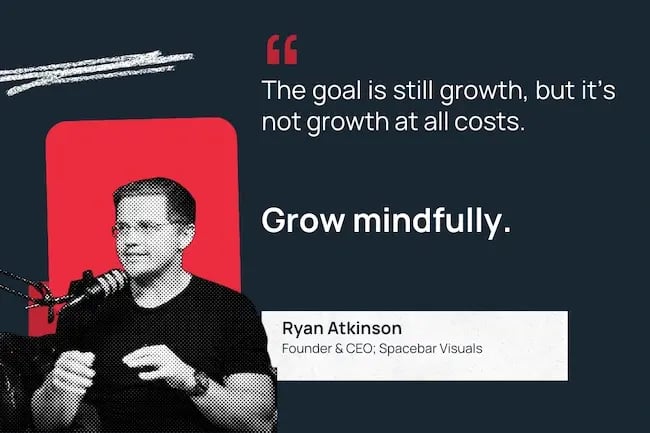
“The goal is still growth, but it’s not growth at all costs. Grow to hire correctly. Grow profitably. Grow mindfully.”
Lesson 2: It’s okay to start cheap.

Video is no longer a nice-to-have for marketers, but that doesn’t mean you have to drop half your net worth making the next Marvel movie.

“Let’s say you’re a startup company, where you have a limited budget. You can’t spend 20 grand on a video. Honestly, Upwork is a great place to get started.”

I took a sip of my tea just so I could do a spit-take. The solution isn’t to write a check to his video agency?

“It doesn’t have to be Spacebar,” Atkinson laughs. “But you can’t do an iPhone type of video if you want to make a good first impression on prospects.”

“If you’re a startup marketer, you have 1,000 things you need to be doing. You have reporting. You have campaigns. You have email marketing. And video is not easy to get right. So, go to Upwork, find someone that can do it for $500, $900.”

To be clear, he’s not talking about dropping that cash on run-of-the-mill TikTok posts. This is about investing in videos that meet your audience at key steps on their buyer’s journey.

“You want to have a top-of-funnel explainer video because people need to know who you are. You want a brand overview video. And you want a product demo that brings your product to life. If you could only do three assets with video, do those.”

Atkinson went on to break down exact recommendations for each of those videos, but since I couldn’t squeeze ’em into one newsletter, I’ve linked a longer guide down below.

Lesson 3: Podcast for a different purpose.

As a fractional podcast host, Atkinson has helped launch more podcasts than most people have consumed. So I asked him the key to getting a successful show up and running.

“Growing a podcast is incredibly hard. It’s almost impossible to do it independently now,” he admits. “I love podcasting so much, but the more I get into it, the more I’m realizing it truly is pay-to-play.”

Atkinson explains that unless you can pay for broad distribution, or unless you’ve got a ready-made audience — say on LinkedIn or in a newsletter — it’s unlikely you’ll grow to a point where monetizing your podcast is worth the time you put in it.

But even if you’re never a top 100 podcast in your niche, there are other reasons to do it.

“Podcasts can be reused as a blog post, email, [or] for SEO.” Not to mention repurposed for YouTube, TikTok, Instagram, and LinkedIn. So even if the podcast itself is slow to gain traction, the effort can pay out in cross-functional content.

And your show can even be an icebreaker for those hard-to-reach clients:

“We use it sometimes to let us talk with prospects and get introduced to them. Reach out to your [ideal customer profile] like, ‘Hey, you want to be a guest on our podcast?’”

Once you interview them, it opens the door to further collaboration and conversation.

Just “don’t think you’ll be a top 50, even top 100 podcast in two weeks.”

Lingering Questions

This Week’s Question

“What sparks joy for you?” — Jayde Powell, Founder and head of creative, The Em Dash Co.

This Week’s Answer

Atkinson says: “Professionally, when you take a bet on something and it works.

Personally, being with family, friends, working out, and reading books.”

Next Week’s Question

Atkinson asks: “If you could only invest in one tool to help your company grow for the next three years, what tool would it be?”
Click Here to Subscribe to Masters in Marketing

Voice is the new logo: Why your brand’s tone matters more than ever

Software Stack Editor · August 26, 2025 ·

A few years ago, I was in charge of presenting a big marketing strategy deck to a senior executive. My team and I prepared a script that went something like this:

“In Q3, we’ll deliver a unified editorial calendar. Subject matter will reinforce key audience pain points. We will increase paid media investments to leverage this series in integrated campaigns.”Download Now: Free Content Marketing Planning Kit

It sounded so impressive in my head, but the executive just wanted clarity. She asked, “So, what is it exactly? A blog series we promote in paid?”

Oops.

In that moment, I realized the words I was using were all wrong. I wasn’t just doing this in meetings. I was adopting this voice in all the brand’s content I was creating, too.

I call that jargon-filled approach “content voice.” And since that meeting, I’ve been on a mission to stop its spread — both in my work and at other brands. Let’s break down exactly what content voice means and how to avoid it, along with some real examples of brands that get it right.

Table of Contents

  • What is content voice?
  • Your voice should feel like a distinct logo.
  • 5 Tips for Developing a Strong & Cohesive Brand Voice
  • Examples of a Strong Brand Voice

What is content voice?

Content voice is when brands use fancy-sounding jargon in the content they create for their audience instead of communicating simply. Here’s what it looks like IRL.

When I posted about content voice on LinkedIn, my comments section exploded with people who knew exactly what I meant. Content voice is saying “utilize” or “leverage” instead of “use.” It’s customers reading multiple paragraphs about what your product does but still not understanding it. When you read something written in content voice, you can tell it’s marketing content, making it feel less personal and valuable.

In my experience, speaking in your regular, non-content voice is a much better bet. Sticking to a clear, accessible voice for your brand is critical to make sure your internal and external stakeholders actually understand what you’re talking about.

Instead of complicated, inaccessible language, just use the same words you’d use to explain your idea to a friend over coffee. I know this might seem tough, especially in B2B. But your customers will thank you for explaining things clearly.

At the end of the day, we’re all human, so there’s no need to talk like a robot. Instead, just use regular, jargon-free words, and do your best to communicate as clearly (and as humanly) as possible.

Your voice should feel like a distinct logo.

So, you’ve cut all the jargon out of your style guide. That’s just the first step. Goodbye, content voice. From there, you have to build a brand voice that feels distinct in a sea of sameness.

Your brand voice should feel like a logo, memorable and distinct. Any time I interact with your brand, I should automatically recognize it from the words you use.

Your brand voice should be authentic to your offering and your audience. And it should span your social channels, blog content, company podcasts, and newsletters. Ideally, I’d be able to say, “I’d recognize that voice anywhere.”

5 Tips for Developing a Strong & Cohesive Brand Voice

How do you actually develop a voice like that? Here are some tried-and-true tips to help marketers develop a strong and cohesive brand voice.

1. Listen to understand.

Especially as a junior marketer, I often assumed that the point of communicating was to sound smart. It didn’t matter if I had no idea what I was talking about, as long as I sounded impressive.

But to develop a brand voice that’s clear and intelligible, it’s essential to actually understand the subject matter. And, that starts with really listening. So, when interviewing leaders or customers, ask plenty of questions. Don’t be afraid to ask the same thing multiple times to get the information you need. Then, once you really understand their answers, you can use that understanding to communicate more effectively.

2. Define niche terms.

In general, it’s best to use simple language that everyone can easily understand. But of course, you can’t always avoid niche terms.

When an industry-specific term is necessary, it’s okay to use it. Just remember to define the term, rather than assuming that everyone will already know what it means. You can define the same term in multiple pieces of content. Don’t assume everyone’s read everything you create.

3. Advocate for your audience.

Talking like a regular person may not seem all that counterintuitive, but I’ve found that sooner or later, you’re likely to run into some pushback. Whether it’s an overzealous colleague or an old-fashioned senior executive, it’s not uncommon for marketers to find themselves dealing with people trying to edit their work to make it more jargon-y.

If and when that happens, it’s vital to serve as an advocate for your audience. Of course, this conversation can be uncomfortable (even more so if it’s with your boss or someone who has a lot more experience than you). But if you explain that you’re just trying to make the content as clear as possible, then you should be able to get the buy-in you need.

That’s especially true for global audiences, many of whom may natively speak a different language than you do. Those folks will definitely appreciate when you avoid jargon-filled copy.

4. Use data to back up your approach.

Beyond just explaining that using regular language will naturally help more people understand what you’re saying, I bet you can also find data to support the benefits of this approach.

The metrics that matter most will depend on your unique industry and business context, but see if you can find evidence proving that using a regular voice leads to more time spent on your website, higher conversion rates, and other valuable improvements. In general, I’m guessing if you test regular voice vs. content voice website headings or landing page copy, the regular voice will win.

5. Lead by example.

Finally, if you’re in a leadership role, be proactive about your brand’s voice and tone. After all, junior writers and editors will be emulating you. If you use pompous, confusing language, they’ll get the message that sounding fancy is the way to succeed. But if you talk like a regular person, people will naturally follow your lead.

In addition, make sure to praise marketers for using clear language. When reviewing their content, always look for opportunities to simplify. You can also formalize brand voice guidelines, explicitly encouraging people to avoid corporate jargon and prioritize accessibility. But of course, people will only follow those rules if they see their leaders sticking to them, too.

Even if you’re not in a leadership role, you can still lead by example, though, and make a push inside your company for clearer language.

Examples of a Strong Brand Voice

So, what does this look like in practice? Here are a few examples of brands using a strong, clear voice without sounding pretentious.

Mailchimp: Striking the Balance Between Business and Pleasure

B2B brands have a tough mission. They need to be distinct and have personality while selling technical solutions. How can you possibly showcase a B2B offering without using jargon? Mailchimp finds a way.

The email marketing and automation platform strikes the right balance between helpful content and vibe. Its how-to guides give real steps that can help marketers create effective email campaigns, all while keeping jargon to a minimum.

On social, Mailchimp continues to lead with value, like in their LinkedIn carousels that offer deep, but brief, insights for the audience.brand voice, mail chimp

Source

The Hustle: The No-BS Approach to Business

Newsletter The Hustle offers business news without content voice. The publication offers a “no-BS source for the business stories that matter.”

All of the brand’s content — from social media posts to the newsletter itself — has the same conversational tone. The brand‘s personality shines through in their subject lines too, with headers like, “Why everyone’s suddenly obsessed with pickleball.”

I see something punchy in my inbox and want to click through. And, once I get to the content, I know that I won’t need an MBA to understand it.

Canva: Keeping the Product Fun, Front, and Center

When I think of graphic design, I think creativity, fun, and finding clever ways to showcase a product. Canva captures that spirit. Instead of defaulting to content voice, the brand has a straightforward and casual tone. There’s no mention of in-the-weeds features. Canva just lets the product do the talking.

That approach is all over the brand’s copy, whether that’s on LinkedIn or billboards.brand voice, canva

Source

voice-4-20250814-2959206

Source

When it comes to brand voice, simpler is better.

At the end of the day, I’ve learned that simpler is almost always better. While niche terms have their place, putting on a fancy-sounding “content voice” tends to backfire: Instead of sounding smart, you just sound like you’re marketing something complicated.

Instead, I always recommend that marketers focus on clarity. That means using simple words and prioritizing accessibility. And when in doubt, just try to sound like a human.

Why blog? The benefits of blogging for business and marketing

Software Stack Editor · August 20, 2025 ·

With 5.5 billion people online (and counting), the internet has never been busier — or had more opportunity. But, businesses keep asking if blogging benefits are still worth the effort.

→ Download Now: 30 Free Blog Post Templates

Spoiler: it is. It’s one of the best ways to establish thought leadership, get your audience’s attention, and build trust with them.

Over the years, I’ve written hundreds of blogs for businesses in a wide range of industries — and I’ve seen what works, what doesn’t, and how things are changing. So buckle up, and I’ll show you why blogging for business is still so valuable for driving inbound leads — and strengthening your entire marketing plan.

Table of Contents

  • What is business blogging?
  • The Benefits of Blogging for Business
  • How to Start Blogging for Your Business

What is business blogging?

Business blogging is exactly what it sounds like: using blog content to grow your business.

Marketers who participated in HubSpot’s 2025 State of Blogging Report report blogging for various reasons, but more than half said they do so for brand awareness (66%) and customer engagement (53%).

blogging benefits for companies surveyed for the hubspot state of blogging report

With AI making it easier to create half-way decent content, mediocre doesn’t cut it anymore. I don’t believe it ever truly did, but now that the bar is higher, dumping a bunch of low-value posts online just for SEO isn’t where you want to invest.

The biggest benefits in blogging for business and marketing kick in when you focus on quality and:

  • Speak to your customers (wherever they are on their journey)
  • Answer their questions
  • Offer thought-provoking information that show why you are the expert

Done right, your blog can build momentum — and fuel everything else you’re doing. What’s more, your email, social media can also drive traffic right back to your blog—and in turn, into your pipeline.

The Benefits of Blogging for Business

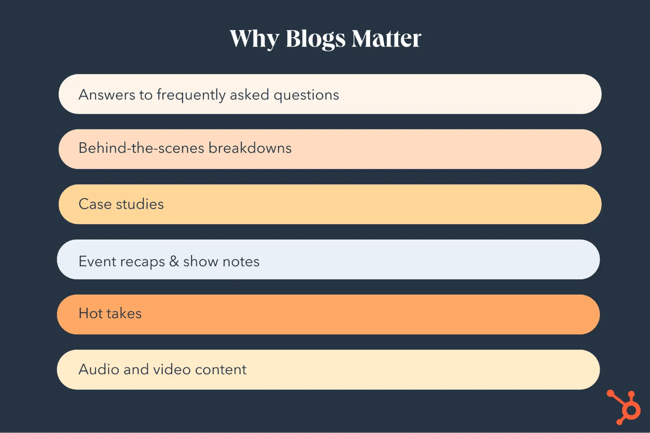
why blogs matter

Whether you established your company decades ago or are just starting your business, I firmly believe that content marketing remains one of the most effective ways to grow your audience.

Not all content is written. Audio, video, and interactive media all have a place in your marketing plan. But no matter the format, your blog gives that content a home — and a chance to keep working long after it’s published. (Which, incidentally, is something I teach clients and marketers how to do.)

That is, as long as you do it right. At that point, your blog becomes a business asset loaded with benefits.

1. It gives your content a home.

Some companies treat their blog as a space for company updates — new hires, acquisitions, and other newsworthy info.

And sure, your blog is absolutely the right place to share that. If you’re sending out press releases, why send the traffic elsewhere? Hosting those updates on your site means you get the visibility, the clicks, and the algorithm juice when people come looking for the details.

That’s a huge win in and of itself. But, it’s only part of the story.

I look at business blogs as a central hub for everything you publish — and it’s one that you own.

Unlike social media, where content disappears in 48 hours, and is subject to algorithmic chaos, you own your real estate. Plus, it gives you somewhere to send people who want to know more about your business. (More on that below).

So what kind of content should call your blog home?

I want to encourage you to think outside of the announcement box and consider adding the following to your content strategy:

  • Answers to the questions your customers are already asking
  • Behind-the-scenes breakdowns of how you work or solve problems
  • Case studies that show results and offer insight
  • Recaps of events, workshops, or webinars (think show notes, etc.)
  • Your take on what’s happening in your industry (without waiting to be asked)
  • Audio and video content (with transcripts and additional content)
  • High-level recaps pointing to content you publish elsewhere

what to put on your business blog for the best benefits

When you publish valuable content, your audience will take notice.

In fact, I want you to think of your blog as a home base.

It turns your blog into a one-stop shop for your content while making it easier to maximize your efforts, repurpose your content, and make sure everything you’re doing works toward your goals.

2. It builds authority and credibility.

What’s the first thing people do when they want to know about your company?

They Google you.

In my opinion, that’s the biggest job of having a website in the first place. They can see that you’re the real deal.

Your blog builds trust by showing your growing audience how you think and giving them insights into who you are as a company.

In other words, by showing you know your stuff instead of just telling, your blog sets you up as a believable expert. And at the end of the day, that’s why many choose to start a blog.

It also helps your sales process, sometimes more than you think.

Some people will read a few posts before ever reaching out. Others might land on one helpful article and decide you’re worth a conversation. (Yay, inbound — and that’s the goal of SEO blogging!)

And if you’re keeping track of the questions your customers are asking (which I always recommend), your blog becomes a resource you can send instead of rewriting the same answers over and over again.

That kind of content saves time and builds trust, and helps shorten the decision cycle.

But a word of caution, consistency matters.

While your audience may or may not take notice (or care) that you publish erratically, Google certainly does. So while frequency doesn’t have to mean posting every day, I recommend a regular cadence to keep the search engine gods happy.

Pro tip: Having trouble with the “consistently” part? A tool like HubSpot’s AI blog writer can help you generate valuable content in minutes.

Interested in other AI tools? I wrote this article to compare ChatGPT, Claude, and Gemini (so you don’t have to).

3. It fuels the rest of your marketing.

Not every blog is going to have a huge domain authority. And not every business is going to make SEO the priority right out of the gate.

That’s okay.

When you’re starting out, I actually recommend the opposite — focus less on keywords and more on creating high-quality content that sets the stage for what you want to be known for. You can always optimize later.

Pro tip: Even if SEO isn’t your top priority, I still recommend structuring your post so search engines can easily crawl it, and optimizing for a few search terms that match the content.

And that brings me to the bigger point — your blog should never be a one-and-done.

The last thing I want is for you to hit publish on your blog and leave it stranded in cyberspace, never touching it again.

If you’ve gone to the effort of creating really great content, you deserve to squeeze every bit of value from it.

I teach a content strategy that starts with your goals and events, using them to fuel your new content — and your other marketing efforts.

Every time you publish a 1500-word post, it has the potential to turn into:

  • 3-5 emails to your list
  • 5-10 social media posts
  • 1-2 infographics
  • New email sequences
  • 1-2 videos or podcast episodes

content repurposing is a huge blogging benefit

Plus, you may be able to repackage the ideas into webinars, ebooks, and more.

Note: I’m using 1500 words as a ballpark. Yours could be much shorter or much longer.

I’ve seen a single blog post fuel an entire quarter of marketing. That said, I usually recommend publishing monthly if and when you can.

4. It drives inbound traffic (without paying for ads).

More website visitors? Yes, please. Especially if they’re my ideal customers.

But the early days of the internet are gone, and few people randomly stumble over your home page without some kind of search intent.

Usually, they land on your site because they know your name, you’ve paid to show up in their feed, or your SEO strategies are working as intended.

It’s the third category that drives this business blogging benefit.

Blogging gives you a way to attract new visitors without paying for every click.

Every blog post you publish is another chance to show up when someone Googles a question you’re qualified to answer. And unlike ads, that visibility doesn’t turn off when your budget runs out.

High-quality, helpful, and engaging blog content helps you drive the kind of traffic you want to see, as long as it’s written with conversion in mind.

That doesn’t mean selling hard in every post. Because your goal should be to guide people toward the logical next step, if they’re ready. That might mean joining your list, downloading a resource, booking a call, or just diving deeper into your content.

Which brings me to the next point.

5. It helps convert traffic into leads.

Everyone loves traffic, but it’s only great if it’s actually the right people heading to your site.

Unfortunately, traffic means nothing if it doesn’t translate to money in the bank, though it can give you lots of good data for future content, messaging, and site improvements.

That said, traffic is a numbers game. Only a fraction of the folks who land on your blog will take any kind of action to turn into a lead. Of those that do, only a small percentage will turn into opportunities, and a smaller portion yet will become clients.

The process looks something like this:

Graphic showing the conversion process -  attract, convert, close, delight.

A lot of marketers visualize this as a funnel, though HubSpot talks about it as a flywheel, where there are always new opportunities to engage people even if they don’t become buyers.

That’s why good content is only the starting point — you need to be sure you’re making it easy for readers to keep moving. The easiest way to do this is by adding a clear call-to-action to every blog post.

That doesn’t mean adding a pushy CTA to every paragraph. Instead, I want you to look through your existing content to see what else would be helpful to your readers. Could be a resource, another article, or even an invitation for a short conversation.

In my own work (and with clients), I’ve seen the difference that simple, thoughtful calls to action make — as long as they flow naturally with the post and are related to the problems you’re solving for.

One of the best blogging benefits is converting traffic into sales — as long as you don’t let your posts become dead ends.

6. It boosts your SEO and link-building potential.

I’ve talked a lot about how blogs help you show up in search, so I won’t go too much deeper into SEO keywords or optimization.

What’s more important is that your content should be worth linking to.

Backlinks happen when other sites link to your content — and they’re still a big deal for SEO.

Backlinko’s 2025 data shows that the first results on Google average nearly 4x the amount of backlinks than those in positions 2-10. Unfortunately, 94% of all content has zero backlinks. That’s a massive missed opportunity.

And as much as I hate the term “low-hanging fruit,” it’s really yours for the taking to make your site surge higher in Google rankings.

Keep in mind that it’s not just humans deciding to link to your site.

As AI-powered search tools become more common, they’re referencing and citing authoritative content, which means that you might just get more traffic to your site via ChatGPT. (You can even track some of this in Google Analytics — here’s how.)

That means your blog can gain even more exposure — and credibility — without extra effort. That is, just as long as you create good content that people — and bots — want to link to.

7. It scales over time (and works while you sleep).

I usually talk about your website as a 24/7 salesperson who works even when you don’t. (This is even more true as chatbots get better and better!)

Your blog helps with that. And the moment you hit publish, you can trigger a long-term strategy that builds momentum over time.

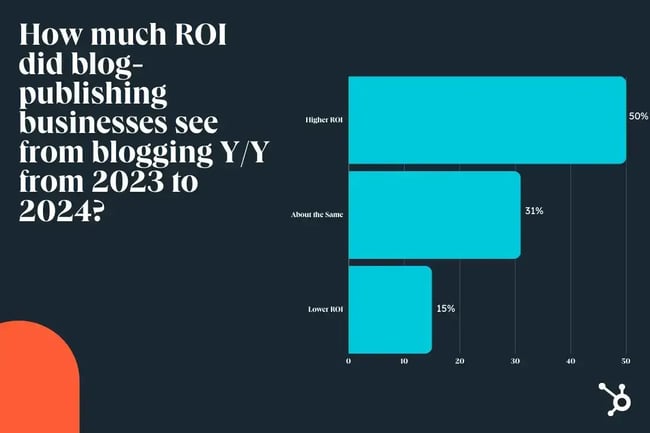
According to HubSpot’s 2025 State of Blogging Report, 50% of marketers saw higher ROI from blogging in 2024 compared to 2023.

ROI of business blogging in 2024 vs 2023

That alone is reason to keep at it. And the data backs it up. 45% of marketers whose companies blog say they’re investing more in 2025.

I see this as proof of what I’m seeing in the wild — consistently posting high-quality evergreen content has a snowball effect.

Here’s how it works, in a nutshell

  • You write a well-targeted blog post today.
  • It gets initial traffic and engagement.
  • Over weeks, months, or even years, it continues to attract new readers through search, shares, and AI recommendations.
  • That traffic fuels leads even when you aren’t actively promoting the post.

Now, I don’t want you to rest on your laurels by publishing and ghosting. But you can take time off — and yes, sleep — without feeling guilty.

Yes, blogs still matter.

There are plenty of bonus perks that come with blogging. Think beyond traffic, leads, and SEO. And remember, there are lots of reasons businesses might want to start a blog.

Not every blog post needs to drive traffic or convert like crazy to be valuable.

Sometimes, I use the blog to test out messaging before I build a whole campaign. It’s fast, low-cost, and way easier to pivot if something doesn’t land.

Other times, a post helps me learn more about what my audience cares about — or doesn’t. And sometimes, it’s just fun — an opportunity to post a hot take or something fun that humanizes the business.

Ready to dive in? Our guide on how to start a successful blog has everything you need.

How to Start Blogging for Your Business

By now, you’ve seen how blogging can support your business — driving traffic, building trust, supporting your sales process, and creating real long-term value.

If you take just one thing away from this, I want it to be this:

The benefits of blogging don’t come from publishing more content. They come from publishing the right content—intentionally and consistently.

I’ve seen what happens when a blog is treated like a box to check. It becomes a time suck, a chore, and worst of all—a missed opportunity.

The magic really starts to build when you start with strategy and layer in thought leadership and expertise.

Editor’s Note: This post was originally published in November 2020 and has been updated for freshness, accuracy, and comprehensiveness.

Here’s why your next newsletter isn’t going to spam

Software Stack Editor · August 18, 2025 ·

At my last job I was tasked with launching a newsletter, and was suddenly faced with a bunch of unfamiliar acronyms: DKIM, DMARC, SPF. (Apparently that last one is not related to sun protection?)

So I texted Al Iverson (not the basketball player), who’s been working in email deliverability since the dawn of mainstream internet, and asked if he could help me figure out what I really needed to know.

Click Here to Subscribe to Masters in Marketing

Since you (probably) don’t have Al Iverson’s phone number, I chatted with him last week about email deliverability, owned audience, and windmills.

Meet the Master

Al Iverson

Industry research and community engagement lead, Valimail, and Deliverability consultant and publisher, Spam Resource

  • Claim to fame: Al’s been working in email deliverability since before the term even existed, including a 15-year stint at Salesforce as its director of deliverability.
  • Fun fact: He programmed all the computers in his high school’s Mac lab to play “Stayin’ Alive” for alerts instead of beeping. Old-school Macs couldn’t multitask while beeping; you had to listen to the entire 4-minute song.

Lesson 1: Audience engagement has a technical component.

“Every once in a while, you run into something really strange, like Microsoft blocking emails that have the word ‘windmill’ in the subject line,” Iverson says. 

“Did you say windmill? Like … Dutch windmills?” I ask, making sure I’ve heard him correctly.

“We have no idea why,” he says, and I certainly can’t begin to guess. [Iverson clarified for me later that this is a fictional example, meant to represent how odd spam-filtering can be, and why you shouldn’t get too hung up on specific words. You’re safe, windmill fans!—ed.]

But “Free!” and “Buy now!” are probably okay, he tells me, further scrambling my brain..

Even more counterintuitively, Iverson says that using a swear word in a subject line isn’t necessarily a guaranteed trip to the spam filter anymore.

The real lesson here isn’t about some quixotic pursuit of The Ideal Email, it’s that there are persistent myths in email deliverability — and it pays for you to get acquainted with them.

For starters, Iverson suggests a healthy skepticism of any “top 200 words to avoid in your subject line” lists. And Gmail “wants to make sure that the subject line and sender information actually connect to what’s in the body of the email,” so it’s “actually very sensitive” to outdated ideas like starting a bulk email with “Re:.”

In other words: Pay as much attention to the technical side of audience engagement as you are to creating excellent content.

Lesson 2: Own your identity.

“Why do people love email so much?” Iverson asks. “Because it is a platform that is open to all.” Platforms like Instagram and TikTok — aside from needing some basic video editing and possibly dance skills — are owned by corporate entities out of your control. Although individual email platforms like Gmail have a lot of influence when it comes to deliverability, your email audience is your own.

And, says Iverson, email “gives us this channel to connect with people without being beholden to these specific platforms.” The flip side of that is that “if you don’t have the technical ability to take control of those levers that put it more into your control, you can still get similarly stuck.”

If you’re new to email newsletters, any one of the major platforms is a great place to start. But the more technical know-how you have (or can hire), the more you can do things like sending from your own domain, putting you just a little bit more “in control of your own destiny, both from a deliverability perspective and from a long-term branding and marketing perspective.”

“email gives us this channel to connect with people without being beholden to these specific platforms. but if you don't have the technical ability to take control of those levers that [give you more] control, you can still get stuck.” —al iverson, industry research and community engagement lead, valimail, and deliverability consultant and publisher, spam resource

Lesson 3: Stop chasing subscriber count.

“People live and die by their subscriber counts,” Iverson says. But “if you have 10 million subscribers, but a very low open rate, your emails are more likely to go to the spam folder.”

The primary reason that an otherwise good newsletter might land in the spam folder is lack of engagement. “The more you focus on people who are actually interested enough to interact with your mail, the better reputation you have with the mailbox providers, so you’re more likely to get to the inbox,” he says.

“And, long story short, what prevents spam folder placement isn’t how many subscribers you have — it’s high engagement.”

Maximize high engagement by “implementing a subscriber lifecycle management process,” says Iverson. Suppressing inactive subscribers, segmenting your audience, and being transparent about your practices are all key to your newsletter’s ultimate success.

“long story short, what prevents spam folder placement isn’t how many subscribers you have — it’s high engagement.” —al iverson, industry research and community engagement lead, valimail, and deliverability consultant and publisher, spam resource

Lingering Questions

This Week’s Question

If you could only invest in one tool to help your company grow for the next three years, what tool would it be? —Ryan Atkinson, Founder and CEO of Spacebar Visuals

This Week’s Answer

Iverson: In the context of email marketing success, inbox placement, and deliverability, this means investing in a deliverability testing and monitoring platform (like Inbox Monster, for example). If your revenue depends on successful email marketing, you’re running blind without something like this. Whether your email gets to the inbox isn’t something you can easily track on an email marketing platform; there’s no “which folder” disposition information sent back to the sender or send platform as part of the email delivery process. A tool like this, and the expertise that comes with it, guides you on how to interpret results and make strategic adjustments to remediate or prevent issues.

Next Week’s Lingering Question

Iverson asks: What’s one marketing habit or best practice you think we should collectively leave behind, and what would you replace it with?

Click Here to Subscribe to Masters in Marketing

The easy formula to calculate true CAC across all your marketing channels

Software Stack Editor · August 15, 2025 ·

Most companies calculate their customer acquisition cost (CAC) incorrectly. They focus on individual channel metrics, such as $50 from paid ads, $30 from content marketing, and $75 from partnership, without understanding their true CAC across all channels. This incomplete picture leads to misallocated budgets, unrealistic growth projections, and investor presentations that don’t hold up under scrutiny.Start building your audience, for free, with Marketing Hub.

If you‘re a CFO, VP of Growth, or financial decision-maker responsible for economics, this guide will show you how to calculate true CAC when combining paid ads, content, and partner channels. You’ll learn the formulas, cost allocation methods, and frameworks leading companies use to get accurate CAC measurements.

Table of Contents

  • Why Traditional CAC Calculations Fall Short
  • Understanding the Two Types of Multi-Channel CAC
  • The True CAC Formula Components
  • Handling Multi-Touch Attribution
  • Real-World CAC Calculation Example
  • Comparison: Simple vs True CAC
  • Advanced Considerations for Financial Decision-Makers
  • Common CAC Calculation Mistakes to Avoid
  • The Impact of Accurate CAC on Business Decisions
  • Frequently Asked Questions

Why Traditional CAC Calculations Fall Short

Before diving into the formula, let’s address why most CAC calculations miss the mark. Traditional approaches typically isolate each channel:

  • Paid Ads CAC: Ad spend ÷ customers acquired through ads
  • Content CAC: Content costs ÷ attributed conversions
  • Partner CAC: Partnership fees ÷ referred customers

This siloed approach ignores the reality of modern customer journeys. A customer might discover your brand through content, research on social media, and finally convert through a paid ad. While this is a win, it doesn’t give the full story on its success. What other information could be left unconsidered, like, “Which channel gets credit?” or, “How do you account for brand marketing that supports all channels?”.

The answer lies in calculating blended CAC and true CAC, which account for multi-channel complexity.

Understanding the Two Types of Multi-Channel CAC

Blended CAC: Your Starting Point

Blended CAC gives you a high-level view by combining all marketing costs and dividing by the total customers acquired:

Blended CAC = Total Marketing Spend ÷ Total New Customers

Example:

  • Paid ads: $50,000
  • Content marketing: $30,000
  • Partnership fees: $20,000
  • Brand marketing: $15,000
  • Total spend: $115,000
  • New customers: 500
  • Blended CAC: $230

$230 (Blended CAC) = $115,000 (Total Spend) ÷ 500 (New Customers)

While blended CAC provides a valuable benchmark, it doesn’t help you optimize individual channels or allocate budget effectively.

True CAC: The Complete Picture

True CAC goes deeper by accounting for shared costs, attribution complexity, and indirect channel influence. Here’s the comprehensive formula:

True CAC = (Direct Channel Costs + Allocated Shared Costs + Sales Costs) ÷ Attributed Customers

Let’s break down each component.

The True CAC Formula Components

1. Direct Channel Costs

These are expenses directly tied to specific channels:

  • Paid ads: Ad spend, platform fees, creative production
  • Content: Content creation, SEO tools, freelancer fees
  • Partners: Referral fees, co-marketing costs, partnership management

2. Allocated Shared Costs

Shared costs support multiple channels and must be allocated proportionally:

  • Marketing operations: CRM, analytics tools, automation platforms
  • Brand marketing: PR, events, sponsorships that benefit all channels
  • Marketing team salaries: Personnel costs for cross-channel work

Allocation method: Distribute shared costs based on each channel’s percentage of total direct spend or customer volume.

Example allocation:

  • Paid ads represent 50% of direct costs → Gets 50% of shared costs
  • Content represents 30% → Gets 30% of shared costs
  • Partners represent 20% → Gets 20% of shared costs

3. Sales Costs

Include sales expenses that support customer acquisition:

  • Sales team salaries and commissions
  • Sales tools and technology
  • Lead qualification and nurturing costs

Pro tip: For B2B companies, sales costs often represent 20-40% of total acquisition costs. Read more on reducing customer acquisition costs here.

true cac formula components

Handling Multi-Touch Attribution

The biggest challenge in true CAC calculation is attribution. Here are three approaches:

First-Touch Attribution

Credits the first channel that introduced the customer to your brand.

Last-Touch Attribution

Credits the final channel before conversion.

Multi-Touch Attribution (Recommended)

Distributes credit across all touchpoints in the customer journey.

HubSpot’s approach: Our analytics platform tracks the complete customer journey and uses a time-decay model that gives more credit to recent interactions while still acknowledging earlier touchpoints.

Real-World CAC Calculation Example

Let’s walk through a complete true CAC calculation for a SaaS company:

Monthly Costs

  • Paid advertising: $75,000
  • Content marketing: $45,000 (includes content creation, SEO tools)
  • Partner program: $30,000 (referral fees, partner management)
  • Shared costs: $25,000 (marketing ops, brand marketing, tools)
  • Sales costs: $40,000 (inside sales team supporting inbound leads)

Customer Acquisition

  • Paid ads: 120 customers (first-touch attribution)
  • Content: 80 customers (first-touch attribution)
  • Partners: 50 customers (direct referrals)
  • Multi-touch influenced: 180 customers (involved multiple channels)

Allocation Calculation

Step 1: Allocate shared costs based on direct spend percentage

  • Paid ads: 50% of direct costs → $12,500 of shared costs
  • Content: 30% of direct costs → $7,500 of shared costs
  • Partners: 20% of direct costs → $5,000 of shared costs

Step 2: Add sales costs proportionally

  • Total customers: 250
  • Sales cost per customer: $160 ($40,000 ÷ 250)

Step 3: Calculate true CAC per channel

Paid Ads True CAC: ($75,000 + $12,500 + $19,200) ÷ 120 = $889

Content True CAC: ($45,000 + $7,500 + $12,800) ÷ 80 = $817

Partner True CAC: ($30,000 + $5,000 + $8,000) ÷ 50 = $860

Comparison: Simple vs True CAC

Channel

Simple CAC

True CAC

Difference

Paid Ads

$625

$889

+42%

Content

$563

$817

+45%

Partners

$600

$860

+43%

This comparison reveals that simple CAC calculations underestimate true costs by 40-45%, leading to over-optimistic projections and budget misallocation.

Advanced Considerations for Financial Decision-Makers

CAC by Customer Segment

Different customer segments often have varying acquisition costs. Calculate true CAC separately for:

  • Enterprise vs SMB customers
  • Geographic markets
  • Industry verticals
  • Customer lifetime value tiers

International Market Adjustments

When expanding globally, adjust CAC calculations for:

  • Currency fluctuations
  • Local market competition
  • Regulatory compliance costs
  • Cultural adaptation expenses

Seasonal CAC Variations

Many businesses experience seasonal fluctuations in acquisition costs. Track CAC trends by:

  • Quarter-over-quarter changes
  • Year-over-year comparisons
  • Holiday and peak season impacts
  • Industry-specific cycles

Common CAC Calculation Mistakes to Avoid

1. Ignoring indirect costs.

Mistake: Only counting direct ad spend or content costs

Fix: Include all supporting costs like tools, personnel, and operations

2. Using the wrong attribution windows.

Mistake: Using too short or too long attribution windows

Fix: Match attribution windows to your actual sales cycle length

3. Excluding sales costs.

Mistake: Treating sales as separate from marketing acquisition

Fix: Include sales costs that directly support customer acquisition

4. Inconsistent time periods.

Mistake: Mixing monthly costs with quarterly customer counts

Fix: Ensure all metrics use consistent time periods

The Impact of Accurate CAC on Business Decisions

  • Budget allocation: True CAC enables data-driven budget allocation across channels. Instead of cutting spend on channels with high simple CAC, you can identify which channels provide the best return when accounting for their full impact.
  • Investor relations: Investors increasingly scrutinize unit economics. Presenting true CAC demonstrates sophisticated financial understanding and provides confidence in your growth projections.
  • Pricing strategy: Understanding your real customer acquisition cost is crucial for setting prices that ensure sustainable unit economics and positive LTV:CAC ratios.

Frequently Asked Questions

How do I allocate shared costs fairly across channels?

Use either revenue-based allocation (each channel gets shared costs proportional to revenue generated) or volume-based allocation (proportional to customers acquired). Choose the method that best reflects how shared resources actually support each channel.

Should I include content costs in CAC if content also supports retention?

Yes, but allocate content costs based on their purpose. If 70% of content is created for acquisition and 30% for retention, only include the 70% in your CAC calculation.

What about brand marketing impact on CAC?

Brand marketing creates a “halo effect” that reduces CAC across all channels. Include brand marketing costs in your shared cost allocation, but consider tracking brand-assisted conversions separately to measure this impact.

How often should I recalculate true CAC?

Calculate true CAC monthly for tactical decisions and quarterly for strategic planning. Annual calculations are sufficient for long-term forecasting and investor presentations.

What CAC should I report to investors?

Report both blended CAC and true CAC by channel. Blended CAC shows overall efficiency, while channel-specific true CAC demonstrates your understanding of acquisition dynamics and optimization opportunities.

The True Cost of Customer Acquisition

Calculating true CAC across paid ads, content, and partner channels isn‘t just an accounting exercise — it’s a strategic imperative. Companies that understand their real acquisition costs make better budget allocation decisions, set more realistic growth targets, and build sustainable unit economics.

Start with the formulas and frameworks in this guide, implement multi-touch attribution, and begin tracking true CAC monthly. Your future growth decisions and investors will thank you.

Ready to implement sophisticated CAC tracking? HubSpot’s Marketing Hub provides the attribution and analytics capabilities you need to calculate true CAC across all your marketing channels.

How to use AI tools in your Instagram strategy: Tips from HubSpot’s global head of brand marketing

Software Stack Editor · August 13, 2025 ·

For anyone struggling with using AI in Instagram marketing, now is definitely the time to learn. Nearly half of the marketers we surveyed for our 2025 State of AI Marketing report said they’re already using AI for social media, with 49% using it for text-based social content and 47% for video/audio-based content.

Download Now: 150+ Content Creation Templates [Free Kit]

HubSpot’s own social media team is leveraging AI to create more engaging, authentic, and on-trend content fast. I did some digging on the ways brands are using AI on Instagram and chatted with HubSpot’s Global Head of Brand Marketing to bring you the AI examples, tips, and tools you need to succeed on Instagram.

Table of Contents

  • Examples of How Brands Are Using AI on Instagram
  • Tips for Using AI in Your Instagram Marketing Strategy
  • Best AI Tools for Instagram Marketing

Examples of How Brands Are Using AI on Instagram

1. Generating Instagram Captions

Coming up with captions is often the bane of a social media marketer’s existence. Thanks to generative AI, this tedious task can be much faster. I personally like to start with a draft I’ve written and then ask ChatGPT to help me refine it by prompting it with something like, “Improve this. Make it shorter, punchier.”

I recommend revising the output. In fact, our State of AI Marketing research found that only 7% of marketers do not edit the AI outputs. More than half (56%) significantly revise or rewrite the outputs.

Here’s an example of the iterative process of using AI to generate Instagram captions, as demonstrated by Melissa Lunt of Superhero Design. She starts with this Claude prompt.

superhero design instagram post explains how to use claude to generate instagram captions

Source

And after some re-prompting and refining, she ends up with this:

superhero design’s instagram post shows a claude output of an instagram caption

Source

2. Repurposing Blog Content into Instagram Posts

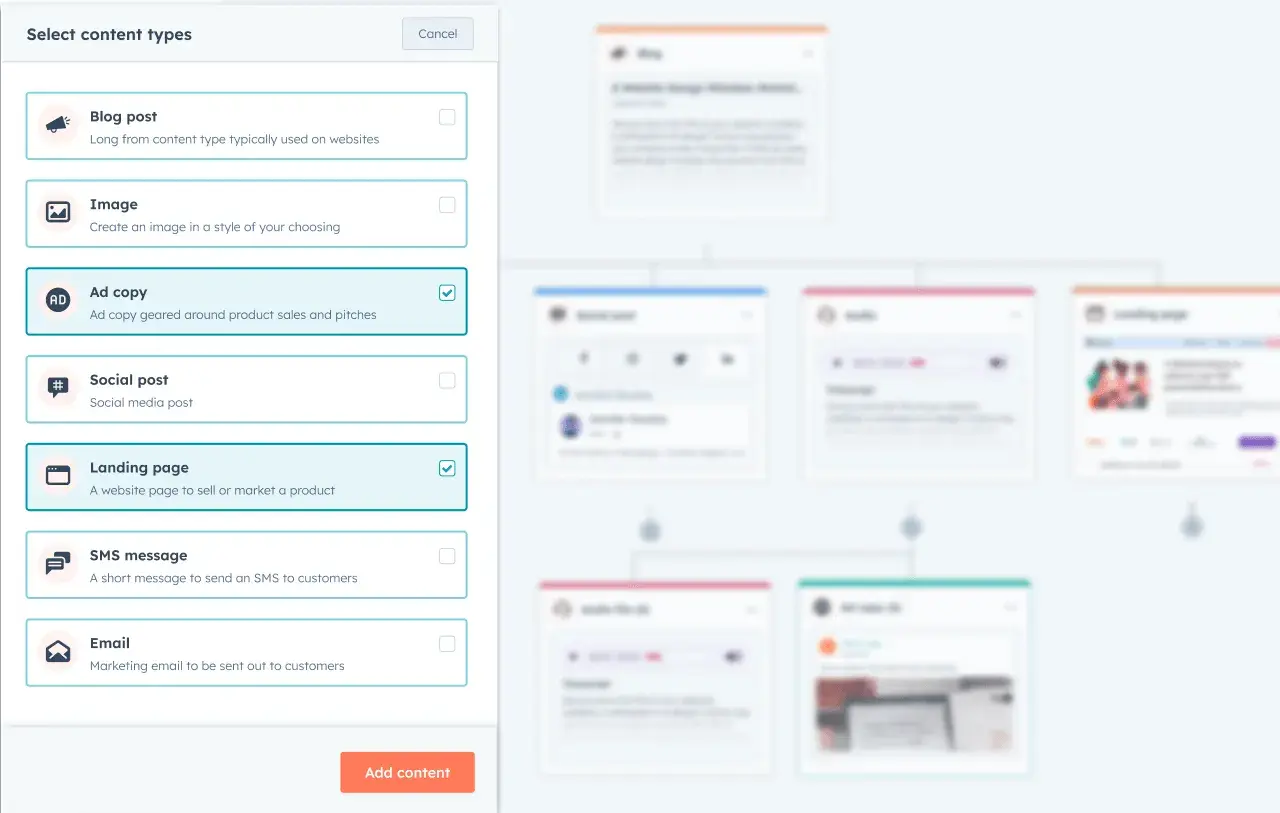
hubspot’s content remix screenshot

Source

Every marketer knows the power of repurposing content. By doing this, one piece of content can take on many lives, expanding its reach.

And thanks to AI, you can do this faster than ever. Using Content Remix by HubSpot, you can take a landing page or blog post and repurpose it into multiple marketing assets, including an Instagram post, in just a few clicks.

3. Hopping onto AI-generated Trends Like ChatGPT’s Action Figure Trend

By now, who hasn’t seen the fun AI-generated action figures all over Instagram and LinkedIn? Here’s an example from when HubSpot hopped on the trend:


View this post on Instagram


A post shared by HubSpot (@hubspot)

AI can certainly help you stay on top of trends — but as this action figure fad shows, sometimes AI is the trend. And that can be a fun way to use AI on Instagram.

4. Playing with AI to Extend Backgrounds

gymshark’s instagram shows video of how it used ai to extend the background of its gym photos

Source

Gymshark used AI to extend the backgrounds of these epic photos, garnering nearly 52k likes on a single post. And if you’re curious, I asked ChatGPT what tool Gymshark used to do this, and it told me it was Photoshop’s “Generative Fill.”

chatgpt chat where i ask what tool is being used to extend the photo’s background using ai

I can see how this tool would be useful in taking an image you already like and fine-tuning it. For example, if a subject got cut off or if the image dimensions don’t fill the frame as is, you could use Photoshop to make the photo Instagram ready.

5. Creating AI Influencers

I admit, watching AI influencers on Instagram is still a little too uncanny valley for me. But for many brands, it’s driving engagement and sales. Just look at Brazilian retailer Magazine Luiza (or Magalu)’s AI-powered persona, Lu.

Dubbed “the most followed virtual influencer in the world” by Virtual Humans, Lu do Magalu has 8 million followers on Instagram alone.

screenshot of ai influencer lu do magalu’s instagram account

Source

She’s powered by Google’s Vertex AI, which created “Lu’s Brain” to help the brand persona make personalized product suggestions for its online shoppers.

Pro tip: Use AI influencers with caution. A 2025 Northeastern University study found that, when things go wrong, AI influencers are more likely to hurt brand trust than human influencers. That’s because consumers see AI as having less agency, and therefore, less responsibility for advertising a faulty product to consumers — meaning consumers redirect the blame to the brand that was managing the AI.

The takeaway? The study authors conclude: “Organisations must recognise their accountability for the actions of AI-powered VIs [virtual assistants], as these directly affect brand trust. Selecting VIs should involve not only their ability to attract followers but also a careful evaluation of potential risks to brand reputation.”

6. Using AI Analytics to Drive Social Media Strategy

“Data-driven social media strategy” takes on a new life when you apply AI analytics to your Instagram marketing, allowing you to optimize posts based on past post performance and your audience’s preferences and data.

“AI helps us uncover unique insights about glasses wearers (even ones we might not have experienced ourselves),” says Or Zinger, VP of Brand Marketing at GlassesUSA.com.

GlassesUSA.com used Sprout Social’s AI to analyze past successful posts and come up with the POV format and captions for this Reel. The video got more than 367,000 views — 90% of which came from non-followers.


View this post on Instagram


A post shared by GlassesUSA.com (@glassesusa)

Tips for Using AI in Your Instagram Marketing Strategy

1. Constantly experiment with and refine your AI workflows.

“The biggest mistake I see brands make is dumping their entire brand guidelines into AI and expecting magic,” says Amy Marino, HubSpot’s Global Head of Brand Marketing. “That’s like giving an intern a 200-page employee handbook and expecting them to embody your culture on day one.”

Just like you wouldn’t throw a new hire into their role without sufficient onboarding, don’t expect your AI workflow to work perfectly the first time. It will require constant experimentation and refinement before you realize maximum productivity and quality gains.

So, where to begin? Marino offers guidance: “Get AI started on the boring stuff nobody wants to do anyway. That’s where AI shines, and you can get some quick wins.”

quote from amy marino, hubspot’s global head of brand marketing: “anyone can use ai to create a bunch of mediocre content, but the competitive advantage comes from how masterfully you push and refine what the ai gives you.”

She adds, “The most powerful part isn’t the tools themselves, but how you create a system or principles for evaluating and refining outputs. Anyone can use AI to create a bunch of mediocre content, but the competitive advantage comes from how masterfully you push and refine what the AI gives you.”

2. Leave the humor to the humans.

“Let AI do the 80% that’s predictable, and save the 20% that makes people stop scrolling for human creativity,” says Marino.

“We’ve learned that AI is not the best at humor or cultural references that feel current and authentic. We use AI to generate structure, but our team adds the cultural touchpoints and personality that make content feel of the moment.”

For example, check out this hilarious Instagram video from the official HubSpot account. Marino’s team used AI to assist with the script, but humans brought the humor.


View this post on Instagram


A post shared by HubSpot (@hubspot)

3. Whip up some “prompt recipes” you can reuse.

Streamlining your AI Instagram workflows means creating reusable prompts that you’ve seen consistent success with. That’s what Marino’s team does to save time.

“Instead of chasing every new AI release, we’ve invested in creating (and updating) our prompt recipes. These are specific instructions that consistently deliver good results for different content types,” Marino says.

“My personal favorite direction: ‘Write this for someone who actually uses Instagram, not for a marketer who studied it in college.’ That push transforms the output from corporate-speak to something a human might actually say.”

4. Be sure to label AI-generated Instagram video/audio that is “realistic,” in accordance with Meta’s terms.

If you use AI to generate video or audio that looks or sounds realistic, you need to label it using Instagram’s “AI info” feature. This requires simply toggling on the “Add AI label” when you post a video.

Here is the exact wording from the Instagram Help Center:

“Meta requires you to label content you share that has photorealistic video or realistic-sounding audio that has been digitally generated or altered, including with AI. This means that if a digital creation or AI tool was used to create or modify this kind of content, you must label the content before you share it.”

It goes on to say that if you fail to do so, “there may be penalties,” but it does not specify what those penalties are. This is not required for AI-generated photos; it is only required for video and audio.

5. Understand your audience’s preferences for AI- versus human-created content

As generative AI becomes more mainstream, consumers might not care much about whether something was created with AI. But what are their preferences right now?

Well, in at least three studies, researchers found that most participants preferred AI-generated content — when they didn’t know it was created by a machine.

  • In a 2023 MIT study, when participants knew how work was created, they showed a positive bias toward human-created content, but when they weren’t told, they preferred the AI-generated content.
  • A 2024 Semrush survey of over 700 U.S. consumers pitted generative AI content against human-written content, and six out of six times, AI won.
  • And in April 2024, Bynder published results of its survey of 2,000 UK and U.S. participants, 56% of whom preferred the AI-generated version of an article over the human-written one when they didn’t know which was which.

So, just keep this in mind as you weave AI more into your Instagram strategy. Check in with your audience. A more tech-savvy consumer, for example, may not mind if you use AI and may not be interested in the details of how you used it. But other audiences might feel differently.

Best AI Tools for Instagram Marketing

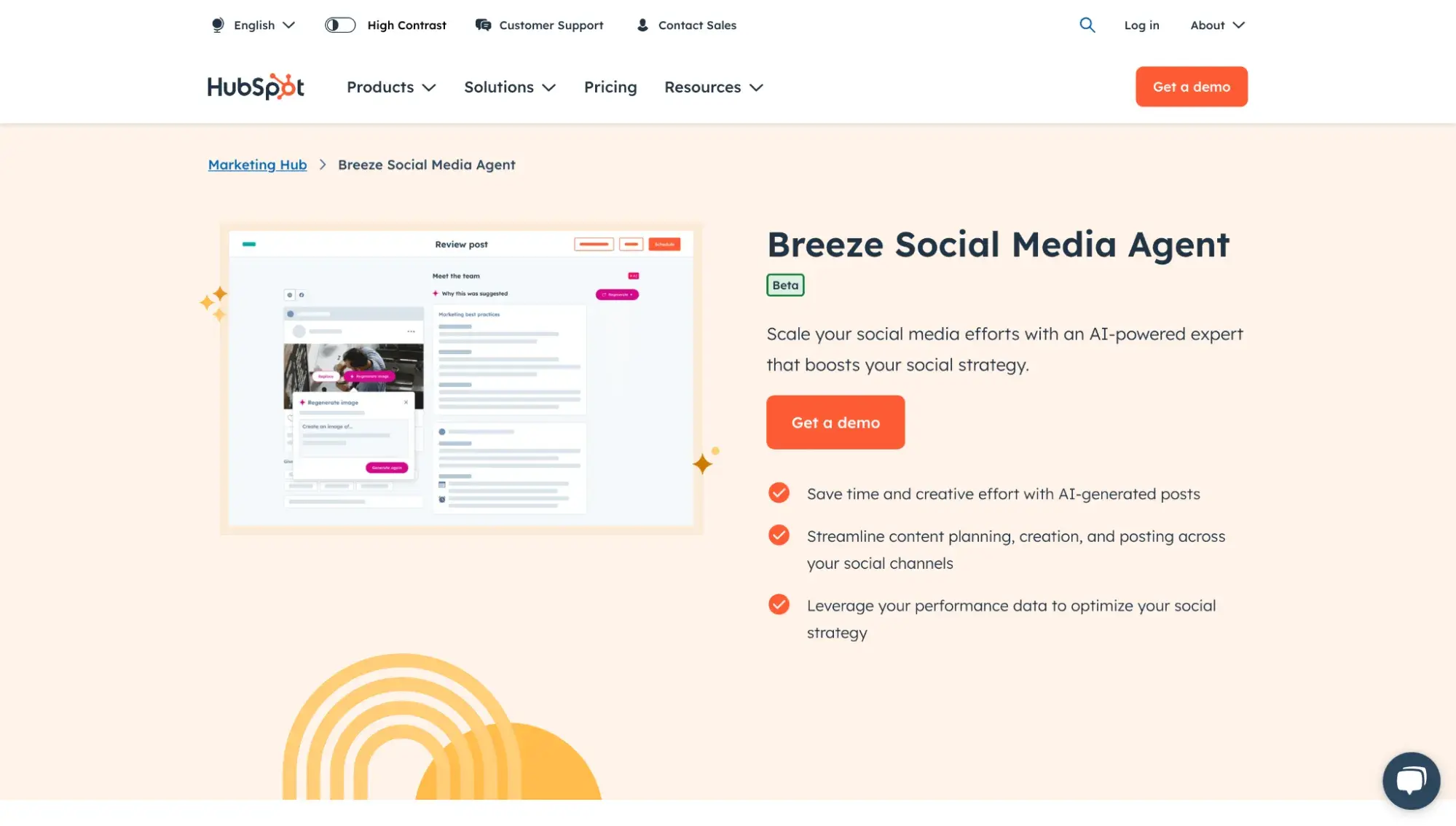
1. Breeze Social Media Agent by HubSpot

hubspot’s breeze social media agent landing page

Source

Best for: Busy social media teams that want to leverage AI to make data-driven decisions about their Instagram strategy

Use Breeze social media agent by HubSpot to make AI-powered, data-driven posting decisions. Breeze factors in your past post performance, business details, brand voice, audience, and more to generate social media posts in a flash.


View this post on Instagram


A post shared by On The Fuze (@onthefuze)

2. CapCut AI Video Editor

capcut ai video editor landing page

Best for: Newbie to advanced video editors who want to create viral-worthy Instagram Reels

As someone who’s used both FinalCut Pro and Camtasia (the latter for about 10 years), I was floored by how intuitive CapCut is as a video editor for short social media videos. I’m never going back.

Whenever I import a video and drag it to my timeline, CapCut can automatically caption it using AI. It’s accurate for 95% of the words, so I only have to do some light corrections, substantially speeding up my content production.

3. Captions AI Video Editor

captions ai video editor landing page

Best for: Creating viral-worthy Instagram Reels in seconds using AI

I downloaded the Captions mobile app on a whim when I got an ad for it while scrolling Facebook (yes, I’m a sucker for social media ads). And you know what? I was pleasantly surprised by the result. The output would require minor tweaks from my end for a polished video. To be clear, I still preferred my manually edited video, but Captions would be a great option to scale video creation but still have it feel professionally edited.

4. Canva’s Magic Studio

canva magic studio landing page

Best for: Designing eye-catching graphics for your Story or posts

I have been using Canva since 2016, and it’s incredibly easy for me as a marketer to create visual assets for social media. I rely heavily on its one-click background remover when I’m creating blog graphics. Marino’s team uses Magic Studio for Instagram visuals.

Magic Studio can help you resize and repurpose existing assets, generate images and videos, and turn a prompt into an eye-catching graphic.

5. ChatGPT or Claude

Best for: Generating and refining captions and scripts

I’ve used ChatGPT and Claude to help me refine my video scripts for 60-second social media videos. It’s great at taking my wordy scripts and making them more concise.

Here’s an example prompt I used for my most recent social media video:

“You are a viral YouTube Shorts and Instagram Reels content creator. Critique this script. How can I make it stronger and more engaging?”

chatgpt chat screenshot showing recommendations on how to make a video script better

I used Claude, too, because I like seeing what each AI tool brings to the table, and then combining what’s useful from both outputs.

claude chat showing recommendations on how to make a video script better

Start using AI to up your Instagram game.

Now, the last thing I want you to do is feel overwhelmed by all the AI tools out there and never get started on anything. Pick just one tool from the above list and start experimenting today.

As Marino pointed out, it’s all about refining the outputs. Don’t expect gold from the first thing ChatGPT generates. But once you master prompting and refinement, you’ll unlock the true power of using AI for your Instagram strategy.

This article was written by a human, but our team uses AI in our editorial process. Check out our full disclosure to learn more about how we use AI.

AI avatars are already here, and these are the trends I’m most bullish on

Software Stack Editor · August 12, 2025 ·

As the founder of AI newsletter Mindstream, I’m constantly thinking about scale, especially when it comes to content. For me, video was the bottleneck. I wanted to show up consistently, but I didn’t want to spend hours filming, editing, or setting up gear. That’s what led me to explore AI avatars.

Download Now: Free AI Agents Guide

At first, avatars were just an experimental shortcut for businesses. But over time, they became something more: a flexible way to keep things personal without needing to be physically present. Today, savvy teams are already leveraging avatars.

Here are six high-impact ways I’ve seen businesses leverage avatars, along with tools that make it easy to get started.

6 Ways Businesses Are Leveraging AI Avatars

1. Short-form Content Creation at Scale

Creating video used to be slow and frustrating, especially for small businesses with cash-strapped teams. It took forever to film, edit, subtitle, and polish something enough to actually post it. Now, AI avatars are changing the game.

Now, you can write a script and let the tools do the rest. I’ve tested Argil, which is specifically built for short-form creators. Once the avatar is in place, it adds captions automatically and even suggests relevant B-roll based on the topic. I noticed the tool still needed reviewing and tweaking, but I didn’t need to start from scratch.

I believe this shift will make daily video publishing possible for teams of any size. What used to take hours now takes ten minutes, without compromising quality. And because it’s scalable, you can show up way more consistently, even without a dedicated video producer.

ai video generator argil

Source

2. Localized and Translated Content for Global Reach

Translation and localization are also where I see avatars making huge strides. For example, most people know YouTuber Mr. Beast for his over-the-top videos, but what I find equally fascinating is his distribution model. Only around 30% of his audience speaks English, while the rest is made possible through translated content.

AI avatars now allow for native-quality lip syncing in multiple languages. I’ve seen HeyGen do this, and the fidelity is honestly mind-blowing. The avatar’s lips and voice match perfectly with the new language.

Avatars open up international audiences without the need to re-record anything, making it an essential strategy for any content-focused business that wants to expand globally.

ai avatar translator heygen

Source

3. Scalable Sales Outreach and Customer Service

Another use case I’m personally excited about is using AI avatars in outbound sales. If you’ve ever received a Loom from someone scrolling your LinkedIn and pitching you something generic, you know how forgettable that feels. But when you integrate AI avatar tools like Tavus with AI research agents like Clay, which can scrape LinkedIn profiles, you can do much better.

With just a name and a few data points, I can generate a tailored video that says, “Hey Sarah, I saw you work at Acme Corp and recently posted about AI coaching. I think you’ll find this demo useful.”

It’s fast, it’s scalable, and it lands better than any cold email I’ve ever sent.

ai research agent clay

Source

4. Personalized Welcome Videos in Email Marketing

Imagine someone joins my newsletter and 30 minutes later they receive a video that looks like you recorded it just for them: “Hey Matt, thanks for signing up to Mindstream. Here’s what you can expect.”

Even when people know it’s AI, the gesture still feels personal, and that’s what makes it effective.

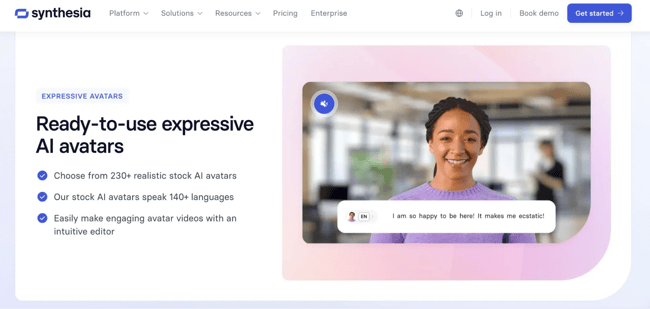
Tools like Synthesia, which integrate directly with CRM platforms like HubSpot, make it easy to automate videos that are personalized with names, company details, and other contextual client information. As a result, you’re able to deliver human-feeling onboarding at scale, without stepping in front of a camera.

ai avatar generator synthesia

Source

5. Virtual Influencers and Brand Ambassadors

The virtual influencer space is wild — and honestly, one of the areas I’m most curious about.

You may have heard of Lil Miquela, a fully synthetic Instagram influencer who reportedly makes $10 million a year from brand deals. What struck me wasn’t just her popularity; it was the potential for brands to create permanent, programmable spokespeople.

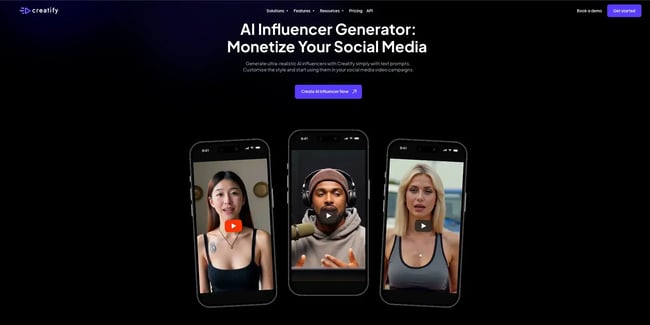
With tools like Arcads and Creatify AI, businesses can now build these digital personalities themselves. And, it doesn’t have to be high-fashion or ultra-polished. A friend of mine is building a coaching platform where the avatar represents them across all brand touchpoints, from social posts to appointment booking to onboarding content.

It’s like spinning up a creative team overnight. And because it’s all synthetic, it scales effortlessly.

ai influencer generator creatify

Source

6. Internal Communication and Training

Not all avatar use cases are public-facing. I’ve seen business leaders use avatars for internal updates and briefings as well. Rather than writing a Slack post or a lengthy doc, they can generate a quick video summarizing weekly priorities, news, or metrics.

This is particularly helpful for distributed teams. It adds a personal tone and saves time without requiring anyone to go on camera. I’ve also seen teams use avatars to enable employee onboarding, product explainers, or even internal compliance training.

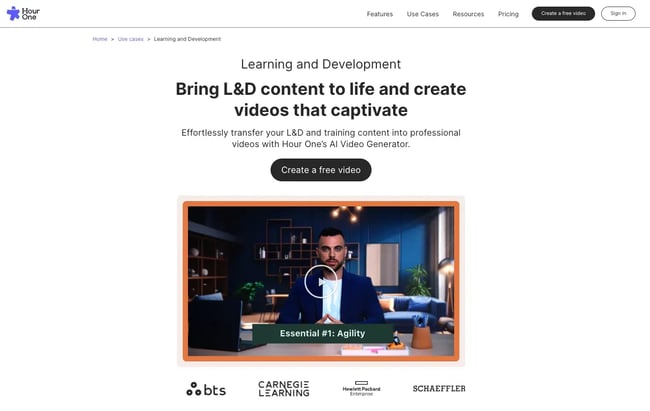
Tools like Colossyan and Hour One are worth exploring here. Both offer features designed for structured, scripted video content — ideal for training, learning and development, or announcements — and support slide integration, multilingual output, and team-based video production.

ai avatar hour one

Source

AI avatars help you scale for a fraction of the cost.

When I started following AI avatars, I didn’t expect them to become a core part of how businesses scale video. But over time, I’ve seen how they can empower transformative video strategies. These tools help teams stay consistent, keep a human tone, and remove the bottlenecks that used to slow them down.

People still write the scripts. They still shape the message. But the execution? That’s handled. And for any business that wants to do the same, AI avatars are the key.

To learn more about AI avatars and how you can use them to improve your business, check out the full episode of The Next Wave below:

Buyer persona essentials: My top tips & examples to inspire yours

Software Stack Editor · August 11, 2025 ·

As I was scrolling on Facebook today, I noticed two ads. One was offering me 20% off at a store that I’ve never heard of before. It felt completely random, in a “did you send this message to the right person?” kind of way.

Download Our Free Buyer Persona Guide + Templates 

The other ad felt like it was looking me dead in the eye. It was for an SEO software that I already use, beckoning me to join an upcoming webinar with the text “Get your website traffic back.” As an SEO writer, webinars like this are like catnip to me. It wasn’t an accident, either: this company understands my segment of their audience.

Bullseye marketing like this is the result of buyer personas. As a consumer, I appreciate the investment the company made in understanding me. As a marketer, I know that their marketing dollars would be gambled on guesswork without it.

I’ve created eight buyer persona examples that illustrate the best practices and uses. Let me show you the how and why behind their design (and even sample ads generated with each one!) to get your gears spinning for your own persona creation.

In this article, I’ll share my framework and eight original examples.

Table of Contents

  • What is a buyer persona?
  • Why Buyer Personas Are Essential to Your Business Growth
  • How to Create Buyer Personas: An Actionable Playbook
  • 8 Buyer Persona Examples to Inspire Yours

What is a buyer persona?

A buyer persona (aka a customer or user persona) is a fictional representation of your ideal customer. Marketing, support, and sales teams use this to interact with customers in a way that makes them feel instantly understood.

Creating personas starts with deep research on both your existing and potential customers. Take customer data and market research, then add details like the buyers’ demographics, pain points, motivations, expectations, and constraints.

Companies have specific personas for specific products and customer segments. This is natural, given that every segment will have unique priorities, goals, challenges, and even demographics. For example, let‘s say I’m an ideal customer for the clothing brand Patagonia. Marketers would need two separate personas to sell me a winter puffer jacket in the winter versus a pair of summer shorts because my needs and motivations would be different.

So, how does persona-based marketing feel to the customer? Jake Victor, a copywriter and growth strategist, perfectly summarizes how persona-focused marketing makes people feel like “this is for me.”

buyer persona explanation from marketer jake victor

Source

I‘ve designed strategic marketing campaigns for online businesses, government offices, and nonprofits. If there’s one important thing I‘ve learned, it’s this: The most effective marketing is done by brands that are obsessed with knowing their audience. Let’s look at how you can become that brand.

Why Buyer Personas Are Essential to Your Business Growth

Sure, buyer personas help companies create personalized campaigns. But the value of these fictional profiles goes far beyond that. Here‘s why they’re powerful for long-term growth.

1. Brand Positioning

When you think of healthy fast food, what brand comes to mind? For many, it’s Subway. Or what about a relaxing night in at home? Netflix. Looking to refresh your living room? IKEA.

These brands have earned a reputation as the go-to solution for specific pain points thanks to their successful positioning. Nail this for your brand, and your marketing team can more easily:

  • Write compelling copy and content that makes them feel seen and understood.
  • Design user experiences tailored to specific aspirations and challenges.
  • Craft relatable campaigns to stress buyers’ pain points.

Strong brand positioning relies on understanding exactly who you’re positioning for. That’s where buyer personas come in. This clarity on positioning needs will guide you in designing a customer journey.

hubspot’s brand positioning framework

Source

2. Customer Journey

Marketers work extremely hard (and spend millions of dollars) trying to convince customers to think of their brand a certain way. These efforts sometimes stick: like Subway telling us to “eat fresh” in the early 2000s.

But no matter how catchy a campaign is, marketing will always stand in the shadow of the lived user experience. Like Subway patrons learning there‘s so much sugar in Subway’s bread that it isn’t legally classified as bread in some countries.

Brands can’t dictate what consumers will think of them. Instead, marketers have to follow the journey that the customer takes when forming an opinion of them, and optimize these touchpoints for success.

3. Cross-Functional Alignment

I‘ve seen marketing teams pour hours of work into their buyer personas only to have other departments completely ignore the finished product. What causes this? Sometimes, the wider team doesn’t see the value. Other times, the marketing team worked in a silo and missed the mark.

Alignment — specifically, early alignment — between teams pays off. Sales, marketing, product, and customer success teams should collaborate to create personas that are both accurate and useful for all parties.

HubSpot’s buyer persona templates are designed for cross-team use and have marketing messaging built directly into a select number of templates:

Free HubSpot persona templates

Source

Convinced about the impact? Let me share my recipe for building in-depth personas.

How to Create Buyer Personas: An Actionable Playbook

Here’s what I do to keep generalizations and assumptions at the gate and create nuanced buyer personas based on hands-on market research.

1. Collect quantitative and qualitative data about customers.

The first step is the most critical link in the chain: collecting customer data. A generic snapshot of your target customers isn’t enough to move the needle on sales. Instead of assuming details about your target buyers, use analytics tools and conduct qualitative research to dig deeper into customer behavior.

A combination of quantitative and qualitative data will explain what buyers want and why they want something. Ben Pines, the Director of Content at Wordtune, shares why this holistic approach is so essential:

“You need to go beyond demographics. Buyer personas help me think and feel like my buyers. Without understanding who these people are, their needs and wants, you have no way of going beyond the obvious marketing moves,” Pines shared.

Let me show you how you can collect this data.

Use analytics tools for quantitative data.

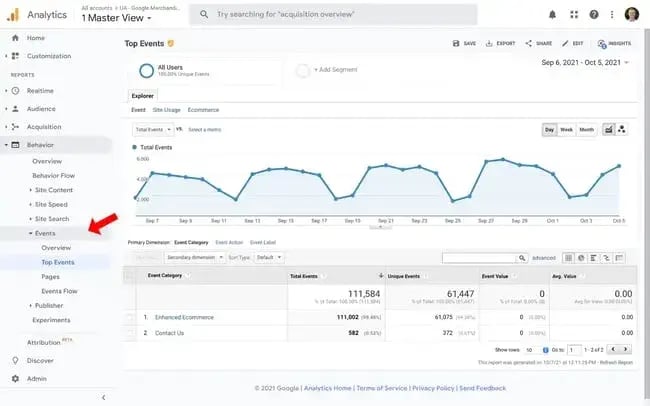
Analytics tools will tell you how customers behave across different interactions with your brand. You can use tools like Google Analytics and Tag Manager to create custom tags and stay on top of these interactions.

Then, document everything in a CRM tool like HubSpot. You can start by monitoring behavioral metrics like:

  • The user journey. Where do customers first find you? What sequence of pages do they visit?
  • Micro-conversions. What conversion milestones did they complete, like signing up for a newsletter?
  • Event tracking. What actions did they take, like clicking on buttons or submitting forms?

Buyer persona analytics

Source

You can also combine this data with heatmaps (visual representation of user interactions) and session replays (recording behavior in every session) to identify the most engaging areas and see where users drop off. This is a good way to create different customer cohorts and analyze their behavior over time.

Focusing on demographic data alone is an outdated approach. Instead, you should focus more on understanding customer behavior. I’ve noticed that behavioral data is an intimidating topic for some marketers — this guide will help make segmentation straightforward (exciting, even!).

Conduct user research for qualitative data.

Based on the quantitative data you’ve collected, you can create a few hypotheses to critically understand buyer motivations and behaviors. I always found this to be the most exciting part of the research process because it reveals facts about your target customers that you could never find through guesswork.

You can create surveys, schedule user interviews, or leverage social listening to gather insights from buyers. The survey and interview methods will involve a set of questions specific to your hypotheses.

For example, if your hypothesis says, “Persona A is likely to use our product for the Z use case,” then your interview/survey questions will dissect Persona A’s problems related to that use case.

Ask questions about challenges, expectations, jobs to be done, and current workflows related to that use case. Alternatively, you can monitor brand mentions for your competitors or analyze content for specific keywords to collect inputs from social media.

My advice: Comb through your customer reviews in search of your most detailed positive AND negative reviews. I recommend that you reach out to these customers and ask them to share their thoughts on a one-on-one call. Ask open-ended questions and encourage them to share their ideas, all while an AI assistant is creating a transcript of the conversation. This is a goldmine of insight for your marketing personas.

2. Study the data and gather insights from each team.

Once you’ve gathered customer data, the next step is to analyze it for patterns and meaningful insights about buyer preferences and behavior.

This step is essentially about organizing the data into different parameters for defining your buyer personas. This analysis will reveal trends and patterns to take you from a broad understanding of your customers to a more nuanced view.

Here are some key parameters to categorize your research:

  • Buying intent and budget. What’s their budget and level of urgency to solve the problem?
  • Company type. What’s the company size and growth stage they represent?
  • Primary motivations. Why should they buy from you over other brands?
  • Major pain points. What’s keeping them up at night that you can solve?
  • Jobs-to-be-done. What do they want to achieve using your solution?
  • Role or work profile. What position do they work in?

Each parameter will come together to convey a complete story about your persona. You can analyze audience research collectively with different stakeholders to collect multiple perspectives. For example, how your marketing team looks at the data will differ significantly from your product or design team’s perspective.

These varying perspectives will give you a 360-degree view of your user experience.

Use ChatGPT for deep research.

ChatGPT can be a powerful strategic partner on this task for you, but only if it has enough context. I recommend doing deep research to help you deepen ChatGPT‘s understanding of your business, ideal customer, and product or service. ChatGPT’s memory was recently upgraded, and it will remember the details uncovered in the deep research phase and will give you highly customized output.

HubSpot deep research ChatGPT prompts

3. Define your use cases and solutions for each segment.

Now that you‘ve categorized buyers into different groups mapped to their main characteristics, it’s time to explain how your product/service fits into the picture.

Identify your core value propositions for each segment and tailor to their use cases and pain points. Dig deeper into how you can tackle buyers‘ challenges and highlight the particular benefits of your product/service. I’ll show you eight examples of this below.

4. Document your personas using a tool or template.

Once you‘ve done all the legwork to collect and organize your audience research data, you can start documenting your personas. In the past, I’ve used tools like Notion or a simple Google Docs file to record all the insights about my personas and make them as detailed as I want.

But now, I‘ve switched to HubSpot’s Make My Persona tool, as it lets me make these personas visually appealing.

A bit about this tool: It collects different insights about your buyers to create a neat persona document like the one below. You can easily customize this and add more sections to include in-depth information. It’s an easy solution to visualize all the details and share your personas via a link or a file.

free hubspot buyer persona generator

Source

5. Create a workflow to update personas regularly.

Your buyers’ needs and expectations are constantly evolving. So, the final step in my process is making a workflow to consistently review these buyer personas and update them based on market shifts.

I speak with customers from every segment to understand how their priorities have changed and what they expect from our brand. These conversations, paired with customer data from analytics tools, can reveal new trends and shifts in customer behavior that you didn’t know before.

This new information can help you fine-tune buyer personas to reflect current customer needs. Save this guide to create (or refresh) your buyer personas and get a pulse of your target audience. It‘s easy to document your personas with HubSpot’s free buyer persona maker. Get started here.

8 Buyer Persona Examples to Inspire Yours

How does all of this look in practice? I’ve made eight buyer persona examples to demonstrate. These are all fictional personas that I created for real companies to help bring these tips and best practices to life.

For fun, I‘m also dropping each persona into ChatGPT-4o to see what kind of Instagram ad would be generated (inspired by HubSpot CMO Kipp Bodnar’s experimentation).

P.S. If you like the style of these examples, you can use my exact template for each one — they’re all free! I used the prompts included in the templates and ChatGPT to build out different personas for each product or service.

1. Trello Taylor

Trello Taylor, Buyer persona example made with the free HubSpot builder

Source

Trello is a card-based task management system. It solves emotional needs for its users: they’re feeling overwhelmed, disorganized, and frazzled. I created the fictional Trello Taylor persona using the free HubSpot Persona Generator to represent this user. This persona summary acknowledges the emotional state that Taylor is in: They’ve tried lots of products, and feel like nothing has been right for their role.

What I Like

If you look closely at Taylor’s goals and objectives, you learn that Taylor is motivated by both extrinsic and intrinsic forces.

Of course, they want their team to meet deadlines, but they‘re also hoping to be promoted in the company. Underlying motives are often overlooked in personas. Knowing a customer’s long-term interests shows a sophisticated understanding of your target market and will generate more targeted marketing campaigns.

You’ll also notice that this persona has an about section. This type of summary isn’t essential for every persona, but here, it helps us better contextualize the daily struggles of Trello Taylor. This directly ties to a selling point of the software, which makes it a small but impactful detail.

Here’s a target Instagram ad that ChatGPT created based on this persona. What do you think?

ChatGPT-generated ad based on buyer persona

Source

2. Grammarly Gabriel

grammarly gabriel, buyer persona example made with a free hubspot template

Source

Grammarly is a writing aid that helps catch typos and even rewords your sentences to improve tone, clarity, and efficiency. My fictional persona, Grammarly Gabriel, is an ambitious college student who‘s applying to internships. He customizes his resume and cover letter for each position, and he’s nervous that small typos are going to slip through the cracks.

What I Like

I love how specific these challenges are: It tells a story that positions the product as a perfect solution for this buyer. The more specific marketing personas are, the more targeted the marketing efforts can be. This is reflected in the ad that ChatGPT generated:

chatgpt-generated grammarly ad targeting a specific marketing persona

Source

3. Woobles Whitney

woobles whitney, customer persona example made with a free hubspot template

Source

The Woobles is a crochet kit company that has reverse-engineered the crochet process. Instead of shopping for balls of yarn and deciding what to make, users pick out which end product they want and buy a kit that has those exact materials inside.

My fictional persona, Woobles Whitney, is a mother who lets her child pick out which Woobles kit they like. Then, Whitney crochets it for them and their child plays with it while telling everyone “my mom made this for me!” (inspired by my sister and her daughter).

What I Like

This is another emotions-focused persona. It doesn’t get into age or demographic information (though that can certainly be added). As a marketer, I feel this type of persona makes my job of creating highly targeted content effortless.

It features “real quotes” from customers, which you can get from social media, focus groups, product reviews, or one-on-one outreach. I also like that it works for both new and existing customers. But you might be thinking, isn‘t this too niche for a customer persona? This isn’t necessarily a description of the typical Woobles user.

Remember: This isn’t the only persona that The Woobles will have. This persona represents one of many customer segments, and can be used for specific marketing campaigns, like their Care Bears or Minecraft collections.

ChatGPT-generated ad based on customer persona

Source

4. Italy Imani

Italy Imani, Marketing persona example made with a free HubSpot template

Source

Have you ever heard that rumor that you can buy a house in Italy for $1? It’s real — and many flexible workers, like my fictional character Italy Imani, have considered this dream. But if the 2003 blockbuster hit Under the Tuscan Sun is to be believed, not everyone can thrive when relocating to a crumbling Italian villa.

What I Like

I like how Italy Imani‘s buyer persona focuses on her personal characteristics and priorities. It shares a story about Imani’s personal and work life to communicate her motives and expose marketing opportunities. The story also focuses on qualities she’s looking for in a new community. An effective marketing campaign would emphasize those values in its messaging.

ChatGPT-generated ad based on buyer persona-1

Source

5. Tofurky Teddy

tofurky teddy, customer persona example made with a free hubspot template

Source

Tofurky is a plant-based turkey alternative, one often associated with Thanksgiving here in the US. My fictional customer, Tofurky Teddy, has recently become a vegetarian, but she doesn‘t want to miss out on the community and joy of a shared Thanksgiving meal. She’s taking a Tofurky roast and hopes that her family will try it.

Tofurky roasts taste delicious. But when one sits next to a real turkey, it kind of looks like a softball covered in gravy. Teddy will wear a smile and sport a good sense of humor while trying to convince people to take a slice.

When I read the Tofurky website and see playful copywriting like “good gracious Tofurky bodacious,” I’m convinced they know the jest that comes with their product.

What I Like

Creating this persona example was easy for me: Every Thanksgiving and Christmas dinner, I‘m a real-life Teddy. The first time I brought a Tofurkey to Thanksgiving, I stood next to it and presented it like I was an infomercial host. After all, the roast is a meal that’s meant to be shared. But not everyone at the dinner table (like my family of hunters) will be a part of the customer base.

What I like about this persona template is the marketing messaging — it ties the customer insight directly to content strategy. Every persona will ultimately be used to create content marketing campaigns, and building marketing ideas into the template creates a seamless handoff between teams.

chatgpt-generated ad based on marketing persona

Source

6. Hoka Hank

hoka hank, marketing persona example made with the free hubspot builder

Source

Hoka is a trail running shoe that‘s designed with a thick, cushioned sole. I’m familiar with the brand, but I thought Hokas were only for intense marathon runners.

Then, I saw an ad that showed people running around their neighborhood together, advertising that they were “engineered for your everyday miles,” and the brand felt instantly more welcoming. Hoka wants to welcome my fictional persona, Hoka Hank (an unsure new runner), into their community.

What I Like

I like that this persona is less focused on data-driven insights and more focused on behaviors and factors that influence Hank’s shopping habits.

Some running shoes would be overly focused on specs, and that would be appropriate for advanced runners. But a new runner is buying a shoe to fill an emotional need, and they wonder if they’ll be laughed at or welcomed by the community.

Since HubSpot’s Make My Persona tool is customizable, I removed some of the persona data areas and added the sections “Emotional Drivers” and “Who Influences Shopping Decisions.”

ChatGPT-generated ad based on audience persona

Source

7. Loom Leonard

loom leonard, buyer persona example made with a free hubspot template

Source

Loom is video software that allows users to narrate and record their screen, radically improving remote communication (if you‘re not already familiar, you’ll thank me later for introducing you).

I created the fictional Loom Leonard in honor of one of the biggest target users for Loom: a sales representative. This sales rep works in a global market and needs to connect with prospects across time zones.

What I Like

I like that this customer persona template goes beyond just a job title and location — we get into Leonard‘s personal life. Some personal details, like motives for saving time, are strategic insights for Loom to identify. They illustrate Leonard’s current state and desired outcomes. It also highlights the pain points that Loom can stress when positioning its solution.

chatgpt-generated ad based on buyer persona.

Source

8. IUP Isabella (Negative Persona)

IUP Isabella, Buyer persona example made with a free HubSpot template

Source

As a last example, let’s look at a negative persona. This type of profile focuses on the type of person you don’t want to attract with your marketing.

The word “negative” might sound harsh, but this persona doesn‘t diminish the character in a single way. It’s simply a recognition of the misalignment between the organization and potential customers.

My alma mater, Indiana University of Pennsylvania (IUP), is opening a medical school with hopes of treating rural Pennsylvania’s healthcare crisis. My fictional persona, IUP Isabella, represents the type of student that recruitment doesn’t want to apply to the program.

What I Like

I like how IUP Isabella’s interest in technology, both on a personal and professional level, is represented in different areas of her persona.

It‘s obvious that the detailed description of her goals is directly opposed to the mission of the medical school. IUP doesn’t just want any premed students: their ideal customer is a student who wants to serve the rural community post-graduation.

Even though it feels unnatural to focus on the unideal person for a product or service, reverse-engineering this process provides valuable insights and makes the vision of your ideal customer even clearer.

My advice: If you‘re struggling with creating positive personas, start with a negative persona. Focusing on the inverse of your goal is the fastest way to get unstuck (I’ve found this applies to most areas of marketing).

Make buyer personas work for you

A persona is about more than just age range, education level, and basic behavioral information. With the right research and development, these personas can provide insightful depth and guide your overall growth strategy, impacting every aspect of the customer experience.

All great marketers are obsessed with buyer personas, and I hope that obsession was contagious for you today.

Here’s how to prove marketing’s pipeline value & revenue impact to your CFO

Software Stack Editor · August 11, 2025 ·

Chief Financial Officers (CFOs) are wired to want proof, not promises. While we marketers light up at impressions, and engagement — excuse the stars in my eyes — CFOs focus on revenue, risk, and return.

→ Free Download: Free Marketing Reporting Templates [Access Now]

This clash of professional love languages can create friction in budget conversations, performance reviews, and board meetings.

I’ve experienced this tension too many times to count, over the years. My teams knew that sales couldn’t have closed without our marketing, but with so many touchpoints and an evolving data climate, it became increasingly difficult to prove.

Thankfully, we’ve found our ways. This guide will share exactly how to use automated attribution reporting to show finance the metrics they want, bridge the communication gap between departments, and ultimately win the budget you deserve.

Table of Contents

  • Why does pipeline influence reporting matter?
  • What metrics do CFOs actually care about?
  • Which attribution models do CFOs prefer?
  • How to Show Marketing’s Impact to the CFO Step-by-Step
  • How to Handle Long Sales Cycles and Multi-year Deals in Pipeline Value Reporting
  • Addressing Dark Funnel and Offline Attribution

Why does pipeline influence reporting matter?

Simply put, pipeline value attribution matters because it shows why you’re worth the investment. I mean, if a business is spending more than it’s making with any effort, it isn’t financially wise, right? That’s why CFOs need to see the numbers.

But why is it especially important for marketing to prove its value?

As any seasoned marketer will tell you, marketing is often seen as a money pit. Small businesses often assign marketing tasks to existing team members, or worse, they’re the first to be ignored when faced with a tight budget.

In fact, Marketing Week’s Career & Salary Survey last year found that close to half of brands view marketing as a “cost” rather than an “investment.”

I’d argue this is because many marketing mediums can’t be tracked accurately. For instance, if someone sees a paid ad for one of your in-person events, attends, and then follows your blog for a month before contacting sales, what channel gets the credit?

With so many different, intersecting touchpoints, it’s notoriously difficult to attribute credit where it belongs.

via GIPHY

To be honest, as a marketer, it’s exhausting, but smart attribution reporting can help mitigate these issues and get us our due and dollars from financial leaders.

Now, I know what you’re thinking: “How do I show marketing’s impact to the CFO? How do I prove marketing drives revenue? How do I get budget approved?” That all starts with understanding what metrics and attribution models CFOs want to see.

What metrics do CFOs actually care about?

Traditional Marketing Metrics

CFO-Focused Revenue Metrics

MQLs

Qualified pipeline sourced

Website traffic

Revenue contribution by channel

CTR / Engagement rate

Marketing ROI (MROI)

Impressions / Reach

CAC and CAC Payback Period

Email open rate

Customer Lifetime Value (CLV)

Social shares

Pipeline velocity (conversion speed)

Attribution clicks only

Multi-touch revenue attribution

We marketers get pretty excited about likes and views, but those will likely leave your finance folks unimpressed.

CFOs prioritize financial efficiency and scalability, not just volume or exposure. Many marketing teams focus on performance indicators like MQLs, website traffic, or engagement rates, but CFOs prioritize metrics that directly relate to bottom-line outcomes.

As Todd Morris, InMarket CEO, explains, “CFOs have all these measures that matter [to them], and unfortunately, marketers don’t always have an aligned sense of what those same metrics are for them….CFOs [will] appreciate the beautiful commercial… but they’re going to want to know, ‘for every dollar I invested, what did I get back?’”

marketing-revenue-value

In other words, marketers need to learn how to speak CFO. Here are eight finance-approved metrics to showcase in your marketing ROI reporting:

  • Marketing-sourced revenue: This measures how much revenue was directly generated by marketing campaigns and programs. It’s the clearest signal that marketing is not just a cost center, but a revenue engine.
  • Marketing-influenced pipeline: This tracks how much pipeline value marketing contributed to through activities such as nurturing, retargeting, or event promotion. CFOs appreciate this metric when paired with a sourced pipeline to show broader impact.
  • Revenue per lead: Calculating the average revenue generated per lead provides a straightforward efficiency metric. It helps finance compare marketing’s performance against other acquisition channels.
  • Marketing ROI (MROI): MROI is the ratio of revenue generated to the cost of marketing. For CFOs, it’s a crucial efficiency metric that demonstrates whether investments are producing returns.
  • CAC (Customer Acquisition Cost) payback period: This metric reveals how long it takes for revenue from a customer to cover the cost of acquiring them. A short payback period signifies high marketing efficiency, which CFOs value in budgeting decisions.
  • LTV:CAC ratio: The ratio of customer lifetime value (LTV) to acquisition cost. A healthy ratio (typically 3:1 or greater) signals sustainable growth and scalable marketing.
  • Pipeline velocity: This measures how quickly leads move through the pipeline. Faster velocity means a quicker return on marketing spend, which finance leaders find valuable.
  • Forecast accuracy vs actuals: Marketing teams that can forecast pipeline and revenue accurately demonstrate maturity, reliability, and strategic alignment. CFOs see this as a sign of operational discipline.

Pro tip: Need some help determining your marketing budget to begin with? Check out the steps outlined in our article, “Revenue Marketing: What It Is and Why It Matters”

Which attribution models do CFOs prefer?

Next, it’s important to understand attribution models. There is a wide variety of attribution models that assign credit to different marketing touchpoints.

This affects how they demonstrate ROI, handle channel conflict, address long sales cycles or multi-year deals, and ultimately what information is communicated to CFOs.

marketing-revenue-value marketing metrics vs cfo metrics

Here’s a breakdown of the most common:

  • First-touch attribution: This model gives 100% of the credit to the first marketing interaction. While useful for understanding initial awareness drivers, CFOs often dismiss it because it ignores the nurturing and decision-making phases. It also doesn’t speak to long sales cycles.
  • Last-touch attribution: This assigns all credit to the final interaction before conversion. Like first-touch, it oversimplifies the buyer journey and is rarely sufficient for financial evaluation.
  • Multi-touch attribution: Multi-touch attribution takes into account every channel and touchpoint that a customer interacted with before converting. This is a great solution for addressing channel conflict because it evaluates and weighs touchpoints differently as well as provides insight into how they worked together to influence a customer.
  • Linear attribution: This distributes credit equally across all touchpoints. It provides a balanced view but doesn’t account for varying influence levels of each touchpoint, which limits strategic value.
  • Time-decay attribution: More credit is given to interactions closer to the conversion. This model is useful for long sales cycles, highlighting the final nudges that convert prospects. CFOs value its logical progression, but it also may minimize the influence of early marketing touches.
  • W-shaped attribution: This gives heavier weight to three key moments: first interaction, lead conversion, and opportunity creation. It aligns well with sales stages and is favored by finance for its structure.
  • Custom attribution: Custom models assign weights based on actual revenue impact and business logic. When built collaboratively with finance and RevOps, these models are the most CFO-friendly and suitable for board-level reporting.

sample w-shaped attribution report

Source

Regardless of which model you choose, remember: CFOs tend to care less about which campaign touched a lead first and more about how marketing influences revenue outcomes across the entire buying journey.

This speaks to the importance of your work from awareness to sale, rather than just focusing on first impressions.

How to Show Marketing’s Impact to the CFO Step-by-Step

1. Choose your attribution model.

With everything we discussed earlier, determine which attribution model would be best for your needs. Not sure? Ask your financial leadership flat out what is most important to them.

2. Set up your attribution reporting.

Attribution reporting is complicated. Manual spreadsheets and one-off presentations lack credibility with their room for human error and are difficult to scale.

Thankfully, there are many tools to help make it easier these days. In fact, with HubSpot’s Marketing Hub you can even automate your attribution report to do things like:

  • Tie marketing activities directly to closed revenue deals
  • Attribute influence across first, lead-creating, and deal-creating touchpoints
  • Integrate with CRM for accurate, real-time reporting
  • Offer multi-touch views that align with actual buying behavior

This automated attribution creates a consistent system CFOs can rely on and trust — a foundational step in earning their confidence. Plus, it just streamlines your workflow.

Glints, a tech career development company in Southeast Asia, improved its reporting efficiency and increased lead conversion rate by 40% by using HubSpot.

2. Create visuals of marketing’s revenue impact.

Visuals are powerful. They make it easier to digest complicated information and are more engaging and memorable than just numbers on a report. That said, take the time to create board-ready visualizations of your data (i.e. charts, graphs, pie charts).

Some popular graphs you may want to include in your report:

  • Campaigns with highest sourced revenue
  • Marketing-attributed revenue quarter over quarter
  • CAC trends and MROI breakdowns by channel
  • Pipeline movement and velocity

Providing these dashboards in a CFO-friendly layout (clear, concise, and data-rich) builds confidence that marketing is accountable and aligned with company goals.

Pro tip: In Marketing Hub, our native dashboards often help accomplish this without any additional work. Just pull up what you need and screencap. If you’re feeling extra creative, you can also use Canva to create custom visuals.

3. Preempt CFO concerns with finance-ready narratives.

Even with the numbers to back you up, there are bound to be some skeptics who still need convincing.

via GIPHY

When presenting your reports to your CFO, anticipate objections and have data-driven answers ready. Here’s how you can respond to some of the most common concerns and questions:

CFO Concern

Marketing Response

“You can’t prove ROI.”

“Here’s our sourced pipeline over 3 quarters via HubSpot attribution.”

“What about long sales cycles?”

“We track touchpoints across the entire lifecycle using multi-touch attribution.”

“Channel conflicts?”

“We report both first and W-shaped influence to show shared impact.”

“Offline events?”

“We log event attendance and sales follow-up in CRM for attribution.”

“Dark funnel?”

“We’re tracking anonymous activity via intent tools and matching CRM entries.”

This kind of preparation makes marketing a strategic partner in growth conversations.

How to Handle Long Sales Cycles and Multi-year Deals in Pipeline Value Reporting

B2B deals can sometimes stretch over 12, 18, or even 24 months. That doesn’t mean marketing’s influence disappears, of course — but it does require some even more thoughtful modeling.

Multi-touch attribution is my personal favorite as it acknowledges every touchpoint that went into a deal while drawing attention to the most impactful.

For instance, the New Breed marketing team used HubSpot’s multi-touch attribution reporting tools to prove a 79.8% increase in attribution to their blog posts and 88.4% increase in attribution to marketing emails.

With this proof of ROI thanks to HubSpot, they were able to increase their marketing headcount by 33.3% and their budget by 71.2% the following year.

Time-decay attribution is another good option. This model can highlight sustained influence and late-stage nudges. You can pair this with CRM data, including:

  • Lead source and original campaign
  • Opportunity creation date
  • Sales cycle duration
  • Close date and revenue value

Segment attribution by product tier, vertical, or persona can also be used to create granular stories. Whichever you choose, these breakdowns help CFOs see where marketing investments are working overtime, even if they don’t convert immediately.

Addressing Dark Funnel and Offline Attribution

The modern funnel includes touchpoints you can’t always track in a standard analytics suite. Marketers are getting less access to browsing and private data, and heck, some interactions happen without ever knowing (i.e., word of mouth).

You’re basically in the dark — hence the name “dark funnel.” CFOs want to see that you’re still acknowledging and accounting for these. So, what can you do?

  • Log offline events manually within your CRM.
  • Use UTM parameters and call tracking to bridge gaps between online and offline.
  • Document ABM outreach, dinner invites, podcast appearances—anything that impacts buying behavior.

When CRM and attribution tools can’t cover everything, build custom fields and reporting views that combine qualitative input (from sales) with quantifiable data (from campaigns).

Secure your marketing budget with buy-in.

The smartest marketing teams don’t just generate leads — they generate revenue and can prove it. By implementing automated attribution reporting, visualizing impact through board-ready dashboards, and aligning narratives with finance language, you reposition marketing as a revenue engine.

HubSpot makes this transition seamless, with attribution tools, CRM integration, and transparent reporting that CFOs trust.

Ready to prove marketing’s revenue impact? Start with Attribution Reporting in HubSpot

The definition of a buyer persona [in under 100 words]

Software Stack Editor · August 8, 2025 ·

Marketing is a paradoxical undertaking: We create campaigns for the masses, but those messages are only ever experienced on the individual level. How does a good marketer straddle this? By writing directly to a single viewer, aka their buyer persona.

Download Our Free Buyer Persona Guide + Templates

The definition of a buyer persona hasn‘t changed much in recent years. But the trends have, and so has the opportunity that AI presents. I love creating personas: I’ve used them while working for nonprofits, government offices, online businesses, ecommerce products, and more.

As a consumer, I observe marketing materials in the wild and try to put my finger on who they were targeting and if their messaging was effective. Let’s dive into a brief buyer persona definition, then examine the benefits and opportunities at our fingertips (examples included!).

Table of Contents

  • What is a buyer persona?
  • 7 Buyer Persona Benefits
  • Where AI Fits In
  • Best Practices for Creating Buyer Personas

Using market research and real customer data, companies will create multiple buyer personas that reflect diverse user groups and different points of the customer journey. A detailed buyer persona will guide product development, marketing campaigns, and provide cross-team alignment.

Ready to put this definition into practice? Create a detailed buyer persona for your business.

free buyer persona generator from hubspot

Source

What is a negative buyer persona?

Most buyer personas are positive, meaning that they focus on who a brand wants to attract. At times, it‘s beneficial to reverse-engineer this process and focus on who isn’t the right fit for the brand.

Here‘s an example of a negative persona that I created with HubSpot’s free persona templates. I designed the fictional character Premed Isabella as a negative persona for a rural medical school. The school (inspired by my alma mater) specifically wants to attract premed students with a passion for rural medicine and underserved communities.

Premed Isabella is an impressive candidate, but she doesn‘t align with the school’s mission of treating the rural healthcare crisis. This is apparent in the technology/social media and goals/motivations section of Premed Isabella’s persona profile:

free buyer persona template example using a negative marketing persona

Source

I cover this buyer persona example in more depth (plus share seven more examples) in this guide.

My advice: Not every marketing strategy needs a negative persona. Start here if you‘re feeling stuck on developing your positive personas. Deciding who doesn’t fit as your target audience can help you clearly see who does.

7 Buyer Persona Benefits

Why are buyer personas important? These seven benefits speak for themselves.

1. Centers Customers

Marketing teams self-sabotage when they make their product the hero of the story. The real hero is the customer, and your brand acts as a guide on their journey to success. This is famously referred to as the hero’s journey, and it‘s something that’s covered in every introductory marketing class.

If it’s so foundational, why is it so easily forgotten? Many businesses become brand obsessed instead of customer obsessed. By creating detailed buyer personas and using them as a compass, marketing teams recenter the customer.

It shifts the conversation from “how do we sell our incredible water?” to “how do we sell our water to the incredible Water Walter?” Water Walter is a quick customer persona I drew up using ChatGPT. You can see the contrast of this approach:

chatgpt-generated graphic showing the difference between a product-centered campaign and a customer persona-centered campaign

Source

My advice: Use your persona’s first name (like Walter) in internal emails, campaign brainstorming, etc., to reinforce this character in your marketing efforts.

2. Sharpens Copywriting

The most effective copywriting feels like it’s looking a customer dead in the eye, not mumbling and avoiding eye contact. Defining buyer personas doesn’t automatically achieve the former. But developing every marketing asset for one of them does.

I often see companies use vague, untargeted copywriting. Here are three examples of common copywriting flops and how I edited them to focus on one buyer persona.

  • Pregnancy test company:
  • ❌ We know that some of you hope you‘re pregnant, and some of you hope you aren’t.
  • ✅ By your side, whether you’re hoping for plus or a minus.
  • Used car dealership:
  • ❌ This is for all our customers who feel overwhelmed by buying a car.
  • ✅ I know you feel overwhelmed by car shopping.
  • Software provider:
  • ❌ You guys asked for this new feature, and we finally have it ready.
  • ✅ You asked — and you were spot-on!

Feel the difference? These language tweaks remove the distance between you and the customer.

My advice: Never use plural pronouns to describe your target customer (and minimize them when talking about your brand). Speak to one individual person every time, like this sample Grammarly ad ChatGPT generated for one of my persona examples.

chatgpt-generated grammarly ad targeting a specific marketing persona

Source

3. Aligns Teams

Sales, marketing, customer support, and leadership should all have a unified understanding of customers and products. Depending on company size and product complexity, this can be a big internal hurdle. Personas of both potential and existing customers will give the internal teams a shared language and vision.

This is an ongoing, circular effort: Align on the target audience personas. Accrue data. Align around that data (learn how here). Meet regularly to identify patterns.

Here’s an example of a fictional persona I made for the crochet kit company The Woobles, named Woobles Whitney. Using HubSpot’s free persona templates, I built marketing messages directly into the document to ease the handoff between teammates.

fictional persona for the woobles created using a free hubspot buyer persona template

Source

4. Leads to Highly Relevant Content

Detailed buyer personas describe the ideal audience as it relates to the product. This connection between customer and product should be crystal clear so marketing can create the most relevant messaging possible. This might sound obvious to founders or career marketers, but it gets overlooked.

For example, I once consulted with a menstrual cup company on their content marketing. They had outlined their ideal buyer persona as a 20 to 45-year-old, trendy, active woman who lived in New York City and loved eating out, traveling, going to clubs, etc.

What was this persona card missing? Specific pain points as they relate to the product: it was missing menstruation. A woman could meet all of the listed points but be on birth control that stops her period, and therefore, she’s not going to convert into a customer.

Remember my persona, Woobles Whitney? I asked ChatGPT to create two fake Instagram ads: one that was generic, and one that targeted Woobles Whitney. Here’s what ChatGPT made me:

chatgpt-generated ads side by side showing the difference between a general ad and a targeted ad campaign

Source

Relevant content is the stepping stone to the next benefit: personalization.

5. Creates Personalization Opportunities

I just scrolled on LinkedIn for 10 minutes trying to find an ad that was personalized to me. What did I find? Nothing. It‘s possible — I’ve seen many ads on LinkedIn in the past targeting people who work for HubSpot. I’ve even seen ads on Pinterest so personalized that they included my name.

It was for a sweatshirt that said “You wouldn’t understand, it’s an Ihrig thing” (Ihrig being my last name). The first time I saw this, my eyeballs popped out of my head like in an old cartoon. Imagine how much ad spend the company would’ve wasted by showing that ad to people with the last names Gould, Fanty, or Huffman.

Personalization is both an old-school sales strategy and a surging trend. In our 2025 State of Marketing survey, 96% of marketers said that personalized experiences have increased sales. Yet many of them struggle to create personalized experiences.

statistics about content personalization showing that most marketing teams can improve personalization

Source

Once you gather data (through your website, social media, CRM, etc.), creating content targeting specific customers or pain points is a lot of fun. The image below was produced on an episode of Marketing Against the Grain, where HubSpot CMO Kipp Bodnar showed how he’s toying with AI to create one-of-one, hyper-personalized ads (see more here).

one-of-one chatgpt-generated ad for hubspot and ramp

Source

6. Boosts Brand Loyalty

The personalization trend leads directly to brand loyalty. According to Content Square’s 2025 Digital Customer Experience Trends, 78% of consumers say personalized content makes them repurchase from a brand.

Creating tailored marketing messages is only the tip of the iceberg. Great brands are able to understand their ideal customers’ desires and know how to delight them. This may sound vague, but look at brands or entrepreneurs that do this well: Disney, LEGO, Trader Joe’s. The level of customer loyalty has risen to the point of fandom.

Even on its 404 page, LEGO has fun with its customers:

screenshot of lego’s 404 page

Source

Buyer personas aren‘t new, and neither is the urge to improve customer loyalty. So why isn’t everyone doing this well? It‘s time-consuming, expensive, and some brands won’t be around long enough for this to manifest.

My advice: Get investigative about this process from the other side. Find a brand in your life that you feel a loyal connection to and examine how their marketing efforts have facilitated that.

7. Lowers Costs

All of these factors manifest into more efficiently spent budgets. You can draw a direct line between understanding your customer and making more sales. Campaigns, landing pages, and emails convert at higher rates. Ad spend goes further. In the marketing world, successful persona creation = a better use of budget.

Where AI Fits In

Ready to create a buyer persona that leverages AI? The power at your fingertips is massive. Our research found that 73% of marketers feel AI can help them be more productive at what they do.

In terms of personas, AI makes it possible to analyze massive amounts of data in real time. We‘ve all heard this — here’s exactly how it comes to life.

  1. Analyzing data: There’s an incredible amount of data sleeping inside your support tickets, Google Analytics, CRM, etc. Try to analyze it yourself, and your job will never be done. Use AI to make the data actionable by highlighting trends and opportunities. Train a custom AI knowledge base for each persona, and you can ask it to suggest demographic segmentation, seasonal opportunities, etc.
  2. Generating multiple personas: Most businesses need multiple personas. How many buyer personas should a business have? You should start with one: your most common customer at the top of your funnel. Creating these manually is tedious, but AI makes this approachable, as you can use each persona as the template for the next.
  3. Creating personalized experiences: AI can analyze past behavior at an individual level, creating recommendations that are hyper personalized. This is especially useful for online platforms with large quantities of products such as bookstores, music stores, or online shopping. A great example of this is Spotify’s recommendations based on your most listened-to playlists.
  4. Making routine updates: Feed your AI models with new data, and you can get automatic real-time updates to your customer personas. This doesn’t mean make your persona a set-it-and-forget-it marketing task. Some changes with your target market will only be caught through human observation, but AI can focus on the micro while you focus on the macro.

What AI Needs to Succeed

If you‘re reaching for ChatGPT to avoid gathering real data on your customers, you’re setting yourself up to create generic personas. AI should be used to enhance your buyer persona research, not replace it. Data and human understanding of your consumer and product are still essential ingredients.

All of this data should come together to create a unified view of your customer. This should be the goal of any tool that you use to gather data on your customers or leads. It’s the focus of the HubSpot Smart CRM, where our AI system helps 59% of HubSpot users have a more unified view of their customers versus non-HubSpot users.

Best Practices for Creating Buyer Personas

Excited? Let these best practices guide your persona generation. These apply whether you’re creating campaigns yourself or prompting AI to do it for you.

  1. Include demographic information: Fundamentals like job title, age, income, family, education, etc. (get a conclusive list of persona research points here).
  2. Observe their behavior and feelings: What are their preferred information channels? Behavior patterns? Motivations? Goals? Fears? You can only create content that‘s personalized when you understand who you’re talking to and what their desires are.
  3. Aggregate all of the data possible: Customer insights are lurking in your website analytics, product reviews, customer feedback, support tickets, etc.
  4. Consider the customer journey: Effective buyer personas evolve as the customer moves through the buying process. Top of funnel concerns are different from bottom of funnel concerns.
  5. Weigh generational trends: Age can be an arbitrary number, but grouping customers based on generation helps you understand shopping trends and preferences.
  6. Ask your customer base for insights: Companies with big budgets can pay for focus groups. Smaller marketing teams can invite happy customers to do surveys or open-ended customer interviews.
  7. Update personas regularly: Your customers are changing constantly. Routinely evaluate if your persona is still accurate or if new trends, data, customer feedback, touchpoints, etc. can enhance your company’s buyer persona.

Every successful buyer persona represents hours of thought and care, and we can help expedite the process with our free templates.

Ready to make a persona for your marketing and sales teams? Use our video tutorial below as a guide, plus download our free templates or use our self-guided persona generator to make progress right away.

Get obsessed with customer personas.

A good buyer persona is going to give your entire team a better understanding of the customer, help them create better content that improves the customer experience, and help potential customers along in their decision-making process. It’s a win for everyone.

How to scale your hypergrowth marketing team from 5 to 25 people using this template

Software Stack Editor · August 7, 2025 ·

In times of chaos, marketing team structure is often overlooked, but for companies in hypergrowth, this can be a recipe for disaster.

→ Download Now: The Illustrated Guide to Org Charts [Free Guide + Templates]

The lean marketing team that got a business off the ground is not the same team that will help it scale. Trust — as a serial marketing team of one, I’ve experienced the fallout firsthand.

Failing to evolve your marketing team during hypergrowth can lead to overwhelm, poor quality work, and missed goals, but how exactly do you structure it for growth?

The template shared in this article will help you scale from five to 25 people without losing speed, clarity, or impact. Each scaling phase is triggered by revenue milestones and comes with hiring priorities, role evolution, and structure recommendations.

Table of Contents

  • Why Structure Matters in Hypergrowth
  • Marketing Hiring Plan Template
  • How to Prioritize Roles
  • FAQs about Scaling a Marketing Team in Hypergrowth

Why Structure Matters in Hypergrowth

At hypergrowth speeds — where companies double yearly and headcount scales rapidly — the right marketing team structure is crucial to preserving momentum.

A recent McKinsey survey found that nearly 67% of organizations report being overly complex and inefficient. In other words, poor roles and structure have led to slower decisions, redundancy, and reduced velocity.

But why is that? In my experience, much of it comes back to workload and productivity. More ambitious goals often mean bigger and a higher volume of tasks to tackle. Your labor and roles need to reflect these goals.

For example, if you want to increase your content output, you need more content creators and strategists. If you’re launching a product, you’ll need a product marketing manager to do it right.

Piling more work on team members with already full plates will only lead to burnout and even employee churn. (Again, I’ve seen this firsthand.)

Co-founder of Stage 2 Capital and former HubSpotter Mark Roberge echoes this, saying:

“We have a long conversation with our founders out of the gate about their five-year scale plan and do a bottom-up analysis to understand the realistic inputs…That‘s a critical strategic decision that determines everything — how many reps you’ll hire, how many support people, how many engineers, how much property.”

Talent is a resource, and if you don’t get the resources needed to get a job done, don’t be surprised if it doesn’t happen.

Marketing Hiring Plan Template

According to Stripe, hypergrowth teams typically restructure every 6–9 months to stay aligned with business growth.

Elad Gil, an entrepreneur, operating executive, and investor/advisor to the company, supports this idea, saying organizations can sustain 3x growth as team complexity increases by implementing the right organizational design.

That said, a marketing organization that’s scaling up will need a new, hypergrowth-friendly team structure. The template below walks through three phases on the journey to a team of 25:

  1. Foundation
  2. Specialization
  3. Scale

We’ll discuss what marketing roles you need at each phase, associated metrics, when you should hire specialists, and overall outline an effective marketing organization structure for rapid growth. The best hiring sequence will ultimately vary from company to company, but these suggestions are a great place to start.

comparison chart showcasing the differences of a marketing team in each stage of hypergrowth

Phase 1: Foundation (5–10 People)

marketing team structure at 5-10  people showing content manager, vp of marketing, demand generation manager, paid media specialist, etc.

As a company reaches $5–15M in annual recurring revenue (ARR) and acquires over 100 customers, the first phase of team building begins.

This stage is all about establishing the core marketing functions and setting up foundational tools and processes. A big part of this is hiring generalists with wide skill sets who can wear different hats if needed.

Learn more about the skills all marketers should have in our article, “20 Technical Skills Every Marketer Needs.”

While the priority of some roles will depend on the nature of your product and business, others are universal. The actual job titles may change, but here are the roles I’d recommend at this phase:

VP or Director of Marketing

This role leads strategy, manages early hires, and aligns the team with business goals. They also tend to be the marketing decision-maker and the one held accountable for hitting metrics.

Efficiency metrics: Return on marketing investment (ROMI), Customer Acquisition Cost (CAC), marketing-sourced pipeline, Marketing Efficiency Ratio (MER)

Content Marketing Manager

They own content creation and SEO. They may create a variety of content themselves (i.e., blog articles, emails, landing pages, videos) or manage the production by others.

Efficiency metrics: Publishing frequency, organic traffic growth, content-attributed MQLs, first-30-day page traffic

Resources:

  • Free Content Marketing Certification Course: Grow Better with Content

Demand Generation Manager

This role oversees acquisition and pipeline generation. They’re focused on getting conversions and leads to sales.

Efficiency metrics: MQLs, SQLs, cost per acquisition (CPA), marketing-sourced pipeline, payback period

Graphic Designer

They create visual content, including website materials, social media, and premium content, among other things.

Efficiency metrics: Campaign consistency rate, turnaround time per asset, engagement uplift (CTR, social shares), brand adherence audits

Paid Media Specialist

They manage advertising and paid social.

Efficiency metrics: Impressions, CTR, CPC, CPA, ROAS (return on ad spend)

Resources:

  • “10 Essential PPC Courses for Every Marketer”
  • How to Build Pay-per-Click Marketing Campaigns [+ Best PPC Platforms, Tools, and Software]

(Optional) Marketing Operations Manager

They manage automation and reporting systems. This would include working with tools like HubSpot.

Efficiency metrics: Marketing Efficiency Ratio (MER), campaign setup time, funnel conversion rates, data accuracy score

(Optional) Product Marketing Manager

They focus on messaging and positioning.

Efficiency metrics: Sales enablement usage, win rate uplift, sales cycle reduction, product-qualified leads

Resources:

  • How to Do Product Marketing Like A Pro: Strategy, Tips, & Examples
  • Free Download: Ultimate Product Marketing Kit
  • What Is a Product Marketing Manager? Job Description and Salary

(Optional) Event or Field Marketing Manager

They support in-person events, which may be especially helpful for B2B organizations.

Efficiency metrics: Leads generated per event, CPL, event attendance rate, pipeline sourced from events

Resources:

  • Event Marketing: How to Build Your Strategy & Connect With Customers in Real Life

(Optional) Marketing Analyst

They monitor, measure, and report on performance.

Efficiency metrics: Dashboard refresh cadence, attribution model coverage, forecast accuracy, data insights generated

(Optional) Marketing Coordinator

They assist with a variety of executional needs.

Efficiency metrics: Task completion rate, campaign support accuracy, coordination turnaround time

During this phase, your marketing team structure is best if it remains flat, with all team members reporting directly to the marketing leader. With fewer people on the team, this hierarchy helps avoid confusion in decision-making and aids in collaboration.

Pro tip: Gil recommends leaders initially “allocate functional areas based in part on who has the time and skill set to focus on and make that area succeed.” This doesn’t mean they’re stuck in that area forever. “Remember, nothing needs to be permanent,” Gil continued.

At my last employer, I saw one teammate jump from web development to account management, marketing, sales, then back to web over a decade — and I’m sure there are other departments I’m missing. It gave me whiplash to watch, but I see why it happened.

For new and smaller businesses, phase one is just about getting a running start. Leaders need reliable people they know can set things up for success and prove the concept before investing fully.

That’s also why the people filling your phase one roles should be generalists. As marketing generalists, each team member will be able to quickly adapt to shifting priorities and help build traction across core channels.

Need a graphic in a crunch, but your designer is busy with your website? The demand gen manager has time to help. Generalists are agile, and agility is key when scaling in hypergrowth.

Tools needed: CRM system like HubSpot, email marketing software to manage contacts and nurture leads, and CMS to publish content online or manage your website. Role-specific tools like the Adobe Suite or Canva.

HubSpot can also help you automate tasks and track your efficiency metrics.

Daniel Foulkes Leon, Senior Marketing Operations Manager at CoachHub, a HR tech company based in Germany, explains how HubSpot helped his team scale during hypergrowth and secure $330 million in financing.

marketing-team-structure-coachhub

Source

“In twelve months, [our team had] grown from 250 to around 1,000 employees,” says Daniel. “We needed to find some quite elaborate ways to prioritize the work and automation….HubSpot gives us tools that we don’t use in separate universes, but rather together. And everyone benefits from that.”

Expected impact: Establish a functioning funnel, create foundational processes, and generate early pipeline traction.

Can’t I use AI to fill these marketing roles?

AI can help support some of these roles, of course, but it isn’t foolproof. At every phase, you need humans refining and reviewing anything sourced from artificial intelligence, especially generated content.

What about remote talent?

In my experience, it’s smart to opt for local or in-office team members when you’re just starting to build your marketing team and strategy.

Remote work comes with its own set of challenges, like navigating time zone differences, feeling disconnected, and maintaining productivity. Don’t make this phase even more complicated than it already is. Keep things in-office until they’re less in flux.

Phase 2: Specialization (11–17 People)

marketing team structure at 10-17 people showing marketing coordinator, director of demand gen, seo specialist, etc.

Once a company surpasses $15M ARR and serves over 500 customers, it enters a new market with larger competitors. This means marketing must become more sophisticated and often complex to attract attention.

With this in mind, phase two introduces specialization and a layer of management. Specialization usually takes place based on department or channel ownership to improve performance tracking, enable focus, and support repeatable growth.

New potential roles may include:

Director of Demand Generation

This role oversees both paid and inbound efforts focused on driving conversions and sales. They’ll also likely manage the demand generation manager.

Efficiency metrics: Leads generated, task completion rate, campaign support accuracy, coordination turnaround time

SEO Specialist

Your content manager handled SEO in phase one, but as you grow, you need more advanced knowledge and skills to see improved visibility and site performance in search engines. That’s where this hire comes in.

Efficiency metrics: Task completion rate, campaign support accuracy, coordination turnaround time, and organic traffic.

Email Marketing Manager

This is another responsibility that grows out of the content marketing manager’s responsibilities. It’s focused on lead nurturing and communications via lifecycle campaigns and retention.

Efficiency metrics: Number of email campaigns launched, email open/conversion rate, campaign support accuracy, coordination turnaround time

Resources:

  • Free Email Marketing Certification

Social Media Manager

Social media is a must these days and, as we’ve learned as an industry, it’s a full-time job. This role will manage your brand’s presence and engagement on various platforms.

Efficiency metrics: Task completion rate, campaign support accuracy, coordination turnaround time

Videographer or Video Marketing Manager

Video is a non-negotiable in today’s world, mainly thanks to social media. Phase 2 is a smart time to invest in talent that can help you build and scale this strategy.

Efficiency metrics: Number of videos completed, campaign support accuracy, coordination turnaround time

From here, additional content writers may also be needed to help scale content output, or a campaign manager coordinates cross-channel initiatives tied to revenue. It depends on your strategy, goals, and bandwidth.

Also, at this point, you are in a better position to explore a remote or hybrid structure. You may even start considering international team members. With your foundation built and solid, you likely have the processes, tools, and documentation needed to support team members in different locations while maintaining consistency.

Organizationally, the team should begin forming functional teams with clear leaders who act as middle managers. Channel-specific ownership improves focus (e.g., content, search, and demand), and the analytics function should stand alone for objectivity and rigor.

Tools needed: More advanced marketing automation platform (like HubSpot Pro), attribution, and tracking tools.

Expected impact: Drive reliable, scalable performance across every channel and introduce efficient campaign processes.

Phase 3: Scale (18–25 People)

marketing team structure at 17-25  people showing abm manager, cro manager, field and international marketing managers, etc.

At the final stage — triggered when the company reaches $40–100M ARR and 1,000+ customers — structure your marketing team to support global operations and long-term scale.

That means introducing a fully layered marketing organization with both strategic and executional roles across functions and regions.

New role considerations include:

Director of Product Marketing

This role owns and guides the vision for go-to-market strategy and enablement. They also manage the product team.

Efficiency metrics: Task completion rate, campaign support accuracy, coordination turnaround time

Director of Brand or Creative

This role leads brand storytelling and visual identity. They also likely manage any graphic designers.

Efficiency metrics: Task completion rate, campaign support accuracy, coordination turnaround time

Account-based Marketing (ABM) Manager

This role focuses on marketing to key segments or even specific accounts. It dances the line of sales and marketing and can enable sales and marketing alignment.

Efficiency metrics: Task completion rate, campaign support accuracy, coordination turnaround time

Resources:

  • 8 steps to build your account-based marketing strategy [+ recommended tools]
  • Free Account Planning Template

Conversion Rate Optimization (CRO) Manager

This role works on improving on-site and funnel conversion rates.

Efficiency metrics: Conversion rate, task completion rate

Marketing Automation Specialist

This role supports backend workflows and integrations. This could be related to operations, service, or even web and marketing.

Efficiency metrics: Workflows launched, Task completion rate

Customer Marketing Manager

This role drives engagement and retention. They are focused on keeping customers happy and loyal.

Efficiency metrics: Task completion rate, campaign support accuracy, coordination turnaround time

PR/Communications Manager

As you become a global name, how the media and public perceive you in general becomes increasingly important. This role will oversee media relations and external messaging to help you create the best image.

Efficiency metrics: Task completion rate, campaign support accuracy, coordination turnaround time

International Marketing Lead

Speaking of going global, this role will focus on managing localization and regional expansion.

Efficiency metrics: Task completion rate, campaign support accuracy, coordination turnaround time

At this stage, the structure should include at least two layers of leadership, with directors managing managers and clearly defined functional areas like brand, demand generation, product marketing, and operations.

Tooled needed: Advanced analytics platforms and ABM solutions like 6sense or Demandbase.

Expected impact: An enterprise-ready team that drives both pipeline and brand awareness across markets. The team must also align on both global strategy and localized execution.

How to Prioritize Roles

In the perfect world, you’d love to hire all these folks, right? Unfortunately, the business world is not that rosy (especially right now).

Use these five points to help you decide what marketing roles to prioritize:

  1. Evaluate the revenue impact potential of the role and whether it ties directly to growth targets.
  2. Identify skill gaps within your existing team and hire to complement existing capabilities.
  3. Assess underperforming channels that require new expertise or leadership.
  4. Consider where the team is stretched operationally and needs support.
  5. Align with long-term strategic initiatives such as expansion, branding, or product shifts.

FAQs about Scaling a Marketing Team in Hypergrowth

What’s the ideal leader-to-individual contributor ratio?

Start with a ratio of one leader to five or six individual contributors (aka, in phase one). As complexity increases, Directors or Team Leads should manage smaller groups of three to seven. Don’t overload a manager. Keep these guidelines in mind:

  • Managers should typically oversee 4 to 7 direct reports.
  • Directors should manage 3 to 5 team members or leads.
  • The VP of Marketing should supervise between 4 and 6 direct reports for strategic alignment.

How do I prevent silos?

You can prevent silos by introducing a management layer before teams grow too large. Cross-functional meetings and shared metrics tied to revenue rather than function also help maintain alignment.

When do I hire marketing specialists?

Avoid hiring too many specialists before you’ve validated core channels.

Specialist roles should be introduced in phase two when your team size is 11–13 and ARR is about $15–20M. This is typically when your business needs dedicated focus per channel and deeper expertise. It’s also when you’ll likely have the processes, tools, and resources in place to start refining.

Should I hire full-time employees or contractors?

You can use contractors for executional or temporary needs, such as design or video. However, you should prioritize full-time hires for strategic or core functions like demand generation or product marketing. Don’t prioritize creative hires without a strong strategic plan in place.

Build to scale, not just to survive.

The reality is: your marketing org is either your growth engine or your biggest bottleneck. Structure it to scale — because in hypergrowth, guesswork costs too much.

Ready to future-proof your team? Use this framework, revisit it often, and adjust as your strategy evolves. Growth waits for no one — but with the right plan, your marketing team won’t just keep up. It’ll lead the charge.

YouTube, newsletters, and X — the AI workflows that will help you dominate them all

Software Stack Editor · August 7, 2025 ·

Let‘s be honest: if you’re running a business focused on AI tools and you‘re not using AI to grow that business, you’re missing the point entirely.

Download Now: Free AI Agents Guide

I’ve been testing AI growth strategies for months now to boost my following across YouTube, X, and my newsletter. These tools aren‘t just speeding up the grunt work. They’re helping me create content that stands out in a sea of generic content.

Here are the exact AI-powered workflows, tools, and tips that powered my success. Let’s dive in.

YouTube Growth Strategies with AI

When it comes to growing on YouTube, you need hooks that people feel compelled to click on and content that follows through. While that balance seems tricky, AI can help you get it right. Here’s how AI helped me grow my YouTube channel to over 785,000 subscribers.

youtube growth strategies with ai, matt wolfe youtube channel

Thumbnails

You can make the most informative, entertaining video of all time. But, if your thumbnail is boring, potential viewers will keep scrolling. Luckily, AI can help you create click-worthy images — no graphic design background required.

In the past, I used Stable Diffusion with the Dream Booth add-on to make AI art and add my face to thumbnails. Now, I use Leonardo. This tool has a built-in feature that lets me add my likeness to their system. Now, I can generate thumbnails with my face directly without any extra steps.

youtube growth strategies with ai, matt wolfe youtube channel thumbnail made with leonardo

Here’s another method:

  • You can ask Midjourney to generate an image of a person. For example, I may ask for a man sitting in a chair beside a robot.
  • You can then import the output to Stable Diffusion.
  • Then, mask the AI person’s face and ask Stable Diffusion to replace it with your face.

The result is a high-quality image that accurately shows what you look like.

youtube growth strategies with ai, matt wolfe youtube channel thumbnail made with midjourney

Pro tip: Ask your image generator to make your thumbnails bright and colorful. Your final image should pop on viewers’ feeds.

Titles

The perfect title strikes a delicate balance. You want something that both entices people to click and accurately portrays your video’s content. In the past, I’d get stuck trying to write something succinct, punchy, and honest.

AI makes the process easy and helps me get the perfect title faster. Here’s my workflow.

  • Once my video is edited, I pull it into a tool like Descript to get the transcription.
  • I take the transcription, plug it into ChatGPT’s 4o model, and say, “Help me come up with ten titles that’ll grab a lot of attention based on this transcript.”
  • That gets me pretty close to done. From there, I tweak my favorite headline and decide on my final title.

Pro tip: If you’re looking for even more inspiration, Claude’s Projects tool can help you learn from your YouTube role models. Just made a list of 30 different YouTube titles that you really like. Then, ask Claude Project to suggest titles that are written in the same style.

Scripting

Now, let’s dive into the content. The information in your video has to be valuable so people stick around and subscribe. AI has helped make the scripting process easy and allowed me to learn from leading creators in the space.

Here’s the ChatGPT workflow I use to create scripts fast.

  • I find maybe ten to fifteen YouTube videos where I really like the flow. They have a beginning, middle, and end, and they grabbed my attention the whole way through. The topic doesn’t need to be the same as my intended video. This is all about style.
  • I’ll get the transcripts for those fifteen videos and pull each one individually into a ChatGPT Project. Then, I’ll say, “This is the style of script that I want to make for my video. Make a video in a similar style.”
  • Then I’ll give it a topic. For example, I’ll say, “I want to talk about the OpenAI o1 model. Write me a script about that,” and give it information about the topic. Then, I tell ChatGPT to write in the style of the scripts that I uploaded.

That’s my first draft. I always edit the scripts heavily, but ChatGPT gives me the flow that I’m looking for. Now, I have a framework with a hook that grabs attention and the right beats.

Pro tip: You can use this approach for YouTube Shorts. I often find myself following the AI script more closely because I only have 59 seconds to share my thoughts.

X (formerly Twitter) Growth Strategies with AI

x growth strategies with ai, matt wolfe x (formerly twitter)

X is where ideas get tested in real time. Unlike LinkedIn, where posts can feel polished to the point of being sterile, or YouTube, where you need a full production setup, X rewards raw, immediate takes on what’s happening right now.

But, staying consistent on X while also creating quality content is time-consuming if you‘re doing it manually. That’s where AI comes in. Here’s my AI workflow for posting and growing on X. You’ll notice it’s similar to my approach to YouTube scripting.

  • I plug my podcast transcripts or YouTube videos into ChatGPT.
  • I ask ChatGPT to “summarize this into something that would work well as an X Thread.”
  • Then, I edit the output so it sounds like me.

My Next Wave Podcast co-host, Nathan Lands, offers another strategy, which took his X following from 5,000 to 50,000 in three months.

He teaches ChatGPT the kinds of X Threads that he likes (or doesn’t) by using Tweet Hunter to find the top AI creators. He then locates their most successful tweets and puts them into ChatGPT.

“When I was doing it every day, I could consistently get at least 300,000 views on tweets every single day,” Nathan told me.

Beyond that, Nathan uses AI as an editor to speed up the workflow, even when he writes the content himself.

“It saved me about two hours. And, actually, I felt like when I was doing it myself. I was getting a lot less views, and as soon as I started using AI as an editor, all of a sudden, every time I tweet, it goes viral,” he says.

Newsletter Growth Strategies with AI

newsletter growth strategies with ai, matt wolfe futuretools newsletter

With over 210,000 subscribers, my FutureTools newsletter has helped me share my perspective on all things AI. The newsletter grew an initial audience from the FutureTools website, but eventually it took on a life of its own.

Today, I use AI to continue that growth trajectory and to maintain my reach. Here’s how.

Lead Magnets

Here’s a quick marketing refresher: A lead magnet is a valuable freebie that encourages people to fill out a form with their info. I’ve found that building high-value lead magnets with AI encouraged people to sign up for my newsletter.

For example, I can take some of my YouTube tutorials that reach really valuable concepts, have them transcribed, and pull those transcriptions into Claude or ChatGPT. Then, I can ask it to make the transcription read more like an e-book or a blog post. This gives me a PDF that can be used as an opt-in offer to get people to join my newsletter.

The-Next-Wave-How-Were-Using-AI-to-Dominate-YouTube-and-X-in-2025-6-20250730-6782092

I get a new subscriber for my newsletter, and the person who filled out the form gets value right away. It’s a win-win.

Content Proofreading

I want my newsletter to be polished and professional. AI helps me get there, acting as a proofreader and editor that does the final pass before I send. Don’t get me wrong, my team and I still write most of the newsletter ourselves. But after we have the draft, I plug it into Claude and tell it to proofread for grammar, spelling, and readability.

If I make any spelling and grammar mistakes, Claude catches them right away. It will also make suggestions for moving sentences up or down in a paragraph, just to make the content easier to follow. I’ve found that Claude is good at rearranging ideas to make the newsletter more readable.

Outlining

If you don’t have a newsletter yet, it’s easier than ever to get started thanks to AI. Chatbots can help you with the outline, even if you want to write it yourself. That’s especially true for curation-focused newsletters.

Since I write in the AI niche, for example, I can go and find seven of the biggest news stories in the AI world for a given week. I take those stories, plug them into Claude or ChatGPT, and then tell it to outline a newsletter that features all of those big stories.

I can also feed it some of my past content, so that it will write in my style. When I’m pressed for time, I can quickly create a newsletter that sounds like me and covers important trends. Beyond that, outlines help me add my voice while keeping my newsletter on track. The result is a valuable newsletter that sends consistently.

Grow faster with AI.

So, there you have it. Those are the biggest AI growth hacks I’ve found to dominate across platforms in 2025. If you want more fresh takes and industry insights on how AI can power your business, be sure to check out The Next Wave Podcast.

Marketing without the cringe: Jayde Powell on Gen Z audiences

Software Stack Editor · August 5, 2025 ·

I am “just threw out my back while turning to adjust my seatbelt” years old, so I was especially excited to talk to Jayde Powell, who’s made a name for herself as a bit of a Gen Z whisperer.

I am also chronically online, so I’m aware of a lot of the Gen Z slang/memes/jokes that wend their way through the fiber optics. But does that mean I should start addressing Masters in Marketing newsletters, “Heyyyy besties!”? (Don’t worry, I’m not going to start doing that; it’s safe to hit that subscribe button below.)

Click Here to Subscribe to Masters in Marketing

Powell is also one of our featured speakers at INBOUND next month, so if you love her marketing lessons — and I think you will! — come join us in San Francisco.

Meet the Master

jayde powell head shot.

Jayde Powell

Creatorpreneur and the founder and head of creative, The Em Dash Co

Claim to fame: Jayde made $100k+ last year — just from creating content on LinkedIn.

Fun fact: She plans to retire by the time she’s 40. “If you see me [on social when I’m 40], it’s because I have a team managing my social media presence.”

Lesson 1: Use influencers to reach new audiences — not existing ones.

Influencer marketing doesn’t have to be expensive — think micro influencers with niche audiences — but if you’re like most marketers right now, your budget is still probably feeling a bit squeezed.

That can make it extra hard to relinquish control over how your brand is presented to the world. But you gotta let go: Let influencers “speak to their audience in the way they’re used to,” Powell says, otherwise you could be flushing your hard-won budget down the drain.

“What you’re doing when you work with influencers is — you’re trying to reach new audiences, not your existing customers.” If you wanted the influencers to sound like your brand, “then it’s a waste of money,” Powell says. “You could have just had that asset made in-house.”

“It doesn‘t make sense for a creator or influencer to all of a sudden start posting this branded asset that doesn’t even sound like them. It’s going to confuse their audience,” she tells me.

Powell says that the last thing you — or the influencer, for that matter — want is for followers to ask, “Why is this sponsored content on my feed? That’s how you lose their trust.”

“To put it simply, let your creators and your influencers cook. Let them do their thing.”

“let your creators and your influencers cook. let them do their thing.” —jayde powell, creatorpreneur and founder and head of creative, the em dash co

Lesson 2: You don’t need to be a part of every moment.

It’s only been a couple of weeks since the Coldplay concert incident revealed a CEO’s affair to the world… followed by dozens of major brands trying to get in on the action on social. But does your brand need to be a part of it?

screenshot of tweet from ryanair. “ryanair 🤝coldplay. splitting up couples.”

Source

Maybe! But also, let’s be honest, maybe not.

Brands are “rushing to be a part of the conversation because obviously there’s a pressure of relevancy to maintain on social,” Powell tells me.

“But that‘s where brands need to remember that you don’t actually need to be a part of every moment. It’s okay to take a step back and just be an observer — learn from the conversation rather than being a part of it.”

“brands need to remember that you don't actually need to be a part of every moment. it’s okay to take a step back and just be an observer — learn from the conversation rather than being a part of it.” —jayde powell, creatorpreneur and founder and head of creative, the em dash co

It’s not that you should actively avoid whatever’s floating through the zeitgeist this week. “You want to move at the speed of culture,” Powell acknowledges. She recommends finding a balance of “figuring out where and when to engage, and how.” (Pro tip: It’s probably not at a Coldplay concert.)

Lesson 3: Don’t be cringe.

You may well associate slang like “cringe” and “delulu” with Gen Z. But, Powell reminds me, “Gen Z is our most multicultural generation yet,” so “Gen Z” isn’t just shorthand for “the youth.”

“how do you do, fellow kids?” meme.

A lot of Gen Z lingo is born from that multiculturalism, often originating in queer and Black culture. So if your century-old legacy brand suddenly starts claiming you’ve “left no crumbs,” you might think you’re reaching a younger audience — but you might not realize that the term originated in Black and Latino queer culture.

“Brands start adopting [slang] because they want to flex their tone and voice and be a little bit more relatable to Gen Z. But in the effort to be relatable, there’s something that kind of gets lost in the process,” Powell says.

“brands start adopting [slang] because they want to flex their tone and voice and be a little bit more relatable to gen z. but in the effort to be relatable, there's something that kind of gets lost in the process.” —jayde powell, creatorpreneur and founder and head of creative, the em dash co

A good rule of thumb? If it’s not part of your brand voice already, best to skip it. If you want to expand your market share into new communities, consider working with multicultural agencies that can help you keep your foot out of your mouth.

If that’s not in the budget, Powell also suggests “utilizing the research that’s [already] available, like Pew Research or Statista,” which put out “a lot of reports around multicultural audiences.”

And instead of zeroing in on a specific phrase or iconography you want to use, reframe your approach: Use the existing research to examine “what are the best ways to actually speak to [Gen Z] and how you should be marketing to them.”

Lingering Questions

This Week’s Question

You’ve built an incredible reputation for understanding Gen Z behavior and creating authentic, community-first content. In a world that’s constantly chasing virality, how do you balance consistency with creativity, and what advice would you give to brands trying to build genuine relationships over time, not JUST reach? —Sheena Hakimian, senior digital consumer marketing at Condé Nast and certified life coach

This Week’s Answer

Powell says: Remember that there‘s a difference between consistency and cadence. Oftentimes I feel, especially as it relates to building community on social, that there’s this mentality that the more content you pump out, the more you engage with people — and the more beneficial it is for your brand. And I disagree.

I think what people are looking for is a sense of comfort, a sense of home, a sense of familiarity. And that’s what you can accomplish through consistency. Consistency is less about how much and how often you’re putting content out and more about the feelings that your audience will associate with your brand.

So it could literally be something as simple as the style and the tone in which you communicate or create your content. It could be the visuals you use. It can be how you greet your audience when you post — those are the things that really build community.

Think of it as like a relationship. You’re not in a relationship with someone just because of the amount of things that they do for you, it’s how they do it for you. That’s the same way it should be for your community.

Next Week’s Lingering Question

Powell asks: What sparks joy for you?

Click Here to Subscribe to Masters in Marketing

How to reduce marketing tool sprawl without losing the functionality you need

Software Stack Editor · August 4, 2025 ·

Marketing teams today are drowning in software. The 2024 Marketing Technology Landscape revealed a staggering 14,106 martech products available, representing 27.8% growth year-over-year. But here’s the uncomfortable truth: marketers estimate they waste an average of 26% of their budgets on ineffective channels and strategies, with about half of respondents saying they misspend at least 20% of their budgets.

Learn more about why HubSpot's CRM platform has all the tools you need to grow  better.

Businesses using 15+ marketing apps can consolidate to a unified platform without losing functionality while reducing costs and improving team efficiency. This isn‘t about sacrificing capability — it’s about strategic consolidation that maintains 95% of your functionality while dramatically cutting waste.

And the problem isn’t just financial. Gartner reports that average marketing budgets dropped from 9.1% of company revenue in 2023 to 7.7% in 2024, putting enormous pressure on teams to do more with less. Meanwhile, your marketing stack has become a Frankenstein monster of disconnected tools that creates more problems than it solves.

Table of Contents

  • The Problem: When More Tools Mean Less Results
  • The 10-Phase Consolidation Framework: From Chaos to Clarity
  • What 95% Functionality Retention Actually Means
  • Example Tool Consolidation Comparison Tables
  • Advanced Marketing Tool Consolidation Strategies: Beyond the Basics
  • Maintaining Functionality During Transition
  • Example ROI Calculation: Proving Consolidation Success
  • Common Marketing Tool Consolidation Pitfalls and How to Avoid Them

The Problem: When More Tools Mean Less Results

Why Teams Resist Consolidation

Marketing teams accumulate tools for legitimate reasons. Each platform promised to solve a specific problem, and individual team members developed expertise in their preferred tools. But this organic growth creates three critical issues:

  1. Data silos: Customer information scattered across platforms prevents comprehensive customer understanding
  2. Integration nightmares: Manual data transfers and broken connections waste countless hours
  3. Hidden redundancies: Multiple tools performing similar functions without anyone realizing the overlap

According to research by Proxima, up to 60% of marketing budgets are wasted due to inefficiencies in execution and planning. The waste isn‘t just monetary, it’s operational, strategic, and psychological.

why marketing teams resist tool consolidation

The Most Common Marketing Apps Creating Sprawl

Before diving into consolidation, let’s identify the typical culprits. Most mid-sized marketing teams use variations of these 15+ tools.

Content & Creative Tools

1. Graphic design and visual content

2. Professional design and video editing suites

3. Video recording and screen sharing

4. Writing assistance and proofreading

Social Media Management

5. Social media scheduling and management suites

6. Social media publishing and analytics systems

7. Social listening and engagement monitoring tools

Email & Automation

8. Email marketing campaign management tools

9. Email automation and CRM tools

10. Creator-focused email marketing tools

Analytics & SEO

11. Website traffic analysis tools

12. SEO and competitive research tools

13. Backlink analysis and keyword research tools

Sales & CRM

14. Customer relationship management

15. Sales pipeline management

Additional Specialty Tools

16. Meeting scheduling calendar tools

17. Internal team communication channels

18. Project management platforms

The 10-Phase Consolidation Framework: From Chaos to Clarity [Example]

Phase 1: Comprehensive Tool Audit and Usage Analysis

Time to complete: 1-2 weeks

Expected savings: Immediate visibility into $10,000-50,000 annual waste

Start with a complete inventory of every marketing tool your organization pays for. A recent Slack/Salesforce survey found the average small business owner juggles four different digital tools daily, and this contributes to inefficiency—29% end up repeating messages across platforms and 30% spend time searching across multiple systems.

Action steps:

  • List every marketing software subscription and cost
  • Document actual user adoption rates (not just licenses purchased)
  • Track time spent switching between platforms daily
  • Identify data export/import requirements for each tool

Red flags to watch for:

  • Tools with less than 50% team adoption
  • Monthly costs exceeding $100 for underutilized features
  • Duplicate functionality across platforms
  • Manual data entry between systems

Phase 2: Functionality Mapping and Gap Analysis

Time to complete: 1 week

Expected savings: Clear picture of feature redundancy worth $5,000-20,000 annually

Create a comprehensive map of what each tool actually does versus what you thought it did when you bought it. Most teams discover they‘re using 30% or less of their software’s capabilities.

Critical questions:

  • Which features do you actively use versus pay for?
  • Where do workflows break down between tools?
  • What manual processes exist because tools don’t integrate?
  • Which team members are “power users” versus “login occasionally” users?

Phase 3: Team Resistance Assessment and Change Management

Time to complete: 2 weeks ongoing

Expected savings: Avoiding failed implementations worth $25,000+ in wasted time

Why teams resist consolidation goes beyond simple preference. Understanding these psychological barriers is crucial for successful consolidation:

  • Expertise investment: Team members have invested time learning specific tools
  • Workflow disruption: Fear that consolidation will slow down current processes
  • Feature loss anxiety: Concern about losing specialized capabilities
  • Control issues: Worries about having less autonomy over tool selection

Change management strategy:

  • Identify “tool champions” who can become consolidation advocates
  • Document current pain points and inefficiencies
  • Create side-by-side feature comparisons showing maintained capabilities
  • Establish clear communication about what functionality will be preserved

Phase 4: Unified Platform Evaluation and Selection

Time to complete: 2-3 weeks

Expected savings: Avoiding wrong platform choice worth $50,000+ in migration costs

When consolidation isn’t the answer: If your team requires highly specialized tools for technical SEO, advanced video editing, or industry-specific compliance, partial consolidation may be more appropriate than full unification.

Platform evaluation criteria:

  • Native integration capabilities
  • API availability and reliability
  • Data migration support and tools
  • Training resources and learning curve
  • Scalability for future growth
  • Total cost of ownership (not just license fees)

Real-world success example: Liquidity Services consolidated eight different software tools onto HubSpot and reduced their overall costs by 50%. The key was choosing a platform that could handle their complex, multi-marketplace sales and marketing operations without losing the specialized features each team needed.

Phase 5: Data Migration Strategy and Execution

Time to complete: 3-4 weeks

Expected savings: Avoiding data loss and rebuild costs worth $30,000+

How to handle data migration between tools requires meticulous planning. Most failed consolidations happen because teams underestimate data complexity.

Migration best practices:

  • Export all historical data before starting any cancellations
  • Create backup systems for critical data
  • Map data fields between old and new systems
  • Test migration with subset of data first
  • Maintain parallel systems during transition period

Data migration priorities:

  1. Customer contact information and communication history
  2. Campaign performance data and analytics
  3. Content assets and creative materials
  4. Workflow automation rules and sequences
  5. Integration settings and API connections

Phase 6: Workflow Recreation and Optimization

Time to complete: 2-3 weeks

Expected savings: Eliminating manual processes worth 10-15 hours weekly per team member

Don’t just recreate old workflows, optimize them. Consolidation offers the opportunity to eliminate inefficiencies that existed because of tool limitations.

Workflow optimization opportunities:

  • Automatic data synchronization between marketing and sales
  • Triggered campaigns based on comprehensive customer behavior
  • Unified reporting eliminating manual data compilation
  • Streamlined approval processes with fewer handoffs

Phase 7: Team Training and Adoption Support

Time to complete: 4 weeks ongoing

Expected savings: Avoiding productivity loss worth $20,000+ in delayed adoption

Discovering hidden features that reduce redundancy often happens during training. Most platforms have capabilities that eliminate the need for specialized tools, but teams never discover them without proper onboarding.

Training strategy:

  • Role-specific training rather than generic platform overviews
  • Hands-on workshops with actual work scenarios
  • Create internal documentation and quick-reference guides
  • Establish “super users” for ongoing peer support
  • Regular check-ins to address adoption challenges

Phase 8: Integration Testing and Quality Assurance

Time to complete: 1-2 weeks

Expected savings: Preventing integration failures worth $15,000+ in lost productivity

What’s the migration sequence for minimal disruption? Run parallel systems for 2-4 weeks while testing all integrations and workflows. This ensures you can revert quickly if critical issues arise.

Testing checklist:

  • All data imports correctly and completely
  • Automated workflows trigger properly
  • Integrations with remaining tools function correctly
  • User permissions and access controls work as intended
  • Reporting and analytics provide accurate data

Phase 9: Performance Monitoring and Optimization

Time to complete: Ongoing monthly reviews

Expected savings: Continuous optimization worth $5,000+ annually in improved efficiency

What functionality might I actually lose? Most teams discover they lose 5-10% of highly specialized features but gain 40-60% improvement in overall efficiency and data accessibility.

Performance metrics to track:

  • Time spent on marketing operations tasks
  • Campaign setup and launch speed
  • Data accuracy and accessibility
  • Team productivity and satisfaction
  • Cost per marketing qualified lead
  • Overall marketing ROI improvement

Phase 10: Tool Retirement and Cost Reduction

Time to complete: 1-2 weeks

Expected savings: Immediate cost reduction of $30,000-100,000 annually

Successful consolidation example: Pleo consolidated four external tools onto HubSpot, saving over $350,000 each year. Their success came from focusing on workflow simplification rather than feature maximization.

Retirement strategy:

  • Cancel subscriptions strategically to avoid early termination fees
  • Download final data exports and archive properly
  • Update billing and vendor relationships
  • Communicate changes to all stakeholders
  • Document lessons learned for future consolidation efforts

What 95% Functionality Retention Actually Means [Example]

When we say you can maintain 95% functionality, here’s what that looks like in practice.

Marketing Operations Before Consolidation

  • 6 hours weekly managing tool integrations
  • 12 different logins for team members
  • 48-hour delay for cross-platform reporting
  • $85,000 annual tool costs
  • 15% data accuracy due to manual transfers

Marketing Operations After Consolidation

  • 30 minutes weekly system maintenance
  • Single login with role-based access
  • Real-time reporting and analytics
  • $42,000 annual platform costs
  • 95% data accuracy with automated workflows

The 5% You Might Lose

  • Highly specialized features used by one team member
  • Very specific integrations with niche tools
  • Advanced customization options rarely utilized
  • Industry-specific templates or workflows

The 40% Efficiency You Gain

  • Unified customer data and complete interaction history
  • Automated lead scoring and nurturing
  • Streamlined campaign creation and deployment
  • Consolidated reporting and analytics
  • Simplified team training and onboarding

Example Tool Consolidation Comparison Tables

Feature Overlap Analysis: Before vs. After Consolidation

Function

Before (Multiple Tools)

After (Unified Platform)

Functionality Retained

Email Marketing

Mailchimp + ConvertKit

HubSpot Marketing Hub

95%

Social Media

Buffer + Hootsuite + Sprout

HubSpot + Native Integrations

90%

CRM & Sales

Salesforce + Pipedrive

HubSpot CRM

95%

Analytics

Google Analytics + SEMrush

HubSpot + GA4 Integration

85%

Content Creation

Canva + Adobe CC

Canva + HubSpot Templates

90%

Project Management

Asana + Slack

HubSpot Tasks + Slack

80%

Total Annual Cost

$84,000

$42,000

50% Savings

Integration Complexity Reduction

Current State (15+ Tools)

Consolidated State (Unified Platform)

47 potential integration points

8 strategic integrations

12 hours monthly troubleshooting

2 hours monthly maintenance

15 separate user accounts

Single SSO across all functions

Manual data exports weekly

Automated reporting daily

6 different support contacts

Single vendor relationship

Cost-Benefit Analysis: 3-Year Projection Example

Year

Current Tool Costs

Consolidated Costs

Annual Savings

Efficiency Gains

Year 1

$90,000

$45,000

$45,000

20 hours/week

Year 2

$95,000

$47,000

$48,000

25 hours/week

Year 3

$100,000

$49,000

$51,000

30 hours/week

Total

$285,000

$141,000

$144,000

1,950 hours

Advanced Marketing Tool Consolidation Strategies: Beyond the Basics

The 80/20 Approach to Tool Selection

Focus consolidation efforts where you’ll see the biggest impact. Typically, 80% of your marketing inefficiencies come from 20% of your tool sprawl. Target these high-impact areas first:

  1. Data integration points: Tools that require manual data transfer
  2. High-cost, low-usage: Expensive platforms with poor adoption
  3. Duplicate functionality: Multiple tools serving similar purposes
  4. Training bottlenecks: Complex tools that slow team onboarding

Hybrid Consolidation: When Full Unification Isn’t Optimal

Some organizations benefit from partial consolidation — maintaining specialized tools for specific functions while unifying the core marketing operations stack.

Keep separate when:

  • Industry compliance requires specific tools
  • Advanced technical capabilities aren’t available in unified platforms
  • Team expertise is so specialized that retraining costs exceed tool costs
  • Integration costs exceed separate tool licensing

Consolidate when:

  • Tools serve overlapping functions
  • Manual data transfer is required between systems
  • Team members use less than 30% of a tool’s capabilities
  • Support and training costs are multiplying across vendors

Maintaining Functionality During Transition

The Parallel Operation Strategy

Run old and new systems simultaneously for 30-60 days to ensure no critical functionality is lost. This approach costs more short term but prevents costly mistakes and can be done with the following five criteria.

Feature Gap Mitigation

When consolidation means losing specific features, develop workarounds before retiring old tools:

Common Gap Solutions

  • Advanced SEO features: Maintain SEMrush for technical audits, use unified platform for keyword tracking
  • Complex design needs: Keep Adobe Creative Suite for major projects, use platform tools for routine graphics
  • Specialized analytics: Maintain Google Analytics for deep-dive analysis, use platform for operational reporting

Example ROI Calculation: Proving Consolidation Success

Hard Cost Savings

Immediate savings:

  • Software licensing fees reduced by 40-60%
  • Integration maintenance costs eliminated
  • Vendor management overhead reduced
  • Training costs decreased across fewer platforms

Example calculation:

  • Current annual tool costs: $84,000
  • Consolidated platform cost: $42,000
  • Implementation cost: $15,000 (one-time)
  • Year 1 Net Savings: $27,000
  • 3-Year ROI: 285%

Soft Cost Benefits

Productivity improvements:

  • 15-25 hours weekly saved on tool management
  • 50% faster campaign creation and deployment
  • 80% reduction in data compilation time
  • 90% improvement in reporting accuracy

Strategic benefits:

  • Better customer experience through unified data
  • Faster decision-making with real-time analytics
  • Improved team collaboration and knowledge sharing
  • Enhanced scalability for future growth

Common Marketing Tool Consolidation Pitfalls and How to Avoid Them

Pitfall #1: Underestimating Data Complexity

The problem: Teams assume data migration will be straightforward, then discover incompatible formats, missing fields, or broken relationships.

The solution: Conduct thorough data audit before selecting new platform. Test migration with sample data sets. Budget 40% more time than initially estimated for data cleanup and mapping.

Pitfall #2: Choosing a Platform Based on Features, Not Workflows

The problem: Selecting a unified platform because it has the most features, without considering how your team actually works.

The solution: Map current workflows first, then evaluate platforms based on workflow optimization potential, not feature checklists.

Pitfall #3: Inadequate Change Management

The problem: Only 25% of small and medium enterprises have clearly defined marketing performance measures, making it difficult to prove consolidation success and maintain team buy-in.

The solution: Establish baseline metrics before consolidation begins. Create clear success criteria and communicate progress regularly to all stakeholders.

Start your marketing tool consolidation action plan.

Marketing tool consolidation isn‘t about using fewer tools for the sake of minimalism; it’s about creating a more efficient, effective marketing operation that delivers better results with less waste. Start by auditing your current tool spend and usage rates, focusing on workflows and data flow rather than feature comparisons.

The best unified platform is the one that optimizes how your team actually works, not necessarily the one with the most features.

Remember, you don‘t need to consolidate everything immediately; start with your highest-impact areas and expand systematically. When done strategically, consolidating from multiple apps to one unified platform doesn’t limit your capabilities — it unleashes them.

How I grew my Substack by 7,000% in less than 3 years without burning out

Software Stack Editor · July 31, 2025 ·

The newsletter platform and social media site, Substack, has become one of the hottest spaces for online creators—and now brands and celebrities are joining the bandwagon. Boasting more than five million paid subscribers across the platform, Substack invites creators like myself to build an audience, make money, and connect with other readers and writers.

My name is Alex Lewis, and I joined Substack in December 2022. My newsletter, Feels Like Home, is now home to more than 3,500 subscribers and receives over 20,000 monthly reads. I started the newsletter to explore some of my favorite things (like music, sports, and pop culture) and to have a creative outlet outside of my 10-year career in social media marketing.

Here are the steps I took to grow my newsletter by 7,000% in less than three years and how it continues to help me avoid burnout and maintain my love for writing. Let’s get into it.

how i grew my substack newsletter

1. I wrote about what I enjoy.

The beauty of Substack is you can write about whatever you want, and there’s a good chance you’ll find people who actually want to read it.

When starting my Substack, I set out to write about things I love and the people and moments that have shaped me. This ensured that my writing would always be personal and always feel enjoyable because I’m writing about topics that I’m genuinely interested in, such as NBA basketball and healthy masculinity.

Consistency is much more attainable when writing and publishing feel like less of a burden. I get excited to return to the page because I’m following my curiosities—and what I often find on the other side of this pursuit are people who love the same things and feel seen, as well as people who aren’t as familiar with the topic but gain a newfound appreciation for it.

Ana Calin, whose How We Grow newsletter has hundreds of paid subscribers, encourages creators to “write the newsletter you would want to read—not the one you think will ‘perform.’” She adds, “Readers can tell when you’re being authentic, and they’ll stick around for your voice—not some polished version of what you think they want.”

While Substack lets you label your newsletter under 1-2 categories to help readers find your publication, you don’t have to corner yourself into a specific niche in order to grow. Sharing your interests can pave the way for connection and consistency.

2. I nurtured the people who already supported me.

Substack makes your writing accessible for people who want to read it.

Before joining Substack, sharing my work on Instagram, LinkedIn, and X felt like the only way for people to learn that I published something new. Friends would tell me they missed something I wrote because the algorithm didn’t serve my posts to them.

I chose to join Substack and start publishing a newsletter because I wanted the people who enjoyed reading my work to receive it directly in their inbox. While I still post about my publication on social media, email is my newsletter’s top traffic driver by far, generating 186% more views than the Substack app (which is my next closest).

By inviting readers to opt into an easier way to read my work, I started my Substack journey with over 100 subscribers within the first week. That’s more than 100 people who could share my newsletter and invite others to subscribe and begin sharing.

If you already have an audience but are having trouble reaching them online, consider starting a newsletter.

As noted by Seth Werkheiser, who writes his Social Media Escape Club newsletter to more than 6,000 subscribers, “Direct access to your audience is so important, and very much worth the time and energy.”

Social media algorithms are unreliable. Through Substack, you can take ownership of your email list and speak directly to your audience while making it easier for your long-time supporters to continue supporting.

3. I focused on consistent quality over consistent quantity.

Just because your favorite Substack writer posts every day doesn’t mean you need to.

What I began to observe, prior to joining Substack, is that I averaged two new essays per month. These weren’t just throwaway ideas; they were well-researched, thoughtful, long-form pieces that came as a result of reading, living, listening, and wrestling.

Once I started my newsletter, I launched a content recommendation series, Take It or Leave It, to fill in the gaps between essays. These started as weekly drops, but I shifted the cadence to monthly at the beginning of this year as I learned how challenging it was to maintain a weekly rhythm—especially since writing isn’t my full-time job.

Also, I knew my biggest metric for success was making work I’m proud of, and that takes time. Work I’m proud of is work I’m comfortable with returning to and want to share even after its publish date. This is work I believe readers can come to at any point and still find value in.

Consistency, in terms of how much you post, is often discussed as being tied to growth. But Sarah Fay, whose Substack Writers at Work newsletter has over 36,000 subscribers, says, “Substack’s algorithm doesn’t favor frequency.”

Fay adds, “Engagement is what matters.”

Posting more may get your newsletter in front of people more often, but it can also make your work harder to keep up with or even bombard readers’ already jam-packed inboxes. By focusing on consistent quality over upping your quantity, you can do a better job of delivering work your readers won’t want to miss because they know you always bring your best.

by focusing on consistent quality over upping your quantity, you can do a better job of delivering work your readers wont want to miss

4. I “stole” from my favorite writers.

Your fellow Substack writers are the best blueprint for getting started.

I began my Substack journey on a whim. After months of putting off starting a newsletter, I finally decided to jump all in. Not knowing where to begin, I looked at publications from Substack writers I already followed, such as Hunter Harris and Emily Sundberg.

By looking at their newsletters, I gained a better understanding of how I wanted to structure my About page, as well as what to include in the header and footer of my emails. While I made the words my own, they helped me learn what’s possible with my publication.

Austin Kleon, whose self-titled Substack has 297,000 subscribers, authored the book, Steal Like An Artist. Within the guide, Kleon quotes fashion designer Yohji Yamamoto: “Start copying what you love. Copy copy copy copy. At the end of the copy you will find your self.”

Your best path forward isn’t plagiarism; it’s learning from the writers and creators you admire. It’s letting the best of what they do inspire you to make the best work you can.

A few of my favorite Substackers are:

  • Shivani Kumar
  • Marc Typo
  • Rachel Moss
  • Jamal Robinson
  • Dia Lupo
  • Katie Heindl

5. I embraced playfulness and experimentation.

There’s no one way to show up on Substack.

Since starting my newsletter, I’ve tried different types of posts outside of long-form essays and content recommendations. I’ve interviewed artists I admire, such as Louisville rapper Horace Gaither and senior social media manager Jenn Crim. I’ve written love letters with my best friends and collaborated on conversation series with other writers.

For the sake of self-care and creative freedom, I resist rules and restrictions when it comes to Substack. I treat my newsletter as a playground instead of a prison. I set the guidelines for my creativity. And just like my own little playground, I can pick and choose what I want to play with, as well as how long I want to play with it.

Robert Monson, whose Musings From A Broken Heart newsletter has more than 7,000 subscribers, gives himself “permission to play and not appear perfect on Substack.” Supporters of his work, including myself, resonate with Robert’s openness and tag along for the ride wherever he chooses to go.

Try stuff. Follow your curiosities and see where they might take you. Mike Sowden of the Everything is Amazing newsletter said his first year on Substack was “just experimenting with everything.”

He also noted, “I just didn’t want to write stuff that didn’t fill me with joy, curiosity, and wonder.”

Sowden now has over 31,000 subscribers. Even if your playfulness doesn’t lead to audience growth, it might lead to more joy—and that’s just as important.

for the sake of self care and creative freedom I resist rules and restructions when it comes to substack

6. I shared about my Substack off of Substack.

There’s a whole world outside of Substack that doesn’t know about your newsletter.

Before joining Substack, I wrote an essay about rapper Kid Cudi, which I’ve since re-published on my newsletter. Not thinking anything of it, I shared the essay on Twitter (now X) and tagged Cudi. Less than 10 minutes later, he retweeted the essay and introduced my writing to his millions of followers.

I carried that strategy over to Substack and now regularly promote my newsletter on social media. Some of my most popular pieces gained traction on platforms like X, Threads, and LinkedIn, which drove more traffic to my newsletter.

Andy Adams, who publishes FlakPhoto Digest to over 38,000 Substack subscribers, noted, “Instagram plays a significant role in my Substack workflow.” He added, “[Instagram] has been instrumental in growing the audience for my Substack newsletter. For me, they go hand in hand.”

You’re already on social media. Use it to get your Substack in front of more people. In some ways, it can even be an extension of your newsletter by inviting new readers to dive deeper into your work.

7. I benefited from Substacks’s features.

Substack is jam-packed with tools to help you grow your newsletter audience.

The Substack Network, including app features like Notes and Chat, has driven 86% of my newsletter subscribers. Because culture journalist Ayan Artan recommended my Substack using the platform’s Recommendation feature, I gained nearly 1,000 subscribers in one month at the start of this year.

I regularly connect with other writers and readers on Notes, which is similar to short-form content channels like X and Threads. Notes has also introduced me to new Substacks and kept me inspired. I’m a better artist and person because of the relationships I’ve been able to build on Substack.

Mario Gabriele of The Generalist says, “Substack isn’t just a place to publish or read – it’s an ecosystem for writers and creators to collaborate and contribute to one another’s growth.”

You don’t have to go elsewhere to grow. Your new readers are waiting for you on Substack.

Im a better artist and person because of the relationships Ive been able to build on substack

8. I stuck with it.

Substack growth could happen overnight, but it’s more likely to take time.

I’ve been on Substack for more than two and a half years, and it took over a year for me to reach my first 1,000 newsletter subscribers. Six months later, I gained nearly 1,000 subscribers in one month.

While each month looks different, my greatest achievement is that I’ve kept returning to the page. Writing has been a source of joy for me, and I’m thankful that I get to nurture that love through my newsletter.

Mika, who publishes the musings by mika newsletter, wrote about plateauing on Substack. “My secret sauce on Substack is enjoying the journey rather than fixating solely on the destination,” she shared.

Continuing on this topic, Mika wrote, “Showing up and honoring what you’re feeling called to write, embracing your authenticity, sparking real connections, and unleashing creativity is the real magic of Substack!”

Sometimes, the best thing for your growth may be setting the numbers aside and remembering what brought you to Substack in the first place. That will keep you going even if growth slows down.

Condé Nast marketing leader shares her framework for destroying your imposter syndrome

Software Stack Editor · July 31, 2025 ·

When I spoke to this week’s master in marketing, I was surprised at how seamlessly she had combined her two professional loves, digital marketing and life coaching. I’ll admit to having been skeptical about life coaching in the past, but this conversation changed my mind. As a life coach, she developed a framework she calls the Three See’s — more on that below — that can help any marketer up their game.

Click Here to Subscribe to Masters in Marketing

Meet the Master

Sheena Hakimian

Senior director of digital consumer marketing at Condé Nast and certified life coach

Fun fact: Sheena’s journey to becoming a life coach began at her favorite NYC restaurant, Piccola Cucina, which led her to taking an eight-month certification course. “The best decision I ever made,” she says.

Lesson 1: Focus on what you can control.

“There’s just so much change,” Hakimian says, in what I would consider a gross understatement at the moment. “From the [shift in traffic patterns] to us not knowing exactly how AI is going to shape our jobs to things going on in the world.”

If you focus on all of that at once, it becomes clutter. (See: my brain.) And all these uncertainties just breed more anxiety. But “how do you build resilience to uncertainty?” Hakimian asks. “It’s by focusing on the things you can control.”

how do you build resiliency to uncertainty? it’s by focusing on the things you can control. —sheena hakimian, senior director of digital consumer marketing at condé nast and certified life coach

As a marketer, this might look like what your data is telling you, understanding your customer needs, or growing your email lists.

Condé Nast has a very diverse set of brands — Pitchfork, The New Yorker, and Vanity Fair are just a few — so Hakimian really took the time this year to “slice and dice. Really understanding different segments of your website and how they respond to different parts of your funnel.”

“We know we can’t have a one-size-fits-all strategy on our website anymore,” she says. So about that slicing and dicing: She did A/B testing within just the politics section of Vanity Fair. And she found that allowing readers one free article before gating the content — i.e., requiring a subscription — led to a 20% increase in subscriptions in their test panels.

Hakimian and her team have taken a lot of time over the last six months to do this testing thoughtfully — because what you do with the data is something that you can control.

Lesson 2: Make your boss’ life easier.

“What [is my boss] talking about that might not be on the KPI sheet?” Hakimian asks. It’s not a rhetorical question: You can’t solve business problems if you don’t know what they are. “The mindset is, I’m here to make my boss’ life easier.”

That doesn’t mean Hakimian doesn’t care about herself — “it just means that I’m aligning [with] the people who are responsible for my career.”

i’m aligning [with] the people who are responsible for my career. what [is my boss] talking about that might not be on the kpi sheet? —sheena hakimian, senior director of digital consumer marketing at condé nast and certified life coach

She’s spent much of this year working on being a good communicator, even sharing her communication goal with her team and asking them to hold her accountable.

And that means being a good listener.

Wanna make an impact? “Actively listening — when you really listen,” Hakimian says, you’ll be able to ask better questions and find more clarity. Whether it’s a 1:1, a Zoom meeting, or even a company all-hands, Hakimian keeps her ears open for problems, complaints, or other bugbears.

“And then I can just shift my mindset — and solve for that.”

Lesson 3: Build a strong in-person brand.

As both a life coach and a digital marketer, Hakimian sees her own personal growth — particularly unlocking her self-confidence — as essential to her marketing career.

“A great tangible way to actively pursue building more self-confidence — and ultimately self-worth — is by building a strong in-person brand,” she tells me.

It’s not that your digital presence is less important — “we have to take control of how we’re perceived online,” she says — but Hakimian is “on a mission to remind people that how you’re perceived [in person] is important. Really important.”

So important, in fact, that Hakimian built a framework she calls the Three See’s: How you see yourself, how others see you, and how you see your future. She uses this proprietary framework in her life-coaching business to help other people build a strong, aligned personal brand.

But like any good marketer, Hakimian tested it out first — on herself.

“Getting super self-aware and honest with myself has released a lot of that imposter syndrome so that I could go in and take risks” in her job as a marketing leader at Condé Nast. And that, she says, will make you stand out.

Lingering Questions

This Week’s Question

Have you found AI making an impact on your work at Condé Nast? If so, has it been a net positive or net negative? In many ways, the proliferation of AI content is making creating quality content, especially educational content, more difficult so I’m always curious how this new technology is affecting other fields? —Max Miller, Founder and host, Tasting History

This Week’s Answer

Hakimian says: From a marketing and subscription standpoint, we’re excited to explore how AI can help us deliver more dynamic, personalized experiences on our sites. That said, the human touch is still the heart of our strategy, especially when it comes to brand voice and creative direction.

The rise of AI-generated content has actually made high-quality, thoughtful content even more valuable. It’s easier than ever to pump out content, but much harder to build trust, credibility, and originality.

At Condé Nast, our unique edge is still our storytelling and editorial integrity. AI, to us, is a tool to scale our voices around that, not replace it. So overall, I’d say it can be a net positive when used with intention. But like anything, it depends on how thoughtfully it’s integrated.

Next Week’s Lingering Question

Hakimian asks: [Our next master in marketing has] built an incredible reputation for understanding Gen Z behavior and creating authentic, community-first content. In a world that’s constantly chasing virality, how do you balance consistency with creativity, and what advice would you give to brands trying to build genuine relationships over time, not just reach?

Click Here to Subscribe to Masters in Marketing

4 best pharma CRMs in 2025

Software Stack Editor · July 31, 2025 ·

Managing relationships across healthcare professionals (HCPs), healthcare organizations (HCOs), and complex regulatory requirements makes choosing the right CRM critical for pharmaceutical companies. Whether you’re tracking drug samples, coordinating clinical trials, or ensuring compliance, pharmaceutical companies benefit from CRM systems with features that support their specialized workflows.

Learn more about why HubSpot's CRM platform has all the tools you need to grow  better.

This guide examines four leading CRM solutions that help pharmaceutical businesses streamline operations and build stronger relationships with healthcare stakeholders. We‘ll compare essential features like regulatory compliance tracking, sample management, HCP engagement tools, and multichannel capabilities. You’ll discover how each platform addresses industry-specific needs, from pricing structures to integration capabilities.

Wondering what a pharma CRM can do for you? Healthcare company Fatebenefratelli generated over 350,000 sessions and 4,000 leads in a year using HubSpot Smart CRM.

AI tools generated the initial draft of this article. All content has been thoroughly reviewed, fact-checked, and revised by a HubSpot staff writer to ensure accuracy and quality.

Table of Contents

  • What is a CRM for pharmaceutical companies?
  • CRM Comparison Table
  • Best CRM Software for Pharmaceutical Businesses
  • Benefits of CRM Software for Pharmaceutical Companies
  • 5 Important Features for a Pharmaceutical CRM
  • How to Choose a CRM for Pharmaceutical Companies (Step-by-Step)
  • Frequently Asked Questions
  • Meet HubSpot, the Top CRM Choice for Pharmaceutical Companies

What is a CRM for pharmaceutical companies?

A pharmaceutical CRM is a customer relationship management software designed to manage the complex relationships between pharma companies and their stakeholders, including healthcare professionals, healthcare organizations, patients, and medical science liaisons. While some platforms like Veeva are built specifically for pharmaceuticals, others like HubSpot provide flexible CRM foundations that healthcare companies can configure for their pharmaceutical operations.

Best CRMs for Pharmaceutical Companies at a Glance

CRM

Best For

Key Features

Pricing

Free Trial Available

HubSpot

Growing pharmaceutical companies seeking an all-in-one platform that scales from startup to enterprise

Contact and activity management, advanced marketing campaign tools, communication and workflow features

Free CRM. Paid plans start at $15/seat/month. To store sensitive information and enable HIPAA-supporting features, you need the Enterprise plan for its products, which starts from $150/month/seat for Sales and Service Hubs.

Free plans available

Creatio

Mid-size pharmaceutical companies wanting a platform with pharma-specific features and no-code customization

Field force features, compliance features, Copilot AI assistant

Starts at $25/user/month

14-day free trial

Salesforce Life Sciences Cloud

Enterprise pharmaceutical organizations requiring a platform with life sciences-specific features

HCP engagement features, clinical trial participant management, patient services features

Starts at $325/user/month

30-day free trial

Veeva CRM

Large pharmaceutical companies seeking a CRM and suite of software purpose-built for the life sciences industry

Compliance features, mobile and offline support, AI features

Contact for pricing

No free trial

Best CRM Software for Pharmaceutical Businesses

1. HubSpot

pharma crm: hubspot

Source

Best for: Growing pharmaceutical companies seeking an all-in-one platform that scales from startup to enterprise

Key HubSpot Features

  • Contact and activity management: HubSpot’s CRM provides contact management, email tracking, and meeting scheduling features. The platform enables companies to track interactions across multiple touchpoints with activity logging and user attribution. Teams can set up custom properties and workflows to match their specific needs.
  • Advanced marketing campaign tools: HubSpot’s marketing features include email marketing, landing pages, and forms. Users can create marketing campaigns and segment contacts using lists. The platform offers marketing automation workflows that can be customized for different use cases.
  • Communication and workflow features: For managing communications, HubSpot offers email templates, workflow automation, and custom forms.

HubSpot Pricing

  • HubSpot’s CRM is free. In addition, it offers free plans for all six core products (marketing, sales, service, content, operations, and commerce).
  • Each core product has a free, Starter, Professional, and Enterprise plan. Paid plans start at $15/seat/month and go up to $3,600/month for the Marketing Hub Enterprise plan (which includes five core seats).
  • Please note that if you’re seeking HIPAA compliance, you must purchase the Enterprise plan to get HIPAA-related security features. The Enterprise Customer Platform bundle (which includes Enterprise access to HubSpot’s marketing, sales, customer service, content, and operations software) starts at $4,700/month and includes seven seats.
  • HubSpot pricing depends on your specific needs and add-ons. Use this HubSpot pricing calculator to see your custom price.

2. Creatio

pharma crm: creatio

Source

Best for: Mid-size pharmaceutical companies wanting a platform with pharma-specific features and no-code customization

Key Creatio Features

  • Field force features: This CRM offers field management software that enables you to set up rep visit schedules, optimize routes between meeting locations, log employee activities during each visit, and create rules and actions for the HCPs and HCOs your reps work with.
  • Compliance features: This CRM has safety information management, privacy management, legal case management, and internal audit features.
  • Copilot (Creatio AI assistant): Get recommendations and insights powered by AI.

Creatio Pricing

Creatio has modular pricing that allows you to build a solution based on the products and features you need. You can add on sales, marketing, or service products, plus AI tokens, additional user types, and support plans. There is a minimum purchase of $10,000/year for new customers.

The platform plans are as follows:

  • Growth: $25/user/month
  • Enterprise: $55/user/month
  • Unlimited: $85/user/month
  • 14-day free trial of Creatio CRM available

3. Salesforce Life Sciences Cloud

pharma crm: salesforce

Source

Best for: Enterprise pharmaceutical organizations requiring a platform with life sciences-specific features

Key Salesforce Life Sciences Cloud Features

  • HCP engagement features: Offer providers a personalized online portal with AI-powered agents and content relevant to their prescriber activity.
  • Clinical trial participant management: Screen candidates, onboard participants, and access reporting dashboards.
  • Patient services features: Help patients verify pharmacy benefits, access financial assistance, and report outcomes.

Salesforce Life Sciences Cloud Pricing

Salesforce Life Sciences Cloud pricing is as follows:

  • Life Sciences Cloud Enterprise: $325/user/month
  • Life Sciences Cloud Unlimited: $500/user/month
  • Life Sciences Cloud Agentforce 1 for Service: $750/user/month
  • Life Sciences Cloud Agentforce 1 for Sales: $750/user/month
  • 30-day free trial of Life Sciences Cloud available

4. Veeva CRM

pharma crm: veeva crm

Source

Best for: Large pharmaceutical companies seeking a CRM and a suite of software, all purpose-built for the life sciences industry

Key Veeva Features

  • Compliance features: Admins can define restricted phrases, which will prevent these phrases from being sent in the Engage tab chat in the CRM. In late 2025, this CRM plans to release “compliant free text,” which will use AI to automatically check free text and flag entries that present a risk to compliance.
  • Mobile and offline support: Give your field team the tools they need with this CRM’s offline capabilities on mobile devices.
  • AI features: Use Voice Control to record and transcribe voice notes after HCP visits (planned release in late 2025).

Veeva Pricing

Contact Veeva for pricing. No free trial.

Benefits of CRM Software for Pharmaceutical Companies

Improved communications: CRM platforms enable teams to track interaction history and preferences to deliver more relevant communications. DocPlanner, a healthcare marketplace, uses HubSpot to enter new markets quickly by cloning and translating templates, cutting time and ensuring cohesive messaging.

Unified data management: CRM platforms centralize all customer data in one accessible system, breaking down silos between departments. HubSpot’s unified customer platform spans sales, marketing, customer service, operations, and commerce.

Streamlined operations: CRM systems centralize data management and provide workflow automation capabilities. Teams can use these platforms to manage various processes from marketing campaigns to field activities, though specific features depend on the chosen platform and configuration. Emergency medical information service MedicAlert Foundation Canada replaced its disconnected systems with HubSpot, achieving implementation costs that were “10X less than Salesforce,” according to MedicAlert’s CEO.

Data analytics and reporting: CRM platforms provide reporting and analytics features to help teams track performance and make informed decisions. Most platforms offer dashboards and custom reporting options, though the depth of analytics varies by solution. Cancer software platform CancerIQ uses HubSpot’s Dashboard & Reporting Software add-on to enable better data-driven business decisions.

5 Important Features for a Pharmaceutical CRM

  1. Contact and interaction tracking: Essential for pharmaceutical companies to maintain comprehensive records of all HCP engagements. Look for platforms that offer detailed activity logging, custom properties for tracking interaction types, and easy reporting capabilities. While it isn’t tailored to pharma compliance needs out of the box, HubSpot’s flexibility allows for configuration to approximate key pharma use cases.
  2. Marketing automation capabilities: Pharmaceutical companies need tools to create targeted campaigns for different HCP segments and therapeutic areas. HubSpot’s marketing automation helped Mesa Labs, a medical safety company, connect with specialized audiences using precise targeting informed by its CRM data, improving its ability to reach the right audience.
  3. Multichannel engagement tools: Modern pharmaceutical sales require coordinating interactions across in-person visits, virtual meetings, email, and digital channels. HubSpot offers tools for email, social media, and content management, allowing you to personalize your outreach across many channels.
  4. Integrations: Pharmaceutical companies often need to connect their CRM with other systems for a complete view of operations. HubSpot has over 1,900 apps, a network of solutions partners for custom integrations, plus plentiful API documentation for DIY integrations.
  5. Scalability and ease of use: As pharmaceutical companies grow, their CRM needs to scale without requiring complex migrations or extensive technical resources. CancerIQ was able to set up its sales process on HubSpot without needing a CRM engineer, highlighting how user-friendly and intuitive the platform is.

How to Choose a CRM for Pharmaceutical Companies (Step-by-Step)

Step 1: Map your workflows. Document current processes for HCP engagement, sample management, medical inquiries, and compliance reporting. Identify pain points where manual work slows teams down or creates compliance risks. Include input from sales, medical affairs, marketing, and regulatory teams.

Step 2: Identify must-have features. Based on your workflow analysis, prioritize features that address your biggest challenges. Consider regulatory requirements in your markets, integration needs with existing systems, and mobile capabilities for field teams. Distinguish between immediate needs and future requirements.

Step 3: Evaluate user experience and support. Request demos and trials to test actual functionality with your team. Check vendor support options and whether they have pharmaceutical industry expertise.

Step 4: Check cost at scale. Look beyond initial licensing to understand total cost of ownership. Factor in implementation, training, ongoing support, and integration costs.

Step 5: Select a platform that meets your needs. Choose a CRM based on your specific requirements and budget. Look for one that is flexible enough to be configured based on your unique needs. 258,000+ customers across various industries in over 135 countries use HubSpot to grow their businesses.

Frequently Asked Questions

What is the best CRM for pharmaceutical companies?

The best CRM depends on your company’s specific needs, size, and budget. HubSpot offers a strong option for growing pharmaceutical companies with its flexible platform and scalable features.

What features should I look for in a CRM for pharmaceutical companies?

Look for CRM features such as contact and interaction tracking, marketing automation, and multichannel engagement tools. Additionally, consider mobile access for field teams and integration capabilities with existing systems. Remember that many advanced features may require configuration or additional modules.

Is HubSpot good for pharmaceutical companies?

HubSpot provides a strong foundation for pharmaceutical companies with its healthcare-focused features. It has features that support HIPAA compliance. Pharma companies can configure this flexible, reliable platform to fit their needs and access powerful marketing and sales tools.

How much does a CRM for pharmaceutical companies cost?

CRM costs for pharmaceutical companies vary significantly. HubSpot offers a free CRM, but please note that HIPAA-related features are available only on Enterprise plans. To bundle all of HubSpot’s tools at the Enterprise plan level (marketing, sales, service, content, operations, and commerce), you can get the Enterprise Customer Platform for $4,700/month, which includes seven seats. When evaluating costs, consider implementation, training, and any required add-on modules for pharmaceutical-specific features.

Meet HubSpot, the Top CRM Choice for Pharmaceutical Companies

HubSpot provides a scalable CRM platform that pharmaceutical companies can customize for their needs. The platform combines core CRM functionality with marketing and sales tools that teams can configure for pharmaceutical use cases.

  • Unified platform approach: HubSpot’s CRM provides contact management and deal tracking that pharmaceutical teams can adapt to their needs.
  • Marketing excellence for healthcare: Create targeted campaigns using HubSpot’s marketing features, including email, landing pages, and workflows.
  • AI-powered CRM: HubSpot’s Breeze AI is integrated into the platform, allowing you to use AI to automate customer support replies, analyze marketing campaign performance, and craft content targeting your ideal audience.

Healthcare company Santagostino grew its customer base from 90,000 to 830,000 contacts using HubSpot’s CRM and marketing tools. Mesa Labs increased conversion rates by 20% by implementing HubSpot’s Google Ads integration.

Ready to explore how HubSpot can support your pharmaceutical operations? Get started with HubSpot’s free CRM.

Disclaimer: This blog post is not legal advice for your company to use. Instead, it provides background information to help you better understand pharma CRMs and compliance. This legal information is not the same as legal advice, where an attorney applies the law to your specific circumstances, so we insist that you consult an attorney if you’d like advice on your interpretation of this information or its accuracy.

In a nutshell, you may not rely on this as legal advice, or as a recommendation of any particular legal understanding.

5 best healthcare CRM software in 2025

Software Stack Editor · July 31, 2025 ·

There‘s more to healthcare than the visit itself. Whether you’re a doctor’s office, dental practice, or senior living facility, you know that consistent, personalized communication is key to meeting patients’ changing health needs. In fact, it’s what patients prefer. Research by global healthcare company Abbott found that 72% of patients want more personalized care.

But keeping patients’ protected health information safe is a requirement, not just a nice-to-have. A good healthcare CRM will protect sensitive information and help you use it to power more personalized communications and stronger relationships with your customers.

Learn more about why HubSpot's CRM platform has all the tools you need to grow  better.

Healthcare company Santagostino used HubSpot Smart CRM to send personalized pediatric communications to parents based on patient segments. This shows the power of combining CRM data with marketing tools in one platform.

Below, we’ve put together a list of healthcare CRM software with features that support HIPAA compliance. We’ll go over the features, pricing, and comparisons of different CRMs to help you choose the right one for your business. We used generative AI tools to enhance research and drafting, and a HubSpot staff writer fact-checked and reviewed this article before publication. 

Table of Contents

  • What is a CRM for healthcare?
  • CRM Comparison Table
  • Best CRM Software for Healthcare Businesses
  • Benefits of CRM Software for Healthcare
  • 5 Important Features for a Healthcare CRM
  • How to Choose a CRM for Healthcare (Step-by-Step)
  • Frequently Asked Questions
  • Meet HubSpot, the Top CRM Choice for Healthcare Companies

What is a CRM for healthcare?

While an EHR stores the full digital chart and medical records of your patient, a healthcare CRM complements an EHR by storing only the limited, relevant patient data that your marketing, sales, and service teams need to create a cohesive patient experience.

This data might include a patient’s needs or interests so marketing can send condition-specific campaigns or a patient’s chosen communication preferences, such as receiving calls only in the evenings. And of course, it is critical to maintain HIPAA compliance, which is a shared responsibility between the CRM software provider and the customer.

Best CRMs for Healthcare at a Glance

CRM

BEST FOR

KEY FEATURES

PRICING

FREE TRIAL AVAILABLE

HubSpot

Healthcare businesses seeking an all-in-one customer platform built for HIPAA compliance

Features that support HIPAA compliance, unified customer platform, advanced marketing automation

HubSpot’s CRM is always free and includes free tiers for all six core products. Paid plans start at $15/seat/month. To store sensitive information and enable HIPAA-supporting features, you need the Enterprise plan for its products, which starts from $150/month/seat for Sales and Service Hubs.

Free plans

Epic Cheers

Providers seeking a healthcare CRM that’s seamlessly integrated with the Epic EHR ecosystem

Natively integrated with Epic’s EHR, helps patients find new doctors, streamlines call center operations

Contact for pricing

No

Salesforce Health Cloud

Enterprise healthcare organizations seeking an out-of-the-box healthcare CRM solution

Features that support HIPAA compliance, access to MuleSoft integration platform, powered by Agentforce AI

From $325/user/month

Yes, 30-day free trial

Zoho

Healthcare businesses seeking an affordable CRM with built-in scheduling

Features that support HIPAA compliance, built-in appointment scheduling, EHR integrations

From $14/user/month

Yes, 15-day free trial

LeadSquared

Healthcare businesses wanting to manage the full patient journey in one CRM

Features that support HIPAA compliance, automated personalized patient outreach, EHR integrations

From $60/user/month

Yes, free trial available

Best CRM Software for Healthcare Businesses

Choosing the best healthcare CRM for your business requires knowing the unique advantages of the top platforms. We’ve evaluated the following popular healthcare CRMs based on their HIPAA-related features, sales and marketing automations, and ability to provide a more personalized patient experience.

1. HubSpot

Healthcare CRM software: HubSpot

Source

Best for: Healthcare businesses seeking an all-in-one customer platform built for HIPAA compliance

Key HubSpot Features

  • Features that support HIPAA compliance: In June 2024, HubSpot released features for HIPAA support. Enterprise-level subscribers to HubSpot can now configure the customer platform to support HIPAA compliance by turning on Sensitive Data settings and accepting HubSpot’s Business Associate Agreement (BAA). HubSpot also provides comprehensive audit logging, inactive session timeout, and other security features.
  • Unified customer platform: Say goodbye to disjointed tech tools. HubSpot is a unified customer platform with connected sales, marketing, service, and operations tools all powered by the CRM data. CancerIQ streamlined its sales and marketing by combining them into HubSpot’s single platform.
  • Advanced marketing automation: With Marketing Hub, build visual workflows to automate tasks such as appointment reminders and follow-ups. You can also build custom email campaigns that are triggered by certain patient behaviors or milestones.

HubSpot Pricing

  • HubSpot’s CRM is always free, and it offers free plans for all six core products (marketing, sales, service, content, operations, and commerce).
  • Each core product has a free, Starter, Professional, and Enterprise plan. Paid plans start at $15/seat/month and go up to $3,600/month for the Marketing Hub Enterprise plan (which includes five core seats).
  • Please note that if you’re seeking HIPAA compliance, you must purchase the Enterprise plan to get HIPAA-related security features. The Enterprise Customer Platform bundle (which includes Enterprise access to HubSpot’s marketing, sales, customer service, content, and operations software) starts at $4,700/month and includes seven seats.
  • HubSpot pricing depends on your specific needs and add-ons. Use this HubSpot pricing calculator to see your custom price.

2. Epic Cheers

Healthcare CRM software: Epic Cheers

Source

Best for: Providers seeking a healthcare CRM that’s seamlessly integrated with the Epic EHR ecosystem

Key Epic Cheers Features

  • Natively integrated with Epic’s EHR: This CRM is a part of Epic’s ecosystem, which includes MyChart, a popular patient portal that already supports HIPAA compliance. Providers already using MyChart can implement this CRM and conveniently connect to their patients’ health records and portal.
  • Helps patients find new doctors: The Provider Finder feature ensures you can connect your patients to a new PCP, provide correct addresses for their upcoming appointments, and see which doctors are currently accepting new patients.
  • Streamlines call center operations: The Call Management module helps call center agents see past interactions with patients and provide more personalized information. It also ensures calls are routed to the best department.

Epic Cheers Pricing

  • Epic does not list pricing for Cheers CRM on its website. Contact Epic for pricing. No free trial available.

3. Salesforce Health Cloud

Healthcare CRM software: Salesforce Health Cloud

Source

Best for: Enterprise healthcare organizations seeking an out-of-the-box healthcare CRM solution

Key Salesforce Health Cloud Features

  • Features that support HIPAA compliance: Health Cloud is designed to support HIPAA compliance. Customers can contact their account representative to find out more about obtaining a Business Associate Addendum (BAA).
  • Access to MuleSoft integration platform: Health Cloud customers can purchase MuleSoft Accelerator for Healthcare, which contains prebuilt APIs to help customers integrate with popular EHR systems, including Epic.
  • Powered by Agentforce AI: With the Agentforce add-on, customers can unlock AI agents to provide 24/7 support to patients. For example, Agentforce can answer common questions, suggest services based on patient needs, and build quotes.

Salesforce Health Cloud Pricing

Below are the different tiers of Salesforce Health Cloud pricing, all billed annually.

  • Health Cloud Enterprise: $325/user/month
  • Health Cloud Unlimited: $500/user/month
  • Health Cloud Agentforce 1 for Service: $750/user/month
  • Health Cloud Agentforce 1 for Sales: $750/user/month
  • 30-day Health Cloud trial available

4. Zoho

Healthcare CRM software: Zoho

Source

Best for: Healthcare businesses seeking an affordable CRM with built-in scheduling

Key Zoho CRM Features

  • Features that support HIPAA compliance: This CRM has features to help you ensure HIPAA compliance, including audit logs to monitor access and modifications to customer records, ePHI encryption that you can turn on by selecting fields with protected health information, and the ability to enable HIPAA compliance settings.
  • Built-in appointment scheduling: Access a unified scheduling system to book in-person and virtual appointments that sync with calendar apps like Google Calendar. You can also send automatic reminders to patients to reduce the chances of no-shows.
  • EHR integrations: This CRM has a native integration with Charm EHR, but it doesn’t have out-of-the-box integrations for major EHRs such as Epic or Cerner. For that, you’d need custom middleware or access to its APIs to build your own integration.

Zoho CRM Pricing

Below are the different pricing tiers of Zoho CRM, based on annual billing.

  • Standard: $14/user/month
  • Professional: $23/user/month
  • Enterprise: $40/user/month
  • Ultimate: $52/user/month
  • 15-day Zoho CRM free trial available

5. LeadSquared

Healthcare CRM software: LeadSquared

Source

Best for: Healthcare businesses wanting to manage the full patient journey in one CRM

Key LeadSquared Features

  • Features that support HIPAA compliance: This CRM can be used in compliance with HIPAA and has many security features, including audit logs for each remote user session, and data centers that are ISO 27001, SSAE-16, and HIPAA compliant. It also has a BAA.
  • Automated personalized patient outreach: Send automated appointment confirmations to reduce no-shows.
  • EHR integrations: Access ready integrations to connect to EHR systems like Epic, AthenaHealth, DrChrono, and more.

LeadSquared Pricing

Below are the plans for LeadSquared’s healthcare CRM pricing:

  • Sales Pro: $60/user/month
  • Sales Super: $100/user/month
  • Free trial available

Benefits of CRM Software for Healthcare

  • Increase patient support and satisfaction. A healthcare CRM with in-depth reporting can increase your understanding of customer behavior and needs, empowering your customer service team to provide better support. Mental health startup Mindgram enhanced customer satisfaction after integrating HubSpot help desk features within its platform.
  • Grow your practice by attracting new patients. A healthcare CRM with built-in marketing tools helps you create targeted content that attracts the right patients to your practice. DocPlanner, a marketplace for patients seeking doctors, used HubSpot’s Marketing Hub’s smart content to display different versions of content based on user segments to drive its international growth.
  • Improve your healthcare business’ operational efficiency. When you finally have access to all your customer data, it’s incredible the time savings you’ll see. Sales reps will no longer waste time chasing the wrong leads; customer service agents will no longer field repetitive common questions; and your marketing team will no longer wonder which campaigns are driving the most ROI. MedicAlert saw “astronomical” efficiency gains after replacing its disconnected systems with HubSpot’s unified customer platform.
  • Scale your healthcare business without adding unnecessary complexity. With the right healthcare CRM, you won’t overburden your IT team with complicated, cumbersome systems. CancerIQ was able to quickly onboard new sales team members without the help of a CRM engineer by using HubSpot’s intuitive CRM platform.

4 Important Features for a Healthcare CRM

  1. Security features to support HIPAA compliance: Configuring your CRM for HIPAA compliance is essential. HubSpot Enterprise users can enable the Sensitive Data setting and indicate their status as a HIPAA-covered entity or business associate to accept the terms of HubSpot’s Business Associate Agreement (BAA).
  2. Integrations with EHR and other existing software: Check what kind of integrations your healthcare CRM can offer and whether they’re native integrations that can be enabled in one click or custom integrations that take more time and resources. HubSpot offers more than 1,900 apps in its App Marketplace, HubSpot solutions partners for custom-built integrations, and developer-friendly API documentation for DIY integrations.
  3. Mobile access: Your staff aren’t always at a computer. That’s why your healthcare CRM needs to have a mobile app that provides your staff with easy access wherever they are. HubSpot’s mobile app lets you report customer issues, open support tickets, create social media posts, and message your patients from the convenience of a smartphone.
  4. Analytics and reporting: Get data-driven insights into the health of your practice with your CRM. MedicAlert uses HubSpot’s custom reports and dashboards to track KPIs for finance, marketing, sales, and service. CancerIQ uses HubSpot’s Dashboard & Reporting Software add-on to measure sales activity, helping the business make better decisions.

How to Choose a CRM for Healthcare (Step-by-Step)

Step 1: Map your workflows. From patient onboarding to appointment management to email marketing campaigns, map out the current workflows in your practice. These will inform the areas that a healthcare CRM could replace or enhance.

Step 2: Identify must-have features. Based on the workflows you identified, look for a healthcare CRM that can handle the crucial ones. For example, if you want to automate your appointment management and reminders, look for a healthcare CRM with built-in booking and appointment reminders.

Step 3: Compare ease of use and team fit. Assemble a decision-making team consisting of one representative from each department that will use your new healthcare CRM. Sign up for demos or free trials for each healthcare CRM you’re considering, and have the decision-making team evaluate the options.

Step 4: Check cost at scale. When checking the pricing of each health CRM solution, consider the cost per seat, implementation fees, and the cost of building any custom integrations. It’s also worth noting that the features that enable HIPAA compliance are often available only on the higher-priced tiers.

Step 5: Verify HIPAA compliance details. Ensure that the CRM, and the features you need to enable with it, can be used in a HIPAA-compliant way. Review the BAA and ask lots of questions to verify what sensitive information you can store in it and remain in compliance with HIPAA.

Step 6: Choose a CRM that’s easy to use and flexible. The right healthcare CRM won’t be an IT nightmare to implement. CancerIQ used HubSpot to scale its sales team remotely without needing a CRM engineer, demonstrating just how intuitive and flexible the customer platform is.

Frequently Asked Questions

What is the best CRM for healthcare?

The best healthcare CRM will meet the unique needs of your business, specifically the need for HIPAA compliance. As of June 2024, HubSpot Smart CRM has features for HIPAA support for subscribers to its Enterprise plan, including the ability to enable Sensitive Data settings, get a BAA, and access comprehensive audit logs — making HubSpot a fantastic option for healthcare businesses needing a CRM with powerful marketing and sales tools.

What features should I look for in a healthcare CRM?

Look for features that support HIPAA compliance, robust security measures, appointment reminders, workflow automation, integrations with EHR and other healthcare software, analytics and reporting, and mobile access.

Is HubSpot good for healthcare?

Yes, especially with HIPAA support available on its Enterprise plan, HubSpot is a good CRM option for healthcare. It’s already used by healthcare businesses including CancerIQ, Mesa Labs, and DocPlanner.

Is HubSpot HIPAA compliant?

It can be, with an important note: Like most CRMs, HubSpot is not HIPAA compliant “out of the box;” it must be properly configured and operated by the customer to ensure compliance. The features that can support HIPAA compliance can only be activated on HubSpot Enterprise accounts. Also, be sure to read the full HubSpot Sensitive Data Terms to see the covered services.

Will HubSpot sign a BAA?

To enter into a BAA with HubSpot, you must have an Enterprise account and enable Sensitive Data settings, then check the Health/Medical Data checkbox and the checkbox that says We are a HIPAA-covered entity or business associate.

How much does a CRM for healthcare cost?

The cost of a healthcare CRM varies depending on team size, the features you need access to, and the software itself. HubSpot’s CRM is free forever, but to access HIPAA-related features, you’ll need an Enterprise plan. HubSpot has six core products, so calculate your pricing here based on which products you’d like. For access to its entire customer platform at the Enterprise level, the investment starts at $4,700/month for seven seats for access to all of its marketing, sales, service, content, operations, and commerce features.

Meet HubSpot, the Top CRM Choice for Healthcare Companies

HubSpot Smart CRM is an all-in-one customer platform that unifies data across all of your teams, powering a more personalized and streamlined patient experience.

  • Security features to support HIPAA compliance: A properly configured HubSpot Enterprise account enables you to securely store sensitive information, get a BAA, access audit logs, and more.
  • Unified sales, marketing, service, operations, and commerce tools: Finally have a single source of truth with a CRM that’s connected to must-have tools.
  • AI-powered CRM: HubSpot’s Breeze AI is integrated into the platform, allowing you to use AI to automate customer support replies, analyze marketing campaign performance, and craft content targeting your ideal audience.

Surgical simulator company VirtaMed switched from disparate point solutions to HubSpot’s all-in-one platform and increased website traffic by 39%. Healthcare company Mesa Labs used HubSpot’s Google Ads integration to boost conversion rates by 20%.

Ready to see why healthcare companies choose HubSpot Smart CRM? Try HubSpot today.

Disclaimer: This blog post is not legal advice for your company to use. Instead, it provides background information to help you better understand healthcare CRMs and HIPAA. This legal information is not the same as legal advice, where an attorney applies the law to your specific circumstances, so we insist that you consult an attorney if you’d like advice on your interpretation of this information or its accuracy.

In a nutshell, you may not rely on this as legal advice, or as a recommendation of any particular legal understanding.

4 best CRMs for higher education in 2025

Software Stack Editor · July 31, 2025 ·

With college enrollment trending downward and experts anticipating a “demographic cliff” in 2025 — having a higher education CRM is absolutely vital to ensuring a thriving institution. A CRM is key to attracting and retaining students, ensuring enrollee success, and fostering relationships with alumni and donors.

The University of Wyoming boosted enrollment by using HubSpot Smart CRM, with 60% of one year’s incoming class having come through a HubSpot landing page somewhere along their journey, proving just how powerful the right CRM can be.

Learn more about why HubSpot's CRM platform has all the tools you need to grow  better.

Below, we’ll explore four higher education CRMs, providing you with feature comparisons, pricing details, and implementation guidance. To quickly bring you this comprehensive guide, we used AI tools for research and drafting. All content has been thoroughly reviewed, fact-checked, and revised by a HubSpot staff writer to ensure accuracy and completeness.

Read on to discover which CRM can best improve your institution’s enrollment and engagement strategies.

Table of Contents

  • What is a higher education CRM?
  • CRM Comparison Table
  • Best CRM Software for Higher Education
  • Benefits of CRM Software for Higher Education
  • 5 Important Features for a Higher Education CRM
  • How to Choose a CRM for Higher Education (Step-by-Step)
  • Frequently Asked Questions
  • Meet HubSpot, the Top CRM Choice for Higher Education

What is a higher education CRM?

A customer relationship management (CRM) system for higher education is a specialized platform that helps colleges and universities manage interactions with prospective students, current students, alumni, donors, and other stakeholders throughout their entire journey with the institution.

From tracking prospect interactions and automating personalized outreach to supporting student success initiatives and alumni engagement, these platforms serve as the central hub for all constituent data and communications. HubSpot’s CRM can help enrollment teams work smarter by automating routine tasks while providing the insights needed to make data-driven decisions.

Best CRMs for Higher Education at a Glance

CRM

Best For

Key Features

Pricing

Free Trial Available

HubSpot

Institutions wanting an all-in-one platform that unifies recruitment, student success, and advancement with AI-powered automation

360-view of contacts, Breeze AI agents, marketing automation for enrollment growth

Free CRM; paid plans start at $15/seat/month

Yes (free tier available)

Salesforce Education Cloud

Large universities with resources for comprehensive digital transformation and enterprise-grade solutions

Education-specific data model, Agentforce AI capabilities, modular SIS capabilities

Starts at $81.25/user/month

Yes, 30-day free trial

Ellucian CRM

Institutions that want a higher ed software suite that has CRM products (Recruit, Advise, and Advance) and an SIS solutions in the same ecosystem

Student portal, application management, seamless Ellucian ecosystem integration

Contact for pricing.

No

Slate

Institutions seeking a purpose-built admissions and enrollment management platform

Unified admissions and enrollment platform, SIS integrations, AI-driven features

Starts at $30,000 per year

No

Best CRM Software for Higher Education

Selecting the right CRM can transform how your institution engages with students throughout their educational journey as well as optimize donations and sponsorships. Let‘s examine four leading solutions that can meet higher education’s unique needs.

1. HubSpot

Source

Best for: Institutions wanting an all-in-one platform that unifies recruitment, student success, and advancement with AI-powered automation

Key HubSpot Features

  • 360-view of contacts: Create custom objects to tailor HubSpot to fit your higher ed needs and workflows. Break down data silos by connecting information from admissions, student services, advancement, and alumni relations in one centralized system. HubSpot’s Smart CRM provides every department with the same comprehensive view of each constituent, enabling personalized experiences throughout the student lifecycle.
  • Breeze AI agents: Deploy AI-powered agents that work 24/7 to support your teams. Use Breeze Content Agent to create compelling recruitment content and personalized communications. Leverage Breeze Customer Agent to answer prospective student questions instantly, transfer complex inquiries to a human support rep, or help students find the right content to answer their questions.
  • Marketing automation for enrollment growth: Build sophisticated nurture campaigns that adapt based on student behaviors and interests. Track which programs generate the most interest, automate event invitations and follow-ups, and measure ROI on every campaign. The University of San Diego saw a 10x increase in event registrations after publishing content and implementing smarter email nurturing through HubSpot.

HubSpot Pricing

  • HubSpot’s CRM is always free and includes free tiers for all six core products (marketing, sales, service, content, operations, and commerce)
  • Paid plans start at $15/seat/month for Starter plans.
  • HubSpot pricing depends on your specific needs and add-ons. Use this HubSpot pricing calculator to see your custom price.

2. Salesforce Education Cloud

Source

Best for: Large universities with resources for comprehensive digital transformation and enterprise-grade solutions

Key Salesforce Education Cloud Features

  • Education-specific data model: Built with native education objects for courses, grades, academic terms, and application decisions. It also contains purpose-built modules for recruitment, admissions, academic operations, and more.
  • Agentforce AI capabilities: Deploy pre-built AI agents powered by your CRM data to support student recruitment, advising, and prospect research. This CRM product comes with pre-built skills and actions designed to handle routine tasks in education, such as retrieving donor milestone data.
  • Student information system (SIS) capabilities: Salesforce continues to roll out modular SIS capabilities, including registration features so students can find and enroll in classes.

Salesforce Education Cloud Pricing

Please note that the following Salesforce Education Cloud pricing is for non-profit institutions and is billed annually. View the pricing for for-profit institutions. There is a 30-day free trial available.

  • Education Cloud Enterprise Edition: $81.25/user/month
  • Education Cloud Unlimited Edition: $138.75/user/month
  • Education Cloud Agentforce 1 for Sales Edition: $375/user/month
  • Education Cloud Agentforce 1 for Service Edition: $375/user/month

3. Ellucian CRM

Source

Best for: Institutions that want a higher ed software suite that has CRM products (Recruit, Advise, and Advance) and an SIS solutions in the same ecosystem

Key Ellucian CRM Recruit Features

  • Student portal: Students can access an online portal to view their applications, see upcoming events, and stay connected to your school.
  • Application management: Track applications as they move through the process, set up rules to auto-assign decisions, and allow prospects to manage their applications.
  • Seamless Ellucian integration: Seamlessly integrate your CRM data with the ERP and SIS products available in the same ecosystem, providing a more unified approach.

Ellucian CRM Pricing

Ellucian has three CRM products: Recruit, Advise, and Advance, but it does not publicly list its pricing. Contact Ellucian for pricing. No free trial available.

4. Slate

Source

Best for: Institutions seeking a purpose-built admissions and enrollment management platform

Key Slate Features

  • Unified admissions and enrollment platform: Access tools to streamline your admissions and enrollment processes, including reader review forms, reader workflows, electronic decision releases, enrollment checklists and enrollment forecasting.
  • Integrations with major SIS platforms: Enjoy bidirectional integrations with Banner, PeopleSoft, PowerCampus, and more.
  • AI-driven features: Use AI-powered predictive text to generate personalized text quickly. Natural language querying helps you search your database using conversational language.

Slate Pricing

Slate CRM pricing has different license tiers: Admissions, Student Success, and Advancement.

  • The Admissions licensing is charged based on application volume, starting at $30,000 for less than 1,500 applications.
  • There is no additional cost for Student Success within an existing Slate database on your campus. Otherwise, Student Success is $30,000 per year.
  • Advancement rate tiers are based on active full-time undergraduate enrollment, starting at $50,000 for less than 2,500.
  • No free trial.

Benefits of CRM Software for Higher Education

Increase enrollment through personalized recruitment.

Modern CRMs help institutions deliver personalized experiences at scale. By tracking prospect behaviors and interests, you can send targeted communications that resonate with each student’s unique needs. The University of Wyoming leveraged HubSpot’s Marketing Hub to increase lead volume by 26%.

Streamline admissions processes and reduce manual work.

Automate routine tasks like application status updates, document reminders, and event confirmations. CRMs unify data from multiple sources, freeing admissions staff to focus on helping students thrive. HubSpot can automate inquiry follow-ups and nurture leads, reducing manual workload.

Improve student retention and success.

Track student engagement across academic and social dimensions to identify at-risk students early. CRMs enable coordinated intervention strategies by connecting advisors, faculty, and support services around shared student data. For example, HubSpot’s ticketing system can help manage student support requests.

Strengthen alumni relations and boost fundraising.

Build lifelong relationships with graduates through targeted engagement campaigns and personalized giving opportunities. CRMs help advancement teams track donor capacity, manage campaigns, and demonstrate ROI on fundraising initiatives. Howard University’s School of Business used HubSpot to raise over $100,000 for its Center for Career Excellence.

5 Important Features for a Higher Education CRM

1. Integration with Student Information Systems

Your CRM must seamlessly connect with your SIS to maintain data consistency and eliminate duplicate entry. Look for pre-built integrations with popular systems like Banner, Colleague, PeopleSoft, and Jenzabar. HubSpot offers over 1,900 integrations through its App Marketplace, including Zapier middleware that you can use to connect to many SIS soluations, plus robust APIs that enable custom integrations for real-time data synchronization.

2. Multi-channel Communication Capabilities

Today’s students expect to engage through their preferred channels, whether email, text, chat, or social media. A robust CRM should support omnichannel communications while maintaining a unified conversation history. HubSpot’s shared inbox consolidates email, live chat, and Facebook Messenger communications in one place.

3. Event Management and Tracking

From open houses to admitted student days, events play a crucial role in recruitment. Your CRM should streamline event registration, automate confirmations and reminders, and track attendance to measure event ROI. Look for features like QR code check-in, capacity management, and post-event survey automation. HubSpot’s forms and landing pages can handle event registrations, while marketing automation can send confirmation emails and reminders.

4. Predictive Analytics and AI Capabilities

Modern CRMs leverage AI to identify best-fit students, predict enrollment likelihood, and recommend optimal communication strategies. HubSpot’s Breeze AI provides intelligent insights across the platform, from content creation suggestions to lead scoring that can help prioritize recruitment efforts.

How to Choose a CRM for Higher Education (Step-by-Step)

Step 1: Assess your current technology ecosystem.

Create an inventory of all systems currently in use across admissions, student services, advancement, and other departments. Document pain points, data silos, and manual processes that a CRM could address. Consider which systems must integrate with your new CRM and which might be replaced.

Step 2: Define your goals and success metrics.

Establish clear objectives for your CRM implementation. Are you primarily focused on increasing applications, improving yield rates, boosting retention, or growing advancement revenue? Set specific, measurable goals like “increase completed applications by 15%” or “reduce time-to-decision by 3 days.”

Step 3: Evaluate feature requirements by department.

Gather input from all stakeholder groups who will use the CRM. Admissions may prioritize application management, while advancement focuses on donor tracking. Create a requirements matrix that weights must-have versus nice-to-have features for each department.

Step 4: Consider implementation and support needs.

Assess your team’s technical capabilities and available resources for implementation. Some platforms like HubSpot offer intuitive interfaces and extensive free training through HubSpot Academy, while others may require significant IT involvement and external consultants. Factor in ongoing support and training needs.

Step 5: Request demos and pilot programs

Narrow your list to a few top contenders and request comprehensive demos tailored to higher education use cases. Ask to see real workflows like processing an application or running an email campaign. Many vendors offer trials where you can test the system with a small group before full implementation.

Step 6: Choose a platform that scales with your institution

HubSpot’s platform scales from small colleges using free tools to large universities requiring enterprise features. The University of San Diego started with one school using HubSpot and expanded to five graduate schools as it discovered the platform’s ease of use.

Frequently Asked Questions

What is the best CRM for higher education?

The best CRM depends on your institution‘s specific needs, size, and resources. HubSpot customers love its user-friendly interface, comprehensive free tier, and powerful automation capabilities that scale with growth. The platform’s flexibility allows institutions to start small and expand usage across departments.

What features should I look for in a CRM for colleges and universities?

Essential features include SIS integration, multi-channel communications, event management, application processing, and robust reporting. Look for platforms offering AI-powered insights, mobile accessibility, and strong security features. HubSpot excels in all these areas while maintaining an intuitive interface that encourages user adoption across departments.

Is HubSpot good for higher education institutions?

Yes, HubSpot provides an excellent solution for higher education institutions of all sizes. Its free CRM offers powerful features for smaller schools, while paid tiers provide advanced automation and AI capabilities for larger universities.

How much does a CRM for higher education cost?

CRM costs vary significantly based on features and user count. HubSpot’s CRM is always free, with paid features starting at $15/seat/month. Enterprise solutions like Salesforce Education Cloud start at $81.25/user/month. Total costs should factor in implementation, training, and ongoing support. Annually, you might be looking at tens of thousands of dollars to license a higher education CRM.

Meet HubSpot, the Top CRM Choice for Higher Education

HubSpot stands apart as a fantastic CRM solution for higher education institutions seeking to boost their enrollment and engagement strategies. By combining powerful automation, intuitive design, and comprehensive features in one unified platform, HubSpot empowers institutions to build meaningful relationships throughout the student lifecycle.

  • AI-powered efficiency: Breeze AI agents work alongside your team to automate routine tasks, create compelling content, and provide 24/7 support to prospective students. From answering admission queries to generating personalized email campaigns, Breeze multiplies your team’s impact without adding headcount.
  • Ease of use drives adoption across departments: Unlike complex CRM systems that require extensive training, HubSpot’s intuitive interface empowers teams to start creating campaigns immediately. The University of San Diego saw adoption spread from one school to four others through word-of-mouth, with staff wanting HubSpot’s user-friendly tools that allowed them to be more creative.
  • Advanced marketing automations: Build email campaigns powered by CRM data to create content that resonates with different segments of your constituents. Athabasca University has seen a 75% overall lead growth since implementing HubSpot’s Marketing Hub.

Ready to transform your institution’s approach to student recruitment and engagement? Get started with HubSpot’s free CRM today and discover why leading colleges and universities choose HubSpot to power their growth.

5 community-building tips I’ve learned from working in social media, TV, and nonprofits

Software Stack Editor · July 31, 2025 ·

For the past ten years, I’ve lived and breathed marketing. I’ve run social campaigns, worked with influencers, created content, built affiliate programs, and everything in between. One factor unites everything: Every single winning strategy has always tied back to community.

Download Now: 3 Community Management Templates [Free Kit]

And more often than not, when an initiative flops, it’s because that community is missing. When brands fail to engage, there’s a sense that they’re just pushing content onto their audience, rather than bringing people into a conversation and engaging with them.

Community has always been critical. But in 2025, it matters more than ever. That’s why I wrote this post. Below, I’ll share common mistakes to avoid and my personal tried-and-tested tips for building lasting, authentic communities.

Why Community Matters More than Ever in 2025

In the past, marketers talked a lot about identifying a target audience. We’d come up with a product and tell our target audience to buy it. The exchange ended there, without any deep, human-centered connection.

That’s all changing. If your brand is just telling people to buy a product, you’re falling behind. When you sound sales-y, potential customers tune out. They don’t feel heard. There’s no engagement, and they don’t feel like they’re a part of anything. The solution is community.

Instead of “Hey, look at this” or “Hey, I need you to buy this,” a community-focused campaign starts by actually talking to people and understanding their needs. Now, top brands work backward, starting from customers’ needs and then building products based on real, human input.

It’s not a cookie-cutter approach. The process involves both knowing what existing communities to serve and building communities around new products. Teams have to invest time exploring why existing solutions don’t work. Then, they can develop effective solutions hand-in-hand with a community.

Over the last ten years of my career in nonprofits, TV, and social media, I’ve found that investment leads to loyalty. I’ve learned to make community the center of all my campaigns, so customers become a part of our brand story.

What does this look like in practice? One of my favorite campaigns involved marketing a cosmetic eye mask for Topicals as their Director of Social Media. Before launch, we sent the product to real customers for testing. We connected with participants in group chats to see what they thought. We even organized an in-person hike, invited everyone to wear the eye masks, and listened to what they thought.

My team’s focus wasn’t just on collecting product feedback. We weren’t trying to bank content from this awesome group of 40 women, all wearing eye masks and walking around Long Beach. We wanted to build a two-way relationship with our customers.

That’s what community-based marketing is all about. Building a real community decenters the product and instead focuses on the people who are the heart of any brand.

3 Common Mistakes Brands Make When It Comes to Community

After a decade in the field, I’ve seen many winning strategies and common setbacks. Here are the pitfalls that get in the way of effective, community-focused marketing.

1. Engaging with the Wrong Community

Whatever you’re interested in, there’s a community full of experts who know the topic inside and out. So, when you’re first diving into community-focused marketing, you need to find the right niche. If you focus on a community that doesn’t fit your offering, your campaign will flop.

For example, I run a nonprofit social club called off worque. It’s a community that’s focused on events and networking for professionals navigating issues related to work/life balance. We get a lot of pitches for random beauty products that don’t make sense for our group.

Now, I can do the work to try to tie these products to our community. I might see if there’s a mental health connection, for instance, that would help some of these products feel more relevant. But in general, it’s best to identify a community that really aligns with your product, rather than trying to push a product on a group that’s not interested in it.

2. Falling into the “Free Stuff” Trap

Don’t get me wrong: I love free stuff. But, it’s easy for marketers to fall into the trap of thinking that giving out lots of free stuff means that lots of people are engaged. A goodie bag with a free sample or mini gift can keep your brand top-of-mind, but your freebies need to be relevant.

If I’m at a journaling event, a free pen or notebook makes all the sense in the world. But a free lip gloss? That’s less helpful. You can give out 50 free lip glosses, but if those 50 people never wear lip gloss, they aren’t the right community for you. A freebie won’t change that.

3. Treating Community-Building Like a Strategy Session

This is more a matter of mindset than tactics. Of course, being strategic is important, but in my experience, building a community is not a strategy session.

You really don’t have to think too hard. You don’t need to craft a meticulously calculated and organized strategic plan. To the contrary, I’ve found that the best community engagement campaigns happen organically.

So, don’t overthink it. Just use some common sense: For instance, if you’re selling shoes, maybe a run or walk club could be a good community for your brand. If you’re selling skincare products, where are people already talking about related health and beauty issues?

Not everything has to be a serious, strategic decision. Instead, asking basic questions and engaging authentically with existing communities can be a great way to get started.

My Top 5 Community-Building Tips

So, what does it take to build and engage with a community? Here’s what I’ve found most successful.

5 Community-Building Tips

1. Find your people.

First and foremost, community-building is all about finding your people. This goes deeper than just defining a target audience. It’s about talking to your customers, understanding their needs, and learning where and how they like to connect with each other.

Then, once you’ve identified a community that is likely to be interested in your brand, you can start reaching out. But remember: Don’t just skip straight to selling. Instead, find authentic, creative ways to engage with people on their terms.

2. Build bridges.

Of course, you don’t have to limit yourself just to a narrow, highly specific community. It’s also smart to find ways to build bridges between your existing loyal customers and other, related communities adjacent to your own.

For example, if you’re selling vitamins, your customers are probably fairly health-conscious. That might mean that run clubs or 5K races could be good places to find people who may be interested in your brand. On the other hand, a hair or beauty-focused event may be less relevant to your brand and customers.

To figure out what groups your customer base tends to spend time in, I’ve found that conducting some simple surveys can be really effective. You can reach out to existing customers to ask about their interests and day-to-day lives, and then you can use that information to make educated guesses about the kinds of communities and events that might be aligned with your brand.

3. Define communities clearly but inclusively.

When it comes to community-building, it’s important to define your community clearly. You can’t be everything to everyone. After all, effective brands know who their people are.

At the same time, it’s important to keep that community open and inclusive. You should be a guardian of your community, but not a gatekeeper. For a community to grow and thrive, it needs to be able to welcome new people in.

Adidas and Nike are some of my favorite role models here. These are running brands, but you don’t have to be a runner to be a part of their community. You don’t have to be a three-minute-miler to enjoy an event. Their shoes are for walkers, too.

These brands have defined communities that are clear in their focus, but still open to a wide range of people with a wide range of abilities and interests. They are aspirational and relatable. The brands inspire people to join, rather than pushing people away or pressuring them to engage with the community inauthentically.

4. Leverage social media.

Identifying a broad community is one thing. Figuring out how to actually engage with it is another. Specifically, there are three key social media platforms that I’ve found tend to be especially helpful in connecting with a brand community.

LinkedIn

Number one is LinkedIn. I love LinkedIn because it’s got something for everyone. There are people looking for jobs, the networkers, the people asking for advice, the people offering advice… There are so many different communities on this platform, which makes it a great place to connect with people for anything related to careers, mental health, and work-life balance.

Substack

More recently, I’ve found that Substack is another great place to connect with a community. You can write about anything on Substack: Some folks are sharing recipes, some are publishing a daily journal, some are posting in detail about their relationship woes (and hoping their partners don’t see their posts).

Substack is a great place to see other people’s ideas, to comment, to share, and to contribute in whatever way makes sense.

TikTok

And finally, of course, there’s TikTok. The incredible thing about TikTok is just how many random, niche audiences it has created. The platform sparks curiosity in interests people didn’t even know they had. This platform is a great place for brands to connect and engage with hyper-specific communities.

5. Embrace empathy.

Building a community is hard. So, throughout the highs and lows of community marketing, brands need to always empathize with their customers.

Don’t create clubs or organize events because community marketing is something you’ve been told you should be doing. Instead, tap into your audience, express genuine curiosity about their needs and interests, and let the things you learn inform the communities you create.

Build community like a pro.

Over the last ten years, I’ve seen firsthand just how powerful a brand community can be. Gone are the days when brands could just sell products in a vacuum. Today, the most effective brands learn to identify and engage with their customers’ communities.

It’s time to invest in real understanding and center communities at every turn.

  • « Go to Previous Page
  • Page 1
  • Page 2
  • Page 3
  • Page 4
  • Page 5
  • Page 6
  • Interim pages omitted …
  • Page 49
  • Go to Next Page »

Get your Software Stack together. softwarestack.tech

Software Stack

© 2024–2025 - Software Stack is a trading name of SouthwestCIO Limited ac ompany registered in England & Wales 11319049

  • Knowledgebase
  • Home
  • About Us
  • Contact Us